Brick Breaker Game JavaScript — 9 Physics Patterns
brick breaker game javascript: Hit the paddle edge, not its center — the hit position value sets the reflection angle.
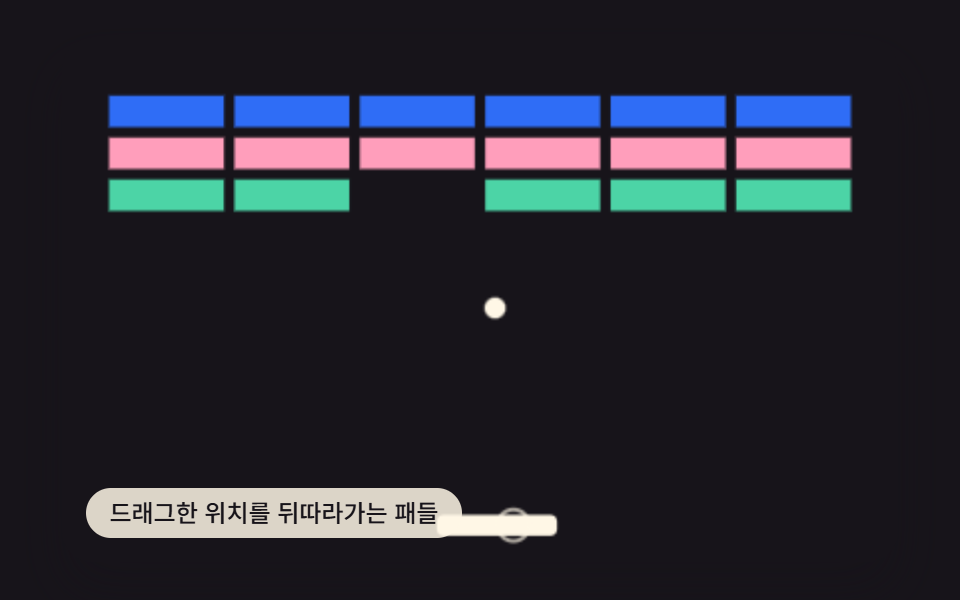 01 brick-breaker-paddle-drag-lerp
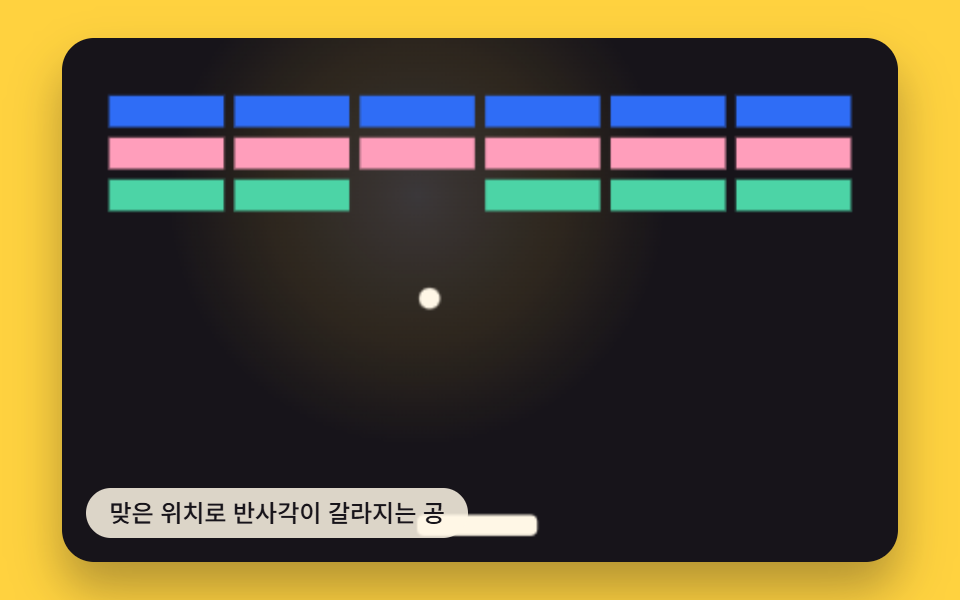 02 brick-breaker-ball-reflect-hit-angle
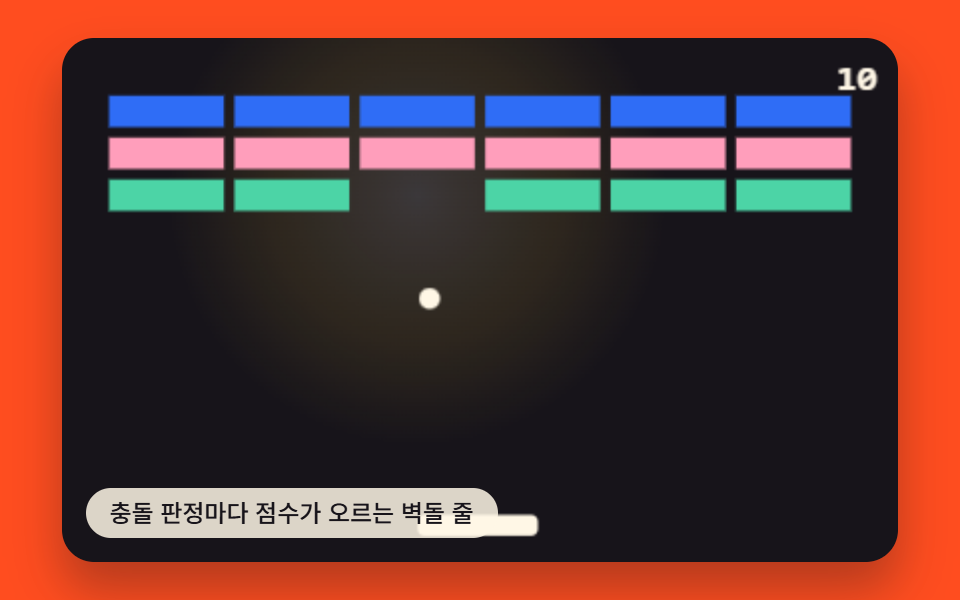 03 brick-breaker-collision-score
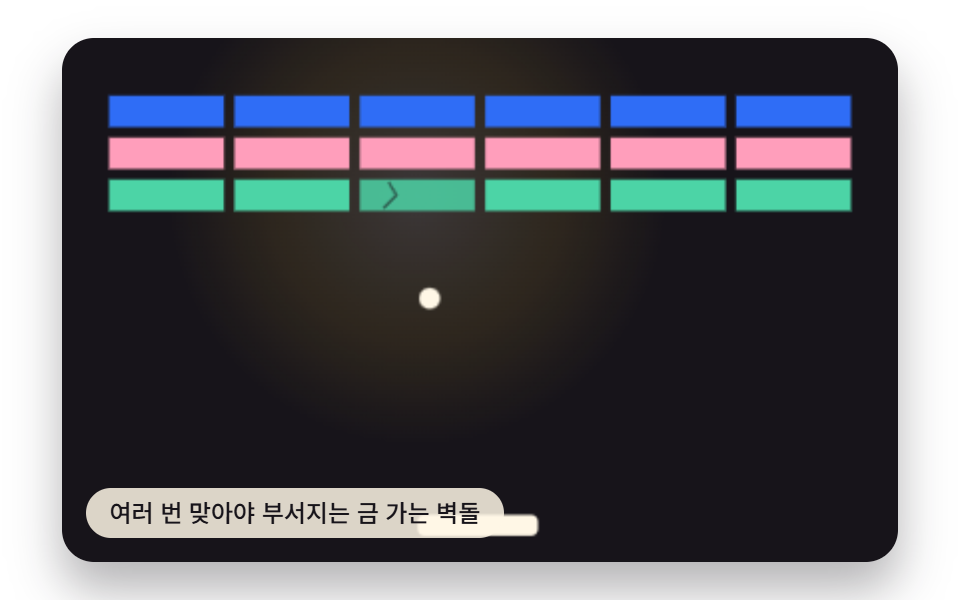 04 brick-breaker-crack-multihit
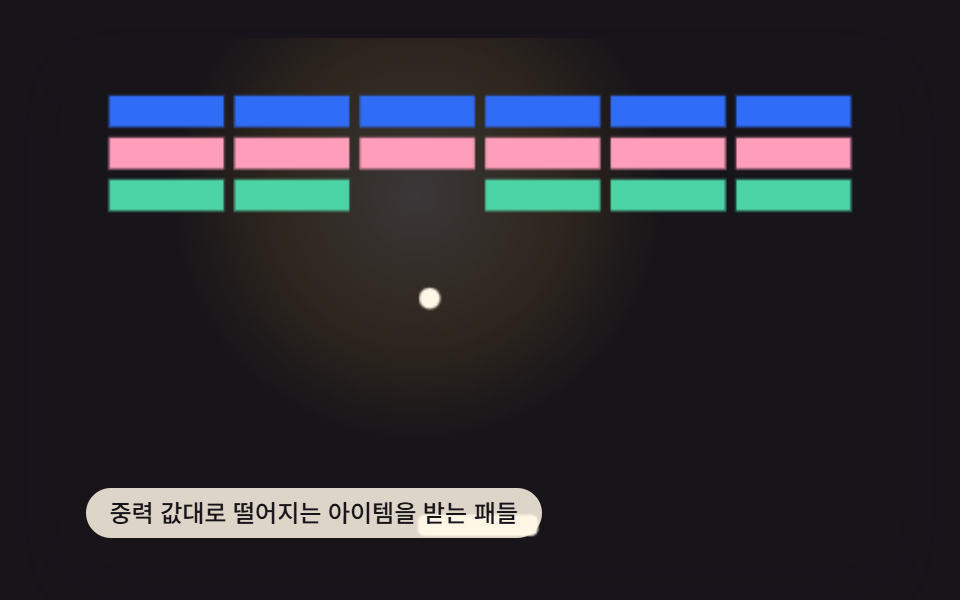 05 brick-breaker-powerup-gravity-catch
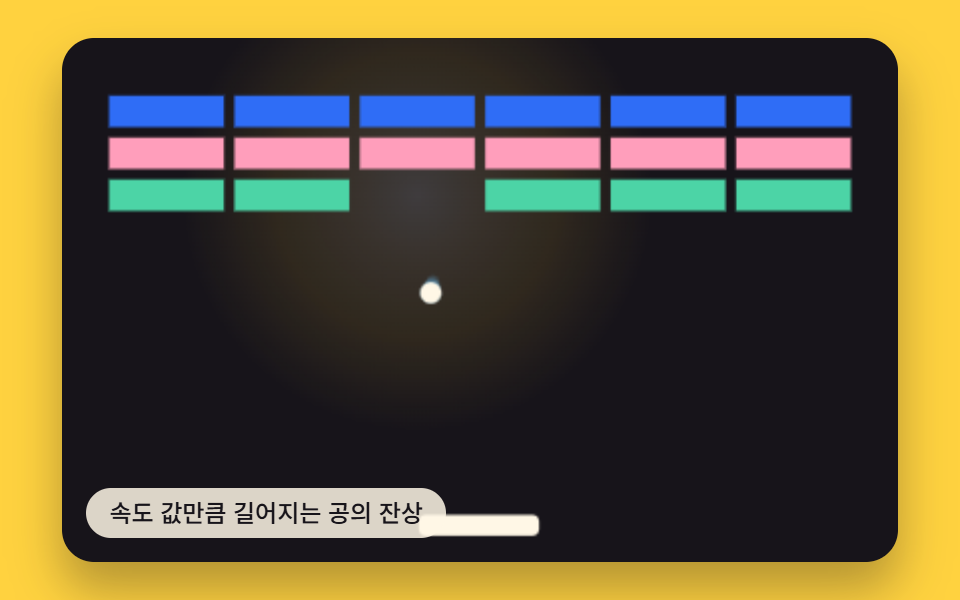 06 brick-breaker-trail-speed-afterimage
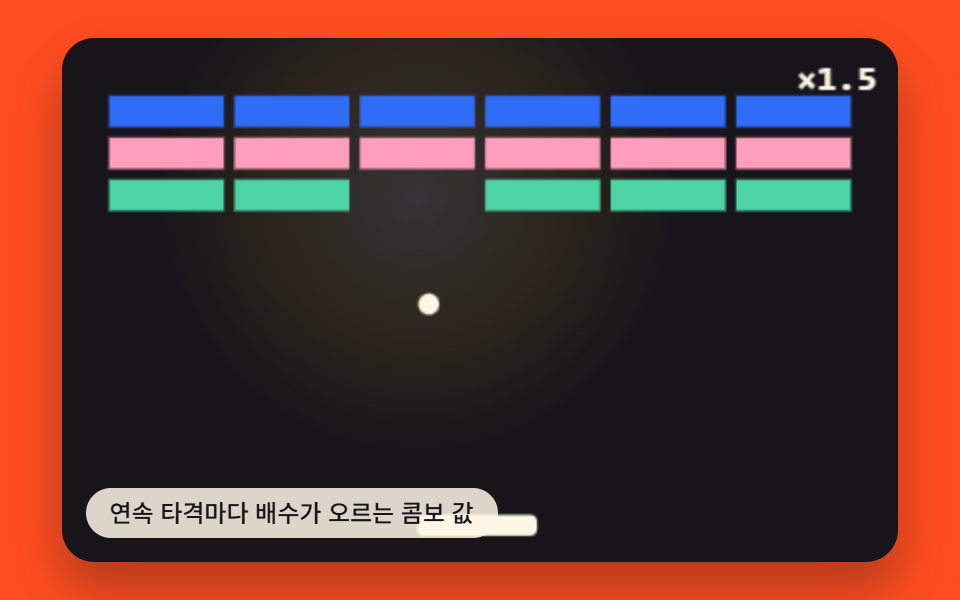 07 brick-breaker-combo-multiplier-streak
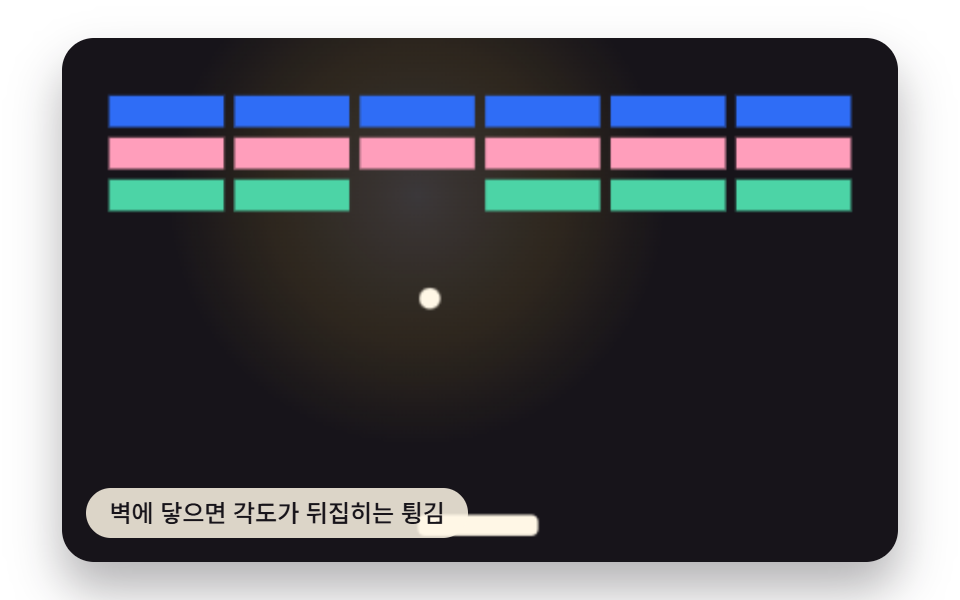 08 brick-breaker-wall-bounce-mirror
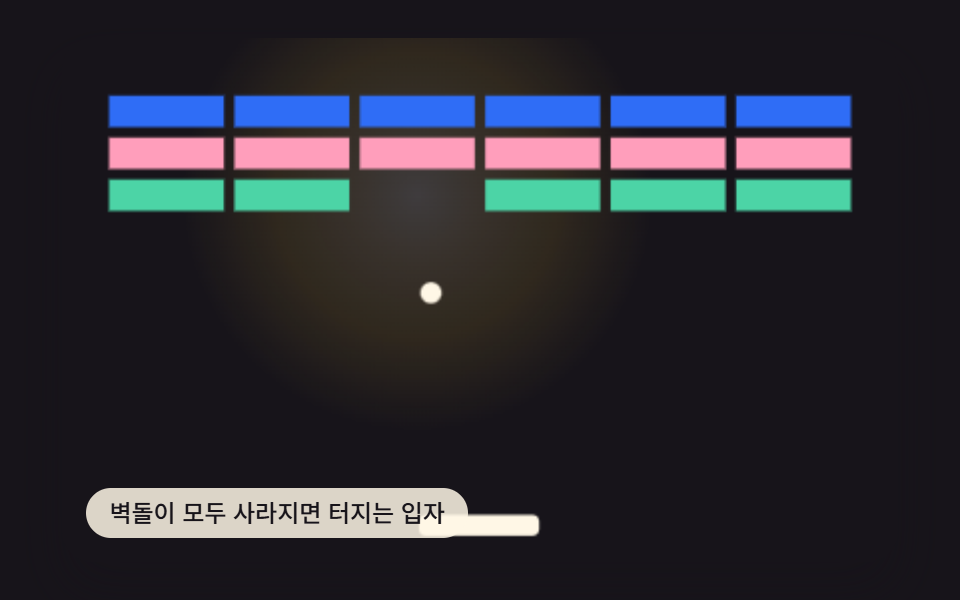 09 brick-breaker-clear-particle-burst
Auto-plays · click a tile to jump to its section · all nine in one zip
- 01 Paddle That Trails the Dragged Position
- 02 Ball Whose Reflection Angle Splits by Hit Position
- 03 Brick Row Whose Score Rises on Each Collision
- 04 Brick That Cracks and Crumbles After Multiple Hits
- 05 Paddle Catching an Item That Falls by a Gravity Value
- 06 Ball Afterimage That Lengthens With the Speed Value
- 07 Combo Value Whose Multiplier Rises Each Consecutive Hit
- 08 Bounce Whose Angle Mirrors on Wall Contact
- 09 Particles That Burst When All Bricks Clear
Nine JavaScript Patterns Behind This Brick Breaker, Each Driven by One Value
All nine demos below run the same 480×300 court, paddle, and ball, laid out with a seeded pseudo-random level so the page looks identical on every reload. What changes from one pattern to the next is which single value the code reads to decide what happens next: item 1 reads a drag gap, item 2 reads a hit position, item 5 reads a fall speed. The three items the opening line calls out sit at the center of the set on purpose — item 2 is the reflection rule the rest lean on, item 6 turns that same rule's output into a trail length, and item 8 is the boundary case of item 2's angle math, mirrored instead of recalculated.
01Paddle That Trails the Dragged Position
Instead of snapping straight to the pointer, the paddle's target x value chases the dragged position through an exponential-smoothing step — every frame it closes part of the gap, never all of it, so the paddle reads as if it carries some weight, and PADDLE_LERP_FACTOR sets how much of that gap closes per frame while the arrow keys nudge the same target value the pointer does.
<main class="stage">
<div class="vd is-demo" id="vdRoot">
  <canvas class="vd__canvas" id="vdCanvas" width="480" height="300"></canvas>
  <p class="vd__caption">Paddle That Trails the Dragged Position</p>
</div>
</main>
@use "../../../../site/static/demo-tokens" as *;
@include stage($stage-ink);
.vd {
position: relative;
width: min(92vw, calc(160vh - 12.8vw));
aspect-ratio: 480 / 300;
margin: 0 auto;
border-radius: $r-card;
overflow: hidden;
box-shadow: $shadow-raised;
}
.vd__canvas {
display: block;
width: 100%;
height: 100%;
}
.vd__caption {
position: absolute;
left: $sp-3;
bottom: $sp-3;
max-width: 72%;
margin: 0;
padding: $sp-1 $sp-3;
border-radius: $r-pill;
background: rgba(255, 247, 230, .85);
color: $subject-ink;
font-weight: 500;
font-size: 12px;
line-height: 1.4;
pointer-events: none;
}
@media (max-width: 340px) {
.vd__caption { font-size: 10px; padding: $sp-1 $sp-2; }
}
@media (prefers-reduced-motion: reduce) {
.vd { cursor: default; }
}html, body {
margin: 0;
overflow: hidden;
}
.stage {
box-sizing: border-box;
min-height: 100vh;
display: grid;
place-items: center;
margin: 0;
background: #17141a;
font-family: -apple-system, "Segoe UI", "Noto Sans KR", sans-serif;
padding: clamp(8px, 4vw, 24px);
}
.vd {
position: relative;
width: min(92vw, 160vh - 12.8vw);
aspect-ratio: 480/300;
margin: 0 auto;
border-radius: 16px;
overflow: hidden;
box-shadow: 0 14px 24px rgba(23, 20, 26, 0.32);
}
.vd__canvas {
display: block;
width: 100%;
height: 100%;
}
.vd__caption {
position: absolute;
left: 12px;
bottom: 12px;
max-width: 72%;
margin: 0;
padding: 4px 12px;
border-radius: 999px;
background: rgba(255, 247, 230, 0.85);
color: #17141a;
font-weight: 500;
font-size: 12px;
line-height: 1.4;
pointer-events: none;
}
@media (max-width: 340px) {
.vd__caption {
font-size: 10px;
padding: 4px 8px;
}
}
@media (prefers-reduced-motion: reduce) {
.vd {
cursor: default;
}
}(function () {
var root = document.getElementById('vdRoot');
var canvas = document.getElementById('vdCanvas');
var ctx = canvas.getContext('2d');
var wrap = canvas.parentElement;
var LW = 320, LH = 200, WALL = 6;
var PADDLE_H = 8, PADDLE_Y = LH - 18, PADDLE_W = 46;
var BALL_R = 4;
var BRICK_COLS = 6, BRICK_ROWS = 3, BRICK_W = 44, BRICK_H = 12, BRICK_GAP = 4, BRICK_TOP = 22;
var BASE_SPEED = 130;
var BIAS_PERIOD = 560;
var STAGE_BG = '#17141a';
var BRICK_ROW_COLORS = ['#2f6df6', '#ff9ebb', '#4cd4a6'];
var PADDLE_COLOR = '#fff7e6';
var BALL_COLOR = '#fff7e6';
var FLASH_LIFE = 0.4, FLASH_MAX_R = 130;
function seedRand(seed) {
var s = seed >>> 0;
return function () { s = (s * 1664525 + 1013904223) >>> 0; return s / 4294967296; };
}
var rand = seedRand(41001);
function clamp(v, a, b) { return v < a ? a : (v > b ? b : v); }
function aabb(ax, ay, aw, ah, bx, by, bw, bh) { return ax < bx + bw && ax + aw > bx && ay < by + bh && ay + ah > by; }
var PADDLE_LERP_FACTOR = 0.15; // 변형: PADDLE_LERP_FACTOR 0.15 → 0.4
var PADDLE_LERP = PADDLE_LERP_FACTOR;
var MAX_REFLECT_ANGLE = Math.PI / 180 * 50;
function buildBricks() {
var totalW = BRICK_COLS * BRICK_W + (BRICK_COLS - 1) * BRICK_GAP;
var startX = (LW - totalW) / 2;
var arr = [];
for (var r = 0; r < BRICK_ROWS; r += 1) {
for (var c = 0; c < BRICK_COLS; c += 1) {
arr.push({ x: startX + c * (BRICK_W + BRICK_GAP), y: BRICK_TOP + r * (BRICK_H + BRICK_GAP), w: BRICK_W, h: BRICK_H, alive: true, hits: 0 });
}
}
return arr;
}
var bricks = buildBricks();
var cleared = 0;
function rebuildLevel() {
bricks = buildBricks();
cleared = 0;
}
var flashes = [];
function spawnFlash(x, y) { flashes.push({ x: x, y: y, t: 0.001 }); }
function stepFlashes(dt) {
for (var i = flashes.length - 1; i >= 0; i -= 1) {
flashes[i].t += dt;
if (flashes[i].t > FLASH_LIFE) flashes.splice(i, 1);
}
}
function drawFlashes() {
for (var i = 0; i < flashes.length; i += 1) {
var f = flashes[i];
var p = f.t / FLASH_LIFE;
var r = 14 + FLASH_MAX_R * p;
var a = (1 - p) * 0.42;
var g = ctx.createRadialGradient(f.x, f.y, 0, f.x, f.y, r);
g.addColorStop(0, 'rgba(255,247,230,' + a + ')');
g.addColorStop(0.6, 'rgba(255,209,63,' + (a * 0.6) + ')');
g.addColorStop(1, 'rgba(255,209,63,0)');
ctx.fillStyle = g;
ctx.beginPath();
ctx.arc(f.x, f.y, r, 0, Math.PI * 2);
ctx.fill();
}
}
var paddle = { x: LW / 2 - PADDLE_W / 2, w: PADDLE_W, target: LW / 2 };
var ball = { x: LW / 2, y: PADDLE_Y - 40, vx: 0, vy: 0 };
function resetBall() {
var ang = rand() * 0.5 - 0.25;
ball.x = LW / 2; ball.y = PADDLE_Y - 40;
ball.vx = Math.sin(ang) * BASE_SPEED;
ball.vy = -Math.cos(ang) * BASE_SPEED;
}
resetBall();
var pointerActive = false;
var keys = { left: false, right: false };
var biasSchedule = [0, 0.75, -0.75, 0.35, -0.35, 0.6];
function autoplay(tMs) {
if (pointerActive || reduce) return;
var slot = Math.floor(tMs / BIAS_PERIOD) % biasSchedule.length;
var bias = biasSchedule[slot] * (paddle.w / 2);
paddle.target = ball.x + bias;
}
  function paddleStep(dt) {
    if (keys.left) paddle.target -= 160 * dt;
    if (keys.right) paddle.target += 160 * dt;
    paddle.target = clamp(paddle.target, WALL + paddle.w / 2, LW - WALL - paddle.w / 2);
    var goal = paddle.target - paddle.w / 2;
    var k = 1 - Math.pow(1 - PADDLE_LERP, dt * 60);
    paddle.x += (goal - paddle.x) * k;
    paddle.x = clamp(paddle.x, WALL, LW - WALL - paddle.w);
  }
function onWallHit(side) { spawnFlash(ball.x, ball.y); }
function mirrorWallBounce(side) {
ball.vx = side === 'left' ? Math.abs(ball.vx) : -Math.abs(ball.vx);
onWallHit(side);
}
function onPaddleHit() {
var hitPos = clamp((ball.x - (paddle.x + paddle.w / 2)) / (paddle.w / 2), -1, 1);
var angle = hitPos * MAX_REFLECT_ANGLE;
var speed = Math.sqrt(ball.vx * ball.vx + ball.vy * ball.vy);
ball.vx = Math.sin(angle) * speed;
ball.vy = -Math.abs(Math.cos(angle)) * speed;
ball.y = PADDLE_Y - BALL_R - 0.5;
spawnFlash(ball.x, PADDLE_Y);
}
function onLevelClear() { spawnFlash(LW / 2, LH / 2); rebuildLevel(); }
function onBrickHit(b) {
spawnFlash(b.x + b.w / 2, b.y + b.h / 2);
b.alive = false; cleared += 1;
if (cleared >= bricks.length) { onLevelClear(); }
}
function onMiss() {
spawnFlash(ball.x, LH - 4);
resetBall();
}
function ballStep(dt) {
ball.x += ball.vx * dt;
ball.y += ball.vy * dt;
if (ball.x - BALL_R <= WALL) { ball.x = WALL + BALL_R; mirrorWallBounce('left'); }
else if (ball.x + BALL_R >= LW - WALL) { ball.x = LW - WALL - BALL_R; mirrorWallBounce('right'); }
if (ball.y - BALL_R <= WALL) { ball.y = WALL + BALL_R; ball.vy = Math.abs(ball.vy); }
if (ball.vy > 0 && aabb(ball.x - BALL_R, ball.y - BALL_R, BALL_R * 2, BALL_R * 2, paddle.x, PADDLE_Y, paddle.w, PADDLE_H)) {
onPaddleHit();
}
for (var i = 0; i < bricks.length; i += 1) {
var b = bricks[i];
if (b.alive && aabb(ball.x - BALL_R, ball.y - BALL_R, BALL_R * 2, BALL_R * 2, b.x, b.y, b.w, b.h)) {
ball.vy = -ball.vy;
onBrickHit(b);
break;
}
}
if (ball.y - BALL_R > LH) onMiss();
}
function stepExtra(dt) {}
function update(dt, tMs) {
autoplay(tMs);
paddleStep(dt);
ballStep(dt);
stepFlashes(dt);
stepExtra(dt);
}
function drawCourt() {
ctx.fillStyle = STAGE_BG;
ctx.fillRect(0, 0, LW, LH);
}
function drawBrick(b) {
ctx.fillStyle = BRICK_ROW_COLORS[Math.floor((b.y - BRICK_TOP) / (BRICK_H + BRICK_GAP)) % BRICK_ROW_COLORS.length];
ctx.fillRect(b.x, b.y, b.w, b.h);
}
function drawBricks() {
for (var i = 0; i < bricks.length; i += 1) {
if (bricks[i].alive) drawBrick(bricks[i]);
}
}
function drawPaddle() {
ctx.fillStyle = PADDLE_COLOR;
var r = 3;
ctx.beginPath();
ctx.moveTo(paddle.x + r, PADDLE_Y);
ctx.arcTo(paddle.x + paddle.w, PADDLE_Y, paddle.x + paddle.w, PADDLE_Y + PADDLE_H, r);
ctx.arcTo(paddle.x + paddle.w, PADDLE_Y + PADDLE_H, paddle.x, PADDLE_Y + PADDLE_H, r);
ctx.arcTo(paddle.x, PADDLE_Y + PADDLE_H, paddle.x, PADDLE_Y, r);
ctx.arcTo(paddle.x, PADDLE_Y, paddle.x + paddle.w, PADDLE_Y, r);
ctx.closePath();
ctx.fill();
}
function drawBall() {
ctx.fillStyle = BALL_COLOR;
ctx.beginPath();
ctx.arc(ball.x, ball.y, BALL_R, 0, Math.PI * 2);
ctx.fill();
}
function drawExtraBelow() {}
function drawExtraAbove() {
var dragGapPx = paddle.target - (paddle.x + paddle.w / 2);
ctx.strokeStyle = 'rgba(255,247,230,.65)';
ctx.lineWidth = 1.5;
ctx.beginPath();
ctx.arc(paddle.target, PADDLE_Y + PADDLE_H / 2, 6, 0, Math.PI * 2);
ctx.stroke();
if (Math.abs(dragGapPx) > 1) {
ctx.beginPath();
ctx.moveTo(paddle.x + paddle.w / 2, PADDLE_Y + PADDLE_H / 2);
ctx.lineTo(paddle.target, PADDLE_Y + PADDLE_H / 2);
ctx.stroke();
}
}
var cw = 480, ch = 300, sx = 1, sy = 1;
function fit() {
var r = wrap.getBoundingClientRect();
cw = Math.max(1, Math.round(r.width));
ch = Math.max(1, Math.round(r.height));
canvas.width = cw; canvas.height = ch;
sx = cw / LW; sy = ch / LH;
render();
}
function render() {
ctx.setTransform(1, 0, 0, 1, 0, 0);
ctx.clearRect(0, 0, cw, ch);
ctx.save();
ctx.scale(sx, sy);
drawCourt();
drawFlashes();
drawBricks();
drawExtraBelow();
drawPaddle();
drawBall();
drawExtraAbove();
ctx.restore();
}
var reduce = window.matchMedia('(prefers-reduced-motion: reduce)').matches;
var playing = !reduce;
if (reduce) { root.classList.remove('is-demo'); }
function calcFromEvent(e) {
var r = wrap.getBoundingClientRect();
var t0 = (e.touches && e.touches[0]) ? e.touches[0] : e;
var relX = (t0.clientX - r.left) / r.width * LW;
paddle.target = clamp(relX, WALL + paddle.w / 2, LW - WALL - paddle.w / 2);
}
wrap.addEventListener('pointerdown', function (e) { pointerActive = true; calcFromEvent(e); if (reduce) { paddleStep(0); render(); } });
wrap.addEventListener('pointermove', function (e) { pointerActive = true; calcFromEvent(e); if (reduce) { paddleStep(0); render(); } });
window.addEventListener('pointerup', function () { pointerActive = false; });
wrap.addEventListener('pointerleave', function () { pointerActive = false; });
window.addEventListener('keydown', function (e) {
if (e.key === 'ArrowLeft') { keys.left = true; pointerActive = true; }
else if (e.key === 'ArrowRight') { keys.right = true; pointerActive = true; }
else return;
if (reduce) { paddleStep(0.05); render(); }
});
window.addEventListener('keyup', function (e) {
if (e.key === 'ArrowLeft') keys.left = false;
else if (e.key === 'ArrowRight') keys.right = false;
if (!keys.left && !keys.right) pointerActive = false;
});
var lastTs = null;
function tick(ts) {
if (lastTs === null) lastTs = ts;
var dt = Math.min((ts - lastTs) / 1000, 0.05);
lastTs = ts;
if (playing) update(dt, ts);
render();
requestAnimationFrame(tick);
}
fit();
window.addEventListener('resize', fit);
render();
if (playing) requestAnimationFrame(tick);
})();import { useEffect, useRef } from "react";
import styles from "./BrickBreakerPaddleDragLerp.module.scss";
export default function BrickBreakerPaddleDragLerp() {
const rootRef = useRef<HTMLDivElement>(null);
const canvasRef = useRef<HTMLCanvasElement>(null);
useEffect(() => {
const root = rootRef.current;
const canvas = canvasRef.current;
if (!root || !canvas) return;
const ctx = canvas.getContext("2d");
if (!ctx) return;
const wrap = canvas.parentElement as HTMLElement;
const LW = 320, LH = 200, WALL = 6;
const PADDLE_H = 8, PADDLE_Y = LH - 18, PADDLE_W = 46;
const BALL_R = 4;
const BRICK_COLS = 6, BRICK_ROWS = 3, BRICK_W = 44, BRICK_H = 12, BRICK_GAP = 4, BRICK_TOP = 22;
const BASE_SPEED = 130;
const BIAS_PERIOD = 560;
const STAGE_BG = "#17141a";
const BRICK_ROW_COLORS = ["#2f6df6", "#ff9ebb", "#4cd4a6"];
const PADDLE_COLOR = "#fff7e6";
const BALL_COLOR = "#fff7e6";
const FLASH_LIFE = 0.4, FLASH_MAX_R = 130;
function seedRand(seed: number) {
let s = seed >>> 0;
return function () { s = (s * 1664525 + 1013904223) >>> 0; return s / 4294967296; };
}
const rand = seedRand(41001);
function clamp(v: number, a: number, b: number): number { return v < a ? a : (v > b ? b : v); }
function aabb(ax: number, ay: number, aw: number, ah: number, bx: number, by: number, bw: number, bh: number): boolean {
return ax < bx + bw && ax + aw > bx && ay < by + bh && ay + ah > by;
}
const PADDLE_LERP_FACTOR = 0.15;
const PADDLE_LERP = PADDLE_LERP_FACTOR;
const MAX_REFLECT_ANGLE = Math.PI / 180 * 50;
type Brick = { x: number; y: number; w: number; h: number; alive: boolean; hits: number };
function buildBricks(): Brick[] {
const totalW = BRICK_COLS * BRICK_W + (BRICK_COLS - 1) * BRICK_GAP;
const startX = (LW - totalW) / 2;
const arr: Brick[] = [];
for (let r = 0; r < BRICK_ROWS; r += 1) {
for (let c = 0; c < BRICK_COLS; c += 1) {
arr.push({ x: startX + c * (BRICK_W + BRICK_GAP), y: BRICK_TOP + r * (BRICK_H + BRICK_GAP), w: BRICK_W, h: BRICK_H, alive: true, hits: 0 });
}
}
return arr;
}
let bricks: Brick[] = buildBricks();
let cleared = 0;
function rebuildLevel(): void {
bricks = buildBricks();
cleared = 0;
}
type Flash = { x: number; y: number; t: number };
const flashes: Flash[] = [];
function spawnFlash(x: number, y: number): void { flashes.push({ x: x, y: y, t: 0.001 }); }
function stepFlashes(dt: number): void {
for (let i = flashes.length - 1; i >= 0; i -= 1) {
flashes[i].t += dt;
if (flashes[i].t > FLASH_LIFE) flashes.splice(i, 1);
}
}
function drawFlashes(): void {
for (let i = 0; i < flashes.length; i += 1) {
const f = flashes[i];
const p = f.t / FLASH_LIFE;
const r = 14 + FLASH_MAX_R * p;
const a = (1 - p) * 0.42;
const g = ctx!.createRadialGradient(f.x, f.y, 0, f.x, f.y, r);
g.addColorStop(0, "rgba(255,247,230," + a + ")");
g.addColorStop(0.6, "rgba(255,209,63," + (a * 0.6) + ")");
g.addColorStop(1, "rgba(255,209,63,0)");
ctx!.fillStyle = g;
ctx!.beginPath();
ctx!.arc(f.x, f.y, r, 0, Math.PI * 2);
ctx!.fill();
}
}
const paddle = { x: LW / 2 - PADDLE_W / 2, w: PADDLE_W, target: LW / 2 };
const ball = { x: LW / 2, y: PADDLE_Y - 40, vx: 0, vy: 0 };
function resetBall(): void {
const ang = rand() * 0.5 - 0.25;
ball.x = LW / 2; ball.y = PADDLE_Y - 40;
ball.vx = Math.sin(ang) * BASE_SPEED;
ball.vy = -Math.cos(ang) * BASE_SPEED;
}
resetBall();
let pointerActive = false;
const keys = { left: false, right: false };
const biasSchedule = [0, 0.75, -0.75, 0.35, -0.35, 0.6];
function autoplay(tMs: number): void {
if (pointerActive || reduce) return;
const slot = Math.floor(tMs / BIAS_PERIOD) % biasSchedule.length;
const bias = biasSchedule[slot] * (paddle.w / 2);
paddle.target = ball.x + bias;
}
function paddleStep(dt: number): void {
if (keys.left) paddle.target -= 160 * dt;
if (keys.right) paddle.target += 160 * dt;
paddle.target = clamp(paddle.target, WALL + paddle.w / 2, LW - WALL - paddle.w / 2);
const goal = paddle.target - paddle.w / 2;
const k = 1 - Math.pow(1 - PADDLE_LERP, dt * 60);
paddle.x += (goal - paddle.x) * k;
paddle.x = clamp(paddle.x, WALL, LW - WALL - paddle.w);
}
function onWallHit(side: string): void { spawnFlash(ball.x, ball.y); }
function mirrorWallBounce(side: string): void {
ball.vx = side === "left" ? Math.abs(ball.vx) : -Math.abs(ball.vx);
onWallHit(side);
}
function onPaddleHit(): void {
const hitPos = clamp((ball.x - (paddle.x + paddle.w / 2)) / (paddle.w / 2), -1, 1);
const angle = hitPos * MAX_REFLECT_ANGLE;
const speed = Math.sqrt(ball.vx * ball.vx + ball.vy * ball.vy);
ball.vx = Math.sin(angle) * speed;
ball.vy = -Math.abs(Math.cos(angle)) * speed;
ball.y = PADDLE_Y - BALL_R - 0.5;
spawnFlash(ball.x, PADDLE_Y);
}
function onLevelClear(): void { spawnFlash(LW / 2, LH / 2); rebuildLevel(); }
function onBrickHit(b: Brick): void {
spawnFlash(b.x + b.w / 2, b.y + b.h / 2);
b.alive = false; cleared += 1;
if (cleared >= bricks.length) { onLevelClear(); }
}
function onMiss(): void {
spawnFlash(ball.x, LH - 4);
resetBall();
}
function ballStep(dt: number): void {
ball.x += ball.vx * dt;
ball.y += ball.vy * dt;
if (ball.x - BALL_R <= WALL) { ball.x = WALL + BALL_R; mirrorWallBounce("left"); }
else if (ball.x + BALL_R >= LW - WALL) { ball.x = LW - WALL - BALL_R; mirrorWallBounce("right"); }
if (ball.y - BALL_R <= WALL) { ball.y = WALL + BALL_R; ball.vy = Math.abs(ball.vy); }
if (ball.vy > 0 && aabb(ball.x - BALL_R, ball.y - BALL_R, BALL_R * 2, BALL_R * 2, paddle.x, PADDLE_Y, paddle.w, PADDLE_H)) {
onPaddleHit();
}
for (let i = 0; i < bricks.length; i += 1) {
const b = bricks[i];
if (b.alive && aabb(ball.x - BALL_R, ball.y - BALL_R, BALL_R * 2, BALL_R * 2, b.x, b.y, b.w, b.h)) {
ball.vy = -ball.vy;
onBrickHit(b);
break;
}
}
if (ball.y - BALL_R > LH) onMiss();
}
function stepExtra(dt: number): void {}
function update(dt: number, tMs: number): void {
autoplay(tMs);
paddleStep(dt);
ballStep(dt);
stepFlashes(dt);
stepExtra(dt);
}
function drawCourt(): void {
ctx!.fillStyle = STAGE_BG;
ctx!.fillRect(0, 0, LW, LH);
}
function drawBrick(b: Brick): void {
ctx!.fillStyle = BRICK_ROW_COLORS[Math.floor((b.y - BRICK_TOP) / (BRICK_H + BRICK_GAP)) % BRICK_ROW_COLORS.length];
ctx!.fillRect(b.x, b.y, b.w, b.h);
}
function drawBricks(): void {
for (let i = 0; i < bricks.length; i += 1) {
if (bricks[i].alive) drawBrick(bricks[i]);
}
}
function drawPaddle(): void {
ctx!.fillStyle = PADDLE_COLOR;
const r = 3;
ctx!.beginPath();
ctx!.moveTo(paddle.x + r, PADDLE_Y);
ctx!.arcTo(paddle.x + paddle.w, PADDLE_Y, paddle.x + paddle.w, PADDLE_Y + PADDLE_H, r);
ctx!.arcTo(paddle.x + paddle.w, PADDLE_Y + PADDLE_H, paddle.x, PADDLE_Y + PADDLE_H, r);
ctx!.arcTo(paddle.x, PADDLE_Y + PADDLE_H, paddle.x, PADDLE_Y, r);
ctx!.arcTo(paddle.x, PADDLE_Y, paddle.x + paddle.w, PADDLE_Y, r);
ctx!.closePath();
ctx!.fill();
}
function drawBall(): void {
ctx!.fillStyle = BALL_COLOR;
ctx!.beginPath();
ctx!.arc(ball.x, ball.y, BALL_R, 0, Math.PI * 2);
ctx!.fill();
}
function drawExtraBelow(): void {}
function drawExtraAbove(): void {
const dragGapPx = paddle.target - (paddle.x + paddle.w / 2);
ctx!.strokeStyle = "rgba(255,247,230,.65)";
ctx!.lineWidth = 1.5;
ctx!.beginPath();
ctx!.arc(paddle.target, PADDLE_Y + PADDLE_H / 2, 6, 0, Math.PI * 2);
ctx!.stroke();
if (Math.abs(dragGapPx) > 1) {
ctx!.beginPath();
ctx!.moveTo(paddle.x + paddle.w / 2, PADDLE_Y + PADDLE_H / 2);
ctx!.lineTo(paddle.target, PADDLE_Y + PADDLE_H / 2);
ctx!.stroke();
}
}
let cw = 480, ch = 300, sx = 1, sy = 1;
function fit(): void {
const r = wrap.getBoundingClientRect();
cw = Math.max(1, Math.round(r.width));
ch = Math.max(1, Math.round(r.height));
canvas!.width = cw; canvas!.height = ch;
sx = cw / LW; sy = ch / LH;
render();
}
function render(): void {
ctx!.setTransform(1, 0, 0, 1, 0, 0);
ctx!.clearRect(0, 0, cw, ch);
ctx!.save();
ctx!.scale(sx, sy);
drawCourt();
drawFlashes();
drawBricks();
drawExtraBelow();
drawPaddle();
drawBall();
drawExtraAbove();
ctx!.restore();
}
const reduce = window.matchMedia("(prefers-reduced-motion: reduce)").matches;
const playing = !reduce;
if (reduce) { root.classList.remove("is-demo"); }
function calcFromEvent(e: PointerEvent): void {
const r = wrap.getBoundingClientRect();
const relX = ((e.clientX - r.left) / r.width) * LW;
paddle.target = clamp(relX, WALL + paddle.w / 2, LW - WALL - paddle.w / 2);
}
function onPointerDown(e: PointerEvent): void { pointerActive = true; calcFromEvent(e); if (reduce) { paddleStep(0); render(); } }
function onPointerMove(e: PointerEvent): void { pointerActive = true; calcFromEvent(e); if (reduce) { paddleStep(0); render(); } }
function onPointerUp(): void { pointerActive = false; }
function onPointerLeave(): void { pointerActive = false; }
wrap.addEventListener("pointerdown", onPointerDown);
wrap.addEventListener("pointermove", onPointerMove);
window.addEventListener("pointerup", onPointerUp);
wrap.addEventListener("pointerleave", onPointerLeave);
function onKeyDown(e: KeyboardEvent): void {
if (e.key === "ArrowLeft") { keys.left = true; pointerActive = true; }
else if (e.key === "ArrowRight") { keys.right = true; pointerActive = true; }
else return;
if (reduce) { paddleStep(0.05); render(); }
}
function onKeyUp(e: KeyboardEvent): void {
if (e.key === "ArrowLeft") keys.left = false;
else if (e.key === "ArrowRight") keys.right = false;
if (!keys.left && !keys.right) pointerActive = false;
}
window.addEventListener("keydown", onKeyDown);
window.addEventListener("keyup", onKeyUp);
let lastTs: number | null = null;
let raf = 0;
function tick(ts: number): void {
if (lastTs === null) lastTs = ts;
const dt = Math.min((ts - lastTs) / 1000, 0.05);
lastTs = ts;
if (playing) update(dt, ts);
render();
raf = requestAnimationFrame(tick);
}
fit();
window.addEventListener("resize", fit);
render();
if (playing) raf = requestAnimationFrame(tick);
return () => {
cancelAnimationFrame(raf);
window.removeEventListener("resize", fit);
window.removeEventListener("keydown", onKeyDown);
window.removeEventListener("keyup", onKeyUp);
window.removeEventListener("pointerup", onPointerUp);
wrap.removeEventListener("pointerdown", onPointerDown);
wrap.removeEventListener("pointermove", onPointerMove);
wrap.removeEventListener("pointerleave", onPointerLeave);
};
}, []);
return (
<main className={styles.stage}>
<div className={`${styles.vd} is-demo`} ref={rootRef}>
<canvas className={styles.vd__canvas} ref={canvasRef} width={480} height={300} />
<p className={styles.vd__caption}>드래그한 위치를 뒤따라가는 패들</p>
</div>
</main>
);
}01 · Paddle That Trails the Dragged Position — Measured area 30.092% · moving frames 23/23Original by GODRICH · SCSS and React ship in the zip · See the password
function paddleStep(dt) {
if (keys.left) paddle.target -= 160 * dt;
if (keys.right) paddle.target += 160 * dt;
paddle.target = clamp(paddle.target, WALL + paddle.w / 2, LW - WALL - paddle.w / 2);
var goal = paddle.target - paddle.w / 2;
var k = 1 - Math.pow(1 - PADDLE_LERP, dt * 60);
paddle.x += (goal - paddle.x) * k;
paddle.x = clamp(paddle.x, WALL, LW - WALL - paddle.w);
}
The one calculated layer here is the frame-rate-independent smoothing constant k = 1 - Math.pow(1 - PADDLE_LERP, dt * 60) — it keeps the same drag feel at 30fps or 144fps, instead of the plain paddle.x += (goal - paddle.x) * PADDLE_LERP_FACTOR most snippets settle for.
Measured: cumulative area 30.1% of the frame, average intensity 80.4, moved 23/23 frames.
02Ball Whose Reflection Angle Splits by Hit Position
The ball's outgoing angle is not a fixed bounce — the code reads where across the paddle's width the ball landed and turns that position into an angle, so a center hit goes nearly straight up and an edge hit rockets out sideways.
<main class="stage">
<div class="vd is-demo" id="vdRoot">
  <canvas class="vd__canvas" id="vdCanvas" width="480" height="300"></canvas>
  <p class="vd__caption">Ball Whose Reflection Angle Splits by Hit Position</p>
</div>
</main>
@use "../../../../site/static/demo-tokens" as *;
@include stage($stage-yellow);
.vd {
position: relative;
width: min(92vw, calc(160vh - 12.8vw));
aspect-ratio: 480 / 300;
margin: 0 auto;
border-radius: $r-card;
overflow: hidden;
box-shadow: $shadow-raised;
}
.vd__canvas {
display: block;
width: 100%;
height: 100%;
}
.vd__caption {
position: absolute;
left: $sp-3;
bottom: $sp-3;
max-width: 72%;
margin: 0;
padding: $sp-1 $sp-3;
border-radius: $r-pill;
background: rgba(255, 247, 230, .85);
color: $subject-ink;
font-weight: 500;
font-size: 12px;
line-height: 1.4;
pointer-events: none;
}
@media (max-width: 340px) {
.vd__caption { font-size: 10px; padding: $sp-1 $sp-2; }
}
@media (prefers-reduced-motion: reduce) {
.vd { cursor: default; }
}html, body {
margin: 0;
overflow: hidden;
}
.stage {
box-sizing: border-box;
min-height: 100vh;
display: grid;
place-items: center;
margin: 0;
background: #ffd23f;
font-family: -apple-system, "Segoe UI", "Noto Sans KR", sans-serif;
padding: clamp(8px, 4vw, 24px);
}
.vd {
position: relative;
width: min(92vw, 160vh - 12.8vw);
aspect-ratio: 480/300;
margin: 0 auto;
border-radius: 16px;
overflow: hidden;
box-shadow: 0 14px 24px rgba(23, 20, 26, 0.32);
}
.vd__canvas {
display: block;
width: 100%;
height: 100%;
}
.vd__caption {
position: absolute;
left: 12px;
bottom: 12px;
max-width: 72%;
margin: 0;
padding: 4px 12px;
border-radius: 999px;
background: rgba(255, 247, 230, 0.85);
color: #17141a;
font-weight: 500;
font-size: 12px;
line-height: 1.4;
pointer-events: none;
}
@media (max-width: 340px) {
.vd__caption {
font-size: 10px;
padding: 4px 8px;
}
}
@media (prefers-reduced-motion: reduce) {
.vd {
cursor: default;
}
}(function () {
var root = document.getElementById('vdRoot');
var canvas = document.getElementById('vdCanvas');
var ctx = canvas.getContext('2d');
var wrap = canvas.parentElement;
var LW = 320, LH = 200, WALL = 6;
var PADDLE_H = 8, PADDLE_Y = LH - 18, PADDLE_W = 46;
var BALL_R = 4;
var BRICK_COLS = 6, BRICK_ROWS = 3, BRICK_W = 44, BRICK_H = 12, BRICK_GAP = 4, BRICK_TOP = 22;
var BASE_SPEED = 130;
var BIAS_PERIOD = 560;
var STAGE_BG = '#17141a';
var BRICK_ROW_COLORS = ['#2f6df6', '#ff9ebb', '#4cd4a6'];
var PADDLE_COLOR = '#fff7e6';
var BALL_COLOR = '#fff7e6';
var FLASH_LIFE = 0.4, FLASH_MAX_R = 130;
function seedRand(seed) {
var s = seed >>> 0;
return function () { s = (s * 1664525 + 1013904223) >>> 0; return s / 4294967296; };
}
var rand = seedRand(41002);
function clamp(v, a, b) { return v < a ? a : (v > b ? b : v); }
function aabb(ax, ay, aw, ah, bx, by, bw, bh) { return ax < bx + bw && ax + aw > bx && ay < by + bh && ay + ah > by; }
var PADDLE_LERP = 0.4;
var MAX_REFLECT_ANGLE = Math.PI / 180 * 62;
function buildBricks() {
var totalW = BRICK_COLS * BRICK_W + (BRICK_COLS - 1) * BRICK_GAP;
var startX = (LW - totalW) / 2;
var arr = [];
for (var r = 0; r < BRICK_ROWS; r += 1) {
for (var c = 0; c < BRICK_COLS; c += 1) {
arr.push({ x: startX + c * (BRICK_W + BRICK_GAP), y: BRICK_TOP + r * (BRICK_H + BRICK_GAP), w: BRICK_W, h: BRICK_H, alive: true, hits: 0 });
}
}
return arr;
}
var bricks = buildBricks();
var cleared = 0;
var lastHitPos = 0, lastAngle = 0, guideTimer = 0;
function rebuildLevel() {
bricks = buildBricks();
cleared = 0;
}
var flashes = [];
function spawnFlash(x, y) { flashes.push({ x: x, y: y, t: 0.001 }); }
function stepFlashes(dt) {
for (var i = flashes.length - 1; i >= 0; i -= 1) {
flashes[i].t += dt;
if (flashes[i].t > FLASH_LIFE) flashes.splice(i, 1);
}
}
function drawFlashes() {
for (var i = 0; i < flashes.length; i += 1) {
var f = flashes[i];
var p = f.t / FLASH_LIFE;
var r = 14 + FLASH_MAX_R * p;
var a = (1 - p) * 0.42;
var g = ctx.createRadialGradient(f.x, f.y, 0, f.x, f.y, r);
g.addColorStop(0, 'rgba(255,247,230,' + a + ')');
g.addColorStop(0.6, 'rgba(255,209,63,' + (a * 0.6) + ')');
g.addColorStop(1, 'rgba(255,209,63,0)');
ctx.fillStyle = g;
ctx.beginPath();
ctx.arc(f.x, f.y, r, 0, Math.PI * 2);
ctx.fill();
}
}
var paddle = { x: LW / 2 - PADDLE_W / 2, w: PADDLE_W, target: LW / 2 };
var ball = { x: LW / 2, y: PADDLE_Y - 40, vx: 0, vy: 0 };
function resetBall() {
var ang = rand() * 0.5 - 0.25;
ball.x = LW / 2; ball.y = PADDLE_Y - 40;
ball.vx = Math.sin(ang) * BASE_SPEED;
ball.vy = -Math.cos(ang) * BASE_SPEED;
}
resetBall();
var pointerActive = false;
var keys = { left: false, right: false };
var biasSchedule = [0, 0.75, -0.75, 0.35, -0.35, 0.6];
function autoplay(tMs) {
if (pointerActive || reduce) return;
var slot = Math.floor(tMs / BIAS_PERIOD) % biasSchedule.length;
var bias = biasSchedule[slot] * (paddle.w / 2);
paddle.target = ball.x + bias;
}
function paddleStep(dt) {
if (keys.left) paddle.target -= 160 * dt;
if (keys.right) paddle.target += 160 * dt;
paddle.target = clamp(paddle.target, WALL + paddle.w / 2, LW - WALL - paddle.w / 2);
var goal = paddle.target - paddle.w / 2;
var k = 1 - Math.pow(1 - PADDLE_LERP, dt * 60);
paddle.x += (goal - paddle.x) * k;
paddle.x = clamp(paddle.x, WALL, LW - WALL - paddle.w);
}
function onWallHit(side) { spawnFlash(ball.x, ball.y); }
function mirrorWallBounce(side) {
ball.vx = side === 'left' ? Math.abs(ball.vx) : -Math.abs(ball.vx);
onWallHit(side);
}
  function onPaddleHit() {
    var hitPos = clamp((ball.x - (paddle.x + paddle.w / 2)) / (paddle.w / 2), -1, 1);
    var angle = hitPos * MAX_REFLECT_ANGLE;
    var speed = Math.sqrt(ball.vx * ball.vx + ball.vy * ball.vy);
    ball.vx = Math.sin(angle) * speed;
    ball.vy = -Math.abs(Math.cos(angle)) * speed;
    ball.y = PADDLE_Y - BALL_R - 0.5;
    spawnFlash(ball.x, PADDLE_Y);
    lastHitPos = hitPos; lastAngle = angle; guideTimer = 0.4;
  }
function onLevelClear() { spawnFlash(LW / 2, LH / 2); rebuildLevel(); }
function onBrickHit(b) {
spawnFlash(b.x + b.w / 2, b.y + b.h / 2);
b.alive = false; cleared += 1;
if (cleared >= bricks.length) { onLevelClear(); }
}
function onMiss() {
spawnFlash(ball.x, LH - 4);
resetBall();
}
function ballStep(dt) {
ball.x += ball.vx * dt;
ball.y += ball.vy * dt;
if (ball.x - BALL_R <= WALL) { ball.x = WALL + BALL_R; mirrorWallBounce('left'); }
else if (ball.x + BALL_R >= LW - WALL) { ball.x = LW - WALL - BALL_R; mirrorWallBounce('right'); }
if (ball.y - BALL_R <= WALL) { ball.y = WALL + BALL_R; ball.vy = Math.abs(ball.vy); }
if (ball.vy > 0 && aabb(ball.x - BALL_R, ball.y - BALL_R, BALL_R * 2, BALL_R * 2, paddle.x, PADDLE_Y, paddle.w, PADDLE_H)) {
onPaddleHit();
}
for (var i = 0; i < bricks.length; i += 1) {
var b = bricks[i];
if (b.alive && aabb(ball.x - BALL_R, ball.y - BALL_R, BALL_R * 2, BALL_R * 2, b.x, b.y, b.w, b.h)) {
ball.vy = -ball.vy;
onBrickHit(b);
break;
}
}
if (ball.y - BALL_R > LH) onMiss();
}
function stepExtra(dt) { if (guideTimer > 0) guideTimer -= dt; }
function update(dt, tMs) {
autoplay(tMs);
paddleStep(dt);
ballStep(dt);
stepFlashes(dt);
stepExtra(dt);
}
function drawCourt() {
ctx.fillStyle = STAGE_BG;
ctx.fillRect(0, 0, LW, LH);
}
function drawBrick(b) {
ctx.fillStyle = BRICK_ROW_COLORS[Math.floor((b.y - BRICK_TOP) / (BRICK_H + BRICK_GAP)) % BRICK_ROW_COLORS.length];
ctx.fillRect(b.x, b.y, b.w, b.h);
}
function drawBricks() {
for (var i = 0; i < bricks.length; i += 1) {
if (bricks[i].alive) drawBrick(bricks[i]);
}
}
function drawPaddle() {
ctx.fillStyle = PADDLE_COLOR;
var r = 3;
ctx.beginPath();
ctx.moveTo(paddle.x + r, PADDLE_Y);
ctx.arcTo(paddle.x + paddle.w, PADDLE_Y, paddle.x + paddle.w, PADDLE_Y + PADDLE_H, r);
ctx.arcTo(paddle.x + paddle.w, PADDLE_Y + PADDLE_H, paddle.x, PADDLE_Y + PADDLE_H, r);
ctx.arcTo(paddle.x, PADDLE_Y + PADDLE_H, paddle.x, PADDLE_Y, r);
ctx.arcTo(paddle.x, PADDLE_Y, paddle.x + paddle.w, PADDLE_Y, r);
ctx.closePath();
ctx.fill();
}
function drawBall() {
ctx.fillStyle = BALL_COLOR;
ctx.beginPath();
ctx.arc(ball.x, ball.y, BALL_R, 0, Math.PI * 2);
ctx.fill();
}
function drawExtraBelow() {}
function drawExtraAbove() {
if (guideTimer > 0) {
var a = guideTimer / 0.4;
var hx = paddle.x + paddle.w / 2 + lastHitPos * (paddle.w / 2);
var hy = PADDLE_Y;
var len = 46;
ctx.strokeStyle = 'rgba(255,209,63,' + (0.15 + a * 0.65) + ')';
ctx.lineWidth = 2;
ctx.beginPath();
ctx.moveTo(hx, hy);
ctx.lineTo(hx + Math.sin(lastAngle) * len, hy - Math.abs(Math.cos(lastAngle)) * len);
ctx.stroke();
}
}
var cw = 480, ch = 300, sx = 1, sy = 1;
function fit() {
var r = wrap.getBoundingClientRect();
cw = Math.max(1, Math.round(r.width));
ch = Math.max(1, Math.round(r.height));
canvas.width = cw; canvas.height = ch;
sx = cw / LW; sy = ch / LH;
render();
}
function render() {
ctx.setTransform(1, 0, 0, 1, 0, 0);
ctx.clearRect(0, 0, cw, ch);
ctx.save();
ctx.scale(sx, sy);
drawCourt();
drawFlashes();
drawBricks();
drawExtraBelow();
drawPaddle();
drawBall();
drawExtraAbove();
ctx.restore();
}
var reduce = window.matchMedia('(prefers-reduced-motion: reduce)').matches;
var playing = !reduce;
if (reduce) { root.classList.remove('is-demo'); }
function calcFromEvent(e) {
var r = wrap.getBoundingClientRect();
var t0 = (e.touches && e.touches[0]) ? e.touches[0] : e;
var relX = (t0.clientX - r.left) / r.width * LW;
paddle.target = clamp(relX, WALL + paddle.w / 2, LW - WALL - paddle.w / 2);
}
wrap.addEventListener('pointerdown', function (e) { pointerActive = true; calcFromEvent(e); if (reduce) { paddleStep(0); render(); } });
wrap.addEventListener('pointermove', function (e) { pointerActive = true; calcFromEvent(e); if (reduce) { paddleStep(0); render(); } });
window.addEventListener('pointerup', function () { pointerActive = false; });
wrap.addEventListener('pointerleave', function () { pointerActive = false; });
window.addEventListener('keydown', function (e) {
if (e.key === 'ArrowLeft') { keys.left = true; pointerActive = true; }
else if (e.key === 'ArrowRight') { keys.right = true; pointerActive = true; }
else return;
if (reduce) { paddleStep(0.05); render(); }
});
window.addEventListener('keyup', function (e) {
if (e.key === 'ArrowLeft') keys.left = false;
else if (e.key === 'ArrowRight') keys.right = false;
if (!keys.left && !keys.right) pointerActive = false;
});
var lastTs = null;
function tick(ts) {
if (lastTs === null) lastTs = ts;
var dt = Math.min((ts - lastTs) / 1000, 0.05);
lastTs = ts;
if (playing) update(dt, ts);
render();
requestAnimationFrame(tick);
}
fit();
window.addEventListener('resize', fit);
render();
if (playing) requestAnimationFrame(tick);
})();import { useEffect, useRef } from "react";
import styles from "./BrickBreakerBallReflectHitAngle.module.scss";
export default function BrickBreakerBallReflectHitAngle() {
const rootRef = useRef<HTMLDivElement>(null);
const canvasRef = useRef<HTMLCanvasElement>(null);
useEffect(() => {
const root = rootRef.current;
const canvas = canvasRef.current;
if (!root || !canvas) return;
const ctx = canvas.getContext("2d");
if (!ctx) return;
const wrap = canvas.parentElement as HTMLElement;
const LW = 320, LH = 200, WALL = 6;
const PADDLE_H = 8, PADDLE_Y = LH - 18, PADDLE_W = 46;
const BALL_R = 4;
const BRICK_COLS = 6, BRICK_ROWS = 3, BRICK_W = 44, BRICK_H = 12, BRICK_GAP = 4, BRICK_TOP = 22;
const BASE_SPEED = 130;
const BIAS_PERIOD = 560;
const STAGE_BG = "#17141a";
const BRICK_ROW_COLORS = ["#2f6df6", "#ff9ebb", "#4cd4a6"];
const PADDLE_COLOR = "#fff7e6";
const BALL_COLOR = "#fff7e6";
const FLASH_LIFE = 0.4, FLASH_MAX_R = 130;
function seedRand(seed: number) {
let s = seed >>> 0;
return function () { s = (s * 1664525 + 1013904223) >>> 0; return s / 4294967296; };
}
const rand = seedRand(41002);
function clamp(v: number, a: number, b: number): number { return v < a ? a : (v > b ? b : v); }
function aabb(ax: number, ay: number, aw: number, ah: number, bx: number, by: number, bw: number, bh: number): boolean {
return ax < bx + bw && ax + aw > bx && ay < by + bh && ay + ah > by;
}
const PADDLE_LERP = 0.4;
const MAX_REFLECT_ANGLE = Math.PI / 180 * 62;
type Brick = { x: number; y: number; w: number; h: number; alive: boolean; hits: number };
function buildBricks(): Brick[] {
const totalW = BRICK_COLS * BRICK_W + (BRICK_COLS - 1) * BRICK_GAP;
const startX = (LW - totalW) / 2;
const arr: Brick[] = [];
for (let r = 0; r < BRICK_ROWS; r += 1) {
for (let c = 0; c < BRICK_COLS; c += 1) {
arr.push({ x: startX + c * (BRICK_W + BRICK_GAP), y: BRICK_TOP + r * (BRICK_H + BRICK_GAP), w: BRICK_W, h: BRICK_H, alive: true, hits: 0 });
}
}
return arr;
}
let bricks: Brick[] = buildBricks();
let cleared = 0;
let lastHitPos = 0, lastAngle = 0, guideTimer = 0;
function rebuildLevel(): void {
bricks = buildBricks();
cleared = 0;
}
type Flash = { x: number; y: number; t: number };
const flashes: Flash[] = [];
function spawnFlash(x: number, y: number): void { flashes.push({ x: x, y: y, t: 0.001 }); }
function stepFlashes(dt: number): void {
for (let i = flashes.length - 1; i >= 0; i -= 1) {
flashes[i].t += dt;
if (flashes[i].t > FLASH_LIFE) flashes.splice(i, 1);
}
}
function drawFlashes(): void {
for (let i = 0; i < flashes.length; i += 1) {
const f = flashes[i];
const p = f.t / FLASH_LIFE;
const r = 14 + FLASH_MAX_R * p;
const a = (1 - p) * 0.42;
const g = ctx!.createRadialGradient(f.x, f.y, 0, f.x, f.y, r);
g.addColorStop(0, "rgba(255,247,230," + a + ")");
g.addColorStop(0.6, "rgba(255,209,63," + (a * 0.6) + ")");
g.addColorStop(1, "rgba(255,209,63,0)");
ctx!.fillStyle = g;
ctx!.beginPath();
ctx!.arc(f.x, f.y, r, 0, Math.PI * 2);
ctx!.fill();
}
}
const paddle = { x: LW / 2 - PADDLE_W / 2, w: PADDLE_W, target: LW / 2 };
const ball = { x: LW / 2, y: PADDLE_Y - 40, vx: 0, vy: 0 };
function resetBall(): void {
const ang = rand() * 0.5 - 0.25;
ball.x = LW / 2; ball.y = PADDLE_Y - 40;
ball.vx = Math.sin(ang) * BASE_SPEED;
ball.vy = -Math.cos(ang) * BASE_SPEED;
}
resetBall();
let pointerActive = false;
const keys = { left: false, right: false };
const biasSchedule = [0, 0.75, -0.75, 0.35, -0.35, 0.6];
function autoplay(tMs: number): void {
if (pointerActive || reduce) return;
const slot = Math.floor(tMs / BIAS_PERIOD) % biasSchedule.length;
const bias = biasSchedule[slot] * (paddle.w / 2);
paddle.target = ball.x + bias;
}
function paddleStep(dt: number): void {
if (keys.left) paddle.target -= 160 * dt;
if (keys.right) paddle.target += 160 * dt;
paddle.target = clamp(paddle.target, WALL + paddle.w / 2, LW - WALL - paddle.w / 2);
const goal = paddle.target - paddle.w / 2;
const k = 1 - Math.pow(1 - PADDLE_LERP, dt * 60);
paddle.x += (goal - paddle.x) * k;
paddle.x = clamp(paddle.x, WALL, LW - WALL - paddle.w);
}
function onWallHit(side: string): void { spawnFlash(ball.x, ball.y); }
function mirrorWallBounce(side: string): void {
ball.vx = side === "left" ? Math.abs(ball.vx) : -Math.abs(ball.vx);
onWallHit(side);
}
function onPaddleHit(): void {
const hitPos = clamp((ball.x - (paddle.x + paddle.w / 2)) / (paddle.w / 2), -1, 1);
const angle = hitPos * MAX_REFLECT_ANGLE;
const speed = Math.sqrt(ball.vx * ball.vx + ball.vy * ball.vy);
ball.vx = Math.sin(angle) * speed;
ball.vy = -Math.abs(Math.cos(angle)) * speed;
ball.y = PADDLE_Y - BALL_R - 0.5;
spawnFlash(ball.x, PADDLE_Y);
lastHitPos = hitPos; lastAngle = angle; guideTimer = 0.4;
}
function onLevelClear(): void { spawnFlash(LW / 2, LH / 2); rebuildLevel(); }
function onBrickHit(b: Brick): void {
spawnFlash(b.x + b.w / 2, b.y + b.h / 2);
b.alive = false; cleared += 1;
if (cleared >= bricks.length) { onLevelClear(); }
}
function onMiss(): void {
spawnFlash(ball.x, LH - 4);
resetBall();
}
function ballStep(dt: number): void {
ball.x += ball.vx * dt;
ball.y += ball.vy * dt;
if (ball.x - BALL_R <= WALL) { ball.x = WALL + BALL_R; mirrorWallBounce("left"); }
else if (ball.x + BALL_R >= LW - WALL) { ball.x = LW - WALL - BALL_R; mirrorWallBounce("right"); }
if (ball.y - BALL_R <= WALL) { ball.y = WALL + BALL_R; ball.vy = Math.abs(ball.vy); }
if (ball.vy > 0 && aabb(ball.x - BALL_R, ball.y - BALL_R, BALL_R * 2, BALL_R * 2, paddle.x, PADDLE_Y, paddle.w, PADDLE_H)) {
onPaddleHit();
}
for (let i = 0; i < bricks.length; i += 1) {
const b = bricks[i];
if (b.alive && aabb(ball.x - BALL_R, ball.y - BALL_R, BALL_R * 2, BALL_R * 2, b.x, b.y, b.w, b.h)) {
ball.vy = -ball.vy;
onBrickHit(b);
break;
}
}
if (ball.y - BALL_R > LH) onMiss();
}
function stepExtra(dt: number): void { if (guideTimer > 0) guideTimer -= dt; }
function update(dt: number, tMs: number): void {
autoplay(tMs);
paddleStep(dt);
ballStep(dt);
stepFlashes(dt);
stepExtra(dt);
}
function drawCourt(): void {
ctx!.fillStyle = STAGE_BG;
ctx!.fillRect(0, 0, LW, LH);
}
function drawBrick(b: Brick): void {
ctx!.fillStyle = BRICK_ROW_COLORS[Math.floor((b.y - BRICK_TOP) / (BRICK_H + BRICK_GAP)) % BRICK_ROW_COLORS.length];
ctx!.fillRect(b.x, b.y, b.w, b.h);
}
function drawBricks(): void {
for (let i = 0; i < bricks.length; i += 1) {
if (bricks[i].alive) drawBrick(bricks[i]);
}
}
function drawPaddle(): void {
ctx!.fillStyle = PADDLE_COLOR;
const r = 3;
ctx!.beginPath();
ctx!.moveTo(paddle.x + r, PADDLE_Y);
ctx!.arcTo(paddle.x + paddle.w, PADDLE_Y, paddle.x + paddle.w, PADDLE_Y + PADDLE_H, r);
ctx!.arcTo(paddle.x + paddle.w, PADDLE_Y + PADDLE_H, paddle.x, PADDLE_Y + PADDLE_H, r);
ctx!.arcTo(paddle.x, PADDLE_Y + PADDLE_H, paddle.x, PADDLE_Y, r);
ctx!.arcTo(paddle.x, PADDLE_Y, paddle.x + paddle.w, PADDLE_Y, r);
ctx!.closePath();
ctx!.fill();
}
function drawBall(): void {
ctx!.fillStyle = BALL_COLOR;
ctx!.beginPath();
ctx!.arc(ball.x, ball.y, BALL_R, 0, Math.PI * 2);
ctx!.fill();
}
function drawExtraBelow(): void {}
function drawExtraAbove(): void {
if (guideTimer > 0) {
const a = guideTimer / 0.4;
const hx = paddle.x + paddle.w / 2 + lastHitPos * (paddle.w / 2);
const hy = PADDLE_Y;
const len = 46;
ctx!.strokeStyle = "rgba(255,209,63," + (0.15 + a * 0.65) + ")";
ctx!.lineWidth = 2;
ctx!.beginPath();
ctx!.moveTo(hx, hy);
ctx!.lineTo(hx + Math.sin(lastAngle) * len, hy - Math.abs(Math.cos(lastAngle)) * len);
ctx!.stroke();
}
}
let cw = 480, ch = 300, sx = 1, sy = 1;
function fit(): void {
const r = wrap.getBoundingClientRect();
cw = Math.max(1, Math.round(r.width));
ch = Math.max(1, Math.round(r.height));
canvas!.width = cw; canvas!.height = ch;
sx = cw / LW; sy = ch / LH;
render();
}
function render(): void {
ctx!.setTransform(1, 0, 0, 1, 0, 0);
ctx!.clearRect(0, 0, cw, ch);
ctx!.save();
ctx!.scale(sx, sy);
drawCourt();
drawFlashes();
drawBricks();
drawExtraBelow();
drawPaddle();
drawBall();
drawExtraAbove();
ctx!.restore();
}
const reduce = window.matchMedia("(prefers-reduced-motion: reduce)").matches;
const playing = !reduce;
if (reduce) { root.classList.remove("is-demo"); }
function calcFromEvent(e: PointerEvent): void {
const r = wrap.getBoundingClientRect();
const relX = ((e.clientX - r.left) / r.width) * LW;
paddle.target = clamp(relX, WALL + paddle.w / 2, LW - WALL - paddle.w / 2);
}
function onPointerDown(e: PointerEvent): void { pointerActive = true; calcFromEvent(e); if (reduce) { paddleStep(0); render(); } }
function onPointerMove(e: PointerEvent): void { pointerActive = true; calcFromEvent(e); if (reduce) { paddleStep(0); render(); } }
function onPointerUp(): void { pointerActive = false; }
function onPointerLeave(): void { pointerActive = false; }
wrap.addEventListener("pointerdown", onPointerDown);
wrap.addEventListener("pointermove", onPointerMove);
window.addEventListener("pointerup", onPointerUp);
wrap.addEventListener("pointerleave", onPointerLeave);
function onKeyDown(e: KeyboardEvent): void {
if (e.key === "ArrowLeft") { keys.left = true; pointerActive = true; }
else if (e.key === "ArrowRight") { keys.right = true; pointerActive = true; }
else return;
if (reduce) { paddleStep(0.05); render(); }
}
function onKeyUp(e: KeyboardEvent): void {
if (e.key === "ArrowLeft") keys.left = false;
else if (e.key === "ArrowRight") keys.right = false;
if (!keys.left && !keys.right) pointerActive = false;
}
window.addEventListener("keydown", onKeyDown);
window.addEventListener("keyup", onKeyUp);
let lastTs: number | null = null;
let raf = 0;
function tick(ts: number): void {
if (lastTs === null) lastTs = ts;
const dt = Math.min((ts - lastTs) / 1000, 0.05);
lastTs = ts;
if (playing) update(dt, ts);
render();
raf = requestAnimationFrame(tick);
}
fit();
window.addEventListener("resize", fit);
render();
if (playing) raf = requestAnimationFrame(tick);
return () => {
cancelAnimationFrame(raf);
window.removeEventListener("resize", fit);
window.removeEventListener("keydown", onKeyDown);
window.removeEventListener("keyup", onKeyUp);
window.removeEventListener("pointerup", onPointerUp);
wrap.removeEventListener("pointerdown", onPointerDown);
wrap.removeEventListener("pointermove", onPointerMove);
wrap.removeEventListener("pointerleave", onPointerLeave);
};
}, []);
return (
<main className={styles.stage}>
<div className={`${styles.vd} is-demo`} ref={rootRef}>
<canvas className={styles.vd__canvas} ref={canvasRef} width={480} height={300} />
<p className={styles.vd__caption}>맞은 위치로 반사각이 갈라지는 공</p>
</div>
</main>
);
}02 · Ball Whose Reflection Angle Splits by Hit Position — Measured area 35.241% · moving frames 23/23Original by GODRICH · SCSS and React ship in the zip · See the password
function onPaddleHit() {
var hitPos = clamp((ball.x - (paddle.x + paddle.w / 2)) / (paddle.w / 2), -1, 1);
var angle = hitPos * MAX_REFLECT_ANGLE;
var speed = Math.sqrt(ball.vx * ball.vx + ball.vy * ball.vy);
ball.vx = Math.sin(angle) * speed;
ball.vy = -Math.abs(Math.cos(angle)) * speed;
ball.y = PADDLE_Y - BALL_R - 0.5;
spawnFlash(ball.x, PADDLE_Y);
lastHitPos = hitPos; lastAngle = angle; guideTimer = 0.4;
}
hitPos is clamped to -1..1 and multiplied by MAX_REFLECT_ANGLE (62°) before it feeds Math.sin/Math.cos — that one multiplication is the whole reflection rule the rest of this brick breaker javascript set builds on.
Measured: cumulative area 35.2% of the frame, average intensity 103.6, moved 23/23 frames.
03Brick Row Whose Score Rises on Each Collision
Ball and brick are both treated as rectangles, and an axis-aligned bounding-box check decides the instant they overlap; the matched brick disappears and the score climbs by the same fixed amount for every brick destroyed — a running count, not a per-hit bonus.
<main class="stage">
<div class="vd is-demo" id="vdRoot">
  <canvas class="vd__canvas" id="vdCanvas" width="480" height="300"></canvas>
  <p class="vd__caption">Brick Row Whose Score Rises on Each Collision</p>
</div>
</main>
@use "../../../../site/static/demo-tokens" as *;
@include stage($stage-orange);
.vd {
position: relative;
width: min(92vw, calc(160vh - 12.8vw));
aspect-ratio: 480 / 300;
margin: 0 auto;
border-radius: $r-card;
overflow: hidden;
box-shadow: $shadow-raised;
}
.vd__canvas {
display: block;
width: 100%;
height: 100%;
}
.vd__caption {
position: absolute;
left: $sp-3;
bottom: $sp-3;
max-width: 72%;
margin: 0;
padding: $sp-1 $sp-3;
border-radius: $r-pill;
background: rgba(255, 247, 230, .85);
color: $subject-ink;
font-weight: 500;
font-size: 12px;
line-height: 1.4;
pointer-events: none;
}
@media (max-width: 340px) {
.vd__caption { font-size: 10px; padding: $sp-1 $sp-2; }
}
@media (prefers-reduced-motion: reduce) {
.vd { cursor: default; }
}html, body {
margin: 0;
overflow: hidden;
}
.stage {
box-sizing: border-box;
min-height: 100vh;
display: grid;
place-items: center;
margin: 0;
background: #ff4d1f;
font-family: -apple-system, "Segoe UI", "Noto Sans KR", sans-serif;
padding: clamp(8px, 4vw, 24px);
}
.vd {
position: relative;
width: min(92vw, 160vh - 12.8vw);
aspect-ratio: 480/300;
margin: 0 auto;
border-radius: 16px;
overflow: hidden;
box-shadow: 0 14px 24px rgba(23, 20, 26, 0.32);
}
.vd__canvas {
display: block;
width: 100%;
height: 100%;
}
.vd__caption {
position: absolute;
left: 12px;
bottom: 12px;
max-width: 72%;
margin: 0;
padding: 4px 12px;
border-radius: 999px;
background: rgba(255, 247, 230, 0.85);
color: #17141a;
font-weight: 500;
font-size: 12px;
line-height: 1.4;
pointer-events: none;
}
@media (max-width: 340px) {
.vd__caption {
font-size: 10px;
padding: 4px 8px;
}
}
@media (prefers-reduced-motion: reduce) {
.vd {
cursor: default;
}
}(function () {
var root = document.getElementById('vdRoot');
var canvas = document.getElementById('vdCanvas');
var ctx = canvas.getContext('2d');
var wrap = canvas.parentElement;
var LW = 320, LH = 200, WALL = 6;
var PADDLE_H = 8, PADDLE_Y = LH - 18, PADDLE_W = 46;
var BALL_R = 4;
var BRICK_COLS = 6, BRICK_ROWS = 3, BRICK_W = 44, BRICK_H = 12, BRICK_GAP = 4, BRICK_TOP = 22;
var BASE_SPEED = 130;
var BIAS_PERIOD = 560;
var STAGE_BG = '#17141a';
var BRICK_ROW_COLORS = ['#2f6df6', '#ff9ebb', '#4cd4a6'];
var PADDLE_COLOR = '#fff7e6';
var BALL_COLOR = '#fff7e6';
var FLASH_LIFE = 0.4, FLASH_MAX_R = 130;
function seedRand(seed) {
var s = seed >>> 0;
return function () { s = (s * 1664525 + 1013904223) >>> 0; return s / 4294967296; };
}
var rand = seedRand(41003);
function clamp(v, a, b) { return v < a ? a : (v > b ? b : v); }
function aabb(ax, ay, aw, ah, bx, by, bw, bh) { return ax < bx + bw && ax + aw > bx && ay < by + bh && ay + ah > by; }
var PADDLE_LERP = 0.32;
var MAX_REFLECT_ANGLE = Math.PI / 180 * 48;
var SCORE_PER_BRICK = 10;
function buildBricks() {
var totalW = BRICK_COLS * BRICK_W + (BRICK_COLS - 1) * BRICK_GAP;
var startX = (LW - totalW) / 2;
var arr = [];
for (var r = 0; r < BRICK_ROWS; r += 1) {
for (var c = 0; c < BRICK_COLS; c += 1) {
arr.push({ x: startX + c * (BRICK_W + BRICK_GAP), y: BRICK_TOP + r * (BRICK_H + BRICK_GAP), w: BRICK_W, h: BRICK_H, alive: true, hits: 0 });
}
}
return arr;
}
var bricks = buildBricks();
var cleared = 0;
var score = 0;
function rebuildLevel() {
bricks = buildBricks();
cleared = 0;
score = 0;
}
var flashes = [];
function spawnFlash(x, y) { flashes.push({ x: x, y: y, t: 0.001 }); }
function stepFlashes(dt) {
for (var i = flashes.length - 1; i >= 0; i -= 1) {
flashes[i].t += dt;
if (flashes[i].t > FLASH_LIFE) flashes.splice(i, 1);
}
}
function drawFlashes() {
for (var i = 0; i < flashes.length; i += 1) {
var f = flashes[i];
var p = f.t / FLASH_LIFE;
var r = 14 + FLASH_MAX_R * p;
var a = (1 - p) * 0.42;
var g = ctx.createRadialGradient(f.x, f.y, 0, f.x, f.y, r);
g.addColorStop(0, 'rgba(255,247,230,' + a + ')');
g.addColorStop(0.6, 'rgba(255,209,63,' + (a * 0.6) + ')');
g.addColorStop(1, 'rgba(255,209,63,0)');
ctx.fillStyle = g;
ctx.beginPath();
ctx.arc(f.x, f.y, r, 0, Math.PI * 2);
ctx.fill();
}
}
var paddle = { x: LW / 2 - PADDLE_W / 2, w: PADDLE_W, target: LW / 2 };
var ball = { x: LW / 2, y: PADDLE_Y - 40, vx: 0, vy: 0 };
function resetBall() {
var ang = rand() * 0.5 - 0.25;
ball.x = LW / 2; ball.y = PADDLE_Y - 40;
ball.vx = Math.sin(ang) * BASE_SPEED;
ball.vy = -Math.cos(ang) * BASE_SPEED;
}
resetBall();
var pointerActive = false;
var keys = { left: false, right: false };
var biasSchedule = [0, 0.75, -0.75, 0.35, -0.35, 0.6];
function autoplay(tMs) {
if (pointerActive || reduce) return;
var slot = Math.floor(tMs / BIAS_PERIOD) % biasSchedule.length;
var bias = biasSchedule[slot] * (paddle.w / 2);
paddle.target = ball.x + bias;
}
function paddleStep(dt) {
if (keys.left) paddle.target -= 160 * dt;
if (keys.right) paddle.target += 160 * dt;
paddle.target = clamp(paddle.target, WALL + paddle.w / 2, LW - WALL - paddle.w / 2);
var goal = paddle.target - paddle.w / 2;
var k = 1 - Math.pow(1 - PADDLE_LERP, dt * 60);
paddle.x += (goal - paddle.x) * k;
paddle.x = clamp(paddle.x, WALL, LW - WALL - paddle.w);
}
function onWallHit(side) { spawnFlash(ball.x, ball.y); }
function mirrorWallBounce(side) {
ball.vx = side === 'left' ? Math.abs(ball.vx) : -Math.abs(ball.vx);
onWallHit(side);
}
function onPaddleHit() {
var hitPos = clamp((ball.x - (paddle.x + paddle.w / 2)) / (paddle.w / 2), -1, 1);
var angle = hitPos * MAX_REFLECT_ANGLE;
var speed = Math.sqrt(ball.vx * ball.vx + ball.vy * ball.vy);
ball.vx = Math.sin(angle) * speed;
ball.vy = -Math.abs(Math.cos(angle)) * speed;
ball.y = PADDLE_Y - BALL_R - 0.5;
spawnFlash(ball.x, PADDLE_Y);
}
  function onLevelClear() { spawnFlash(LW / 2, LH / 2); rebuildLevel(); }
  function onBrickHit(b) {
    spawnFlash(b.x + b.w / 2, b.y + b.h / 2);
    b.alive = false; cleared += 1; score = cleared * SCORE_PER_BRICK;
    if (cleared >= bricks.length) { onLevelClear(); }
  }
function onMiss() {
spawnFlash(ball.x, LH - 4);
resetBall();
}
function ballStep(dt) {
ball.x += ball.vx * dt;
ball.y += ball.vy * dt;
if (ball.x - BALL_R <= WALL) { ball.x = WALL + BALL_R; mirrorWallBounce('left'); }
else if (ball.x + BALL_R >= LW - WALL) { ball.x = LW - WALL - BALL_R; mirrorWallBounce('right'); }
if (ball.y - BALL_R <= WALL) { ball.y = WALL + BALL_R; ball.vy = Math.abs(ball.vy); }
if (ball.vy > 0 && aabb(ball.x - BALL_R, ball.y - BALL_R, BALL_R * 2, BALL_R * 2, paddle.x, PADDLE_Y, paddle.w, PADDLE_H)) {
onPaddleHit();
}
for (var i = 0; i < bricks.length; i += 1) {
var b = bricks[i];
if (b.alive && aabb(ball.x - BALL_R, ball.y - BALL_R, BALL_R * 2, BALL_R * 2, b.x, b.y, b.w, b.h)) {
ball.vy = -ball.vy;
onBrickHit(b);
break;
}
}
if (ball.y - BALL_R > LH) onMiss();
}
function stepExtra(dt) {}
function update(dt, tMs) {
autoplay(tMs);
paddleStep(dt);
ballStep(dt);
stepFlashes(dt);
stepExtra(dt);
}
function drawCourt() {
ctx.fillStyle = STAGE_BG;
ctx.fillRect(0, 0, LW, LH);
}
function drawBrick(b) {
ctx.fillStyle = BRICK_ROW_COLORS[Math.floor((b.y - BRICK_TOP) / (BRICK_H + BRICK_GAP)) % BRICK_ROW_COLORS.length];
ctx.fillRect(b.x, b.y, b.w, b.h);
}
function drawBricks() {
for (var i = 0; i < bricks.length; i += 1) {
if (bricks[i].alive) drawBrick(bricks[i]);
}
}
function drawPaddle() {
ctx.fillStyle = PADDLE_COLOR;
var r = 3;
ctx.beginPath();
ctx.moveTo(paddle.x + r, PADDLE_Y);
ctx.arcTo(paddle.x + paddle.w, PADDLE_Y, paddle.x + paddle.w, PADDLE_Y + PADDLE_H, r);
ctx.arcTo(paddle.x + paddle.w, PADDLE_Y + PADDLE_H, paddle.x, PADDLE_Y + PADDLE_H, r);
ctx.arcTo(paddle.x, PADDLE_Y + PADDLE_H, paddle.x, PADDLE_Y, r);
ctx.arcTo(paddle.x, PADDLE_Y, paddle.x + paddle.w, PADDLE_Y, r);
ctx.closePath();
ctx.fill();
}
function drawBall() {
ctx.fillStyle = BALL_COLOR;
ctx.beginPath();
ctx.arc(ball.x, ball.y, BALL_R, 0, Math.PI * 2);
ctx.fill();
}
function drawExtraBelow() {}
function drawExtraAbove() {
ctx.fillStyle = '#fff7e6';
ctx.font = '700 14px monospace';
ctx.textAlign = 'right';
ctx.fillText(String(score), LW - WALL - 2, WALL + 14);
ctx.textAlign = 'left';
}
var cw = 480, ch = 300, sx = 1, sy = 1;
function fit() {
var r = wrap.getBoundingClientRect();
cw = Math.max(1, Math.round(r.width));
ch = Math.max(1, Math.round(r.height));
canvas.width = cw; canvas.height = ch;
sx = cw / LW; sy = ch / LH;
render();
}
function render() {
ctx.setTransform(1, 0, 0, 1, 0, 0);
ctx.clearRect(0, 0, cw, ch);
ctx.save();
ctx.scale(sx, sy);
drawCourt();
drawFlashes();
drawBricks();
drawExtraBelow();
drawPaddle();
drawBall();
drawExtraAbove();
ctx.restore();
}
var reduce = window.matchMedia('(prefers-reduced-motion: reduce)').matches;
var playing = !reduce;
if (reduce) { root.classList.remove('is-demo'); }
function calcFromEvent(e) {
var r = wrap.getBoundingClientRect();
var t0 = (e.touches && e.touches[0]) ? e.touches[0] : e;
var relX = (t0.clientX - r.left) / r.width * LW;
paddle.target = clamp(relX, WALL + paddle.w / 2, LW - WALL - paddle.w / 2);
}
wrap.addEventListener('pointerdown', function (e) { pointerActive = true; calcFromEvent(e); if (reduce) { paddleStep(0); render(); } });
wrap.addEventListener('pointermove', function (e) { pointerActive = true; calcFromEvent(e); if (reduce) { paddleStep(0); render(); } });
window.addEventListener('pointerup', function () { pointerActive = false; });
wrap.addEventListener('pointerleave', function () { pointerActive = false; });
window.addEventListener('keydown', function (e) {
if (e.key === 'ArrowLeft') { keys.left = true; pointerActive = true; }
else if (e.key === 'ArrowRight') { keys.right = true; pointerActive = true; }
else return;
if (reduce) { paddleStep(0.05); render(); }
});
window.addEventListener('keyup', function (e) {
if (e.key === 'ArrowLeft') keys.left = false;
else if (e.key === 'ArrowRight') keys.right = false;
if (!keys.left && !keys.right) pointerActive = false;
});
var lastTs = null;
function tick(ts) {
if (lastTs === null) lastTs = ts;
var dt = Math.min((ts - lastTs) / 1000, 0.05);
lastTs = ts;
if (playing) update(dt, ts);
render();
requestAnimationFrame(tick);
}
fit();
window.addEventListener('resize', fit);
render();
if (playing) requestAnimationFrame(tick);
})();import { useEffect, useRef } from "react";
import styles from "./BrickBreakerCollisionScore.module.scss";
export default function BrickBreakerCollisionScore() {
const rootRef = useRef<HTMLDivElement>(null);
const canvasRef = useRef<HTMLCanvasElement>(null);
useEffect(() => {
const root = rootRef.current;
const canvas = canvasRef.current;
if (!root || !canvas) return;
const ctx = canvas.getContext("2d");
if (!ctx) return;
const wrap = canvas.parentElement as HTMLElement;
const LW = 320, LH = 200, WALL = 6;
const PADDLE_H = 8, PADDLE_Y = LH - 18, PADDLE_W = 46;
const BALL_R = 4;
const BRICK_COLS = 6, BRICK_ROWS = 3, BRICK_W = 44, BRICK_H = 12, BRICK_GAP = 4, BRICK_TOP = 22;
const BASE_SPEED = 130;
const BIAS_PERIOD = 560;
const STAGE_BG = "#17141a";
const BRICK_ROW_COLORS = ["#2f6df6", "#ff9ebb", "#4cd4a6"];
const PADDLE_COLOR = "#fff7e6";
const BALL_COLOR = "#fff7e6";
const FLASH_LIFE = 0.4, FLASH_MAX_R = 130;
function seedRand(seed: number) {
let s = seed >>> 0;
return function () { s = (s * 1664525 + 1013904223) >>> 0; return s / 4294967296; };
}
const rand = seedRand(41003);
function clamp(v: number, a: number, b: number): number { return v < a ? a : (v > b ? b : v); }
function aabb(ax: number, ay: number, aw: number, ah: number, bx: number, by: number, bw: number, bh: number): boolean {
return ax < bx + bw && ax + aw > bx && ay < by + bh && ay + ah > by;
}
const PADDLE_LERP = 0.32;
const MAX_REFLECT_ANGLE = Math.PI / 180 * 48;
const SCORE_PER_BRICK = 10;
type Brick = { x: number; y: number; w: number; h: number; alive: boolean; hits: number };
function buildBricks(): Brick[] {
const totalW = BRICK_COLS * BRICK_W + (BRICK_COLS - 1) * BRICK_GAP;
const startX = (LW - totalW) / 2;
const arr: Brick[] = [];
for (let r = 0; r < BRICK_ROWS; r += 1) {
for (let c = 0; c < BRICK_COLS; c += 1) {
arr.push({ x: startX + c * (BRICK_W + BRICK_GAP), y: BRICK_TOP + r * (BRICK_H + BRICK_GAP), w: BRICK_W, h: BRICK_H, alive: true, hits: 0 });
}
}
return arr;
}
let bricks: Brick[] = buildBricks();
let cleared = 0;
let score = 0;
function rebuildLevel(): void {
bricks = buildBricks();
cleared = 0;
score = 0;
}
type Flash = { x: number; y: number; t: number };
const flashes: Flash[] = [];
function spawnFlash(x: number, y: number): void { flashes.push({ x: x, y: y, t: 0.001 }); }
function stepFlashes(dt: number): void {
for (let i = flashes.length - 1; i >= 0; i -= 1) {
flashes[i].t += dt;
if (flashes[i].t > FLASH_LIFE) flashes.splice(i, 1);
}
}
function drawFlashes(): void {
for (let i = 0; i < flashes.length; i += 1) {
const f = flashes[i];
const p = f.t / FLASH_LIFE;
const r = 14 + FLASH_MAX_R * p;
const a = (1 - p) * 0.42;
const g = ctx!.createRadialGradient(f.x, f.y, 0, f.x, f.y, r);
g.addColorStop(0, "rgba(255,247,230," + a + ")");
g.addColorStop(0.6, "rgba(255,209,63," + (a * 0.6) + ")");
g.addColorStop(1, "rgba(255,209,63,0)");
ctx!.fillStyle = g;
ctx!.beginPath();
ctx!.arc(f.x, f.y, r, 0, Math.PI * 2);
ctx!.fill();
}
}
const paddle = { x: LW / 2 - PADDLE_W / 2, w: PADDLE_W, target: LW / 2 };
const ball = { x: LW / 2, y: PADDLE_Y - 40, vx: 0, vy: 0 };
function resetBall(): void {
const ang = rand() * 0.5 - 0.25;
ball.x = LW / 2; ball.y = PADDLE_Y - 40;
ball.vx = Math.sin(ang) * BASE_SPEED;
ball.vy = -Math.cos(ang) * BASE_SPEED;
}
resetBall();
let pointerActive = false;
const keys = { left: false, right: false };
const biasSchedule = [0, 0.75, -0.75, 0.35, -0.35, 0.6];
function autoplay(tMs: number): void {
if (pointerActive || reduce) return;
const slot = Math.floor(tMs / BIAS_PERIOD) % biasSchedule.length;
const bias = biasSchedule[slot] * (paddle.w / 2);
paddle.target = ball.x + bias;
}
function paddleStep(dt: number): void {
if (keys.left) paddle.target -= 160 * dt;
if (keys.right) paddle.target += 160 * dt;
paddle.target = clamp(paddle.target, WALL + paddle.w / 2, LW - WALL - paddle.w / 2);
const goal = paddle.target - paddle.w / 2;
const k = 1 - Math.pow(1 - PADDLE_LERP, dt * 60);
paddle.x += (goal - paddle.x) * k;
paddle.x = clamp(paddle.x, WALL, LW - WALL - paddle.w);
}
function onWallHit(side: string): void { spawnFlash(ball.x, ball.y); }
function mirrorWallBounce(side: string): void {
ball.vx = side === "left" ? Math.abs(ball.vx) : -Math.abs(ball.vx);
onWallHit(side);
}
function onPaddleHit(): void {
const hitPos = clamp((ball.x - (paddle.x + paddle.w / 2)) / (paddle.w / 2), -1, 1);
const angle = hitPos * MAX_REFLECT_ANGLE;
const speed = Math.sqrt(ball.vx * ball.vx + ball.vy * ball.vy);
ball.vx = Math.sin(angle) * speed;
ball.vy = -Math.abs(Math.cos(angle)) * speed;
ball.y = PADDLE_Y - BALL_R - 0.5;
spawnFlash(ball.x, PADDLE_Y);
}
function onLevelClear(): void { spawnFlash(LW / 2, LH / 2); rebuildLevel(); }
function onBrickHit(b: Brick): void {
spawnFlash(b.x + b.w / 2, b.y + b.h / 2);
b.alive = false; cleared += 1; score = cleared * SCORE_PER_BRICK;
if (cleared >= bricks.length) { onLevelClear(); }
}
function onMiss(): void {
spawnFlash(ball.x, LH - 4);
resetBall();
}
function ballStep(dt: number): void {
ball.x += ball.vx * dt;
ball.y += ball.vy * dt;
if (ball.x - BALL_R <= WALL) { ball.x = WALL + BALL_R; mirrorWallBounce("left"); }
else if (ball.x + BALL_R >= LW - WALL) { ball.x = LW - WALL - BALL_R; mirrorWallBounce("right"); }
if (ball.y - BALL_R <= WALL) { ball.y = WALL + BALL_R; ball.vy = Math.abs(ball.vy); }
if (ball.vy > 0 && aabb(ball.x - BALL_R, ball.y - BALL_R, BALL_R * 2, BALL_R * 2, paddle.x, PADDLE_Y, paddle.w, PADDLE_H)) {
onPaddleHit();
}
for (let i = 0; i < bricks.length; i += 1) {
const b = bricks[i];
if (b.alive && aabb(ball.x - BALL_R, ball.y - BALL_R, BALL_R * 2, BALL_R * 2, b.x, b.y, b.w, b.h)) {
ball.vy = -ball.vy;
onBrickHit(b);
break;
}
}
if (ball.y - BALL_R > LH) onMiss();
}
function stepExtra(dt: number): void {}
function update(dt: number, tMs: number): void {
autoplay(tMs);
paddleStep(dt);
ballStep(dt);
stepFlashes(dt);
stepExtra(dt);
}
function drawCourt(): void {
ctx!.fillStyle = STAGE_BG;
ctx!.fillRect(0, 0, LW, LH);
}
function drawBrick(b: Brick): void {
ctx!.fillStyle = BRICK_ROW_COLORS[Math.floor((b.y - BRICK_TOP) / (BRICK_H + BRICK_GAP)) % BRICK_ROW_COLORS.length];
ctx!.fillRect(b.x, b.y, b.w, b.h);
}
function drawBricks(): void {
for (let i = 0; i < bricks.length; i += 1) {
if (bricks[i].alive) drawBrick(bricks[i]);
}
}
function drawPaddle(): void {
ctx!.fillStyle = PADDLE_COLOR;
const r = 3;
ctx!.beginPath();
ctx!.moveTo(paddle.x + r, PADDLE_Y);
ctx!.arcTo(paddle.x + paddle.w, PADDLE_Y, paddle.x + paddle.w, PADDLE_Y + PADDLE_H, r);
ctx!.arcTo(paddle.x + paddle.w, PADDLE_Y + PADDLE_H, paddle.x, PADDLE_Y + PADDLE_H, r);
ctx!.arcTo(paddle.x, PADDLE_Y + PADDLE_H, paddle.x, PADDLE_Y, r);
ctx!.arcTo(paddle.x, PADDLE_Y, paddle.x + paddle.w, PADDLE_Y, r);
ctx!.closePath();
ctx!.fill();
}
function drawBall(): void {
ctx!.fillStyle = BALL_COLOR;
ctx!.beginPath();
ctx!.arc(ball.x, ball.y, BALL_R, 0, Math.PI * 2);
ctx!.fill();
}
function drawExtraBelow(): void {}
function drawExtraAbove(): void {
ctx!.fillStyle = "#fff7e6";
ctx!.font = "700 14px monospace";
ctx!.textAlign = "right";
ctx!.fillText(String(score), LW - WALL - 2, WALL + 14);
ctx!.textAlign = "left";
}
let cw = 480, ch = 300, sx = 1, sy = 1;
function fit(): void {
const r = wrap.getBoundingClientRect();
cw = Math.max(1, Math.round(r.width));
ch = Math.max(1, Math.round(r.height));
canvas!.width = cw; canvas!.height = ch;
sx = cw / LW; sy = ch / LH;
render();
}
function render(): void {
ctx!.setTransform(1, 0, 0, 1, 0, 0);
ctx!.clearRect(0, 0, cw, ch);
ctx!.save();
ctx!.scale(sx, sy);
drawCourt();
drawFlashes();
drawBricks();
drawExtraBelow();
drawPaddle();
drawBall();
drawExtraAbove();
ctx!.restore();
}
const reduce = window.matchMedia("(prefers-reduced-motion: reduce)").matches;
const playing = !reduce;
if (reduce) { root.classList.remove("is-demo"); }
function calcFromEvent(e: PointerEvent): void {
const r = wrap.getBoundingClientRect();
const relX = ((e.clientX - r.left) / r.width) * LW;
paddle.target = clamp(relX, WALL + paddle.w / 2, LW - WALL - paddle.w / 2);
}
function onPointerDown(e: PointerEvent): void { pointerActive = true; calcFromEvent(e); if (reduce) { paddleStep(0); render(); } }
function onPointerMove(e: PointerEvent): void { pointerActive = true; calcFromEvent(e); if (reduce) { paddleStep(0); render(); } }
function onPointerUp(): void { pointerActive = false; }
function onPointerLeave(): void { pointerActive = false; }
wrap.addEventListener("pointerdown", onPointerDown);
wrap.addEventListener("pointermove", onPointerMove);
window.addEventListener("pointerup", onPointerUp);
wrap.addEventListener("pointerleave", onPointerLeave);
function onKeyDown(e: KeyboardEvent): void {
if (e.key === "ArrowLeft") { keys.left = true; pointerActive = true; }
else if (e.key === "ArrowRight") { keys.right = true; pointerActive = true; }
else return;
if (reduce) { paddleStep(0.05); render(); }
}
function onKeyUp(e: KeyboardEvent): void {
if (e.key === "ArrowLeft") keys.left = false;
else if (e.key === "ArrowRight") keys.right = false;
if (!keys.left && !keys.right) pointerActive = false;
}
window.addEventListener("keydown", onKeyDown);
window.addEventListener("keyup", onKeyUp);
let lastTs: number | null = null;
let raf = 0;
function tick(ts: number): void {
if (lastTs === null) lastTs = ts;
const dt = Math.min((ts - lastTs) / 1000, 0.05);
lastTs = ts;
if (playing) update(dt, ts);
render();
raf = requestAnimationFrame(tick);
}
fit();
window.addEventListener("resize", fit);
render();
if (playing) raf = requestAnimationFrame(tick);
return () => {
cancelAnimationFrame(raf);
window.removeEventListener("resize", fit);
window.removeEventListener("keydown", onKeyDown);
window.removeEventListener("keyup", onKeyUp);
window.removeEventListener("pointerup", onPointerUp);
wrap.removeEventListener("pointerdown", onPointerDown);
wrap.removeEventListener("pointermove", onPointerMove);
wrap.removeEventListener("pointerleave", onPointerLeave);
};
}, []);
return (
<main className={styles.stage}>
<div className={`${styles.vd} is-demo`} ref={rootRef}>
<canvas className={styles.vd__canvas} ref={canvasRef} width={480} height={300} />
<p className={styles.vd__caption}>충돌 판정마다 점수가 오르는 벽돌 줄</p>
</div>
</main>
);
}03 · Brick Row Whose Score Rises on Each Collision — Measured area 30.576% · moving frames 23/23Original by GODRICH · SCSS and React ship in the zip · See the password
function onLevelClear() { spawnFlash(LW / 2, LH / 2); rebuildLevel(); }
function onBrickHit(b) {
spawnFlash(b.x + b.w / 2, b.y + b.h / 2);
b.alive = false; cleared += 1; score = cleared * SCORE_PER_BRICK;
if (cleared >= bricks.length) { onLevelClear(); }
}
aabb() is the one function nearly half of this set leans on — four comparisons decide overlap, and score = cleared * SCORE_PER_BRICK turns that overlap count directly into the number shown on screen.
Measured: cumulative area 30.6% of the frame, average intensity 86.5, moved 23/23 frames.
04Brick That Cracks and Crumbles After Multiple Hits
A brick doesn't vanish on the first hit here — its hits value climbs, one crack line is drawn per hit, and only once hits reaches BRICK_HIT_LIMIT does the brick actually break and clear the level check.
<main class="stage">
<div class="vd is-demo" id="vdRoot">
  <canvas class="vd__canvas" id="vdCanvas" width="480" height="300"></canvas>
  <p class="vd__caption">Brick That Cracks and Crumbles After Multiple Hits</p>
</div>
</main>
@use "../../../../site/static/demo-tokens" as *;
@include stage($stage-paper);
.vd {
position: relative;
width: min(92vw, calc(160vh - 12.8vw));
aspect-ratio: 480 / 300;
margin: 0 auto;
border-radius: $r-card;
overflow: hidden;
box-shadow: $shadow-raised;
}
.vd__canvas {
display: block;
width: 100%;
height: 100%;
}
.vd__caption {
position: absolute;
left: $sp-3;
bottom: $sp-3;
max-width: 72%;
margin: 0;
padding: $sp-1 $sp-3;
border-radius: $r-pill;
background: rgba(255, 247, 230, .85);
color: $subject-ink;
font-weight: 500;
font-size: 12px;
line-height: 1.4;
pointer-events: none;
}
@media (max-width: 340px) {
.vd__caption { font-size: 10px; padding: $sp-1 $sp-2; }
}
@media (prefers-reduced-motion: reduce) {
.vd { cursor: default; }
}html, body {
margin: 0;
overflow: hidden;
}
.stage {
box-sizing: border-box;
min-height: 100vh;
display: grid;
place-items: center;
margin: 0;
background: #ffffff;
font-family: -apple-system, "Segoe UI", "Noto Sans KR", sans-serif;
padding: clamp(8px, 4vw, 24px);
}
.vd {
position: relative;
width: min(92vw, 160vh - 12.8vw);
aspect-ratio: 480/300;
margin: 0 auto;
border-radius: 16px;
overflow: hidden;
box-shadow: 0 14px 24px rgba(23, 20, 26, 0.32);
}
.vd__canvas {
display: block;
width: 100%;
height: 100%;
}
.vd__caption {
position: absolute;
left: 12px;
bottom: 12px;
max-width: 72%;
margin: 0;
padding: 4px 12px;
border-radius: 999px;
background: rgba(255, 247, 230, 0.85);
color: #17141a;
font-weight: 500;
font-size: 12px;
line-height: 1.4;
pointer-events: none;
}
@media (max-width: 340px) {
.vd__caption {
font-size: 10px;
padding: 4px 8px;
}
}
@media (prefers-reduced-motion: reduce) {
.vd {
cursor: default;
}
}(function () {
var root = document.getElementById('vdRoot');
var canvas = document.getElementById('vdCanvas');
var ctx = canvas.getContext('2d');
var wrap = canvas.parentElement;
var LW = 320, LH = 200, WALL = 6;
var PADDLE_H = 8, PADDLE_Y = LH - 18, PADDLE_W = 46;
var BALL_R = 4;
var BRICK_COLS = 6, BRICK_ROWS = 3, BRICK_W = 44, BRICK_H = 12, BRICK_GAP = 4, BRICK_TOP = 22;
var BASE_SPEED = 130;
var BIAS_PERIOD = 560;
var STAGE_BG = '#17141a';
var BRICK_ROW_COLORS = ['#2f6df6', '#ff9ebb', '#4cd4a6'];
var PADDLE_COLOR = '#fff7e6';
var BALL_COLOR = '#fff7e6';
var FLASH_LIFE = 0.4, FLASH_MAX_R = 130;
function seedRand(seed) {
var s = seed >>> 0;
return function () { s = (s * 1664525 + 1013904223) >>> 0; return s / 4294967296; };
}
var rand = seedRand(41004);
function clamp(v, a, b) { return v < a ? a : (v > b ? b : v); }
function aabb(ax, ay, aw, ah, bx, by, bw, bh) { return ax < bx + bw && ax + aw > bx && ay < by + bh && ay + ah > by; }
var PADDLE_LERP = 0.32;
var MAX_REFLECT_ANGLE = Math.PI / 180 * 48;
var BRICK_HIT_LIMIT = 3; // 변형: BRICK_HIT_LIMIT 3 → 5
function buildBricks() {
var totalW = BRICK_COLS * BRICK_W + (BRICK_COLS - 1) * BRICK_GAP;
var startX = (LW - totalW) / 2;
var arr = [];
for (var r = 0; r < BRICK_ROWS; r += 1) {
for (var c = 0; c < BRICK_COLS; c += 1) {
arr.push({ x: startX + c * (BRICK_W + BRICK_GAP), y: BRICK_TOP + r * (BRICK_H + BRICK_GAP), w: BRICK_W, h: BRICK_H, alive: true, hits: 0 });
}
}
return arr;
}
var bricks = buildBricks();
var cleared = 0;
function rebuildLevel() {
bricks = buildBricks();
cleared = 0;
}
var flashes = [];
function spawnFlash(x, y) { flashes.push({ x: x, y: y, t: 0.001 }); }
function stepFlashes(dt) {
for (var i = flashes.length - 1; i >= 0; i -= 1) {
flashes[i].t += dt;
if (flashes[i].t > FLASH_LIFE) flashes.splice(i, 1);
}
}
function drawFlashes() {
for (var i = 0; i < flashes.length; i += 1) {
var f = flashes[i];
var p = f.t / FLASH_LIFE;
var r = 14 + FLASH_MAX_R * p;
var a = (1 - p) * 0.42;
var g = ctx.createRadialGradient(f.x, f.y, 0, f.x, f.y, r);
g.addColorStop(0, 'rgba(255,247,230,' + a + ')');
g.addColorStop(0.6, 'rgba(255,209,63,' + (a * 0.6) + ')');
g.addColorStop(1, 'rgba(255,209,63,0)');
ctx.fillStyle = g;
ctx.beginPath();
ctx.arc(f.x, f.y, r, 0, Math.PI * 2);
ctx.fill();
}
}
var paddle = { x: LW / 2 - PADDLE_W / 2, w: PADDLE_W, target: LW / 2 };
var ball = { x: LW / 2, y: PADDLE_Y - 40, vx: 0, vy: 0 };
function resetBall() {
var ang = rand() * 0.5 - 0.25;
ball.x = LW / 2; ball.y = PADDLE_Y - 40;
ball.vx = Math.sin(ang) * BASE_SPEED;
ball.vy = -Math.cos(ang) * BASE_SPEED;
}
resetBall();
var pointerActive = false;
var keys = { left: false, right: false };
var biasSchedule = [0, 0.75, -0.75, 0.35, -0.35, 0.6];
function autoplay(tMs) {
if (pointerActive || reduce) return;
var slot = Math.floor(tMs / BIAS_PERIOD) % biasSchedule.length;
var bias = biasSchedule[slot] * (paddle.w / 2);
paddle.target = ball.x + bias;
}
function paddleStep(dt) {
if (keys.left) paddle.target -= 160 * dt;
if (keys.right) paddle.target += 160 * dt;
paddle.target = clamp(paddle.target, WALL + paddle.w / 2, LW - WALL - paddle.w / 2);
var goal = paddle.target - paddle.w / 2;
var k = 1 - Math.pow(1 - PADDLE_LERP, dt * 60);
paddle.x += (goal - paddle.x) * k;
paddle.x = clamp(paddle.x, WALL, LW - WALL - paddle.w);
}
function onWallHit(side) { spawnFlash(ball.x, ball.y); }
function mirrorWallBounce(side) {
ball.vx = side === 'left' ? Math.abs(ball.vx) : -Math.abs(ball.vx);
onWallHit(side);
}
function onPaddleHit() {
var hitPos = clamp((ball.x - (paddle.x + paddle.w / 2)) / (paddle.w / 2), -1, 1);
var angle = hitPos * MAX_REFLECT_ANGLE;
var speed = Math.sqrt(ball.vx * ball.vx + ball.vy * ball.vy);
ball.vx = Math.sin(angle) * speed;
ball.vy = -Math.abs(Math.cos(angle)) * speed;
ball.y = PADDLE_Y - BALL_R - 0.5;
spawnFlash(ball.x, PADDLE_Y);
}
  function onLevelClear() { spawnFlash(LW / 2, LH / 2); rebuildLevel(); }
  function onBrickHit(b) {
    spawnFlash(b.x + b.w / 2, b.y + b.h / 2);
    b.hits += 1;
    if (b.hits >= BRICK_HIT_LIMIT) {
      b.alive = false; cleared += 1;
      if (cleared >= bricks.length) { onLevelClear(); }
    }
  }
function onMiss() {
spawnFlash(ball.x, LH - 4);
resetBall();
}
function ballStep(dt) {
ball.x += ball.vx * dt;
ball.y += ball.vy * dt;
if (ball.x - BALL_R <= WALL) { ball.x = WALL + BALL_R; mirrorWallBounce('left'); }
else if (ball.x + BALL_R >= LW - WALL) { ball.x = LW - WALL - BALL_R; mirrorWallBounce('right'); }
if (ball.y - BALL_R <= WALL) { ball.y = WALL + BALL_R; ball.vy = Math.abs(ball.vy); }
if (ball.vy > 0 && aabb(ball.x - BALL_R, ball.y - BALL_R, BALL_R * 2, BALL_R * 2, paddle.x, PADDLE_Y, paddle.w, PADDLE_H)) {
onPaddleHit();
}
for (var i = 0; i < bricks.length; i += 1) {
var b = bricks[i];
if (b.alive && aabb(ball.x - BALL_R, ball.y - BALL_R, BALL_R * 2, BALL_R * 2, b.x, b.y, b.w, b.h)) {
ball.vy = -ball.vy;
onBrickHit(b);
break;
}
}
if (ball.y - BALL_R > LH) onMiss();
}
function stepExtra(dt) {}
function update(dt, tMs) {
autoplay(tMs);
paddleStep(dt);
ballStep(dt);
stepFlashes(dt);
stepExtra(dt);
}
function drawCourt() {
ctx.fillStyle = STAGE_BG;
ctx.fillRect(0, 0, LW, LH);
}
function crackLines(b) {
ctx.strokeStyle = 'rgba(23,20,26,.55)';
ctx.lineWidth = 1;
for (var i = 0; i < b.hits; i += 1) {
var cx = b.x + b.w * (0.25 + i * 0.22);
ctx.beginPath();
ctx.moveTo(cx, b.y + 1);
ctx.lineTo(cx + 3, b.y + b.h / 2);
ctx.lineTo(cx - 2, b.y + b.h - 1);
ctx.stroke();
}
}
function drawBrick(b) {
var rowColor = BRICK_ROW_COLORS[Math.floor((b.y - BRICK_TOP) / (BRICK_H + BRICK_GAP)) % BRICK_ROW_COLORS.length];
var damage = b.hits / BRICK_HIT_LIMIT;
ctx.fillStyle = rowColor;
ctx.globalAlpha = 1 - damage * 0.45;
ctx.fillRect(b.x, b.y, b.w, b.h);
ctx.globalAlpha = 1;
crackLines(b);
}
function drawBricks() {
for (var i = 0; i < bricks.length; i += 1) {
if (bricks[i].alive) drawBrick(bricks[i]);
}
}
function drawPaddle() {
ctx.fillStyle = PADDLE_COLOR;
var r = 3;
ctx.beginPath();
ctx.moveTo(paddle.x + r, PADDLE_Y);
ctx.arcTo(paddle.x + paddle.w, PADDLE_Y, paddle.x + paddle.w, PADDLE_Y + PADDLE_H, r);
ctx.arcTo(paddle.x + paddle.w, PADDLE_Y + PADDLE_H, paddle.x, PADDLE_Y + PADDLE_H, r);
ctx.arcTo(paddle.x, PADDLE_Y + PADDLE_H, paddle.x, PADDLE_Y, r);
ctx.arcTo(paddle.x, PADDLE_Y, paddle.x + paddle.w, PADDLE_Y, r);
ctx.closePath();
ctx.fill();
}
function drawBall() {
ctx.fillStyle = BALL_COLOR;
ctx.beginPath();
ctx.arc(ball.x, ball.y, BALL_R, 0, Math.PI * 2);
ctx.fill();
}
function drawExtraBelow() {}
function drawExtraAbove() {}
var cw = 480, ch = 300, sx = 1, sy = 1;
function fit() {
var r = wrap.getBoundingClientRect();
cw = Math.max(1, Math.round(r.width));
ch = Math.max(1, Math.round(r.height));
canvas.width = cw; canvas.height = ch;
sx = cw / LW; sy = ch / LH;
render();
}
function render() {
ctx.setTransform(1, 0, 0, 1, 0, 0);
ctx.clearRect(0, 0, cw, ch);
ctx.save();
ctx.scale(sx, sy);
drawCourt();
drawFlashes();
drawBricks();
drawExtraBelow();
drawPaddle();
drawBall();
drawExtraAbove();
ctx.restore();
}
var reduce = window.matchMedia('(prefers-reduced-motion: reduce)').matches;
var playing = !reduce;
if (reduce) { root.classList.remove('is-demo'); }
function calcFromEvent(e) {
var r = wrap.getBoundingClientRect();
var t0 = (e.touches && e.touches[0]) ? e.touches[0] : e;
var relX = (t0.clientX - r.left) / r.width * LW;
paddle.target = clamp(relX, WALL + paddle.w / 2, LW - WALL - paddle.w / 2);
}
wrap.addEventListener('pointerdown', function (e) { pointerActive = true; calcFromEvent(e); if (reduce) { paddleStep(0); render(); } });
wrap.addEventListener('pointermove', function (e) { pointerActive = true; calcFromEvent(e); if (reduce) { paddleStep(0); render(); } });
window.addEventListener('pointerup', function () { pointerActive = false; });
wrap.addEventListener('pointerleave', function () { pointerActive = false; });
window.addEventListener('keydown', function (e) {
if (e.key === 'ArrowLeft') { keys.left = true; pointerActive = true; }
else if (e.key === 'ArrowRight') { keys.right = true; pointerActive = true; }
else return;
if (reduce) { paddleStep(0.05); render(); }
});
window.addEventListener('keyup', function (e) {
if (e.key === 'ArrowLeft') keys.left = false;
else if (e.key === 'ArrowRight') keys.right = false;
if (!keys.left && !keys.right) pointerActive = false;
});
var lastTs = null;
function tick(ts) {
if (lastTs === null) lastTs = ts;
var dt = Math.min((ts - lastTs) / 1000, 0.05);
lastTs = ts;
if (playing) update(dt, ts);
render();
requestAnimationFrame(tick);
}
fit();
window.addEventListener('resize', fit);
render();
if (playing) requestAnimationFrame(tick);
})();import { useEffect, useRef } from "react";
import styles from "./BrickBreakerCrackMultihit.module.scss";
export default function BrickBreakerCrackMultihit() {
const rootRef = useRef<HTMLDivElement>(null);
const canvasRef = useRef<HTMLCanvasElement>(null);
useEffect(() => {
const root = rootRef.current;
const canvas = canvasRef.current;
if (!root || !canvas) return;
const ctx = canvas.getContext("2d");
if (!ctx) return;
const wrap = canvas.parentElement as HTMLElement;
const LW = 320, LH = 200, WALL = 6;
const PADDLE_H = 8, PADDLE_Y = LH - 18, PADDLE_W = 46;
const BALL_R = 4;
const BRICK_COLS = 6, BRICK_ROWS = 3, BRICK_W = 44, BRICK_H = 12, BRICK_GAP = 4, BRICK_TOP = 22;
const BASE_SPEED = 130;
const BIAS_PERIOD = 560;
const STAGE_BG = "#17141a";
const BRICK_ROW_COLORS = ["#2f6df6", "#ff9ebb", "#4cd4a6"];
const PADDLE_COLOR = "#fff7e6";
const BALL_COLOR = "#fff7e6";
const FLASH_LIFE = 0.4, FLASH_MAX_R = 130;
function seedRand(seed: number) {
let s = seed >>> 0;
return function () { s = (s * 1664525 + 1013904223) >>> 0; return s / 4294967296; };
}
const rand = seedRand(41004);
function clamp(v: number, a: number, b: number): number { return v < a ? a : (v > b ? b : v); }
function aabb(ax: number, ay: number, aw: number, ah: number, bx: number, by: number, bw: number, bh: number): boolean {
return ax < bx + bw && ax + aw > bx && ay < by + bh && ay + ah > by;
}
const PADDLE_LERP = 0.32;
const MAX_REFLECT_ANGLE = Math.PI / 180 * 48;
const BRICK_HIT_LIMIT = 3;
type Brick = { x: number; y: number; w: number; h: number; alive: boolean; hits: number };
function buildBricks(): Brick[] {
const totalW = BRICK_COLS * BRICK_W + (BRICK_COLS - 1) * BRICK_GAP;
const startX = (LW - totalW) / 2;
const arr: Brick[] = [];
for (let r = 0; r < BRICK_ROWS; r += 1) {
for (let c = 0; c < BRICK_COLS; c += 1) {
arr.push({ x: startX + c * (BRICK_W + BRICK_GAP), y: BRICK_TOP + r * (BRICK_H + BRICK_GAP), w: BRICK_W, h: BRICK_H, alive: true, hits: 0 });
}
}
return arr;
}
let bricks: Brick[] = buildBricks();
let cleared = 0;
function rebuildLevel(): void {
bricks = buildBricks();
cleared = 0;
}
type Flash = { x: number; y: number; t: number };
const flashes: Flash[] = [];
function spawnFlash(x: number, y: number): void { flashes.push({ x: x, y: y, t: 0.001 }); }
function stepFlashes(dt: number): void {
for (let i = flashes.length - 1; i >= 0; i -= 1) {
flashes[i].t += dt;
if (flashes[i].t > FLASH_LIFE) flashes.splice(i, 1);
}
}
function drawFlashes(): void {
for (let i = 0; i < flashes.length; i += 1) {
const f = flashes[i];
const p = f.t / FLASH_LIFE;
const r = 14 + FLASH_MAX_R * p;
const a = (1 - p) * 0.42;
const g = ctx!.createRadialGradient(f.x, f.y, 0, f.x, f.y, r);
g.addColorStop(0, "rgba(255,247,230," + a + ")");
g.addColorStop(0.6, "rgba(255,209,63," + (a * 0.6) + ")");
g.addColorStop(1, "rgba(255,209,63,0)");
ctx!.fillStyle = g;
ctx!.beginPath();
ctx!.arc(f.x, f.y, r, 0, Math.PI * 2);
ctx!.fill();
}
}
const paddle = { x: LW / 2 - PADDLE_W / 2, w: PADDLE_W, target: LW / 2 };
const ball = { x: LW / 2, y: PADDLE_Y - 40, vx: 0, vy: 0 };
function resetBall(): void {
const ang = rand() * 0.5 - 0.25;
ball.x = LW / 2; ball.y = PADDLE_Y - 40;
ball.vx = Math.sin(ang) * BASE_SPEED;
ball.vy = -Math.cos(ang) * BASE_SPEED;
}
resetBall();
let pointerActive = false;
const keys = { left: false, right: false };
const biasSchedule = [0, 0.75, -0.75, 0.35, -0.35, 0.6];
function autoplay(tMs: number): void {
if (pointerActive || reduce) return;
const slot = Math.floor(tMs / BIAS_PERIOD) % biasSchedule.length;
const bias = biasSchedule[slot] * (paddle.w / 2);
paddle.target = ball.x + bias;
}
function paddleStep(dt: number): void {
if (keys.left) paddle.target -= 160 * dt;
if (keys.right) paddle.target += 160 * dt;
paddle.target = clamp(paddle.target, WALL + paddle.w / 2, LW - WALL - paddle.w / 2);
const goal = paddle.target - paddle.w / 2;
const k = 1 - Math.pow(1 - PADDLE_LERP, dt * 60);
paddle.x += (goal - paddle.x) * k;
paddle.x = clamp(paddle.x, WALL, LW - WALL - paddle.w);
}
function onWallHit(side: string): void { spawnFlash(ball.x, ball.y); }
function mirrorWallBounce(side: string): void {
ball.vx = side === "left" ? Math.abs(ball.vx) : -Math.abs(ball.vx);
onWallHit(side);
}
function onPaddleHit(): void {
const hitPos = clamp((ball.x - (paddle.x + paddle.w / 2)) / (paddle.w / 2), -1, 1);
const angle = hitPos * MAX_REFLECT_ANGLE;
const speed = Math.sqrt(ball.vx * ball.vx + ball.vy * ball.vy);
ball.vx = Math.sin(angle) * speed;
ball.vy = -Math.abs(Math.cos(angle)) * speed;
ball.y = PADDLE_Y - BALL_R - 0.5;
spawnFlash(ball.x, PADDLE_Y);
}
function onLevelClear(): void { spawnFlash(LW / 2, LH / 2); rebuildLevel(); }
function onBrickHit(b: Brick): void {
spawnFlash(b.x + b.w / 2, b.y + b.h / 2);
b.hits += 1;
if (b.hits >= BRICK_HIT_LIMIT) {
b.alive = false; cleared += 1;
if (cleared >= bricks.length) { onLevelClear(); }
}
}
function onMiss(): void {
spawnFlash(ball.x, LH - 4);
resetBall();
}
function ballStep(dt: number): void {
ball.x += ball.vx * dt;
ball.y += ball.vy * dt;
if (ball.x - BALL_R <= WALL) { ball.x = WALL + BALL_R; mirrorWallBounce("left"); }
else if (ball.x + BALL_R >= LW - WALL) { ball.x = LW - WALL - BALL_R; mirrorWallBounce("right"); }
if (ball.y - BALL_R <= WALL) { ball.y = WALL + BALL_R; ball.vy = Math.abs(ball.vy); }
if (ball.vy > 0 && aabb(ball.x - BALL_R, ball.y - BALL_R, BALL_R * 2, BALL_R * 2, paddle.x, PADDLE_Y, paddle.w, PADDLE_H)) {
onPaddleHit();
}
for (let i = 0; i < bricks.length; i += 1) {
const b = bricks[i];
if (b.alive && aabb(ball.x - BALL_R, ball.y - BALL_R, BALL_R * 2, BALL_R * 2, b.x, b.y, b.w, b.h)) {
ball.vy = -ball.vy;
onBrickHit(b);
break;
}
}
if (ball.y - BALL_R > LH) onMiss();
}
function stepExtra(dt: number): void {}
function update(dt: number, tMs: number): void {
autoplay(tMs);
paddleStep(dt);
ballStep(dt);
stepFlashes(dt);
stepExtra(dt);
}
function drawCourt(): void {
ctx!.fillStyle = STAGE_BG;
ctx!.fillRect(0, 0, LW, LH);
}
function crackLines(b: Brick): void {
ctx!.strokeStyle = "rgba(23,20,26,.55)";
ctx!.lineWidth = 1;
for (let i = 0; i < b.hits; i += 1) {
const cx = b.x + b.w * (0.25 + i * 0.22);
ctx!.beginPath();
ctx!.moveTo(cx, b.y + 1);
ctx!.lineTo(cx + 3, b.y + b.h / 2);
ctx!.lineTo(cx - 2, b.y + b.h - 1);
ctx!.stroke();
}
}
function drawBrick(b: Brick): void {
const rowColor = BRICK_ROW_COLORS[Math.floor((b.y - BRICK_TOP) / (BRICK_H + BRICK_GAP)) % BRICK_ROW_COLORS.length];
const damage = b.hits / BRICK_HIT_LIMIT;
ctx!.fillStyle = rowColor;
ctx!.globalAlpha = 1 - damage * 0.45;
ctx!.fillRect(b.x, b.y, b.w, b.h);
ctx!.globalAlpha = 1;
crackLines(b);
}
function drawBricks(): void {
for (let i = 0; i < bricks.length; i += 1) {
if (bricks[i].alive) drawBrick(bricks[i]);
}
}
function drawPaddle(): void {
ctx!.fillStyle = PADDLE_COLOR;
const r = 3;
ctx!.beginPath();
ctx!.moveTo(paddle.x + r, PADDLE_Y);
ctx!.arcTo(paddle.x + paddle.w, PADDLE_Y, paddle.x + paddle.w, PADDLE_Y + PADDLE_H, r);
ctx!.arcTo(paddle.x + paddle.w, PADDLE_Y + PADDLE_H, paddle.x, PADDLE_Y + PADDLE_H, r);
ctx!.arcTo(paddle.x, PADDLE_Y + PADDLE_H, paddle.x, PADDLE_Y, r);
ctx!.arcTo(paddle.x, PADDLE_Y, paddle.x + paddle.w, PADDLE_Y, r);
ctx!.closePath();
ctx!.fill();
}
function drawBall(): void {
ctx!.fillStyle = BALL_COLOR;
ctx!.beginPath();
ctx!.arc(ball.x, ball.y, BALL_R, 0, Math.PI * 2);
ctx!.fill();
}
function drawExtraBelow(): void {}
function drawExtraAbove(): void {}
let cw = 480, ch = 300, sx = 1, sy = 1;
function fit(): void {
const r = wrap.getBoundingClientRect();
cw = Math.max(1, Math.round(r.width));
ch = Math.max(1, Math.round(r.height));
canvas!.width = cw; canvas!.height = ch;
sx = cw / LW; sy = ch / LH;
render();
}
function render(): void {
ctx!.setTransform(1, 0, 0, 1, 0, 0);
ctx!.clearRect(0, 0, cw, ch);
ctx!.save();
ctx!.scale(sx, sy);
drawCourt();
drawFlashes();
drawBricks();
drawExtraBelow();
drawPaddle();
drawBall();
drawExtraAbove();
ctx!.restore();
}
const reduce = window.matchMedia("(prefers-reduced-motion: reduce)").matches;
const playing = !reduce;
if (reduce) { root.classList.remove("is-demo"); }
function calcFromEvent(e: PointerEvent): void {
const r = wrap.getBoundingClientRect();
const relX = ((e.clientX - r.left) / r.width) * LW;
paddle.target = clamp(relX, WALL + paddle.w / 2, LW - WALL - paddle.w / 2);
}
function onPointerDown(e: PointerEvent): void { pointerActive = true; calcFromEvent(e); if (reduce) { paddleStep(0); render(); } }
function onPointerMove(e: PointerEvent): void { pointerActive = true; calcFromEvent(e); if (reduce) { paddleStep(0); render(); } }
function onPointerUp(): void { pointerActive = false; }
function onPointerLeave(): void { pointerActive = false; }
wrap.addEventListener("pointerdown", onPointerDown);
wrap.addEventListener("pointermove", onPointerMove);
window.addEventListener("pointerup", onPointerUp);
wrap.addEventListener("pointerleave", onPointerLeave);
function onKeyDown(e: KeyboardEvent): void {
if (e.key === "ArrowLeft") { keys.left = true; pointerActive = true; }
else if (e.key === "ArrowRight") { keys.right = true; pointerActive = true; }
else return;
if (reduce) { paddleStep(0.05); render(); }
}
function onKeyUp(e: KeyboardEvent): void {
if (e.key === "ArrowLeft") keys.left = false;
else if (e.key === "ArrowRight") keys.right = false;
if (!keys.left && !keys.right) pointerActive = false;
}
window.addEventListener("keydown", onKeyDown);
window.addEventListener("keyup", onKeyUp);
let lastTs: number | null = null;
let raf = 0;
function tick(ts: number): void {
if (lastTs === null) lastTs = ts;
const dt = Math.min((ts - lastTs) / 1000, 0.05);
lastTs = ts;
if (playing) update(dt, ts);
render();
raf = requestAnimationFrame(tick);
}
fit();
window.addEventListener("resize", fit);
render();
if (playing) raf = requestAnimationFrame(tick);
return () => {
cancelAnimationFrame(raf);
window.removeEventListener("resize", fit);
window.removeEventListener("keydown", onKeyDown);
window.removeEventListener("keyup", onKeyUp);
window.removeEventListener("pointerup", onPointerUp);
wrap.removeEventListener("pointerdown", onPointerDown);
wrap.removeEventListener("pointermove", onPointerMove);
wrap.removeEventListener("pointerleave", onPointerLeave);
};
}, []);
return (
<main className={styles.stage}>
<div className={`${styles.vd} is-demo`} ref={rootRef}>
<canvas className={styles.vd__canvas} ref={canvasRef} width={480} height={300} />
<p className={styles.vd__caption}>여러 번 맞아야 부서지는 금 가는 벽돌</p>
</div>
</main>
);
}04 · Brick That Cracks and Crumbles After Multiple Hits — Measured area 30.507% · moving frames 23/23Original by GODRICH · SCSS and React ship in the zip · See the password
function onLevelClear() { spawnFlash(LW / 2, LH / 2); rebuildLevel(); }
function onBrickHit(b) {
spawnFlash(b.x + b.w / 2, b.y + b.h / 2);
b.hits += 1;
if (b.hits >= BRICK_HIT_LIMIT) {
b.alive = false; cleared += 1;
if (cleared >= bricks.length) { onLevelClear(); }
}
}
Fill opacity is driven by the same ratio used elsewhere in the file — damage = b.hits / BRICK_HIT_LIMIT fades the brick toward transparent as it takes more hits, so the crack count and the fade always agree with each other.
Measured: cumulative area 30.5% of the frame, average intensity 82.2, moved 23/23 frames.
05Paddle Catching an Item That Falls by a Gravity Value
Roughly every other brick that's destroyed drops an item at its own position, and that item's fall speed isn't constant — a gravity-acceleration value adds to its vertical speed every frame, so it starts slow and picks up speed the longer it falls.
<main class="stage">
<div class="vd is-demo" id="vdRoot">
  <canvas class="vd__canvas" id="vdCanvas" width="480" height="300"></canvas>
  <p class="vd__caption">Paddle Catching an Item That Falls by a Gravity Value</p>
</div>
</main>
@use "../../../../site/static/demo-tokens" as *;
@include stage($stage-ink);
.vd {
position: relative;
width: min(92vw, calc(160vh - 12.8vw));
aspect-ratio: 480 / 300;
margin: 0 auto;
border-radius: $r-card;
overflow: hidden;
box-shadow: $shadow-raised;
}
.vd__canvas {
display: block;
width: 100%;
height: 100%;
}
.vd__caption {
position: absolute;
left: $sp-3;
bottom: $sp-3;
max-width: 72%;
margin: 0;
padding: $sp-1 $sp-3;
border-radius: $r-pill;
background: rgba(255, 247, 230, .85);
color: $subject-ink;
font-weight: 500;
font-size: 12px;
line-height: 1.4;
pointer-events: none;
}
@media (max-width: 340px) {
.vd__caption { font-size: 10px; padding: $sp-1 $sp-2; }
}
@media (prefers-reduced-motion: reduce) {
.vd { cursor: default; }
}html, body {
margin: 0;
overflow: hidden;
}
.stage {
box-sizing: border-box;
min-height: 100vh;
display: grid;
place-items: center;
margin: 0;
background: #17141a;
font-family: -apple-system, "Segoe UI", "Noto Sans KR", sans-serif;
padding: clamp(8px, 4vw, 24px);
}
.vd {
position: relative;
width: min(92vw, 160vh - 12.8vw);
aspect-ratio: 480/300;
margin: 0 auto;
border-radius: 16px;
overflow: hidden;
box-shadow: 0 14px 24px rgba(23, 20, 26, 0.32);
}
.vd__canvas {
display: block;
width: 100%;
height: 100%;
}
.vd__caption {
position: absolute;
left: 12px;
bottom: 12px;
max-width: 72%;
margin: 0;
padding: 4px 12px;
border-radius: 999px;
background: rgba(255, 247, 230, 0.85);
color: #17141a;
font-weight: 500;
font-size: 12px;
line-height: 1.4;
pointer-events: none;
}
@media (max-width: 340px) {
.vd__caption {
font-size: 10px;
padding: 4px 8px;
}
}
@media (prefers-reduced-motion: reduce) {
.vd {
cursor: default;
}
}(function () {
var root = document.getElementById('vdRoot');
var canvas = document.getElementById('vdCanvas');
var ctx = canvas.getContext('2d');
var wrap = canvas.parentElement;
var LW = 320, LH = 200, WALL = 6;
var PADDLE_H = 8, PADDLE_Y = LH - 18, PADDLE_W = 46;
var BALL_R = 4;
var BRICK_COLS = 6, BRICK_ROWS = 3, BRICK_W = 44, BRICK_H = 12, BRICK_GAP = 4, BRICK_TOP = 22;
var BASE_SPEED = 130;
var BIAS_PERIOD = 560;
var STAGE_BG = '#17141a';
var BRICK_ROW_COLORS = ['#2f6df6', '#ff9ebb', '#4cd4a6'];
var PADDLE_COLOR = '#fff7e6';
var BALL_COLOR = '#fff7e6';
var FLASH_LIFE = 0.4, FLASH_MAX_R = 130;
function seedRand(seed) {
var s = seed >>> 0;
return function () { s = (s * 1664525 + 1013904223) >>> 0; return s / 4294967296; };
}
var rand = seedRand(41005);
function clamp(v, a, b) { return v < a ? a : (v > b ? b : v); }
function aabb(ax, ay, aw, ah, bx, by, bw, bh) { return ax < bx + bw && ax + aw > bx && ay < by + bh && ay + ah > by; }
var PADDLE_LERP = 0.32;
var MAX_REFLECT_ANGLE = Math.PI / 180 * 48;
var GRAVITY_ACCEL = 260;
function buildBricks() {
var totalW = BRICK_COLS * BRICK_W + (BRICK_COLS - 1) * BRICK_GAP;
var startX = (LW - totalW) / 2;
var arr = [];
for (var r = 0; r < BRICK_ROWS; r += 1) {
for (var c = 0; c < BRICK_COLS; c += 1) {
arr.push({ x: startX + c * (BRICK_W + BRICK_GAP), y: BRICK_TOP + r * (BRICK_H + BRICK_GAP), w: BRICK_W, h: BRICK_H, alive: true, hits: 0 });
}
}
return arr;
}
var bricks = buildBricks();
var cleared = 0;
var powerups = []; var catchFlash = 0; var dropSeq = 0;
function rebuildLevel() {
bricks = buildBricks();
cleared = 0;
powerups = [];
}
var flashes = [];
function spawnFlash(x, y) { flashes.push({ x: x, y: y, t: 0.001 }); }
function stepFlashes(dt) {
for (var i = flashes.length - 1; i >= 0; i -= 1) {
flashes[i].t += dt;
if (flashes[i].t > FLASH_LIFE) flashes.splice(i, 1);
}
}
function drawFlashes() {
for (var i = 0; i < flashes.length; i += 1) {
var f = flashes[i];
var p = f.t / FLASH_LIFE;
var r = 14 + FLASH_MAX_R * p;
var a = (1 - p) * 0.42;
var g = ctx.createRadialGradient(f.x, f.y, 0, f.x, f.y, r);
g.addColorStop(0, 'rgba(255,247,230,' + a + ')');
g.addColorStop(0.6, 'rgba(255,209,63,' + (a * 0.6) + ')');
g.addColorStop(1, 'rgba(255,209,63,0)');
ctx.fillStyle = g;
ctx.beginPath();
ctx.arc(f.x, f.y, r, 0, Math.PI * 2);
ctx.fill();
}
}
var paddle = { x: LW / 2 - PADDLE_W / 2, w: PADDLE_W, target: LW / 2 };
var ball = { x: LW / 2, y: PADDLE_Y - 40, vx: 0, vy: 0 };
function resetBall() {
var ang = rand() * 0.5 - 0.25;
ball.x = LW / 2; ball.y = PADDLE_Y - 40;
ball.vx = Math.sin(ang) * BASE_SPEED;
ball.vy = -Math.cos(ang) * BASE_SPEED;
}
resetBall();
var pointerActive = false;
var keys = { left: false, right: false };
var biasSchedule = [0, 0.75, -0.75, 0.35, -0.35, 0.6];
function autoplay(tMs) {
if (pointerActive || reduce) return;
var slot = Math.floor(tMs / BIAS_PERIOD) % biasSchedule.length;
var bias = biasSchedule[slot] * (paddle.w / 2);
paddle.target = ball.x + bias;
}
function paddleStep(dt) {
if (keys.left) paddle.target -= 160 * dt;
if (keys.right) paddle.target += 160 * dt;
paddle.target = clamp(paddle.target, WALL + paddle.w / 2, LW - WALL - paddle.w / 2);
var goal = paddle.target - paddle.w / 2;
var k = 1 - Math.pow(1 - PADDLE_LERP, dt * 60);
paddle.x += (goal - paddle.x) * k;
paddle.x = clamp(paddle.x, WALL, LW - WALL - paddle.w);
}
function onWallHit(side) { spawnFlash(ball.x, ball.y); }
function mirrorWallBounce(side) {
ball.vx = side === 'left' ? Math.abs(ball.vx) : -Math.abs(ball.vx);
onWallHit(side);
}
function onPaddleHit() {
var hitPos = clamp((ball.x - (paddle.x + paddle.w / 2)) / (paddle.w / 2), -1, 1);
var angle = hitPos * MAX_REFLECT_ANGLE;
var speed = Math.sqrt(ball.vx * ball.vx + ball.vy * ball.vy);
ball.vx = Math.sin(angle) * speed;
ball.vy = -Math.abs(Math.cos(angle)) * speed;
ball.y = PADDLE_Y - BALL_R - 0.5;
spawnFlash(ball.x, PADDLE_Y);
}
function onLevelClear() { spawnFlash(LW / 2, LH / 2); rebuildLevel(); }
  function onBrickHit(b) {
    spawnFlash(b.x + b.w / 2, b.y + b.h / 2);
    b.alive = false; cleared += 1;
    dropSeq += 1;
    if (dropSeq % 2 === 0) {
      powerups.push({ x: b.x + b.w / 2, y: b.y + b.h / 2, vy: 0 });
    }
    if (cleared >= bricks.length) { onLevelClear(); }
  }
function onMiss() {
spawnFlash(ball.x, LH - 4);
resetBall();
}
function ballStep(dt) {
ball.x += ball.vx * dt;
ball.y += ball.vy * dt;
if (ball.x - BALL_R <= WALL) { ball.x = WALL + BALL_R; mirrorWallBounce('left'); }
else if (ball.x + BALL_R >= LW - WALL) { ball.x = LW - WALL - BALL_R; mirrorWallBounce('right'); }
if (ball.y - BALL_R <= WALL) { ball.y = WALL + BALL_R; ball.vy = Math.abs(ball.vy); }
if (ball.vy > 0 && aabb(ball.x - BALL_R, ball.y - BALL_R, BALL_R * 2, BALL_R * 2, paddle.x, PADDLE_Y, paddle.w, PADDLE_H)) {
onPaddleHit();
}
for (var i = 0; i < bricks.length; i += 1) {
var b = bricks[i];
if (b.alive && aabb(ball.x - BALL_R, ball.y - BALL_R, BALL_R * 2, BALL_R * 2, b.x, b.y, b.w, b.h)) {
ball.vy = -ball.vy;
onBrickHit(b);
break;
}
}
if (ball.y - BALL_R > LH) onMiss();
}
function stepExtra(dt) {
if (catchFlash > 0) catchFlash -= dt;
for (var i = powerups.length - 1; i >= 0; i -= 1) {
var p = powerups[i];
p.vy += GRAVITY_ACCEL * dt;
p.y += p.vy * dt;
if (aabb(p.x - 4, p.y - 4, 8, 8, paddle.x, PADDLE_Y, paddle.w, PADDLE_H)) {
catchFlash = 0.35;
powerups.splice(i, 1);
} else if (p.y - 4 > LH) {
powerups.splice(i, 1);
}
}
}
function update(dt, tMs) {
autoplay(tMs);
paddleStep(dt);
ballStep(dt);
stepFlashes(dt);
stepExtra(dt);
}
function drawCourt() {
ctx.fillStyle = STAGE_BG;
ctx.fillRect(0, 0, LW, LH);
}
function drawBrick(b) {
ctx.fillStyle = BRICK_ROW_COLORS[Math.floor((b.y - BRICK_TOP) / (BRICK_H + BRICK_GAP)) % BRICK_ROW_COLORS.length];
ctx.fillRect(b.x, b.y, b.w, b.h);
}
function drawBricks() {
for (var i = 0; i < bricks.length; i += 1) {
if (bricks[i].alive) drawBrick(bricks[i]);
}
}
function drawPaddle() {
ctx.fillStyle = PADDLE_COLOR;
var r = 3;
ctx.beginPath();
ctx.moveTo(paddle.x + r, PADDLE_Y);
ctx.arcTo(paddle.x + paddle.w, PADDLE_Y, paddle.x + paddle.w, PADDLE_Y + PADDLE_H, r);
ctx.arcTo(paddle.x + paddle.w, PADDLE_Y + PADDLE_H, paddle.x, PADDLE_Y + PADDLE_H, r);
ctx.arcTo(paddle.x, PADDLE_Y + PADDLE_H, paddle.x, PADDLE_Y, r);
ctx.arcTo(paddle.x, PADDLE_Y, paddle.x + paddle.w, PADDLE_Y, r);
ctx.closePath();
ctx.fill();
}
function drawBall() {
ctx.fillStyle = BALL_COLOR;
ctx.beginPath();
ctx.arc(ball.x, ball.y, BALL_R, 0, Math.PI * 2);
ctx.fill();
}
function drawExtraBelow() {
ctx.fillStyle = '#ffd23f';
for (var i = 0; i < powerups.length; i += 1) {
var p = powerups[i];
ctx.beginPath();
ctx.arc(p.x, p.y, 4, 0, Math.PI * 2);
ctx.fill();
}
}
function drawExtraAbove() {
if (catchFlash > 0) {
ctx.strokeStyle = 'rgba(255,210,63,' + (catchFlash / 0.35) + ')';
ctx.lineWidth = 2;
ctx.strokeRect(paddle.x - 2, PADDLE_Y - 2, paddle.w + 4, PADDLE_H + 4);
}
}
var cw = 480, ch = 300, sx = 1, sy = 1;
function fit() {
var r = wrap.getBoundingClientRect();
cw = Math.max(1, Math.round(r.width));
ch = Math.max(1, Math.round(r.height));
canvas.width = cw; canvas.height = ch;
sx = cw / LW; sy = ch / LH;
render();
}
function render() {
ctx.setTransform(1, 0, 0, 1, 0, 0);
ctx.clearRect(0, 0, cw, ch);
ctx.save();
ctx.scale(sx, sy);
drawCourt();
drawFlashes();
drawBricks();
drawExtraBelow();
drawPaddle();
drawBall();
drawExtraAbove();
ctx.restore();
}
var reduce = window.matchMedia('(prefers-reduced-motion: reduce)').matches;
var playing = !reduce;
if (reduce) { root.classList.remove('is-demo'); }
function calcFromEvent(e) {
var r = wrap.getBoundingClientRect();
var t0 = (e.touches && e.touches[0]) ? e.touches[0] : e;
var relX = (t0.clientX - r.left) / r.width * LW;
paddle.target = clamp(relX, WALL + paddle.w / 2, LW - WALL - paddle.w / 2);
}
wrap.addEventListener('pointerdown', function (e) { pointerActive = true; calcFromEvent(e); if (reduce) { paddleStep(0); render(); } });
wrap.addEventListener('pointermove', function (e) { pointerActive = true; calcFromEvent(e); if (reduce) { paddleStep(0); render(); } });
window.addEventListener('pointerup', function () { pointerActive = false; });
wrap.addEventListener('pointerleave', function () { pointerActive = false; });
window.addEventListener('keydown', function (e) {
if (e.key === 'ArrowLeft') { keys.left = true; pointerActive = true; }
else if (e.key === 'ArrowRight') { keys.right = true; pointerActive = true; }
else return;
if (reduce) { paddleStep(0.05); render(); }
});
window.addEventListener('keyup', function (e) {
if (e.key === 'ArrowLeft') keys.left = false;
else if (e.key === 'ArrowRight') keys.right = false;
if (!keys.left && !keys.right) pointerActive = false;
});
var lastTs = null;
function tick(ts) {
if (lastTs === null) lastTs = ts;
var dt = Math.min((ts - lastTs) / 1000, 0.05);
lastTs = ts;
if (playing) update(dt, ts);
render();
requestAnimationFrame(tick);
}
fit();
window.addEventListener('resize', fit);
render();
if (playing) requestAnimationFrame(tick);
})();import { useEffect, useRef } from "react";
import styles from "./BrickBreakerPowerupGravityCatch.module.scss";
export default function BrickBreakerPowerupGravityCatch() {
const rootRef = useRef<HTMLDivElement>(null);
const canvasRef = useRef<HTMLCanvasElement>(null);
useEffect(() => {
const root = rootRef.current;
const canvas = canvasRef.current;
if (!root || !canvas) return;
const ctx = canvas.getContext("2d");
if (!ctx) return;
const wrap = canvas.parentElement as HTMLElement;
const LW = 320, LH = 200, WALL = 6;
const PADDLE_H = 8, PADDLE_Y = LH - 18, PADDLE_W = 46;
const BALL_R = 4;
const BRICK_COLS = 6, BRICK_ROWS = 3, BRICK_W = 44, BRICK_H = 12, BRICK_GAP = 4, BRICK_TOP = 22;
const BASE_SPEED = 130;
const BIAS_PERIOD = 560;
const STAGE_BG = "#17141a";
const BRICK_ROW_COLORS = ["#2f6df6", "#ff9ebb", "#4cd4a6"];
const PADDLE_COLOR = "#fff7e6";
const BALL_COLOR = "#fff7e6";
const FLASH_LIFE = 0.4, FLASH_MAX_R = 130;
function seedRand(seed: number) {
let s = seed >>> 0;
return function () { s = (s * 1664525 + 1013904223) >>> 0; return s / 4294967296; };
}
const rand = seedRand(41005);
function clamp(v: number, a: number, b: number): number { return v < a ? a : (v > b ? b : v); }
function aabb(ax: number, ay: number, aw: number, ah: number, bx: number, by: number, bw: number, bh: number): boolean {
return ax < bx + bw && ax + aw > bx && ay < by + bh && ay + ah > by;
}
const PADDLE_LERP = 0.32;
const MAX_REFLECT_ANGLE = Math.PI / 180 * 48;
const GRAVITY_ACCEL = 260;
type Brick = { x: number; y: number; w: number; h: number; alive: boolean; hits: number };
function buildBricks(): Brick[] {
const totalW = BRICK_COLS * BRICK_W + (BRICK_COLS - 1) * BRICK_GAP;
const startX = (LW - totalW) / 2;
const arr: Brick[] = [];
for (let r = 0; r < BRICK_ROWS; r += 1) {
for (let c = 0; c < BRICK_COLS; c += 1) {
arr.push({ x: startX + c * (BRICK_W + BRICK_GAP), y: BRICK_TOP + r * (BRICK_H + BRICK_GAP), w: BRICK_W, h: BRICK_H, alive: true, hits: 0 });
}
}
return arr;
}
let bricks: Brick[] = buildBricks();
let cleared = 0;
type Powerup = { x: number; y: number; vy: number };
let powerups: Powerup[] = [];
let catchFlash = 0;
let dropSeq = 0;
function rebuildLevel(): void {
bricks = buildBricks();
cleared = 0;
powerups = [];
}
type Flash = { x: number; y: number; t: number };
const flashes: Flash[] = [];
function spawnFlash(x: number, y: number): void { flashes.push({ x: x, y: y, t: 0.001 }); }
function stepFlashes(dt: number): void {
for (let i = flashes.length - 1; i >= 0; i -= 1) {
flashes[i].t += dt;
if (flashes[i].t > FLASH_LIFE) flashes.splice(i, 1);
}
}
function drawFlashes(): void {
for (let i = 0; i < flashes.length; i += 1) {
const f = flashes[i];
const p = f.t / FLASH_LIFE;
const r = 14 + FLASH_MAX_R * p;
const a = (1 - p) * 0.42;
const g = ctx!.createRadialGradient(f.x, f.y, 0, f.x, f.y, r);
g.addColorStop(0, "rgba(255,247,230," + a + ")");
g.addColorStop(0.6, "rgba(255,209,63," + (a * 0.6) + ")");
g.addColorStop(1, "rgba(255,209,63,0)");
ctx!.fillStyle = g;
ctx!.beginPath();
ctx!.arc(f.x, f.y, r, 0, Math.PI * 2);
ctx!.fill();
}
}
const paddle = { x: LW / 2 - PADDLE_W / 2, w: PADDLE_W, target: LW / 2 };
const ball = { x: LW / 2, y: PADDLE_Y - 40, vx: 0, vy: 0 };
function resetBall(): void {
const ang = rand() * 0.5 - 0.25;
ball.x = LW / 2; ball.y = PADDLE_Y - 40;
ball.vx = Math.sin(ang) * BASE_SPEED;
ball.vy = -Math.cos(ang) * BASE_SPEED;
}
resetBall();
let pointerActive = false;
const keys = { left: false, right: false };
const biasSchedule = [0, 0.75, -0.75, 0.35, -0.35, 0.6];
function autoplay(tMs: number): void {
if (pointerActive || reduce) return;
const slot = Math.floor(tMs / BIAS_PERIOD) % biasSchedule.length;
const bias = biasSchedule[slot] * (paddle.w / 2);
paddle.target = ball.x + bias;
}
function paddleStep(dt: number): void {
if (keys.left) paddle.target -= 160 * dt;
if (keys.right) paddle.target += 160 * dt;
paddle.target = clamp(paddle.target, WALL + paddle.w / 2, LW - WALL - paddle.w / 2);
const goal = paddle.target - paddle.w / 2;
const k = 1 - Math.pow(1 - PADDLE_LERP, dt * 60);
paddle.x += (goal - paddle.x) * k;
paddle.x = clamp(paddle.x, WALL, LW - WALL - paddle.w);
}
function onWallHit(side: string): void { spawnFlash(ball.x, ball.y); }
function mirrorWallBounce(side: string): void {
ball.vx = side === "left" ? Math.abs(ball.vx) : -Math.abs(ball.vx);
onWallHit(side);
}
function onPaddleHit(): void {
const hitPos = clamp((ball.x - (paddle.x + paddle.w / 2)) / (paddle.w / 2), -1, 1);
const angle = hitPos * MAX_REFLECT_ANGLE;
const speed = Math.sqrt(ball.vx * ball.vx + ball.vy * ball.vy);
ball.vx = Math.sin(angle) * speed;
ball.vy = -Math.abs(Math.cos(angle)) * speed;
ball.y = PADDLE_Y - BALL_R - 0.5;
spawnFlash(ball.x, PADDLE_Y);
}
function onLevelClear(): void { spawnFlash(LW / 2, LH / 2); rebuildLevel(); }
function onBrickHit(b: Brick): void {
spawnFlash(b.x + b.w / 2, b.y + b.h / 2);
b.alive = false; cleared += 1;
dropSeq += 1;
if (dropSeq % 2 === 0) {
powerups.push({ x: b.x + b.w / 2, y: b.y + b.h / 2, vy: 0 });
}
if (cleared >= bricks.length) { onLevelClear(); }
}
function onMiss(): void {
spawnFlash(ball.x, LH - 4);
resetBall();
}
function ballStep(dt: number): void {
ball.x += ball.vx * dt;
ball.y += ball.vy * dt;
if (ball.x - BALL_R <= WALL) { ball.x = WALL + BALL_R; mirrorWallBounce("left"); }
else if (ball.x + BALL_R >= LW - WALL) { ball.x = LW - WALL - BALL_R; mirrorWallBounce("right"); }
if (ball.y - BALL_R <= WALL) { ball.y = WALL + BALL_R; ball.vy = Math.abs(ball.vy); }
if (ball.vy > 0 && aabb(ball.x - BALL_R, ball.y - BALL_R, BALL_R * 2, BALL_R * 2, paddle.x, PADDLE_Y, paddle.w, PADDLE_H)) {
onPaddleHit();
}
for (let i = 0; i < bricks.length; i += 1) {
const b = bricks[i];
if (b.alive && aabb(ball.x - BALL_R, ball.y - BALL_R, BALL_R * 2, BALL_R * 2, b.x, b.y, b.w, b.h)) {
ball.vy = -ball.vy;
onBrickHit(b);
break;
}
}
if (ball.y - BALL_R > LH) onMiss();
}
function stepExtra(dt: number): void {
if (catchFlash > 0) catchFlash -= dt;
for (let i = powerups.length - 1; i >= 0; i -= 1) {
const p = powerups[i];
p.vy += GRAVITY_ACCEL * dt;
p.y += p.vy * dt;
if (aabb(p.x - 4, p.y - 4, 8, 8, paddle.x, PADDLE_Y, paddle.w, PADDLE_H)) {
catchFlash = 0.35;
powerups.splice(i, 1);
} else if (p.y - 4 > LH) {
powerups.splice(i, 1);
}
}
}
function update(dt: number, tMs: number): void {
autoplay(tMs);
paddleStep(dt);
ballStep(dt);
stepFlashes(dt);
stepExtra(dt);
}
function drawCourt(): void {
ctx!.fillStyle = STAGE_BG;
ctx!.fillRect(0, 0, LW, LH);
}
function drawBrick(b: Brick): void {
ctx!.fillStyle = BRICK_ROW_COLORS[Math.floor((b.y - BRICK_TOP) / (BRICK_H + BRICK_GAP)) % BRICK_ROW_COLORS.length];
ctx!.fillRect(b.x, b.y, b.w, b.h);
}
function drawBricks(): void {
for (let i = 0; i < bricks.length; i += 1) {
if (bricks[i].alive) drawBrick(bricks[i]);
}
}
function drawPaddle(): void {
ctx!.fillStyle = PADDLE_COLOR;
const r = 3;
ctx!.beginPath();
ctx!.moveTo(paddle.x + r, PADDLE_Y);
ctx!.arcTo(paddle.x + paddle.w, PADDLE_Y, paddle.x + paddle.w, PADDLE_Y + PADDLE_H, r);
ctx!.arcTo(paddle.x + paddle.w, PADDLE_Y + PADDLE_H, paddle.x, PADDLE_Y + PADDLE_H, r);
ctx!.arcTo(paddle.x, PADDLE_Y + PADDLE_H, paddle.x, PADDLE_Y, r);
ctx!.arcTo(paddle.x, PADDLE_Y, paddle.x + paddle.w, PADDLE_Y, r);
ctx!.closePath();
ctx!.fill();
}
function drawBall(): void {
ctx!.fillStyle = BALL_COLOR;
ctx!.beginPath();
ctx!.arc(ball.x, ball.y, BALL_R, 0, Math.PI * 2);
ctx!.fill();
}
function drawExtraBelow(): void {
ctx!.fillStyle = "#ffd23f";
for (let i = 0; i < powerups.length; i += 1) {
const p = powerups[i];
ctx!.beginPath();
ctx!.arc(p.x, p.y, 4, 0, Math.PI * 2);
ctx!.fill();
}
}
function drawExtraAbove(): void {
if (catchFlash > 0) {
ctx!.strokeStyle = "rgba(255,210,63," + (catchFlash / 0.35) + ")";
ctx!.lineWidth = 2;
ctx!.strokeRect(paddle.x - 2, PADDLE_Y - 2, paddle.w + 4, PADDLE_H + 4);
}
}
let cw = 480, ch = 300, sx = 1, sy = 1;
function fit(): void {
const r = wrap.getBoundingClientRect();
cw = Math.max(1, Math.round(r.width));
ch = Math.max(1, Math.round(r.height));
canvas!.width = cw; canvas!.height = ch;
sx = cw / LW; sy = ch / LH;
render();
}
function render(): void {
ctx!.setTransform(1, 0, 0, 1, 0, 0);
ctx!.clearRect(0, 0, cw, ch);
ctx!.save();
ctx!.scale(sx, sy);
drawCourt();
drawFlashes();
drawBricks();
drawExtraBelow();
drawPaddle();
drawBall();
drawExtraAbove();
ctx!.restore();
}
const reduce = window.matchMedia("(prefers-reduced-motion: reduce)").matches;
const playing = !reduce;
if (reduce) { root.classList.remove("is-demo"); }
function calcFromEvent(e: PointerEvent): void {
const r = wrap.getBoundingClientRect();
const relX = ((e.clientX - r.left) / r.width) * LW;
paddle.target = clamp(relX, WALL + paddle.w / 2, LW - WALL - paddle.w / 2);
}
function onPointerDown(e: PointerEvent): void { pointerActive = true; calcFromEvent(e); if (reduce) { paddleStep(0); render(); } }
function onPointerMove(e: PointerEvent): void { pointerActive = true; calcFromEvent(e); if (reduce) { paddleStep(0); render(); } }
function onPointerUp(): void { pointerActive = false; }
function onPointerLeave(): void { pointerActive = false; }
wrap.addEventListener("pointerdown", onPointerDown);
wrap.addEventListener("pointermove", onPointerMove);
window.addEventListener("pointerup", onPointerUp);
wrap.addEventListener("pointerleave", onPointerLeave);
function onKeyDown(e: KeyboardEvent): void {
if (e.key === "ArrowLeft") { keys.left = true; pointerActive = true; }
else if (e.key === "ArrowRight") { keys.right = true; pointerActive = true; }
else return;
if (reduce) { paddleStep(0.05); render(); }
}
function onKeyUp(e: KeyboardEvent): void {
if (e.key === "ArrowLeft") keys.left = false;
else if (e.key === "ArrowRight") keys.right = false;
if (!keys.left && !keys.right) pointerActive = false;
}
window.addEventListener("keydown", onKeyDown);
window.addEventListener("keyup", onKeyUp);
let lastTs: number | null = null;
let raf = 0;
function tick(ts: number): void {
if (lastTs === null) lastTs = ts;
const dt = Math.min((ts - lastTs) / 1000, 0.05);
lastTs = ts;
if (playing) update(dt, ts);
render();
raf = requestAnimationFrame(tick);
}
fit();
window.addEventListener("resize", fit);
render();
if (playing) raf = requestAnimationFrame(tick);
return () => {
cancelAnimationFrame(raf);
window.removeEventListener("resize", fit);
window.removeEventListener("keydown", onKeyDown);
window.removeEventListener("keyup", onKeyUp);
window.removeEventListener("pointerup", onPointerUp);
wrap.removeEventListener("pointerdown", onPointerDown);
wrap.removeEventListener("pointermove", onPointerMove);
wrap.removeEventListener("pointerleave", onPointerLeave);
};
}, []);
return (
<main className={styles.stage}>
<div className={`${styles.vd} is-demo`} ref={rootRef}>
<canvas className={styles.vd__canvas} ref={canvasRef} width={480} height={300} />
<p className={styles.vd__caption}>중력 값대로 떨어지는 아이템을 받는 패들</p>
</div>
</main>
);
}05 · Paddle Catching an Item That Falls by a Gravity Value — Measured area 28.728% · moving frames 23/23Original by GODRICH · SCSS and React ship in the zip · See the password
function onBrickHit(b) {
spawnFlash(b.x + b.w / 2, b.y + b.h / 2);
b.alive = false; cleared += 1;
dropSeq += 1;
if (dropSeq % 2 === 0) {
powerups.push({ x: b.x + b.w / 2, y: b.y + b.h / 2, vy: 0 });
}
if (cleared >= bricks.length) { onLevelClear(); }
}
dropSeq % 2 === 0 is the actual drop rule — one destroyed brick in two spawns an item, not every single one — and the acceleration itself lives a few lines further down, added to velocity before position so the fall speeds up the way a real falling object does.
Measured: cumulative area 28.7% of the frame, average intensity 82.1, moved 23/23 frames.
06Ball Afterimage That Lengthens With the Speed Value
The ball leaves a trail of past positions behind it, and how many of those positions stay visible depends on how fast the ball is moving right now — slow, the trail is short; sped up off a few paddle hits, it stretches into a long tail.
<main class="stage">
<div class="vd is-demo" id="vdRoot">
  <canvas class="vd__canvas" id="vdCanvas" width="480" height="300"></canvas>
  <p class="vd__caption">Ball Afterimage That Lengthens With the Speed Value</p>
</div>
</main>
@use "../../../../site/static/demo-tokens" as *;
@include stage($stage-yellow);
.vd {
position: relative;
width: min(92vw, calc(160vh - 12.8vw));
aspect-ratio: 480 / 300;
margin: 0 auto;
border-radius: $r-card;
overflow: hidden;
box-shadow: $shadow-raised;
}
.vd__canvas {
display: block;
width: 100%;
height: 100%;
}
.vd__caption {
position: absolute;
left: $sp-3;
bottom: $sp-3;
max-width: 72%;
margin: 0;
padding: $sp-1 $sp-3;
border-radius: $r-pill;
background: rgba(255, 247, 230, .85);
color: $subject-ink;
font-weight: 500;
font-size: 12px;
line-height: 1.4;
pointer-events: none;
}
@media (max-width: 340px) {
.vd__caption { font-size: 10px; padding: $sp-1 $sp-2; }
}
@media (prefers-reduced-motion: reduce) {
.vd { cursor: default; }
}html, body {
margin: 0;
overflow: hidden;
}
.stage {
box-sizing: border-box;
min-height: 100vh;
display: grid;
place-items: center;
margin: 0;
background: #ffd23f;
font-family: -apple-system, "Segoe UI", "Noto Sans KR", sans-serif;
padding: clamp(8px, 4vw, 24px);
}
.vd {
position: relative;
width: min(92vw, 160vh - 12.8vw);
aspect-ratio: 480/300;
margin: 0 auto;
border-radius: 16px;
overflow: hidden;
box-shadow: 0 14px 24px rgba(23, 20, 26, 0.32);
}
.vd__canvas {
display: block;
width: 100%;
height: 100%;
}
.vd__caption {
position: absolute;
left: 12px;
bottom: 12px;
max-width: 72%;
margin: 0;
padding: 4px 12px;
border-radius: 999px;
background: rgba(255, 247, 230, 0.85);
color: #17141a;
font-weight: 500;
font-size: 12px;
line-height: 1.4;
pointer-events: none;
}
@media (max-width: 340px) {
.vd__caption {
font-size: 10px;
padding: 4px 8px;
}
}
@media (prefers-reduced-motion: reduce) {
.vd {
cursor: default;
}
}(function () {
var root = document.getElementById('vdRoot');
var canvas = document.getElementById('vdCanvas');
var ctx = canvas.getContext('2d');
var wrap = canvas.parentElement;
var LW = 320, LH = 200, WALL = 6;
var PADDLE_H = 8, PADDLE_Y = LH - 18, PADDLE_W = 46;
var BALL_R = 4;
var BRICK_COLS = 6, BRICK_ROWS = 3, BRICK_W = 44, BRICK_H = 12, BRICK_GAP = 4, BRICK_TOP = 22;
var BASE_SPEED = 130;
var BIAS_PERIOD = 560;
var STAGE_BG = '#17141a';
var BRICK_ROW_COLORS = ['#2f6df6', '#ff9ebb', '#4cd4a6'];
var PADDLE_COLOR = '#fff7e6';
var BALL_COLOR = '#fff7e6';
var FLASH_LIFE = 0.4, FLASH_MAX_R = 130;
function seedRand(seed) {
var s = seed >>> 0;
return function () { s = (s * 1664525 + 1013904223) >>> 0; return s / 4294967296; };
}
var rand = seedRand(41006);
function clamp(v, a, b) { return v < a ? a : (v > b ? b : v); }
function aabb(ax, ay, aw, ah, bx, by, bw, bh) { return ax < bx + bw && ax + aw > bx && ay < by + bh && ay + ah > by; }
var PADDLE_LERP = 0.32;
var MAX_REFLECT_ANGLE = Math.PI / 180 * 48;
var SPEED_STEP = 14;
var SPEED_MAX = 210;
function buildBricks() {
var totalW = BRICK_COLS * BRICK_W + (BRICK_COLS - 1) * BRICK_GAP;
var startX = (LW - totalW) / 2;
var arr = [];
for (var r = 0; r < BRICK_ROWS; r += 1) {
for (var c = 0; c < BRICK_COLS; c += 1) {
arr.push({ x: startX + c * (BRICK_W + BRICK_GAP), y: BRICK_TOP + r * (BRICK_H + BRICK_GAP), w: BRICK_W, h: BRICK_H, alive: true, hits: 0 });
}
}
return arr;
}
var bricks = buildBricks();
var cleared = 0;
var trail = []; var TRAIL_MAX = 16;
function rebuildLevel() {
bricks = buildBricks();
cleared = 0;
trail = [];
}
var flashes = [];
function spawnFlash(x, y) { flashes.push({ x: x, y: y, t: 0.001 }); }
function stepFlashes(dt) {
for (var i = flashes.length - 1; i >= 0; i -= 1) {
flashes[i].t += dt;
if (flashes[i].t > FLASH_LIFE) flashes.splice(i, 1);
}
}
function drawFlashes() {
for (var i = 0; i < flashes.length; i += 1) {
var f = flashes[i];
var p = f.t / FLASH_LIFE;
var r = 14 + FLASH_MAX_R * p;
var a = (1 - p) * 0.42;
var g = ctx.createRadialGradient(f.x, f.y, 0, f.x, f.y, r);
g.addColorStop(0, 'rgba(255,247,230,' + a + ')');
g.addColorStop(0.6, 'rgba(255,209,63,' + (a * 0.6) + ')');
g.addColorStop(1, 'rgba(255,209,63,0)');
ctx.fillStyle = g;
ctx.beginPath();
ctx.arc(f.x, f.y, r, 0, Math.PI * 2);
ctx.fill();
}
}
var paddle = { x: LW / 2 - PADDLE_W / 2, w: PADDLE_W, target: LW / 2 };
var ball = { x: LW / 2, y: PADDLE_Y - 40, vx: 0, vy: 0 };
function resetBall() {
var ang = rand() * 0.5 - 0.25;
ball.x = LW / 2; ball.y = PADDLE_Y - 40;
ball.vx = Math.sin(ang) * BASE_SPEED;
ball.vy = -Math.cos(ang) * BASE_SPEED;
}
resetBall();
var pointerActive = false;
var keys = { left: false, right: false };
var biasSchedule = [0, 0.75, -0.75, 0.35, -0.35, 0.6];
function autoplay(tMs) {
if (pointerActive || reduce) return;
var slot = Math.floor(tMs / BIAS_PERIOD) % biasSchedule.length;
var bias = biasSchedule[slot] * (paddle.w / 2);
paddle.target = ball.x + bias;
}
function paddleStep(dt) {
if (keys.left) paddle.target -= 160 * dt;
if (keys.right) paddle.target += 160 * dt;
paddle.target = clamp(paddle.target, WALL + paddle.w / 2, LW - WALL - paddle.w / 2);
var goal = paddle.target - paddle.w / 2;
var k = 1 - Math.pow(1 - PADDLE_LERP, dt * 60);
paddle.x += (goal - paddle.x) * k;
paddle.x = clamp(paddle.x, WALL, LW - WALL - paddle.w);
}
function onWallHit(side) { spawnFlash(ball.x, ball.y); }
function mirrorWallBounce(side) {
ball.vx = side === 'left' ? Math.abs(ball.vx) : -Math.abs(ball.vx);
onWallHit(side);
}
function onPaddleHit() {
var hitPos = clamp((ball.x - (paddle.x + paddle.w / 2)) / (paddle.w / 2), -1, 1);
var angle = hitPos * MAX_REFLECT_ANGLE;
var speed = Math.sqrt(ball.vx * ball.vx + ball.vy * ball.vy);
ball.vx = Math.sin(angle) * speed;
ball.vy = -Math.abs(Math.cos(angle)) * speed;
ball.y = PADDLE_Y - BALL_R - 0.5;
spawnFlash(ball.x, PADDLE_Y);
var sp = Math.min(Math.sqrt(ball.vx * ball.vx + ball.vy * ball.vy) + SPEED_STEP, SPEED_MAX);
var ang2 = Math.atan2(ball.vx, -ball.vy);
ball.vx = Math.sin(ang2) * sp;
ball.vy = -Math.abs(Math.cos(ang2)) * sp;
}
function onLevelClear() { spawnFlash(LW / 2, LH / 2); rebuildLevel(); }
function onBrickHit(b) {
spawnFlash(b.x + b.w / 2, b.y + b.h / 2);
b.alive = false; cleared += 1;
if (cleared >= bricks.length) { onLevelClear(); }
}
function onMiss() {
spawnFlash(ball.x, LH - 4);
trail.length = 0;
resetBall();
}
function ballStep(dt) {
ball.x += ball.vx * dt;
ball.y += ball.vy * dt;
if (ball.x - BALL_R <= WALL) { ball.x = WALL + BALL_R; mirrorWallBounce('left'); }
else if (ball.x + BALL_R >= LW - WALL) { ball.x = LW - WALL - BALL_R; mirrorWallBounce('right'); }
if (ball.y - BALL_R <= WALL) { ball.y = WALL + BALL_R; ball.vy = Math.abs(ball.vy); }
if (ball.vy > 0 && aabb(ball.x - BALL_R, ball.y - BALL_R, BALL_R * 2, BALL_R * 2, paddle.x, PADDLE_Y, paddle.w, PADDLE_H)) {
onPaddleHit();
}
for (var i = 0; i < bricks.length; i += 1) {
var b = bricks[i];
if (b.alive && aabb(ball.x - BALL_R, ball.y - BALL_R, BALL_R * 2, BALL_R * 2, b.x, b.y, b.w, b.h)) {
ball.vy = -ball.vy;
onBrickHit(b);
break;
}
}
if (ball.y - BALL_R > LH) onMiss();
}
  function pushTrail() { trail.push({ x: ball.x, y: ball.y }); }
  function stepExtra(dt) {
    pushTrail();
    var speedNow = Math.sqrt(ball.vx * ball.vx + ball.vy * ball.vy);
    var count = Math.round(clamp((speedNow - BASE_SPEED) / (SPEED_MAX - BASE_SPEED), 0, 1) * (TRAIL_MAX - 3)) + 3;
    while (trail.length > count) trail.shift();
  }
function update(dt, tMs) {
autoplay(tMs);
paddleStep(dt);
ballStep(dt);
stepFlashes(dt);
stepExtra(dt);
}
function drawCourt() {
ctx.fillStyle = STAGE_BG;
ctx.fillRect(0, 0, LW, LH);
}
function drawBrick(b) {
ctx.fillStyle = BRICK_ROW_COLORS[Math.floor((b.y - BRICK_TOP) / (BRICK_H + BRICK_GAP)) % BRICK_ROW_COLORS.length];
ctx.fillRect(b.x, b.y, b.w, b.h);
}
function drawBricks() {
for (var i = 0; i < bricks.length; i += 1) {
if (bricks[i].alive) drawBrick(bricks[i]);
}
}
function drawPaddle() {
ctx.fillStyle = PADDLE_COLOR;
var r = 3;
ctx.beginPath();
ctx.moveTo(paddle.x + r, PADDLE_Y);
ctx.arcTo(paddle.x + paddle.w, PADDLE_Y, paddle.x + paddle.w, PADDLE_Y + PADDLE_H, r);
ctx.arcTo(paddle.x + paddle.w, PADDLE_Y + PADDLE_H, paddle.x, PADDLE_Y + PADDLE_H, r);
ctx.arcTo(paddle.x, PADDLE_Y + PADDLE_H, paddle.x, PADDLE_Y, r);
ctx.arcTo(paddle.x, PADDLE_Y, paddle.x + paddle.w, PADDLE_Y, r);
ctx.closePath();
ctx.fill();
}
function drawBall() {
ctx.fillStyle = BALL_COLOR;
ctx.beginPath();
ctx.arc(ball.x, ball.y, BALL_R, 0, Math.PI * 2);
ctx.fill();
}
function drawExtraBelow() {
for (var i = 0; i < trail.length; i += 1) {
var t = trail[i];
var a = (i + 1) / trail.length;
ctx.fillStyle = 'rgba(110,200,255,' + (a * 0.5) + ')';
ctx.beginPath();
ctx.arc(t.x, t.y, BALL_R * (0.4 + a * 0.6), 0, Math.PI * 2);
ctx.fill();
}
}
function drawExtraAbove() {}
var cw = 480, ch = 300, sx = 1, sy = 1;
function fit() {
var r = wrap.getBoundingClientRect();
cw = Math.max(1, Math.round(r.width));
ch = Math.max(1, Math.round(r.height));
canvas.width = cw; canvas.height = ch;
sx = cw / LW; sy = ch / LH;
render();
}
function render() {
ctx.setTransform(1, 0, 0, 1, 0, 0);
ctx.clearRect(0, 0, cw, ch);
ctx.save();
ctx.scale(sx, sy);
drawCourt();
drawFlashes();
drawBricks();
drawExtraBelow();
drawPaddle();
drawBall();
drawExtraAbove();
ctx.restore();
}
var reduce = window.matchMedia('(prefers-reduced-motion: reduce)').matches;
var playing = !reduce;
if (reduce) { root.classList.remove('is-demo'); }
function calcFromEvent(e) {
var r = wrap.getBoundingClientRect();
var t0 = (e.touches && e.touches[0]) ? e.touches[0] : e;
var relX = (t0.clientX - r.left) / r.width * LW;
paddle.target = clamp(relX, WALL + paddle.w / 2, LW - WALL - paddle.w / 2);
}
wrap.addEventListener('pointerdown', function (e) { pointerActive = true; calcFromEvent(e); if (reduce) { paddleStep(0); render(); } });
wrap.addEventListener('pointermove', function (e) { pointerActive = true; calcFromEvent(e); if (reduce) { paddleStep(0); render(); } });
window.addEventListener('pointerup', function () { pointerActive = false; });
wrap.addEventListener('pointerleave', function () { pointerActive = false; });
window.addEventListener('keydown', function (e) {
if (e.key === 'ArrowLeft') { keys.left = true; pointerActive = true; }
else if (e.key === 'ArrowRight') { keys.right = true; pointerActive = true; }
else return;
if (reduce) { paddleStep(0.05); render(); }
});
window.addEventListener('keyup', function (e) {
if (e.key === 'ArrowLeft') keys.left = false;
else if (e.key === 'ArrowRight') keys.right = false;
if (!keys.left && !keys.right) pointerActive = false;
});
var lastTs = null;
function tick(ts) {
if (lastTs === null) lastTs = ts;
var dt = Math.min((ts - lastTs) / 1000, 0.05);
lastTs = ts;
if (playing) update(dt, ts);
render();
requestAnimationFrame(tick);
}
fit();
window.addEventListener('resize', fit);
render();
if (playing) requestAnimationFrame(tick);
})();import { useEffect, useRef } from "react";
import styles from "./BrickBreakerTrailSpeedAfterimage.module.scss";
export default function BrickBreakerTrailSpeedAfterimage() {
const rootRef = useRef<HTMLDivElement>(null);
const canvasRef = useRef<HTMLCanvasElement>(null);
useEffect(() => {
const root = rootRef.current;
const canvas = canvasRef.current;
if (!root || !canvas) return;
const ctx = canvas.getContext("2d");
if (!ctx) return;
const wrap = canvas.parentElement as HTMLElement;
const LW = 320, LH = 200, WALL = 6;
const PADDLE_H = 8, PADDLE_Y = LH - 18, PADDLE_W = 46;
const BALL_R = 4;
const BRICK_COLS = 6, BRICK_ROWS = 3, BRICK_W = 44, BRICK_H = 12, BRICK_GAP = 4, BRICK_TOP = 22;
const BASE_SPEED = 130;
const BIAS_PERIOD = 560;
const STAGE_BG = "#17141a";
const BRICK_ROW_COLORS = ["#2f6df6", "#ff9ebb", "#4cd4a6"];
const PADDLE_COLOR = "#fff7e6";
const BALL_COLOR = "#fff7e6";
const FLASH_LIFE = 0.4, FLASH_MAX_R = 130;
function seedRand(seed: number) {
let s = seed >>> 0;
return function () { s = (s * 1664525 + 1013904223) >>> 0; return s / 4294967296; };
}
const rand = seedRand(41006);
function clamp(v: number, a: number, b: number): number { return v < a ? a : (v > b ? b : v); }
function aabb(ax: number, ay: number, aw: number, ah: number, bx: number, by: number, bw: number, bh: number): boolean {
return ax < bx + bw && ax + aw > bx && ay < by + bh && ay + ah > by;
}
const PADDLE_LERP = 0.32;
const MAX_REFLECT_ANGLE = Math.PI / 180 * 48;
const SPEED_STEP = 14;
const SPEED_MAX = 210;
type Brick = { x: number; y: number; w: number; h: number; alive: boolean; hits: number };
function buildBricks(): Brick[] {
const totalW = BRICK_COLS * BRICK_W + (BRICK_COLS - 1) * BRICK_GAP;
const startX = (LW - totalW) / 2;
const arr: Brick[] = [];
for (let r = 0; r < BRICK_ROWS; r += 1) {
for (let c = 0; c < BRICK_COLS; c += 1) {
arr.push({ x: startX + c * (BRICK_W + BRICK_GAP), y: BRICK_TOP + r * (BRICK_H + BRICK_GAP), w: BRICK_W, h: BRICK_H, alive: true, hits: 0 });
}
}
return arr;
}
let bricks: Brick[] = buildBricks();
let cleared = 0;
type Pt = { x: number; y: number };
let trail: Pt[] = [];
const TRAIL_MAX = 16;
function rebuildLevel(): void {
bricks = buildBricks();
cleared = 0;
trail = [];
}
type Flash = { x: number; y: number; t: number };
const flashes: Flash[] = [];
function spawnFlash(x: number, y: number): void { flashes.push({ x: x, y: y, t: 0.001 }); }
function stepFlashes(dt: number): void {
for (let i = flashes.length - 1; i >= 0; i -= 1) {
flashes[i].t += dt;
if (flashes[i].t > FLASH_LIFE) flashes.splice(i, 1);
}
}
function drawFlashes(): void {
for (let i = 0; i < flashes.length; i += 1) {
const f = flashes[i];
const p = f.t / FLASH_LIFE;
const r = 14 + FLASH_MAX_R * p;
const a = (1 - p) * 0.42;
const g = ctx!.createRadialGradient(f.x, f.y, 0, f.x, f.y, r);
g.addColorStop(0, "rgba(255,247,230," + a + ")");
g.addColorStop(0.6, "rgba(255,209,63," + (a * 0.6) + ")");
g.addColorStop(1, "rgba(255,209,63,0)");
ctx!.fillStyle = g;
ctx!.beginPath();
ctx!.arc(f.x, f.y, r, 0, Math.PI * 2);
ctx!.fill();
}
}
const paddle = { x: LW / 2 - PADDLE_W / 2, w: PADDLE_W, target: LW / 2 };
const ball = { x: LW / 2, y: PADDLE_Y - 40, vx: 0, vy: 0 };
function resetBall(): void {
const ang = rand() * 0.5 - 0.25;
ball.x = LW / 2; ball.y = PADDLE_Y - 40;
ball.vx = Math.sin(ang) * BASE_SPEED;
ball.vy = -Math.cos(ang) * BASE_SPEED;
}
resetBall();
let pointerActive = false;
const keys = { left: false, right: false };
const biasSchedule = [0, 0.75, -0.75, 0.35, -0.35, 0.6];
function autoplay(tMs: number): void {
if (pointerActive || reduce) return;
const slot = Math.floor(tMs / BIAS_PERIOD) % biasSchedule.length;
const bias = biasSchedule[slot] * (paddle.w / 2);
paddle.target = ball.x + bias;
}
function paddleStep(dt: number): void {
if (keys.left) paddle.target -= 160 * dt;
if (keys.right) paddle.target += 160 * dt;
paddle.target = clamp(paddle.target, WALL + paddle.w / 2, LW - WALL - paddle.w / 2);
const goal = paddle.target - paddle.w / 2;
const k = 1 - Math.pow(1 - PADDLE_LERP, dt * 60);
paddle.x += (goal - paddle.x) * k;
paddle.x = clamp(paddle.x, WALL, LW - WALL - paddle.w);
}
function onWallHit(side: string): void { spawnFlash(ball.x, ball.y); }
function mirrorWallBounce(side: string): void {
ball.vx = side === "left" ? Math.abs(ball.vx) : -Math.abs(ball.vx);
onWallHit(side);
}
function onPaddleHit(): void {
const hitPos = clamp((ball.x - (paddle.x + paddle.w / 2)) / (paddle.w / 2), -1, 1);
const angle = hitPos * MAX_REFLECT_ANGLE;
const speed = Math.sqrt(ball.vx * ball.vx + ball.vy * ball.vy);
ball.vx = Math.sin(angle) * speed;
ball.vy = -Math.abs(Math.cos(angle)) * speed;
ball.y = PADDLE_Y - BALL_R - 0.5;
spawnFlash(ball.x, PADDLE_Y);
const sp = Math.min(Math.sqrt(ball.vx * ball.vx + ball.vy * ball.vy) + SPEED_STEP, SPEED_MAX);
const ang2 = Math.atan2(ball.vx, -ball.vy);
ball.vx = Math.sin(ang2) * sp;
ball.vy = -Math.abs(Math.cos(ang2)) * sp;
}
function onLevelClear(): void { spawnFlash(LW / 2, LH / 2); rebuildLevel(); }
function onBrickHit(b: Brick): void {
spawnFlash(b.x + b.w / 2, b.y + b.h / 2);
b.alive = false; cleared += 1;
if (cleared >= bricks.length) { onLevelClear(); }
}
function onMiss(): void {
spawnFlash(ball.x, LH - 4);
trail.length = 0;
resetBall();
}
function ballStep(dt: number): void {
ball.x += ball.vx * dt;
ball.y += ball.vy * dt;
if (ball.x - BALL_R <= WALL) { ball.x = WALL + BALL_R; mirrorWallBounce("left"); }
else if (ball.x + BALL_R >= LW - WALL) { ball.x = LW - WALL - BALL_R; mirrorWallBounce("right"); }
if (ball.y - BALL_R <= WALL) { ball.y = WALL + BALL_R; ball.vy = Math.abs(ball.vy); }
if (ball.vy > 0 && aabb(ball.x - BALL_R, ball.y - BALL_R, BALL_R * 2, BALL_R * 2, paddle.x, PADDLE_Y, paddle.w, PADDLE_H)) {
onPaddleHit();
}
for (let i = 0; i < bricks.length; i += 1) {
const b = bricks[i];
if (b.alive && aabb(ball.x - BALL_R, ball.y - BALL_R, BALL_R * 2, BALL_R * 2, b.x, b.y, b.w, b.h)) {
ball.vy = -ball.vy;
onBrickHit(b);
break;
}
}
if (ball.y - BALL_R > LH) onMiss();
}
function pushTrail(): void { trail.push({ x: ball.x, y: ball.y }); }
function stepExtra(dt: number): void {
pushTrail();
const speedNow = Math.sqrt(ball.vx * ball.vx + ball.vy * ball.vy);
const count = Math.round(clamp((speedNow - BASE_SPEED) / (SPEED_MAX - BASE_SPEED), 0, 1) * (TRAIL_MAX - 3)) + 3;
while (trail.length > count) trail.shift();
}
function update(dt: number, tMs: number): void {
autoplay(tMs);
paddleStep(dt);
ballStep(dt);
stepFlashes(dt);
stepExtra(dt);
}
function drawCourt(): void {
ctx!.fillStyle = STAGE_BG;
ctx!.fillRect(0, 0, LW, LH);
}
function drawBrick(b: Brick): void {
ctx!.fillStyle = BRICK_ROW_COLORS[Math.floor((b.y - BRICK_TOP) / (BRICK_H + BRICK_GAP)) % BRICK_ROW_COLORS.length];
ctx!.fillRect(b.x, b.y, b.w, b.h);
}
function drawBricks(): void {
for (let i = 0; i < bricks.length; i += 1) {
if (bricks[i].alive) drawBrick(bricks[i]);
}
}
function drawPaddle(): void {
ctx!.fillStyle = PADDLE_COLOR;
const r = 3;
ctx!.beginPath();
ctx!.moveTo(paddle.x + r, PADDLE_Y);
ctx!.arcTo(paddle.x + paddle.w, PADDLE_Y, paddle.x + paddle.w, PADDLE_Y + PADDLE_H, r);
ctx!.arcTo(paddle.x + paddle.w, PADDLE_Y + PADDLE_H, paddle.x, PADDLE_Y + PADDLE_H, r);
ctx!.arcTo(paddle.x, PADDLE_Y + PADDLE_H, paddle.x, PADDLE_Y, r);
ctx!.arcTo(paddle.x, PADDLE_Y, paddle.x + paddle.w, PADDLE_Y, r);
ctx!.closePath();
ctx!.fill();
}
function drawBall(): void {
ctx!.fillStyle = BALL_COLOR;
ctx!.beginPath();
ctx!.arc(ball.x, ball.y, BALL_R, 0, Math.PI * 2);
ctx!.fill();
}
function drawExtraBelow(): void {
for (let i = 0; i < trail.length; i += 1) {
const t = trail[i];
const a = (i + 1) / trail.length;
ctx!.fillStyle = "rgba(110,200,255," + (a * 0.5) + ")";
ctx!.beginPath();
ctx!.arc(t.x, t.y, BALL_R * (0.4 + a * 0.6), 0, Math.PI * 2);
ctx!.fill();
}
}
function drawExtraAbove(): void {}
let cw = 480, ch = 300, sx = 1, sy = 1;
function fit(): void {
const r = wrap.getBoundingClientRect();
cw = Math.max(1, Math.round(r.width));
ch = Math.max(1, Math.round(r.height));
canvas!.width = cw; canvas!.height = ch;
sx = cw / LW; sy = ch / LH;
render();
}
function render(): void {
ctx!.setTransform(1, 0, 0, 1, 0, 0);
ctx!.clearRect(0, 0, cw, ch);
ctx!.save();
ctx!.scale(sx, sy);
drawCourt();
drawFlashes();
drawBricks();
drawExtraBelow();
drawPaddle();
drawBall();
drawExtraAbove();
ctx!.restore();
}
const reduce = window.matchMedia("(prefers-reduced-motion: reduce)").matches;
const playing = !reduce;
if (reduce) { root.classList.remove("is-demo"); }
function calcFromEvent(e: PointerEvent): void {
const r = wrap.getBoundingClientRect();
const relX = ((e.clientX - r.left) / r.width) * LW;
paddle.target = clamp(relX, WALL + paddle.w / 2, LW - WALL - paddle.w / 2);
}
function onPointerDown(e: PointerEvent): void { pointerActive = true; calcFromEvent(e); if (reduce) { paddleStep(0); render(); } }
function onPointerMove(e: PointerEvent): void { pointerActive = true; calcFromEvent(e); if (reduce) { paddleStep(0); render(); } }
function onPointerUp(): void { pointerActive = false; }
function onPointerLeave(): void { pointerActive = false; }
wrap.addEventListener("pointerdown", onPointerDown);
wrap.addEventListener("pointermove", onPointerMove);
window.addEventListener("pointerup", onPointerUp);
wrap.addEventListener("pointerleave", onPointerLeave);
function onKeyDown(e: KeyboardEvent): void {
if (e.key === "ArrowLeft") { keys.left = true; pointerActive = true; }
else if (e.key === "ArrowRight") { keys.right = true; pointerActive = true; }
else return;
if (reduce) { paddleStep(0.05); render(); }
}
function onKeyUp(e: KeyboardEvent): void {
if (e.key === "ArrowLeft") keys.left = false;
else if (e.key === "ArrowRight") keys.right = false;
if (!keys.left && !keys.right) pointerActive = false;
}
window.addEventListener("keydown", onKeyDown);
window.addEventListener("keyup", onKeyUp);
let lastTs: number | null = null;
let raf = 0;
function tick(ts: number): void {
if (lastTs === null) lastTs = ts;
const dt = Math.min((ts - lastTs) / 1000, 0.05);
lastTs = ts;
if (playing) update(dt, ts);
render();
raf = requestAnimationFrame(tick);
}
fit();
window.addEventListener("resize", fit);
render();
if (playing) raf = requestAnimationFrame(tick);
return () => {
cancelAnimationFrame(raf);
window.removeEventListener("resize", fit);
window.removeEventListener("keydown", onKeyDown);
window.removeEventListener("keyup", onKeyUp);
window.removeEventListener("pointerup", onPointerUp);
wrap.removeEventListener("pointerdown", onPointerDown);
wrap.removeEventListener("pointermove", onPointerMove);
wrap.removeEventListener("pointerleave", onPointerLeave);
};
}, []);
return (
<main className={styles.stage}>
<div className={`${styles.vd} is-demo`} ref={rootRef}>
<canvas className={styles.vd__canvas} ref={canvasRef} width={480} height={300} />
<p className={styles.vd__caption}>속도 값만큼 길어지는 공의 잔상</p>
</div>
</main>
);
}06 · Ball Afterimage That Lengthens With the Speed Value — Measured area 31.421% · moving frames 23/23Original by GODRICH · SCSS and React ship in the zip · See the password
function pushTrail() { trail.push({ x: ball.x, y: ball.y }); }
function stepExtra(dt) {
pushTrail();
var speedNow = Math.sqrt(ball.vx * ball.vx + ball.vy * ball.vy);
var count = Math.round(clamp((speedNow - BASE_SPEED) / (SPEED_MAX - BASE_SPEED), 0, 1) * (TRAIL_MAX - 3)) + 3;
while (trail.length > count) trail.shift();
}
count is recomputed fresh every frame from where the current speed sits between BASE_SPEED and SPEED_MAX, then the trail array is trimmed down to exactly that length — the tail isn't a fixed size that fades, it's a length value recalculated on every frame.
Measured: cumulative area 31.4% of the frame, average intensity 82.5, moved 23/23 frames.
07Combo Value Whose Multiplier Rises Each Consecutive Hit
Every brick hit without a miss raises a combo counter by one, and the score multiplier shown in the corner is that counter times a step value — one miss and the counter, and the multiplier with it, drops straight back to its starting point.
<main class="stage">
<div class="vd is-demo" id="vdRoot">
  <canvas class="vd__canvas" id="vdCanvas" width="480" height="300"></canvas>
  <p class="vd__caption">Combo Value Whose Multiplier Rises Each Consecutive Hit</p>
</div>
</main>
@use "../../../../site/static/demo-tokens" as *;
@include stage($stage-orange);
.vd {
position: relative;
width: min(92vw, calc(160vh - 12.8vw));
aspect-ratio: 480 / 300;
margin: 0 auto;
border-radius: $r-card;
overflow: hidden;
box-shadow: $shadow-raised;
}
.vd__canvas {
display: block;
width: 100%;
height: 100%;
}
.vd__caption {
position: absolute;
left: $sp-3;
bottom: $sp-3;
max-width: 72%;
margin: 0;
padding: $sp-1 $sp-3;
border-radius: $r-pill;
background: rgba(255, 247, 230, .85);
color: $subject-ink;
font-weight: 500;
font-size: 12px;
line-height: 1.4;
pointer-events: none;
}
@media (max-width: 340px) {
.vd__caption { font-size: 10px; padding: $sp-1 $sp-2; }
}
@media (prefers-reduced-motion: reduce) {
.vd { cursor: default; }
}html, body {
margin: 0;
overflow: hidden;
}
.stage {
box-sizing: border-box;
min-height: 100vh;
display: grid;
place-items: center;
margin: 0;
background: #ff4d1f;
font-family: -apple-system, "Segoe UI", "Noto Sans KR", sans-serif;
padding: clamp(8px, 4vw, 24px);
}
.vd {
position: relative;
width: min(92vw, 160vh - 12.8vw);
aspect-ratio: 480/300;
margin: 0 auto;
border-radius: 16px;
overflow: hidden;
box-shadow: 0 14px 24px rgba(23, 20, 26, 0.32);
}
.vd__canvas {
display: block;
width: 100%;
height: 100%;
}
.vd__caption {
position: absolute;
left: 12px;
bottom: 12px;
max-width: 72%;
margin: 0;
padding: 4px 12px;
border-radius: 999px;
background: rgba(255, 247, 230, 0.85);
color: #17141a;
font-weight: 500;
font-size: 12px;
line-height: 1.4;
pointer-events: none;
}
@media (max-width: 340px) {
.vd__caption {
font-size: 10px;
padding: 4px 8px;
}
}
@media (prefers-reduced-motion: reduce) {
.vd {
cursor: default;
}
}(function () {
var root = document.getElementById('vdRoot');
var canvas = document.getElementById('vdCanvas');
var ctx = canvas.getContext('2d');
var wrap = canvas.parentElement;
var LW = 320, LH = 200, WALL = 6;
var PADDLE_H = 8, PADDLE_Y = LH - 18, PADDLE_W = 46;
var BALL_R = 4;
var BRICK_COLS = 6, BRICK_ROWS = 3, BRICK_W = 44, BRICK_H = 12, BRICK_GAP = 4, BRICK_TOP = 22;
var BASE_SPEED = 130;
var BIAS_PERIOD = 560;
var STAGE_BG = '#17141a';
var BRICK_ROW_COLORS = ['#2f6df6', '#ff9ebb', '#4cd4a6'];
var PADDLE_COLOR = '#fff7e6';
var BALL_COLOR = '#fff7e6';
var FLASH_LIFE = 0.4, FLASH_MAX_R = 130;
function seedRand(seed) {
var s = seed >>> 0;
return function () { s = (s * 1664525 + 1013904223) >>> 0; return s / 4294967296; };
}
var rand = seedRand(41007);
function clamp(v, a, b) { return v < a ? a : (v > b ? b : v); }
function aabb(ax, ay, aw, ah, bx, by, bw, bh) { return ax < bx + bw && ax + aw > bx && ay < by + bh && ay + ah > by; }
var PADDLE_LERP = 0.32;
var MAX_REFLECT_ANGLE = Math.PI / 180 * 48;
var COMBO_MULT_STEP = 0.5; // 변형: COMBO_MULT_STEP 0.5 → 1
function buildBricks() {
var totalW = BRICK_COLS * BRICK_W + (BRICK_COLS - 1) * BRICK_GAP;
var startX = (LW - totalW) / 2;
var arr = [];
for (var r = 0; r < BRICK_ROWS; r += 1) {
for (var c = 0; c < BRICK_COLS; c += 1) {
arr.push({ x: startX + c * (BRICK_W + BRICK_GAP), y: BRICK_TOP + r * (BRICK_H + BRICK_GAP), w: BRICK_W, h: BRICK_H, alive: true, hits: 0 });
}
}
return arr;
}
var bricks = buildBricks();
var cleared = 0;
var comboCount = 0;
function rebuildLevel() {
bricks = buildBricks();
cleared = 0;
}
var flashes = [];
function spawnFlash(x, y) { flashes.push({ x: x, y: y, t: 0.001 }); }
function stepFlashes(dt) {
for (var i = flashes.length - 1; i >= 0; i -= 1) {
flashes[i].t += dt;
if (flashes[i].t > FLASH_LIFE) flashes.splice(i, 1);
}
}
function drawFlashes() {
for (var i = 0; i < flashes.length; i += 1) {
var f = flashes[i];
var p = f.t / FLASH_LIFE;
var r = 14 + FLASH_MAX_R * p;
var a = (1 - p) * 0.42;
var g = ctx.createRadialGradient(f.x, f.y, 0, f.x, f.y, r);
g.addColorStop(0, 'rgba(255,247,230,' + a + ')');
g.addColorStop(0.6, 'rgba(255,209,63,' + (a * 0.6) + ')');
g.addColorStop(1, 'rgba(255,209,63,0)');
ctx.fillStyle = g;
ctx.beginPath();
ctx.arc(f.x, f.y, r, 0, Math.PI * 2);
ctx.fill();
}
}
var paddle = { x: LW / 2 - PADDLE_W / 2, w: PADDLE_W, target: LW / 2 };
var ball = { x: LW / 2, y: PADDLE_Y - 40, vx: 0, vy: 0 };
function resetBall() {
var ang = rand() * 0.5 - 0.25;
ball.x = LW / 2; ball.y = PADDLE_Y - 40;
ball.vx = Math.sin(ang) * BASE_SPEED;
ball.vy = -Math.cos(ang) * BASE_SPEED;
}
resetBall();
var pointerActive = false;
var keys = { left: false, right: false };
var biasSchedule = [0, 0.75, -0.75, 0.35, -0.35, 0.6];
function autoplay(tMs) {
if (pointerActive || reduce) return;
var slot = Math.floor(tMs / BIAS_PERIOD) % biasSchedule.length;
var bias = biasSchedule[slot] * (paddle.w / 2);
paddle.target = ball.x + bias;
}
function paddleStep(dt) {
if (keys.left) paddle.target -= 160 * dt;
if (keys.right) paddle.target += 160 * dt;
paddle.target = clamp(paddle.target, WALL + paddle.w / 2, LW - WALL - paddle.w / 2);
var goal = paddle.target - paddle.w / 2;
var k = 1 - Math.pow(1 - PADDLE_LERP, dt * 60);
paddle.x += (goal - paddle.x) * k;
paddle.x = clamp(paddle.x, WALL, LW - WALL - paddle.w);
}
function onWallHit(side) { spawnFlash(ball.x, ball.y); }
function mirrorWallBounce(side) {
ball.vx = side === 'left' ? Math.abs(ball.vx) : -Math.abs(ball.vx);
onWallHit(side);
}
function onPaddleHit() {
var hitPos = clamp((ball.x - (paddle.x + paddle.w / 2)) / (paddle.w / 2), -1, 1);
var angle = hitPos * MAX_REFLECT_ANGLE;
var speed = Math.sqrt(ball.vx * ball.vx + ball.vy * ball.vy);
ball.vx = Math.sin(angle) * speed;
ball.vy = -Math.abs(Math.cos(angle)) * speed;
ball.y = PADDLE_Y - BALL_R - 0.5;
spawnFlash(ball.x, PADDLE_Y);
}
  function onLevelClear() { spawnFlash(LW / 2, LH / 2); rebuildLevel(); }
  function onBrickHit(b) {
    spawnFlash(b.x + b.w / 2, b.y + b.h / 2);
    b.alive = false; cleared += 1; comboCount += 1;
    if (cleared >= bricks.length) { onLevelClear(); }
  }
  function onMiss() {
    spawnFlash(ball.x, LH - 4);
    resetCombo();
    resetBall();
  }
function ballStep(dt) {
ball.x += ball.vx * dt;
ball.y += ball.vy * dt;
if (ball.x - BALL_R <= WALL) { ball.x = WALL + BALL_R; mirrorWallBounce('left'); }
else if (ball.x + BALL_R >= LW - WALL) { ball.x = LW - WALL - BALL_R; mirrorWallBounce('right'); }
if (ball.y - BALL_R <= WALL) { ball.y = WALL + BALL_R; ball.vy = Math.abs(ball.vy); }
if (ball.vy > 0 && aabb(ball.x - BALL_R, ball.y - BALL_R, BALL_R * 2, BALL_R * 2, paddle.x, PADDLE_Y, paddle.w, PADDLE_H)) {
onPaddleHit();
}
for (var i = 0; i < bricks.length; i += 1) {
var b = bricks[i];
if (b.alive && aabb(ball.x - BALL_R, ball.y - BALL_R, BALL_R * 2, BALL_R * 2, b.x, b.y, b.w, b.h)) {
ball.vy = -ball.vy;
onBrickHit(b);
break;
}
}
if (ball.y - BALL_R > LH) onMiss();
}
function resetCombo() { comboCount = 0; }
function stepExtra(dt) {}
function update(dt, tMs) {
autoplay(tMs);
paddleStep(dt);
ballStep(dt);
stepFlashes(dt);
stepExtra(dt);
}
function drawCourt() {
ctx.fillStyle = STAGE_BG;
ctx.fillRect(0, 0, LW, LH);
}
function drawBrick(b) {
ctx.fillStyle = BRICK_ROW_COLORS[Math.floor((b.y - BRICK_TOP) / (BRICK_H + BRICK_GAP)) % BRICK_ROW_COLORS.length];
ctx.fillRect(b.x, b.y, b.w, b.h);
}
function drawBricks() {
for (var i = 0; i < bricks.length; i += 1) {
if (bricks[i].alive) drawBrick(bricks[i]);
}
}
function drawPaddle() {
ctx.fillStyle = PADDLE_COLOR;
var r = 3;
ctx.beginPath();
ctx.moveTo(paddle.x + r, PADDLE_Y);
ctx.arcTo(paddle.x + paddle.w, PADDLE_Y, paddle.x + paddle.w, PADDLE_Y + PADDLE_H, r);
ctx.arcTo(paddle.x + paddle.w, PADDLE_Y + PADDLE_H, paddle.x, PADDLE_Y + PADDLE_H, r);
ctx.arcTo(paddle.x, PADDLE_Y + PADDLE_H, paddle.x, PADDLE_Y, r);
ctx.arcTo(paddle.x, PADDLE_Y, paddle.x + paddle.w, PADDLE_Y, r);
ctx.closePath();
ctx.fill();
}
function drawBall() {
ctx.fillStyle = BALL_COLOR;
ctx.beginPath();
ctx.arc(ball.x, ball.y, BALL_R, 0, Math.PI * 2);
ctx.fill();
}
function drawExtraBelow() {}
function drawExtraAbove() {
var mult = 1 + comboCount * COMBO_MULT_STEP;
ctx.fillStyle = '#fff7e6';
ctx.font = '700 14px monospace';
ctx.textAlign = 'right';
ctx.fillText('\u00d7' + mult.toFixed(1), LW - WALL - 2, WALL + 14);
ctx.textAlign = 'left';
}
var cw = 480, ch = 300, sx = 1, sy = 1;
function fit() {
var r = wrap.getBoundingClientRect();
cw = Math.max(1, Math.round(r.width));
ch = Math.max(1, Math.round(r.height));
canvas.width = cw; canvas.height = ch;
sx = cw / LW; sy = ch / LH;
render();
}
function render() {
ctx.setTransform(1, 0, 0, 1, 0, 0);
ctx.clearRect(0, 0, cw, ch);
ctx.save();
ctx.scale(sx, sy);
drawCourt();
drawFlashes();
drawBricks();
drawExtraBelow();
drawPaddle();
drawBall();
drawExtraAbove();
ctx.restore();
}
var reduce = window.matchMedia('(prefers-reduced-motion: reduce)').matches;
var playing = !reduce;
if (reduce) { root.classList.remove('is-demo'); }
function calcFromEvent(e) {
var r = wrap.getBoundingClientRect();
var t0 = (e.touches && e.touches[0]) ? e.touches[0] : e;
var relX = (t0.clientX - r.left) / r.width * LW;
paddle.target = clamp(relX, WALL + paddle.w / 2, LW - WALL - paddle.w / 2);
}
wrap.addEventListener('pointerdown', function (e) { pointerActive = true; calcFromEvent(e); if (reduce) { paddleStep(0); render(); } });
wrap.addEventListener('pointermove', function (e) { pointerActive = true; calcFromEvent(e); if (reduce) { paddleStep(0); render(); } });
window.addEventListener('pointerup', function () { pointerActive = false; });
wrap.addEventListener('pointerleave', function () { pointerActive = false; });
window.addEventListener('keydown', function (e) {
if (e.key === 'ArrowLeft') { keys.left = true; pointerActive = true; }
else if (e.key === 'ArrowRight') { keys.right = true; pointerActive = true; }
else return;
if (reduce) { paddleStep(0.05); render(); }
});
window.addEventListener('keyup', function (e) {
if (e.key === 'ArrowLeft') keys.left = false;
else if (e.key === 'ArrowRight') keys.right = false;
if (!keys.left && !keys.right) pointerActive = false;
});
var lastTs = null;
function tick(ts) {
if (lastTs === null) lastTs = ts;
var dt = Math.min((ts - lastTs) / 1000, 0.05);
lastTs = ts;
if (playing) update(dt, ts);
render();
requestAnimationFrame(tick);
}
fit();
window.addEventListener('resize', fit);
render();
if (playing) requestAnimationFrame(tick);
})();import { useEffect, useRef } from "react";
import styles from "./BrickBreakerComboMultiplierStreak.module.scss";
export default function BrickBreakerComboMultiplierStreak() {
const rootRef = useRef<HTMLDivElement>(null);
const canvasRef = useRef<HTMLCanvasElement>(null);
useEffect(() => {
const root = rootRef.current;
const canvas = canvasRef.current;
if (!root || !canvas) return;
const ctx = canvas.getContext("2d");
if (!ctx) return;
const wrap = canvas.parentElement as HTMLElement;
const LW = 320, LH = 200, WALL = 6;
const PADDLE_H = 8, PADDLE_Y = LH - 18, PADDLE_W = 46;
const BALL_R = 4;
const BRICK_COLS = 6, BRICK_ROWS = 3, BRICK_W = 44, BRICK_H = 12, BRICK_GAP = 4, BRICK_TOP = 22;
const BASE_SPEED = 130;
const BIAS_PERIOD = 560;
const STAGE_BG = "#17141a";
const BRICK_ROW_COLORS = ["#2f6df6", "#ff9ebb", "#4cd4a6"];
const PADDLE_COLOR = "#fff7e6";
const BALL_COLOR = "#fff7e6";
const FLASH_LIFE = 0.4, FLASH_MAX_R = 130;
function seedRand(seed: number) {
let s = seed >>> 0;
return function () { s = (s * 1664525 + 1013904223) >>> 0; return s / 4294967296; };
}
const rand = seedRand(41007);
function clamp(v: number, a: number, b: number): number { return v < a ? a : (v > b ? b : v); }
function aabb(ax: number, ay: number, aw: number, ah: number, bx: number, by: number, bw: number, bh: number): boolean {
return ax < bx + bw && ax + aw > bx && ay < by + bh && ay + ah > by;
}
const PADDLE_LERP = 0.32;
const MAX_REFLECT_ANGLE = Math.PI / 180 * 48;
const COMBO_MULT_STEP = 0.5;
type Brick = { x: number; y: number; w: number; h: number; alive: boolean; hits: number };
function buildBricks(): Brick[] {
const totalW = BRICK_COLS * BRICK_W + (BRICK_COLS - 1) * BRICK_GAP;
const startX = (LW - totalW) / 2;
const arr: Brick[] = [];
for (let r = 0; r < BRICK_ROWS; r += 1) {
for (let c = 0; c < BRICK_COLS; c += 1) {
arr.push({ x: startX + c * (BRICK_W + BRICK_GAP), y: BRICK_TOP + r * (BRICK_H + BRICK_GAP), w: BRICK_W, h: BRICK_H, alive: true, hits: 0 });
}
}
return arr;
}
let bricks: Brick[] = buildBricks();
let cleared = 0;
let comboCount = 0;
function rebuildLevel(): void {
bricks = buildBricks();
cleared = 0;
}
type Flash = { x: number; y: number; t: number };
const flashes: Flash[] = [];
function spawnFlash(x: number, y: number): void { flashes.push({ x: x, y: y, t: 0.001 }); }
function stepFlashes(dt: number): void {
for (let i = flashes.length - 1; i >= 0; i -= 1) {
flashes[i].t += dt;
if (flashes[i].t > FLASH_LIFE) flashes.splice(i, 1);
}
}
function drawFlashes(): void {
for (let i = 0; i < flashes.length; i += 1) {
const f = flashes[i];
const p = f.t / FLASH_LIFE;
const r = 14 + FLASH_MAX_R * p;
const a = (1 - p) * 0.42;
const g = ctx!.createRadialGradient(f.x, f.y, 0, f.x, f.y, r);
g.addColorStop(0, "rgba(255,247,230," + a + ")");
g.addColorStop(0.6, "rgba(255,209,63," + (a * 0.6) + ")");
g.addColorStop(1, "rgba(255,209,63,0)");
ctx!.fillStyle = g;
ctx!.beginPath();
ctx!.arc(f.x, f.y, r, 0, Math.PI * 2);
ctx!.fill();
}
}
const paddle = { x: LW / 2 - PADDLE_W / 2, w: PADDLE_W, target: LW / 2 };
const ball = { x: LW / 2, y: PADDLE_Y - 40, vx: 0, vy: 0 };
function resetBall(): void {
const ang = rand() * 0.5 - 0.25;
ball.x = LW / 2; ball.y = PADDLE_Y - 40;
ball.vx = Math.sin(ang) * BASE_SPEED;
ball.vy = -Math.cos(ang) * BASE_SPEED;
}
resetBall();
let pointerActive = false;
const keys = { left: false, right: false };
const biasSchedule = [0, 0.75, -0.75, 0.35, -0.35, 0.6];
function autoplay(tMs: number): void {
if (pointerActive || reduce) return;
const slot = Math.floor(tMs / BIAS_PERIOD) % biasSchedule.length;
const bias = biasSchedule[slot] * (paddle.w / 2);
paddle.target = ball.x + bias;
}
function paddleStep(dt: number): void {
if (keys.left) paddle.target -= 160 * dt;
if (keys.right) paddle.target += 160 * dt;
paddle.target = clamp(paddle.target, WALL + paddle.w / 2, LW - WALL - paddle.w / 2);
const goal = paddle.target - paddle.w / 2;
const k = 1 - Math.pow(1 - PADDLE_LERP, dt * 60);
paddle.x += (goal - paddle.x) * k;
paddle.x = clamp(paddle.x, WALL, LW - WALL - paddle.w);
}
function onWallHit(side: string): void { spawnFlash(ball.x, ball.y); }
function mirrorWallBounce(side: string): void {
ball.vx = side === "left" ? Math.abs(ball.vx) : -Math.abs(ball.vx);
onWallHit(side);
}
function onPaddleHit(): void {
const hitPos = clamp((ball.x - (paddle.x + paddle.w / 2)) / (paddle.w / 2), -1, 1);
const angle = hitPos * MAX_REFLECT_ANGLE;
const speed = Math.sqrt(ball.vx * ball.vx + ball.vy * ball.vy);
ball.vx = Math.sin(angle) * speed;
ball.vy = -Math.abs(Math.cos(angle)) * speed;
ball.y = PADDLE_Y - BALL_R - 0.5;
spawnFlash(ball.x, PADDLE_Y);
}
function onLevelClear(): void { spawnFlash(LW / 2, LH / 2); rebuildLevel(); }
function onBrickHit(b: Brick): void {
spawnFlash(b.x + b.w / 2, b.y + b.h / 2);
b.alive = false; cleared += 1; comboCount += 1;
if (cleared >= bricks.length) { onLevelClear(); }
}
function onMiss(): void {
spawnFlash(ball.x, LH - 4);
resetCombo();
resetBall();
}
function ballStep(dt: number): void {
ball.x += ball.vx * dt;
ball.y += ball.vy * dt;
if (ball.x - BALL_R <= WALL) { ball.x = WALL + BALL_R; mirrorWallBounce("left"); }
else if (ball.x + BALL_R >= LW - WALL) { ball.x = LW - WALL - BALL_R; mirrorWallBounce("right"); }
if (ball.y - BALL_R <= WALL) { ball.y = WALL + BALL_R; ball.vy = Math.abs(ball.vy); }
if (ball.vy > 0 && aabb(ball.x - BALL_R, ball.y - BALL_R, BALL_R * 2, BALL_R * 2, paddle.x, PADDLE_Y, paddle.w, PADDLE_H)) {
onPaddleHit();
}
for (let i = 0; i < bricks.length; i += 1) {
const b = bricks[i];
if (b.alive && aabb(ball.x - BALL_R, ball.y - BALL_R, BALL_R * 2, BALL_R * 2, b.x, b.y, b.w, b.h)) {
ball.vy = -ball.vy;
onBrickHit(b);
break;
}
}
if (ball.y - BALL_R > LH) onMiss();
}
function resetCombo(): void { comboCount = 0; }
function stepExtra(dt: number): void {}
function update(dt: number, tMs: number): void {
autoplay(tMs);
paddleStep(dt);
ballStep(dt);
stepFlashes(dt);
stepExtra(dt);
}
function drawCourt(): void {
ctx!.fillStyle = STAGE_BG;
ctx!.fillRect(0, 0, LW, LH);
}
function drawBrick(b: Brick): void {
ctx!.fillStyle = BRICK_ROW_COLORS[Math.floor((b.y - BRICK_TOP) / (BRICK_H + BRICK_GAP)) % BRICK_ROW_COLORS.length];
ctx!.fillRect(b.x, b.y, b.w, b.h);
}
function drawBricks(): void {
for (let i = 0; i < bricks.length; i += 1) {
if (bricks[i].alive) drawBrick(bricks[i]);
}
}
function drawPaddle(): void {
ctx!.fillStyle = PADDLE_COLOR;
const r = 3;
ctx!.beginPath();
ctx!.moveTo(paddle.x + r, PADDLE_Y);
ctx!.arcTo(paddle.x + paddle.w, PADDLE_Y, paddle.x + paddle.w, PADDLE_Y + PADDLE_H, r);
ctx!.arcTo(paddle.x + paddle.w, PADDLE_Y + PADDLE_H, paddle.x, PADDLE_Y + PADDLE_H, r);
ctx!.arcTo(paddle.x, PADDLE_Y + PADDLE_H, paddle.x, PADDLE_Y, r);
ctx!.arcTo(paddle.x, PADDLE_Y, paddle.x + paddle.w, PADDLE_Y, r);
ctx!.closePath();
ctx!.fill();
}
function drawBall(): void {
ctx!.fillStyle = BALL_COLOR;
ctx!.beginPath();
ctx!.arc(ball.x, ball.y, BALL_R, 0, Math.PI * 2);
ctx!.fill();
}
function drawExtraBelow(): void {}
function drawExtraAbove(): void {
const mult = 1 + comboCount * COMBO_MULT_STEP;
ctx!.fillStyle = "#fff7e6";
ctx!.font = "700 14px monospace";
ctx!.textAlign = "right";
ctx!.fillText("\u00d7" + mult.toFixed(1), LW - WALL - 2, WALL + 14);
ctx!.textAlign = "left";
}
let cw = 480, ch = 300, sx = 1, sy = 1;
function fit(): void {
const r = wrap.getBoundingClientRect();
cw = Math.max(1, Math.round(r.width));
ch = Math.max(1, Math.round(r.height));
canvas!.width = cw; canvas!.height = ch;
sx = cw / LW; sy = ch / LH;
render();
}
function render(): void {
ctx!.setTransform(1, 0, 0, 1, 0, 0);
ctx!.clearRect(0, 0, cw, ch);
ctx!.save();
ctx!.scale(sx, sy);
drawCourt();
drawFlashes();
drawBricks();
drawExtraBelow();
drawPaddle();
drawBall();
drawExtraAbove();
ctx!.restore();
}
const reduce = window.matchMedia("(prefers-reduced-motion: reduce)").matches;
const playing = !reduce;
if (reduce) { root.classList.remove("is-demo"); }
function calcFromEvent(e: PointerEvent): void {
const r = wrap.getBoundingClientRect();
const relX = ((e.clientX - r.left) / r.width) * LW;
paddle.target = clamp(relX, WALL + paddle.w / 2, LW - WALL - paddle.w / 2);
}
function onPointerDown(e: PointerEvent): void { pointerActive = true; calcFromEvent(e); if (reduce) { paddleStep(0); render(); } }
function onPointerMove(e: PointerEvent): void { pointerActive = true; calcFromEvent(e); if (reduce) { paddleStep(0); render(); } }
function onPointerUp(): void { pointerActive = false; }
function onPointerLeave(): void { pointerActive = false; }
wrap.addEventListener("pointerdown", onPointerDown);
wrap.addEventListener("pointermove", onPointerMove);
window.addEventListener("pointerup", onPointerUp);
wrap.addEventListener("pointerleave", onPointerLeave);
function onKeyDown(e: KeyboardEvent): void {
if (e.key === "ArrowLeft") { keys.left = true; pointerActive = true; }
else if (e.key === "ArrowRight") { keys.right = true; pointerActive = true; }
else return;
if (reduce) { paddleStep(0.05); render(); }
}
function onKeyUp(e: KeyboardEvent): void {
if (e.key === "ArrowLeft") keys.left = false;
else if (e.key === "ArrowRight") keys.right = false;
if (!keys.left && !keys.right) pointerActive = false;
}
window.addEventListener("keydown", onKeyDown);
window.addEventListener("keyup", onKeyUp);
let lastTs: number | null = null;
let raf = 0;
function tick(ts: number): void {
if (lastTs === null) lastTs = ts;
const dt = Math.min((ts - lastTs) / 1000, 0.05);
lastTs = ts;
if (playing) update(dt, ts);
render();
raf = requestAnimationFrame(tick);
}
fit();
window.addEventListener("resize", fit);
render();
if (playing) raf = requestAnimationFrame(tick);
return () => {
cancelAnimationFrame(raf);
window.removeEventListener("resize", fit);
window.removeEventListener("keydown", onKeyDown);
window.removeEventListener("keyup", onKeyUp);
window.removeEventListener("pointerup", onPointerUp);
wrap.removeEventListener("pointerdown", onPointerDown);
wrap.removeEventListener("pointermove", onPointerMove);
wrap.removeEventListener("pointerleave", onPointerLeave);
};
}, []);
return (
<main className={styles.stage}>
<div className={`${styles.vd} is-demo`} ref={rootRef}>
<canvas className={styles.vd__canvas} ref={canvasRef} width={480} height={300} />
<p className={styles.vd__caption}>연속 타격마다 배수가 오르는 콤보 값</p>
</div>
</main>
);
}07 · Combo Value Whose Multiplier Rises Each Consecutive Hit — Measured area 30.928% · moving frames 23/23Original by GODRICH · SCSS and React ship in the zip · See the password
function onLevelClear() { spawnFlash(LW / 2, LH / 2); rebuildLevel(); }
function onBrickHit(b) {
spawnFlash(b.x + b.w / 2, b.y + b.h / 2);
b.alive = false; cleared += 1; comboCount += 1;
if (cleared >= bricks.length) { onLevelClear(); }
}
function onMiss() {
spawnFlash(ball.x, LH - 4);
resetCombo();
resetBall();
}
The multiplier itself is only ever 1 + comboCount * COMBO_MULT_STEP — one line, recomputed on every draw, which is why missing resets the number instantly instead of animating it back down.
Measured: cumulative area 30.9% of the frame, average intensity 87.1, moved 23/23 frames.
08Bounce Whose Angle Mirrors on Wall Contact
When the ball touches a side wall, its horizontal velocity doesn't just reverse in general — only the sign of the horizontal component flips while the vertical component is left untouched, so the ball leaves the wall at exactly the angle it arrived at.
<main class="stage">
<div class="vd is-demo" id="vdRoot">
  <canvas class="vd__canvas" id="vdCanvas" width="480" height="300"></canvas>
  <p class="vd__caption">Bounce Whose Angle Mirrors on Wall Contact</p>
</div>
</main>
@use "../../../../site/static/demo-tokens" as *;
@include stage($stage-paper);
.vd {
position: relative;
width: min(92vw, calc(160vh - 12.8vw));
aspect-ratio: 480 / 300;
margin: 0 auto;
border-radius: $r-card;
overflow: hidden;
box-shadow: $shadow-raised;
}
.vd__canvas {
display: block;
width: 100%;
height: 100%;
}
.vd__caption {
position: absolute;
left: $sp-3;
bottom: $sp-3;
max-width: 72%;
margin: 0;
padding: $sp-1 $sp-3;
border-radius: $r-pill;
background: rgba(255, 247, 230, .85);
color: $subject-ink;
font-weight: 500;
font-size: 12px;
line-height: 1.4;
pointer-events: none;
}
@media (max-width: 340px) {
.vd__caption { font-size: 10px; padding: $sp-1 $sp-2; }
}
@media (prefers-reduced-motion: reduce) {
.vd { cursor: default; }
}html, body {
margin: 0;
overflow: hidden;
}
.stage {
box-sizing: border-box;
min-height: 100vh;
display: grid;
place-items: center;
margin: 0;
background: #ffffff;
font-family: -apple-system, "Segoe UI", "Noto Sans KR", sans-serif;
padding: clamp(8px, 4vw, 24px);
}
.vd {
position: relative;
width: min(92vw, 160vh - 12.8vw);
aspect-ratio: 480/300;
margin: 0 auto;
border-radius: 16px;
overflow: hidden;
box-shadow: 0 14px 24px rgba(23, 20, 26, 0.32);
}
.vd__canvas {
display: block;
width: 100%;
height: 100%;
}
.vd__caption {
position: absolute;
left: 12px;
bottom: 12px;
max-width: 72%;
margin: 0;
padding: 4px 12px;
border-radius: 999px;
background: rgba(255, 247, 230, 0.85);
color: #17141a;
font-weight: 500;
font-size: 12px;
line-height: 1.4;
pointer-events: none;
}
@media (max-width: 340px) {
.vd__caption {
font-size: 10px;
padding: 4px 8px;
}
}
@media (prefers-reduced-motion: reduce) {
.vd {
cursor: default;
}
}(function () {
var root = document.getElementById('vdRoot');
var canvas = document.getElementById('vdCanvas');
var ctx = canvas.getContext('2d');
var wrap = canvas.parentElement;
var LW = 320, LH = 200, WALL = 6;
var PADDLE_H = 8, PADDLE_Y = LH - 18, PADDLE_W = 46;
var BALL_R = 4;
var BRICK_COLS = 6, BRICK_ROWS = 3, BRICK_W = 44, BRICK_H = 12, BRICK_GAP = 4, BRICK_TOP = 22;
var BASE_SPEED = 130;
var BIAS_PERIOD = 560;
var STAGE_BG = '#17141a';
var BRICK_ROW_COLORS = ['#2f6df6', '#ff9ebb', '#4cd4a6'];
var PADDLE_COLOR = '#fff7e6';
var BALL_COLOR = '#fff7e6';
var FLASH_LIFE = 0.4, FLASH_MAX_R = 130;
function seedRand(seed) {
var s = seed >>> 0;
return function () { s = (s * 1664525 + 1013904223) >>> 0; return s / 4294967296; };
}
var rand = seedRand(41008);
function clamp(v, a, b) { return v < a ? a : (v > b ? b : v); }
function aabb(ax, ay, aw, ah, bx, by, bw, bh) { return ax < bx + bw && ax + aw > bx && ay < by + bh && ay + ah > by; }
var PADDLE_LERP = 0.32;
var MAX_REFLECT_ANGLE = Math.PI / 180 * 48;
var WALL_MARGIN = WALL;
function buildBricks() {
var totalW = BRICK_COLS * BRICK_W + (BRICK_COLS - 1) * BRICK_GAP;
var startX = (LW - totalW) / 2;
var arr = [];
for (var r = 0; r < BRICK_ROWS; r += 1) {
for (var c = 0; c < BRICK_COLS; c += 1) {
arr.push({ x: startX + c * (BRICK_W + BRICK_GAP), y: BRICK_TOP + r * (BRICK_H + BRICK_GAP), w: BRICK_W, h: BRICK_H, alive: true, hits: 0 });
}
}
return arr;
}
var bricks = buildBricks();
var cleared = 0;
var mirrorFlashSide = null; var mirrorFlashTimer = 0;
function rebuildLevel() {
bricks = buildBricks();
cleared = 0;
}
var flashes = [];
function spawnFlash(x, y) { flashes.push({ x: x, y: y, t: 0.001 }); }
function stepFlashes(dt) {
for (var i = flashes.length - 1; i >= 0; i -= 1) {
flashes[i].t += dt;
if (flashes[i].t > FLASH_LIFE) flashes.splice(i, 1);
}
}
function drawFlashes() {
for (var i = 0; i < flashes.length; i += 1) {
var f = flashes[i];
var p = f.t / FLASH_LIFE;
var r = 14 + FLASH_MAX_R * p;
var a = (1 - p) * 0.42;
var g = ctx.createRadialGradient(f.x, f.y, 0, f.x, f.y, r);
g.addColorStop(0, 'rgba(255,247,230,' + a + ')');
g.addColorStop(0.6, 'rgba(255,209,63,' + (a * 0.6) + ')');
g.addColorStop(1, 'rgba(255,209,63,0)');
ctx.fillStyle = g;
ctx.beginPath();
ctx.arc(f.x, f.y, r, 0, Math.PI * 2);
ctx.fill();
}
}
var paddle = { x: LW / 2 - PADDLE_W / 2, w: PADDLE_W, target: LW / 2 };
var ball = { x: LW / 2, y: PADDLE_Y - 40, vx: 0, vy: 0 };
function resetBall() {
var ang = rand() * 0.5 - 0.25;
ball.x = LW / 2; ball.y = PADDLE_Y - 40;
ball.vx = Math.sin(ang) * BASE_SPEED;
ball.vy = -Math.cos(ang) * BASE_SPEED;
}
resetBall();
var pointerActive = false;
var keys = { left: false, right: false };
var biasSchedule = [0, 0.75, -0.75, 0.35, -0.35, 0.6];
function autoplay(tMs) {
if (pointerActive || reduce) return;
var slot = Math.floor(tMs / BIAS_PERIOD) % biasSchedule.length;
var bias = biasSchedule[slot] * (paddle.w / 2);
paddle.target = ball.x + bias;
}
function paddleStep(dt) {
if (keys.left) paddle.target -= 160 * dt;
if (keys.right) paddle.target += 160 * dt;
paddle.target = clamp(paddle.target, WALL + paddle.w / 2, LW - WALL - paddle.w / 2);
var goal = paddle.target - paddle.w / 2;
var k = 1 - Math.pow(1 - PADDLE_LERP, dt * 60);
paddle.x += (goal - paddle.x) * k;
paddle.x = clamp(paddle.x, WALL, LW - WALL - paddle.w);
}
function onWallHit(side) { spawnFlash(ball.x, ball.y); mirrorFlashSide = side; mirrorFlashTimer = 0.3; }
function mirrorWallBounce(side) {
ball.vx = side === 'left' ? Math.abs(ball.vx) : -Math.abs(ball.vx);
onWallHit(side);
}
function onPaddleHit() {
var hitPos = clamp((ball.x - (paddle.x + paddle.w / 2)) / (paddle.w / 2), -1, 1);
var angle = hitPos * MAX_REFLECT_ANGLE;
var speed = Math.sqrt(ball.vx * ball.vx + ball.vy * ball.vy);
ball.vx = Math.sin(angle) * speed;
ball.vy = -Math.abs(Math.cos(angle)) * speed;
ball.y = PADDLE_Y - BALL_R - 0.5;
spawnFlash(ball.x, PADDLE_Y);
}
function onLevelClear() { spawnFlash(LW / 2, LH / 2); rebuildLevel(); }
function onBrickHit(b) {
spawnFlash(b.x + b.w / 2, b.y + b.h / 2);
b.alive = false; cleared += 1;
if (cleared >= bricks.length) { onLevelClear(); }
}
function onMiss() {
spawnFlash(ball.x, LH - 4);
resetBall();
}
  function ballStep(dt) {
    ball.x += ball.vx * dt;
    ball.y += ball.vy * dt;
    if (ball.x - BALL_R <= WALL) { ball.x = WALL + BALL_R; mirrorWallBounce('left'); }
    else if (ball.x + BALL_R >= LW - WALL) { ball.x = LW - WALL - BALL_R; mirrorWallBounce('right'); }
    if (ball.y - BALL_R <= WALL) { ball.y = WALL + BALL_R; ball.vy = Math.abs(ball.vy); }
    if (ball.vy > 0 && aabb(ball.x - BALL_R, ball.y - BALL_R, BALL_R * 2, BALL_R * 2, paddle.x, PADDLE_Y, paddle.w, PADDLE_H)) {
      onPaddleHit();
    }
    for (var i = 0; i < bricks.length; i += 1) {
      var b = bricks[i];
      if (b.alive && aabb(ball.x - BALL_R, ball.y - BALL_R, BALL_R * 2, BALL_R * 2, b.x, b.y, b.w, b.h)) {
        ball.vy = -ball.vy;
        onBrickHit(b);
        break;
      }
    }
    if (ball.y - BALL_R > LH) onMiss();
  }
function stepExtra(dt) { if (mirrorFlashTimer > 0) mirrorFlashTimer -= dt; }
function update(dt, tMs) {
autoplay(tMs);
paddleStep(dt);
ballStep(dt);
stepFlashes(dt);
stepExtra(dt);
}
function drawCourt() {
ctx.fillStyle = STAGE_BG;
ctx.fillRect(0, 0, LW, LH);
}
function drawBrick(b) {
ctx.fillStyle = BRICK_ROW_COLORS[Math.floor((b.y - BRICK_TOP) / (BRICK_H + BRICK_GAP)) % BRICK_ROW_COLORS.length];
ctx.fillRect(b.x, b.y, b.w, b.h);
}
function drawBricks() {
for (var i = 0; i < bricks.length; i += 1) {
if (bricks[i].alive) drawBrick(bricks[i]);
}
}
function drawPaddle() {
ctx.fillStyle = PADDLE_COLOR;
var r = 3;
ctx.beginPath();
ctx.moveTo(paddle.x + r, PADDLE_Y);
ctx.arcTo(paddle.x + paddle.w, PADDLE_Y, paddle.x + paddle.w, PADDLE_Y + PADDLE_H, r);
ctx.arcTo(paddle.x + paddle.w, PADDLE_Y + PADDLE_H, paddle.x, PADDLE_Y + PADDLE_H, r);
ctx.arcTo(paddle.x, PADDLE_Y + PADDLE_H, paddle.x, PADDLE_Y, r);
ctx.arcTo(paddle.x, PADDLE_Y, paddle.x + paddle.w, PADDLE_Y, r);
ctx.closePath();
ctx.fill();
}
function drawBall() {
ctx.fillStyle = BALL_COLOR;
ctx.beginPath();
ctx.arc(ball.x, ball.y, BALL_R, 0, Math.PI * 2);
ctx.fill();
}
function drawExtraBelow() {}
function drawExtraAbove() {
if (mirrorFlashTimer > 0) {
var x = mirrorFlashSide === 'left' ? WALL_MARGIN : LW - WALL_MARGIN;
ctx.strokeStyle = 'rgba(255,209,63,' + (mirrorFlashTimer / 0.3) + ')';
ctx.lineWidth = 2;
ctx.beginPath();
ctx.moveTo(x, WALL);
ctx.lineTo(x, LH - WALL);
ctx.stroke();
}
}
var cw = 480, ch = 300, sx = 1, sy = 1;
function fit() {
var r = wrap.getBoundingClientRect();
cw = Math.max(1, Math.round(r.width));
ch = Math.max(1, Math.round(r.height));
canvas.width = cw; canvas.height = ch;
sx = cw / LW; sy = ch / LH;
render();
}
function render() {
ctx.setTransform(1, 0, 0, 1, 0, 0);
ctx.clearRect(0, 0, cw, ch);
ctx.save();
ctx.scale(sx, sy);
drawCourt();
drawFlashes();
drawBricks();
drawExtraBelow();
drawPaddle();
drawBall();
drawExtraAbove();
ctx.restore();
}
var reduce = window.matchMedia('(prefers-reduced-motion: reduce)').matches;
var playing = !reduce;
if (reduce) { root.classList.remove('is-demo'); }
function calcFromEvent(e) {
var r = wrap.getBoundingClientRect();
var t0 = (e.touches && e.touches[0]) ? e.touches[0] : e;
var relX = (t0.clientX - r.left) / r.width * LW;
paddle.target = clamp(relX, WALL + paddle.w / 2, LW - WALL - paddle.w / 2);
}
wrap.addEventListener('pointerdown', function (e) { pointerActive = true; calcFromEvent(e); if (reduce) { paddleStep(0); render(); } });
wrap.addEventListener('pointermove', function (e) { pointerActive = true; calcFromEvent(e); if (reduce) { paddleStep(0); render(); } });
window.addEventListener('pointerup', function () { pointerActive = false; });
wrap.addEventListener('pointerleave', function () { pointerActive = false; });
window.addEventListener('keydown', function (e) {
if (e.key === 'ArrowLeft') { keys.left = true; pointerActive = true; }
else if (e.key === 'ArrowRight') { keys.right = true; pointerActive = true; }
else return;
if (reduce) { paddleStep(0.05); render(); }
});
window.addEventListener('keyup', function (e) {
if (e.key === 'ArrowLeft') keys.left = false;
else if (e.key === 'ArrowRight') keys.right = false;
if (!keys.left && !keys.right) pointerActive = false;
});
var lastTs = null;
function tick(ts) {
if (lastTs === null) lastTs = ts;
var dt = Math.min((ts - lastTs) / 1000, 0.05);
lastTs = ts;
if (playing) update(dt, ts);
render();
requestAnimationFrame(tick);
}
fit();
window.addEventListener('resize', fit);
render();
if (playing) requestAnimationFrame(tick);
})();import { useEffect, useRef } from "react";
import styles from "./BrickBreakerWallBounceMirror.module.scss";
export default function BrickBreakerWallBounceMirror() {
const rootRef = useRef<HTMLDivElement>(null);
const canvasRef = useRef<HTMLCanvasElement>(null);
useEffect(() => {
const root = rootRef.current;
const canvas = canvasRef.current;
if (!root || !canvas) return;
const ctx = canvas.getContext("2d");
if (!ctx) return;
const wrap = canvas.parentElement as HTMLElement;
const LW = 320, LH = 200, WALL = 6;
const PADDLE_H = 8, PADDLE_Y = LH - 18, PADDLE_W = 46;
const BALL_R = 4;
const BRICK_COLS = 6, BRICK_ROWS = 3, BRICK_W = 44, BRICK_H = 12, BRICK_GAP = 4, BRICK_TOP = 22;
const BASE_SPEED = 130;
const BIAS_PERIOD = 560;
const STAGE_BG = "#17141a";
const BRICK_ROW_COLORS = ["#2f6df6", "#ff9ebb", "#4cd4a6"];
const PADDLE_COLOR = "#fff7e6";
const BALL_COLOR = "#fff7e6";
const FLASH_LIFE = 0.4, FLASH_MAX_R = 130;
function seedRand(seed: number) {
let s = seed >>> 0;
return function () { s = (s * 1664525 + 1013904223) >>> 0; return s / 4294967296; };
}
const rand = seedRand(41008);
function clamp(v: number, a: number, b: number): number { return v < a ? a : (v > b ? b : v); }
function aabb(ax: number, ay: number, aw: number, ah: number, bx: number, by: number, bw: number, bh: number): boolean {
return ax < bx + bw && ax + aw > bx && ay < by + bh && ay + ah > by;
}
const PADDLE_LERP = 0.32;
const MAX_REFLECT_ANGLE = Math.PI / 180 * 48;
const WALL_MARGIN = WALL;
type Brick = { x: number; y: number; w: number; h: number; alive: boolean; hits: number };
function buildBricks(): Brick[] {
const totalW = BRICK_COLS * BRICK_W + (BRICK_COLS - 1) * BRICK_GAP;
const startX = (LW - totalW) / 2;
const arr: Brick[] = [];
for (let r = 0; r < BRICK_ROWS; r += 1) {
for (let c = 0; c < BRICK_COLS; c += 1) {
arr.push({ x: startX + c * (BRICK_W + BRICK_GAP), y: BRICK_TOP + r * (BRICK_H + BRICK_GAP), w: BRICK_W, h: BRICK_H, alive: true, hits: 0 });
}
}
return arr;
}
let bricks: Brick[] = buildBricks();
let cleared = 0;
let mirrorFlashSide: string | null = null;
let mirrorFlashTimer = 0;
function rebuildLevel(): void {
bricks = buildBricks();
cleared = 0;
}
type Flash = { x: number; y: number; t: number };
const flashes: Flash[] = [];
function spawnFlash(x: number, y: number): void { flashes.push({ x: x, y: y, t: 0.001 }); }
function stepFlashes(dt: number): void {
for (let i = flashes.length - 1; i >= 0; i -= 1) {
flashes[i].t += dt;
if (flashes[i].t > FLASH_LIFE) flashes.splice(i, 1);
}
}
function drawFlashes(): void {
for (let i = 0; i < flashes.length; i += 1) {
const f = flashes[i];
const p = f.t / FLASH_LIFE;
const r = 14 + FLASH_MAX_R * p;
const a = (1 - p) * 0.42;
const g = ctx!.createRadialGradient(f.x, f.y, 0, f.x, f.y, r);
g.addColorStop(0, "rgba(255,247,230," + a + ")");
g.addColorStop(0.6, "rgba(255,209,63," + (a * 0.6) + ")");
g.addColorStop(1, "rgba(255,209,63,0)");
ctx!.fillStyle = g;
ctx!.beginPath();
ctx!.arc(f.x, f.y, r, 0, Math.PI * 2);
ctx!.fill();
}
}
const paddle = { x: LW / 2 - PADDLE_W / 2, w: PADDLE_W, target: LW / 2 };
const ball = { x: LW / 2, y: PADDLE_Y - 40, vx: 0, vy: 0 };
function resetBall(): void {
const ang = rand() * 0.5 - 0.25;
ball.x = LW / 2; ball.y = PADDLE_Y - 40;
ball.vx = Math.sin(ang) * BASE_SPEED;
ball.vy = -Math.cos(ang) * BASE_SPEED;
}
resetBall();
let pointerActive = false;
const keys = { left: false, right: false };
const biasSchedule = [0, 0.75, -0.75, 0.35, -0.35, 0.6];
function autoplay(tMs: number): void {
if (pointerActive || reduce) return;
const slot = Math.floor(tMs / BIAS_PERIOD) % biasSchedule.length;
const bias = biasSchedule[slot] * (paddle.w / 2);
paddle.target = ball.x + bias;
}
function paddleStep(dt: number): void {
if (keys.left) paddle.target -= 160 * dt;
if (keys.right) paddle.target += 160 * dt;
paddle.target = clamp(paddle.target, WALL + paddle.w / 2, LW - WALL - paddle.w / 2);
const goal = paddle.target - paddle.w / 2;
const k = 1 - Math.pow(1 - PADDLE_LERP, dt * 60);
paddle.x += (goal - paddle.x) * k;
paddle.x = clamp(paddle.x, WALL, LW - WALL - paddle.w);
}
function onWallHit(side: string): void { spawnFlash(ball.x, ball.y); mirrorFlashSide = side; mirrorFlashTimer = 0.3; }
function mirrorWallBounce(side: string): void {
ball.vx = side === "left" ? Math.abs(ball.vx) : -Math.abs(ball.vx);
onWallHit(side);
}
function onPaddleHit(): void {
const hitPos = clamp((ball.x - (paddle.x + paddle.w / 2)) / (paddle.w / 2), -1, 1);
const angle = hitPos * MAX_REFLECT_ANGLE;
const speed = Math.sqrt(ball.vx * ball.vx + ball.vy * ball.vy);
ball.vx = Math.sin(angle) * speed;
ball.vy = -Math.abs(Math.cos(angle)) * speed;
ball.y = PADDLE_Y - BALL_R - 0.5;
spawnFlash(ball.x, PADDLE_Y);
}
function onLevelClear(): void { spawnFlash(LW / 2, LH / 2); rebuildLevel(); }
function onBrickHit(b: Brick): void {
spawnFlash(b.x + b.w / 2, b.y + b.h / 2);
b.alive = false; cleared += 1;
if (cleared >= bricks.length) { onLevelClear(); }
}
function onMiss(): void {
spawnFlash(ball.x, LH - 4);
resetBall();
}
function ballStep(dt: number): void {
ball.x += ball.vx * dt;
ball.y += ball.vy * dt;
if (ball.x - BALL_R <= WALL) { ball.x = WALL + BALL_R; mirrorWallBounce("left"); }
else if (ball.x + BALL_R >= LW - WALL) { ball.x = LW - WALL - BALL_R; mirrorWallBounce("right"); }
if (ball.y - BALL_R <= WALL) { ball.y = WALL + BALL_R; ball.vy = Math.abs(ball.vy); }
if (ball.vy > 0 && aabb(ball.x - BALL_R, ball.y - BALL_R, BALL_R * 2, BALL_R * 2, paddle.x, PADDLE_Y, paddle.w, PADDLE_H)) {
onPaddleHit();
}
for (let i = 0; i < bricks.length; i += 1) {
const b = bricks[i];
if (b.alive && aabb(ball.x - BALL_R, ball.y - BALL_R, BALL_R * 2, BALL_R * 2, b.x, b.y, b.w, b.h)) {
ball.vy = -ball.vy;
onBrickHit(b);
break;
}
}
if (ball.y - BALL_R > LH) onMiss();
}
function stepExtra(dt: number): void { if (mirrorFlashTimer > 0) mirrorFlashTimer -= dt; }
function update(dt: number, tMs: number): void {
autoplay(tMs);
paddleStep(dt);
ballStep(dt);
stepFlashes(dt);
stepExtra(dt);
}
function drawCourt(): void {
ctx!.fillStyle = STAGE_BG;
ctx!.fillRect(0, 0, LW, LH);
}
function drawBrick(b: Brick): void {
ctx!.fillStyle = BRICK_ROW_COLORS[Math.floor((b.y - BRICK_TOP) / (BRICK_H + BRICK_GAP)) % BRICK_ROW_COLORS.length];
ctx!.fillRect(b.x, b.y, b.w, b.h);
}
function drawBricks(): void {
for (let i = 0; i < bricks.length; i += 1) {
if (bricks[i].alive) drawBrick(bricks[i]);
}
}
function drawPaddle(): void {
ctx!.fillStyle = PADDLE_COLOR;
const r = 3;
ctx!.beginPath();
ctx!.moveTo(paddle.x + r, PADDLE_Y);
ctx!.arcTo(paddle.x + paddle.w, PADDLE_Y, paddle.x + paddle.w, PADDLE_Y + PADDLE_H, r);
ctx!.arcTo(paddle.x + paddle.w, PADDLE_Y + PADDLE_H, paddle.x, PADDLE_Y + PADDLE_H, r);
ctx!.arcTo(paddle.x, PADDLE_Y + PADDLE_H, paddle.x, PADDLE_Y, r);
ctx!.arcTo(paddle.x, PADDLE_Y, paddle.x + paddle.w, PADDLE_Y, r);
ctx!.closePath();
ctx!.fill();
}
function drawBall(): void {
ctx!.fillStyle = BALL_COLOR;
ctx!.beginPath();
ctx!.arc(ball.x, ball.y, BALL_R, 0, Math.PI * 2);
ctx!.fill();
}
function drawExtraBelow(): void {}
function drawExtraAbove(): void {
if (mirrorFlashTimer > 0) {
const x = mirrorFlashSide === "left" ? WALL_MARGIN : LW - WALL_MARGIN;
ctx!.strokeStyle = "rgba(255,209,63," + (mirrorFlashTimer / 0.3) + ")";
ctx!.lineWidth = 2;
ctx!.beginPath();
ctx!.moveTo(x, WALL);
ctx!.lineTo(x, LH - WALL);
ctx!.stroke();
}
}
let cw = 480, ch = 300, sx = 1, sy = 1;
function fit(): void {
const r = wrap.getBoundingClientRect();
cw = Math.max(1, Math.round(r.width));
ch = Math.max(1, Math.round(r.height));
canvas!.width = cw; canvas!.height = ch;
sx = cw / LW; sy = ch / LH;
render();
}
function render(): void {
ctx!.setTransform(1, 0, 0, 1, 0, 0);
ctx!.clearRect(0, 0, cw, ch);
ctx!.save();
ctx!.scale(sx, sy);
drawCourt();
drawFlashes();
drawBricks();
drawExtraBelow();
drawPaddle();
drawBall();
drawExtraAbove();
ctx!.restore();
}
const reduce = window.matchMedia("(prefers-reduced-motion: reduce)").matches;
const playing = !reduce;
if (reduce) { root.classList.remove("is-demo"); }
function calcFromEvent(e: PointerEvent): void {
const r = wrap.getBoundingClientRect();
const relX = ((e.clientX - r.left) / r.width) * LW;
paddle.target = clamp(relX, WALL + paddle.w / 2, LW - WALL - paddle.w / 2);
}
function onPointerDown(e: PointerEvent): void { pointerActive = true; calcFromEvent(e); if (reduce) { paddleStep(0); render(); } }
function onPointerMove(e: PointerEvent): void { pointerActive = true; calcFromEvent(e); if (reduce) { paddleStep(0); render(); } }
function onPointerUp(): void { pointerActive = false; }
function onPointerLeave(): void { pointerActive = false; }
wrap.addEventListener("pointerdown", onPointerDown);
wrap.addEventListener("pointermove", onPointerMove);
window.addEventListener("pointerup", onPointerUp);
wrap.addEventListener("pointerleave", onPointerLeave);
function onKeyDown(e: KeyboardEvent): void {
if (e.key === "ArrowLeft") { keys.left = true; pointerActive = true; }
else if (e.key === "ArrowRight") { keys.right = true; pointerActive = true; }
else return;
if (reduce) { paddleStep(0.05); render(); }
}
function onKeyUp(e: KeyboardEvent): void {
if (e.key === "ArrowLeft") keys.left = false;
else if (e.key === "ArrowRight") keys.right = false;
if (!keys.left && !keys.right) pointerActive = false;
}
window.addEventListener("keydown", onKeyDown);
window.addEventListener("keyup", onKeyUp);
let lastTs: number | null = null;
let raf = 0;
function tick(ts: number): void {
if (lastTs === null) lastTs = ts;
const dt = Math.min((ts - lastTs) / 1000, 0.05);
lastTs = ts;
if (playing) update(dt, ts);
render();
raf = requestAnimationFrame(tick);
}
fit();
window.addEventListener("resize", fit);
render();
if (playing) raf = requestAnimationFrame(tick);
return () => {
cancelAnimationFrame(raf);
window.removeEventListener("resize", fit);
window.removeEventListener("keydown", onKeyDown);
window.removeEventListener("keyup", onKeyUp);
window.removeEventListener("pointerup", onPointerUp);
wrap.removeEventListener("pointerdown", onPointerDown);
wrap.removeEventListener("pointermove", onPointerMove);
wrap.removeEventListener("pointerleave", onPointerLeave);
};
}, []);
return (
<main className={styles.stage}>
<div className={`${styles.vd} is-demo`} ref={rootRef}>
<canvas className={styles.vd__canvas} ref={canvasRef} width={480} height={300} />
<p className={styles.vd__caption}>벽에 닿으면 각도가 뒤집히는 튕김</p>
</div>
</main>
);
}08 · Bounce Whose Angle Mirrors on Wall Contact — Measured area 30.296% · moving frames 23/23Original by GODRICH · SCSS and React ship in the zip · See the password
function ballStep(dt) {
ball.x += ball.vx * dt;
ball.y += ball.vy * dt;
if (ball.x - BALL_R <= WALL) { ball.x = WALL + BALL_R; mirrorWallBounce('left'); }
else if (ball.x + BALL_R >= LW - WALL) { ball.x = LW - WALL - BALL_R; mirrorWallBounce('right'); }
if (ball.y - BALL_R <= WALL) { ball.y = WALL + BALL_R; ball.vy = Math.abs(ball.vy); }
if (ball.vy > 0 && aabb(ball.x - BALL_R, ball.y - BALL_R, BALL_R * 2, BALL_R * 2, paddle.x, PADDLE_Y, paddle.w, PADDLE_H)) {
onPaddleHit();
}
for (var i = 0; i < bricks.length; i += 1) {
var b = bricks[i];
if (b.alive && aabb(ball.x - BALL_R, ball.y - BALL_R, BALL_R * 2, BALL_R * 2, b.x, b.y, b.w, b.h)) {
ball.vy = -ball.vy;
onBrickHit(b);
break;
}
}
if (ball.y - BALL_R > LH) onMiss();
}
mirrorWallBounce() is a single ternary — flipping a sign instead of recalculating an angle is what keeps the incoming and outgoing angles identical, which is also why item 2's angle math never has to run twice for the same bounce.
Measured: cumulative area 30.3% of the frame, average intensity 93.6, moved 23/23 frames.
09Particles That Burst When All Bricks Clear
The instant the last brick's alive flag goes false, a burst of particles spawns from the middle of the court and spreads outward in every direction at once, signaling the level is about to reset.
<main class="stage">
<div class="vd is-demo" id="vdRoot">
  <canvas class="vd__canvas" id="vdCanvas" width="480" height="300"></canvas>
  <p class="vd__caption">Particles That Burst When All Bricks Clear</p>
</div>
</main>
@use "../../../../site/static/demo-tokens" as *;
@include stage($stage-ink);
.vd {
position: relative;
width: min(92vw, calc(160vh - 12.8vw));
aspect-ratio: 480 / 300;
margin: 0 auto;
border-radius: $r-card;
overflow: hidden;
box-shadow: $shadow-raised;
}
.vd__canvas {
display: block;
width: 100%;
height: 100%;
}
.vd__caption {
position: absolute;
left: $sp-3;
bottom: $sp-3;
max-width: 72%;
margin: 0;
padding: $sp-1 $sp-3;
border-radius: $r-pill;
background: rgba(255, 247, 230, .85);
color: $subject-ink;
font-weight: 500;
font-size: 12px;
line-height: 1.4;
pointer-events: none;
}
@media (max-width: 340px) {
.vd__caption { font-size: 10px; padding: $sp-1 $sp-2; }
}
@media (prefers-reduced-motion: reduce) {
.vd { cursor: default; }
}html, body {
margin: 0;
overflow: hidden;
}
.stage {
box-sizing: border-box;
min-height: 100vh;
display: grid;
place-items: center;
margin: 0;
background: #17141a;
font-family: -apple-system, "Segoe UI", "Noto Sans KR", sans-serif;
padding: clamp(8px, 4vw, 24px);
}
.vd {
position: relative;
width: min(92vw, 160vh - 12.8vw);
aspect-ratio: 480/300;
margin: 0 auto;
border-radius: 16px;
overflow: hidden;
box-shadow: 0 14px 24px rgba(23, 20, 26, 0.32);
}
.vd__canvas {
display: block;
width: 100%;
height: 100%;
}
.vd__caption {
position: absolute;
left: 12px;
bottom: 12px;
max-width: 72%;
margin: 0;
padding: 4px 12px;
border-radius: 999px;
background: rgba(255, 247, 230, 0.85);
color: #17141a;
font-weight: 500;
font-size: 12px;
line-height: 1.4;
pointer-events: none;
}
@media (max-width: 340px) {
.vd__caption {
font-size: 10px;
padding: 4px 8px;
}
}
@media (prefers-reduced-motion: reduce) {
.vd {
cursor: default;
}
}(function () {
var root = document.getElementById('vdRoot');
var canvas = document.getElementById('vdCanvas');
var ctx = canvas.getContext('2d');
var wrap = canvas.parentElement;
var LW = 320, LH = 200, WALL = 6;
var PADDLE_H = 8, PADDLE_Y = LH - 18, PADDLE_W = 46;
var BALL_R = 4;
var BRICK_COLS = 6, BRICK_ROWS = 3, BRICK_W = 44, BRICK_H = 12, BRICK_GAP = 4, BRICK_TOP = 22;
var BASE_SPEED = 130;
var BIAS_PERIOD = 560;
var STAGE_BG = '#17141a';
var BRICK_ROW_COLORS = ['#2f6df6', '#ff9ebb', '#4cd4a6'];
var PADDLE_COLOR = '#fff7e6';
var BALL_COLOR = '#fff7e6';
var FLASH_LIFE = 0.4, FLASH_MAX_R = 130;
function seedRand(seed) {
var s = seed >>> 0;
return function () { s = (s * 1664525 + 1013904223) >>> 0; return s / 4294967296; };
}
var rand = seedRand(41009);
function clamp(v, a, b) { return v < a ? a : (v > b ? b : v); }
function aabb(ax, ay, aw, ah, bx, by, bw, bh) { return ax < bx + bw && ax + aw > bx && ay < by + bh && ay + ah > by; }
var PADDLE_LERP = 0.32;
var MAX_REFLECT_ANGLE = Math.PI / 180 * 48;
var PARTICLE_COUNT = 36;
var PARTICLE_GRAVITY = 180;
function buildBricks() {
var totalW = BRICK_COLS * BRICK_W + (BRICK_COLS - 1) * BRICK_GAP;
var startX = (LW - totalW) / 2;
var arr = [];
for (var r = 0; r < BRICK_ROWS; r += 1) {
for (var c = 0; c < BRICK_COLS; c += 1) {
arr.push({ x: startX + c * (BRICK_W + BRICK_GAP), y: BRICK_TOP + r * (BRICK_H + BRICK_GAP), w: BRICK_W, h: BRICK_H, alive: true, hits: 0 });
}
}
return arr;
}
var bricks = buildBricks();
var cleared = 0;
var particles = []; var burstPending = false;
function rebuildLevel() {
bricks = buildBricks();
cleared = 0;
}
var flashes = [];
function spawnFlash(x, y) { flashes.push({ x: x, y: y, t: 0.001 }); }
function stepFlashes(dt) {
for (var i = flashes.length - 1; i >= 0; i -= 1) {
flashes[i].t += dt;
if (flashes[i].t > FLASH_LIFE) flashes.splice(i, 1);
}
}
function drawFlashes() {
for (var i = 0; i < flashes.length; i += 1) {
var f = flashes[i];
var p = f.t / FLASH_LIFE;
var r = 14 + FLASH_MAX_R * p;
var a = (1 - p) * 0.42;
var g = ctx.createRadialGradient(f.x, f.y, 0, f.x, f.y, r);
g.addColorStop(0, 'rgba(255,247,230,' + a + ')');
g.addColorStop(0.6, 'rgba(255,209,63,' + (a * 0.6) + ')');
g.addColorStop(1, 'rgba(255,209,63,0)');
ctx.fillStyle = g;
ctx.beginPath();
ctx.arc(f.x, f.y, r, 0, Math.PI * 2);
ctx.fill();
}
}
var paddle = { x: LW / 2 - PADDLE_W / 2, w: PADDLE_W, target: LW / 2 };
var ball = { x: LW / 2, y: PADDLE_Y - 40, vx: 0, vy: 0 };
function resetBall() {
var ang = rand() * 0.5 - 0.25;
ball.x = LW / 2; ball.y = PADDLE_Y - 40;
ball.vx = Math.sin(ang) * BASE_SPEED;
ball.vy = -Math.cos(ang) * BASE_SPEED;
}
resetBall();
var pointerActive = false;
var keys = { left: false, right: false };
var biasSchedule = [0, 0.75, -0.75, 0.35, -0.35, 0.6];
function autoplay(tMs) {
if (pointerActive || reduce) return;
var slot = Math.floor(tMs / BIAS_PERIOD) % biasSchedule.length;
var bias = biasSchedule[slot] * (paddle.w / 2);
paddle.target = ball.x + bias;
}
function paddleStep(dt) {
if (keys.left) paddle.target -= 160 * dt;
if (keys.right) paddle.target += 160 * dt;
paddle.target = clamp(paddle.target, WALL + paddle.w / 2, LW - WALL - paddle.w / 2);
var goal = paddle.target - paddle.w / 2;
var k = 1 - Math.pow(1 - PADDLE_LERP, dt * 60);
paddle.x += (goal - paddle.x) * k;
paddle.x = clamp(paddle.x, WALL, LW - WALL - paddle.w);
}
function onWallHit(side) { spawnFlash(ball.x, ball.y); }
function mirrorWallBounce(side) {
ball.vx = side === 'left' ? Math.abs(ball.vx) : -Math.abs(ball.vx);
onWallHit(side);
}
function onPaddleHit() {
var hitPos = clamp((ball.x - (paddle.x + paddle.w / 2)) / (paddle.w / 2), -1, 1);
var angle = hitPos * MAX_REFLECT_ANGLE;
var speed = Math.sqrt(ball.vx * ball.vx + ball.vy * ball.vy);
ball.vx = Math.sin(angle) * speed;
ball.vy = -Math.abs(Math.cos(angle)) * speed;
ball.y = PADDLE_Y - BALL_R - 0.5;
spawnFlash(ball.x, PADDLE_Y);
}
function onLevelClear() { spawnFlash(LW / 2, LH / 2); spawnBurst();
burstPending = true; }
function onBrickHit(b) {
spawnFlash(b.x + b.w / 2, b.y + b.h / 2);
b.alive = false; cleared += 1;
if (cleared >= bricks.length) { onLevelClear(); }
}
function onMiss() {
spawnFlash(ball.x, LH - 4);
resetBall();
}
function ballStep(dt) {
ball.x += ball.vx * dt;
ball.y += ball.vy * dt;
if (ball.x - BALL_R <= WALL) { ball.x = WALL + BALL_R; mirrorWallBounce('left'); }
else if (ball.x + BALL_R >= LW - WALL) { ball.x = LW - WALL - BALL_R; mirrorWallBounce('right'); }
if (ball.y - BALL_R <= WALL) { ball.y = WALL + BALL_R; ball.vy = Math.abs(ball.vy); }
if (ball.vy > 0 && aabb(ball.x - BALL_R, ball.y - BALL_R, BALL_R * 2, BALL_R * 2, paddle.x, PADDLE_Y, paddle.w, PADDLE_H)) {
onPaddleHit();
}
for (var i = 0; i < bricks.length; i += 1) {
var b = bricks[i];
if (b.alive && aabb(ball.x - BALL_R, ball.y - BALL_R, BALL_R * 2, BALL_R * 2, b.x, b.y, b.w, b.h)) {
ball.vy = -ball.vy;
onBrickHit(b);
break;
}
}
if (ball.y - BALL_R > LH) onMiss();
}
  function spawnBurst() {
    for (var i = 0; i < PARTICLE_COUNT; i += 1) {
      var ang = (i / PARTICLE_COUNT) * Math.PI * 2 + rand() * 0.3;
      var sp = 60 + rand() * 90;
      particles.push({ x: LW / 2, y: LH / 2 - 20, vx: Math.cos(ang) * sp, vy: Math.sin(ang) * sp, life: 1 });
    }
  }
function stepExtra(dt) {
for (var i = particles.length - 1; i >= 0; i -= 1) {
var p = particles[i];
p.vy += PARTICLE_GRAVITY * dt;
p.vx *= (1 - 0.6 * dt);
p.x += p.vx * dt; p.y += p.vy * dt;
p.life -= dt * 0.7;
if (p.life <= 0) particles.splice(i, 1);
}
if (burstPending && particles.length === 0) {
burstPending = false;
rebuildLevel();
}
}
function update(dt, tMs) {
autoplay(tMs);
paddleStep(dt);
ballStep(dt);
stepFlashes(dt);
stepExtra(dt);
}
function drawCourt() {
ctx.fillStyle = STAGE_BG;
ctx.fillRect(0, 0, LW, LH);
}
function drawBrick(b) {
ctx.fillStyle = BRICK_ROW_COLORS[Math.floor((b.y - BRICK_TOP) / (BRICK_H + BRICK_GAP)) % BRICK_ROW_COLORS.length];
ctx.fillRect(b.x, b.y, b.w, b.h);
}
function drawBricks() {
for (var i = 0; i < bricks.length; i += 1) {
if (bricks[i].alive) drawBrick(bricks[i]);
}
}
function drawPaddle() {
ctx.fillStyle = PADDLE_COLOR;
var r = 3;
ctx.beginPath();
ctx.moveTo(paddle.x + r, PADDLE_Y);
ctx.arcTo(paddle.x + paddle.w, PADDLE_Y, paddle.x + paddle.w, PADDLE_Y + PADDLE_H, r);
ctx.arcTo(paddle.x + paddle.w, PADDLE_Y + PADDLE_H, paddle.x, PADDLE_Y + PADDLE_H, r);
ctx.arcTo(paddle.x, PADDLE_Y + PADDLE_H, paddle.x, PADDLE_Y, r);
ctx.arcTo(paddle.x, PADDLE_Y, paddle.x + paddle.w, PADDLE_Y, r);
ctx.closePath();
ctx.fill();
}
function drawBall() {
ctx.fillStyle = BALL_COLOR;
ctx.beginPath();
ctx.arc(ball.x, ball.y, BALL_R, 0, Math.PI * 2);
ctx.fill();
}
function drawExtraBelow() {
for (var i = 0; i < particles.length; i += 1) {
var p = particles[i];
ctx.fillStyle = 'rgba(255,209,63,' + Math.max(p.life, 0) + ')';
ctx.beginPath();
ctx.arc(p.x, p.y, 2.4, 0, Math.PI * 2);
ctx.fill();
}
}
function drawExtraAbove() {}
var cw = 480, ch = 300, sx = 1, sy = 1;
function fit() {
var r = wrap.getBoundingClientRect();
cw = Math.max(1, Math.round(r.width));
ch = Math.max(1, Math.round(r.height));
canvas.width = cw; canvas.height = ch;
sx = cw / LW; sy = ch / LH;
render();
}
function render() {
ctx.setTransform(1, 0, 0, 1, 0, 0);
ctx.clearRect(0, 0, cw, ch);
ctx.save();
ctx.scale(sx, sy);
drawCourt();
drawFlashes();
drawBricks();
drawExtraBelow();
drawPaddle();
drawBall();
drawExtraAbove();
ctx.restore();
}
var reduce = window.matchMedia('(prefers-reduced-motion: reduce)').matches;
var playing = !reduce;
if (reduce) { root.classList.remove('is-demo'); }
function calcFromEvent(e) {
var r = wrap.getBoundingClientRect();
var t0 = (e.touches && e.touches[0]) ? e.touches[0] : e;
var relX = (t0.clientX - r.left) / r.width * LW;
paddle.target = clamp(relX, WALL + paddle.w / 2, LW - WALL - paddle.w / 2);
}
wrap.addEventListener('pointerdown', function (e) { pointerActive = true; calcFromEvent(e); if (reduce) { paddleStep(0); render(); } });
wrap.addEventListener('pointermove', function (e) { pointerActive = true; calcFromEvent(e); if (reduce) { paddleStep(0); render(); } });
window.addEventListener('pointerup', function () { pointerActive = false; });
wrap.addEventListener('pointerleave', function () { pointerActive = false; });
window.addEventListener('keydown', function (e) {
if (e.key === 'ArrowLeft') { keys.left = true; pointerActive = true; }
else if (e.key === 'ArrowRight') { keys.right = true; pointerActive = true; }
else return;
if (reduce) { paddleStep(0.05); render(); }
});
window.addEventListener('keyup', function (e) {
if (e.key === 'ArrowLeft') keys.left = false;
else if (e.key === 'ArrowRight') keys.right = false;
if (!keys.left && !keys.right) pointerActive = false;
});
var lastTs = null;
function tick(ts) {
if (lastTs === null) lastTs = ts;
var dt = Math.min((ts - lastTs) / 1000, 0.05);
lastTs = ts;
if (playing) update(dt, ts);
render();
requestAnimationFrame(tick);
}
fit();
window.addEventListener('resize', fit);
render();
if (playing) requestAnimationFrame(tick);
})();import { useEffect, useRef } from "react";
import styles from "./BrickBreakerClearParticleBurst.module.scss";
export default function BrickBreakerClearParticleBurst() {
const rootRef = useRef<HTMLDivElement>(null);
const canvasRef = useRef<HTMLCanvasElement>(null);
useEffect(() => {
const root = rootRef.current;
const canvas = canvasRef.current;
if (!root || !canvas) return;
const ctx = canvas.getContext("2d");
if (!ctx) return;
const wrap = canvas.parentElement as HTMLElement;
const LW = 320, LH = 200, WALL = 6;
const PADDLE_H = 8, PADDLE_Y = LH - 18, PADDLE_W = 46;
const BALL_R = 4;
const BRICK_COLS = 6, BRICK_ROWS = 3, BRICK_W = 44, BRICK_H = 12, BRICK_GAP = 4, BRICK_TOP = 22;
const BASE_SPEED = 130;
const BIAS_PERIOD = 560;
const STAGE_BG = "#17141a";
const BRICK_ROW_COLORS = ["#2f6df6", "#ff9ebb", "#4cd4a6"];
const PADDLE_COLOR = "#fff7e6";
const BALL_COLOR = "#fff7e6";
const FLASH_LIFE = 0.4, FLASH_MAX_R = 130;
function seedRand(seed: number) {
let s = seed >>> 0;
return function () { s = (s * 1664525 + 1013904223) >>> 0; return s / 4294967296; };
}
const rand = seedRand(41009);
function clamp(v: number, a: number, b: number): number { return v < a ? a : (v > b ? b : v); }
function aabb(ax: number, ay: number, aw: number, ah: number, bx: number, by: number, bw: number, bh: number): boolean {
return ax < bx + bw && ax + aw > bx && ay < by + bh && ay + ah > by;
}
const PADDLE_LERP = 0.32;
const MAX_REFLECT_ANGLE = Math.PI / 180 * 48;
const PARTICLE_COUNT = 36;
const PARTICLE_GRAVITY = 180;
type Brick = { x: number; y: number; w: number; h: number; alive: boolean; hits: number };
function buildBricks(): Brick[] {
const totalW = BRICK_COLS * BRICK_W + (BRICK_COLS - 1) * BRICK_GAP;
const startX = (LW - totalW) / 2;
const arr: Brick[] = [];
for (let r = 0; r < BRICK_ROWS; r += 1) {
for (let c = 0; c < BRICK_COLS; c += 1) {
arr.push({ x: startX + c * (BRICK_W + BRICK_GAP), y: BRICK_TOP + r * (BRICK_H + BRICK_GAP), w: BRICK_W, h: BRICK_H, alive: true, hits: 0 });
}
}
return arr;
}
let bricks: Brick[] = buildBricks();
let cleared = 0;
type Particle = { x: number; y: number; vx: number; vy: number; life: number };
let particles: Particle[] = [];
let burstPending = false;
function rebuildLevel(): void {
bricks = buildBricks();
cleared = 0;
}
type Flash = { x: number; y: number; t: number };
const flashes: Flash[] = [];
function spawnFlash(x: number, y: number): void { flashes.push({ x: x, y: y, t: 0.001 }); }
function stepFlashes(dt: number): void {
for (let i = flashes.length - 1; i >= 0; i -= 1) {
flashes[i].t += dt;
if (flashes[i].t > FLASH_LIFE) flashes.splice(i, 1);
}
}
function drawFlashes(): void {
for (let i = 0; i < flashes.length; i += 1) {
const f = flashes[i];
const p = f.t / FLASH_LIFE;
const r = 14 + FLASH_MAX_R * p;
const a = (1 - p) * 0.42;
const g = ctx!.createRadialGradient(f.x, f.y, 0, f.x, f.y, r);
g.addColorStop(0, "rgba(255,247,230," + a + ")");
g.addColorStop(0.6, "rgba(255,209,63," + (a * 0.6) + ")");
g.addColorStop(1, "rgba(255,209,63,0)");
ctx!.fillStyle = g;
ctx!.beginPath();
ctx!.arc(f.x, f.y, r, 0, Math.PI * 2);
ctx!.fill();
}
}
const paddle = { x: LW / 2 - PADDLE_W / 2, w: PADDLE_W, target: LW / 2 };
const ball = { x: LW / 2, y: PADDLE_Y - 40, vx: 0, vy: 0 };
function resetBall(): void {
const ang = rand() * 0.5 - 0.25;
ball.x = LW / 2; ball.y = PADDLE_Y - 40;
ball.vx = Math.sin(ang) * BASE_SPEED;
ball.vy = -Math.cos(ang) * BASE_SPEED;
}
resetBall();
let pointerActive = false;
const keys = { left: false, right: false };
const biasSchedule = [0, 0.75, -0.75, 0.35, -0.35, 0.6];
function autoplay(tMs: number): void {
if (pointerActive || reduce) return;
const slot = Math.floor(tMs / BIAS_PERIOD) % biasSchedule.length;
const bias = biasSchedule[slot] * (paddle.w / 2);
paddle.target = ball.x + bias;
}
function paddleStep(dt: number): void {
if (keys.left) paddle.target -= 160 * dt;
if (keys.right) paddle.target += 160 * dt;
paddle.target = clamp(paddle.target, WALL + paddle.w / 2, LW - WALL - paddle.w / 2);
const goal = paddle.target - paddle.w / 2;
const k = 1 - Math.pow(1 - PADDLE_LERP, dt * 60);
paddle.x += (goal - paddle.x) * k;
paddle.x = clamp(paddle.x, WALL, LW - WALL - paddle.w);
}
function onWallHit(side: string): void { spawnFlash(ball.x, ball.y); }
function mirrorWallBounce(side: string): void {
ball.vx = side === "left" ? Math.abs(ball.vx) : -Math.abs(ball.vx);
onWallHit(side);
}
function onPaddleHit(): void {
const hitPos = clamp((ball.x - (paddle.x + paddle.w / 2)) / (paddle.w / 2), -1, 1);
const angle = hitPos * MAX_REFLECT_ANGLE;
const speed = Math.sqrt(ball.vx * ball.vx + ball.vy * ball.vy);
ball.vx = Math.sin(angle) * speed;
ball.vy = -Math.abs(Math.cos(angle)) * speed;
ball.y = PADDLE_Y - BALL_R - 0.5;
spawnFlash(ball.x, PADDLE_Y);
}
function onLevelClear(): void { spawnFlash(LW / 2, LH / 2); spawnBurst();
burstPending = true; }
function onBrickHit(b: Brick): void {
spawnFlash(b.x + b.w / 2, b.y + b.h / 2);
b.alive = false; cleared += 1;
if (cleared >= bricks.length) { onLevelClear(); }
}
function onMiss(): void {
spawnFlash(ball.x, LH - 4);
resetBall();
}
function ballStep(dt: number): void {
ball.x += ball.vx * dt;
ball.y += ball.vy * dt;
if (ball.x - BALL_R <= WALL) { ball.x = WALL + BALL_R; mirrorWallBounce("left"); }
else if (ball.x + BALL_R >= LW - WALL) { ball.x = LW - WALL - BALL_R; mirrorWallBounce("right"); }
if (ball.y - BALL_R <= WALL) { ball.y = WALL + BALL_R; ball.vy = Math.abs(ball.vy); }
if (ball.vy > 0 && aabb(ball.x - BALL_R, ball.y - BALL_R, BALL_R * 2, BALL_R * 2, paddle.x, PADDLE_Y, paddle.w, PADDLE_H)) {
onPaddleHit();
}
for (let i = 0; i < bricks.length; i += 1) {
const b = bricks[i];
if (b.alive && aabb(ball.x - BALL_R, ball.y - BALL_R, BALL_R * 2, BALL_R * 2, b.x, b.y, b.w, b.h)) {
ball.vy = -ball.vy;
onBrickHit(b);
break;
}
}
if (ball.y - BALL_R > LH) onMiss();
}
function spawnBurst(): void {
for (let i = 0; i < PARTICLE_COUNT; i += 1) {
const ang = (i / PARTICLE_COUNT) * Math.PI * 2 + rand() * 0.3;
const sp = 60 + rand() * 90;
particles.push({ x: LW / 2, y: LH / 2 - 20, vx: Math.cos(ang) * sp, vy: Math.sin(ang) * sp, life: 1 });
}
}
function stepExtra(dt: number): void {
for (let i = particles.length - 1; i >= 0; i -= 1) {
const p = particles[i];
p.vy += PARTICLE_GRAVITY * dt;
p.vx *= (1 - 0.6 * dt);
p.x += p.vx * dt; p.y += p.vy * dt;
p.life -= dt * 0.7;
if (p.life <= 0) particles.splice(i, 1);
}
if (burstPending && particles.length === 0) {
burstPending = false;
rebuildLevel();
}
}
function update(dt: number, tMs: number): void {
autoplay(tMs);
paddleStep(dt);
ballStep(dt);
stepFlashes(dt);
stepExtra(dt);
}
function drawCourt(): void {
ctx!.fillStyle = STAGE_BG;
ctx!.fillRect(0, 0, LW, LH);
}
function drawBrick(b: Brick): void {
ctx!.fillStyle = BRICK_ROW_COLORS[Math.floor((b.y - BRICK_TOP) / (BRICK_H + BRICK_GAP)) % BRICK_ROW_COLORS.length];
ctx!.fillRect(b.x, b.y, b.w, b.h);
}
function drawBricks(): void {
for (let i = 0; i < bricks.length; i += 1) {
if (bricks[i].alive) drawBrick(bricks[i]);
}
}
function drawPaddle(): void {
ctx!.fillStyle = PADDLE_COLOR;
const r = 3;
ctx!.beginPath();
ctx!.moveTo(paddle.x + r, PADDLE_Y);
ctx!.arcTo(paddle.x + paddle.w, PADDLE_Y, paddle.x + paddle.w, PADDLE_Y + PADDLE_H, r);
ctx!.arcTo(paddle.x + paddle.w, PADDLE_Y + PADDLE_H, paddle.x, PADDLE_Y + PADDLE_H, r);
ctx!.arcTo(paddle.x, PADDLE_Y + PADDLE_H, paddle.x, PADDLE_Y, r);
ctx!.arcTo(paddle.x, PADDLE_Y, paddle.x + paddle.w, PADDLE_Y, r);
ctx!.closePath();
ctx!.fill();
}
function drawBall(): void {
ctx!.fillStyle = BALL_COLOR;
ctx!.beginPath();
ctx!.arc(ball.x, ball.y, BALL_R, 0, Math.PI * 2);
ctx!.fill();
}
function drawExtraBelow(): void {
for (let i = 0; i < particles.length; i += 1) {
const p = particles[i];
ctx!.fillStyle = "rgba(255,209,63," + Math.max(p.life, 0) + ")";
ctx!.beginPath();
ctx!.arc(p.x, p.y, 2.4, 0, Math.PI * 2);
ctx!.fill();
}
}
function drawExtraAbove(): void {}
let cw = 480, ch = 300, sx = 1, sy = 1;
function fit(): void {
const r = wrap.getBoundingClientRect();
cw = Math.max(1, Math.round(r.width));
ch = Math.max(1, Math.round(r.height));
canvas!.width = cw; canvas!.height = ch;
sx = cw / LW; sy = ch / LH;
render();
}
function render(): void {
ctx!.setTransform(1, 0, 0, 1, 0, 0);
ctx!.clearRect(0, 0, cw, ch);
ctx!.save();
ctx!.scale(sx, sy);
drawCourt();
drawFlashes();
drawBricks();
drawExtraBelow();
drawPaddle();
drawBall();
drawExtraAbove();
ctx!.restore();
}
const reduce = window.matchMedia("(prefers-reduced-motion: reduce)").matches;
const playing = !reduce;
if (reduce) { root.classList.remove("is-demo"); }
function calcFromEvent(e: PointerEvent): void {
const r = wrap.getBoundingClientRect();
const relX = ((e.clientX - r.left) / r.width) * LW;
paddle.target = clamp(relX, WALL + paddle.w / 2, LW - WALL - paddle.w / 2);
}
function onPointerDown(e: PointerEvent): void { pointerActive = true; calcFromEvent(e); if (reduce) { paddleStep(0); render(); } }
function onPointerMove(e: PointerEvent): void { pointerActive = true; calcFromEvent(e); if (reduce) { paddleStep(0); render(); } }
function onPointerUp(): void { pointerActive = false; }
function onPointerLeave(): void { pointerActive = false; }
wrap.addEventListener("pointerdown", onPointerDown);
wrap.addEventListener("pointermove", onPointerMove);
window.addEventListener("pointerup", onPointerUp);
wrap.addEventListener("pointerleave", onPointerLeave);
function onKeyDown(e: KeyboardEvent): void {
if (e.key === "ArrowLeft") { keys.left = true; pointerActive = true; }
else if (e.key === "ArrowRight") { keys.right = true; pointerActive = true; }
else return;
if (reduce) { paddleStep(0.05); render(); }
}
function onKeyUp(e: KeyboardEvent): void {
if (e.key === "ArrowLeft") keys.left = false;
else if (e.key === "ArrowRight") keys.right = false;
if (!keys.left && !keys.right) pointerActive = false;
}
window.addEventListener("keydown", onKeyDown);
window.addEventListener("keyup", onKeyUp);
let lastTs: number | null = null;
let raf = 0;
function tick(ts: number): void {
if (lastTs === null) lastTs = ts;
const dt = Math.min((ts - lastTs) / 1000, 0.05);
lastTs = ts;
if (playing) update(dt, ts);
render();
raf = requestAnimationFrame(tick);
}
fit();
window.addEventListener("resize", fit);
render();
if (playing) raf = requestAnimationFrame(tick);
return () => {
cancelAnimationFrame(raf);
window.removeEventListener("resize", fit);
window.removeEventListener("keydown", onKeyDown);
window.removeEventListener("keyup", onKeyUp);
window.removeEventListener("pointerup", onPointerUp);
wrap.removeEventListener("pointerdown", onPointerDown);
wrap.removeEventListener("pointermove", onPointerMove);
wrap.removeEventListener("pointerleave", onPointerLeave);
};
}, []);
return (
<main className={styles.stage}>
<div className={`${styles.vd} is-demo`} ref={rootRef}>
<canvas className={styles.vd__canvas} ref={canvasRef} width={480} height={300} />
<p className={styles.vd__caption}>벽돌이 모두 사라지면 터지는 입자</p>
</div>
</main>
);
}09 · Particles That Burst When All Bricks Clear — Measured area 29.451% · moving frames 23/23Original by GODRICH · SCSS and React ship in the zip · See the password
function spawnBurst() {
for (var i = 0; i < PARTICLE_COUNT; i += 1) {
var ang = (i / PARTICLE_COUNT) * Math.PI * 2 + rand() * 0.3;
var sp = 60 + rand() * 90;
particles.push({ x: LW / 2, y: LH / 2 - 20, vx: Math.cos(ang) * sp, vy: Math.sin(ang) * sp, life: 1 });
}
}
Each particle's launch angle is spread evenly around a full circle (i / PARTICLE_COUNT * Math.PI * 2) plus a small random offset, and every particle starts from the same x: LW / 2, y: LH / 2 - 20 point — the court's own center, not the position of the brick that happened to break last.
Measured: cumulative area 29.5% of the frame, average intensity 90.4, moved 23/23 frames.
Where the Value Drives the Reaction — Position, Gravity, and Streak
Three of the nine make the link between a value and its visible reaction the easiest to see side by side. Item 1's drag-gap value only ever changes the paddle's x position, smoothed. Item 5's gravity value only ever changes an item's fall speed, added up frame by frame. Item 7's streak count only ever changes a multiplier shown as text — comboCount plus one, then straight back to zero the moment a miss happens. None of the three touches the others' state, which makes them a reasonable place to start if the goal is bending one constant and watching exactly one thing move.
Where a Brick Breaker Demo Like This Actually Earns Its Spot
A working brick breaker rarely ships as a standalone browser game anymore. It shows up as the thing a waiting screen plays while a build finishes, the easter egg behind a broken-link 404 page, or the interactive centerpiece of a portfolio page proving someone can write real canvas math instead of dropping in a heavier game framework. A queue-position screen on a small dashboard, a coffee-shop kiosk's idle timeout, or a conference booth's spare monitor are all places nine small physics rules like these are more useful than one finished game loop with lives, levels, and a title screen nobody asked for.
Where It Breaks — prefers-reduced-motion, Low-End Devices, Touch Input
All nine check prefers-reduced-motion before their first frame; when it's set, root.classList.remove('is-demo') turns off the automatic replay and every pattern waits for a real pointer or arrow-key input instead of pretending to play itself. Low-end devices feel it differently — nothing here touches WebGL or a heavy particle count, but redrawing a 480×300 canvas at 60fps in a background tab still costs a full clear-and-redraw every frame, and item 9's 36-particle burst is the one moment that briefly stacks the most draw calls at once. Touch devices are covered by the same pointerdown/pointermove listeners a mouse uses, so dragging the paddle behaves the same on a phone as on a desktop. The trap worth knowing before opening the zip: every one of the nine runs on a fixed seed (seedRand), so the layout on this page never changes between reloads — the actual constants and the nnb29y4j that unlocks the nine source files are the two things that turn a demo you're watching into a game you can actually tune.
What Nine Brick Breaker Patterns Actually Moved, Frame by Frame
Cumulative area is the share of the 480×300 canvas that changed pixel by pixel across the capture; every pattern here moved on all 23 measured frames, which tracks with a ball that's never actually at rest.
| Item | Cumulative area | Avg. intensity | Moved frames |
|---|---|---|---|
| 01 Paddle drag lerp | 30.1% | 80.4 | 23/23 |
| 02 Ball reflect hit angle | 35.2% | 103.6 | 23/23 |
| 03 Collision score | 30.6% | 86.5 | 23/23 |
| 04 Crack multihit | 30.5% | 82.2 | 23/23 |
| 05 Powerup gravity catch | 28.7% | 82.1 | 23/23 |
| 06 Trail speed afterimage | 31.4% | 82.5 | 23/23 |
| 07 Combo multiplier streak | 30.9% | 87.1 | 23/23 |
| 08 Wall bounce mirror | 30.3% | 93.6 | 23/23 |
| 09 Clear particle burst | 29.5% | 90.4 | 23/23 |
Three Constants Worth Bending in This Build
Each variant below changes exactly one constant and nothing about the surrounding logic, so the difference in feel can be traced back to a single number.
| Constant | Change | What shifts |
|---|---|---|
PADDLE_LERP_FACTOR |
0.15 → 0.4 | The paddle closes the drag gap faster each frame — less lag, more of a snap |
BRICK_HIT_LIMIT |
3 → 5 | Bricks take two more hits before breaking, so item 4's crack lines accumulate longer |
COMBO_MULT_STEP |
0.5 → 1 | Item 7's multiplier climbs twice as fast per consecutive hit before a miss resets it |
Brick Breaker Game Search vs. This Nine-Function Build
A plain brick breaker game search mostly turns up finished apps — store downloads, game-engine exports, and full games with menus and save state already built in. This build is the opposite of finished on purpose: nine separate, readable functions, each isolated enough to drop into an existing page as a small interactive widget or a teaching example, none of them wired to lives, levels, or a win screen. MDN's 2D collision detection guide covers the general AABB approach item 3 uses above in more depth than one demo page can. For a wider set built on the same idea of one value driving a whole scene, 9 CSS Game Demos — Mini Games in HTML & CSS is the survey this set belongs to; Spin Wheel: 9 Canvas Roulettes, Flick to Stop applies the same value-to-angle math item 2 uses here to a spinning wheel instead of a bouncing ball; and Button Press Animation UI: 9 Calculation Patterns is worth comparing item 1's drag-lerp against, since both smooth a target value the same way for a different kind of input.
Questions to Settle Before You Wire This Up
Are these nine patterns real, playable game mechanics or just canvas animations?
Every one runs on real velocity, collision, and timing math — the paddle, ball, and bricks all use the same aabb() overlap check and dt-based physics a shipped game would use. What's fixed for the demo is the seed (seedRand) and the constants, not the mechanics themselves.
Does the zip package these nine as one combined game or nine separate files?
Nine separate index.html/style.scss pairs, one per pattern, so a single reflection rule or gravity value can be lifted into an existing project without pulling in the other eight.
Is item 5's power-up drop something this brick breaker game with power ups actually needs, or is it optional?
Optional — dropSeq % 2 === 0 is the only line gating it, so removing that check, or the whole powerups array, still leaves items 1 through 4 and 6 through 9 working exactly as measured above.
You might also like
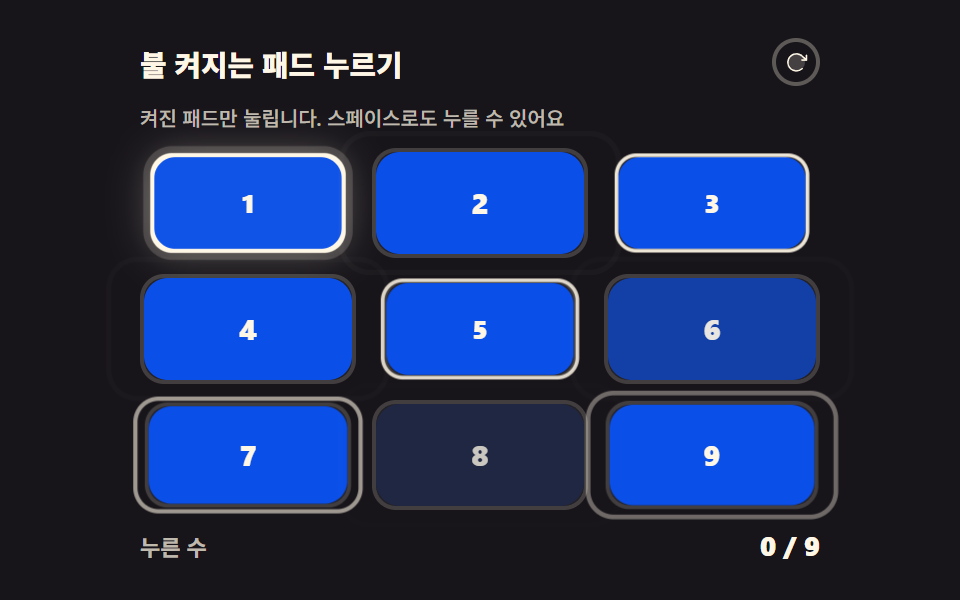 game9 CSS Game Demos — Mini Games in HTML & CSS
 gameHTML CSS JS mini games: 9 copy-paste mini apps
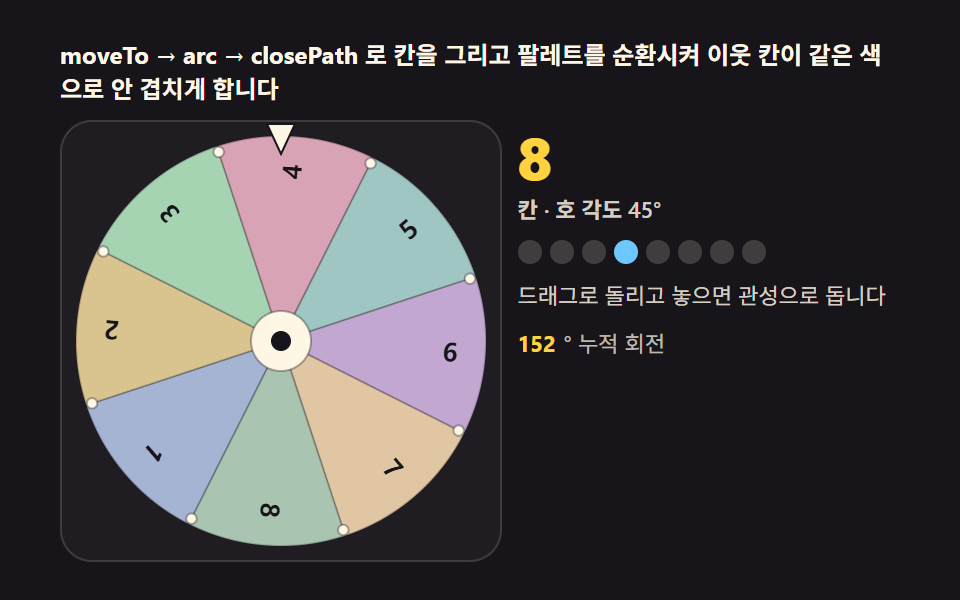 gameSpin Wheel: 9 Canvas Roulettes, Flick to Stop
 gameCSS Tic Tac Toe: 9 Boards That Count Ahead
 gameJavaScript Pinball Game: 9 Physics Scenes
 gameTetris JavaScript: Build It in 9 Canvas Steps
 game9 Bouncing Ball Animation Patterns With Physics
 gameDouble Pendulum Simulation: 9 Chaos Scenes
 gameCSS Snake Game: 9 Boards That Find Their Own Path
 gameMaze Generator: 9 Carve-and-Solve Scenes