Custom Scrollbar CSS — 9 Patterns
custom scrollbar css: For a half second the thumb overshoots the end and springs back under your fingertip.
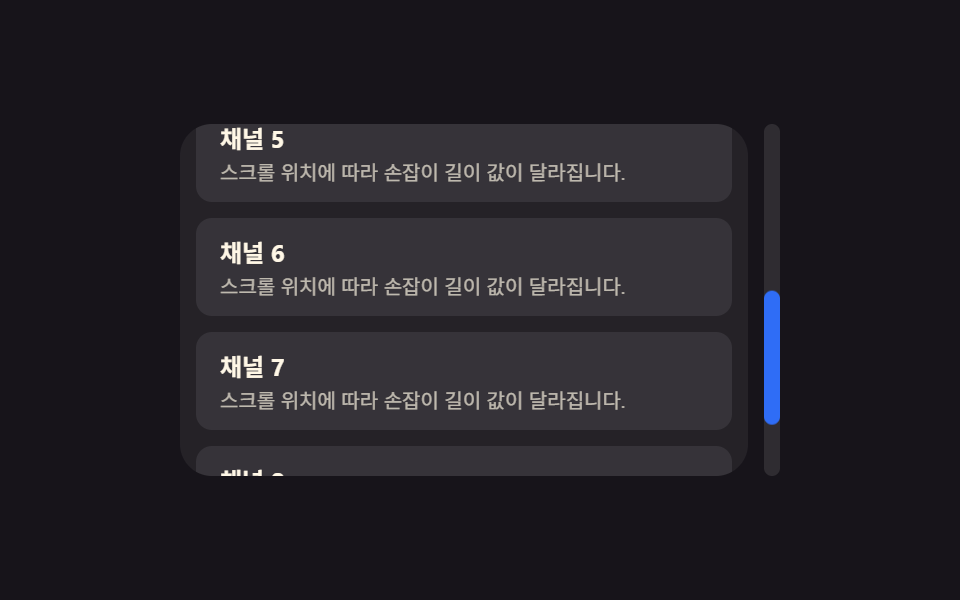 01 scrollbar-thumb-track-basic-radius
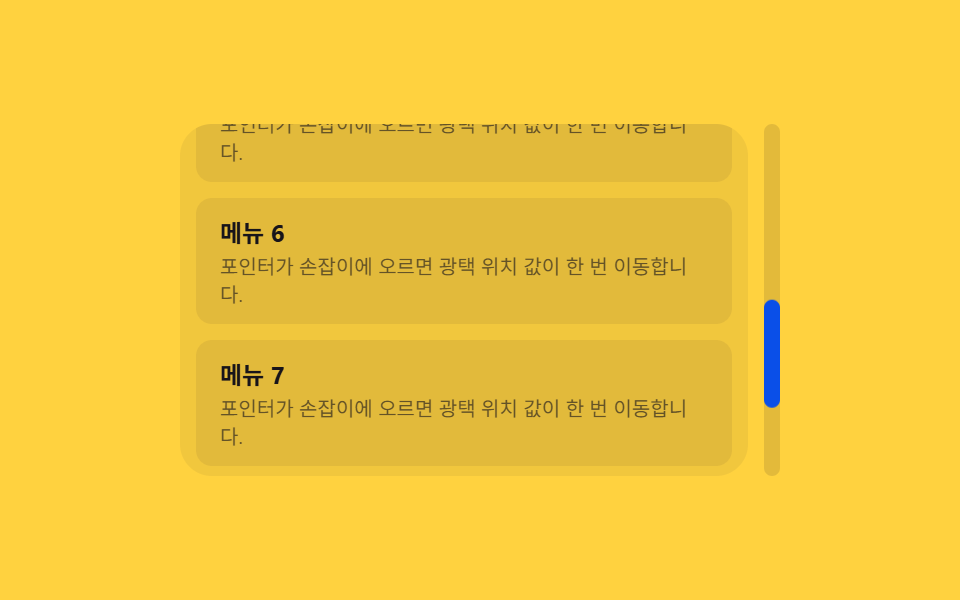 02 scrollbar-thumb-hover-gloss-sweep
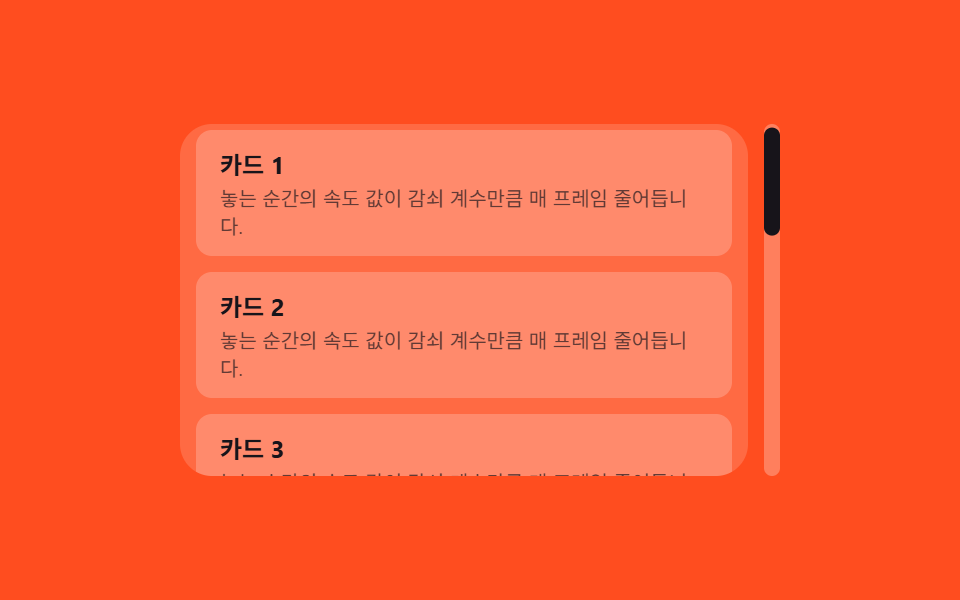 03 scrollbar-thumb-drag-inertia-coast
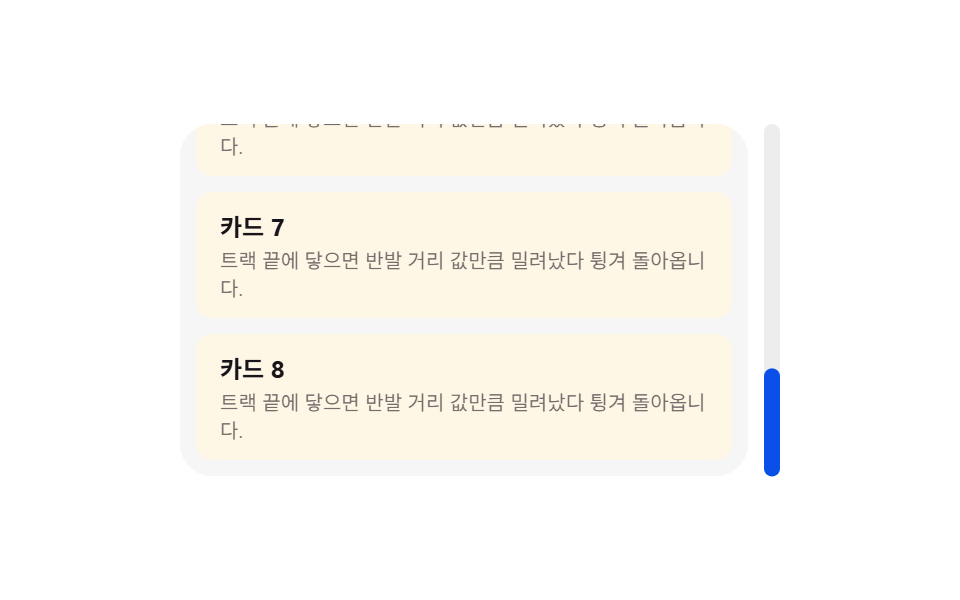 04 scrollbar-boundary-elastic-overshoot
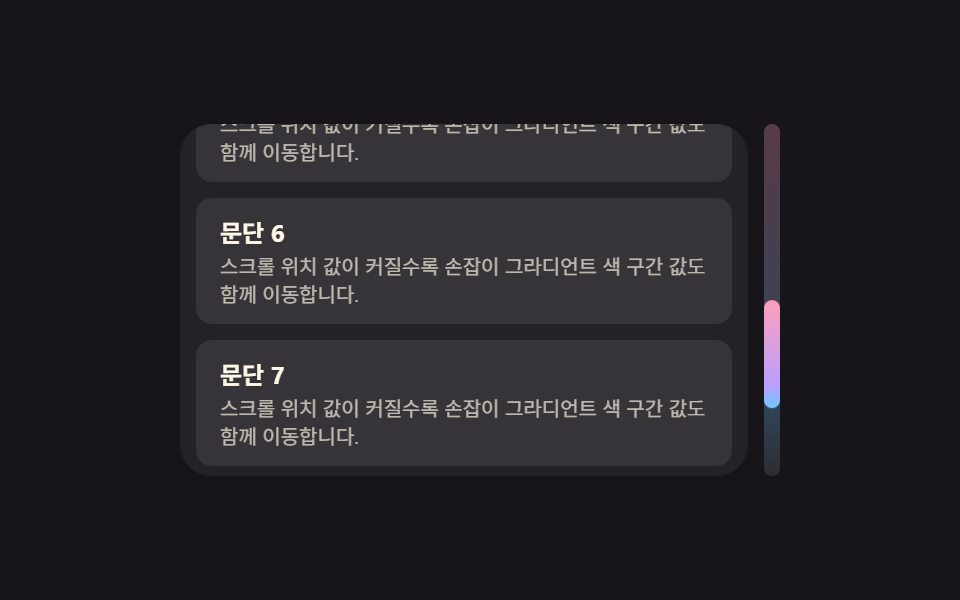 05 scrollbar-thumb-gradient-position-shift
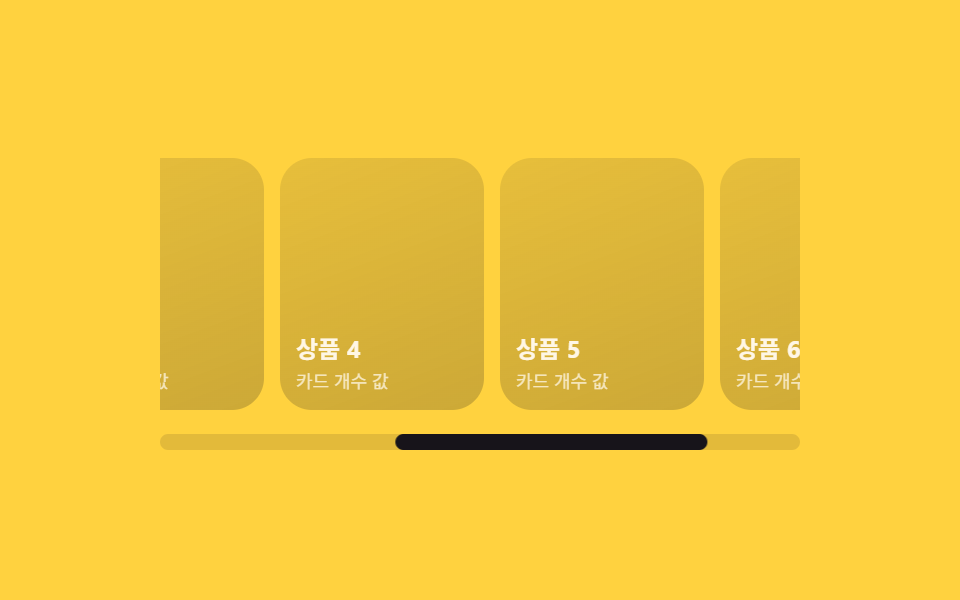 06 scrollbar-horizontal-track-gallery
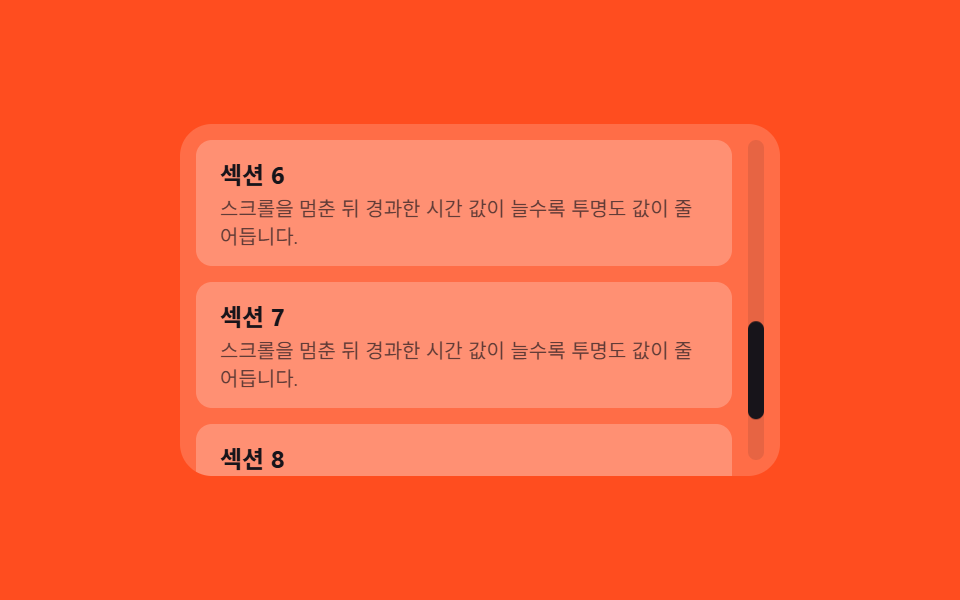 07 scrollbar-floating-overlay-autohide
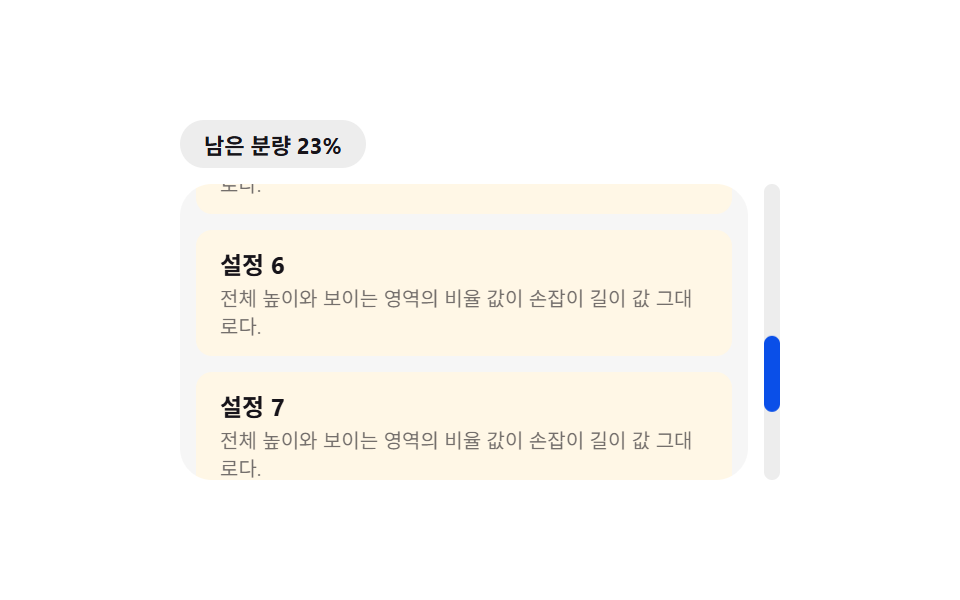 08 scrollbar-thumb-ratio-progress-badge
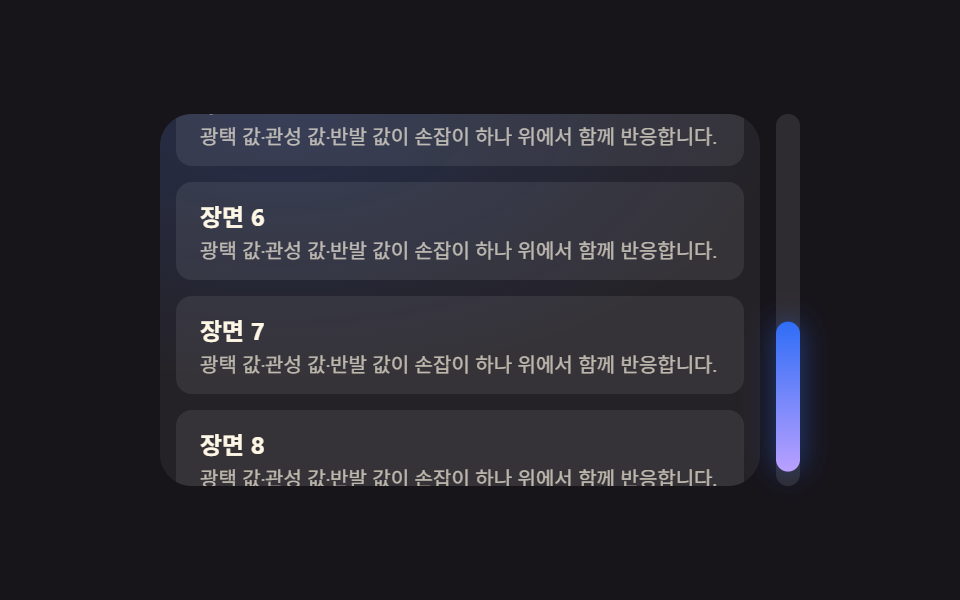 09 scrollbar-hero-scene
Auto-plays · click a tile to jump to its section · all nine in one zip
- 01 Basic Thumb Whose Thickness Value Fills the Track
- 02 Thumb Whose Gloss Sweeps by on Hover
- 03 Thumb That Coasts Further by an Inertia Value After Release
- 04 Thumb That Overshoots and Springs Back at the End
- 05 Thumb Whose Gradient Shifts by the Scroll-position Value
- 06 Horizontal Track Sized by the Card-count Value
- 07 Overlay Thumb Whose Opacity Value Fades When Idle
- 08 Scrollbar Whose Thumb-length Value Shows Remaining Content
- 09 Hero Scrollbar Where Several Values React on One Thumb
Nine Custom Scrollbar CSS Patterns Ordered by How Far the Thumb Actually Moves
Every demo below drives the same self-made handle — a <div> positioned by transform: translateY() and sized by height, never the browser's own scrollbar box — over an eight-card list at 480×300. The order below is deliberate: item 1 is the plain thumb every other pattern extends, items 2 through 5 each add one reactive value (gloss position, release velocity, overshoot distance, gradient stop), item 6 turns the same math sideways for a horizontal track, items 7 and 8 read time and ratio instead of position, and item 9 stacks three of the earlier values onto a single handle.
01Basic Thumb Whose Thickness Value Fills the Track
A thickness value and a corner-radius value are the only two numbers this pattern needs — THUMB_MIN_PX keeps the handle from shrinking below a draggable size once the list gets long, and syncThumb() recomputes the handle's height and position from the track's own clientHeight on every scroll event.
<main class="stage">
<div class="sb is-demo" id="sb">
  <div class="sb__viewport" id="sbViewport">
    <div class="sb__content" id="sbContent"></div>
  </div>
  <div class="sb__track" id="sbTrack">
    <div class="sb__thumb" id="sbThumb" role="scrollbar" aria-orientation="vertical" aria-controls="sbViewport" aria-valuenow="0" aria-valuemin="0" aria-valuemax="100" tabindex="0"></div>
  </div>
</div>
</main>
@use "../../../../site/static/demo-tokens" as *;
// 핵심: thumbLen = track * visible/total 비율 값 하나로 손잡이 길이·위치가 정해진다.
// 네이티브 스크롤은 살아 있고(휠 그대로 동작), 화면에 보이는 막대만 자체 DOM 손잡이로 그린다.
$duration: $dur-quick;
$easing: $ease-out;
$color: $subject-cream;
@include stage($stage-ink);
.sb {
display: flex;
gap: $sp-2;
width: min(88vw, 300px);
height: min(56vw, 176px);
}
.sb__viewport {
flex: 1;
min-width: 0;
height: 100%;
overflow-y: auto;
scrollbar-width: none;
-ms-overflow-style: none;
border-radius: $r-card;
background: rgba(255, 255, 255, .06);
}
.sb__viewport::-webkit-scrollbar { display: none; }
.sb__content {
display: flex;
flex-direction: column;
gap: $sp-2;
padding: $sp-2;
}
.sb__card {
border-radius: $r-sm;
padding: $sp-2 $sp-3;
background: rgba(255, 255, 255, .08);
}
.sb__cardTitle {
margin: 0 0 $sp-1;
color: $color;
font-weight: 700;
font-size: 12px;
}
.sb__cardLine {
margin: 0;
color: rgba(255, 247, 230, .68);
font-size: 10px;
line-height: 1.4;
}
.sb__track {
position: relative;
width: $sp-2;
border-radius: $r-pill;
background: rgba(255, 255, 255, .1);
}
.sb__thumb {
position: absolute;
top: 0;
left: 0;
width: 100%;
border-radius: $r-pill;
background: $subject-blue;
transition: transform $duration $easing;
cursor: grab;
}
.sb__thumb:focus-visible {
outline: 2px solid $subject-cream;
outline-offset: 2px;
}
@media (max-width: 340px) {
.sb { width: min(94vw, 260px); height: 148px; }
.sb__cardTitle { font-size: 11px; }
.sb__cardLine { font-size: 9px; }
}
@media (prefers-reduced-motion: reduce) {
.sb__thumb { transition: none; }
}html, body {
margin: 0;
overflow: hidden;
}
.stage {
box-sizing: border-box;
min-height: 100vh;
display: grid;
place-items: center;
margin: 0;
background: #17141a;
font-family: -apple-system, "Segoe UI", "Noto Sans KR", sans-serif;
padding: clamp(8px, 4vw, 24px);
}
.sb {
display: flex;
gap: 8px;
width: min(88vw, 300px);
height: min(56vw, 176px);
}
.sb__viewport {
flex: 1;
min-width: 0;
height: 100%;
overflow-y: auto;
scrollbar-width: none;
-ms-overflow-style: none;
border-radius: 16px;
background: rgba(255, 255, 255, 0.06);
}
.sb__viewport::-webkit-scrollbar {
display: none;
}
.sb__content {
display: flex;
flex-direction: column;
gap: 8px;
padding: 8px;
}
.sb__card {
border-radius: 8px;
padding: 8px 12px;
background: rgba(255, 255, 255, 0.08);
}
.sb__cardTitle {
margin: 0 0 2px;
color: #fff7e6;
font-weight: 700;
font-size: 12px;
}
.sb__cardLine {
margin: 0;
color: rgba(255, 247, 230, 0.68);
font-size: 10px;
line-height: 1.4;
}
.sb__track {
position: relative;
width: 8px;
border-radius: 999px;
background: rgba(255, 255, 255, 0.1);
}
.sb__thumb {
position: absolute;
top: 0;
left: 0;
width: 100%;
border-radius: 999px;
background: #2f6df6;
transition: transform 220ms ease-out;
cursor: grab;
}
.sb__thumb:focus-visible {
outline: 2px solid #fff7e6;
outline-offset: 2px;
}
@media (max-width: 340px) {
.sb {
width: min(94vw, 260px);
height: 148px;
}
.sb__cardTitle {
font-size: 11px;
}
.sb__cardLine {
font-size: 9px;
}
}
@media (prefers-reduced-motion: reduce) {
.sb__thumb {
transition: none;
}
}(function () {
var THUMB_MIN_PX = 26;
var KEY_STEP_PX = 32;
var root = document.getElementById('sb');
var viewport = document.getElementById('sbViewport');
var content = document.getElementById('sbContent');
var track = document.getElementById('sbTrack');
var thumb = document.getElementById('sbThumb');
var reduce = window.matchMedia('(prefers-reduced-motion: reduce)').matches;
for (var i = 1; i <= 8; i++) {
var card = document.createElement('div');
card.className = 'sb__card';
var h = document.createElement('p');
h.className = 'sb__cardTitle';
h.textContent = 'Channel ' + i;
var p = document.createElement('p');
p.className = 'sb__cardLine';
p.textContent = 'The thumb\'s length value changes with the scroll position.';
card.appendChild(h);
card.appendChild(p);
content.appendChild(card);
}
function clamp(v, lo, hi) { return Math.max(lo, Math.min(hi, v)); }
function maxScroll() { return Math.max(0, viewport.scrollHeight - viewport.clientHeight); }
  function syncThumb() {
    var trackLen = track.clientHeight;
    var total = viewport.scrollHeight;
    var visible = viewport.clientHeight;
    var thumbLen = clamp(trackLen * (visible / total), THUMB_MIN_PX, trackLen);
    var ms = maxScroll();
    var ratio = ms > 0 ? viewport.scrollTop / ms : 0;
    var thumbPos = (trackLen - thumbLen) * ratio;
    thumb.style.height = thumbLen.toFixed(1) + 'px';
    thumb.style.transform = 'translateY(' + thumbPos.toFixed(1) + 'px)';
    thumb.setAttribute('aria-valuenow', String(Math.round(ratio * 100)));
  }

  viewport.addEventListener('scroll', syncThumb);
var dragging = false;
var dragStartY = 0;
var dragStartScroll = 0;
thumb.addEventListener('pointerdown', function (e) {
dragging = true;
root.classList.remove('is-demo');
dragStartY = e.clientY;
dragStartScroll = viewport.scrollTop;
thumb.setPointerCapture(e.pointerId);
});
thumb.addEventListener('pointermove', function (e) {
if (!dragging) return;
var trackLen = track.clientHeight;
var thumbLen = thumb.clientHeight;
var deltaPx = e.clientY - dragStartY;
var moveRange = Math.max(1, trackLen - thumbLen);
viewport.scrollTop = clamp(dragStartScroll + deltaPx * (maxScroll() / moveRange), 0, maxScroll());
});
thumb.addEventListener('pointerup', function () { dragging = false; });
thumb.addEventListener('pointercancel', function () { dragging = false; });
track.addEventListener('pointerdown', function (e) {
if (e.target !== track) return;
root.classList.remove('is-demo');
var rect = track.getBoundingClientRect();
var trackLen = track.clientHeight;
var thumbLen = thumb.clientHeight;
var clickPos = clamp(e.clientY - rect.top - thumbLen / 2, 0, trackLen - thumbLen);
var ratio = (trackLen - thumbLen) > 0 ? clickPos / (trackLen - thumbLen) : 0;
viewport.scrollTop = ratio * maxScroll();
});
thumb.addEventListener('keydown', function (e) {
var ms = maxScroll();
if (e.key === 'ArrowDown') { viewport.scrollTop = clamp(viewport.scrollTop + KEY_STEP_PX, 0, ms); e.preventDefault(); }
else if (e.key === 'ArrowUp') { viewport.scrollTop = clamp(viewport.scrollTop - KEY_STEP_PX, 0, ms); e.preventDefault(); }
else if (e.key === 'PageDown') { viewport.scrollTop = clamp(viewport.scrollTop + viewport.clientHeight, 0, ms); e.preventDefault(); }
else if (e.key === 'PageUp') { viewport.scrollTop = clamp(viewport.scrollTop - viewport.clientHeight, 0, ms); e.preventDefault(); }
else if (e.key === 'Home') { viewport.scrollTop = 0; e.preventDefault(); }
else if (e.key === 'End') { viewport.scrollTop = ms; e.preventDefault(); }
if (e.key.indexOf('Arrow') === 0 || e.key === 'PageDown' || e.key === 'PageUp' || e.key === 'Home' || e.key === 'End') {
root.classList.remove('is-demo');
}
});
var startTime = null;
function demoTick(now) {
if (startTime === null) startTime = now;
var t = (now - startTime) / 1000;
if (root.classList.contains('is-demo')) {
var phase = (Math.sin(t * Math.PI) + 1) / 2;
viewport.scrollTop = phase * maxScroll();
}
requestAnimationFrame(demoTick);
}
syncThumb();
if (!reduce) { requestAnimationFrame(demoTick); }
})();// ScrollbarThumbTrackBasicRadius — vanilla 판(run/411/demo/01-scrollbar-thumb-track-basic-radius/index.html) 의 React 포트.
// 핵심: thumbLen = track * visible/total 비율 값 하나로 손잡이 길이·위치가 정해진다.
import { useEffect, useRef } from "react";
import styles from "./ScrollbarThumbTrackBasicRadius.module.scss";
type Box<T> = { current: T };
const THUMB_MIN_PX = 26;
const KEY_STEP_PX = 32;
function clamp(v: number, lo: number, hi: number): number {
return Math.max(lo, Math.min(hi, v));
}
export default function ScrollbarThumbTrackBasicRadius() {
const viewportRef = useRef<HTMLDivElement | null>(null);
const trackRef = useRef<HTMLDivElement | null>(null);
const thumbRef = useRef<HTMLDivElement | null>(null);
const demoRef = useRef<boolean>(true) as Box<boolean>;
const draggingRef = useRef<boolean>(false) as Box<boolean>;
const dragStartYRef = useRef<number>(0) as Box<number>;
const dragStartScrollRef = useRef<number>(0) as Box<number>;
useEffect(() => {
const reduce = window.matchMedia("(prefers-reduced-motion: reduce)").matches;
const viewport = viewportRef.current!;
const track = trackRef.current!;
const thumb = thumbRef.current!;
if (!viewport || !track || !thumb) return;
function maxScroll(): number {
return Math.max(0, viewport.scrollHeight - viewport.clientHeight);
}
function syncThumb(): void {
const trackLen = track.clientHeight;
const total = viewport.scrollHeight;
const visible = viewport.clientHeight;
const thumbLen = clamp(trackLen * (visible / total), THUMB_MIN_PX, trackLen);
const ms = maxScroll();
const ratio = ms > 0 ? viewport.scrollTop / ms : 0;
const thumbPos = (trackLen - thumbLen) * ratio;
thumb.style.height = thumbLen.toFixed(1) + "px";
thumb.style.transform = "translateY(" + thumbPos.toFixed(1) + "px)";
thumb.setAttribute("aria-valuenow", String(Math.round(ratio * 100)));
}
function onScroll(): void { syncThumb(); }
function onThumbPointerDown(e: PointerEvent): void {
draggingRef.current = true;
demoRef.current = false;
dragStartYRef.current = e.clientY;
dragStartScrollRef.current = viewport.scrollTop;
thumb.setPointerCapture(e.pointerId);
}
function onThumbPointerMove(e: PointerEvent): void {
if (!draggingRef.current) return;
const trackLen = track.clientHeight;
const thumbLen = thumb.clientHeight;
const deltaPx = e.clientY - dragStartYRef.current;
const moveRange = Math.max(1, trackLen - thumbLen);
viewport.scrollTop = clamp(dragStartScrollRef.current + deltaPx * (maxScroll() / moveRange), 0, maxScroll());
}
function onThumbPointerUp(): void { draggingRef.current = false; }
function onThumbPointerCancel(): void { draggingRef.current = false; }
function onTrackPointerDown(e: PointerEvent): void {
if (e.target !== track) return;
demoRef.current = false;
const rect = track.getBoundingClientRect();
const trackLen = track.clientHeight;
const thumbLen = thumb.clientHeight;
const clickPos = clamp(e.clientY - rect.top - thumbLen / 2, 0, trackLen - thumbLen);
const ratio = (trackLen - thumbLen) > 0 ? clickPos / (trackLen - thumbLen) : 0;
viewport.scrollTop = ratio * maxScroll();
}
function onThumbKeyDown(e: KeyboardEvent): void {
const ms = maxScroll();
if (e.key === "ArrowDown") { viewport.scrollTop = clamp(viewport.scrollTop + KEY_STEP_PX, 0, ms); e.preventDefault(); }
else if (e.key === "ArrowUp") { viewport.scrollTop = clamp(viewport.scrollTop - KEY_STEP_PX, 0, ms); e.preventDefault(); }
else if (e.key === "PageDown") { viewport.scrollTop = clamp(viewport.scrollTop + viewport.clientHeight, 0, ms); e.preventDefault(); }
else if (e.key === "PageUp") { viewport.scrollTop = clamp(viewport.scrollTop - viewport.clientHeight, 0, ms); e.preventDefault(); }
else if (e.key === "Home") { viewport.scrollTop = 0; e.preventDefault(); }
else if (e.key === "End") { viewport.scrollTop = ms; e.preventDefault(); }
if (e.key.indexOf("Arrow") === 0 || e.key === "PageDown" || e.key === "PageUp" || e.key === "Home" || e.key === "End") {
demoRef.current = false;
}
}
let startTime: number | null = null;
let frame = 0;
function demoTick(now: number): void {
if (startTime === null) startTime = now;
const t = (now - startTime) / 1000;
if (demoRef.current) {
const phase = (Math.sin(t * Math.PI) + 1) / 2;
viewport.scrollTop = phase * maxScroll();
}
frame = requestAnimationFrame(demoTick);
}
viewport.addEventListener("scroll", onScroll);
thumb.addEventListener("pointerdown", onThumbPointerDown);
thumb.addEventListener("pointermove", onThumbPointerMove);
thumb.addEventListener("pointerup", onThumbPointerUp);
thumb.addEventListener("pointercancel", onThumbPointerCancel);
track.addEventListener("pointerdown", onTrackPointerDown);
thumb.addEventListener("keydown", onThumbKeyDown);
syncThumb();
if (!reduce) { frame = requestAnimationFrame(demoTick); }
return () => {
viewport.removeEventListener("scroll", onScroll);
thumb.removeEventListener("pointerdown", onThumbPointerDown);
thumb.removeEventListener("pointermove", onThumbPointerMove);
thumb.removeEventListener("pointerup", onThumbPointerUp);
thumb.removeEventListener("pointercancel", onThumbPointerCancel);
track.removeEventListener("pointerdown", onTrackPointerDown);
thumb.removeEventListener("keydown", onThumbKeyDown);
if (frame) cancelAnimationFrame(frame);
};
}, []);
return (
<main className={styles.stage}>
<div className={styles.sb}>
<div className={styles.sb__viewport} ref={viewportRef}>
<div className={styles.sb__content}>
{Array.from({ length: 8 }, (_, idx) => idx + 1).map((i) => (
<div className={styles.sb__card} key={i}>
<p className={styles.sb__cardTitle}>{"채널 " + i}</p>
<p className={styles.sb__cardLine}>스크롤 위치에 따라 손잡이 길이 값이 달라집니다.</p>
</div>
))}
</div>
</div>
<div className={styles.sb__track} ref={trackRef}>
<div
className={styles.sb__thumb}
ref={thumbRef}
role="scrollbar"
aria-orientation="vertical"
aria-valuenow={0}
aria-valuemin={0}
aria-valuemax={100}
tabIndex={0}
/>
</div>
</div>
</main>
);
}01 · Basic Thumb Whose Thickness Value Fills the Track — Measured area 33.433% · moving frames 23/23Original by GODRICH · SCSS and React ship in the zip · See the password
function syncThumb() {
var trackLen = track.clientHeight;
var total = viewport.scrollHeight;
var visible = viewport.clientHeight;
var thumbLen = clamp(trackLen * (visible / total), THUMB_MIN_PX, trackLen);
var ms = maxScroll();
var ratio = ms > 0 ? viewport.scrollTop / ms : 0;
var thumbPos = (trackLen - thumbLen) * ratio;
thumb.style.height = thumbLen.toFixed(1) + 'px';
thumb.style.transform = 'translateY(' + thumbPos.toFixed(1) + 'px)';
thumb.setAttribute('aria-valuenow', String(Math.round(ratio * 100)));
}
viewport.addEventListener('scroll', syncThumb);
Measured: 33.4% cumulative area, 56.0 average intensity, 23/23 frames moved.
02Thumb Whose Gloss Sweeps on Hover
GLOSS_SWEEP_MS sets how long a light-reflection layer takes to travel the handle's length once, and triggerGloss() is the gate that decides whether that sweep is allowed to fire at all — it refuses to restart mid-sweep and refuses outright once prefers-reduced-motion is set, which is exactly the kind of css scrollbar styling detail that separates a subtle hover cue from a distracting one.
<main class="stage">
<div class="sb is-demo" id="sb">
  <div class="sb__viewport" id="sbViewport">
    <div class="sb__content" id="sbContent"></div>
  </div>
  <div class="sb__track" id="sbTrack">
    <div class="sb__thumb" id="sbThumb" role="scrollbar" aria-orientation="vertical" aria-controls="sbViewport" aria-valuenow="0" aria-valuemin="0" aria-valuemax="100" tabindex="0">
      <span class="sb__thumbGloss" id="sbGloss"></span>
    </div>
  </div>
</div>
</main>
@use "../../../../site/static/demo-tokens" as *;
// 핵심: 포인터가 손잡이에 오르는 순간 광택 위치 값(::after 를 감싼 span)이
// 손잡이 길이를 따라 한 번 이동한다 — GLOSS_SWEEP_MS 로 길이를 잰다.
$duration: 520ms;
$easing: $ease-out;
$color: $subject-ink;
@include stage($stage-yellow);
.sb {
display: flex;
gap: $sp-2;
width: min(88vw, 300px);
height: min(56vw, 176px);
}
.sb__viewport {
flex: 1;
min-width: 0;
height: 100%;
overflow-y: auto;
scrollbar-width: none;
-ms-overflow-style: none;
border-radius: $r-card;
background: rgba(23, 20, 26, .06);
}
.sb__viewport::-webkit-scrollbar { display: none; }
.sb__content {
display: flex;
flex-direction: column;
gap: $sp-2;
padding: $sp-2;
}
.sb__card {
border-radius: $r-sm;
padding: $sp-2 $sp-3;
background: rgba(23, 20, 26, .07);
}
.sb__cardTitle {
margin: 0 0 $sp-1;
color: $color;
font-weight: 700;
font-size: 12px;
}
.sb__cardLine {
margin: 0;
color: rgba(23, 20, 26, .62);
font-size: 10px;
line-height: 1.4;
}
.sb__track {
position: relative;
width: $sp-2;
border-radius: $r-pill;
background: rgba(23, 20, 26, .12);
}
.sb__thumb {
position: absolute;
top: 0;
left: 0;
width: 100%;
overflow: hidden;
border-radius: $r-pill;
background: $subject-blue-deep;
transition: transform $dur-quick $easing;
cursor: grab;
}
.sb__thumb:focus-visible {
outline: 2px solid $subject-ink;
outline-offset: 2px;
}
.sb__thumbGloss {
position: absolute;
top: -20%;
left: -60%;
width: 40%;
height: 140%;
background: linear-gradient(115deg, transparent, rgba(255, 255, 255, .85), transparent);
transform: translateY(-120%);
pointer-events: none;
}
.sb__thumbGloss.is-sweeping {
animation: glossSweep $duration linear;
}
@keyframes glossSweep {
0% { transform: translateY(-120%); }
100% { transform: translateY(220%); }
}
@media (max-width: 340px) {
.sb { width: min(94vw, 260px); height: 148px; }
.sb__cardTitle { font-size: 11px; }
.sb__cardLine { font-size: 9px; }
}
@media (prefers-reduced-motion: reduce) {
.sb__thumb { transition: none; }
.sb__thumbGloss.is-sweeping { animation: none; }
}html, body {
margin: 0;
overflow: hidden;
}
.stage {
box-sizing: border-box;
min-height: 100vh;
display: grid;
place-items: center;
margin: 0;
background: #ffd23f;
font-family: -apple-system, "Segoe UI", "Noto Sans KR", sans-serif;
padding: clamp(8px, 4vw, 24px);
}
.sb {
display: flex;
gap: 8px;
width: min(88vw, 300px);
height: min(56vw, 176px);
}
.sb__viewport {
flex: 1;
min-width: 0;
height: 100%;
overflow-y: auto;
scrollbar-width: none;
-ms-overflow-style: none;
border-radius: 16px;
background: rgba(23, 20, 26, 0.06);
}
.sb__viewport::-webkit-scrollbar {
display: none;
}
.sb__content {
display: flex;
flex-direction: column;
gap: 8px;
padding: 8px;
}
.sb__card {
border-radius: 8px;
padding: 8px 12px;
background: rgba(23, 20, 26, 0.07);
}
.sb__cardTitle {
margin: 0 0 2px;
color: #17141a;
font-weight: 700;
font-size: 12px;
}
.sb__cardLine {
margin: 0;
color: rgba(23, 20, 26, 0.62);
font-size: 10px;
line-height: 1.4;
}
.sb__track {
position: relative;
width: 8px;
border-radius: 999px;
background: rgba(23, 20, 26, 0.12);
}
.sb__thumb {
position: absolute;
top: 0;
left: 0;
width: 100%;
overflow: hidden;
border-radius: 999px;
background: #0a4fe8;
transition: transform 220ms ease-out;
cursor: grab;
}
.sb__thumb:focus-visible {
outline: 2px solid #17141a;
outline-offset: 2px;
}
.sb__thumbGloss {
position: absolute;
top: -20%;
left: -60%;
width: 40%;
height: 140%;
background: linear-gradient(115deg, transparent, rgba(255, 255, 255, 0.85), transparent);
transform: translateY(-120%);
pointer-events: none;
}
.sb__thumbGloss.is-sweeping {
animation: glossSweep 520ms linear;
}
@keyframes glossSweep {
0% {
transform: translateY(-120%);
}
100% {
transform: translateY(220%);
}
}
@media (max-width: 340px) {
.sb {
width: min(94vw, 260px);
height: 148px;
}
.sb__cardTitle {
font-size: 11px;
}
.sb__cardLine {
font-size: 9px;
}
}
@media (prefers-reduced-motion: reduce) {
.sb__thumb {
transition: none;
}
.sb__thumbGloss.is-sweeping {
animation: none;
}
}(function () {
var THUMB_MIN_PX = 26;
var KEY_STEP_PX = 32;
var GLOSS_SWEEP_MS = 520;
var root = document.getElementById('sb');
var viewport = document.getElementById('sbViewport');
var content = document.getElementById('sbContent');
var track = document.getElementById('sbTrack');
var thumb = document.getElementById('sbThumb');
var gloss = document.getElementById('sbGloss');
var reduce = window.matchMedia('(prefers-reduced-motion: reduce)').matches;
for (var i = 1; i <= 8; i++) {
var card = document.createElement('div');
card.className = 'sb__card';
var h = document.createElement('p');
h.className = 'sb__cardTitle';
h.textContent = 'Menu ' + i;
var p = document.createElement('p');
p.className = 'sb__cardLine';
p.textContent = 'The instant the pointer lands on the thumb, the gloss-position value travels once.';
card.appendChild(h);
card.appendChild(p);
content.appendChild(card);
}
function clamp(v, lo, hi) { return Math.max(lo, Math.min(hi, v)); }
function maxScroll() { return Math.max(0, viewport.scrollHeight - viewport.clientHeight); }
function syncThumb() {
var trackLen = track.clientHeight;
var total = viewport.scrollHeight;
var visible = viewport.clientHeight;
var thumbLen = clamp(trackLen * (visible / total), THUMB_MIN_PX, trackLen);
var ms = maxScroll();
var ratio = ms > 0 ? viewport.scrollTop / ms : 0;
var thumbPos = (trackLen - thumbLen) * ratio;
thumb.style.height = thumbLen.toFixed(1) + 'px';
thumb.style.transform = 'translateY(' + thumbPos.toFixed(1) + 'px)';
thumb.setAttribute('aria-valuenow', String(Math.round(ratio * 100)));
}
var sweeping = false;
  function triggerGloss() {
    if (reduce) return;
    if (sweeping) return;
    sweeping = true;
    gloss.classList.add('is-sweeping');
  }
gloss.addEventListener('animationend', function () {
gloss.classList.remove('is-sweeping');
sweeping = false;
});
viewport.addEventListener('scroll', syncThumb);
var dragging = false;
var dragStartY = 0;
var dragStartScroll = 0;
thumb.addEventListener('pointerenter', function () { triggerGloss(); });
thumb.addEventListener('focus', function () { triggerGloss(); });
thumb.addEventListener('pointerdown', function (e) {
dragging = true;
root.classList.remove('is-demo');
dragStartY = e.clientY;
dragStartScroll = viewport.scrollTop;
thumb.setPointerCapture(e.pointerId);
});
thumb.addEventListener('pointermove', function (e) {
if (!dragging) return;
var trackLen = track.clientHeight;
var thumbLen = thumb.clientHeight;
var deltaPx = e.clientY - dragStartY;
var moveRange = Math.max(1, trackLen - thumbLen);
viewport.scrollTop = clamp(dragStartScroll + deltaPx * (maxScroll() / moveRange), 0, maxScroll());
});
thumb.addEventListener('pointerup', function () { dragging = false; });
thumb.addEventListener('pointercancel', function () { dragging = false; });
track.addEventListener('pointerdown', function (e) {
if (e.target !== track) return;
root.classList.remove('is-demo');
var rect = track.getBoundingClientRect();
var trackLen = track.clientHeight;
var thumbLen = thumb.clientHeight;
var clickPos = clamp(e.clientY - rect.top - thumbLen / 2, 0, trackLen - thumbLen);
var ratio = (trackLen - thumbLen) > 0 ? clickPos / (trackLen - thumbLen) : 0;
viewport.scrollTop = ratio * maxScroll();
});
thumb.addEventListener('keydown', function (e) {
var ms = maxScroll();
if (e.key === 'ArrowDown') { viewport.scrollTop = clamp(viewport.scrollTop + KEY_STEP_PX, 0, ms); e.preventDefault(); }
else if (e.key === 'ArrowUp') { viewport.scrollTop = clamp(viewport.scrollTop - KEY_STEP_PX, 0, ms); e.preventDefault(); }
else if (e.key === 'PageDown') { viewport.scrollTop = clamp(viewport.scrollTop + viewport.clientHeight, 0, ms); e.preventDefault(); }
else if (e.key === 'PageUp') { viewport.scrollTop = clamp(viewport.scrollTop - viewport.clientHeight, 0, ms); e.preventDefault(); }
else if (e.key === 'Home') { viewport.scrollTop = 0; e.preventDefault(); }
else if (e.key === 'End') { viewport.scrollTop = ms; e.preventDefault(); }
if (e.key.indexOf('Arrow') === 0 || e.key === 'PageDown' || e.key === 'PageUp' || e.key === 'Home' || e.key === 'End') {
root.classList.remove('is-demo');
}
});
var startTime = null;
var lastSweepAt = -10;
function demoTick(now) {
if (startTime === null) startTime = now;
var t = (now - startTime) / 1000;
if (root.classList.contains('is-demo')) {
var phase = (Math.sin(t * Math.PI) + 1) / 2;
viewport.scrollTop = phase * maxScroll();
if (t - lastSweepAt >= 0.85) { triggerGloss(); lastSweepAt = t; }
}
requestAnimationFrame(demoTick);
}
syncThumb();
if (!reduce) { requestAnimationFrame(demoTick); }
})();// ScrollbarThumbHoverGlossSweep — vanilla 판(run/411/demo/02-scrollbar-thumb-hover-gloss-sweep/index.html) 의 React 포트.
// 핵심: 포인터가 손잡이에 오르는 순간 광택 위치 값(span)이 GLOSS_SWEEP_MS 동안 한 번 이동한다.
import { useEffect, useRef } from "react";
import styles from "./ScrollbarThumbHoverGlossSweep.module.scss";
type Box<T> = { current: T };
const THUMB_MIN_PX = 26;
const KEY_STEP_PX = 32;
const GLOSS_SWEEP_MS = 520;
function clamp(v: number, lo: number, hi: number): number {
return Math.max(lo, Math.min(hi, v));
}
export default function ScrollbarThumbHoverGlossSweep() {
const viewportRef = useRef<HTMLDivElement | null>(null);
const trackRef = useRef<HTMLDivElement | null>(null);
const thumbRef = useRef<HTMLDivElement | null>(null);
const glossRef = useRef<HTMLSpanElement | null>(null);
const demoRef = useRef<boolean>(true) as Box<boolean>;
const draggingRef = useRef<boolean>(false) as Box<boolean>;
const dragStartYRef = useRef<number>(0) as Box<number>;
const dragStartScrollRef = useRef<number>(0) as Box<number>;
const sweepingRef = useRef<boolean>(false) as Box<boolean>;
useEffect(() => {
const reduce = window.matchMedia("(prefers-reduced-motion: reduce)").matches;
const viewport = viewportRef.current!;
const track = trackRef.current!;
const thumb = thumbRef.current!;
const gloss = glossRef.current!;
if (!viewport || !track || !thumb || !gloss) return;
function maxScroll(): number {
return Math.max(0, viewport.scrollHeight - viewport.clientHeight);
}
function syncThumb(): void {
const trackLen = track.clientHeight;
const total = viewport.scrollHeight;
const visible = viewport.clientHeight;
const thumbLen = clamp(trackLen * (visible / total), THUMB_MIN_PX, trackLen);
const ms = maxScroll();
const ratio = ms > 0 ? viewport.scrollTop / ms : 0;
const thumbPos = (trackLen - thumbLen) * ratio;
thumb.style.height = thumbLen.toFixed(1) + "px";
thumb.style.transform = "translateY(" + thumbPos.toFixed(1) + "px)";
thumb.setAttribute("aria-valuenow", String(Math.round(ratio * 100)));
}
function triggerGloss(): void {
if (reduce || sweepingRef.current) return;
sweepingRef.current = true;
gloss.classList.add("is-sweeping");
}
function onGlossAnimationEnd(): void {
gloss.classList.remove("is-sweeping");
sweepingRef.current = false;
}
function onScroll(): void { syncThumb(); }
function onThumbPointerEnter(): void { triggerGloss(); }
function onThumbFocus(): void { triggerGloss(); }
function onThumbPointerDown(e: PointerEvent): void {
draggingRef.current = true;
demoRef.current = false;
dragStartYRef.current = e.clientY;
dragStartScrollRef.current = viewport.scrollTop;
thumb.setPointerCapture(e.pointerId);
}
function onThumbPointerMove(e: PointerEvent): void {
if (!draggingRef.current) return;
const trackLen = track.clientHeight;
const thumbLen = thumb.clientHeight;
const deltaPx = e.clientY - dragStartYRef.current;
const moveRange = Math.max(1, trackLen - thumbLen);
viewport.scrollTop = clamp(dragStartScrollRef.current + deltaPx * (maxScroll() / moveRange), 0, maxScroll());
}
function onThumbPointerUp(): void { draggingRef.current = false; }
function onThumbPointerCancel(): void { draggingRef.current = false; }
function onTrackPointerDown(e: PointerEvent): void {
if (e.target !== track) return;
demoRef.current = false;
const rect = track.getBoundingClientRect();
const trackLen = track.clientHeight;
const thumbLen = thumb.clientHeight;
const clickPos = clamp(e.clientY - rect.top - thumbLen / 2, 0, trackLen - thumbLen);
const ratio = (trackLen - thumbLen) > 0 ? clickPos / (trackLen - thumbLen) : 0;
viewport.scrollTop = ratio * maxScroll();
}
function onThumbKeyDown(e: KeyboardEvent): void {
const ms = maxScroll();
if (e.key === "ArrowDown") { viewport.scrollTop = clamp(viewport.scrollTop + KEY_STEP_PX, 0, ms); e.preventDefault(); }
else if (e.key === "ArrowUp") { viewport.scrollTop = clamp(viewport.scrollTop - KEY_STEP_PX, 0, ms); e.preventDefault(); }
else if (e.key === "PageDown") { viewport.scrollTop = clamp(viewport.scrollTop + viewport.clientHeight, 0, ms); e.preventDefault(); }
else if (e.key === "PageUp") { viewport.scrollTop = clamp(viewport.scrollTop - viewport.clientHeight, 0, ms); e.preventDefault(); }
else if (e.key === "Home") { viewport.scrollTop = 0; e.preventDefault(); }
else if (e.key === "End") { viewport.scrollTop = ms; e.preventDefault(); }
if (e.key.indexOf("Arrow") === 0 || e.key === "PageDown" || e.key === "PageUp" || e.key === "Home" || e.key === "End") {
demoRef.current = false;
}
}
let startTime: number | null = null;
let lastSweepAt = -10;
let frame = 0;
function demoTick(now: number): void {
if (startTime === null) startTime = now;
const t = (now - startTime) / 1000;
if (demoRef.current) {
const phase = (Math.sin(t * Math.PI) + 1) / 2;
viewport.scrollTop = phase * maxScroll();
if (t - lastSweepAt >= 0.85) { triggerGloss(); lastSweepAt = t; }
}
frame = requestAnimationFrame(demoTick);
}
viewport.addEventListener("scroll", onScroll);
thumb.addEventListener("pointerenter", onThumbPointerEnter);
thumb.addEventListener("focus", onThumbFocus);
gloss.addEventListener("animationend", onGlossAnimationEnd);
thumb.addEventListener("pointerdown", onThumbPointerDown);
thumb.addEventListener("pointermove", onThumbPointerMove);
thumb.addEventListener("pointerup", onThumbPointerUp);
thumb.addEventListener("pointercancel", onThumbPointerCancel);
track.addEventListener("pointerdown", onTrackPointerDown);
thumb.addEventListener("keydown", onThumbKeyDown);
syncThumb();
if (!reduce) { frame = requestAnimationFrame(demoTick); }
return () => {
viewport.removeEventListener("scroll", onScroll);
thumb.removeEventListener("pointerenter", onThumbPointerEnter);
thumb.removeEventListener("focus", onThumbFocus);
gloss.removeEventListener("animationend", onGlossAnimationEnd);
thumb.removeEventListener("pointerdown", onThumbPointerDown);
thumb.removeEventListener("pointermove", onThumbPointerMove);
thumb.removeEventListener("pointerup", onThumbPointerUp);
thumb.removeEventListener("pointercancel", onThumbPointerCancel);
track.removeEventListener("pointerdown", onTrackPointerDown);
thumb.removeEventListener("keydown", onThumbKeyDown);
if (frame) cancelAnimationFrame(frame);
};
}, []);
return (
<main className={styles.stage}>
<div className={styles.sb}>
<div className={styles.sb__viewport} ref={viewportRef}>
<div className={styles.sb__content}>
{Array.from({ length: 8 }, (_, idx) => idx + 1).map((i) => (
<div className={styles.sb__card} key={i}>
<p className={styles.sb__cardTitle}>{"메뉴 " + i}</p>
<p className={styles.sb__cardLine}>포인터가 손잡이에 오르면 광택 위치 값이 한 번 이동합니다.</p>
</div>
))}
</div>
</div>
<div className={styles.sb__track} ref={trackRef}>
<div
className={styles.sb__thumb}
ref={thumbRef}
role="scrollbar"
aria-orientation="vertical"
aria-valuenow={0}
aria-valuemin={0}
aria-valuemax={100}
tabIndex={0}
>
<span className={styles.sb__thumbGloss} ref={glossRef} />
</div>
</div>
</div>
</main>
);
}02 · Thumb Whose Gloss Sweeps by on Hover — Measured area 33.401% · moving frames 23/23Original by GODRICH · SCSS and React ship in the zip · See the password
function triggerGloss() {
if (reduce) return;
if (sweeping) return;
sweeping = true;
gloss.classList.add('is-sweeping');
}
Measured: 33.4% cumulative area, 43.9 average intensity, 23/23 frames moved.
03Thumb That Coasts Further by an Inertia Value After Release
SCROLLBAR_INERTIA_DECAY is the single number this pattern turns on: the velocity value captured at the instant you release the dragged handle is multiplied by that decay factor every animation frame, so the handle keeps sliding for a few more frames instead of stopping dead the moment your pointer lifts.
<main class="stage">
<div class="sb is-demo" id="sb">
  <div class="sb__viewport" id="sbViewport">
    <div class="sb__content" id="sbContent"></div>
  </div>
  <div class="sb__track" id="sbTrack">
    <div class="sb__thumb" id="sbThumb" role="scrollbar" aria-orientation="vertical" aria-controls="sbViewport" aria-valuenow="0" aria-valuemin="0" aria-valuemax="100" tabindex="0"></div>
  </div>
</div>
</main>
@use "../../../../site/static/demo-tokens" as *;
// 핵심: 드래그를 놓는 순간의 속도 값이 SCROLLBAR_INERTIA_DECAY 만큼 매 프레임 줄며
// coastStep() 이 몇 프레임 더 스크롤을 미끄러뜨린 뒤 멈춘다.
$duration: $dur-quick;
$easing: $ease-out;
$color: $subject-ink;
@include stage($stage-orange);
.sb {
display: flex;
gap: $sp-2;
width: min(88vw, 300px);
height: min(56vw, 176px);
}
.sb__viewport {
flex: 1;
min-width: 0;
height: 100%;
overflow-y: auto;
scrollbar-width: none;
-ms-overflow-style: none;
border-radius: $r-card;
background: rgba(255, 255, 255, .16);
}
.sb__viewport::-webkit-scrollbar { display: none; }
.sb__content {
display: flex;
flex-direction: column;
gap: $sp-2;
padding: $sp-2;
}
.sb__card {
border-radius: $r-sm;
padding: $sp-2 $sp-3;
background: rgba(255, 255, 255, .22);
}
.sb__cardTitle {
margin: 0 0 $sp-1;
color: $color;
font-weight: 700;
font-size: 12px;
}
.sb__cardLine {
margin: 0;
color: rgba(23, 20, 26, .68);
font-size: 10px;
line-height: 1.4;
}
.sb__track {
position: relative;
width: $sp-2;
border-radius: $r-pill;
background: rgba(255, 255, 255, .28);
}
.sb__thumb {
position: absolute;
top: 0;
left: 0;
width: 100%;
border-radius: $r-pill;
background: $subject-ink;
transition: none;
cursor: grab;
}
.sb__thumb:focus-visible {
outline: 2px solid $subject-ink;
outline-offset: 2px;
}
@media (max-width: 340px) {
.sb { width: min(94vw, 260px); height: 148px; }
.sb__cardTitle { font-size: 11px; }
.sb__cardLine { font-size: 9px; }
}
@media (prefers-reduced-motion: reduce) {
.sb__thumb { transition: none; }
}html, body {
margin: 0;
overflow: hidden;
}
.stage {
box-sizing: border-box;
min-height: 100vh;
display: grid;
place-items: center;
margin: 0;
background: #ff4d1f;
font-family: -apple-system, "Segoe UI", "Noto Sans KR", sans-serif;
padding: clamp(8px, 4vw, 24px);
}
.sb {
display: flex;
gap: 8px;
width: min(88vw, 300px);
height: min(56vw, 176px);
}
.sb__viewport {
flex: 1;
min-width: 0;
height: 100%;
overflow-y: auto;
scrollbar-width: none;
-ms-overflow-style: none;
border-radius: 16px;
background: rgba(255, 255, 255, 0.16);
}
.sb__viewport::-webkit-scrollbar {
display: none;
}
.sb__content {
display: flex;
flex-direction: column;
gap: 8px;
padding: 8px;
}
.sb__card {
border-radius: 8px;
padding: 8px 12px;
background: rgba(255, 255, 255, 0.22);
}
.sb__cardTitle {
margin: 0 0 2px;
color: #17141a;
font-weight: 700;
font-size: 12px;
}
.sb__cardLine {
margin: 0;
color: rgba(23, 20, 26, 0.68);
font-size: 10px;
line-height: 1.4;
}
.sb__track {
position: relative;
width: 8px;
border-radius: 999px;
background: rgba(255, 255, 255, 0.28);
}
.sb__thumb {
position: absolute;
top: 0;
left: 0;
width: 100%;
border-radius: 999px;
background: #17141a;
transition: none;
cursor: grab;
}
.sb__thumb:focus-visible {
outline: 2px solid #17141a;
outline-offset: 2px;
}
@media (max-width: 340px) {
.sb {
width: min(94vw, 260px);
height: 148px;
}
.sb__cardTitle {
font-size: 11px;
}
.sb__cardLine {
font-size: 9px;
}
}
@media (prefers-reduced-motion: reduce) {
.sb__thumb {
transition: none;
}
}(function () {
var THUMB_MIN_PX = 26;
var KEY_STEP_PX = 32;
var SCROLLBAR_INERTIA_DECAY = 0.92;
var VEL_EPS = 0.4;
var SIM_KICK_PX = 30;
var root = document.getElementById('sb');
var viewport = document.getElementById('sbViewport');
var content = document.getElementById('sbContent');
var track = document.getElementById('sbTrack');
var thumb = document.getElementById('sbThumb');
var reduce = window.matchMedia('(prefers-reduced-motion: reduce)').matches;
for (var i = 1; i <= 8; i++) {
var card = document.createElement('div');
card.className = 'sb__card';
var h = document.createElement('p');
h.className = 'sb__cardTitle';
h.textContent = 'Card ' + i;
var p = document.createElement('p');
p.className = 'sb__cardLine';
p.textContent = 'The velocity value at the moment of release shrinks by the decay factor every frame.';
card.appendChild(h);
card.appendChild(p);
content.appendChild(card);
}
function clamp(v, lo, hi) { return Math.max(lo, Math.min(hi, v)); }
function maxScroll() { return Math.max(0, viewport.scrollHeight - viewport.clientHeight); }
function syncThumb() {
var trackLen = track.clientHeight;
var total = viewport.scrollHeight;
var visible = viewport.clientHeight;
var thumbLen = clamp(trackLen * (visible / total), THUMB_MIN_PX, trackLen);
var ms = maxScroll();
var ratio = ms > 0 ? viewport.scrollTop / ms : 0;
var thumbPos = (trackLen - thumbLen) * ratio;
thumb.style.height = thumbLen.toFixed(1) + 'px';
thumb.style.transform = 'translateY(' + thumbPos.toFixed(1) + 'px)';
thumb.setAttribute('aria-valuenow', String(Math.round(ratio * 100)));
}
viewport.addEventListener('scroll', syncThumb);
var dragging = false;
var dragStartY = 0;
var dragStartScroll = 0;
var lastMoveY = 0;
var vel = 0;
thumb.addEventListener('pointerdown', function (e) {
dragging = true;
vel = 0;
root.classList.remove('is-demo');
dragStartY = e.clientY;
lastMoveY = e.clientY;
dragStartScroll = viewport.scrollTop;
thumb.setPointerCapture(e.pointerId);
});
  thumb.addEventListener('pointermove', function (e) {
    if (!dragging) return;
    var trackLen = track.clientHeight;
    var thumbLen = thumb.clientHeight;
    var moveRange = Math.max(1, trackLen - thumbLen);
    var scale = maxScroll() / moveRange;
    var frameDeltaPx = (e.clientY - lastMoveY) * scale;
    vel = frameDeltaPx;
    lastMoveY = e.clientY;
    var totalDeltaPx = (e.clientY - dragStartY) * scale;
    viewport.scrollTop = clamp(dragStartScroll + totalDeltaPx, 0, maxScroll());
  });
  function coastStep() {
    if (Math.abs(vel) <= VEL_EPS) { vel = 0; return; }
    vel = vel * SCROLLBAR_INERTIA_DECAY;
    viewport.scrollTop = clamp(viewport.scrollTop + vel, 0, maxScroll());
  }
thumb.addEventListener('pointerup', function () { dragging = false; });
thumb.addEventListener('pointercancel', function () { dragging = false; vel = 0; });
track.addEventListener('pointerdown', function (e) {
if (e.target !== track) return;
root.classList.remove('is-demo');
var rect = track.getBoundingClientRect();
var trackLen = track.clientHeight;
var thumbLen = thumb.clientHeight;
var clickPos = clamp(e.clientY - rect.top - thumbLen / 2, 0, trackLen - thumbLen);
var ratio = (trackLen - thumbLen) > 0 ? clickPos / (trackLen - thumbLen) : 0;
viewport.scrollTop = ratio * maxScroll();
});
thumb.addEventListener('keydown', function (e) {
var ms = maxScroll();
if (e.key === 'ArrowDown') { viewport.scrollTop = clamp(viewport.scrollTop + KEY_STEP_PX, 0, ms); e.preventDefault(); }
else if (e.key === 'ArrowUp') { viewport.scrollTop = clamp(viewport.scrollTop - KEY_STEP_PX, 0, ms); e.preventDefault(); }
else if (e.key === 'PageDown') { viewport.scrollTop = clamp(viewport.scrollTop + viewport.clientHeight, 0, ms); e.preventDefault(); }
else if (e.key === 'PageUp') { viewport.scrollTop = clamp(viewport.scrollTop - viewport.clientHeight, 0, ms); e.preventDefault(); }
else if (e.key === 'Home') { viewport.scrollTop = 0; e.preventDefault(); }
else if (e.key === 'End') { viewport.scrollTop = ms; e.preventDefault(); }
if (e.key.indexOf('Arrow') === 0 || e.key === 'PageDown' || e.key === 'PageUp' || e.key === 'Home' || e.key === 'End') {
root.classList.remove('is-demo');
vel = 0;
}
});
var startTime = null;
var nextKickAt = 0;
var kickSign = 1;
function demoTick(now) {
if (startTime === null) { startTime = now; }
var t = (now - startTime) / 1000;
if (root.classList.contains('is-demo') && !dragging) {
if (t >= nextKickAt) {
vel = SIM_KICK_PX * kickSign;
kickSign = -kickSign;
nextKickAt = t + 0.9;
}
}
if (!dragging && vel !== 0) { coastStep(); }
requestAnimationFrame(demoTick);
}
syncThumb();
if (!reduce) { requestAnimationFrame(demoTick); }
})();// ScrollbarThumbDragInertiaCoast — vanilla 판(run/411/demo/03-scrollbar-thumb-drag-inertia-coast/index.html) 의 React 포트.
// 핵심: 드래그를 놓는 순간의 속도 값이 SCROLLBAR_INERTIA_DECAY 만큼 매 프레임 줄며 coastStep() 이 더 미끄러뜨린다.
import { useEffect, useRef } from "react";
import styles from "./ScrollbarThumbDragInertiaCoast.module.scss";
type Box<T> = { current: T };
const THUMB_MIN_PX = 26;
const KEY_STEP_PX = 32;
const SCROLLBAR_INERTIA_DECAY = 0.92;
const VEL_EPS = 0.4;
const SIM_KICK_PX = 30;
function clamp(v: number, lo: number, hi: number): number {
return Math.max(lo, Math.min(hi, v));
}
export default function ScrollbarThumbDragInertiaCoast() {
const viewportRef = useRef<HTMLDivElement | null>(null);
const trackRef = useRef<HTMLDivElement | null>(null);
const thumbRef = useRef<HTMLDivElement | null>(null);
const demoRef = useRef<boolean>(true) as Box<boolean>;
const draggingRef = useRef<boolean>(false) as Box<boolean>;
const dragStartYRef = useRef<number>(0) as Box<number>;
const dragStartScrollRef = useRef<number>(0) as Box<number>;
const lastMoveYRef = useRef<number>(0) as Box<number>;
const velRef = useRef<number>(0) as Box<number>;
useEffect(() => {
const reduce = window.matchMedia("(prefers-reduced-motion: reduce)").matches;
const viewport = viewportRef.current!;
const track = trackRef.current!;
const thumb = thumbRef.current!;
if (!viewport || !track || !thumb) return;
function maxScroll(): number {
return Math.max(0, viewport.scrollHeight - viewport.clientHeight);
}
function syncThumb(): void {
const trackLen = track.clientHeight;
const total = viewport.scrollHeight;
const visible = viewport.clientHeight;
const thumbLen = clamp(trackLen * (visible / total), THUMB_MIN_PX, trackLen);
const ms = maxScroll();
const ratio = ms > 0 ? viewport.scrollTop / ms : 0;
const thumbPos = (trackLen - thumbLen) * ratio;
thumb.style.height = thumbLen.toFixed(1) + "px";
thumb.style.transform = "translateY(" + thumbPos.toFixed(1) + "px)";
thumb.setAttribute("aria-valuenow", String(Math.round(ratio * 100)));
}
function onScroll(): void { syncThumb(); }
function onThumbPointerDown(e: PointerEvent): void {
draggingRef.current = true;
velRef.current = 0;
demoRef.current = false;
dragStartYRef.current = e.clientY;
lastMoveYRef.current = e.clientY;
dragStartScrollRef.current = viewport.scrollTop;
thumb.setPointerCapture(e.pointerId);
}
function onThumbPointerMove(e: PointerEvent): void {
if (!draggingRef.current) return;
const trackLen = track.clientHeight;
const thumbLen = thumb.clientHeight;
const moveRange = Math.max(1, trackLen - thumbLen);
const scale = maxScroll() / moveRange;
const frameDeltaPx = (e.clientY - lastMoveYRef.current) * scale;
velRef.current = frameDeltaPx;
lastMoveYRef.current = e.clientY;
const totalDeltaPx = (e.clientY - dragStartYRef.current) * scale;
viewport.scrollTop = clamp(dragStartScrollRef.current + totalDeltaPx, 0, maxScroll());
}
function coastStep(): void {
if (Math.abs(velRef.current) <= VEL_EPS) { velRef.current = 0; return; }
velRef.current = velRef.current * SCROLLBAR_INERTIA_DECAY;
viewport.scrollTop = clamp(viewport.scrollTop + velRef.current, 0, maxScroll());
}
function onThumbPointerUp(): void { draggingRef.current = false; }
function onThumbPointerCancel(): void { draggingRef.current = false; velRef.current = 0; }
function onTrackPointerDown(e: PointerEvent): void {
if (e.target !== track) return;
demoRef.current = false;
const rect = track.getBoundingClientRect();
const trackLen = track.clientHeight;
const thumbLen = thumb.clientHeight;
const clickPos = clamp(e.clientY - rect.top - thumbLen / 2, 0, trackLen - thumbLen);
const ratio = (trackLen - thumbLen) > 0 ? clickPos / (trackLen - thumbLen) : 0;
viewport.scrollTop = ratio * maxScroll();
}
function onThumbKeyDown(e: KeyboardEvent): void {
const ms = maxScroll();
if (e.key === "ArrowDown") { viewport.scrollTop = clamp(viewport.scrollTop + KEY_STEP_PX, 0, ms); e.preventDefault(); }
else if (e.key === "ArrowUp") { viewport.scrollTop = clamp(viewport.scrollTop - KEY_STEP_PX, 0, ms); e.preventDefault(); }
else if (e.key === "PageDown") { viewport.scrollTop = clamp(viewport.scrollTop + viewport.clientHeight, 0, ms); e.preventDefault(); }
else if (e.key === "PageUp") { viewport.scrollTop = clamp(viewport.scrollTop - viewport.clientHeight, 0, ms); e.preventDefault(); }
else if (e.key === "Home") { viewport.scrollTop = 0; e.preventDefault(); }
else if (e.key === "End") { viewport.scrollTop = ms; e.preventDefault(); }
if (e.key.indexOf("Arrow") === 0 || e.key === "PageDown" || e.key === "PageUp" || e.key === "Home" || e.key === "End") {
demoRef.current = false;
velRef.current = 0;
}
}
let startTime: number | null = null;
let nextKickAt = 0;
let kickSign = 1;
let frame = 0;
function demoTick(now: number): void {
if (startTime === null) startTime = now;
const t = (now - startTime) / 1000;
if (demoRef.current && !draggingRef.current) {
if (t >= nextKickAt) {
velRef.current = SIM_KICK_PX * kickSign;
kickSign = -kickSign;
nextKickAt = t + 0.9;
}
}
if (!draggingRef.current && velRef.current !== 0) { coastStep(); }
frame = requestAnimationFrame(demoTick);
}
viewport.addEventListener("scroll", onScroll);
thumb.addEventListener("pointerdown", onThumbPointerDown);
thumb.addEventListener("pointermove", onThumbPointerMove);
thumb.addEventListener("pointerup", onThumbPointerUp);
thumb.addEventListener("pointercancel", onThumbPointerCancel);
track.addEventListener("pointerdown", onTrackPointerDown);
thumb.addEventListener("keydown", onThumbKeyDown);
syncThumb();
if (!reduce) { frame = requestAnimationFrame(demoTick); }
return () => {
viewport.removeEventListener("scroll", onScroll);
thumb.removeEventListener("pointerdown", onThumbPointerDown);
thumb.removeEventListener("pointermove", onThumbPointerMove);
thumb.removeEventListener("pointerup", onThumbPointerUp);
thumb.removeEventListener("pointercancel", onThumbPointerCancel);
track.removeEventListener("pointerdown", onTrackPointerDown);
thumb.removeEventListener("keydown", onThumbKeyDown);
if (frame) cancelAnimationFrame(frame);
};
}, []);
return (
<main className={styles.stage}>
<div className={styles.sb}>
<div className={styles.sb__viewport} ref={viewportRef}>
<div className={styles.sb__content}>
{Array.from({ length: 8 }, (_, idx) => idx + 1).map((i) => (
<div className={styles.sb__card} key={i}>
<p className={styles.sb__cardTitle}>{"카드 " + i}</p>
<p className={styles.sb__cardLine}>놓는 순간의 속도 값이 감쇠 계수만큼 매 프레임 줄어듭니다.</p>
</div>
))}
</div>
</div>
<div className={styles.sb__track} ref={trackRef}>
<div
className={styles.sb__thumb}
ref={thumbRef}
role="scrollbar"
aria-orientation="vertical"
aria-valuenow={0}
aria-valuemin={0}
aria-valuemax={100}
tabIndex={0}
/>
</div>
</div>
</main>
);
}03 · Thumb That Coasts Further by an Inertia Value After Release — Measured area 33.617% · moving frames 23/23Original by GODRICH · SCSS and React ship in the zip · See the password
thumb.addEventListener('pointermove', function (e) {
if (!dragging) return;
var trackLen = track.clientHeight;
var thumbLen = thumb.clientHeight;
var moveRange = Math.max(1, trackLen - thumbLen);
var scale = maxScroll() / moveRange;
var frameDeltaPx = (e.clientY - lastMoveY) * scale;
vel = frameDeltaPx;
lastMoveY = e.clientY;
var totalDeltaPx = (e.clientY - dragStartY) * scale;
viewport.scrollTop = clamp(dragStartScroll + totalDeltaPx, 0, maxScroll());
});
function coastStep() {
if (Math.abs(vel) <= VEL_EPS) { vel = 0; return; }
vel = vel * SCROLLBAR_INERTIA_DECAY;
viewport.scrollTop = clamp(viewport.scrollTop + vel, 0, maxScroll());
}
Measured: 33.6% cumulative area, 57.3 average intensity, 23/23 frames moved.
04Thumb That Overshoots and Springs Back at the End
BOUNDARY_REBOUND_PX sets how far the handle pushes past the track's end before springBack() starts pulling it home — the overshoot value shrinks by SPRING_DECAY every frame until it drops under a small epsilon, at which point the function reports there is nothing left to animate.
<main class="stage">
<div class="sb is-demo" id="sb">
  <div class="sb__viewport" id="sbViewport">
    <div class="sb__content" id="sbContent"></div>
  </div>
  <div class="sb__track" id="sbTrack">
    <div class="sb__thumb" id="sbThumb" role="scrollbar" aria-orientation="vertical" aria-controls="sbViewport" aria-valuenow="0" aria-valuemin="0" aria-valuemax="100" tabindex="0"></div>
  </div>
</div>
</main>
@use "../../../../site/static/demo-tokens" as *;
// 핵심: 트랙 끝에 닿는 순간 BOUNDARY_REBOUND_PX 만큼 손잡이가 더 밀려났다가
// springBack() 의 SPRING_DECAY 값으로 매 프레임 0 을 향해 튕겨 돌아온다.
$duration: $dur-quick;
$easing: $ease-spring;
$color: $subject-ink;
@include stage($stage-paper);
.sb {
display: flex;
gap: $sp-2;
width: min(88vw, 300px);
height: min(56vw, 176px);
}
.sb__viewport {
flex: 1;
min-width: 0;
height: 100%;
overflow-y: auto;
scrollbar-width: none;
-ms-overflow-style: none;
border-radius: $r-card;
background: rgba(23, 20, 26, .04);
}
.sb__viewport::-webkit-scrollbar { display: none; }
.sb__content {
display: flex;
flex-direction: column;
gap: $sp-2;
padding: $sp-2;
}
.sb__card {
border-radius: $r-sm;
padding: $sp-2 $sp-3;
background: $subject-cream;
}
.sb__cardTitle {
margin: 0 0 $sp-1;
color: $color;
font-weight: 700;
font-size: 12px;
}
.sb__cardLine {
margin: 0;
color: rgba(23, 20, 26, .6);
font-size: 10px;
line-height: 1.4;
}
.sb__track {
position: relative;
width: $sp-2;
border-radius: $r-pill;
background: rgba(23, 20, 26, .08);
}
.sb__thumb {
position: absolute;
top: 0;
left: 0;
width: 100%;
border-radius: $r-pill;
background: $subject-blue-deep;
transition: none;
cursor: grab;
}
.sb__thumb:focus-visible {
outline: 2px solid $subject-blue-deep;
outline-offset: 2px;
}
@media (max-width: 340px) {
.sb { width: min(94vw, 260px); height: 148px; }
.sb__cardTitle { font-size: 11px; }
.sb__cardLine { font-size: 9px; }
}
@media (prefers-reduced-motion: reduce) {
.sb__thumb { transition: none; }
}html, body {
margin: 0;
overflow: hidden;
}
.stage {
box-sizing: border-box;
min-height: 100vh;
display: grid;
place-items: center;
margin: 0;
background: #ffffff;
font-family: -apple-system, "Segoe UI", "Noto Sans KR", sans-serif;
padding: clamp(8px, 4vw, 24px);
}
.sb {
display: flex;
gap: 8px;
width: min(88vw, 300px);
height: min(56vw, 176px);
}
.sb__viewport {
flex: 1;
min-width: 0;
height: 100%;
overflow-y: auto;
scrollbar-width: none;
-ms-overflow-style: none;
border-radius: 16px;
background: rgba(23, 20, 26, 0.04);
}
.sb__viewport::-webkit-scrollbar {
display: none;
}
.sb__content {
display: flex;
flex-direction: column;
gap: 8px;
padding: 8px;
}
.sb__card {
border-radius: 8px;
padding: 8px 12px;
background: #fff7e6;
}
.sb__cardTitle {
margin: 0 0 2px;
color: #17141a;
font-weight: 700;
font-size: 12px;
}
.sb__cardLine {
margin: 0;
color: rgba(23, 20, 26, 0.6);
font-size: 10px;
line-height: 1.4;
}
.sb__track {
position: relative;
width: 8px;
border-radius: 999px;
background: rgba(23, 20, 26, 0.08);
}
.sb__thumb {
position: absolute;
top: 0;
left: 0;
width: 100%;
border-radius: 999px;
background: #0a4fe8;
transition: none;
cursor: grab;
}
.sb__thumb:focus-visible {
outline: 2px solid #0a4fe8;
outline-offset: 2px;
}
@media (max-width: 340px) {
.sb {
width: min(94vw, 260px);
height: 148px;
}
.sb__cardTitle {
font-size: 11px;
}
.sb__cardLine {
font-size: 9px;
}
}
@media (prefers-reduced-motion: reduce) {
.sb__thumb {
transition: none;
}
}(function () {
var THUMB_MIN_PX = 26;
var KEY_STEP_PX = 32;
var BOUNDARY_REBOUND_PX = 12;
var SPRING_DECAY = 0.7;
var OVERSHOOT_EPS = 0.3;
var root = document.getElementById('sb');
var viewport = document.getElementById('sbViewport');
var content = document.getElementById('sbContent');
var track = document.getElementById('sbTrack');
var thumb = document.getElementById('sbThumb');
var reduce = window.matchMedia('(prefers-reduced-motion: reduce)').matches;
for (var i = 1; i <= 8; i++) {
var card = document.createElement('div');
card.className = 'sb__card';
var h = document.createElement('p');
h.className = 'sb__cardTitle';
h.textContent = 'Card ' + i;
var p = document.createElement('p');
p.className = 'sb__cardLine';
p.textContent = 'When it reaches the track\'s end, it pushes past by the rebound-distance value, then springs back.';
card.appendChild(h);
card.appendChild(p);
content.appendChild(card);
}
function clamp(v, lo, hi) { return Math.max(lo, Math.min(hi, v)); }
function maxScroll() { return Math.max(0, viewport.scrollHeight - viewport.clientHeight); }
var overshoot = 0;
function paintThumb() {
var trackLen = track.clientHeight;
var total = viewport.scrollHeight;
var visible = viewport.clientHeight;
var thumbLen = clamp(trackLen * (visible / total), THUMB_MIN_PX, trackLen);
var ms = maxScroll();
var ratio = ms > 0 ? viewport.scrollTop / ms : 0;
var thumbPos = (trackLen - thumbLen) * ratio + overshoot;
thumb.style.height = thumbLen.toFixed(1) + 'px';
thumb.style.transform = 'translateY(' + thumbPos.toFixed(1) + 'px)';
thumb.setAttribute('aria-valuenow', String(Math.round(ratio * 100)));
}
viewport.addEventListener('scroll', paintThumb);
var dragging = false;
var dragStartY = 0;
var dragStartScroll = 0;
thumb.addEventListener('pointerdown', function (e) {
dragging = true;
root.classList.remove('is-demo');
dragStartY = e.clientY;
dragStartScroll = viewport.scrollTop;
thumb.setPointerCapture(e.pointerId);
});
  thumb.addEventListener('pointermove', function (e) {
    if (!dragging) return;
    var trackLen = track.clientHeight;
    var thumbLen = thumb.clientHeight;
    var moveRange = Math.max(1, trackLen - thumbLen);
    var scale = maxScroll() / moveRange;
    var rawTarget = dragStartScroll + (e.clientY - dragStartY) * scale;
    var ms = maxScroll();
    viewport.scrollTop = clamp(rawTarget, 0, ms);
    if (reduce) {
      overshoot = 0;
    } else if (rawTarget < 0) { overshoot = clamp(rawTarget, -BOUNDARY_REBOUND_PX, 0); }
    else if (rawTarget > ms) { overshoot = clamp(rawTarget - ms, 0, BOUNDARY_REBOUND_PX); }
    else { overshoot = 0; }
paintThumb();
});
thumb.addEventListener('pointerup', function () { dragging = false; });
thumb.addEventListener('pointercancel', function () { dragging = false; });
track.addEventListener('pointerdown', function (e) {
if (e.target !== track) return;
root.classList.remove('is-demo');
var rect = track.getBoundingClientRect();
var trackLen = track.clientHeight;
var thumbLen = thumb.clientHeight;
var clickPos = clamp(e.clientY - rect.top - thumbLen / 2, 0, trackLen - thumbLen);
var ratio = (trackLen - thumbLen) > 0 ? clickPos / (trackLen - thumbLen) : 0;
viewport.scrollTop = ratio * maxScroll();
});
thumb.addEventListener('keydown', function (e) {
var ms = maxScroll();
if (e.key === 'ArrowDown') { viewport.scrollTop = clamp(viewport.scrollTop + KEY_STEP_PX, 0, ms); e.preventDefault(); }
else if (e.key === 'ArrowUp') { viewport.scrollTop = clamp(viewport.scrollTop - KEY_STEP_PX, 0, ms); e.preventDefault(); }
else if (e.key === 'PageDown') { viewport.scrollTop = clamp(viewport.scrollTop + viewport.clientHeight, 0, ms); e.preventDefault(); }
else if (e.key === 'PageUp') { viewport.scrollTop = clamp(viewport.scrollTop - viewport.clientHeight, 0, ms); e.preventDefault(); }
else if (e.key === 'Home') { viewport.scrollTop = 0; e.preventDefault(); }
else if (e.key === 'End') { viewport.scrollTop = ms; e.preventDefault(); }
if (e.key.indexOf('Arrow') === 0 || e.key === 'PageDown' || e.key === 'PageUp' || e.key === 'Home' || e.key === 'End') {
root.classList.remove('is-demo');
}
});
function springBack() {
if (Math.abs(overshoot) <= OVERSHOOT_EPS) { overshoot = 0; return false; }
overshoot = overshoot * SPRING_DECAY;
return true;
}
var startTime = null;
var phaseAt = 0;
var target = 'bottom';
function demoTick(now) {
if (startTime === null) { startTime = now; }
var t = (now - startTime) / 1000;
if (root.classList.contains('is-demo') && !dragging) {
var cycle = t - phaseAt;
if (cycle < 0.35) {
var ms = maxScroll();
var toward = target === 'bottom' ? ms : 0;
viewport.scrollTop = toward;
if (cycle > 0.28) {
overshoot = target === 'bottom' ? BOUNDARY_REBOUND_PX : -BOUNDARY_REBOUND_PX;
}
} else {
springBack();
}
if (cycle >= 1.0) {
phaseAt = t;
target = target === 'bottom' ? 'top' : 'bottom';
}
} else if (!dragging) {
springBack();
}
paintThumb();
requestAnimationFrame(demoTick);
}
paintThumb();
if (!reduce) { requestAnimationFrame(demoTick); }
})();// ScrollbarBoundaryElasticOvershoot — vanilla 판(run/411/demo/04-scrollbar-boundary-elastic-overshoot/index.html) 의 React 포트.
// 핵심: 트랙 끝에 닿는 순간 BOUNDARY_REBOUND_PX 만큼 더 밀려났다가 springBack() 의 SPRING_DECAY 값으로 튕겨 돌아온다.
import { useEffect, useRef } from "react";
import styles from "./ScrollbarBoundaryElasticOvershoot.module.scss";
type Box<T> = { current: T };
const THUMB_MIN_PX = 26;
const KEY_STEP_PX = 32;
const BOUNDARY_REBOUND_PX = 12;
const SPRING_DECAY = 0.7;
const OVERSHOOT_EPS = 0.3;
function clamp(v: number, lo: number, hi: number): number {
return Math.max(lo, Math.min(hi, v));
}
export default function ScrollbarBoundaryElasticOvershoot() {
const viewportRef = useRef<HTMLDivElement | null>(null);
const trackRef = useRef<HTMLDivElement | null>(null);
const thumbRef = useRef<HTMLDivElement | null>(null);
const demoRef = useRef<boolean>(true) as Box<boolean>;
const draggingRef = useRef<boolean>(false) as Box<boolean>;
const dragStartYRef = useRef<number>(0) as Box<number>;
const dragStartScrollRef = useRef<number>(0) as Box<number>;
const overshootRef = useRef<number>(0) as Box<number>;
useEffect(() => {
const reduce = window.matchMedia("(prefers-reduced-motion: reduce)").matches;
const viewport = viewportRef.current!;
const track = trackRef.current!;
const thumb = thumbRef.current!;
if (!viewport || !track || !thumb) return;
function maxScroll(): number {
return Math.max(0, viewport.scrollHeight - viewport.clientHeight);
}
function paintThumb(): void {
const trackLen = track.clientHeight;
const total = viewport.scrollHeight;
const visible = viewport.clientHeight;
const thumbLen = clamp(trackLen * (visible / total), THUMB_MIN_PX, trackLen);
const ms = maxScroll();
const ratio = ms > 0 ? viewport.scrollTop / ms : 0;
const thumbPos = (trackLen - thumbLen) * ratio + overshootRef.current;
thumb.style.height = thumbLen.toFixed(1) + "px";
thumb.style.transform = "translateY(" + thumbPos.toFixed(1) + "px)";
thumb.setAttribute("aria-valuenow", String(Math.round(ratio * 100)));
}
function onScroll(): void { paintThumb(); }
function onThumbPointerDown(e: PointerEvent): void {
draggingRef.current = true;
demoRef.current = false;
dragStartYRef.current = e.clientY;
dragStartScrollRef.current = viewport.scrollTop;
thumb.setPointerCapture(e.pointerId);
}
function onThumbPointerMove(e: PointerEvent): void {
if (!draggingRef.current) return;
const trackLen = track.clientHeight;
const thumbLen = thumb.clientHeight;
const moveRange = Math.max(1, trackLen - thumbLen);
const scale = maxScroll() / moveRange;
const rawTarget = dragStartScrollRef.current + (e.clientY - dragStartYRef.current) * scale;
const ms = maxScroll();
viewport.scrollTop = clamp(rawTarget, 0, ms);
if (reduce) { overshootRef.current = 0; }
else if (rawTarget < 0) { overshootRef.current = clamp(rawTarget, -BOUNDARY_REBOUND_PX, 0); }
else if (rawTarget > ms) { overshootRef.current = clamp(rawTarget - ms, 0, BOUNDARY_REBOUND_PX); }
else { overshootRef.current = 0; }
paintThumb();
}
function onThumbPointerUp(): void { draggingRef.current = false; }
function onThumbPointerCancel(): void { draggingRef.current = false; }
function onTrackPointerDown(e: PointerEvent): void {
if (e.target !== track) return;
demoRef.current = false;
const rect = track.getBoundingClientRect();
const trackLen = track.clientHeight;
const thumbLen = thumb.clientHeight;
const clickPos = clamp(e.clientY - rect.top - thumbLen / 2, 0, trackLen - thumbLen);
const ratio = (trackLen - thumbLen) > 0 ? clickPos / (trackLen - thumbLen) : 0;
viewport.scrollTop = ratio * maxScroll();
}
function onThumbKeyDown(e: KeyboardEvent): void {
const ms = maxScroll();
if (e.key === "ArrowDown") { viewport.scrollTop = clamp(viewport.scrollTop + KEY_STEP_PX, 0, ms); e.preventDefault(); }
else if (e.key === "ArrowUp") { viewport.scrollTop = clamp(viewport.scrollTop - KEY_STEP_PX, 0, ms); e.preventDefault(); }
else if (e.key === "PageDown") { viewport.scrollTop = clamp(viewport.scrollTop + viewport.clientHeight, 0, ms); e.preventDefault(); }
else if (e.key === "PageUp") { viewport.scrollTop = clamp(viewport.scrollTop - viewport.clientHeight, 0, ms); e.preventDefault(); }
else if (e.key === "Home") { viewport.scrollTop = 0; e.preventDefault(); }
else if (e.key === "End") { viewport.scrollTop = ms; e.preventDefault(); }
if (e.key.indexOf("Arrow") === 0 || e.key === "PageDown" || e.key === "PageUp" || e.key === "Home" || e.key === "End") {
demoRef.current = false;
}
}
function springBack(): boolean {
if (Math.abs(overshootRef.current) <= OVERSHOOT_EPS) { overshootRef.current = 0; return false; }
overshootRef.current = overshootRef.current * SPRING_DECAY;
return true;
}
let startTime: number | null = null;
let phaseAt = 0;
let target: "top" | "bottom" = "bottom";
let frame = 0;
function demoTick(now: number): void {
if (startTime === null) startTime = now;
const t = (now - startTime) / 1000;
if (demoRef.current && !draggingRef.current) {
const cycle = t - phaseAt;
if (cycle < 0.35) {
const ms = maxScroll();
const toward = target === "bottom" ? ms : 0;
viewport.scrollTop = toward;
if (cycle > 0.28) {
overshootRef.current = target === "bottom" ? BOUNDARY_REBOUND_PX : -BOUNDARY_REBOUND_PX;
}
} else {
springBack();
}
if (cycle >= 1.0) {
phaseAt = t;
target = target === "bottom" ? "top" : "bottom";
}
} else if (!draggingRef.current) {
springBack();
}
paintThumb();
frame = requestAnimationFrame(demoTick);
}
viewport.addEventListener("scroll", onScroll);
thumb.addEventListener("pointerdown", onThumbPointerDown);
thumb.addEventListener("pointermove", onThumbPointerMove);
thumb.addEventListener("pointerup", onThumbPointerUp);
thumb.addEventListener("pointercancel", onThumbPointerCancel);
track.addEventListener("pointerdown", onTrackPointerDown);
thumb.addEventListener("keydown", onThumbKeyDown);
paintThumb();
if (!reduce) { frame = requestAnimationFrame(demoTick); }
return () => {
viewport.removeEventListener("scroll", onScroll);
thumb.removeEventListener("pointerdown", onThumbPointerDown);
thumb.removeEventListener("pointermove", onThumbPointerMove);
thumb.removeEventListener("pointerup", onThumbPointerUp);
thumb.removeEventListener("pointercancel", onThumbPointerCancel);
track.removeEventListener("pointerdown", onTrackPointerDown);
thumb.removeEventListener("keydown", onThumbKeyDown);
if (frame) cancelAnimationFrame(frame);
};
}, []);
return (
<main className={styles.stage}>
<div className={styles.sb}>
<div className={styles.sb__viewport} ref={viewportRef}>
<div className={styles.sb__content}>
{Array.from({ length: 8 }, (_, idx) => idx + 1).map((i) => (
<div className={styles.sb__card} key={i}>
<p className={styles.sb__cardTitle}>{"카드 " + i}</p>
<p className={styles.sb__cardLine}>트랙 끝에 닿으면 반발 거리 값만큼 밀려났다 튕겨 돌아옵니다.</p>
</div>
))}
</div>
</div>
<div className={styles.sb__track} ref={trackRef}>
<div
className={styles.sb__thumb}
ref={thumbRef}
role="scrollbar"
aria-orientation="vertical"
aria-valuenow={0}
aria-valuemin={0}
aria-valuemax={100}
tabIndex={0}
/>
</div>
</div>
</main>
);
}04 · Thumb That Overshoots and Springs Back at the End — Measured area 13.787% · moving frames 12/23Original by GODRICH · SCSS and React ship in the zip · See the password
thumb.addEventListener('pointermove', function (e) {
if (!dragging) return;
var trackLen = track.clientHeight;
var thumbLen = thumb.clientHeight;
var moveRange = Math.max(1, trackLen - thumbLen);
var scale = maxScroll() / moveRange;
var rawTarget = dragStartScroll + (e.clientY - dragStartY) * scale;
var ms = maxScroll();
viewport.scrollTop = clamp(rawTarget, 0, ms);
if (reduce) {
overshoot = 0;
} else if (rawTarget < 0) { overshoot = clamp(rawTarget, -BOUNDARY_REBOUND_PX, 0); }
else if (rawTarget > ms) { overshoot = clamp(rawTarget - ms, 0, BOUNDARY_REBOUND_PX); }
else { overshoot = 0; }
Measured: 13.8% cumulative area, 144.1 average intensity, 12/23 frames moved.
05Thumb Whose Gradient Shifts by the Scroll-position Value
applyPositionColor() is the calculation layer between raw scroll position and paint: it takes the same 0-to-1 ratio syncThumb() already computes for the handle's height and feeds it straight into a CSS custom property that both the handle's gradient and the track's glow read from, so a reader can guess roughly where they are in the list from css scrollbar color alone.
<main class="stage">
<div class="sb is-demo" id="sb">
  <div class="sb__viewport" id="sbViewport">
    <div class="sb__content" id="sbContent"></div>
  </div>
  <div class="sb__track" id="sbTrack">
    <div class="sb__thumb" id="sbThumb" role="scrollbar" aria-orientation="vertical" aria-controls="sbViewport" aria-valuenow="0" aria-valuemin="0" aria-valuemax="100" tabindex="0"></div>
  </div>
</div>
</main>
@use "../../../../site/static/demo-tokens" as *;
// 핵심: 스크롤 위치 비율 값(--pos) 하나를 손잡이 그라디언트 색 구간과 트랙 발광 톤에
// 같은 값으로 전파한다 — applyPositionColor() 가 그 계산 레이어다.
$duration: $dur-loop;
$easing: $ease-out;
$color: $subject-cream;
@include stage($stage-ink);
.sb {
display: flex;
gap: $sp-2;
width: min(88vw, 300px);
height: min(56vw, 176px);
}
.sb__viewport {
flex: 1;
min-width: 0;
height: 100%;
overflow-y: auto;
scrollbar-width: none;
-ms-overflow-style: none;
border-radius: $r-card;
background: rgba(255, 255, 255, .06);
}
.sb__viewport::-webkit-scrollbar { display: none; }
.sb__content {
display: flex;
flex-direction: column;
gap: $sp-2;
padding: $sp-2;
}
.sb__card {
border-radius: $r-sm;
padding: $sp-2 $sp-3;
background: rgba(255, 255, 255, .08);
}
.sb__cardTitle {
margin: 0 0 $sp-1;
color: $color;
font-weight: 700;
font-size: 12px;
}
.sb__cardLine {
margin: 0;
color: rgba(255, 247, 230, .68);
font-size: 10px;
line-height: 1.4;
}
.sb__track {
position: relative;
width: $sp-2;
border-radius: $r-pill;
--pos: 0;
background: linear-gradient(180deg, rgba($subject-pink, .28), rgba($subject-sky, .28) calc(var(--pos) * 100%), rgba(255, 255, 255, .1));
}
.sb__thumb {
position: absolute;
top: 0;
left: 0;
width: 100%;
border-radius: $r-pill;
--pos: 0;
background: linear-gradient($subject-pink, $subject-lilac calc(var(--pos) * 100%), $subject-sky);
transition: transform $duration $easing;
cursor: grab;
}
.sb__thumb:focus-visible {
outline: 2px solid $subject-cream;
outline-offset: 2px;
}
@media (max-width: 340px) {
.sb { width: min(94vw, 260px); height: 148px; }
.sb__cardTitle { font-size: 11px; }
.sb__cardLine { font-size: 9px; }
}
@media (prefers-reduced-motion: reduce) {
.sb__thumb { transition: none; }
}html, body {
margin: 0;
overflow: hidden;
}
.stage {
box-sizing: border-box;
min-height: 100vh;
display: grid;
place-items: center;
margin: 0;
background: #17141a;
font-family: -apple-system, "Segoe UI", "Noto Sans KR", sans-serif;
padding: clamp(8px, 4vw, 24px);
}
.sb {
display: flex;
gap: 8px;
width: min(88vw, 300px);
height: min(56vw, 176px);
}
.sb__viewport {
flex: 1;
min-width: 0;
height: 100%;
overflow-y: auto;
scrollbar-width: none;
-ms-overflow-style: none;
border-radius: 16px;
background: rgba(255, 255, 255, 0.06);
}
.sb__viewport::-webkit-scrollbar {
display: none;
}
.sb__content {
display: flex;
flex-direction: column;
gap: 8px;
padding: 8px;
}
.sb__card {
border-radius: 8px;
padding: 8px 12px;
background: rgba(255, 255, 255, 0.08);
}
.sb__cardTitle {
margin: 0 0 2px;
color: #fff7e6;
font-weight: 700;
font-size: 12px;
}
.sb__cardLine {
margin: 0;
color: rgba(255, 247, 230, 0.68);
font-size: 10px;
line-height: 1.4;
}
.sb__track {
position: relative;
width: 8px;
border-radius: 999px;
--pos: 0;
background: linear-gradient(180deg, rgba(255, 158, 187, 0.28), rgba(110, 200, 255, 0.28) calc(var(--pos) * 100%), rgba(255, 255, 255, 0.1));
}
.sb__thumb {
position: absolute;
top: 0;
left: 0;
width: 100%;
border-radius: 999px;
--pos: 0;
background: linear-gradient(#ff9ebb, #b9a0ff calc(var(--pos) * 100%), #6ec8ff);
transition: transform 2s ease-out;
cursor: grab;
}
.sb__thumb:focus-visible {
outline: 2px solid #fff7e6;
outline-offset: 2px;
}
@media (max-width: 340px) {
.sb {
width: min(94vw, 260px);
height: 148px;
}
.sb__cardTitle {
font-size: 11px;
}
.sb__cardLine {
font-size: 9px;
}
}
@media (prefers-reduced-motion: reduce) {
.sb__thumb {
transition: none;
}
}(function () {
var THUMB_MIN_PX = 26;
var KEY_STEP_PX = 32;
var root = document.getElementById('sb');
var viewport = document.getElementById('sbViewport');
var content = document.getElementById('sbContent');
var track = document.getElementById('sbTrack');
var thumb = document.getElementById('sbThumb');
var reduce = window.matchMedia('(prefers-reduced-motion: reduce)').matches;
for (var i = 1; i <= 8; i++) {
var card = document.createElement('div');
card.className = 'sb__card';
var h = document.createElement('p');
h.className = 'sb__cardTitle';
h.textContent = 'Paragraph ' + i;
var p = document.createElement('p');
p.className = 'sb__cardLine';
p.textContent = 'As the scroll-position value grows, the thumb\'s gradient color-stop value shifts along with it.';
card.appendChild(h);
card.appendChild(p);
content.appendChild(card);
}
function clamp(v, lo, hi) { return Math.max(lo, Math.min(hi, v)); }
function maxScroll() { return Math.max(0, viewport.scrollHeight - viewport.clientHeight); }
function applyPositionColor(ratio) {
// 계산 레이어: 위치 비율 값을 손잡이 그라디언트 구간과 트랙 발광 톤에 같은 값으로 전파한다.
thumb.style.setProperty('--pos', ratio.toFixed(3));
track.style.setProperty('--pos', ratio.toFixed(3));
}
  function syncThumb() {
    var trackLen = track.clientHeight;
    var total = viewport.scrollHeight;
    var visible = viewport.clientHeight;
    var thumbLen = clamp(trackLen * (visible / total), THUMB_MIN_PX, trackLen);
    var ms = maxScroll();
    var ratio = ms > 0 ? viewport.scrollTop / ms : 0;
    var thumbPos = (trackLen - thumbLen) * ratio;
    thumb.style.height = thumbLen.toFixed(1) + 'px';
    thumb.style.transform = 'translateY(' + thumbPos.toFixed(1) + 'px)';
    thumb.setAttribute('aria-valuenow', String(Math.round(ratio * 100)));
    applyPositionColor(ratio);
  }
viewport.addEventListener('scroll', syncThumb);
var dragging = false;
var dragStartY = 0;
var dragStartScroll = 0;
thumb.addEventListener('pointerdown', function (e) {
dragging = true;
root.classList.remove('is-demo');
dragStartY = e.clientY;
dragStartScroll = viewport.scrollTop;
thumb.setPointerCapture(e.pointerId);
});
thumb.addEventListener('pointermove', function (e) {
if (!dragging) return;
var trackLen = track.clientHeight;
var thumbLen = thumb.clientHeight;
var deltaPx = e.clientY - dragStartY;
var moveRange = Math.max(1, trackLen - thumbLen);
viewport.scrollTop = clamp(dragStartScroll + deltaPx * (maxScroll() / moveRange), 0, maxScroll());
});
thumb.addEventListener('pointerup', function () { dragging = false; });
thumb.addEventListener('pointercancel', function () { dragging = false; });
track.addEventListener('pointerdown', function (e) {
if (e.target !== track) return;
root.classList.remove('is-demo');
var rect = track.getBoundingClientRect();
var trackLen = track.clientHeight;
var thumbLen = thumb.clientHeight;
var clickPos = clamp(e.clientY - rect.top - thumbLen / 2, 0, trackLen - thumbLen);
var ratio = (trackLen - thumbLen) > 0 ? clickPos / (trackLen - thumbLen) : 0;
viewport.scrollTop = ratio * maxScroll();
});
thumb.addEventListener('keydown', function (e) {
var ms = maxScroll();
if (e.key === 'ArrowDown') { viewport.scrollTop = clamp(viewport.scrollTop + KEY_STEP_PX, 0, ms); e.preventDefault(); }
else if (e.key === 'ArrowUp') { viewport.scrollTop = clamp(viewport.scrollTop - KEY_STEP_PX, 0, ms); e.preventDefault(); }
else if (e.key === 'PageDown') { viewport.scrollTop = clamp(viewport.scrollTop + viewport.clientHeight, 0, ms); e.preventDefault(); }
else if (e.key === 'PageUp') { viewport.scrollTop = clamp(viewport.scrollTop - viewport.clientHeight, 0, ms); e.preventDefault(); }
else if (e.key === 'Home') { viewport.scrollTop = 0; e.preventDefault(); }
else if (e.key === 'End') { viewport.scrollTop = ms; e.preventDefault(); }
if (e.key.indexOf('Arrow') === 0 || e.key === 'PageDown' || e.key === 'PageUp' || e.key === 'Home' || e.key === 'End') {
root.classList.remove('is-demo');
}
});
var startTime = null;
function demoTick(now) {
if (startTime === null) startTime = now;
var t = (now - startTime) / 1000;
if (root.classList.contains('is-demo')) {
var phase = (Math.sin(t * Math.PI) + 1) / 2;
viewport.scrollTop = phase * maxScroll();
}
requestAnimationFrame(demoTick);
}
syncThumb();
if (!reduce) { requestAnimationFrame(demoTick); }
})();// ScrollbarThumbGradientPositionShift — vanilla 판(run/411/demo/05-scrollbar-thumb-gradient-position-shift/index.html) 의 React 포트.
// 핵심: 스크롤 위치 비율 값(--pos) 하나를 손잡이 그라디언트 색 구간과 트랙 발광 톤에 같은 값으로 전파한다.
import { useEffect, useRef } from "react";
import styles from "./ScrollbarThumbGradientPositionShift.module.scss";
type Box<T> = { current: T };
const THUMB_MIN_PX = 26;
const KEY_STEP_PX = 32;
function clamp(v: number, lo: number, hi: number): number {
return Math.max(lo, Math.min(hi, v));
}
export default function ScrollbarThumbGradientPositionShift() {
const viewportRef = useRef<HTMLDivElement | null>(null);
const trackRef = useRef<HTMLDivElement | null>(null);
const thumbRef = useRef<HTMLDivElement | null>(null);
const demoRef = useRef<boolean>(true) as Box<boolean>;
const draggingRef = useRef<boolean>(false) as Box<boolean>;
const dragStartYRef = useRef<number>(0) as Box<number>;
const dragStartScrollRef = useRef<number>(0) as Box<number>;
useEffect(() => {
const reduce = window.matchMedia("(prefers-reduced-motion: reduce)").matches;
const viewport = viewportRef.current!;
const track = trackRef.current!;
const thumb = thumbRef.current!;
if (!viewport || !track || !thumb) return;
function maxScroll(): number {
return Math.max(0, viewport.scrollHeight - viewport.clientHeight);
}
function applyPositionColor(ratio: number): void {
// 계산 레이어: 위치 비율 값을 손잡이 그라디언트 구간과 트랙 발광 톤에 같은 값으로 전파한다.
thumb.style.setProperty("--pos", ratio.toFixed(3));
track.style.setProperty("--pos", ratio.toFixed(3));
}
function syncThumb(): void {
const trackLen = track.clientHeight;
const total = viewport.scrollHeight;
const visible = viewport.clientHeight;
const thumbLen = clamp(trackLen * (visible / total), THUMB_MIN_PX, trackLen);
const ms = maxScroll();
const ratio = ms > 0 ? viewport.scrollTop / ms : 0;
const thumbPos = (trackLen - thumbLen) * ratio;
thumb.style.height = thumbLen.toFixed(1) + "px";
thumb.style.transform = "translateY(" + thumbPos.toFixed(1) + "px)";
thumb.setAttribute("aria-valuenow", String(Math.round(ratio * 100)));
applyPositionColor(ratio);
}
function onScroll(): void { syncThumb(); }
function onThumbPointerDown(e: PointerEvent): void {
draggingRef.current = true;
demoRef.current = false;
dragStartYRef.current = e.clientY;
dragStartScrollRef.current = viewport.scrollTop;
thumb.setPointerCapture(e.pointerId);
}
function onThumbPointerMove(e: PointerEvent): void {
if (!draggingRef.current) return;
const trackLen = track.clientHeight;
const thumbLen = thumb.clientHeight;
const deltaPx = e.clientY - dragStartYRef.current;
const moveRange = Math.max(1, trackLen - thumbLen);
viewport.scrollTop = clamp(dragStartScrollRef.current + deltaPx * (maxScroll() / moveRange), 0, maxScroll());
}
function onThumbPointerUp(): void { draggingRef.current = false; }
function onThumbPointerCancel(): void { draggingRef.current = false; }
function onTrackPointerDown(e: PointerEvent): void {
if (e.target !== track) return;
demoRef.current = false;
const rect = track.getBoundingClientRect();
const trackLen = track.clientHeight;
const thumbLen = thumb.clientHeight;
const clickPos = clamp(e.clientY - rect.top - thumbLen / 2, 0, trackLen - thumbLen);
const ratio = (trackLen - thumbLen) > 0 ? clickPos / (trackLen - thumbLen) : 0;
viewport.scrollTop = ratio * maxScroll();
}
function onThumbKeyDown(e: KeyboardEvent): void {
const ms = maxScroll();
if (e.key === "ArrowDown") { viewport.scrollTop = clamp(viewport.scrollTop + KEY_STEP_PX, 0, ms); e.preventDefault(); }
else if (e.key === "ArrowUp") { viewport.scrollTop = clamp(viewport.scrollTop - KEY_STEP_PX, 0, ms); e.preventDefault(); }
else if (e.key === "PageDown") { viewport.scrollTop = clamp(viewport.scrollTop + viewport.clientHeight, 0, ms); e.preventDefault(); }
else if (e.key === "PageUp") { viewport.scrollTop = clamp(viewport.scrollTop - viewport.clientHeight, 0, ms); e.preventDefault(); }
else if (e.key === "Home") { viewport.scrollTop = 0; e.preventDefault(); }
else if (e.key === "End") { viewport.scrollTop = ms; e.preventDefault(); }
if (e.key.indexOf("Arrow") === 0 || e.key === "PageDown" || e.key === "PageUp" || e.key === "Home" || e.key === "End") {
demoRef.current = false;
}
}
let startTime: number | null = null;
let frame = 0;
function demoTick(now: number): void {
if (startTime === null) startTime = now;
const t = (now - startTime) / 1000;
if (demoRef.current) {
const phase = (Math.sin(t * Math.PI) + 1) / 2;
viewport.scrollTop = phase * maxScroll();
}
frame = requestAnimationFrame(demoTick);
}
viewport.addEventListener("scroll", onScroll);
thumb.addEventListener("pointerdown", onThumbPointerDown);
thumb.addEventListener("pointermove", onThumbPointerMove);
thumb.addEventListener("pointerup", onThumbPointerUp);
thumb.addEventListener("pointercancel", onThumbPointerCancel);
track.addEventListener("pointerdown", onTrackPointerDown);
thumb.addEventListener("keydown", onThumbKeyDown);
syncThumb();
if (!reduce) { frame = requestAnimationFrame(demoTick); }
return () => {
viewport.removeEventListener("scroll", onScroll);
thumb.removeEventListener("pointerdown", onThumbPointerDown);
thumb.removeEventListener("pointermove", onThumbPointerMove);
thumb.removeEventListener("pointerup", onThumbPointerUp);
thumb.removeEventListener("pointercancel", onThumbPointerCancel);
track.removeEventListener("pointerdown", onTrackPointerDown);
thumb.removeEventListener("keydown", onThumbKeyDown);
if (frame) cancelAnimationFrame(frame);
};
}, []);
return (
<main className={styles.stage}>
<div className={styles.sb}>
<div className={styles.sb__viewport} ref={viewportRef}>
<div className={styles.sb__content}>
{Array.from({ length: 8 }, (_, idx) => idx + 1).map((i) => (
<div className={styles.sb__card} key={i}>
<p className={styles.sb__cardTitle}>{"문단 " + i}</p>
<p className={styles.sb__cardLine}>스크롤 위치 값이 커질수록 손잡이 그라디언트 색 구간 값도 함께 이동합니다.</p>
</div>
))}
</div>
</div>
<div className={styles.sb__track} ref={trackRef}>
<div
className={styles.sb__thumb}
ref={thumbRef}
role="scrollbar"
aria-orientation="vertical"
aria-valuenow={0}
aria-valuemin={0}
aria-valuemax={100}
tabIndex={0}
/>
</div>
</div>
</main>
);
}05 · Thumb Whose Gradient Shifts by the Scroll-position Value — Measured area 33.326% · moving frames 23/23Original by GODRICH · SCSS and React ship in the zip · See the password
function syncThumb() {
var trackLen = track.clientHeight;
var total = viewport.scrollHeight;
var visible = viewport.clientHeight;
var thumbLen = clamp(trackLen * (visible / total), THUMB_MIN_PX, trackLen);
var ms = maxScroll();
var ratio = ms > 0 ? viewport.scrollTop / ms : 0;
var thumbPos = (trackLen - thumbLen) * ratio;
thumb.style.height = thumbLen.toFixed(1) + 'px';
thumb.style.transform = 'translateY(' + thumbPos.toFixed(1) + 'px)';
thumb.setAttribute('aria-valuenow', String(Math.round(ratio * 100)));
applyPositionColor(ratio);
}
Measured: 33.3% cumulative area, 59.8 average intensity, 23/23 frames moved.
06Horizontal Track Sized by the Card-count Value
CARD_COUNT decides how wide the scrollable row actually is, and syncThumbX() is the same ratio math as item 1 rotated onto the X axis — clientWidth, scrollWidth, and scrollLeft replace their vertical counterparts, and the handle moves by translateX() instead of translateY().
<main class="stage">
<div class="sb is-demo" id="sb">
  <div class="sb__viewport" id="sbViewport">
    <div class="sb__content" id="sbContent"></div>
  </div>
  <div class="sb__track" id="sbTrack">
    <div class="sb__thumb" id="sbThumb" role="scrollbar" aria-orientation="horizontal" aria-controls="sbViewport" aria-valuenow="0" aria-valuemin="0" aria-valuemax="100" tabindex="0"></div>
  </div>
</div>
</main>
@use "../../../../site/static/demo-tokens" as *;
// 핵심: 가로로 나열된 카드 개수 값(CARD_COUNT)에서 나온 scrollWidth 로
// 트랙 대비 손잡이 길이 비율이 계산되어 갤러리 아래 얇게 깔린다.
$duration: $dur-quick;
$easing: $ease-out;
$color: $subject-ink;
@include stage($stage-yellow);
.sb {
display: flex;
flex-direction: column;
gap: $sp-2;
width: min(90vw, 320px);
}
.sb__viewport {
width: 100%;
overflow-x: auto;
scrollbar-width: none;
-ms-overflow-style: none;
}
.sb__viewport::-webkit-scrollbar { display: none; }
.sb__content {
display: flex;
gap: $sp-2;
padding: $sp-1;
}
.sb__card {
flex: 0 0 auto;
width: 86px;
height: 110px;
border-radius: $r-card;
padding: $sp-2;
display: flex;
flex-direction: column;
justify-content: flex-end;
background: linear-gradient(160deg, rgba(23, 20, 26, .1), rgba(23, 20, 26, .22));
}
.sb__cardTitle {
margin: 0 0 $sp-1;
color: $subject-cream;
font-weight: 700;
font-size: 12px;
}
.sb__cardLine {
margin: 0;
color: rgba(255, 247, 230, .78);
font-size: 9px;
}
.sb__track {
position: relative;
width: 100%;
height: $sp-2;
border-radius: $r-pill;
background: rgba(23, 20, 26, .12);
}
.sb__thumb {
position: absolute;
top: 0;
left: 0;
height: 100%;
border-radius: $r-pill;
background: $color;
transition: transform $duration $easing;
cursor: grab;
}
.sb__thumb:focus-visible {
outline: 2px solid $subject-ink;
outline-offset: 2px;
}
@media (max-width: 340px) {
.sb { width: min(96vw, 280px); }
.sb__card { width: 74px; height: 96px; }
.sb__cardTitle { font-size: 11px; }
}
@media (prefers-reduced-motion: reduce) {
.sb__thumb { transition: none; }
}html, body {
margin: 0;
overflow: hidden;
}
.stage {
box-sizing: border-box;
min-height: 100vh;
display: grid;
place-items: center;
margin: 0;
background: #ffd23f;
font-family: -apple-system, "Segoe UI", "Noto Sans KR", sans-serif;
padding: clamp(8px, 4vw, 24px);
}
.sb {
display: flex;
flex-direction: column;
gap: 8px;
width: min(90vw, 320px);
}
.sb__viewport {
width: 100%;
overflow-x: auto;
scrollbar-width: none;
-ms-overflow-style: none;
}
.sb__viewport::-webkit-scrollbar {
display: none;
}
.sb__content {
display: flex;
gap: 8px;
padding: 4px;
}
.sb__card {
flex: 0 0 auto;
width: 86px;
height: 110px;
border-radius: 16px;
padding: 8px;
display: flex;
flex-direction: column;
justify-content: flex-end;
background: linear-gradient(160deg, rgba(23, 20, 26, 0.1), rgba(23, 20, 26, 0.22));
}
.sb__cardTitle {
margin: 0 0 2px;
color: #fff7e6;
font-weight: 700;
font-size: 12px;
}
.sb__cardLine {
margin: 0;
color: rgba(255, 247, 230, 0.78);
font-size: 9px;
}
.sb__track {
position: relative;
width: 100%;
height: 8px;
border-radius: 999px;
background: rgba(23, 20, 26, 0.12);
}
.sb__thumb {
position: absolute;
top: 0;
left: 0;
height: 100%;
border-radius: 999px;
background: #17141a;
transition: transform 220ms ease-out;
cursor: grab;
}
.sb__thumb:focus-visible {
outline: 2px solid #17141a;
outline-offset: 2px;
}
@media (max-width: 340px) {
.sb {
width: min(96vw, 280px);
}
.sb__card {
width: 74px;
height: 96px;
}
.sb__cardTitle {
font-size: 11px;
}
}
@media (prefers-reduced-motion: reduce) {
.sb__thumb {
transition: none;
}
}(function () {
var THUMB_MIN_PX = 30;
var KEY_STEP_PX = 60;
var CARD_COUNT = 6;
var root = document.getElementById('sb');
var viewport = document.getElementById('sbViewport');
var content = document.getElementById('sbContent');
var track = document.getElementById('sbTrack');
var thumb = document.getElementById('sbThumb');
var reduce = window.matchMedia('(prefers-reduced-motion: reduce)').matches;
for (var i = 1; i <= CARD_COUNT; i++) {
var card = document.createElement('div');
card.className = 'sb__card';
var h = document.createElement('p');
h.className = 'sb__cardTitle';
h.textContent = 'Item ' + i;
var p = document.createElement('p');
p.className = 'sb__cardLine';
p.textContent = 'Card-count value';
card.appendChild(h);
card.appendChild(p);
content.appendChild(card);
}
function clamp(v, lo, hi) { return Math.max(lo, Math.min(hi, v)); }
function maxScrollX() { return Math.max(0, viewport.scrollWidth - viewport.clientWidth); }
  function syncThumbX() {
    var trackLen = track.clientWidth;
    var total = viewport.scrollWidth;
    var visible = viewport.clientWidth;
    var thumbLen = clamp(trackLen * (visible / total), THUMB_MIN_PX, trackLen);
    var ms = maxScrollX();
    var ratio = ms > 0 ? viewport.scrollLeft / ms : 0;
    var thumbPos = (trackLen - thumbLen) * ratio;
    thumb.style.width = thumbLen.toFixed(1) + 'px';
    thumb.style.transform = 'translateX(' + thumbPos.toFixed(1) + 'px)';
    thumb.setAttribute('aria-valuenow', String(Math.round(ratio * 100)));
  }
viewport.addEventListener('scroll', syncThumbX);
var dragging = false;
var dragStartX = 0;
var dragStartScroll = 0;
thumb.addEventListener('pointerdown', function (e) {
dragging = true;
root.classList.remove('is-demo');
dragStartX = e.clientX;
dragStartScroll = viewport.scrollLeft;
thumb.setPointerCapture(e.pointerId);
});
thumb.addEventListener('pointermove', function (e) {
if (!dragging) return;
var trackLen = track.clientWidth;
var thumbLen = thumb.clientWidth;
var deltaPx = e.clientX - dragStartX;
var moveRange = Math.max(1, trackLen - thumbLen);
viewport.scrollLeft = clamp(dragStartScroll + deltaPx * (maxScrollX() / moveRange), 0, maxScrollX());
});
thumb.addEventListener('pointerup', function () { dragging = false; });
thumb.addEventListener('pointercancel', function () { dragging = false; });
track.addEventListener('pointerdown', function (e) {
if (e.target !== track) return;
root.classList.remove('is-demo');
var rect = track.getBoundingClientRect();
var trackLen = track.clientWidth;
var thumbLen = thumb.clientWidth;
var clickPos = clamp(e.clientX - rect.left - thumbLen / 2, 0, trackLen - thumbLen);
var ratio = (trackLen - thumbLen) > 0 ? clickPos / (trackLen - thumbLen) : 0;
viewport.scrollLeft = ratio * maxScrollX();
});
thumb.addEventListener('keydown', function (e) {
var ms = maxScrollX();
if (e.key === 'ArrowRight') { viewport.scrollLeft = clamp(viewport.scrollLeft + KEY_STEP_PX, 0, ms); e.preventDefault(); }
else if (e.key === 'ArrowLeft') { viewport.scrollLeft = clamp(viewport.scrollLeft - KEY_STEP_PX, 0, ms); e.preventDefault(); }
else if (e.key === 'PageDown') { viewport.scrollLeft = clamp(viewport.scrollLeft + viewport.clientWidth, 0, ms); e.preventDefault(); }
else if (e.key === 'PageUp') { viewport.scrollLeft = clamp(viewport.scrollLeft - viewport.clientWidth, 0, ms); e.preventDefault(); }
else if (e.key === 'Home') { viewport.scrollLeft = 0; e.preventDefault(); }
else if (e.key === 'End') { viewport.scrollLeft = ms; e.preventDefault(); }
if (e.key.indexOf('Arrow') === 0 || e.key === 'PageDown' || e.key === 'PageUp' || e.key === 'Home' || e.key === 'End') {
root.classList.remove('is-demo');
}
});
var startTime = null;
function demoTick(now) {
if (startTime === null) startTime = now;
var t = (now - startTime) / 1000;
if (root.classList.contains('is-demo')) {
var phase = (Math.sin(t * Math.PI) + 1) / 2;
viewport.scrollLeft = phase * maxScrollX();
}
requestAnimationFrame(demoTick);
}
syncThumbX();
if (!reduce) { requestAnimationFrame(demoTick); }
})();// ScrollbarHorizontalTrackGallery — vanilla 판(run/411/demo/06-scrollbar-horizontal-track-gallery/index.html) 의 React 포트.
// 핵심: 가로로 나열된 카드 개수 값(CARD_COUNT)에서 나온 scrollWidth 로 트랙 대비 손잡이 길이 비율이 계산된다.
import { useEffect, useRef } from "react";
import styles from "./ScrollbarHorizontalTrackGallery.module.scss";
type Box<T> = { current: T };
const THUMB_MIN_PX = 30;
const KEY_STEP_PX = 60;
const CARD_COUNT = 6;
function clamp(v: number, lo: number, hi: number): number {
return Math.max(lo, Math.min(hi, v));
}
export default function ScrollbarHorizontalTrackGallery() {
const viewportRef = useRef<HTMLDivElement | null>(null);
const trackRef = useRef<HTMLDivElement | null>(null);
const thumbRef = useRef<HTMLDivElement | null>(null);
const demoRef = useRef<boolean>(true) as Box<boolean>;
const draggingRef = useRef<boolean>(false) as Box<boolean>;
const dragStartXRef = useRef<number>(0) as Box<number>;
const dragStartScrollRef = useRef<number>(0) as Box<number>;
useEffect(() => {
const reduce = window.matchMedia("(prefers-reduced-motion: reduce)").matches;
const viewport = viewportRef.current!;
const track = trackRef.current!;
const thumb = thumbRef.current!;
if (!viewport || !track || !thumb) return;
function maxScrollX(): number {
return Math.max(0, viewport.scrollWidth - viewport.clientWidth);
}
function syncThumbX(): void {
const trackLen = track.clientWidth;
const total = viewport.scrollWidth;
const visible = viewport.clientWidth;
const thumbLen = clamp(trackLen * (visible / total), THUMB_MIN_PX, trackLen);
const ms = maxScrollX();
const ratio = ms > 0 ? viewport.scrollLeft / ms : 0;
const thumbPos = (trackLen - thumbLen) * ratio;
thumb.style.width = thumbLen.toFixed(1) + "px";
thumb.style.transform = "translateX(" + thumbPos.toFixed(1) + "px)";
thumb.setAttribute("aria-valuenow", String(Math.round(ratio * 100)));
}
function onScroll(): void { syncThumbX(); }
function onThumbPointerDown(e: PointerEvent): void {
draggingRef.current = true;
demoRef.current = false;
dragStartXRef.current = e.clientX;
dragStartScrollRef.current = viewport.scrollLeft;
thumb.setPointerCapture(e.pointerId);
}
function onThumbPointerMove(e: PointerEvent): void {
if (!draggingRef.current) return;
const trackLen = track.clientWidth;
const thumbLen = thumb.clientWidth;
const deltaPx = e.clientX - dragStartXRef.current;
const moveRange = Math.max(1, trackLen - thumbLen);
viewport.scrollLeft = clamp(dragStartScrollRef.current + deltaPx * (maxScrollX() / moveRange), 0, maxScrollX());
}
function onThumbPointerUp(): void { draggingRef.current = false; }
function onThumbPointerCancel(): void { draggingRef.current = false; }
function onTrackPointerDown(e: PointerEvent): void {
if (e.target !== track) return;
demoRef.current = false;
const rect = track.getBoundingClientRect();
const trackLen = track.clientWidth;
const thumbLen = thumb.clientWidth;
const clickPos = clamp(e.clientX - rect.left - thumbLen / 2, 0, trackLen - thumbLen);
const ratio = (trackLen - thumbLen) > 0 ? clickPos / (trackLen - thumbLen) : 0;
viewport.scrollLeft = ratio * maxScrollX();
}
function onThumbKeyDown(e: KeyboardEvent): void {
const ms = maxScrollX();
if (e.key === "ArrowRight") { viewport.scrollLeft = clamp(viewport.scrollLeft + KEY_STEP_PX, 0, ms); e.preventDefault(); }
else if (e.key === "ArrowLeft") { viewport.scrollLeft = clamp(viewport.scrollLeft - KEY_STEP_PX, 0, ms); e.preventDefault(); }
else if (e.key === "PageDown") { viewport.scrollLeft = clamp(viewport.scrollLeft + viewport.clientWidth, 0, ms); e.preventDefault(); }
else if (e.key === "PageUp") { viewport.scrollLeft = clamp(viewport.scrollLeft - viewport.clientWidth, 0, ms); e.preventDefault(); }
else if (e.key === "Home") { viewport.scrollLeft = 0; e.preventDefault(); }
else if (e.key === "End") { viewport.scrollLeft = ms; e.preventDefault(); }
if (e.key.indexOf("Arrow") === 0 || e.key === "PageDown" || e.key === "PageUp" || e.key === "Home" || e.key === "End") {
demoRef.current = false;
}
}
let startTime: number | null = null;
let frame = 0;
function demoTick(now: number): void {
if (startTime === null) startTime = now;
const t = (now - startTime) / 1000;
if (demoRef.current) {
const phase = (Math.sin(t * Math.PI) + 1) / 2;
viewport.scrollLeft = phase * maxScrollX();
}
frame = requestAnimationFrame(demoTick);
}
viewport.addEventListener("scroll", onScroll);
thumb.addEventListener("pointerdown", onThumbPointerDown);
thumb.addEventListener("pointermove", onThumbPointerMove);
thumb.addEventListener("pointerup", onThumbPointerUp);
thumb.addEventListener("pointercancel", onThumbPointerCancel);
track.addEventListener("pointerdown", onTrackPointerDown);
thumb.addEventListener("keydown", onThumbKeyDown);
syncThumbX();
if (!reduce) { frame = requestAnimationFrame(demoTick); }
return () => {
viewport.removeEventListener("scroll", onScroll);
thumb.removeEventListener("pointerdown", onThumbPointerDown);
thumb.removeEventListener("pointermove", onThumbPointerMove);
thumb.removeEventListener("pointerup", onThumbPointerUp);
thumb.removeEventListener("pointercancel", onThumbPointerCancel);
track.removeEventListener("pointerdown", onTrackPointerDown);
thumb.removeEventListener("keydown", onThumbKeyDown);
if (frame) cancelAnimationFrame(frame);
};
}, []);
return (
<main className={styles.stage}>
<div className={styles.sb}>
<div className={styles.sb__viewport} ref={viewportRef}>
<div className={styles.sb__content}>
{Array.from({ length: CARD_COUNT }, (_, idx) => idx + 1).map((i) => (
<div className={styles.sb__card} key={i}>
<p className={styles.sb__cardTitle}>{"상품 " + i}</p>
<p className={styles.sb__cardLine}>카드 개수 값</p>
</div>
))}
</div>
</div>
<div className={styles.sb__track} ref={trackRef}>
<div
className={styles.sb__thumb}
ref={thumbRef}
role="scrollbar"
aria-orientation="horizontal"
aria-valuenow={0}
aria-valuemin={0}
aria-valuemax={100}
tabIndex={0}
/>
</div>
</div>
</main>
);
}06 · Horizontal Track Sized by the Card-count Value — Measured area 26.656% · moving frames 23/23Original by GODRICH · SCSS and React ship in the zip · See the password
function syncThumbX() {
var trackLen = track.clientWidth;
var total = viewport.scrollWidth;
var visible = viewport.clientWidth;
var thumbLen = clamp(trackLen * (visible / total), THUMB_MIN_PX, trackLen);
var ms = maxScrollX();
var ratio = ms > 0 ? viewport.scrollLeft / ms : 0;
var thumbPos = (trackLen - thumbLen) * ratio;
thumb.style.width = thumbLen.toFixed(1) + 'px';
thumb.style.transform = 'translateX(' + thumbPos.toFixed(1) + 'px)';
thumb.setAttribute('aria-valuenow', String(Math.round(ratio * 100)));
}
Measured: 26.7% cumulative area, 55.1 average intensity, 23/23 frames moved.
07Overlay Thumb Whose Opacity Value Fades When Idle
OVERLAY_HIDE_DELAY_MS is how long the handle stays fully visible after the last scroll event, and once that elapses OVERLAY_FADE_MS spreads the opacity drop from 1 to 0 over a fixed span rather than snapping it off — a fresh scroll event resets the elapsed-time value straight back to zero and the opacity value with it.
<main class="stage">
<div class="sb is-demo" id="sb">
  <div class="sb__viewport" id="sbViewport">
    <div class="sb__content" id="sbContent"></div>
  </div>
  <div class="sb__track sb__track--overlay" id="sbTrack">
    <div class="sb__thumb" id="sbThumb" role="scrollbar" aria-orientation="vertical" aria-controls="sbViewport" aria-valuenow="0" aria-valuemin="0" aria-valuemax="100" tabindex="0"></div>
  </div>
</div>
</main>
@use "../../../../site/static/demo-tokens" as *;
// 핵심: 스크롤이 멈춘 뒤 경과한 시간 값(rAf now 기준)이 OVERLAY_HIDE_DELAY_MS 를 넘으면
// 오버레이 트랙의 투명도 값이 줄어들고, 다시 스크롤하면 즉시 1 로 되돌아간다.
$duration: 380ms;
$easing: $ease-out;
$color: $subject-ink;
@include stage($stage-orange);
.sb {
position: relative;
width: min(88vw, 300px);
height: min(56vw, 176px);
}
.sb__viewport {
width: 100%;
height: 100%;
overflow-y: auto;
scrollbar-width: none;
-ms-overflow-style: none;
border-radius: $r-card;
background: rgba(255, 255, 255, .18);
}
.sb__viewport::-webkit-scrollbar { display: none; }
.sb__content {
display: flex;
flex-direction: column;
gap: $sp-2;
padding: $sp-2 $sp-6 $sp-2 $sp-2;
}
.sb__card {
border-radius: $r-sm;
padding: $sp-2 $sp-3;
background: rgba(255, 255, 255, .24);
}
.sb__cardTitle {
margin: 0 0 $sp-1;
color: $color;
font-weight: 700;
font-size: 12px;
}
.sb__cardLine {
margin: 0;
color: rgba(23, 20, 26, .68);
font-size: 10px;
line-height: 1.4;
}
.sb__track--overlay {
position: absolute;
top: $sp-2;
right: $sp-2;
bottom: $sp-2;
width: $sp-2;
border-radius: $r-pill;
background: rgba(23, 20, 26, .1);
}
.sb__thumb {
position: absolute;
top: 0;
left: 0;
width: 100%;
border-radius: $r-pill;
background: $subject-ink;
transition: transform $dur-quick $easing;
cursor: grab;
}
.sb__thumb:focus-visible {
outline: 2px solid $subject-ink;
outline-offset: 2px;
}
@media (max-width: 340px) {
.sb { width: min(94vw, 260px); height: 148px; }
.sb__cardTitle { font-size: 11px; }
.sb__cardLine { font-size: 9px; }
}
@media (prefers-reduced-motion: reduce) {
.sb__thumb { transition: none; }
.sb__track--overlay { transition: none; }
}html, body {
margin: 0;
overflow: hidden;
}
.stage {
box-sizing: border-box;
min-height: 100vh;
display: grid;
place-items: center;
margin: 0;
background: #ff4d1f;
font-family: -apple-system, "Segoe UI", "Noto Sans KR", sans-serif;
padding: clamp(8px, 4vw, 24px);
}
.sb {
position: relative;
width: min(88vw, 300px);
height: min(56vw, 176px);
}
.sb__viewport {
width: 100%;
height: 100%;
overflow-y: auto;
scrollbar-width: none;
-ms-overflow-style: none;
border-radius: 16px;
background: rgba(255, 255, 255, 0.18);
}
.sb__viewport::-webkit-scrollbar {
display: none;
}
.sb__content {
display: flex;
flex-direction: column;
gap: 8px;
padding: 8px 24px 8px 8px;
}
.sb__card {
border-radius: 8px;
padding: 8px 12px;
background: rgba(255, 255, 255, 0.24);
}
.sb__cardTitle {
margin: 0 0 2px;
color: #17141a;
font-weight: 700;
font-size: 12px;
}
.sb__cardLine {
margin: 0;
color: rgba(23, 20, 26, 0.68);
font-size: 10px;
line-height: 1.4;
}
.sb__track--overlay {
position: absolute;
top: 8px;
right: 8px;
bottom: 8px;
width: 8px;
border-radius: 999px;
background: rgba(23, 20, 26, 0.1);
}
.sb__thumb {
position: absolute;
top: 0;
left: 0;
width: 100%;
border-radius: 999px;
background: #17141a;
transition: transform 220ms ease-out;
cursor: grab;
}
.sb__thumb:focus-visible {
outline: 2px solid #17141a;
outline-offset: 2px;
}
@media (max-width: 340px) {
.sb {
width: min(94vw, 260px);
height: 148px;
}
.sb__cardTitle {
font-size: 11px;
}
.sb__cardLine {
font-size: 9px;
}
}
@media (prefers-reduced-motion: reduce) {
.sb__thumb {
transition: none;
}
.sb__track--overlay {
transition: none;
}
}(function () {
var THUMB_MIN_PX = 26;
var KEY_STEP_PX = 32;
var OVERLAY_HIDE_DELAY_MS = 600;
var OVERLAY_FADE_MS = 380;
var root = document.getElementById('sb');
var viewport = document.getElementById('sbViewport');
var content = document.getElementById('sbContent');
var track = document.getElementById('sbTrack');
var thumb = document.getElementById('sbThumb');
var reduce = window.matchMedia('(prefers-reduced-motion: reduce)').matches;
for (var i = 1; i <= 8; i++) {
var card = document.createElement('div');
card.className = 'sb__card';
var h = document.createElement('p');
h.className = 'sb__cardTitle';
h.textContent = 'Section ' + i;
var p = document.createElement('p');
p.className = 'sb__cardLine';
p.textContent = 'As the elapsed-time value since scrolling stopped grows, the opacity value fades.';
card.appendChild(h);
card.appendChild(p);
content.appendChild(card);
}
function clamp(v, lo, hi) { return Math.max(lo, Math.min(hi, v)); }
function maxScroll() { return Math.max(0, viewport.scrollHeight - viewport.clientHeight); }
function syncThumb() {
var trackLen = track.clientHeight;
var total = viewport.scrollHeight;
var visible = viewport.clientHeight;
var thumbLen = clamp(trackLen * (visible / total), THUMB_MIN_PX, trackLen);
var ms = maxScroll();
var ratio = ms > 0 ? viewport.scrollTop / ms : 0;
var thumbPos = (trackLen - thumbLen) * ratio;
thumb.style.height = thumbLen.toFixed(1) + 'px';
thumb.style.transform = 'translateY(' + thumbPos.toFixed(1) + 'px)';
thumb.setAttribute('aria-valuenow', String(Math.round(ratio * 100)));
}
var scrolledFlag = true;
viewport.addEventListener('scroll', function () { scrolledFlag = true; syncThumb(); });
var dragging = false;
var dragStartY = 0;
var dragStartScroll = 0;
thumb.addEventListener('pointerdown', function (e) {
dragging = true;
scrolledFlag = true;
root.classList.remove('is-demo');
dragStartY = e.clientY;
dragStartScroll = viewport.scrollTop;
thumb.setPointerCapture(e.pointerId);
});
thumb.addEventListener('pointermove', function (e) {
if (!dragging) return;
scrolledFlag = true;
var trackLen = track.clientHeight;
var thumbLen = thumb.clientHeight;
var deltaPx = e.clientY - dragStartY;
var moveRange = Math.max(1, trackLen - thumbLen);
viewport.scrollTop = clamp(dragStartScroll + deltaPx * (maxScroll() / moveRange), 0, maxScroll());
});
thumb.addEventListener('pointerup', function () { dragging = false; });
thumb.addEventListener('pointercancel', function () { dragging = false; });
track.addEventListener('pointerdown', function (e) {
if (e.target !== track) return;
scrolledFlag = true;
root.classList.remove('is-demo');
var rect = track.getBoundingClientRect();
var trackLen = track.clientHeight;
var thumbLen = thumb.clientHeight;
var clickPos = clamp(e.clientY - rect.top - thumbLen / 2, 0, trackLen - thumbLen);
var ratio = (trackLen - thumbLen) > 0 ? clickPos / (trackLen - thumbLen) : 0;
viewport.scrollTop = ratio * maxScroll();
});
thumb.addEventListener('keydown', function (e) {
var ms = maxScroll();
if (e.key === 'ArrowDown') { viewport.scrollTop = clamp(viewport.scrollTop + KEY_STEP_PX, 0, ms); e.preventDefault(); }
else if (e.key === 'ArrowUp') { viewport.scrollTop = clamp(viewport.scrollTop - KEY_STEP_PX, 0, ms); e.preventDefault(); }
else if (e.key === 'PageDown') { viewport.scrollTop = clamp(viewport.scrollTop + viewport.clientHeight, 0, ms); e.preventDefault(); }
else if (e.key === 'PageUp') { viewport.scrollTop = clamp(viewport.scrollTop - viewport.clientHeight, 0, ms); e.preventDefault(); }
else if (e.key === 'Home') { viewport.scrollTop = 0; e.preventDefault(); }
else if (e.key === 'End') { viewport.scrollTop = ms; e.preventDefault(); }
if (e.key.indexOf('Arrow') === 0 || e.key === 'PageDown' || e.key === 'PageUp' || e.key === 'Home' || e.key === 'End') {
scrolledFlag = true;
root.classList.remove('is-demo');
}
});
var startTime = null;
var lastActiveT = 0;
var cycleAt = 0;
function demoTick(now) {
if (startTime === null) { startTime = now; lastActiveT = 0; }
var t = (now - startTime) / 1000;
if (root.classList.contains('is-demo') && !reduce) {
var cycle = t - cycleAt;
if (cycle >= 1.0) { cycleAt = t; cycle = 0; }
if (cycle < 0.15) {
var phase = cycle / 0.15;
var cycleIndex = Math.round(cycleAt);
var goingDown = cycleIndex % 2 === 0;
var from = goingDown ? 0 : maxScroll();
var to = goingDown ? maxScroll() : 0;
viewport.scrollTop = from + (to - from) * phase;
scrolledFlag = true;
}
}
    if (scrolledFlag) { lastActiveT = t; scrolledFlag = false; }
    var elapsedMs = (t - lastActiveT) * 1000;
    var opacity;
    if (elapsedMs <= OVERLAY_HIDE_DELAY_MS) {
      opacity = 1;
    } else if (reduce) {
      opacity = 0;
    } else {
      opacity = clamp(1 - (elapsedMs - OVERLAY_HIDE_DELAY_MS) / OVERLAY_FADE_MS, 0, 1);
    }
    track.style.opacity = opacity.toFixed(3);
requestAnimationFrame(demoTick);
}
syncThumb();
requestAnimationFrame(demoTick);
})();// ScrollbarFloatingOverlayAutohide — vanilla 판(run/411/demo/07-scrollbar-floating-overlay-autohide/index.html) 의 React 포트.
// 핵심: 스크롤이 멈춘 뒤 경과한 시간 값이 OVERLAY_HIDE_DELAY_MS 를 넘으면 오버레이 트랙의 투명도 값이 OVERLAY_FADE_MS 동안 줄어든다.
import { useEffect, useRef } from "react";
import styles from "./ScrollbarFloatingOverlayAutohide.module.scss";
type Box<T> = { current: T };
const THUMB_MIN_PX = 26;
const KEY_STEP_PX = 32;
const OVERLAY_HIDE_DELAY_MS = 600;
const OVERLAY_FADE_MS = 380;
function clamp(v: number, lo: number, hi: number): number {
return Math.max(lo, Math.min(hi, v));
}
export default function ScrollbarFloatingOverlayAutohide() {
const viewportRef = useRef<HTMLDivElement | null>(null);
const trackRef = useRef<HTMLDivElement | null>(null);
const thumbRef = useRef<HTMLDivElement | null>(null);
const demoRef = useRef<boolean>(true) as Box<boolean>;
const draggingRef = useRef<boolean>(false) as Box<boolean>;
const dragStartYRef = useRef<number>(0) as Box<number>;
const dragStartScrollRef = useRef<number>(0) as Box<number>;
const scrolledFlagRef = useRef<boolean>(true) as Box<boolean>;
useEffect(() => {
const reduce = window.matchMedia("(prefers-reduced-motion: reduce)").matches;
const viewport = viewportRef.current!;
const track = trackRef.current!;
const thumb = thumbRef.current!;
if (!viewport || !track || !thumb) return;
function maxScroll(): number {
return Math.max(0, viewport.scrollHeight - viewport.clientHeight);
}
function syncThumb(): void {
const trackLen = track.clientHeight;
const total = viewport.scrollHeight;
const visible = viewport.clientHeight;
const thumbLen = clamp(trackLen * (visible / total), THUMB_MIN_PX, trackLen);
const ms = maxScroll();
const ratio = ms > 0 ? viewport.scrollTop / ms : 0;
const thumbPos = (trackLen - thumbLen) * ratio;
thumb.style.height = thumbLen.toFixed(1) + "px";
thumb.style.transform = "translateY(" + thumbPos.toFixed(1) + "px)";
thumb.setAttribute("aria-valuenow", String(Math.round(ratio * 100)));
}
function onScroll(): void { scrolledFlagRef.current = true; syncThumb(); }
function onThumbPointerDown(e: PointerEvent): void {
draggingRef.current = true;
scrolledFlagRef.current = true;
demoRef.current = false;
dragStartYRef.current = e.clientY;
dragStartScrollRef.current = viewport.scrollTop;
thumb.setPointerCapture(e.pointerId);
}
function onThumbPointerMove(e: PointerEvent): void {
if (!draggingRef.current) return;
scrolledFlagRef.current = true;
const trackLen = track.clientHeight;
const thumbLen = thumb.clientHeight;
const deltaPx = e.clientY - dragStartYRef.current;
const moveRange = Math.max(1, trackLen - thumbLen);
viewport.scrollTop = clamp(dragStartScrollRef.current + deltaPx * (maxScroll() / moveRange), 0, maxScroll());
}
function onThumbPointerUp(): void { draggingRef.current = false; }
function onThumbPointerCancel(): void { draggingRef.current = false; }
function onTrackPointerDown(e: PointerEvent): void {
if (e.target !== track) return;
scrolledFlagRef.current = true;
demoRef.current = false;
const rect = track.getBoundingClientRect();
const trackLen = track.clientHeight;
const thumbLen = thumb.clientHeight;
const clickPos = clamp(e.clientY - rect.top - thumbLen / 2, 0, trackLen - thumbLen);
const ratio = (trackLen - thumbLen) > 0 ? clickPos / (trackLen - thumbLen) : 0;
viewport.scrollTop = ratio * maxScroll();
}
function onThumbKeyDown(e: KeyboardEvent): void {
const ms = maxScroll();
if (e.key === "ArrowDown") { viewport.scrollTop = clamp(viewport.scrollTop + KEY_STEP_PX, 0, ms); e.preventDefault(); }
else if (e.key === "ArrowUp") { viewport.scrollTop = clamp(viewport.scrollTop - KEY_STEP_PX, 0, ms); e.preventDefault(); }
else if (e.key === "PageDown") { viewport.scrollTop = clamp(viewport.scrollTop + viewport.clientHeight, 0, ms); e.preventDefault(); }
else if (e.key === "PageUp") { viewport.scrollTop = clamp(viewport.scrollTop - viewport.clientHeight, 0, ms); e.preventDefault(); }
else if (e.key === "Home") { viewport.scrollTop = 0; e.preventDefault(); }
else if (e.key === "End") { viewport.scrollTop = ms; e.preventDefault(); }
if (e.key.indexOf("Arrow") === 0 || e.key === "PageDown" || e.key === "PageUp" || e.key === "Home" || e.key === "End") {
scrolledFlagRef.current = true;
demoRef.current = false;
}
}
let startTime: number | null = null;
let lastActiveT = 0;
let cycleAt = 0;
let frame = 0;
function demoTick(now: number): void {
if (startTime === null) { startTime = now; lastActiveT = 0; }
const t = (now - startTime) / 1000;
if (demoRef.current && !reduce) {
let cycle = t - cycleAt;
if (cycle >= 1.0) { cycleAt = t; cycle = 0; }
if (cycle < 0.15) {
const phase = cycle / 0.15;
const cycleIndex = Math.round(cycleAt);
const goingDown = cycleIndex % 2 === 0;
const from = goingDown ? 0 : maxScroll();
const to = goingDown ? maxScroll() : 0;
viewport.scrollTop = from + (to - from) * phase;
scrolledFlagRef.current = true;
}
}
if (scrolledFlagRef.current) { lastActiveT = t; scrolledFlagRef.current = false; }
const elapsedMs = (t - lastActiveT) * 1000;
let opacity: number;
if (elapsedMs <= OVERLAY_HIDE_DELAY_MS) {
opacity = 1;
} else if (reduce) {
opacity = 0;
} else {
opacity = clamp(1 - (elapsedMs - OVERLAY_HIDE_DELAY_MS) / OVERLAY_FADE_MS, 0, 1);
}
track.style.opacity = opacity.toFixed(3);
frame = requestAnimationFrame(demoTick);
}
viewport.addEventListener("scroll", onScroll);
thumb.addEventListener("pointerdown", onThumbPointerDown);
thumb.addEventListener("pointermove", onThumbPointerMove);
thumb.addEventListener("pointerup", onThumbPointerUp);
thumb.addEventListener("pointercancel", onThumbPointerCancel);
track.addEventListener("pointerdown", onTrackPointerDown);
thumb.addEventListener("keydown", onThumbKeyDown);
syncThumb();
frame = requestAnimationFrame(demoTick);
return () => {
viewport.removeEventListener("scroll", onScroll);
thumb.removeEventListener("pointerdown", onThumbPointerDown);
thumb.removeEventListener("pointermove", onThumbPointerMove);
thumb.removeEventListener("pointerup", onThumbPointerUp);
thumb.removeEventListener("pointercancel", onThumbPointerCancel);
track.removeEventListener("pointerdown", onTrackPointerDown);
thumb.removeEventListener("keydown", onThumbKeyDown);
if (frame) cancelAnimationFrame(frame);
};
}, []);
return (
<main className={styles.stage}>
<div className={styles.sb}>
<div className={styles.sb__viewport} ref={viewportRef}>
<div className={styles.sb__content}>
{Array.from({ length: 8 }, (_, idx) => idx + 1).map((i) => (
<div className={styles.sb__card} key={i}>
<p className={styles.sb__cardTitle}>{"섹션 " + i}</p>
<p className={styles.sb__cardLine}>스크롤을 멈춘 뒤 경과한 시간 값이 늘수록 투명도 값이 줄어듭니다.</p>
</div>
))}
</div>
</div>
<div className={styles["sb__track--overlay"]} ref={trackRef}>
<div
className={styles.sb__thumb}
ref={thumbRef}
role="scrollbar"
aria-orientation="vertical"
aria-valuenow={0}
aria-valuemin={0}
aria-valuemax={100}
tabIndex={0}
/>
</div>
</div>
</main>
);
}07 · Overlay Thumb Whose Opacity Value Fades When Idle — Measured area 21.918% · moving frames 13/23Original by GODRICH · SCSS and React ship in the zip · See the password
if (scrolledFlag) { lastActiveT = t; scrolledFlag = false; }
var elapsedMs = (t - lastActiveT) * 1000;
var opacity;
if (elapsedMs <= OVERLAY_HIDE_DELAY_MS) {
opacity = 1;
} else if (reduce) {
opacity = 0;
} else {
opacity = clamp(1 - (elapsedMs - OVERLAY_HIDE_DELAY_MS) / OVERLAY_FADE_MS, 0, 1);
}
track.style.opacity = opacity.toFixed(3);
Measured: 21.9% cumulative area, 78.6 average intensity, 13/23 frames moved.
08Scrollbar Whose Thumb-length Value Shows Remaining Content
The same height ratio every other pattern uses to size the handle also drives a plain-language number here: remaining inverts the scroll ratio into a percentage and writes it into a badge, so the handle's shrinking length and the badge's falling number tell the same story two ways at once.
<main class="stage">
<div class="sb is-demo" id="sb">
  <p class="sb__badge" id="sbBadge">Remaining 100%</p>
  <div class="sb__row">
    <div class="sb__viewport" id="sbViewport">
      <div class="sb__content" id="sbContent"></div>
    </div>
    <div class="sb__track" id="sbTrack">
      <div class="sb__thumb" id="sbThumb" role="scrollbar" aria-orientation="vertical" aria-controls="sbViewport" aria-valuenow="0" aria-valuemin="0" aria-valuemax="100" tabindex="0"></div>
    </div>
  </div>
</div>
</main>
@use "../../../../site/static/demo-tokens" as *;
// 핵심: lengthRatio(visible/total) 값이 손잡이 길이 값에 그대로 반영되고,
// scrollRatio 값이 배지의 "남은 분량" 문구로 다시 표현된다 — 같은 비율 값의 두 표현.
$duration: $dur-quick;
$easing: $ease-out;
$color: $subject-ink;
@include stage($stage-paper);
.sb {
display: flex;
flex-direction: column;
gap: $sp-2;
width: min(88vw, 300px);
}
.sb__badge {
margin: 0;
align-self: flex-start;
padding: $sp-1 $sp-3;
border-radius: $r-pill;
background: rgba(23, 20, 26, .08);
color: $color;
font-weight: 700;
font-size: 11px;
font-variant-numeric: tabular-nums;
}
.sb__row {
display: flex;
gap: $sp-2;
height: min(48vw, 148px);
}
.sb__viewport {
flex: 1;
min-width: 0;
height: 100%;
overflow-y: auto;
scrollbar-width: none;
-ms-overflow-style: none;
border-radius: $r-card;
background: rgba(23, 20, 26, .04);
}
.sb__viewport::-webkit-scrollbar { display: none; }
.sb__content {
display: flex;
flex-direction: column;
gap: $sp-2;
padding: $sp-2;
}
.sb__card {
border-radius: $r-sm;
padding: $sp-2 $sp-3;
background: $subject-cream;
}
.sb__cardTitle {
margin: 0 0 $sp-1;
color: $color;
font-weight: 700;
font-size: 12px;
}
.sb__cardLine {
margin: 0;
color: rgba(23, 20, 26, .6);
font-size: 10px;
line-height: 1.4;
}
.sb__track {
position: relative;
width: $sp-2;
border-radius: $r-pill;
background: rgba(23, 20, 26, .08);
}
.sb__thumb {
position: absolute;
top: 0;
left: 0;
width: 100%;
border-radius: $r-pill;
background: $subject-blue-deep;
transition: transform $duration $easing, height $duration $easing;
cursor: grab;
}
.sb__thumb:focus-visible {
outline: 2px solid $subject-blue-deep;
outline-offset: 2px;
}
@media (max-width: 340px) {
.sb { width: min(94vw, 260px); }
.sb__row { height: 130px; }
.sb__cardTitle { font-size: 11px; }
.sb__cardLine { font-size: 9px; }
}
@media (prefers-reduced-motion: reduce) {
.sb__thumb { transition: none; }
}html, body {
margin: 0;
overflow: hidden;
}
.stage {
box-sizing: border-box;
min-height: 100vh;
display: grid;
place-items: center;
margin: 0;
background: #ffffff;
font-family: -apple-system, "Segoe UI", "Noto Sans KR", sans-serif;
padding: clamp(8px, 4vw, 24px);
}
.sb {
display: flex;
flex-direction: column;
gap: 8px;
width: min(88vw, 300px);
}
.sb__badge {
margin: 0;
align-self: flex-start;
padding: 4px 12px;
border-radius: 999px;
background: rgba(23, 20, 26, 0.08);
color: #17141a;
font-weight: 700;
font-size: 11px;
font-variant-numeric: tabular-nums;
}
.sb__row {
display: flex;
gap: 8px;
height: min(48vw, 148px);
}
.sb__viewport {
flex: 1;
min-width: 0;
height: 100%;
overflow-y: auto;
scrollbar-width: none;
-ms-overflow-style: none;
border-radius: 16px;
background: rgba(23, 20, 26, 0.04);
}
.sb__viewport::-webkit-scrollbar {
display: none;
}
.sb__content {
display: flex;
flex-direction: column;
gap: 8px;
padding: 8px;
}
.sb__card {
border-radius: 8px;
padding: 8px 12px;
background: #fff7e6;
}
.sb__cardTitle {
margin: 0 0 2px;
color: #17141a;
font-weight: 700;
font-size: 12px;
}
.sb__cardLine {
margin: 0;
color: rgba(23, 20, 26, 0.6);
font-size: 10px;
line-height: 1.4;
}
.sb__track {
position: relative;
width: 8px;
border-radius: 999px;
background: rgba(23, 20, 26, 0.08);
}
.sb__thumb {
position: absolute;
top: 0;
left: 0;
width: 100%;
border-radius: 999px;
background: #0a4fe8;
transition: transform 220ms ease-out, height 220ms ease-out;
cursor: grab;
}
.sb__thumb:focus-visible {
outline: 2px solid #0a4fe8;
outline-offset: 2px;
}
@media (max-width: 340px) {
.sb {
width: min(94vw, 260px);
}
.sb__row {
height: 130px;
}
.sb__cardTitle {
font-size: 11px;
}
.sb__cardLine {
font-size: 9px;
}
}
@media (prefers-reduced-motion: reduce) {
.sb__thumb {
transition: none;
}
}(function () {
var THUMB_MIN_PX = 26;
var KEY_STEP_PX = 32;
var root = document.getElementById('sb');
var viewport = document.getElementById('sbViewport');
var content = document.getElementById('sbContent');
var track = document.getElementById('sbTrack');
var thumb = document.getElementById('sbThumb');
var badge = document.getElementById('sbBadge');
var reduce = window.matchMedia('(prefers-reduced-motion: reduce)').matches;
for (var i = 1; i <= 8; i++) {
var card = document.createElement('div');
card.className = 'sb__card';
var h = document.createElement('p');
h.className = 'sb__cardTitle';
h.textContent = 'Setting ' + i;
var p = document.createElement('p');
p.className = 'sb__cardLine';
p.textContent = 'The ratio value between total height and the visible area becomes the thumb-length value directly.';
card.appendChild(h);
card.appendChild(p);
content.appendChild(card);
}
function clamp(v, lo, hi) { return Math.max(lo, Math.min(hi, v)); }
function maxScroll() { return Math.max(0, viewport.scrollHeight - viewport.clientHeight); }
  function syncThumb() {
    var trackLen = track.clientHeight;
    var total = viewport.scrollHeight;
    var visible = viewport.clientHeight;
    var lengthRatio = clamp(visible / total, 0, 1);
    var thumbLen = clamp(trackLen * lengthRatio, THUMB_MIN_PX, trackLen);
    var ms = maxScroll();
    var scrollRatio = ms > 0 ? viewport.scrollTop / ms : 0;
    var thumbPos = (trackLen - thumbLen) * scrollRatio;
    thumb.style.height = thumbLen.toFixed(1) + 'px';
    thumb.style.transform = 'translateY(' + thumbPos.toFixed(1) + 'px)';
    thumb.setAttribute('aria-valuenow', String(Math.round(scrollRatio * 100)));
    var remaining = Math.round((1 - scrollRatio) * 100);
    badge.textContent = 'Remaining ' + clamp(remaining, 0, 100) + '%';
  }
viewport.addEventListener('scroll', syncThumb);
var dragging = false;
var dragStartY = 0;
var dragStartScroll = 0;
thumb.addEventListener('pointerdown', function (e) {
dragging = true;
root.classList.remove('is-demo');
dragStartY = e.clientY;
dragStartScroll = viewport.scrollTop;
thumb.setPointerCapture(e.pointerId);
});
thumb.addEventListener('pointermove', function (e) {
if (!dragging) return;
var trackLen = track.clientHeight;
var thumbLen = thumb.clientHeight;
var deltaPx = e.clientY - dragStartY;
var moveRange = Math.max(1, trackLen - thumbLen);
viewport.scrollTop = clamp(dragStartScroll + deltaPx * (maxScroll() / moveRange), 0, maxScroll());
});
thumb.addEventListener('pointerup', function () { dragging = false; });
thumb.addEventListener('pointercancel', function () { dragging = false; });
track.addEventListener('pointerdown', function (e) {
if (e.target !== track) return;
root.classList.remove('is-demo');
var rect = track.getBoundingClientRect();
var trackLen = track.clientHeight;
var thumbLen = thumb.clientHeight;
var clickPos = clamp(e.clientY - rect.top - thumbLen / 2, 0, trackLen - thumbLen);
var ratio = (trackLen - thumbLen) > 0 ? clickPos / (trackLen - thumbLen) : 0;
viewport.scrollTop = ratio * maxScroll();
});
thumb.addEventListener('keydown', function (e) {
var ms = maxScroll();
if (e.key === 'ArrowDown') { viewport.scrollTop = clamp(viewport.scrollTop + KEY_STEP_PX, 0, ms); e.preventDefault(); }
else if (e.key === 'ArrowUp') { viewport.scrollTop = clamp(viewport.scrollTop - KEY_STEP_PX, 0, ms); e.preventDefault(); }
else if (e.key === 'PageDown') { viewport.scrollTop = clamp(viewport.scrollTop + viewport.clientHeight, 0, ms); e.preventDefault(); }
else if (e.key === 'PageUp') { viewport.scrollTop = clamp(viewport.scrollTop - viewport.clientHeight, 0, ms); e.preventDefault(); }
else if (e.key === 'Home') { viewport.scrollTop = 0; e.preventDefault(); }
else if (e.key === 'End') { viewport.scrollTop = ms; e.preventDefault(); }
if (e.key.indexOf('Arrow') === 0 || e.key === 'PageDown' || e.key === 'PageUp' || e.key === 'Home' || e.key === 'End') {
root.classList.remove('is-demo');
}
});
var startTime = null;
function demoTick(now) {
if (startTime === null) startTime = now;
var t = (now - startTime) / 1000;
if (root.classList.contains('is-demo')) {
var phase = (Math.sin(t * Math.PI) + 1) / 2;
viewport.scrollTop = phase * maxScroll();
}
requestAnimationFrame(demoTick);
}
syncThumb();
if (!reduce) { requestAnimationFrame(demoTick); }
})();// ScrollbarThumbRatioProgressBadge — vanilla 판(run/411/demo/08-scrollbar-thumb-ratio-progress-badge/index.html) 의 React 포트.
// 핵심: lengthRatio(visible/total) 값이 손잡이 길이 값에, scrollRatio 값이 배지의 "남은 분량" 문구로 같은 비율의 두 표현이 된다.
import { useEffect, useRef } from "react";
import styles from "./ScrollbarThumbRatioProgressBadge.module.scss";
type Box<T> = { current: T };
const THUMB_MIN_PX = 26;
const KEY_STEP_PX = 32;
function clamp(v: number, lo: number, hi: number): number {
return Math.max(lo, Math.min(hi, v));
}
export default function ScrollbarThumbRatioProgressBadge() {
const viewportRef = useRef<HTMLDivElement | null>(null);
const trackRef = useRef<HTMLDivElement | null>(null);
const thumbRef = useRef<HTMLDivElement | null>(null);
const badgeRef = useRef<HTMLParagraphElement | null>(null);
const demoRef = useRef<boolean>(true) as Box<boolean>;
const draggingRef = useRef<boolean>(false) as Box<boolean>;
const dragStartYRef = useRef<number>(0) as Box<number>;
const dragStartScrollRef = useRef<number>(0) as Box<number>;
useEffect(() => {
const reduce = window.matchMedia("(prefers-reduced-motion: reduce)").matches;
const viewport = viewportRef.current!;
const track = trackRef.current!;
const thumb = thumbRef.current!;
const badge = badgeRef.current!;
if (!viewport || !track || !thumb || !badge) return;
function maxScroll(): number {
return Math.max(0, viewport.scrollHeight - viewport.clientHeight);
}
function syncThumb(): void {
const trackLen = track.clientHeight;
const total = viewport.scrollHeight;
const visible = viewport.clientHeight;
const lengthRatio = clamp(visible / total, 0, 1);
const thumbLen = clamp(trackLen * lengthRatio, THUMB_MIN_PX, trackLen);
const ms = maxScroll();
const scrollRatio = ms > 0 ? viewport.scrollTop / ms : 0;
const thumbPos = (trackLen - thumbLen) * scrollRatio;
thumb.style.height = thumbLen.toFixed(1) + "px";
thumb.style.transform = "translateY(" + thumbPos.toFixed(1) + "px)";
thumb.setAttribute("aria-valuenow", String(Math.round(scrollRatio * 100)));
const remaining = Math.round((1 - scrollRatio) * 100);
badge.textContent = "남은 분량 " + clamp(remaining, 0, 100) + "%";
}
function onScroll(): void { syncThumb(); }
function onThumbPointerDown(e: PointerEvent): void {
draggingRef.current = true;
demoRef.current = false;
dragStartYRef.current = e.clientY;
dragStartScrollRef.current = viewport.scrollTop;
thumb.setPointerCapture(e.pointerId);
}
function onThumbPointerMove(e: PointerEvent): void {
if (!draggingRef.current) return;
const trackLen = track.clientHeight;
const thumbLen = thumb.clientHeight;
const deltaPx = e.clientY - dragStartYRef.current;
const moveRange = Math.max(1, trackLen - thumbLen);
viewport.scrollTop = clamp(dragStartScrollRef.current + deltaPx * (maxScroll() / moveRange), 0, maxScroll());
}
function onThumbPointerUp(): void { draggingRef.current = false; }
function onThumbPointerCancel(): void { draggingRef.current = false; }
function onTrackPointerDown(e: PointerEvent): void {
if (e.target !== track) return;
demoRef.current = false;
const rect = track.getBoundingClientRect();
const trackLen = track.clientHeight;
const thumbLen = thumb.clientHeight;
const clickPos = clamp(e.clientY - rect.top - thumbLen / 2, 0, trackLen - thumbLen);
const ratio = (trackLen - thumbLen) > 0 ? clickPos / (trackLen - thumbLen) : 0;
viewport.scrollTop = ratio * maxScroll();
}
function onThumbKeyDown(e: KeyboardEvent): void {
const ms = maxScroll();
if (e.key === "ArrowDown") { viewport.scrollTop = clamp(viewport.scrollTop + KEY_STEP_PX, 0, ms); e.preventDefault(); }
else if (e.key === "ArrowUp") { viewport.scrollTop = clamp(viewport.scrollTop - KEY_STEP_PX, 0, ms); e.preventDefault(); }
else if (e.key === "PageDown") { viewport.scrollTop = clamp(viewport.scrollTop + viewport.clientHeight, 0, ms); e.preventDefault(); }
else if (e.key === "PageUp") { viewport.scrollTop = clamp(viewport.scrollTop - viewport.clientHeight, 0, ms); e.preventDefault(); }
else if (e.key === "Home") { viewport.scrollTop = 0; e.preventDefault(); }
else if (e.key === "End") { viewport.scrollTop = ms; e.preventDefault(); }
if (e.key.indexOf("Arrow") === 0 || e.key === "PageDown" || e.key === "PageUp" || e.key === "Home" || e.key === "End") {
demoRef.current = false;
}
}
let startTime: number | null = null;
let frame = 0;
function demoTick(now: number): void {
if (startTime === null) startTime = now;
const t = (now - startTime) / 1000;
if (demoRef.current) {
const phase = (Math.sin(t * Math.PI) + 1) / 2;
viewport.scrollTop = phase * maxScroll();
}
frame = requestAnimationFrame(demoTick);
}
viewport.addEventListener("scroll", onScroll);
thumb.addEventListener("pointerdown", onThumbPointerDown);
thumb.addEventListener("pointermove", onThumbPointerMove);
thumb.addEventListener("pointerup", onThumbPointerUp);
thumb.addEventListener("pointercancel", onThumbPointerCancel);
track.addEventListener("pointerdown", onTrackPointerDown);
thumb.addEventListener("keydown", onThumbKeyDown);
syncThumb();
if (!reduce) { frame = requestAnimationFrame(demoTick); }
return () => {
viewport.removeEventListener("scroll", onScroll);
thumb.removeEventListener("pointerdown", onThumbPointerDown);
thumb.removeEventListener("pointermove", onThumbPointerMove);
thumb.removeEventListener("pointerup", onThumbPointerUp);
thumb.removeEventListener("pointercancel", onThumbPointerCancel);
track.removeEventListener("pointerdown", onTrackPointerDown);
thumb.removeEventListener("keydown", onThumbKeyDown);
if (frame) cancelAnimationFrame(frame);
};
}, []);
return (
<main className={styles.stage}>
<div className={styles.sb}>
<p className={styles.sb__badge} ref={badgeRef}>남은 분량 100%</p>
<div className={styles.sb__row}>
<div className={styles.sb__viewport} ref={viewportRef}>
<div className={styles.sb__content}>
{Array.from({ length: 8 }, (_, idx) => idx + 1).map((i) => (
<div className={styles.sb__card} key={i}>
<p className={styles.sb__cardTitle}>{"설정 " + i}</p>
<p className={styles.sb__cardLine}>전체 높이와 보이는 영역의 비율 값이 손잡이 길이 값 그대로다.</p>
</div>
))}
</div>
</div>
<div className={styles.sb__track} ref={trackRef}>
<div
className={styles.sb__thumb}
ref={thumbRef}
role="scrollbar"
aria-orientation="vertical"
aria-valuenow={0}
aria-valuemin={0}
aria-valuemax={100}
tabIndex={0}
/>
</div>
</div>
</div>
</main>
);
}08 · Scrollbar Whose Thumb-length Value Shows Remaining Content — Measured area 27.411% · moving frames 23/23Original by GODRICH · SCSS and React ship in the zip · See the password
function syncThumb() {
var trackLen = track.clientHeight;
var total = viewport.scrollHeight;
var visible = viewport.clientHeight;
var lengthRatio = clamp(visible / total, 0, 1);
var thumbLen = clamp(trackLen * lengthRatio, THUMB_MIN_PX, trackLen);
var ms = maxScroll();
var scrollRatio = ms > 0 ? viewport.scrollTop / ms : 0;
var thumbPos = (trackLen - thumbLen) * scrollRatio;
thumb.style.height = thumbLen.toFixed(1) + 'px';
thumb.style.transform = 'translateY(' + thumbPos.toFixed(1) + 'px)';
thumb.setAttribute('aria-valuenow', String(Math.round(scrollRatio * 100)));
var remaining = Math.round((1 - scrollRatio) * 100);
badge.textContent = 'Remaining ' + clamp(remaining, 0, 100) + '%';
}
Measured: 27.4% cumulative area, 48.0 average intensity, 23/23 frames moved.
09Hero Scrollbar Where Several Values React on One Thumb
paintThumb() is item 1's syncThumb() with one line added — the overshoot value from item 4's spring math is folded straight into the handle's position alongside the scroll ratio — while the same file also keeps item 2's gloss-sweep gate and item 3's inertia-decay constant running underneath, so three separate value chains end up moving the same handle at once.
<main class="stage">
<div class="sb is-demo" id="sb">
  <div class="sb__viewport" id="sbViewport">
    <div class="sb__content" id="sbContent"></div>
  </div>
  <div class="sb__track" id="sbTrack">
    <div class="sb__thumb" id="sbThumb" role="scrollbar" aria-orientation="vertical" aria-controls="sbViewport" aria-valuenow="0" aria-valuemin="0" aria-valuemax="100" tabindex="0">
      <span class="sb__thumbGloss" id="sbGloss"></span>
    </div>
  </div>
</div>
</main>
@use "../../../../site/static/demo-tokens" as *;
// 핵심: 02 의 광택 위치 값 · 03 의 관성 감쇠 값(SCROLLBAR_INERTIA_DECAY) · 04 의
// 경계 반발 값(BOUNDARY_REBOUND_PX) 을 손잡이 하나에 겹쳐 스크롤 자체를 장면으로 만든다.
$duration: $dur-loop;
$easing: $ease-spring;
$color: $subject-cream;
@include stage($stage-ink);
.sb {
display: flex;
gap: $sp-2;
width: min(90vw, 320px);
height: min(58vw, 186px);
}
.sb__viewport {
flex: 1;
min-width: 0;
height: 100%;
overflow-y: auto;
scrollbar-width: none;
-ms-overflow-style: none;
border-radius: $r-card;
background: radial-gradient(140% 120% at 20% 0%, rgba($subject-blue, .16), transparent 60%), rgba(255, 255, 255, .06);
}
.sb__viewport::-webkit-scrollbar { display: none; }
.sb__content {
display: flex;
flex-direction: column;
gap: $sp-2;
padding: $sp-2;
}
.sb__card {
border-radius: $r-sm;
padding: $sp-2 $sp-3;
background: rgba(255, 255, 255, .08);
}
.sb__cardTitle {
margin: 0 0 $sp-1;
color: $color;
font-weight: 700;
font-size: 12px;
}
.sb__cardLine {
margin: 0;
color: rgba(255, 247, 230, .68);
font-size: 10px;
line-height: 1.4;
}
.sb__track {
position: relative;
width: $sp-3;
border-radius: $r-pill;
background: rgba(255, 255, 255, .1);
}
.sb__thumb {
position: absolute;
top: 0;
left: 0;
width: 100%;
overflow: hidden;
border-radius: $r-pill;
background: linear-gradient(180deg, $subject-blue, $subject-lilac);
box-shadow: 0 0 14px rgba($subject-blue, .5);
transition: none;
cursor: grab;
}
.sb__thumb:focus-visible {
outline: 2px solid $subject-cream;
outline-offset: 2px;
}
.sb__thumbGloss {
position: absolute;
top: -20%;
left: -60%;
width: 40%;
height: 140%;
background: linear-gradient(115deg, transparent, rgba(255, 255, 255, .85), transparent);
transform: translateY(-120%);
pointer-events: none;
}
.sb__thumbGloss.is-sweeping {
animation: heroGlossSweep 520ms linear;
}
@keyframes heroGlossSweep {
0% { transform: translateY(-120%); }
100% { transform: translateY(220%); }
}
@media (max-width: 340px) {
.sb { width: min(96vw, 270px); height: 152px; }
.sb__cardTitle { font-size: 11px; }
.sb__cardLine { font-size: 9px; }
}
@media (prefers-reduced-motion: reduce) {
.sb__thumb { transition: none; }
.sb__thumbGloss.is-sweeping { animation: none; }
}html, body {
margin: 0;
overflow: hidden;
}
.stage {
box-sizing: border-box;
min-height: 100vh;
display: grid;
place-items: center;
margin: 0;
background: #17141a;
font-family: -apple-system, "Segoe UI", "Noto Sans KR", sans-serif;
padding: clamp(8px, 4vw, 24px);
}
.sb {
display: flex;
gap: 8px;
width: min(90vw, 320px);
height: min(58vw, 186px);
}
.sb__viewport {
flex: 1;
min-width: 0;
height: 100%;
overflow-y: auto;
scrollbar-width: none;
-ms-overflow-style: none;
border-radius: 16px;
background: radial-gradient(140% 120% at 20% 0%, rgba(47, 109, 246, 0.16), transparent 60%), rgba(255, 255, 255, 0.06);
}
.sb__viewport::-webkit-scrollbar {
display: none;
}
.sb__content {
display: flex;
flex-direction: column;
gap: 8px;
padding: 8px;
}
.sb__card {
border-radius: 8px;
padding: 8px 12px;
background: rgba(255, 255, 255, 0.08);
}
.sb__cardTitle {
margin: 0 0 2px;
color: #fff7e6;
font-weight: 700;
font-size: 12px;
}
.sb__cardLine {
margin: 0;
color: rgba(255, 247, 230, 0.68);
font-size: 10px;
line-height: 1.4;
}
.sb__track {
position: relative;
width: 12px;
border-radius: 999px;
background: rgba(255, 255, 255, 0.1);
}
.sb__thumb {
position: absolute;
top: 0;
left: 0;
width: 100%;
overflow: hidden;
border-radius: 999px;
background: linear-gradient(180deg, #2f6df6, #b9a0ff);
box-shadow: 0 0 14px rgba(47, 109, 246, 0.5);
transition: none;
cursor: grab;
}
.sb__thumb:focus-visible {
outline: 2px solid #fff7e6;
outline-offset: 2px;
}
.sb__thumbGloss {
position: absolute;
top: -20%;
left: -60%;
width: 40%;
height: 140%;
background: linear-gradient(115deg, transparent, rgba(255, 255, 255, 0.85), transparent);
transform: translateY(-120%);
pointer-events: none;
}
.sb__thumbGloss.is-sweeping {
animation: heroGlossSweep 520ms linear;
}
@keyframes heroGlossSweep {
0% {
transform: translateY(-120%);
}
100% {
transform: translateY(220%);
}
}
@media (max-width: 340px) {
.sb {
width: min(96vw, 270px);
height: 152px;
}
.sb__cardTitle {
font-size: 11px;
}
.sb__cardLine {
font-size: 9px;
}
}
@media (prefers-reduced-motion: reduce) {
.sb__thumb {
transition: none;
}
.sb__thumbGloss.is-sweeping {
animation: none;
}
}(function () {
var THUMB_MIN_PX = 26;
var KEY_STEP_PX = 32;
var SCROLLBAR_INERTIA_DECAY = 0.92;
var VEL_EPS = 0.4;
var SIM_KICK_PX = 34;
var BOUNDARY_REBOUND_PX = 12;
var SPRING_DECAY = 0.7;
var OVERSHOOT_EPS = 0.3;
var GLOSS_SWEEP_MS = 520;
var root = document.getElementById('sb');
var viewport = document.getElementById('sbViewport');
var content = document.getElementById('sbContent');
var track = document.getElementById('sbTrack');
var thumb = document.getElementById('sbThumb');
var gloss = document.getElementById('sbGloss');
var reduce = window.matchMedia('(prefers-reduced-motion: reduce)').matches;
for (var i = 1; i <= 8; i++) {
var card = document.createElement('div');
card.className = 'sb__card';
var h = document.createElement('p');
h.className = 'sb__cardTitle';
h.textContent = 'Scene ' + i;
var p = document.createElement('p');
p.className = 'sb__cardLine';
p.textContent = 'The gloss value, the inertia value, and the rebound value all react together on one thumb.';
card.appendChild(h);
card.appendChild(p);
content.appendChild(card);
}
function clamp(v, lo, hi) { return Math.max(lo, Math.min(hi, v)); }
function maxScroll() { return Math.max(0, viewport.scrollHeight - viewport.clientHeight); }
var overshoot = 0;
  function paintThumb() {
    var trackLen = track.clientHeight;
    var total = viewport.scrollHeight;
    var visible = viewport.clientHeight;
    var thumbLen = clamp(trackLen * (visible / total), THUMB_MIN_PX, trackLen);
    var ms = maxScroll();
    var ratio = ms > 0 ? viewport.scrollTop / ms : 0;
    var thumbPos = (trackLen - thumbLen) * ratio + overshoot;
    thumb.style.height = thumbLen.toFixed(1) + 'px';
    thumb.style.transform = 'translateY(' + thumbPos.toFixed(1) + 'px)';
    thumb.setAttribute('aria-valuenow', String(Math.round(ratio * 100)));
  }
var sweeping = false;
function triggerGloss() {
if (reduce || sweeping) return;
sweeping = true;
gloss.classList.add('is-sweeping');
}
gloss.addEventListener('animationend', function () {
gloss.classList.remove('is-sweeping');
sweeping = false;
});
viewport.addEventListener('scroll', paintThumb);
thumb.addEventListener('pointerenter', function () { triggerGloss(); });
thumb.addEventListener('focus', function () { triggerGloss(); });
var dragging = false;
var dragStartY = 0;
var dragStartScroll = 0;
var lastMoveY = 0;
var vel = 0;
thumb.addEventListener('pointerdown', function (e) {
dragging = true;
vel = 0;
root.classList.remove('is-demo');
dragStartY = e.clientY;
lastMoveY = e.clientY;
dragStartScroll = viewport.scrollTop;
thumb.setPointerCapture(e.pointerId);
});
thumb.addEventListener('pointermove', function (e) {
if (!dragging) return;
var trackLen = track.clientHeight;
var thumbLen = thumb.clientHeight;
var moveRange = Math.max(1, trackLen - thumbLen);
var scale = maxScroll() / moveRange;
var frameDeltaPx = (e.clientY - lastMoveY) * scale;
vel = frameDeltaPx;
lastMoveY = e.clientY;
var rawTarget = dragStartScroll + (e.clientY - dragStartY) * scale;
var ms = maxScroll();
viewport.scrollTop = clamp(rawTarget, 0, ms);
if (reduce) { overshoot = 0; }
else if (rawTarget < 0) { overshoot = clamp(rawTarget, -BOUNDARY_REBOUND_PX, 0); }
else if (rawTarget > ms) { overshoot = clamp(rawTarget - ms, 0, BOUNDARY_REBOUND_PX); }
else { overshoot = 0; }
paintThumb();
});
function coastStep() {
if (Math.abs(vel) <= VEL_EPS) { vel = 0; return; }
vel = vel * SCROLLBAR_INERTIA_DECAY;
var ms = maxScroll();
var next = viewport.scrollTop + vel;
if (!reduce && (next < 0 || next > ms)) {
overshoot = next < 0 ? clamp(next, -BOUNDARY_REBOUND_PX, 0) : clamp(next - ms, 0, BOUNDARY_REBOUND_PX);
}
viewport.scrollTop = clamp(next, 0, ms);
}
function springBack() {
if (Math.abs(overshoot) <= OVERSHOOT_EPS) { overshoot = 0; return; }
overshoot = overshoot * SPRING_DECAY;
}
thumb.addEventListener('pointerup', function () { dragging = false; });
thumb.addEventListener('pointercancel', function () { dragging = false; vel = 0; });
track.addEventListener('pointerdown', function (e) {
if (e.target !== track) return;
root.classList.remove('is-demo');
var rect = track.getBoundingClientRect();
var trackLen = track.clientHeight;
var thumbLen = thumb.clientHeight;
var clickPos = clamp(e.clientY - rect.top - thumbLen / 2, 0, trackLen - thumbLen);
var ratio = (trackLen - thumbLen) > 0 ? clickPos / (trackLen - thumbLen) : 0;
viewport.scrollTop = ratio * maxScroll();
});
thumb.addEventListener('keydown', function (e) {
var ms = maxScroll();
if (e.key === 'ArrowDown') { viewport.scrollTop = clamp(viewport.scrollTop + KEY_STEP_PX, 0, ms); e.preventDefault(); }
else if (e.key === 'ArrowUp') { viewport.scrollTop = clamp(viewport.scrollTop - KEY_STEP_PX, 0, ms); e.preventDefault(); }
else if (e.key === 'PageDown') { viewport.scrollTop = clamp(viewport.scrollTop + viewport.clientHeight, 0, ms); e.preventDefault(); }
else if (e.key === 'PageUp') { viewport.scrollTop = clamp(viewport.scrollTop - viewport.clientHeight, 0, ms); e.preventDefault(); }
else if (e.key === 'Home') { viewport.scrollTop = 0; e.preventDefault(); }
else if (e.key === 'End') { viewport.scrollTop = ms; e.preventDefault(); }
if (e.key.indexOf('Arrow') === 0 || e.key === 'PageDown' || e.key === 'PageUp' || e.key === 'Home' || e.key === 'End') {
root.classList.remove('is-demo');
vel = 0;
}
});
var startTime = null;
var nextKickAt = 0;
var kickSign = 1;
var lastSweepAt = -10;
function demoTick(now) {
if (startTime === null) { startTime = now; }
var t = (now - startTime) / 1000;
if (root.classList.contains('is-demo') && !dragging) {
if (t >= nextKickAt) {
vel = SIM_KICK_PX * kickSign;
kickSign = -kickSign;
nextKickAt = t + 0.85;
triggerGloss();
}
if (t - lastSweepAt >= 0.85) { lastSweepAt = t; }
}
if (!dragging) {
if (vel !== 0) { coastStep(); }
else if (overshoot !== 0) { springBack(); }
}
paintThumb();
requestAnimationFrame(demoTick);
}
paintThumb();
if (!reduce) { requestAnimationFrame(demoTick); }
})();// ScrollbarHeroScene — vanilla 판(run/411/demo/09-scrollbar-hero-scene/index.html) 의 React 포트.
// 핵심: 02 의 광택 위치 값 · 03 의 관성 감쇠 값(SCROLLBAR_INERTIA_DECAY) · 04 의 경계 반발 값(BOUNDARY_REBOUND_PX) 을 손잡이 하나에 겹친다.
import { useEffect, useRef } from "react";
import styles from "./ScrollbarHeroScene.module.scss";
type Box<T> = { current: T };
const THUMB_MIN_PX = 26;
const KEY_STEP_PX = 32;
const SCROLLBAR_INERTIA_DECAY = 0.92;
const VEL_EPS = 0.4;
const SIM_KICK_PX = 34;
const BOUNDARY_REBOUND_PX = 12;
const SPRING_DECAY = 0.7;
const OVERSHOOT_EPS = 0.3;
const GLOSS_SWEEP_MS = 520;
function clamp(v: number, lo: number, hi: number): number {
return Math.max(lo, Math.min(hi, v));
}
export default function ScrollbarHeroScene() {
const viewportRef = useRef<HTMLDivElement | null>(null);
const trackRef = useRef<HTMLDivElement | null>(null);
const thumbRef = useRef<HTMLDivElement | null>(null);
const glossRef = useRef<HTMLSpanElement | null>(null);
const demoRef = useRef<boolean>(true) as Box<boolean>;
const draggingRef = useRef<boolean>(false) as Box<boolean>;
const dragStartYRef = useRef<number>(0) as Box<number>;
const dragStartScrollRef = useRef<number>(0) as Box<number>;
const lastMoveYRef = useRef<number>(0) as Box<number>;
const velRef = useRef<number>(0) as Box<number>;
const overshootRef = useRef<number>(0) as Box<number>;
const sweepingRef = useRef<boolean>(false) as Box<boolean>;
useEffect(() => {
const reduce = window.matchMedia("(prefers-reduced-motion: reduce)").matches;
const viewport = viewportRef.current!;
const track = trackRef.current!;
const thumb = thumbRef.current!;
const gloss = glossRef.current!;
if (!viewport || !track || !thumb || !gloss) return;
function maxScroll(): number {
return Math.max(0, viewport.scrollHeight - viewport.clientHeight);
}
function paintThumb(): void {
const trackLen = track.clientHeight;
const total = viewport.scrollHeight;
const visible = viewport.clientHeight;
const thumbLen = clamp(trackLen * (visible / total), THUMB_MIN_PX, trackLen);
const ms = maxScroll();
const ratio = ms > 0 ? viewport.scrollTop / ms : 0;
const thumbPos = (trackLen - thumbLen) * ratio + overshootRef.current;
thumb.style.height = thumbLen.toFixed(1) + "px";
thumb.style.transform = "translateY(" + thumbPos.toFixed(1) + "px)";
thumb.setAttribute("aria-valuenow", String(Math.round(ratio * 100)));
}
function triggerGloss(): void {
if (reduce || sweepingRef.current) return;
sweepingRef.current = true;
gloss.classList.add("is-sweeping");
}
function onGlossAnimationEnd(): void {
gloss.classList.remove("is-sweeping");
sweepingRef.current = false;
}
function onScroll(): void { paintThumb(); }
function onThumbPointerEnter(): void { triggerGloss(); }
function onThumbFocus(): void { triggerGloss(); }
function onThumbPointerDown(e: PointerEvent): void {
draggingRef.current = true;
velRef.current = 0;
demoRef.current = false;
dragStartYRef.current = e.clientY;
lastMoveYRef.current = e.clientY;
dragStartScrollRef.current = viewport.scrollTop;
thumb.setPointerCapture(e.pointerId);
}
function onThumbPointerMove(e: PointerEvent): void {
if (!draggingRef.current) return;
const trackLen = track.clientHeight;
const thumbLen = thumb.clientHeight;
const moveRange = Math.max(1, trackLen - thumbLen);
const scale = maxScroll() / moveRange;
const frameDeltaPx = (e.clientY - lastMoveYRef.current) * scale;
velRef.current = frameDeltaPx;
lastMoveYRef.current = e.clientY;
const rawTarget = dragStartScrollRef.current + (e.clientY - dragStartYRef.current) * scale;
const ms = maxScroll();
viewport.scrollTop = clamp(rawTarget, 0, ms);
if (reduce) { overshootRef.current = 0; }
else if (rawTarget < 0) { overshootRef.current = clamp(rawTarget, -BOUNDARY_REBOUND_PX, 0); }
else if (rawTarget > ms) { overshootRef.current = clamp(rawTarget - ms, 0, BOUNDARY_REBOUND_PX); }
else { overshootRef.current = 0; }
paintThumb();
}
function coastStep(): void {
if (Math.abs(velRef.current) <= VEL_EPS) { velRef.current = 0; return; }
velRef.current = velRef.current * SCROLLBAR_INERTIA_DECAY;
const ms = maxScroll();
const next = viewport.scrollTop + velRef.current;
if (!reduce && (next < 0 || next > ms)) {
overshootRef.current = next < 0 ? clamp(next, -BOUNDARY_REBOUND_PX, 0) : clamp(next - ms, 0, BOUNDARY_REBOUND_PX);
}
viewport.scrollTop = clamp(next, 0, ms);
}
function springBack(): void {
if (Math.abs(overshootRef.current) <= OVERSHOOT_EPS) { overshootRef.current = 0; return; }
overshootRef.current = overshootRef.current * SPRING_DECAY;
}
function onThumbPointerUp(): void { draggingRef.current = false; }
function onThumbPointerCancel(): void { draggingRef.current = false; velRef.current = 0; }
function onTrackPointerDown(e: PointerEvent): void {
if (e.target !== track) return;
demoRef.current = false;
const rect = track.getBoundingClientRect();
const trackLen = track.clientHeight;
const thumbLen = thumb.clientHeight;
const clickPos = clamp(e.clientY - rect.top - thumbLen / 2, 0, trackLen - thumbLen);
const ratio = (trackLen - thumbLen) > 0 ? clickPos / (trackLen - thumbLen) : 0;
viewport.scrollTop = ratio * maxScroll();
}
function onThumbKeyDown(e: KeyboardEvent): void {
const ms = maxScroll();
if (e.key === "ArrowDown") { viewport.scrollTop = clamp(viewport.scrollTop + KEY_STEP_PX, 0, ms); e.preventDefault(); }
else if (e.key === "ArrowUp") { viewport.scrollTop = clamp(viewport.scrollTop - KEY_STEP_PX, 0, ms); e.preventDefault(); }
else if (e.key === "PageDown") { viewport.scrollTop = clamp(viewport.scrollTop + viewport.clientHeight, 0, ms); e.preventDefault(); }
else if (e.key === "PageUp") { viewport.scrollTop = clamp(viewport.scrollTop - viewport.clientHeight, 0, ms); e.preventDefault(); }
else if (e.key === "Home") { viewport.scrollTop = 0; e.preventDefault(); }
else if (e.key === "End") { viewport.scrollTop = ms; e.preventDefault(); }
if (e.key.indexOf("Arrow") === 0 || e.key === "PageDown" || e.key === "PageUp" || e.key === "Home" || e.key === "End") {
demoRef.current = false;
velRef.current = 0;
}
}
let startTime: number | null = null;
let nextKickAt = 0;
let kickSign = 1;
let lastSweepAt = -10;
let frame = 0;
function demoTick(now: number): void {
if (startTime === null) { startTime = now; }
const t = (now - startTime) / 1000;
if (demoRef.current && !draggingRef.current) {
if (t >= nextKickAt) {
velRef.current = SIM_KICK_PX * kickSign;
kickSign = -kickSign;
nextKickAt = t + 0.85;
triggerGloss();
}
if (t - lastSweepAt >= 0.85) { lastSweepAt = t; }
}
if (!draggingRef.current) {
if (velRef.current !== 0) { coastStep(); }
else if (overshootRef.current !== 0) { springBack(); }
}
paintThumb();
frame = requestAnimationFrame(demoTick);
}
viewport.addEventListener("scroll", onScroll);
thumb.addEventListener("pointerenter", onThumbPointerEnter);
thumb.addEventListener("focus", onThumbFocus);
gloss.addEventListener("animationend", onGlossAnimationEnd);
thumb.addEventListener("pointerdown", onThumbPointerDown);
thumb.addEventListener("pointermove", onThumbPointerMove);
thumb.addEventListener("pointerup", onThumbPointerUp);
thumb.addEventListener("pointercancel", onThumbPointerCancel);
track.addEventListener("pointerdown", onTrackPointerDown);
thumb.addEventListener("keydown", onThumbKeyDown);
paintThumb();
if (!reduce) { frame = requestAnimationFrame(demoTick); }
return () => {
viewport.removeEventListener("scroll", onScroll);
thumb.removeEventListener("pointerenter", onThumbPointerEnter);
thumb.removeEventListener("focus", onThumbFocus);
gloss.removeEventListener("animationend", onGlossAnimationEnd);
thumb.removeEventListener("pointerdown", onThumbPointerDown);
thumb.removeEventListener("pointermove", onThumbPointerMove);
thumb.removeEventListener("pointerup", onThumbPointerUp);
thumb.removeEventListener("pointercancel", onThumbPointerCancel);
track.removeEventListener("pointerdown", onTrackPointerDown);
thumb.removeEventListener("keydown", onThumbKeyDown);
if (frame) cancelAnimationFrame(frame);
};
}, []);
return (
<main className={styles.stage}>
<div className={styles.sb}>
<div className={styles.sb__viewport} ref={viewportRef}>
<div className={styles.sb__content}>
{Array.from({ length: 8 }, (_, idx) => idx + 1).map((i) => (
<div className={styles.sb__card} key={i}>
<p className={styles.sb__cardTitle}>{"장면 " + i}</p>
<p className={styles.sb__cardLine}>광택 값·관성 값·반발 값이 손잡이 하나 위에서 함께 반응합니다.</p>
</div>
))}
</div>
</div>
<div className={styles.sb__track} ref={trackRef}>
<div
className={styles.sb__thumb}
ref={thumbRef}
role="scrollbar"
aria-orientation="vertical"
aria-valuenow={0}
aria-valuemin={0}
aria-valuemax={100}
tabIndex={0}
>
<span className={styles.sb__thumbGloss} ref={glossRef} />
</div>
</div>
</div>
</main>
);
}09 · Hero Scrollbar Where Several Values React on One Thumb — Measured area 36.332% · moving frames 23/23Original by GODRICH · SCSS and React ship in the zip · See the password
function paintThumb() {
var trackLen = track.clientHeight;
var total = viewport.scrollHeight;
var visible = viewport.clientHeight;
var thumbLen = clamp(trackLen * (visible / total), THUMB_MIN_PX, trackLen);
var ms = maxScroll();
var ratio = ms > 0 ? viewport.scrollTop / ms : 0;
var thumbPos = (trackLen - thumbLen) * ratio + overshoot;
thumb.style.height = thumbLen.toFixed(1) + 'px';
thumb.style.transform = 'translateY(' + thumbPos.toFixed(1) + 'px)';
thumb.setAttribute('aria-valuenow', String(Math.round(ratio * 100)));
}
Measured: 36.3% cumulative area, 66.4 average intensity, 23/23 frames moved.
Where One Value Changes the Thumb — a css scrollbar styling Summary
Three constants carry most of the weight across these nine patterns. SCROLLBAR_INERTIA_DECAY (items 3 and 9) is a per-frame multiplier on velocity, so it only ever slows a moving handle down — it can't push a resting one. BOUNDARY_REBOUND_PX (items 4 and 9) is a fixed pixel distance added once, at the exact frame the scroll ratio hits 0 or 1, then unwound by SPRING_DECAY over the following frames. OVERLAY_HIDE_DELAY_MS (item 7) is the odd one out — it drives opacity, not position, and resets to zero on every scroll event rather than decaying toward one. None of the nine touch scrollbar-width or scrollbar-color; every handle here is a real <div> a script positions, because those two native properties only recolor and resize the browser's own box and can't add gloss, rebound, or a fade timer to it. THUMB_MIN_PX, the one constant every single pattern shares, exists for a narrower reason than any of those three: once a list gets long enough, visible / total in syncThumb() shrinks toward a sliver a pointer could never land on reliably, so THUMB_MIN_PX floors the handle's height regardless of how small the true ratio gets, trading a slightly less accurate length readout for a handle that stays draggable no matter how long the list grows underneath it.
Where Custom Scrollbar CSS Breaks — Reduced Motion, Low-power Devices, and Touch Input
The trap worth knowing before opening the zip is .is-demo: every one of the nine loops through a scripted, seeded scroll cycle by default so the handle looks alive on a page nobody has touched yet, and the very first real pointerdown, keydown, or drag on the handle removes that class and hands control back to the actual scroll position — the instant you interact, the demo trades its rehearsed motion for yours. That handoff matters for testing: judging any of the nine on a fixed load will always catch the rehearsed cycle first, and the only way to see the real drag, coast, or rebound math is to click or tab into the handle and move it, which is exactly what the measurement table further down this page also had to do before it could log a single number. prefers-reduced-motion: reduce cuts deeper: items 2 and 9 skip the gloss sweep outright, item 7 drops straight to zero opacity instead of fading, and the coast and rebound steps in items 3, 4, and 9 still run their math (nothing here breaks reachability) but stop adding the extra frames that make them visible as motion — a screen reader or a keyboard-only reader never notices the difference either way, because role="scrollbar" and aria-valuenow update on the same schedule regardless of what the eye can see. Low-power devices feel item 9 hardest, since it recomputes gloss, inertia, and rebound on the same handle every frame rather than picking one, while a handle sitting on a single constant like item 1 or item 8 costs almost nothing extra beyond the scroll listener every native scrollbar already pays for — recomputing three reactive values on one handle is simply more work per frame than recomputing one, regardless of how fast the device underneath happens to be. Touch input works through the same pointerdown/pointermove/pointerup listeners a mouse uses, so dragging the handle behaves the same on a phone as it does with a cursor and needs no separate touch-specific code path at all, and a short drag on a touch screen still hands vel and overshoot the same numbers a mouse drag would, so items 3, 4, and 9 coast and rebound identically either way, whether the input device is a mouse, a trackpad, or a finger. The wn4b2gqq that unlocks all nine index.html/style.scss pairs sits in this section on purpose — read this far and the constants above stop being numbers on a page and start being values you can actually change.
What Nine Custom Scrollbar Thumbs Actually Moved, Frame by Frame
| Item | Cumulative area | Avg. intensity | Moved frames |
|---|---|---|---|
| 01 Basic thumb radius | 33.4% | 56.0 | 23/23 |
| 02 Hover gloss sweep | 33.4% | 43.9 | 23/23 |
| 03 Drag inertia coast | 33.6% | 57.3 | 23/23 |
| 04 Boundary elastic overshoot | 13.8% | 144.1 | 12/23 |
| 05 Gradient position shift | 33.3% | 59.8 | 23/23 |
| 06 Horizontal track gallery | 26.7% | 55.1 | 23/23 |
| 07 Floating overlay autohide | 21.9% | 78.6 | 13/23 |
| 08 Thumb ratio progress badge | 27.4% | 48.0 | 23/23 |
| 09 Hero scene, three values | 36.3% | 66.4 | 23/23 |
Item 4's average intensity is the highest of the nine at 144.1 while its moved-frame count is the lowest at 12/23 — the rebound only fires at the two frames the scroll ratio actually touches 0 or 1, so the pixels that do change shift hard and fast instead of drifting across most of the cycle the way items 1, 2, 3, 5, 6, 8, and 9 do.
Three Variants Worth Trying, and What Accessibility Still Needs From Them
| Variant | Value change | What shifts |
|---|---|---|
| Adjust the thumb inertia-decay value | SCROLLBAR_INERTIA_DECAY 0.92 → 0.98 |
Shortening the value stops the thumb almost the instant you let go; lengthening it lets the thumb keep coasting well after release |
| Adjust the boundary rebound-distance value | BOUNDARY_REBOUND_PX 12 → 32 |
Shortening the value pushes the thumb only slightly past the end before it returns; lengthening it pushes it far past the end for a bouncier snap back |
| Adjust the overlay hide-delay value | OVERLAY_HIDE_DELAY_MS 600 → 1800 |
Shortening the value fades the thumb out almost as soon as scrolling stops; lengthening it keeps the thumb visible much longer before it fades |
None of the three variants touch the accessibility path above — role="scrollbar", aria-valuenow, and the full keyboard set (arrow keys, Page Up/Down, Home, End) stay wired the same way whether SCROLLBAR_INERTIA_DECAY sits at 0.92 or 0.98, because css scrollbar styling that reacts to a pointer still has to answer to a keyboard: every one of the nine handles removes .is-demo and hands scroll control to the real position the moment an arrow key, not just a click, moves it.
How Is Custom Scrollbar CSS Different From the Browser's Default Scrollbar?
The default scrollbar is a box the rendering engine draws and updates for you; two properties (scrollbar-width, scrollbar-color) are the entire surface a stylesheet gets to touch, and even an engine-prefixed selector aimed at the same box tops out at swapping its color and thickness. The nine patterns above hide that native box (scrollbar-width: none plus the matching engine-prefixed pseudo-selector) and replace it with a real, scripted <div> so gloss, rebound, gradient color, and a fade timer all become things a value can drive — none of which the native box has a hook for. The trade is real: syncThumb() has to run on every scroll event instead of the engine handling it for free, and role="scrollbar" plus aria-valuenow have to be set by hand to keep the result as reachable as the box it replaced.
Questions Worth Answering Before You Wire Up a Custom Scrollbar
Does hiding the native scrollbar break keyboard scrolling?
No — hiding it with scrollbar-width: none and the matching engine-prefixed pseudo-selector only removes the drawn box; the underlying element is still scrollable, and each demo's own keydown listener additionally lets arrow keys, Page Up/Down, Home, and End move the handle directly, on top of whatever the browser already does for the scroll container itself.
Why does item 4's thumb move past the track's actual end?
BOUNDARY_REBOUND_PX adds itself to the handle's position for exactly one calculated moment, the frame the scroll ratio reaches 0 or 1 — it's a deliberate overshoot, not a bug, and springBack() starts pulling that extra distance back to zero on the very next frame.
Can these nine be combined on a single page, or is each self-contained?
Each pattern is its own index.html/style.scss pair with its own constants and its own demoTick() loop, so any one of the nine drops into an existing page without pulling the other eight in — item 9 is the only file that already combines three value chains (gloss, inertia, rebound) on purpose, and it does so inside one self-contained file rather than importing from the other eight.
MDN's guide to scrollbar-color documents the two native properties these nine replace, and prefers-reduced-motion covers the media query every demo above checks before its first frame. For the same inertia-decay idea applied to full-page momentum instead of a single handle, Scroll Inertia CSS — 9 Value Patterns is the closest sibling in structure; CSS Scroll Animation: 9 View-Timeline Examples reads scroll position through a declarative timeline instead of a scroll listener, worth comparing against item 5's manual ratio math here; and 9 Reading Progress Bar CSS Patterns, No Library is the closest cousin in purpose — both sets turn a scroll ratio into something visible, but a reading-progress bar sits outside the scrollable element while every handle above replaces the element's own scrollbar.
You might also like
 Scroll9 Scrollytelling CSS Section Patterns, Copy-Paste
 Scroll9 Reading Progress Bar CSS Patterns, No Library
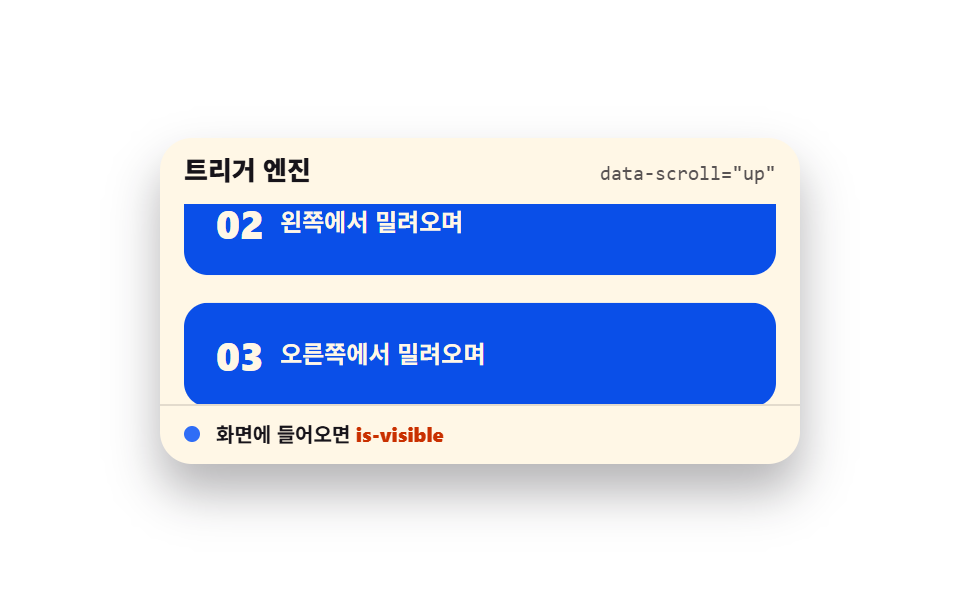 ScrollScroll Trigger Animation: 9 Engines, No GSAP
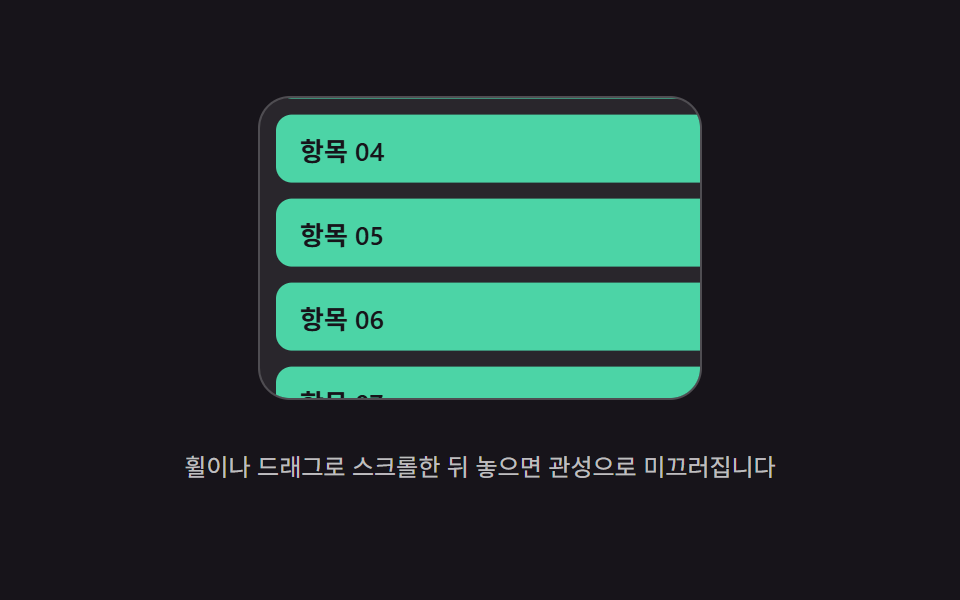 ScrollScroll Inertia CSS — 9 Value Patterns
 ScrollHorizontal Scroll Animation CSS: 9 Inertia Scenes
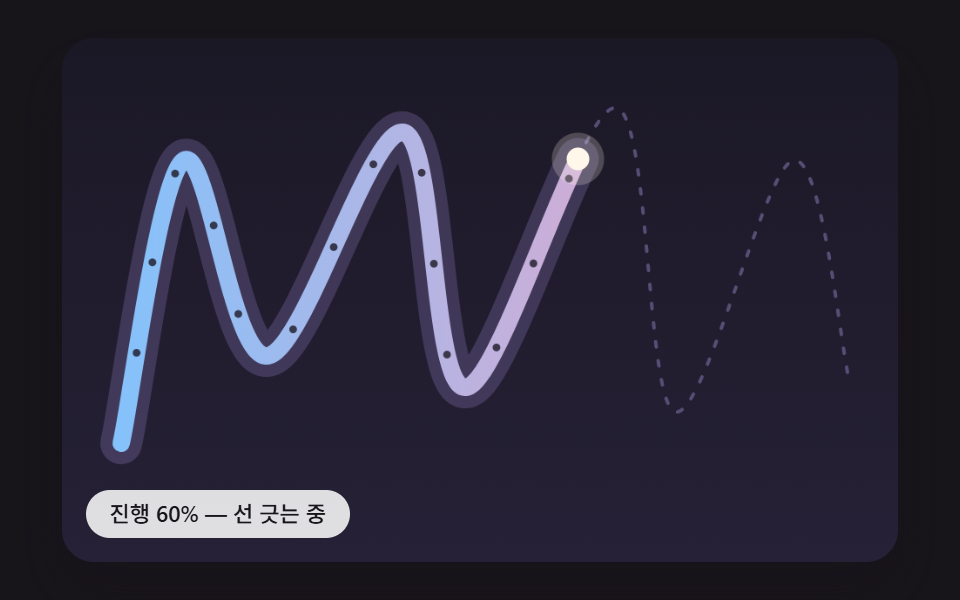 ScrollScroll Path Animation: 9 Scenes Along a Curve
 Scroll9 CSS Animation on Scroll Effects, No JavaScript
 Scroll9 CSS Parallax Scrolling — No JS, Scroll-Driven
 Scroll9 CSS Sticky Header Effects — No JS, Scroll-Driven
 Scroll9 CSS Marquee Infinite Loop — No JS, Scroll-Driven