CSS Text Shadow Effects — 9 Patterns
css text shadow effects: A shadow is where light goes missing, yet these nine letters shine by shadow alone — item 1 stacks depth by a layer value, item 5
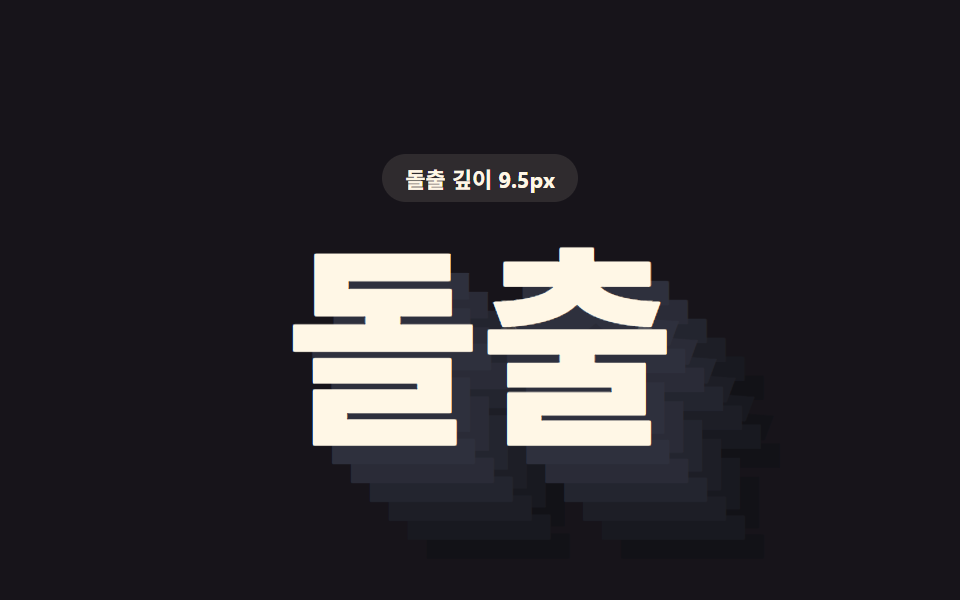 01 text-shadow-stack-extrude-3d
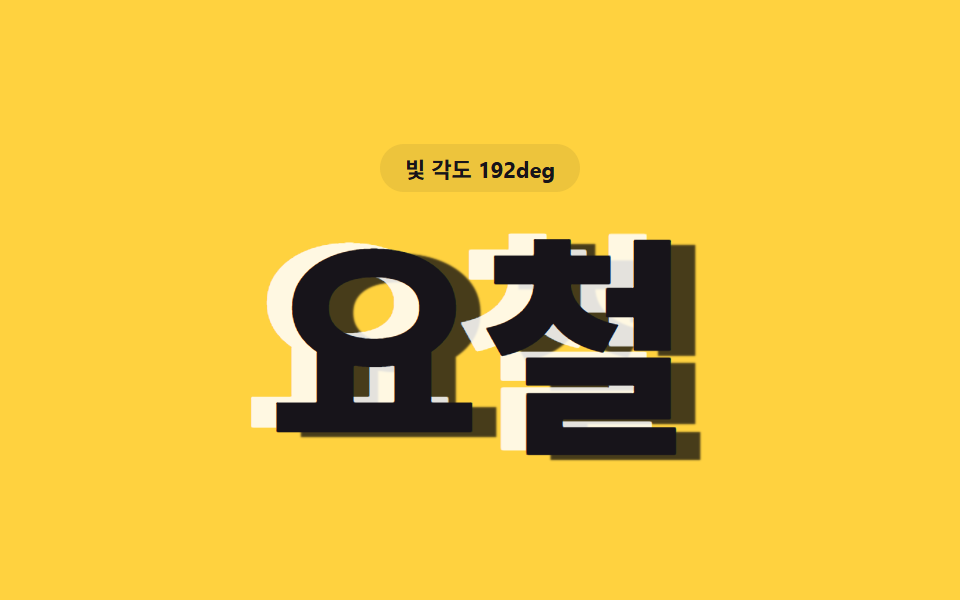 02 text-shadow-emboss-engrave-dual
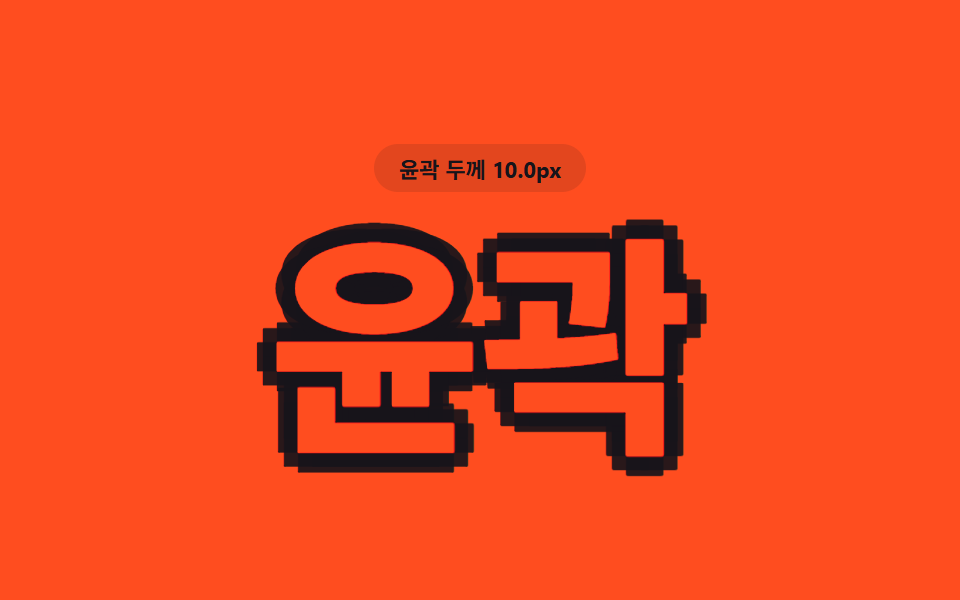 03 text-shadow-stroke-outline-multi
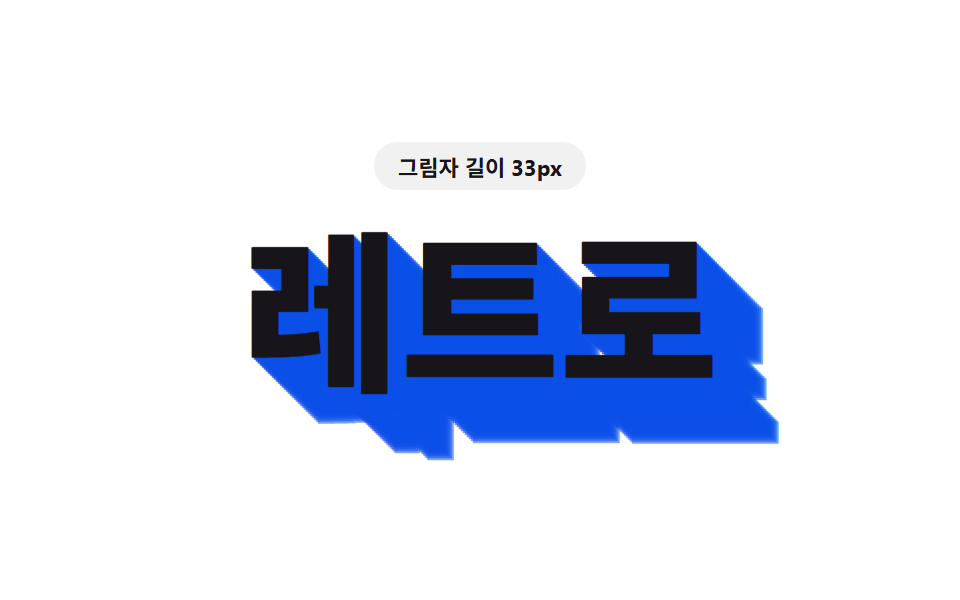 04 text-shadow-long-diagonal-retro
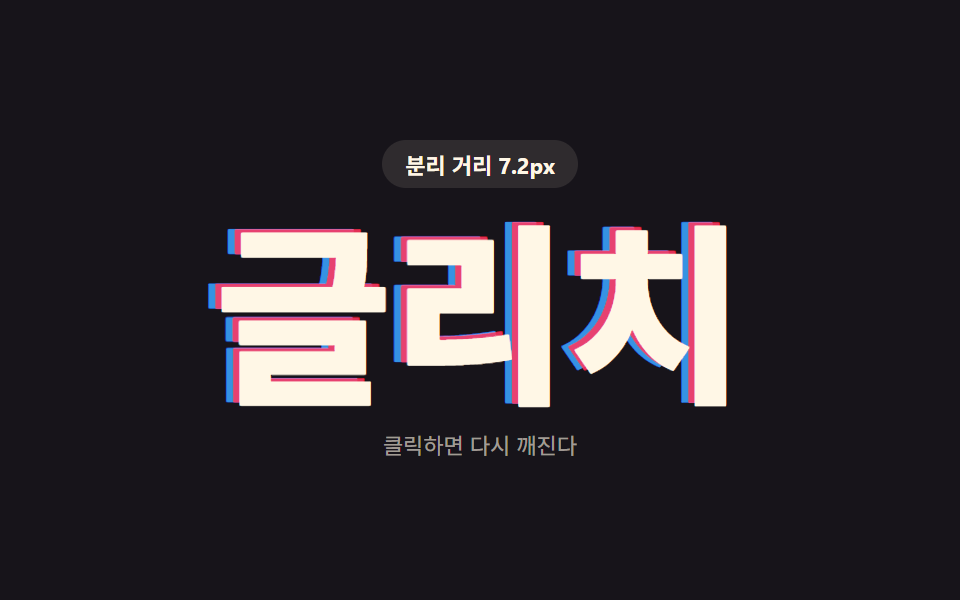 05 text-shadow-glitch-rgb-split
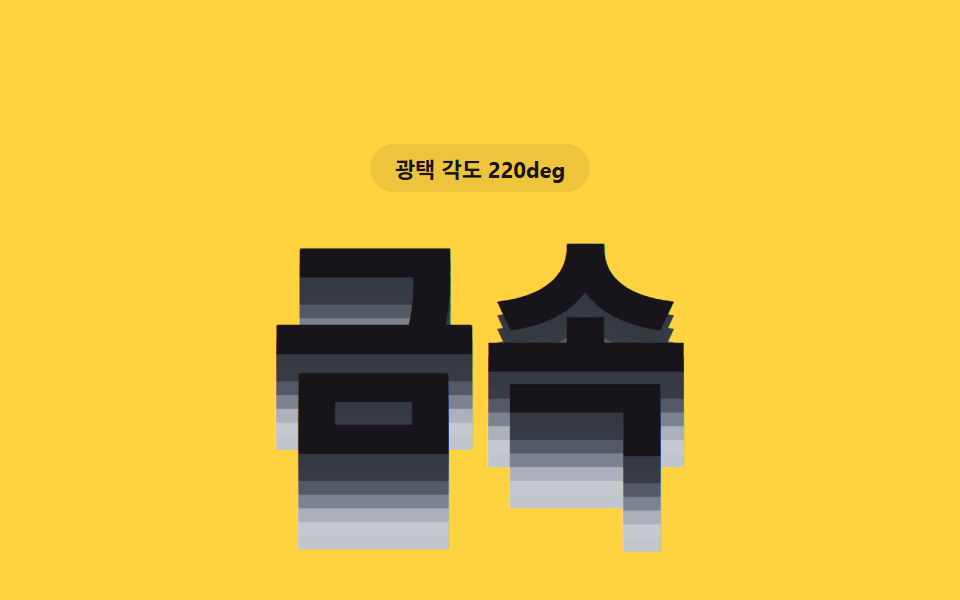 06 text-shadow-metal-sheen-layer
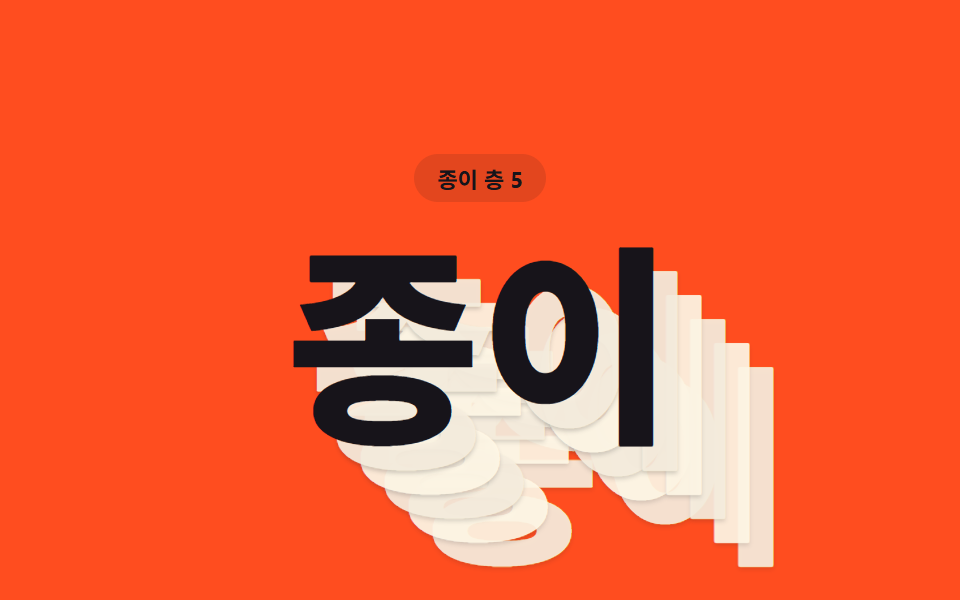 07 text-shadow-paper-stack-layer
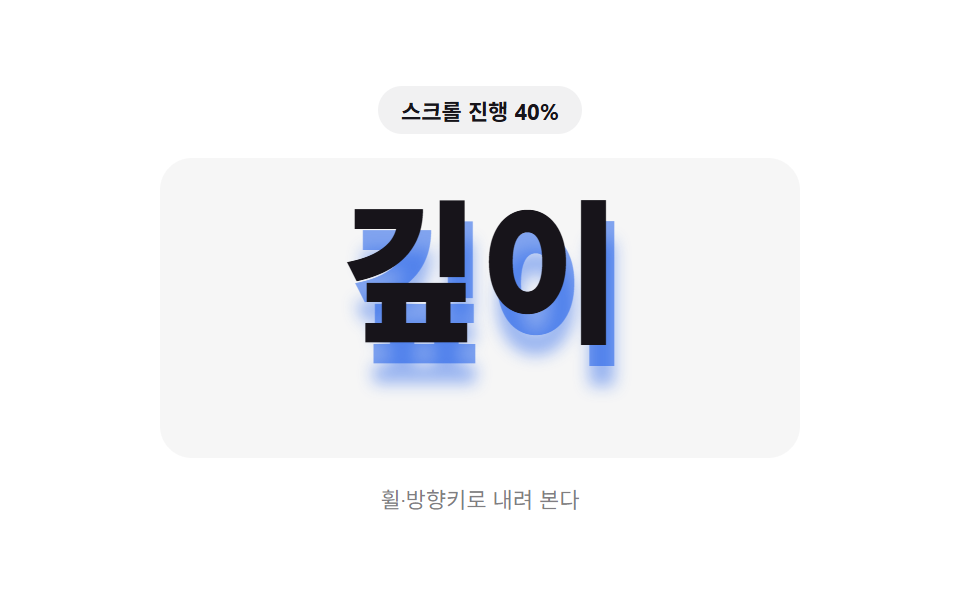 08 text-shadow-scroll-depth-grow
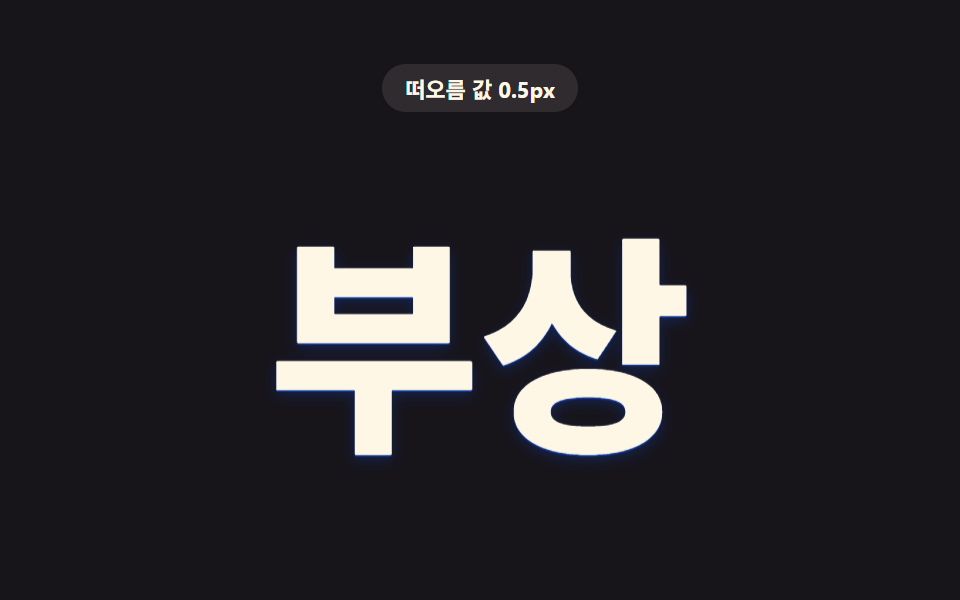 09 text-shadow-hover-depth-lift
Auto-plays · click a tile to jump to its section · all nine in one zip
- 01 Extruded Letters Whose Layer Value Stacks Into Depth
- 02 Letters Raised by an Opposed Light and Dark Shadow Value
- 03 Letters Whose Eight-direction Values Merge Into an Outline
- 04 Retro Letters Whose Shadow Stretches by a Diagonal Length Value
- 05 Glitch Letters That Fracture by a Color-split Value
- 06 Metallic Letters Whose Brightness Value Shifts by Layer
- 07 Letters That Read as Stacked Paper by a Layer Value
- 08 Letters Whose Shadow Grows by a Scroll-progress Value
- 09 Letters Whose Depth Value Lifts When the Cursor Arrives
Nine CSS Text Shadow Effects — Where One Value Changes the Shadow Each Time
Every pattern below reads one JavaScript number and writes it straight into a text-shadow string, the same four-part syntax (MDN's reference covers all four) of offset-x offset-y blur-radius color. The order moves from a shadow that only ever looks static (item 1's stacked layers) to one that only reacts to a real cursor (item 9's hover lift): items 1 through 4 build a fixed 3D read from layered offsets, item 5 breaks that stability on purpose, items 6 and 7 add color and count as the moving variable, and items 8 and 9 hand the driving value to the reader's own scroll or pointer.
01Extruded Letters Whose Layer Value Stacks Into Depth
Six shadow layers each shift the same one-pixel step further along the same diagonal, and extrudeColor() darkens each layer's lightness as it goes so the deepest layer reads darkest — like a css text shadow 3d effect built from stacking, not from perspective. buildExtrudeShadow() reads a single step value on a 1s sine loop between 1px and 15px, which is exactly what a landing-page hero title would want: thin at rest, thick as it settles.
<main class="stage">
<div class="ex is-demo" id="ex">
  <p class="ex__badge"><span class="ex__badgeLabel">Extrude depth</span> <span class="ex__badgeValue" id="exValue">1.0px</span></p>
  <h1 class="ex__word" id="exWord">Extrude</h1>
</div>
</main>
@use "../../../../site/static/demo-tokens" as *;
// 핵심: step 값 하나로 SHADOW_LAYER_COUNT 층의 그림자를 조립한다. step 이 작을 때는
// 얇고 납작한 입체, 클 때는 층이 겹겹이 쌓여 두꺼운 입체로 보인다.
$duration: $dur-loop;
$easing: linear;
$color: $subject-cream;
@include stage($stage-ink);
.ex {
display: grid;
gap: $sp-4;
justify-items: center;
text-align: center;
}
.ex__badge {
margin: 0;
padding: $sp-1 $sp-3;
border-radius: $r-pill;
background: rgba(255, 247, 230, .1);
color: $subject-cream;
font-weight: 700;
font-size: 11px;
font-variant-numeric: tabular-nums;
}
.ex__word {
margin: 0;
font-weight: 800;
font-size: clamp(64px, 22vw, 132px);
line-height: 1;
white-space: nowrap;
color: $color;
will-change: text-shadow;
}
@media (max-width: 340px) {
.ex__word { font-size: clamp(48px, 24vw, 88px); }
}
@media (prefers-reduced-motion: reduce) {
.ex__word { transition: none; }
}html, body {
margin: 0;
overflow: hidden;
}
.stage {
box-sizing: border-box;
min-height: 100vh;
display: grid;
place-items: center;
margin: 0;
background: #17141a;
font-family: -apple-system, "Segoe UI", "Noto Sans KR", sans-serif;
padding: clamp(8px, 4vw, 24px);
}
.ex {
display: grid;
gap: 16px;
justify-items: center;
text-align: center;
}
.ex__badge {
margin: 0;
padding: 4px 12px;
border-radius: 999px;
background: rgba(255, 247, 230, 0.1);
color: #fff7e6;
font-weight: 700;
font-size: 11px;
font-variant-numeric: tabular-nums;
}
.ex__word {
margin: 0;
font-weight: 800;
font-size: clamp(64px, 22vw, 132px);
line-height: 1;
white-space: nowrap;
color: #fff7e6;
will-change: text-shadow;
}
@media (max-width: 340px) {
.ex__word {
font-size: clamp(48px, 24vw, 88px);
}
}
@media (prefers-reduced-motion: reduce) {
.ex__word {
transition: none;
}
}(function () {
var SHADOW_LAYER_COUNT = 6;
var STEP_MIN_PX = 1;
var STEP_MAX_PX = 15;
var PERIOD_MS = 1000;
var word = document.getElementById('exWord');
var value = document.getElementById('exValue');
var reduce = window.matchMedia('(prefers-reduced-motion: reduce)').matches;
// 계산 레이어: 층 번호(i)가 깊어질수록 명도를 낮춰 아래로 갈수록 어두워지는 입체감을 만든다
function extrudeColor(i, n) {
var t = i / n;
var l = Math.max(6, Math.round(24 - t * 16));
return 'hsl(232 14% ' + l + '%)';
}
// 값(step) 하나로 SHADOW_LAYER_COUNT 개의 그림자를 문자열로 조립한다
function buildExtrudeShadow(step) {
var parts = [];
for (var i = 1; i <= SHADOW_LAYER_COUNT; i++) {
var d = (i * step).toFixed(2);
parts.push(d + 'px ' + d + 'px 0 ' + extrudeColor(i, SHADOW_LAYER_COUNT));
}
return parts.join(', ');
}
function renderExtrude(step) {
word.style.textShadow = buildExtrudeShadow(step);
value.textContent = step.toFixed(1) + 'px';
}
var startTime = null;
function loop(now) {
if (startTime === null) startTime = now;
var t = (now - startTime) % PERIOD_MS;
var phase = (Math.sin((t / PERIOD_MS) * Math.PI * 2 - Math.PI / 2) + 1) / 2;
renderExtrude(STEP_MIN_PX + (STEP_MAX_PX - STEP_MIN_PX) * phase);
requestAnimationFrame(loop);
}
if (reduce) {
renderExtrude(STEP_MAX_PX);
} else {
requestAnimationFrame(loop);
}
})();// TextShadowStackExtrude3D — vanilla 판(run/412/demo/01-text-shadow-stack-extrude-3d/index.html) 의 React 포트.
// 값(step) 하나로 SHADOW_LAYER_COUNT 층의 그림자를 조립한다. step 이 작을 때는 얇은 입체,
// 클 때는 층이 겹겹이 쌓여 두꺼운 입체로 보인다.
import { useEffect, useRef, useState } from "react";
import styles from "./TextShadowStackExtrude3D.module.scss";
type Box<T> = { current: T };
const SHADOW_LAYER_COUNT = 6;
const STEP_MIN_PX = 1;
const STEP_MAX_PX = 15;
const PERIOD_MS = 1000;
function extrudeColor(i: number, n: number): string {
const t = i / n;
const l = Math.max(6, Math.round(24 - t * 16));
return "hsl(232 14% " + l + "%)";
}
function buildExtrudeShadow(step: number): string {
const parts: string[] = [];
for (let i = 1; i <= SHADOW_LAYER_COUNT; i++) {
const d = (i * step).toFixed(2);
parts.push(d + "px " + d + "px 0 " + extrudeColor(i, SHADOW_LAYER_COUNT));
}
return parts.join(", ");
}
export default function TextShadowStackExtrude3D() {
const wordRef = useRef<HTMLHeadingElement | null>(null);
const valueRef = useRef<HTMLSpanElement | null>(null);
const t0Ref = useRef<number>(0) as Box<number>;
const frameRef = useRef<number>(0) as Box<number>;
const [demo] = useState(true);
const [reduce, setReduce] = useState(false);
function render(step: number): void {
const word = wordRef.current;
const value = valueRef.current;
if (!word || !value) return;
word.style.textShadow = buildExtrudeShadow(step);
value.textContent = step.toFixed(1) + "px";
}
useEffect(() => {
setReduce(window.matchMedia("(prefers-reduced-motion: reduce)").matches);
}, []);
useEffect(() => {
if (reduce) {
render(STEP_MAX_PX);
return;
}
function loop(now: number): void {
if (t0Ref.current === 0) t0Ref.current = now;
const t = (now - t0Ref.current) % PERIOD_MS;
const phase = (Math.sin((t / PERIOD_MS) * Math.PI * 2 - Math.PI / 2) + 1) / 2;
render(STEP_MIN_PX + (STEP_MAX_PX - STEP_MIN_PX) * phase);
frameRef.current = requestAnimationFrame(loop);
}
frameRef.current = requestAnimationFrame(loop);
return () => cancelAnimationFrame(frameRef.current);
}, [reduce]);
const cls = [styles.ex, demo ? styles.isDemo : ""].filter(Boolean).join(" ");
return (
<main className={styles.stage}>
<div className={cls}>
<p className={styles.badge}><span>돌출 깊이</span> <span ref={valueRef}>1.0px</span></p>
<h1 className={styles.word} ref={wordRef}>돌출</h1>
</div>
</main>
);
}01 · Extruded Letters Whose Layer Value Stacks Into Depth — Measured area 10.384% · moving frames 22/23Original by GODRICH · SCSS and React ship in the zip · See the password
  // build a step value into SHADOW_LAYER_COUNT stacked shadow layers as one string
  function buildExtrudeShadow(step) {
    var parts = [];
    for (var i = 1; i <= SHADOW_LAYER_COUNT; i++) {
      var d = (i * step).toFixed(2);
      parts.push(d + 'px ' + d + 'px 0 ' + extrudeColor(i, SHADOW_LAYER_COUNT));
    }
    return parts.join(', ');
  }
Measured: 10.4% cumulative area, 26.0 average intensity, 22/23 frames moved.
02Letters Raised by an Opposed Light and Dark Shadow Value
One angleDeg value feeds buildEmbossShadow(), which points a bright shadow one way and a dark shadow the exact opposite way — same value, opposite sign, so as the angle turns a card badge label reads as raised metal at one moment and stamped-in at the next. There's no separate "pressed" state to toggle; the same formula produces both looks depending only on where the angle currently sits.
<main class="stage">
<div class="em is-demo" id="em">
  <p class="em__badge"><span class="em__badgeLabel">Light angle</span> <span class="em__badgeValue" id="emValue">0deg</span></p>
  <h1 class="em__word" id="emWord">Emboss</h1>
</div>
</main>
@use "../../../../site/static/demo-tokens" as *;
// 핵심: 각도 값(angleDeg) 하나로 밝은 그림자와 어두운 그림자를 서로 반대 방향에 배치한다.
// 각도가 돌면 빛이 도는 것처럼 도드라짐과 파임이 자리를 바꾼다.
$duration: $dur-loop;
$easing: linear;
$color: $subject-ink;
@include stage($stage-yellow);
.em {
display: grid;
gap: $sp-4;
justify-items: center;
text-align: center;
}
.em__badge {
margin: 0;
padding: $sp-1 $sp-3;
border-radius: $r-pill;
background: rgba(23, 20, 26, .08);
color: $subject-ink;
font-weight: 700;
font-size: 11px;
font-variant-numeric: tabular-nums;
}
.em__word {
margin: 0;
font-weight: 800;
font-size: clamp(72px, 24vw, 140px);
line-height: 1;
white-space: nowrap;
color: $color;
will-change: text-shadow;
}
@media (max-width: 340px) {
.em__word { font-size: clamp(52px, 26vw, 92px); }
}
@media (prefers-reduced-motion: reduce) {
.em__word { transition: none; }
}html, body {
margin: 0;
overflow: hidden;
}
.stage {
box-sizing: border-box;
min-height: 100vh;
display: grid;
place-items: center;
margin: 0;
background: #ffd23f;
font-family: -apple-system, "Segoe UI", "Noto Sans KR", sans-serif;
padding: clamp(8px, 4vw, 24px);
}
.em {
display: grid;
gap: 16px;
justify-items: center;
text-align: center;
}
.em__badge {
margin: 0;
padding: 4px 12px;
border-radius: 999px;
background: rgba(23, 20, 26, 0.08);
color: #17141a;
font-weight: 700;
font-size: 11px;
font-variant-numeric: tabular-nums;
}
.em__word {
margin: 0;
font-weight: 800;
font-size: clamp(72px, 24vw, 140px);
line-height: 1;
white-space: nowrap;
color: #17141a;
will-change: text-shadow;
}
@media (max-width: 340px) {
.em__word {
font-size: clamp(52px, 26vw, 92px);
}
}
@media (prefers-reduced-motion: reduce) {
.em__word {
transition: none;
}
}(function () {
var EMBOSS_DEPTH_PX = 12.5;
var PERIOD_MS = 1000;
var word = document.getElementById('emWord');
var value = document.getElementById('emValue');
var reduce = window.matchMedia('(prefers-reduced-motion: reduce)').matches;
// 값(angleDeg) 하나로 밝은 그림자·어두운 그림자를 서로 반대 방향에 배치한다
function buildEmbossShadow(angleDeg) {
var rad = (angleDeg * Math.PI) / 180;
var lx = (Math.cos(rad) * EMBOSS_DEPTH_PX).toFixed(2);
var ly = (Math.sin(rad) * EMBOSS_DEPTH_PX).toFixed(2);
var dx = (-Math.cos(rad) * EMBOSS_DEPTH_PX).toFixed(2);
var dy = (-Math.sin(rad) * EMBOSS_DEPTH_PX).toFixed(2);
return [
lx + 'px ' + ly + 'px 0 rgba(255,255,255,.85)',
dx + 'px ' + dy + 'px 1px rgba(10,10,14,.75)'
].join(', ');
}
function renderEmboss(angleDeg) {
word.style.textShadow = buildEmbossShadow(angleDeg);
value.textContent = Math.round(angleDeg % 360) + 'deg';
}
var startTime = null;
function loop(now) {
if (startTime === null) startTime = now;
var t = (now - startTime) % PERIOD_MS;
var angle = (t / PERIOD_MS) * 360;
renderEmboss(angle);
requestAnimationFrame(loop);
}
if (reduce) {
renderEmboss(45);
} else {
requestAnimationFrame(loop);
}
})();// TextShadowEmbossEngraveDual — vanilla 판(run/412/demo/02-text-shadow-emboss-engrave-dual/index.html) 의 React 포트.
// 각도 값(angleDeg) 하나로 밝은 그림자와 어두운 그림자를 서로 반대 방향에 배치한다.
// 각도가 돌면 빛이 도는 것처럼 도드라짐과 파임이 자리를 바꾼다.
import { useEffect, useRef, useState } from "react";
import styles from "./TextShadowEmbossEngraveDual.module.scss";
type Box<T> = { current: T };
const EMBOSS_DEPTH_PX = 12.5;
const PERIOD_MS = 1000;
function buildEmbossShadow(angleDeg: number): string {
const rad = (angleDeg * Math.PI) / 180;
const lx = (Math.cos(rad) * EMBOSS_DEPTH_PX).toFixed(2);
const ly = (Math.sin(rad) * EMBOSS_DEPTH_PX).toFixed(2);
const dx = (-Math.cos(rad) * EMBOSS_DEPTH_PX).toFixed(2);
const dy = (-Math.sin(rad) * EMBOSS_DEPTH_PX).toFixed(2);
return [
lx + "px " + ly + "px 0 rgba(255,255,255,.85)",
dx + "px " + dy + "px 1px rgba(10,10,14,.75)"
].join(", ");
}
export default function TextShadowEmbossEngraveDual() {
const wordRef = useRef<HTMLHeadingElement | null>(null);
const valueRef = useRef<HTMLSpanElement | null>(null);
const t0Ref = useRef<number>(0) as Box<number>;
const frameRef = useRef<number>(0) as Box<number>;
const [demo] = useState(true);
const [reduce, setReduce] = useState(false);
function render(angleDeg: number): void {
const word = wordRef.current;
const value = valueRef.current;
if (!word || !value) return;
word.style.textShadow = buildEmbossShadow(angleDeg);
value.textContent = Math.round(angleDeg % 360) + "deg";
}
useEffect(() => {
setReduce(window.matchMedia("(prefers-reduced-motion: reduce)").matches);
}, []);
useEffect(() => {
if (reduce) {
render(45);
return;
}
function loop(now: number): void {
if (t0Ref.current === 0) t0Ref.current = now;
const t = (now - t0Ref.current) % PERIOD_MS;
const angle = (t / PERIOD_MS) * 360;
render(angle);
frameRef.current = requestAnimationFrame(loop);
}
frameRef.current = requestAnimationFrame(loop);
return () => cancelAnimationFrame(frameRef.current);
}, [reduce]);
const cls = [styles.em, demo ? styles.isDemo : ""].filter(Boolean).join(" ");
return (
<main className={styles.stage}>
<div className={cls}>
<p className={styles.badge}><span>빛 각도</span> <span ref={valueRef}>0deg</span></p>
<h1 className={styles.word} ref={wordRef}>요철</h1>
</div>
</main>
);
}02 · Letters Raised by an Opposed Light and Dark Shadow Value — Measured area 10.903% · moving frames 23/23Original by GODRICH · SCSS and React ship in the zip · See the password
  // place a light shadow and a dark shadow on opposite sides from one angleDeg value
  function buildEmbossShadow(angleDeg) {
    var rad = (angleDeg * Math.PI) / 180;
    var lx = (Math.cos(rad) * EMBOSS_DEPTH_PX).toFixed(2);
    var ly = (Math.sin(rad) * EMBOSS_DEPTH_PX).toFixed(2);
    var dx = (-Math.cos(rad) * EMBOSS_DEPTH_PX).toFixed(2);
    var dy = (-Math.sin(rad) * EMBOSS_DEPTH_PX).toFixed(2);
    return [
      lx + 'px ' + ly + 'px 0 rgba(255,255,255,.85)',
      dx + 'px ' + dy + 'px 1px rgba(10,10,14,.75)'
    ].join(', ');
  }
Measured: 10.9% cumulative area, 129.2 average intensity, 23/23 frames moved.
03Letters Whose Eight-direction Values Merge Into an Outline
DIRS loops over eight directions — the four axis directions plus the four diagonals — so buildOutlineShadow() spends one distance value eight times to ring a glyph with color and leave the fill untouched, useful for poster numerals that need to read against any background behind them. Shrinking that one value below its 0.4px floor doesn't drop any copies; the loop always runs all eight regardless of how thin the outline gets.
<main class="stage">
<div class="ol is-demo" id="ol">
  <p class="ol__badge"><span class="ol__badgeLabel">Outline width</span> <span class="ol__badgeValue" id="olValue">0.5px</span></p>
  <h1 class="ol__word" id="olWord">Outline</h1>
</div>
</main>
@use "../../../../site/static/demo-tokens" as *;
// 핵심: 값 d 하나를 여덟 방향(상하좌우+대각선)에 같은 거리만큼 겹쳐, 글자 채움 없이도
// 둘레에 윤곽선만 남는다. d 가 커질수록 윤곽선이 두꺼워진다.
$duration: $dur-loop;
$easing: linear;
$color: $stage-orange;
@include stage($stage-orange);
.ol {
display: grid;
gap: $sp-4;
justify-items: center;
text-align: center;
}
.ol__badge {
margin: 0;
padding: $sp-1 $sp-3;
border-radius: $r-pill;
background: rgba(23, 20, 26, .12);
color: $subject-ink;
font-weight: 700;
font-size: 11px;
font-variant-numeric: tabular-nums;
}
.ol__word {
margin: 0;
font-weight: 800;
font-size: clamp(72px, 24vw, 140px);
line-height: 1;
white-space: nowrap;
color: $color;
will-change: text-shadow;
}
@media (max-width: 340px) {
.ol__word { font-size: clamp(52px, 26vw, 92px); }
}
@media (prefers-reduced-motion: reduce) {
.ol__word { transition: none; }
}html, body {
margin: 0;
overflow: hidden;
}
.stage {
box-sizing: border-box;
min-height: 100vh;
display: grid;
place-items: center;
margin: 0;
background: #ff4d1f;
font-family: -apple-system, "Segoe UI", "Noto Sans KR", sans-serif;
padding: clamp(8px, 4vw, 24px);
}
.ol {
display: grid;
gap: 16px;
justify-items: center;
text-align: center;
}
.ol__badge {
margin: 0;
padding: 4px 12px;
border-radius: 999px;
background: rgba(23, 20, 26, 0.12);
color: #17141a;
font-weight: 700;
font-size: 11px;
font-variant-numeric: tabular-nums;
}
.ol__word {
margin: 0;
font-weight: 800;
font-size: clamp(72px, 24vw, 140px);
line-height: 1;
white-space: nowrap;
color: #ff4d1f;
will-change: text-shadow;
}
@media (max-width: 340px) {
.ol__word {
font-size: clamp(52px, 26vw, 92px);
}
}
@media (prefers-reduced-motion: reduce) {
.ol__word {
transition: none;
}
}(function () {
var OUTLINE_MAX_PX = 15;
var PERIOD_MS = 1000;
var DIRS = [
[1, 0], [-1, 0], [0, 1], [0, -1],
[0.7071, 0.7071], [-0.7071, 0.7071], [0.7071, -0.7071], [-0.7071, -0.7071]
];
var word = document.getElementById('olWord');
var value = document.getElementById('olValue');
var reduce = window.matchMedia('(prefers-reduced-motion: reduce)').matches;
// 값(d) 하나를 여덟 방향에 같은 거리만큼 겹쳐 채움 없이도 윤곽선만 남긴다
function buildOutlineShadow(d) {
var parts = [];
for (var i = 0; i < DIRS.length; i++) {
var x = (DIRS[i][0] * d).toFixed(2);
var y = (DIRS[i][1] * d).toFixed(2);
parts.push(x + 'px ' + y + 'px 0 rgba(23,20,26,.92)');
}
return parts.join(', ');
}
function renderOutline(d) {
word.style.textShadow = buildOutlineShadow(d);
value.textContent = d.toFixed(1) + 'px';
}
var startTime = null;
function loop(now) {
if (startTime === null) startTime = now;
var t = (now - startTime) % PERIOD_MS;
var phase = (Math.sin((t / PERIOD_MS) * Math.PI * 2 - Math.PI / 2) + 1) / 2;
renderOutline(0.4 + (OUTLINE_MAX_PX - 0.4) * phase);
requestAnimationFrame(loop);
}
if (reduce) {
renderOutline(OUTLINE_MAX_PX);
} else {
requestAnimationFrame(loop);
}
})();// TextShadowStrokeOutlineMulti — vanilla 판(run/412/demo/03-text-shadow-stroke-outline-multi/index.html) 의 React 포트.
// 값 d 하나를 여덟 방향(상하좌우+대각선)에 같은 거리만큼 겹쳐, 글자 채움 없이도
// 둘레에 윤곽선만 남는다. d 가 커질수록 윤곽선이 두꺼워진다.
import { useEffect, useRef, useState } from "react";
import styles from "./TextShadowStrokeOutlineMulti.module.scss";
type Box<T> = { current: T };
const OUTLINE_MAX_PX = 15;
const PERIOD_MS = 1000;
const DIRS: [number, number][] = [
[1, 0], [-1, 0], [0, 1], [0, -1],
[0.7071, 0.7071], [-0.7071, 0.7071], [0.7071, -0.7071], [-0.7071, -0.7071]
];
function buildOutlineShadow(d: number): string {
const parts: string[] = [];
for (let i = 0; i < DIRS.length; i++) {
const x = (DIRS[i][0] * d).toFixed(2);
const y = (DIRS[i][1] * d).toFixed(2);
parts.push(x + "px " + y + "px 0 rgba(23,20,26,.92)");
}
return parts.join(", ");
}
export default function TextShadowStrokeOutlineMulti() {
const wordRef = useRef<HTMLHeadingElement | null>(null);
const valueRef = useRef<HTMLSpanElement | null>(null);
const t0Ref = useRef<number>(0) as Box<number>;
const frameRef = useRef<number>(0) as Box<number>;
const [demo] = useState(true);
const [reduce, setReduce] = useState(false);
function render(d: number): void {
const word = wordRef.current;
const value = valueRef.current;
if (!word || !value) return;
word.style.textShadow = buildOutlineShadow(d);
value.textContent = d.toFixed(1) + "px";
}
useEffect(() => {
setReduce(window.matchMedia("(prefers-reduced-motion: reduce)").matches);
}, []);
useEffect(() => {
if (reduce) {
render(OUTLINE_MAX_PX);
return;
}
function loop(now: number): void {
if (t0Ref.current === 0) t0Ref.current = now;
const t = (now - t0Ref.current) % PERIOD_MS;
const phase = (Math.sin((t / PERIOD_MS) * Math.PI * 2 - Math.PI / 2) + 1) / 2;
render(0.4 + (OUTLINE_MAX_PX - 0.4) * phase);
frameRef.current = requestAnimationFrame(loop);
}
frameRef.current = requestAnimationFrame(loop);
return () => cancelAnimationFrame(frameRef.current);
}, [reduce]);
const cls = [styles.ol, demo ? styles.isDemo : ""].filter(Boolean).join(" ");
return (
<main className={styles.stage}>
<div className={cls}>
<p className={styles.badge}><span>윤곽 두께</span> <span ref={valueRef}>0.5px</span></p>
<h1 className={styles.word} ref={wordRef}>윤곽</h1>
</div>
</main>
);
}03 · Letters Whose Eight-direction Values Merge Into an Outline — Measured area 10.6% · moving frames 21/23Original by GODRICH · SCSS and React ship in the zip · See the password
  var DIRS = [
    [1, 0], [-1, 0], [0, 1], [0, -1],
    [0.7071, 0.7071], [-0.7071, 0.7071], [0.7071, -0.7071], [-0.7071, -0.7071]
  ];

  var word = document.getElementById('olWord');
  var value = document.getElementById('olValue');
  var reduce = window.matchMedia('(prefers-reduced-motion: reduce)').matches;

  // overlay one distance value d across eight directions so only the outline remains, no fill
  function buildOutlineShadow(d) {
    var parts = [];
    for (var i = 0; i < DIRS.length; i++) {
      var x = (DIRS[i][0] * d).toFixed(2);
      var y = (DIRS[i][1] * d).toFixed(2);
      parts.push(x + 'px ' + y + 'px 0 rgba(23,20,26,.92)');
    }
    return parts.join(', ');
  }
Measured: 10.6% cumulative area, 140.2 average intensity, 21/23 frames moved.
04Retro Letters Whose Shadow Stretches by a Diagonal Length Value
buildRetroShadow() doesn't offset one shadow further — it adds a new 1px-diagonal layer for every unit of len, so a vintage campaign headline gets as many stacked steps as the value calls for, each one slightly more transparent than the last. At the loop's low end only four layers exist; at its high end all 34 do, which is the difference between a short nudge and a long dragging trail.
<main class="stage">
<div class="rt is-demo" id="rt">
  <p class="rt__badge"><span class="rt__badgeLabel">Shadow length</span> <span class="rt__badgeValue" id="rtValue">4px</span></p>
  <h1 class="rt__word" id="rtWord">Retro</h1>
</div>
</main>
@use "../../../../site/static/demo-tokens" as *;
// 핵심: 길이 값(len) 하나를 대각선 방향으로 1px 씩 반복해 그 값만큼 길게 늘어뜨린다.
// 복고 포스터에서 보던 긴 그림자 글자 — 값이 커질수록 그림자가 길어진다.
$duration: $dur-loop;
$easing: linear;
$color: $subject-ink;
@include stage($stage-paper);
.rt {
display: grid;
gap: $sp-4;
justify-items: center;
text-align: center;
padding-bottom: $sp-8;
}
.rt__badge {
margin: 0;
padding: $sp-1 $sp-3;
border-radius: $r-pill;
background: rgba(23, 20, 26, .06);
color: $subject-ink;
font-weight: 700;
font-size: 11px;
font-variant-numeric: tabular-nums;
}
.rt__word {
margin: 0;
font-weight: 800;
font-size: clamp(56px, 18vw, 104px);
line-height: 1;
white-space: nowrap;
color: $color;
will-change: text-shadow;
}
@media (max-width: 340px) {
.rt__word { font-size: clamp(40px, 20vw, 68px); }
}
@media (prefers-reduced-motion: reduce) {
.rt__word { transition: none; }
}html, body {
margin: 0;
overflow: hidden;
}
.stage {
box-sizing: border-box;
min-height: 100vh;
display: grid;
place-items: center;
margin: 0;
background: #ffffff;
font-family: -apple-system, "Segoe UI", "Noto Sans KR", sans-serif;
padding: clamp(8px, 4vw, 24px);
}
.rt {
display: grid;
gap: 16px;
justify-items: center;
text-align: center;
padding-bottom: 32px;
}
.rt__badge {
margin: 0;
padding: 4px 12px;
border-radius: 999px;
background: rgba(23, 20, 26, 0.06);
color: #17141a;
font-weight: 700;
font-size: 11px;
font-variant-numeric: tabular-nums;
}
.rt__word {
margin: 0;
font-weight: 800;
font-size: clamp(56px, 18vw, 104px);
line-height: 1;
white-space: nowrap;
color: #17141a;
will-change: text-shadow;
}
@media (max-width: 340px) {
.rt__word {
font-size: clamp(40px, 20vw, 68px);
}
}
@media (prefers-reduced-motion: reduce) {
.rt__word {
transition: none;
}
}(function () {
var RETRO_MAX_LEN = 34;
var RETRO_MIN_LEN = 4;
var PERIOD_MS = 1000;
var word = document.getElementById('rtWord');
var value = document.getElementById('rtValue');
var reduce = window.matchMedia('(prefers-reduced-motion: reduce)').matches;
// 값(len) 하나를 대각선 방향으로 한 칸(1px)씩 반복해 길이만큼 길게 늘어뜨린다
function buildRetroShadow(len) {
var parts = [];
var n = Math.round(len);
for (var i = 1; i <= n; i++) {
parts.push(i + 'px ' + i + 'px 0 rgba(10,79,232,' + (0.9 - (i / n) * 0.35).toFixed(2) + ')');
}
return parts.join(', ');
}
function renderRetro(len) {
word.style.textShadow = buildRetroShadow(len);
value.textContent = Math.round(len) + 'px';
}
var startTime = null;
function loop(now) {
if (startTime === null) startTime = now;
var t = (now - startTime) % PERIOD_MS;
var phase = (Math.sin((t / PERIOD_MS) * Math.PI * 2 - Math.PI / 2) + 1) / 2;
renderRetro(RETRO_MIN_LEN + (RETRO_MAX_LEN - RETRO_MIN_LEN) * phase);
requestAnimationFrame(loop);
}
if (reduce) {
renderRetro(RETRO_MAX_LEN);
} else {
requestAnimationFrame(loop);
}
})();// TextShadowLongDiagonalRetro — vanilla 판(run/412/demo/04-text-shadow-long-diagonal-retro/index.html) 의 React 포트.
// 길이 값(len) 하나를 대각선 방향으로 1px 씩 반복해 그 값만큼 길게 늘어뜨린다.
import { useEffect, useRef, useState } from "react";
import styles from "./TextShadowLongDiagonalRetro.module.scss";
type Box<T> = { current: T };
const RETRO_MAX_LEN = 34;
const RETRO_MIN_LEN = 4;
const PERIOD_MS = 1000;
function buildRetroShadow(len: number): string {
const parts: string[] = [];
const n = Math.round(len);
for (let i = 1; i <= n; i++) {
parts.push(i + "px " + i + "px 0 rgba(10,79,232," + (0.9 - (i / n) * 0.35).toFixed(2) + ")");
}
return parts.join(", ");
}
export default function TextShadowLongDiagonalRetro() {
const wordRef = useRef<HTMLHeadingElement | null>(null);
const valueRef = useRef<HTMLSpanElement | null>(null);
const t0Ref = useRef<number>(0) as Box<number>;
const frameRef = useRef<number>(0) as Box<number>;
const [demo] = useState(true);
const [reduce, setReduce] = useState(false);
function render(len: number): void {
const word = wordRef.current;
const value = valueRef.current;
if (!word || !value) return;
word.style.textShadow = buildRetroShadow(len);
value.textContent = Math.round(len) + "px";
}
useEffect(() => {
setReduce(window.matchMedia("(prefers-reduced-motion: reduce)").matches);
}, []);
useEffect(() => {
if (reduce) {
render(RETRO_MAX_LEN);
return;
}
function loop(now: number): void {
if (t0Ref.current === 0) t0Ref.current = now;
const t = (now - t0Ref.current) % PERIOD_MS;
const phase = (Math.sin((t / PERIOD_MS) * Math.PI * 2 - Math.PI / 2) + 1) / 2;
render(RETRO_MIN_LEN + (RETRO_MAX_LEN - RETRO_MIN_LEN) * phase);
frameRef.current = requestAnimationFrame(loop);
}
frameRef.current = requestAnimationFrame(loop);
return () => cancelAnimationFrame(frameRef.current);
}, [reduce]);
const cls = [styles.rt, demo ? styles.isDemo : ""].filter(Boolean).join(" ");
return (
<main className={styles.stage}>
<div className={cls}>
<p className={styles.badge}><span>그림자 길이</span> <span ref={valueRef}>4px</span></p>
<h1 className={styles.word} ref={wordRef}>레트로</h1>
</div>
</main>
);
}04 · Retro Letters Whose Shadow Stretches by a Diagonal Length Value — Measured area 10.081% · moving frames 22/23Original by GODRICH · SCSS and React ship in the zip · See the password
  // repeat a len value one 1px step at a time along the diagonal until it stretches that far
  function buildRetroShadow(len) {
    var parts = [];
    var n = Math.round(len);
    for (var i = 1; i <= n; i++) {
      parts.push(i + 'px ' + i + 'px 0 rgba(10,79,232,' + (0.9 - (i / n) * 0.35).toFixed(2) + ')');
    }
    return parts.join(', ');
  }
Measured: 10.1% cumulative area, 140.3 average intensity, 22/23 frames moved.
05Glitch Letters That Fracture by a Color-split Value
seedRand() is a fixed-seed generator, not Math.random() — the same 11-seed LCG produces the same sequence every reload, so buildGlitchShadow() looks random but isn't. Clicking the word reseeds it with a new number and snaps mag to a 14x burst for 220ms, which is the one item in this set with a real click listener rather than a scripted loop alone.
<main class="stage">
<div class="gl is-demo" id="gl">
  <p class="gl__badge"><span class="gl__badgeLabel">Split distance</span> <span class="gl__badgeValue" id="glValue">0.0px</span></p>
  <button type="button" class="gl__word" id="glWord">Glitch</button>
  <p class="gl__hint">Click to break it again</p>
</div>
</main>
@use "../../../../site/static/demo-tokens" as *;
// 핵심: 값(mag) 하나를 고정 시드 PRNG 로 흔들어 빨강·파랑 그림자를 반대 방향으로 벌린다.
// mag 가 커질수록 화면이 어긋난 신호처럼 거칠게 깨진다. 클릭하면 시드를 새로 돌려 다시 깨진다.
$duration: $dur-instant;
$easing: linear;
$color: $subject-cream;
@include stage($stage-ink);
.gl {
display: grid;
gap: $sp-3;
justify-items: center;
text-align: center;
}
.gl__badge {
margin: 0;
padding: $sp-1 $sp-3;
border-radius: $r-pill;
background: rgba(255, 247, 230, .1);
color: $subject-cream;
font-weight: 700;
font-size: 11px;
font-variant-numeric: tabular-nums;
}
.gl__word {
margin: 0;
border: 0;
background: none;
padding: 0;
cursor: pointer;
font-weight: 800;
font-size: clamp(60px, 20vw, 116px);
line-height: 1;
white-space: nowrap;
color: $color;
font-family: inherit;
will-change: text-shadow;
}
.gl__word:focus-visible {
outline: 2px solid $subject-cream;
outline-offset: 6px;
}
.gl__hint {
margin: 0;
color: rgba(255, 247, 230, .6);
font-size: 11px;
}
@media (max-width: 340px) {
.gl__word { font-size: clamp(44px, 22vw, 76px); }
}
@media (prefers-reduced-motion: reduce) {
.gl__word { transition: none; }
}html, body {
margin: 0;
overflow: hidden;
}
.stage {
box-sizing: border-box;
min-height: 100vh;
display: grid;
place-items: center;
margin: 0;
background: #17141a;
font-family: -apple-system, "Segoe UI", "Noto Sans KR", sans-serif;
padding: clamp(8px, 4vw, 24px);
}
.gl {
display: grid;
gap: 12px;
justify-items: center;
text-align: center;
}
.gl__badge {
margin: 0;
padding: 4px 12px;
border-radius: 999px;
background: rgba(255, 247, 230, 0.1);
color: #fff7e6;
font-weight: 700;
font-size: 11px;
font-variant-numeric: tabular-nums;
}
.gl__word {
margin: 0;
border: 0;
background: none;
padding: 0;
cursor: pointer;
font-weight: 800;
font-size: clamp(60px, 20vw, 116px);
line-height: 1;
white-space: nowrap;
color: #fff7e6;
font-family: inherit;
will-change: text-shadow;
}
.gl__word:focus-visible {
outline: 2px solid #fff7e6;
outline-offset: 6px;
}
.gl__hint {
margin: 0;
color: rgba(255, 247, 230, 0.6);
font-size: 11px;
}
@media (max-width: 340px) {
.gl__word {
font-size: clamp(44px, 22vw, 76px);
}
}
@media (prefers-reduced-motion: reduce) {
.gl__word {
transition: none;
}
}(function () {
var GLITCH_SPLIT_PX = 2;
var BURST_PX = GLITCH_SPLIT_PX * 14;
var PULSE_MS = 480;
var word = document.getElementById('glWord');
var value = document.getElementById('glValue');
var reduce = window.matchMedia('(prefers-reduced-motion: reduce)').matches;
var seed = 11;
// 고정 시드 PRNG — Math.random 대신 프레임마다 같은 규칙으로 다음 값을 만든다
function seedRand(s) {
return function () {
s = (s * 1103515245 + 12345) & 0x7fffffff;
return s / 0x7fffffff;
};
}
var rnd = seedRand(seed);
// 값(mag) 하나를 시드 노이즈로 흔들어 빨강·파랑 그림자를 반대 방향으로 어긋나게 한다
function buildGlitchShadow(mag) {
var rx = (mag * (rnd() * 2 - 1)).toFixed(2);
var ry = (mag * 0.28 * (rnd() * 2 - 1)).toFixed(2);
var bx = (-mag * (rnd() * 2 - 1)).toFixed(2);
var by = (-mag * 0.28 * (rnd() * 2 - 1)).toFixed(2);
return [
rx + 'px ' + ry + 'px 0 rgba(255,54,96,.88)',
bx + 'px ' + by + 'px 0 rgba(58,164,255,.88)'
].join(', ');
}
function renderGlitch(mag) {
word.style.textShadow = buildGlitchShadow(mag);
value.textContent = mag.toFixed(1) + 'px';
}
var burstUntil = 0;
var startTime = null;
function loop(now) {
if (startTime === null) startTime = now;
var t = (now - startTime) % PULSE_MS;
var tri = Math.abs((t / PULSE_MS) * 2 - 1);
var mag = GLITCH_SPLIT_PX * (0.3 + tri * 9.5);
if (now < burstUntil) mag = BURST_PX;
renderGlitch(mag);
requestAnimationFrame(loop);
}
word.addEventListener('click', function () {
seed = (seed * 977 + 313) & 0x7fffffff;
rnd = seedRand(seed || 1);
burstUntil = performance.now() + 220;
if (reduce) renderGlitch(BURST_PX);
});
if (reduce) {
renderGlitch(GLITCH_SPLIT_PX);
} else {
requestAnimationFrame(loop);
}
})();// TextShadowGlitchRgbSplit — vanilla 판(run/412/demo/05-text-shadow-glitch-rgb-split/index.html) 의 React 포트.
// 값(mag) 하나를 고정 시드 PRNG 로 흔들어 빨강·파랑 그림자를 반대 방향으로 벌린다.
// 클릭하면 시드를 새로 돌려 다시 깨진다.
import { useEffect, useRef, useState } from "react";
import styles from "./TextShadowGlitchRgbSplit.module.scss";
type Box<T> = { current: T };
const GLITCH_SPLIT_PX = 2;
const BURST_PX = GLITCH_SPLIT_PX * 14;
const PULSE_MS = 480;
function seedRand(s: number): () => number {
let state = s;
return function () {
state = (state * 1103515245 + 12345) & 0x7fffffff;
return state / 0x7fffffff;
};
}
function buildGlitchShadow(mag: number, rnd: () => number): string {
const rx = (mag * (rnd() * 2 - 1)).toFixed(2);
const ry = (mag * 0.28 * (rnd() * 2 - 1)).toFixed(2);
const bx = (-mag * (rnd() * 2 - 1)).toFixed(2);
const by = (-mag * 0.28 * (rnd() * 2 - 1)).toFixed(2);
return [
rx + "px " + ry + "px 0 rgba(255,54,96,.88)",
bx + "px " + by + "px 0 rgba(58,164,255,.88)"
].join(", ");
}
export default function TextShadowGlitchRgbSplit() {
const wordRef = useRef<HTMLButtonElement | null>(null);
const valueRef = useRef<HTMLSpanElement | null>(null);
const t0Ref = useRef<number>(0) as Box<number>;
const frameRef = useRef<number>(0) as Box<number>;
const seedRef = useRef<number>(11) as Box<number>;
const rndRef = useRef<() => number>(seedRand(11)) as Box<() => number>;
const burstUntilRef = useRef<number>(0) as Box<number>;
const [reduce, setReduce] = useState(false);
function render(mag: number): void {
const word = wordRef.current;
const value = valueRef.current;
if (!word || !value) return;
word.style.textShadow = buildGlitchShadow(mag, rndRef.current);
value.textContent = mag.toFixed(1) + "px";
}
useEffect(() => {
setReduce(window.matchMedia("(prefers-reduced-motion: reduce)").matches);
}, []);
useEffect(() => {
if (reduce) {
render(GLITCH_SPLIT_PX);
return;
}
function loop(now: number): void {
if (t0Ref.current === 0) t0Ref.current = now;
const t = (now - t0Ref.current) % PULSE_MS;
const tri = Math.abs((t / PULSE_MS) * 2 - 1);
let mag = GLITCH_SPLIT_PX * (0.3 + tri * 9.5);
if (now < burstUntilRef.current) mag = BURST_PX;
render(mag);
frameRef.current = requestAnimationFrame(loop);
}
frameRef.current = requestAnimationFrame(loop);
return () => cancelAnimationFrame(frameRef.current);
}, [reduce]);
function onClick(): void {
seedRef.current = (seedRef.current * 977 + 313) & 0x7fffffff;
rndRef.current = seedRand(seedRef.current || 1);
burstUntilRef.current = performance.now() + 220;
if (reduce) render(BURST_PX);
}
return (
<main className={styles.stage}>
<div className={[styles.gl, styles.isDemo].join(" ")}>
<p className={styles.badge}><span>분리 거리</span> <span ref={valueRef}>0.0px</span></p>
<button type="button" className={styles.word} ref={wordRef} onClick={onClick}>글리치</button>
<p className={styles.hint}>클릭하면 다시 깨진다</p>
</div>
</main>
);
}05 · Glitch Letters That Fracture by a Color-split Value — Measured area 10.158% · moving frames 23/23Original by GODRICH · SCSS and React ship in the zip · See the password
  // shake one mag value with seeded noise to split a red shadow and a blue shadow apart
  function buildGlitchShadow(mag) {
    var rx = (mag * (rnd() * 2 - 1)).toFixed(2);
    var ry = (mag * 0.28 * (rnd() * 2 - 1)).toFixed(2);
    var bx = (-mag * (rnd() * 2 - 1)).toFixed(2);
    var by = (-mag * 0.28 * (rnd() * 2 - 1)).toFixed(2);
    return [
      rx + 'px ' + ry + 'px 0 rgba(255,54,96,.88)',
      bx + 'px ' + by + 'px 0 rgba(58,164,255,.88)'
    ].join(', ');
  }
Measured: 10.2% cumulative area, 144.0 average intensity, 23/23 frames moved.
06Metallic Letters Whose Brightness Value Shifts by Layer
buildSheenShadow() runs a sine curve through each of seven layers at a slightly different phase, so turning the angle value doesn't just move a highlight — it moves a bright band down through the stack, the way light travels across brushed metal. The word "metal" here means the read a premium brand logotype would want, not a specific finish — no brand name backs the sheen itself.
<main class="stage">
<div class="mt is-demo" id="mt">
  <p class="mt__badge"><span class="mt__badgeLabel">Sheen angle</span> <span class="mt__badgeValue" id="mtValue">0deg</span></p>
  <h1 class="mt__word" id="mtWord">Metal</h1>
</div>
</main>
@use "../../../../site/static/demo-tokens" as *;
// 핵심: 각도 값 하나로 SHEEN_LAYER_COUNT 층마다 밝기를 사인 곡선을 따라 다르게 겹친다.
// 각도가 돌면 밝은 띠가 층을 타고 흘러 금속 표면에 빛이 지나가는 것처럼 보인다.
// 상표명 없이 「금속 광택」이라고만 부른다.
$duration: $dur-loop;
$easing: linear;
$color: $subject-ink;
@include stage($stage-yellow);
.mt {
display: grid;
gap: $sp-4;
justify-items: center;
text-align: center;
}
.mt__badge {
margin: 0;
padding: $sp-1 $sp-3;
border-radius: $r-pill;
background: rgba(23, 20, 26, .08);
color: $subject-ink;
font-weight: 700;
font-size: 11px;
font-variant-numeric: tabular-nums;
}
.mt__word {
margin: 0;
font-weight: 800;
font-size: clamp(72px, 24vw, 140px);
line-height: 1;
white-space: nowrap;
color: $color;
will-change: text-shadow;
}
@media (max-width: 340px) {
.mt__word { font-size: clamp(52px, 26vw, 92px); }
}
@media (prefers-reduced-motion: reduce) {
.mt__word { transition: none; }
}html, body {
margin: 0;
overflow: hidden;
}
.stage {
box-sizing: border-box;
min-height: 100vh;
display: grid;
place-items: center;
margin: 0;
background: #ffd23f;
font-family: -apple-system, "Segoe UI", "Noto Sans KR", sans-serif;
padding: clamp(8px, 4vw, 24px);
}
.mt {
display: grid;
gap: 16px;
justify-items: center;
text-align: center;
}
.mt__badge {
margin: 0;
padding: 4px 12px;
border-radius: 999px;
background: rgba(23, 20, 26, 0.08);
color: #17141a;
font-weight: 700;
font-size: 11px;
font-variant-numeric: tabular-nums;
}
.mt__word {
margin: 0;
font-weight: 800;
font-size: clamp(72px, 24vw, 140px);
line-height: 1;
white-space: nowrap;
color: #17141a;
will-change: text-shadow;
}
@media (max-width: 340px) {
.mt__word {
font-size: clamp(52px, 26vw, 92px);
}
}
@media (prefers-reduced-motion: reduce) {
.mt__word {
transition: none;
}
}(function () {
var SHEEN_LAYER_COUNT = 7;
var PERIOD_MS = 900;
var word = document.getElementById('mtWord');
var value = document.getElementById('mtValue');
var reduce = window.matchMedia('(prefers-reduced-motion: reduce)').matches;
// 각도 값 하나로 층마다 밝기를 사인 곡선을 따라 다르게 겹쳐, 위·아래가 서로 다르게 빛나는
// Metal 광택을 만든다. 층 위상(phase)이 갈릴수록 밝은 띠가 층을 타고 흐른다
function buildSheenShadow(angleDeg) {
var rad = (angleDeg * Math.PI) / 180;
var parts = [];
for (var i = 1; i <= SHEEN_LAYER_COUNT; i++) {
var phase = rad + (i / SHEEN_LAYER_COUNT) * Math.PI * 1.4;
var bright = (Math.sin(phase) + 1) / 2;
var l = Math.round(22 + bright * 58);
var y = (i * 6.8).toFixed(2);
parts.push('0px ' + y + 'px 0 hsl(220 10% ' + l + '%)');
}
return parts.join(', ');
}
function renderSheen(angleDeg) {
word.style.textShadow = buildSheenShadow(angleDeg);
value.textContent = Math.round(angleDeg % 360) + 'deg';
}
var startTime = null;
function loop(now) {
if (startTime === null) startTime = now;
var t = (now - startTime) % PERIOD_MS;
var angle = (t / PERIOD_MS) * 360;
renderSheen(angle);
requestAnimationFrame(loop);
}
if (reduce) {
renderSheen(90);
} else {
requestAnimationFrame(loop);
}
})();// TextShadowMetalSheenLayer — vanilla 판(run/412/demo/06-text-shadow-metal-sheen-layer/index.html) 의 React 포트.
// 각도 값 하나로 SHEEN_LAYER_COUNT 층마다 밝기를 사인 곡선을 따라 다르게 겹친다.
// 각도가 돌면 밝은 띠가 층을 타고 흘러 금속 표면에 빛이 지나가는 것처럼 보인다.
import { useEffect, useRef, useState } from "react";
import styles from "./TextShadowMetalSheenLayer.module.scss";
type Box<T> = { current: T };
const SHEEN_LAYER_COUNT = 7;
const PERIOD_MS = 900;
function buildSheenShadow(angleDeg: number): string {
const rad = (angleDeg * Math.PI) / 180;
const parts: string[] = [];
for (let i = 1; i <= SHEEN_LAYER_COUNT; i++) {
const phase = rad + (i / SHEEN_LAYER_COUNT) * Math.PI * 1.4;
const bright = (Math.sin(phase) + 1) / 2;
const l = Math.round(22 + bright * 58);
const y = (i * 6.8).toFixed(2);
parts.push("0px " + y + "px 0 hsl(220 10% " + l + "%)");
}
return parts.join(", ");
}
export default function TextShadowMetalSheenLayer() {
const wordRef = useRef<HTMLHeadingElement | null>(null);
const valueRef = useRef<HTMLSpanElement | null>(null);
const t0Ref = useRef<number>(0) as Box<number>;
const frameRef = useRef<number>(0) as Box<number>;
const [demo] = useState(true);
const [reduce, setReduce] = useState(false);
function render(angleDeg: number): void {
const word = wordRef.current;
const value = valueRef.current;
if (!word || !value) return;
word.style.textShadow = buildSheenShadow(angleDeg);
value.textContent = Math.round(angleDeg % 360) + "deg";
}
useEffect(() => {
setReduce(window.matchMedia("(prefers-reduced-motion: reduce)").matches);
}, []);
useEffect(() => {
if (reduce) {
render(90);
return;
}
function loop(now: number): void {
if (t0Ref.current === 0) t0Ref.current = now;
const t = (now - t0Ref.current) % PERIOD_MS;
const angle = (t / PERIOD_MS) * 360;
render(angle);
frameRef.current = requestAnimationFrame(loop);
}
frameRef.current = requestAnimationFrame(loop);
return () => cancelAnimationFrame(frameRef.current);
}, [reduce]);
const cls = [styles.mt, demo ? styles.isDemo : ""].filter(Boolean).join(" ");
return (
<main className={styles.stage}>
<div className={cls}>
<p className={styles.badge}><span>광택 각도</span> <span ref={valueRef}>0deg</span></p>
<h1 className={styles.word} ref={wordRef}>금속</h1>
</div>
</main>
);
}06 · Metallic Letters Whose Brightness Value Shifts by Layer — Measured area 10.386% · moving frames 23/23Original by GODRICH · SCSS and React ship in the zip · See the password
  // one angle value layers a sine-curve brightness per layer so top and bottom shine
  // differently, like metal sheen -- as phase drifts, the bright band travels down the stack
  function buildSheenShadow(angleDeg) {
    var rad = (angleDeg * Math.PI) / 180;
    var parts = [];
    for (var i = 1; i <= SHEEN_LAYER_COUNT; i++) {
      var phase = rad + (i / SHEEN_LAYER_COUNT) * Math.PI * 1.4;
      var bright = (Math.sin(phase) + 1) / 2;
      var l = Math.round(22 + bright * 58);
      var y = (i * 6.8).toFixed(2);
      parts.push('0px ' + y + 'px 0 hsl(220 10% ' + l + '%)');
    }
    return parts.join(', ');
  }
Measured: 10.4% cumulative area, 43.9 average intensity, 23/23 frames moved.
07Letters That Read as Stacked Paper by a Layer Value
Each pass through buildPaperShadow()'s loop pushes two shadows per layer — a flat sheet color and a soft dark edge beneath it — and alternates a warm and cool sheet tone by layer parity, so a card-news title graphic reads as up to six loose pages rather than one flat stack. The layer count itself is the animated value: at 1 it's a single sheet, at PAPER_LAYER_COUNT (6) it's the full pile.
<main class="stage">
<div class="pp is-demo" id="pp">
  <p class="pp__badge"><span class="pp__badgeLabel">Paper layers</span> <span class="pp__badgeValue" id="ppValue">1</span></p>
  <h1 class="pp__word" id="ppWord">Paper</h1>
</div>
</main>
@use "../../../../site/static/demo-tokens" as *;
// 핵심: 층 값(n) 하나로 색·거리 값이 다른 종이 층을 n 장 쌓는다. n 이 늘수록 종이를
// 여러 장 겹쳐 놓은 것처럼 보이고, 줄면 한두 장만 남은 듯 보인다.
$duration: $dur-loop;
$easing: linear;
$color: $subject-ink;
@include stage($stage-orange);
.pp {
display: grid;
gap: $sp-4;
justify-items: center;
text-align: center;
}
.pp__badge {
margin: 0;
padding: $sp-1 $sp-3;
border-radius: $r-pill;
background: rgba(23, 20, 26, .12);
color: $subject-ink;
font-weight: 700;
font-size: 11px;
font-variant-numeric: tabular-nums;
}
.pp__word {
margin: 0;
font-weight: 800;
font-size: clamp(68px, 22vw, 128px);
line-height: 1;
white-space: nowrap;
color: $color;
will-change: text-shadow;
}
@media (max-width: 340px) {
.pp__word { font-size: clamp(48px, 24vw, 84px); }
}
@media (prefers-reduced-motion: reduce) {
.pp__word { transition: none; }
}html, body {
margin: 0;
overflow: hidden;
}
.stage {
box-sizing: border-box;
min-height: 100vh;
display: grid;
place-items: center;
margin: 0;
background: #ff4d1f;
font-family: -apple-system, "Segoe UI", "Noto Sans KR", sans-serif;
padding: clamp(8px, 4vw, 24px);
}
.pp {
display: grid;
gap: 16px;
justify-items: center;
text-align: center;
}
.pp__badge {
margin: 0;
padding: 4px 12px;
border-radius: 999px;
background: rgba(23, 20, 26, 0.12);
color: #17141a;
font-weight: 700;
font-size: 11px;
font-variant-numeric: tabular-nums;
}
.pp__word {
margin: 0;
font-weight: 800;
font-size: clamp(68px, 22vw, 128px);
line-height: 1;
white-space: nowrap;
color: #17141a;
will-change: text-shadow;
}
@media (max-width: 340px) {
.pp__word {
font-size: clamp(48px, 24vw, 84px);
}
}
@media (prefers-reduced-motion: reduce) {
.pp__word {
transition: none;
}
}(function () {
var PAPER_LAYER_COUNT = 6;
var OFFSET_STEP_PX = 12;
var PERIOD_MS = 1000;
var word = document.getElementById('ppWord');
var value = document.getElementById('ppValue');
var reduce = window.matchMedia('(prefers-reduced-motion: reduce)').matches;
// 층 값(n) 하나로 색·거리 값이 다른 Paper 층을 n 장 쌓는다 — n 이 늘수록 종이가
// 여러 장 겹친 것처럼 보인다
function buildPaperShadow(n) {
var parts = [];
for (var i = 1; i <= n; i++) {
var d = (i * OFFSET_STEP_PX).toFixed(2);
var warm = i % 2 === 0;
var sheet = warm ? 'rgba(255,247,230,.92)' : 'rgba(246,238,222,.92)';
parts.push(d + 'px ' + d + 'px 0 ' + sheet);
parts.push(d + 'px ' + (Number(d) + 1.4).toFixed(2) + 'px 2px rgba(23,20,26,' + (0.22 - i * 0.02).toFixed(2) + ')');
}
return parts.join(', ');
}
function renderPaper(n) {
word.style.textShadow = buildPaperShadow(n);
value.textContent = String(n);
}
var startTime = null;
function loop(now) {
if (startTime === null) startTime = now;
var t = (now - startTime) % PERIOD_MS;
var phase = (Math.sin((t / PERIOD_MS) * Math.PI * 2 - Math.PI / 2) + 1) / 2;
var n = 1 + Math.round(phase * (PAPER_LAYER_COUNT - 1));
renderPaper(n);
requestAnimationFrame(loop);
}
if (reduce) {
renderPaper(PAPER_LAYER_COUNT);
} else {
requestAnimationFrame(loop);
}
})();// TextShadowPaperStackLayer — vanilla 판(run/412/demo/07-text-shadow-paper-stack-layer/index.html) 의 React 포트.
// 층 값(n) 하나로 색·거리 값이 다른 종이 층을 n 장 쌓는다 — n 이 늘수록 종이가
// 여러 장 겹친 것처럼 보인다.
import { useEffect, useRef, useState } from "react";
import styles from "./TextShadowPaperStackLayer.module.scss";
type Box<T> = { current: T };
const PAPER_LAYER_COUNT = 6;
const OFFSET_STEP_PX = 12;
const PERIOD_MS = 1000;
function buildPaperShadow(n: number): string {
const parts: string[] = [];
for (let i = 1; i <= n; i++) {
const d = (i * OFFSET_STEP_PX).toFixed(2);
const warm = i % 2 === 0;
const sheet = warm ? "rgba(255,247,230,.92)" : "rgba(246,238,222,.92)";
parts.push(d + "px " + d + "px 0 " + sheet);
parts.push(d + "px " + (Number(d) + 1.4).toFixed(2) + "px 2px rgba(23,20,26," + (0.22 - i * 0.02).toFixed(2) + ")");
}
return parts.join(", ");
}
export default function TextShadowPaperStackLayer() {
const wordRef = useRef<HTMLHeadingElement | null>(null);
const valueRef = useRef<HTMLSpanElement | null>(null);
const t0Ref = useRef<number>(0) as Box<number>;
const frameRef = useRef<number>(0) as Box<number>;
const [demo] = useState(true);
const [reduce, setReduce] = useState(false);
function render(n: number): void {
const word = wordRef.current;
const value = valueRef.current;
if (!word || !value) return;
word.style.textShadow = buildPaperShadow(n);
value.textContent = String(n);
}
useEffect(() => {
setReduce(window.matchMedia("(prefers-reduced-motion: reduce)").matches);
}, []);
useEffect(() => {
if (reduce) {
render(PAPER_LAYER_COUNT);
return;
}
function loop(now: number): void {
if (t0Ref.current === 0) t0Ref.current = now;
const t = (now - t0Ref.current) % PERIOD_MS;
const phase = (Math.sin((t / PERIOD_MS) * Math.PI * 2 - Math.PI / 2) + 1) / 2;
const n = 1 + Math.round(phase * (PAPER_LAYER_COUNT - 1));
render(n);
frameRef.current = requestAnimationFrame(loop);
}
frameRef.current = requestAnimationFrame(loop);
return () => cancelAnimationFrame(frameRef.current);
}, [reduce]);
const cls = [styles.pp, demo ? styles.isDemo : ""].filter(Boolean).join(" ");
return (
<main className={styles.stage}>
<div className={cls}>
<p className={styles.badge}><span>종이 층</span> <span ref={valueRef}>1</span></p>
<h1 className={styles.word} ref={wordRef}>종이</h1>
</div>
</main>
);
}07 · Letters That Read as Stacked Paper by a Layer Value — Measured area 11.642% · moving frames 18/23Original by GODRICH · SCSS and React ship in the zip · See the password
  // stack n paper layers from one layer value n, each with its own color and distance --
  // more layers read as more sheets stacked on top of each other
  function buildPaperShadow(n) {
    var parts = [];
    for (var i = 1; i <= n; i++) {
      var d = (i * OFFSET_STEP_PX).toFixed(2);
      var warm = i % 2 === 0;
      var sheet = warm ? 'rgba(255,247,230,.92)' : 'rgba(246,238,222,.92)';
      parts.push(d + 'px ' + d + 'px 0 ' + sheet);
      parts.push(d + 'px ' + (Number(d) + 1.4).toFixed(2) + 'px 2px rgba(23,20,26,' + (0.22 - i * 0.02).toFixed(2) + ')');
    }
    return parts.join(', ');
  }
Measured: 11.6% cumulative area, 145.0 average intensity, 18/23 frames moved.
08Letters Whose Shadow Grows by a Scroll-progress Value
buildScrollShadow() never runs on a timer — ratioFromScroll() reads the viewport's own scrollTop against its scrollHeight on a native scroll event, so a long about-page section heading only grows its shadow as far as the reader has actually scrolled. Until a real wheel, touchstart, or keydown fires, a scripted loop fakes the same ratio so the gif isn't a flat 0%; the first real scroll event replaces it for good.
<main class="stage">
<div class="sc is-demo" id="sc">
  <p class="sc__badge"><span class="sc__badgeLabel">Scroll progress</span> <span class="sc__badgeValue" id="scValue">0%</span></p>
  <div class="sc__viewport" id="scViewport" tabindex="0">
    <div class="sc__track" id="scTrack">
      <h1 class="sc__word" id="scWord">Depth</h1>
      <div class="sc__spacer" aria-hidden="true"></div>
    </div>
  </div>
  <p class="sc__hint">Scroll with the wheel or arrow keys</p>
</div>
</main>
@use "../../../../site/static/demo-tokens" as *;
// 핵심: 스크롤 진행 값(ratio 0~1) 하나를 그림자 거리 값에 그대로 이어 붙인다.
// 컨테이너를 내릴수록 진행 값이 커지고 그림자가 그만큼 자란다.
$duration: $dur-loop;
$easing: linear;
$color: $subject-ink;
@include stage($stage-paper);
.sc {
display: grid;
gap: $sp-3;
justify-items: center;
text-align: center;
width: 100%;
}
.sc__badge {
margin: 0;
padding: $sp-1 $sp-3;
border-radius: $r-pill;
background: rgba(23, 20, 26, .06);
color: $subject-ink;
font-weight: 700;
font-size: 11px;
font-variant-numeric: tabular-nums;
}
.sc__viewport {
width: min(100%, 320px);
height: 150px;
overflow-y: auto;
overflow-x: hidden;
border-radius: $r-card;
background: rgba(23, 20, 26, .04);
scrollbar-width: thin;
}
.sc__viewport:focus-visible {
outline: 2px solid $subject-blue-deep;
outline-offset: 2px;
}
.sc__track {
display: grid;
justify-items: center;
padding-top: $sp-6;
}
.sc__word {
position: sticky;
top: $sp-4;
margin: 0;
font-weight: 800;
font-size: clamp(48px, 16vw, 80px);
line-height: 1;
white-space: nowrap;
color: $color;
will-change: text-shadow;
}
.sc__spacer {
height: 260px;
width: 1px;
}
.sc__hint {
margin: 0;
color: rgba(23, 20, 26, .55);
font-size: 11px;
}
@media (max-width: 340px) {
.sc { gap: $sp-1; }
.sc__word { font-size: clamp(32px, 18vw, 48px); }
.sc__viewport { height: 84px; }
.sc__hint { font-size: 10px; }
}
@media (prefers-reduced-motion: reduce) {
.sc__word { transition: none; }
}html, body {
margin: 0;
overflow: hidden;
}
.stage {
box-sizing: border-box;
min-height: 100vh;
display: grid;
place-items: center;
margin: 0;
background: #ffffff;
font-family: -apple-system, "Segoe UI", "Noto Sans KR", sans-serif;
padding: clamp(8px, 4vw, 24px);
}
.sc {
display: grid;
gap: 12px;
justify-items: center;
text-align: center;
width: 100%;
}
.sc__badge {
margin: 0;
padding: 4px 12px;
border-radius: 999px;
background: rgba(23, 20, 26, 0.06);
color: #17141a;
font-weight: 700;
font-size: 11px;
font-variant-numeric: tabular-nums;
}
.sc__viewport {
width: min(100%, 320px);
height: 150px;
overflow-y: auto;
overflow-x: hidden;
border-radius: 16px;
background: rgba(23, 20, 26, 0.04);
scrollbar-width: thin;
}
.sc__viewport:focus-visible {
outline: 2px solid #0a4fe8;
outline-offset: 2px;
}
.sc__track {
display: grid;
justify-items: center;
padding-top: 24px;
}
.sc__word {
position: sticky;
top: 16px;
margin: 0;
font-weight: 800;
font-size: clamp(48px, 16vw, 80px);
line-height: 1;
white-space: nowrap;
color: #17141a;
will-change: text-shadow;
}
.sc__spacer {
height: 260px;
width: 1px;
}
.sc__hint {
margin: 0;
color: rgba(23, 20, 26, 0.55);
font-size: 11px;
}
@media (max-width: 340px) {
.sc {
gap: 4px;
}
.sc__word {
font-size: clamp(32px, 18vw, 48px);
}
.sc__viewport {
height: 84px;
}
.sc__hint {
font-size: 10px;
}
}
@media (prefers-reduced-motion: reduce) {
.sc__word {
transition: none;
}
}(function () {
var SCROLL_MAX_PX = 26;
var PERIOD_MS = 1000;
var viewport = document.getElementById('scViewport');
var word = document.getElementById('scWord');
var value = document.getElementById('scValue');
var reduce = window.matchMedia('(prefers-reduced-motion: reduce)').matches;
var hasUser = false;
// Scroll progress 값(ratio 0~1) 하나를 그림자 거리 값에 그대로 이어, 내려갈수록 그림자가 자란다
function buildScrollShadow(ratio) {
var d = (ratio * SCROLL_MAX_PX).toFixed(2);
return [
(d * 0.4).toFixed(2) + 'px ' + d + 'px 0 rgba(10,79,232,.5)',
(d * 0.4).toFixed(2) + 'px ' + (d * 2).toFixed(2) + 'px ' + (4 + ratio * 10).toFixed(1) + 'px rgba(10,79,232,' + (0.28 + ratio * 0.3).toFixed(2) + ')'
].join(', ');
}
function renderScroll(ratio) {
word.style.textShadow = buildScrollShadow(ratio);
value.textContent = Math.round(ratio * 100) + '%';
}
function ratioFromScroll() {
var max = viewport.scrollHeight - viewport.clientHeight;
return max > 0 ? Math.max(0, Math.min(1, viewport.scrollTop / max)) : 0;
}
viewport.addEventListener('scroll', function () {
renderScroll(ratioFromScroll());
});
['wheel', 'touchstart', 'keydown'].forEach(function (ev) {
viewport.addEventListener(ev, function () { hasUser = true; }, { passive: true });
});
var startTime = null;
function loop(now) {
if (startTime === null) startTime = now;
if (!hasUser) {
var t = (now - startTime) % PERIOD_MS;
var phase = (Math.sin((t / PERIOD_MS) * Math.PI * 2 - Math.PI / 2) + 1) / 2;
var max = viewport.scrollHeight - viewport.clientHeight;
viewport.scrollTop = phase * max;
}
requestAnimationFrame(loop);
}
renderScroll(0);
if (!reduce) requestAnimationFrame(loop);
})();// TextShadowScrollDepthGrow — vanilla 판(run/412/demo/08-text-shadow-scroll-depth-grow/index.html) 의 React 포트.
// 스크롤 진행 값(ratio 0~1) 하나를 그림자 거리 값에 그대로 이어, 내려갈수록 그림자가 자란다.
import { useEffect, useRef, useState } from "react";
import styles from "./TextShadowScrollDepthGrow.module.scss";
type Box<T> = { current: T };
const SCROLL_MAX_PX = 26;
const PERIOD_MS = 1000;
function buildScrollShadow(ratio: number): string {
const d = (ratio * SCROLL_MAX_PX).toFixed(2);
return [
(Number(d) * 0.4).toFixed(2) + "px " + d + "px 0 rgba(10,79,232,.5)",
(Number(d) * 0.4).toFixed(2) + "px " + (Number(d) * 2).toFixed(2) + "px " + (4 + ratio * 10).toFixed(1) + "px rgba(10,79,232," + (0.28 + ratio * 0.3).toFixed(2) + ")"
].join(", ");
}
export default function TextShadowScrollDepthGrow() {
const viewportRef = useRef<HTMLDivElement | null>(null);
const wordRef = useRef<HTMLHeadingElement | null>(null);
const valueRef = useRef<HTMLSpanElement | null>(null);
const t0Ref = useRef<number>(0) as Box<number>;
const frameRef = useRef<number>(0) as Box<number>;
const hasUserRef = useRef<boolean>(false) as Box<boolean>;
const [demo] = useState(true);
const [reduce, setReduce] = useState(false);
function render(ratio: number): void {
const word = wordRef.current;
const value = valueRef.current;
if (!word || !value) return;
word.style.textShadow = buildScrollShadow(ratio);
value.textContent = Math.round(ratio * 100) + "%";
}
function ratioFromScroll(): number {
const viewport = viewportRef.current;
if (!viewport) return 0;
const max = viewport.scrollHeight - viewport.clientHeight;
return max > 0 ? Math.max(0, Math.min(1, viewport.scrollTop / max)) : 0;
}
useEffect(() => {
setReduce(window.matchMedia("(prefers-reduced-motion: reduce)").matches);
render(0);
}, []);
useEffect(() => {
const viewport = viewportRef.current;
if (!viewport) return;
function onScroll(): void {
render(ratioFromScroll());
}
function onUser(): void {
hasUserRef.current = true;
}
viewport.addEventListener("scroll", onScroll);
viewport.addEventListener("wheel", onUser, { passive: true });
viewport.addEventListener("touchstart", onUser, { passive: true });
viewport.addEventListener("keydown", onUser);
return () => {
viewport.removeEventListener("scroll", onScroll);
viewport.removeEventListener("wheel", onUser);
viewport.removeEventListener("touchstart", onUser);
viewport.removeEventListener("keydown", onUser);
};
}, []);
useEffect(() => {
if (reduce) return;
function loop(now: number): void {
if (t0Ref.current === 0) t0Ref.current = now;
const viewport = viewportRef.current;
if (viewport && !hasUserRef.current) {
const t = (now - t0Ref.current) % PERIOD_MS;
const phase = (Math.sin((t / PERIOD_MS) * Math.PI * 2 - Math.PI / 2) + 1) / 2;
const max = viewport.scrollHeight - viewport.clientHeight;
viewport.scrollTop = phase * max;
}
frameRef.current = requestAnimationFrame(loop);
}
frameRef.current = requestAnimationFrame(loop);
return () => cancelAnimationFrame(frameRef.current);
}, [reduce]);
const cls = [styles.sc, demo ? styles.isDemo : ""].filter(Boolean).join(" ");
return (
<main className={styles.stage}>
<div className={cls}>
<p className={styles.badge}><span>스크롤 진행</span> <span ref={valueRef}>0%</span></p>
<div className={styles.viewport} ref={viewportRef} tabIndex={0}>
<div className={styles.track}>
<h1 className={styles.word} ref={wordRef}>깊이</h1>
<div className={styles.spacer} aria-hidden="true" />
</div>
</div>
<p className={styles.hint}>휠·방향키로 내려 본다</p>
</div>
</main>
);
}08 · Letters Whose Shadow Grows by a Scroll-progress Value — Measured area 9.894% · moving frames 23/23Original by GODRICH · SCSS and React ship in the zip · See the password
  // feed one scroll-progress value (ratio 0-1) straight into the shadow distance, so it grows on the way down
  function buildScrollShadow(ratio) {
    var d = (ratio * SCROLL_MAX_PX).toFixed(2);
    return [
      (d * 0.4).toFixed(2) + 'px ' + d + 'px 0 rgba(10,79,232,.5)',
      (d * 0.4).toFixed(2) + 'px ' + (d * 2).toFixed(2) + 'px ' + (4 + ratio * 10).toFixed(1) + 'px rgba(10,79,232,' + (0.28 + ratio * 0.3).toFixed(2) + ')'
    ].join(', ');
  }

  function renderScroll(ratio) {
    word.style.textShadow = buildScrollShadow(ratio);
    value.textContent = Math.round(ratio * 100) + '%';
  }

  function ratioFromScroll() {
    var max = viewport.scrollHeight - viewport.clientHeight;
    return max > 0 ? Math.max(0, Math.min(1, viewport.scrollTop / max)) : 0;
  }

  viewport.addEventListener('scroll', function () {
    renderScroll(ratioFromScroll());
  });
  ['wheel', 'touchstart', 'keydown'].forEach(function (ev) {
    viewport.addEventListener(ev, function () { hasUser = true; }, { passive: true });
  });
Measured: 9.9% cumulative area, 66.5 average intensity, 23/23 frames moved.
09Letters Whose Depth Value Lifts When the Cursor Arrives
buildLiftShadow() takes a 0-1 proximity value and pushes two things at once from it — the shadow's offset and its blur radius — while a separate curP += (targetP - curP) * LERP line eases the value itself, so a portfolio project card title doesn't snap to full depth the instant the pointer lands. Focus and hover trigger the same targetP, so a keyboard tab into the word lifts it exactly as a mouse would.
<main class="stage">
<div class="hv is-demo" id="hv">
  <p class="hv__badge"><span class="hv__badgeLabel">Lift value</span> <span class="hv__badgeValue" id="hvValue">0.0px</span></p>
  <div class="hv__scene" id="hvScene">
    <h1 class="hv__word" id="hvWord" tabindex="0">Lift</h1>
  </div>
</div>
</main>
@use "../../../../site/static/demo-tokens" as *;
// 핵심: 근접도 값(p 0~1) 하나로 그림자 오프셋·번짐 값을 함께 밀어 올린다.
// 포인터가 글자 위에 오르면 p 가 커지며 그림자 깊이가 늘고 글자가 살짝 떠오른다.
$duration: $dur-quick;
$easing: $ease-out;
$color: $subject-cream;
@include stage($stage-ink);
.hv {
display: grid;
gap: $sp-4;
justify-items: center;
text-align: center;
}
.hv__badge {
margin: 0;
padding: $sp-1 $sp-3;
border-radius: $r-pill;
background: rgba(255, 247, 230, .1);
color: $subject-cream;
font-weight: 700;
font-size: 11px;
font-variant-numeric: tabular-nums;
}
.hv__scene {
padding: $sp-10;
}
.hv__word {
margin: 0;
font-weight: 800;
font-size: clamp(72px, 24vw, 140px);
line-height: 1;
white-space: nowrap;
color: $color;
cursor: pointer;
will-change: text-shadow, transform;
}
.hv__word:focus-visible {
outline: 2px solid $subject-cream;
outline-offset: 8px;
}
@media (max-width: 340px) {
.hv__scene { padding: $sp-6; }
.hv__word { font-size: clamp(52px, 26vw, 92px); }
}
@media (prefers-reduced-motion: reduce) {
.hv__word { transition: none; }
}html, body {
margin: 0;
overflow: hidden;
}
.stage {
box-sizing: border-box;
min-height: 100vh;
display: grid;
place-items: center;
margin: 0;
background: #17141a;
font-family: -apple-system, "Segoe UI", "Noto Sans KR", sans-serif;
padding: clamp(8px, 4vw, 24px);
}
.hv {
display: grid;
gap: 16px;
justify-items: center;
text-align: center;
}
.hv__badge {
margin: 0;
padding: 4px 12px;
border-radius: 999px;
background: rgba(255, 247, 230, 0.1);
color: #fff7e6;
font-weight: 700;
font-size: 11px;
font-variant-numeric: tabular-nums;
}
.hv__scene {
padding: 40px;
}
.hv__word {
margin: 0;
font-weight: 800;
font-size: clamp(72px, 24vw, 140px);
line-height: 1;
white-space: nowrap;
color: #fff7e6;
cursor: pointer;
will-change: text-shadow, transform;
}
.hv__word:focus-visible {
outline: 2px solid #fff7e6;
outline-offset: 8px;
}
@media (max-width: 340px) {
.hv__scene {
padding: 24px;
}
.hv__word {
font-size: clamp(52px, 26vw, 92px);
}
}
@media (prefers-reduced-motion: reduce) {
.hv__word {
transition: none;
}
}(function () {
var HOVER_LIFT_PX = 4;
var LIFT_MULTIPLIER = 5;
var LERP = 0.18;
var PERIOD_MS = 1000;
var scene = document.getElementById('hvScene');
var word = document.getElementById('hvWord');
var value = document.getElementById('hvValue');
var reduce = window.matchMedia('(prefers-reduced-motion: reduce)').matches;
var targetP = 0;
var curP = 0;
var hasPointer = false;
// 근접도 값(p 0~1) 하나로 그림자 오프셋·번짐 값을 함께 밀어 올려, 글자가 배경에서
// 떠오르는 것처럼 보인다. Depth 기본 단위는 HOVER_LIFT_PX
function buildLiftShadow(p) {
var y = (p * HOVER_LIFT_PX * 1.6).toFixed(2);
var y2 = (p * HOVER_LIFT_PX * LIFT_MULTIPLIER).toFixed(2);
var blur = (4 + p * HOVER_LIFT_PX * 6.5).toFixed(1);
return [
'0px ' + y + 'px 0 rgba(10,79,232,' + (0.55 + p * 0.3).toFixed(2) + ')',
'0px ' + y2 + 'px ' + blur + 'px rgba(10,79,232,' + (0.22 + p * 0.36).toFixed(2) + ')'
].join(', ');
}
function renderLift(p) {
word.style.textShadow = buildLiftShadow(p);
word.style.transform = 'translateY(' + (-(p * HOVER_LIFT_PX * 1.2)).toFixed(2) + 'px)';
value.textContent = (p * HOVER_LIFT_PX).toFixed(1) + 'px';
}
function clamp(v, lo, hi) { return Math.max(lo, Math.min(hi, v)); }
var startTime = null;
function loop(now) {
if (startTime === null) startTime = now;
if (!hasPointer && !reduce) {
var t = (now - startTime) % PERIOD_MS;
var phase = (Math.sin((t / PERIOD_MS) * Math.PI * 2 - Math.PI / 2) + 1) / 2;
targetP = phase;
}
curP += (targetP - curP) * LERP;
renderLift(curP);
requestAnimationFrame(loop);
}
scene.addEventListener('pointerenter', function () {
hasPointer = true;
targetP = 1;
if (reduce) { curP = 1; renderLift(1); }
});
scene.addEventListener('pointerleave', function () {
hasPointer = false;
targetP = 0;
if (reduce) { curP = 0; renderLift(0); }
});
word.addEventListener('focus', function () {
hasPointer = true;
targetP = 1;
if (reduce) { curP = 1; renderLift(1); }
});
word.addEventListener('blur', function () {
hasPointer = false;
targetP = 0;
if (reduce) { curP = 0; renderLift(0); }
});
if (reduce) {
renderLift(0);
} else {
requestAnimationFrame(loop);
}
})();// TextShadowHoverDepthLift — vanilla 판(run/412/demo/09-text-shadow-hover-depth-lift/index.html) 의 React 포트.
// 근접도 값(p 0~1) 하나로 그림자 오프셋·번짐 값을 함께 밀어 올린다. 포인터가 글자 위에
// 오르면 p 가 커지며 그림자 깊이가 늘고 글자가 살짝 떠오른다.
import { useEffect, useRef, useState } from "react";
import styles from "./TextShadowHoverDepthLift.module.scss";
type Box<T> = { current: T };
const HOVER_LIFT_PX = 4;
const LIFT_MULTIPLIER = 5;
const LERP = 0.18;
const PERIOD_MS = 1000;
function buildLiftShadow(p: number): string {
const y = (p * HOVER_LIFT_PX * 1.6).toFixed(2);
const y2 = (p * HOVER_LIFT_PX * LIFT_MULTIPLIER).toFixed(2);
const blur = (4 + p * HOVER_LIFT_PX * 6.5).toFixed(1);
return [
"0px " + y + "px 0 rgba(10,79,232," + (0.55 + p * 0.3).toFixed(2) + ")",
"0px " + y2 + "px " + blur + "px rgba(10,79,232," + (0.22 + p * 0.36).toFixed(2) + ")"
].join(", ");
}
export default function TextShadowHoverDepthLift() {
const sceneRef = useRef<HTMLDivElement | null>(null);
const wordRef = useRef<HTMLHeadingElement | null>(null);
const valueRef = useRef<HTMLSpanElement | null>(null);
const targetPRef = useRef<number>(0) as Box<number>;
const curPRef = useRef<number>(0) as Box<number>;
const hasPointerRef = useRef<boolean>(false) as Box<boolean>;
const t0Ref = useRef<number>(0) as Box<number>;
const frameRef = useRef<number>(0) as Box<number>;
const [demo] = useState(true);
const [reduce, setReduce] = useState(false);
function render(p: number): void {
const word = wordRef.current;
const value = valueRef.current;
if (!word || !value) return;
word.style.textShadow = buildLiftShadow(p);
word.style.transform = "translateY(" + (-(p * HOVER_LIFT_PX * 1.2)).toFixed(2) + "px)";
value.textContent = (p * HOVER_LIFT_PX).toFixed(1) + "px";
}
useEffect(() => {
setReduce(window.matchMedia("(prefers-reduced-motion: reduce)").matches);
}, []);
useEffect(() => {
if (reduce) {
render(0);
return;
}
function loop(now: number): void {
if (t0Ref.current === 0) t0Ref.current = now;
if (!hasPointerRef.current) {
const t = (now - t0Ref.current) % PERIOD_MS;
const phase = (Math.sin((t / PERIOD_MS) * Math.PI * 2 - Math.PI / 2) + 1) / 2;
targetPRef.current = phase;
}
curPRef.current += (targetPRef.current - curPRef.current) * LERP;
render(curPRef.current);
frameRef.current = requestAnimationFrame(loop);
}
frameRef.current = requestAnimationFrame(loop);
return () => cancelAnimationFrame(frameRef.current);
}, [reduce]);
function onPointerEnter(): void {
hasPointerRef.current = true;
targetPRef.current = 1;
if (reduce) { curPRef.current = 1; render(1); }
}
function onPointerLeave(): void {
hasPointerRef.current = false;
targetPRef.current = 0;
if (reduce) { curPRef.current = 0; render(0); }
}
function onFocus(): void {
hasPointerRef.current = true;
targetPRef.current = 1;
if (reduce) { curPRef.current = 1; render(1); }
}
function onBlur(): void {
hasPointerRef.current = false;
targetPRef.current = 0;
if (reduce) { curPRef.current = 0; render(0); }
}
const cls = [styles.hv, demo ? styles.isDemo : ""].filter(Boolean).join(" ");
return (
<main className={styles.stage}>
<div className={cls}>
<p className={styles.badge}><span>떠오름 값</span> <span ref={valueRef}>0.0px</span></p>
<div className={styles.scene} ref={sceneRef} onPointerEnter={onPointerEnter} onPointerLeave={onPointerLeave}>
<h1 className={styles.word} ref={wordRef} tabIndex={0} onFocus={onFocus} onBlur={onBlur}>부상</h1>
</div>
</div>
</main>
);
}09 · Letters Whose Depth Value Lifts When the Cursor Arrives — Measured area 11.546% · moving frames 23/23Original by GODRICH · SCSS and React ship in the zip · See the password
  // one proximity value (p 0-1) pushes the shadow offset and blur together so the letters
  // read as lifted off the background; HOVER_LIFT_PX sets the base depth unit
  function buildLiftShadow(p) {
    var y = (p * HOVER_LIFT_PX * 1.6).toFixed(2);
    var y2 = (p * HOVER_LIFT_PX * LIFT_MULTIPLIER).toFixed(2);
    var blur = (4 + p * HOVER_LIFT_PX * 6.5).toFixed(1);
    return [
      '0px ' + y + 'px 0 rgba(10,79,232,' + (0.55 + p * 0.3).toFixed(2) + ')',
      '0px ' + y2 + 'px ' + blur + 'px rgba(10,79,232,' + (0.22 + p * 0.36).toFixed(2) + ')'
    ].join(', ');
  }
Measured: 11.5% cumulative area, 48.3 average intensity, 23/23 frames moved.
Where the Value Drives the Shadow — Layer Count, Offset Distance, Color Split
| Item | Cumulative area | Avg. intensity | Moved frames |
|---|---|---|---|
| 01 Extrude layer stack | 10.4% | 26.0 | 22/23 |
| 02 Emboss light/dark | 10.9% | 129.2 | 23/23 |
| 03 Eight-direction outline | 10.6% | 140.2 | 21/23 |
| 04 Diagonal retro trail | 10.1% | 140.3 | 22/23 |
| 05 RGB-split glitch | 10.2% | 144.0 | 23/23 |
| 06 Layered metal sheen | 10.4% | 43.9 | 23/23 |
| 07 Paper stack | 11.6% | 145.0 | 18/23 |
| 08 Scroll-linked depth | 9.9% | 66.5 | 23/23 |
| 09 Hover depth lift | 11.5% | 48.3 | 23/23 |
Item 7's average intensity (145.0) is the highest of the nine and its moved-frame count (18/23) the lowest — PAPER_LAYER_COUNT only steps between six integer states across the loop, so each step is a bigger pixel jump than a continuously-eased value like item 9's curP produces, even though item 9 covers more frames. Three constants carry most of that difference: SHADOW_LAYER_COUNT (item 1) controls how many offset copies exist at all, GLITCH_SPLIT_PX (item 5) controls how far apart two colors sit, and HOVER_LIFT_PX (item 9) controls how far one interaction pushes an offset and a blur together — a css font shadow effect built from any of the nine functions above is really just one of these three kinds of number, read at a different rate.
Where It Breaks — Reduced Motion, Low-end Devices, and Long Text Wrapping
Every one of the nine .ex__word-style rules sets white-space: nowrap, so a headline longer than its container doesn't wrap — it overflows past the edge or gets clipped by whatever sits around it, and none of the nine functions recompute their offsets for a second line, because every offset here is one flat pixel number, not a value relative to line height or column width. That's fine for the one- and two-character demo words above; it stops being fine the moment a real headline runs three or four words long on a narrow phone screen, where the clamp() font size shrinks but the layout rule underneath it does not change.
Layer count is also a frame-time cost, not just a look: item 1's variant can push SHADOW_LAYER_COUNT to 14, item 3 always draws eight, and item 7 draws two shadows per paper layer — each one a full repaint of the glyph outline at whatever size clamp() currently renders, every frame, for as long as the loop runs. A low-end phone rendering a 140px text-shadow with a dozen-plus layers on a continuous requestAnimationFrame loop is doing meaningfully more paint work per frame than the same phone rendering item 8's two-part shadow, which only recomputes on an actual scroll event.
prefers-reduced-motion: reduce stops every rAF loop and locks each pattern to one fixed state instead — mostly its deepest or most extreme value (items 1, 3, 4, 6, and 7 jump straight to their maximum), except item 8, which was never on a timer to begin with, and item 9, which still answers a real hover or focus event but snaps to full lift instead of easing through LERP. Item 5 is the one exception worth being honest about: even under reduced motion, clicking the word still fires a one-time burst to 14x the base split for 220ms — a discrete state change on click, not a continuous animation, which is why it's left running rather than disabled outright. The kdbb8nch that opens all nine index.html/style.scss pairs sits in this paragraph on purpose — anyone who reads this far already knows which of the nine constants they'd change first.
Where a text-shadow Effect Like This Actually Earns Its Place
Item 1's extrude and item 6's sheen both read best on a hero title that already has room to breathe — a landing page or a premium brand logotype, somewhere a shadow can run 100-140px tall without competing with body text underneath it. Item 2's emboss and item 3's outline work at the opposite scale: a card badge label or a poster's event numerals, small enough that the raised-or-pressed read or the eight-direction ring has to land in one glance, not over a few seconds of looking.
Item 5's glitch and item 4's retro trail are the two that ask for a specific mood before a specific size — an error screen headline for the glitch, a vintage campaign headline for the long diagonal trail — and neither reads right dropped into a neutral UI that isn't already leaning that direction. Item 8 and item 9 are the two actually driven by what the reader does: a long about-page section heading growing its own shadow as the page scrolls, or a portfolio project card title lifting only when a cursor or a keyboard tab actually reaches it.
Three Variants and What prefers-reduced-motion Leaves Standing
| Variant | Value change | What shifts |
|---|---|---|
| Adjust the extrude layer-count value | SHADOW_LAYER_COUNT 6 → 14 |
Shortening the value makes the letters look thin and nearly flat; lengthening it stacks far more layers for a much thicker extrude |
| Adjust the glitch color-split distance value | GLITCH_SPLIT_PX 2 → 6 |
Shortening the value offsets the color channels only slightly for a subtle wobble; lengthening it pulls them far apart for a much harsher broken look |
| Adjust the hover depth-lift value | HOVER_LIFT_PX 4 → 12 |
Shortening the value barely stretches the shadow on hover, making the change hard to notice; lengthening it stretches the shadow far enough that the letters look lifted off the screen |
None of the three variants touch what reduced motion removes above — SHADOW_LAYER_COUNT at 6 or at 14 still jumps straight to its maximum under prefers-reduced-motion: reduce, and HOVER_LIFT_PX at 4 or at 12 still answers pointerenter and focus without lerping either way. What accessibility still needs from all nine, regardless of which constant moves: none of the nine words carry aria-hidden, so a screen reader reads the letters themselves and never touches the shadow layers stacked behind them — the shadow is decoration a reader can skip entirely, which is exactly what it should be.
How Are These Nine css text shadow examples Different From the Default text-shadow?
Written by hand, text-shadow takes one to a handful of comma-separated layers and stops — a designer picks the offsets once and the CSS never changes them again. Every pattern above instead recomputes the same property from one JavaScript number on every frame or every event, which is the actual difference: not the CSS property (all nine still just set .style.textShadow), but whether a human or a loop is choosing the numbers. MDN's filter reference documents drop-shadow(), the nearest CSS-only alternative — it follows a glyph's actual alpha shape instead of its box, but it can't be layered the way text-shadow can, so none of the nine functions above use it.
Questions Worth Answering Before You Layer a text-shadow Effect
Can I Use a css text shadow generator Instead of Copying These Nine Functions?
A generator that outputs a single fixed text-shadow value works fine for items that don't move — copy its output straight into item 2's or item 3's CSS and skip the JavaScript entirely. It can't replace the loop-driven items (1, 4, 5, 6, 7, 8, 9), though, since those read a changing value every frame; a generator only ever describes one frame at a time.
Why Does Item 5's Split Snap Instead of Just Looping Smoothly?
Because seedRand() is deterministic, not random in the true sense — the same LCG sequence plays out every time the page loads, and a click reseeds it with a new starting number rather than picking a genuinely unpredictable one. The 220ms burst after a click is a separate branch in the code (burstUntil), not a continuation of the looping sine-based wobble the rest of the cycle runs on.
Does Stacking Many text-shadow Layers Actually Cost Real Render Time?
Yes, proportionally to layer count and glyph size — each layer is a separate paint pass behind the same text, so item 3's fixed eight layers cost more per frame than item 2's two, and item 1's variant pushing SHADOW_LAYER_COUNT to 14 costs roughly twice what its default of 6 does. None of the nine trigger layout (text-shadow never changes an element's box), so the cost stays in paint, not reflow — real on a slow device, but bounded.
For the same idea of one value driving a whole visual system, 9 CSS Glow Effect Animations — Neon, Copy-Paste applies a comparable layered-shadow approach to color and blur instead of depth; 9 CSS Text Highlight Animations, Copy-Paste is worth comparing item 2's opposed-shadow emboss against, since both change how flat text reads against its background without touching the glyphs themselves; and 9 CSS Text Animation Effects for Reveals is the closest sibling in purpose — both sets exist to make static text feel considered, but reveals move the letters themselves while every pattern above only moves the shadow behind them.
You might also like
 FeedbackFalling Text Animation: 9 Letters With Physics
 Feedback9 Custom Cursor CSS Effects — One Line, Copy-Paste
 Feedback9 CSS Typing Animation, One Line, Copy-Paste
 Feedback9 CSS Text Animation Effects, One Line, Copy-Paste
 Feedback9 CSS Card Hover Effects — One Line, Copy-Paste
 Feedback9 CSS Input Focus Animations: One Line, Copy-Paste
 FeedbackCircular Text CSS: 9 Rings Spaced by Letter Width
 FeedbackNumber Rolling Animation JS: 9 Odometer Scenes
 FeedbackDot Matrix Display: 9 Canvas LED Sign Scenes
 Feedback9 CSS Dark Mode Toggle Animations, One Line Each