Falling Text Animation: 9 Letters With Physics
Drop a headline and every letter bounces alike. Here 01 spins corner landings into a pile, 03 squashes letters like jelly by impact speed, and 05 floats them
No physics engine, library or WebGL is loaded in any of them. Every scene measures each glyph with measureText, treats it as a box, and recomputes forces and collisions on a fixed 16ms step, drawing the result on one 2D canvas.
A Stage Where Nine Sets of Letters Drop, Hang and Float
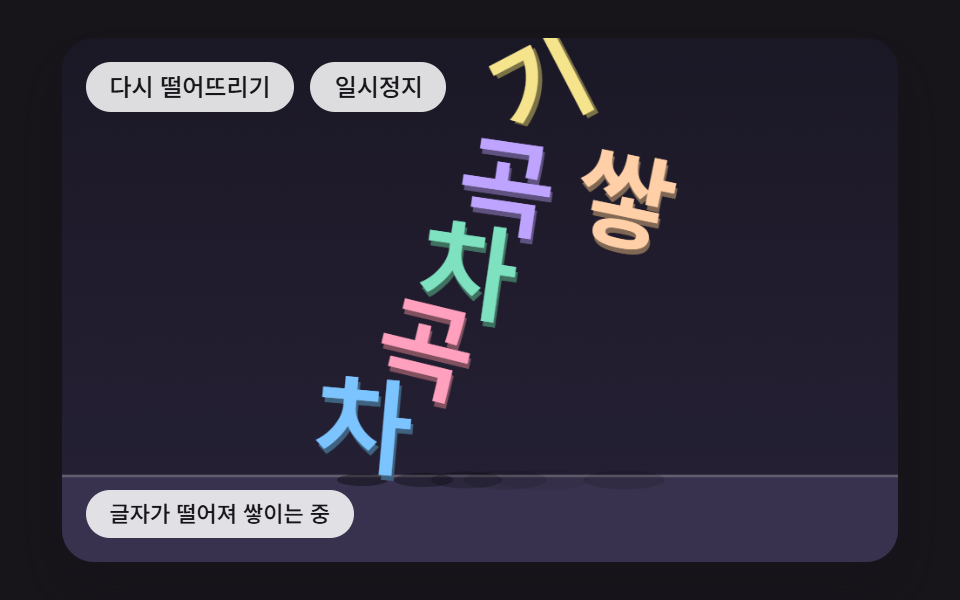 01 tx-phys-drop-pile-corner-spin
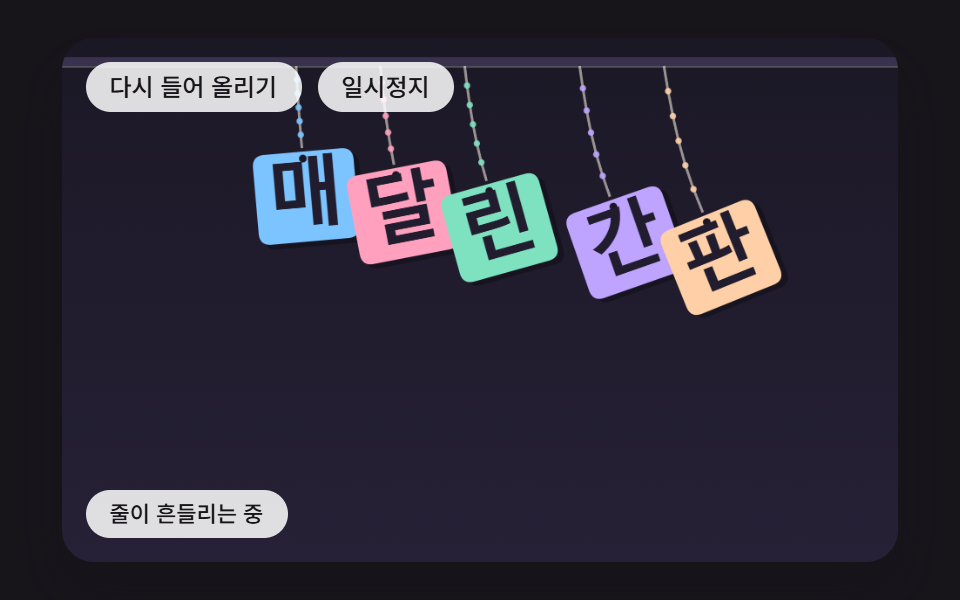 02 tx-phys-rope-hung-swing
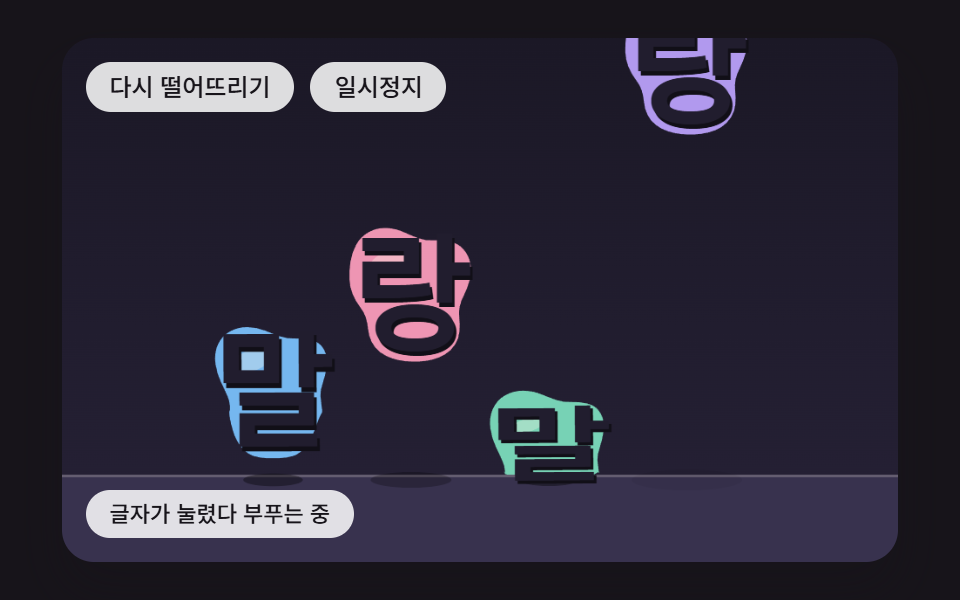 03 tx-phys-jelly-impact-squash
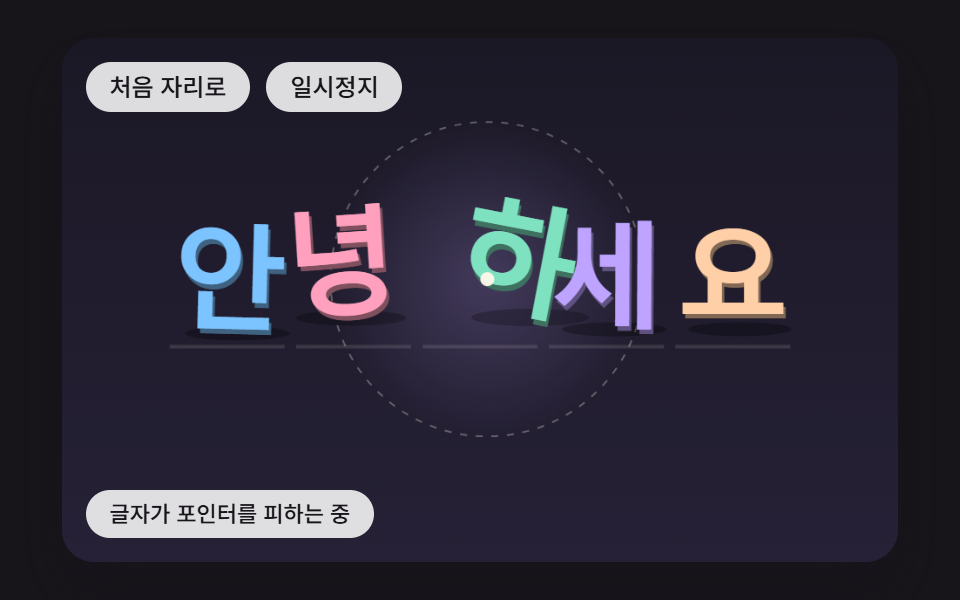 04 tx-phys-pointer-dodge-spring-home
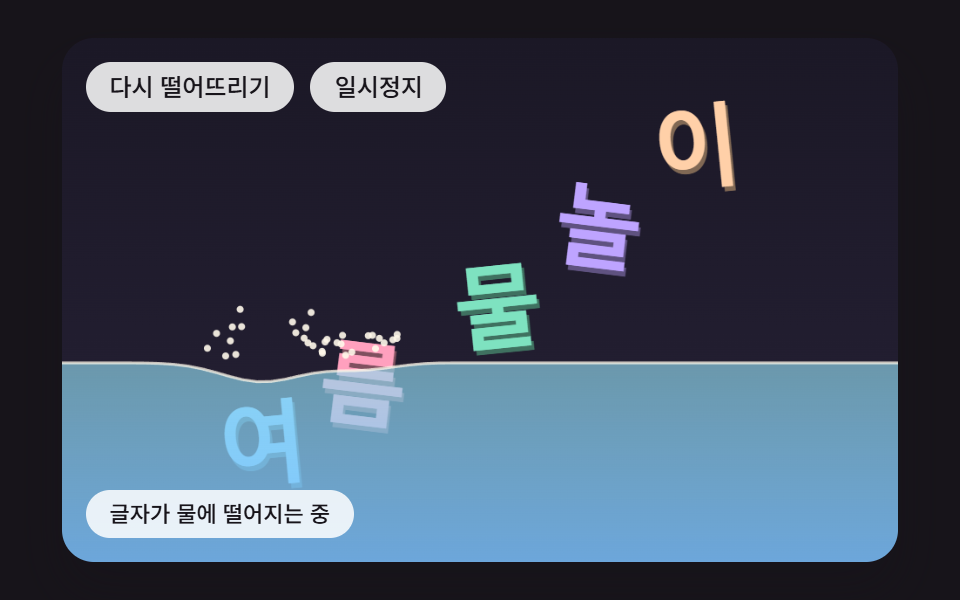 05 tx-phys-water-buoyancy-wave
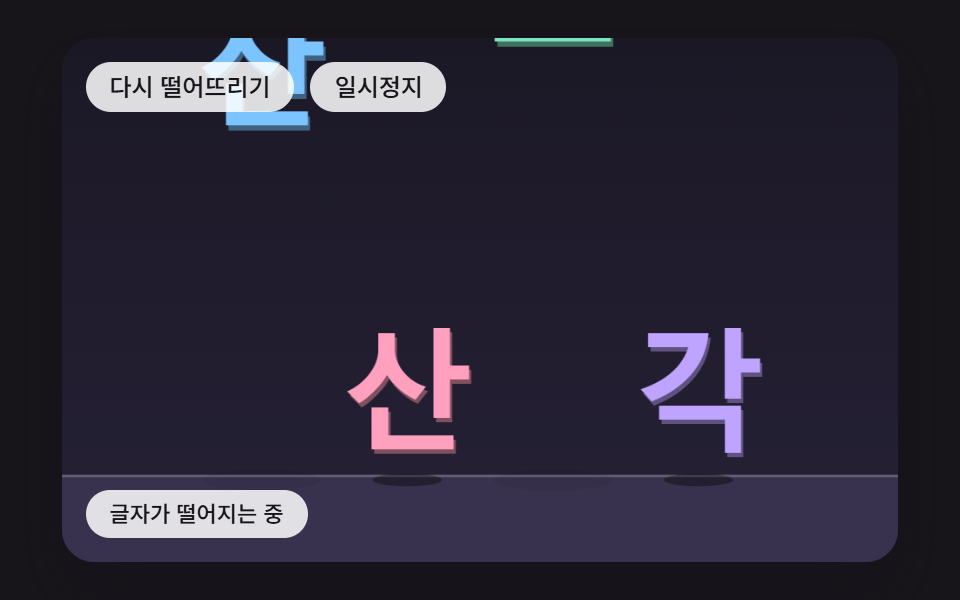 06 tx-phys-impact-shatter-shards
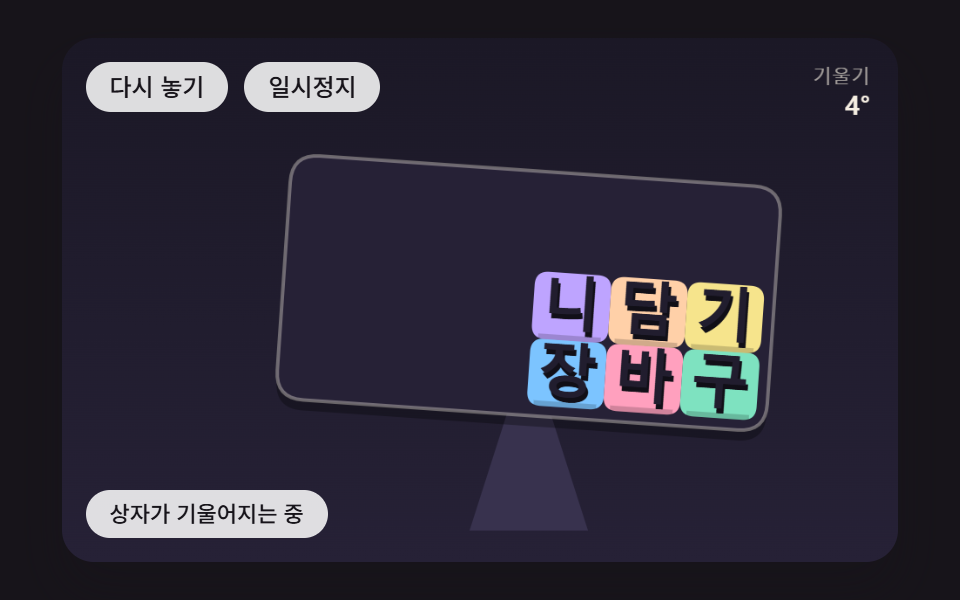 07 tx-phys-tilt-box-slide
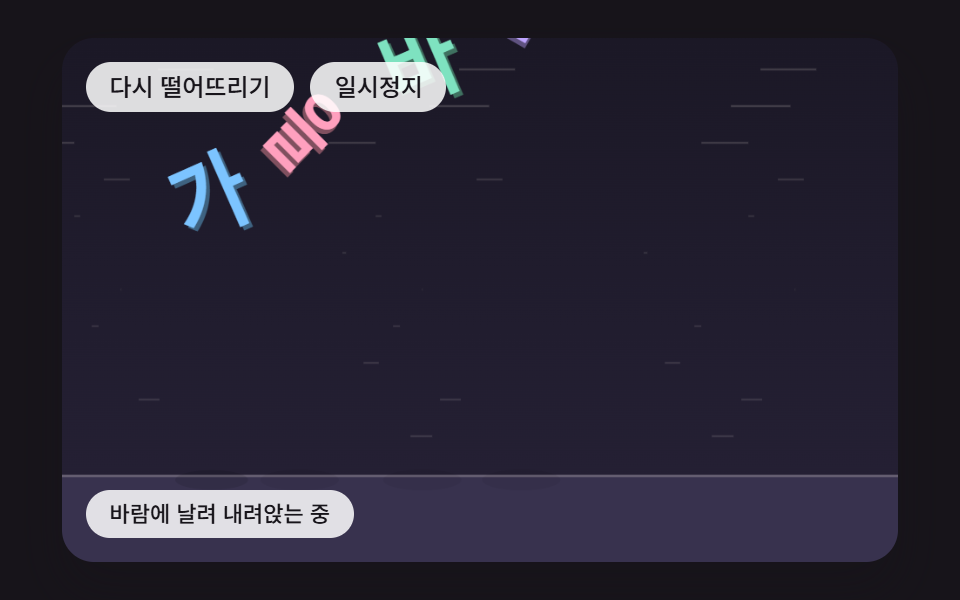 08 tx-phys-wind-flutter-drift
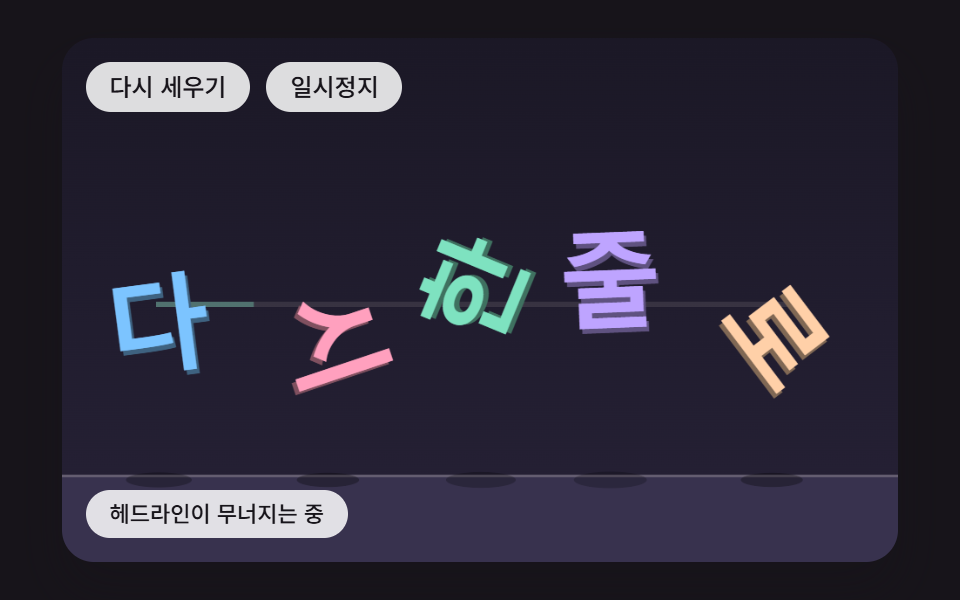 09 tx-phys-hero-collapse-realign
Auto-plays · click a tile to jump to its section · all nine in one zip
- 01 Letters That Spin on a Corner Landing and Pile Up
- 02 Letters Swinging on Hanging Ropes
- 03 Letters That Squash Like Jelly by Their Impact Speed
- 04 Letters That Dodge the Pointer and Spring Back Home
- 05 Letters That Float by How Much of Them Sits Underwater
- 06 Letters That Shatter Into Shards on a Hard Hit
- 07 Letters Sliding to One Side as Their Box Tilts
- 08 Letters Drifting Down and Fluttering Like Leaves in the Wind
- 09 A Hero Headline That Collapses, Then Lines Back Up
Each cell holds one canvas laid out on scene coordinates 480 wide and 300 tall, and the English stage words are STACK IT UP, HANG TIGHT, SQUISH, HELLO THERE, SUMMER SPLASH, SHATTER, ADD TO CART, AUTUMN WIND and BACK IN LINE. Until you touch a cell, a demo loop resets its scene every 3,400ms; the first press on the canvas, or the first key after you focus it, removes the demo label and hands the scene over to you. The two buttons under each cell restart the scene and pause it, and while the canvas has focus, Enter and Space do the same two jobs.
What your pointer and keys do in each cell
| Scene | Pointer | Keyboard |
|---|---|---|
| 01 Pile-up | Flicks the letters where you press | ←/→ shake, ↑ toss |
| 02 Ropes | While you drag, a circle of radius 22px shoves the ropes aside | ←/→ shake |
| 03 Jelly | Flicks the nearest letter | ↓ slam, ↑ toss |
| 04 Dodge | Moving is enough, the pointer itself is the force | Arrow keys move a keyboard pointer 22px per press, Esc removes it |
| 05 Water | Pushes down the surface where you press | ↓ dunk, ←/→ push |
| 06 Shards | Slams the letter you press | ↓ slam faster than the threshold |
| 07 Tilted box | Horizontal position becomes the tilt | ←/→ tilt 4° per press, Esc returns to auto |
| 08 Wind | Lifts the letters where you press | ←/→ gust, ↑ lift them all |
| 09 Headline | Knocks it down right away | ↓ collapse, ↑ bring it back |
Falling Text Animation: 9 Scenes — Pile-Up, Hanging Ropes, Jelly Squash, Dodging, Floating, Shattering, Tilted Box, Wind and a Hero Headline
Rigid boxes that fall and stack in 01 are the base of the set. 02 hangs those boxes from ropes, 03 swaps the rigid box for a soft body, 04 gives up falling and flees the pointer instead, 05 trades the floor for water, and 06 breaks a letter apart only when it lands hard enough. 07 tilts the floor itself, 08 lets wind and drag take the lead over gravity, and 09 borrows the box math from 01 to knock a headline down and then stand it back up in reading order.
Screen change counted across a two-second, 24-frame capture
For this table every scene was recorded at 480×300 for two seconds; of the 23 steps between its 24 frames, the middle column counts the ones that changed the picture.
| Scene | Cumulative area | Moving frames | Mean intensity |
|---|---|---|---|
| 01 Corner-spin pile | 24.1% | 21/23 | 101.0 |
| 02 Rope-hung sign | 16.6% | 23/23 | 121.3 |
| 03 Jelly squash | 23.0% | 23/23 | 104.3 |
| 04 Pointer dodge | 52.1% | 23/23 | 67.3 |
| 05 Water float | 27.1% | 22/23 | 88.5 |
| 06 Shatter on impact | 21.9% | 15/23 | 117.2 |
| 07 Tilted box | 26.9% | 23/23 | 94.0 |
| 08 Wind drift | 22.6% | 23/23 | 90.4 |
| 09 Collapse and realign | 26.9% | 20/23 | 105.1 |
04 covers by far the most ground, likely because its virtual pointer sweeps a figure-eight across the whole stage and drags the radius circle and the letters along with it. 06 changed in only 15 of the 23 steps, probably because the two letters that land under the threshold and the scattered shards come to rest and leave the picture nearly still. No scene dropped below 10% cumulative area.
Pages where these letters earn their place
The first screen of a product launch page suits 01, where the title pours down into a pile, or 09, where it falls apart and then stands in one line again, while a banner announcing an event fits the hanging sign in 02. 03 works on the start screen of an app for kids, 05 on the headline of a summer event page and 08 on an autumn sale banner, because each of them names its season or mood through the motion itself.
A portfolio greeting that should react to the visitor's pointer is where 04 belongs. If you want a falling text effect on a game results screen, 06 can break only the score digits that land hard, which reads as a high-score moment, and the tilting box in 07 works as a short picture of an item sliding into the cart.
Interactive Text Animation Could Use Keyframes — So Why Compute Speed and Force Every Tick?
Keyframes replay a path that someone wrote in advance, and no one can write down beforehand the angle at which six letters will come to rest after knocking into each other. In 01 on the Korean build, the resting angles came out as 0, 89, 89, 1, 137 and 323°, a different one for each letter, and once you flick a letter, everything after depends on where it was and how fast it moved at that instant. Results like these only appear by repeating one calculation: take the current position and velocity, then work out the next ones. That is why none of the nine stylesheets has a single @keyframes rule, and the only transition left in them is a button's background color.
If you would rather start from a path that is fixed ahead of time, the CSS text animation post covers keyframe bounces. This post goes the other way: it sets forces and leaves the path open.
A clock that catches up six steps per frame at most
The script banks the time differences that requestAnimationFrame passes in and spends them in fixed 16ms steps (FIXED_DT). A single frame can bank 100ms at most, so it catches up at most six steps. The step length does not depend on the display's refresh rate, so a 60Hz screen and a 120Hz screen likely walk through the same sequence of calculations.
One seed, one identical pile
Placement comes only from formulas or a seeded random generator (makeRng with 4721, 4725, 4726+i, 4727 and 4729), and neither Math.random nor Date.now shows up anywhere in the nine sources. Because the step and the seed are both fixed, dropping the letters again without touching them lands the same shapes in the same spots. For the first 200ms after each restart (LEAD_MS) the step does nothing at all, so the letters hang where they were placed for a beat before they begin to move.
Treating Each Letter as a Box: Collision Checks and the Impulse That Spins a Corner Landing
A glyph box measured with measureText
In all nine scenes, layoutWord splits the source text into glyphs with Array.from and measures each one with measureText. When the whole line runs wider than its allowed width, every glyph shrinks by the same ratio. A box is as wide as its measured glyph, with 0.34 of the font size as the narrowest it can be, 0.9 of the font size tall, and spaced from its neighbor by 0.1 of the font size, while a space takes room without getting a box. In 01 the English STACK IT UP comes out at 55.1px, with box widths running from 19.2px for the I to 41.3px for the A, whereas the Korean words land at 58px with six equal widths and the Japanese ones stay at the full 74px, equal widths again.
Each letter is painted twice with fillText: first in its color darkened to half and offset by (1.4, 2.8)px, then in its own color on top, which gives the glyph some thickness. The type is a list of system fonts at weight 800, and no web font is fetched.
Mass and rotational inertia set by box area
In 01 and 09, every box takes its area divided by 900 as its mass and m(w² + h²)/12 as its rotational inertia. A wider letter is heavier and harder to spin, and the I box, 0.46 times as wide as the A box at the same height, is lighter by that same ratio.
How a corner contact turns impulse into spin
A contact appears wherever a box corner pokes past the floor or a wall, or into another box, and the axis with the shallower overlap becomes the push direction, called the normal. effMass adds 1/mass to the square of (contact − center of mass) × normal divided by the rotational inertia. When the contact sits right under the center, that cross product is 0 and the whole impulse goes into pushing up; when it sits off to one side, as a corner does, part of the same impulse turns into angular velocity. If the normal speed just before contact is below −1.2px per tick, that is, faster than 1.2px per tick into the surface, the target is a rebound at 0.32 of that speed, and slower contacts target 0, so stacked letters settle quietly.
This is what each scene works out in one tick, and what makes its motion die down.
| Scene | Work done in one tick | What calms it |
|---|---|---|
| 01 | Gravity integration twice per tick, corner contacts, 6 impulse passes | Rebound 0.32, friction 0.55 |
| 02 | Position integration that carries velocity as the difference from the previous position, 8 segment-length fixes | Air damping 0.012 |
| 03 | Best-fit rotation of the rest shape, shape spring 0.45, pressure 0.8 | Point damping 0.02, vertical speed × −0.1 at the floor |
| 04 | Home spring 0.05, push by inverse distance | Velocity × 0.88 |
| 05 | Column springs plus two neighbor handoffs, submerged share from 20 sample points | Wave damping 0.02, drag in the water |
| 06 | Gravity 0.5, first impact speed compared with a threshold of 9 | Shards × −0.3 at the floor, sideways × 0.7 |
| 07 | Gravity turned by the box angle, 4 push passes | × 0.96 once per tick |
| 08 | Value-noise wind, drag on speed squared, glide from the tilt | Drag 0.02, angular damping 0.06 |
| 09 | The box math from 01, then a return spring from 0.9 seconds on | Damping 2√0.03 |
The per-scene figures in the next nine sections come from calling the source functions directly on the Korean build of the page, whose stage words run four to six glyphs. The English words carry more letters, so counts such as six letters or the middle letter refer to that build, and timings on this page can drift from them.
01Letters That Spin on a Corner Landing and Pile Up
Six letters, pulled toward the middle and stacked in the air a little over 62px apart, fall onto one another: those that land on a corner tip over spinning, those that land flat sit still, and the resting angles spread across 0, 89, 89, 1, 137 and 323°. solveContact runs six times per contact, clips the accumulated impulse so it cannot go below 0, which keeps boxes from pulling on each other, and keeps the sliding impulse within 0.55 of the pressing one. The first floor touch came at 768ms, the fastest spin was 16.7° per tick, all six were still for good from 2,688ms, and the pile stood 77.1px tall, 1.48 times the 52.2px letter height.
<main class="stage">
<div class="pc is-demo" id="pc">
  <p class="pc__sr" data-role="word">STACK IT UP</p>
  <canvas class="pc__canvas" data-role="canvas" width="480" height="300" tabindex="0" aria-label="Letter boxes fall, spin when a corner lands first, and pile up on the floor. Press to flick the letters there, use the side arrows to shake, the Up arrow to toss them, press Enter to drop them again and Space to pause."></canvas>
  <p class="pc__status" data-role="status" aria-live="off">Letters falling and piling up</p>
  <div class="pc__tools">
    <button class="pc__btn" data-role="restart" type="button">Drop again</button>
    <button class="pc__btn" data-role="pause" type="button" aria-pressed="false">Pause</button>
  </div>
</div>
</main>
@use "../../../../site/static/demo-tokens" as *;
@include stage($stage-ink);
.pc {
position: relative;
width: min(92vw, calc(160vh - 12.8vw));
aspect-ratio: 480 / 300;
margin: 0 auto;
border-radius: $r-card;
overflow: hidden;
box-shadow: $shadow-raised;
background: $subject-ink;
}
.pc__canvas {
display: block;
width: 100%;
height: 100%;
cursor: pointer;
}
.pc__canvas:focus-visible {
outline: 2px solid rgba(255, 255, 255, .85);
outline-offset: -6px;
}
// 원문 한 줄 — 화면에는 숨기고 화면 낭독기에만 남긴다(낱글자는 캔버스 그림이라 따로 읽히지 않는다)
.pc__sr {
position: absolute;
width: 1px;
height: 1px;
margin: -1px;
padding: 0;
border: 0;
overflow: hidden;
clip-path: inset(50%);
white-space: nowrap;
}
.pc__status {
position: absolute;
left: $sp-3;
bottom: $sp-3;
box-sizing: border-box;
max-width: 46%;
margin: 0;
padding: $sp-1 $sp-3;
border-radius: $r-control;
background: rgba(255, 255, 255, .85);
color: $subject-ink;
font-weight: 500;
font-size: 11px;
line-height: 1.4;
pointer-events: none;
}
// 버튼은 왼쪽 위 칸에 두고, 좁으면 줄을 바꿔 무대를 덮지 않는다
.pc__tools {
position: absolute;
left: $sp-3;
top: $sp-3;
box-sizing: border-box;
max-width: 46%;
display: flex;
flex-wrap: wrap;
gap: $sp-2;
}
.pc__btn {
margin: 0;
padding: $sp-1 $sp-3;
border: 0;
border-radius: $r-pill;
background: rgba(255, 255, 255, .85);
color: $subject-ink;
font: inherit;
font-weight: 500;
font-size: 12px;
line-height: 1.4;
cursor: pointer;
transition: background-color $dur-quick ease-out;
}
.pc__btn:hover {
background: $subject-cream;
}
.pc__btn[aria-pressed="true"] {
background: $subject-mint;
}
.pc__btn:focus-visible {
outline: 2px solid rgba(255, 255, 255, .95);
outline-offset: 2px;
}
// 손가락 가로 끌기는 이 캔버스가 받고, 세로 쓸기는 브라우저에 남겨 페이지 스크롤이 막히지 않게 한다
.pc__canvas { touch-action: pan-y; }
@media (max-width: 340px) {
.pc__btn { font-size: 10px; padding: $sp-1 $sp-2; }
.pc__status { font-size: 10px; padding: $sp-1 $sp-2; }
}
@media (prefers-reduced-motion: reduce) {
.pc__btn { transition: none; }
}html, body {
margin: 0;
overflow: hidden;
}
.stage {
box-sizing: border-box;
min-height: 100vh;
display: grid;
place-items: center;
margin: 0;
background: #17141a;
font-family: -apple-system, "Segoe UI", "Noto Sans KR", sans-serif;
padding: clamp(8px, 4vw, 24px);
}
.pc {
position: relative;
width: min(92vw, 160vh - 12.8vw);
aspect-ratio: 480/300;
margin: 0 auto;
border-radius: 16px;
overflow: hidden;
box-shadow: 0 14px 24px rgba(23, 20, 26, 0.32);
background: #17141a;
}
.pc__canvas {
display: block;
width: 100%;
height: 100%;
cursor: pointer;
}
.pc__canvas:focus-visible {
outline: 2px solid rgba(255, 255, 255, 0.85);
outline-offset: -6px;
}
.pc__sr {
position: absolute;
width: 1px;
height: 1px;
margin: -1px;
padding: 0;
border: 0;
overflow: hidden;
clip-path: inset(50%);
white-space: nowrap;
}
.pc__status {
position: absolute;
left: 12px;
bottom: 12px;
box-sizing: border-box;
max-width: 46%;
margin: 0;
padding: 4px 12px;
border-radius: 12px;
background: rgba(255, 255, 255, 0.85);
color: #17141a;
font-weight: 500;
font-size: 11px;
line-height: 1.4;
pointer-events: none;
}
.pc__tools {
position: absolute;
left: 12px;
top: 12px;
box-sizing: border-box;
max-width: 46%;
display: flex;
flex-wrap: wrap;
gap: 8px;
}
.pc__btn {
margin: 0;
padding: 4px 12px;
border: 0;
border-radius: 999px;
background: rgba(255, 255, 255, 0.85);
color: #17141a;
font: inherit;
font-weight: 500;
font-size: 12px;
line-height: 1.4;
cursor: pointer;
transition: background-color 220ms ease-out;
}
.pc__btn:hover {
background: #fff7e6;
}
.pc__btn[aria-pressed=true] {
background: #4cd4a6;
}
.pc__btn:focus-visible {
outline: 2px solid rgba(255, 255, 255, 0.95);
outline-offset: 2px;
}
.pc__canvas {
touch-action: pan-y;
}
@media (max-width: 340px) {
.pc__btn {
font-size: 10px;
padding: 4px 8px;
}
.pc__status {
font-size: 10px;
padding: 4px 8px;
}
}
@media (prefers-reduced-motion: reduce) {
.pc__btn {
transition: none;
}
}(function () {
const root = document.getElementById("pc");
if (!root) return;
const W = 480;
const H = 300;
const FIXED_DT = 16;
const TAU = Math.PI * 2;
const DEG = Math.PI / 180;
// 바닥 높이 — 왼쪽 아래 상태 줄 위에서 글자가 멈추도록 바닥을 띄워 둔다
const FLOOR = 250;
// 다시 떨어뜨린 뒤 첫 200ms 는 그대로 둔다 — 첫 변화가 200ms 뒤에 오게
const LEAD_MS = 200;
// 파스텔 팔레트 — 어두운 무대 위에 밝은 글자를 얹어 명도 차로 글자 경계가 읽힌다
const BG = [27, 24, 38];
const BG_LOW = [38, 33, 54];
const FLOOR_COL = [56, 50, 78];
const INK = [33, 29, 46];
const PAPER = [255, 248, 234];
const PAL = [
[124, 196, 255],
[255, 160, 190],
[126, 226, 192],
[190, 164, 255],
[255, 208, 168],
[246, 228, 140],
[150, 222, 236],
[232, 182, 228],
[196, 220, 160],
];
function clamp(v, lo, hi) { return v < lo ? lo : (v > hi ? hi : v); }
function lerp(a, b, k) { return a + (b - a) * k; }
function smooth(x) { const c = clamp(x, 0, 1); return c * c * (3 - 2 * c); }
function rgba(c, a) {
return 'rgba(' + Math.round(clamp(c[0], 0, 255)) + ',' + Math.round(clamp(c[1], 0, 255)) + ',' + Math.round(clamp(c[2], 0, 255)) + ',' + clamp(a, 0, 1).toFixed(3) + ')';
}
function shadeRGB(c, k) { return [c[0] * k, c[1] * k, c[2] * k]; }
// 시드 고정 난수 — 같은 시드면 같은 배치가 다시 나온다 (32비트 정수 섞기)
function makeRng(seed) {
let s = seed >>> 0;
return function () {
s = (s + 0x6d2b79f5) >>> 0;
let t = s;
t = Math.imul(t ^ (t >>> 15), t | 1);
t ^= t + Math.imul(t ^ (t >>> 7), t | 61);
return ((t ^ (t >>> 14)) >>> 0) / 4294967296;
};
}
const canvasEl = root.querySelector('[data-role="canvas"]');
const statusEl = root.querySelector('[data-role="status"]');
const wordEl = root.querySelector('[data-role="word"]');
const ctxRaw = canvasEl ? canvasEl.getContext('2d') : null;
if (!canvasEl || !ctxRaw || !statusEl || !wordEl) {
return;
}
const cv = canvasEl;
const ctx = ctxRaw;
const status = statusEl;
// 원문 한 줄 — 화면 낭독기는 이 문장만 한 번 읽는다. 캔버스에 그린 낱글자는 접근성 트리에 들어가지 않는다
const WORD = (wordEl.textContent || '').trim();
const restartBtn = root.querySelector('[data-role="restart"]');
const pauseBtn = root.querySelector('[data-role="pause"]');
const reduceQuery = window.matchMedia('(prefers-reduced-motion: reduce)');
// 페이지를 연 채 동작 줄이기 설정을 바꿔도 아래 change 리스너가 이 값을 다시 읽는다
let still = reduceQuery.matches;
// 자동 시연 중인가 — 사람이 처음 만지는 순간 시연을 멈추고 상태 줄을 읽어 주기 시작한다
let demo = root.classList.contains('is-demo');
function wake() {
if (!demo) {
return;
}
demo = false;
root.classList.remove('is-demo');
status.setAttribute('aria-live', 'polite');
}
function say(text) {
if (status.textContent !== text) {
status.textContent = text;
}
}
function fitCanvas() {
// 배율은 2 에서 자른다 — 배율 3 기기에서 화소가 2.25배로 늘어 프레임마다 일이 그만큼 커지지 않게
const dpr = Math.min(window.devicePixelRatio || 1, 2);
cv.width = Math.round(W * dpr);
cv.height = Math.round(H * dpr);
ctx.setTransform(dpr, 0, 0, dpr, 0, 0);
}
// 화면 좌표(CSS px) → 장면 좌표(480x300). 리사이즈 뒤에도 그때그때 현재 크기로 다시 잰다
function toScene(ev) {
const r = cv.getBoundingClientRect();
return [((ev.clientX - r.left) / r.width) * W, ((ev.clientY - r.top) / r.height) * H];
}
const FONT_FAMILY = '"Segoe UI", "Malgun Gothic", "Hiragino Sans", "Noto Sans KR", sans-serif';
// 글자 사이 간격 — 글자 크기에 대한 비율
const GLYPH_GAP = 0.1;
function fontAt(px) { return '800 ' + px.toFixed(1) + 'px ' + FONT_FAMILY; }
function layoutWord(text, sizeMax, maxW, cx, cy) {
const chars = Array.from(text);
ctx.font = fontAt(sizeMax);
const ws = [];
let total = 0;
for (let i = 0; i < chars.length; i += 1) {
const m = chars[i].trim() === '' ? sizeMax * 0.3 : ctx.measureText(chars[i]).width;
ws.push(m);
total += m;
}
total += GLYPH_GAP * sizeMax * Math.max(0, chars.length - 1);
// 줄이 maxW 보다 길면 글자 크기를 같은 비율로 줄인다 — 언어마다 글자 수가 달라도 무대 안에 든다
const k = total > maxW ? maxW / total : 1;
const size = sizeMax * k;
const out = [];
let x = cx - (total * k) / 2;
let n = 0;
for (let i = 0; i < chars.length; i += 1) {
const w = ws[i] * k;
if (chars[i].trim() !== '') {
out.push({ ch: chars[i], w: Math.max(w, size * 0.34), h: size * 0.9, hx: x + w / 2, hy: cy, size: size, col: PAL[n % PAL.length], i: n });
n += 1;
}
x += w + GLYPH_GAP * size;
}
return out;
}
// 글자 하나 그리기 — 같은 글자를 어둡게 한 번 아래로 비켜 찍어 두께를 만든 뒤 제 색으로 덮는다
function drawGlyph(g, x, y, a, sx, sy, fill) {
ctx.save();
ctx.translate(x, y);
ctx.rotate(a);
ctx.scale(sx, sy);
ctx.font = fontAt(g.size);
ctx.textAlign = 'center';
ctx.textBaseline = 'middle';
ctx.fillStyle = rgba(shadeRGB(fill, 0.5), 1);
ctx.fillText(g.ch, 1.4, g.size * 0.04 + 2.8);
ctx.fillStyle = rgba(fill, 1);
ctx.fillText(g.ch, 0, g.size * 0.04);
ctx.restore();
}
// 모서리가 둥근 사각형 경로 — 가운데 (0,0) 기준 폭 w·높이 h
function roundRectPath(x, y, w, h, r) {
const rr = Math.min(r, w / 2, h / 2);
ctx.beginPath();
ctx.moveTo(x + rr, y);
ctx.lineTo(x + w - rr, y);
ctx.quadraticCurveTo(x + w, y, x + w, y + rr);
ctx.lineTo(x + w, y + h - rr);
ctx.quadraticCurveTo(x + w, y + h, x + w - rr, y + h);
ctx.lineTo(x + rr, y + h);
ctx.quadraticCurveTo(x, y + h, x, y + h - rr);
ctx.lineTo(x, y + rr);
ctx.quadraticCurveTo(x, y, x + rr, y);
ctx.closePath();
}
// 바닥 그림자 — 글자 아래끝이 바닥에서 멀수록 옅고 넓게. 높이 값 하나로 크기와 진하기를 함께 정한다
function floorShadow(x, bottom, w) {
const lift = clamp((FLOOR - bottom) / 160, 0, 1);
ctx.fillStyle = rgba([0, 0, 0], 0.34 * (1 - lift) + 0.05);
ctx.beginPath();
ctx.ellipse(x, FLOOR + 3, w * (0.5 + 0.4 * lift), 3.5 + 2.5 * lift, 0, 0, TAU);
ctx.fill();
}
function clearStage() {
const g = ctx.createLinearGradient(0, 0, 0, H);
g.addColorStop(0, rgba(BG, 1));
g.addColorStop(1, rgba(BG_LOW, 1));
ctx.fillStyle = g;
ctx.fillRect(0, 0, W, H);
}
function drawFloor() {
ctx.fillStyle = rgba(FLOOR_COL, 1);
ctx.fillRect(0, FLOOR, W, H - FLOOR);
ctx.fillStyle = rgba(PAPER, 0.22);
ctx.fillRect(0, FLOOR, W, 1.5);
}
const TXT_PAUSE = 'Paused — press Space to resume';
// 시계 — clock 은 시연 시계, age 는 다시 떨어뜨린 뒤 흐른 시간(ms). 둘 다 16ms 고정 스텝으로만 늘어난다
let paused = false;
let clock = 0;
let age = 0;
function setPaused(v) {
paused = v;
if (pauseBtn) {
pauseBtn.setAttribute('aria-pressed', v ? 'true' : 'false');
}
}
function restart() {
age = 0;
onRestart();
}
function tick() {
age += FIXED_DT;
step();
}
function report() { say(paused ? TXT_PAUSE : stateText()); }
function render() {
draw();
report();
}
// 시연 — DEMO_LOOP_MS 마다 처음부터 다시 떨어뜨린다
let demoCycle = -1;
function demoTick(t) {
const cyc = Math.floor(t / DEMO_LOOP_MS);
if (cyc !== demoCycle) {
demoCycle = cyc;
restart();
}
demoDrive(t - cyc * DEMO_LOOP_MS);
}
// 동작 줄이기 — 움직임을 그리지 않고 SETTLE_TICKS 스텝을 한 번에 계산해 내려앉은 결과만 그린다
const SETTLE_TICKS = 360;
function settle() {
for (let k = 0; k < SETTLE_TICKS; k += 1) {
tick();
}
}
// 입력 한 번 뒤 — 동작 줄이기면 그 입력이 낳은 결과까지 바로 계산해 그린다
function after() {
if (still) {
settle();
}
render();
}
cv.addEventListener('pointerdown', function (ev) {
wake();
if (cv.setPointerCapture) {
cv.setPointerCapture(ev.pointerId);
}
const p = toScene(ev);
onPointer('down', p[0], p[1]);
after();
});
cv.addEventListener('pointermove', function (ev) {
const p = toScene(ev);
if (onPointer('move', p[0], p[1])) {
wake();
after();
}
});
cv.addEventListener('pointerup', function (ev) {
const p = toScene(ev);
onPointer('up', p[0], p[1]);
});
cv.addEventListener('pointercancel', function () { onPointer('up', -1, -1); });
cv.addEventListener('pointerleave', function () {
if (onPointer('leave', -1, -1)) {
after();
}
});
cv.addEventListener('keydown', function (ev) {
const k = ev.key;
if (k === 'Enter') {
restart();
}
else if (k === ' ') {
setPaused(!paused);
}
else if (!onKey(k)) {
return;
}
ev.preventDefault();
wake();
after();
});
if (restartBtn) {
restartBtn.addEventListener('click', function () { wake(); restart(); after(); });
}
if (pauseBtn) {
pauseBtn.addEventListener('click', function () { wake(); setPaused(!paused); after(); });
}
// 한 틱을 두 번으로 나눠 옮긴다 — 빠르게 떨어진 글자가 다른 글자를 뚫고 지나가지 않게
const SUBSTEPS = 2;
// 접점 충격량을 되풀이해 맞추는 횟수
const SOLVER_ITERATIONS = 6;
// 이보다 느리게 닿으면 되튀지 않는다 — 쌓인 글자가 제자리에서 떨지 않게(px/틱)
const BOUNCE_MIN = 1.2;
// 이만큼(px)까지 파고든 것은 그냥 둔다 — 밀어내기가 접점을 매번 끊었다 붙였다 하지 않게
const SLOP = 0.4;
const WALL_L = 8;
const WALL_R = W - 8;
function makeBody(g, x, y, a) {
// 질량은 상자 넓이에 비례, 회전 관성은 상자 공식 m(w²+h²)/12
const m = (g.w * g.h) / 900;
const inertia = (m * (g.w * g.w + g.h * g.h)) / 12;
return { g: g, x: x, y: y, vx: 0, vy: 0, a: a, w: 0, hw: g.w / 2, hh: g.h / 2, im: 1 / m, ii: 1 / inertia, free: true };
}
function corners(b) {
const c = Math.cos(b.a);
const s = Math.sin(b.a);
const out = [];
const sx = [-1, 1, 1, -1];
const sy = [-1, -1, 1, 1];
for (let k = 0; k < 4; k += 1) {
const lx = sx[k] * b.hw;
const ly = sy[k] * b.hh;
out.push([b.x + lx * c - ly * s, b.y + lx * s + ly * c]);
}
return out;
}
function addContact(out, a, b, px, py, nx, ny, pen) {
out.push({ a: a, b: b, px: px, py: py, nx: nx, ny: ny, pen: pen, target: 0, jn: 0, jt: 0 });
}
// 꼭짓점 하나가 다른 상자 안에 들어갔는가 — 들어갔으면 덜 파고든 축을 법선으로 삼는다(그쪽으로 빼는 게 가장 짧다)
function cornerInBox(out, a, p, b) {
const dx = p[0] - b.x;
const dy = p[1] - b.y;
const c = Math.cos(b.a);
const s = Math.sin(b.a);
const lx = dx * c + dy * s;
const ly = -dx * s + dy * c;
const ox = b.hw - Math.abs(lx);
const oy = b.hh - Math.abs(ly);
if (ox <= 0 || oy <= 0) {
return;
}
let nlx = 0;
let nly = 0;
let pen = 0;
if (ox < oy) {
nlx = lx < 0 ? -1 : 1;
pen = ox;
}
else {
nly = ly < 0 ? -1 : 1;
pen = oy;
}
addContact(out, a, b, p[0], p[1], nlx * c - nly * s, nlx * s + nly * c, pen);
}
function findContacts(bodies) {
const out = [];
for (let i = 0; i < bodies.length; i += 1) {
const a = bodies[i];
if (!a.free) {
continue;
}
const cs = corners(a);
for (let k = 0; k < 4; k += 1) {
const p = cs[k];
if (p[1] > FLOOR) {
addContact(out, a, null, p[0], p[1], 0, -1, p[1] - FLOOR);
}
if (p[0] < WALL_L) {
addContact(out, a, null, p[0], p[1], 1, 0, WALL_L - p[0]);
}
if (p[0] > WALL_R) {
addContact(out, a, null, p[0], p[1], -1, 0, p[0] - WALL_R);
}
}
for (let j = i + 1; j < bodies.length; j += 1) {
const b = bodies[j];
if (!b.free) {
continue;
}
const reach = Math.hypot(a.hw, a.hh) + Math.hypot(b.hw, b.hh);
if (Math.abs(a.x - b.x) > reach || Math.abs(a.y - b.y) > reach) {
continue;
}
for (let k = 0; k < 4; k += 1) {
cornerInBox(out, a, cs[k], b);
}
const cb = corners(b);
for (let k = 0; k < 4; k += 1) {
cornerInBox(out, b, cb[k], a);
}
}
}
return out;
}
// 접점 속도 — 무게중심 속도 + 각속도 x 무게중심에서 접점까지의 거리
function pointVel(b, px, py) {
return [b.vx - b.w * (py - b.y), b.vy + b.w * (px - b.x)];
}
function relVel(c) {
const va = pointVel(c.a, c.px, c.py);
if (!c.b) {
return va;
}
const vb = pointVel(c.b, c.px, c.py);
return [va[0] - vb[0], va[1] - vb[1]];
}
// 접점이 무게중심에서 벗어난 거리(r x n)가 클수록 같은 충격량이 회전으로 더 많이 간다
    function effMass(c, dx, dy) {
        const ra = (c.px - c.a.x) * dy - (c.py - c.a.y) * dx;
        let k = c.a.im + ra * ra * c.a.ii;
        if (c.b) {
            const rb = (c.px - c.b.x) * dy - (c.py - c.b.y) * dx;
            k += c.b.im + rb * rb * c.b.ii;
        }
        return k;
    }
function applyImpulse(b, px, py, jx, jy) {
b.vx += jx * b.im;
b.vy += jy * b.im;
b.w += ((px - b.x) * jy - (py - b.y) * jx) * b.ii;
}
function pushPair(c, jx, jy) {
applyImpulse(c.a, c.px, c.py, jx, jy);
if (c.b) {
applyImpulse(c.b, c.px, c.py, -jx, -jy);
}
}
function solveContact(c, fric) {
const rel = relVel(c);
const vn = rel[0] * c.nx + rel[1] * c.ny;
const jn0 = c.jn;
c.jn = Math.max(jn0 + (c.target - vn) / effMass(c, c.nx, c.ny), 0);
const dj = c.jn - jn0;
pushPair(c, c.nx * dj, c.ny * dj);
// 마찰 — 미끄러지는 방향 충격량은 누르는 충격량 x fric 을 넘지 못한다
const tx = -c.ny;
const ty = c.nx;
const rel2 = relVel(c);
const vt = rel2[0] * tx + rel2[1] * ty;
const lim = fric * c.jn;
const jt0 = c.jt;
c.jt = clamp(jt0 - vt / effMass(c, tx, ty), -lim, lim);
const djt = c.jt - jt0;
pushPair(c, tx * djt, ty * djt);
}
function rigidStep(bodies, grav, rest, fric) {
for (let s = 0; s < SUBSTEPS; s += 1) {
for (let i = 0; i < bodies.length; i += 1) {
const b = bodies[i];
if (!b.free) {
continue;
}
b.vy += grav / SUBSTEPS;
b.x += b.vx / SUBSTEPS;
b.y += b.vy / SUBSTEPS;
b.a += b.w / SUBSTEPS;
}
const cs = findContacts(bodies);
for (let k = 0; k < cs.length; k += 1) {
const c = cs[k];
const rel = relVel(c);
const vn = rel[0] * c.nx + rel[1] * c.ny;
// 되튐 목표 — 닿기 직전 법선 속도의 rest 배만큼 반대로. 느린 접촉은 0
c.target = vn < -BOUNCE_MIN ? -rest * vn : 0;
}
for (let it = 0; it < SOLVER_ITERATIONS; it += 1) {
for (let k = 0; k < cs.length; k += 1) {
solveContact(cs[k], fric);
}
}
// 파고든 깊이는 질량 역수 비율로 나눠 밖으로 뺀다
for (let k = 0; k < cs.length; k += 1) {
const c = cs[k];
const sum = c.a.im + (c.b ? c.b.im : 0);
const corr = (Math.max(c.pen - SLOP, 0) * 0.45) / sum;
c.a.x += c.nx * corr * c.a.im;
c.a.y += c.ny * corr * c.a.im;
if (c.b) {
c.b.x -= c.nx * corr * c.b.im;
c.b.y -= c.ny * corr * c.b.im;
}
}
}
for (let i = 0; i < bodies.length; i += 1) {
const b = bodies[i];
if (!b.free) {
continue;
}
b.vx *= 0.998;
b.w *= 0.985;
}
}
function drawBody(b) { drawGlyph(b.g, b.x, b.y, b.a, 1, 1, b.g.col); }
function bodyBottom(b) {
return b.y + Math.abs(Math.sin(b.a)) * b.hw + Math.abs(Math.cos(b.a)) * b.hh;
}
// 중력 — 틱(16ms)마다 속도에 더하는 값(px/틱²)
const GRAVITY = 0.45;
// 되튐 — 닿기 직전 법선 방향 속도의 이 비율만큼 반대로 튀어 오른다
const RESTITUTION = 0.32;
// 마찰 — 미끄러지는 방향 충격량은 누르는 충격량 x 이 값을 넘지 못한다
const FRICTION = 0.55;
// 누른 자리에서 이 거리(px) 안의 글자를 튕긴다
const POKE_R = 90;
const DEMO_LOOP_MS = 3400;
const TXT_RUN = 'Letters falling and piling up';
const TXT_REST = 'All piled up — press Enter to drop again';
const GLYPHS = layoutWord(WORD, 74, 400, 240, 120);
let bodies = [];
function onRestart() {
const rng = makeRng(4721);
bodies = GLYPHS.map(function (g, i) {
// 가운데로 모아 떨어뜨린다 — 겹쳐 떨어져야 모서리로 닿고 서로 위에 쌓인다
const x = 240 + (g.hx - 240) * 0.28 + (rng() - 0.5) * 18;
const y = -g.h - i * 62 - rng() * 24;
const b = makeBody(g, x, y, (rng() - 0.5) * 0.8);
b.vx = (rng() - 0.5) * 1.4;
return b;
});
}
function step() {
if (age < LEAD_MS) {
return;
}
rigidStep(bodies, GRAVITY, RESTITUTION, FRICTION);
}
function resting() {
for (let i = 0; i < bodies.length; i += 1) {
const b = bodies[i];
if (b.y < 0 || Math.hypot(b.vx, b.vy) > 0.08 || Math.abs(b.w) > 0.004) {
return false;
}
}
return true;
}
function stateText() { return resting() ? TXT_REST : TXT_RUN; }
function draw() {
clearStage();
drawFloor();
for (let i = 0; i < bodies.length; i += 1) {
floorShadow(bodies[i].x, bodyBottom(bodies[i]), bodies[i].hw);
}
for (let i = 0; i < bodies.length; i += 1) {
drawBody(bodies[i]);
}
}
function demoDrive(t) { }
// 누른 자리에서 가까운 글자일수록 세게, 바깥·위로 튕기고 누른 쪽 반대로 돌린다
function poke(x, y) {
for (let i = 0; i < bodies.length; i += 1) {
const b = bodies[i];
const dx = b.x - x;
const dy = b.y - y;
const d = Math.max(Math.hypot(dx, dy), 1);
if (d > POKE_R) {
continue;
}
const k = 1 - d / POKE_R;
b.vx += (dx / d) * 6 * k;
b.vy -= 9 * k;
b.w += (dx < 0 ? -1 : 1) * 0.14 * k;
}
}
function onPointer(type, x, y) {
if (type === 'down') {
poke(x, y);
}
return false;
}
function onKey(k) {
if (k === 'ArrowLeft' || k === 'ArrowRight') {
const s = k === 'ArrowLeft' ? -1 : 1;
for (let i = 0; i < bodies.length; i += 1) {
bodies[i].vx += 4 * s;
bodies[i].vy -= 3;
}
return true;
}
if (k === 'ArrowUp') {
for (let i = 0; i < bodies.length; i += 1) {
bodies[i].vy -= 8;
bodies[i].w += (i % 2 ? 0.1 : -0.1);
}
return true;
}
return false;
}
function onResize() {
fitCanvas();
render();
}
fitCanvas();
window.addEventListener('resize', onResize);
let rafId = 0;
let lastTs = -1;
let acc = 0;
function frame(ts) {
if (still) {
rafId = 0;
return;
}
if (lastTs < 0) {
lastTs = ts;
}
// 탭이 숨었다 돌아와도 한 번에 100ms 까지만 따라잡는다 — 순간이동 대신 이어서 움직인다
acc += Math.min(ts - lastTs, 100);
lastTs = ts;
let n = 0;
while (acc >= FIXED_DT && n < 6) {
if (!paused) {
clock += FIXED_DT;
if (demo) {
demoTick(clock);
}
tick();
}
acc -= FIXED_DT;
n += 1;
}
render();
rafId = window.requestAnimationFrame(frame);
}
function startLoop() {
if (rafId) {
return;
}
lastTs = -1;
acc = 0;
rafId = window.requestAnimationFrame(frame);
}
// 동작 줄이기 설정이 페이지를 연 채 바뀌면 — 켜지면 루프를 멈추고 내려앉은 결과로, 꺼지면 루프를 다시 돈다
function onMotionPref() {
still = reduceQuery.matches;
if (still) {
if (rafId) {
window.cancelAnimationFrame(rafId);
rafId = 0;
}
after();
}
else {
startLoop();
}
}
if (typeof reduceQuery.addEventListener === 'function') {
reduceQuery.addEventListener('change', onMotionPref);
}
restart();
if (still) {
after();
}
else {
render();
startLoop();
}
return function () {
window.cancelAnimationFrame(rafId);
window.removeEventListener('resize', onResize);
if (typeof reduceQuery.removeEventListener === 'function') {
reduceQuery.removeEventListener('change', onMotionPref);
}
};
})();// DropPileCornerSpin - vanilla 판(01-tx-phys-drop-pile-corner-spin) 의 React 포트. 같은 계산을 useEffect 안에서 돌린다.
import { useEffect, useRef } from "react";
import styles from "./DropPileCornerSpin.module.scss";
const cx = (s: string): string => s.split(" ").map((n) => styles[n] ?? n).join(" ");
export default function DropPileCornerSpin() {
const rootRef = useRef<HTMLDivElement | null>(null);
useEffect(() => {
const rootEl = rootRef.current;
if (!rootEl) return;
const root: HTMLElement = rootEl;
type RGB = [number, number, number];
type Pt = [number, number];
const W = 480;
const H = 300;
const FIXED_DT = 16;
const TAU = Math.PI * 2;
const DEG = Math.PI / 180;
// 바닥 높이 — 왼쪽 아래 상태 줄 위에서 글자가 멈추도록 바닥을 띄워 둔다
const FLOOR = 250;
// 다시 떨어뜨린 뒤 첫 200ms 는 그대로 둔다 — 첫 변화가 200ms 뒤에 오게
const LEAD_MS = 200;
// 파스텔 팔레트 — 어두운 무대 위에 밝은 글자를 얹어 명도 차로 글자 경계가 읽힌다
const BG: RGB = [27, 24, 38];
const BG_LOW: RGB = [38, 33, 54];
const FLOOR_COL: RGB = [56, 50, 78];
const INK: RGB = [33, 29, 46];
const PAPER: RGB = [255, 248, 234];
const PAL: RGB[] = [
[124, 196, 255],
[255, 160, 190],
[126, 226, 192],
[190, 164, 255],
[255, 208, 168],
[246, 228, 140],
[150, 222, 236],
[232, 182, 228],
[196, 220, 160],
];
function clamp(v: number, lo: number, hi: number): number { return v < lo ? lo : (v > hi ? hi : v); }
function lerp(a: number, b: number, k: number): number { return a + (b - a) * k; }
function smooth(x: number): number { const c = clamp(x, 0, 1); return c * c * (3 - 2 * c); }
function rgba(c: RGB, a: number): string {
return 'rgba(' + Math.round(clamp(c[0], 0, 255)) + ',' + Math.round(clamp(c[1], 0, 255)) + ',' + Math.round(clamp(c[2], 0, 255)) + ',' + clamp(a, 0, 1).toFixed(3) + ')';
}
function shadeRGB(c: RGB, k: number): RGB { return [c[0] * k, c[1] * k, c[2] * k]; }
// 시드 고정 난수 — 같은 시드면 같은 배치가 다시 나온다 (32비트 정수 섞기)
function makeRng(seed: number): () => number {
let s = seed >>> 0;
return function (): number {
s = (s + 0x6d2b79f5) >>> 0;
let t = s;
t = Math.imul(t ^ (t >>> 15), t | 1);
t ^= t + Math.imul(t ^ (t >>> 7), t | 61);
return ((t ^ (t >>> 14)) >>> 0) / 4294967296;
};
}
const canvasEl = root.querySelector('[data-role="canvas"]') as HTMLCanvasElement | null;
const statusEl = root.querySelector('[data-role="status"]') as HTMLElement | null;
const wordEl = root.querySelector('[data-role="word"]') as HTMLElement | null;
const ctxRaw = canvasEl ? canvasEl.getContext('2d') : null;
if (!canvasEl || !ctxRaw || !statusEl || !wordEl) { return; }
const cv: HTMLCanvasElement = canvasEl;
const ctx: CanvasRenderingContext2D = ctxRaw;
const status: HTMLElement = statusEl;
// 원문 한 줄 — 화면 낭독기는 이 문장만 한 번 읽는다. 캔버스에 그린 낱글자는 접근성 트리에 들어가지 않는다
const WORD = (wordEl.textContent || '').trim();
const restartBtn = root.querySelector('[data-role="restart"]') as HTMLButtonElement | null;
const pauseBtn = root.querySelector('[data-role="pause"]') as HTMLButtonElement | null;
const reduceQuery = window.matchMedia('(prefers-reduced-motion: reduce)');
// 페이지를 연 채 동작 줄이기 설정을 바꿔도 아래 change 리스너가 이 값을 다시 읽는다
let still = reduceQuery.matches;
// 자동 시연 중인가 — 사람이 처음 만지는 순간 시연을 멈추고 상태 줄을 읽어 주기 시작한다
let demo = root.classList.contains('is-demo');
function wake(): void {
if (!demo) { return; }
demo = false;
root.classList.remove('is-demo');
status.setAttribute('aria-live', 'polite');
}
function say(text: string): void {
if (status.textContent !== text) { status.textContent = text; }
}
function fitCanvas(): void {
// 배율은 2 에서 자른다 — 배율 3 기기에서 화소가 2.25배로 늘어 프레임마다 일이 그만큼 커지지 않게
const dpr = Math.min(window.devicePixelRatio || 1, 2);
cv.width = Math.round(W * dpr);
cv.height = Math.round(H * dpr);
ctx.setTransform(dpr, 0, 0, dpr, 0, 0);
}
// 화면 좌표(CSS px) → 장면 좌표(480x300). 리사이즈 뒤에도 그때그때 현재 크기로 다시 잰다
function toScene(ev: PointerEvent): Pt {
const r = cv.getBoundingClientRect();
return [((ev.clientX - r.left) / r.width) * W, ((ev.clientY - r.top) / r.height) * H];
}
// 글자 상자 — measureText 로 잰 폭과 글자 크기로 상자를 잡고, 원래 읽는 순서대로 자리(hx, hy)를 매긴다
type Glyph = { ch: string; w: number; h: number; hx: number; hy: number; size: number; col: RGB; i: number };
const FONT_FAMILY = '"Segoe UI", "Malgun Gothic", "Hiragino Sans", "Noto Sans KR", sans-serif';
// 글자 사이 간격 — 글자 크기에 대한 비율
const GLYPH_GAP = 0.1;
function fontAt(px: number): string { return '800 ' + px.toFixed(1) + 'px ' + FONT_FAMILY; }
function layoutWord(text: string, sizeMax: number, maxW: number, cx: number, cy: number): Glyph[] {
const chars = Array.from(text);
ctx.font = fontAt(sizeMax);
const ws: number[] = [];
let total = 0;
for (let i = 0; i < chars.length; i += 1) {
const m = chars[i].trim() === '' ? sizeMax * 0.3 : ctx.measureText(chars[i]).width;
ws.push(m);
total += m;
}
total += GLYPH_GAP * sizeMax * Math.max(0, chars.length - 1);
// 줄이 maxW 보다 길면 글자 크기를 같은 비율로 줄인다 — 언어마다 글자 수가 달라도 무대 안에 든다
const k = total > maxW ? maxW / total : 1;
const size = sizeMax * k;
const out: Glyph[] = [];
let x = cx - (total * k) / 2;
let n = 0;
for (let i = 0; i < chars.length; i += 1) {
const w = ws[i] * k;
if (chars[i].trim() !== '') {
out.push({ ch: chars[i], w: Math.max(w, size * 0.34), h: size * 0.9, hx: x + w / 2, hy: cy, size: size, col: PAL[n % PAL.length], i: n });
n += 1;
}
x += w + GLYPH_GAP * size;
}
return out;
}
// 글자 하나 그리기 — 같은 글자를 어둡게 한 번 아래로 비켜 찍어 두께를 만든 뒤 제 색으로 덮는다
function drawGlyph(g: Glyph, x: number, y: number, a: number, sx: number, sy: number, fill: RGB): void {
ctx.save();
ctx.translate(x, y);
ctx.rotate(a);
ctx.scale(sx, sy);
ctx.font = fontAt(g.size);
ctx.textAlign = 'center';
ctx.textBaseline = 'middle';
ctx.fillStyle = rgba(shadeRGB(fill, 0.5), 1);
ctx.fillText(g.ch, 1.4, g.size * 0.04 + 2.8);
ctx.fillStyle = rgba(fill, 1);
ctx.fillText(g.ch, 0, g.size * 0.04);
ctx.restore();
}
// 모서리가 둥근 사각형 경로 — 가운데 (0,0) 기준 폭 w·높이 h
function roundRectPath(x: number, y: number, w: number, h: number, r: number): void {
const rr = Math.min(r, w / 2, h / 2);
ctx.beginPath();
ctx.moveTo(x + rr, y);
ctx.lineTo(x + w - rr, y);
ctx.quadraticCurveTo(x + w, y, x + w, y + rr);
ctx.lineTo(x + w, y + h - rr);
ctx.quadraticCurveTo(x + w, y + h, x + w - rr, y + h);
ctx.lineTo(x + rr, y + h);
ctx.quadraticCurveTo(x, y + h, x, y + h - rr);
ctx.lineTo(x, y + rr);
ctx.quadraticCurveTo(x, y, x + rr, y);
ctx.closePath();
}
// 바닥 그림자 — 글자 아래끝이 바닥에서 멀수록 옅고 넓게. 높이 값 하나로 크기와 진하기를 함께 정한다
function floorShadow(x: number, bottom: number, w: number): void {
const lift = clamp((FLOOR - bottom) / 160, 0, 1);
ctx.fillStyle = rgba([0, 0, 0], 0.34 * (1 - lift) + 0.05);
ctx.beginPath();
ctx.ellipse(x, FLOOR + 3, w * (0.5 + 0.4 * lift), 3.5 + 2.5 * lift, 0, 0, TAU);
ctx.fill();
}
function clearStage(): void {
const g = ctx.createLinearGradient(0, 0, 0, H);
g.addColorStop(0, rgba(BG, 1));
g.addColorStop(1, rgba(BG_LOW, 1));
ctx.fillStyle = g;
ctx.fillRect(0, 0, W, H);
}
function drawFloor(): void {
ctx.fillStyle = rgba(FLOOR_COL, 1);
ctx.fillRect(0, FLOOR, W, H - FLOOR);
ctx.fillStyle = rgba(PAPER, 0.22);
ctx.fillRect(0, FLOOR, W, 1.5);
}
const TXT_PAUSE = '일시정지 — Space 로 이어서';
// 시계 — clock 은 시연 시계, age 는 다시 떨어뜨린 뒤 흐른 시간(ms). 둘 다 16ms 고정 스텝으로만 늘어난다
let paused = false;
let clock = 0;
let age = 0;
function setPaused(v: boolean): void {
paused = v;
if (pauseBtn) { pauseBtn.setAttribute('aria-pressed', v ? 'true' : 'false'); }
}
function restart(): void {
age = 0;
onRestart();
}
function tick(): void {
age += FIXED_DT;
step();
}
function report(): void { say(paused ? TXT_PAUSE : stateText()); }
function render(): void {
draw();
report();
}
// 시연 — DEMO_LOOP_MS 마다 처음부터 다시 떨어뜨린다
let demoCycle = -1;
function demoTick(t: number): void {
const cyc = Math.floor(t / DEMO_LOOP_MS);
if (cyc !== demoCycle) {
demoCycle = cyc;
restart();
}
demoDrive(t - cyc * DEMO_LOOP_MS);
}
// 동작 줄이기 — 움직임을 그리지 않고 SETTLE_TICKS 스텝을 한 번에 계산해 내려앉은 결과만 그린다
const SETTLE_TICKS = 360;
function settle(): void {
for (let k = 0; k < SETTLE_TICKS; k += 1) { tick(); }
}
// 입력 한 번 뒤 — 동작 줄이기면 그 입력이 낳은 결과까지 바로 계산해 그린다
function after(): void {
if (still) { settle(); }
render();
}
cv.addEventListener('pointerdown', function (ev: PointerEvent): void {
wake();
if (cv.setPointerCapture) { cv.setPointerCapture(ev.pointerId); }
const p = toScene(ev);
onPointer('down', p[0], p[1]);
after();
});
cv.addEventListener('pointermove', function (ev: PointerEvent): void {
const p = toScene(ev);
if (onPointer('move', p[0], p[1])) {
wake();
after();
}
});
cv.addEventListener('pointerup', function (ev: PointerEvent): void {
const p = toScene(ev);
onPointer('up', p[0], p[1]);
});
cv.addEventListener('pointercancel', function (): void { onPointer('up', -1, -1); });
cv.addEventListener('pointerleave', function (): void {
if (onPointer('leave', -1, -1)) { after(); }
});
cv.addEventListener('keydown', function (ev: KeyboardEvent): void {
const k = ev.key;
if (k === 'Enter') { restart(); }
else if (k === ' ') { setPaused(!paused); }
else if (!onKey(k)) { return; }
ev.preventDefault();
wake();
after();
});
if (restartBtn) { restartBtn.addEventListener('click', function (): void { wake(); restart(); after(); }); }
if (pauseBtn) { pauseBtn.addEventListener('click', function (): void { wake(); setPaused(!paused); after(); }); }
// 단단한 상자 — 글자 하나를 measureText 폭 x 글자 높이 상자로 보고 위치·속도·각도·각속도를 들고 다닌다 (01·09 가 쓴다)
type Body = { g: Glyph; x: number; y: number; vx: number; vy: number; a: number; w: number; hw: number; hh: number; im: number; ii: number; free: boolean };
// 한 틱을 두 번으로 나눠 옮긴다 — 빠르게 떨어진 글자가 다른 글자를 뚫고 지나가지 않게
const SUBSTEPS = 2;
// 접점 충격량을 되풀이해 맞추는 횟수
const SOLVER_ITERATIONS = 6;
// 이보다 느리게 닿으면 되튀지 않는다 — 쌓인 글자가 제자리에서 떨지 않게(px/틱)
const BOUNCE_MIN = 1.2;
// 이만큼(px)까지 파고든 것은 그냥 둔다 — 밀어내기가 접점을 매번 끊었다 붙였다 하지 않게
const SLOP = 0.4;
const WALL_L = 8;
const WALL_R = W - 8;
function makeBody(g: Glyph, x: number, y: number, a: number): Body {
// 질량은 상자 넓이에 비례, 회전 관성은 상자 공식 m(w²+h²)/12
const m = (g.w * g.h) / 900;
const inertia = (m * (g.w * g.w + g.h * g.h)) / 12;
return { g: g, x: x, y: y, vx: 0, vy: 0, a: a, w: 0, hw: g.w / 2, hh: g.h / 2, im: 1 / m, ii: 1 / inertia, free: true };
}
function corners(b: Body): Pt[] {
const c = Math.cos(b.a);
const s = Math.sin(b.a);
const out: Pt[] = [];
const sx = [-1, 1, 1, -1];
const sy = [-1, -1, 1, 1];
for (let k = 0; k < 4; k += 1) {
const lx = sx[k] * b.hw;
const ly = sy[k] * b.hh;
out.push([b.x + lx * c - ly * s, b.y + lx * s + ly * c]);
}
return out;
}
type Contact = { a: Body; b: Body | null; px: number; py: number; nx: number; ny: number; pen: number; target: number; jn: number; jt: number };
function addContact(out: Contact[], a: Body, b: Body | null, px: number, py: number, nx: number, ny: number, pen: number): void {
out.push({ a: a, b: b, px: px, py: py, nx: nx, ny: ny, pen: pen, target: 0, jn: 0, jt: 0 });
}
// 꼭짓점 하나가 다른 상자 안에 들어갔는가 — 들어갔으면 덜 파고든 축을 법선으로 삼는다(그쪽으로 빼는 게 가장 짧다)
function cornerInBox(out: Contact[], a: Body, p: Pt, b: Body): void {
const dx = p[0] - b.x;
const dy = p[1] - b.y;
const c = Math.cos(b.a);
const s = Math.sin(b.a);
const lx = dx * c + dy * s;
const ly = -dx * s + dy * c;
const ox = b.hw - Math.abs(lx);
const oy = b.hh - Math.abs(ly);
if (ox <= 0 || oy <= 0) { return; }
let nlx = 0;
let nly = 0;
let pen = 0;
if (ox < oy) { nlx = lx < 0 ? -1 : 1; pen = ox; } else { nly = ly < 0 ? -1 : 1; pen = oy; }
addContact(out, a, b, p[0], p[1], nlx * c - nly * s, nlx * s + nly * c, pen);
}
function findContacts(bodies: Body[]): Contact[] {
const out: Contact[] = [];
for (let i = 0; i < bodies.length; i += 1) {
const a = bodies[i];
if (!a.free) { continue; }
const cs = corners(a);
for (let k = 0; k < 4; k += 1) {
const p = cs[k];
if (p[1] > FLOOR) { addContact(out, a, null, p[0], p[1], 0, -1, p[1] - FLOOR); }
if (p[0] < WALL_L) { addContact(out, a, null, p[0], p[1], 1, 0, WALL_L - p[0]); }
if (p[0] > WALL_R) { addContact(out, a, null, p[0], p[1], -1, 0, p[0] - WALL_R); }
}
for (let j = i + 1; j < bodies.length; j += 1) {
const b = bodies[j];
if (!b.free) { continue; }
const reach = Math.hypot(a.hw, a.hh) + Math.hypot(b.hw, b.hh);
if (Math.abs(a.x - b.x) > reach || Math.abs(a.y - b.y) > reach) { continue; }
for (let k = 0; k < 4; k += 1) { cornerInBox(out, a, cs[k], b); }
const cb = corners(b);
for (let k = 0; k < 4; k += 1) { cornerInBox(out, b, cb[k], a); }
}
}
return out;
}
// 접점 속도 — 무게중심 속도 + 각속도 x 무게중심에서 접점까지의 거리
function pointVel(b: Body, px: number, py: number): Pt {
return [b.vx - b.w * (py - b.y), b.vy + b.w * (px - b.x)];
}
function relVel(c: Contact): Pt {
const va = pointVel(c.a, c.px, c.py);
if (!c.b) { return va; }
const vb = pointVel(c.b, c.px, c.py);
return [va[0] - vb[0], va[1] - vb[1]];
}
// 접점이 무게중심에서 벗어난 거리(r x n)가 클수록 같은 충격량이 회전으로 더 많이 간다
function effMass(c: Contact, dx: number, dy: number): number {
const ra = (c.px - c.a.x) * dy - (c.py - c.a.y) * dx;
let k = c.a.im + ra * ra * c.a.ii;
if (c.b) {
const rb = (c.px - c.b.x) * dy - (c.py - c.b.y) * dx;
k += c.b.im + rb * rb * c.b.ii;
}
return k;
}
function applyImpulse(b: Body, px: number, py: number, jx: number, jy: number): void {
b.vx += jx * b.im;
b.vy += jy * b.im;
b.w += ((px - b.x) * jy - (py - b.y) * jx) * b.ii;
}
function pushPair(c: Contact, jx: number, jy: number): void {
applyImpulse(c.a, c.px, c.py, jx, jy);
if (c.b) { applyImpulse(c.b, c.px, c.py, -jx, -jy); }
}
function solveContact(c: Contact, fric: number): void {
const rel = relVel(c);
const vn = rel[0] * c.nx + rel[1] * c.ny;
const jn0 = c.jn;
c.jn = Math.max(jn0 + (c.target - vn) / effMass(c, c.nx, c.ny), 0);
const dj = c.jn - jn0;
pushPair(c, c.nx * dj, c.ny * dj);
// 마찰 — 미끄러지는 방향 충격량은 누르는 충격량 x fric 을 넘지 못한다
const tx = -c.ny;
const ty = c.nx;
const rel2 = relVel(c);
const vt = rel2[0] * tx + rel2[1] * ty;
const lim = fric * c.jn;
const jt0 = c.jt;
c.jt = clamp(jt0 - vt / effMass(c, tx, ty), -lim, lim);
const djt = c.jt - jt0;
pushPair(c, tx * djt, ty * djt);
}
function rigidStep(bodies: Body[], grav: number, rest: number, fric: number): void {
for (let s = 0; s < SUBSTEPS; s += 1) {
for (let i = 0; i < bodies.length; i += 1) {
const b = bodies[i];
if (!b.free) { continue; }
b.vy += grav / SUBSTEPS;
b.x += b.vx / SUBSTEPS;
b.y += b.vy / SUBSTEPS;
b.a += b.w / SUBSTEPS;
}
const cs = findContacts(bodies);
for (let k = 0; k < cs.length; k += 1) {
const c = cs[k];
const rel = relVel(c);
const vn = rel[0] * c.nx + rel[1] * c.ny;
// 되튐 목표 — 닿기 직전 법선 속도의 rest 배만큼 반대로. 느린 접촉은 0
c.target = vn < -BOUNCE_MIN ? -rest * vn : 0;
}
for (let it = 0; it < SOLVER_ITERATIONS; it += 1) {
for (let k = 0; k < cs.length; k += 1) { solveContact(cs[k], fric); }
}
// 파고든 깊이는 질량 역수 비율로 나눠 밖으로 뺀다
for (let k = 0; k < cs.length; k += 1) {
const c = cs[k];
const sum = c.a.im + (c.b ? c.b.im : 0);
const corr = (Math.max(c.pen - SLOP, 0) * 0.45) / sum;
c.a.x += c.nx * corr * c.a.im;
c.a.y += c.ny * corr * c.a.im;
if (c.b) {
c.b.x -= c.nx * corr * c.b.im;
c.b.y -= c.ny * corr * c.b.im;
}
}
}
for (let i = 0; i < bodies.length; i += 1) {
const b = bodies[i];
if (!b.free) { continue; }
b.vx *= 0.998;
b.w *= 0.985;
}
}
function drawBody(b: Body): void { drawGlyph(b.g, b.x, b.y, b.a, 1, 1, b.g.col); }
function bodyBottom(b: Body): number {
return b.y + Math.abs(Math.sin(b.a)) * b.hw + Math.abs(Math.cos(b.a)) * b.hh;
}
// 중력 — 틱(16ms)마다 속도에 더하는 값(px/틱²)
const GRAVITY = 0.45;
// 되튐 — 닿기 직전 법선 방향 속도의 이 비율만큼 반대로 튀어 오른다
const RESTITUTION = 0.32;
// 마찰 — 미끄러지는 방향 충격량은 누르는 충격량 x 이 값을 넘지 못한다
const FRICTION = 0.55;
// 누른 자리에서 이 거리(px) 안의 글자를 튕긴다
const POKE_R = 90;
const DEMO_LOOP_MS = 3400;
const TXT_RUN = '글자가 떨어져 쌓이는 중';
const TXT_REST = '다 쌓였어요 — Enter 로 다시';
const GLYPHS: Glyph[] = layoutWord(WORD, 74, 400, 240, 120);
let bodies: Body[] = [];
function onRestart(): void {
const rng = makeRng(4721);
bodies = GLYPHS.map(function (g: Glyph, i: number): Body {
// 가운데로 모아 떨어뜨린다 — 겹쳐 떨어져야 모서리로 닿고 서로 위에 쌓인다
const x = 240 + (g.hx - 240) * 0.28 + (rng() - 0.5) * 18;
const y = -g.h - i * 62 - rng() * 24;
const b = makeBody(g, x, y, (rng() - 0.5) * 0.8);
b.vx = (rng() - 0.5) * 1.4;
return b;
});
}
function step(): void {
if (age < LEAD_MS) { return; }
rigidStep(bodies, GRAVITY, RESTITUTION, FRICTION);
}
function resting(): boolean {
for (let i = 0; i < bodies.length; i += 1) {
const b = bodies[i];
if (b.y < 0 || Math.hypot(b.vx, b.vy) > 0.08 || Math.abs(b.w) > 0.004) { return false; }
}
return true;
}
function stateText(): string { return resting() ? TXT_REST : TXT_RUN; }
function draw(): void {
clearStage();
drawFloor();
for (let i = 0; i < bodies.length; i += 1) { floorShadow(bodies[i].x, bodyBottom(bodies[i]), bodies[i].hw); }
for (let i = 0; i < bodies.length; i += 1) { drawBody(bodies[i]); }
}
function demoDrive(t: number): void { /* 시연은 떨어뜨리기만 한다 — 다시 떨어뜨리는 때는 demoTick 이 정한다 */ }
// 누른 자리에서 가까운 글자일수록 세게, 바깥·위로 튕기고 누른 쪽 반대로 돌린다
function poke(x: number, y: number): void {
for (let i = 0; i < bodies.length; i += 1) {
const b = bodies[i];
const dx = b.x - x;
const dy = b.y - y;
const d = Math.max(Math.hypot(dx, dy), 1);
if (d > POKE_R) { continue; }
const k = 1 - d / POKE_R;
b.vx += (dx / d) * 6 * k;
b.vy -= 9 * k;
b.w += (dx < 0 ? -1 : 1) * 0.14 * k;
}
}
function onPointer(type: string, x: number, y: number): boolean {
if (type === 'down') { poke(x, y); }
return false;
}
function onKey(k: string): boolean {
if (k === 'ArrowLeft' || k === 'ArrowRight') {
const s = k === 'ArrowLeft' ? -1 : 1;
for (let i = 0; i < bodies.length; i += 1) { bodies[i].vx += 4 * s; bodies[i].vy -= 3; }
return true;
}
if (k === 'ArrowUp') {
for (let i = 0; i < bodies.length; i += 1) { bodies[i].vy -= 8; bodies[i].w += (i % 2 ? 0.1 : -0.1); }
return true;
}
return false;
}
function onResize(): void {
fitCanvas();
render();
}
fitCanvas();
window.addEventListener('resize', onResize);
let rafId = 0;
let lastTs = -1;
let acc = 0;
function frame(ts: number): void {
if (still) { rafId = 0; return; }
if (lastTs < 0) { lastTs = ts; }
// 탭이 숨었다 돌아와도 한 번에 100ms 까지만 따라잡는다 — 순간이동 대신 이어서 움직인다
acc += Math.min(ts - lastTs, 100);
lastTs = ts;
let n = 0;
while (acc >= FIXED_DT && n < 6) {
if (!paused) {
clock += FIXED_DT;
if (demo) { demoTick(clock); }
tick();
}
acc -= FIXED_DT;
n += 1;
}
render();
rafId = window.requestAnimationFrame(frame);
}
function startLoop(): void {
if (rafId) { return; }
lastTs = -1;
acc = 0;
rafId = window.requestAnimationFrame(frame);
}
// 동작 줄이기 설정이 페이지를 연 채 바뀌면 — 켜지면 루프를 멈추고 내려앉은 결과로, 꺼지면 루프를 다시 돈다
function onMotionPref(): void {
still = reduceQuery.matches;
if (still) {
if (rafId) { window.cancelAnimationFrame(rafId); rafId = 0; }
after();
} else {
startLoop();
}
}
if (typeof reduceQuery.addEventListener === 'function') { reduceQuery.addEventListener('change', onMotionPref); }
restart();
if (still) {
after();
} else {
render();
startLoop();
}
return function (): void {
window.cancelAnimationFrame(rafId);
window.removeEventListener('resize', onResize);
if (typeof reduceQuery.removeEventListener === 'function') { reduceQuery.removeEventListener('change', onMotionPref); }
};
}, []);
return (
<div className={cx("pc") + " is-demo"} ref={rootRef}>
<p className={cx("pc__sr")} data-role="word">차곡차곡 쌓기</p>
<canvas className={cx("pc__canvas")} data-role="canvas" width={480} height={300} tabIndex={0} aria-label="글자 상자가 떨어져 모서리로 닿으면 돌면서 바닥에 쌓이는 장면. 누르면 그 자리 글자를 튕기고, 옆 방향키로 흔들고, 위 방향키로 띄우고, Enter 로 다시 떨어뜨리고, Space 로 일시정지한다"></canvas>
<p className={cx("pc__status")} data-role="status" aria-live="off">글자가 떨어져 쌓이는 중</p>
<div className={cx("pc__tools")}>
<button className={cx("pc__btn")} data-role="restart" type="button">다시 떨어뜨리기</button>
<button className={cx("pc__btn")} data-role="pause" type="button" aria-pressed="false">일시정지</button>
</div>
</div>
);
}01 · Letters That Spin on a Corner Landing and Pile Up — Measured area 24.095% · moving frames 21/23Original by GODRICH · SCSS and React ship in the zip · See the password
function effMass(c, dx, dy) {
const ra = (c.px - c.a.x) * dy - (c.py - c.a.y) * dx;
let k = c.a.im + ra * ra * c.a.ii;
if (c.b) {
const rb = (c.px - c.b.x) * dy - (c.py - c.b.y) * dx;
k += c.b.im + rb * rb * c.b.ii;
}
return k;
}
    function solveContact(c, fric) {
        const rel = relVel(c);
        const vn = rel[0] * c.nx + rel[1] * c.ny;
        const jn0 = c.jn;
        c.jn = Math.max(jn0 + (c.target - vn) / effMass(c, c.nx, c.ny), 0);
        const dj = c.jn - jn0;
        pushPair(c, c.nx * dj, c.ny * dj);
        // friction — the sliding impulse cannot exceed the pressing impulse x fric
        const tx = -c.ny;
        const ty = c.nx;
        const rel2 = relVel(c);
        const vt = rel2[0] * tx + rel2[1] * ty;
        const lim = fric * c.jn;
        const jt0 = c.jt;
        c.jt = clamp(jt0 - vt / effMass(c, tx, ty), -lim, lim);
        const djt = c.jt - jt0;
        pushPair(c, tx * djt, ty * djt);
    }
02Letters Swinging on Hanging Ropes
Each letter hangs from a rope that starts at 46px and grows 10px longer from one letter to the next, and when they are released from a pose lifted 30° to the right, every rope swings on its own period, so the row ripples out of step. Each rope point carries its velocity as the gap between its current and previous position times 0.988, and fixSegment runs eight times to restore segment lengths, splitting each correction by inverse mass (0 at the hook, 1 along the rope, 0.3 at the letter). Rope stretch peaked at 2.57%, the last letter leaned as far as 33.6°, and the swing took 7,984ms to drop under 0.05px per tick and stay there.
<main class="stage">
<div class="pc is-demo" id="pc">
  <p class="pc__sr" data-role="word">HANG TIGHT</p>
  <canvas class="pc__canvas" data-role="canvas" width="480" height="300" tabindex="0" aria-label="Letter signs hanging on ropes swing after being lifted and let go. Drag to push the ropes aside, use the side arrows to shake them, press Enter to lift them again and Space to pause."></canvas>
  <p class="pc__status" data-role="status" aria-live="off">Ropes swinging</p>
  <div class="pc__tools">
    <button class="pc__btn" data-role="restart" type="button">Lift again</button>
    <button class="pc__btn" data-role="pause" type="button" aria-pressed="false">Pause</button>
  </div>
</div>
</main>
@use "../../../../site/static/demo-tokens" as *;
@include stage($stage-ink);
.pc {
position: relative;
width: min(92vw, calc(160vh - 12.8vw));
aspect-ratio: 480 / 300;
margin: 0 auto;
border-radius: $r-card;
overflow: hidden;
box-shadow: $shadow-raised;
background: $subject-ink;
}
.pc__canvas {
display: block;
width: 100%;
height: 100%;
cursor: pointer;
}
.pc__canvas:focus-visible {
outline: 2px solid rgba(255, 255, 255, .85);
outline-offset: -6px;
}
// 원문 한 줄 — 화면에는 숨기고 화면 낭독기에만 남긴다(낱글자는 캔버스 그림이라 따로 읽히지 않는다)
.pc__sr {
position: absolute;
width: 1px;
height: 1px;
margin: -1px;
padding: 0;
border: 0;
overflow: hidden;
clip-path: inset(50%);
white-space: nowrap;
}
.pc__status {
position: absolute;
left: $sp-3;
bottom: $sp-3;
box-sizing: border-box;
max-width: 46%;
margin: 0;
padding: $sp-1 $sp-3;
border-radius: $r-control;
background: rgba(255, 255, 255, .85);
color: $subject-ink;
font-weight: 500;
font-size: 11px;
line-height: 1.4;
pointer-events: none;
}
// 버튼은 왼쪽 위 칸에 두고, 좁으면 줄을 바꿔 무대를 덮지 않는다
.pc__tools {
position: absolute;
left: $sp-3;
top: $sp-3;
box-sizing: border-box;
max-width: 46%;
display: flex;
flex-wrap: wrap;
gap: $sp-2;
}
.pc__btn {
margin: 0;
padding: $sp-1 $sp-3;
border: 0;
border-radius: $r-pill;
background: rgba(255, 255, 255, .85);
color: $subject-ink;
font: inherit;
font-weight: 500;
font-size: 12px;
line-height: 1.4;
cursor: pointer;
transition: background-color $dur-quick ease-out;
}
.pc__btn:hover {
background: $subject-cream;
}
.pc__btn[aria-pressed="true"] {
background: $subject-mint;
}
.pc__btn:focus-visible {
outline: 2px solid rgba(255, 255, 255, .95);
outline-offset: 2px;
}
// 손가락 가로 끌기는 이 캔버스가 받고, 세로 쓸기는 브라우저에 남겨 페이지 스크롤이 막히지 않게 한다
.pc__canvas { touch-action: pan-y; }
@media (max-width: 340px) {
.pc__btn { font-size: 10px; padding: $sp-1 $sp-2; }
.pc__status { font-size: 10px; padding: $sp-1 $sp-2; }
}
@media (prefers-reduced-motion: reduce) {
.pc__btn { transition: none; }
}html, body {
margin: 0;
overflow: hidden;
}
.stage {
box-sizing: border-box;
min-height: 100vh;
display: grid;
place-items: center;
margin: 0;
background: #17141a;
font-family: -apple-system, "Segoe UI", "Noto Sans KR", sans-serif;
padding: clamp(8px, 4vw, 24px);
}
.pc {
position: relative;
width: min(92vw, 160vh - 12.8vw);
aspect-ratio: 480/300;
margin: 0 auto;
border-radius: 16px;
overflow: hidden;
box-shadow: 0 14px 24px rgba(23, 20, 26, 0.32);
background: #17141a;
}
.pc__canvas {
display: block;
width: 100%;
height: 100%;
cursor: pointer;
}
.pc__canvas:focus-visible {
outline: 2px solid rgba(255, 255, 255, 0.85);
outline-offset: -6px;
}
.pc__sr {
position: absolute;
width: 1px;
height: 1px;
margin: -1px;
padding: 0;
border: 0;
overflow: hidden;
clip-path: inset(50%);
white-space: nowrap;
}
.pc__status {
position: absolute;
left: 12px;
bottom: 12px;
box-sizing: border-box;
max-width: 46%;
margin: 0;
padding: 4px 12px;
border-radius: 12px;
background: rgba(255, 255, 255, 0.85);
color: #17141a;
font-weight: 500;
font-size: 11px;
line-height: 1.4;
pointer-events: none;
}
.pc__tools {
position: absolute;
left: 12px;
top: 12px;
box-sizing: border-box;
max-width: 46%;
display: flex;
flex-wrap: wrap;
gap: 8px;
}
.pc__btn {
margin: 0;
padding: 4px 12px;
border: 0;
border-radius: 999px;
background: rgba(255, 255, 255, 0.85);
color: #17141a;
font: inherit;
font-weight: 500;
font-size: 12px;
line-height: 1.4;
cursor: pointer;
transition: background-color 220ms ease-out;
}
.pc__btn:hover {
background: #fff7e6;
}
.pc__btn[aria-pressed=true] {
background: #4cd4a6;
}
.pc__btn:focus-visible {
outline: 2px solid rgba(255, 255, 255, 0.95);
outline-offset: 2px;
}
.pc__canvas {
touch-action: pan-y;
}
@media (max-width: 340px) {
.pc__btn {
font-size: 10px;
padding: 4px 8px;
}
.pc__status {
font-size: 10px;
padding: 4px 8px;
}
}
@media (prefers-reduced-motion: reduce) {
.pc__btn {
transition: none;
}
}(function () {
const root = document.getElementById("pc");
if (!root) return;
const W = 480;
const H = 300;
const FIXED_DT = 16;
const TAU = Math.PI * 2;
const DEG = Math.PI / 180;
// 바닥 높이 — 왼쪽 아래 상태 줄 위에서 글자가 멈추도록 바닥을 띄워 둔다
const FLOOR = 250;
// 다시 떨어뜨린 뒤 첫 200ms 는 그대로 둔다 — 첫 변화가 200ms 뒤에 오게
const LEAD_MS = 200;
// 파스텔 팔레트 — 어두운 무대 위에 밝은 글자를 얹어 명도 차로 글자 경계가 읽힌다
const BG = [27, 24, 38];
const BG_LOW = [38, 33, 54];
const FLOOR_COL = [56, 50, 78];
const INK = [33, 29, 46];
const PAPER = [255, 248, 234];
const PAL = [
[124, 196, 255],
[255, 160, 190],
[126, 226, 192],
[190, 164, 255],
[255, 208, 168],
[246, 228, 140],
[150, 222, 236],
[232, 182, 228],
[196, 220, 160],
];
function clamp(v, lo, hi) { return v < lo ? lo : (v > hi ? hi : v); }
function lerp(a, b, k) { return a + (b - a) * k; }
function smooth(x) { const c = clamp(x, 0, 1); return c * c * (3 - 2 * c); }
function rgba(c, a) {
return 'rgba(' + Math.round(clamp(c[0], 0, 255)) + ',' + Math.round(clamp(c[1], 0, 255)) + ',' + Math.round(clamp(c[2], 0, 255)) + ',' + clamp(a, 0, 1).toFixed(3) + ')';
}
function shadeRGB(c, k) { return [c[0] * k, c[1] * k, c[2] * k]; }
// 시드 고정 난수 — 같은 시드면 같은 배치가 다시 나온다 (32비트 정수 섞기)
function makeRng(seed) {
let s = seed >>> 0;
return function () {
s = (s + 0x6d2b79f5) >>> 0;
let t = s;
t = Math.imul(t ^ (t >>> 15), t | 1);
t ^= t + Math.imul(t ^ (t >>> 7), t | 61);
return ((t ^ (t >>> 14)) >>> 0) / 4294967296;
};
}
const canvasEl = root.querySelector('[data-role="canvas"]');
const statusEl = root.querySelector('[data-role="status"]');
const wordEl = root.querySelector('[data-role="word"]');
const ctxRaw = canvasEl ? canvasEl.getContext('2d') : null;
if (!canvasEl || !ctxRaw || !statusEl || !wordEl) {
return;
}
const cv = canvasEl;
const ctx = ctxRaw;
const status = statusEl;
// 원문 한 줄 — 화면 낭독기는 이 문장만 한 번 읽는다. 캔버스에 그린 낱글자는 접근성 트리에 들어가지 않는다
const WORD = (wordEl.textContent || '').trim();
const restartBtn = root.querySelector('[data-role="restart"]');
const pauseBtn = root.querySelector('[data-role="pause"]');
const reduceQuery = window.matchMedia('(prefers-reduced-motion: reduce)');
// 페이지를 연 채 동작 줄이기 설정을 바꿔도 아래 change 리스너가 이 값을 다시 읽는다
let still = reduceQuery.matches;
// 자동 시연 중인가 — 사람이 처음 만지는 순간 시연을 멈추고 상태 줄을 읽어 주기 시작한다
let demo = root.classList.contains('is-demo');
function wake() {
if (!demo) {
return;
}
demo = false;
root.classList.remove('is-demo');
status.setAttribute('aria-live', 'polite');
}
function say(text) {
if (status.textContent !== text) {
status.textContent = text;
}
}
function fitCanvas() {
// 배율은 2 에서 자른다 — 배율 3 기기에서 화소가 2.25배로 늘어 프레임마다 일이 그만큼 커지지 않게
const dpr = Math.min(window.devicePixelRatio || 1, 2);
cv.width = Math.round(W * dpr);
cv.height = Math.round(H * dpr);
ctx.setTransform(dpr, 0, 0, dpr, 0, 0);
}
// 화면 좌표(CSS px) → 장면 좌표(480x300). 리사이즈 뒤에도 그때그때 현재 크기로 다시 잰다
function toScene(ev) {
const r = cv.getBoundingClientRect();
return [((ev.clientX - r.left) / r.width) * W, ((ev.clientY - r.top) / r.height) * H];
}
const FONT_FAMILY = '"Segoe UI", "Malgun Gothic", "Hiragino Sans", "Noto Sans KR", sans-serif';
// 글자 사이 간격 — 글자 크기에 대한 비율
const GLYPH_GAP = 0.1;
function fontAt(px) { return '800 ' + px.toFixed(1) + 'px ' + FONT_FAMILY; }
function layoutWord(text, sizeMax, maxW, cx, cy) {
const chars = Array.from(text);
ctx.font = fontAt(sizeMax);
const ws = [];
let total = 0;
for (let i = 0; i < chars.length; i += 1) {
const m = chars[i].trim() === '' ? sizeMax * 0.3 : ctx.measureText(chars[i]).width;
ws.push(m);
total += m;
}
total += GLYPH_GAP * sizeMax * Math.max(0, chars.length - 1);
// 줄이 maxW 보다 길면 글자 크기를 같은 비율로 줄인다 — 언어마다 글자 수가 달라도 무대 안에 든다
const k = total > maxW ? maxW / total : 1;
const size = sizeMax * k;
const out = [];
let x = cx - (total * k) / 2;
let n = 0;
for (let i = 0; i < chars.length; i += 1) {
const w = ws[i] * k;
if (chars[i].trim() !== '') {
out.push({ ch: chars[i], w: Math.max(w, size * 0.34), h: size * 0.9, hx: x + w / 2, hy: cy, size: size, col: PAL[n % PAL.length], i: n });
n += 1;
}
x += w + GLYPH_GAP * size;
}
return out;
}
// 글자 하나 그리기 — 같은 글자를 어둡게 한 번 아래로 비켜 찍어 두께를 만든 뒤 제 색으로 덮는다
function drawGlyph(g, x, y, a, sx, sy, fill) {
ctx.save();
ctx.translate(x, y);
ctx.rotate(a);
ctx.scale(sx, sy);
ctx.font = fontAt(g.size);
ctx.textAlign = 'center';
ctx.textBaseline = 'middle';
ctx.fillStyle = rgba(shadeRGB(fill, 0.5), 1);
ctx.fillText(g.ch, 1.4, g.size * 0.04 + 2.8);
ctx.fillStyle = rgba(fill, 1);
ctx.fillText(g.ch, 0, g.size * 0.04);
ctx.restore();
}
// 모서리가 둥근 사각형 경로 — 가운데 (0,0) 기준 폭 w·높이 h
function roundRectPath(x, y, w, h, r) {
const rr = Math.min(r, w / 2, h / 2);
ctx.beginPath();
ctx.moveTo(x + rr, y);
ctx.lineTo(x + w - rr, y);
ctx.quadraticCurveTo(x + w, y, x + w, y + rr);
ctx.lineTo(x + w, y + h - rr);
ctx.quadraticCurveTo(x + w, y + h, x + w - rr, y + h);
ctx.lineTo(x + rr, y + h);
ctx.quadraticCurveTo(x, y + h, x, y + h - rr);
ctx.lineTo(x, y + rr);
ctx.quadraticCurveTo(x, y, x + rr, y);
ctx.closePath();
}
// 바닥 그림자 — 글자 아래끝이 바닥에서 멀수록 옅고 넓게. 높이 값 하나로 크기와 진하기를 함께 정한다
function floorShadow(x, bottom, w) {
const lift = clamp((FLOOR - bottom) / 160, 0, 1);
ctx.fillStyle = rgba([0, 0, 0], 0.34 * (1 - lift) + 0.05);
ctx.beginPath();
ctx.ellipse(x, FLOOR + 3, w * (0.5 + 0.4 * lift), 3.5 + 2.5 * lift, 0, 0, TAU);
ctx.fill();
}
function clearStage() {
const g = ctx.createLinearGradient(0, 0, 0, H);
g.addColorStop(0, rgba(BG, 1));
g.addColorStop(1, rgba(BG_LOW, 1));
ctx.fillStyle = g;
ctx.fillRect(0, 0, W, H);
}
function drawFloor() {
ctx.fillStyle = rgba(FLOOR_COL, 1);
ctx.fillRect(0, FLOOR, W, H - FLOOR);
ctx.fillStyle = rgba(PAPER, 0.22);
ctx.fillRect(0, FLOOR, W, 1.5);
}
const TXT_PAUSE = 'Paused — press Space to resume';
// 시계 — clock 은 시연 시계, age 는 다시 떨어뜨린 뒤 흐른 시간(ms). 둘 다 16ms 고정 스텝으로만 늘어난다
let paused = false;
let clock = 0;
let age = 0;
function setPaused(v) {
paused = v;
if (pauseBtn) {
pauseBtn.setAttribute('aria-pressed', v ? 'true' : 'false');
}
}
function restart() {
age = 0;
onRestart();
}
function tick() {
age += FIXED_DT;
step();
}
function report() { say(paused ? TXT_PAUSE : stateText()); }
function render() {
draw();
report();
}
// 시연 — DEMO_LOOP_MS 마다 처음부터 다시 떨어뜨린다
let demoCycle = -1;
function demoTick(t) {
const cyc = Math.floor(t / DEMO_LOOP_MS);
if (cyc !== demoCycle) {
demoCycle = cyc;
restart();
}
demoDrive(t - cyc * DEMO_LOOP_MS);
}
// 동작 줄이기 — 움직임을 그리지 않고 SETTLE_TICKS 스텝을 한 번에 계산해 내려앉은 결과만 그린다
const SETTLE_TICKS = 360;
function settle() {
for (let k = 0; k < SETTLE_TICKS; k += 1) {
tick();
}
}
// 입력 한 번 뒤 — 동작 줄이기면 그 입력이 낳은 결과까지 바로 계산해 그린다
function after() {
if (still) {
settle();
}
render();
}
cv.addEventListener('pointerdown', function (ev) {
wake();
if (cv.setPointerCapture) {
cv.setPointerCapture(ev.pointerId);
}
const p = toScene(ev);
onPointer('down', p[0], p[1]);
after();
});
cv.addEventListener('pointermove', function (ev) {
const p = toScene(ev);
if (onPointer('move', p[0], p[1])) {
wake();
after();
}
});
cv.addEventListener('pointerup', function (ev) {
const p = toScene(ev);
onPointer('up', p[0], p[1]);
});
cv.addEventListener('pointercancel', function () { onPointer('up', -1, -1); });
cv.addEventListener('pointerleave', function () {
if (onPointer('leave', -1, -1)) {
after();
}
});
cv.addEventListener('keydown', function (ev) {
const k = ev.key;
if (k === 'Enter') {
restart();
}
else if (k === ' ') {
setPaused(!paused);
}
else if (!onKey(k)) {
return;
}
ev.preventDefault();
wake();
after();
});
if (restartBtn) {
restartBtn.addEventListener('click', function () { wake(); restart(); after(); });
}
if (pauseBtn) {
pauseBtn.addEventListener('click', function () { wake(); setPaused(!paused); after(); });
}
// 줄 하나를 나누는 마디 수 — 점은 마디 수 + 1 개(맨 위 점은 걸이에 고정)
const ROPE_SEGMENTS = 6;
// 한 틱에 마디 길이를 되맞추는 횟수 — 적으면 줄이 고무줄처럼 늘어난다
const CONSTRAINT_ITERATIONS = 8;
// 공기 저항 — 이전 위치와의 차(속도)에서 틱마다 이 비율만큼 덜어 낸다
const AIR_DAMPING = 0.012;
const ROPE_GRAVITY = 0.32;
// 줄 길이 — 왼쪽부터 조금씩 길어진다. 길이가 다르면 흔들리는 주기가 달라 물결처럼 어긋난다
const ROPE_LEN_MIN = 46;
const ROPE_LEN_STEP = 10;
// 놓기 전 자세 — 줄을 곧게 펴 이 각도만큼 오른쪽으로 들어 올린다
const RELEASE_ANGLE = 30 * DEG;
// 끝 점(글자)의 질량 역수 — 줄 마디(1)보다 무거워 마디를 맞출 때 덜 끌려간다
const LETTER_INV_MASS = 0.3;
const RAIL_Y = 16;
// 손가락·포인터가 줄을 밀어내는 반지름(px)
const PUSH_R = 22;
const DEMO_LOOP_MS = 3400;
const TXT_RUN = 'Ropes swinging';
const TXT_REST = 'The swing has settled — press Enter to lift again';
const GLYPHS = layoutWord(WORD, 44, 400, 240, 0);
let ropes = [];
let hand = { on: false, x: 0, y: 0 };
function onRestart() {
ropes = GLYPHS.map(function (g, i) {
const rest = (ROPE_LEN_MIN + i * ROPE_LEN_STEP) / ROPE_SEGMENTS;
const r = { g: g, ax: g.hx, px: [], py: [], ox: [], oy: [], rest: rest };
for (let k = 0; k <= ROPE_SEGMENTS; k += 1) {
const x = g.hx + Math.sin(RELEASE_ANGLE) * rest * k;
const y = RAIL_Y + Math.cos(RELEASE_ANGLE) * rest * k;
r.px.push(x);
r.py.push(y);
r.ox.push(x);
r.oy.push(y);
}
return r;
});
}
function invMass(k) {
if (k === 0) {
return 0;
}
return k === ROPE_SEGMENTS ? LETTER_INV_MASS : 1;
}
// 마디 하나의 길이를 rest 로 되돌린다 — 두 점을 질량 역수 비율로 나눠 당기거나 민다
    function fixSegment(r, k) {
        const dx = r.px[k + 1] - r.px[k];
        const dy = r.py[k + 1] - r.py[k];
        const d = Math.max(Math.hypot(dx, dy), 0.0001);
        const wa = invMass(k);
        const wb = invMass(k + 1);
        const diff = (d - r.rest) / d / (wa + wb);
        r.px[k] += dx * diff * wa;
        r.py[k] += dy * diff * wa;
        r.px[k + 1] -= dx * diff * wb;
        r.py[k + 1] -= dy * diff * wb;
    }
// 이웃 글자끼리 겹치면 옆으로 나눠 민다 — 매달린 간판끼리 부딪히는 자리
function separateNeighbors() {
for (let i = 0; i + 1 < ropes.length; i += 1) {
const a = ropes[i];
const b = ropes[i + 1];
const n = ROPE_SEGMENTS;
const minD = (a.g.w + b.g.w) / 2 + 6;
const dx = b.px[n] - a.px[n];
if (Math.abs(b.py[n] - a.py[n]) > (a.g.h + b.g.h) / 2 || Math.abs(dx) >= minD) {
continue;
}
const push = ((minD - Math.abs(dx)) / 2) * (dx < 0 ? -1 : 1);
a.px[n] -= push;
b.px[n] += push;
}
}
function step() {
if (age < LEAD_MS) {
return;
}
for (let i = 0; i < ropes.length; i += 1) {
const r = ropes[i];
// 위치 적분 — 이전 위치와의 차를 속도로 이어 받고, 공기 저항만큼 덜어 낸 뒤 중력을 더한다
for (let k = 1; k <= ROPE_SEGMENTS; k += 1) {
const vx = (r.px[k] - r.ox[k]) * (1 - AIR_DAMPING);
const vy = (r.py[k] - r.oy[k]) * (1 - AIR_DAMPING);
r.ox[k] = r.px[k];
r.oy[k] = r.py[k];
r.px[k] += vx;
r.py[k] += vy + ROPE_GRAVITY;
}
}
for (let it = 0; it < CONSTRAINT_ITERATIONS; it += 1) {
for (let i = 0; i < ropes.length; i += 1) {
const r = ropes[i];
r.px[0] = r.ax;
r.py[0] = RAIL_Y;
for (let k = 0; k < ROPE_SEGMENTS; k += 1) {
fixSegment(r, k);
}
if (hand.on) {
for (let k = 1; k <= ROPE_SEGMENTS; k += 1) {
const dx = r.px[k] - hand.x;
const dy = r.py[k] - hand.y;
const d = Math.hypot(dx, dy);
if (d < PUSH_R && d > 0.001) {
r.px[k] = hand.x + (dx / d) * PUSH_R;
r.py[k] = hand.y + (dy / d) * PUSH_R;
}
}
}
}
separateNeighbors();
}
}
// 글자 Tilt — 마지막 마디 방향을 글자의 아래쪽으로 삼는다
function tiltOf(r) {
const n = ROPE_SEGMENTS;
return Math.atan2(-(r.px[n] - r.px[n - 1]), r.py[n] - r.py[n - 1]);
}
function swingSpeed() {
let m = 0;
for (let i = 0; i < ropes.length; i += 1) {
const r = ropes[i];
const n = ROPE_SEGMENTS;
m = Math.max(m, Math.hypot(r.px[n] - r.ox[n], r.py[n] - r.oy[n]));
}
return m;
}
function stateText() { return still || (age > LEAD_MS && swingSpeed() < 0.05) ? TXT_REST : TXT_RUN; }
function draw() {
clearStage();
ctx.fillStyle = rgba(FLOOR_COL, 1);
ctx.fillRect(0, RAIL_Y - 5, W, 5);
ctx.fillStyle = rgba(PAPER, 0.25);
ctx.fillRect(0, RAIL_Y, W, 1);
for (let i = 0; i < ropes.length; i += 1) {
const r = ropes[i];
ctx.strokeStyle = rgba(PAPER, 0.55);
ctx.lineWidth = 1.5;
ctx.beginPath();
ctx.moveTo(r.px[0], r.py[0]);
for (let k = 1; k <= ROPE_SEGMENTS; k += 1) {
ctx.lineTo(r.px[k], r.py[k]);
}
ctx.stroke();
// 마디 점 — ROPE_SEGMENTS 를 바꾸면 점 수가 바로 보인다
ctx.fillStyle = rgba(r.g.col, 0.9);
for (let k = 1; k < ROPE_SEGMENTS; k += 1) {
ctx.beginPath();
ctx.arc(r.px[k], r.py[k], 1.8, 0, TAU);
ctx.fill();
}
}
for (let i = 0; i < ropes.length; i += 1) {
const r = ropes[i];
const n = ROPE_SEGMENTS;
const g = r.g;
const tw = g.w + 14;
const th = g.h + 12;
ctx.save();
ctx.translate(r.px[n], r.py[n]);
ctx.rotate(tiltOf(r));
// 간판 그림자 — 기운 만큼 옆으로 비켜 떨어진다
ctx.fillStyle = rgba([0, 0, 0], 0.28);
roundRectPath(-tw / 2 + 3, 5, tw, th, 7);
ctx.fill();
ctx.fillStyle = rgba(g.col, 1);
roundRectPath(-tw / 2, 2, tw, th, 7);
ctx.fill();
ctx.fillStyle = rgba(BG, 1);
ctx.beginPath();
ctx.arc(0, 6, 2.2, 0, TAU);
ctx.fill();
ctx.restore();
drawTagLetter(r, th);
}
if (hand.on) {
ctx.strokeStyle = rgba(PAPER, 0.5);
ctx.lineWidth = 1.5;
ctx.beginPath();
ctx.arc(hand.x, hand.y, PUSH_R, 0, TAU);
ctx.stroke();
}
}
function drawTagLetter(r, th) {
const n = ROPE_SEGMENTS;
const a = tiltOf(r);
const cx = r.px[n] - Math.sin(a) * (2 + th / 2);
const cy = r.py[n] + Math.cos(a) * (2 + th / 2);
ctx.save();
ctx.translate(cx, cy);
ctx.rotate(a);
ctx.font = fontAt(r.g.size);
ctx.textAlign = 'center';
ctx.textBaseline = 'middle';
ctx.fillStyle = rgba(INK, 1);
ctx.fillText(r.g.ch, 0, r.g.size * 0.04);
ctx.restore();
}
function demoDrive(t) { }
let dragging = false;
function onPointer(type, x, y) {
if (type === 'down') {
dragging = true;
hand = { on: true, x: x, y: y };
return false;
}
if (type === 'move' && dragging) {
hand = { on: true, x: x, y: y };
return true;
}
if (type === 'up' || type === 'leave') {
dragging = false;
hand = { on: false, x: 0, y: 0 };
}
return false;
}
// 방향키 — 글자(끝 점)의 이전 위치를 반대로 옮겨 그만큼 옆 속도를 준다
function onKey(k) {
if (k !== 'ArrowLeft' && k !== 'ArrowRight') {
return false;
}
const s = k === 'ArrowLeft' ? -1 : 1;
for (let i = 0; i < ropes.length; i += 1) {
ropes[i].ox[ROPE_SEGMENTS] -= 7 * s;
}
if (age < LEAD_MS) {
age = LEAD_MS;
}
return true;
}
function onResize() {
fitCanvas();
render();
}
fitCanvas();
window.addEventListener('resize', onResize);
let rafId = 0;
let lastTs = -1;
let acc = 0;
function frame(ts) {
if (still) {
rafId = 0;
return;
}
if (lastTs < 0) {
lastTs = ts;
}
// 탭이 숨었다 돌아와도 한 번에 100ms 까지만 따라잡는다 — 순간이동 대신 이어서 움직인다
acc += Math.min(ts - lastTs, 100);
lastTs = ts;
let n = 0;
while (acc >= FIXED_DT && n < 6) {
if (!paused) {
clock += FIXED_DT;
if (demo) {
demoTick(clock);
}
tick();
}
acc -= FIXED_DT;
n += 1;
}
render();
rafId = window.requestAnimationFrame(frame);
}
function startLoop() {
if (rafId) {
return;
}
lastTs = -1;
acc = 0;
rafId = window.requestAnimationFrame(frame);
}
// 동작 줄이기 설정이 페이지를 연 채 바뀌면 — 켜지면 루프를 멈추고 내려앉은 결과로, 꺼지면 루프를 다시 돈다
function onMotionPref() {
still = reduceQuery.matches;
if (still) {
if (rafId) {
window.cancelAnimationFrame(rafId);
rafId = 0;
}
after();
}
else {
startLoop();
}
}
if (typeof reduceQuery.addEventListener === 'function') {
reduceQuery.addEventListener('change', onMotionPref);
}
restart();
if (still) {
after();
}
else {
render();
startLoop();
}
return function () {
window.cancelAnimationFrame(rafId);
window.removeEventListener('resize', onResize);
if (typeof reduceQuery.removeEventListener === 'function') {
reduceQuery.removeEventListener('change', onMotionPref);
}
};
})();// RopeHungSwing - vanilla 판(02-tx-phys-rope-hung-swing) 의 React 포트. 같은 계산을 useEffect 안에서 돌린다.
import { useEffect, useRef } from "react";
import styles from "./RopeHungSwing.module.scss";
const cx = (s: string): string => s.split(" ").map((n) => styles[n] ?? n).join(" ");
export default function RopeHungSwing() {
const rootRef = useRef<HTMLDivElement | null>(null);
useEffect(() => {
const rootEl = rootRef.current;
if (!rootEl) return;
const root: HTMLElement = rootEl;
type RGB = [number, number, number];
type Pt = [number, number];
const W = 480;
const H = 300;
const FIXED_DT = 16;
const TAU = Math.PI * 2;
const DEG = Math.PI / 180;
// 바닥 높이 — 왼쪽 아래 상태 줄 위에서 글자가 멈추도록 바닥을 띄워 둔다
const FLOOR = 250;
// 다시 떨어뜨린 뒤 첫 200ms 는 그대로 둔다 — 첫 변화가 200ms 뒤에 오게
const LEAD_MS = 200;
// 파스텔 팔레트 — 어두운 무대 위에 밝은 글자를 얹어 명도 차로 글자 경계가 읽힌다
const BG: RGB = [27, 24, 38];
const BG_LOW: RGB = [38, 33, 54];
const FLOOR_COL: RGB = [56, 50, 78];
const INK: RGB = [33, 29, 46];
const PAPER: RGB = [255, 248, 234];
const PAL: RGB[] = [
[124, 196, 255],
[255, 160, 190],
[126, 226, 192],
[190, 164, 255],
[255, 208, 168],
[246, 228, 140],
[150, 222, 236],
[232, 182, 228],
[196, 220, 160],
];
function clamp(v: number, lo: number, hi: number): number { return v < lo ? lo : (v > hi ? hi : v); }
function lerp(a: number, b: number, k: number): number { return a + (b - a) * k; }
function smooth(x: number): number { const c = clamp(x, 0, 1); return c * c * (3 - 2 * c); }
function rgba(c: RGB, a: number): string {
return 'rgba(' + Math.round(clamp(c[0], 0, 255)) + ',' + Math.round(clamp(c[1], 0, 255)) + ',' + Math.round(clamp(c[2], 0, 255)) + ',' + clamp(a, 0, 1).toFixed(3) + ')';
}
function shadeRGB(c: RGB, k: number): RGB { return [c[0] * k, c[1] * k, c[2] * k]; }
// 시드 고정 난수 — 같은 시드면 같은 배치가 다시 나온다 (32비트 정수 섞기)
function makeRng(seed: number): () => number {
let s = seed >>> 0;
return function (): number {
s = (s + 0x6d2b79f5) >>> 0;
let t = s;
t = Math.imul(t ^ (t >>> 15), t | 1);
t ^= t + Math.imul(t ^ (t >>> 7), t | 61);
return ((t ^ (t >>> 14)) >>> 0) / 4294967296;
};
}
const canvasEl = root.querySelector('[data-role="canvas"]') as HTMLCanvasElement | null;
const statusEl = root.querySelector('[data-role="status"]') as HTMLElement | null;
const wordEl = root.querySelector('[data-role="word"]') as HTMLElement | null;
const ctxRaw = canvasEl ? canvasEl.getContext('2d') : null;
if (!canvasEl || !ctxRaw || !statusEl || !wordEl) { return; }
const cv: HTMLCanvasElement = canvasEl;
const ctx: CanvasRenderingContext2D = ctxRaw;
const status: HTMLElement = statusEl;
// 원문 한 줄 — 화면 낭독기는 이 문장만 한 번 읽는다. 캔버스에 그린 낱글자는 접근성 트리에 들어가지 않는다
const WORD = (wordEl.textContent || '').trim();
const restartBtn = root.querySelector('[data-role="restart"]') as HTMLButtonElement | null;
const pauseBtn = root.querySelector('[data-role="pause"]') as HTMLButtonElement | null;
const reduceQuery = window.matchMedia('(prefers-reduced-motion: reduce)');
// 페이지를 연 채 동작 줄이기 설정을 바꿔도 아래 change 리스너가 이 값을 다시 읽는다
let still = reduceQuery.matches;
// 자동 시연 중인가 — 사람이 처음 만지는 순간 시연을 멈추고 상태 줄을 읽어 주기 시작한다
let demo = root.classList.contains('is-demo');
function wake(): void {
if (!demo) { return; }
demo = false;
root.classList.remove('is-demo');
status.setAttribute('aria-live', 'polite');
}
function say(text: string): void {
if (status.textContent !== text) { status.textContent = text; }
}
function fitCanvas(): void {
// 배율은 2 에서 자른다 — 배율 3 기기에서 화소가 2.25배로 늘어 프레임마다 일이 그만큼 커지지 않게
const dpr = Math.min(window.devicePixelRatio || 1, 2);
cv.width = Math.round(W * dpr);
cv.height = Math.round(H * dpr);
ctx.setTransform(dpr, 0, 0, dpr, 0, 0);
}
// 화면 좌표(CSS px) → 장면 좌표(480x300). 리사이즈 뒤에도 그때그때 현재 크기로 다시 잰다
function toScene(ev: PointerEvent): Pt {
const r = cv.getBoundingClientRect();
return [((ev.clientX - r.left) / r.width) * W, ((ev.clientY - r.top) / r.height) * H];
}
// 글자 상자 — measureText 로 잰 폭과 글자 크기로 상자를 잡고, 원래 읽는 순서대로 자리(hx, hy)를 매긴다
type Glyph = { ch: string; w: number; h: number; hx: number; hy: number; size: number; col: RGB; i: number };
const FONT_FAMILY = '"Segoe UI", "Malgun Gothic", "Hiragino Sans", "Noto Sans KR", sans-serif';
// 글자 사이 간격 — 글자 크기에 대한 비율
const GLYPH_GAP = 0.1;
function fontAt(px: number): string { return '800 ' + px.toFixed(1) + 'px ' + FONT_FAMILY; }
function layoutWord(text: string, sizeMax: number, maxW: number, cx: number, cy: number): Glyph[] {
const chars = Array.from(text);
ctx.font = fontAt(sizeMax);
const ws: number[] = [];
let total = 0;
for (let i = 0; i < chars.length; i += 1) {
const m = chars[i].trim() === '' ? sizeMax * 0.3 : ctx.measureText(chars[i]).width;
ws.push(m);
total += m;
}
total += GLYPH_GAP * sizeMax * Math.max(0, chars.length - 1);
// 줄이 maxW 보다 길면 글자 크기를 같은 비율로 줄인다 — 언어마다 글자 수가 달라도 무대 안에 든다
const k = total > maxW ? maxW / total : 1;
const size = sizeMax * k;
const out: Glyph[] = [];
let x = cx - (total * k) / 2;
let n = 0;
for (let i = 0; i < chars.length; i += 1) {
const w = ws[i] * k;
if (chars[i].trim() !== '') {
out.push({ ch: chars[i], w: Math.max(w, size * 0.34), h: size * 0.9, hx: x + w / 2, hy: cy, size: size, col: PAL[n % PAL.length], i: n });
n += 1;
}
x += w + GLYPH_GAP * size;
}
return out;
}
// 글자 하나 그리기 — 같은 글자를 어둡게 한 번 아래로 비켜 찍어 두께를 만든 뒤 제 색으로 덮는다
function drawGlyph(g: Glyph, x: number, y: number, a: number, sx: number, sy: number, fill: RGB): void {
ctx.save();
ctx.translate(x, y);
ctx.rotate(a);
ctx.scale(sx, sy);
ctx.font = fontAt(g.size);
ctx.textAlign = 'center';
ctx.textBaseline = 'middle';
ctx.fillStyle = rgba(shadeRGB(fill, 0.5), 1);
ctx.fillText(g.ch, 1.4, g.size * 0.04 + 2.8);
ctx.fillStyle = rgba(fill, 1);
ctx.fillText(g.ch, 0, g.size * 0.04);
ctx.restore();
}
// 모서리가 둥근 사각형 경로 — 가운데 (0,0) 기준 폭 w·높이 h
function roundRectPath(x: number, y: number, w: number, h: number, r: number): void {
const rr = Math.min(r, w / 2, h / 2);
ctx.beginPath();
ctx.moveTo(x + rr, y);
ctx.lineTo(x + w - rr, y);
ctx.quadraticCurveTo(x + w, y, x + w, y + rr);
ctx.lineTo(x + w, y + h - rr);
ctx.quadraticCurveTo(x + w, y + h, x + w - rr, y + h);
ctx.lineTo(x + rr, y + h);
ctx.quadraticCurveTo(x, y + h, x, y + h - rr);
ctx.lineTo(x, y + rr);
ctx.quadraticCurveTo(x, y, x + rr, y);
ctx.closePath();
}
// 바닥 그림자 — 글자 아래끝이 바닥에서 멀수록 옅고 넓게. 높이 값 하나로 크기와 진하기를 함께 정한다
function floorShadow(x: number, bottom: number, w: number): void {
const lift = clamp((FLOOR - bottom) / 160, 0, 1);
ctx.fillStyle = rgba([0, 0, 0], 0.34 * (1 - lift) + 0.05);
ctx.beginPath();
ctx.ellipse(x, FLOOR + 3, w * (0.5 + 0.4 * lift), 3.5 + 2.5 * lift, 0, 0, TAU);
ctx.fill();
}
function clearStage(): void {
const g = ctx.createLinearGradient(0, 0, 0, H);
g.addColorStop(0, rgba(BG, 1));
g.addColorStop(1, rgba(BG_LOW, 1));
ctx.fillStyle = g;
ctx.fillRect(0, 0, W, H);
}
function drawFloor(): void {
ctx.fillStyle = rgba(FLOOR_COL, 1);
ctx.fillRect(0, FLOOR, W, H - FLOOR);
ctx.fillStyle = rgba(PAPER, 0.22);
ctx.fillRect(0, FLOOR, W, 1.5);
}
const TXT_PAUSE = '일시정지 — Space 로 이어서';
// 시계 — clock 은 시연 시계, age 는 다시 떨어뜨린 뒤 흐른 시간(ms). 둘 다 16ms 고정 스텝으로만 늘어난다
let paused = false;
let clock = 0;
let age = 0;
function setPaused(v: boolean): void {
paused = v;
if (pauseBtn) { pauseBtn.setAttribute('aria-pressed', v ? 'true' : 'false'); }
}
function restart(): void {
age = 0;
onRestart();
}
function tick(): void {
age += FIXED_DT;
step();
}
function report(): void { say(paused ? TXT_PAUSE : stateText()); }
function render(): void {
draw();
report();
}
// 시연 — DEMO_LOOP_MS 마다 처음부터 다시 떨어뜨린다
let demoCycle = -1;
function demoTick(t: number): void {
const cyc = Math.floor(t / DEMO_LOOP_MS);
if (cyc !== demoCycle) {
demoCycle = cyc;
restart();
}
demoDrive(t - cyc * DEMO_LOOP_MS);
}
// 동작 줄이기 — 움직임을 그리지 않고 SETTLE_TICKS 스텝을 한 번에 계산해 내려앉은 결과만 그린다
const SETTLE_TICKS = 360;
function settle(): void {
for (let k = 0; k < SETTLE_TICKS; k += 1) { tick(); }
}
// 입력 한 번 뒤 — 동작 줄이기면 그 입력이 낳은 결과까지 바로 계산해 그린다
function after(): void {
if (still) { settle(); }
render();
}
cv.addEventListener('pointerdown', function (ev: PointerEvent): void {
wake();
if (cv.setPointerCapture) { cv.setPointerCapture(ev.pointerId); }
const p = toScene(ev);
onPointer('down', p[0], p[1]);
after();
});
cv.addEventListener('pointermove', function (ev: PointerEvent): void {
const p = toScene(ev);
if (onPointer('move', p[0], p[1])) {
wake();
after();
}
});
cv.addEventListener('pointerup', function (ev: PointerEvent): void {
const p = toScene(ev);
onPointer('up', p[0], p[1]);
});
cv.addEventListener('pointercancel', function (): void { onPointer('up', -1, -1); });
cv.addEventListener('pointerleave', function (): void {
if (onPointer('leave', -1, -1)) { after(); }
});
cv.addEventListener('keydown', function (ev: KeyboardEvent): void {
const k = ev.key;
if (k === 'Enter') { restart(); }
else if (k === ' ') { setPaused(!paused); }
else if (!onKey(k)) { return; }
ev.preventDefault();
wake();
after();
});
if (restartBtn) { restartBtn.addEventListener('click', function (): void { wake(); restart(); after(); }); }
if (pauseBtn) { pauseBtn.addEventListener('click', function (): void { wake(); setPaused(!paused); after(); }); }
// 줄 하나를 나누는 마디 수 — 점은 마디 수 + 1 개(맨 위 점은 걸이에 고정)
const ROPE_SEGMENTS = 6;
// 한 틱에 마디 길이를 되맞추는 횟수 — 적으면 줄이 고무줄처럼 늘어난다
const CONSTRAINT_ITERATIONS = 8;
// 공기 저항 — 이전 위치와의 차(속도)에서 틱마다 이 비율만큼 덜어 낸다
const AIR_DAMPING = 0.012;
const ROPE_GRAVITY = 0.32;
// 줄 길이 — 왼쪽부터 조금씩 길어진다. 길이가 다르면 흔들리는 주기가 달라 물결처럼 어긋난다
const ROPE_LEN_MIN = 46;
const ROPE_LEN_STEP = 10;
// 놓기 전 자세 — 줄을 곧게 펴 이 각도만큼 오른쪽으로 들어 올린다
const RELEASE_ANGLE = 30 * DEG;
// 끝 점(글자)의 질량 역수 — 줄 마디(1)보다 무거워 마디를 맞출 때 덜 끌려간다
const LETTER_INV_MASS = 0.3;
const RAIL_Y = 16;
// 손가락·포인터가 줄을 밀어내는 반지름(px)
const PUSH_R = 22;
const DEMO_LOOP_MS = 3400;
const TXT_RUN = '줄이 흔들리는 중';
const TXT_REST = '흔들림이 잦아들었어요 — Enter 로 다시';
const GLYPHS: Glyph[] = layoutWord(WORD, 44, 400, 240, 0);
type Rope = { g: Glyph; ax: number; px: number[]; py: number[]; ox: number[]; oy: number[]; rest: number };
let ropes: Rope[] = [];
let hand = { on: false, x: 0, y: 0 };
function onRestart(): void {
ropes = GLYPHS.map(function (g: Glyph, i: number): Rope {
const rest = (ROPE_LEN_MIN + i * ROPE_LEN_STEP) / ROPE_SEGMENTS;
const r: Rope = { g: g, ax: g.hx, px: [], py: [], ox: [], oy: [], rest: rest };
for (let k = 0; k <= ROPE_SEGMENTS; k += 1) {
const x = g.hx + Math.sin(RELEASE_ANGLE) * rest * k;
const y = RAIL_Y + Math.cos(RELEASE_ANGLE) * rest * k;
r.px.push(x);
r.py.push(y);
r.ox.push(x);
r.oy.push(y);
}
return r;
});
}
function invMass(k: number): number {
if (k === 0) { return 0; }
return k === ROPE_SEGMENTS ? LETTER_INV_MASS : 1;
}
// 마디 하나의 길이를 rest 로 되돌린다 — 두 점을 질량 역수 비율로 나눠 당기거나 민다
function fixSegment(r: Rope, k: number): void {
const dx = r.px[k + 1] - r.px[k];
const dy = r.py[k + 1] - r.py[k];
const d = Math.max(Math.hypot(dx, dy), 0.0001);
const wa = invMass(k);
const wb = invMass(k + 1);
const diff = (d - r.rest) / d / (wa + wb);
r.px[k] += dx * diff * wa;
r.py[k] += dy * diff * wa;
r.px[k + 1] -= dx * diff * wb;
r.py[k + 1] -= dy * diff * wb;
}
// 이웃 글자끼리 겹치면 옆으로 나눠 민다 — 매달린 간판끼리 부딪히는 자리
function separateNeighbors(): void {
for (let i = 0; i + 1 < ropes.length; i += 1) {
const a = ropes[i];
const b = ropes[i + 1];
const n = ROPE_SEGMENTS;
const minD = (a.g.w + b.g.w) / 2 + 6;
const dx = b.px[n] - a.px[n];
if (Math.abs(b.py[n] - a.py[n]) > (a.g.h + b.g.h) / 2 || Math.abs(dx) >= minD) { continue; }
const push = ((minD - Math.abs(dx)) / 2) * (dx < 0 ? -1 : 1);
a.px[n] -= push;
b.px[n] += push;
}
}
function step(): void {
if (age < LEAD_MS) { return; }
for (let i = 0; i < ropes.length; i += 1) {
const r = ropes[i];
// 위치 적분 — 이전 위치와의 차를 속도로 이어 받고, 공기 저항만큼 덜어 낸 뒤 중력을 더한다
for (let k = 1; k <= ROPE_SEGMENTS; k += 1) {
const vx = (r.px[k] - r.ox[k]) * (1 - AIR_DAMPING);
const vy = (r.py[k] - r.oy[k]) * (1 - AIR_DAMPING);
r.ox[k] = r.px[k];
r.oy[k] = r.py[k];
r.px[k] += vx;
r.py[k] += vy + ROPE_GRAVITY;
}
}
for (let it = 0; it < CONSTRAINT_ITERATIONS; it += 1) {
for (let i = 0; i < ropes.length; i += 1) {
const r = ropes[i];
r.px[0] = r.ax;
r.py[0] = RAIL_Y;
for (let k = 0; k < ROPE_SEGMENTS; k += 1) { fixSegment(r, k); }
if (hand.on) {
for (let k = 1; k <= ROPE_SEGMENTS; k += 1) {
const dx = r.px[k] - hand.x;
const dy = r.py[k] - hand.y;
const d = Math.hypot(dx, dy);
if (d < PUSH_R && d > 0.001) {
r.px[k] = hand.x + (dx / d) * PUSH_R;
r.py[k] = hand.y + (dy / d) * PUSH_R;
}
}
}
}
separateNeighbors();
}
}
// 글자 기울기 — 마지막 마디 방향을 글자의 아래쪽으로 삼는다
function tiltOf(r: Rope): number {
const n = ROPE_SEGMENTS;
return Math.atan2(-(r.px[n] - r.px[n - 1]), r.py[n] - r.py[n - 1]);
}
function swingSpeed(): number {
let m = 0;
for (let i = 0; i < ropes.length; i += 1) {
const r = ropes[i];
const n = ROPE_SEGMENTS;
m = Math.max(m, Math.hypot(r.px[n] - r.ox[n], r.py[n] - r.oy[n]));
}
return m;
}
function stateText(): string { return still || (age > LEAD_MS && swingSpeed() < 0.05) ? TXT_REST : TXT_RUN; }
function draw(): void {
clearStage();
ctx.fillStyle = rgba(FLOOR_COL, 1);
ctx.fillRect(0, RAIL_Y - 5, W, 5);
ctx.fillStyle = rgba(PAPER, 0.25);
ctx.fillRect(0, RAIL_Y, W, 1);
for (let i = 0; i < ropes.length; i += 1) {
const r = ropes[i];
ctx.strokeStyle = rgba(PAPER, 0.55);
ctx.lineWidth = 1.5;
ctx.beginPath();
ctx.moveTo(r.px[0], r.py[0]);
for (let k = 1; k <= ROPE_SEGMENTS; k += 1) { ctx.lineTo(r.px[k], r.py[k]); }
ctx.stroke();
// 마디 점 — ROPE_SEGMENTS 를 바꾸면 점 수가 바로 보인다
ctx.fillStyle = rgba(r.g.col, 0.9);
for (let k = 1; k < ROPE_SEGMENTS; k += 1) {
ctx.beginPath();
ctx.arc(r.px[k], r.py[k], 1.8, 0, TAU);
ctx.fill();
}
}
for (let i = 0; i < ropes.length; i += 1) {
const r = ropes[i];
const n = ROPE_SEGMENTS;
const g = r.g;
const tw = g.w + 14;
const th = g.h + 12;
ctx.save();
ctx.translate(r.px[n], r.py[n]);
ctx.rotate(tiltOf(r));
// 간판 그림자 — 기운 만큼 옆으로 비켜 떨어진다
ctx.fillStyle = rgba([0, 0, 0], 0.28);
roundRectPath(-tw / 2 + 3, 5, tw, th, 7);
ctx.fill();
ctx.fillStyle = rgba(g.col, 1);
roundRectPath(-tw / 2, 2, tw, th, 7);
ctx.fill();
ctx.fillStyle = rgba(BG, 1);
ctx.beginPath();
ctx.arc(0, 6, 2.2, 0, TAU);
ctx.fill();
ctx.restore();
drawTagLetter(r, th);
}
if (hand.on) {
ctx.strokeStyle = rgba(PAPER, 0.5);
ctx.lineWidth = 1.5;
ctx.beginPath();
ctx.arc(hand.x, hand.y, PUSH_R, 0, TAU);
ctx.stroke();
}
}
function drawTagLetter(r: Rope, th: number): void {
const n = ROPE_SEGMENTS;
const a = tiltOf(r);
const cx = r.px[n] - Math.sin(a) * (2 + th / 2);
const cy = r.py[n] + Math.cos(a) * (2 + th / 2);
ctx.save();
ctx.translate(cx, cy);
ctx.rotate(a);
ctx.font = fontAt(r.g.size);
ctx.textAlign = 'center';
ctx.textBaseline = 'middle';
ctx.fillStyle = rgba(INK, 1);
ctx.fillText(r.g.ch, 0, r.g.size * 0.04);
ctx.restore();
}
function demoDrive(t: number): void { /* 시연은 들어 올린 줄을 놓기만 한다 */ }
let dragging = false;
function onPointer(type: string, x: number, y: number): boolean {
if (type === 'down') { dragging = true; hand = { on: true, x: x, y: y }; return false; }
if (type === 'move' && dragging) { hand = { on: true, x: x, y: y }; return true; }
if (type === 'up' || type === 'leave') { dragging = false; hand = { on: false, x: 0, y: 0 }; }
return false;
}
// 방향키 — 글자(끝 점)의 이전 위치를 반대로 옮겨 그만큼 옆 속도를 준다
function onKey(k: string): boolean {
if (k !== 'ArrowLeft' && k !== 'ArrowRight') { return false; }
const s = k === 'ArrowLeft' ? -1 : 1;
for (let i = 0; i < ropes.length; i += 1) { ropes[i].ox[ROPE_SEGMENTS] -= 7 * s; }
if (age < LEAD_MS) { age = LEAD_MS; }
return true;
}
function onResize(): void {
fitCanvas();
render();
}
fitCanvas();
window.addEventListener('resize', onResize);
let rafId = 0;
let lastTs = -1;
let acc = 0;
function frame(ts: number): void {
if (still) { rafId = 0; return; }
if (lastTs < 0) { lastTs = ts; }
// 탭이 숨었다 돌아와도 한 번에 100ms 까지만 따라잡는다 — 순간이동 대신 이어서 움직인다
acc += Math.min(ts - lastTs, 100);
lastTs = ts;
let n = 0;
while (acc >= FIXED_DT && n < 6) {
if (!paused) {
clock += FIXED_DT;
if (demo) { demoTick(clock); }
tick();
}
acc -= FIXED_DT;
n += 1;
}
render();
rafId = window.requestAnimationFrame(frame);
}
function startLoop(): void {
if (rafId) { return; }
lastTs = -1;
acc = 0;
rafId = window.requestAnimationFrame(frame);
}
// 동작 줄이기 설정이 페이지를 연 채 바뀌면 — 켜지면 루프를 멈추고 내려앉은 결과로, 꺼지면 루프를 다시 돈다
function onMotionPref(): void {
still = reduceQuery.matches;
if (still) {
if (rafId) { window.cancelAnimationFrame(rafId); rafId = 0; }
after();
} else {
startLoop();
}
}
if (typeof reduceQuery.addEventListener === 'function') { reduceQuery.addEventListener('change', onMotionPref); }
restart();
if (still) {
after();
} else {
render();
startLoop();
}
return function (): void {
window.cancelAnimationFrame(rafId);
window.removeEventListener('resize', onResize);
if (typeof reduceQuery.removeEventListener === 'function') { reduceQuery.removeEventListener('change', onMotionPref); }
};
}, []);
return (
<div className={cx("pc") + " is-demo"} ref={rootRef}>
<p className={cx("pc__sr")} data-role="word">매달린 간판</p>
<canvas className={cx("pc__canvas")} data-role="canvas" width={480} height={300} tabIndex={0} aria-label="줄에 매달린 글자 간판들이 들어 올렸다 놓인 뒤 흔들리는 장면. 끌면 줄을 밀어내고, 옆 방향키로 흔들고, Enter 로 다시 들어 올리고, Space 로 일시정지한다"></canvas>
<p className={cx("pc__status")} data-role="status" aria-live="off">줄이 흔들리는 중</p>
<div className={cx("pc__tools")}>
<button className={cx("pc__btn")} data-role="restart" type="button">다시 들어 올리기</button>
<button className={cx("pc__btn")} data-role="pause" type="button" aria-pressed="false">일시정지</button>
</div>
</div>
);
}02 · Letters Swinging on Hanging Ropes — Measured area 16.641% · moving frames 23/23Original by GODRICH · SCSS and React ship in the zip · See the password
function fixSegment(r, k) {
const dx = r.px[k + 1] - r.px[k];
const dy = r.py[k + 1] - r.py[k];
const d = Math.max(Math.hypot(dx, dy), 0.0001);
const wa = invMass(k);
const wb = invMass(k + 1);
const diff = (d - r.rest) / d / (wa + wb);
r.px[k] += dx * diff * wa;
r.py[k] += dy * diff * wa;
r.px[k + 1] -= dx * diff * wb;
r.py[k + 1] -= dy * diff * wb;
}
03Letters That Squash Like Jelly by Their Impact Speed
Each letter's body is a ring of 28 outline points found by casting rays toward its pixels from 28 directions, and the faster it meets the floor, the flatter it squashes before it springs back up. pose finds the rotation that best lays the rest shape over the current points; each point is then pulled 0.45 of the way toward a rest shape turned by only 0.85 of that angle, which creates a righting force, and pushed outward by the lost-area ratio × 0.8 × 2. First impacts of 7.42, 9.35, 11.41 and 13.09px per tick gave lowest heights of 0.706, 0.623, 0.599 and 0.594 of the original, and any height under 0.58 is stretched back up from the floor side.
<main class="stage">
<div class="pc is-demo" id="pc">
  <p class="pc__sr" data-role="word">SQUISH</p>
  <canvas class="pc__canvas" data-role="canvas" width="480" height="300" tabindex="0" aria-label="Jelly bodies wrapped around each letter squash by their landing speed and spring back. Press to flick nearby letters, use the Down arrow to slam them, the Up arrow to toss them, press Enter to drop them again and Space to pause."></canvas>
  <p class="pc__status" data-role="status" aria-live="off">Letters squashing and springing back</p>
  <div class="pc__tools">
    <button class="pc__btn" data-role="restart" type="button">Drop again</button>
    <button class="pc__btn" data-role="pause" type="button" aria-pressed="false">Pause</button>
  </div>
</div>
</main>
@use "../../../../site/static/demo-tokens" as *;
@include stage($stage-ink);
.pc {
position: relative;
width: min(92vw, calc(160vh - 12.8vw));
aspect-ratio: 480 / 300;
margin: 0 auto;
border-radius: $r-card;
overflow: hidden;
box-shadow: $shadow-raised;
background: $subject-ink;
}
.pc__canvas {
display: block;
width: 100%;
height: 100%;
cursor: pointer;
}
.pc__canvas:focus-visible {
outline: 2px solid rgba(255, 255, 255, .85);
outline-offset: -6px;
}
// 원문 한 줄 — 화면에는 숨기고 화면 낭독기에만 남긴다(낱글자는 캔버스 그림이라 따로 읽히지 않는다)
.pc__sr {
position: absolute;
width: 1px;
height: 1px;
margin: -1px;
padding: 0;
border: 0;
overflow: hidden;
clip-path: inset(50%);
white-space: nowrap;
}
.pc__status {
position: absolute;
left: $sp-3;
bottom: $sp-3;
box-sizing: border-box;
max-width: 46%;
margin: 0;
padding: $sp-1 $sp-3;
border-radius: $r-control;
background: rgba(255, 255, 255, .85);
color: $subject-ink;
font-weight: 500;
font-size: 11px;
line-height: 1.4;
pointer-events: none;
}
// 버튼은 왼쪽 위 칸에 두고, 좁으면 줄을 바꿔 무대를 덮지 않는다
.pc__tools {
position: absolute;
left: $sp-3;
top: $sp-3;
box-sizing: border-box;
max-width: 46%;
display: flex;
flex-wrap: wrap;
gap: $sp-2;
}
.pc__btn {
margin: 0;
padding: $sp-1 $sp-3;
border: 0;
border-radius: $r-pill;
background: rgba(255, 255, 255, .85);
color: $subject-ink;
font: inherit;
font-weight: 500;
font-size: 12px;
line-height: 1.4;
cursor: pointer;
transition: background-color $dur-quick ease-out;
}
.pc__btn:hover {
background: $subject-cream;
}
.pc__btn[aria-pressed="true"] {
background: $subject-mint;
}
.pc__btn:focus-visible {
outline: 2px solid rgba(255, 255, 255, .95);
outline-offset: 2px;
}
// 손가락 가로 끌기는 이 캔버스가 받고, 세로 쓸기는 브라우저에 남겨 페이지 스크롤이 막히지 않게 한다
.pc__canvas { touch-action: pan-y; }
@media (max-width: 340px) {
.pc__btn { font-size: 10px; padding: $sp-1 $sp-2; }
.pc__status { font-size: 10px; padding: $sp-1 $sp-2; }
}
@media (prefers-reduced-motion: reduce) {
.pc__btn { transition: none; }
}html, body {
margin: 0;
overflow: hidden;
}
.stage {
box-sizing: border-box;
min-height: 100vh;
display: grid;
place-items: center;
margin: 0;
background: #17141a;
font-family: -apple-system, "Segoe UI", "Noto Sans KR", sans-serif;
padding: clamp(8px, 4vw, 24px);
}
.pc {
position: relative;
width: min(92vw, 160vh - 12.8vw);
aspect-ratio: 480/300;
margin: 0 auto;
border-radius: 16px;
overflow: hidden;
box-shadow: 0 14px 24px rgba(23, 20, 26, 0.32);
background: #17141a;
}
.pc__canvas {
display: block;
width: 100%;
height: 100%;
cursor: pointer;
}
.pc__canvas:focus-visible {
outline: 2px solid rgba(255, 255, 255, 0.85);
outline-offset: -6px;
}
.pc__sr {
position: absolute;
width: 1px;
height: 1px;
margin: -1px;
padding: 0;
border: 0;
overflow: hidden;
clip-path: inset(50%);
white-space: nowrap;
}
.pc__status {
position: absolute;
left: 12px;
bottom: 12px;
box-sizing: border-box;
max-width: 46%;
margin: 0;
padding: 4px 12px;
border-radius: 12px;
background: rgba(255, 255, 255, 0.85);
color: #17141a;
font-weight: 500;
font-size: 11px;
line-height: 1.4;
pointer-events: none;
}
.pc__tools {
position: absolute;
left: 12px;
top: 12px;
box-sizing: border-box;
max-width: 46%;
display: flex;
flex-wrap: wrap;
gap: 8px;
}
.pc__btn {
margin: 0;
padding: 4px 12px;
border: 0;
border-radius: 999px;
background: rgba(255, 255, 255, 0.85);
color: #17141a;
font: inherit;
font-weight: 500;
font-size: 12px;
line-height: 1.4;
cursor: pointer;
transition: background-color 220ms ease-out;
}
.pc__btn:hover {
background: #fff7e6;
}
.pc__btn[aria-pressed=true] {
background: #4cd4a6;
}
.pc__btn:focus-visible {
outline: 2px solid rgba(255, 255, 255, 0.95);
outline-offset: 2px;
}
.pc__canvas {
touch-action: pan-y;
}
@media (max-width: 340px) {
.pc__btn {
font-size: 10px;
padding: 4px 8px;
}
.pc__status {
font-size: 10px;
padding: 4px 8px;
}
}
@media (prefers-reduced-motion: reduce) {
.pc__btn {
transition: none;
}
}(function () {
const root = document.getElementById("pc");
if (!root) return;
const W = 480;
const H = 300;
const FIXED_DT = 16;
const TAU = Math.PI * 2;
const DEG = Math.PI / 180;
// 바닥 높이 — 왼쪽 아래 상태 줄 위에서 글자가 멈추도록 바닥을 띄워 둔다
const FLOOR = 250;
// 다시 떨어뜨린 뒤 첫 200ms 는 그대로 둔다 — 첫 변화가 200ms 뒤에 오게
const LEAD_MS = 200;
// 파스텔 팔레트 — 어두운 무대 위에 밝은 글자를 얹어 명도 차로 글자 경계가 읽힌다
const BG = [27, 24, 38];
const BG_LOW = [38, 33, 54];
const FLOOR_COL = [56, 50, 78];
const INK = [33, 29, 46];
const PAPER = [255, 248, 234];
const PAL = [
[124, 196, 255],
[255, 160, 190],
[126, 226, 192],
[190, 164, 255],
[255, 208, 168],
[246, 228, 140],
[150, 222, 236],
[232, 182, 228],
[196, 220, 160],
];
function clamp(v, lo, hi) { return v < lo ? lo : (v > hi ? hi : v); }
function lerp(a, b, k) { return a + (b - a) * k; }
function smooth(x) { const c = clamp(x, 0, 1); return c * c * (3 - 2 * c); }
function rgba(c, a) {
return 'rgba(' + Math.round(clamp(c[0], 0, 255)) + ',' + Math.round(clamp(c[1], 0, 255)) + ',' + Math.round(clamp(c[2], 0, 255)) + ',' + clamp(a, 0, 1).toFixed(3) + ')';
}
function shadeRGB(c, k) { return [c[0] * k, c[1] * k, c[2] * k]; }
// 시드 고정 난수 — 같은 시드면 같은 배치가 다시 나온다 (32비트 정수 섞기)
function makeRng(seed) {
let s = seed >>> 0;
return function () {
s = (s + 0x6d2b79f5) >>> 0;
let t = s;
t = Math.imul(t ^ (t >>> 15), t | 1);
t ^= t + Math.imul(t ^ (t >>> 7), t | 61);
return ((t ^ (t >>> 14)) >>> 0) / 4294967296;
};
}
const canvasEl = root.querySelector('[data-role="canvas"]');
const statusEl = root.querySelector('[data-role="status"]');
const wordEl = root.querySelector('[data-role="word"]');
const ctxRaw = canvasEl ? canvasEl.getContext('2d') : null;
if (!canvasEl || !ctxRaw || !statusEl || !wordEl) {
return;
}
const cv = canvasEl;
const ctx = ctxRaw;
const status = statusEl;
// 원문 한 줄 — 화면 낭독기는 이 문장만 한 번 읽는다. 캔버스에 그린 낱글자는 접근성 트리에 들어가지 않는다
const WORD = (wordEl.textContent || '').trim();
const restartBtn = root.querySelector('[data-role="restart"]');
const pauseBtn = root.querySelector('[data-role="pause"]');
const reduceQuery = window.matchMedia('(prefers-reduced-motion: reduce)');
// 페이지를 연 채 동작 줄이기 설정을 바꿔도 아래 change 리스너가 이 값을 다시 읽는다
let still = reduceQuery.matches;
// 자동 시연 중인가 — 사람이 처음 만지는 순간 시연을 멈추고 상태 줄을 읽어 주기 시작한다
let demo = root.classList.contains('is-demo');
function wake() {
if (!demo) {
return;
}
demo = false;
root.classList.remove('is-demo');
status.setAttribute('aria-live', 'polite');
}
function say(text) {
if (status.textContent !== text) {
status.textContent = text;
}
}
function fitCanvas() {
// 배율은 2 에서 자른다 — 배율 3 기기에서 화소가 2.25배로 늘어 프레임마다 일이 그만큼 커지지 않게
const dpr = Math.min(window.devicePixelRatio || 1, 2);
cv.width = Math.round(W * dpr);
cv.height = Math.round(H * dpr);
ctx.setTransform(dpr, 0, 0, dpr, 0, 0);
}
// 화면 좌표(CSS px) → 장면 좌표(480x300). 리사이즈 뒤에도 그때그때 현재 크기로 다시 잰다
function toScene(ev) {
const r = cv.getBoundingClientRect();
return [((ev.clientX - r.left) / r.width) * W, ((ev.clientY - r.top) / r.height) * H];
}
const FONT_FAMILY = '"Segoe UI", "Malgun Gothic", "Hiragino Sans", "Noto Sans KR", sans-serif';
// 글자 사이 간격 — 글자 크기에 대한 비율
const GLYPH_GAP = 0.1;
function fontAt(px) { return '800 ' + px.toFixed(1) + 'px ' + FONT_FAMILY; }
function layoutWord(text, sizeMax, maxW, cx, cy) {
const chars = Array.from(text);
ctx.font = fontAt(sizeMax);
const ws = [];
let total = 0;
for (let i = 0; i < chars.length; i += 1) {
const m = chars[i].trim() === '' ? sizeMax * 0.3 : ctx.measureText(chars[i]).width;
ws.push(m);
total += m;
}
total += GLYPH_GAP * sizeMax * Math.max(0, chars.length - 1);
// 줄이 maxW 보다 길면 글자 크기를 같은 비율로 줄인다 — 언어마다 글자 수가 달라도 무대 안에 든다
const k = total > maxW ? maxW / total : 1;
const size = sizeMax * k;
const out = [];
let x = cx - (total * k) / 2;
let n = 0;
for (let i = 0; i < chars.length; i += 1) {
const w = ws[i] * k;
if (chars[i].trim() !== '') {
out.push({ ch: chars[i], w: Math.max(w, size * 0.34), h: size * 0.9, hx: x + w / 2, hy: cy, size: size, col: PAL[n % PAL.length], i: n });
n += 1;
}
x += w + GLYPH_GAP * size;
}
return out;
}
// 글자 하나 그리기 — 같은 글자를 어둡게 한 번 아래로 비켜 찍어 두께를 만든 뒤 제 색으로 덮는다
function drawGlyph(g, x, y, a, sx, sy, fill) {
ctx.save();
ctx.translate(x, y);
ctx.rotate(a);
ctx.scale(sx, sy);
ctx.font = fontAt(g.size);
ctx.textAlign = 'center';
ctx.textBaseline = 'middle';
ctx.fillStyle = rgba(shadeRGB(fill, 0.5), 1);
ctx.fillText(g.ch, 1.4, g.size * 0.04 + 2.8);
ctx.fillStyle = rgba(fill, 1);
ctx.fillText(g.ch, 0, g.size * 0.04);
ctx.restore();
}
// 모서리가 둥근 사각형 경로 — 가운데 (0,0) 기준 폭 w·높이 h
function roundRectPath(x, y, w, h, r) {
const rr = Math.min(r, w / 2, h / 2);
ctx.beginPath();
ctx.moveTo(x + rr, y);
ctx.lineTo(x + w - rr, y);
ctx.quadraticCurveTo(x + w, y, x + w, y + rr);
ctx.lineTo(x + w, y + h - rr);
ctx.quadraticCurveTo(x + w, y + h, x + w - rr, y + h);
ctx.lineTo(x + rr, y + h);
ctx.quadraticCurveTo(x, y + h, x, y + h - rr);
ctx.lineTo(x, y + rr);
ctx.quadraticCurveTo(x, y, x + rr, y);
ctx.closePath();
}
// 바닥 그림자 — 글자 아래끝이 바닥에서 멀수록 옅고 넓게. 높이 값 하나로 크기와 진하기를 함께 정한다
function floorShadow(x, bottom, w) {
const lift = clamp((FLOOR - bottom) / 160, 0, 1);
ctx.fillStyle = rgba([0, 0, 0], 0.34 * (1 - lift) + 0.05);
ctx.beginPath();
ctx.ellipse(x, FLOOR + 3, w * (0.5 + 0.4 * lift), 3.5 + 2.5 * lift, 0, 0, TAU);
ctx.fill();
}
function clearStage() {
const g = ctx.createLinearGradient(0, 0, 0, H);
g.addColorStop(0, rgba(BG, 1));
g.addColorStop(1, rgba(BG_LOW, 1));
ctx.fillStyle = g;
ctx.fillRect(0, 0, W, H);
}
function drawFloor() {
ctx.fillStyle = rgba(FLOOR_COL, 1);
ctx.fillRect(0, FLOOR, W, H - FLOOR);
ctx.fillStyle = rgba(PAPER, 0.22);
ctx.fillRect(0, FLOOR, W, 1.5);
}
const TXT_PAUSE = 'Paused — press Space to resume';
// 시계 — clock 은 시연 시계, age 는 다시 떨어뜨린 뒤 흐른 시간(ms). 둘 다 16ms 고정 스텝으로만 늘어난다
let paused = false;
let clock = 0;
let age = 0;
function setPaused(v) {
paused = v;
if (pauseBtn) {
pauseBtn.setAttribute('aria-pressed', v ? 'true' : 'false');
}
}
function restart() {
age = 0;
onRestart();
}
function tick() {
age += FIXED_DT;
step();
}
function report() { say(paused ? TXT_PAUSE : stateText()); }
function render() {
draw();
report();
}
// 시연 — DEMO_LOOP_MS 마다 처음부터 다시 떨어뜨린다
let demoCycle = -1;
function demoTick(t) {
const cyc = Math.floor(t / DEMO_LOOP_MS);
if (cyc !== demoCycle) {
demoCycle = cyc;
restart();
}
demoDrive(t - cyc * DEMO_LOOP_MS);
}
// 동작 줄이기 — 움직임을 그리지 않고 SETTLE_TICKS 스텝을 한 번에 계산해 내려앉은 결과만 그린다
const SETTLE_TICKS = 360;
function settle() {
for (let k = 0; k < SETTLE_TICKS; k += 1) {
tick();
}
}
// 입력 한 번 뒤 — 동작 줄이기면 그 입력이 낳은 결과까지 바로 계산해 그린다
function after() {
if (still) {
settle();
}
render();
}
cv.addEventListener('pointerdown', function (ev) {
wake();
if (cv.setPointerCapture) {
cv.setPointerCapture(ev.pointerId);
}
const p = toScene(ev);
onPointer('down', p[0], p[1]);
after();
});
cv.addEventListener('pointermove', function (ev) {
const p = toScene(ev);
if (onPointer('move', p[0], p[1])) {
wake();
after();
}
});
cv.addEventListener('pointerup', function (ev) {
const p = toScene(ev);
onPointer('up', p[0], p[1]);
});
cv.addEventListener('pointercancel', function () { onPointer('up', -1, -1); });
cv.addEventListener('pointerleave', function () {
if (onPointer('leave', -1, -1)) {
after();
}
});
cv.addEventListener('keydown', function (ev) {
const k = ev.key;
if (k === 'Enter') {
restart();
}
else if (k === ' ') {
setPaused(!paused);
}
else if (!onKey(k)) {
return;
}
ev.preventDefault();
wake();
after();
});
if (restartBtn) {
restartBtn.addEventListener('click', function () { wake(); restart(); after(); });
}
if (pauseBtn) {
pauseBtn.addEventListener('click', function () { wake(); setPaused(!paused); after(); });
}
// 모양 스프링 — 점마다 지금 몸통 자세로 옮긴 제자리와의 차의 이 비율만큼 틱마다 속도를 당긴다
const SPRING_STIFFNESS = 0.45;
// 압력 — 넓이가 처음보다 줄어든 비율에 이 값을 곱해 점을 바깥(법선)으로 민다
const PRESSURE = 0.8;
// 납작함 상한 — 높이가 처음 높이의 (1 - 이 값) 아래로는 눌리지 않는다
const SQUASH_LIMIT = 0.42;
const JELLY_GRAVITY = 0.42;
// 외곽 점 수 — 글자 가운데에서 같은 각도 간격으로 쏜 광선이 글자 화소에 마지막으로 닿은 자리
const HULL_POINTS = 28;
// 외곽 점을 글자 밖으로 띄우는 여백(px)
const HULL_PAD = 6;
const JELLY_DAMPING = 0.02;
// 바로 서려는 힘 — 모양 스프링의 목표 각도를 지금 각도의 (1 - 이 값) 배로 잡는다
const UPRIGHT_PULL = 0.15;
const DEMO_LOOP_MS = 3400;
const TXT_RUN = 'Letters squashing and springing back';
const TXT_REST = 'Settled softly — press Enter to drop again';
const GLYPHS = layoutWord(WORD, 72, 380, 240, 120);
// 글자 외곽 점 뽑기 — 화면 밖 캔버스에 글자를 그리고, 가운데에서 쏜 광선마다 바깥에서 안으로 훑어 처음 만난 글자 화소를 고른다
function sampleHull(g) {
const side = Math.ceil(g.size * 1.5);
const off = document.createElement('canvas');
off.width = side;
off.height = side;
const octx = off.getContext('2d');
const rs = [];
const fallback = Math.min(g.w, g.h) / 2;
let data = null;
if (octx) {
octx.font = fontAt(g.size);
octx.textAlign = 'center';
octx.textBaseline = 'middle';
octx.fillStyle = '#000';
octx.fillText(g.ch, side / 2, side / 2 + g.size * 0.04);
data = octx.getImageData(0, 0, side, side).data;
}
for (let k = 0; k < HULL_POINTS; k += 1) {
const a = (k / HULL_POINTS) * TAU;
let hit = fallback;
if (data) {
for (let r = side / 2 - 1; r > 0; r -= 0.5) {
const x = Math.round(side / 2 + Math.cos(a) * r);
const y = Math.round(side / 2 + Math.sin(a) * r);
if (x >= 0 && y >= 0 && x < side && y < side && data[(y * side + x) * 4 + 3] > 60) {
hit = r;
break;
}
}
}
rs.push(Math.max(hit, g.size * 0.18) + HULL_PAD);
}
// 이웃 반지름과 두 번 고르게 섞는다 — 획 사이 틈에서 광선이 쑥 들어간 자리가 뾰족하게 남지 않게
for (let pass = 0; pass < 2; pass += 1) {
const c = rs.slice();
for (let k = 0; k < HULL_POINTS; k += 1) {
rs[k] = 0.25 * c[(k + HULL_POINTS - 1) % HULL_POINTS] + 0.5 * c[k] + 0.25 * c[(k + 1) % HULL_POINTS];
}
}
const qx = [];
const qy = [];
let mx = 0;
let my = 0;
for (let k = 0; k < HULL_POINTS; k += 1) {
const a = (k / HULL_POINTS) * TAU;
qx.push(Math.cos(a) * rs[k]);
qy.push(Math.sin(a) * rs[k]);
mx += qx[k] / HULL_POINTS;
my += qy[k] / HULL_POINTS;
}
// 점들의 평균을 원점으로 옮긴다 — 평균이 0 이 아니면 모양 스프링이 몸통 전체를 한쪽으로 끄는 힘이 된다.
// 글자 가운데는 그만큼 반대쪽(gox, goy)에 남는다
for (let k = 0; k < HULL_POINTS; k += 1) {
qx[k] -= mx;
qy[k] -= my;
}
return { qx: qx, qy: qy, gox: -mx, goy: -my };
}
const HULLS = GLYPHS.map(sampleHull);
function polyArea(xs, ys) {
let s = 0;
for (let k = 0; k < xs.length; k += 1) {
const j = (k + 1) % xs.length;
s += xs[k] * ys[j] - xs[j] * ys[k];
}
return Math.abs(s) / 2;
}
function extentOf(xs, ys, theta, cx, cy) {
const c = Math.cos(theta);
const s = Math.sin(theta);
let x0 = 1e9;
let x1 = -1e9;
let y0 = 1e9;
let y1 = -1e9;
for (let k = 0; k < xs.length; k += 1) {
const dx = xs[k] - cx;
const dy = ys[k] - cy;
const lx = dx * c + dy * s;
const ly = -dx * s + dy * c;
x0 = Math.min(x0, lx);
x1 = Math.max(x1, lx);
y0 = Math.min(y0, ly);
y1 = Math.max(y1, ly);
}
return [x1 - x0, y1 - y0];
}
// 떨어지는 높이를 글자마다 다르게 — 바닥에 닿는 속도가 달라 납작한 정도가 갈린다
const DROP_Y = [150, -40, 60, -170, 100, -100, 20, -130, 130];
let jellies = [];
function onRestart() {
jellies = GLYPHS.map(function (g, i) {
const q = HULLS[i];
const cy = DROP_Y[i % DROP_Y.length];
const j = { g: g, qx: q.qx, qy: q.qy, gox: q.gox, goy: q.goy, px: [], py: [], vx: [], vy: [], area0: polyArea(q.qx, q.qy), ext: extentOf(q.qx, q.qy, 0, 0, 0), theta: 0, cx: g.hx, cy: cy, sx: 1, sy: 1, impact: 0 };
for (let k = 0; k < HULL_POINTS; k += 1) {
j.px.push(g.hx + q.qx[k]);
j.py.push(cy + q.qy[k]);
j.vx.push(0);
j.vy.push(0);
}
return j;
});
}
// 몸통 자세 — 무게중심과, 제자리 모양(q)을 지금 점들에 가장 잘 겹치는 회전각
    function pose(j) {
        let cx = 0;
        let cy = 0;
        for (let k = 0; k < HULL_POINTS; k += 1) {
            cx += j.px[k];
            cy += j.py[k];
        }
        cx /= HULL_POINTS;
        cy /= HULL_POINTS;
        let num = 0;
        let den = 0;
        for (let k = 0; k < HULL_POINTS; k += 1) {
            const dx = j.px[k] - cx;
            const dy = j.py[k] - cy;
            num += j.qx[k] * dy - j.qy[k] * dx;
            den += j.qx[k] * dx + j.qy[k] * dy;
        }
        j.cx = cx;
        j.cy = cy;
        j.theta = Math.atan2(num, den);
}
function stepJelly(j) {
pose(j);
// 제자리 모양은 지금 기운 각도보다 조금 덜 기운 자세로 놓는다 — 그 차가 글자를 바로 세우는 힘이 된다
const c = Math.cos(j.theta * (1 - UPRIGHT_PULL));
const s = Math.sin(j.theta * (1 - UPRIGHT_PULL));
const area = polyArea(j.px, j.py);
const deficit = (j.area0 - area) / j.area0;
for (let k = 0; k < HULL_POINTS; k += 1) {
// 모양 스프링 — 지금 자세로 옮긴 제자리 쪽으로
const gx = j.cx + j.qx[k] * c - j.qy[k] * s;
const gy = j.cy + j.qx[k] * s + j.qy[k] * c;
j.vx[k] += (gx - j.px[k]) * SPRING_STIFFNESS;
j.vy[k] += (gy - j.py[k]) * SPRING_STIFFNESS + JELLY_GRAVITY;
// 압력 — 이웃 두 점을 잇는 방향에 수직인 바깥쪽으로, 줄어든 넓이 비율만큼
const a = (k + HULL_POINTS - 1) % HULL_POINTS;
const b = (k + 1) % HULL_POINTS;
let nx = j.py[b] - j.py[a];
let ny = -(j.px[b] - j.px[a]);
const nl = Math.max(Math.hypot(nx, ny), 0.0001);
nx /= nl;
ny /= nl;
if (nx * (j.px[k] - j.cx) + ny * (j.py[k] - j.cy) < 0) {
nx = -nx;
ny = -ny;
}
j.vx[k] += nx * deficit * PRESSURE * 2;
j.vy[k] += ny * deficit * PRESSURE * 2;
j.vx[k] *= 1 - JELLY_DAMPING;
j.vy[k] *= 1 - JELLY_DAMPING;
}
let maxY = -1e9;
let minY = 1e9;
for (let k = 0; k < HULL_POINTS; k += 1) {
j.px[k] += j.vx[k];
j.py[k] += j.vy[k];
if (j.py[k] > FLOOR) {
// 바닥에 닿은 첫 순간의 속도를 남겨 둔다 — 납작함이 이 속도에서 나온다
if (j.vy[k] > j.impact) {
j.impact = j.vy[k];
}
j.py[k] = FLOOR;
j.vy[k] *= -0.1;
j.vx[k] *= 0.8;
}
j.px[k] = clamp(j.px[k], 4, W - 4);
maxY = Math.max(maxY, j.py[k]);
minY = Math.min(minY, j.py[k]);
}
// 납작함 상한 — 높이가 하한 아래면 바닥 쪽(maxY)을 기준으로 위로 늘려 하한에 맞춘다
const minH = (1 - SQUASH_LIMIT) * j.ext[1];
const hgt = maxY - minY;
if (hgt < minH && hgt > 0.0001) {
const k2 = minH / hgt;
for (let k = 0; k < HULL_POINTS; k += 1) {
j.py[k] = maxY - (maxY - j.py[k]) * k2;
if (j.vy[k] > 0) {
j.vy[k] *= 0.5;
}
}
}
pose(j);
const e = extentOf(j.px, j.py, j.theta, j.cx, j.cy);
j.sx = e[0] / j.ext[0];
j.sy = e[1] / j.ext[1];
}
function step() {
if (age < LEAD_MS) {
return;
}
for (let i = 0; i < jellies.length; i += 1) {
stepJelly(jellies[i]);
}
}
function wobble() {
let m = 0;
for (let i = 0; i < jellies.length; i += 1) {
const j = jellies[i];
for (let k = 0; k < HULL_POINTS; k += 1) {
m = Math.max(m, Math.abs(j.vx[k]) + Math.abs(j.vy[k]));
}
}
return m;
}
function stateText() { return still || (age > LEAD_MS + 400 && wobble() < 0.6) ? TXT_REST : TXT_RUN; }
// 외곽 점 사이 가운데를 지나는 2차 곡선으로 닫는다 — 꼭짓점이 각지지 않고 젤리처럼 둥글게
function hullPath(j) {
const n = HULL_POINTS;
ctx.beginPath();
ctx.moveTo((j.px[n - 1] + j.px[0]) / 2, (j.py[n - 1] + j.py[0]) / 2);
for (let k = 0; k < n; k += 1) {
const b = (k + 1) % n;
ctx.quadraticCurveTo(j.px[k], j.py[k], (j.px[k] + j.px[b]) / 2, (j.py[k] + j.py[b]) / 2);
}
ctx.closePath();
}
function draw() {
clearStage();
drawFloor();
for (let i = 0; i < jellies.length; i += 1) {
const j = jellies[i];
floorShadow(j.cx, j.cy + (j.ext[1] * j.sy) / 2, (j.ext[0] * j.sx) / 2);
}
for (let i = 0; i < jellies.length; i += 1) {
const j = jellies[i];
hullPath(j);
ctx.fillStyle = rgba(j.g.col, 0.92);
ctx.fill();
// 윤기 — 몸통이 납작해질수록 옆으로 퍼진다(가로·세로 늘림을 그대로 받는다)
ctx.save();
ctx.translate(j.cx, j.cy);
ctx.rotate(j.theta);
ctx.fillStyle = rgba(PAPER, 0.32);
ctx.beginPath();
ctx.ellipse(-j.ext[0] * 0.18 * j.sx, -j.ext[1] * 0.26 * j.sy, j.ext[0] * 0.16 * j.sx, j.ext[1] * 0.08 * j.sy, -0.3, 0, TAU);
ctx.fill();
ctx.restore();
// 글자 가운데 — 몸통 무게중심에서 제자리 차(gox, goy)를 지금 자세로 돌리고 늘린 자리
const c = Math.cos(j.theta);
const s = Math.sin(j.theta);
const ox = j.gox * j.sx;
const oy = j.goy * j.sy;
drawGlyph(j.g, j.cx + ox * c - oy * s, j.cy + ox * s + oy * c, j.theta, j.sx, j.sy, INK);
}
}
function demoDrive(t) { }
// 누른 자리 가까운 젤리를 위로 튕긴다 — 점마다 같은 속도를 더해 모양은 그대로 날아오른다
function onPointer(type, x, y) {
if (type !== 'down') {
return false;
}
for (let i = 0; i < jellies.length; i += 1) {
const j = jellies[i];
if (Math.hypot(j.cx - x, j.cy - y) > 70) {
continue;
}
j.impact = 0;
for (let k = 0; k < HULL_POINTS; k += 1) {
j.vy[k] -= 10;
j.vx[k] += (j.cx - x) * 0.04;
}
}
return false;
}
// 아래 방향키 — 모두 아래로 세게 내리꽂아 크게 눌리게, 위 방향키 — 위로 튕기기
function onKey(k) {
if (k !== 'ArrowDown' && k !== 'ArrowUp') {
return false;
}
const v = k === 'ArrowDown' ? 9 : -10;
for (let i = 0; i < jellies.length; i += 1) {
const j = jellies[i];
j.impact = 0;
for (let p = 0; p < HULL_POINTS; p += 1) {
j.vy[p] += v;
}
}
if (age < LEAD_MS) {
age = LEAD_MS;
}
return true;
}
function onResize() {
fitCanvas();
render();
}
fitCanvas();
window.addEventListener('resize', onResize);
let rafId = 0;
let lastTs = -1;
let acc = 0;
function frame(ts) {
if (still) {
rafId = 0;
return;
}
if (lastTs < 0) {
lastTs = ts;
}
// 탭이 숨었다 돌아와도 한 번에 100ms 까지만 따라잡는다 — 순간이동 대신 이어서 움직인다
acc += Math.min(ts - lastTs, 100);
lastTs = ts;
let n = 0;
while (acc >= FIXED_DT && n < 6) {
if (!paused) {
clock += FIXED_DT;
if (demo) {
demoTick(clock);
}
tick();
}
acc -= FIXED_DT;
n += 1;
}
render();
rafId = window.requestAnimationFrame(frame);
}
function startLoop() {
if (rafId) {
return;
}
lastTs = -1;
acc = 0;
rafId = window.requestAnimationFrame(frame);
}
// 동작 줄이기 설정이 페이지를 연 채 바뀌면 — 켜지면 루프를 멈추고 내려앉은 결과로, 꺼지면 루프를 다시 돈다
function onMotionPref() {
still = reduceQuery.matches;
if (still) {
if (rafId) {
window.cancelAnimationFrame(rafId);
rafId = 0;
}
after();
}
else {
startLoop();
}
}
if (typeof reduceQuery.addEventListener === 'function') {
reduceQuery.addEventListener('change', onMotionPref);
}
restart();
if (still) {
after();
}
else {
render();
startLoop();
}
return function () {
window.cancelAnimationFrame(rafId);
window.removeEventListener('resize', onResize);
if (typeof reduceQuery.removeEventListener === 'function') {
reduceQuery.removeEventListener('change', onMotionPref);
}
};
})();// JellyImpactSquash - vanilla 판(03-tx-phys-jelly-impact-squash) 의 React 포트. 같은 계산을 useEffect 안에서 돌린다.
import { useEffect, useRef } from "react";
import styles from "./JellyImpactSquash.module.scss";
const cx = (s: string): string => s.split(" ").map((n) => styles[n] ?? n).join(" ");
export default function JellyImpactSquash() {
const rootRef = useRef<HTMLDivElement | null>(null);
useEffect(() => {
const rootEl = rootRef.current;
if (!rootEl) return;
const root: HTMLElement = rootEl;
type RGB = [number, number, number];
type Pt = [number, number];
const W = 480;
const H = 300;
const FIXED_DT = 16;
const TAU = Math.PI * 2;
const DEG = Math.PI / 180;
// 바닥 높이 — 왼쪽 아래 상태 줄 위에서 글자가 멈추도록 바닥을 띄워 둔다
const FLOOR = 250;
// 다시 떨어뜨린 뒤 첫 200ms 는 그대로 둔다 — 첫 변화가 200ms 뒤에 오게
const LEAD_MS = 200;
// 파스텔 팔레트 — 어두운 무대 위에 밝은 글자를 얹어 명도 차로 글자 경계가 읽힌다
const BG: RGB = [27, 24, 38];
const BG_LOW: RGB = [38, 33, 54];
const FLOOR_COL: RGB = [56, 50, 78];
const INK: RGB = [33, 29, 46];
const PAPER: RGB = [255, 248, 234];
const PAL: RGB[] = [
[124, 196, 255],
[255, 160, 190],
[126, 226, 192],
[190, 164, 255],
[255, 208, 168],
[246, 228, 140],
[150, 222, 236],
[232, 182, 228],
[196, 220, 160],
];
function clamp(v: number, lo: number, hi: number): number { return v < lo ? lo : (v > hi ? hi : v); }
function lerp(a: number, b: number, k: number): number { return a + (b - a) * k; }
function smooth(x: number): number { const c = clamp(x, 0, 1); return c * c * (3 - 2 * c); }
function rgba(c: RGB, a: number): string {
return 'rgba(' + Math.round(clamp(c[0], 0, 255)) + ',' + Math.round(clamp(c[1], 0, 255)) + ',' + Math.round(clamp(c[2], 0, 255)) + ',' + clamp(a, 0, 1).toFixed(3) + ')';
}
function shadeRGB(c: RGB, k: number): RGB { return [c[0] * k, c[1] * k, c[2] * k]; }
// 시드 고정 난수 — 같은 시드면 같은 배치가 다시 나온다 (32비트 정수 섞기)
function makeRng(seed: number): () => number {
let s = seed >>> 0;
return function (): number {
s = (s + 0x6d2b79f5) >>> 0;
let t = s;
t = Math.imul(t ^ (t >>> 15), t | 1);
t ^= t + Math.imul(t ^ (t >>> 7), t | 61);
return ((t ^ (t >>> 14)) >>> 0) / 4294967296;
};
}
const canvasEl = root.querySelector('[data-role="canvas"]') as HTMLCanvasElement | null;
const statusEl = root.querySelector('[data-role="status"]') as HTMLElement | null;
const wordEl = root.querySelector('[data-role="word"]') as HTMLElement | null;
const ctxRaw = canvasEl ? canvasEl.getContext('2d') : null;
if (!canvasEl || !ctxRaw || !statusEl || !wordEl) { return; }
const cv: HTMLCanvasElement = canvasEl;
const ctx: CanvasRenderingContext2D = ctxRaw;
const status: HTMLElement = statusEl;
// 원문 한 줄 — 화면 낭독기는 이 문장만 한 번 읽는다. 캔버스에 그린 낱글자는 접근성 트리에 들어가지 않는다
const WORD = (wordEl.textContent || '').trim();
const restartBtn = root.querySelector('[data-role="restart"]') as HTMLButtonElement | null;
const pauseBtn = root.querySelector('[data-role="pause"]') as HTMLButtonElement | null;
const reduceQuery = window.matchMedia('(prefers-reduced-motion: reduce)');
// 페이지를 연 채 동작 줄이기 설정을 바꿔도 아래 change 리스너가 이 값을 다시 읽는다
let still = reduceQuery.matches;
// 자동 시연 중인가 — 사람이 처음 만지는 순간 시연을 멈추고 상태 줄을 읽어 주기 시작한다
let demo = root.classList.contains('is-demo');
function wake(): void {
if (!demo) { return; }
demo = false;
root.classList.remove('is-demo');
status.setAttribute('aria-live', 'polite');
}
function say(text: string): void {
if (status.textContent !== text) { status.textContent = text; }
}
function fitCanvas(): void {
// 배율은 2 에서 자른다 — 배율 3 기기에서 화소가 2.25배로 늘어 프레임마다 일이 그만큼 커지지 않게
const dpr = Math.min(window.devicePixelRatio || 1, 2);
cv.width = Math.round(W * dpr);
cv.height = Math.round(H * dpr);
ctx.setTransform(dpr, 0, 0, dpr, 0, 0);
}
// 화면 좌표(CSS px) → 장면 좌표(480x300). 리사이즈 뒤에도 그때그때 현재 크기로 다시 잰다
function toScene(ev: PointerEvent): Pt {
const r = cv.getBoundingClientRect();
return [((ev.clientX - r.left) / r.width) * W, ((ev.clientY - r.top) / r.height) * H];
}
// 글자 상자 — measureText 로 잰 폭과 글자 크기로 상자를 잡고, 원래 읽는 순서대로 자리(hx, hy)를 매긴다
type Glyph = { ch: string; w: number; h: number; hx: number; hy: number; size: number; col: RGB; i: number };
const FONT_FAMILY = '"Segoe UI", "Malgun Gothic", "Hiragino Sans", "Noto Sans KR", sans-serif';
// 글자 사이 간격 — 글자 크기에 대한 비율
const GLYPH_GAP = 0.1;
function fontAt(px: number): string { return '800 ' + px.toFixed(1) + 'px ' + FONT_FAMILY; }
function layoutWord(text: string, sizeMax: number, maxW: number, cx: number, cy: number): Glyph[] {
const chars = Array.from(text);
ctx.font = fontAt(sizeMax);
const ws: number[] = [];
let total = 0;
for (let i = 0; i < chars.length; i += 1) {
const m = chars[i].trim() === '' ? sizeMax * 0.3 : ctx.measureText(chars[i]).width;
ws.push(m);
total += m;
}
total += GLYPH_GAP * sizeMax * Math.max(0, chars.length - 1);
// 줄이 maxW 보다 길면 글자 크기를 같은 비율로 줄인다 — 언어마다 글자 수가 달라도 무대 안에 든다
const k = total > maxW ? maxW / total : 1;
const size = sizeMax * k;
const out: Glyph[] = [];
let x = cx - (total * k) / 2;
let n = 0;
for (let i = 0; i < chars.length; i += 1) {
const w = ws[i] * k;
if (chars[i].trim() !== '') {
out.push({ ch: chars[i], w: Math.max(w, size * 0.34), h: size * 0.9, hx: x + w / 2, hy: cy, size: size, col: PAL[n % PAL.length], i: n });
n += 1;
}
x += w + GLYPH_GAP * size;
}
return out;
}
// 글자 하나 그리기 — 같은 글자를 어둡게 한 번 아래로 비켜 찍어 두께를 만든 뒤 제 색으로 덮는다
function drawGlyph(g: Glyph, x: number, y: number, a: number, sx: number, sy: number, fill: RGB): void {
ctx.save();
ctx.translate(x, y);
ctx.rotate(a);
ctx.scale(sx, sy);
ctx.font = fontAt(g.size);
ctx.textAlign = 'center';
ctx.textBaseline = 'middle';
ctx.fillStyle = rgba(shadeRGB(fill, 0.5), 1);
ctx.fillText(g.ch, 1.4, g.size * 0.04 + 2.8);
ctx.fillStyle = rgba(fill, 1);
ctx.fillText(g.ch, 0, g.size * 0.04);
ctx.restore();
}
// 모서리가 둥근 사각형 경로 — 가운데 (0,0) 기준 폭 w·높이 h
function roundRectPath(x: number, y: number, w: number, h: number, r: number): void {
const rr = Math.min(r, w / 2, h / 2);
ctx.beginPath();
ctx.moveTo(x + rr, y);
ctx.lineTo(x + w - rr, y);
ctx.quadraticCurveTo(x + w, y, x + w, y + rr);
ctx.lineTo(x + w, y + h - rr);
ctx.quadraticCurveTo(x + w, y + h, x + w - rr, y + h);
ctx.lineTo(x + rr, y + h);
ctx.quadraticCurveTo(x, y + h, x, y + h - rr);
ctx.lineTo(x, y + rr);
ctx.quadraticCurveTo(x, y, x + rr, y);
ctx.closePath();
}
// 바닥 그림자 — 글자 아래끝이 바닥에서 멀수록 옅고 넓게. 높이 값 하나로 크기와 진하기를 함께 정한다
function floorShadow(x: number, bottom: number, w: number): void {
const lift = clamp((FLOOR - bottom) / 160, 0, 1);
ctx.fillStyle = rgba([0, 0, 0], 0.34 * (1 - lift) + 0.05);
ctx.beginPath();
ctx.ellipse(x, FLOOR + 3, w * (0.5 + 0.4 * lift), 3.5 + 2.5 * lift, 0, 0, TAU);
ctx.fill();
}
function clearStage(): void {
const g = ctx.createLinearGradient(0, 0, 0, H);
g.addColorStop(0, rgba(BG, 1));
g.addColorStop(1, rgba(BG_LOW, 1));
ctx.fillStyle = g;
ctx.fillRect(0, 0, W, H);
}
function drawFloor(): void {
ctx.fillStyle = rgba(FLOOR_COL, 1);
ctx.fillRect(0, FLOOR, W, H - FLOOR);
ctx.fillStyle = rgba(PAPER, 0.22);
ctx.fillRect(0, FLOOR, W, 1.5);
}
const TXT_PAUSE = '일시정지 — Space 로 이어서';
// 시계 — clock 은 시연 시계, age 는 다시 떨어뜨린 뒤 흐른 시간(ms). 둘 다 16ms 고정 스텝으로만 늘어난다
let paused = false;
let clock = 0;
let age = 0;
function setPaused(v: boolean): void {
paused = v;
if (pauseBtn) { pauseBtn.setAttribute('aria-pressed', v ? 'true' : 'false'); }
}
function restart(): void {
age = 0;
onRestart();
}
function tick(): void {
age += FIXED_DT;
step();
}
function report(): void { say(paused ? TXT_PAUSE : stateText()); }
function render(): void {
draw();
report();
}
// 시연 — DEMO_LOOP_MS 마다 처음부터 다시 떨어뜨린다
let demoCycle = -1;
function demoTick(t: number): void {
const cyc = Math.floor(t / DEMO_LOOP_MS);
if (cyc !== demoCycle) {
demoCycle = cyc;
restart();
}
demoDrive(t - cyc * DEMO_LOOP_MS);
}
// 동작 줄이기 — 움직임을 그리지 않고 SETTLE_TICKS 스텝을 한 번에 계산해 내려앉은 결과만 그린다
const SETTLE_TICKS = 360;
function settle(): void {
for (let k = 0; k < SETTLE_TICKS; k += 1) { tick(); }
}
// 입력 한 번 뒤 — 동작 줄이기면 그 입력이 낳은 결과까지 바로 계산해 그린다
function after(): void {
if (still) { settle(); }
render();
}
cv.addEventListener('pointerdown', function (ev: PointerEvent): void {
wake();
if (cv.setPointerCapture) { cv.setPointerCapture(ev.pointerId); }
const p = toScene(ev);
onPointer('down', p[0], p[1]);
after();
});
cv.addEventListener('pointermove', function (ev: PointerEvent): void {
const p = toScene(ev);
if (onPointer('move', p[0], p[1])) {
wake();
after();
}
});
cv.addEventListener('pointerup', function (ev: PointerEvent): void {
const p = toScene(ev);
onPointer('up', p[0], p[1]);
});
cv.addEventListener('pointercancel', function (): void { onPointer('up', -1, -1); });
cv.addEventListener('pointerleave', function (): void {
if (onPointer('leave', -1, -1)) { after(); }
});
cv.addEventListener('keydown', function (ev: KeyboardEvent): void {
const k = ev.key;
if (k === 'Enter') { restart(); }
else if (k === ' ') { setPaused(!paused); }
else if (!onKey(k)) { return; }
ev.preventDefault();
wake();
after();
});
if (restartBtn) { restartBtn.addEventListener('click', function (): void { wake(); restart(); after(); }); }
if (pauseBtn) { pauseBtn.addEventListener('click', function (): void { wake(); setPaused(!paused); after(); }); }
// 모양 스프링 — 점마다 지금 몸통 자세로 옮긴 제자리와의 차의 이 비율만큼 틱마다 속도를 당긴다
const SPRING_STIFFNESS = 0.45;
// 압력 — 넓이가 처음보다 줄어든 비율에 이 값을 곱해 점을 바깥(법선)으로 민다
const PRESSURE = 0.8;
// 납작함 상한 — 높이가 처음 높이의 (1 - 이 값) 아래로는 눌리지 않는다
const SQUASH_LIMIT = 0.42;
const JELLY_GRAVITY = 0.42;
// 외곽 점 수 — 글자 가운데에서 같은 각도 간격으로 쏜 광선이 글자 화소에 마지막으로 닿은 자리
const HULL_POINTS = 28;
// 외곽 점을 글자 밖으로 띄우는 여백(px)
const HULL_PAD = 6;
const JELLY_DAMPING = 0.02;
// 바로 서려는 힘 — 모양 스프링의 목표 각도를 지금 각도의 (1 - 이 값) 배로 잡는다
const UPRIGHT_PULL = 0.15;
const DEMO_LOOP_MS = 3400;
const TXT_RUN = '글자가 눌렸다 부푸는 중';
const TXT_REST = '말랑하게 내려앉음 — Enter 로 다시';
const GLYPHS: Glyph[] = layoutWord(WORD, 72, 380, 240, 120);
type Jelly = { g: Glyph; qx: number[]; qy: number[]; gox: number; goy: number; px: number[]; py: number[]; vx: number[]; vy: number[]; area0: number; ext: Pt; theta: number; cx: number; cy: number; sx: number; sy: number; impact: number };
// 글자 외곽 점 뽑기 — 화면 밖 캔버스에 글자를 그리고, 가운데에서 쏜 광선마다 바깥에서 안으로 훑어 처음 만난 글자 화소를 고른다
function sampleHull(g: Glyph): Hull {
const side = Math.ceil(g.size * 1.5);
const off = document.createElement('canvas');
off.width = side;
off.height = side;
const octx = off.getContext('2d');
const rs: number[] = [];
const fallback = Math.min(g.w, g.h) / 2;
let data: Uint8ClampedArray | null = null;
if (octx) {
octx.font = fontAt(g.size);
octx.textAlign = 'center';
octx.textBaseline = 'middle';
octx.fillStyle = '#000';
octx.fillText(g.ch, side / 2, side / 2 + g.size * 0.04);
data = octx.getImageData(0, 0, side, side).data;
}
for (let k = 0; k < HULL_POINTS; k += 1) {
const a = (k / HULL_POINTS) * TAU;
let hit = fallback;
if (data) {
for (let r = side / 2 - 1; r > 0; r -= 0.5) {
const x = Math.round(side / 2 + Math.cos(a) * r);
const y = Math.round(side / 2 + Math.sin(a) * r);
if (x >= 0 && y >= 0 && x < side && y < side && data[(y * side + x) * 4 + 3] > 60) { hit = r; break; }
}
}
rs.push(Math.max(hit, g.size * 0.18) + HULL_PAD);
}
// 이웃 반지름과 두 번 고르게 섞는다 — 획 사이 틈에서 광선이 쑥 들어간 자리가 뾰족하게 남지 않게
for (let pass = 0; pass < 2; pass += 1) {
const c = rs.slice();
for (let k = 0; k < HULL_POINTS; k += 1) {
rs[k] = 0.25 * c[(k + HULL_POINTS - 1) % HULL_POINTS] + 0.5 * c[k] + 0.25 * c[(k + 1) % HULL_POINTS];
}
}
const qx: number[] = [];
const qy: number[] = [];
let mx = 0;
let my = 0;
for (let k = 0; k < HULL_POINTS; k += 1) {
const a = (k / HULL_POINTS) * TAU;
qx.push(Math.cos(a) * rs[k]);
qy.push(Math.sin(a) * rs[k]);
mx += qx[k] / HULL_POINTS;
my += qy[k] / HULL_POINTS;
}
// 점들의 평균을 원점으로 옮긴다 — 평균이 0 이 아니면 모양 스프링이 몸통 전체를 한쪽으로 끄는 힘이 된다.
// 글자 가운데는 그만큼 반대쪽(gox, goy)에 남는다
for (let k = 0; k < HULL_POINTS; k += 1) { qx[k] -= mx; qy[k] -= my; }
return { qx: qx, qy: qy, gox: -mx, goy: -my };
}
type Hull = { qx: number[]; qy: number[]; gox: number; goy: number };
const HULLS: Hull[] = GLYPHS.map(sampleHull);
function polyArea(xs: number[], ys: number[]): number {
let s = 0;
for (let k = 0; k < xs.length; k += 1) {
const j = (k + 1) % xs.length;
s += xs[k] * ys[j] - xs[j] * ys[k];
}
return Math.abs(s) / 2;
}
function extentOf(xs: number[], ys: number[], theta: number, cx: number, cy: number): Pt {
const c = Math.cos(theta);
const s = Math.sin(theta);
let x0 = 1e9;
let x1 = -1e9;
let y0 = 1e9;
let y1 = -1e9;
for (let k = 0; k < xs.length; k += 1) {
const dx = xs[k] - cx;
const dy = ys[k] - cy;
const lx = dx * c + dy * s;
const ly = -dx * s + dy * c;
x0 = Math.min(x0, lx);
x1 = Math.max(x1, lx);
y0 = Math.min(y0, ly);
y1 = Math.max(y1, ly);
}
return [x1 - x0, y1 - y0];
}
// 떨어지는 높이를 글자마다 다르게 — 바닥에 닿는 속도가 달라 납작한 정도가 갈린다
const DROP_Y = [150, -40, 60, -170, 100, -100, 20, -130, 130];
let jellies: Jelly[] = [];
function onRestart(): void {
jellies = GLYPHS.map(function (g: Glyph, i: number): Jelly {
const q = HULLS[i];
const cy = DROP_Y[i % DROP_Y.length];
const j: Jelly = { g: g, qx: q.qx, qy: q.qy, gox: q.gox, goy: q.goy, px: [], py: [], vx: [], vy: [], area0: polyArea(q.qx, q.qy), ext: extentOf(q.qx, q.qy, 0, 0, 0), theta: 0, cx: g.hx, cy: cy, sx: 1, sy: 1, impact: 0 };
for (let k = 0; k < HULL_POINTS; k += 1) {
j.px.push(g.hx + q.qx[k]);
j.py.push(cy + q.qy[k]);
j.vx.push(0);
j.vy.push(0);
}
return j;
});
}
// 몸통 자세 — 무게중심과, 제자리 모양(q)을 지금 점들에 가장 잘 겹치는 회전각
function pose(j: Jelly): void {
let cx = 0;
let cy = 0;
for (let k = 0; k < HULL_POINTS; k += 1) { cx += j.px[k]; cy += j.py[k]; }
cx /= HULL_POINTS;
cy /= HULL_POINTS;
let num = 0;
let den = 0;
for (let k = 0; k < HULL_POINTS; k += 1) {
const dx = j.px[k] - cx;
const dy = j.py[k] - cy;
num += j.qx[k] * dy - j.qy[k] * dx;
den += j.qx[k] * dx + j.qy[k] * dy;
}
j.cx = cx;
j.cy = cy;
j.theta = Math.atan2(num, den);
}
function stepJelly(j: Jelly): void {
pose(j);
// 제자리 모양은 지금 기운 각도보다 조금 덜 기운 자세로 놓는다 — 그 차가 글자를 바로 세우는 힘이 된다
const c = Math.cos(j.theta * (1 - UPRIGHT_PULL));
const s = Math.sin(j.theta * (1 - UPRIGHT_PULL));
const area = polyArea(j.px, j.py);
const deficit = (j.area0 - area) / j.area0;
for (let k = 0; k < HULL_POINTS; k += 1) {
// 모양 스프링 — 지금 자세로 옮긴 제자리 쪽으로
const gx = j.cx + j.qx[k] * c - j.qy[k] * s;
const gy = j.cy + j.qx[k] * s + j.qy[k] * c;
j.vx[k] += (gx - j.px[k]) * SPRING_STIFFNESS;
j.vy[k] += (gy - j.py[k]) * SPRING_STIFFNESS + JELLY_GRAVITY;
// 압력 — 이웃 두 점을 잇는 방향에 수직인 바깥쪽으로, 줄어든 넓이 비율만큼
const a = (k + HULL_POINTS - 1) % HULL_POINTS;
const b = (k + 1) % HULL_POINTS;
let nx = j.py[b] - j.py[a];
let ny = -(j.px[b] - j.px[a]);
const nl = Math.max(Math.hypot(nx, ny), 0.0001);
nx /= nl;
ny /= nl;
if (nx * (j.px[k] - j.cx) + ny * (j.py[k] - j.cy) < 0) { nx = -nx; ny = -ny; }
j.vx[k] += nx * deficit * PRESSURE * 2;
j.vy[k] += ny * deficit * PRESSURE * 2;
j.vx[k] *= 1 - JELLY_DAMPING;
j.vy[k] *= 1 - JELLY_DAMPING;
}
let maxY = -1e9;
let minY = 1e9;
for (let k = 0; k < HULL_POINTS; k += 1) {
j.px[k] += j.vx[k];
j.py[k] += j.vy[k];
if (j.py[k] > FLOOR) {
// 바닥에 닿은 첫 순간의 속도를 남겨 둔다 — 납작함이 이 속도에서 나온다
if (j.vy[k] > j.impact) { j.impact = j.vy[k]; }
j.py[k] = FLOOR;
j.vy[k] *= -0.1;
j.vx[k] *= 0.8;
}
j.px[k] = clamp(j.px[k], 4, W - 4);
maxY = Math.max(maxY, j.py[k]);
minY = Math.min(minY, j.py[k]);
}
// 납작함 상한 — 높이가 하한 아래면 바닥 쪽(maxY)을 기준으로 위로 늘려 하한에 맞춘다
const minH = (1 - SQUASH_LIMIT) * j.ext[1];
const hgt = maxY - minY;
if (hgt < minH && hgt > 0.0001) {
const k2 = minH / hgt;
for (let k = 0; k < HULL_POINTS; k += 1) {
j.py[k] = maxY - (maxY - j.py[k]) * k2;
if (j.vy[k] > 0) { j.vy[k] *= 0.5; }
}
}
pose(j);
const e = extentOf(j.px, j.py, j.theta, j.cx, j.cy);
j.sx = e[0] / j.ext[0];
j.sy = e[1] / j.ext[1];
}
function step(): void {
if (age < LEAD_MS) { return; }
for (let i = 0; i < jellies.length; i += 1) { stepJelly(jellies[i]); }
}
function wobble(): number {
let m = 0;
for (let i = 0; i < jellies.length; i += 1) {
const j = jellies[i];
for (let k = 0; k < HULL_POINTS; k += 1) { m = Math.max(m, Math.abs(j.vx[k]) + Math.abs(j.vy[k])); }
}
return m;
}
function stateText(): string { return still || (age > LEAD_MS + 400 && wobble() < 0.6) ? TXT_REST : TXT_RUN; }
// 외곽 점 사이 가운데를 지나는 2차 곡선으로 닫는다 — 꼭짓점이 각지지 않고 젤리처럼 둥글게
function hullPath(j: Jelly): void {
const n = HULL_POINTS;
ctx.beginPath();
ctx.moveTo((j.px[n - 1] + j.px[0]) / 2, (j.py[n - 1] + j.py[0]) / 2);
for (let k = 0; k < n; k += 1) {
const b = (k + 1) % n;
ctx.quadraticCurveTo(j.px[k], j.py[k], (j.px[k] + j.px[b]) / 2, (j.py[k] + j.py[b]) / 2);
}
ctx.closePath();
}
function draw(): void {
clearStage();
drawFloor();
for (let i = 0; i < jellies.length; i += 1) {
const j = jellies[i];
floorShadow(j.cx, j.cy + (j.ext[1] * j.sy) / 2, (j.ext[0] * j.sx) / 2);
}
for (let i = 0; i < jellies.length; i += 1) {
const j = jellies[i];
hullPath(j);
ctx.fillStyle = rgba(j.g.col, 0.92);
ctx.fill();
// 윤기 — 몸통이 납작해질수록 옆으로 퍼진다(가로·세로 늘림을 그대로 받는다)
ctx.save();
ctx.translate(j.cx, j.cy);
ctx.rotate(j.theta);
ctx.fillStyle = rgba(PAPER, 0.32);
ctx.beginPath();
ctx.ellipse(-j.ext[0] * 0.18 * j.sx, -j.ext[1] * 0.26 * j.sy, j.ext[0] * 0.16 * j.sx, j.ext[1] * 0.08 * j.sy, -0.3, 0, TAU);
ctx.fill();
ctx.restore();
// 글자 가운데 — 몸통 무게중심에서 제자리 차(gox, goy)를 지금 자세로 돌리고 늘린 자리
const c = Math.cos(j.theta);
const s = Math.sin(j.theta);
const ox = j.gox * j.sx;
const oy = j.goy * j.sy;
drawGlyph(j.g, j.cx + ox * c - oy * s, j.cy + ox * s + oy * c, j.theta, j.sx, j.sy, INK);
}
}
function demoDrive(t: number): void { /* 시연은 떨어뜨리기만 한다 */ }
// 누른 자리 가까운 젤리를 위로 튕긴다 — 점마다 같은 속도를 더해 모양은 그대로 날아오른다
function onPointer(type: string, x: number, y: number): boolean {
if (type !== 'down') { return false; }
for (let i = 0; i < jellies.length; i += 1) {
const j = jellies[i];
if (Math.hypot(j.cx - x, j.cy - y) > 70) { continue; }
j.impact = 0;
for (let k = 0; k < HULL_POINTS; k += 1) { j.vy[k] -= 10; j.vx[k] += (j.cx - x) * 0.04; }
}
return false;
}
// 아래 방향키 — 모두 아래로 세게 내리꽂아 크게 눌리게, 위 방향키 — 위로 튕기기
function onKey(k: string): boolean {
if (k !== 'ArrowDown' && k !== 'ArrowUp') { return false; }
const v = k === 'ArrowDown' ? 9 : -10;
for (let i = 0; i < jellies.length; i += 1) {
const j = jellies[i];
j.impact = 0;
for (let p = 0; p < HULL_POINTS; p += 1) { j.vy[p] += v; }
}
if (age < LEAD_MS) { age = LEAD_MS; }
return true;
}
function onResize(): void {
fitCanvas();
render();
}
fitCanvas();
window.addEventListener('resize', onResize);
let rafId = 0;
let lastTs = -1;
let acc = 0;
function frame(ts: number): void {
if (still) { rafId = 0; return; }
if (lastTs < 0) { lastTs = ts; }
// 탭이 숨었다 돌아와도 한 번에 100ms 까지만 따라잡는다 — 순간이동 대신 이어서 움직인다
acc += Math.min(ts - lastTs, 100);
lastTs = ts;
let n = 0;
while (acc >= FIXED_DT && n < 6) {
if (!paused) {
clock += FIXED_DT;
if (demo) { demoTick(clock); }
tick();
}
acc -= FIXED_DT;
n += 1;
}
render();
rafId = window.requestAnimationFrame(frame);
}
function startLoop(): void {
if (rafId) { return; }
lastTs = -1;
acc = 0;
rafId = window.requestAnimationFrame(frame);
}
// 동작 줄이기 설정이 페이지를 연 채 바뀌면 — 켜지면 루프를 멈추고 내려앉은 결과로, 꺼지면 루프를 다시 돈다
function onMotionPref(): void {
still = reduceQuery.matches;
if (still) {
if (rafId) { window.cancelAnimationFrame(rafId); rafId = 0; }
after();
} else {
startLoop();
}
}
if (typeof reduceQuery.addEventListener === 'function') { reduceQuery.addEventListener('change', onMotionPref); }
restart();
if (still) {
after();
} else {
render();
startLoop();
}
return function (): void {
window.cancelAnimationFrame(rafId);
window.removeEventListener('resize', onResize);
if (typeof reduceQuery.removeEventListener === 'function') { reduceQuery.removeEventListener('change', onMotionPref); }
};
}, []);
return (
<div className={cx("pc") + " is-demo"} ref={rootRef}>
<p className={cx("pc__sr")} data-role="word">말랑말랑</p>
<canvas className={cx("pc__canvas")} data-role="canvas" width={480} height={300} tabIndex={0} aria-label="글자를 감싼 젤리 몸통이 바닥에 닿은 속도만큼 눌렸다가 부푸는 장면. 누르면 가까운 글자를 튕기고, 아래 방향키로 내리꽂고, 위 방향키로 띄우고, Enter 로 다시 떨어뜨리고, Space 로 일시정지한다"></canvas>
<p className={cx("pc__status")} data-role="status" aria-live="off">글자가 눌렸다 부푸는 중</p>
<div className={cx("pc__tools")}>
<button className={cx("pc__btn")} data-role="restart" type="button">다시 떨어뜨리기</button>
<button className={cx("pc__btn")} data-role="pause" type="button" aria-pressed="false">일시정지</button>
</div>
</div>
);
}03 · Letters That Squash Like Jelly by Their Impact Speed — Measured area 22.985% · moving frames 23/23Original by GODRICH · SCSS and React ship in the zip · See the password
function pose(j) {
let cx = 0;
let cy = 0;
for (let k = 0; k < HULL_POINTS; k += 1) {
cx += j.px[k];
cy += j.py[k];
}
cx /= HULL_POINTS;
cy /= HULL_POINTS;
let num = 0;
let den = 0;
for (let k = 0; k < HULL_POINTS; k += 1) {
const dx = j.px[k] - cx;
const dy = j.py[k] - cy;
num += j.qx[k] * dy - j.qy[k] * dx;
den += j.qx[k] * dx + j.qy[k] * dy;
}
j.cx = cx;
j.cy = cy;
j.theta = Math.atan2(num, den);
    function stepJelly(j) {
        pose(j);
        // the rest shape is set a little less tilted than the current angle — that gap is the force that stands the letter up
        const c = Math.cos(j.theta * (1 - UPRIGHT_PULL));
        const s = Math.sin(j.theta * (1 - UPRIGHT_PULL));
        const area = polyArea(j.px, j.py);
        const deficit = (j.area0 - area) / j.area0;
        for (let k = 0; k < HULL_POINTS; k += 1) {
            // shape spring — toward the rest shape moved into the current pose
            const gx = j.cx + j.qx[k] * c - j.qy[k] * s;
            const gy = j.cy + j.qx[k] * s + j.qy[k] * c;
            j.vx[k] += (gx - j.px[k]) * SPRING_STIFFNESS;
            j.vy[k] += (gy - j.py[k]) * SPRING_STIFFNESS + JELLY_GRAVITY;
        // squash cap — below the minimum height, stretch upward from the floor side (maxY) back to the minimum
        const minH = (1 - SQUASH_LIMIT) * j.ext[1];
        const hgt = maxY - minY;
        if (hgt < minH && hgt > 0.0001) {
            const k2 = minH / hgt;
            for (let k = 0; k < HULL_POINTS; k += 1) {
                j.py[k] = maxY - (maxY - j.py[k]) * k2;
                if (j.vy[k] > 0) {
                    j.vy[k] *= 0.5;
                }
            }
        }
04Letters That Dodge the Pointer and Spring Back Home
Inside a 90px radius around the pointer the letters are shoved away, then a spring of strength 0.05 pulls them home, and the farther a letter strays, the farther its shadow moves and the bigger the letter grows, up to 1.12 times. The push is 44 × (1/distance − 1/90), so it fades to 0 at the rim of the radius, and any distance under 12px is read as 12, which keeps the force finite when the pointer crosses the middle of a letter. Chasing the figure-eight virtual pointer, the middle letter moved as far as 63.1px and the two end letters 8.9px, and once the pointer left, every letter was back within 0.5px at 624ms and stayed there.
<main class="stage">
<div class="pc is-demo" id="pc">
  <p class="pc__sr" data-role="word">HELLO THERE</p>
  <canvas class="pc__canvas" data-role="canvas" width="480" height="300" tabindex="0" aria-label="Letters dodge the pointer and spring back home. Move the pointer or use the arrow keys to move a keyboard pointer, press Esc to remove it, Enter to reset the letters and Space to pause."></canvas>
  <p class="pc__status" data-role="status" aria-live="off">At home — bring the pointer close</p>
  <div class="pc__tools">
    <button class="pc__btn" data-role="restart" type="button">Back to start</button>
    <button class="pc__btn" data-role="pause" type="button" aria-pressed="false">Pause</button>
  </div>
</div>
</main>
@use "../../../../site/static/demo-tokens" as *;
@include stage($stage-ink);
.pc {
position: relative;
width: min(92vw, calc(160vh - 12.8vw));
aspect-ratio: 480 / 300;
margin: 0 auto;
border-radius: $r-card;
overflow: hidden;
box-shadow: $shadow-raised;
background: $subject-ink;
}
.pc__canvas {
display: block;
width: 100%;
height: 100%;
cursor: pointer;
}
.pc__canvas:focus-visible {
outline: 2px solid rgba(255, 255, 255, .85);
outline-offset: -6px;
}
// 원문 한 줄 — 화면에는 숨기고 화면 낭독기에만 남긴다(낱글자는 캔버스 그림이라 따로 읽히지 않는다)
.pc__sr {
position: absolute;
width: 1px;
height: 1px;
margin: -1px;
padding: 0;
border: 0;
overflow: hidden;
clip-path: inset(50%);
white-space: nowrap;
}
.pc__status {
position: absolute;
left: $sp-3;
bottom: $sp-3;
box-sizing: border-box;
max-width: 46%;
margin: 0;
padding: $sp-1 $sp-3;
border-radius: $r-control;
background: rgba(255, 255, 255, .85);
color: $subject-ink;
font-weight: 500;
font-size: 11px;
line-height: 1.4;
pointer-events: none;
}
// 버튼은 왼쪽 위 칸에 두고, 좁으면 줄을 바꿔 무대를 덮지 않는다
.pc__tools {
position: absolute;
left: $sp-3;
top: $sp-3;
box-sizing: border-box;
max-width: 46%;
display: flex;
flex-wrap: wrap;
gap: $sp-2;
}
.pc__btn {
margin: 0;
padding: $sp-1 $sp-3;
border: 0;
border-radius: $r-pill;
background: rgba(255, 255, 255, .85);
color: $subject-ink;
font: inherit;
font-weight: 500;
font-size: 12px;
line-height: 1.4;
cursor: pointer;
transition: background-color $dur-quick ease-out;
}
.pc__btn:hover {
background: $subject-cream;
}
.pc__btn[aria-pressed="true"] {
background: $subject-mint;
}
.pc__btn:focus-visible {
outline: 2px solid rgba(255, 255, 255, .95);
outline-offset: 2px;
}
// 손가락 가로 끌기는 이 캔버스가 받고, 세로 쓸기는 브라우저에 남겨 페이지 스크롤이 막히지 않게 한다
.pc__canvas { touch-action: pan-y; }
@media (max-width: 340px) {
.pc__btn { font-size: 10px; padding: $sp-1 $sp-2; }
.pc__status { font-size: 10px; padding: $sp-1 $sp-2; }
}
@media (prefers-reduced-motion: reduce) {
.pc__btn { transition: none; }
}html, body {
margin: 0;
overflow: hidden;
}
.stage {
box-sizing: border-box;
min-height: 100vh;
display: grid;
place-items: center;
margin: 0;
background: #17141a;
font-family: -apple-system, "Segoe UI", "Noto Sans KR", sans-serif;
padding: clamp(8px, 4vw, 24px);
}
.pc {
position: relative;
width: min(92vw, 160vh - 12.8vw);
aspect-ratio: 480/300;
margin: 0 auto;
border-radius: 16px;
overflow: hidden;
box-shadow: 0 14px 24px rgba(23, 20, 26, 0.32);
background: #17141a;
}
.pc__canvas {
display: block;
width: 100%;
height: 100%;
cursor: pointer;
}
.pc__canvas:focus-visible {
outline: 2px solid rgba(255, 255, 255, 0.85);
outline-offset: -6px;
}
.pc__sr {
position: absolute;
width: 1px;
height: 1px;
margin: -1px;
padding: 0;
border: 0;
overflow: hidden;
clip-path: inset(50%);
white-space: nowrap;
}
.pc__status {
position: absolute;
left: 12px;
bottom: 12px;
box-sizing: border-box;
max-width: 46%;
margin: 0;
padding: 4px 12px;
border-radius: 12px;
background: rgba(255, 255, 255, 0.85);
color: #17141a;
font-weight: 500;
font-size: 11px;
line-height: 1.4;
pointer-events: none;
}
.pc__tools {
position: absolute;
left: 12px;
top: 12px;
box-sizing: border-box;
max-width: 46%;
display: flex;
flex-wrap: wrap;
gap: 8px;
}
.pc__btn {
margin: 0;
padding: 4px 12px;
border: 0;
border-radius: 999px;
background: rgba(255, 255, 255, 0.85);
color: #17141a;
font: inherit;
font-weight: 500;
font-size: 12px;
line-height: 1.4;
cursor: pointer;
transition: background-color 220ms ease-out;
}
.pc__btn:hover {
background: #fff7e6;
}
.pc__btn[aria-pressed=true] {
background: #4cd4a6;
}
.pc__btn:focus-visible {
outline: 2px solid rgba(255, 255, 255, 0.95);
outline-offset: 2px;
}
.pc__canvas {
touch-action: pan-y;
}
@media (max-width: 340px) {
.pc__btn {
font-size: 10px;
padding: 4px 8px;
}
.pc__status {
font-size: 10px;
padding: 4px 8px;
}
}
@media (prefers-reduced-motion: reduce) {
.pc__btn {
transition: none;
}
}(function () {
const root = document.getElementById("pc");
if (!root) return;
const W = 480;
const H = 300;
const FIXED_DT = 16;
const TAU = Math.PI * 2;
const DEG = Math.PI / 180;
// 바닥 높이 — 왼쪽 아래 상태 줄 위에서 글자가 멈추도록 바닥을 띄워 둔다
const FLOOR = 250;
// 다시 떨어뜨린 뒤 첫 200ms 는 그대로 둔다 — 첫 변화가 200ms 뒤에 오게
const LEAD_MS = 200;
// 파스텔 팔레트 — 어두운 무대 위에 밝은 글자를 얹어 명도 차로 글자 경계가 읽힌다
const BG = [27, 24, 38];
const BG_LOW = [38, 33, 54];
const FLOOR_COL = [56, 50, 78];
const INK = [33, 29, 46];
const PAPER = [255, 248, 234];
const PAL = [
[124, 196, 255],
[255, 160, 190],
[126, 226, 192],
[190, 164, 255],
[255, 208, 168],
[246, 228, 140],
[150, 222, 236],
[232, 182, 228],
[196, 220, 160],
];
function clamp(v, lo, hi) { return v < lo ? lo : (v > hi ? hi : v); }
function lerp(a, b, k) { return a + (b - a) * k; }
function smooth(x) { const c = clamp(x, 0, 1); return c * c * (3 - 2 * c); }
function rgba(c, a) {
return 'rgba(' + Math.round(clamp(c[0], 0, 255)) + ',' + Math.round(clamp(c[1], 0, 255)) + ',' + Math.round(clamp(c[2], 0, 255)) + ',' + clamp(a, 0, 1).toFixed(3) + ')';
}
function shadeRGB(c, k) { return [c[0] * k, c[1] * k, c[2] * k]; }
// 시드 고정 난수 — 같은 시드면 같은 배치가 다시 나온다 (32비트 정수 섞기)
function makeRng(seed) {
let s = seed >>> 0;
return function () {
s = (s + 0x6d2b79f5) >>> 0;
let t = s;
t = Math.imul(t ^ (t >>> 15), t | 1);
t ^= t + Math.imul(t ^ (t >>> 7), t | 61);
return ((t ^ (t >>> 14)) >>> 0) / 4294967296;
};
}
const canvasEl = root.querySelector('[data-role="canvas"]');
const statusEl = root.querySelector('[data-role="status"]');
const wordEl = root.querySelector('[data-role="word"]');
const ctxRaw = canvasEl ? canvasEl.getContext('2d') : null;
if (!canvasEl || !ctxRaw || !statusEl || !wordEl) {
return;
}
const cv = canvasEl;
const ctx = ctxRaw;
const status = statusEl;
// 원문 한 줄 — 화면 낭독기는 이 문장만 한 번 읽는다. 캔버스에 그린 낱글자는 접근성 트리에 들어가지 않는다
const WORD = (wordEl.textContent || '').trim();
const restartBtn = root.querySelector('[data-role="restart"]');
const pauseBtn = root.querySelector('[data-role="pause"]');
const reduceQuery = window.matchMedia('(prefers-reduced-motion: reduce)');
// 페이지를 연 채 동작 줄이기 설정을 바꿔도 아래 change 리스너가 이 값을 다시 읽는다
let still = reduceQuery.matches;
// 자동 시연 중인가 — 사람이 처음 만지는 순간 시연을 멈추고 상태 줄을 읽어 주기 시작한다
let demo = root.classList.contains('is-demo');
function wake() {
if (!demo) {
return;
}
demo = false;
root.classList.remove('is-demo');
status.setAttribute('aria-live', 'polite');
}
function say(text) {
if (status.textContent !== text) {
status.textContent = text;
}
}
function fitCanvas() {
// 배율은 2 에서 자른다 — 배율 3 기기에서 화소가 2.25배로 늘어 프레임마다 일이 그만큼 커지지 않게
const dpr = Math.min(window.devicePixelRatio || 1, 2);
cv.width = Math.round(W * dpr);
cv.height = Math.round(H * dpr);
ctx.setTransform(dpr, 0, 0, dpr, 0, 0);
}
// 화면 좌표(CSS px) → 장면 좌표(480x300). 리사이즈 뒤에도 그때그때 현재 크기로 다시 잰다
function toScene(ev) {
const r = cv.getBoundingClientRect();
return [((ev.clientX - r.left) / r.width) * W, ((ev.clientY - r.top) / r.height) * H];
}
const FONT_FAMILY = '"Segoe UI", "Malgun Gothic", "Hiragino Sans", "Noto Sans KR", sans-serif';
// 글자 사이 간격 — 글자 크기에 대한 비율
const GLYPH_GAP = 0.1;
function fontAt(px) { return '800 ' + px.toFixed(1) + 'px ' + FONT_FAMILY; }
function layoutWord(text, sizeMax, maxW, cx, cy) {
const chars = Array.from(text);
ctx.font = fontAt(sizeMax);
const ws = [];
let total = 0;
for (let i = 0; i < chars.length; i += 1) {
const m = chars[i].trim() === '' ? sizeMax * 0.3 : ctx.measureText(chars[i]).width;
ws.push(m);
total += m;
}
total += GLYPH_GAP * sizeMax * Math.max(0, chars.length - 1);
// 줄이 maxW 보다 길면 글자 크기를 같은 비율로 줄인다 — 언어마다 글자 수가 달라도 무대 안에 든다
const k = total > maxW ? maxW / total : 1;
const size = sizeMax * k;
const out = [];
let x = cx - (total * k) / 2;
let n = 0;
for (let i = 0; i < chars.length; i += 1) {
const w = ws[i] * k;
if (chars[i].trim() !== '') {
out.push({ ch: chars[i], w: Math.max(w, size * 0.34), h: size * 0.9, hx: x + w / 2, hy: cy, size: size, col: PAL[n % PAL.length], i: n });
n += 1;
}
x += w + GLYPH_GAP * size;
}
return out;
}
// 글자 하나 그리기 — 같은 글자를 어둡게 한 번 아래로 비켜 찍어 두께를 만든 뒤 제 색으로 덮는다
function drawGlyph(g, x, y, a, sx, sy, fill) {
ctx.save();
ctx.translate(x, y);
ctx.rotate(a);
ctx.scale(sx, sy);
ctx.font = fontAt(g.size);
ctx.textAlign = 'center';
ctx.textBaseline = 'middle';
ctx.fillStyle = rgba(shadeRGB(fill, 0.5), 1);
ctx.fillText(g.ch, 1.4, g.size * 0.04 + 2.8);
ctx.fillStyle = rgba(fill, 1);
ctx.fillText(g.ch, 0, g.size * 0.04);
ctx.restore();
}
// 모서리가 둥근 사각형 경로 — 가운데 (0,0) 기준 폭 w·높이 h
function roundRectPath(x, y, w, h, r) {
const rr = Math.min(r, w / 2, h / 2);
ctx.beginPath();
ctx.moveTo(x + rr, y);
ctx.lineTo(x + w - rr, y);
ctx.quadraticCurveTo(x + w, y, x + w, y + rr);
ctx.lineTo(x + w, y + h - rr);
ctx.quadraticCurveTo(x + w, y + h, x + w - rr, y + h);
ctx.lineTo(x + rr, y + h);
ctx.quadraticCurveTo(x, y + h, x, y + h - rr);
ctx.lineTo(x, y + rr);
ctx.quadraticCurveTo(x, y, x + rr, y);
ctx.closePath();
}
// 바닥 그림자 — 글자 아래끝이 바닥에서 멀수록 옅고 넓게. 높이 값 하나로 크기와 진하기를 함께 정한다
function floorShadow(x, bottom, w) {
const lift = clamp((FLOOR - bottom) / 160, 0, 1);
ctx.fillStyle = rgba([0, 0, 0], 0.34 * (1 - lift) + 0.05);
ctx.beginPath();
ctx.ellipse(x, FLOOR + 3, w * (0.5 + 0.4 * lift), 3.5 + 2.5 * lift, 0, 0, TAU);
ctx.fill();
}
function clearStage() {
const g = ctx.createLinearGradient(0, 0, 0, H);
g.addColorStop(0, rgba(BG, 1));
g.addColorStop(1, rgba(BG_LOW, 1));
ctx.fillStyle = g;
ctx.fillRect(0, 0, W, H);
}
function drawFloor() {
ctx.fillStyle = rgba(FLOOR_COL, 1);
ctx.fillRect(0, FLOOR, W, H - FLOOR);
ctx.fillStyle = rgba(PAPER, 0.22);
ctx.fillRect(0, FLOOR, W, 1.5);
}
const TXT_PAUSE = 'Paused — press Space to resume';
// 시계 — clock 은 시연 시계, age 는 다시 떨어뜨린 뒤 흐른 시간(ms). 둘 다 16ms 고정 스텝으로만 늘어난다
let paused = false;
let clock = 0;
let age = 0;
function setPaused(v) {
paused = v;
if (pauseBtn) {
pauseBtn.setAttribute('aria-pressed', v ? 'true' : 'false');
}
}
function restart() {
age = 0;
onRestart();
}
function tick() {
age += FIXED_DT;
step();
}
function report() { say(paused ? TXT_PAUSE : stateText()); }
function render() {
draw();
report();
}
// 시연 — DEMO_LOOP_MS 마다 처음부터 다시 떨어뜨린다
let demoCycle = -1;
function demoTick(t) {
const cyc = Math.floor(t / DEMO_LOOP_MS);
if (cyc !== demoCycle) {
demoCycle = cyc;
restart();
}
demoDrive(t - cyc * DEMO_LOOP_MS);
}
// 동작 줄이기 — 움직임을 그리지 않고 SETTLE_TICKS 스텝을 한 번에 계산해 내려앉은 결과만 그린다
const SETTLE_TICKS = 360;
function settle() {
for (let k = 0; k < SETTLE_TICKS; k += 1) {
tick();
}
}
// 입력 한 번 뒤 — 동작 줄이기면 그 입력이 낳은 결과까지 바로 계산해 그린다
function after() {
if (still) {
settle();
}
render();
}
cv.addEventListener('pointerdown', function (ev) {
wake();
if (cv.setPointerCapture) {
cv.setPointerCapture(ev.pointerId);
}
const p = toScene(ev);
onPointer('down', p[0], p[1]);
after();
});
cv.addEventListener('pointermove', function (ev) {
const p = toScene(ev);
if (onPointer('move', p[0], p[1])) {
wake();
after();
}
});
cv.addEventListener('pointerup', function (ev) {
const p = toScene(ev);
onPointer('up', p[0], p[1]);
});
cv.addEventListener('pointercancel', function () { onPointer('up', -1, -1); });
cv.addEventListener('pointerleave', function () {
if (onPointer('leave', -1, -1)) {
after();
}
});
cv.addEventListener('keydown', function (ev) {
const k = ev.key;
if (k === 'Enter') {
restart();
}
else if (k === ' ') {
setPaused(!paused);
}
else if (!onKey(k)) {
return;
}
ev.preventDefault();
wake();
after();
});
if (restartBtn) {
restartBtn.addEventListener('click', function () { wake(); restart(); after(); });
}
if (pauseBtn) {
pauseBtn.addEventListener('click', function () { wake(); setPaused(!paused); after(); });
}
// 피하는 반경(px) — 포인터와 글자 가운데 거리가 이 안이면 밀어낸다
const REPEL_RADIUS = 90;
// 반발 세기 — 힘 = REPEL_FORCE x (1/거리 - 1/반경). 가까울수록 커지고 반경 끝에서 0
const REPEL_FORCE = 44;
// 제자리 스프링 — 원래 자리에서 벗어난 거리의 이 비율만큼 틱마다 당긴다
const RETURN_SPRING = 0.05;
// 감쇠 — 틱마다 속도에서 이 비율만큼 덜어 낸다
const DAMPING = 0.12;
// 거리가 이보다 작으면 이 값으로 본다 — 1/거리가 끝없이 커지지 않게(px)
const MIN_DIST = 12;
// 가상 포인터가 8자 곡선을 한 바퀴 도는 시간(ms)
const PATH_MS = 3000;
const KEY_STEP = 22;
const DEMO_LOOP_MS = 3400;
const TXT_NEAR = 'Letters dodging the pointer';
const TXT_BACK = 'Springing back home';
const TXT_HOME = 'At home — bring the pointer close';
const GLYPHS = layoutWord(WORD, 66, 400, 240, 140);
let movers = [];
let pointer = { on: false, x: 240, y: 140 };
function onRestart() {
movers = GLYPHS.map(function (g) { return { g: g, x: g.hx, y: g.hy, vx: 0, vy: 0, a: 0 }; });
if (demo) {
pointer = { on: false, x: 240, y: 140 };
}
}
function step() {
for (let i = 0; i < movers.length; i += 1) {
const m = movers[i];
let ax = -(m.x - m.g.hx) * RETURN_SPRING;
let ay = -(m.y - m.g.hy) * RETURN_SPRING;
if (pointer.on) {
const dx = m.x - pointer.x;
const dy = m.y - pointer.y;
const d = Math.max(Math.hypot(dx, dy), MIN_DIST);
if (d < REPEL_RADIUS) {
const f = REPEL_FORCE * (1 / d - 1 / REPEL_RADIUS);
ax += (dx / d) * f;
ay += (dy / d) * f;
}
}
m.vx = (m.vx + ax) * (1 - DAMPING);
m.vy = (m.vy + ay) * (1 - DAMPING);
m.x += m.vx;
m.y += m.vy;
// Tilt — 옆으로 움직이는 속도를 따라 기울었다가 멈추면 바로 선다
m.a = lerp(m.a, clamp(m.vx * 0.07, -0.5, 0.5), 0.2);
}
}
function offsetOf(m) { return Math.hypot(m.x - m.g.hx, m.y - m.g.hy); }
function stateText() {
let off = 0;
for (let i = 0; i < movers.length; i += 1) {
off = Math.max(off, offsetOf(movers[i]));
}
if (pointer.on && off > 1) {
return TXT_NEAR;
}
return off > 0.5 ? TXT_BACK : TXT_HOME;
}
function draw() {
clearStage();
// 원래 자리 — 옅은 밑줄로 남겨 글자가 어디로 돌아오는지 보이게
for (let i = 0; i < movers.length; i += 1) {
const g = movers[i].g;
ctx.fillStyle = rgba(PAPER, 0.12);
ctx.fillRect(g.hx - g.w / 2, g.hy + g.h / 2 + 6, g.w, 2);
}
if (pointer.on) {
const rg = ctx.createRadialGradient(pointer.x, pointer.y, 0, pointer.x, pointer.y, REPEL_RADIUS);
rg.addColorStop(0, rgba(PAL[3], 0.22));
rg.addColorStop(1, rgba(PAL[3], 0));
ctx.fillStyle = rg;
ctx.beginPath();
ctx.arc(pointer.x, pointer.y, REPEL_RADIUS, 0, TAU);
ctx.fill();
ctx.strokeStyle = rgba(PAPER, 0.3);
ctx.setLineDash([4, 5]);
ctx.lineWidth = 1;
ctx.stroke();
ctx.setLineDash([]);
}
for (let i = 0; i < movers.length; i += 1) {
const m = movers[i];
// 벗어난 거리만큼 떠올라 보이게 — 그림자가 멀어지고 글자가 조금 커진다
const lift = clamp(offsetOf(m) / 50, 0, 1);
ctx.fillStyle = rgba([0, 0, 0], 0.3 - 0.12 * lift);
ctx.beginPath();
ctx.ellipse(m.x + 4 + 8 * lift, m.y + m.g.h * 0.45 + 6 * lift, m.g.w * 0.45 * (1 + 0.3 * lift), 4 + 2 * lift, 0, 0, TAU);
ctx.fill();
const sc = 1 + 0.12 * lift;
drawGlyph(m.g, m.x, m.y, m.a, sc, sc, m.g.col);
}
if (pointer.on) {
ctx.fillStyle = rgba(PAPER, 0.95);
ctx.beginPath();
ctx.arc(pointer.x, pointer.y, 4, 0, TAU);
ctx.fill();
}
}
// 시연 — 포인터가 없으니 8자 곡선을 도는 가상 포인터를 지나가게 한다
function demoDrive(t) {
if (t < LEAD_MS) {
pointer = { on: false, x: 40, y: 140 };
return;
}
const u = (t - LEAD_MS) / PATH_MS;
pointer = { on: true, x: 240 - 200 * Math.cos(TAU * u), y: 140 + 46 * Math.sin(TAU * 2 * u) };
}
function onPointer(type, x, y) {
if (type === 'leave') {
pointer = { on: false, x: pointer.x, y: pointer.y };
return true;
}
if (type === 'down' || type === 'move') {
pointer = { on: true, x: x, y: y };
return type === 'move';
}
return false;
}
// 방향키로 키보드 포인터를 옮긴다 — Escape 는 포인터를 치운다
function onKey(k) {
const p = pointer.on ? pointer : { on: true, x: 240, y: 140 };
let x = p.x;
let y = p.y;
if (k === 'ArrowLeft') {
x -= KEY_STEP;
}
else if (k === 'ArrowRight') {
x += KEY_STEP;
}
else if (k === 'ArrowUp') {
y -= KEY_STEP;
}
else if (k === 'ArrowDown') {
y += KEY_STEP;
}
else if (k === 'Escape') {
pointer = { on: false, x: p.x, y: p.y };
return true;
}
else {
return false;
}
pointer = { on: true, x: clamp(x, 0, W), y: clamp(y, 0, H) };
return true;
}
function onResize() {
fitCanvas();
render();
}
fitCanvas();
window.addEventListener('resize', onResize);
let rafId = 0;
let lastTs = -1;
let acc = 0;
function frame(ts) {
if (still) {
rafId = 0;
return;
}
if (lastTs < 0) {
lastTs = ts;
}
// 탭이 숨었다 돌아와도 한 번에 100ms 까지만 따라잡는다 — 순간이동 대신 이어서 움직인다
acc += Math.min(ts - lastTs, 100);
lastTs = ts;
let n = 0;
while (acc >= FIXED_DT && n < 6) {
if (!paused) {
clock += FIXED_DT;
if (demo) {
demoTick(clock);
}
tick();
}
acc -= FIXED_DT;
n += 1;
}
render();
rafId = window.requestAnimationFrame(frame);
}
function startLoop() {
if (rafId) {
return;
}
lastTs = -1;
acc = 0;
rafId = window.requestAnimationFrame(frame);
}
// 동작 줄이기 설정이 페이지를 연 채 바뀌면 — 켜지면 루프를 멈추고 내려앉은 결과로, 꺼지면 루프를 다시 돈다
function onMotionPref() {
still = reduceQuery.matches;
if (still) {
if (rafId) {
window.cancelAnimationFrame(rafId);
rafId = 0;
}
after();
}
else {
startLoop();
}
}
if (typeof reduceQuery.addEventListener === 'function') {
reduceQuery.addEventListener('change', onMotionPref);
}
restart();
if (still) {
after();
}
else {
render();
startLoop();
}
return function () {
window.cancelAnimationFrame(rafId);
window.removeEventListener('resize', onResize);
if (typeof reduceQuery.removeEventListener === 'function') {
reduceQuery.removeEventListener('change', onMotionPref);
}
};
})();// PointerDodgeSpringHome - vanilla 판(04-tx-phys-pointer-dodge-spring-home) 의 React 포트. 같은 계산을 useEffect 안에서 돌린다.
import { useEffect, useRef } from "react";
import styles from "./PointerDodgeSpringHome.module.scss";
const cx = (s: string): string => s.split(" ").map((n) => styles[n] ?? n).join(" ");
export default function PointerDodgeSpringHome() {
const rootRef = useRef<HTMLDivElement | null>(null);
useEffect(() => {
const rootEl = rootRef.current;
if (!rootEl) return;
const root: HTMLElement = rootEl;
type RGB = [number, number, number];
type Pt = [number, number];
const W = 480;
const H = 300;
const FIXED_DT = 16;
const TAU = Math.PI * 2;
const DEG = Math.PI / 180;
// 바닥 높이 — 왼쪽 아래 상태 줄 위에서 글자가 멈추도록 바닥을 띄워 둔다
const FLOOR = 250;
// 다시 떨어뜨린 뒤 첫 200ms 는 그대로 둔다 — 첫 변화가 200ms 뒤에 오게
const LEAD_MS = 200;
// 파스텔 팔레트 — 어두운 무대 위에 밝은 글자를 얹어 명도 차로 글자 경계가 읽힌다
const BG: RGB = [27, 24, 38];
const BG_LOW: RGB = [38, 33, 54];
const FLOOR_COL: RGB = [56, 50, 78];
const INK: RGB = [33, 29, 46];
const PAPER: RGB = [255, 248, 234];
const PAL: RGB[] = [
[124, 196, 255],
[255, 160, 190],
[126, 226, 192],
[190, 164, 255],
[255, 208, 168],
[246, 228, 140],
[150, 222, 236],
[232, 182, 228],
[196, 220, 160],
];
function clamp(v: number, lo: number, hi: number): number { return v < lo ? lo : (v > hi ? hi : v); }
function lerp(a: number, b: number, k: number): number { return a + (b - a) * k; }
function smooth(x: number): number { const c = clamp(x, 0, 1); return c * c * (3 - 2 * c); }
function rgba(c: RGB, a: number): string {
return 'rgba(' + Math.round(clamp(c[0], 0, 255)) + ',' + Math.round(clamp(c[1], 0, 255)) + ',' + Math.round(clamp(c[2], 0, 255)) + ',' + clamp(a, 0, 1).toFixed(3) + ')';
}
function shadeRGB(c: RGB, k: number): RGB { return [c[0] * k, c[1] * k, c[2] * k]; }
// 시드 고정 난수 — 같은 시드면 같은 배치가 다시 나온다 (32비트 정수 섞기)
function makeRng(seed: number): () => number {
let s = seed >>> 0;
return function (): number {
s = (s + 0x6d2b79f5) >>> 0;
let t = s;
t = Math.imul(t ^ (t >>> 15), t | 1);
t ^= t + Math.imul(t ^ (t >>> 7), t | 61);
return ((t ^ (t >>> 14)) >>> 0) / 4294967296;
};
}
const canvasEl = root.querySelector('[data-role="canvas"]') as HTMLCanvasElement | null;
const statusEl = root.querySelector('[data-role="status"]') as HTMLElement | null;
const wordEl = root.querySelector('[data-role="word"]') as HTMLElement | null;
const ctxRaw = canvasEl ? canvasEl.getContext('2d') : null;
if (!canvasEl || !ctxRaw || !statusEl || !wordEl) { return; }
const cv: HTMLCanvasElement = canvasEl;
const ctx: CanvasRenderingContext2D = ctxRaw;
const status: HTMLElement = statusEl;
// 원문 한 줄 — 화면 낭독기는 이 문장만 한 번 읽는다. 캔버스에 그린 낱글자는 접근성 트리에 들어가지 않는다
const WORD = (wordEl.textContent || '').trim();
const restartBtn = root.querySelector('[data-role="restart"]') as HTMLButtonElement | null;
const pauseBtn = root.querySelector('[data-role="pause"]') as HTMLButtonElement | null;
const reduceQuery = window.matchMedia('(prefers-reduced-motion: reduce)');
// 페이지를 연 채 동작 줄이기 설정을 바꿔도 아래 change 리스너가 이 값을 다시 읽는다
let still = reduceQuery.matches;
// 자동 시연 중인가 — 사람이 처음 만지는 순간 시연을 멈추고 상태 줄을 읽어 주기 시작한다
let demo = root.classList.contains('is-demo');
function wake(): void {
if (!demo) { return; }
demo = false;
root.classList.remove('is-demo');
status.setAttribute('aria-live', 'polite');
}
function say(text: string): void {
if (status.textContent !== text) { status.textContent = text; }
}
function fitCanvas(): void {
// 배율은 2 에서 자른다 — 배율 3 기기에서 화소가 2.25배로 늘어 프레임마다 일이 그만큼 커지지 않게
const dpr = Math.min(window.devicePixelRatio || 1, 2);
cv.width = Math.round(W * dpr);
cv.height = Math.round(H * dpr);
ctx.setTransform(dpr, 0, 0, dpr, 0, 0);
}
// 화면 좌표(CSS px) → 장면 좌표(480x300). 리사이즈 뒤에도 그때그때 현재 크기로 다시 잰다
function toScene(ev: PointerEvent): Pt {
const r = cv.getBoundingClientRect();
return [((ev.clientX - r.left) / r.width) * W, ((ev.clientY - r.top) / r.height) * H];
}
// 글자 상자 — measureText 로 잰 폭과 글자 크기로 상자를 잡고, 원래 읽는 순서대로 자리(hx, hy)를 매긴다
type Glyph = { ch: string; w: number; h: number; hx: number; hy: number; size: number; col: RGB; i: number };
const FONT_FAMILY = '"Segoe UI", "Malgun Gothic", "Hiragino Sans", "Noto Sans KR", sans-serif';
// 글자 사이 간격 — 글자 크기에 대한 비율
const GLYPH_GAP = 0.1;
function fontAt(px: number): string { return '800 ' + px.toFixed(1) + 'px ' + FONT_FAMILY; }
function layoutWord(text: string, sizeMax: number, maxW: number, cx: number, cy: number): Glyph[] {
const chars = Array.from(text);
ctx.font = fontAt(sizeMax);
const ws: number[] = [];
let total = 0;
for (let i = 0; i < chars.length; i += 1) {
const m = chars[i].trim() === '' ? sizeMax * 0.3 : ctx.measureText(chars[i]).width;
ws.push(m);
total += m;
}
total += GLYPH_GAP * sizeMax * Math.max(0, chars.length - 1);
// 줄이 maxW 보다 길면 글자 크기를 같은 비율로 줄인다 — 언어마다 글자 수가 달라도 무대 안에 든다
const k = total > maxW ? maxW / total : 1;
const size = sizeMax * k;
const out: Glyph[] = [];
let x = cx - (total * k) / 2;
let n = 0;
for (let i = 0; i < chars.length; i += 1) {
const w = ws[i] * k;
if (chars[i].trim() !== '') {
out.push({ ch: chars[i], w: Math.max(w, size * 0.34), h: size * 0.9, hx: x + w / 2, hy: cy, size: size, col: PAL[n % PAL.length], i: n });
n += 1;
}
x += w + GLYPH_GAP * size;
}
return out;
}
// 글자 하나 그리기 — 같은 글자를 어둡게 한 번 아래로 비켜 찍어 두께를 만든 뒤 제 색으로 덮는다
function drawGlyph(g: Glyph, x: number, y: number, a: number, sx: number, sy: number, fill: RGB): void {
ctx.save();
ctx.translate(x, y);
ctx.rotate(a);
ctx.scale(sx, sy);
ctx.font = fontAt(g.size);
ctx.textAlign = 'center';
ctx.textBaseline = 'middle';
ctx.fillStyle = rgba(shadeRGB(fill, 0.5), 1);
ctx.fillText(g.ch, 1.4, g.size * 0.04 + 2.8);
ctx.fillStyle = rgba(fill, 1);
ctx.fillText(g.ch, 0, g.size * 0.04);
ctx.restore();
}
// 모서리가 둥근 사각형 경로 — 가운데 (0,0) 기준 폭 w·높이 h
function roundRectPath(x: number, y: number, w: number, h: number, r: number): void {
const rr = Math.min(r, w / 2, h / 2);
ctx.beginPath();
ctx.moveTo(x + rr, y);
ctx.lineTo(x + w - rr, y);
ctx.quadraticCurveTo(x + w, y, x + w, y + rr);
ctx.lineTo(x + w, y + h - rr);
ctx.quadraticCurveTo(x + w, y + h, x + w - rr, y + h);
ctx.lineTo(x + rr, y + h);
ctx.quadraticCurveTo(x, y + h, x, y + h - rr);
ctx.lineTo(x, y + rr);
ctx.quadraticCurveTo(x, y, x + rr, y);
ctx.closePath();
}
// 바닥 그림자 — 글자 아래끝이 바닥에서 멀수록 옅고 넓게. 높이 값 하나로 크기와 진하기를 함께 정한다
function floorShadow(x: number, bottom: number, w: number): void {
const lift = clamp((FLOOR - bottom) / 160, 0, 1);
ctx.fillStyle = rgba([0, 0, 0], 0.34 * (1 - lift) + 0.05);
ctx.beginPath();
ctx.ellipse(x, FLOOR + 3, w * (0.5 + 0.4 * lift), 3.5 + 2.5 * lift, 0, 0, TAU);
ctx.fill();
}
function clearStage(): void {
const g = ctx.createLinearGradient(0, 0, 0, H);
g.addColorStop(0, rgba(BG, 1));
g.addColorStop(1, rgba(BG_LOW, 1));
ctx.fillStyle = g;
ctx.fillRect(0, 0, W, H);
}
function drawFloor(): void {
ctx.fillStyle = rgba(FLOOR_COL, 1);
ctx.fillRect(0, FLOOR, W, H - FLOOR);
ctx.fillStyle = rgba(PAPER, 0.22);
ctx.fillRect(0, FLOOR, W, 1.5);
}
const TXT_PAUSE = '일시정지 — Space 로 이어서';
// 시계 — clock 은 시연 시계, age 는 다시 떨어뜨린 뒤 흐른 시간(ms). 둘 다 16ms 고정 스텝으로만 늘어난다
let paused = false;
let clock = 0;
let age = 0;
function setPaused(v: boolean): void {
paused = v;
if (pauseBtn) { pauseBtn.setAttribute('aria-pressed', v ? 'true' : 'false'); }
}
function restart(): void {
age = 0;
onRestart();
}
function tick(): void {
age += FIXED_DT;
step();
}
function report(): void { say(paused ? TXT_PAUSE : stateText()); }
function render(): void {
draw();
report();
}
// 시연 — DEMO_LOOP_MS 마다 처음부터 다시 떨어뜨린다
let demoCycle = -1;
function demoTick(t: number): void {
const cyc = Math.floor(t / DEMO_LOOP_MS);
if (cyc !== demoCycle) {
demoCycle = cyc;
restart();
}
demoDrive(t - cyc * DEMO_LOOP_MS);
}
// 동작 줄이기 — 움직임을 그리지 않고 SETTLE_TICKS 스텝을 한 번에 계산해 내려앉은 결과만 그린다
const SETTLE_TICKS = 360;
function settle(): void {
for (let k = 0; k < SETTLE_TICKS; k += 1) { tick(); }
}
// 입력 한 번 뒤 — 동작 줄이기면 그 입력이 낳은 결과까지 바로 계산해 그린다
function after(): void {
if (still) { settle(); }
render();
}
cv.addEventListener('pointerdown', function (ev: PointerEvent): void {
wake();
if (cv.setPointerCapture) { cv.setPointerCapture(ev.pointerId); }
const p = toScene(ev);
onPointer('down', p[0], p[1]);
after();
});
cv.addEventListener('pointermove', function (ev: PointerEvent): void {
const p = toScene(ev);
if (onPointer('move', p[0], p[1])) {
wake();
after();
}
});
cv.addEventListener('pointerup', function (ev: PointerEvent): void {
const p = toScene(ev);
onPointer('up', p[0], p[1]);
});
cv.addEventListener('pointercancel', function (): void { onPointer('up', -1, -1); });
cv.addEventListener('pointerleave', function (): void {
if (onPointer('leave', -1, -1)) { after(); }
});
cv.addEventListener('keydown', function (ev: KeyboardEvent): void {
const k = ev.key;
if (k === 'Enter') { restart(); }
else if (k === ' ') { setPaused(!paused); }
else if (!onKey(k)) { return; }
ev.preventDefault();
wake();
after();
});
if (restartBtn) { restartBtn.addEventListener('click', function (): void { wake(); restart(); after(); }); }
if (pauseBtn) { pauseBtn.addEventListener('click', function (): void { wake(); setPaused(!paused); after(); }); }
// 피하는 반경(px) — 포인터와 글자 가운데 거리가 이 안이면 밀어낸다
const REPEL_RADIUS = 90;
// 반발 세기 — 힘 = REPEL_FORCE x (1/거리 - 1/반경). 가까울수록 커지고 반경 끝에서 0
const REPEL_FORCE = 44;
// 제자리 스프링 — 원래 자리에서 벗어난 거리의 이 비율만큼 틱마다 당긴다
const RETURN_SPRING = 0.05;
// 감쇠 — 틱마다 속도에서 이 비율만큼 덜어 낸다
const DAMPING = 0.12;
// 거리가 이보다 작으면 이 값으로 본다 — 1/거리가 끝없이 커지지 않게(px)
const MIN_DIST = 12;
// 가상 포인터가 8자 곡선을 한 바퀴 도는 시간(ms)
const PATH_MS = 3000;
const KEY_STEP = 22;
const DEMO_LOOP_MS = 3400;
const TXT_NEAR = '글자가 포인터를 피하는 중';
const TXT_BACK = '제자리로 돌아오는 중';
const TXT_HOME = '제자리 — 포인터를 가까이 가져가 보기';
const GLYPHS: Glyph[] = layoutWord(WORD, 66, 400, 240, 140);
type Mover = { g: Glyph; x: number; y: number; vx: number; vy: number; a: number };
let movers: Mover[] = [];
let pointer = { on: false, x: 240, y: 140 };
function onRestart(): void {
movers = GLYPHS.map(function (g: Glyph): Mover { return { g: g, x: g.hx, y: g.hy, vx: 0, vy: 0, a: 0 }; });
if (demo) { pointer = { on: false, x: 240, y: 140 }; }
}
function step(): void {
for (let i = 0; i < movers.length; i += 1) {
const m = movers[i];
let ax = -(m.x - m.g.hx) * RETURN_SPRING;
let ay = -(m.y - m.g.hy) * RETURN_SPRING;
if (pointer.on) {
const dx = m.x - pointer.x;
const dy = m.y - pointer.y;
const d = Math.max(Math.hypot(dx, dy), MIN_DIST);
if (d < REPEL_RADIUS) {
const f = REPEL_FORCE * (1 / d - 1 / REPEL_RADIUS);
ax += (dx / d) * f;
ay += (dy / d) * f;
}
}
m.vx = (m.vx + ax) * (1 - DAMPING);
m.vy = (m.vy + ay) * (1 - DAMPING);
m.x += m.vx;
m.y += m.vy;
// 기울기 — 옆으로 움직이는 속도를 따라 기울었다가 멈추면 바로 선다
m.a = lerp(m.a, clamp(m.vx * 0.07, -0.5, 0.5), 0.2);
}
}
function offsetOf(m: Mover): number { return Math.hypot(m.x - m.g.hx, m.y - m.g.hy); }
function stateText(): string {
let off = 0;
for (let i = 0; i < movers.length; i += 1) { off = Math.max(off, offsetOf(movers[i])); }
if (pointer.on && off > 1) { return TXT_NEAR; }
return off > 0.5 ? TXT_BACK : TXT_HOME;
}
function draw(): void {
clearStage();
// 원래 자리 — 옅은 밑줄로 남겨 글자가 어디로 돌아오는지 보이게
for (let i = 0; i < movers.length; i += 1) {
const g = movers[i].g;
ctx.fillStyle = rgba(PAPER, 0.12);
ctx.fillRect(g.hx - g.w / 2, g.hy + g.h / 2 + 6, g.w, 2);
}
if (pointer.on) {
const rg = ctx.createRadialGradient(pointer.x, pointer.y, 0, pointer.x, pointer.y, REPEL_RADIUS);
rg.addColorStop(0, rgba(PAL[3], 0.22));
rg.addColorStop(1, rgba(PAL[3], 0));
ctx.fillStyle = rg;
ctx.beginPath();
ctx.arc(pointer.x, pointer.y, REPEL_RADIUS, 0, TAU);
ctx.fill();
ctx.strokeStyle = rgba(PAPER, 0.3);
ctx.setLineDash([4, 5]);
ctx.lineWidth = 1;
ctx.stroke();
ctx.setLineDash([]);
}
for (let i = 0; i < movers.length; i += 1) {
const m = movers[i];
// 벗어난 거리만큼 떠올라 보이게 — 그림자가 멀어지고 글자가 조금 커진다
const lift = clamp(offsetOf(m) / 50, 0, 1);
ctx.fillStyle = rgba([0, 0, 0], 0.3 - 0.12 * lift);
ctx.beginPath();
ctx.ellipse(m.x + 4 + 8 * lift, m.y + m.g.h * 0.45 + 6 * lift, m.g.w * 0.45 * (1 + 0.3 * lift), 4 + 2 * lift, 0, 0, TAU);
ctx.fill();
const sc = 1 + 0.12 * lift;
drawGlyph(m.g, m.x, m.y, m.a, sc, sc, m.g.col);
}
if (pointer.on) {
ctx.fillStyle = rgba(PAPER, 0.95);
ctx.beginPath();
ctx.arc(pointer.x, pointer.y, 4, 0, TAU);
ctx.fill();
}
}
// 시연 — 포인터가 없으니 8자 곡선을 도는 가상 포인터를 지나가게 한다
function demoDrive(t: number): void {
if (t < LEAD_MS) { pointer = { on: false, x: 40, y: 140 }; return; }
const u = (t - LEAD_MS) / PATH_MS;
pointer = { on: true, x: 240 - 200 * Math.cos(TAU * u), y: 140 + 46 * Math.sin(TAU * 2 * u) };
}
function onPointer(type: string, x: number, y: number): boolean {
if (type === 'leave') { pointer = { on: false, x: pointer.x, y: pointer.y }; return true; }
if (type === 'down' || type === 'move') { pointer = { on: true, x: x, y: y }; return type === 'move'; }
return false;
}
// 방향키로 키보드 포인터를 옮긴다 — Escape 는 포인터를 치운다
function onKey(k: string): boolean {
const p = pointer.on ? pointer : { on: true, x: 240, y: 140 };
let x = p.x;
let y = p.y;
if (k === 'ArrowLeft') { x -= KEY_STEP; }
else if (k === 'ArrowRight') { x += KEY_STEP; }
else if (k === 'ArrowUp') { y -= KEY_STEP; }
else if (k === 'ArrowDown') { y += KEY_STEP; }
else if (k === 'Escape') { pointer = { on: false, x: p.x, y: p.y }; return true; }
else { return false; }
pointer = { on: true, x: clamp(x, 0, W), y: clamp(y, 0, H) };
return true;
}
function onResize(): void {
fitCanvas();
render();
}
fitCanvas();
window.addEventListener('resize', onResize);
let rafId = 0;
let lastTs = -1;
let acc = 0;
function frame(ts: number): void {
if (still) { rafId = 0; return; }
if (lastTs < 0) { lastTs = ts; }
// 탭이 숨었다 돌아와도 한 번에 100ms 까지만 따라잡는다 — 순간이동 대신 이어서 움직인다
acc += Math.min(ts - lastTs, 100);
lastTs = ts;
let n = 0;
while (acc >= FIXED_DT && n < 6) {
if (!paused) {
clock += FIXED_DT;
if (demo) { demoTick(clock); }
tick();
}
acc -= FIXED_DT;
n += 1;
}
render();
rafId = window.requestAnimationFrame(frame);
}
function startLoop(): void {
if (rafId) { return; }
lastTs = -1;
acc = 0;
rafId = window.requestAnimationFrame(frame);
}
// 동작 줄이기 설정이 페이지를 연 채 바뀌면 — 켜지면 루프를 멈추고 내려앉은 결과로, 꺼지면 루프를 다시 돈다
function onMotionPref(): void {
still = reduceQuery.matches;
if (still) {
if (rafId) { window.cancelAnimationFrame(rafId); rafId = 0; }
after();
} else {
startLoop();
}
}
if (typeof reduceQuery.addEventListener === 'function') { reduceQuery.addEventListener('change', onMotionPref); }
restart();
if (still) {
after();
} else {
render();
startLoop();
}
return function (): void {
window.cancelAnimationFrame(rafId);
window.removeEventListener('resize', onResize);
if (typeof reduceQuery.removeEventListener === 'function') { reduceQuery.removeEventListener('change', onMotionPref); }
};
}, []);
return (
<div className={cx("pc") + " is-demo"} ref={rootRef}>
<p className={cx("pc__sr")} data-role="word">안녕하세요</p>
<canvas className={cx("pc__canvas")} data-role="canvas" width={480} height={300} tabIndex={0} aria-label="글자가 포인터를 피했다가 스프링으로 제자리에 돌아오는 장면. 포인터를 움직이거나 방향키로 키보드 포인터를 옮기고, Esc 로 포인터를 치우고, Enter 로 처음 자리로 돌리고, Space 로 일시정지한다"></canvas>
<p className={cx("pc__status")} data-role="status" aria-live="off">제자리 — 포인터를 가까이 가져가 보기</p>
<div className={cx("pc__tools")}>
<button className={cx("pc__btn")} data-role="restart" type="button">처음 자리로</button>
<button className={cx("pc__btn")} data-role="pause" type="button" aria-pressed="false">일시정지</button>
</div>
</div>
);
}04 · Letters That Dodge the Pointer and Spring Back Home — Measured area 52.056% · moving frames 23/23Original by GODRICH · SCSS and React ship in the zip · See the password
    function step() {
        for (let i = 0; i < movers.length; i += 1) {
            const m = movers[i];
            let ax = -(m.x - m.g.hx) * RETURN_SPRING;
            let ay = -(m.y - m.g.hy) * RETURN_SPRING;
            if (pointer.on) {
                const dx = m.x - pointer.x;
                const dy = m.y - pointer.y;
                const d = Math.max(Math.hypot(dx, dy), MIN_DIST);
                if (d < REPEL_RADIUS) {
                    const f = REPEL_FORCE * (1 / d - 1 / REPEL_RADIUS);
                    ax += (dx / d) * f;
                    ay += (dy / d) * f;
                }
            }
            m.vx = (m.vx + ax) * (1 - DAMPING);
            m.vy = (m.vy + ay) * (1 - DAMPING);
            m.x += m.vx;
            m.y += m.vy;
            // tilt — leans with the sideways speed and stands straight again once it stops
            m.a = lerp(m.a, clamp(m.vx * 0.07, -0.5, 0.5), 0.2);
        }
    }
05Letters That Float by How Much of Them Sits Underwater
Letters drop onto a surface cut into 61 columns 8px apart, raise waves, and float up with a buoyancy proportional to how many of 20 sample points inside each box sit below the surface. Each column is pulled back in proportion to its height, and twice per tick it hands 0.24 of its height difference to each neighbor, so a single bump spreads up to two columns per tick. The letters entered the water between 736 and 928ms at 13.16 to 17.34px per tick, the surface dipped 23.9px at its deepest, and at one moment 78 droplets were in the air.
<main class="stage">
<div class="pc is-demo" id="pc">
  <p class="pc__sr" data-role="word">SUMMER SPLASH</p>
  <canvas class="pc__canvas" data-role="canvas" width="480" height="300" tabindex="0" aria-label="Letters drop into water, raise waves, and float up by how much of them is submerged. Press to push the surface there, use the Down arrow to dunk the letters, the side arrows to push them, press Enter to drop them again and Space to pause."></canvas>
  <p class="pc__status" data-role="status" aria-live="off">Letters dropping into the water</p>
  <div class="pc__tools">
    <button class="pc__btn" data-role="restart" type="button">Drop again</button>
    <button class="pc__btn" data-role="pause" type="button" aria-pressed="false">Pause</button>
  </div>
</div>
</main>
@use "../../../../site/static/demo-tokens" as *;
@include stage($stage-ink);
.pc {
position: relative;
width: min(92vw, calc(160vh - 12.8vw));
aspect-ratio: 480 / 300;
margin: 0 auto;
border-radius: $r-card;
overflow: hidden;
box-shadow: $shadow-raised;
background: $subject-ink;
}
.pc__canvas {
display: block;
width: 100%;
height: 100%;
cursor: pointer;
}
.pc__canvas:focus-visible {
outline: 2px solid rgba(255, 255, 255, .85);
outline-offset: -6px;
}
// 원문 한 줄 — 화면에는 숨기고 화면 낭독기에만 남긴다(낱글자는 캔버스 그림이라 따로 읽히지 않는다)
.pc__sr {
position: absolute;
width: 1px;
height: 1px;
margin: -1px;
padding: 0;
border: 0;
overflow: hidden;
clip-path: inset(50%);
white-space: nowrap;
}
.pc__status {
position: absolute;
left: $sp-3;
bottom: $sp-3;
box-sizing: border-box;
max-width: 46%;
margin: 0;
padding: $sp-1 $sp-3;
border-radius: $r-control;
background: rgba(255, 255, 255, .85);
color: $subject-ink;
font-weight: 500;
font-size: 11px;
line-height: 1.4;
pointer-events: none;
}
// 버튼은 왼쪽 위 칸에 두고, 좁으면 줄을 바꿔 무대를 덮지 않는다
.pc__tools {
position: absolute;
left: $sp-3;
top: $sp-3;
box-sizing: border-box;
max-width: 46%;
display: flex;
flex-wrap: wrap;
gap: $sp-2;
}
.pc__btn {
margin: 0;
padding: $sp-1 $sp-3;
border: 0;
border-radius: $r-pill;
background: rgba(255, 255, 255, .85);
color: $subject-ink;
font: inherit;
font-weight: 500;
font-size: 12px;
line-height: 1.4;
cursor: pointer;
transition: background-color $dur-quick ease-out;
}
.pc__btn:hover {
background: $subject-cream;
}
.pc__btn[aria-pressed="true"] {
background: $subject-mint;
}
.pc__btn:focus-visible {
outline: 2px solid rgba(255, 255, 255, .95);
outline-offset: 2px;
}
// 손가락 가로 끌기는 이 캔버스가 받고, 세로 쓸기는 브라우저에 남겨 페이지 스크롤이 막히지 않게 한다
.pc__canvas { touch-action: pan-y; }
@media (max-width: 340px) {
.pc__btn { font-size: 10px; padding: $sp-1 $sp-2; }
.pc__status { font-size: 10px; padding: $sp-1 $sp-2; }
}
@media (prefers-reduced-motion: reduce) {
.pc__btn { transition: none; }
}html, body {
margin: 0;
overflow: hidden;
}
.stage {
box-sizing: border-box;
min-height: 100vh;
display: grid;
place-items: center;
margin: 0;
background: #17141a;
font-family: -apple-system, "Segoe UI", "Noto Sans KR", sans-serif;
padding: clamp(8px, 4vw, 24px);
}
.pc {
position: relative;
width: min(92vw, 160vh - 12.8vw);
aspect-ratio: 480/300;
margin: 0 auto;
border-radius: 16px;
overflow: hidden;
box-shadow: 0 14px 24px rgba(23, 20, 26, 0.32);
background: #17141a;
}
.pc__canvas {
display: block;
width: 100%;
height: 100%;
cursor: pointer;
}
.pc__canvas:focus-visible {
outline: 2px solid rgba(255, 255, 255, 0.85);
outline-offset: -6px;
}
.pc__sr {
position: absolute;
width: 1px;
height: 1px;
margin: -1px;
padding: 0;
border: 0;
overflow: hidden;
clip-path: inset(50%);
white-space: nowrap;
}
.pc__status {
position: absolute;
left: 12px;
bottom: 12px;
box-sizing: border-box;
max-width: 46%;
margin: 0;
padding: 4px 12px;
border-radius: 12px;
background: rgba(255, 255, 255, 0.85);
color: #17141a;
font-weight: 500;
font-size: 11px;
line-height: 1.4;
pointer-events: none;
}
.pc__tools {
position: absolute;
left: 12px;
top: 12px;
box-sizing: border-box;
max-width: 46%;
display: flex;
flex-wrap: wrap;
gap: 8px;
}
.pc__btn {
margin: 0;
padding: 4px 12px;
border: 0;
border-radius: 999px;
background: rgba(255, 255, 255, 0.85);
color: #17141a;
font: inherit;
font-weight: 500;
font-size: 12px;
line-height: 1.4;
cursor: pointer;
transition: background-color 220ms ease-out;
}
.pc__btn:hover {
background: #fff7e6;
}
.pc__btn[aria-pressed=true] {
background: #4cd4a6;
}
.pc__btn:focus-visible {
outline: 2px solid rgba(255, 255, 255, 0.95);
outline-offset: 2px;
}
.pc__canvas {
touch-action: pan-y;
}
@media (max-width: 340px) {
.pc__btn {
font-size: 10px;
padding: 4px 8px;
}
.pc__status {
font-size: 10px;
padding: 4px 8px;
}
}
@media (prefers-reduced-motion: reduce) {
.pc__btn {
transition: none;
}
}(function () {
const root = document.getElementById("pc");
if (!root) return;
const W = 480;
const H = 300;
const FIXED_DT = 16;
const TAU = Math.PI * 2;
const DEG = Math.PI / 180;
// 바닥 높이 — 왼쪽 아래 상태 줄 위에서 글자가 멈추도록 바닥을 띄워 둔다
const FLOOR = 250;
// 다시 떨어뜨린 뒤 첫 200ms 는 그대로 둔다 — 첫 변화가 200ms 뒤에 오게
const LEAD_MS = 200;
// 파스텔 팔레트 — 어두운 무대 위에 밝은 글자를 얹어 명도 차로 글자 경계가 읽힌다
const BG = [27, 24, 38];
const BG_LOW = [38, 33, 54];
const FLOOR_COL = [56, 50, 78];
const INK = [33, 29, 46];
const PAPER = [255, 248, 234];
const PAL = [
[124, 196, 255],
[255, 160, 190],
[126, 226, 192],
[190, 164, 255],
[255, 208, 168],
[246, 228, 140],
[150, 222, 236],
[232, 182, 228],
[196, 220, 160],
];
function clamp(v, lo, hi) { return v < lo ? lo : (v > hi ? hi : v); }
function lerp(a, b, k) { return a + (b - a) * k; }
function smooth(x) { const c = clamp(x, 0, 1); return c * c * (3 - 2 * c); }
function rgba(c, a) {
return 'rgba(' + Math.round(clamp(c[0], 0, 255)) + ',' + Math.round(clamp(c[1], 0, 255)) + ',' + Math.round(clamp(c[2], 0, 255)) + ',' + clamp(a, 0, 1).toFixed(3) + ')';
}
function shadeRGB(c, k) { return [c[0] * k, c[1] * k, c[2] * k]; }
// 시드 고정 난수 — 같은 시드면 같은 배치가 다시 나온다 (32비트 정수 섞기)
function makeRng(seed) {
let s = seed >>> 0;
return function () {
s = (s + 0x6d2b79f5) >>> 0;
let t = s;
t = Math.imul(t ^ (t >>> 15), t | 1);
t ^= t + Math.imul(t ^ (t >>> 7), t | 61);
return ((t ^ (t >>> 14)) >>> 0) / 4294967296;
};
}
const canvasEl = root.querySelector('[data-role="canvas"]');
const statusEl = root.querySelector('[data-role="status"]');
const wordEl = root.querySelector('[data-role="word"]');
const ctxRaw = canvasEl ? canvasEl.getContext('2d') : null;
if (!canvasEl || !ctxRaw || !statusEl || !wordEl) {
return;
}
const cv = canvasEl;
const ctx = ctxRaw;
const status = statusEl;
// 원문 한 줄 — 화면 낭독기는 이 문장만 한 번 읽는다. 캔버스에 그린 낱글자는 접근성 트리에 들어가지 않는다
const WORD = (wordEl.textContent || '').trim();
const restartBtn = root.querySelector('[data-role="restart"]');
const pauseBtn = root.querySelector('[data-role="pause"]');
const reduceQuery = window.matchMedia('(prefers-reduced-motion: reduce)');
// 페이지를 연 채 동작 줄이기 설정을 바꿔도 아래 change 리스너가 이 값을 다시 읽는다
let still = reduceQuery.matches;
// 자동 시연 중인가 — 사람이 처음 만지는 순간 시연을 멈추고 상태 줄을 읽어 주기 시작한다
let demo = root.classList.contains('is-demo');
function wake() {
if (!demo) {
return;
}
demo = false;
root.classList.remove('is-demo');
status.setAttribute('aria-live', 'polite');
}
function say(text) {
if (status.textContent !== text) {
status.textContent = text;
}
}
function fitCanvas() {
// 배율은 2 에서 자른다 — 배율 3 기기에서 화소가 2.25배로 늘어 프레임마다 일이 그만큼 커지지 않게
const dpr = Math.min(window.devicePixelRatio || 1, 2);
cv.width = Math.round(W * dpr);
cv.height = Math.round(H * dpr);
ctx.setTransform(dpr, 0, 0, dpr, 0, 0);
}
// 화면 좌표(CSS px) → 장면 좌표(480x300). 리사이즈 뒤에도 그때그때 현재 크기로 다시 잰다
function toScene(ev) {
const r = cv.getBoundingClientRect();
return [((ev.clientX - r.left) / r.width) * W, ((ev.clientY - r.top) / r.height) * H];
}
const FONT_FAMILY = '"Segoe UI", "Malgun Gothic", "Hiragino Sans", "Noto Sans KR", sans-serif';
// 글자 사이 간격 — 글자 크기에 대한 비율
const GLYPH_GAP = 0.1;
function fontAt(px) { return '800 ' + px.toFixed(1) + 'px ' + FONT_FAMILY; }
function layoutWord(text, sizeMax, maxW, cx, cy) {
const chars = Array.from(text);
ctx.font = fontAt(sizeMax);
const ws = [];
let total = 0;
for (let i = 0; i < chars.length; i += 1) {
const m = chars[i].trim() === '' ? sizeMax * 0.3 : ctx.measureText(chars[i]).width;
ws.push(m);
total += m;
}
total += GLYPH_GAP * sizeMax * Math.max(0, chars.length - 1);
// 줄이 maxW 보다 길면 글자 크기를 같은 비율로 줄인다 — 언어마다 글자 수가 달라도 무대 안에 든다
const k = total > maxW ? maxW / total : 1;
const size = sizeMax * k;
const out = [];
let x = cx - (total * k) / 2;
let n = 0;
for (let i = 0; i < chars.length; i += 1) {
const w = ws[i] * k;
if (chars[i].trim() !== '') {
out.push({ ch: chars[i], w: Math.max(w, size * 0.34), h: size * 0.9, hx: x + w / 2, hy: cy, size: size, col: PAL[n % PAL.length], i: n });
n += 1;
}
x += w + GLYPH_GAP * size;
}
return out;
}
// 글자 하나 그리기 — 같은 글자를 어둡게 한 번 아래로 비켜 찍어 두께를 만든 뒤 제 색으로 덮는다
function drawGlyph(g, x, y, a, sx, sy, fill) {
ctx.save();
ctx.translate(x, y);
ctx.rotate(a);
ctx.scale(sx, sy);
ctx.font = fontAt(g.size);
ctx.textAlign = 'center';
ctx.textBaseline = 'middle';
ctx.fillStyle = rgba(shadeRGB(fill, 0.5), 1);
ctx.fillText(g.ch, 1.4, g.size * 0.04 + 2.8);
ctx.fillStyle = rgba(fill, 1);
ctx.fillText(g.ch, 0, g.size * 0.04);
ctx.restore();
}
// 모서리가 둥근 사각형 경로 — 가운데 (0,0) 기준 폭 w·높이 h
function roundRectPath(x, y, w, h, r) {
const rr = Math.min(r, w / 2, h / 2);
ctx.beginPath();
ctx.moveTo(x + rr, y);
ctx.lineTo(x + w - rr, y);
ctx.quadraticCurveTo(x + w, y, x + w, y + rr);
ctx.lineTo(x + w, y + h - rr);
ctx.quadraticCurveTo(x + w, y + h, x + w - rr, y + h);
ctx.lineTo(x + rr, y + h);
ctx.quadraticCurveTo(x, y + h, x, y + h - rr);
ctx.lineTo(x, y + rr);
ctx.quadraticCurveTo(x, y, x + rr, y);
ctx.closePath();
}
// 바닥 그림자 — 글자 아래끝이 바닥에서 멀수록 옅고 넓게. 높이 값 하나로 크기와 진하기를 함께 정한다
function floorShadow(x, bottom, w) {
const lift = clamp((FLOOR - bottom) / 160, 0, 1);
ctx.fillStyle = rgba([0, 0, 0], 0.34 * (1 - lift) + 0.05);
ctx.beginPath();
ctx.ellipse(x, FLOOR + 3, w * (0.5 + 0.4 * lift), 3.5 + 2.5 * lift, 0, 0, TAU);
ctx.fill();
}
function clearStage() {
const g = ctx.createLinearGradient(0, 0, 0, H);
g.addColorStop(0, rgba(BG, 1));
g.addColorStop(1, rgba(BG_LOW, 1));
ctx.fillStyle = g;
ctx.fillRect(0, 0, W, H);
}
function drawFloor() {
ctx.fillStyle = rgba(FLOOR_COL, 1);
ctx.fillRect(0, FLOOR, W, H - FLOOR);
ctx.fillStyle = rgba(PAPER, 0.22);
ctx.fillRect(0, FLOOR, W, 1.5);
}
const TXT_PAUSE = 'Paused — press Space to resume';
// 시계 — clock 은 시연 시계, age 는 다시 떨어뜨린 뒤 흐른 시간(ms). 둘 다 16ms 고정 스텝으로만 늘어난다
let paused = false;
let clock = 0;
let age = 0;
function setPaused(v) {
paused = v;
if (pauseBtn) {
pauseBtn.setAttribute('aria-pressed', v ? 'true' : 'false');
}
}
function restart() {
age = 0;
onRestart();
}
function tick() {
age += FIXED_DT;
step();
}
function report() { say(paused ? TXT_PAUSE : stateText()); }
function render() {
draw();
report();
}
// 시연 — DEMO_LOOP_MS 마다 처음부터 다시 떨어뜨린다
let demoCycle = -1;
function demoTick(t) {
const cyc = Math.floor(t / DEMO_LOOP_MS);
if (cyc !== demoCycle) {
demoCycle = cyc;
restart();
}
demoDrive(t - cyc * DEMO_LOOP_MS);
}
// 동작 줄이기 — 움직임을 그리지 않고 SETTLE_TICKS 스텝을 한 번에 계산해 내려앉은 결과만 그린다
const SETTLE_TICKS = 360;
function settle() {
for (let k = 0; k < SETTLE_TICKS; k += 1) {
tick();
}
}
// 입력 한 번 뒤 — 동작 줄이기면 그 입력이 낳은 결과까지 바로 계산해 그린다
function after() {
if (still) {
settle();
}
render();
}
cv.addEventListener('pointerdown', function (ev) {
wake();
if (cv.setPointerCapture) {
cv.setPointerCapture(ev.pointerId);
}
const p = toScene(ev);
onPointer('down', p[0], p[1]);
after();
});
cv.addEventListener('pointermove', function (ev) {
const p = toScene(ev);
if (onPointer('move', p[0], p[1])) {
wake();
after();
}
});
cv.addEventListener('pointerup', function (ev) {
const p = toScene(ev);
onPointer('up', p[0], p[1]);
});
cv.addEventListener('pointercancel', function () { onPointer('up', -1, -1); });
cv.addEventListener('pointerleave', function () {
if (onPointer('leave', -1, -1)) {
after();
}
});
cv.addEventListener('keydown', function (ev) {
const k = ev.key;
if (k === 'Enter') {
restart();
}
else if (k === ' ') {
setPaused(!paused);
}
else if (!onKey(k)) {
return;
}
ev.preventDefault();
wake();
after();
});
if (restartBtn) {
restartBtn.addEventListener('click', function () { wake(); restart(); after(); });
}
if (pauseBtn) {
pauseBtn.addEventListener('click', function () { wake(); setPaused(!paused); after(); });
}
// 물 밀도 — 부력 = 잠긴 넓이 비율 x WATER_DENSITY x 중력. 1 보다 크면 일부만 잠긴 채 뜬다
const WATER_DENSITY = 1.7;
// 물결 퍼짐 — 이웃 기둥과의 높이 차의 이 비율을 틱마다 양옆으로 넘긴다
const WAVE_SPREAD = 0.24;
// 튀김 세기 — 물에 들어간 속도 x 이 값을 그 자리 기둥 속도에 더해 수면을 누른다
const SPLASH_FORCE = 0.3;
const WATER_Y = 186;
// 수면 기둥 — 8px 간격
const COLS = 61;
const COL_W = W / (COLS - 1);
// 기둥 스프링 — 제 높이로 돌아가려는 세기와 감쇠
const WAVE_K = 0.025;
const WAVE_DAMP = 0.02;
const FLOAT_GRAVITY = 0.4;
// 잠긴 넓이를 재는 표본 — 글자 상자 안 5 x 4 점
const SAMPLE_X = 5;
const SAMPLE_Y = 4;
const DEMO_LOOP_MS = 3400;
const TXT_RUN = 'Letters dropping into the water';
const TXT_REST = 'Floating on the water — press Enter to drop again';
const GLYPHS = layoutWord(WORD, 52, 400, 240, 0);
let floaters = [];
let colH = [];
let colV = [];
let drops = [];
let splashRng = makeRng(4725);
function onRestart() {
floaters = GLYPHS.map(function (g, i) {
return { g: g, x: g.hx, y: -g.h - i * 46, vx: 0, vy: 0, a: (i % 2 ? 0.12 : -0.1), w: 0, frac: 0, wet: false };
});
colH = [];
colV = [];
for (let k = 0; k < COLS; k += 1) {
colH.push(0);
colV.push(0);
}
drops = [];
splashRng = makeRng(4725);
}
// 수면 높이 — 이웃 두 기둥 사이를 직선으로 잇는다
function surfaceAt(x) {
const u = clamp(x / COL_W, 0, COLS - 1.001);
const k = Math.floor(u);
return WATER_Y + lerp(colH[k], colH[k + 1], u - k);
}
function nearCols(x, half, fn) {
const k0 = Math.max(0, Math.floor((x - half) / COL_W));
const k1 = Math.min(COLS - 1, Math.ceil((x + half) / COL_W));
for (let k = k0; k <= k1; k += 1) {
const wgt = 1 - Math.min(Math.abs(k * COL_W - x) / Math.max(half, 1), 1);
if (wgt > 0) {
fn(k, wgt);
}
}
}
function stepWater() {
for (let k = 0; k < COLS; k += 1) {
colV[k] += -WAVE_K * colH[k] - WAVE_DAMP * colV[k];
colH[k] += colV[k];
}
// 이웃 확산 — 두 번 돌려 물결이 한 틱에 두 기둥까지 번진다
for (let pass = 0; pass < 2; pass += 1) {
const lD = [];
const rD = [];
for (let k = 0; k < COLS; k += 1) {
lD.push(k > 0 ? WAVE_SPREAD * (colH[k] - colH[k - 1]) : 0);
rD.push(k < COLS - 1 ? WAVE_SPREAD * (colH[k] - colH[k + 1]) : 0);
}
for (let k = 0; k < COLS; k += 1) {
if (k > 0) {
colV[k - 1] += lD[k];
colH[k - 1] += lD[k];
}
if (k < COLS - 1) {
colV[k + 1] += rD[k];
colH[k + 1] += rD[k];
}
}
}
}
function stepFloater(f) {
const c = Math.cos(f.a);
const s = Math.sin(f.a);
// 잠긴 넓이 — 상자 안 표본 점 가운데 수면 아래 것의 비율과, 그 점들의 가운데
let n = 0;
let sx = 0;
for (let iy = 0; iy < SAMPLE_Y; iy += 1) {
for (let ix = 0; ix < SAMPLE_X; ix += 1) {
const lx = ((ix + 0.5) / SAMPLE_X - 0.5) * f.g.w;
const ly = ((iy + 0.5) / SAMPLE_Y - 0.5) * f.g.h;
const wx = f.x + lx * c - ly * s;
const wy = f.y + lx * s + ly * c;
if (wy > surfaceAt(wx)) {
n += 1;
sx += wx;
}
}
}
const frac = n / (SAMPLE_X * SAMPLE_Y);
// 물에 막 들어간 순간 — 들어간 속도만큼 그 자리 기둥을 누르고 물방울을 튀긴다
if (frac > 0 && !f.wet && f.vy > 0) {
const v = f.vy;
nearCols(f.x, f.g.w * 0.7, function (k, wgt) { colV[k] += v * SPLASH_FORCE * wgt; });
const count = Math.min(16, Math.round(v * 1.4));
for (let d = 0; d < count; d += 1) {
const side = d % 2 ? 1 : -1;
drops.push({ x: f.x + side * f.g.w * 0.4 * splashRng(), y: WATER_Y - 2, vx: side * (0.6 + 2.2 * splashRng()), vy: -(1.5 + splashRng() * v * 0.45), life: 1 });
}
}
f.wet = frac > 0;
f.frac = frac;
const lift = frac * WATER_DENSITY * FLOAT_GRAVITY;
f.vy += FLOAT_GRAVITY - lift;
// 잠긴 점들의 가운데가 몸 가운데에서 비켜 있으면 부력이 몸을 돌린다
if (n > 0) {
f.w -= ((sx / n - f.x) * lift) / (f.g.w * f.g.w) * 1.2;
}
// 물속 저항과 똑바로 서려는 힘 — 잠긴 만큼만
f.vx *= 1 - 0.05 * frac;
f.vy *= 1 - 0.08 * frac;
f.w = (f.w - f.a * 0.012 * frac) * (1 - 0.1 * frac);
// 떠 있는 동안 위아래로 움직인 만큼 둘레 수면도 함께 밀린다
if (frac > 0 && frac < 1) {
const pv = f.vy;
nearCols(f.x, f.g.w * 0.5, function (k, wgt) { colV[k] += pv * 0.04 * wgt; });
}
f.x = clamp(f.x + f.vx, f.g.w / 2 + 2, W - f.g.w / 2 - 2);
f.y += f.vy;
f.a += f.w;
}
function step() {
if (age < LEAD_MS) {
return;
}
stepWater();
for (let i = 0; i < floaters.length; i += 1) {
stepFloater(floaters[i]);
}
// 이웃 글자끼리 겹치면 옆으로 나눠 민다
for (let i = 0; i + 1 < floaters.length; i += 1) {
const a = floaters[i];
const b = floaters[i + 1];
const minD = (a.g.w + b.g.w) / 2 + 2;
const dx = b.x - a.x;
if (Math.abs(dx) < minD && Math.abs(b.y - a.y) < (a.g.h + b.g.h) / 2) {
const p = (minD - Math.abs(dx)) / 2;
a.x -= p;
b.x += p;
}
}
for (let d = drops.length - 1; d >= 0; d -= 1) {
const p = drops[d];
p.vy += FLOAT_GRAVITY;
p.x += p.vx;
p.y += p.vy;
if (p.y > surfaceAt(p.x) && p.vy > 0) {
drops.splice(d, 1);
}
}
}
function stateText() {
if (still) {
return TXT_REST;
}
for (let i = 0; i < floaters.length; i += 1) {
const f = floaters[i];
if (!f.wet || Math.abs(f.vy) > 0.15) {
return TXT_RUN;
}
}
return TXT_REST;
}
function draw() {
clearStage();
for (let i = 0; i < floaters.length; i += 1) {
const f = floaters[i];
drawGlyph(f.g, f.x, f.y, f.a, 1, 1, f.g.col);
}
// 물 — 글자 위에 반투명하게 덮어 잠긴 부분만 물색으로 물든다
ctx.beginPath();
ctx.moveTo(0, H);
for (let k = 0; k < COLS; k += 1) {
ctx.lineTo(k * COL_W, WATER_Y + colH[k]);
}
ctx.lineTo(W, H);
ctx.closePath();
const g = ctx.createLinearGradient(0, WATER_Y - 20, 0, H);
g.addColorStop(0, rgba(PAL[6], 0.62));
g.addColorStop(1, rgba(PAL[0], 0.82));
ctx.fillStyle = g;
ctx.fill();
ctx.strokeStyle = rgba(PAPER, 0.75);
ctx.lineWidth = 1.6;
ctx.beginPath();
for (let k = 0; k < COLS; k += 1) {
const y = WATER_Y + colH[k];
if (k === 0) {
ctx.moveTo(0, y);
}
else {
ctx.lineTo(k * COL_W, y);
}
}
ctx.stroke();
ctx.fillStyle = rgba(PAPER, 0.9);
for (let d = 0; d < drops.length; d += 1) {
ctx.beginPath();
ctx.arc(drops[d].x, drops[d].y, 2, 0, TAU);
ctx.fill();
}
}
function demoDrive(t) { }
// 누른 자리 둘레 수면을 눌러 물결을 만들고, 가까운 글자는 물속으로 민다
function onPointer(type, x, y) {
if (type !== 'down') {
return false;
}
nearCols(x, 30, function (k, wgt) { colV[k] += 6 * wgt; });
for (let i = 0; i < floaters.length; i += 1) {
const f = floaters[i];
if (Math.abs(f.x - x) < 40) {
f.vy += 5;
}
}
if (age < LEAD_MS) {
age = LEAD_MS;
}
return false;
}
// 아래 방향키 — 모두 물속으로 눌러 넣기, 옆 방향키 — 옆으로 밀기
function onKey(k) {
for (let i = 0; i < floaters.length; i += 1) {
const f = floaters[i];
if (k === 'ArrowDown') {
f.vy += 6;
}
else if (k === 'ArrowLeft') {
f.vx -= 3;
}
else if (k === 'ArrowRight') {
f.vx += 3;
}
else {
return false;
}
}
if (age < LEAD_MS) {
age = LEAD_MS;
}
return true;
}
function onResize() {
fitCanvas();
render();
}
fitCanvas();
window.addEventListener('resize', onResize);
let rafId = 0;
let lastTs = -1;
let acc = 0;
function frame(ts) {
if (still) {
rafId = 0;
return;
}
if (lastTs < 0) {
lastTs = ts;
}
// 탭이 숨었다 돌아와도 한 번에 100ms 까지만 따라잡는다 — 순간이동 대신 이어서 움직인다
acc += Math.min(ts - lastTs, 100);
lastTs = ts;
let n = 0;
while (acc >= FIXED_DT && n < 6) {
if (!paused) {
clock += FIXED_DT;
if (demo) {
demoTick(clock);
}
tick();
}
acc -= FIXED_DT;
n += 1;
}
render();
rafId = window.requestAnimationFrame(frame);
}
function startLoop() {
if (rafId) {
return;
}
lastTs = -1;
acc = 0;
rafId = window.requestAnimationFrame(frame);
}
// 동작 줄이기 설정이 페이지를 연 채 바뀌면 — 켜지면 루프를 멈추고 내려앉은 결과로, 꺼지면 루프를 다시 돈다
function onMotionPref() {
still = reduceQuery.matches;
if (still) {
if (rafId) {
window.cancelAnimationFrame(rafId);
rafId = 0;
}
after();
}
else {
startLoop();
}
}
if (typeof reduceQuery.addEventListener === 'function') {
reduceQuery.addEventListener('change', onMotionPref);
}
restart();
if (still) {
after();
}
else {
render();
startLoop();
}
return function () {
window.cancelAnimationFrame(rafId);
window.removeEventListener('resize', onResize);
if (typeof reduceQuery.removeEventListener === 'function') {
reduceQuery.removeEventListener('change', onMotionPref);
}
};
})();// WaterBuoyancyWave - vanilla 판(05-tx-phys-water-buoyancy-wave) 의 React 포트. 같은 계산을 useEffect 안에서 돌린다.
import { useEffect, useRef } from "react";
import styles from "./WaterBuoyancyWave.module.scss";
const cx = (s: string): string => s.split(" ").map((n) => styles[n] ?? n).join(" ");
export default function WaterBuoyancyWave() {
const rootRef = useRef<HTMLDivElement | null>(null);
useEffect(() => {
const rootEl = rootRef.current;
if (!rootEl) return;
const root: HTMLElement = rootEl;
type RGB = [number, number, number];
type Pt = [number, number];
const W = 480;
const H = 300;
const FIXED_DT = 16;
const TAU = Math.PI * 2;
const DEG = Math.PI / 180;
// 바닥 높이 — 왼쪽 아래 상태 줄 위에서 글자가 멈추도록 바닥을 띄워 둔다
const FLOOR = 250;
// 다시 떨어뜨린 뒤 첫 200ms 는 그대로 둔다 — 첫 변화가 200ms 뒤에 오게
const LEAD_MS = 200;
// 파스텔 팔레트 — 어두운 무대 위에 밝은 글자를 얹어 명도 차로 글자 경계가 읽힌다
const BG: RGB = [27, 24, 38];
const BG_LOW: RGB = [38, 33, 54];
const FLOOR_COL: RGB = [56, 50, 78];
const INK: RGB = [33, 29, 46];
const PAPER: RGB = [255, 248, 234];
const PAL: RGB[] = [
[124, 196, 255],
[255, 160, 190],
[126, 226, 192],
[190, 164, 255],
[255, 208, 168],
[246, 228, 140],
[150, 222, 236],
[232, 182, 228],
[196, 220, 160],
];
function clamp(v: number, lo: number, hi: number): number { return v < lo ? lo : (v > hi ? hi : v); }
function lerp(a: number, b: number, k: number): number { return a + (b - a) * k; }
function smooth(x: number): number { const c = clamp(x, 0, 1); return c * c * (3 - 2 * c); }
function rgba(c: RGB, a: number): string {
return 'rgba(' + Math.round(clamp(c[0], 0, 255)) + ',' + Math.round(clamp(c[1], 0, 255)) + ',' + Math.round(clamp(c[2], 0, 255)) + ',' + clamp(a, 0, 1).toFixed(3) + ')';
}
function shadeRGB(c: RGB, k: number): RGB { return [c[0] * k, c[1] * k, c[2] * k]; }
// 시드 고정 난수 — 같은 시드면 같은 배치가 다시 나온다 (32비트 정수 섞기)
function makeRng(seed: number): () => number {
let s = seed >>> 0;
return function (): number {
s = (s + 0x6d2b79f5) >>> 0;
let t = s;
t = Math.imul(t ^ (t >>> 15), t | 1);
t ^= t + Math.imul(t ^ (t >>> 7), t | 61);
return ((t ^ (t >>> 14)) >>> 0) / 4294967296;
};
}
const canvasEl = root.querySelector('[data-role="canvas"]') as HTMLCanvasElement | null;
const statusEl = root.querySelector('[data-role="status"]') as HTMLElement | null;
const wordEl = root.querySelector('[data-role="word"]') as HTMLElement | null;
const ctxRaw = canvasEl ? canvasEl.getContext('2d') : null;
if (!canvasEl || !ctxRaw || !statusEl || !wordEl) { return; }
const cv: HTMLCanvasElement = canvasEl;
const ctx: CanvasRenderingContext2D = ctxRaw;
const status: HTMLElement = statusEl;
// 원문 한 줄 — 화면 낭독기는 이 문장만 한 번 읽는다. 캔버스에 그린 낱글자는 접근성 트리에 들어가지 않는다
const WORD = (wordEl.textContent || '').trim();
const restartBtn = root.querySelector('[data-role="restart"]') as HTMLButtonElement | null;
const pauseBtn = root.querySelector('[data-role="pause"]') as HTMLButtonElement | null;
const reduceQuery = window.matchMedia('(prefers-reduced-motion: reduce)');
// 페이지를 연 채 동작 줄이기 설정을 바꿔도 아래 change 리스너가 이 값을 다시 읽는다
let still = reduceQuery.matches;
// 자동 시연 중인가 — 사람이 처음 만지는 순간 시연을 멈추고 상태 줄을 읽어 주기 시작한다
let demo = root.classList.contains('is-demo');
function wake(): void {
if (!demo) { return; }
demo = false;
root.classList.remove('is-demo');
status.setAttribute('aria-live', 'polite');
}
function say(text: string): void {
if (status.textContent !== text) { status.textContent = text; }
}
function fitCanvas(): void {
// 배율은 2 에서 자른다 — 배율 3 기기에서 화소가 2.25배로 늘어 프레임마다 일이 그만큼 커지지 않게
const dpr = Math.min(window.devicePixelRatio || 1, 2);
cv.width = Math.round(W * dpr);
cv.height = Math.round(H * dpr);
ctx.setTransform(dpr, 0, 0, dpr, 0, 0);
}
// 화면 좌표(CSS px) → 장면 좌표(480x300). 리사이즈 뒤에도 그때그때 현재 크기로 다시 잰다
function toScene(ev: PointerEvent): Pt {
const r = cv.getBoundingClientRect();
return [((ev.clientX - r.left) / r.width) * W, ((ev.clientY - r.top) / r.height) * H];
}
// 글자 상자 — measureText 로 잰 폭과 글자 크기로 상자를 잡고, 원래 읽는 순서대로 자리(hx, hy)를 매긴다
type Glyph = { ch: string; w: number; h: number; hx: number; hy: number; size: number; col: RGB; i: number };
const FONT_FAMILY = '"Segoe UI", "Malgun Gothic", "Hiragino Sans", "Noto Sans KR", sans-serif';
// 글자 사이 간격 — 글자 크기에 대한 비율
const GLYPH_GAP = 0.1;
function fontAt(px: number): string { return '800 ' + px.toFixed(1) + 'px ' + FONT_FAMILY; }
function layoutWord(text: string, sizeMax: number, maxW: number, cx: number, cy: number): Glyph[] {
const chars = Array.from(text);
ctx.font = fontAt(sizeMax);
const ws: number[] = [];
let total = 0;
for (let i = 0; i < chars.length; i += 1) {
const m = chars[i].trim() === '' ? sizeMax * 0.3 : ctx.measureText(chars[i]).width;
ws.push(m);
total += m;
}
total += GLYPH_GAP * sizeMax * Math.max(0, chars.length - 1);
// 줄이 maxW 보다 길면 글자 크기를 같은 비율로 줄인다 — 언어마다 글자 수가 달라도 무대 안에 든다
const k = total > maxW ? maxW / total : 1;
const size = sizeMax * k;
const out: Glyph[] = [];
let x = cx - (total * k) / 2;
let n = 0;
for (let i = 0; i < chars.length; i += 1) {
const w = ws[i] * k;
if (chars[i].trim() !== '') {
out.push({ ch: chars[i], w: Math.max(w, size * 0.34), h: size * 0.9, hx: x + w / 2, hy: cy, size: size, col: PAL[n % PAL.length], i: n });
n += 1;
}
x += w + GLYPH_GAP * size;
}
return out;
}
// 글자 하나 그리기 — 같은 글자를 어둡게 한 번 아래로 비켜 찍어 두께를 만든 뒤 제 색으로 덮는다
function drawGlyph(g: Glyph, x: number, y: number, a: number, sx: number, sy: number, fill: RGB): void {
ctx.save();
ctx.translate(x, y);
ctx.rotate(a);
ctx.scale(sx, sy);
ctx.font = fontAt(g.size);
ctx.textAlign = 'center';
ctx.textBaseline = 'middle';
ctx.fillStyle = rgba(shadeRGB(fill, 0.5), 1);
ctx.fillText(g.ch, 1.4, g.size * 0.04 + 2.8);
ctx.fillStyle = rgba(fill, 1);
ctx.fillText(g.ch, 0, g.size * 0.04);
ctx.restore();
}
// 모서리가 둥근 사각형 경로 — 가운데 (0,0) 기준 폭 w·높이 h
function roundRectPath(x: number, y: number, w: number, h: number, r: number): void {
const rr = Math.min(r, w / 2, h / 2);
ctx.beginPath();
ctx.moveTo(x + rr, y);
ctx.lineTo(x + w - rr, y);
ctx.quadraticCurveTo(x + w, y, x + w, y + rr);
ctx.lineTo(x + w, y + h - rr);
ctx.quadraticCurveTo(x + w, y + h, x + w - rr, y + h);
ctx.lineTo(x + rr, y + h);
ctx.quadraticCurveTo(x, y + h, x, y + h - rr);
ctx.lineTo(x, y + rr);
ctx.quadraticCurveTo(x, y, x + rr, y);
ctx.closePath();
}
// 바닥 그림자 — 글자 아래끝이 바닥에서 멀수록 옅고 넓게. 높이 값 하나로 크기와 진하기를 함께 정한다
function floorShadow(x: number, bottom: number, w: number): void {
const lift = clamp((FLOOR - bottom) / 160, 0, 1);
ctx.fillStyle = rgba([0, 0, 0], 0.34 * (1 - lift) + 0.05);
ctx.beginPath();
ctx.ellipse(x, FLOOR + 3, w * (0.5 + 0.4 * lift), 3.5 + 2.5 * lift, 0, 0, TAU);
ctx.fill();
}
function clearStage(): void {
const g = ctx.createLinearGradient(0, 0, 0, H);
g.addColorStop(0, rgba(BG, 1));
g.addColorStop(1, rgba(BG_LOW, 1));
ctx.fillStyle = g;
ctx.fillRect(0, 0, W, H);
}
function drawFloor(): void {
ctx.fillStyle = rgba(FLOOR_COL, 1);
ctx.fillRect(0, FLOOR, W, H - FLOOR);
ctx.fillStyle = rgba(PAPER, 0.22);
ctx.fillRect(0, FLOOR, W, 1.5);
}
const TXT_PAUSE = '일시정지 — Space 로 이어서';
// 시계 — clock 은 시연 시계, age 는 다시 떨어뜨린 뒤 흐른 시간(ms). 둘 다 16ms 고정 스텝으로만 늘어난다
let paused = false;
let clock = 0;
let age = 0;
function setPaused(v: boolean): void {
paused = v;
if (pauseBtn) { pauseBtn.setAttribute('aria-pressed', v ? 'true' : 'false'); }
}
function restart(): void {
age = 0;
onRestart();
}
function tick(): void {
age += FIXED_DT;
step();
}
function report(): void { say(paused ? TXT_PAUSE : stateText()); }
function render(): void {
draw();
report();
}
// 시연 — DEMO_LOOP_MS 마다 처음부터 다시 떨어뜨린다
let demoCycle = -1;
function demoTick(t: number): void {
const cyc = Math.floor(t / DEMO_LOOP_MS);
if (cyc !== demoCycle) {
demoCycle = cyc;
restart();
}
demoDrive(t - cyc * DEMO_LOOP_MS);
}
// 동작 줄이기 — 움직임을 그리지 않고 SETTLE_TICKS 스텝을 한 번에 계산해 내려앉은 결과만 그린다
const SETTLE_TICKS = 360;
function settle(): void {
for (let k = 0; k < SETTLE_TICKS; k += 1) { tick(); }
}
// 입력 한 번 뒤 — 동작 줄이기면 그 입력이 낳은 결과까지 바로 계산해 그린다
function after(): void {
if (still) { settle(); }
render();
}
cv.addEventListener('pointerdown', function (ev: PointerEvent): void {
wake();
if (cv.setPointerCapture) { cv.setPointerCapture(ev.pointerId); }
const p = toScene(ev);
onPointer('down', p[0], p[1]);
after();
});
cv.addEventListener('pointermove', function (ev: PointerEvent): void {
const p = toScene(ev);
if (onPointer('move', p[0], p[1])) {
wake();
after();
}
});
cv.addEventListener('pointerup', function (ev: PointerEvent): void {
const p = toScene(ev);
onPointer('up', p[0], p[1]);
});
cv.addEventListener('pointercancel', function (): void { onPointer('up', -1, -1); });
cv.addEventListener('pointerleave', function (): void {
if (onPointer('leave', -1, -1)) { after(); }
});
cv.addEventListener('keydown', function (ev: KeyboardEvent): void {
const k = ev.key;
if (k === 'Enter') { restart(); }
else if (k === ' ') { setPaused(!paused); }
else if (!onKey(k)) { return; }
ev.preventDefault();
wake();
after();
});
if (restartBtn) { restartBtn.addEventListener('click', function (): void { wake(); restart(); after(); }); }
if (pauseBtn) { pauseBtn.addEventListener('click', function (): void { wake(); setPaused(!paused); after(); }); }
// 물 밀도 — 부력 = 잠긴 넓이 비율 x WATER_DENSITY x 중력. 1 보다 크면 일부만 잠긴 채 뜬다
const WATER_DENSITY = 1.7;
// 물결 퍼짐 — 이웃 기둥과의 높이 차의 이 비율을 틱마다 양옆으로 넘긴다
const WAVE_SPREAD = 0.24;
// 튀김 세기 — 물에 들어간 속도 x 이 값을 그 자리 기둥 속도에 더해 수면을 누른다
const SPLASH_FORCE = 0.3;
const WATER_Y = 186;
// 수면 기둥 — 8px 간격
const COLS = 61;
const COL_W = W / (COLS - 1);
// 기둥 스프링 — 제 높이로 돌아가려는 세기와 감쇠
const WAVE_K = 0.025;
const WAVE_DAMP = 0.02;
const FLOAT_GRAVITY = 0.4;
// 잠긴 넓이를 재는 표본 — 글자 상자 안 5 x 4 점
const SAMPLE_X = 5;
const SAMPLE_Y = 4;
const DEMO_LOOP_MS = 3400;
const TXT_RUN = '글자가 물에 떨어지는 중';
const TXT_REST = '물 위에 떠 있어요 — Enter 로 다시';
const GLYPHS: Glyph[] = layoutWord(WORD, 52, 400, 240, 0);
type Floater = { g: Glyph; x: number; y: number; vx: number; vy: number; a: number; w: number; frac: number; wet: boolean };
type Drop = { x: number; y: number; vx: number; vy: number; life: number };
let floaters: Floater[] = [];
let colH: number[] = [];
let colV: number[] = [];
let drops: Drop[] = [];
let splashRng = makeRng(4725);
function onRestart(): void {
floaters = GLYPHS.map(function (g: Glyph, i: number): Floater {
return { g: g, x: g.hx, y: -g.h - i * 46, vx: 0, vy: 0, a: (i % 2 ? 0.12 : -0.1), w: 0, frac: 0, wet: false };
});
colH = [];
colV = [];
for (let k = 0; k < COLS; k += 1) { colH.push(0); colV.push(0); }
drops = [];
splashRng = makeRng(4725);
}
// 수면 높이 — 이웃 두 기둥 사이를 직선으로 잇는다
function surfaceAt(x: number): number {
const u = clamp(x / COL_W, 0, COLS - 1.001);
const k = Math.floor(u);
return WATER_Y + lerp(colH[k], colH[k + 1], u - k);
}
function nearCols(x: number, half: number, fn: (k: number, wgt: number) => void): void {
const k0 = Math.max(0, Math.floor((x - half) / COL_W));
const k1 = Math.min(COLS - 1, Math.ceil((x + half) / COL_W));
for (let k = k0; k <= k1; k += 1) {
const wgt = 1 - Math.min(Math.abs(k * COL_W - x) / Math.max(half, 1), 1);
if (wgt > 0) { fn(k, wgt); }
}
}
function stepWater(): void {
for (let k = 0; k < COLS; k += 1) {
colV[k] += -WAVE_K * colH[k] - WAVE_DAMP * colV[k];
colH[k] += colV[k];
}
// 이웃 확산 — 두 번 돌려 물결이 한 틱에 두 기둥까지 번진다
for (let pass = 0; pass < 2; pass += 1) {
const lD: number[] = [];
const rD: number[] = [];
for (let k = 0; k < COLS; k += 1) {
lD.push(k > 0 ? WAVE_SPREAD * (colH[k] - colH[k - 1]) : 0);
rD.push(k < COLS - 1 ? WAVE_SPREAD * (colH[k] - colH[k + 1]) : 0);
}
for (let k = 0; k < COLS; k += 1) {
if (k > 0) { colV[k - 1] += lD[k]; colH[k - 1] += lD[k]; }
if (k < COLS - 1) { colV[k + 1] += rD[k]; colH[k + 1] += rD[k]; }
}
}
}
function stepFloater(f: Floater): void {
const c = Math.cos(f.a);
const s = Math.sin(f.a);
// 잠긴 넓이 — 상자 안 표본 점 가운데 수면 아래 것의 비율과, 그 점들의 가운데
let n = 0;
let sx = 0;
for (let iy = 0; iy < SAMPLE_Y; iy += 1) {
for (let ix = 0; ix < SAMPLE_X; ix += 1) {
const lx = ((ix + 0.5) / SAMPLE_X - 0.5) * f.g.w;
const ly = ((iy + 0.5) / SAMPLE_Y - 0.5) * f.g.h;
const wx = f.x + lx * c - ly * s;
const wy = f.y + lx * s + ly * c;
if (wy > surfaceAt(wx)) { n += 1; sx += wx; }
}
}
const frac = n / (SAMPLE_X * SAMPLE_Y);
// 물에 막 들어간 순간 — 들어간 속도만큼 그 자리 기둥을 누르고 물방울을 튀긴다
if (frac > 0 && !f.wet && f.vy > 0) {
const v = f.vy;
nearCols(f.x, f.g.w * 0.7, function (k: number, wgt: number): void { colV[k] += v * SPLASH_FORCE * wgt; });
const count = Math.min(16, Math.round(v * 1.4));
for (let d = 0; d < count; d += 1) {
const side = d % 2 ? 1 : -1;
drops.push({ x: f.x + side * f.g.w * 0.4 * splashRng(), y: WATER_Y - 2, vx: side * (0.6 + 2.2 * splashRng()), vy: -(1.5 + splashRng() * v * 0.45), life: 1 });
}
}
f.wet = frac > 0;
f.frac = frac;
const lift = frac * WATER_DENSITY * FLOAT_GRAVITY;
f.vy += FLOAT_GRAVITY - lift;
// 잠긴 점들의 가운데가 몸 가운데에서 비켜 있으면 부력이 몸을 돌린다
if (n > 0) { f.w -= ((sx / n - f.x) * lift) / (f.g.w * f.g.w) * 1.2; }
// 물속 저항과 똑바로 서려는 힘 — 잠긴 만큼만
f.vx *= 1 - 0.05 * frac;
f.vy *= 1 - 0.08 * frac;
f.w = (f.w - f.a * 0.012 * frac) * (1 - 0.1 * frac);
// 떠 있는 동안 위아래로 움직인 만큼 둘레 수면도 함께 밀린다
if (frac > 0 && frac < 1) {
const pv = f.vy;
nearCols(f.x, f.g.w * 0.5, function (k: number, wgt: number): void { colV[k] += pv * 0.04 * wgt; });
}
f.x = clamp(f.x + f.vx, f.g.w / 2 + 2, W - f.g.w / 2 - 2);
f.y += f.vy;
f.a += f.w;
}
function step(): void {
if (age < LEAD_MS) { return; }
stepWater();
for (let i = 0; i < floaters.length; i += 1) { stepFloater(floaters[i]); }
// 이웃 글자끼리 겹치면 옆으로 나눠 민다
for (let i = 0; i + 1 < floaters.length; i += 1) {
const a = floaters[i];
const b = floaters[i + 1];
const minD = (a.g.w + b.g.w) / 2 + 2;
const dx = b.x - a.x;
if (Math.abs(dx) < minD && Math.abs(b.y - a.y) < (a.g.h + b.g.h) / 2) {
const p = (minD - Math.abs(dx)) / 2;
a.x -= p;
b.x += p;
}
}
for (let d = drops.length - 1; d >= 0; d -= 1) {
const p = drops[d];
p.vy += FLOAT_GRAVITY;
p.x += p.vx;
p.y += p.vy;
if (p.y > surfaceAt(p.x) && p.vy > 0) { drops.splice(d, 1); }
}
}
function stateText(): string {
if (still) { return TXT_REST; }
for (let i = 0; i < floaters.length; i += 1) {
const f = floaters[i];
if (!f.wet || Math.abs(f.vy) > 0.15) { return TXT_RUN; }
}
return TXT_REST;
}
function draw(): void {
clearStage();
for (let i = 0; i < floaters.length; i += 1) {
const f = floaters[i];
drawGlyph(f.g, f.x, f.y, f.a, 1, 1, f.g.col);
}
// 물 — 글자 위에 반투명하게 덮어 잠긴 부분만 물색으로 물든다
ctx.beginPath();
ctx.moveTo(0, H);
for (let k = 0; k < COLS; k += 1) { ctx.lineTo(k * COL_W, WATER_Y + colH[k]); }
ctx.lineTo(W, H);
ctx.closePath();
const g = ctx.createLinearGradient(0, WATER_Y - 20, 0, H);
g.addColorStop(0, rgba(PAL[6], 0.62));
g.addColorStop(1, rgba(PAL[0], 0.82));
ctx.fillStyle = g;
ctx.fill();
ctx.strokeStyle = rgba(PAPER, 0.75);
ctx.lineWidth = 1.6;
ctx.beginPath();
for (let k = 0; k < COLS; k += 1) {
const y = WATER_Y + colH[k];
if (k === 0) { ctx.moveTo(0, y); } else { ctx.lineTo(k * COL_W, y); }
}
ctx.stroke();
ctx.fillStyle = rgba(PAPER, 0.9);
for (let d = 0; d < drops.length; d += 1) {
ctx.beginPath();
ctx.arc(drops[d].x, drops[d].y, 2, 0, TAU);
ctx.fill();
}
}
function demoDrive(t: number): void { /* 시연은 떨어뜨리기만 한다 */ }
// 누른 자리 둘레 수면을 눌러 물결을 만들고, 가까운 글자는 물속으로 민다
function onPointer(type: string, x: number, y: number): boolean {
if (type !== 'down') { return false; }
nearCols(x, 30, function (k: number, wgt: number): void { colV[k] += 6 * wgt; });
for (let i = 0; i < floaters.length; i += 1) {
const f = floaters[i];
if (Math.abs(f.x - x) < 40) { f.vy += 5; }
}
if (age < LEAD_MS) { age = LEAD_MS; }
return false;
}
// 아래 방향키 — 모두 물속으로 눌러 넣기, 옆 방향키 — 옆으로 밀기
function onKey(k: string): boolean {
for (let i = 0; i < floaters.length; i += 1) {
const f = floaters[i];
if (k === 'ArrowDown') { f.vy += 6; }
else if (k === 'ArrowLeft') { f.vx -= 3; }
else if (k === 'ArrowRight') { f.vx += 3; }
else { return false; }
}
if (age < LEAD_MS) { age = LEAD_MS; }
return true;
}
function onResize(): void {
fitCanvas();
render();
}
fitCanvas();
window.addEventListener('resize', onResize);
let rafId = 0;
let lastTs = -1;
let acc = 0;
function frame(ts: number): void {
if (still) { rafId = 0; return; }
if (lastTs < 0) { lastTs = ts; }
// 탭이 숨었다 돌아와도 한 번에 100ms 까지만 따라잡는다 — 순간이동 대신 이어서 움직인다
acc += Math.min(ts - lastTs, 100);
lastTs = ts;
let n = 0;
while (acc >= FIXED_DT && n < 6) {
if (!paused) {
clock += FIXED_DT;
if (demo) { demoTick(clock); }
tick();
}
acc -= FIXED_DT;
n += 1;
}
render();
rafId = window.requestAnimationFrame(frame);
}
function startLoop(): void {
if (rafId) { return; }
lastTs = -1;
acc = 0;
rafId = window.requestAnimationFrame(frame);
}
// 동작 줄이기 설정이 페이지를 연 채 바뀌면 — 켜지면 루프를 멈추고 내려앉은 결과로, 꺼지면 루프를 다시 돈다
function onMotionPref(): void {
still = reduceQuery.matches;
if (still) {
if (rafId) { window.cancelAnimationFrame(rafId); rafId = 0; }
after();
} else {
startLoop();
}
}
if (typeof reduceQuery.addEventListener === 'function') { reduceQuery.addEventListener('change', onMotionPref); }
restart();
if (still) {
after();
} else {
render();
startLoop();
}
return function (): void {
window.cancelAnimationFrame(rafId);
window.removeEventListener('resize', onResize);
if (typeof reduceQuery.removeEventListener === 'function') { reduceQuery.removeEventListener('change', onMotionPref); }
};
}, []);
return (
<div className={cx("pc") + " is-demo"} ref={rootRef}>
<p className={cx("pc__sr")} data-role="word">여름 물놀이</p>
<canvas className={cx("pc__canvas")} data-role="canvas" width={480} height={300} tabIndex={0} aria-label="글자가 물에 떨어져 물결을 일으키고 잠긴 만큼 떠오르는 장면. 누르면 그 자리 수면을 누르고, 아래 방향키로 글자를 물속으로 누르고, 옆 방향키로 밀고, Enter 로 다시 떨어뜨리고, Space 로 일시정지한다"></canvas>
<p className={cx("pc__status")} data-role="status" aria-live="off">글자가 물에 떨어지는 중</p>
<div className={cx("pc__tools")}>
<button className={cx("pc__btn")} data-role="restart" type="button">다시 떨어뜨리기</button>
<button className={cx("pc__btn")} data-role="pause" type="button" aria-pressed="false">일시정지</button>
</div>
</div>
);
}05 · Letters That Float by How Much of Them Sits Underwater — Measured area 27.119% · moving frames 22/23Original by GODRICH · SCSS and React ship in the zip · See the password
    function stepWater() {
        for (let k = 0; k < COLS; k += 1) {
            colV[k] += -WAVE_K * colH[k] - WAVE_DAMP * colV[k];
            colH[k] += colV[k];
        }
        // neighbor spread — two passes let a ripple reach two columns per tick
        for (let pass = 0; pass < 2; pass += 1) {
            const lD = [];
            const rD = [];
            for (let k = 0; k < COLS; k += 1) {
                lD.push(k > 0 ? WAVE_SPREAD * (colH[k] - colH[k - 1]) : 0);
                rD.push(k < COLS - 1 ? WAVE_SPREAD * (colH[k] - colH[k + 1]) : 0);
            }
            for (let k = 0; k < COLS; k += 1) {
                if (k > 0) {
                    colV[k - 1] += lD[k];
                    colH[k - 1] += lD[k];
                }
                if (k < COLS - 1) {
                    colV[k + 1] += rD[k];
                    colH[k + 1] += rD[k];
                }
            }
        }
    }
06Letters That Shatter Into Shards on a Hard Hit
Letters fall alternately from high up and from 60px above the floor, and the first and third, which landed at 18.5 and 19.5px per tick, shattered while the other two at 8.0px per tick stayed under the threshold of 9 and only bounced. At setup each letter is drawn on an offscreen canvas and its pixels are split by nearest seed point among 12 seeds; when a letter breaks, each shard flies off in the direction its own center sits from the letter's center, at a speed proportional to the impact. There are 12 seeds, yet the split made at setup cut the first letter into 10 shards and the fourth, which only bounced, into 11, and the fastest shard spin was 0.299rad per tick, inside the 0.32 cap.
<main class="stage">
<div class="pc is-demo" id="pc">
  <p class="pc__sr" data-role="word">SHATTER</p>
  <canvas class="pc__canvas" data-role="canvas" width="480" height="300" tabindex="0" aria-label="Letters dropped from high up shatter on the floor while letters dropped from low only bounce. Press a letter or use the Down arrow to slam it, press Enter to drop them again and Space to pause."></canvas>
  <p class="pc__status" data-role="status" aria-live="off">Letters falling</p>
  <div class="pc__tools">
    <button class="pc__btn" data-role="restart" type="button">Drop again</button>
    <button class="pc__btn" data-role="pause" type="button" aria-pressed="false">Pause</button>
  </div>
</div>
</main>
@use "../../../../site/static/demo-tokens" as *;
@include stage($stage-ink);
.pc {
position: relative;
width: min(92vw, calc(160vh - 12.8vw));
aspect-ratio: 480 / 300;
margin: 0 auto;
border-radius: $r-card;
overflow: hidden;
box-shadow: $shadow-raised;
background: $subject-ink;
}
.pc__canvas {
display: block;
width: 100%;
height: 100%;
cursor: pointer;
}
.pc__canvas:focus-visible {
outline: 2px solid rgba(255, 255, 255, .85);
outline-offset: -6px;
}
// 원문 한 줄 — 화면에는 숨기고 화면 낭독기에만 남긴다(낱글자는 캔버스 그림이라 따로 읽히지 않는다)
.pc__sr {
position: absolute;
width: 1px;
height: 1px;
margin: -1px;
padding: 0;
border: 0;
overflow: hidden;
clip-path: inset(50%);
white-space: nowrap;
}
.pc__status {
position: absolute;
left: $sp-3;
bottom: $sp-3;
box-sizing: border-box;
max-width: 46%;
margin: 0;
padding: $sp-1 $sp-3;
border-radius: $r-control;
background: rgba(255, 255, 255, .85);
color: $subject-ink;
font-weight: 500;
font-size: 11px;
line-height: 1.4;
pointer-events: none;
}
// 버튼은 왼쪽 위 칸에 두고, 좁으면 줄을 바꿔 무대를 덮지 않는다
.pc__tools {
position: absolute;
left: $sp-3;
top: $sp-3;
box-sizing: border-box;
max-width: 46%;
display: flex;
flex-wrap: wrap;
gap: $sp-2;
}
.pc__btn {
margin: 0;
padding: $sp-1 $sp-3;
border: 0;
border-radius: $r-pill;
background: rgba(255, 255, 255, .85);
color: $subject-ink;
font: inherit;
font-weight: 500;
font-size: 12px;
line-height: 1.4;
cursor: pointer;
transition: background-color $dur-quick ease-out;
}
.pc__btn:hover {
background: $subject-cream;
}
.pc__btn[aria-pressed="true"] {
background: $subject-mint;
}
.pc__btn:focus-visible {
outline: 2px solid rgba(255, 255, 255, .95);
outline-offset: 2px;
}
// 손가락 가로 끌기는 이 캔버스가 받고, 세로 쓸기는 브라우저에 남겨 페이지 스크롤이 막히지 않게 한다
.pc__canvas { touch-action: pan-y; }
@media (max-width: 340px) {
.pc__btn { font-size: 10px; padding: $sp-1 $sp-2; }
.pc__status { font-size: 10px; padding: $sp-1 $sp-2; }
}
@media (prefers-reduced-motion: reduce) {
.pc__btn { transition: none; }
}html, body {
margin: 0;
overflow: hidden;
}
.stage {
box-sizing: border-box;
min-height: 100vh;
display: grid;
place-items: center;
margin: 0;
background: #17141a;
font-family: -apple-system, "Segoe UI", "Noto Sans KR", sans-serif;
padding: clamp(8px, 4vw, 24px);
}
.pc {
position: relative;
width: min(92vw, 160vh - 12.8vw);
aspect-ratio: 480/300;
margin: 0 auto;
border-radius: 16px;
overflow: hidden;
box-shadow: 0 14px 24px rgba(23, 20, 26, 0.32);
background: #17141a;
}
.pc__canvas {
display: block;
width: 100%;
height: 100%;
cursor: pointer;
}
.pc__canvas:focus-visible {
outline: 2px solid rgba(255, 255, 255, 0.85);
outline-offset: -6px;
}
.pc__sr {
position: absolute;
width: 1px;
height: 1px;
margin: -1px;
padding: 0;
border: 0;
overflow: hidden;
clip-path: inset(50%);
white-space: nowrap;
}
.pc__status {
position: absolute;
left: 12px;
bottom: 12px;
box-sizing: border-box;
max-width: 46%;
margin: 0;
padding: 4px 12px;
border-radius: 12px;
background: rgba(255, 255, 255, 0.85);
color: #17141a;
font-weight: 500;
font-size: 11px;
line-height: 1.4;
pointer-events: none;
}
.pc__tools {
position: absolute;
left: 12px;
top: 12px;
box-sizing: border-box;
max-width: 46%;
display: flex;
flex-wrap: wrap;
gap: 8px;
}
.pc__btn {
margin: 0;
padding: 4px 12px;
border: 0;
border-radius: 999px;
background: rgba(255, 255, 255, 0.85);
color: #17141a;
font: inherit;
font-weight: 500;
font-size: 12px;
line-height: 1.4;
cursor: pointer;
transition: background-color 220ms ease-out;
}
.pc__btn:hover {
background: #fff7e6;
}
.pc__btn[aria-pressed=true] {
background: #4cd4a6;
}
.pc__btn:focus-visible {
outline: 2px solid rgba(255, 255, 255, 0.95);
outline-offset: 2px;
}
.pc__canvas {
touch-action: pan-y;
}
@media (max-width: 340px) {
.pc__btn {
font-size: 10px;
padding: 4px 8px;
}
.pc__status {
font-size: 10px;
padding: 4px 8px;
}
}
@media (prefers-reduced-motion: reduce) {
.pc__btn {
transition: none;
}
}(function () {
const root = document.getElementById("pc");
if (!root) return;
const W = 480;
const H = 300;
const FIXED_DT = 16;
const TAU = Math.PI * 2;
const DEG = Math.PI / 180;
// 바닥 높이 — 왼쪽 아래 상태 줄 위에서 글자가 멈추도록 바닥을 띄워 둔다
const FLOOR = 250;
// 다시 떨어뜨린 뒤 첫 200ms 는 그대로 둔다 — 첫 변화가 200ms 뒤에 오게
const LEAD_MS = 200;
// 파스텔 팔레트 — 어두운 무대 위에 밝은 글자를 얹어 명도 차로 글자 경계가 읽힌다
const BG = [27, 24, 38];
const BG_LOW = [38, 33, 54];
const FLOOR_COL = [56, 50, 78];
const INK = [33, 29, 46];
const PAPER = [255, 248, 234];
const PAL = [
[124, 196, 255],
[255, 160, 190],
[126, 226, 192],
[190, 164, 255],
[255, 208, 168],
[246, 228, 140],
[150, 222, 236],
[232, 182, 228],
[196, 220, 160],
];
function clamp(v, lo, hi) { return v < lo ? lo : (v > hi ? hi : v); }
function lerp(a, b, k) { return a + (b - a) * k; }
function smooth(x) { const c = clamp(x, 0, 1); return c * c * (3 - 2 * c); }
function rgba(c, a) {
return 'rgba(' + Math.round(clamp(c[0], 0, 255)) + ',' + Math.round(clamp(c[1], 0, 255)) + ',' + Math.round(clamp(c[2], 0, 255)) + ',' + clamp(a, 0, 1).toFixed(3) + ')';
}
function shadeRGB(c, k) { return [c[0] * k, c[1] * k, c[2] * k]; }
// 시드 고정 난수 — 같은 시드면 같은 배치가 다시 나온다 (32비트 정수 섞기)
function makeRng(seed) {
let s = seed >>> 0;
return function () {
s = (s + 0x6d2b79f5) >>> 0;
let t = s;
t = Math.imul(t ^ (t >>> 15), t | 1);
t ^= t + Math.imul(t ^ (t >>> 7), t | 61);
return ((t ^ (t >>> 14)) >>> 0) / 4294967296;
};
}
const canvasEl = root.querySelector('[data-role="canvas"]');
const statusEl = root.querySelector('[data-role="status"]');
const wordEl = root.querySelector('[data-role="word"]');
const ctxRaw = canvasEl ? canvasEl.getContext('2d') : null;
if (!canvasEl || !ctxRaw || !statusEl || !wordEl) {
return;
}
const cv = canvasEl;
const ctx = ctxRaw;
const status = statusEl;
// 원문 한 줄 — 화면 낭독기는 이 문장만 한 번 읽는다. 캔버스에 그린 낱글자는 접근성 트리에 들어가지 않는다
const WORD = (wordEl.textContent || '').trim();
const restartBtn = root.querySelector('[data-role="restart"]');
const pauseBtn = root.querySelector('[data-role="pause"]');
const reduceQuery = window.matchMedia('(prefers-reduced-motion: reduce)');
// 페이지를 연 채 동작 줄이기 설정을 바꿔도 아래 change 리스너가 이 값을 다시 읽는다
let still = reduceQuery.matches;
// 자동 시연 중인가 — 사람이 처음 만지는 순간 시연을 멈추고 상태 줄을 읽어 주기 시작한다
let demo = root.classList.contains('is-demo');
function wake() {
if (!demo) {
return;
}
demo = false;
root.classList.remove('is-demo');
status.setAttribute('aria-live', 'polite');
}
function say(text) {
if (status.textContent !== text) {
status.textContent = text;
}
}
function fitCanvas() {
// 배율은 2 에서 자른다 — 배율 3 기기에서 화소가 2.25배로 늘어 프레임마다 일이 그만큼 커지지 않게
const dpr = Math.min(window.devicePixelRatio || 1, 2);
cv.width = Math.round(W * dpr);
cv.height = Math.round(H * dpr);
ctx.setTransform(dpr, 0, 0, dpr, 0, 0);
}
// 화면 좌표(CSS px) → 장면 좌표(480x300). 리사이즈 뒤에도 그때그때 현재 크기로 다시 잰다
function toScene(ev) {
const r = cv.getBoundingClientRect();
return [((ev.clientX - r.left) / r.width) * W, ((ev.clientY - r.top) / r.height) * H];
}
const FONT_FAMILY = '"Segoe UI", "Malgun Gothic", "Hiragino Sans", "Noto Sans KR", sans-serif';
// 글자 사이 간격 — 글자 크기에 대한 비율
const GLYPH_GAP = 0.1;
function fontAt(px) { return '800 ' + px.toFixed(1) + 'px ' + FONT_FAMILY; }
function layoutWord(text, sizeMax, maxW, cx, cy) {
const chars = Array.from(text);
ctx.font = fontAt(sizeMax);
const ws = [];
let total = 0;
for (let i = 0; i < chars.length; i += 1) {
const m = chars[i].trim() === '' ? sizeMax * 0.3 : ctx.measureText(chars[i]).width;
ws.push(m);
total += m;
}
total += GLYPH_GAP * sizeMax * Math.max(0, chars.length - 1);
// 줄이 maxW 보다 길면 글자 크기를 같은 비율로 줄인다 — 언어마다 글자 수가 달라도 무대 안에 든다
const k = total > maxW ? maxW / total : 1;
const size = sizeMax * k;
const out = [];
let x = cx - (total * k) / 2;
let n = 0;
for (let i = 0; i < chars.length; i += 1) {
const w = ws[i] * k;
if (chars[i].trim() !== '') {
out.push({ ch: chars[i], w: Math.max(w, size * 0.34), h: size * 0.9, hx: x + w / 2, hy: cy, size: size, col: PAL[n % PAL.length], i: n });
n += 1;
}
x += w + GLYPH_GAP * size;
}
return out;
}
// 글자 하나 그리기 — 같은 글자를 어둡게 한 번 아래로 비켜 찍어 두께를 만든 뒤 제 색으로 덮는다
function drawGlyph(g, x, y, a, sx, sy, fill) {
ctx.save();
ctx.translate(x, y);
ctx.rotate(a);
ctx.scale(sx, sy);
ctx.font = fontAt(g.size);
ctx.textAlign = 'center';
ctx.textBaseline = 'middle';
ctx.fillStyle = rgba(shadeRGB(fill, 0.5), 1);
ctx.fillText(g.ch, 1.4, g.size * 0.04 + 2.8);
ctx.fillStyle = rgba(fill, 1);
ctx.fillText(g.ch, 0, g.size * 0.04);
ctx.restore();
}
// 모서리가 둥근 사각형 경로 — 가운데 (0,0) 기준 폭 w·높이 h
function roundRectPath(x, y, w, h, r) {
const rr = Math.min(r, w / 2, h / 2);
ctx.beginPath();
ctx.moveTo(x + rr, y);
ctx.lineTo(x + w - rr, y);
ctx.quadraticCurveTo(x + w, y, x + w, y + rr);
ctx.lineTo(x + w, y + h - rr);
ctx.quadraticCurveTo(x + w, y + h, x + w - rr, y + h);
ctx.lineTo(x + rr, y + h);
ctx.quadraticCurveTo(x, y + h, x, y + h - rr);
ctx.lineTo(x, y + rr);
ctx.quadraticCurveTo(x, y, x + rr, y);
ctx.closePath();
}
// 바닥 그림자 — 글자 아래끝이 바닥에서 멀수록 옅고 넓게. 높이 값 하나로 크기와 진하기를 함께 정한다
function floorShadow(x, bottom, w) {
const lift = clamp((FLOOR - bottom) / 160, 0, 1);
ctx.fillStyle = rgba([0, 0, 0], 0.34 * (1 - lift) + 0.05);
ctx.beginPath();
ctx.ellipse(x, FLOOR + 3, w * (0.5 + 0.4 * lift), 3.5 + 2.5 * lift, 0, 0, TAU);
ctx.fill();
}
function clearStage() {
const g = ctx.createLinearGradient(0, 0, 0, H);
g.addColorStop(0, rgba(BG, 1));
g.addColorStop(1, rgba(BG_LOW, 1));
ctx.fillStyle = g;
ctx.fillRect(0, 0, W, H);
}
function drawFloor() {
ctx.fillStyle = rgba(FLOOR_COL, 1);
ctx.fillRect(0, FLOOR, W, H - FLOOR);
ctx.fillStyle = rgba(PAPER, 0.22);
ctx.fillRect(0, FLOOR, W, 1.5);
}
const TXT_PAUSE = 'Paused — press Space to resume';
// 시계 — clock 은 시연 시계, age 는 다시 떨어뜨린 뒤 흐른 시간(ms). 둘 다 16ms 고정 스텝으로만 늘어난다
let paused = false;
let clock = 0;
let age = 0;
function setPaused(v) {
paused = v;
if (pauseBtn) {
pauseBtn.setAttribute('aria-pressed', v ? 'true' : 'false');
}
}
function restart() {
age = 0;
onRestart();
}
function tick() {
age += FIXED_DT;
step();
}
function report() { say(paused ? TXT_PAUSE : stateText()); }
function render() {
draw();
report();
}
// 시연 — DEMO_LOOP_MS 마다 처음부터 다시 떨어뜨린다
let demoCycle = -1;
function demoTick(t) {
const cyc = Math.floor(t / DEMO_LOOP_MS);
if (cyc !== demoCycle) {
demoCycle = cyc;
restart();
}
demoDrive(t - cyc * DEMO_LOOP_MS);
}
// 동작 줄이기 — 움직임을 그리지 않고 SETTLE_TICKS 스텝을 한 번에 계산해 내려앉은 결과만 그린다
const SETTLE_TICKS = 360;
function settle() {
for (let k = 0; k < SETTLE_TICKS; k += 1) {
tick();
}
}
// 입력 한 번 뒤 — 동작 줄이기면 그 입력이 낳은 결과까지 바로 계산해 그린다
function after() {
if (still) {
settle();
}
render();
}
cv.addEventListener('pointerdown', function (ev) {
wake();
if (cv.setPointerCapture) {
cv.setPointerCapture(ev.pointerId);
}
const p = toScene(ev);
onPointer('down', p[0], p[1]);
after();
});
cv.addEventListener('pointermove', function (ev) {
const p = toScene(ev);
if (onPointer('move', p[0], p[1])) {
wake();
after();
}
});
cv.addEventListener('pointerup', function (ev) {
const p = toScene(ev);
onPointer('up', p[0], p[1]);
});
cv.addEventListener('pointercancel', function () { onPointer('up', -1, -1); });
cv.addEventListener('pointerleave', function () {
if (onPointer('leave', -1, -1)) {
after();
}
});
cv.addEventListener('keydown', function (ev) {
const k = ev.key;
if (k === 'Enter') {
restart();
}
else if (k === ' ') {
setPaused(!paused);
}
else if (!onKey(k)) {
return;
}
ev.preventDefault();
wake();
after();
});
if (restartBtn) {
restartBtn.addEventListener('click', function () { wake(); restart(); after(); });
}
if (pauseBtn) {
pauseBtn.addEventListener('click', function () { wake(); setPaused(!paused); after(); });
}
// 조각 수 — 글자 상자 안에 뿌린 씨앗 점 수. 화소는 가장 가까운 씨앗의 조각이 된다
const SHARD_COUNT = 12;
// 깨지는 속도 문턱(px/틱) — 바닥에 닿는 속도가 이보다 빠르면 조각난다
const IMPACT_SPEED = 9;
// 조각 회전 상한(rad/틱) — 조각마다 -값 ~ +값 사이에서 돈다
const SHARD_SPIN = 0.32;
const SHATTER_GRAVITY = 0.5;
// 화면 밖 캔버스 배율 — 조각 가장자리가 흐리지 않게 두 배로 그려 쪼갠다
const SHARD_SCALE = 2;
const DEMO_LOOP_MS = 3400;
const TXT_RUN = 'Letters falling';
const TXT_REST = 'Landed — press the Down arrow to slam them';
const GLYPHS = layoutWord(WORD, 76, 380, 240, 0);
// 조각 만들기 — 글자를 화면 밖 캔버스에 그린 뒤, 화소마다 가장 가까운 씨앗 점을 찾아 그 조각 그림에 옮긴다
function buildShards(g, seed) {
const side = Math.ceil(g.size * 1.4) * SHARD_SCALE;
const off = document.createElement('canvas');
off.width = side;
off.height = side;
const octx = off.getContext('2d');
if (!octx) {
return [];
}
octx.font = fontAt(g.size * SHARD_SCALE);
octx.textAlign = 'center';
octx.textBaseline = 'middle';
octx.fillStyle = rgba(g.col, 1);
octx.fillText(g.ch, side / 2, side / 2 + g.size * 0.04 * SHARD_SCALE);
        const src = octx.getImageData(0, 0, side, side);
        const rng = makeRng(seed);
        const seeds = [];
        for (let k = 0; k < SHARD_COUNT; k += 1) {
            seeds.push([side / 2 + (rng() - 0.5) * g.w * SHARD_SCALE, side / 2 + (rng() - 0.5) * g.h * SHARD_SCALE]);
        }
        const label = new Int16Array(side * side).fill(-1);
        const box = [];
        for (let k = 0; k < SHARD_COUNT; k += 1) {
            box.push([side, side, -1, -1]);
        }
        for (let y = 0; y < side; y += 1) {
            for (let x = 0; x < side; x += 1) {
                const p = y * side + x;
                if (src.data[p * 4 + 3] < 8) {
                    continue;
                }
                let best = 0;
                let bd = 1e12;
                for (let k = 0; k < SHARD_COUNT; k += 1) {
                    const dx = x - seeds[k][0];
                    const dy = y - seeds[k][1];
                    const d = dx * dx + dy * dy;
                    if (d < bd) {
                        bd = d;
                        best = k;
                    }
                }
                label[p] = best;
const b = box[best];
b[0] = Math.min(b[0], x);
b[1] = Math.min(b[1], y);
b[2] = Math.max(b[2], x);
b[3] = Math.max(b[3], y);
}
}
const out = [];
for (let k = 0; k < SHARD_COUNT; k += 1) {
const b = box[k];
if (b[2] < 0) {
continue;
}
const sw = b[2] - b[0] + 1;
const sh = b[3] - b[1] + 1;
const img = document.createElement('canvas');
img.width = sw;
img.height = sh;
const ictx = img.getContext('2d');
if (!ictx) {
continue;
}
const part = ictx.createImageData(sw, sh);
for (let y = 0; y < sh; y += 1) {
for (let x = 0; x < sw; x += 1) {
const p = (y + b[1]) * side + (x + b[0]);
if (label[p] !== k) {
continue;
}
const q = (y * sw + x) * 4;
part.data[q] = src.data[p * 4];
part.data[q + 1] = src.data[p * 4 + 1];
part.data[q + 2] = src.data[p * 4 + 2];
part.data[q + 3] = src.data[p * 4 + 3];
}
}
ictx.putImageData(part, 0, 0);
// 조각 상자 가운데가 글자 가운데에서 얼마나 떨어졌나(장면 px) — 흩어질 방향이 여기서 나온다
out.push({ img: img, sw: sw / SHARD_SCALE, sh: sh / SHARD_SCALE, ox: (b[0] + sw / 2 - side / 2) / SHARD_SCALE, oy: (b[1] + sh / 2 - side / 2) / SHARD_SCALE, x: 0, y: 0, vx: 0, vy: 0, a: 0, w: 0 });
}
return out;
}
const SHARD_SETS = GLYPHS.map(function (g, i) { return buildShards(g, 4726 + i); });
// 떨어뜨리는 높이 — 짝수 번째는 높이(문턱보다 빠르게 닿는다), 홀수 번째는 낮게(문턱보다 느리게)
function startY(i, g) { return i % 2 === 0 ? -g.h - 60 - i * 20 : FLOOR - g.h / 2 - 60; }
let pieces = [];
let burstRng = makeRng(4727);
function onRestart() {
burstRng = makeRng(4727);
pieces = GLYPHS.map(function (g, i) {
return { g: g, x: g.hx, y: startY(i, g), vy: 0, broken: false, hit: 0, flash: 0, shards: SHARD_SETS[i] };
});
}
// 깨기 — 조각마다 글자 가운데에서 바깥쪽으로 충돌 속도에 비례한 속도와, SHARD_SPIN 이하의 회전을 준다
function shatter(p, speed) {
p.broken = true;
p.flash = 1;
for (let k = 0; k < p.shards.length; k += 1) {
const s = p.shards[k];
const d = Math.max(Math.hypot(s.ox, s.oy), 1);
const out = speed * (0.16 + 0.2 * burstRng());
s.x = p.x + s.ox;
s.y = p.y + s.oy;
s.vx = (s.ox / d) * out + (burstRng() - 0.5);
s.vy = (s.oy / d) * out * 0.5 - speed * (0.2 + 0.22 * burstRng());
s.a = 0;
s.w = (burstRng() * 2 - 1) * SHARD_SPIN;
}
}
function stepPiece(p) {
if (p.flash > 0) {
p.flash = Math.max(0, p.flash - 0.04);
}
if (p.broken) {
for (let k = 0; k < p.shards.length; k += 1) {
const s = p.shards[k];
const r = Math.min(s.sw, s.sh) * 0.4;
s.vy += SHATTER_GRAVITY;
s.x += s.vx;
s.y += s.vy;
s.a += s.w;
if (s.y + r > FLOOR) {
s.y = FLOOR - r;
s.vy = Math.abs(s.vy) > 1 ? -s.vy * 0.3 : 0;
s.vx *= 0.7;
s.w *= 0.6;
}
if (s.x < 6 || s.x > W - 6) {
s.vx = -s.vx * 0.5;
s.x = clamp(s.x, 6, W - 6);
}
}
return;
}
p.vy += SHATTER_GRAVITY;
p.y += p.vy;
if (p.y + p.g.h / 2 > FLOOR) {
p.y = FLOOR - p.g.h / 2;
// 첫 충돌 속도만 남긴다 — 깨질지 말지는 이 한 번으로 정해진다
if (p.hit === 0) {
p.hit = p.vy;
}
if (p.vy > IMPACT_SPEED) {
shatter(p, p.vy);
}
else {
p.vy = Math.abs(p.vy) > 0.8 ? -p.vy * 0.42 : 0;
}
}
}
function step() {
if (age < LEAD_MS) {
return;
}
for (let i = 0; i < pieces.length; i += 1) {
stepPiece(pieces[i]);
}
}
function stateText() {
for (let i = 0; i < pieces.length; i += 1) {
const p = pieces[i];
if (!p.broken && (p.vy !== 0 || p.y + p.g.h / 2 < FLOOR - 0.5)) {
return TXT_RUN;
}
if (p.broken) {
for (let k = 0; k < p.shards.length; k += 1) {
if (Math.abs(p.shards[k].vx) > 0.05 || p.shards[k].vy !== 0) {
return TXT_RUN;
}
}
}
}
return TXT_REST;
}
function draw() {
clearStage();
drawFloor();
for (let i = 0; i < pieces.length; i += 1) {
const p = pieces[i];
if (p.flash > 0) {
// 충돌 고리 — 깨진 자리에서 퍼지며 옅어진다. 반지름과 진하기 모두 남은 flash 값 하나에서
ctx.strokeStyle = rgba(p.g.col, p.flash * 0.8);
ctx.lineWidth = 2;
ctx.beginPath();
ctx.ellipse(p.x, FLOOR, p.g.w * (0.6 + (1 - p.flash) * 1.6), 6 + (1 - p.flash) * 10, 0, 0, TAU);
ctx.stroke();
}
if (p.broken) {
for (let k = 0; k < p.shards.length; k += 1) {
const s = p.shards[k];
ctx.save();
ctx.translate(s.x, s.y);
ctx.rotate(s.a);
ctx.drawImage(s.img, -s.sw / 2, -s.sh / 2, s.sw, s.sh);
ctx.restore();
}
}
else {
floorShadow(p.x, p.y + p.g.h / 2, p.g.w / 2);
drawGlyph(p.g, p.x, p.y, 0, 1, 1, p.g.col);
}
}
}
function demoDrive(t) { }
// 누른 글자가 멀쩡하면 문턱보다 빠르게 내리꽂는다
function slam(p) {
if (p.broken) {
return;
}
p.y = Math.min(p.y, FLOOR - p.g.h / 2 - 1);
p.vy = IMPACT_SPEED + 4;
}
function onPointer(type, x, y) {
if (type !== 'down') {
return false;
}
for (let i = 0; i < pieces.length; i += 1) {
const p = pieces[i];
if (Math.abs(p.x - x) < p.g.w / 2 + 8 && Math.abs(p.y - y) < p.g.h / 2 + 30) {
slam(p);
}
}
if (age < LEAD_MS) {
age = LEAD_MS;
}
return false;
}
function onKey(k) {
if (k !== 'ArrowDown') {
return false;
}
for (let i = 0; i < pieces.length; i += 1) {
slam(pieces[i]);
}
if (age < LEAD_MS) {
age = LEAD_MS;
}
return true;
}
function onResize() {
fitCanvas();
render();
}
fitCanvas();
window.addEventListener('resize', onResize);
let rafId = 0;
let lastTs = -1;
let acc = 0;
function frame(ts) {
if (still) {
rafId = 0;
return;
}
if (lastTs < 0) {
lastTs = ts;
}
// 탭이 숨었다 돌아와도 한 번에 100ms 까지만 따라잡는다 — 순간이동 대신 이어서 움직인다
acc += Math.min(ts - lastTs, 100);
lastTs = ts;
let n = 0;
while (acc >= FIXED_DT && n < 6) {
if (!paused) {
clock += FIXED_DT;
if (demo) {
demoTick(clock);
}
tick();
}
acc -= FIXED_DT;
n += 1;
}
render();
rafId = window.requestAnimationFrame(frame);
}
function startLoop() {
if (rafId) {
return;
}
lastTs = -1;
acc = 0;
rafId = window.requestAnimationFrame(frame);
}
// 동작 줄이기 설정이 페이지를 연 채 바뀌면 — 켜지면 루프를 멈추고 내려앉은 결과로, 꺼지면 루프를 다시 돈다
function onMotionPref() {
still = reduceQuery.matches;
if (still) {
if (rafId) {
window.cancelAnimationFrame(rafId);
rafId = 0;
}
after();
}
else {
startLoop();
}
}
if (typeof reduceQuery.addEventListener === 'function') {
reduceQuery.addEventListener('change', onMotionPref);
}
restart();
if (still) {
after();
}
else {
render();
startLoop();
}
return function () {
window.cancelAnimationFrame(rafId);
window.removeEventListener('resize', onResize);
if (typeof reduceQuery.removeEventListener === 'function') {
reduceQuery.removeEventListener('change', onMotionPref);
}
};
})();// ImpactShatterShards - vanilla 판(06-tx-phys-impact-shatter-shards) 의 React 포트. 같은 계산을 useEffect 안에서 돌린다.
import { useEffect, useRef } from "react";
import styles from "./ImpactShatterShards.module.scss";
const cx = (s: string): string => s.split(" ").map((n) => styles[n] ?? n).join(" ");
export default function ImpactShatterShards() {
const rootRef = useRef<HTMLDivElement | null>(null);
useEffect(() => {
const rootEl = rootRef.current;
if (!rootEl) return;
const root: HTMLElement = rootEl;
type RGB = [number, number, number];
type Pt = [number, number];
const W = 480;
const H = 300;
const FIXED_DT = 16;
const TAU = Math.PI * 2;
const DEG = Math.PI / 180;
// 바닥 높이 — 왼쪽 아래 상태 줄 위에서 글자가 멈추도록 바닥을 띄워 둔다
const FLOOR = 250;
// 다시 떨어뜨린 뒤 첫 200ms 는 그대로 둔다 — 첫 변화가 200ms 뒤에 오게
const LEAD_MS = 200;
// 파스텔 팔레트 — 어두운 무대 위에 밝은 글자를 얹어 명도 차로 글자 경계가 읽힌다
const BG: RGB = [27, 24, 38];
const BG_LOW: RGB = [38, 33, 54];
const FLOOR_COL: RGB = [56, 50, 78];
const INK: RGB = [33, 29, 46];
const PAPER: RGB = [255, 248, 234];
const PAL: RGB[] = [
[124, 196, 255],
[255, 160, 190],
[126, 226, 192],
[190, 164, 255],
[255, 208, 168],
[246, 228, 140],
[150, 222, 236],
[232, 182, 228],
[196, 220, 160],
];
function clamp(v: number, lo: number, hi: number): number { return v < lo ? lo : (v > hi ? hi : v); }
function lerp(a: number, b: number, k: number): number { return a + (b - a) * k; }
function smooth(x: number): number { const c = clamp(x, 0, 1); return c * c * (3 - 2 * c); }
function rgba(c: RGB, a: number): string {
return 'rgba(' + Math.round(clamp(c[0], 0, 255)) + ',' + Math.round(clamp(c[1], 0, 255)) + ',' + Math.round(clamp(c[2], 0, 255)) + ',' + clamp(a, 0, 1).toFixed(3) + ')';
}
function shadeRGB(c: RGB, k: number): RGB { return [c[0] * k, c[1] * k, c[2] * k]; }
// 시드 고정 난수 — 같은 시드면 같은 배치가 다시 나온다 (32비트 정수 섞기)
function makeRng(seed: number): () => number {
let s = seed >>> 0;
return function (): number {
s = (s + 0x6d2b79f5) >>> 0;
let t = s;
t = Math.imul(t ^ (t >>> 15), t | 1);
t ^= t + Math.imul(t ^ (t >>> 7), t | 61);
return ((t ^ (t >>> 14)) >>> 0) / 4294967296;
};
}
const canvasEl = root.querySelector('[data-role="canvas"]') as HTMLCanvasElement | null;
const statusEl = root.querySelector('[data-role="status"]') as HTMLElement | null;
const wordEl = root.querySelector('[data-role="word"]') as HTMLElement | null;
const ctxRaw = canvasEl ? canvasEl.getContext('2d') : null;
if (!canvasEl || !ctxRaw || !statusEl || !wordEl) { return; }
const cv: HTMLCanvasElement = canvasEl;
const ctx: CanvasRenderingContext2D = ctxRaw;
const status: HTMLElement = statusEl;
// 원문 한 줄 — 화면 낭독기는 이 문장만 한 번 읽는다. 캔버스에 그린 낱글자는 접근성 트리에 들어가지 않는다
const WORD = (wordEl.textContent || '').trim();
const restartBtn = root.querySelector('[data-role="restart"]') as HTMLButtonElement | null;
const pauseBtn = root.querySelector('[data-role="pause"]') as HTMLButtonElement | null;
const reduceQuery = window.matchMedia('(prefers-reduced-motion: reduce)');
// 페이지를 연 채 동작 줄이기 설정을 바꿔도 아래 change 리스너가 이 값을 다시 읽는다
let still = reduceQuery.matches;
// 자동 시연 중인가 — 사람이 처음 만지는 순간 시연을 멈추고 상태 줄을 읽어 주기 시작한다
let demo = root.classList.contains('is-demo');
function wake(): void {
if (!demo) { return; }
demo = false;
root.classList.remove('is-demo');
status.setAttribute('aria-live', 'polite');
}
function say(text: string): void {
if (status.textContent !== text) { status.textContent = text; }
}
function fitCanvas(): void {
// 배율은 2 에서 자른다 — 배율 3 기기에서 화소가 2.25배로 늘어 프레임마다 일이 그만큼 커지지 않게
const dpr = Math.min(window.devicePixelRatio || 1, 2);
cv.width = Math.round(W * dpr);
cv.height = Math.round(H * dpr);
ctx.setTransform(dpr, 0, 0, dpr, 0, 0);
}
// 화면 좌표(CSS px) → 장면 좌표(480x300). 리사이즈 뒤에도 그때그때 현재 크기로 다시 잰다
function toScene(ev: PointerEvent): Pt {
const r = cv.getBoundingClientRect();
return [((ev.clientX - r.left) / r.width) * W, ((ev.clientY - r.top) / r.height) * H];
}
// 글자 상자 — measureText 로 잰 폭과 글자 크기로 상자를 잡고, 원래 읽는 순서대로 자리(hx, hy)를 매긴다
type Glyph = { ch: string; w: number; h: number; hx: number; hy: number; size: number; col: RGB; i: number };
const FONT_FAMILY = '"Segoe UI", "Malgun Gothic", "Hiragino Sans", "Noto Sans KR", sans-serif';
// 글자 사이 간격 — 글자 크기에 대한 비율
const GLYPH_GAP = 0.1;
function fontAt(px: number): string { return '800 ' + px.toFixed(1) + 'px ' + FONT_FAMILY; }
function layoutWord(text: string, sizeMax: number, maxW: number, cx: number, cy: number): Glyph[] {
const chars = Array.from(text);
ctx.font = fontAt(sizeMax);
const ws: number[] = [];
let total = 0;
for (let i = 0; i < chars.length; i += 1) {
const m = chars[i].trim() === '' ? sizeMax * 0.3 : ctx.measureText(chars[i]).width;
ws.push(m);
total += m;
}
total += GLYPH_GAP * sizeMax * Math.max(0, chars.length - 1);
// 줄이 maxW 보다 길면 글자 크기를 같은 비율로 줄인다 — 언어마다 글자 수가 달라도 무대 안에 든다
const k = total > maxW ? maxW / total : 1;
const size = sizeMax * k;
const out: Glyph[] = [];
let x = cx - (total * k) / 2;
let n = 0;
for (let i = 0; i < chars.length; i += 1) {
const w = ws[i] * k;
if (chars[i].trim() !== '') {
out.push({ ch: chars[i], w: Math.max(w, size * 0.34), h: size * 0.9, hx: x + w / 2, hy: cy, size: size, col: PAL[n % PAL.length], i: n });
n += 1;
}
x += w + GLYPH_GAP * size;
}
return out;
}
// 글자 하나 그리기 — 같은 글자를 어둡게 한 번 아래로 비켜 찍어 두께를 만든 뒤 제 색으로 덮는다
function drawGlyph(g: Glyph, x: number, y: number, a: number, sx: number, sy: number, fill: RGB): void {
ctx.save();
ctx.translate(x, y);
ctx.rotate(a);
ctx.scale(sx, sy);
ctx.font = fontAt(g.size);
ctx.textAlign = 'center';
ctx.textBaseline = 'middle';
ctx.fillStyle = rgba(shadeRGB(fill, 0.5), 1);
ctx.fillText(g.ch, 1.4, g.size * 0.04 + 2.8);
ctx.fillStyle = rgba(fill, 1);
ctx.fillText(g.ch, 0, g.size * 0.04);
ctx.restore();
}
// 모서리가 둥근 사각형 경로 — 가운데 (0,0) 기준 폭 w·높이 h
function roundRectPath(x: number, y: number, w: number, h: number, r: number): void {
const rr = Math.min(r, w / 2, h / 2);
ctx.beginPath();
ctx.moveTo(x + rr, y);
ctx.lineTo(x + w - rr, y);
ctx.quadraticCurveTo(x + w, y, x + w, y + rr);
ctx.lineTo(x + w, y + h - rr);
ctx.quadraticCurveTo(x + w, y + h, x + w - rr, y + h);
ctx.lineTo(x + rr, y + h);
ctx.quadraticCurveTo(x, y + h, x, y + h - rr);
ctx.lineTo(x, y + rr);
ctx.quadraticCurveTo(x, y, x + rr, y);
ctx.closePath();
}
// 바닥 그림자 — 글자 아래끝이 바닥에서 멀수록 옅고 넓게. 높이 값 하나로 크기와 진하기를 함께 정한다
function floorShadow(x: number, bottom: number, w: number): void {
const lift = clamp((FLOOR - bottom) / 160, 0, 1);
ctx.fillStyle = rgba([0, 0, 0], 0.34 * (1 - lift) + 0.05);
ctx.beginPath();
ctx.ellipse(x, FLOOR + 3, w * (0.5 + 0.4 * lift), 3.5 + 2.5 * lift, 0, 0, TAU);
ctx.fill();
}
function clearStage(): void {
const g = ctx.createLinearGradient(0, 0, 0, H);
g.addColorStop(0, rgba(BG, 1));
g.addColorStop(1, rgba(BG_LOW, 1));
ctx.fillStyle = g;
ctx.fillRect(0, 0, W, H);
}
function drawFloor(): void {
ctx.fillStyle = rgba(FLOOR_COL, 1);
ctx.fillRect(0, FLOOR, W, H - FLOOR);
ctx.fillStyle = rgba(PAPER, 0.22);
ctx.fillRect(0, FLOOR, W, 1.5);
}
const TXT_PAUSE = '일시정지 — Space 로 이어서';
// 시계 — clock 은 시연 시계, age 는 다시 떨어뜨린 뒤 흐른 시간(ms). 둘 다 16ms 고정 스텝으로만 늘어난다
let paused = false;
let clock = 0;
let age = 0;
function setPaused(v: boolean): void {
paused = v;
if (pauseBtn) { pauseBtn.setAttribute('aria-pressed', v ? 'true' : 'false'); }
}
function restart(): void {
age = 0;
onRestart();
}
function tick(): void {
age += FIXED_DT;
step();
}
function report(): void { say(paused ? TXT_PAUSE : stateText()); }
function render(): void {
draw();
report();
}
// 시연 — DEMO_LOOP_MS 마다 처음부터 다시 떨어뜨린다
let demoCycle = -1;
function demoTick(t: number): void {
const cyc = Math.floor(t / DEMO_LOOP_MS);
if (cyc !== demoCycle) {
demoCycle = cyc;
restart();
}
demoDrive(t - cyc * DEMO_LOOP_MS);
}
// 동작 줄이기 — 움직임을 그리지 않고 SETTLE_TICKS 스텝을 한 번에 계산해 내려앉은 결과만 그린다
const SETTLE_TICKS = 360;
function settle(): void {
for (let k = 0; k < SETTLE_TICKS; k += 1) { tick(); }
}
// 입력 한 번 뒤 — 동작 줄이기면 그 입력이 낳은 결과까지 바로 계산해 그린다
function after(): void {
if (still) { settle(); }
render();
}
cv.addEventListener('pointerdown', function (ev: PointerEvent): void {
wake();
if (cv.setPointerCapture) { cv.setPointerCapture(ev.pointerId); }
const p = toScene(ev);
onPointer('down', p[0], p[1]);
after();
});
cv.addEventListener('pointermove', function (ev: PointerEvent): void {
const p = toScene(ev);
if (onPointer('move', p[0], p[1])) {
wake();
after();
}
});
cv.addEventListener('pointerup', function (ev: PointerEvent): void {
const p = toScene(ev);
onPointer('up', p[0], p[1]);
});
cv.addEventListener('pointercancel', function (): void { onPointer('up', -1, -1); });
cv.addEventListener('pointerleave', function (): void {
if (onPointer('leave', -1, -1)) { after(); }
});
cv.addEventListener('keydown', function (ev: KeyboardEvent): void {
const k = ev.key;
if (k === 'Enter') { restart(); }
else if (k === ' ') { setPaused(!paused); }
else if (!onKey(k)) { return; }
ev.preventDefault();
wake();
after();
});
if (restartBtn) { restartBtn.addEventListener('click', function (): void { wake(); restart(); after(); }); }
if (pauseBtn) { pauseBtn.addEventListener('click', function (): void { wake(); setPaused(!paused); after(); }); }
// 조각 수 — 글자 상자 안에 뿌린 씨앗 점 수. 화소는 가장 가까운 씨앗의 조각이 된다
const SHARD_COUNT = 12;
// 깨지는 속도 문턱(px/틱) — 바닥에 닿는 속도가 이보다 빠르면 조각난다
const IMPACT_SPEED = 9;
// 조각 회전 상한(rad/틱) — 조각마다 -값 ~ +값 사이에서 돈다
const SHARD_SPIN = 0.32;
const SHATTER_GRAVITY = 0.5;
// 화면 밖 캔버스 배율 — 조각 가장자리가 흐리지 않게 두 배로 그려 쪼갠다
const SHARD_SCALE = 2;
const DEMO_LOOP_MS = 3400;
const TXT_RUN = '글자가 떨어지는 중';
const TXT_REST = '내려앉음 — 아래 방향키로 세게 떨어뜨리기';
const GLYPHS: Glyph[] = layoutWord(WORD, 76, 380, 240, 0);
type Shard = { img: HTMLCanvasElement; sw: number; sh: number; ox: number; oy: number; x: number; y: number; vx: number; vy: number; a: number; w: number };
type Piece = { g: Glyph; x: number; y: number; vy: number; broken: boolean; hit: number; flash: number; shards: Shard[] };
// 조각 만들기 — 글자를 화면 밖 캔버스에 그린 뒤, 화소마다 가장 가까운 씨앗 점을 찾아 그 조각 그림에 옮긴다
function buildShards(g: Glyph, seed: number): Shard[] {
const side = Math.ceil(g.size * 1.4) * SHARD_SCALE;
const off = document.createElement('canvas');
off.width = side;
off.height = side;
const octx = off.getContext('2d');
if (!octx) { return []; }
octx.font = fontAt(g.size * SHARD_SCALE);
octx.textAlign = 'center';
octx.textBaseline = 'middle';
octx.fillStyle = rgba(g.col, 1);
octx.fillText(g.ch, side / 2, side / 2 + g.size * 0.04 * SHARD_SCALE);
const src = octx.getImageData(0, 0, side, side);
const rng = makeRng(seed);
const seeds: Pt[] = [];
for (let k = 0; k < SHARD_COUNT; k += 1) {
seeds.push([side / 2 + (rng() - 0.5) * g.w * SHARD_SCALE, side / 2 + (rng() - 0.5) * g.h * SHARD_SCALE]);
}
const label = new Int16Array(side * side).fill(-1);
const box: number[][] = [];
for (let k = 0; k < SHARD_COUNT; k += 1) { box.push([side, side, -1, -1]); }
for (let y = 0; y < side; y += 1) {
for (let x = 0; x < side; x += 1) {
const p = y * side + x;
if (src.data[p * 4 + 3] < 8) { continue; }
let best = 0;
let bd = 1e12;
for (let k = 0; k < SHARD_COUNT; k += 1) {
const dx = x - seeds[k][0];
const dy = y - seeds[k][1];
const d = dx * dx + dy * dy;
if (d < bd) { bd = d; best = k; }
}
label[p] = best;
const b = box[best];
b[0] = Math.min(b[0], x);
b[1] = Math.min(b[1], y);
b[2] = Math.max(b[2], x);
b[3] = Math.max(b[3], y);
}
}
const out: Shard[] = [];
for (let k = 0; k < SHARD_COUNT; k += 1) {
const b = box[k];
if (b[2] < 0) { continue; }
const sw = b[2] - b[0] + 1;
const sh = b[3] - b[1] + 1;
const img = document.createElement('canvas');
img.width = sw;
img.height = sh;
const ictx = img.getContext('2d');
if (!ictx) { continue; }
const part = ictx.createImageData(sw, sh);
for (let y = 0; y < sh; y += 1) {
for (let x = 0; x < sw; x += 1) {
const p = (y + b[1]) * side + (x + b[0]);
if (label[p] !== k) { continue; }
const q = (y * sw + x) * 4;
part.data[q] = src.data[p * 4];
part.data[q + 1] = src.data[p * 4 + 1];
part.data[q + 2] = src.data[p * 4 + 2];
part.data[q + 3] = src.data[p * 4 + 3];
}
}
ictx.putImageData(part, 0, 0);
// 조각 상자 가운데가 글자 가운데에서 얼마나 떨어졌나(장면 px) — 흩어질 방향이 여기서 나온다
out.push({ img: img, sw: sw / SHARD_SCALE, sh: sh / SHARD_SCALE, ox: (b[0] + sw / 2 - side / 2) / SHARD_SCALE, oy: (b[1] + sh / 2 - side / 2) / SHARD_SCALE, x: 0, y: 0, vx: 0, vy: 0, a: 0, w: 0 });
}
return out;
}
const SHARD_SETS: Shard[][] = GLYPHS.map(function (g: Glyph, i: number): Shard[] { return buildShards(g, 4726 + i); });
// 떨어뜨리는 높이 — 짝수 번째는 높이(문턱보다 빠르게 닿는다), 홀수 번째는 낮게(문턱보다 느리게)
function startY(i: number, g: Glyph): number { return i % 2 === 0 ? -g.h - 60 - i * 20 : FLOOR - g.h / 2 - 60; }
let pieces: Piece[] = [];
let burstRng = makeRng(4727);
function onRestart(): void {
burstRng = makeRng(4727);
pieces = GLYPHS.map(function (g: Glyph, i: number): Piece {
return { g: g, x: g.hx, y: startY(i, g), vy: 0, broken: false, hit: 0, flash: 0, shards: SHARD_SETS[i] };
});
}
// 깨기 — 조각마다 글자 가운데에서 바깥쪽으로 충돌 속도에 비례한 속도와, SHARD_SPIN 이하의 회전을 준다
function shatter(p: Piece, speed: number): void {
p.broken = true;
p.flash = 1;
for (let k = 0; k < p.shards.length; k += 1) {
const s = p.shards[k];
const d = Math.max(Math.hypot(s.ox, s.oy), 1);
const out = speed * (0.16 + 0.2 * burstRng());
s.x = p.x + s.ox;
s.y = p.y + s.oy;
s.vx = (s.ox / d) * out + (burstRng() - 0.5);
s.vy = (s.oy / d) * out * 0.5 - speed * (0.2 + 0.22 * burstRng());
s.a = 0;
s.w = (burstRng() * 2 - 1) * SHARD_SPIN;
}
}
function stepPiece(p: Piece): void {
if (p.flash > 0) { p.flash = Math.max(0, p.flash - 0.04); }
if (p.broken) {
for (let k = 0; k < p.shards.length; k += 1) {
const s = p.shards[k];
const r = Math.min(s.sw, s.sh) * 0.4;
s.vy += SHATTER_GRAVITY;
s.x += s.vx;
s.y += s.vy;
s.a += s.w;
if (s.y + r > FLOOR) {
s.y = FLOOR - r;
s.vy = Math.abs(s.vy) > 1 ? -s.vy * 0.3 : 0;
s.vx *= 0.7;
s.w *= 0.6;
}
if (s.x < 6 || s.x > W - 6) { s.vx = -s.vx * 0.5; s.x = clamp(s.x, 6, W - 6); }
}
return;
}
p.vy += SHATTER_GRAVITY;
p.y += p.vy;
if (p.y + p.g.h / 2 > FLOOR) {
p.y = FLOOR - p.g.h / 2;
// 첫 충돌 속도만 남긴다 — 깨질지 말지는 이 한 번으로 정해진다
if (p.hit === 0) { p.hit = p.vy; }
if (p.vy > IMPACT_SPEED) { shatter(p, p.vy); }
else { p.vy = Math.abs(p.vy) > 0.8 ? -p.vy * 0.42 : 0; }
}
}
function step(): void {
if (age < LEAD_MS) { return; }
for (let i = 0; i < pieces.length; i += 1) { stepPiece(pieces[i]); }
}
function stateText(): string {
for (let i = 0; i < pieces.length; i += 1) {
const p = pieces[i];
if (!p.broken && (p.vy !== 0 || p.y + p.g.h / 2 < FLOOR - 0.5)) { return TXT_RUN; }
if (p.broken) {
for (let k = 0; k < p.shards.length; k += 1) {
if (Math.abs(p.shards[k].vx) > 0.05 || p.shards[k].vy !== 0) { return TXT_RUN; }
}
}
}
return TXT_REST;
}
function draw(): void {
clearStage();
drawFloor();
for (let i = 0; i < pieces.length; i += 1) {
const p = pieces[i];
if (p.flash > 0) {
// 충돌 고리 — 깨진 자리에서 퍼지며 옅어진다. 반지름과 진하기 모두 남은 flash 값 하나에서
ctx.strokeStyle = rgba(p.g.col, p.flash * 0.8);
ctx.lineWidth = 2;
ctx.beginPath();
ctx.ellipse(p.x, FLOOR, p.g.w * (0.6 + (1 - p.flash) * 1.6), 6 + (1 - p.flash) * 10, 0, 0, TAU);
ctx.stroke();
}
if (p.broken) {
for (let k = 0; k < p.shards.length; k += 1) {
const s = p.shards[k];
ctx.save();
ctx.translate(s.x, s.y);
ctx.rotate(s.a);
ctx.drawImage(s.img, -s.sw / 2, -s.sh / 2, s.sw, s.sh);
ctx.restore();
}
} else {
floorShadow(p.x, p.y + p.g.h / 2, p.g.w / 2);
drawGlyph(p.g, p.x, p.y, 0, 1, 1, p.g.col);
}
}
}
function demoDrive(t: number): void { /* 시연은 떨어뜨리기만 한다 */ }
// 누른 글자가 멀쩡하면 문턱보다 빠르게 내리꽂는다
function slam(p: Piece): void {
if (p.broken) { return; }
p.y = Math.min(p.y, FLOOR - p.g.h / 2 - 1);
p.vy = IMPACT_SPEED + 4;
}
function onPointer(type: string, x: number, y: number): boolean {
if (type !== 'down') { return false; }
for (let i = 0; i < pieces.length; i += 1) {
const p = pieces[i];
if (Math.abs(p.x - x) < p.g.w / 2 + 8 && Math.abs(p.y - y) < p.g.h / 2 + 30) { slam(p); }
}
if (age < LEAD_MS) { age = LEAD_MS; }
return false;
}
function onKey(k: string): boolean {
if (k !== 'ArrowDown') { return false; }
for (let i = 0; i < pieces.length; i += 1) { slam(pieces[i]); }
if (age < LEAD_MS) { age = LEAD_MS; }
return true;
}
function onResize(): void {
fitCanvas();
render();
}
fitCanvas();
window.addEventListener('resize', onResize);
let rafId = 0;
let lastTs = -1;
let acc = 0;
function frame(ts: number): void {
if (still) { rafId = 0; return; }
if (lastTs < 0) { lastTs = ts; }
// 탭이 숨었다 돌아와도 한 번에 100ms 까지만 따라잡는다 — 순간이동 대신 이어서 움직인다
acc += Math.min(ts - lastTs, 100);
lastTs = ts;
let n = 0;
while (acc >= FIXED_DT && n < 6) {
if (!paused) {
clock += FIXED_DT;
if (demo) { demoTick(clock); }
tick();
}
acc -= FIXED_DT;
n += 1;
}
render();
rafId = window.requestAnimationFrame(frame);
}
function startLoop(): void {
if (rafId) { return; }
lastTs = -1;
acc = 0;
rafId = window.requestAnimationFrame(frame);
}
// 동작 줄이기 설정이 페이지를 연 채 바뀌면 — 켜지면 루프를 멈추고 내려앉은 결과로, 꺼지면 루프를 다시 돈다
function onMotionPref(): void {
still = reduceQuery.matches;
if (still) {
if (rafId) { window.cancelAnimationFrame(rafId); rafId = 0; }
after();
} else {
startLoop();
}
}
if (typeof reduceQuery.addEventListener === 'function') { reduceQuery.addEventListener('change', onMotionPref); }
restart();
if (still) {
after();
} else {
render();
startLoop();
}
return function (): void {
window.cancelAnimationFrame(rafId);
window.removeEventListener('resize', onResize);
if (typeof reduceQuery.removeEventListener === 'function') { reduceQuery.removeEventListener('change', onMotionPref); }
};
}, []);
return (
<div className={cx("pc") + " is-demo"} ref={rootRef}>
<p className={cx("pc__sr")} data-role="word">산산조각</p>
<canvas className={cx("pc__canvas")} data-role="canvas" width={480} height={300} tabIndex={0} aria-label="높이에서 떨어진 글자는 바닥에 부딪혀 조각나고 낮게 떨어진 글자는 튀기만 하는 장면. 글자를 누르거나 아래 방향키로 세게 내리꽂고, Enter 로 다시 떨어뜨리고, Space 로 일시정지한다"></canvas>
<p className={cx("pc__status")} data-role="status" aria-live="off">글자가 떨어지는 중</p>
<div className={cx("pc__tools")}>
<button className={cx("pc__btn")} data-role="restart" type="button">다시 떨어뜨리기</button>
<button className={cx("pc__btn")} data-role="pause" type="button" aria-pressed="false">일시정지</button>
</div>
</div>
);
}06 · Letters That Shatter Into Shards on a Hard Hit — Measured area 21.919% · moving frames 15/23Original by GODRICH · SCSS and React ship in the zip · See the password
const src = octx.getImageData(0, 0, side, side);
const rng = makeRng(seed);
const seeds = [];
for (let k = 0; k < SHARD_COUNT; k += 1) {
seeds.push([side / 2 + (rng() - 0.5) * g.w * SHARD_SCALE, side / 2 + (rng() - 0.5) * g.h * SHARD_SCALE]);
}
const label = new Int16Array(side * side).fill(-1);
const box = [];
for (let k = 0; k < SHARD_COUNT; k += 1) {
box.push([side, side, -1, -1]);
}
for (let y = 0; y < side; y += 1) {
for (let x = 0; x < side; x += 1) {
const p = y * side + x;
if (src.data[p * 4 + 3] < 8) {
continue;
}
let best = 0;
let bd = 1e12;
for (let k = 0; k < SHARD_COUNT; k += 1) {
const dx = x - seeds[k][0];
const dy = y - seeds[k][1];
const d = dx * dx + dy * dy;
if (d < bd) {
bd = d;
best = k;
}
}
label[p] = best;
07Letters Sliding to One Side as Their Box Tilts
Six tiles in a box that rocks up to 28° each way slide and crowd toward the low side, then cross back over when the tilt flips. Rather than rotate the box, the code rotates gravity as seen from inside it to (0.42 sin θ, 0.42 cos θ), pushes overlapping tiles apart along the shallower axis by 0.5 of the depth shared between the two over four passes, and applies friction once per tick after the passes end, as × 0.96 on each touching tile, a 4% slowdown per tick. The tiles' average horizontal offset reached 69.4px at a 25.9° tilt and −56.7px at −25.9°, the first wall touch came at 960ms, and leftover overlap stayed within 0.28px.
<main class="stage">
<div class="pc is-demo" id="pc">
  <p class="pc__sr" data-role="word">ADD TO CART</p>
  <canvas class="pc__canvas" data-role="canvas" width="480" height="300" tabindex="0" aria-label="Letter tiles slide and crowd toward the low side of a tilting box. Drag or use the side arrows to tilt it yourself, press Esc to return to automatic tilt, Enter to reset the tiles and Space to pause."></canvas>
  <p class="pc__status" data-role="status" aria-live="off">The box is tilting</p>
  <div class="pc__tools">
    <button class="pc__btn" data-role="restart" type="button">Reset tiles</button>
    <button class="pc__btn" data-role="pause" type="button" aria-pressed="false">Pause</button>
  </div>
</div>
</main>
@use "../../../../site/static/demo-tokens" as *;
@include stage($stage-ink);
.pc {
position: relative;
width: min(92vw, calc(160vh - 12.8vw));
aspect-ratio: 480 / 300;
margin: 0 auto;
border-radius: $r-card;
overflow: hidden;
box-shadow: $shadow-raised;
background: $subject-ink;
}
.pc__canvas {
display: block;
width: 100%;
height: 100%;
cursor: pointer;
}
.pc__canvas:focus-visible {
outline: 2px solid rgba(255, 255, 255, .85);
outline-offset: -6px;
}
// 원문 한 줄 — 화면에는 숨기고 화면 낭독기에만 남긴다(낱글자는 캔버스 그림이라 따로 읽히지 않는다)
.pc__sr {
position: absolute;
width: 1px;
height: 1px;
margin: -1px;
padding: 0;
border: 0;
overflow: hidden;
clip-path: inset(50%);
white-space: nowrap;
}
.pc__status {
position: absolute;
left: $sp-3;
bottom: $sp-3;
box-sizing: border-box;
max-width: 46%;
margin: 0;
padding: $sp-1 $sp-3;
border-radius: $r-control;
background: rgba(255, 255, 255, .85);
color: $subject-ink;
font-weight: 500;
font-size: 11px;
line-height: 1.4;
pointer-events: none;
}
// 버튼은 왼쪽 위 칸에 두고, 좁으면 줄을 바꿔 무대를 덮지 않는다
.pc__tools {
position: absolute;
left: $sp-3;
top: $sp-3;
box-sizing: border-box;
max-width: 46%;
display: flex;
flex-wrap: wrap;
gap: $sp-2;
}
.pc__btn {
margin: 0;
padding: $sp-1 $sp-3;
border: 0;
border-radius: $r-pill;
background: rgba(255, 255, 255, .85);
color: $subject-ink;
font: inherit;
font-weight: 500;
font-size: 12px;
line-height: 1.4;
cursor: pointer;
transition: background-color $dur-quick ease-out;
}
.pc__btn:hover {
background: $subject-cream;
}
.pc__btn[aria-pressed="true"] {
background: $subject-mint;
}
.pc__btn:focus-visible {
outline: 2px solid rgba(255, 255, 255, .95);
outline-offset: 2px;
}
// 손가락 가로 끌기는 이 캔버스가 받고, 세로 쓸기는 브라우저에 남겨 페이지 스크롤이 막히지 않게 한다
.pc__canvas { touch-action: pan-y; }
@media (max-width: 340px) {
.pc__btn { font-size: 10px; padding: $sp-1 $sp-2; }
.pc__status { font-size: 10px; padding: $sp-1 $sp-2; }
}
@media (prefers-reduced-motion: reduce) {
.pc__btn { transition: none; }
}html, body {
margin: 0;
overflow: hidden;
}
.stage {
box-sizing: border-box;
min-height: 100vh;
display: grid;
place-items: center;
margin: 0;
background: #17141a;
font-family: -apple-system, "Segoe UI", "Noto Sans KR", sans-serif;
padding: clamp(8px, 4vw, 24px);
}
.pc {
position: relative;
width: min(92vw, 160vh - 12.8vw);
aspect-ratio: 480/300;
margin: 0 auto;
border-radius: 16px;
overflow: hidden;
box-shadow: 0 14px 24px rgba(23, 20, 26, 0.32);
background: #17141a;
}
.pc__canvas {
display: block;
width: 100%;
height: 100%;
cursor: pointer;
}
.pc__canvas:focus-visible {
outline: 2px solid rgba(255, 255, 255, 0.85);
outline-offset: -6px;
}
.pc__sr {
position: absolute;
width: 1px;
height: 1px;
margin: -1px;
padding: 0;
border: 0;
overflow: hidden;
clip-path: inset(50%);
white-space: nowrap;
}
.pc__status {
position: absolute;
left: 12px;
bottom: 12px;
box-sizing: border-box;
max-width: 46%;
margin: 0;
padding: 4px 12px;
border-radius: 12px;
background: rgba(255, 255, 255, 0.85);
color: #17141a;
font-weight: 500;
font-size: 11px;
line-height: 1.4;
pointer-events: none;
}
.pc__tools {
position: absolute;
left: 12px;
top: 12px;
box-sizing: border-box;
max-width: 46%;
display: flex;
flex-wrap: wrap;
gap: 8px;
}
.pc__btn {
margin: 0;
padding: 4px 12px;
border: 0;
border-radius: 999px;
background: rgba(255, 255, 255, 0.85);
color: #17141a;
font: inherit;
font-weight: 500;
font-size: 12px;
line-height: 1.4;
cursor: pointer;
transition: background-color 220ms ease-out;
}
.pc__btn:hover {
background: #fff7e6;
}
.pc__btn[aria-pressed=true] {
background: #4cd4a6;
}
.pc__btn:focus-visible {
outline: 2px solid rgba(255, 255, 255, 0.95);
outline-offset: 2px;
}
.pc__canvas {
touch-action: pan-y;
}
@media (max-width: 340px) {
.pc__btn {
font-size: 10px;
padding: 4px 8px;
}
.pc__status {
font-size: 10px;
padding: 4px 8px;
}
}
@media (prefers-reduced-motion: reduce) {
.pc__btn {
transition: none;
}
}(function () {
const root = document.getElementById("pc");
if (!root) return;
const W = 480;
const H = 300;
const FIXED_DT = 16;
const TAU = Math.PI * 2;
const DEG = Math.PI / 180;
// 바닥 높이 — 왼쪽 아래 상태 줄 위에서 글자가 멈추도록 바닥을 띄워 둔다
const FLOOR = 250;
// 다시 떨어뜨린 뒤 첫 200ms 는 그대로 둔다 — 첫 변화가 200ms 뒤에 오게
const LEAD_MS = 200;
// 파스텔 팔레트 — 어두운 무대 위에 밝은 글자를 얹어 명도 차로 글자 경계가 읽힌다
const BG = [27, 24, 38];
const BG_LOW = [38, 33, 54];
const FLOOR_COL = [56, 50, 78];
const INK = [33, 29, 46];
const PAPER = [255, 248, 234];
const PAL = [
[124, 196, 255],
[255, 160, 190],
[126, 226, 192],
[190, 164, 255],
[255, 208, 168],
[246, 228, 140],
[150, 222, 236],
[232, 182, 228],
[196, 220, 160],
];
function clamp(v, lo, hi) { return v < lo ? lo : (v > hi ? hi : v); }
function lerp(a, b, k) { return a + (b - a) * k; }
function smooth(x) { const c = clamp(x, 0, 1); return c * c * (3 - 2 * c); }
function rgba(c, a) {
return 'rgba(' + Math.round(clamp(c[0], 0, 255)) + ',' + Math.round(clamp(c[1], 0, 255)) + ',' + Math.round(clamp(c[2], 0, 255)) + ',' + clamp(a, 0, 1).toFixed(3) + ')';
}
function shadeRGB(c, k) { return [c[0] * k, c[1] * k, c[2] * k]; }
// 시드 고정 난수 — 같은 시드면 같은 배치가 다시 나온다 (32비트 정수 섞기)
function makeRng(seed) {
let s = seed >>> 0;
return function () {
s = (s + 0x6d2b79f5) >>> 0;
let t = s;
t = Math.imul(t ^ (t >>> 15), t | 1);
t ^= t + Math.imul(t ^ (t >>> 7), t | 61);
return ((t ^ (t >>> 14)) >>> 0) / 4294967296;
};
}
const canvasEl = root.querySelector('[data-role="canvas"]');
const statusEl = root.querySelector('[data-role="status"]');
const wordEl = root.querySelector('[data-role="word"]');
const ctxRaw = canvasEl ? canvasEl.getContext('2d') : null;
if (!canvasEl || !ctxRaw || !statusEl || !wordEl) {
return;
}
const cv = canvasEl;
const ctx = ctxRaw;
const status = statusEl;
// 원문 한 줄 — 화면 낭독기는 이 문장만 한 번 읽는다. 캔버스에 그린 낱글자는 접근성 트리에 들어가지 않는다
const WORD = (wordEl.textContent || '').trim();
const restartBtn = root.querySelector('[data-role="restart"]');
const pauseBtn = root.querySelector('[data-role="pause"]');
const reduceQuery = window.matchMedia('(prefers-reduced-motion: reduce)');
// 페이지를 연 채 동작 줄이기 설정을 바꿔도 아래 change 리스너가 이 값을 다시 읽는다
let still = reduceQuery.matches;
// 자동 시연 중인가 — 사람이 처음 만지는 순간 시연을 멈추고 상태 줄을 읽어 주기 시작한다
let demo = root.classList.contains('is-demo');
function wake() {
if (!demo) {
return;
}
demo = false;
root.classList.remove('is-demo');
status.setAttribute('aria-live', 'polite');
}
function say(text) {
if (status.textContent !== text) {
status.textContent = text;
}
}
function fitCanvas() {
// 배율은 2 에서 자른다 — 배율 3 기기에서 화소가 2.25배로 늘어 프레임마다 일이 그만큼 커지지 않게
const dpr = Math.min(window.devicePixelRatio || 1, 2);
cv.width = Math.round(W * dpr);
cv.height = Math.round(H * dpr);
ctx.setTransform(dpr, 0, 0, dpr, 0, 0);
}
// 화면 좌표(CSS px) → 장면 좌표(480x300). 리사이즈 뒤에도 그때그때 현재 크기로 다시 잰다
function toScene(ev) {
const r = cv.getBoundingClientRect();
return [((ev.clientX - r.left) / r.width) * W, ((ev.clientY - r.top) / r.height) * H];
}
const FONT_FAMILY = '"Segoe UI", "Malgun Gothic", "Hiragino Sans", "Noto Sans KR", sans-serif';
// 글자 사이 간격 — 글자 크기에 대한 비율
const GLYPH_GAP = 0.1;
function fontAt(px) { return '800 ' + px.toFixed(1) + 'px ' + FONT_FAMILY; }
function layoutWord(text, sizeMax, maxW, cx, cy) {
const chars = Array.from(text);
ctx.font = fontAt(sizeMax);
const ws = [];
let total = 0;
for (let i = 0; i < chars.length; i += 1) {
const m = chars[i].trim() === '' ? sizeMax * 0.3 : ctx.measureText(chars[i]).width;
ws.push(m);
total += m;
}
total += GLYPH_GAP * sizeMax * Math.max(0, chars.length - 1);
// 줄이 maxW 보다 길면 글자 크기를 같은 비율로 줄인다 — 언어마다 글자 수가 달라도 무대 안에 든다
const k = total > maxW ? maxW / total : 1;
const size = sizeMax * k;
const out = [];
let x = cx - (total * k) / 2;
let n = 0;
for (let i = 0; i < chars.length; i += 1) {
const w = ws[i] * k;
if (chars[i].trim() !== '') {
out.push({ ch: chars[i], w: Math.max(w, size * 0.34), h: size * 0.9, hx: x + w / 2, hy: cy, size: size, col: PAL[n % PAL.length], i: n });
n += 1;
}
x += w + GLYPH_GAP * size;
}
return out;
}
// 글자 하나 그리기 — 같은 글자를 어둡게 한 번 아래로 비켜 찍어 두께를 만든 뒤 제 색으로 덮는다
function drawGlyph(g, x, y, a, sx, sy, fill) {
ctx.save();
ctx.translate(x, y);
ctx.rotate(a);
ctx.scale(sx, sy);
ctx.font = fontAt(g.size);
ctx.textAlign = 'center';
ctx.textBaseline = 'middle';
ctx.fillStyle = rgba(shadeRGB(fill, 0.5), 1);
ctx.fillText(g.ch, 1.4, g.size * 0.04 + 2.8);
ctx.fillStyle = rgba(fill, 1);
ctx.fillText(g.ch, 0, g.size * 0.04);
ctx.restore();
}
// 모서리가 둥근 사각형 경로 — 가운데 (0,0) 기준 폭 w·높이 h
function roundRectPath(x, y, w, h, r) {
const rr = Math.min(r, w / 2, h / 2);
ctx.beginPath();
ctx.moveTo(x + rr, y);
ctx.lineTo(x + w - rr, y);
ctx.quadraticCurveTo(x + w, y, x + w, y + rr);
ctx.lineTo(x + w, y + h - rr);
ctx.quadraticCurveTo(x + w, y + h, x + w - rr, y + h);
ctx.lineTo(x + rr, y + h);
ctx.quadraticCurveTo(x, y + h, x, y + h - rr);
ctx.lineTo(x, y + rr);
ctx.quadraticCurveTo(x, y, x + rr, y);
ctx.closePath();
}
// 바닥 그림자 — 글자 아래끝이 바닥에서 멀수록 옅고 넓게. 높이 값 하나로 크기와 진하기를 함께 정한다
function floorShadow(x, bottom, w) {
const lift = clamp((FLOOR - bottom) / 160, 0, 1);
ctx.fillStyle = rgba([0, 0, 0], 0.34 * (1 - lift) + 0.05);
ctx.beginPath();
ctx.ellipse(x, FLOOR + 3, w * (0.5 + 0.4 * lift), 3.5 + 2.5 * lift, 0, 0, TAU);
ctx.fill();
}
function clearStage() {
const g = ctx.createLinearGradient(0, 0, 0, H);
g.addColorStop(0, rgba(BG, 1));
g.addColorStop(1, rgba(BG_LOW, 1));
ctx.fillStyle = g;
ctx.fillRect(0, 0, W, H);
}
function drawFloor() {
ctx.fillStyle = rgba(FLOOR_COL, 1);
ctx.fillRect(0, FLOOR, W, H - FLOOR);
ctx.fillStyle = rgba(PAPER, 0.22);
ctx.fillRect(0, FLOOR, W, 1.5);
}
const TXT_PAUSE = 'Paused — press Space to resume';
// 시계 — clock 은 시연 시계, age 는 다시 떨어뜨린 뒤 흐른 시간(ms). 둘 다 16ms 고정 스텝으로만 늘어난다
let paused = false;
let clock = 0;
let age = 0;
function setPaused(v) {
paused = v;
if (pauseBtn) {
pauseBtn.setAttribute('aria-pressed', v ? 'true' : 'false');
}
}
function restart() {
age = 0;
onRestart();
}
function tick() {
age += FIXED_DT;
step();
}
function report() { say(paused ? TXT_PAUSE : stateText()); }
function render() {
draw();
report();
}
// 시연 — DEMO_LOOP_MS 마다 처음부터 다시 떨어뜨린다
let demoCycle = -1;
function demoTick(t) {
const cyc = Math.floor(t / DEMO_LOOP_MS);
if (cyc !== demoCycle) {
demoCycle = cyc;
restart();
}
demoDrive(t - cyc * DEMO_LOOP_MS);
}
// 동작 줄이기 — 움직임을 그리지 않고 SETTLE_TICKS 스텝을 한 번에 계산해 내려앉은 결과만 그린다
const SETTLE_TICKS = 360;
function settle() {
for (let k = 0; k < SETTLE_TICKS; k += 1) {
tick();
}
}
// 입력 한 번 뒤 — 동작 줄이기면 그 입력이 낳은 결과까지 바로 계산해 그린다
function after() {
if (still) {
settle();
}
render();
}
cv.addEventListener('pointerdown', function (ev) {
wake();
if (cv.setPointerCapture) {
cv.setPointerCapture(ev.pointerId);
}
const p = toScene(ev);
onPointer('down', p[0], p[1]);
after();
});
cv.addEventListener('pointermove', function (ev) {
const p = toScene(ev);
if (onPointer('move', p[0], p[1])) {
wake();
after();
}
});
cv.addEventListener('pointerup', function (ev) {
const p = toScene(ev);
onPointer('up', p[0], p[1]);
});
cv.addEventListener('pointercancel', function () { onPointer('up', -1, -1); });
cv.addEventListener('pointerleave', function () {
if (onPointer('leave', -1, -1)) {
after();
}
});
cv.addEventListener('keydown', function (ev) {
const k = ev.key;
if (k === 'Enter') {
restart();
}
else if (k === ' ') {
setPaused(!paused);
}
else if (!onKey(k)) {
return;
}
ev.preventDefault();
wake();
after();
});
if (restartBtn) {
restartBtn.addEventListener('click', function () { wake(); restart(); after(); });
}
if (pauseBtn) {
pauseBtn.addEventListener('click', function () { wake(); setPaused(!paused); after(); });
}
// Tilt 상한(도) — 상자는 -값 ~ +값 사이를 천천히 오간다
const TILT_ANGLE_MAX = 28;
// 겹친 깊이 가운데 한 번에 밀어내는 비율 — 두 글자가 절반씩 나눠 움직인다
const COLLISION_PUSH = 0.5;
// 벽·바닥·다른 글자에 닿은 동안 미끄러지는 속도에서 틱마다 덜어 내는 비율
const SLIDE_FRICTION = 0.04;
// 상자가 한 번 오갔다 돌아오는 시간(ms)
const TILT_PERIOD_MS = 3200;
const TILE_GRAVITY = 0.42;
const PUSH_ITERATIONS = 4;
const BOX_CX = 268;
const BOX_CY = 146;
const BOX_W = 270;
const BOX_H = 128;
const KEY_TILT = 4;
const DEMO_LOOP_MS = 3400;
const TXT_AUTO = 'The box is tilting';
const TXT_HAND = 'Tilting by hand — press Esc for auto';
const TXT_STILL = 'Held at a tilt — use the side arrows to tilt';
const TILT_LABEL = 'Tilt';
const GLYPHS = layoutWord(WORD, 34, BOX_W - 30, 0, 0);
let tiles = [];
let tilt = 0;
let manualTilt = null;
// 처음 자리 — 글자 칸을 상자 바닥 가운데에 두 줄로 쌓아 둔다(앞 절반이 아랫줄, 나머지가 윗줄). 옆으로 미끄러질 틈이 남는다
function onRestart() {
const half = Math.ceil(GLYPHS.length / 2);
tiles = [];
for (let row = 0; row < 2; row += 1) {
const part = row === 0 ? GLYPHS.slice(0, half) : GLYPHS.slice(half);
let total = 0;
for (let i = 0; i < part.length; i += 1) {
total += part[i].w + 12;
}
let x = -total / 2;
for (let i = 0; i < part.length; i += 1) {
const g = part[i];
const tw = g.w + 10;
const th = g.h + 8;
tiles.push({ g: g, x: x + tw / 2 + 1, y: BOX_H / 2 - th / 2 - row * (th + 1), vx: 0, vy: 0, tw: tw, th: th, floor: false, wall: false });
x += g.w + 12;
}
}
tilt = 0;
}
// 지금 Tilt(도) — 직접 정했으면 그 값, 동작 줄이기면 상한의 0.6 배에 멈춘 값, 아니면 시간에 따른 사인 곡선
function tiltNow() {
if (manualTilt !== null) {
return manualTilt;
}
if (still) {
return TILT_ANGLE_MAX * 0.6;
}
if (age < LEAD_MS) {
return 0;
}
return TILT_ANGLE_MAX * Math.sin((TAU * (age - LEAD_MS)) / TILT_PERIOD_MS);
}
function step() {
tilt = tiltNow();
const th = tilt * DEG;
// 상자 안에서 본 중력 — 세계의 아래 방향을 상자 각도만큼 거꾸로 돌린다
const gx = TILE_GRAVITY * Math.sin(th);
const gy = TILE_GRAVITY * Math.cos(th);
for (let i = 0; i < tiles.length; i += 1) {
const t = tiles[i];
t.floor = false;
t.wall = false;
t.vx += gx;
t.vy += gy;
t.x += t.vx;
t.y += t.vy;
}
for (let it = 0; it < PUSH_ITERATIONS; it += 1) {
for (let i = 0; i < tiles.length; i += 1) {
for (let j = i + 1; j < tiles.length; j += 1) {
pushApart(tiles[i], tiles[j]);
}
}
for (let i = 0; i < tiles.length; i += 1) {
keepInBox(tiles[i]);
}
}
// 마찰 — 밀어내기를 몇 번 되풀이했든 틱마다 한 번만. 바닥·아래 칸에 얹혔으면 옆 속도를, 벽·옆 칸에 붙었으면 세로 속도를 덜어 낸다
for (let i = 0; i < tiles.length; i += 1) {
const t = tiles[i];
if (t.floor) {
t.vx *= 1 - SLIDE_FRICTION;
}
if (t.wall) {
t.vy *= 1 - SLIDE_FRICTION;
}
}
}
// 두 칸이 겹치면 덜 겹친 축으로 깊이 x COLLISION_PUSH 를 반씩 나눠 민다. 그 축 속도는 둘의 평균으로 맞추고, 닿은 쪽 표시(floor·wall)를 남긴다
function pushApart(a, b) {
const dx = b.x - a.x;
const dy = b.y - a.y;
const ox = (a.tw + b.tw) / 2 - Math.abs(dx);
const oy = (a.th + b.th) / 2 - Math.abs(dy);
if (ox <= 0 || oy <= 0) {
return;
}
if (ox < oy) {
const p = (ox * COLLISION_PUSH) / 2 * (dx < 0 ? -1 : 1);
a.x -= p;
b.x += p;
if ((b.vx - a.vx) * dx < 0) {
const m = (a.vx + b.vx) / 2;
a.vx = m;
b.vx = m;
}
a.wall = true;
b.wall = true;
}
else {
const p = (oy * COLLISION_PUSH) / 2 * (dy < 0 ? -1 : 1);
a.y -= p;
b.y += p;
if ((b.vy - a.vy) * dy < 0) {
const m = (a.vy + b.vy) / 2;
a.vy = m;
b.vy = m;
}
a.floor = true;
b.floor = true;
}
}
// 벽 — 밖으로 나간 만큼 되돌리고 벽 쪽 속도를 0 으로. 바닥·천장이면 floor, 옆벽이면 wall 표시를 남긴다
function keepInBox(t) {
const hx = BOX_W / 2 - t.tw / 2;
const hy = BOX_H / 2 - t.th / 2;
if (t.x < -hx) {
t.x = -hx;
if (t.vx < 0) {
t.vx = 0;
}
t.wall = true;
}
if (t.x > hx) {
t.x = hx;
if (t.vx > 0) {
t.vx = 0;
}
t.wall = true;
}
if (t.y < -hy) {
t.y = -hy;
if (t.vy < 0) {
t.vy = 0;
}
t.floor = true;
}
if (t.y > hy) {
t.y = hy;
if (t.vy > 0) {
t.vy = 0;
}
t.floor = true;
}
}
function stateText() {
if (manualTilt !== null) {
return TXT_HAND;
}
return still ? TXT_STILL : TXT_AUTO;
}
function draw() {
clearStage();
// 받침 — 상자가 이 꼭짓점을 축으로 돈다
ctx.fillStyle = rgba(FLOOR_COL, 1);
ctx.beginPath();
ctx.moveTo(BOX_CX, BOX_CY + 30);
ctx.lineTo(BOX_CX - 34, H - 18);
ctx.lineTo(BOX_CX + 34, H - 18);
ctx.closePath();
ctx.fill();
ctx.save();
ctx.translate(BOX_CX, BOX_CY);
ctx.rotate(tilt * DEG);
ctx.fillStyle = rgba([0, 0, 0], 0.3);
roundRectPath(-BOX_W / 2 - 6, -BOX_H / 2 - 2, BOX_W + 12, BOX_H + 14, 16);
ctx.fill();
ctx.fillStyle = rgba(BG_LOW, 1);
roundRectPath(-BOX_W / 2 - 6, -BOX_H / 2 - 6, BOX_W + 12, BOX_H + 12, 16);
ctx.fill();
ctx.strokeStyle = rgba(PAPER, 0.35);
ctx.lineWidth = 2;
ctx.stroke();
for (let i = 0; i < tiles.length; i += 1) {
const t = tiles[i];
ctx.fillStyle = rgba(t.g.col, 1);
roundRectPath(t.x - t.tw / 2, t.y - t.th / 2, t.tw, t.th, 8);
ctx.fill();
// 빠르게 미끄러질수록 칸 아래 그림자가 진행 반대쪽으로 길어진다
ctx.fillStyle = rgba([0, 0, 0], 0.18);
ctx.fillRect(t.x - t.tw / 2 + 4 - clamp(t.vx, -6, 6), t.y + t.th / 2 - 3, t.tw - 8, 3);
drawGlyph(t.g, t.x, t.y, 0, 1, 1, INK);
}
ctx.restore();
ctx.textAlign = 'right';
ctx.textBaseline = 'alphabetic';
ctx.fillStyle = rgba(PAPER, 0.6);
ctx.font = '500 11px sans-serif';
ctx.fillText(TILT_LABEL, W - 16, 26);
ctx.fillStyle = rgba(PAPER, 0.96);
ctx.font = '700 15px sans-serif';
ctx.fillText(Math.round(tilt) + '°', W - 16, 44);
}
function demoDrive(t) { }
// 끌기 — 무대 가로 위치를 기울기로 (가운데 0도, 양 끝 ±상한)
let dragging = false;
function tiltFromX(x) { manualTilt = clamp(((x - W / 2) / (W / 2)) * TILT_ANGLE_MAX, -TILT_ANGLE_MAX, TILT_ANGLE_MAX); }
function onPointer(type, x, y) {
if (type === 'down') {
dragging = true;
tiltFromX(x);
return false;
}
if (type === 'move' && dragging) {
tiltFromX(x);
return true;
}
if (type === 'up' || type === 'leave') {
dragging = false;
}
return false;
}
function onKey(k) {
const base = manualTilt !== null ? manualTilt : Math.round(tilt);
if (k === 'ArrowLeft') {
manualTilt = clamp(base - KEY_TILT, -TILT_ANGLE_MAX, TILT_ANGLE_MAX);
}
else if (k === 'ArrowRight') {
manualTilt = clamp(base + KEY_TILT, -TILT_ANGLE_MAX, TILT_ANGLE_MAX);
}
else if (k === 'Escape') {
manualTilt = null;
}
else {
return false;
}
return true;
}
function onResize() {
fitCanvas();
render();
}
fitCanvas();
window.addEventListener('resize', onResize);
let rafId = 0;
let lastTs = -1;
let acc = 0;
function frame(ts) {
if (still) {
rafId = 0;
return;
}
if (lastTs < 0) {
lastTs = ts;
}
// 탭이 숨었다 돌아와도 한 번에 100ms 까지만 따라잡는다 — 순간이동 대신 이어서 움직인다
acc += Math.min(ts - lastTs, 100);
lastTs = ts;
let n = 0;
while (acc >= FIXED_DT && n < 6) {
if (!paused) {
clock += FIXED_DT;
if (demo) {
demoTick(clock);
}
tick();
}
acc -= FIXED_DT;
n += 1;
}
render();
rafId = window.requestAnimationFrame(frame);
}
function startLoop() {
if (rafId) {
return;
}
lastTs = -1;
acc = 0;
rafId = window.requestAnimationFrame(frame);
}
// 동작 줄이기 설정이 페이지를 연 채 바뀌면 — 켜지면 루프를 멈추고 내려앉은 결과로, 꺼지면 루프를 다시 돈다
function onMotionPref() {
still = reduceQuery.matches;
if (still) {
if (rafId) {
window.cancelAnimationFrame(rafId);
rafId = 0;
}
after();
}
else {
startLoop();
}
}
if (typeof reduceQuery.addEventListener === 'function') {
reduceQuery.addEventListener('change', onMotionPref);
}
restart();
if (still) {
after();
}
else {
render();
startLoop();
}
return function () {
window.cancelAnimationFrame(rafId);
window.removeEventListener('resize', onResize);
if (typeof reduceQuery.removeEventListener === 'function') {
reduceQuery.removeEventListener('change', onMotionPref);
}
};
})();// TiltBoxSlide - vanilla 판(07-tx-phys-tilt-box-slide) 의 React 포트. 같은 계산을 useEffect 안에서 돌린다.
import { useEffect, useRef } from "react";
import styles from "./TiltBoxSlide.module.scss";
const cx = (s: string): string => s.split(" ").map((n) => styles[n] ?? n).join(" ");
export default function TiltBoxSlide() {
const rootRef = useRef<HTMLDivElement | null>(null);
useEffect(() => {
const rootEl = rootRef.current;
if (!rootEl) return;
const root: HTMLElement = rootEl;
type RGB = [number, number, number];
type Pt = [number, number];
const W = 480;
const H = 300;
const FIXED_DT = 16;
const TAU = Math.PI * 2;
const DEG = Math.PI / 180;
// 바닥 높이 — 왼쪽 아래 상태 줄 위에서 글자가 멈추도록 바닥을 띄워 둔다
const FLOOR = 250;
// 다시 떨어뜨린 뒤 첫 200ms 는 그대로 둔다 — 첫 변화가 200ms 뒤에 오게
const LEAD_MS = 200;
// 파스텔 팔레트 — 어두운 무대 위에 밝은 글자를 얹어 명도 차로 글자 경계가 읽힌다
const BG: RGB = [27, 24, 38];
const BG_LOW: RGB = [38, 33, 54];
const FLOOR_COL: RGB = [56, 50, 78];
const INK: RGB = [33, 29, 46];
const PAPER: RGB = [255, 248, 234];
const PAL: RGB[] = [
[124, 196, 255],
[255, 160, 190],
[126, 226, 192],
[190, 164, 255],
[255, 208, 168],
[246, 228, 140],
[150, 222, 236],
[232, 182, 228],
[196, 220, 160],
];
function clamp(v: number, lo: number, hi: number): number { return v < lo ? lo : (v > hi ? hi : v); }
function lerp(a: number, b: number, k: number): number { return a + (b - a) * k; }
function smooth(x: number): number { const c = clamp(x, 0, 1); return c * c * (3 - 2 * c); }
function rgba(c: RGB, a: number): string {
return 'rgba(' + Math.round(clamp(c[0], 0, 255)) + ',' + Math.round(clamp(c[1], 0, 255)) + ',' + Math.round(clamp(c[2], 0, 255)) + ',' + clamp(a, 0, 1).toFixed(3) + ')';
}
function shadeRGB(c: RGB, k: number): RGB { return [c[0] * k, c[1] * k, c[2] * k]; }
// 시드 고정 난수 — 같은 시드면 같은 배치가 다시 나온다 (32비트 정수 섞기)
function makeRng(seed: number): () => number {
let s = seed >>> 0;
return function (): number {
s = (s + 0x6d2b79f5) >>> 0;
let t = s;
t = Math.imul(t ^ (t >>> 15), t | 1);
t ^= t + Math.imul(t ^ (t >>> 7), t | 61);
return ((t ^ (t >>> 14)) >>> 0) / 4294967296;
};
}
const canvasEl = root.querySelector('[data-role="canvas"]') as HTMLCanvasElement | null;
const statusEl = root.querySelector('[data-role="status"]') as HTMLElement | null;
const wordEl = root.querySelector('[data-role="word"]') as HTMLElement | null;
const ctxRaw = canvasEl ? canvasEl.getContext('2d') : null;
if (!canvasEl || !ctxRaw || !statusEl || !wordEl) { return; }
const cv: HTMLCanvasElement = canvasEl;
const ctx: CanvasRenderingContext2D = ctxRaw;
const status: HTMLElement = statusEl;
// 원문 한 줄 — 화면 낭독기는 이 문장만 한 번 읽는다. 캔버스에 그린 낱글자는 접근성 트리에 들어가지 않는다
const WORD = (wordEl.textContent || '').trim();
const restartBtn = root.querySelector('[data-role="restart"]') as HTMLButtonElement | null;
const pauseBtn = root.querySelector('[data-role="pause"]') as HTMLButtonElement | null;
const reduceQuery = window.matchMedia('(prefers-reduced-motion: reduce)');
// 페이지를 연 채 동작 줄이기 설정을 바꿔도 아래 change 리스너가 이 값을 다시 읽는다
let still = reduceQuery.matches;
// 자동 시연 중인가 — 사람이 처음 만지는 순간 시연을 멈추고 상태 줄을 읽어 주기 시작한다
let demo = root.classList.contains('is-demo');
function wake(): void {
if (!demo) { return; }
demo = false;
root.classList.remove('is-demo');
status.setAttribute('aria-live', 'polite');
}
function say(text: string): void {
if (status.textContent !== text) { status.textContent = text; }
}
function fitCanvas(): void {
// 배율은 2 에서 자른다 — 배율 3 기기에서 화소가 2.25배로 늘어 프레임마다 일이 그만큼 커지지 않게
const dpr = Math.min(window.devicePixelRatio || 1, 2);
cv.width = Math.round(W * dpr);
cv.height = Math.round(H * dpr);
ctx.setTransform(dpr, 0, 0, dpr, 0, 0);
}
// 화면 좌표(CSS px) → 장면 좌표(480x300). 리사이즈 뒤에도 그때그때 현재 크기로 다시 잰다
function toScene(ev: PointerEvent): Pt {
const r = cv.getBoundingClientRect();
return [((ev.clientX - r.left) / r.width) * W, ((ev.clientY - r.top) / r.height) * H];
}
// 글자 상자 — measureText 로 잰 폭과 글자 크기로 상자를 잡고, 원래 읽는 순서대로 자리(hx, hy)를 매긴다
type Glyph = { ch: string; w: number; h: number; hx: number; hy: number; size: number; col: RGB; i: number };
const FONT_FAMILY = '"Segoe UI", "Malgun Gothic", "Hiragino Sans", "Noto Sans KR", sans-serif';
// 글자 사이 간격 — 글자 크기에 대한 비율
const GLYPH_GAP = 0.1;
function fontAt(px: number): string { return '800 ' + px.toFixed(1) + 'px ' + FONT_FAMILY; }
function layoutWord(text: string, sizeMax: number, maxW: number, cx: number, cy: number): Glyph[] {
const chars = Array.from(text);
ctx.font = fontAt(sizeMax);
const ws: number[] = [];
let total = 0;
for (let i = 0; i < chars.length; i += 1) {
const m = chars[i].trim() === '' ? sizeMax * 0.3 : ctx.measureText(chars[i]).width;
ws.push(m);
total += m;
}
total += GLYPH_GAP * sizeMax * Math.max(0, chars.length - 1);
// 줄이 maxW 보다 길면 글자 크기를 같은 비율로 줄인다 — 언어마다 글자 수가 달라도 무대 안에 든다
const k = total > maxW ? maxW / total : 1;
const size = sizeMax * k;
const out: Glyph[] = [];
let x = cx - (total * k) / 2;
let n = 0;
for (let i = 0; i < chars.length; i += 1) {
const w = ws[i] * k;
if (chars[i].trim() !== '') {
out.push({ ch: chars[i], w: Math.max(w, size * 0.34), h: size * 0.9, hx: x + w / 2, hy: cy, size: size, col: PAL[n % PAL.length], i: n });
n += 1;
}
x += w + GLYPH_GAP * size;
}
return out;
}
// 글자 하나 그리기 — 같은 글자를 어둡게 한 번 아래로 비켜 찍어 두께를 만든 뒤 제 색으로 덮는다
function drawGlyph(g: Glyph, x: number, y: number, a: number, sx: number, sy: number, fill: RGB): void {
ctx.save();
ctx.translate(x, y);
ctx.rotate(a);
ctx.scale(sx, sy);
ctx.font = fontAt(g.size);
ctx.textAlign = 'center';
ctx.textBaseline = 'middle';
ctx.fillStyle = rgba(shadeRGB(fill, 0.5), 1);
ctx.fillText(g.ch, 1.4, g.size * 0.04 + 2.8);
ctx.fillStyle = rgba(fill, 1);
ctx.fillText(g.ch, 0, g.size * 0.04);
ctx.restore();
}
// 모서리가 둥근 사각형 경로 — 가운데 (0,0) 기준 폭 w·높이 h
function roundRectPath(x: number, y: number, w: number, h: number, r: number): void {
const rr = Math.min(r, w / 2, h / 2);
ctx.beginPath();
ctx.moveTo(x + rr, y);
ctx.lineTo(x + w - rr, y);
ctx.quadraticCurveTo(x + w, y, x + w, y + rr);
ctx.lineTo(x + w, y + h - rr);
ctx.quadraticCurveTo(x + w, y + h, x + w - rr, y + h);
ctx.lineTo(x + rr, y + h);
ctx.quadraticCurveTo(x, y + h, x, y + h - rr);
ctx.lineTo(x, y + rr);
ctx.quadraticCurveTo(x, y, x + rr, y);
ctx.closePath();
}
// 바닥 그림자 — 글자 아래끝이 바닥에서 멀수록 옅고 넓게. 높이 값 하나로 크기와 진하기를 함께 정한다
function floorShadow(x: number, bottom: number, w: number): void {
const lift = clamp((FLOOR - bottom) / 160, 0, 1);
ctx.fillStyle = rgba([0, 0, 0], 0.34 * (1 - lift) + 0.05);
ctx.beginPath();
ctx.ellipse(x, FLOOR + 3, w * (0.5 + 0.4 * lift), 3.5 + 2.5 * lift, 0, 0, TAU);
ctx.fill();
}
function clearStage(): void {
const g = ctx.createLinearGradient(0, 0, 0, H);
g.addColorStop(0, rgba(BG, 1));
g.addColorStop(1, rgba(BG_LOW, 1));
ctx.fillStyle = g;
ctx.fillRect(0, 0, W, H);
}
function drawFloor(): void {
ctx.fillStyle = rgba(FLOOR_COL, 1);
ctx.fillRect(0, FLOOR, W, H - FLOOR);
ctx.fillStyle = rgba(PAPER, 0.22);
ctx.fillRect(0, FLOOR, W, 1.5);
}
const TXT_PAUSE = '일시정지 — Space 로 이어서';
// 시계 — clock 은 시연 시계, age 는 다시 떨어뜨린 뒤 흐른 시간(ms). 둘 다 16ms 고정 스텝으로만 늘어난다
let paused = false;
let clock = 0;
let age = 0;
function setPaused(v: boolean): void {
paused = v;
if (pauseBtn) { pauseBtn.setAttribute('aria-pressed', v ? 'true' : 'false'); }
}
function restart(): void {
age = 0;
onRestart();
}
function tick(): void {
age += FIXED_DT;
step();
}
function report(): void { say(paused ? TXT_PAUSE : stateText()); }
function render(): void {
draw();
report();
}
// 시연 — DEMO_LOOP_MS 마다 처음부터 다시 떨어뜨린다
let demoCycle = -1;
function demoTick(t: number): void {
const cyc = Math.floor(t / DEMO_LOOP_MS);
if (cyc !== demoCycle) {
demoCycle = cyc;
restart();
}
demoDrive(t - cyc * DEMO_LOOP_MS);
}
// 동작 줄이기 — 움직임을 그리지 않고 SETTLE_TICKS 스텝을 한 번에 계산해 내려앉은 결과만 그린다
const SETTLE_TICKS = 360;
function settle(): void {
for (let k = 0; k < SETTLE_TICKS; k += 1) { tick(); }
}
// 입력 한 번 뒤 — 동작 줄이기면 그 입력이 낳은 결과까지 바로 계산해 그린다
function after(): void {
if (still) { settle(); }
render();
}
cv.addEventListener('pointerdown', function (ev: PointerEvent): void {
wake();
if (cv.setPointerCapture) { cv.setPointerCapture(ev.pointerId); }
const p = toScene(ev);
onPointer('down', p[0], p[1]);
after();
});
cv.addEventListener('pointermove', function (ev: PointerEvent): void {
const p = toScene(ev);
if (onPointer('move', p[0], p[1])) {
wake();
after();
}
});
cv.addEventListener('pointerup', function (ev: PointerEvent): void {
const p = toScene(ev);
onPointer('up', p[0], p[1]);
});
cv.addEventListener('pointercancel', function (): void { onPointer('up', -1, -1); });
cv.addEventListener('pointerleave', function (): void {
if (onPointer('leave', -1, -1)) { after(); }
});
cv.addEventListener('keydown', function (ev: KeyboardEvent): void {
const k = ev.key;
if (k === 'Enter') { restart(); }
else if (k === ' ') { setPaused(!paused); }
else if (!onKey(k)) { return; }
ev.preventDefault();
wake();
after();
});
if (restartBtn) { restartBtn.addEventListener('click', function (): void { wake(); restart(); after(); }); }
if (pauseBtn) { pauseBtn.addEventListener('click', function (): void { wake(); setPaused(!paused); after(); }); }
// 기울기 상한(도) — 상자는 -값 ~ +값 사이를 천천히 오간다
const TILT_ANGLE_MAX = 28;
// 겹친 깊이 가운데 한 번에 밀어내는 비율 — 두 글자가 절반씩 나눠 움직인다
const COLLISION_PUSH = 0.5;
// 벽·바닥·다른 글자에 닿은 동안 미끄러지는 속도에서 틱마다 덜어 내는 비율
const SLIDE_FRICTION = 0.04;
// 상자가 한 번 오갔다 돌아오는 시간(ms)
const TILT_PERIOD_MS = 3200;
const TILE_GRAVITY = 0.42;
const PUSH_ITERATIONS = 4;
const BOX_CX = 268;
const BOX_CY = 146;
const BOX_W = 270;
const BOX_H = 128;
const KEY_TILT = 4;
const DEMO_LOOP_MS = 3400;
const TXT_AUTO = '상자가 기울어지는 중';
const TXT_HAND = '직접 기울이는 중 — Esc 로 자동';
const TXT_STILL = '기울인 채 멈춤 — 옆 방향키로 기울이기';
const TILT_LABEL = '기울기';
const GLYPHS: Glyph[] = layoutWord(WORD, 34, BOX_W - 30, 0, 0);
// 글자 칸 — 상자 가운데를 원점으로 한 상자 안 좌표
type Tile = { g: Glyph; x: number; y: number; vx: number; vy: number; tw: number; th: number; floor: boolean; wall: boolean };
let tiles: Tile[] = [];
let tilt = 0;
let manualTilt: number | null = null;
// 처음 자리 — 글자 칸을 상자 바닥 가운데에 두 줄로 쌓아 둔다(앞 절반이 아랫줄, 나머지가 윗줄). 옆으로 미끄러질 틈이 남는다
function onRestart(): void {
const half = Math.ceil(GLYPHS.length / 2);
tiles = [];
for (let row = 0; row < 2; row += 1) {
const part = row === 0 ? GLYPHS.slice(0, half) : GLYPHS.slice(half);
let total = 0;
for (let i = 0; i < part.length; i += 1) { total += part[i].w + 12; }
let x = -total / 2;
for (let i = 0; i < part.length; i += 1) {
const g = part[i];
const tw = g.w + 10;
const th = g.h + 8;
tiles.push({ g: g, x: x + tw / 2 + 1, y: BOX_H / 2 - th / 2 - row * (th + 1), vx: 0, vy: 0, tw: tw, th: th, floor: false, wall: false });
x += g.w + 12;
}
}
tilt = 0;
}
// 지금 기울기(도) — 직접 정했으면 그 값, 동작 줄이기면 상한의 0.6 배에 멈춘 값, 아니면 시간에 따른 사인 곡선
function tiltNow(): number {
if (manualTilt !== null) { return manualTilt; }
if (still) { return TILT_ANGLE_MAX * 0.6; }
if (age < LEAD_MS) { return 0; }
return TILT_ANGLE_MAX * Math.sin((TAU * (age - LEAD_MS)) / TILT_PERIOD_MS);
}
function step(): void {
tilt = tiltNow();
const th = tilt * DEG;
// 상자 안에서 본 중력 — 세계의 아래 방향을 상자 각도만큼 거꾸로 돌린다
const gx = TILE_GRAVITY * Math.sin(th);
const gy = TILE_GRAVITY * Math.cos(th);
for (let i = 0; i < tiles.length; i += 1) {
const t = tiles[i];
t.floor = false;
t.wall = false;
t.vx += gx;
t.vy += gy;
t.x += t.vx;
t.y += t.vy;
}
for (let it = 0; it < PUSH_ITERATIONS; it += 1) {
for (let i = 0; i < tiles.length; i += 1) {
for (let j = i + 1; j < tiles.length; j += 1) { pushApart(tiles[i], tiles[j]); }
}
for (let i = 0; i < tiles.length; i += 1) { keepInBox(tiles[i]); }
}
// 마찰 — 밀어내기를 몇 번 되풀이했든 틱마다 한 번만. 바닥·아래 칸에 얹혔으면 옆 속도를, 벽·옆 칸에 붙었으면 세로 속도를 덜어 낸다
for (let i = 0; i < tiles.length; i += 1) {
const t = tiles[i];
if (t.floor) { t.vx *= 1 - SLIDE_FRICTION; }
if (t.wall) { t.vy *= 1 - SLIDE_FRICTION; }
}
}
// 두 칸이 겹치면 덜 겹친 축으로 깊이 x COLLISION_PUSH 를 반씩 나눠 민다. 그 축 속도는 둘의 평균으로 맞추고, 닿은 쪽 표시(floor·wall)를 남긴다
function pushApart(a: Tile, b: Tile): void {
const dx = b.x - a.x;
const dy = b.y - a.y;
const ox = (a.tw + b.tw) / 2 - Math.abs(dx);
const oy = (a.th + b.th) / 2 - Math.abs(dy);
if (ox <= 0 || oy <= 0) { return; }
if (ox < oy) {
const p = (ox * COLLISION_PUSH) / 2 * (dx < 0 ? -1 : 1);
a.x -= p;
b.x += p;
if ((b.vx - a.vx) * dx < 0) { const m = (a.vx + b.vx) / 2; a.vx = m; b.vx = m; }
a.wall = true;
b.wall = true;
} else {
const p = (oy * COLLISION_PUSH) / 2 * (dy < 0 ? -1 : 1);
a.y -= p;
b.y += p;
if ((b.vy - a.vy) * dy < 0) { const m = (a.vy + b.vy) / 2; a.vy = m; b.vy = m; }
a.floor = true;
b.floor = true;
}
}
// 벽 — 밖으로 나간 만큼 되돌리고 벽 쪽 속도를 0 으로. 바닥·천장이면 floor, 옆벽이면 wall 표시를 남긴다
function keepInBox(t: Tile): void {
const hx = BOX_W / 2 - t.tw / 2;
const hy = BOX_H / 2 - t.th / 2;
if (t.x < -hx) { t.x = -hx; if (t.vx < 0) { t.vx = 0; } t.wall = true; }
if (t.x > hx) { t.x = hx; if (t.vx > 0) { t.vx = 0; } t.wall = true; }
if (t.y < -hy) { t.y = -hy; if (t.vy < 0) { t.vy = 0; } t.floor = true; }
if (t.y > hy) { t.y = hy; if (t.vy > 0) { t.vy = 0; } t.floor = true; }
}
function stateText(): string {
if (manualTilt !== null) { return TXT_HAND; }
return still ? TXT_STILL : TXT_AUTO;
}
function draw(): void {
clearStage();
// 받침 — 상자가 이 꼭짓점을 축으로 돈다
ctx.fillStyle = rgba(FLOOR_COL, 1);
ctx.beginPath();
ctx.moveTo(BOX_CX, BOX_CY + 30);
ctx.lineTo(BOX_CX - 34, H - 18);
ctx.lineTo(BOX_CX + 34, H - 18);
ctx.closePath();
ctx.fill();
ctx.save();
ctx.translate(BOX_CX, BOX_CY);
ctx.rotate(tilt * DEG);
ctx.fillStyle = rgba([0, 0, 0], 0.3);
roundRectPath(-BOX_W / 2 - 6, -BOX_H / 2 - 2, BOX_W + 12, BOX_H + 14, 16);
ctx.fill();
ctx.fillStyle = rgba(BG_LOW, 1);
roundRectPath(-BOX_W / 2 - 6, -BOX_H / 2 - 6, BOX_W + 12, BOX_H + 12, 16);
ctx.fill();
ctx.strokeStyle = rgba(PAPER, 0.35);
ctx.lineWidth = 2;
ctx.stroke();
for (let i = 0; i < tiles.length; i += 1) {
const t = tiles[i];
ctx.fillStyle = rgba(t.g.col, 1);
roundRectPath(t.x - t.tw / 2, t.y - t.th / 2, t.tw, t.th, 8);
ctx.fill();
// 빠르게 미끄러질수록 칸 아래 그림자가 진행 반대쪽으로 길어진다
ctx.fillStyle = rgba([0, 0, 0], 0.18);
ctx.fillRect(t.x - t.tw / 2 + 4 - clamp(t.vx, -6, 6), t.y + t.th / 2 - 3, t.tw - 8, 3);
drawGlyph(t.g, t.x, t.y, 0, 1, 1, INK);
}
ctx.restore();
ctx.textAlign = 'right';
ctx.textBaseline = 'alphabetic';
ctx.fillStyle = rgba(PAPER, 0.6);
ctx.font = '500 11px sans-serif';
ctx.fillText(TILT_LABEL, W - 16, 26);
ctx.fillStyle = rgba(PAPER, 0.96);
ctx.font = '700 15px sans-serif';
ctx.fillText(Math.round(tilt) + '°', W - 16, 44);
}
function demoDrive(t: number): void { /* 시연 중 기울기는 tiltNow 의 사인 곡선이 정한다 */ }
// 끌기 — 무대 가로 위치를 기울기로 (가운데 0도, 양 끝 ±상한)
let dragging = false;
function tiltFromX(x: number): void { manualTilt = clamp(((x - W / 2) / (W / 2)) * TILT_ANGLE_MAX, -TILT_ANGLE_MAX, TILT_ANGLE_MAX); }
function onPointer(type: string, x: number, y: number): boolean {
if (type === 'down') { dragging = true; tiltFromX(x); return false; }
if (type === 'move' && dragging) { tiltFromX(x); return true; }
if (type === 'up' || type === 'leave') { dragging = false; }
return false;
}
function onKey(k: string): boolean {
const base = manualTilt !== null ? manualTilt : Math.round(tilt);
if (k === 'ArrowLeft') { manualTilt = clamp(base - KEY_TILT, -TILT_ANGLE_MAX, TILT_ANGLE_MAX); }
else if (k === 'ArrowRight') { manualTilt = clamp(base + KEY_TILT, -TILT_ANGLE_MAX, TILT_ANGLE_MAX); }
else if (k === 'Escape') { manualTilt = null; }
else { return false; }
return true;
}
function onResize(): void {
fitCanvas();
render();
}
fitCanvas();
window.addEventListener('resize', onResize);
let rafId = 0;
let lastTs = -1;
let acc = 0;
function frame(ts: number): void {
if (still) { rafId = 0; return; }
if (lastTs < 0) { lastTs = ts; }
// 탭이 숨었다 돌아와도 한 번에 100ms 까지만 따라잡는다 — 순간이동 대신 이어서 움직인다
acc += Math.min(ts - lastTs, 100);
lastTs = ts;
let n = 0;
while (acc >= FIXED_DT && n < 6) {
if (!paused) {
clock += FIXED_DT;
if (demo) { demoTick(clock); }
tick();
}
acc -= FIXED_DT;
n += 1;
}
render();
rafId = window.requestAnimationFrame(frame);
}
function startLoop(): void {
if (rafId) { return; }
lastTs = -1;
acc = 0;
rafId = window.requestAnimationFrame(frame);
}
// 동작 줄이기 설정이 페이지를 연 채 바뀌면 — 켜지면 루프를 멈추고 내려앉은 결과로, 꺼지면 루프를 다시 돈다
function onMotionPref(): void {
still = reduceQuery.matches;
if (still) {
if (rafId) { window.cancelAnimationFrame(rafId); rafId = 0; }
after();
} else {
startLoop();
}
}
if (typeof reduceQuery.addEventListener === 'function') { reduceQuery.addEventListener('change', onMotionPref); }
restart();
if (still) {
after();
} else {
render();
startLoop();
}
return function (): void {
window.cancelAnimationFrame(rafId);
window.removeEventListener('resize', onResize);
if (typeof reduceQuery.removeEventListener === 'function') { reduceQuery.removeEventListener('change', onMotionPref); }
};
}, []);
return (
<div className={cx("pc") + " is-demo"} ref={rootRef}>
<p className={cx("pc__sr")} data-role="word">장바구니 담기</p>
<canvas className={cx("pc__canvas")} data-role="canvas" width={480} height={300} tabIndex={0} aria-label="기울어지는 상자 안에서 글자 칸들이 낮은 쪽으로 미끄러져 몰리는 장면. 끌거나 옆 방향키로 직접 기울이고, Esc 로 자동 기울기로 돌리고, Enter 로 다시 놓고, Space 로 일시정지한다"></canvas>
<p className={cx("pc__status")} data-role="status" aria-live="off">상자가 기울어지는 중</p>
<div className={cx("pc__tools")}>
<button className={cx("pc__btn")} data-role="restart" type="button">다시 놓기</button>
<button className={cx("pc__btn")} data-role="pause" type="button" aria-pressed="false">일시정지</button>
</div>
</div>
);
}07 · Letters Sliding to One Side as Their Box Tilts — Measured area 26.91% · moving frames 23/23Original by GODRICH · SCSS and React ship in the zip · See the password
    function step() {
        tilt = tiltNow();
        const th = tilt * DEG;
        // gravity seen from inside the box — turn the world's down direction back by the box angle
        const gx = TILE_GRAVITY * Math.sin(th);
        const gy = TILE_GRAVITY * Math.cos(th);
        for (let i = 0; i < tiles.length; i += 1) {
            const t = tiles[i];
            t.floor = false;
            t.wall = false;
            t.vx += gx;
            t.vy += gy;
            t.x += t.vx;
            t.y += t.vy;
        }
        for (let it = 0; it < PUSH_ITERATIONS; it += 1) {
            for (let i = 0; i < tiles.length; i += 1) {
                for (let j = i + 1; j < tiles.length; j += 1) {
                    pushApart(tiles[i], tiles[j]);
                }
            }
            for (let i = 0; i < tiles.length; i += 1) {
                keepInBox(tiles[i]);
            }
        }
        // friction — once per tick, however many push passes ran. Resting on the floor or a tile below drains sideways speed; touching a wall or a side tile drains vertical speed
        for (let i = 0; i < tiles.length; i += 1) {
            const t = tiles[i];
            if (t.floor) {
                t.vx *= 1 - SLIDE_FRICTION;
            }
            if (t.wall) {
                t.vy *= 1 - SLIDE_FRICTION;
            }
        }
    }
08Letters Drifting Down and Fluttering Like Leaves in the Wind
Letters are pushed by a wind whose strength changes with height, tilting left and right and sliding off the way a leaf does until they come to rest on the floor. The wind comes from value noise fed with height × 0.011 and time × 0.0006, drag is speed × velocity × 0.02 so it climbs faster than the speed does, and the tilt chases a target angle of 0.5 times the sideways speed, but the angular velocity carries inertia, so the tilt lags behind, overshoots and swings back. The fastest fall, 3.16px per tick, matches the windless terminal speed √(0.2/0.02) worked out by hand, the tilt peaked at 69.2°, and the first letter reversed its sideways direction 10 times.
<main class="stage">
<div class="pc is-demo" id="pc">
  <p class="pc__sr" data-role="word">AUTUMN WIND</p>
  <canvas class="pc__canvas" data-role="canvas" width="480" height="300" tabindex="0" aria-label="Wind-blown letters sway side to side like leaves as they settle on the floor. Press to lift the letters there, use the side arrows to send a gust, the Up arrow to lift them all, press Enter to drop them again and Space to pause."></canvas>
  <p class="pc__status" data-role="status" aria-live="off">Drifting down on the wind</p>
  <div class="pc__tools">
    <button class="pc__btn" data-role="restart" type="button">Drop again</button>
    <button class="pc__btn" data-role="pause" type="button" aria-pressed="false">Pause</button>
  </div>
</div>
</main>
@use "../../../../site/static/demo-tokens" as *;
@include stage($stage-ink);
.pc {
position: relative;
width: min(92vw, calc(160vh - 12.8vw));
aspect-ratio: 480 / 300;
margin: 0 auto;
border-radius: $r-card;
overflow: hidden;
box-shadow: $shadow-raised;
background: $subject-ink;
}
.pc__canvas {
display: block;
width: 100%;
height: 100%;
cursor: pointer;
}
.pc__canvas:focus-visible {
outline: 2px solid rgba(255, 255, 255, .85);
outline-offset: -6px;
}
// 원문 한 줄 — 화면에는 숨기고 화면 낭독기에만 남긴다(낱글자는 캔버스 그림이라 따로 읽히지 않는다)
.pc__sr {
position: absolute;
width: 1px;
height: 1px;
margin: -1px;
padding: 0;
border: 0;
overflow: hidden;
clip-path: inset(50%);
white-space: nowrap;
}
.pc__status {
position: absolute;
left: $sp-3;
bottom: $sp-3;
box-sizing: border-box;
max-width: 46%;
margin: 0;
padding: $sp-1 $sp-3;
border-radius: $r-control;
background: rgba(255, 255, 255, .85);
color: $subject-ink;
font-weight: 500;
font-size: 11px;
line-height: 1.4;
pointer-events: none;
}
// 버튼은 왼쪽 위 칸에 두고, 좁으면 줄을 바꿔 무대를 덮지 않는다
.pc__tools {
position: absolute;
left: $sp-3;
top: $sp-3;
box-sizing: border-box;
max-width: 46%;
display: flex;
flex-wrap: wrap;
gap: $sp-2;
}
.pc__btn {
margin: 0;
padding: $sp-1 $sp-3;
border: 0;
border-radius: $r-pill;
background: rgba(255, 255, 255, .85);
color: $subject-ink;
font: inherit;
font-weight: 500;
font-size: 12px;
line-height: 1.4;
cursor: pointer;
transition: background-color $dur-quick ease-out;
}
.pc__btn:hover {
background: $subject-cream;
}
.pc__btn[aria-pressed="true"] {
background: $subject-mint;
}
.pc__btn:focus-visible {
outline: 2px solid rgba(255, 255, 255, .95);
outline-offset: 2px;
}
// 손가락 가로 끌기는 이 캔버스가 받고, 세로 쓸기는 브라우저에 남겨 페이지 스크롤이 막히지 않게 한다
.pc__canvas { touch-action: pan-y; }
@media (max-width: 340px) {
.pc__btn { font-size: 10px; padding: $sp-1 $sp-2; }
.pc__status { font-size: 10px; padding: $sp-1 $sp-2; }
}
@media (prefers-reduced-motion: reduce) {
.pc__btn { transition: none; }
}html, body {
margin: 0;
overflow: hidden;
}
.stage {
box-sizing: border-box;
min-height: 100vh;
display: grid;
place-items: center;
margin: 0;
background: #17141a;
font-family: -apple-system, "Segoe UI", "Noto Sans KR", sans-serif;
padding: clamp(8px, 4vw, 24px);
}
.pc {
position: relative;
width: min(92vw, 160vh - 12.8vw);
aspect-ratio: 480/300;
margin: 0 auto;
border-radius: 16px;
overflow: hidden;
box-shadow: 0 14px 24px rgba(23, 20, 26, 0.32);
background: #17141a;
}
.pc__canvas {
display: block;
width: 100%;
height: 100%;
cursor: pointer;
}
.pc__canvas:focus-visible {
outline: 2px solid rgba(255, 255, 255, 0.85);
outline-offset: -6px;
}
.pc__sr {
position: absolute;
width: 1px;
height: 1px;
margin: -1px;
padding: 0;
border: 0;
overflow: hidden;
clip-path: inset(50%);
white-space: nowrap;
}
.pc__status {
position: absolute;
left: 12px;
bottom: 12px;
box-sizing: border-box;
max-width: 46%;
margin: 0;
padding: 4px 12px;
border-radius: 12px;
background: rgba(255, 255, 255, 0.85);
color: #17141a;
font-weight: 500;
font-size: 11px;
line-height: 1.4;
pointer-events: none;
}
.pc__tools {
position: absolute;
left: 12px;
top: 12px;
box-sizing: border-box;
max-width: 46%;
display: flex;
flex-wrap: wrap;
gap: 8px;
}
.pc__btn {
margin: 0;
padding: 4px 12px;
border: 0;
border-radius: 999px;
background: rgba(255, 255, 255, 0.85);
color: #17141a;
font: inherit;
font-weight: 500;
font-size: 12px;
line-height: 1.4;
cursor: pointer;
transition: background-color 220ms ease-out;
}
.pc__btn:hover {
background: #fff7e6;
}
.pc__btn[aria-pressed=true] {
background: #4cd4a6;
}
.pc__btn:focus-visible {
outline: 2px solid rgba(255, 255, 255, 0.95);
outline-offset: 2px;
}
.pc__canvas {
touch-action: pan-y;
}
@media (max-width: 340px) {
.pc__btn {
font-size: 10px;
padding: 4px 8px;
}
.pc__status {
font-size: 10px;
padding: 4px 8px;
}
}
@media (prefers-reduced-motion: reduce) {
.pc__btn {
transition: none;
}
}(function () {
const root = document.getElementById("pc");
if (!root) return;
const W = 480;
const H = 300;
const FIXED_DT = 16;
const TAU = Math.PI * 2;
const DEG = Math.PI / 180;
// 바닥 높이 — 왼쪽 아래 상태 줄 위에서 글자가 멈추도록 바닥을 띄워 둔다
const FLOOR = 250;
// 다시 떨어뜨린 뒤 첫 200ms 는 그대로 둔다 — 첫 변화가 200ms 뒤에 오게
const LEAD_MS = 200;
// 파스텔 팔레트 — 어두운 무대 위에 밝은 글자를 얹어 명도 차로 글자 경계가 읽힌다
const BG = [27, 24, 38];
const BG_LOW = [38, 33, 54];
const FLOOR_COL = [56, 50, 78];
const INK = [33, 29, 46];
const PAPER = [255, 248, 234];
const PAL = [
[124, 196, 255],
[255, 160, 190],
[126, 226, 192],
[190, 164, 255],
[255, 208, 168],
[246, 228, 140],
[150, 222, 236],
[232, 182, 228],
[196, 220, 160],
];
function clamp(v, lo, hi) { return v < lo ? lo : (v > hi ? hi : v); }
function lerp(a, b, k) { return a + (b - a) * k; }
function smooth(x) { const c = clamp(x, 0, 1); return c * c * (3 - 2 * c); }
function rgba(c, a) {
return 'rgba(' + Math.round(clamp(c[0], 0, 255)) + ',' + Math.round(clamp(c[1], 0, 255)) + ',' + Math.round(clamp(c[2], 0, 255)) + ',' + clamp(a, 0, 1).toFixed(3) + ')';
}
function shadeRGB(c, k) { return [c[0] * k, c[1] * k, c[2] * k]; }
// 시드 고정 난수 — 같은 시드면 같은 배치가 다시 나온다 (32비트 정수 섞기)
function makeRng(seed) {
let s = seed >>> 0;
return function () {
s = (s + 0x6d2b79f5) >>> 0;
let t = s;
t = Math.imul(t ^ (t >>> 15), t | 1);
t ^= t + Math.imul(t ^ (t >>> 7), t | 61);
return ((t ^ (t >>> 14)) >>> 0) / 4294967296;
};
}
const canvasEl = root.querySelector('[data-role="canvas"]');
const statusEl = root.querySelector('[data-role="status"]');
const wordEl = root.querySelector('[data-role="word"]');
const ctxRaw = canvasEl ? canvasEl.getContext('2d') : null;
if (!canvasEl || !ctxRaw || !statusEl || !wordEl) {
return;
}
const cv = canvasEl;
const ctx = ctxRaw;
const status = statusEl;
// 원문 한 줄 — 화면 낭독기는 이 문장만 한 번 읽는다. 캔버스에 그린 낱글자는 접근성 트리에 들어가지 않는다
const WORD = (wordEl.textContent || '').trim();
const restartBtn = root.querySelector('[data-role="restart"]');
const pauseBtn = root.querySelector('[data-role="pause"]');
const reduceQuery = window.matchMedia('(prefers-reduced-motion: reduce)');
// 페이지를 연 채 동작 줄이기 설정을 바꿔도 아래 change 리스너가 이 값을 다시 읽는다
let still = reduceQuery.matches;
// 자동 시연 중인가 — 사람이 처음 만지는 순간 시연을 멈추고 상태 줄을 읽어 주기 시작한다
let demo = root.classList.contains('is-demo');
function wake() {
if (!demo) {
return;
}
demo = false;
root.classList.remove('is-demo');
status.setAttribute('aria-live', 'polite');
}
function say(text) {
if (status.textContent !== text) {
status.textContent = text;
}
}
function fitCanvas() {
// 배율은 2 에서 자른다 — 배율 3 기기에서 화소가 2.25배로 늘어 프레임마다 일이 그만큼 커지지 않게
const dpr = Math.min(window.devicePixelRatio || 1, 2);
cv.width = Math.round(W * dpr);
cv.height = Math.round(H * dpr);
ctx.setTransform(dpr, 0, 0, dpr, 0, 0);
}
// 화면 좌표(CSS px) → 장면 좌표(480x300). 리사이즈 뒤에도 그때그때 현재 크기로 다시 잰다
function toScene(ev) {
const r = cv.getBoundingClientRect();
return [((ev.clientX - r.left) / r.width) * W, ((ev.clientY - r.top) / r.height) * H];
}
const FONT_FAMILY = '"Segoe UI", "Malgun Gothic", "Hiragino Sans", "Noto Sans KR", sans-serif';
// 글자 사이 간격 — 글자 크기에 대한 비율
const GLYPH_GAP = 0.1;
function fontAt(px) { return '800 ' + px.toFixed(1) + 'px ' + FONT_FAMILY; }
function layoutWord(text, sizeMax, maxW, cx, cy) {
const chars = Array.from(text);
ctx.font = fontAt(sizeMax);
const ws = [];
let total = 0;
for (let i = 0; i < chars.length; i += 1) {
const m = chars[i].trim() === '' ? sizeMax * 0.3 : ctx.measureText(chars[i]).width;
ws.push(m);
total += m;
}
total += GLYPH_GAP * sizeMax * Math.max(0, chars.length - 1);
// 줄이 maxW 보다 길면 글자 크기를 같은 비율로 줄인다 — 언어마다 글자 수가 달라도 무대 안에 든다
const k = total > maxW ? maxW / total : 1;
const size = sizeMax * k;
const out = [];
let x = cx - (total * k) / 2;
let n = 0;
for (let i = 0; i < chars.length; i += 1) {
const w = ws[i] * k;
if (chars[i].trim() !== '') {
out.push({ ch: chars[i], w: Math.max(w, size * 0.34), h: size * 0.9, hx: x + w / 2, hy: cy, size: size, col: PAL[n % PAL.length], i: n });
n += 1;
}
x += w + GLYPH_GAP * size;
}
return out;
}
// 글자 하나 그리기 — 같은 글자를 어둡게 한 번 아래로 비켜 찍어 두께를 만든 뒤 제 색으로 덮는다
function drawGlyph(g, x, y, a, sx, sy, fill) {
ctx.save();
ctx.translate(x, y);
ctx.rotate(a);
ctx.scale(sx, sy);
ctx.font = fontAt(g.size);
ctx.textAlign = 'center';
ctx.textBaseline = 'middle';
ctx.fillStyle = rgba(shadeRGB(fill, 0.5), 1);
ctx.fillText(g.ch, 1.4, g.size * 0.04 + 2.8);
ctx.fillStyle = rgba(fill, 1);
ctx.fillText(g.ch, 0, g.size * 0.04);
ctx.restore();
}
// 모서리가 둥근 사각형 경로 — 가운데 (0,0) 기준 폭 w·높이 h
function roundRectPath(x, y, w, h, r) {
const rr = Math.min(r, w / 2, h / 2);
ctx.beginPath();
ctx.moveTo(x + rr, y);
ctx.lineTo(x + w - rr, y);
ctx.quadraticCurveTo(x + w, y, x + w, y + rr);
ctx.lineTo(x + w, y + h - rr);
ctx.quadraticCurveTo(x + w, y + h, x + w - rr, y + h);
ctx.lineTo(x + rr, y + h);
ctx.quadraticCurveTo(x, y + h, x, y + h - rr);
ctx.lineTo(x, y + rr);
ctx.quadraticCurveTo(x, y, x + rr, y);
ctx.closePath();
}
// 바닥 그림자 — 글자 아래끝이 바닥에서 멀수록 옅고 넓게. 높이 값 하나로 크기와 진하기를 함께 정한다
function floorShadow(x, bottom, w) {
const lift = clamp((FLOOR - bottom) / 160, 0, 1);
ctx.fillStyle = rgba([0, 0, 0], 0.34 * (1 - lift) + 0.05);
ctx.beginPath();
ctx.ellipse(x, FLOOR + 3, w * (0.5 + 0.4 * lift), 3.5 + 2.5 * lift, 0, 0, TAU);
ctx.fill();
}
function clearStage() {
const g = ctx.createLinearGradient(0, 0, 0, H);
g.addColorStop(0, rgba(BG, 1));
g.addColorStop(1, rgba(BG_LOW, 1));
ctx.fillStyle = g;
ctx.fillRect(0, 0, W, H);
}
function drawFloor() {
ctx.fillStyle = rgba(FLOOR_COL, 1);
ctx.fillRect(0, FLOOR, W, H - FLOOR);
ctx.fillStyle = rgba(PAPER, 0.22);
ctx.fillRect(0, FLOOR, W, 1.5);
}
const TXT_PAUSE = 'Paused — press Space to resume';
// 시계 — clock 은 시연 시계, age 는 다시 떨어뜨린 뒤 흐른 시간(ms). 둘 다 16ms 고정 스텝으로만 늘어난다
let paused = false;
let clock = 0;
let age = 0;
function setPaused(v) {
paused = v;
if (pauseBtn) {
pauseBtn.setAttribute('aria-pressed', v ? 'true' : 'false');
}
}
function restart() {
age = 0;
onRestart();
}
function tick() {
age += FIXED_DT;
step();
}
function report() { say(paused ? TXT_PAUSE : stateText()); }
function render() {
draw();
report();
}
// 시연 — DEMO_LOOP_MS 마다 처음부터 다시 떨어뜨린다
let demoCycle = -1;
function demoTick(t) {
const cyc = Math.floor(t / DEMO_LOOP_MS);
if (cyc !== demoCycle) {
demoCycle = cyc;
restart();
}
demoDrive(t - cyc * DEMO_LOOP_MS);
}
// 동작 줄이기 — 움직임을 그리지 않고 SETTLE_TICKS 스텝을 한 번에 계산해 내려앉은 결과만 그린다
const SETTLE_TICKS = 360;
function settle() {
for (let k = 0; k < SETTLE_TICKS; k += 1) {
tick();
}
}
// 입력 한 번 뒤 — 동작 줄이기면 그 입력이 낳은 결과까지 바로 계산해 그린다
function after() {
if (still) {
settle();
}
render();
}
cv.addEventListener('pointerdown', function (ev) {
wake();
if (cv.setPointerCapture) {
cv.setPointerCapture(ev.pointerId);
}
const p = toScene(ev);
onPointer('down', p[0], p[1]);
after();
});
cv.addEventListener('pointermove', function (ev) {
const p = toScene(ev);
if (onPointer('move', p[0], p[1])) {
wake();
after();
}
});
cv.addEventListener('pointerup', function (ev) {
const p = toScene(ev);
onPointer('up', p[0], p[1]);
});
cv.addEventListener('pointercancel', function () { onPointer('up', -1, -1); });
cv.addEventListener('pointerleave', function () {
if (onPointer('leave', -1, -1)) {
after();
}
});
cv.addEventListener('keydown', function (ev) {
const k = ev.key;
if (k === 'Enter') {
restart();
}
else if (k === ' ') {
setPaused(!paused);
}
else if (!onKey(k)) {
return;
}
ev.preventDefault();
wake();
after();
});
if (restartBtn) {
restartBtn.addEventListener('click', function () { wake(); restart(); after(); });
}
if (pauseBtn) {
pauseBtn.addEventListener('click', function () { wake(); setPaused(!paused); after(); });
}
// 바람 세기 — 값 노이즈(0~1)를 -1~1 로 펴고 오른쪽 치우침을 더한 값에 곱한다(px/틱²)
const WIND_STRENGTH = 0.085;
// 공기 저항 — 가속도 = -DRAG_COEFF x 속력 x 속도. 속도 제곱에 비례해 빨라질수록 크게 막는다
const DRAG_COEFF = 0.02;
// 흔들림 — 옆으로 움직이는 속도 x 이 값이 글자가 기울려는 목표 각도(rad)
const FLUTTER_RATE = 0.5;
const LEAF_GRAVITY = 0.2;
// 기운 쪽 반대로 미끄러지는 비율 — 기울기가 옆 속도를 되돌려 낙엽처럼 좌우로 오간다
const GLIDE = 0.9;
// 기울기가 목표 각도를 따라가는 빠르기와 각속도 감쇠 — 따라가기가 늦어 지나쳤다 돌아오며 좌우로 오간다
const TILT_FOLLOW = 0.2;
const TILT_DAMPING = 0.06;
// 놓는 순간의 Tilt(rad) — 글자마다 번갈아 좌우로 기울여 놓아 첫 흔들림을 만든다
const START_TILT = 0.45;
// 바람의 오른쪽 치우침
const WIND_BIAS = 0.35;
// 노이즈 눈금 — 높이 1px 당, 시간 1ms 당
const WIND_SCALE_Y = 0.011;
const WIND_SPEED = 0.0006;
const DEMO_LOOP_MS = 3400;
const TXT_RUN = 'Drifting down on the wind';
const TXT_REST = 'All landed — press Enter to drop again';
const GLYPHS = layoutWord(WORD, 50, 360, 240, 0);
let leaves = [];
// 정수 격자 값 — 정수 하나를 섞어 0~1 값으로 (같은 정수면 같은 값)
function latticeValue(i) {
let t = Math.imul(i ^ 0x27d4eb2d, 0x165667b1);
t ^= t >>> 15;
t = Math.imul(t, 0x85ebca6b);
t ^= t >>> 13;
return (t >>> 0) / 4294967296;
}
// 값 노이즈 — 이웃 두 격자 값을 부드러운 곡선으로 잇는다
function valueNoise(u) {
const i = Math.floor(u);
return lerp(latticeValue(i), latticeValue(i + 1), smooth(u - i));
}
function windAt(y, t) {
return (valueNoise(y * WIND_SCALE_Y + t * WIND_SPEED) * 2 - 1 + WIND_BIAS) * WIND_STRENGTH;
}
function onRestart() {
leaves = GLYPHS.map(function (g, i) {
return { g: g, x: g.hx - 70, y: -g.h - i * 38, vx: 0, vy: 0, a: (i % 2 ? START_TILT : -START_TILT), w: 0, landed: false };
});
}
function stepLeaf(l) {
if (l.landed) {
l.vx *= 0.85;
l.x += l.vx;
l.a = lerp(l.a, 0, 0.15);
return;
}
const speed = Math.hypot(l.vx, l.vy);
const ax = windAt(l.y, age) - DRAG_COEFF * speed * l.vx - Math.sin(l.a) * GLIDE * LEAF_GRAVITY;
const ay = LEAF_GRAVITY - DRAG_COEFF * speed * l.vy;
l.vx += ax;
l.vy += ay;
// Tilt — 옆 속도에 비례한 목표 각도를 늦게 따라간다(각속도에 관성이 있어 지나쳤다 돌아온다)
l.w += (l.vx * FLUTTER_RATE - l.a) * TILT_FOLLOW - l.w * TILT_DAMPING;
l.a += l.w;
l.x += l.vx;
l.y += l.vy;
if (l.x < l.g.w / 2) {
l.x = l.g.w / 2;
l.vx = Math.abs(l.vx) * 0.4;
}
if (l.x > W - l.g.w / 2) {
l.x = W - l.g.w / 2;
l.vx = -Math.abs(l.vx) * 0.4;
}
if (l.y + l.g.h / 2 > FLOOR) {
l.y = FLOOR - l.g.h / 2;
l.vy = 0;
l.landed = true;
}
}
function step() {
if (age < LEAD_MS) {
return;
}
for (let i = 0; i < leaves.length; i += 1) {
stepLeaf(leaves[i]);
}
}
function stateText() {
for (let i = 0; i < leaves.length; i += 1) {
if (!leaves[i].landed || Math.abs(leaves[i].vx) > 0.05) {
return TXT_RUN;
}
}
return TXT_REST;
}
function draw() {
clearStage();
// 바람 줄 — 높이마다 windAt 을 그대로 읽어 길이로 그린다. 글자를 미는 바로 그 값이다
ctx.lineWidth = 1.2;
for (let row = 0; row < 11; row += 1) {
const y = 18 + row * 21;
const wv = windAt(y, age);
const len = wv * 520;
for (let c = 0; c < 3; c += 1) {
const x = ((c * 173 + row * 61 + age * 0.09 * (1 + row % 3)) % (W + 80)) - 40;
ctx.strokeStyle = rgba(PAPER, 0.08 + Math.min(Math.abs(wv) / WIND_STRENGTH, 1.4) * 0.1);
ctx.beginPath();
ctx.moveTo(x, y);
ctx.lineTo(x + len, y);
ctx.stroke();
}
}
drawFloor();
for (let i = 0; i < leaves.length; i += 1) {
const l = leaves[i];
floorShadow(l.x, l.y + l.g.h / 2, l.g.w / 2);
}
for (let i = 0; i < leaves.length; i += 1) {
const l = leaves[i];
// 기울기에 따라 가로로 눌려 보이게 — 낙엽이 뒤집히듯 옆면이 얇아진다
drawGlyph(l.g, l.x, l.y, l.a, 0.55 + 0.45 * Math.abs(Math.cos(l.a * 1.6)), 1, l.g.col);
}
}
function demoDrive(t) { }
// 누른 자리 둘레 글자를 다시 띄워 올린다
function onPointer(type, x, y) {
if (type !== 'down') {
return false;
}
for (let i = 0; i < leaves.length; i += 1) {
const l = leaves[i];
if (Math.hypot(l.x - x, l.y - y) > 80) {
continue;
}
l.landed = false;
l.vy = -6;
l.vx += (l.x - x) * 0.05;
}
if (age < LEAD_MS) {
age = LEAD_MS;
}
return false;
}
// 옆 방향키 — 그쪽으로 돌풍, 위 방향키 — 모두 띄워 올리기
function onKey(k) {
for (let i = 0; i < leaves.length; i += 1) {
const l = leaves[i];
if (k === 'ArrowLeft') {
l.vx -= 2.5;
}
else if (k === 'ArrowRight') {
l.vx += 2.5;
}
else if (k === 'ArrowUp') {
l.landed = false;
l.vy = -6 - (i % 3);
}
else {
return false;
}
}
if (age < LEAD_MS) {
age = LEAD_MS;
}
return true;
}
function onResize() {
fitCanvas();
render();
}
fitCanvas();
window.addEventListener('resize', onResize);
let rafId = 0;
let lastTs = -1;
let acc = 0;
function frame(ts) {
if (still) {
rafId = 0;
return;
}
if (lastTs < 0) {
lastTs = ts;
}
// 탭이 숨었다 돌아와도 한 번에 100ms 까지만 따라잡는다 — 순간이동 대신 이어서 움직인다
acc += Math.min(ts - lastTs, 100);
lastTs = ts;
let n = 0;
while (acc >= FIXED_DT && n < 6) {
if (!paused) {
clock += FIXED_DT;
if (demo) {
demoTick(clock);
}
tick();
}
acc -= FIXED_DT;
n += 1;
}
render();
rafId = window.requestAnimationFrame(frame);
}
function startLoop() {
if (rafId) {
return;
}
lastTs = -1;
acc = 0;
rafId = window.requestAnimationFrame(frame);
}
// 동작 줄이기 설정이 페이지를 연 채 바뀌면 — 켜지면 루프를 멈추고 내려앉은 결과로, 꺼지면 루프를 다시 돈다
function onMotionPref() {
still = reduceQuery.matches;
if (still) {
if (rafId) {
window.cancelAnimationFrame(rafId);
rafId = 0;
}
after();
}
else {
startLoop();
}
}
if (typeof reduceQuery.addEventListener === 'function') {
reduceQuery.addEventListener('change', onMotionPref);
}
restart();
if (still) {
after();
}
else {
render();
startLoop();
}
return function () {
window.cancelAnimationFrame(rafId);
window.removeEventListener('resize', onResize);
if (typeof reduceQuery.removeEventListener === 'function') {
reduceQuery.removeEventListener('change', onMotionPref);
}
};
})();// WindFlutterDrift - vanilla 판(08-tx-phys-wind-flutter-drift) 의 React 포트. 같은 계산을 useEffect 안에서 돌린다.
import { useEffect, useRef } from "react";
import styles from "./WindFlutterDrift.module.scss";
const cx = (s: string): string => s.split(" ").map((n) => styles[n] ?? n).join(" ");
export default function WindFlutterDrift() {
const rootRef = useRef<HTMLDivElement | null>(null);
useEffect(() => {
const rootEl = rootRef.current;
if (!rootEl) return;
const root: HTMLElement = rootEl;
type RGB = [number, number, number];
type Pt = [number, number];
const W = 480;
const H = 300;
const FIXED_DT = 16;
const TAU = Math.PI * 2;
const DEG = Math.PI / 180;
// 바닥 높이 — 왼쪽 아래 상태 줄 위에서 글자가 멈추도록 바닥을 띄워 둔다
const FLOOR = 250;
// 다시 떨어뜨린 뒤 첫 200ms 는 그대로 둔다 — 첫 변화가 200ms 뒤에 오게
const LEAD_MS = 200;
// 파스텔 팔레트 — 어두운 무대 위에 밝은 글자를 얹어 명도 차로 글자 경계가 읽힌다
const BG: RGB = [27, 24, 38];
const BG_LOW: RGB = [38, 33, 54];
const FLOOR_COL: RGB = [56, 50, 78];
const INK: RGB = [33, 29, 46];
const PAPER: RGB = [255, 248, 234];
const PAL: RGB[] = [
[124, 196, 255],
[255, 160, 190],
[126, 226, 192],
[190, 164, 255],
[255, 208, 168],
[246, 228, 140],
[150, 222, 236],
[232, 182, 228],
[196, 220, 160],
];
function clamp(v: number, lo: number, hi: number): number { return v < lo ? lo : (v > hi ? hi : v); }
function lerp(a: number, b: number, k: number): number { return a + (b - a) * k; }
function smooth(x: number): number { const c = clamp(x, 0, 1); return c * c * (3 - 2 * c); }
function rgba(c: RGB, a: number): string {
return 'rgba(' + Math.round(clamp(c[0], 0, 255)) + ',' + Math.round(clamp(c[1], 0, 255)) + ',' + Math.round(clamp(c[2], 0, 255)) + ',' + clamp(a, 0, 1).toFixed(3) + ')';
}
function shadeRGB(c: RGB, k: number): RGB { return [c[0] * k, c[1] * k, c[2] * k]; }
// 시드 고정 난수 — 같은 시드면 같은 배치가 다시 나온다 (32비트 정수 섞기)
function makeRng(seed: number): () => number {
let s = seed >>> 0;
return function (): number {
s = (s + 0x6d2b79f5) >>> 0;
let t = s;
t = Math.imul(t ^ (t >>> 15), t | 1);
t ^= t + Math.imul(t ^ (t >>> 7), t | 61);
return ((t ^ (t >>> 14)) >>> 0) / 4294967296;
};
}
const canvasEl = root.querySelector('[data-role="canvas"]') as HTMLCanvasElement | null;
const statusEl = root.querySelector('[data-role="status"]') as HTMLElement | null;
const wordEl = root.querySelector('[data-role="word"]') as HTMLElement | null;
const ctxRaw = canvasEl ? canvasEl.getContext('2d') : null;
if (!canvasEl || !ctxRaw || !statusEl || !wordEl) { return; }
const cv: HTMLCanvasElement = canvasEl;
const ctx: CanvasRenderingContext2D = ctxRaw;
const status: HTMLElement = statusEl;
// 원문 한 줄 — 화면 낭독기는 이 문장만 한 번 읽는다. 캔버스에 그린 낱글자는 접근성 트리에 들어가지 않는다
const WORD = (wordEl.textContent || '').trim();
const restartBtn = root.querySelector('[data-role="restart"]') as HTMLButtonElement | null;
const pauseBtn = root.querySelector('[data-role="pause"]') as HTMLButtonElement | null;
const reduceQuery = window.matchMedia('(prefers-reduced-motion: reduce)');
// 페이지를 연 채 동작 줄이기 설정을 바꿔도 아래 change 리스너가 이 값을 다시 읽는다
let still = reduceQuery.matches;
// 자동 시연 중인가 — 사람이 처음 만지는 순간 시연을 멈추고 상태 줄을 읽어 주기 시작한다
let demo = root.classList.contains('is-demo');
function wake(): void {
if (!demo) { return; }
demo = false;
root.classList.remove('is-demo');
status.setAttribute('aria-live', 'polite');
}
function say(text: string): void {
if (status.textContent !== text) { status.textContent = text; }
}
function fitCanvas(): void {
// 배율은 2 에서 자른다 — 배율 3 기기에서 화소가 2.25배로 늘어 프레임마다 일이 그만큼 커지지 않게
const dpr = Math.min(window.devicePixelRatio || 1, 2);
cv.width = Math.round(W * dpr);
cv.height = Math.round(H * dpr);
ctx.setTransform(dpr, 0, 0, dpr, 0, 0);
}
// 화면 좌표(CSS px) → 장면 좌표(480x300). 리사이즈 뒤에도 그때그때 현재 크기로 다시 잰다
function toScene(ev: PointerEvent): Pt {
const r = cv.getBoundingClientRect();
return [((ev.clientX - r.left) / r.width) * W, ((ev.clientY - r.top) / r.height) * H];
}
// 글자 상자 — measureText 로 잰 폭과 글자 크기로 상자를 잡고, 원래 읽는 순서대로 자리(hx, hy)를 매긴다
type Glyph = { ch: string; w: number; h: number; hx: number; hy: number; size: number; col: RGB; i: number };
const FONT_FAMILY = '"Segoe UI", "Malgun Gothic", "Hiragino Sans", "Noto Sans KR", sans-serif';
// 글자 사이 간격 — 글자 크기에 대한 비율
const GLYPH_GAP = 0.1;
function fontAt(px: number): string { return '800 ' + px.toFixed(1) + 'px ' + FONT_FAMILY; }
function layoutWord(text: string, sizeMax: number, maxW: number, cx: number, cy: number): Glyph[] {
const chars = Array.from(text);
ctx.font = fontAt(sizeMax);
const ws: number[] = [];
let total = 0;
for (let i = 0; i < chars.length; i += 1) {
const m = chars[i].trim() === '' ? sizeMax * 0.3 : ctx.measureText(chars[i]).width;
ws.push(m);
total += m;
}
total += GLYPH_GAP * sizeMax * Math.max(0, chars.length - 1);
// 줄이 maxW 보다 길면 글자 크기를 같은 비율로 줄인다 — 언어마다 글자 수가 달라도 무대 안에 든다
const k = total > maxW ? maxW / total : 1;
const size = sizeMax * k;
const out: Glyph[] = [];
let x = cx - (total * k) / 2;
let n = 0;
for (let i = 0; i < chars.length; i += 1) {
const w = ws[i] * k;
if (chars[i].trim() !== '') {
out.push({ ch: chars[i], w: Math.max(w, size * 0.34), h: size * 0.9, hx: x + w / 2, hy: cy, size: size, col: PAL[n % PAL.length], i: n });
n += 1;
}
x += w + GLYPH_GAP * size;
}
return out;
}
// 글자 하나 그리기 — 같은 글자를 어둡게 한 번 아래로 비켜 찍어 두께를 만든 뒤 제 색으로 덮는다
function drawGlyph(g: Glyph, x: number, y: number, a: number, sx: number, sy: number, fill: RGB): void {
ctx.save();
ctx.translate(x, y);
ctx.rotate(a);
ctx.scale(sx, sy);
ctx.font = fontAt(g.size);
ctx.textAlign = 'center';
ctx.textBaseline = 'middle';
ctx.fillStyle = rgba(shadeRGB(fill, 0.5), 1);
ctx.fillText(g.ch, 1.4, g.size * 0.04 + 2.8);
ctx.fillStyle = rgba(fill, 1);
ctx.fillText(g.ch, 0, g.size * 0.04);
ctx.restore();
}
// 모서리가 둥근 사각형 경로 — 가운데 (0,0) 기준 폭 w·높이 h
function roundRectPath(x: number, y: number, w: number, h: number, r: number): void {
const rr = Math.min(r, w / 2, h / 2);
ctx.beginPath();
ctx.moveTo(x + rr, y);
ctx.lineTo(x + w - rr, y);
ctx.quadraticCurveTo(x + w, y, x + w, y + rr);
ctx.lineTo(x + w, y + h - rr);
ctx.quadraticCurveTo(x + w, y + h, x + w - rr, y + h);
ctx.lineTo(x + rr, y + h);
ctx.quadraticCurveTo(x, y + h, x, y + h - rr);
ctx.lineTo(x, y + rr);
ctx.quadraticCurveTo(x, y, x + rr, y);
ctx.closePath();
}
// 바닥 그림자 — 글자 아래끝이 바닥에서 멀수록 옅고 넓게. 높이 값 하나로 크기와 진하기를 함께 정한다
function floorShadow(x: number, bottom: number, w: number): void {
const lift = clamp((FLOOR - bottom) / 160, 0, 1);
ctx.fillStyle = rgba([0, 0, 0], 0.34 * (1 - lift) + 0.05);
ctx.beginPath();
ctx.ellipse(x, FLOOR + 3, w * (0.5 + 0.4 * lift), 3.5 + 2.5 * lift, 0, 0, TAU);
ctx.fill();
}
function clearStage(): void {
const g = ctx.createLinearGradient(0, 0, 0, H);
g.addColorStop(0, rgba(BG, 1));
g.addColorStop(1, rgba(BG_LOW, 1));
ctx.fillStyle = g;
ctx.fillRect(0, 0, W, H);
}
function drawFloor(): void {
ctx.fillStyle = rgba(FLOOR_COL, 1);
ctx.fillRect(0, FLOOR, W, H - FLOOR);
ctx.fillStyle = rgba(PAPER, 0.22);
ctx.fillRect(0, FLOOR, W, 1.5);
}
const TXT_PAUSE = '일시정지 — Space 로 이어서';
// 시계 — clock 은 시연 시계, age 는 다시 떨어뜨린 뒤 흐른 시간(ms). 둘 다 16ms 고정 스텝으로만 늘어난다
let paused = false;
let clock = 0;
let age = 0;
function setPaused(v: boolean): void {
paused = v;
if (pauseBtn) { pauseBtn.setAttribute('aria-pressed', v ? 'true' : 'false'); }
}
function restart(): void {
age = 0;
onRestart();
}
function tick(): void {
age += FIXED_DT;
step();
}
function report(): void { say(paused ? TXT_PAUSE : stateText()); }
function render(): void {
draw();
report();
}
// 시연 — DEMO_LOOP_MS 마다 처음부터 다시 떨어뜨린다
let demoCycle = -1;
function demoTick(t: number): void {
const cyc = Math.floor(t / DEMO_LOOP_MS);
if (cyc !== demoCycle) {
demoCycle = cyc;
restart();
}
demoDrive(t - cyc * DEMO_LOOP_MS);
}
// 동작 줄이기 — 움직임을 그리지 않고 SETTLE_TICKS 스텝을 한 번에 계산해 내려앉은 결과만 그린다
const SETTLE_TICKS = 360;
function settle(): void {
for (let k = 0; k < SETTLE_TICKS; k += 1) { tick(); }
}
// 입력 한 번 뒤 — 동작 줄이기면 그 입력이 낳은 결과까지 바로 계산해 그린다
function after(): void {
if (still) { settle(); }
render();
}
cv.addEventListener('pointerdown', function (ev: PointerEvent): void {
wake();
if (cv.setPointerCapture) { cv.setPointerCapture(ev.pointerId); }
const p = toScene(ev);
onPointer('down', p[0], p[1]);
after();
});
cv.addEventListener('pointermove', function (ev: PointerEvent): void {
const p = toScene(ev);
if (onPointer('move', p[0], p[1])) {
wake();
after();
}
});
cv.addEventListener('pointerup', function (ev: PointerEvent): void {
const p = toScene(ev);
onPointer('up', p[0], p[1]);
});
cv.addEventListener('pointercancel', function (): void { onPointer('up', -1, -1); });
cv.addEventListener('pointerleave', function (): void {
if (onPointer('leave', -1, -1)) { after(); }
});
cv.addEventListener('keydown', function (ev: KeyboardEvent): void {
const k = ev.key;
if (k === 'Enter') { restart(); }
else if (k === ' ') { setPaused(!paused); }
else if (!onKey(k)) { return; }
ev.preventDefault();
wake();
after();
});
if (restartBtn) { restartBtn.addEventListener('click', function (): void { wake(); restart(); after(); }); }
if (pauseBtn) { pauseBtn.addEventListener('click', function (): void { wake(); setPaused(!paused); after(); }); }
// 바람 세기 — 값 노이즈(0~1)를 -1~1 로 펴고 오른쪽 치우침을 더한 값에 곱한다(px/틱²)
const WIND_STRENGTH = 0.085;
// 공기 저항 — 가속도 = -DRAG_COEFF x 속력 x 속도. 속도 제곱에 비례해 빨라질수록 크게 막는다
const DRAG_COEFF = 0.02;
// 흔들림 — 옆으로 움직이는 속도 x 이 값이 글자가 기울려는 목표 각도(rad)
const FLUTTER_RATE = 0.5;
const LEAF_GRAVITY = 0.2;
// 기운 쪽 반대로 미끄러지는 비율 — 기울기가 옆 속도를 되돌려 낙엽처럼 좌우로 오간다
const GLIDE = 0.9;
// 기울기가 목표 각도를 따라가는 빠르기와 각속도 감쇠 — 따라가기가 늦어 지나쳤다 돌아오며 좌우로 오간다
const TILT_FOLLOW = 0.2;
const TILT_DAMPING = 0.06;
// 놓는 순간의 기울기(rad) — 글자마다 번갈아 좌우로 기울여 놓아 첫 흔들림을 만든다
const START_TILT = 0.45;
// 바람의 오른쪽 치우침
const WIND_BIAS = 0.35;
// 노이즈 눈금 — 높이 1px 당, 시간 1ms 당
const WIND_SCALE_Y = 0.011;
const WIND_SPEED = 0.0006;
const DEMO_LOOP_MS = 3400;
const TXT_RUN = '바람에 날려 내려앉는 중';
const TXT_REST = '다 내려앉았어요 — Enter 로 다시';
const GLYPHS: Glyph[] = layoutWord(WORD, 50, 360, 240, 0);
type Leaf = { g: Glyph; x: number; y: number; vx: number; vy: number; a: number; w: number; landed: boolean };
let leaves: Leaf[] = [];
// 정수 격자 값 — 정수 하나를 섞어 0~1 값으로 (같은 정수면 같은 값)
function latticeValue(i: number): number {
let t = Math.imul(i ^ 0x27d4eb2d, 0x165667b1);
t ^= t >>> 15;
t = Math.imul(t, 0x85ebca6b);
t ^= t >>> 13;
return (t >>> 0) / 4294967296;
}
// 값 노이즈 — 이웃 두 격자 값을 부드러운 곡선으로 잇는다
function valueNoise(u: number): number {
const i = Math.floor(u);
return lerp(latticeValue(i), latticeValue(i + 1), smooth(u - i));
}
function windAt(y: number, t: number): number {
return (valueNoise(y * WIND_SCALE_Y + t * WIND_SPEED) * 2 - 1 + WIND_BIAS) * WIND_STRENGTH;
}
function onRestart(): void {
leaves = GLYPHS.map(function (g: Glyph, i: number): Leaf {
return { g: g, x: g.hx - 70, y: -g.h - i * 38, vx: 0, vy: 0, a: (i % 2 ? START_TILT : -START_TILT), w: 0, landed: false };
});
}
function stepLeaf(l: Leaf): void {
if (l.landed) {
l.vx *= 0.85;
l.x += l.vx;
l.a = lerp(l.a, 0, 0.15);
return;
}
const speed = Math.hypot(l.vx, l.vy);
const ax = windAt(l.y, age) - DRAG_COEFF * speed * l.vx - Math.sin(l.a) * GLIDE * LEAF_GRAVITY;
const ay = LEAF_GRAVITY - DRAG_COEFF * speed * l.vy;
l.vx += ax;
l.vy += ay;
// 기울기 — 옆 속도에 비례한 목표 각도를 늦게 따라간다(각속도에 관성이 있어 지나쳤다 돌아온다)
l.w += (l.vx * FLUTTER_RATE - l.a) * TILT_FOLLOW - l.w * TILT_DAMPING;
l.a += l.w;
l.x += l.vx;
l.y += l.vy;
if (l.x < l.g.w / 2) { l.x = l.g.w / 2; l.vx = Math.abs(l.vx) * 0.4; }
if (l.x > W - l.g.w / 2) { l.x = W - l.g.w / 2; l.vx = -Math.abs(l.vx) * 0.4; }
if (l.y + l.g.h / 2 > FLOOR) {
l.y = FLOOR - l.g.h / 2;
l.vy = 0;
l.landed = true;
}
}
function step(): void {
if (age < LEAD_MS) { return; }
for (let i = 0; i < leaves.length; i += 1) { stepLeaf(leaves[i]); }
}
function stateText(): string {
for (let i = 0; i < leaves.length; i += 1) {
if (!leaves[i].landed || Math.abs(leaves[i].vx) > 0.05) { return TXT_RUN; }
}
return TXT_REST;
}
function draw(): void {
clearStage();
// 바람 줄 — 높이마다 windAt 을 그대로 읽어 길이로 그린다. 글자를 미는 바로 그 값이다
ctx.lineWidth = 1.2;
for (let row = 0; row < 11; row += 1) {
const y = 18 + row * 21;
const wv = windAt(y, age);
const len = wv * 520;
for (let c = 0; c < 3; c += 1) {
const x = ((c * 173 + row * 61 + age * 0.09 * (1 + row % 3)) % (W + 80)) - 40;
ctx.strokeStyle = rgba(PAPER, 0.08 + Math.min(Math.abs(wv) / WIND_STRENGTH, 1.4) * 0.1);
ctx.beginPath();
ctx.moveTo(x, y);
ctx.lineTo(x + len, y);
ctx.stroke();
}
}
drawFloor();
for (let i = 0; i < leaves.length; i += 1) {
const l = leaves[i];
floorShadow(l.x, l.y + l.g.h / 2, l.g.w / 2);
}
for (let i = 0; i < leaves.length; i += 1) {
const l = leaves[i];
// 기울기에 따라 가로로 눌려 보이게 — 낙엽이 뒤집히듯 옆면이 얇아진다
drawGlyph(l.g, l.x, l.y, l.a, 0.55 + 0.45 * Math.abs(Math.cos(l.a * 1.6)), 1, l.g.col);
}
}
function demoDrive(t: number): void { /* 시연은 떨어뜨리기만 한다 */ }
// 누른 자리 둘레 글자를 다시 띄워 올린다
function onPointer(type: string, x: number, y: number): boolean {
if (type !== 'down') { return false; }
for (let i = 0; i < leaves.length; i += 1) {
const l = leaves[i];
if (Math.hypot(l.x - x, l.y - y) > 80) { continue; }
l.landed = false;
l.vy = -6;
l.vx += (l.x - x) * 0.05;
}
if (age < LEAD_MS) { age = LEAD_MS; }
return false;
}
// 옆 방향키 — 그쪽으로 돌풍, 위 방향키 — 모두 띄워 올리기
function onKey(k: string): boolean {
for (let i = 0; i < leaves.length; i += 1) {
const l = leaves[i];
if (k === 'ArrowLeft') { l.vx -= 2.5; }
else if (k === 'ArrowRight') { l.vx += 2.5; }
else if (k === 'ArrowUp') { l.landed = false; l.vy = -6 - (i % 3); }
else { return false; }
}
if (age < LEAD_MS) { age = LEAD_MS; }
return true;
}
function onResize(): void {
fitCanvas();
render();
}
fitCanvas();
window.addEventListener('resize', onResize);
let rafId = 0;
let lastTs = -1;
let acc = 0;
function frame(ts: number): void {
if (still) { rafId = 0; return; }
if (lastTs < 0) { lastTs = ts; }
// 탭이 숨었다 돌아와도 한 번에 100ms 까지만 따라잡는다 — 순간이동 대신 이어서 움직인다
acc += Math.min(ts - lastTs, 100);
lastTs = ts;
let n = 0;
while (acc >= FIXED_DT && n < 6) {
if (!paused) {
clock += FIXED_DT;
if (demo) { demoTick(clock); }
tick();
}
acc -= FIXED_DT;
n += 1;
}
render();
rafId = window.requestAnimationFrame(frame);
}
function startLoop(): void {
if (rafId) { return; }
lastTs = -1;
acc = 0;
rafId = window.requestAnimationFrame(frame);
}
// 동작 줄이기 설정이 페이지를 연 채 바뀌면 — 켜지면 루프를 멈추고 내려앉은 결과로, 꺼지면 루프를 다시 돈다
function onMotionPref(): void {
still = reduceQuery.matches;
if (still) {
if (rafId) { window.cancelAnimationFrame(rafId); rafId = 0; }
after();
} else {
startLoop();
}
}
if (typeof reduceQuery.addEventListener === 'function') { reduceQuery.addEventListener('change', onMotionPref); }
restart();
if (still) {
after();
} else {
render();
startLoop();
}
return function (): void {
window.cancelAnimationFrame(rafId);
window.removeEventListener('resize', onResize);
if (typeof reduceQuery.removeEventListener === 'function') { reduceQuery.removeEventListener('change', onMotionPref); }
};
}, []);
return (
<div className={cx("pc") + " is-demo"} ref={rootRef}>
<p className={cx("pc__sr")} data-role="word">가을 바람</p>
<canvas className={cx("pc__canvas")} data-role="canvas" width={480} height={300} tabIndex={0} aria-label="바람에 날린 글자가 나뭇잎처럼 좌우로 흔들리며 바닥에 내려앉는 장면. 누르면 그 자리 글자를 띄우고, 옆 방향키로 돌풍을 보내고, 위 방향키로 모두 띄우고, Enter 로 다시 떨어뜨리고, Space 로 일시정지한다"></canvas>
<p className={cx("pc__status")} data-role="status" aria-live="off">바람에 날려 내려앉는 중</p>
<div className={cx("pc__tools")}>
<button className={cx("pc__btn")} data-role="restart" type="button">다시 떨어뜨리기</button>
<button className={cx("pc__btn")} data-role="pause" type="button" aria-pressed="false">일시정지</button>
</div>
</div>
);
}08 · Letters Drifting Down and Fluttering Like Leaves in the Wind — Measured area 22.611% · moving frames 23/23Original by GODRICH · SCSS and React ship in the zip · See the password
    // value noise — joins two neighboring lattice values with a smooth curve
    function valueNoise(u) {
        const i = Math.floor(u);
        return lerp(latticeValue(i), latticeValue(i + 1), smooth(u - i));
    }
    function windAt(y, t) {
        return (valueNoise(y * WIND_SCALE_Y + t * WIND_SPEED) * 2 - 1 + WIND_BIAS) * WIND_STRENGTH;
    }
        const speed = Math.hypot(l.vx, l.vy);
        const ax = windAt(l.y, age) - DRAG_COEFF * speed * l.vx - Math.sin(l.a) * GLIDE * LEAF_GRAVITY;
        const ay = LEAF_GRAVITY - DRAG_COEFF * speed * l.vy;
        l.vx += ax;
        l.vy += ay;
        // tilt — trails a target angle set by the sideways speed (angular speed has inertia, so it overshoots and swings back)
        l.w += (l.vx * FLUTTER_RATE - l.a) * TILT_FOLLOW - l.w * TILT_DAMPING;
        l.a += l.w;
        l.x += l.vx;
        l.y += l.vy;
09A Hero Headline That Collapses, Then Lines Back Up
The headline gives way at 208ms and scatters across the floor through the same box math as 01, and from 0.9 seconds on, each letter sets off home 45ms after the one before it, in reading order. The return uses a spring with k at 0.03 whose damping is set to 2√k, so the overshoot above its spot measured 0px, and the angle snaps to the nearest full turn, so a letter that spun several times does not unwind every one of those turns. At the collapse the line error reached 110.6px, the first letter started home at 1,120ms, and the average error across the letters stayed within 0.5px from 1,984ms on.
<main class="stage">
<div class="pc is-demo" id="pc">
  <p class="pc__sr" data-role="word">BACK IN LINE</p>
  <canvas class="pc__canvas" data-role="canvas" width="480" height="300" tabindex="0" aria-label="Headline letters collapse into a pile, then return to one line in reading order. Press or use the Down arrow to collapse it now, the Up arrow to bring it back now, Enter to stand it up again and Space to pause."></canvas>
  <p class="pc__status" data-role="status" aria-live="off">The headline is collapsing</p>
  <div class="pc__tools">
    <button class="pc__btn" data-role="restart" type="button">Stand it up</button>
    <button class="pc__btn" data-role="pause" type="button" aria-pressed="false">Pause</button>
  </div>
</div>
</main>
@use "../../../../site/static/demo-tokens" as *;
@include stage($stage-ink);
.pc {
position: relative;
width: min(92vw, calc(160vh - 12.8vw));
aspect-ratio: 480 / 300;
margin: 0 auto;
border-radius: $r-card;
overflow: hidden;
box-shadow: $shadow-raised;
background: $subject-ink;
}
.pc__canvas {
display: block;
width: 100%;
height: 100%;
cursor: pointer;
}
.pc__canvas:focus-visible {
outline: 2px solid rgba(255, 255, 255, .85);
outline-offset: -6px;
}
// 원문 한 줄 — 화면에는 숨기고 화면 낭독기에만 남긴다(낱글자는 캔버스 그림이라 따로 읽히지 않는다)
.pc__sr {
position: absolute;
width: 1px;
height: 1px;
margin: -1px;
padding: 0;
border: 0;
overflow: hidden;
clip-path: inset(50%);
white-space: nowrap;
}
.pc__status {
position: absolute;
left: $sp-3;
bottom: $sp-3;
box-sizing: border-box;
max-width: 46%;
margin: 0;
padding: $sp-1 $sp-3;
border-radius: $r-control;
background: rgba(255, 255, 255, .85);
color: $subject-ink;
font-weight: 500;
font-size: 11px;
line-height: 1.4;
pointer-events: none;
}
// 버튼은 왼쪽 위 칸에 두고, 좁으면 줄을 바꿔 무대를 덮지 않는다
.pc__tools {
position: absolute;
left: $sp-3;
top: $sp-3;
box-sizing: border-box;
max-width: 46%;
display: flex;
flex-wrap: wrap;
gap: $sp-2;
}
.pc__btn {
margin: 0;
padding: $sp-1 $sp-3;
border: 0;
border-radius: $r-pill;
background: rgba(255, 255, 255, .85);
color: $subject-ink;
font: inherit;
font-weight: 500;
font-size: 12px;
line-height: 1.4;
cursor: pointer;
transition: background-color $dur-quick ease-out;
}
.pc__btn:hover {
background: $subject-cream;
}
.pc__btn[aria-pressed="true"] {
background: $subject-mint;
}
.pc__btn:focus-visible {
outline: 2px solid rgba(255, 255, 255, .95);
outline-offset: 2px;
}
// 손가락 가로 끌기는 이 캔버스가 받고, 세로 쓸기는 브라우저에 남겨 페이지 스크롤이 막히지 않게 한다
.pc__canvas { touch-action: pan-y; }
@media (max-width: 340px) {
.pc__btn { font-size: 10px; padding: $sp-1 $sp-2; }
.pc__status { font-size: 10px; padding: $sp-1 $sp-2; }
}
@media (prefers-reduced-motion: reduce) {
.pc__btn { transition: none; }
}html, body {
margin: 0;
overflow: hidden;
}
.stage {
box-sizing: border-box;
min-height: 100vh;
display: grid;
place-items: center;
margin: 0;
background: #17141a;
font-family: -apple-system, "Segoe UI", "Noto Sans KR", sans-serif;
padding: clamp(8px, 4vw, 24px);
}
.pc {
position: relative;
width: min(92vw, 160vh - 12.8vw);
aspect-ratio: 480/300;
margin: 0 auto;
border-radius: 16px;
overflow: hidden;
box-shadow: 0 14px 24px rgba(23, 20, 26, 0.32);
background: #17141a;
}
.pc__canvas {
display: block;
width: 100%;
height: 100%;
cursor: pointer;
}
.pc__canvas:focus-visible {
outline: 2px solid rgba(255, 255, 255, 0.85);
outline-offset: -6px;
}
.pc__sr {
position: absolute;
width: 1px;
height: 1px;
margin: -1px;
padding: 0;
border: 0;
overflow: hidden;
clip-path: inset(50%);
white-space: nowrap;
}
.pc__status {
position: absolute;
left: 12px;
bottom: 12px;
box-sizing: border-box;
max-width: 46%;
margin: 0;
padding: 4px 12px;
border-radius: 12px;
background: rgba(255, 255, 255, 0.85);
color: #17141a;
font-weight: 500;
font-size: 11px;
line-height: 1.4;
pointer-events: none;
}
.pc__tools {
position: absolute;
left: 12px;
top: 12px;
box-sizing: border-box;
max-width: 46%;
display: flex;
flex-wrap: wrap;
gap: 8px;
}
.pc__btn {
margin: 0;
padding: 4px 12px;
border: 0;
border-radius: 999px;
background: rgba(255, 255, 255, 0.85);
color: #17141a;
font: inherit;
font-weight: 500;
font-size: 12px;
line-height: 1.4;
cursor: pointer;
transition: background-color 220ms ease-out;
}
.pc__btn:hover {
background: #fff7e6;
}
.pc__btn[aria-pressed=true] {
background: #4cd4a6;
}
.pc__btn:focus-visible {
outline: 2px solid rgba(255, 255, 255, 0.95);
outline-offset: 2px;
}
.pc__canvas {
touch-action: pan-y;
}
@media (max-width: 340px) {
.pc__btn {
font-size: 10px;
padding: 4px 8px;
}
.pc__status {
font-size: 10px;
padding: 4px 8px;
}
}
@media (prefers-reduced-motion: reduce) {
.pc__btn {
transition: none;
}
}(function () {
const root = document.getElementById("pc");
if (!root) return;
const W = 480;
const H = 300;
const FIXED_DT = 16;
const TAU = Math.PI * 2;
const DEG = Math.PI / 180;
// 바닥 높이 — 왼쪽 아래 상태 줄 위에서 글자가 멈추도록 바닥을 띄워 둔다
const FLOOR = 250;
// 다시 떨어뜨린 뒤 첫 200ms 는 그대로 둔다 — 첫 변화가 200ms 뒤에 오게
const LEAD_MS = 200;
// 파스텔 팔레트 — 어두운 무대 위에 밝은 글자를 얹어 명도 차로 글자 경계가 읽힌다
const BG = [27, 24, 38];
const BG_LOW = [38, 33, 54];
const FLOOR_COL = [56, 50, 78];
const INK = [33, 29, 46];
const PAPER = [255, 248, 234];
const PAL = [
[124, 196, 255],
[255, 160, 190],
[126, 226, 192],
[190, 164, 255],
[255, 208, 168],
[246, 228, 140],
[150, 222, 236],
[232, 182, 228],
[196, 220, 160],
];
function clamp(v, lo, hi) { return v < lo ? lo : (v > hi ? hi : v); }
function lerp(a, b, k) { return a + (b - a) * k; }
function smooth(x) { const c = clamp(x, 0, 1); return c * c * (3 - 2 * c); }
function rgba(c, a) {
return 'rgba(' + Math.round(clamp(c[0], 0, 255)) + ',' + Math.round(clamp(c[1], 0, 255)) + ',' + Math.round(clamp(c[2], 0, 255)) + ',' + clamp(a, 0, 1).toFixed(3) + ')';
}
function shadeRGB(c, k) { return [c[0] * k, c[1] * k, c[2] * k]; }
// 시드 고정 난수 — 같은 시드면 같은 배치가 다시 나온다 (32비트 정수 섞기)
function makeRng(seed) {
let s = seed >>> 0;
return function () {
s = (s + 0x6d2b79f5) >>> 0;
let t = s;
t = Math.imul(t ^ (t >>> 15), t | 1);
t ^= t + Math.imul(t ^ (t >>> 7), t | 61);
return ((t ^ (t >>> 14)) >>> 0) / 4294967296;
};
}
const canvasEl = root.querySelector('[data-role="canvas"]');
const statusEl = root.querySelector('[data-role="status"]');
const wordEl = root.querySelector('[data-role="word"]');
const ctxRaw = canvasEl ? canvasEl.getContext('2d') : null;
if (!canvasEl || !ctxRaw || !statusEl || !wordEl) {
return;
}
const cv = canvasEl;
const ctx = ctxRaw;
const status = statusEl;
// 원문 한 줄 — 화면 낭독기는 이 문장만 한 번 읽는다. 캔버스에 그린 낱글자는 접근성 트리에 들어가지 않는다
const WORD = (wordEl.textContent || '').trim();
const restartBtn = root.querySelector('[data-role="restart"]');
const pauseBtn = root.querySelector('[data-role="pause"]');
const reduceQuery = window.matchMedia('(prefers-reduced-motion: reduce)');
// 페이지를 연 채 동작 줄이기 설정을 바꿔도 아래 change 리스너가 이 값을 다시 읽는다
let still = reduceQuery.matches;
// 자동 시연 중인가 — 사람이 처음 만지는 순간 시연을 멈추고 상태 줄을 읽어 주기 시작한다
let demo = root.classList.contains('is-demo');
function wake() {
if (!demo) {
return;
}
demo = false;
root.classList.remove('is-demo');
status.setAttribute('aria-live', 'polite');
}
function say(text) {
if (status.textContent !== text) {
status.textContent = text;
}
}
function fitCanvas() {
// 배율은 2 에서 자른다 — 배율 3 기기에서 화소가 2.25배로 늘어 프레임마다 일이 그만큼 커지지 않게
const dpr = Math.min(window.devicePixelRatio || 1, 2);
cv.width = Math.round(W * dpr);
cv.height = Math.round(H * dpr);
ctx.setTransform(dpr, 0, 0, dpr, 0, 0);
}
// 화면 좌표(CSS px) → 장면 좌표(480x300). 리사이즈 뒤에도 그때그때 현재 크기로 다시 잰다
function toScene(ev) {
const r = cv.getBoundingClientRect();
return [((ev.clientX - r.left) / r.width) * W, ((ev.clientY - r.top) / r.height) * H];
}
const FONT_FAMILY = '"Segoe UI", "Malgun Gothic", "Hiragino Sans", "Noto Sans KR", sans-serif';
// 글자 사이 간격 — 글자 크기에 대한 비율
const GLYPH_GAP = 0.1;
function fontAt(px) { return '800 ' + px.toFixed(1) + 'px ' + FONT_FAMILY; }
function layoutWord(text, sizeMax, maxW, cx, cy) {
const chars = Array.from(text);
ctx.font = fontAt(sizeMax);
const ws = [];
let total = 0;
for (let i = 0; i < chars.length; i += 1) {
const m = chars[i].trim() === '' ? sizeMax * 0.3 : ctx.measureText(chars[i]).width;
ws.push(m);
total += m;
}
total += GLYPH_GAP * sizeMax * Math.max(0, chars.length - 1);
// 줄이 maxW 보다 길면 글자 크기를 같은 비율로 줄인다 — 언어마다 글자 수가 달라도 무대 안에 든다
const k = total > maxW ? maxW / total : 1;
const size = sizeMax * k;
const out = [];
let x = cx - (total * k) / 2;
let n = 0;
for (let i = 0; i < chars.length; i += 1) {
const w = ws[i] * k;
if (chars[i].trim() !== '') {
out.push({ ch: chars[i], w: Math.max(w, size * 0.34), h: size * 0.9, hx: x + w / 2, hy: cy, size: size, col: PAL[n % PAL.length], i: n });
n += 1;
}
x += w + GLYPH_GAP * size;
}
return out;
}
// 글자 하나 그리기 — 같은 글자를 어둡게 한 번 아래로 비켜 찍어 두께를 만든 뒤 제 색으로 덮는다
function drawGlyph(g, x, y, a, sx, sy, fill) {
ctx.save();
ctx.translate(x, y);
ctx.rotate(a);
ctx.scale(sx, sy);
ctx.font = fontAt(g.size);
ctx.textAlign = 'center';
ctx.textBaseline = 'middle';
ctx.fillStyle = rgba(shadeRGB(fill, 0.5), 1);
ctx.fillText(g.ch, 1.4, g.size * 0.04 + 2.8);
ctx.fillStyle = rgba(fill, 1);
ctx.fillText(g.ch, 0, g.size * 0.04);
ctx.restore();
}
// 모서리가 둥근 사각형 경로 — 가운데 (0,0) 기준 폭 w·높이 h
function roundRectPath(x, y, w, h, r) {
const rr = Math.min(r, w / 2, h / 2);
ctx.beginPath();
ctx.moveTo(x + rr, y);
ctx.lineTo(x + w - rr, y);
ctx.quadraticCurveTo(x + w, y, x + w, y + rr);
ctx.lineTo(x + w, y + h - rr);
ctx.quadraticCurveTo(x + w, y + h, x + w - rr, y + h);
ctx.lineTo(x + rr, y + h);
ctx.quadraticCurveTo(x, y + h, x, y + h - rr);
ctx.lineTo(x, y + rr);
ctx.quadraticCurveTo(x, y, x + rr, y);
ctx.closePath();
}
// 바닥 그림자 — 글자 아래끝이 바닥에서 멀수록 옅고 넓게. 높이 값 하나로 크기와 진하기를 함께 정한다
function floorShadow(x, bottom, w) {
const lift = clamp((FLOOR - bottom) / 160, 0, 1);
ctx.fillStyle = rgba([0, 0, 0], 0.34 * (1 - lift) + 0.05);
ctx.beginPath();
ctx.ellipse(x, FLOOR + 3, w * (0.5 + 0.4 * lift), 3.5 + 2.5 * lift, 0, 0, TAU);
ctx.fill();
}
function clearStage() {
const g = ctx.createLinearGradient(0, 0, 0, H);
g.addColorStop(0, rgba(BG, 1));
g.addColorStop(1, rgba(BG_LOW, 1));
ctx.fillStyle = g;
ctx.fillRect(0, 0, W, H);
}
function drawFloor() {
ctx.fillStyle = rgba(FLOOR_COL, 1);
ctx.fillRect(0, FLOOR, W, H - FLOOR);
ctx.fillStyle = rgba(PAPER, 0.22);
ctx.fillRect(0, FLOOR, W, 1.5);
}
const TXT_PAUSE = 'Paused — press Space to resume';
// 시계 — clock 은 시연 시계, age 는 다시 떨어뜨린 뒤 흐른 시간(ms). 둘 다 16ms 고정 스텝으로만 늘어난다
let paused = false;
let clock = 0;
let age = 0;
function setPaused(v) {
paused = v;
if (pauseBtn) {
pauseBtn.setAttribute('aria-pressed', v ? 'true' : 'false');
}
}
function restart() {
age = 0;
onRestart();
}
function tick() {
age += FIXED_DT;
step();
}
function report() { say(paused ? TXT_PAUSE : stateText()); }
function render() {
draw();
report();
}
// 시연 — DEMO_LOOP_MS 마다 처음부터 다시 떨어뜨린다
let demoCycle = -1;
function demoTick(t) {
const cyc = Math.floor(t / DEMO_LOOP_MS);
if (cyc !== demoCycle) {
demoCycle = cyc;
restart();
}
demoDrive(t - cyc * DEMO_LOOP_MS);
}
// 동작 줄이기 — 움직임을 그리지 않고 SETTLE_TICKS 스텝을 한 번에 계산해 내려앉은 결과만 그린다
const SETTLE_TICKS = 360;
function settle() {
for (let k = 0; k < SETTLE_TICKS; k += 1) {
tick();
}
}
// 입력 한 번 뒤 — 동작 줄이기면 그 입력이 낳은 결과까지 바로 계산해 그린다
function after() {
if (still) {
settle();
}
render();
}
cv.addEventListener('pointerdown', function (ev) {
wake();
if (cv.setPointerCapture) {
cv.setPointerCapture(ev.pointerId);
}
const p = toScene(ev);
onPointer('down', p[0], p[1]);
after();
});
cv.addEventListener('pointermove', function (ev) {
const p = toScene(ev);
if (onPointer('move', p[0], p[1])) {
wake();
after();
}
});
cv.addEventListener('pointerup', function (ev) {
const p = toScene(ev);
onPointer('up', p[0], p[1]);
});
cv.addEventListener('pointercancel', function () { onPointer('up', -1, -1); });
cv.addEventListener('pointerleave', function () {
if (onPointer('leave', -1, -1)) {
after();
}
});
cv.addEventListener('keydown', function (ev) {
const k = ev.key;
if (k === 'Enter') {
restart();
}
else if (k === ' ') {
setPaused(!paused);
}
else if (!onKey(k)) {
return;
}
ev.preventDefault();
wake();
after();
});
if (restartBtn) {
restartBtn.addEventListener('click', function () { wake(); restart(); after(); });
}
if (pauseBtn) {
pauseBtn.addEventListener('click', function () { wake(); setPaused(!paused); after(); });
}
// 한 틱을 두 번으로 나눠 옮긴다 — 빠르게 떨어진 글자가 다른 글자를 뚫고 지나가지 않게
const SUBSTEPS = 2;
// 접점 충격량을 되풀이해 맞추는 횟수
const SOLVER_ITERATIONS = 6;
// 이보다 느리게 닿으면 되튀지 않는다 — 쌓인 글자가 제자리에서 떨지 않게(px/틱)
const BOUNCE_MIN = 1.2;
// 이만큼(px)까지 파고든 것은 그냥 둔다 — 밀어내기가 접점을 매번 끊었다 붙였다 하지 않게
const SLOP = 0.4;
const WALL_L = 8;
const WALL_R = W - 8;
function makeBody(g, x, y, a) {
// 질량은 상자 넓이에 비례, 회전 관성은 상자 공식 m(w²+h²)/12
const m = (g.w * g.h) / 900;
const inertia = (m * (g.w * g.w + g.h * g.h)) / 12;
return { g: g, x: x, y: y, vx: 0, vy: 0, a: a, w: 0, hw: g.w / 2, hh: g.h / 2, im: 1 / m, ii: 1 / inertia, free: true };
}
function corners(b) {
const c = Math.cos(b.a);
const s = Math.sin(b.a);
const out = [];
const sx = [-1, 1, 1, -1];
const sy = [-1, -1, 1, 1];
for (let k = 0; k < 4; k += 1) {
const lx = sx[k] * b.hw;
const ly = sy[k] * b.hh;
out.push([b.x + lx * c - ly * s, b.y + lx * s + ly * c]);
}
return out;
}
function addContact(out, a, b, px, py, nx, ny, pen) {
out.push({ a: a, b: b, px: px, py: py, nx: nx, ny: ny, pen: pen, target: 0, jn: 0, jt: 0 });
}
// 꼭짓점 하나가 다른 상자 안에 들어갔는가 — 들어갔으면 덜 파고든 축을 법선으로 삼는다(그쪽으로 빼는 게 가장 짧다)
function cornerInBox(out, a, p, b) {
const dx = p[0] - b.x;
const dy = p[1] - b.y;
const c = Math.cos(b.a);
const s = Math.sin(b.a);
const lx = dx * c + dy * s;
const ly = -dx * s + dy * c;
const ox = b.hw - Math.abs(lx);
const oy = b.hh - Math.abs(ly);
if (ox <= 0 || oy <= 0) {
return;
}
let nlx = 0;
let nly = 0;
let pen = 0;
if (ox < oy) {
nlx = lx < 0 ? -1 : 1;
pen = ox;
}
else {
nly = ly < 0 ? -1 : 1;
pen = oy;
}
addContact(out, a, b, p[0], p[1], nlx * c - nly * s, nlx * s + nly * c, pen);
}
function findContacts(bodies) {
const out = [];
for (let i = 0; i < bodies.length; i += 1) {
const a = bodies[i];
if (!a.free) {
continue;
}
const cs = corners(a);
for (let k = 0; k < 4; k += 1) {
const p = cs[k];
if (p[1] > FLOOR) {
addContact(out, a, null, p[0], p[1], 0, -1, p[1] - FLOOR);
}
if (p[0] < WALL_L) {
addContact(out, a, null, p[0], p[1], 1, 0, WALL_L - p[0]);
}
if (p[0] > WALL_R) {
addContact(out, a, null, p[0], p[1], -1, 0, p[0] - WALL_R);
}
}
for (let j = i + 1; j < bodies.length; j += 1) {
const b = bodies[j];
if (!b.free) {
continue;
}
const reach = Math.hypot(a.hw, a.hh) + Math.hypot(b.hw, b.hh);
if (Math.abs(a.x - b.x) > reach || Math.abs(a.y - b.y) > reach) {
continue;
}
for (let k = 0; k < 4; k += 1) {
cornerInBox(out, a, cs[k], b);
}
const cb = corners(b);
for (let k = 0; k < 4; k += 1) {
cornerInBox(out, b, cb[k], a);
}
}
}
return out;
}
// 접점 속도 — 무게중심 속도 + 각속도 x 무게중심에서 접점까지의 거리
function pointVel(b, px, py) {
return [b.vx - b.w * (py - b.y), b.vy + b.w * (px - b.x)];
}
function relVel(c) {
const va = pointVel(c.a, c.px, c.py);
if (!c.b) {
return va;
}
const vb = pointVel(c.b, c.px, c.py);
return [va[0] - vb[0], va[1] - vb[1]];
}
// 접점이 무게중심에서 벗어난 거리(r x n)가 클수록 같은 충격량이 회전으로 더 많이 간다
function effMass(c, dx, dy) {
const ra = (c.px - c.a.x) * dy - (c.py - c.a.y) * dx;
let k = c.a.im + ra * ra * c.a.ii;
if (c.b) {
const rb = (c.px - c.b.x) * dy - (c.py - c.b.y) * dx;
k += c.b.im + rb * rb * c.b.ii;
}
return k;
}
function applyImpulse(b, px, py, jx, jy) {
b.vx += jx * b.im;
b.vy += jy * b.im;
b.w += ((px - b.x) * jy - (py - b.y) * jx) * b.ii;
}
function pushPair(c, jx, jy) {
applyImpulse(c.a, c.px, c.py, jx, jy);
if (c.b) {
applyImpulse(c.b, c.px, c.py, -jx, -jy);
}
}
function solveContact(c, fric) {
const rel = relVel(c);
const vn = rel[0] * c.nx + rel[1] * c.ny;
const jn0 = c.jn;
c.jn = Math.max(jn0 + (c.target - vn) / effMass(c, c.nx, c.ny), 0);
const dj = c.jn - jn0;
pushPair(c, c.nx * dj, c.ny * dj);
// 마찰 — 미끄러지는 방향 충격량은 누르는 충격량 x fric 을 넘지 못한다
const tx = -c.ny;
const ty = c.nx;
const rel2 = relVel(c);
const vt = rel2[0] * tx + rel2[1] * ty;
const lim = fric * c.jn;
const jt0 = c.jt;
c.jt = clamp(jt0 - vt / effMass(c, tx, ty), -lim, lim);
const djt = c.jt - jt0;
pushPair(c, tx * djt, ty * djt);
}
function rigidStep(bodies, grav, rest, fric) {
for (let s = 0; s < SUBSTEPS; s += 1) {
for (let i = 0; i < bodies.length; i += 1) {
const b = bodies[i];
if (!b.free) {
continue;
}
b.vy += grav / SUBSTEPS;
b.x += b.vx / SUBSTEPS;
b.y += b.vy / SUBSTEPS;
b.a += b.w / SUBSTEPS;
}
const cs = findContacts(bodies);
for (let k = 0; k < cs.length; k += 1) {
const c = cs[k];
const rel = relVel(c);
const vn = rel[0] * c.nx + rel[1] * c.ny;
// 되튐 목표 — 닿기 직전 법선 속도의 rest 배만큼 반대로. 느린 접촉은 0
c.target = vn < -BOUNCE_MIN ? -rest * vn : 0;
}
for (let it = 0; it < SOLVER_ITERATIONS; it += 1) {
for (let k = 0; k < cs.length; k += 1) {
solveContact(cs[k], fric);
}
}
// 파고든 깊이는 질량 역수 비율로 나눠 밖으로 뺀다
for (let k = 0; k < cs.length; k += 1) {
const c = cs[k];
const sum = c.a.im + (c.b ? c.b.im : 0);
const corr = (Math.max(c.pen - SLOP, 0) * 0.45) / sum;
c.a.x += c.nx * corr * c.a.im;
c.a.y += c.ny * corr * c.a.im;
if (c.b) {
c.b.x -= c.nx * corr * c.b.im;
c.b.y -= c.ny * corr * c.b.im;
}
}
}
for (let i = 0; i < bodies.length; i += 1) {
const b = bodies[i];
if (!b.free) {
continue;
}
b.vx *= 0.998;
b.w *= 0.985;
}
}
function drawBody(b) { drawGlyph(b.g, b.x, b.y, b.a, 1, 1, b.g.col); }
function bodyBottom(b) {
return b.y + Math.abs(Math.sin(b.a)) * b.hw + Math.abs(Math.cos(b.a)) * b.hh;
}
// 무너진 뒤 이만큼(초) 지나면 읽는 순서대로 제자리로 돌아오기 시작한다
const ASSEMBLE_DELAY = 0.9;
// 복귀 스프링 세기(1/틱²) — 감쇠는 2 x 제곱근(세기)로 맞춰 지나치지 않고 가장 빨리 선다(임계 감쇠)
const SETTLE_SPRING = 0.03;
// 이만큼(초)마다 다시 떨어뜨린다
const LOOP_SECONDS = 3.4;
// 앞 글자가 출발한 뒤 다음 글자가 출발하기까지(ms)
const REALIGN_STAGGER_MS = 45;
const COLLAPSE_GRAVITY = 0.5;
const COLLAPSE_RESTITUTION = 0.3;
const COLLAPSE_FRICTION = 0.5;
const DEMO_LOOP_MS = LOOP_SECONDS * 1000;
const TXT_FALL = 'The headline is collapsing';
const TXT_BACK = 'Returning to one line';
const TXT_LINE = 'Aligned — collapsing again soon';
const TXT_LINE_STILL = 'Aligned — press Enter to replay';
const GLYPHS = layoutWord(WORD, 60, 400, 240, 112);
let bodies = [];
// 무너뜨리기 시작한 시각(age, ms). -1 이면 아직 줄에 서 있다
let fallAt = -1;
function onRestart() {
bodies = GLYPHS.map(function (g) {
const b = makeBody(g, g.hx, g.hy, 0);
b.free = false;
return b;
});
fallAt = -1;
}
function collapse() {
const rng = makeRng(4729);
fallAt = age;
for (let i = 0; i < bodies.length; i += 1) {
const b = bodies[i];
b.free = true;
b.vx = (rng() - 0.5) * 3;
b.vy = -2 - rng() * 3;
b.w = (rng() - 0.5) * 0.24;
}
}
// 임계 감쇠 스프링 한 칸 — 가속도 = -세기 x 벗어난 거리 - 2 x 제곱근(세기) x 속도
function springTo(v, x, target) {
return v - SETTLE_SPRING * (x - target) - 2 * Math.sqrt(SETTLE_SPRING) * v;
}
function step() {
if (!demo && !still && age >= LOOP_SECONDS * 1000) {
restart();
return;
}
if (fallAt < 0) {
if (age >= LEAD_MS) {
collapse();
}
return;
}
const since = age - fallAt;
for (let i = 0; i < bodies.length; i += 1) {
const b = bodies[i];
if (b.free && since >= ASSEMBLE_DELAY * 1000 + i * REALIGN_STAGGER_MS) {
b.free = false;
// 각도는 가장 가까운 한 바퀴 자리로 — 두 바퀴 돌아 있으면 두 바퀴를 되감지 않는다
b.a -= Math.round(b.a / TAU) * TAU;
}
}
rigidStep(bodies, COLLAPSE_GRAVITY, COLLAPSE_RESTITUTION, COLLAPSE_FRICTION);
for (let i = 0; i < bodies.length; i += 1) {
const b = bodies[i];
if (b.free) {
continue;
}
b.vx = springTo(b.vx, b.x, b.g.hx);
b.vy = springTo(b.vy, b.y, b.g.hy);
b.w = springTo(b.w, b.a, 0);
b.x += b.vx;
b.y += b.vy;
b.a += b.w;
}
}
// 줄에서 벗어난 거리 — 글자마다 제자리까지 거리의 평균(px)
function lineError() {
let s = 0;
for (let i = 0; i < bodies.length; i += 1) {
s += Math.hypot(bodies[i].x - bodies[i].g.hx, bodies[i].y - bodies[i].g.hy);
}
return bodies.length ? s / bodies.length : 0;
}
function stateText() {
const err = lineError();
if (err < 0.5) {
return still ? TXT_LINE_STILL : TXT_LINE;
}
for (let i = 0; i < bodies.length; i += 1) {
if (!bodies[i].free) {
return TXT_BACK;
}
}
return TXT_FALL;
}
function draw() {
clearStage();
drawFloor();
// 제자리 밑줄 — 줄에서 벗어난 거리가 줄수록 길고 진해진다. 정렬 정도를 lineError 하나로
const first = GLYPHS[0];
const last = GLYPHS[GLYPHS.length - 1];
if (first && last) {
const x0 = first.hx - first.w / 2;
const x1 = last.hx + last.w / 2;
const k = clamp(1 - lineError() / 60, 0, 1);
const y = first.hy + first.h / 2 + 12;
ctx.fillStyle = rgba(PAPER, 0.1);
ctx.fillRect(x0, y, x1 - x0, 3);
ctx.fillStyle = rgba(PAL[2], 0.25 + 0.7 * k);
ctx.fillRect(x0, y, (x1 - x0) * k, 3);
}
for (let i = 0; i < bodies.length; i += 1) {
floorShadow(bodies[i].x, bodyBottom(bodies[i]), bodies[i].hw);
}
for (let i = 0; i < bodies.length; i += 1) {
drawBody(bodies[i]);
}
}
function demoDrive(t) { }
// 누르면 — 줄에 서 있으면 무너뜨리고, 무너져 있으면 가까운 글자를 튕긴다
function onPointer(type, x, y) {
if (type !== 'down') {
return false;
}
if (fallAt < 0) {
collapse();
return false;
}
for (let i = 0; i < bodies.length; i += 1) {
const b = bodies[i];
if (!b.free || Math.hypot(b.x - x, b.y - y) > 80) {
continue;
}
b.vy -= 8;
b.vx += (b.x - x) * 0.06;
}
return false;
}
// 아래 방향키 — 지금 무너뜨리기, 위 방향키 — 지금 한 줄로 되돌리기
function onKey(k) {
if (k === 'ArrowDown') {
if (lineError() < 0.5) {
restart();
}
collapse();
return true;
}
if (k === 'ArrowUp') {
if (fallAt < 0) {
return true;
}
fallAt = age - ASSEMBLE_DELAY * 1000 - bodies.length * REALIGN_STAGGER_MS;
return true;
}
return false;
}
function onResize() {
fitCanvas();
render();
}
fitCanvas();
window.addEventListener('resize', onResize);
let rafId = 0;
let lastTs = -1;
let acc = 0;
function frame(ts) {
if (still) {
rafId = 0;
return;
}
if (lastTs < 0) {
lastTs = ts;
}
// 탭이 숨었다 돌아와도 한 번에 100ms 까지만 따라잡는다 — 순간이동 대신 이어서 움직인다
acc += Math.min(ts - lastTs, 100);
lastTs = ts;
let n = 0;
while (acc >= FIXED_DT && n < 6) {
if (!paused) {
clock += FIXED_DT;
if (demo) {
demoTick(clock);
}
tick();
}
acc -= FIXED_DT;
n += 1;
}
render();
rafId = window.requestAnimationFrame(frame);
}
function startLoop() {
if (rafId) {
return;
}
lastTs = -1;
acc = 0;
rafId = window.requestAnimationFrame(frame);
}
// 동작 줄이기 설정이 페이지를 연 채 바뀌면 — 켜지면 루프를 멈추고 내려앉은 결과로, 꺼지면 루프를 다시 돈다
function onMotionPref() {
still = reduceQuery.matches;
if (still) {
if (rafId) {
window.cancelAnimationFrame(rafId);
rafId = 0;
}
after();
}
else {
startLoop();
}
}
if (typeof reduceQuery.addEventListener === 'function') {
reduceQuery.addEventListener('change', onMotionPref);
}
restart();
if (still) {
after();
}
else {
render();
startLoop();
}
return function () {
window.cancelAnimationFrame(rafId);
window.removeEventListener('resize', onResize);
if (typeof reduceQuery.removeEventListener === 'function') {
reduceQuery.removeEventListener('change', onMotionPref);
}
};
})();// HeroCollapseRealign - vanilla 판(09-tx-phys-hero-collapse-realign) 의 React 포트. 같은 계산을 useEffect 안에서 돌린다.
import { useEffect, useRef } from "react";
import styles from "./HeroCollapseRealign.module.scss";
const cx = (s: string): string => s.split(" ").map((n) => styles[n] ?? n).join(" ");
export default function HeroCollapseRealign() {
const rootRef = useRef<HTMLDivElement | null>(null);
useEffect(() => {
const rootEl = rootRef.current;
if (!rootEl) return;
const root: HTMLElement = rootEl;
type RGB = [number, number, number];
type Pt = [number, number];
const W = 480;
const H = 300;
const FIXED_DT = 16;
const TAU = Math.PI * 2;
const DEG = Math.PI / 180;
// 바닥 높이 — 왼쪽 아래 상태 줄 위에서 글자가 멈추도록 바닥을 띄워 둔다
const FLOOR = 250;
// 다시 떨어뜨린 뒤 첫 200ms 는 그대로 둔다 — 첫 변화가 200ms 뒤에 오게
const LEAD_MS = 200;
// 파스텔 팔레트 — 어두운 무대 위에 밝은 글자를 얹어 명도 차로 글자 경계가 읽힌다
const BG: RGB = [27, 24, 38];
const BG_LOW: RGB = [38, 33, 54];
const FLOOR_COL: RGB = [56, 50, 78];
const INK: RGB = [33, 29, 46];
const PAPER: RGB = [255, 248, 234];
const PAL: RGB[] = [
[124, 196, 255],
[255, 160, 190],
[126, 226, 192],
[190, 164, 255],
[255, 208, 168],
[246, 228, 140],
[150, 222, 236],
[232, 182, 228],
[196, 220, 160],
];
function clamp(v: number, lo: number, hi: number): number { return v < lo ? lo : (v > hi ? hi : v); }
function lerp(a: number, b: number, k: number): number { return a + (b - a) * k; }
function smooth(x: number): number { const c = clamp(x, 0, 1); return c * c * (3 - 2 * c); }
function rgba(c: RGB, a: number): string {
return 'rgba(' + Math.round(clamp(c[0], 0, 255)) + ',' + Math.round(clamp(c[1], 0, 255)) + ',' + Math.round(clamp(c[2], 0, 255)) + ',' + clamp(a, 0, 1).toFixed(3) + ')';
}
function shadeRGB(c: RGB, k: number): RGB { return [c[0] * k, c[1] * k, c[2] * k]; }
// 시드 고정 난수 — 같은 시드면 같은 배치가 다시 나온다 (32비트 정수 섞기)
function makeRng(seed: number): () => number {
let s = seed >>> 0;
return function (): number {
s = (s + 0x6d2b79f5) >>> 0;
let t = s;
t = Math.imul(t ^ (t >>> 15), t | 1);
t ^= t + Math.imul(t ^ (t >>> 7), t | 61);
return ((t ^ (t >>> 14)) >>> 0) / 4294967296;
};
}
const canvasEl = root.querySelector('[data-role="canvas"]') as HTMLCanvasElement | null;
const statusEl = root.querySelector('[data-role="status"]') as HTMLElement | null;
const wordEl = root.querySelector('[data-role="word"]') as HTMLElement | null;
const ctxRaw = canvasEl ? canvasEl.getContext('2d') : null;
if (!canvasEl || !ctxRaw || !statusEl || !wordEl) { return; }
const cv: HTMLCanvasElement = canvasEl;
const ctx: CanvasRenderingContext2D = ctxRaw;
const status: HTMLElement = statusEl;
// 원문 한 줄 — 화면 낭독기는 이 문장만 한 번 읽는다. 캔버스에 그린 낱글자는 접근성 트리에 들어가지 않는다
const WORD = (wordEl.textContent || '').trim();
const restartBtn = root.querySelector('[data-role="restart"]') as HTMLButtonElement | null;
const pauseBtn = root.querySelector('[data-role="pause"]') as HTMLButtonElement | null;
const reduceQuery = window.matchMedia('(prefers-reduced-motion: reduce)');
// 페이지를 연 채 동작 줄이기 설정을 바꿔도 아래 change 리스너가 이 값을 다시 읽는다
let still = reduceQuery.matches;
// 자동 시연 중인가 — 사람이 처음 만지는 순간 시연을 멈추고 상태 줄을 읽어 주기 시작한다
let demo = root.classList.contains('is-demo');
function wake(): void {
if (!demo) { return; }
demo = false;
root.classList.remove('is-demo');
status.setAttribute('aria-live', 'polite');
}
function say(text: string): void {
if (status.textContent !== text) { status.textContent = text; }
}
function fitCanvas(): void {
// 배율은 2 에서 자른다 — 배율 3 기기에서 화소가 2.25배로 늘어 프레임마다 일이 그만큼 커지지 않게
const dpr = Math.min(window.devicePixelRatio || 1, 2);
cv.width = Math.round(W * dpr);
cv.height = Math.round(H * dpr);
ctx.setTransform(dpr, 0, 0, dpr, 0, 0);
}
// 화면 좌표(CSS px) → 장면 좌표(480x300). 리사이즈 뒤에도 그때그때 현재 크기로 다시 잰다
function toScene(ev: PointerEvent): Pt {
const r = cv.getBoundingClientRect();
return [((ev.clientX - r.left) / r.width) * W, ((ev.clientY - r.top) / r.height) * H];
}
// 글자 상자 — measureText 로 잰 폭과 글자 크기로 상자를 잡고, 원래 읽는 순서대로 자리(hx, hy)를 매긴다
type Glyph = { ch: string; w: number; h: number; hx: number; hy: number; size: number; col: RGB; i: number };
const FONT_FAMILY = '"Segoe UI", "Malgun Gothic", "Hiragino Sans", "Noto Sans KR", sans-serif';
// 글자 사이 간격 — 글자 크기에 대한 비율
const GLYPH_GAP = 0.1;
function fontAt(px: number): string { return '800 ' + px.toFixed(1) + 'px ' + FONT_FAMILY; }
function layoutWord(text: string, sizeMax: number, maxW: number, cx: number, cy: number): Glyph[] {
const chars = Array.from(text);
ctx.font = fontAt(sizeMax);
const ws: number[] = [];
let total = 0;
for (let i = 0; i < chars.length; i += 1) {
const m = chars[i].trim() === '' ? sizeMax * 0.3 : ctx.measureText(chars[i]).width;
ws.push(m);
total += m;
}
total += GLYPH_GAP * sizeMax * Math.max(0, chars.length - 1);
// 줄이 maxW 보다 길면 글자 크기를 같은 비율로 줄인다 — 언어마다 글자 수가 달라도 무대 안에 든다
const k = total > maxW ? maxW / total : 1;
const size = sizeMax * k;
const out: Glyph[] = [];
let x = cx - (total * k) / 2;
let n = 0;
for (let i = 0; i < chars.length; i += 1) {
const w = ws[i] * k;
if (chars[i].trim() !== '') {
out.push({ ch: chars[i], w: Math.max(w, size * 0.34), h: size * 0.9, hx: x + w / 2, hy: cy, size: size, col: PAL[n % PAL.length], i: n });
n += 1;
}
x += w + GLYPH_GAP * size;
}
return out;
}
// 글자 하나 그리기 — 같은 글자를 어둡게 한 번 아래로 비켜 찍어 두께를 만든 뒤 제 색으로 덮는다
function drawGlyph(g: Glyph, x: number, y: number, a: number, sx: number, sy: number, fill: RGB): void {
ctx.save();
ctx.translate(x, y);
ctx.rotate(a);
ctx.scale(sx, sy);
ctx.font = fontAt(g.size);
ctx.textAlign = 'center';
ctx.textBaseline = 'middle';
ctx.fillStyle = rgba(shadeRGB(fill, 0.5), 1);
ctx.fillText(g.ch, 1.4, g.size * 0.04 + 2.8);
ctx.fillStyle = rgba(fill, 1);
ctx.fillText(g.ch, 0, g.size * 0.04);
ctx.restore();
}
// 모서리가 둥근 사각형 경로 — 가운데 (0,0) 기준 폭 w·높이 h
function roundRectPath(x: number, y: number, w: number, h: number, r: number): void {
const rr = Math.min(r, w / 2, h / 2);
ctx.beginPath();
ctx.moveTo(x + rr, y);
ctx.lineTo(x + w - rr, y);
ctx.quadraticCurveTo(x + w, y, x + w, y + rr);
ctx.lineTo(x + w, y + h - rr);
ctx.quadraticCurveTo(x + w, y + h, x + w - rr, y + h);
ctx.lineTo(x + rr, y + h);
ctx.quadraticCurveTo(x, y + h, x, y + h - rr);
ctx.lineTo(x, y + rr);
ctx.quadraticCurveTo(x, y, x + rr, y);
ctx.closePath();
}
// 바닥 그림자 — 글자 아래끝이 바닥에서 멀수록 옅고 넓게. 높이 값 하나로 크기와 진하기를 함께 정한다
function floorShadow(x: number, bottom: number, w: number): void {
const lift = clamp((FLOOR - bottom) / 160, 0, 1);
ctx.fillStyle = rgba([0, 0, 0], 0.34 * (1 - lift) + 0.05);
ctx.beginPath();
ctx.ellipse(x, FLOOR + 3, w * (0.5 + 0.4 * lift), 3.5 + 2.5 * lift, 0, 0, TAU);
ctx.fill();
}
function clearStage(): void {
const g = ctx.createLinearGradient(0, 0, 0, H);
g.addColorStop(0, rgba(BG, 1));
g.addColorStop(1, rgba(BG_LOW, 1));
ctx.fillStyle = g;
ctx.fillRect(0, 0, W, H);
}
function drawFloor(): void {
ctx.fillStyle = rgba(FLOOR_COL, 1);
ctx.fillRect(0, FLOOR, W, H - FLOOR);
ctx.fillStyle = rgba(PAPER, 0.22);
ctx.fillRect(0, FLOOR, W, 1.5);
}
const TXT_PAUSE = '일시정지 — Space 로 이어서';
// 시계 — clock 은 시연 시계, age 는 다시 떨어뜨린 뒤 흐른 시간(ms). 둘 다 16ms 고정 스텝으로만 늘어난다
let paused = false;
let clock = 0;
let age = 0;
function setPaused(v: boolean): void {
paused = v;
if (pauseBtn) { pauseBtn.setAttribute('aria-pressed', v ? 'true' : 'false'); }
}
function restart(): void {
age = 0;
onRestart();
}
function tick(): void {
age += FIXED_DT;
step();
}
function report(): void { say(paused ? TXT_PAUSE : stateText()); }
function render(): void {
draw();
report();
}
// 시연 — DEMO_LOOP_MS 마다 처음부터 다시 떨어뜨린다
let demoCycle = -1;
function demoTick(t: number): void {
const cyc = Math.floor(t / DEMO_LOOP_MS);
if (cyc !== demoCycle) {
demoCycle = cyc;
restart();
}
demoDrive(t - cyc * DEMO_LOOP_MS);
}
// 동작 줄이기 — 움직임을 그리지 않고 SETTLE_TICKS 스텝을 한 번에 계산해 내려앉은 결과만 그린다
const SETTLE_TICKS = 360;
function settle(): void {
for (let k = 0; k < SETTLE_TICKS; k += 1) { tick(); }
}
// 입력 한 번 뒤 — 동작 줄이기면 그 입력이 낳은 결과까지 바로 계산해 그린다
function after(): void {
if (still) { settle(); }
render();
}
cv.addEventListener('pointerdown', function (ev: PointerEvent): void {
wake();
if (cv.setPointerCapture) { cv.setPointerCapture(ev.pointerId); }
const p = toScene(ev);
onPointer('down', p[0], p[1]);
after();
});
cv.addEventListener('pointermove', function (ev: PointerEvent): void {
const p = toScene(ev);
if (onPointer('move', p[0], p[1])) {
wake();
after();
}
});
cv.addEventListener('pointerup', function (ev: PointerEvent): void {
const p = toScene(ev);
onPointer('up', p[0], p[1]);
});
cv.addEventListener('pointercancel', function (): void { onPointer('up', -1, -1); });
cv.addEventListener('pointerleave', function (): void {
if (onPointer('leave', -1, -1)) { after(); }
});
cv.addEventListener('keydown', function (ev: KeyboardEvent): void {
const k = ev.key;
if (k === 'Enter') { restart(); }
else if (k === ' ') { setPaused(!paused); }
else if (!onKey(k)) { return; }
ev.preventDefault();
wake();
after();
});
if (restartBtn) { restartBtn.addEventListener('click', function (): void { wake(); restart(); after(); }); }
if (pauseBtn) { pauseBtn.addEventListener('click', function (): void { wake(); setPaused(!paused); after(); }); }
// 단단한 상자 — 글자 하나를 measureText 폭 x 글자 높이 상자로 보고 위치·속도·각도·각속도를 들고 다닌다 (01·09 가 쓴다)
type Body = { g: Glyph; x: number; y: number; vx: number; vy: number; a: number; w: number; hw: number; hh: number; im: number; ii: number; free: boolean };
// 한 틱을 두 번으로 나눠 옮긴다 — 빠르게 떨어진 글자가 다른 글자를 뚫고 지나가지 않게
const SUBSTEPS = 2;
// 접점 충격량을 되풀이해 맞추는 횟수
const SOLVER_ITERATIONS = 6;
// 이보다 느리게 닿으면 되튀지 않는다 — 쌓인 글자가 제자리에서 떨지 않게(px/틱)
const BOUNCE_MIN = 1.2;
// 이만큼(px)까지 파고든 것은 그냥 둔다 — 밀어내기가 접점을 매번 끊었다 붙였다 하지 않게
const SLOP = 0.4;
const WALL_L = 8;
const WALL_R = W - 8;
function makeBody(g: Glyph, x: number, y: number, a: number): Body {
// 질량은 상자 넓이에 비례, 회전 관성은 상자 공식 m(w²+h²)/12
const m = (g.w * g.h) / 900;
const inertia = (m * (g.w * g.w + g.h * g.h)) / 12;
return { g: g, x: x, y: y, vx: 0, vy: 0, a: a, w: 0, hw: g.w / 2, hh: g.h / 2, im: 1 / m, ii: 1 / inertia, free: true };
}
function corners(b: Body): Pt[] {
const c = Math.cos(b.a);
const s = Math.sin(b.a);
const out: Pt[] = [];
const sx = [-1, 1, 1, -1];
const sy = [-1, -1, 1, 1];
for (let k = 0; k < 4; k += 1) {
const lx = sx[k] * b.hw;
const ly = sy[k] * b.hh;
out.push([b.x + lx * c - ly * s, b.y + lx * s + ly * c]);
}
return out;
}
type Contact = { a: Body; b: Body | null; px: number; py: number; nx: number; ny: number; pen: number; target: number; jn: number; jt: number };
function addContact(out: Contact[], a: Body, b: Body | null, px: number, py: number, nx: number, ny: number, pen: number): void {
out.push({ a: a, b: b, px: px, py: py, nx: nx, ny: ny, pen: pen, target: 0, jn: 0, jt: 0 });
}
// 꼭짓점 하나가 다른 상자 안에 들어갔는가 — 들어갔으면 덜 파고든 축을 법선으로 삼는다(그쪽으로 빼는 게 가장 짧다)
function cornerInBox(out: Contact[], a: Body, p: Pt, b: Body): void {
const dx = p[0] - b.x;
const dy = p[1] - b.y;
const c = Math.cos(b.a);
const s = Math.sin(b.a);
const lx = dx * c + dy * s;
const ly = -dx * s + dy * c;
const ox = b.hw - Math.abs(lx);
const oy = b.hh - Math.abs(ly);
if (ox <= 0 || oy <= 0) { return; }
let nlx = 0;
let nly = 0;
let pen = 0;
if (ox < oy) { nlx = lx < 0 ? -1 : 1; pen = ox; } else { nly = ly < 0 ? -1 : 1; pen = oy; }
addContact(out, a, b, p[0], p[1], nlx * c - nly * s, nlx * s + nly * c, pen);
}
function findContacts(bodies: Body[]): Contact[] {
const out: Contact[] = [];
for (let i = 0; i < bodies.length; i += 1) {
const a = bodies[i];
if (!a.free) { continue; }
const cs = corners(a);
for (let k = 0; k < 4; k += 1) {
const p = cs[k];
if (p[1] > FLOOR) { addContact(out, a, null, p[0], p[1], 0, -1, p[1] - FLOOR); }
if (p[0] < WALL_L) { addContact(out, a, null, p[0], p[1], 1, 0, WALL_L - p[0]); }
if (p[0] > WALL_R) { addContact(out, a, null, p[0], p[1], -1, 0, p[0] - WALL_R); }
}
for (let j = i + 1; j < bodies.length; j += 1) {
const b = bodies[j];
if (!b.free) { continue; }
const reach = Math.hypot(a.hw, a.hh) + Math.hypot(b.hw, b.hh);
if (Math.abs(a.x - b.x) > reach || Math.abs(a.y - b.y) > reach) { continue; }
for (let k = 0; k < 4; k += 1) { cornerInBox(out, a, cs[k], b); }
const cb = corners(b);
for (let k = 0; k < 4; k += 1) { cornerInBox(out, b, cb[k], a); }
}
}
return out;
}
// 접점 속도 — 무게중심 속도 + 각속도 x 무게중심에서 접점까지의 거리
function pointVel(b: Body, px: number, py: number): Pt {
return [b.vx - b.w * (py - b.y), b.vy + b.w * (px - b.x)];
}
function relVel(c: Contact): Pt {
const va = pointVel(c.a, c.px, c.py);
if (!c.b) { return va; }
const vb = pointVel(c.b, c.px, c.py);
return [va[0] - vb[0], va[1] - vb[1]];
}
// 접점이 무게중심에서 벗어난 거리(r x n)가 클수록 같은 충격량이 회전으로 더 많이 간다
function effMass(c: Contact, dx: number, dy: number): number {
const ra = (c.px - c.a.x) * dy - (c.py - c.a.y) * dx;
let k = c.a.im + ra * ra * c.a.ii;
if (c.b) {
const rb = (c.px - c.b.x) * dy - (c.py - c.b.y) * dx;
k += c.b.im + rb * rb * c.b.ii;
}
return k;
}
function applyImpulse(b: Body, px: number, py: number, jx: number, jy: number): void {
b.vx += jx * b.im;
b.vy += jy * b.im;
b.w += ((px - b.x) * jy - (py - b.y) * jx) * b.ii;
}
function pushPair(c: Contact, jx: number, jy: number): void {
applyImpulse(c.a, c.px, c.py, jx, jy);
if (c.b) { applyImpulse(c.b, c.px, c.py, -jx, -jy); }
}
function solveContact(c: Contact, fric: number): void {
const rel = relVel(c);
const vn = rel[0] * c.nx + rel[1] * c.ny;
const jn0 = c.jn;
c.jn = Math.max(jn0 + (c.target - vn) / effMass(c, c.nx, c.ny), 0);
const dj = c.jn - jn0;
pushPair(c, c.nx * dj, c.ny * dj);
// 마찰 — 미끄러지는 방향 충격량은 누르는 충격량 x fric 을 넘지 못한다
const tx = -c.ny;
const ty = c.nx;
const rel2 = relVel(c);
const vt = rel2[0] * tx + rel2[1] * ty;
const lim = fric * c.jn;
const jt0 = c.jt;
c.jt = clamp(jt0 - vt / effMass(c, tx, ty), -lim, lim);
const djt = c.jt - jt0;
pushPair(c, tx * djt, ty * djt);
}
function rigidStep(bodies: Body[], grav: number, rest: number, fric: number): void {
for (let s = 0; s < SUBSTEPS; s += 1) {
for (let i = 0; i < bodies.length; i += 1) {
const b = bodies[i];
if (!b.free) { continue; }
b.vy += grav / SUBSTEPS;
b.x += b.vx / SUBSTEPS;
b.y += b.vy / SUBSTEPS;
b.a += b.w / SUBSTEPS;
}
const cs = findContacts(bodies);
for (let k = 0; k < cs.length; k += 1) {
const c = cs[k];
const rel = relVel(c);
const vn = rel[0] * c.nx + rel[1] * c.ny;
// 되튐 목표 — 닿기 직전 법선 속도의 rest 배만큼 반대로. 느린 접촉은 0
c.target = vn < -BOUNCE_MIN ? -rest * vn : 0;
}
for (let it = 0; it < SOLVER_ITERATIONS; it += 1) {
for (let k = 0; k < cs.length; k += 1) { solveContact(cs[k], fric); }
}
// 파고든 깊이는 질량 역수 비율로 나눠 밖으로 뺀다
for (let k = 0; k < cs.length; k += 1) {
const c = cs[k];
const sum = c.a.im + (c.b ? c.b.im : 0);
const corr = (Math.max(c.pen - SLOP, 0) * 0.45) / sum;
c.a.x += c.nx * corr * c.a.im;
c.a.y += c.ny * corr * c.a.im;
if (c.b) {
c.b.x -= c.nx * corr * c.b.im;
c.b.y -= c.ny * corr * c.b.im;
}
}
}
for (let i = 0; i < bodies.length; i += 1) {
const b = bodies[i];
if (!b.free) { continue; }
b.vx *= 0.998;
b.w *= 0.985;
}
}
function drawBody(b: Body): void { drawGlyph(b.g, b.x, b.y, b.a, 1, 1, b.g.col); }
function bodyBottom(b: Body): number {
return b.y + Math.abs(Math.sin(b.a)) * b.hw + Math.abs(Math.cos(b.a)) * b.hh;
}
// 무너진 뒤 이만큼(초) 지나면 읽는 순서대로 제자리로 돌아오기 시작한다
const ASSEMBLE_DELAY = 0.9;
// 복귀 스프링 세기(1/틱²) — 감쇠는 2 x 제곱근(세기)로 맞춰 지나치지 않고 가장 빨리 선다(임계 감쇠)
const SETTLE_SPRING = 0.03;
// 이만큼(초)마다 다시 떨어뜨린다
const LOOP_SECONDS = 3.4;
// 앞 글자가 출발한 뒤 다음 글자가 출발하기까지(ms)
const REALIGN_STAGGER_MS = 45;
const COLLAPSE_GRAVITY = 0.5;
const COLLAPSE_RESTITUTION = 0.3;
const COLLAPSE_FRICTION = 0.5;
const DEMO_LOOP_MS = LOOP_SECONDS * 1000;
const TXT_FALL = '헤드라인이 무너지는 중';
const TXT_BACK = '한 줄로 돌아오는 중';
const TXT_LINE = '정렬됨 — 곧 다시 무너짐';
const TXT_LINE_STILL = '정렬됨 — Enter 로 다시';
const GLYPHS: Glyph[] = layoutWord(WORD, 60, 400, 240, 112);
let bodies: Body[] = [];
// 무너뜨리기 시작한 시각(age, ms). -1 이면 아직 줄에 서 있다
let fallAt = -1;
function onRestart(): void {
bodies = GLYPHS.map(function (g: Glyph): Body {
const b = makeBody(g, g.hx, g.hy, 0);
b.free = false;
return b;
});
fallAt = -1;
}
function collapse(): void {
const rng = makeRng(4729);
fallAt = age;
for (let i = 0; i < bodies.length; i += 1) {
const b = bodies[i];
b.free = true;
b.vx = (rng() - 0.5) * 3;
b.vy = -2 - rng() * 3;
b.w = (rng() - 0.5) * 0.24;
}
}
// 임계 감쇠 스프링 한 칸 — 가속도 = -세기 x 벗어난 거리 - 2 x 제곱근(세기) x 속도
function springTo(v: number, x: number, target: number): number {
return v - SETTLE_SPRING * (x - target) - 2 * Math.sqrt(SETTLE_SPRING) * v;
}
function step(): void {
if (!demo && !still && age >= LOOP_SECONDS * 1000) { restart(); return; }
if (fallAt < 0) {
if (age >= LEAD_MS) { collapse(); }
return;
}
const since = age - fallAt;
for (let i = 0; i < bodies.length; i += 1) {
const b = bodies[i];
if (b.free && since >= ASSEMBLE_DELAY * 1000 + i * REALIGN_STAGGER_MS) {
b.free = false;
// 각도는 가장 가까운 한 바퀴 자리로 — 두 바퀴 돌아 있으면 두 바퀴를 되감지 않는다
b.a -= Math.round(b.a / TAU) * TAU;
}
}
rigidStep(bodies, COLLAPSE_GRAVITY, COLLAPSE_RESTITUTION, COLLAPSE_FRICTION);
for (let i = 0; i < bodies.length; i += 1) {
const b = bodies[i];
if (b.free) { continue; }
b.vx = springTo(b.vx, b.x, b.g.hx);
b.vy = springTo(b.vy, b.y, b.g.hy);
b.w = springTo(b.w, b.a, 0);
b.x += b.vx;
b.y += b.vy;
b.a += b.w;
}
}
// 줄에서 벗어난 거리 — 글자마다 제자리까지 거리의 평균(px)
function lineError(): number {
let s = 0;
for (let i = 0; i < bodies.length; i += 1) { s += Math.hypot(bodies[i].x - bodies[i].g.hx, bodies[i].y - bodies[i].g.hy); }
return bodies.length ? s / bodies.length : 0;
}
function stateText(): string {
const err = lineError();
if (err < 0.5) { return still ? TXT_LINE_STILL : TXT_LINE; }
for (let i = 0; i < bodies.length; i += 1) {
if (!bodies[i].free) { return TXT_BACK; }
}
return TXT_FALL;
}
function draw(): void {
clearStage();
drawFloor();
// 제자리 밑줄 — 줄에서 벗어난 거리가 줄수록 길고 진해진다. 정렬 정도를 lineError 하나로
const first = GLYPHS[0];
const last = GLYPHS[GLYPHS.length - 1];
if (first && last) {
const x0 = first.hx - first.w / 2;
const x1 = last.hx + last.w / 2;
const k = clamp(1 - lineError() / 60, 0, 1);
const y = first.hy + first.h / 2 + 12;
ctx.fillStyle = rgba(PAPER, 0.1);
ctx.fillRect(x0, y, x1 - x0, 3);
ctx.fillStyle = rgba(PAL[2], 0.25 + 0.7 * k);
ctx.fillRect(x0, y, (x1 - x0) * k, 3);
}
for (let i = 0; i < bodies.length; i += 1) { floorShadow(bodies[i].x, bodyBottom(bodies[i]), bodies[i].hw); }
for (let i = 0; i < bodies.length; i += 1) { drawBody(bodies[i]); }
}
function demoDrive(t: number): void { /* 시연은 LOOP_SECONDS 주기로 demoTick 이 다시 세운다 */ }
// 누르면 — 줄에 서 있으면 무너뜨리고, 무너져 있으면 가까운 글자를 튕긴다
function onPointer(type: string, x: number, y: number): boolean {
if (type !== 'down') { return false; }
if (fallAt < 0) { collapse(); return false; }
for (let i = 0; i < bodies.length; i += 1) {
const b = bodies[i];
if (!b.free || Math.hypot(b.x - x, b.y - y) > 80) { continue; }
b.vy -= 8;
b.vx += (b.x - x) * 0.06;
}
return false;
}
// 아래 방향키 — 지금 무너뜨리기, 위 방향키 — 지금 한 줄로 되돌리기
function onKey(k: string): boolean {
if (k === 'ArrowDown') {
if (lineError() < 0.5) { restart(); }
collapse();
return true;
}
if (k === 'ArrowUp') {
if (fallAt < 0) { return true; }
fallAt = age - ASSEMBLE_DELAY * 1000 - bodies.length * REALIGN_STAGGER_MS;
return true;
}
return false;
}
function onResize(): void {
fitCanvas();
render();
}
fitCanvas();
window.addEventListener('resize', onResize);
let rafId = 0;
let lastTs = -1;
let acc = 0;
function frame(ts: number): void {
if (still) { rafId = 0; return; }
if (lastTs < 0) { lastTs = ts; }
// 탭이 숨었다 돌아와도 한 번에 100ms 까지만 따라잡는다 — 순간이동 대신 이어서 움직인다
acc += Math.min(ts - lastTs, 100);
lastTs = ts;
let n = 0;
while (acc >= FIXED_DT && n < 6) {
if (!paused) {
clock += FIXED_DT;
if (demo) { demoTick(clock); }
tick();
}
acc -= FIXED_DT;
n += 1;
}
render();
rafId = window.requestAnimationFrame(frame);
}
function startLoop(): void {
if (rafId) { return; }
lastTs = -1;
acc = 0;
rafId = window.requestAnimationFrame(frame);
}
// 동작 줄이기 설정이 페이지를 연 채 바뀌면 — 켜지면 루프를 멈추고 내려앉은 결과로, 꺼지면 루프를 다시 돈다
function onMotionPref(): void {
still = reduceQuery.matches;
if (still) {
if (rafId) { window.cancelAnimationFrame(rafId); rafId = 0; }
after();
} else {
startLoop();
}
}
if (typeof reduceQuery.addEventListener === 'function') { reduceQuery.addEventListener('change', onMotionPref); }
restart();
if (still) {
after();
} else {
render();
startLoop();
}
return function (): void {
window.cancelAnimationFrame(rafId);
window.removeEventListener('resize', onResize);
if (typeof reduceQuery.removeEventListener === 'function') { reduceQuery.removeEventListener('change', onMotionPref); }
};
}, []);
return (
<div className={cx("pc") + " is-demo"} ref={rootRef}>
<p className={cx("pc__sr")} data-role="word">다시 한 줄로</p>
<canvas className={cx("pc__canvas")} data-role="canvas" width={480} height={300} tabIndex={0} aria-label="헤드라인 글자가 무너져 쌓인 뒤 읽는 순서대로 다시 한 줄로 돌아오는 장면. 누르거나 아래 방향키로 지금 무너뜨리고, 위 방향키로 지금 되돌리고, Enter 로 다시 세우고, Space 로 일시정지한다"></canvas>
<p className={cx("pc__status")} data-role="status" aria-live="off">헤드라인이 무너지는 중</p>
<div className={cx("pc__tools")}>
<button className={cx("pc__btn")} data-role="restart" type="button">다시 세우기</button>
<button className={cx("pc__btn")} data-role="pause" type="button" aria-pressed="false">일시정지</button>
</div>
</div>
);
}09 · A Hero Headline That Collapses, Then Lines Back Up — Measured area 26.865% · moving frames 20/23Original by GODRICH · SCSS and React ship in the zip · See the password
    function collapse() {
        const rng = makeRng(4729);
        fallAt = age;
        for (let i = 0; i < bodies.length; i += 1) {
            const b = bodies[i];
            b.free = true;
            b.vx = (rng() - 0.5) * 3;
            b.vy = -2 - rng() * 3;
            b.w = (rng() - 0.5) * 0.24;
        }
    }
    // one critically damped spring step — accel = -strength x offset - 2 x sqrt(strength) x velocity
    function springTo(v, x, target) {
        return v - SETTLE_SPRING * (x - target) - 2 * Math.sqrt(SETTLE_SPRING) * v;
    }
Why a Pile of Letters Breaks Apart: Crossed Boxes, Fast Falls, Idle Tabs and Uneven Widths
When a drop text animation of your own starts misbehaving, these are the spots to check first. The numbers here came from calling the source functions directly, and cases that were not actually run are marked as likely.
A corner-only check and two boxes crossed like a plus sign
01 finds contacts by asking one thing only: is a box corner inside another box? When two boxes overlap in a plus shape and no corner of either sits inside the other, the check finds no contact between them. The layout pulls the letters' horizontal spots toward the center by 0.28 and keeps their tilt within ±0.4rad, so they come down corner first onto one another.
Why one tick is split into two moves
Raise gravity to 1.1 and a falling letter's vertical speed passes 20px per tick. Moving that far in one jump would sink it close to half a box height into its neighbor within a single tick, which would likely flip the push direction and fire the letter off the wrong way. SUBSTEPS 2 cuts each tick in two and makes each move sink less deeply.
Stronger gravity, longer jitter
At gravity 0.45 the pile went still at 2,688ms, but at 1.1 it kept twitching until 9,328ms. The first floor touch came sooner, at 576ms instead of 768ms, yet the letters on top press harder on the ones below and likely keep trading small rebounds far longer. The pile also came out a little lower, 73.7px instead of 77.1px.
Coming back to a tab left idle
Return from another tab after tens of seconds and a frame still catches up only 100ms, six steps. The letters do not teleport to the floor; they carry on falling from the pose they held when you left.
Uneven English letter widths
The Korean and Japanese stages get boxes of equal width, but STACK IT UP mixes a 19.2px I with a 41.3px A. Narrow boxes are light and have a short base, so they likely topple more easily on top of the pile, and the 0.34 minimum width likely exists to stop even thinner glyphs from turning into sticks.
More rope segments turn a rope into a rubber band
Raise the segment count in 02 from 6 to 14 while keeping 8 fixes, and the rope stretches to 15.77% instead of 2.57%. One fix only corrects two neighboring points, so with more segments the tick likely ends before the hook's hold reaches the far end. With air damping at 0 this integration loses no energy, and the swing would likely go on and on.
A jelly whose outline points are not centered
03 moves the average of its 28 outline points to the origin before using them as the rest shape. When that average sat off zero during the build, the shape spring became a constant force on the whole body, and a falling jelly stopped gaining speed and drifted off to one side. With UPRIGHT_PULL at 0, letters with a lopsided base rolled almost onto their side, which the render showed as well.
A soft spring hides the speed difference
Lower the shape spring from 0.45 to 0.16 and an impact at 6.04px per tick already squashes to 0.603, while one at 13.2px per tick gives 0.584, both pinned at the 0.58 floor. For the squash to tell you the speed, the spring has to hold out before that floor is reached.
Seeds that land where there is no stroke
06 scatters its 12 seeds at random inside the glyph box, so a seed that lands in an empty spot with no stroke collects no pixels and yields no shard. Shards do not collide with each other and stack through one another, and the split happens once at setup, so changing the text size means rebuilding the shards.
Friction placed inside the push loop
While 07 was being built, friction first sat inside the push passes and was applied four times per tick, and the tiles barely slid even with the box leaning far over. Moving it out of the loop, so it applies once per tick, let the tiles follow the tilt. Spinning the box fast still adds no centrifugal effect on the tiles, only a change in gravity's direction, which is a limit of this approximation.
Lower angular damping, upside-down leaves
Cut the angular damping in 08 from 0.06 to 0.03 and the letters tilted as far as 146.3°, close to upside down. Since drag grows with the square of speed, halving DRAG_COEFF would likely raise the terminal speed by √2.
The 0.05 staircase from 20 sample points
With the water density in 05 at 1.7, a floating letter should in theory sit 1/1.7 = 0.588 under. Counting with 20 sample points makes the share move in steps of 0.05, so after a long wait the letters read 0.50, 0.75, 0.75, 0.55 and 0.50, and they likely bob slightly between steps. Within 900 ticks (14,400ms), the moment when every letter sat in the water with vertical speed under 0.15 first came on the very last tick, which shows how long they keep rocking with the waves.
Returning letters that pass through each other
In 09 a letter that starts heading home leaves the collision step, so it slides straight through letters still lying on the floor. Without the line that snaps the angle to the nearest full turn, a letter that spun several turns while falling would unwind each of them, and damping under 2√k would likely make letters overshoot their spots and wobble.
To try all nine with a headline of your own, the archive holds the nine vanilla folders plus React versions that port the same math, and the password that opens it is f3yv8pu7.
How Gravity, Bounce and Spring Strength Reshape the Pile of Letters
| Change | Value | What you see |
|---|---|---|
| Heavier gravity | 01 GRAVITY 0.45 → 1.1 | The first letter lands at 576ms instead of 768ms and hits harder, and the fastest spin rises from 16.7° to 21.6° per tick. Stacked letters jitter longer, so the pile takes 9,328ms instead of 2,688ms to go still |
| More rope segments | 02 ROPE_SEGMENTS 6 → 14 | With the 8 fixes unchanged, stretch grows from 2.57% to 15.77% and the ropes sag. The last letter's widest lean grows from 33.6° to 39.1° |
| Wider dodge radius | 04 REPEL_RADIUS 90 → 160 | The end letters move 12.5px instead of 8.9px, and with the pointer parked 40px above the middle letter, its neighbors get pushed 4.6px instead of 0.7px. After the pointer leaves, letters slip out of the home zone once and come back, so the moment they stay put moves from 624ms to 736ms |
On the bounce side, RESTITUTION 0.32 in 01 is the share of incoming speed sent back, so raising it would likely keep letters hopping longer before they pile up. Contacts slower than 1.2px per tick target 0 either way, so the slow contacts inside a settled pile get no rebound. Spring strength means different things in 03 and 09: the 0.45 in 03 holds the shape, so lowering it pins the squash at the floor value, while the 0.03 in 09 pulls letters home, and since the source derives damping as 2 * Math.sqrt(SETTLE_SPRING), raising it likely raises damping too and lines the headline up sooner.
Falling Letters Still Need to Be Read — Screen Reader Text and Reduced-Motion Accessibility
The words live in one line per cell, a <p class="pc__sr" data-role="word">. That paragraph shrinks to a 1px box hidden with clip-path: inset(50%), so only screen readers pick it up, and because the script reads the same text and paints it on the canvas as loose glyphs, the scattered letters stay out of the accessibility tree. The canvas aria-label describes the scene and its controls without repeating the words, so STACK IT UP is read once, not twice.
The canvas carries tabindex="0", so keyboard focus can land on it, and focus-visible draws a focus ring on both the canvas and the buttons. The status line starts as aria-live="off" so the demo captions are not read aloud, turns polite on the first input, and rewrites its text only when the message changes. On phones, touch-action: pan-y keeps vertical scrolling working even with a finger on the canvas.
When prefers-reduced-motion is set to reduce, the rAF loop does not start; settle() computes 360 steps (5,760ms worth) in one pass without drawing any of them and paints only the settled result. After a press or a key, after() reruns the same calculation and shows the final layout that input leads to, and none of the nine sources contains a setTimeout. Each of the nine scenes attaches a change listener to matchMedia, so flipping the setting with the page open switches the drawing mode from the next moment on.
Time-driven touches are stopped one by one. The virtual pointer in 04 runs only in the demo and does not appear under reduce, the automatic tilt in 07 holds at 16.8°, and the collapse that 09 repeats on its own every 3.4 seconds does not run. The status lines in 02, 03, 05 and 07 switch to messages that report the settled state, such as The swing has settled, Settled softly, Floating on the water and Held at a tilt.
Physics Letters in a Real Headline: Three Questions Before You Ship
Where do I swap the stage words for my own headline?
Change only the text inside the hidden <p data-role="word"> in each cell. The script reads it at startup and layoutWord measures it again, so a longer line shrinks evenly to fit the stage width. Screen readers read your new words as written.
Do javascript text animation examples like these need a physics engine library?
None of these nine loads a library, physics engine, WebGL or CDN, and the whole calculation fits in one index.html per folder. The trade-offs are that 01 checks only corner contacts, the letters in 03 do not collide with each other, and the tiles in 07 do not rotate. If dozens of letters have to roll and lock together, that is the point to pick an engine, and for physics scenes built from shapes, the physics simulation post picks up from here.
Is this heavy on a phone?
Canvas pixels follow the device pixel ratio only up to 2, and one tick works on a handful of letters plus a few dozen contacts, outline points or samples. The heavier jobs are the split in 06, which measures every glyph pixel against 12 seeds, and the outline ray scan in 03, and both run once at setup. Frame times were not measured per device, so if older phones matter to you, opening the page on one is the reliable check, and if you would rather pull glyphs apart into pixel particles, see the glyph pixel sampling post.
You might also like
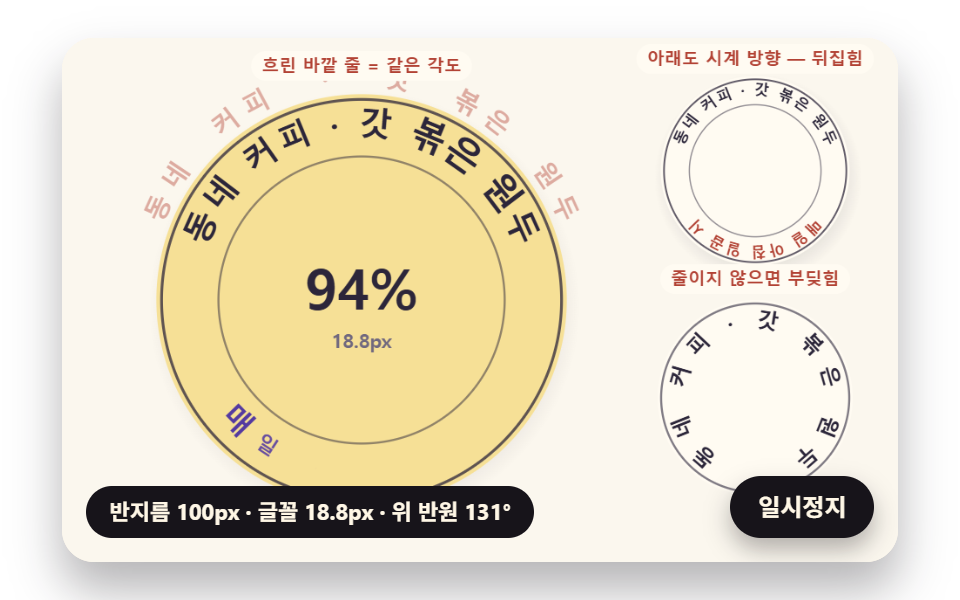 FeedbackCircular Text CSS: 9 Rings Spaced by Letter Width
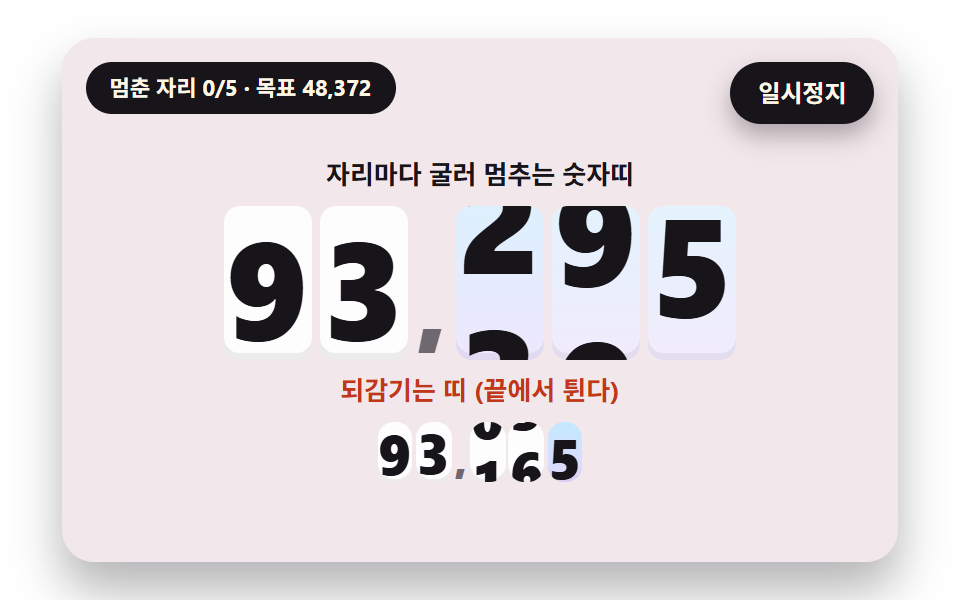 FeedbackNumber Rolling Animation JS: 9 Odometer Scenes
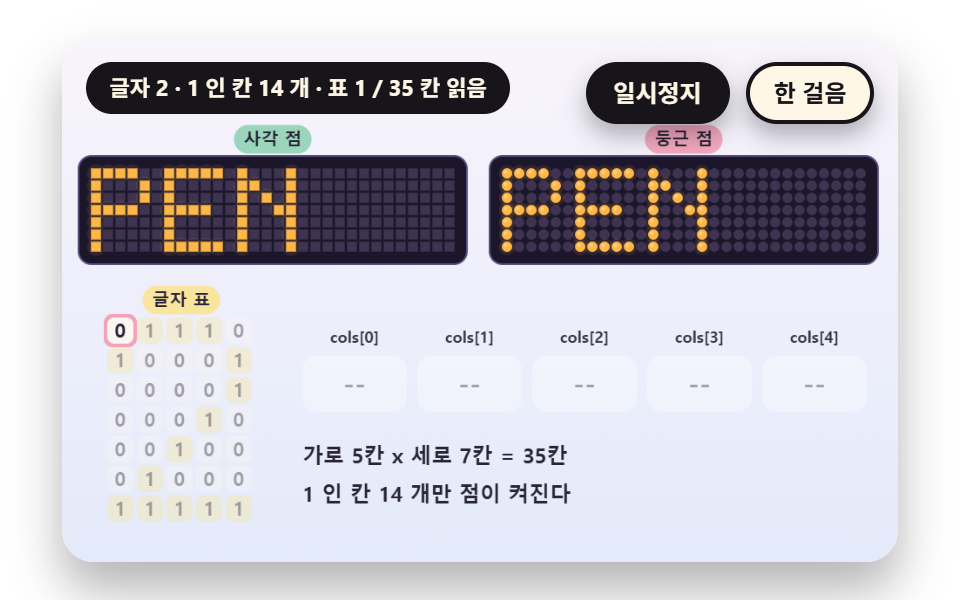 FeedbackDot Matrix Display: 9 Canvas LED Sign Scenes
 Feedback9 CSS Card Hover Effects — One Line, Copy-Paste
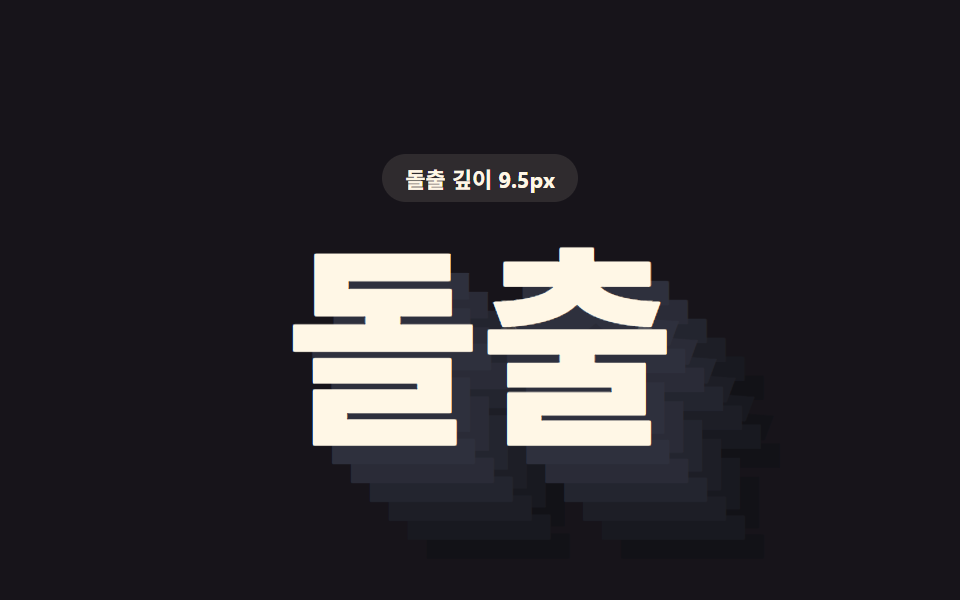 FeedbackCSS Text Shadow Effects — 9 Patterns
 Feedback9 Custom Cursor CSS Effects — One Line, Copy-Paste
 Feedback9 CSS Typing Animation, One Line, Copy-Paste
 Feedback9 CSS Text Animation Effects, One Line, Copy-Paste
 Feedback9 CSS Background Animation — One Line, Copy-Paste
 Feedback9 CSS Image Hover Effects — One Line, Copy-Paste