Number Rolling Animation JS: 9 Odometer Scenes
Number rolling animation js: Why does a number feel more trustworthy rolling than jumping?
A Number Is a Rolling Strip, Not a Changing Value: Number Rolling Animation JS Starts by Pushing a 0 to 9 Strip Up by Its Value in Each Place
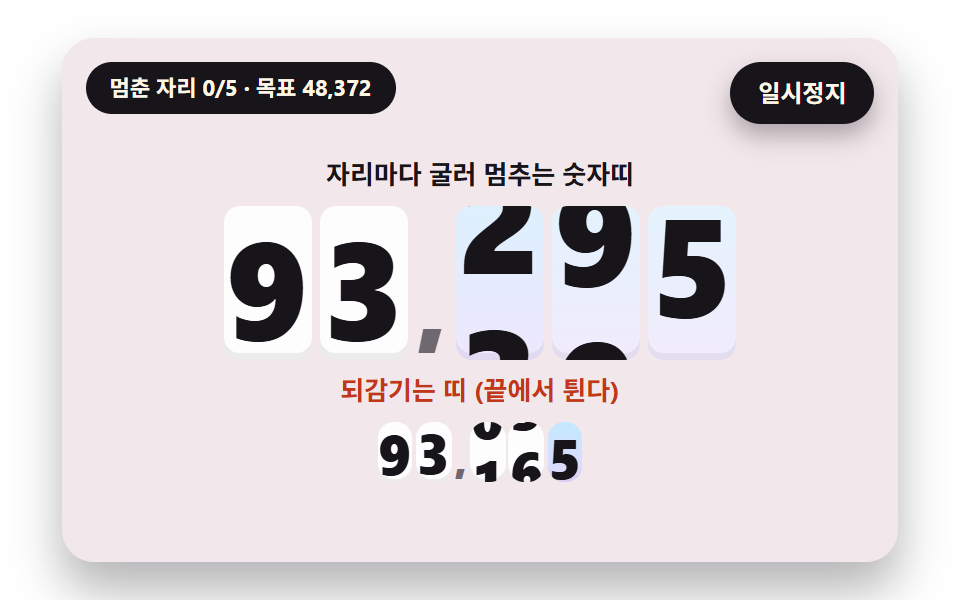 01 odo-digit-strip-roll
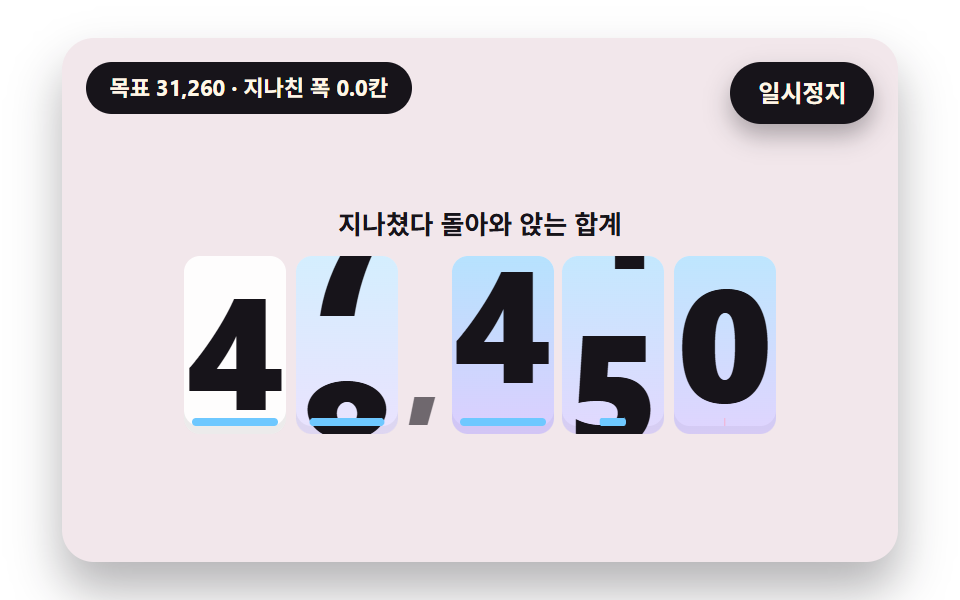 02 odo-spring-overshoot-settle
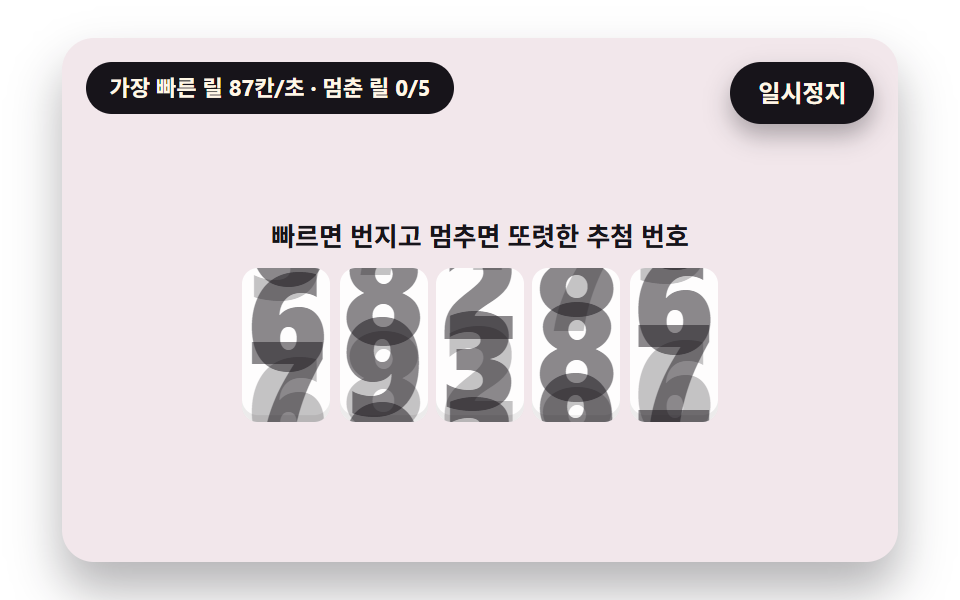 03 odo-reel-speed-blur
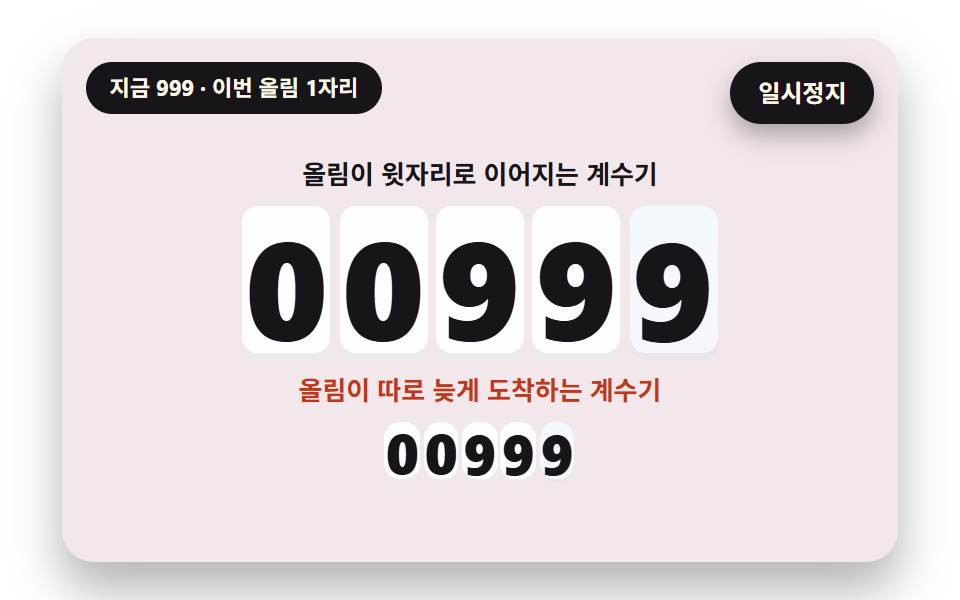 04 odo-carry-cascade
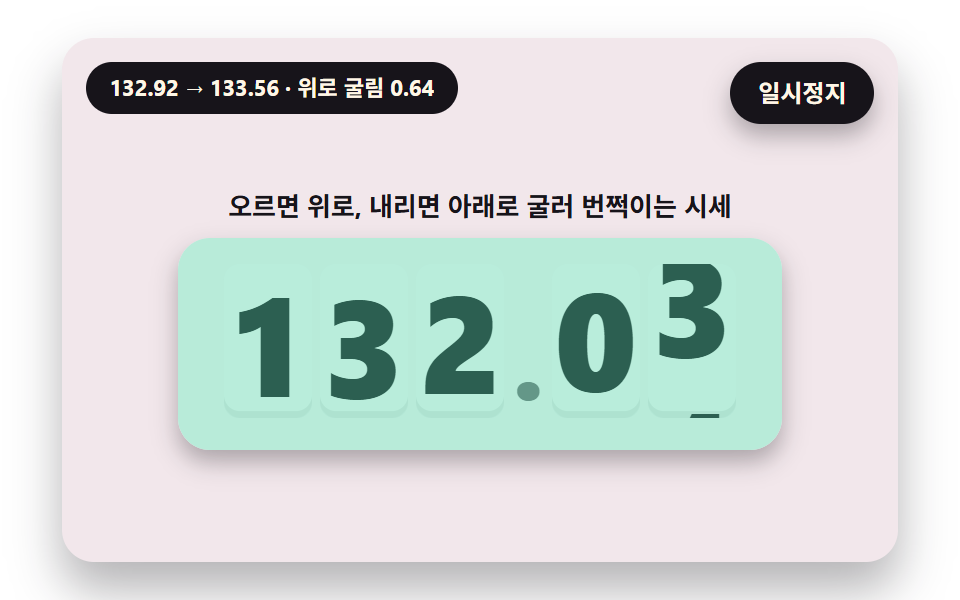 05 odo-price-tick-direction
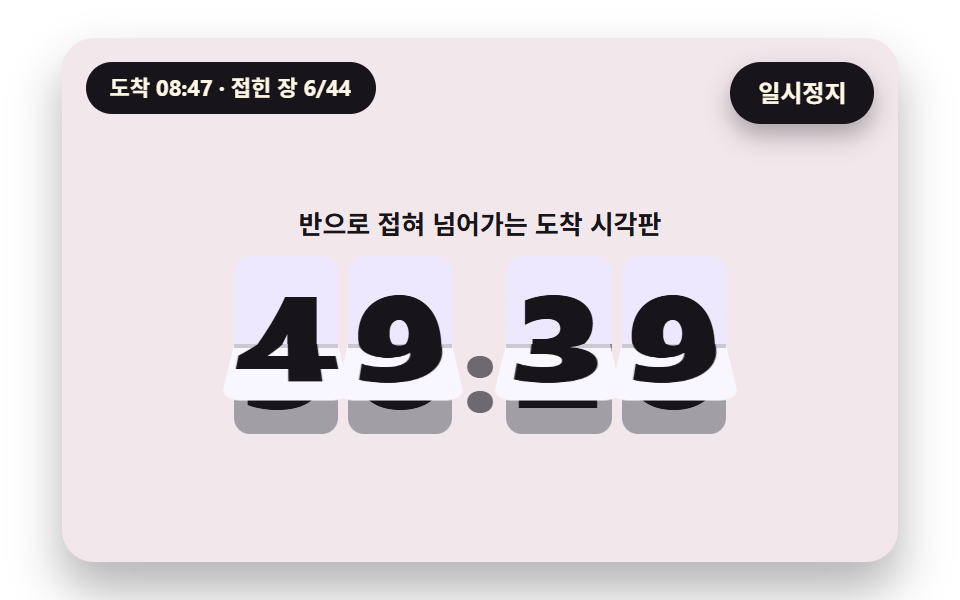 06 odo-split-flap-fold
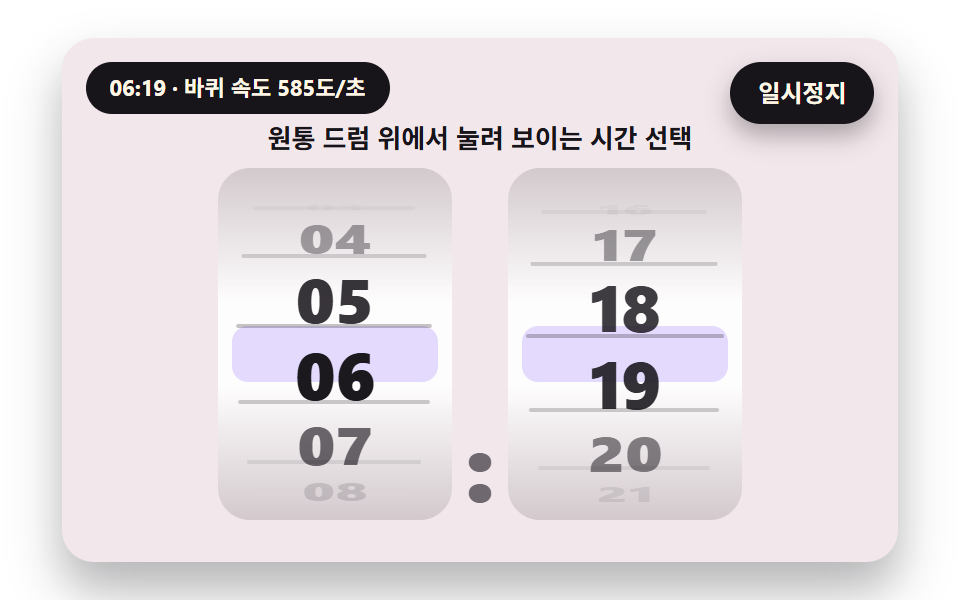 07 odo-drum-perspective
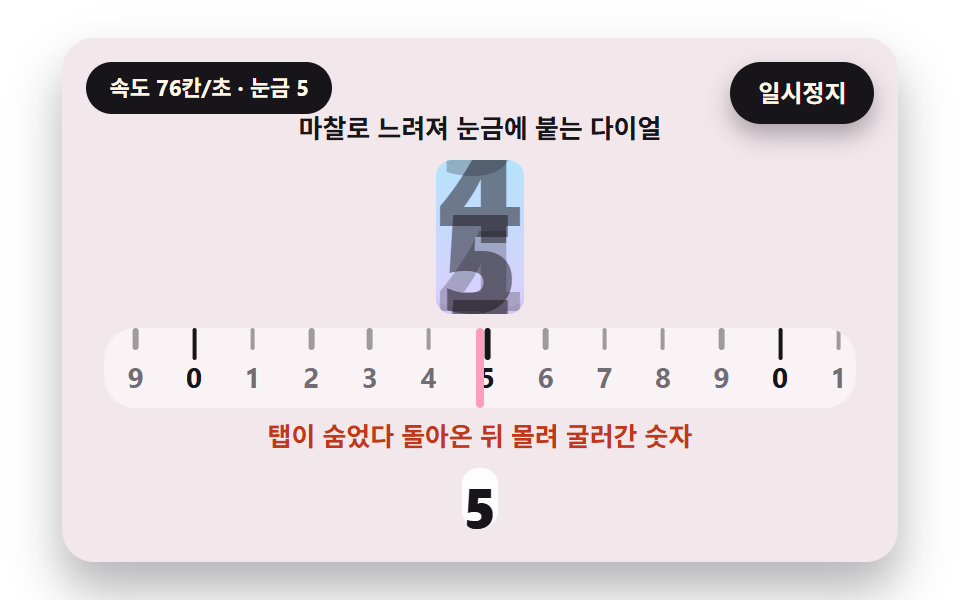 08 odo-friction-dial-snap
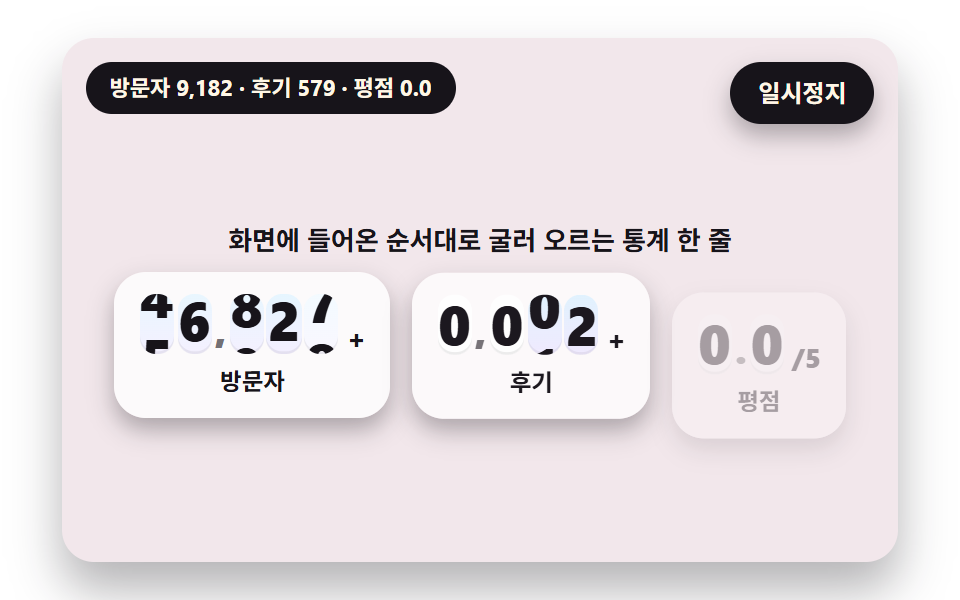 09 odo-hero-stat-ticker
Auto-plays · click a tile to jump to its section · all nine in one zip
- 01 Digit Strips That Roll and Stop Per Place
- 02 A Number That Overshoots and Springs Back to Settle
- 03 A Reel That Blurs When Fast and Sharpens as It Slows
- 04 A Counter Whose Carry Cascades to the Next Place
- 05 A Price That Rolls Up or Down and Flashes by Direction
- 06 A Split-Flap Board Whose Leaves Fold Over
- 07 Digits Squashed by the Perspective of a Round Drum
- 08 An Inertial Dial That Slows by Friction and Snaps to a Tick
- 09 A Hero Stat Line That Rolls Up One After Another
Why a twelve-cell strip stays unbroken from 9 to 0
In 01 to 05, 08 and 09 one place is one window, and inside it sits a strip of twelve cells, 0 to 9 followed by 0 and 1 again. The strip moves by translateY(-(pos mod 10)/12·100%), so a 0 is already waiting after the 9 and the strip keeps going up without rewinding. All nine scenes set tabular-nums, so digits of different widths cannot make a place jitter.
Count the cells to roll first, then fit only the end to the target
The scenes count how many cells to roll instead of treating a digit as a value. 01 rolls 10 + mod(b−a, 10) cells, one lap extra, 03 starts at 30 + 6i cells and adds 0 to 9 to land on the target, and the hour wheel of 07 turns 12 to 23 cells. A long distance is what builds speed, and speed is what gives blur and a spring something to do.
Where this differs from the neighboring posts
A number counter animation codepen is a fine place to try a quick idea, and these files go a step further by keeping speed, blur and carry in a script timetable. The CSS number counter post covers counting up with CSS alone, while this one computes per-place speed, smear and carry in JS. Hand-operated inputs are in the number stepper post, time running down is in the countdown timer post, and a spinning wheel that stops by friction like 08 is in the roulette post.
Number Rolling Animation JS: 9 Scenes — Digit Strips Rolling to a Stop per Place, a Number That Overshoots and Springs Back, a Reel That Blurs When Fast, a Counter Whose Carry Cascades, a Price That Flashes by Direction, a Split-Flap Board, Digits on a Round Drum, an Inertial Friction Dial and a Hero Stat Line
01 to 05 put a different rule on the same vertical strip: place delay, spring, speed blur, carry and direction. 06 drops the strip and folds two leaves, and 07 squashes digits by the angle of a cylinder. 08 lands on a tick by friction, and 09 ties the place delay of the first scenes into one hero line. Every scene is a number counter animation free of libraries, WebGL and CDN calls, driven by a clock counted from the requestAnimationFrame timestamp.
What a 2-second capture of the stage measured
Each scene was rendered and 24 frames were captured, which leaves 23 neighbor differences to count.
| Scene | Area covered | Frames that moved | Mean intensity |
|---|---|---|---|
| 01 Digit strips per place | 13.2% | 13/23 | 164.6 |
| 02 Spring settle | 15.7% | 14/23 | 148.9 |
| 03 Speed-blur reel | 12.3% | 21/23 | 84.7 |
| 04 Carry cascade | 11.1% | 18/23 | 132.3 |
| 05 Direction price | 22.9% | 15/23 | 120.9 |
| 06 Leaf flip | 10.6% | 15/23 | 117.7 |
| 07 Drum perspective | 13.9% | 16/23 | 88.5 |
| 08 Friction dial | 6.2% | 10/23 | 105.2 |
| 09 Stat line | 21.6% | 16/23 | 143.3 |
The widest change is 05 at 22.9%, where the whole price panel flashes, and the narrowest is 08 at 6.2%, where the dial snaps to a tick and soon stops. 03 moved in the most frames, 21 of 23, because five reels keep spinning, and 08 moved in the fewest, 10 of 23. Mean intensity peaks at 164.6 in 01 and bottoms out at 84.7 in 03.
01Digit Strips That Roll and Stop Per Place
Put it on a cumulative visitors card and five places start at 0.25 seconds from the ones place, so the right-most digit stops first and the left ones follow until 1.67 seconds. placeU(k) delays the progress of place k (0 is the ones place) by PLACE_DELAY_MS 80 ms each, and the cells to roll are 10 + mod(b−a, 10). The small row beneath is posBad, which uses the digit value itself as the strip position and sweeps backward when it goes to a smaller digit.
<main class="stage">
<div class="vj is-demo" id="vj">
  <div class="vj__scene" data-role="scene" role="img" aria-label="Five digit strips start 80 ms later place by place from the lowest, so the right digit stops first and the left ones follow; the small row below shows the wrong way, where a strip rewinds backward at its end"></div>
  <button class="vj__pad" data-role="pad" type="button" aria-label="Number scene stage: click it, or press Enter or the right or up arrow key, to roll the next value"></button>
  <p class="vj__status" data-role="status" aria-hidden="true">Number rolling scene</p>
  <p class="vj__live" data-role="live" role="status" aria-live="off"></p>
  <button class="vj__pause" data-role="pause" type="button" aria-pressed="false">Pause</button>
</div>
</main>
@use "../../../../site/static/demo-tokens" as *;
@include stage($stage-paper);
// 숫자띠 한 줄 — 창 하나에 0~9 띠(열두 칸)를 세로로 놓고 translateY 로 밀어 올린다. 글자 크기는 무대 폭(cqw)에 비례
$ink-soft: rgba($subject-ink, .6);
$win-bg: rgba(255, 255, 255, .92);
$flap-top: mix($subject-lilac, #ffffff, 24%);
$flap-bot: mix($subject-lilac, #ffffff, 10%);
.vj {
position: relative;
width: min(92vw, calc(160vh - 12.8vw));
aspect-ratio: 480 / 300;
margin: 0 auto;
border-radius: $r-card;
overflow: hidden;
box-shadow: $shadow-raised;
background: mix($subject-cream, $subject-lilac, 82%);
container-type: inline-size;
}
.vj__scene {
position: absolute;
inset: 0;
display: grid;
place-items: center;
}
.stack {
display: grid;
justify-items: center;
gap: 1.6cqw;
padding-top: 5cqw;
}
.cap {
font-size: max(10px, 3.1cqw);
font-weight: 700;
line-height: 1.3;
color: $subject-ink;
text-align: center;
}
.cap--bad { color: $error; }
.odo {
display: inline-flex;
align-items: center;
font-weight: 800;
line-height: 1;
font-variant-numeric: tabular-nums;
color: $subject-ink;
}
.odo.lg { font-size: 16.5cqw; }
.odo.xl { font-size: 19cqw; }
.odo.md { font-size: 6.4cqw; }
.odo.sm { font-size: 6.6cqw; }
.odo__sep {
padding: 0 .04em;
font-size: .7em;
color: $ink-soft;
align-self: flex-end;
margin-bottom: .1em;
}
.odo__sep--unit {
margin-left: .2em;
font-size: .5em;
color: $subject-ink;
}
.dg {
position: relative;
display: inline-block;
width: .64em;
height: 1.12em;
margin: 0 .03em;
overflow: hidden;
border-radius: $r-sm;
background: $win-bg;
box-shadow: inset 0 -.05em 0 rgba($subject-ink, .08);
}
.dg__col {
position: absolute;
left: 0;
right: 0;
top: 0;
height: 1200%;
display: flex;
flex-direction: column;
}
.dg__cell {
flex: 0 0 calc(100% / 12);
display: flex;
align-items: center;
justify-content: center;
}
// 속도가 붙으면 옅은 하늘·라일락 빛이 올라온다 — 불투명도만 움직인다
.dg__glow {
position: absolute;
inset: 0;
opacity: 0;
pointer-events: none;
background: linear-gradient(180deg, rgba($subject-sky, .5), rgba($subject-lilac, .5));
}
// 02 — 목표까지 남은 거리를 알리는 밑줄. 가운데에서 양쪽으로 늘어난다
.dg__bar {
position: absolute;
left: 8%;
right: 8%;
bottom: 4%;
height: 5%;
border-radius: $r-xs;
background: $subject-sky;
transform: scaleX(0);
}
.dg__bar.is-over { background: $subject-pink; }
// 05 — 시세 판. 오르면 박하색, 내리면 분홍색이 판 전체에 번쩍였다 가라앉는다
.panel {
position: relative;
padding: 3cqw 5cqw;
border-radius: $r-card;
overflow: hidden;
background: rgba(255, 255, 255, .7);
box-shadow: $shadow-press;
}
.panel .dg { background: rgba(255, 255, 255, .55); }
.panel__flash {
position: absolute;
inset: 0;
opacity: 0;
pointer-events: none;
}
.panel.is-up .panel__flash { background: rgba($subject-mint, .55); }
.panel.is-down .panel__flash { background: rgba($subject-pink, .6); }
// 06 — 접히는 잎. 위 장은 아래 가장자리에서, 아래 장은 위 가장자리에서 돈다
.fl {
position: relative;
display: inline-block;
width: .66em;
height: 1.12em;
margin: 0 .03em;
perspective: 2.4em;
}
.fl__half {
position: absolute;
left: 0;
right: 0;
height: 50%;
overflow: hidden;
backface-visibility: hidden;
}
.fl__top,
.fl__ft {
top: 0;
border-radius: $r-sm $r-sm 0 0;
background: $flap-top;
}
.fl__bot,
.fl__fb {
bottom: 0;
border-radius: 0 0 $r-sm $r-sm;
background: $flap-bot;
}
.fl__ft { z-index: 2; transform-origin: 50% 100%; }
.fl__fb { z-index: 2; transform-origin: 50% 0; opacity: 0; }
.fl__num {
position: absolute;
left: 0;
right: 0;
height: 200%;
display: flex;
align-items: center;
justify-content: center;
color: $subject-ink;
}
.fl__top .fl__num,
.fl__ft .fl__num { top: 0; }
.fl__bot .fl__num,
.fl__fb .fl__num { bottom: 0; }
.fl__shade {
position: absolute;
left: 0;
right: 0;
bottom: 0;
height: 50%;
z-index: 1;
border-radius: 0 0 $r-sm $r-sm;
background: $subject-ink;
opacity: 0;
pointer-events: none;
}
.fl__seam {
position: absolute;
left: 0;
right: 0;
top: 50%;
height: 2px;
z-index: 3;
background: rgba($subject-ink, .2);
}
// 07 — 원통 드럼. 칸마다 JS 가 높이(scaleY=cos θ)·폭·불투명도를 계산해 준다
.dr {
position: relative;
width: 28cqw;
height: 42cqw;
margin: 0 1cqw;
overflow: hidden;
border-radius: $r-card;
font-size: 8cqw;
background: linear-gradient(180deg, rgba($subject-ink, .14), rgba(255, 255, 255, .9) 38%, rgba(255, 255, 255, .9) 62%, rgba($subject-ink, .14));
}
.dr__band {
position: absolute;
left: 6%;
right: 6%;
top: 50%;
height: 16%;
margin-top: -8%;
border-radius: $r-sm;
background: rgba($subject-lilac, .38);
}
.dr__groove {
position: absolute;
left: 8%;
right: 8%;
top: 50%;
height: 2px;
margin-top: -1px;
border-radius: $r-xs;
background: rgba($subject-ink, .5);
opacity: 0;
}
.dr__item {
position: absolute;
left: 0;
right: 0;
top: 50%;
height: 16%;
margin-top: -8%;
display: flex;
align-items: center;
justify-content: center;
font-weight: 800;
opacity: 0;
}
// 08 — 눈금자. 가운데 바늘은 고정, 눈금 줄이 옆으로 흐른다
.ruler {
position: relative;
width: 90cqw;
height: 9.6cqw;
overflow: hidden;
border-radius: $r-card;
background: rgba(255, 255, 255, .5);
}
.ruler__track {
position: absolute;
left: 50%;
top: 0;
bottom: 0;
}
// 눈금마다 그 자리의 숫자(0~9)를 아래에 적는다 — 5 의 배수 눈금은 길고 진하다
.ruler__tick {
position: absolute;
top: 0;
bottom: 0;
width: 7cqw;
margin-left: -3.5cqw;
padding-top: 4.4cqw;
box-sizing: border-box;
font-size: 3.4cqw;
font-weight: 700;
line-height: 1;
text-align: center;
color: $ink-soft;
}
.ruler__tick::before {
content: "";
position: absolute;
top: 0;
left: 50%;
width: .6cqw;
height: 2.8cqw;
margin-left: -.3cqw;
border-radius: $r-xs;
background: rgba($subject-ink, .4);
}
.ruler__tick.is-major { color: $subject-ink; }
.ruler__tick.is-major::before {
height: 4cqw;
background: $subject-ink;
}
.ruler__needle {
position: absolute;
left: 50%;
top: 0;
bottom: 0;
width: 1cqw;
margin-left: -.5cqw;
border-radius: $r-xs;
background: $subject-pink;
}
// 09 — 첫 화면 통계 한 줄
.hero {
display: flex;
gap: 2.6cqw;
}
.hero__stat {
display: grid;
justify-items: center;
gap: 1cqw;
padding: 2.6cqw 2.8cqw;
border-radius: $r-card;
background: rgba(255, 255, 255, .78);
box-shadow: $shadow-press;
}
.hero__label {
font-size: max(10px, 2.8cqw);
font-weight: 700;
color: $subject-ink;
}
.vj__pad {
position: absolute;
inset: 0;
padding: 0;
border: 0;
border-radius: inherit;
background: transparent;
cursor: pointer;
}
// 바깥 .vj 가 넘침을 자르므로 포커스 테두리는 안쪽으로 들인다
.vj__pad:focus-visible {
outline: 3px solid $subject-ink;
outline-offset: -3px;
}
.vj__pause {
position: absolute;
right: $sp-3;
top: $sp-3;
padding: $sp-1 $sp-3;
border: 2px solid $subject-ink;
border-radius: $r-pill;
background: $subject-ink;
color: $subject-cream;
font-family: inherit;
font-weight: 700;
font-size: 12px;
line-height: 1.6;
cursor: pointer;
box-shadow: $shadow-press;
transition: transform $dur-quick $ease-spring;
}
// 눌린 상태(멈춤) — 바탕과 글자색을 뒤집어 aria-pressed 가 눈에도 보이게
.vj__pause[aria-pressed="true"] {
background: $subject-cream;
color: $subject-ink;
}
.vj__pause:hover { transform: translateY(-2px); }
.vj__pause:active { transform: translateY(1px); }
.vj__pause:focus-visible {
outline: 3px solid $subject-ink;
outline-offset: 3px;
}
// 상태 줄 — 지금 장면의 수치를 글자로. 화면 읽기 프로그램에는 넘기지 않는다(aria-hidden)
.vj__status {
position: absolute;
left: $sp-3;
top: $sp-3;
max-width: calc(100% - 120px);
margin: 0;
padding: $sp-1 $sp-3;
border-radius: $r-pill;
background: $subject-ink;
color: $subject-cream;
font-weight: 700;
font-size: 11px;
line-height: 1.6;
white-space: nowrap;
overflow: hidden;
text-overflow: ellipsis;
pointer-events: none;
}
// 바뀐 최종 값을 읽어 주는 숨은 알림 영역
.vj__live {
position: absolute;
width: 1px;
height: 1px;
margin: -1px;
padding: 0;
overflow: hidden;
clip: rect(0 0 0 0);
white-space: nowrap;
}
@media (max-width: 340px) {
.vj__pause,
.vj__status { font-size: 10px; padding: 0 $sp-2; }
}
// 움직임 줄이기 — 스크립트가 굴림 없이 최종 숫자 한 장으로 멈춘다. 버튼도 떠오르지 않게
@media (prefers-reduced-motion: reduce) {
.vj__pause { transition: none !important; }
.vj__pause:hover,
.vj__pause:active { transform: none !important; }
}html, body {
margin: 0;
overflow: hidden;
}
.stage {
box-sizing: border-box;
min-height: 100vh;
display: grid;
place-items: center;
margin: 0;
background: #ffffff;
font-family: -apple-system, "Segoe UI", "Noto Sans KR", sans-serif;
padding: clamp(8px, 4vw, 24px);
}
.vj {
position: relative;
width: min(92vw, 160vh - 12.8vw);
aspect-ratio: 480/300;
margin: 0 auto;
border-radius: 16px;
overflow: hidden;
box-shadow: 0 14px 24px rgba(23, 20, 26, 0.32);
background: rgb(95.0588235294%, 90.7215686275%, 91.9607843137%);
container-type: inline-size;
}
.vj__scene {
position: absolute;
inset: 0;
display: grid;
place-items: center;
}
.stack {
display: grid;
justify-items: center;
gap: 1.6cqw;
padding-top: 5cqw;
}
.cap {
font-size: max(10px, 3.1cqw);
font-weight: 700;
line-height: 1.3;
color: #17141a;
text-align: center;
}
.cap--bad {
color: #c2361a;
}
.odo {
display: inline-flex;
align-items: center;
font-weight: 800;
line-height: 1;
font-variant-numeric: tabular-nums;
color: #17141a;
}
.odo.lg {
font-size: 16.5cqw;
}
.odo.xl {
font-size: 19cqw;
}
.odo.md {
font-size: 6.4cqw;
}
.odo.sm {
font-size: 6.6cqw;
}
.odo__sep {
padding: 0 0.04em;
font-size: 0.7em;
color: rgba(23, 20, 26, 0.6);
align-self: flex-end;
margin-bottom: 0.1em;
}
.odo__sep--unit {
margin-left: 0.2em;
font-size: 0.5em;
color: #17141a;
}
.dg {
position: relative;
display: inline-block;
width: 0.64em;
height: 1.12em;
margin: 0 0.03em;
overflow: hidden;
border-radius: 8px;
background: rgba(255, 255, 255, 0.92);
box-shadow: inset 0 -0.05em 0 rgba(23, 20, 26, 0.08);
}
.dg__col {
position: absolute;
left: 0;
right: 0;
top: 0;
height: 1200%;
display: flex;
flex-direction: column;
}
.dg__cell {
flex: 0 0 8.3333333333%;
display: flex;
align-items: center;
justify-content: center;
}
.dg__glow {
position: absolute;
inset: 0;
opacity: 0;
pointer-events: none;
background: linear-gradient(180deg, rgba(110, 200, 255, 0.5), rgba(185, 160, 255, 0.5));
}
.dg__bar {
position: absolute;
left: 8%;
right: 8%;
bottom: 4%;
height: 5%;
border-radius: 4px;
background: #6ec8ff;
transform: scaleX(0);
}
.dg__bar.is-over {
background: #ff9ebb;
}
.panel {
position: relative;
padding: 3cqw 5cqw;
border-radius: 16px;
overflow: hidden;
background: rgba(255, 255, 255, 0.7);
box-shadow: 0 6px 12px rgba(23, 20, 26, 0.32);
}
.panel .dg {
background: rgba(255, 255, 255, 0.55);
}
.panel__flash {
position: absolute;
inset: 0;
opacity: 0;
pointer-events: none;
}
.panel.is-up .panel__flash {
background: rgba(76, 212, 166, 0.55);
}
.panel.is-down .panel__flash {
background: rgba(255, 158, 187, 0.6);
}
.fl {
position: relative;
display: inline-block;
width: 0.66em;
height: 1.12em;
margin: 0 0.03em;
perspective: 2.4em;
}
.fl__half {
position: absolute;
left: 0;
right: 0;
height: 50%;
overflow: hidden;
backface-visibility: hidden;
}
.fl__top,
.fl__ft {
top: 0;
border-radius: 8px 8px 0 0;
background: rgb(93.4117647059%, 91.0588235294%, 100%);
}
.fl__bot,
.fl__fb {
bottom: 0;
border-radius: 0 0 8px 8px;
background: rgb(97.2549019608%, 96.2745098039%, 100%);
}
.fl__ft {
z-index: 2;
transform-origin: 50% 100%;
}
.fl__fb {
z-index: 2;
transform-origin: 50% 0;
opacity: 0;
}
.fl__num {
position: absolute;
left: 0;
right: 0;
height: 200%;
display: flex;
align-items: center;
justify-content: center;
color: #17141a;
}
.fl__top .fl__num,
.fl__ft .fl__num {
top: 0;
}
.fl__bot .fl__num,
.fl__fb .fl__num {
bottom: 0;
}
.fl__shade {
position: absolute;
left: 0;
right: 0;
bottom: 0;
height: 50%;
z-index: 1;
border-radius: 0 0 8px 8px;
background: #17141a;
opacity: 0;
pointer-events: none;
}
.fl__seam {
position: absolute;
left: 0;
right: 0;
top: 50%;
height: 2px;
z-index: 3;
background: rgba(23, 20, 26, 0.2);
}
.dr {
position: relative;
width: 28cqw;
height: 42cqw;
margin: 0 1cqw;
overflow: hidden;
border-radius: 16px;
font-size: 8cqw;
background: linear-gradient(180deg, rgba(23, 20, 26, 0.14), rgba(255, 255, 255, 0.9) 38%, rgba(255, 255, 255, 0.9) 62%, rgba(23, 20, 26, 0.14));
}
.dr__band {
position: absolute;
left: 6%;
right: 6%;
top: 50%;
height: 16%;
margin-top: -8%;
border-radius: 8px;
background: rgba(185, 160, 255, 0.38);
}
.dr__groove {
position: absolute;
left: 8%;
right: 8%;
top: 50%;
height: 2px;
margin-top: -1px;
border-radius: 4px;
background: rgba(23, 20, 26, 0.5);
opacity: 0;
}
.dr__item {
position: absolute;
left: 0;
right: 0;
top: 50%;
height: 16%;
margin-top: -8%;
display: flex;
align-items: center;
justify-content: center;
font-weight: 800;
opacity: 0;
}
.ruler {
position: relative;
width: 90cqw;
height: 9.6cqw;
overflow: hidden;
border-radius: 16px;
background: rgba(255, 255, 255, 0.5);
}
.ruler__track {
position: absolute;
left: 50%;
top: 0;
bottom: 0;
}
.ruler__tick {
position: absolute;
top: 0;
bottom: 0;
width: 7cqw;
margin-left: -3.5cqw;
padding-top: 4.4cqw;
box-sizing: border-box;
font-size: 3.4cqw;
font-weight: 700;
line-height: 1;
text-align: center;
color: rgba(23, 20, 26, 0.6);
}
.ruler__tick::before {
content: "";
position: absolute;
top: 0;
left: 50%;
width: 0.6cqw;
height: 2.8cqw;
margin-left: -0.3cqw;
border-radius: 4px;
background: rgba(23, 20, 26, 0.4);
}
.ruler__tick.is-major {
color: #17141a;
}
.ruler__tick.is-major::before {
height: 4cqw;
background: #17141a;
}
.ruler__needle {
position: absolute;
left: 50%;
top: 0;
bottom: 0;
width: 1cqw;
margin-left: -0.5cqw;
border-radius: 4px;
background: #ff9ebb;
}
.hero {
display: flex;
gap: 2.6cqw;
}
.hero__stat {
display: grid;
justify-items: center;
gap: 1cqw;
padding: 2.6cqw 2.8cqw;
border-radius: 16px;
background: rgba(255, 255, 255, 0.78);
box-shadow: 0 6px 12px rgba(23, 20, 26, 0.32);
}
.hero__label {
font-size: max(10px, 2.8cqw);
font-weight: 700;
color: #17141a;
}
.vj__pad {
position: absolute;
inset: 0;
padding: 0;
border: 0;
border-radius: inherit;
background: transparent;
cursor: pointer;
}
.vj__pad:focus-visible {
outline: 3px solid #17141a;
outline-offset: -3px;
}
.vj__pause {
position: absolute;
right: 12px;
top: 12px;
padding: 4px 12px;
border: 2px solid #17141a;
border-radius: 999px;
background: #17141a;
color: #fff7e6;
font-family: inherit;
font-weight: 700;
font-size: 12px;
line-height: 1.6;
cursor: pointer;
box-shadow: 0 6px 12px rgba(23, 20, 26, 0.32);
transition: transform 220ms cubic-bezier(0.2, 0.8, 0.2, 1);
}
.vj__pause[aria-pressed=true] {
background: #fff7e6;
color: #17141a;
}
.vj__pause:hover {
transform: translateY(-2px);
}
.vj__pause:active {
transform: translateY(1px);
}
.vj__pause:focus-visible {
outline: 3px solid #17141a;
outline-offset: 3px;
}
.vj__status {
position: absolute;
left: 12px;
top: 12px;
max-width: calc(100% - 120px);
margin: 0;
padding: 4px 12px;
border-radius: 999px;
background: #17141a;
color: #fff7e6;
font-weight: 700;
font-size: 11px;
line-height: 1.6;
white-space: nowrap;
overflow: hidden;
text-overflow: ellipsis;
pointer-events: none;
}
.vj__live {
position: absolute;
width: 1px;
height: 1px;
margin: -1px;
padding: 0;
overflow: hidden;
clip: rect(0 0 0 0);
white-space: nowrap;
}
@media (max-width: 340px) {
.vj__pause,
.vj__status {
font-size: 10px;
padding: 0 8px;
}
}
@media (prefers-reduced-motion: reduce) {
.vj__pause {
transition: none !important;
}
.vj__pause:hover,
.vj__pause:active {
transform: none !important;
}
}(function () {
const root = document.getElementById("vj");
if (!root) return;
const cls = (s) => s;
function clamp(v, lo, hi) { return v < lo ? lo : (v > hi ? hi : v); }
function lerp(a, b, k) { return a + (b - a) * k; }
function mod(a, n) { return ((a % n) + n) % n; }
// 감속 곡선 — 처음이 가장 빠르고 끝에서 0 으로 닿는다(3제곱)
function easeOut3(x) { const u = 1 - clamp(x, 0, 1); return 1 - u * u * u; }
function easeInOut(x) { const c = clamp(x, 0, 1); return c * c * (3 - 2 * c); }
// 장면 시계(초) — 장면 계산이 고치고 화면 쪽이 읽는다
let sceneT = 0;
// 지금 몇 번째 값인가 — 한 바퀴(LOOP_S)가 돌 때마다 하나 올라 다음 목표 값을 고른다
let cycle = 0;
// 숫자띠 한 줄의 칸 수 — 0 부터 9 까지 열 칸에 0, 1 을 한 번 더 붙여 9 에서 0 으로 넘어가는 경계를 끊김 없이 잇는다
const CELLS = 12;
// 번짐 기준 속도(칸/초) — 이만큼 빠르면 번짐이 최대. 꼬리 한 장의 간격(칸)
const BLUR_REF = 60;
const BLUR_LAG = 0.55;
function mk(tag, name, parent) {
const e = document.createElement(tag);
e.className = cls(name);
if (parent) {
parent.appendChild(e);
}
return e;
}
// 자리 하나 — 창 하나에 0~9 띠(ghosts 장의 꼬리 띠 포함)와 속도 반짝임 층
function makeStrip(parent, extra, ghosts) {
const win = mk('span', 'dg ' + extra, parent);
// 속도 반짝임 층은 띠 뒤에 깐다 — 숫자 글자는 항상 그 위에서 또렷하다
const glow = mk('span', 'dg__glow', win);
const cols = [];
for (let g = 0; g <= ghosts; g += 1) {
const col = mk('span', g === 0 ? 'dg__col' : 'dg__col dg__ghost', win);
for (let i = 0; i < CELLS; i += 1) {
const c = mk('span', 'dg__cell', col);
c.textContent = String(i % 10);
}
cols.push(col);
}
return { win: win, cols: cols, glow: glow };
}
function putCol(col, pos) {
col.style.transform = 'translateY(' + (-mod(pos, 10) / CELLS * 100).toFixed(3) + '%)';
}
// pos = 지금 띠가 밀려 올라온 칸 수(소수), speed = 칸/초(방향 포함). 꼬리 띠가 있으면 속도에 비례해 번진다
function moveStrip(s, pos, speed) {
putCol(s.cols[0], pos);
if (s.cols.length < 2) {
return;
}
const sp = clamp(Math.abs(speed) / BLUR_REF, 0, 1);
const dir = speed < 0 ? -1 : 1;
s.cols[0].style.opacity = (1 - 0.5 * sp).toFixed(3);
for (let g = 1; g < s.cols.length; g += 1) {
putCol(s.cols[g], pos - dir * sp * BLUR_LAG * g);
s.cols[g].style.opacity = (0.5 * sp / g).toFixed(3);
}
}
function glowStrip(s, v) { s.glow.style.opacity = clamp(v, 0, 1).toFixed(3); }
// 칸 패턴 — d 는 숫자띠 한 자리, 그 밖의 글자는 구분 기호(쉼표·점·콜론). 왼쪽부터 순서대로 돌려준다
function buildRow(parent, pattern, extra, ghosts) {
const row = mk('span', 'odo ' + extra, parent);
const out = [];
for (const ch of pattern) {
if (ch === 'd') {
out.push(makeStrip(row, extra, ghosts));
}
else {
const sep = mk('span', 'odo__sep', row);
sep.textContent = ch;
}
}
return out;
}
// 정수를 len 자리 숫자 배열로(왼쪽 자리부터)
function digitsOf(n, len) {
const out = [];
for (let i = 0; i < len; i += 1) {
out.push(Math.floor(n / Math.pow(10, len - 1 - i)) % 10);
}
return out;
}
function fmtNum(n) {
const s = String(Math.round(n));
let out = '';
for (let i = 0; i < s.length; i += 1) {
if (i > 0 && (s.length - i) % 3 === 0) {
out += ',';
}
out += s.charAt(i);
}
return out;
}
function q(role) {
const e = root.querySelector('[data-role="' + role + '"]');
if (!(e instanceof HTMLElement)) {
throw new Error('missing ' + role);
}
return e;
}
const scene = q('scene');
const pad = q('pad');
const pauseBtn = q('pause');
const statusEl = q('status');
const liveEl = q('live');
// 한 바퀴 길이(초)와 움직임 줄이기에서 몇 초 뒤의 장면을 그릴지
const LOOP_S = 3.4;
const REST_T = 3.0;
// 첫 굴림은 시작 0.25초 뒤 — 낮은 자리(오른쪽)부터 80ms 씩 늦게 출발한다
const START_S = 0.25;
const PLACE_DELAY_MS = 80;
// 한 자리가 굴러 멈출 때까지 걸리는 시간(초)
const ROLL_S = 1.1;
const PLACES = 5;
const VALUES = [48372, 51904, 20617, 93058];
let strips = [];
let naive = [];
let fromV = VALUES[0];
let toV = VALUES[1];
function build() {
scene.textContent = '';
const stack = mk('div', 'stack', scene);
mk('span', 'cap', stack).textContent = 'Digit strips that roll and stop per place';
strips = buildRow(stack, 'dd,ddd', 'lg', 0);
mk('span', 'cap cap--bad', stack).textContent = 'A strip that rewinds (jumps at the end)';
naive = buildRow(stack, 'dd,ddd', 'sm', 0);
}
function reset() {
toV = VALUES[cycle % VALUES.length];
fromV = VALUES[(cycle + VALUES.length - 1) % VALUES.length];
}
function update(dt) {
// 이 장면은 시계(sceneT)만으로 그려서 매 프레임 따로 쌓는 값이 없다
void dt;
}
// 자리 k(0 이 일의 자리)의 굴림 진행률 0 부터 1 — 낮은 자리부터 PLACE_DELAY_MS 씩 늦게 출발
function placeU(k) {
return (sceneT - START_S - k * PLACE_DELAY_MS / 1000) / ROLL_S;
}
function draw() {
const a = digitsOf(fromV, PLACES);
const b = digitsOf(toV, PLACES);
for (let i = 0; i < PLACES; i += 1) {
const k = PLACES - 1 - i;
const u = clamp(placeU(k), 0, 1);
// 한 바퀴(10칸)를 더 돌고 목표 숫자에 멈춘다
const adv = 10 + mod(b[i] - a[i], 10);
const pos = a[i] + adv * easeOut3(u);
const speed = u > 0 && u < 1 ? adv * 3 * (1 - u) * (1 - u) / ROLL_S : 0;
moveStrip(strips[i], pos, speed);
glowStrip(strips[i], speed / BLUR_REF * 0.9);
// 되감기는 쪽 — 숫자 값을 그대로 띠 위치로 쓰니 작은 수로 가면 거꾸로 훑고 간다
const posBad = lerp(a[i], b[i], easeOut3(u));
moveStrip(naive[i], posBad, 0);
glowStrip(naive[i], u > 0 && u < 1 && b[i] < a[i] ? 0.8 : 0);
}
}
function settledPlaces() {
let n = 0;
for (let k = 0; k < PLACES; k += 1) {
if (placeU(k) >= 1) {
n += 1;
}
}
return n;
}
function isSettled() { return settledPlaces() >= PLACES; }
function statusText() {
return 'Stopped places {k}/5 · target {n}'.replace('{k}', String(settledPlaces())).replace('{n}', fmtNum(toV));
}
function finalText() {
return 'The cumulative visitor count stopped at {n}'.replace('{n}', fmtNum(toV));
}
let shownStatus = '';
function pushStatus(s) {
if (s === shownStatus) {
return;
}
shownStatus = s;
statusEl.textContent = s;
}
// 바뀐 최종 값은 한 번만 알린다 — 굴러가는 중간 숫자는 읽는 쪽으로 보내지 않는다
let wasSettled = false;
function checkSettled() {
const s = isSettled();
if (s && !wasSettled) {
liveEl.textContent = finalText();
}
wasSettled = s;
}
let paused = false;
const reduceQuery = window.matchMedia('(prefers-reduced-motion: reduce)');
// 페이지를 연 채 움직임 줄이기 설정을 바꿔도 change 리스너가 다시 읽는다
let still = reduceQuery.matches;
// 자동 시연 표시 — 사람이 처음 손대면 떼고 알림 영역을 polite 로 켠다
let demo = root.classList.contains('is-demo');
const off = new AbortController();
function wake() {
if (!demo) {
return;
}
demo = false;
root.classList.remove('is-demo');
liveEl.setAttribute('aria-live', 'polite');
}
// 한 프레임에 넘기는 시간 상한(초) — 오래 숨었다 돌아온 첫 프레임도 50ms 까지만 계산에 넣는다
const DT_MAX = 0.05;
function advance(dt) {
sceneT += dt;
if (sceneT >= LOOP_S) {
sceneT -= LOOP_S;
cycle += 1;
reset();
}
update(dt);
}
function paint() {
draw();
pushStatus(statusText());
checkSettled();
}
let rafId = 0;
let lastTs = -1;
function frame(ts) {
if (still || paused) {
rafId = 0;
return;
}
if (lastTs < 0) {
lastTs = ts;
}
const dt = Math.min((ts - lastTs) / 1000, DT_MAX);
lastTs = ts;
if (dt > 0) {
advance(dt);
}
paint();
rafId = window.requestAnimationFrame(frame);
}
function startLoop() {
if (rafId) {
return;
}
// 멈췄던 사이의 시간을 첫 프레임 dt 로 넘기지 않는다
lastTs = -1;
rafId = window.requestAnimationFrame(frame);
}
function stopLoop() {
if (rafId) {
window.cancelAnimationFrame(rafId);
rafId = 0;
}
}
// 움직임 줄이기 — 굴림 없이 이 값의 최종 숫자 한 장
function showRest() {
stopLoop();
sceneT = 0;
reset();
for (let k = 0; k < Math.ceil(REST_T * 60); k += 1) {
sceneT += 1 / 60;
update(1 / 60);
}
paint();
}
function play() {
sceneT = 0;
reset();
paint();
if (!paused) {
startLoop();
}
}
// 다음 값 — 눌렀을 때 바로 다음 목표로 넘어가 처음부터 굴린다(움직임 줄이기에서는 즉시 최종 숫자)
function nextNow() {
wake();
cycle += 1;
wasSettled = false;
if (still) {
showRest();
}
else {
play();
}
}
function togglePause() {
paused = !paused;
pauseBtn.setAttribute('aria-pressed', paused ? 'true' : 'false');
wake();
if (paused) {
stopLoop();
}
else if (!still) {
startLoop();
}
}
pauseBtn.addEventListener('click', togglePause, { signal: off.signal });
// 무대 버튼 — 누르면(Enter·Space·클릭은 브라우저가 click 으로 준다) 다음 값. 오른쪽·위 화살표도 같다
pad.addEventListener('click', nextNow, { signal: off.signal });
pad.addEventListener('keydown', function (e) {
if (e.altKey || e.ctrlKey || e.metaKey) {
return;
}
if (e.key === 'ArrowRight' || e.key === 'ArrowUp') {
e.preventDefault();
nextNow();
}
}, { signal: off.signal });
// 탭이 숨으면 멈추고, 돌아오면 시계를 다시 맞춰 시작 — 숨은 동안의 몇 초가 한 프레임에 몰리지 않게
document.addEventListener('visibilitychange', function () {
if (document.hidden) {
stopLoop();
}
else if (!paused && !still) {
startLoop();
}
}, { signal: off.signal });
// 설정이 바뀌면 — 켜지면 최종 숫자 한 장, 꺼지면 다시 움직인다
reduceQuery.addEventListener('change', function () {
still = reduceQuery.matches;
if (still) {
showRest();
}
else {
play();
}
}, { signal: off.signal });
build();
if (still) {
showRest();
}
else {
play();
}
return function () {
stopLoop();
off.abort();
};
})();// DigitStripRoll - 같은 항목 vanilla index.html 의 React 판. 같은 계산을 useEffect 안에서 돌린다
import { useEffect, useRef } from "react";
import styles from "./DigitStripRoll.module.scss";
const cx = (s: string): string => s.split(" ").map((n) => styles[n] ?? n).join(" ");
export default function DigitStripRoll() {
const rootRef = useRef<HTMLDivElement | null>(null);
useEffect(() => {
const rootEl = rootRef.current;
if (!rootEl) return;
const root: HTMLElement = rootEl;
const cls = cx;
function clamp(v: number, lo: number, hi: number): number { return v < lo ? lo : (v > hi ? hi : v); }
function lerp(a: number, b: number, k: number): number { return a + (b - a) * k; }
function mod(a: number, n: number): number { return ((a % n) + n) % n; }
// 감속 곡선 — 처음이 가장 빠르고 끝에서 0 으로 닿는다(3제곱)
function easeOut3(x: number): number { const u = 1 - clamp(x, 0, 1); return 1 - u * u * u; }
function easeInOut(x: number): number { const c = clamp(x, 0, 1); return c * c * (3 - 2 * c); }
// 장면 시계(초) — 장면 계산이 고치고 화면 쪽이 읽는다
let sceneT = 0;
// 지금 몇 번째 값인가 — 한 바퀴(LOOP_S)가 돌 때마다 하나 올라 다음 목표 값을 고른다
let cycle = 0;
// 숫자띠 한 줄의 칸 수 — 0 부터 9 까지 열 칸에 0, 1 을 한 번 더 붙여 9 에서 0 으로 넘어가는 경계를 끊김 없이 잇는다
const CELLS = 12;
// 번짐 기준 속도(칸/초) — 이만큼 빠르면 번짐이 최대. 꼬리 한 장의 간격(칸)
const BLUR_REF = 60;
const BLUR_LAG = 0.55;
interface Strip { win: HTMLElement; cols: HTMLElement[]; glow: HTMLElement; }
function mk(tag: string, name: string, parent: HTMLElement | null): HTMLElement {
const e = document.createElement(tag);
e.className = cls(name);
if (parent) { parent.appendChild(e); }
return e;
}
// 자리 하나 — 창 하나에 0~9 띠(ghosts 장의 꼬리 띠 포함)와 속도 반짝임 층
function makeStrip(parent: HTMLElement, extra: string, ghosts: number): Strip {
const win = mk('span', 'dg ' + extra, parent);
// 속도 반짝임 층은 띠 뒤에 깐다 — 숫자 글자는 항상 그 위에서 또렷하다
const glow = mk('span', 'dg__glow', win);
const cols: HTMLElement[] = [];
for (let g = 0; g <= ghosts; g += 1) {
const col = mk('span', g === 0 ? 'dg__col' : 'dg__col dg__ghost', win);
for (let i = 0; i < CELLS; i += 1) {
const c = mk('span', 'dg__cell', col);
c.textContent = String(i % 10);
}
cols.push(col);
}
return { win: win, cols: cols, glow: glow };
}
function putCol(col: HTMLElement, pos: number): void {
col.style.transform = 'translateY(' + (-mod(pos, 10) / CELLS * 100).toFixed(3) + '%)';
}
// pos = 지금 띠가 밀려 올라온 칸 수(소수), speed = 칸/초(방향 포함). 꼬리 띠가 있으면 속도에 비례해 번진다
function moveStrip(s: Strip, pos: number, speed: number): void {
putCol(s.cols[0], pos);
if (s.cols.length < 2) { return; }
const sp = clamp(Math.abs(speed) / BLUR_REF, 0, 1);
const dir = speed < 0 ? -1 : 1;
s.cols[0].style.opacity = (1 - 0.5 * sp).toFixed(3);
for (let g = 1; g < s.cols.length; g += 1) {
putCol(s.cols[g], pos - dir * sp * BLUR_LAG * g);
s.cols[g].style.opacity = (0.5 * sp / g).toFixed(3);
}
}
function glowStrip(s: Strip, v: number): void { s.glow.style.opacity = clamp(v, 0, 1).toFixed(3); }
// 칸 패턴 — d 는 숫자띠 한 자리, 그 밖의 글자는 구분 기호(쉼표·점·콜론). 왼쪽부터 순서대로 돌려준다
function buildRow(parent: HTMLElement, pattern: string, extra: string, ghosts: number): Strip[] {
const row = mk('span', 'odo ' + extra, parent);
const out: Strip[] = [];
for (const ch of pattern) {
if (ch === 'd') { out.push(makeStrip(row, extra, ghosts)); } else {
const sep = mk('span', 'odo__sep', row);
sep.textContent = ch;
}
}
return out;
}
// 정수를 len 자리 숫자 배열로(왼쪽 자리부터)
function digitsOf(n: number, len: number): number[] {
const out: number[] = [];
for (let i = 0; i < len; i += 1) { out.push(Math.floor(n / Math.pow(10, len - 1 - i)) % 10); }
return out;
}
function fmtNum(n: number): string {
const s = String(Math.round(n));
let out = '';
for (let i = 0; i < s.length; i += 1) {
if (i > 0 && (s.length - i) % 3 === 0) { out += ','; }
out += s.charAt(i);
}
return out;
}
function q(role: string): HTMLElement {
const e = root.querySelector('[data-role="' + role + '"]');
if (!(e instanceof HTMLElement)) { throw new Error('missing ' + role); }
return e;
}
const scene: HTMLElement = q('scene');
const pad: HTMLElement = q('pad');
const pauseBtn: HTMLElement = q('pause');
const statusEl: HTMLElement = q('status');
const liveEl: HTMLElement = q('live');
// 한 바퀴 길이(초)와 움직임 줄이기에서 몇 초 뒤의 장면을 그릴지
const LOOP_S = 3.4;
const REST_T = 3.0;
// 첫 굴림은 시작 0.25초 뒤 — 낮은 자리(오른쪽)부터 80ms 씩 늦게 출발한다
const START_S = 0.25;
const PLACE_DELAY_MS = 80;
// 한 자리가 굴러 멈출 때까지 걸리는 시간(초)
const ROLL_S = 1.1;
const PLACES = 5;
const VALUES = [48372, 51904, 20617, 93058];
let strips: Strip[] = [];
let naive: Strip[] = [];
let fromV = VALUES[0];
let toV = VALUES[1];
function build(): void {
scene.textContent = '';
const stack = mk('div', 'stack', scene);
mk('span', 'cap', stack).textContent = '자리마다 굴러 멈추는 숫자띠';
strips = buildRow(stack, 'dd,ddd', 'lg', 0);
mk('span', 'cap cap--bad', stack).textContent = '되감기는 띠 (끝에서 튄다)';
naive = buildRow(stack, 'dd,ddd', 'sm', 0);
}
function reset(): void {
toV = VALUES[cycle % VALUES.length];
fromV = VALUES[(cycle + VALUES.length - 1) % VALUES.length];
}
function update(dt: number): void {
// 이 장면은 시계(sceneT)만으로 그려서 매 프레임 따로 쌓는 값이 없다
void dt;
}
// 자리 k(0 이 일의 자리)의 굴림 진행률 0 부터 1 — 낮은 자리부터 PLACE_DELAY_MS 씩 늦게 출발
function placeU(k: number): number {
return (sceneT - START_S - k * PLACE_DELAY_MS / 1000) / ROLL_S;
}
function draw(): void {
const a = digitsOf(fromV, PLACES);
const b = digitsOf(toV, PLACES);
for (let i = 0; i < PLACES; i += 1) {
const k = PLACES - 1 - i;
const u = clamp(placeU(k), 0, 1);
// 한 바퀴(10칸)를 더 돌고 목표 숫자에 멈춘다
const adv = 10 + mod(b[i] - a[i], 10);
const pos = a[i] + adv * easeOut3(u);
const speed = u > 0 && u < 1 ? adv * 3 * (1 - u) * (1 - u) / ROLL_S : 0;
moveStrip(strips[i], pos, speed);
glowStrip(strips[i], speed / BLUR_REF * 0.9);
// 되감기는 쪽 — 숫자 값을 그대로 띠 위치로 쓰니 작은 수로 가면 거꾸로 훑고 간다
const posBad = lerp(a[i], b[i], easeOut3(u));
moveStrip(naive[i], posBad, 0);
glowStrip(naive[i], u > 0 && u < 1 && b[i] < a[i] ? 0.8 : 0);
}
}
function settledPlaces(): number {
let n = 0;
for (let k = 0; k < PLACES; k += 1) { if (placeU(k) >= 1) { n += 1; } }
return n;
}
function isSettled(): boolean { return settledPlaces() >= PLACES; }
function statusText(): string {
return '멈춘 자리 {k}/5 · 목표 {n}'.replace('{k}', String(settledPlaces())).replace('{n}', fmtNum(toV));
}
function finalText(): string {
return '누적 방문자 수가 {n} 으로 멈췄습니다'.replace('{n}', fmtNum(toV));
}
let shownStatus = '';
function pushStatus(s: string): void {
if (s === shownStatus) { return; }
shownStatus = s;
statusEl.textContent = s;
}
// 바뀐 최종 값은 한 번만 알린다 — 굴러가는 중간 숫자는 읽는 쪽으로 보내지 않는다
let wasSettled = false;
function checkSettled(): void {
const s = isSettled();
if (s && !wasSettled) { liveEl.textContent = finalText(); }
wasSettled = s;
}
let paused = false;
const reduceQuery = window.matchMedia('(prefers-reduced-motion: reduce)');
// 페이지를 연 채 움직임 줄이기 설정을 바꿔도 change 리스너가 다시 읽는다
let still = reduceQuery.matches;
// 자동 시연 표시 — 사람이 처음 손대면 떼고 알림 영역을 polite 로 켠다
let demo = root.classList.contains('is-demo');
const off = new AbortController();
function wake(): void {
if (!demo) { return; }
demo = false;
root.classList.remove('is-demo');
liveEl.setAttribute('aria-live', 'polite');
}
// 한 프레임에 넘기는 시간 상한(초) — 오래 숨었다 돌아온 첫 프레임도 50ms 까지만 계산에 넣는다
const DT_MAX = 0.05;
function advance(dt: number): void {
sceneT += dt;
if (sceneT >= LOOP_S) {
sceneT -= LOOP_S;
cycle += 1;
reset();
}
update(dt);
}
function paint(): void {
draw();
pushStatus(statusText());
checkSettled();
}
let rafId = 0;
let lastTs = -1;
function frame(ts: number): void {
if (still || paused) { rafId = 0; return; }
if (lastTs < 0) { lastTs = ts; }
const dt = Math.min((ts - lastTs) / 1000, DT_MAX);
lastTs = ts;
if (dt > 0) { advance(dt); }
paint();
rafId = window.requestAnimationFrame(frame);
}
function startLoop(): void {
if (rafId) { return; }
// 멈췄던 사이의 시간을 첫 프레임 dt 로 넘기지 않는다
lastTs = -1;
rafId = window.requestAnimationFrame(frame);
}
function stopLoop(): void {
if (rafId) { window.cancelAnimationFrame(rafId); rafId = 0; }
}
// 움직임 줄이기 — 굴림 없이 이 값의 최종 숫자 한 장
function showRest(): void {
stopLoop();
sceneT = 0;
reset();
for (let k = 0; k < Math.ceil(REST_T * 60); k += 1) { sceneT += 1 / 60; update(1 / 60); }
paint();
}
function play(): void {
sceneT = 0;
reset();
paint();
if (!paused) { startLoop(); }
}
// 다음 값 — 눌렀을 때 바로 다음 목표로 넘어가 처음부터 굴린다(움직임 줄이기에서는 즉시 최종 숫자)
function nextNow(): void {
wake();
cycle += 1;
wasSettled = false;
if (still) { showRest(); } else { play(); }
}
function togglePause(): void {
paused = !paused;
pauseBtn.setAttribute('aria-pressed', paused ? 'true' : 'false');
wake();
if (paused) { stopLoop(); } else if (!still) { startLoop(); }
}
pauseBtn.addEventListener('click', togglePause, { signal: off.signal });
// 무대 버튼 — 누르면(Enter·Space·클릭은 브라우저가 click 으로 준다) 다음 값. 오른쪽·위 화살표도 같다
pad.addEventListener('click', nextNow, { signal: off.signal });
pad.addEventListener('keydown', function (e: KeyboardEvent): void {
if (e.altKey || e.ctrlKey || e.metaKey) { return; }
if (e.key === 'ArrowRight' || e.key === 'ArrowUp') {
e.preventDefault();
nextNow();
}
}, { signal: off.signal });
// 탭이 숨으면 멈추고, 돌아오면 시계를 다시 맞춰 시작 — 숨은 동안의 몇 초가 한 프레임에 몰리지 않게
document.addEventListener('visibilitychange', function (): void {
if (document.hidden) { stopLoop(); } else if (!paused && !still) { startLoop(); }
}, { signal: off.signal });
// 설정이 바뀌면 — 켜지면 최종 숫자 한 장, 꺼지면 다시 움직인다
reduceQuery.addEventListener('change', function (): void {
still = reduceQuery.matches;
if (still) { showRest(); } else { play(); }
}, { signal: off.signal });
build();
if (still) { showRest(); } else { play(); }
return function (): void {
stopLoop();
off.abort();
};
}, []);
return (
<div className={cx("vj") + " is-demo"} ref={rootRef}>
<div className={cx("vj__scene")} data-role="scene" role="img" aria-label={'다섯 자리 숫자띠가 낮은 자리부터 80ms 씩 늦게 출발해 오른쪽 자리가 먼저 멈추고 왼쪽이 뒤따라 멈추며, 아래 작은 줄은 띠 끝에서 거꾸로 되감기며 멈추는 잘못된 방식을 보여 준다'} />
<button className={cx("vj__pad")} data-role="pad" type="button" aria-label={'숫자 장면 무대 — 누르거나 Enter, 오른쪽·위 화살표로 다음 값 굴리기'} />
<p className={cx("vj__status")} data-role="status" aria-hidden="true">{'숫자 롤링 장면'}</p>
<p className={cx("vj__live")} data-role="live" role="status" aria-live="off" />
<button className={cx("vj__pause")} data-role="pause" type="button" aria-pressed="false">{'일시정지'}</button>
</div>
);
}01 · Digit Strips That Roll and Stop Per Place — Measured area 13.194% · moving frames 13/23Original by GODRICH · SCSS and React ship in the zip · See the password
    function placeU(k) {
        return (sceneT - START_S - k * PLACE_DELAY_MS / 1000) / ROLL_S;
    }
    function draw() {
        const a = digitsOf(fromV, PLACES);
        const b = digitsOf(toV, PLACES);
        for (let i = 0; i < PLACES; i += 1) {
            const k = PLACES - 1 - i;
            const u = clamp(placeU(k), 0, 1);
            // run one extra lap (10 cells) and stop on the target digit
            const adv = 10 + mod(b[i] - a[i], 10);
            const pos = a[i] + adv * easeOut3(u);
            const speed = u > 0 && u < 1 ? adv * 3 * (1 - u) * (1 - u) / ROLL_S : 0;
            moveStrip(strips[i], pos, speed);
            glowStrip(strips[i], speed / BLUR_REF * 0.9);
            // the rewinding one: the digit value is used as the strip position, so going to a smaller digit sweeps backward
            const posBad = lerp(a[i], b[i], easeOut3(u));
            moveStrip(naive[i], posBad, 0);
            glowStrip(naive[i], u > 0 && u < 1 && b[i] < a[i] ? 0.8 : 0);
        }
    }
02A Number That Overshoots and Springs Back to Settle
Use it for the total on a payment complete screen, where the number runs a little past the target and springs back to settle. update cuts each frame into ceil(dt·240) slices and accumulates acc = K(goal−x) − C·v, so a long frame cannot blow the spring up. At SPRING_K 120 and SPRING_C 12 the damping ratio is 0.548, the overshoot is 12.8% of the distance, and the first arrival comes 0.23 seconds after the start.
<main class="stage">
<div class="vj is-demo" id="vj">
  <div class="vj__scene" data-role="scene" role="img" aria-label="The strips run a little past the target digit, spring back, ring a few times and stop; an underline under each place shows the remaining distance and turns pink when the strip is past the target"></div>
  <button class="vj__pad" data-role="pad" type="button" aria-label="Number scene stage: click it, or press Enter or the right or up arrow key, to roll the next value"></button>
  <p class="vj__status" data-role="status" aria-hidden="true">Number rolling scene</p>
  <p class="vj__live" data-role="live" role="status" aria-live="off"></p>
  <button class="vj__pause" data-role="pause" type="button" aria-pressed="false">Pause</button>
</div>
</main>
@use "../../../../site/static/demo-tokens" as *;
@include stage($stage-paper);
// 숫자띠 한 줄 — 창 하나에 0~9 띠(열두 칸)를 세로로 놓고 translateY 로 밀어 올린다. 글자 크기는 무대 폭(cqw)에 비례
$ink-soft: rgba($subject-ink, .6);
$win-bg: rgba(255, 255, 255, .92);
$flap-top: mix($subject-lilac, #ffffff, 24%);
$flap-bot: mix($subject-lilac, #ffffff, 10%);
.vj {
position: relative;
width: min(92vw, calc(160vh - 12.8vw));
aspect-ratio: 480 / 300;
margin: 0 auto;
border-radius: $r-card;
overflow: hidden;
box-shadow: $shadow-raised;
background: mix($subject-cream, $subject-lilac, 82%);
container-type: inline-size;
}
.vj__scene {
position: absolute;
inset: 0;
display: grid;
place-items: center;
}
.stack {
display: grid;
justify-items: center;
gap: 1.6cqw;
padding-top: 5cqw;
}
.cap {
font-size: max(10px, 3.1cqw);
font-weight: 700;
line-height: 1.3;
color: $subject-ink;
text-align: center;
}
.cap--bad { color: $error; }
.odo {
display: inline-flex;
align-items: center;
font-weight: 800;
line-height: 1;
font-variant-numeric: tabular-nums;
color: $subject-ink;
}
.odo.lg { font-size: 16.5cqw; }
.odo.xl { font-size: 19cqw; }
.odo.md { font-size: 6.4cqw; }
.odo.sm { font-size: 6.6cqw; }
.odo__sep {
padding: 0 .04em;
font-size: .7em;
color: $ink-soft;
align-self: flex-end;
margin-bottom: .1em;
}
.odo__sep--unit {
margin-left: .2em;
font-size: .5em;
color: $subject-ink;
}
.dg {
position: relative;
display: inline-block;
width: .64em;
height: 1.12em;
margin: 0 .03em;
overflow: hidden;
border-radius: $r-sm;
background: $win-bg;
box-shadow: inset 0 -.05em 0 rgba($subject-ink, .08);
}
.dg__col {
position: absolute;
left: 0;
right: 0;
top: 0;
height: 1200%;
display: flex;
flex-direction: column;
}
.dg__cell {
flex: 0 0 calc(100% / 12);
display: flex;
align-items: center;
justify-content: center;
}
// 속도가 붙으면 옅은 하늘·라일락 빛이 올라온다 — 불투명도만 움직인다
.dg__glow {
position: absolute;
inset: 0;
opacity: 0;
pointer-events: none;
background: linear-gradient(180deg, rgba($subject-sky, .5), rgba($subject-lilac, .5));
}
// 02 — 목표까지 남은 거리를 알리는 밑줄. 가운데에서 양쪽으로 늘어난다
.dg__bar {
position: absolute;
left: 8%;
right: 8%;
bottom: 4%;
height: 5%;
border-radius: $r-xs;
background: $subject-sky;
transform: scaleX(0);
}
.dg__bar.is-over { background: $subject-pink; }
// 05 — 시세 판. 오르면 박하색, 내리면 분홍색이 판 전체에 번쩍였다 가라앉는다
.panel {
position: relative;
padding: 3cqw 5cqw;
border-radius: $r-card;
overflow: hidden;
background: rgba(255, 255, 255, .7);
box-shadow: $shadow-press;
}
.panel .dg { background: rgba(255, 255, 255, .55); }
.panel__flash {
position: absolute;
inset: 0;
opacity: 0;
pointer-events: none;
}
.panel.is-up .panel__flash { background: rgba($subject-mint, .55); }
.panel.is-down .panel__flash { background: rgba($subject-pink, .6); }
// 06 — 접히는 잎. 위 장은 아래 가장자리에서, 아래 장은 위 가장자리에서 돈다
.fl {
position: relative;
display: inline-block;
width: .66em;
height: 1.12em;
margin: 0 .03em;
perspective: 2.4em;
}
.fl__half {
position: absolute;
left: 0;
right: 0;
height: 50%;
overflow: hidden;
backface-visibility: hidden;
}
.fl__top,
.fl__ft {
top: 0;
border-radius: $r-sm $r-sm 0 0;
background: $flap-top;
}
.fl__bot,
.fl__fb {
bottom: 0;
border-radius: 0 0 $r-sm $r-sm;
background: $flap-bot;
}
.fl__ft { z-index: 2; transform-origin: 50% 100%; }
.fl__fb { z-index: 2; transform-origin: 50% 0; opacity: 0; }
.fl__num {
position: absolute;
left: 0;
right: 0;
height: 200%;
display: flex;
align-items: center;
justify-content: center;
color: $subject-ink;
}
.fl__top .fl__num,
.fl__ft .fl__num { top: 0; }
.fl__bot .fl__num,
.fl__fb .fl__num { bottom: 0; }
.fl__shade {
position: absolute;
left: 0;
right: 0;
bottom: 0;
height: 50%;
z-index: 1;
border-radius: 0 0 $r-sm $r-sm;
background: $subject-ink;
opacity: 0;
pointer-events: none;
}
.fl__seam {
position: absolute;
left: 0;
right: 0;
top: 50%;
height: 2px;
z-index: 3;
background: rgba($subject-ink, .2);
}
// 07 — 원통 드럼. 칸마다 JS 가 높이(scaleY=cos θ)·폭·불투명도를 계산해 준다
.dr {
position: relative;
width: 28cqw;
height: 42cqw;
margin: 0 1cqw;
overflow: hidden;
border-radius: $r-card;
font-size: 8cqw;
background: linear-gradient(180deg, rgba($subject-ink, .14), rgba(255, 255, 255, .9) 38%, rgba(255, 255, 255, .9) 62%, rgba($subject-ink, .14));
}
.dr__band {
position: absolute;
left: 6%;
right: 6%;
top: 50%;
height: 16%;
margin-top: -8%;
border-radius: $r-sm;
background: rgba($subject-lilac, .38);
}
.dr__groove {
position: absolute;
left: 8%;
right: 8%;
top: 50%;
height: 2px;
margin-top: -1px;
border-radius: $r-xs;
background: rgba($subject-ink, .5);
opacity: 0;
}
.dr__item {
position: absolute;
left: 0;
right: 0;
top: 50%;
height: 16%;
margin-top: -8%;
display: flex;
align-items: center;
justify-content: center;
font-weight: 800;
opacity: 0;
}
// 08 — 눈금자. 가운데 바늘은 고정, 눈금 줄이 옆으로 흐른다
.ruler {
position: relative;
width: 90cqw;
height: 9.6cqw;
overflow: hidden;
border-radius: $r-card;
background: rgba(255, 255, 255, .5);
}
.ruler__track {
position: absolute;
left: 50%;
top: 0;
bottom: 0;
}
// 눈금마다 그 자리의 숫자(0~9)를 아래에 적는다 — 5 의 배수 눈금은 길고 진하다
.ruler__tick {
position: absolute;
top: 0;
bottom: 0;
width: 7cqw;
margin-left: -3.5cqw;
padding-top: 4.4cqw;
box-sizing: border-box;
font-size: 3.4cqw;
font-weight: 700;
line-height: 1;
text-align: center;
color: $ink-soft;
}
.ruler__tick::before {
content: "";
position: absolute;
top: 0;
left: 50%;
width: .6cqw;
height: 2.8cqw;
margin-left: -.3cqw;
border-radius: $r-xs;
background: rgba($subject-ink, .4);
}
.ruler__tick.is-major { color: $subject-ink; }
.ruler__tick.is-major::before {
height: 4cqw;
background: $subject-ink;
}
.ruler__needle {
position: absolute;
left: 50%;
top: 0;
bottom: 0;
width: 1cqw;
margin-left: -.5cqw;
border-radius: $r-xs;
background: $subject-pink;
}
// 09 — 첫 화면 통계 한 줄
.hero {
display: flex;
gap: 2.6cqw;
}
.hero__stat {
display: grid;
justify-items: center;
gap: 1cqw;
padding: 2.6cqw 2.8cqw;
border-radius: $r-card;
background: rgba(255, 255, 255, .78);
box-shadow: $shadow-press;
}
.hero__label {
font-size: max(10px, 2.8cqw);
font-weight: 700;
color: $subject-ink;
}
.vj__pad {
position: absolute;
inset: 0;
padding: 0;
border: 0;
border-radius: inherit;
background: transparent;
cursor: pointer;
}
// 바깥 .vj 가 넘침을 자르므로 포커스 테두리는 안쪽으로 들인다
.vj__pad:focus-visible {
outline: 3px solid $subject-ink;
outline-offset: -3px;
}
.vj__pause {
position: absolute;
right: $sp-3;
top: $sp-3;
padding: $sp-1 $sp-3;
border: 2px solid $subject-ink;
border-radius: $r-pill;
background: $subject-ink;
color: $subject-cream;
font-family: inherit;
font-weight: 700;
font-size: 12px;
line-height: 1.6;
cursor: pointer;
box-shadow: $shadow-press;
transition: transform $dur-quick $ease-spring;
}
// 눌린 상태(멈춤) — 바탕과 글자색을 뒤집어 aria-pressed 가 눈에도 보이게
.vj__pause[aria-pressed="true"] {
background: $subject-cream;
color: $subject-ink;
}
.vj__pause:hover { transform: translateY(-2px); }
.vj__pause:active { transform: translateY(1px); }
.vj__pause:focus-visible {
outline: 3px solid $subject-ink;
outline-offset: 3px;
}
// 상태 줄 — 지금 장면의 수치를 글자로. 화면 읽기 프로그램에는 넘기지 않는다(aria-hidden)
.vj__status {
position: absolute;
left: $sp-3;
top: $sp-3;
max-width: calc(100% - 120px);
margin: 0;
padding: $sp-1 $sp-3;
border-radius: $r-pill;
background: $subject-ink;
color: $subject-cream;
font-weight: 700;
font-size: 11px;
line-height: 1.6;
white-space: nowrap;
overflow: hidden;
text-overflow: ellipsis;
pointer-events: none;
}
// 바뀐 최종 값을 읽어 주는 숨은 알림 영역
.vj__live {
position: absolute;
width: 1px;
height: 1px;
margin: -1px;
padding: 0;
overflow: hidden;
clip: rect(0 0 0 0);
white-space: nowrap;
}
@media (max-width: 340px) {
.vj__pause,
.vj__status { font-size: 10px; padding: 0 $sp-2; }
}
// 움직임 줄이기 — 스크립트가 굴림 없이 최종 숫자 한 장으로 멈춘다. 버튼도 떠오르지 않게
@media (prefers-reduced-motion: reduce) {
.vj__pause { transition: none !important; }
.vj__pause:hover,
.vj__pause:active { transform: none !important; }
}html, body {
margin: 0;
overflow: hidden;
}
.stage {
box-sizing: border-box;
min-height: 100vh;
display: grid;
place-items: center;
margin: 0;
background: #ffffff;
font-family: -apple-system, "Segoe UI", "Noto Sans KR", sans-serif;
padding: clamp(8px, 4vw, 24px);
}
.vj {
position: relative;
width: min(92vw, 160vh - 12.8vw);
aspect-ratio: 480/300;
margin: 0 auto;
border-radius: 16px;
overflow: hidden;
box-shadow: 0 14px 24px rgba(23, 20, 26, 0.32);
background: rgb(95.0588235294%, 90.7215686275%, 91.9607843137%);
container-type: inline-size;
}
.vj__scene {
position: absolute;
inset: 0;
display: grid;
place-items: center;
}
.stack {
display: grid;
justify-items: center;
gap: 1.6cqw;
padding-top: 5cqw;
}
.cap {
font-size: max(10px, 3.1cqw);
font-weight: 700;
line-height: 1.3;
color: #17141a;
text-align: center;
}
.cap--bad {
color: #c2361a;
}
.odo {
display: inline-flex;
align-items: center;
font-weight: 800;
line-height: 1;
font-variant-numeric: tabular-nums;
color: #17141a;
}
.odo.lg {
font-size: 16.5cqw;
}
.odo.xl {
font-size: 19cqw;
}
.odo.md {
font-size: 6.4cqw;
}
.odo.sm {
font-size: 6.6cqw;
}
.odo__sep {
padding: 0 0.04em;
font-size: 0.7em;
color: rgba(23, 20, 26, 0.6);
align-self: flex-end;
margin-bottom: 0.1em;
}
.odo__sep--unit {
margin-left: 0.2em;
font-size: 0.5em;
color: #17141a;
}
.dg {
position: relative;
display: inline-block;
width: 0.64em;
height: 1.12em;
margin: 0 0.03em;
overflow: hidden;
border-radius: 8px;
background: rgba(255, 255, 255, 0.92);
box-shadow: inset 0 -0.05em 0 rgba(23, 20, 26, 0.08);
}
.dg__col {
position: absolute;
left: 0;
right: 0;
top: 0;
height: 1200%;
display: flex;
flex-direction: column;
}
.dg__cell {
flex: 0 0 8.3333333333%;
display: flex;
align-items: center;
justify-content: center;
}
.dg__glow {
position: absolute;
inset: 0;
opacity: 0;
pointer-events: none;
background: linear-gradient(180deg, rgba(110, 200, 255, 0.5), rgba(185, 160, 255, 0.5));
}
.dg__bar {
position: absolute;
left: 8%;
right: 8%;
bottom: 4%;
height: 5%;
border-radius: 4px;
background: #6ec8ff;
transform: scaleX(0);
}
.dg__bar.is-over {
background: #ff9ebb;
}
.panel {
position: relative;
padding: 3cqw 5cqw;
border-radius: 16px;
overflow: hidden;
background: rgba(255, 255, 255, 0.7);
box-shadow: 0 6px 12px rgba(23, 20, 26, 0.32);
}
.panel .dg {
background: rgba(255, 255, 255, 0.55);
}
.panel__flash {
position: absolute;
inset: 0;
opacity: 0;
pointer-events: none;
}
.panel.is-up .panel__flash {
background: rgba(76, 212, 166, 0.55);
}
.panel.is-down .panel__flash {
background: rgba(255, 158, 187, 0.6);
}
.fl {
position: relative;
display: inline-block;
width: 0.66em;
height: 1.12em;
margin: 0 0.03em;
perspective: 2.4em;
}
.fl__half {
position: absolute;
left: 0;
right: 0;
height: 50%;
overflow: hidden;
backface-visibility: hidden;
}
.fl__top,
.fl__ft {
top: 0;
border-radius: 8px 8px 0 0;
background: rgb(93.4117647059%, 91.0588235294%, 100%);
}
.fl__bot,
.fl__fb {
bottom: 0;
border-radius: 0 0 8px 8px;
background: rgb(97.2549019608%, 96.2745098039%, 100%);
}
.fl__ft {
z-index: 2;
transform-origin: 50% 100%;
}
.fl__fb {
z-index: 2;
transform-origin: 50% 0;
opacity: 0;
}
.fl__num {
position: absolute;
left: 0;
right: 0;
height: 200%;
display: flex;
align-items: center;
justify-content: center;
color: #17141a;
}
.fl__top .fl__num,
.fl__ft .fl__num {
top: 0;
}
.fl__bot .fl__num,
.fl__fb .fl__num {
bottom: 0;
}
.fl__shade {
position: absolute;
left: 0;
right: 0;
bottom: 0;
height: 50%;
z-index: 1;
border-radius: 0 0 8px 8px;
background: #17141a;
opacity: 0;
pointer-events: none;
}
.fl__seam {
position: absolute;
left: 0;
right: 0;
top: 50%;
height: 2px;
z-index: 3;
background: rgba(23, 20, 26, 0.2);
}
.dr {
position: relative;
width: 28cqw;
height: 42cqw;
margin: 0 1cqw;
overflow: hidden;
border-radius: 16px;
font-size: 8cqw;
background: linear-gradient(180deg, rgba(23, 20, 26, 0.14), rgba(255, 255, 255, 0.9) 38%, rgba(255, 255, 255, 0.9) 62%, rgba(23, 20, 26, 0.14));
}
.dr__band {
position: absolute;
left: 6%;
right: 6%;
top: 50%;
height: 16%;
margin-top: -8%;
border-radius: 8px;
background: rgba(185, 160, 255, 0.38);
}
.dr__groove {
position: absolute;
left: 8%;
right: 8%;
top: 50%;
height: 2px;
margin-top: -1px;
border-radius: 4px;
background: rgba(23, 20, 26, 0.5);
opacity: 0;
}
.dr__item {
position: absolute;
left: 0;
right: 0;
top: 50%;
height: 16%;
margin-top: -8%;
display: flex;
align-items: center;
justify-content: center;
font-weight: 800;
opacity: 0;
}
.ruler {
position: relative;
width: 90cqw;
height: 9.6cqw;
overflow: hidden;
border-radius: 16px;
background: rgba(255, 255, 255, 0.5);
}
.ruler__track {
position: absolute;
left: 50%;
top: 0;
bottom: 0;
}
.ruler__tick {
position: absolute;
top: 0;
bottom: 0;
width: 7cqw;
margin-left: -3.5cqw;
padding-top: 4.4cqw;
box-sizing: border-box;
font-size: 3.4cqw;
font-weight: 700;
line-height: 1;
text-align: center;
color: rgba(23, 20, 26, 0.6);
}
.ruler__tick::before {
content: "";
position: absolute;
top: 0;
left: 50%;
width: 0.6cqw;
height: 2.8cqw;
margin-left: -0.3cqw;
border-radius: 4px;
background: rgba(23, 20, 26, 0.4);
}
.ruler__tick.is-major {
color: #17141a;
}
.ruler__tick.is-major::before {
height: 4cqw;
background: #17141a;
}
.ruler__needle {
position: absolute;
left: 50%;
top: 0;
bottom: 0;
width: 1cqw;
margin-left: -0.5cqw;
border-radius: 4px;
background: #ff9ebb;
}
.hero {
display: flex;
gap: 2.6cqw;
}
.hero__stat {
display: grid;
justify-items: center;
gap: 1cqw;
padding: 2.6cqw 2.8cqw;
border-radius: 16px;
background: rgba(255, 255, 255, 0.78);
box-shadow: 0 6px 12px rgba(23, 20, 26, 0.32);
}
.hero__label {
font-size: max(10px, 2.8cqw);
font-weight: 700;
color: #17141a;
}
.vj__pad {
position: absolute;
inset: 0;
padding: 0;
border: 0;
border-radius: inherit;
background: transparent;
cursor: pointer;
}
.vj__pad:focus-visible {
outline: 3px solid #17141a;
outline-offset: -3px;
}
.vj__pause {
position: absolute;
right: 12px;
top: 12px;
padding: 4px 12px;
border: 2px solid #17141a;
border-radius: 999px;
background: #17141a;
color: #fff7e6;
font-family: inherit;
font-weight: 700;
font-size: 12px;
line-height: 1.6;
cursor: pointer;
box-shadow: 0 6px 12px rgba(23, 20, 26, 0.32);
transition: transform 220ms cubic-bezier(0.2, 0.8, 0.2, 1);
}
.vj__pause[aria-pressed=true] {
background: #fff7e6;
color: #17141a;
}
.vj__pause:hover {
transform: translateY(-2px);
}
.vj__pause:active {
transform: translateY(1px);
}
.vj__pause:focus-visible {
outline: 3px solid #17141a;
outline-offset: 3px;
}
.vj__status {
position: absolute;
left: 12px;
top: 12px;
max-width: calc(100% - 120px);
margin: 0;
padding: 4px 12px;
border-radius: 999px;
background: #17141a;
color: #fff7e6;
font-weight: 700;
font-size: 11px;
line-height: 1.6;
white-space: nowrap;
overflow: hidden;
text-overflow: ellipsis;
pointer-events: none;
}
.vj__live {
position: absolute;
width: 1px;
height: 1px;
margin: -1px;
padding: 0;
overflow: hidden;
clip: rect(0 0 0 0);
white-space: nowrap;
}
@media (max-width: 340px) {
.vj__pause,
.vj__status {
font-size: 10px;
padding: 0 8px;
}
}
@media (prefers-reduced-motion: reduce) {
.vj__pause {
transition: none !important;
}
.vj__pause:hover,
.vj__pause:active {
transform: none !important;
}
}(function () {
const root = document.getElementById("vj");
if (!root) return;
const cls = (s) => s;
function clamp(v, lo, hi) { return v < lo ? lo : (v > hi ? hi : v); }
function lerp(a, b, k) { return a + (b - a) * k; }
function mod(a, n) { return ((a % n) + n) % n; }
// 감속 곡선 — 처음이 가장 빠르고 끝에서 0 으로 닿는다(3제곱)
function easeOut3(x) { const u = 1 - clamp(x, 0, 1); return 1 - u * u * u; }
function easeInOut(x) { const c = clamp(x, 0, 1); return c * c * (3 - 2 * c); }
// 장면 시계(초) — 장면 계산이 고치고 화면 쪽이 읽는다
let sceneT = 0;
// 지금 몇 번째 값인가 — 한 바퀴(LOOP_S)가 돌 때마다 하나 올라 다음 목표 값을 고른다
let cycle = 0;
// 숫자띠 한 줄의 칸 수 — 0 부터 9 까지 열 칸에 0, 1 을 한 번 더 붙여 9 에서 0 으로 넘어가는 경계를 끊김 없이 잇는다
const CELLS = 12;
// 번짐 기준 속도(칸/초) — 이만큼 빠르면 번짐이 최대. 꼬리 한 장의 간격(칸)
const BLUR_REF = 60;
const BLUR_LAG = 0.55;
function mk(tag, name, parent) {
const e = document.createElement(tag);
e.className = cls(name);
if (parent) {
parent.appendChild(e);
}
return e;
}
// 자리 하나 — 창 하나에 0~9 띠(ghosts 장의 꼬리 띠 포함)와 속도 반짝임 층
function makeStrip(parent, extra, ghosts) {
const win = mk('span', 'dg ' + extra, parent);
// 속도 반짝임 층은 띠 뒤에 깐다 — 숫자 글자는 항상 그 위에서 또렷하다
const glow = mk('span', 'dg__glow', win);
const cols = [];
for (let g = 0; g <= ghosts; g += 1) {
const col = mk('span', g === 0 ? 'dg__col' : 'dg__col dg__ghost', win);
for (let i = 0; i < CELLS; i += 1) {
const c = mk('span', 'dg__cell', col);
c.textContent = String(i % 10);
}
cols.push(col);
}
return { win: win, cols: cols, glow: glow };
}
function putCol(col, pos) {
col.style.transform = 'translateY(' + (-mod(pos, 10) / CELLS * 100).toFixed(3) + '%)';
}
// pos = 지금 띠가 밀려 올라온 칸 수(소수), speed = 칸/초(방향 포함). 꼬리 띠가 있으면 속도에 비례해 번진다
function moveStrip(s, pos, speed) {
putCol(s.cols[0], pos);
if (s.cols.length < 2) {
return;
}
const sp = clamp(Math.abs(speed) / BLUR_REF, 0, 1);
const dir = speed < 0 ? -1 : 1;
s.cols[0].style.opacity = (1 - 0.5 * sp).toFixed(3);
for (let g = 1; g < s.cols.length; g += 1) {
putCol(s.cols[g], pos - dir * sp * BLUR_LAG * g);
s.cols[g].style.opacity = (0.5 * sp / g).toFixed(3);
}
}
function glowStrip(s, v) { s.glow.style.opacity = clamp(v, 0, 1).toFixed(3); }
// 칸 패턴 — d 는 숫자띠 한 자리, 그 밖의 글자는 구분 기호(쉼표·점·콜론). 왼쪽부터 순서대로 돌려준다
function buildRow(parent, pattern, extra, ghosts) {
const row = mk('span', 'odo ' + extra, parent);
const out = [];
for (const ch of pattern) {
if (ch === 'd') {
out.push(makeStrip(row, extra, ghosts));
}
else {
const sep = mk('span', 'odo__sep', row);
sep.textContent = ch;
}
}
return out;
}
// 정수를 len 자리 숫자 배열로(왼쪽 자리부터)
function digitsOf(n, len) {
const out = [];
for (let i = 0; i < len; i += 1) {
out.push(Math.floor(n / Math.pow(10, len - 1 - i)) % 10);
}
return out;
}
function fmtNum(n) {
const s = String(Math.round(n));
let out = '';
for (let i = 0; i < s.length; i += 1) {
if (i > 0 && (s.length - i) % 3 === 0) {
out += ',';
}
out += s.charAt(i);
}
return out;
}
function q(role) {
const e = root.querySelector('[data-role="' + role + '"]');
if (!(e instanceof HTMLElement)) {
throw new Error('missing ' + role);
}
return e;
}
const scene = q('scene');
const pad = q('pad');
const pauseBtn = q('pause');
const statusEl = q('status');
const liveEl = q('live');
const LOOP_S = 3.6;
const REST_T = 3.3;
const START_S = 0.25;
// 자리 사이 출발 간격(초)
const PLACE_DELAY_S = 0.06;
// 스프링 — 목표와 떨어진 칸 수에 SPRING_K 를 곱한 힘으로 당기고, 속도에 SPRING_C 를 곱한 만큼 브레이크를 건다
const SPRING_K = 120;
const SPRING_C = 12;
const PLACES = 5;
const VALUES = [31260, 12480, 86350, 47910];
let springs = [];
let strips = [];
let bars = [];
let toV = VALUES[0];
// 일의 자리가 목표를 지나친 가장 큰 폭(칸)
let peakOver = 0;
function build() {
scene.textContent = '';
const stack = mk('div', 'stack', scene);
mk('span', 'cap', stack).textContent = 'A total that overshoots and settles back';
strips = buildRow(stack, 'dd,ddd', 'xl', 0);
bars = [];
for (const s of strips) {
bars.push(mk('span', 'dg__bar', s.win));
}
}
function reset() {
toV = VALUES[cycle % VALUES.length];
const prev = VALUES[(cycle + VALUES.length - 1) % VALUES.length];
const a = digitsOf(prev, PLACES);
const b = digitsOf(toV, PLACES);
springs = [];
peakOver = 0;
for (let i = 0; i < PLACES; i += 1) {
// 4 칸 이상은 반드시 굴러 간다 — 같은 숫자여도 눈에 보이게
const dist = 4 + mod(b[i] - a[i] - 4, 10);
springs.push({ x: a[i], v: 0, start: START_S + (PLACES - 1 - i) * PLACE_DELAY_S, goal: a[i] + dist });
}
}
function update(dt) {
// 240Hz 로 잘게 나눠 쌓는다 — 프레임이 길어도 스프링이 터지지 않는다
const n = Math.max(1, Math.ceil(dt * 240));
const h = dt / n;
for (let i = 0; i < springs.length; i += 1) {
const sp = springs[i];
if (sceneT < sp.start) {
continue;
}
for (let j = 0; j < n; j += 1) {
const acc = SPRING_K * (sp.goal - sp.x) - SPRING_C * sp.v;
sp.v += acc * h;
sp.x += sp.v * h;
}
}
const one = springs[PLACES - 1];
if (sceneT >= one.start) {
peakOver = Math.max(peakOver, one.x - one.goal);
}
}
function draw() {
for (let i = 0; i < PLACES; i += 1) {
const sp = springs[i];
moveStrip(strips[i], sp.x, sp.v);
glowStrip(strips[i], Math.abs(sp.v) / BLUR_REF * 2);
// 남은 거리를 밑줄 길이로 — 지나쳤을 때는 분홍, 모자랄 때는 하늘색
const gap = sp.goal - sp.x;
bars[i].style.transform = 'scaleX(' + clamp(Math.abs(gap) / 4, 0, 1).toFixed(3) + ')';
bars[i].classList.toggle(cls('is-over'), gap < 0);
}
}
function isSettled() {
if (sceneT < START_S + PLACES * PLACE_DELAY_S + 0.3) {
return false;
}
for (const sp of springs) {
if (Math.abs(sp.goal - sp.x) > 0.01 || Math.abs(sp.v) > 0.05) {
return false;
}
}
return true;
}
function statusText() {
return 'Target {n} · overshoot {o} cells'.replace('{n}', fmtNum(toV)).replace('{o}', peakOver.toFixed(1));
}
function finalText() {
return 'The total settled at {n}'.replace('{n}', fmtNum(toV));
}
let shownStatus = '';
function pushStatus(s) {
if (s === shownStatus) {
return;
}
shownStatus = s;
statusEl.textContent = s;
}
// 바뀐 최종 값은 한 번만 알린다 — 굴러가는 중간 숫자는 읽는 쪽으로 보내지 않는다
let wasSettled = false;
function checkSettled() {
const s = isSettled();
if (s && !wasSettled) {
liveEl.textContent = finalText();
}
wasSettled = s;
}
let paused = false;
const reduceQuery = window.matchMedia('(prefers-reduced-motion: reduce)');
// 페이지를 연 채 움직임 줄이기 설정을 바꿔도 change 리스너가 다시 읽는다
let still = reduceQuery.matches;
// 자동 시연 표시 — 사람이 처음 손대면 떼고 알림 영역을 polite 로 켠다
let demo = root.classList.contains('is-demo');
const off = new AbortController();
function wake() {
if (!demo) {
return;
}
demo = false;
root.classList.remove('is-demo');
liveEl.setAttribute('aria-live', 'polite');
}
// 한 프레임에 넘기는 시간 상한(초) — 오래 숨었다 돌아온 첫 프레임도 50ms 까지만 계산에 넣는다
const DT_MAX = 0.05;
function advance(dt) {
sceneT += dt;
if (sceneT >= LOOP_S) {
sceneT -= LOOP_S;
cycle += 1;
reset();
}
update(dt);
}
function paint() {
draw();
pushStatus(statusText());
checkSettled();
}
let rafId = 0;
let lastTs = -1;
function frame(ts) {
if (still || paused) {
rafId = 0;
return;
}
if (lastTs < 0) {
lastTs = ts;
}
const dt = Math.min((ts - lastTs) / 1000, DT_MAX);
lastTs = ts;
if (dt > 0) {
advance(dt);
}
paint();
rafId = window.requestAnimationFrame(frame);
}
function startLoop() {
if (rafId) {
return;
}
// 멈췄던 사이의 시간을 첫 프레임 dt 로 넘기지 않는다
lastTs = -1;
rafId = window.requestAnimationFrame(frame);
}
function stopLoop() {
if (rafId) {
window.cancelAnimationFrame(rafId);
rafId = 0;
}
}
// 움직임 줄이기 — 굴림 없이 이 값의 최종 숫자 한 장
function showRest() {
stopLoop();
sceneT = 0;
reset();
for (let k = 0; k < Math.ceil(REST_T * 60); k += 1) {
sceneT += 1 / 60;
update(1 / 60);
}
paint();
}
function play() {
sceneT = 0;
reset();
paint();
if (!paused) {
startLoop();
}
}
// 다음 값 — 눌렀을 때 바로 다음 목표로 넘어가 처음부터 굴린다(움직임 줄이기에서는 즉시 최종 숫자)
function nextNow() {
wake();
cycle += 1;
wasSettled = false;
if (still) {
showRest();
}
else {
play();
}
}
function togglePause() {
paused = !paused;
pauseBtn.setAttribute('aria-pressed', paused ? 'true' : 'false');
wake();
if (paused) {
stopLoop();
}
else if (!still) {
startLoop();
}
}
pauseBtn.addEventListener('click', togglePause, { signal: off.signal });
// 무대 버튼 — 누르면(Enter·Space·클릭은 브라우저가 click 으로 준다) 다음 값. 오른쪽·위 화살표도 같다
pad.addEventListener('click', nextNow, { signal: off.signal });
pad.addEventListener('keydown', function (e) {
if (e.altKey || e.ctrlKey || e.metaKey) {
return;
}
if (e.key === 'ArrowRight' || e.key === 'ArrowUp') {
e.preventDefault();
nextNow();
}
}, { signal: off.signal });
// 탭이 숨으면 멈추고, 돌아오면 시계를 다시 맞춰 시작 — 숨은 동안의 몇 초가 한 프레임에 몰리지 않게
document.addEventListener('visibilitychange', function () {
if (document.hidden) {
stopLoop();
}
else if (!paused && !still) {
startLoop();
}
}, { signal: off.signal });
// 설정이 바뀌면 — 켜지면 최종 숫자 한 장, 꺼지면 다시 움직인다
reduceQuery.addEventListener('change', function () {
still = reduceQuery.matches;
if (still) {
showRest();
}
else {
play();
}
}, { signal: off.signal });
build();
if (still) {
showRest();
}
else {
play();
}
return function () {
stopLoop();
off.abort();
};
})();// SpringOvershootSettle - 같은 항목 vanilla index.html 의 React 판. 같은 계산을 useEffect 안에서 돌린다
import { useEffect, useRef } from "react";
import styles from "./SpringOvershootSettle.module.scss";
const cx = (s: string): string => s.split(" ").map((n) => styles[n] ?? n).join(" ");
export default function SpringOvershootSettle() {
const rootRef = useRef<HTMLDivElement | null>(null);
useEffect(() => {
const rootEl = rootRef.current;
if (!rootEl) return;
const root: HTMLElement = rootEl;
const cls = cx;
function clamp(v: number, lo: number, hi: number): number { return v < lo ? lo : (v > hi ? hi : v); }
function lerp(a: number, b: number, k: number): number { return a + (b - a) * k; }
function mod(a: number, n: number): number { return ((a % n) + n) % n; }
// 감속 곡선 — 처음이 가장 빠르고 끝에서 0 으로 닿는다(3제곱)
function easeOut3(x: number): number { const u = 1 - clamp(x, 0, 1); return 1 - u * u * u; }
function easeInOut(x: number): number { const c = clamp(x, 0, 1); return c * c * (3 - 2 * c); }
// 장면 시계(초) — 장면 계산이 고치고 화면 쪽이 읽는다
let sceneT = 0;
// 지금 몇 번째 값인가 — 한 바퀴(LOOP_S)가 돌 때마다 하나 올라 다음 목표 값을 고른다
let cycle = 0;
// 숫자띠 한 줄의 칸 수 — 0 부터 9 까지 열 칸에 0, 1 을 한 번 더 붙여 9 에서 0 으로 넘어가는 경계를 끊김 없이 잇는다
const CELLS = 12;
// 번짐 기준 속도(칸/초) — 이만큼 빠르면 번짐이 최대. 꼬리 한 장의 간격(칸)
const BLUR_REF = 60;
const BLUR_LAG = 0.55;
interface Strip { win: HTMLElement; cols: HTMLElement[]; glow: HTMLElement; }
function mk(tag: string, name: string, parent: HTMLElement | null): HTMLElement {
const e = document.createElement(tag);
e.className = cls(name);
if (parent) { parent.appendChild(e); }
return e;
}
// 자리 하나 — 창 하나에 0~9 띠(ghosts 장의 꼬리 띠 포함)와 속도 반짝임 층
function makeStrip(parent: HTMLElement, extra: string, ghosts: number): Strip {
const win = mk('span', 'dg ' + extra, parent);
// 속도 반짝임 층은 띠 뒤에 깐다 — 숫자 글자는 항상 그 위에서 또렷하다
const glow = mk('span', 'dg__glow', win);
const cols: HTMLElement[] = [];
for (let g = 0; g <= ghosts; g += 1) {
const col = mk('span', g === 0 ? 'dg__col' : 'dg__col dg__ghost', win);
for (let i = 0; i < CELLS; i += 1) {
const c = mk('span', 'dg__cell', col);
c.textContent = String(i % 10);
}
cols.push(col);
}
return { win: win, cols: cols, glow: glow };
}
function putCol(col: HTMLElement, pos: number): void {
col.style.transform = 'translateY(' + (-mod(pos, 10) / CELLS * 100).toFixed(3) + '%)';
}
// pos = 지금 띠가 밀려 올라온 칸 수(소수), speed = 칸/초(방향 포함). 꼬리 띠가 있으면 속도에 비례해 번진다
function moveStrip(s: Strip, pos: number, speed: number): void {
putCol(s.cols[0], pos);
if (s.cols.length < 2) { return; }
const sp = clamp(Math.abs(speed) / BLUR_REF, 0, 1);
const dir = speed < 0 ? -1 : 1;
s.cols[0].style.opacity = (1 - 0.5 * sp).toFixed(3);
for (let g = 1; g < s.cols.length; g += 1) {
putCol(s.cols[g], pos - dir * sp * BLUR_LAG * g);
s.cols[g].style.opacity = (0.5 * sp / g).toFixed(3);
}
}
function glowStrip(s: Strip, v: number): void { s.glow.style.opacity = clamp(v, 0, 1).toFixed(3); }
// 칸 패턴 — d 는 숫자띠 한 자리, 그 밖의 글자는 구분 기호(쉼표·점·콜론). 왼쪽부터 순서대로 돌려준다
function buildRow(parent: HTMLElement, pattern: string, extra: string, ghosts: number): Strip[] {
const row = mk('span', 'odo ' + extra, parent);
const out: Strip[] = [];
for (const ch of pattern) {
if (ch === 'd') { out.push(makeStrip(row, extra, ghosts)); } else {
const sep = mk('span', 'odo__sep', row);
sep.textContent = ch;
}
}
return out;
}
// 정수를 len 자리 숫자 배열로(왼쪽 자리부터)
function digitsOf(n: number, len: number): number[] {
const out: number[] = [];
for (let i = 0; i < len; i += 1) { out.push(Math.floor(n / Math.pow(10, len - 1 - i)) % 10); }
return out;
}
function fmtNum(n: number): string {
const s = String(Math.round(n));
let out = '';
for (let i = 0; i < s.length; i += 1) {
if (i > 0 && (s.length - i) % 3 === 0) { out += ','; }
out += s.charAt(i);
}
return out;
}
function q(role: string): HTMLElement {
const e = root.querySelector('[data-role="' + role + '"]');
if (!(e instanceof HTMLElement)) { throw new Error('missing ' + role); }
return e;
}
const scene: HTMLElement = q('scene');
const pad: HTMLElement = q('pad');
const pauseBtn: HTMLElement = q('pause');
const statusEl: HTMLElement = q('status');
const liveEl: HTMLElement = q('live');
const LOOP_S = 3.6;
const REST_T = 3.3;
const START_S = 0.25;
// 자리 사이 출발 간격(초)
const PLACE_DELAY_S = 0.06;
// 스프링 — 목표와 떨어진 칸 수에 SPRING_K 를 곱한 힘으로 당기고, 속도에 SPRING_C 를 곱한 만큼 브레이크를 건다
const SPRING_K = 120;
const SPRING_C = 12;
const PLACES = 5;
const VALUES = [31260, 12480, 86350, 47910];
interface Spring { x: number; v: number; start: number; goal: number; }
let springs: Spring[] = [];
let strips: Strip[] = [];
let bars: HTMLElement[] = [];
let toV = VALUES[0];
// 일의 자리가 목표를 지나친 가장 큰 폭(칸)
let peakOver = 0;
function build(): void {
scene.textContent = '';
const stack = mk('div', 'stack', scene);
mk('span', 'cap', stack).textContent = '지나쳤다 돌아와 앉는 합계';
strips = buildRow(stack, 'dd,ddd', 'xl', 0);
bars = [];
for (const s of strips) { bars.push(mk('span', 'dg__bar', s.win)); }
}
function reset(): void {
toV = VALUES[cycle % VALUES.length];
const prev = VALUES[(cycle + VALUES.length - 1) % VALUES.length];
const a = digitsOf(prev, PLACES);
const b = digitsOf(toV, PLACES);
springs = [];
peakOver = 0;
for (let i = 0; i < PLACES; i += 1) {
// 4 칸 이상은 반드시 굴러 간다 — 같은 숫자여도 눈에 보이게
const dist = 4 + mod(b[i] - a[i] - 4, 10);
springs.push({ x: a[i], v: 0, start: START_S + (PLACES - 1 - i) * PLACE_DELAY_S, goal: a[i] + dist });
}
}
function update(dt: number): void {
// 240Hz 로 잘게 나눠 쌓는다 — 프레임이 길어도 스프링이 터지지 않는다
const n = Math.max(1, Math.ceil(dt * 240));
const h = dt / n;
for (let i = 0; i < springs.length; i += 1) {
const sp = springs[i];
if (sceneT < sp.start) { continue; }
for (let j = 0; j < n; j += 1) {
const acc = SPRING_K * (sp.goal - sp.x) - SPRING_C * sp.v;
sp.v += acc * h;
sp.x += sp.v * h;
}
}
const one = springs[PLACES - 1];
if (sceneT >= one.start) { peakOver = Math.max(peakOver, one.x - one.goal); }
}
function draw(): void {
for (let i = 0; i < PLACES; i += 1) {
const sp = springs[i];
moveStrip(strips[i], sp.x, sp.v);
glowStrip(strips[i], Math.abs(sp.v) / BLUR_REF * 2);
// 남은 거리를 밑줄 길이로 — 지나쳤을 때는 분홍, 모자랄 때는 하늘색
const gap = sp.goal - sp.x;
bars[i].style.transform = 'scaleX(' + clamp(Math.abs(gap) / 4, 0, 1).toFixed(3) + ')';
bars[i].classList.toggle(cls('is-over'), gap < 0);
}
}
function isSettled(): boolean {
if (sceneT < START_S + PLACES * PLACE_DELAY_S + 0.3) { return false; }
for (const sp of springs) { if (Math.abs(sp.goal - sp.x) > 0.01 || Math.abs(sp.v) > 0.05) { return false; } }
return true;
}
function statusText(): string {
return '목표 {n} · 지나친 폭 {o}칸'.replace('{n}', fmtNum(toV)).replace('{o}', peakOver.toFixed(1));
}
function finalText(): string {
return '합계가 {n} 으로 자리를 잡았습니다'.replace('{n}', fmtNum(toV));
}
let shownStatus = '';
function pushStatus(s: string): void {
if (s === shownStatus) { return; }
shownStatus = s;
statusEl.textContent = s;
}
// 바뀐 최종 값은 한 번만 알린다 — 굴러가는 중간 숫자는 읽는 쪽으로 보내지 않는다
let wasSettled = false;
function checkSettled(): void {
const s = isSettled();
if (s && !wasSettled) { liveEl.textContent = finalText(); }
wasSettled = s;
}
let paused = false;
const reduceQuery = window.matchMedia('(prefers-reduced-motion: reduce)');
// 페이지를 연 채 움직임 줄이기 설정을 바꿔도 change 리스너가 다시 읽는다
let still = reduceQuery.matches;
// 자동 시연 표시 — 사람이 처음 손대면 떼고 알림 영역을 polite 로 켠다
let demo = root.classList.contains('is-demo');
const off = new AbortController();
function wake(): void {
if (!demo) { return; }
demo = false;
root.classList.remove('is-demo');
liveEl.setAttribute('aria-live', 'polite');
}
// 한 프레임에 넘기는 시간 상한(초) — 오래 숨었다 돌아온 첫 프레임도 50ms 까지만 계산에 넣는다
const DT_MAX = 0.05;
function advance(dt: number): void {
sceneT += dt;
if (sceneT >= LOOP_S) {
sceneT -= LOOP_S;
cycle += 1;
reset();
}
update(dt);
}
function paint(): void {
draw();
pushStatus(statusText());
checkSettled();
}
let rafId = 0;
let lastTs = -1;
function frame(ts: number): void {
if (still || paused) { rafId = 0; return; }
if (lastTs < 0) { lastTs = ts; }
const dt = Math.min((ts - lastTs) / 1000, DT_MAX);
lastTs = ts;
if (dt > 0) { advance(dt); }
paint();
rafId = window.requestAnimationFrame(frame);
}
function startLoop(): void {
if (rafId) { return; }
// 멈췄던 사이의 시간을 첫 프레임 dt 로 넘기지 않는다
lastTs = -1;
rafId = window.requestAnimationFrame(frame);
}
function stopLoop(): void {
if (rafId) { window.cancelAnimationFrame(rafId); rafId = 0; }
}
// 움직임 줄이기 — 굴림 없이 이 값의 최종 숫자 한 장
function showRest(): void {
stopLoop();
sceneT = 0;
reset();
for (let k = 0; k < Math.ceil(REST_T * 60); k += 1) { sceneT += 1 / 60; update(1 / 60); }
paint();
}
function play(): void {
sceneT = 0;
reset();
paint();
if (!paused) { startLoop(); }
}
// 다음 값 — 눌렀을 때 바로 다음 목표로 넘어가 처음부터 굴린다(움직임 줄이기에서는 즉시 최종 숫자)
function nextNow(): void {
wake();
cycle += 1;
wasSettled = false;
if (still) { showRest(); } else { play(); }
}
function togglePause(): void {
paused = !paused;
pauseBtn.setAttribute('aria-pressed', paused ? 'true' : 'false');
wake();
if (paused) { stopLoop(); } else if (!still) { startLoop(); }
}
pauseBtn.addEventListener('click', togglePause, { signal: off.signal });
// 무대 버튼 — 누르면(Enter·Space·클릭은 브라우저가 click 으로 준다) 다음 값. 오른쪽·위 화살표도 같다
pad.addEventListener('click', nextNow, { signal: off.signal });
pad.addEventListener('keydown', function (e: KeyboardEvent): void {
if (e.altKey || e.ctrlKey || e.metaKey) { return; }
if (e.key === 'ArrowRight' || e.key === 'ArrowUp') {
e.preventDefault();
nextNow();
}
}, { signal: off.signal });
// 탭이 숨으면 멈추고, 돌아오면 시계를 다시 맞춰 시작 — 숨은 동안의 몇 초가 한 프레임에 몰리지 않게
document.addEventListener('visibilitychange', function (): void {
if (document.hidden) { stopLoop(); } else if (!paused && !still) { startLoop(); }
}, { signal: off.signal });
// 설정이 바뀌면 — 켜지면 최종 숫자 한 장, 꺼지면 다시 움직인다
reduceQuery.addEventListener('change', function (): void {
still = reduceQuery.matches;
if (still) { showRest(); } else { play(); }
}, { signal: off.signal });
build();
if (still) { showRest(); } else { play(); }
return function (): void {
stopLoop();
off.abort();
};
}, []);
return (
<div className={cx("vj") + " is-demo"} ref={rootRef}>
<div className={cx("vj__scene")} data-role="scene" role="img" aria-label={'숫자띠가 목표 숫자를 조금 지나쳤다가 스프링 힘으로 돌아와 몇 번 떨고 멈추며, 자리마다 밑줄이 남은 거리를 보여 주고 지나쳤을 때는 분홍색이 된다'} />
<button className={cx("vj__pad")} data-role="pad" type="button" aria-label={'숫자 장면 무대 — 누르거나 Enter, 오른쪽·위 화살표로 다음 값 굴리기'} />
<p className={cx("vj__status")} data-role="status" aria-hidden="true">{'숫자 롤링 장면'}</p>
<p className={cx("vj__live")} data-role="live" role="status" aria-live="off" />
<button className={cx("vj__pause")} data-role="pause" type="button" aria-pressed="false">{'일시정지'}</button>
</div>
);
}02 · A Number That Overshoots and Springs Back to Settle — Measured area 15.678% · moving frames 14/23Original by GODRICH · SCSS and React ship in the zip · See the password
    function update(dt) {
        // accumulate in 240Hz slices so a long frame cannot blow the spring up
        const n = Math.max(1, Math.ceil(dt * 240));
        const h = dt / n;
        for (let i = 0; i < springs.length; i += 1) {
            const sp = springs[i];
            if (sceneT < sp.start) {
                continue;
            }
            for (let j = 0; j < n; j += 1) {
                const acc = SPRING_K * (sp.goal - sp.x) - SPRING_C * sp.v;
                sp.v += acc * h;
                sp.x += sp.v * h;
            }
        }
        const one = springs[PLACES - 1];
        if (sceneT >= one.start) {
            peakOver = Math.max(peakOver, one.x - one.goal);
        }
    }
03A Reel That Blurs When Fast and Sharpens as It Slows
On an event draw reveal screen, digits are unreadable while the reels spin and sharp once they stop. moveStrip divides speed by BLUR_REF 60 to get sp, lowers the main strip's opacity to 1 − 0.5·sp and lays two tail strips sp·BLUR_LAG·g cells behind to build the smear. Five reels stop from 1.2 seconds, STOP_STEP 0.24 seconds apart from the left, and reelDist sets the cells to roll as 30 + 6i plus 0 to 9.
<main class="stage">
<div class="vj is-demo" id="vj">
  <div class="vj__scene" data-role="scene" role="img" aria-label="While five reels spin fast they smear vertically and fade in proportion to speed, then slow down from the left one by one and stop on a sharp draw number, with a light that flashes at the moment each stops"></div>
  <button class="vj__pad" data-role="pad" type="button" aria-label="Number scene stage: click it, or press Enter or the right or up arrow key, to roll the next value"></button>
  <p class="vj__status" data-role="status" aria-hidden="true">Number rolling scene</p>
  <p class="vj__live" data-role="live" role="status" aria-live="off"></p>
  <button class="vj__pause" data-role="pause" type="button" aria-pressed="false">Pause</button>
</div>
</main>
@use "../../../../site/static/demo-tokens" as *;
@include stage($stage-paper);
// 숫자띠 한 줄 — 창 하나에 0~9 띠(열두 칸)를 세로로 놓고 translateY 로 밀어 올린다. 글자 크기는 무대 폭(cqw)에 비례
$ink-soft: rgba($subject-ink, .6);
$win-bg: rgba(255, 255, 255, .92);
$flap-top: mix($subject-lilac, #ffffff, 24%);
$flap-bot: mix($subject-lilac, #ffffff, 10%);
.vj {
position: relative;
width: min(92vw, calc(160vh - 12.8vw));
aspect-ratio: 480 / 300;
margin: 0 auto;
border-radius: $r-card;
overflow: hidden;
box-shadow: $shadow-raised;
background: mix($subject-cream, $subject-lilac, 82%);
container-type: inline-size;
}
.vj__scene {
position: absolute;
inset: 0;
display: grid;
place-items: center;
}
.stack {
display: grid;
justify-items: center;
gap: 1.6cqw;
padding-top: 5cqw;
}
.cap {
font-size: max(10px, 3.1cqw);
font-weight: 700;
line-height: 1.3;
color: $subject-ink;
text-align: center;
}
.cap--bad { color: $error; }
.odo {
display: inline-flex;
align-items: center;
font-weight: 800;
line-height: 1;
font-variant-numeric: tabular-nums;
color: $subject-ink;
}
.odo.lg { font-size: 16.5cqw; }
.odo.xl { font-size: 19cqw; }
.odo.md { font-size: 6.4cqw; }
.odo.sm { font-size: 6.6cqw; }
.odo__sep {
padding: 0 .04em;
font-size: .7em;
color: $ink-soft;
align-self: flex-end;
margin-bottom: .1em;
}
.odo__sep--unit {
margin-left: .2em;
font-size: .5em;
color: $subject-ink;
}
.dg {
position: relative;
display: inline-block;
width: .64em;
height: 1.12em;
margin: 0 .03em;
overflow: hidden;
border-radius: $r-sm;
background: $win-bg;
box-shadow: inset 0 -.05em 0 rgba($subject-ink, .08);
}
.dg__col {
position: absolute;
left: 0;
right: 0;
top: 0;
height: 1200%;
display: flex;
flex-direction: column;
}
.dg__cell {
flex: 0 0 calc(100% / 12);
display: flex;
align-items: center;
justify-content: center;
}
// 속도가 붙으면 옅은 하늘·라일락 빛이 올라온다 — 불투명도만 움직인다
.dg__glow {
position: absolute;
inset: 0;
opacity: 0;
pointer-events: none;
background: linear-gradient(180deg, rgba($subject-sky, .5), rgba($subject-lilac, .5));
}
// 02 — 목표까지 남은 거리를 알리는 밑줄. 가운데에서 양쪽으로 늘어난다
.dg__bar {
position: absolute;
left: 8%;
right: 8%;
bottom: 4%;
height: 5%;
border-radius: $r-xs;
background: $subject-sky;
transform: scaleX(0);
}
.dg__bar.is-over { background: $subject-pink; }
// 05 — 시세 판. 오르면 박하색, 내리면 분홍색이 판 전체에 번쩍였다 가라앉는다
.panel {
position: relative;
padding: 3cqw 5cqw;
border-radius: $r-card;
overflow: hidden;
background: rgba(255, 255, 255, .7);
box-shadow: $shadow-press;
}
.panel .dg { background: rgba(255, 255, 255, .55); }
.panel__flash {
position: absolute;
inset: 0;
opacity: 0;
pointer-events: none;
}
.panel.is-up .panel__flash { background: rgba($subject-mint, .55); }
.panel.is-down .panel__flash { background: rgba($subject-pink, .6); }
// 06 — 접히는 잎. 위 장은 아래 가장자리에서, 아래 장은 위 가장자리에서 돈다
.fl {
position: relative;
display: inline-block;
width: .66em;
height: 1.12em;
margin: 0 .03em;
perspective: 2.4em;
}
.fl__half {
position: absolute;
left: 0;
right: 0;
height: 50%;
overflow: hidden;
backface-visibility: hidden;
}
.fl__top,
.fl__ft {
top: 0;
border-radius: $r-sm $r-sm 0 0;
background: $flap-top;
}
.fl__bot,
.fl__fb {
bottom: 0;
border-radius: 0 0 $r-sm $r-sm;
background: $flap-bot;
}
.fl__ft { z-index: 2; transform-origin: 50% 100%; }
.fl__fb { z-index: 2; transform-origin: 50% 0; opacity: 0; }
.fl__num {
position: absolute;
left: 0;
right: 0;
height: 200%;
display: flex;
align-items: center;
justify-content: center;
color: $subject-ink;
}
.fl__top .fl__num,
.fl__ft .fl__num { top: 0; }
.fl__bot .fl__num,
.fl__fb .fl__num { bottom: 0; }
.fl__shade {
position: absolute;
left: 0;
right: 0;
bottom: 0;
height: 50%;
z-index: 1;
border-radius: 0 0 $r-sm $r-sm;
background: $subject-ink;
opacity: 0;
pointer-events: none;
}
.fl__seam {
position: absolute;
left: 0;
right: 0;
top: 50%;
height: 2px;
z-index: 3;
background: rgba($subject-ink, .2);
}
// 07 — 원통 드럼. 칸마다 JS 가 높이(scaleY=cos θ)·폭·불투명도를 계산해 준다
.dr {
position: relative;
width: 28cqw;
height: 42cqw;
margin: 0 1cqw;
overflow: hidden;
border-radius: $r-card;
font-size: 8cqw;
background: linear-gradient(180deg, rgba($subject-ink, .14), rgba(255, 255, 255, .9) 38%, rgba(255, 255, 255, .9) 62%, rgba($subject-ink, .14));
}
.dr__band {
position: absolute;
left: 6%;
right: 6%;
top: 50%;
height: 16%;
margin-top: -8%;
border-radius: $r-sm;
background: rgba($subject-lilac, .38);
}
.dr__groove {
position: absolute;
left: 8%;
right: 8%;
top: 50%;
height: 2px;
margin-top: -1px;
border-radius: $r-xs;
background: rgba($subject-ink, .5);
opacity: 0;
}
.dr__item {
position: absolute;
left: 0;
right: 0;
top: 50%;
height: 16%;
margin-top: -8%;
display: flex;
align-items: center;
justify-content: center;
font-weight: 800;
opacity: 0;
}
// 08 — 눈금자. 가운데 바늘은 고정, 눈금 줄이 옆으로 흐른다
.ruler {
position: relative;
width: 90cqw;
height: 9.6cqw;
overflow: hidden;
border-radius: $r-card;
background: rgba(255, 255, 255, .5);
}
.ruler__track {
position: absolute;
left: 50%;
top: 0;
bottom: 0;
}
// 눈금마다 그 자리의 숫자(0~9)를 아래에 적는다 — 5 의 배수 눈금은 길고 진하다
.ruler__tick {
position: absolute;
top: 0;
bottom: 0;
width: 7cqw;
margin-left: -3.5cqw;
padding-top: 4.4cqw;
box-sizing: border-box;
font-size: 3.4cqw;
font-weight: 700;
line-height: 1;
text-align: center;
color: $ink-soft;
}
.ruler__tick::before {
content: "";
position: absolute;
top: 0;
left: 50%;
width: .6cqw;
height: 2.8cqw;
margin-left: -.3cqw;
border-radius: $r-xs;
background: rgba($subject-ink, .4);
}
.ruler__tick.is-major { color: $subject-ink; }
.ruler__tick.is-major::before {
height: 4cqw;
background: $subject-ink;
}
.ruler__needle {
position: absolute;
left: 50%;
top: 0;
bottom: 0;
width: 1cqw;
margin-left: -.5cqw;
border-radius: $r-xs;
background: $subject-pink;
}
// 09 — 첫 화면 통계 한 줄
.hero {
display: flex;
gap: 2.6cqw;
}
.hero__stat {
display: grid;
justify-items: center;
gap: 1cqw;
padding: 2.6cqw 2.8cqw;
border-radius: $r-card;
background: rgba(255, 255, 255, .78);
box-shadow: $shadow-press;
}
.hero__label {
font-size: max(10px, 2.8cqw);
font-weight: 700;
color: $subject-ink;
}
.vj__pad {
position: absolute;
inset: 0;
padding: 0;
border: 0;
border-radius: inherit;
background: transparent;
cursor: pointer;
}
// 바깥 .vj 가 넘침을 자르므로 포커스 테두리는 안쪽으로 들인다
.vj__pad:focus-visible {
outline: 3px solid $subject-ink;
outline-offset: -3px;
}
.vj__pause {
position: absolute;
right: $sp-3;
top: $sp-3;
padding: $sp-1 $sp-3;
border: 2px solid $subject-ink;
border-radius: $r-pill;
background: $subject-ink;
color: $subject-cream;
font-family: inherit;
font-weight: 700;
font-size: 12px;
line-height: 1.6;
cursor: pointer;
box-shadow: $shadow-press;
transition: transform $dur-quick $ease-spring;
}
// 눌린 상태(멈춤) — 바탕과 글자색을 뒤집어 aria-pressed 가 눈에도 보이게
.vj__pause[aria-pressed="true"] {
background: $subject-cream;
color: $subject-ink;
}
.vj__pause:hover { transform: translateY(-2px); }
.vj__pause:active { transform: translateY(1px); }
.vj__pause:focus-visible {
outline: 3px solid $subject-ink;
outline-offset: 3px;
}
// 상태 줄 — 지금 장면의 수치를 글자로. 화면 읽기 프로그램에는 넘기지 않는다(aria-hidden)
.vj__status {
position: absolute;
left: $sp-3;
top: $sp-3;
max-width: calc(100% - 120px);
margin: 0;
padding: $sp-1 $sp-3;
border-radius: $r-pill;
background: $subject-ink;
color: $subject-cream;
font-weight: 700;
font-size: 11px;
line-height: 1.6;
white-space: nowrap;
overflow: hidden;
text-overflow: ellipsis;
pointer-events: none;
}
// 바뀐 최종 값을 읽어 주는 숨은 알림 영역
.vj__live {
position: absolute;
width: 1px;
height: 1px;
margin: -1px;
padding: 0;
overflow: hidden;
clip: rect(0 0 0 0);
white-space: nowrap;
}
@media (max-width: 340px) {
.vj__pause,
.vj__status { font-size: 10px; padding: 0 $sp-2; }
}
// 움직임 줄이기 — 스크립트가 굴림 없이 최종 숫자 한 장으로 멈춘다. 버튼도 떠오르지 않게
@media (prefers-reduced-motion: reduce) {
.vj__pause { transition: none !important; }
.vj__pause:hover,
.vj__pause:active { transform: none !important; }
}html, body {
margin: 0;
overflow: hidden;
}
.stage {
box-sizing: border-box;
min-height: 100vh;
display: grid;
place-items: center;
margin: 0;
background: #ffffff;
font-family: -apple-system, "Segoe UI", "Noto Sans KR", sans-serif;
padding: clamp(8px, 4vw, 24px);
}
.vj {
position: relative;
width: min(92vw, 160vh - 12.8vw);
aspect-ratio: 480/300;
margin: 0 auto;
border-radius: 16px;
overflow: hidden;
box-shadow: 0 14px 24px rgba(23, 20, 26, 0.32);
background: rgb(95.0588235294%, 90.7215686275%, 91.9607843137%);
container-type: inline-size;
}
.vj__scene {
position: absolute;
inset: 0;
display: grid;
place-items: center;
}
.stack {
display: grid;
justify-items: center;
gap: 1.6cqw;
padding-top: 5cqw;
}
.cap {
font-size: max(10px, 3.1cqw);
font-weight: 700;
line-height: 1.3;
color: #17141a;
text-align: center;
}
.cap--bad {
color: #c2361a;
}
.odo {
display: inline-flex;
align-items: center;
font-weight: 800;
line-height: 1;
font-variant-numeric: tabular-nums;
color: #17141a;
}
.odo.lg {
font-size: 16.5cqw;
}
.odo.xl {
font-size: 19cqw;
}
.odo.md {
font-size: 6.4cqw;
}
.odo.sm {
font-size: 6.6cqw;
}
.odo__sep {
padding: 0 0.04em;
font-size: 0.7em;
color: rgba(23, 20, 26, 0.6);
align-self: flex-end;
margin-bottom: 0.1em;
}
.odo__sep--unit {
margin-left: 0.2em;
font-size: 0.5em;
color: #17141a;
}
.dg {
position: relative;
display: inline-block;
width: 0.64em;
height: 1.12em;
margin: 0 0.03em;
overflow: hidden;
border-radius: 8px;
background: rgba(255, 255, 255, 0.92);
box-shadow: inset 0 -0.05em 0 rgba(23, 20, 26, 0.08);
}
.dg__col {
position: absolute;
left: 0;
right: 0;
top: 0;
height: 1200%;
display: flex;
flex-direction: column;
}
.dg__cell {
flex: 0 0 8.3333333333%;
display: flex;
align-items: center;
justify-content: center;
}
.dg__glow {
position: absolute;
inset: 0;
opacity: 0;
pointer-events: none;
background: linear-gradient(180deg, rgba(110, 200, 255, 0.5), rgba(185, 160, 255, 0.5));
}
.dg__bar {
position: absolute;
left: 8%;
right: 8%;
bottom: 4%;
height: 5%;
border-radius: 4px;
background: #6ec8ff;
transform: scaleX(0);
}
.dg__bar.is-over {
background: #ff9ebb;
}
.panel {
position: relative;
padding: 3cqw 5cqw;
border-radius: 16px;
overflow: hidden;
background: rgba(255, 255, 255, 0.7);
box-shadow: 0 6px 12px rgba(23, 20, 26, 0.32);
}
.panel .dg {
background: rgba(255, 255, 255, 0.55);
}
.panel__flash {
position: absolute;
inset: 0;
opacity: 0;
pointer-events: none;
}
.panel.is-up .panel__flash {
background: rgba(76, 212, 166, 0.55);
}
.panel.is-down .panel__flash {
background: rgba(255, 158, 187, 0.6);
}
.fl {
position: relative;
display: inline-block;
width: 0.66em;
height: 1.12em;
margin: 0 0.03em;
perspective: 2.4em;
}
.fl__half {
position: absolute;
left: 0;
right: 0;
height: 50%;
overflow: hidden;
backface-visibility: hidden;
}
.fl__top,
.fl__ft {
top: 0;
border-radius: 8px 8px 0 0;
background: rgb(93.4117647059%, 91.0588235294%, 100%);
}
.fl__bot,
.fl__fb {
bottom: 0;
border-radius: 0 0 8px 8px;
background: rgb(97.2549019608%, 96.2745098039%, 100%);
}
.fl__ft {
z-index: 2;
transform-origin: 50% 100%;
}
.fl__fb {
z-index: 2;
transform-origin: 50% 0;
opacity: 0;
}
.fl__num {
position: absolute;
left: 0;
right: 0;
height: 200%;
display: flex;
align-items: center;
justify-content: center;
color: #17141a;
}
.fl__top .fl__num,
.fl__ft .fl__num {
top: 0;
}
.fl__bot .fl__num,
.fl__fb .fl__num {
bottom: 0;
}
.fl__shade {
position: absolute;
left: 0;
right: 0;
bottom: 0;
height: 50%;
z-index: 1;
border-radius: 0 0 8px 8px;
background: #17141a;
opacity: 0;
pointer-events: none;
}
.fl__seam {
position: absolute;
left: 0;
right: 0;
top: 50%;
height: 2px;
z-index: 3;
background: rgba(23, 20, 26, 0.2);
}
.dr {
position: relative;
width: 28cqw;
height: 42cqw;
margin: 0 1cqw;
overflow: hidden;
border-radius: 16px;
font-size: 8cqw;
background: linear-gradient(180deg, rgba(23, 20, 26, 0.14), rgba(255, 255, 255, 0.9) 38%, rgba(255, 255, 255, 0.9) 62%, rgba(23, 20, 26, 0.14));
}
.dr__band {
position: absolute;
left: 6%;
right: 6%;
top: 50%;
height: 16%;
margin-top: -8%;
border-radius: 8px;
background: rgba(185, 160, 255, 0.38);
}
.dr__groove {
position: absolute;
left: 8%;
right: 8%;
top: 50%;
height: 2px;
margin-top: -1px;
border-radius: 4px;
background: rgba(23, 20, 26, 0.5);
opacity: 0;
}
.dr__item {
position: absolute;
left: 0;
right: 0;
top: 50%;
height: 16%;
margin-top: -8%;
display: flex;
align-items: center;
justify-content: center;
font-weight: 800;
opacity: 0;
}
.ruler {
position: relative;
width: 90cqw;
height: 9.6cqw;
overflow: hidden;
border-radius: 16px;
background: rgba(255, 255, 255, 0.5);
}
.ruler__track {
position: absolute;
left: 50%;
top: 0;
bottom: 0;
}
.ruler__tick {
position: absolute;
top: 0;
bottom: 0;
width: 7cqw;
margin-left: -3.5cqw;
padding-top: 4.4cqw;
box-sizing: border-box;
font-size: 3.4cqw;
font-weight: 700;
line-height: 1;
text-align: center;
color: rgba(23, 20, 26, 0.6);
}
.ruler__tick::before {
content: "";
position: absolute;
top: 0;
left: 50%;
width: 0.6cqw;
height: 2.8cqw;
margin-left: -0.3cqw;
border-radius: 4px;
background: rgba(23, 20, 26, 0.4);
}
.ruler__tick.is-major {
color: #17141a;
}
.ruler__tick.is-major::before {
height: 4cqw;
background: #17141a;
}
.ruler__needle {
position: absolute;
left: 50%;
top: 0;
bottom: 0;
width: 1cqw;
margin-left: -0.5cqw;
border-radius: 4px;
background: #ff9ebb;
}
.hero {
display: flex;
gap: 2.6cqw;
}
.hero__stat {
display: grid;
justify-items: center;
gap: 1cqw;
padding: 2.6cqw 2.8cqw;
border-radius: 16px;
background: rgba(255, 255, 255, 0.78);
box-shadow: 0 6px 12px rgba(23, 20, 26, 0.32);
}
.hero__label {
font-size: max(10px, 2.8cqw);
font-weight: 700;
color: #17141a;
}
.vj__pad {
position: absolute;
inset: 0;
padding: 0;
border: 0;
border-radius: inherit;
background: transparent;
cursor: pointer;
}
.vj__pad:focus-visible {
outline: 3px solid #17141a;
outline-offset: -3px;
}
.vj__pause {
position: absolute;
right: 12px;
top: 12px;
padding: 4px 12px;
border: 2px solid #17141a;
border-radius: 999px;
background: #17141a;
color: #fff7e6;
font-family: inherit;
font-weight: 700;
font-size: 12px;
line-height: 1.6;
cursor: pointer;
box-shadow: 0 6px 12px rgba(23, 20, 26, 0.32);
transition: transform 220ms cubic-bezier(0.2, 0.8, 0.2, 1);
}
.vj__pause[aria-pressed=true] {
background: #fff7e6;
color: #17141a;
}
.vj__pause:hover {
transform: translateY(-2px);
}
.vj__pause:active {
transform: translateY(1px);
}
.vj__pause:focus-visible {
outline: 3px solid #17141a;
outline-offset: 3px;
}
.vj__status {
position: absolute;
left: 12px;
top: 12px;
max-width: calc(100% - 120px);
margin: 0;
padding: 4px 12px;
border-radius: 999px;
background: #17141a;
color: #fff7e6;
font-weight: 700;
font-size: 11px;
line-height: 1.6;
white-space: nowrap;
overflow: hidden;
text-overflow: ellipsis;
pointer-events: none;
}
.vj__live {
position: absolute;
width: 1px;
height: 1px;
margin: -1px;
padding: 0;
overflow: hidden;
clip: rect(0 0 0 0);
white-space: nowrap;
}
@media (max-width: 340px) {
.vj__pause,
.vj__status {
font-size: 10px;
padding: 0 8px;
}
}
@media (prefers-reduced-motion: reduce) {
.vj__pause {
transition: none !important;
}
.vj__pause:hover,
.vj__pause:active {
transform: none !important;
}
}(function () {
const root = document.getElementById("vj");
if (!root) return;
const cls = (s) => s;
function clamp(v, lo, hi) { return v < lo ? lo : (v > hi ? hi : v); }
function lerp(a, b, k) { return a + (b - a) * k; }
function mod(a, n) { return ((a % n) + n) % n; }
// 감속 곡선 — 처음이 가장 빠르고 끝에서 0 으로 닿는다(3제곱)
function easeOut3(x) { const u = 1 - clamp(x, 0, 1); return 1 - u * u * u; }
function easeInOut(x) { const c = clamp(x, 0, 1); return c * c * (3 - 2 * c); }
// 장면 시계(초) — 장면 계산이 고치고 화면 쪽이 읽는다
let sceneT = 0;
// 지금 몇 번째 값인가 — 한 바퀴(LOOP_S)가 돌 때마다 하나 올라 다음 목표 값을 고른다
let cycle = 0;
// 숫자띠 한 줄의 칸 수 — 0 부터 9 까지 열 칸에 0, 1 을 한 번 더 붙여 9 에서 0 으로 넘어가는 경계를 끊김 없이 잇는다
const CELLS = 12;
// 번짐 기준 속도(칸/초) — 이만큼 빠르면 번짐이 최대. 꼬리 한 장의 간격(칸)
const BLUR_REF = 60;
const BLUR_LAG = 0.55;
function mk(tag, name, parent) {
const e = document.createElement(tag);
e.className = cls(name);
if (parent) {
parent.appendChild(e);
}
return e;
}
// 자리 하나 — 창 하나에 0~9 띠(ghosts 장의 꼬리 띠 포함)와 속도 반짝임 층
function makeStrip(parent, extra, ghosts) {
const win = mk('span', 'dg ' + extra, parent);
// 속도 반짝임 층은 띠 뒤에 깐다 — 숫자 글자는 항상 그 위에서 또렷하다
const glow = mk('span', 'dg__glow', win);
const cols = [];
for (let g = 0; g <= ghosts; g += 1) {
const col = mk('span', g === 0 ? 'dg__col' : 'dg__col dg__ghost', win);
for (let i = 0; i < CELLS; i += 1) {
const c = mk('span', 'dg__cell', col);
c.textContent = String(i % 10);
}
cols.push(col);
}
return { win: win, cols: cols, glow: glow };
}
function putCol(col, pos) {
col.style.transform = 'translateY(' + (-mod(pos, 10) / CELLS * 100).toFixed(3) + '%)';
}
// pos = 지금 띠가 밀려 올라온 칸 수(소수), speed = 칸/초(방향 포함). 꼬리 띠가 있으면 속도에 비례해 번진다
function moveStrip(s, pos, speed) {
putCol(s.cols[0], pos);
if (s.cols.length < 2) {
return;
}
const sp = clamp(Math.abs(speed) / BLUR_REF, 0, 1);
const dir = speed < 0 ? -1 : 1;
s.cols[0].style.opacity = (1 - 0.5 * sp).toFixed(3);
for (let g = 1; g < s.cols.length; g += 1) {
putCol(s.cols[g], pos - dir * sp * BLUR_LAG * g);
s.cols[g].style.opacity = (0.5 * sp / g).toFixed(3);
}
}
function glowStrip(s, v) { s.glow.style.opacity = clamp(v, 0, 1).toFixed(3); }
// 칸 패턴 — d 는 숫자띠 한 자리, 그 밖의 글자는 구분 기호(쉼표·점·콜론). 왼쪽부터 순서대로 돌려준다
function buildRow(parent, pattern, extra, ghosts) {
const row = mk('span', 'odo ' + extra, parent);
const out = [];
for (const ch of pattern) {
if (ch === 'd') {
out.push(makeStrip(row, extra, ghosts));
}
else {
const sep = mk('span', 'odo__sep', row);
sep.textContent = ch;
}
}
return out;
}
// 정수를 len 자리 숫자 배열로(왼쪽 자리부터)
function digitsOf(n, len) {
const out = [];
for (let i = 0; i < len; i += 1) {
out.push(Math.floor(n / Math.pow(10, len - 1 - i)) % 10);
}
return out;
}
function fmtNum(n) {
const s = String(Math.round(n));
let out = '';
for (let i = 0; i < s.length; i += 1) {
if (i > 0 && (s.length - i) % 3 === 0) {
out += ',';
}
out += s.charAt(i);
}
return out;
}
function q(role) {
const e = root.querySelector('[data-role="' + role + '"]');
if (!(e instanceof HTMLElement)) {
throw new Error('missing ' + role);
}
return e;
}
const scene = q('scene');
const pad = q('pad');
const pauseBtn = q('pause');
const statusEl = q('status');
const liveEl = q('live');
const LOOP_S = 3.2;
const REST_T = 3.0;
const START_S = 0.2;
const REELS = 5;
// 릴이 멈추는 시간 — 왼쪽 릴이 가장 먼저 STOP_BASE 초 뒤, 오른쪽으로 갈수록 STOP_STEP 초씩 늦게
const STOP_BASE = 1.0;
const STOP_STEP = 0.24;
const VALUES = [30729, 85416, 12963, 70508];
let strips = [];
let fromV = VALUES[0];
let toV = VALUES[1];
let topSpeed = 0;
function build() {
scene.textContent = '';
const stack = mk('div', 'stack', scene);
mk('span', 'cap', stack).textContent = 'Draw numbers that blur when fast and sharpen when stopped';
// 꼬리 띠 두 장을 더 둔다 — 속도에 따라 번짐이 된다
strips = buildRow(stack, 'ddddd', 'lg', 2);
}
function reset() {
toV = VALUES[cycle % VALUES.length];
fromV = VALUES[(cycle + VALUES.length - 1) % VALUES.length];
topSpeed = 0;
}
function update(dt) {
void dt;
}
function reelDur(i) { return STOP_BASE + STOP_STEP * i; }
// 릴 i 의 총 이동 칸 수 — 오른쪽일수록 더 많이 돌고, 마지막은 목표 숫자에 정확히 닿도록 10 으로 나눈 나머지를 맞춘다
function reelDist(i, a, b) {
const base = 30 + 6 * i;
return base + mod(b - a - base, 10);
}
function draw() {
const a = digitsOf(fromV, REELS);
const b = digitsOf(toV, REELS);
let fast = 0;
for (let i = 0; i < REELS; i += 1) {
const u = clamp((sceneT - START_S) / reelDur(i), 0, 1);
const dist = reelDist(i, a[i], b[i]);
const pos = a[i] + dist * easeOut3(u);
// 속도 = 위치의 미분 — 처음이 가장 빠르고 멈출 때 0
const speed = u > 0 && u < 1 ? dist * 3 * (1 - u) * (1 - u) / reelDur(i) : 0;
moveStrip(strips[i], pos, speed);
// 멈추는 순간 켜진 옅은 하늘·라일락 불빛이 0.35초 동안 꺼진다
const sinceStop = sceneT - START_S - reelDur(i);
glowStrip(strips[i], sinceStop >= 0 ? 1 - sinceStop / 0.35 : 0);
if (speed > fast) {
fast = speed;
}
}
topSpeed = fast;
}
function stoppedReels() {
let n = 0;
for (let i = 0; i < REELS; i += 1) {
if (sceneT - START_S >= reelDur(i)) {
n += 1;
}
}
return n;
}
function isSettled() { return stoppedReels() >= REELS; }
function statusText() {
return 'Fastest reel {v} cells/s · stopped reels {k}/5'.replace('{v}', String(Math.round(topSpeed))).replace('{k}', String(stoppedReels()));
}
function finalText() {
return 'The draw number is {n}'.replace('{n}', String(toV).padStart(5, '0'));
}
let shownStatus = '';
function pushStatus(s) {
if (s === shownStatus) {
return;
}
shownStatus = s;
statusEl.textContent = s;
}
// 바뀐 최종 값은 한 번만 알린다 — 굴러가는 중간 숫자는 읽는 쪽으로 보내지 않는다
let wasSettled = false;
function checkSettled() {
const s = isSettled();
if (s && !wasSettled) {
liveEl.textContent = finalText();
}
wasSettled = s;
}
let paused = false;
const reduceQuery = window.matchMedia('(prefers-reduced-motion: reduce)');
// 페이지를 연 채 움직임 줄이기 설정을 바꿔도 change 리스너가 다시 읽는다
let still = reduceQuery.matches;
// 자동 시연 표시 — 사람이 처음 손대면 떼고 알림 영역을 polite 로 켠다
let demo = root.classList.contains('is-demo');
const off = new AbortController();
function wake() {
if (!demo) {
return;
}
demo = false;
root.classList.remove('is-demo');
liveEl.setAttribute('aria-live', 'polite');
}
// 한 프레임에 넘기는 시간 상한(초) — 오래 숨었다 돌아온 첫 프레임도 50ms 까지만 계산에 넣는다
const DT_MAX = 0.05;
function advance(dt) {
sceneT += dt;
if (sceneT >= LOOP_S) {
sceneT -= LOOP_S;
cycle += 1;
reset();
}
update(dt);
}
function paint() {
draw();
pushStatus(statusText());
checkSettled();
}
let rafId = 0;
let lastTs = -1;
function frame(ts) {
if (still || paused) {
rafId = 0;
return;
}
if (lastTs < 0) {
lastTs = ts;
}
const dt = Math.min((ts - lastTs) / 1000, DT_MAX);
lastTs = ts;
if (dt > 0) {
advance(dt);
}
paint();
rafId = window.requestAnimationFrame(frame);
}
function startLoop() {
if (rafId) {
return;
}
// 멈췄던 사이의 시간을 첫 프레임 dt 로 넘기지 않는다
lastTs = -1;
rafId = window.requestAnimationFrame(frame);
}
function stopLoop() {
if (rafId) {
window.cancelAnimationFrame(rafId);
rafId = 0;
}
}
// 움직임 줄이기 — 굴림 없이 이 값의 최종 숫자 한 장
function showRest() {
stopLoop();
sceneT = 0;
reset();
for (let k = 0; k < Math.ceil(REST_T * 60); k += 1) {
sceneT += 1 / 60;
update(1 / 60);
}
paint();
}
function play() {
sceneT = 0;
reset();
paint();
if (!paused) {
startLoop();
}
}
// 다음 값 — 눌렀을 때 바로 다음 목표로 넘어가 처음부터 굴린다(움직임 줄이기에서는 즉시 최종 숫자)
function nextNow() {
wake();
cycle += 1;
wasSettled = false;
if (still) {
showRest();
}
else {
play();
}
}
function togglePause() {
paused = !paused;
pauseBtn.setAttribute('aria-pressed', paused ? 'true' : 'false');
wake();
if (paused) {
stopLoop();
}
else if (!still) {
startLoop();
}
}
pauseBtn.addEventListener('click', togglePause, { signal: off.signal });
// 무대 버튼 — 누르면(Enter·Space·클릭은 브라우저가 click 으로 준다) 다음 값. 오른쪽·위 화살표도 같다
pad.addEventListener('click', nextNow, { signal: off.signal });
pad.addEventListener('keydown', function (e) {
if (e.altKey || e.ctrlKey || e.metaKey) {
return;
}
if (e.key === 'ArrowRight' || e.key === 'ArrowUp') {
e.preventDefault();
nextNow();
}
}, { signal: off.signal });
// 탭이 숨으면 멈추고, 돌아오면 시계를 다시 맞춰 시작 — 숨은 동안의 몇 초가 한 프레임에 몰리지 않게
document.addEventListener('visibilitychange', function () {
if (document.hidden) {
stopLoop();
}
else if (!paused && !still) {
startLoop();
}
}, { signal: off.signal });
// 설정이 바뀌면 — 켜지면 최종 숫자 한 장, 꺼지면 다시 움직인다
reduceQuery.addEventListener('change', function () {
still = reduceQuery.matches;
if (still) {
showRest();
}
else {
play();
}
}, { signal: off.signal });
build();
if (still) {
showRest();
}
else {
play();
}
return function () {
stopLoop();
off.abort();
};
})();// ReelSpeedBlur - 같은 항목 vanilla index.html 의 React 판. 같은 계산을 useEffect 안에서 돌린다
import { useEffect, useRef } from "react";
import styles from "./ReelSpeedBlur.module.scss";
const cx = (s: string): string => s.split(" ").map((n) => styles[n] ?? n).join(" ");
export default function ReelSpeedBlur() {
const rootRef = useRef<HTMLDivElement | null>(null);
useEffect(() => {
const rootEl = rootRef.current;
if (!rootEl) return;
const root: HTMLElement = rootEl;
const cls = cx;
function clamp(v: number, lo: number, hi: number): number { return v < lo ? lo : (v > hi ? hi : v); }
function lerp(a: number, b: number, k: number): number { return a + (b - a) * k; }
function mod(a: number, n: number): number { return ((a % n) + n) % n; }
// 감속 곡선 — 처음이 가장 빠르고 끝에서 0 으로 닿는다(3제곱)
function easeOut3(x: number): number { const u = 1 - clamp(x, 0, 1); return 1 - u * u * u; }
function easeInOut(x: number): number { const c = clamp(x, 0, 1); return c * c * (3 - 2 * c); }
// 장면 시계(초) — 장면 계산이 고치고 화면 쪽이 읽는다
let sceneT = 0;
// 지금 몇 번째 값인가 — 한 바퀴(LOOP_S)가 돌 때마다 하나 올라 다음 목표 값을 고른다
let cycle = 0;
// 숫자띠 한 줄의 칸 수 — 0 부터 9 까지 열 칸에 0, 1 을 한 번 더 붙여 9 에서 0 으로 넘어가는 경계를 끊김 없이 잇는다
const CELLS = 12;
// 번짐 기준 속도(칸/초) — 이만큼 빠르면 번짐이 최대. 꼬리 한 장의 간격(칸)
const BLUR_REF = 60;
const BLUR_LAG = 0.55;
interface Strip { win: HTMLElement; cols: HTMLElement[]; glow: HTMLElement; }
function mk(tag: string, name: string, parent: HTMLElement | null): HTMLElement {
const e = document.createElement(tag);
e.className = cls(name);
if (parent) { parent.appendChild(e); }
return e;
}
// 자리 하나 — 창 하나에 0~9 띠(ghosts 장의 꼬리 띠 포함)와 속도 반짝임 층
function makeStrip(parent: HTMLElement, extra: string, ghosts: number): Strip {
const win = mk('span', 'dg ' + extra, parent);
// 속도 반짝임 층은 띠 뒤에 깐다 — 숫자 글자는 항상 그 위에서 또렷하다
const glow = mk('span', 'dg__glow', win);
const cols: HTMLElement[] = [];
for (let g = 0; g <= ghosts; g += 1) {
const col = mk('span', g === 0 ? 'dg__col' : 'dg__col dg__ghost', win);
for (let i = 0; i < CELLS; i += 1) {
const c = mk('span', 'dg__cell', col);
c.textContent = String(i % 10);
}
cols.push(col);
}
return { win: win, cols: cols, glow: glow };
}
function putCol(col: HTMLElement, pos: number): void {
col.style.transform = 'translateY(' + (-mod(pos, 10) / CELLS * 100).toFixed(3) + '%)';
}
// pos = 지금 띠가 밀려 올라온 칸 수(소수), speed = 칸/초(방향 포함). 꼬리 띠가 있으면 속도에 비례해 번진다
function moveStrip(s: Strip, pos: number, speed: number): void {
putCol(s.cols[0], pos);
if (s.cols.length < 2) { return; }
const sp = clamp(Math.abs(speed) / BLUR_REF, 0, 1);
const dir = speed < 0 ? -1 : 1;
s.cols[0].style.opacity = (1 - 0.5 * sp).toFixed(3);
for (let g = 1; g < s.cols.length; g += 1) {
putCol(s.cols[g], pos - dir * sp * BLUR_LAG * g);
s.cols[g].style.opacity = (0.5 * sp / g).toFixed(3);
}
}
function glowStrip(s: Strip, v: number): void { s.glow.style.opacity = clamp(v, 0, 1).toFixed(3); }
// 칸 패턴 — d 는 숫자띠 한 자리, 그 밖의 글자는 구분 기호(쉼표·점·콜론). 왼쪽부터 순서대로 돌려준다
function buildRow(parent: HTMLElement, pattern: string, extra: string, ghosts: number): Strip[] {
const row = mk('span', 'odo ' + extra, parent);
const out: Strip[] = [];
for (const ch of pattern) {
if (ch === 'd') { out.push(makeStrip(row, extra, ghosts)); } else {
const sep = mk('span', 'odo__sep', row);
sep.textContent = ch;
}
}
return out;
}
// 정수를 len 자리 숫자 배열로(왼쪽 자리부터)
function digitsOf(n: number, len: number): number[] {
const out: number[] = [];
for (let i = 0; i < len; i += 1) { out.push(Math.floor(n / Math.pow(10, len - 1 - i)) % 10); }
return out;
}
function fmtNum(n: number): string {
const s = String(Math.round(n));
let out = '';
for (let i = 0; i < s.length; i += 1) {
if (i > 0 && (s.length - i) % 3 === 0) { out += ','; }
out += s.charAt(i);
}
return out;
}
function q(role: string): HTMLElement {
const e = root.querySelector('[data-role="' + role + '"]');
if (!(e instanceof HTMLElement)) { throw new Error('missing ' + role); }
return e;
}
const scene: HTMLElement = q('scene');
const pad: HTMLElement = q('pad');
const pauseBtn: HTMLElement = q('pause');
const statusEl: HTMLElement = q('status');
const liveEl: HTMLElement = q('live');
const LOOP_S = 3.2;
const REST_T = 3.0;
const START_S = 0.2;
const REELS = 5;
// 릴이 멈추는 시간 — 왼쪽 릴이 가장 먼저 STOP_BASE 초 뒤, 오른쪽으로 갈수록 STOP_STEP 초씩 늦게
const STOP_BASE = 1.0;
const STOP_STEP = 0.24;
const VALUES = [30729, 85416, 12963, 70508];
let strips: Strip[] = [];
let fromV = VALUES[0];
let toV = VALUES[1];
let topSpeed = 0;
function build(): void {
scene.textContent = '';
const stack = mk('div', 'stack', scene);
mk('span', 'cap', stack).textContent = '빠르면 번지고 멈추면 또렷한 추첨 번호';
// 꼬리 띠 두 장을 더 둔다 — 속도에 따라 번짐이 된다
strips = buildRow(stack, 'ddddd', 'lg', 2);
}
function reset(): void {
toV = VALUES[cycle % VALUES.length];
fromV = VALUES[(cycle + VALUES.length - 1) % VALUES.length];
topSpeed = 0;
}
function update(dt: number): void {
void dt;
}
function reelDur(i: number): number { return STOP_BASE + STOP_STEP * i; }
// 릴 i 의 총 이동 칸 수 — 오른쪽일수록 더 많이 돌고, 마지막은 목표 숫자에 정확히 닿도록 10 으로 나눈 나머지를 맞춘다
function reelDist(i: number, a: number, b: number): number {
const base = 30 + 6 * i;
return base + mod(b - a - base, 10);
}
function draw(): void {
const a = digitsOf(fromV, REELS);
const b = digitsOf(toV, REELS);
let fast = 0;
for (let i = 0; i < REELS; i += 1) {
const u = clamp((sceneT - START_S) / reelDur(i), 0, 1);
const dist = reelDist(i, a[i], b[i]);
const pos = a[i] + dist * easeOut3(u);
// 속도 = 위치의 미분 — 처음이 가장 빠르고 멈출 때 0
const speed = u > 0 && u < 1 ? dist * 3 * (1 - u) * (1 - u) / reelDur(i) : 0;
moveStrip(strips[i], pos, speed);
// 멈추는 순간 켜진 옅은 하늘·라일락 불빛이 0.35초 동안 꺼진다
const sinceStop = sceneT - START_S - reelDur(i);
glowStrip(strips[i], sinceStop >= 0 ? 1 - sinceStop / 0.35 : 0);
if (speed > fast) { fast = speed; }
}
topSpeed = fast;
}
function stoppedReels(): number {
let n = 0;
for (let i = 0; i < REELS; i += 1) { if (sceneT - START_S >= reelDur(i)) { n += 1; } }
return n;
}
function isSettled(): boolean { return stoppedReels() >= REELS; }
function statusText(): string {
return '가장 빠른 릴 {v}칸/초 · 멈춘 릴 {k}/5'.replace('{v}', String(Math.round(topSpeed))).replace('{k}', String(stoppedReels()));
}
function finalText(): string {
return '추첨 번호는 {n} 입니다'.replace('{n}', String(toV).padStart(5, '0'));
}
let shownStatus = '';
function pushStatus(s: string): void {
if (s === shownStatus) { return; }
shownStatus = s;
statusEl.textContent = s;
}
// 바뀐 최종 값은 한 번만 알린다 — 굴러가는 중간 숫자는 읽는 쪽으로 보내지 않는다
let wasSettled = false;
function checkSettled(): void {
const s = isSettled();
if (s && !wasSettled) { liveEl.textContent = finalText(); }
wasSettled = s;
}
let paused = false;
const reduceQuery = window.matchMedia('(prefers-reduced-motion: reduce)');
// 페이지를 연 채 움직임 줄이기 설정을 바꿔도 change 리스너가 다시 읽는다
let still = reduceQuery.matches;
// 자동 시연 표시 — 사람이 처음 손대면 떼고 알림 영역을 polite 로 켠다
let demo = root.classList.contains('is-demo');
const off = new AbortController();
function wake(): void {
if (!demo) { return; }
demo = false;
root.classList.remove('is-demo');
liveEl.setAttribute('aria-live', 'polite');
}
// 한 프레임에 넘기는 시간 상한(초) — 오래 숨었다 돌아온 첫 프레임도 50ms 까지만 계산에 넣는다
const DT_MAX = 0.05;
function advance(dt: number): void {
sceneT += dt;
if (sceneT >= LOOP_S) {
sceneT -= LOOP_S;
cycle += 1;
reset();
}
update(dt);
}
function paint(): void {
draw();
pushStatus(statusText());
checkSettled();
}
let rafId = 0;
let lastTs = -1;
function frame(ts: number): void {
if (still || paused) { rafId = 0; return; }
if (lastTs < 0) { lastTs = ts; }
const dt = Math.min((ts - lastTs) / 1000, DT_MAX);
lastTs = ts;
if (dt > 0) { advance(dt); }
paint();
rafId = window.requestAnimationFrame(frame);
}
function startLoop(): void {
if (rafId) { return; }
// 멈췄던 사이의 시간을 첫 프레임 dt 로 넘기지 않는다
lastTs = -1;
rafId = window.requestAnimationFrame(frame);
}
function stopLoop(): void {
if (rafId) { window.cancelAnimationFrame(rafId); rafId = 0; }
}
// 움직임 줄이기 — 굴림 없이 이 값의 최종 숫자 한 장
function showRest(): void {
stopLoop();
sceneT = 0;
reset();
for (let k = 0; k < Math.ceil(REST_T * 60); k += 1) { sceneT += 1 / 60; update(1 / 60); }
paint();
}
function play(): void {
sceneT = 0;
reset();
paint();
if (!paused) { startLoop(); }
}
// 다음 값 — 눌렀을 때 바로 다음 목표로 넘어가 처음부터 굴린다(움직임 줄이기에서는 즉시 최종 숫자)
function nextNow(): void {
wake();
cycle += 1;
wasSettled = false;
if (still) { showRest(); } else { play(); }
}
function togglePause(): void {
paused = !paused;
pauseBtn.setAttribute('aria-pressed', paused ? 'true' : 'false');
wake();
if (paused) { stopLoop(); } else if (!still) { startLoop(); }
}
pauseBtn.addEventListener('click', togglePause, { signal: off.signal });
// 무대 버튼 — 누르면(Enter·Space·클릭은 브라우저가 click 으로 준다) 다음 값. 오른쪽·위 화살표도 같다
pad.addEventListener('click', nextNow, { signal: off.signal });
pad.addEventListener('keydown', function (e: KeyboardEvent): void {
if (e.altKey || e.ctrlKey || e.metaKey) { return; }
if (e.key === 'ArrowRight' || e.key === 'ArrowUp') {
e.preventDefault();
nextNow();
}
}, { signal: off.signal });
// 탭이 숨으면 멈추고, 돌아오면 시계를 다시 맞춰 시작 — 숨은 동안의 몇 초가 한 프레임에 몰리지 않게
document.addEventListener('visibilitychange', function (): void {
if (document.hidden) { stopLoop(); } else if (!paused && !still) { startLoop(); }
}, { signal: off.signal });
// 설정이 바뀌면 — 켜지면 최종 숫자 한 장, 꺼지면 다시 움직인다
reduceQuery.addEventListener('change', function (): void {
still = reduceQuery.matches;
if (still) { showRest(); } else { play(); }
}, { signal: off.signal });
build();
if (still) { showRest(); } else { play(); }
return function (): void {
stopLoop();
off.abort();
};
}, []);
return (
<div className={cx("vj") + " is-demo"} ref={rootRef}>
<div className={cx("vj__scene")} data-role="scene" role="img" aria-label={'다섯 개 릴이 빠르게 돌 때는 속도에 비례해 세로로 번지고 옅어지다가 왼쪽부터 차례로 느려지며 또렷한 추첨 번호 숫자에 멈추고 멈추는 순간 불빛이 켜진다'} />
<button className={cx("vj__pad")} data-role="pad" type="button" aria-label={'숫자 장면 무대 — 누르거나 Enter, 오른쪽·위 화살표로 다음 값 굴리기'} />
<p className={cx("vj__status")} data-role="status" aria-hidden="true">{'숫자 롤링 장면'}</p>
<p className={cx("vj__live")} data-role="live" role="status" aria-live="off" />
<button className={cx("vj__pause")} data-role="pause" type="button" aria-pressed="false">{'일시정지'}</button>
</div>
);
}03 · A Reel That Blurs When Fast and Sharpens as It Slows — Measured area 12.345% · moving frames 21/23Original by GODRICH · SCSS and React ship in the zip · See the password
    // pos = how many cells the strip is pushed up now (fractional), speed = cells per second (signed). With tail strips the smear is proportional to speed
    function moveStrip(s, pos, speed) {
        putCol(s.cols[0], pos);
        if (s.cols.length < 2) {
            return;
        }
        const sp = clamp(Math.abs(speed) / BLUR_REF, 0, 1);
        const dir = speed < 0 ? -1 : 1;
        s.cols[0].style.opacity = (1 - 0.5 * sp).toFixed(3);
        for (let g = 1; g < s.cols.length; g += 1) {
            putCol(s.cols[g], pos - dir * sp * BLUR_LAG * g);
            s.cols[g].style.opacity = (0.5 * sp / g).toFixed(3);
        }
    }
04A Counter Whose Carry Cascades to the Next Place
On a live concurrent-users counter, going from 999 to 1000 lifts four places one after another. placePos(k, lag) starts from the place's share of the start value, adds one cell for every tick that changed that place and delays place k by k·lag. The upper row uses CARRY_LAG_S 0.07 seconds, so the ones, tens, hundreds and thousands places start at 1.08, 1.15, 1.22 and 1.29 seconds.
<main class="stage">
<div class="vj is-demo" id="vj">
  <div class="vj__scene" data-role="scene" role="img" aria-label="In the upper counter, when a place passes from 9 to 0 the places above climb one step each in a time-lagged chain; in the lower counter each carry arrives late on its own, so the value reads wrong for a while"></div>
  <button class="vj__pad" data-role="pad" type="button" aria-label="Number scene stage: click it, or press Enter or the right or up arrow key, to roll the next value"></button>
  <p class="vj__status" data-role="status" aria-hidden="true">Number rolling scene</p>
  <p class="vj__live" data-role="live" role="status" aria-live="off"></p>
  <button class="vj__pause" data-role="pause" type="button" aria-pressed="false">Pause</button>
</div>
</main>
@use "../../../../site/static/demo-tokens" as *;
@include stage($stage-paper);
// 숫자띠 한 줄 — 창 하나에 0~9 띠(열두 칸)를 세로로 놓고 translateY 로 밀어 올린다. 글자 크기는 무대 폭(cqw)에 비례
$ink-soft: rgba($subject-ink, .6);
$win-bg: rgba(255, 255, 255, .92);
$flap-top: mix($subject-lilac, #ffffff, 24%);
$flap-bot: mix($subject-lilac, #ffffff, 10%);
.vj {
position: relative;
width: min(92vw, calc(160vh - 12.8vw));
aspect-ratio: 480 / 300;
margin: 0 auto;
border-radius: $r-card;
overflow: hidden;
box-shadow: $shadow-raised;
background: mix($subject-cream, $subject-lilac, 82%);
container-type: inline-size;
}
.vj__scene {
position: absolute;
inset: 0;
display: grid;
place-items: center;
}
.stack {
display: grid;
justify-items: center;
gap: 1.6cqw;
padding-top: 5cqw;
}
.cap {
font-size: max(10px, 3.1cqw);
font-weight: 700;
line-height: 1.3;
color: $subject-ink;
text-align: center;
}
.cap--bad { color: $error; }
.odo {
display: inline-flex;
align-items: center;
font-weight: 800;
line-height: 1;
font-variant-numeric: tabular-nums;
color: $subject-ink;
}
.odo.lg { font-size: 16.5cqw; }
.odo.xl { font-size: 19cqw; }
.odo.md { font-size: 6.4cqw; }
.odo.sm { font-size: 6.6cqw; }
.odo__sep {
padding: 0 .04em;
font-size: .7em;
color: $ink-soft;
align-self: flex-end;
margin-bottom: .1em;
}
.odo__sep--unit {
margin-left: .2em;
font-size: .5em;
color: $subject-ink;
}
.dg {
position: relative;
display: inline-block;
width: .64em;
height: 1.12em;
margin: 0 .03em;
overflow: hidden;
border-radius: $r-sm;
background: $win-bg;
box-shadow: inset 0 -.05em 0 rgba($subject-ink, .08);
}
.dg__col {
position: absolute;
left: 0;
right: 0;
top: 0;
height: 1200%;
display: flex;
flex-direction: column;
}
.dg__cell {
flex: 0 0 calc(100% / 12);
display: flex;
align-items: center;
justify-content: center;
}
// 속도가 붙으면 옅은 하늘·라일락 빛이 올라온다 — 불투명도만 움직인다
.dg__glow {
position: absolute;
inset: 0;
opacity: 0;
pointer-events: none;
background: linear-gradient(180deg, rgba($subject-sky, .5), rgba($subject-lilac, .5));
}
// 02 — 목표까지 남은 거리를 알리는 밑줄. 가운데에서 양쪽으로 늘어난다
.dg__bar {
position: absolute;
left: 8%;
right: 8%;
bottom: 4%;
height: 5%;
border-radius: $r-xs;
background: $subject-sky;
transform: scaleX(0);
}
.dg__bar.is-over { background: $subject-pink; }
// 05 — 시세 판. 오르면 박하색, 내리면 분홍색이 판 전체에 번쩍였다 가라앉는다
.panel {
position: relative;
padding: 3cqw 5cqw;
border-radius: $r-card;
overflow: hidden;
background: rgba(255, 255, 255, .7);
box-shadow: $shadow-press;
}
.panel .dg { background: rgba(255, 255, 255, .55); }
.panel__flash {
position: absolute;
inset: 0;
opacity: 0;
pointer-events: none;
}
.panel.is-up .panel__flash { background: rgba($subject-mint, .55); }
.panel.is-down .panel__flash { background: rgba($subject-pink, .6); }
// 06 — 접히는 잎. 위 장은 아래 가장자리에서, 아래 장은 위 가장자리에서 돈다
.fl {
position: relative;
display: inline-block;
width: .66em;
height: 1.12em;
margin: 0 .03em;
perspective: 2.4em;
}
.fl__half {
position: absolute;
left: 0;
right: 0;
height: 50%;
overflow: hidden;
backface-visibility: hidden;
}
.fl__top,
.fl__ft {
top: 0;
border-radius: $r-sm $r-sm 0 0;
background: $flap-top;
}
.fl__bot,
.fl__fb {
bottom: 0;
border-radius: 0 0 $r-sm $r-sm;
background: $flap-bot;
}
.fl__ft { z-index: 2; transform-origin: 50% 100%; }
.fl__fb { z-index: 2; transform-origin: 50% 0; opacity: 0; }
.fl__num {
position: absolute;
left: 0;
right: 0;
height: 200%;
display: flex;
align-items: center;
justify-content: center;
color: $subject-ink;
}
.fl__top .fl__num,
.fl__ft .fl__num { top: 0; }
.fl__bot .fl__num,
.fl__fb .fl__num { bottom: 0; }
.fl__shade {
position: absolute;
left: 0;
right: 0;
bottom: 0;
height: 50%;
z-index: 1;
border-radius: 0 0 $r-sm $r-sm;
background: $subject-ink;
opacity: 0;
pointer-events: none;
}
.fl__seam {
position: absolute;
left: 0;
right: 0;
top: 50%;
height: 2px;
z-index: 3;
background: rgba($subject-ink, .2);
}
// 07 — 원통 드럼. 칸마다 JS 가 높이(scaleY=cos θ)·폭·불투명도를 계산해 준다
.dr {
position: relative;
width: 28cqw;
height: 42cqw;
margin: 0 1cqw;
overflow: hidden;
border-radius: $r-card;
font-size: 8cqw;
background: linear-gradient(180deg, rgba($subject-ink, .14), rgba(255, 255, 255, .9) 38%, rgba(255, 255, 255, .9) 62%, rgba($subject-ink, .14));
}
.dr__band {
position: absolute;
left: 6%;
right: 6%;
top: 50%;
height: 16%;
margin-top: -8%;
border-radius: $r-sm;
background: rgba($subject-lilac, .38);
}
.dr__groove {
position: absolute;
left: 8%;
right: 8%;
top: 50%;
height: 2px;
margin-top: -1px;
border-radius: $r-xs;
background: rgba($subject-ink, .5);
opacity: 0;
}
.dr__item {
position: absolute;
left: 0;
right: 0;
top: 50%;
height: 16%;
margin-top: -8%;
display: flex;
align-items: center;
justify-content: center;
font-weight: 800;
opacity: 0;
}
// 08 — 눈금자. 가운데 바늘은 고정, 눈금 줄이 옆으로 흐른다
.ruler {
position: relative;
width: 90cqw;
height: 9.6cqw;
overflow: hidden;
border-radius: $r-card;
background: rgba(255, 255, 255, .5);
}
.ruler__track {
position: absolute;
left: 50%;
top: 0;
bottom: 0;
}
// 눈금마다 그 자리의 숫자(0~9)를 아래에 적는다 — 5 의 배수 눈금은 길고 진하다
.ruler__tick {
position: absolute;
top: 0;
bottom: 0;
width: 7cqw;
margin-left: -3.5cqw;
padding-top: 4.4cqw;
box-sizing: border-box;
font-size: 3.4cqw;
font-weight: 700;
line-height: 1;
text-align: center;
color: $ink-soft;
}
.ruler__tick::before {
content: "";
position: absolute;
top: 0;
left: 50%;
width: .6cqw;
height: 2.8cqw;
margin-left: -.3cqw;
border-radius: $r-xs;
background: rgba($subject-ink, .4);
}
.ruler__tick.is-major { color: $subject-ink; }
.ruler__tick.is-major::before {
height: 4cqw;
background: $subject-ink;
}
.ruler__needle {
position: absolute;
left: 50%;
top: 0;
bottom: 0;
width: 1cqw;
margin-left: -.5cqw;
border-radius: $r-xs;
background: $subject-pink;
}
// 09 — 첫 화면 통계 한 줄
.hero {
display: flex;
gap: 2.6cqw;
}
.hero__stat {
display: grid;
justify-items: center;
gap: 1cqw;
padding: 2.6cqw 2.8cqw;
border-radius: $r-card;
background: rgba(255, 255, 255, .78);
box-shadow: $shadow-press;
}
.hero__label {
font-size: max(10px, 2.8cqw);
font-weight: 700;
color: $subject-ink;
}
.vj__pad {
position: absolute;
inset: 0;
padding: 0;
border: 0;
border-radius: inherit;
background: transparent;
cursor: pointer;
}
// 바깥 .vj 가 넘침을 자르므로 포커스 테두리는 안쪽으로 들인다
.vj__pad:focus-visible {
outline: 3px solid $subject-ink;
outline-offset: -3px;
}
.vj__pause {
position: absolute;
right: $sp-3;
top: $sp-3;
padding: $sp-1 $sp-3;
border: 2px solid $subject-ink;
border-radius: $r-pill;
background: $subject-ink;
color: $subject-cream;
font-family: inherit;
font-weight: 700;
font-size: 12px;
line-height: 1.6;
cursor: pointer;
box-shadow: $shadow-press;
transition: transform $dur-quick $ease-spring;
}
// 눌린 상태(멈춤) — 바탕과 글자색을 뒤집어 aria-pressed 가 눈에도 보이게
.vj__pause[aria-pressed="true"] {
background: $subject-cream;
color: $subject-ink;
}
.vj__pause:hover { transform: translateY(-2px); }
.vj__pause:active { transform: translateY(1px); }
.vj__pause:focus-visible {
outline: 3px solid $subject-ink;
outline-offset: 3px;
}
// 상태 줄 — 지금 장면의 수치를 글자로. 화면 읽기 프로그램에는 넘기지 않는다(aria-hidden)
.vj__status {
position: absolute;
left: $sp-3;
top: $sp-3;
max-width: calc(100% - 120px);
margin: 0;
padding: $sp-1 $sp-3;
border-radius: $r-pill;
background: $subject-ink;
color: $subject-cream;
font-weight: 700;
font-size: 11px;
line-height: 1.6;
white-space: nowrap;
overflow: hidden;
text-overflow: ellipsis;
pointer-events: none;
}
// 바뀐 최종 값을 읽어 주는 숨은 알림 영역
.vj__live {
position: absolute;
width: 1px;
height: 1px;
margin: -1px;
padding: 0;
overflow: hidden;
clip: rect(0 0 0 0);
white-space: nowrap;
}
@media (max-width: 340px) {
.vj__pause,
.vj__status { font-size: 10px; padding: 0 $sp-2; }
}
// 움직임 줄이기 — 스크립트가 굴림 없이 최종 숫자 한 장으로 멈춘다. 버튼도 떠오르지 않게
@media (prefers-reduced-motion: reduce) {
.vj__pause { transition: none !important; }
.vj__pause:hover,
.vj__pause:active { transform: none !important; }
}html, body {
margin: 0;
overflow: hidden;
}
.stage {
box-sizing: border-box;
min-height: 100vh;
display: grid;
place-items: center;
margin: 0;
background: #ffffff;
font-family: -apple-system, "Segoe UI", "Noto Sans KR", sans-serif;
padding: clamp(8px, 4vw, 24px);
}
.vj {
position: relative;
width: min(92vw, 160vh - 12.8vw);
aspect-ratio: 480/300;
margin: 0 auto;
border-radius: 16px;
overflow: hidden;
box-shadow: 0 14px 24px rgba(23, 20, 26, 0.32);
background: rgb(95.0588235294%, 90.7215686275%, 91.9607843137%);
container-type: inline-size;
}
.vj__scene {
position: absolute;
inset: 0;
display: grid;
place-items: center;
}
.stack {
display: grid;
justify-items: center;
gap: 1.6cqw;
padding-top: 5cqw;
}
.cap {
font-size: max(10px, 3.1cqw);
font-weight: 700;
line-height: 1.3;
color: #17141a;
text-align: center;
}
.cap--bad {
color: #c2361a;
}
.odo {
display: inline-flex;
align-items: center;
font-weight: 800;
line-height: 1;
font-variant-numeric: tabular-nums;
color: #17141a;
}
.odo.lg {
font-size: 16.5cqw;
}
.odo.xl {
font-size: 19cqw;
}
.odo.md {
font-size: 6.4cqw;
}
.odo.sm {
font-size: 6.6cqw;
}
.odo__sep {
padding: 0 0.04em;
font-size: 0.7em;
color: rgba(23, 20, 26, 0.6);
align-self: flex-end;
margin-bottom: 0.1em;
}
.odo__sep--unit {
margin-left: 0.2em;
font-size: 0.5em;
color: #17141a;
}
.dg {
position: relative;
display: inline-block;
width: 0.64em;
height: 1.12em;
margin: 0 0.03em;
overflow: hidden;
border-radius: 8px;
background: rgba(255, 255, 255, 0.92);
box-shadow: inset 0 -0.05em 0 rgba(23, 20, 26, 0.08);
}
.dg__col {
position: absolute;
left: 0;
right: 0;
top: 0;
height: 1200%;
display: flex;
flex-direction: column;
}
.dg__cell {
flex: 0 0 8.3333333333%;
display: flex;
align-items: center;
justify-content: center;
}
.dg__glow {
position: absolute;
inset: 0;
opacity: 0;
pointer-events: none;
background: linear-gradient(180deg, rgba(110, 200, 255, 0.5), rgba(185, 160, 255, 0.5));
}
.dg__bar {
position: absolute;
left: 8%;
right: 8%;
bottom: 4%;
height: 5%;
border-radius: 4px;
background: #6ec8ff;
transform: scaleX(0);
}
.dg__bar.is-over {
background: #ff9ebb;
}
.panel {
position: relative;
padding: 3cqw 5cqw;
border-radius: 16px;
overflow: hidden;
background: rgba(255, 255, 255, 0.7);
box-shadow: 0 6px 12px rgba(23, 20, 26, 0.32);
}
.panel .dg {
background: rgba(255, 255, 255, 0.55);
}
.panel__flash {
position: absolute;
inset: 0;
opacity: 0;
pointer-events: none;
}
.panel.is-up .panel__flash {
background: rgba(76, 212, 166, 0.55);
}
.panel.is-down .panel__flash {
background: rgba(255, 158, 187, 0.6);
}
.fl {
position: relative;
display: inline-block;
width: 0.66em;
height: 1.12em;
margin: 0 0.03em;
perspective: 2.4em;
}
.fl__half {
position: absolute;
left: 0;
right: 0;
height: 50%;
overflow: hidden;
backface-visibility: hidden;
}
.fl__top,
.fl__ft {
top: 0;
border-radius: 8px 8px 0 0;
background: rgb(93.4117647059%, 91.0588235294%, 100%);
}
.fl__bot,
.fl__fb {
bottom: 0;
border-radius: 0 0 8px 8px;
background: rgb(97.2549019608%, 96.2745098039%, 100%);
}
.fl__ft {
z-index: 2;
transform-origin: 50% 100%;
}
.fl__fb {
z-index: 2;
transform-origin: 50% 0;
opacity: 0;
}
.fl__num {
position: absolute;
left: 0;
right: 0;
height: 200%;
display: flex;
align-items: center;
justify-content: center;
color: #17141a;
}
.fl__top .fl__num,
.fl__ft .fl__num {
top: 0;
}
.fl__bot .fl__num,
.fl__fb .fl__num {
bottom: 0;
}
.fl__shade {
position: absolute;
left: 0;
right: 0;
bottom: 0;
height: 50%;
z-index: 1;
border-radius: 0 0 8px 8px;
background: #17141a;
opacity: 0;
pointer-events: none;
}
.fl__seam {
position: absolute;
left: 0;
right: 0;
top: 50%;
height: 2px;
z-index: 3;
background: rgba(23, 20, 26, 0.2);
}
.dr {
position: relative;
width: 28cqw;
height: 42cqw;
margin: 0 1cqw;
overflow: hidden;
border-radius: 16px;
font-size: 8cqw;
background: linear-gradient(180deg, rgba(23, 20, 26, 0.14), rgba(255, 255, 255, 0.9) 38%, rgba(255, 255, 255, 0.9) 62%, rgba(23, 20, 26, 0.14));
}
.dr__band {
position: absolute;
left: 6%;
right: 6%;
top: 50%;
height: 16%;
margin-top: -8%;
border-radius: 8px;
background: rgba(185, 160, 255, 0.38);
}
.dr__groove {
position: absolute;
left: 8%;
right: 8%;
top: 50%;
height: 2px;
margin-top: -1px;
border-radius: 4px;
background: rgba(23, 20, 26, 0.5);
opacity: 0;
}
.dr__item {
position: absolute;
left: 0;
right: 0;
top: 50%;
height: 16%;
margin-top: -8%;
display: flex;
align-items: center;
justify-content: center;
font-weight: 800;
opacity: 0;
}
.ruler {
position: relative;
width: 90cqw;
height: 9.6cqw;
overflow: hidden;
border-radius: 16px;
background: rgba(255, 255, 255, 0.5);
}
.ruler__track {
position: absolute;
left: 50%;
top: 0;
bottom: 0;
}
.ruler__tick {
position: absolute;
top: 0;
bottom: 0;
width: 7cqw;
margin-left: -3.5cqw;
padding-top: 4.4cqw;
box-sizing: border-box;
font-size: 3.4cqw;
font-weight: 700;
line-height: 1;
text-align: center;
color: rgba(23, 20, 26, 0.6);
}
.ruler__tick::before {
content: "";
position: absolute;
top: 0;
left: 50%;
width: 0.6cqw;
height: 2.8cqw;
margin-left: -0.3cqw;
border-radius: 4px;
background: rgba(23, 20, 26, 0.4);
}
.ruler__tick.is-major {
color: #17141a;
}
.ruler__tick.is-major::before {
height: 4cqw;
background: #17141a;
}
.ruler__needle {
position: absolute;
left: 50%;
top: 0;
bottom: 0;
width: 1cqw;
margin-left: -0.5cqw;
border-radius: 4px;
background: #ff9ebb;
}
.hero {
display: flex;
gap: 2.6cqw;
}
.hero__stat {
display: grid;
justify-items: center;
gap: 1cqw;
padding: 2.6cqw 2.8cqw;
border-radius: 16px;
background: rgba(255, 255, 255, 0.78);
box-shadow: 0 6px 12px rgba(23, 20, 26, 0.32);
}
.hero__label {
font-size: max(10px, 2.8cqw);
font-weight: 700;
color: #17141a;
}
.vj__pad {
position: absolute;
inset: 0;
padding: 0;
border: 0;
border-radius: inherit;
background: transparent;
cursor: pointer;
}
.vj__pad:focus-visible {
outline: 3px solid #17141a;
outline-offset: -3px;
}
.vj__pause {
position: absolute;
right: 12px;
top: 12px;
padding: 4px 12px;
border: 2px solid #17141a;
border-radius: 999px;
background: #17141a;
color: #fff7e6;
font-family: inherit;
font-weight: 700;
font-size: 12px;
line-height: 1.6;
cursor: pointer;
box-shadow: 0 6px 12px rgba(23, 20, 26, 0.32);
transition: transform 220ms cubic-bezier(0.2, 0.8, 0.2, 1);
}
.vj__pause[aria-pressed=true] {
background: #fff7e6;
color: #17141a;
}
.vj__pause:hover {
transform: translateY(-2px);
}
.vj__pause:active {
transform: translateY(1px);
}
.vj__pause:focus-visible {
outline: 3px solid #17141a;
outline-offset: 3px;
}
.vj__status {
position: absolute;
left: 12px;
top: 12px;
max-width: calc(100% - 120px);
margin: 0;
padding: 4px 12px;
border-radius: 999px;
background: #17141a;
color: #fff7e6;
font-weight: 700;
font-size: 11px;
line-height: 1.6;
white-space: nowrap;
overflow: hidden;
text-overflow: ellipsis;
pointer-events: none;
}
.vj__live {
position: absolute;
width: 1px;
height: 1px;
margin: -1px;
padding: 0;
overflow: hidden;
clip: rect(0 0 0 0);
white-space: nowrap;
}
@media (max-width: 340px) {
.vj__pause,
.vj__status {
font-size: 10px;
padding: 0 8px;
}
}
@media (prefers-reduced-motion: reduce) {
.vj__pause {
transition: none !important;
}
.vj__pause:hover,
.vj__pause:active {
transform: none !important;
}
}(function () {
const root = document.getElementById("vj");
if (!root) return;
const cls = (s) => s;
function clamp(v, lo, hi) { return v < lo ? lo : (v > hi ? hi : v); }
function lerp(a, b, k) { return a + (b - a) * k; }
function mod(a, n) { return ((a % n) + n) % n; }
// 감속 곡선 — 처음이 가장 빠르고 끝에서 0 으로 닿는다(3제곱)
function easeOut3(x) { const u = 1 - clamp(x, 0, 1); return 1 - u * u * u; }
function easeInOut(x) { const c = clamp(x, 0, 1); return c * c * (3 - 2 * c); }
// 장면 시계(초) — 장면 계산이 고치고 화면 쪽이 읽는다
let sceneT = 0;
// 지금 몇 번째 값인가 — 한 바퀴(LOOP_S)가 돌 때마다 하나 올라 다음 목표 값을 고른다
let cycle = 0;
// 숫자띠 한 줄의 칸 수 — 0 부터 9 까지 열 칸에 0, 1 을 한 번 더 붙여 9 에서 0 으로 넘어가는 경계를 끊김 없이 잇는다
const CELLS = 12;
// 번짐 기준 속도(칸/초) — 이만큼 빠르면 번짐이 최대. 꼬리 한 장의 간격(칸)
const BLUR_REF = 60;
const BLUR_LAG = 0.55;
function mk(tag, name, parent) {
const e = document.createElement(tag);
e.className = cls(name);
if (parent) {
parent.appendChild(e);
}
return e;
}
// 자리 하나 — 창 하나에 0~9 띠(ghosts 장의 꼬리 띠 포함)와 속도 반짝임 층
function makeStrip(parent, extra, ghosts) {
const win = mk('span', 'dg ' + extra, parent);
// 속도 반짝임 층은 띠 뒤에 깐다 — 숫자 글자는 항상 그 위에서 또렷하다
const glow = mk('span', 'dg__glow', win);
const cols = [];
for (let g = 0; g <= ghosts; g += 1) {
const col = mk('span', g === 0 ? 'dg__col' : 'dg__col dg__ghost', win);
for (let i = 0; i < CELLS; i += 1) {
const c = mk('span', 'dg__cell', col);
c.textContent = String(i % 10);
}
cols.push(col);
}
return { win: win, cols: cols, glow: glow };
}
function putCol(col, pos) {
col.style.transform = 'translateY(' + (-mod(pos, 10) / CELLS * 100).toFixed(3) + '%)';
}
// pos = 지금 띠가 밀려 올라온 칸 수(소수), speed = 칸/초(방향 포함). 꼬리 띠가 있으면 속도에 비례해 번진다
function moveStrip(s, pos, speed) {
putCol(s.cols[0], pos);
if (s.cols.length < 2) {
return;
}
const sp = clamp(Math.abs(speed) / BLUR_REF, 0, 1);
const dir = speed < 0 ? -1 : 1;
s.cols[0].style.opacity = (1 - 0.5 * sp).toFixed(3);
for (let g = 1; g < s.cols.length; g += 1) {
putCol(s.cols[g], pos - dir * sp * BLUR_LAG * g);
s.cols[g].style.opacity = (0.5 * sp / g).toFixed(3);
}
}
function glowStrip(s, v) { s.glow.style.opacity = clamp(v, 0, 1).toFixed(3); }
// 칸 패턴 — d 는 숫자띠 한 자리, 그 밖의 글자는 구분 기호(쉼표·점·콜론). 왼쪽부터 순서대로 돌려준다
function buildRow(parent, pattern, extra, ghosts) {
const row = mk('span', 'odo ' + extra, parent);
const out = [];
for (const ch of pattern) {
if (ch === 'd') {
out.push(makeStrip(row, extra, ghosts));
}
else {
const sep = mk('span', 'odo__sep', row);
sep.textContent = ch;
}
}
return out;
}
// 정수를 len 자리 숫자 배열로(왼쪽 자리부터)
function digitsOf(n, len) {
const out = [];
for (let i = 0; i < len; i += 1) {
out.push(Math.floor(n / Math.pow(10, len - 1 - i)) % 10);
}
return out;
}
function fmtNum(n) {
const s = String(Math.round(n));
let out = '';
for (let i = 0; i < s.length; i += 1) {
if (i > 0 && (s.length - i) % 3 === 0) {
out += ',';
}
out += s.charAt(i);
}
return out;
}
function q(role) {
const e = root.querySelector('[data-role="' + role + '"]');
if (!(e instanceof HTMLElement)) {
throw new Error('missing ' + role);
}
return e;
}
const scene = q('scene');
const pad = q('pad');
const pauseBtn = q('pause');
const statusEl = q('status');
const liveEl = q('live');
const LOOP_S = 3.6;
const REST_T = 3.3;
const PLACES = 5;
// 첫 한 칸은 0.3초 뒤, 이후 TICK_S 초마다 값이 하나씩 오른다 — 모두 TICKS 번
const FIRST_S = 0.3;
const TICK_S = 0.26;
const TICKS = 7;
// 한 칸 굴러 오르는 시간
const ROLL_S = 0.3;
// 자리가 한 칸 위로 올라갈 때마다 출발이 이만큼(초) 더 늦다 — 올림 연쇄는 CARRY_LAG_S, 잘못된 쪽은 윗자리마다 LATE_S
const CARRY_LAG_S = 0.07;
const LATE_S = 0.3;
const STARTS = [996, 9995, 1997];
let carry = [];
let late = [];
let v0 = STARTS[0];
function build() {
scene.textContent = '';
const stack = mk('div', 'stack', scene);
mk('span', 'cap', stack).textContent = 'A counter whose carry runs up to the next places';
carry = buildRow(stack, 'ddddd', 'lg', 0);
mk('span', 'cap cap--bad', stack).textContent = 'A counter whose carries arrive late on their own';
late = buildRow(stack, 'ddddd', 'sm', 0);
}
function reset() {
v0 = STARTS[cycle % STARTS.length];
}
function update(dt) {
void dt;
}
function tenPow(k) { return Math.pow(10, k); }
// 자리 k 의 굴러 오른 칸 수 — 시작 값의 그 자리 몫에, 값이 올라 그 자리가 바뀐 틱마다 한 칸(올림 순서대로 지연)을 더한다
function placePos(k, lag) {
let pos = Math.floor(v0 / tenPow(k));
for (let j = 1; j <= TICKS; j += 1) {
if (Math.floor((v0 + j) / tenPow(k)) !== Math.floor((v0 + j - 1) / tenPow(k))) {
const s = FIRST_S + (j - 1) * TICK_S + k * lag;
pos += easeOut3((sceneT - s) / ROLL_S);
}
}
return pos;
}
function placeSpeed(k, lag) {
let sp = 0;
for (let j = 1; j <= TICKS; j += 1) {
if (Math.floor((v0 + j) / tenPow(k)) !== Math.floor((v0 + j - 1) / tenPow(k))) {
const u = (sceneT - (FIRST_S + (j - 1) * TICK_S + k * lag)) / ROLL_S;
if (u > 0 && u < 1) {
sp += 3 * (1 - u) * (1 - u) / ROLL_S;
}
}
}
return sp;
}
function ticksDone() {
return clamp(Math.floor((sceneT - FIRST_S) / TICK_S) + 1, 0, TICKS);
}
function draw() {
for (let i = 0; i < PLACES; i += 1) {
const k = PLACES - 1 - i;
moveStrip(carry[i], placePos(k, CARRY_LAG_S), 0);
glowStrip(carry[i], placeSpeed(k, CARRY_LAG_S) * 0.5);
moveStrip(late[i], placePos(k, LATE_S), 0);
glowStrip(late[i], placeSpeed(k, LATE_S) * 0.5);
}
}
function isSettled() { return sceneT >= 3.0; }
// 방금 오른 값에서 같이 넘어간 자리 수(일의 자리 포함)
function chainOf(n) {
let c = 0;
for (let k = 0; k < PLACES; k += 1) {
if (Math.floor(n / tenPow(k)) !== Math.floor((n - 1) / tenPow(k))) {
c += 1;
}
}
return c;
}
function statusText() {
const d = ticksDone();
const n = v0 + d;
return 'Now {n} · this carry moved {c} places'.replace('{n}', fmtNum(n)).replace('{c}', String(d > 0 ? chainOf(n) : 0));
}
function finalText() {
return 'Counted up from {a} to {b}'.replace('{a}', fmtNum(v0)).replace('{b}', fmtNum(v0 + TICKS));
}
let shownStatus = '';
function pushStatus(s) {
if (s === shownStatus) {
return;
}
shownStatus = s;
statusEl.textContent = s;
}
// 바뀐 최종 값은 한 번만 알린다 — 굴러가는 중간 숫자는 읽는 쪽으로 보내지 않는다
let wasSettled = false;
function checkSettled() {
const s = isSettled();
if (s && !wasSettled) {
liveEl.textContent = finalText();
}
wasSettled = s;
}
let paused = false;
const reduceQuery = window.matchMedia('(prefers-reduced-motion: reduce)');
// 페이지를 연 채 움직임 줄이기 설정을 바꿔도 change 리스너가 다시 읽는다
let still = reduceQuery.matches;
// 자동 시연 표시 — 사람이 처음 손대면 떼고 알림 영역을 polite 로 켠다
let demo = root.classList.contains('is-demo');
const off = new AbortController();
function wake() {
if (!demo) {
return;
}
demo = false;
root.classList.remove('is-demo');
liveEl.setAttribute('aria-live', 'polite');
}
// 한 프레임에 넘기는 시간 상한(초) — 오래 숨었다 돌아온 첫 프레임도 50ms 까지만 계산에 넣는다
const DT_MAX = 0.05;
function advance(dt) {
sceneT += dt;
if (sceneT >= LOOP_S) {
sceneT -= LOOP_S;
cycle += 1;
reset();
}
update(dt);
}
function paint() {
draw();
pushStatus(statusText());
checkSettled();
}
let rafId = 0;
let lastTs = -1;
function frame(ts) {
if (still || paused) {
rafId = 0;
return;
}
if (lastTs < 0) {
lastTs = ts;
}
const dt = Math.min((ts - lastTs) / 1000, DT_MAX);
lastTs = ts;
if (dt > 0) {
advance(dt);
}
paint();
rafId = window.requestAnimationFrame(frame);
}
function startLoop() {
if (rafId) {
return;
}
// 멈췄던 사이의 시간을 첫 프레임 dt 로 넘기지 않는다
lastTs = -1;
rafId = window.requestAnimationFrame(frame);
}
function stopLoop() {
if (rafId) {
window.cancelAnimationFrame(rafId);
rafId = 0;
}
}
// 움직임 줄이기 — 굴림 없이 이 값의 최종 숫자 한 장
function showRest() {
stopLoop();
sceneT = 0;
reset();
for (let k = 0; k < Math.ceil(REST_T * 60); k += 1) {
sceneT += 1 / 60;
update(1 / 60);
}
paint();
}
function play() {
sceneT = 0;
reset();
paint();
if (!paused) {
startLoop();
}
}
// 다음 값 — 눌렀을 때 바로 다음 목표로 넘어가 처음부터 굴린다(움직임 줄이기에서는 즉시 최종 숫자)
function nextNow() {
wake();
cycle += 1;
wasSettled = false;
if (still) {
showRest();
}
else {
play();
}
}
function togglePause() {
paused = !paused;
pauseBtn.setAttribute('aria-pressed', paused ? 'true' : 'false');
wake();
if (paused) {
stopLoop();
}
else if (!still) {
startLoop();
}
}
pauseBtn.addEventListener('click', togglePause, { signal: off.signal });
// 무대 버튼 — 누르면(Enter·Space·클릭은 브라우저가 click 으로 준다) 다음 값. 오른쪽·위 화살표도 같다
pad.addEventListener('click', nextNow, { signal: off.signal });
pad.addEventListener('keydown', function (e) {
if (e.altKey || e.ctrlKey || e.metaKey) {
return;
}
if (e.key === 'ArrowRight' || e.key === 'ArrowUp') {
e.preventDefault();
nextNow();
}
}, { signal: off.signal });
// 탭이 숨으면 멈추고, 돌아오면 시계를 다시 맞춰 시작 — 숨은 동안의 몇 초가 한 프레임에 몰리지 않게
document.addEventListener('visibilitychange', function () {
if (document.hidden) {
stopLoop();
}
else if (!paused && !still) {
startLoop();
}
}, { signal: off.signal });
// 설정이 바뀌면 — 켜지면 최종 숫자 한 장, 꺼지면 다시 움직인다
reduceQuery.addEventListener('change', function () {
still = reduceQuery.matches;
if (still) {
showRest();
}
else {
play();
}
}, { signal: off.signal });
build();
if (still) {
showRest();
}
else {
play();
}
return function () {
stopLoop();
off.abort();
};
})();// CarryCascade - 같은 항목 vanilla index.html 의 React 판. 같은 계산을 useEffect 안에서 돌린다
import { useEffect, useRef } from "react";
import styles from "./CarryCascade.module.scss";
const cx = (s: string): string => s.split(" ").map((n) => styles[n] ?? n).join(" ");
export default function CarryCascade() {
const rootRef = useRef<HTMLDivElement | null>(null);
useEffect(() => {
const rootEl = rootRef.current;
if (!rootEl) return;
const root: HTMLElement = rootEl;
const cls = cx;
function clamp(v: number, lo: number, hi: number): number { return v < lo ? lo : (v > hi ? hi : v); }
function lerp(a: number, b: number, k: number): number { return a + (b - a) * k; }
function mod(a: number, n: number): number { return ((a % n) + n) % n; }
// 감속 곡선 — 처음이 가장 빠르고 끝에서 0 으로 닿는다(3제곱)
function easeOut3(x: number): number { const u = 1 - clamp(x, 0, 1); return 1 - u * u * u; }
function easeInOut(x: number): number { const c = clamp(x, 0, 1); return c * c * (3 - 2 * c); }
// 장면 시계(초) — 장면 계산이 고치고 화면 쪽이 읽는다
let sceneT = 0;
// 지금 몇 번째 값인가 — 한 바퀴(LOOP_S)가 돌 때마다 하나 올라 다음 목표 값을 고른다
let cycle = 0;
// 숫자띠 한 줄의 칸 수 — 0 부터 9 까지 열 칸에 0, 1 을 한 번 더 붙여 9 에서 0 으로 넘어가는 경계를 끊김 없이 잇는다
const CELLS = 12;
// 번짐 기준 속도(칸/초) — 이만큼 빠르면 번짐이 최대. 꼬리 한 장의 간격(칸)
const BLUR_REF = 60;
const BLUR_LAG = 0.55;
interface Strip { win: HTMLElement; cols: HTMLElement[]; glow: HTMLElement; }
function mk(tag: string, name: string, parent: HTMLElement | null): HTMLElement {
const e = document.createElement(tag);
e.className = cls(name);
if (parent) { parent.appendChild(e); }
return e;
}
// 자리 하나 — 창 하나에 0~9 띠(ghosts 장의 꼬리 띠 포함)와 속도 반짝임 층
function makeStrip(parent: HTMLElement, extra: string, ghosts: number): Strip {
const win = mk('span', 'dg ' + extra, parent);
// 속도 반짝임 층은 띠 뒤에 깐다 — 숫자 글자는 항상 그 위에서 또렷하다
const glow = mk('span', 'dg__glow', win);
const cols: HTMLElement[] = [];
for (let g = 0; g <= ghosts; g += 1) {
const col = mk('span', g === 0 ? 'dg__col' : 'dg__col dg__ghost', win);
for (let i = 0; i < CELLS; i += 1) {
const c = mk('span', 'dg__cell', col);
c.textContent = String(i % 10);
}
cols.push(col);
}
return { win: win, cols: cols, glow: glow };
}
function putCol(col: HTMLElement, pos: number): void {
col.style.transform = 'translateY(' + (-mod(pos, 10) / CELLS * 100).toFixed(3) + '%)';
}
// pos = 지금 띠가 밀려 올라온 칸 수(소수), speed = 칸/초(방향 포함). 꼬리 띠가 있으면 속도에 비례해 번진다
function moveStrip(s: Strip, pos: number, speed: number): void {
putCol(s.cols[0], pos);
if (s.cols.length < 2) { return; }
const sp = clamp(Math.abs(speed) / BLUR_REF, 0, 1);
const dir = speed < 0 ? -1 : 1;
s.cols[0].style.opacity = (1 - 0.5 * sp).toFixed(3);
for (let g = 1; g < s.cols.length; g += 1) {
putCol(s.cols[g], pos - dir * sp * BLUR_LAG * g);
s.cols[g].style.opacity = (0.5 * sp / g).toFixed(3);
}
}
function glowStrip(s: Strip, v: number): void { s.glow.style.opacity = clamp(v, 0, 1).toFixed(3); }
// 칸 패턴 — d 는 숫자띠 한 자리, 그 밖의 글자는 구분 기호(쉼표·점·콜론). 왼쪽부터 순서대로 돌려준다
function buildRow(parent: HTMLElement, pattern: string, extra: string, ghosts: number): Strip[] {
const row = mk('span', 'odo ' + extra, parent);
const out: Strip[] = [];
for (const ch of pattern) {
if (ch === 'd') { out.push(makeStrip(row, extra, ghosts)); } else {
const sep = mk('span', 'odo__sep', row);
sep.textContent = ch;
}
}
return out;
}
// 정수를 len 자리 숫자 배열로(왼쪽 자리부터)
function digitsOf(n: number, len: number): number[] {
const out: number[] = [];
for (let i = 0; i < len; i += 1) { out.push(Math.floor(n / Math.pow(10, len - 1 - i)) % 10); }
return out;
}
function fmtNum(n: number): string {
const s = String(Math.round(n));
let out = '';
for (let i = 0; i < s.length; i += 1) {
if (i > 0 && (s.length - i) % 3 === 0) { out += ','; }
out += s.charAt(i);
}
return out;
}
function q(role: string): HTMLElement {
const e = root.querySelector('[data-role="' + role + '"]');
if (!(e instanceof HTMLElement)) { throw new Error('missing ' + role); }
return e;
}
const scene: HTMLElement = q('scene');
const pad: HTMLElement = q('pad');
const pauseBtn: HTMLElement = q('pause');
const statusEl: HTMLElement = q('status');
const liveEl: HTMLElement = q('live');
const LOOP_S = 3.6;
const REST_T = 3.3;
const PLACES = 5;
// 첫 한 칸은 0.3초 뒤, 이후 TICK_S 초마다 값이 하나씩 오른다 — 모두 TICKS 번
const FIRST_S = 0.3;
const TICK_S = 0.26;
const TICKS = 7;
// 한 칸 굴러 오르는 시간
const ROLL_S = 0.3;
// 자리가 한 칸 위로 올라갈 때마다 출발이 이만큼(초) 더 늦다 — 올림 연쇄는 CARRY_LAG_S, 잘못된 쪽은 윗자리마다 LATE_S
const CARRY_LAG_S = 0.07;
const LATE_S = 0.3;
const STARTS = [996, 9995, 1997];
let carry: Strip[] = [];
let late: Strip[] = [];
let v0 = STARTS[0];
function build(): void {
scene.textContent = '';
const stack = mk('div', 'stack', scene);
mk('span', 'cap', stack).textContent = '올림이 윗자리로 이어지는 계수기';
carry = buildRow(stack, 'ddddd', 'lg', 0);
mk('span', 'cap cap--bad', stack).textContent = '올림이 따로 늦게 도착하는 계수기';
late = buildRow(stack, 'ddddd', 'sm', 0);
}
function reset(): void {
v0 = STARTS[cycle % STARTS.length];
}
function update(dt: number): void {
void dt;
}
function tenPow(k: number): number { return Math.pow(10, k); }
// 자리 k 의 굴러 오른 칸 수 — 시작 값의 그 자리 몫에, 값이 올라 그 자리가 바뀐 틱마다 한 칸(올림 순서대로 지연)을 더한다
function placePos(k: number, lag: number): number {
let pos = Math.floor(v0 / tenPow(k));
for (let j = 1; j <= TICKS; j += 1) {
if (Math.floor((v0 + j) / tenPow(k)) !== Math.floor((v0 + j - 1) / tenPow(k))) {
const s = FIRST_S + (j - 1) * TICK_S + k * lag;
pos += easeOut3((sceneT - s) / ROLL_S);
}
}
return pos;
}
function placeSpeed(k: number, lag: number): number {
let sp = 0;
for (let j = 1; j <= TICKS; j += 1) {
if (Math.floor((v0 + j) / tenPow(k)) !== Math.floor((v0 + j - 1) / tenPow(k))) {
const u = (sceneT - (FIRST_S + (j - 1) * TICK_S + k * lag)) / ROLL_S;
if (u > 0 && u < 1) { sp += 3 * (1 - u) * (1 - u) / ROLL_S; }
}
}
return sp;
}
function ticksDone(): number {
return clamp(Math.floor((sceneT - FIRST_S) / TICK_S) + 1, 0, TICKS);
}
function draw(): void {
for (let i = 0; i < PLACES; i += 1) {
const k = PLACES - 1 - i;
moveStrip(carry[i], placePos(k, CARRY_LAG_S), 0);
glowStrip(carry[i], placeSpeed(k, CARRY_LAG_S) * 0.5);
moveStrip(late[i], placePos(k, LATE_S), 0);
glowStrip(late[i], placeSpeed(k, LATE_S) * 0.5);
}
}
function isSettled(): boolean { return sceneT >= 3.0; }
// 방금 오른 값에서 같이 넘어간 자리 수(일의 자리 포함)
function chainOf(n: number): number {
let c = 0;
for (let k = 0; k < PLACES; k += 1) {
if (Math.floor(n / tenPow(k)) !== Math.floor((n - 1) / tenPow(k))) { c += 1; }
}
return c;
}
function statusText(): string {
const d = ticksDone();
const n = v0 + d;
return '지금 {n} · 이번 올림 {c}자리'.replace('{n}', fmtNum(n)).replace('{c}', String(d > 0 ? chainOf(n) : 0));
}
function finalText(): string {
return '{a} 에서 {b} 까지 올라갔습니다'.replace('{a}', fmtNum(v0)).replace('{b}', fmtNum(v0 + TICKS));
}
let shownStatus = '';
function pushStatus(s: string): void {
if (s === shownStatus) { return; }
shownStatus = s;
statusEl.textContent = s;
}
// 바뀐 최종 값은 한 번만 알린다 — 굴러가는 중간 숫자는 읽는 쪽으로 보내지 않는다
let wasSettled = false;
function checkSettled(): void {
const s = isSettled();
if (s && !wasSettled) { liveEl.textContent = finalText(); }
wasSettled = s;
}
let paused = false;
const reduceQuery = window.matchMedia('(prefers-reduced-motion: reduce)');
// 페이지를 연 채 움직임 줄이기 설정을 바꿔도 change 리스너가 다시 읽는다
let still = reduceQuery.matches;
// 자동 시연 표시 — 사람이 처음 손대면 떼고 알림 영역을 polite 로 켠다
let demo = root.classList.contains('is-demo');
const off = new AbortController();
function wake(): void {
if (!demo) { return; }
demo = false;
root.classList.remove('is-demo');
liveEl.setAttribute('aria-live', 'polite');
}
// 한 프레임에 넘기는 시간 상한(초) — 오래 숨었다 돌아온 첫 프레임도 50ms 까지만 계산에 넣는다
const DT_MAX = 0.05;
function advance(dt: number): void {
sceneT += dt;
if (sceneT >= LOOP_S) {
sceneT -= LOOP_S;
cycle += 1;
reset();
}
update(dt);
}
function paint(): void {
draw();
pushStatus(statusText());
checkSettled();
}
let rafId = 0;
let lastTs = -1;
function frame(ts: number): void {
if (still || paused) { rafId = 0; return; }
if (lastTs < 0) { lastTs = ts; }
const dt = Math.min((ts - lastTs) / 1000, DT_MAX);
lastTs = ts;
if (dt > 0) { advance(dt); }
paint();
rafId = window.requestAnimationFrame(frame);
}
function startLoop(): void {
if (rafId) { return; }
// 멈췄던 사이의 시간을 첫 프레임 dt 로 넘기지 않는다
lastTs = -1;
rafId = window.requestAnimationFrame(frame);
}
function stopLoop(): void {
if (rafId) { window.cancelAnimationFrame(rafId); rafId = 0; }
}
// 움직임 줄이기 — 굴림 없이 이 값의 최종 숫자 한 장
function showRest(): void {
stopLoop();
sceneT = 0;
reset();
for (let k = 0; k < Math.ceil(REST_T * 60); k += 1) { sceneT += 1 / 60; update(1 / 60); }
paint();
}
function play(): void {
sceneT = 0;
reset();
paint();
if (!paused) { startLoop(); }
}
// 다음 값 — 눌렀을 때 바로 다음 목표로 넘어가 처음부터 굴린다(움직임 줄이기에서는 즉시 최종 숫자)
function nextNow(): void {
wake();
cycle += 1;
wasSettled = false;
if (still) { showRest(); } else { play(); }
}
function togglePause(): void {
paused = !paused;
pauseBtn.setAttribute('aria-pressed', paused ? 'true' : 'false');
wake();
if (paused) { stopLoop(); } else if (!still) { startLoop(); }
}
pauseBtn.addEventListener('click', togglePause, { signal: off.signal });
// 무대 버튼 — 누르면(Enter·Space·클릭은 브라우저가 click 으로 준다) 다음 값. 오른쪽·위 화살표도 같다
pad.addEventListener('click', nextNow, { signal: off.signal });
pad.addEventListener('keydown', function (e: KeyboardEvent): void {
if (e.altKey || e.ctrlKey || e.metaKey) { return; }
if (e.key === 'ArrowRight' || e.key === 'ArrowUp') {
e.preventDefault();
nextNow();
}
}, { signal: off.signal });
// 탭이 숨으면 멈추고, 돌아오면 시계를 다시 맞춰 시작 — 숨은 동안의 몇 초가 한 프레임에 몰리지 않게
document.addEventListener('visibilitychange', function (): void {
if (document.hidden) { stopLoop(); } else if (!paused && !still) { startLoop(); }
}, { signal: off.signal });
// 설정이 바뀌면 — 켜지면 최종 숫자 한 장, 꺼지면 다시 움직인다
reduceQuery.addEventListener('change', function (): void {
still = reduceQuery.matches;
if (still) { showRest(); } else { play(); }
}, { signal: off.signal });
build();
if (still) { showRest(); } else { play(); }
return function (): void {
stopLoop();
off.abort();
};
}, []);
return (
<div className={cx("vj") + " is-demo"} ref={rootRef}>
<div className={cx("vj__scene")} data-role="scene" role="img" aria-label={'위 계수기는 9에서 0으로 넘어갈 때 윗자리가 시간차로 한 칸씩 이어 올라가고, 아래 계수기는 윗자리 올림이 따로 늦게 도착해 한동안 값이 틀리게 보인다'} />
<button className={cx("vj__pad")} data-role="pad" type="button" aria-label={'숫자 장면 무대 — 누르거나 Enter, 오른쪽·위 화살표로 다음 값 굴리기'} />
<p className={cx("vj__status")} data-role="status" aria-hidden="true">{'숫자 롤링 장면'}</p>
<p className={cx("vj__live")} data-role="live" role="status" aria-live="off" />
<button className={cx("vj__pause")} data-role="pause" type="button" aria-pressed="false">{'일시정지'}</button>
</div>
);
}04 · A Counter Whose Carry Cascades to the Next Place — Measured area 11.077% · moving frames 18/23Original by GODRICH · SCSS and React ship in the zip · See the password
    function tenPow(k) { return Math.pow(10, k); }
    // cells rolled in place k: the place's share of the start value plus one cell for every tick that changed it (delayed in carry order)
    function placePos(k, lag) {
        let pos = Math.floor(v0 / tenPow(k));
        for (let j = 1; j <= TICKS; j += 1) {
            if (Math.floor((v0 + j) / tenPow(k)) !== Math.floor((v0 + j - 1) / tenPow(k))) {
                const s = FIRST_S + (j - 1) * TICK_S + k * lag;
                pos += easeOut3((sceneT - s) / ROLL_S);
            }
        }
        return pos;
    }
05A Price That Rolls Up or Down and Flashes by Direction
On an exchange-rate or stock-quantity board the strip rolls up when the value rises and down when it falls, so direction reaches the eye first. When goesUp() is true it rolls mod(b−a, 10) cells forward, otherwise −mod(a−b, 10) backward, and the panel switches between is-up (mint) and is-down (pink). The flash opacity decays as 0.9·exp(−(t−0.2)/0.35).
<main class="stage">
<div class="vj is-demo" id="vj">
  <div class="vj__scene" data-role="scene" role="img" aria-label="When the quote rises the strips roll up and the whole panel flashes mint then calms; when it falls they roll down and it flashes pink"></div>
  <button class="vj__pad" data-role="pad" type="button" aria-label="Number scene stage: click it, or press Enter or the right or up arrow key, to roll the next value"></button>
  <p class="vj__status" data-role="status" aria-hidden="true">Number rolling scene</p>
  <p class="vj__live" data-role="live" role="status" aria-live="off"></p>
  <button class="vj__pause" data-role="pause" type="button" aria-pressed="false">Pause</button>
</div>
</main>
@use "../../../../site/static/demo-tokens" as *;
@include stage($stage-paper);
// 숫자띠 한 줄 — 창 하나에 0~9 띠(열두 칸)를 세로로 놓고 translateY 로 밀어 올린다. 글자 크기는 무대 폭(cqw)에 비례
$ink-soft: rgba($subject-ink, .6);
$win-bg: rgba(255, 255, 255, .92);
$flap-top: mix($subject-lilac, #ffffff, 24%);
$flap-bot: mix($subject-lilac, #ffffff, 10%);
.vj {
position: relative;
width: min(92vw, calc(160vh - 12.8vw));
aspect-ratio: 480 / 300;
margin: 0 auto;
border-radius: $r-card;
overflow: hidden;
box-shadow: $shadow-raised;
background: mix($subject-cream, $subject-lilac, 82%);
container-type: inline-size;
}
.vj__scene {
position: absolute;
inset: 0;
display: grid;
place-items: center;
}
.stack {
display: grid;
justify-items: center;
gap: 1.6cqw;
padding-top: 5cqw;
}
.cap {
font-size: max(10px, 3.1cqw);
font-weight: 700;
line-height: 1.3;
color: $subject-ink;
text-align: center;
}
.cap--bad { color: $error; }
.odo {
display: inline-flex;
align-items: center;
font-weight: 800;
line-height: 1;
font-variant-numeric: tabular-nums;
color: $subject-ink;
}
.odo.lg { font-size: 16.5cqw; }
.odo.xl { font-size: 19cqw; }
.odo.md { font-size: 6.4cqw; }
.odo.sm { font-size: 6.6cqw; }
.odo__sep {
padding: 0 .04em;
font-size: .7em;
color: $ink-soft;
align-self: flex-end;
margin-bottom: .1em;
}
.odo__sep--unit {
margin-left: .2em;
font-size: .5em;
color: $subject-ink;
}
.dg {
position: relative;
display: inline-block;
width: .64em;
height: 1.12em;
margin: 0 .03em;
overflow: hidden;
border-radius: $r-sm;
background: $win-bg;
box-shadow: inset 0 -.05em 0 rgba($subject-ink, .08);
}
.dg__col {
position: absolute;
left: 0;
right: 0;
top: 0;
height: 1200%;
display: flex;
flex-direction: column;
}
.dg__cell {
flex: 0 0 calc(100% / 12);
display: flex;
align-items: center;
justify-content: center;
}
// 속도가 붙으면 옅은 하늘·라일락 빛이 올라온다 — 불투명도만 움직인다
.dg__glow {
position: absolute;
inset: 0;
opacity: 0;
pointer-events: none;
background: linear-gradient(180deg, rgba($subject-sky, .5), rgba($subject-lilac, .5));
}
// 02 — 목표까지 남은 거리를 알리는 밑줄. 가운데에서 양쪽으로 늘어난다
.dg__bar {
position: absolute;
left: 8%;
right: 8%;
bottom: 4%;
height: 5%;
border-radius: $r-xs;
background: $subject-sky;
transform: scaleX(0);
}
.dg__bar.is-over { background: $subject-pink; }
// 05 — 시세 판. 오르면 박하색, 내리면 분홍색이 판 전체에 번쩍였다 가라앉는다
.panel {
position: relative;
padding: 3cqw 5cqw;
border-radius: $r-card;
overflow: hidden;
background: rgba(255, 255, 255, .7);
box-shadow: $shadow-press;
}
.panel .dg { background: rgba(255, 255, 255, .55); }
.panel__flash {
position: absolute;
inset: 0;
opacity: 0;
pointer-events: none;
}
.panel.is-up .panel__flash { background: rgba($subject-mint, .55); }
.panel.is-down .panel__flash { background: rgba($subject-pink, .6); }
// 06 — 접히는 잎. 위 장은 아래 가장자리에서, 아래 장은 위 가장자리에서 돈다
.fl {
position: relative;
display: inline-block;
width: .66em;
height: 1.12em;
margin: 0 .03em;
perspective: 2.4em;
}
.fl__half {
position: absolute;
left: 0;
right: 0;
height: 50%;
overflow: hidden;
backface-visibility: hidden;
}
.fl__top,
.fl__ft {
top: 0;
border-radius: $r-sm $r-sm 0 0;
background: $flap-top;
}
.fl__bot,
.fl__fb {
bottom: 0;
border-radius: 0 0 $r-sm $r-sm;
background: $flap-bot;
}
.fl__ft { z-index: 2; transform-origin: 50% 100%; }
.fl__fb { z-index: 2; transform-origin: 50% 0; opacity: 0; }
.fl__num {
position: absolute;
left: 0;
right: 0;
height: 200%;
display: flex;
align-items: center;
justify-content: center;
color: $subject-ink;
}
.fl__top .fl__num,
.fl__ft .fl__num { top: 0; }
.fl__bot .fl__num,
.fl__fb .fl__num { bottom: 0; }
.fl__shade {
position: absolute;
left: 0;
right: 0;
bottom: 0;
height: 50%;
z-index: 1;
border-radius: 0 0 $r-sm $r-sm;
background: $subject-ink;
opacity: 0;
pointer-events: none;
}
.fl__seam {
position: absolute;
left: 0;
right: 0;
top: 50%;
height: 2px;
z-index: 3;
background: rgba($subject-ink, .2);
}
// 07 — 원통 드럼. 칸마다 JS 가 높이(scaleY=cos θ)·폭·불투명도를 계산해 준다
.dr {
position: relative;
width: 28cqw;
height: 42cqw;
margin: 0 1cqw;
overflow: hidden;
border-radius: $r-card;
font-size: 8cqw;
background: linear-gradient(180deg, rgba($subject-ink, .14), rgba(255, 255, 255, .9) 38%, rgba(255, 255, 255, .9) 62%, rgba($subject-ink, .14));
}
.dr__band {
position: absolute;
left: 6%;
right: 6%;
top: 50%;
height: 16%;
margin-top: -8%;
border-radius: $r-sm;
background: rgba($subject-lilac, .38);
}
.dr__groove {
position: absolute;
left: 8%;
right: 8%;
top: 50%;
height: 2px;
margin-top: -1px;
border-radius: $r-xs;
background: rgba($subject-ink, .5);
opacity: 0;
}
.dr__item {
position: absolute;
left: 0;
right: 0;
top: 50%;
height: 16%;
margin-top: -8%;
display: flex;
align-items: center;
justify-content: center;
font-weight: 800;
opacity: 0;
}
// 08 — 눈금자. 가운데 바늘은 고정, 눈금 줄이 옆으로 흐른다
.ruler {
position: relative;
width: 90cqw;
height: 9.6cqw;
overflow: hidden;
border-radius: $r-card;
background: rgba(255, 255, 255, .5);
}
.ruler__track {
position: absolute;
left: 50%;
top: 0;
bottom: 0;
}
// 눈금마다 그 자리의 숫자(0~9)를 아래에 적는다 — 5 의 배수 눈금은 길고 진하다
.ruler__tick {
position: absolute;
top: 0;
bottom: 0;
width: 7cqw;
margin-left: -3.5cqw;
padding-top: 4.4cqw;
box-sizing: border-box;
font-size: 3.4cqw;
font-weight: 700;
line-height: 1;
text-align: center;
color: $ink-soft;
}
.ruler__tick::before {
content: "";
position: absolute;
top: 0;
left: 50%;
width: .6cqw;
height: 2.8cqw;
margin-left: -.3cqw;
border-radius: $r-xs;
background: rgba($subject-ink, .4);
}
.ruler__tick.is-major { color: $subject-ink; }
.ruler__tick.is-major::before {
height: 4cqw;
background: $subject-ink;
}
.ruler__needle {
position: absolute;
left: 50%;
top: 0;
bottom: 0;
width: 1cqw;
margin-left: -.5cqw;
border-radius: $r-xs;
background: $subject-pink;
}
// 09 — 첫 화면 통계 한 줄
.hero {
display: flex;
gap: 2.6cqw;
}
.hero__stat {
display: grid;
justify-items: center;
gap: 1cqw;
padding: 2.6cqw 2.8cqw;
border-radius: $r-card;
background: rgba(255, 255, 255, .78);
box-shadow: $shadow-press;
}
.hero__label {
font-size: max(10px, 2.8cqw);
font-weight: 700;
color: $subject-ink;
}
.vj__pad {
position: absolute;
inset: 0;
padding: 0;
border: 0;
border-radius: inherit;
background: transparent;
cursor: pointer;
}
// 바깥 .vj 가 넘침을 자르므로 포커스 테두리는 안쪽으로 들인다
.vj__pad:focus-visible {
outline: 3px solid $subject-ink;
outline-offset: -3px;
}
.vj__pause {
position: absolute;
right: $sp-3;
top: $sp-3;
padding: $sp-1 $sp-3;
border: 2px solid $subject-ink;
border-radius: $r-pill;
background: $subject-ink;
color: $subject-cream;
font-family: inherit;
font-weight: 700;
font-size: 12px;
line-height: 1.6;
cursor: pointer;
box-shadow: $shadow-press;
transition: transform $dur-quick $ease-spring;
}
// 눌린 상태(멈춤) — 바탕과 글자색을 뒤집어 aria-pressed 가 눈에도 보이게
.vj__pause[aria-pressed="true"] {
background: $subject-cream;
color: $subject-ink;
}
.vj__pause:hover { transform: translateY(-2px); }
.vj__pause:active { transform: translateY(1px); }
.vj__pause:focus-visible {
outline: 3px solid $subject-ink;
outline-offset: 3px;
}
// 상태 줄 — 지금 장면의 수치를 글자로. 화면 읽기 프로그램에는 넘기지 않는다(aria-hidden)
.vj__status {
position: absolute;
left: $sp-3;
top: $sp-3;
max-width: calc(100% - 120px);
margin: 0;
padding: $sp-1 $sp-3;
border-radius: $r-pill;
background: $subject-ink;
color: $subject-cream;
font-weight: 700;
font-size: 11px;
line-height: 1.6;
white-space: nowrap;
overflow: hidden;
text-overflow: ellipsis;
pointer-events: none;
}
// 바뀐 최종 값을 읽어 주는 숨은 알림 영역
.vj__live {
position: absolute;
width: 1px;
height: 1px;
margin: -1px;
padding: 0;
overflow: hidden;
clip: rect(0 0 0 0);
white-space: nowrap;
}
@media (max-width: 340px) {
.vj__pause,
.vj__status { font-size: 10px; padding: 0 $sp-2; }
}
// 움직임 줄이기 — 스크립트가 굴림 없이 최종 숫자 한 장으로 멈춘다. 버튼도 떠오르지 않게
@media (prefers-reduced-motion: reduce) {
.vj__pause { transition: none !important; }
.vj__pause:hover,
.vj__pause:active { transform: none !important; }
}html, body {
margin: 0;
overflow: hidden;
}
.stage {
box-sizing: border-box;
min-height: 100vh;
display: grid;
place-items: center;
margin: 0;
background: #ffffff;
font-family: -apple-system, "Segoe UI", "Noto Sans KR", sans-serif;
padding: clamp(8px, 4vw, 24px);
}
.vj {
position: relative;
width: min(92vw, 160vh - 12.8vw);
aspect-ratio: 480/300;
margin: 0 auto;
border-radius: 16px;
overflow: hidden;
box-shadow: 0 14px 24px rgba(23, 20, 26, 0.32);
background: rgb(95.0588235294%, 90.7215686275%, 91.9607843137%);
container-type: inline-size;
}
.vj__scene {
position: absolute;
inset: 0;
display: grid;
place-items: center;
}
.stack {
display: grid;
justify-items: center;
gap: 1.6cqw;
padding-top: 5cqw;
}
.cap {
font-size: max(10px, 3.1cqw);
font-weight: 700;
line-height: 1.3;
color: #17141a;
text-align: center;
}
.cap--bad {
color: #c2361a;
}
.odo {
display: inline-flex;
align-items: center;
font-weight: 800;
line-height: 1;
font-variant-numeric: tabular-nums;
color: #17141a;
}
.odo.lg {
font-size: 16.5cqw;
}
.odo.xl {
font-size: 19cqw;
}
.odo.md {
font-size: 6.4cqw;
}
.odo.sm {
font-size: 6.6cqw;
}
.odo__sep {
padding: 0 0.04em;
font-size: 0.7em;
color: rgba(23, 20, 26, 0.6);
align-self: flex-end;
margin-bottom: 0.1em;
}
.odo__sep--unit {
margin-left: 0.2em;
font-size: 0.5em;
color: #17141a;
}
.dg {
position: relative;
display: inline-block;
width: 0.64em;
height: 1.12em;
margin: 0 0.03em;
overflow: hidden;
border-radius: 8px;
background: rgba(255, 255, 255, 0.92);
box-shadow: inset 0 -0.05em 0 rgba(23, 20, 26, 0.08);
}
.dg__col {
position: absolute;
left: 0;
right: 0;
top: 0;
height: 1200%;
display: flex;
flex-direction: column;
}
.dg__cell {
flex: 0 0 8.3333333333%;
display: flex;
align-items: center;
justify-content: center;
}
.dg__glow {
position: absolute;
inset: 0;
opacity: 0;
pointer-events: none;
background: linear-gradient(180deg, rgba(110, 200, 255, 0.5), rgba(185, 160, 255, 0.5));
}
.dg__bar {
position: absolute;
left: 8%;
right: 8%;
bottom: 4%;
height: 5%;
border-radius: 4px;
background: #6ec8ff;
transform: scaleX(0);
}
.dg__bar.is-over {
background: #ff9ebb;
}
.panel {
position: relative;
padding: 3cqw 5cqw;
border-radius: 16px;
overflow: hidden;
background: rgba(255, 255, 255, 0.7);
box-shadow: 0 6px 12px rgba(23, 20, 26, 0.32);
}
.panel .dg {
background: rgba(255, 255, 255, 0.55);
}
.panel__flash {
position: absolute;
inset: 0;
opacity: 0;
pointer-events: none;
}
.panel.is-up .panel__flash {
background: rgba(76, 212, 166, 0.55);
}
.panel.is-down .panel__flash {
background: rgba(255, 158, 187, 0.6);
}
.fl {
position: relative;
display: inline-block;
width: 0.66em;
height: 1.12em;
margin: 0 0.03em;
perspective: 2.4em;
}
.fl__half {
position: absolute;
left: 0;
right: 0;
height: 50%;
overflow: hidden;
backface-visibility: hidden;
}
.fl__top,
.fl__ft {
top: 0;
border-radius: 8px 8px 0 0;
background: rgb(93.4117647059%, 91.0588235294%, 100%);
}
.fl__bot,
.fl__fb {
bottom: 0;
border-radius: 0 0 8px 8px;
background: rgb(97.2549019608%, 96.2745098039%, 100%);
}
.fl__ft {
z-index: 2;
transform-origin: 50% 100%;
}
.fl__fb {
z-index: 2;
transform-origin: 50% 0;
opacity: 0;
}
.fl__num {
position: absolute;
left: 0;
right: 0;
height: 200%;
display: flex;
align-items: center;
justify-content: center;
color: #17141a;
}
.fl__top .fl__num,
.fl__ft .fl__num {
top: 0;
}
.fl__bot .fl__num,
.fl__fb .fl__num {
bottom: 0;
}
.fl__shade {
position: absolute;
left: 0;
right: 0;
bottom: 0;
height: 50%;
z-index: 1;
border-radius: 0 0 8px 8px;
background: #17141a;
opacity: 0;
pointer-events: none;
}
.fl__seam {
position: absolute;
left: 0;
right: 0;
top: 50%;
height: 2px;
z-index: 3;
background: rgba(23, 20, 26, 0.2);
}
.dr {
position: relative;
width: 28cqw;
height: 42cqw;
margin: 0 1cqw;
overflow: hidden;
border-radius: 16px;
font-size: 8cqw;
background: linear-gradient(180deg, rgba(23, 20, 26, 0.14), rgba(255, 255, 255, 0.9) 38%, rgba(255, 255, 255, 0.9) 62%, rgba(23, 20, 26, 0.14));
}
.dr__band {
position: absolute;
left: 6%;
right: 6%;
top: 50%;
height: 16%;
margin-top: -8%;
border-radius: 8px;
background: rgba(185, 160, 255, 0.38);
}
.dr__groove {
position: absolute;
left: 8%;
right: 8%;
top: 50%;
height: 2px;
margin-top: -1px;
border-radius: 4px;
background: rgba(23, 20, 26, 0.5);
opacity: 0;
}
.dr__item {
position: absolute;
left: 0;
right: 0;
top: 50%;
height: 16%;
margin-top: -8%;
display: flex;
align-items: center;
justify-content: center;
font-weight: 800;
opacity: 0;
}
.ruler {
position: relative;
width: 90cqw;
height: 9.6cqw;
overflow: hidden;
border-radius: 16px;
background: rgba(255, 255, 255, 0.5);
}
.ruler__track {
position: absolute;
left: 50%;
top: 0;
bottom: 0;
}
.ruler__tick {
position: absolute;
top: 0;
bottom: 0;
width: 7cqw;
margin-left: -3.5cqw;
padding-top: 4.4cqw;
box-sizing: border-box;
font-size: 3.4cqw;
font-weight: 700;
line-height: 1;
text-align: center;
color: rgba(23, 20, 26, 0.6);
}
.ruler__tick::before {
content: "";
position: absolute;
top: 0;
left: 50%;
width: 0.6cqw;
height: 2.8cqw;
margin-left: -0.3cqw;
border-radius: 4px;
background: rgba(23, 20, 26, 0.4);
}
.ruler__tick.is-major {
color: #17141a;
}
.ruler__tick.is-major::before {
height: 4cqw;
background: #17141a;
}
.ruler__needle {
position: absolute;
left: 50%;
top: 0;
bottom: 0;
width: 1cqw;
margin-left: -0.5cqw;
border-radius: 4px;
background: #ff9ebb;
}
.hero {
display: flex;
gap: 2.6cqw;
}
.hero__stat {
display: grid;
justify-items: center;
gap: 1cqw;
padding: 2.6cqw 2.8cqw;
border-radius: 16px;
background: rgba(255, 255, 255, 0.78);
box-shadow: 0 6px 12px rgba(23, 20, 26, 0.32);
}
.hero__label {
font-size: max(10px, 2.8cqw);
font-weight: 700;
color: #17141a;
}
.vj__pad {
position: absolute;
inset: 0;
padding: 0;
border: 0;
border-radius: inherit;
background: transparent;
cursor: pointer;
}
.vj__pad:focus-visible {
outline: 3px solid #17141a;
outline-offset: -3px;
}
.vj__pause {
position: absolute;
right: 12px;
top: 12px;
padding: 4px 12px;
border: 2px solid #17141a;
border-radius: 999px;
background: #17141a;
color: #fff7e6;
font-family: inherit;
font-weight: 700;
font-size: 12px;
line-height: 1.6;
cursor: pointer;
box-shadow: 0 6px 12px rgba(23, 20, 26, 0.32);
transition: transform 220ms cubic-bezier(0.2, 0.8, 0.2, 1);
}
.vj__pause[aria-pressed=true] {
background: #fff7e6;
color: #17141a;
}
.vj__pause:hover {
transform: translateY(-2px);
}
.vj__pause:active {
transform: translateY(1px);
}
.vj__pause:focus-visible {
outline: 3px solid #17141a;
outline-offset: 3px;
}
.vj__status {
position: absolute;
left: 12px;
top: 12px;
max-width: calc(100% - 120px);
margin: 0;
padding: 4px 12px;
border-radius: 999px;
background: #17141a;
color: #fff7e6;
font-weight: 700;
font-size: 11px;
line-height: 1.6;
white-space: nowrap;
overflow: hidden;
text-overflow: ellipsis;
pointer-events: none;
}
.vj__live {
position: absolute;
width: 1px;
height: 1px;
margin: -1px;
padding: 0;
overflow: hidden;
clip: rect(0 0 0 0);
white-space: nowrap;
}
@media (max-width: 340px) {
.vj__pause,
.vj__status {
font-size: 10px;
padding: 0 8px;
}
}
@media (prefers-reduced-motion: reduce) {
.vj__pause {
transition: none !important;
}
.vj__pause:hover,
.vj__pause:active {
transform: none !important;
}
}(function () {
const root = document.getElementById("vj");
if (!root) return;
const cls = (s) => s;
function clamp(v, lo, hi) { return v < lo ? lo : (v > hi ? hi : v); }
function lerp(a, b, k) { return a + (b - a) * k; }
function mod(a, n) { return ((a % n) + n) % n; }
// 감속 곡선 — 처음이 가장 빠르고 끝에서 0 으로 닿는다(3제곱)
function easeOut3(x) { const u = 1 - clamp(x, 0, 1); return 1 - u * u * u; }
function easeInOut(x) { const c = clamp(x, 0, 1); return c * c * (3 - 2 * c); }
// 장면 시계(초) — 장면 계산이 고치고 화면 쪽이 읽는다
let sceneT = 0;
// 지금 몇 번째 값인가 — 한 바퀴(LOOP_S)가 돌 때마다 하나 올라 다음 목표 값을 고른다
let cycle = 0;
// 숫자띠 한 줄의 칸 수 — 0 부터 9 까지 열 칸에 0, 1 을 한 번 더 붙여 9 에서 0 으로 넘어가는 경계를 끊김 없이 잇는다
const CELLS = 12;
// 번짐 기준 속도(칸/초) — 이만큼 빠르면 번짐이 최대. 꼬리 한 장의 간격(칸)
const BLUR_REF = 60;
const BLUR_LAG = 0.55;
function mk(tag, name, parent) {
const e = document.createElement(tag);
e.className = cls(name);
if (parent) {
parent.appendChild(e);
}
return e;
}
// 자리 하나 — 창 하나에 0~9 띠(ghosts 장의 꼬리 띠 포함)와 속도 반짝임 층
function makeStrip(parent, extra, ghosts) {
const win = mk('span', 'dg ' + extra, parent);
// 속도 반짝임 층은 띠 뒤에 깐다 — 숫자 글자는 항상 그 위에서 또렷하다
const glow = mk('span', 'dg__glow', win);
const cols = [];
for (let g = 0; g <= ghosts; g += 1) {
const col = mk('span', g === 0 ? 'dg__col' : 'dg__col dg__ghost', win);
for (let i = 0; i < CELLS; i += 1) {
const c = mk('span', 'dg__cell', col);
c.textContent = String(i % 10);
}
cols.push(col);
}
return { win: win, cols: cols, glow: glow };
}
function putCol(col, pos) {
col.style.transform = 'translateY(' + (-mod(pos, 10) / CELLS * 100).toFixed(3) + '%)';
}
// pos = 지금 띠가 밀려 올라온 칸 수(소수), speed = 칸/초(방향 포함). 꼬리 띠가 있으면 속도에 비례해 번진다
function moveStrip(s, pos, speed) {
putCol(s.cols[0], pos);
if (s.cols.length < 2) {
return;
}
const sp = clamp(Math.abs(speed) / BLUR_REF, 0, 1);
const dir = speed < 0 ? -1 : 1;
s.cols[0].style.opacity = (1 - 0.5 * sp).toFixed(3);
for (let g = 1; g < s.cols.length; g += 1) {
putCol(s.cols[g], pos - dir * sp * BLUR_LAG * g);
s.cols[g].style.opacity = (0.5 * sp / g).toFixed(3);
}
}
function glowStrip(s, v) { s.glow.style.opacity = clamp(v, 0, 1).toFixed(3); }
// 칸 패턴 — d 는 숫자띠 한 자리, 그 밖의 글자는 구분 기호(쉼표·점·콜론). 왼쪽부터 순서대로 돌려준다
function buildRow(parent, pattern, extra, ghosts) {
const row = mk('span', 'odo ' + extra, parent);
const out = [];
for (const ch of pattern) {
if (ch === 'd') {
out.push(makeStrip(row, extra, ghosts));
}
else {
const sep = mk('span', 'odo__sep', row);
sep.textContent = ch;
}
}
return out;
}
// 정수를 len 자리 숫자 배열로(왼쪽 자리부터)
function digitsOf(n, len) {
const out = [];
for (let i = 0; i < len; i += 1) {
out.push(Math.floor(n / Math.pow(10, len - 1 - i)) % 10);
}
return out;
}
function fmtNum(n) {
const s = String(Math.round(n));
let out = '';
for (let i = 0; i < s.length; i += 1) {
if (i > 0 && (s.length - i) % 3 === 0) {
out += ',';
}
out += s.charAt(i);
}
return out;
}
function q(role) {
const e = root.querySelector('[data-role="' + role + '"]');
if (!(e instanceof HTMLElement)) {
throw new Error('missing ' + role);
}
return e;
}
const scene = q('scene');
const pad = q('pad');
const pauseBtn = q('pause');
const statusEl = q('status');
const liveEl = q('live');
const LOOP_S = 1.7;
const REST_T = 1.5;
const START_S = 0.2;
// 자리 사이 출발 간격과 한 자리가 굴러 멈추는 시간(초)
const STAGGER_S = 0.04;
const ROLL_S = 0.7;
// 번쩍임 감쇠 시상수(초) — 변화가 시작되고 이 시간이 지나면 처음 밝기의 1/e 로 줄어든다
const FLASH_TAU = 0.35;
const PLACES = 5;
// 센트 단위 정수 — 13356 은 133.56
const VALUES = [13356, 13274, 13319, 13292];
let strips = [];
let panel = scene;
let flash = scene;
let fromV = VALUES[3];
let toV = VALUES[0];
function build() {
scene.textContent = '';
const stack = mk('div', 'stack', scene);
mk('span', 'cap', stack).textContent = 'A quote that rolls up when rising and down when falling, with a flash';
panel = mk('div', 'panel', stack);
strips = buildRow(panel, 'ddd.dd', 'lg', 0);
// 번쩍임 층은 숫자 위에 얹는다 — 옅은 색이라 글자는 그대로 읽힌다
flash = mk('span', 'panel__flash', panel);
}
function reset() {
toV = VALUES[cycle % VALUES.length];
fromV = VALUES[(cycle + VALUES.length - 1) % VALUES.length];
}
function update(dt) {
void dt;
}
function goesUp() { return toV > fromV; }
function fixed2(v) { return (v / 100).toFixed(2); }
function placeU(k) { return (sceneT - START_S - k * STAGGER_S) / ROLL_S; }
function draw() {
const a = digitsOf(fromV, PLACES);
const b = digitsOf(toV, PLACES);
const up = goesUp();
panel.classList.toggle(cls('is-up'), up);
panel.classList.toggle(cls('is-down'), !up);
for (let i = 0; i < PLACES; i += 1) {
const k = PLACES - 1 - i;
const u = clamp(placeU(k), 0, 1);
// 올랐으면 앞으로(위로), 내렸으면 뒤로(아래로) 가장 짧은 방향이 아니라 값의 방향대로 굴린다
const adv = up ? mod(b[i] - a[i], 10) : -mod(a[i] - b[i], 10);
const pos = a[i] + adv * easeOut3(u);
const speed = u > 0 && u < 1 ? adv * 3 * (1 - u) * (1 - u) / ROLL_S : 0;
moveStrip(strips[i], pos, speed);
glowStrip(strips[i], 0);
}
const since = sceneT - START_S;
flash.style.opacity = (since >= 0 ? 0.9 * Math.exp(-since / FLASH_TAU) : 0).toFixed(3);
}
function isSettled() { return sceneT - START_S >= (PLACES - 1) * STAGGER_S + ROLL_S; }
function statusText() {
const d = Math.abs(toV - fromV);
const word = goesUp() ? 'rolled up' : 'rolled down';
return '{a} → {b} · {w} {d}'.replace('{a}', fixed2(fromV)).replace('{b}', fixed2(toV)).replace('{w}', word).replace('{d}', fixed2(d));
}
function finalText() {
return 'The value changed to {b} ({w} {d})'.replace('{b}', fixed2(toV)).replace('{w}', goesUp() ? 'rolled up' : 'rolled down').replace('{d}', fixed2(Math.abs(toV - fromV)));
}
let shownStatus = '';
function pushStatus(s) {
if (s === shownStatus) {
return;
}
shownStatus = s;
statusEl.textContent = s;
}
// 바뀐 최종 값은 한 번만 알린다 — 굴러가는 중간 숫자는 읽는 쪽으로 보내지 않는다
let wasSettled = false;
function checkSettled() {
const s = isSettled();
if (s && !wasSettled) {
liveEl.textContent = finalText();
}
wasSettled = s;
}
let paused = false;
const reduceQuery = window.matchMedia('(prefers-reduced-motion: reduce)');
// 페이지를 연 채 움직임 줄이기 설정을 바꿔도 change 리스너가 다시 읽는다
let still = reduceQuery.matches;
// 자동 시연 표시 — 사람이 처음 손대면 떼고 알림 영역을 polite 로 켠다
let demo = root.classList.contains('is-demo');
const off = new AbortController();
function wake() {
if (!demo) {
return;
}
demo = false;
root.classList.remove('is-demo');
liveEl.setAttribute('aria-live', 'polite');
}
// 한 프레임에 넘기는 시간 상한(초) — 오래 숨었다 돌아온 첫 프레임도 50ms 까지만 계산에 넣는다
const DT_MAX = 0.05;
function advance(dt) {
sceneT += dt;
if (sceneT >= LOOP_S) {
sceneT -= LOOP_S;
cycle += 1;
reset();
}
update(dt);
}
function paint() {
draw();
pushStatus(statusText());
checkSettled();
}
let rafId = 0;
let lastTs = -1;
function frame(ts) {
if (still || paused) {
rafId = 0;
return;
}
if (lastTs < 0) {
lastTs = ts;
}
const dt = Math.min((ts - lastTs) / 1000, DT_MAX);
lastTs = ts;
if (dt > 0) {
advance(dt);
}
paint();
rafId = window.requestAnimationFrame(frame);
}
function startLoop() {
if (rafId) {
return;
}
// 멈췄던 사이의 시간을 첫 프레임 dt 로 넘기지 않는다
lastTs = -1;
rafId = window.requestAnimationFrame(frame);
}
function stopLoop() {
if (rafId) {
window.cancelAnimationFrame(rafId);
rafId = 0;
}
}
// 움직임 줄이기 — 굴림 없이 이 값의 최종 숫자 한 장
function showRest() {
stopLoop();
sceneT = 0;
reset();
for (let k = 0; k < Math.ceil(REST_T * 60); k += 1) {
sceneT += 1 / 60;
update(1 / 60);
}
paint();
}
function play() {
sceneT = 0;
reset();
paint();
if (!paused) {
startLoop();
}
}
// 다음 값 — 눌렀을 때 바로 다음 목표로 넘어가 처음부터 굴린다(움직임 줄이기에서는 즉시 최종 숫자)
function nextNow() {
wake();
cycle += 1;
wasSettled = false;
if (still) {
showRest();
}
else {
play();
}
}
function togglePause() {
paused = !paused;
pauseBtn.setAttribute('aria-pressed', paused ? 'true' : 'false');
wake();
if (paused) {
stopLoop();
}
else if (!still) {
startLoop();
}
}
pauseBtn.addEventListener('click', togglePause, { signal: off.signal });
// 무대 버튼 — 누르면(Enter·Space·클릭은 브라우저가 click 으로 준다) 다음 값. 오른쪽·위 화살표도 같다
pad.addEventListener('click', nextNow, { signal: off.signal });
pad.addEventListener('keydown', function (e) {
if (e.altKey || e.ctrlKey || e.metaKey) {
return;
}
if (e.key === 'ArrowRight' || e.key === 'ArrowUp') {
e.preventDefault();
nextNow();
}
}, { signal: off.signal });
// 탭이 숨으면 멈추고, 돌아오면 시계를 다시 맞춰 시작 — 숨은 동안의 몇 초가 한 프레임에 몰리지 않게
document.addEventListener('visibilitychange', function () {
if (document.hidden) {
stopLoop();
}
else if (!paused && !still) {
startLoop();
}
}, { signal: off.signal });
// 설정이 바뀌면 — 켜지면 최종 숫자 한 장, 꺼지면 다시 움직인다
reduceQuery.addEventListener('change', function () {
still = reduceQuery.matches;
if (still) {
showRest();
}
else {
play();
}
}, { signal: off.signal });
build();
if (still) {
showRest();
}
else {
play();
}
return function () {
stopLoop();
off.abort();
};
})();// PriceTickDirection - 같은 항목 vanilla index.html 의 React 판. 같은 계산을 useEffect 안에서 돌린다
import { useEffect, useRef } from "react";
import styles from "./PriceTickDirection.module.scss";
const cx = (s: string): string => s.split(" ").map((n) => styles[n] ?? n).join(" ");
export default function PriceTickDirection() {
const rootRef = useRef<HTMLDivElement | null>(null);
useEffect(() => {
const rootEl = rootRef.current;
if (!rootEl) return;
const root: HTMLElement = rootEl;
const cls = cx;
function clamp(v: number, lo: number, hi: number): number { return v < lo ? lo : (v > hi ? hi : v); }
function lerp(a: number, b: number, k: number): number { return a + (b - a) * k; }
function mod(a: number, n: number): number { return ((a % n) + n) % n; }
// 감속 곡선 — 처음이 가장 빠르고 끝에서 0 으로 닿는다(3제곱)
function easeOut3(x: number): number { const u = 1 - clamp(x, 0, 1); return 1 - u * u * u; }
function easeInOut(x: number): number { const c = clamp(x, 0, 1); return c * c * (3 - 2 * c); }
// 장면 시계(초) — 장면 계산이 고치고 화면 쪽이 읽는다
let sceneT = 0;
// 지금 몇 번째 값인가 — 한 바퀴(LOOP_S)가 돌 때마다 하나 올라 다음 목표 값을 고른다
let cycle = 0;
// 숫자띠 한 줄의 칸 수 — 0 부터 9 까지 열 칸에 0, 1 을 한 번 더 붙여 9 에서 0 으로 넘어가는 경계를 끊김 없이 잇는다
const CELLS = 12;
// 번짐 기준 속도(칸/초) — 이만큼 빠르면 번짐이 최대. 꼬리 한 장의 간격(칸)
const BLUR_REF = 60;
const BLUR_LAG = 0.55;
interface Strip { win: HTMLElement; cols: HTMLElement[]; glow: HTMLElement; }
function mk(tag: string, name: string, parent: HTMLElement | null): HTMLElement {
const e = document.createElement(tag);
e.className = cls(name);
if (parent) { parent.appendChild(e); }
return e;
}
// 자리 하나 — 창 하나에 0~9 띠(ghosts 장의 꼬리 띠 포함)와 속도 반짝임 층
function makeStrip(parent: HTMLElement, extra: string, ghosts: number): Strip {
const win = mk('span', 'dg ' + extra, parent);
// 속도 반짝임 층은 띠 뒤에 깐다 — 숫자 글자는 항상 그 위에서 또렷하다
const glow = mk('span', 'dg__glow', win);
const cols: HTMLElement[] = [];
for (let g = 0; g <= ghosts; g += 1) {
const col = mk('span', g === 0 ? 'dg__col' : 'dg__col dg__ghost', win);
for (let i = 0; i < CELLS; i += 1) {
const c = mk('span', 'dg__cell', col);
c.textContent = String(i % 10);
}
cols.push(col);
}
return { win: win, cols: cols, glow: glow };
}
function putCol(col: HTMLElement, pos: number): void {
col.style.transform = 'translateY(' + (-mod(pos, 10) / CELLS * 100).toFixed(3) + '%)';
}
// pos = 지금 띠가 밀려 올라온 칸 수(소수), speed = 칸/초(방향 포함). 꼬리 띠가 있으면 속도에 비례해 번진다
function moveStrip(s: Strip, pos: number, speed: number): void {
putCol(s.cols[0], pos);
if (s.cols.length < 2) { return; }
const sp = clamp(Math.abs(speed) / BLUR_REF, 0, 1);
const dir = speed < 0 ? -1 : 1;
s.cols[0].style.opacity = (1 - 0.5 * sp).toFixed(3);
for (let g = 1; g < s.cols.length; g += 1) {
putCol(s.cols[g], pos - dir * sp * BLUR_LAG * g);
s.cols[g].style.opacity = (0.5 * sp / g).toFixed(3);
}
}
function glowStrip(s: Strip, v: number): void { s.glow.style.opacity = clamp(v, 0, 1).toFixed(3); }
// 칸 패턴 — d 는 숫자띠 한 자리, 그 밖의 글자는 구분 기호(쉼표·점·콜론). 왼쪽부터 순서대로 돌려준다
function buildRow(parent: HTMLElement, pattern: string, extra: string, ghosts: number): Strip[] {
const row = mk('span', 'odo ' + extra, parent);
const out: Strip[] = [];
for (const ch of pattern) {
if (ch === 'd') { out.push(makeStrip(row, extra, ghosts)); } else {
const sep = mk('span', 'odo__sep', row);
sep.textContent = ch;
}
}
return out;
}
// 정수를 len 자리 숫자 배열로(왼쪽 자리부터)
function digitsOf(n: number, len: number): number[] {
const out: number[] = [];
for (let i = 0; i < len; i += 1) { out.push(Math.floor(n / Math.pow(10, len - 1 - i)) % 10); }
return out;
}
function fmtNum(n: number): string {
const s = String(Math.round(n));
let out = '';
for (let i = 0; i < s.length; i += 1) {
if (i > 0 && (s.length - i) % 3 === 0) { out += ','; }
out += s.charAt(i);
}
return out;
}
function q(role: string): HTMLElement {
const e = root.querySelector('[data-role="' + role + '"]');
if (!(e instanceof HTMLElement)) { throw new Error('missing ' + role); }
return e;
}
const scene: HTMLElement = q('scene');
const pad: HTMLElement = q('pad');
const pauseBtn: HTMLElement = q('pause');
const statusEl: HTMLElement = q('status');
const liveEl: HTMLElement = q('live');
const LOOP_S = 1.7;
const REST_T = 1.5;
const START_S = 0.2;
// 자리 사이 출발 간격과 한 자리가 굴러 멈추는 시간(초)
const STAGGER_S = 0.04;
const ROLL_S = 0.7;
// 번쩍임 감쇠 시상수(초) — 변화가 시작되고 이 시간이 지나면 처음 밝기의 1/e 로 줄어든다
const FLASH_TAU = 0.35;
const PLACES = 5;
// 센트 단위 정수 — 13356 은 133.56
const VALUES = [13356, 13274, 13319, 13292];
let strips: Strip[] = [];
let panel: HTMLElement = scene;
let flash: HTMLElement = scene;
let fromV = VALUES[3];
let toV = VALUES[0];
function build(): void {
scene.textContent = '';
const stack = mk('div', 'stack', scene);
mk('span', 'cap', stack).textContent = '오르면 위로, 내리면 아래로 굴러 번쩍이는 시세';
panel = mk('div', 'panel', stack);
strips = buildRow(panel, 'ddd.dd', 'lg', 0);
// 번쩍임 층은 숫자 위에 얹는다 — 옅은 색이라 글자는 그대로 읽힌다
flash = mk('span', 'panel__flash', panel);
}
function reset(): void {
toV = VALUES[cycle % VALUES.length];
fromV = VALUES[(cycle + VALUES.length - 1) % VALUES.length];
}
function update(dt: number): void {
void dt;
}
function goesUp(): boolean { return toV > fromV; }
function fixed2(v: number): string { return (v / 100).toFixed(2); }
function placeU(k: number): number { return (sceneT - START_S - k * STAGGER_S) / ROLL_S; }
function draw(): void {
const a = digitsOf(fromV, PLACES);
const b = digitsOf(toV, PLACES);
const up = goesUp();
panel.classList.toggle(cls('is-up'), up);
panel.classList.toggle(cls('is-down'), !up);
for (let i = 0; i < PLACES; i += 1) {
const k = PLACES - 1 - i;
const u = clamp(placeU(k), 0, 1);
// 올랐으면 앞으로(위로), 내렸으면 뒤로(아래로) 가장 짧은 방향이 아니라 값의 방향대로 굴린다
const adv = up ? mod(b[i] - a[i], 10) : -mod(a[i] - b[i], 10);
const pos = a[i] + adv * easeOut3(u);
const speed = u > 0 && u < 1 ? adv * 3 * (1 - u) * (1 - u) / ROLL_S : 0;
moveStrip(strips[i], pos, speed);
glowStrip(strips[i], 0);
}
const since = sceneT - START_S;
flash.style.opacity = (since >= 0 ? 0.9 * Math.exp(-since / FLASH_TAU) : 0).toFixed(3);
}
function isSettled(): boolean { return sceneT - START_S >= (PLACES - 1) * STAGGER_S + ROLL_S; }
function statusText(): string {
const d = Math.abs(toV - fromV);
const word = goesUp() ? '위로 굴림' : '아래로 굴림';
return '{a} → {b} · {w} {d}'.replace('{a}', fixed2(fromV)).replace('{b}', fixed2(toV)).replace('{w}', word).replace('{d}', fixed2(d));
}
function finalText(): string {
return '값이 {b} 로 바뀌었습니다 ({w} {d})'.replace('{b}', fixed2(toV)).replace('{w}', goesUp() ? '위로 굴림' : '아래로 굴림').replace('{d}', fixed2(Math.abs(toV - fromV)));
}
let shownStatus = '';
function pushStatus(s: string): void {
if (s === shownStatus) { return; }
shownStatus = s;
statusEl.textContent = s;
}
// 바뀐 최종 값은 한 번만 알린다 — 굴러가는 중간 숫자는 읽는 쪽으로 보내지 않는다
let wasSettled = false;
function checkSettled(): void {
const s = isSettled();
if (s && !wasSettled) { liveEl.textContent = finalText(); }
wasSettled = s;
}
let paused = false;
const reduceQuery = window.matchMedia('(prefers-reduced-motion: reduce)');
// 페이지를 연 채 움직임 줄이기 설정을 바꿔도 change 리스너가 다시 읽는다
let still = reduceQuery.matches;
// 자동 시연 표시 — 사람이 처음 손대면 떼고 알림 영역을 polite 로 켠다
let demo = root.classList.contains('is-demo');
const off = new AbortController();
function wake(): void {
if (!demo) { return; }
demo = false;
root.classList.remove('is-demo');
liveEl.setAttribute('aria-live', 'polite');
}
// 한 프레임에 넘기는 시간 상한(초) — 오래 숨었다 돌아온 첫 프레임도 50ms 까지만 계산에 넣는다
const DT_MAX = 0.05;
function advance(dt: number): void {
sceneT += dt;
if (sceneT >= LOOP_S) {
sceneT -= LOOP_S;
cycle += 1;
reset();
}
update(dt);
}
function paint(): void {
draw();
pushStatus(statusText());
checkSettled();
}
let rafId = 0;
let lastTs = -1;
function frame(ts: number): void {
if (still || paused) { rafId = 0; return; }
if (lastTs < 0) { lastTs = ts; }
const dt = Math.min((ts - lastTs) / 1000, DT_MAX);
lastTs = ts;
if (dt > 0) { advance(dt); }
paint();
rafId = window.requestAnimationFrame(frame);
}
function startLoop(): void {
if (rafId) { return; }
// 멈췄던 사이의 시간을 첫 프레임 dt 로 넘기지 않는다
lastTs = -1;
rafId = window.requestAnimationFrame(frame);
}
function stopLoop(): void {
if (rafId) { window.cancelAnimationFrame(rafId); rafId = 0; }
}
// 움직임 줄이기 — 굴림 없이 이 값의 최종 숫자 한 장
function showRest(): void {
stopLoop();
sceneT = 0;
reset();
for (let k = 0; k < Math.ceil(REST_T * 60); k += 1) { sceneT += 1 / 60; update(1 / 60); }
paint();
}
function play(): void {
sceneT = 0;
reset();
paint();
if (!paused) { startLoop(); }
}
// 다음 값 — 눌렀을 때 바로 다음 목표로 넘어가 처음부터 굴린다(움직임 줄이기에서는 즉시 최종 숫자)
function nextNow(): void {
wake();
cycle += 1;
wasSettled = false;
if (still) { showRest(); } else { play(); }
}
function togglePause(): void {
paused = !paused;
pauseBtn.setAttribute('aria-pressed', paused ? 'true' : 'false');
wake();
if (paused) { stopLoop(); } else if (!still) { startLoop(); }
}
pauseBtn.addEventListener('click', togglePause, { signal: off.signal });
// 무대 버튼 — 누르면(Enter·Space·클릭은 브라우저가 click 으로 준다) 다음 값. 오른쪽·위 화살표도 같다
pad.addEventListener('click', nextNow, { signal: off.signal });
pad.addEventListener('keydown', function (e: KeyboardEvent): void {
if (e.altKey || e.ctrlKey || e.metaKey) { return; }
if (e.key === 'ArrowRight' || e.key === 'ArrowUp') {
e.preventDefault();
nextNow();
}
}, { signal: off.signal });
// 탭이 숨으면 멈추고, 돌아오면 시계를 다시 맞춰 시작 — 숨은 동안의 몇 초가 한 프레임에 몰리지 않게
document.addEventListener('visibilitychange', function (): void {
if (document.hidden) { stopLoop(); } else if (!paused && !still) { startLoop(); }
}, { signal: off.signal });
// 설정이 바뀌면 — 켜지면 최종 숫자 한 장, 꺼지면 다시 움직인다
reduceQuery.addEventListener('change', function (): void {
still = reduceQuery.matches;
if (still) { showRest(); } else { play(); }
}, { signal: off.signal });
build();
if (still) { showRest(); } else { play(); }
return function (): void {
stopLoop();
off.abort();
};
}, []);
return (
<div className={cx("vj") + " is-demo"} ref={rootRef}>
<div className={cx("vj__scene")} data-role="scene" role="img" aria-label={'시세 숫자가 오르면 띠가 위로 굴러 박하색으로, 내리면 아래로 굴러 분홍색으로 판 전체가 번쩍였다 가라앉는다'} />
<button className={cx("vj__pad")} data-role="pad" type="button" aria-label={'숫자 장면 무대 — 누르거나 Enter, 오른쪽·위 화살표로 다음 값 굴리기'} />
<p className={cx("vj__status")} data-role="status" aria-hidden="true">{'숫자 롤링 장면'}</p>
<p className={cx("vj__live")} data-role="live" role="status" aria-live="off" />
<button className={cx("vj__pause")} data-role="pause" type="button" aria-pressed="false">{'일시정지'}</button>
</div>
);
}05 · A Price That Rolls Up or Down and Flashes by Direction — Measured area 22.903% · moving frames 15/23Original by GODRICH · SCSS and React ship in the zip · See the password
    function goesUp() { return toV > fromV; }
    function fixed2(v) { return (v / 100).toFixed(2); }
    function placeU(k) { return (sceneT - START_S - k * STAGGER_S) / ROLL_S; }
    function draw() {
        const a = digitsOf(fromV, PLACES);
        const b = digitsOf(toV, PLACES);
        const up = goesUp();
        panel.classList.toggle(cls('is-up'), up);
        panel.classList.toggle(cls('is-down'), !up);
        for (let i = 0; i < PLACES; i += 1) {
            const k = PLACES - 1 - i;
            const u = clamp(placeU(k), 0, 1);
            // up rolls forward (upward), down rolls backward (downward): follow the direction of the value, not the shortest way
            const adv = up ? mod(b[i] - a[i], 10) : -mod(a[i] - b[i], 10);
            const pos = a[i] + adv * easeOut3(u);
            const speed = u > 0 && u < 1 ? adv * 3 * (1 - u) * (1 - u) / ROLL_S : 0;
            moveStrip(strips[i], pos, speed);
            glowStrip(strips[i], 0);
        }
        const since = sceneT - START_S;
        flash.style.opacity = (since >= 0 ? 0.9 * Math.exp(-since / FLASH_TAU) : 0).toFixed(3);
    }
06A Split-Flap Board Whose Leaves Fold Over
Like an arrival time board, each cell flips through several digits before it lands on the target. flipsOf(a, b) returns 5 + mod(b−a−5, 10) leaves, and in the first half of a leaf the top one folds with rotateX(−180u°) while in the second half the bottom one unfolds from 90 to 0 degrees. Going from 0618 to 0847 flips 10, 12, 13 and 9 leaves per cell, 44 in all, and the third cell stops last at 1.75 seconds.
<main class="stage">
<div class="vj is-demo" id="vj">
  <div class="vj__scene" data-role="scene" role="img" aria-label="Each of the four cells of the time board is split into an upper and a lower half: the upper leaf folds down toward you and the lower leaf unfolds, passing many digits quickly before it stops on the arrival time"></div>
  <button class="vj__pad" data-role="pad" type="button" aria-label="Number scene stage: click it, or press Enter or the right or up arrow key, to roll the next value"></button>
  <p class="vj__status" data-role="status" aria-hidden="true">Number rolling scene</p>
  <p class="vj__live" data-role="live" role="status" aria-live="off"></p>
  <button class="vj__pause" data-role="pause" type="button" aria-pressed="false">Pause</button>
</div>
</main>
@use "../../../../site/static/demo-tokens" as *;
@include stage($stage-paper);
// 숫자띠 한 줄 — 창 하나에 0~9 띠(열두 칸)를 세로로 놓고 translateY 로 밀어 올린다. 글자 크기는 무대 폭(cqw)에 비례
$ink-soft: rgba($subject-ink, .6);
$win-bg: rgba(255, 255, 255, .92);
$flap-top: mix($subject-lilac, #ffffff, 24%);
$flap-bot: mix($subject-lilac, #ffffff, 10%);
.vj {
position: relative;
width: min(92vw, calc(160vh - 12.8vw));
aspect-ratio: 480 / 300;
margin: 0 auto;
border-radius: $r-card;
overflow: hidden;
box-shadow: $shadow-raised;
background: mix($subject-cream, $subject-lilac, 82%);
container-type: inline-size;
}
.vj__scene {
position: absolute;
inset: 0;
display: grid;
place-items: center;
}
.stack {
display: grid;
justify-items: center;
gap: 1.6cqw;
padding-top: 5cqw;
}
.cap {
font-size: max(10px, 3.1cqw);
font-weight: 700;
line-height: 1.3;
color: $subject-ink;
text-align: center;
}
.cap--bad { color: $error; }
.odo {
display: inline-flex;
align-items: center;
font-weight: 800;
line-height: 1;
font-variant-numeric: tabular-nums;
color: $subject-ink;
}
.odo.lg { font-size: 16.5cqw; }
.odo.xl { font-size: 19cqw; }
.odo.md { font-size: 6.4cqw; }
.odo.sm { font-size: 6.6cqw; }
.odo__sep {
padding: 0 .04em;
font-size: .7em;
color: $ink-soft;
align-self: flex-end;
margin-bottom: .1em;
}
.odo__sep--unit {
margin-left: .2em;
font-size: .5em;
color: $subject-ink;
}
.dg {
position: relative;
display: inline-block;
width: .64em;
height: 1.12em;
margin: 0 .03em;
overflow: hidden;
border-radius: $r-sm;
background: $win-bg;
box-shadow: inset 0 -.05em 0 rgba($subject-ink, .08);
}
.dg__col {
position: absolute;
left: 0;
right: 0;
top: 0;
height: 1200%;
display: flex;
flex-direction: column;
}
.dg__cell {
flex: 0 0 calc(100% / 12);
display: flex;
align-items: center;
justify-content: center;
}
// 속도가 붙으면 옅은 하늘·라일락 빛이 올라온다 — 불투명도만 움직인다
.dg__glow {
position: absolute;
inset: 0;
opacity: 0;
pointer-events: none;
background: linear-gradient(180deg, rgba($subject-sky, .5), rgba($subject-lilac, .5));
}
// 02 — 목표까지 남은 거리를 알리는 밑줄. 가운데에서 양쪽으로 늘어난다
.dg__bar {
position: absolute;
left: 8%;
right: 8%;
bottom: 4%;
height: 5%;
border-radius: $r-xs;
background: $subject-sky;
transform: scaleX(0);
}
.dg__bar.is-over { background: $subject-pink; }
// 05 — 시세 판. 오르면 박하색, 내리면 분홍색이 판 전체에 번쩍였다 가라앉는다
.panel {
position: relative;
padding: 3cqw 5cqw;
border-radius: $r-card;
overflow: hidden;
background: rgba(255, 255, 255, .7);
box-shadow: $shadow-press;
}
.panel .dg { background: rgba(255, 255, 255, .55); }
.panel__flash {
position: absolute;
inset: 0;
opacity: 0;
pointer-events: none;
}
.panel.is-up .panel__flash { background: rgba($subject-mint, .55); }
.panel.is-down .panel__flash { background: rgba($subject-pink, .6); }
// 06 — 접히는 잎. 위 장은 아래 가장자리에서, 아래 장은 위 가장자리에서 돈다
.fl {
position: relative;
display: inline-block;
width: .66em;
height: 1.12em;
margin: 0 .03em;
perspective: 2.4em;
}
.fl__half {
position: absolute;
left: 0;
right: 0;
height: 50%;
overflow: hidden;
backface-visibility: hidden;
}
.fl__top,
.fl__ft {
top: 0;
border-radius: $r-sm $r-sm 0 0;
background: $flap-top;
}
.fl__bot,
.fl__fb {
bottom: 0;
border-radius: 0 0 $r-sm $r-sm;
background: $flap-bot;
}
.fl__ft { z-index: 2; transform-origin: 50% 100%; }
.fl__fb { z-index: 2; transform-origin: 50% 0; opacity: 0; }
.fl__num {
position: absolute;
left: 0;
right: 0;
height: 200%;
display: flex;
align-items: center;
justify-content: center;
color: $subject-ink;
}
.fl__top .fl__num,
.fl__ft .fl__num { top: 0; }
.fl__bot .fl__num,
.fl__fb .fl__num { bottom: 0; }
.fl__shade {
position: absolute;
left: 0;
right: 0;
bottom: 0;
height: 50%;
z-index: 1;
border-radius: 0 0 $r-sm $r-sm;
background: $subject-ink;
opacity: 0;
pointer-events: none;
}
.fl__seam {
position: absolute;
left: 0;
right: 0;
top: 50%;
height: 2px;
z-index: 3;
background: rgba($subject-ink, .2);
}
// 07 — 원통 드럼. 칸마다 JS 가 높이(scaleY=cos θ)·폭·불투명도를 계산해 준다
.dr {
position: relative;
width: 28cqw;
height: 42cqw;
margin: 0 1cqw;
overflow: hidden;
border-radius: $r-card;
font-size: 8cqw;
background: linear-gradient(180deg, rgba($subject-ink, .14), rgba(255, 255, 255, .9) 38%, rgba(255, 255, 255, .9) 62%, rgba($subject-ink, .14));
}
.dr__band {
position: absolute;
left: 6%;
right: 6%;
top: 50%;
height: 16%;
margin-top: -8%;
border-radius: $r-sm;
background: rgba($subject-lilac, .38);
}
.dr__groove {
position: absolute;
left: 8%;
right: 8%;
top: 50%;
height: 2px;
margin-top: -1px;
border-radius: $r-xs;
background: rgba($subject-ink, .5);
opacity: 0;
}
.dr__item {
position: absolute;
left: 0;
right: 0;
top: 50%;
height: 16%;
margin-top: -8%;
display: flex;
align-items: center;
justify-content: center;
font-weight: 800;
opacity: 0;
}
// 08 — 눈금자. 가운데 바늘은 고정, 눈금 줄이 옆으로 흐른다
.ruler {
position: relative;
width: 90cqw;
height: 9.6cqw;
overflow: hidden;
border-radius: $r-card;
background: rgba(255, 255, 255, .5);
}
.ruler__track {
position: absolute;
left: 50%;
top: 0;
bottom: 0;
}
// 눈금마다 그 자리의 숫자(0~9)를 아래에 적는다 — 5 의 배수 눈금은 길고 진하다
.ruler__tick {
position: absolute;
top: 0;
bottom: 0;
width: 7cqw;
margin-left: -3.5cqw;
padding-top: 4.4cqw;
box-sizing: border-box;
font-size: 3.4cqw;
font-weight: 700;
line-height: 1;
text-align: center;
color: $ink-soft;
}
.ruler__tick::before {
content: "";
position: absolute;
top: 0;
left: 50%;
width: .6cqw;
height: 2.8cqw;
margin-left: -.3cqw;
border-radius: $r-xs;
background: rgba($subject-ink, .4);
}
.ruler__tick.is-major { color: $subject-ink; }
.ruler__tick.is-major::before {
height: 4cqw;
background: $subject-ink;
}
.ruler__needle {
position: absolute;
left: 50%;
top: 0;
bottom: 0;
width: 1cqw;
margin-left: -.5cqw;
border-radius: $r-xs;
background: $subject-pink;
}
// 09 — 첫 화면 통계 한 줄
.hero {
display: flex;
gap: 2.6cqw;
}
.hero__stat {
display: grid;
justify-items: center;
gap: 1cqw;
padding: 2.6cqw 2.8cqw;
border-radius: $r-card;
background: rgba(255, 255, 255, .78);
box-shadow: $shadow-press;
}
.hero__label {
font-size: max(10px, 2.8cqw);
font-weight: 700;
color: $subject-ink;
}
.vj__pad {
position: absolute;
inset: 0;
padding: 0;
border: 0;
border-radius: inherit;
background: transparent;
cursor: pointer;
}
// 바깥 .vj 가 넘침을 자르므로 포커스 테두리는 안쪽으로 들인다
.vj__pad:focus-visible {
outline: 3px solid $subject-ink;
outline-offset: -3px;
}
.vj__pause {
position: absolute;
right: $sp-3;
top: $sp-3;
padding: $sp-1 $sp-3;
border: 2px solid $subject-ink;
border-radius: $r-pill;
background: $subject-ink;
color: $subject-cream;
font-family: inherit;
font-weight: 700;
font-size: 12px;
line-height: 1.6;
cursor: pointer;
box-shadow: $shadow-press;
transition: transform $dur-quick $ease-spring;
}
// 눌린 상태(멈춤) — 바탕과 글자색을 뒤집어 aria-pressed 가 눈에도 보이게
.vj__pause[aria-pressed="true"] {
background: $subject-cream;
color: $subject-ink;
}
.vj__pause:hover { transform: translateY(-2px); }
.vj__pause:active { transform: translateY(1px); }
.vj__pause:focus-visible {
outline: 3px solid $subject-ink;
outline-offset: 3px;
}
// 상태 줄 — 지금 장면의 수치를 글자로. 화면 읽기 프로그램에는 넘기지 않는다(aria-hidden)
.vj__status {
position: absolute;
left: $sp-3;
top: $sp-3;
max-width: calc(100% - 120px);
margin: 0;
padding: $sp-1 $sp-3;
border-radius: $r-pill;
background: $subject-ink;
color: $subject-cream;
font-weight: 700;
font-size: 11px;
line-height: 1.6;
white-space: nowrap;
overflow: hidden;
text-overflow: ellipsis;
pointer-events: none;
}
// 바뀐 최종 값을 읽어 주는 숨은 알림 영역
.vj__live {
position: absolute;
width: 1px;
height: 1px;
margin: -1px;
padding: 0;
overflow: hidden;
clip: rect(0 0 0 0);
white-space: nowrap;
}
@media (max-width: 340px) {
.vj__pause,
.vj__status { font-size: 10px; padding: 0 $sp-2; }
}
// 움직임 줄이기 — 스크립트가 굴림 없이 최종 숫자 한 장으로 멈춘다. 버튼도 떠오르지 않게
@media (prefers-reduced-motion: reduce) {
.vj__pause { transition: none !important; }
.vj__pause:hover,
.vj__pause:active { transform: none !important; }
}html, body {
margin: 0;
overflow: hidden;
}
.stage {
box-sizing: border-box;
min-height: 100vh;
display: grid;
place-items: center;
margin: 0;
background: #ffffff;
font-family: -apple-system, "Segoe UI", "Noto Sans KR", sans-serif;
padding: clamp(8px, 4vw, 24px);
}
.vj {
position: relative;
width: min(92vw, 160vh - 12.8vw);
aspect-ratio: 480/300;
margin: 0 auto;
border-radius: 16px;
overflow: hidden;
box-shadow: 0 14px 24px rgba(23, 20, 26, 0.32);
background: rgb(95.0588235294%, 90.7215686275%, 91.9607843137%);
container-type: inline-size;
}
.vj__scene {
position: absolute;
inset: 0;
display: grid;
place-items: center;
}
.stack {
display: grid;
justify-items: center;
gap: 1.6cqw;
padding-top: 5cqw;
}
.cap {
font-size: max(10px, 3.1cqw);
font-weight: 700;
line-height: 1.3;
color: #17141a;
text-align: center;
}
.cap--bad {
color: #c2361a;
}
.odo {
display: inline-flex;
align-items: center;
font-weight: 800;
line-height: 1;
font-variant-numeric: tabular-nums;
color: #17141a;
}
.odo.lg {
font-size: 16.5cqw;
}
.odo.xl {
font-size: 19cqw;
}
.odo.md {
font-size: 6.4cqw;
}
.odo.sm {
font-size: 6.6cqw;
}
.odo__sep {
padding: 0 0.04em;
font-size: 0.7em;
color: rgba(23, 20, 26, 0.6);
align-self: flex-end;
margin-bottom: 0.1em;
}
.odo__sep--unit {
margin-left: 0.2em;
font-size: 0.5em;
color: #17141a;
}
.dg {
position: relative;
display: inline-block;
width: 0.64em;
height: 1.12em;
margin: 0 0.03em;
overflow: hidden;
border-radius: 8px;
background: rgba(255, 255, 255, 0.92);
box-shadow: inset 0 -0.05em 0 rgba(23, 20, 26, 0.08);
}
.dg__col {
position: absolute;
left: 0;
right: 0;
top: 0;
height: 1200%;
display: flex;
flex-direction: column;
}
.dg__cell {
flex: 0 0 8.3333333333%;
display: flex;
align-items: center;
justify-content: center;
}
.dg__glow {
position: absolute;
inset: 0;
opacity: 0;
pointer-events: none;
background: linear-gradient(180deg, rgba(110, 200, 255, 0.5), rgba(185, 160, 255, 0.5));
}
.dg__bar {
position: absolute;
left: 8%;
right: 8%;
bottom: 4%;
height: 5%;
border-radius: 4px;
background: #6ec8ff;
transform: scaleX(0);
}
.dg__bar.is-over {
background: #ff9ebb;
}
.panel {
position: relative;
padding: 3cqw 5cqw;
border-radius: 16px;
overflow: hidden;
background: rgba(255, 255, 255, 0.7);
box-shadow: 0 6px 12px rgba(23, 20, 26, 0.32);
}
.panel .dg {
background: rgba(255, 255, 255, 0.55);
}
.panel__flash {
position: absolute;
inset: 0;
opacity: 0;
pointer-events: none;
}
.panel.is-up .panel__flash {
background: rgba(76, 212, 166, 0.55);
}
.panel.is-down .panel__flash {
background: rgba(255, 158, 187, 0.6);
}
.fl {
position: relative;
display: inline-block;
width: 0.66em;
height: 1.12em;
margin: 0 0.03em;
perspective: 2.4em;
}
.fl__half {
position: absolute;
left: 0;
right: 0;
height: 50%;
overflow: hidden;
backface-visibility: hidden;
}
.fl__top,
.fl__ft {
top: 0;
border-radius: 8px 8px 0 0;
background: rgb(93.4117647059%, 91.0588235294%, 100%);
}
.fl__bot,
.fl__fb {
bottom: 0;
border-radius: 0 0 8px 8px;
background: rgb(97.2549019608%, 96.2745098039%, 100%);
}
.fl__ft {
z-index: 2;
transform-origin: 50% 100%;
}
.fl__fb {
z-index: 2;
transform-origin: 50% 0;
opacity: 0;
}
.fl__num {
position: absolute;
left: 0;
right: 0;
height: 200%;
display: flex;
align-items: center;
justify-content: center;
color: #17141a;
}
.fl__top .fl__num,
.fl__ft .fl__num {
top: 0;
}
.fl__bot .fl__num,
.fl__fb .fl__num {
bottom: 0;
}
.fl__shade {
position: absolute;
left: 0;
right: 0;
bottom: 0;
height: 50%;
z-index: 1;
border-radius: 0 0 8px 8px;
background: #17141a;
opacity: 0;
pointer-events: none;
}
.fl__seam {
position: absolute;
left: 0;
right: 0;
top: 50%;
height: 2px;
z-index: 3;
background: rgba(23, 20, 26, 0.2);
}
.dr {
position: relative;
width: 28cqw;
height: 42cqw;
margin: 0 1cqw;
overflow: hidden;
border-radius: 16px;
font-size: 8cqw;
background: linear-gradient(180deg, rgba(23, 20, 26, 0.14), rgba(255, 255, 255, 0.9) 38%, rgba(255, 255, 255, 0.9) 62%, rgba(23, 20, 26, 0.14));
}
.dr__band {
position: absolute;
left: 6%;
right: 6%;
top: 50%;
height: 16%;
margin-top: -8%;
border-radius: 8px;
background: rgba(185, 160, 255, 0.38);
}
.dr__groove {
position: absolute;
left: 8%;
right: 8%;
top: 50%;
height: 2px;
margin-top: -1px;
border-radius: 4px;
background: rgba(23, 20, 26, 0.5);
opacity: 0;
}
.dr__item {
position: absolute;
left: 0;
right: 0;
top: 50%;
height: 16%;
margin-top: -8%;
display: flex;
align-items: center;
justify-content: center;
font-weight: 800;
opacity: 0;
}
.ruler {
position: relative;
width: 90cqw;
height: 9.6cqw;
overflow: hidden;
border-radius: 16px;
background: rgba(255, 255, 255, 0.5);
}
.ruler__track {
position: absolute;
left: 50%;
top: 0;
bottom: 0;
}
.ruler__tick {
position: absolute;
top: 0;
bottom: 0;
width: 7cqw;
margin-left: -3.5cqw;
padding-top: 4.4cqw;
box-sizing: border-box;
font-size: 3.4cqw;
font-weight: 700;
line-height: 1;
text-align: center;
color: rgba(23, 20, 26, 0.6);
}
.ruler__tick::before {
content: "";
position: absolute;
top: 0;
left: 50%;
width: 0.6cqw;
height: 2.8cqw;
margin-left: -0.3cqw;
border-radius: 4px;
background: rgba(23, 20, 26, 0.4);
}
.ruler__tick.is-major {
color: #17141a;
}
.ruler__tick.is-major::before {
height: 4cqw;
background: #17141a;
}
.ruler__needle {
position: absolute;
left: 50%;
top: 0;
bottom: 0;
width: 1cqw;
margin-left: -0.5cqw;
border-radius: 4px;
background: #ff9ebb;
}
.hero {
display: flex;
gap: 2.6cqw;
}
.hero__stat {
display: grid;
justify-items: center;
gap: 1cqw;
padding: 2.6cqw 2.8cqw;
border-radius: 16px;
background: rgba(255, 255, 255, 0.78);
box-shadow: 0 6px 12px rgba(23, 20, 26, 0.32);
}
.hero__label {
font-size: max(10px, 2.8cqw);
font-weight: 700;
color: #17141a;
}
.vj__pad {
position: absolute;
inset: 0;
padding: 0;
border: 0;
border-radius: inherit;
background: transparent;
cursor: pointer;
}
.vj__pad:focus-visible {
outline: 3px solid #17141a;
outline-offset: -3px;
}
.vj__pause {
position: absolute;
right: 12px;
top: 12px;
padding: 4px 12px;
border: 2px solid #17141a;
border-radius: 999px;
background: #17141a;
color: #fff7e6;
font-family: inherit;
font-weight: 700;
font-size: 12px;
line-height: 1.6;
cursor: pointer;
box-shadow: 0 6px 12px rgba(23, 20, 26, 0.32);
transition: transform 220ms cubic-bezier(0.2, 0.8, 0.2, 1);
}
.vj__pause[aria-pressed=true] {
background: #fff7e6;
color: #17141a;
}
.vj__pause:hover {
transform: translateY(-2px);
}
.vj__pause:active {
transform: translateY(1px);
}
.vj__pause:focus-visible {
outline: 3px solid #17141a;
outline-offset: 3px;
}
.vj__status {
position: absolute;
left: 12px;
top: 12px;
max-width: calc(100% - 120px);
margin: 0;
padding: 4px 12px;
border-radius: 999px;
background: #17141a;
color: #fff7e6;
font-weight: 700;
font-size: 11px;
line-height: 1.6;
white-space: nowrap;
overflow: hidden;
text-overflow: ellipsis;
pointer-events: none;
}
.vj__live {
position: absolute;
width: 1px;
height: 1px;
margin: -1px;
padding: 0;
overflow: hidden;
clip: rect(0 0 0 0);
white-space: nowrap;
}
@media (max-width: 340px) {
.vj__pause,
.vj__status {
font-size: 10px;
padding: 0 8px;
}
}
@media (prefers-reduced-motion: reduce) {
.vj__pause {
transition: none !important;
}
.vj__pause:hover,
.vj__pause:active {
transform: none !important;
}
}(function () {
const root = document.getElementById("vj");
if (!root) return;
const cls = (s) => s;
function clamp(v, lo, hi) { return v < lo ? lo : (v > hi ? hi : v); }
function lerp(a, b, k) { return a + (b - a) * k; }
function mod(a, n) { return ((a % n) + n) % n; }
// 감속 곡선 — 처음이 가장 빠르고 끝에서 0 으로 닿는다(3제곱)
function easeOut3(x) { const u = 1 - clamp(x, 0, 1); return 1 - u * u * u; }
function easeInOut(x) { const c = clamp(x, 0, 1); return c * c * (3 - 2 * c); }
// 장면 시계(초) — 장면 계산이 고치고 화면 쪽이 읽는다
let sceneT = 0;
// 지금 몇 번째 값인가 — 한 바퀴(LOOP_S)가 돌 때마다 하나 올라 다음 목표 값을 고른다
let cycle = 0;
// 숫자띠 한 줄의 칸 수 — 0 부터 9 까지 열 칸에 0, 1 을 한 번 더 붙여 9 에서 0 으로 넘어가는 경계를 끊김 없이 잇는다
const CELLS = 12;
// 번짐 기준 속도(칸/초) — 이만큼 빠르면 번짐이 최대. 꼬리 한 장의 간격(칸)
const BLUR_REF = 60;
const BLUR_LAG = 0.55;
function mk(tag, name, parent) {
const e = document.createElement(tag);
e.className = cls(name);
if (parent) {
parent.appendChild(e);
}
return e;
}
// 자리 하나 — 창 하나에 0~9 띠(ghosts 장의 꼬리 띠 포함)와 속도 반짝임 층
function makeStrip(parent, extra, ghosts) {
const win = mk('span', 'dg ' + extra, parent);
// 속도 반짝임 층은 띠 뒤에 깐다 — 숫자 글자는 항상 그 위에서 또렷하다
const glow = mk('span', 'dg__glow', win);
const cols = [];
for (let g = 0; g <= ghosts; g += 1) {
const col = mk('span', g === 0 ? 'dg__col' : 'dg__col dg__ghost', win);
for (let i = 0; i < CELLS; i += 1) {
const c = mk('span', 'dg__cell', col);
c.textContent = String(i % 10);
}
cols.push(col);
}
return { win: win, cols: cols, glow: glow };
}
function putCol(col, pos) {
col.style.transform = 'translateY(' + (-mod(pos, 10) / CELLS * 100).toFixed(3) + '%)';
}
// pos = 지금 띠가 밀려 올라온 칸 수(소수), speed = 칸/초(방향 포함). 꼬리 띠가 있으면 속도에 비례해 번진다
function moveStrip(s, pos, speed) {
putCol(s.cols[0], pos);
if (s.cols.length < 2) {
return;
}
const sp = clamp(Math.abs(speed) / BLUR_REF, 0, 1);
const dir = speed < 0 ? -1 : 1;
s.cols[0].style.opacity = (1 - 0.5 * sp).toFixed(3);
for (let g = 1; g < s.cols.length; g += 1) {
putCol(s.cols[g], pos - dir * sp * BLUR_LAG * g);
s.cols[g].style.opacity = (0.5 * sp / g).toFixed(3);
}
}
function glowStrip(s, v) { s.glow.style.opacity = clamp(v, 0, 1).toFixed(3); }
// 칸 패턴 — d 는 숫자띠 한 자리, 그 밖의 글자는 구분 기호(쉼표·점·콜론). 왼쪽부터 순서대로 돌려준다
function buildRow(parent, pattern, extra, ghosts) {
const row = mk('span', 'odo ' + extra, parent);
const out = [];
for (const ch of pattern) {
if (ch === 'd') {
out.push(makeStrip(row, extra, ghosts));
}
else {
const sep = mk('span', 'odo__sep', row);
sep.textContent = ch;
}
}
return out;
}
// 정수를 len 자리 숫자 배열로(왼쪽 자리부터)
function digitsOf(n, len) {
const out = [];
for (let i = 0; i < len; i += 1) {
out.push(Math.floor(n / Math.pow(10, len - 1 - i)) % 10);
}
return out;
}
function fmtNum(n) {
const s = String(Math.round(n));
let out = '';
for (let i = 0; i < s.length; i += 1) {
if (i > 0 && (s.length - i) % 3 === 0) {
out += ',';
}
out += s.charAt(i);
}
return out;
}
function q(role) {
const e = root.querySelector('[data-role="' + role + '"]');
if (!(e instanceof HTMLElement)) {
throw new Error('missing ' + role);
}
return e;
}
const scene = q('scene');
const pad = q('pad');
const pauseBtn = q('pause');
const statusEl = q('status');
const liveEl = q('live');
const LOOP_S = 3.4;
const REST_T = 3.0;
const START_S = 0.25;
// 한 장이 접혀 넘어가는 시간(초)과 칸 사이 출발 간격(초)
const FLIP_S = 0.1;
const CELL_DELAY_S = 0.1;
// 시각판 네 칸(시 두 자리·분 두 자리)의 목표 — 0847 은 08:47
const VALUES = [847, 1123, 2305, 618];
let cards = [];
let fromV = VALUES[3];
let toV = VALUES[0];
function half(parent, name) {
const h = mk('span', 'fl__half ' + name, parent);
mk('span', 'fl__num', h);
return h;
}
function setNum(h, d) {
const n = h.firstElementChild;
if (n && n.textContent !== String(d)) {
n.textContent = String(d);
}
}
function build() {
scene.textContent = '';
const stack = mk('div', 'stack', scene);
mk('span', 'cap', stack).textContent = 'An arrival time board that folds in half and flips';
const row = mk('span', 'odo xl', stack);
cards = [];
for (let i = 0; i < 4; i += 1) {
if (i === 2) {
mk('span', 'odo__sep', row).textContent = ':';
}
const fl = mk('span', 'fl', row);
const top = half(fl, 'fl__top');
const bot = half(fl, 'fl__bot');
// 위 장이 내려오며 아래 장에 드리우는 그림자 — 접히는 각도(sin)로 짙어졌다 사라진다
const shade = mk('span', 'fl__shade', fl);
const ft = half(fl, 'fl__ft');
const fb = half(fl, 'fl__fb');
cards.push({ top: top, bot: bot, ft: ft, fb: fb, shade: shade });
mk('span', 'fl__seam', fl);
}
}
function reset() {
toV = VALUES[cycle % VALUES.length];
fromV = VALUES[(cycle + VALUES.length - 1) % VALUES.length];
}
function update(dt) {
void dt;
}
// 칸이 접어야 하는 장 수 — 최소 다섯 장을 넘기되, 마지막 장이 정확히 목표 숫자가 되도록 10 으로 나눈 나머지를 맞춘다(5 부터 14 장)
function flipsOf(a, b) { return 5 + mod(b - a - 5, 10); }
function elapsed(i) { return (sceneT - START_S - i * CELL_DELAY_S) / FLIP_S; }
function draw() {
const a = digitsOf(fromV, 4);
const b = digitsOf(toV, 4);
for (let i = 0; i < 4; i += 1) {
const total = flipsOf(a[i], b[i]);
const e = clamp(elapsed(i), 0, total - 0.0001);
const s = Math.floor(e);
const u = e - s;
const cur = mod(a[i] + s, 10);
const nxt = mod(a[i] + s + 1, 10);
const c = cards[i];
setNum(c.top, nxt);
setNum(c.bot, cur);
setNum(c.ft, cur);
setNum(c.fb, nxt);
// 앞 절반 동안 위 장이 앞으로 -90도까지 접혀 내려오고, 뒤 절반 동안 아래 장이 90도에서 0도로 펴진다
const front = u < 0.5;
c.ft.style.opacity = front ? (1 - u * 0.5).toFixed(3) : '0';
c.ft.style.transform = 'rotateX(' + (front ? (-180 * u).toFixed(2) : '-90') + 'deg)';
c.fb.style.opacity = front ? '0' : '1';
c.fb.style.transform = 'rotateX(' + (front ? '90' : (90 - 180 * (u - 0.5)).toFixed(2)) + 'deg)';
c.shade.style.opacity = (0.45 * Math.sin(Math.PI * u)).toFixed(3);
}
}
function foldedCount() {
let n = 0;
for (let i = 0; i < 4; i += 1) {
n += Math.min(Math.floor(Math.max(elapsed(i), 0)), flipsOf(digitsOf(fromV, 4)[i], digitsOf(toV, 4)[i]));
}
return n;
}
function totalCount() {
let n = 0;
for (let i = 0; i < 4; i += 1) {
n += flipsOf(digitsOf(fromV, 4)[i], digitsOf(toV, 4)[i]);
}
return n;
}
function isSettled() { return foldedCount() >= totalCount(); }
function clock(v) {
return String(Math.floor(v / 100)).padStart(2, '0') + ':' + String(v % 100).padStart(2, '0');
}
function statusText() {
return 'Arrival {t} · folded leaves {n}/{m}'.replace('{t}', clock(toV)).replace('{n}', String(foldedCount())).replace('{m}', String(totalCount()));
}
function finalText() {
return 'The arrival time changed to {t}'.replace('{t}', clock(toV));
}
let shownStatus = '';
function pushStatus(s) {
if (s === shownStatus) {
return;
}
shownStatus = s;
statusEl.textContent = s;
}
// 바뀐 최종 값은 한 번만 알린다 — 굴러가는 중간 숫자는 읽는 쪽으로 보내지 않는다
let wasSettled = false;
function checkSettled() {
const s = isSettled();
if (s && !wasSettled) {
liveEl.textContent = finalText();
}
wasSettled = s;
}
let paused = false;
const reduceQuery = window.matchMedia('(prefers-reduced-motion: reduce)');
// 페이지를 연 채 움직임 줄이기 설정을 바꿔도 change 리스너가 다시 읽는다
let still = reduceQuery.matches;
// 자동 시연 표시 — 사람이 처음 손대면 떼고 알림 영역을 polite 로 켠다
let demo = root.classList.contains('is-demo');
const off = new AbortController();
function wake() {
if (!demo) {
return;
}
demo = false;
root.classList.remove('is-demo');
liveEl.setAttribute('aria-live', 'polite');
}
// 한 프레임에 넘기는 시간 상한(초) — 오래 숨었다 돌아온 첫 프레임도 50ms 까지만 계산에 넣는다
const DT_MAX = 0.05;
function advance(dt) {
sceneT += dt;
if (sceneT >= LOOP_S) {
sceneT -= LOOP_S;
cycle += 1;
reset();
}
update(dt);
}
function paint() {
draw();
pushStatus(statusText());
checkSettled();
}
let rafId = 0;
let lastTs = -1;
function frame(ts) {
if (still || paused) {
rafId = 0;
return;
}
if (lastTs < 0) {
lastTs = ts;
}
const dt = Math.min((ts - lastTs) / 1000, DT_MAX);
lastTs = ts;
if (dt > 0) {
advance(dt);
}
paint();
rafId = window.requestAnimationFrame(frame);
}
function startLoop() {
if (rafId) {
return;
}
// 멈췄던 사이의 시간을 첫 프레임 dt 로 넘기지 않는다
lastTs = -1;
rafId = window.requestAnimationFrame(frame);
}
function stopLoop() {
if (rafId) {
window.cancelAnimationFrame(rafId);
rafId = 0;
}
}
// 움직임 줄이기 — 굴림 없이 이 값의 최종 숫자 한 장
function showRest() {
stopLoop();
sceneT = 0;
reset();
for (let k = 0; k < Math.ceil(REST_T * 60); k += 1) {
sceneT += 1 / 60;
update(1 / 60);
}
paint();
}
function play() {
sceneT = 0;
reset();
paint();
if (!paused) {
startLoop();
}
}
// 다음 값 — 눌렀을 때 바로 다음 목표로 넘어가 처음부터 굴린다(움직임 줄이기에서는 즉시 최종 숫자)
function nextNow() {
wake();
cycle += 1;
wasSettled = false;
if (still) {
showRest();
}
else {
play();
}
}
function togglePause() {
paused = !paused;
pauseBtn.setAttribute('aria-pressed', paused ? 'true' : 'false');
wake();
if (paused) {
stopLoop();
}
else if (!still) {
startLoop();
}
}
pauseBtn.addEventListener('click', togglePause, { signal: off.signal });
// 무대 버튼 — 누르면(Enter·Space·클릭은 브라우저가 click 으로 준다) 다음 값. 오른쪽·위 화살표도 같다
pad.addEventListener('click', nextNow, { signal: off.signal });
pad.addEventListener('keydown', function (e) {
if (e.altKey || e.ctrlKey || e.metaKey) {
return;
}
if (e.key === 'ArrowRight' || e.key === 'ArrowUp') {
e.preventDefault();
nextNow();
}
}, { signal: off.signal });
// 탭이 숨으면 멈추고, 돌아오면 시계를 다시 맞춰 시작 — 숨은 동안의 몇 초가 한 프레임에 몰리지 않게
document.addEventListener('visibilitychange', function () {
if (document.hidden) {
stopLoop();
}
else if (!paused && !still) {
startLoop();
}
}, { signal: off.signal });
// 설정이 바뀌면 — 켜지면 최종 숫자 한 장, 꺼지면 다시 움직인다
reduceQuery.addEventListener('change', function () {
still = reduceQuery.matches;
if (still) {
showRest();
}
else {
play();
}
}, { signal: off.signal });
build();
if (still) {
showRest();
}
else {
play();
}
return function () {
stopLoop();
off.abort();
};
})();// SplitFlapFold - 같은 항목 vanilla index.html 의 React 판. 같은 계산을 useEffect 안에서 돌린다
import { useEffect, useRef } from "react";
import styles from "./SplitFlapFold.module.scss";
const cx = (s: string): string => s.split(" ").map((n) => styles[n] ?? n).join(" ");
export default function SplitFlapFold() {
const rootRef = useRef<HTMLDivElement | null>(null);
useEffect(() => {
const rootEl = rootRef.current;
if (!rootEl) return;
const root: HTMLElement = rootEl;
const cls = cx;
function clamp(v: number, lo: number, hi: number): number { return v < lo ? lo : (v > hi ? hi : v); }
function lerp(a: number, b: number, k: number): number { return a + (b - a) * k; }
function mod(a: number, n: number): number { return ((a % n) + n) % n; }
// 감속 곡선 — 처음이 가장 빠르고 끝에서 0 으로 닿는다(3제곱)
function easeOut3(x: number): number { const u = 1 - clamp(x, 0, 1); return 1 - u * u * u; }
function easeInOut(x: number): number { const c = clamp(x, 0, 1); return c * c * (3 - 2 * c); }
// 장면 시계(초) — 장면 계산이 고치고 화면 쪽이 읽는다
let sceneT = 0;
// 지금 몇 번째 값인가 — 한 바퀴(LOOP_S)가 돌 때마다 하나 올라 다음 목표 값을 고른다
let cycle = 0;
// 숫자띠 한 줄의 칸 수 — 0 부터 9 까지 열 칸에 0, 1 을 한 번 더 붙여 9 에서 0 으로 넘어가는 경계를 끊김 없이 잇는다
const CELLS = 12;
// 번짐 기준 속도(칸/초) — 이만큼 빠르면 번짐이 최대. 꼬리 한 장의 간격(칸)
const BLUR_REF = 60;
const BLUR_LAG = 0.55;
interface Strip { win: HTMLElement; cols: HTMLElement[]; glow: HTMLElement; }
function mk(tag: string, name: string, parent: HTMLElement | null): HTMLElement {
const e = document.createElement(tag);
e.className = cls(name);
if (parent) { parent.appendChild(e); }
return e;
}
// 자리 하나 — 창 하나에 0~9 띠(ghosts 장의 꼬리 띠 포함)와 속도 반짝임 층
function makeStrip(parent: HTMLElement, extra: string, ghosts: number): Strip {
const win = mk('span', 'dg ' + extra, parent);
// 속도 반짝임 층은 띠 뒤에 깐다 — 숫자 글자는 항상 그 위에서 또렷하다
const glow = mk('span', 'dg__glow', win);
const cols: HTMLElement[] = [];
for (let g = 0; g <= ghosts; g += 1) {
const col = mk('span', g === 0 ? 'dg__col' : 'dg__col dg__ghost', win);
for (let i = 0; i < CELLS; i += 1) {
const c = mk('span', 'dg__cell', col);
c.textContent = String(i % 10);
}
cols.push(col);
}
return { win: win, cols: cols, glow: glow };
}
function putCol(col: HTMLElement, pos: number): void {
col.style.transform = 'translateY(' + (-mod(pos, 10) / CELLS * 100).toFixed(3) + '%)';
}
// pos = 지금 띠가 밀려 올라온 칸 수(소수), speed = 칸/초(방향 포함). 꼬리 띠가 있으면 속도에 비례해 번진다
function moveStrip(s: Strip, pos: number, speed: number): void {
putCol(s.cols[0], pos);
if (s.cols.length < 2) { return; }
const sp = clamp(Math.abs(speed) / BLUR_REF, 0, 1);
const dir = speed < 0 ? -1 : 1;
s.cols[0].style.opacity = (1 - 0.5 * sp).toFixed(3);
for (let g = 1; g < s.cols.length; g += 1) {
putCol(s.cols[g], pos - dir * sp * BLUR_LAG * g);
s.cols[g].style.opacity = (0.5 * sp / g).toFixed(3);
}
}
function glowStrip(s: Strip, v: number): void { s.glow.style.opacity = clamp(v, 0, 1).toFixed(3); }
// 칸 패턴 — d 는 숫자띠 한 자리, 그 밖의 글자는 구분 기호(쉼표·점·콜론). 왼쪽부터 순서대로 돌려준다
function buildRow(parent: HTMLElement, pattern: string, extra: string, ghosts: number): Strip[] {
const row = mk('span', 'odo ' + extra, parent);
const out: Strip[] = [];
for (const ch of pattern) {
if (ch === 'd') { out.push(makeStrip(row, extra, ghosts)); } else {
const sep = mk('span', 'odo__sep', row);
sep.textContent = ch;
}
}
return out;
}
// 정수를 len 자리 숫자 배열로(왼쪽 자리부터)
function digitsOf(n: number, len: number): number[] {
const out: number[] = [];
for (let i = 0; i < len; i += 1) { out.push(Math.floor(n / Math.pow(10, len - 1 - i)) % 10); }
return out;
}
function fmtNum(n: number): string {
const s = String(Math.round(n));
let out = '';
for (let i = 0; i < s.length; i += 1) {
if (i > 0 && (s.length - i) % 3 === 0) { out += ','; }
out += s.charAt(i);
}
return out;
}
function q(role: string): HTMLElement {
const e = root.querySelector('[data-role="' + role + '"]');
if (!(e instanceof HTMLElement)) { throw new Error('missing ' + role); }
return e;
}
const scene: HTMLElement = q('scene');
const pad: HTMLElement = q('pad');
const pauseBtn: HTMLElement = q('pause');
const statusEl: HTMLElement = q('status');
const liveEl: HTMLElement = q('live');
const LOOP_S = 3.4;
const REST_T = 3.0;
const START_S = 0.25;
// 한 장이 접혀 넘어가는 시간(초)과 칸 사이 출발 간격(초)
const FLIP_S = 0.1;
const CELL_DELAY_S = 0.1;
// 시각판 네 칸(시 두 자리·분 두 자리)의 목표 — 0847 은 08:47
const VALUES = [847, 1123, 2305, 618];
interface Card { top: HTMLElement; bot: HTMLElement; ft: HTMLElement; fb: HTMLElement; shade: HTMLElement; }
let cards: Card[] = [];
let fromV = VALUES[3];
let toV = VALUES[0];
function half(parent: HTMLElement, name: string): HTMLElement {
const h = mk('span', 'fl__half ' + name, parent);
mk('span', 'fl__num', h);
return h;
}
function setNum(h: HTMLElement, d: number): void {
const n = h.firstElementChild;
if (n && n.textContent !== String(d)) { n.textContent = String(d); }
}
function build(): void {
scene.textContent = '';
const stack = mk('div', 'stack', scene);
mk('span', 'cap', stack).textContent = '반으로 접혀 넘어가는 도착 시각판';
const row = mk('span', 'odo xl', stack);
cards = [];
for (let i = 0; i < 4; i += 1) {
if (i === 2) { mk('span', 'odo__sep', row).textContent = ':'; }
const fl = mk('span', 'fl', row);
const top = half(fl, 'fl__top');
const bot = half(fl, 'fl__bot');
// 위 장이 내려오며 아래 장에 드리우는 그림자 — 접히는 각도(sin)로 짙어졌다 사라진다
const shade = mk('span', 'fl__shade', fl);
const ft = half(fl, 'fl__ft');
const fb = half(fl, 'fl__fb');
cards.push({ top: top, bot: bot, ft: ft, fb: fb, shade: shade });
mk('span', 'fl__seam', fl);
}
}
function reset(): void {
toV = VALUES[cycle % VALUES.length];
fromV = VALUES[(cycle + VALUES.length - 1) % VALUES.length];
}
function update(dt: number): void {
void dt;
}
// 칸이 접어야 하는 장 수 — 최소 다섯 장을 넘기되, 마지막 장이 정확히 목표 숫자가 되도록 10 으로 나눈 나머지를 맞춘다(5 부터 14 장)
function flipsOf(a: number, b: number): number { return 5 + mod(b - a - 5, 10); }
function elapsed(i: number): number { return (sceneT - START_S - i * CELL_DELAY_S) / FLIP_S; }
function draw(): void {
const a = digitsOf(fromV, 4);
const b = digitsOf(toV, 4);
for (let i = 0; i < 4; i += 1) {
const total = flipsOf(a[i], b[i]);
const e = clamp(elapsed(i), 0, total - 0.0001);
const s = Math.floor(e);
const u = e - s;
const cur = mod(a[i] + s, 10);
const nxt = mod(a[i] + s + 1, 10);
const c = cards[i];
setNum(c.top, nxt);
setNum(c.bot, cur);
setNum(c.ft, cur);
setNum(c.fb, nxt);
// 앞 절반 동안 위 장이 앞으로 -90도까지 접혀 내려오고, 뒤 절반 동안 아래 장이 90도에서 0도로 펴진다
const front = u < 0.5;
c.ft.style.opacity = front ? (1 - u * 0.5).toFixed(3) : '0';
c.ft.style.transform = 'rotateX(' + (front ? (-180 * u).toFixed(2) : '-90') + 'deg)';
c.fb.style.opacity = front ? '0' : '1';
c.fb.style.transform = 'rotateX(' + (front ? '90' : (90 - 180 * (u - 0.5)).toFixed(2)) + 'deg)';
c.shade.style.opacity = (0.45 * Math.sin(Math.PI * u)).toFixed(3);
}
}
function foldedCount(): number {
let n = 0;
for (let i = 0; i < 4; i += 1) {
n += Math.min(Math.floor(Math.max(elapsed(i), 0)), flipsOf(digitsOf(fromV, 4)[i], digitsOf(toV, 4)[i]));
}
return n;
}
function totalCount(): number {
let n = 0;
for (let i = 0; i < 4; i += 1) { n += flipsOf(digitsOf(fromV, 4)[i], digitsOf(toV, 4)[i]); }
return n;
}
function isSettled(): boolean { return foldedCount() >= totalCount(); }
function clock(v: number): string {
return String(Math.floor(v / 100)).padStart(2, '0') + ':' + String(v % 100).padStart(2, '0');
}
function statusText(): string {
return '도착 {t} · 접힌 장 {n}/{m}'.replace('{t}', clock(toV)).replace('{n}', String(foldedCount())).replace('{m}', String(totalCount()));
}
function finalText(): string {
return '도착 시각이 {t} 로 바뀌었습니다'.replace('{t}', clock(toV));
}
let shownStatus = '';
function pushStatus(s: string): void {
if (s === shownStatus) { return; }
shownStatus = s;
statusEl.textContent = s;
}
// 바뀐 최종 값은 한 번만 알린다 — 굴러가는 중간 숫자는 읽는 쪽으로 보내지 않는다
let wasSettled = false;
function checkSettled(): void {
const s = isSettled();
if (s && !wasSettled) { liveEl.textContent = finalText(); }
wasSettled = s;
}
let paused = false;
const reduceQuery = window.matchMedia('(prefers-reduced-motion: reduce)');
// 페이지를 연 채 움직임 줄이기 설정을 바꿔도 change 리스너가 다시 읽는다
let still = reduceQuery.matches;
// 자동 시연 표시 — 사람이 처음 손대면 떼고 알림 영역을 polite 로 켠다
let demo = root.classList.contains('is-demo');
const off = new AbortController();
function wake(): void {
if (!demo) { return; }
demo = false;
root.classList.remove('is-demo');
liveEl.setAttribute('aria-live', 'polite');
}
// 한 프레임에 넘기는 시간 상한(초) — 오래 숨었다 돌아온 첫 프레임도 50ms 까지만 계산에 넣는다
const DT_MAX = 0.05;
function advance(dt: number): void {
sceneT += dt;
if (sceneT >= LOOP_S) {
sceneT -= LOOP_S;
cycle += 1;
reset();
}
update(dt);
}
function paint(): void {
draw();
pushStatus(statusText());
checkSettled();
}
let rafId = 0;
let lastTs = -1;
function frame(ts: number): void {
if (still || paused) { rafId = 0; return; }
if (lastTs < 0) { lastTs = ts; }
const dt = Math.min((ts - lastTs) / 1000, DT_MAX);
lastTs = ts;
if (dt > 0) { advance(dt); }
paint();
rafId = window.requestAnimationFrame(frame);
}
function startLoop(): void {
if (rafId) { return; }
// 멈췄던 사이의 시간을 첫 프레임 dt 로 넘기지 않는다
lastTs = -1;
rafId = window.requestAnimationFrame(frame);
}
function stopLoop(): void {
if (rafId) { window.cancelAnimationFrame(rafId); rafId = 0; }
}
// 움직임 줄이기 — 굴림 없이 이 값의 최종 숫자 한 장
function showRest(): void {
stopLoop();
sceneT = 0;
reset();
for (let k = 0; k < Math.ceil(REST_T * 60); k += 1) { sceneT += 1 / 60; update(1 / 60); }
paint();
}
function play(): void {
sceneT = 0;
reset();
paint();
if (!paused) { startLoop(); }
}
// 다음 값 — 눌렀을 때 바로 다음 목표로 넘어가 처음부터 굴린다(움직임 줄이기에서는 즉시 최종 숫자)
function nextNow(): void {
wake();
cycle += 1;
wasSettled = false;
if (still) { showRest(); } else { play(); }
}
function togglePause(): void {
paused = !paused;
pauseBtn.setAttribute('aria-pressed', paused ? 'true' : 'false');
wake();
if (paused) { stopLoop(); } else if (!still) { startLoop(); }
}
pauseBtn.addEventListener('click', togglePause, { signal: off.signal });
// 무대 버튼 — 누르면(Enter·Space·클릭은 브라우저가 click 으로 준다) 다음 값. 오른쪽·위 화살표도 같다
pad.addEventListener('click', nextNow, { signal: off.signal });
pad.addEventListener('keydown', function (e: KeyboardEvent): void {
if (e.altKey || e.ctrlKey || e.metaKey) { return; }
if (e.key === 'ArrowRight' || e.key === 'ArrowUp') {
e.preventDefault();
nextNow();
}
}, { signal: off.signal });
// 탭이 숨으면 멈추고, 돌아오면 시계를 다시 맞춰 시작 — 숨은 동안의 몇 초가 한 프레임에 몰리지 않게
document.addEventListener('visibilitychange', function (): void {
if (document.hidden) { stopLoop(); } else if (!paused && !still) { startLoop(); }
}, { signal: off.signal });
// 설정이 바뀌면 — 켜지면 최종 숫자 한 장, 꺼지면 다시 움직인다
reduceQuery.addEventListener('change', function (): void {
still = reduceQuery.matches;
if (still) { showRest(); } else { play(); }
}, { signal: off.signal });
build();
if (still) { showRest(); } else { play(); }
return function (): void {
stopLoop();
off.abort();
};
}, []);
return (
<div className={cx("vj") + " is-demo"} ref={rootRef}>
<div className={cx("vj__scene")} data-role="scene" role="img" aria-label={'네 칸 시각판의 각 칸이 위 절반과 아래 절반 두 장으로 나뉘어 위 장이 앞으로 접혀 내려오고 아래 장이 펴지며 빠르게 여러 숫자를 거쳐 도착 시각에 선다'} />
<button className={cx("vj__pad")} data-role="pad" type="button" aria-label={'숫자 장면 무대 — 누르거나 Enter, 오른쪽·위 화살표로 다음 값 굴리기'} />
<p className={cx("vj__status")} data-role="status" aria-hidden="true">{'숫자 롤링 장면'}</p>
<p className={cx("vj__live")} data-role="live" role="status" aria-live="off" />
<button className={cx("vj__pause")} data-role="pause" type="button" aria-pressed="false">{'일시정지'}</button>
</div>
);
}06 · A Split-Flap Board Whose Leaves Fold Over — Measured area 10.572% · moving frames 15/23Original by GODRICH · SCSS and React ship in the zip · See the password
    function draw() {
        const a = digitsOf(fromV, 4);
        const b = digitsOf(toV, 4);
        for (let i = 0; i < 4; i += 1) {
            const total = flipsOf(a[i], b[i]);
            const e = clamp(elapsed(i), 0, total - 0.0001);
            const s = Math.floor(e);
            const u = e - s;
            const cur = mod(a[i] + s, 10);
            const nxt = mod(a[i] + s + 1, 10);
            const c = cards[i];
            setNum(c.top, nxt);
            setNum(c.bot, cur);
            setNum(c.ft, cur);
            setNum(c.fb, nxt);
            // in the first half the top leaf folds forward down to -90 degrees, in the second half the bottom leaf unfolds from 90 to 0 degrees
            const front = u < 0.5;
            c.ft.style.opacity = front ? (1 - u * 0.5).toFixed(3) : '0';
            c.ft.style.transform = 'rotateX(' + (front ? (-180 * u).toFixed(2) : '-90') + 'deg)';
            c.fb.style.opacity = front ? '0' : '1';
            c.fb.style.transform = 'rotateX(' + (front ? '90' : (90 - 180 * (u - 0.5)).toFixed(2)) + 'deg)';
            c.shade.style.opacity = (0.45 * Math.sin(Math.PI * u)).toFixed(3);
        }
    }
07Digits Squashed by the Perspective of a Round Drum
In an hour and minute selection wheel, digits sit around a cylinder and the angle squashes them, so only the middle one is big and bright. For each cell θ = (idx−pos)·STEP_DEG 30 degrees gives translateY R·sinθ, scale(0.7+0.3cosθ, cosθ) and opacity cos²θ, and back-side cells with cosθ at or under 0.05 are not drawn. From 5:52 to 7:25 the hour wheel turns 14 cells and stops at 1.55 seconds, and the minute wheel turns 33 cells and stops at 1.95 seconds.
<main class="stage">
<div class="vj is-demo" id="vj">
  <div class="vj__scene" data-role="scene" role="img" aria-label="Two round drums for hours and minutes turn; only the middle number is large and sharp while the numbers above and below are squashed and dimmed by perspective, so they read one step at a time"></div>
  <button class="vj__pad" data-role="pad" type="button" aria-label="Number scene stage: click it, or press Enter or the right or up arrow key, to roll the next value"></button>
  <p class="vj__status" data-role="status" aria-hidden="true">Number rolling scene</p>
  <p class="vj__live" data-role="live" role="status" aria-live="off"></p>
  <button class="vj__pause" data-role="pause" type="button" aria-pressed="false">Pause</button>
</div>
</main>
@use "../../../../site/static/demo-tokens" as *;
@include stage($stage-paper);
// 숫자띠 한 줄 — 창 하나에 0~9 띠(열두 칸)를 세로로 놓고 translateY 로 밀어 올린다. 글자 크기는 무대 폭(cqw)에 비례
$ink-soft: rgba($subject-ink, .6);
$win-bg: rgba(255, 255, 255, .92);
$flap-top: mix($subject-lilac, #ffffff, 24%);
$flap-bot: mix($subject-lilac, #ffffff, 10%);
.vj {
position: relative;
width: min(92vw, calc(160vh - 12.8vw));
aspect-ratio: 480 / 300;
margin: 0 auto;
border-radius: $r-card;
overflow: hidden;
box-shadow: $shadow-raised;
background: mix($subject-cream, $subject-lilac, 82%);
container-type: inline-size;
}
.vj__scene {
position: absolute;
inset: 0;
display: grid;
place-items: center;
}
.stack {
display: grid;
justify-items: center;
gap: 1.6cqw;
padding-top: 5cqw;
}
.cap {
font-size: max(10px, 3.1cqw);
font-weight: 700;
line-height: 1.3;
color: $subject-ink;
text-align: center;
}
.cap--bad { color: $error; }
.odo {
display: inline-flex;
align-items: center;
font-weight: 800;
line-height: 1;
font-variant-numeric: tabular-nums;
color: $subject-ink;
}
.odo.lg { font-size: 16.5cqw; }
.odo.xl { font-size: 19cqw; }
.odo.md { font-size: 6.4cqw; }
.odo.sm { font-size: 6.6cqw; }
.odo__sep {
padding: 0 .04em;
font-size: .7em;
color: $ink-soft;
align-self: flex-end;
margin-bottom: .1em;
}
.odo__sep--unit {
margin-left: .2em;
font-size: .5em;
color: $subject-ink;
}
.dg {
position: relative;
display: inline-block;
width: .64em;
height: 1.12em;
margin: 0 .03em;
overflow: hidden;
border-radius: $r-sm;
background: $win-bg;
box-shadow: inset 0 -.05em 0 rgba($subject-ink, .08);
}
.dg__col {
position: absolute;
left: 0;
right: 0;
top: 0;
height: 1200%;
display: flex;
flex-direction: column;
}
.dg__cell {
flex: 0 0 calc(100% / 12);
display: flex;
align-items: center;
justify-content: center;
}
// 속도가 붙으면 옅은 하늘·라일락 빛이 올라온다 — 불투명도만 움직인다
.dg__glow {
position: absolute;
inset: 0;
opacity: 0;
pointer-events: none;
background: linear-gradient(180deg, rgba($subject-sky, .5), rgba($subject-lilac, .5));
}
// 02 — 목표까지 남은 거리를 알리는 밑줄. 가운데에서 양쪽으로 늘어난다
.dg__bar {
position: absolute;
left: 8%;
right: 8%;
bottom: 4%;
height: 5%;
border-radius: $r-xs;
background: $subject-sky;
transform: scaleX(0);
}
.dg__bar.is-over { background: $subject-pink; }
// 05 — 시세 판. 오르면 박하색, 내리면 분홍색이 판 전체에 번쩍였다 가라앉는다
.panel {
position: relative;
padding: 3cqw 5cqw;
border-radius: $r-card;
overflow: hidden;
background: rgba(255, 255, 255, .7);
box-shadow: $shadow-press;
}
.panel .dg { background: rgba(255, 255, 255, .55); }
.panel__flash {
position: absolute;
inset: 0;
opacity: 0;
pointer-events: none;
}
.panel.is-up .panel__flash { background: rgba($subject-mint, .55); }
.panel.is-down .panel__flash { background: rgba($subject-pink, .6); }
// 06 — 접히는 잎. 위 장은 아래 가장자리에서, 아래 장은 위 가장자리에서 돈다
.fl {
position: relative;
display: inline-block;
width: .66em;
height: 1.12em;
margin: 0 .03em;
perspective: 2.4em;
}
.fl__half {
position: absolute;
left: 0;
right: 0;
height: 50%;
overflow: hidden;
backface-visibility: hidden;
}
.fl__top,
.fl__ft {
top: 0;
border-radius: $r-sm $r-sm 0 0;
background: $flap-top;
}
.fl__bot,
.fl__fb {
bottom: 0;
border-radius: 0 0 $r-sm $r-sm;
background: $flap-bot;
}
.fl__ft { z-index: 2; transform-origin: 50% 100%; }
.fl__fb { z-index: 2; transform-origin: 50% 0; opacity: 0; }
.fl__num {
position: absolute;
left: 0;
right: 0;
height: 200%;
display: flex;
align-items: center;
justify-content: center;
color: $subject-ink;
}
.fl__top .fl__num,
.fl__ft .fl__num { top: 0; }
.fl__bot .fl__num,
.fl__fb .fl__num { bottom: 0; }
.fl__shade {
position: absolute;
left: 0;
right: 0;
bottom: 0;
height: 50%;
z-index: 1;
border-radius: 0 0 $r-sm $r-sm;
background: $subject-ink;
opacity: 0;
pointer-events: none;
}
.fl__seam {
position: absolute;
left: 0;
right: 0;
top: 50%;
height: 2px;
z-index: 3;
background: rgba($subject-ink, .2);
}
// 07 — 원통 드럼. 칸마다 JS 가 높이(scaleY=cos θ)·폭·불투명도를 계산해 준다
.dr {
position: relative;
width: 28cqw;
height: 42cqw;
margin: 0 1cqw;
overflow: hidden;
border-radius: $r-card;
font-size: 8cqw;
background: linear-gradient(180deg, rgba($subject-ink, .14), rgba(255, 255, 255, .9) 38%, rgba(255, 255, 255, .9) 62%, rgba($subject-ink, .14));
}
.dr__band {
position: absolute;
left: 6%;
right: 6%;
top: 50%;
height: 16%;
margin-top: -8%;
border-radius: $r-sm;
background: rgba($subject-lilac, .38);
}
.dr__groove {
position: absolute;
left: 8%;
right: 8%;
top: 50%;
height: 2px;
margin-top: -1px;
border-radius: $r-xs;
background: rgba($subject-ink, .5);
opacity: 0;
}
.dr__item {
position: absolute;
left: 0;
right: 0;
top: 50%;
height: 16%;
margin-top: -8%;
display: flex;
align-items: center;
justify-content: center;
font-weight: 800;
opacity: 0;
}
// 08 — 눈금자. 가운데 바늘은 고정, 눈금 줄이 옆으로 흐른다
.ruler {
position: relative;
width: 90cqw;
height: 9.6cqw;
overflow: hidden;
border-radius: $r-card;
background: rgba(255, 255, 255, .5);
}
.ruler__track {
position: absolute;
left: 50%;
top: 0;
bottom: 0;
}
// 눈금마다 그 자리의 숫자(0~9)를 아래에 적는다 — 5 의 배수 눈금은 길고 진하다
.ruler__tick {
position: absolute;
top: 0;
bottom: 0;
width: 7cqw;
margin-left: -3.5cqw;
padding-top: 4.4cqw;
box-sizing: border-box;
font-size: 3.4cqw;
font-weight: 700;
line-height: 1;
text-align: center;
color: $ink-soft;
}
.ruler__tick::before {
content: "";
position: absolute;
top: 0;
left: 50%;
width: .6cqw;
height: 2.8cqw;
margin-left: -.3cqw;
border-radius: $r-xs;
background: rgba($subject-ink, .4);
}
.ruler__tick.is-major { color: $subject-ink; }
.ruler__tick.is-major::before {
height: 4cqw;
background: $subject-ink;
}
.ruler__needle {
position: absolute;
left: 50%;
top: 0;
bottom: 0;
width: 1cqw;
margin-left: -.5cqw;
border-radius: $r-xs;
background: $subject-pink;
}
// 09 — 첫 화면 통계 한 줄
.hero {
display: flex;
gap: 2.6cqw;
}
.hero__stat {
display: grid;
justify-items: center;
gap: 1cqw;
padding: 2.6cqw 2.8cqw;
border-radius: $r-card;
background: rgba(255, 255, 255, .78);
box-shadow: $shadow-press;
}
.hero__label {
font-size: max(10px, 2.8cqw);
font-weight: 700;
color: $subject-ink;
}
.vj__pad {
position: absolute;
inset: 0;
padding: 0;
border: 0;
border-radius: inherit;
background: transparent;
cursor: pointer;
}
// 바깥 .vj 가 넘침을 자르므로 포커스 테두리는 안쪽으로 들인다
.vj__pad:focus-visible {
outline: 3px solid $subject-ink;
outline-offset: -3px;
}
.vj__pause {
position: absolute;
right: $sp-3;
top: $sp-3;
padding: $sp-1 $sp-3;
border: 2px solid $subject-ink;
border-radius: $r-pill;
background: $subject-ink;
color: $subject-cream;
font-family: inherit;
font-weight: 700;
font-size: 12px;
line-height: 1.6;
cursor: pointer;
box-shadow: $shadow-press;
transition: transform $dur-quick $ease-spring;
}
// 눌린 상태(멈춤) — 바탕과 글자색을 뒤집어 aria-pressed 가 눈에도 보이게
.vj__pause[aria-pressed="true"] {
background: $subject-cream;
color: $subject-ink;
}
.vj__pause:hover { transform: translateY(-2px); }
.vj__pause:active { transform: translateY(1px); }
.vj__pause:focus-visible {
outline: 3px solid $subject-ink;
outline-offset: 3px;
}
// 상태 줄 — 지금 장면의 수치를 글자로. 화면 읽기 프로그램에는 넘기지 않는다(aria-hidden)
.vj__status {
position: absolute;
left: $sp-3;
top: $sp-3;
max-width: calc(100% - 120px);
margin: 0;
padding: $sp-1 $sp-3;
border-radius: $r-pill;
background: $subject-ink;
color: $subject-cream;
font-weight: 700;
font-size: 11px;
line-height: 1.6;
white-space: nowrap;
overflow: hidden;
text-overflow: ellipsis;
pointer-events: none;
}
// 바뀐 최종 값을 읽어 주는 숨은 알림 영역
.vj__live {
position: absolute;
width: 1px;
height: 1px;
margin: -1px;
padding: 0;
overflow: hidden;
clip: rect(0 0 0 0);
white-space: nowrap;
}
@media (max-width: 340px) {
.vj__pause,
.vj__status { font-size: 10px; padding: 0 $sp-2; }
}
// 움직임 줄이기 — 스크립트가 굴림 없이 최종 숫자 한 장으로 멈춘다. 버튼도 떠오르지 않게
@media (prefers-reduced-motion: reduce) {
.vj__pause { transition: none !important; }
.vj__pause:hover,
.vj__pause:active { transform: none !important; }
}html, body {
margin: 0;
overflow: hidden;
}
.stage {
box-sizing: border-box;
min-height: 100vh;
display: grid;
place-items: center;
margin: 0;
background: #ffffff;
font-family: -apple-system, "Segoe UI", "Noto Sans KR", sans-serif;
padding: clamp(8px, 4vw, 24px);
}
.vj {
position: relative;
width: min(92vw, 160vh - 12.8vw);
aspect-ratio: 480/300;
margin: 0 auto;
border-radius: 16px;
overflow: hidden;
box-shadow: 0 14px 24px rgba(23, 20, 26, 0.32);
background: rgb(95.0588235294%, 90.7215686275%, 91.9607843137%);
container-type: inline-size;
}
.vj__scene {
position: absolute;
inset: 0;
display: grid;
place-items: center;
}
.stack {
display: grid;
justify-items: center;
gap: 1.6cqw;
padding-top: 5cqw;
}
.cap {
font-size: max(10px, 3.1cqw);
font-weight: 700;
line-height: 1.3;
color: #17141a;
text-align: center;
}
.cap--bad {
color: #c2361a;
}
.odo {
display: inline-flex;
align-items: center;
font-weight: 800;
line-height: 1;
font-variant-numeric: tabular-nums;
color: #17141a;
}
.odo.lg {
font-size: 16.5cqw;
}
.odo.xl {
font-size: 19cqw;
}
.odo.md {
font-size: 6.4cqw;
}
.odo.sm {
font-size: 6.6cqw;
}
.odo__sep {
padding: 0 0.04em;
font-size: 0.7em;
color: rgba(23, 20, 26, 0.6);
align-self: flex-end;
margin-bottom: 0.1em;
}
.odo__sep--unit {
margin-left: 0.2em;
font-size: 0.5em;
color: #17141a;
}
.dg {
position: relative;
display: inline-block;
width: 0.64em;
height: 1.12em;
margin: 0 0.03em;
overflow: hidden;
border-radius: 8px;
background: rgba(255, 255, 255, 0.92);
box-shadow: inset 0 -0.05em 0 rgba(23, 20, 26, 0.08);
}
.dg__col {
position: absolute;
left: 0;
right: 0;
top: 0;
height: 1200%;
display: flex;
flex-direction: column;
}
.dg__cell {
flex: 0 0 8.3333333333%;
display: flex;
align-items: center;
justify-content: center;
}
.dg__glow {
position: absolute;
inset: 0;
opacity: 0;
pointer-events: none;
background: linear-gradient(180deg, rgba(110, 200, 255, 0.5), rgba(185, 160, 255, 0.5));
}
.dg__bar {
position: absolute;
left: 8%;
right: 8%;
bottom: 4%;
height: 5%;
border-radius: 4px;
background: #6ec8ff;
transform: scaleX(0);
}
.dg__bar.is-over {
background: #ff9ebb;
}
.panel {
position: relative;
padding: 3cqw 5cqw;
border-radius: 16px;
overflow: hidden;
background: rgba(255, 255, 255, 0.7);
box-shadow: 0 6px 12px rgba(23, 20, 26, 0.32);
}
.panel .dg {
background: rgba(255, 255, 255, 0.55);
}
.panel__flash {
position: absolute;
inset: 0;
opacity: 0;
pointer-events: none;
}
.panel.is-up .panel__flash {
background: rgba(76, 212, 166, 0.55);
}
.panel.is-down .panel__flash {
background: rgba(255, 158, 187, 0.6);
}
.fl {
position: relative;
display: inline-block;
width: 0.66em;
height: 1.12em;
margin: 0 0.03em;
perspective: 2.4em;
}
.fl__half {
position: absolute;
left: 0;
right: 0;
height: 50%;
overflow: hidden;
backface-visibility: hidden;
}
.fl__top,
.fl__ft {
top: 0;
border-radius: 8px 8px 0 0;
background: rgb(93.4117647059%, 91.0588235294%, 100%);
}
.fl__bot,
.fl__fb {
bottom: 0;
border-radius: 0 0 8px 8px;
background: rgb(97.2549019608%, 96.2745098039%, 100%);
}
.fl__ft {
z-index: 2;
transform-origin: 50% 100%;
}
.fl__fb {
z-index: 2;
transform-origin: 50% 0;
opacity: 0;
}
.fl__num {
position: absolute;
left: 0;
right: 0;
height: 200%;
display: flex;
align-items: center;
justify-content: center;
color: #17141a;
}
.fl__top .fl__num,
.fl__ft .fl__num {
top: 0;
}
.fl__bot .fl__num,
.fl__fb .fl__num {
bottom: 0;
}
.fl__shade {
position: absolute;
left: 0;
right: 0;
bottom: 0;
height: 50%;
z-index: 1;
border-radius: 0 0 8px 8px;
background: #17141a;
opacity: 0;
pointer-events: none;
}
.fl__seam {
position: absolute;
left: 0;
right: 0;
top: 50%;
height: 2px;
z-index: 3;
background: rgba(23, 20, 26, 0.2);
}
.dr {
position: relative;
width: 28cqw;
height: 42cqw;
margin: 0 1cqw;
overflow: hidden;
border-radius: 16px;
font-size: 8cqw;
background: linear-gradient(180deg, rgba(23, 20, 26, 0.14), rgba(255, 255, 255, 0.9) 38%, rgba(255, 255, 255, 0.9) 62%, rgba(23, 20, 26, 0.14));
}
.dr__band {
position: absolute;
left: 6%;
right: 6%;
top: 50%;
height: 16%;
margin-top: -8%;
border-radius: 8px;
background: rgba(185, 160, 255, 0.38);
}
.dr__groove {
position: absolute;
left: 8%;
right: 8%;
top: 50%;
height: 2px;
margin-top: -1px;
border-radius: 4px;
background: rgba(23, 20, 26, 0.5);
opacity: 0;
}
.dr__item {
position: absolute;
left: 0;
right: 0;
top: 50%;
height: 16%;
margin-top: -8%;
display: flex;
align-items: center;
justify-content: center;
font-weight: 800;
opacity: 0;
}
.ruler {
position: relative;
width: 90cqw;
height: 9.6cqw;
overflow: hidden;
border-radius: 16px;
background: rgba(255, 255, 255, 0.5);
}
.ruler__track {
position: absolute;
left: 50%;
top: 0;
bottom: 0;
}
.ruler__tick {
position: absolute;
top: 0;
bottom: 0;
width: 7cqw;
margin-left: -3.5cqw;
padding-top: 4.4cqw;
box-sizing: border-box;
font-size: 3.4cqw;
font-weight: 700;
line-height: 1;
text-align: center;
color: rgba(23, 20, 26, 0.6);
}
.ruler__tick::before {
content: "";
position: absolute;
top: 0;
left: 50%;
width: 0.6cqw;
height: 2.8cqw;
margin-left: -0.3cqw;
border-radius: 4px;
background: rgba(23, 20, 26, 0.4);
}
.ruler__tick.is-major {
color: #17141a;
}
.ruler__tick.is-major::before {
height: 4cqw;
background: #17141a;
}
.ruler__needle {
position: absolute;
left: 50%;
top: 0;
bottom: 0;
width: 1cqw;
margin-left: -0.5cqw;
border-radius: 4px;
background: #ff9ebb;
}
.hero {
display: flex;
gap: 2.6cqw;
}
.hero__stat {
display: grid;
justify-items: center;
gap: 1cqw;
padding: 2.6cqw 2.8cqw;
border-radius: 16px;
background: rgba(255, 255, 255, 0.78);
box-shadow: 0 6px 12px rgba(23, 20, 26, 0.32);
}
.hero__label {
font-size: max(10px, 2.8cqw);
font-weight: 700;
color: #17141a;
}
.vj__pad {
position: absolute;
inset: 0;
padding: 0;
border: 0;
border-radius: inherit;
background: transparent;
cursor: pointer;
}
.vj__pad:focus-visible {
outline: 3px solid #17141a;
outline-offset: -3px;
}
.vj__pause {
position: absolute;
right: 12px;
top: 12px;
padding: 4px 12px;
border: 2px solid #17141a;
border-radius: 999px;
background: #17141a;
color: #fff7e6;
font-family: inherit;
font-weight: 700;
font-size: 12px;
line-height: 1.6;
cursor: pointer;
box-shadow: 0 6px 12px rgba(23, 20, 26, 0.32);
transition: transform 220ms cubic-bezier(0.2, 0.8, 0.2, 1);
}
.vj__pause[aria-pressed=true] {
background: #fff7e6;
color: #17141a;
}
.vj__pause:hover {
transform: translateY(-2px);
}
.vj__pause:active {
transform: translateY(1px);
}
.vj__pause:focus-visible {
outline: 3px solid #17141a;
outline-offset: 3px;
}
.vj__status {
position: absolute;
left: 12px;
top: 12px;
max-width: calc(100% - 120px);
margin: 0;
padding: 4px 12px;
border-radius: 999px;
background: #17141a;
color: #fff7e6;
font-weight: 700;
font-size: 11px;
line-height: 1.6;
white-space: nowrap;
overflow: hidden;
text-overflow: ellipsis;
pointer-events: none;
}
.vj__live {
position: absolute;
width: 1px;
height: 1px;
margin: -1px;
padding: 0;
overflow: hidden;
clip: rect(0 0 0 0);
white-space: nowrap;
}
@media (max-width: 340px) {
.vj__pause,
.vj__status {
font-size: 10px;
padding: 0 8px;
}
}
@media (prefers-reduced-motion: reduce) {
.vj__pause {
transition: none !important;
}
.vj__pause:hover,
.vj__pause:active {
transform: none !important;
}
}(function () {
const root = document.getElementById("vj");
if (!root) return;
const cls = (s) => s;
function clamp(v, lo, hi) { return v < lo ? lo : (v > hi ? hi : v); }
function lerp(a, b, k) { return a + (b - a) * k; }
function mod(a, n) { return ((a % n) + n) % n; }
// 감속 곡선 — 처음이 가장 빠르고 끝에서 0 으로 닿는다(3제곱)
function easeOut3(x) { const u = 1 - clamp(x, 0, 1); return 1 - u * u * u; }
function easeInOut(x) { const c = clamp(x, 0, 1); return c * c * (3 - 2 * c); }
// 장면 시계(초) — 장면 계산이 고치고 화면 쪽이 읽는다
let sceneT = 0;
// 지금 몇 번째 값인가 — 한 바퀴(LOOP_S)가 돌 때마다 하나 올라 다음 목표 값을 고른다
let cycle = 0;
// 숫자띠 한 줄의 칸 수 — 0 부터 9 까지 열 칸에 0, 1 을 한 번 더 붙여 9 에서 0 으로 넘어가는 경계를 끊김 없이 잇는다
const CELLS = 12;
// 번짐 기준 속도(칸/초) — 이만큼 빠르면 번짐이 최대. 꼬리 한 장의 간격(칸)
const BLUR_REF = 60;
const BLUR_LAG = 0.55;
function mk(tag, name, parent) {
const e = document.createElement(tag);
e.className = cls(name);
if (parent) {
parent.appendChild(e);
}
return e;
}
// 자리 하나 — 창 하나에 0~9 띠(ghosts 장의 꼬리 띠 포함)와 속도 반짝임 층
function makeStrip(parent, extra, ghosts) {
const win = mk('span', 'dg ' + extra, parent);
// 속도 반짝임 층은 띠 뒤에 깐다 — 숫자 글자는 항상 그 위에서 또렷하다
const glow = mk('span', 'dg__glow', win);
const cols = [];
for (let g = 0; g <= ghosts; g += 1) {
const col = mk('span', g === 0 ? 'dg__col' : 'dg__col dg__ghost', win);
for (let i = 0; i < CELLS; i += 1) {
const c = mk('span', 'dg__cell', col);
c.textContent = String(i % 10);
}
cols.push(col);
}
return { win: win, cols: cols, glow: glow };
}
function putCol(col, pos) {
col.style.transform = 'translateY(' + (-mod(pos, 10) / CELLS * 100).toFixed(3) + '%)';
}
// pos = 지금 띠가 밀려 올라온 칸 수(소수), speed = 칸/초(방향 포함). 꼬리 띠가 있으면 속도에 비례해 번진다
function moveStrip(s, pos, speed) {
putCol(s.cols[0], pos);
if (s.cols.length < 2) {
return;
}
const sp = clamp(Math.abs(speed) / BLUR_REF, 0, 1);
const dir = speed < 0 ? -1 : 1;
s.cols[0].style.opacity = (1 - 0.5 * sp).toFixed(3);
for (let g = 1; g < s.cols.length; g += 1) {
putCol(s.cols[g], pos - dir * sp * BLUR_LAG * g);
s.cols[g].style.opacity = (0.5 * sp / g).toFixed(3);
}
}
function glowStrip(s, v) { s.glow.style.opacity = clamp(v, 0, 1).toFixed(3); }
// 칸 패턴 — d 는 숫자띠 한 자리, 그 밖의 글자는 구분 기호(쉼표·점·콜론). 왼쪽부터 순서대로 돌려준다
function buildRow(parent, pattern, extra, ghosts) {
const row = mk('span', 'odo ' + extra, parent);
const out = [];
for (const ch of pattern) {
if (ch === 'd') {
out.push(makeStrip(row, extra, ghosts));
}
else {
const sep = mk('span', 'odo__sep', row);
sep.textContent = ch;
}
}
return out;
}
// 정수를 len 자리 숫자 배열로(왼쪽 자리부터)
function digitsOf(n, len) {
const out = [];
for (let i = 0; i < len; i += 1) {
out.push(Math.floor(n / Math.pow(10, len - 1 - i)) % 10);
}
return out;
}
function fmtNum(n) {
const s = String(Math.round(n));
let out = '';
for (let i = 0; i < s.length; i += 1) {
if (i > 0 && (s.length - i) % 3 === 0) {
out += ',';
}
out += s.charAt(i);
}
return out;
}
function q(role) {
const e = root.querySelector('[data-role="' + role + '"]');
if (!(e instanceof HTMLElement)) {
throw new Error('missing ' + role);
}
return e;
}
const scene = q('scene');
const pad = q('pad');
const pauseBtn = q('pause');
const statusEl = q('status');
const liveEl = q('live');
const LOOP_S = 3.4;
const REST_T = 3.0;
const START_S = 0.25;
// 드럼 한 칸이 원통에서 차지하는 각도(도) — 12 칸이면 한 바퀴(시 바퀴는 열두 칸). 보이는 쪽은 앞면 ±90도 안쪽뿐
const STEP_DEG = 30;
const STEP = STEP_DEG * Math.PI / 180;
// 원통 반지름 — 바퀴 높이에 대한 비율. 각도 θ 의 칸은 가운데에서 반지름×sin θ 만큼 떨어지고 높이는 cos θ 배로 눌린다
const RADIUS = 0.42;
// 바퀴 칸 높이 비율(바퀴 높이 대비 %) — 이 높이 상자를 가운데에 두고 각도만큼 옮긴다
const ITEM_H = 16;
const POOL = 9;
const HOURS = [7, 10, 2, 5];
const MINUTES = [25, 48, 3, 52];
let wheelH;
let wheelM;
let fromH = HOURS[3];
let toH = HOURS[0];
let fromM = MINUTES[3];
let toM = MINUTES[0];
function makeWheel(parent, n, offset) {
const box = mk('span', 'dr', parent);
mk('span', 'dr__band', box);
const items = [];
for (let i = 0; i < POOL; i += 1) {
items.push(mk('span', 'dr__item', box));
}
// 칸 사이 홈 — 원통을 감싼 가는 띠. 칸과 같은 각도 식으로 반 칸 어긋나게 놓여 같이 돈다
const grooves = [];
for (let i = 0; i < POOL; i += 1) {
grooves.push(mk('span', 'dr__groove', box));
}
return { box: box, items: items, grooves: grooves, n: n, offset: offset };
}
function build() {
scene.textContent = '';
const stack = mk('div', 'stack', scene);
mk('span', 'cap', stack).textContent = 'Time picking with digits squashed on a round drum';
const row = mk('span', 'odo lg', stack);
wheelH = makeWheel(row, 12, 1);
mk('span', 'odo__sep', row).textContent = ':';
wheelM = makeWheel(row, 60, 0);
}
function reset() {
toH = HOURS[cycle % HOURS.length];
toM = MINUTES[cycle % MINUTES.length];
fromH = HOURS[(cycle + HOURS.length - 1) % HOURS.length];
fromM = MINUTES[(cycle + MINUTES.length - 1) % MINUTES.length];
}
function update(dt) {
void dt;
}
// 바퀴가 돌아간 칸 수 — 분 바퀴는 12~71 칸, 시 바퀴는 12~23 칸을 돌고 목표 칸에 멈춘다(처음이 가장 빠르다)
const HOUR_S = 1.3;
const MINUTE_S = 1.7;
function distOf(a, b, n, base) { return base + mod(b - a - base, n); }
function posH() {
const u = (sceneT - START_S) / HOUR_S;
return (fromH - 1) + distOf(fromH - 1, toH - 1, 12, 12) * easeOut3(u);
}
function posM() {
const u = (sceneT - START_S) / MINUTE_S;
return fromM + distOf(fromM, toM, 60, 12) * easeOut3(u);
}
function speedM() {
const u = (sceneT - START_S) / MINUTE_S;
return u > 0 && u < 1 ? distOf(fromM, toM, 60, 12) * 3 * (1 - u) * (1 - u) / MINUTE_S : 0;
}
function drawWheel(w, pos, fade) {
const mid = Math.round(pos);
const half = (POOL - 1) / 2;
for (let j = -half; j <= half; j += 1) {
const idx = mid + j;
const th = (idx - pos) * STEP;
// 홈은 칸보다 반 칸 아래(+0.5)에 놓는다
const gth = (idx - pos + 0.5) * STEP;
const gc = Math.cos(gth);
const g = w.grooves[j + half];
if (gc <= 0.05) {
g.style.opacity = '0';
}
else {
g.style.top = (50 + RADIUS * Math.sin(gth) * 100).toFixed(2) + '%';
g.style.transform = 'scaleX(' + (0.72 + 0.28 * gc).toFixed(3) + ')';
g.style.opacity = (0.5 * gc * gc).toFixed(3);
}
const e = w.items[j + half];
const c = Math.cos(th);
if (c <= 0.05) {
e.style.opacity = '0';
continue;
}
const text = String(mod(idx, w.n) + w.offset).padStart(2, '0');
if (e.textContent !== text) {
e.textContent = text;
}
// 높이는 cos θ 배로 눌리고 폭도 조금 줄며, 흐려지는 정도는 cos θ 의 제곱에 속도 번짐을 곱한다
// 가운데에서 떨어진 거리(바퀴 높이 비율)를 칸 자신의 높이 비율(%)로 바꿔 translateY 에 준다
const y = RADIUS * Math.sin(th) * 100 / (ITEM_H / 100);
e.style.transform = 'translateY(' + y.toFixed(2) + '%) scale(' + (0.7 + 0.3 * c).toFixed(3) + ',' + c.toFixed(3) + ')';
e.style.opacity = (c * c * fade).toFixed(3);
}
}
function draw() {
drawWheel(wheelH, posH(), 1);
drawWheel(wheelM, posM(), 1 - 0.35 * clamp(speedM() / 80, 0, 1));
}
function isSettled() { return (sceneT - START_S) / MINUTE_S >= 1; }
function two(v) { return String(v).padStart(2, '0'); }
function statusText() {
return '{h}:{m} · wheel speed {v} deg/s'.replace('{h}', two(mod(Math.round(posH()), 12) + 1)).replace('{m}', two(mod(Math.round(posM()), 60))).replace('{v}', String(Math.round(speedM() * STEP_DEG)));
}
function finalText() {
return 'The selected time is {h}:{m}'.replace('{h}', String(toH)).replace('{m}', String(toM));
}
let shownStatus = '';
function pushStatus(s) {
if (s === shownStatus) {
return;
}
shownStatus = s;
statusEl.textContent = s;
}
// 바뀐 최종 값은 한 번만 알린다 — 굴러가는 중간 숫자는 읽는 쪽으로 보내지 않는다
let wasSettled = false;
function checkSettled() {
const s = isSettled();
if (s && !wasSettled) {
liveEl.textContent = finalText();
}
wasSettled = s;
}
let paused = false;
const reduceQuery = window.matchMedia('(prefers-reduced-motion: reduce)');
// 페이지를 연 채 움직임 줄이기 설정을 바꿔도 change 리스너가 다시 읽는다
let still = reduceQuery.matches;
// 자동 시연 표시 — 사람이 처음 손대면 떼고 알림 영역을 polite 로 켠다
let demo = root.classList.contains('is-demo');
const off = new AbortController();
function wake() {
if (!demo) {
return;
}
demo = false;
root.classList.remove('is-demo');
liveEl.setAttribute('aria-live', 'polite');
}
// 한 프레임에 넘기는 시간 상한(초) — 오래 숨었다 돌아온 첫 프레임도 50ms 까지만 계산에 넣는다
const DT_MAX = 0.05;
function advance(dt) {
sceneT += dt;
if (sceneT >= LOOP_S) {
sceneT -= LOOP_S;
cycle += 1;
reset();
}
update(dt);
}
function paint() {
draw();
pushStatus(statusText());
checkSettled();
}
let rafId = 0;
let lastTs = -1;
function frame(ts) {
if (still || paused) {
rafId = 0;
return;
}
if (lastTs < 0) {
lastTs = ts;
}
const dt = Math.min((ts - lastTs) / 1000, DT_MAX);
lastTs = ts;
if (dt > 0) {
advance(dt);
}
paint();
rafId = window.requestAnimationFrame(frame);
}
function startLoop() {
if (rafId) {
return;
}
// 멈췄던 사이의 시간을 첫 프레임 dt 로 넘기지 않는다
lastTs = -1;
rafId = window.requestAnimationFrame(frame);
}
function stopLoop() {
if (rafId) {
window.cancelAnimationFrame(rafId);
rafId = 0;
}
}
// 움직임 줄이기 — 굴림 없이 이 값의 최종 숫자 한 장
function showRest() {
stopLoop();
sceneT = 0;
reset();
for (let k = 0; k < Math.ceil(REST_T * 60); k += 1) {
sceneT += 1 / 60;
update(1 / 60);
}
paint();
}
function play() {
sceneT = 0;
reset();
paint();
if (!paused) {
startLoop();
}
}
// 다음 값 — 눌렀을 때 바로 다음 목표로 넘어가 처음부터 굴린다(움직임 줄이기에서는 즉시 최종 숫자)
function nextNow() {
wake();
cycle += 1;
wasSettled = false;
if (still) {
showRest();
}
else {
play();
}
}
function togglePause() {
paused = !paused;
pauseBtn.setAttribute('aria-pressed', paused ? 'true' : 'false');
wake();
if (paused) {
stopLoop();
}
else if (!still) {
startLoop();
}
}
pauseBtn.addEventListener('click', togglePause, { signal: off.signal });
// 무대 버튼 — 누르면(Enter·Space·클릭은 브라우저가 click 으로 준다) 다음 값. 오른쪽·위 화살표도 같다
pad.addEventListener('click', nextNow, { signal: off.signal });
pad.addEventListener('keydown', function (e) {
if (e.altKey || e.ctrlKey || e.metaKey) {
return;
}
if (e.key === 'ArrowRight' || e.key === 'ArrowUp') {
e.preventDefault();
nextNow();
}
}, { signal: off.signal });
// 탭이 숨으면 멈추고, 돌아오면 시계를 다시 맞춰 시작 — 숨은 동안의 몇 초가 한 프레임에 몰리지 않게
document.addEventListener('visibilitychange', function () {
if (document.hidden) {
stopLoop();
}
else if (!paused && !still) {
startLoop();
}
}, { signal: off.signal });
// 설정이 바뀌면 — 켜지면 최종 숫자 한 장, 꺼지면 다시 움직인다
reduceQuery.addEventListener('change', function () {
still = reduceQuery.matches;
if (still) {
showRest();
}
else {
play();
}
}, { signal: off.signal });
build();
if (still) {
showRest();
}
else {
play();
}
return function () {
stopLoop();
off.abort();
};
})();// DrumPerspective - 같은 항목 vanilla index.html 의 React 판. 같은 계산을 useEffect 안에서 돌린다
import { useEffect, useRef } from "react";
import styles from "./DrumPerspective.module.scss";
const cx = (s: string): string => s.split(" ").map((n) => styles[n] ?? n).join(" ");
export default function DrumPerspective() {
const rootRef = useRef<HTMLDivElement | null>(null);
useEffect(() => {
const rootEl = rootRef.current;
if (!rootEl) return;
const root: HTMLElement = rootEl;
const cls = cx;
function clamp(v: number, lo: number, hi: number): number { return v < lo ? lo : (v > hi ? hi : v); }
function lerp(a: number, b: number, k: number): number { return a + (b - a) * k; }
function mod(a: number, n: number): number { return ((a % n) + n) % n; }
// 감속 곡선 — 처음이 가장 빠르고 끝에서 0 으로 닿는다(3제곱)
function easeOut3(x: number): number { const u = 1 - clamp(x, 0, 1); return 1 - u * u * u; }
function easeInOut(x: number): number { const c = clamp(x, 0, 1); return c * c * (3 - 2 * c); }
// 장면 시계(초) — 장면 계산이 고치고 화면 쪽이 읽는다
let sceneT = 0;
// 지금 몇 번째 값인가 — 한 바퀴(LOOP_S)가 돌 때마다 하나 올라 다음 목표 값을 고른다
let cycle = 0;
// 숫자띠 한 줄의 칸 수 — 0 부터 9 까지 열 칸에 0, 1 을 한 번 더 붙여 9 에서 0 으로 넘어가는 경계를 끊김 없이 잇는다
const CELLS = 12;
// 번짐 기준 속도(칸/초) — 이만큼 빠르면 번짐이 최대. 꼬리 한 장의 간격(칸)
const BLUR_REF = 60;
const BLUR_LAG = 0.55;
interface Strip { win: HTMLElement; cols: HTMLElement[]; glow: HTMLElement; }
function mk(tag: string, name: string, parent: HTMLElement | null): HTMLElement {
const e = document.createElement(tag);
e.className = cls(name);
if (parent) { parent.appendChild(e); }
return e;
}
// 자리 하나 — 창 하나에 0~9 띠(ghosts 장의 꼬리 띠 포함)와 속도 반짝임 층
function makeStrip(parent: HTMLElement, extra: string, ghosts: number): Strip {
const win = mk('span', 'dg ' + extra, parent);
// 속도 반짝임 층은 띠 뒤에 깐다 — 숫자 글자는 항상 그 위에서 또렷하다
const glow = mk('span', 'dg__glow', win);
const cols: HTMLElement[] = [];
for (let g = 0; g <= ghosts; g += 1) {
const col = mk('span', g === 0 ? 'dg__col' : 'dg__col dg__ghost', win);
for (let i = 0; i < CELLS; i += 1) {
const c = mk('span', 'dg__cell', col);
c.textContent = String(i % 10);
}
cols.push(col);
}
return { win: win, cols: cols, glow: glow };
}
function putCol(col: HTMLElement, pos: number): void {
col.style.transform = 'translateY(' + (-mod(pos, 10) / CELLS * 100).toFixed(3) + '%)';
}
// pos = 지금 띠가 밀려 올라온 칸 수(소수), speed = 칸/초(방향 포함). 꼬리 띠가 있으면 속도에 비례해 번진다
function moveStrip(s: Strip, pos: number, speed: number): void {
putCol(s.cols[0], pos);
if (s.cols.length < 2) { return; }
const sp = clamp(Math.abs(speed) / BLUR_REF, 0, 1);
const dir = speed < 0 ? -1 : 1;
s.cols[0].style.opacity = (1 - 0.5 * sp).toFixed(3);
for (let g = 1; g < s.cols.length; g += 1) {
putCol(s.cols[g], pos - dir * sp * BLUR_LAG * g);
s.cols[g].style.opacity = (0.5 * sp / g).toFixed(3);
}
}
function glowStrip(s: Strip, v: number): void { s.glow.style.opacity = clamp(v, 0, 1).toFixed(3); }
// 칸 패턴 — d 는 숫자띠 한 자리, 그 밖의 글자는 구분 기호(쉼표·점·콜론). 왼쪽부터 순서대로 돌려준다
function buildRow(parent: HTMLElement, pattern: string, extra: string, ghosts: number): Strip[] {
const row = mk('span', 'odo ' + extra, parent);
const out: Strip[] = [];
for (const ch of pattern) {
if (ch === 'd') { out.push(makeStrip(row, extra, ghosts)); } else {
const sep = mk('span', 'odo__sep', row);
sep.textContent = ch;
}
}
return out;
}
// 정수를 len 자리 숫자 배열로(왼쪽 자리부터)
function digitsOf(n: number, len: number): number[] {
const out: number[] = [];
for (let i = 0; i < len; i += 1) { out.push(Math.floor(n / Math.pow(10, len - 1 - i)) % 10); }
return out;
}
function fmtNum(n: number): string {
const s = String(Math.round(n));
let out = '';
for (let i = 0; i < s.length; i += 1) {
if (i > 0 && (s.length - i) % 3 === 0) { out += ','; }
out += s.charAt(i);
}
return out;
}
function q(role: string): HTMLElement {
const e = root.querySelector('[data-role="' + role + '"]');
if (!(e instanceof HTMLElement)) { throw new Error('missing ' + role); }
return e;
}
const scene: HTMLElement = q('scene');
const pad: HTMLElement = q('pad');
const pauseBtn: HTMLElement = q('pause');
const statusEl: HTMLElement = q('status');
const liveEl: HTMLElement = q('live');
const LOOP_S = 3.4;
const REST_T = 3.0;
const START_S = 0.25;
// 드럼 한 칸이 원통에서 차지하는 각도(도) — 12 칸이면 한 바퀴(시 바퀴는 열두 칸). 보이는 쪽은 앞면 ±90도 안쪽뿐
const STEP_DEG = 30;
const STEP = STEP_DEG * Math.PI / 180;
// 원통 반지름 — 바퀴 높이에 대한 비율. 각도 θ 의 칸은 가운데에서 반지름×sin θ 만큼 떨어지고 높이는 cos θ 배로 눌린다
const RADIUS = 0.42;
// 바퀴 칸 높이 비율(바퀴 높이 대비 %) — 이 높이 상자를 가운데에 두고 각도만큼 옮긴다
const ITEM_H = 16;
const POOL = 9;
const HOURS = [7, 10, 2, 5];
const MINUTES = [25, 48, 3, 52];
interface Wheel { box: HTMLElement; items: HTMLElement[]; grooves: HTMLElement[]; n: number; offset: number; }
let wheelH: Wheel;
let wheelM: Wheel;
let fromH = HOURS[3];
let toH = HOURS[0];
let fromM = MINUTES[3];
let toM = MINUTES[0];
function makeWheel(parent: HTMLElement, n: number, offset: number): Wheel {
const box = mk('span', 'dr', parent);
mk('span', 'dr__band', box);
const items: HTMLElement[] = [];
for (let i = 0; i < POOL; i += 1) { items.push(mk('span', 'dr__item', box)); }
// 칸 사이 홈 — 원통을 감싼 가는 띠. 칸과 같은 각도 식으로 반 칸 어긋나게 놓여 같이 돈다
const grooves: HTMLElement[] = [];
for (let i = 0; i < POOL; i += 1) { grooves.push(mk('span', 'dr__groove', box)); }
return { box: box, items: items, grooves: grooves, n: n, offset: offset };
}
function build(): void {
scene.textContent = '';
const stack = mk('div', 'stack', scene);
mk('span', 'cap', stack).textContent = '원통 드럼 위에서 눌려 보이는 시간 선택';
const row = mk('span', 'odo lg', stack);
wheelH = makeWheel(row, 12, 1);
mk('span', 'odo__sep', row).textContent = ':';
wheelM = makeWheel(row, 60, 0);
}
function reset(): void {
toH = HOURS[cycle % HOURS.length];
toM = MINUTES[cycle % MINUTES.length];
fromH = HOURS[(cycle + HOURS.length - 1) % HOURS.length];
fromM = MINUTES[(cycle + MINUTES.length - 1) % MINUTES.length];
}
function update(dt: number): void {
void dt;
}
// 바퀴가 돌아간 칸 수 — 분 바퀴는 12~71 칸, 시 바퀴는 12~23 칸을 돌고 목표 칸에 멈춘다(처음이 가장 빠르다)
const HOUR_S = 1.3;
const MINUTE_S = 1.7;
function distOf(a: number, b: number, n: number, base: number): number { return base + mod(b - a - base, n); }
function posH(): number {
const u = (sceneT - START_S) / HOUR_S;
return (fromH - 1) + distOf(fromH - 1, toH - 1, 12, 12) * easeOut3(u);
}
function posM(): number {
const u = (sceneT - START_S) / MINUTE_S;
return fromM + distOf(fromM, toM, 60, 12) * easeOut3(u);
}
function speedM(): number {
const u = (sceneT - START_S) / MINUTE_S;
return u > 0 && u < 1 ? distOf(fromM, toM, 60, 12) * 3 * (1 - u) * (1 - u) / MINUTE_S : 0;
}
function drawWheel(w: Wheel, pos: number, fade: number): void {
const mid = Math.round(pos);
const half = (POOL - 1) / 2;
for (let j = -half; j <= half; j += 1) {
const idx = mid + j;
const th = (idx - pos) * STEP;
// 홈은 칸보다 반 칸 아래(+0.5)에 놓는다
const gth = (idx - pos + 0.5) * STEP;
const gc = Math.cos(gth);
const g = w.grooves[j + half];
if (gc <= 0.05) { g.style.opacity = '0'; } else {
g.style.top = (50 + RADIUS * Math.sin(gth) * 100).toFixed(2) + '%';
g.style.transform = 'scaleX(' + (0.72 + 0.28 * gc).toFixed(3) + ')';
g.style.opacity = (0.5 * gc * gc).toFixed(3);
}
const e = w.items[j + half];
const c = Math.cos(th);
if (c <= 0.05) { e.style.opacity = '0'; continue; }
const text = String(mod(idx, w.n) + w.offset).padStart(2, '0');
if (e.textContent !== text) { e.textContent = text; }
// 높이는 cos θ 배로 눌리고 폭도 조금 줄며, 흐려지는 정도는 cos θ 의 제곱에 속도 번짐을 곱한다
// 가운데에서 떨어진 거리(바퀴 높이 비율)를 칸 자신의 높이 비율(%)로 바꿔 translateY 에 준다
const y = RADIUS * Math.sin(th) * 100 / (ITEM_H / 100);
e.style.transform = 'translateY(' + y.toFixed(2) + '%) scale(' + (0.7 + 0.3 * c).toFixed(3) + ',' + c.toFixed(3) + ')';
e.style.opacity = (c * c * fade).toFixed(3);
}
}
function draw(): void {
drawWheel(wheelH, posH(), 1);
drawWheel(wheelM, posM(), 1 - 0.35 * clamp(speedM() / 80, 0, 1));
}
function isSettled(): boolean { return (sceneT - START_S) / MINUTE_S >= 1; }
function two(v: number): string { return String(v).padStart(2, '0'); }
function statusText(): string {
return '{h}:{m} · 바퀴 속도 {v}도/초'.replace('{h}', two(mod(Math.round(posH()), 12) + 1)).replace('{m}', two(mod(Math.round(posM()), 60))).replace('{v}', String(Math.round(speedM() * STEP_DEG)));
}
function finalText(): string {
return '선택한 시간은 {h}시 {m}분입니다'.replace('{h}', String(toH)).replace('{m}', String(toM));
}
let shownStatus = '';
function pushStatus(s: string): void {
if (s === shownStatus) { return; }
shownStatus = s;
statusEl.textContent = s;
}
// 바뀐 최종 값은 한 번만 알린다 — 굴러가는 중간 숫자는 읽는 쪽으로 보내지 않는다
let wasSettled = false;
function checkSettled(): void {
const s = isSettled();
if (s && !wasSettled) { liveEl.textContent = finalText(); }
wasSettled = s;
}
let paused = false;
const reduceQuery = window.matchMedia('(prefers-reduced-motion: reduce)');
// 페이지를 연 채 움직임 줄이기 설정을 바꿔도 change 리스너가 다시 읽는다
let still = reduceQuery.matches;
// 자동 시연 표시 — 사람이 처음 손대면 떼고 알림 영역을 polite 로 켠다
let demo = root.classList.contains('is-demo');
const off = new AbortController();
function wake(): void {
if (!demo) { return; }
demo = false;
root.classList.remove('is-demo');
liveEl.setAttribute('aria-live', 'polite');
}
// 한 프레임에 넘기는 시간 상한(초) — 오래 숨었다 돌아온 첫 프레임도 50ms 까지만 계산에 넣는다
const DT_MAX = 0.05;
function advance(dt: number): void {
sceneT += dt;
if (sceneT >= LOOP_S) {
sceneT -= LOOP_S;
cycle += 1;
reset();
}
update(dt);
}
function paint(): void {
draw();
pushStatus(statusText());
checkSettled();
}
let rafId = 0;
let lastTs = -1;
function frame(ts: number): void {
if (still || paused) { rafId = 0; return; }
if (lastTs < 0) { lastTs = ts; }
const dt = Math.min((ts - lastTs) / 1000, DT_MAX);
lastTs = ts;
if (dt > 0) { advance(dt); }
paint();
rafId = window.requestAnimationFrame(frame);
}
function startLoop(): void {
if (rafId) { return; }
// 멈췄던 사이의 시간을 첫 프레임 dt 로 넘기지 않는다
lastTs = -1;
rafId = window.requestAnimationFrame(frame);
}
function stopLoop(): void {
if (rafId) { window.cancelAnimationFrame(rafId); rafId = 0; }
}
// 움직임 줄이기 — 굴림 없이 이 값의 최종 숫자 한 장
function showRest(): void {
stopLoop();
sceneT = 0;
reset();
for (let k = 0; k < Math.ceil(REST_T * 60); k += 1) { sceneT += 1 / 60; update(1 / 60); }
paint();
}
function play(): void {
sceneT = 0;
reset();
paint();
if (!paused) { startLoop(); }
}
// 다음 값 — 눌렀을 때 바로 다음 목표로 넘어가 처음부터 굴린다(움직임 줄이기에서는 즉시 최종 숫자)
function nextNow(): void {
wake();
cycle += 1;
wasSettled = false;
if (still) { showRest(); } else { play(); }
}
function togglePause(): void {
paused = !paused;
pauseBtn.setAttribute('aria-pressed', paused ? 'true' : 'false');
wake();
if (paused) { stopLoop(); } else if (!still) { startLoop(); }
}
pauseBtn.addEventListener('click', togglePause, { signal: off.signal });
// 무대 버튼 — 누르면(Enter·Space·클릭은 브라우저가 click 으로 준다) 다음 값. 오른쪽·위 화살표도 같다
pad.addEventListener('click', nextNow, { signal: off.signal });
pad.addEventListener('keydown', function (e: KeyboardEvent): void {
if (e.altKey || e.ctrlKey || e.metaKey) { return; }
if (e.key === 'ArrowRight' || e.key === 'ArrowUp') {
e.preventDefault();
nextNow();
}
}, { signal: off.signal });
// 탭이 숨으면 멈추고, 돌아오면 시계를 다시 맞춰 시작 — 숨은 동안의 몇 초가 한 프레임에 몰리지 않게
document.addEventListener('visibilitychange', function (): void {
if (document.hidden) { stopLoop(); } else if (!paused && !still) { startLoop(); }
}, { signal: off.signal });
// 설정이 바뀌면 — 켜지면 최종 숫자 한 장, 꺼지면 다시 움직인다
reduceQuery.addEventListener('change', function (): void {
still = reduceQuery.matches;
if (still) { showRest(); } else { play(); }
}, { signal: off.signal });
build();
if (still) { showRest(); } else { play(); }
return function (): void {
stopLoop();
off.abort();
};
}, []);
return (
<div className={cx("vj") + " is-demo"} ref={rootRef}>
<div className={cx("vj__scene")} data-role="scene" role="img" aria-label={'시와 분 두 개의 원통 드럼이 돌며 가운데 숫자만 크고 또렷하고 위아래 숫자는 원근으로 눌리고 흐려져 한 칸씩 읽힌다'} />
<button className={cx("vj__pad")} data-role="pad" type="button" aria-label={'숫자 장면 무대 — 누르거나 Enter, 오른쪽·위 화살표로 다음 값 굴리기'} />
<p className={cx("vj__status")} data-role="status" aria-hidden="true">{'숫자 롤링 장면'}</p>
<p className={cx("vj__live")} data-role="live" role="status" aria-live="off" />
<button className={cx("vj__pause")} data-role="pause" type="button" aria-pressed="false">{'일시정지'}</button>
</div>
);
}07 · Digits Squashed by the Perspective of a Round Drum — Measured area 13.901% · moving frames 16/23Original by GODRICH · SCSS and React ship in the zip · See the password
            const e = w.items[j + half];
            const c = Math.cos(th);
            if (c <= 0.05) {
                e.style.opacity = '0';
                continue;
            }
            const text = String(mod(idx, w.n) + w.offset).padStart(2, '0');
            if (e.textContent !== text) {
                e.textContent = text;
            }
            // height is squashed by cos θ and width shrinks a little; the fade is cos θ squared times the speed blur
            // convert the distance from the center (share of wheel height) to a share of the item's own height (%) for translateY
            const y = RADIUS * Math.sin(th) * 100 / (ITEM_H / 100);
            e.style.transform = 'translateY(' + y.toFixed(2) + '%) scale(' + (0.7 + 0.3 * c).toFixed(3) + ',' + c.toFixed(3) + ')';
            e.style.opacity = (c * c * fade).toFixed(3);
08An Inertial Dial That Slows by Friction and Snaps to a Tick
As a dial for entering a quantity or age, it takes a starting speed, glides and lands on the nearest tick. step multiplies v *= FRICTION^(dt·60) every frame and, once speed falls under SNAP_V 3, pulls toward the Math.round(x) tick by 1 − e^(−14dt) per step. Started at 90 cells per second, the pull begins at 0.68 seconds and the dial goes 18 cells from 2 to 20, which reads 0, stopping at about 1.07 seconds.
<main class="stage">
<div class="vj is-demo" id="vj">
  <div class="vj__scene" data-role="scene" role="img" aria-label="A dial given an initial speed slows by friction, is pulled into the nearest tick and stops; the small number below takes the long single frame of a hidden tab coming back as it is, rushes ahead and stops on a different digit"></div>
  <button class="vj__pad" data-role="pad" type="button" aria-label="Number scene stage: click it, or press Enter or the right or up arrow key, to roll the next value"></button>
  <p class="vj__status" data-role="status" aria-hidden="true">Number rolling scene</p>
  <p class="vj__live" data-role="live" role="status" aria-live="off"></p>
  <button class="vj__pause" data-role="pause" type="button" aria-pressed="false">Pause</button>
</div>
</main>
@use "../../../../site/static/demo-tokens" as *;
@include stage($stage-paper);
// 숫자띠 한 줄 — 창 하나에 0~9 띠(열두 칸)를 세로로 놓고 translateY 로 밀어 올린다. 글자 크기는 무대 폭(cqw)에 비례
$ink-soft: rgba($subject-ink, .6);
$win-bg: rgba(255, 255, 255, .92);
$flap-top: mix($subject-lilac, #ffffff, 24%);
$flap-bot: mix($subject-lilac, #ffffff, 10%);
.vj {
position: relative;
width: min(92vw, calc(160vh - 12.8vw));
aspect-ratio: 480 / 300;
margin: 0 auto;
border-radius: $r-card;
overflow: hidden;
box-shadow: $shadow-raised;
background: mix($subject-cream, $subject-lilac, 82%);
container-type: inline-size;
}
.vj__scene {
position: absolute;
inset: 0;
display: grid;
place-items: center;
}
.stack {
display: grid;
justify-items: center;
gap: 1.6cqw;
padding-top: 5cqw;
}
.cap {
font-size: max(10px, 3.1cqw);
font-weight: 700;
line-height: 1.3;
color: $subject-ink;
text-align: center;
}
.cap--bad { color: $error; }
.odo {
display: inline-flex;
align-items: center;
font-weight: 800;
line-height: 1;
font-variant-numeric: tabular-nums;
color: $subject-ink;
}
.odo.lg { font-size: 16.5cqw; }
.odo.xl { font-size: 19cqw; }
.odo.md { font-size: 6.4cqw; }
.odo.sm { font-size: 6.6cqw; }
.odo__sep {
padding: 0 .04em;
font-size: .7em;
color: $ink-soft;
align-self: flex-end;
margin-bottom: .1em;
}
.odo__sep--unit {
margin-left: .2em;
font-size: .5em;
color: $subject-ink;
}
.dg {
position: relative;
display: inline-block;
width: .64em;
height: 1.12em;
margin: 0 .03em;
overflow: hidden;
border-radius: $r-sm;
background: $win-bg;
box-shadow: inset 0 -.05em 0 rgba($subject-ink, .08);
}
.dg__col {
position: absolute;
left: 0;
right: 0;
top: 0;
height: 1200%;
display: flex;
flex-direction: column;
}
.dg__cell {
flex: 0 0 calc(100% / 12);
display: flex;
align-items: center;
justify-content: center;
}
// 속도가 붙으면 옅은 하늘·라일락 빛이 올라온다 — 불투명도만 움직인다
.dg__glow {
position: absolute;
inset: 0;
opacity: 0;
pointer-events: none;
background: linear-gradient(180deg, rgba($subject-sky, .5), rgba($subject-lilac, .5));
}
// 02 — 목표까지 남은 거리를 알리는 밑줄. 가운데에서 양쪽으로 늘어난다
.dg__bar {
position: absolute;
left: 8%;
right: 8%;
bottom: 4%;
height: 5%;
border-radius: $r-xs;
background: $subject-sky;
transform: scaleX(0);
}
.dg__bar.is-over { background: $subject-pink; }
// 05 — 시세 판. 오르면 박하색, 내리면 분홍색이 판 전체에 번쩍였다 가라앉는다
.panel {
position: relative;
padding: 3cqw 5cqw;
border-radius: $r-card;
overflow: hidden;
background: rgba(255, 255, 255, .7);
box-shadow: $shadow-press;
}
.panel .dg { background: rgba(255, 255, 255, .55); }
.panel__flash {
position: absolute;
inset: 0;
opacity: 0;
pointer-events: none;
}
.panel.is-up .panel__flash { background: rgba($subject-mint, .55); }
.panel.is-down .panel__flash { background: rgba($subject-pink, .6); }
// 06 — 접히는 잎. 위 장은 아래 가장자리에서, 아래 장은 위 가장자리에서 돈다
.fl {
position: relative;
display: inline-block;
width: .66em;
height: 1.12em;
margin: 0 .03em;
perspective: 2.4em;
}
.fl__half {
position: absolute;
left: 0;
right: 0;
height: 50%;
overflow: hidden;
backface-visibility: hidden;
}
.fl__top,
.fl__ft {
top: 0;
border-radius: $r-sm $r-sm 0 0;
background: $flap-top;
}
.fl__bot,
.fl__fb {
bottom: 0;
border-radius: 0 0 $r-sm $r-sm;
background: $flap-bot;
}
.fl__ft { z-index: 2; transform-origin: 50% 100%; }
.fl__fb { z-index: 2; transform-origin: 50% 0; opacity: 0; }
.fl__num {
position: absolute;
left: 0;
right: 0;
height: 200%;
display: flex;
align-items: center;
justify-content: center;
color: $subject-ink;
}
.fl__top .fl__num,
.fl__ft .fl__num { top: 0; }
.fl__bot .fl__num,
.fl__fb .fl__num { bottom: 0; }
.fl__shade {
position: absolute;
left: 0;
right: 0;
bottom: 0;
height: 50%;
z-index: 1;
border-radius: 0 0 $r-sm $r-sm;
background: $subject-ink;
opacity: 0;
pointer-events: none;
}
.fl__seam {
position: absolute;
left: 0;
right: 0;
top: 50%;
height: 2px;
z-index: 3;
background: rgba($subject-ink, .2);
}
// 07 — 원통 드럼. 칸마다 JS 가 높이(scaleY=cos θ)·폭·불투명도를 계산해 준다
.dr {
position: relative;
width: 28cqw;
height: 42cqw;
margin: 0 1cqw;
overflow: hidden;
border-radius: $r-card;
font-size: 8cqw;
background: linear-gradient(180deg, rgba($subject-ink, .14), rgba(255, 255, 255, .9) 38%, rgba(255, 255, 255, .9) 62%, rgba($subject-ink, .14));
}
.dr__band {
position: absolute;
left: 6%;
right: 6%;
top: 50%;
height: 16%;
margin-top: -8%;
border-radius: $r-sm;
background: rgba($subject-lilac, .38);
}
.dr__groove {
position: absolute;
left: 8%;
right: 8%;
top: 50%;
height: 2px;
margin-top: -1px;
border-radius: $r-xs;
background: rgba($subject-ink, .5);
opacity: 0;
}
.dr__item {
position: absolute;
left: 0;
right: 0;
top: 50%;
height: 16%;
margin-top: -8%;
display: flex;
align-items: center;
justify-content: center;
font-weight: 800;
opacity: 0;
}
// 08 — 눈금자. 가운데 바늘은 고정, 눈금 줄이 옆으로 흐른다
.ruler {
position: relative;
width: 90cqw;
height: 9.6cqw;
overflow: hidden;
border-radius: $r-card;
background: rgba(255, 255, 255, .5);
}
.ruler__track {
position: absolute;
left: 50%;
top: 0;
bottom: 0;
}
// 눈금마다 그 자리의 숫자(0~9)를 아래에 적는다 — 5 의 배수 눈금은 길고 진하다
.ruler__tick {
position: absolute;
top: 0;
bottom: 0;
width: 7cqw;
margin-left: -3.5cqw;
padding-top: 4.4cqw;
box-sizing: border-box;
font-size: 3.4cqw;
font-weight: 700;
line-height: 1;
text-align: center;
color: $ink-soft;
}
.ruler__tick::before {
content: "";
position: absolute;
top: 0;
left: 50%;
width: .6cqw;
height: 2.8cqw;
margin-left: -.3cqw;
border-radius: $r-xs;
background: rgba($subject-ink, .4);
}
.ruler__tick.is-major { color: $subject-ink; }
.ruler__tick.is-major::before {
height: 4cqw;
background: $subject-ink;
}
.ruler__needle {
position: absolute;
left: 50%;
top: 0;
bottom: 0;
width: 1cqw;
margin-left: -.5cqw;
border-radius: $r-xs;
background: $subject-pink;
}
// 09 — 첫 화면 통계 한 줄
.hero {
display: flex;
gap: 2.6cqw;
}
.hero__stat {
display: grid;
justify-items: center;
gap: 1cqw;
padding: 2.6cqw 2.8cqw;
border-radius: $r-card;
background: rgba(255, 255, 255, .78);
box-shadow: $shadow-press;
}
.hero__label {
font-size: max(10px, 2.8cqw);
font-weight: 700;
color: $subject-ink;
}
.vj__pad {
position: absolute;
inset: 0;
padding: 0;
border: 0;
border-radius: inherit;
background: transparent;
cursor: pointer;
}
// 바깥 .vj 가 넘침을 자르므로 포커스 테두리는 안쪽으로 들인다
.vj__pad:focus-visible {
outline: 3px solid $subject-ink;
outline-offset: -3px;
}
.vj__pause {
position: absolute;
right: $sp-3;
top: $sp-3;
padding: $sp-1 $sp-3;
border: 2px solid $subject-ink;
border-radius: $r-pill;
background: $subject-ink;
color: $subject-cream;
font-family: inherit;
font-weight: 700;
font-size: 12px;
line-height: 1.6;
cursor: pointer;
box-shadow: $shadow-press;
transition: transform $dur-quick $ease-spring;
}
// 눌린 상태(멈춤) — 바탕과 글자색을 뒤집어 aria-pressed 가 눈에도 보이게
.vj__pause[aria-pressed="true"] {
background: $subject-cream;
color: $subject-ink;
}
.vj__pause:hover { transform: translateY(-2px); }
.vj__pause:active { transform: translateY(1px); }
.vj__pause:focus-visible {
outline: 3px solid $subject-ink;
outline-offset: 3px;
}
// 상태 줄 — 지금 장면의 수치를 글자로. 화면 읽기 프로그램에는 넘기지 않는다(aria-hidden)
.vj__status {
position: absolute;
left: $sp-3;
top: $sp-3;
max-width: calc(100% - 120px);
margin: 0;
padding: $sp-1 $sp-3;
border-radius: $r-pill;
background: $subject-ink;
color: $subject-cream;
font-weight: 700;
font-size: 11px;
line-height: 1.6;
white-space: nowrap;
overflow: hidden;
text-overflow: ellipsis;
pointer-events: none;
}
// 바뀐 최종 값을 읽어 주는 숨은 알림 영역
.vj__live {
position: absolute;
width: 1px;
height: 1px;
margin: -1px;
padding: 0;
overflow: hidden;
clip: rect(0 0 0 0);
white-space: nowrap;
}
@media (max-width: 340px) {
.vj__pause,
.vj__status { font-size: 10px; padding: 0 $sp-2; }
}
// 움직임 줄이기 — 스크립트가 굴림 없이 최종 숫자 한 장으로 멈춘다. 버튼도 떠오르지 않게
@media (prefers-reduced-motion: reduce) {
.vj__pause { transition: none !important; }
.vj__pause:hover,
.vj__pause:active { transform: none !important; }
}html, body {
margin: 0;
overflow: hidden;
}
.stage {
box-sizing: border-box;
min-height: 100vh;
display: grid;
place-items: center;
margin: 0;
background: #ffffff;
font-family: -apple-system, "Segoe UI", "Noto Sans KR", sans-serif;
padding: clamp(8px, 4vw, 24px);
}
.vj {
position: relative;
width: min(92vw, 160vh - 12.8vw);
aspect-ratio: 480/300;
margin: 0 auto;
border-radius: 16px;
overflow: hidden;
box-shadow: 0 14px 24px rgba(23, 20, 26, 0.32);
background: rgb(95.0588235294%, 90.7215686275%, 91.9607843137%);
container-type: inline-size;
}
.vj__scene {
position: absolute;
inset: 0;
display: grid;
place-items: center;
}
.stack {
display: grid;
justify-items: center;
gap: 1.6cqw;
padding-top: 5cqw;
}
.cap {
font-size: max(10px, 3.1cqw);
font-weight: 700;
line-height: 1.3;
color: #17141a;
text-align: center;
}
.cap--bad {
color: #c2361a;
}
.odo {
display: inline-flex;
align-items: center;
font-weight: 800;
line-height: 1;
font-variant-numeric: tabular-nums;
color: #17141a;
}
.odo.lg {
font-size: 16.5cqw;
}
.odo.xl {
font-size: 19cqw;
}
.odo.md {
font-size: 6.4cqw;
}
.odo.sm {
font-size: 6.6cqw;
}
.odo__sep {
padding: 0 0.04em;
font-size: 0.7em;
color: rgba(23, 20, 26, 0.6);
align-self: flex-end;
margin-bottom: 0.1em;
}
.odo__sep--unit {
margin-left: 0.2em;
font-size: 0.5em;
color: #17141a;
}
.dg {
position: relative;
display: inline-block;
width: 0.64em;
height: 1.12em;
margin: 0 0.03em;
overflow: hidden;
border-radius: 8px;
background: rgba(255, 255, 255, 0.92);
box-shadow: inset 0 -0.05em 0 rgba(23, 20, 26, 0.08);
}
.dg__col {
position: absolute;
left: 0;
right: 0;
top: 0;
height: 1200%;
display: flex;
flex-direction: column;
}
.dg__cell {
flex: 0 0 8.3333333333%;
display: flex;
align-items: center;
justify-content: center;
}
.dg__glow {
position: absolute;
inset: 0;
opacity: 0;
pointer-events: none;
background: linear-gradient(180deg, rgba(110, 200, 255, 0.5), rgba(185, 160, 255, 0.5));
}
.dg__bar {
position: absolute;
left: 8%;
right: 8%;
bottom: 4%;
height: 5%;
border-radius: 4px;
background: #6ec8ff;
transform: scaleX(0);
}
.dg__bar.is-over {
background: #ff9ebb;
}
.panel {
position: relative;
padding: 3cqw 5cqw;
border-radius: 16px;
overflow: hidden;
background: rgba(255, 255, 255, 0.7);
box-shadow: 0 6px 12px rgba(23, 20, 26, 0.32);
}
.panel .dg {
background: rgba(255, 255, 255, 0.55);
}
.panel__flash {
position: absolute;
inset: 0;
opacity: 0;
pointer-events: none;
}
.panel.is-up .panel__flash {
background: rgba(76, 212, 166, 0.55);
}
.panel.is-down .panel__flash {
background: rgba(255, 158, 187, 0.6);
}
.fl {
position: relative;
display: inline-block;
width: 0.66em;
height: 1.12em;
margin: 0 0.03em;
perspective: 2.4em;
}
.fl__half {
position: absolute;
left: 0;
right: 0;
height: 50%;
overflow: hidden;
backface-visibility: hidden;
}
.fl__top,
.fl__ft {
top: 0;
border-radius: 8px 8px 0 0;
background: rgb(93.4117647059%, 91.0588235294%, 100%);
}
.fl__bot,
.fl__fb {
bottom: 0;
border-radius: 0 0 8px 8px;
background: rgb(97.2549019608%, 96.2745098039%, 100%);
}
.fl__ft {
z-index: 2;
transform-origin: 50% 100%;
}
.fl__fb {
z-index: 2;
transform-origin: 50% 0;
opacity: 0;
}
.fl__num {
position: absolute;
left: 0;
right: 0;
height: 200%;
display: flex;
align-items: center;
justify-content: center;
color: #17141a;
}
.fl__top .fl__num,
.fl__ft .fl__num {
top: 0;
}
.fl__bot .fl__num,
.fl__fb .fl__num {
bottom: 0;
}
.fl__shade {
position: absolute;
left: 0;
right: 0;
bottom: 0;
height: 50%;
z-index: 1;
border-radius: 0 0 8px 8px;
background: #17141a;
opacity: 0;
pointer-events: none;
}
.fl__seam {
position: absolute;
left: 0;
right: 0;
top: 50%;
height: 2px;
z-index: 3;
background: rgba(23, 20, 26, 0.2);
}
.dr {
position: relative;
width: 28cqw;
height: 42cqw;
margin: 0 1cqw;
overflow: hidden;
border-radius: 16px;
font-size: 8cqw;
background: linear-gradient(180deg, rgba(23, 20, 26, 0.14), rgba(255, 255, 255, 0.9) 38%, rgba(255, 255, 255, 0.9) 62%, rgba(23, 20, 26, 0.14));
}
.dr__band {
position: absolute;
left: 6%;
right: 6%;
top: 50%;
height: 16%;
margin-top: -8%;
border-radius: 8px;
background: rgba(185, 160, 255, 0.38);
}
.dr__groove {
position: absolute;
left: 8%;
right: 8%;
top: 50%;
height: 2px;
margin-top: -1px;
border-radius: 4px;
background: rgba(23, 20, 26, 0.5);
opacity: 0;
}
.dr__item {
position: absolute;
left: 0;
right: 0;
top: 50%;
height: 16%;
margin-top: -8%;
display: flex;
align-items: center;
justify-content: center;
font-weight: 800;
opacity: 0;
}
.ruler {
position: relative;
width: 90cqw;
height: 9.6cqw;
overflow: hidden;
border-radius: 16px;
background: rgba(255, 255, 255, 0.5);
}
.ruler__track {
position: absolute;
left: 50%;
top: 0;
bottom: 0;
}
.ruler__tick {
position: absolute;
top: 0;
bottom: 0;
width: 7cqw;
margin-left: -3.5cqw;
padding-top: 4.4cqw;
box-sizing: border-box;
font-size: 3.4cqw;
font-weight: 700;
line-height: 1;
text-align: center;
color: rgba(23, 20, 26, 0.6);
}
.ruler__tick::before {
content: "";
position: absolute;
top: 0;
left: 50%;
width: 0.6cqw;
height: 2.8cqw;
margin-left: -0.3cqw;
border-radius: 4px;
background: rgba(23, 20, 26, 0.4);
}
.ruler__tick.is-major {
color: #17141a;
}
.ruler__tick.is-major::before {
height: 4cqw;
background: #17141a;
}
.ruler__needle {
position: absolute;
left: 50%;
top: 0;
bottom: 0;
width: 1cqw;
margin-left: -0.5cqw;
border-radius: 4px;
background: #ff9ebb;
}
.hero {
display: flex;
gap: 2.6cqw;
}
.hero__stat {
display: grid;
justify-items: center;
gap: 1cqw;
padding: 2.6cqw 2.8cqw;
border-radius: 16px;
background: rgba(255, 255, 255, 0.78);
box-shadow: 0 6px 12px rgba(23, 20, 26, 0.32);
}
.hero__label {
font-size: max(10px, 2.8cqw);
font-weight: 700;
color: #17141a;
}
.vj__pad {
position: absolute;
inset: 0;
padding: 0;
border: 0;
border-radius: inherit;
background: transparent;
cursor: pointer;
}
.vj__pad:focus-visible {
outline: 3px solid #17141a;
outline-offset: -3px;
}
.vj__pause {
position: absolute;
right: 12px;
top: 12px;
padding: 4px 12px;
border: 2px solid #17141a;
border-radius: 999px;
background: #17141a;
color: #fff7e6;
font-family: inherit;
font-weight: 700;
font-size: 12px;
line-height: 1.6;
cursor: pointer;
box-shadow: 0 6px 12px rgba(23, 20, 26, 0.32);
transition: transform 220ms cubic-bezier(0.2, 0.8, 0.2, 1);
}
.vj__pause[aria-pressed=true] {
background: #fff7e6;
color: #17141a;
}
.vj__pause:hover {
transform: translateY(-2px);
}
.vj__pause:active {
transform: translateY(1px);
}
.vj__pause:focus-visible {
outline: 3px solid #17141a;
outline-offset: 3px;
}
.vj__status {
position: absolute;
left: 12px;
top: 12px;
max-width: calc(100% - 120px);
margin: 0;
padding: 4px 12px;
border-radius: 999px;
background: #17141a;
color: #fff7e6;
font-weight: 700;
font-size: 11px;
line-height: 1.6;
white-space: nowrap;
overflow: hidden;
text-overflow: ellipsis;
pointer-events: none;
}
.vj__live {
position: absolute;
width: 1px;
height: 1px;
margin: -1px;
padding: 0;
overflow: hidden;
clip: rect(0 0 0 0);
white-space: nowrap;
}
@media (max-width: 340px) {
.vj__pause,
.vj__status {
font-size: 10px;
padding: 0 8px;
}
}
@media (prefers-reduced-motion: reduce) {
.vj__pause {
transition: none !important;
}
.vj__pause:hover,
.vj__pause:active {
transform: none !important;
}
}(function () {
const root = document.getElementById("vj");
if (!root) return;
const cls = (s) => s;
function clamp(v, lo, hi) { return v < lo ? lo : (v > hi ? hi : v); }
function lerp(a, b, k) { return a + (b - a) * k; }
function mod(a, n) { return ((a % n) + n) % n; }
// 감속 곡선 — 처음이 가장 빠르고 끝에서 0 으로 닿는다(3제곱)
function easeOut3(x) { const u = 1 - clamp(x, 0, 1); return 1 - u * u * u; }
function easeInOut(x) { const c = clamp(x, 0, 1); return c * c * (3 - 2 * c); }
// 장면 시계(초) — 장면 계산이 고치고 화면 쪽이 읽는다
let sceneT = 0;
// 지금 몇 번째 값인가 — 한 바퀴(LOOP_S)가 돌 때마다 하나 올라 다음 목표 값을 고른다
let cycle = 0;
// 숫자띠 한 줄의 칸 수 — 0 부터 9 까지 열 칸에 0, 1 을 한 번 더 붙여 9 에서 0 으로 넘어가는 경계를 끊김 없이 잇는다
const CELLS = 12;
// 번짐 기준 속도(칸/초) — 이만큼 빠르면 번짐이 최대. 꼬리 한 장의 간격(칸)
const BLUR_REF = 60;
const BLUR_LAG = 0.55;
function mk(tag, name, parent) {
const e = document.createElement(tag);
e.className = cls(name);
if (parent) {
parent.appendChild(e);
}
return e;
}
// 자리 하나 — 창 하나에 0~9 띠(ghosts 장의 꼬리 띠 포함)와 속도 반짝임 층
function makeStrip(parent, extra, ghosts) {
const win = mk('span', 'dg ' + extra, parent);
// 속도 반짝임 층은 띠 뒤에 깐다 — 숫자 글자는 항상 그 위에서 또렷하다
const glow = mk('span', 'dg__glow', win);
const cols = [];
for (let g = 0; g <= ghosts; g += 1) {
const col = mk('span', g === 0 ? 'dg__col' : 'dg__col dg__ghost', win);
for (let i = 0; i < CELLS; i += 1) {
const c = mk('span', 'dg__cell', col);
c.textContent = String(i % 10);
}
cols.push(col);
}
return { win: win, cols: cols, glow: glow };
}
function putCol(col, pos) {
col.style.transform = 'translateY(' + (-mod(pos, 10) / CELLS * 100).toFixed(3) + '%)';
}
// pos = 지금 띠가 밀려 올라온 칸 수(소수), speed = 칸/초(방향 포함). 꼬리 띠가 있으면 속도에 비례해 번진다
function moveStrip(s, pos, speed) {
putCol(s.cols[0], pos);
if (s.cols.length < 2) {
return;
}
const sp = clamp(Math.abs(speed) / BLUR_REF, 0, 1);
const dir = speed < 0 ? -1 : 1;
s.cols[0].style.opacity = (1 - 0.5 * sp).toFixed(3);
for (let g = 1; g < s.cols.length; g += 1) {
putCol(s.cols[g], pos - dir * sp * BLUR_LAG * g);
s.cols[g].style.opacity = (0.5 * sp / g).toFixed(3);
}
}
function glowStrip(s, v) { s.glow.style.opacity = clamp(v, 0, 1).toFixed(3); }
// 칸 패턴 — d 는 숫자띠 한 자리, 그 밖의 글자는 구분 기호(쉼표·점·콜론). 왼쪽부터 순서대로 돌려준다
function buildRow(parent, pattern, extra, ghosts) {
const row = mk('span', 'odo ' + extra, parent);
const out = [];
for (const ch of pattern) {
if (ch === 'd') {
out.push(makeStrip(row, extra, ghosts));
}
else {
const sep = mk('span', 'odo__sep', row);
sep.textContent = ch;
}
}
return out;
}
// 정수를 len 자리 숫자 배열로(왼쪽 자리부터)
function digitsOf(n, len) {
const out = [];
for (let i = 0; i < len; i += 1) {
out.push(Math.floor(n / Math.pow(10, len - 1 - i)) % 10);
}
return out;
}
function fmtNum(n) {
const s = String(Math.round(n));
let out = '';
for (let i = 0; i < s.length; i += 1) {
if (i > 0 && (s.length - i) % 3 === 0) {
out += ',';
}
out += s.charAt(i);
}
return out;
}
function q(role) {
const e = root.querySelector('[data-role="' + role + '"]');
if (!(e instanceof HTMLElement)) {
throw new Error('missing ' + role);
}
return e;
}
const scene = q('scene');
const pad = q('pad');
const pauseBtn = q('pause');
const statusEl = q('status');
const liveEl = q('live');
const LOOP_S = 3.0;
const REST_T = 2.6;
const START_S = 0.25;
// 마찰 — 60Hz 한 프레임마다 속도가 이 비율만 남는다. 프레임 길이가 달라도 같게 pow(FRICTION, dt*60) 으로 환산한다
const FRICTION = 0.92;
// 속도(칸/초)가 이 아래로 내려오면 가장 가까운 눈금으로 끌려 들어간다 · 끌려 들어가는 빠르기(1/초)
const SNAP_V = 3;
const SNAP_RATE = 14;
// 처음 건 속도(칸/초)와 시작 눈금
const FLICKS = [90, -76, 110];
const STARTS = [2, 7, 4];
// 잘못된 쪽 — 탭이 숨었다 돌아온 것처럼 한 프레임에 이만큼(초)의 시간이 한꺼번에 넘어온다
const SPIKE_S = 0.5;
const SPIKE_EXTRA = 0.4;
const TICK_CQW = 7;
const TICK_COUNT = 17;
let good = { x: 0, v: 0, snapTo: 0, flicked: false, snapping: false, spiked: false };
let bad = { x: 0, v: 0, snapTo: 0, flicked: false, snapping: false, spiked: false };
let mainStrip;
let badStrip;
let ruler;
let ticks = [];
function freshDial(x) { return { x: x, v: 0, snapTo: x, flicked: false, snapping: false, spiked: false }; }
function build() {
scene.textContent = '';
const stack = mk('div', 'stack', scene);
mk('span', 'cap', stack).textContent = 'A dial that slows by friction and snaps to a tick';
const row = mk('span', 'odo lg', stack);
mainStrip = makeStrip(row, 'lg', 2);
const rw = mk('span', 'ruler', stack);
ruler = mk('span', 'ruler__track', rw);
ticks = [];
for (let i = 0; i < TICK_COUNT; i += 1) {
const t = mk('span', 'ruler__tick', ruler);
t.style.left = ((i - (TICK_COUNT - 1) / 2) * TICK_CQW).toFixed(1) + 'cqw';
ticks.push(t);
}
mk('span', 'ruler__needle', rw);
mk('span', 'cap cap--bad', stack).textContent = 'A number that rushed ahead after the tab was hidden and returned';
const row2 = mk('span', 'odo sm', stack);
badStrip = makeStrip(row2, 'sm', 0);
}
function reset() {
good = freshDial(STARTS[cycle % STARTS.length]);
bad = freshDial(STARTS[cycle % STARTS.length]);
}
// 다이얼 한 걸음 — 처음 속도를 받아 미끄러지다가 속도가 SNAP_V 아래면 가장 가까운 눈금으로 끌려 들어간다
    function step(d, dt) {
        if (!d.flicked && sceneT >= START_S) {
            d.flicked = true;
            d.v = FLICKS[cycle % FLICKS.length];
        }
        if (!d.flicked) {
            return;
        }
        if (!d.snapping) {
            d.x += d.v * dt;
            d.v *= Math.pow(FRICTION, dt * 60);
            if (Math.abs(d.v) < SNAP_V) {
                d.snapping = true;
                d.snapTo = Math.round(d.x);
                d.v = 0;
            }
        }
        else {
            d.x += (d.snapTo - d.x) * (1 - Math.exp(-SNAP_RATE * dt));
            if (Math.abs(d.snapTo - d.x) < 0.002) {
                d.x = d.snapTo;
            }
        }
    }
function update(dt) {
step(good, dt);
// 잘못된 쪽은 시간 상한 없이 한 번 크게 받는다
let dtBad = dt;
if (!bad.spiked && sceneT >= SPIKE_S) {
bad.spiked = true;
dtBad = dt + SPIKE_EXTRA;
}
step(bad, dtBad);
}
function drawRuler(x) {
const fl = Math.floor(x);
ruler.style.transform = 'translateX(' + (-(x - fl) * TICK_CQW).toFixed(3) + 'cqw)';
const mid = (TICK_COUNT - 1) / 2;
for (let i = 0; i < TICK_COUNT; i += 1) {
const at = fl + i - mid;
ticks[i].classList.toggle(cls('is-major'), mod(at, 5) === 0);
const label = String(mod(at, 10));
if (ticks[i].textContent !== label) {
ticks[i].textContent = label;
}
}
}
function draw() {
moveStrip(mainStrip, good.x, good.snapping ? 0 : good.v);
glowStrip(mainStrip, Math.abs(good.v) / BLUR_REF);
drawRuler(good.x);
moveStrip(badStrip, bad.x, 0);
glowStrip(badStrip, bad.spiked && Math.abs(bad.x - good.x) > 0.5 ? 0.9 : 0);
}
function isSettled() { return good.snapping && Math.abs(good.snapTo - good.x) < 0.002; }
function statusText() {
return 'Speed {v} cells/s · tick {n}'.replace('{v}', String(Math.round(Math.abs(good.v)))).replace('{n}', String(mod(Math.round(good.x), 10)));
}
function finalText() {
return 'The dial stopped at {n}'.replace('{n}', String(mod(good.snapTo, 10)));
}
let shownStatus = '';
function pushStatus(s) {
if (s === shownStatus) {
return;
}
shownStatus = s;
statusEl.textContent = s;
}
// 바뀐 최종 값은 한 번만 알린다 — 굴러가는 중간 숫자는 읽는 쪽으로 보내지 않는다
let wasSettled = false;
function checkSettled() {
const s = isSettled();
if (s && !wasSettled) {
liveEl.textContent = finalText();
}
wasSettled = s;
}
let paused = false;
const reduceQuery = window.matchMedia('(prefers-reduced-motion: reduce)');
// 페이지를 연 채 움직임 줄이기 설정을 바꿔도 change 리스너가 다시 읽는다
let still = reduceQuery.matches;
// 자동 시연 표시 — 사람이 처음 손대면 떼고 알림 영역을 polite 로 켠다
let demo = root.classList.contains('is-demo');
const off = new AbortController();
function wake() {
if (!demo) {
return;
}
demo = false;
root.classList.remove('is-demo');
liveEl.setAttribute('aria-live', 'polite');
}
// 한 프레임에 넘기는 시간 상한(초) — 오래 숨었다 돌아온 첫 프레임도 50ms 까지만 계산에 넣는다
const DT_MAX = 0.05;
function advance(dt) {
sceneT += dt;
if (sceneT >= LOOP_S) {
sceneT -= LOOP_S;
cycle += 1;
reset();
}
update(dt);
}
function paint() {
draw();
pushStatus(statusText());
checkSettled();
}
let rafId = 0;
let lastTs = -1;
function frame(ts) {
if (still || paused) {
rafId = 0;
return;
}
if (lastTs < 0) {
lastTs = ts;
}
const dt = Math.min((ts - lastTs) / 1000, DT_MAX);
lastTs = ts;
if (dt > 0) {
advance(dt);
}
paint();
rafId = window.requestAnimationFrame(frame);
}
function startLoop() {
if (rafId) {
return;
}
// 멈췄던 사이의 시간을 첫 프레임 dt 로 넘기지 않는다
lastTs = -1;
rafId = window.requestAnimationFrame(frame);
}
function stopLoop() {
if (rafId) {
window.cancelAnimationFrame(rafId);
rafId = 0;
}
}
// 움직임 줄이기 — 굴림 없이 이 값의 최종 숫자 한 장
function showRest() {
stopLoop();
sceneT = 0;
reset();
for (let k = 0; k < Math.ceil(REST_T * 60); k += 1) {
sceneT += 1 / 60;
update(1 / 60);
}
paint();
}
function play() {
sceneT = 0;
reset();
paint();
if (!paused) {
startLoop();
}
}
// 다음 값 — 눌렀을 때 바로 다음 목표로 넘어가 처음부터 굴린다(움직임 줄이기에서는 즉시 최종 숫자)
function nextNow() {
wake();
cycle += 1;
wasSettled = false;
if (still) {
showRest();
}
else {
play();
}
}
function togglePause() {
paused = !paused;
pauseBtn.setAttribute('aria-pressed', paused ? 'true' : 'false');
wake();
if (paused) {
stopLoop();
}
else if (!still) {
startLoop();
}
}
pauseBtn.addEventListener('click', togglePause, { signal: off.signal });
// 무대 버튼 — 누르면(Enter·Space·클릭은 브라우저가 click 으로 준다) 다음 값. 오른쪽·위 화살표도 같다
pad.addEventListener('click', nextNow, { signal: off.signal });
pad.addEventListener('keydown', function (e) {
if (e.altKey || e.ctrlKey || e.metaKey) {
return;
}
if (e.key === 'ArrowRight' || e.key === 'ArrowUp') {
e.preventDefault();
nextNow();
}
}, { signal: off.signal });
// 탭이 숨으면 멈추고, 돌아오면 시계를 다시 맞춰 시작 — 숨은 동안의 몇 초가 한 프레임에 몰리지 않게
document.addEventListener('visibilitychange', function () {
if (document.hidden) {
stopLoop();
}
else if (!paused && !still) {
startLoop();
}
}, { signal: off.signal });
// 설정이 바뀌면 — 켜지면 최종 숫자 한 장, 꺼지면 다시 움직인다
reduceQuery.addEventListener('change', function () {
still = reduceQuery.matches;
if (still) {
showRest();
}
else {
play();
}
}, { signal: off.signal });
build();
if (still) {
showRest();
}
else {
play();
}
return function () {
stopLoop();
off.abort();
};
})();// FrictionDialSnap - 같은 항목 vanilla index.html 의 React 판. 같은 계산을 useEffect 안에서 돌린다
import { useEffect, useRef } from "react";
import styles from "./FrictionDialSnap.module.scss";
const cx = (s: string): string => s.split(" ").map((n) => styles[n] ?? n).join(" ");
export default function FrictionDialSnap() {
const rootRef = useRef<HTMLDivElement | null>(null);
useEffect(() => {
const rootEl = rootRef.current;
if (!rootEl) return;
const root: HTMLElement = rootEl;
const cls = cx;
function clamp(v: number, lo: number, hi: number): number { return v < lo ? lo : (v > hi ? hi : v); }
function lerp(a: number, b: number, k: number): number { return a + (b - a) * k; }
function mod(a: number, n: number): number { return ((a % n) + n) % n; }
// 감속 곡선 — 처음이 가장 빠르고 끝에서 0 으로 닿는다(3제곱)
function easeOut3(x: number): number { const u = 1 - clamp(x, 0, 1); return 1 - u * u * u; }
function easeInOut(x: number): number { const c = clamp(x, 0, 1); return c * c * (3 - 2 * c); }
// 장면 시계(초) — 장면 계산이 고치고 화면 쪽이 읽는다
let sceneT = 0;
// 지금 몇 번째 값인가 — 한 바퀴(LOOP_S)가 돌 때마다 하나 올라 다음 목표 값을 고른다
let cycle = 0;
// 숫자띠 한 줄의 칸 수 — 0 부터 9 까지 열 칸에 0, 1 을 한 번 더 붙여 9 에서 0 으로 넘어가는 경계를 끊김 없이 잇는다
const CELLS = 12;
// 번짐 기준 속도(칸/초) — 이만큼 빠르면 번짐이 최대. 꼬리 한 장의 간격(칸)
const BLUR_REF = 60;
const BLUR_LAG = 0.55;
interface Strip { win: HTMLElement; cols: HTMLElement[]; glow: HTMLElement; }
function mk(tag: string, name: string, parent: HTMLElement | null): HTMLElement {
const e = document.createElement(tag);
e.className = cls(name);
if (parent) { parent.appendChild(e); }
return e;
}
// 자리 하나 — 창 하나에 0~9 띠(ghosts 장의 꼬리 띠 포함)와 속도 반짝임 층
function makeStrip(parent: HTMLElement, extra: string, ghosts: number): Strip {
const win = mk('span', 'dg ' + extra, parent);
// 속도 반짝임 층은 띠 뒤에 깐다 — 숫자 글자는 항상 그 위에서 또렷하다
const glow = mk('span', 'dg__glow', win);
const cols: HTMLElement[] = [];
for (let g = 0; g <= ghosts; g += 1) {
const col = mk('span', g === 0 ? 'dg__col' : 'dg__col dg__ghost', win);
for (let i = 0; i < CELLS; i += 1) {
const c = mk('span', 'dg__cell', col);
c.textContent = String(i % 10);
}
cols.push(col);
}
return { win: win, cols: cols, glow: glow };
}
function putCol(col: HTMLElement, pos: number): void {
col.style.transform = 'translateY(' + (-mod(pos, 10) / CELLS * 100).toFixed(3) + '%)';
}
// pos = 지금 띠가 밀려 올라온 칸 수(소수), speed = 칸/초(방향 포함). 꼬리 띠가 있으면 속도에 비례해 번진다
function moveStrip(s: Strip, pos: number, speed: number): void {
putCol(s.cols[0], pos);
if (s.cols.length < 2) { return; }
const sp = clamp(Math.abs(speed) / BLUR_REF, 0, 1);
const dir = speed < 0 ? -1 : 1;
s.cols[0].style.opacity = (1 - 0.5 * sp).toFixed(3);
for (let g = 1; g < s.cols.length; g += 1) {
putCol(s.cols[g], pos - dir * sp * BLUR_LAG * g);
s.cols[g].style.opacity = (0.5 * sp / g).toFixed(3);
}
}
function glowStrip(s: Strip, v: number): void { s.glow.style.opacity = clamp(v, 0, 1).toFixed(3); }
// 칸 패턴 — d 는 숫자띠 한 자리, 그 밖의 글자는 구분 기호(쉼표·점·콜론). 왼쪽부터 순서대로 돌려준다
function buildRow(parent: HTMLElement, pattern: string, extra: string, ghosts: number): Strip[] {
const row = mk('span', 'odo ' + extra, parent);
const out: Strip[] = [];
for (const ch of pattern) {
if (ch === 'd') { out.push(makeStrip(row, extra, ghosts)); } else {
const sep = mk('span', 'odo__sep', row);
sep.textContent = ch;
}
}
return out;
}
// 정수를 len 자리 숫자 배열로(왼쪽 자리부터)
function digitsOf(n: number, len: number): number[] {
const out: number[] = [];
for (let i = 0; i < len; i += 1) { out.push(Math.floor(n / Math.pow(10, len - 1 - i)) % 10); }
return out;
}
function fmtNum(n: number): string {
const s = String(Math.round(n));
let out = '';
for (let i = 0; i < s.length; i += 1) {
if (i > 0 && (s.length - i) % 3 === 0) { out += ','; }
out += s.charAt(i);
}
return out;
}
function q(role: string): HTMLElement {
const e = root.querySelector('[data-role="' + role + '"]');
if (!(e instanceof HTMLElement)) { throw new Error('missing ' + role); }
return e;
}
const scene: HTMLElement = q('scene');
const pad: HTMLElement = q('pad');
const pauseBtn: HTMLElement = q('pause');
const statusEl: HTMLElement = q('status');
const liveEl: HTMLElement = q('live');
const LOOP_S = 3.0;
const REST_T = 2.6;
const START_S = 0.25;
// 마찰 — 60Hz 한 프레임마다 속도가 이 비율만 남는다. 프레임 길이가 달라도 같게 pow(FRICTION, dt*60) 으로 환산한다
const FRICTION = 0.92;
// 속도(칸/초)가 이 아래로 내려오면 가장 가까운 눈금으로 끌려 들어간다 · 끌려 들어가는 빠르기(1/초)
const SNAP_V = 3;
const SNAP_RATE = 14;
// 처음 건 속도(칸/초)와 시작 눈금
const FLICKS = [90, -76, 110];
const STARTS = [2, 7, 4];
// 잘못된 쪽 — 탭이 숨었다 돌아온 것처럼 한 프레임에 이만큼(초)의 시간이 한꺼번에 넘어온다
const SPIKE_S = 0.5;
const SPIKE_EXTRA = 0.4;
const TICK_CQW = 7;
const TICK_COUNT = 17;
interface Dial { x: number; v: number; snapTo: number; flicked: boolean; snapping: boolean; spiked: boolean; }
let good: Dial = { x: 0, v: 0, snapTo: 0, flicked: false, snapping: false, spiked: false };
let bad: Dial = { x: 0, v: 0, snapTo: 0, flicked: false, snapping: false, spiked: false };
let mainStrip: Strip;
let badStrip: Strip;
let ruler: HTMLElement;
let ticks: HTMLElement[] = [];
function freshDial(x: number): Dial { return { x: x, v: 0, snapTo: x, flicked: false, snapping: false, spiked: false }; }
function build(): void {
scene.textContent = '';
const stack = mk('div', 'stack', scene);
mk('span', 'cap', stack).textContent = '마찰로 느려져 눈금에 붙는 다이얼';
const row = mk('span', 'odo lg', stack);
mainStrip = makeStrip(row, 'lg', 2);
const rw = mk('span', 'ruler', stack);
ruler = mk('span', 'ruler__track', rw);
ticks = [];
for (let i = 0; i < TICK_COUNT; i += 1) {
const t = mk('span', 'ruler__tick', ruler);
t.style.left = ((i - (TICK_COUNT - 1) / 2) * TICK_CQW).toFixed(1) + 'cqw';
ticks.push(t);
}
mk('span', 'ruler__needle', rw);
mk('span', 'cap cap--bad', stack).textContent = '탭이 숨었다 돌아온 뒤 몰려 굴러간 숫자';
const row2 = mk('span', 'odo sm', stack);
badStrip = makeStrip(row2, 'sm', 0);
}
function reset(): void {
good = freshDial(STARTS[cycle % STARTS.length]);
bad = freshDial(STARTS[cycle % STARTS.length]);
}
// 다이얼 한 걸음 — 처음 속도를 받아 미끄러지다가 속도가 SNAP_V 아래면 가장 가까운 눈금으로 끌려 들어간다
function step(d: Dial, dt: number): void {
if (!d.flicked && sceneT >= START_S) {
d.flicked = true;
d.v = FLICKS[cycle % FLICKS.length];
}
if (!d.flicked) { return; }
if (!d.snapping) {
d.x += d.v * dt;
d.v *= Math.pow(FRICTION, dt * 60);
if (Math.abs(d.v) < SNAP_V) {
d.snapping = true;
d.snapTo = Math.round(d.x);
d.v = 0;
}
} else {
d.x += (d.snapTo - d.x) * (1 - Math.exp(-SNAP_RATE * dt));
if (Math.abs(d.snapTo - d.x) < 0.002) { d.x = d.snapTo; }
}
}
function update(dt: number): void {
step(good, dt);
// 잘못된 쪽은 시간 상한 없이 한 번 크게 받는다
let dtBad = dt;
if (!bad.spiked && sceneT >= SPIKE_S) { bad.spiked = true; dtBad = dt + SPIKE_EXTRA; }
step(bad, dtBad);
}
function drawRuler(x: number): void {
const fl = Math.floor(x);
ruler.style.transform = 'translateX(' + (-(x - fl) * TICK_CQW).toFixed(3) + 'cqw)';
const mid = (TICK_COUNT - 1) / 2;
for (let i = 0; i < TICK_COUNT; i += 1) {
const at = fl + i - mid;
ticks[i].classList.toggle(cls('is-major'), mod(at, 5) === 0);
const label = String(mod(at, 10));
if (ticks[i].textContent !== label) { ticks[i].textContent = label; }
}
}
function draw(): void {
moveStrip(mainStrip, good.x, good.snapping ? 0 : good.v);
glowStrip(mainStrip, Math.abs(good.v) / BLUR_REF);
drawRuler(good.x);
moveStrip(badStrip, bad.x, 0);
glowStrip(badStrip, bad.spiked && Math.abs(bad.x - good.x) > 0.5 ? 0.9 : 0);
}
function isSettled(): boolean { return good.snapping && Math.abs(good.snapTo - good.x) < 0.002; }
function statusText(): string {
return '속도 {v}칸/초 · 눈금 {n}'.replace('{v}', String(Math.round(Math.abs(good.v)))).replace('{n}', String(mod(Math.round(good.x), 10)));
}
function finalText(): string {
return '다이얼이 {n} 에 멈췄습니다'.replace('{n}', String(mod(good.snapTo, 10)));
}
let shownStatus = '';
function pushStatus(s: string): void {
if (s === shownStatus) { return; }
shownStatus = s;
statusEl.textContent = s;
}
// 바뀐 최종 값은 한 번만 알린다 — 굴러가는 중간 숫자는 읽는 쪽으로 보내지 않는다
let wasSettled = false;
function checkSettled(): void {
const s = isSettled();
if (s && !wasSettled) { liveEl.textContent = finalText(); }
wasSettled = s;
}
let paused = false;
const reduceQuery = window.matchMedia('(prefers-reduced-motion: reduce)');
// 페이지를 연 채 움직임 줄이기 설정을 바꿔도 change 리스너가 다시 읽는다
let still = reduceQuery.matches;
// 자동 시연 표시 — 사람이 처음 손대면 떼고 알림 영역을 polite 로 켠다
let demo = root.classList.contains('is-demo');
const off = new AbortController();
function wake(): void {
if (!demo) { return; }
demo = false;
root.classList.remove('is-demo');
liveEl.setAttribute('aria-live', 'polite');
}
// 한 프레임에 넘기는 시간 상한(초) — 오래 숨었다 돌아온 첫 프레임도 50ms 까지만 계산에 넣는다
const DT_MAX = 0.05;
function advance(dt: number): void {
sceneT += dt;
if (sceneT >= LOOP_S) {
sceneT -= LOOP_S;
cycle += 1;
reset();
}
update(dt);
}
function paint(): void {
draw();
pushStatus(statusText());
checkSettled();
}
let rafId = 0;
let lastTs = -1;
function frame(ts: number): void {
if (still || paused) { rafId = 0; return; }
if (lastTs < 0) { lastTs = ts; }
const dt = Math.min((ts - lastTs) / 1000, DT_MAX);
lastTs = ts;
if (dt > 0) { advance(dt); }
paint();
rafId = window.requestAnimationFrame(frame);
}
function startLoop(): void {
if (rafId) { return; }
// 멈췄던 사이의 시간을 첫 프레임 dt 로 넘기지 않는다
lastTs = -1;
rafId = window.requestAnimationFrame(frame);
}
function stopLoop(): void {
if (rafId) { window.cancelAnimationFrame(rafId); rafId = 0; }
}
// 움직임 줄이기 — 굴림 없이 이 값의 최종 숫자 한 장
function showRest(): void {
stopLoop();
sceneT = 0;
reset();
for (let k = 0; k < Math.ceil(REST_T * 60); k += 1) { sceneT += 1 / 60; update(1 / 60); }
paint();
}
function play(): void {
sceneT = 0;
reset();
paint();
if (!paused) { startLoop(); }
}
// 다음 값 — 눌렀을 때 바로 다음 목표로 넘어가 처음부터 굴린다(움직임 줄이기에서는 즉시 최종 숫자)
function nextNow(): void {
wake();
cycle += 1;
wasSettled = false;
if (still) { showRest(); } else { play(); }
}
function togglePause(): void {
paused = !paused;
pauseBtn.setAttribute('aria-pressed', paused ? 'true' : 'false');
wake();
if (paused) { stopLoop(); } else if (!still) { startLoop(); }
}
pauseBtn.addEventListener('click', togglePause, { signal: off.signal });
// 무대 버튼 — 누르면(Enter·Space·클릭은 브라우저가 click 으로 준다) 다음 값. 오른쪽·위 화살표도 같다
pad.addEventListener('click', nextNow, { signal: off.signal });
pad.addEventListener('keydown', function (e: KeyboardEvent): void {
if (e.altKey || e.ctrlKey || e.metaKey) { return; }
if (e.key === 'ArrowRight' || e.key === 'ArrowUp') {
e.preventDefault();
nextNow();
}
}, { signal: off.signal });
// 탭이 숨으면 멈추고, 돌아오면 시계를 다시 맞춰 시작 — 숨은 동안의 몇 초가 한 프레임에 몰리지 않게
document.addEventListener('visibilitychange', function (): void {
if (document.hidden) { stopLoop(); } else if (!paused && !still) { startLoop(); }
}, { signal: off.signal });
// 설정이 바뀌면 — 켜지면 최종 숫자 한 장, 꺼지면 다시 움직인다
reduceQuery.addEventListener('change', function (): void {
still = reduceQuery.matches;
if (still) { showRest(); } else { play(); }
}, { signal: off.signal });
build();
if (still) { showRest(); } else { play(); }
return function (): void {
stopLoop();
off.abort();
};
}, []);
return (
<div className={cx("vj") + " is-demo"} ref={rootRef}>
<div className={cx("vj__scene")} data-role="scene" role="img" aria-label={'처음 속도를 받은 다이얼이 마찰로 점점 느려지다 가장 가까운 눈금에 끌려 들어가 멈추고, 아래 작은 숫자는 숨은 탭이 돌아온 긴 한 프레임을 그대로 받아 몰려 굴러가 다른 숫자에 선다'} />
<button className={cx("vj__pad")} data-role="pad" type="button" aria-label={'숫자 장면 무대 — 누르거나 Enter, 오른쪽·위 화살표로 다음 값 굴리기'} />
<p className={cx("vj__status")} data-role="status" aria-hidden="true">{'숫자 롤링 장면'}</p>
<p className={cx("vj__live")} data-role="live" role="status" aria-live="off" />
<button className={cx("vj__pause")} data-role="pause" type="button" aria-pressed="false">{'일시정지'}</button>
</div>
);
}08 · An Inertial Dial That Slows by Friction and Snaps to a Tick — Measured area 6.247% · moving frames 10/23Original by GODRICH · SCSS and React ship in the zip · See the password
function step(d, dt) {
if (!d.flicked && sceneT >= START_S) {
d.flicked = true;
d.v = FLICKS[cycle % FLICKS.length];
}
if (!d.flicked) {
return;
}
if (!d.snapping) {
d.x += d.v * dt;
d.v *= Math.pow(FRICTION, dt * 60);
if (Math.abs(d.v) < SNAP_V) {
d.snapping = true;
d.snapTo = Math.round(d.x);
d.v = 0;
}
}
else {
d.x += (d.snapTo - d.x) * (1 - Math.exp(-SNAP_RATE * dt));
if (Math.abs(d.snapTo - d.x) < 0.002) {
d.x = d.snapTo;
}
}
}
09A Hero Stat Line That Rolls Up One After Another
On the first screen of a service landing page, visitors, reviews and rating enter in turn and roll up place by place. startOf(i) brings the cards in at 0.2, 0.5 and 0.8 seconds, statU(i, k) delays each place by PLACE_DELAY_S 0.05 seconds from the lowest, and each place rolls from 0 by 10 + its target digit cells. The rating shows the integer 48 divided by 10 as 4.8, and everything finishes at 2.03 seconds.
<main class="stage">
<div class="vj is-demo" id="vj">
  <div class="vj__scene" data-role="scene" role="img" aria-label="Three figures for visitors, reviews and rating float up in the order they enter the screen and fill from 0 with a delay per place, so the first screen becomes a scene of numbers filling up"></div>
  <button class="vj__pad" data-role="pad" type="button" aria-label="Number scene stage: click it, or press Enter or the right or up arrow key, to roll the next value"></button>
  <p class="vj__status" data-role="status" aria-hidden="true">Number rolling scene</p>
  <p class="vj__live" data-role="live" role="status" aria-live="off"></p>
  <button class="vj__pause" data-role="pause" type="button" aria-pressed="false">Pause</button>
</div>
</main>
@use "../../../../site/static/demo-tokens" as *;
@include stage($stage-paper);
// 숫자띠 한 줄 — 창 하나에 0~9 띠(열두 칸)를 세로로 놓고 translateY 로 밀어 올린다. 글자 크기는 무대 폭(cqw)에 비례
$ink-soft: rgba($subject-ink, .6);
$win-bg: rgba(255, 255, 255, .92);
$flap-top: mix($subject-lilac, #ffffff, 24%);
$flap-bot: mix($subject-lilac, #ffffff, 10%);
.vj {
position: relative;
width: min(92vw, calc(160vh - 12.8vw));
aspect-ratio: 480 / 300;
margin: 0 auto;
border-radius: $r-card;
overflow: hidden;
box-shadow: $shadow-raised;
background: mix($subject-cream, $subject-lilac, 82%);
container-type: inline-size;
}
.vj__scene {
position: absolute;
inset: 0;
display: grid;
place-items: center;
}
.stack {
display: grid;
justify-items: center;
gap: 1.6cqw;
padding-top: 5cqw;
}
.cap {
font-size: max(10px, 3.1cqw);
font-weight: 700;
line-height: 1.3;
color: $subject-ink;
text-align: center;
}
.cap--bad { color: $error; }
.odo {
display: inline-flex;
align-items: center;
font-weight: 800;
line-height: 1;
font-variant-numeric: tabular-nums;
color: $subject-ink;
}
.odo.lg { font-size: 16.5cqw; }
.odo.xl { font-size: 19cqw; }
.odo.md { font-size: 6.4cqw; }
.odo.sm { font-size: 6.6cqw; }
.odo__sep {
padding: 0 .04em;
font-size: .7em;
color: $ink-soft;
align-self: flex-end;
margin-bottom: .1em;
}
.odo__sep--unit {
margin-left: .2em;
font-size: .5em;
color: $subject-ink;
}
.dg {
position: relative;
display: inline-block;
width: .64em;
height: 1.12em;
margin: 0 .03em;
overflow: hidden;
border-radius: $r-sm;
background: $win-bg;
box-shadow: inset 0 -.05em 0 rgba($subject-ink, .08);
}
.dg__col {
position: absolute;
left: 0;
right: 0;
top: 0;
height: 1200%;
display: flex;
flex-direction: column;
}
.dg__cell {
flex: 0 0 calc(100% / 12);
display: flex;
align-items: center;
justify-content: center;
}
// 속도가 붙으면 옅은 하늘·라일락 빛이 올라온다 — 불투명도만 움직인다
.dg__glow {
position: absolute;
inset: 0;
opacity: 0;
pointer-events: none;
background: linear-gradient(180deg, rgba($subject-sky, .5), rgba($subject-lilac, .5));
}
// 02 — 목표까지 남은 거리를 알리는 밑줄. 가운데에서 양쪽으로 늘어난다
.dg__bar {
position: absolute;
left: 8%;
right: 8%;
bottom: 4%;
height: 5%;
border-radius: $r-xs;
background: $subject-sky;
transform: scaleX(0);
}
.dg__bar.is-over { background: $subject-pink; }
// 05 — 시세 판. 오르면 박하색, 내리면 분홍색이 판 전체에 번쩍였다 가라앉는다
.panel {
position: relative;
padding: 3cqw 5cqw;
border-radius: $r-card;
overflow: hidden;
background: rgba(255, 255, 255, .7);
box-shadow: $shadow-press;
}
.panel .dg { background: rgba(255, 255, 255, .55); }
.panel__flash {
position: absolute;
inset: 0;
opacity: 0;
pointer-events: none;
}
.panel.is-up .panel__flash { background: rgba($subject-mint, .55); }
.panel.is-down .panel__flash { background: rgba($subject-pink, .6); }
// 06 — 접히는 잎. 위 장은 아래 가장자리에서, 아래 장은 위 가장자리에서 돈다
.fl {
position: relative;
display: inline-block;
width: .66em;
height: 1.12em;
margin: 0 .03em;
perspective: 2.4em;
}
.fl__half {
position: absolute;
left: 0;
right: 0;
height: 50%;
overflow: hidden;
backface-visibility: hidden;
}
.fl__top,
.fl__ft {
top: 0;
border-radius: $r-sm $r-sm 0 0;
background: $flap-top;
}
.fl__bot,
.fl__fb {
bottom: 0;
border-radius: 0 0 $r-sm $r-sm;
background: $flap-bot;
}
.fl__ft { z-index: 2; transform-origin: 50% 100%; }
.fl__fb { z-index: 2; transform-origin: 50% 0; opacity: 0; }
.fl__num {
position: absolute;
left: 0;
right: 0;
height: 200%;
display: flex;
align-items: center;
justify-content: center;
color: $subject-ink;
}
.fl__top .fl__num,
.fl__ft .fl__num { top: 0; }
.fl__bot .fl__num,
.fl__fb .fl__num { bottom: 0; }
.fl__shade {
position: absolute;
left: 0;
right: 0;
bottom: 0;
height: 50%;
z-index: 1;
border-radius: 0 0 $r-sm $r-sm;
background: $subject-ink;
opacity: 0;
pointer-events: none;
}
.fl__seam {
position: absolute;
left: 0;
right: 0;
top: 50%;
height: 2px;
z-index: 3;
background: rgba($subject-ink, .2);
}
// 07 — 원통 드럼. 칸마다 JS 가 높이(scaleY=cos θ)·폭·불투명도를 계산해 준다
.dr {
position: relative;
width: 28cqw;
height: 42cqw;
margin: 0 1cqw;
overflow: hidden;
border-radius: $r-card;
font-size: 8cqw;
background: linear-gradient(180deg, rgba($subject-ink, .14), rgba(255, 255, 255, .9) 38%, rgba(255, 255, 255, .9) 62%, rgba($subject-ink, .14));
}
.dr__band {
position: absolute;
left: 6%;
right: 6%;
top: 50%;
height: 16%;
margin-top: -8%;
border-radius: $r-sm;
background: rgba($subject-lilac, .38);
}
.dr__groove {
position: absolute;
left: 8%;
right: 8%;
top: 50%;
height: 2px;
margin-top: -1px;
border-radius: $r-xs;
background: rgba($subject-ink, .5);
opacity: 0;
}
.dr__item {
position: absolute;
left: 0;
right: 0;
top: 50%;
height: 16%;
margin-top: -8%;
display: flex;
align-items: center;
justify-content: center;
font-weight: 800;
opacity: 0;
}
// 08 — 눈금자. 가운데 바늘은 고정, 눈금 줄이 옆으로 흐른다
.ruler {
position: relative;
width: 90cqw;
height: 9.6cqw;
overflow: hidden;
border-radius: $r-card;
background: rgba(255, 255, 255, .5);
}
.ruler__track {
position: absolute;
left: 50%;
top: 0;
bottom: 0;
}
// 눈금마다 그 자리의 숫자(0~9)를 아래에 적는다 — 5 의 배수 눈금은 길고 진하다
.ruler__tick {
position: absolute;
top: 0;
bottom: 0;
width: 7cqw;
margin-left: -3.5cqw;
padding-top: 4.4cqw;
box-sizing: border-box;
font-size: 3.4cqw;
font-weight: 700;
line-height: 1;
text-align: center;
color: $ink-soft;
}
.ruler__tick::before {
content: "";
position: absolute;
top: 0;
left: 50%;
width: .6cqw;
height: 2.8cqw;
margin-left: -.3cqw;
border-radius: $r-xs;
background: rgba($subject-ink, .4);
}
.ruler__tick.is-major { color: $subject-ink; }
.ruler__tick.is-major::before {
height: 4cqw;
background: $subject-ink;
}
.ruler__needle {
position: absolute;
left: 50%;
top: 0;
bottom: 0;
width: 1cqw;
margin-left: -.5cqw;
border-radius: $r-xs;
background: $subject-pink;
}
// 09 — 첫 화면 통계 한 줄
.hero {
display: flex;
gap: 2.6cqw;
}
.hero__stat {
display: grid;
justify-items: center;
gap: 1cqw;
padding: 2.6cqw 2.8cqw;
border-radius: $r-card;
background: rgba(255, 255, 255, .78);
box-shadow: $shadow-press;
}
.hero__label {
font-size: max(10px, 2.8cqw);
font-weight: 700;
color: $subject-ink;
}
.vj__pad {
position: absolute;
inset: 0;
padding: 0;
border: 0;
border-radius: inherit;
background: transparent;
cursor: pointer;
}
// 바깥 .vj 가 넘침을 자르므로 포커스 테두리는 안쪽으로 들인다
.vj__pad:focus-visible {
outline: 3px solid $subject-ink;
outline-offset: -3px;
}
.vj__pause {
position: absolute;
right: $sp-3;
top: $sp-3;
padding: $sp-1 $sp-3;
border: 2px solid $subject-ink;
border-radius: $r-pill;
background: $subject-ink;
color: $subject-cream;
font-family: inherit;
font-weight: 700;
font-size: 12px;
line-height: 1.6;
cursor: pointer;
box-shadow: $shadow-press;
transition: transform $dur-quick $ease-spring;
}
// 눌린 상태(멈춤) — 바탕과 글자색을 뒤집어 aria-pressed 가 눈에도 보이게
.vj__pause[aria-pressed="true"] {
background: $subject-cream;
color: $subject-ink;
}
.vj__pause:hover { transform: translateY(-2px); }
.vj__pause:active { transform: translateY(1px); }
.vj__pause:focus-visible {
outline: 3px solid $subject-ink;
outline-offset: 3px;
}
// 상태 줄 — 지금 장면의 수치를 글자로. 화면 읽기 프로그램에는 넘기지 않는다(aria-hidden)
.vj__status {
position: absolute;
left: $sp-3;
top: $sp-3;
max-width: calc(100% - 120px);
margin: 0;
padding: $sp-1 $sp-3;
border-radius: $r-pill;
background: $subject-ink;
color: $subject-cream;
font-weight: 700;
font-size: 11px;
line-height: 1.6;
white-space: nowrap;
overflow: hidden;
text-overflow: ellipsis;
pointer-events: none;
}
// 바뀐 최종 값을 읽어 주는 숨은 알림 영역
.vj__live {
position: absolute;
width: 1px;
height: 1px;
margin: -1px;
padding: 0;
overflow: hidden;
clip: rect(0 0 0 0);
white-space: nowrap;
}
@media (max-width: 340px) {
.vj__pause,
.vj__status { font-size: 10px; padding: 0 $sp-2; }
}
// 움직임 줄이기 — 스크립트가 굴림 없이 최종 숫자 한 장으로 멈춘다. 버튼도 떠오르지 않게
@media (prefers-reduced-motion: reduce) {
.vj__pause { transition: none !important; }
.vj__pause:hover,
.vj__pause:active { transform: none !important; }
}html, body {
margin: 0;
overflow: hidden;
}
.stage {
box-sizing: border-box;
min-height: 100vh;
display: grid;
place-items: center;
margin: 0;
background: #ffffff;
font-family: -apple-system, "Segoe UI", "Noto Sans KR", sans-serif;
padding: clamp(8px, 4vw, 24px);
}
.vj {
position: relative;
width: min(92vw, 160vh - 12.8vw);
aspect-ratio: 480/300;
margin: 0 auto;
border-radius: 16px;
overflow: hidden;
box-shadow: 0 14px 24px rgba(23, 20, 26, 0.32);
background: rgb(95.0588235294%, 90.7215686275%, 91.9607843137%);
container-type: inline-size;
}
.vj__scene {
position: absolute;
inset: 0;
display: grid;
place-items: center;
}
.stack {
display: grid;
justify-items: center;
gap: 1.6cqw;
padding-top: 5cqw;
}
.cap {
font-size: max(10px, 3.1cqw);
font-weight: 700;
line-height: 1.3;
color: #17141a;
text-align: center;
}
.cap--bad {
color: #c2361a;
}
.odo {
display: inline-flex;
align-items: center;
font-weight: 800;
line-height: 1;
font-variant-numeric: tabular-nums;
color: #17141a;
}
.odo.lg {
font-size: 16.5cqw;
}
.odo.xl {
font-size: 19cqw;
}
.odo.md {
font-size: 6.4cqw;
}
.odo.sm {
font-size: 6.6cqw;
}
.odo__sep {
padding: 0 0.04em;
font-size: 0.7em;
color: rgba(23, 20, 26, 0.6);
align-self: flex-end;
margin-bottom: 0.1em;
}
.odo__sep--unit {
margin-left: 0.2em;
font-size: 0.5em;
color: #17141a;
}
.dg {
position: relative;
display: inline-block;
width: 0.64em;
height: 1.12em;
margin: 0 0.03em;
overflow: hidden;
border-radius: 8px;
background: rgba(255, 255, 255, 0.92);
box-shadow: inset 0 -0.05em 0 rgba(23, 20, 26, 0.08);
}
.dg__col {
position: absolute;
left: 0;
right: 0;
top: 0;
height: 1200%;
display: flex;
flex-direction: column;
}
.dg__cell {
flex: 0 0 8.3333333333%;
display: flex;
align-items: center;
justify-content: center;
}
.dg__glow {
position: absolute;
inset: 0;
opacity: 0;
pointer-events: none;
background: linear-gradient(180deg, rgba(110, 200, 255, 0.5), rgba(185, 160, 255, 0.5));
}
.dg__bar {
position: absolute;
left: 8%;
right: 8%;
bottom: 4%;
height: 5%;
border-radius: 4px;
background: #6ec8ff;
transform: scaleX(0);
}
.dg__bar.is-over {
background: #ff9ebb;
}
.panel {
position: relative;
padding: 3cqw 5cqw;
border-radius: 16px;
overflow: hidden;
background: rgba(255, 255, 255, 0.7);
box-shadow: 0 6px 12px rgba(23, 20, 26, 0.32);
}
.panel .dg {
background: rgba(255, 255, 255, 0.55);
}
.panel__flash {
position: absolute;
inset: 0;
opacity: 0;
pointer-events: none;
}
.panel.is-up .panel__flash {
background: rgba(76, 212, 166, 0.55);
}
.panel.is-down .panel__flash {
background: rgba(255, 158, 187, 0.6);
}
.fl {
position: relative;
display: inline-block;
width: 0.66em;
height: 1.12em;
margin: 0 0.03em;
perspective: 2.4em;
}
.fl__half {
position: absolute;
left: 0;
right: 0;
height: 50%;
overflow: hidden;
backface-visibility: hidden;
}
.fl__top,
.fl__ft {
top: 0;
border-radius: 8px 8px 0 0;
background: rgb(93.4117647059%, 91.0588235294%, 100%);
}
.fl__bot,
.fl__fb {
bottom: 0;
border-radius: 0 0 8px 8px;
background: rgb(97.2549019608%, 96.2745098039%, 100%);
}
.fl__ft {
z-index: 2;
transform-origin: 50% 100%;
}
.fl__fb {
z-index: 2;
transform-origin: 50% 0;
opacity: 0;
}
.fl__num {
position: absolute;
left: 0;
right: 0;
height: 200%;
display: flex;
align-items: center;
justify-content: center;
color: #17141a;
}
.fl__top .fl__num,
.fl__ft .fl__num {
top: 0;
}
.fl__bot .fl__num,
.fl__fb .fl__num {
bottom: 0;
}
.fl__shade {
position: absolute;
left: 0;
right: 0;
bottom: 0;
height: 50%;
z-index: 1;
border-radius: 0 0 8px 8px;
background: #17141a;
opacity: 0;
pointer-events: none;
}
.fl__seam {
position: absolute;
left: 0;
right: 0;
top: 50%;
height: 2px;
z-index: 3;
background: rgba(23, 20, 26, 0.2);
}
.dr {
position: relative;
width: 28cqw;
height: 42cqw;
margin: 0 1cqw;
overflow: hidden;
border-radius: 16px;
font-size: 8cqw;
background: linear-gradient(180deg, rgba(23, 20, 26, 0.14), rgba(255, 255, 255, 0.9) 38%, rgba(255, 255, 255, 0.9) 62%, rgba(23, 20, 26, 0.14));
}
.dr__band {
position: absolute;
left: 6%;
right: 6%;
top: 50%;
height: 16%;
margin-top: -8%;
border-radius: 8px;
background: rgba(185, 160, 255, 0.38);
}
.dr__groove {
position: absolute;
left: 8%;
right: 8%;
top: 50%;
height: 2px;
margin-top: -1px;
border-radius: 4px;
background: rgba(23, 20, 26, 0.5);
opacity: 0;
}
.dr__item {
position: absolute;
left: 0;
right: 0;
top: 50%;
height: 16%;
margin-top: -8%;
display: flex;
align-items: center;
justify-content: center;
font-weight: 800;
opacity: 0;
}
.ruler {
position: relative;
width: 90cqw;
height: 9.6cqw;
overflow: hidden;
border-radius: 16px;
background: rgba(255, 255, 255, 0.5);
}
.ruler__track {
position: absolute;
left: 50%;
top: 0;
bottom: 0;
}
.ruler__tick {
position: absolute;
top: 0;
bottom: 0;
width: 7cqw;
margin-left: -3.5cqw;
padding-top: 4.4cqw;
box-sizing: border-box;
font-size: 3.4cqw;
font-weight: 700;
line-height: 1;
text-align: center;
color: rgba(23, 20, 26, 0.6);
}
.ruler__tick::before {
content: "";
position: absolute;
top: 0;
left: 50%;
width: 0.6cqw;
height: 2.8cqw;
margin-left: -0.3cqw;
border-radius: 4px;
background: rgba(23, 20, 26, 0.4);
}
.ruler__tick.is-major {
color: #17141a;
}
.ruler__tick.is-major::before {
height: 4cqw;
background: #17141a;
}
.ruler__needle {
position: absolute;
left: 50%;
top: 0;
bottom: 0;
width: 1cqw;
margin-left: -0.5cqw;
border-radius: 4px;
background: #ff9ebb;
}
.hero {
display: flex;
gap: 2.6cqw;
}
.hero__stat {
display: grid;
justify-items: center;
gap: 1cqw;
padding: 2.6cqw 2.8cqw;
border-radius: 16px;
background: rgba(255, 255, 255, 0.78);
box-shadow: 0 6px 12px rgba(23, 20, 26, 0.32);
}
.hero__label {
font-size: max(10px, 2.8cqw);
font-weight: 700;
color: #17141a;
}
.vj__pad {
position: absolute;
inset: 0;
padding: 0;
border: 0;
border-radius: inherit;
background: transparent;
cursor: pointer;
}
.vj__pad:focus-visible {
outline: 3px solid #17141a;
outline-offset: -3px;
}
.vj__pause {
position: absolute;
right: 12px;
top: 12px;
padding: 4px 12px;
border: 2px solid #17141a;
border-radius: 999px;
background: #17141a;
color: #fff7e6;
font-family: inherit;
font-weight: 700;
font-size: 12px;
line-height: 1.6;
cursor: pointer;
box-shadow: 0 6px 12px rgba(23, 20, 26, 0.32);
transition: transform 220ms cubic-bezier(0.2, 0.8, 0.2, 1);
}
.vj__pause[aria-pressed=true] {
background: #fff7e6;
color: #17141a;
}
.vj__pause:hover {
transform: translateY(-2px);
}
.vj__pause:active {
transform: translateY(1px);
}
.vj__pause:focus-visible {
outline: 3px solid #17141a;
outline-offset: 3px;
}
.vj__status {
position: absolute;
left: 12px;
top: 12px;
max-width: calc(100% - 120px);
margin: 0;
padding: 4px 12px;
border-radius: 999px;
background: #17141a;
color: #fff7e6;
font-weight: 700;
font-size: 11px;
line-height: 1.6;
white-space: nowrap;
overflow: hidden;
text-overflow: ellipsis;
pointer-events: none;
}
.vj__live {
position: absolute;
width: 1px;
height: 1px;
margin: -1px;
padding: 0;
overflow: hidden;
clip: rect(0 0 0 0);
white-space: nowrap;
}
@media (max-width: 340px) {
.vj__pause,
.vj__status {
font-size: 10px;
padding: 0 8px;
}
}
@media (prefers-reduced-motion: reduce) {
.vj__pause {
transition: none !important;
}
.vj__pause:hover,
.vj__pause:active {
transform: none !important;
}
}(function () {
const root = document.getElementById("vj");
if (!root) return;
const cls = (s) => s;
function clamp(v, lo, hi) { return v < lo ? lo : (v > hi ? hi : v); }
function lerp(a, b, k) { return a + (b - a) * k; }
function mod(a, n) { return ((a % n) + n) % n; }
// 감속 곡선 — 처음이 가장 빠르고 끝에서 0 으로 닿는다(3제곱)
function easeOut3(x) { const u = 1 - clamp(x, 0, 1); return 1 - u * u * u; }
function easeInOut(x) { const c = clamp(x, 0, 1); return c * c * (3 - 2 * c); }
// 장면 시계(초) — 장면 계산이 고치고 화면 쪽이 읽는다
let sceneT = 0;
// 지금 몇 번째 값인가 — 한 바퀴(LOOP_S)가 돌 때마다 하나 올라 다음 목표 값을 고른다
let cycle = 0;
// 숫자띠 한 줄의 칸 수 — 0 부터 9 까지 열 칸에 0, 1 을 한 번 더 붙여 9 에서 0 으로 넘어가는 경계를 끊김 없이 잇는다
const CELLS = 12;
// 번짐 기준 속도(칸/초) — 이만큼 빠르면 번짐이 최대. 꼬리 한 장의 간격(칸)
const BLUR_REF = 60;
const BLUR_LAG = 0.55;
function mk(tag, name, parent) {
const e = document.createElement(tag);
e.className = cls(name);
if (parent) {
parent.appendChild(e);
}
return e;
}
// 자리 하나 — 창 하나에 0~9 띠(ghosts 장의 꼬리 띠 포함)와 속도 반짝임 층
function makeStrip(parent, extra, ghosts) {
const win = mk('span', 'dg ' + extra, parent);
// 속도 반짝임 층은 띠 뒤에 깐다 — 숫자 글자는 항상 그 위에서 또렷하다
const glow = mk('span', 'dg__glow', win);
const cols = [];
for (let g = 0; g <= ghosts; g += 1) {
const col = mk('span', g === 0 ? 'dg__col' : 'dg__col dg__ghost', win);
for (let i = 0; i < CELLS; i += 1) {
const c = mk('span', 'dg__cell', col);
c.textContent = String(i % 10);
}
cols.push(col);
}
return { win: win, cols: cols, glow: glow };
}
function putCol(col, pos) {
col.style.transform = 'translateY(' + (-mod(pos, 10) / CELLS * 100).toFixed(3) + '%)';
}
// pos = 지금 띠가 밀려 올라온 칸 수(소수), speed = 칸/초(방향 포함). 꼬리 띠가 있으면 속도에 비례해 번진다
function moveStrip(s, pos, speed) {
putCol(s.cols[0], pos);
if (s.cols.length < 2) {
return;
}
const sp = clamp(Math.abs(speed) / BLUR_REF, 0, 1);
const dir = speed < 0 ? -1 : 1;
s.cols[0].style.opacity = (1 - 0.5 * sp).toFixed(3);
for (let g = 1; g < s.cols.length; g += 1) {
putCol(s.cols[g], pos - dir * sp * BLUR_LAG * g);
s.cols[g].style.opacity = (0.5 * sp / g).toFixed(3);
}
}
function glowStrip(s, v) { s.glow.style.opacity = clamp(v, 0, 1).toFixed(3); }
// 칸 패턴 — d 는 숫자띠 한 자리, 그 밖의 글자는 구분 기호(쉼표·점·콜론). 왼쪽부터 순서대로 돌려준다
function buildRow(parent, pattern, extra, ghosts) {
const row = mk('span', 'odo ' + extra, parent);
const out = [];
for (const ch of pattern) {
if (ch === 'd') {
out.push(makeStrip(row, extra, ghosts));
}
else {
const sep = mk('span', 'odo__sep', row);
sep.textContent = ch;
}
}
return out;
}
// 정수를 len 자리 숫자 배열로(왼쪽 자리부터)
function digitsOf(n, len) {
const out = [];
for (let i = 0; i < len; i += 1) {
out.push(Math.floor(n / Math.pow(10, len - 1 - i)) % 10);
}
return out;
}
function fmtNum(n) {
const s = String(Math.round(n));
let out = '';
for (let i = 0; i < s.length; i += 1) {
if (i > 0 && (s.length - i) % 3 === 0) {
out += ',';
}
out += s.charAt(i);
}
return out;
}
function q(role) {
const e = root.querySelector('[data-role="' + role + '"]');
if (!(e instanceof HTMLElement)) {
throw new Error('missing ' + role);
}
return e;
}
const scene = q('scene');
const pad = q('pad');
const pauseBtn = q('pause');
const statusEl = q('status');
const liveEl = q('live');
const LOOP_S = 4.0;
const REST_T = 3.0;
// 첫 수치는 0.2초 뒤에 들어오고, 다음 수치는 ENTER_GAP_S 초씩 뒤에 들어온다
const START_S = 0.2;
const ENTER_GAP_S = 0.3;
// 들어올 때 떠오르는 시간 · 자리 굴림 시간 · 자리 사이 출발 간격(초)
const FADE_S = 0.35;
const ROLL_S = 1.0;
const PLACE_DELAY_S = 0.05;
// Visitors·Reviews·Rating(평점은 10 배 정수 — 48 은 4.8)
const VALUES = [[12480, 3512, 48], [12860, 3547, 49], [9640, 2118, 47]];
const PATTERNS = ['dd,ddd', 'd,ddd', 'd.d'];
const SUFFIXES = ['+', '+', '/5'];
const LABELS = ['Visitors', 'Reviews', 'Rating'];
let stats = [];
let target = VALUES[0];
function build() {
scene.textContent = '';
const stack = mk('div', 'stack', scene);
mk('span', 'cap', stack).textContent = 'A line of stats that roll up in the order they enter the screen';
const line = mk('div', 'hero', stack);
stats = [];
for (let i = 0; i < 3; i += 1) {
const card = mk('div', 'hero__stat', line);
const row = mk('span', 'odo md', card);
const strips = buildRow(row, PATTERNS[i], 'md', 0);
mk('span', 'odo__sep odo__sep--unit', row).textContent = SUFFIXES[i];
mk('span', 'hero__label', card).textContent = LABELS[i];
stats.push({ card: card, strips: strips, digits: strips.length });
}
}
function reset() {
target = VALUES[cycle % VALUES.length];
}
function update(dt) {
void dt;
}
function startOf(i) { return START_S + i * ENTER_GAP_S; }
function statU(i, k) { return (sceneT - startOf(i) - FADE_S * 0.5 - k * PLACE_DELAY_S) / ROLL_S; }
function draw() {
for (let i = 0; i < 3; i += 1) {
const st = stats[i];
// 들어올 때 낮은 곳에서 떠오른다 — 처음에도 흐릿하게 보이게 바닥 밝기를 둔다
const e = easeOut3((sceneT - startOf(i)) / FADE_S);
st.card.style.opacity = (0.35 + 0.65 * e).toFixed(3);
st.card.style.transform = 'translateY(' + ((1 - e) * 14).toFixed(2) + '%)';
const d = digitsOf(target[i], st.digits);
for (let j = 0; j < st.digits; j += 1) {
const k = st.digits - 1 - j;
const u = clamp(statU(i, k), 0, 1);
const adv = 10 + d[j];
const speed = u > 0 && u < 1 ? adv * 3 * (1 - u) * (1 - u) / ROLL_S : 0;
moveStrip(st.strips[j], adv * easeOut3(u), speed);
glowStrip(st.strips[j], speed / BLUR_REF * 0.8);
}
}
}
// 지금 보이는 수치(굴러 오르는 중) — 목표에 굴림 진행률을 곱한 근사
function nowValue(i) {
const u = clamp(statU(i, 0), 0, 1);
return Math.round(target[i] * easeOut3(u));
}
function isSettled() { return statU(2, stats[2].digits - 1) >= 1; }
function ratingText(v) { return (v / 10).toFixed(1); }
function statusText() {
return 'Visitors {a} · reviews {b} · rating {c}'.replace('{a}', fmtNum(nowValue(0))).replace('{b}', fmtNum(nowValue(1))).replace('{c}', ratingText(nowValue(2)));
}
function finalText() {
return '{a} visitors, {b} reviews, rating {c}'.replace('{a}', fmtNum(target[0])).replace('{b}', fmtNum(target[1])).replace('{c}', ratingText(target[2]));
}
let shownStatus = '';
function pushStatus(s) {
if (s === shownStatus) {
return;
}
shownStatus = s;
statusEl.textContent = s;
}
// 바뀐 최종 값은 한 번만 알린다 — 굴러가는 중간 숫자는 읽는 쪽으로 보내지 않는다
let wasSettled = false;
function checkSettled() {
const s = isSettled();
if (s && !wasSettled) {
liveEl.textContent = finalText();
}
wasSettled = s;
}
let paused = false;
const reduceQuery = window.matchMedia('(prefers-reduced-motion: reduce)');
// 페이지를 연 채 움직임 줄이기 설정을 바꿔도 change 리스너가 다시 읽는다
let still = reduceQuery.matches;
// 자동 시연 표시 — 사람이 처음 손대면 떼고 알림 영역을 polite 로 켠다
let demo = root.classList.contains('is-demo');
const off = new AbortController();
function wake() {
if (!demo) {
return;
}
demo = false;
root.classList.remove('is-demo');
liveEl.setAttribute('aria-live', 'polite');
}
// 한 프레임에 넘기는 시간 상한(초) — 오래 숨었다 돌아온 첫 프레임도 50ms 까지만 계산에 넣는다
const DT_MAX = 0.05;
function advance(dt) {
sceneT += dt;
if (sceneT >= LOOP_S) {
sceneT -= LOOP_S;
cycle += 1;
reset();
}
update(dt);
}
function paint() {
draw();
pushStatus(statusText());
checkSettled();
}
let rafId = 0;
let lastTs = -1;
function frame(ts) {
if (still || paused) {
rafId = 0;
return;
}
if (lastTs < 0) {
lastTs = ts;
}
const dt = Math.min((ts - lastTs) / 1000, DT_MAX);
lastTs = ts;
if (dt > 0) {
advance(dt);
}
paint();
rafId = window.requestAnimationFrame(frame);
}
function startLoop() {
if (rafId) {
return;
}
// 멈췄던 사이의 시간을 첫 프레임 dt 로 넘기지 않는다
lastTs = -1;
rafId = window.requestAnimationFrame(frame);
}
function stopLoop() {
if (rafId) {
window.cancelAnimationFrame(rafId);
rafId = 0;
}
}
// 움직임 줄이기 — 굴림 없이 이 값의 최종 숫자 한 장
function showRest() {
stopLoop();
sceneT = 0;
reset();
for (let k = 0; k < Math.ceil(REST_T * 60); k += 1) {
sceneT += 1 / 60;
update(1 / 60);
}
paint();
}
function play() {
sceneT = 0;
reset();
paint();
if (!paused) {
startLoop();
}
}
// 다음 값 — 눌렀을 때 바로 다음 목표로 넘어가 처음부터 굴린다(움직임 줄이기에서는 즉시 최종 숫자)
function nextNow() {
wake();
cycle += 1;
wasSettled = false;
if (still) {
showRest();
}
else {
play();
}
}
function togglePause() {
paused = !paused;
pauseBtn.setAttribute('aria-pressed', paused ? 'true' : 'false');
wake();
if (paused) {
stopLoop();
}
else if (!still) {
startLoop();
}
}
pauseBtn.addEventListener('click', togglePause, { signal: off.signal });
// 무대 버튼 — 누르면(Enter·Space·클릭은 브라우저가 click 으로 준다) 다음 값. 오른쪽·위 화살표도 같다
pad.addEventListener('click', nextNow, { signal: off.signal });
pad.addEventListener('keydown', function (e) {
if (e.altKey || e.ctrlKey || e.metaKey) {
return;
}
if (e.key === 'ArrowRight' || e.key === 'ArrowUp') {
e.preventDefault();
nextNow();
}
}, { signal: off.signal });
// 탭이 숨으면 멈추고, 돌아오면 시계를 다시 맞춰 시작 — 숨은 동안의 몇 초가 한 프레임에 몰리지 않게
document.addEventListener('visibilitychange', function () {
if (document.hidden) {
stopLoop();
}
else if (!paused && !still) {
startLoop();
}
}, { signal: off.signal });
// 설정이 바뀌면 — 켜지면 최종 숫자 한 장, 꺼지면 다시 움직인다
reduceQuery.addEventListener('change', function () {
still = reduceQuery.matches;
if (still) {
showRest();
}
else {
play();
}
}, { signal: off.signal });
build();
if (still) {
showRest();
}
else {
play();
}
return function () {
stopLoop();
off.abort();
};
})();// HeroStatTicker - 같은 항목 vanilla index.html 의 React 판. 같은 계산을 useEffect 안에서 돌린다
import { useEffect, useRef } from "react";
import styles from "./HeroStatTicker.module.scss";
const cx = (s: string): string => s.split(" ").map((n) => styles[n] ?? n).join(" ");
export default function HeroStatTicker() {
const rootRef = useRef<HTMLDivElement | null>(null);
useEffect(() => {
const rootEl = rootRef.current;
if (!rootEl) return;
const root: HTMLElement = rootEl;
const cls = cx;
function clamp(v: number, lo: number, hi: number): number { return v < lo ? lo : (v > hi ? hi : v); }
function lerp(a: number, b: number, k: number): number { return a + (b - a) * k; }
function mod(a: number, n: number): number { return ((a % n) + n) % n; }
// 감속 곡선 — 처음이 가장 빠르고 끝에서 0 으로 닿는다(3제곱)
function easeOut3(x: number): number { const u = 1 - clamp(x, 0, 1); return 1 - u * u * u; }
function easeInOut(x: number): number { const c = clamp(x, 0, 1); return c * c * (3 - 2 * c); }
// 장면 시계(초) — 장면 계산이 고치고 화면 쪽이 읽는다
let sceneT = 0;
// 지금 몇 번째 값인가 — 한 바퀴(LOOP_S)가 돌 때마다 하나 올라 다음 목표 값을 고른다
let cycle = 0;
// 숫자띠 한 줄의 칸 수 — 0 부터 9 까지 열 칸에 0, 1 을 한 번 더 붙여 9 에서 0 으로 넘어가는 경계를 끊김 없이 잇는다
const CELLS = 12;
// 번짐 기준 속도(칸/초) — 이만큼 빠르면 번짐이 최대. 꼬리 한 장의 간격(칸)
const BLUR_REF = 60;
const BLUR_LAG = 0.55;
interface Strip { win: HTMLElement; cols: HTMLElement[]; glow: HTMLElement; }
function mk(tag: string, name: string, parent: HTMLElement | null): HTMLElement {
const e = document.createElement(tag);
e.className = cls(name);
if (parent) { parent.appendChild(e); }
return e;
}
// 자리 하나 — 창 하나에 0~9 띠(ghosts 장의 꼬리 띠 포함)와 속도 반짝임 층
function makeStrip(parent: HTMLElement, extra: string, ghosts: number): Strip {
const win = mk('span', 'dg ' + extra, parent);
// 속도 반짝임 층은 띠 뒤에 깐다 — 숫자 글자는 항상 그 위에서 또렷하다
const glow = mk('span', 'dg__glow', win);
const cols: HTMLElement[] = [];
for (let g = 0; g <= ghosts; g += 1) {
const col = mk('span', g === 0 ? 'dg__col' : 'dg__col dg__ghost', win);
for (let i = 0; i < CELLS; i += 1) {
const c = mk('span', 'dg__cell', col);
c.textContent = String(i % 10);
}
cols.push(col);
}
return { win: win, cols: cols, glow: glow };
}
function putCol(col: HTMLElement, pos: number): void {
col.style.transform = 'translateY(' + (-mod(pos, 10) / CELLS * 100).toFixed(3) + '%)';
}
// pos = 지금 띠가 밀려 올라온 칸 수(소수), speed = 칸/초(방향 포함). 꼬리 띠가 있으면 속도에 비례해 번진다
function moveStrip(s: Strip, pos: number, speed: number): void {
putCol(s.cols[0], pos);
if (s.cols.length < 2) { return; }
const sp = clamp(Math.abs(speed) / BLUR_REF, 0, 1);
const dir = speed < 0 ? -1 : 1;
s.cols[0].style.opacity = (1 - 0.5 * sp).toFixed(3);
for (let g = 1; g < s.cols.length; g += 1) {
putCol(s.cols[g], pos - dir * sp * BLUR_LAG * g);
s.cols[g].style.opacity = (0.5 * sp / g).toFixed(3);
}
}
function glowStrip(s: Strip, v: number): void { s.glow.style.opacity = clamp(v, 0, 1).toFixed(3); }
// 칸 패턴 — d 는 숫자띠 한 자리, 그 밖의 글자는 구분 기호(쉼표·점·콜론). 왼쪽부터 순서대로 돌려준다
function buildRow(parent: HTMLElement, pattern: string, extra: string, ghosts: number): Strip[] {
const row = mk('span', 'odo ' + extra, parent);
const out: Strip[] = [];
for (const ch of pattern) {
if (ch === 'd') { out.push(makeStrip(row, extra, ghosts)); } else {
const sep = mk('span', 'odo__sep', row);
sep.textContent = ch;
}
}
return out;
}
// 정수를 len 자리 숫자 배열로(왼쪽 자리부터)
function digitsOf(n: number, len: number): number[] {
const out: number[] = [];
for (let i = 0; i < len; i += 1) { out.push(Math.floor(n / Math.pow(10, len - 1 - i)) % 10); }
return out;
}
function fmtNum(n: number): string {
const s = String(Math.round(n));
let out = '';
for (let i = 0; i < s.length; i += 1) {
if (i > 0 && (s.length - i) % 3 === 0) { out += ','; }
out += s.charAt(i);
}
return out;
}
function q(role: string): HTMLElement {
const e = root.querySelector('[data-role="' + role + '"]');
if (!(e instanceof HTMLElement)) { throw new Error('missing ' + role); }
return e;
}
const scene: HTMLElement = q('scene');
const pad: HTMLElement = q('pad');
const pauseBtn: HTMLElement = q('pause');
const statusEl: HTMLElement = q('status');
const liveEl: HTMLElement = q('live');
const LOOP_S = 4.0;
const REST_T = 3.0;
// 첫 수치는 0.2초 뒤에 들어오고, 다음 수치는 ENTER_GAP_S 초씩 뒤에 들어온다
const START_S = 0.2;
const ENTER_GAP_S = 0.3;
// 들어올 때 떠오르는 시간 · 자리 굴림 시간 · 자리 사이 출발 간격(초)
const FADE_S = 0.35;
const ROLL_S = 1.0;
const PLACE_DELAY_S = 0.05;
// 방문자·후기·평점(평점은 10 배 정수 — 48 은 4.8)
const VALUES = [[12480, 3512, 48], [12860, 3547, 49], [9640, 2118, 47]];
const PATTERNS = ['dd,ddd', 'd,ddd', 'd.d'];
const SUFFIXES = ['+', '+', '/5'];
const LABELS = ['방문자', '후기', '평점'];
interface Stat { card: HTMLElement; strips: Strip[]; digits: number; }
let stats: Stat[] = [];
let target = VALUES[0];
function build(): void {
scene.textContent = '';
const stack = mk('div', 'stack', scene);
mk('span', 'cap', stack).textContent = '화면에 들어온 순서대로 굴러 오르는 통계 한 줄';
const line = mk('div', 'hero', stack);
stats = [];
for (let i = 0; i < 3; i += 1) {
const card = mk('div', 'hero__stat', line);
const row = mk('span', 'odo md', card);
const strips = buildRow(row, PATTERNS[i], 'md', 0);
mk('span', 'odo__sep odo__sep--unit', row).textContent = SUFFIXES[i];
mk('span', 'hero__label', card).textContent = LABELS[i];
stats.push({ card: card, strips: strips, digits: strips.length });
}
}
function reset(): void {
target = VALUES[cycle % VALUES.length];
}
function update(dt: number): void {
void dt;
}
function startOf(i: number): number { return START_S + i * ENTER_GAP_S; }
function statU(i: number, k: number): number { return (sceneT - startOf(i) - FADE_S * 0.5 - k * PLACE_DELAY_S) / ROLL_S; }
function draw(): void {
for (let i = 0; i < 3; i += 1) {
const st = stats[i];
// 들어올 때 낮은 곳에서 떠오른다 — 처음에도 흐릿하게 보이게 바닥 밝기를 둔다
const e = easeOut3((sceneT - startOf(i)) / FADE_S);
st.card.style.opacity = (0.35 + 0.65 * e).toFixed(3);
st.card.style.transform = 'translateY(' + ((1 - e) * 14).toFixed(2) + '%)';
const d = digitsOf(target[i], st.digits);
for (let j = 0; j < st.digits; j += 1) {
const k = st.digits - 1 - j;
const u = clamp(statU(i, k), 0, 1);
const adv = 10 + d[j];
const speed = u > 0 && u < 1 ? adv * 3 * (1 - u) * (1 - u) / ROLL_S : 0;
moveStrip(st.strips[j], adv * easeOut3(u), speed);
glowStrip(st.strips[j], speed / BLUR_REF * 0.8);
}
}
}
// 지금 보이는 수치(굴러 오르는 중) — 목표에 굴림 진행률을 곱한 근사
function nowValue(i: number): number {
const u = clamp(statU(i, 0), 0, 1);
return Math.round(target[i] * easeOut3(u));
}
function isSettled(): boolean { return statU(2, stats[2].digits - 1) >= 1; }
function ratingText(v: number): string { return (v / 10).toFixed(1); }
function statusText(): string {
return '방문자 {a} · 후기 {b} · 평점 {c}'.replace('{a}', fmtNum(nowValue(0))).replace('{b}', fmtNum(nowValue(1))).replace('{c}', ratingText(nowValue(2)));
}
function finalText(): string {
return '방문자 {a}명, 후기 {b}건, 평점 {c}점'.replace('{a}', fmtNum(target[0])).replace('{b}', fmtNum(target[1])).replace('{c}', ratingText(target[2]));
}
let shownStatus = '';
function pushStatus(s: string): void {
if (s === shownStatus) { return; }
shownStatus = s;
statusEl.textContent = s;
}
// 바뀐 최종 값은 한 번만 알린다 — 굴러가는 중간 숫자는 읽는 쪽으로 보내지 않는다
let wasSettled = false;
function checkSettled(): void {
const s = isSettled();
if (s && !wasSettled) { liveEl.textContent = finalText(); }
wasSettled = s;
}
let paused = false;
const reduceQuery = window.matchMedia('(prefers-reduced-motion: reduce)');
// 페이지를 연 채 움직임 줄이기 설정을 바꿔도 change 리스너가 다시 읽는다
let still = reduceQuery.matches;
// 자동 시연 표시 — 사람이 처음 손대면 떼고 알림 영역을 polite 로 켠다
let demo = root.classList.contains('is-demo');
const off = new AbortController();
function wake(): void {
if (!demo) { return; }
demo = false;
root.classList.remove('is-demo');
liveEl.setAttribute('aria-live', 'polite');
}
// 한 프레임에 넘기는 시간 상한(초) — 오래 숨었다 돌아온 첫 프레임도 50ms 까지만 계산에 넣는다
const DT_MAX = 0.05;
function advance(dt: number): void {
sceneT += dt;
if (sceneT >= LOOP_S) {
sceneT -= LOOP_S;
cycle += 1;
reset();
}
update(dt);
}
function paint(): void {
draw();
pushStatus(statusText());
checkSettled();
}
let rafId = 0;
let lastTs = -1;
function frame(ts: number): void {
if (still || paused) { rafId = 0; return; }
if (lastTs < 0) { lastTs = ts; }
const dt = Math.min((ts - lastTs) / 1000, DT_MAX);
lastTs = ts;
if (dt > 0) { advance(dt); }
paint();
rafId = window.requestAnimationFrame(frame);
}
function startLoop(): void {
if (rafId) { return; }
// 멈췄던 사이의 시간을 첫 프레임 dt 로 넘기지 않는다
lastTs = -1;
rafId = window.requestAnimationFrame(frame);
}
function stopLoop(): void {
if (rafId) { window.cancelAnimationFrame(rafId); rafId = 0; }
}
// 움직임 줄이기 — 굴림 없이 이 값의 최종 숫자 한 장
function showRest(): void {
stopLoop();
sceneT = 0;
reset();
for (let k = 0; k < Math.ceil(REST_T * 60); k += 1) { sceneT += 1 / 60; update(1 / 60); }
paint();
}
function play(): void {
sceneT = 0;
reset();
paint();
if (!paused) { startLoop(); }
}
// 다음 값 — 눌렀을 때 바로 다음 목표로 넘어가 처음부터 굴린다(움직임 줄이기에서는 즉시 최종 숫자)
function nextNow(): void {
wake();
cycle += 1;
wasSettled = false;
if (still) { showRest(); } else { play(); }
}
function togglePause(): void {
paused = !paused;
pauseBtn.setAttribute('aria-pressed', paused ? 'true' : 'false');
wake();
if (paused) { stopLoop(); } else if (!still) { startLoop(); }
}
pauseBtn.addEventListener('click', togglePause, { signal: off.signal });
// 무대 버튼 — 누르면(Enter·Space·클릭은 브라우저가 click 으로 준다) 다음 값. 오른쪽·위 화살표도 같다
pad.addEventListener('click', nextNow, { signal: off.signal });
pad.addEventListener('keydown', function (e: KeyboardEvent): void {
if (e.altKey || e.ctrlKey || e.metaKey) { return; }
if (e.key === 'ArrowRight' || e.key === 'ArrowUp') {
e.preventDefault();
nextNow();
}
}, { signal: off.signal });
// 탭이 숨으면 멈추고, 돌아오면 시계를 다시 맞춰 시작 — 숨은 동안의 몇 초가 한 프레임에 몰리지 않게
document.addEventListener('visibilitychange', function (): void {
if (document.hidden) { stopLoop(); } else if (!paused && !still) { startLoop(); }
}, { signal: off.signal });
// 설정이 바뀌면 — 켜지면 최종 숫자 한 장, 꺼지면 다시 움직인다
reduceQuery.addEventListener('change', function (): void {
still = reduceQuery.matches;
if (still) { showRest(); } else { play(); }
}, { signal: off.signal });
build();
if (still) { showRest(); } else { play(); }
return function (): void {
stopLoop();
off.abort();
};
}, []);
return (
<div className={cx("vj") + " is-demo"} ref={rootRef}>
<div className={cx("vj__scene")} data-role="scene" role="img" aria-label={'방문자·후기·평점 세 수치가 화면에 들어온 순서대로 떠오르며 자리 지연을 두고 0에서 차올라 첫 화면 한 장이 숫자가 차오르는 장면이 된다'} />
<button className={cx("vj__pad")} data-role="pad" type="button" aria-label={'숫자 장면 무대 — 누르거나 Enter, 오른쪽·위 화살표로 다음 값 굴리기'} />
<p className={cx("vj__status")} data-role="status" aria-hidden="true">{'숫자 롤링 장면'}</p>
<p className={cx("vj__live")} data-role="live" role="status" aria-live="off" />
<button className={cx("vj__pause")} data-role="pause" type="button" aria-pressed="false">{'일시정지'}</button>
</div>
);
}09 · A Hero Stat Line That Rolls Up One After Another — Measured area 21.611% · moving frames 16/23Original by GODRICH · SCSS and React ship in the zip · See the password
    function startOf(i) { return START_S + i * ENTER_GAP_S; }
    function statU(i, k) { return (sceneT - startOf(i) - FADE_S * 0.5 - k * PLACE_DELAY_S) / ROLL_S; }
    function draw() {
        for (let i = 0; i < 3; i += 1) {
            const st = stats[i];
            // rises from low on entry, with a floor brightness so it is faintly visible from the start
            const e = easeOut3((sceneT - startOf(i)) / FADE_S);
            st.card.style.opacity = (0.35 + 0.65 * e).toFixed(3);
            st.card.style.transform = 'translateY(' + ((1 - e) * 14).toFixed(2) + '%)';
            const d = digitsOf(target[i], st.digits);
            for (let j = 0; j < st.digits; j += 1) {
                const k = st.digits - 1 - j;
                const u = clamp(statU(i, k), 0, 1);
                const adv = 10 + d[j];
                const speed = u > 0 && u < 1 ? adv * 3 * (1 - u) * (1 - u) / ROLL_S : 0;
                moveStrip(st.strips[j], adv * easeOut3(u), speed);
                glowStrip(st.strips[j], speed / BLUR_REF * 0.8);
            }
        }
    }
How Many Places and How Slowly Should Number Rolling Animation JS Roll to Stay Readable?
Every place stops inside 2.16 seconds
With the place delay included, the time all places have stopped is 1.67 seconds in 01, 1.75 in 06, 1.95 in 07, 2.03 in 09 and 2.16 in 03. One place spends 1.0 to 1.1 seconds rolling in 01 and 09 and 0.7 seconds in 05, and the start gaps between places are 80 ms, 50 ms and 40 ms. Past five places, shrink the gap, or the left place stops late.
Screens where a value appears once and ends
A dashboard total or a payment complete sum shows one value and is done, which is what 01 and 02 fit. For a landing first screen, copy 09 and space the cards 0.3 seconds apart so one line becomes one scene.
Screens where the value keeps changing
The users counter (04), the price board (05) and the arrival board (06) keep changing the same places. The direction from the old value to the new one and the order of the carry must stay readable, so print the number of places that move together, like chainOf(n) in 04, on the status line.
Screens where a person picks the value
The hour and minute wheel (07) and the quantity and age dial (08) are controls, not displays. Both end at a tick or a groove, so read the value at the stopped position and put it in the form.
Push the Strip by the Value, Delay Each Place's Start, Stop with a Spring: The Order in Which One Number Rolls Into Place
The derivative of position is the blur
01, 03, 05 and 09 first compute the position as a + adv·easeOut3(u), then take its derivative adv·3(1−u)²/ROLL_S as the speed and pull blur and glow out of the same formula. The speed is highest at the start and 0 at the stop, so no separate slowing curve is needed. translateY alone pushes the strip, and the clock is counted from the time of requestAnimationFrame.
Place delay is stacked from the lowest place
With the ones place as k = 0 and the start delayed by k·PLACE_DELAY, the right place stops first. 02 sets the delay to 0.06 seconds and 05 to 0.04 seconds, so the gap between places follows the character of each scene.
The spring is stacked in 240Hz slices, not per frame
A long frame can blow the spring calculation up, so 02 cuts the frame into 240Hz slices, and the clock itself clamps one frame to DT_MAX 0.05 seconds. The scenes that accumulate position and speed frame by frame are 02 (spring) and 08 (friction), and the rest are drawn from the clock alone.
Where Number Rolling Breaks: Digits That Change One Place Without a Carry So 999 Reads 000, Numbers That Jump at the Strip End and Rewind and Numbers That Rush Together After a Hidden Tab
A late carry makes the value look wrong
The lower row of 04 uses a LATE_S gap of 0.3 seconds, so going from 999 to 1000 starts the ones, tens, hundreds and thousands places at 1.08, 1.38, 1.68 and 1.98 seconds. While the low places are back at 0 the upper places still sit at 9, and for a while the value reads wrong. The upper row has a 0.07 second gap, so that gap closes at 1.29 seconds.
A number that rewinds at the strip end
The small row of 01 uses lerp(a, b, easeOut3(u)), which takes the digit value itself as the strip position. Going from 9 to 2 sweeps the strip backward to where the 2 is, whereas rolling one extra lap and fixing the remainder with mod, as the upper row does, keeps the same direction.
A number that rushes together after a hidden tab
The small dial of 08 takes its long frame at 0.5 seconds as dt + SPIKE_EXTRA 0.4 seconds, uncut. In that frame v is multiplied in one go and the position jumps, so it stops on a different number from the dial above it.
    function update(dt) {
        step(good, dt);
        // the broken side takes one big step with no time cap
        let dtBad = dt;
        if (!bad.spiked && sceneT >= SPIKE_S) {
            bad.spiked = true;
            dtBad = dt + SPIKE_EXTRA;
        }
        step(bad, dtBad);
    }
A real hidden tab halts the loop of every scene; on return lastTs goes back to -1, which keeps the hidden time off the first frame. DT_MAX clamps a long frame once more if one still arrives. Unzip the archive with the password qyyem5sk, then pause the index.html files of the 01, 04 and 08 folders to see with your own eyes where each small row goes wrong.
Strengthen the Spring and How Much Does the Number Wobble? Spring Strength, Damping and Place Delay Compared
| Name | Value changed | Feel |
|---|---|---|
| Stronger spring | 02 SPRING_K 120 to 260 |
The damping ratio falls from 0.55 to 0.37, so the overshoot grows from 12.8% to 28.4% of the distance (about 1 cell to 2.2 cells for an 8-cell move, stepped at 1/60 second), the wobble frequency rises from 1.46Hz to 2.38Hz and the first arrival moves from 0.23 to 0.13 seconds |
| Longer place delay | 01 PLACE_DELAY_MS 80 to 240 |
The left-most place starts 960 ms after the right-most instead of 320 ms, and the time all places have stopped grows by 0.64 seconds, from 1.67 to 2.31 seconds |
| Lower friction | 08 FRICTION 0.92 to 0.97 |
The speed left after one second grows from 0.7% to 16.1%, the pull starts at 1.86 seconds instead of 0.68, and the glide grows from 18 cells to 48 cells |
What to check before changing a value
In 02 SPRING_C stays at 12, so raising only SPRING_K leaves the settling time at a similar 0.7 to 0.9 seconds and only enlarges the overshoot. 01 still stops at 2.31 seconds with a 240 ms delay, which fits inside LOOP_S 3.4 seconds, but adding places eats that room. In 08 a friction of 0.97 starts the pull at 1.86 seconds, so less time is left to land on a tick inside LOOP_S 3.0 seconds.
One Final Number Under Reduced Motion: Accessibility Through a Sentence That Reads the Value and a Pause Button
Reduced motion and the scene description
Under prefers-reduced-motion: reduce, reduceQuery reads the media query, stops the loop and showRest() draws only the scene after REST_T seconds, the final number. The stage of each scene tells what happens with role="img" and aria-label, and the status pill (.vj__status) is aria-hidden so the rolling middle digits are kept out of the reading area. Only the first time isSettled() turns true does a hidden live region get the one sentence from finalText(), with aria-live="off" during the auto demo and polite once a person first touches it.
Keyboard and pause
The stage button rolls to the next value with nextNow() on click, Enter, Space, and the right and up arrow keys, and under reduced motion the same input draws the next final number at once. The pause button reports its state with aria-pressed, and visibilitychange stops the loop while the tab is hidden.
Number Rolling Animation JS FAQ: Rolling with CSS Only, Thousands Separators and Load When Values Change Often
Can a number counter animation generator or CSS alone give the same scenes?
If the value is fixed and the strip is pushed once by translateY, a CSS transition is enough. The spring settle, speed blur and carry cascade here read position and speed every frame to decide the next value, so they are computed in JS. There is no scroll detection (IntersectionObserver) in the source, and every scene runs on a timetable alone.
How do I add thousands separators?
fmtNum inserts a comma every three digits from the string length, and 09 keeps a separate comma cell with patterns such as dd,ddd, d,ddd and d.d. If the notation must change by country, build the string with Intl.NumberFormat first and then split it across the strips by the number of places.
Will it slow down when the value changes often?
The inline properties changed are mostly transform and opacity, and only the groove line top of 07 and the tick left of 08 are coordinate placement. If values arrive more often than one roll lasts (0.7 seconds in 05), it is simpler to swap the target to the latest value than to chain rolls.
You might also like
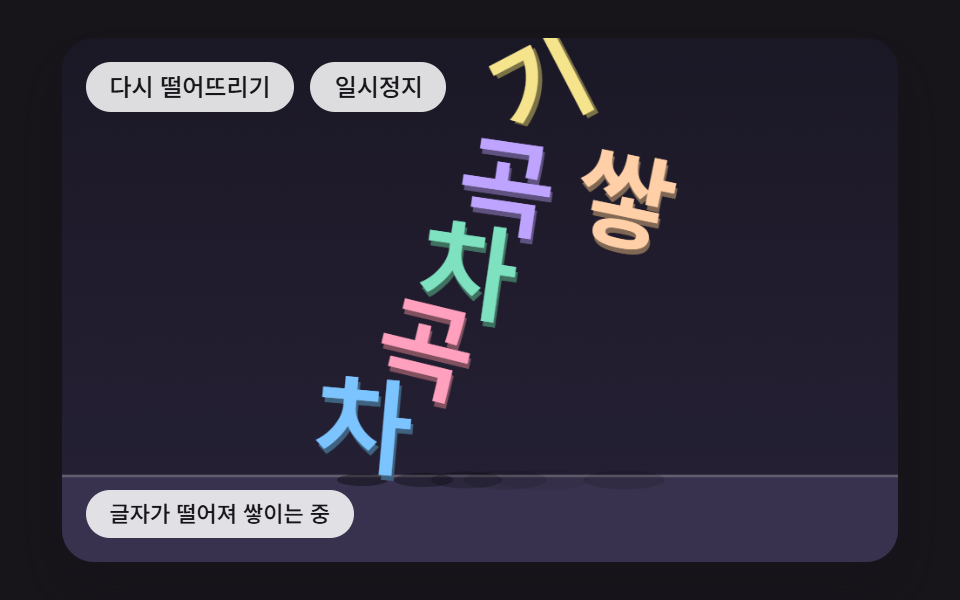 FeedbackFalling Text Animation: 9 Letters With Physics
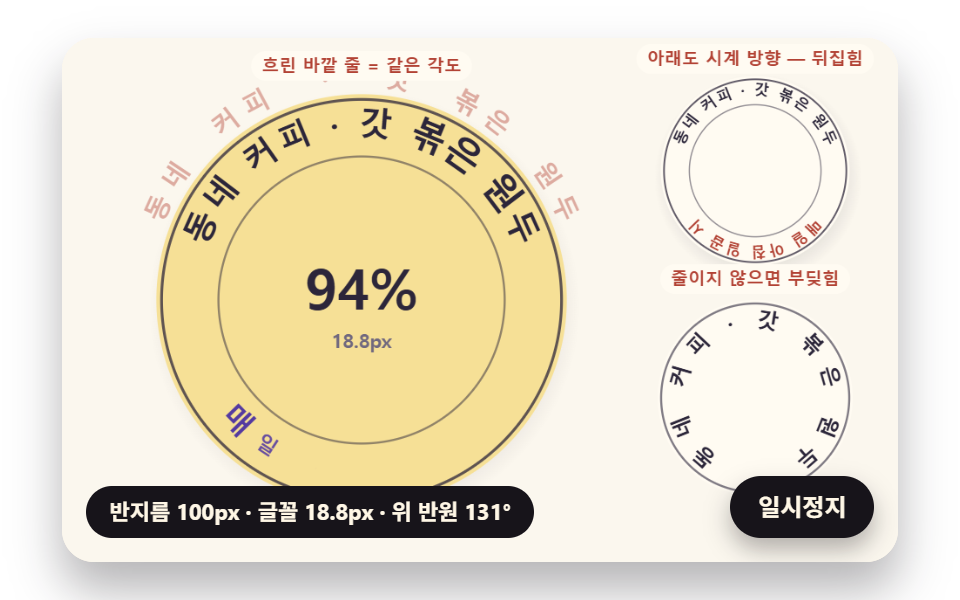 FeedbackCircular Text CSS: 9 Rings Spaced by Letter Width
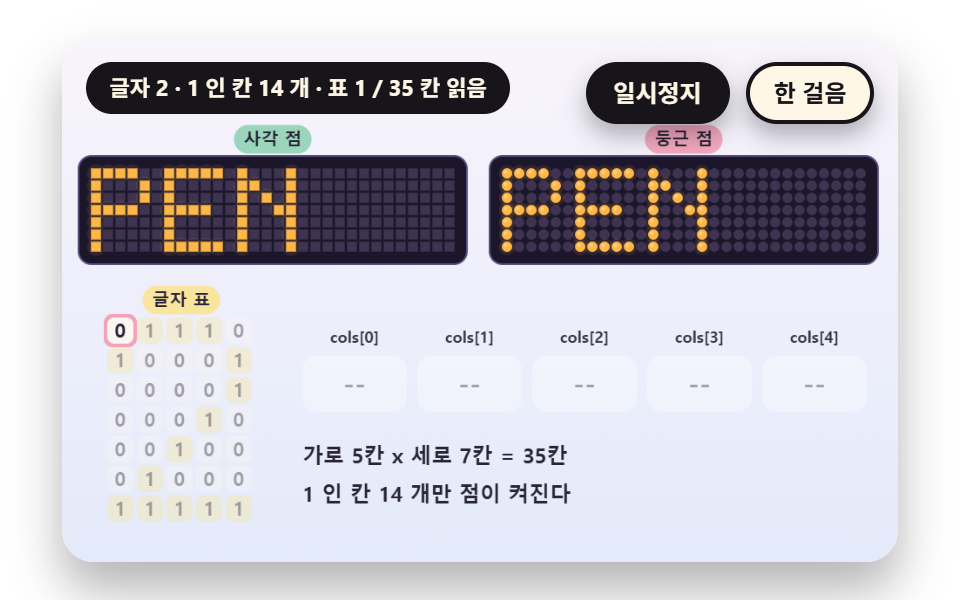 FeedbackDot Matrix Display: 9 Canvas LED Sign Scenes
 Feedback9 CSS Background Animation — One Line, Copy-Paste
 Feedback9 CSS Card Hover Effects — One Line, Copy-Paste
 Feedback9 CSS Text Shine Animation Effects — Copy-Paste
 Feedback9 CSS 3D Cube Effects — One Line, Copy-Paste
 Feedback9 CSS Particle Backgrounds — One Line, Copy-Paste
 FeedbackStatus Badge Design UI — 9 CSS Ideas to Copy
 FeedbackOnboarding UI Design — 9 Copy-Paste Tour Widgets