CSS Countdown Timer: 9 Clocks That Drain and Flip
A css countdown timer is felt as the speed at which a shape shrinks before the number is read — scene 01's ring and scene 03's sand set that speed by
Run All Nine Countdown Timers Right on This Page
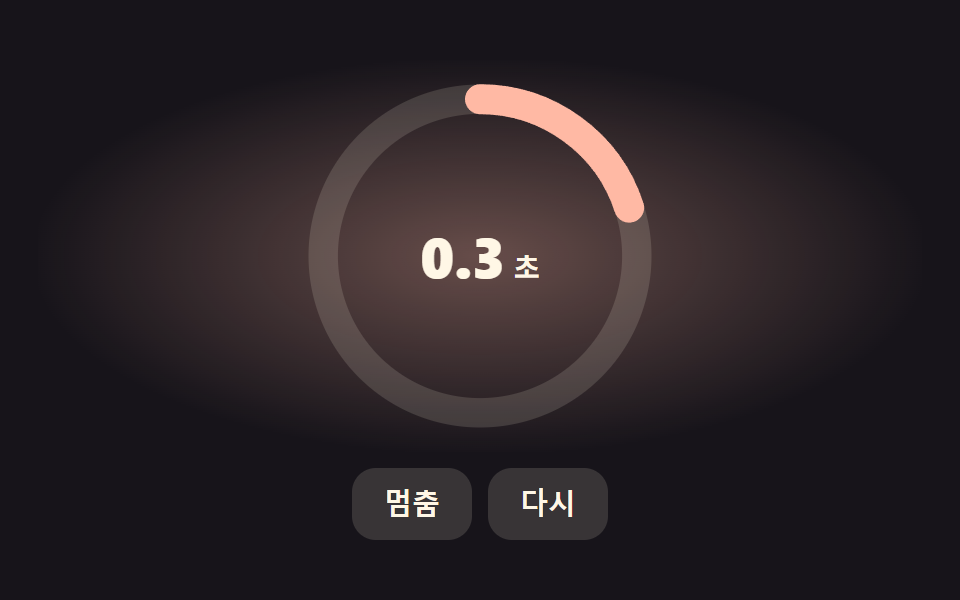 01 cd-ring-drain-hue-shift
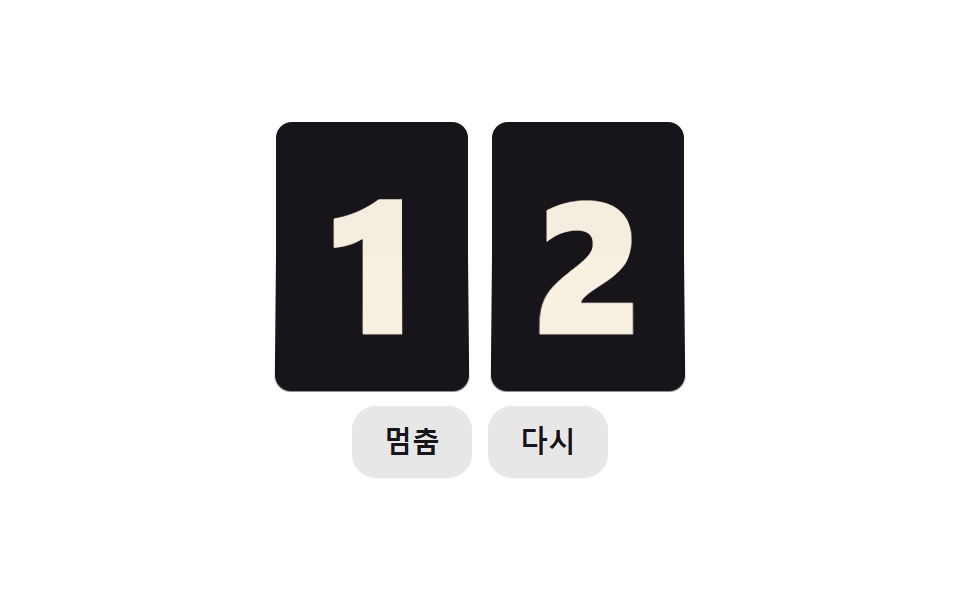 02 cd-flip-digit-hinge-shadow
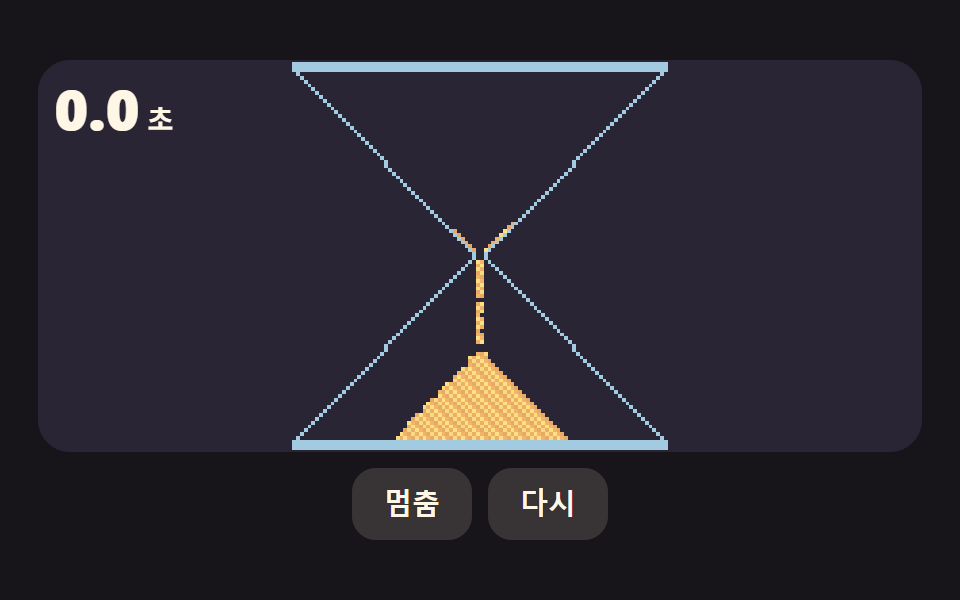 03 cd-hourglass-sand-grains
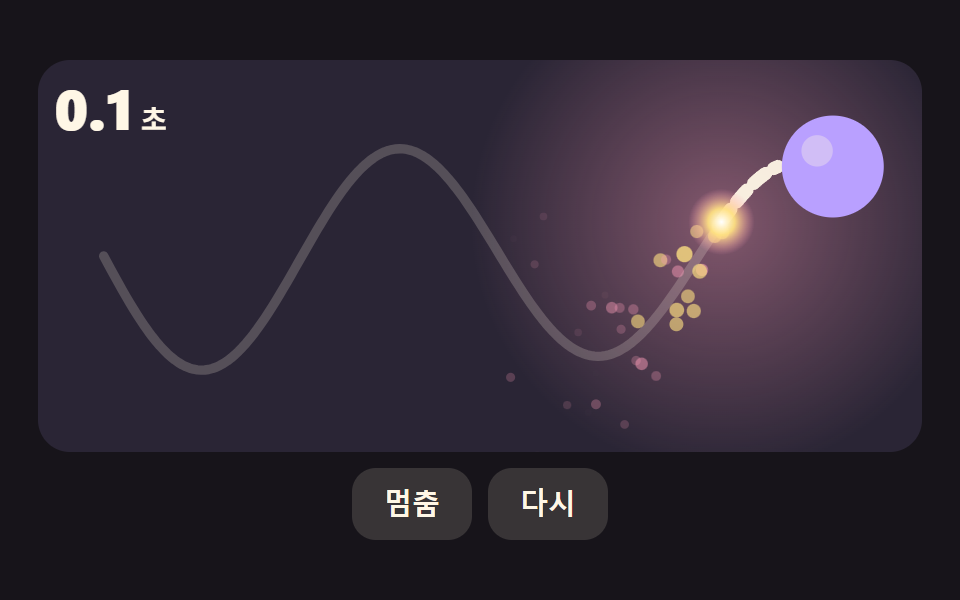 04 cd-fuse-burn-spark-trail
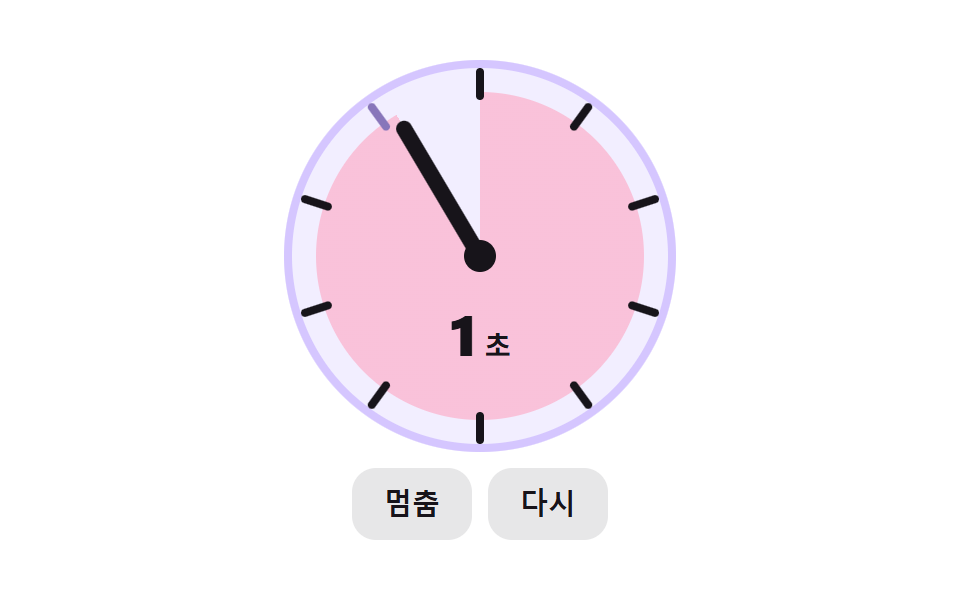 05 cd-dial-sweep-tick-overshoot
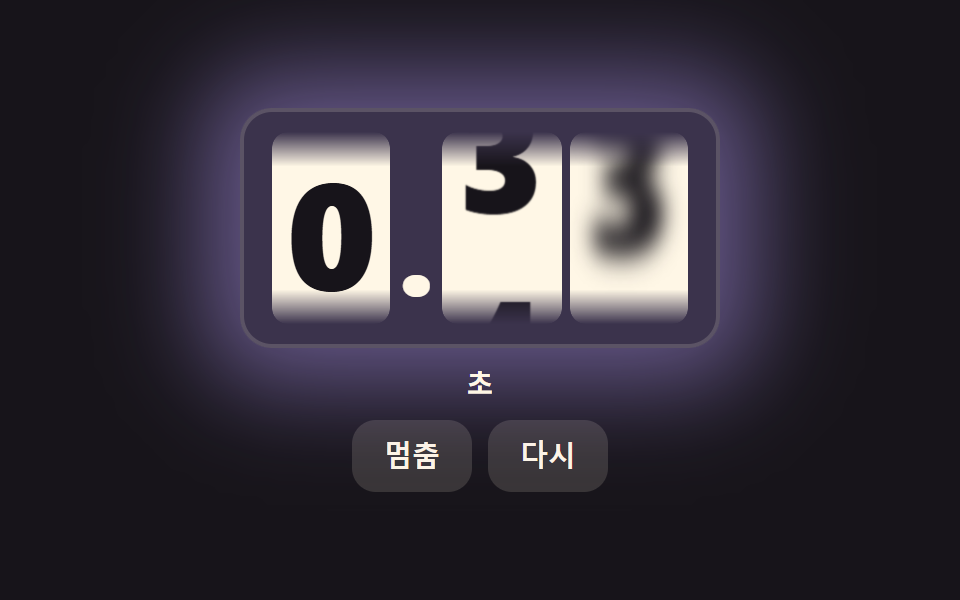 06 cd-odometer-strip-motion-blur
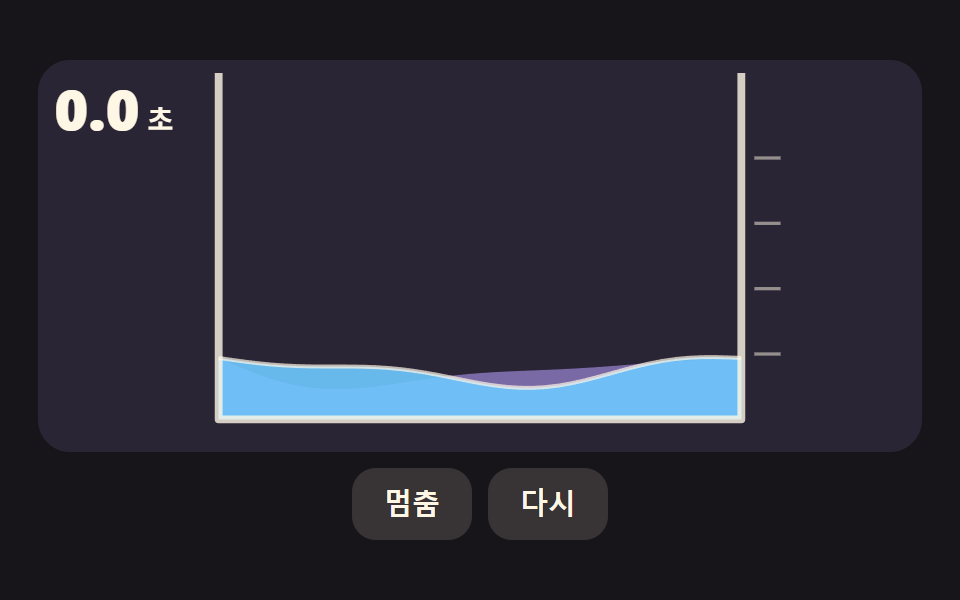 07 cd-liquid-tank-slosh-level
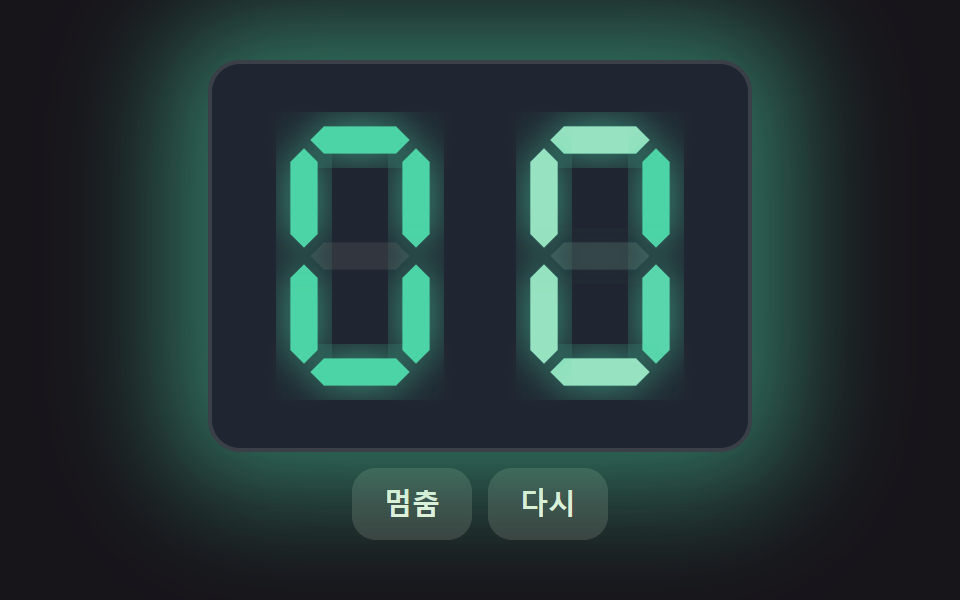 08 cd-seven-segment-phosphor-glow
 09 cd-launch-sequence-shockwave-hero
Auto-plays · click a tile to jump to its section · all nine in one zip
- 01 A Draining Ring Whose Color Follows the Remaining Fraction and Pulses in the Final Stretch
- 02 A Flip Digit Card Whose Shadow Turns With the Hinge Angle
- 03 An Hourglass That Counts Time With Grains Squeezing Through the Neck and Piling Up
- 04 A Countdown Where the Burning Point Walks Along the Fuse Length and Throws Sparks
- 05 A Dial Whose Needle Bounces at Every Tick Mark While the Swept Sector Fills In
- 06 Odometer Digits That Blur the Faster the Strip Spins and Carry Over in a Chain
- 07 A Liquid Tank Timer That Sloshes While the Level Drops and Settles Once It Stops
- 08 A Seven-Segment LED Countdown Whose Switched-Off Segments Leave a Glow
- 09 A Launch Countdown Scene Where a Shockwave Spreads at Every Number and Ignition Fires at Zero
CSS Countdown Timer: 9 Clocks Where Decay, Springs and Path Length Make Time Visible
Each scene is a stage (480×300 in the render capture) holding a display area and a button row stacked vertically, 8px apart. The stage padding is clamp(8px, 4vw, 24px), which comes to 19.2px at 480 wide, and the display area is at most 196px tall, shrinking to 126px on a 320×200 screen. The two buttons, start/pause and reset, sit side by side at 36px tall, and the probe measured each at 60px wide.
None of the nine scenes asks the clock for the date. Each one adds the gap between two requestAnimationFrame timestamps into elapsed and derives the remaining time from that. The autoplay loop runs the total time plus a hold, shows zero for a moment, and starts over, and the first press on any button ends the loop so that later runs go once. One autoplay lap is 1500ms plus a 300ms hold in 01, 03, 04, 06 and 07, twelve 150ms steps in 02 and 08, ten 150ms steps in 05, and three 450ms steps in 09.
There is one thing about the displayed time that you should know first. Scenes 02, 05, 08 and 09 squeeze each "second" into a short step during autoplay and switch to true 1000ms steps the moment you press a button, while 01, 03, 04, 06 and 07 show the real length in seconds with one decimal and no speed-up. So in four scenes the rhythm you see in the autoplay is not the rhythm you get when you run it by hand.
The order follows where the shrinking shape comes from. In 01 the arc length is the remaining fraction itself, 02 and 05 integrate a spring equation directly, and 03, 04 and 09 roll particles or stars from a fixed-seed random generator. Scene 06 is a strip of digits, 08 is segment brightness, and 07 pulls wave amplitude out of the level change. Start at 01 for a kitchen or exam clock, at 02 or 09 for an event opening, and at 03 for a focus timer. If you care more about numbers counting up, open 9 CSS Number Counter Animations — Copy-Paste Ready beside it, for a value drawn as a gauge try 9 CSS Progress Bar Circle Gauges, Copy-Paste Ready, and for a loader with an expiry time there is QR Code Loading Animation — 9 CSS Expiry Patterns.
The table copies the values from 측정.json, taken from 24 captured frames per scene, with motion counted from the difference between neighboring frames. Only 02 and 03 stay under 10% area, 01 moved in 20 of 23 frame gaps and 02 in 22, and the other seven moved in all 23.
| Scene | Cumulative area | Mean intensity | Frames that moved |
|---|---|---|---|
| 01 Ring | 32.4% | 59.4 | 20/23 |
| 02 Flip card | 5.2% | 110.0 | 22/23 |
| 03 Hourglass | 3.7% | 177.8 | 23/23 |
| 04 Fuse | 57.0% | 32.9 | 23/23 |
| 05 Dial | 15.0% | 132.7 | 23/23 |
| 06 Odometer | 33.6% | 101.1 | 23/23 |
| 07 Liquid tank | 26.9% | 137.4 | 23/23 |
| 08 Seven-segment | 46.8% | 43.9 | 23/23 |
| 09 Launch scene | 47.1% | 82.1 | 23/23 |
Code for Each Technique Behind a Countdown Timer in HTML, CSS and JavaScript
Every snippet below is an unbroken run of lines from the <script> in that scene's index.html, 25 lines or fewer. If you are comparing an html css js countdown timer from a pen site with these, check first which variable the remaining time comes from; here remainMs() is computed from elapsed. Anyone hunting for css code for countdown timer will find the constant names in each scene's sentences, so the const line is where to change a value.
01A Draining Ring Whose Color Follows the Remaining Fraction and Pulses in the Final Stretch
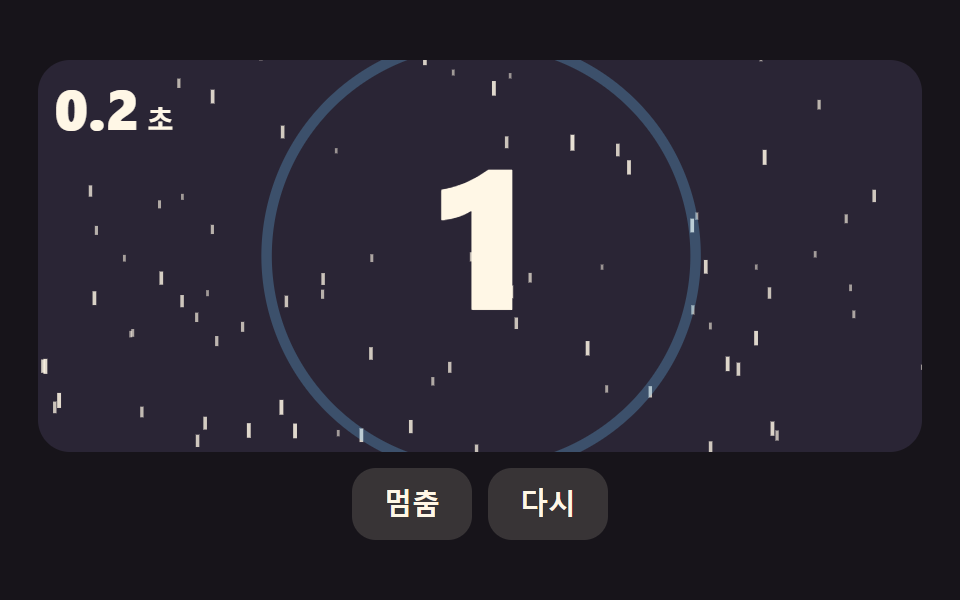
The arc length is strokeDashoffset set to the circumference 301.6 times the remaining fraction, and the same fraction runs through a linear blend called blend across three colors (mint, pale yellow, pink) to move the arc color. Below a fraction of PULSE_AT 0.4, a heartbeat curve shakes the stroke between 9 and at most 15. It fits a kitchen or exam clock, and the render logged 32.4% area, intensity 59.4 and 20/23 moving frames.
<main class="stage">
  <div class="cd is-demo" id="cd" data-demo="1">
    <div class="cd__view cd__view--ring">
      <div class="cd__halo" data-r="halo"></div>
      <svg class="cd__svg" viewBox="0 0 120 120" role="img" aria-label="A draining ring timer">
        <circle class="cd__track" cx="60" cy="60" r="48"/>
        <circle class="cd__arc" data-r="arc" cx="60" cy="60" r="48" transform="rotate(-90 60 60)"/>
      </svg>
      <p class="cd__read cd__read--center" role="timer"><b data-r="num">1.5</b><span>s</span></p>
    </div>
    <div class="cd__bar">
      <button class="cd__btn" type="button" data-r="toggle">Pause</button>
      <button class="cd__btn" type="button" data-r="reset">Reset</button>
    </div>
    <p class="cd__sr" aria-live="polite" data-r="status"></p>
  </div>
</main>
@use "../../../../site/static/demo-tokens" as *;
// 핵심: 남은 시간 하나(경과는 rAF 타임스탬프 누적)에서 모양을 계산해 그린다. CSS 는 모양과 색만 맡는다.
$bg: $stage-ink;
$fg: $subject-cream;
$btn: rgba($subject-cream, .14);
@include stage($bg);
.cd {
--view-h: min(calc(100vh - 2 * clamp(8px, 4vw, 24px) - 48px), 196px);
position: relative;
box-sizing: border-box;
width: 100%;
display: flex;
flex-direction: column;
align-items: center;
gap: $sp-2;
color: $fg;
font-size: 14px;
line-height: 20px;
font-weight: 600;
}
.cd__view { position: relative; }
.cd__view--scene { width: 100%; height: var(--view-h); overflow: hidden; border-radius: $r-card; background: mix($stage-ink, $subject-lilac, 88%); }
.cd__cv { display: block; width: 100%; height: 100%; }
.cd__read { margin: 0; display: flex; align-items: baseline; gap: $sp-1; font-variant-numeric: tabular-nums; }
.cd__read b { font-size: 28px; line-height: 32px; font-weight: 800; }
.cd__read--center { position: absolute; left: 50%; top: 50%; transform: translate(-50%, -50%); }
.cd__read--corner { position: absolute; left: $sp-2; top: $sp-2; }
.cd__bar { display: flex; gap: $sp-2; }
.cd__btn {
box-sizing: border-box;
height: 36px;
padding: 0 $sp-4;
border: 0;
border-radius: $r-control;
background: $btn;
color: $fg;
font-size: 14px;
line-height: 20px;
font-weight: 700;
cursor: pointer;
}
.cd__btn:focus-visible { outline: 2px solid $subject-lilac; outline-offset: 2px; }
.cd__sr { position: absolute; width: 1px; height: 1px; margin: 0; overflow: hidden; clip: rect(0 0 0 0); white-space: nowrap; }
@media (prefers-reduced-motion: reduce) {
.cd__strip { filter: none !important; }
.cd__leaf { display: none !important; }
}
.cd {
--c0: #{$subject-mint};
--c1: #{mix($stage-yellow, $subject-cream, 60%)};
--c2: #{$subject-pink};
}
.cd__view--ring { width: 100%; height: var(--view-h); display: grid; place-items: center; }
.cd__halo { position: absolute; inset: 0; }
.cd__svg { position: relative; display: block; width: var(--view-h); height: var(--view-h); }
.cd__track { fill: none; stroke: rgba($subject-cream, .14); stroke-width: 9; }
.cd__arc { fill: none; stroke-linecap: round; stroke-width: 9; }html, body {
margin: 0;
overflow: hidden;
}
.stage {
box-sizing: border-box;
min-height: 100vh;
display: grid;
place-items: center;
margin: 0;
background: #17141a;
font-family: -apple-system, "Segoe UI", "Noto Sans KR", sans-serif;
padding: clamp(8px, 4vw, 24px);
}
.cd {
--view-h: min(calc(100vh - 2 * clamp(8px, 4vw, 24px) - 48px), 196px);
position: relative;
box-sizing: border-box;
width: 100%;
display: flex;
flex-direction: column;
align-items: center;
gap: 8px;
color: #fff7e6;
font-size: 14px;
line-height: 20px;
font-weight: 600;
}
.cd__view {
position: relative;
}
.cd__view--scene {
width: 100%;
height: var(--view-h);
overflow: hidden;
border-radius: 16px;
background: rgb(16.6431372549%, 14.431372549%, 20.9725490196%);
}
.cd__cv {
display: block;
width: 100%;
height: 100%;
}
.cd__read {
margin: 0;
display: flex;
align-items: baseline;
gap: 4px;
font-variant-numeric: tabular-nums;
}
.cd__read b {
font-size: 28px;
line-height: 32px;
font-weight: 800;
}
.cd__read--center {
position: absolute;
left: 50%;
top: 50%;
transform: translate(-50%, -50%);
}
.cd__read--corner {
position: absolute;
left: 8px;
top: 8px;
}
.cd__bar {
display: flex;
gap: 8px;
}
.cd__btn {
box-sizing: border-box;
height: 36px;
padding: 0 16px;
border: 0;
border-radius: 12px;
background: rgba(255, 247, 230, 0.14);
color: #fff7e6;
font-size: 14px;
line-height: 20px;
font-weight: 700;
cursor: pointer;
}
.cd__btn:focus-visible {
outline: 2px solid #b9a0ff;
outline-offset: 2px;
}
.cd__sr {
position: absolute;
width: 1px;
height: 1px;
margin: 0;
overflow: hidden;
clip: rect(0 0 0 0);
white-space: nowrap;
}
@media (prefers-reduced-motion: reduce) {
.cd__strip {
filter: none !important;
}
.cd__leaf {
display: none !important;
}
}
.cd {
--c0: #4cd4a6;
--c1: rgb(100%, 88.1568627451%, 50.9019607843%);
--c2: #ff9ebb;
}
.cd__view--ring {
width: 100%;
height: var(--view-h);
display: grid;
place-items: center;
}
.cd__halo {
position: absolute;
inset: 0;
}
.cd__svg {
position: relative;
display: block;
width: var(--view-h);
height: var(--view-h);
}
.cd__track {
fill: none;
stroke: rgba(255, 247, 230, 0.14);
stroke-width: 9;
}
.cd__arc {
fill: none;
stroke-linecap: round;
stroke-width: 9;
}(function () {
const root = document.getElementById("cd");
if (!root) return;
function cx(s) {
return s;
}
const reduce = window.matchMedia("(prefers-reduced-motion: reduce)").matches;
let demo = !reduce;
let running = demo;
let elapsed = 0;
let lastTs = -1;
let lastDraw = -1e9;
let raf = 0;
const hooks = { stop: () => { } };
const offs = [];
const TOTAL_MS = 1500;
const HOLD_MS = 300;
const RING_R = 48;
const PULSE_AT = 0.4;
const PULSE_MS = 300;
const HUE_STOPS = ["--c0", "--c1", "--c2"];
let totalMs = TOTAL_MS;
function q(sel) {
return root.querySelector(sel);
}
function on(el, type, fn) {
el.addEventListener(type, fn);
offs.push(() => el.removeEventListener(type, fn));
}
function clamp(v, lo, hi) {
return Math.max(lo, Math.min(hi, v));
}
// 지수 접근: 프레임률이 달라도 같은 속도가 되도록 dt 를 60fps 프레임 수로 환산해 쓴다
function approach(x, target, per, dt) {
return x + (target - x) * (1 - Math.pow(1 - per, dt * 60));
}
const toggle = q('[data-r="toggle"]');
const resetBtn = q('[data-r="reset"]');
const status = q('[data-r="status"]');
// 남은 시간. 경과는 rAF 타임스탬프 차이를 누적한 값이라 시계를 따로 읽지 않는다
function remainMs() {
return clamp(totalMs - elapsed, 0, totalMs);
}
function syncButtons() {
toggle.textContent = running ? "Pause" : "Start";
toggle.setAttribute("aria-pressed", running ? "true" : "false");
}
// 스크린리더 안내는 멈출 때와 끝날 때만 갱신한다. 시연 루프 중에는 읽지 않는다
function say(msg) {
if (!demo)
status.textContent = msg;
}
function stopDemo() {
if (!demo)
return;
demo = false;
root.classList.remove("is-demo");
root.removeAttribute("data-demo");
hooks.stop();
}
function restart() {
elapsed = 0;
resetState();
}
function update(dt) {
tick(dt);
draw();
}
function frame(ts) {
raf = requestAnimationFrame(frame);
const raw = lastTs < 0 ? 0 : ts - lastTs;
lastTs = ts;
if (running) {
elapsed += raw;
if (demo) {
const cycle = totalMs + HOLD_MS;
if (elapsed >= cycle) {
elapsed %= cycle;
resetState();
}
}
else if (elapsed >= totalMs) {
elapsed = totalMs;
running = false;
say("Time is up");
syncButtons();
}
}
if (reduce && ts - lastDraw < 250)
return;
lastDraw = ts;
update(Math.min(raw, 50) / 1000);
}
on(toggle, "click", () => {
stopDemo();
if (!running && elapsed >= totalMs)
restart();
running = !running;
say(running ? "" : "Paused");
syncButtons();
update(0);
});
on(resetBtn, "click", () => {
stopDemo();
running = false;
restart();
say("");
syncButtons();
update(0);
});
const arc = q('[data-r="arc"]');
const num = q('[data-r="num"]');
const halo = q('[data-r="halo"]');
const CIRC = 2 * Math.PI * RING_R;
const BASE_W = 9;
const PULSE_W = 6;
let stops = [[127, 220, 180], [255, 233, 159], [255, 158, 187]];
function parseColor(h) {
// CSS 변수 값은 #rrggbb 로도, rgb(r, g, b) 로도, rgb(100%, 50%, 0%) 로도 나올 수 있다
const m6 = /^#([0-9a-f]{6})$/i.exec(h);
if (m6) {
const n = parseInt(m6[1], 16);
return [(n >> 16) & 255, (n >> 8) & 255, n & 255];
}
const m = /([0-9.]+)(%?)[ ,]+([0-9.]+)(%?)[ ,]+([0-9.]+)(%?)/.exec(h);
if (!m)
return [255, 255, 255];
const ch = (v, pct) => Math.round(pct ? (Number(v) * 255) / 100 : Number(v));
return [ch(m[1], m[2]), ch(m[3], m[4]), ch(m[5], m[6])];
}
// 색 토큰은 CSS 변수가 갖고, 여기서는 변수 이름만 들고 있다가 읽는다
function readStops() {
const cs = getComputedStyle(root);
stops = HUE_STOPS.map((n) => parseColor(cs.getPropertyValue(n).trim()));
}
// 남은 비율 f 를 세 색 사이 보간으로 바꾼다. u = 1 - f 가 0 이면 첫 색, 1 이면 마지막 색
function blend(u) {
const s = clamp(u, 0, 1) * (stops.length - 1);
const i = Math.min(stops.length - 2, Math.floor(s));
const f = s - i;
const a = stops[i];
const b = stops[i + 1];
return a.map((v, k) => Math.round(v + (b[k] - v) * f));
}
// 심박 곡선: 한 주기에 두 번 솟는다(쿵 쿵). 값은 0 에서 1 사이
function heartbeat(ph) {
const p = ph - Math.floor(ph);
const lub = Math.exp(-Math.pow((p - 0.1) / 0.06, 2));
const dub = 0.6 * Math.exp(-Math.pow((p - 0.3) / 0.07, 2));
return Math.min(1, lub + dub);
}
function resize() {
readStops();
arc.style.strokeDasharray = CIRC.toFixed(2);
}
function resetState() { }
function tick(dt) { }
function draw() {
const rem = remainMs();
const f = rem / totalMs;
arc.style.strokeDashoffset = (CIRC * (1 - f)).toFixed(2);
const col = blend(1 - f);
arc.style.stroke = "rgb(" + col.join(",") + ")";
arc.style.opacity = f > 0 ? "1" : "0";
let w = BASE_W;
if (!reduce && f > 0 && f < PULSE_AT) {
const ramp = 1 - f / PULSE_AT;
w += PULSE_W * ramp * heartbeat(elapsed / PULSE_MS);
}
arc.style.strokeWidth = w.toFixed(2);
// 같은 색과 같은 박동이 배경 후광에도 번진다: 링 바깥까지 남은 시간이 읽힌다
const beat = (w - BASE_W) / PULSE_W;
halo.style.background = "radial-gradient(ellipse at 50% 50%, rgba(" + col.join(",") + "," + (0.34 + 0.2 * beat).toFixed(3) + ") 0%, rgba(" + col.join(",") + ",0) 72%)";
num.textContent = (rem / 1000).toFixed(1);
}
const ro = new ResizeObserver(() => {
resize();
draw();
});
ro.observe(root);
offs.push(() => ro.disconnect());
resize();
resetState();
syncButtons();
update(0);
raf = requestAnimationFrame(frame);
return () => {
cancelAnimationFrame(raf);
offs.forEach((f) => f());
};
})();// RingDrainHueShift - vanilla 판(01-cd-ring-drain-hue-shift) 의 React 포트. 같은 계산을 useEffect 안에서 돌린다.
import { useEffect, useRef } from "react";
import styles from "./RingDrainHueShift.module.scss";
const cx = (s: string): string => s.split(" ").map((n) => styles[n] ?? n).join(" ");
export default function RingDrainHueShift() {
const rootRef = useRef<HTMLDivElement | null>(null);
useEffect(() => {
const rootEl = rootRef.current;
if (!rootEl) return;
const root: HTMLElement = rootEl;
const reduce: boolean = window.matchMedia("(prefers-reduced-motion: reduce)").matches;
let demo: boolean = !reduce;
let running: boolean = demo;
let elapsed = 0;
let lastTs = -1;
let lastDraw = -1e9;
let raf = 0;
const hooks: { stop: () => void } = { stop: () => {} };
const offs: Array<() => void> = [];
const TOTAL_MS = 1500;
const HOLD_MS = 300;
const RING_R = 48;
const PULSE_AT = 0.4;
const PULSE_MS = 300;
const HUE_STOPS = ["--c0", "--c1", "--c2"];
let totalMs = TOTAL_MS;
function q<T extends Element>(sel: string): T {
return root.querySelector(sel) as T;
}
function on(el: EventTarget, type: string, fn: (e: Event) => void): void {
el.addEventListener(type, fn);
offs.push(() => el.removeEventListener(type, fn));
}
function clamp(v: number, lo: number, hi: number): number {
return Math.max(lo, Math.min(hi, v));
}
// 지수 접근: 프레임률이 달라도 같은 속도가 되도록 dt 를 60fps 프레임 수로 환산해 쓴다
function approach(x: number, target: number, per: number, dt: number): number {
return x + (target - x) * (1 - Math.pow(1 - per, dt * 60));
}
const toggle = q<HTMLButtonElement>('[data-r="toggle"]');
const resetBtn = q<HTMLButtonElement>('[data-r="reset"]');
const status = q<HTMLElement>('[data-r="status"]');
// 남은 시간. 경과는 rAF 타임스탬프 차이를 누적한 값이라 시계를 따로 읽지 않는다
function remainMs(): number {
return clamp(totalMs - elapsed, 0, totalMs);
}
function syncButtons(): void {
toggle.textContent = running ? "멈춤" : "시작";
toggle.setAttribute("aria-pressed", running ? "true" : "false");
}
// 스크린리더 안내는 멈출 때와 끝날 때만 갱신한다. 시연 루프 중에는 읽지 않는다
function say(msg: string): void {
if (!demo) status.textContent = msg;
}
function stopDemo(): void {
if (!demo) return;
demo = false;
root.classList.remove("is-demo");
root.removeAttribute("data-demo");
hooks.stop();
}
function restart(): void {
elapsed = 0;
resetState();
}
function update(dt: number): void {
tick(dt);
draw();
}
function frame(ts: number): void {
raf = requestAnimationFrame(frame);
const raw = lastTs < 0 ? 0 : ts - lastTs;
lastTs = ts;
if (running) {
elapsed += raw;
if (demo) {
const cycle = totalMs + HOLD_MS;
if (elapsed >= cycle) {
elapsed %= cycle;
resetState();
}
} else if (elapsed >= totalMs) {
elapsed = totalMs;
running = false;
say("시간이 다 됐습니다");
syncButtons();
}
}
if (reduce && ts - lastDraw < 250) return;
lastDraw = ts;
update(Math.min(raw, 50) / 1000);
}
on(toggle, "click", () => {
stopDemo();
if (!running && elapsed >= totalMs) restart();
running = !running;
say(running ? "" : "멈췄습니다");
syncButtons();
update(0);
});
on(resetBtn, "click", () => {
stopDemo();
running = false;
restart();
say("");
syncButtons();
update(0);
});
const arc = q<SVGCircleElement>('[data-r="arc"]');
const num = q<HTMLElement>('[data-r="num"]');
const halo = q<HTMLElement>('[data-r="halo"]');
const CIRC = 2 * Math.PI * RING_R;
const BASE_W = 9;
const PULSE_W = 6;
let stops: number[][] = [[127, 220, 180], [255, 233, 159], [255, 158, 187]];
function parseColor(h: string): number[] {
// CSS 변수 값은 #rrggbb 로도, rgb(r, g, b) 로도, rgb(100%, 50%, 0%) 로도 나올 수 있다
const m6 = /^#([0-9a-f]{6})$/i.exec(h);
if (m6) {
const n = parseInt(m6[1], 16);
return [(n >> 16) & 255, (n >> 8) & 255, n & 255];
}
const m = /([0-9.]+)(%?)[ ,]+([0-9.]+)(%?)[ ,]+([0-9.]+)(%?)/.exec(h);
if (!m) return [255, 255, 255];
const ch = (v: string, pct: string): number => Math.round(pct ? (Number(v) * 255) / 100 : Number(v));
return [ch(m[1], m[2]), ch(m[3], m[4]), ch(m[5], m[6])];
}
// 색 토큰은 CSS 변수가 갖고, 여기서는 변수 이름만 들고 있다가 읽는다
function readStops(): void {
const cs = getComputedStyle(root);
stops = HUE_STOPS.map((n) => parseColor(cs.getPropertyValue(n).trim()));
}
// 남은 비율 f 를 세 색 사이 보간으로 바꾼다. u = 1 - f 가 0 이면 첫 색, 1 이면 마지막 색
function blend(u: number): number[] {
const s = clamp(u, 0, 1) * (stops.length - 1);
const i = Math.min(stops.length - 2, Math.floor(s));
const f = s - i;
const a = stops[i];
const b = stops[i + 1];
return a.map((v, k) => Math.round(v + (b[k] - v) * f));
}
// 심박 곡선: 한 주기에 두 번 솟는다(쿵 쿵). 값은 0 에서 1 사이
function heartbeat(ph: number): number {
const p = ph - Math.floor(ph);
const lub = Math.exp(-Math.pow((p - 0.1) / 0.06, 2));
const dub = 0.6 * Math.exp(-Math.pow((p - 0.3) / 0.07, 2));
return Math.min(1, lub + dub);
}
function resize(): void {
readStops();
arc.style.strokeDasharray = CIRC.toFixed(2);
}
function resetState(): void {}
function tick(dt: number): void {}
function draw(): void {
const rem = remainMs();
const f = rem / totalMs;
arc.style.strokeDashoffset = (CIRC * (1 - f)).toFixed(2);
const col = blend(1 - f);
arc.style.stroke = "rgb(" + col.join(",") + ")";
arc.style.opacity = f > 0 ? "1" : "0";
let w = BASE_W;
if (!reduce && f > 0 && f < PULSE_AT) {
const ramp = 1 - f / PULSE_AT;
w += PULSE_W * ramp * heartbeat(elapsed / PULSE_MS);
}
arc.style.strokeWidth = w.toFixed(2);
// 같은 색과 같은 박동이 배경 후광에도 번진다: 링 바깥까지 남은 시간이 읽힌다
const beat = (w - BASE_W) / PULSE_W;
halo.style.background = "radial-gradient(ellipse at 50% 50%, rgba(" + col.join(",") + "," + (0.34 + 0.2 * beat).toFixed(3) + ") 0%, rgba(" + col.join(",") + ",0) 72%)";
num.textContent = (rem / 1000).toFixed(1);
}
const ro = new ResizeObserver(() => {
resize();
draw();
});
ro.observe(root);
offs.push(() => ro.disconnect());
resize();
resetState();
syncButtons();
update(0);
raf = requestAnimationFrame(frame);
return () => {
cancelAnimationFrame(raf);
offs.forEach((f) => f());
};
}, []);
return (
<div className={cx("cd") + " is-demo"} id="cd" data-demo="1" ref={rootRef}>
<div className={cx("cd__view cd__view--ring")}>
<div className={cx("cd__halo")} data-r="halo"></div>
<svg className={cx("cd__svg")} viewBox="0 0 120 120" role="img" aria-label="줄어드는 링 타이머">
<circle className={cx("cd__track")} cx="60" cy="60" r="48"/>
<circle className={cx("cd__arc")} data-r="arc" cx="60" cy="60" r="48" transform="rotate(-90 60 60)"/>
</svg>
<p className={cx("cd__read cd__read--center")} role="timer"><b data-r="num">1.5</b><span>초</span></p>
</div>
<div className={cx("cd__bar")}>
<button className={cx("cd__btn")} type="button" data-r="toggle">멈춤</button>
<button className={cx("cd__btn")} type="button" data-r="reset">다시</button>
</div>
<p className={cx("cd__sr")} aria-live="polite" data-r="status"></p>
</div>
);
}01 · A Draining Ring Whose Color Follows the Remaining Fraction and Pulses in the Final Stretch — Measured area 32.376% · moving frames 20/23Original by GODRICH · SCSS and React ship in the zip · See the password
    function blend(u) {
        const s = clamp(u, 0, 1) * (stops.length - 1);
        const i = Math.min(stops.length - 2, Math.floor(s));
        const f = s - i;
        const a = stops[i];
        const b = stops[i + 1];
        return a.map((v, k) => Math.round(v + (b[k] - v) * f));
    }
    // Heartbeat curve: rises twice per cycle (lub-dub). Values run from 0 to 1
    function heartbeat(ph) {
        const p = ph - Math.floor(ph);
        const lub = Math.exp(-Math.pow((p - 0.1) / 0.06, 2));
        const dub = 0.6 * Math.exp(-Math.pow((p - 0.3) / 0.07, 2));
        return Math.min(1, lub + dub);
    }
02A Flip Digit Card Whose Shadow Turns With the Hinge Angle
The upper leaf folds on a spring with STIFFNESS 2200, and the sine of the fold angle times SHADE_MAX 0.6 becomes the shadow density. Damping ratio 0.55 gives a 12.6% overshoot by the damping formula 2*0.55*sqrt(STIFFNESS), but the angle is a separate value: clamp(c.x, 0, 1.12)*180 cuts it at 1.12 times, so it tops out at 201.6°; the setTarget below freezes a half-finished fold with c.cur = c.nxt when a new digit arrives, restarts x at zero, and under reduced motion swaps the digit without folding. It suits an event-opening countdown, with 5.2% area, intensity 110.0 and 22/23 moving frames.
<main class="stage">
  <div class="cd is-demo" id="cd" data-demo="1">
    <div class="cd__view">
      <div class="cd__cards" data-r="cards" role="timer" aria-label="Time left flip cards"></div>
    </div>
    <div class="cd__bar">
      <button class="cd__btn" type="button" data-r="toggle">Pause</button>
      <button class="cd__btn" type="button" data-r="reset">Reset</button>
    </div>
    <p class="cd__sr" aria-live="polite" data-r="status"></p>
  </div>
</main>
@use "../../../../site/static/demo-tokens" as *;
// 핵심: 남은 시간 하나(경과는 rAF 타임스탬프 누적)에서 모양을 계산해 그린다. CSS 는 모양과 색만 맡는다.
$bg: $stage-paper;
$fg: $subject-ink;
$btn: rgba($subject-ink, .1);
$card-bg: $subject-ink;
$card-fg: $subject-cream;
@include stage($bg);
.cd {
--view-h: min(calc(100vh - 2 * clamp(8px, 4vw, 24px) - 48px), 196px);
position: relative;
box-sizing: border-box;
width: 100%;
display: flex;
flex-direction: column;
align-items: center;
gap: $sp-2;
color: $fg;
font-size: 14px;
line-height: 20px;
font-weight: 600;
}
.cd__view { position: relative; }
.cd__view--scene { width: 100%; height: var(--view-h); overflow: hidden; border-radius: $r-card; background: mix($stage-ink, $subject-lilac, 88%); }
.cd__cv { display: block; width: 100%; height: 100%; }
.cd__read { margin: 0; display: flex; align-items: baseline; gap: $sp-1; font-variant-numeric: tabular-nums; }
.cd__read b { font-size: 28px; line-height: 32px; font-weight: 800; }
.cd__read--center { position: absolute; left: 50%; top: 50%; transform: translate(-50%, -50%); }
.cd__read--corner { position: absolute; left: $sp-2; top: $sp-2; }
.cd__bar { display: flex; gap: $sp-2; }
.cd__btn {
box-sizing: border-box;
height: 36px;
padding: 0 $sp-4;
border: 0;
border-radius: $r-control;
background: $btn;
color: $fg;
font-size: 14px;
line-height: 20px;
font-weight: 700;
cursor: pointer;
}
.cd__btn:focus-visible { outline: 2px solid $subject-lilac; outline-offset: 2px; }
.cd__sr { position: absolute; width: 1px; height: 1px; margin: 0; overflow: hidden; clip: rect(0 0 0 0); white-space: nowrap; }
@media (prefers-reduced-motion: reduce) {
.cd__strip { filter: none !important; }
.cd__leaf { display: none !important; }
}
.cd__view { display: grid; place-items: center; }
.cd__cards { display: flex; gap: $sp-3; --cw: clamp(72px, 20vw, 108px); }
.cd__card {
position: relative;
width: var(--cw);
height: calc(var(--cw) * 1.4);
transform-style: preserve-3d;
}
.cd__half {
position: absolute;
left: 0;
width: 100%;
height: 50%;
overflow: hidden;
background: $card-bg;
color: $card-fg;
backface-visibility: hidden;
}
.cd__half--top { top: 0; border-radius: $r-sm $r-sm 0 0; transform-origin: 50% 100%; border-bottom: 1px solid rgba($subject-cream, .12); }
.cd__half--bot { bottom: 0; border-radius: 0 0 $r-sm $r-sm; transform-origin: 50% 0; }
.cd__num {
position: absolute;
left: 0;
width: 100%;
height: 200%;
display: grid;
place-items: center;
font-size: calc(var(--cw) * .98);
font-weight: 800;
line-height: 1;
font-variant-numeric: tabular-nums;
}
.cd__half--top .cd__num { top: 0; }
.cd__half--bot .cd__num { top: -100%; }
.cd__shade { position: absolute; inset: 0; background: $stage-ink; opacity: 0; pointer-events: none; }
.cd__leaf { z-index: 2; }
.cd__leaf--bot { transform: rotateX(180deg); }html, body {
margin: 0;
overflow: hidden;
}
.stage {
box-sizing: border-box;
min-height: 100vh;
display: grid;
place-items: center;
margin: 0;
background: #ffffff;
font-family: -apple-system, "Segoe UI", "Noto Sans KR", sans-serif;
padding: clamp(8px, 4vw, 24px);
}
.cd {
--view-h: min(calc(100vh - 2 * clamp(8px, 4vw, 24px) - 48px), 196px);
position: relative;
box-sizing: border-box;
width: 100%;
display: flex;
flex-direction: column;
align-items: center;
gap: 8px;
color: #17141a;
font-size: 14px;
line-height: 20px;
font-weight: 600;
}
.cd__view {
position: relative;
}
.cd__view--scene {
width: 100%;
height: var(--view-h);
overflow: hidden;
border-radius: 16px;
background: rgb(16.6431372549%, 14.431372549%, 20.9725490196%);
}
.cd__cv {
display: block;
width: 100%;
height: 100%;
}
.cd__read {
margin: 0;
display: flex;
align-items: baseline;
gap: 4px;
font-variant-numeric: tabular-nums;
}
.cd__read b {
font-size: 28px;
line-height: 32px;
font-weight: 800;
}
.cd__read--center {
position: absolute;
left: 50%;
top: 50%;
transform: translate(-50%, -50%);
}
.cd__read--corner {
position: absolute;
left: 8px;
top: 8px;
}
.cd__bar {
display: flex;
gap: 8px;
}
.cd__btn {
box-sizing: border-box;
height: 36px;
padding: 0 16px;
border: 0;
border-radius: 12px;
background: rgba(23, 20, 26, 0.1);
color: #17141a;
font-size: 14px;
line-height: 20px;
font-weight: 700;
cursor: pointer;
}
.cd__btn:focus-visible {
outline: 2px solid #b9a0ff;
outline-offset: 2px;
}
.cd__sr {
position: absolute;
width: 1px;
height: 1px;
margin: 0;
overflow: hidden;
clip: rect(0 0 0 0);
white-space: nowrap;
}
@media (prefers-reduced-motion: reduce) {
.cd__strip {
filter: none !important;
}
.cd__leaf {
display: none !important;
}
}
.cd__view {
display: grid;
place-items: center;
}
.cd__cards {
display: flex;
gap: 12px;
--cw: clamp(72px, 20vw, 108px);
}
.cd__card {
position: relative;
width: var(--cw);
height: calc(var(--cw) * 1.4);
transform-style: preserve-3d;
}
.cd__half {
position: absolute;
left: 0;
width: 100%;
height: 50%;
overflow: hidden;
background: #17141a;
color: #fff7e6;
backface-visibility: hidden;
}
.cd__half--top {
top: 0;
border-radius: 8px 8px 0 0;
transform-origin: 50% 100%;
border-bottom: 1px solid rgba(255, 247, 230, 0.12);
}
.cd__half--bot {
bottom: 0;
border-radius: 0 0 8px 8px;
transform-origin: 50% 0;
}
.cd__num {
position: absolute;
left: 0;
width: 100%;
height: 200%;
display: grid;
place-items: center;
font-size: calc(var(--cw) * 0.98);
font-weight: 800;
line-height: 1;
font-variant-numeric: tabular-nums;
}
.cd__half--top .cd__num {
top: 0;
}
.cd__half--bot .cd__num {
top: -100%;
}
.cd__shade {
position: absolute;
inset: 0;
background: #17141a;
opacity: 0;
pointer-events: none;
}
.cd__leaf {
z-index: 2;
}
.cd__leaf--bot {
transform: rotateX(180deg);
}(function () {
const root = document.getElementById("cd");
if (!root) return;
function cx(s) {
return s;
}
const reduce = window.matchMedia("(prefers-reduced-motion: reduce)").matches;
let demo = !reduce;
let running = demo;
let elapsed = 0;
let lastTs = -1;
let lastDraw = -1e9;
let raf = 0;
const hooks = { stop: () => { } };
const offs = [];
const COUNT_FROM = 12;
const DEMO_SECOND_MS = 150;
const SECOND_MS = 1000;
const HOLD_MS = 300;
const FLIP_MS = 140;
const STIFFNESS = 2200;
const SHADE_MAX = 0.6;
const DEPTH_PX = 360;
let secondMs = demo ? DEMO_SECOND_MS : SECOND_MS;
let totalMs = COUNT_FROM * secondMs;
function q(sel) {
return root.querySelector(sel);
}
function on(el, type, fn) {
el.addEventListener(type, fn);
offs.push(() => el.removeEventListener(type, fn));
}
function clamp(v, lo, hi) {
return Math.max(lo, Math.min(hi, v));
}
// 지수 접근: 프레임률이 달라도 같은 속도가 되도록 dt 를 60fps 프레임 수로 환산해 쓴다
function approach(x, target, per, dt) {
return x + (target - x) * (1 - Math.pow(1 - per, dt * 60));
}
const toggle = q('[data-r="toggle"]');
const resetBtn = q('[data-r="reset"]');
const status = q('[data-r="status"]');
// 남은 시간. 경과는 rAF 타임스탬프 차이를 누적한 값이라 시계를 따로 읽지 않는다
function remainMs() {
return clamp(totalMs - elapsed, 0, totalMs);
}
function syncButtons() {
toggle.textContent = running ? "Pause" : "Start";
toggle.setAttribute("aria-pressed", running ? "true" : "false");
}
// 스크린리더 안내는 멈출 때와 끝날 때만 갱신한다. 시연 루프 중에는 읽지 않는다
function say(msg) {
if (!demo)
status.textContent = msg;
}
function stopDemo() {
if (!demo)
return;
demo = false;
root.classList.remove("is-demo");
root.removeAttribute("data-demo");
hooks.stop();
}
function restart() {
elapsed = 0;
resetState();
}
function update(dt) {
tick(dt);
draw();
}
function frame(ts) {
raf = requestAnimationFrame(frame);
const raw = lastTs < 0 ? 0 : ts - lastTs;
lastTs = ts;
if (running) {
elapsed += raw;
if (demo) {
const cycle = totalMs + HOLD_MS;
if (elapsed >= cycle) {
elapsed %= cycle;
resetState();
}
}
else if (elapsed >= totalMs) {
elapsed = totalMs;
running = false;
say("Time is up");
syncButtons();
}
}
if (reduce && ts - lastDraw < 250)
return;
lastDraw = ts;
update(Math.min(raw, 50) / 1000);
}
on(toggle, "click", () => {
stopDemo();
if (!running && elapsed >= totalMs)
restart();
running = !running;
say(running ? "" : "Paused");
syncButtons();
update(0);
});
on(resetBtn, "click", () => {
stopDemo();
running = false;
restart();
say("");
syncButtons();
update(0);
});
const DAMPING = 2 * 0.55 * Math.sqrt(STIFFNESS);
const cardsEl = q('[data-r="cards"]');
function leaf(cls) {
const el = document.createElement("div");
el.className = cx("cd__half " + cls);
const num = document.createElement("span");
num.className = cx("cd__num");
const shade = document.createElement("i");
shade.className = cx("cd__shade");
el.appendChild(num);
el.appendChild(shade);
return { el, num, shade };
}
function makeCard() {
const el = document.createElement("div");
el.className = cx("cd__card");
el.style.perspective = DEPTH_PX + "px";
const top = leaf("cd__half--top");
const bot = leaf("cd__half--bot");
const leafTop = leaf("cd__half--top cd__leaf cd__leaf--top");
const leafBot = leaf("cd__half--bot cd__leaf cd__leaf--bot");
[top, bot, leafTop, leafBot].forEach((l) => el.appendChild(l.el));
cardsEl.appendChild(el);
return { el, top, bot, leafTop, leafBot, cur: 0, nxt: 0, flipping: false, x: 0, v: 0, age: 0 };
}
const cards = [makeCard(), makeCard()];
function setNums(c, topV, botV, ltV, lbV) {
c.top.num.textContent = String(topV);
c.bot.num.textContent = String(botV);
c.leafTop.num.textContent = String(ltV);
c.leafBot.num.textContent = String(lbV);
}
// 숫자가 바뀌면 접기를 새로 시작한다. 이전 접기가 아직 돌고 있으면 그 끝 값으로 먼저 굳힌다
    function setTarget(c, d) {
        const shown = c.flipping ? c.nxt : c.cur;
        if (shown === d)
            return;
        if (c.flipping)
            c.cur = c.nxt;
        c.nxt = d;
        if (reduce) {
            c.cur = d;
            c.flipping = false;
            return;
        }
        c.flipping = true;
        c.x = 0;
        c.v = 0;
        c.age = 0;
    }
function place(c) {
if (!c.flipping) {
setNums(c, c.cur, c.cur, c.cur, c.cur);
c.leafTop.el.style.display = "none";
c.leafBot.el.style.display = "none";
c.top.shade.style.opacity = "0";
c.bot.shade.style.opacity = "0";
return;
}
// 접힌 각도 θ (도). 스프링이 1 을 살짝 넘으면 θ 도 180 을 넘어 한 번 튕긴다
const th = clamp(c.x, 0, 1.12) * 180;
const s = SHADE_MAX * Math.abs(Math.sin((th * Math.PI) / 180));
setNums(c, c.nxt, c.cur, c.cur, c.nxt);
c.leafTop.el.style.display = th < 90 ? "block" : "none";
c.leafBot.el.style.display = th >= 90 ? "block" : "none";
c.leafTop.el.style.transform = "rotateX(" + (-th).toFixed(2) + "deg)";
c.leafBot.el.style.transform = "rotateX(" + (180 - th).toFixed(2) + "deg)";
// 두 반쪽과 종이 자신의 그림자 농도 = SHADE_MAX × sin θ
c.top.shade.style.opacity = s.toFixed(3);
c.bot.shade.style.opacity = s.toFixed(3);
c.leafTop.shade.style.opacity = (s * 0.7).toFixed(3);
c.leafBot.shade.style.opacity = (s * 0.7).toFixed(3);
}
function shownCount() {
return Math.ceil(remainMs() / secondMs - 1e-6);
}
function resize() { }
function resetState() {
cards.forEach((c) => {
c.flipping = false;
c.x = 0;
c.v = 0;
});
}
hooks.stop = () => {
elapsed *= SECOND_MS / secondMs;
secondMs = SECOND_MS;
totalMs = COUNT_FROM * secondMs;
};
function tick(dt) {
const n = shownCount();
setTarget(cards[0], Math.floor(n / 10));
setTarget(cards[1], n % 10);
cards.forEach((c) => {
if (!c.flipping)
return;
c.age += dt * 1000;
let left = dt;
while (left > 0) {
const h = Math.min(left, 1 / 240);
c.v += (-STIFFNESS * (c.x - 1) - DAMPING * c.v) * h;
c.x += c.v * h;
left -= h;
}
if (c.age >= FLIP_MS) {
c.cur = c.nxt;
c.flipping = false;
}
});
}
function draw() {
cards.forEach(place);
}
const ro = new ResizeObserver(() => {
resize();
draw();
});
ro.observe(root);
offs.push(() => ro.disconnect());
resize();
resetState();
syncButtons();
update(0);
raf = requestAnimationFrame(frame);
return () => {
cancelAnimationFrame(raf);
offs.forEach((f) => f());
};
})();// FlipDigitHingeShadow - vanilla 판(02-cd-flip-digit-hinge-shadow) 의 React 포트. 같은 계산을 useEffect 안에서 돌린다.
import { useEffect, useRef } from "react";
import styles from "./FlipDigitHingeShadow.module.scss";
const cx = (s: string): string => s.split(" ").map((n) => styles[n] ?? n).join(" ");
export default function FlipDigitHingeShadow() {
const rootRef = useRef<HTMLDivElement | null>(null);
useEffect(() => {
const rootEl = rootRef.current;
if (!rootEl) return;
const root: HTMLElement = rootEl;
const reduce: boolean = window.matchMedia("(prefers-reduced-motion: reduce)").matches;
let demo: boolean = !reduce;
let running: boolean = demo;
let elapsed = 0;
let lastTs = -1;
let lastDraw = -1e9;
let raf = 0;
const hooks: { stop: () => void } = { stop: () => {} };
const offs: Array<() => void> = [];
const COUNT_FROM = 12;
const DEMO_SECOND_MS = 150;
const SECOND_MS = 1000;
const HOLD_MS = 300;
const FLIP_MS = 140;
const STIFFNESS = 2200;
const SHADE_MAX = 0.6;
const DEPTH_PX = 360;
let secondMs = demo ? DEMO_SECOND_MS : SECOND_MS;
let totalMs = COUNT_FROM * secondMs;
function q<T extends Element>(sel: string): T {
return root.querySelector(sel) as T;
}
function on(el: EventTarget, type: string, fn: (e: Event) => void): void {
el.addEventListener(type, fn);
offs.push(() => el.removeEventListener(type, fn));
}
function clamp(v: number, lo: number, hi: number): number {
return Math.max(lo, Math.min(hi, v));
}
// 지수 접근: 프레임률이 달라도 같은 속도가 되도록 dt 를 60fps 프레임 수로 환산해 쓴다
function approach(x: number, target: number, per: number, dt: number): number {
return x + (target - x) * (1 - Math.pow(1 - per, dt * 60));
}
const toggle = q<HTMLButtonElement>('[data-r="toggle"]');
const resetBtn = q<HTMLButtonElement>('[data-r="reset"]');
const status = q<HTMLElement>('[data-r="status"]');
// 남은 시간. 경과는 rAF 타임스탬프 차이를 누적한 값이라 시계를 따로 읽지 않는다
function remainMs(): number {
return clamp(totalMs - elapsed, 0, totalMs);
}
function syncButtons(): void {
toggle.textContent = running ? "멈춤" : "시작";
toggle.setAttribute("aria-pressed", running ? "true" : "false");
}
// 스크린리더 안내는 멈출 때와 끝날 때만 갱신한다. 시연 루프 중에는 읽지 않는다
function say(msg: string): void {
if (!demo) status.textContent = msg;
}
function stopDemo(): void {
if (!demo) return;
demo = false;
root.classList.remove("is-demo");
root.removeAttribute("data-demo");
hooks.stop();
}
function restart(): void {
elapsed = 0;
resetState();
}
function update(dt: number): void {
tick(dt);
draw();
}
function frame(ts: number): void {
raf = requestAnimationFrame(frame);
const raw = lastTs < 0 ? 0 : ts - lastTs;
lastTs = ts;
if (running) {
elapsed += raw;
if (demo) {
const cycle = totalMs + HOLD_MS;
if (elapsed >= cycle) {
elapsed %= cycle;
resetState();
}
} else if (elapsed >= totalMs) {
elapsed = totalMs;
running = false;
say("시간이 다 됐습니다");
syncButtons();
}
}
if (reduce && ts - lastDraw < 250) return;
lastDraw = ts;
update(Math.min(raw, 50) / 1000);
}
on(toggle, "click", () => {
stopDemo();
if (!running && elapsed >= totalMs) restart();
running = !running;
say(running ? "" : "멈췄습니다");
syncButtons();
update(0);
});
on(resetBtn, "click", () => {
stopDemo();
running = false;
restart();
say("");
syncButtons();
update(0);
});
type Leaf = { el: HTMLElement; num: HTMLElement; shade: HTMLElement };
type Card = {
el: HTMLElement;
top: Leaf;
bot: Leaf;
leafTop: Leaf;
leafBot: Leaf;
cur: number;
nxt: number;
flipping: boolean;
x: number;
v: number;
age: number;
};
const DAMPING = 2 * 0.55 * Math.sqrt(STIFFNESS);
const cardsEl = q<HTMLElement>('[data-r="cards"]');
function leaf(cls: string): Leaf {
const el = document.createElement("div");
el.className = cx("cd__half " + cls);
const num = document.createElement("span");
num.className = cx("cd__num");
const shade = document.createElement("i");
shade.className = cx("cd__shade");
el.appendChild(num);
el.appendChild(shade);
return { el, num, shade };
}
function makeCard(): Card {
const el = document.createElement("div");
el.className = cx("cd__card");
el.style.perspective = DEPTH_PX + "px";
const top = leaf("cd__half--top");
const bot = leaf("cd__half--bot");
const leafTop = leaf("cd__half--top cd__leaf cd__leaf--top");
const leafBot = leaf("cd__half--bot cd__leaf cd__leaf--bot");
[top, bot, leafTop, leafBot].forEach((l) => el.appendChild(l.el));
cardsEl.appendChild(el);
return { el, top, bot, leafTop, leafBot, cur: 0, nxt: 0, flipping: false, x: 0, v: 0, age: 0 };
}
const cards: Card[] = [makeCard(), makeCard()];
function setNums(c: Card, topV: number, botV: number, ltV: number, lbV: number): void {
c.top.num.textContent = String(topV);
c.bot.num.textContent = String(botV);
c.leafTop.num.textContent = String(ltV);
c.leafBot.num.textContent = String(lbV);
}
// 숫자가 바뀌면 접기를 새로 시작한다. 이전 접기가 아직 돌고 있으면 그 끝 값으로 먼저 굳힌다
function setTarget(c: Card, d: number): void {
const shown = c.flipping ? c.nxt : c.cur;
if (shown === d) return;
if (c.flipping) c.cur = c.nxt;
c.nxt = d;
if (reduce) {
c.cur = d;
c.flipping = false;
return;
}
c.flipping = true;
c.x = 0;
c.v = 0;
c.age = 0;
}
function place(c: Card): void {
if (!c.flipping) {
setNums(c, c.cur, c.cur, c.cur, c.cur);
c.leafTop.el.style.display = "none";
c.leafBot.el.style.display = "none";
c.top.shade.style.opacity = "0";
c.bot.shade.style.opacity = "0";
return;
}
// 접힌 각도 θ (도). 스프링이 1 을 살짝 넘으면 θ 도 180 을 넘어 한 번 튕긴다
const th = clamp(c.x, 0, 1.12) * 180;
const s = SHADE_MAX * Math.abs(Math.sin((th * Math.PI) / 180));
setNums(c, c.nxt, c.cur, c.cur, c.nxt);
c.leafTop.el.style.display = th < 90 ? "block" : "none";
c.leafBot.el.style.display = th >= 90 ? "block" : "none";
c.leafTop.el.style.transform = "rotateX(" + (-th).toFixed(2) + "deg)";
c.leafBot.el.style.transform = "rotateX(" + (180 - th).toFixed(2) + "deg)";
// 두 반쪽과 종이 자신의 그림자 농도 = SHADE_MAX × sin θ
c.top.shade.style.opacity = s.toFixed(3);
c.bot.shade.style.opacity = s.toFixed(3);
c.leafTop.shade.style.opacity = (s * 0.7).toFixed(3);
c.leafBot.shade.style.opacity = (s * 0.7).toFixed(3);
}
function shownCount(): number {
return Math.ceil(remainMs() / secondMs - 1e-6);
}
function resize(): void {}
function resetState(): void {
cards.forEach((c) => {
c.flipping = false;
c.x = 0;
c.v = 0;
});
}
hooks.stop = () => {
elapsed *= SECOND_MS / secondMs;
secondMs = SECOND_MS;
totalMs = COUNT_FROM * secondMs;
};
function tick(dt: number): void {
const n = shownCount();
setTarget(cards[0], Math.floor(n / 10));
setTarget(cards[1], n % 10);
cards.forEach((c) => {
if (!c.flipping) return;
c.age += dt * 1000;
let left = dt;
while (left > 0) {
const h = Math.min(left, 1 / 240);
c.v += (-STIFFNESS * (c.x - 1) - DAMPING * c.v) * h;
c.x += c.v * h;
left -= h;
}
if (c.age >= FLIP_MS) {
c.cur = c.nxt;
c.flipping = false;
}
});
}
function draw(): void {
cards.forEach(place);
}
const ro = new ResizeObserver(() => {
resize();
draw();
});
ro.observe(root);
offs.push(() => ro.disconnect());
resize();
resetState();
syncButtons();
update(0);
raf = requestAnimationFrame(frame);
return () => {
cancelAnimationFrame(raf);
offs.forEach((f) => f());
};
}, []);
return (
<div className={cx("cd") + " is-demo"} id="cd" data-demo="1" ref={rootRef}>
<div className={cx("cd__view")}>
<div className={cx("cd__cards")} data-r="cards" role="timer" aria-label="남은 시간 카드"></div>
</div>
<div className={cx("cd__bar")}>
<button className={cx("cd__btn")} type="button" data-r="toggle">멈춤</button>
<button className={cx("cd__btn")} type="button" data-r="reset">다시</button>
</div>
<p className={cx("cd__sr")} aria-live="polite" data-r="status"></p>
</div>
);
}02 · A Flip Digit Card Whose Shadow Turns With the Hinge Angle — Measured area 5.244% · moving frames 22/23Original by GODRICH · SCSS and React ship in the zip · See the password
function setTarget(c, d) {
const shown = c.flipping ? c.nxt : c.cur;
if (shown === d)
return;
if (c.flipping)
c.cur = c.nxt;
c.nxt = d;
if (reduce) {
c.cur = d;
c.flipping = false;
return;
}
c.flipping = true;
c.x = 0;
c.v = 0;
c.age = 0;
}
03An Hourglass That Counts Time With Grains Squeezing Through the Neck and Piling Up
On a 96×96 cell grid a grain falls when the cell below is empty and slides diagonally down when it is blocked, and the top row of the neck lets grains pass only while the allowance allowed, computed from elapsed time, has room. The neck width NECK_W is the needed flow (600 grains in 1.5 seconds, 400 per second) divided by DROP_RATE 240, rounded up to an even count, which gives 2 cells. It fits a focus timer or a board-game turn limit, with 3.7% area, intensity 177.8 and 23/23 moving frames.
<main class="stage">
  <div class="cd is-demo" id="cd" data-demo="1">
    <div class="cd__view cd__view--scene">
      <canvas class="cd__cv" data-r="cv" role="img" aria-label="An hourglass with grains falling through the neck"></canvas>
      <p class="cd__read cd__read--corner" role="timer"><b data-r="num">1.5</b><span>s</span></p>
    </div>
    <div class="cd__bar">
      <button class="cd__btn" type="button" data-r="toggle">Pause</button>
      <button class="cd__btn" type="button" data-r="reset">Reset</button>
    </div>
    <p class="cd__sr" aria-live="polite" data-r="status"></p>
  </div>
</main>
@use "../../../../site/static/demo-tokens" as *;
// 핵심: 남은 시간 하나(경과는 rAF 타임스탬프 누적)에서 모양을 계산해 그린다. CSS 는 모양과 색만 맡는다.
$bg: $stage-ink;
$fg: $subject-cream;
$btn: rgba($subject-cream, .14);
@include stage($bg);
.cd {
--view-h: min(calc(100vh - 2 * clamp(8px, 4vw, 24px) - 48px), 196px);
position: relative;
box-sizing: border-box;
width: 100%;
display: flex;
flex-direction: column;
align-items: center;
gap: $sp-2;
color: $fg;
font-size: 14px;
line-height: 20px;
font-weight: 600;
}
.cd__view { position: relative; }
.cd__view--scene { width: 100%; height: var(--view-h); overflow: hidden; border-radius: $r-card; background: mix($stage-ink, $subject-lilac, 88%); }
.cd__cv { display: block; width: 100%; height: 100%; }
.cd__read { margin: 0; display: flex; align-items: baseline; gap: $sp-1; font-variant-numeric: tabular-nums; }
.cd__read b { font-size: 28px; line-height: 32px; font-weight: 800; }
.cd__read--center { position: absolute; left: 50%; top: 50%; transform: translate(-50%, -50%); }
.cd__read--corner { position: absolute; left: $sp-2; top: $sp-2; }
.cd__bar { display: flex; gap: $sp-2; }
.cd__btn {
box-sizing: border-box;
height: 36px;
padding: 0 $sp-4;
border: 0;
border-radius: $r-control;
background: $btn;
color: $fg;
font-size: 14px;
line-height: 20px;
font-weight: 700;
cursor: pointer;
}
.cd__btn:focus-visible { outline: 2px solid $subject-lilac; outline-offset: 2px; }
.cd__sr { position: absolute; width: 1px; height: 1px; margin: 0; overflow: hidden; clip: rect(0 0 0 0); white-space: nowrap; }
@media (prefers-reduced-motion: reduce) {
.cd__strip { filter: none !important; }
.cd__leaf { display: none !important; }
}
.cd {
--sand: #{mix($stage-yellow, $subject-cream, 60%)};
--sand2: #{mix($subject-pink, $stage-yellow, 40%)};
--glass: #{mix($subject-sky, $subject-cream, 55%)};
}html, body {
margin: 0;
overflow: hidden;
}
.stage {
box-sizing: border-box;
min-height: 100vh;
display: grid;
place-items: center;
margin: 0;
background: #17141a;
font-family: -apple-system, "Segoe UI", "Noto Sans KR", sans-serif;
padding: clamp(8px, 4vw, 24px);
}
.cd {
--view-h: min(calc(100vh - 2 * clamp(8px, 4vw, 24px) - 48px), 196px);
position: relative;
box-sizing: border-box;
width: 100%;
display: flex;
flex-direction: column;
align-items: center;
gap: 8px;
color: #fff7e6;
font-size: 14px;
line-height: 20px;
font-weight: 600;
}
.cd__view {
position: relative;
}
.cd__view--scene {
width: 100%;
height: var(--view-h);
overflow: hidden;
border-radius: 16px;
background: rgb(16.6431372549%, 14.431372549%, 20.9725490196%);
}
.cd__cv {
display: block;
width: 100%;
height: 100%;
}
.cd__read {
margin: 0;
display: flex;
align-items: baseline;
gap: 4px;
font-variant-numeric: tabular-nums;
}
.cd__read b {
font-size: 28px;
line-height: 32px;
font-weight: 800;
}
.cd__read--center {
position: absolute;
left: 50%;
top: 50%;
transform: translate(-50%, -50%);
}
.cd__read--corner {
position: absolute;
left: 8px;
top: 8px;
}
.cd__bar {
display: flex;
gap: 8px;
}
.cd__btn {
box-sizing: border-box;
height: 36px;
padding: 0 16px;
border: 0;
border-radius: 12px;
background: rgba(255, 247, 230, 0.14);
color: #fff7e6;
font-size: 14px;
line-height: 20px;
font-weight: 700;
cursor: pointer;
}
.cd__btn:focus-visible {
outline: 2px solid #b9a0ff;
outline-offset: 2px;
}
.cd__sr {
position: absolute;
width: 1px;
height: 1px;
margin: 0;
overflow: hidden;
clip: rect(0 0 0 0);
white-space: nowrap;
}
@media (prefers-reduced-motion: reduce) {
.cd__strip {
filter: none !important;
}
.cd__leaf {
display: none !important;
}
}
.cd {
--sand: rgb(100%, 88.1568627451%, 50.9019607843%);
--sand2: rgb(100%, 74.1960784314%, 44.1568627451%);
--glass: rgb(68.7254901961%, 86.7254901961%, 95.5882352941%);
}(function () {
const root = document.getElementById("cd");
if (!root) return;
function cx(s) {
return s;
}
const reduce = window.matchMedia("(prefers-reduced-motion: reduce)").matches;
let demo = !reduce;
let running = demo;
let elapsed = 0;
let lastTs = -1;
let lastDraw = -1e9;
let raf = 0;
const hooks = { stop: () => { } };
const offs = [];
const TOTAL_MS = 1500;
const HOLD_MS = 300;
const GRAIN_COUNT = 600;
const DROP_RATE = 240;
let totalMs = TOTAL_MS;
const cv = q('[data-r="cv"]');
const ctx2d = cv.getContext("2d");
if (!ctx2d)
return () => { };
const g = ctx2d;
let cw = 1;
let ch = 1;
let dpr = 1;
// 캔버스 안쪽 해상도를 화면 크기와 devicePixelRatio 에 맞춘다. 리사이즈마다 Reset 호출된다
function fitCanvas() {
const r = cv.getBoundingClientRect();
dpr = Math.min(2, window.devicePixelRatio || 1);
cw = Math.max(1, Math.round(r.width));
ch = Math.max(1, Math.round(r.height));
cv.width = Math.round(cw * dpr);
cv.height = Math.round(ch * dpr);
g.setTransform(dpr, 0, 0, dpr, 0, 0);
}
function cssVar(name) {
return getComputedStyle(root).getPropertyValue(name).trim();
}
function parseColor(h) {
// CSS 변수 값은 #rrggbb 로도, rgb(r, g, b) 로도, rgb(100%, 50%, 0%) 로도 나올 수 있다
const m6 = /^#([0-9a-f]{6})$/i.exec(h);
if (m6) {
const n = parseInt(m6[1], 16);
return [(n >> 16) & 255, (n >> 8) & 255, n & 255];
}
const m = /([0-9.]+)(%?)[ ,]+([0-9.]+)(%?)[ ,]+([0-9.]+)(%?)/.exec(h);
if (!m)
return [255, 255, 255];
const ch = (v, pct) => Math.round(pct ? (Number(v) * 255) / 100 : Number(v));
return [ch(m[1], m[2]), ch(m[3], m[4]), ch(m[5], m[6])];
}
function rgba(c, a) {
return "rgba(" + c[0] + "," + c[1] + "," + c[2] + "," + a.toFixed(3) + ")";
}
function q(sel) {
return root.querySelector(sel);
}
function on(el, type, fn) {
el.addEventListener(type, fn);
offs.push(() => el.removeEventListener(type, fn));
}
function clamp(v, lo, hi) {
return Math.max(lo, Math.min(hi, v));
}
// 지수 접근: 프레임률이 달라도 같은 속도가 되도록 dt 를 60fps 프레임 수로 환산해 쓴다
function approach(x, target, per, dt) {
return x + (target - x) * (1 - Math.pow(1 - per, dt * 60));
}
const toggle = q('[data-r="toggle"]');
const resetBtn = q('[data-r="reset"]');
const status = q('[data-r="status"]');
// 남은 시간. 경과는 rAF 타임스탬프 차이를 누적한 값이라 시계를 따로 읽지 않는다
function remainMs() {
return clamp(totalMs - elapsed, 0, totalMs);
}
function syncButtons() {
toggle.textContent = running ? "Pause" : "Start";
toggle.setAttribute("aria-pressed", running ? "true" : "false");
}
// 스크린리더 안내는 멈출 때와 끝날 때만 갱신한다. 시연 루프 중에는 읽지 않는다
function say(msg) {
if (!demo)
status.textContent = msg;
}
function stopDemo() {
if (!demo)
return;
demo = false;
root.classList.remove("is-demo");
root.removeAttribute("data-demo");
hooks.stop();
}
function restart() {
elapsed = 0;
resetState();
}
function update(dt) {
tick(dt);
draw();
}
function frame(ts) {
raf = requestAnimationFrame(frame);
const raw = lastTs < 0 ? 0 : ts - lastTs;
lastTs = ts;
if (running) {
elapsed += raw;
if (demo) {
const cycle = totalMs + HOLD_MS;
if (elapsed >= cycle) {
elapsed %= cycle;
resetState();
}
}
else if (elapsed >= totalMs) {
elapsed = totalMs;
running = false;
say("Time is up");
syncButtons();
}
}
if (reduce && ts - lastDraw < 250)
return;
lastDraw = ts;
update(Math.min(raw, 50) / 1000);
}
on(toggle, "click", () => {
stopDemo();
if (!running && elapsed >= totalMs)
restart();
running = !running;
say(running ? "" : "Paused");
syncButtons();
update(0);
});
on(resetBtn, "click", () => {
stopDemo();
running = false;
restart();
say("");
syncButtons();
update(0);
});
const GW = 96;
const GH = 96;
const NECK_TOP = GH / 2 - 1;
// 목 너비(칸 수): 한 칸 열이 초당 DROP_RATE 알갱이를 흘릴 수 있으니, 필요한 유량 = 알갱이 수 / 시간 을 그 값으로 나눠 올림한다
const NECK_W = Math.max(2, 2 * Math.ceil(GRAIN_COUNT / (TOTAL_MS / 1000) / DROP_RATE / 2));
// <sim>
const grid = new Uint8Array(GW * GH);
const wall = new Uint8Array(GW * GH);
let released = 0;
let seed = 12345;
let stepNo = 0;
let acc = 0;
function halfWidth(r) {
const d = Math.abs(r - (GH - 1) / 2) - 0.5;
return NECK_W / 2 + (GW / 2 - 1 - NECK_W / 2) * (d / (GH / 2 - 1));
}
function inside(r, c) {
if (r < 0 || r >= GH || c < 0 || c >= GW)
return false;
return Math.abs(c + 0.5 - GW / 2) <= halfWidth(r);
}
function rand() {
seed = (Math.imul(seed, 1664525) + 1013904223) >>> 0;
return seed / 4294967296;
}
function fillTop() {
grid.fill(0);
released = 0;
let n = 0;
for (let r = NECK_TOP - 1; r >= 0 && n < GRAIN_COUNT; r--) {
for (let c = 0; c < GW && n < GRAIN_COUNT; c++) {
if (inside(r, c)) {
grid[r * GW + c] = 1;
n++;
}
}
}
return n;
}
// 목 위쪽 줄로 들어가는 알갱이는 허용량 allowed 가 남아 있을 때만 통과한다
function canEnter(r, c, allowed) {
if (!inside(r, c) || grid[r * GW + c] !== 0)
return false;
if (r === NECK_TOP && released >= allowed)
return false;
return true;
}
function move(r, c, r2, c2) {
grid[r * GW + c] = 0;
grid[r2 * GW + c2] = 1;
if (r2 === NECK_TOP)
released++;
}
// 한 스텝: 아래 칸이 비면 떨어지고, 막히면 좌우 대각선 아래로 미끄러진다(안식각)
    function step(allowed) {
        stepNo++;
        for (let r = GH - 2; r >= 0; r--) {
            const ltr = ((r + stepNo) & 1) === 0;
            for (let k = 0; k < GW; k++) {
                const c = ltr ? k : GW - 1 - k;
                if (grid[r * GW + c] === 0)
                    continue;
                if (canEnter(r + 1, c, allowed)) {
                    move(r, c, r + 1, c);
                    continue;
                }
                const first = rand() < 0.5 ? -1 : 1;
                if (canEnter(r + 1, c + first, allowed) && inside(r, c + first))
                    move(r, c, r + 1, c + first);
                else if (canEnter(r + 1, c - first, allowed) && inside(r, c - first))
                    move(r, c, r + 1, c - first);
            }
        }
    }
    function allowedAt(ms) {
        return Math.floor(GRAIN_COUNT * clamp(ms / totalMs, 0, 1) + 1e-6);
    }
// </sim>
for (let r = 0; r < GH; r++) {
for (let c = 0; c < GW; c++) {
if (inside(r, c))
continue;
if (inside(r - 1, c) || inside(r + 1, c) || inside(r, c - 1) || inside(r, c + 1))
wall[r * GW + c] = 1;
}
}
const off = document.createElement("canvas");
off.width = GW;
off.height = GH;
const offCtx = off.getContext("2d");
if (!offCtx)
return () => { };
const oc = offCtx;
const img = oc.createImageData(GW, GH);
const num = q('[data-r="num"]');
let sand = [255, 233, 159];
let sandB = [255, 200, 150];
let glass = [182, 216, 255];
function resize() {
fitCanvas();
sand = parseColor(cssVar("--sand"));
sandB = parseColor(cssVar("--sand2"));
glass = parseColor(cssVar("--glass"));
}
function resetState() {
seed = 12345;
stepNo = 0;
acc = 0;
fillTop();
}
function tick(dt) {
const allowed = allowedAt(elapsed);
if (reduce) {
// 움직임 줄이기: 낙하 과정 없이 허용량까지 한꺼번에 굴려 결과 모양만 그린다
for (let i = 0; i < 400 && (released < allowed || i < 30); i++)
step(allowed);
return;
}
acc += dt * DROP_RATE;
let n = Math.floor(acc);
acc -= n;
n = Math.min(n, 12);
for (let i = 0; i < n; i++)
step(allowed);
}
function draw() {
const px = img.data;
for (let r = 0; r < GH; r++) {
for (let c = 0; c < GW; c++) {
const i = r * GW + c;
const o = i * 4;
if (grid[i] === 1) {
const m = ((r * 7 + c * 13) % 5) / 4;
const col = m > 0.5 ? sand : sandB;
const sh = 0.9 + 0.1 * m;
px[o] = col[0] * sh;
px[o + 1] = col[1] * sh;
px[o + 2] = col[2] * sh;
px[o + 3] = 255;
}
else if (wall[i] === 1) {
px[o] = glass[0];
px[o + 1] = glass[1];
px[o + 2] = glass[2];
px[o + 3] = 230;
}
else {
px[o + 3] = 0;
}
}
}
oc.putImageData(img, 0, 0);
g.clearRect(0, 0, cw, ch);
const s = Math.min((cw * 0.92) / GW, (ch - 12) / GH);
const w = GW * s;
const h = GH * s;
const ox = (cw - w) / 2;
const oy = (ch - h) / 2;
g.imageSmoothingEnabled = false;
g.drawImage(off, ox, oy, w, h);
// 유리 뚜껑 두 장
g.fillStyle = rgba(glass, 0.9);
g.fillRect(ox - 2, oy - 5, w + 4, 5);
g.fillRect(ox - 2, oy + h, w + 4, 5);
num.textContent = (remainMs() / 1000).toFixed(1);
}
const ro = new ResizeObserver(() => {
resize();
draw();
});
ro.observe(root);
offs.push(() => ro.disconnect());
resize();
resetState();
syncButtons();
update(0);
raf = requestAnimationFrame(frame);
return () => {
cancelAnimationFrame(raf);
offs.forEach((f) => f());
};
})();// HourglassSandGrains - vanilla 판(03-cd-hourglass-sand-grains) 의 React 포트. 같은 계산을 useEffect 안에서 돌린다.
import { useEffect, useRef } from "react";
import styles from "./HourglassSandGrains.module.scss";
const cx = (s: string): string => s.split(" ").map((n) => styles[n] ?? n).join(" ");
export default function HourglassSandGrains() {
const rootRef = useRef<HTMLDivElement | null>(null);
useEffect(() => {
const rootEl = rootRef.current;
if (!rootEl) return;
const root: HTMLElement = rootEl;
const reduce: boolean = window.matchMedia("(prefers-reduced-motion: reduce)").matches;
let demo: boolean = !reduce;
let running: boolean = demo;
let elapsed = 0;
let lastTs = -1;
let lastDraw = -1e9;
let raf = 0;
const hooks: { stop: () => void } = { stop: () => {} };
const offs: Array<() => void> = [];
const TOTAL_MS = 1500;
const HOLD_MS = 300;
const GRAIN_COUNT = 600;
const DROP_RATE = 240;
let totalMs = TOTAL_MS;
const cv = q<HTMLCanvasElement>('[data-r="cv"]');
const ctx2d = cv.getContext("2d");
if (!ctx2d) return () => {};
const g: CanvasRenderingContext2D = ctx2d;
let cw = 1;
let ch = 1;
let dpr = 1;
// 캔버스 안쪽 해상도를 화면 크기와 devicePixelRatio 에 맞춘다. 리사이즈마다 다시 호출된다
function fitCanvas(): void {
const r = cv.getBoundingClientRect();
dpr = Math.min(2, window.devicePixelRatio || 1);
cw = Math.max(1, Math.round(r.width));
ch = Math.max(1, Math.round(r.height));
cv.width = Math.round(cw * dpr);
cv.height = Math.round(ch * dpr);
g.setTransform(dpr, 0, 0, dpr, 0, 0);
}
function cssVar(name: string): string {
return getComputedStyle(root).getPropertyValue(name).trim();
}
function parseColor(h: string): number[] {
// CSS 변수 값은 #rrggbb 로도, rgb(r, g, b) 로도, rgb(100%, 50%, 0%) 로도 나올 수 있다
const m6 = /^#([0-9a-f]{6})$/i.exec(h);
if (m6) {
const n = parseInt(m6[1], 16);
return [(n >> 16) & 255, (n >> 8) & 255, n & 255];
}
const m = /([0-9.]+)(%?)[ ,]+([0-9.]+)(%?)[ ,]+([0-9.]+)(%?)/.exec(h);
if (!m) return [255, 255, 255];
const ch = (v: string, pct: string): number => Math.round(pct ? (Number(v) * 255) / 100 : Number(v));
return [ch(m[1], m[2]), ch(m[3], m[4]), ch(m[5], m[6])];
}
function rgba(c: number[], a: number): string {
return "rgba(" + c[0] + "," + c[1] + "," + c[2] + "," + a.toFixed(3) + ")";
}
function q<T extends Element>(sel: string): T {
return root.querySelector(sel) as T;
}
function on(el: EventTarget, type: string, fn: (e: Event) => void): void {
el.addEventListener(type, fn);
offs.push(() => el.removeEventListener(type, fn));
}
function clamp(v: number, lo: number, hi: number): number {
return Math.max(lo, Math.min(hi, v));
}
// 지수 접근: 프레임률이 달라도 같은 속도가 되도록 dt 를 60fps 프레임 수로 환산해 쓴다
function approach(x: number, target: number, per: number, dt: number): number {
return x + (target - x) * (1 - Math.pow(1 - per, dt * 60));
}
const toggle = q<HTMLButtonElement>('[data-r="toggle"]');
const resetBtn = q<HTMLButtonElement>('[data-r="reset"]');
const status = q<HTMLElement>('[data-r="status"]');
// 남은 시간. 경과는 rAF 타임스탬프 차이를 누적한 값이라 시계를 따로 읽지 않는다
function remainMs(): number {
return clamp(totalMs - elapsed, 0, totalMs);
}
function syncButtons(): void {
toggle.textContent = running ? "멈춤" : "시작";
toggle.setAttribute("aria-pressed", running ? "true" : "false");
}
// 스크린리더 안내는 멈출 때와 끝날 때만 갱신한다. 시연 루프 중에는 읽지 않는다
function say(msg: string): void {
if (!demo) status.textContent = msg;
}
function stopDemo(): void {
if (!demo) return;
demo = false;
root.classList.remove("is-demo");
root.removeAttribute("data-demo");
hooks.stop();
}
function restart(): void {
elapsed = 0;
resetState();
}
function update(dt: number): void {
tick(dt);
draw();
}
function frame(ts: number): void {
raf = requestAnimationFrame(frame);
const raw = lastTs < 0 ? 0 : ts - lastTs;
lastTs = ts;
if (running) {
elapsed += raw;
if (demo) {
const cycle = totalMs + HOLD_MS;
if (elapsed >= cycle) {
elapsed %= cycle;
resetState();
}
} else if (elapsed >= totalMs) {
elapsed = totalMs;
running = false;
say("시간이 다 됐습니다");
syncButtons();
}
}
if (reduce && ts - lastDraw < 250) return;
lastDraw = ts;
update(Math.min(raw, 50) / 1000);
}
on(toggle, "click", () => {
stopDemo();
if (!running && elapsed >= totalMs) restart();
running = !running;
say(running ? "" : "멈췄습니다");
syncButtons();
update(0);
});
on(resetBtn, "click", () => {
stopDemo();
running = false;
restart();
say("");
syncButtons();
update(0);
});
const GW = 96;
const GH = 96;
const NECK_TOP = GH / 2 - 1;
// 목 너비(칸 수): 한 칸 열이 초당 DROP_RATE 알갱이를 흘릴 수 있으니, 필요한 유량 = 알갱이 수 / 시간 을 그 값으로 나눠 올림한다
const NECK_W = Math.max(2, 2 * Math.ceil(GRAIN_COUNT / (TOTAL_MS / 1000) / DROP_RATE / 2));
// <sim>
const grid = new Uint8Array(GW * GH);
const wall = new Uint8Array(GW * GH);
let released = 0;
let seed = 12345;
let stepNo = 0;
let acc = 0;
function halfWidth(r: number): number {
const d = Math.abs(r - (GH - 1) / 2) - 0.5;
return NECK_W / 2 + (GW / 2 - 1 - NECK_W / 2) * (d / (GH / 2 - 1));
}
function inside(r: number, c: number): boolean {
if (r < 0 || r >= GH || c < 0 || c >= GW) return false;
return Math.abs(c + 0.5 - GW / 2) <= halfWidth(r);
}
function rand(): number {
seed = (Math.imul(seed, 1664525) + 1013904223) >>> 0;
return seed / 4294967296;
}
function fillTop(): number {
grid.fill(0);
released = 0;
let n = 0;
for (let r = NECK_TOP - 1; r >= 0 && n < GRAIN_COUNT; r--) {
for (let c = 0; c < GW && n < GRAIN_COUNT; c++) {
if (inside(r, c)) {
grid[r * GW + c] = 1;
n++;
}
}
}
return n;
}
// 목 위쪽 줄로 들어가는 알갱이는 허용량 allowed 가 남아 있을 때만 통과한다
function canEnter(r: number, c: number, allowed: number): boolean {
if (!inside(r, c) || grid[r * GW + c] !== 0) return false;
if (r === NECK_TOP && released >= allowed) return false;
return true;
}
function move(r: number, c: number, r2: number, c2: number): void {
grid[r * GW + c] = 0;
grid[r2 * GW + c2] = 1;
if (r2 === NECK_TOP) released++;
}
// 한 스텝: 아래 칸이 비면 떨어지고, 막히면 좌우 대각선 아래로 미끄러진다(안식각)
function step(allowed: number): void {
stepNo++;
for (let r = GH - 2; r >= 0; r--) {
const ltr = ((r + stepNo) & 1) === 0;
for (let k = 0; k < GW; k++) {
const c = ltr ? k : GW - 1 - k;
if (grid[r * GW + c] === 0) continue;
if (canEnter(r + 1, c, allowed)) {
move(r, c, r + 1, c);
continue;
}
const first = rand() < 0.5 ? -1 : 1;
if (canEnter(r + 1, c + first, allowed) && inside(r, c + first)) move(r, c, r + 1, c + first);
else if (canEnter(r + 1, c - first, allowed) && inside(r, c - first)) move(r, c, r + 1, c - first);
}
}
}
function allowedAt(ms: number): number {
return Math.floor(GRAIN_COUNT * clamp(ms / totalMs, 0, 1) + 1e-6);
}
// </sim>
for (let r = 0; r < GH; r++) {
for (let c = 0; c < GW; c++) {
if (inside(r, c)) continue;
if (inside(r - 1, c) || inside(r + 1, c) || inside(r, c - 1) || inside(r, c + 1)) wall[r * GW + c] = 1;
}
}
const off = document.createElement("canvas");
off.width = GW;
off.height = GH;
const offCtx = off.getContext("2d");
if (!offCtx) return () => {};
const oc: CanvasRenderingContext2D = offCtx;
const img = oc.createImageData(GW, GH);
const num = q<HTMLElement>('[data-r="num"]');
let sand = [255, 233, 159];
let sandB = [255, 200, 150];
let glass = [182, 216, 255];
function resize(): void {
fitCanvas();
sand = parseColor(cssVar("--sand"));
sandB = parseColor(cssVar("--sand2"));
glass = parseColor(cssVar("--glass"));
}
function resetState(): void {
seed = 12345;
stepNo = 0;
acc = 0;
fillTop();
}
function tick(dt: number): void {
const allowed = allowedAt(elapsed);
if (reduce) {
// 움직임 줄이기: 낙하 과정 없이 허용량까지 한꺼번에 굴려 결과 모양만 그린다
for (let i = 0; i < 400 && (released < allowed || i < 30); i++) step(allowed);
return;
}
acc += dt * DROP_RATE;
let n = Math.floor(acc);
acc -= n;
n = Math.min(n, 12);
for (let i = 0; i < n; i++) step(allowed);
}
function draw(): void {
const px = img.data;
for (let r = 0; r < GH; r++) {
for (let c = 0; c < GW; c++) {
const i = r * GW + c;
const o = i * 4;
if (grid[i] === 1) {
const m = ((r * 7 + c * 13) % 5) / 4;
const col = m > 0.5 ? sand : sandB;
const sh = 0.9 + 0.1 * m;
px[o] = col[0] * sh;
px[o + 1] = col[1] * sh;
px[o + 2] = col[2] * sh;
px[o + 3] = 255;
} else if (wall[i] === 1) {
px[o] = glass[0];
px[o + 1] = glass[1];
px[o + 2] = glass[2];
px[o + 3] = 230;
} else {
px[o + 3] = 0;
}
}
}
oc.putImageData(img, 0, 0);
g.clearRect(0, 0, cw, ch);
const s = Math.min((cw * 0.92) / GW, (ch - 12) / GH);
const w = GW * s;
const h = GH * s;
const ox = (cw - w) / 2;
const oy = (ch - h) / 2;
g.imageSmoothingEnabled = false;
g.drawImage(off, ox, oy, w, h);
// 유리 뚜껑 두 장
g.fillStyle = rgba(glass, 0.9);
g.fillRect(ox - 2, oy - 5, w + 4, 5);
g.fillRect(ox - 2, oy + h, w + 4, 5);
num.textContent = (remainMs() / 1000).toFixed(1);
}
const ro = new ResizeObserver(() => {
resize();
draw();
});
ro.observe(root);
offs.push(() => ro.disconnect());
resize();
resetState();
syncButtons();
update(0);
raf = requestAnimationFrame(frame);
return () => {
cancelAnimationFrame(raf);
offs.forEach((f) => f());
};
}, []);
return (
<div className={cx("cd") + " is-demo"} id="cd" data-demo="1" ref={rootRef}>
<div className={cx("cd__view cd__view--scene")}>
<canvas className={cx("cd__cv")} data-r="cv" role="img" aria-label="모래알이 목을 지나 떨어지는 모래시계"></canvas>
<p className={cx("cd__read cd__read--corner")} role="timer"><b data-r="num">1.5</b><span>초</span></p>
</div>
<div className={cx("cd__bar")}>
<button className={cx("cd__btn")} type="button" data-r="toggle">멈춤</button>
<button className={cx("cd__btn")} type="button" data-r="reset">다시</button>
</div>
<p className={cx("cd__sr")} aria-live="polite" data-r="status"></p>
</div>
);
}03 · An Hourglass That Counts Time With Grains Squeezing Through the Neck and Piling Up — Measured area 3.686% · moving frames 23/23Original by GODRICH · SCSS and React ship in the zip · See the password
function step(allowed) {
stepNo++;
for (let r = GH - 2; r >= 0; r--) {
const ltr = ((r + stepNo) & 1) === 0;
for (let k = 0; k < GW; k++) {
const c = ltr ? k : GW - 1 - k;
if (grid[r * GW + c] === 0)
continue;
if (canEnter(r + 1, c, allowed)) {
move(r, c, r + 1, c);
continue;
}
const first = rand() < 0.5 ? -1 : 1;
if (canEnter(r + 1, c + first, allowed) && inside(r, c + first))
move(r, c, r + 1, c + first);
else if (canEnter(r + 1, c - first, allowed) && inside(r, c - first))
move(r, c, r + 1, c - first);
}
}
}
function allowedAt(ms) {
return Math.floor(GRAIN_COUNT * clamp(ms / totalMs, 0, 1) + 1e-6);
}
04A Countdown Where the Burning Point Walks Along the Fuse Length and Throws Sparks
The scene skips getPointAtLength: buildPath samples 181 points itself, keeps the running length s at each one, and builds a normal from the two neighbors, and the burning length is PATH_LEN 262.5 times the elapsed fraction. A pool of 56 embers scatters from that point within ±1.1 radians of the normal, the burnt stretch is drawn as a dark line, and the rest of the rope is dashed. It suits a pre-game flourish or a quiz time limit, and its 57.0% area is the widest of the nine, with intensity 32.9 and 23/23 moving frames.
<main class="stage">
  <div class="cd is-demo" id="cd" data-demo="1">
    <div class="cd__view cd__view--scene">
      <canvas class="cd__cv" data-r="cv" role="img" aria-label="A flame burning along a fuse"></canvas>
      <p class="cd__read cd__read--corner" role="timer"><b data-r="num">1.5</b><span>s</span></p>
    </div>
    <div class="cd__bar">
      <button class="cd__btn" type="button" data-r="toggle">Pause</button>
      <button class="cd__btn" type="button" data-r="reset">Reset</button>
    </div>
    <p class="cd__sr" aria-live="polite" data-r="status"></p>
  </div>
</main>
@use "../../../../site/static/demo-tokens" as *;
// 핵심: 남은 시간 하나(경과는 rAF 타임스탬프 누적)에서 모양을 계산해 그린다. CSS 는 모양과 색만 맡는다.
$bg: $stage-ink;
$fg: $subject-cream;
$btn: rgba($subject-cream, .14);
@include stage($bg);
.cd {
--view-h: min(calc(100vh - 2 * clamp(8px, 4vw, 24px) - 48px), 196px);
position: relative;
box-sizing: border-box;
width: 100%;
display: flex;
flex-direction: column;
align-items: center;
gap: $sp-2;
color: $fg;
font-size: 14px;
line-height: 20px;
font-weight: 600;
}
.cd__view { position: relative; }
.cd__view--scene { width: 100%; height: var(--view-h); overflow: hidden; border-radius: $r-card; background: mix($stage-ink, $subject-lilac, 88%); }
.cd__cv { display: block; width: 100%; height: 100%; }
.cd__read { margin: 0; display: flex; align-items: baseline; gap: $sp-1; font-variant-numeric: tabular-nums; }
.cd__read b { font-size: 28px; line-height: 32px; font-weight: 800; }
.cd__read--center { position: absolute; left: 50%; top: 50%; transform: translate(-50%, -50%); }
.cd__read--corner { position: absolute; left: $sp-2; top: $sp-2; }
.cd__bar { display: flex; gap: $sp-2; }
.cd__btn {
box-sizing: border-box;
height: 36px;
padding: 0 $sp-4;
border: 0;
border-radius: $r-control;
background: $btn;
color: $fg;
font-size: 14px;
line-height: 20px;
font-weight: 700;
cursor: pointer;
}
.cd__btn:focus-visible { outline: 2px solid $subject-lilac; outline-offset: 2px; }
.cd__sr { position: absolute; width: 1px; height: 1px; margin: 0; overflow: hidden; clip: rect(0 0 0 0); white-space: nowrap; }
@media (prefers-reduced-motion: reduce) {
.cd__strip { filter: none !important; }
.cd__leaf { display: none !important; }
}
.cd {
--flame: #{mix($stage-yellow, $subject-cream, 60%)};
--hot: #{$subject-pink};
--rope: #{$subject-cream};
--bomb: #{$subject-lilac};
}html, body {
margin: 0;
overflow: hidden;
}
.stage {
box-sizing: border-box;
min-height: 100vh;
display: grid;
place-items: center;
margin: 0;
background: #17141a;
font-family: -apple-system, "Segoe UI", "Noto Sans KR", sans-serif;
padding: clamp(8px, 4vw, 24px);
}
.cd {
--view-h: min(calc(100vh - 2 * clamp(8px, 4vw, 24px) - 48px), 196px);
position: relative;
box-sizing: border-box;
width: 100%;
display: flex;
flex-direction: column;
align-items: center;
gap: 8px;
color: #fff7e6;
font-size: 14px;
line-height: 20px;
font-weight: 600;
}
.cd__view {
position: relative;
}
.cd__view--scene {
width: 100%;
height: var(--view-h);
overflow: hidden;
border-radius: 16px;
background: rgb(16.6431372549%, 14.431372549%, 20.9725490196%);
}
.cd__cv {
display: block;
width: 100%;
height: 100%;
}
.cd__read {
margin: 0;
display: flex;
align-items: baseline;
gap: 4px;
font-variant-numeric: tabular-nums;
}
.cd__read b {
font-size: 28px;
line-height: 32px;
font-weight: 800;
}
.cd__read--center {
position: absolute;
left: 50%;
top: 50%;
transform: translate(-50%, -50%);
}
.cd__read--corner {
position: absolute;
left: 8px;
top: 8px;
}
.cd__bar {
display: flex;
gap: 8px;
}
.cd__btn {
box-sizing: border-box;
height: 36px;
padding: 0 16px;
border: 0;
border-radius: 12px;
background: rgba(255, 247, 230, 0.14);
color: #fff7e6;
font-size: 14px;
line-height: 20px;
font-weight: 700;
cursor: pointer;
}
.cd__btn:focus-visible {
outline: 2px solid #b9a0ff;
outline-offset: 2px;
}
.cd__sr {
position: absolute;
width: 1px;
height: 1px;
margin: 0;
overflow: hidden;
clip: rect(0 0 0 0);
white-space: nowrap;
}
@media (prefers-reduced-motion: reduce) {
.cd__strip {
filter: none !important;
}
.cd__leaf {
display: none !important;
}
}
.cd {
--flame: rgb(100%, 88.1568627451%, 50.9019607843%);
--hot: #ff9ebb;
--rope: #fff7e6;
--bomb: #b9a0ff;
}(function () {
const root = document.getElementById("cd");
if (!root) return;
function cx(s) {
return s;
}
const reduce = window.matchMedia("(prefers-reduced-motion: reduce)").matches;
let demo = !reduce;
let running = demo;
let elapsed = 0;
let lastTs = -1;
let lastDraw = -1e9;
let raf = 0;
const hooks = { stop: () => { } };
const offs = [];
const BURN_MS = 1500;
const HOLD_MS = 300;
const EMBER_N = 56;
const SPARK_SPREAD = 1.1;
let totalMs = BURN_MS;
const cv = q('[data-r="cv"]');
const ctx2d = cv.getContext("2d");
if (!ctx2d)
return () => { };
const g = ctx2d;
let cw = 1;
let ch = 1;
let dpr = 1;
// 캔버스 안쪽 해상도를 화면 크기와 devicePixelRatio 에 맞춘다. 리사이즈마다 Reset 호출된다
function fitCanvas() {
const r = cv.getBoundingClientRect();
dpr = Math.min(2, window.devicePixelRatio || 1);
cw = Math.max(1, Math.round(r.width));
ch = Math.max(1, Math.round(r.height));
cv.width = Math.round(cw * dpr);
cv.height = Math.round(ch * dpr);
g.setTransform(dpr, 0, 0, dpr, 0, 0);
}
function cssVar(name) {
return getComputedStyle(root).getPropertyValue(name).trim();
}
function parseColor(h) {
// CSS 변수 값은 #rrggbb 로도, rgb(r, g, b) 로도, rgb(100%, 50%, 0%) 로도 나올 수 있다
const m6 = /^#([0-9a-f]{6})$/i.exec(h);
if (m6) {
const n = parseInt(m6[1], 16);
return [(n >> 16) & 255, (n >> 8) & 255, n & 255];
}
const m = /([0-9.]+)(%?)[ ,]+([0-9.]+)(%?)[ ,]+([0-9.]+)(%?)/.exec(h);
if (!m)
return [255, 255, 255];
const ch = (v, pct) => Math.round(pct ? (Number(v) * 255) / 100 : Number(v));
return [ch(m[1], m[2]), ch(m[3], m[4]), ch(m[5], m[6])];
}
function rgba(c, a) {
return "rgba(" + c[0] + "," + c[1] + "," + c[2] + "," + a.toFixed(3) + ")";
}
function q(sel) {
return root.querySelector(sel);
}
function on(el, type, fn) {
el.addEventListener(type, fn);
offs.push(() => el.removeEventListener(type, fn));
}
function clamp(v, lo, hi) {
return Math.max(lo, Math.min(hi, v));
}
// 지수 접근: 프레임률이 달라도 같은 속도가 되도록 dt 를 60fps 프레임 수로 환산해 쓴다
function approach(x, target, per, dt) {
return x + (target - x) * (1 - Math.pow(1 - per, dt * 60));
}
const toggle = q('[data-r="toggle"]');
const resetBtn = q('[data-r="reset"]');
const status = q('[data-r="status"]');
// 남은 시간. 경과는 rAF 타임스탬프 차이를 누적한 값이라 시계를 따로 읽지 않는다
function remainMs() {
return clamp(totalMs - elapsed, 0, totalMs);
}
function syncButtons() {
toggle.textContent = running ? "Pause" : "Start";
toggle.setAttribute("aria-pressed", running ? "true" : "false");
}
// 스크린리더 안내는 멈출 때와 끝날 때만 갱신한다. 시연 루프 중에는 읽지 않는다
function say(msg) {
if (!demo)
status.textContent = msg;
}
function stopDemo() {
if (!demo)
return;
demo = false;
root.classList.remove("is-demo");
root.removeAttribute("data-demo");
hooks.stop();
}
function restart() {
elapsed = 0;
resetState();
}
function update(dt) {
tick(dt);
draw();
}
function frame(ts) {
raf = requestAnimationFrame(frame);
const raw = lastTs < 0 ? 0 : ts - lastTs;
lastTs = ts;
if (running) {
elapsed += raw;
if (demo) {
const cycle = totalMs + HOLD_MS;
if (elapsed >= cycle) {
elapsed %= cycle;
resetState();
}
}
else if (elapsed >= totalMs) {
elapsed = totalMs;
running = false;
say("Time is up");
syncButtons();
}
}
if (reduce && ts - lastDraw < 250)
return;
lastDraw = ts;
update(Math.min(raw, 50) / 1000);
}
on(toggle, "click", () => {
stopDemo();
if (!running && elapsed >= totalMs)
restart();
running = !running;
say(running ? "" : "Paused");
syncButtons();
update(0);
});
on(resetBtn, "click", () => {
stopDemo();
running = false;
restart();
say("");
syncButtons();
update(0);
});
// 그림 좌표계는 220 × 100. 실제 화면 크기는 맞는 배율로 곱한다
const LW = 220;
const LH = 100;
// 도화선 경로: 곡선 위 점을 직접 샘플링하고 점마다 누적 길이와 법선을 둔다
    function buildPath() {
        const N = 180;
        const pts = [];
        let len = 0;
        for (let i = 0; i <= N; i++) {
            const t = i / N;
            const x = 14 + t * 172;
            const y = 50 + 30 * Math.sin(t * Math.PI * 3.4) * (1 - 0.2 * t);
            if (i > 0)
                len += Math.hypot(x - pts[i - 1].x, y - pts[i - 1].y);
            pts.push({ x, y, nx: 0, ny: 0, s: len });
        }
        for (let i = 0; i <= N; i++) {
            const a = pts[Math.max(0, i - 1)];
            const b = pts[Math.min(N, i + 1)];
            const tx = b.x - a.x;
            const ty = b.y - a.y;
            const m = Math.hypot(tx, ty) || 1;
            pts[i].nx = -ty / m;
            pts[i].ny = tx / m;
        }
        return pts;
    }
const PATH = buildPath();
const PATH_LEN = PATH[PATH.length - 1].s;
// 길이 s 에 해당하는 점(경로 위 선형 보간)
function pointAt(s) {
const t = clamp(s, 0, PATH_LEN);
let lo = 0;
let hi = PATH.length - 1;
while (hi - lo > 1) {
const mid = (lo + hi) >> 1;
if (PATH[mid].s <= t)
lo = mid;
else
hi = mid;
}
const a = PATH[lo];
const b = PATH[hi];
const f = b.s > a.s ? (t - a.s) / (b.s - a.s) : 0;
return { x: a.x + (b.x - a.x) * f, y: a.y + (b.y - a.y) * f, nx: a.nx + (b.nx - a.nx) * f, ny: a.ny + (b.ny - a.ny) * f, s: t };
}
// 불똥 입자 풀: 고정 길이 배열을 돌려 쓴다
const ex = new Float32Array(EMBER_N);
const ey = new Float32Array(EMBER_N);
const evx = new Float32Array(EMBER_N);
const evy = new Float32Array(EMBER_N);
const elife = new Float32Array(EMBER_N);
const EMBER_LIFE = 0.5;
let seed = 7;
let emitAcc = 0;
let slot = 0;
function rand() {
seed = (Math.imul(seed, 1664525) + 1013904223) >>> 0;
return seed / 4294967296;
}
let cFlame = [255, 233, 159];
let cHot = [255, 158, 187];
let cRope = [255, 247, 230];
let cBomb = [185, 160, 255];
function resize() {
fitCanvas();
cFlame = parseColor(cssVar("--flame"));
cHot = parseColor(cssVar("--hot"));
cRope = parseColor(cssVar("--rope"));
cBomb = parseColor(cssVar("--bomb"));
}
const num = q('[data-r="num"]');
function burnS() {
return PATH_LEN * (1 - remainMs() / totalMs);
}
function resetState() {
elife.fill(0);
emitAcc = 0;
seed = 7;
}
function emit(p) {
const side = rand() < 0.5 ? -1 : 1;
const th = (rand() - 0.5) * 2 * SPARK_SPREAD;
const c = Math.cos(th);
const sn = Math.sin(th);
const dx = p.nx * side;
const dy = p.ny * side;
const sp = 28 + 60 * rand();
ex[slot] = p.x;
ey[slot] = p.y;
evx[slot] = (dx * c - dy * sn) * sp - 14;
evy[slot] = (dx * sn + dy * c) * sp - 10;
elife[slot] = EMBER_LIFE * (0.6 + 0.4 * rand());
slot = (slot + 1) % EMBER_N;
}
function tick(dt) {
if (reduce)
return;
const p = pointAt(burnS());
if (running && remainMs() > 0) {
emitAcc += dt * (EMBER_N / EMBER_LIFE) * 0.8;
while (emitAcc >= 1) {
emit(p);
emitAcc -= 1;
}
}
for (let i = 0; i < EMBER_N; i++) {
if (elife[i] <= 0)
continue;
elife[i] -= dt;
evy[i] += 120 * dt;
evx[i] *= Math.pow(0.9, dt * 60);
ex[i] += evx[i] * dt;
ey[i] += evy[i] * dt;
}
}
function draw() {
const sc = Math.min(cw / LW, ch / LH);
const ox = (cw - LW * sc) / 2;
const oy = (ch - LH * sc) / 2;
g.clearRect(0, 0, cw, ch);
g.save();
g.translate(ox, oy);
g.scale(sc, sc);
const s = burnS();
const p = pointAt(s);
const burning = remainMs() > 0;
// 불빛이 번지는 배경
const gl = g.createRadialGradient(p.x, p.y, 0, p.x, p.y, 64);
gl.addColorStop(0, rgba(cHot, burning ? 0.42 : 0.12));
gl.addColorStop(1, rgba(cHot, 0));
g.fillStyle = gl;
g.fillRect(-ox / sc, -oy / sc, cw / sc, ch / sc);
g.lineCap = "round";
g.lineJoin = "round";
// 탄 부분(재)
g.strokeStyle = rgba(cRope, 0.2);
g.lineWidth = 2.4;
g.beginPath();
g.moveTo(PATH[0].x, PATH[0].y);
for (let i = 1; i < PATH.length && PATH[i].s <= s; i++)
g.lineTo(PATH[i].x, PATH[i].y);
g.lineTo(p.x, p.y);
g.stroke();
// 남은 도화선
g.strokeStyle = rgba(cRope, 0.95);
g.lineWidth = 3.4;
g.setLineDash([4, 2.4]);
g.beginPath();
g.moveTo(p.x, p.y);
for (let i = 0; i < PATH.length; i++)
if (PATH[i].s > s)
g.lineTo(PATH[i].x, PATH[i].y);
g.stroke();
g.setLineDash([]);
// 폭탄
const end = PATH[PATH.length - 1];
g.fillStyle = rgba(cBomb, 1);
g.beginPath();
g.arc(end.x + 14, end.y, 13, 0, Math.PI * 2);
g.fill();
g.fillStyle = rgba(cRope, 0.35);
g.beginPath();
g.arc(end.x + 10, end.y - 4, 4, 0, Math.PI * 2);
g.fill();
// 불똥
if (!reduce) {
for (let i = 0; i < EMBER_N; i++) {
if (elife[i] <= 0)
continue;
const a = clamp(elife[i] / EMBER_LIFE, 0, 1);
g.fillStyle = rgba(a > 0.5 ? cFlame : cHot, a);
g.beginPath();
g.arc(ex[i], ey[i], 0.8 + 1.6 * a, 0, Math.PI * 2);
g.fill();
}
}
// 불꽃 머리
const flick = reduce ? 1 : 1 + 0.18 * Math.sin(elapsed * 0.05) + 0.1 * Math.sin(elapsed * 0.13);
const fl = g.createRadialGradient(p.x, p.y, 0, p.x, p.y, 9 * flick);
fl.addColorStop(0, rgba([255, 255, 255], 1));
fl.addColorStop(0.4, rgba(cFlame, 0.95));
fl.addColorStop(1, rgba(cHot, 0));
g.fillStyle = fl;
g.beginPath();
g.arc(p.x, p.y, 9 * flick, 0, Math.PI * 2);
g.fill();
g.restore();
num.textContent = (remainMs() / 1000).toFixed(1);
}
const ro = new ResizeObserver(() => {
resize();
draw();
});
ro.observe(root);
offs.push(() => ro.disconnect());
resize();
resetState();
syncButtons();
update(0);
raf = requestAnimationFrame(frame);
return () => {
cancelAnimationFrame(raf);
offs.forEach((f) => f());
};
})();// FuseBurnSparkTrail - vanilla 판(04-cd-fuse-burn-spark-trail) 의 React 포트. 같은 계산을 useEffect 안에서 돌린다.
import { useEffect, useRef } from "react";
import styles from "./FuseBurnSparkTrail.module.scss";
const cx = (s: string): string => s.split(" ").map((n) => styles[n] ?? n).join(" ");
export default function FuseBurnSparkTrail() {
const rootRef = useRef<HTMLDivElement | null>(null);
useEffect(() => {
const rootEl = rootRef.current;
if (!rootEl) return;
const root: HTMLElement = rootEl;
const reduce: boolean = window.matchMedia("(prefers-reduced-motion: reduce)").matches;
let demo: boolean = !reduce;
let running: boolean = demo;
let elapsed = 0;
let lastTs = -1;
let lastDraw = -1e9;
let raf = 0;
const hooks: { stop: () => void } = { stop: () => {} };
const offs: Array<() => void> = [];
const BURN_MS = 1500;
const HOLD_MS = 300;
const EMBER_N = 56;
const SPARK_SPREAD = 1.1;
let totalMs = BURN_MS;
const cv = q<HTMLCanvasElement>('[data-r="cv"]');
const ctx2d = cv.getContext("2d");
if (!ctx2d) return () => {};
const g: CanvasRenderingContext2D = ctx2d;
let cw = 1;
let ch = 1;
let dpr = 1;
// 캔버스 안쪽 해상도를 화면 크기와 devicePixelRatio 에 맞춘다. 리사이즈마다 다시 호출된다
function fitCanvas(): void {
const r = cv.getBoundingClientRect();
dpr = Math.min(2, window.devicePixelRatio || 1);
cw = Math.max(1, Math.round(r.width));
ch = Math.max(1, Math.round(r.height));
cv.width = Math.round(cw * dpr);
cv.height = Math.round(ch * dpr);
g.setTransform(dpr, 0, 0, dpr, 0, 0);
}
function cssVar(name: string): string {
return getComputedStyle(root).getPropertyValue(name).trim();
}
function parseColor(h: string): number[] {
// CSS 변수 값은 #rrggbb 로도, rgb(r, g, b) 로도, rgb(100%, 50%, 0%) 로도 나올 수 있다
const m6 = /^#([0-9a-f]{6})$/i.exec(h);
if (m6) {
const n = parseInt(m6[1], 16);
return [(n >> 16) & 255, (n >> 8) & 255, n & 255];
}
const m = /([0-9.]+)(%?)[ ,]+([0-9.]+)(%?)[ ,]+([0-9.]+)(%?)/.exec(h);
if (!m) return [255, 255, 255];
const ch = (v: string, pct: string): number => Math.round(pct ? (Number(v) * 255) / 100 : Number(v));
return [ch(m[1], m[2]), ch(m[3], m[4]), ch(m[5], m[6])];
}
function rgba(c: number[], a: number): string {
return "rgba(" + c[0] + "," + c[1] + "," + c[2] + "," + a.toFixed(3) + ")";
}
function q<T extends Element>(sel: string): T {
return root.querySelector(sel) as T;
}
function on(el: EventTarget, type: string, fn: (e: Event) => void): void {
el.addEventListener(type, fn);
offs.push(() => el.removeEventListener(type, fn));
}
function clamp(v: number, lo: number, hi: number): number {
return Math.max(lo, Math.min(hi, v));
}
// 지수 접근: 프레임률이 달라도 같은 속도가 되도록 dt 를 60fps 프레임 수로 환산해 쓴다
function approach(x: number, target: number, per: number, dt: number): number {
return x + (target - x) * (1 - Math.pow(1 - per, dt * 60));
}
const toggle = q<HTMLButtonElement>('[data-r="toggle"]');
const resetBtn = q<HTMLButtonElement>('[data-r="reset"]');
const status = q<HTMLElement>('[data-r="status"]');
// 남은 시간. 경과는 rAF 타임스탬프 차이를 누적한 값이라 시계를 따로 읽지 않는다
function remainMs(): number {
return clamp(totalMs - elapsed, 0, totalMs);
}
function syncButtons(): void {
toggle.textContent = running ? "멈춤" : "시작";
toggle.setAttribute("aria-pressed", running ? "true" : "false");
}
// 스크린리더 안내는 멈출 때와 끝날 때만 갱신한다. 시연 루프 중에는 읽지 않는다
function say(msg: string): void {
if (!demo) status.textContent = msg;
}
function stopDemo(): void {
if (!demo) return;
demo = false;
root.classList.remove("is-demo");
root.removeAttribute("data-demo");
hooks.stop();
}
function restart(): void {
elapsed = 0;
resetState();
}
function update(dt: number): void {
tick(dt);
draw();
}
function frame(ts: number): void {
raf = requestAnimationFrame(frame);
const raw = lastTs < 0 ? 0 : ts - lastTs;
lastTs = ts;
if (running) {
elapsed += raw;
if (demo) {
const cycle = totalMs + HOLD_MS;
if (elapsed >= cycle) {
elapsed %= cycle;
resetState();
}
} else if (elapsed >= totalMs) {
elapsed = totalMs;
running = false;
say("시간이 다 됐습니다");
syncButtons();
}
}
if (reduce && ts - lastDraw < 250) return;
lastDraw = ts;
update(Math.min(raw, 50) / 1000);
}
on(toggle, "click", () => {
stopDemo();
if (!running && elapsed >= totalMs) restart();
running = !running;
say(running ? "" : "멈췄습니다");
syncButtons();
update(0);
});
on(resetBtn, "click", () => {
stopDemo();
running = false;
restart();
say("");
syncButtons();
update(0);
});
// 그림 좌표계는 220 × 100. 실제 화면 크기는 맞는 배율로 곱한다
const LW = 220;
const LH = 100;
type Pt = { x: number; y: number; nx: number; ny: number; s: number };
// 도화선 경로: 곡선 위 점을 직접 샘플링하고 점마다 누적 길이와 법선을 둔다
function buildPath(): Pt[] {
const N = 180;
const pts: Pt[] = [];
let len = 0;
for (let i = 0; i <= N; i++) {
const t = i / N;
const x = 14 + t * 172;
const y = 50 + 30 * Math.sin(t * Math.PI * 3.4) * (1 - 0.2 * t);
if (i > 0) len += Math.hypot(x - pts[i - 1].x, y - pts[i - 1].y);
pts.push({ x, y, nx: 0, ny: 0, s: len });
}
for (let i = 0; i <= N; i++) {
const a = pts[Math.max(0, i - 1)];
const b = pts[Math.min(N, i + 1)];
const tx = b.x - a.x;
const ty = b.y - a.y;
const m = Math.hypot(tx, ty) || 1;
pts[i].nx = -ty / m;
pts[i].ny = tx / m;
}
return pts;
}
const PATH = buildPath();
const PATH_LEN = PATH[PATH.length - 1].s;
// 길이 s 에 해당하는 점(경로 위 선형 보간)
function pointAt(s: number): Pt {
const t = clamp(s, 0, PATH_LEN);
let lo = 0;
let hi = PATH.length - 1;
while (hi - lo > 1) {
const mid = (lo + hi) >> 1;
if (PATH[mid].s <= t) lo = mid;
else hi = mid;
}
const a = PATH[lo];
const b = PATH[hi];
const f = b.s > a.s ? (t - a.s) / (b.s - a.s) : 0;
return { x: a.x + (b.x - a.x) * f, y: a.y + (b.y - a.y) * f, nx: a.nx + (b.nx - a.nx) * f, ny: a.ny + (b.ny - a.ny) * f, s: t };
}
// 불똥 입자 풀: 고정 길이 배열을 돌려 쓴다
const ex = new Float32Array(EMBER_N);
const ey = new Float32Array(EMBER_N);
const evx = new Float32Array(EMBER_N);
const evy = new Float32Array(EMBER_N);
const elife = new Float32Array(EMBER_N);
const EMBER_LIFE = 0.5;
let seed = 7;
let emitAcc = 0;
let slot = 0;
function rand(): number {
seed = (Math.imul(seed, 1664525) + 1013904223) >>> 0;
return seed / 4294967296;
}
let cFlame = [255, 233, 159];
let cHot = [255, 158, 187];
let cRope = [255, 247, 230];
let cBomb = [185, 160, 255];
function resize(): void {
fitCanvas();
cFlame = parseColor(cssVar("--flame"));
cHot = parseColor(cssVar("--hot"));
cRope = parseColor(cssVar("--rope"));
cBomb = parseColor(cssVar("--bomb"));
}
const num = q<HTMLElement>('[data-r="num"]');
function burnS(): number {
return PATH_LEN * (1 - remainMs() / totalMs);
}
function resetState(): void {
elife.fill(0);
emitAcc = 0;
seed = 7;
}
function emit(p: Pt): void {
const side = rand() < 0.5 ? -1 : 1;
const th = (rand() - 0.5) * 2 * SPARK_SPREAD;
const c = Math.cos(th);
const sn = Math.sin(th);
const dx = p.nx * side;
const dy = p.ny * side;
const sp = 28 + 60 * rand();
ex[slot] = p.x;
ey[slot] = p.y;
evx[slot] = (dx * c - dy * sn) * sp - 14;
evy[slot] = (dx * sn + dy * c) * sp - 10;
elife[slot] = EMBER_LIFE * (0.6 + 0.4 * rand());
slot = (slot + 1) % EMBER_N;
}
function tick(dt: number): void {
if (reduce) return;
const p = pointAt(burnS());
if (running && remainMs() > 0) {
emitAcc += dt * (EMBER_N / EMBER_LIFE) * 0.8;
while (emitAcc >= 1) {
emit(p);
emitAcc -= 1;
}
}
for (let i = 0; i < EMBER_N; i++) {
if (elife[i] <= 0) continue;
elife[i] -= dt;
evy[i] += 120 * dt;
evx[i] *= Math.pow(0.9, dt * 60);
ex[i] += evx[i] * dt;
ey[i] += evy[i] * dt;
}
}
function draw(): void {
const sc = Math.min(cw / LW, ch / LH);
const ox = (cw - LW * sc) / 2;
const oy = (ch - LH * sc) / 2;
g.clearRect(0, 0, cw, ch);
g.save();
g.translate(ox, oy);
g.scale(sc, sc);
const s = burnS();
const p = pointAt(s);
const burning = remainMs() > 0;
// 불빛이 번지는 배경
const gl = g.createRadialGradient(p.x, p.y, 0, p.x, p.y, 64);
gl.addColorStop(0, rgba(cHot, burning ? 0.42 : 0.12));
gl.addColorStop(1, rgba(cHot, 0));
g.fillStyle = gl;
g.fillRect(-ox / sc, -oy / sc, cw / sc, ch / sc);
g.lineCap = "round";
g.lineJoin = "round";
// 탄 부분(재)
g.strokeStyle = rgba(cRope, 0.2);
g.lineWidth = 2.4;
g.beginPath();
g.moveTo(PATH[0].x, PATH[0].y);
for (let i = 1; i < PATH.length && PATH[i].s <= s; i++) g.lineTo(PATH[i].x, PATH[i].y);
g.lineTo(p.x, p.y);
g.stroke();
// 남은 도화선
g.strokeStyle = rgba(cRope, 0.95);
g.lineWidth = 3.4;
g.setLineDash([4, 2.4]);
g.beginPath();
g.moveTo(p.x, p.y);
for (let i = 0; i < PATH.length; i++) if (PATH[i].s > s) g.lineTo(PATH[i].x, PATH[i].y);
g.stroke();
g.setLineDash([]);
// 폭탄
const end = PATH[PATH.length - 1];
g.fillStyle = rgba(cBomb, 1);
g.beginPath();
g.arc(end.x + 14, end.y, 13, 0, Math.PI * 2);
g.fill();
g.fillStyle = rgba(cRope, 0.35);
g.beginPath();
g.arc(end.x + 10, end.y - 4, 4, 0, Math.PI * 2);
g.fill();
// 불똥
if (!reduce) {
for (let i = 0; i < EMBER_N; i++) {
if (elife[i] <= 0) continue;
const a = clamp(elife[i] / EMBER_LIFE, 0, 1);
g.fillStyle = rgba(a > 0.5 ? cFlame : cHot, a);
g.beginPath();
g.arc(ex[i], ey[i], 0.8 + 1.6 * a, 0, Math.PI * 2);
g.fill();
}
}
// 불꽃 머리
const flick = reduce ? 1 : 1 + 0.18 * Math.sin(elapsed * 0.05) + 0.1 * Math.sin(elapsed * 0.13);
const fl = g.createRadialGradient(p.x, p.y, 0, p.x, p.y, 9 * flick);
fl.addColorStop(0, rgba([255, 255, 255], 1));
fl.addColorStop(0.4, rgba(cFlame, 0.95));
fl.addColorStop(1, rgba(cHot, 0));
g.fillStyle = fl;
g.beginPath();
g.arc(p.x, p.y, 9 * flick, 0, Math.PI * 2);
g.fill();
g.restore();
num.textContent = (remainMs() / 1000).toFixed(1);
}
const ro = new ResizeObserver(() => {
resize();
draw();
});
ro.observe(root);
offs.push(() => ro.disconnect());
resize();
resetState();
syncButtons();
update(0);
raf = requestAnimationFrame(frame);
return () => {
cancelAnimationFrame(raf);
offs.forEach((f) => f());
};
}, []);
return (
<div className={cx("cd") + " is-demo"} id="cd" data-demo="1" ref={rootRef}>
<div className={cx("cd__view cd__view--scene")}>
<canvas className={cx("cd__cv")} data-r="cv" role="img" aria-label="도화선을 따라 불이 타들어 가는 장면"></canvas>
<p className={cx("cd__read cd__read--corner")} role="timer"><b data-r="num">1.5</b><span>초</span></p>
</div>
<div className={cx("cd__bar")}>
<button className={cx("cd__btn")} type="button" data-r="toggle">멈춤</button>
<button className={cx("cd__btn")} type="button" data-r="reset">다시</button>
</div>
<p className={cx("cd__sr")} aria-live="polite" data-r="status"></p>
</div>
);
}04 · A Countdown Where the Burning Point Walks Along the Fuse Length and Throws Sparks — Measured area 57.0% · moving frames 23/23Original by GODRICH · SCSS and React ship in the zip · See the password
function buildPath() {
const N = 180;
const pts = [];
let len = 0;
for (let i = 0; i <= N; i++) {
const t = i / N;
const x = 14 + t * 172;
const y = 50 + 30 * Math.sin(t * Math.PI * 3.4) * (1 - 0.2 * t);
if (i > 0)
len += Math.hypot(x - pts[i - 1].x, y - pts[i - 1].y);
pts.push({ x, y, nx: 0, ny: 0, s: len });
}
for (let i = 0; i <= N; i++) {
const a = pts[Math.max(0, i - 1)];
const b = pts[Math.min(N, i + 1)];
const tx = b.x - a.x;
const ty = b.y - a.y;
const m = Math.hypot(tx, ty) || 1;
pts[i].nx = -ty / m;
pts[i].ny = tx / m;
}
return pts;
}
05A Dial Whose Needle Bounces at Every Tick Mark While the Swept Sector Fills In
Each time a tick passes the needle target moves 36°, and a spring with SPRING_K 520 and DAMPING 22, integrated in 1/240-second slices, makes the needle bounce while a conic-gradient layer fills the swept angle through --a. Calculated from SPRING_K and DAMPING, the damping ratio is 0.482, so every 36° step overshoots by 6.4° (17.7%) over a 315ms damping period, which means the 150ms autoplay ticks never let the needle rest and only the real 1000ms steps let it settle. It suits a meeting clock or an interval workout, with 15.0% area, intensity 132.7 and 23/23 moving frames.
<main class="stage">
  <div class="cd is-demo" id="cd" data-demo="1">
    <div class="cd__view cd__view--dial">
      <div class="cd__face" data-r="face" role="img" aria-label="A dial that bounces on every tick">
        <div class="cd__sector" data-r="sector"></div>
        <div class="cd__needle" data-r="needle"></div>
        <i class="cd__hub"></i>
      </div>
      <p class="cd__read cd__read--center" role="timer"><b data-r="num">10</b><span>s</span></p>
    </div>
    <div class="cd__bar">
      <button class="cd__btn" type="button" data-r="toggle">Pause</button>
      <button class="cd__btn" type="button" data-r="reset">Reset</button>
    </div>
    <p class="cd__sr" aria-live="polite" data-r="status"></p>
  </div>
</main>
@use "../../../../site/static/demo-tokens" as *;
// 핵심: 남은 시간 하나(경과는 rAF 타임스탬프 누적)에서 모양을 계산해 그린다. CSS 는 모양과 색만 맡는다.
$bg: $stage-paper;
$fg: $subject-ink;
$btn: rgba($subject-ink, .1);
@include stage($bg);
.cd {
--view-h: min(calc(100vh - 2 * clamp(8px, 4vw, 24px) - 48px), 196px);
position: relative;
box-sizing: border-box;
width: 100%;
display: flex;
flex-direction: column;
align-items: center;
gap: $sp-2;
color: $fg;
font-size: 14px;
line-height: 20px;
font-weight: 600;
}
.cd__view { position: relative; }
.cd__view--scene { width: 100%; height: var(--view-h); overflow: hidden; border-radius: $r-card; background: mix($stage-ink, $subject-lilac, 88%); }
.cd__cv { display: block; width: 100%; height: 100%; }
.cd__read { margin: 0; display: flex; align-items: baseline; gap: $sp-1; font-variant-numeric: tabular-nums; }
.cd__read b { font-size: 28px; line-height: 32px; font-weight: 800; }
.cd__read--center { position: absolute; left: 50%; top: 50%; transform: translate(-50%, -50%); }
.cd__read--corner { position: absolute; left: $sp-2; top: $sp-2; }
.cd__bar { display: flex; gap: $sp-2; }
.cd__btn {
box-sizing: border-box;
height: 36px;
padding: 0 $sp-4;
border: 0;
border-radius: $r-control;
background: $btn;
color: $fg;
font-size: 14px;
line-height: 20px;
font-weight: 700;
cursor: pointer;
}
.cd__btn:focus-visible { outline: 2px solid $subject-lilac; outline-offset: 2px; }
.cd__sr { position: absolute; width: 1px; height: 1px; margin: 0; overflow: hidden; clip: rect(0 0 0 0); white-space: nowrap; }
@media (prefers-reduced-motion: reduce) {
.cd__strip { filter: none !important; }
.cd__leaf { display: none !important; }
}
.cd__view--dial { width: var(--view-h); height: var(--view-h); }
.cd__face {
position: relative;
width: 100%;
height: 100%;
border-radius: 50%;
background: mix($subject-lilac, $stage-paper, 18%);
box-shadow: inset 0 0 0 4px mix($subject-lilac, $stage-paper, 60%);
}
.cd__sector {
position: absolute;
inset: 8%;
border-radius: 50%;
background: conic-gradient(from 0deg, $subject-pink calc(var(--a, 0) * 1deg), transparent 0);
}
.cd__tick { position: absolute; inset: 0; }
.cd__tick::before {
content: "";
position: absolute;
left: calc(50% - 2px);
top: 2%;
width: 4px;
height: 8%;
border-radius: $r-xs;
background: mix($subject-lilac, $subject-ink, 70%);
}
.cd__tick.is-past::before { background: $subject-ink; }
.cd__needle {
position: absolute;
left: calc(50% - 4px);
bottom: 50%;
width: 8px;
height: 40%;
border-radius: $r-xs;
background: $subject-ink;
transform-origin: 50% 100%;
}
.cd__hub { position: absolute; left: calc(50% - 8px); top: calc(50% - 8px); width: 16px; height: 16px; border-radius: 50%; background: $subject-ink; }
.cd__read--center { color: $subject-ink; top: 70%; }html, body {
margin: 0;
overflow: hidden;
}
.stage {
box-sizing: border-box;
min-height: 100vh;
display: grid;
place-items: center;
margin: 0;
background: #ffffff;
font-family: -apple-system, "Segoe UI", "Noto Sans KR", sans-serif;
padding: clamp(8px, 4vw, 24px);
}
.cd {
--view-h: min(calc(100vh - 2 * clamp(8px, 4vw, 24px) - 48px), 196px);
position: relative;
box-sizing: border-box;
width: 100%;
display: flex;
flex-direction: column;
align-items: center;
gap: 8px;
color: #17141a;
font-size: 14px;
line-height: 20px;
font-weight: 600;
}
.cd__view {
position: relative;
}
.cd__view--scene {
width: 100%;
height: var(--view-h);
overflow: hidden;
border-radius: 16px;
background: rgb(16.6431372549%, 14.431372549%, 20.9725490196%);
}
.cd__cv {
display: block;
width: 100%;
height: 100%;
}
.cd__read {
margin: 0;
display: flex;
align-items: baseline;
gap: 4px;
font-variant-numeric: tabular-nums;
}
.cd__read b {
font-size: 28px;
line-height: 32px;
font-weight: 800;
}
.cd__read--center {
position: absolute;
left: 50%;
top: 50%;
transform: translate(-50%, -50%);
}
.cd__read--corner {
position: absolute;
left: 8px;
top: 8px;
}
.cd__bar {
display: flex;
gap: 8px;
}
.cd__btn {
box-sizing: border-box;
height: 36px;
padding: 0 16px;
border: 0;
border-radius: 12px;
background: rgba(23, 20, 26, 0.1);
color: #17141a;
font-size: 14px;
line-height: 20px;
font-weight: 700;
cursor: pointer;
}
.cd__btn:focus-visible {
outline: 2px solid #b9a0ff;
outline-offset: 2px;
}
.cd__sr {
position: absolute;
width: 1px;
height: 1px;
margin: 0;
overflow: hidden;
clip: rect(0 0 0 0);
white-space: nowrap;
}
@media (prefers-reduced-motion: reduce) {
.cd__strip {
filter: none !important;
}
.cd__leaf {
display: none !important;
}
}
.cd__view--dial {
width: var(--view-h);
height: var(--view-h);
}
.cd__face {
position: relative;
width: 100%;
height: 100%;
border-radius: 50%;
background: rgb(95.0588235294%, 93.2941176471%, 100%);
box-shadow: inset 0 0 0 4px #d5c6ff;
}
.cd__sector {
position: absolute;
inset: 8%;
border-radius: 50%;
background: conic-gradient(from 0deg, #ff9ebb calc(var(--a, 0) * 1deg), transparent 0);
}
.cd__tick {
position: absolute;
inset: 0;
}
.cd__tick::before {
content: "";
position: absolute;
left: calc(50% - 2px);
top: 2%;
width: 4px;
height: 8%;
border-radius: 4px;
background: rgb(53.4901960784%, 46.2745098039%, 73.0588235294%);
}
.cd__tick.is-past::before {
background: #17141a;
}
.cd__needle {
position: absolute;
left: calc(50% - 4px);
bottom: 50%;
width: 8px;
height: 40%;
border-radius: 4px;
background: #17141a;
transform-origin: 50% 100%;
}
.cd__hub {
position: absolute;
left: calc(50% - 8px);
top: calc(50% - 8px);
width: 16px;
height: 16px;
border-radius: 50%;
background: #17141a;
}
.cd__read--center {
color: #17141a;
top: 70%;
}(function () {
const root = document.getElementById("cd");
if (!root) return;
function cx(s) {
return s;
}
const reduce = window.matchMedia("(prefers-reduced-motion: reduce)").matches;
let demo = !reduce;
let running = demo;
let elapsed = 0;
let lastTs = -1;
let lastDraw = -1e9;
let raf = 0;
const hooks = { stop: () => { } };
const offs = [];
const TICK_COUNT = 10;
const DEMO_SECOND_MS = 150;
const SECOND_MS = 1000;
const HOLD_MS = 300;
const SPRING_K = 520;
const DAMPING = 22;
const SECTOR_ALPHA = 0.55;
let secondMs = demo ? DEMO_SECOND_MS : SECOND_MS;
let totalMs = TICK_COUNT * secondMs;
function q(sel) {
return root.querySelector(sel);
}
function on(el, type, fn) {
el.addEventListener(type, fn);
offs.push(() => el.removeEventListener(type, fn));
}
function clamp(v, lo, hi) {
return Math.max(lo, Math.min(hi, v));
}
// 지수 접근: 프레임률이 달라도 같은 속도가 되도록 dt 를 60fps 프레임 수로 환산해 쓴다
function approach(x, target, per, dt) {
return x + (target - x) * (1 - Math.pow(1 - per, dt * 60));
}
const toggle = q('[data-r="toggle"]');
const resetBtn = q('[data-r="reset"]');
const status = q('[data-r="status"]');
// 남은 시간. 경과는 rAF 타임스탬프 차이를 누적한 값이라 시계를 따로 읽지 않는다
function remainMs() {
return clamp(totalMs - elapsed, 0, totalMs);
}
function syncButtons() {
toggle.textContent = running ? "Pause" : "Start";
toggle.setAttribute("aria-pressed", running ? "true" : "false");
}
// 스크린리더 안내는 멈출 때와 끝날 때만 갱신한다. 시연 루프 중에는 읽지 않는다
function say(msg) {
if (!demo)
status.textContent = msg;
}
function stopDemo() {
if (!demo)
return;
demo = false;
root.classList.remove("is-demo");
root.removeAttribute("data-demo");
hooks.stop();
}
function restart() {
elapsed = 0;
resetState();
}
function update(dt) {
tick(dt);
draw();
}
function frame(ts) {
raf = requestAnimationFrame(frame);
const raw = lastTs < 0 ? 0 : ts - lastTs;
lastTs = ts;
if (running) {
elapsed += raw;
if (demo) {
const cycle = totalMs + HOLD_MS;
if (elapsed >= cycle) {
elapsed %= cycle;
resetState();
}
}
else if (elapsed >= totalMs) {
elapsed = totalMs;
running = false;
say("Time is up");
syncButtons();
}
}
if (reduce && ts - lastDraw < 250)
return;
lastDraw = ts;
update(Math.min(raw, 50) / 1000);
}
on(toggle, "click", () => {
stopDemo();
if (!running && elapsed >= totalMs)
restart();
running = !running;
say(running ? "" : "Paused");
syncButtons();
update(0);
});
on(resetBtn, "click", () => {
stopDemo();
running = false;
restart();
say("");
syncButtons();
update(0);
});
const sector = q('[data-r="sector"]');
const needle = q('[data-r="needle"]');
const face = q('[data-r="face"]');
const num = q('[data-r="num"]');
const STEP_DEG = 360 / TICK_COUNT;
const ticks = [];
for (let i = 0; i < TICK_COUNT; i++) {
const t = document.createElement("i");
t.className = cx("cd__tick");
t.style.transform = "rotate(" + i * STEP_DEG + "deg)";
face.appendChild(t);
ticks.push(t);
}
let angle = 0;
let vel = 0;
let passed = 0;
// 지난 눈금 수: secondMs 가 한 번 지날 때마다 한 칸
function passedTicks() {
return Math.min(TICK_COUNT, Math.floor(elapsed / secondMs + 1e-6));
}
function resize() { }
function resetState() {
angle = 0;
vel = 0;
passed = 0;
}
hooks.stop = () => {
elapsed *= SECOND_MS / secondMs;
secondMs = SECOND_MS;
totalMs = TICK_COUNT * secondMs;
};
    function tick(dt) {
        passed = passedTicks();
        const target = passed * STEP_DEG;
        if (reduce) {
            angle = target;
            vel = 0;
            return;
        }
        let left = dt;
        while (left > 0) {
            const h = Math.min(left, 1 / 240);
            vel += (-SPRING_K * (angle - target) - DAMPING * vel) * h;
            angle += vel * h;
            left -= h;
        }
    }
function draw() {
needle.style.transform = "rotate(" + angle.toFixed(2) + "deg)";
// 지나온 각도까지 부채꼴을 따로 깐다. 바늘이 튕기면 부채꼴 끝도 같이 튕긴다
sector.style.setProperty("--a", clamp(angle, 0, 360).toFixed(2));
sector.style.opacity = String(SECTOR_ALPHA);
ticks.forEach((t, i) => t.classList.toggle(cx("is-past"), i < passed));
num.textContent = String(Math.ceil(remainMs() / secondMs - 1e-6));
}
const ro = new ResizeObserver(() => {
resize();
draw();
});
ro.observe(root);
offs.push(() => ro.disconnect());
resize();
resetState();
syncButtons();
update(0);
raf = requestAnimationFrame(frame);
return () => {
cancelAnimationFrame(raf);
offs.forEach((f) => f());
};
})();// DialSweepTickOvershoot - vanilla 판(05-cd-dial-sweep-tick-overshoot) 의 React 포트. 같은 계산을 useEffect 안에서 돌린다.
import { useEffect, useRef } from "react";
import styles from "./DialSweepTickOvershoot.module.scss";
const cx = (s: string): string => s.split(" ").map((n) => styles[n] ?? n).join(" ");
export default function DialSweepTickOvershoot() {
const rootRef = useRef<HTMLDivElement | null>(null);
useEffect(() => {
const rootEl = rootRef.current;
if (!rootEl) return;
const root: HTMLElement = rootEl;
const reduce: boolean = window.matchMedia("(prefers-reduced-motion: reduce)").matches;
let demo: boolean = !reduce;
let running: boolean = demo;
let elapsed = 0;
let lastTs = -1;
let lastDraw = -1e9;
let raf = 0;
const hooks: { stop: () => void } = { stop: () => {} };
const offs: Array<() => void> = [];
const TICK_COUNT = 10;
const DEMO_SECOND_MS = 150;
const SECOND_MS = 1000;
const HOLD_MS = 300;
const SPRING_K = 520;
const DAMPING = 22;
const SECTOR_ALPHA = 0.55;
let secondMs = demo ? DEMO_SECOND_MS : SECOND_MS;
let totalMs = TICK_COUNT * secondMs;
function q<T extends Element>(sel: string): T {
return root.querySelector(sel) as T;
}
function on(el: EventTarget, type: string, fn: (e: Event) => void): void {
el.addEventListener(type, fn);
offs.push(() => el.removeEventListener(type, fn));
}
function clamp(v: number, lo: number, hi: number): number {
return Math.max(lo, Math.min(hi, v));
}
// 지수 접근: 프레임률이 달라도 같은 속도가 되도록 dt 를 60fps 프레임 수로 환산해 쓴다
function approach(x: number, target: number, per: number, dt: number): number {
return x + (target - x) * (1 - Math.pow(1 - per, dt * 60));
}
const toggle = q<HTMLButtonElement>('[data-r="toggle"]');
const resetBtn = q<HTMLButtonElement>('[data-r="reset"]');
const status = q<HTMLElement>('[data-r="status"]');
// 남은 시간. 경과는 rAF 타임스탬프 차이를 누적한 값이라 시계를 따로 읽지 않는다
function remainMs(): number {
return clamp(totalMs - elapsed, 0, totalMs);
}
function syncButtons(): void {
toggle.textContent = running ? "멈춤" : "시작";
toggle.setAttribute("aria-pressed", running ? "true" : "false");
}
// 스크린리더 안내는 멈출 때와 끝날 때만 갱신한다. 시연 루프 중에는 읽지 않는다
function say(msg: string): void {
if (!demo) status.textContent = msg;
}
function stopDemo(): void {
if (!demo) return;
demo = false;
root.classList.remove("is-demo");
root.removeAttribute("data-demo");
hooks.stop();
}
function restart(): void {
elapsed = 0;
resetState();
}
function update(dt: number): void {
tick(dt);
draw();
}
function frame(ts: number): void {
raf = requestAnimationFrame(frame);
const raw = lastTs < 0 ? 0 : ts - lastTs;
lastTs = ts;
if (running) {
elapsed += raw;
if (demo) {
const cycle = totalMs + HOLD_MS;
if (elapsed >= cycle) {
elapsed %= cycle;
resetState();
}
} else if (elapsed >= totalMs) {
elapsed = totalMs;
running = false;
say("시간이 다 됐습니다");
syncButtons();
}
}
if (reduce && ts - lastDraw < 250) return;
lastDraw = ts;
update(Math.min(raw, 50) / 1000);
}
on(toggle, "click", () => {
stopDemo();
if (!running && elapsed >= totalMs) restart();
running = !running;
say(running ? "" : "멈췄습니다");
syncButtons();
update(0);
});
on(resetBtn, "click", () => {
stopDemo();
running = false;
restart();
say("");
syncButtons();
update(0);
});
const sector = q<HTMLElement>('[data-r="sector"]');
const needle = q<HTMLElement>('[data-r="needle"]');
const face = q<HTMLElement>('[data-r="face"]');
const num = q<HTMLElement>('[data-r="num"]');
const STEP_DEG = 360 / TICK_COUNT;
const ticks: HTMLElement[] = [];
for (let i = 0; i < TICK_COUNT; i++) {
const t = document.createElement("i");
t.className = cx("cd__tick");
t.style.transform = "rotate(" + i * STEP_DEG + "deg)";
face.appendChild(t);
ticks.push(t);
}
let angle = 0;
let vel = 0;
let passed = 0;
// 지난 눈금 수: secondMs 가 한 번 지날 때마다 한 칸
function passedTicks(): number {
return Math.min(TICK_COUNT, Math.floor(elapsed / secondMs + 1e-6));
}
function resize(): void {}
function resetState(): void {
angle = 0;
vel = 0;
passed = 0;
}
hooks.stop = () => {
elapsed *= SECOND_MS / secondMs;
secondMs = SECOND_MS;
totalMs = TICK_COUNT * secondMs;
};
function tick(dt: number): void {
passed = passedTicks();
const target = passed * STEP_DEG;
if (reduce) {
angle = target;
vel = 0;
return;
}
let left = dt;
while (left > 0) {
const h = Math.min(left, 1 / 240);
vel += (-SPRING_K * (angle - target) - DAMPING * vel) * h;
angle += vel * h;
left -= h;
}
}
function draw(): void {
needle.style.transform = "rotate(" + angle.toFixed(2) + "deg)";
// 지나온 각도까지 부채꼴을 따로 깐다. 바늘이 튕기면 부채꼴 끝도 같이 튕긴다
sector.style.setProperty("--a", clamp(angle, 0, 360).toFixed(2));
sector.style.opacity = String(SECTOR_ALPHA);
ticks.forEach((t, i) => t.classList.toggle(cx("is-past"), i < passed));
num.textContent = String(Math.ceil(remainMs() / secondMs - 1e-6));
}
const ro = new ResizeObserver(() => {
resize();
draw();
});
ro.observe(root);
offs.push(() => ro.disconnect());
resize();
resetState();
syncButtons();
update(0);
raf = requestAnimationFrame(frame);
return () => {
cancelAnimationFrame(raf);
offs.forEach((f) => f());
};
}, []);
return (
<div className={cx("cd") + " is-demo"} id="cd" data-demo="1" ref={rootRef}>
<div className={cx("cd__view cd__view--dial")}>
<div className={cx("cd__face")} data-r="face" role="img" aria-label="눈금마다 튕기는 다이얼">
<div className={cx("cd__sector")} data-r="sector"></div>
<div className={cx("cd__needle")} data-r="needle"></div>
<i className={cx("cd__hub")}></i>
</div>
<p className={cx("cd__read cd__read--center")} role="timer"><b data-r="num">10</b><span>초</span></p>
</div>
<div className={cx("cd__bar")}>
<button className={cx("cd__btn")} type="button" data-r="toggle">멈춤</button>
<button className={cx("cd__btn")} type="button" data-r="reset">다시</button>
</div>
<p className={cx("cd__sr")} aria-live="polite" data-r="status"></p>
</div>
);
}05 · A Dial Whose Needle Bounces at Every Tick Mark While the Swept Sector Fills In — Measured area 15.03% · moving frames 23/23Original by GODRICH · SCSS and React ship in the zip · See the password
function tick(dt) {
passed = passedTicks();
const target = passed * STEP_DEG;
if (reduce) {
angle = target;
vel = 0;
return;
}
let left = dt;
while (left > 0) {
const h = Math.min(left, 1 / 240);
vel += (-SPRING_K * (angle - target) - DAMPING * vel) * h;
angle += vel * h;
left -= h;
}
}
06Odometer Digits That Blur the Faster the Strip Spins and Carry Over in a Chain
Three strips share the three digits of the remaining time rounded up to hundredths of a second, each strip's speed in places per second is measured every frame, and multiplying by BLUR_GAIN 0.05 gives the blur, capped at 5px. Carries arrive CARRY_DELAY 55ms later for each higher place so they roll through in a chain, and the 0.01-second place moves about 100 places per second, which pins it at the 5px blur and a 1.4 times vertical stretch while the 0.1-second place moves about 10 and gets only 0.5px. It fits a stock-left or sale-ending seconds readout, with 33.6% area, intensity 101.1 and 23/23 moving frames.
<main class="stage">
  <div class="cd is-demo" id="cd" data-demo="1">
    <div class="cd__view cd__view--odo">
      <div class="cd__cols" data-r="cols" role="timer" aria-label="Time left odometer"></div>
      <p class="cd__unit"><span>s</span></p>
    </div>
    <div class="cd__bar">
      <button class="cd__btn" type="button" data-r="toggle">Pause</button>
      <button class="cd__btn" type="button" data-r="reset">Reset</button>
    </div>
    <p class="cd__sr" aria-live="polite" data-r="status"></p>
  </div>
</main>
@use "../../../../site/static/demo-tokens" as *;
// 핵심: 남은 시간 하나(경과는 rAF 타임스탬프 누적)에서 모양을 계산해 그린다. CSS 는 모양과 색만 맡는다.
$bg: $stage-ink;
$fg: $subject-cream;
$btn: rgba($subject-cream, .14);
@include stage($bg);
.cd {
--view-h: min(calc(100vh - 2 * clamp(8px, 4vw, 24px) - 48px), 196px);
position: relative;
box-sizing: border-box;
width: 100%;
display: flex;
flex-direction: column;
align-items: center;
gap: $sp-2;
color: $fg;
font-size: 14px;
line-height: 20px;
font-weight: 600;
}
.cd__view { position: relative; }
.cd__view--scene { width: 100%; height: var(--view-h); overflow: hidden; border-radius: $r-card; background: mix($stage-ink, $subject-lilac, 88%); }
.cd__cv { display: block; width: 100%; height: 100%; }
.cd__read { margin: 0; display: flex; align-items: baseline; gap: $sp-1; font-variant-numeric: tabular-nums; }
.cd__read b { font-size: 28px; line-height: 32px; font-weight: 800; }
.cd__read--center { position: absolute; left: 50%; top: 50%; transform: translate(-50%, -50%); }
.cd__read--corner { position: absolute; left: $sp-2; top: $sp-2; }
.cd__bar { display: flex; gap: $sp-2; }
.cd__btn {
box-sizing: border-box;
height: 36px;
padding: 0 $sp-4;
border: 0;
border-radius: $r-control;
background: $btn;
color: $fg;
font-size: 14px;
line-height: 20px;
font-weight: 700;
cursor: pointer;
}
.cd__btn:focus-visible { outline: 2px solid $subject-lilac; outline-offset: 2px; }
.cd__sr { position: absolute; width: 1px; height: 1px; margin: 0; overflow: hidden; clip: rect(0 0 0 0); white-space: nowrap; }
@media (prefers-reduced-motion: reduce) {
.cd__strip { filter: none !important; }
.cd__leaf { display: none !important; }
}
.cd__view--odo { display: grid; place-items: center; align-content: center; gap: $sp-2; }
.cd__cols {
display: flex;
align-items: center;
gap: $sp-1;
padding: $sp-3 $sp-4;
border-radius: $r-card;
background: mix($subject-lilac, $stage-ink, 22%);
box-shadow: inset 0 0 0 2px rgba($subject-cream, .16);
--rowh: clamp(64px, 20vw, 112px);
}
.cd__col {
width: calc(var(--rowh) * .62);
height: var(--rowh);
overflow: hidden;
border-radius: $r-sm;
background: $subject-cream;
color: $subject-ink;
-webkit-mask-image: linear-gradient(to bottom, transparent 0, #000 18%, #000 82%, transparent 100%);
mask-image: linear-gradient(to bottom, transparent 0, #000 18%, #000 82%, transparent 100%);
}
.cd__strip { will-change: transform; }
.cd__strip span {
display: grid;
place-items: center;
height: var(--rowh);
font-size: calc(var(--rowh) * .78);
font-weight: 800;
line-height: 1;
font-variant-numeric: tabular-nums;
}
.cd__dot { color: $subject-cream; font-size: calc(var(--rowh) * .6); font-weight: 800; line-height: 1; align-self: flex-end; padding-bottom: $sp-2; }
.cd__unit { margin: 0; color: $subject-cream; font-size: 14px; font-weight: 700; }html, body {
margin: 0;
overflow: hidden;
}
.stage {
box-sizing: border-box;
min-height: 100vh;
display: grid;
place-items: center;
margin: 0;
background: #17141a;
font-family: -apple-system, "Segoe UI", "Noto Sans KR", sans-serif;
padding: clamp(8px, 4vw, 24px);
}
.cd {
--view-h: min(calc(100vh - 2 * clamp(8px, 4vw, 24px) - 48px), 196px);
position: relative;
box-sizing: border-box;
width: 100%;
display: flex;
flex-direction: column;
align-items: center;
gap: 8px;
color: #fff7e6;
font-size: 14px;
line-height: 20px;
font-weight: 600;
}
.cd__view {
position: relative;
}
.cd__view--scene {
width: 100%;
height: var(--view-h);
overflow: hidden;
border-radius: 16px;
background: rgb(16.6431372549%, 14.431372549%, 20.9725490196%);
}
.cd__cv {
display: block;
width: 100%;
height: 100%;
}
.cd__read {
margin: 0;
display: flex;
align-items: baseline;
gap: 4px;
font-variant-numeric: tabular-nums;
}
.cd__read b {
font-size: 28px;
line-height: 32px;
font-weight: 800;
}
.cd__read--center {
position: absolute;
left: 50%;
top: 50%;
transform: translate(-50%, -50%);
}
.cd__read--corner {
position: absolute;
left: 8px;
top: 8px;
}
.cd__bar {
display: flex;
gap: 8px;
}
.cd__btn {
box-sizing: border-box;
height: 36px;
padding: 0 16px;
border: 0;
border-radius: 12px;
background: rgba(255, 247, 230, 0.14);
color: #fff7e6;
font-size: 14px;
line-height: 20px;
font-weight: 700;
cursor: pointer;
}
.cd__btn:focus-visible {
outline: 2px solid #b9a0ff;
outline-offset: 2px;
}
.cd__sr {
position: absolute;
width: 1px;
height: 1px;
margin: 0;
overflow: hidden;
clip: rect(0 0 0 0);
white-space: nowrap;
}
@media (prefers-reduced-motion: reduce) {
.cd__strip {
filter: none !important;
}
.cd__leaf {
display: none !important;
}
}
.cd__view--odo {
display: grid;
place-items: center;
align-content: center;
gap: 8px;
}
.cd__cols {
display: flex;
align-items: center;
gap: 4px;
padding: 12px 16px;
border-radius: 16px;
background: rgb(22.9960784314%, 19.9215686275%, 29.9529411765%);
box-shadow: inset 0 0 0 2px rgba(255, 247, 230, 0.16);
--rowh: clamp(64px, 20vw, 112px);
}
.cd__col {
width: calc(var(--rowh) * 0.62);
height: var(--rowh);
overflow: hidden;
border-radius: 8px;
background: #fff7e6;
color: #17141a;
-webkit-mask-image: linear-gradient(to bottom, transparent 0, #000 18%, #000 82%, transparent 100%);
mask-image: linear-gradient(to bottom, transparent 0, #000 18%, #000 82%, transparent 100%);
}
.cd__strip {
will-change: transform;
}
.cd__strip span {
display: grid;
place-items: center;
height: var(--rowh);
font-size: calc(var(--rowh) * 0.78);
font-weight: 800;
line-height: 1;
font-variant-numeric: tabular-nums;
}
.cd__dot {
color: #fff7e6;
font-size: calc(var(--rowh) * 0.6);
font-weight: 800;
line-height: 1;
align-self: flex-end;
padding-bottom: 8px;
}
.cd__unit {
margin: 0;
color: #fff7e6;
font-size: 14px;
font-weight: 700;
}(function () {
const root = document.getElementById("cd");
if (!root) return;
function cx(s) {
return s;
}
const reduce = window.matchMedia("(prefers-reduced-motion: reduce)").matches;
let demo = !reduce;
let running = demo;
let elapsed = 0;
let lastTs = -1;
let lastDraw = -1e9;
let raf = 0;
const hooks = { stop: () => { } };
const offs = [];
const TOTAL_MS = 1500;
const HOLD_MS = 300;
const DIGIT_COUNT = 3;
const SPIN_MS = 70;
const BLUR_GAIN = 0.05;
const CARRY_DELAY = 55;
let totalMs = TOTAL_MS;
function q(sel) {
return root.querySelector(sel);
}
function on(el, type, fn) {
el.addEventListener(type, fn);
offs.push(() => el.removeEventListener(type, fn));
}
function clamp(v, lo, hi) {
return Math.max(lo, Math.min(hi, v));
}
// 지수 접근: 프레임률이 달라도 같은 속도가 되도록 dt 를 60fps 프레임 수로 환산해 쓴다
function approach(x, target, per, dt) {
return x + (target - x) * (1 - Math.pow(1 - per, dt * 60));
}
const toggle = q('[data-r="toggle"]');
const resetBtn = q('[data-r="reset"]');
const status = q('[data-r="status"]');
// 남은 시간. 경과는 rAF 타임스탬프 차이를 누적한 값이라 시계를 따로 읽지 않는다
function remainMs() {
return clamp(totalMs - elapsed, 0, totalMs);
}
function syncButtons() {
toggle.textContent = running ? "Pause" : "Start";
toggle.setAttribute("aria-pressed", running ? "true" : "false");
}
// 스크린리더 안내는 멈출 때와 끝날 때만 갱신한다. 시연 루프 중에는 읽지 않는다
function say(msg) {
if (!demo)
status.textContent = msg;
}
function stopDemo() {
if (!demo)
return;
demo = false;
root.classList.remove("is-demo");
root.removeAttribute("data-demo");
hooks.stop();
}
function restart() {
elapsed = 0;
resetState();
}
function update(dt) {
tick(dt);
draw();
}
function frame(ts) {
raf = requestAnimationFrame(frame);
const raw = lastTs < 0 ? 0 : ts - lastTs;
lastTs = ts;
if (running) {
elapsed += raw;
if (demo) {
const cycle = totalMs + HOLD_MS;
if (elapsed >= cycle) {
elapsed %= cycle;
resetState();
}
}
else if (elapsed >= totalMs) {
elapsed = totalMs;
running = false;
say("Time is up");
syncButtons();
}
}
if (reduce && ts - lastDraw < 250)
return;
lastDraw = ts;
update(Math.min(raw, 50) / 1000);
}
on(toggle, "click", () => {
stopDemo();
if (!running && elapsed >= totalMs)
restart();
running = !running;
say(running ? "" : "Paused");
syncButtons();
update(0);
});
on(resetBtn, "click", () => {
stopDemo();
running = false;
restart();
say("");
syncButtons();
update(0);
});
const colsEl = q('[data-r="cols"]');
const cols = [];
// 띠에는 0 부터 9 를 쓰고 이어서 0, 1 을 한 번 더 둔다(12 칸). 한 자리가 아홉에서 영으로 넘어갈 때 끊기지 않게 하는 여분이다
const STRIP = ["0", "1", "2", "3", "4", "5", "6", "7", "8", "9", "0", "1"];
// 왼쪽이 가장 높은 자리(1 단위). 그 바로 뒤에 소수점을 둔다
for (let i = DIGIT_COUNT - 1; i >= 0; i--) {
const win = document.createElement("div");
win.className = cx("cd__col");
const strip = document.createElement("div");
strip.className = cx("cd__strip");
STRIP.forEach((d) => {
const s = document.createElement("span");
s.textContent = d;
strip.appendChild(s);
});
win.appendChild(strip);
colsEl.appendChild(win);
cols[i] = { win, strip, pos: 0, vel: 0 };
if (i === DIGIT_COUNT - 1) {
const dot = document.createElement("span");
dot.className = cx("cd__dot");
dot.textContent = ".";
colsEl.appendChild(dot);
}
}
let rowH = 60;
// 자리 i 가 가리켜야 할 값. 올림은 낮은 자리보다 CARRY_DELAY × i 만큼 늦게 도착한다
function targetOf(i) {
const t = Math.max(0, elapsed - CARRY_DELAY * i);
const cs = Math.ceil(clamp(totalMs - t, 0, totalMs) / 10 - 1e-6);
return Math.floor(cs / Math.pow(10, i));
}
function resize() {
rowH = cols[0].win.clientHeight || 60;
}
function resetState() {
cols.forEach((c, i) => {
c.pos = targetOf(i);
c.vel = 0;
});
}
function tick(dt) {
cols.forEach((c, i) => {
const tv = targetOf(i);
if (reduce || dt <= 0) {
c.pos = tv;
c.vel = 0;
return;
}
const before = c.pos;
c.pos += (tv - c.pos) * (1 - Math.exp((-dt * 1000) / SPIN_MS));
// 띠 속도: 프레임마다 위치 변화를 시간으로 나눠 잰다 (자리 수 / 1000ms)
c.vel = Math.abs(c.pos - before) / dt;
});
}
function draw() {
let spin = 0;
cols.forEach((c) => {
spin += c.vel;
const m = ((((c.pos - 1) % 10) + 10) % 10) + 1;
const blur = Math.min(5, c.vel * BLUR_GAIN);
const stretch = 1 + Math.min(0.5, c.vel * BLUR_GAIN * 0.08);
c.strip.style.transformOrigin = "50% " + (m * rowH + rowH / 2).toFixed(1) + "px";
c.strip.style.transform = "translateY(" + (-m * rowH).toFixed(1) + "px) scaleY(" + stretch.toFixed(3) + ")";
c.strip.style.filter = blur > 0.15 ? "blur(" + blur.toFixed(2) + "px)" : "none";
});
// 띠가 빨리 돌수록 하우징 둘레에 빛이 번진다 (속도 합계 -> 0 ~ 1)
const k = reduce ? 0 : clamp(spin / 150, 0, 1);
colsEl.style.boxShadow = "inset 0 0 0 2px rgba(255,247,230,.16), 0 0 " + (8 + 56 * k).toFixed(1) + "px " + (4 + 22 * k).toFixed(1) + "px rgba(185,160,255," + (0.12 + 0.5 * k).toFixed(3) + ")";
}
const ro = new ResizeObserver(() => {
resize();
draw();
});
ro.observe(root);
offs.push(() => ro.disconnect());
resize();
resetState();
syncButtons();
update(0);
raf = requestAnimationFrame(frame);
return () => {
cancelAnimationFrame(raf);
offs.forEach((f) => f());
};
})();// OdometerStripMotionBlur - vanilla 판(06-cd-odometer-strip-motion-blur) 의 React 포트. 같은 계산을 useEffect 안에서 돌린다.
import { useEffect, useRef } from "react";
import styles from "./OdometerStripMotionBlur.module.scss";
const cx = (s: string): string => s.split(" ").map((n) => styles[n] ?? n).join(" ");
export default function OdometerStripMotionBlur() {
const rootRef = useRef<HTMLDivElement | null>(null);
useEffect(() => {
const rootEl = rootRef.current;
if (!rootEl) return;
const root: HTMLElement = rootEl;
const reduce: boolean = window.matchMedia("(prefers-reduced-motion: reduce)").matches;
let demo: boolean = !reduce;
let running: boolean = demo;
let elapsed = 0;
let lastTs = -1;
let lastDraw = -1e9;
let raf = 0;
const hooks: { stop: () => void } = { stop: () => {} };
const offs: Array<() => void> = [];
const TOTAL_MS = 1500;
const HOLD_MS = 300;
const DIGIT_COUNT = 3;
const SPIN_MS = 70;
const BLUR_GAIN = 0.05;
const CARRY_DELAY = 55;
let totalMs = TOTAL_MS;
function q<T extends Element>(sel: string): T {
return root.querySelector(sel) as T;
}
function on(el: EventTarget, type: string, fn: (e: Event) => void): void {
el.addEventListener(type, fn);
offs.push(() => el.removeEventListener(type, fn));
}
function clamp(v: number, lo: number, hi: number): number {
return Math.max(lo, Math.min(hi, v));
}
// 지수 접근: 프레임률이 달라도 같은 속도가 되도록 dt 를 60fps 프레임 수로 환산해 쓴다
function approach(x: number, target: number, per: number, dt: number): number {
return x + (target - x) * (1 - Math.pow(1 - per, dt * 60));
}
const toggle = q<HTMLButtonElement>('[data-r="toggle"]');
const resetBtn = q<HTMLButtonElement>('[data-r="reset"]');
const status = q<HTMLElement>('[data-r="status"]');
// 남은 시간. 경과는 rAF 타임스탬프 차이를 누적한 값이라 시계를 따로 읽지 않는다
function remainMs(): number {
return clamp(totalMs - elapsed, 0, totalMs);
}
function syncButtons(): void {
toggle.textContent = running ? "멈춤" : "시작";
toggle.setAttribute("aria-pressed", running ? "true" : "false");
}
// 스크린리더 안내는 멈출 때와 끝날 때만 갱신한다. 시연 루프 중에는 읽지 않는다
function say(msg: string): void {
if (!demo) status.textContent = msg;
}
function stopDemo(): void {
if (!demo) return;
demo = false;
root.classList.remove("is-demo");
root.removeAttribute("data-demo");
hooks.stop();
}
function restart(): void {
elapsed = 0;
resetState();
}
function update(dt: number): void {
tick(dt);
draw();
}
function frame(ts: number): void {
raf = requestAnimationFrame(frame);
const raw = lastTs < 0 ? 0 : ts - lastTs;
lastTs = ts;
if (running) {
elapsed += raw;
if (demo) {
const cycle = totalMs + HOLD_MS;
if (elapsed >= cycle) {
elapsed %= cycle;
resetState();
}
} else if (elapsed >= totalMs) {
elapsed = totalMs;
running = false;
say("시간이 다 됐습니다");
syncButtons();
}
}
if (reduce && ts - lastDraw < 250) return;
lastDraw = ts;
update(Math.min(raw, 50) / 1000);
}
on(toggle, "click", () => {
stopDemo();
if (!running && elapsed >= totalMs) restart();
running = !running;
say(running ? "" : "멈췄습니다");
syncButtons();
update(0);
});
on(resetBtn, "click", () => {
stopDemo();
running = false;
restart();
say("");
syncButtons();
update(0);
});
type Col = { win: HTMLElement; strip: HTMLElement; pos: number; vel: number };
const colsEl = q<HTMLElement>('[data-r="cols"]');
const cols: Col[] = [];
// 띠에는 0 부터 9 를 쓰고 이어서 0, 1 을 한 번 더 둔다(12 칸). 한 자리가 아홉에서 영으로 넘어갈 때 끊기지 않게 하는 여분이다
const STRIP: string[] = ["0", "1", "2", "3", "4", "5", "6", "7", "8", "9", "0", "1"];
// 왼쪽이 가장 높은 자리(1 단위). 그 바로 뒤에 소수점을 둔다
for (let i = DIGIT_COUNT - 1; i >= 0; i--) {
const win = document.createElement("div");
win.className = cx("cd__col");
const strip = document.createElement("div");
strip.className = cx("cd__strip");
STRIP.forEach((d) => {
const s = document.createElement("span");
s.textContent = d;
strip.appendChild(s);
});
win.appendChild(strip);
colsEl.appendChild(win);
cols[i] = { win, strip, pos: 0, vel: 0 };
if (i === DIGIT_COUNT - 1) {
const dot = document.createElement("span");
dot.className = cx("cd__dot");
dot.textContent = ".";
colsEl.appendChild(dot);
}
}
let rowH = 60;
// 자리 i 가 가리켜야 할 값. 올림은 낮은 자리보다 CARRY_DELAY × i 만큼 늦게 도착한다
function targetOf(i: number): number {
const t = Math.max(0, elapsed - CARRY_DELAY * i);
const cs = Math.ceil(clamp(totalMs - t, 0, totalMs) / 10 - 1e-6);
return Math.floor(cs / Math.pow(10, i));
}
function resize(): void {
rowH = cols[0].win.clientHeight || 60;
}
function resetState(): void {
cols.forEach((c, i) => {
c.pos = targetOf(i);
c.vel = 0;
});
}
function tick(dt: number): void {
cols.forEach((c, i) => {
const tv = targetOf(i);
if (reduce || dt <= 0) {
c.pos = tv;
c.vel = 0;
return;
}
const before = c.pos;
c.pos += (tv - c.pos) * (1 - Math.exp((-dt * 1000) / SPIN_MS));
// 띠 속도: 프레임마다 위치 변화를 시간으로 나눠 잰다 (자리 수 / 1000ms)
c.vel = Math.abs(c.pos - before) / dt;
});
}
function draw(): void {
let spin = 0;
cols.forEach((c) => {
spin += c.vel;
const m = ((((c.pos - 1) % 10) + 10) % 10) + 1;
const blur = Math.min(5, c.vel * BLUR_GAIN);
const stretch = 1 + Math.min(0.5, c.vel * BLUR_GAIN * 0.08);
c.strip.style.transformOrigin = "50% " + (m * rowH + rowH / 2).toFixed(1) + "px";
c.strip.style.transform = "translateY(" + (-m * rowH).toFixed(1) + "px) scaleY(" + stretch.toFixed(3) + ")";
c.strip.style.filter = blur > 0.15 ? "blur(" + blur.toFixed(2) + "px)" : "none";
});
// 띠가 빨리 돌수록 하우징 둘레에 빛이 번진다 (속도 합계 -> 0 ~ 1)
const k = reduce ? 0 : clamp(spin / 150, 0, 1);
colsEl.style.boxShadow = "inset 0 0 0 2px rgba(255,247,230,.16), 0 0 " + (8 + 56 * k).toFixed(1) + "px " + (4 + 22 * k).toFixed(1) + "px rgba(185,160,255," + (0.12 + 0.5 * k).toFixed(3) + ")";
}
const ro = new ResizeObserver(() => {
resize();
draw();
});
ro.observe(root);
offs.push(() => ro.disconnect());
resize();
resetState();
syncButtons();
update(0);
raf = requestAnimationFrame(frame);
return () => {
cancelAnimationFrame(raf);
offs.forEach((f) => f());
};
}, []);
return (
<div className={cx("cd") + " is-demo"} id="cd" data-demo="1" ref={rootRef}>
<div className={cx("cd__view cd__view--odo")}>
<div className={cx("cd__cols")} data-r="cols" role="timer" aria-label="남은 시간 주행계"></div>
<p className={cx("cd__unit")}><span>초</span></p>
</div>
<div className={cx("cd__bar")}>
<button className={cx("cd__btn")} type="button" data-r="toggle">멈춤</button>
<button className={cx("cd__btn")} type="button" data-r="reset">다시</button>
</div>
<p className={cx("cd__sr")} aria-live="polite" data-r="status"></p>
</div>
);
}06 · Odometer Digits That Blur the Faster the Strip Spins and Carry Over in a Chain — Measured area 33.637% · moving frames 23/23Original by GODRICH · SCSS and React ship in the zip · See the password
    function tick(dt) {
        cols.forEach((c, i) => {
            const tv = targetOf(i);
            if (reduce || dt <= 0) {
                c.pos = tv;
                c.vel = 0;
                return;
            }
            const before = c.pos;
            c.pos += (tv - c.pos) * (1 - Math.exp((-dt * 1000) / SPIN_MS));
            // Strip speed: position change per frame divided by time (places / 1000ms)
            c.vel = Math.abs(c.pos - before) / dt;
        });
    }
07A Liquid Tank Timer That Sloshes While the Level Drops and Settles Once It Stops
The level falls linearly with the remaining time and never goes below MIN_LEVEL 0.16, while sloshStep multiplies each level change by GAIN 0.6 and TANK_H 100 to grow the amplitude, shrinks it by SLOSH_DAMP every frame, and clips it at AMP_MAX 18. surfaceDy stacks four standing-wave modes to draw the surface, and the wave clock keeps running during a pause, so when you pause the level stands still and only the waves die away. It suits a water reminder or a lab exercise, with 26.9% area, intensity 137.4 and 23/23 moving frames.
<main class="stage">
  <div class="cd is-demo" id="cd" data-demo="1">
    <div class="cd__view cd__view--scene">
      <canvas class="cd__cv" data-r="cv" role="img" aria-label="A liquid tank that sloshes as the level drops"></canvas>
      <p class="cd__read cd__read--corner" role="timer"><b data-r="num">1.5</b><span>s</span></p>
    </div>
    <div class="cd__bar">
      <button class="cd__btn" type="button" data-r="toggle">Pause</button>
      <button class="cd__btn" type="button" data-r="reset">Reset</button>
    </div>
    <p class="cd__sr" aria-live="polite" data-r="status"></p>
  </div>
</main>
@use "../../../../site/static/demo-tokens" as *;
// 핵심: 남은 시간 하나(경과는 rAF 타임스탬프 누적)에서 모양을 계산해 그린다. CSS 는 모양과 색만 맡는다.
$bg: $stage-ink;
$fg: $subject-cream;
$btn: rgba($subject-cream, .14);
@include stage($bg);
.cd {
--view-h: min(calc(100vh - 2 * clamp(8px, 4vw, 24px) - 48px), 196px);
position: relative;
box-sizing: border-box;
width: 100%;
display: flex;
flex-direction: column;
align-items: center;
gap: $sp-2;
color: $fg;
font-size: 14px;
line-height: 20px;
font-weight: 600;
}
.cd__view { position: relative; }
.cd__view--scene { width: 100%; height: var(--view-h); overflow: hidden; border-radius: $r-card; background: mix($stage-ink, $subject-lilac, 88%); }
.cd__cv { display: block; width: 100%; height: 100%; }
.cd__read { margin: 0; display: flex; align-items: baseline; gap: $sp-1; font-variant-numeric: tabular-nums; }
.cd__read b { font-size: 28px; line-height: 32px; font-weight: 800; }
.cd__read--center { position: absolute; left: 50%; top: 50%; transform: translate(-50%, -50%); }
.cd__read--corner { position: absolute; left: $sp-2; top: $sp-2; }
.cd__bar { display: flex; gap: $sp-2; }
.cd__btn {
box-sizing: border-box;
height: 36px;
padding: 0 $sp-4;
border: 0;
border-radius: $r-control;
background: $btn;
color: $fg;
font-size: 14px;
line-height: 20px;
font-weight: 700;
cursor: pointer;
}
.cd__btn:focus-visible { outline: 2px solid $subject-lilac; outline-offset: 2px; }
.cd__sr { position: absolute; width: 1px; height: 1px; margin: 0; overflow: hidden; clip: rect(0 0 0 0); white-space: nowrap; }
@media (prefers-reduced-motion: reduce) {
.cd__strip { filter: none !important; }
.cd__leaf { display: none !important; }
}
.cd {
--water: #{$subject-sky};
--water2: #{$subject-lilac};
--glass: #{$subject-cream};
}html, body {
margin: 0;
overflow: hidden;
}
.stage {
box-sizing: border-box;
min-height: 100vh;
display: grid;
place-items: center;
margin: 0;
background: #17141a;
font-family: -apple-system, "Segoe UI", "Noto Sans KR", sans-serif;
padding: clamp(8px, 4vw, 24px);
}
.cd {
--view-h: min(calc(100vh - 2 * clamp(8px, 4vw, 24px) - 48px), 196px);
position: relative;
box-sizing: border-box;
width: 100%;
display: flex;
flex-direction: column;
align-items: center;
gap: 8px;
color: #fff7e6;
font-size: 14px;
line-height: 20px;
font-weight: 600;
}
.cd__view {
position: relative;
}
.cd__view--scene {
width: 100%;
height: var(--view-h);
overflow: hidden;
border-radius: 16px;
background: rgb(16.6431372549%, 14.431372549%, 20.9725490196%);
}
.cd__cv {
display: block;
width: 100%;
height: 100%;
}
.cd__read {
margin: 0;
display: flex;
align-items: baseline;
gap: 4px;
font-variant-numeric: tabular-nums;
}
.cd__read b {
font-size: 28px;
line-height: 32px;
font-weight: 800;
}
.cd__read--center {
position: absolute;
left: 50%;
top: 50%;
transform: translate(-50%, -50%);
}
.cd__read--corner {
position: absolute;
left: 8px;
top: 8px;
}
.cd__bar {
display: flex;
gap: 8px;
}
.cd__btn {
box-sizing: border-box;
height: 36px;
padding: 0 16px;
border: 0;
border-radius: 12px;
background: rgba(255, 247, 230, 0.14);
color: #fff7e6;
font-size: 14px;
line-height: 20px;
font-weight: 700;
cursor: pointer;
}
.cd__btn:focus-visible {
outline: 2px solid #b9a0ff;
outline-offset: 2px;
}
.cd__sr {
position: absolute;
width: 1px;
height: 1px;
margin: 0;
overflow: hidden;
clip: rect(0 0 0 0);
white-space: nowrap;
}
@media (prefers-reduced-motion: reduce) {
.cd__strip {
filter: none !important;
}
.cd__leaf {
display: none !important;
}
}
.cd {
--water: #6ec8ff;
--water2: #b9a0ff;
--glass: #fff7e6;
}(function () {
const root = document.getElementById("cd");
if (!root) return;
function cx(s) {
return s;
}
const reduce = window.matchMedia("(prefers-reduced-motion: reduce)").matches;
let demo = !reduce;
let running = demo;
let elapsed = 0;
let lastTs = -1;
let lastDraw = -1e9;
let raf = 0;
const hooks = { stop: () => { } };
const offs = [];
const DRAIN_MS = 1500;
const HOLD_MS = 300;
const TANK_H = 100;
const WAVE_N = 4;
const SLOSH_DAMP = 0.92;
let totalMs = DRAIN_MS;
const cv = q('[data-r="cv"]');
const ctx2d = cv.getContext("2d");
if (!ctx2d)
return () => { };
const g = ctx2d;
let cw = 1;
let ch = 1;
let dpr = 1;
// 캔버스 안쪽 해상도를 화면 크기와 devicePixelRatio 에 맞춘다. 리사이즈마다 Reset 호출된다
function fitCanvas() {
const r = cv.getBoundingClientRect();
dpr = Math.min(2, window.devicePixelRatio || 1);
cw = Math.max(1, Math.round(r.width));
ch = Math.max(1, Math.round(r.height));
cv.width = Math.round(cw * dpr);
cv.height = Math.round(ch * dpr);
g.setTransform(dpr, 0, 0, dpr, 0, 0);
}
function cssVar(name) {
return getComputedStyle(root).getPropertyValue(name).trim();
}
function parseColor(h) {
// CSS 변수 값은 #rrggbb 로도, rgb(r, g, b) 로도, rgb(100%, 50%, 0%) 로도 나올 수 있다
const m6 = /^#([0-9a-f]{6})$/i.exec(h);
if (m6) {
const n = parseInt(m6[1], 16);
return [(n >> 16) & 255, (n >> 8) & 255, n & 255];
}
const m = /([0-9.]+)(%?)[ ,]+([0-9.]+)(%?)[ ,]+([0-9.]+)(%?)/.exec(h);
if (!m)
return [255, 255, 255];
const ch = (v, pct) => Math.round(pct ? (Number(v) * 255) / 100 : Number(v));
return [ch(m[1], m[2]), ch(m[3], m[4]), ch(m[5], m[6])];
}
function rgba(c, a) {
return "rgba(" + c[0] + "," + c[1] + "," + c[2] + "," + a.toFixed(3) + ")";
}
function q(sel) {
return root.querySelector(sel);
}
function on(el, type, fn) {
el.addEventListener(type, fn);
offs.push(() => el.removeEventListener(type, fn));
}
function clamp(v, lo, hi) {
return Math.max(lo, Math.min(hi, v));
}
// 지수 접근: 프레임률이 달라도 같은 속도가 되도록 dt 를 60fps 프레임 수로 환산해 쓴다
function approach(x, target, per, dt) {
return x + (target - x) * (1 - Math.pow(1 - per, dt * 60));
}
const toggle = q('[data-r="toggle"]');
const resetBtn = q('[data-r="reset"]');
const status = q('[data-r="status"]');
// 남은 시간. 경과는 rAF 타임스탬프 차이를 누적한 값이라 시계를 따로 읽지 않는다
function remainMs() {
return clamp(totalMs - elapsed, 0, totalMs);
}
function syncButtons() {
toggle.textContent = running ? "Pause" : "Start";
toggle.setAttribute("aria-pressed", running ? "true" : "false");
}
// 스크린리더 안내는 멈출 때와 끝날 때만 갱신한다. 시연 루프 중에는 읽지 않는다
function say(msg) {
if (!demo)
status.textContent = msg;
}
function stopDemo() {
if (!demo)
return;
demo = false;
root.classList.remove("is-demo");
root.removeAttribute("data-demo");
hooks.stop();
}
function restart() {
elapsed = 0;
resetState();
}
function update(dt) {
tick(dt);
draw();
}
function frame(ts) {
raf = requestAnimationFrame(frame);
const raw = lastTs < 0 ? 0 : ts - lastTs;
lastTs = ts;
if (running) {
elapsed += raw;
if (demo) {
const cycle = totalMs + HOLD_MS;
if (elapsed >= cycle) {
elapsed %= cycle;
resetState();
}
}
else if (elapsed >= totalMs) {
elapsed = totalMs;
running = false;
say("Time is up");
syncButtons();
}
}
if (reduce && ts - lastDraw < 250)
return;
lastDraw = ts;
update(Math.min(raw, 50) / 1000);
}
on(toggle, "click", () => {
stopDemo();
if (!running && elapsed >= totalMs)
restart();
running = !running;
say(running ? "" : "Paused");
syncButtons();
update(0);
});
on(resetBtn, "click", () => {
stopDemo();
running = false;
restart();
say("");
syncButtons();
update(0);
});
// 그림 좌표계는 220 × 120. 탱크는 가운데 160 × TANK_H
const LW = 220;
const LH = 120;
const TANK_W = 160;
const MIN_LEVEL = 0.16;
const KICK = 6;
const GAIN = 0.6;
const AMP_MAX = 18;
// <slosh>
let amp = KICK;
let wt = 0;
let prevLevel = 1;
function levelOf(rem) {
return MIN_LEVEL + (1 - MIN_LEVEL) * (rem / totalMs);
}
// 수위가 변한 만큼 진폭을 키우고, 프레임마다 SLOSH_DAMP 배로 가라앉힌다 (60fps 기준 프레임 수로 환산)
function sloshStep(a, dLevel, dt) {
const next = a * Math.pow(SLOSH_DAMP, dt * 60) + GAIN * Math.abs(dLevel) * TANK_H;
return Math.min(AMP_MAX, next);
}
// 정상파 합성: 모드 k 는 sin(kπx/W) 모양에 시간 위상이 따로 돈다
function surfaceDy(x, a, t) {
let y = 0;
for (let k = 1; k <= WAVE_N; k++) {
y += (a / k) * Math.sin((k * Math.PI * x) / TANK_W) * Math.cos(t * (9 + 5 * k) + k * 1.3);
}
return y;
}
// </slosh>
let cWater = [110, 200, 255];
let cWater2 = [185, 160, 255];
let cGlass = [255, 247, 230];
function resize() {
fitCanvas();
cWater = parseColor(cssVar("--water"));
cWater2 = parseColor(cssVar("--water2"));
cGlass = parseColor(cssVar("--glass"));
}
const num = q('[data-r="num"]');
function resetState() {
amp = KICK;
prevLevel = levelOf(remainMs());
}
function tick(dt) {
const lv = levelOf(remainMs());
if (reduce) {
amp = 0;
prevLevel = lv;
return;
}
wt += dt;
amp = sloshStep(amp, dt > 0 ? lv - prevLevel : 0, dt);
prevLevel = lv;
}
function draw() {
const sc = Math.min(cw / LW, ch / LH);
const ox = (cw - LW * sc) / 2;
const oy = (ch - LH * sc) / 2;
g.clearRect(0, 0, cw, ch);
g.save();
g.translate(ox, oy);
g.scale(sc, sc);
const tx = (LW - TANK_W) / 2;
const ty = (LH - TANK_H) / 2;
const lv = levelOf(remainMs());
const base = ty + TANK_H * (1 - lv);
const water = (shift, alpha, c) => {
g.beginPath();
g.moveTo(tx, ty + TANK_H);
for (let i = 0; i <= 40; i++) {
const x = (i / 40) * TANK_W;
g.lineTo(tx + x, base - surfaceDy(x, amp, wt + shift));
}
g.lineTo(tx + TANK_W, ty + TANK_H);
g.closePath();
g.fillStyle = rgba(c, alpha);
g.fill();
};
water(0.9, 0.55, cWater2);
water(0, 0.9, cWater);
// 수면 선
g.strokeStyle = rgba(cGlass, 0.7);
g.lineWidth = 1.2;
g.beginPath();
for (let i = 0; i <= 40; i++) {
const x = (i / 40) * TANK_W;
const y = base - surfaceDy(x, amp, wt);
if (i === 0)
g.moveTo(tx + x, y);
else
g.lineTo(tx + x, y);
}
g.stroke();
// 유리 벽과 눈금
g.strokeStyle = rgba(cGlass, 0.8);
g.lineWidth = 2.4;
g.lineJoin = "round";
g.beginPath();
g.moveTo(tx, ty - 6);
g.lineTo(tx, ty + TANK_H);
g.lineTo(tx + TANK_W, ty + TANK_H);
g.lineTo(tx + TANK_W, ty - 6);
g.stroke();
g.lineWidth = 1;
g.strokeStyle = rgba(cGlass, 0.5);
for (let i = 1; i < 5; i++) {
const y = ty + (TANK_H * i) / 5;
g.beginPath();
g.moveTo(tx + TANK_W + 4, y);
g.lineTo(tx + TANK_W + 12, y);
g.stroke();
}
g.restore();
num.textContent = (remainMs() / 1000).toFixed(1);
}
const ro = new ResizeObserver(() => {
resize();
draw();
});
ro.observe(root);
offs.push(() => ro.disconnect());
resize();
resetState();
syncButtons();
update(0);
raf = requestAnimationFrame(frame);
return () => {
cancelAnimationFrame(raf);
offs.forEach((f) => f());
};
})();// LiquidTankSloshLevel - vanilla 판(07-cd-liquid-tank-slosh-level) 의 React 포트. 같은 계산을 useEffect 안에서 돌린다.
import { useEffect, useRef } from "react";
import styles from "./LiquidTankSloshLevel.module.scss";
const cx = (s: string): string => s.split(" ").map((n) => styles[n] ?? n).join(" ");
export default function LiquidTankSloshLevel() {
const rootRef = useRef<HTMLDivElement | null>(null);
useEffect(() => {
const rootEl = rootRef.current;
if (!rootEl) return;
const root: HTMLElement = rootEl;
const reduce: boolean = window.matchMedia("(prefers-reduced-motion: reduce)").matches;
let demo: boolean = !reduce;
let running: boolean = demo;
let elapsed = 0;
let lastTs = -1;
let lastDraw = -1e9;
let raf = 0;
const hooks: { stop: () => void } = { stop: () => {} };
const offs: Array<() => void> = [];
const DRAIN_MS = 1500;
const HOLD_MS = 300;
const TANK_H = 100;
const WAVE_N = 4;
const SLOSH_DAMP = 0.92;
let totalMs = DRAIN_MS;
const cv = q<HTMLCanvasElement>('[data-r="cv"]');
const ctx2d = cv.getContext("2d");
if (!ctx2d) return () => {};
const g: CanvasRenderingContext2D = ctx2d;
let cw = 1;
let ch = 1;
let dpr = 1;
// 캔버스 안쪽 해상도를 화면 크기와 devicePixelRatio 에 맞춘다. 리사이즈마다 다시 호출된다
function fitCanvas(): void {
const r = cv.getBoundingClientRect();
dpr = Math.min(2, window.devicePixelRatio || 1);
cw = Math.max(1, Math.round(r.width));
ch = Math.max(1, Math.round(r.height));
cv.width = Math.round(cw * dpr);
cv.height = Math.round(ch * dpr);
g.setTransform(dpr, 0, 0, dpr, 0, 0);
}
function cssVar(name: string): string {
return getComputedStyle(root).getPropertyValue(name).trim();
}
function parseColor(h: string): number[] {
// CSS 변수 값은 #rrggbb 로도, rgb(r, g, b) 로도, rgb(100%, 50%, 0%) 로도 나올 수 있다
const m6 = /^#([0-9a-f]{6})$/i.exec(h);
if (m6) {
const n = parseInt(m6[1], 16);
return [(n >> 16) & 255, (n >> 8) & 255, n & 255];
}
const m = /([0-9.]+)(%?)[ ,]+([0-9.]+)(%?)[ ,]+([0-9.]+)(%?)/.exec(h);
if (!m) return [255, 255, 255];
const ch = (v: string, pct: string): number => Math.round(pct ? (Number(v) * 255) / 100 : Number(v));
return [ch(m[1], m[2]), ch(m[3], m[4]), ch(m[5], m[6])];
}
function rgba(c: number[], a: number): string {
return "rgba(" + c[0] + "," + c[1] + "," + c[2] + "," + a.toFixed(3) + ")";
}
function q<T extends Element>(sel: string): T {
return root.querySelector(sel) as T;
}
function on(el: EventTarget, type: string, fn: (e: Event) => void): void {
el.addEventListener(type, fn);
offs.push(() => el.removeEventListener(type, fn));
}
function clamp(v: number, lo: number, hi: number): number {
return Math.max(lo, Math.min(hi, v));
}
// 지수 접근: 프레임률이 달라도 같은 속도가 되도록 dt 를 60fps 프레임 수로 환산해 쓴다
function approach(x: number, target: number, per: number, dt: number): number {
return x + (target - x) * (1 - Math.pow(1 - per, dt * 60));
}
const toggle = q<HTMLButtonElement>('[data-r="toggle"]');
const resetBtn = q<HTMLButtonElement>('[data-r="reset"]');
const status = q<HTMLElement>('[data-r="status"]');
// 남은 시간. 경과는 rAF 타임스탬프 차이를 누적한 값이라 시계를 따로 읽지 않는다
function remainMs(): number {
return clamp(totalMs - elapsed, 0, totalMs);
}
function syncButtons(): void {
toggle.textContent = running ? "멈춤" : "시작";
toggle.setAttribute("aria-pressed", running ? "true" : "false");
}
// 스크린리더 안내는 멈출 때와 끝날 때만 갱신한다. 시연 루프 중에는 읽지 않는다
function say(msg: string): void {
if (!demo) status.textContent = msg;
}
function stopDemo(): void {
if (!demo) return;
demo = false;
root.classList.remove("is-demo");
root.removeAttribute("data-demo");
hooks.stop();
}
function restart(): void {
elapsed = 0;
resetState();
}
function update(dt: number): void {
tick(dt);
draw();
}
function frame(ts: number): void {
raf = requestAnimationFrame(frame);
const raw = lastTs < 0 ? 0 : ts - lastTs;
lastTs = ts;
if (running) {
elapsed += raw;
if (demo) {
const cycle = totalMs + HOLD_MS;
if (elapsed >= cycle) {
elapsed %= cycle;
resetState();
}
} else if (elapsed >= totalMs) {
elapsed = totalMs;
running = false;
say("시간이 다 됐습니다");
syncButtons();
}
}
if (reduce && ts - lastDraw < 250) return;
lastDraw = ts;
update(Math.min(raw, 50) / 1000);
}
on(toggle, "click", () => {
stopDemo();
if (!running && elapsed >= totalMs) restart();
running = !running;
say(running ? "" : "멈췄습니다");
syncButtons();
update(0);
});
on(resetBtn, "click", () => {
stopDemo();
running = false;
restart();
say("");
syncButtons();
update(0);
});
// 그림 좌표계는 220 × 120. 탱크는 가운데 160 × TANK_H
const LW = 220;
const LH = 120;
const TANK_W = 160;
const MIN_LEVEL = 0.16;
const KICK = 6;
const GAIN = 0.6;
const AMP_MAX = 18;
// <slosh>
let amp = KICK;
let wt = 0;
let prevLevel = 1;
function levelOf(rem: number): number {
return MIN_LEVEL + (1 - MIN_LEVEL) * (rem / totalMs);
}
// 수위가 변한 만큼 진폭을 키우고, 프레임마다 SLOSH_DAMP 배로 가라앉힌다 (60fps 기준 프레임 수로 환산)
function sloshStep(a: number, dLevel: number, dt: number): number {
const next = a * Math.pow(SLOSH_DAMP, dt * 60) + GAIN * Math.abs(dLevel) * TANK_H;
return Math.min(AMP_MAX, next);
}
// 정상파 합성: 모드 k 는 sin(kπx/W) 모양에 시간 위상이 따로 돈다
function surfaceDy(x: number, a: number, t: number): number {
let y = 0;
for (let k = 1; k <= WAVE_N; k++) {
y += (a / k) * Math.sin((k * Math.PI * x) / TANK_W) * Math.cos(t * (9 + 5 * k) + k * 1.3);
}
return y;
}
// </slosh>
let cWater = [110, 200, 255];
let cWater2 = [185, 160, 255];
let cGlass = [255, 247, 230];
function resize(): void {
fitCanvas();
cWater = parseColor(cssVar("--water"));
cWater2 = parseColor(cssVar("--water2"));
cGlass = parseColor(cssVar("--glass"));
}
const num = q<HTMLElement>('[data-r="num"]');
function resetState(): void {
amp = KICK;
prevLevel = levelOf(remainMs());
}
function tick(dt: number): void {
const lv = levelOf(remainMs());
if (reduce) {
amp = 0;
prevLevel = lv;
return;
}
wt += dt;
amp = sloshStep(amp, dt > 0 ? lv - prevLevel : 0, dt);
prevLevel = lv;
}
function draw(): void {
const sc = Math.min(cw / LW, ch / LH);
const ox = (cw - LW * sc) / 2;
const oy = (ch - LH * sc) / 2;
g.clearRect(0, 0, cw, ch);
g.save();
g.translate(ox, oy);
g.scale(sc, sc);
const tx = (LW - TANK_W) / 2;
const ty = (LH - TANK_H) / 2;
const lv = levelOf(remainMs());
const base = ty + TANK_H * (1 - lv);
const water = (shift: number, alpha: number, c: number[]): void => {
g.beginPath();
g.moveTo(tx, ty + TANK_H);
for (let i = 0; i <= 40; i++) {
const x = (i / 40) * TANK_W;
g.lineTo(tx + x, base - surfaceDy(x, amp, wt + shift));
}
g.lineTo(tx + TANK_W, ty + TANK_H);
g.closePath();
g.fillStyle = rgba(c, alpha);
g.fill();
};
water(0.9, 0.55, cWater2);
water(0, 0.9, cWater);
// 수면 선
g.strokeStyle = rgba(cGlass, 0.7);
g.lineWidth = 1.2;
g.beginPath();
for (let i = 0; i <= 40; i++) {
const x = (i / 40) * TANK_W;
const y = base - surfaceDy(x, amp, wt);
if (i === 0) g.moveTo(tx + x, y);
else g.lineTo(tx + x, y);
}
g.stroke();
// 유리 벽과 눈금
g.strokeStyle = rgba(cGlass, 0.8);
g.lineWidth = 2.4;
g.lineJoin = "round";
g.beginPath();
g.moveTo(tx, ty - 6);
g.lineTo(tx, ty + TANK_H);
g.lineTo(tx + TANK_W, ty + TANK_H);
g.lineTo(tx + TANK_W, ty - 6);
g.stroke();
g.lineWidth = 1;
g.strokeStyle = rgba(cGlass, 0.5);
for (let i = 1; i < 5; i++) {
const y = ty + (TANK_H * i) / 5;
g.beginPath();
g.moveTo(tx + TANK_W + 4, y);
g.lineTo(tx + TANK_W + 12, y);
g.stroke();
}
g.restore();
num.textContent = (remainMs() / 1000).toFixed(1);
}
const ro = new ResizeObserver(() => {
resize();
draw();
});
ro.observe(root);
offs.push(() => ro.disconnect());
resize();
resetState();
syncButtons();
update(0);
raf = requestAnimationFrame(frame);
return () => {
cancelAnimationFrame(raf);
offs.forEach((f) => f());
};
}, []);
return (
<div className={cx("cd") + " is-demo"} id="cd" data-demo="1" ref={rootRef}>
<div className={cx("cd__view cd__view--scene")}>
<canvas className={cx("cd__cv")} data-r="cv" role="img" aria-label="수위가 내려가며 출렁이는 액체 탱크"></canvas>
<p className={cx("cd__read cd__read--corner")} role="timer"><b data-r="num">1.5</b><span>초</span></p>
</div>
<div className={cx("cd__bar")}>
<button className={cx("cd__btn")} type="button" data-r="toggle">멈춤</button>
<button className={cx("cd__btn")} type="button" data-r="reset">다시</button>
</div>
<p className={cx("cd__sr")} aria-live="polite" data-r="status"></p>
</div>
);
}07 · A Liquid Tank Timer That Sloshes While the Level Drops and Settles Once It Stops — Measured area 26.906% · moving frames 23/23Original by GODRICH · SCSS and React ship in the zip · See the password
    function levelOf(rem) {
        return MIN_LEVEL + (1 - MIN_LEVEL) * (rem / totalMs);
    }
    // Grow the amplitude by the level change and shrink it by SLOSH_DAMP per frame (converted to frames at 60fps)
    function sloshStep(a, dLevel, dt) {
        const next = a * Math.pow(SLOSH_DAMP, dt * 60) + GAIN * Math.abs(dLevel) * TANK_H;
        return Math.min(AMP_MAX, next);
    }
    // Standing-wave sum: mode k has the shape sin(kπx/W) with its own time phase
    function surfaceDy(x, a, t) {
        let y = 0;
        for (let k = 1; k <= WAVE_N; k++) {
            y += (a / k) * Math.sin((k * Math.PI * x) / TANK_W) * Math.cos(t * (9 + 5 * k) + k * 1.3);
        }
        return y;
    }
08A Seven-Segment LED Countdown Whose Switched-Off Segments Leave a Glow
Every segment carries its own brightness b, which jumps to OVERDRIVE 1.45 when the segment lights and settles to 1 through approach, and which shrinks by DECAY 0.84 every frame after the segment turns off to leave a cooling phosphor tail. Calculated from DECAY, a lit brightness of 1 takes 17.2 frames at 60fps, about 286ms, to fall under 0.05 after switch-off (0.05 is my yardstick, not a source constant; the source cuts to 0 at b < 0.004), and the summed brightness also spreads as a box-shadow around the plate. It fits a retro scoreboard or an appliance display, with 46.8% area, intensity 43.9 and 23/23 moving frames.
<main class="stage">
  <div class="cd is-demo" id="cd" data-demo="1">
    <div class="cd__view cd__view--seg">
      <div class="cd__digits" data-r="digits" role="timer" aria-label="Time left seven segment display"></div>
    </div>
    <div class="cd__bar">
      <button class="cd__btn" type="button" data-r="toggle">Pause</button>
      <button class="cd__btn" type="button" data-r="reset">Reset</button>
    </div>
    <p class="cd__sr" aria-live="polite" data-r="status"></p>
  </div>
</main>
@use "../../../../site/static/demo-tokens" as *;
// 핵심: 남은 시간 하나(경과는 rAF 타임스탬프 누적)에서 모양을 계산해 그린다. CSS 는 모양과 색만 맡는다.
$bg: $stage-ink;
$fg: $subject-cream;
$btn: rgba($subject-cream, .14);
$lit: $subject-mint;
@include stage($bg);
.cd {
--view-h: min(calc(100vh - 2 * clamp(8px, 4vw, 24px) - 48px), 196px);
position: relative;
box-sizing: border-box;
width: 100%;
display: flex;
flex-direction: column;
align-items: center;
gap: $sp-2;
color: $fg;
font-size: 14px;
line-height: 20px;
font-weight: 600;
}
.cd__view { position: relative; }
.cd__view--scene { width: 100%; height: var(--view-h); overflow: hidden; border-radius: $r-card; background: mix($stage-ink, $subject-lilac, 88%); }
.cd__cv { display: block; width: 100%; height: 100%; }
.cd__read { margin: 0; display: flex; align-items: baseline; gap: $sp-1; font-variant-numeric: tabular-nums; }
.cd__read b { font-size: 28px; line-height: 32px; font-weight: 800; }
.cd__read--center { position: absolute; left: 50%; top: 50%; transform: translate(-50%, -50%); }
.cd__read--corner { position: absolute; left: $sp-2; top: $sp-2; }
.cd__bar { display: flex; gap: $sp-2; }
.cd__btn {
box-sizing: border-box;
height: 36px;
padding: 0 $sp-4;
border: 0;
border-radius: $r-control;
background: $btn;
color: $fg;
font-size: 14px;
line-height: 20px;
font-weight: 700;
cursor: pointer;
}
.cd__btn:focus-visible { outline: 2px solid $subject-lilac; outline-offset: 2px; }
.cd__sr { position: absolute; width: 1px; height: 1px; margin: 0; overflow: hidden; clip: rect(0 0 0 0); white-space: nowrap; }
@media (prefers-reduced-motion: reduce) {
.cd__strip { filter: none !important; }
.cd__leaf { display: none !important; }
}
.cd__view--seg { display: grid; place-items: center; }
.cd__digits {
display: flex;
gap: $sp-4;
padding: $sp-4 $sp-6;
border-radius: $r-card;
background: mix($stage-ink, $subject-sky, 90%);
box-shadow: inset 0 0 0 2px rgba($subject-cream, .12);
}
.cd__digit { display: block; width: auto; height: calc(var(--view-h) - 32px); aspect-ratio: 52 / 82; overflow: visible; }
.cd__ghost { fill: rgba($subject-cream, .08); }
.cd__glow { fill: $lit; opacity: 0; }
.cd__lit { fill: $lit; opacity: 0; }
.cd__hot { fill: $subject-cream; opacity: 0; }html, body {
margin: 0;
overflow: hidden;
}
.stage {
box-sizing: border-box;
min-height: 100vh;
display: grid;
place-items: center;
margin: 0;
background: #17141a;
font-family: -apple-system, "Segoe UI", "Noto Sans KR", sans-serif;
padding: clamp(8px, 4vw, 24px);
}
.cd {
--view-h: min(calc(100vh - 2 * clamp(8px, 4vw, 24px) - 48px), 196px);
position: relative;
box-sizing: border-box;
width: 100%;
display: flex;
flex-direction: column;
align-items: center;
gap: 8px;
color: #fff7e6;
font-size: 14px;
line-height: 20px;
font-weight: 600;
}
.cd__view {
position: relative;
}
.cd__view--scene {
width: 100%;
height: var(--view-h);
overflow: hidden;
border-radius: 16px;
background: rgb(16.6431372549%, 14.431372549%, 20.9725490196%);
}
.cd__cv {
display: block;
width: 100%;
height: 100%;
}
.cd__read {
margin: 0;
display: flex;
align-items: baseline;
gap: 4px;
font-variant-numeric: tabular-nums;
}
.cd__read b {
font-size: 28px;
line-height: 32px;
font-weight: 800;
}
.cd__read--center {
position: absolute;
left: 50%;
top: 50%;
transform: translate(-50%, -50%);
}
.cd__read--corner {
position: absolute;
left: 8px;
top: 8px;
}
.cd__bar {
display: flex;
gap: 8px;
}
.cd__btn {
box-sizing: border-box;
height: 36px;
padding: 0 16px;
border: 0;
border-radius: 12px;
background: rgba(255, 247, 230, 0.14);
color: #fff7e6;
font-size: 14px;
line-height: 20px;
font-weight: 700;
cursor: pointer;
}
.cd__btn:focus-visible {
outline: 2px solid #b9a0ff;
outline-offset: 2px;
}
.cd__sr {
position: absolute;
width: 1px;
height: 1px;
margin: 0;
overflow: hidden;
clip: rect(0 0 0 0);
white-space: nowrap;
}
@media (prefers-reduced-motion: reduce) {
.cd__strip {
filter: none !important;
}
.cd__leaf {
display: none !important;
}
}
.cd__view--seg {
display: grid;
place-items: center;
}
.cd__digits {
display: flex;
gap: 16px;
padding: 16px 24px;
border-radius: 16px;
background: rgb(12.431372549%, 14.9019607843%, 19.1764705882%);
box-shadow: inset 0 0 0 2px rgba(255, 247, 230, 0.12);
}
.cd__digit {
display: block;
width: auto;
height: calc(var(--view-h) - 32px);
aspect-ratio: 52/82;
overflow: visible;
}
.cd__ghost {
fill: rgba(255, 247, 230, 0.08);
}
.cd__glow {
fill: #4cd4a6;
opacity: 0;
}
.cd__lit {
fill: #4cd4a6;
opacity: 0;
}
.cd__hot {
fill: #fff7e6;
opacity: 0;
}(function () {
const root = document.getElementById("cd");
if (!root) return;
function cx(s) {
return s;
}
const reduce = window.matchMedia("(prefers-reduced-motion: reduce)").matches;
let demo = !reduce;
let running = demo;
let elapsed = 0;
let lastTs = -1;
let lastDraw = -1e9;
let raf = 0;
const hooks = { stop: () => { } };
const offs = [];
const COUNT_FROM = 12;
const DEMO_SECOND_MS = 150;
const SECOND_MS = 1000;
const HOLD_MS = 300;
const SEG_ON = 1;
const DECAY = 0.84;
const OVERDRIVE = 1.45;
const GLOW_PX = 5;
let secondMs = demo ? DEMO_SECOND_MS : SECOND_MS;
let totalMs = COUNT_FROM * secondMs;
function q(sel) {
return root.querySelector(sel);
}
function on(el, type, fn) {
el.addEventListener(type, fn);
offs.push(() => el.removeEventListener(type, fn));
}
function clamp(v, lo, hi) {
return Math.max(lo, Math.min(hi, v));
}
// 지수 접근: 프레임률이 달라도 같은 속도가 되도록 dt 를 60fps 프레임 수로 환산해 쓴다
function approach(x, target, per, dt) {
return x + (target - x) * (1 - Math.pow(1 - per, dt * 60));
}
const toggle = q('[data-r="toggle"]');
const resetBtn = q('[data-r="reset"]');
const status = q('[data-r="status"]');
// 남은 시간. 경과는 rAF 타임스탬프 차이를 누적한 값이라 시계를 따로 읽지 않는다
function remainMs() {
return clamp(totalMs - elapsed, 0, totalMs);
}
function syncButtons() {
toggle.textContent = running ? "Pause" : "Start";
toggle.setAttribute("aria-pressed", running ? "true" : "false");
}
// 스크린리더 안내는 멈출 때와 끝날 때만 갱신한다. 시연 루프 중에는 읽지 않는다
function say(msg) {
if (!demo)
status.textContent = msg;
}
function stopDemo() {
if (!demo)
return;
demo = false;
root.classList.remove("is-demo");
root.removeAttribute("data-demo");
hooks.stop();
}
function restart() {
elapsed = 0;
resetState();
}
function update(dt) {
tick(dt);
draw();
}
function frame(ts) {
raf = requestAnimationFrame(frame);
const raw = lastTs < 0 ? 0 : ts - lastTs;
lastTs = ts;
if (running) {
elapsed += raw;
if (demo) {
const cycle = totalMs + HOLD_MS;
if (elapsed >= cycle) {
elapsed %= cycle;
resetState();
}
}
else if (elapsed >= totalMs) {
elapsed = totalMs;
running = false;
say("Time is up");
syncButtons();
}
}
if (reduce && ts - lastDraw < 250)
return;
lastDraw = ts;
update(Math.min(raw, 50) / 1000);
}
on(toggle, "click", () => {
stopDemo();
if (!running && elapsed >= totalMs)
restart();
running = !running;
say(running ? "" : "Paused");
syncButtons();
update(0);
});
on(resetBtn, "click", () => {
stopDemo();
running = false;
restart();
say("");
syncButtons();
update(0);
});
const SVG_NS = "http://www.w3.org/2000/svg";
const digitsEl = q('[data-r="digits"]');
// 세그먼트 a b c d e f g 가 켜지는 숫자 0 부터 9
const MASKS = ["abcdef", "bc", "abdeg", "abcdg", "bcfg", "acdfg", "acdefg", "abc", "abcdefg", "abcdfg"];
const NAMES = "abcdefg";
// 육각형 하나: 가운데 (cx, cy), 긴 쪽 반길이 L, 반두께 h
function hexPts(cx, cy, L, h, horizontal) {
const p = [[-L, 0], [-L + h, -h], [L - h, -h], [L, 0], [L - h, h], [-L + h, h]];
return p
.map((v) => (horizontal ? [cx + v[0], cy + v[1]] : [cx + v[1], cy + v[0]]))
.map((v) => v[0].toFixed(1) + "," + v[1].toFixed(1))
.join(" ");
}
const GEO = [
[20, 6, true], [34, 20.5, false], [34, 49.5, false], [20, 64, true], [6, 49.5, false], [6, 20.5, false], [20, 35, true],
];
function poly(cls, pts, parent, filter) {
const el = document.createElementNS(SVG_NS, "polygon");
el.setAttribute("class", cls);
el.setAttribute("points", pts);
if (filter)
el.setAttribute("filter", filter);
parent.appendChild(el);
return el;
}
const digits = [];
const blurs = [];
for (let d = 0; d < 2; d++) {
const svg = document.createElementNS(SVG_NS, "svg");
svg.setAttribute("class", cx("cd__digit"));
svg.setAttribute("viewBox", "-6 -6 52 82");
svg.setAttribute("aria-hidden", "true");
const defs = document.createElementNS(SVG_NS, "defs");
const flt = document.createElementNS(SVG_NS, "filter");
flt.setAttribute("id", "cd-glow-" + d);
flt.setAttribute("x", "-50%");
flt.setAttribute("y", "-50%");
flt.setAttribute("width", "200%");
flt.setAttribute("height", "200%");
const bl = document.createElementNS(SVG_NS, "feGaussianBlur");
bl.setAttribute("stdDeviation", String(GLOW_PX));
flt.appendChild(bl);
defs.appendChild(flt);
svg.appendChild(defs);
blurs.push(bl);
const segs = [];
GEO.forEach((gm) => {
const pts = hexPts(gm[0], gm[1], 12.4, 3.4, gm[2]);
poly(cx("cd__ghost"), pts, svg);
const glow = poly(cx("cd__glow"), pts, svg, "url(#cd-glow-" + d + ")");
const lit = poly(cx("cd__lit"), pts, svg);
const hot = poly(cx("cd__hot"), pts, svg);
segs.push({ glow, lit, hot, b: 0, on: false });
});
digits.push(segs);
digitsEl.appendChild(svg);
}
function shownCount() {
return Math.ceil(remainMs() / secondMs - 1e-6);
}
function wanted() {
const n = shownCount();
return [Math.floor(n / 10), n % 10];
}
function resize() { }
function resetState() {
digits.forEach((segs) => segs.forEach((s) => {
s.b = 0;
s.on = false;
}));
}
hooks.stop = () => {
elapsed *= SECOND_MS / secondMs;
secondMs = SECOND_MS;
totalMs = COUNT_FROM * secondMs;
};
// 밝기 b: 켜지는 순간 OVERDRIVE 로 치솟았다 SEG_ON 으로 내려앉고, 꺼지면 매 프레임 DECAY 배로 줄어든다
function tick(dt) {
const w = wanted();
digits.forEach((segs, d) => {
const mask = MASKS[w[d]];
segs.forEach((s, k) => {
const on = mask.indexOf(NAMES.charAt(k)) >= 0;
if (reduce) {
s.b = on ? SEG_ON : 0;
}
else if (on) {
if (!s.on)
s.b = OVERDRIVE;
s.b = approach(s.b, SEG_ON, 0.16, dt);
}
else {
s.b *= Math.pow(DECAY, dt * 60);
if (s.b < 0.004)
s.b = 0;
}
s.on = on;
});
});
}
function draw() {
let total = 0;
digits.forEach((segs) => segs.forEach((s) => {
total += clamp(s.b, 0, 1.4);
const lit = clamp(s.b, 0, 1);
s.lit.style.opacity = lit.toFixed(3);
s.glow.style.opacity = (lit * 0.85).toFixed(3);
s.hot.style.opacity = clamp((s.b - 1) / (OVERDRIVE - 1), 0, 1).toFixed(3);
}));
// 켜진 밝기의 합이 판 전체에 번지는 후광이 된다 (칸 14 개 기준 0 ~ 1)
const k = clamp(total / 14, 0, 1);
digitsEl.style.boxShadow = "inset 0 0 0 2px rgba(255,247,230,.12), 0 0 " + (10 + 50 * k).toFixed(1) + "px " + (2 + 20 * k).toFixed(1) + "px rgba(76,212,166," + (0.1 + 0.45 * k).toFixed(3) + ")";
}
const ro = new ResizeObserver(() => {
resize();
draw();
});
ro.observe(root);
offs.push(() => ro.disconnect());
resize();
resetState();
syncButtons();
update(0);
raf = requestAnimationFrame(frame);
return () => {
cancelAnimationFrame(raf);
offs.forEach((f) => f());
};
})();// SevenSegmentPhosphorGlow - vanilla 판(08-cd-seven-segment-phosphor-glow) 의 React 포트. 같은 계산을 useEffect 안에서 돌린다.
import { useEffect, useRef } from "react";
import styles from "./SevenSegmentPhosphorGlow.module.scss";
const cx = (s: string): string => s.split(" ").map((n) => styles[n] ?? n).join(" ");
export default function SevenSegmentPhosphorGlow() {
const rootRef = useRef<HTMLDivElement | null>(null);
useEffect(() => {
const rootEl = rootRef.current;
if (!rootEl) return;
const root: HTMLElement = rootEl;
const reduce: boolean = window.matchMedia("(prefers-reduced-motion: reduce)").matches;
let demo: boolean = !reduce;
let running: boolean = demo;
let elapsed = 0;
let lastTs = -1;
let lastDraw = -1e9;
let raf = 0;
const hooks: { stop: () => void } = { stop: () => {} };
const offs: Array<() => void> = [];
const COUNT_FROM = 12;
const DEMO_SECOND_MS = 150;
const SECOND_MS = 1000;
const HOLD_MS = 300;
const SEG_ON = 1;
const DECAY = 0.84;
const OVERDRIVE = 1.45;
const GLOW_PX = 5;
let secondMs = demo ? DEMO_SECOND_MS : SECOND_MS;
let totalMs = COUNT_FROM * secondMs;
function q<T extends Element>(sel: string): T {
return root.querySelector(sel) as T;
}
function on(el: EventTarget, type: string, fn: (e: Event) => void): void {
el.addEventListener(type, fn);
offs.push(() => el.removeEventListener(type, fn));
}
function clamp(v: number, lo: number, hi: number): number {
return Math.max(lo, Math.min(hi, v));
}
// 지수 접근: 프레임률이 달라도 같은 속도가 되도록 dt 를 60fps 프레임 수로 환산해 쓴다
function approach(x: number, target: number, per: number, dt: number): number {
return x + (target - x) * (1 - Math.pow(1 - per, dt * 60));
}
const toggle = q<HTMLButtonElement>('[data-r="toggle"]');
const resetBtn = q<HTMLButtonElement>('[data-r="reset"]');
const status = q<HTMLElement>('[data-r="status"]');
// 남은 시간. 경과는 rAF 타임스탬프 차이를 누적한 값이라 시계를 따로 읽지 않는다
function remainMs(): number {
return clamp(totalMs - elapsed, 0, totalMs);
}
function syncButtons(): void {
toggle.textContent = running ? "멈춤" : "시작";
toggle.setAttribute("aria-pressed", running ? "true" : "false");
}
// 스크린리더 안내는 멈출 때와 끝날 때만 갱신한다. 시연 루프 중에는 읽지 않는다
function say(msg: string): void {
if (!demo) status.textContent = msg;
}
function stopDemo(): void {
if (!demo) return;
demo = false;
root.classList.remove("is-demo");
root.removeAttribute("data-demo");
hooks.stop();
}
function restart(): void {
elapsed = 0;
resetState();
}
function update(dt: number): void {
tick(dt);
draw();
}
function frame(ts: number): void {
raf = requestAnimationFrame(frame);
const raw = lastTs < 0 ? 0 : ts - lastTs;
lastTs = ts;
if (running) {
elapsed += raw;
if (demo) {
const cycle = totalMs + HOLD_MS;
if (elapsed >= cycle) {
elapsed %= cycle;
resetState();
}
} else if (elapsed >= totalMs) {
elapsed = totalMs;
running = false;
say("시간이 다 됐습니다");
syncButtons();
}
}
if (reduce && ts - lastDraw < 250) return;
lastDraw = ts;
update(Math.min(raw, 50) / 1000);
}
on(toggle, "click", () => {
stopDemo();
if (!running && elapsed >= totalMs) restart();
running = !running;
say(running ? "" : "멈췄습니다");
syncButtons();
update(0);
});
on(resetBtn, "click", () => {
stopDemo();
running = false;
restart();
say("");
syncButtons();
update(0);
});
type Seg = { glow: SVGPolygonElement; lit: SVGPolygonElement; hot: SVGPolygonElement; b: number; on: boolean };
const SVG_NS = "http://www.w3.org/2000/svg";
const digitsEl = q<HTMLElement>('[data-r="digits"]');
// 세그먼트 a b c d e f g 가 켜지는 숫자 0 부터 9
const MASKS: string[] = ["abcdef", "bc", "abdeg", "abcdg", "bcfg", "acdfg", "acdefg", "abc", "abcdefg", "abcdfg"];
const NAMES = "abcdefg";
// 육각형 하나: 가운데 (cx, cy), 긴 쪽 반길이 L, 반두께 h
function hexPts(cx: number, cy: number, L: number, h: number, horizontal: boolean): string {
const p: number[][] = [[-L, 0], [-L + h, -h], [L - h, -h], [L, 0], [L - h, h], [-L + h, h]];
return p
.map((v) => (horizontal ? [cx + v[0], cy + v[1]] : [cx + v[1], cy + v[0]]))
.map((v) => v[0].toFixed(1) + "," + v[1].toFixed(1))
.join(" ");
}
const GEO: Array<[number, number, boolean]> = [
[20, 6, true], [34, 20.5, false], [34, 49.5, false], [20, 64, true], [6, 49.5, false], [6, 20.5, false], [20, 35, true],
];
function poly(cls: string, pts: string, parent: SVGElement, filter?: string): SVGPolygonElement {
const el = document.createElementNS(SVG_NS, "polygon") as SVGPolygonElement;
el.setAttribute("class", cls);
el.setAttribute("points", pts);
if (filter) el.setAttribute("filter", filter);
parent.appendChild(el);
return el;
}
const digits: Seg[][] = [];
const blurs: SVGElement[] = [];
for (let d = 0; d < 2; d++) {
const svg = document.createElementNS(SVG_NS, "svg") as SVGElement;
svg.setAttribute("class", cx("cd__digit"));
svg.setAttribute("viewBox", "-6 -6 52 82");
svg.setAttribute("aria-hidden", "true");
const defs = document.createElementNS(SVG_NS, "defs");
const flt = document.createElementNS(SVG_NS, "filter");
flt.setAttribute("id", "cd-glow-" + d);
flt.setAttribute("x", "-50%");
flt.setAttribute("y", "-50%");
flt.setAttribute("width", "200%");
flt.setAttribute("height", "200%");
const bl = document.createElementNS(SVG_NS, "feGaussianBlur") as SVGElement;
bl.setAttribute("stdDeviation", String(GLOW_PX));
flt.appendChild(bl);
defs.appendChild(flt);
svg.appendChild(defs);
blurs.push(bl);
const segs: Seg[] = [];
GEO.forEach((gm) => {
const pts = hexPts(gm[0], gm[1], 12.4, 3.4, gm[2]);
poly(cx("cd__ghost"), pts, svg);
const glow = poly(cx("cd__glow"), pts, svg, "url(#cd-glow-" + d + ")");
const lit = poly(cx("cd__lit"), pts, svg);
const hot = poly(cx("cd__hot"), pts, svg);
segs.push({ glow, lit, hot, b: 0, on: false });
});
digits.push(segs);
digitsEl.appendChild(svg);
}
function shownCount(): number {
return Math.ceil(remainMs() / secondMs - 1e-6);
}
function wanted(): number[] {
const n = shownCount();
return [Math.floor(n / 10), n % 10];
}
function resize(): void {}
function resetState(): void {
digits.forEach((segs) =>
segs.forEach((s) => {
s.b = 0;
s.on = false;
})
);
}
hooks.stop = () => {
elapsed *= SECOND_MS / secondMs;
secondMs = SECOND_MS;
totalMs = COUNT_FROM * secondMs;
};
// 밝기 b: 켜지는 순간 OVERDRIVE 로 치솟았다 SEG_ON 으로 내려앉고, 꺼지면 매 프레임 DECAY 배로 줄어든다
function tick(dt: number): void {
const w = wanted();
digits.forEach((segs, d) => {
const mask = MASKS[w[d]];
segs.forEach((s, k) => {
const on = mask.indexOf(NAMES.charAt(k)) >= 0;
if (reduce) {
s.b = on ? SEG_ON : 0;
} else if (on) {
if (!s.on) s.b = OVERDRIVE;
s.b = approach(s.b, SEG_ON, 0.16, dt);
} else {
s.b *= Math.pow(DECAY, dt * 60);
if (s.b < 0.004) s.b = 0;
}
s.on = on;
});
});
}
function draw(): void {
let total = 0;
digits.forEach((segs) =>
segs.forEach((s) => {
total += clamp(s.b, 0, 1.4);
const lit = clamp(s.b, 0, 1);
s.lit.style.opacity = lit.toFixed(3);
s.glow.style.opacity = (lit * 0.85).toFixed(3);
s.hot.style.opacity = clamp((s.b - 1) / (OVERDRIVE - 1), 0, 1).toFixed(3);
})
);
// 켜진 밝기의 합이 판 전체에 번지는 후광이 된다 (칸 14 개 기준 0 ~ 1)
const k = clamp(total / 14, 0, 1);
digitsEl.style.boxShadow = "inset 0 0 0 2px rgba(255,247,230,.12), 0 0 " + (10 + 50 * k).toFixed(1) + "px " + (2 + 20 * k).toFixed(1) + "px rgba(76,212,166," + (0.1 + 0.45 * k).toFixed(3) + ")";
}
const ro = new ResizeObserver(() => {
resize();
draw();
});
ro.observe(root);
offs.push(() => ro.disconnect());
resize();
resetState();
syncButtons();
update(0);
raf = requestAnimationFrame(frame);
return () => {
cancelAnimationFrame(raf);
offs.forEach((f) => f());
};
}, []);
return (
<div className={cx("cd") + " is-demo"} id="cd" data-demo="1" ref={rootRef}>
<div className={cx("cd__view cd__view--seg")}>
<div className={cx("cd__digits")} data-r="digits" role="timer" aria-label="남은 시간 일곱 세그먼트"></div>
</div>
<div className={cx("cd__bar")}>
<button className={cx("cd__btn")} type="button" data-r="toggle">멈춤</button>
<button className={cx("cd__btn")} type="button" data-r="reset">다시</button>
</div>
<p className={cx("cd__sr")} aria-live="polite" data-r="status"></p>
</div>
);
}08 · A Seven-Segment LED Countdown Whose Switched-Off Segments Leave a Glow — Measured area 46.838% · moving frames 23/23Original by GODRICH · SCSS and React ship in the zip · See the password
    // Brightness b: jumps to OVERDRIVE on switch-on, settles to SEG_ON, and shrinks by DECAY every frame once off
    function tick(dt) {
        const w = wanted();
        digits.forEach((segs, d) => {
            const mask = MASKS[w[d]];
            segs.forEach((s, k) => {
                const on = mask.indexOf(NAMES.charAt(k)) >= 0;
                if (reduce) {
                    s.b = on ? SEG_ON : 0;
                }
                else if (on) {
                    if (!s.on)
                        s.b = OVERDRIVE;
                    s.b = approach(s.b, SEG_ON, 0.16, dt);
                }
                else {
                    s.b *= Math.pow(DECAY, dt * 60);
                    if (s.b < 0.004)
                        s.b = 0;
                }
                s.on = on;
            });
        });
    }
09A Launch Countdown Scene Where a Shockwave Spreads at Every Number and Ignition Fires at Zero
At each change of the number a ring grows to WAVE_R 120 while fading, computed straight from the time, and the frame shakes on vnoise value noise around a base of SHAKE_AMP 5px. At zero tick raises the star speed target to 120, which is STAR_BOOST 3 times the base 40, and the speed closes 12% of the gap each frame to reach 90% in about 300ms. It fits a product-reveal landing page or an opening-event hero, with 47.1% area, intensity 82.1 and 23/23 moving frames.
<main class="stage">
  <div class="cd is-demo" id="cd" data-demo="1">
    <div class="cd__view cd__view--scene">
      <canvas class="cd__cv" data-r="cv" role="img" aria-label="A launch countdown where the stars speed up at 0"></canvas>
      <p class="cd__read cd__read--corner" role="timer"><b data-r="num">1.4</b><span>s</span></p>
    </div>
    <div class="cd__bar">
      <button class="cd__btn" type="button" data-r="toggle">Pause</button>
      <button class="cd__btn" type="button" data-r="reset">Reset</button>
    </div>
    <p class="cd__sr" aria-live="polite" data-r="status"></p>
  </div>
</main>
@use "../../../../site/static/demo-tokens" as *;
// 핵심: 남은 시간 하나(경과는 rAF 타임스탬프 누적)에서 모양을 계산해 그린다. CSS 는 모양과 색만 맡는다.
$bg: $stage-ink;
$fg: $subject-cream;
$btn: rgba($subject-cream, .14);
@include stage($bg);
.cd {
--view-h: min(calc(100vh - 2 * clamp(8px, 4vw, 24px) - 48px), 196px);
position: relative;
box-sizing: border-box;
width: 100%;
display: flex;
flex-direction: column;
align-items: center;
gap: $sp-2;
color: $fg;
font-size: 14px;
line-height: 20px;
font-weight: 600;
}
.cd__view { position: relative; }
.cd__view--scene { width: 100%; height: var(--view-h); overflow: hidden; border-radius: $r-card; background: mix($stage-ink, $subject-lilac, 88%); }
.cd__cv { display: block; width: 100%; height: 100%; }
.cd__read { margin: 0; display: flex; align-items: baseline; gap: $sp-1; font-variant-numeric: tabular-nums; }
.cd__read b { font-size: 28px; line-height: 32px; font-weight: 800; }
.cd__read--center { position: absolute; left: 50%; top: 50%; transform: translate(-50%, -50%); }
.cd__read--corner { position: absolute; left: $sp-2; top: $sp-2; }
.cd__bar { display: flex; gap: $sp-2; }
.cd__btn {
box-sizing: border-box;
height: 36px;
padding: 0 $sp-4;
border: 0;
border-radius: $r-control;
background: $btn;
color: $fg;
font-size: 14px;
line-height: 20px;
font-weight: 700;
cursor: pointer;
}
.cd__btn:focus-visible { outline: 2px solid $subject-lilac; outline-offset: 2px; }
.cd__sr { position: absolute; width: 1px; height: 1px; margin: 0; overflow: hidden; clip: rect(0 0 0 0); white-space: nowrap; }
@media (prefers-reduced-motion: reduce) {
.cd__strip { filter: none !important; }
.cd__leaf { display: none !important; }
}
.cd {
--star: #{$subject-cream};
--ring: #{$subject-sky};
--flame: #{$subject-pink};
--warm: #{mix($stage-yellow, $subject-cream, 60%)};
}html, body {
margin: 0;
overflow: hidden;
}
.stage {
box-sizing: border-box;
min-height: 100vh;
display: grid;
place-items: center;
margin: 0;
background: #17141a;
font-family: -apple-system, "Segoe UI", "Noto Sans KR", sans-serif;
padding: clamp(8px, 4vw, 24px);
}
.cd {
--view-h: min(calc(100vh - 2 * clamp(8px, 4vw, 24px) - 48px), 196px);
position: relative;
box-sizing: border-box;
width: 100%;
display: flex;
flex-direction: column;
align-items: center;
gap: 8px;
color: #fff7e6;
font-size: 14px;
line-height: 20px;
font-weight: 600;
}
.cd__view {
position: relative;
}
.cd__view--scene {
width: 100%;
height: var(--view-h);
overflow: hidden;
border-radius: 16px;
background: rgb(16.6431372549%, 14.431372549%, 20.9725490196%);
}
.cd__cv {
display: block;
width: 100%;
height: 100%;
}
.cd__read {
margin: 0;
display: flex;
align-items: baseline;
gap: 4px;
font-variant-numeric: tabular-nums;
}
.cd__read b {
font-size: 28px;
line-height: 32px;
font-weight: 800;
}
.cd__read--center {
position: absolute;
left: 50%;
top: 50%;
transform: translate(-50%, -50%);
}
.cd__read--corner {
position: absolute;
left: 8px;
top: 8px;
}
.cd__bar {
display: flex;
gap: 8px;
}
.cd__btn {
box-sizing: border-box;
height: 36px;
padding: 0 16px;
border: 0;
border-radius: 12px;
background: rgba(255, 247, 230, 0.14);
color: #fff7e6;
font-size: 14px;
line-height: 20px;
font-weight: 700;
cursor: pointer;
}
.cd__btn:focus-visible {
outline: 2px solid #b9a0ff;
outline-offset: 2px;
}
.cd__sr {
position: absolute;
width: 1px;
height: 1px;
margin: 0;
overflow: hidden;
clip: rect(0 0 0 0);
white-space: nowrap;
}
@media (prefers-reduced-motion: reduce) {
.cd__strip {
filter: none !important;
}
.cd__leaf {
display: none !important;
}
}
.cd {
--star: #fff7e6;
--ring: #6ec8ff;
--flame: #ff9ebb;
--warm: rgb(100%, 88.1568627451%, 50.9019607843%);
}(function () {
const root = document.getElementById("cd");
if (!root) return;
function cx(s) {
return s;
}
const reduce = window.matchMedia("(prefers-reduced-motion: reduce)").matches;
let demo = !reduce;
let running = demo;
let elapsed = 0;
let lastTs = -1;
let lastDraw = -1e9;
let raf = 0;
const hooks = { stop: () => { } };
const offs = [];
const COUNT_FROM = 3;
const DEMO_SECOND_MS = 450;
const SECOND_MS = 1000;
const HOLD_MS = 450;
const WAVE_R = 120;
const WAVE_MS = 420;
const SHAKE_AMP = 5;
const STAR_BOOST = 3;
const STAR_N = 90;
let secondMs = demo ? DEMO_SECOND_MS : SECOND_MS;
let totalMs = COUNT_FROM * secondMs;
const cv = q('[data-r="cv"]');
const ctx2d = cv.getContext("2d");
if (!ctx2d)
return () => { };
const g = ctx2d;
let cw = 1;
let ch = 1;
let dpr = 1;
// 캔버스 안쪽 해상도를 화면 크기와 devicePixelRatio 에 맞춘다. 리사이즈마다 Reset 호출된다
function fitCanvas() {
const r = cv.getBoundingClientRect();
dpr = Math.min(2, window.devicePixelRatio || 1);
cw = Math.max(1, Math.round(r.width));
ch = Math.max(1, Math.round(r.height));
cv.width = Math.round(cw * dpr);
cv.height = Math.round(ch * dpr);
g.setTransform(dpr, 0, 0, dpr, 0, 0);
}
function cssVar(name) {
return getComputedStyle(root).getPropertyValue(name).trim();
}
function parseColor(h) {
// CSS 변수 값은 #rrggbb 로도, rgb(r, g, b) 로도, rgb(100%, 50%, 0%) 로도 나올 수 있다
const m6 = /^#([0-9a-f]{6})$/i.exec(h);
if (m6) {
const n = parseInt(m6[1], 16);
return [(n >> 16) & 255, (n >> 8) & 255, n & 255];
}
const m = /([0-9.]+)(%?)[ ,]+([0-9.]+)(%?)[ ,]+([0-9.]+)(%?)/.exec(h);
if (!m)
return [255, 255, 255];
const ch = (v, pct) => Math.round(pct ? (Number(v) * 255) / 100 : Number(v));
return [ch(m[1], m[2]), ch(m[3], m[4]), ch(m[5], m[6])];
}
function rgba(c, a) {
return "rgba(" + c[0] + "," + c[1] + "," + c[2] + "," + a.toFixed(3) + ")";
}
function q(sel) {
return root.querySelector(sel);
}
function on(el, type, fn) {
el.addEventListener(type, fn);
offs.push(() => el.removeEventListener(type, fn));
}
function clamp(v, lo, hi) {
return Math.max(lo, Math.min(hi, v));
}
// 지수 접근: 프레임률이 달라도 같은 속도가 되도록 dt 를 60fps 프레임 수로 환산해 쓴다
function approach(x, target, per, dt) {
return x + (target - x) * (1 - Math.pow(1 - per, dt * 60));
}
const toggle = q('[data-r="toggle"]');
const resetBtn = q('[data-r="reset"]');
const status = q('[data-r="status"]');
// 남은 시간. 경과는 rAF 타임스탬프 차이를 누적한 값이라 시계를 따로 읽지 않는다
function remainMs() {
return clamp(totalMs - elapsed, 0, totalMs);
}
function syncButtons() {
toggle.textContent = running ? "Pause" : "Start";
toggle.setAttribute("aria-pressed", running ? "true" : "false");
}
// 스크린리더 안내는 멈출 때와 끝날 때만 갱신한다. 시연 루프 중에는 읽지 않는다
function say(msg) {
if (!demo)
status.textContent = msg;
}
function stopDemo() {
if (!demo)
return;
demo = false;
root.classList.remove("is-demo");
root.removeAttribute("data-demo");
hooks.stop();
}
function restart() {
elapsed = 0;
resetState();
}
function update(dt) {
tick(dt);
draw();
}
function frame(ts) {
raf = requestAnimationFrame(frame);
const raw = lastTs < 0 ? 0 : ts - lastTs;
lastTs = ts;
if (running) {
elapsed += raw;
if (demo) {
const cycle = totalMs + HOLD_MS;
if (elapsed >= cycle) {
elapsed %= cycle;
resetState();
}
}
else if (elapsed >= totalMs) {
elapsed = totalMs;
running = false;
say("Time is up");
syncButtons();
}
}
if (reduce && ts - lastDraw < 250)
return;
lastDraw = ts;
update(Math.min(raw, 50) / 1000);
}
on(toggle, "click", () => {
stopDemo();
if (!running && elapsed >= totalMs)
restart();
running = !running;
say(running ? "" : "Paused");
syncButtons();
update(0);
});
on(resetBtn, "click", () => {
stopDemo();
running = false;
restart();
say("");
syncButtons();
update(0);
});
const sx = new Float32Array(STAR_N);
const sy = new Float32Array(STAR_N);
const sz = new Float32Array(STAR_N);
let seed = 3;
function rand() {
seed = (Math.imul(seed, 1664525) + 1013904223) >>> 0;
return seed / 4294967296;
}
for (let i = 0; i < STAR_N; i++) {
sx[i] = rand();
sy[i] = rand();
sz[i] = 0.3 + 0.7 * rand();
}
let speed = 40;
const num = q('[data-r="num"]');
// 1차원 값 노이즈: 정수 격자마다 사인으로 만든 값을 두고 사이를 부드럽게 잇는다
function lat(i) {
const s = Math.sin(i * 127.1 + 311.7) * 43758.5453;
return s - Math.floor(s);
}
function vnoise(x) {
const i = Math.floor(x);
const f = x - i;
const u = f * f * (3 - 2 * f);
return lat(i) * (1 - u) + lat(i + 1) * u - 0.5;
}
let cStar = [255, 247, 230];
let cRing = [110, 200, 255];
let cFlame = [255, 158, 187];
let cWarm = [255, 233, 159];
function resize() {
fitCanvas();
cStar = parseColor(cssVar("--star"));
cRing = parseColor(cssVar("--ring"));
cFlame = parseColor(cssVar("--flame"));
cWarm = parseColor(cssVar("--warm"));
}
hooks.stop = () => {
elapsed *= SECOND_MS / secondMs;
secondMs = SECOND_MS;
totalMs = COUNT_FROM * secondMs;
};
    function shownCount() {
        return Math.ceil(remainMs() / secondMs - 1e-6);
    }
    function resetState() {
        speed = 40;
    }
    function tick(dt) {
        if (reduce)
            return;
        const ignited = shownCount() === 0;
        const target = 40 * (ignited ? STAR_BOOST : 1);
        speed = approach(speed, target, 0.12, dt);
        for (let i = 0; i < STAR_N; i++) {
            sy[i] += (speed * sz[i] * dt) / 100;
            if (sy[i] > 1.05) {
                sy[i] -= 1.1;
                sx[i] = rand();
            }
        }
    }
function draw() {
const n = shownCount();
const ignited = n === 0;
// 흔들림: 숫자가 바뀐 직후의 한 방 + 0 에 가까울수록 커지는 바닥 진동
let amp = 0;
if (!reduce) {
const since = elapsed - (COUNT_FROM - n) * secondMs;
const base = Math.pow(1 - n / COUNT_FROM, 2) * 0.45;
amp = SHAKE_AMP * (ignited ? 1 : base + 0.8 * Math.exp(-Math.max(0, since) / 70));
}
g.clearRect(0, 0, cw, ch);
g.save();
if (amp > 0)
g.translate(vnoise(elapsed * 0.07) * 2 * amp, vnoise(elapsed * 0.07 + 40) * 2 * amp);
// 별: 속도에 비례해 길어지는 줄
const trail = reduce ? 0 : speed / 70;
for (let i = 0; i < STAR_N; i++) {
const x = sx[i] * cw;
const y = sy[i] * ch;
g.strokeStyle = rgba(cStar, 0.35 + 0.55 * sz[i]);
g.lineWidth = 1 + sz[i];
g.beginPath();
g.moveTo(x, y);
g.lineTo(x, y - trail * sz[i] * 14);
g.stroke();
if (reduce) {
g.fillStyle = rgba(cStar, 0.6);
g.fillRect(x, y, 1.6, 1.6);
}
}
// 점화 불꽃(아래쪽)
if (ignited) {
const fx = cw / 2;
const fy = ch;
const pulse = reduce ? 1 : 1 + 0.12 * Math.sin(elapsed * 0.09);
const fg = g.createRadialGradient(fx, fy, 0, fx, fy, ch * 0.9 * pulse);
fg.addColorStop(0, rgba(cWarm, 0.9));
fg.addColorStop(0.45, rgba(cFlame, 0.45));
fg.addColorStop(1, rgba(cFlame, 0));
g.fillStyle = fg;
g.fillRect(0, 0, cw, ch);
}
// 충격파 링: 숫자가 바뀐 시각마다 한 개씩, 시간에서 바로 계산한다
if (!reduce) {
const k = Math.min(COUNT_FROM, Math.floor(elapsed / secondMs + 1e-6));
for (let j = Math.max(0, k - 1); j <= k; j++) {
const age = elapsed - j * secondMs;
if (age < 0 || age >= WAVE_MS)
continue;
const u = age / WAVE_MS;
const big = j === COUNT_FROM ? 1.7 : 1;
g.strokeStyle = rgba(j === COUNT_FROM ? cFlame : cRing, Math.pow(1 - u, 1.5) * 0.9);
g.lineWidth = 3 + 5 * (1 - u);
g.beginPath();
g.arc(cw / 2, ch / 2, WAVE_R * big * (1 - Math.pow(1 - u, 3)) * Math.min(1, ch / 200), 0, Math.PI * 2);
g.stroke();
}
}
// 큰 숫자
g.fillStyle = rgba(ignited ? cFlame : cStar, 1);
g.font = "800 " + Math.round(ch * 0.5) + "px -apple-system, Segoe UI, sans-serif";
g.textAlign = "center";
g.textBaseline = "middle";
g.fillText(String(n), cw / 2, ch / 2);
g.restore();
num.textContent = (remainMs() / 1000).toFixed(1);
}
const ro = new ResizeObserver(() => {
resize();
draw();
});
ro.observe(root);
offs.push(() => ro.disconnect());
resize();
resetState();
syncButtons();
update(0);
raf = requestAnimationFrame(frame);
return () => {
cancelAnimationFrame(raf);
offs.forEach((f) => f());
};
})();// LaunchSequenceShockwaveHero - vanilla 판(09-cd-launch-sequence-shockwave-hero) 의 React 포트. 같은 계산을 useEffect 안에서 돌린다.
import { useEffect, useRef } from "react";
import styles from "./LaunchSequenceShockwaveHero.module.scss";
const cx = (s: string): string => s.split(" ").map((n) => styles[n] ?? n).join(" ");
export default function LaunchSequenceShockwaveHero() {
const rootRef = useRef<HTMLDivElement | null>(null);
useEffect(() => {
const rootEl = rootRef.current;
if (!rootEl) return;
const root: HTMLElement = rootEl;
const reduce: boolean = window.matchMedia("(prefers-reduced-motion: reduce)").matches;
let demo: boolean = !reduce;
let running: boolean = demo;
let elapsed = 0;
let lastTs = -1;
let lastDraw = -1e9;
let raf = 0;
const hooks: { stop: () => void } = { stop: () => {} };
const offs: Array<() => void> = [];
const COUNT_FROM = 3;
const DEMO_SECOND_MS = 450;
const SECOND_MS = 1000;
const HOLD_MS = 450;
const WAVE_R = 120;
const WAVE_MS = 420;
const SHAKE_AMP = 5;
const STAR_BOOST = 3;
const STAR_N = 90;
let secondMs = demo ? DEMO_SECOND_MS : SECOND_MS;
let totalMs = COUNT_FROM * secondMs;
const cv = q<HTMLCanvasElement>('[data-r="cv"]');
const ctx2d = cv.getContext("2d");
if (!ctx2d) return () => {};
const g: CanvasRenderingContext2D = ctx2d;
let cw = 1;
let ch = 1;
let dpr = 1;
// 캔버스 안쪽 해상도를 화면 크기와 devicePixelRatio 에 맞춘다. 리사이즈마다 다시 호출된다
function fitCanvas(): void {
const r = cv.getBoundingClientRect();
dpr = Math.min(2, window.devicePixelRatio || 1);
cw = Math.max(1, Math.round(r.width));
ch = Math.max(1, Math.round(r.height));
cv.width = Math.round(cw * dpr);
cv.height = Math.round(ch * dpr);
g.setTransform(dpr, 0, 0, dpr, 0, 0);
}
function cssVar(name: string): string {
return getComputedStyle(root).getPropertyValue(name).trim();
}
function parseColor(h: string): number[] {
// CSS 변수 값은 #rrggbb 로도, rgb(r, g, b) 로도, rgb(100%, 50%, 0%) 로도 나올 수 있다
const m6 = /^#([0-9a-f]{6})$/i.exec(h);
if (m6) {
const n = parseInt(m6[1], 16);
return [(n >> 16) & 255, (n >> 8) & 255, n & 255];
}
const m = /([0-9.]+)(%?)[ ,]+([0-9.]+)(%?)[ ,]+([0-9.]+)(%?)/.exec(h);
if (!m) return [255, 255, 255];
const ch = (v: string, pct: string): number => Math.round(pct ? (Number(v) * 255) / 100 : Number(v));
return [ch(m[1], m[2]), ch(m[3], m[4]), ch(m[5], m[6])];
}
function rgba(c: number[], a: number): string {
return "rgba(" + c[0] + "," + c[1] + "," + c[2] + "," + a.toFixed(3) + ")";
}
function q<T extends Element>(sel: string): T {
return root.querySelector(sel) as T;
}
function on(el: EventTarget, type: string, fn: (e: Event) => void): void {
el.addEventListener(type, fn);
offs.push(() => el.removeEventListener(type, fn));
}
function clamp(v: number, lo: number, hi: number): number {
return Math.max(lo, Math.min(hi, v));
}
// 지수 접근: 프레임률이 달라도 같은 속도가 되도록 dt 를 60fps 프레임 수로 환산해 쓴다
function approach(x: number, target: number, per: number, dt: number): number {
return x + (target - x) * (1 - Math.pow(1 - per, dt * 60));
}
const toggle = q<HTMLButtonElement>('[data-r="toggle"]');
const resetBtn = q<HTMLButtonElement>('[data-r="reset"]');
const status = q<HTMLElement>('[data-r="status"]');
// 남은 시간. 경과는 rAF 타임스탬프 차이를 누적한 값이라 시계를 따로 읽지 않는다
function remainMs(): number {
return clamp(totalMs - elapsed, 0, totalMs);
}
function syncButtons(): void {
toggle.textContent = running ? "멈춤" : "시작";
toggle.setAttribute("aria-pressed", running ? "true" : "false");
}
// 스크린리더 안내는 멈출 때와 끝날 때만 갱신한다. 시연 루프 중에는 읽지 않는다
function say(msg: string): void {
if (!demo) status.textContent = msg;
}
function stopDemo(): void {
if (!demo) return;
demo = false;
root.classList.remove("is-demo");
root.removeAttribute("data-demo");
hooks.stop();
}
function restart(): void {
elapsed = 0;
resetState();
}
function update(dt: number): void {
tick(dt);
draw();
}
function frame(ts: number): void {
raf = requestAnimationFrame(frame);
const raw = lastTs < 0 ? 0 : ts - lastTs;
lastTs = ts;
if (running) {
elapsed += raw;
if (demo) {
const cycle = totalMs + HOLD_MS;
if (elapsed >= cycle) {
elapsed %= cycle;
resetState();
}
} else if (elapsed >= totalMs) {
elapsed = totalMs;
running = false;
say("시간이 다 됐습니다");
syncButtons();
}
}
if (reduce && ts - lastDraw < 250) return;
lastDraw = ts;
update(Math.min(raw, 50) / 1000);
}
on(toggle, "click", () => {
stopDemo();
if (!running && elapsed >= totalMs) restart();
running = !running;
say(running ? "" : "멈췄습니다");
syncButtons();
update(0);
});
on(resetBtn, "click", () => {
stopDemo();
running = false;
restart();
say("");
syncButtons();
update(0);
});
const sx = new Float32Array(STAR_N);
const sy = new Float32Array(STAR_N);
const sz = new Float32Array(STAR_N);
let seed = 3;
function rand(): number {
seed = (Math.imul(seed, 1664525) + 1013904223) >>> 0;
return seed / 4294967296;
}
for (let i = 0; i < STAR_N; i++) {
sx[i] = rand();
sy[i] = rand();
sz[i] = 0.3 + 0.7 * rand();
}
let speed = 40;
const num = q<HTMLElement>('[data-r="num"]');
// 1차원 값 노이즈: 정수 격자마다 사인으로 만든 값을 두고 사이를 부드럽게 잇는다
function lat(i: number): number {
const s = Math.sin(i * 127.1 + 311.7) * 43758.5453;
return s - Math.floor(s);
}
function vnoise(x: number): number {
const i = Math.floor(x);
const f = x - i;
const u = f * f * (3 - 2 * f);
return lat(i) * (1 - u) + lat(i + 1) * u - 0.5;
}
let cStar = [255, 247, 230];
let cRing = [110, 200, 255];
let cFlame = [255, 158, 187];
let cWarm = [255, 233, 159];
function resize(): void {
fitCanvas();
cStar = parseColor(cssVar("--star"));
cRing = parseColor(cssVar("--ring"));
cFlame = parseColor(cssVar("--flame"));
cWarm = parseColor(cssVar("--warm"));
}
hooks.stop = () => {
elapsed *= SECOND_MS / secondMs;
secondMs = SECOND_MS;
totalMs = COUNT_FROM * secondMs;
};
function shownCount(): number {
return Math.ceil(remainMs() / secondMs - 1e-6);
}
function resetState(): void {
speed = 40;
}
function tick(dt: number): void {
if (reduce) return;
const ignited = shownCount() === 0;
const target = 40 * (ignited ? STAR_BOOST : 1);
speed = approach(speed, target, 0.12, dt);
for (let i = 0; i < STAR_N; i++) {
sy[i] += (speed * sz[i] * dt) / 100;
if (sy[i] > 1.05) {
sy[i] -= 1.1;
sx[i] = rand();
}
}
}
function draw(): void {
const n = shownCount();
const ignited = n === 0;
// 흔들림: 숫자가 바뀐 직후의 한 방 + 0 에 가까울수록 커지는 바닥 진동
let amp = 0;
if (!reduce) {
const since = elapsed - (COUNT_FROM - n) * secondMs;
const base = Math.pow(1 - n / COUNT_FROM, 2) * 0.45;
amp = SHAKE_AMP * (ignited ? 1 : base + 0.8 * Math.exp(-Math.max(0, since) / 70));
}
g.clearRect(0, 0, cw, ch);
g.save();
if (amp > 0) g.translate(vnoise(elapsed * 0.07) * 2 * amp, vnoise(elapsed * 0.07 + 40) * 2 * amp);
// 별: 속도에 비례해 길어지는 줄
const trail = reduce ? 0 : speed / 70;
for (let i = 0; i < STAR_N; i++) {
const x = sx[i] * cw;
const y = sy[i] * ch;
g.strokeStyle = rgba(cStar, 0.35 + 0.55 * sz[i]);
g.lineWidth = 1 + sz[i];
g.beginPath();
g.moveTo(x, y);
g.lineTo(x, y - trail * sz[i] * 14);
g.stroke();
if (reduce) {
g.fillStyle = rgba(cStar, 0.6);
g.fillRect(x, y, 1.6, 1.6);
}
}
// 점화 불꽃(아래쪽)
if (ignited) {
const fx = cw / 2;
const fy = ch;
const pulse = reduce ? 1 : 1 + 0.12 * Math.sin(elapsed * 0.09);
const fg = g.createRadialGradient(fx, fy, 0, fx, fy, ch * 0.9 * pulse);
fg.addColorStop(0, rgba(cWarm, 0.9));
fg.addColorStop(0.45, rgba(cFlame, 0.45));
fg.addColorStop(1, rgba(cFlame, 0));
g.fillStyle = fg;
g.fillRect(0, 0, cw, ch);
}
// 충격파 링: 숫자가 바뀐 시각마다 한 개씩, 시간에서 바로 계산한다
if (!reduce) {
const k = Math.min(COUNT_FROM, Math.floor(elapsed / secondMs + 1e-6));
for (let j = Math.max(0, k - 1); j <= k; j++) {
const age = elapsed - j * secondMs;
if (age < 0 || age >= WAVE_MS) continue;
const u = age / WAVE_MS;
const big = j === COUNT_FROM ? 1.7 : 1;
g.strokeStyle = rgba(j === COUNT_FROM ? cFlame : cRing, Math.pow(1 - u, 1.5) * 0.9);
g.lineWidth = 3 + 5 * (1 - u);
g.beginPath();
g.arc(cw / 2, ch / 2, WAVE_R * big * (1 - Math.pow(1 - u, 3)) * Math.min(1, ch / 200), 0, Math.PI * 2);
g.stroke();
}
}
// 큰 숫자
g.fillStyle = rgba(ignited ? cFlame : cStar, 1);
g.font = "800 " + Math.round(ch * 0.5) + "px -apple-system, Segoe UI, sans-serif";
g.textAlign = "center";
g.textBaseline = "middle";
g.fillText(String(n), cw / 2, ch / 2);
g.restore();
num.textContent = (remainMs() / 1000).toFixed(1);
}
const ro = new ResizeObserver(() => {
resize();
draw();
});
ro.observe(root);
offs.push(() => ro.disconnect());
resize();
resetState();
syncButtons();
update(0);
raf = requestAnimationFrame(frame);
return () => {
cancelAnimationFrame(raf);
offs.forEach((f) => f());
};
}, []);
return (
<div className={cx("cd") + " is-demo"} id="cd" data-demo="1" ref={rootRef}>
<div className={cx("cd__view cd__view--scene")}>
<canvas className={cx("cd__cv")} data-r="cv" role="img" aria-label="숫자가 줄다 0 에서 별이 빨라지는 발사 카운트다운"></canvas>
<p className={cx("cd__read cd__read--corner")} role="timer"><b data-r="num">1.4</b><span>초</span></p>
</div>
<div className={cx("cd__bar")}>
<button className={cx("cd__btn")} type="button" data-r="toggle">멈춤</button>
<button className={cx("cd__btn")} type="button" data-r="reset">다시</button>
</div>
<p className={cx("cd__sr")} aria-live="polite" data-r="status"></p>
</div>
);
}09 · A Launch Countdown Scene Where a Shockwave Spreads at Every Number and Ignition Fires at Zero — Measured area 47.081% · moving frames 23/23Original by GODRICH · SCSS and React ship in the zip · See the password
function shownCount() {
return Math.ceil(remainMs() / secondMs - 1e-6);
}
function resetState() {
speed = 40;
}
function tick(dt) {
if (reduce)
return;
const ignited = shownCount() === 0;
const target = 40 * (ignited ? STAR_BOOST : 1);
speed = approach(speed, target, 0.12, dt);
for (let i = 0; i < STAR_N; i++) {
sy[i] += (speed * sz[i] * dt) / 100;
if (sy[i] > 1.05) {
sy[i] -= 1.1;
sx[i] = rand();
}
}
}
Where the Values Change the Feel — Total Time, Grain Count, Slosh Damping
Three values in these clocks change the impression more than any others. The numbers below come from calling the constants and functions such as sloshStep in node directly, so none of them is a number read off the screen by eye.
Halving the total time leaves room for only one heartbeat
Cutting TOTAL_MS in 01 from 1500 to 750 doubles the arc's shrink speed from 201 to 402 per second on a circumference of 301.6. The final pulse zone shrinks from 600ms to 300ms while the pulse period PULSE_MS stays at 300, so two beats become one. The color passes through the same hues at the same fractions, but the trip from mint to pink takes half the time.
More grains widen the neck and raise the pile
Raising GRAIN_COUNT in 03 from 600 to 1400 lifts the needed flow from 400 to 933 grains per second, so the neck width is computed as 4 cells instead of 2 and the pile below grows from 27 rows to 36. The last grain crosses the top row of the neck at 1533ms instead of 1504ms, a small slip that leaves the total close to 1500ms.
A higher damping factor pushes the waves toward the cap and keeps them longer
Raising SLOSH_DAMP in 07 from 0.92 to 0.97 grows the amplitude while the level drops from 7.0 to 17.9, just under the cap of 18, and the largest surface deviation goes from 11 to 27. The time for the amplitude to settle under 5% after a pause stretches from 600ms to 1650ms.
Where It Breaks — A Paused Tab, Going Below Zero, Reduced-Motion Settings
A returning tab makes the clock jump while the physics takes one step
elapsed adds the whole gap of the frame that comes back, so the remaining time jumps straight to the right value. The physics step is cut with Math.min(raw, 50)/1000 so nothing leaps at once, and 02 folds only once and lands on the final digit.
The sand in 03 can fall behind the clock
In a direct node call, the sand crosses the top row of the neck 4ms later than the allowed moment at 600 grains and 33ms later at 1400. When the frame rate drops below 20fps, the limit of 12 steps per frame and the 50ms cap make the sand lag behind the clock, and a grain count above the capacity of the upper chamber (2302 with a 2-cell neck, 2348 with 4, also from the node call) makes the allowance larger than the real grain count. The grid is fixed at 96×96, so resizing the window leaves the resolution unchanged.
Times beyond two or three digits run out of places
When COUNT_FROM in 08 is 100 or more, MASKS[10] is undefined and mask.indexOf throws, and two cells can only show up to 99. Scene 06 shows three digits, so past 9.99 seconds it is one place short, because nothing sits above the seconds place, so DIGIT_COUNT and the digit division in targetOf have to change together. Scene 07 keeps 16% of the water at time zero because of MIN_LEVEL 0.16, so it never looks fully empty.
Autoplay speed and a real one-second step have different rhythms
The 150ms autoplay tick in 05 is half the 315ms damping period, so the needle never rests, and only the real mode lets it settle at every tick. In 09 WAVE_MS 420 is shorter than the 450ms autoplay step, so one ring shows at a time, while a real 1000ms step leaves 580ms empty after each ring and the stars keep running at 120 after the end. In 02 FLIP_MS 140 is only 10ms short of the 150ms step, so a shorter step brings the next digit before the fold ends and it looks as if a digit was skipped.
Values where a cap or pool size bites first
Raising BLUR_GAIN in 06 leaves the blur stuck at 5px. The amplitude in 07 is clipped at AMP_MAX 18, so a damping factor above 0.97 flattens the wave crests. The sparks in 04 are a fixed pool of 56, so an emission rate above EMBER_N overwrites live particles, and a pause stops new sparks while the ones in the air still fall to the end.
Reduced motion starts the clock stopped and draws once every 250ms
With prefers-reduced-motion: reduce on, all nine scenes start stopped, and once you press start the time runs but drawing is skipped whenever ts - lastDraw < 250. Scene 02 swaps the digit without folding, 03 shows the result of running step in one burst up to the allowance with no falling, and 04 and 09 draw no particles or shockwave. In 05 and 06 the needle and strips go straight to the target, 07 has amplitude 0 and a flat surface, and 08 has brightness 1 when on and 0 when off. In a browser with the setting on, the values read 1.4 seconds after start went from 1.5 to 0.3 seconds in 01, 03, 04 and 07, from 10 to 9 in 05, from 3.0 to 1.8 in 09 and from 12 to 11 in 02, while 06 and 08 draw with strip positions and SVG brightness rather than text, so they were checked only in the source lines (pos = tv, b = on ? 1 : 0).
Change one value at a time to find the edge
Change TOTAL_MS in 01, GRAIN_COUNT in 03 and SLOSH_DAMP in 07 one by one and the figures above shift in front of you. The archive you download opens with pu69hb35 and holds a vanilla/ folder, a react/ folder, prompt.md and README.md.
Three Variants and Accessibility
| Name | Value | Feel |
|---|---|---|
| Total time | 01 TOTAL_MS 1500 → 750 | The arc's shrink speed doubles from 201 to 402 per second and only one heartbeat fits instead of two. |
| Grain count | 03 GRAIN_COUNT 600 → 1400 | The neck widens from 2 cells to 4, the pile rises from 27 rows to 36, and the last grain passes 33ms later. |
| Slosh damping | 07 SLOSH_DAMP 0.92 → 0.97 | The amplitude grows from 7.0 to 17.9 and the settling time after a pause goes from 600ms to 1650ms. |
The numbers in this table come from the same node calls as the three sections above.
Each scene has exactly two native <button> elements, and the files hold no keydown, preventDefault or touch-action line, so Enter and Space are left to the browser's default button behavior. In a probe, one Space press changed the button text from "Pause" to "Start", flipped aria-pressed from true to false and wrote "Paused" into the status line. The element that carries the number has role="timer" in all nine scenes, and each scene has one aria-live status line that is written only when the clock pauses or ends ("Time is up"), so it is not read out every second. Six scenes (01, 03, 04, 05, 07 and 09) carry role="img", while 02, 06 and 08 are read through the aria-label on the role="timer" element. The focus ring is a 2px outline from :focus-visible, and horizontal and vertical overflow at 320×200 is 0 in all nine. The reduced-motion behavior follows the media query described in the prefers-reduced-motion documentation.
Is a CSS-Only Countdown Timer Enough?
A css countdown clock built from CSS alone is enough when the remaining time needs no readable number and there is no pause or reset button, which makes it decoration. Writing it in script pays off once a screen needs a number and a pause, yet these nine scenes hold zero transition rules and zero @keyframes, and every value is computed from elapsed inside requestAnimationFrame, because that keeps pause, reset, the jump after a tab returns and the autoplay speed-up in one place. For numbers that count up, 9 CSS Number Counter Animations — Copy-Paste Ready is nearer, for clock hands there is HTML CSS JS Analog Clock: 9 Faces, Hands to Gears, and for grains rolled on a grid as in 03, Falling Sand Simulator, 9 Ways (No Library) goes on from there. The drawing principle for the four canvas scenes (03, 04, 07 and 09) is in the canvas animation tutorial, and the timestamp the loop receives is described in the requestAnimationFrame documentation.
Frequently Asked Questions Before Reusing a CSS Countdown Clock Code
Can I get css code for countdown timer behavior without any JavaScript?
These scenes keep time in JavaScript, so they cannot be reduced as they are. The 01 arc length and color come from one fraction and the 05 sector is already a conic-gradient driven by --a, but I have not tried switching these to run without JavaScript in this post, so treat that as a direction to test rather than a recipe.
Where do I change the total time?
It is TOTAL_MS in 01, 03 and 06, BURN_MS in 04 and DRAIN_MS in 07, while 02, 08 and 09 take COUNT_FROM (the number of seconds) and 05 takes TICK_COUNT. Keep 06 under 9.99 seconds and 08 at 99 or below.
How does it look on a small phone?
The display height is min(calc(100vh - 2 * clamp(8px, 4vw, 24px) - 48px), 196px), which comes to 126px at 320×200, and overflow is 0. Scene 03 keeps its fixed 96×96 grid, so only the cells get smaller and the grain count stays the same.
You might also like
 Dashboard UIStock Ticker UI: 9 Live Price Widgets, No API Key
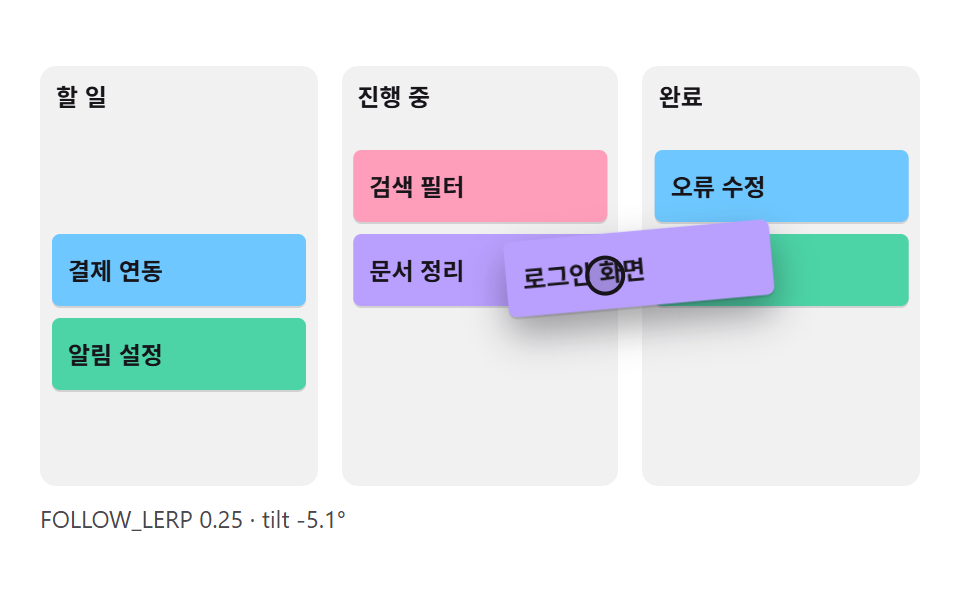 Dashboard UICSS Kanban Board: 9 Demos With Springs and Lerp
 Dashboard UIWord Cloud JavaScript: 9 Scenes, Spiral to 3D
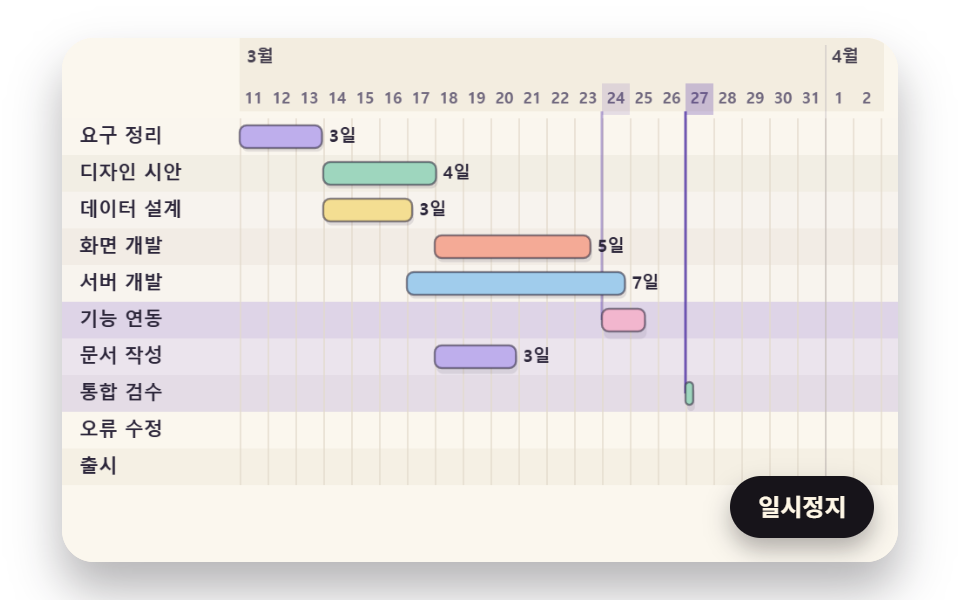 Dashboard UIGantt Chart JavaScript: 9 Self-Scheduling Views
 Dashboard UI9 Dashboard Components, Not the Whole Page
 Dashboard UI9 SVG Progress Ring Widgets, Math Included
 Dashboard UICommand Palette UI Design — 9 That Really Open
 Dashboard UIChart UI Design: 9 Interactions You Can Drag
 Dashboard UICSS Chart Design: 9 SVG Graphs, No Library
 Dashboard UIHabit Tracker UI: 9 Parts from Grid to Badge