CSS Fireworks: 9 Bursts, Trails and Reflections
Before a css fireworks burst can pop, hundreds of grain paths have to be decided first — scene 01's sphere spread and scene 07's secondary split weave
Set Off All Nine Fireworks Right on This Page
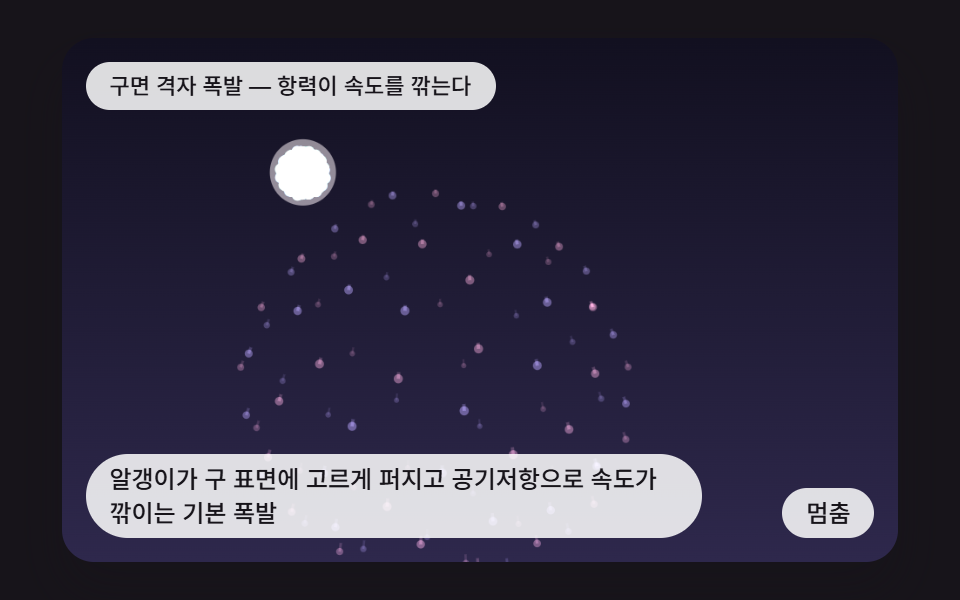 01 fw-shell-sphere-burst-drag
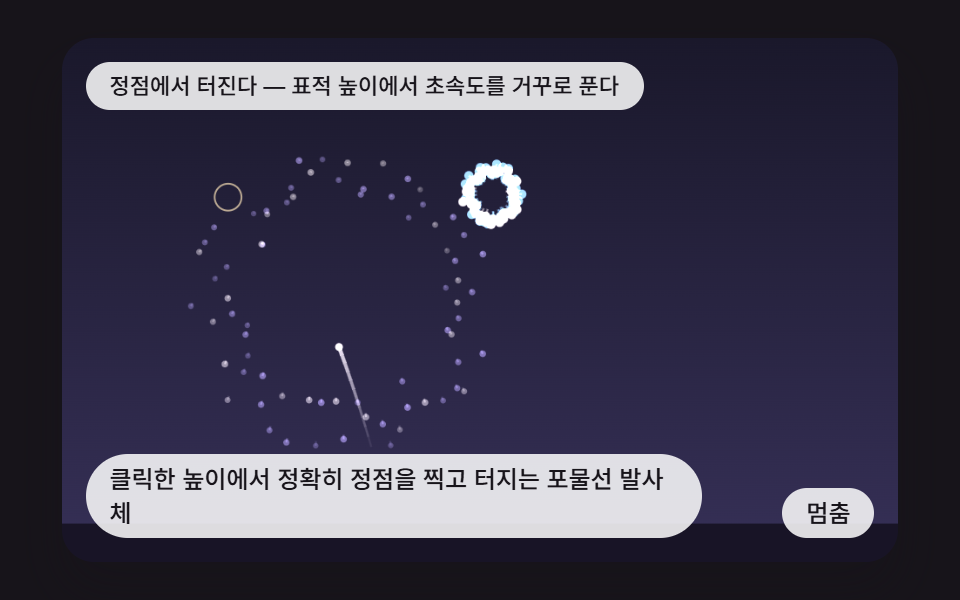 02 fw-click-rocket-apex-launch
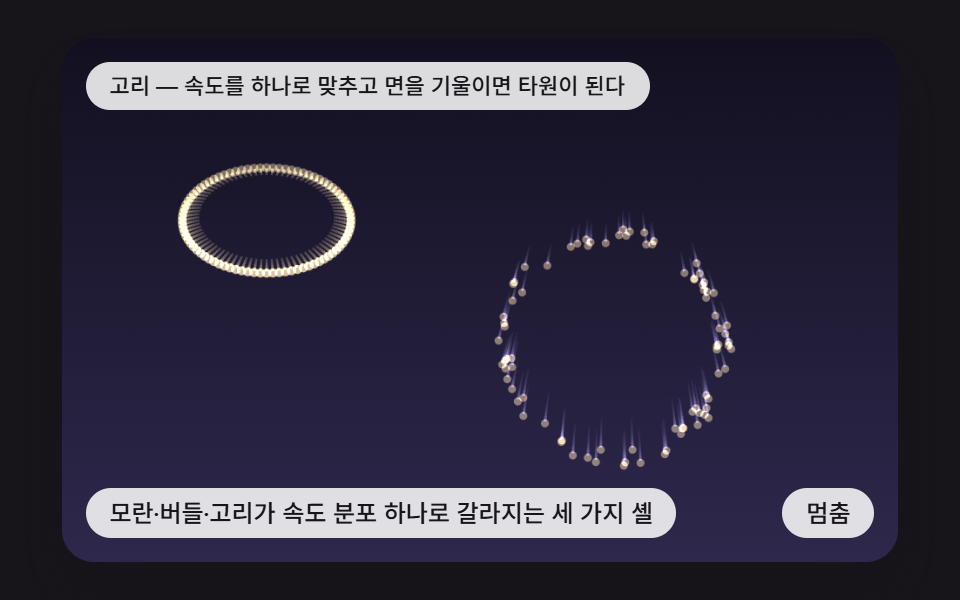 03 fw-peony-willow-ring-profiles
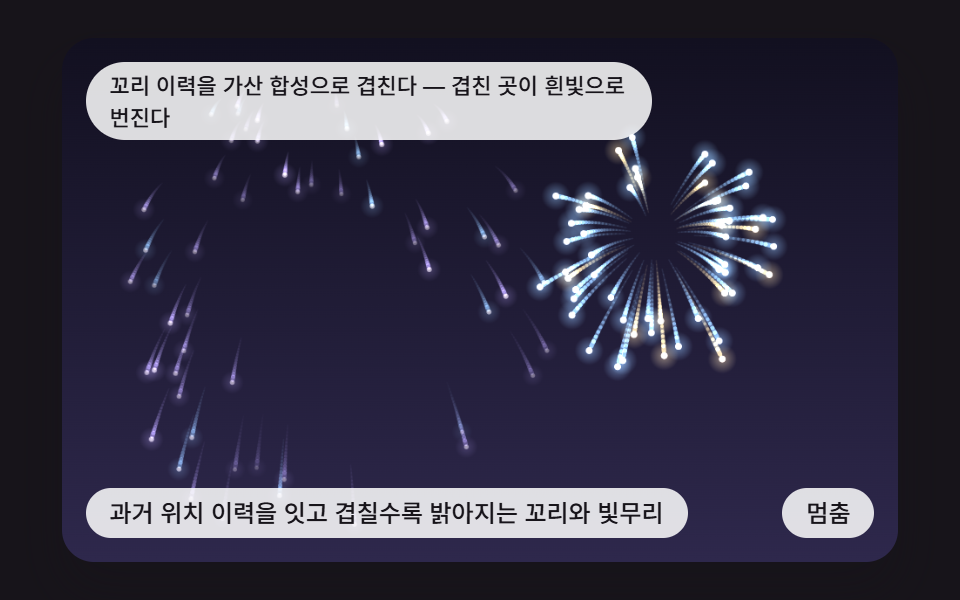 04 fw-additive-trail-history-glow
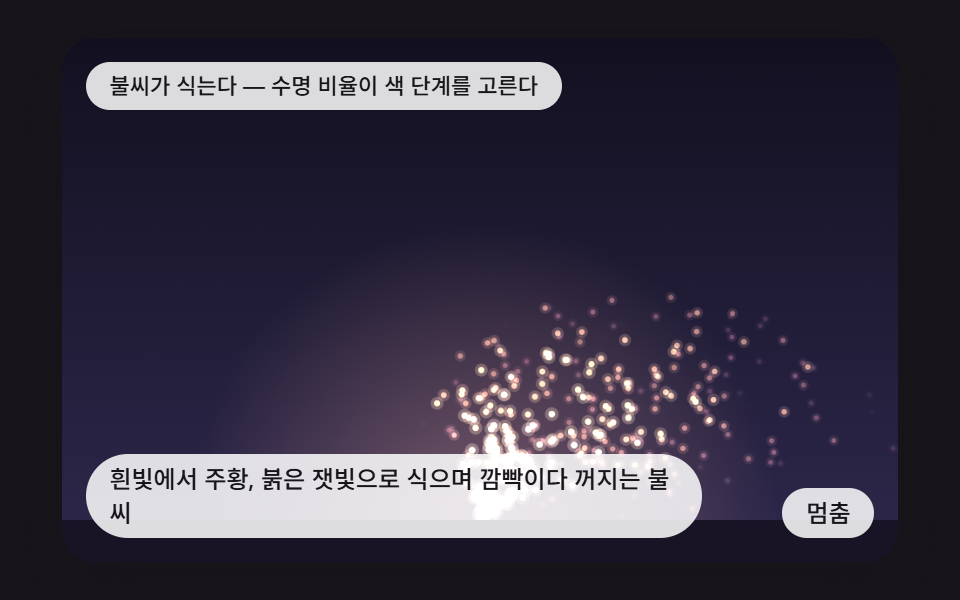 05 fw-ember-cooling-flicker-noise
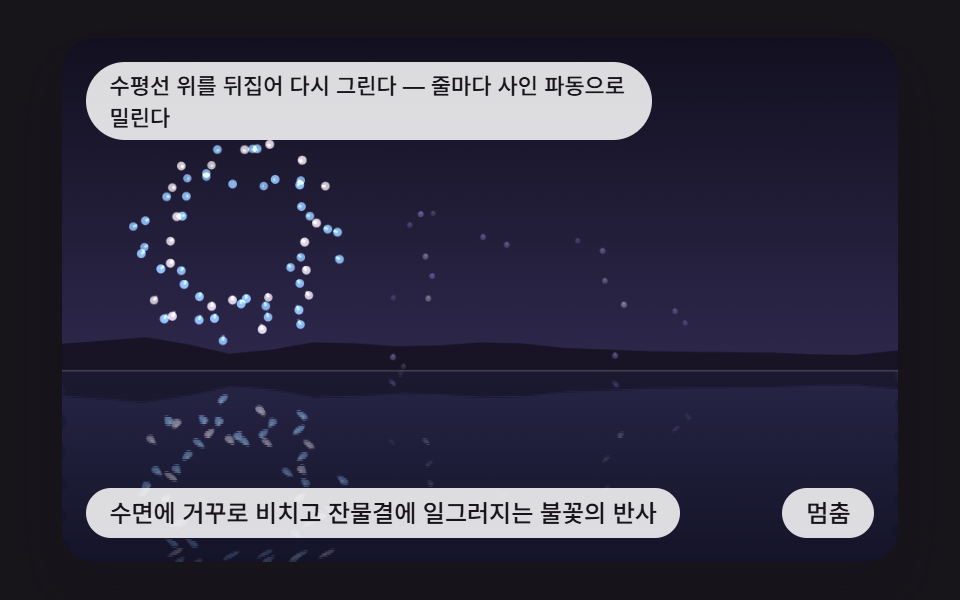 06 fw-water-mirror-ripple-reflection
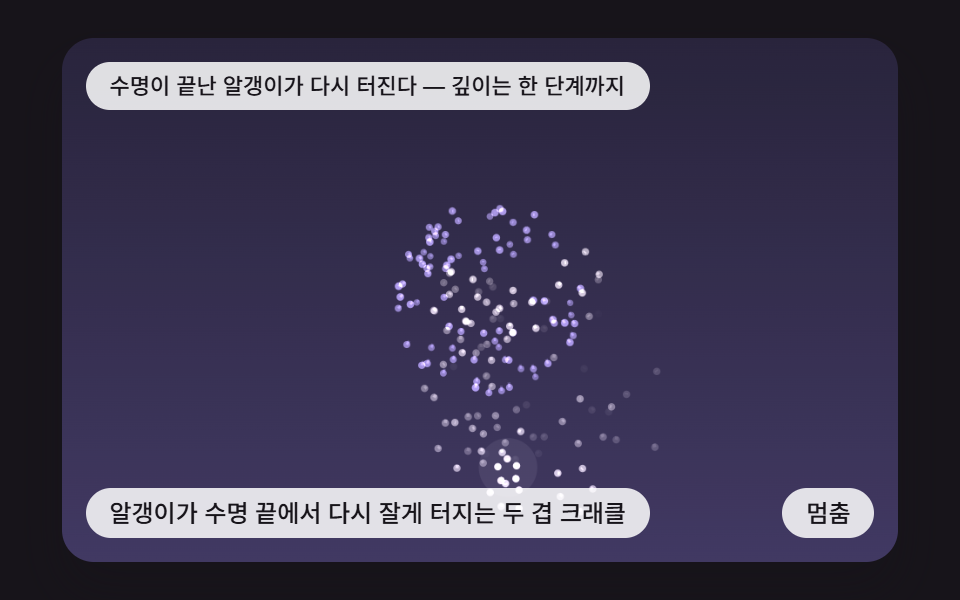 07 fw-crackle-secondary-split-depth
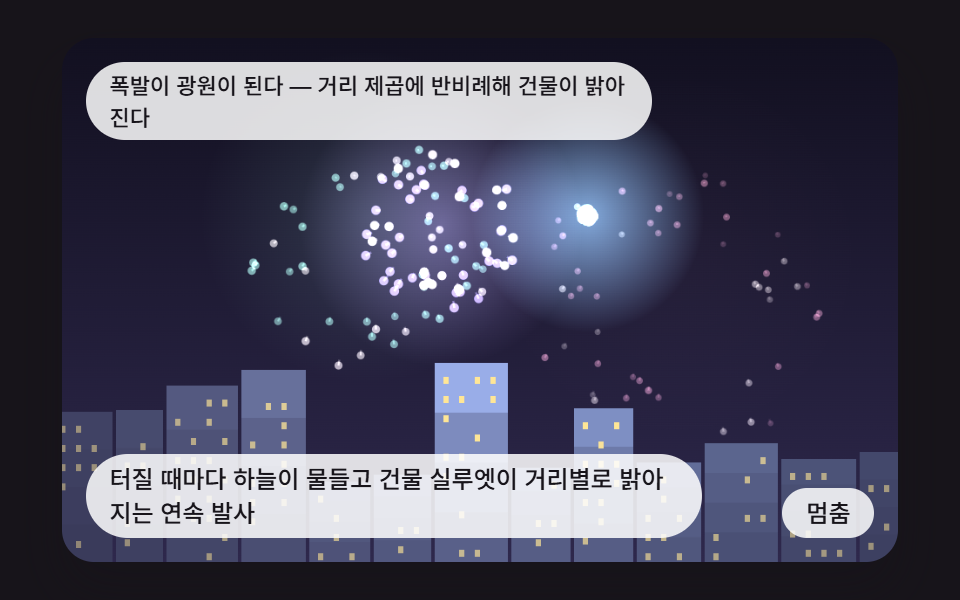 08 fw-skyline-falloff-light-volley
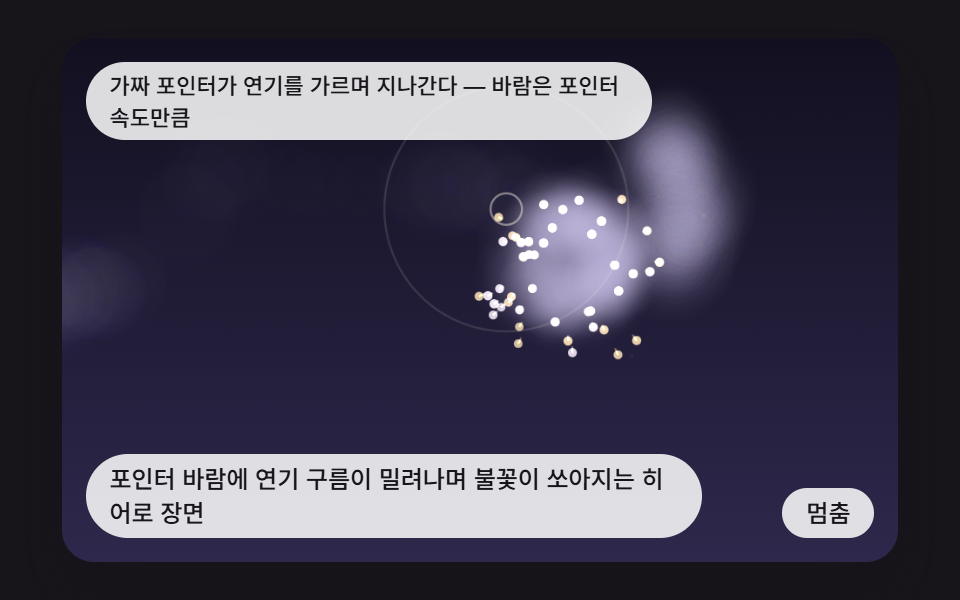 09 fw-pointer-wind-smoke-drift-hero
Auto-plays · click a tile to jump to its section · all nine in one zip
- 01 A Basic Burst Whose Grains Spread Evenly Over a Sphere While Air Drag Eats Their Speed
- 02 A Parabolic Rocket That Peaks Exactly at the Clicked Height and Bursts There
- 03 Three Shell Types — Peony, Willow and Ring — Split by a Single Speed Distribution
- 04 Tails Drawn From Position History and a Glow That Brightens Where They Overlap
- 05 Embers That Cool From White Through Orange to Red Ash, Flickering Before They Die
- 06 A Reflection Flipped Onto the Water and Distorted by Ripples
- 07 A Two-Layer Crackle Where Grains Split Into Smaller Bursts at the End of Their Life
- 08 A Volley Where the Sky Tints at Each Burst and the Skyline Lights Up by Distance
- 09 A Hero Scene Where a Pointer Wind Pushes the Smoke While Fireworks Launch
CSS Fireworks: 9 Bursts Driven by Gravity, Drag and Trail History
One thing up front: all nine are <canvas> 2D simulations, and none is a CSS keyframe animation. Each one draws grains one at a time onto a <canvas> 2D context, because a single burst is dozens to hundreds of grains and every grain has its own speed and trail position on every frame. Writing that out as keyframes by hand would take thousands of lines. CSS only handles the frame around the stage, meaning its size, its aspect ratio and the touch behavior.
All nine share one skeleton and swap only the scene function. A loop steps the grains forward at a fixed FIXED_DT of 16ms and calls draw after each step, and the only source of randomness is a seeded generator called lcg, so the same seed gives the same sequence of bursts. The nine files never call Math.random. Each scene also runs PREWARM_STEPS ticks as it is built, so the very first frame already has sparks hanging in the air, and there is no library, no CDN and no WebGL.
The core of the math is one line per tick: v ← v·DRAG + gravity. Speed shrinks exponentially, so a grain stops somewhere. Take scene 01's BURST_SPEED of 3.4 and DRAG of 0.975, leave gravity out, and the reach is 3.4 / 0.025 = 136px. Peony, willow, trail and crackle are that one line with a different speed spread, tail length or split rule laid on top, and a css fireworks effect that looks hand-drawn is usually this small loop underneath.
If you came looking for a css fireworks effect for a specific page, pick the starting scene by the job. A celebration landing begins at 01, a reward for a click at an exact height at 02, a night hero backdrop at 04, a candle-like quiet section at 05, a lake or beach theme at 06, an event closing screen at 08 and a product launch hero at 09.
Code for Each Technique Behind a CSS Fireworks Click Effect
Each snippet below is a run of consecutive lines taken from the <script> of one scene's index.html, and none goes past 25 lines. Function and constant names are exactly what the source uses, so you can search the zip for the same letters. If you want css fireworks on click, note that in all nine a pointer press or the Enter key calls the scene's tap(), and what tap() launches is the only thing that differs from scene to scene.
01A Basic Burst Whose Grains Spread Evenly Over a Sphere While Air Drag Eats Their Speed
Grain directions are spread over a sphere with a Fibonacci lattice, then every tick multiplies the speed by DRAG and adds GRAVITY to the vertical part only. The depth z is never drawn as a position, but it changes grain size and brightness, so a flat canvas still reads as a ball. The render measured 23.0% cumulative area, intensity 86.8 and motion in 23/23 frames.
<main class="stage">
<div class="sc is-demo" id="scRoot">
  <canvas class="sc__canvas" id="scCanvas" width="480" height="300" tabindex="0" aria-label="A Basic Burst Whose Grains Spread Evenly Over a Sphere While Air Drag Eats Their Speed"></canvas>
  <p class="sc__status" id="scStatus" aria-live="polite">Fibonacci-sphere burst — drag eats the speed</p>
  <button class="sc__btn" id="scBtn" type="button">Pause</button>
  <p class="sc__caption">A Basic Burst Whose Grains Spread Evenly Over a Sphere While Air Drag Eats Their Speed</p>
</div>
</main>
@use "../../../../site/static/demo-tokens" as *;
@include stage($stage-ink);
.sc {
position: relative;
width: min(92vw, calc(160vh - 12.8vw));
aspect-ratio: 480 / 300;
margin: 0 auto;
border-radius: $r-card;
overflow: hidden;
box-shadow: $shadow-raised;
background: $subject-ink;
}
.sc__canvas {
display: block;
width: 100%;
height: 100%;
touch-action: manipulation;
}
.sc__canvas:focus-visible {
outline: 2px solid rgba(255, 255, 255, .85);
outline-offset: -6px;
}
.sc__status {
position: absolute;
left: $sp-3;
top: $sp-3;
max-width: 62%;
margin: 0;
padding: $sp-1 $sp-3;
border-radius: $r-pill;
background: rgba(255, 255, 255, .85);
color: $subject-ink;
font-weight: 500;
font-size: 11px;
line-height: 1.4;
pointer-events: none;
}
.sc__btn {
position: absolute;
right: $sp-3;
bottom: $sp-3;
margin: 0;
padding: $sp-1 $sp-3;
border: 0;
border-radius: $r-pill;
background: rgba(255, 255, 255, .85);
color: $subject-ink;
font: inherit;
font-weight: 500;
font-size: 12px;
line-height: 1.4;
cursor: pointer;
}
.sc__btn:focus-visible {
outline: 2px solid #ffffff;
outline-offset: 2px;
}
.sc__caption {
position: absolute;
left: $sp-3;
bottom: $sp-3;
max-width: 68%;
margin: 0;
padding: $sp-1 $sp-3;
border-radius: $r-pill;
background: rgba(255, 255, 255, .85);
color: $subject-ink;
font-weight: 500;
font-size: 12px;
line-height: 1.4;
pointer-events: none;
}
@media (max-width: 340px) {
.sc__caption, .sc__btn { font-size: 10px; padding: $sp-1 $sp-2; }
.sc__status { font-size: 10px; }
}
@media (prefers-reduced-motion: reduce) {
.sc { cursor: default; }
}html, body {
margin: 0;
overflow: hidden;
}
.stage {
box-sizing: border-box;
min-height: 100vh;
display: grid;
place-items: center;
margin: 0;
background: #17141a;
font-family: -apple-system, "Segoe UI", "Noto Sans KR", sans-serif;
padding: clamp(8px, 4vw, 24px);
}
.sc {
position: relative;
width: min(92vw, 160vh - 12.8vw);
aspect-ratio: 480/300;
margin: 0 auto;
border-radius: 16px;
overflow: hidden;
box-shadow: 0 14px 24px rgba(23, 20, 26, 0.32);
background: #17141a;
}
.sc__canvas {
display: block;
width: 100%;
height: 100%;
touch-action: manipulation;
}
.sc__canvas:focus-visible {
outline: 2px solid rgba(255, 255, 255, 0.85);
outline-offset: -6px;
}
.sc__status {
position: absolute;
left: 12px;
top: 12px;
max-width: 62%;
margin: 0;
padding: 4px 12px;
border-radius: 999px;
background: rgba(255, 255, 255, 0.85);
color: #17141a;
font-weight: 500;
font-size: 11px;
line-height: 1.4;
pointer-events: none;
}
.sc__btn {
position: absolute;
right: 12px;
bottom: 12px;
margin: 0;
padding: 4px 12px;
border: 0;
border-radius: 999px;
background: rgba(255, 255, 255, 0.85);
color: #17141a;
font: inherit;
font-weight: 500;
font-size: 12px;
line-height: 1.4;
cursor: pointer;
}
.sc__btn:focus-visible {
outline: 2px solid #ffffff;
outline-offset: 2px;
}
.sc__caption {
position: absolute;
left: 12px;
bottom: 12px;
max-width: 68%;
margin: 0;
padding: 4px 12px;
border-radius: 999px;
background: rgba(255, 255, 255, 0.85);
color: #17141a;
font-weight: 500;
font-size: 12px;
line-height: 1.4;
pointer-events: none;
}
@media (max-width: 340px) {
.sc__caption, .sc__btn {
font-size: 10px;
padding: 4px 8px;
}
.sc__status {
font-size: 10px;
}
}
@media (prefers-reduced-motion: reduce) {
.sc {
cursor: default;
}
}(function () {
const W = 480;
const H = 300;
const PI2 = Math.PI * 2;
const FIXED_DT = 16;
const REDUCE_STEP_MS = 900;
const KEY_STEP = 14;
const IDLE_TICKS = 150;
const BTN_PAUSE = 'Pause';
const BTN_PLAY = 'Play';
const BTN_NEXT = 'Next scene';
// 파스텔 알갱이 팔레트와 밤하늘 두 끝 색
const PINK = [255, 170, 196];
const MINT = [150, 226, 196];
const LILAC = [196, 176, 255];
const SKY_BLUE = [150, 214, 255];
const BUTTER = [255, 230, 150];
const CREAM = [255, 247, 230];
const PALETTE = [PINK, MINT, LILAC, SKY_BLUE, BUTTER];
const SKY_TOP = [18, 16, 32];
const SKY_BOT = [46, 40, 76];
function clamp(v, lo, hi) { return v < lo ? lo : (v > hi ? hi : v); }
function lerp(a, b, k) { return a + (b - a) * k; }
function smooth(x) { const c = clamp(x, 0, 1); return c * c * (3 - 2 * c); }
// 시드 고정 난수 — 같은 시드면 언제나 같은 수열 (선형 합동 방식)
function lcg(seed) {
let s = seed >>> 0;
return function () {
s = (Math.imul(s, 1664525) + 1013904223) >>> 0;
return s / 4294967296;
};
}
// 정수 하나와 시드로 0 이상 1 미만의 값을 만드는 해시 (같은 입력은 늘 같은 값)
function hash1(i, seed) {
let h = (Math.imul(i | 0, 374761393) + Math.imul(seed | 0, 668265263)) | 0;
h = Math.imul(h ^ (h >>> 13), 1274126177);
h ^= h >>> 16;
return (h >>> 0) / 4294967296;
}
function hash2(x, y, seed) {
return hash1((Math.imul(x | 0, 73856093) ^ Math.imul(y | 0, 19349663)) | 0, seed);
}
// 1차원 값 노이즈 — 정수점 해시를 smooth 로 이어 붙인다
function noise1(x, seed) {
const xi = Math.floor(x);
return lerp(hash1(xi, seed), hash1(xi + 1, seed), smooth(x - xi));
}
// 2차원 값 노이즈
function vnoise(x, y, seed) {
const xi = Math.floor(x);
const yi = Math.floor(y);
const fx = smooth(x - xi);
const fy = smooth(y - yi);
const a = lerp(hash2(xi, yi, seed), hash2(xi + 1, yi, seed), fx);
const b = lerp(hash2(xi, yi + 1, seed), hash2(xi + 1, yi + 1, seed), fx);
return lerp(a, b, fy);
}
function rgba(c, a) {
return 'rgba(' + Math.round(c[0]) + ',' + Math.round(c[1]) + ',' + Math.round(c[2]) + ',' + clamp(a, 0, 1).toFixed(3) + ')';
}
function mixRGB(a, b, k) {
return [lerp(a[0], b[0], k), lerp(a[1], b[1], k), lerp(a[2], b[2], k)];
}
// 밤하늘 바탕 — 위가 어둡고 아래가 보랏빛
function drawSky(ctx, height) {
const g = ctx.createLinearGradient(0, 0, 0, height);
g.addColorStop(0, rgba(SKY_TOP, 1));
g.addColorStop(1, rgba(SKY_BOT, 1));
ctx.fillStyle = g;
ctx.fillRect(0, 0, W, height);
}
function start(root, canvas, statusEl, btnEl, make) {
const ctx0 = canvas.getContext('2d');
if (!ctx0) {
return function () { return; };
}
const ctx = ctx0;
const reduce = window.matchMedia('(prefers-reduced-motion: reduce)').matches;
const inp = { x: W / 2, y: H / 2, idle: 99999, vx: 0, vy: 0, dpr: 1 };
let lastPx = -1;
let lastPy = -1;
// 화면 배율이 바뀌어도 캔버스 픽셀 수를 다시 맞춘다
function fit() {
const dpr = Math.min(window.devicePixelRatio || 1, 2);
inp.dpr = dpr;
canvas.width = Math.round(W * dpr);
canvas.height = Math.round(H * dpr);
ctx.setTransform(dpr, 0, 0, dpr, 0, 0);
}
fit();
const scene = make(inp, reduce);
let paused = false;
let rafId = 0;
let lastTs = -1;
let accMs = 0;
let lastLabel = '';
const cleaners = [];
function listen(target, type, fn) {
target.addEventListener(type, fn);
cleaners.push(function () { target.removeEventListener(type, fn); });
}
function show() {
ctx.setTransform(inp.dpr, 0, 0, inp.dpr, 0, 0);
scene.draw(ctx);
const t = scene.label();
if (t !== lastLabel) {
lastLabel = t;
statusEl.textContent = t;
}
}
function tickOnce() {
inp.idle += 1;
inp.vx *= 0.9;
inp.vy *= 0.9;
scene.step();
}
function advance(ms) {
const n = Math.round(ms / FIXED_DT);
for (let i = 0; i < n; i += 1) {
tickOnce();
}
}
function refresh() {
if (reduce) {
advance(FIXED_DT * 6);
show();
}
}
function toLocal(e) {
const r = canvas.getBoundingClientRect();
const nx = clamp((e.clientX - r.left) * W / r.width, 0, W);
const ny = clamp((e.clientY - r.top) * H / r.height, 0, H);
if (lastPx >= 0) {
inp.vx = lerp(inp.vx, nx - lastPx, 0.5);
inp.vy = lerp(inp.vy, ny - lastPy, 0.5);
}
lastPx = nx;
lastPy = ny;
inp.x = nx;
inp.y = ny;
inp.idle = 0;
}
function tick(ts) {
if (lastTs < 0) {
lastTs = ts;
}
const frameDt = Math.min(ts - lastTs, 160);
lastTs = ts;
if (!paused) {
accMs += frameDt;
while (accMs >= FIXED_DT) {
tickOnce();
accMs -= FIXED_DT;
}
show();
}
rafId = requestAnimationFrame(tick);
}
btnEl.textContent = reduce ? BTN_NEXT : BTN_PAUSE;
if (reduce) {
root.classList.remove('is-demo');
}
show();
listen(btnEl, 'click', function () {
if (reduce) {
advance(REDUCE_STEP_MS);
show();
return;
}
paused = !paused;
if (paused) {
root.classList.remove('is-demo');
}
else {
root.classList.add('is-demo');
}
btnEl.textContent = paused ? BTN_PLAY : BTN_PAUSE;
});
listen(canvas, 'pointermove', function (e) {
toLocal(e);
refresh();
});
listen(canvas, 'pointerdown', function (e) {
lastPx = -1;
toLocal(e);
scene.tap();
refresh();
});
listen(canvas, 'keydown', function (e) {
const k = e.key;
let dx = 0;
let dy = 0;
if (k === 'Enter' || k === ' ') {
e.preventDefault();
scene.tap();
refresh();
return;
}
if (k === 'ArrowLeft') {
dx = -KEY_STEP;
}
else if (k === 'ArrowRight') {
dx = KEY_STEP;
}
else if (k === 'ArrowUp') {
dy = -KEY_STEP;
}
else if (k === 'ArrowDown') {
dy = KEY_STEP;
}
else {
return;
}
e.preventDefault();
inp.x = clamp(inp.x + dx, 0, W);
inp.y = clamp(inp.y + dy, 0, H);
inp.vx = dx * 0.5;
inp.vy = dy * 0.5;
inp.idle = 0;
refresh();
});
listen(window, 'resize', function () {
fit();
show();
});
if (!reduce) {
rafId = requestAnimationFrame(tick);
}
return function () {
cancelAnimationFrame(rafId);
for (let i = 0; i < cleaners.length; i += 1) {
cleaners[i]();
}
};
}
const BURST_N = 90;
const GRAVITY = 0.045;
const DRAG = 0.975;
const FUSE_MS = 1100;
const BURST_SPEED = 3.4;
const GRAIN_LIFE = 96;
const MAX_SHELLS = 5;
const PREWARM_STEPS = 30;
const GOLDEN_ANGLE = Math.PI * (3 - Math.sqrt(5));
const TXT_AUTO = 'Fibonacci-sphere burst — drag eats the speed';
const TXT_TAP = 'Bursts where you press — grains sit evenly on a sphere';
// 피보나치 격자 — 구 표면에 같은 간격으로 n 개의 방향을 나눈다
function sphereDirs(n) {
const out = [];
for (let i = 0; i < n; i += 1) {
const y = 1 - 2 * (i + 0.5) / n;
const r = Math.sqrt(1 - y * y);
const a = i * GOLDEN_ANGLE;
out.push([r * Math.cos(a), y, r * Math.sin(a)]);
}
return out;
}
// 한 프레임 — 속도에 항력 계수를 곱하고 아래 방향으로 중력을 더한다
function moveGrain(g) {
g.px = g.x;
g.py = g.y;
g.vx *= DRAG;
g.vy = g.vy * DRAG + GRAVITY;
g.vz *= DRAG;
g.x += g.vx;
g.y += g.vy;
g.z += g.vz;
}
function makeShell(x, y, n, rng, hueA, hueB) {
const dirs = sphereDirs(n);
const tilt = rng() * PI2;
const ct = Math.cos(tilt);
const st = Math.sin(tilt);
const grains = [];
for (let i = 0; i < dirs.length; i += 1) {
const d = dirs[i];
// 구를 x 축 둘레로 돌려 터질 때마다 격자 무늬가 다르게 놓인다
const dy = d[1] * ct - d[2] * st;
const dz = d[1] * st + d[2] * ct;
const sp = BURST_SPEED * (0.96 + rng() * 0.08);
grains.push({ x: x, y: y, z: 0, vx: d[0] * sp, vy: dy * sp, vz: dz * sp, px: x, py: y, hue: i % 2 === 0 ? hueA : hueB });
}
return { grains: grains, age: 0, cx: x, cy: y };
}
// 측정용 — 터진 뒤 steps 프레임이 지난 알갱이들이 6px 칸을 몇 개 채우는지, 이웃과의 평균 거리
function shellSpread(n, steps) {
const rng = lcg(7);
const sh = makeShell(0, 0, n, rng, PINK, MINT);
for (let s = 0; s < steps; s += 1) {
for (let i = 0; i < sh.grains.length; i += 1) {
moveGrain(sh.grains[i]);
}
}
const seen = {};
let cells = 0;
let total = 0;
for (let i = 0; i < sh.grains.length; i += 1) {
const a = sh.grains[i];
const key = Math.floor(a.x / 6) + ',' + Math.floor(a.y / 6);
if (!seen[key]) {
seen[key] = true;
cells += 1;
}
let best = 1e9;
for (let j = 0; j < sh.grains.length; j += 1) {
if (j !== i) {
const b = sh.grains[j];
best = Math.min(best, Math.hypot(a.x - b.x, a.y - b.y));
}
}
total += best;
}
return { cells: cells, nearest: total / sh.grains.length };
}
function makeScene(inp, reduce) {
const rng = lcg(457);
const FUSE_STEPS = Math.round(FUSE_MS / FIXED_DT);
let shells = [];
let fuse = 2;
let colorIdx = 0;
function burst(x, y) {
const a = PALETTE[colorIdx % PALETTE.length];
const b = PALETTE[(colorIdx + 2) % PALETTE.length];
colorIdx += 1;
shells.push(makeShell(x, y, BURST_N, rng, a, b));
if (shells.length > MAX_SHELLS) {
shells.shift();
}
}
const scene = {
step() {
fuse -= 1;
if (fuse <= 0) {
burst(90 + rng() * 300, 70 + rng() * 80);
fuse = FUSE_STEPS;
}
const alive = [];
for (let s = 0; s < shells.length; s += 1) {
const sh = shells[s];
sh.age += 1;
for (let i = 0; i < sh.grains.length; i += 1) {
moveGrain(sh.grains[i]);
}
if (sh.age < GRAIN_LIFE) {
alive.push(sh);
}
}
shells = alive;
},
draw(ctx) {
drawSky(ctx, H);
ctx.globalCompositeOperation = 'lighter';
for (let s = 0; s < shells.length; s += 1) {
const sh = shells[s];
const life = clamp(1 - sh.age / GRAIN_LIFE, 0, 1);
const alpha = Math.pow(life, 0.7);
if (sh.age < 10) {
const flashK = (1 - sh.age / 10) * (reduce ? 0.35 : 0.8);
ctx.fillStyle = rgba(CREAM, flashK);
ctx.beginPath();
ctx.arc(sh.cx, sh.cy, 7 + sh.age * 3, 0, PI2);
ctx.fill();
}
for (let i = 0; i < sh.grains.length; i += 1) {
const g = sh.grains[i];
const depth = 1 + g.z * 0.0025;
const front = clamp(0.78 + g.z * 0.004, 0.5, 1);
ctx.strokeStyle = rgba(g.hue, alpha * 0.55 * front);
ctx.lineWidth = 1.5 * depth;
ctx.beginPath();
ctx.moveTo(g.x - g.vx * 2.5, g.y - g.vy * 2.5);
ctx.lineTo(g.x, g.y);
ctx.stroke();
ctx.fillStyle = rgba(g.hue, alpha * front);
ctx.beginPath();
ctx.arc(g.x, g.y, (1.4 + 1.8 * alpha) * depth, 0, PI2);
ctx.fill();
}
}
ctx.globalCompositeOperation = 'source-over';
},
label() {
return inp.idle < IDLE_TICKS ? TXT_TAP : TXT_AUTO;
},
tap() {
burst(inp.x, inp.y);
}
};
for (let i = 0; i < PREWARM_STEPS; i += 1) {
scene.step();
}
return scene;
}
start(document.getElementById('scRoot'), document.getElementById('scCanvas'), document.getElementById('scStatus'), document.getElementById('scBtn'), makeScene);
})();import { useEffect, useRef } from "react";
import styles from "./FwShellSphereBurstDrag.module.scss";
const W = 480;
const H = 300;
const PI2 = Math.PI * 2;
const FIXED_DT = 16;
const REDUCE_STEP_MS = 900;
const KEY_STEP = 14;
const IDLE_TICKS = 150;
const BTN_PAUSE = '멈춤';
const BTN_PLAY = '재생';
const BTN_NEXT = '다음 장면';
type RGB = [number, number, number];
interface Input { x: number; y: number; idle: number; vx: number; vy: number; dpr: number; }
interface Scene {
step(): void;
draw(ctx: CanvasRenderingContext2D): void;
label(): string;
tap(): void;
}
type Maker = (inp: Input, reduce: boolean) => Scene;
// 파스텔 알갱이 팔레트와 밤하늘 두 끝 색
const PINK: RGB = [255, 170, 196];
const MINT: RGB = [150, 226, 196];
const LILAC: RGB = [196, 176, 255];
const SKY_BLUE: RGB = [150, 214, 255];
const BUTTER: RGB = [255, 230, 150];
const CREAM: RGB = [255, 247, 230];
const PALETTE: RGB[] = [PINK, MINT, LILAC, SKY_BLUE, BUTTER];
const SKY_TOP: RGB = [18, 16, 32];
const SKY_BOT: RGB = [46, 40, 76];
function clamp(v: number, lo: number, hi: number): number { return v < lo ? lo : (v > hi ? hi : v); }
function lerp(a: number, b: number, k: number): number { return a + (b - a) * k; }
function smooth(x: number): number { const c = clamp(x, 0, 1); return c * c * (3 - 2 * c); }
// 시드 고정 난수 — 같은 시드면 언제나 같은 수열 (선형 합동 방식)
function lcg(seed: number): () => number {
let s = seed >>> 0;
return function (): number {
s = (Math.imul(s, 1664525) + 1013904223) >>> 0;
return s / 4294967296;
};
}
// 정수 하나와 시드로 0 이상 1 미만의 값을 만드는 해시 (같은 입력은 늘 같은 값)
function hash1(i: number, seed: number): number {
let h = (Math.imul(i | 0, 374761393) + Math.imul(seed | 0, 668265263)) | 0;
h = Math.imul(h ^ (h >>> 13), 1274126177);
h ^= h >>> 16;
return (h >>> 0) / 4294967296;
}
function hash2(x: number, y: number, seed: number): number {
return hash1((Math.imul(x | 0, 73856093) ^ Math.imul(y | 0, 19349663)) | 0, seed);
}
// 1차원 값 노이즈 — 정수점 해시를 smooth 로 이어 붙인다
function noise1(x: number, seed: number): number {
const xi = Math.floor(x);
return lerp(hash1(xi, seed), hash1(xi + 1, seed), smooth(x - xi));
}
// 2차원 값 노이즈
function vnoise(x: number, y: number, seed: number): number {
const xi = Math.floor(x);
const yi = Math.floor(y);
const fx = smooth(x - xi);
const fy = smooth(y - yi);
const a = lerp(hash2(xi, yi, seed), hash2(xi + 1, yi, seed), fx);
const b = lerp(hash2(xi, yi + 1, seed), hash2(xi + 1, yi + 1, seed), fx);
return lerp(a, b, fy);
}
function rgba(c: RGB, a: number): string {
return 'rgba(' + Math.round(c[0]) + ',' + Math.round(c[1]) + ',' + Math.round(c[2]) + ',' + clamp(a, 0, 1).toFixed(3) + ')';
}
function mixRGB(a: RGB, b: RGB, k: number): RGB {
return [lerp(a[0], b[0], k), lerp(a[1], b[1], k), lerp(a[2], b[2], k)];
}
// 밤하늘 바탕 — 위가 어둡고 아래가 보랏빛
function drawSky(ctx: CanvasRenderingContext2D, height: number): void {
const g = ctx.createLinearGradient(0, 0, 0, height);
g.addColorStop(0, rgba(SKY_TOP, 1));
g.addColorStop(1, rgba(SKY_BOT, 1));
ctx.fillStyle = g;
ctx.fillRect(0, 0, W, height);
}
function start(root: HTMLElement, canvas: HTMLCanvasElement, statusEl: HTMLElement, btnEl: HTMLElement, make: Maker): () => void {
const ctx0 = canvas.getContext('2d');
if (!ctx0) {
return function (): void { return; };
}
const ctx: CanvasRenderingContext2D = ctx0;
const reduce = window.matchMedia('(prefers-reduced-motion: reduce)').matches;
const inp: Input = { x: W / 2, y: H / 2, idle: 99999, vx: 0, vy: 0, dpr: 1 };
let lastPx = -1;
let lastPy = -1;
// 화면 배율이 바뀌어도 캔버스 픽셀 수를 다시 맞춘다
function fit(): void {
const dpr = Math.min(window.devicePixelRatio || 1, 2);
inp.dpr = dpr;
canvas.width = Math.round(W * dpr);
canvas.height = Math.round(H * dpr);
ctx.setTransform(dpr, 0, 0, dpr, 0, 0);
}
fit();
const scene = make(inp, reduce);
let paused = false;
let rafId = 0;
let lastTs = -1;
let accMs = 0;
let lastLabel = '';
const cleaners: Array<() => void> = [];
function listen(target: EventTarget, type: string, fn: (e: any) => void): void {
target.addEventListener(type, fn);
cleaners.push(function (): void { target.removeEventListener(type, fn); });
}
function show(): void {
ctx.setTransform(inp.dpr, 0, 0, inp.dpr, 0, 0);
scene.draw(ctx);
const t = scene.label();
if (t !== lastLabel) {
lastLabel = t;
statusEl.textContent = t;
}
}
function tickOnce(): void {
inp.idle += 1;
inp.vx *= 0.9;
inp.vy *= 0.9;
scene.step();
}
function advance(ms: number): void {
const n = Math.round(ms / FIXED_DT);
for (let i = 0; i < n; i += 1) {
tickOnce();
}
}
function refresh(): void {
if (reduce) {
advance(FIXED_DT * 6);
show();
}
}
function toLocal(e: PointerEvent): void {
const r = canvas.getBoundingClientRect();
const nx = clamp((e.clientX - r.left) * W / r.width, 0, W);
const ny = clamp((e.clientY - r.top) * H / r.height, 0, H);
if (lastPx >= 0) {
inp.vx = lerp(inp.vx, nx - lastPx, 0.5);
inp.vy = lerp(inp.vy, ny - lastPy, 0.5);
}
lastPx = nx;
lastPy = ny;
inp.x = nx;
inp.y = ny;
inp.idle = 0;
}
function tick(ts: number): void {
if (lastTs < 0) {
lastTs = ts;
}
const frameDt = Math.min(ts - lastTs, 160);
lastTs = ts;
if (!paused) {
accMs += frameDt;
while (accMs >= FIXED_DT) {
tickOnce();
accMs -= FIXED_DT;
}
show();
}
rafId = requestAnimationFrame(tick);
}
btnEl.textContent = reduce ? BTN_NEXT : BTN_PAUSE;
if (reduce) {
root.classList.remove('is-demo');
}
show();
listen(btnEl, 'click', function (): void {
if (reduce) {
advance(REDUCE_STEP_MS);
show();
return;
}
paused = !paused;
if (paused) {
root.classList.remove('is-demo');
}
else {
root.classList.add('is-demo');
}
btnEl.textContent = paused ? BTN_PLAY : BTN_PAUSE;
});
listen(canvas, 'pointermove', function (e: PointerEvent): void {
toLocal(e);
refresh();
});
listen(canvas, 'pointerdown', function (e: PointerEvent): void {
lastPx = -1;
toLocal(e);
scene.tap();
refresh();
});
listen(canvas, 'keydown', function (e: KeyboardEvent): void {
const k = e.key;
let dx = 0;
let dy = 0;
if (k === 'Enter' || k === ' ') {
e.preventDefault();
scene.tap();
refresh();
return;
}
if (k === 'ArrowLeft') {
dx = -KEY_STEP;
}
else if (k === 'ArrowRight') {
dx = KEY_STEP;
}
else if (k === 'ArrowUp') {
dy = -KEY_STEP;
}
else if (k === 'ArrowDown') {
dy = KEY_STEP;
}
else {
return;
}
e.preventDefault();
inp.x = clamp(inp.x + dx, 0, W);
inp.y = clamp(inp.y + dy, 0, H);
inp.vx = dx * 0.5;
inp.vy = dy * 0.5;
inp.idle = 0;
refresh();
});
listen(window, 'resize', function (): void {
fit();
show();
});
if (!reduce) {
rafId = requestAnimationFrame(tick);
}
return function (): void {
cancelAnimationFrame(rafId);
for (let i = 0; i < cleaners.length; i += 1) {
cleaners[i]();
}
};
}
const BURST_N = 90;
const GRAVITY = 0.045;
const DRAG = 0.975;
const FUSE_MS = 1100;
const BURST_SPEED = 3.4;
const GRAIN_LIFE = 96;
const MAX_SHELLS = 5;
const PREWARM_STEPS = 30;
const GOLDEN_ANGLE = Math.PI * (3 - Math.sqrt(5));
const TXT_AUTO = '구면 격자 폭발 — 항력이 속도를 깎는다';
const TXT_TAP = '누른 자리에서 터진다 — 알갱이가 구 표면에 고르다';
type Dir3 = [number, number, number];
interface Grain { x: number; y: number; z: number; vx: number; vy: number; vz: number; px: number; py: number; hue: RGB; }
interface Shell { grains: Grain[]; age: number; cx: number; cy: number; }
// 피보나치 격자 — 구 표면에 같은 간격으로 n 개의 방향을 나눈다
function sphereDirs(n: number): Dir3[] {
const out: Dir3[] = [];
for (let i = 0; i < n; i += 1) {
const y = 1 - 2 * (i + 0.5) / n;
const r = Math.sqrt(1 - y * y);
const a = i * GOLDEN_ANGLE;
out.push([r * Math.cos(a), y, r * Math.sin(a)]);
}
return out;
}
// 한 프레임 — 속도에 항력 계수를 곱하고 아래 방향으로 중력을 더한다
function moveGrain(g: Grain): void {
g.px = g.x;
g.py = g.y;
g.vx *= DRAG;
g.vy = g.vy * DRAG + GRAVITY;
g.vz *= DRAG;
g.x += g.vx;
g.y += g.vy;
g.z += g.vz;
}
function makeShell(x: number, y: number, n: number, rng: () => number, hueA: RGB, hueB: RGB): Shell {
const dirs = sphereDirs(n);
const tilt = rng() * PI2;
const ct = Math.cos(tilt);
const st = Math.sin(tilt);
const grains: Grain[] = [];
for (let i = 0; i < dirs.length; i += 1) {
const d = dirs[i];
// 구를 x 축 둘레로 돌려 터질 때마다 격자 무늬가 다르게 놓인다
const dy = d[1] * ct - d[2] * st;
const dz = d[1] * st + d[2] * ct;
const sp = BURST_SPEED * (0.96 + rng() * 0.08);
grains.push({ x: x, y: y, z: 0, vx: d[0] * sp, vy: dy * sp, vz: dz * sp, px: x, py: y, hue: i % 2 === 0 ? hueA : hueB });
}
return { grains: grains, age: 0, cx: x, cy: y };
}
// 측정용 — 터진 뒤 steps 프레임이 지난 알갱이들이 6px 칸을 몇 개 채우는지, 이웃과의 평균 거리
function shellSpread(n: number, steps: number): { cells: number; nearest: number } {
const rng = lcg(7);
const sh = makeShell(0, 0, n, rng, PINK, MINT);
for (let s = 0; s < steps; s += 1) {
for (let i = 0; i < sh.grains.length; i += 1) {
moveGrain(sh.grains[i]);
}
}
const seen: { [k: string]: boolean } = {};
let cells = 0;
let total = 0;
for (let i = 0; i < sh.grains.length; i += 1) {
const a = sh.grains[i];
const key = Math.floor(a.x / 6) + ',' + Math.floor(a.y / 6);
if (!seen[key]) {
seen[key] = true;
cells += 1;
}
let best = 1e9;
for (let j = 0; j < sh.grains.length; j += 1) {
if (j !== i) {
const b = sh.grains[j];
best = Math.min(best, Math.hypot(a.x - b.x, a.y - b.y));
}
}
total += best;
}
return { cells: cells, nearest: total / sh.grains.length };
}
function makeScene(inp: Input, reduce: boolean): Scene {
const rng = lcg(457);
const FUSE_STEPS = Math.round(FUSE_MS / FIXED_DT);
let shells: Shell[] = [];
let fuse = 2;
let colorIdx = 0;
function burst(x: number, y: number): void {
const a = PALETTE[colorIdx % PALETTE.length];
const b = PALETTE[(colorIdx + 2) % PALETTE.length];
colorIdx += 1;
shells.push(makeShell(x, y, BURST_N, rng, a, b));
if (shells.length > MAX_SHELLS) {
shells.shift();
}
}
const scene: Scene = {
step(): void {
fuse -= 1;
if (fuse <= 0) {
burst(90 + rng() * 300, 70 + rng() * 80);
fuse = FUSE_STEPS;
}
const alive: Shell[] = [];
for (let s = 0; s < shells.length; s += 1) {
const sh = shells[s];
sh.age += 1;
for (let i = 0; i < sh.grains.length; i += 1) {
moveGrain(sh.grains[i]);
}
if (sh.age < GRAIN_LIFE) {
alive.push(sh);
}
}
shells = alive;
},
draw(ctx: CanvasRenderingContext2D): void {
drawSky(ctx, H);
ctx.globalCompositeOperation = 'lighter';
for (let s = 0; s < shells.length; s += 1) {
const sh = shells[s];
const life = clamp(1 - sh.age / GRAIN_LIFE, 0, 1);
const alpha = Math.pow(life, 0.7);
if (sh.age < 10) {
const flashK = (1 - sh.age / 10) * (reduce ? 0.35 : 0.8);
ctx.fillStyle = rgba(CREAM, flashK);
ctx.beginPath();
ctx.arc(sh.cx, sh.cy, 7 + sh.age * 3, 0, PI2);
ctx.fill();
}
for (let i = 0; i < sh.grains.length; i += 1) {
const g = sh.grains[i];
const depth = 1 + g.z * 0.0025;
const front = clamp(0.78 + g.z * 0.004, 0.5, 1);
ctx.strokeStyle = rgba(g.hue, alpha * 0.55 * front);
ctx.lineWidth = 1.5 * depth;
ctx.beginPath();
ctx.moveTo(g.x - g.vx * 2.5, g.y - g.vy * 2.5);
ctx.lineTo(g.x, g.y);
ctx.stroke();
ctx.fillStyle = rgba(g.hue, alpha * front);
ctx.beginPath();
ctx.arc(g.x, g.y, (1.4 + 1.8 * alpha) * depth, 0, PI2);
ctx.fill();
}
}
ctx.globalCompositeOperation = 'source-over';
},
label(): string {
return inp.idle < IDLE_TICKS ? TXT_TAP : TXT_AUTO;
},
tap(): void {
burst(inp.x, inp.y);
}
};
for (let i = 0; i < PREWARM_STEPS; i += 1) {
scene.step();
}
return scene;
}
export default function FwShellSphereBurstDrag() {
const rootRef = useRef<HTMLDivElement | null>(null);
const canvasRef = useRef<HTMLCanvasElement | null>(null);
const statusRef = useRef<HTMLParagraphElement | null>(null);
const btnRef = useRef<HTMLButtonElement | null>(null);
useEffect(() => {
const root = rootRef.current;
const canvas = canvasRef.current;
const statusEl = statusRef.current;
const btnEl = btnRef.current;
if (!root || !canvas || !statusEl || !btnEl) return;
return start(root, canvas, statusEl, btnEl, makeScene);
}, []);
return (
<main className={styles.stage}>
<div className={`${styles.sc} is-demo`} ref={rootRef}>
<canvas className={styles.sc__canvas} ref={canvasRef} width={480} height={300} tabIndex={0} aria-label="알갱이가 구 표면에 고르게 퍼지고 공기저항으로 속도가 깎이는 기본 폭발" />
<p className={styles.sc__status} ref={statusRef} aria-live="polite">구면 격자 폭발 — 항력이 속도를 깎는다</p>
<button className={styles.sc__btn} ref={btnRef} type="button">멈춤</button>
<p className={styles.sc__caption}>알갱이가 구 표면에 고르게 퍼지고 공기저항으로 속도가 깎이는 기본 폭발</p>
</div>
</main>
);
}01 · A Basic Burst Whose Grains Spread Evenly Over a Sphere While Air Drag Eats Their Speed — Measured area 22.972% · moving frames 23/23Original by GODRICH · SCSS and React ship in the zip · See the password
    function sphereDirs(n) {
        const out = [];
        for (let i = 0; i < n; i += 1) {
            const y = 1 - 2 * (i + 0.5) / n;
            const r = Math.sqrt(1 - y * y);
            const a = i * GOLDEN_ANGLE;
            out.push([r * Math.cos(a), y, r * Math.sin(a)]);
        }
        return out;
    }
    // One frame: multiply the speed by the drag factor and add gravity downward
    function moveGrain(g) {
        g.px = g.x;
        g.py = g.y;
        g.vx *= DRAG;
        g.vy = g.vy * DRAG + GRAVITY;
        g.vz *= DRAG;
        g.x += g.vx;
        g.y += g.vy;
        g.z += g.vz;
    }
02A Parabolic Rocket That Peaks Exactly at the Clicked Height and Bursts There
The pressed height h gives the launch speed backwards through v0 = √(2·LAUNCH_G·h), and the burst fires on the tick the climb speed has dropped below 4% of that launch speed. So the pressed height becomes the apex. Calling burstHeight() in node with target y values 60, 100, 140 and 190 gave bursts at 60.3, 100.1, 140.1 and 190.1, and the render read 58.2% area, intensity 76.6 and 23/23 frames.
<main class="stage">
<div class="sc is-demo" id="scRoot">
  <canvas class="sc__canvas" id="scCanvas" width="480" height="300" tabindex="0" aria-label="A Parabolic Rocket That Peaks Exactly at the Clicked Height and Bursts There"></canvas>
  <p class="sc__status" id="scStatus" aria-live="polite">Peaks at the target — launch speed is solved backwards</p>
  <button class="sc__btn" id="scBtn" type="button">Pause</button>
  <p class="sc__caption">A Parabolic Rocket That Peaks Exactly at the Clicked Height and Bursts There</p>
</div>
</main>
@use "../../../../site/static/demo-tokens" as *;
@include stage($stage-ink);
.sc {
position: relative;
width: min(92vw, calc(160vh - 12.8vw));
aspect-ratio: 480 / 300;
margin: 0 auto;
border-radius: $r-card;
overflow: hidden;
box-shadow: $shadow-raised;
background: $subject-ink;
}
.sc__canvas {
display: block;
width: 100%;
height: 100%;
touch-action: manipulation;
}
.sc__canvas:focus-visible {
outline: 2px solid rgba(255, 255, 255, .85);
outline-offset: -6px;
}
.sc__status {
position: absolute;
left: $sp-3;
top: $sp-3;
max-width: 62%;
margin: 0;
padding: $sp-1 $sp-3;
border-radius: $r-pill;
background: rgba(255, 255, 255, .85);
color: $subject-ink;
font-weight: 500;
font-size: 11px;
line-height: 1.4;
pointer-events: none;
}
.sc__btn {
position: absolute;
right: $sp-3;
bottom: $sp-3;
margin: 0;
padding: $sp-1 $sp-3;
border: 0;
border-radius: $r-pill;
background: rgba(255, 255, 255, .85);
color: $subject-ink;
font: inherit;
font-weight: 500;
font-size: 12px;
line-height: 1.4;
cursor: pointer;
}
.sc__btn:focus-visible {
outline: 2px solid #ffffff;
outline-offset: 2px;
}
.sc__caption {
position: absolute;
left: $sp-3;
bottom: $sp-3;
max-width: 68%;
margin: 0;
padding: $sp-1 $sp-3;
border-radius: $r-pill;
background: rgba(255, 255, 255, .85);
color: $subject-ink;
font-weight: 500;
font-size: 12px;
line-height: 1.4;
pointer-events: none;
}
@media (max-width: 340px) {
.sc__caption, .sc__btn { font-size: 10px; padding: $sp-1 $sp-2; }
.sc__status { font-size: 10px; }
}
@media (prefers-reduced-motion: reduce) {
.sc { cursor: default; }
}html, body {
margin: 0;
overflow: hidden;
}
.stage {
box-sizing: border-box;
min-height: 100vh;
display: grid;
place-items: center;
margin: 0;
background: #17141a;
font-family: -apple-system, "Segoe UI", "Noto Sans KR", sans-serif;
padding: clamp(8px, 4vw, 24px);
}
.sc {
position: relative;
width: min(92vw, 160vh - 12.8vw);
aspect-ratio: 480/300;
margin: 0 auto;
border-radius: 16px;
overflow: hidden;
box-shadow: 0 14px 24px rgba(23, 20, 26, 0.32);
background: #17141a;
}
.sc__canvas {
display: block;
width: 100%;
height: 100%;
touch-action: manipulation;
}
.sc__canvas:focus-visible {
outline: 2px solid rgba(255, 255, 255, 0.85);
outline-offset: -6px;
}
.sc__status {
position: absolute;
left: 12px;
top: 12px;
max-width: 62%;
margin: 0;
padding: 4px 12px;
border-radius: 999px;
background: rgba(255, 255, 255, 0.85);
color: #17141a;
font-weight: 500;
font-size: 11px;
line-height: 1.4;
pointer-events: none;
}
.sc__btn {
position: absolute;
right: 12px;
bottom: 12px;
margin: 0;
padding: 4px 12px;
border: 0;
border-radius: 999px;
background: rgba(255, 255, 255, 0.85);
color: #17141a;
font: inherit;
font-weight: 500;
font-size: 12px;
line-height: 1.4;
cursor: pointer;
}
.sc__btn:focus-visible {
outline: 2px solid #ffffff;
outline-offset: 2px;
}
.sc__caption {
position: absolute;
left: 12px;
bottom: 12px;
max-width: 68%;
margin: 0;
padding: 4px 12px;
border-radius: 999px;
background: rgba(255, 255, 255, 0.85);
color: #17141a;
font-weight: 500;
font-size: 12px;
line-height: 1.4;
pointer-events: none;
}
@media (max-width: 340px) {
.sc__caption, .sc__btn {
font-size: 10px;
padding: 4px 8px;
}
.sc__status {
font-size: 10px;
}
}
@media (prefers-reduced-motion: reduce) {
.sc {
cursor: default;
}
}(function () {
const W = 480;
const H = 300;
const PI2 = Math.PI * 2;
const FIXED_DT = 16;
const REDUCE_STEP_MS = 900;
const KEY_STEP = 14;
const IDLE_TICKS = 150;
const BTN_PAUSE = 'Pause';
const BTN_PLAY = 'Play';
const BTN_NEXT = 'Next scene';
// 파스텔 알갱이 팔레트와 밤하늘 두 끝 색
const PINK = [255, 170, 196];
const MINT = [150, 226, 196];
const LILAC = [196, 176, 255];
const SKY_BLUE = [150, 214, 255];
const BUTTER = [255, 230, 150];
const CREAM = [255, 247, 230];
const PALETTE = [PINK, MINT, LILAC, SKY_BLUE, BUTTER];
const SKY_TOP = [18, 16, 32];
const SKY_BOT = [46, 40, 76];
function clamp(v, lo, hi) { return v < lo ? lo : (v > hi ? hi : v); }
function lerp(a, b, k) { return a + (b - a) * k; }
function smooth(x) { const c = clamp(x, 0, 1); return c * c * (3 - 2 * c); }
// 시드 고정 난수 — 같은 시드면 언제나 같은 수열 (선형 합동 방식)
function lcg(seed) {
let s = seed >>> 0;
return function () {
s = (Math.imul(s, 1664525) + 1013904223) >>> 0;
return s / 4294967296;
};
}
// 정수 하나와 시드로 0 이상 1 미만의 값을 만드는 해시 (같은 입력은 늘 같은 값)
function hash1(i, seed) {
let h = (Math.imul(i | 0, 374761393) + Math.imul(seed | 0, 668265263)) | 0;
h = Math.imul(h ^ (h >>> 13), 1274126177);
h ^= h >>> 16;
return (h >>> 0) / 4294967296;
}
function hash2(x, y, seed) {
return hash1((Math.imul(x | 0, 73856093) ^ Math.imul(y | 0, 19349663)) | 0, seed);
}
// 1차원 값 노이즈 — 정수점 해시를 smooth 로 이어 붙인다
function noise1(x, seed) {
const xi = Math.floor(x);
return lerp(hash1(xi, seed), hash1(xi + 1, seed), smooth(x - xi));
}
// 2차원 값 노이즈
function vnoise(x, y, seed) {
const xi = Math.floor(x);
const yi = Math.floor(y);
const fx = smooth(x - xi);
const fy = smooth(y - yi);
const a = lerp(hash2(xi, yi, seed), hash2(xi + 1, yi, seed), fx);
const b = lerp(hash2(xi, yi + 1, seed), hash2(xi + 1, yi + 1, seed), fx);
return lerp(a, b, fy);
}
function rgba(c, a) {
return 'rgba(' + Math.round(c[0]) + ',' + Math.round(c[1]) + ',' + Math.round(c[2]) + ',' + clamp(a, 0, 1).toFixed(3) + ')';
}
function mixRGB(a, b, k) {
return [lerp(a[0], b[0], k), lerp(a[1], b[1], k), lerp(a[2], b[2], k)];
}
// 밤하늘 바탕 — 위가 어둡고 아래가 보랏빛
function drawSky(ctx, height) {
const g = ctx.createLinearGradient(0, 0, 0, height);
g.addColorStop(0, rgba(SKY_TOP, 1));
g.addColorStop(1, rgba(SKY_BOT, 1));
ctx.fillStyle = g;
ctx.fillRect(0, 0, W, height);
}
function start(root, canvas, statusEl, btnEl, make) {
const ctx0 = canvas.getContext('2d');
if (!ctx0) {
return function () { return; };
}
const ctx = ctx0;
const reduce = window.matchMedia('(prefers-reduced-motion: reduce)').matches;
const inp = { x: W / 2, y: H / 2, idle: 99999, vx: 0, vy: 0, dpr: 1 };
let lastPx = -1;
let lastPy = -1;
// 화면 배율이 바뀌어도 캔버스 픽셀 수를 다시 맞춘다
function fit() {
const dpr = Math.min(window.devicePixelRatio || 1, 2);
inp.dpr = dpr;
canvas.width = Math.round(W * dpr);
canvas.height = Math.round(H * dpr);
ctx.setTransform(dpr, 0, 0, dpr, 0, 0);
}
fit();
const scene = make(inp, reduce);
let paused = false;
let rafId = 0;
let lastTs = -1;
let accMs = 0;
let lastLabel = '';
const cleaners = [];
function listen(target, type, fn) {
target.addEventListener(type, fn);
cleaners.push(function () { target.removeEventListener(type, fn); });
}
function show() {
ctx.setTransform(inp.dpr, 0, 0, inp.dpr, 0, 0);
scene.draw(ctx);
const t = scene.label();
if (t !== lastLabel) {
lastLabel = t;
statusEl.textContent = t;
}
}
function tickOnce() {
inp.idle += 1;
inp.vx *= 0.9;
inp.vy *= 0.9;
scene.step();
}
function advance(ms) {
const n = Math.round(ms / FIXED_DT);
for (let i = 0; i < n; i += 1) {
tickOnce();
}
}
function refresh() {
if (reduce) {
advance(FIXED_DT * 6);
show();
}
}
function toLocal(e) {
const r = canvas.getBoundingClientRect();
const nx = clamp((e.clientX - r.left) * W / r.width, 0, W);
const ny = clamp((e.clientY - r.top) * H / r.height, 0, H);
if (lastPx >= 0) {
inp.vx = lerp(inp.vx, nx - lastPx, 0.5);
inp.vy = lerp(inp.vy, ny - lastPy, 0.5);
}
lastPx = nx;
lastPy = ny;
inp.x = nx;
inp.y = ny;
inp.idle = 0;
}
function tick(ts) {
if (lastTs < 0) {
lastTs = ts;
}
const frameDt = Math.min(ts - lastTs, 160);
lastTs = ts;
if (!paused) {
accMs += frameDt;
while (accMs >= FIXED_DT) {
tickOnce();
accMs -= FIXED_DT;
}
show();
}
rafId = requestAnimationFrame(tick);
}
btnEl.textContent = reduce ? BTN_NEXT : BTN_PAUSE;
if (reduce) {
root.classList.remove('is-demo');
}
show();
listen(btnEl, 'click', function () {
if (reduce) {
advance(REDUCE_STEP_MS);
show();
return;
}
paused = !paused;
if (paused) {
root.classList.remove('is-demo');
}
else {
root.classList.add('is-demo');
}
btnEl.textContent = paused ? BTN_PLAY : BTN_PAUSE;
});
listen(canvas, 'pointermove', function (e) {
toLocal(e);
refresh();
});
listen(canvas, 'pointerdown', function (e) {
lastPx = -1;
toLocal(e);
scene.tap();
refresh();
});
listen(canvas, 'keydown', function (e) {
const k = e.key;
let dx = 0;
let dy = 0;
if (k === 'Enter' || k === ' ') {
e.preventDefault();
scene.tap();
refresh();
return;
}
if (k === 'ArrowLeft') {
dx = -KEY_STEP;
}
else if (k === 'ArrowRight') {
dx = KEY_STEP;
}
else if (k === 'ArrowUp') {
dy = -KEY_STEP;
}
else if (k === 'ArrowDown') {
dy = KEY_STEP;
}
else {
return;
}
e.preventDefault();
inp.x = clamp(inp.x + dx, 0, W);
inp.y = clamp(inp.y + dy, 0, H);
inp.vx = dx * 0.5;
inp.vy = dy * 0.5;
inp.idle = 0;
refresh();
});
listen(window, 'resize', function () {
fit();
show();
});
if (!reduce) {
rafId = requestAnimationFrame(tick);
}
return function () {
cancelAnimationFrame(rafId);
for (let i = 0; i < cleaners.length; i += 1) {
cleaners[i]();
}
};
}
const LAUNCH_G = 0.12;
const APEX_FRAC = 0.04;
const TRAIL_LEN = 12;
const CLICK_PAD = 28;
const GROUND_Y = H - 22;
const SHOT_GAP = 40;
const SPARK_N = 72;
const SPARK_DRAG = 0.965;
const SPARK_GRAVITY = 0.04;
const PREWARM_STEPS = 62;
const TXT_AUTO = 'Peaks at the target — launch speed is solved backwards';
const TXT_TAP = 'The pressed height becomes the apex';
// 높이 h 까지 올라가 속도가 0 이 되려면 초속도는 sqrt(2 g h)
function launchSpeed(h) {
return Math.sqrt(2 * LAUNCH_G * h);
}
function aimPoint(x, y) {
return [clamp(x, CLICK_PAD, W - CLICK_PAD), clamp(y, CLICK_PAD, GROUND_Y - 60)];
}
function makeRocket(tx0, ty0, hue) {
const p = aimPoint(tx0, ty0);
const h = GROUND_Y - p[1];
const v0 = launchSpeed(h);
const x0 = lerp(W / 2, p[0], 0.35);
const flight = v0 / LAUNCH_G;
return { x: x0, y: GROUND_Y, vx: (p[0] - x0) / flight, vy: -v0, v0: v0, tx: p[0], ty: p[1], trail: [], hue: hue };
}
// 한 프레임 올리고 정점에 닿았는지 알려 준다 (상승 속도가 정점 문턱 아래로 줄면 참)
function stepRocket(r) {
r.x += r.vx;
r.y += r.vy + LAUNCH_G * 0.5;
r.vy += LAUNCH_G;
r.trail.push(r.x, r.y);
if (r.trail.length > TRAIL_LEN * 2) {
r.trail.splice(0, 2);
}
return r.vy >= -APEX_FRAC * r.v0;
}
// 측정용 — 목표 높이 ty 로 쏘았을 때 실제로 터지는 높이
function burstHeight(ty) {
const r = makeRocket(W / 2, ty, PINK);
for (let i = 0; i < 400; i += 1) {
if (stepRocket(r)) {
return r.y;
}
}
return -1;
}
function makeScene(inp, reduce) {
const rng = lcg(2024);
let rockets = [];
let sparks = [];
let gap = 2;
let colorIdx = 0;
let t = 0;
let lastTarget = 0;
function fire(x, y) {
rockets.push(makeRocket(x, y, PALETTE[colorIdx % PALETTE.length]));
colorIdx += 1;
if (rockets.length > 6) {
rockets.shift();
}
}
function explode(r) {
for (let i = 0; i < SPARK_N; i += 1) {
const a = (i / SPARK_N) * PI2 + rng() * 0.12;
const sp = 2.4 + rng() * 1.5;
sparks.push({ x: r.x, y: r.y, vx: Math.cos(a) * sp, vy: Math.sin(a) * sp, age: 0, life: 58 + rng() * 22, hue: i % 3 === 0 ? CREAM : r.hue });
}
}
const scene = {
step() {
t += 1;
gap -= 1;
if (gap <= 0) {
fire(80 + rng() * 320, 50 + rng() * 80);
gap = SHOT_GAP;
}
const rest = [];
for (let i = 0; i < rockets.length; i += 1) {
if (stepRocket(rockets[i])) {
explode(rockets[i]);
lastTarget = t;
}
else {
rest.push(rockets[i]);
}
}
rockets = rest;
const alive = [];
for (let i = 0; i < sparks.length; i += 1) {
const s = sparks[i];
s.age += 1;
s.vx *= SPARK_DRAG;
s.vy = s.vy * SPARK_DRAG + SPARK_GRAVITY;
s.x += s.vx;
s.y += s.vy;
if (s.age < s.life) {
alive.push(s);
}
}
sparks = alive;
},
draw(ctx) {
drawSky(ctx, H);
ctx.fillStyle = rgba([24, 20, 38], 1);
ctx.fillRect(0, GROUND_Y, W, H - GROUND_Y);
ctx.globalCompositeOperation = 'lighter';
for (let i = 0; i < rockets.length; i += 1) {
const r = rockets[i];
// 표적 — 발사체가 이 점에서 정점을 찍는다
const pulse = 0.5 + 0.5 * Math.sin(t * 0.25 + i);
ctx.strokeStyle = rgba(r.hue, 0.35 + 0.3 * pulse);
ctx.lineWidth = 1;
ctx.beginPath();
ctx.arc(r.tx, r.ty, 6 + pulse * 2, 0, PI2);
ctx.stroke();
for (let k = 2; k < r.trail.length; k += 2) {
ctx.strokeStyle = rgba(CREAM, (k / r.trail.length) * 0.8);
ctx.lineWidth = 1 + (k / r.trail.length) * 1.4;
ctx.beginPath();
ctx.moveTo(r.trail[k - 2], r.trail[k - 1]);
ctx.lineTo(r.trail[k], r.trail[k + 1]);
ctx.stroke();
}
ctx.fillStyle = rgba(CREAM, 1);
ctx.beginPath();
ctx.arc(r.x, r.y, 2.2, 0, PI2);
ctx.fill();
}
const flashAge = t - lastTarget;
if (flashAge < 8 && lastTarget > 0) {
ctx.fillStyle = rgba(LILAC, (1 - flashAge / 8) * (reduce ? 0.03 : 0.09));
ctx.fillRect(0, 0, W, GROUND_Y);
}
for (let i = 0; i < sparks.length; i += 1) {
const s = sparks[i];
const a = Math.pow(1 - s.age / s.life, 0.8);
ctx.strokeStyle = rgba(s.hue, a * 0.5);
ctx.lineWidth = 1.1;
ctx.beginPath();
ctx.moveTo(s.x - s.vx * 1.6, s.y - s.vy * 1.6);
ctx.lineTo(s.x, s.y);
ctx.stroke();
ctx.fillStyle = rgba(s.hue, a);
ctx.beginPath();
ctx.arc(s.x, s.y, 1.2 + 1.5 * a, 0, PI2);
ctx.fill();
}
ctx.globalCompositeOperation = 'source-over';
},
label() {
return inp.idle < IDLE_TICKS ? TXT_TAP : TXT_AUTO;
},
tap() {
fire(inp.x, inp.y);
}
};
for (let i = 0; i < PREWARM_STEPS; i += 1) {
scene.step();
}
return scene;
}
start(document.getElementById('scRoot'), document.getElementById('scCanvas'), document.getElementById('scStatus'), document.getElementById('scBtn'), makeScene);
})();import { useEffect, useRef } from "react";
import styles from "./FwClickRocketApexLaunch.module.scss";
const W = 480;
const H = 300;
const PI2 = Math.PI * 2;
const FIXED_DT = 16;
const REDUCE_STEP_MS = 900;
const KEY_STEP = 14;
const IDLE_TICKS = 150;
const BTN_PAUSE = '멈춤';
const BTN_PLAY = '재생';
const BTN_NEXT = '다음 장면';
type RGB = [number, number, number];
interface Input { x: number; y: number; idle: number; vx: number; vy: number; dpr: number; }
interface Scene {
step(): void;
draw(ctx: CanvasRenderingContext2D): void;
label(): string;
tap(): void;
}
type Maker = (inp: Input, reduce: boolean) => Scene;
// 파스텔 알갱이 팔레트와 밤하늘 두 끝 색
const PINK: RGB = [255, 170, 196];
const MINT: RGB = [150, 226, 196];
const LILAC: RGB = [196, 176, 255];
const SKY_BLUE: RGB = [150, 214, 255];
const BUTTER: RGB = [255, 230, 150];
const CREAM: RGB = [255, 247, 230];
const PALETTE: RGB[] = [PINK, MINT, LILAC, SKY_BLUE, BUTTER];
const SKY_TOP: RGB = [18, 16, 32];
const SKY_BOT: RGB = [46, 40, 76];
function clamp(v: number, lo: number, hi: number): number { return v < lo ? lo : (v > hi ? hi : v); }
function lerp(a: number, b: number, k: number): number { return a + (b - a) * k; }
function smooth(x: number): number { const c = clamp(x, 0, 1); return c * c * (3 - 2 * c); }
// 시드 고정 난수 — 같은 시드면 언제나 같은 수열 (선형 합동 방식)
function lcg(seed: number): () => number {
let s = seed >>> 0;
return function (): number {
s = (Math.imul(s, 1664525) + 1013904223) >>> 0;
return s / 4294967296;
};
}
// 정수 하나와 시드로 0 이상 1 미만의 값을 만드는 해시 (같은 입력은 늘 같은 값)
function hash1(i: number, seed: number): number {
let h = (Math.imul(i | 0, 374761393) + Math.imul(seed | 0, 668265263)) | 0;
h = Math.imul(h ^ (h >>> 13), 1274126177);
h ^= h >>> 16;
return (h >>> 0) / 4294967296;
}
function hash2(x: number, y: number, seed: number): number {
return hash1((Math.imul(x | 0, 73856093) ^ Math.imul(y | 0, 19349663)) | 0, seed);
}
// 1차원 값 노이즈 — 정수점 해시를 smooth 로 이어 붙인다
function noise1(x: number, seed: number): number {
const xi = Math.floor(x);
return lerp(hash1(xi, seed), hash1(xi + 1, seed), smooth(x - xi));
}
// 2차원 값 노이즈
function vnoise(x: number, y: number, seed: number): number {
const xi = Math.floor(x);
const yi = Math.floor(y);
const fx = smooth(x - xi);
const fy = smooth(y - yi);
const a = lerp(hash2(xi, yi, seed), hash2(xi + 1, yi, seed), fx);
const b = lerp(hash2(xi, yi + 1, seed), hash2(xi + 1, yi + 1, seed), fx);
return lerp(a, b, fy);
}
function rgba(c: RGB, a: number): string {
return 'rgba(' + Math.round(c[0]) + ',' + Math.round(c[1]) + ',' + Math.round(c[2]) + ',' + clamp(a, 0, 1).toFixed(3) + ')';
}
function mixRGB(a: RGB, b: RGB, k: number): RGB {
return [lerp(a[0], b[0], k), lerp(a[1], b[1], k), lerp(a[2], b[2], k)];
}
// 밤하늘 바탕 — 위가 어둡고 아래가 보랏빛
function drawSky(ctx: CanvasRenderingContext2D, height: number): void {
const g = ctx.createLinearGradient(0, 0, 0, height);
g.addColorStop(0, rgba(SKY_TOP, 1));
g.addColorStop(1, rgba(SKY_BOT, 1));
ctx.fillStyle = g;
ctx.fillRect(0, 0, W, height);
}
function start(root: HTMLElement, canvas: HTMLCanvasElement, statusEl: HTMLElement, btnEl: HTMLElement, make: Maker): () => void {
const ctx0 = canvas.getContext('2d');
if (!ctx0) {
return function (): void { return; };
}
const ctx: CanvasRenderingContext2D = ctx0;
const reduce = window.matchMedia('(prefers-reduced-motion: reduce)').matches;
const inp: Input = { x: W / 2, y: H / 2, idle: 99999, vx: 0, vy: 0, dpr: 1 };
let lastPx = -1;
let lastPy = -1;
// 화면 배율이 바뀌어도 캔버스 픽셀 수를 다시 맞춘다
function fit(): void {
const dpr = Math.min(window.devicePixelRatio || 1, 2);
inp.dpr = dpr;
canvas.width = Math.round(W * dpr);
canvas.height = Math.round(H * dpr);
ctx.setTransform(dpr, 0, 0, dpr, 0, 0);
}
fit();
const scene = make(inp, reduce);
let paused = false;
let rafId = 0;
let lastTs = -1;
let accMs = 0;
let lastLabel = '';
const cleaners: Array<() => void> = [];
function listen(target: EventTarget, type: string, fn: (e: any) => void): void {
target.addEventListener(type, fn);
cleaners.push(function (): void { target.removeEventListener(type, fn); });
}
function show(): void {
ctx.setTransform(inp.dpr, 0, 0, inp.dpr, 0, 0);
scene.draw(ctx);
const t = scene.label();
if (t !== lastLabel) {
lastLabel = t;
statusEl.textContent = t;
}
}
function tickOnce(): void {
inp.idle += 1;
inp.vx *= 0.9;
inp.vy *= 0.9;
scene.step();
}
function advance(ms: number): void {
const n = Math.round(ms / FIXED_DT);
for (let i = 0; i < n; i += 1) {
tickOnce();
}
}
function refresh(): void {
if (reduce) {
advance(FIXED_DT * 6);
show();
}
}
function toLocal(e: PointerEvent): void {
const r = canvas.getBoundingClientRect();
const nx = clamp((e.clientX - r.left) * W / r.width, 0, W);
const ny = clamp((e.clientY - r.top) * H / r.height, 0, H);
if (lastPx >= 0) {
inp.vx = lerp(inp.vx, nx - lastPx, 0.5);
inp.vy = lerp(inp.vy, ny - lastPy, 0.5);
}
lastPx = nx;
lastPy = ny;
inp.x = nx;
inp.y = ny;
inp.idle = 0;
}
function tick(ts: number): void {
if (lastTs < 0) {
lastTs = ts;
}
const frameDt = Math.min(ts - lastTs, 160);
lastTs = ts;
if (!paused) {
accMs += frameDt;
while (accMs >= FIXED_DT) {
tickOnce();
accMs -= FIXED_DT;
}
show();
}
rafId = requestAnimationFrame(tick);
}
btnEl.textContent = reduce ? BTN_NEXT : BTN_PAUSE;
if (reduce) {
root.classList.remove('is-demo');
}
show();
listen(btnEl, 'click', function (): void {
if (reduce) {
advance(REDUCE_STEP_MS);
show();
return;
}
paused = !paused;
if (paused) {
root.classList.remove('is-demo');
}
else {
root.classList.add('is-demo');
}
btnEl.textContent = paused ? BTN_PLAY : BTN_PAUSE;
});
listen(canvas, 'pointermove', function (e: PointerEvent): void {
toLocal(e);
refresh();
});
listen(canvas, 'pointerdown', function (e: PointerEvent): void {
lastPx = -1;
toLocal(e);
scene.tap();
refresh();
});
listen(canvas, 'keydown', function (e: KeyboardEvent): void {
const k = e.key;
let dx = 0;
let dy = 0;
if (k === 'Enter' || k === ' ') {
e.preventDefault();
scene.tap();
refresh();
return;
}
if (k === 'ArrowLeft') {
dx = -KEY_STEP;
}
else if (k === 'ArrowRight') {
dx = KEY_STEP;
}
else if (k === 'ArrowUp') {
dy = -KEY_STEP;
}
else if (k === 'ArrowDown') {
dy = KEY_STEP;
}
else {
return;
}
e.preventDefault();
inp.x = clamp(inp.x + dx, 0, W);
inp.y = clamp(inp.y + dy, 0, H);
inp.vx = dx * 0.5;
inp.vy = dy * 0.5;
inp.idle = 0;
refresh();
});
listen(window, 'resize', function (): void {
fit();
show();
});
if (!reduce) {
rafId = requestAnimationFrame(tick);
}
return function (): void {
cancelAnimationFrame(rafId);
for (let i = 0; i < cleaners.length; i += 1) {
cleaners[i]();
}
};
}
const LAUNCH_G = 0.12;
const APEX_FRAC = 0.04;
const TRAIL_LEN = 12;
const CLICK_PAD = 28;
const GROUND_Y = H - 22;
const SHOT_GAP = 40;
const SPARK_N = 72;
const SPARK_DRAG = 0.965;
const SPARK_GRAVITY = 0.04;
const PREWARM_STEPS = 62;
const TXT_AUTO = '정점에서 터진다 — 표적 높이에서 초속도를 거꾸로 푼다';
const TXT_TAP = '누른 높이가 정점이 된다';
interface Rocket {
x: number; y: number; vx: number; vy: number; v0: number;
tx: number; ty: number; trail: number[]; hue: RGB;
}
interface Spark { x: number; y: number; vx: number; vy: number; age: number; life: number; hue: RGB; }
// 높이 h 까지 올라가 속도가 0 이 되려면 초속도는 sqrt(2 g h)
function launchSpeed(h: number): number {
return Math.sqrt(2 * LAUNCH_G * h);
}
function aimPoint(x: number, y: number): [number, number] {
return [clamp(x, CLICK_PAD, W - CLICK_PAD), clamp(y, CLICK_PAD, GROUND_Y - 60)];
}
function makeRocket(tx0: number, ty0: number, hue: RGB): Rocket {
const p = aimPoint(tx0, ty0);
const h = GROUND_Y - p[1];
const v0 = launchSpeed(h);
const x0 = lerp(W / 2, p[0], 0.35);
const flight = v0 / LAUNCH_G;
return { x: x0, y: GROUND_Y, vx: (p[0] - x0) / flight, vy: -v0, v0: v0, tx: p[0], ty: p[1], trail: [], hue: hue };
}
// 한 프레임 올리고 정점에 닿았는지 알려 준다 (상승 속도가 정점 문턱 아래로 줄면 참)
function stepRocket(r: Rocket): boolean {
r.x += r.vx;
r.y += r.vy + LAUNCH_G * 0.5;
r.vy += LAUNCH_G;
r.trail.push(r.x, r.y);
if (r.trail.length > TRAIL_LEN * 2) {
r.trail.splice(0, 2);
}
return r.vy >= -APEX_FRAC * r.v0;
}
// 측정용 — 목표 높이 ty 로 쏘았을 때 실제로 터지는 높이
function burstHeight(ty: number): number {
const r = makeRocket(W / 2, ty, PINK);
for (let i = 0; i < 400; i += 1) {
if (stepRocket(r)) {
return r.y;
}
}
return -1;
}
function makeScene(inp: Input, reduce: boolean): Scene {
const rng = lcg(2024);
let rockets: Rocket[] = [];
let sparks: Spark[] = [];
let gap = 2;
let colorIdx = 0;
let t = 0;
let lastTarget = 0;
function fire(x: number, y: number): void {
rockets.push(makeRocket(x, y, PALETTE[colorIdx % PALETTE.length]));
colorIdx += 1;
if (rockets.length > 6) {
rockets.shift();
}
}
function explode(r: Rocket): void {
for (let i = 0; i < SPARK_N; i += 1) {
const a = (i / SPARK_N) * PI2 + rng() * 0.12;
const sp = 2.4 + rng() * 1.5;
sparks.push({ x: r.x, y: r.y, vx: Math.cos(a) * sp, vy: Math.sin(a) * sp, age: 0, life: 58 + rng() * 22, hue: i % 3 === 0 ? CREAM : r.hue });
}
}
const scene: Scene = {
step(): void {
t += 1;
gap -= 1;
if (gap <= 0) {
fire(80 + rng() * 320, 50 + rng() * 80);
gap = SHOT_GAP;
}
const rest: Rocket[] = [];
for (let i = 0; i < rockets.length; i += 1) {
if (stepRocket(rockets[i])) {
explode(rockets[i]);
lastTarget = t;
}
else {
rest.push(rockets[i]);
}
}
rockets = rest;
const alive: Spark[] = [];
for (let i = 0; i < sparks.length; i += 1) {
const s = sparks[i];
s.age += 1;
s.vx *= SPARK_DRAG;
s.vy = s.vy * SPARK_DRAG + SPARK_GRAVITY;
s.x += s.vx;
s.y += s.vy;
if (s.age < s.life) {
alive.push(s);
}
}
sparks = alive;
},
draw(ctx: CanvasRenderingContext2D): void {
drawSky(ctx, H);
ctx.fillStyle = rgba([24, 20, 38], 1);
ctx.fillRect(0, GROUND_Y, W, H - GROUND_Y);
ctx.globalCompositeOperation = 'lighter';
for (let i = 0; i < rockets.length; i += 1) {
const r = rockets[i];
// 표적 — 발사체가 이 점에서 정점을 찍는다
const pulse = 0.5 + 0.5 * Math.sin(t * 0.25 + i);
ctx.strokeStyle = rgba(r.hue, 0.35 + 0.3 * pulse);
ctx.lineWidth = 1;
ctx.beginPath();
ctx.arc(r.tx, r.ty, 6 + pulse * 2, 0, PI2);
ctx.stroke();
for (let k = 2; k < r.trail.length; k += 2) {
ctx.strokeStyle = rgba(CREAM, (k / r.trail.length) * 0.8);
ctx.lineWidth = 1 + (k / r.trail.length) * 1.4;
ctx.beginPath();
ctx.moveTo(r.trail[k - 2], r.trail[k - 1]);
ctx.lineTo(r.trail[k], r.trail[k + 1]);
ctx.stroke();
}
ctx.fillStyle = rgba(CREAM, 1);
ctx.beginPath();
ctx.arc(r.x, r.y, 2.2, 0, PI2);
ctx.fill();
}
const flashAge = t - lastTarget;
if (flashAge < 8 && lastTarget > 0) {
ctx.fillStyle = rgba(LILAC, (1 - flashAge / 8) * (reduce ? 0.03 : 0.09));
ctx.fillRect(0, 0, W, GROUND_Y);
}
for (let i = 0; i < sparks.length; i += 1) {
const s = sparks[i];
const a = Math.pow(1 - s.age / s.life, 0.8);
ctx.strokeStyle = rgba(s.hue, a * 0.5);
ctx.lineWidth = 1.1;
ctx.beginPath();
ctx.moveTo(s.x - s.vx * 1.6, s.y - s.vy * 1.6);
ctx.lineTo(s.x, s.y);
ctx.stroke();
ctx.fillStyle = rgba(s.hue, a);
ctx.beginPath();
ctx.arc(s.x, s.y, 1.2 + 1.5 * a, 0, PI2);
ctx.fill();
}
ctx.globalCompositeOperation = 'source-over';
},
label(): string {
return inp.idle < IDLE_TICKS ? TXT_TAP : TXT_AUTO;
},
tap(): void {
fire(inp.x, inp.y);
}
};
for (let i = 0; i < PREWARM_STEPS; i += 1) {
scene.step();
}
return scene;
}
export default function FwClickRocketApexLaunch() {
const rootRef = useRef<HTMLDivElement | null>(null);
const canvasRef = useRef<HTMLCanvasElement | null>(null);
const statusRef = useRef<HTMLParagraphElement | null>(null);
const btnRef = useRef<HTMLButtonElement | null>(null);
useEffect(() => {
const root = rootRef.current;
const canvas = canvasRef.current;
const statusEl = statusRef.current;
const btnEl = btnRef.current;
if (!root || !canvas || !statusEl || !btnEl) return;
return start(root, canvas, statusEl, btnEl, makeScene);
}, []);
return (
<main className={styles.stage}>
<div className={`${styles.sc} is-demo`} ref={rootRef}>
<canvas className={styles.sc__canvas} ref={canvasRef} width={480} height={300} tabIndex={0} aria-label="클릭한 높이에서 정확히 정점을 찍고 터지는 포물선 발사체" />
<p className={styles.sc__status} ref={statusRef} aria-live="polite">정점에서 터진다 — 표적 높이에서 초속도를 거꾸로 푼다</p>
<button className={styles.sc__btn} ref={btnRef} type="button">멈춤</button>
<p className={styles.sc__caption}>클릭한 높이에서 정확히 정점을 찍고 터지는 포물선 발사체</p>
</div>
</main>
);
}02 · A Parabolic Rocket That Peaks Exactly at the Clicked Height and Bursts There — Measured area 58.175% · moving frames 23/23Original by GODRICH · SCSS and React ship in the zip · See the password
    function launchSpeed(h) {
        return Math.sqrt(2 * LAUNCH_G * h);
    }
    function aimPoint(x, y) {
        return [clamp(x, CLICK_PAD, W - CLICK_PAD), clamp(y, CLICK_PAD, GROUND_Y - 60)];
    }
    function makeRocket(tx0, ty0, hue) {
        const p = aimPoint(tx0, ty0);
        const h = GROUND_Y - p[1];
        const v0 = launchSpeed(h);
        const x0 = lerp(W / 2, p[0], 0.35);
        const flight = v0 / LAUNCH_G;
        return { x: x0, y: GROUND_Y, vx: (p[0] - x0) / flight, vy: -v0, v0: v0, tx: p[0], ty: p[1], trail: [], hue: hue };
    }
    // Move up one frame and report whether the apex is reached (true once the climb speed drops below the apex threshold)
    function stepRocket(r) {
        r.x += r.vx;
        r.y += r.vy + LAUNCH_G * 0.5;
        r.vy += LAUNCH_G;
        r.trail.push(r.x, r.y);
        if (r.trail.length > TRAIL_LEN * 2) {
            r.trail.splice(0, 2);
        }
        return r.vy >= -APEX_FRAC * r.v0;
    }
03Three Shell Types — Peony, Willow and Ring — Split by a Single Speed Distribution
The same code makes peony, willow and ring by changing only the launch speed spread and the drag. Peony spreads speeds widely, from about 1.8 up to 5.1, and fills a ball, willow uses only speeds near the maximum so the grains form a thin shell with a 13-point tail, and ring uses one speed of 3.5 and tilts the plane of the circle by RING_TILT. The render measured 28.3% area and intensity 93.3, the highest intensity of the nine, with motion in 23/23 frames.
<main class="stage">
<div class="sc is-demo" id="scRoot">
  <canvas class="sc__canvas" id="scCanvas" width="480" height="300" tabindex="0" aria-label="Three Shell Types — Peony, Willow and Ring — Split by a Single Speed Distribution"></canvas>
  <p class="sc__status" id="scStatus" aria-live="polite">Peony — speeds spread from zero to max, a filled sphere</p>
  <button class="sc__btn" id="scBtn" type="button">Pause</button>
  <p class="sc__caption">Three Shell Types — Peony, Willow and Ring — Split by a Single Speed Distribution</p>
</div>
</main>
@use "../../../../site/static/demo-tokens" as *;
@include stage($stage-ink);
.sc {
position: relative;
width: min(92vw, calc(160vh - 12.8vw));
aspect-ratio: 480 / 300;
margin: 0 auto;
border-radius: $r-card;
overflow: hidden;
box-shadow: $shadow-raised;
background: $subject-ink;
}
.sc__canvas {
display: block;
width: 100%;
height: 100%;
touch-action: manipulation;
}
.sc__canvas:focus-visible {
outline: 2px solid rgba(255, 255, 255, .85);
outline-offset: -6px;
}
.sc__status {
position: absolute;
left: $sp-3;
top: $sp-3;
max-width: 62%;
margin: 0;
padding: $sp-1 $sp-3;
border-radius: $r-pill;
background: rgba(255, 255, 255, .85);
color: $subject-ink;
font-weight: 500;
font-size: 11px;
line-height: 1.4;
pointer-events: none;
}
.sc__btn {
position: absolute;
right: $sp-3;
bottom: $sp-3;
margin: 0;
padding: $sp-1 $sp-3;
border: 0;
border-radius: $r-pill;
background: rgba(255, 255, 255, .85);
color: $subject-ink;
font: inherit;
font-weight: 500;
font-size: 12px;
line-height: 1.4;
cursor: pointer;
}
.sc__btn:focus-visible {
outline: 2px solid #ffffff;
outline-offset: 2px;
}
.sc__caption {
position: absolute;
left: $sp-3;
bottom: $sp-3;
max-width: 68%;
margin: 0;
padding: $sp-1 $sp-3;
border-radius: $r-pill;
background: rgba(255, 255, 255, .85);
color: $subject-ink;
font-weight: 500;
font-size: 12px;
line-height: 1.4;
pointer-events: none;
}
@media (max-width: 340px) {
.sc__caption, .sc__btn { font-size: 10px; padding: $sp-1 $sp-2; }
.sc__status { font-size: 10px; }
}
@media (prefers-reduced-motion: reduce) {
.sc { cursor: default; }
}html, body {
margin: 0;
overflow: hidden;
}
.stage {
box-sizing: border-box;
min-height: 100vh;
display: grid;
place-items: center;
margin: 0;
background: #17141a;
font-family: -apple-system, "Segoe UI", "Noto Sans KR", sans-serif;
padding: clamp(8px, 4vw, 24px);
}
.sc {
position: relative;
width: min(92vw, 160vh - 12.8vw);
aspect-ratio: 480/300;
margin: 0 auto;
border-radius: 16px;
overflow: hidden;
box-shadow: 0 14px 24px rgba(23, 20, 26, 0.32);
background: #17141a;
}
.sc__canvas {
display: block;
width: 100%;
height: 100%;
touch-action: manipulation;
}
.sc__canvas:focus-visible {
outline: 2px solid rgba(255, 255, 255, 0.85);
outline-offset: -6px;
}
.sc__status {
position: absolute;
left: 12px;
top: 12px;
max-width: 62%;
margin: 0;
padding: 4px 12px;
border-radius: 999px;
background: rgba(255, 255, 255, 0.85);
color: #17141a;
font-weight: 500;
font-size: 11px;
line-height: 1.4;
pointer-events: none;
}
.sc__btn {
position: absolute;
right: 12px;
bottom: 12px;
margin: 0;
padding: 4px 12px;
border: 0;
border-radius: 999px;
background: rgba(255, 255, 255, 0.85);
color: #17141a;
font: inherit;
font-weight: 500;
font-size: 12px;
line-height: 1.4;
cursor: pointer;
}
.sc__btn:focus-visible {
outline: 2px solid #ffffff;
outline-offset: 2px;
}
.sc__caption {
position: absolute;
left: 12px;
bottom: 12px;
max-width: 68%;
margin: 0;
padding: 4px 12px;
border-radius: 999px;
background: rgba(255, 255, 255, 0.85);
color: #17141a;
font-weight: 500;
font-size: 12px;
line-height: 1.4;
pointer-events: none;
}
@media (max-width: 340px) {
.sc__caption, .sc__btn {
font-size: 10px;
padding: 4px 8px;
}
.sc__status {
font-size: 10px;
}
}
@media (prefers-reduced-motion: reduce) {
.sc {
cursor: default;
}
}(function () {
const W = 480;
const H = 300;
const PI2 = Math.PI * 2;
const FIXED_DT = 16;
const REDUCE_STEP_MS = 900;
const KEY_STEP = 14;
const IDLE_TICKS = 150;
const BTN_PAUSE = 'Pause';
const BTN_PLAY = 'Play';
const BTN_NEXT = 'Next scene';
// 파스텔 알갱이 팔레트와 밤하늘 두 끝 색
const PINK = [255, 170, 196];
const MINT = [150, 226, 196];
const LILAC = [196, 176, 255];
const SKY_BLUE = [150, 214, 255];
const BUTTER = [255, 230, 150];
const CREAM = [255, 247, 230];
const PALETTE = [PINK, MINT, LILAC, SKY_BLUE, BUTTER];
const SKY_TOP = [18, 16, 32];
const SKY_BOT = [46, 40, 76];
function clamp(v, lo, hi) { return v < lo ? lo : (v > hi ? hi : v); }
function lerp(a, b, k) { return a + (b - a) * k; }
function smooth(x) { const c = clamp(x, 0, 1); return c * c * (3 - 2 * c); }
// 시드 고정 난수 — 같은 시드면 언제나 같은 수열 (선형 합동 방식)
function lcg(seed) {
let s = seed >>> 0;
return function () {
s = (Math.imul(s, 1664525) + 1013904223) >>> 0;
return s / 4294967296;
};
}
// 정수 하나와 시드로 0 이상 1 미만의 값을 만드는 해시 (같은 입력은 늘 같은 값)
function hash1(i, seed) {
let h = (Math.imul(i | 0, 374761393) + Math.imul(seed | 0, 668265263)) | 0;
h = Math.imul(h ^ (h >>> 13), 1274126177);
h ^= h >>> 16;
return (h >>> 0) / 4294967296;
}
function hash2(x, y, seed) {
return hash1((Math.imul(x | 0, 73856093) ^ Math.imul(y | 0, 19349663)) | 0, seed);
}
// 1차원 값 노이즈 — 정수점 해시를 smooth 로 이어 붙인다
function noise1(x, seed) {
const xi = Math.floor(x);
return lerp(hash1(xi, seed), hash1(xi + 1, seed), smooth(x - xi));
}
// 2차원 값 노이즈
function vnoise(x, y, seed) {
const xi = Math.floor(x);
const yi = Math.floor(y);
const fx = smooth(x - xi);
const fy = smooth(y - yi);
const a = lerp(hash2(xi, yi, seed), hash2(xi + 1, yi, seed), fx);
const b = lerp(hash2(xi, yi + 1, seed), hash2(xi + 1, yi + 1, seed), fx);
return lerp(a, b, fy);
}
function rgba(c, a) {
return 'rgba(' + Math.round(c[0]) + ',' + Math.round(c[1]) + ',' + Math.round(c[2]) + ',' + clamp(a, 0, 1).toFixed(3) + ')';
}
function mixRGB(a, b, k) {
return [lerp(a[0], b[0], k), lerp(a[1], b[1], k), lerp(a[2], b[2], k)];
}
// 밤하늘 바탕 — 위가 어둡고 아래가 보랏빛
function drawSky(ctx, height) {
const g = ctx.createLinearGradient(0, 0, 0, height);
g.addColorStop(0, rgba(SKY_TOP, 1));
g.addColorStop(1, rgba(SKY_BOT, 1));
ctx.fillStyle = g;
ctx.fillRect(0, 0, W, height);
}
function start(root, canvas, statusEl, btnEl, make) {
const ctx0 = canvas.getContext('2d');
if (!ctx0) {
return function () { return; };
}
const ctx = ctx0;
const reduce = window.matchMedia('(prefers-reduced-motion: reduce)').matches;
const inp = { x: W / 2, y: H / 2, idle: 99999, vx: 0, vy: 0, dpr: 1 };
let lastPx = -1;
let lastPy = -1;
// 화면 배율이 바뀌어도 캔버스 픽셀 수를 다시 맞춘다
function fit() {
const dpr = Math.min(window.devicePixelRatio || 1, 2);
inp.dpr = dpr;
canvas.width = Math.round(W * dpr);
canvas.height = Math.round(H * dpr);
ctx.setTransform(dpr, 0, 0, dpr, 0, 0);
}
fit();
const scene = make(inp, reduce);
let paused = false;
let rafId = 0;
let lastTs = -1;
let accMs = 0;
let lastLabel = '';
const cleaners = [];
function listen(target, type, fn) {
target.addEventListener(type, fn);
cleaners.push(function () { target.removeEventListener(type, fn); });
}
function show() {
ctx.setTransform(inp.dpr, 0, 0, inp.dpr, 0, 0);
scene.draw(ctx);
const t = scene.label();
if (t !== lastLabel) {
lastLabel = t;
statusEl.textContent = t;
}
}
function tickOnce() {
inp.idle += 1;
inp.vx *= 0.9;
inp.vy *= 0.9;
scene.step();
}
function advance(ms) {
const n = Math.round(ms / FIXED_DT);
for (let i = 0; i < n; i += 1) {
tickOnce();
}
}
function refresh() {
if (reduce) {
advance(FIXED_DT * 6);
show();
}
}
function toLocal(e) {
const r = canvas.getBoundingClientRect();
const nx = clamp((e.clientX - r.left) * W / r.width, 0, W);
const ny = clamp((e.clientY - r.top) * H / r.height, 0, H);
if (lastPx >= 0) {
inp.vx = lerp(inp.vx, nx - lastPx, 0.5);
inp.vy = lerp(inp.vy, ny - lastPy, 0.5);
}
lastPx = nx;
lastPy = ny;
inp.x = nx;
inp.y = ny;
inp.idle = 0;
}
function tick(ts) {
if (lastTs < 0) {
lastTs = ts;
}
const frameDt = Math.min(ts - lastTs, 160);
lastTs = ts;
if (!paused) {
accMs += frameDt;
while (accMs >= FIXED_DT) {
tickOnce();
accMs -= FIXED_DT;
}
show();
}
rafId = requestAnimationFrame(tick);
}
btnEl.textContent = reduce ? BTN_NEXT : BTN_PAUSE;
if (reduce) {
root.classList.remove('is-demo');
}
show();
listen(btnEl, 'click', function () {
if (reduce) {
advance(REDUCE_STEP_MS);
show();
return;
}
paused = !paused;
if (paused) {
root.classList.remove('is-demo');
}
else {
root.classList.add('is-demo');
}
btnEl.textContent = paused ? BTN_PLAY : BTN_PAUSE;
});
listen(canvas, 'pointermove', function (e) {
toLocal(e);
refresh();
});
listen(canvas, 'pointerdown', function (e) {
lastPx = -1;
toLocal(e);
scene.tap();
refresh();
});
listen(canvas, 'keydown', function (e) {
const k = e.key;
let dx = 0;
let dy = 0;
if (k === 'Enter' || k === ' ') {
e.preventDefault();
scene.tap();
refresh();
return;
}
if (k === 'ArrowLeft') {
dx = -KEY_STEP;
}
else if (k === 'ArrowRight') {
dx = KEY_STEP;
}
else if (k === 'ArrowUp') {
dy = -KEY_STEP;
}
else if (k === 'ArrowDown') {
dy = KEY_STEP;
}
else {
return;
}
e.preventDefault();
inp.x = clamp(inp.x + dx, 0, W);
inp.y = clamp(inp.y + dy, 0, H);
inp.vx = dx * 0.5;
inp.vy = dy * 0.5;
inp.idle = 0;
refresh();
});
listen(window, 'resize', function () {
fit();
show();
});
if (!reduce) {
rafId = requestAnimationFrame(tick);
}
return function () {
cancelAnimationFrame(rafId);
for (let i = 0; i < cleaners.length; i += 1) {
cleaners[i]();
}
};
}
const WILLOW_DRAG = 0.96;
const RING_TILT = 0.9;
const SHELL_TYPES = ['peony', 'willow', 'ring'];
const TAIL_FADE = 0.82;
const PEONY_DRAG = 0.94;
const RING_DRAG = 0.955;
const GRAIN_N = 84;
const SHELL_GAP = 40;
const PREWARM_STEPS = 34;
const TXT_PEONY = 'Peony — speeds spread from zero to max, a filled sphere';
const TXT_WILLOW = 'Willow — grains on a thin shell leave drooping tails';
const TXT_RING = 'Ring — one speed and a tilted plane make an ellipse';
function dragOf(kind) {
if (kind === 'willow') {
return WILLOW_DRAG;
}
return kind === 'ring' ? RING_DRAG : PEONY_DRAG;
}
function makeShell(kind, x, y, rng, hue) {
const grains = [];
for (let i = 0; i < GRAIN_N; i += 1) {
let vx = 0;
let vy = 0;
let z = 0;
if (kind === 'ring') {
// 같은 속도로 원을 그리고, 원이 놓인 면을 RING_TILT 만큼 눕힌다
const a = (i / GRAIN_N) * PI2;
const sp = 3.5;
vx = Math.cos(a) * sp;
vy = Math.sin(a) * Math.cos(RING_TILT) * sp;
z = Math.sin(a) * Math.sin(RING_TILT);
}
else {
const a = rng() * PI2;
// 모란은 0 에서 최대까지, 버들은 최대 근처에만 속도를 둔다
const sp = kind === 'willow' ? 3.1 * (0.85 + 0.15 * rng()) : 5.1 * Math.sqrt(0.12 + 0.88 * rng());
vx = Math.cos(a) * sp;
vy = Math.sin(a) * sp;
}
grains.push({ x: x, y: y, vx: vx, vy: vy, z: z, hist: [] });
}
const tail = kind === 'willow' ? 13 : (kind === 'ring' ? 7 : 5);
return { kind: kind, grains: grains, age: 0, life: kind === 'willow' ? 124 : 84, hue: hue, drag: dragOf(kind), gravity: kind === 'willow' ? 0.05 : (kind === 'ring' ? 0.02 : 0.03), tail: tail };
}
function moveShell(sh) {
sh.age += 1;
for (let i = 0; i < sh.grains.length; i += 1) {
const g = sh.grains[i];
g.hist.push(g.x, g.y);
if (g.hist.length > sh.tail * 2) {
g.hist.splice(0, 2);
}
g.vx *= sh.drag;
g.vy = g.vy * sh.drag + sh.gravity;
g.x += g.vx;
g.y += g.vy;
}
}
// 측정용 — 항력 계수 d 로 life 프레임을 날린 알갱이가 출발점에서 얼마나 멀리 가는가 (평균 px)
function reachOf(d, life) {
const rng = lcg(11);
const sh = makeShell('willow', 0, 0, rng, PINK);
sh.drag = d;
for (let i = 0; i < life; i += 1) {
moveShell(sh);
}
let total = 0;
for (let i = 0; i < sh.grains.length; i += 1) {
total += Math.hypot(sh.grains[i].x, sh.grains[i].y);
}
return total / sh.grains.length;
}
function makeScene(inp, reduce) {
const rng = lcg(303);
let shells = [];
let gap = 2;
let typeIdx = 0;
let lastKind = SHELL_TYPES[0];
function burst(x, y) {
const kind = SHELL_TYPES[typeIdx % SHELL_TYPES.length];
shells.push(makeShell(kind, x, y, rng, PALETTE[(typeIdx * 2) % PALETTE.length]));
lastKind = kind;
typeIdx += 1;
if (shells.length > 5) {
shells.shift();
}
}
const scene = {
step() {
gap -= 1;
if (gap <= 0) {
burst(110 + rng() * 260, 85 + rng() * 45);
gap = SHELL_GAP;
}
const alive = [];
for (let i = 0; i < shells.length; i += 1) {
moveShell(shells[i]);
if (shells[i].age < shells[i].life) {
alive.push(shells[i]);
}
}
shells = alive;
},
draw(ctx) {
drawSky(ctx, H);
ctx.globalCompositeOperation = 'lighter';
for (let s = 0; s < shells.length; s += 1) {
const sh = shells[s];
const a = Math.pow(clamp(1 - sh.age / sh.life, 0, 1), 0.75);
for (let i = 0; i < sh.grains.length; i += 1) {
const g = sh.grains[i];
const n = g.hist.length / 2;
// 꼬리 — 오래된 점일수록 TAIL_FADE 를 거듭 곱해 흐려진다
for (let k = 1; k < n; k += 1) {
const fade = Math.pow(TAIL_FADE, n - k);
ctx.strokeStyle = rgba(sh.hue, a * fade * 0.8);
ctx.lineWidth = 0.8 + fade * 0.9;
ctx.beginPath();
ctx.moveTo(g.hist[(k - 1) * 2], g.hist[(k - 1) * 2 + 1]);
ctx.lineTo(g.hist[k * 2], g.hist[k * 2 + 1]);
ctx.stroke();
}
ctx.fillStyle = rgba(sh.kind === 'willow' ? BUTTER : sh.hue, a * (0.7 + g.z * 0.3));
ctx.beginPath();
ctx.arc(g.x, g.y, 1.4 + 1.5 * a, 0, PI2);
ctx.fill();
}
}
ctx.globalCompositeOperation = 'source-over';
},
label() {
if (lastKind === 'willow') {
return TXT_WILLOW;
}
return lastKind === 'ring' ? TXT_RING : TXT_PEONY;
},
tap() {
burst(inp.x, inp.y);
}
};
for (let i = 0; i < PREWARM_STEPS; i += 1) {
scene.step();
}
return scene;
}
start(document.getElementById('scRoot'), document.getElementById('scCanvas'), document.getElementById('scStatus'), document.getElementById('scBtn'), makeScene);
})();import { useEffect, useRef } from "react";
import styles from "./FwPeonyWillowRingProfiles.module.scss";
const W = 480;
const H = 300;
const PI2 = Math.PI * 2;
const FIXED_DT = 16;
const REDUCE_STEP_MS = 900;
const KEY_STEP = 14;
const IDLE_TICKS = 150;
const BTN_PAUSE = '멈춤';
const BTN_PLAY = '재생';
const BTN_NEXT = '다음 장면';
type RGB = [number, number, number];
interface Input { x: number; y: number; idle: number; vx: number; vy: number; dpr: number; }
interface Scene {
step(): void;
draw(ctx: CanvasRenderingContext2D): void;
label(): string;
tap(): void;
}
type Maker = (inp: Input, reduce: boolean) => Scene;
// 파스텔 알갱이 팔레트와 밤하늘 두 끝 색
const PINK: RGB = [255, 170, 196];
const MINT: RGB = [150, 226, 196];
const LILAC: RGB = [196, 176, 255];
const SKY_BLUE: RGB = [150, 214, 255];
const BUTTER: RGB = [255, 230, 150];
const CREAM: RGB = [255, 247, 230];
const PALETTE: RGB[] = [PINK, MINT, LILAC, SKY_BLUE, BUTTER];
const SKY_TOP: RGB = [18, 16, 32];
const SKY_BOT: RGB = [46, 40, 76];
function clamp(v: number, lo: number, hi: number): number { return v < lo ? lo : (v > hi ? hi : v); }
function lerp(a: number, b: number, k: number): number { return a + (b - a) * k; }
function smooth(x: number): number { const c = clamp(x, 0, 1); return c * c * (3 - 2 * c); }
// 시드 고정 난수 — 같은 시드면 언제나 같은 수열 (선형 합동 방식)
function lcg(seed: number): () => number {
let s = seed >>> 0;
return function (): number {
s = (Math.imul(s, 1664525) + 1013904223) >>> 0;
return s / 4294967296;
};
}
// 정수 하나와 시드로 0 이상 1 미만의 값을 만드는 해시 (같은 입력은 늘 같은 값)
function hash1(i: number, seed: number): number {
let h = (Math.imul(i | 0, 374761393) + Math.imul(seed | 0, 668265263)) | 0;
h = Math.imul(h ^ (h >>> 13), 1274126177);
h ^= h >>> 16;
return (h >>> 0) / 4294967296;
}
function hash2(x: number, y: number, seed: number): number {
return hash1((Math.imul(x | 0, 73856093) ^ Math.imul(y | 0, 19349663)) | 0, seed);
}
// 1차원 값 노이즈 — 정수점 해시를 smooth 로 이어 붙인다
function noise1(x: number, seed: number): number {
const xi = Math.floor(x);
return lerp(hash1(xi, seed), hash1(xi + 1, seed), smooth(x - xi));
}
// 2차원 값 노이즈
function vnoise(x: number, y: number, seed: number): number {
const xi = Math.floor(x);
const yi = Math.floor(y);
const fx = smooth(x - xi);
const fy = smooth(y - yi);
const a = lerp(hash2(xi, yi, seed), hash2(xi + 1, yi, seed), fx);
const b = lerp(hash2(xi, yi + 1, seed), hash2(xi + 1, yi + 1, seed), fx);
return lerp(a, b, fy);
}
function rgba(c: RGB, a: number): string {
return 'rgba(' + Math.round(c[0]) + ',' + Math.round(c[1]) + ',' + Math.round(c[2]) + ',' + clamp(a, 0, 1).toFixed(3) + ')';
}
function mixRGB(a: RGB, b: RGB, k: number): RGB {
return [lerp(a[0], b[0], k), lerp(a[1], b[1], k), lerp(a[2], b[2], k)];
}
// 밤하늘 바탕 — 위가 어둡고 아래가 보랏빛
function drawSky(ctx: CanvasRenderingContext2D, height: number): void {
const g = ctx.createLinearGradient(0, 0, 0, height);
g.addColorStop(0, rgba(SKY_TOP, 1));
g.addColorStop(1, rgba(SKY_BOT, 1));
ctx.fillStyle = g;
ctx.fillRect(0, 0, W, height);
}
function start(root: HTMLElement, canvas: HTMLCanvasElement, statusEl: HTMLElement, btnEl: HTMLElement, make: Maker): () => void {
const ctx0 = canvas.getContext('2d');
if (!ctx0) {
return function (): void { return; };
}
const ctx: CanvasRenderingContext2D = ctx0;
const reduce = window.matchMedia('(prefers-reduced-motion: reduce)').matches;
const inp: Input = { x: W / 2, y: H / 2, idle: 99999, vx: 0, vy: 0, dpr: 1 };
let lastPx = -1;
let lastPy = -1;
// 화면 배율이 바뀌어도 캔버스 픽셀 수를 다시 맞춘다
function fit(): void {
const dpr = Math.min(window.devicePixelRatio || 1, 2);
inp.dpr = dpr;
canvas.width = Math.round(W * dpr);
canvas.height = Math.round(H * dpr);
ctx.setTransform(dpr, 0, 0, dpr, 0, 0);
}
fit();
const scene = make(inp, reduce);
let paused = false;
let rafId = 0;
let lastTs = -1;
let accMs = 0;
let lastLabel = '';
const cleaners: Array<() => void> = [];
function listen(target: EventTarget, type: string, fn: (e: any) => void): void {
target.addEventListener(type, fn);
cleaners.push(function (): void { target.removeEventListener(type, fn); });
}
function show(): void {
ctx.setTransform(inp.dpr, 0, 0, inp.dpr, 0, 0);
scene.draw(ctx);
const t = scene.label();
if (t !== lastLabel) {
lastLabel = t;
statusEl.textContent = t;
}
}
function tickOnce(): void {
inp.idle += 1;
inp.vx *= 0.9;
inp.vy *= 0.9;
scene.step();
}
function advance(ms: number): void {
const n = Math.round(ms / FIXED_DT);
for (let i = 0; i < n; i += 1) {
tickOnce();
}
}
function refresh(): void {
if (reduce) {
advance(FIXED_DT * 6);
show();
}
}
function toLocal(e: PointerEvent): void {
const r = canvas.getBoundingClientRect();
const nx = clamp((e.clientX - r.left) * W / r.width, 0, W);
const ny = clamp((e.clientY - r.top) * H / r.height, 0, H);
if (lastPx >= 0) {
inp.vx = lerp(inp.vx, nx - lastPx, 0.5);
inp.vy = lerp(inp.vy, ny - lastPy, 0.5);
}
lastPx = nx;
lastPy = ny;
inp.x = nx;
inp.y = ny;
inp.idle = 0;
}
function tick(ts: number): void {
if (lastTs < 0) {
lastTs = ts;
}
const frameDt = Math.min(ts - lastTs, 160);
lastTs = ts;
if (!paused) {
accMs += frameDt;
while (accMs >= FIXED_DT) {
tickOnce();
accMs -= FIXED_DT;
}
show();
}
rafId = requestAnimationFrame(tick);
}
btnEl.textContent = reduce ? BTN_NEXT : BTN_PAUSE;
if (reduce) {
root.classList.remove('is-demo');
}
show();
listen(btnEl, 'click', function (): void {
if (reduce) {
advance(REDUCE_STEP_MS);
show();
return;
}
paused = !paused;
if (paused) {
root.classList.remove('is-demo');
}
else {
root.classList.add('is-demo');
}
btnEl.textContent = paused ? BTN_PLAY : BTN_PAUSE;
});
listen(canvas, 'pointermove', function (e: PointerEvent): void {
toLocal(e);
refresh();
});
listen(canvas, 'pointerdown', function (e: PointerEvent): void {
lastPx = -1;
toLocal(e);
scene.tap();
refresh();
});
listen(canvas, 'keydown', function (e: KeyboardEvent): void {
const k = e.key;
let dx = 0;
let dy = 0;
if (k === 'Enter' || k === ' ') {
e.preventDefault();
scene.tap();
refresh();
return;
}
if (k === 'ArrowLeft') {
dx = -KEY_STEP;
}
else if (k === 'ArrowRight') {
dx = KEY_STEP;
}
else if (k === 'ArrowUp') {
dy = -KEY_STEP;
}
else if (k === 'ArrowDown') {
dy = KEY_STEP;
}
else {
return;
}
e.preventDefault();
inp.x = clamp(inp.x + dx, 0, W);
inp.y = clamp(inp.y + dy, 0, H);
inp.vx = dx * 0.5;
inp.vy = dy * 0.5;
inp.idle = 0;
refresh();
});
listen(window, 'resize', function (): void {
fit();
show();
});
if (!reduce) {
rafId = requestAnimationFrame(tick);
}
return function (): void {
cancelAnimationFrame(rafId);
for (let i = 0; i < cleaners.length; i += 1) {
cleaners[i]();
}
};
}
const WILLOW_DRAG = 0.96;
const RING_TILT = 0.9;
const SHELL_TYPES: string[] = ['peony', 'willow', 'ring'];
const TAIL_FADE = 0.82;
const PEONY_DRAG = 0.94;
const RING_DRAG = 0.955;
const GRAIN_N = 84;
const SHELL_GAP = 40;
const PREWARM_STEPS = 34;
const TXT_PEONY = '모란 — 속도가 0 부터 최대까지 고르게 퍼져 꽉 찬 구가 된다';
const TXT_WILLOW = '버들 — 얇은 껍질로 퍼진 알갱이가 꼬리를 늘어뜨린다';
const TXT_RING = '고리 — 속도를 하나로 맞추고 면을 기울이면 타원이 된다';
interface Grain { x: number; y: number; vx: number; vy: number; z: number; hist: number[]; }
interface Shell { kind: string; grains: Grain[]; age: number; life: number; hue: RGB; drag: number; gravity: number; tail: number; }
function dragOf(kind: string): number {
if (kind === 'willow') {
return WILLOW_DRAG;
}
return kind === 'ring' ? RING_DRAG : PEONY_DRAG;
}
function makeShell(kind: string, x: number, y: number, rng: () => number, hue: RGB): Shell {
const grains: Grain[] = [];
for (let i = 0; i < GRAIN_N; i += 1) {
let vx = 0;
let vy = 0;
let z = 0;
if (kind === 'ring') {
// 같은 속도로 원을 그리고, 원이 놓인 면을 RING_TILT 만큼 눕힌다
const a = (i / GRAIN_N) * PI2;
const sp = 3.5;
vx = Math.cos(a) * sp;
vy = Math.sin(a) * Math.cos(RING_TILT) * sp;
z = Math.sin(a) * Math.sin(RING_TILT);
}
else {
const a = rng() * PI2;
// 모란은 0 에서 최대까지, 버들은 최대 근처에만 속도를 둔다
const sp = kind === 'willow' ? 3.1 * (0.85 + 0.15 * rng()) : 5.1 * Math.sqrt(0.12 + 0.88 * rng());
vx = Math.cos(a) * sp;
vy = Math.sin(a) * sp;
}
grains.push({ x: x, y: y, vx: vx, vy: vy, z: z, hist: [] });
}
const tail = kind === 'willow' ? 13 : (kind === 'ring' ? 7 : 5);
return { kind: kind, grains: grains, age: 0, life: kind === 'willow' ? 124 : 84, hue: hue, drag: dragOf(kind), gravity: kind === 'willow' ? 0.05 : (kind === 'ring' ? 0.02 : 0.03), tail: tail };
}
function moveShell(sh: Shell): void {
sh.age += 1;
for (let i = 0; i < sh.grains.length; i += 1) {
const g = sh.grains[i];
g.hist.push(g.x, g.y);
if (g.hist.length > sh.tail * 2) {
g.hist.splice(0, 2);
}
g.vx *= sh.drag;
g.vy = g.vy * sh.drag + sh.gravity;
g.x += g.vx;
g.y += g.vy;
}
}
// 측정용 — 항력 계수 d 로 life 프레임을 날린 알갱이가 출발점에서 얼마나 멀리 가는가 (평균 px)
function reachOf(d: number, life: number): number {
const rng = lcg(11);
const sh = makeShell('willow', 0, 0, rng, PINK);
sh.drag = d;
for (let i = 0; i < life; i += 1) {
moveShell(sh);
}
let total = 0;
for (let i = 0; i < sh.grains.length; i += 1) {
total += Math.hypot(sh.grains[i].x, sh.grains[i].y);
}
return total / sh.grains.length;
}
function makeScene(inp: Input, reduce: boolean): Scene {
const rng = lcg(303);
let shells: Shell[] = [];
let gap = 2;
let typeIdx = 0;
let lastKind = SHELL_TYPES[0];
function burst(x: number, y: number): void {
const kind = SHELL_TYPES[typeIdx % SHELL_TYPES.length];
shells.push(makeShell(kind, x, y, rng, PALETTE[(typeIdx * 2) % PALETTE.length]));
lastKind = kind;
typeIdx += 1;
if (shells.length > 5) {
shells.shift();
}
}
const scene: Scene = {
step(): void {
gap -= 1;
if (gap <= 0) {
burst(110 + rng() * 260, 85 + rng() * 45);
gap = SHELL_GAP;
}
const alive: Shell[] = [];
for (let i = 0; i < shells.length; i += 1) {
moveShell(shells[i]);
if (shells[i].age < shells[i].life) {
alive.push(shells[i]);
}
}
shells = alive;
},
draw(ctx: CanvasRenderingContext2D): void {
drawSky(ctx, H);
ctx.globalCompositeOperation = 'lighter';
for (let s = 0; s < shells.length; s += 1) {
const sh = shells[s];
const a = Math.pow(clamp(1 - sh.age / sh.life, 0, 1), 0.75);
for (let i = 0; i < sh.grains.length; i += 1) {
const g = sh.grains[i];
const n = g.hist.length / 2;
// 꼬리 — 오래된 점일수록 TAIL_FADE 를 거듭 곱해 흐려진다
for (let k = 1; k < n; k += 1) {
const fade = Math.pow(TAIL_FADE, n - k);
ctx.strokeStyle = rgba(sh.hue, a * fade * 0.8);
ctx.lineWidth = 0.8 + fade * 0.9;
ctx.beginPath();
ctx.moveTo(g.hist[(k - 1) * 2], g.hist[(k - 1) * 2 + 1]);
ctx.lineTo(g.hist[k * 2], g.hist[k * 2 + 1]);
ctx.stroke();
}
ctx.fillStyle = rgba(sh.kind === 'willow' ? BUTTER : sh.hue, a * (0.7 + g.z * 0.3));
ctx.beginPath();
ctx.arc(g.x, g.y, 1.4 + 1.5 * a, 0, PI2);
ctx.fill();
}
}
ctx.globalCompositeOperation = 'source-over';
},
label(): string {
if (lastKind === 'willow') {
return TXT_WILLOW;
}
return lastKind === 'ring' ? TXT_RING : TXT_PEONY;
},
tap(): void {
burst(inp.x, inp.y);
}
};
for (let i = 0; i < PREWARM_STEPS; i += 1) {
scene.step();
}
return scene;
}
export default function FwPeonyWillowRingProfiles() {
const rootRef = useRef<HTMLDivElement | null>(null);
const canvasRef = useRef<HTMLCanvasElement | null>(null);
const statusRef = useRef<HTMLParagraphElement | null>(null);
const btnRef = useRef<HTMLButtonElement | null>(null);
useEffect(() => {
const root = rootRef.current;
const canvas = canvasRef.current;
const statusEl = statusRef.current;
const btnEl = btnRef.current;
if (!root || !canvas || !statusEl || !btnEl) return;
return start(root, canvas, statusEl, btnEl, makeScene);
}, []);
return (
<main className={styles.stage}>
<div className={`${styles.sc} is-demo`} ref={rootRef}>
<canvas className={styles.sc__canvas} ref={canvasRef} width={480} height={300} tabIndex={0} aria-label="모란·버들·고리가 속도 분포 하나로 갈라지는 세 가지 셸" />
<p className={styles.sc__status} ref={statusRef} aria-live="polite">모란 — 속도가 0 부터 최대까지 고르게 퍼져 꽉 찬 구가 된다</p>
<button className={styles.sc__btn} ref={btnRef} type="button">멈춤</button>
<p className={styles.sc__caption}>모란·버들·고리가 속도 분포 하나로 갈라지는 세 가지 셸</p>
</div>
</main>
);
}03 · Three Shell Types — Peony, Willow and Ring — Split by a Single Speed Distribution — Measured area 28.288% · moving frames 23/23Original by GODRICH · SCSS and React ship in the zip · See the password
        for (let i = 0; i < GRAIN_N; i += 1) {
            let vx = 0;
            let vy = 0;
            let z = 0;
            if (kind === 'ring') {
                // Draw a circle at one speed and tilt the plane it lies on by RING_TILT
                const a = (i / GRAIN_N) * PI2;
                const sp = 3.5;
                vx = Math.cos(a) * sp;
                vy = Math.sin(a) * Math.cos(RING_TILT) * sp;
                z = Math.sin(a) * Math.sin(RING_TILT);
            }
            else {
                const a = rng() * PI2;
                // Peony spreads speeds from 0 up to the maximum, willow keeps them near the maximum
                const sp = kind === 'willow' ? 3.1 * (0.85 + 0.15 * rng()) : 5.1 * Math.sqrt(0.12 + 0.88 * rng());
                vx = Math.cos(a) * sp;
                vy = Math.sin(a) * sp;
            }
            grains.push({ x: x, y: y, vx: vx, vy: vy, z: z, hist: [] });
        }
04A Trail That Links Past Positions and Brightens Where Layers Overlap
Every grain keeps its last 16 positions and joins them with line segments, and the alpha falls off further back as a power of FADE_ALPHA, so the tail thins toward its end. The composite mode is lighter, which adds colors where the tail and the head glow overlap and pushes them toward white. The render measured 41.6% area and intensity 72.1, and every one of the 23 frame gaps showed motion (23/23).
<main class="stage">
<div class="sc is-demo" id="scRoot">
  <canvas class="sc__canvas" id="scCanvas" width="480" height="300" tabindex="0" aria-label="Tails Drawn From Position History and a Glow That Brightens Where They Overlap"></canvas>
  <p class="sc__status" id="scStatus" aria-live="polite">Trail history stacked additively — overlaps bloom white</p>
  <button class="sc__btn" id="scBtn" type="button">Pause</button>
  <p class="sc__caption">Tails Drawn From Position History and a Glow That Brightens Where They Overlap</p>
</div>
</main>
@use "../../../../site/static/demo-tokens" as *;
@include stage($stage-ink);
.sc {
position: relative;
width: min(92vw, calc(160vh - 12.8vw));
aspect-ratio: 480 / 300;
margin: 0 auto;
border-radius: $r-card;
overflow: hidden;
box-shadow: $shadow-raised;
background: $subject-ink;
}
.sc__canvas {
display: block;
width: 100%;
height: 100%;
touch-action: manipulation;
}
.sc__canvas:focus-visible {
outline: 2px solid rgba(255, 255, 255, .85);
outline-offset: -6px;
}
.sc__status {
position: absolute;
left: $sp-3;
top: $sp-3;
max-width: 62%;
margin: 0;
padding: $sp-1 $sp-3;
border-radius: $r-pill;
background: rgba(255, 255, 255, .85);
color: $subject-ink;
font-weight: 500;
font-size: 11px;
line-height: 1.4;
pointer-events: none;
}
.sc__btn {
position: absolute;
right: $sp-3;
bottom: $sp-3;
margin: 0;
padding: $sp-1 $sp-3;
border: 0;
border-radius: $r-pill;
background: rgba(255, 255, 255, .85);
color: $subject-ink;
font: inherit;
font-weight: 500;
font-size: 12px;
line-height: 1.4;
cursor: pointer;
}
.sc__btn:focus-visible {
outline: 2px solid #ffffff;
outline-offset: 2px;
}
.sc__caption {
position: absolute;
left: $sp-3;
bottom: $sp-3;
max-width: 68%;
margin: 0;
padding: $sp-1 $sp-3;
border-radius: $r-pill;
background: rgba(255, 255, 255, .85);
color: $subject-ink;
font-weight: 500;
font-size: 12px;
line-height: 1.4;
pointer-events: none;
}
@media (max-width: 340px) {
.sc__caption, .sc__btn { font-size: 10px; padding: $sp-1 $sp-2; }
.sc__status { font-size: 10px; }
}
@media (prefers-reduced-motion: reduce) {
.sc { cursor: default; }
}html, body {
margin: 0;
overflow: hidden;
}
.stage {
box-sizing: border-box;
min-height: 100vh;
display: grid;
place-items: center;
margin: 0;
background: #17141a;
font-family: -apple-system, "Segoe UI", "Noto Sans KR", sans-serif;
padding: clamp(8px, 4vw, 24px);
}
.sc {
position: relative;
width: min(92vw, 160vh - 12.8vw);
aspect-ratio: 480/300;
margin: 0 auto;
border-radius: 16px;
overflow: hidden;
box-shadow: 0 14px 24px rgba(23, 20, 26, 0.32);
background: #17141a;
}
.sc__canvas {
display: block;
width: 100%;
height: 100%;
touch-action: manipulation;
}
.sc__canvas:focus-visible {
outline: 2px solid rgba(255, 255, 255, 0.85);
outline-offset: -6px;
}
.sc__status {
position: absolute;
left: 12px;
top: 12px;
max-width: 62%;
margin: 0;
padding: 4px 12px;
border-radius: 999px;
background: rgba(255, 255, 255, 0.85);
color: #17141a;
font-weight: 500;
font-size: 11px;
line-height: 1.4;
pointer-events: none;
}
.sc__btn {
position: absolute;
right: 12px;
bottom: 12px;
margin: 0;
padding: 4px 12px;
border: 0;
border-radius: 999px;
background: rgba(255, 255, 255, 0.85);
color: #17141a;
font: inherit;
font-weight: 500;
font-size: 12px;
line-height: 1.4;
cursor: pointer;
}
.sc__btn:focus-visible {
outline: 2px solid #ffffff;
outline-offset: 2px;
}
.sc__caption {
position: absolute;
left: 12px;
bottom: 12px;
max-width: 68%;
margin: 0;
padding: 4px 12px;
border-radius: 999px;
background: rgba(255, 255, 255, 0.85);
color: #17141a;
font-weight: 500;
font-size: 12px;
line-height: 1.4;
pointer-events: none;
}
@media (max-width: 340px) {
.sc__caption, .sc__btn {
font-size: 10px;
padding: 4px 8px;
}
.sc__status {
font-size: 10px;
}
}
@media (prefers-reduced-motion: reduce) {
.sc {
cursor: default;
}
}(function () {
const W = 480;
const H = 300;
const PI2 = Math.PI * 2;
const FIXED_DT = 16;
const REDUCE_STEP_MS = 900;
const KEY_STEP = 14;
const IDLE_TICKS = 150;
const BTN_PAUSE = 'Pause';
const BTN_PLAY = 'Play';
const BTN_NEXT = 'Next scene';
// 파스텔 알갱이 팔레트와 밤하늘 두 끝 색
const PINK = [255, 170, 196];
const MINT = [150, 226, 196];
const LILAC = [196, 176, 255];
const SKY_BLUE = [150, 214, 255];
const BUTTER = [255, 230, 150];
const CREAM = [255, 247, 230];
const PALETTE = [PINK, MINT, LILAC, SKY_BLUE, BUTTER];
const SKY_TOP = [18, 16, 32];
const SKY_BOT = [46, 40, 76];
function clamp(v, lo, hi) { return v < lo ? lo : (v > hi ? hi : v); }
function lerp(a, b, k) { return a + (b - a) * k; }
function smooth(x) { const c = clamp(x, 0, 1); return c * c * (3 - 2 * c); }
// 시드 고정 난수 — 같은 시드면 언제나 같은 수열 (선형 합동 방식)
function lcg(seed) {
let s = seed >>> 0;
return function () {
s = (Math.imul(s, 1664525) + 1013904223) >>> 0;
return s / 4294967296;
};
}
// 정수 하나와 시드로 0 이상 1 미만의 값을 만드는 해시 (같은 입력은 늘 같은 값)
function hash1(i, seed) {
let h = (Math.imul(i | 0, 374761393) + Math.imul(seed | 0, 668265263)) | 0;
h = Math.imul(h ^ (h >>> 13), 1274126177);
h ^= h >>> 16;
return (h >>> 0) / 4294967296;
}
function hash2(x, y, seed) {
return hash1((Math.imul(x | 0, 73856093) ^ Math.imul(y | 0, 19349663)) | 0, seed);
}
// 1차원 값 노이즈 — 정수점 해시를 smooth 로 이어 붙인다
function noise1(x, seed) {
const xi = Math.floor(x);
return lerp(hash1(xi, seed), hash1(xi + 1, seed), smooth(x - xi));
}
// 2차원 값 노이즈
function vnoise(x, y, seed) {
const xi = Math.floor(x);
const yi = Math.floor(y);
const fx = smooth(x - xi);
const fy = smooth(y - yi);
const a = lerp(hash2(xi, yi, seed), hash2(xi + 1, yi, seed), fx);
const b = lerp(hash2(xi, yi + 1, seed), hash2(xi + 1, yi + 1, seed), fx);
return lerp(a, b, fy);
}
function rgba(c, a) {
return 'rgba(' + Math.round(c[0]) + ',' + Math.round(c[1]) + ',' + Math.round(c[2]) + ',' + clamp(a, 0, 1).toFixed(3) + ')';
}
function mixRGB(a, b, k) {
return [lerp(a[0], b[0], k), lerp(a[1], b[1], k), lerp(a[2], b[2], k)];
}
// 밤하늘 바탕 — 위가 어둡고 아래가 보랏빛
function drawSky(ctx, height) {
const g = ctx.createLinearGradient(0, 0, 0, height);
g.addColorStop(0, rgba(SKY_TOP, 1));
g.addColorStop(1, rgba(SKY_BOT, 1));
ctx.fillStyle = g;
ctx.fillRect(0, 0, W, height);
}
function start(root, canvas, statusEl, btnEl, make) {
const ctx0 = canvas.getContext('2d');
if (!ctx0) {
return function () { return; };
}
const ctx = ctx0;
const reduce = window.matchMedia('(prefers-reduced-motion: reduce)').matches;
const inp = { x: W / 2, y: H / 2, idle: 99999, vx: 0, vy: 0, dpr: 1 };
let lastPx = -1;
let lastPy = -1;
// 화면 배율이 바뀌어도 캔버스 픽셀 수를 다시 맞춘다
function fit() {
const dpr = Math.min(window.devicePixelRatio || 1, 2);
inp.dpr = dpr;
canvas.width = Math.round(W * dpr);
canvas.height = Math.round(H * dpr);
ctx.setTransform(dpr, 0, 0, dpr, 0, 0);
}
fit();
const scene = make(inp, reduce);
let paused = false;
let rafId = 0;
let lastTs = -1;
let accMs = 0;
let lastLabel = '';
const cleaners = [];
function listen(target, type, fn) {
target.addEventListener(type, fn);
cleaners.push(function () { target.removeEventListener(type, fn); });
}
function show() {
ctx.setTransform(inp.dpr, 0, 0, inp.dpr, 0, 0);
scene.draw(ctx);
const t = scene.label();
if (t !== lastLabel) {
lastLabel = t;
statusEl.textContent = t;
}
}
function tickOnce() {
inp.idle += 1;
inp.vx *= 0.9;
inp.vy *= 0.9;
scene.step();
}
function advance(ms) {
const n = Math.round(ms / FIXED_DT);
for (let i = 0; i < n; i += 1) {
tickOnce();
}
}
function refresh() {
if (reduce) {
advance(FIXED_DT * 6);
show();
}
}
function toLocal(e) {
const r = canvas.getBoundingClientRect();
const nx = clamp((e.clientX - r.left) * W / r.width, 0, W);
const ny = clamp((e.clientY - r.top) * H / r.height, 0, H);
if (lastPx >= 0) {
inp.vx = lerp(inp.vx, nx - lastPx, 0.5);
inp.vy = lerp(inp.vy, ny - lastPy, 0.5);
}
lastPx = nx;
lastPy = ny;
inp.x = nx;
inp.y = ny;
inp.idle = 0;
}
function tick(ts) {
if (lastTs < 0) {
lastTs = ts;
}
const frameDt = Math.min(ts - lastTs, 160);
lastTs = ts;
if (!paused) {
accMs += frameDt;
while (accMs >= FIXED_DT) {
tickOnce();
accMs -= FIXED_DT;
}
show();
}
rafId = requestAnimationFrame(tick);
}
btnEl.textContent = reduce ? BTN_NEXT : BTN_PAUSE;
if (reduce) {
root.classList.remove('is-demo');
}
show();
listen(btnEl, 'click', function () {
if (reduce) {
advance(REDUCE_STEP_MS);
show();
return;
}
paused = !paused;
if (paused) {
root.classList.remove('is-demo');
}
else {
root.classList.add('is-demo');
}
btnEl.textContent = paused ? BTN_PLAY : BTN_PAUSE;
});
listen(canvas, 'pointermove', function (e) {
toLocal(e);
refresh();
});
listen(canvas, 'pointerdown', function (e) {
lastPx = -1;
toLocal(e);
scene.tap();
refresh();
});
listen(canvas, 'keydown', function (e) {
const k = e.key;
let dx = 0;
let dy = 0;
if (k === 'Enter' || k === ' ') {
e.preventDefault();
scene.tap();
refresh();
return;
}
if (k === 'ArrowLeft') {
dx = -KEY_STEP;
}
else if (k === 'ArrowRight') {
dx = KEY_STEP;
}
else if (k === 'ArrowUp') {
dy = -KEY_STEP;
}
else if (k === 'ArrowDown') {
dy = KEY_STEP;
}
else {
return;
}
e.preventDefault();
inp.x = clamp(inp.x + dx, 0, W);
inp.y = clamp(inp.y + dy, 0, H);
inp.vx = dx * 0.5;
inp.vy = dy * 0.5;
inp.idle = 0;
refresh();
});
listen(window, 'resize', function () {
fit();
show();
});
if (!reduce) {
rafId = requestAnimationFrame(tick);
}
return function () {
cancelAnimationFrame(rafId);
for (let i = 0; i < cleaners.length; i += 1) {
cleaners[i]();
}
};
}
const TRAIL_LEN = 16;
const GLOW_BLUR = 9;
const FADE_ALPHA = 0.86;
const HEAD_R = 2.1;
const BURST_GAP = 44;
const SPARK_N = 56;
const SPARK_DRAG = 0.972;
const SPARK_GRAVITY = 0.045;
const PREWARM_STEPS = 38;
const TXT_AUTO = 'Trail history stacked additively — overlaps bloom white';
const TXT_TAP = 'A glow bursts where you press';
// 위치 이력 한 줄에서 i 번째 점의 알파 — 머리에서 멀수록 FADE_ALPHA 를 거듭 곱한다
    function trailAlpha(back) {
        return Math.pow(FADE_ALPHA, back);
    }
function makeScene(inp, reduce) {
const rng = lcg(4004);
let sparks = [];
let gap = 2;
let colorIdx = 0;
const glows = [];
function glowFor(idx) {
if (glows[idx]) {
return glows[idx];
}
const size = GLOW_BLUR * 4;
const cv = document.createElement('canvas');
cv.width = size;
cv.height = size;
const c = cv.getContext('2d');
if (c) {
const g = c.createRadialGradient(size / 2, size / 2, 0, size / 2, size / 2, size / 2);
g.addColorStop(0, rgba(CREAM, 0.9));
g.addColorStop(0.25, rgba(PALETTE[idx], 0.45));
g.addColorStop(1, rgba(PALETTE[idx], 0));
c.fillStyle = g;
c.fillRect(0, 0, size, size);
}
glows[idx] = cv;
return cv;
}
function burst(x, y) {
const hue = colorIdx % PALETTE.length;
colorIdx += 1;
for (let i = 0; i < SPARK_N; i += 1) {
const a = rng() * PI2;
const sp = 2.2 + rng() * 2.4;
sparks.push({ x: x, y: y, vx: Math.cos(a) * sp, vy: Math.sin(a) * sp, age: 0, life: 70 + rng() * 26, hist: [], hue: i % 4 === 0 ? (hue + 1) % PALETTE.length : hue });
}
if (sparks.length > 330) {
sparks.splice(0, sparks.length - 330);
}
}
const scene = {
step() {
gap -= 1;
if (gap <= 0) {
burst(90 + rng() * 300, 80 + rng() * 70);
gap = BURST_GAP;
}
const alive = [];
for (let i = 0; i < sparks.length; i += 1) {
const s = sparks[i];
s.age += 1;
s.hist.push(s.x, s.y);
if (s.hist.length > TRAIL_LEN * 2) {
s.hist.splice(0, 2);
}
s.vx *= SPARK_DRAG;
s.vy = s.vy * SPARK_DRAG + SPARK_GRAVITY;
s.x += s.vx;
s.y += s.vy;
if (s.age < s.life) {
alive.push(s);
}
}
sparks = alive;
},
draw(ctx) {
drawSky(ctx, H);
// 이 항목의 핵심 — 합성 방식을 가산으로 바꾸면 겹친 곳의 색이 더해져 하얗게 번진다
ctx.globalCompositeOperation = 'lighter';
ctx.lineCap = 'round';
for (let i = 0; i < sparks.length; i += 1) {
const s = sparks[i];
                    const life = Math.pow(1 - s.age / s.life, 0.7);
                    const n = s.hist.length / 2;
                    for (let k = 1; k < n; k += 1) {
                        const a = trailAlpha(n - k) * life;
                        ctx.strokeStyle = rgba(PALETTE[s.hue], a * 0.85);
                        ctx.lineWidth = lerp(0.6, HEAD_R * 1.3, k / n);
                        ctx.beginPath();
                        ctx.moveTo(s.hist[(k - 1) * 2], s.hist[(k - 1) * 2 + 1]);
                        ctx.lineTo(s.hist[k * 2], s.hist[k * 2 + 1]);
                        ctx.stroke();
                    }
const r = GLOW_BLUR * (0.6 + 0.4 * life);
ctx.globalAlpha = life * (reduce ? 0.6 : 0.85);
ctx.drawImage(glowFor(s.hue), s.x - r, s.y - r, r * 2, r * 2);
ctx.globalAlpha = 1;
ctx.fillStyle = rgba(CREAM, life);
ctx.beginPath();
ctx.arc(s.x, s.y, HEAD_R * (0.5 + 0.5 * life), 0, PI2);
ctx.fill();
}
ctx.globalCompositeOperation = 'source-over';
},
label() {
return inp.idle < IDLE_TICKS ? TXT_TAP : TXT_AUTO;
},
tap() {
burst(inp.x, inp.y);
}
};
for (let i = 0; i < PREWARM_STEPS; i += 1) {
scene.step();
}
return scene;
}
start(document.getElementById('scRoot'), document.getElementById('scCanvas'), document.getElementById('scStatus'), document.getElementById('scBtn'), makeScene);
})();import { useEffect, useRef } from "react";
import styles from "./FwAdditiveTrailHistoryGlow.module.scss";
const W = 480;
const H = 300;
const PI2 = Math.PI * 2;
const FIXED_DT = 16;
const REDUCE_STEP_MS = 900;
const KEY_STEP = 14;
const IDLE_TICKS = 150;
const BTN_PAUSE = '멈춤';
const BTN_PLAY = '재생';
const BTN_NEXT = '다음 장면';
type RGB = [number, number, number];
interface Input { x: number; y: number; idle: number; vx: number; vy: number; dpr: number; }
interface Scene {
step(): void;
draw(ctx: CanvasRenderingContext2D): void;
label(): string;
tap(): void;
}
type Maker = (inp: Input, reduce: boolean) => Scene;
// 파스텔 알갱이 팔레트와 밤하늘 두 끝 색
const PINK: RGB = [255, 170, 196];
const MINT: RGB = [150, 226, 196];
const LILAC: RGB = [196, 176, 255];
const SKY_BLUE: RGB = [150, 214, 255];
const BUTTER: RGB = [255, 230, 150];
const CREAM: RGB = [255, 247, 230];
const PALETTE: RGB[] = [PINK, MINT, LILAC, SKY_BLUE, BUTTER];
const SKY_TOP: RGB = [18, 16, 32];
const SKY_BOT: RGB = [46, 40, 76];
function clamp(v: number, lo: number, hi: number): number { return v < lo ? lo : (v > hi ? hi : v); }
function lerp(a: number, b: number, k: number): number { return a + (b - a) * k; }
function smooth(x: number): number { const c = clamp(x, 0, 1); return c * c * (3 - 2 * c); }
// 시드 고정 난수 — 같은 시드면 언제나 같은 수열 (선형 합동 방식)
function lcg(seed: number): () => number {
let s = seed >>> 0;
return function (): number {
s = (Math.imul(s, 1664525) + 1013904223) >>> 0;
return s / 4294967296;
};
}
// 정수 하나와 시드로 0 이상 1 미만의 값을 만드는 해시 (같은 입력은 늘 같은 값)
function hash1(i: number, seed: number): number {
let h = (Math.imul(i | 0, 374761393) + Math.imul(seed | 0, 668265263)) | 0;
h = Math.imul(h ^ (h >>> 13), 1274126177);
h ^= h >>> 16;
return (h >>> 0) / 4294967296;
}
function hash2(x: number, y: number, seed: number): number {
return hash1((Math.imul(x | 0, 73856093) ^ Math.imul(y | 0, 19349663)) | 0, seed);
}
// 1차원 값 노이즈 — 정수점 해시를 smooth 로 이어 붙인다
function noise1(x: number, seed: number): number {
const xi = Math.floor(x);
return lerp(hash1(xi, seed), hash1(xi + 1, seed), smooth(x - xi));
}
// 2차원 값 노이즈
function vnoise(x: number, y: number, seed: number): number {
const xi = Math.floor(x);
const yi = Math.floor(y);
const fx = smooth(x - xi);
const fy = smooth(y - yi);
const a = lerp(hash2(xi, yi, seed), hash2(xi + 1, yi, seed), fx);
const b = lerp(hash2(xi, yi + 1, seed), hash2(xi + 1, yi + 1, seed), fx);
return lerp(a, b, fy);
}
function rgba(c: RGB, a: number): string {
return 'rgba(' + Math.round(c[0]) + ',' + Math.round(c[1]) + ',' + Math.round(c[2]) + ',' + clamp(a, 0, 1).toFixed(3) + ')';
}
function mixRGB(a: RGB, b: RGB, k: number): RGB {
return [lerp(a[0], b[0], k), lerp(a[1], b[1], k), lerp(a[2], b[2], k)];
}
// 밤하늘 바탕 — 위가 어둡고 아래가 보랏빛
function drawSky(ctx: CanvasRenderingContext2D, height: number): void {
const g = ctx.createLinearGradient(0, 0, 0, height);
g.addColorStop(0, rgba(SKY_TOP, 1));
g.addColorStop(1, rgba(SKY_BOT, 1));
ctx.fillStyle = g;
ctx.fillRect(0, 0, W, height);
}
function start(root: HTMLElement, canvas: HTMLCanvasElement, statusEl: HTMLElement, btnEl: HTMLElement, make: Maker): () => void {
const ctx0 = canvas.getContext('2d');
if (!ctx0) {
return function (): void { return; };
}
const ctx: CanvasRenderingContext2D = ctx0;
const reduce = window.matchMedia('(prefers-reduced-motion: reduce)').matches;
const inp: Input = { x: W / 2, y: H / 2, idle: 99999, vx: 0, vy: 0, dpr: 1 };
let lastPx = -1;
let lastPy = -1;
// 화면 배율이 바뀌어도 캔버스 픽셀 수를 다시 맞춘다
function fit(): void {
const dpr = Math.min(window.devicePixelRatio || 1, 2);
inp.dpr = dpr;
canvas.width = Math.round(W * dpr);
canvas.height = Math.round(H * dpr);
ctx.setTransform(dpr, 0, 0, dpr, 0, 0);
}
fit();
const scene = make(inp, reduce);
let paused = false;
let rafId = 0;
let lastTs = -1;
let accMs = 0;
let lastLabel = '';
const cleaners: Array<() => void> = [];
function listen(target: EventTarget, type: string, fn: (e: any) => void): void {
target.addEventListener(type, fn);
cleaners.push(function (): void { target.removeEventListener(type, fn); });
}
function show(): void {
ctx.setTransform(inp.dpr, 0, 0, inp.dpr, 0, 0);
scene.draw(ctx);
const t = scene.label();
if (t !== lastLabel) {
lastLabel = t;
statusEl.textContent = t;
}
}
function tickOnce(): void {
inp.idle += 1;
inp.vx *= 0.9;
inp.vy *= 0.9;
scene.step();
}
function advance(ms: number): void {
const n = Math.round(ms / FIXED_DT);
for (let i = 0; i < n; i += 1) {
tickOnce();
}
}
function refresh(): void {
if (reduce) {
advance(FIXED_DT * 6);
show();
}
}
function toLocal(e: PointerEvent): void {
const r = canvas.getBoundingClientRect();
const nx = clamp((e.clientX - r.left) * W / r.width, 0, W);
const ny = clamp((e.clientY - r.top) * H / r.height, 0, H);
if (lastPx >= 0) {
inp.vx = lerp(inp.vx, nx - lastPx, 0.5);
inp.vy = lerp(inp.vy, ny - lastPy, 0.5);
}
lastPx = nx;
lastPy = ny;
inp.x = nx;
inp.y = ny;
inp.idle = 0;
}
function tick(ts: number): void {
if (lastTs < 0) {
lastTs = ts;
}
const frameDt = Math.min(ts - lastTs, 160);
lastTs = ts;
if (!paused) {
accMs += frameDt;
while (accMs >= FIXED_DT) {
tickOnce();
accMs -= FIXED_DT;
}
show();
}
rafId = requestAnimationFrame(tick);
}
btnEl.textContent = reduce ? BTN_NEXT : BTN_PAUSE;
if (reduce) {
root.classList.remove('is-demo');
}
show();
listen(btnEl, 'click', function (): void {
if (reduce) {
advance(REDUCE_STEP_MS);
show();
return;
}
paused = !paused;
if (paused) {
root.classList.remove('is-demo');
}
else {
root.classList.add('is-demo');
}
btnEl.textContent = paused ? BTN_PLAY : BTN_PAUSE;
});
listen(canvas, 'pointermove', function (e: PointerEvent): void {
toLocal(e);
refresh();
});
listen(canvas, 'pointerdown', function (e: PointerEvent): void {
lastPx = -1;
toLocal(e);
scene.tap();
refresh();
});
listen(canvas, 'keydown', function (e: KeyboardEvent): void {
const k = e.key;
let dx = 0;
let dy = 0;
if (k === 'Enter' || k === ' ') {
e.preventDefault();
scene.tap();
refresh();
return;
}
if (k === 'ArrowLeft') {
dx = -KEY_STEP;
}
else if (k === 'ArrowRight') {
dx = KEY_STEP;
}
else if (k === 'ArrowUp') {
dy = -KEY_STEP;
}
else if (k === 'ArrowDown') {
dy = KEY_STEP;
}
else {
return;
}
e.preventDefault();
inp.x = clamp(inp.x + dx, 0, W);
inp.y = clamp(inp.y + dy, 0, H);
inp.vx = dx * 0.5;
inp.vy = dy * 0.5;
inp.idle = 0;
refresh();
});
listen(window, 'resize', function (): void {
fit();
show();
});
if (!reduce) {
rafId = requestAnimationFrame(tick);
}
return function (): void {
cancelAnimationFrame(rafId);
for (let i = 0; i < cleaners.length; i += 1) {
cleaners[i]();
}
};
}
const TRAIL_LEN = 16;
const GLOW_BLUR = 9;
const FADE_ALPHA = 0.86;
const HEAD_R = 2.1;
const BURST_GAP = 44;
const SPARK_N = 56;
const SPARK_DRAG = 0.972;
const SPARK_GRAVITY = 0.045;
const PREWARM_STEPS = 38;
const TXT_AUTO = '꼬리 이력을 가산 합성으로 겹친다 — 겹친 곳이 흰빛으로 번진다';
const TXT_TAP = '누른 자리에서 빛무리가 터진다';
interface Spark { x: number; y: number; vx: number; vy: number; age: number; life: number; hist: number[]; hue: number; }
// 위치 이력 한 줄에서 i 번째 점의 알파 — 머리에서 멀수록 FADE_ALPHA 를 거듭 곱한다
function trailAlpha(back: number): number {
return Math.pow(FADE_ALPHA, back);
}
function makeScene(inp: Input, reduce: boolean): Scene {
const rng = lcg(4004);
let sparks: Spark[] = [];
let gap = 2;
let colorIdx = 0;
const glows: HTMLCanvasElement[] = [];
function glowFor(idx: number): HTMLCanvasElement {
if (glows[idx]) {
return glows[idx];
}
const size = GLOW_BLUR * 4;
const cv = document.createElement('canvas');
cv.width = size;
cv.height = size;
const c = cv.getContext('2d');
if (c) {
const g = c.createRadialGradient(size / 2, size / 2, 0, size / 2, size / 2, size / 2);
g.addColorStop(0, rgba(CREAM, 0.9));
g.addColorStop(0.25, rgba(PALETTE[idx], 0.45));
g.addColorStop(1, rgba(PALETTE[idx], 0));
c.fillStyle = g;
c.fillRect(0, 0, size, size);
}
glows[idx] = cv;
return cv;
}
function burst(x: number, y: number): void {
const hue = colorIdx % PALETTE.length;
colorIdx += 1;
for (let i = 0; i < SPARK_N; i += 1) {
const a = rng() * PI2;
const sp = 2.2 + rng() * 2.4;
sparks.push({ x: x, y: y, vx: Math.cos(a) * sp, vy: Math.sin(a) * sp, age: 0, life: 70 + rng() * 26, hist: [], hue: i % 4 === 0 ? (hue + 1) % PALETTE.length : hue });
}
if (sparks.length > 330) {
sparks.splice(0, sparks.length - 330);
}
}
const scene: Scene = {
step(): void {
gap -= 1;
if (gap <= 0) {
burst(90 + rng() * 300, 80 + rng() * 70);
gap = BURST_GAP;
}
const alive: Spark[] = [];
for (let i = 0; i < sparks.length; i += 1) {
const s = sparks[i];
s.age += 1;
s.hist.push(s.x, s.y);
if (s.hist.length > TRAIL_LEN * 2) {
s.hist.splice(0, 2);
}
s.vx *= SPARK_DRAG;
s.vy = s.vy * SPARK_DRAG + SPARK_GRAVITY;
s.x += s.vx;
s.y += s.vy;
if (s.age < s.life) {
alive.push(s);
}
}
sparks = alive;
},
draw(ctx: CanvasRenderingContext2D): void {
drawSky(ctx, H);
// 이 항목의 핵심 — 합성 방식을 가산으로 바꾸면 겹친 곳의 색이 더해져 하얗게 번진다
ctx.globalCompositeOperation = 'lighter';
ctx.lineCap = 'round';
for (let i = 0; i < sparks.length; i += 1) {
const s = sparks[i];
const life = Math.pow(1 - s.age / s.life, 0.7);
const n = s.hist.length / 2;
for (let k = 1; k < n; k += 1) {
const a = trailAlpha(n - k) * life;
ctx.strokeStyle = rgba(PALETTE[s.hue], a * 0.85);
ctx.lineWidth = lerp(0.6, HEAD_R * 1.3, k / n);
ctx.beginPath();
ctx.moveTo(s.hist[(k - 1) * 2], s.hist[(k - 1) * 2 + 1]);
ctx.lineTo(s.hist[k * 2], s.hist[k * 2 + 1]);
ctx.stroke();
}
const r = GLOW_BLUR * (0.6 + 0.4 * life);
ctx.globalAlpha = life * (reduce ? 0.6 : 0.85);
ctx.drawImage(glowFor(s.hue), s.x - r, s.y - r, r * 2, r * 2);
ctx.globalAlpha = 1;
ctx.fillStyle = rgba(CREAM, life);
ctx.beginPath();
ctx.arc(s.x, s.y, HEAD_R * (0.5 + 0.5 * life), 0, PI2);
ctx.fill();
}
ctx.globalCompositeOperation = 'source-over';
},
label(): string {
return inp.idle < IDLE_TICKS ? TXT_TAP : TXT_AUTO;
},
tap(): void {
burst(inp.x, inp.y);
}
};
for (let i = 0; i < PREWARM_STEPS; i += 1) {
scene.step();
}
return scene;
}
export default function FwAdditiveTrailHistoryGlow() {
const rootRef = useRef<HTMLDivElement | null>(null);
const canvasRef = useRef<HTMLCanvasElement | null>(null);
const statusRef = useRef<HTMLParagraphElement | null>(null);
const btnRef = useRef<HTMLButtonElement | null>(null);
useEffect(() => {
const root = rootRef.current;
const canvas = canvasRef.current;
const statusEl = statusRef.current;
const btnEl = btnRef.current;
if (!root || !canvas || !statusEl || !btnEl) return;
return start(root, canvas, statusEl, btnEl, makeScene);
}, []);
return (
<main className={styles.stage}>
<div className={`${styles.sc} is-demo`} ref={rootRef}>
<canvas className={styles.sc__canvas} ref={canvasRef} width={480} height={300} tabIndex={0} aria-label="과거 위치 이력을 잇고 겹칠수록 밝아지는 꼬리와 빛무리" />
<p className={styles.sc__status} ref={statusRef} aria-live="polite">꼬리 이력을 가산 합성으로 겹친다 — 겹친 곳이 흰빛으로 번진다</p>
<button className={styles.sc__btn} ref={btnRef} type="button">멈춤</button>
<p className={styles.sc__caption}>과거 위치 이력을 잇고 겹칠수록 밝아지는 꼬리와 빛무리</p>
</div>
</main>
);
}04 · Tails Drawn From Position History and a Glow That Brightens Where They Overlap — Measured area 41.561% · moving frames 23/23Original by GODRICH · SCSS and React ship in the zip · See the password
function trailAlpha(back) {
return Math.pow(FADE_ALPHA, back);
}
const life = Math.pow(1 - s.age / s.life, 0.7);
const n = s.hist.length / 2;
for (let k = 1; k < n; k += 1) {
const a = trailAlpha(n - k) * life;
ctx.strokeStyle = rgba(PALETTE[s.hue], a * 0.85);
ctx.lineWidth = lerp(0.6, HEAD_R * 1.3, k / n);
ctx.beginPath();
ctx.moveTo(s.hist[(k - 1) * 2], s.hist[(k - 1) * 2 + 1]);
ctx.lineTo(s.hist[k * 2], s.hist[k * 2 + 1]);
ctx.stroke();
}
05An Ember That Cools from White Through Orange to Ashen Red While It Flickers Out
An ember's life fraction goes through a five-stop color list, so it cools from white to pale yellow, apricot, rose and ash, and its brightness is shaken by one-dimensional value noise. The flicker amplitude is multiplied by 0.3 + 0.7·frac², which grows as life runs out, so the strongest flicker comes just before an ember dies. The render measured 25.0% area and intensity 64.2 with motion in 23/23 frames.
<main class="stage">
<div class="sc is-demo" id="scRoot">
  <canvas class="sc__canvas" id="scCanvas" width="480" height="300" tabindex="0" aria-label="Embers That Cool From White Through Orange to Red Ash, Flickering Before They Die"></canvas>
  <p class="sc__status" id="scStatus" aria-live="polite">Embers cool down — the life ratio picks the color stage</p>
  <button class="sc__btn" id="scBtn" type="button">Pause</button>
  <p class="sc__caption">Embers That Cool From White Through Orange to Red Ash, Flickering Before They Die</p>
</div>
</main>
@use "../../../../site/static/demo-tokens" as *;
@include stage($stage-ink);
.sc {
position: relative;
width: min(92vw, calc(160vh - 12.8vw));
aspect-ratio: 480 / 300;
margin: 0 auto;
border-radius: $r-card;
overflow: hidden;
box-shadow: $shadow-raised;
background: $subject-ink;
}
.sc__canvas {
display: block;
width: 100%;
height: 100%;
touch-action: manipulation;
}
.sc__canvas:focus-visible {
outline: 2px solid rgba(255, 255, 255, .85);
outline-offset: -6px;
}
.sc__status {
position: absolute;
left: $sp-3;
top: $sp-3;
max-width: 62%;
margin: 0;
padding: $sp-1 $sp-3;
border-radius: $r-pill;
background: rgba(255, 255, 255, .85);
color: $subject-ink;
font-weight: 500;
font-size: 11px;
line-height: 1.4;
pointer-events: none;
}
.sc__btn {
position: absolute;
right: $sp-3;
bottom: $sp-3;
margin: 0;
padding: $sp-1 $sp-3;
border: 0;
border-radius: $r-pill;
background: rgba(255, 255, 255, .85);
color: $subject-ink;
font: inherit;
font-weight: 500;
font-size: 12px;
line-height: 1.4;
cursor: pointer;
}
.sc__btn:focus-visible {
outline: 2px solid #ffffff;
outline-offset: 2px;
}
.sc__caption {
position: absolute;
left: $sp-3;
bottom: $sp-3;
max-width: 68%;
margin: 0;
padding: $sp-1 $sp-3;
border-radius: $r-pill;
background: rgba(255, 255, 255, .85);
color: $subject-ink;
font-weight: 500;
font-size: 12px;
line-height: 1.4;
pointer-events: none;
}
@media (max-width: 340px) {
.sc__caption, .sc__btn { font-size: 10px; padding: $sp-1 $sp-2; }
.sc__status { font-size: 10px; }
}
@media (prefers-reduced-motion: reduce) {
.sc { cursor: default; }
}html, body {
margin: 0;
overflow: hidden;
}
.stage {
box-sizing: border-box;
min-height: 100vh;
display: grid;
place-items: center;
margin: 0;
background: #17141a;
font-family: -apple-system, "Segoe UI", "Noto Sans KR", sans-serif;
padding: clamp(8px, 4vw, 24px);
}
.sc {
position: relative;
width: min(92vw, 160vh - 12.8vw);
aspect-ratio: 480/300;
margin: 0 auto;
border-radius: 16px;
overflow: hidden;
box-shadow: 0 14px 24px rgba(23, 20, 26, 0.32);
background: #17141a;
}
.sc__canvas {
display: block;
width: 100%;
height: 100%;
touch-action: manipulation;
}
.sc__canvas:focus-visible {
outline: 2px solid rgba(255, 255, 255, 0.85);
outline-offset: -6px;
}
.sc__status {
position: absolute;
left: 12px;
top: 12px;
max-width: 62%;
margin: 0;
padding: 4px 12px;
border-radius: 999px;
background: rgba(255, 255, 255, 0.85);
color: #17141a;
font-weight: 500;
font-size: 11px;
line-height: 1.4;
pointer-events: none;
}
.sc__btn {
position: absolute;
right: 12px;
bottom: 12px;
margin: 0;
padding: 4px 12px;
border: 0;
border-radius: 999px;
background: rgba(255, 255, 255, 0.85);
color: #17141a;
font: inherit;
font-weight: 500;
font-size: 12px;
line-height: 1.4;
cursor: pointer;
}
.sc__btn:focus-visible {
outline: 2px solid #ffffff;
outline-offset: 2px;
}
.sc__caption {
position: absolute;
left: 12px;
bottom: 12px;
max-width: 68%;
margin: 0;
padding: 4px 12px;
border-radius: 999px;
background: rgba(255, 255, 255, 0.85);
color: #17141a;
font-weight: 500;
font-size: 12px;
line-height: 1.4;
pointer-events: none;
}
@media (max-width: 340px) {
.sc__caption, .sc__btn {
font-size: 10px;
padding: 4px 8px;
}
.sc__status {
font-size: 10px;
}
}
@media (prefers-reduced-motion: reduce) {
.sc {
cursor: default;
}
}(function () {
const W = 480;
const H = 300;
const PI2 = Math.PI * 2;
const FIXED_DT = 16;
const REDUCE_STEP_MS = 900;
const KEY_STEP = 14;
const IDLE_TICKS = 150;
const BTN_PAUSE = 'Pause';
const BTN_PLAY = 'Play';
const BTN_NEXT = 'Next scene';
// 파스텔 알갱이 팔레트와 밤하늘 두 끝 색
const PINK = [255, 170, 196];
const MINT = [150, 226, 196];
const LILAC = [196, 176, 255];
const SKY_BLUE = [150, 214, 255];
const BUTTER = [255, 230, 150];
const CREAM = [255, 247, 230];
const PALETTE = [PINK, MINT, LILAC, SKY_BLUE, BUTTER];
const SKY_TOP = [18, 16, 32];
const SKY_BOT = [46, 40, 76];
function clamp(v, lo, hi) { return v < lo ? lo : (v > hi ? hi : v); }
function lerp(a, b, k) { return a + (b - a) * k; }
function smooth(x) { const c = clamp(x, 0, 1); return c * c * (3 - 2 * c); }
// 시드 고정 난수 — 같은 시드면 언제나 같은 수열 (선형 합동 방식)
function lcg(seed) {
let s = seed >>> 0;
return function () {
s = (Math.imul(s, 1664525) + 1013904223) >>> 0;
return s / 4294967296;
};
}
// 정수 하나와 시드로 0 이상 1 미만의 값을 만드는 해시 (같은 입력은 늘 같은 값)
function hash1(i, seed) {
let h = (Math.imul(i | 0, 374761393) + Math.imul(seed | 0, 668265263)) | 0;
h = Math.imul(h ^ (h >>> 13), 1274126177);
h ^= h >>> 16;
return (h >>> 0) / 4294967296;
}
function hash2(x, y, seed) {
return hash1((Math.imul(x | 0, 73856093) ^ Math.imul(y | 0, 19349663)) | 0, seed);
}
// 1차원 값 노이즈 — 정수점 해시를 smooth 로 이어 붙인다
function noise1(x, seed) {
const xi = Math.floor(x);
return lerp(hash1(xi, seed), hash1(xi + 1, seed), smooth(x - xi));
}
// 2차원 값 노이즈
function vnoise(x, y, seed) {
const xi = Math.floor(x);
const yi = Math.floor(y);
const fx = smooth(x - xi);
const fy = smooth(y - yi);
const a = lerp(hash2(xi, yi, seed), hash2(xi + 1, yi, seed), fx);
const b = lerp(hash2(xi, yi + 1, seed), hash2(xi + 1, yi + 1, seed), fx);
return lerp(a, b, fy);
}
function rgba(c, a) {
return 'rgba(' + Math.round(c[0]) + ',' + Math.round(c[1]) + ',' + Math.round(c[2]) + ',' + clamp(a, 0, 1).toFixed(3) + ')';
}
function mixRGB(a, b, k) {
return [lerp(a[0], b[0], k), lerp(a[1], b[1], k), lerp(a[2], b[2], k)];
}
// 밤하늘 바탕 — 위가 어둡고 아래가 보랏빛
function drawSky(ctx, height) {
const g = ctx.createLinearGradient(0, 0, 0, height);
g.addColorStop(0, rgba(SKY_TOP, 1));
g.addColorStop(1, rgba(SKY_BOT, 1));
ctx.fillStyle = g;
ctx.fillRect(0, 0, W, height);
}
function start(root, canvas, statusEl, btnEl, make) {
const ctx0 = canvas.getContext('2d');
if (!ctx0) {
return function () { return; };
}
const ctx = ctx0;
const reduce = window.matchMedia('(prefers-reduced-motion: reduce)').matches;
const inp = { x: W / 2, y: H / 2, idle: 99999, vx: 0, vy: 0, dpr: 1 };
let lastPx = -1;
let lastPy = -1;
// 화면 배율이 바뀌어도 캔버스 픽셀 수를 다시 맞춘다
function fit() {
const dpr = Math.min(window.devicePixelRatio || 1, 2);
inp.dpr = dpr;
canvas.width = Math.round(W * dpr);
canvas.height = Math.round(H * dpr);
ctx.setTransform(dpr, 0, 0, dpr, 0, 0);
}
fit();
const scene = make(inp, reduce);
let paused = false;
let rafId = 0;
let lastTs = -1;
let accMs = 0;
let lastLabel = '';
const cleaners = [];
function listen(target, type, fn) {
target.addEventListener(type, fn);
cleaners.push(function () { target.removeEventListener(type, fn); });
}
function show() {
ctx.setTransform(inp.dpr, 0, 0, inp.dpr, 0, 0);
scene.draw(ctx);
const t = scene.label();
if (t !== lastLabel) {
lastLabel = t;
statusEl.textContent = t;
}
}
function tickOnce() {
inp.idle += 1;
inp.vx *= 0.9;
inp.vy *= 0.9;
scene.step();
}
function advance(ms) {
const n = Math.round(ms / FIXED_DT);
for (let i = 0; i < n; i += 1) {
tickOnce();
}
}
function refresh() {
if (reduce) {
advance(FIXED_DT * 6);
show();
}
}
function toLocal(e) {
const r = canvas.getBoundingClientRect();
const nx = clamp((e.clientX - r.left) * W / r.width, 0, W);
const ny = clamp((e.clientY - r.top) * H / r.height, 0, H);
if (lastPx >= 0) {
inp.vx = lerp(inp.vx, nx - lastPx, 0.5);
inp.vy = lerp(inp.vy, ny - lastPy, 0.5);
}
lastPx = nx;
lastPy = ny;
inp.x = nx;
inp.y = ny;
inp.idle = 0;
}
function tick(ts) {
if (lastTs < 0) {
lastTs = ts;
}
const frameDt = Math.min(ts - lastTs, 160);
lastTs = ts;
if (!paused) {
accMs += frameDt;
while (accMs >= FIXED_DT) {
tickOnce();
accMs -= FIXED_DT;
}
show();
}
rafId = requestAnimationFrame(tick);
}
btnEl.textContent = reduce ? BTN_NEXT : BTN_PAUSE;
if (reduce) {
root.classList.remove('is-demo');
}
show();
listen(btnEl, 'click', function () {
if (reduce) {
advance(REDUCE_STEP_MS);
show();
return;
}
paused = !paused;
if (paused) {
root.classList.remove('is-demo');
}
else {
root.classList.add('is-demo');
}
btnEl.textContent = paused ? BTN_PLAY : BTN_PAUSE;
});
listen(canvas, 'pointermove', function (e) {
toLocal(e);
refresh();
});
listen(canvas, 'pointerdown', function (e) {
lastPx = -1;
toLocal(e);
scene.tap();
refresh();
});
listen(canvas, 'keydown', function (e) {
const k = e.key;
let dx = 0;
let dy = 0;
if (k === 'Enter' || k === ' ') {
e.preventDefault();
scene.tap();
refresh();
return;
}
if (k === 'ArrowLeft') {
dx = -KEY_STEP;
}
else if (k === 'ArrowRight') {
dx = KEY_STEP;
}
else if (k === 'ArrowUp') {
dy = -KEY_STEP;
}
else if (k === 'ArrowDown') {
dy = KEY_STEP;
}
else {
return;
}
e.preventDefault();
inp.x = clamp(inp.x + dx, 0, W);
inp.y = clamp(inp.y + dy, 0, H);
inp.vx = dx * 0.5;
inp.vy = dy * 0.5;
inp.idle = 0;
refresh();
});
listen(window, 'resize', function () {
fit();
show();
});
if (!reduce) {
rafId = requestAnimationFrame(tick);
}
return function () {
cancelAnimationFrame(rafId);
for (let i = 0; i < cleaners.length; i += 1) {
cleaners[i]();
}
};
}
const FLICKER_HZ = 9;
const COOL_STOPS = [
[0, [255, 252, 244]],
[0.25, [255, 232, 160]],
[0.55, [255, 176, 128]],
[0.8, [220, 128, 140]],
[1, [128, 108, 130]]
];
const LIFE_MS = 1800;
const NOISE_AMP = 0.55;
const SPAWN_PER_STEP = 4;
const MAX_EMBERS = 420;
const EMBER_G = 0.035;
const EMBER_DRAG = 0.985;
const GROUND_Y = H - 24;
const PREWARM_STEPS = 120;
const TXT_AUTO = 'Embers cool down — the life ratio picks the color stage';
const TXT_TAP = 'Embers spit where you press';
// 수명 비율 t(0 은 갓 태어남, 1 은 꺼짐)를 색 단계 사이 선형 보간으로 색으로 바꾼다
function coolColor(t) {
const c = clamp(t, 0, 1);
for (let i = 1; i < COOL_STOPS.length; i += 1) {
if (c <= COOL_STOPS[i][0]) {
const a = COOL_STOPS[i - 1];
const b = COOL_STOPS[i];
return mixRGB(a[1], b[1], (c - a[0]) / (b[0] - a[0]));
}
}
return COOL_STOPS[COOL_STOPS.length - 1][1];
}
// 불씨 하나의 밝기 — 1차원 노이즈로 흔들고, 식을수록 흔들림 폭이 커진다
function flickerOf(id, seconds, frac, amp) {
const n = noise1(id * 3.7 + seconds * FLICKER_HZ, 7);
return 1 - amp * n * (0.3 + 0.7 * frac * frac);
}
function makeScene(inp, reduce) {
const rng = lcg(505);
const LIFE_STEPS = Math.round(LIFE_MS / FIXED_DT);
const amp = reduce ? NOISE_AMP * 0.4 : NOISE_AMP;
let embers = [];
let t = 0;
let ex = W / 2;
let nextId = 1;
function spawn(x, y, ang, spread, sp0, sp1) {
const a = ang + (rng() - 0.5) * spread;
const sp = sp0 + rng() * (sp1 - sp0);
embers.push({ x: x, y: y, vx: Math.cos(a) * sp, vy: Math.sin(a) * sp, age: 0, life: LIFE_STEPS * (0.6 + 0.4 * rng()), id: nextId });
nextId += 1;
}
const scene = {
step() {
t += 1;
const target = inp.idle < IDLE_TICKS ? inp.x : W / 2 + 90 * Math.sin(t * 0.02);
ex = lerp(ex, target, 0.1);
for (let i = 0; i < SPAWN_PER_STEP; i += 1) {
spawn(ex, GROUND_Y, -Math.PI / 2, 1.5, 2.0, 4.6);
}
const alive = [];
for (let i = 0; i < embers.length; i += 1) {
const e = embers[i];
e.age += 1;
// 옆으로 미는 약한 바람도 노이즈에서 받는다
e.vx = e.vx * EMBER_DRAG + (noise1(e.y * 0.03 + t * 0.01, 3) - 0.5) * 0.05;
e.vy = e.vy * EMBER_DRAG + EMBER_G;
e.x += e.vx;
e.y += e.vy;
if (e.age < e.life && e.y < GROUND_Y + 4) {
alive.push(e);
}
}
embers = alive.length > MAX_EMBERS ? alive.slice(alive.length - MAX_EMBERS) : alive;
},
draw(ctx) {
drawSky(ctx, H);
ctx.globalCompositeOperation = 'lighter';
// 불씨가 많을수록 발사점 주변 하늘이 따뜻하게 물든다
const warm = clamp(embers.length / 300, 0, 1) * (reduce ? 0.12 : 0.3);
const g = ctx.createRadialGradient(ex, GROUND_Y, 0, ex, GROUND_Y, 170);
g.addColorStop(0, rgba([255, 176, 128], warm));
g.addColorStop(1, rgba([255, 176, 128], 0));
ctx.fillStyle = g;
ctx.fillRect(0, 0, W, H);
const sec = t * FIXED_DT / 1000;
for (let i = 0; i < embers.length; i += 1) {
const e = embers[i];
const frac = e.age / e.life;
const col = coolColor(frac);
const b = flickerOf(e.id, sec, frac, amp);
const a = Math.pow(1 - frac, 0.7) * b;
ctx.fillStyle = rgba(col, a * 0.28);
ctx.beginPath();
ctx.arc(e.x, e.y, 4.2 * (1 - frac * 0.4), 0, PI2);
ctx.fill();
ctx.fillStyle = rgba(col, a);
ctx.beginPath();
ctx.arc(e.x, e.y, 1.6 * (1 - frac * 0.5) + 0.4, 0, PI2);
ctx.fill();
}
ctx.globalCompositeOperation = 'source-over';
ctx.fillStyle = rgba([24, 20, 38], 1);
ctx.fillRect(0, GROUND_Y, W, H - GROUND_Y);
},
label() {
return inp.idle < IDLE_TICKS ? TXT_TAP : TXT_AUTO;
},
tap() {
for (let i = 0; i < 60; i += 1) {
spawn(inp.x, inp.y, rng() * PI2, PI2, 0.8, 3.2);
}
}
};
for (let i = 0; i < PREWARM_STEPS; i += 1) {
scene.step();
}
return scene;
}
start(document.getElementById('scRoot'), document.getElementById('scCanvas'), document.getElementById('scStatus'), document.getElementById('scBtn'), makeScene);
})();import { useEffect, useRef } from "react";
import styles from "./FwEmberCoolingFlickerNoise.module.scss";
const W = 480;
const H = 300;
const PI2 = Math.PI * 2;
const FIXED_DT = 16;
const REDUCE_STEP_MS = 900;
const KEY_STEP = 14;
const IDLE_TICKS = 150;
const BTN_PAUSE = '멈춤';
const BTN_PLAY = '재생';
const BTN_NEXT = '다음 장면';
type RGB = [number, number, number];
interface Input { x: number; y: number; idle: number; vx: number; vy: number; dpr: number; }
interface Scene {
step(): void;
draw(ctx: CanvasRenderingContext2D): void;
label(): string;
tap(): void;
}
type Maker = (inp: Input, reduce: boolean) => Scene;
// 파스텔 알갱이 팔레트와 밤하늘 두 끝 색
const PINK: RGB = [255, 170, 196];
const MINT: RGB = [150, 226, 196];
const LILAC: RGB = [196, 176, 255];
const SKY_BLUE: RGB = [150, 214, 255];
const BUTTER: RGB = [255, 230, 150];
const CREAM: RGB = [255, 247, 230];
const PALETTE: RGB[] = [PINK, MINT, LILAC, SKY_BLUE, BUTTER];
const SKY_TOP: RGB = [18, 16, 32];
const SKY_BOT: RGB = [46, 40, 76];
function clamp(v: number, lo: number, hi: number): number { return v < lo ? lo : (v > hi ? hi : v); }
function lerp(a: number, b: number, k: number): number { return a + (b - a) * k; }
function smooth(x: number): number { const c = clamp(x, 0, 1); return c * c * (3 - 2 * c); }
// 시드 고정 난수 — 같은 시드면 언제나 같은 수열 (선형 합동 방식)
function lcg(seed: number): () => number {
let s = seed >>> 0;
return function (): number {
s = (Math.imul(s, 1664525) + 1013904223) >>> 0;
return s / 4294967296;
};
}
// 정수 하나와 시드로 0 이상 1 미만의 값을 만드는 해시 (같은 입력은 늘 같은 값)
function hash1(i: number, seed: number): number {
let h = (Math.imul(i | 0, 374761393) + Math.imul(seed | 0, 668265263)) | 0;
h = Math.imul(h ^ (h >>> 13), 1274126177);
h ^= h >>> 16;
return (h >>> 0) / 4294967296;
}
function hash2(x: number, y: number, seed: number): number {
return hash1((Math.imul(x | 0, 73856093) ^ Math.imul(y | 0, 19349663)) | 0, seed);
}
// 1차원 값 노이즈 — 정수점 해시를 smooth 로 이어 붙인다
function noise1(x: number, seed: number): number {
const xi = Math.floor(x);
return lerp(hash1(xi, seed), hash1(xi + 1, seed), smooth(x - xi));
}
// 2차원 값 노이즈
function vnoise(x: number, y: number, seed: number): number {
const xi = Math.floor(x);
const yi = Math.floor(y);
const fx = smooth(x - xi);
const fy = smooth(y - yi);
const a = lerp(hash2(xi, yi, seed), hash2(xi + 1, yi, seed), fx);
const b = lerp(hash2(xi, yi + 1, seed), hash2(xi + 1, yi + 1, seed), fx);
return lerp(a, b, fy);
}
function rgba(c: RGB, a: number): string {
return 'rgba(' + Math.round(c[0]) + ',' + Math.round(c[1]) + ',' + Math.round(c[2]) + ',' + clamp(a, 0, 1).toFixed(3) + ')';
}
function mixRGB(a: RGB, b: RGB, k: number): RGB {
return [lerp(a[0], b[0], k), lerp(a[1], b[1], k), lerp(a[2], b[2], k)];
}
// 밤하늘 바탕 — 위가 어둡고 아래가 보랏빛
function drawSky(ctx: CanvasRenderingContext2D, height: number): void {
const g = ctx.createLinearGradient(0, 0, 0, height);
g.addColorStop(0, rgba(SKY_TOP, 1));
g.addColorStop(1, rgba(SKY_BOT, 1));
ctx.fillStyle = g;
ctx.fillRect(0, 0, W, height);
}
function start(root: HTMLElement, canvas: HTMLCanvasElement, statusEl: HTMLElement, btnEl: HTMLElement, make: Maker): () => void {
const ctx0 = canvas.getContext('2d');
if (!ctx0) {
return function (): void { return; };
}
const ctx: CanvasRenderingContext2D = ctx0;
const reduce = window.matchMedia('(prefers-reduced-motion: reduce)').matches;
const inp: Input = { x: W / 2, y: H / 2, idle: 99999, vx: 0, vy: 0, dpr: 1 };
let lastPx = -1;
let lastPy = -1;
// 화면 배율이 바뀌어도 캔버스 픽셀 수를 다시 맞춘다
function fit(): void {
const dpr = Math.min(window.devicePixelRatio || 1, 2);
inp.dpr = dpr;
canvas.width = Math.round(W * dpr);
canvas.height = Math.round(H * dpr);
ctx.setTransform(dpr, 0, 0, dpr, 0, 0);
}
fit();
const scene = make(inp, reduce);
let paused = false;
let rafId = 0;
let lastTs = -1;
let accMs = 0;
let lastLabel = '';
const cleaners: Array<() => void> = [];
function listen(target: EventTarget, type: string, fn: (e: any) => void): void {
target.addEventListener(type, fn);
cleaners.push(function (): void { target.removeEventListener(type, fn); });
}
function show(): void {
ctx.setTransform(inp.dpr, 0, 0, inp.dpr, 0, 0);
scene.draw(ctx);
const t = scene.label();
if (t !== lastLabel) {
lastLabel = t;
statusEl.textContent = t;
}
}
function tickOnce(): void {
inp.idle += 1;
inp.vx *= 0.9;
inp.vy *= 0.9;
scene.step();
}
function advance(ms: number): void {
const n = Math.round(ms / FIXED_DT);
for (let i = 0; i < n; i += 1) {
tickOnce();
}
}
function refresh(): void {
if (reduce) {
advance(FIXED_DT * 6);
show();
}
}
function toLocal(e: PointerEvent): void {
const r = canvas.getBoundingClientRect();
const nx = clamp((e.clientX - r.left) * W / r.width, 0, W);
const ny = clamp((e.clientY - r.top) * H / r.height, 0, H);
if (lastPx >= 0) {
inp.vx = lerp(inp.vx, nx - lastPx, 0.5);
inp.vy = lerp(inp.vy, ny - lastPy, 0.5);
}
lastPx = nx;
lastPy = ny;
inp.x = nx;
inp.y = ny;
inp.idle = 0;
}
function tick(ts: number): void {
if (lastTs < 0) {
lastTs = ts;
}
const frameDt = Math.min(ts - lastTs, 160);
lastTs = ts;
if (!paused) {
accMs += frameDt;
while (accMs >= FIXED_DT) {
tickOnce();
accMs -= FIXED_DT;
}
show();
}
rafId = requestAnimationFrame(tick);
}
btnEl.textContent = reduce ? BTN_NEXT : BTN_PAUSE;
if (reduce) {
root.classList.remove('is-demo');
}
show();
listen(btnEl, 'click', function (): void {
if (reduce) {
advance(REDUCE_STEP_MS);
show();
return;
}
paused = !paused;
if (paused) {
root.classList.remove('is-demo');
}
else {
root.classList.add('is-demo');
}
btnEl.textContent = paused ? BTN_PLAY : BTN_PAUSE;
});
listen(canvas, 'pointermove', function (e: PointerEvent): void {
toLocal(e);
refresh();
});
listen(canvas, 'pointerdown', function (e: PointerEvent): void {
lastPx = -1;
toLocal(e);
scene.tap();
refresh();
});
listen(canvas, 'keydown', function (e: KeyboardEvent): void {
const k = e.key;
let dx = 0;
let dy = 0;
if (k === 'Enter' || k === ' ') {
e.preventDefault();
scene.tap();
refresh();
return;
}
if (k === 'ArrowLeft') {
dx = -KEY_STEP;
}
else if (k === 'ArrowRight') {
dx = KEY_STEP;
}
else if (k === 'ArrowUp') {
dy = -KEY_STEP;
}
else if (k === 'ArrowDown') {
dy = KEY_STEP;
}
else {
return;
}
e.preventDefault();
inp.x = clamp(inp.x + dx, 0, W);
inp.y = clamp(inp.y + dy, 0, H);
inp.vx = dx * 0.5;
inp.vy = dy * 0.5;
inp.idle = 0;
refresh();
});
listen(window, 'resize', function (): void {
fit();
show();
});
if (!reduce) {
rafId = requestAnimationFrame(tick);
}
return function (): void {
cancelAnimationFrame(rafId);
for (let i = 0; i < cleaners.length; i += 1) {
cleaners[i]();
}
};
}
const FLICKER_HZ = 9;
const COOL_STOPS: Array<[number, RGB]> = [
[0, [255, 252, 244]],
[0.25, [255, 232, 160]],
[0.55, [255, 176, 128]],
[0.8, [220, 128, 140]],
[1, [128, 108, 130]]
];
const LIFE_MS = 1800;
const NOISE_AMP = 0.55;
const SPAWN_PER_STEP = 4;
const MAX_EMBERS = 420;
const EMBER_G = 0.035;
const EMBER_DRAG = 0.985;
const GROUND_Y = H - 24;
const PREWARM_STEPS = 120;
const TXT_AUTO = '불씨가 식는다 — 수명 비율이 색 단계를 고른다';
const TXT_TAP = '누른 자리에서 불씨가 튄다';
interface Ember { x: number; y: number; vx: number; vy: number; age: number; life: number; id: number; }
// 수명 비율 t(0 은 갓 태어남, 1 은 꺼짐)를 색 단계 사이 선형 보간으로 색으로 바꾼다
function coolColor(t: number): RGB {
const c = clamp(t, 0, 1);
for (let i = 1; i < COOL_STOPS.length; i += 1) {
if (c <= COOL_STOPS[i][0]) {
const a = COOL_STOPS[i - 1];
const b = COOL_STOPS[i];
return mixRGB(a[1], b[1], (c - a[0]) / (b[0] - a[0]));
}
}
return COOL_STOPS[COOL_STOPS.length - 1][1];
}
// 불씨 하나의 밝기 — 1차원 노이즈로 흔들고, 식을수록 흔들림 폭이 커진다
function flickerOf(id: number, seconds: number, frac: number, amp: number): number {
const n = noise1(id * 3.7 + seconds * FLICKER_HZ, 7);
return 1 - amp * n * (0.3 + 0.7 * frac * frac);
}
function makeScene(inp: Input, reduce: boolean): Scene {
const rng = lcg(505);
const LIFE_STEPS = Math.round(LIFE_MS / FIXED_DT);
const amp = reduce ? NOISE_AMP * 0.4 : NOISE_AMP;
let embers: Ember[] = [];
let t = 0;
let ex = W / 2;
let nextId = 1;
function spawn(x: number, y: number, ang: number, spread: number, sp0: number, sp1: number): void {
const a = ang + (rng() - 0.5) * spread;
const sp = sp0 + rng() * (sp1 - sp0);
embers.push({ x: x, y: y, vx: Math.cos(a) * sp, vy: Math.sin(a) * sp, age: 0, life: LIFE_STEPS * (0.6 + 0.4 * rng()), id: nextId });
nextId += 1;
}
const scene: Scene = {
step(): void {
t += 1;
const target = inp.idle < IDLE_TICKS ? inp.x : W / 2 + 90 * Math.sin(t * 0.02);
ex = lerp(ex, target, 0.1);
for (let i = 0; i < SPAWN_PER_STEP; i += 1) {
spawn(ex, GROUND_Y, -Math.PI / 2, 1.5, 2.0, 4.6);
}
const alive: Ember[] = [];
for (let i = 0; i < embers.length; i += 1) {
const e = embers[i];
e.age += 1;
// 옆으로 미는 약한 바람도 노이즈에서 받는다
e.vx = e.vx * EMBER_DRAG + (noise1(e.y * 0.03 + t * 0.01, 3) - 0.5) * 0.05;
e.vy = e.vy * EMBER_DRAG + EMBER_G;
e.x += e.vx;
e.y += e.vy;
if (e.age < e.life && e.y < GROUND_Y + 4) {
alive.push(e);
}
}
embers = alive.length > MAX_EMBERS ? alive.slice(alive.length - MAX_EMBERS) : alive;
},
draw(ctx: CanvasRenderingContext2D): void {
drawSky(ctx, H);
ctx.globalCompositeOperation = 'lighter';
// 불씨가 많을수록 발사점 주변 하늘이 따뜻하게 물든다
const warm = clamp(embers.length / 300, 0, 1) * (reduce ? 0.12 : 0.3);
const g = ctx.createRadialGradient(ex, GROUND_Y, 0, ex, GROUND_Y, 170);
g.addColorStop(0, rgba([255, 176, 128], warm));
g.addColorStop(1, rgba([255, 176, 128], 0));
ctx.fillStyle = g;
ctx.fillRect(0, 0, W, H);
const sec = t * FIXED_DT / 1000;
for (let i = 0; i < embers.length; i += 1) {
const e = embers[i];
const frac = e.age / e.life;
const col = coolColor(frac);
const b = flickerOf(e.id, sec, frac, amp);
const a = Math.pow(1 - frac, 0.7) * b;
ctx.fillStyle = rgba(col, a * 0.28);
ctx.beginPath();
ctx.arc(e.x, e.y, 4.2 * (1 - frac * 0.4), 0, PI2);
ctx.fill();
ctx.fillStyle = rgba(col, a);
ctx.beginPath();
ctx.arc(e.x, e.y, 1.6 * (1 - frac * 0.5) + 0.4, 0, PI2);
ctx.fill();
}
ctx.globalCompositeOperation = 'source-over';
ctx.fillStyle = rgba([24, 20, 38], 1);
ctx.fillRect(0, GROUND_Y, W, H - GROUND_Y);
},
label(): string {
return inp.idle < IDLE_TICKS ? TXT_TAP : TXT_AUTO;
},
tap(): void {
for (let i = 0; i < 60; i += 1) {
spawn(inp.x, inp.y, rng() * PI2, PI2, 0.8, 3.2);
}
}
};
for (let i = 0; i < PREWARM_STEPS; i += 1) {
scene.step();
}
return scene;
}
export default function FwEmberCoolingFlickerNoise() {
const rootRef = useRef<HTMLDivElement | null>(null);
const canvasRef = useRef<HTMLCanvasElement | null>(null);
const statusRef = useRef<HTMLParagraphElement | null>(null);
const btnRef = useRef<HTMLButtonElement | null>(null);
useEffect(() => {
const root = rootRef.current;
const canvas = canvasRef.current;
const statusEl = statusRef.current;
const btnEl = btnRef.current;
if (!root || !canvas || !statusEl || !btnEl) return;
return start(root, canvas, statusEl, btnEl, makeScene);
}, []);
return (
<main className={styles.stage}>
<div className={`${styles.sc} is-demo`} ref={rootRef}>
<canvas className={styles.sc__canvas} ref={canvasRef} width={480} height={300} tabIndex={0} aria-label="흰빛에서 주황, 붉은 잿빛으로 식으며 깜빡이다 꺼지는 불씨" />
<p className={styles.sc__status} ref={statusRef} aria-live="polite">불씨가 식는다 — 수명 비율이 색 단계를 고른다</p>
<button className={styles.sc__btn} ref={btnRef} type="button">멈춤</button>
<p className={styles.sc__caption}>흰빛에서 주황, 붉은 잿빛으로 식으며 깜빡이다 꺼지는 불씨</p>
</div>
</main>
);
}05 · Embers That Cool From White Through Orange to Red Ash, Flickering Before They Die — Measured area 24.988% · moving frames 23/23Original by GODRICH · SCSS and React ship in the zip · See the password
    function coolColor(t) {
        const c = clamp(t, 0, 1);
        for (let i = 1; i < COOL_STOPS.length; i += 1) {
            if (c <= COOL_STOPS[i][0]) {
                const a = COOL_STOPS[i - 1];
                const b = COOL_STOPS[i];
                return mixRGB(a[1], b[1], (c - a[0]) / (b[0] - a[0]));
            }
        }
        return COOL_STOPS[COOL_STOPS.length - 1][1];
    }
    // Brightness of one ember: shaken by 1D noise, and the swing grows as it cools
    function flickerOf(id, seconds, frac, amp) {
        const n = noise1(id * 3.7 + seconds * FLICKER_HZ, 7);
        return 1 - amp * n * (0.3 + 0.7 * frac * frac);
    }
06A Reflection on the Water That Flips Upside Down and Warps with Ripples
The sky is drawn alone into an offscreen canvas and kept as the source, and row j of the water pastes the sky row j rows above the horizon, flipped. rowShift moves each row sideways on a sine wave, and the alpha fades with depth, so the mirror image ripples. This scene has the smallest area of the nine at 22.8%, with intensity 85.8 and motion in 23/23 frames.
<main class="stage">
<div class="sc is-demo" id="scRoot">
  <canvas class="sc__canvas" id="scCanvas" width="480" height="300" tabindex="0" aria-label="A Reflection Flipped Onto the Water and Distorted by Ripples"></canvas>
  <p class="sc__status" id="scStatus" aria-live="polite">The sky above the horizon is flipped and redrawn — each row slides on a sine</p>
  <button class="sc__btn" id="scBtn" type="button">Pause</button>
  <p class="sc__caption">A Reflection Flipped Onto the Water and Distorted by Ripples</p>
</div>
</main>
@use "../../../../site/static/demo-tokens" as *;
@include stage($stage-ink);
.sc {
position: relative;
width: min(92vw, calc(160vh - 12.8vw));
aspect-ratio: 480 / 300;
margin: 0 auto;
border-radius: $r-card;
overflow: hidden;
box-shadow: $shadow-raised;
background: $subject-ink;
}
.sc__canvas {
display: block;
width: 100%;
height: 100%;
touch-action: manipulation;
}
.sc__canvas:focus-visible {
outline: 2px solid rgba(255, 255, 255, .85);
outline-offset: -6px;
}
.sc__status {
position: absolute;
left: $sp-3;
top: $sp-3;
max-width: 62%;
margin: 0;
padding: $sp-1 $sp-3;
border-radius: $r-pill;
background: rgba(255, 255, 255, .85);
color: $subject-ink;
font-weight: 500;
font-size: 11px;
line-height: 1.4;
pointer-events: none;
}
.sc__btn {
position: absolute;
right: $sp-3;
bottom: $sp-3;
margin: 0;
padding: $sp-1 $sp-3;
border: 0;
border-radius: $r-pill;
background: rgba(255, 255, 255, .85);
color: $subject-ink;
font: inherit;
font-weight: 500;
font-size: 12px;
line-height: 1.4;
cursor: pointer;
}
.sc__btn:focus-visible {
outline: 2px solid #ffffff;
outline-offset: 2px;
}
.sc__caption {
position: absolute;
left: $sp-3;
bottom: $sp-3;
max-width: 68%;
margin: 0;
padding: $sp-1 $sp-3;
border-radius: $r-pill;
background: rgba(255, 255, 255, .85);
color: $subject-ink;
font-weight: 500;
font-size: 12px;
line-height: 1.4;
pointer-events: none;
}
@media (max-width: 340px) {
.sc__caption, .sc__btn { font-size: 10px; padding: $sp-1 $sp-2; }
.sc__status { font-size: 10px; }
}
@media (prefers-reduced-motion: reduce) {
.sc { cursor: default; }
}html, body {
margin: 0;
overflow: hidden;
}
.stage {
box-sizing: border-box;
min-height: 100vh;
display: grid;
place-items: center;
margin: 0;
background: #17141a;
font-family: -apple-system, "Segoe UI", "Noto Sans KR", sans-serif;
padding: clamp(8px, 4vw, 24px);
}
.sc {
position: relative;
width: min(92vw, 160vh - 12.8vw);
aspect-ratio: 480/300;
margin: 0 auto;
border-radius: 16px;
overflow: hidden;
box-shadow: 0 14px 24px rgba(23, 20, 26, 0.32);
background: #17141a;
}
.sc__canvas {
display: block;
width: 100%;
height: 100%;
touch-action: manipulation;
}
.sc__canvas:focus-visible {
outline: 2px solid rgba(255, 255, 255, 0.85);
outline-offset: -6px;
}
.sc__status {
position: absolute;
left: 12px;
top: 12px;
max-width: 62%;
margin: 0;
padding: 4px 12px;
border-radius: 999px;
background: rgba(255, 255, 255, 0.85);
color: #17141a;
font-weight: 500;
font-size: 11px;
line-height: 1.4;
pointer-events: none;
}
.sc__btn {
position: absolute;
right: 12px;
bottom: 12px;
margin: 0;
padding: 4px 12px;
border: 0;
border-radius: 999px;
background: rgba(255, 255, 255, 0.85);
color: #17141a;
font: inherit;
font-weight: 500;
font-size: 12px;
line-height: 1.4;
cursor: pointer;
}
.sc__btn:focus-visible {
outline: 2px solid #ffffff;
outline-offset: 2px;
}
.sc__caption {
position: absolute;
left: 12px;
bottom: 12px;
max-width: 68%;
margin: 0;
padding: 4px 12px;
border-radius: 999px;
background: rgba(255, 255, 255, 0.85);
color: #17141a;
font-weight: 500;
font-size: 12px;
line-height: 1.4;
pointer-events: none;
}
@media (max-width: 340px) {
.sc__caption, .sc__btn {
font-size: 10px;
padding: 4px 8px;
}
.sc__status {
font-size: 10px;
}
}
@media (prefers-reduced-motion: reduce) {
.sc {
cursor: default;
}
}(function () {
const W = 480;
const H = 300;
const PI2 = Math.PI * 2;
const FIXED_DT = 16;
const REDUCE_STEP_MS = 900;
const KEY_STEP = 14;
const IDLE_TICKS = 150;
const BTN_PAUSE = 'Pause';
const BTN_PLAY = 'Play';
const BTN_NEXT = 'Next scene';
// 파스텔 알갱이 팔레트와 밤하늘 두 끝 색
const PINK = [255, 170, 196];
const MINT = [150, 226, 196];
const LILAC = [196, 176, 255];
const SKY_BLUE = [150, 214, 255];
const BUTTER = [255, 230, 150];
const CREAM = [255, 247, 230];
const PALETTE = [PINK, MINT, LILAC, SKY_BLUE, BUTTER];
const SKY_TOP = [18, 16, 32];
const SKY_BOT = [46, 40, 76];
function clamp(v, lo, hi) { return v < lo ? lo : (v > hi ? hi : v); }
function lerp(a, b, k) { return a + (b - a) * k; }
function smooth(x) { const c = clamp(x, 0, 1); return c * c * (3 - 2 * c); }
// 시드 고정 난수 — 같은 시드면 언제나 같은 수열 (선형 합동 방식)
function lcg(seed) {
let s = seed >>> 0;
return function () {
s = (Math.imul(s, 1664525) + 1013904223) >>> 0;
return s / 4294967296;
};
}
// 정수 하나와 시드로 0 이상 1 미만의 값을 만드는 해시 (같은 입력은 늘 같은 값)
function hash1(i, seed) {
let h = (Math.imul(i | 0, 374761393) + Math.imul(seed | 0, 668265263)) | 0;
h = Math.imul(h ^ (h >>> 13), 1274126177);
h ^= h >>> 16;
return (h >>> 0) / 4294967296;
}
function hash2(x, y, seed) {
return hash1((Math.imul(x | 0, 73856093) ^ Math.imul(y | 0, 19349663)) | 0, seed);
}
// 1차원 값 노이즈 — 정수점 해시를 smooth 로 이어 붙인다
function noise1(x, seed) {
const xi = Math.floor(x);
return lerp(hash1(xi, seed), hash1(xi + 1, seed), smooth(x - xi));
}
// 2차원 값 노이즈
function vnoise(x, y, seed) {
const xi = Math.floor(x);
const yi = Math.floor(y);
const fx = smooth(x - xi);
const fy = smooth(y - yi);
const a = lerp(hash2(xi, yi, seed), hash2(xi + 1, yi, seed), fx);
const b = lerp(hash2(xi, yi + 1, seed), hash2(xi + 1, yi + 1, seed), fx);
return lerp(a, b, fy);
}
function rgba(c, a) {
return 'rgba(' + Math.round(c[0]) + ',' + Math.round(c[1]) + ',' + Math.round(c[2]) + ',' + clamp(a, 0, 1).toFixed(3) + ')';
}
function mixRGB(a, b, k) {
return [lerp(a[0], b[0], k), lerp(a[1], b[1], k), lerp(a[2], b[2], k)];
}
// 밤하늘 바탕 — 위가 어둡고 아래가 보랏빛
function drawSky(ctx, height) {
const g = ctx.createLinearGradient(0, 0, 0, height);
g.addColorStop(0, rgba(SKY_TOP, 1));
g.addColorStop(1, rgba(SKY_BOT, 1));
ctx.fillStyle = g;
ctx.fillRect(0, 0, W, height);
}
function start(root, canvas, statusEl, btnEl, make) {
const ctx0 = canvas.getContext('2d');
if (!ctx0) {
return function () { return; };
}
const ctx = ctx0;
const reduce = window.matchMedia('(prefers-reduced-motion: reduce)').matches;
const inp = { x: W / 2, y: H / 2, idle: 99999, vx: 0, vy: 0, dpr: 1 };
let lastPx = -1;
let lastPy = -1;
// 화면 배율이 바뀌어도 캔버스 픽셀 수를 다시 맞춘다
function fit() {
const dpr = Math.min(window.devicePixelRatio || 1, 2);
inp.dpr = dpr;
canvas.width = Math.round(W * dpr);
canvas.height = Math.round(H * dpr);
ctx.setTransform(dpr, 0, 0, dpr, 0, 0);
}
fit();
const scene = make(inp, reduce);
let paused = false;
let rafId = 0;
let lastTs = -1;
let accMs = 0;
let lastLabel = '';
const cleaners = [];
function listen(target, type, fn) {
target.addEventListener(type, fn);
cleaners.push(function () { target.removeEventListener(type, fn); });
}
function show() {
ctx.setTransform(inp.dpr, 0, 0, inp.dpr, 0, 0);
scene.draw(ctx);
const t = scene.label();
if (t !== lastLabel) {
lastLabel = t;
statusEl.textContent = t;
}
}
function tickOnce() {
inp.idle += 1;
inp.vx *= 0.9;
inp.vy *= 0.9;
scene.step();
}
function advance(ms) {
const n = Math.round(ms / FIXED_DT);
for (let i = 0; i < n; i += 1) {
tickOnce();
}
}
function refresh() {
if (reduce) {
advance(FIXED_DT * 6);
show();
}
}
function toLocal(e) {
const r = canvas.getBoundingClientRect();
const nx = clamp((e.clientX - r.left) * W / r.width, 0, W);
const ny = clamp((e.clientY - r.top) * H / r.height, 0, H);
if (lastPx >= 0) {
inp.vx = lerp(inp.vx, nx - lastPx, 0.5);
inp.vy = lerp(inp.vy, ny - lastPy, 0.5);
}
lastPx = nx;
lastPy = ny;
inp.x = nx;
inp.y = ny;
inp.idle = 0;
}
function tick(ts) {
if (lastTs < 0) {
lastTs = ts;
}
const frameDt = Math.min(ts - lastTs, 160);
lastTs = ts;
if (!paused) {
accMs += frameDt;
while (accMs >= FIXED_DT) {
tickOnce();
accMs -= FIXED_DT;
}
show();
}
rafId = requestAnimationFrame(tick);
}
btnEl.textContent = reduce ? BTN_NEXT : BTN_PAUSE;
if (reduce) {
root.classList.remove('is-demo');
}
show();
listen(btnEl, 'click', function () {
if (reduce) {
advance(REDUCE_STEP_MS);
show();
return;
}
paused = !paused;
if (paused) {
root.classList.remove('is-demo');
}
else {
root.classList.add('is-demo');
}
btnEl.textContent = paused ? BTN_PLAY : BTN_PAUSE;
});
listen(canvas, 'pointermove', function (e) {
toLocal(e);
refresh();
});
listen(canvas, 'pointerdown', function (e) {
lastPx = -1;
toLocal(e);
scene.tap();
refresh();
});
listen(canvas, 'keydown', function (e) {
const k = e.key;
let dx = 0;
let dy = 0;
if (k === 'Enter' || k === ' ') {
e.preventDefault();
scene.tap();
refresh();
return;
}
if (k === 'ArrowLeft') {
dx = -KEY_STEP;
}
else if (k === 'ArrowRight') {
dx = KEY_STEP;
}
else if (k === 'ArrowUp') {
dy = -KEY_STEP;
}
else if (k === 'ArrowDown') {
dy = KEY_STEP;
}
else {
return;
}
e.preventDefault();
inp.x = clamp(inp.x + dx, 0, W);
inp.y = clamp(inp.y + dy, 0, H);
inp.vx = dx * 0.5;
inp.vy = dy * 0.5;
inp.idle = 0;
refresh();
});
listen(window, 'resize', function () {
fit();
show();
});
if (!reduce) {
rafId = requestAnimationFrame(tick);
}
return function () {
cancelAnimationFrame(rafId);
for (let i = 0; i < cleaners.length; i += 1) {
cleaners[i]();
}
};
}
const MIRROR_ALPHA = 0.6;
const WAVE_AMP = 3;
const WAVE_K = 0.35;
const HORIZON_Y = 190;
const WAVE_SPEED = 0.1;
const SPARK_N = 60;
const SPARK_DRAG = 0.97;
const SPARK_GRAVITY = 0.04;
const BURST_GAP = 46;
const PREWARM_STEPS = 44;
const WATER_TOP = [30, 32, 62];
const WATER_BOTTOM = [18, 18, 38];
const TXT_AUTO = 'The sky above the horizon is flipped and redrawn — each row slides on a sine';
const TXT_TAP = 'The burst you press reflects on the water';
// 물 위로 j 번째 줄이 가로로 밀리는 거리 — 깊을수록 크게, 사인 하나에 노이즈를 조금 섞는다
    function rowShift(j, tick) {
        const depth = 0.5 + j / (H - HORIZON_Y);
        return WAVE_AMP * depth * Math.sin(WAVE_K * j + tick * WAVE_SPEED) + WAVE_AMP * 0.35 * (noise1(j * 0.2 + tick * 0.05, 3) - 0.5);
    }
// 측정용 — 모든 줄에서 가로 밀림의 최댓값(px)
function maxShift() {
let best = 0;
for (let tick = 0; tick < 120; tick += 1) {
for (let j = 0; j < H - HORIZON_Y; j += 1) {
best = Math.max(best, Math.abs(rowShift(j, tick)));
}
}
return best;
}
function makeScene(inp, reduce) {
const rng = lcg(606);
let sparks = [];
let gap = 2;
let t = 0;
let colorIdx = 0;
let sky = null;
let skyDpr = 0;
function burst(x, y) {
const hue = PALETTE[colorIdx % PALETTE.length];
colorIdx += 1;
for (let i = 0; i < SPARK_N; i += 1) {
const a = (i / SPARK_N) * PI2 + rng() * 0.1;
const sp = 1.8 + rng() * 1.6;
sparks.push({ x: x, y: y, vx: Math.cos(a) * sp, vy: Math.sin(a) * sp, age: 0, life: 60 + rng() * 30, hue: i % 3 === 0 ? CREAM : hue });
}
if (sparks.length > 300) {
sparks.splice(0, sparks.length - 300);
}
}
function skyCanvas(dpr) {
if (!sky || skyDpr !== dpr) {
sky = document.createElement('canvas');
sky.width = Math.round(W * dpr);
sky.height = Math.round(HORIZON_Y * dpr);
skyDpr = dpr;
}
return sky;
}
// 하늘 부분만 따로 그린다 — 이 그림이 곧 반사의 원본이다
function paintSky(c) {
drawSky(c, HORIZON_Y);
c.fillStyle = rgba([24, 20, 38], 1);
c.beginPath();
c.moveTo(0, HORIZON_Y);
for (let x = 0; x <= W; x += 24) {
c.lineTo(x, HORIZON_Y - 8 - 14 * noise1(x * 0.02, 9));
}
c.lineTo(W, HORIZON_Y);
c.closePath();
c.fill();
c.globalCompositeOperation = 'lighter';
for (let i = 0; i < sparks.length; i += 1) {
const s = sparks[i];
if (s.y < HORIZON_Y) {
const a = Math.pow(1 - s.age / s.life, 0.8);
c.strokeStyle = rgba(s.hue, a * 0.5);
c.lineWidth = 1.4;
c.beginPath();
c.moveTo(s.x - s.vx * 1.6, s.y - s.vy * 1.6);
c.lineTo(s.x, s.y);
c.stroke();
c.fillStyle = rgba(s.hue, a);
c.beginPath();
c.arc(s.x, s.y, 1.3 + 1.7 * a, 0, PI2);
c.fill();
}
}
c.globalCompositeOperation = 'source-over';
}
const scene = {
step() {
t += 1;
gap -= 1;
if (gap <= 0) {
burst(90 + rng() * 300, 95 + rng() * 40);
gap = BURST_GAP;
}
const alive = [];
for (let i = 0; i < sparks.length; i += 1) {
const s = sparks[i];
s.age += 1;
s.vx *= SPARK_DRAG;
s.vy = s.vy * SPARK_DRAG + SPARK_GRAVITY;
s.x += s.vx;
s.y += s.vy;
if (s.age < s.life) {
alive.push(s);
}
}
sparks = alive;
},
draw(ctx) {
const dpr = inp.dpr;
const cv = skyCanvas(dpr);
const sc = cv.getContext('2d');
if (!sc) {
return;
}
sc.setTransform(dpr, 0, 0, dpr, 0, 0);
paintSky(sc);
const wg = ctx.createLinearGradient(0, HORIZON_Y, 0, H);
wg.addColorStop(0, rgba(WATER_TOP, 1));
wg.addColorStop(1, rgba(WATER_BOTTOM, 1));
ctx.fillStyle = wg;
ctx.fillRect(0, HORIZON_Y, W, H - HORIZON_Y);
ctx.drawImage(cv, 0, 0, W, HORIZON_Y);
const rows = H - HORIZON_Y;
const wobble = reduce ? 0 : t;
for (let j = 0; j < rows; j += 1) {
// 수평선에서 j 줄 아래의 물은 j 줄 위의 하늘을 뒤집어 보여 준다
const sy = (HORIZON_Y - 1 - j) * dpr;
ctx.globalAlpha = MIRROR_ALPHA * (1 - j / (rows * 1.5));
ctx.drawImage(cv, 0, sy, W * dpr, dpr, rowShift(j, wobble), HORIZON_Y + j, W, 1);
}
ctx.globalAlpha = 1;
ctx.fillStyle = rgba(CREAM, 0.16);
ctx.fillRect(0, HORIZON_Y, W, 1);
},
label() {
return inp.idle < IDLE_TICKS ? TXT_TAP : TXT_AUTO;
},
tap() {
burst(inp.x, clamp(inp.y, 40, HORIZON_Y - 30));
}
};
for (let i = 0; i < PREWARM_STEPS; i += 1) {
scene.step();
}
return scene;
}
start(document.getElementById('scRoot'), document.getElementById('scCanvas'), document.getElementById('scStatus'), document.getElementById('scBtn'), makeScene);
})();import { useEffect, useRef } from "react";
import styles from "./FwWaterMirrorRippleReflection.module.scss";
const W = 480;
const H = 300;
const PI2 = Math.PI * 2;
const FIXED_DT = 16;
const REDUCE_STEP_MS = 900;
const KEY_STEP = 14;
const IDLE_TICKS = 150;
const BTN_PAUSE = '멈춤';
const BTN_PLAY = '재생';
const BTN_NEXT = '다음 장면';
type RGB = [number, number, number];
interface Input { x: number; y: number; idle: number; vx: number; vy: number; dpr: number; }
interface Scene {
step(): void;
draw(ctx: CanvasRenderingContext2D): void;
label(): string;
tap(): void;
}
type Maker = (inp: Input, reduce: boolean) => Scene;
// 파스텔 알갱이 팔레트와 밤하늘 두 끝 색
const PINK: RGB = [255, 170, 196];
const MINT: RGB = [150, 226, 196];
const LILAC: RGB = [196, 176, 255];
const SKY_BLUE: RGB = [150, 214, 255];
const BUTTER: RGB = [255, 230, 150];
const CREAM: RGB = [255, 247, 230];
const PALETTE: RGB[] = [PINK, MINT, LILAC, SKY_BLUE, BUTTER];
const SKY_TOP: RGB = [18, 16, 32];
const SKY_BOT: RGB = [46, 40, 76];
function clamp(v: number, lo: number, hi: number): number { return v < lo ? lo : (v > hi ? hi : v); }
function lerp(a: number, b: number, k: number): number { return a + (b - a) * k; }
function smooth(x: number): number { const c = clamp(x, 0, 1); return c * c * (3 - 2 * c); }
// 시드 고정 난수 — 같은 시드면 언제나 같은 수열 (선형 합동 방식)
function lcg(seed: number): () => number {
let s = seed >>> 0;
return function (): number {
s = (Math.imul(s, 1664525) + 1013904223) >>> 0;
return s / 4294967296;
};
}
// 정수 하나와 시드로 0 이상 1 미만의 값을 만드는 해시 (같은 입력은 늘 같은 값)
function hash1(i: number, seed: number): number {
let h = (Math.imul(i | 0, 374761393) + Math.imul(seed | 0, 668265263)) | 0;
h = Math.imul(h ^ (h >>> 13), 1274126177);
h ^= h >>> 16;
return (h >>> 0) / 4294967296;
}
function hash2(x: number, y: number, seed: number): number {
return hash1((Math.imul(x | 0, 73856093) ^ Math.imul(y | 0, 19349663)) | 0, seed);
}
// 1차원 값 노이즈 — 정수점 해시를 smooth 로 이어 붙인다
function noise1(x: number, seed: number): number {
const xi = Math.floor(x);
return lerp(hash1(xi, seed), hash1(xi + 1, seed), smooth(x - xi));
}
// 2차원 값 노이즈
function vnoise(x: number, y: number, seed: number): number {
const xi = Math.floor(x);
const yi = Math.floor(y);
const fx = smooth(x - xi);
const fy = smooth(y - yi);
const a = lerp(hash2(xi, yi, seed), hash2(xi + 1, yi, seed), fx);
const b = lerp(hash2(xi, yi + 1, seed), hash2(xi + 1, yi + 1, seed), fx);
return lerp(a, b, fy);
}
function rgba(c: RGB, a: number): string {
return 'rgba(' + Math.round(c[0]) + ',' + Math.round(c[1]) + ',' + Math.round(c[2]) + ',' + clamp(a, 0, 1).toFixed(3) + ')';
}
function mixRGB(a: RGB, b: RGB, k: number): RGB {
return [lerp(a[0], b[0], k), lerp(a[1], b[1], k), lerp(a[2], b[2], k)];
}
// 밤하늘 바탕 — 위가 어둡고 아래가 보랏빛
function drawSky(ctx: CanvasRenderingContext2D, height: number): void {
const g = ctx.createLinearGradient(0, 0, 0, height);
g.addColorStop(0, rgba(SKY_TOP, 1));
g.addColorStop(1, rgba(SKY_BOT, 1));
ctx.fillStyle = g;
ctx.fillRect(0, 0, W, height);
}
function start(root: HTMLElement, canvas: HTMLCanvasElement, statusEl: HTMLElement, btnEl: HTMLElement, make: Maker): () => void {
const ctx0 = canvas.getContext('2d');
if (!ctx0) {
return function (): void { return; };
}
const ctx: CanvasRenderingContext2D = ctx0;
const reduce = window.matchMedia('(prefers-reduced-motion: reduce)').matches;
const inp: Input = { x: W / 2, y: H / 2, idle: 99999, vx: 0, vy: 0, dpr: 1 };
let lastPx = -1;
let lastPy = -1;
// 화면 배율이 바뀌어도 캔버스 픽셀 수를 다시 맞춘다
function fit(): void {
const dpr = Math.min(window.devicePixelRatio || 1, 2);
inp.dpr = dpr;
canvas.width = Math.round(W * dpr);
canvas.height = Math.round(H * dpr);
ctx.setTransform(dpr, 0, 0, dpr, 0, 0);
}
fit();
const scene = make(inp, reduce);
let paused = false;
let rafId = 0;
let lastTs = -1;
let accMs = 0;
let lastLabel = '';
const cleaners: Array<() => void> = [];
function listen(target: EventTarget, type: string, fn: (e: any) => void): void {
target.addEventListener(type, fn);
cleaners.push(function (): void { target.removeEventListener(type, fn); });
}
function show(): void {
ctx.setTransform(inp.dpr, 0, 0, inp.dpr, 0, 0);
scene.draw(ctx);
const t = scene.label();
if (t !== lastLabel) {
lastLabel = t;
statusEl.textContent = t;
}
}
function tickOnce(): void {
inp.idle += 1;
inp.vx *= 0.9;
inp.vy *= 0.9;
scene.step();
}
function advance(ms: number): void {
const n = Math.round(ms / FIXED_DT);
for (let i = 0; i < n; i += 1) {
tickOnce();
}
}
function refresh(): void {
if (reduce) {
advance(FIXED_DT * 6);
show();
}
}
function toLocal(e: PointerEvent): void {
const r = canvas.getBoundingClientRect();
const nx = clamp((e.clientX - r.left) * W / r.width, 0, W);
const ny = clamp((e.clientY - r.top) * H / r.height, 0, H);
if (lastPx >= 0) {
inp.vx = lerp(inp.vx, nx - lastPx, 0.5);
inp.vy = lerp(inp.vy, ny - lastPy, 0.5);
}
lastPx = nx;
lastPy = ny;
inp.x = nx;
inp.y = ny;
inp.idle = 0;
}
function tick(ts: number): void {
if (lastTs < 0) {
lastTs = ts;
}
const frameDt = Math.min(ts - lastTs, 160);
lastTs = ts;
if (!paused) {
accMs += frameDt;
while (accMs >= FIXED_DT) {
tickOnce();
accMs -= FIXED_DT;
}
show();
}
rafId = requestAnimationFrame(tick);
}
btnEl.textContent = reduce ? BTN_NEXT : BTN_PAUSE;
if (reduce) {
root.classList.remove('is-demo');
}
show();
listen(btnEl, 'click', function (): void {
if (reduce) {
advance(REDUCE_STEP_MS);
show();
return;
}
paused = !paused;
if (paused) {
root.classList.remove('is-demo');
}
else {
root.classList.add('is-demo');
}
btnEl.textContent = paused ? BTN_PLAY : BTN_PAUSE;
});
listen(canvas, 'pointermove', function (e: PointerEvent): void {
toLocal(e);
refresh();
});
listen(canvas, 'pointerdown', function (e: PointerEvent): void {
lastPx = -1;
toLocal(e);
scene.tap();
refresh();
});
listen(canvas, 'keydown', function (e: KeyboardEvent): void {
const k = e.key;
let dx = 0;
let dy = 0;
if (k === 'Enter' || k === ' ') {
e.preventDefault();
scene.tap();
refresh();
return;
}
if (k === 'ArrowLeft') {
dx = -KEY_STEP;
}
else if (k === 'ArrowRight') {
dx = KEY_STEP;
}
else if (k === 'ArrowUp') {
dy = -KEY_STEP;
}
else if (k === 'ArrowDown') {
dy = KEY_STEP;
}
else {
return;
}
e.preventDefault();
inp.x = clamp(inp.x + dx, 0, W);
inp.y = clamp(inp.y + dy, 0, H);
inp.vx = dx * 0.5;
inp.vy = dy * 0.5;
inp.idle = 0;
refresh();
});
listen(window, 'resize', function (): void {
fit();
show();
});
if (!reduce) {
rafId = requestAnimationFrame(tick);
}
return function (): void {
cancelAnimationFrame(rafId);
for (let i = 0; i < cleaners.length; i += 1) {
cleaners[i]();
}
};
}
const MIRROR_ALPHA = 0.6;
const WAVE_AMP = 3;
const WAVE_K = 0.35;
const HORIZON_Y = 190;
const WAVE_SPEED = 0.1;
const SPARK_N = 60;
const SPARK_DRAG = 0.97;
const SPARK_GRAVITY = 0.04;
const BURST_GAP = 46;
const PREWARM_STEPS = 44;
const WATER_TOP: RGB = [30, 32, 62];
const WATER_BOTTOM: RGB = [18, 18, 38];
const TXT_AUTO = '수평선 위를 뒤집어 다시 그린다 — 줄마다 사인 파동으로 밀린다';
const TXT_TAP = '누른 자리에서 터진 불꽃이 물 위에 비친다';
interface Spark { x: number; y: number; vx: number; vy: number; age: number; life: number; hue: RGB; }
// 물 위로 j 번째 줄이 가로로 밀리는 거리 — 깊을수록 크게, 사인 하나에 노이즈를 조금 섞는다
function rowShift(j: number, tick: number): number {
const depth = 0.5 + j / (H - HORIZON_Y);
return WAVE_AMP * depth * Math.sin(WAVE_K * j + tick * WAVE_SPEED) + WAVE_AMP * 0.35 * (noise1(j * 0.2 + tick * 0.05, 3) - 0.5);
}
// 측정용 — 모든 줄에서 가로 밀림의 최댓값(px)
function maxShift(): number {
let best = 0;
for (let tick = 0; tick < 120; tick += 1) {
for (let j = 0; j < H - HORIZON_Y; j += 1) {
best = Math.max(best, Math.abs(rowShift(j, tick)));
}
}
return best;
}
function makeScene(inp: Input, reduce: boolean): Scene {
const rng = lcg(606);
let sparks: Spark[] = [];
let gap = 2;
let t = 0;
let colorIdx = 0;
let sky: HTMLCanvasElement | null = null;
let skyDpr = 0;
function burst(x: number, y: number): void {
const hue = PALETTE[colorIdx % PALETTE.length];
colorIdx += 1;
for (let i = 0; i < SPARK_N; i += 1) {
const a = (i / SPARK_N) * PI2 + rng() * 0.1;
const sp = 1.8 + rng() * 1.6;
sparks.push({ x: x, y: y, vx: Math.cos(a) * sp, vy: Math.sin(a) * sp, age: 0, life: 60 + rng() * 30, hue: i % 3 === 0 ? CREAM : hue });
}
if (sparks.length > 300) {
sparks.splice(0, sparks.length - 300);
}
}
function skyCanvas(dpr: number): HTMLCanvasElement {
if (!sky || skyDpr !== dpr) {
sky = document.createElement('canvas');
sky.width = Math.round(W * dpr);
sky.height = Math.round(HORIZON_Y * dpr);
skyDpr = dpr;
}
return sky;
}
// 하늘 부분만 따로 그린다 — 이 그림이 곧 반사의 원본이다
function paintSky(c: CanvasRenderingContext2D): void {
drawSky(c, HORIZON_Y);
c.fillStyle = rgba([24, 20, 38], 1);
c.beginPath();
c.moveTo(0, HORIZON_Y);
for (let x = 0; x <= W; x += 24) {
c.lineTo(x, HORIZON_Y - 8 - 14 * noise1(x * 0.02, 9));
}
c.lineTo(W, HORIZON_Y);
c.closePath();
c.fill();
c.globalCompositeOperation = 'lighter';
for (let i = 0; i < sparks.length; i += 1) {
const s = sparks[i];
if (s.y < HORIZON_Y) {
const a = Math.pow(1 - s.age / s.life, 0.8);
c.strokeStyle = rgba(s.hue, a * 0.5);
c.lineWidth = 1.4;
c.beginPath();
c.moveTo(s.x - s.vx * 1.6, s.y - s.vy * 1.6);
c.lineTo(s.x, s.y);
c.stroke();
c.fillStyle = rgba(s.hue, a);
c.beginPath();
c.arc(s.x, s.y, 1.3 + 1.7 * a, 0, PI2);
c.fill();
}
}
c.globalCompositeOperation = 'source-over';
}
const scene: Scene = {
step(): void {
t += 1;
gap -= 1;
if (gap <= 0) {
burst(90 + rng() * 300, 95 + rng() * 40);
gap = BURST_GAP;
}
const alive: Spark[] = [];
for (let i = 0; i < sparks.length; i += 1) {
const s = sparks[i];
s.age += 1;
s.vx *= SPARK_DRAG;
s.vy = s.vy * SPARK_DRAG + SPARK_GRAVITY;
s.x += s.vx;
s.y += s.vy;
if (s.age < s.life) {
alive.push(s);
}
}
sparks = alive;
},
draw(ctx: CanvasRenderingContext2D): void {
const dpr = inp.dpr;
const cv = skyCanvas(dpr);
const sc = cv.getContext('2d');
if (!sc) {
return;
}
sc.setTransform(dpr, 0, 0, dpr, 0, 0);
paintSky(sc);
const wg = ctx.createLinearGradient(0, HORIZON_Y, 0, H);
wg.addColorStop(0, rgba(WATER_TOP, 1));
wg.addColorStop(1, rgba(WATER_BOTTOM, 1));
ctx.fillStyle = wg;
ctx.fillRect(0, HORIZON_Y, W, H - HORIZON_Y);
ctx.drawImage(cv, 0, 0, W, HORIZON_Y);
const rows = H - HORIZON_Y;
const wobble = reduce ? 0 : t;
for (let j = 0; j < rows; j += 1) {
// 수평선에서 j 줄 아래의 물은 j 줄 위의 하늘을 뒤집어 보여 준다
const sy = (HORIZON_Y - 1 - j) * dpr;
ctx.globalAlpha = MIRROR_ALPHA * (1 - j / (rows * 1.5));
ctx.drawImage(cv, 0, sy, W * dpr, dpr, rowShift(j, wobble), HORIZON_Y + j, W, 1);
}
ctx.globalAlpha = 1;
ctx.fillStyle = rgba(CREAM, 0.16);
ctx.fillRect(0, HORIZON_Y, W, 1);
},
label(): string {
return inp.idle < IDLE_TICKS ? TXT_TAP : TXT_AUTO;
},
tap(): void {
burst(inp.x, clamp(inp.y, 40, HORIZON_Y - 30));
}
};
for (let i = 0; i < PREWARM_STEPS; i += 1) {
scene.step();
}
return scene;
}
export default function FwWaterMirrorRippleReflection() {
const rootRef = useRef<HTMLDivElement | null>(null);
const canvasRef = useRef<HTMLCanvasElement | null>(null);
const statusRef = useRef<HTMLParagraphElement | null>(null);
const btnRef = useRef<HTMLButtonElement | null>(null);
useEffect(() => {
const root = rootRef.current;
const canvas = canvasRef.current;
const statusEl = statusRef.current;
const btnEl = btnRef.current;
if (!root || !canvas || !statusEl || !btnEl) return;
return start(root, canvas, statusEl, btnEl, makeScene);
}, []);
return (
<main className={styles.stage}>
<div className={`${styles.sc} is-demo`} ref={rootRef}>
<canvas className={styles.sc__canvas} ref={canvasRef} width={480} height={300} tabIndex={0} aria-label="수면에 거꾸로 비치고 잔물결에 일그러지는 불꽃의 반사" />
<p className={styles.sc__status} ref={statusRef} aria-live="polite">수평선 위를 뒤집어 다시 그린다 — 줄마다 사인 파동으로 밀린다</p>
<button className={styles.sc__btn} ref={btnRef} type="button">멈춤</button>
<p className={styles.sc__caption}>수면에 거꾸로 비치고 잔물결에 일그러지는 불꽃의 반사</p>
</div>
</main>
);
}06 · A Reflection Flipped Onto the Water and Distorted by Ripples — Measured area 22.779% · moving frames 23/23Original by GODRICH · SCSS and React ship in the zip · See the password
function rowShift(j, tick) {
const depth = 0.5 + j / (H - HORIZON_Y);
return WAVE_AMP * depth * Math.sin(WAVE_K * j + tick * WAVE_SPEED) + WAVE_AMP * 0.35 * (noise1(j * 0.2 + tick * 0.05, 3) - 0.5);
}
                const rows = H - HORIZON_Y;
                const wobble = reduce ? 0 : t;
                for (let j = 0; j < rows; j += 1) {
                    // The water j rows below the horizon shows the sky j rows above it, flipped
                    const sy = (HORIZON_Y - 1 - j) * dpr;
                    ctx.globalAlpha = MIRROR_ALPHA * (1 - j / (rows * 1.5));
                    ctx.drawImage(cv, 0, sy, W * dpr, dpr, rowShift(j, wobble), HORIZON_Y + j, W, 1);
                }
07A Two-Layer Crackle Where a Grain Bursts Again at the End of Its Life
A parent grain whose life ends splits into five children with probability SPLIT_P, and the children live shorter and cannot split again because of the depth limit. That limit is what keeps the grain count from snowballing after every burst. At 65.2% this scene covers the most area of the nine, with intensity 75.2 and motion in 23/23 frames.
<main class="stage">
<div class="sc is-demo" id="scRoot">
  <canvas class="sc__canvas" id="scCanvas" width="480" height="300" tabindex="0" aria-label="A Two-Layer Crackle Where Grains Split Into Smaller Bursts at the End of Their Life"></canvas>
  <p class="sc__status" id="scStatus" aria-live="polite">Spent grains burst again — depth stops at one level</p>
  <button class="sc__btn" id="scBtn" type="button">Pause</button>
  <p class="sc__caption">A Two-Layer Crackle Where Grains Split Into Smaller Bursts at the End of Their Life</p>
</div>
</main>
@use "../../../../site/static/demo-tokens" as *;
@include stage($stage-ink);
.sc {
position: relative;
width: min(92vw, calc(160vh - 12.8vw));
aspect-ratio: 480 / 300;
margin: 0 auto;
border-radius: $r-card;
overflow: hidden;
box-shadow: $shadow-raised;
background: $subject-ink;
}
.sc__canvas {
display: block;
width: 100%;
height: 100%;
touch-action: manipulation;
}
.sc__canvas:focus-visible {
outline: 2px solid rgba(255, 255, 255, .85);
outline-offset: -6px;
}
.sc__status {
position: absolute;
left: $sp-3;
top: $sp-3;
max-width: 62%;
margin: 0;
padding: $sp-1 $sp-3;
border-radius: $r-pill;
background: rgba(255, 255, 255, .85);
color: $subject-ink;
font-weight: 500;
font-size: 11px;
line-height: 1.4;
pointer-events: none;
}
.sc__btn {
position: absolute;
right: $sp-3;
bottom: $sp-3;
margin: 0;
padding: $sp-1 $sp-3;
border: 0;
border-radius: $r-pill;
background: rgba(255, 255, 255, .85);
color: $subject-ink;
font: inherit;
font-weight: 500;
font-size: 12px;
line-height: 1.4;
cursor: pointer;
}
.sc__btn:focus-visible {
outline: 2px solid #ffffff;
outline-offset: 2px;
}
.sc__caption {
position: absolute;
left: $sp-3;
bottom: $sp-3;
max-width: 68%;
margin: 0;
padding: $sp-1 $sp-3;
border-radius: $r-pill;
background: rgba(255, 255, 255, .85);
color: $subject-ink;
font-weight: 500;
font-size: 12px;
line-height: 1.4;
pointer-events: none;
}
@media (max-width: 340px) {
.sc__caption, .sc__btn { font-size: 10px; padding: $sp-1 $sp-2; }
.sc__status { font-size: 10px; }
}
@media (prefers-reduced-motion: reduce) {
.sc { cursor: default; }
}html, body {
margin: 0;
overflow: hidden;
}
.stage {
box-sizing: border-box;
min-height: 100vh;
display: grid;
place-items: center;
margin: 0;
background: #17141a;
font-family: -apple-system, "Segoe UI", "Noto Sans KR", sans-serif;
padding: clamp(8px, 4vw, 24px);
}
.sc {
position: relative;
width: min(92vw, 160vh - 12.8vw);
aspect-ratio: 480/300;
margin: 0 auto;
border-radius: 16px;
overflow: hidden;
box-shadow: 0 14px 24px rgba(23, 20, 26, 0.32);
background: #17141a;
}
.sc__canvas {
display: block;
width: 100%;
height: 100%;
touch-action: manipulation;
}
.sc__canvas:focus-visible {
outline: 2px solid rgba(255, 255, 255, 0.85);
outline-offset: -6px;
}
.sc__status {
position: absolute;
left: 12px;
top: 12px;
max-width: 62%;
margin: 0;
padding: 4px 12px;
border-radius: 999px;
background: rgba(255, 255, 255, 0.85);
color: #17141a;
font-weight: 500;
font-size: 11px;
line-height: 1.4;
pointer-events: none;
}
.sc__btn {
position: absolute;
right: 12px;
bottom: 12px;
margin: 0;
padding: 4px 12px;
border: 0;
border-radius: 999px;
background: rgba(255, 255, 255, 0.85);
color: #17141a;
font: inherit;
font-weight: 500;
font-size: 12px;
line-height: 1.4;
cursor: pointer;
}
.sc__btn:focus-visible {
outline: 2px solid #ffffff;
outline-offset: 2px;
}
.sc__caption {
position: absolute;
left: 12px;
bottom: 12px;
max-width: 68%;
margin: 0;
padding: 4px 12px;
border-radius: 999px;
background: rgba(255, 255, 255, 0.85);
color: #17141a;
font-weight: 500;
font-size: 12px;
line-height: 1.4;
pointer-events: none;
}
@media (max-width: 340px) {
.sc__caption, .sc__btn {
font-size: 10px;
padding: 4px 8px;
}
.sc__status {
font-size: 10px;
}
}
@media (prefers-reduced-motion: reduce) {
.sc {
cursor: default;
}
}(function () {
const W = 480;
const H = 300;
const PI2 = Math.PI * 2;
const FIXED_DT = 16;
const REDUCE_STEP_MS = 900;
const KEY_STEP = 14;
const IDLE_TICKS = 150;
const BTN_PAUSE = 'Pause';
const BTN_PLAY = 'Play';
const BTN_NEXT = 'Next scene';
// 파스텔 알갱이 팔레트와 밤하늘 두 끝 색
const PINK = [255, 170, 196];
const MINT = [150, 226, 196];
const LILAC = [196, 176, 255];
const SKY_BLUE = [150, 214, 255];
const BUTTER = [255, 230, 150];
const CREAM = [255, 247, 230];
const PALETTE = [PINK, MINT, LILAC, SKY_BLUE, BUTTER];
const SKY_TOP = [18, 16, 32];
const SKY_BOT = [46, 40, 76];
function clamp(v, lo, hi) { return v < lo ? lo : (v > hi ? hi : v); }
function lerp(a, b, k) { return a + (b - a) * k; }
function smooth(x) { const c = clamp(x, 0, 1); return c * c * (3 - 2 * c); }
// 시드 고정 난수 — 같은 시드면 언제나 같은 수열 (선형 합동 방식)
function lcg(seed) {
let s = seed >>> 0;
return function () {
s = (Math.imul(s, 1664525) + 1013904223) >>> 0;
return s / 4294967296;
};
}
// 정수 하나와 시드로 0 이상 1 미만의 값을 만드는 해시 (같은 입력은 늘 같은 값)
function hash1(i, seed) {
let h = (Math.imul(i | 0, 374761393) + Math.imul(seed | 0, 668265263)) | 0;
h = Math.imul(h ^ (h >>> 13), 1274126177);
h ^= h >>> 16;
return (h >>> 0) / 4294967296;
}
function hash2(x, y, seed) {
return hash1((Math.imul(x | 0, 73856093) ^ Math.imul(y | 0, 19349663)) | 0, seed);
}
// 1차원 값 노이즈 — 정수점 해시를 smooth 로 이어 붙인다
function noise1(x, seed) {
const xi = Math.floor(x);
return lerp(hash1(xi, seed), hash1(xi + 1, seed), smooth(x - xi));
}
// 2차원 값 노이즈
function vnoise(x, y, seed) {
const xi = Math.floor(x);
const yi = Math.floor(y);
const fx = smooth(x - xi);
const fy = smooth(y - yi);
const a = lerp(hash2(xi, yi, seed), hash2(xi + 1, yi, seed), fx);
const b = lerp(hash2(xi, yi + 1, seed), hash2(xi + 1, yi + 1, seed), fx);
return lerp(a, b, fy);
}
function rgba(c, a) {
return 'rgba(' + Math.round(c[0]) + ',' + Math.round(c[1]) + ',' + Math.round(c[2]) + ',' + clamp(a, 0, 1).toFixed(3) + ')';
}
function mixRGB(a, b, k) {
return [lerp(a[0], b[0], k), lerp(a[1], b[1], k), lerp(a[2], b[2], k)];
}
// 밤하늘 바탕 — 위가 어둡고 아래가 보랏빛
function drawSky(ctx, height) {
const g = ctx.createLinearGradient(0, 0, 0, height);
g.addColorStop(0, rgba(SKY_TOP, 1));
g.addColorStop(1, rgba(SKY_BOT, 1));
ctx.fillStyle = g;
ctx.fillRect(0, 0, W, height);
}
function start(root, canvas, statusEl, btnEl, make) {
const ctx0 = canvas.getContext('2d');
if (!ctx0) {
return function () { return; };
}
const ctx = ctx0;
const reduce = window.matchMedia('(prefers-reduced-motion: reduce)').matches;
const inp = { x: W / 2, y: H / 2, idle: 99999, vx: 0, vy: 0, dpr: 1 };
let lastPx = -1;
let lastPy = -1;
// 화면 배율이 바뀌어도 캔버스 픽셀 수를 다시 맞춘다
function fit() {
const dpr = Math.min(window.devicePixelRatio || 1, 2);
inp.dpr = dpr;
canvas.width = Math.round(W * dpr);
canvas.height = Math.round(H * dpr);
ctx.setTransform(dpr, 0, 0, dpr, 0, 0);
}
fit();
const scene = make(inp, reduce);
let paused = false;
let rafId = 0;
let lastTs = -1;
let accMs = 0;
let lastLabel = '';
const cleaners = [];
function listen(target, type, fn) {
target.addEventListener(type, fn);
cleaners.push(function () { target.removeEventListener(type, fn); });
}
function show() {
ctx.setTransform(inp.dpr, 0, 0, inp.dpr, 0, 0);
scene.draw(ctx);
const t = scene.label();
if (t !== lastLabel) {
lastLabel = t;
statusEl.textContent = t;
}
}
function tickOnce() {
inp.idle += 1;
inp.vx *= 0.9;
inp.vy *= 0.9;
scene.step();
}
function advance(ms) {
const n = Math.round(ms / FIXED_DT);
for (let i = 0; i < n; i += 1) {
tickOnce();
}
}
function refresh() {
if (reduce) {
advance(FIXED_DT * 6);
show();
}
}
function toLocal(e) {
const r = canvas.getBoundingClientRect();
const nx = clamp((e.clientX - r.left) * W / r.width, 0, W);
const ny = clamp((e.clientY - r.top) * H / r.height, 0, H);
if (lastPx >= 0) {
inp.vx = lerp(inp.vx, nx - lastPx, 0.5);
inp.vy = lerp(inp.vy, ny - lastPy, 0.5);
}
lastPx = nx;
lastPy = ny;
inp.x = nx;
inp.y = ny;
inp.idle = 0;
}
function tick(ts) {
if (lastTs < 0) {
lastTs = ts;
}
const frameDt = Math.min(ts - lastTs, 160);
lastTs = ts;
if (!paused) {
accMs += frameDt;
while (accMs >= FIXED_DT) {
tickOnce();
accMs -= FIXED_DT;
}
show();
}
rafId = requestAnimationFrame(tick);
}
btnEl.textContent = reduce ? BTN_NEXT : BTN_PAUSE;
if (reduce) {
root.classList.remove('is-demo');
}
show();
listen(btnEl, 'click', function () {
if (reduce) {
advance(REDUCE_STEP_MS);
show();
return;
}
paused = !paused;
if (paused) {
root.classList.remove('is-demo');
}
else {
root.classList.add('is-demo');
}
btnEl.textContent = paused ? BTN_PLAY : BTN_PAUSE;
});
listen(canvas, 'pointermove', function (e) {
toLocal(e);
refresh();
});
listen(canvas, 'pointerdown', function (e) {
lastPx = -1;
toLocal(e);
scene.tap();
refresh();
});
listen(canvas, 'keydown', function (e) {
const k = e.key;
let dx = 0;
let dy = 0;
if (k === 'Enter' || k === ' ') {
e.preventDefault();
scene.tap();
refresh();
return;
}
if (k === 'ArrowLeft') {
dx = -KEY_STEP;
}
else if (k === 'ArrowRight') {
dx = KEY_STEP;
}
else if (k === 'ArrowUp') {
dy = -KEY_STEP;
}
else if (k === 'ArrowDown') {
dy = KEY_STEP;
}
else {
return;
}
e.preventDefault();
inp.x = clamp(inp.x + dx, 0, W);
inp.y = clamp(inp.y + dy, 0, H);
inp.vx = dx * 0.5;
inp.vy = dy * 0.5;
inp.idle = 0;
refresh();
});
listen(window, 'resize', function () {
fit();
show();
});
if (!reduce) {
rafId = requestAnimationFrame(tick);
}
return function () {
cancelAnimationFrame(rafId);
for (let i = 0; i < cleaners.length; i += 1) {
cleaners[i]();
}
};
}
const SPLIT_DEPTH = 1;
const CHILD_N = 5;
const CHILD_SPEED = 1.15;
const SPLIT_P = 0.55;
const PARENT_N = 84;
const GRAIN_DRAG = 0.962;
const GRAIN_GRAVITY = 0.04;
const SHELL_GAP = 50;
const AMBIENT_DECAY = 0.965;
const PREWARM_STEPS = 52;
const TXT_AUTO = 'Spent grains burst again — depth stops at one level';
const TXT_TAP = 'Bursts in two layers where you press';
// 수명이 끝난 알갱이가 자식을 낳는다 — 깊이가 SPLIT_DEPTH 에 닿았으면 낳지 않는다
    function splitChildren(p, rng) {
        const kids = [];
        if (p.depth >= SPLIT_DEPTH || rng() >= SPLIT_P) {
            return kids;
        }
        const base = rng() * PI2;
        for (let i = 0; i < CHILD_N; i += 1) {
            const a = base + (i / CHILD_N) * PI2;
            const sp = CHILD_SPEED * (0.7 + rng() * 0.6);
            kids.push({ x: p.x, y: p.y, vx: Math.cos(a) * sp, vy: Math.sin(a) * sp, age: 0, life: 20 + rng() * 10, depth: p.depth + 1, hue: CREAM });
        }
        return kids;
    }
// 측정용 — 부모 n 개가 끝날 때 몇 개가 자식을 낳고 자식 알갱이는 모두 몇 개인가
function splitTally(n, seed) {
const rng = lcg(seed);
let parents = 0;
let kids = 0;
let grand = 0;
for (let i = 0; i < n; i += 1) {
const p = { x: 0, y: 0, vx: 0, vy: 0, age: 0, life: 1, depth: 0, hue: PINK };
const k = splitChildren(p, rng);
if (k.length > 0) {
parents += 1;
kids += k.length;
grand += splitChildren(k[0], rng).length;
}
}
return { parents: parents, kids: kids, grandKids: grand };
}
function makeScene(inp, reduce) {
const rng = lcg(707);
let grains = [];
let pops = [];
let gap = 2;
let ambient = 0;
let colorIdx = 0;
function burst(x, y) {
const hue = PALETTE[colorIdx % PALETTE.length];
colorIdx += 1;
for (let i = 0; i < PARENT_N; i += 1) {
const a = rng() * PI2;
const sp = 0.6 + 2.4 * Math.sqrt(rng());
grains.push({ x: x, y: y, vx: Math.cos(a) * sp, vy: Math.sin(a) * sp, age: 0, life: 46 + rng() * 30, depth: 0, hue: hue });
}
}
const scene = {
step() {
gap -= 1;
if (gap <= 0) {
burst(100 + rng() * 280, 80 + rng() * 70);
gap = SHELL_GAP;
}
const next = [];
for (let i = 0; i < grains.length; i += 1) {
const g = grains[i];
g.age += 1;
g.vx *= GRAIN_DRAG;
g.vy = g.vy * GRAIN_DRAG + GRAIN_GRAVITY;
g.x += g.vx;
g.y += g.vy;
if (g.age < g.life) {
next.push(g);
}
else {
const kids = splitChildren(g, rng);
if (kids.length > 0) {
pops.push({ x: g.x, y: g.y, age: 0 });
ambient = Math.min(ambient + 0.035, 0.7);
for (let k = 0; k < kids.length; k += 1) {
next.push(kids[k]);
}
}
}
}
grains = next;
const livePops = [];
for (let i = 0; i < pops.length; i += 1) {
pops[i].age += 1;
if (pops[i].age < 9) {
livePops.push(pops[i]);
}
}
pops = livePops;
ambient *= AMBIENT_DECAY;
},
draw(ctx) {
drawSky(ctx, H);
// 터질 때마다 쌓이는 잔광 — 하늘 전체가 라일락빛으로 물든다
ctx.fillStyle = rgba(LILAC, ambient * (reduce ? 0.12 : 0.26));
ctx.fillRect(0, 0, W, H);
ctx.globalCompositeOperation = 'lighter';
for (let i = 0; i < pops.length; i += 1) {
const p = pops[i];
ctx.fillStyle = rgba(CREAM, (1 - p.age / 9) * (reduce ? 0.25 : 0.5));
ctx.beginPath();
ctx.arc(p.x, p.y, 4 + p.age * 1.6, 0, PI2);
ctx.fill();
}
for (let i = 0; i < grains.length; i += 1) {
const g = grains[i];
const a = Math.pow(1 - g.age / g.life, 0.8);
const child = g.depth > 0;
ctx.strokeStyle = rgba(g.hue, a * 0.5);
ctx.lineWidth = child ? 1.8 : 1.4;
ctx.beginPath();
ctx.moveTo(g.x - g.vx * 1.8, g.y - g.vy * 1.8);
ctx.lineTo(g.x, g.y);
ctx.stroke();
ctx.fillStyle = rgba(g.hue, a);
ctx.beginPath();
ctx.arc(g.x, g.y, child ? 2.1 : 1.3 + 1.4 * a, 0, PI2);
ctx.fill();
}
ctx.globalCompositeOperation = 'source-over';
},
label() {
return inp.idle < IDLE_TICKS ? TXT_TAP : TXT_AUTO;
},
tap() {
burst(inp.x, inp.y);
}
};
for (let i = 0; i < PREWARM_STEPS; i += 1) {
scene.step();
}
return scene;
}
start(document.getElementById('scRoot'), document.getElementById('scCanvas'), document.getElementById('scStatus'), document.getElementById('scBtn'), makeScene);
})();import { useEffect, useRef } from "react";
import styles from "./FwCrackleSecondarySplitDepth.module.scss";
const W = 480;
const H = 300;
const PI2 = Math.PI * 2;
const FIXED_DT = 16;
const REDUCE_STEP_MS = 900;
const KEY_STEP = 14;
const IDLE_TICKS = 150;
const BTN_PAUSE = '멈춤';
const BTN_PLAY = '재생';
const BTN_NEXT = '다음 장면';
type RGB = [number, number, number];
interface Input { x: number; y: number; idle: number; vx: number; vy: number; dpr: number; }
interface Scene {
step(): void;
draw(ctx: CanvasRenderingContext2D): void;
label(): string;
tap(): void;
}
type Maker = (inp: Input, reduce: boolean) => Scene;
// 파스텔 알갱이 팔레트와 밤하늘 두 끝 색
const PINK: RGB = [255, 170, 196];
const MINT: RGB = [150, 226, 196];
const LILAC: RGB = [196, 176, 255];
const SKY_BLUE: RGB = [150, 214, 255];
const BUTTER: RGB = [255, 230, 150];
const CREAM: RGB = [255, 247, 230];
const PALETTE: RGB[] = [PINK, MINT, LILAC, SKY_BLUE, BUTTER];
const SKY_TOP: RGB = [18, 16, 32];
const SKY_BOT: RGB = [46, 40, 76];
function clamp(v: number, lo: number, hi: number): number { return v < lo ? lo : (v > hi ? hi : v); }
function lerp(a: number, b: number, k: number): number { return a + (b - a) * k; }
function smooth(x: number): number { const c = clamp(x, 0, 1); return c * c * (3 - 2 * c); }
// 시드 고정 난수 — 같은 시드면 언제나 같은 수열 (선형 합동 방식)
function lcg(seed: number): () => number {
let s = seed >>> 0;
return function (): number {
s = (Math.imul(s, 1664525) + 1013904223) >>> 0;
return s / 4294967296;
};
}
// 정수 하나와 시드로 0 이상 1 미만의 값을 만드는 해시 (같은 입력은 늘 같은 값)
function hash1(i: number, seed: number): number {
let h = (Math.imul(i | 0, 374761393) + Math.imul(seed | 0, 668265263)) | 0;
h = Math.imul(h ^ (h >>> 13), 1274126177);
h ^= h >>> 16;
return (h >>> 0) / 4294967296;
}
function hash2(x: number, y: number, seed: number): number {
return hash1((Math.imul(x | 0, 73856093) ^ Math.imul(y | 0, 19349663)) | 0, seed);
}
// 1차원 값 노이즈 — 정수점 해시를 smooth 로 이어 붙인다
function noise1(x: number, seed: number): number {
const xi = Math.floor(x);
return lerp(hash1(xi, seed), hash1(xi + 1, seed), smooth(x - xi));
}
// 2차원 값 노이즈
function vnoise(x: number, y: number, seed: number): number {
const xi = Math.floor(x);
const yi = Math.floor(y);
const fx = smooth(x - xi);
const fy = smooth(y - yi);
const a = lerp(hash2(xi, yi, seed), hash2(xi + 1, yi, seed), fx);
const b = lerp(hash2(xi, yi + 1, seed), hash2(xi + 1, yi + 1, seed), fx);
return lerp(a, b, fy);
}
function rgba(c: RGB, a: number): string {
return 'rgba(' + Math.round(c[0]) + ',' + Math.round(c[1]) + ',' + Math.round(c[2]) + ',' + clamp(a, 0, 1).toFixed(3) + ')';
}
function mixRGB(a: RGB, b: RGB, k: number): RGB {
return [lerp(a[0], b[0], k), lerp(a[1], b[1], k), lerp(a[2], b[2], k)];
}
// 밤하늘 바탕 — 위가 어둡고 아래가 보랏빛
function drawSky(ctx: CanvasRenderingContext2D, height: number): void {
const g = ctx.createLinearGradient(0, 0, 0, height);
g.addColorStop(0, rgba(SKY_TOP, 1));
g.addColorStop(1, rgba(SKY_BOT, 1));
ctx.fillStyle = g;
ctx.fillRect(0, 0, W, height);
}
function start(root: HTMLElement, canvas: HTMLCanvasElement, statusEl: HTMLElement, btnEl: HTMLElement, make: Maker): () => void {
const ctx0 = canvas.getContext('2d');
if (!ctx0) {
return function (): void { return; };
}
const ctx: CanvasRenderingContext2D = ctx0;
const reduce = window.matchMedia('(prefers-reduced-motion: reduce)').matches;
const inp: Input = { x: W / 2, y: H / 2, idle: 99999, vx: 0, vy: 0, dpr: 1 };
let lastPx = -1;
let lastPy = -1;
// 화면 배율이 바뀌어도 캔버스 픽셀 수를 다시 맞춘다
function fit(): void {
const dpr = Math.min(window.devicePixelRatio || 1, 2);
inp.dpr = dpr;
canvas.width = Math.round(W * dpr);
canvas.height = Math.round(H * dpr);
ctx.setTransform(dpr, 0, 0, dpr, 0, 0);
}
fit();
const scene = make(inp, reduce);
let paused = false;
let rafId = 0;
let lastTs = -1;
let accMs = 0;
let lastLabel = '';
const cleaners: Array<() => void> = [];
function listen(target: EventTarget, type: string, fn: (e: any) => void): void {
target.addEventListener(type, fn);
cleaners.push(function (): void { target.removeEventListener(type, fn); });
}
function show(): void {
ctx.setTransform(inp.dpr, 0, 0, inp.dpr, 0, 0);
scene.draw(ctx);
const t = scene.label();
if (t !== lastLabel) {
lastLabel = t;
statusEl.textContent = t;
}
}
function tickOnce(): void {
inp.idle += 1;
inp.vx *= 0.9;
inp.vy *= 0.9;
scene.step();
}
function advance(ms: number): void {
const n = Math.round(ms / FIXED_DT);
for (let i = 0; i < n; i += 1) {
tickOnce();
}
}
function refresh(): void {
if (reduce) {
advance(FIXED_DT * 6);
show();
}
}
function toLocal(e: PointerEvent): void {
const r = canvas.getBoundingClientRect();
const nx = clamp((e.clientX - r.left) * W / r.width, 0, W);
const ny = clamp((e.clientY - r.top) * H / r.height, 0, H);
if (lastPx >= 0) {
inp.vx = lerp(inp.vx, nx - lastPx, 0.5);
inp.vy = lerp(inp.vy, ny - lastPy, 0.5);
}
lastPx = nx;
lastPy = ny;
inp.x = nx;
inp.y = ny;
inp.idle = 0;
}
function tick(ts: number): void {
if (lastTs < 0) {
lastTs = ts;
}
const frameDt = Math.min(ts - lastTs, 160);
lastTs = ts;
if (!paused) {
accMs += frameDt;
while (accMs >= FIXED_DT) {
tickOnce();
accMs -= FIXED_DT;
}
show();
}
rafId = requestAnimationFrame(tick);
}
btnEl.textContent = reduce ? BTN_NEXT : BTN_PAUSE;
if (reduce) {
root.classList.remove('is-demo');
}
show();
listen(btnEl, 'click', function (): void {
if (reduce) {
advance(REDUCE_STEP_MS);
show();
return;
}
paused = !paused;
if (paused) {
root.classList.remove('is-demo');
}
else {
root.classList.add('is-demo');
}
btnEl.textContent = paused ? BTN_PLAY : BTN_PAUSE;
});
listen(canvas, 'pointermove', function (e: PointerEvent): void {
toLocal(e);
refresh();
});
listen(canvas, 'pointerdown', function (e: PointerEvent): void {
lastPx = -1;
toLocal(e);
scene.tap();
refresh();
});
listen(canvas, 'keydown', function (e: KeyboardEvent): void {
const k = e.key;
let dx = 0;
let dy = 0;
if (k === 'Enter' || k === ' ') {
e.preventDefault();
scene.tap();
refresh();
return;
}
if (k === 'ArrowLeft') {
dx = -KEY_STEP;
}
else if (k === 'ArrowRight') {
dx = KEY_STEP;
}
else if (k === 'ArrowUp') {
dy = -KEY_STEP;
}
else if (k === 'ArrowDown') {
dy = KEY_STEP;
}
else {
return;
}
e.preventDefault();
inp.x = clamp(inp.x + dx, 0, W);
inp.y = clamp(inp.y + dy, 0, H);
inp.vx = dx * 0.5;
inp.vy = dy * 0.5;
inp.idle = 0;
refresh();
});
listen(window, 'resize', function (): void {
fit();
show();
});
if (!reduce) {
rafId = requestAnimationFrame(tick);
}
return function (): void {
cancelAnimationFrame(rafId);
for (let i = 0; i < cleaners.length; i += 1) {
cleaners[i]();
}
};
}
const SPLIT_DEPTH = 1;
const CHILD_N = 5;
const CHILD_SPEED = 1.15;
const SPLIT_P = 0.55;
const PARENT_N = 84;
const GRAIN_DRAG = 0.962;
const GRAIN_GRAVITY = 0.04;
const SHELL_GAP = 50;
const AMBIENT_DECAY = 0.965;
const PREWARM_STEPS = 52;
const TXT_AUTO = '수명이 끝난 알갱이가 다시 터진다 — 깊이는 한 단계까지';
const TXT_TAP = '누른 자리에서 두 겹으로 터진다';
interface Grain { x: number; y: number; vx: number; vy: number; age: number; life: number; depth: number; hue: RGB; }
interface Pop { x: number; y: number; age: number; }
// 수명이 끝난 알갱이가 자식을 낳는다 — 깊이가 SPLIT_DEPTH 에 닿았으면 낳지 않는다
function splitChildren(p: Grain, rng: () => number): Grain[] {
const kids: Grain[] = [];
if (p.depth >= SPLIT_DEPTH || rng() >= SPLIT_P) {
return kids;
}
const base = rng() * PI2;
for (let i = 0; i < CHILD_N; i += 1) {
const a = base + (i / CHILD_N) * PI2;
const sp = CHILD_SPEED * (0.7 + rng() * 0.6);
kids.push({ x: p.x, y: p.y, vx: Math.cos(a) * sp, vy: Math.sin(a) * sp, age: 0, life: 20 + rng() * 10, depth: p.depth + 1, hue: CREAM });
}
return kids;
}
// 측정용 — 부모 n 개가 끝날 때 몇 개가 자식을 낳고 자식 알갱이는 모두 몇 개인가
function splitTally(n: number, seed: number): { parents: number; kids: number; grandKids: number } {
const rng = lcg(seed);
let parents = 0;
let kids = 0;
let grand = 0;
for (let i = 0; i < n; i += 1) {
const p: Grain = { x: 0, y: 0, vx: 0, vy: 0, age: 0, life: 1, depth: 0, hue: PINK };
const k = splitChildren(p, rng);
if (k.length > 0) {
parents += 1;
kids += k.length;
grand += splitChildren(k[0], rng).length;
}
}
return { parents: parents, kids: kids, grandKids: grand };
}
function makeScene(inp: Input, reduce: boolean): Scene {
const rng = lcg(707);
let grains: Grain[] = [];
let pops: Pop[] = [];
let gap = 2;
let ambient = 0;
let colorIdx = 0;
function burst(x: number, y: number): void {
const hue = PALETTE[colorIdx % PALETTE.length];
colorIdx += 1;
for (let i = 0; i < PARENT_N; i += 1) {
const a = rng() * PI2;
const sp = 0.6 + 2.4 * Math.sqrt(rng());
grains.push({ x: x, y: y, vx: Math.cos(a) * sp, vy: Math.sin(a) * sp, age: 0, life: 46 + rng() * 30, depth: 0, hue: hue });
}
}
const scene: Scene = {
step(): void {
gap -= 1;
if (gap <= 0) {
burst(100 + rng() * 280, 80 + rng() * 70);
gap = SHELL_GAP;
}
const next: Grain[] = [];
for (let i = 0; i < grains.length; i += 1) {
const g = grains[i];
g.age += 1;
g.vx *= GRAIN_DRAG;
g.vy = g.vy * GRAIN_DRAG + GRAIN_GRAVITY;
g.x += g.vx;
g.y += g.vy;
if (g.age < g.life) {
next.push(g);
}
else {
const kids = splitChildren(g, rng);
if (kids.length > 0) {
pops.push({ x: g.x, y: g.y, age: 0 });
ambient = Math.min(ambient + 0.035, 0.7);
for (let k = 0; k < kids.length; k += 1) {
next.push(kids[k]);
}
}
}
}
grains = next;
const livePops: Pop[] = [];
for (let i = 0; i < pops.length; i += 1) {
pops[i].age += 1;
if (pops[i].age < 9) {
livePops.push(pops[i]);
}
}
pops = livePops;
ambient *= AMBIENT_DECAY;
},
draw(ctx: CanvasRenderingContext2D): void {
drawSky(ctx, H);
// 터질 때마다 쌓이는 잔광 — 하늘 전체가 라일락빛으로 물든다
ctx.fillStyle = rgba(LILAC, ambient * (reduce ? 0.12 : 0.26));
ctx.fillRect(0, 0, W, H);
ctx.globalCompositeOperation = 'lighter';
for (let i = 0; i < pops.length; i += 1) {
const p = pops[i];
ctx.fillStyle = rgba(CREAM, (1 - p.age / 9) * (reduce ? 0.25 : 0.5));
ctx.beginPath();
ctx.arc(p.x, p.y, 4 + p.age * 1.6, 0, PI2);
ctx.fill();
}
for (let i = 0; i < grains.length; i += 1) {
const g = grains[i];
const a = Math.pow(1 - g.age / g.life, 0.8);
const child = g.depth > 0;
ctx.strokeStyle = rgba(g.hue, a * 0.5);
ctx.lineWidth = child ? 1.8 : 1.4;
ctx.beginPath();
ctx.moveTo(g.x - g.vx * 1.8, g.y - g.vy * 1.8);
ctx.lineTo(g.x, g.y);
ctx.stroke();
ctx.fillStyle = rgba(g.hue, a);
ctx.beginPath();
ctx.arc(g.x, g.y, child ? 2.1 : 1.3 + 1.4 * a, 0, PI2);
ctx.fill();
}
ctx.globalCompositeOperation = 'source-over';
},
label(): string {
return inp.idle < IDLE_TICKS ? TXT_TAP : TXT_AUTO;
},
tap(): void {
burst(inp.x, inp.y);
}
};
for (let i = 0; i < PREWARM_STEPS; i += 1) {
scene.step();
}
return scene;
}
export default function FwCrackleSecondarySplitDepth() {
const rootRef = useRef<HTMLDivElement | null>(null);
const canvasRef = useRef<HTMLCanvasElement | null>(null);
const statusRef = useRef<HTMLParagraphElement | null>(null);
const btnRef = useRef<HTMLButtonElement | null>(null);
useEffect(() => {
const root = rootRef.current;
const canvas = canvasRef.current;
const statusEl = statusRef.current;
const btnEl = btnRef.current;
if (!root || !canvas || !statusEl || !btnEl) return;
return start(root, canvas, statusEl, btnEl, makeScene);
}, []);
return (
<main className={styles.stage}>
<div className={`${styles.sc} is-demo`} ref={rootRef}>
<canvas className={styles.sc__canvas} ref={canvasRef} width={480} height={300} tabIndex={0} aria-label="알갱이가 수명 끝에서 다시 잘게 터지는 두 겹 크래클" />
<p className={styles.sc__status} ref={statusRef} aria-live="polite">수명이 끝난 알갱이가 다시 터진다 — 깊이는 한 단계까지</p>
<button className={styles.sc__btn} ref={btnRef} type="button">멈춤</button>
<p className={styles.sc__caption}>알갱이가 수명 끝에서 다시 잘게 터지는 두 겹 크래클</p>
</div>
</main>
);
}07 · A Two-Layer Crackle Where Grains Split Into Smaller Bursts at the End of Their Life — Measured area 65.167% · moving frames 23/23Original by GODRICH · SCSS and React ship in the zip · See the password
function splitChildren(p, rng) {
const kids = [];
if (p.depth >= SPLIT_DEPTH || rng() >= SPLIT_P) {
return kids;
}
const base = rng() * PI2;
for (let i = 0; i < CHILD_N; i += 1) {
const a = base + (i / CHILD_N) * PI2;
const sp = CHILD_SPEED * (0.7 + rng() * 0.6);
kids.push({ x: p.x, y: p.y, vx: Math.cos(a) * sp, vy: Math.sin(a) * sp, age: 0, life: 20 + rng() * 10, depth: p.depth + 1, hue: CREAM });
}
return kids;
}
08A Volley That Tints the Sky and Lights a Skyline Brighter Near Each Burst
Each burst is logged as a light source, and every building band adds up the brightness from all sources, each weighted by (1 − age/60)² / (1 + (d/90)²), so a source gives half its light at 90px. One volley fires four shells in a row and then rests, and the light of earlier shots is still alive when the later ones go off, so the sky and the buildings get brighter as the shots overlap. The render measured 45.1% area and intensity 44.2, the lowest of the nine, with motion in 23/23 frames.
<main class="stage">
<div class="sc is-demo" id="scRoot">
  <canvas class="sc__canvas" id="scCanvas" width="480" height="300" tabindex="0" aria-label="A Volley Where the Sky Tints at Each Burst and the Skyline Lights Up by Distance"></canvas>
  <p class="sc__status" id="scStatus" aria-live="polite">Bursts become light sources — buildings brighten by inverse square of distance</p>
  <button class="sc__btn" id="scBtn" type="button">Pause</button>
  <p class="sc__caption">A Volley Where the Sky Tints at Each Burst and the Skyline Lights Up by Distance</p>
</div>
</main>
@use "../../../../site/static/demo-tokens" as *;
@include stage($stage-ink);
.sc {
position: relative;
width: min(92vw, calc(160vh - 12.8vw));
aspect-ratio: 480 / 300;
margin: 0 auto;
border-radius: $r-card;
overflow: hidden;
box-shadow: $shadow-raised;
background: $subject-ink;
}
.sc__canvas {
display: block;
width: 100%;
height: 100%;
touch-action: manipulation;
}
.sc__canvas:focus-visible {
outline: 2px solid rgba(255, 255, 255, .85);
outline-offset: -6px;
}
.sc__status {
position: absolute;
left: $sp-3;
top: $sp-3;
max-width: 62%;
margin: 0;
padding: $sp-1 $sp-3;
border-radius: $r-pill;
background: rgba(255, 255, 255, .85);
color: $subject-ink;
font-weight: 500;
font-size: 11px;
line-height: 1.4;
pointer-events: none;
}
.sc__btn {
position: absolute;
right: $sp-3;
bottom: $sp-3;
margin: 0;
padding: $sp-1 $sp-3;
border: 0;
border-radius: $r-pill;
background: rgba(255, 255, 255, .85);
color: $subject-ink;
font: inherit;
font-weight: 500;
font-size: 12px;
line-height: 1.4;
cursor: pointer;
}
.sc__btn:focus-visible {
outline: 2px solid #ffffff;
outline-offset: 2px;
}
.sc__caption {
position: absolute;
left: $sp-3;
bottom: $sp-3;
max-width: 68%;
margin: 0;
padding: $sp-1 $sp-3;
border-radius: $r-pill;
background: rgba(255, 255, 255, .85);
color: $subject-ink;
font-weight: 500;
font-size: 12px;
line-height: 1.4;
pointer-events: none;
}
@media (max-width: 340px) {
.sc__caption, .sc__btn { font-size: 10px; padding: $sp-1 $sp-2; }
.sc__status { font-size: 10px; }
}
@media (prefers-reduced-motion: reduce) {
.sc { cursor: default; }
}html, body {
margin: 0;
overflow: hidden;
}
.stage {
box-sizing: border-box;
min-height: 100vh;
display: grid;
place-items: center;
margin: 0;
background: #17141a;
font-family: -apple-system, "Segoe UI", "Noto Sans KR", sans-serif;
padding: clamp(8px, 4vw, 24px);
}
.sc {
position: relative;
width: min(92vw, 160vh - 12.8vw);
aspect-ratio: 480/300;
margin: 0 auto;
border-radius: 16px;
overflow: hidden;
box-shadow: 0 14px 24px rgba(23, 20, 26, 0.32);
background: #17141a;
}
.sc__canvas {
display: block;
width: 100%;
height: 100%;
touch-action: manipulation;
}
.sc__canvas:focus-visible {
outline: 2px solid rgba(255, 255, 255, 0.85);
outline-offset: -6px;
}
.sc__status {
position: absolute;
left: 12px;
top: 12px;
max-width: 62%;
margin: 0;
padding: 4px 12px;
border-radius: 999px;
background: rgba(255, 255, 255, 0.85);
color: #17141a;
font-weight: 500;
font-size: 11px;
line-height: 1.4;
pointer-events: none;
}
.sc__btn {
position: absolute;
right: 12px;
bottom: 12px;
margin: 0;
padding: 4px 12px;
border: 0;
border-radius: 999px;
background: rgba(255, 255, 255, 0.85);
color: #17141a;
font: inherit;
font-weight: 500;
font-size: 12px;
line-height: 1.4;
cursor: pointer;
}
.sc__btn:focus-visible {
outline: 2px solid #ffffff;
outline-offset: 2px;
}
.sc__caption {
position: absolute;
left: 12px;
bottom: 12px;
max-width: 68%;
margin: 0;
padding: 4px 12px;
border-radius: 999px;
background: rgba(255, 255, 255, 0.85);
color: #17141a;
font-weight: 500;
font-size: 12px;
line-height: 1.4;
pointer-events: none;
}
@media (max-width: 340px) {
.sc__caption, .sc__btn {
font-size: 10px;
padding: 4px 8px;
}
.sc__status {
font-size: 10px;
}
}
@media (prefers-reduced-motion: reduce) {
.sc {
cursor: default;
}
}(function () {
const W = 480;
const H = 300;
const PI2 = Math.PI * 2;
const FIXED_DT = 16;
const REDUCE_STEP_MS = 900;
const KEY_STEP = 14;
const IDLE_TICKS = 150;
const BTN_PAUSE = 'Pause';
const BTN_PLAY = 'Play';
const BTN_NEXT = 'Next scene';
// 파스텔 알갱이 팔레트와 밤하늘 두 끝 색
const PINK = [255, 170, 196];
const MINT = [150, 226, 196];
const LILAC = [196, 176, 255];
const SKY_BLUE = [150, 214, 255];
const BUTTER = [255, 230, 150];
const CREAM = [255, 247, 230];
const PALETTE = [PINK, MINT, LILAC, SKY_BLUE, BUTTER];
const SKY_TOP = [18, 16, 32];
const SKY_BOT = [46, 40, 76];
function clamp(v, lo, hi) { return v < lo ? lo : (v > hi ? hi : v); }
function lerp(a, b, k) { return a + (b - a) * k; }
function smooth(x) { const c = clamp(x, 0, 1); return c * c * (3 - 2 * c); }
// 시드 고정 난수 — 같은 시드면 언제나 같은 수열 (선형 합동 방식)
function lcg(seed) {
let s = seed >>> 0;
return function () {
s = (Math.imul(s, 1664525) + 1013904223) >>> 0;
return s / 4294967296;
};
}
// 정수 하나와 시드로 0 이상 1 미만의 값을 만드는 해시 (같은 입력은 늘 같은 값)
function hash1(i, seed) {
let h = (Math.imul(i | 0, 374761393) + Math.imul(seed | 0, 668265263)) | 0;
h = Math.imul(h ^ (h >>> 13), 1274126177);
h ^= h >>> 16;
return (h >>> 0) / 4294967296;
}
function hash2(x, y, seed) {
return hash1((Math.imul(x | 0, 73856093) ^ Math.imul(y | 0, 19349663)) | 0, seed);
}
// 1차원 값 노이즈 — 정수점 해시를 smooth 로 이어 붙인다
function noise1(x, seed) {
const xi = Math.floor(x);
return lerp(hash1(xi, seed), hash1(xi + 1, seed), smooth(x - xi));
}
// 2차원 값 노이즈
function vnoise(x, y, seed) {
const xi = Math.floor(x);
const yi = Math.floor(y);
const fx = smooth(x - xi);
const fy = smooth(y - yi);
const a = lerp(hash2(xi, yi, seed), hash2(xi + 1, yi, seed), fx);
const b = lerp(hash2(xi, yi + 1, seed), hash2(xi + 1, yi + 1, seed), fx);
return lerp(a, b, fy);
}
function rgba(c, a) {
return 'rgba(' + Math.round(c[0]) + ',' + Math.round(c[1]) + ',' + Math.round(c[2]) + ',' + clamp(a, 0, 1).toFixed(3) + ')';
}
function mixRGB(a, b, k) {
return [lerp(a[0], b[0], k), lerp(a[1], b[1], k), lerp(a[2], b[2], k)];
}
// 밤하늘 바탕 — 위가 어둡고 아래가 보랏빛
function drawSky(ctx, height) {
const g = ctx.createLinearGradient(0, 0, 0, height);
g.addColorStop(0, rgba(SKY_TOP, 1));
g.addColorStop(1, rgba(SKY_BOT, 1));
ctx.fillStyle = g;
ctx.fillRect(0, 0, W, height);
}
function start(root, canvas, statusEl, btnEl, make) {
const ctx0 = canvas.getContext('2d');
if (!ctx0) {
return function () { return; };
}
const ctx = ctx0;
const reduce = window.matchMedia('(prefers-reduced-motion: reduce)').matches;
const inp = { x: W / 2, y: H / 2, idle: 99999, vx: 0, vy: 0, dpr: 1 };
let lastPx = -1;
let lastPy = -1;
// 화면 배율이 바뀌어도 캔버스 픽셀 수를 다시 맞춘다
function fit() {
const dpr = Math.min(window.devicePixelRatio || 1, 2);
inp.dpr = dpr;
canvas.width = Math.round(W * dpr);
canvas.height = Math.round(H * dpr);
ctx.setTransform(dpr, 0, 0, dpr, 0, 0);
}
fit();
const scene = make(inp, reduce);
let paused = false;
let rafId = 0;
let lastTs = -1;
let accMs = 0;
let lastLabel = '';
const cleaners = [];
function listen(target, type, fn) {
target.addEventListener(type, fn);
cleaners.push(function () { target.removeEventListener(type, fn); });
}
function show() {
ctx.setTransform(inp.dpr, 0, 0, inp.dpr, 0, 0);
scene.draw(ctx);
const t = scene.label();
if (t !== lastLabel) {
lastLabel = t;
statusEl.textContent = t;
}
}
function tickOnce() {
inp.idle += 1;
inp.vx *= 0.9;
inp.vy *= 0.9;
scene.step();
}
function advance(ms) {
const n = Math.round(ms / FIXED_DT);
for (let i = 0; i < n; i += 1) {
tickOnce();
}
}
function refresh() {
if (reduce) {
advance(FIXED_DT * 6);
show();
}
}
function toLocal(e) {
const r = canvas.getBoundingClientRect();
const nx = clamp((e.clientX - r.left) * W / r.width, 0, W);
const ny = clamp((e.clientY - r.top) * H / r.height, 0, H);
if (lastPx >= 0) {
inp.vx = lerp(inp.vx, nx - lastPx, 0.5);
inp.vy = lerp(inp.vy, ny - lastPy, 0.5);
}
lastPx = nx;
lastPy = ny;
inp.x = nx;
inp.y = ny;
inp.idle = 0;
}
function tick(ts) {
if (lastTs < 0) {
lastTs = ts;
}
const frameDt = Math.min(ts - lastTs, 160);
lastTs = ts;
if (!paused) {
accMs += frameDt;
while (accMs >= FIXED_DT) {
tickOnce();
accMs -= FIXED_DT;
}
show();
}
rafId = requestAnimationFrame(tick);
}
btnEl.textContent = reduce ? BTN_NEXT : BTN_PAUSE;
if (reduce) {
root.classList.remove('is-demo');
}
show();
listen(btnEl, 'click', function () {
if (reduce) {
advance(REDUCE_STEP_MS);
show();
return;
}
paused = !paused;
if (paused) {
root.classList.remove('is-demo');
}
else {
root.classList.add('is-demo');
}
btnEl.textContent = paused ? BTN_PLAY : BTN_PAUSE;
});
listen(canvas, 'pointermove', function (e) {
toLocal(e);
refresh();
});
listen(canvas, 'pointerdown', function (e) {
lastPx = -1;
toLocal(e);
scene.tap();
refresh();
});
listen(canvas, 'keydown', function (e) {
const k = e.key;
let dx = 0;
let dy = 0;
if (k === 'Enter' || k === ' ') {
e.preventDefault();
scene.tap();
refresh();
return;
}
if (k === 'ArrowLeft') {
dx = -KEY_STEP;
}
else if (k === 'ArrowRight') {
dx = KEY_STEP;
}
else if (k === 'ArrowUp') {
dy = -KEY_STEP;
}
else if (k === 'ArrowDown') {
dy = KEY_STEP;
}
else {
return;
}
e.preventDefault();
inp.x = clamp(inp.x + dx, 0, W);
inp.y = clamp(inp.y + dy, 0, H);
inp.vx = dx * 0.5;
inp.vy = dy * 0.5;
inp.idle = 0;
refresh();
});
listen(window, 'resize', function () {
fit();
show();
});
if (!reduce) {
rafId = requestAnimationFrame(tick);
}
return function () {
cancelAnimationFrame(rafId);
for (let i = 0; i < cleaners.length; i += 1) {
cleaners[i]();
}
};
}
const VOLLEY_N = 4;
const SKY_GLOW = 120;
const LIGHT_FALLOFF = 90;
const GAP_MS = 260;
const VOLLEY_PAUSE = 60;
const BUILDING_N = 14;
const FLASH_LIFE = 60;
const SPARK_N = 52;
const SPARK_DRAG = 0.968;
const SPARK_GRAVITY = 0.04;
const BAND_N = 4;
const PREWARM_STEPS = 22;
const BUILDING_BASE = [34, 30, 56];
const TXT_AUTO = 'Bursts become light sources — buildings brighten by inverse square of distance';
const TXT_TAP = 'Where you press becomes a new light source';
// 광원 하나가 점 (px, py) 에 주는 밝기 — 거리 제곱에 반비례하는 감쇠(LIGHT_FALLOFF 만큼 떨어지면 절반)
    function lightAt(f, px, py) {
        const d = Math.hypot(f.x - px, f.y - py);
        const k = 1 - f.age / FLASH_LIFE;
        return (k * k) / (1 + (d / LIGHT_FALLOFF) * (d / LIGHT_FALLOFF));
    }
function makeScene(inp, reduce) {
const rng = lcg(808);
const GAP_STEPS = Math.round(GAP_MS / FIXED_DT);
const gain = reduce ? 0.5 : 1;
const buildings = [];
let bx = -6;
for (let i = 0; i < BUILDING_N; i += 1) {
const w = 26 + Math.floor(rng() * 18);
buildings.push({ x: bx, w: w, h: 46 + Math.floor(rng() * 72), seed: i * 17 + 3 });
bx += w + 2;
}
let flashes = [];
let sparks = [];
let volleyLeft = VOLLEY_N;
let gapTimer = 2;
let colorIdx = 0;
function burst(x, y) {
const hue = PALETTE[colorIdx % PALETTE.length];
colorIdx += 1;
flashes.push({ x: x, y: y, hue: hue, age: 0 });
if (flashes.length > 8) {
flashes.shift();
}
for (let i = 0; i < SPARK_N; i += 1) {
const a = rng() * PI2;
const sp = 1.8 + rng() * 1.8;
sparks.push({ x: x, y: y, vx: Math.cos(a) * sp, vy: Math.sin(a) * sp, age: 0, life: 55 + rng() * 20, hue: i % 3 === 0 ? CREAM : hue });
}
if (sparks.length > 280) {
sparks.splice(0, sparks.length - 280);
}
}
const scene = {
step() {
gapTimer -= 1;
if (gapTimer <= 0) {
if (volleyLeft > 0) {
burst(60 + rng() * 360, 55 + rng() * 75);
volleyLeft -= 1;
gapTimer = volleyLeft > 0 ? GAP_STEPS : VOLLEY_PAUSE;
}
else {
volleyLeft = VOLLEY_N;
gapTimer = 1;
}
}
const liveF = [];
for (let i = 0; i < flashes.length; i += 1) {
flashes[i].age += 1;
if (flashes[i].age < FLASH_LIFE) {
liveF.push(flashes[i]);
}
}
flashes = liveF;
const alive = [];
for (let i = 0; i < sparks.length; i += 1) {
const s = sparks[i];
s.age += 1;
s.vx *= SPARK_DRAG;
s.vy = s.vy * SPARK_DRAG + SPARK_GRAVITY;
s.x += s.vx;
s.y += s.vy;
if (s.age < s.life) {
alive.push(s);
}
}
sparks = alive;
},
draw(ctx) {
drawSky(ctx, H);
ctx.globalCompositeOperation = 'lighter';
// 하늘 — 광원마다 퍼지는 빛무리
for (let i = 0; i < flashes.length; i += 1) {
const f = flashes[i];
const k = (1 - f.age / FLASH_LIFE);
const r = SKY_GLOW * (0.55 + 0.45 * (1 - k));
const g = ctx.createRadialGradient(f.x, f.y, 0, f.x, f.y, r);
g.addColorStop(0, rgba(f.hue, k * k * 0.7 * gain));
g.addColorStop(1, rgba(f.hue, 0));
ctx.fillStyle = g;
ctx.fillRect(f.x - r, f.y - r, r * 2, r * 2);
}
for (let i = 0; i < sparks.length; i += 1) {
const s = sparks[i];
const a = Math.pow(1 - s.age / s.life, 0.8);
ctx.strokeStyle = rgba(s.hue, a * 0.5);
ctx.lineWidth = 1.1;
ctx.beginPath();
ctx.moveTo(s.x - s.vx * 1.6, s.y - s.vy * 1.6);
ctx.lineTo(s.x, s.y);
ctx.stroke();
ctx.fillStyle = rgba(s.hue, a);
ctx.beginPath();
ctx.arc(s.x, s.y, 1.3 + 1.7 * a, 0, PI2);
ctx.fill();
}
ctx.globalCompositeOperation = 'source-over';
// 건물 — 띠마다 모든 광원의 밝기를 더해 색을 섞는다
for (let b = 0; b < buildings.length; b += 1) {
const bd = buildings[b];
const bandH = bd.h / BAND_N;
                    for (let band = 0; band < BAND_N; band += 1) {
                        const cy = H - bd.h + (band + 0.5) * bandH;
                        let r = BUILDING_BASE[0];
                        let gg = BUILDING_BASE[1];
                        let bb = BUILDING_BASE[2];
                        for (let i = 0; i < flashes.length; i += 1) {
                            const l = lightAt(flashes[i], bd.x + bd.w / 2, cy) * 1.9 * gain;
                            r += flashes[i].hue[0] * l * 0.55;
                            gg += flashes[i].hue[1] * l * 0.55;
                            bb += flashes[i].hue[2] * l * 0.55;
                        }
                        ctx.fillStyle = 'rgb(' + Math.round(clamp(r, 0, 255)) + ',' + Math.round(clamp(gg, 0, 255)) + ',' + Math.round(clamp(bb, 0, 255)) + ')';
                        ctx.fillRect(bd.x, H - bd.h + band * bandH, bd.w, bandH + 0.5);
                    }
// 창문 — 불이 켜진 창은 빛을 받으면 더 밝아진다
for (let wy = 8; wy < bd.h - 4; wy += 11) {
for (let wx = 5; wx < bd.w - 5; wx += 9) {
if (hash2(wx + bd.seed, wy, 5) > 0.6) {
let lit = 0;
for (let i = 0; i < flashes.length; i += 1) {
lit += lightAt(flashes[i], bd.x + wx, H - bd.h + wy);
}
ctx.fillStyle = rgba(BUTTER, clamp(0.25 + lit * 1.4 * gain, 0, 1));
ctx.fillRect(bd.x + wx, H - bd.h + wy, 3, 4);
}
}
}
}
},
label() {
return inp.idle < IDLE_TICKS ? TXT_TAP : TXT_AUTO;
},
tap() {
burst(inp.x, clamp(inp.y, 40, H - 110));
}
};
for (let i = 0; i < PREWARM_STEPS; i += 1) {
scene.step();
}
return scene;
}
start(document.getElementById('scRoot'), document.getElementById('scCanvas'), document.getElementById('scStatus'), document.getElementById('scBtn'), makeScene);
})();import { useEffect, useRef } from "react";
import styles from "./FwSkylineFalloffLightVolley.module.scss";
const W = 480;
const H = 300;
const PI2 = Math.PI * 2;
const FIXED_DT = 16;
const REDUCE_STEP_MS = 900;
const KEY_STEP = 14;
const IDLE_TICKS = 150;
const BTN_PAUSE = '멈춤';
const BTN_PLAY = '재생';
const BTN_NEXT = '다음 장면';
type RGB = [number, number, number];
interface Input { x: number; y: number; idle: number; vx: number; vy: number; dpr: number; }
interface Scene {
step(): void;
draw(ctx: CanvasRenderingContext2D): void;
label(): string;
tap(): void;
}
type Maker = (inp: Input, reduce: boolean) => Scene;
// 파스텔 알갱이 팔레트와 밤하늘 두 끝 색
const PINK: RGB = [255, 170, 196];
const MINT: RGB = [150, 226, 196];
const LILAC: RGB = [196, 176, 255];
const SKY_BLUE: RGB = [150, 214, 255];
const BUTTER: RGB = [255, 230, 150];
const CREAM: RGB = [255, 247, 230];
const PALETTE: RGB[] = [PINK, MINT, LILAC, SKY_BLUE, BUTTER];
const SKY_TOP: RGB = [18, 16, 32];
const SKY_BOT: RGB = [46, 40, 76];
function clamp(v: number, lo: number, hi: number): number { return v < lo ? lo : (v > hi ? hi : v); }
function lerp(a: number, b: number, k: number): number { return a + (b - a) * k; }
function smooth(x: number): number { const c = clamp(x, 0, 1); return c * c * (3 - 2 * c); }
// 시드 고정 난수 — 같은 시드면 언제나 같은 수열 (선형 합동 방식)
function lcg(seed: number): () => number {
let s = seed >>> 0;
return function (): number {
s = (Math.imul(s, 1664525) + 1013904223) >>> 0;
return s / 4294967296;
};
}
// 정수 하나와 시드로 0 이상 1 미만의 값을 만드는 해시 (같은 입력은 늘 같은 값)
function hash1(i: number, seed: number): number {
let h = (Math.imul(i | 0, 374761393) + Math.imul(seed | 0, 668265263)) | 0;
h = Math.imul(h ^ (h >>> 13), 1274126177);
h ^= h >>> 16;
return (h >>> 0) / 4294967296;
}
function hash2(x: number, y: number, seed: number): number {
return hash1((Math.imul(x | 0, 73856093) ^ Math.imul(y | 0, 19349663)) | 0, seed);
}
// 1차원 값 노이즈 — 정수점 해시를 smooth 로 이어 붙인다
function noise1(x: number, seed: number): number {
const xi = Math.floor(x);
return lerp(hash1(xi, seed), hash1(xi + 1, seed), smooth(x - xi));
}
// 2차원 값 노이즈
function vnoise(x: number, y: number, seed: number): number {
const xi = Math.floor(x);
const yi = Math.floor(y);
const fx = smooth(x - xi);
const fy = smooth(y - yi);
const a = lerp(hash2(xi, yi, seed), hash2(xi + 1, yi, seed), fx);
const b = lerp(hash2(xi, yi + 1, seed), hash2(xi + 1, yi + 1, seed), fx);
return lerp(a, b, fy);
}
function rgba(c: RGB, a: number): string {
return 'rgba(' + Math.round(c[0]) + ',' + Math.round(c[1]) + ',' + Math.round(c[2]) + ',' + clamp(a, 0, 1).toFixed(3) + ')';
}
function mixRGB(a: RGB, b: RGB, k: number): RGB {
return [lerp(a[0], b[0], k), lerp(a[1], b[1], k), lerp(a[2], b[2], k)];
}
// 밤하늘 바탕 — 위가 어둡고 아래가 보랏빛
function drawSky(ctx: CanvasRenderingContext2D, height: number): void {
const g = ctx.createLinearGradient(0, 0, 0, height);
g.addColorStop(0, rgba(SKY_TOP, 1));
g.addColorStop(1, rgba(SKY_BOT, 1));
ctx.fillStyle = g;
ctx.fillRect(0, 0, W, height);
}
function start(root: HTMLElement, canvas: HTMLCanvasElement, statusEl: HTMLElement, btnEl: HTMLElement, make: Maker): () => void {
const ctx0 = canvas.getContext('2d');
if (!ctx0) {
return function (): void { return; };
}
const ctx: CanvasRenderingContext2D = ctx0;
const reduce = window.matchMedia('(prefers-reduced-motion: reduce)').matches;
const inp: Input = { x: W / 2, y: H / 2, idle: 99999, vx: 0, vy: 0, dpr: 1 };
let lastPx = -1;
let lastPy = -1;
// 화면 배율이 바뀌어도 캔버스 픽셀 수를 다시 맞춘다
function fit(): void {
const dpr = Math.min(window.devicePixelRatio || 1, 2);
inp.dpr = dpr;
canvas.width = Math.round(W * dpr);
canvas.height = Math.round(H * dpr);
ctx.setTransform(dpr, 0, 0, dpr, 0, 0);
}
fit();
const scene = make(inp, reduce);
let paused = false;
let rafId = 0;
let lastTs = -1;
let accMs = 0;
let lastLabel = '';
const cleaners: Array<() => void> = [];
function listen(target: EventTarget, type: string, fn: (e: any) => void): void {
target.addEventListener(type, fn);
cleaners.push(function (): void { target.removeEventListener(type, fn); });
}
function show(): void {
ctx.setTransform(inp.dpr, 0, 0, inp.dpr, 0, 0);
scene.draw(ctx);
const t = scene.label();
if (t !== lastLabel) {
lastLabel = t;
statusEl.textContent = t;
}
}
function tickOnce(): void {
inp.idle += 1;
inp.vx *= 0.9;
inp.vy *= 0.9;
scene.step();
}
function advance(ms: number): void {
const n = Math.round(ms / FIXED_DT);
for (let i = 0; i < n; i += 1) {
tickOnce();
}
}
function refresh(): void {
if (reduce) {
advance(FIXED_DT * 6);
show();
}
}
function toLocal(e: PointerEvent): void {
const r = canvas.getBoundingClientRect();
const nx = clamp((e.clientX - r.left) * W / r.width, 0, W);
const ny = clamp((e.clientY - r.top) * H / r.height, 0, H);
if (lastPx >= 0) {
inp.vx = lerp(inp.vx, nx - lastPx, 0.5);
inp.vy = lerp(inp.vy, ny - lastPy, 0.5);
}
lastPx = nx;
lastPy = ny;
inp.x = nx;
inp.y = ny;
inp.idle = 0;
}
function tick(ts: number): void {
if (lastTs < 0) {
lastTs = ts;
}
const frameDt = Math.min(ts - lastTs, 160);
lastTs = ts;
if (!paused) {
accMs += frameDt;
while (accMs >= FIXED_DT) {
tickOnce();
accMs -= FIXED_DT;
}
show();
}
rafId = requestAnimationFrame(tick);
}
btnEl.textContent = reduce ? BTN_NEXT : BTN_PAUSE;
if (reduce) {
root.classList.remove('is-demo');
}
show();
listen(btnEl, 'click', function (): void {
if (reduce) {
advance(REDUCE_STEP_MS);
show();
return;
}
paused = !paused;
if (paused) {
root.classList.remove('is-demo');
}
else {
root.classList.add('is-demo');
}
btnEl.textContent = paused ? BTN_PLAY : BTN_PAUSE;
});
listen(canvas, 'pointermove', function (e: PointerEvent): void {
toLocal(e);
refresh();
});
listen(canvas, 'pointerdown', function (e: PointerEvent): void {
lastPx = -1;
toLocal(e);
scene.tap();
refresh();
});
listen(canvas, 'keydown', function (e: KeyboardEvent): void {
const k = e.key;
let dx = 0;
let dy = 0;
if (k === 'Enter' || k === ' ') {
e.preventDefault();
scene.tap();
refresh();
return;
}
if (k === 'ArrowLeft') {
dx = -KEY_STEP;
}
else if (k === 'ArrowRight') {
dx = KEY_STEP;
}
else if (k === 'ArrowUp') {
dy = -KEY_STEP;
}
else if (k === 'ArrowDown') {
dy = KEY_STEP;
}
else {
return;
}
e.preventDefault();
inp.x = clamp(inp.x + dx, 0, W);
inp.y = clamp(inp.y + dy, 0, H);
inp.vx = dx * 0.5;
inp.vy = dy * 0.5;
inp.idle = 0;
refresh();
});
listen(window, 'resize', function (): void {
fit();
show();
});
if (!reduce) {
rafId = requestAnimationFrame(tick);
}
return function (): void {
cancelAnimationFrame(rafId);
for (let i = 0; i < cleaners.length; i += 1) {
cleaners[i]();
}
};
}
const VOLLEY_N = 4;
const SKY_GLOW = 120;
const LIGHT_FALLOFF = 90;
const GAP_MS = 260;
const VOLLEY_PAUSE = 60;
const BUILDING_N = 14;
const FLASH_LIFE = 60;
const SPARK_N = 52;
const SPARK_DRAG = 0.968;
const SPARK_GRAVITY = 0.04;
const BAND_N = 4;
const PREWARM_STEPS = 22;
const BUILDING_BASE: RGB = [34, 30, 56];
const TXT_AUTO = '폭발이 광원이 된다 — 거리 제곱에 반비례해 건물이 밝아진다';
const TXT_TAP = '누른 자리가 새 광원이 된다';
interface Flash { x: number; y: number; hue: RGB; age: number; }
interface Spark { x: number; y: number; vx: number; vy: number; age: number; life: number; hue: RGB; }
interface Building { x: number; w: number; h: number; seed: number; }
// 광원 하나가 점 (px, py) 에 주는 밝기 — 거리 제곱에 반비례하는 감쇠(LIGHT_FALLOFF 만큼 떨어지면 절반)
function lightAt(f: Flash, px: number, py: number): number {
const d = Math.hypot(f.x - px, f.y - py);
const k = 1 - f.age / FLASH_LIFE;
return (k * k) / (1 + (d / LIGHT_FALLOFF) * (d / LIGHT_FALLOFF));
}
function makeScene(inp: Input, reduce: boolean): Scene {
const rng = lcg(808);
const GAP_STEPS = Math.round(GAP_MS / FIXED_DT);
const gain = reduce ? 0.5 : 1;
const buildings: Building[] = [];
let bx = -6;
for (let i = 0; i < BUILDING_N; i += 1) {
const w = 26 + Math.floor(rng() * 18);
buildings.push({ x: bx, w: w, h: 46 + Math.floor(rng() * 72), seed: i * 17 + 3 });
bx += w + 2;
}
let flashes: Flash[] = [];
let sparks: Spark[] = [];
let volleyLeft = VOLLEY_N;
let gapTimer = 2;
let colorIdx = 0;
function burst(x: number, y: number): void {
const hue = PALETTE[colorIdx % PALETTE.length];
colorIdx += 1;
flashes.push({ x: x, y: y, hue: hue, age: 0 });
if (flashes.length > 8) {
flashes.shift();
}
for (let i = 0; i < SPARK_N; i += 1) {
const a = rng() * PI2;
const sp = 1.8 + rng() * 1.8;
sparks.push({ x: x, y: y, vx: Math.cos(a) * sp, vy: Math.sin(a) * sp, age: 0, life: 55 + rng() * 20, hue: i % 3 === 0 ? CREAM : hue });
}
if (sparks.length > 280) {
sparks.splice(0, sparks.length - 280);
}
}
const scene: Scene = {
step(): void {
gapTimer -= 1;
if (gapTimer <= 0) {
if (volleyLeft > 0) {
burst(60 + rng() * 360, 55 + rng() * 75);
volleyLeft -= 1;
gapTimer = volleyLeft > 0 ? GAP_STEPS : VOLLEY_PAUSE;
}
else {
volleyLeft = VOLLEY_N;
gapTimer = 1;
}
}
const liveF: Flash[] = [];
for (let i = 0; i < flashes.length; i += 1) {
flashes[i].age += 1;
if (flashes[i].age < FLASH_LIFE) {
liveF.push(flashes[i]);
}
}
flashes = liveF;
const alive: Spark[] = [];
for (let i = 0; i < sparks.length; i += 1) {
const s = sparks[i];
s.age += 1;
s.vx *= SPARK_DRAG;
s.vy = s.vy * SPARK_DRAG + SPARK_GRAVITY;
s.x += s.vx;
s.y += s.vy;
if (s.age < s.life) {
alive.push(s);
}
}
sparks = alive;
},
draw(ctx: CanvasRenderingContext2D): void {
drawSky(ctx, H);
ctx.globalCompositeOperation = 'lighter';
// 하늘 — 광원마다 퍼지는 빛무리
for (let i = 0; i < flashes.length; i += 1) {
const f = flashes[i];
const k = (1 - f.age / FLASH_LIFE);
const r = SKY_GLOW * (0.55 + 0.45 * (1 - k));
const g = ctx.createRadialGradient(f.x, f.y, 0, f.x, f.y, r);
g.addColorStop(0, rgba(f.hue, k * k * 0.7 * gain));
g.addColorStop(1, rgba(f.hue, 0));
ctx.fillStyle = g;
ctx.fillRect(f.x - r, f.y - r, r * 2, r * 2);
}
for (let i = 0; i < sparks.length; i += 1) {
const s = sparks[i];
const a = Math.pow(1 - s.age / s.life, 0.8);
ctx.strokeStyle = rgba(s.hue, a * 0.5);
ctx.lineWidth = 1.1;
ctx.beginPath();
ctx.moveTo(s.x - s.vx * 1.6, s.y - s.vy * 1.6);
ctx.lineTo(s.x, s.y);
ctx.stroke();
ctx.fillStyle = rgba(s.hue, a);
ctx.beginPath();
ctx.arc(s.x, s.y, 1.3 + 1.7 * a, 0, PI2);
ctx.fill();
}
ctx.globalCompositeOperation = 'source-over';
// 건물 — 띠마다 모든 광원의 밝기를 더해 색을 섞는다
for (let b = 0; b < buildings.length; b += 1) {
const bd = buildings[b];
const bandH = bd.h / BAND_N;
for (let band = 0; band < BAND_N; band += 1) {
const cy = H - bd.h + (band + 0.5) * bandH;
let r = BUILDING_BASE[0];
let gg = BUILDING_BASE[1];
let bb = BUILDING_BASE[2];
for (let i = 0; i < flashes.length; i += 1) {
const l = lightAt(flashes[i], bd.x + bd.w / 2, cy) * 1.9 * gain;
r += flashes[i].hue[0] * l * 0.55;
gg += flashes[i].hue[1] * l * 0.55;
bb += flashes[i].hue[2] * l * 0.55;
}
ctx.fillStyle = 'rgb(' + Math.round(clamp(r, 0, 255)) + ',' + Math.round(clamp(gg, 0, 255)) + ',' + Math.round(clamp(bb, 0, 255)) + ')';
ctx.fillRect(bd.x, H - bd.h + band * bandH, bd.w, bandH + 0.5);
}
// 창문 — 불이 켜진 창은 빛을 받으면 더 밝아진다
for (let wy = 8; wy < bd.h - 4; wy += 11) {
for (let wx = 5; wx < bd.w - 5; wx += 9) {
if (hash2(wx + bd.seed, wy, 5) > 0.6) {
let lit = 0;
for (let i = 0; i < flashes.length; i += 1) {
lit += lightAt(flashes[i], bd.x + wx, H - bd.h + wy);
}
ctx.fillStyle = rgba(BUTTER, clamp(0.25 + lit * 1.4 * gain, 0, 1));
ctx.fillRect(bd.x + wx, H - bd.h + wy, 3, 4);
}
}
}
}
},
label(): string {
return inp.idle < IDLE_TICKS ? TXT_TAP : TXT_AUTO;
},
tap(): void {
burst(inp.x, clamp(inp.y, 40, H - 110));
}
};
for (let i = 0; i < PREWARM_STEPS; i += 1) {
scene.step();
}
return scene;
}
export default function FwSkylineFalloffLightVolley() {
const rootRef = useRef<HTMLDivElement | null>(null);
const canvasRef = useRef<HTMLCanvasElement | null>(null);
const statusRef = useRef<HTMLParagraphElement | null>(null);
const btnRef = useRef<HTMLButtonElement | null>(null);
useEffect(() => {
const root = rootRef.current;
const canvas = canvasRef.current;
const statusEl = statusRef.current;
const btnEl = btnRef.current;
if (!root || !canvas || !statusEl || !btnEl) return;
return start(root, canvas, statusEl, btnEl, makeScene);
}, []);
return (
<main className={styles.stage}>
<div className={`${styles.sc} is-demo`} ref={rootRef}>
<canvas className={styles.sc__canvas} ref={canvasRef} width={480} height={300} tabIndex={0} aria-label="터질 때마다 하늘이 물들고 건물 실루엣이 거리별로 밝아지는 연속 발사" />
<p className={styles.sc__status} ref={statusRef} aria-live="polite">폭발이 광원이 된다 — 거리 제곱에 반비례해 건물이 밝아진다</p>
<button className={styles.sc__btn} ref={btnRef} type="button">멈춤</button>
<p className={styles.sc__caption}>터질 때마다 하늘이 물들고 건물 실루엣이 거리별로 밝아지는 연속 발사</p>
</div>
</main>
);
}08 · A Volley Where the Sky Tints at Each Burst and the Skyline Lights Up by Distance — Measured area 45.078% · moving frames 23/23Original by GODRICH · SCSS and React ship in the zip · See the password
function lightAt(f, px, py) {
const d = Math.hypot(f.x - px, f.y - py);
const k = 1 - f.age / FLASH_LIFE;
return (k * k) / (1 + (d / LIGHT_FALLOFF) * (d / LIGHT_FALLOFF));
}
for (let band = 0; band < BAND_N; band += 1) {
const cy = H - bd.h + (band + 0.5) * bandH;
let r = BUILDING_BASE[0];
let gg = BUILDING_BASE[1];
let bb = BUILDING_BASE[2];
for (let i = 0; i < flashes.length; i += 1) {
const l = lightAt(flashes[i], bd.x + bd.w / 2, cy) * 1.9 * gain;
r += flashes[i].hue[0] * l * 0.55;
gg += flashes[i].hue[1] * l * 0.55;
bb += flashes[i].hue[2] * l * 0.55;
}
ctx.fillStyle = 'rgb(' + Math.round(clamp(r, 0, 255)) + ',' + Math.round(clamp(gg, 0, 255)) + ',' + Math.round(clamp(bb, 0, 255)) + ')';
ctx.fillRect(bd.x, H - bd.h + band * bandH, bd.w, bandH + 0.5);
}
09A Hero Scene Where Pointer Wind Pushes the Smoke Cloud Aside Between Bursts
Smoke grains drift slowly along a noise direction, and the speed the pointer is moving at is added as wind to grains within 70px of it, fading as (1 − d/70)². When nobody touches the scene, a fake pointer sweeps 150px to each side of center so the smoke parting is on show from the start. The render measured 28.3% area and intensity 46.5 with motion in 23/23 frames.
<main class="stage">
<div class="sc is-demo" id="scRoot">
  <canvas class="sc__canvas" id="scCanvas" width="480" height="300" tabindex="0" aria-label="A Hero Scene Where a Pointer Wind Pushes the Smoke While Fireworks Launch"></canvas>
  <p class="sc__status" id="scStatus" aria-live="polite">A fake pointer sweeps through the smoke — wind equals pointer speed</p>
  <button class="sc__btn" id="scBtn" type="button">Pause</button>
  <p class="sc__caption">A Hero Scene Where a Pointer Wind Pushes the Smoke While Fireworks Launch</p>
</div>
</main>
@use "../../../../site/static/demo-tokens" as *;
@include stage($stage-ink);
.sc {
position: relative;
width: min(92vw, calc(160vh - 12.8vw));
aspect-ratio: 480 / 300;
margin: 0 auto;
border-radius: $r-card;
overflow: hidden;
box-shadow: $shadow-raised;
background: $subject-ink;
}
.sc__canvas {
display: block;
width: 100%;
height: 100%;
touch-action: none;
}
.sc__canvas:focus-visible {
outline: 2px solid rgba(255, 255, 255, .85);
outline-offset: -6px;
}
.sc__status {
position: absolute;
left: $sp-3;
top: $sp-3;
max-width: 62%;
margin: 0;
padding: $sp-1 $sp-3;
border-radius: $r-pill;
background: rgba(255, 255, 255, .85);
color: $subject-ink;
font-weight: 500;
font-size: 11px;
line-height: 1.4;
pointer-events: none;
}
.sc__btn {
position: absolute;
right: $sp-3;
bottom: $sp-3;
margin: 0;
padding: $sp-1 $sp-3;
border: 0;
border-radius: $r-pill;
background: rgba(255, 255, 255, .85);
color: $subject-ink;
font: inherit;
font-weight: 500;
font-size: 12px;
line-height: 1.4;
cursor: pointer;
}
.sc__btn:focus-visible {
outline: 2px solid #ffffff;
outline-offset: 2px;
}
.sc__caption {
position: absolute;
left: $sp-3;
bottom: $sp-3;
max-width: 68%;
margin: 0;
padding: $sp-1 $sp-3;
border-radius: $r-pill;
background: rgba(255, 255, 255, .85);
color: $subject-ink;
font-weight: 500;
font-size: 12px;
line-height: 1.4;
pointer-events: none;
}
@media (max-width: 340px) {
.sc__caption, .sc__btn { font-size: 10px; padding: $sp-1 $sp-2; }
.sc__status { font-size: 10px; }
}
@media (prefers-reduced-motion: reduce) {
.sc { cursor: default; }
}html, body {
margin: 0;
overflow: hidden;
}
.stage {
box-sizing: border-box;
min-height: 100vh;
display: grid;
place-items: center;
margin: 0;
background: #17141a;
font-family: -apple-system, "Segoe UI", "Noto Sans KR", sans-serif;
padding: clamp(8px, 4vw, 24px);
}
.sc {
position: relative;
width: min(92vw, 160vh - 12.8vw);
aspect-ratio: 480/300;
margin: 0 auto;
border-radius: 16px;
overflow: hidden;
box-shadow: 0 14px 24px rgba(23, 20, 26, 0.32);
background: #17141a;
}
.sc__canvas {
display: block;
width: 100%;
height: 100%;
touch-action: none;
}
.sc__canvas:focus-visible {
outline: 2px solid rgba(255, 255, 255, 0.85);
outline-offset: -6px;
}
.sc__status {
position: absolute;
left: 12px;
top: 12px;
max-width: 62%;
margin: 0;
padding: 4px 12px;
border-radius: 999px;
background: rgba(255, 255, 255, 0.85);
color: #17141a;
font-weight: 500;
font-size: 11px;
line-height: 1.4;
pointer-events: none;
}
.sc__btn {
position: absolute;
right: 12px;
bottom: 12px;
margin: 0;
padding: 4px 12px;
border: 0;
border-radius: 999px;
background: rgba(255, 255, 255, 0.85);
color: #17141a;
font: inherit;
font-weight: 500;
font-size: 12px;
line-height: 1.4;
cursor: pointer;
}
.sc__btn:focus-visible {
outline: 2px solid #ffffff;
outline-offset: 2px;
}
.sc__caption {
position: absolute;
left: 12px;
bottom: 12px;
max-width: 68%;
margin: 0;
padding: 4px 12px;
border-radius: 999px;
background: rgba(255, 255, 255, 0.85);
color: #17141a;
font-weight: 500;
font-size: 12px;
line-height: 1.4;
pointer-events: none;
}
@media (max-width: 340px) {
.sc__caption, .sc__btn {
font-size: 10px;
padding: 4px 8px;
}
.sc__status {
font-size: 10px;
}
}
@media (prefers-reduced-motion: reduce) {
.sc {
cursor: default;
}
}(function () {
const W = 480;
const H = 300;
const PI2 = Math.PI * 2;
const FIXED_DT = 16;
const REDUCE_STEP_MS = 900;
const KEY_STEP = 14;
const IDLE_TICKS = 150;
const BTN_PAUSE = 'Pause';
const BTN_PLAY = 'Play';
const BTN_NEXT = 'Next scene';
// 파스텔 알갱이 팔레트와 밤하늘 두 끝 색
const PINK = [255, 170, 196];
const MINT = [150, 226, 196];
const LILAC = [196, 176, 255];
const SKY_BLUE = [150, 214, 255];
const BUTTER = [255, 230, 150];
const CREAM = [255, 247, 230];
const PALETTE = [PINK, MINT, LILAC, SKY_BLUE, BUTTER];
const SKY_TOP = [18, 16, 32];
const SKY_BOT = [46, 40, 76];
function clamp(v, lo, hi) { return v < lo ? lo : (v > hi ? hi : v); }
function lerp(a, b, k) { return a + (b - a) * k; }
function smooth(x) { const c = clamp(x, 0, 1); return c * c * (3 - 2 * c); }
// 시드 고정 난수 — 같은 시드면 언제나 같은 수열 (선형 합동 방식)
function lcg(seed) {
let s = seed >>> 0;
return function () {
s = (Math.imul(s, 1664525) + 1013904223) >>> 0;
return s / 4294967296;
};
}
// 정수 하나와 시드로 0 이상 1 미만의 값을 만드는 해시 (같은 입력은 늘 같은 값)
function hash1(i, seed) {
let h = (Math.imul(i | 0, 374761393) + Math.imul(seed | 0, 668265263)) | 0;
h = Math.imul(h ^ (h >>> 13), 1274126177);
h ^= h >>> 16;
return (h >>> 0) / 4294967296;
}
function hash2(x, y, seed) {
return hash1((Math.imul(x | 0, 73856093) ^ Math.imul(y | 0, 19349663)) | 0, seed);
}
// 1차원 값 노이즈 — 정수점 해시를 smooth 로 이어 붙인다
function noise1(x, seed) {
const xi = Math.floor(x);
return lerp(hash1(xi, seed), hash1(xi + 1, seed), smooth(x - xi));
}
// 2차원 값 노이즈
function vnoise(x, y, seed) {
const xi = Math.floor(x);
const yi = Math.floor(y);
const fx = smooth(x - xi);
const fy = smooth(y - yi);
const a = lerp(hash2(xi, yi, seed), hash2(xi + 1, yi, seed), fx);
const b = lerp(hash2(xi, yi + 1, seed), hash2(xi + 1, yi + 1, seed), fx);
return lerp(a, b, fy);
}
function rgba(c, a) {
return 'rgba(' + Math.round(c[0]) + ',' + Math.round(c[1]) + ',' + Math.round(c[2]) + ',' + clamp(a, 0, 1).toFixed(3) + ')';
}
function mixRGB(a, b, k) {
return [lerp(a[0], b[0], k), lerp(a[1], b[1], k), lerp(a[2], b[2], k)];
}
// 밤하늘 바탕 — 위가 어둡고 아래가 보랏빛
function drawSky(ctx, height) {
const g = ctx.createLinearGradient(0, 0, 0, height);
g.addColorStop(0, rgba(SKY_TOP, 1));
g.addColorStop(1, rgba(SKY_BOT, 1));
ctx.fillStyle = g;
ctx.fillRect(0, 0, W, height);
}
function start(root, canvas, statusEl, btnEl, make) {
const ctx0 = canvas.getContext('2d');
if (!ctx0) {
return function () { return; };
}
const ctx = ctx0;
const reduce = window.matchMedia('(prefers-reduced-motion: reduce)').matches;
const inp = { x: W / 2, y: H / 2, idle: 99999, vx: 0, vy: 0, dpr: 1 };
let lastPx = -1;
let lastPy = -1;
// 화면 배율이 바뀌어도 캔버스 픽셀 수를 다시 맞춘다
function fit() {
const dpr = Math.min(window.devicePixelRatio || 1, 2);
inp.dpr = dpr;
canvas.width = Math.round(W * dpr);
canvas.height = Math.round(H * dpr);
ctx.setTransform(dpr, 0, 0, dpr, 0, 0);
}
fit();
const scene = make(inp, reduce);
let paused = false;
let rafId = 0;
let lastTs = -1;
let accMs = 0;
let lastLabel = '';
const cleaners = [];
function listen(target, type, fn) {
target.addEventListener(type, fn);
cleaners.push(function () { target.removeEventListener(type, fn); });
}
function show() {
ctx.setTransform(inp.dpr, 0, 0, inp.dpr, 0, 0);
scene.draw(ctx);
const t = scene.label();
if (t !== lastLabel) {
lastLabel = t;
statusEl.textContent = t;
}
}
function tickOnce() {
inp.idle += 1;
inp.vx *= 0.9;
inp.vy *= 0.9;
scene.step();
}
function advance(ms) {
const n = Math.round(ms / FIXED_DT);
for (let i = 0; i < n; i += 1) {
tickOnce();
}
}
function refresh() {
if (reduce) {
advance(FIXED_DT * 6);
show();
}
}
function toLocal(e) {
const r = canvas.getBoundingClientRect();
const nx = clamp((e.clientX - r.left) * W / r.width, 0, W);
const ny = clamp((e.clientY - r.top) * H / r.height, 0, H);
if (lastPx >= 0) {
inp.vx = lerp(inp.vx, nx - lastPx, 0.5);
inp.vy = lerp(inp.vy, ny - lastPy, 0.5);
}
lastPx = nx;
lastPy = ny;
inp.x = nx;
inp.y = ny;
inp.idle = 0;
}
function tick(ts) {
if (lastTs < 0) {
lastTs = ts;
}
const frameDt = Math.min(ts - lastTs, 160);
lastTs = ts;
if (!paused) {
accMs += frameDt;
while (accMs >= FIXED_DT) {
tickOnce();
accMs -= FIXED_DT;
}
show();
}
rafId = requestAnimationFrame(tick);
}
btnEl.textContent = reduce ? BTN_NEXT : BTN_PAUSE;
if (reduce) {
root.classList.remove('is-demo');
}
show();
listen(btnEl, 'click', function () {
if (reduce) {
advance(REDUCE_STEP_MS);
show();
return;
}
paused = !paused;
if (paused) {
root.classList.remove('is-demo');
}
else {
root.classList.add('is-demo');
}
btnEl.textContent = paused ? BTN_PLAY : BTN_PAUSE;
});
listen(canvas, 'pointermove', function (e) {
toLocal(e);
refresh();
});
listen(canvas, 'pointerdown', function (e) {
lastPx = -1;
toLocal(e);
scene.tap();
refresh();
});
listen(canvas, 'keydown', function (e) {
const k = e.key;
let dx = 0;
let dy = 0;
if (k === 'Enter' || k === ' ') {
e.preventDefault();
scene.tap();
refresh();
return;
}
if (k === 'ArrowLeft') {
dx = -KEY_STEP;
}
else if (k === 'ArrowRight') {
dx = KEY_STEP;
}
else if (k === 'ArrowUp') {
dy = -KEY_STEP;
}
else if (k === 'ArrowDown') {
dy = KEY_STEP;
}
else {
return;
}
e.preventDefault();
inp.x = clamp(inp.x + dx, 0, W);
inp.y = clamp(inp.y + dy, 0, H);
inp.vx = dx * 0.5;
inp.vy = dy * 0.5;
inp.idle = 0;
refresh();
});
listen(window, 'resize', function () {
fit();
show();
});
if (!reduce) {
rafId = requestAnimationFrame(tick);
}
return function () {
cancelAnimationFrame(rafId);
for (let i = 0; i < cleaners.length; i += 1) {
cleaners[i]();
}
};
}
const WIND_R = 70;
const SMOKE_N = 70;
const NOISE_SCALE = 0.012;
const DRAFT = 0.035;
const WIND_GAIN = 0.1;
const SHELL_GAP = 52;
const SMOKE_LIFE = 150;
const MAX_PUFFS = 300;
const SPARK_N = 44;
const PREWARM_STEPS = 100;
const SMOKE_TINT = [206, 196, 236];
const TXT_AUTO = 'A fake pointer sweeps through the smoke — wind equals pointer speed';
const TXT_WIND = 'The faster the pointer, the farther the smoke is pushed';
// 포인터 바람이 연기에 주는 가속 — 가까울수록 제곱으로 세진다
    function windPush(dist, speed) {
        if (dist >= WIND_R) {
            return 0;
        }
        const k = 1 - dist / WIND_R;
        return speed * WIND_GAIN * k * k;
    }
function makeScene(inp, reduce) {
const rng = lcg(909);
let puffs = [];
let sparks = [];
let gap = 2;
let t = 0;
let colorIdx = 0;
let virtX = W / 2;
let virtY = 130;
let virtVx = 0;
let virtVy = 0;
let sprite = null;
function puffSprite() {
if (sprite) {
return sprite;
}
const size = 64;
const cv = document.createElement('canvas');
cv.width = size;
cv.height = size;
const c = cv.getContext('2d');
if (c) {
const g = c.createRadialGradient(size / 2, size / 2, 0, size / 2, size / 2, size / 2);
g.addColorStop(0, rgba(SMOKE_TINT, 1));
g.addColorStop(1, rgba(SMOKE_TINT, 0));
c.fillStyle = g;
c.fillRect(0, 0, size, size);
}
sprite = cv;
return cv;
}
function burst(x, y) {
const hue = PALETTE[colorIdx % PALETTE.length];
colorIdx += 1;
for (let i = 0; i < SPARK_N; i += 1) {
const a = rng() * PI2;
const sp = 1.6 + rng() * 2.4;
sparks.push({ x: x, y: y, vx: Math.cos(a) * sp, vy: Math.sin(a) * sp, age: 0, life: 48 + rng() * 24, hue: i % 3 === 0 ? CREAM : hue });
}
for (let i = 0; i < SMOKE_N; i += 1) {
const a = rng() * PI2;
const r = 26 * Math.sqrt(rng());
puffs.push({ x: x + Math.cos(a) * r, y: y + Math.sin(a) * r, vx: Math.cos(a) * 0.4, vy: Math.sin(a) * 0.4, age: 0, size: 14 + rng() * 14 });
}
if (puffs.length > MAX_PUFFS) {
puffs.splice(0, puffs.length - MAX_PUFFS);
}
}
const scene = {
step() {
t += 1;
gap -= 1;
if (gap <= 0) {
burst(100 + rng() * 280, 80 + rng() * 50);
gap = SHELL_GAP;
}
// 사람이 포인터를 쓰는 동안은 그 포인터, 아니면 가짜 포인터가 가로로 쓸고 지나간다
let px = inp.x;
let py = inp.y;
let pvx = inp.vx;
let pvy = inp.vy;
if (inp.idle >= IDLE_TICKS) {
const nx = W / 2 + 150 * Math.sin(t * 0.028);
const ny = 120 + 24 * Math.sin(t * 0.05);
virtVx = nx - virtX;
virtVy = ny - virtY;
virtX = nx;
virtY = ny;
px = virtX;
py = virtY;
pvx = virtVx;
pvy = virtVy;
}
const alive = [];
for (let i = 0; i < puffs.length; i += 1) {
const p = puffs[i];
p.age += 1;
// 노이즈 장이 방향을 정하고, 위로 오르는 기류(DRAFT)가 늘 조금 끌어올린다
const ang = vnoise(p.x * NOISE_SCALE + t * 0.002, p.y * NOISE_SCALE, 5) * PI2 * 2;
p.vx = p.vx * 0.96 + Math.cos(ang) * 0.02;
p.vy = p.vy * 0.96 + Math.sin(ang) * 0.02 - DRAFT * 0.1;
const d = Math.hypot(p.x - px, p.y - py);
p.vx += windPush(d, clamp(pvx, -12, 12));
p.vy += windPush(d, clamp(pvy, -12, 12));
p.x += p.vx;
p.y += p.vy;
if (p.age < SMOKE_LIFE) {
alive.push(p);
}
}
puffs = alive;
const liveS = [];
for (let i = 0; i < sparks.length; i += 1) {
const s = sparks[i];
s.age += 1;
s.vx *= 0.965;
s.vy = s.vy * 0.965 + 0.04;
s.x += s.vx;
s.y += s.vy;
if (s.age < s.life) {
liveS.push(s);
}
}
sparks = liveS;
},
draw(ctx) {
drawSky(ctx, H);
const sp = puffSprite();
for (let i = 0; i < puffs.length; i += 1) {
const p = puffs[i];
const f = p.age / SMOKE_LIFE;
const r = p.size * (1 + f * 0.9);
ctx.globalAlpha = 0.2 * Math.min(1, p.age / 12) * (1 - f) * (1 - f);
ctx.drawImage(sp, p.x - r, p.y - r, r * 2, r * 2);
}
ctx.globalAlpha = 1;
ctx.globalCompositeOperation = 'lighter';
for (let i = 0; i < sparks.length; i += 1) {
const s = sparks[i];
const a = Math.pow(1 - s.age / s.life, 0.8);
ctx.strokeStyle = rgba(s.hue, a * 0.5);
ctx.lineWidth = 1.1;
ctx.beginPath();
ctx.moveTo(s.x - s.vx * 1.6, s.y - s.vy * 1.6);
ctx.lineTo(s.x, s.y);
ctx.stroke();
ctx.fillStyle = rgba(s.hue, a);
ctx.beginPath();
ctx.arc(s.x, s.y, 1.3 + 1.7 * a, 0, PI2);
ctx.fill();
}
ctx.globalCompositeOperation = 'source-over';
if (inp.idle >= IDLE_TICKS) {
ctx.strokeStyle = rgba(CREAM, 0.45);
ctx.lineWidth = 1.2;
ctx.beginPath();
ctx.arc(virtX, virtY, 9, 0, PI2);
ctx.stroke();
ctx.beginPath();
ctx.arc(virtX, virtY, WIND_R, 0, PI2);
ctx.strokeStyle = rgba(CREAM, 0.12);
ctx.stroke();
}
},
label() {
return inp.idle < IDLE_TICKS ? TXT_WIND : TXT_AUTO;
},
tap() {
burst(inp.x, inp.y);
}
};
for (let i = 0; i < PREWARM_STEPS; i += 1) {
scene.step();
}
return scene;
}
start(document.getElementById('scRoot'), document.getElementById('scCanvas'), document.getElementById('scStatus'), document.getElementById('scBtn'), makeScene);
})();import { useEffect, useRef } from "react";
import styles from "./FwPointerWindSmokeDriftHero.module.scss";
const W = 480;
const H = 300;
const PI2 = Math.PI * 2;
const FIXED_DT = 16;
const REDUCE_STEP_MS = 900;
const KEY_STEP = 14;
const IDLE_TICKS = 150;
const BTN_PAUSE = '멈춤';
const BTN_PLAY = '재생';
const BTN_NEXT = '다음 장면';
type RGB = [number, number, number];
interface Input { x: number; y: number; idle: number; vx: number; vy: number; dpr: number; }
interface Scene {
step(): void;
draw(ctx: CanvasRenderingContext2D): void;
label(): string;
tap(): void;
}
type Maker = (inp: Input, reduce: boolean) => Scene;
// 파스텔 알갱이 팔레트와 밤하늘 두 끝 색
const PINK: RGB = [255, 170, 196];
const MINT: RGB = [150, 226, 196];
const LILAC: RGB = [196, 176, 255];
const SKY_BLUE: RGB = [150, 214, 255];
const BUTTER: RGB = [255, 230, 150];
const CREAM: RGB = [255, 247, 230];
const PALETTE: RGB[] = [PINK, MINT, LILAC, SKY_BLUE, BUTTER];
const SKY_TOP: RGB = [18, 16, 32];
const SKY_BOT: RGB = [46, 40, 76];
function clamp(v: number, lo: number, hi: number): number { return v < lo ? lo : (v > hi ? hi : v); }
function lerp(a: number, b: number, k: number): number { return a + (b - a) * k; }
function smooth(x: number): number { const c = clamp(x, 0, 1); return c * c * (3 - 2 * c); }
// 시드 고정 난수 — 같은 시드면 언제나 같은 수열 (선형 합동 방식)
function lcg(seed: number): () => number {
let s = seed >>> 0;
return function (): number {
s = (Math.imul(s, 1664525) + 1013904223) >>> 0;
return s / 4294967296;
};
}
// 정수 하나와 시드로 0 이상 1 미만의 값을 만드는 해시 (같은 입력은 늘 같은 값)
function hash1(i: number, seed: number): number {
let h = (Math.imul(i | 0, 374761393) + Math.imul(seed | 0, 668265263)) | 0;
h = Math.imul(h ^ (h >>> 13), 1274126177);
h ^= h >>> 16;
return (h >>> 0) / 4294967296;
}
function hash2(x: number, y: number, seed: number): number {
return hash1((Math.imul(x | 0, 73856093) ^ Math.imul(y | 0, 19349663)) | 0, seed);
}
// 1차원 값 노이즈 — 정수점 해시를 smooth 로 이어 붙인다
function noise1(x: number, seed: number): number {
const xi = Math.floor(x);
return lerp(hash1(xi, seed), hash1(xi + 1, seed), smooth(x - xi));
}
// 2차원 값 노이즈
function vnoise(x: number, y: number, seed: number): number {
const xi = Math.floor(x);
const yi = Math.floor(y);
const fx = smooth(x - xi);
const fy = smooth(y - yi);
const a = lerp(hash2(xi, yi, seed), hash2(xi + 1, yi, seed), fx);
const b = lerp(hash2(xi, yi + 1, seed), hash2(xi + 1, yi + 1, seed), fx);
return lerp(a, b, fy);
}
function rgba(c: RGB, a: number): string {
return 'rgba(' + Math.round(c[0]) + ',' + Math.round(c[1]) + ',' + Math.round(c[2]) + ',' + clamp(a, 0, 1).toFixed(3) + ')';
}
function mixRGB(a: RGB, b: RGB, k: number): RGB {
return [lerp(a[0], b[0], k), lerp(a[1], b[1], k), lerp(a[2], b[2], k)];
}
// 밤하늘 바탕 — 위가 어둡고 아래가 보랏빛
function drawSky(ctx: CanvasRenderingContext2D, height: number): void {
const g = ctx.createLinearGradient(0, 0, 0, height);
g.addColorStop(0, rgba(SKY_TOP, 1));
g.addColorStop(1, rgba(SKY_BOT, 1));
ctx.fillStyle = g;
ctx.fillRect(0, 0, W, height);
}
function start(root: HTMLElement, canvas: HTMLCanvasElement, statusEl: HTMLElement, btnEl: HTMLElement, make: Maker): () => void {
const ctx0 = canvas.getContext('2d');
if (!ctx0) {
return function (): void { return; };
}
const ctx: CanvasRenderingContext2D = ctx0;
const reduce = window.matchMedia('(prefers-reduced-motion: reduce)').matches;
const inp: Input = { x: W / 2, y: H / 2, idle: 99999, vx: 0, vy: 0, dpr: 1 };
let lastPx = -1;
let lastPy = -1;
// 화면 배율이 바뀌어도 캔버스 픽셀 수를 다시 맞춘다
function fit(): void {
const dpr = Math.min(window.devicePixelRatio || 1, 2);
inp.dpr = dpr;
canvas.width = Math.round(W * dpr);
canvas.height = Math.round(H * dpr);
ctx.setTransform(dpr, 0, 0, dpr, 0, 0);
}
fit();
const scene = make(inp, reduce);
let paused = false;
let rafId = 0;
let lastTs = -1;
let accMs = 0;
let lastLabel = '';
const cleaners: Array<() => void> = [];
function listen(target: EventTarget, type: string, fn: (e: any) => void): void {
target.addEventListener(type, fn);
cleaners.push(function (): void { target.removeEventListener(type, fn); });
}
function show(): void {
ctx.setTransform(inp.dpr, 0, 0, inp.dpr, 0, 0);
scene.draw(ctx);
const t = scene.label();
if (t !== lastLabel) {
lastLabel = t;
statusEl.textContent = t;
}
}
function tickOnce(): void {
inp.idle += 1;
inp.vx *= 0.9;
inp.vy *= 0.9;
scene.step();
}
function advance(ms: number): void {
const n = Math.round(ms / FIXED_DT);
for (let i = 0; i < n; i += 1) {
tickOnce();
}
}
function refresh(): void {
if (reduce) {
advance(FIXED_DT * 6);
show();
}
}
function toLocal(e: PointerEvent): void {
const r = canvas.getBoundingClientRect();
const nx = clamp((e.clientX - r.left) * W / r.width, 0, W);
const ny = clamp((e.clientY - r.top) * H / r.height, 0, H);
if (lastPx >= 0) {
inp.vx = lerp(inp.vx, nx - lastPx, 0.5);
inp.vy = lerp(inp.vy, ny - lastPy, 0.5);
}
lastPx = nx;
lastPy = ny;
inp.x = nx;
inp.y = ny;
inp.idle = 0;
}
function tick(ts: number): void {
if (lastTs < 0) {
lastTs = ts;
}
const frameDt = Math.min(ts - lastTs, 160);
lastTs = ts;
if (!paused) {
accMs += frameDt;
while (accMs >= FIXED_DT) {
tickOnce();
accMs -= FIXED_DT;
}
show();
}
rafId = requestAnimationFrame(tick);
}
btnEl.textContent = reduce ? BTN_NEXT : BTN_PAUSE;
if (reduce) {
root.classList.remove('is-demo');
}
show();
listen(btnEl, 'click', function (): void {
if (reduce) {
advance(REDUCE_STEP_MS);
show();
return;
}
paused = !paused;
if (paused) {
root.classList.remove('is-demo');
}
else {
root.classList.add('is-demo');
}
btnEl.textContent = paused ? BTN_PLAY : BTN_PAUSE;
});
listen(canvas, 'pointermove', function (e: PointerEvent): void {
toLocal(e);
refresh();
});
listen(canvas, 'pointerdown', function (e: PointerEvent): void {
lastPx = -1;
toLocal(e);
scene.tap();
refresh();
});
listen(canvas, 'keydown', function (e: KeyboardEvent): void {
const k = e.key;
let dx = 0;
let dy = 0;
if (k === 'Enter' || k === ' ') {
e.preventDefault();
scene.tap();
refresh();
return;
}
if (k === 'ArrowLeft') {
dx = -KEY_STEP;
}
else if (k === 'ArrowRight') {
dx = KEY_STEP;
}
else if (k === 'ArrowUp') {
dy = -KEY_STEP;
}
else if (k === 'ArrowDown') {
dy = KEY_STEP;
}
else {
return;
}
e.preventDefault();
inp.x = clamp(inp.x + dx, 0, W);
inp.y = clamp(inp.y + dy, 0, H);
inp.vx = dx * 0.5;
inp.vy = dy * 0.5;
inp.idle = 0;
refresh();
});
listen(window, 'resize', function (): void {
fit();
show();
});
if (!reduce) {
rafId = requestAnimationFrame(tick);
}
return function (): void {
cancelAnimationFrame(rafId);
for (let i = 0; i < cleaners.length; i += 1) {
cleaners[i]();
}
};
}
const WIND_R = 70;
const SMOKE_N = 70;
const NOISE_SCALE = 0.012;
const DRAFT = 0.035;
const WIND_GAIN = 0.1;
const SHELL_GAP = 52;
const SMOKE_LIFE = 150;
const MAX_PUFFS = 300;
const SPARK_N = 44;
const PREWARM_STEPS = 100;
const SMOKE_TINT: RGB = [206, 196, 236];
const TXT_AUTO = '가짜 포인터가 연기를 가르며 지나간다 — 바람은 포인터 속도만큼';
const TXT_WIND = '포인터가 빠를수록 연기가 크게 밀린다';
interface Puff { x: number; y: number; vx: number; vy: number; age: number; size: number; }
interface Spark { x: number; y: number; vx: number; vy: number; age: number; life: number; hue: RGB; }
// 포인터 바람이 연기에 주는 가속 — 가까울수록 제곱으로 세진다
function windPush(dist: number, speed: number): number {
if (dist >= WIND_R) {
return 0;
}
const k = 1 - dist / WIND_R;
return speed * WIND_GAIN * k * k;
}
function makeScene(inp: Input, reduce: boolean): Scene {
const rng = lcg(909);
let puffs: Puff[] = [];
let sparks: Spark[] = [];
let gap = 2;
let t = 0;
let colorIdx = 0;
let virtX = W / 2;
let virtY = 130;
let virtVx = 0;
let virtVy = 0;
let sprite: HTMLCanvasElement | null = null;
function puffSprite(): HTMLCanvasElement {
if (sprite) {
return sprite;
}
const size = 64;
const cv = document.createElement('canvas');
cv.width = size;
cv.height = size;
const c = cv.getContext('2d');
if (c) {
const g = c.createRadialGradient(size / 2, size / 2, 0, size / 2, size / 2, size / 2);
g.addColorStop(0, rgba(SMOKE_TINT, 1));
g.addColorStop(1, rgba(SMOKE_TINT, 0));
c.fillStyle = g;
c.fillRect(0, 0, size, size);
}
sprite = cv;
return cv;
}
function burst(x: number, y: number): void {
const hue = PALETTE[colorIdx % PALETTE.length];
colorIdx += 1;
for (let i = 0; i < SPARK_N; i += 1) {
const a = rng() * PI2;
const sp = 1.6 + rng() * 2.4;
sparks.push({ x: x, y: y, vx: Math.cos(a) * sp, vy: Math.sin(a) * sp, age: 0, life: 48 + rng() * 24, hue: i % 3 === 0 ? CREAM : hue });
}
for (let i = 0; i < SMOKE_N; i += 1) {
const a = rng() * PI2;
const r = 26 * Math.sqrt(rng());
puffs.push({ x: x + Math.cos(a) * r, y: y + Math.sin(a) * r, vx: Math.cos(a) * 0.4, vy: Math.sin(a) * 0.4, age: 0, size: 14 + rng() * 14 });
}
if (puffs.length > MAX_PUFFS) {
puffs.splice(0, puffs.length - MAX_PUFFS);
}
}
const scene: Scene = {
step(): void {
t += 1;
gap -= 1;
if (gap <= 0) {
burst(100 + rng() * 280, 80 + rng() * 50);
gap = SHELL_GAP;
}
// 사람이 포인터를 쓰는 동안은 그 포인터, 아니면 가짜 포인터가 가로로 쓸고 지나간다
let px = inp.x;
let py = inp.y;
let pvx = inp.vx;
let pvy = inp.vy;
if (inp.idle >= IDLE_TICKS) {
const nx = W / 2 + 150 * Math.sin(t * 0.028);
const ny = 120 + 24 * Math.sin(t * 0.05);
virtVx = nx - virtX;
virtVy = ny - virtY;
virtX = nx;
virtY = ny;
px = virtX;
py = virtY;
pvx = virtVx;
pvy = virtVy;
}
const alive: Puff[] = [];
for (let i = 0; i < puffs.length; i += 1) {
const p = puffs[i];
p.age += 1;
// 노이즈 장이 방향을 정하고, 위로 오르는 기류(DRAFT)가 늘 조금 끌어올린다
const ang = vnoise(p.x * NOISE_SCALE + t * 0.002, p.y * NOISE_SCALE, 5) * PI2 * 2;
p.vx = p.vx * 0.96 + Math.cos(ang) * 0.02;
p.vy = p.vy * 0.96 + Math.sin(ang) * 0.02 - DRAFT * 0.1;
const d = Math.hypot(p.x - px, p.y - py);
p.vx += windPush(d, clamp(pvx, -12, 12));
p.vy += windPush(d, clamp(pvy, -12, 12));
p.x += p.vx;
p.y += p.vy;
if (p.age < SMOKE_LIFE) {
alive.push(p);
}
}
puffs = alive;
const liveS: Spark[] = [];
for (let i = 0; i < sparks.length; i += 1) {
const s = sparks[i];
s.age += 1;
s.vx *= 0.965;
s.vy = s.vy * 0.965 + 0.04;
s.x += s.vx;
s.y += s.vy;
if (s.age < s.life) {
liveS.push(s);
}
}
sparks = liveS;
},
draw(ctx: CanvasRenderingContext2D): void {
drawSky(ctx, H);
const sp = puffSprite();
for (let i = 0; i < puffs.length; i += 1) {
const p = puffs[i];
const f = p.age / SMOKE_LIFE;
const r = p.size * (1 + f * 0.9);
ctx.globalAlpha = 0.2 * Math.min(1, p.age / 12) * (1 - f) * (1 - f);
ctx.drawImage(sp, p.x - r, p.y - r, r * 2, r * 2);
}
ctx.globalAlpha = 1;
ctx.globalCompositeOperation = 'lighter';
for (let i = 0; i < sparks.length; i += 1) {
const s = sparks[i];
const a = Math.pow(1 - s.age / s.life, 0.8);
ctx.strokeStyle = rgba(s.hue, a * 0.5);
ctx.lineWidth = 1.1;
ctx.beginPath();
ctx.moveTo(s.x - s.vx * 1.6, s.y - s.vy * 1.6);
ctx.lineTo(s.x, s.y);
ctx.stroke();
ctx.fillStyle = rgba(s.hue, a);
ctx.beginPath();
ctx.arc(s.x, s.y, 1.3 + 1.7 * a, 0, PI2);
ctx.fill();
}
ctx.globalCompositeOperation = 'source-over';
if (inp.idle >= IDLE_TICKS) {
ctx.strokeStyle = rgba(CREAM, 0.45);
ctx.lineWidth = 1.2;
ctx.beginPath();
ctx.arc(virtX, virtY, 9, 0, PI2);
ctx.stroke();
ctx.beginPath();
ctx.arc(virtX, virtY, WIND_R, 0, PI2);
ctx.strokeStyle = rgba(CREAM, 0.12);
ctx.stroke();
}
},
label(): string {
return inp.idle < IDLE_TICKS ? TXT_WIND : TXT_AUTO;
},
tap(): void {
burst(inp.x, inp.y);
}
};
for (let i = 0; i < PREWARM_STEPS; i += 1) {
scene.step();
}
return scene;
}
export default function FwPointerWindSmokeDriftHero() {
const rootRef = useRef<HTMLDivElement | null>(null);
const canvasRef = useRef<HTMLCanvasElement | null>(null);
const statusRef = useRef<HTMLParagraphElement | null>(null);
const btnRef = useRef<HTMLButtonElement | null>(null);
useEffect(() => {
const root = rootRef.current;
const canvas = canvasRef.current;
const statusEl = statusRef.current;
const btnEl = btnRef.current;
if (!root || !canvas || !statusEl || !btnEl) return;
return start(root, canvas, statusEl, btnEl, makeScene);
}, []);
return (
<main className={styles.stage}>
<div className={`${styles.sc} is-demo`} ref={rootRef}>
<canvas className={styles.sc__canvas} ref={canvasRef} width={480} height={300} tabIndex={0} aria-label="포인터 바람에 연기 구름이 밀려나며 불꽃이 쏘아지는 히어로 장면" />
<p className={styles.sc__status} ref={statusRef} aria-live="polite">가짜 포인터가 연기를 가르며 지나간다 — 바람은 포인터 속도만큼</p>
<button className={styles.sc__btn} ref={btnRef} type="button">멈춤</button>
<p className={styles.sc__caption}>포인터 바람에 연기 구름이 밀려나며 불꽃이 쏘아지는 히어로 장면</p>
</div>
</main>
);
}09 · A Hero Scene Where a Pointer Wind Pushes the Smoke While Fireworks Launch — Measured area 28.317% · moving frames 23/23Original by GODRICH · SCSS and React ship in the zip · See the password
function windPush(dist, speed) {
if (dist >= WIND_R) {
return 0;
}
const k = 1 - dist / WIND_R;
return speed * WIND_GAIN * k * k;
}
Where the Values Change the Feel — Grain Count, Drag, Ripple Size
Three constants change the look the most, and the apex error is a number worth checking even if you change nothing. The figures in the three subsections below come from calling the source functions in node on a fake DOM, not from the browser render, so they are read separately from the render table here.
| Scene | Cumulative area | Mean intensity | Frames moving |
|---|---|---|---|
| 01 Sphere burst | 23.0% | 86.8 | 23/23 |
| 02 Apex launch | 58.2% | 76.6 | 23/23 |
| 03 Peony, willow, ring | 28.3% | 93.3 | 23/23 |
| 04 Additive trail | 41.6% | 72.1 | 23/23 |
| 05 Embers | 25.0% | 64.2 | 23/23 |
| 06 Water mirror | 22.8% | 85.8 | 23/23 |
| 07 Crackle | 65.2% | 75.2 | 23/23 |
| 08 Skyline light | 45.1% | 44.2 | 23/23 |
| 09 Smoke and wind | 28.3% | 46.5 | 23/23 |
Raising BURST_N from 90 to 240 takes cell occupancy from 90 to 227
Cut scene 01 at tick 80 into 6px cells and count the cells holding a grain: 90 grains occupy 90 cells, and 240 grains occupy 227. The mean distance from a grain to its nearest neighbor falls from 14.3px to 7.4px. At tick 30 the same counts are 88 against 210, and 8.8px against 4.6px. A sphere of separate dots fills in like a thin film.
Raising WILLOW_DRAG from 0.96 to 0.99 stretches the mean reach 2.26 times
Over 124 ticks, scene 03's willow grains fly 132.5px from the start on average at 0.96 and 299.5px at 0.99. The stage is 300px tall, so the strands hang almost to the floor. The closer the drag factor gets to 1, the less speed is lost per tick, so a step of 0.005 already shows in the length and the constant should be moved in small steps.
Raising WAVE_AMP from 3 to 10 lifts the largest row shift from 4.8px to 16.1px
In scene 06, the largest sideways shift among the 110 water rows over 120 ticks grows from 4.8px to 16.1px. A grain is about 5px wide, so the distortion goes from roughly one grain width to more than three, and the reflection stops looking like a burst. At tick 10 the top row moves from 1.2px to 4.0px, and the bottom row from -4.3px to -14.5px.
Target heights 60 through 190 keep the apex error under 0.3px
Scene 02 gives launch speeds of 7.23, 6.54, 5.75 and 4.60 for target y values of 60, 100, 140 and 190, and the bursts land at 60.3, 100.1, 140.1 and 190.1. Setting APEX_FRAC above 0.04 makes the shell burst before it reaches the apex, and the miss grows by about APEX_FRAC²·h. That constant is what keeps a burst at the spot you pressed.
Where It Breaks — Too Many Grains, a Paused Tab, Reduced-Motion Settings
Pushing on the nine scenes by hand, the first things to show strain are the grain count, the drag and the input handling. What follows comes from the constants in the source and node calls, and I did not time how much slower the browser gets.
With many grains, cells get shared and only the draw calls grow
In scene 01 with BURST_N at 240, 13 grains still share a cell with another grain at tick 80. Up to MAX_SHELLS of 5 shells can be alive at once, and if each grain costs one line and one circle, a frame needs 240 × 5 × 2 = 2,400 draw calls. Push DRAG to 1 or above and speed never shrinks, so grains that left the screen keep updating until GRAIN_LIFE runs out.
Willow drag near 1 keeps the math running off screen
In scene 03 at a WILLOW_DRAG of 0.99 the mean reach is 299px, and the fastest grains leave the 480×300 stage. The source does not remove a grain until its 124-tick life is over, so the tail math for off-screen grains goes on for just as long.
Embers are cut by a cap, and noise amplitude 1 stops looking like a flicker
Scene 05 spawns 4 embers per tick and trims the oldest once MAX_EMBERS of 420 is passed, so a longer LIFE_MS reaches that cap first (the default already averages about 360 alive, 4 per tick over roughly 90 ticks). At a NOISE_AMP of 1, brightness can swing all the way to zero, and it reads as an ember vanishing and reappearing instead of flickering.
The reflection calls drawImage once per water row on every frame
Scene 06 makes one drawImage call for each of the 110 rows of H − HORIZON_Y, and getImageData appears in none of the nine scenes. The sky source is rebuilt when devicePixelRatio changes. A grain that falls below the horizon is not in the sky source, so it makes no reflection.
With 1000 parents, 571 split, so each crackle comes out a different size
Calling splitTally(1000, 5) in node on scene 07 gave 571 splits (57.1%), 2,855 children (571 × 5) and 0 grandchildren. A real shell has 84 parents, so the split count wobbles around 46 and every burst crackles a little differently. Raise SPLIT_DEPTH to 2 and the children split too, so the grain count multiplies by SPLIT_P × CHILD_N = 2.75 at each split.
While four shots go out, the first shot's light is still alive
Scene 08 fires VOLLEY_N of 4 shots with a GAP_MS of 260ms, which is 16 ticks, between shots. The four shots go out across 48 ticks, from the first to the fourth, and FLASH_LIFE is 60 ticks, so the first shot's light is still there 12 ticks after the fourth goes off and all four lights overlap. It keeps at most 8 lights and 280 sparks, and drops the oldest beyond that.
Pointer speed rides on the refresh rate and stops when the pointer leaves the canvas
In scene 09, inp.vx is updated on every pointer event, so a high-refresh monitor makes the same hand movement look faster, and the source clamps it to ±12. setPointerCapture appears 0 times in the nine sources, so once the pointer leaves the canvas pointermove stops and so does the wind. touch-action: none is set only in scene 09, which lets a finger drag without scrolling the page, and the other eight use manipulation.
A tab that wakes up catches up by a capped amount
All nine sources limit the time released in one frame with Math.min(ts - lastTs, 160). After a long stay in a hidden tab, at most 10 ticks run at once, so the fireworks do not rush all at once, and the time spent hidden is dropped rather than caught up.
In scene 02, a press near the edge and the burst point differ
aimPoint pulls the horizontal position in by CLICK_PAD of 28 and holds the vertical position at GROUND_Y − 60 or higher. A press near the floor bursts at y 218, and a press at a corner bursts 28px inside. To go past those limits you would edit aimPoint.
To change one constant at a time and see where a burst falls apart, open the zip, and the password is r9k5d5jr. It holds each scene's index.html and style.scss, plus the React versions.
Three Variants and Accessibility
| Name | Value | Feel |
|---|---|---|
| Change the grain count | 01 BURST_N 90 → 240 | After 80 ticks the grains in distinct 6px cells go from 90 to 227 and the mean nearest-neighbor distance from 14.3px to 7.4px, so a sphere of dots fills in like a thin film. |
| Change the willow drag | 03 WILLOW_DRAG 0.96 → 0.99 | The mean distance flown in 124 ticks grows from 133px to 299px, 2.3 times as far, and the strands hang as long as the stage is tall. |
| Change the ripple size | 06 WAVE_AMP 3 → 10 | The largest row shift goes from 4.8px to 16.1px, more than three grain widths, and the reflection scatters. |
The three variants were measured by calling the source functions in node, the same way as the values section above.
Keyboard access covers all nine scenes. The canvas has tabindex="0" so Tab brings focus to it, and its aria-label carries the scene name. Enter and Space stand in for a press, and the arrow keys move a virtual pointer by KEY_STEP of 14, and preventDefault is attached to only those six keys so scrolling and Tab movement stay free. The status line for screen readers is one <p> with aria-live="polite", rewritten only when the scene's own string changes.
With the prefers-reduced-motion setting on, none of the nine scenes starts a requestAnimationFrame loop, and each shows a still first frame. The pause button slot becomes a Next scene button, and each press advances the fireworks by 0.9 seconds of simulation. Flashes are toned down separately: scene 01's center flash goes from alpha 0.8 to 0.35, scene 04's glow from 0.85 to 0.6, scene 05 multiplies NOISE_AMP by 0.4, scene 06 freezes its ripple clock, and scene 08 sets gain to 0.5. The still frame keeps sparks in it, so nobody is left looking at an empty stage.
Is a Pure CSS Fireworks Animation Enough?
A pure css fireworks animation can work when a burst has a handful of fixed dots, and it stops being practical here because each scene needs per-grain speed and trail history. The nine scenes were tried only inside their own stage and never laid over a whole page. If you do lay one over a page, the first thing to check is whether the canvas swallows clicks meant for the elements underneath, and scenes 02 and 09, which take input, are the ones to test.
The frame around the stage is only its size. .sc is width: min(92vw, calc(160vh - 12.8vw)) with aspect-ratio: 480 / 300, and coordinates are always the 480×300 logical ones, so the scene math stays the same when the window resizes. For one-off paper pieces without grain math, 9 CSS Confetti Animation & Sparkle Effects is lighter, a look at fire as a calculation continues in 9 Canvas Fire Animation Scenes, No WebGL, and a backdrop of flying stars is in CSS Starfield: 9 Backgrounds Stars Fly Through. The calculation basis was checked against the requestAnimationFrame and globalCompositeOperation documentation.
Frequently Asked Questions Before Reusing CSS Fireworks Codepen Code
Can a css fireworks background run on keyframes alone?
Not in this set. All nine scenes are canvas, and CSS only handles the stage size, the aspect ratio, touch-action and the button look. A version with one hand-written keyframe per grain was never built.
Where does it get heavy first when I add more grains?
Reading the source, scene 01 draws a line and a circle per grain, so its cost follows the grain count directly, while scene 06 has a fixed 110 drawImage calls per frame whatever the grain count. I did not time the frames after adding grains.
Does the firework size change with the screen size?
Yes. Scene coordinates are fixed at 480×300 and the stage grows and shrinks with the viewport, so on a phone the grains are drawn that much smaller. The internal resolution follows devicePixelRatio up to 2, and fit() resets it when the size changes.
You might also like
 InteractionsBubble Animation CSS: 9 Soap-Film Scenes That Pop
 InteractionsJavaScript 3D Animation: 9 Pointer-Led Models
 InteractionsCursor Follow Animation: 9 Procedural Creatures
 Interactions9 Breadcrumb UI Patterns That Survive Deep Paths
 InteractionsSocial Share Buttons: 9 Copy-Paste UI Patterns
 InteractionsKeyboard Shortcuts UI Design: 9 Working Parts
 InteractionsKiosk UI Design: 9 Finger-Sized Order Screens
 InteractionsMascot Animation: 9 CSS Parts from Wave to Sleep
 InteractionsIsometric CSS: 9 True-Projection 3D Dioramas
 Interactions9 Copy Button CSS UI Patterns (Copy to Clipboard)