Isometric CSS: 9 True-Projection 3D Dioramas
Isometric css done right: Each cube face shades by a light-angle calc, grid coords map to screen via the 2:1 isometric formula, and a painter algorithm sorts
 01 isometric-true-projection-matrix
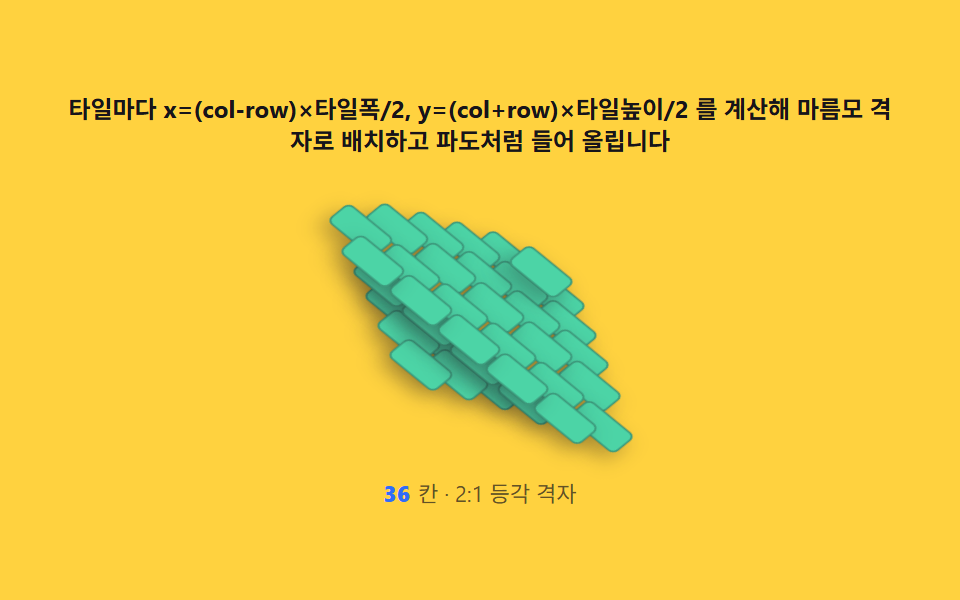 02 isometric-grid-coordinate-placement
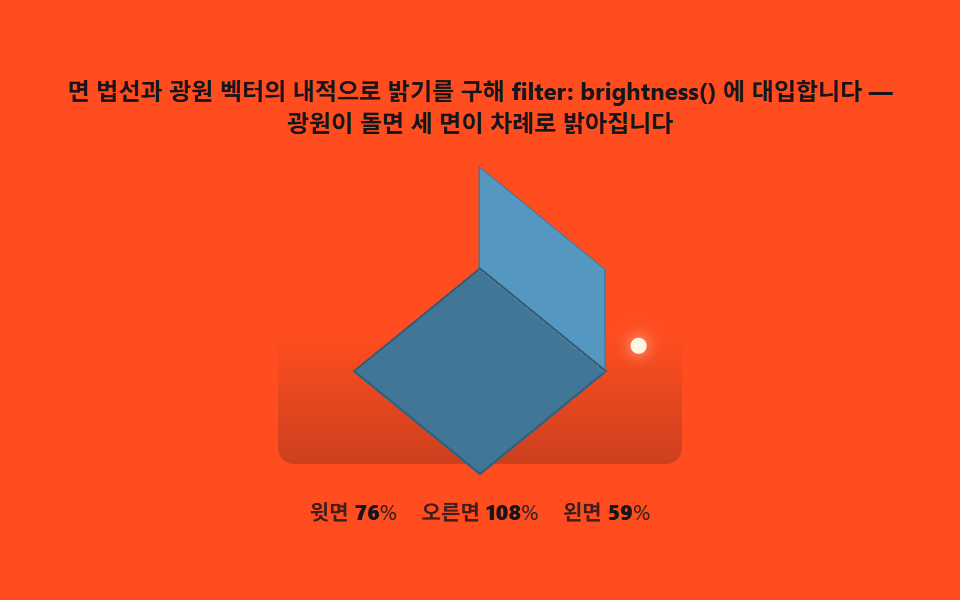 03 isometric-face-shading-lambert
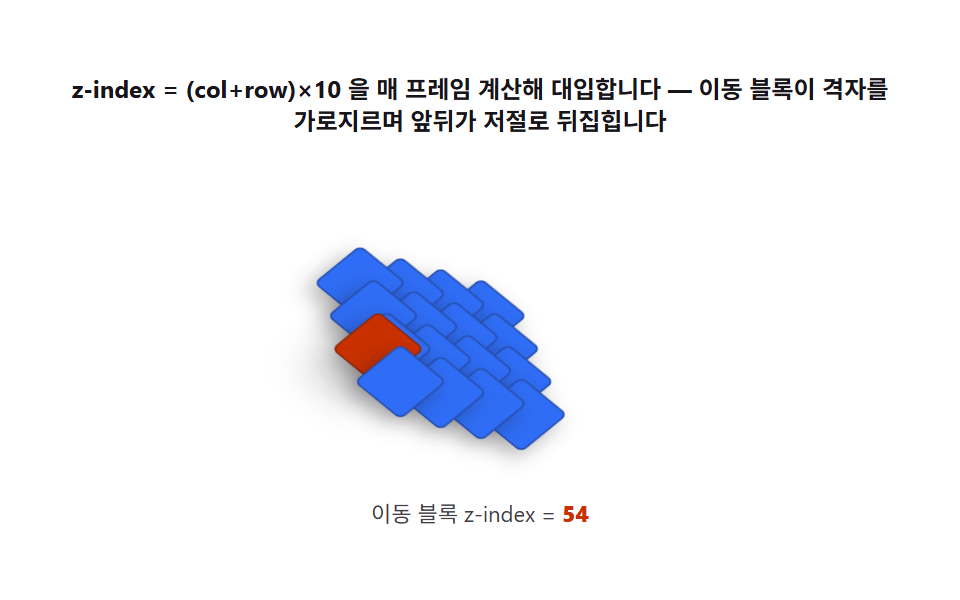 04 isometric-painter-stacking-order
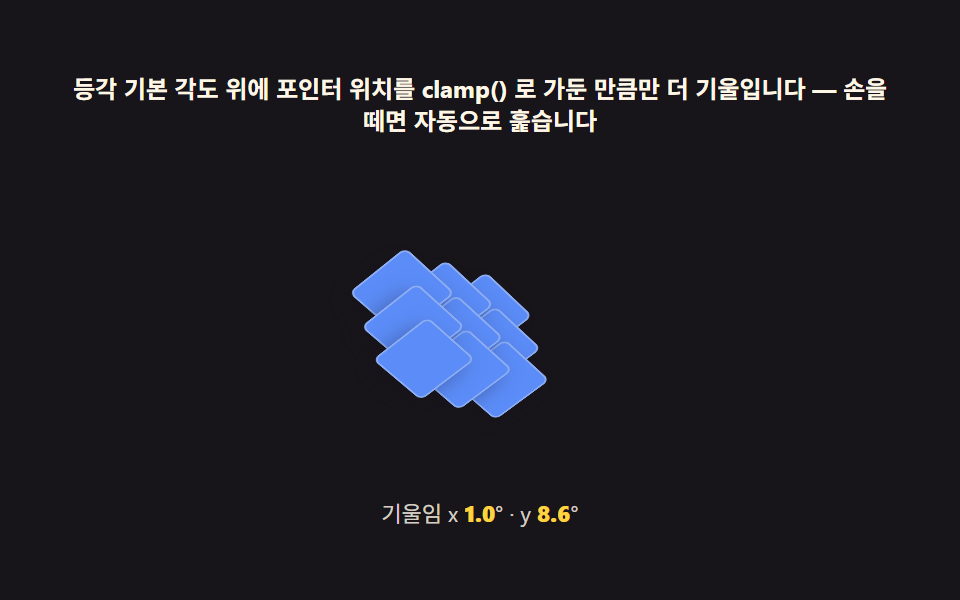 05 isometric-pointer-parallax-tilt
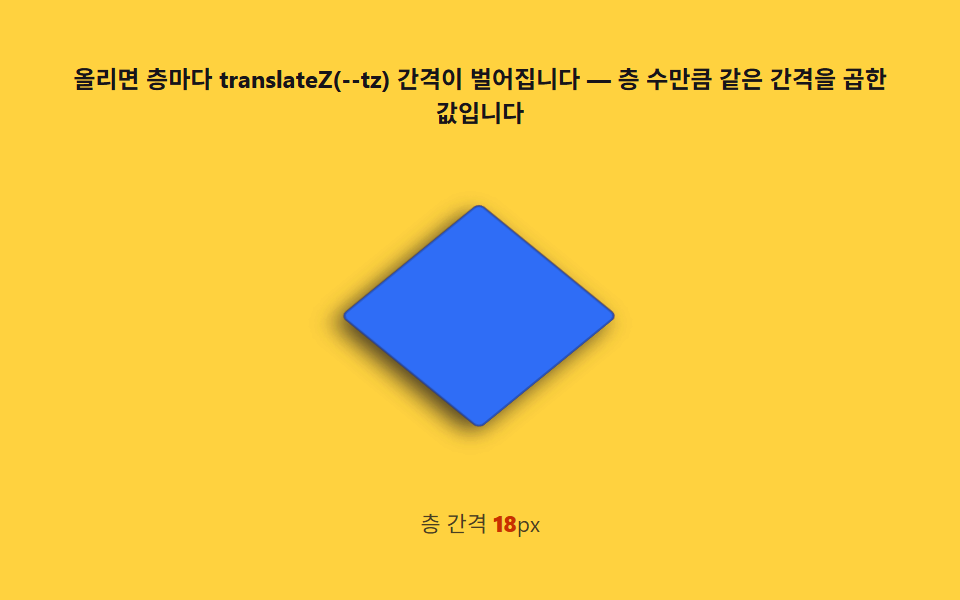 06 isometric-exploded-view-hover
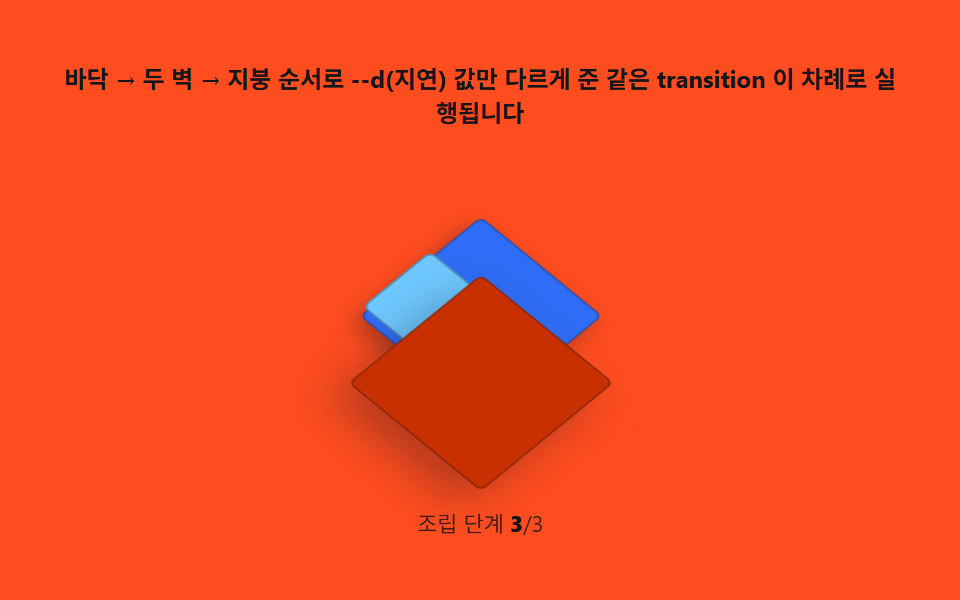 07 isometric-room-scene-build
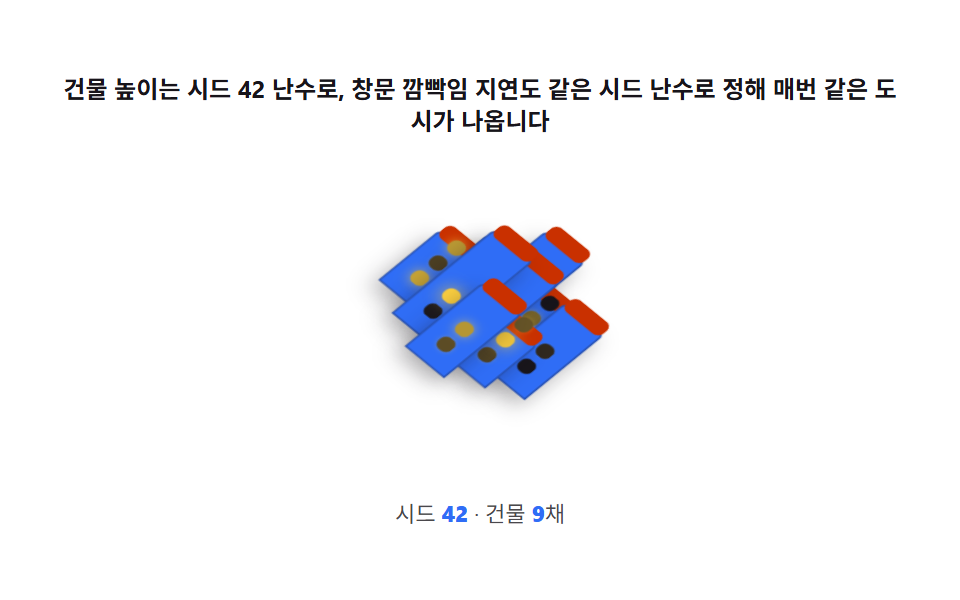 08 isometric-city-block-scene
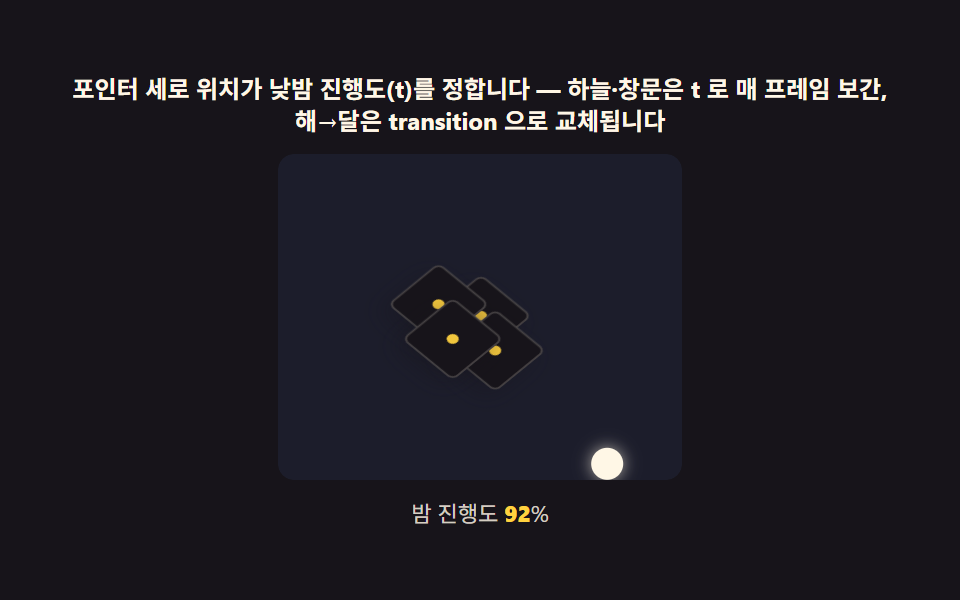 09 isometric-hero-day-night
Auto-plays · click a tile to jump to its section · all nine in one zip
- 01 The real isometric — an exact projection matrix instead of rotateX(-30deg)
- 02 Grid-to-screen — the 2:1 formula turning (col, row) into (x, y)
- 03 Face shading — computing three faces' brightness from a light angle
- 04 Stacking order math — a painter's algorithm turning depth into z-index
- 05 Pointer parallax — the math behind a diorama that gently follows
- 06 Exploded view — a hover that reuses depth order as spread distance
- 07 The room diorama — a finished scene assembled from 01-04
- 08 City block — a scene where each building's height comes from the layout math
- 09 The hero scene — day-night lighting and parallax turning together
The order climbs the same way the math compounds: item 01 fixes the projection itself, 02 turns that projection into a css isometric grid so any tile lands in the right pixel, 03 and 04 layer shading and depth on top of that grid, 05 and 06 add interaction, and 07 through 09 assemble everything into finished scenes a visitor actually recognizes as a room, a city, or a hero banner.
Why not rotateX(-30deg) — the true isometric matrix and coordinate transform
The css isometric cube most tutorials teach is rotateX(-30deg), and it looks close enough until a ruler lands on the screen: a true isometric projection foreshortens all three axes by the exact same amount, and only one angle does that.
The exact angle
That angle is -arctan(1/sqrt(2)), roughly -35.264deg, and item 01 gets there by hand-multiplying 4x4 matrices in JS (mat4RotateX, mat4RotateZ, mat4Mul) rather than trusting a shortcut, then feeding the product into a single matrix3d() string on the world container.
Grid coordinates as a formula
Once the world is tilted, item 02 turns a tile's (col, row) into screen pixels through x = (col - row) * TILE_W / 2 and y = (col + row) * TILE_H / 2, with TILE_W/TILE_H fixed at 34/17 — a 2:1 ratio — and stored as --tx/--ty custom properties so resizing the grid means rerunning the formula, never nudging a div by eye.
Brightness is a light angle — face shading and stacking order math
Two of the nine items carry the rest: everything that reads as "3D" here is either a brightness number or a stacking number, never a drawn shadow or a hand-set layer order.
Face shading recomputes live
Item 03's shade(theta) recomputes each face's brightness from a dot product every frame, and item 09's sky color runs the same live-recompute idea with a plain RGB lerp(DAY, NIGHT, curT) instead — nudging the driving number in either scene (theta or curT) changes every affected surface at once instead of one hardcoded face lagging behind.
Depth order recomputes live
Item 04's traveler and item 06's exploded layers both treat z-index as a formula output rather than a fixed property — (col + row) * 10 for a moving block, GAP * (LAYERS.length - i) for a layer's spread distance — so crossing the grid or opening the stack changes the number, not a manually reordered DOM.
Code per scene in nine steps
Every item below reuses the same isometric matrix and grid formula from this section, then adds exactly one more idea — shading, stacking order, pointer input, or a finished composition — so the ninth scene is really the first scene's math wearing a city block.
01The real isometric — an exact projection matrix instead of rotateX(-30deg)
This item spins an approximate cube next to a true isometric one at the same turntable speed so the skew is visible rather than theoretical.
Building the matrix
mat4RotateX(-35.264) and mat4RotateZ(45 + spin) are multiplied together every frame at 24deg/s (one revolution every 15 seconds), and the live height/width ratio printed under each cube is just cos() of that tilt angle.
<main class="stage">
<div class="ip" id="ip">
  <p class="ip__hint">Spins an approximate rotateX(-30°) cube and a matrix3d exact isometric (35.264°) cube at the same speed to compare the vertical ratio gap</p>
  <div class="ip__row" role="img" aria-label="Scene comparing an approximate and an exact isometric cube spinning at the same speed" id="scene">
    <div class="ip__col">
      <div class="ip__field"><div class="ip__cube3d" id="cubeApprox"></div></div>
      <div class="ip__stat"><b class="ip__tag">rotateX(-30deg)</b><span class="ip__ratio" id="ratioApprox">0.000</span></div>
    </div>
    <div class="ip__col">
      <div class="ip__field"><div class="ip__cube3d" id="cubeExact"></div></div>
      <div class="ip__stat"><b class="ip__tag">matrix3d(-35.264°)</b><span class="ip__ratio" id="ratioExact">0.000</span></div>
    </div>
  </div>
  <p class="ip__meta"><b class="ip__deg" id="deg">0</b><span class="ip__metaUnit">° turntable spin · height/width ratio</span></p>
</div>
</main>
@use "../../../../site/static/demo-tokens" as *;
// 진짜 등각(01) — matrix3d 로 근사(rotateX(-30)) 와 정확(-35.264°) 등각을 나란히 턴테이블처럼
// 돌린다. 회전 행렬은 JS 가 매 프레임 곱해 만든다(계산 축) — CSS @keyframes 는 없다.
// 큐브 세 면은 filter: brightness 로 고정 명도(1 · .72 · .48)를 얹는다 — 광원 계산은 03 의 몫.
$duration: $dur-loop;
$easing: $ease-out;
$color: $subject-blue;
@include stage($stage-ink);
.ip {
display: flex; flex-direction: column; align-items: center; gap: $sp-2;
width: 100%; max-width: 420px;
}
.ip__hint {
margin: 0; font-weight: 700; font-size: clamp(10px, 2.8vw, 12px); line-height: 1.35;
color: $subject-cream; text-align: center;
}
.ip__row { display: flex; gap: $sp-4; }
.ip__col { display: flex; flex-direction: column; align-items: center; gap: $sp-1; }
.ip__field {
width: clamp(96px, 24vw, 128px); height: clamp(96px, 24vw, 128px);
display: grid; place-items: center;
}
.ip__cube3d {
position: relative; width: 76px; height: 76px;
transform-style: preserve-3d;
transform-origin: center center;
}
.ip__face {
position: absolute; top: 0; left: 0;
backface-visibility: hidden;
border: 1px solid rgba($subject-ink, .28);
background: $subject-sky;
}
.ip__face--top { filter: brightness(1); }
.ip__face--right { filter: brightness(.72); }
.ip__face--front { filter: brightness(.48); }
.ip__stat { display: flex; align-items: baseline; gap: $sp-1; }
.ip__tag {
font-weight: 800; font-size: clamp(9px, 2.4vw, 11px);
color: $stage-yellow; font-variant-numeric: tabular-nums;
}
.ip__ratio {
font-weight: 600; font-size: clamp(8px, 2vw, 10px);
color: rgba($subject-cream, .82); font-variant-numeric: tabular-nums;
}
.ip__meta { margin: 0; font-size: clamp(9px, 2.4vw, 11px); color: rgba($subject-cream, .82); }
.ip__deg { font-weight: 700; color: $stage-yellow; font-variant-numeric: tabular-nums; margin-right: $sp-1; }
.ip__metaUnit { color: rgba($subject-cream, .72); }
@media (max-width: 340px) {
.ip { gap: $sp-1; }
.ip__row { gap: $sp-2; }
.ip__field { width: 84px; height: 84px; }
.ip__hint { font-size: 8px; }
.ip__tag { font-size: 8px; }
.ip__ratio, .ip__meta { font-size: 7px; }
}
// reduce — 턴테이블 루프가 안 돈다. 20도 지점에 고정된 정지 두 큐브만 남긴다.
@media (prefers-reduced-motion: reduce) {
.ip.is-still .ip__cube3d { transition: none; }
}html, body {
margin: 0;
overflow: hidden;
}
.stage {
box-sizing: border-box;
min-height: 100vh;
display: grid;
place-items: center;
margin: 0;
background: #17141a;
font-family: -apple-system, "Segoe UI", "Noto Sans KR", sans-serif;
padding: clamp(8px, 4vw, 24px);
}
.ip {
display: flex;
flex-direction: column;
align-items: center;
gap: 8px;
width: 100%;
max-width: 420px;
}
.ip__hint {
margin: 0;
font-weight: 700;
font-size: clamp(10px, 2.8vw, 12px);
line-height: 1.35;
color: #fff7e6;
text-align: center;
}
.ip__row {
display: flex;
gap: 16px;
}
.ip__col {
display: flex;
flex-direction: column;
align-items: center;
gap: 4px;
}
.ip__field {
width: clamp(96px, 24vw, 128px);
height: clamp(96px, 24vw, 128px);
display: grid;
place-items: center;
}
.ip__cube3d {
position: relative;
width: 76px;
height: 76px;
transform-style: preserve-3d;
transform-origin: center center;
}
.ip__face {
position: absolute;
top: 0;
left: 0;
backface-visibility: hidden;
border: 1px solid rgba(23, 20, 26, 0.28);
background: #6ec8ff;
}
.ip__face--top {
filter: brightness(1);
}
.ip__face--right {
filter: brightness(0.72);
}
.ip__face--front {
filter: brightness(0.48);
}
.ip__stat {
display: flex;
align-items: baseline;
gap: 4px;
}
.ip__tag {
font-weight: 800;
font-size: clamp(9px, 2.4vw, 11px);
color: #ffd23f;
font-variant-numeric: tabular-nums;
}
.ip__ratio {
font-weight: 600;
font-size: clamp(8px, 2vw, 10px);
color: rgba(255, 247, 230, 0.82);
font-variant-numeric: tabular-nums;
}
.ip__meta {
margin: 0;
font-size: clamp(9px, 2.4vw, 11px);
color: rgba(255, 247, 230, 0.82);
}
.ip__deg {
font-weight: 700;
color: #ffd23f;
font-variant-numeric: tabular-nums;
margin-right: 4px;
}
.ip__metaUnit {
color: rgba(255, 247, 230, 0.72);
}
@media (max-width: 340px) {
.ip {
gap: 4px;
}
.ip__row {
gap: 8px;
}
.ip__field {
width: 84px;
height: 84px;
}
.ip__hint {
font-size: 8px;
}
.ip__tag {
font-size: 8px;
}
.ip__ratio, .ip__meta {
font-size: 7px;
}
}
@media (prefers-reduced-motion: reduce) {
.ip.is-still .ip__cube3d {
transition: none;
}
}// 진짜 등각(01) — 흔히 쓰는 rotateX(-30deg) rotateZ(45deg) 조합은 근사값이다. 정확한 등각
// 각도는 -arctan(1/sqrt(2)) = -35.264deg. 두 각도로 만든 회전 행렬을 JS 로 직접 곱해
// matrix3d 에 넣고, 같은 턴테이블 회전(spin)을 매 프레임 다시 곱해 큐브를 돌린다.
// CSS @keyframes 는 없다 — 움직임은 전부 계산된 matrix3d 값이다.
(function () {
var root = document.getElementById('ip');
var cubeApprox = document.getElementById('cubeApprox');
var cubeExact = document.getElementById('cubeExact');
var degEl = document.getElementById('deg');
var ratioApproxEl = document.getElementById('ratioApprox');
var ratioExactEl = document.getElementById('ratioExact');
if (!root || !cubeApprox || !cubeExact || !degEl || !ratioApproxEl || !ratioExactEl) return;
function mat4RotateX(deg) {
  var r = deg * Math.PI / 180, c = Math.cos(r), s = Math.sin(r);
  return [1, 0, 0, 0, 0, c, s, 0, 0, -s, c, 0, 0, 0, 0, 1];
}
function mat4RotateZ(deg) {
  var r = deg * Math.PI / 180, c = Math.cos(r), s = Math.sin(r);
  return [c, s, 0, 0, -s, c, 0, 0, 0, 0, 1, 0, 0, 0, 0, 1];
}
function mat4Mul(a, b) {
  var out = new Array(16);
  for (var col = 0; col < 4; col++) {
    for (var row = 0; row < 4; row++) {
      var sum = 0;
      for (var k = 0; k < 4; k++) sum += a[k * 4 + row] * b[col * 4 + k];
      out[col * 4 + row] = sum;
    }
  }
  return out;
}
function mat4ToCss(m) {
var s = '';
for (var i = 0; i < m.length; i++) s += (i ? ',' : '') + m[i].toFixed(6);
return 'matrix3d(' + s + ')';
}
// 큐브 한 개를 세 면(top·right·front) div 로 짓는다 — backface-visibility 로 뒷면을 지운다
function buildCube(mount, size) {
var defs = [
{ cls: 'ip__face ip__face--top', t: 'rotateX(90deg) translateZ(' + (size / 2) + 'px)' },
{ cls: 'ip__face ip__face--right', t: 'rotateY(90deg) translateZ(' + (size / 2) + 'px)' },
{ cls: 'ip__face ip__face--front', t: 'translateZ(' + (size / 2) + 'px)' }
];
for (var i = 0; i < defs.length; i++) {
var f = document.createElement('div');
f.className = defs[i].cls;
f.style.width = size + 'px'; f.style.height = size + 'px';
f.style.transform = defs[i].t;
mount.appendChild(f);
}
}
var mm = window.matchMedia('(max-width: 340px)').matches;
var SIZE = mm ? 52 : 76;
buildCube(cubeApprox, SIZE);
buildCube(cubeExact, SIZE);
var TILT_APPROX = -30; // 흔한 근사값 — 수학적 등각이 아니다
var TILT_EXACT = -35.264; // 정확한 등각 각도 = -arctan(1/sqrt(2))
ratioApproxEl.textContent = Math.cos(TILT_APPROX * Math.PI / 180).toFixed(3);
ratioExactEl.textContent = Math.cos(TILT_EXACT * Math.PI / 180).toFixed(3);
function norm360(a) { a %= 360; return a < 0 ? a + 360 : a; }
function paint(spinDeg) {
var mA = mat4Mul(mat4RotateX(TILT_APPROX), mat4RotateZ(45 + spinDeg));
var mE = mat4Mul(mat4RotateX(TILT_EXACT), mat4RotateZ(45 + spinDeg));
cubeApprox.style.transform = mat4ToCss(mA);
cubeExact.style.transform = mat4ToCss(mE);
degEl.textContent = String(Math.round(norm360(spinDeg)));
}
var reduce = window.matchMedia('(prefers-reduced-motion: reduce)').matches;
if (reduce) {
paint(20);
root.classList.add('is-still');
} else {
var start = performance.now();
(function step(now) {
var t = (now - start) / 1000;
paint((t * 24) % 360); // 초당 24도 — 15초에 한 바퀴, 두 큐브가 같은 속도로 돈다
requestAnimationFrame(step);
})(start);
}
})();// IsometricTrueProjectionMatrix — vanilla 판(run/333/demo/01-isometric-true-projection-matrix/index.html)
// 의 React 포트. 흔한 근사 rotateX(-30deg) 와 정확한 등각 각도 -arctan(1/sqrt(2))=-35.264deg 로
// 만든 두 회전 행렬을 JS 로 직접 곱해 matrix3d 에 넣고, 같은 턴테이블 spin 값을 매 프레임
// 다시 곱해 큐브를 돌린다. CSS @keyframes 는 없다 — 움직임은 전부 계산된 matrix3d 값이다.
import { useEffect, useRef } from "react";
import type { CSSProperties } from "react";
import styles from "./IsometricTrueProjectionMatrix.module.scss";
export type IsometricTrueProjectionMatrixProps = {
duration?: string;
easing?: string;
color?: string;
};
type Vars = CSSProperties & { "--duration"?: string; "--easing"?: string; "--color"?: string };
type Box<T> = { current: T };
const HINT = "근사(rotateX -30°)와 matrix3d 정확 등각(35.264°)을 같은 속도로 돌려 세로 비율 차이를 봅니다";
const ARIA_SCENE = "근사 등각과 정확 등각 큐브를 같은 속도로 돌리는 비교 장면";
const TAG_APPROX = "rotateX(-30deg)";
const TAG_EXACT = "matrix3d(-35.264°)";
const UNIT = "° 턴테이블 회전 · 세로/가로 비";
const TILT_APPROX = -30;
const TILT_EXACT = -35.264;
function mat4RotateX(deg: number): number[] {
const r = (deg * Math.PI) / 180, c = Math.cos(r), s = Math.sin(r);
return [1, 0, 0, 0, 0, c, s, 0, 0, -s, c, 0, 0, 0, 0, 1];
}
function mat4RotateZ(deg: number): number[] {
const r = (deg * Math.PI) / 180, c = Math.cos(r), s = Math.sin(r);
return [c, s, 0, 0, -s, c, 0, 0, 0, 0, 1, 0, 0, 0, 0, 1];
}
function mat4Mul(a: number[], b: number[]): number[] {
const out = new Array<number>(16);
for (let col = 0; col < 4; col++) {
for (let row = 0; row < 4; row++) {
let sum = 0;
for (let k = 0; k < 4; k++) sum += a[k * 4 + row] * b[col * 4 + k];
out[col * 4 + row] = sum;
}
}
return out;
}
function mat4ToCss(m: number[]): string {
return "matrix3d(" + m.map((v) => v.toFixed(6)).join(",") + ")";
}
function norm360(a: number): number {
const m = a % 360;
return m < 0 ? m + 360 : m;
}
export default function IsometricTrueProjectionMatrix({
duration = "2s",
easing = "ease-out",
color = "#2f6df6"
}: IsometricTrueProjectionMatrixProps) {
const rootRef = useRef<HTMLDivElement | null>(null);
const cubeApproxRef = useRef<HTMLDivElement | null>(null);
const cubeExactRef = useRef<HTMLDivElement | null>(null);
const degRef = useRef<HTMLElement | null>(null);
const ratioApproxRef = useRef<HTMLElement | null>(null);
const ratioExactRef = useRef<HTMLElement | null>(null);
const rafRef = useRef(0) as Box<number>;
useEffect(() => {
const cubeApprox = cubeApproxRef.current;
const cubeExact = cubeExactRef.current;
const root = rootRef.current;
if (!cubeApprox || !cubeExact || !root) return;
const mm = window.matchMedia("(max-width: 340px)").matches;
const size = mm ? 52 : 76;
function buildFaces(mount: HTMLDivElement, s: number): void {
const defs = [
{ cls: styles.face + " " + styles.faceTop, t: "rotateX(90deg) translateZ(" + s / 2 + "px)" },
{ cls: styles.face + " " + styles.faceRight, t: "rotateY(90deg) translateZ(" + s / 2 + "px)" },
{ cls: styles.face + " " + styles.faceFront, t: "translateZ(" + s / 2 + "px)" }
];
for (const d of defs) {
const f = document.createElement("div");
f.className = d.cls;
f.style.width = s + "px";
f.style.height = s + "px";
f.style.transform = d.t;
mount.appendChild(f);
}
}
buildFaces(cubeApprox, size);
buildFaces(cubeExact, size);
if (ratioApproxRef.current) ratioApproxRef.current.textContent = Math.cos((TILT_APPROX * Math.PI) / 180).toFixed(3);
if (ratioExactRef.current) ratioExactRef.current.textContent = Math.cos((TILT_EXACT * Math.PI) / 180).toFixed(3);
function paint(spinDeg: number): void {
const mA = mat4Mul(mat4RotateX(TILT_APPROX), mat4RotateZ(45 + spinDeg));
const mE = mat4Mul(mat4RotateX(TILT_EXACT), mat4RotateZ(45 + spinDeg));
if (cubeApprox) cubeApprox.style.transform = mat4ToCss(mA);
if (cubeExact) cubeExact.style.transform = mat4ToCss(mE);
if (degRef.current) degRef.current.textContent = String(Math.round(norm360(spinDeg)));
}
const reduce = window.matchMedia("(prefers-reduced-motion: reduce)").matches;
if (reduce) {
paint(20);
root.classList.add(styles.isStill);
} else {
const start = performance.now();
const step = (now: number): void => {
const t = (now - start) / 1000;
paint((t * 24) % 360);
rafRef.current = requestAnimationFrame(step);
};
rafRef.current = requestAnimationFrame(step);
}
return () => cancelAnimationFrame(rafRef.current);
// eslint-disable-next-line react-hooks/exhaustive-deps
}, []);
return (
<main className={styles.stage}>
<div
className={styles.ip}
ref={rootRef}
style={{ "--duration": duration, "--easing": easing, "--color": color } as Vars}
>
<p className={styles.hint}>{HINT}</p>
<div className={styles.row} role="img" aria-label={ARIA_SCENE}>
<div className={styles.col}>
<div className={styles.field}>
<div className={styles.cube3d} ref={cubeApproxRef}></div>
</div>
<div className={styles.statRow}>
<b className={styles.tag}>{TAG_APPROX}</b>
<span className={styles.ratio} ref={ratioApproxRef}>0.000</span>
</div>
</div>
<div className={styles.col}>
<div className={styles.field}>
<div className={styles.cube3d} ref={cubeExactRef}></div>
</div>
<div className={styles.statRow}>
<b className={styles.tag}>{TAG_EXACT}</b>
<span className={styles.ratio} ref={ratioExactRef}>0.000</span>
</div>
</div>
</div>
<p className={styles.meta}>
<b className={styles.deg} ref={degRef}>0</b>
<span className={styles.metaUnit}>{UNIT}</span>
</p>
</div>
</main>
);
}01 · The real isometric — an exact projection matrix instead of rotateX(-30deg) — Measured area 8.516% · moving frames 23/23Original by GODRICH · SCSS and React ship in the zip · See the password
What the numbers say
Painted area sits at 8.5% with a 2.0% peak frame and an average intensity of 67.5, which is expected for a scene built around one small rotating pair of cubes rather than a screen-filling composition.
function mat4RotateX(deg) {
var r = deg * Math.PI / 180, c = Math.cos(r), s = Math.sin(r);
return [1, 0, 0, 0, 0, c, s, 0, 0, -s, c, 0, 0, 0, 0, 1];
}
function mat4RotateZ(deg) {
var r = deg * Math.PI / 180, c = Math.cos(r), s = Math.sin(r);
return [c, s, 0, 0, -s, c, 0, 0, 0, 0, 1, 0, 0, 0, 0, 1];
}
function mat4Mul(a, b) {
var out = new Array(16);
for (var col = 0; col < 4; col++) {
for (var row = 0; row < 4; row++) {
var sum = 0;
for (var k = 0; k < 4; k++) sum += a[k * 4 + row] * b[col * 4 + k];
out[col * 4 + row] = sum;
}
}
return out;
}
02Grid-to-screen — the 2:1 formula turning (col, row) into (x, y)
This item lays a 6x6 grid of tiles and lifts them in a traveling wave so the coordinate math stays visible even while nothing moves horizontally.
The formula in a loop
Each tile's x/y come straight from (col, row), and a wave phase of (col + row) * 0.9 - t * 3.1 drives the vertical lift, so the same two-line formula both places every tile and animates it.
<main class="stage">
<div class="gp" id="gp">
  <p class="gp__hint">Each tile computes x=(col-row)×tileWidth/2, y=(col+row)×tileHeight/2 to lay out a diamond grid, then lifts it in a traveling wave</p>
  <div class="gp__field" role="img" aria-label="Scene turning checkerboard coordinates into a diamond isometric grid that lifts like a wave">
    <div class="gp__world" id="world"></div>
  </div>
  <p class="gp__meta"><b class="gp__count" id="n">36</b><span class="gp__metaUnit">cells · 2:1 isometric grid</span></p>
</div>
</main>
@use "../../../../site/static/demo-tokens" as *;
// 격자 좌표 변환(02) — 무대는 노랑. 타일은 2:1 등각 공식으로 배치하고 파도(--tz)만
// 매 프레임 갱신한다. transform-style: preserve-3d 인 world 가 회전하고 있어 자식의
// translateZ 가 실제 화면 높이 이동으로 보인다(원근 없이도 등각은 이렇게 동작한다).
$duration: $dur-loop;
$easing: $ease-out;
$color: $subject-ink;
@include stage($stage-yellow);
.gp {
display: flex; flex-direction: column; align-items: center; gap: $sp-2;
width: 100%; max-width: 420px;
}
.gp__hint {
margin: 0; font-weight: 700; font-size: clamp(10px, 2.6vw, 12px); line-height: 1.35;
color: $subject-ink; text-align: center;
}
.gp__field {
position: relative;
width: clamp(180px, 44vw, 240px); height: clamp(120px, 30vw, 150px);
display: grid; place-items: center;
}
.gp__world {
position: relative;
transform-style: preserve-3d;
width: 1px; height: 1px;
}
.gp__tile {
position: absolute; left: 0; top: 0;
width: calc(var(--tw) * 1px - 3px);
height: calc(var(--th) * 1px - 3px);
transform: translate3d(var(--tx), var(--ty), var(--tz, 0px)) translate(-50%, -50%);
background: $subject-mint;
border: 1px solid rgba($subject-ink, .3);
border-radius: $r-xs;
box-shadow: $shadow-press;
}
.gp__meta { margin: 0; font-size: clamp(9px, 2.4vw, 11px); color: rgba($subject-ink, .78); }
.gp__count { font-weight: 800; color: $subject-blue; font-variant-numeric: tabular-nums; margin-right: $sp-1; }
.gp__metaUnit { color: rgba($subject-ink, .72); }
@media (max-width: 340px) {
.gp { gap: $sp-1; }
.gp__field { width: 156px; height: 108px; }
.gp__hint { font-size: 8px; }
.gp__meta { font-size: 7px; }
}
// reduce — 파도가 안 돈다. 한 위상(0.6)에서 멈춘 정지 격자만 남는다.
@media (prefers-reduced-motion: reduce) {
.gp.is-still .gp__tile { transition: none; }
}html, body {
margin: 0;
overflow: hidden;
}
.stage {
box-sizing: border-box;
min-height: 100vh;
display: grid;
place-items: center;
margin: 0;
background: #ffd23f;
font-family: -apple-system, "Segoe UI", "Noto Sans KR", sans-serif;
padding: clamp(8px, 4vw, 24px);
}
.gp {
display: flex;
flex-direction: column;
align-items: center;
gap: 8px;
width: 100%;
max-width: 420px;
}
.gp__hint {
margin: 0;
font-weight: 700;
font-size: clamp(10px, 2.6vw, 12px);
line-height: 1.35;
color: #17141a;
text-align: center;
}
.gp__field {
position: relative;
width: clamp(180px, 44vw, 240px);
height: clamp(120px, 30vw, 150px);
display: grid;
place-items: center;
}
.gp__world {
position: relative;
transform-style: preserve-3d;
width: 1px;
height: 1px;
}
.gp__tile {
position: absolute;
left: 0;
top: 0;
width: calc(var(--tw) * 1px - 3px);
height: calc(var(--th) * 1px - 3px);
transform: translate3d(var(--tx), var(--ty), var(--tz, 0px)) translate(-50%, -50%);
background: #4cd4a6;
border: 1px solid rgba(23, 20, 26, 0.3);
border-radius: 4px;
box-shadow: 0 6px 12px rgba(23, 20, 26, 0.32);
}
.gp__meta {
margin: 0;
font-size: clamp(9px, 2.4vw, 11px);
color: rgba(23, 20, 26, 0.78);
}
.gp__count {
font-weight: 800;
color: #2f6df6;
font-variant-numeric: tabular-nums;
margin-right: 4px;
}
.gp__metaUnit {
color: rgba(23, 20, 26, 0.72);
}
@media (max-width: 340px) {
.gp {
gap: 4px;
}
.gp__field {
width: 156px;
height: 108px;
}
.gp__hint {
font-size: 8px;
}
.gp__meta {
font-size: 7px;
}
}
@media (prefers-reduced-motion: reduce) {
.gp.is-still .gp__tile {
transition: none;
}
}// 격자 좌표 변환(02) — 바둑판 (col,row) 를 등각 화면 좌표 (x,y) 로 바꾸는 공식은
// x=(col-row)*타일폭/2, y=(col+row)*타일높이/2 다. 값은 CSS 변수(--tx·--ty·--tz)로 두고
// calc() 로 실제 px 를 만들어 translate3d 에 넣는다. 세로로 들어 올리는 파도(--tz)만
// 매 프레임 새로 계산해 갱신한다 — 격자 자체의 좌표식은 한 번만 계산해 고정한다.
(function () {
var root = document.getElementById('gp');
var world = document.getElementById('world');
var nEl = document.getElementById('n');
if (!root || !world || !nEl) return;
function mat4RotateX(deg) {
var r = deg * Math.PI / 180, c = Math.cos(r), s = Math.sin(r);
return [1, 0, 0, 0, 0, c, s, 0, 0, -s, c, 0, 0, 0, 0, 1];
}
function mat4RotateZ(deg) {
var r = deg * Math.PI / 180, c = Math.cos(r), s = Math.sin(r);
return [c, s, 0, 0, -s, c, 0, 0, 0, 0, 1, 0, 0, 0, 0, 1];
}
function mat4Mul(a, b) {
var out = new Array(16);
for (var col = 0; col < 4; col++) {
for (var row = 0; row < 4; row++) {
var sum = 0;
for (var k = 0; k < 4; k++) sum += a[k * 4 + row] * b[col * 4 + k];
out[col * 4 + row] = sum;
}
}
return out;
}
function mat4ToCss(m) {
var s = '';
for (var i = 0; i < m.length; i++) s += (i ? ',' : '') + m[i].toFixed(6);
return 'matrix3d(' + s + ')';
}
var TILT = -35.264; // 정확한 등각 각도
world.style.transform = mat4ToCss(mat4Mul(mat4RotateX(TILT), mat4RotateZ(45)));
var N = 6; // 한 변 칸 수 — N*N 격자
var TILE_W = 34, TILE_H = 17; // 등각 2:1 비율 — 폭이 높이의 두 배
nEl.textContent = String(N * N);
var tiles = [];
var minX = Infinity, maxX = -Infinity, maxY = -Infinity;
for (var row = 0; row < N; row++) {
  for (var col = 0; col < N; col++) {
    var x = (col - row) * TILE_W / 2;
    var y = (col + row) * TILE_H / 2;
    if (x < minX) minX = x;
    if (x > maxX) maxX = x;
    if (y > maxY) maxY = y;
    tiles.push({ col: col, row: row, x: x, y: y });
  }
}
var shiftX = -(minX + maxX) / 2;
var shiftY = -maxY / 2;
var els = [];
for (var i = 0; i < tiles.length; i++) {
var tdata = tiles[i];
var el = document.createElement('div');
el.className = 'gp__tile';
el.style.setProperty('--tw', String(TILE_W));
el.style.setProperty('--th', String(TILE_H));
el.style.setProperty('--tx', (tdata.x + shiftX).toFixed(2) + 'px');
el.style.setProperty('--ty', (tdata.y + shiftY).toFixed(2) + 'px');
el.style.setProperty('--tz', '0px');
world.appendChild(el);
els.push({ el: el, col: tdata.col, row: tdata.row });
}
var AMP = 13;
function paint(t) {
for (var i = 0; i < els.length; i++) {
var it = els[i];
var phase = (it.col + it.row) * 0.9 - t * 3.1;
var z = Math.max(0, Math.sin(phase)) * AMP;
it.el.style.setProperty('--tz', z.toFixed(2) + 'px');
}
}
var reduce = window.matchMedia('(prefers-reduced-motion: reduce)').matches;
if (reduce) {
paint(0.6);
root.classList.add('is-still');
} else {
var start = performance.now();
(function step(now) {
paint((now - start) / 1000);
requestAnimationFrame(step);
})(start);
}
})();// IsometricGridCoordinatePlacement — vanilla 판(run/333/demo/02-isometric-grid-coordinate-placement/index.html)
// 의 React 포트. 바둑판 (col,row) 를 등각 화면 좌표 (x,y) 로 바꾸는 공식
// x=(col-row)*tileWidth/2, y=(col+row)*tileHeight/2 을 한 번만 계산해 고정하고,
// 세로로 들어 올리는 파도(--tz)만 매 프레임 다시 계산해 갱신한다.
import { useEffect, useRef } from "react";
import styles from "./IsometricGridCoordinatePlacement.module.scss";
export type IsometricGridCoordinatePlacementProps = {
duration?: string;
easing?: string;
color?: string;
};
type Box<T> = { current: T };
type Tile = { el: HTMLDivElement; col: number; row: number };
const HINT = "타일마다 x=(col-row)×타일폭/2, y=(col+row)×타일높이/2 를 계산해 마름모 격자로 배치하고 파도처럼 들어 올립니다";
const ARIA_FIELD = "바둑판 좌표를 마름모 격자로 바꾸고 파도처럼 들어 올리는 장면";
const UNIT = "칸 · 2:1 등각 격자";
function mat4RotateX(deg: number): number[] {
const r = (deg * Math.PI) / 180, c = Math.cos(r), s = Math.sin(r);
return [1, 0, 0, 0, 0, c, s, 0, 0, -s, c, 0, 0, 0, 0, 1];
}
function mat4RotateZ(deg: number): number[] {
const r = (deg * Math.PI) / 180, c = Math.cos(r), s = Math.sin(r);
return [c, s, 0, 0, -s, c, 0, 0, 0, 0, 1, 0, 0, 0, 0, 1];
}
function mat4Mul(a: number[], b: number[]): number[] {
const out = new Array<number>(16);
for (let col = 0; col < 4; col++) {
for (let row = 0; row < 4; row++) {
let sum = 0;
for (let k = 0; k < 4; k++) sum += a[k * 4 + row] * b[col * 4 + k];
out[col * 4 + row] = sum;
}
}
return out;
}
function mat4ToCss(m: number[]): string {
return "matrix3d(" + m.map((v) => v.toFixed(6)).join(",") + ")";
}
const TILT = -35.264;
const N = 6;
const TILE_W = 34, TILE_H = 17;
const AMP = 13;
export default function IsometricGridCoordinatePlacement({
duration = "2s",
easing = "ease-out",
color = "#17141a"
}: IsometricGridCoordinatePlacementProps) {
const rootRef = useRef<HTMLDivElement | null>(null);
const worldRef = useRef<HTMLDivElement | null>(null);
const countRef = useRef<HTMLElement | null>(null);
const tilesRef = useRef<Tile[]>([]) as Box<Tile[]>;
const rafRef = useRef(0) as Box<number>;
useEffect(() => {
const world = worldRef.current;
const root = rootRef.current;
if (!world || !root) return;
world.style.transform = mat4ToCss(mat4Mul(mat4RotateX(TILT), mat4RotateZ(45)));
if (countRef.current) countRef.current.textContent = String(N * N);
const raw: { col: number; row: number; x: number; y: number }[] = [];
let minX = Infinity, maxX = -Infinity, maxY = -Infinity;
for (let row = 0; row < N; row++) {
for (let col = 0; col < N; col++) {
const x = ((col - row) * TILE_W) / 2;
const y = ((col + row) * TILE_H) / 2;
if (x < minX) minX = x;
if (x > maxX) maxX = x;
if (y > maxY) maxY = y;
raw.push({ col, row, x, y });
}
}
const shiftX = -(minX + maxX) / 2;
const shiftY = -maxY / 2;
const tiles: Tile[] = [];
for (const t of raw) {
const el = document.createElement("div");
el.className = styles.tile;
el.style.setProperty("--tw", String(TILE_W));
el.style.setProperty("--th", String(TILE_H));
el.style.setProperty("--tx", (t.x + shiftX).toFixed(2) + "px");
el.style.setProperty("--ty", (t.y + shiftY).toFixed(2) + "px");
el.style.setProperty("--tz", "0px");
world.appendChild(el);
tiles.push({ el, col: t.col, row: t.row });
}
tilesRef.current = tiles;
function paint(t: number): void {
for (const it of tilesRef.current) {
const phase = (it.col + it.row) * 0.9 - t * 3.1;
const z = Math.max(0, Math.sin(phase)) * AMP;
it.el.style.setProperty("--tz", z.toFixed(2) + "px");
}
}
const reduce = window.matchMedia("(prefers-reduced-motion: reduce)").matches;
if (reduce) {
paint(0.6);
root.classList.add(styles.isStill);
} else {
const start = performance.now();
const step = (now: number): void => {
paint((now - start) / 1000);
rafRef.current = requestAnimationFrame(step);
};
rafRef.current = requestAnimationFrame(step);
}
return () => {
cancelAnimationFrame(rafRef.current);
while (world.firstChild) world.removeChild(world.firstChild);
};
// eslint-disable-next-line react-hooks/exhaustive-deps
}, []);
return (
<main className={styles.stage}>
<div className={styles.gp} ref={rootRef} data-duration={duration} data-easing={easing} data-color={color}>
<p className={styles.hint}>{HINT}</p>
<div className={styles.field} role="img" aria-label={ARIA_FIELD}>
<div className={styles.world} ref={worldRef}></div>
</div>
<p className={styles.meta}>
<b className={styles.count} ref={countRef}>36</b>
<span className={styles.metaUnit}>{UNIT}</span>
</p>
</div>
</main>
);
}02 · Grid-to-screen — the 2:1 formula turning (col, row) into (x, y) — Measured area 8.835% · moving frames 23/23Original by GODRICH · SCSS and React ship in the zip · See the password
What the numbers say
Painted area is 8.8% with a 3.2% peak frame and an average intensity of 45.9 across the 36-cell grid, all 23 of 23 frames moving as the wave passes through.
var minX = Infinity, maxX = -Infinity, maxY = -Infinity;
for (var row = 0; row < N; row++) {
for (var col = 0; col < N; col++) {
var x = (col - row) * TILE_W / 2;
var y = (col + row) * TILE_H / 2;
if (x < minX) minX = x;
if (x > maxX) maxX = x;
if (y > maxY) maxY = y;
tiles.push({ col: col, row: row, x: x, y: y });
}
}
var shiftX = -(minX + maxX) / 2;
var shiftY = -maxY / 2;
03Face shading — computing three faces' brightness from a light angle
This item spins a light vector around a cube once every 9 seconds so each of the three visible faces brightens and dims on its own schedule.
The dot product
dot3() multiplies each face's normal against the light vector, clamp() keeps the result in 0..1, and brightness = 0.32 + 0.92 * dot is what actually lands in filter: brightness() — three separate numbers from one shared formula, never a hand-picked color per face.
<main class="stage">
<div class="fs" id="fs">
  <p class="fs__hint">Computes brightness from the dot product of each face normal and the light vector, then applies it via filter: brightness() — as the light orbits, the three faces brighten in turn</p>
  <div class="fs__field" role="img" aria-label="Scene where a light orbits a cube and the brightness of three faces is recalculated live">
    <div class="fs__ground"></div>
    <div class="fs__sun" id="sun"></div>
    <div class="fs__cube3d" id="cube"></div>
  </div>
  <div class="fs__readout">
    <span class="fs__stat">Top  <b id="pTop">100</b>%</span>
    <span class="fs__stat">Right  <b id="pRight">70</b>%</span>
    <span class="fs__stat">Left  <b id="pFront">45</b>%</span>
  </div>
</div>
</main>
@use "../../../../site/static/demo-tokens" as *;
// 면 셰이딩(03) — 무대는 주황. 광원 벡터를 매 프레임 회전시키고 세 면 법선과의 내적을
// filter: brightness() 로 바로 대입한다. 태양점(--sx·--sy)의 위치도 같은 각도에서 계산.
// 바닥의 linear-gradient 는 장식 그림자 — 광원과는 무관한 고정 배경이다.
$duration: $dur-loop;
$easing: $ease-out;
$color: $subject-cream;
@include stage($stage-orange);
.fs {
display: flex; flex-direction: column; align-items: center; gap: $sp-2;
width: 100%; max-width: 420px;
}
.fs__hint {
margin: 0; font-weight: 700; font-size: clamp(10px, 2.6vw, 12px); line-height: 1.35;
color: $subject-ink; text-align: center;
}
.fs__field {
position: relative;
width: clamp(180px, 42vw, 220px); height: clamp(140px, 34vw, 170px);
display: grid; place-items: center;
}
.fs__ground {
position: absolute; left: 0; right: 0; bottom: $sp-2; height: 40%;
background: linear-gradient(180deg, rgba($subject-ink, 0), rgba($subject-ink, .22));
border-radius: $r-sm;
}
.fs__sun {
position: absolute; top: 50%; left: 50%;
width: $sp-2; height: $sp-2; border-radius: $r-pill;
background: $subject-cream;
box-shadow: 0 0 8px rgba($subject-cream, .8);
transform: translate3d(calc(-50% + var(--sx, 0px)), calc(-50% + var(--sy, 0px)), 0);
}
.fs__cube3d {
position: relative; width: 88px; height: 88px;
transform-style: preserve-3d;
transform-origin: center center;
}
.fs__face {
position: absolute; top: 0; left: 0;
backface-visibility: hidden;
border: 1px solid rgba($subject-ink, .28);
background: $subject-sky;
}
.fs__readout { display: flex; gap: $sp-3; flex-wrap: wrap; justify-content: center; }
.fs__stat {
font-weight: 600; font-size: clamp(9px, 2.2vw, 11px);
color: rgba($subject-ink, .82);
font-variant-numeric: tabular-nums;
}
.fs__stat b { font-weight: 800; color: $subject-ink; }
@media (max-width: 340px) {
.fs { gap: $sp-1; }
.fs__field { width: 156px; height: 118px; }
.fs__hint { font-size: 8px; }
.fs__stat { font-size: 7px; }
}
// reduce — 광원 회전이 안 돈다. 35도 지점 밝기로 고정된 정지 큐브만 남긴다.
@media (prefers-reduced-motion: reduce) {
.fs.is-still .fs__cube3d { transition: none; }
}html, body {
margin: 0;
overflow: hidden;
}
.stage {
box-sizing: border-box;
min-height: 100vh;
display: grid;
place-items: center;
margin: 0;
background: #ff4d1f;
font-family: -apple-system, "Segoe UI", "Noto Sans KR", sans-serif;
padding: clamp(8px, 4vw, 24px);
}
.fs {
display: flex;
flex-direction: column;
align-items: center;
gap: 8px;
width: 100%;
max-width: 420px;
}
.fs__hint {
margin: 0;
font-weight: 700;
font-size: clamp(10px, 2.6vw, 12px);
line-height: 1.35;
color: #17141a;
text-align: center;
}
.fs__field {
position: relative;
width: clamp(180px, 42vw, 220px);
height: clamp(140px, 34vw, 170px);
display: grid;
place-items: center;
}
.fs__ground {
position: absolute;
left: 0;
right: 0;
bottom: 8px;
height: 40%;
background: linear-gradient(180deg, rgba(23, 20, 26, 0), rgba(23, 20, 26, 0.22));
border-radius: 8px;
}
.fs__sun {
position: absolute;
top: 50%;
left: 50%;
width: 8px;
height: 8px;
border-radius: 999px;
background: #fff7e6;
box-shadow: 0 0 8px rgba(255, 247, 230, 0.8);
transform: translate3d(calc(-50% + var(--sx, 0px)), calc(-50% + var(--sy, 0px)), 0);
}
.fs__cube3d {
position: relative;
width: 88px;
height: 88px;
transform-style: preserve-3d;
transform-origin: center center;
}
.fs__face {
position: absolute;
top: 0;
left: 0;
backface-visibility: hidden;
border: 1px solid rgba(23, 20, 26, 0.28);
background: #6ec8ff;
}
.fs__readout {
display: flex;
gap: 12px;
flex-wrap: wrap;
justify-content: center;
}
.fs__stat {
font-weight: 600;
font-size: clamp(9px, 2.2vw, 11px);
color: rgba(23, 20, 26, 0.82);
font-variant-numeric: tabular-nums;
}
.fs__stat b {
font-weight: 800;
color: #17141a;
}
@media (max-width: 340px) {
.fs {
gap: 4px;
}
.fs__field {
width: 156px;
height: 118px;
}
.fs__hint {
font-size: 8px;
}
.fs__stat {
font-size: 7px;
}
}
@media (prefers-reduced-motion: reduce) {
.fs.is-still .fs__cube3d {
transition: none;
}
}// 면 셰이딩(03) — 세 면의 법선(top·right·left)과 광원 벡터의 내적(dot product)을 매 프레임
// 계산해 밝기 비율을 구하고 filter: brightness() 에 대입한다. 광원 각도(theta) 하나만
// 회전시켜도 세 면 전부의 명도가 같은 계산식으로 다시 나온다 — CSS @keyframes 는 없다.
(function () {
var root = document.getElementById('fs');
var cube = document.getElementById('cube');
var sun = document.getElementById('sun');
var pTop = document.getElementById('pTop');
var pRight = document.getElementById('pRight');
var pFront = document.getElementById('pFront');
if (!root || !cube || !sun || !pTop || !pRight || !pFront) return;
function buildCube(mount, size) {
var defs = [
{ cls: 'fs__face fs__face--top', t: 'rotateX(90deg) translateZ(' + (size / 2) + 'px)' },
{ cls: 'fs__face fs__face--right', t: 'rotateY(90deg) translateZ(' + (size / 2) + 'px)' },
{ cls: 'fs__face fs__face--front', t: 'translateZ(' + (size / 2) + 'px)' }
];
var out = {};
for (var i = 0; i < defs.length; i++) {
var f = document.createElement('div');
f.className = defs[i].cls;
f.style.width = size + 'px'; f.style.height = size + 'px';
f.style.transform = defs[i].t;
mount.appendChild(f);
out[defs[i].cls.split('--')[1]] = f;
}
return out;
}
var mm = window.matchMedia('(max-width: 340px)').matches;
var SIZE = mm ? 62 : 88;
var TILT = -35.264, SPIN = 45;
cube.style.transform = 'rotateX(' + TILT + 'deg) rotateZ(' + SPIN + 'deg)';
var faces = buildCube(cube, SIZE);
// 세 면의 법선 — 큐브 로컬 좌표계 기준(Top +z, Right +x, Left +y)
var N_TOP = [0, 0, 1], N_RIGHT = [1, 0, 0], N_FRONT = [0, 1, 0];
function dot3(a, b) { return a[0] * b[0] + a[1] * b[1] + a[2] * b[2]; }
function clamp(v, lo, hi) { return v < lo ? lo : (v > hi ? hi : v); }

function shade(theta) {
  var r = theta * Math.PI / 180;
  var raw = [Math.cos(r), Math.sin(r), 0.55];
  var len = Math.sqrt(raw[0] * raw[0] + raw[1] * raw[1] + raw[2] * raw[2]);
  var L = [raw[0] / len, raw[1] / len, raw[2] / len];
  var bTop = 0.32 + 0.92 * clamp(dot3(N_TOP, L), 0, 1);
  var bRight = 0.32 + 0.92 * clamp(dot3(N_RIGHT, L), 0, 1);
  var bFront = 0.32 + 0.92 * clamp(dot3(N_FRONT, L), 0, 1);
  faces.top.style.filter = 'brightness(' + bTop.toFixed(2) + ')';
  faces.right.style.filter = 'brightness(' + bRight.toFixed(2) + ')';
  faces.front.style.filter = 'brightness(' + bFront.toFixed(2) + ')';
  pTop.textContent = String(Math.round(bTop * 100));
  pRight.textContent = String(Math.round(bRight * 100));
  pFront.textContent = String(Math.round(bFront * 100));
  var R = mm ? 58 : 84;
  sun.style.setProperty('--sx', (Math.cos(r) * R).toFixed(1) + 'px');
  sun.style.setProperty('--sy', (Math.sin(r) * R * 0.5).toFixed(1) + 'px');
}
var reduce = window.matchMedia('(prefers-reduced-motion: reduce)').matches;
if (reduce) {
shade(35);
root.classList.add('is-still');
} else {
var start = performance.now();
(function step(now) {
var t = (now - start) / 1000;
shade((t * 40) % 360); // 초당 40도 — 9초에 광원이 한 바퀴 돈다
requestAnimationFrame(step);
})(start);
}
})();// IsometricFaceShadingLambert — vanilla 판(run/333/demo/03-isometric-face-shading-lambert/index.html)
// 의 React 포트. 면 법선(top/right/front)과 광원 벡터의 내적(Lambert)으로 밝기를 구해
// filter: brightness() 에 대입한다. 광원이 궤도를 돌며 매 프레임 세 면을 다시 계산한다.
import { useEffect, useRef } from "react";
import type { CSSProperties } from "react";
import styles from "./IsometricFaceShadingLambert.module.scss";
export type IsometricFaceShadingLambertProps = {
duration?: string;
easing?: string;
color?: string;
};
type Vars = CSSProperties & { "--sx"?: string; "--sy"?: string };
type Box<T> = { current: T };
type Faces = { top: HTMLDivElement; right: HTMLDivElement; front: HTMLDivElement };
const HINT = "면 법선과 광원 벡터의 내적으로 밝기를 구해 filter: brightness() 에 대입합니다 — 광원이 돌면 세 면이 차례로 밝아집니다";
const ARIA_SCENE = "광원이 큐브 둘레를 돌며 세 면의 밝기가 계산으로 바뀌는 장면";
const LABEL_TOP = "윗면 ";
const LABEL_RIGHT = "오른면 ";
const LABEL_FRONT = "왼면 ";
const N_TOP = [0, 0, 1];
const N_RIGHT = [1, 0, 0];
const N_FRONT = [0, 1, 0];
function dot3(a: number[], b: number[]): number {
return a[0] * b[0] + a[1] * b[1] + a[2] * b[2];
}
function normalize(v: number[]): number[] {
const len = Math.sqrt(v[0] * v[0] + v[1] * v[1] + v[2] * v[2]) || 1;
return [v[0] / len, v[1] / len, v[2] / len];
}
function clamp01(v: number): number {
return v < 0 ? 0 : v > 1 ? 1 : v;
}
function brightnessOf(n: number[], l: number[]): number {
return 0.32 + 0.92 * clamp01(dot3(n, l));
}
export default function IsometricFaceShadingLambert({
duration = "9s",
easing = "linear",
color = "#6ec8ff"
}: IsometricFaceShadingLambertProps) {
const rootRef = useRef<HTMLDivElement | null>(null);
const cubeRef = useRef<HTMLDivElement | null>(null);
const sunRef = useRef<HTMLDivElement | null>(null);
const pTopRef = useRef<HTMLElement | null>(null);
const pRightRef = useRef<HTMLElement | null>(null);
const pFrontRef = useRef<HTMLElement | null>(null);
const facesRef = useRef<Faces | null>(null) as Box<Faces | null>;
const rafRef = useRef(0) as Box<number>;
useEffect(() => {
const cube = cubeRef.current;
const root = rootRef.current;
if (!cube || !root) return;
const mm = window.matchMedia("(max-width: 340px)").matches;
const size = mm ? 52 : 76;
function buildCube(mount: HTMLDivElement, s: number): Faces {
const top = document.createElement("div");
top.className = styles.face + " " + styles.faceTop;
top.style.width = s + "px";
top.style.height = s + "px";
top.style.transform = "rotateX(90deg) translateZ(" + s / 2 + "px)";
const right = document.createElement("div");
right.className = styles.face + " " + styles.faceRight;
right.style.width = s + "px";
right.style.height = s + "px";
right.style.transform = "rotateY(90deg) translateZ(" + s / 2 + "px)";
const front = document.createElement("div");
front.className = styles.face + " " + styles.faceFront;
front.style.width = s + "px";
front.style.height = s + "px";
front.style.transform = "translateZ(" + s / 2 + "px)";
mount.appendChild(top);
mount.appendChild(right);
mount.appendChild(front);
return { top, right, front };
}
const faces = buildCube(cube, size);
facesRef.current = faces;
cube.style.transform = "rotateX(-35.264deg) rotateZ(45deg)";
function shade(theta: number): void {
const r = (theta * Math.PI) / 180;
const L = normalize([Math.cos(r), Math.sin(r), 0.55]);
const bTop = brightnessOf(N_TOP, L);
const bRight = brightnessOf(N_RIGHT, L);
const bFront = brightnessOf(N_FRONT, L);
const f = facesRef.current;
if (!f) return;
f.top.style.filter = "brightness(" + bTop.toFixed(3) + ")";
f.right.style.filter = "brightness(" + bRight.toFixed(3) + ")";
f.front.style.filter = "brightness(" + bFront.toFixed(3) + ")";
if (pTopRef.current) pTopRef.current.textContent = String(Math.round(bTop * 100));
if (pRightRef.current) pRightRef.current.textContent = String(Math.round(bRight * 100));
if (pFrontRef.current) pFrontRef.current.textContent = String(Math.round(bFront * 100));
if (sunRef.current) {
sunRef.current.style.setProperty("--sx", (Math.cos(r) * 40).toFixed(2) + "px");
sunRef.current.style.setProperty("--sy", (Math.sin(r) * 40).toFixed(2) + "px");
}
}
const reduce = window.matchMedia("(prefers-reduced-motion: reduce)").matches;
if (reduce) {
shade(35);
root.classList.add(styles.isStill);
} else {
const start = performance.now();
const step = (now: number): void => {
const t = (now - start) / 1000;
shade((t * 40) % 360);
rafRef.current = requestAnimationFrame(step);
};
rafRef.current = requestAnimationFrame(step);
}
return () => {
cancelAnimationFrame(rafRef.current);
while (cube.firstChild) cube.removeChild(cube.firstChild);
};
// eslint-disable-next-line react-hooks/exhaustive-deps
}, []);
return (
<main className={styles.stage}>
<div className={styles.fs} ref={rootRef} data-duration={duration} data-easing={easing} data-color={color}>
<p className={styles.hint}>{HINT}</p>
<div className={styles.field} role="img" aria-label={ARIA_SCENE}>
<div className={styles.ground}></div>
<div className={styles.sun} ref={sunRef} style={{} as Vars}></div>
<div className={styles.cube3d} ref={cubeRef}></div>
</div>
<p className={styles.readout}>
<span className={styles.stat}><b>{LABEL_TOP}</b><em ref={pTopRef}>32</em>%</span>
<span className={styles.stat}><b>{LABEL_RIGHT}</b><em ref={pRightRef}>32</em>%</span>
<span className={styles.stat}><b>{LABEL_FRONT}</b><em ref={pFrontRef}>32</em>%</span>
</p>
</div>
</main>
);
}03 · Face shading — computing three faces' brightness from a light angle — Measured area 5.965% · moving frames 23/23Original by GODRICH · SCSS and React ship in the zip · See the password
What the numbers say
Painted area is 6.0% with a 5.1% peak frame and an average intensity of 67.9, all 23 of 23 frames moving as the light orbits.
function dot3(a, b) { return a[0] * b[0] + a[1] * b[1] + a[2] * b[2]; }
function clamp(v, lo, hi) { return v < lo ? lo : (v > hi ? hi : v); }
function shade(theta) {
var r = theta * Math.PI / 180;
var raw = [Math.cos(r), Math.sin(r), 0.55];
var len = Math.sqrt(raw[0] * raw[0] + raw[1] * raw[1] + raw[2] * raw[2]);
var L = [raw[0] / len, raw[1] / len, raw[2] / len];
var bTop = 0.32 + 0.92 * clamp(dot3(N_TOP, L), 0, 1);
var bRight = 0.32 + 0.92 * clamp(dot3(N_RIGHT, L), 0, 1);
var bFront = 0.32 + 0.92 * clamp(dot3(N_FRONT, L), 0, 1);
faces.top.style.filter = 'brightness(' + bTop.toFixed(2) + ')';
faces.right.style.filter = 'brightness(' + bRight.toFixed(2) + ')';
faces.front.style.filter = 'brightness(' + bFront.toFixed(2) + ')';
pTop.textContent = String(Math.round(bTop * 100));
pRight.textContent = String(Math.round(bRight * 100));
pFront.textContent = String(Math.round(bFront * 100));
var R = mm ? 58 : 84;
sun.style.setProperty('--sx', (Math.cos(r) * R).toFixed(1) + 'px');
sun.style.setProperty('--sy', (Math.sin(r) * R * 0.5).toFixed(1) + 'px');
}
04Stacking order math — a painter's algorithm turning depth into z-index
This item fixes a grid of blocks once and sends one traveler circling through them, so the only thing anyone needs to watch is whether front and back ever look wrong.
One formula, computed twice
Fixed blocks get z-index = Math.round((col + row) * 10) a single time at build, but the traveler recomputes that exact formula from its own (col, row) on every frame it moves, plus one point so it wins ties on a shared cell.
<main class="stage">
<div class="ps" id="ps">
  <p class="ps__hint">z-index = (col+row)×10 is recalculated every frame — as the traveling block crosses the grid, the front/back order flips on its own</p>
  <div class="ps__field" role="img" aria-label="Scene where a moving block passes through fixed grid blocks and the depth order is recalculated">
    <div class="ps__world" id="world"></div>
  </div>
  <p class="ps__meta">Traveler z-index =  <b id="z">0</b></p>
</div>
</main>
@use "../../../../site/static/demo-tokens" as *;
// 페인터 알고리즘 정렬(04) — 무대는 페이퍼. 고정 격자 블록은 z-index 를 한 번만 계산해
// 박아 두고, 이동 블록만 매 프레임 같은 공식((col+row)*10)을 다시 계산해 z-index 를
// 갱신한다 — 그래서 격자 사이를 지나가며 앞뒤가 저절로 뒤집힌다.
$duration: $dur-loop;
$easing: $ease-out;
$color: $subject-blue;
@include stage($stage-paper);
.ps {
display: flex; flex-direction: column; align-items: center; gap: $sp-2;
width: 100%; max-width: 420px;
}
.ps__hint {
margin: 0; font-weight: 700; font-size: clamp(10px, 2.6vw, 12px); line-height: 1.35;
color: $subject-ink; text-align: center;
}
.ps__field {
position: relative;
width: clamp(180px, 42vw, 220px); height: clamp(140px, 34vw, 168px);
display: grid; place-items: center;
}
.ps__world { position: relative; transform-style: preserve-3d; width: 1px; height: 1px; }
.ps__block {
position: absolute; left: 0; top: 0;
width: calc(var(--w) - 3px); height: calc(var(--w) - 3px);
transform: translate3d(var(--tx), var(--ty), 0) translate(-50%, -50%);
background: $subject-blue;
border: 1px solid rgba($subject-ink, .3);
border-radius: $r-xs;
box-shadow: $shadow-press;
}
.ps__block--traveler {
background: $subject-orange-deep;
box-shadow: $shadow-raised;
}
.ps__meta { margin: 0; font-size: clamp(9px, 2.4vw, 11px); color: rgba($subject-ink, .82); }
.ps__meta b { font-weight: 800; color: $subject-orange-deep; font-variant-numeric: tabular-nums; }
@media (max-width: 340px) {
.ps { gap: $sp-1; }
.ps__field { width: 156px; height: 112px; }
.ps__hint { font-size: 8px; }
.ps__meta { font-size: 7px; }
}
// reduce — 이동 블록이 안 돈다. 0.8 위상에 고정된 정지 장면만 남긴다.
@media (prefers-reduced-motion: reduce) {
.ps.is-still .ps__block { transition: none; }
}html, body {
margin: 0;
overflow: hidden;
}
.stage {
box-sizing: border-box;
min-height: 100vh;
display: grid;
place-items: center;
margin: 0;
background: #ffffff;
font-family: -apple-system, "Segoe UI", "Noto Sans KR", sans-serif;
padding: clamp(8px, 4vw, 24px);
}
.ps {
display: flex;
flex-direction: column;
align-items: center;
gap: 8px;
width: 100%;
max-width: 420px;
}
.ps__hint {
margin: 0;
font-weight: 700;
font-size: clamp(10px, 2.6vw, 12px);
line-height: 1.35;
color: #17141a;
text-align: center;
}
.ps__field {
position: relative;
width: clamp(180px, 42vw, 220px);
height: clamp(140px, 34vw, 168px);
display: grid;
place-items: center;
}
.ps__world {
position: relative;
transform-style: preserve-3d;
width: 1px;
height: 1px;
}
.ps__block {
position: absolute;
left: 0;
top: 0;
width: calc(var(--w) - 3px);
height: calc(var(--w) - 3px);
transform: translate3d(var(--tx), var(--ty), 0) translate(-50%, -50%);
background: #2f6df6;
border: 1px solid rgba(23, 20, 26, 0.3);
border-radius: 4px;
box-shadow: 0 6px 12px rgba(23, 20, 26, 0.32);
}
.ps__block--traveler {
background: #c93000;
box-shadow: 0 14px 24px rgba(23, 20, 26, 0.32);
}
.ps__meta {
margin: 0;
font-size: clamp(9px, 2.4vw, 11px);
color: rgba(23, 20, 26, 0.82);
}
.ps__meta b {
font-weight: 800;
color: #c93000;
font-variant-numeric: tabular-nums;
}
@media (max-width: 340px) {
.ps {
gap: 4px;
}
.ps__field {
width: 156px;
height: 112px;
}
.ps__hint {
font-size: 8px;
}
.ps__meta {
font-size: 7px;
}
}
@media (prefers-reduced-motion: reduce) {
.ps.is-still .ps__block {
transition: none;
}
}// 페인터 알고리즘 정렬(04) — 등각 장면에는 depth buffer 가 없다. 대신 "뒤에 있는 것부터
// 그린다"(화가의 순서)를 z-index 숫자로 흉내낸다. col+row 가 클수록 화면 앞쪽(카메라에
// 가깝다) 이므로 z-index 도 커야 한다. 이동 블록은 매 프레임 자신의 (col,row) 로 같은
// 공식을 다시 계산해 z-index 를 갱신한다 — 그래서 격자를 지나가면 앞뒤가 자동으로 뒤집힌다.
(function () {
var root = document.getElementById('ps');
var world = document.getElementById('world');
var zEl = document.getElementById('z');
if (!root || !world || !zEl) return;
function mat4RotateX(deg) {
var r = deg * Math.PI / 180, c = Math.cos(r), s = Math.sin(r);
return [1, 0, 0, 0, 0, c, s, 0, 0, -s, c, 0, 0, 0, 0, 1];
}
function mat4RotateZ(deg) {
var r = deg * Math.PI / 180, c = Math.cos(r), s = Math.sin(r);
return [c, s, 0, 0, -s, c, 0, 0, 0, 0, 1, 0, 0, 0, 0, 1];
}
function mat4Mul(a, b) {
var out = new Array(16);
for (var col = 0; col < 4; col++) {
for (var row = 0; row < 4; row++) {
var sum = 0;
for (var k = 0; k < 4; k++) sum += a[k * 4 + row] * b[col * 4 + k];
out[col * 4 + row] = sum;
}
}
return out;
}
function mat4ToCss(m) {
var s = '';
for (var i = 0; i < m.length; i++) s += (i ? ',' : '') + m[i].toFixed(6);
return 'matrix3d(' + s + ')';
}
var TILT = -35.264;
world.style.transform = mat4ToCss(mat4Mul(mat4RotateX(TILT), mat4RotateZ(45)));
var mm = window.matchMedia('(max-width: 340px)').matches;
var N = 4;
var TILE_W = mm ? 30 : 38, TILE_H = mm ? 15 : 19;
var SIDE = mm ? 26 : 34;
function place(el, col, row) {
var x = (col - row) * TILE_W / 2;
var y = (col + row) * TILE_H / 2;
el.style.setProperty('--tx', x.toFixed(2) + 'px');
el.style.setProperty('--ty', y.toFixed(2) + 'px');
}
// 고정 격자 블록 — z-index 는 한 번만 계산해서 고정
for (var row = 0; row < N; row++) {
for (var col = 0; col < N; col++) {
var block = document.createElement('div');
block.className = 'ps__block';
block.style.setProperty('--w', SIDE + 'px');
place(block, col, row);
block.style.zIndex = String(Math.round((col + row) * 10));
world.appendChild(block);
}
}
// 이동 블록 — 매 프레임 (col,row) 를 다시 계산해 같은 공식으로 z-index 를 갱신한다
var traveler = document.createElement('div');
traveler.className = 'ps__block ps__block--traveler';
traveler.style.setProperty('--w', SIDE + 'px');
world.appendChild(traveler);
var CENTER = (N - 1) / 2;
var RADIUS = CENTER + 0.35;
function paint(t) {
var ang = t * 0.9;
var col = CENTER + Math.cos(ang) * RADIUS;
var row = CENTER + Math.sin(ang) * RADIUS;
place(traveler, col, row);
var z = Math.round((col + row) * 10) + 1; // +1 — 같은 칸일 때 이동 블록이 위로
traveler.style.zIndex = String(z);
zEl.textContent = String(z);
}
var reduce = window.matchMedia('(prefers-reduced-motion: reduce)').matches;
if (reduce) {
paint(0.8);
root.classList.add('is-still');
} else {
var start = performance.now();
(function step(now) {
paint((now - start) / 1000);
requestAnimationFrame(step);
})(start);
}
})();// IsometricPainterStackingOrder — vanilla 판(run/333/demo/04-isometric-painter-stacking-order/index.html)
// 의 React 포트. 고정 블록은 z-index = round((col+row)*10) 을 한 번만 계산해 굳히고,
// 궤도를 도는 이동 블록만 매 프레임 같은 공식으로 z-index 를 다시 계산해 앞뒤를 뒤집는다.
import { useEffect, useRef } from "react";
import styles from "./IsometricPainterStackingOrder.module.scss";
export type IsometricPainterStackingOrderProps = {
duration?: string;
easing?: string;
color?: string;
};
type Box<T> = { current: T };
const HINT = "z-index = (col+row)×10 을 매 프레임 계산해 대입합니다 — 이동 블록이 격자를 가로지르며 앞뒤가 저절로 뒤집힙니다";
const ARIA_FIELD = "이동하는 블록이 고정 격자 블록들 사이를 지나며 앞뒤 순서가 계산으로 바뀌는 장면";
const LABEL_Z = "이동 블록 z-index = ";
const N = 4;
const TILE_W = 40, TILE_H = 20;
const CENTER = (N - 1) / 2;
const RADIUS = CENTER + 0.35;
function toScreen(col: number, row: number): { x: number; y: number } {
return { x: ((col - row) * TILE_W) / 2, y: ((col + row) * TILE_H) / 2 };
}
export default function IsometricPainterStackingOrder({
duration = "2s",
easing = "linear",
color = "#c93000"
}: IsometricPainterStackingOrderProps) {
const rootRef = useRef<HTMLDivElement | null>(null);
const worldRef = useRef<HTMLDivElement | null>(null);
const travelerRef = useRef<HTMLDivElement | null>(null);
const zTextRef = useRef<HTMLElement | null>(null);
const rafRef = useRef(0) as Box<number>;
useEffect(() => {
const world = worldRef.current;
const traveler = travelerRef.current;
const root = rootRef.current;
if (!world || !traveler || !root) return;
let minX = Infinity, maxX = -Infinity, maxY = -Infinity;
const blocks: { x: number; y: number }[] = [];
for (let row = 0; row < N; row++) {
for (let col = 0; col < N; col++) {
const p = toScreen(col, row);
if (p.x < minX) minX = p.x;
if (p.x > maxX) maxX = p.x;
if (p.y > maxY) maxY = p.y;
blocks.push(p);
}
}
const shiftX = -(minX + maxX) / 2;
const shiftY = -maxY / 2;
let idx = 0;
for (let row = 0; row < N; row++) {
for (let col = 0; col < N; col++) {
const p = blocks[idx++];
const el = document.createElement("div");
el.className = styles.block;
el.style.setProperty("--tx", (p.x + shiftX).toFixed(2) + "px");
el.style.setProperty("--ty", (p.y + shiftY).toFixed(2) + "px");
el.style.zIndex = String(Math.round((col + row) * 10));
world.appendChild(el);
}
}
world.appendChild(traveler);
function paint(t: number): void {
const ang = t * 0.9;
const col = CENTER + Math.cos(ang) * RADIUS;
const row = CENTER + Math.sin(ang) * RADIUS;
const p = toScreen(col, row);
traveler!.style.setProperty("--tx", (p.x + shiftX).toFixed(2) + "px");
traveler!.style.setProperty("--ty", (p.y + shiftY).toFixed(2) + "px");
const z = Math.round((col + row) * 10) + 1;
traveler!.style.zIndex = String(z);
if (zTextRef.current) zTextRef.current.textContent = String(z);
}
const reduce = window.matchMedia("(prefers-reduced-motion: reduce)").matches;
if (reduce) {
paint(0.7);
root.classList.add(styles.isStill);
} else {
const start = performance.now();
const step = (now: number): void => {
paint((now - start) / 1000);
rafRef.current = requestAnimationFrame(step);
};
rafRef.current = requestAnimationFrame(step);
}
return () => {
cancelAnimationFrame(rafRef.current);
while (world.firstChild) world.removeChild(world.firstChild);
};
// eslint-disable-next-line react-hooks/exhaustive-deps
}, []);
return (
<main className={styles.stage}>
<div className={styles.ps} ref={rootRef} data-duration={duration} data-easing={easing} data-color={color}>
<p className={styles.hint}>{HINT}</p>
<div className={styles.field} role="img" aria-label={ARIA_FIELD}>
<div className={styles.world} ref={worldRef}>
<div className={styles.blockTraveler} ref={travelerRef}></div>
</div>
</div>
<p className={styles.meta}>
<span className={styles.metaLabel}>{LABEL_Z}</span>
<b className={styles.zVal} ref={zTextRef}>0</b>
</p>
</div>
</main>
);
}04 · Stacking order math — a painter's algorithm turning depth into z-index — Measured area 4.119% · moving frames 23/23Original by GODRICH · SCSS and React ship in the zip · See the password
What the numbers say
Painted area is 4.1% with a 0.9% peak frame, but average intensity is the highest of all nine items at 127.4, all 23 of 23 frames moving as the traveler circles.
var traveler = document.createElement('div');
traveler.className = 'ps__block ps__block--traveler';
traveler.style.setProperty('--w', SIDE + 'px');
world.appendChild(traveler);

var CENTER = (N - 1) / 2;
var RADIUS = CENTER + 0.35;

function paint(t) {
  var ang = t * 0.9;
  var col = CENTER + Math.cos(ang) * RADIUS;
  var row = CENTER + Math.sin(ang) * RADIUS;
  place(traveler, col, row);
  var z = Math.round((col + row) * 10) + 1;   // traveler wins ties on the same cell
  traveler.style.zIndex = String(z);
  zEl.textContent = String(z);
}
05Pointer parallax — the math behind a diorama that gently follows
This item tilts the same isometric matrix by a small extra amount driven by wherever a visitor's pointer sits inside the frame.
Clamp, then lerp, then settle
Pointer coordinates are normalized to -1..1 and clamped to +-9deg as a target angle, but the visible tilt never jumps there directly — cur += (target - cur) * 0.16 runs inside requestAnimationFrame, and after 1.1 seconds of no input the target itself switches to a sine/cosine sweep so the scene never just stops.
<main class="stage">
<div class="pt" id="pt">
  <p class="pt__hint">On top of the base isometric angle, tilts only as far as the pointer position clamped by clamp() — release and it sweeps automatically</p>
  <div class="pt__field" role="application" aria-label="Scene that tilts by parallax as the pointer moves, and sweeps automatically once released" tabindex="0" id="field">
    <div class="pt__tilt" id="tilt">
      <div class="pt__world" id="world"></div>
    </div>
  </div>
  <p class="pt__meta">Tilt x  <b id="rx">0</b>° · y <b id="ry">0</b>°</p>
</div>
</main>
@use "../../../../site/static/demo-tokens" as *;
// 포인터 시차 기울임(05) — 무대는 먹. 등각 고정각(35.264°) 위에 포인터 목표각을 clamp() 로
// 가둔 만큼만 rotateX/rotateY 로 더한다. lerp(0.16) 로 부드럽게 따라가고, 입력이 없으면
// requestAnimationFrame 루프가 자동 경로로 대신 훑는다.
$duration: $dur-loop;
$easing: $ease-out;
$color: $subject-blue-light;
@include stage($stage-ink);
.pt {
display: flex; flex-direction: column; align-items: center; gap: $sp-2;
width: 100%; max-width: 420px;
}
.pt__hint {
margin: 0; font-weight: 700; font-size: clamp(10px, 2.6vw, 12px); line-height: 1.35;
color: $subject-cream; text-align: center;
}
.pt__field {
position: relative;
width: clamp(180px, 42vw, 220px); height: clamp(140px, 34vw, 168px);
display: grid; place-items: center;
perspective: 700px;
outline: none;
}
.pt__tilt { position: relative; transform-style: preserve-3d; width: 1px; height: 1px; }
.pt__world { position: relative; transform-style: preserve-3d; width: 1px; height: 1px; }
.pt__block {
position: absolute; left: 0; top: 0;
width: calc(38px - 3px); height: calc(38px - 3px);
transform: translate3d(var(--tx), var(--ty), 0) translate(-50%, -50%);
background: $subject-blue-light;
border: 1px solid rgba($subject-cream, .3);
border-radius: $r-xs;
box-shadow: $shadow-press;
}
.pt__meta { margin: 0; font-size: clamp(9px, 2.4vw, 11px); color: rgba($subject-cream, .82); }
.pt__meta b { font-weight: 800; color: $stage-yellow; font-variant-numeric: tabular-nums; }
@media (max-width: 340px) {
.pt { gap: $sp-1; }
.pt__field { width: 156px; height: 112px; }
.pt__block { width: calc(30px - 3px); height: calc(30px - 3px); }
.pt__hint { font-size: 8px; }
.pt__meta { font-size: 7px; }
}
// reduce — 자동 훑기·lerp 추적이 멎는다. 0.7 위상 각도로 고정된 정지 장면만 남긴다.
@media (prefers-reduced-motion: reduce) {
.pt.is-still .pt__tilt { transition: none; }
}html, body {
margin: 0;
overflow: hidden;
}
.stage {
box-sizing: border-box;
min-height: 100vh;
display: grid;
place-items: center;
margin: 0;
background: #17141a;
font-family: -apple-system, "Segoe UI", "Noto Sans KR", sans-serif;
padding: clamp(8px, 4vw, 24px);
}
.pt {
display: flex;
flex-direction: column;
align-items: center;
gap: 8px;
width: 100%;
max-width: 420px;
}
.pt__hint {
margin: 0;
font-weight: 700;
font-size: clamp(10px, 2.6vw, 12px);
line-height: 1.35;
color: #fff7e6;
text-align: center;
}
.pt__field {
position: relative;
width: clamp(180px, 42vw, 220px);
height: clamp(140px, 34vw, 168px);
display: grid;
place-items: center;
perspective: 700px;
outline: none;
}
.pt__tilt {
position: relative;
transform-style: preserve-3d;
width: 1px;
height: 1px;
}
.pt__world {
position: relative;
transform-style: preserve-3d;
width: 1px;
height: 1px;
}
.pt__block {
position: absolute;
left: 0;
top: 0;
width: 35px;
height: 35px;
transform: translate3d(var(--tx), var(--ty), 0) translate(-50%, -50%);
background: #5b8cf8;
border: 1px solid rgba(255, 247, 230, 0.3);
border-radius: 4px;
box-shadow: 0 6px 12px rgba(23, 20, 26, 0.32);
}
.pt__meta {
margin: 0;
font-size: clamp(9px, 2.4vw, 11px);
color: rgba(255, 247, 230, 0.82);
}
.pt__meta b {
font-weight: 800;
color: #ffd23f;
font-variant-numeric: tabular-nums;
}
@media (max-width: 340px) {
.pt {
gap: 4px;
}
.pt__field {
width: 156px;
height: 112px;
}
.pt__block {
width: 27px;
height: 27px;
}
.pt__hint {
font-size: 8px;
}
.pt__meta {
font-size: 7px;
}
}
@media (prefers-reduced-motion: reduce) {
.pt.is-still .pt__tilt {
transition: none;
}
}// 포인터 시차 기울임(05) — 등각 고정 각도(35.264°) 는 그대로 두고, 그 바깥 래퍼에
// 포인터 좌표를 clamp() 로 제한한 소량의 rotateX/rotateY 를 더해 "시차"를 만든다.
// 실제 포인터가 들어오면 pointermove 로 목표각을 갱신하고, 1.1초 넘게 입력이 없으면
// requestAnimationFrame 루프가 자체 계산한 경로로 자동 훑기를 재개한다(자동 시연).
(function () {
var root = document.getElementById('pt');
var field = document.getElementById('field');
var tilt = document.getElementById('tilt');
var world = document.getElementById('world');
var rxEl = document.getElementById('rx');
var ryEl = document.getElementById('ry');
if (!root || !field || !tilt || !world || !rxEl || !ryEl) return;
function clamp(v, lo, hi) { return v < lo ? lo : (v > hi ? hi : v); }
function mat4RotateX(deg) {
var r = deg * Math.PI / 180, c = Math.cos(r), s = Math.sin(r);
return [1, 0, 0, 0, 0, c, s, 0, 0, -s, c, 0, 0, 0, 0, 1];
}
function mat4RotateZ(deg) {
var r = deg * Math.PI / 180, c = Math.cos(r), s = Math.sin(r);
return [c, s, 0, 0, -s, c, 0, 0, 0, 0, 1, 0, 0, 0, 0, 1];
}
function mat4Mul(a, b) {
var out = new Array(16);
for (var col = 0; col < 4; col++) {
for (var row = 0; row < 4; row++) {
var sum = 0;
for (var k = 0; k < 4; k++) sum += a[k * 4 + row] * b[col * 4 + k];
out[col * 4 + row] = sum;
}
}
return out;
}
function mat4ToCss(m) {
var s = '';
for (var i = 0; i < m.length; i++) s += (i ? ',' : '') + m[i].toFixed(6);
return 'matrix3d(' + s + ')';
}
var TILT = -35.264;
world.style.transform = mat4ToCss(mat4Mul(mat4RotateX(TILT), mat4RotateZ(45)));
var mm = window.matchMedia('(max-width: 340px)').matches;
var TILE_W = mm ? 30 : 38, TILE_H = mm ? 15 : 19;
var N = 3;
for (var row = 0; row < N; row++) {
for (var col = 0; col < N; col++) {
var b = document.createElement('div');
b.className = 'pt__block';
var x = (col - row) * TILE_W / 2;
var y = (col + row) * TILE_H / 2;
b.style.setProperty('--tx', x.toFixed(2) + 'px');
b.style.setProperty('--ty', y.toFixed(2) + 'px');
b.style.zIndex = String(Math.round((col + row) * 10));
world.appendChild(b);
}
}
var LIMIT = 9; // 최대 기울임 각도(도) — clamp 의 상하한
var targetX = 0, targetY = 0;
var curX = 0, curY = 0;
var lastInput = -Infinity;
var IDLE_MS = 1100;
field.addEventListener('pointermove', function (ev) {
var rect = field.getBoundingClientRect();
var nx = ((ev.clientX - rect.left) / rect.width) * 2 - 1; // -1..1
var ny = ((ev.clientY - rect.top) / rect.height) * 2 - 1;
targetX = clamp(-ny * LIMIT, -LIMIT, LIMIT);
targetY = clamp(nx * LIMIT, -LIMIT, LIMIT);
lastInput = performance.now();
});
field.addEventListener('pointerleave', function () { lastInput = -Infinity; });
function autoPath(t) {
targetX = Math.sin(t * 0.6) * LIMIT * 0.85;
targetY = Math.cos(t * 0.42) * LIMIT;
}
function paint(now, t) {
if (now - lastInput > IDLE_MS) autoPath(t);
curX += (targetX - curX) * 0.16;
curY += (targetY - curY) * 0.16;
tilt.style.transform = 'rotateX(' + curX.toFixed(2) + 'deg) rotateY(' + curY.toFixed(2) + 'deg)';
rxEl.textContent = curX.toFixed(1);
ryEl.textContent = curY.toFixed(1);
}
var reduce = window.matchMedia('(prefers-reduced-motion: reduce)').matches;
if (reduce) {
autoPath(0.7);
curX = targetX; curY = targetY;
paint(0, 0.7);
root.classList.add('is-still');
} else {
var start = performance.now();
(function step(now) {
paint(now, (now - start) / 1000);
requestAnimationFrame(step);
})(start);
}
})();// IsometricPointerParallaxTilt — vanilla 판(run/333/demo/05-isometric-pointer-parallax-tilt/index.html)
// 의 React 포트. 등각 기본 각도(-35.264deg) 위에 포인터 위치를 clamp() 로 가둔 만큼만
// 덧기울인다. 손을 떼면 자동 경로(sin/cos)로 같은 보간을 계속한다.
import { useEffect, useRef } from "react";
import styles from "./IsometricPointerParallaxTilt.module.scss";
export type IsometricPointerParallaxTiltProps = {
duration?: string;
easing?: string;
color?: string;
};
type Box<T> = { current: T };
const HINT = "등각 기본 각도 위에 포인터 위치를 clamp() 로 가둔 만큼만 더 기울입니다 — 손을 떼면 자동으로 훑습니다";
const ARIA_FIELD = "포인터를 올리면 등각 장면이 시차만큼 기울고, 손을 떼면 자동으로 훑는 장면";
const LABEL_TILT = "기울임 x ";
const TILT = -35.264;
const LIMIT = 9;
const IDLE_MS = 1100;
function clamp(v: number, lo: number, hi: number): number {
return v < lo ? lo : v > hi ? hi : v;
}
export default function IsometricPointerParallaxTilt({
duration = "600ms",
easing = "ease-out",
color = "#5b8cf8"
}: IsometricPointerParallaxTiltProps) {
const rootRef = useRef<HTMLDivElement | null>(null);
const fieldRef = useRef<HTMLDivElement | null>(null);
const tiltRef = useRef<HTMLDivElement | null>(null);
const tiltXRef = useRef<HTMLElement | null>(null);
const stateRef = useRef({
targetX: 0,
targetY: 0,
curX: 0,
curY: 0,
lastInput: -Infinity
}) as Box<{ targetX: number; targetY: number; curX: number; curY: number; lastInput: number }>;
const rafRef = useRef(0) as Box<number>;
useEffect(() => {
const field = fieldRef.current;
const tilt = tiltRef.current;
const root = rootRef.current;
if (!field || !tilt || !root) return;
function onMove(e: PointerEvent): void {
if (!field) return;
const rect = field.getBoundingClientRect();
const nx = (e.clientX - rect.left) / rect.width - 0.5;
const ny = (e.clientY - rect.top) / rect.height - 0.5;
stateRef.current.targetX = clamp(nx * LIMIT * 2, -LIMIT, LIMIT);
stateRef.current.targetY = clamp(ny * LIMIT * 2, -LIMIT, LIMIT);
stateRef.current.lastInput = performance.now();
}
function onLeave(): void {
stateRef.current.lastInput = -Infinity;
}
field.addEventListener("pointermove", onMove);
field.addEventListener("pointerleave", onLeave);
function autoPath(t: number): { x: number; y: number } {
return { x: Math.sin(t * 0.6) * LIMIT * 0.85, y: Math.cos(t * 0.42) * LIMIT };
}
function paint(now: number, t: number): void {
const s = stateRef.current;
const idle = now - s.lastInput > IDLE_MS;
if (idle) {
const p = autoPath(t);
s.targetX = p.x;
s.targetY = p.y;
}
s.curX += (s.targetX - s.curX) * 0.16;
s.curY += (s.targetY - s.curY) * 0.16;
tilt!.style.transform =
"rotateX(" + (TILT + s.curY).toFixed(3) + "deg) rotateY(" + s.curX.toFixed(3) + "deg)";
if (tiltXRef.current) tiltXRef.current.textContent = s.curX.toFixed(1);
}
const reduce = window.matchMedia("(prefers-reduced-motion: reduce)").matches;
if (reduce) {
paint(0, 0.8);
root.classList.add(styles.isStill);
} else {
const start = performance.now();
const step = (now: number): void => {
paint(now, (now - start) / 1000);
rafRef.current = requestAnimationFrame(step);
};
rafRef.current = requestAnimationFrame(step);
}
return () => {
cancelAnimationFrame(rafRef.current);
field.removeEventListener("pointermove", onMove);
field.removeEventListener("pointerleave", onLeave);
};
// eslint-disable-next-line react-hooks/exhaustive-deps
}, []);
return (
<main className={styles.stage}>
<div className={styles.pt} ref={rootRef} data-duration={duration} data-easing={easing} data-color={color}>
<p className={styles.hint}>{HINT}</p>
<div className={styles.field} ref={fieldRef} role="img" aria-label={ARIA_FIELD} tabIndex={0}>
<div className={styles.tilt} ref={tiltRef}>
<div className={styles.grid3}>
{Array.from({ length: 9 }).map((_, i) => (
<div key={i} className={styles.block}></div>
))}
</div>
</div>
</div>
<p className={styles.meta}>
<span className={styles.metaLabel}>{LABEL_TILT}</span>
<b className={styles.tiltVal} ref={tiltXRef}>0.0</b>
</p>
</div>
</main>
);
}05 · Pointer parallax — the math behind a diorama that gently follows — Measured area 1.605% · moving frames 23/23Original by GODRICH · SCSS and React ship in the zip · See the password
What the numbers say
Painted area is 1.6% with a 0.5% peak frame and an average intensity of 67.0, all 23 of 23 frames moving between the pointer path and the idle sweep.
field.addEventListener('pointermove', function (ev) {
  var rect = field.getBoundingClientRect();
  var nx = ((ev.clientX - rect.left) / rect.width) * 2 - 1;
  var ny = ((ev.clientY - rect.top) / rect.height) * 2 - 1;
  targetX = clamp(-ny * LIMIT, -LIMIT, LIMIT);
  targetY = clamp(nx * LIMIT, -LIMIT, LIMIT);
  lastInput = performance.now();
});
field.addEventListener('pointerleave', function () { lastInput = -Infinity; });

function autoPath(t) {
  targetX = Math.sin(t * 0.6) * LIMIT * 0.85;
  targetY = Math.cos(t * 0.42) * LIMIT;
}

function paint(now, t) {
  if (now - lastInput > IDLE_MS) autoPath(t);
  curX += (targetX - curX) * 0.16;
  curY += (targetY - curY) * 0.16;
  tilt.style.transform = 'rotateX(' + curX.toFixed(2) + 'deg) rotateY(' + curY.toFixed(2) + 'deg)';
  rxEl.textContent = curX.toFixed(1);
  ryEl.textContent = curY.toFixed(1);
}
06Exploded view — a hover that reuses depth order as spread distance
This item stacks four layers — roof, attic, room, floor — and pulls them apart along the same axis a painter's algorithm already sorts them on.
Depth order becomes distance
Each layer's open-state translateZ is GAP * (LAYERS.length - i), computed once per layer at build and stored as --tz-open, so the roof (index 0, the top layer) travels the farthest and a CSS transition does the rest on hover.
<main class="stage">
<div class="ev" id="ev">
  <p class="ev__hint">On hover, each layer separates by a translateZ(--tz) gap — the same gap multiplied by its layer index</p>
  <div class="ev__field" role="group" tabindex="0" aria-label="Scene where four layers explode apart on hover and collapse back when released" id="field">
    <div class="ev__world" id="world"></div>
  </div>
  <p class="ev__meta">Layer gap  <b id="gap">0</b>px</p>
</div>
</main>
@use "../../../../site/static/demo-tokens" as *;
// 분해도 호버(06) — 무대는 노랑. 네 층을 겹쳐 두고 --tz-open 값(층마다 GAP 배수, 한 번만
// 계산)까지 translateZ 로 밀어 올린다. 실제 사용자는 :hover·:focus-visible 로, 캡처는
// is-open 클래스 토글로 같은 transition 을 재생한다.
$duration: $dur-enter;
$easing: $ease-spring;
$color: $subject-ink;
@include stage($stage-yellow);
.ev {
display: flex; flex-direction: column; align-items: center; gap: $sp-2;
width: 100%; max-width: 420px;
}
.ev__hint {
margin: 0; font-weight: 700; font-size: clamp(10px, 2.6vw, 12px); line-height: 1.35;
color: $subject-ink; text-align: center;
}
.ev__field {
position: relative;
width: clamp(160px, 38vw, 200px); height: clamp(150px, 36vw, 180px);
display: grid; place-items: center;
border-radius: $r-sm;
outline: none;
}
.ev__field:focus-visible { box-shadow: 0 0 0 2px rgba($subject-ink, .5); }
.ev__world {
position: relative;
transform-style: preserve-3d;
transform: rotateX(-35.264deg) rotateZ(45deg);
width: 1px; height: 1px;
}
.ev__layer {
position: absolute; left: 0; top: 0;
width: var(--w); height: var(--w);
transform: translate3d(-50%, -50%, 0);
transition: transform $duration $easing;
border: 1px solid rgba($subject-ink, .3);
border-radius: $r-xs;
box-shadow: $shadow-press;
}
.ev__layer--roof { background: $subject-orange-deep; }
.ev__layer--attic { background: $subject-cream; }
.ev__layer--room { background: $subject-sky; }
.ev__layer--floor { background: $subject-blue; }
.ev__field:hover .ev__layer,
.ev__field:focus-visible .ev__layer,
.ev__field.is-open .ev__layer {
transform: translate3d(-50%, -50%, var(--tz-open));
}
.ev__meta { margin: 0; font-size: clamp(9px, 2.4vw, 11px); color: rgba($subject-ink, .78); }
.ev__meta b { font-weight: 800; color: $subject-orange-deep; font-variant-numeric: tabular-nums; }
@media (max-width: 340px) {
.ev { gap: $sp-1; }
.ev__field { width: 140px; height: 128px; }
.ev__hint { font-size: 8px; }
.ev__meta { font-size: 7px; }
}
// reduce — 열고 닫는 transition 이 멎는다. 겹친(닫힌) 정지 상태만 남긴다.
@media (prefers-reduced-motion: reduce) {
.ev.is-still .ev__layer { transition: none; }
}html, body {
margin: 0;
overflow: hidden;
}
.stage {
box-sizing: border-box;
min-height: 100vh;
display: grid;
place-items: center;
margin: 0;
background: #ffd23f;
font-family: -apple-system, "Segoe UI", "Noto Sans KR", sans-serif;
padding: clamp(8px, 4vw, 24px);
}
.ev {
display: flex;
flex-direction: column;
align-items: center;
gap: 8px;
width: 100%;
max-width: 420px;
}
.ev__hint {
margin: 0;
font-weight: 700;
font-size: clamp(10px, 2.6vw, 12px);
line-height: 1.35;
color: #17141a;
text-align: center;
}
.ev__field {
position: relative;
width: clamp(160px, 38vw, 200px);
height: clamp(150px, 36vw, 180px);
display: grid;
place-items: center;
border-radius: 8px;
outline: none;
}
.ev__field:focus-visible {
box-shadow: 0 0 0 2px rgba(23, 20, 26, 0.5);
}
.ev__world {
position: relative;
transform-style: preserve-3d;
transform: rotateX(-35.264deg) rotateZ(45deg);
width: 1px;
height: 1px;
}
.ev__layer {
position: absolute;
left: 0;
top: 0;
width: var(--w);
height: var(--w);
transform: translate3d(-50%, -50%, 0);
transition: transform 600ms cubic-bezier(0.2, 0.8, 0.2, 1);
border: 1px solid rgba(23, 20, 26, 0.3);
border-radius: 4px;
box-shadow: 0 6px 12px rgba(23, 20, 26, 0.32);
}
.ev__layer--roof {
background: #c93000;
}
.ev__layer--attic {
background: #fff7e6;
}
.ev__layer--room {
background: #6ec8ff;
}
.ev__layer--floor {
background: #2f6df6;
}
.ev__field:hover .ev__layer,
.ev__field:focus-visible .ev__layer,
.ev__field.is-open .ev__layer {
transform: translate3d(-50%, -50%, var(--tz-open));
}
.ev__meta {
margin: 0;
font-size: clamp(9px, 2.4vw, 11px);
color: rgba(23, 20, 26, 0.78);
}
.ev__meta b {
font-weight: 800;
color: #c93000;
font-variant-numeric: tabular-nums;
}
@media (max-width: 340px) {
.ev {
gap: 4px;
}
.ev__field {
width: 140px;
height: 128px;
}
.ev__hint {
font-size: 8px;
}
.ev__meta {
font-size: 7px;
}
}
@media (prefers-reduced-motion: reduce) {
.ev.is-still .ev__layer {
transition: none;
}
}// 분해도 호버(06) — 층 i 의 목표 translateZ 는 i * GAP 로 한 번만 정해 둔다. 실제 사용자는
// :hover/:focus-visible 로 켠다(진짜 transition). 캡처(headless)에는 포인터가 없으므로
// setInterval 로 같은 클래스(is-open)를 2초 주기로 여닫아 같은 transition 을 재생시킨다 —
// 페이지 로드 150ms 시점엔 아직 켜지지 않아 애니메이션 0개로 시작하고, 실시간으로 진행된다.
(function () {
var root = document.getElementById('ev');
var field = document.getElementById('field');
var world = document.getElementById('world');
var gapEl = document.getElementById('gap');
if (!root || !field || !world || !gapEl) return;
var mm = window.matchMedia('(max-width: 340px)').matches;
var GAP = mm ? 12 : 18;
gapEl.textContent = String(GAP);
var LAYERS = [
{ name: 'roof', w: 96 },
{ name: 'attic', w: 84 },
{ name: 'room', w: 84 },
{ name: 'floor', w: 96 }
];
for (var i = 0; i < LAYERS.length; i++) {
var layer = document.createElement('div');
layer.className = 'ev__layer ev__layer--' + LAYERS[i].name;
layer.style.setProperty('--w', (mm ? LAYERS[i].w * 0.78 : LAYERS[i].w) + 'px');
// 역순 — 지붕(roof)이 가장 위 층이라 벌어질 때 가장 많이 올라가야 한다
layer.style.setProperty('--tz-open', (GAP * (LAYERS.length - i)) + 'px');
world.appendChild(layer);
}
var reduce = window.matchMedia('(prefers-reduced-motion: reduce)').matches;
if (reduce) {
root.classList.add('is-still');
return;
}
var open = false;
function toggle() {
open = !open;
field.classList.toggle('is-open', open);
}
setInterval(toggle, 1000); // 1초마다 여닫기 — 2초 캡처 창에 정확히 한 번의 열림+닫힘
})();// IsometricExplodedViewHover — vanilla 판(run/333/demo/06-isometric-exploded-view-hover/index.html)
// 의 React 포트. 층마다 --tz-open = GAP * (층 수 - i) 를 한 번만 계산해 고정하고,
// 실제 hover/focus-visible 로 열리게 두되, 캡처용으로 1초 간격 setInterval 토글을 더한다.
import { useEffect, useRef } from "react";
import styles from "./IsometricExplodedViewHover.module.scss";
export type IsometricExplodedViewHoverProps = {
duration?: string;
easing?: string;
color?: string;
};
type Box<T> = { current: T };
const HINT = "올리면 층마다 translateZ(--tz) 간격이 벌어집니다 — 층 수만큼 같은 간격을 곱한 값입니다";
const ARIA_FIELD = "올리면 네 개 층이 위로 벌어지는 분해도, 떼면 다시 겹치는 장면";
const LABEL_GAP = "층 간격 ";
const LAYERS = [
{ key: "roof", width: 96, cls: styles.layerRoof },
{ key: "attic", width: 84, cls: styles.layerAttic },
{ key: "room", width: 84, cls: styles.layerRoom },
{ key: "floor", width: 96, cls: styles.layerFloor }
];
export default function IsometricExplodedViewHover({
duration = "600ms",
easing = "cubic-bezier(.2,.8,.2,1)",
color = "#c93000"
}: IsometricExplodedViewHoverProps) {
const rootRef = useRef<HTMLDivElement | null>(null);
const fieldRef = useRef<HTMLDivElement | null>(null);
const gapRef = useRef<HTMLElement | null>(null);
const timerRef = useRef(0) as Box<number>;
useEffect(() => {
const field = fieldRef.current;
const root = rootRef.current;
if (!field || !root) return;
const mm = window.matchMedia("(max-width: 340px)").matches;
const GAP = mm ? 12 : 18;
if (gapRef.current) gapRef.current.textContent = String(GAP);
const layerEls = Array.from(field.querySelectorAll<HTMLDivElement>("[data-layer]"));
layerEls.forEach((el, i) => {
const tz = GAP * (LAYERS.length - i);
el.style.setProperty("--tz-open", tz + "px");
});
const reduce = window.matchMedia("(prefers-reduced-motion: reduce)").matches;
if (reduce) {
root.classList.add(styles.isStill);
return;
}
function toggle(): void {
if (!field) return;
field.classList.toggle(styles.isOpen);
}
timerRef.current = window.setInterval(toggle, 1000);
return () => window.clearInterval(timerRef.current);
// eslint-disable-next-line react-hooks/exhaustive-deps
}, []);
return (
<main className={styles.stage}>
<div className={styles.ev} ref={rootRef} data-duration={duration} data-easing={easing} data-color={color}>
<p className={styles.hint}>{HINT}</p>
<div className={styles.field} ref={fieldRef} role="img" aria-label={ARIA_FIELD} tabIndex={0}>
{LAYERS.map((l) => (
<div
key={l.key}
data-layer={l.key}
className={styles.layer + " " + l.cls}
style={{ width: l.width + "px" }}
></div>
))}
</div>
<p className={styles.meta}>
<span className={styles.metaLabel}>{LABEL_GAP}</span>
<b className={styles.gapVal} ref={gapRef}>18</b>px
</p>
</div>
</main>
);
}06 · Exploded view — a hover that reuses depth order as spread distance — Measured area 11.103% · moving frames 12/23Original by GODRICH · SCSS and React ship in the zip · See the password
What the numbers say
Painted area is 11.1% with an 8.0% peak frame and an average intensity of 99.1, but only 12 of 23 frames actually move because the scene holds still once a hover finishes opening or closing.
var GAP = mm ? 12 : 18;
gapEl.textContent = String(GAP);

var LAYERS = [
  { name: 'roof', w: 96 },
  { name: 'attic', w: 84 },
  { name: 'room', w: 84 },
  { name: 'floor', w: 96 }
];

for (var i = 0; i < LAYERS.length; i++) {
  var layer = document.createElement('div');
  layer.className = 'ev__layer ev__layer--' + LAYERS[i].name;
  layer.style.setProperty('--w', (mm ? LAYERS[i].w * 0.78 : LAYERS[i].w) + 'px');
  // reverse order -- the roof is the topmost layer, so it must rise the most when exploded
  layer.style.setProperty('--tz-open', (GAP * (LAYERS.length - i)) + 'px');
  world.appendChild(layer);
}
07The room diorama — a finished scene assembled from 01-04
This item takes the grid, the shading, and the depth math from the earlier items and uses them to build one recognizable room: a floor, two walls, and a roof.
One transition, three delays
The floor sits fixed in place with no transition at all; only the left wall, right wall, and roof share the exact same transition: transform 600ms rule and differ solely by --d — 0ms, 140ms, and 320ms — so the build order comes entirely from three numbers, not three separate animations.
<main class="stage">
<div class="rb" id="rb">
  <p class="rb__hint">Floor → two walls → roof — the same transition runs in sequence, each with only its --d (delay) value different</p>
  <div class="rb__field" role="group" tabindex="0" aria-label="Scene where two walls rise on a floor and a roof closes to assemble a room" id="field">
    <div class="rb__world" id="world">
      <div class="rb__floor"></div>
      <div class="rb__wall rb__wall--left" style="--d:0ms"></div>
      <div class="rb__wall rb__wall--right" style="--d:140ms"></div>
      <div class="rb__roof" style="--d:320ms"></div>
    </div>
  </div>
  <p class="rb__meta">Build step  <b id="step">0</b>/3</p>
</div>
</main>
@use "../../../../site/static/demo-tokens" as *;
// 방 조립(07) — 무대는 주황. 세계 좌표계(matrix3d) 는 고정, 바닥은 그대로 두고 두 벽은
// scaleY(바닥 기준 transform-origin: bottom) 로 눕힌 상태에서 서는 상태로, 지붕은
// translateZ 로 위에서 내려앉는다. 셋 다 같은 transition 이고 --d(지연) 만 다르다.
$duration: $dur-enter;
$easing: $ease-spring;
$color: $subject-cream;
@include stage($stage-orange);
.rb {
display: flex; flex-direction: column; align-items: center; gap: $sp-2;
width: 100%; max-width: 420px;
}
.rb__hint {
margin: 0; font-weight: 700; font-size: clamp(10px, 2.6vw, 12px); line-height: 1.35;
color: $subject-ink; text-align: center;
}
.rb__field {
position: relative;
width: clamp(180px, 42vw, 220px); height: clamp(150px, 36vw, 178px);
display: grid; place-items: center;
border-radius: $r-sm;
outline: none;
}
.rb__field:focus-visible { box-shadow: 0 0 0 2px rgba($subject-ink, .5); }
.rb__world { position: relative; transform-style: preserve-3d; width: 1px; height: 1px; }
.rb__floor {
position: absolute; left: 0; top: 0;
width: 84px; height: 84px;
transform: translate3d(-50%, -50%, 0);
background: $subject-blue;
border: 1px solid rgba($subject-ink, .3);
border-radius: $r-xs;
box-shadow: $shadow-press;
}
.rb__wall {
position: absolute; left: 0; top: 0;
width: 56px; height: 46px;
transform-origin: bottom center;
transition: transform $duration $easing;
transition-delay: var(--d, 0ms);
border: 1px solid rgba($subject-ink, .3);
border-radius: $r-xs;
}
.rb__wall--left {
background: $subject-sky;
transform: translate3d(-46px, -10px, 0) scaleY(.06);
}
.rb__wall--right {
background: $subject-mint;
transform: translate3d(2px, -10px, 0) scaleY(.06);
}
.rb__field.is-open .rb__wall--left { transform: translate3d(-46px, -10px, 0) scaleY(1); }
.rb__field.is-open .rb__wall--right { transform: translate3d(2px, -10px, 0) scaleY(1); }
.rb__roof {
position: absolute; left: 0; top: 0;
width: 92px; height: 92px;
transform: translate3d(-50%, -50%, 120px);
transition: transform $duration $easing;
transition-delay: var(--d, 0ms);
background: $subject-orange-deep;
border: 1px solid rgba($subject-ink, .3);
border-radius: $r-xs;
box-shadow: $shadow-raised;
}
.rb__field.is-open .rb__roof { transform: translate3d(-50%, -50%, 58px); }
.rb__meta { margin: 0; font-size: clamp(9px, 2.4vw, 11px); color: rgba($subject-ink, .82); }
.rb__meta b { font-weight: 800; color: $subject-ink; font-variant-numeric: tabular-nums; }
@media (max-width: 340px) {
.rb { gap: $sp-1; }
.rb__field { width: 156px; height: 124px; }
.rb__hint { font-size: 8px; }
.rb__meta { font-size: 7px; }
}
// reduce — 조립 transition 이 멎는다. 접힌(해체) 정지 상태만 남긴다.
@media (prefers-reduced-motion: reduce) {
.rb.is-still .rb__wall,
.rb.is-still .rb__roof { transition: none; }
}html, body {
margin: 0;
overflow: hidden;
}
.stage {
box-sizing: border-box;
min-height: 100vh;
display: grid;
place-items: center;
margin: 0;
background: #ff4d1f;
font-family: -apple-system, "Segoe UI", "Noto Sans KR", sans-serif;
padding: clamp(8px, 4vw, 24px);
}
.rb {
display: flex;
flex-direction: column;
align-items: center;
gap: 8px;
width: 100%;
max-width: 420px;
}
.rb__hint {
margin: 0;
font-weight: 700;
font-size: clamp(10px, 2.6vw, 12px);
line-height: 1.35;
color: #17141a;
text-align: center;
}
.rb__field {
position: relative;
width: clamp(180px, 42vw, 220px);
height: clamp(150px, 36vw, 178px);
display: grid;
place-items: center;
border-radius: 8px;
outline: none;
}
.rb__field:focus-visible {
box-shadow: 0 0 0 2px rgba(23, 20, 26, 0.5);
}
.rb__world {
position: relative;
transform-style: preserve-3d;
width: 1px;
height: 1px;
}
.rb__floor {
position: absolute;
left: 0;
top: 0;
width: 84px;
height: 84px;
transform: translate3d(-50%, -50%, 0);
background: #2f6df6;
border: 1px solid rgba(23, 20, 26, 0.3);
border-radius: 4px;
box-shadow: 0 6px 12px rgba(23, 20, 26, 0.32);
}
.rb__wall {
  position: absolute;
  left: 0;
  top: 0;
  width: 56px;
  height: 46px;
  transform-origin: bottom center;
  transition: transform 600ms cubic-bezier(0.2, 0.8, 0.2, 1);
  transition-delay: var(--d, 0ms);
  border: 1px solid rgba(23, 20, 26, 0.3);
  border-radius: 4px;
}
.rb__wall--left {
background: #6ec8ff;
transform: translate3d(-46px, -10px, 0) scaleY(0.06);
}
.rb__wall--right {
background: #4cd4a6;
transform: translate3d(2px, -10px, 0) scaleY(0.06);
}
.rb__field.is-open .rb__wall--left {
transform: translate3d(-46px, -10px, 0) scaleY(1);
}
.rb__field.is-open .rb__wall--right {
transform: translate3d(2px, -10px, 0) scaleY(1);
}
.rb__roof {
position: absolute;
left: 0;
top: 0;
width: 92px;
height: 92px;
transform: translate3d(-50%, -50%, 120px);
transition: transform 600ms cubic-bezier(0.2, 0.8, 0.2, 1);
transition-delay: var(--d, 0ms);
background: #c93000;
border: 1px solid rgba(23, 20, 26, 0.3);
border-radius: 4px;
box-shadow: 0 14px 24px rgba(23, 20, 26, 0.32);
}
.rb__field.is-open .rb__roof {
transform: translate3d(-50%, -50%, 58px);
}
.rb__meta {
margin: 0;
font-size: clamp(9px, 2.4vw, 11px);
color: rgba(23, 20, 26, 0.82);
}
.rb__meta b {
font-weight: 800;
color: #17141a;
font-variant-numeric: tabular-nums;
}
@media (max-width: 340px) {
.rb {
gap: 4px;
}
.rb__field {
width: 156px;
height: 124px;
}
.rb__hint {
font-size: 8px;
}
.rb__meta {
font-size: 7px;
}
}
@media (prefers-reduced-motion: reduce) {
.rb.is-still .rb__wall,
.rb.is-still .rb__roof {
transition: none;
}
}// 방 조립(07) — 세계 좌표계 자체는 matrix3d(고정 등각 행렬, JS 로 한 번 계산)로 눕혀 두고,
// 그 안의 바닥·벽·지붕은 각자 --d(지연) 만 다르게 받은 같은 transition 으로 차례로 선다.
// 계산은 지연값 배정 한 번뿐 — 실행은 CSS 가 한다. 캡처는 06 과 같은 방식으로 1초마다
// is-open 을 토글해 2초 창에 조립 1회를 재생한다.
(function () {
var root = document.getElementById('rb');
var field = document.getElementById('field');
var world = document.getElementById('world');
var stepEl = document.getElementById('step');
if (!root || !field || !world || !stepEl) return;
function mat4RotateX(deg) {
var r = deg * Math.PI / 180, c = Math.cos(r), s = Math.sin(r);
return [1, 0, 0, 0, 0, c, s, 0, 0, -s, c, 0, 0, 0, 0, 1];
}
function mat4RotateZ(deg) {
var r = deg * Math.PI / 180, c = Math.cos(r), s = Math.sin(r);
return [c, s, 0, 0, -s, c, 0, 0, 0, 0, 1, 0, 0, 0, 0, 1];
}
function mat4Mul(a, b) {
var out = new Array(16);
for (var col = 0; col < 4; col++) {
for (var row = 0; row < 4; row++) {
var sum = 0;
for (var k = 0; k < 4; k++) sum += a[k * 4 + row] * b[col * 4 + k];
out[col * 4 + row] = sum;
}
}
return out;
}
function mat4ToCss(m) {
var s = '';
for (var i = 0; i < m.length; i++) s += (i ? ',' : '') + m[i].toFixed(6);
return 'matrix3d(' + s + ')';
}
// 세계 좌표계는 한 번만 계산해 고정한다 — 조립 애니메이션과는 무관한 값
world.style.transform = mat4ToCss(mat4Mul(mat4RotateX(-35.264), mat4RotateZ(45)));
var reduce = window.matchMedia('(prefers-reduced-motion: reduce)').matches;
if (reduce) {
root.classList.add('is-still');
stepEl.textContent = '3';
return;
}
var open = false;
function toggle() {
open = !open;
field.classList.toggle('is-open', open);
stepEl.textContent = open ? '3' : '0';
}
setInterval(toggle, 1000); // 1초마다 조립/해체 — 2초 캡처 창에 한 번의 조립을 담는다
})();// IsometricRoomSceneBuild — vanilla 판(run/333/demo/07-isometric-room-scene-build/index.html)
// 의 React 포트. 등각 세계 행렬은 한 번만 계산해 고정하고, 바닥 → 두 벽 → 지붕 순서로
// --d(지연)만 다르게 준 같은 transition 을 setInterval 토글로 반복 재생한다.
import { useEffect, useRef } from "react";
import type { CSSProperties } from "react";
import styles from "./IsometricRoomSceneBuild.module.scss";
export type IsometricRoomSceneBuildProps = {
duration?: string;
easing?: string;
color?: string;
};
type Vars = CSSProperties & { "--d"?: string };
type Box<T> = { current: T };
const HINT = "바닥 → 두 벽 → 지붕 순서로 --d(지연) 값만 다르게 준 같은 transition 이 차례로 실행됩니다";
const ARIA_FIELD = "바닥 위에 두 벽이 서고 지붕이 닫히며 방이 조립되는 장면";
const LABEL_STEP = "조립 단계 ";
const DELAYS = { left: 0, right: 140, roof: 320 };
export default function IsometricRoomSceneBuild({
duration = "600ms",
easing = "cubic-bezier(.2,.8,.2,1)",
color = "#2f6df6"
}: IsometricRoomSceneBuildProps) {
const rootRef = useRef<HTMLDivElement | null>(null);
const fieldRef = useRef<HTMLDivElement | null>(null);
const stepRef = useRef<HTMLElement | null>(null);
const timerRef = useRef(0) as Box<number>;
useEffect(() => {
const field = fieldRef.current;
const root = rootRef.current;
if (!field || !root) return;
const reduce = window.matchMedia("(prefers-reduced-motion: reduce)").matches;
if (reduce) {
field.classList.add(styles.isOpen);
if (stepRef.current) stepRef.current.textContent = "3";
root.classList.add(styles.isStill);
return;
}
function toggle(): void {
if (!field) return;
const open = field.classList.toggle(styles.isOpen);
if (stepRef.current) stepRef.current.textContent = open ? "3" : "0";
}
timerRef.current = window.setInterval(toggle, 1400);
return () => window.clearInterval(timerRef.current);
// eslint-disable-next-line react-hooks/exhaustive-deps
}, []);
return (
<main className={styles.stage}>
<div className={styles.rb} ref={rootRef} data-duration={duration} data-easing={easing} data-color={color}>
<p className={styles.hint}>{HINT}</p>
<div className={styles.field} ref={fieldRef} role="img" aria-label={ARIA_FIELD} tabIndex={0}>
<div className={styles.floor}></div>
<div className={styles.wallLeft} style={{ "--d": DELAYS.left + "ms" } as Vars}></div>
<div className={styles.wallRight} style={{ "--d": DELAYS.right + "ms" } as Vars}></div>
<div className={styles.roof} style={{ "--d": DELAYS.roof + "ms" } as Vars}></div>
</div>
<p className={styles.meta}>
<span className={styles.metaLabel}>{LABEL_STEP}</span>
<b className={styles.stepVal} ref={stepRef}>0</b>
<span className={styles.metaUnit}>/3</span>
</p>
</div>
</main>
);
}07 · The room diorama — a finished scene assembled from 01-04 — Measured area 9.435% · moving frames 16/23Original by GODRICH · SCSS and React ship in the zip · See the password
What the numbers say
Painted area is 9.4% with a 6.3% peak frame and an average intensity of 65.7, with 16 of 23 frames moving as the room assembles and rests.
.rb__wall {
position: absolute;
left: 0;
top: 0;
width: 56px;
height: 46px;
transform-origin: bottom center;
transition: transform 600ms cubic-bezier(0.2, 0.8, 0.2, 1);
transition-delay: var(--d, 0ms);
border: 1px solid rgba(23, 20, 26, 0.3);
border-radius: 4px;
}
08City block — a scene where each building's height comes from the layout math
This item runs the same coordinate and depth formulas across a 3x3 grid of buildings, but hands every building's height and window timing to a seeded random generator instead of a fixed value.
A seed instead of Math.random()
mulberry32(42) produces the same sequence every run, so building heights (HMIN + rand() * HRANGE) and each window's flicker delay reproduce identically across a screenshot, a gif capture, and a live reload — swapping the seed is the only way to get a different skyline.
<main class="stage">
<div class="cb" id="cb">
  <p class="cb__hint">Building heights come from a seed-42 random number, and window-flicker delays from the same seeded random — so the same city appears every time</p>
  <div class="cb__field" role="img" aria-label="Scene with nine buildings of different heights, each window flickering to its own rhythm">
    <div class="cb__world" id="world"></div>
  </div>
  <p class="cb__meta">Seed  <b id="seed">42</b>  · buildings  <b id="n">9</b>buildings</p>
</div>
</main>
@use "../../../../site/static/demo-tokens" as *;
// 도시 블록 씬(08) — 무대는 페이퍼. 건물 높이(--h)·창문 개수·깜빡임 지연(--delay) 은
// mulberry32(시드 42) 로 한 번만 뽑아 고정한다. 창문 깜빡임만 진짜 @keyframes 무한
// 애니메이션으로 계속 돈다 — 나머지(위치·높이)는 정적 값이다.
$duration: $dur-loop;
$easing: $ease-out;
$color: $subject-blue;
@include stage($stage-paper);
.cb {
display: flex; flex-direction: column; align-items: center; gap: $sp-2;
width: 100%; max-width: 420px;
}
.cb__hint {
margin: 0; font-weight: 700; font-size: clamp(10px, 2.6vw, 12px); line-height: 1.35;
color: $subject-ink; text-align: center;
}
.cb__field {
position: relative;
width: clamp(180px, 42vw, 220px); height: clamp(140px, 34vw, 168px);
display: grid; place-items: center;
}
.cb__world { position: relative; transform-style: preserve-3d; width: 1px; height: 1px; }
.cb__bld {
position: absolute; left: 0; top: 0;
width: 26px; height: var(--h);
transform: translate3d(var(--tx), var(--ty), 0) translate(-50%, 0) translateY(calc(var(--h) * -1));
background: $subject-blue;
border: 1px solid rgba($subject-ink, .3);
border-radius: $r-xs $r-xs 0 0;
box-shadow: $shadow-press;
}
.cb__roof {
position: absolute; left: 50%; top: 0;
width: 26px; height: 10px;
transform: translate3d(-50%, -70%, 0);
background: $subject-orange-deep;
border-radius: $r-xs;
}
.cb__win {
position: absolute; left: 50%; width: 9px; height: 9px;
transform: translateX(-50%);
background: $subject-ink;
border-radius: $r-xs;
animation: cbTwinkle 3s ease-in-out infinite;
animation-delay: var(--delay, 0s);
}
@keyframes cbTwinkle {
0%, 100% { background: $subject-ink; box-shadow: none; }
50% { background: $stage-yellow; box-shadow: 0 0 9px rgba($stage-yellow, .9); }
}
.cb__meta { margin: 0; font-size: clamp(9px, 2.4vw, 11px); color: rgba($subject-ink, .78); }
.cb__meta b { font-weight: 800; color: $subject-blue; font-variant-numeric: tabular-nums; }
@media (max-width: 340px) {
.cb { gap: $sp-1; }
.cb__field { width: 156px; height: 112px; }
.cb__hint { font-size: 8px; }
.cb__meta { font-size: 7px; }
}
// reduce — 창문 깜빡임이 멎는다. 중간 밝기(.6)로 고정된 정지 도시만 남긴다.
// (건물 배치는 JS 가 한 번만 그리는 정적 값이라 여기엔 자바스크립트 분기가 필요 없다)
@media (prefers-reduced-motion: reduce) {
.cb__win { animation: none; background: $stage-yellow; }
}html, body {
margin: 0;
overflow: hidden;
}
.stage {
box-sizing: border-box;
min-height: 100vh;
display: grid;
place-items: center;
margin: 0;
background: #ffffff;
font-family: -apple-system, "Segoe UI", "Noto Sans KR", sans-serif;
padding: clamp(8px, 4vw, 24px);
}
.cb {
display: flex;
flex-direction: column;
align-items: center;
gap: 8px;
width: 100%;
max-width: 420px;
}
.cb__hint {
margin: 0;
font-weight: 700;
font-size: clamp(10px, 2.6vw, 12px);
line-height: 1.35;
color: #17141a;
text-align: center;
}
.cb__field {
position: relative;
width: clamp(180px, 42vw, 220px);
height: clamp(140px, 34vw, 168px);
display: grid;
place-items: center;
}
.cb__world {
position: relative;
transform-style: preserve-3d;
width: 1px;
height: 1px;
}
.cb__bld {
position: absolute;
left: 0;
top: 0;
width: 26px;
height: var(--h);
transform: translate3d(var(--tx), var(--ty), 0) translate(-50%, 0) translateY(calc(var(--h) * -1));
background: #2f6df6;
border: 1px solid rgba(23, 20, 26, 0.3);
border-radius: 4px 4px 0 0;
box-shadow: 0 6px 12px rgba(23, 20, 26, 0.32);
}
.cb__roof {
position: absolute;
left: 50%;
top: 0;
width: 26px;
height: 10px;
transform: translate3d(-50%, -70%, 0);
background: #c93000;
border-radius: 4px;
}
.cb__win {
position: absolute;
left: 50%;
width: 9px;
height: 9px;
transform: translateX(-50%);
background: #17141a;
border-radius: 4px;
animation: cbTwinkle 3s ease-in-out infinite;
animation-delay: var(--delay, 0s);
}
@keyframes cbTwinkle {
0%, 100% {
background: #17141a;
box-shadow: none;
}
50% {
background: #ffd23f;
box-shadow: 0 0 9px rgba(255, 210, 63, 0.9);
}
}
.cb__meta {
margin: 0;
font-size: clamp(9px, 2.4vw, 11px);
color: rgba(23, 20, 26, 0.78);
}
.cb__meta b {
font-weight: 800;
color: #2f6df6;
font-variant-numeric: tabular-nums;
}
@media (max-width: 340px) {
.cb {
gap: 4px;
}
.cb__field {
width: 156px;
height: 112px;
}
.cb__hint {
font-size: 8px;
}
.cb__meta {
font-size: 7px;
}
}
@media (prefers-reduced-motion: reduce) {
.cb__win {
animation: none;
background: #ffd23f;
}
}// 도시 블록 씬(08) — mulberry32(Seed 고정) 로 건물 높이와 창문 깜빡임 지연을 뽑는다.
// 같은 시드는 항상 같은 도시를 만든다(재현성). 창문 깜빡임은 진짜 @keyframes 무한
// 애니메이션이라 렌더가 결정론 모드(Animation.currentTime 스크럽)로 잡아 정확히 찍는다.
(function () {
var root = document.getElementById('cb');
var world = document.getElementById('world');
var nEl = document.getElementById('n');
if (!root || !world || !nEl) return;
function mulberry32(seed) {
  return function () {
    seed |= 0; seed = (seed + 0x6D2B79F5) | 0;
    var t = Math.imul(seed ^ (seed >>> 15), 1 | seed);
    t = (t + Math.imul(t ^ (t >>> 7), 61 | t)) ^ t;
    return ((t ^ (t >>> 14)) >>> 0) / 4294967296;
  };
}

var SEED = 42;
var rand = mulberry32(SEED);
function mat4RotateX(deg) {
var r = deg * Math.PI / 180, c = Math.cos(r), s = Math.sin(r);
return [1, 0, 0, 0, 0, c, s, 0, 0, -s, c, 0, 0, 0, 0, 1];
}
function mat4RotateZ(deg) {
var r = deg * Math.PI / 180, c = Math.cos(r), s = Math.sin(r);
return [c, s, 0, 0, -s, c, 0, 0, 0, 0, 1, 0, 0, 0, 0, 1];
}
function mat4Mul(a, b) {
var out = new Array(16);
for (var col = 0; col < 4; col++) {
for (var row = 0; row < 4; row++) {
var sum = 0;
for (var k = 0; k < 4; k++) sum += a[k * 4 + row] * b[col * 4 + k];
out[col * 4 + row] = sum;
}
}
return out;
}
function mat4ToCss(m) {
var s = '';
for (var i = 0; i < m.length; i++) s += (i ? ',' : '') + m[i].toFixed(6);
return 'matrix3d(' + s + ')';
}
world.style.transform = mat4ToCss(mat4Mul(mat4RotateX(-35.264), mat4RotateZ(45)));
var mm = window.matchMedia('(max-width: 340px)').matches;
var N = 3;
var TILE_W = mm ? 30 : 38, TILE_H = mm ? 15 : 19;
var HMIN = mm ? 24 : 34, HRANGE = mm ? 30 : 44;
nEl.textContent = String(N * N);
document.getElementById('seed').textContent = String(SEED);
for (var row = 0; row < N; row++) {
for (var col = 0; col < N; col++) {
var h = HMIN + rand() * HRANGE; // 건물 높이 — Seed 난수
var x = (col - row) * TILE_W / 2;
var y = (col + row) * TILE_H / 2;
var bld = document.createElement('div');
bld.className = 'cb__bld';
bld.style.setProperty('--tx', x.toFixed(2) + 'px');
bld.style.setProperty('--ty', y.toFixed(2) + 'px');
bld.style.setProperty('--h', h.toFixed(1) + 'px');
bld.style.zIndex = String(Math.round((col + row) * 10));
world.appendChild(bld);
var roof = document.createElement('div');
roof.className = 'cb__roof';
bld.appendChild(roof);
var winCount = 2 + Math.floor(rand() * 2); // 2~3개 창문 — Seed 난수
for (var w = 0; w < winCount; w++) {
var win = document.createElement('div');
win.className = 'cb__win';
var delay = -(rand() * 3).toFixed(2); // 시작 위상도 Seed 난수 — 창마다 다르게
win.style.setProperty('--delay', delay + 's');
win.style.bottom = (10 + w * 13) + 'px';
bld.appendChild(win);
}
}
}
})();// IsometricCityBlockScene — vanilla 판(run/333/demo/08-isometric-city-block-scene/index.html)
// 의 React 포트. 건물 높이·창문 개수·깜빡임 지연은 mulberry32(시드 42) 로 한 번만 뽑아
// 고정한다 — 배치는 정적, 창문 깜빡임만 진짜 @keyframes 무한 애니메이션으로 계속 돈다.
import { useEffect, useRef } from "react";
import styles from "./IsometricCityBlockScene.module.scss";
export type IsometricCityBlockSceneProps = {
duration?: string;
easing?: string;
color?: string;
};
const HINT = "건물 높이는 시드 42 난수로, 창문 깜빡임 지연도 같은 시드 난수로 정해 매번 같은 도시가 나옵니다";
const ARIA_FIELD = "높이가 저마다 다른 건물 아홉 채가 늘어서고 창문이 각자 다른 박자로 깜빡이는 도시 블록 장면";
const LABEL_SEED = "시드 ";
const LABEL_BUILDINGS = " · 건물 ";
const LABEL_UNIT = "채";
const SEED = 42;
const N = 3;
const TILE_W = 40, TILE_H = 20;
function mulberry32(seed: number): () => number {
let a = seed;
return function (): number {
a |= 0;
a = (a + 0x6d2b79f5) | 0;
let t = Math.imul(a ^ (a >>> 15), 1 | a);
t = (t + Math.imul(t ^ (t >>> 7), 61 | t)) ^ t;
return ((t ^ (t >>> 14)) >>> 0) / 4294967296;
};
}
type Building = { x: number; y: number; h: number; windows: number[] };
export default function IsometricCityBlockScene({
duration = "3s",
easing = "ease-in-out",
color = "#2f6df6"
}: IsometricCityBlockSceneProps) {
const rootRef = useRef<HTMLDivElement | null>(null);
const worldRef = useRef<HTMLDivElement | null>(null);
const countRef = useRef<HTMLElement | null>(null);
useEffect(() => {
const world = worldRef.current;
const root = rootRef.current;
if (!world || !root) return;
const rand = mulberry32(SEED);
const buildings: Building[] = [];
let minX = Infinity, maxX = -Infinity, maxY = -Infinity;
for (let row = 0; row < N; row++) {
for (let col = 0; col < N; col++) {
const x = ((col - row) * TILE_W) / 2;
const y = ((col + row) * TILE_H) / 2;
if (x < minX) minX = x;
if (x > maxX) maxX = x;
if (y > maxY) maxY = y;
const h = 40 + Math.round(rand() * 60);
const winCount = 2 + Math.round(rand() * 3);
const windows: number[] = [];
for (let i = 0; i < winCount; i++) windows.push(rand() * 3);
buildings.push({ x, y, h, windows });
}
}
const shiftX = -(minX + maxX) / 2;
const shiftY = -maxY / 2;
while (world.firstChild) world.removeChild(world.firstChild);
for (const b of buildings) {
const bld = document.createElement("div");
bld.className = styles.bld;
bld.style.setProperty("--tx", (b.x + shiftX).toFixed(2) + "px");
bld.style.setProperty("--ty", (b.y + shiftY).toFixed(2) + "px");
bld.style.setProperty("--h", b.h + "px");
const roof = document.createElement("div");
roof.className = styles.roof;
bld.appendChild(roof);
const winRows = Math.max(1, Math.floor(b.h / 22));
let wi = 0;
for (let r = 0; r < winRows && wi < b.windows.length; r++) {
const win = document.createElement("div");
win.className = styles.win;
win.style.top = 8 + r * 16 + "px";
win.style.setProperty("--delay", b.windows[wi].toFixed(2) + "s");
bld.appendChild(win);
wi++;
}
world.appendChild(bld);
}
if (countRef.current) countRef.current.textContent = String(buildings.length);
const reduce = window.matchMedia("(prefers-reduced-motion: reduce)").matches;
if (reduce) root.classList.add(styles.isStill);
return () => {
while (world.firstChild) world.removeChild(world.firstChild);
};
// eslint-disable-next-line react-hooks/exhaustive-deps
}, []);
return (
<main className={styles.stage}>
<div className={styles.cb} ref={rootRef} data-duration={duration} data-easing={easing} data-color={color}>
<p className={styles.hint}>{HINT}</p>
<div className={styles.field} role="img" aria-label={ARIA_FIELD}>
<div className={styles.world} ref={worldRef}></div>
</div>
<p className={styles.meta}>
<span>{LABEL_SEED}</span>
<b>{SEED}</b>
<span>{LABEL_BUILDINGS}</span>
<b ref={countRef}>9</b>
<span>{LABEL_UNIT}</span>
</p>
</div>
</main>
);
}08 · City block — a scene where each building's height comes from the layout math — Measured area 1.497% · moving frames 23/23Original by GODRICH · SCSS and React ship in the zip · See the password
What the numbers say
Painted area is the lowest of the nine at 1.5%, with a 0.3% peak frame and the darkest average intensity, 17.3, since most of the frame is unlit window background rather than moving pixels.
function mulberry32(seed) {
return function () {
seed |= 0; seed = (seed + 0x6D2B79F5) | 0;
var t = Math.imul(seed ^ (seed >>> 15), 1 | seed);
t = (t + Math.imul(t ^ (t >>> 7), 61 | t)) ^ t;
return ((t ^ (t >>> 14)) >>> 0) / 4294967296;
};
}
var SEED = 42;
09The hero scene — day-night lighting and parallax turning together
This item folds item 03's shading and item 05's parallax into one banner-sized scene where a visitor's own pointer height decides whether it reads as noon or midnight.
One number driving sky, windows, and orbit
The pointer's vertical position becomes curT, lerped at 0.14 per frame, and that single 0..1 number interpolates the sky color from [91,140,248] to [23,20,26], raises window opacity, and swings a sun/moon along oy = -cos(curT * pi) * 76 — past curT > 0.5 the scene flips into its night class.
<main class="stage">
<div class="dn" id="dn">
  <p class="dn__hint">The pointer's vertical position sets the day-night progress (t) — sky and windows interpolate by t every frame, while sun→moon swaps via a transition</p>
  <div class="dn__field" role="application" tabindex="0" aria-label="Scene where moving the pointer up and down turns an isometric town from day to night" id="field">
    <div class="dn__sky" id="sky">
      <div class="dn__orb dn__orb--sun" id="sun"></div>
      <div class="dn__orb dn__orb--moon" id="moon"></div>
    </div>
    <div class="dn__world" id="world"></div>
  </div>
  <p class="dn__meta">Night progress  <b id="pct">0</b>%</p>
</div>
</main>
@use "../../../../site/static/demo-tokens" as *;
// 낮밤 히어로(09) — 무대는 먹. 하늘색·창문 밝기는 JS 가 낮밤 진행도(t)로 매 프레임 직접
// 보간해 칠한다(transition 없이 매끄럽다). 해→달 교체만 t=0.5 문턱에서 is-night 클래스로
// 진짜 opacity transition 크로스페이드를 튼다.
$duration: $dur-base;
$easing: $ease-out;
$color: $subject-blue-light;
@include stage($stage-ink);
.dn {
display: flex; flex-direction: column; align-items: center; gap: $sp-2;
width: 100%; max-width: 420px;
}
.dn__hint {
margin: 0; font-weight: 700; font-size: clamp(10px, 2.6vw, 12px); line-height: 1.35;
color: $subject-cream; text-align: center;
}
.dn__field {
position: relative;
width: clamp(180px, 42vw, 220px); height: clamp(140px, 34vw, 168px);
display: grid; place-items: center;
border-radius: $r-sm;
overflow: hidden;
outline: none;
}
.dn__field:focus-visible { box-shadow: inset 0 0 0 2px rgba($subject-cream, .6); }
.dn__sky {
position: absolute; inset: 0;
background-color: $subject-blue-light;
border-radius: $r-sm;
}
.dn__orb {
position: absolute; left: 50%; top: 50%;
width: 16px; height: 16px; border-radius: $r-pill;
margin-left: -8px; margin-top: -8px;
transition: opacity $duration $easing;
}
.dn__orb--sun { background: $stage-yellow; box-shadow: 0 0 10px rgba($stage-yellow, .8); opacity: 1; }
.dn__orb--moon { background: $subject-cream; box-shadow: 0 0 8px rgba($subject-cream, .7); opacity: 0; }
.dn__field.is-night .dn__orb--sun { opacity: 0; }
.dn__field.is-night .dn__orb--moon { opacity: 1; }
.dn__world { position: relative; transform-style: preserve-3d; width: 1px; height: 1px; }
.dn__bld {
position: absolute; left: 0; top: 0;
width: 34px; height: 34px;
transform: translate3d(var(--tx), var(--ty), 0) translate(-50%, -50%);
background: $subject-ink;
border: 1px solid rgba($subject-cream, .2);
border-radius: $r-xs;
box-shadow: $shadow-press;
}
.dn__win {
position: absolute; left: 50%; top: 50%;
width: 6px; height: 6px;
transform: translate(-50%, -50%);
background: $stage-yellow;
border-radius: $r-xs;
}
.dn__meta { margin: 0; font-size: clamp(9px, 2.4vw, 11px); color: rgba($subject-cream, .82); }
.dn__meta b { font-weight: 800; color: $stage-yellow; font-variant-numeric: tabular-nums; }
@media (max-width: 340px) {
.dn { gap: $sp-1; }
.dn__field { width: 156px; height: 112px; }
.dn__hint { font-size: 8px; }
.dn__meta { font-size: 7px; }
}
// reduce — 포인터 추적·자동 순환이 멎는다. 0.6(밤 쪽) 진행도로 고정된 정지 장면만 남긴다.
@media (prefers-reduced-motion: reduce) {
.dn.is-still .dn__orb { transition: none; }
}html, body {
margin: 0;
overflow: hidden;
}
.stage {
box-sizing: border-box;
min-height: 100vh;
display: grid;
place-items: center;
margin: 0;
background: #17141a;
font-family: -apple-system, "Segoe UI", "Noto Sans KR", sans-serif;
padding: clamp(8px, 4vw, 24px);
}
.dn {
display: flex;
flex-direction: column;
align-items: center;
gap: 8px;
width: 100%;
max-width: 420px;
}
.dn__hint {
margin: 0;
font-weight: 700;
font-size: clamp(10px, 2.6vw, 12px);
line-height: 1.35;
color: #fff7e6;
text-align: center;
}
.dn__field {
position: relative;
width: clamp(180px, 42vw, 220px);
height: clamp(140px, 34vw, 168px);
display: grid;
place-items: center;
border-radius: 8px;
overflow: hidden;
outline: none;
}
.dn__field:focus-visible {
box-shadow: inset 0 0 0 2px rgba(255, 247, 230, 0.6);
}
.dn__sky {
position: absolute;
inset: 0;
background-color: #5b8cf8;
border-radius: 8px;
}
.dn__orb {
position: absolute;
left: 50%;
top: 50%;
width: 16px;
height: 16px;
border-radius: 999px;
margin-left: -8px;
margin-top: -8px;
transition: opacity 300ms ease-out;
}
.dn__orb--sun {
background: #ffd23f;
box-shadow: 0 0 10px rgba(255, 210, 63, 0.8);
opacity: 1;
}
.dn__orb--moon {
background: #fff7e6;
box-shadow: 0 0 8px rgba(255, 247, 230, 0.7);
opacity: 0;
}
.dn__field.is-night .dn__orb--sun {
opacity: 0;
}
.dn__field.is-night .dn__orb--moon {
opacity: 1;
}
.dn__world {
position: relative;
transform-style: preserve-3d;
width: 1px;
height: 1px;
}
.dn__bld {
position: absolute;
left: 0;
top: 0;
width: 34px;
height: 34px;
transform: translate3d(var(--tx), var(--ty), 0) translate(-50%, -50%);
background: #17141a;
border: 1px solid rgba(255, 247, 230, 0.2);
border-radius: 4px;
box-shadow: 0 6px 12px rgba(23, 20, 26, 0.32);
}
.dn__win {
position: absolute;
left: 50%;
top: 50%;
width: 6px;
height: 6px;
transform: translate(-50%, -50%);
background: #ffd23f;
border-radius: 4px;
}
.dn__meta {
margin: 0;
font-size: clamp(9px, 2.4vw, 11px);
color: rgba(255, 247, 230, 0.82);
}
.dn__meta b {
font-weight: 800;
color: #ffd23f;
font-variant-numeric: tabular-nums;
}
@media (max-width: 340px) {
.dn {
gap: 4px;
}
.dn__field {
width: 156px;
height: 112px;
}
.dn__hint {
font-size: 8px;
}
.dn__meta {
font-size: 7px;
}
}
@media (prefers-reduced-motion: reduce) {
.dn.is-still .dn__orb {
transition: none;
}
}// 낮밤 히어로(09) — 포인터 세로 위치 → 낮밤 진행도 t(0~1). 하늘색·창문 밝기는 t 로
// 매 프레임 직접 보간(JS lerp, transition 없이 매끄럽다). 해↔달 교체만 t=0.5 문턱에서
// 클래스를 토글해 진짜 CSS transition(opacity)으로 크로스페이드한다. 입력이 없으면
// requestAnimationFrame 루프가 자체 경로로 낮밤을 순환시킨다(자동 시연).
(function () {
var root = document.getElementById('dn');
var field = document.getElementById('field');
var sky = document.getElementById('sky');
var world = document.getElementById('world');
var sun = document.getElementById('sun');
var moon = document.getElementById('moon');
var pctEl = document.getElementById('pct');
if (!root || !field || !sky || !world || !sun || !moon || !pctEl) return;
function clamp(v, lo, hi) { return v < lo ? lo : (v > hi ? hi : v); }
function lerp(a, b, t) { return a + (b - a) * t; }
function mat4RotateX(deg) {
var r = deg * Math.PI / 180, c = Math.cos(r), s = Math.sin(r);
return [1, 0, 0, 0, 0, c, s, 0, 0, -s, c, 0, 0, 0, 0, 1];
}
function mat4RotateZ(deg) {
var r = deg * Math.PI / 180, c = Math.cos(r), s = Math.sin(r);
return [c, s, 0, 0, -s, c, 0, 0, 0, 0, 1, 0, 0, 0, 0, 1];
}
function mat4Mul(a, b) {
var out = new Array(16);
for (var col = 0; col < 4; col++) {
for (var row = 0; row < 4; row++) {
var sum = 0;
for (var k = 0; k < 4; k++) sum += a[k * 4 + row] * b[col * 4 + k];
out[col * 4 + row] = sum;
}
}
return out;
}
function mat4ToCss(m) {
var s = '';
for (var i = 0; i < m.length; i++) s += (i ? ',' : '') + m[i].toFixed(6);
return 'matrix3d(' + s + ')';
}
world.style.transform = mat4ToCss(mat4Mul(mat4RotateX(-35.264), mat4RotateZ(45)));
var mm = window.matchMedia('(max-width: 340px)').matches;
var N = 2;
var TILE_W = mm ? 32 : 40, TILE_H = mm ? 16 : 20;
var wins = [];
for (var row = 0; row < N; row++) {
for (var col = 0; col < N; col++) {
var x = (col - row) * TILE_W / 2;
var y = (col + row) * TILE_H / 2;
var bld = document.createElement('div');
bld.className = 'dn__bld';
bld.style.setProperty('--tx', x.toFixed(2) + 'px');
bld.style.setProperty('--ty', y.toFixed(2) + 'px');
bld.style.zIndex = String(Math.round((col + row) * 10));
var win = document.createElement('div');
win.className = 'dn__win';
bld.appendChild(win);
world.appendChild(bld);
wins.push(win);
}
}
// 낮 하늘색 → 밤 하늘색 (RGB 보간, day.length === night.length)
var DAY = [91, 140, 248]; // $subject-blue-light 근사
var NIGHT = [23, 20, 26]; // $stage-ink
var targetT = 0, curT = 0;
var lastInput = -Infinity;
var IDLE_MS = 1100;
field.addEventListener('pointermove', function (ev) {
var rect = field.getBoundingClientRect();
var ny = (ev.clientY - rect.top) / rect.height;
targetT = clamp(ny, 0, 1);
lastInput = performance.now();
});
field.addEventListener('pointerleave', function () { lastInput = -Infinity; });
var wasNight = false;
function paint(now, t) {
if (now - lastInput > IDLE_MS) targetT = (1 - Math.cos(t * 3)) / 2;
curT += (targetT - curT) * 0.14;

var r = Math.round(lerp(DAY[0], NIGHT[0], curT));
var g = Math.round(lerp(DAY[1], NIGHT[1], curT));
var b = Math.round(lerp(DAY[2], NIGHT[2], curT));
sky.style.backgroundColor = 'rgb(' + r + ',' + g + ',' + b + ')';

for (var i = 0; i < wins.length; i++) {
  wins[i].style.opacity = String((0.15 + curT * 0.85).toFixed(2));
}

var isNight = curT > 0.5;
if (isNight !== wasNight) {
  field.classList.toggle('is-night', isNight);
  wasNight = isNight;
}

var orbY = mm ? 60 : 76;
var ox = (curT - 0.5) * (mm ? 120 : 150);
var oy = -Math.cos(curT * Math.PI) * orbY;
sun.style.transform = 'translate3d(' + ox.toFixed(1) + 'px,' + oy.toFixed(1) + 'px,0)';
moon.style.transform = 'translate3d(' + ox.toFixed(1) + 'px,' + oy.toFixed(1) + 'px,0)';

pctEl.textContent = String(Math.round(curT * 100));
}
var reduce = window.matchMedia('(prefers-reduced-motion: reduce)').matches;
if (reduce) {
targetT = 0.6; curT = 0.6;
paint(0, 0.3);
root.classList.add('is-still');
} else {
var start = performance.now();
(function step(now) {
paint(now, (now - start) / 1000);
requestAnimationFrame(step);
})(start);
}
})();// IsometricHeroDayNight — vanilla 판(run/333/demo/09-isometric-hero-day-night/index.html)
// 의 React 포트. 포인터 세로 위치가 낮밤 진행도(t)를 정한다 — 하늘·창문 색은 t 로 매
// 프레임 RGB 보간하고, 해→달은 t>0.5 에서 클래스 토글로 한 프레임에 컷 교체한다.
import { useEffect, useRef } from "react";
import styles from "./IsometricHeroDayNight.module.scss";
export type IsometricHeroDayNightProps = {
duration?: string;
easing?: string;
color?: string;
};
type Box<T> = { current: T };
const HINT = "포인터 세로 위치가 낮밤 진행도(t)를 정합니다 — 하늘·창문은 t 로 매 프레임 보간, 해→달은 transition 으로 교체됩니다";
const ARIA_FIELD = "포인터를 위아래로 움직이면 등각 마을이 낮에서 밤으로 바뀌는 장면";
const LABEL_NIGHT = "밤 진행도 ";
const SKY_DAY = [110, 200, 255];
const SKY_NIGHT = [23, 20, 26];
function lerp(a: number, b: number, t: number): number {
return a + (b - a) * t;
}
function mixRgb(a: number[], b: number[], t: number): string {
return (
"rgb(" +
Math.round(lerp(a[0], b[0], t)) +
"," +
Math.round(lerp(a[1], b[1], t)) +
"," +
Math.round(lerp(a[2], b[2], t)) +
")"
);
}
export default function IsometricHeroDayNight({
duration = "600ms",
easing = "ease-out",
color = "#5b8cf8"
}: IsometricHeroDayNightProps) {
const rootRef = useRef<HTMLDivElement | null>(null);
const fieldRef = useRef<HTMLDivElement | null>(null);
const skyRef = useRef<HTMLDivElement | null>(null);
const nightPctRef = useRef<HTMLElement | null>(null);
const stateRef = useRef({ targetT: 0.2, curT: 0.2 }) as Box<{ targetT: number; curT: number }>;
const rafRef = useRef(0) as Box<number>;
useEffect(() => {
const field = fieldRef.current;
const sky = skyRef.current;
const root = rootRef.current;
if (!field || !sky || !root) return;
function onMove(e: PointerEvent): void {
if (!field) return;
const rect = field.getBoundingClientRect();
const ny = (e.clientY - rect.top) / rect.height;
stateRef.current.targetT = ny < 0 ? 0 : ny > 1 ? 1 : ny;
}
field.addEventListener("pointermove", onMove);
function paint(): void {
const s = stateRef.current;
s.curT += (s.targetT - s.curT) * 0.12;
sky!.style.background = mixRgb(SKY_DAY, SKY_NIGHT, s.curT);
const isNight = s.curT > 0.5;
field!.classList.toggle(styles.isNight, isNight);
if (nightPctRef.current) nightPctRef.current.textContent = String(Math.round(s.curT * 100));
}
const reduce = window.matchMedia("(prefers-reduced-motion: reduce)").matches;
if (reduce) {
stateRef.current.curT = 0.5;
stateRef.current.targetT = 0.5;
paint();
root.classList.add(styles.isStill);
} else {
const step = (): void => {
paint();
rafRef.current = requestAnimationFrame(step);
};
rafRef.current = requestAnimationFrame(step);
}
return () => {
cancelAnimationFrame(rafRef.current);
field.removeEventListener("pointermove", onMove);
};
// eslint-disable-next-line react-hooks/exhaustive-deps
}, []);
return (
<main className={styles.stage}>
<div className={styles.hn} ref={rootRef} data-duration={duration} data-easing={easing} data-color={color}>
<p className={styles.hint}>{HINT}</p>
<div className={styles.field} ref={fieldRef} role="img" aria-label={ARIA_FIELD} tabIndex={0}>
<div className={styles.sky} ref={skyRef}></div>
<div className={styles.sun}></div>
<div className={styles.moon}></div>
<div className={styles.town}>
<div className={styles.house}></div>
<div className={styles.house}></div>
<div className={styles.house}></div>
</div>
</div>
<p className={styles.meta}>
<span className={styles.metaLabel}>{LABEL_NIGHT}</span>
<b className={styles.nightVal} ref={nightPctRef}>20</b>%
</p>
</div>
</main>
);
}09 · The hero scene — day-night lighting and parallax turning together — Measured area 21.418% · moving frames 23/23Original by GODRICH · SCSS and React ship in the zip · See the password
What the numbers say
Painted area is the widest of the set at 21.4%, with a 21.2% peak frame and an average intensity of 37.6, all 23 of 23 frames moving as day turns to night and back.
curT += (targetT - curT) * 0.14;
var r = Math.round(lerp(DAY[0], NIGHT[0], curT));
var g = Math.round(lerp(DAY[1], NIGHT[1], curT));
var b = Math.round(lerp(DAY[2], NIGHT[2], curT));
sky.style.backgroundColor = 'rgb(' + r + ',' + g + ',' + b + ')';
for (var i = 0; i < wins.length; i++) {
wins[i].style.opacity = String((0.15 + curT * 0.85).toFixed(2));
}
var isNight = curT > 0.5;
if (isNight !== wasNight) {
field.classList.toggle('is-night', isNight);
wasNight = isNight;
}
var orbY = mm ? 60 : 76;
var ox = (curT - 0.5) * (mm ? 120 : 150);
var oy = -Math.cos(curT * Math.PI) * orbY;
sun.style.transform = 'translate3d(' + ox.toFixed(1) + 'px,' + oy.toFixed(1) + 'px,0)';
moon.style.transform = 'translate3d(' + ox.toFixed(1) + 'px,' + oy.toFixed(1) + 'px,0)';
pctEl.textContent = String(Math.round(curT * 100));
The isometric matrix and a frozen z-index: where this breaks
Nine near-identical mistakes would have made every one of these look isometric while actually being wrong. Calling rotateX(-30deg) isometric skips the real angle and quietly skews the area of all three faces by different amounts, and stacking CSS perspective() on top of the matrix3d isometric matrix is worse — isometric is a parallel projection, and perspective introduces a vanishing point that fights it, which item 01 never does. Hardcoding grid coordinates as eyeballed pixels instead of x = (col - row) * TILE_W / 2 means every resize is a manual remeasuring job, and assigning each cube face a fixed hex color instead of running item 03's dot product means the light angle can move all day without the brightness relationship between faces ever actually changing. Freezing a moving block's z-index once at scene build instead of recomputing item 04's formula every frame is the single most common isometric bug — a block that should now read as "in front" silently stays behind because nobody asked it to check again. Skipping clamp() on item 05's pointer parallax lets the rotation angle overshoot at the screen edge until the scene visibly smears, and redrawing item 08's building heights with Math.random() instead of a seeded mulberry32 generator means a screenshot from this post never matches a fresh render of the same prompt — r5cadxdw unlocks the full nine-scene zip specifically so a reader can diff the seeded output against their own run rather than trust a claim. Freezing item 05 or item 09 outright when no pointer is present, instead of switching to the autonomous sine/cosine sweep after 1.1 seconds idle, would leave a gif capture or a screen recording stuck on one dead frame. And showing a prefers-reduced-motion visitor an empty canvas instead of one settled frame with the layout already complete treats an accessibility signal as permission to remove information rather than motion.
Where these nine scenes actually earn a spot on a page
A hero section wants item 09: the day-night lighting and pointer parallax share one curT value, so the backdrop keeps moving without asking the visitor to scroll, and stacking a headline or a CTA on top only means respecting its z-index order, not fighting a heavier canvas particle field.
An about page or a static section background is a better fit for item 07 — it assembles items 01 through 04 once and settles once the build animation ends, so it never competes for attention with paragraph text a visitor is actually reading. Item 08 works the opposite way on a features or pricing section: the seeded building heights change on every reload, so a background behind repeat visits doesn't look like the exact same screenshot each time.
For traffic that's mostly touch, pairing item 05's pointer parallax alone is the wrong call — item 09's idle-to-autoplay sweep after 1.1 seconds keeps the scene visibly alive even when there's no pointer to read.
Dial back the light orbit and pointer sweep, and accessibility follows
| Variant | What changes | What it trades off |
|---|---|---|
| Isometric angle | Item 01's tilt from -35.264deg to 45deg (military projection) | The exact isometric angle reads all three faces as equally important; tilting to 45deg emphasizes the top face and reads more like a map or a game board |
| Light angle | Item 03's light from top-left 45deg to straight-on 0deg | A top-left light gives crisp depth; a straight-on light narrows the brightness gap between faces into a calmer, flatter illustration feel |
| Grid density | Item 02's grid from 6x6 to 16x16 | A denser grid makes a city scene feel richer, but the per-tile calculation load grows and low-end devices can drop frames |
Reduced motion, item by item
Every item checks window.matchMedia('(prefers-reduced-motion: reduce)') once at load, and none of them fall back to a blank frame. Item 03 freezes the light angle at 35deg instead of continuing its 9-second orbit, item 06 leaves its four layers in their closed stack rather than cycling open and shut on a timer, item 08 stops the window-flicker keyframe in plain CSS and fixes every window to its lit color instead of freezing mid-flicker in the dark, and item 09 settles curT at 0.6 — just past the day/night threshold — so a reduced-motion visitor sees lit windows and a risen moon instead of an empty sky. This site's a scene whose tilt is driven entirely by pointer coordinates fed through the same clamp-and-lerp math leans on the identical idle-to-autoplay switch item 05 and item 09 use here, and its a wheel whose resting angle is derived by formula rather than picked by hand recomputes a different formula every frame for the same reason item 04's traveler does.
The questions that come up before wiring these nine scenes into a page
Does a css isometric transform need CSS perspective to look right?
No — mixing perspective() into an isometric matrix3d actively breaks it, since isometric is a parallel projection and perspective introduces a vanishing point that the exact -35.264deg angle was never designed to sit inside.
Why does item 08's city look different every time I reload the demo without touching the code?
It shouldn't, and if it does the seed changed somewhere — mulberry32(42) is deterministic by design, so the same seed always produces the same building heights and window-flicker delays across reloads and captures alike.
Can I combine two of these nine into one scene, like a city block with pointer parallax?
Yes, and item 09 is proof it works — it already layers a day-night lighting recompute with item 05's clamp-then-lerp parallax formula on the same isometric matrix, so adding item 08's seeded buildings on top means reusing existing functions rather than writing a new projection.
You might also like
 Interactions3D Hover Effect CSS: 9 Pointer-Following Scenes
 InteractionsMouse Follow Effect CSS — 9 Cursor Chasers
 Interactionscss 3d transform Scenes: 9 Pointer Miniatures
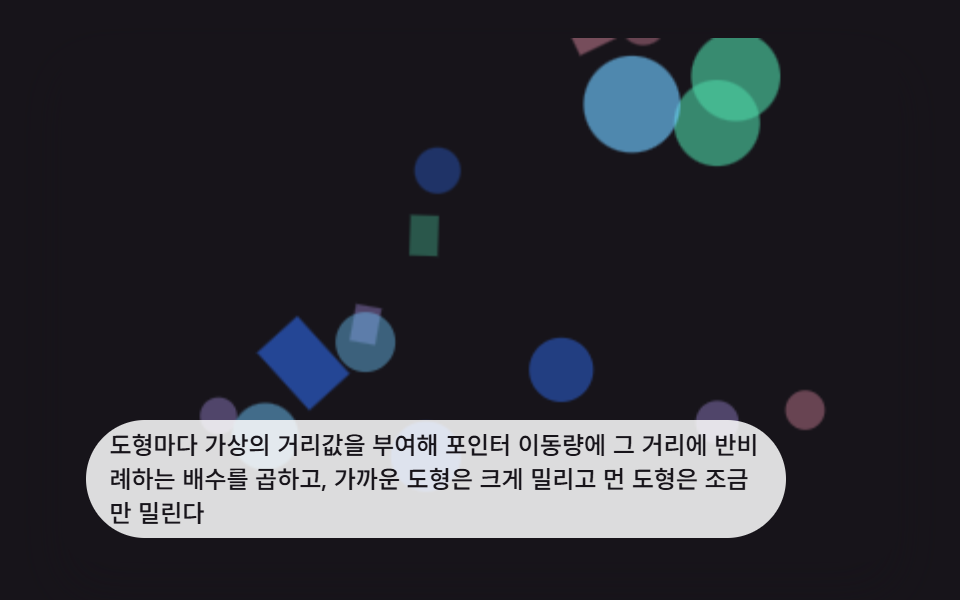 Interactions9 CSS 3D Background Animation Depth Layers
 InteractionsBubble Animation CSS: 9 Soap-Film Scenes That Pop
 InteractionsJavaScript 3D Animation: 9 Pointer-Led Models
 InteractionsCursor Follow Animation: 9 Procedural Creatures
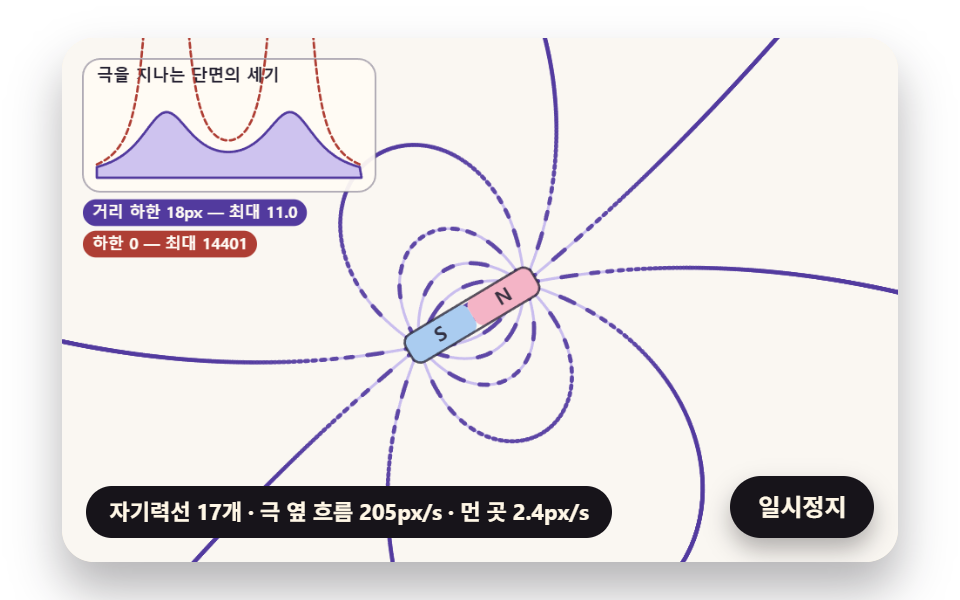 InteractionsFerrofluid Simulation: 9 Canvas Scenes with Spikes
 Creative UI3D Globe Website: 9 Canvas Orbit Scenes
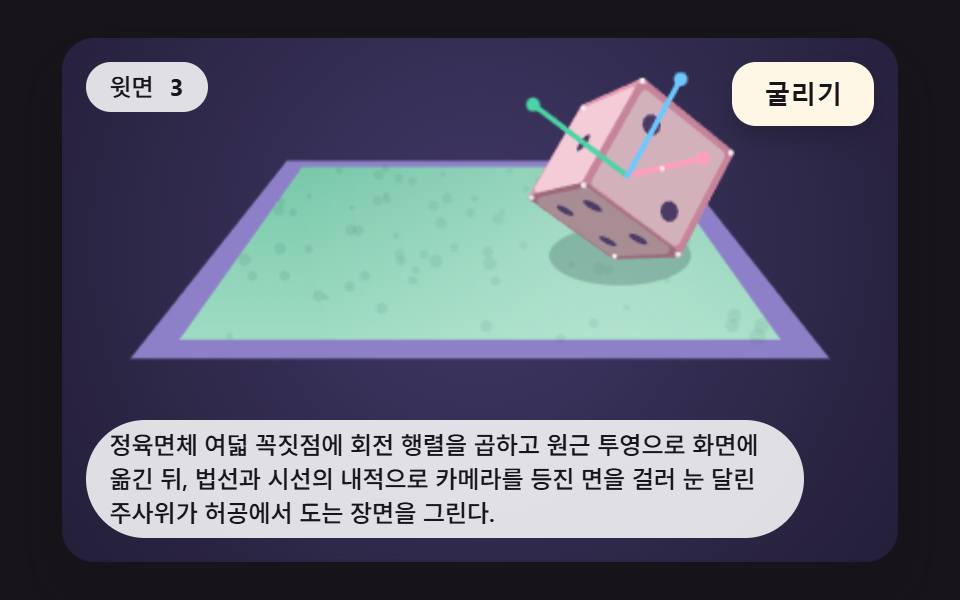 InteractionsDice Roll Animation: 9 Scenes with Top-Face Math