JavaScript 3D Animation: 9 Pointer-Led Models
A 3D website can run on point coordinates and one projection formula — 02 twists a knot tube toward the pointer, 05 springs a box's flaps open, and 08
Every model below is drawn on a <canvas> with the 2D context. Rotation matrices, a perspective divide and a far-to-near sort decide where each polygon, dot and line lands, while the stylesheet only holds the 480:300 stage, the buttons and the focus ring. No library, CDN or WebGL is loaded.
Spin Nine Pointer-Led 3D Models Right on This Page
 01 model3d-icosa-wire-inertia
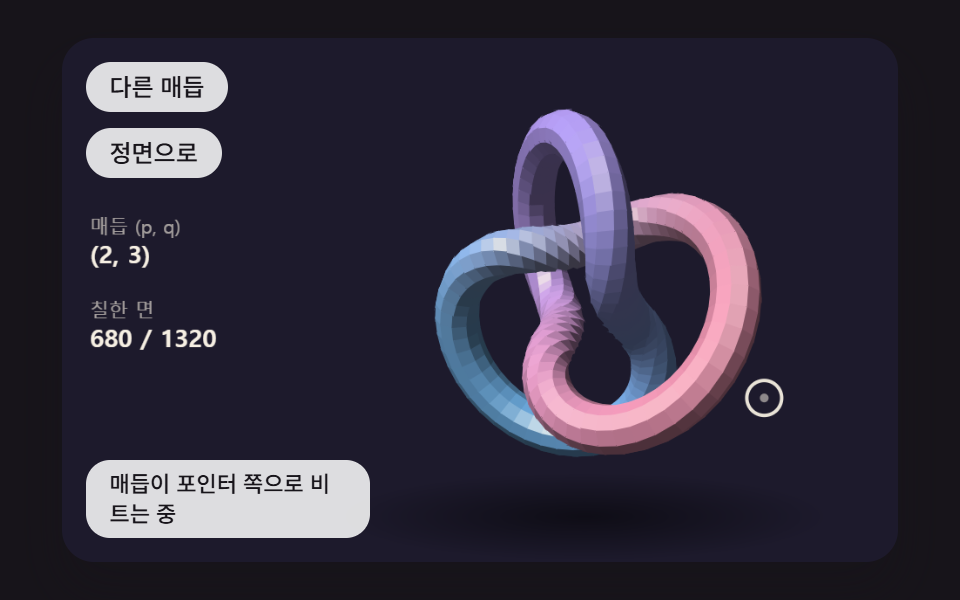 02 model3d-torus-knot-tube
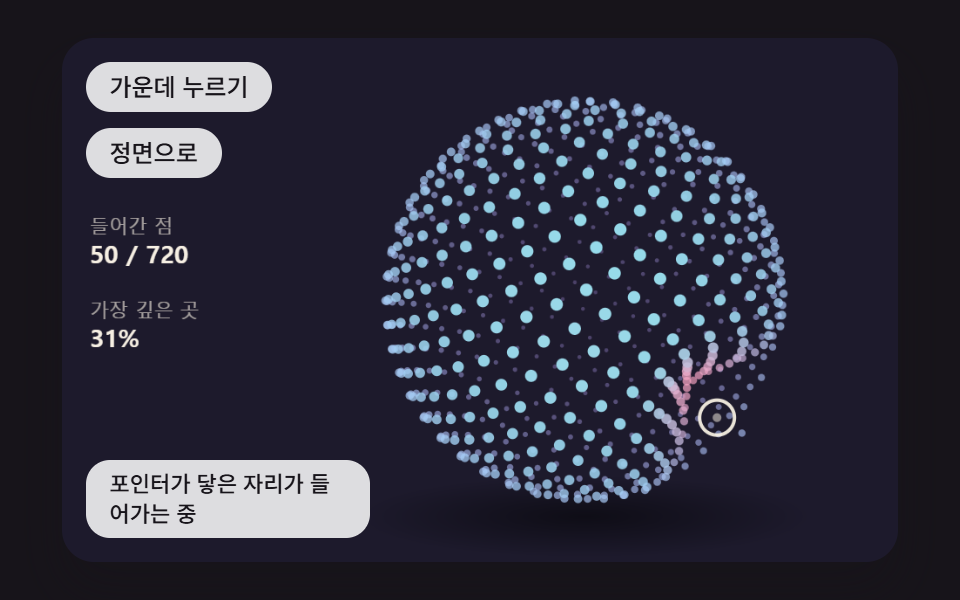 03 model3d-sphere-points-dent
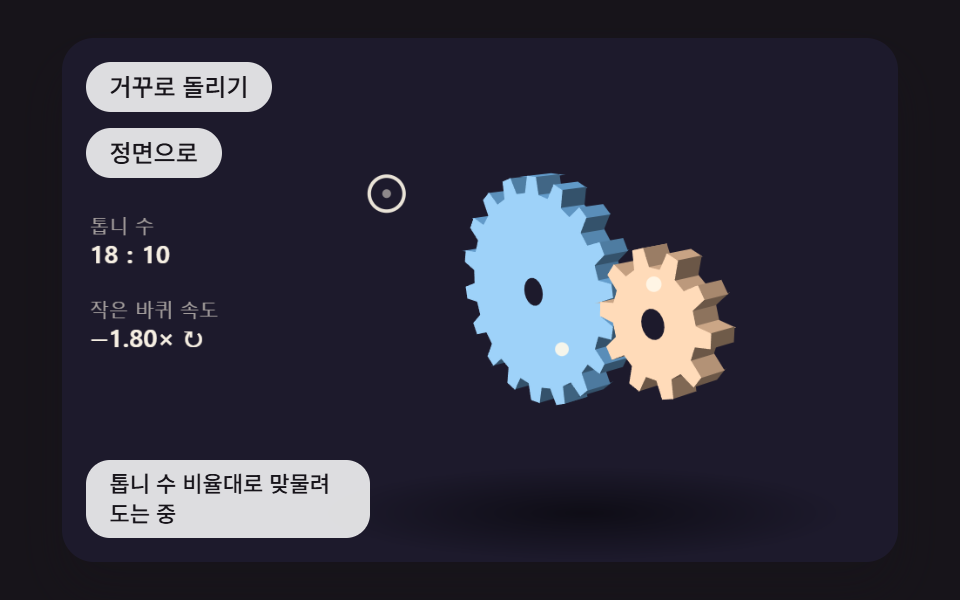 04 model3d-gear-train-mesh
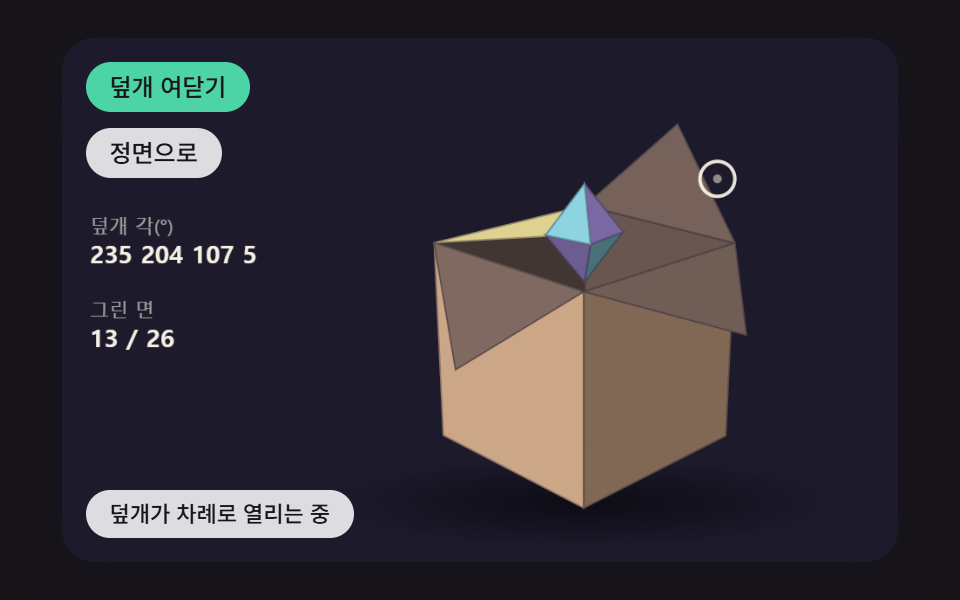 05 model3d-box-lid-spring
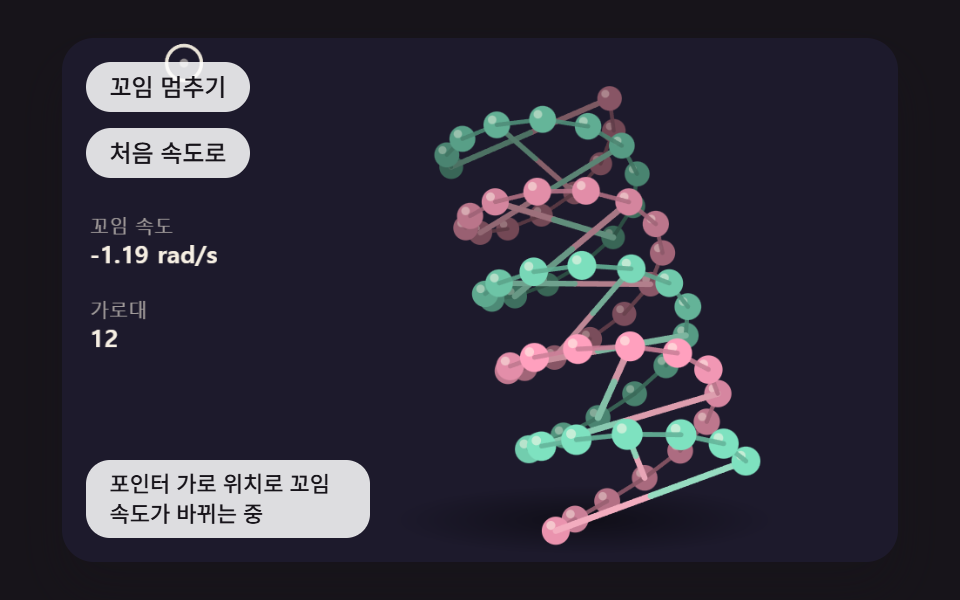 06 model3d-double-helix-twist
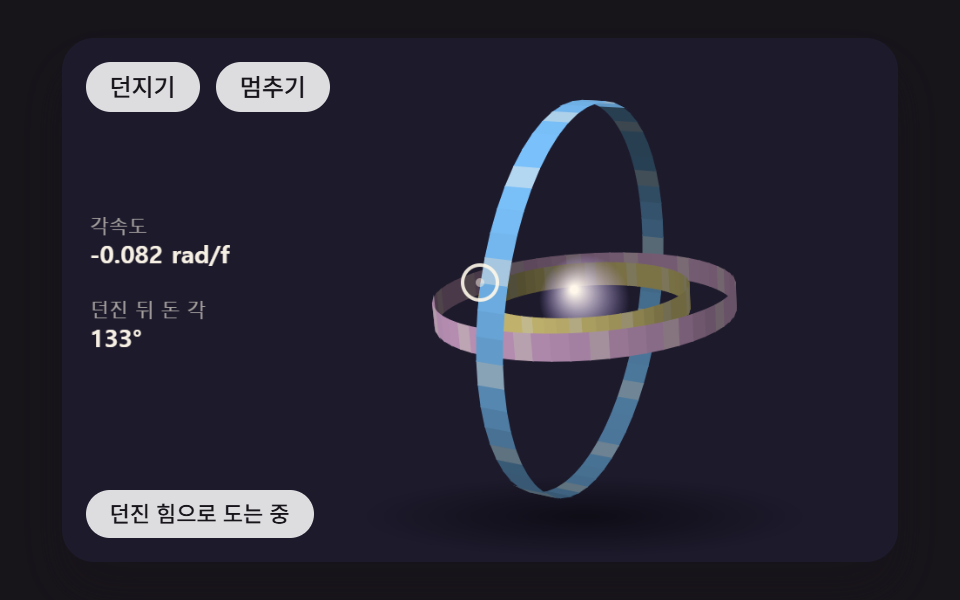 07 model3d-nested-rings-flick
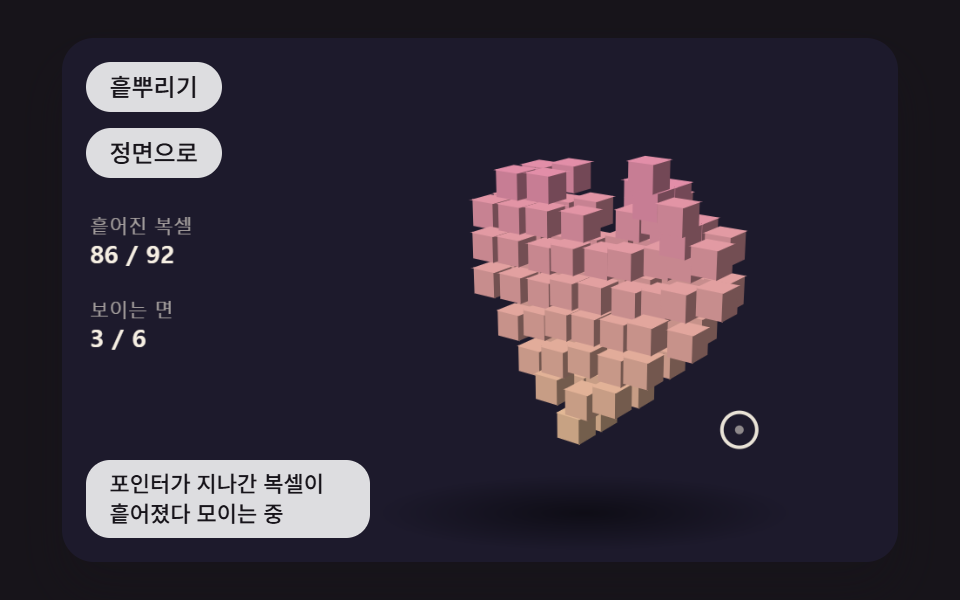 08 model3d-voxel-scatter-reform
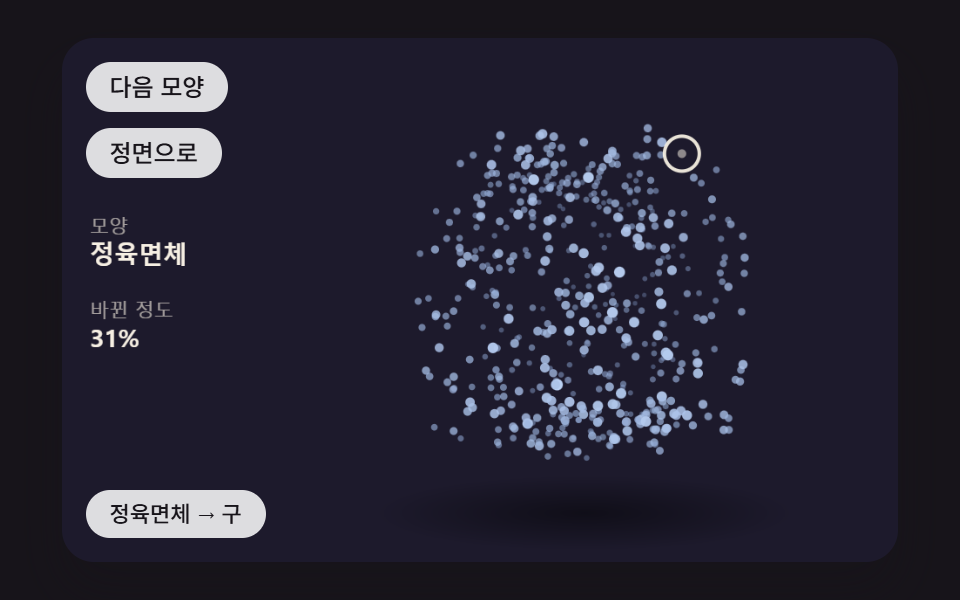 09 model3d-point-morph-shapes
Auto-plays · click a tile to jump to its section · all nine in one zip
- 01 A Wireframe Polyhedron That Eases Toward the Pointer and Fades With Depth
- 02 A Torus Knot Tube That Twists to Follow the Pointer
- 03 A Point-Cloud Sphere That Dents Where the Pointer Touches and Springs Back
- 04 3D Gears That Mesh at Their Tooth Ratio While the Pointer Moves the View
- 05 A 3D Box Whose Four Flaps Spring Open One After Another on Click
- 06 A Double Helix of Beads Whose Twist Speed Follows the Pointer's Horizontal Position
- 07 Three Nested Rings That Keep Spinning After a Flick and Slowly Stop
- 08 A Model Built From Small Cubes That Scatters Under the Pointer and Reassembles
- 09 A Point Cloud That Morphs From Cube to Sphere to Ring as It Turns
JavaScript 3D Animation: 9 Models — Polyhedron, Knot, Point Sphere, Gears, Box, Helix, Rings, Voxels and Morphing Points
The order opens with a polyhedron made of lines alone (01), moves on to a tube with painted faces (02), then drops faces entirely for a sphere of dots (03). Gears that mesh (04) and a box whose flaps swing on hinges (05) deal with parts that depend on one another. In 06 and 07 the pointer sets the spin speed itself, and in 08 and 09 the pieces that make up the model fly apart or regroup into a different shape. None of the nine reads pixels back with getImageData; they fill paths and stroke arcs and lines, and that is all.
Five calculations the code does, and three it leaves out
The toolkit comes down to five jobs: multiply each point by a rotation matrix, divide by depth to get screen coordinates, sort what gets painted from far to near, skip faces whose normal points away from the viewer, and set brightness from the dot product of a face normal and the light direction. Each model uses the jobs it needs, and the depth section below says which ones use which. There is no per-pixel depth buffer, no shadow casting and no texture mapping, so reading this code as a general-purpose 3D engine would set the wrong expectations. What the nine models do show is that those five jobs are enough to turn one object on a landing page.
What the two-second capture recorded for each model
Each model was captured on a 480×300 stage as 24 frames spread over two seconds, and motion is counted between neighboring frames, so the moving-frame column runs out of 23.
| Model | Cumulative area | Moving frames | Mean intensity |
|---|---|---|---|
| 01 Inertia wireframe | 21.1% | 23/23 | 83.3 |
| 02 Torus knot tube | 20.7% | 23/23 | 62.2 |
| 03 Dented point sphere | 24.1% | 23/23 | 85.4 |
| 04 Meshing gears | 10.6% | 23/23 | 93.6 |
| 05 Spring-flap box | 20.7% | 23/23 | 62.7 |
| 06 Twisting double helix | 18.1% | 23/23 | 81.3 |
| 07 Flicked nested rings | 23.7% | 23/23 | 84.6 |
| 08 Scattering voxels | 11.9% | 23/23 | 58.2 |
| 09 Morphing points | 20.5% | 23/23 | 84.7 |
All nine changed across every one of the 23 gaps, and no model fell below 10% area. Even the widest, 03 at 24.1%, stays short of the 30% that the canvas scene-effects post aims for in full scenes, because each model fills only part of the stage and the empty background around it does not change. 04 and 08 sit lowest: in 04 only the tooth edges of gears turning in place change pixels, and in 08 the heart barely moves except in the moments when its voxels scatter.
Picking a model for the page it will sit on
For a landing page that needs one object to stand for the brand, the 01 polyhedron is the lightest option, while a portfolio that sells form itself suits the 02 knot. The 03 point cloud fits the hero of a data or AI product, and the 04 gears belong in a "how it works" section. A product reveal or a gift campaign lines up with the 05 box, and the 06 helix is a direct fit for a biotech or healthcare front page. 07 invites a flick, which makes it good decoration for a waiting screen, 08 suits a game intro or an event page, and 09 works behind a section that steps through the stages of a service.
When a 3d website design calls for a single object in the hero, these files are already sized for it: one model sits on the right side of the stage, centered at (300, 150), so it clears the buttons at the top left and the status line at the bottom left.
How Does a Dot on a Flat Screen Read as a Model With Depth?
All nine share one coordinate system. Right on the screen is +x, down is +y and into the screen is +z, so a face looking at the viewer has a normal with a negative z. Points are turned by three rotation matrices, rotX, rotY and rotZ, and the view matrix viewMatrix(yaw, pitch) spins around the vertical axis first and then tilts around the horizontal one.
Dividing by depth shrinks far points and pulls them inward
Moving a rotated point onto the screen is the job of the single project function below. The scale is s = focal ÷ (focal + z), so a larger z gives a smaller s and pulls the screen position toward the model center. With 01's default FOCAL_PX of 600 and a polyhedron whose circumscribed radius is 110px, the nearest vertex is drawn at 600/490 = 1.224× and the farthest at 600/710 = 0.845×, a 1.45× difference between front and back.
    // Perspective divide — screen scale s = focal / (focal + z). The larger the depth z (farther in), the smaller the point and the closer it pulls to the center
    function project(p, focal) {
        const s = focal / (focal + p[2]);
        return { x: CX + p[0] * s, y: CY + p[1] * s, s: s, z: p[2] };
    }
    // Light — shines from the upper left, in front
    const LIGHT = vnorm([-0.45, -0.62, -0.64]);
    function lambert(n) { return Math.max(0, dot(n, LIGHT)); }
Scale alone is not enough, so order and brightness join in
Scaling by itself can let the back cover the front wherever parts overlap. The eight models other than 09 therefore sort by depth before painting and fill from the far side forward (04 sorts twice, once for side walls and once for the two wheels), and 01, 02, 04, 05 and 08 skip faces whose normal points away from the screen. 07 keeps the inner faces of its rings and paints them darker instead of dropping them. Each painted face takes its brightness from the diffuse term max(0, n·L), the dot product of its normal with the light LIGHT from the upper left front, clipped at zero, so the same color reads bright where a face meets the light and darker where it turns aside.
From Pointer Position to Rotation Angle, and a Model That Eases After It
The pointer position is turned into a ratio inside the canvas with getBoundingClientRect and scaled to the 480×300 scene. In 01, 02, 04, 05, 08 and 09, how far that point lies from the model center horizontally, as a share of half the stage clamped to −1 to 1, is multiplied by YAW_RANGE of 1.1 rad, and the vertical share by PITCH_RANGE of 0.8 rad; those products are the target angles, though 04 first scales the offset by 0.45 and 05 and 08 by 0.4 so they turn less. 03 uses the pointer for the dent, 06 for the twist speed and 07 for dragging, and 03 calls aimAt only for the virtual pointer of its self-running demo. In the seven models other than 06 and 07 the view does not jump to its target angles, because viewFollow closes only a fraction k of the remaining gap on each 16ms step.
    function viewFollow(v, k) {
        v.yaw += (v.yawTo - v.yaw) * k;
        v.pitch += (v.pitchTo - v.pitch) * k;
    }
    function viewSnap(v) { v.yaw = v.yawTo; v.pitch = v.pitchTo; }
    function viewHome(v) { v.yawTo = v.yaw0; v.pitchTo = v.pitch0; }
    function viewGap(v) { return Math.hypot(v.yawTo - v.yaw, v.pitchTo - v.pitch); }
    // Pointer → target angles. Horizontal offset from the model center sets yaw, vertical offset sets pitch (point right and the front face turns right)
    const YAW_RANGE = 1.1;
    const PITCH_RANGE = 0.8;
    function aimAt(v, px, py) {
        v.yawTo = v.yaw0 - clamp((px - CX) / (W / 2), -1, 1) * YAW_RANGE;
        v.pitchTo = v.pitch0 + clamp((py - CY) / (H / 2), -1, 1) * PITCH_RANGE;
    }
Counting in fixed 16ms steps rather than in frames
The time differences handed over by requestAnimationFrame pile up (capped at 100ms per frame), and every time 16ms can be taken out of the pile, step() runs once, up to six times per frame, before draw() is called. That keeps follow speed and friction independent of the display's refresh rate. The arrow keys move the same target angles: in 01 to 05, 08 and 09 each press turns the view by KEY_STEP of 0.3 rad, while 06 puts the arrows to work on twist speed and tilt, and 07 uses only ←/→, for flicks.
01A Wireframe Polyhedron That Eases Toward the Pointer and Fades With Depth
Three sets of (0, ±1, ±φ) give the 12 vertices, the 30 pairs sitting 2 apart in those raw coordinates become edges and the 20 triples of mutual neighbors become faces, while the model closes 8% of the gap to its target angle every 16ms and needs 28 steps, 448ms, to cut that gap to 10%. Edges are drawn far to near with their width and opacity trimmed by depth, so where the depth value reaches its far end both drop to 25%, and the width is also multiplied by the perspective scale. It suits a brand object in a landing hero, and the render recorded 21.1% cumulative area, 83.3 mean intensity and 23/23 moving frames.
<main class="stage">
<div class="pc is-demo" id="pc">
  <canvas class="pc__canvas" data-role="canvas" width="480" height="300" tabindex="0" aria-label="A wireframe icosahedron that turns toward the pointer with a lag, its far edges thinner and fainter. Rotate with the arrow keys, face front with Enter, and toggle the depth fade with Space"></canvas>
  <p class="pc__status" data-role="status" aria-live="off">Turning toward the pointer with a lag</p>
  <div class="pc__tools">
    <button class="pc__btn" data-role="home" type="button">Face front</button>
    <button class="pc__btn" data-role="fade" type="button" aria-pressed="false">Turn off depth fade</button>
  </div>
</div>
</main>
@use "../../../../site/static/demo-tokens" as *;
@include stage($stage-ink);
.pc {
position: relative;
width: min(92vw, calc(160vh - 12.8vw));
aspect-ratio: 480 / 300;
margin: 0 auto;
border-radius: $r-card;
overflow: hidden;
box-shadow: $shadow-raised;
background: $subject-ink;
}
.pc__canvas {
display: block;
width: 100%;
height: 100%;
cursor: crosshair;
}
.pc__canvas:focus-visible {
outline: 2px solid rgba(255, 255, 255, .85);
outline-offset: -6px;
}
.pc__status {
position: absolute;
left: $sp-3;
bottom: $sp-3;
box-sizing: border-box;
max-width: 34%;
margin: 0;
padding: $sp-1 $sp-3;
border-radius: $r-control;
background: rgba(255, 255, 255, .85);
color: $subject-ink;
font-weight: 500;
font-size: 11px;
line-height: 1.4;
pointer-events: none;
}
// 판은 오른쪽에 있다 — 버튼은 왼쪽 위 칸에 두고, 좁으면 줄을 바꿔 판을 덮지 않는다
.pc__tools {
position: absolute;
left: $sp-3;
top: $sp-3;
box-sizing: border-box;
max-width: 34%;
display: flex;
flex-wrap: wrap;
gap: $sp-2;
}
.pc__btn {
margin: 0;
padding: $sp-1 $sp-3;
border: 0;
border-radius: $r-pill;
background: rgba(255, 255, 255, .85);
color: $subject-ink;
font: inherit;
font-weight: 500;
font-size: 12px;
line-height: 1.4;
cursor: pointer;
transition: background-color $dur-quick ease-out;
}
.pc__btn:hover {
background: $subject-cream;
}
.pc__btn[aria-pressed="true"] {
background: $subject-mint;
}
.pc__btn:focus-visible {
outline: 2px solid rgba(255, 255, 255, .95);
outline-offset: 2px;
}
// 손가락 가로 끌기는 이 캔버스가 받고, 세로 쓸기는 브라우저에 남겨 페이지 스크롤이 막히지 않게 한다
.pc__canvas { touch-action: pan-y; }
@media (max-width: 340px) {
.pc__btn { font-size: 10px; padding: $sp-1 $sp-2; }
.pc__status { font-size: 10px; padding: $sp-1 $sp-2; }
}
@media (prefers-reduced-motion: reduce) {
.pc__btn { transition: none; }
}html, body {
margin: 0;
overflow: hidden;
}
.stage {
box-sizing: border-box;
min-height: 100vh;
display: grid;
place-items: center;
margin: 0;
background: #17141a;
font-family: -apple-system, "Segoe UI", "Noto Sans KR", sans-serif;
padding: clamp(8px, 4vw, 24px);
}
.pc {
position: relative;
width: min(92vw, 160vh - 12.8vw);
aspect-ratio: 480/300;
margin: 0 auto;
border-radius: 16px;
overflow: hidden;
box-shadow: 0 14px 24px rgba(23, 20, 26, 0.32);
background: #17141a;
}
.pc__canvas {
display: block;
width: 100%;
height: 100%;
cursor: crosshair;
}
.pc__canvas:focus-visible {
outline: 2px solid rgba(255, 255, 255, 0.85);
outline-offset: -6px;
}
.pc__status {
position: absolute;
left: 12px;
bottom: 12px;
box-sizing: border-box;
max-width: 34%;
margin: 0;
padding: 4px 12px;
border-radius: 12px;
background: rgba(255, 255, 255, 0.85);
color: #17141a;
font-weight: 500;
font-size: 11px;
line-height: 1.4;
pointer-events: none;
}
.pc__tools {
position: absolute;
left: 12px;
top: 12px;
box-sizing: border-box;
max-width: 34%;
display: flex;
flex-wrap: wrap;
gap: 8px;
}
.pc__btn {
margin: 0;
padding: 4px 12px;
border: 0;
border-radius: 999px;
background: rgba(255, 255, 255, 0.85);
color: #17141a;
font: inherit;
font-weight: 500;
font-size: 12px;
line-height: 1.4;
cursor: pointer;
transition: background-color 220ms ease-out;
}
.pc__btn:hover {
background: #fff7e6;
}
.pc__btn[aria-pressed=true] {
background: #4cd4a6;
}
.pc__btn:focus-visible {
outline: 2px solid rgba(255, 255, 255, 0.95);
outline-offset: 2px;
}
.pc__canvas {
touch-action: pan-y;
}
@media (max-width: 340px) {
.pc__btn {
font-size: 10px;
padding: 4px 8px;
}
.pc__status {
font-size: 10px;
padding: 4px 8px;
}
}
@media (prefers-reduced-motion: reduce) {
.pc__btn {
transition: none;
}
}(function () {
const root = document.getElementById("pc");
if (!root) return;
const W = 480;
const H = 300;
const FIXED_DT = 16;
const TAU = Math.PI * 2;
const DEG = Math.PI / 180;
// 모형 중심 — 왼쪽 위는 버튼, 왼쪽 아래는 상태 줄이라 모형은 오른쪽으로 비켜 둔다
const CX = 300;
const CY = 150;
// 파스텔 팔레트 — 어두운 무대 위에 밝은 조각을 얹어 명도 차로 경계가 읽힌다
const BG = [29, 26, 44];
const PANEL = [44, 39, 64];
const PAPER = [255, 248, 234];
const PAL = [
[124, 196, 255],
[255, 160, 190],
[126, 226, 192],
[190, 164, 255],
[255, 208, 168],
[246, 228, 140],
[150, 222, 236],
[232, 182, 228],
[196, 220, 160],
];
function clamp(v, lo, hi) { return v < lo ? lo : (v > hi ? hi : v); }
function lerp(a, b, k) { return a + (b - a) * k; }
function smooth(x) { const c = clamp(x, 0, 1); return c * c * (3 - 2 * c); }
function rgba(c, a) {
return 'rgba(' + Math.round(clamp(c[0], 0, 255)) + ',' + Math.round(clamp(c[1], 0, 255)) + ',' + Math.round(clamp(c[2], 0, 255)) + ',' + clamp(a, 0, 1).toFixed(3) + ')';
}
function mix(a, b, k) { return [lerp(a[0], b[0], k), lerp(a[1], b[1], k), lerp(a[2], b[2], k)]; }
function shadeRGB(c, k) { return [c[0] * k, c[1] * k, c[2] * k]; }
// 3차원 계산 — 화면 오른쪽이 +x, 아래가 +y, 화면 안쪽이 +z (화면 쪽을 보는 면은 법선 z 가 음수)
function vadd(a, b) { return [a[0] + b[0], a[1] + b[1], a[2] + b[2]]; }
function vsub(a, b) { return [a[0] - b[0], a[1] - b[1], a[2] - b[2]]; }
function vscale(a, k) { return [a[0] * k, a[1] * k, a[2] * k]; }
function dot(a, b) { return a[0] * b[0] + a[1] * b[1] + a[2] * b[2]; }
function cross(a, b) { return [a[1] * b[2] - a[2] * b[1], a[2] * b[0] - a[0] * b[2], a[0] * b[1] - a[1] * b[0]]; }
function vnorm(a) {
const l = Math.hypot(a[0], a[1], a[2]);
return l > 1e-9 ? [a[0] / l, a[1] / l, a[2] / l] : [0, 0, 0];
}
// 회전 행렬 — 가로축(x)·세로축(y)·깊이축(z) 둘레로 a 라디안
function rotX(a) { const c = Math.cos(a), s = Math.sin(a); return [1, 0, 0, 0, c, -s, 0, s, c]; }
function rotY(a) { const c = Math.cos(a), s = Math.sin(a); return [c, 0, s, 0, 1, 0, -s, 0, c]; }
function rotZ(a) { const c = Math.cos(a), s = Math.sin(a); return [c, -s, 0, s, c, 0, 0, 0, 1]; }
function matMul(a, b) {
return [
a[0] * b[0] + a[1] * b[3] + a[2] * b[6], a[0] * b[1] + a[1] * b[4] + a[2] * b[7], a[0] * b[2] + a[1] * b[5] + a[2] * b[8],
a[3] * b[0] + a[4] * b[3] + a[5] * b[6], a[3] * b[1] + a[4] * b[4] + a[5] * b[7], a[3] * b[2] + a[4] * b[5] + a[5] * b[8],
a[6] * b[0] + a[7] * b[3] + a[8] * b[6], a[6] * b[1] + a[7] * b[4] + a[8] * b[7], a[6] * b[2] + a[7] * b[5] + a[8] * b[8],
];
}
function apply(m, p) {
return [m[0] * p[0] + m[1] * p[1] + m[2] * p[2], m[3] * p[0] + m[4] * p[1] + m[5] * p[2], m[6] * p[0] + m[7] * p[1] + m[8] * p[2]];
}
// 회전 행렬의 역은 전치 — 화면 방향을 모형 좌표로 되돌릴 때 쓴다
function applyT(m, p) {
return [m[0] * p[0] + m[3] * p[1] + m[6] * p[2], m[1] * p[0] + m[4] * p[1] + m[7] * p[2], m[2] * p[0] + m[5] * p[1] + m[8] * p[2]];
}
// 시점 행렬 — 먼저 세로축으로 돌리고(yaw) 그다음 가로축으로 기울인다(pitch)
function viewMatrix(yaw, pitch) { return matMul(rotX(pitch), rotY(yaw)); }
// 원근 나눗셈 — 화면 배율 s = focal / (focal + z). 깊이 z 가 클수록(안쪽) 작아지고 가운데로 모인다
function project(p, focal) {
const s = focal / (focal + p[2]);
return { x: CX + p[0] * s, y: CY + p[1] * s, s: s, z: p[2] };
}
// 빛 — 왼쪽 위 앞에서 비춘다
const LIGHT = vnorm([-0.45, -0.62, -0.64]);
function lambert(n) { return Math.max(0, dot(n, LIGHT)); }
function makeView(yaw, pitch) { return { yaw: yaw, pitch: pitch, yawTo: yaw, pitchTo: pitch, yaw0: yaw, pitch0: pitch }; }
function viewFollow(v, k) {
v.yaw += (v.yawTo - v.yaw) * k;
v.pitch += (v.pitchTo - v.pitch) * k;
}
function viewSnap(v) { v.yaw = v.yawTo; v.pitch = v.pitchTo; }
function viewHome(v) { v.yawTo = v.yaw0; v.pitchTo = v.pitch0; }
function viewGap(v) { return Math.hypot(v.yawTo - v.yaw, v.pitchTo - v.pitch); }
// 포인터 → 목표 각. 모형 중심에서 가로로 벗어난 만큼 yaw, 세로로 벗어난 만큼 pitch (오른쪽을 가리키면 앞면이 오른쪽으로 돈다)
const YAW_RANGE = 1.1;
const PITCH_RANGE = 0.8;
function aimAt(v, px, py) {
v.yawTo = v.yaw0 - clamp((px - CX) / (W / 2), -1, 1) * YAW_RANGE;
v.pitchTo = v.pitch0 + clamp((py - CY) / (H / 2), -1, 1) * PITCH_RANGE;
}
// 방향키 한 번에 돌리는 각
const KEY_STEP = 0.3;
function arrowNudge(ev, v) {
if (ev.key === 'ArrowLeft') {
v.yawTo = clamp(v.yawTo + KEY_STEP, -Math.PI, Math.PI);
}
else if (ev.key === 'ArrowRight') {
v.yawTo = clamp(v.yawTo - KEY_STEP, -Math.PI, Math.PI);
}
else if (ev.key === 'ArrowUp') {
v.pitchTo = clamp(v.pitchTo - KEY_STEP, -1.3, 1.3);
}
else if (ev.key === 'ArrowDown') {
v.pitchTo = clamp(v.pitchTo + KEY_STEP, -1.3, 1.3);
}
else {
return false;
}
ev.preventDefault();
return true;
}
const canvasEl = root.querySelector('[data-role="canvas"]');
const statusEl = root.querySelector('[data-role="status"]');
const ctxRaw = canvasEl ? canvasEl.getContext('2d') : null;
if (!canvasEl || !ctxRaw || !statusEl) {
return;
}
const cv = canvasEl;
const ctx = ctxRaw;
const status = statusEl;
const reduceQuery = window.matchMedia('(prefers-reduced-motion: reduce)');
// 페이지를 연 채 동작 줄이기 설정을 바꿔도 tail 의 change 리스너가 이 값을 다시 읽는다
let still = reduceQuery.matches;
// 자동 시연 중인가 — 사람이 처음 만지는 순간 시연을 멈추고 상태 줄을 읽어 주기 시작한다
let demo = root.classList.contains('is-demo');
function wake() {
if (!demo) {
return;
}
demo = false;
root.classList.remove('is-demo');
status.setAttribute('aria-live', 'polite');
}
function say(text) {
if (status.textContent !== text) {
status.textContent = text;
}
}
function fitCanvas() {
// 배율은 2 에서 자른다 — 배율 3 기기에서 화소가 2.25배로 늘어 프레임마다 일이 그만큼 커지지 않게
const dpr = Math.min(window.devicePixelRatio || 1, 2);
cv.width = Math.round(W * dpr);
cv.height = Math.round(H * dpr);
ctx.setTransform(dpr, 0, 0, dpr, 0, 0);
}
function onResize() {
fitCanvas();
draw();
}
fitCanvas();
window.addEventListener('resize', onResize);
// 화면 좌표(CSS px) → 장면 좌표(480x300). 리사이즈 뒤에도 늘 현재 크기로 다시 잰다
function toScene(ev) {
const r = cv.getBoundingClientRect();
return [((ev.clientX - r.left) / r.width) * W, ((ev.clientY - r.top) / r.height) * H];
}
// 시드 고정 난수 — 같은 시드면 같은 배치가 다시 나온다 (32비트 정수 섞기)
function makeRng(seed) {
let s = seed >>> 0;
return function () {
s = (s + 0x6d2b79f5) >>> 0;
let t = s;
t = Math.imul(t ^ (t >>> 15), t | 1);
t ^= t + Math.imul(t ^ (t >>> 7), t | 61);
return ((t ^ (t >>> 14)) >>> 0) / 4294967296;
};
}
// 화면 투영된 다각형 칠하기
function fillPoly(pts, c, a) {
ctx.beginPath();
ctx.moveTo(pts[0].x, pts[0].y);
for (let i = 1; i < pts.length; i += 1) {
ctx.lineTo(pts[i].x, pts[i].y);
}
ctx.closePath();
ctx.fillStyle = rgba(c, a);
ctx.fill();
// 이웃 면 사이 머리카락 틈을 같은 색 얇은 선으로 메운다
ctx.strokeStyle = rgba(c, a);
ctx.lineWidth = 0.7;
ctx.stroke();
}
// 왼쪽 수치 한 줄 — 이름표 + 값
const LEG_X = 16;
function statRow(y, label, value) {
ctx.textBaseline = 'alphabetic';
ctx.textAlign = 'left';
ctx.fillStyle = rgba(PAPER, 0.6);
ctx.font = '500 11px sans-serif';
ctx.fillText(label, LEG_X, y);
ctx.fillStyle = rgba(PAPER, 0.96);
ctx.font = '700 14px sans-serif';
ctx.fillText(value, LEG_X, y + 17);
}
function clearStage() {
ctx.fillStyle = rgba(BG, 1);
ctx.fillRect(0, 0, W, H);
}
// 바닥 그림자 — 모형 아래 납작한 타원, 모형이 떠 있지 않고 놓여 보이게
function floorShadow(rx, y, a) {
const g = ctx.createRadialGradient(CX, y, 0, CX, y, rx);
g.addColorStop(0, rgba([0, 0, 0], a));
g.addColorStop(1, rgba([0, 0, 0], 0));
ctx.save();
ctx.translate(CX, y);
ctx.scale(1, 0.18);
ctx.translate(-CX, -y);
ctx.fillStyle = g;
ctx.beginPath();
ctx.arc(CX, y, rx, 0, TAU);
ctx.fill();
ctx.restore();
}
const ghost = { x: -1, y: -1, fx: 0, fy: 0, tx: 0, ty: 0, t0: 0, dur: 1, down: false };
function ghostGo(x, y, dur, t) {
ghost.fx = ghost.x < 0 ? x : ghost.x;
ghost.fy = ghost.y < 0 ? y : ghost.y;
ghost.tx = x;
ghost.ty = y;
ghost.t0 = t;
ghost.dur = Math.max(1, dur);
}
function ghostAt(t) {
const e = smooth((t - ghost.t0) / ghost.dur);
ghost.x = lerp(ghost.fx, ghost.tx, e);
ghost.y = lerp(ghost.fy, ghost.ty, e);
}
function drawGhost() {
if (!demo || ghost.x < 0) {
return;
}
ctx.strokeStyle = rgba(PAPER, 0.9);
ctx.lineWidth = 2;
ctx.beginPath();
ctx.arc(ghost.x, ghost.y, ghost.down ? 7 : 10, 0, TAU);
ctx.stroke();
ctx.fillStyle = rgba(PAPER, ghost.down ? 0.9 : 0.5);
ctx.beginPath();
ctx.arc(ghost.x, ghost.y, ghost.down ? 4 : 2.5, 0, TAU);
ctx.fill();
}
// 시연 일정 — 루프 안의 시각(ms) 표를 지날 때마다 한 번씩 부른다
let schedCycle = -1;
let schedIdx = 0;
function runSchedule(t, loop, marks, fire) {
const cyc = Math.floor(t / loop);
const p = t - cyc * loop;
if (cyc !== schedCycle) {
schedCycle = cyc;
schedIdx = 0;
}
while (schedIdx < marks.length && p >= marks[schedIdx]) {
fire(schedIdx, cyc);
schedIdx += 1;
}
}
function fmt(v, d) { return v.toFixed(d); }
// 남은 각도 차를 매 스텝 이 비율만큼 줄인다 — 클수록 포인터에 바짝 붙어 돈다
const ROT_LERP = 0.08;
// 초점 거리(px) — 화면 배율 = FOCAL_PX / (FOCAL_PX + 깊이). 작을수록 앞뒤 크기 차가 커진다
const FOCAL_PX = 600;
// 가장 먼 모서리에서 굵기·투명도를 덜어 내는 비율 — 0 이면 앞뒤가 같은 선
const DEPTH_FADE = 0.75;
// 외접구 반지름(px)
const R = 110;
// 황금비 — 정이십면체 꼭짓점 좌표 (0, ±1, ±φ) 의 φ
const PHI = (1 + Math.sqrt(5)) / 2;
const LINE_W = 3.4;
const DEMO_LOOP = 2000;
const TXT_IDLE = 'Turning toward the pointer with a lag';
const TXT_HOME = 'Easing back to the front';
const homeBtn = root.querySelector('[data-role="home"]');
const fadeBtn = root.querySelector('[data-role="fade"]');
// 꼭짓점 12개 — (0, ±1, ±φ) 를 x·y·z 자리로 돌려 세 벌 만든다
function icosaRaw() {
const out = [];
for (let i = 0; i < 4; i += 1) {
const a = i & 1 ? 1 : -1;
const b = i & 2 ? PHI : -PHI;
out.push([0, a, b]);
out.push([a, b, 0]);
out.push([b, 0, a]);
}
return out;
}
const RAW = icosaRaw();
const VERTS = RAW.map(function (p) { return vscale(vnorm(p), R); });
// 모서리 30개 — 원래 좌표에서 거리가 2 인 꼭짓점 쌍
const EDGES = [];
for (let i = 0; i < RAW.length; i += 1) {
for (let j = i + 1; j < RAW.length; j += 1) {
const d = vsub(RAW[i], RAW[j]);
if (Math.abs(dot(d, d) - 4) < 1e-6) {
EDGES.push([i, j]);
}
}
}
// 면 20개 — 서로 모두 이웃인 세 꼭짓점
const FACES = [];
function linked(a, b) {
for (let k = 0; k < EDGES.length; k += 1) {
if ((EDGES[k][0] === a && EDGES[k][1] === b) || (EDGES[k][0] === b && EDGES[k][1] === a)) {
return true;
}
}
return false;
}
for (let i = 0; i < 12; i += 1) {
for (let j = i + 1; j < 12; j += 1) {
for (let k = j + 1; k < 12; k += 1) {
if (linked(i, j) && linked(j, k) && linked(i, k)) {
FACES.push([i, j, k]);
}
}
}
}
const view = makeView(0.35, 0.25);
let fadeOn = true;
let pointerIn = false;
function fade() { return fadeOn ? DEPTH_FADE : 0; }
// 깊이 0~1 — 0 이 가장 가까운 쪽, 1 이 가장 먼 쪽
function depthT(z) { return clamp((z + R) / (2 * R), 0, 1); }
function report() {
say(Math.abs(view.yawTo - view.yaw0) + Math.abs(view.pitchTo - view.pitch0) < 1e-3 ? TXT_HOME : TXT_IDLE);
}
function step() { viewFollow(view, ROT_LERP); }
function settle() { viewSnap(view); }
function demoTick(t) {
runSchedule(t, DEMO_LOOP, [200, 850, 1450], function (k) {
if (k === 0) {
ghostGo(440, 70, 240, t);
}
else if (k === 1) {
ghostGo(190, 240, 240, t);
}
else {
ghostGo(450, 245, 240, t);
}
report();
});
ghostAt(t);
aimAt(view, ghost.x, ghost.y);
}
function draw() {
clearStage();
floorShadow(130, 272, 0.55);
const m = viewMatrix(view.yaw, view.pitch);
const rv = VERTS.map(function (p) { return apply(m, p); });
const pv = rv.map(function (p) { return project(p, FOCAL_PX); });
// 화면 쪽 면만 아주 옅게 — 선 사이가 비어 보이지 않게 빛 방향 내적으로 밝기를 준다
for (let f = 0; f < FACES.length; f += 1) {
const a = rv[FACES[f][0]], b = rv[FACES[f][1]], c = rv[FACES[f][2]];
let n = vnorm(cross(vsub(b, a), vsub(c, a)));
const mid = vscale(vadd(vadd(a, b), c), 1 / 3);
if (dot(n, mid) < 0) {
n = vscale(n, -1);
}
if (n[2] >= 0) {
continue;
}
fillPoly([pv[FACES[f][0]], pv[FACES[f][1]], pv[FACES[f][2]]], mix(PAL[3], PAPER, 0.15), 0.05 + 0.16 * lambert(n));
}
// 모서리 — 먼 것부터 그려 가까운 선이 위에 오게
const order = EDGES.map(function (_e, i) { return i; });
const zm = EDGES.map(function (e) { return (rv[e[0]][2] + rv[e[1]][2]) / 2; });
order.sort(function (a, b) { return zm[b] - zm[a]; });
ctx.lineCap = 'round';
for (let k = 0; k < order.length; k += 1) {
const e = EDGES[order[k]];
const t = depthT(zm[order[k]]);
const keep = 1 - fade() * t;
ctx.strokeStyle = rgba(mix(PAL[0], PAL[3], t), keep);
ctx.lineWidth = LINE_W * keep * pv[e[0]].s;
ctx.beginPath();
ctx.moveTo(pv[e[0]].x, pv[e[0]].y);
ctx.lineTo(pv[e[1]].x, pv[e[1]].y);
ctx.stroke();
}
for (let i = 0; i < pv.length; i += 1) {
const t = depthT(rv[i][2]);
ctx.fillStyle = rgba(mix(PAPER, PAL[3], t), 1 - fade() * t);
ctx.beginPath();
ctx.arc(pv[i].x, pv[i].y, 4.2 * pv[i].s * (1 - 0.5 * fade() * t), 0, TAU);
ctx.fill();
}
statRow(112, 'Angle left to close', fmt(viewGap(view) / DEG, 1) + '°');
statRow(160, 'Near · far scale', fmt(FOCAL_PX / (FOCAL_PX - R), 2) + '× · ' + fmt(FOCAL_PX / (FOCAL_PX + R), 2) + '×');
drawGhost();
}
function after() {
if (still) {
settle();
}
report();
draw();
}
cv.addEventListener('pointermove', function (ev) {
wake();
pointerIn = true;
const p = toScene(ev);
aimAt(view, p[0], p[1]);
after();
});
cv.addEventListener('pointerleave', function () {
if (!pointerIn) {
return;
}
pointerIn = false;
viewHome(view);
after();
});
cv.addEventListener('pointerdown', function (ev) {
wake();
const p = toScene(ev);
aimAt(view, p[0], p[1]);
after();
});
cv.addEventListener('keydown', function (ev) {
if (arrowNudge(ev, view)) {
wake();
after();
return;
}
if (ev.key === 'Enter' || ev.key === 'Escape') {
ev.preventDefault();
wake();
viewHome(view);
after();
}
else if (ev.key === ' ') {
ev.preventDefault();
wake();
toggleFade();
}
});
function toggleFade() {
fadeOn = !fadeOn;
if (fadeBtn) {
fadeBtn.setAttribute('aria-pressed', fadeOn ? 'false' : 'true');
}
after();
}
if (homeBtn) {
homeBtn.addEventListener('click', function () { wake(); viewHome(view); after(); });
}
if (fadeBtn) {
fadeBtn.addEventListener('click', function () { wake(); toggleFade(); });
}
report();
let rafId = 0;
let lastTs = -1;
let acc = 0;
let clock = 0;
function frame(ts) {
if (still) {
rafId = 0;
return;
}
if (lastTs < 0) {
lastTs = ts;
}
// 탭이 숨었다 돌아와도 한 번에 100ms 까지만 따라잡는다 — 순간이동 대신 이어서 움직인다
acc += Math.min(ts - lastTs, 100);
lastTs = ts;
let n = 0;
while (acc >= FIXED_DT && n < 6) {
clock += FIXED_DT;
if (demo) {
demoTick(clock);
}
step();
acc -= FIXED_DT;
n += 1;
}
draw();
rafId = window.requestAnimationFrame(frame);
}
function startLoop() {
if (rafId) {
return;
}
lastTs = -1;
acc = 0;
rafId = window.requestAnimationFrame(frame);
}
// 동작 줄이기 설정이 페이지를 연 채 바뀌면 — 켜지면 루프를 멈추고 끝 상태로, 꺼지면 루프를 다시 돈다
function onMotionPref() {
still = reduceQuery.matches;
if (still) {
if (rafId) {
window.cancelAnimationFrame(rafId);
rafId = 0;
}
settle();
report();
draw();
}
else {
startLoop();
}
}
if (typeof reduceQuery.addEventListener === 'function') {
reduceQuery.addEventListener('change', onMotionPref);
}
if (still) {
settle();
draw();
}
else {
startLoop();
}
return function () {
window.cancelAnimationFrame(rafId);
window.removeEventListener('resize', onResize);
if (typeof reduceQuery.removeEventListener === 'function') {
reduceQuery.removeEventListener('change', onMotionPref);
}
};
})();// IcosaWireInertia - vanilla 판(01-model3d-icosa-wire-inertia) 의 React 포트. 같은 계산을 useEffect 안에서 돌린다.
import { useEffect, useRef } from "react";
import styles from "./IcosaWireInertia.module.scss";
const cx = (s: string): string => s.split(" ").map((n) => styles[n] ?? n).join(" ");
export default function IcosaWireInertia() {
const rootRef = useRef<HTMLDivElement | null>(null);
useEffect(() => {
const rootEl = rootRef.current;
if (!rootEl) return;
const root: HTMLElement = rootEl;
type RGB = [number, number, number];
type V3 = [number, number, number];
type M3 = [number, number, number, number, number, number, number, number, number];
const W = 480;
const H = 300;
const FIXED_DT = 16;
const TAU = Math.PI * 2;
const DEG = Math.PI / 180;
// 모형 중심 — 왼쪽 위는 버튼, 왼쪽 아래는 상태 줄이라 모형은 오른쪽으로 비켜 둔다
const CX = 300;
const CY = 150;
// 파스텔 팔레트 — 어두운 무대 위에 밝은 조각을 얹어 명도 차로 경계가 읽힌다
const BG: RGB = [29, 26, 44];
const PANEL: RGB = [44, 39, 64];
const PAPER: RGB = [255, 248, 234];
const PAL: RGB[] = [
[124, 196, 255],
[255, 160, 190],
[126, 226, 192],
[190, 164, 255],
[255, 208, 168],
[246, 228, 140],
[150, 222, 236],
[232, 182, 228],
[196, 220, 160],
];
function clamp(v: number, lo: number, hi: number): number { return v < lo ? lo : (v > hi ? hi : v); }
function lerp(a: number, b: number, k: number): number { return a + (b - a) * k; }
function smooth(x: number): number { const c = clamp(x, 0, 1); return c * c * (3 - 2 * c); }
function rgba(c: RGB, a: number): string {
return 'rgba(' + Math.round(clamp(c[0], 0, 255)) + ',' + Math.round(clamp(c[1], 0, 255)) + ',' + Math.round(clamp(c[2], 0, 255)) + ',' + clamp(a, 0, 1).toFixed(3) + ')';
}
function mix(a: RGB, b: RGB, k: number): RGB { return [lerp(a[0], b[0], k), lerp(a[1], b[1], k), lerp(a[2], b[2], k)]; }
function shadeRGB(c: RGB, k: number): RGB { return [c[0] * k, c[1] * k, c[2] * k]; }
// 3차원 계산 — 화면 오른쪽이 +x, 아래가 +y, 화면 안쪽이 +z (화면 쪽을 보는 면은 법선 z 가 음수)
function vadd(a: V3, b: V3): V3 { return [a[0] + b[0], a[1] + b[1], a[2] + b[2]]; }
function vsub(a: V3, b: V3): V3 { return [a[0] - b[0], a[1] - b[1], a[2] - b[2]]; }
function vscale(a: V3, k: number): V3 { return [a[0] * k, a[1] * k, a[2] * k]; }
function dot(a: V3, b: V3): number { return a[0] * b[0] + a[1] * b[1] + a[2] * b[2]; }
function cross(a: V3, b: V3): V3 { return [a[1] * b[2] - a[2] * b[1], a[2] * b[0] - a[0] * b[2], a[0] * b[1] - a[1] * b[0]]; }
function vnorm(a: V3): V3 {
const l = Math.hypot(a[0], a[1], a[2]);
return l > 1e-9 ? [a[0] / l, a[1] / l, a[2] / l] : [0, 0, 0];
}
// 회전 행렬 — 가로축(x)·세로축(y)·깊이축(z) 둘레로 a 라디안
function rotX(a: number): M3 { const c = Math.cos(a), s = Math.sin(a); return [1, 0, 0, 0, c, -s, 0, s, c]; }
function rotY(a: number): M3 { const c = Math.cos(a), s = Math.sin(a); return [c, 0, s, 0, 1, 0, -s, 0, c]; }
function rotZ(a: number): M3 { const c = Math.cos(a), s = Math.sin(a); return [c, -s, 0, s, c, 0, 0, 0, 1]; }
function matMul(a: M3, b: M3): M3 {
return [
a[0] * b[0] + a[1] * b[3] + a[2] * b[6], a[0] * b[1] + a[1] * b[4] + a[2] * b[7], a[0] * b[2] + a[1] * b[5] + a[2] * b[8],
a[3] * b[0] + a[4] * b[3] + a[5] * b[6], a[3] * b[1] + a[4] * b[4] + a[5] * b[7], a[3] * b[2] + a[4] * b[5] + a[5] * b[8],
a[6] * b[0] + a[7] * b[3] + a[8] * b[6], a[6] * b[1] + a[7] * b[4] + a[8] * b[7], a[6] * b[2] + a[7] * b[5] + a[8] * b[8],
];
}
function apply(m: M3, p: V3): V3 {
return [m[0] * p[0] + m[1] * p[1] + m[2] * p[2], m[3] * p[0] + m[4] * p[1] + m[5] * p[2], m[6] * p[0] + m[7] * p[1] + m[8] * p[2]];
}
// 회전 행렬의 역은 전치 — 화면 방향을 모형 좌표로 되돌릴 때 쓴다
function applyT(m: M3, p: V3): V3 {
return [m[0] * p[0] + m[3] * p[1] + m[6] * p[2], m[1] * p[0] + m[4] * p[1] + m[7] * p[2], m[2] * p[0] + m[5] * p[1] + m[8] * p[2]];
}
// 시점 행렬 — 먼저 세로축으로 돌리고(yaw) 그다음 가로축으로 기울인다(pitch)
function viewMatrix(yaw: number, pitch: number): M3 { return matMul(rotX(pitch), rotY(yaw)); }
type Proj = { x: number; y: number; s: number; z: number };
// 원근 나눗셈 — 화면 배율 s = focal / (focal + z). 깊이 z 가 클수록(안쪽) 작아지고 가운데로 모인다
function project(p: V3, focal: number): Proj {
const s = focal / (focal + p[2]);
return { x: CX + p[0] * s, y: CY + p[1] * s, s: s, z: p[2] };
}
// 빛 — 왼쪽 위 앞에서 비춘다
const LIGHT: V3 = vnorm([-0.45, -0.62, -0.64]);
function lambert(n: V3): number { return Math.max(0, dot(n, LIGHT)); }
// 시점 추종 — 포인터가 정한 목표 각을 매 스텝 남은 차의 k 만큼 따라간다
type View = { yaw: number; pitch: number; yawTo: number; pitchTo: number; yaw0: number; pitch0: number };
function makeView(yaw: number, pitch: number): View { return { yaw: yaw, pitch: pitch, yawTo: yaw, pitchTo: pitch, yaw0: yaw, pitch0: pitch }; }
function viewFollow(v: View, k: number): void {
v.yaw += (v.yawTo - v.yaw) * k;
v.pitch += (v.pitchTo - v.pitch) * k;
}
function viewSnap(v: View): void { v.yaw = v.yawTo; v.pitch = v.pitchTo; }
function viewHome(v: View): void { v.yawTo = v.yaw0; v.pitchTo = v.pitch0; }
function viewGap(v: View): number { return Math.hypot(v.yawTo - v.yaw, v.pitchTo - v.pitch); }
// 포인터 → 목표 각. 모형 중심에서 가로로 벗어난 만큼 yaw, 세로로 벗어난 만큼 pitch (오른쪽을 가리키면 앞면이 오른쪽으로 돈다)
const YAW_RANGE = 1.1;
const PITCH_RANGE = 0.8;
function aimAt(v: View, px: number, py: number): void {
v.yawTo = v.yaw0 - clamp((px - CX) / (W / 2), -1, 1) * YAW_RANGE;
v.pitchTo = v.pitch0 + clamp((py - CY) / (H / 2), -1, 1) * PITCH_RANGE;
}
// 방향키 한 번에 돌리는 각
const KEY_STEP = 0.3;
function arrowNudge(ev: KeyboardEvent, v: View): boolean {
if (ev.key === 'ArrowLeft') { v.yawTo = clamp(v.yawTo + KEY_STEP, -Math.PI, Math.PI); }
else if (ev.key === 'ArrowRight') { v.yawTo = clamp(v.yawTo - KEY_STEP, -Math.PI, Math.PI); }
else if (ev.key === 'ArrowUp') { v.pitchTo = clamp(v.pitchTo - KEY_STEP, -1.3, 1.3); }
else if (ev.key === 'ArrowDown') { v.pitchTo = clamp(v.pitchTo + KEY_STEP, -1.3, 1.3); }
else { return false; }
ev.preventDefault();
return true;
}
const canvasEl = root.querySelector('[data-role="canvas"]') as HTMLCanvasElement | null;
const statusEl = root.querySelector('[data-role="status"]') as HTMLElement | null;
const ctxRaw = canvasEl ? canvasEl.getContext('2d') : null;
if (!canvasEl || !ctxRaw || !statusEl) { return; }
const cv: HTMLCanvasElement = canvasEl;
const ctx: CanvasRenderingContext2D = ctxRaw;
const status: HTMLElement = statusEl;
const reduceQuery = window.matchMedia('(prefers-reduced-motion: reduce)');
// 페이지를 연 채 동작 줄이기 설정을 바꿔도 tail 의 change 리스너가 이 값을 다시 읽는다
let still = reduceQuery.matches;
// 자동 시연 중인가 — 사람이 처음 만지는 순간 시연을 멈추고 상태 줄을 읽어 주기 시작한다
let demo = root.classList.contains('is-demo');
function wake(): void {
if (!demo) { return; }
demo = false;
root.classList.remove('is-demo');
status.setAttribute('aria-live', 'polite');
}
function say(text: string): void {
if (status.textContent !== text) { status.textContent = text; }
}
function fitCanvas(): void {
// 배율은 2 에서 자른다 — 배율 3 기기에서 화소가 2.25배로 늘어 프레임마다 일이 그만큼 커지지 않게
const dpr = Math.min(window.devicePixelRatio || 1, 2);
cv.width = Math.round(W * dpr);
cv.height = Math.round(H * dpr);
ctx.setTransform(dpr, 0, 0, dpr, 0, 0);
}
function onResize(): void {
fitCanvas();
draw();
}
fitCanvas();
window.addEventListener('resize', onResize);
// 화면 좌표(CSS px) → 장면 좌표(480x300). 리사이즈 뒤에도 늘 현재 크기로 다시 잰다
function toScene(ev: PointerEvent): [number, number] {
const r = cv.getBoundingClientRect();
return [((ev.clientX - r.left) / r.width) * W, ((ev.clientY - r.top) / r.height) * H];
}
// 시드 고정 난수 — 같은 시드면 같은 배치가 다시 나온다 (32비트 정수 섞기)
function makeRng(seed: number): () => number {
let s = seed >>> 0;
return function (): number {
s = (s + 0x6d2b79f5) >>> 0;
let t = s;
t = Math.imul(t ^ (t >>> 15), t | 1);
t ^= t + Math.imul(t ^ (t >>> 7), t | 61);
return ((t ^ (t >>> 14)) >>> 0) / 4294967296;
};
}
// 화면 투영된 다각형 칠하기
function fillPoly(pts: Proj[], c: RGB, a: number): void {
ctx.beginPath();
ctx.moveTo(pts[0].x, pts[0].y);
for (let i = 1; i < pts.length; i += 1) { ctx.lineTo(pts[i].x, pts[i].y); }
ctx.closePath();
ctx.fillStyle = rgba(c, a);
ctx.fill();
// 이웃 면 사이 머리카락 틈을 같은 색 얇은 선으로 메운다
ctx.strokeStyle = rgba(c, a);
ctx.lineWidth = 0.7;
ctx.stroke();
}
// 왼쪽 수치 한 줄 — 이름표 + 값
const LEG_X = 16;
function statRow(y: number, label: string, value: string): void {
ctx.textBaseline = 'alphabetic';
ctx.textAlign = 'left';
ctx.fillStyle = rgba(PAPER, 0.6);
ctx.font = '500 11px sans-serif';
ctx.fillText(label, LEG_X, y);
ctx.fillStyle = rgba(PAPER, 0.96);
ctx.font = '700 14px sans-serif';
ctx.fillText(value, LEG_X, y + 17);
}
function clearStage(): void {
ctx.fillStyle = rgba(BG, 1);
ctx.fillRect(0, 0, W, H);
}
// 바닥 그림자 — 모형 아래 납작한 타원, 모형이 떠 있지 않고 놓여 보이게
function floorShadow(rx: number, y: number, a: number): void {
const g = ctx.createRadialGradient(CX, y, 0, CX, y, rx);
g.addColorStop(0, rgba([0, 0, 0], a));
g.addColorStop(1, rgba([0, 0, 0], 0));
ctx.save();
ctx.translate(CX, y);
ctx.scale(1, 0.18);
ctx.translate(-CX, -y);
ctx.fillStyle = g;
ctx.beginPath();
ctx.arc(CX, y, rx, 0, TAU);
ctx.fill();
ctx.restore();
}
// 시연용 가상 포인터 — 시연 동안만 고리로 그려 무엇이 모형을 움직이는지 보이게 한다
type Ghost = { x: number; y: number; fx: number; fy: number; tx: number; ty: number; t0: number; dur: number; down: boolean };
const ghost: Ghost = { x: -1, y: -1, fx: 0, fy: 0, tx: 0, ty: 0, t0: 0, dur: 1, down: false };
function ghostGo(x: number, y: number, dur: number, t: number): void {
ghost.fx = ghost.x < 0 ? x : ghost.x;
ghost.fy = ghost.y < 0 ? y : ghost.y;
ghost.tx = x;
ghost.ty = y;
ghost.t0 = t;
ghost.dur = Math.max(1, dur);
}
function ghostAt(t: number): void {
const e = smooth((t - ghost.t0) / ghost.dur);
ghost.x = lerp(ghost.fx, ghost.tx, e);
ghost.y = lerp(ghost.fy, ghost.ty, e);
}
function drawGhost(): void {
if (!demo || ghost.x < 0) { return; }
ctx.strokeStyle = rgba(PAPER, 0.9);
ctx.lineWidth = 2;
ctx.beginPath();
ctx.arc(ghost.x, ghost.y, ghost.down ? 7 : 10, 0, TAU);
ctx.stroke();
ctx.fillStyle = rgba(PAPER, ghost.down ? 0.9 : 0.5);
ctx.beginPath();
ctx.arc(ghost.x, ghost.y, ghost.down ? 4 : 2.5, 0, TAU);
ctx.fill();
}
// 시연 일정 — 루프 안의 시각(ms) 표를 지날 때마다 한 번씩 부른다
let schedCycle = -1;
let schedIdx = 0;
function runSchedule(t: number, loop: number, marks: number[], fire: (k: number, cycle: number) => void): void {
const cyc = Math.floor(t / loop);
const p = t - cyc * loop;
if (cyc !== schedCycle) { schedCycle = cyc; schedIdx = 0; }
while (schedIdx < marks.length && p >= marks[schedIdx]) {
fire(schedIdx, cyc);
schedIdx += 1;
}
}
function fmt(v: number, d: number): string { return v.toFixed(d); }
// 남은 각도 차를 매 스텝 이 비율만큼 줄인다 — 클수록 포인터에 바짝 붙어 돈다
const ROT_LERP = 0.08;
// 초점 거리(px) — 화면 배율 = FOCAL_PX / (FOCAL_PX + 깊이). 작을수록 앞뒤 크기 차가 커진다
const FOCAL_PX = 600;
// 가장 먼 모서리에서 굵기·투명도를 덜어 내는 비율 — 0 이면 앞뒤가 같은 선
const DEPTH_FADE = 0.75;
// 외접구 반지름(px)
const R = 110;
// 황금비 — 정이십면체 꼭짓점 좌표 (0, ±1, ±φ) 의 φ
const PHI = (1 + Math.sqrt(5)) / 2;
const LINE_W = 3.4;
const DEMO_LOOP = 2000;
const TXT_IDLE = '포인터 쪽으로 늦게 돌아보는 중';
const TXT_HOME = '정면으로 돌아가는 중';
const homeBtn = root.querySelector('[data-role="home"]') as HTMLButtonElement | null;
const fadeBtn = root.querySelector('[data-role="fade"]') as HTMLButtonElement | null;
// 꼭짓점 12개 — (0, ±1, ±φ) 를 x·y·z 자리로 돌려 세 벌 만든다
function icosaRaw(): V3[] {
const out: V3[] = [];
for (let i = 0; i < 4; i += 1) {
const a = i & 1 ? 1 : -1;
const b = i & 2 ? PHI : -PHI;
out.push([0, a, b]);
out.push([a, b, 0]);
out.push([b, 0, a]);
}
return out;
}
const RAW = icosaRaw();
const VERTS: V3[] = RAW.map(function (p: V3): V3 { return vscale(vnorm(p), R); });
// 모서리 30개 — 원래 좌표에서 거리가 2 인 꼭짓점 쌍
const EDGES: [number, number][] = [];
for (let i = 0; i < RAW.length; i += 1) {
for (let j = i + 1; j < RAW.length; j += 1) {
const d = vsub(RAW[i], RAW[j]);
if (Math.abs(dot(d, d) - 4) < 1e-6) { EDGES.push([i, j]); }
}
}
// 면 20개 — 서로 모두 이웃인 세 꼭짓점
const FACES: [number, number, number][] = [];
function linked(a: number, b: number): boolean {
for (let k = 0; k < EDGES.length; k += 1) {
if ((EDGES[k][0] === a && EDGES[k][1] === b) || (EDGES[k][0] === b && EDGES[k][1] === a)) { return true; }
}
return false;
}
for (let i = 0; i < 12; i += 1) {
for (let j = i + 1; j < 12; j += 1) {
for (let k = j + 1; k < 12; k += 1) {
if (linked(i, j) && linked(j, k) && linked(i, k)) { FACES.push([i, j, k]); }
}
}
}
const view = makeView(0.35, 0.25);
let fadeOn = true;
let pointerIn = false;
function fade(): number { return fadeOn ? DEPTH_FADE : 0; }
// 깊이 0~1 — 0 이 가장 가까운 쪽, 1 이 가장 먼 쪽
function depthT(z: number): number { return clamp((z + R) / (2 * R), 0, 1); }
function report(): void {
say(Math.abs(view.yawTo - view.yaw0) + Math.abs(view.pitchTo - view.pitch0) < 1e-3 ? TXT_HOME : TXT_IDLE);
}
function step(): void { viewFollow(view, ROT_LERP); }
function settle(): void { viewSnap(view); }
function demoTick(t: number): void {
runSchedule(t, DEMO_LOOP, [200, 850, 1450], function (k: number): void {
if (k === 0) { ghostGo(440, 70, 240, t); }
else if (k === 1) { ghostGo(190, 240, 240, t); }
else { ghostGo(450, 245, 240, t); }
report();
});
ghostAt(t);
aimAt(view, ghost.x, ghost.y);
}
function draw(): void {
clearStage();
floorShadow(130, 272, 0.55);
const m = viewMatrix(view.yaw, view.pitch);
const rv: V3[] = VERTS.map(function (p: V3): V3 { return apply(m, p); });
const pv: Proj[] = rv.map(function (p: V3): Proj { return project(p, FOCAL_PX); });
// 화면 쪽 면만 아주 옅게 — 선 사이가 비어 보이지 않게 빛 방향 내적으로 밝기를 준다
for (let f = 0; f < FACES.length; f += 1) {
const a = rv[FACES[f][0]], b = rv[FACES[f][1]], c = rv[FACES[f][2]];
let n = vnorm(cross(vsub(b, a), vsub(c, a)));
const mid = vscale(vadd(vadd(a, b), c), 1 / 3);
if (dot(n, mid) < 0) { n = vscale(n, -1); }
if (n[2] >= 0) { continue; }
fillPoly([pv[FACES[f][0]], pv[FACES[f][1]], pv[FACES[f][2]]], mix(PAL[3], PAPER, 0.15), 0.05 + 0.16 * lambert(n));
}
// 모서리 — 먼 것부터 그려 가까운 선이 위에 오게
const order = EDGES.map(function (_e: [number, number], i: number): number { return i; });
const zm = EDGES.map(function (e: [number, number]): number { return (rv[e[0]][2] + rv[e[1]][2]) / 2; });
order.sort(function (a: number, b: number): number { return zm[b] - zm[a]; });
ctx.lineCap = 'round';
for (let k = 0; k < order.length; k += 1) {
const e = EDGES[order[k]];
const t = depthT(zm[order[k]]);
const keep = 1 - fade() * t;
ctx.strokeStyle = rgba(mix(PAL[0], PAL[3], t), keep);
ctx.lineWidth = LINE_W * keep * pv[e[0]].s;
ctx.beginPath();
ctx.moveTo(pv[e[0]].x, pv[e[0]].y);
ctx.lineTo(pv[e[1]].x, pv[e[1]].y);
ctx.stroke();
}
for (let i = 0; i < pv.length; i += 1) {
const t = depthT(rv[i][2]);
ctx.fillStyle = rgba(mix(PAPER, PAL[3], t), 1 - fade() * t);
ctx.beginPath();
ctx.arc(pv[i].x, pv[i].y, 4.2 * pv[i].s * (1 - 0.5 * fade() * t), 0, TAU);
ctx.fill();
}
statRow(112, '남은 각도 차', fmt(viewGap(view) / DEG, 1) + '°');
statRow(160, '앞 · 뒤 배율', fmt(FOCAL_PX / (FOCAL_PX - R), 2) + '× · ' + fmt(FOCAL_PX / (FOCAL_PX + R), 2) + '×');
drawGhost();
}
function after(): void {
if (still) { settle(); }
report();
draw();
}
cv.addEventListener('pointermove', function (ev: PointerEvent): void {
wake();
pointerIn = true;
const p = toScene(ev);
aimAt(view, p[0], p[1]);
after();
});
cv.addEventListener('pointerleave', function (): void {
if (!pointerIn) { return; }
pointerIn = false;
viewHome(view);
after();
});
cv.addEventListener('pointerdown', function (ev: PointerEvent): void {
wake();
const p = toScene(ev);
aimAt(view, p[0], p[1]);
after();
});
cv.addEventListener('keydown', function (ev: KeyboardEvent): void {
if (arrowNudge(ev, view)) { wake(); after(); return; }
if (ev.key === 'Enter' || ev.key === 'Escape') { ev.preventDefault(); wake(); viewHome(view); after(); }
else if (ev.key === ' ') { ev.preventDefault(); wake(); toggleFade(); }
});
function toggleFade(): void {
fadeOn = !fadeOn;
if (fadeBtn) { fadeBtn.setAttribute('aria-pressed', fadeOn ? 'false' : 'true'); }
after();
}
if (homeBtn) { homeBtn.addEventListener('click', function (): void { wake(); viewHome(view); after(); }); }
if (fadeBtn) { fadeBtn.addEventListener('click', function (): void { wake(); toggleFade(); }); }
report();
let rafId = 0;
let lastTs = -1;
let acc = 0;
let clock = 0;
function frame(ts: number): void {
if (still) { rafId = 0; return; }
if (lastTs < 0) { lastTs = ts; }
// 탭이 숨었다 돌아와도 한 번에 100ms 까지만 따라잡는다 — 순간이동 대신 이어서 움직인다
acc += Math.min(ts - lastTs, 100);
lastTs = ts;
let n = 0;
while (acc >= FIXED_DT && n < 6) {
clock += FIXED_DT;
if (demo) { demoTick(clock); }
step();
acc -= FIXED_DT;
n += 1;
}
draw();
rafId = window.requestAnimationFrame(frame);
}
function startLoop(): void {
if (rafId) { return; }
lastTs = -1;
acc = 0;
rafId = window.requestAnimationFrame(frame);
}
// 동작 줄이기 설정이 페이지를 연 채 바뀌면 — 켜지면 루프를 멈추고 끝 상태로, 꺼지면 루프를 다시 돈다
function onMotionPref(): void {
still = reduceQuery.matches;
if (still) {
if (rafId) { window.cancelAnimationFrame(rafId); rafId = 0; }
settle();
report();
draw();
} else {
startLoop();
}
}
if (typeof reduceQuery.addEventListener === 'function') { reduceQuery.addEventListener('change', onMotionPref); }
if (still) {
settle();
draw();
} else {
startLoop();
}
return function (): void {
window.cancelAnimationFrame(rafId);
window.removeEventListener('resize', onResize);
if (typeof reduceQuery.removeEventListener === 'function') { reduceQuery.removeEventListener('change', onMotionPref); }
};
}, []);
return (
<div className={cx("pc") + " is-demo"} ref={rootRef}>
<canvas className={cx("pc__canvas")} data-role="canvas" width={480} height={300} tabIndex={0} aria-label="포인터 쪽으로 관성을 두고 돌아보며 먼 모서리일수록 가늘고 흐려지는 와이어프레임 정이십면체. 방향키로 돌리고 Enter 로 정면, Space 로 깊이 흐림을 끄고 켠다"></canvas>
<p className={cx("pc__status")} data-role="status" aria-live="off">포인터 쪽으로 늦게 돌아보는 중</p>
<div className={cx("pc__tools")}>
<button className={cx("pc__btn")} data-role="home" type="button">정면으로</button>
<button className={cx("pc__btn")} data-role="fade" type="button" aria-pressed="false">깊이 흐림 끄기</button>
</div>
</div>
);
}01 · A Wireframe Polyhedron That Eases Toward the Pointer and Fades With Depth — Measured area 21.065% · moving frames 23/23Original by GODRICH · SCSS and React ship in the zip · See the password
    // 12 vertices — rotate (0, ±1, ±φ) through the x·y·z slots to make three sets
    function icosaRaw() {
        const out = [];
        for (let i = 0; i < 4; i += 1) {
            const a = i & 1 ? 1 : -1;
            const b = i & 2 ? PHI : -PHI;
            out.push([0, a, b]);
            out.push([a, b, 0]);
            out.push([b, 0, a]);
        }
        return out;
    }
    const RAW = icosaRaw();
    const VERTS = RAW.map(function (p) { return vscale(vnorm(p), R); });
    // 30 edges — vertex pairs that sit 2 apart in the raw coordinates
    const EDGES = [];
    for (let i = 0; i < RAW.length; i += 1) {
        for (let j = i + 1; j < RAW.length; j += 1) {
            const d = vsub(RAW[i], RAW[j]);
            if (Math.abs(dot(d, d) - 4) < 1e-6) {
                EDGES.push([i, j]);
            }
        }
    }
02A Torus Knot Tube That Twists to Follow the Pointer
At 132 points along the (2, 3) knot curve the code sets up a frame from the tangent, the normal toward the curvature and a third axis perpendicular to both, then rings each point with 10 vertices at a 13px radius for a tube of 1,320 faces. Faces turned away from the screen are dropped and the rest are painted in order of average depth, so the default view draws only 683 of them, and a press on the canvas or the Another knot button rebuilds the tube as (3, 5) or (2, 5). Its shape is the whole show, which fits a portfolio hero, and the measured values are 20.7% cumulative area, 62.2 mean intensity and 23/23 moving frames.
<main class="stage">
<div class="pc is-demo" id="pc">
  <canvas class="pc__canvas" data-role="canvas" width="480" height="300" tabindex="0" aria-label="A torus knot wrapped in a tube that twists toward the pointer. Rotate with the arrow keys, and pick another knot with Enter or a press"></canvas>
  <p class="pc__status" data-role="status" aria-live="off">The knot twists toward the pointer</p>
  <div class="pc__tools">
    <button class="pc__btn" data-role="knot" type="button">Another knot</button>
    <button class="pc__btn" data-role="home" type="button">Face front</button>
  </div>
</div>
</main>
@use "../../../../site/static/demo-tokens" as *;
@include stage($stage-ink);
.pc {
position: relative;
width: min(92vw, calc(160vh - 12.8vw));
aspect-ratio: 480 / 300;
margin: 0 auto;
border-radius: $r-card;
overflow: hidden;
box-shadow: $shadow-raised;
background: $subject-ink;
}
.pc__canvas {
display: block;
width: 100%;
height: 100%;
cursor: crosshair;
}
.pc__canvas:focus-visible {
outline: 2px solid rgba(255, 255, 255, .85);
outline-offset: -6px;
}
.pc__status {
position: absolute;
left: $sp-3;
bottom: $sp-3;
box-sizing: border-box;
max-width: 34%;
margin: 0;
padding: $sp-1 $sp-3;
border-radius: $r-control;
background: rgba(255, 255, 255, .85);
color: $subject-ink;
font-weight: 500;
font-size: 11px;
line-height: 1.4;
pointer-events: none;
}
// 판은 오른쪽에 있다 — 버튼은 왼쪽 위 칸에 두고, 좁으면 줄을 바꿔 판을 덮지 않는다
.pc__tools {
position: absolute;
left: $sp-3;
top: $sp-3;
box-sizing: border-box;
max-width: 34%;
display: flex;
flex-wrap: wrap;
gap: $sp-2;
}
.pc__btn {
margin: 0;
padding: $sp-1 $sp-3;
border: 0;
border-radius: $r-pill;
background: rgba(255, 255, 255, .85);
color: $subject-ink;
font: inherit;
font-weight: 500;
font-size: 12px;
line-height: 1.4;
cursor: pointer;
transition: background-color $dur-quick ease-out;
}
.pc__btn:hover {
background: $subject-cream;
}
.pc__btn[aria-pressed="true"] {
background: $subject-mint;
}
.pc__btn:focus-visible {
outline: 2px solid rgba(255, 255, 255, .95);
outline-offset: 2px;
}
// 손가락 가로 끌기는 이 캔버스가 받고, 세로 쓸기는 브라우저에 남겨 페이지 스크롤이 막히지 않게 한다
.pc__canvas { touch-action: pan-y; }
@media (max-width: 340px) {
.pc__btn { font-size: 10px; padding: $sp-1 $sp-2; }
.pc__status { font-size: 10px; padding: $sp-1 $sp-2; }
}
@media (prefers-reduced-motion: reduce) {
.pc__btn { transition: none; }
}html, body {
margin: 0;
overflow: hidden;
}
.stage {
box-sizing: border-box;
min-height: 100vh;
display: grid;
place-items: center;
margin: 0;
background: #17141a;
font-family: -apple-system, "Segoe UI", "Noto Sans KR", sans-serif;
padding: clamp(8px, 4vw, 24px);
}
.pc {
position: relative;
width: min(92vw, 160vh - 12.8vw);
aspect-ratio: 480/300;
margin: 0 auto;
border-radius: 16px;
overflow: hidden;
box-shadow: 0 14px 24px rgba(23, 20, 26, 0.32);
background: #17141a;
}
.pc__canvas {
display: block;
width: 100%;
height: 100%;
cursor: crosshair;
}
.pc__canvas:focus-visible {
outline: 2px solid rgba(255, 255, 255, 0.85);
outline-offset: -6px;
}
.pc__status {
position: absolute;
left: 12px;
bottom: 12px;
box-sizing: border-box;
max-width: 34%;
margin: 0;
padding: 4px 12px;
border-radius: 12px;
background: rgba(255, 255, 255, 0.85);
color: #17141a;
font-weight: 500;
font-size: 11px;
line-height: 1.4;
pointer-events: none;
}
.pc__tools {
position: absolute;
left: 12px;
top: 12px;
box-sizing: border-box;
max-width: 34%;
display: flex;
flex-wrap: wrap;
gap: 8px;
}
.pc__btn {
margin: 0;
padding: 4px 12px;
border: 0;
border-radius: 999px;
background: rgba(255, 255, 255, 0.85);
color: #17141a;
font: inherit;
font-weight: 500;
font-size: 12px;
line-height: 1.4;
cursor: pointer;
transition: background-color 220ms ease-out;
}
.pc__btn:hover {
background: #fff7e6;
}
.pc__btn[aria-pressed=true] {
background: #4cd4a6;
}
.pc__btn:focus-visible {
outline: 2px solid rgba(255, 255, 255, 0.95);
outline-offset: 2px;
}
.pc__canvas {
touch-action: pan-y;
}
@media (max-width: 340px) {
.pc__btn {
font-size: 10px;
padding: 4px 8px;
}
.pc__status {
font-size: 10px;
padding: 4px 8px;
}
}
@media (prefers-reduced-motion: reduce) {
.pc__btn {
transition: none;
}
}(function () {
const root = document.getElementById("pc");
if (!root) return;
const W = 480;
const H = 300;
const FIXED_DT = 16;
const TAU = Math.PI * 2;
const DEG = Math.PI / 180;
// 모형 중심 — 왼쪽 위는 버튼, 왼쪽 아래는 상태 줄이라 모형은 오른쪽으로 비켜 둔다
const CX = 300;
const CY = 150;
// 파스텔 팔레트 — 어두운 무대 위에 밝은 조각을 얹어 명도 차로 경계가 읽힌다
const BG = [29, 26, 44];
const PANEL = [44, 39, 64];
const PAPER = [255, 248, 234];
const PAL = [
[124, 196, 255],
[255, 160, 190],
[126, 226, 192],
[190, 164, 255],
[255, 208, 168],
[246, 228, 140],
[150, 222, 236],
[232, 182, 228],
[196, 220, 160],
];
function clamp(v, lo, hi) { return v < lo ? lo : (v > hi ? hi : v); }
function lerp(a, b, k) { return a + (b - a) * k; }
function smooth(x) { const c = clamp(x, 0, 1); return c * c * (3 - 2 * c); }
function rgba(c, a) {
return 'rgba(' + Math.round(clamp(c[0], 0, 255)) + ',' + Math.round(clamp(c[1], 0, 255)) + ',' + Math.round(clamp(c[2], 0, 255)) + ',' + clamp(a, 0, 1).toFixed(3) + ')';
}
function mix(a, b, k) { return [lerp(a[0], b[0], k), lerp(a[1], b[1], k), lerp(a[2], b[2], k)]; }
function shadeRGB(c, k) { return [c[0] * k, c[1] * k, c[2] * k]; }
// 3차원 계산 — 화면 오른쪽이 +x, 아래가 +y, 화면 안쪽이 +z (화면 쪽을 보는 면은 법선 z 가 음수)
function vadd(a, b) { return [a[0] + b[0], a[1] + b[1], a[2] + b[2]]; }
function vsub(a, b) { return [a[0] - b[0], a[1] - b[1], a[2] - b[2]]; }
function vscale(a, k) { return [a[0] * k, a[1] * k, a[2] * k]; }
function dot(a, b) { return a[0] * b[0] + a[1] * b[1] + a[2] * b[2]; }
function cross(a, b) { return [a[1] * b[2] - a[2] * b[1], a[2] * b[0] - a[0] * b[2], a[0] * b[1] - a[1] * b[0]]; }
function vnorm(a) {
const l = Math.hypot(a[0], a[1], a[2]);
return l > 1e-9 ? [a[0] / l, a[1] / l, a[2] / l] : [0, 0, 0];
}
// 회전 행렬 — 가로축(x)·세로축(y)·깊이축(z) 둘레로 a 라디안
function rotX(a) { const c = Math.cos(a), s = Math.sin(a); return [1, 0, 0, 0, c, -s, 0, s, c]; }
function rotY(a) { const c = Math.cos(a), s = Math.sin(a); return [c, 0, s, 0, 1, 0, -s, 0, c]; }
function rotZ(a) { const c = Math.cos(a), s = Math.sin(a); return [c, -s, 0, s, c, 0, 0, 0, 1]; }
function matMul(a, b) {
return [
a[0] * b[0] + a[1] * b[3] + a[2] * b[6], a[0] * b[1] + a[1] * b[4] + a[2] * b[7], a[0] * b[2] + a[1] * b[5] + a[2] * b[8],
a[3] * b[0] + a[4] * b[3] + a[5] * b[6], a[3] * b[1] + a[4] * b[4] + a[5] * b[7], a[3] * b[2] + a[4] * b[5] + a[5] * b[8],
a[6] * b[0] + a[7] * b[3] + a[8] * b[6], a[6] * b[1] + a[7] * b[4] + a[8] * b[7], a[6] * b[2] + a[7] * b[5] + a[8] * b[8],
];
}
function apply(m, p) {
return [m[0] * p[0] + m[1] * p[1] + m[2] * p[2], m[3] * p[0] + m[4] * p[1] + m[5] * p[2], m[6] * p[0] + m[7] * p[1] + m[8] * p[2]];
}
// 회전 행렬의 역은 전치 — 화면 방향을 모형 좌표로 되돌릴 때 쓴다
function applyT(m, p) {
return [m[0] * p[0] + m[3] * p[1] + m[6] * p[2], m[1] * p[0] + m[4] * p[1] + m[7] * p[2], m[2] * p[0] + m[5] * p[1] + m[8] * p[2]];
}
// 시점 행렬 — 먼저 세로축으로 돌리고(yaw) 그다음 가로축으로 기울인다(pitch)
function viewMatrix(yaw, pitch) { return matMul(rotX(pitch), rotY(yaw)); }
// 원근 나눗셈 — 화면 배율 s = focal / (focal + z). 깊이 z 가 클수록(안쪽) 작아지고 가운데로 모인다
function project(p, focal) {
const s = focal / (focal + p[2]);
return { x: CX + p[0] * s, y: CY + p[1] * s, s: s, z: p[2] };
}
// 빛 — 왼쪽 위 앞에서 비춘다
const LIGHT = vnorm([-0.45, -0.62, -0.64]);
function lambert(n) { return Math.max(0, dot(n, LIGHT)); }
function makeView(yaw, pitch) { return { yaw: yaw, pitch: pitch, yawTo: yaw, pitchTo: pitch, yaw0: yaw, pitch0: pitch }; }
function viewFollow(v, k) {
v.yaw += (v.yawTo - v.yaw) * k;
v.pitch += (v.pitchTo - v.pitch) * k;
}
function viewSnap(v) { v.yaw = v.yawTo; v.pitch = v.pitchTo; }
function viewHome(v) { v.yawTo = v.yaw0; v.pitchTo = v.pitch0; }
function viewGap(v) { return Math.hypot(v.yawTo - v.yaw, v.pitchTo - v.pitch); }
// 포인터 → 목표 각. 모형 중심에서 가로로 벗어난 만큼 yaw, 세로로 벗어난 만큼 pitch (오른쪽을 가리키면 앞면이 오른쪽으로 돈다)
const YAW_RANGE = 1.1;
const PITCH_RANGE = 0.8;
function aimAt(v, px, py) {
v.yawTo = v.yaw0 - clamp((px - CX) / (W / 2), -1, 1) * YAW_RANGE;
v.pitchTo = v.pitch0 + clamp((py - CY) / (H / 2), -1, 1) * PITCH_RANGE;
}
// 방향키 한 번에 돌리는 각
const KEY_STEP = 0.3;
function arrowNudge(ev, v) {
if (ev.key === 'ArrowLeft') {
v.yawTo = clamp(v.yawTo + KEY_STEP, -Math.PI, Math.PI);
}
else if (ev.key === 'ArrowRight') {
v.yawTo = clamp(v.yawTo - KEY_STEP, -Math.PI, Math.PI);
}
else if (ev.key === 'ArrowUp') {
v.pitchTo = clamp(v.pitchTo - KEY_STEP, -1.3, 1.3);
}
else if (ev.key === 'ArrowDown') {
v.pitchTo = clamp(v.pitchTo + KEY_STEP, -1.3, 1.3);
}
else {
return false;
}
ev.preventDefault();
return true;
}
const canvasEl = root.querySelector('[data-role="canvas"]');
const statusEl = root.querySelector('[data-role="status"]');
const ctxRaw = canvasEl ? canvasEl.getContext('2d') : null;
if (!canvasEl || !ctxRaw || !statusEl) {
return;
}
const cv = canvasEl;
const ctx = ctxRaw;
const status = statusEl;
const reduceQuery = window.matchMedia('(prefers-reduced-motion: reduce)');
// 페이지를 연 채 동작 줄이기 설정을 바꿔도 tail 의 change 리스너가 이 값을 다시 읽는다
let still = reduceQuery.matches;
// 자동 시연 중인가 — 사람이 처음 만지는 순간 시연을 멈추고 상태 줄을 읽어 주기 시작한다
let demo = root.classList.contains('is-demo');
function wake() {
if (!demo) {
return;
}
demo = false;
root.classList.remove('is-demo');
status.setAttribute('aria-live', 'polite');
}
function say(text) {
if (status.textContent !== text) {
status.textContent = text;
}
}
function fitCanvas() {
// 배율은 2 에서 자른다 — 배율 3 기기에서 화소가 2.25배로 늘어 프레임마다 일이 그만큼 커지지 않게
const dpr = Math.min(window.devicePixelRatio || 1, 2);
cv.width = Math.round(W * dpr);
cv.height = Math.round(H * dpr);
ctx.setTransform(dpr, 0, 0, dpr, 0, 0);
}
function onResize() {
fitCanvas();
draw();
}
fitCanvas();
window.addEventListener('resize', onResize);
// 화면 좌표(CSS px) → 장면 좌표(480x300). 리사이즈 뒤에도 늘 현재 크기로 다시 잰다
function toScene(ev) {
const r = cv.getBoundingClientRect();
return [((ev.clientX - r.left) / r.width) * W, ((ev.clientY - r.top) / r.height) * H];
}
// 시드 고정 난수 — 같은 시드면 같은 배치가 다시 나온다 (32비트 정수 섞기)
function makeRng(seed) {
let s = seed >>> 0;
return function () {
s = (s + 0x6d2b79f5) >>> 0;
let t = s;
t = Math.imul(t ^ (t >>> 15), t | 1);
t ^= t + Math.imul(t ^ (t >>> 7), t | 61);
return ((t ^ (t >>> 14)) >>> 0) / 4294967296;
};
}
// 화면 투영된 다각형 칠하기
function fillPoly(pts, c, a) {
ctx.beginPath();
ctx.moveTo(pts[0].x, pts[0].y);
for (let i = 1; i < pts.length; i += 1) {
ctx.lineTo(pts[i].x, pts[i].y);
}
ctx.closePath();
ctx.fillStyle = rgba(c, a);
ctx.fill();
// 이웃 면 사이 머리카락 틈을 같은 색 얇은 선으로 메운다
ctx.strokeStyle = rgba(c, a);
ctx.lineWidth = 0.7;
ctx.stroke();
}
// 왼쪽 수치 한 줄 — 이름표 + 값
const LEG_X = 16;
function statRow(y, label, value) {
ctx.textBaseline = 'alphabetic';
ctx.textAlign = 'left';
ctx.fillStyle = rgba(PAPER, 0.6);
ctx.font = '500 11px sans-serif';
ctx.fillText(label, LEG_X, y);
ctx.fillStyle = rgba(PAPER, 0.96);
ctx.font = '700 14px sans-serif';
ctx.fillText(value, LEG_X, y + 17);
}
function clearStage() {
ctx.fillStyle = rgba(BG, 1);
ctx.fillRect(0, 0, W, H);
}
// 바닥 그림자 — 모형 아래 납작한 타원, 모형이 떠 있지 않고 놓여 보이게
function floorShadow(rx, y, a) {
const g = ctx.createRadialGradient(CX, y, 0, CX, y, rx);
g.addColorStop(0, rgba([0, 0, 0], a));
g.addColorStop(1, rgba([0, 0, 0], 0));
ctx.save();
ctx.translate(CX, y);
ctx.scale(1, 0.18);
ctx.translate(-CX, -y);
ctx.fillStyle = g;
ctx.beginPath();
ctx.arc(CX, y, rx, 0, TAU);
ctx.fill();
ctx.restore();
}
const ghost = { x: -1, y: -1, fx: 0, fy: 0, tx: 0, ty: 0, t0: 0, dur: 1, down: false };
function ghostGo(x, y, dur, t) {
ghost.fx = ghost.x < 0 ? x : ghost.x;
ghost.fy = ghost.y < 0 ? y : ghost.y;
ghost.tx = x;
ghost.ty = y;
ghost.t0 = t;
ghost.dur = Math.max(1, dur);
}
function ghostAt(t) {
const e = smooth((t - ghost.t0) / ghost.dur);
ghost.x = lerp(ghost.fx, ghost.tx, e);
ghost.y = lerp(ghost.fy, ghost.ty, e);
}
function drawGhost() {
if (!demo || ghost.x < 0) {
return;
}
ctx.strokeStyle = rgba(PAPER, 0.9);
ctx.lineWidth = 2;
ctx.beginPath();
ctx.arc(ghost.x, ghost.y, ghost.down ? 7 : 10, 0, TAU);
ctx.stroke();
ctx.fillStyle = rgba(PAPER, ghost.down ? 0.9 : 0.5);
ctx.beginPath();
ctx.arc(ghost.x, ghost.y, ghost.down ? 4 : 2.5, 0, TAU);
ctx.fill();
}
// 시연 일정 — 루프 안의 시각(ms) 표를 지날 때마다 한 번씩 부른다
let schedCycle = -1;
let schedIdx = 0;
function runSchedule(t, loop, marks, fire) {
const cyc = Math.floor(t / loop);
const p = t - cyc * loop;
if (cyc !== schedCycle) {
schedCycle = cyc;
schedIdx = 0;
}
while (schedIdx < marks.length && p >= marks[schedIdx]) {
fire(schedIdx, cyc);
schedIdx += 1;
}
}
function fmt(v, d) { return v.toFixed(d); }
// (p, q) 토러스 매듭 — Ring 둘레를 KNOT_P 번 돌 동안 관 안팎을 KNOT_Q 번 넘나든다 (서로소여야 한 줄로 닫힌다)
const KNOT_P = 2;
const KNOT_Q = 3;
// 관 반지름(px)
const TUBE_R = 13;
// 곡선 단위 → px. 곡선 반지름이 1 ~ 3 이라 바깥 끝은 3 × KNOT_SCALE
const KNOT_SCALE = 32;
// 곡선 방향 칸 수 × 관 둘레 칸 수 = 면 수
const SEG_U = 132;
const SEG_V = 10;
const FOCAL = 520;
const VIEW_LERP = 0.07;
// 매듭이 제 깊이축 둘레로 저절로 도는 빠르기(rad/s)
const SPIN = 0.5;
// 「Another knot」 이 차례로 고르는 (p, q)
const KNOTS = [[KNOT_P, KNOT_Q], [3, 5], [2, 5]];
const DEMO_LOOP = 2000;
const TXT_IDLE = 'The knot twists toward the pointer';
const homeBtn = root.querySelector('[data-role="home"]');
const knotBtn = root.querySelector('[data-role="knot"]');
// 곡선 위 한 점 — r = 2 + cos(qφ) 인 원을 p 배 각으로 돌고 깊이는 −sin(qφ)
function knotAt(p, q, phi) {
const r = 2 + Math.cos(q * phi);
return [r * Math.cos(p * phi) * KNOT_SCALE, r * Math.sin(p * phi) * KNOT_SCALE, -Math.sin(q * phi) * KNOT_SCALE];
}
// 관 만들기 — 점마다 접선 T, 곡률 쪽 법선 N, 둘 다에 수직인 B 로 틀을 세우고 둘레 점을 고리로 두른다
function buildTube(p, q) {
const verts = [];
const ringDir = [];
const h = TAU / SEG_U / 4;
for (let i = 0; i < SEG_U; i += 1) {
const phi = (i / SEG_U) * TAU;
const c = knotAt(p, q, phi);
const a = knotAt(p, q, phi - h);
const b = knotAt(p, q, phi + h);
const tng = vnorm(vsub(b, a));
const accel = vadd(vsub(b, c), vsub(a, c));
const nrm = vnorm(vsub(accel, vscale(tng, dot(accel, tng))));
const bin = cross(tng, nrm);
for (let j = 0; j < SEG_V; j += 1) {
const v = (j / SEG_V) * TAU;
const dir = vadd(vscale(nrm, Math.cos(v)), vscale(bin, Math.sin(v)));
ringDir.push(dir);
verts.push(vadd(c, vscale(dir, TUBE_R)));
}
}
// 면 법선 — 이웃한 두 고리의 둘레 방향 넷을 더해 정규화
const normals = [];
const hue = [];
for (let i = 0; i < SEG_U; i += 1) {
const i2 = (i + 1) % SEG_U;
for (let j = 0; j < SEG_V; j += 1) {
const j2 = (j + 1) % SEG_V;
normals.push(vnorm(vadd(vadd(ringDir[i * SEG_V + j], ringDir[i * SEG_V + j2]), vadd(ringDir[i2 * SEG_V + j], ringDir[i2 * SEG_V + j2]))));
hue.push(i / SEG_U);
}
}
return { verts: verts, normals: normals, hue: hue };
}
let knotIdx = 0;
let tube = buildTube(KNOTS[0][0], KNOTS[0][1]);
const view = makeView(0.3, 0.35);
let spin = 0;
let pointerIn = false;
let shown = 0;
// 하이라이트 반사 방향 — 빛과 시선(화면 쪽 −z)의 가운데
const HALF = vnorm(vadd(LIGHT, [0, 0, -1]));
function report() { say(TXT_IDLE); }
function step() {
viewFollow(view, VIEW_LERP);
spin += SPIN * FIXED_DT / 1000;
}
function settle() { viewSnap(view); }
function demoTick(t) {
runSchedule(t, DEMO_LOOP, [200, 900, 1500], function (k) {
if (k === 0) {
ghostGo(450, 230, 300, t);
}
else if (k === 1) {
ghostGo(180, 70, 300, t);
}
else {
ghostGo(420, 60, 300, t);
}
report();
});
ghostAt(t);
aimAt(view, ghost.x, ghost.y);
}
function knotColor(u) {
const x = u * 3;
const i = Math.floor(x) % 3;
const cols = [PAL[1], PAL[3], PAL[0]];
return mix(cols[i], cols[(i + 1) % 3], smooth(x - Math.floor(x)));
}
function draw() {
clearStage();
floorShadow(140, 274, 0.5);
const m = matMul(viewMatrix(view.yaw, view.pitch), rotZ(spin));
const rv = tube.verts.map(function (p) { return apply(m, p); });
const pv = rv.map(function (p) { return project(p, FOCAL); });
const faceN = [];
const faceZ = [];
const order = [];
for (let i = 0; i < SEG_U; i += 1) {
const i2 = (i + 1) % SEG_U;
for (let j = 0; j < SEG_V; j += 1) {
const j2 = (j + 1) % SEG_V;
const f = i * SEG_V + j;
const n = apply(m, tube.normals[f]);
faceN.push(n);
faceZ.push((rv[i * SEG_V + j][2] + rv[i * SEG_V + j2][2] + rv[i2 * SEG_V + j][2] + rv[i2 * SEG_V + j2][2]) / 4);
// 화면을 등진 면(법선 z > 0)은 건너뛴다 — 관 안쪽 면이 앞으로 비쳐 나오지 않는다
if (n[2] < 0.05) {
order.push(f);
}
}
}
shown = order.length;
// 먼 면부터 가까운 면 순서로 — 매듭이 제 몸을 넘어가는 곳에서 앞 가닥이 뒤 가닥을 덮는다
order.sort(function (a, b) { return faceZ[b] - faceZ[a]; });
for (let k = 0; k < order.length; k += 1) {
const f = order[k];
const i = Math.floor(f / SEG_V);
const j = f % SEG_V;
const i2 = (i + 1) % SEG_U;
const j2 = (j + 1) % SEG_V;
const n = faceN[f];
const diff = 0.3 + 0.7 * lambert(n);
const spec = Math.pow(Math.max(0, dot(n, HALF)), 28);
const base = knotColor(tube.hue[f]);
const c = mix(shadeRGB(base, diff), PAPER, spec * 0.7);
fillPoly([pv[i * SEG_V + j], pv[i * SEG_V + j2], pv[i2 * SEG_V + j2], pv[i2 * SEG_V + j]], c, 1);
}
statRow(112, 'Knot (p, q)', '(' + KNOTS[knotIdx][0] + ', ' + KNOTS[knotIdx][1] + ')');
statRow(160, 'Faces painted', shown + ' / ' + (SEG_U * SEG_V));
drawGhost();
}
function after() {
if (still) {
settle();
}
report();
draw();
}
function nextKnot() {
knotIdx = (knotIdx + 1) % KNOTS.length;
tube = buildTube(KNOTS[knotIdx][0], KNOTS[knotIdx][1]);
after();
}
cv.addEventListener('pointermove', function (ev) {
wake();
pointerIn = true;
const p = toScene(ev);
aimAt(view, p[0], p[1]);
after();
});
cv.addEventListener('pointerleave', function () {
if (!pointerIn) {
return;
}
pointerIn = false;
viewHome(view);
after();
});
cv.addEventListener('pointerdown', function () { wake(); nextKnot(); });
cv.addEventListener('keydown', function (ev) {
if (arrowNudge(ev, view)) {
wake();
after();
return;
}
if (ev.key === 'Enter' || ev.key === ' ') {
ev.preventDefault();
wake();
nextKnot();
}
else if (ev.key === 'Escape') {
ev.preventDefault();
wake();
viewHome(view);
after();
}
});
if (homeBtn) {
homeBtn.addEventListener('click', function () { wake(); viewHome(view); after(); });
}
if (knotBtn) {
knotBtn.addEventListener('click', function () { wake(); nextKnot(); });
}
report();
let rafId = 0;
let lastTs = -1;
let acc = 0;
let clock = 0;
function frame(ts) {
if (still) {
rafId = 0;
return;
}
if (lastTs < 0) {
lastTs = ts;
}
// 탭이 숨었다 돌아와도 한 번에 100ms 까지만 따라잡는다 — 순간이동 대신 이어서 움직인다
acc += Math.min(ts - lastTs, 100);
lastTs = ts;
let n = 0;
while (acc >= FIXED_DT && n < 6) {
clock += FIXED_DT;
if (demo) {
demoTick(clock);
}
step();
acc -= FIXED_DT;
n += 1;
}
draw();
rafId = window.requestAnimationFrame(frame);
}
function startLoop() {
if (rafId) {
return;
}
lastTs = -1;
acc = 0;
rafId = window.requestAnimationFrame(frame);
}
// 동작 줄이기 설정이 페이지를 연 채 바뀌면 — 켜지면 루프를 멈추고 끝 상태로, 꺼지면 루프를 다시 돈다
function onMotionPref() {
still = reduceQuery.matches;
if (still) {
if (rafId) {
window.cancelAnimationFrame(rafId);
rafId = 0;
}
settle();
report();
draw();
}
else {
startLoop();
}
}
if (typeof reduceQuery.addEventListener === 'function') {
reduceQuery.addEventListener('change', onMotionPref);
}
if (still) {
settle();
draw();
}
else {
startLoop();
}
return function () {
window.cancelAnimationFrame(rafId);
window.removeEventListener('resize', onResize);
if (typeof reduceQuery.removeEventListener === 'function') {
reduceQuery.removeEventListener('change', onMotionPref);
}
};
})();// TorusKnotTube - vanilla 판(02-model3d-torus-knot-tube) 의 React 포트. 같은 계산을 useEffect 안에서 돌린다.
import { useEffect, useRef } from "react";
import styles from "./TorusKnotTube.module.scss";
const cx = (s: string): string => s.split(" ").map((n) => styles[n] ?? n).join(" ");
export default function TorusKnotTube() {
const rootRef = useRef<HTMLDivElement | null>(null);
useEffect(() => {
const rootEl = rootRef.current;
if (!rootEl) return;
const root: HTMLElement = rootEl;
type RGB = [number, number, number];
type V3 = [number, number, number];
type M3 = [number, number, number, number, number, number, number, number, number];
const W = 480;
const H = 300;
const FIXED_DT = 16;
const TAU = Math.PI * 2;
const DEG = Math.PI / 180;
// 모형 중심 — 왼쪽 위는 버튼, 왼쪽 아래는 상태 줄이라 모형은 오른쪽으로 비켜 둔다
const CX = 300;
const CY = 150;
// 파스텔 팔레트 — 어두운 무대 위에 밝은 조각을 얹어 명도 차로 경계가 읽힌다
const BG: RGB = [29, 26, 44];
const PANEL: RGB = [44, 39, 64];
const PAPER: RGB = [255, 248, 234];
const PAL: RGB[] = [
[124, 196, 255],
[255, 160, 190],
[126, 226, 192],
[190, 164, 255],
[255, 208, 168],
[246, 228, 140],
[150, 222, 236],
[232, 182, 228],
[196, 220, 160],
];
function clamp(v: number, lo: number, hi: number): number { return v < lo ? lo : (v > hi ? hi : v); }
function lerp(a: number, b: number, k: number): number { return a + (b - a) * k; }
function smooth(x: number): number { const c = clamp(x, 0, 1); return c * c * (3 - 2 * c); }
function rgba(c: RGB, a: number): string {
return 'rgba(' + Math.round(clamp(c[0], 0, 255)) + ',' + Math.round(clamp(c[1], 0, 255)) + ',' + Math.round(clamp(c[2], 0, 255)) + ',' + clamp(a, 0, 1).toFixed(3) + ')';
}
function mix(a: RGB, b: RGB, k: number): RGB { return [lerp(a[0], b[0], k), lerp(a[1], b[1], k), lerp(a[2], b[2], k)]; }
function shadeRGB(c: RGB, k: number): RGB { return [c[0] * k, c[1] * k, c[2] * k]; }
// 3차원 계산 — 화면 오른쪽이 +x, 아래가 +y, 화면 안쪽이 +z (화면 쪽을 보는 면은 법선 z 가 음수)
function vadd(a: V3, b: V3): V3 { return [a[0] + b[0], a[1] + b[1], a[2] + b[2]]; }
function vsub(a: V3, b: V3): V3 { return [a[0] - b[0], a[1] - b[1], a[2] - b[2]]; }
function vscale(a: V3, k: number): V3 { return [a[0] * k, a[1] * k, a[2] * k]; }
function dot(a: V3, b: V3): number { return a[0] * b[0] + a[1] * b[1] + a[2] * b[2]; }
function cross(a: V3, b: V3): V3 { return [a[1] * b[2] - a[2] * b[1], a[2] * b[0] - a[0] * b[2], a[0] * b[1] - a[1] * b[0]]; }
function vnorm(a: V3): V3 {
const l = Math.hypot(a[0], a[1], a[2]);
return l > 1e-9 ? [a[0] / l, a[1] / l, a[2] / l] : [0, 0, 0];
}
// 회전 행렬 — 가로축(x)·세로축(y)·깊이축(z) 둘레로 a 라디안
function rotX(a: number): M3 { const c = Math.cos(a), s = Math.sin(a); return [1, 0, 0, 0, c, -s, 0, s, c]; }
function rotY(a: number): M3 { const c = Math.cos(a), s = Math.sin(a); return [c, 0, s, 0, 1, 0, -s, 0, c]; }
function rotZ(a: number): M3 { const c = Math.cos(a), s = Math.sin(a); return [c, -s, 0, s, c, 0, 0, 0, 1]; }
function matMul(a: M3, b: M3): M3 {
return [
a[0] * b[0] + a[1] * b[3] + a[2] * b[6], a[0] * b[1] + a[1] * b[4] + a[2] * b[7], a[0] * b[2] + a[1] * b[5] + a[2] * b[8],
a[3] * b[0] + a[4] * b[3] + a[5] * b[6], a[3] * b[1] + a[4] * b[4] + a[5] * b[7], a[3] * b[2] + a[4] * b[5] + a[5] * b[8],
a[6] * b[0] + a[7] * b[3] + a[8] * b[6], a[6] * b[1] + a[7] * b[4] + a[8] * b[7], a[6] * b[2] + a[7] * b[5] + a[8] * b[8],
];
}
function apply(m: M3, p: V3): V3 {
return [m[0] * p[0] + m[1] * p[1] + m[2] * p[2], m[3] * p[0] + m[4] * p[1] + m[5] * p[2], m[6] * p[0] + m[7] * p[1] + m[8] * p[2]];
}
// 회전 행렬의 역은 전치 — 화면 방향을 모형 좌표로 되돌릴 때 쓴다
function applyT(m: M3, p: V3): V3 {
return [m[0] * p[0] + m[3] * p[1] + m[6] * p[2], m[1] * p[0] + m[4] * p[1] + m[7] * p[2], m[2] * p[0] + m[5] * p[1] + m[8] * p[2]];
}
// 시점 행렬 — 먼저 세로축으로 돌리고(yaw) 그다음 가로축으로 기울인다(pitch)
function viewMatrix(yaw: number, pitch: number): M3 { return matMul(rotX(pitch), rotY(yaw)); }
type Proj = { x: number; y: number; s: number; z: number };
// 원근 나눗셈 — 화면 배율 s = focal / (focal + z). 깊이 z 가 클수록(안쪽) 작아지고 가운데로 모인다
function project(p: V3, focal: number): Proj {
const s = focal / (focal + p[2]);
return { x: CX + p[0] * s, y: CY + p[1] * s, s: s, z: p[2] };
}
// 빛 — 왼쪽 위 앞에서 비춘다
const LIGHT: V3 = vnorm([-0.45, -0.62, -0.64]);
function lambert(n: V3): number { return Math.max(0, dot(n, LIGHT)); }
// 시점 추종 — 포인터가 정한 목표 각을 매 스텝 남은 차의 k 만큼 따라간다
type View = { yaw: number; pitch: number; yawTo: number; pitchTo: number; yaw0: number; pitch0: number };
function makeView(yaw: number, pitch: number): View { return { yaw: yaw, pitch: pitch, yawTo: yaw, pitchTo: pitch, yaw0: yaw, pitch0: pitch }; }
function viewFollow(v: View, k: number): void {
v.yaw += (v.yawTo - v.yaw) * k;
v.pitch += (v.pitchTo - v.pitch) * k;
}
function viewSnap(v: View): void { v.yaw = v.yawTo; v.pitch = v.pitchTo; }
function viewHome(v: View): void { v.yawTo = v.yaw0; v.pitchTo = v.pitch0; }
function viewGap(v: View): number { return Math.hypot(v.yawTo - v.yaw, v.pitchTo - v.pitch); }
// 포인터 → 목표 각. 모형 중심에서 가로로 벗어난 만큼 yaw, 세로로 벗어난 만큼 pitch (오른쪽을 가리키면 앞면이 오른쪽으로 돈다)
const YAW_RANGE = 1.1;
const PITCH_RANGE = 0.8;
function aimAt(v: View, px: number, py: number): void {
v.yawTo = v.yaw0 - clamp((px - CX) / (W / 2), -1, 1) * YAW_RANGE;
v.pitchTo = v.pitch0 + clamp((py - CY) / (H / 2), -1, 1) * PITCH_RANGE;
}
// 방향키 한 번에 돌리는 각
const KEY_STEP = 0.3;
function arrowNudge(ev: KeyboardEvent, v: View): boolean {
if (ev.key === 'ArrowLeft') { v.yawTo = clamp(v.yawTo + KEY_STEP, -Math.PI, Math.PI); }
else if (ev.key === 'ArrowRight') { v.yawTo = clamp(v.yawTo - KEY_STEP, -Math.PI, Math.PI); }
else if (ev.key === 'ArrowUp') { v.pitchTo = clamp(v.pitchTo - KEY_STEP, -1.3, 1.3); }
else if (ev.key === 'ArrowDown') { v.pitchTo = clamp(v.pitchTo + KEY_STEP, -1.3, 1.3); }
else { return false; }
ev.preventDefault();
return true;
}
const canvasEl = root.querySelector('[data-role="canvas"]') as HTMLCanvasElement | null;
const statusEl = root.querySelector('[data-role="status"]') as HTMLElement | null;
const ctxRaw = canvasEl ? canvasEl.getContext('2d') : null;
if (!canvasEl || !ctxRaw || !statusEl) { return; }
const cv: HTMLCanvasElement = canvasEl;
const ctx: CanvasRenderingContext2D = ctxRaw;
const status: HTMLElement = statusEl;
const reduceQuery = window.matchMedia('(prefers-reduced-motion: reduce)');
// 페이지를 연 채 동작 줄이기 설정을 바꿔도 tail 의 change 리스너가 이 값을 다시 읽는다
let still = reduceQuery.matches;
// 자동 시연 중인가 — 사람이 처음 만지는 순간 시연을 멈추고 상태 줄을 읽어 주기 시작한다
let demo = root.classList.contains('is-demo');
function wake(): void {
if (!demo) { return; }
demo = false;
root.classList.remove('is-demo');
status.setAttribute('aria-live', 'polite');
}
function say(text: string): void {
if (status.textContent !== text) { status.textContent = text; }
}
function fitCanvas(): void {
// 배율은 2 에서 자른다 — 배율 3 기기에서 화소가 2.25배로 늘어 프레임마다 일이 그만큼 커지지 않게
const dpr = Math.min(window.devicePixelRatio || 1, 2);
cv.width = Math.round(W * dpr);
cv.height = Math.round(H * dpr);
ctx.setTransform(dpr, 0, 0, dpr, 0, 0);
}
function onResize(): void {
fitCanvas();
draw();
}
fitCanvas();
window.addEventListener('resize', onResize);
// 화면 좌표(CSS px) → 장면 좌표(480x300). 리사이즈 뒤에도 늘 현재 크기로 다시 잰다
function toScene(ev: PointerEvent): [number, number] {
const r = cv.getBoundingClientRect();
return [((ev.clientX - r.left) / r.width) * W, ((ev.clientY - r.top) / r.height) * H];
}
// 시드 고정 난수 — 같은 시드면 같은 배치가 다시 나온다 (32비트 정수 섞기)
function makeRng(seed: number): () => number {
let s = seed >>> 0;
return function (): number {
s = (s + 0x6d2b79f5) >>> 0;
let t = s;
t = Math.imul(t ^ (t >>> 15), t | 1);
t ^= t + Math.imul(t ^ (t >>> 7), t | 61);
return ((t ^ (t >>> 14)) >>> 0) / 4294967296;
};
}
// 화면 투영된 다각형 칠하기
function fillPoly(pts: Proj[], c: RGB, a: number): void {
ctx.beginPath();
ctx.moveTo(pts[0].x, pts[0].y);
for (let i = 1; i < pts.length; i += 1) { ctx.lineTo(pts[i].x, pts[i].y); }
ctx.closePath();
ctx.fillStyle = rgba(c, a);
ctx.fill();
// 이웃 면 사이 머리카락 틈을 같은 색 얇은 선으로 메운다
ctx.strokeStyle = rgba(c, a);
ctx.lineWidth = 0.7;
ctx.stroke();
}
// 왼쪽 수치 한 줄 — 이름표 + 값
const LEG_X = 16;
function statRow(y: number, label: string, value: string): void {
ctx.textBaseline = 'alphabetic';
ctx.textAlign = 'left';
ctx.fillStyle = rgba(PAPER, 0.6);
ctx.font = '500 11px sans-serif';
ctx.fillText(label, LEG_X, y);
ctx.fillStyle = rgba(PAPER, 0.96);
ctx.font = '700 14px sans-serif';
ctx.fillText(value, LEG_X, y + 17);
}
function clearStage(): void {
ctx.fillStyle = rgba(BG, 1);
ctx.fillRect(0, 0, W, H);
}
// 바닥 그림자 — 모형 아래 납작한 타원, 모형이 떠 있지 않고 놓여 보이게
function floorShadow(rx: number, y: number, a: number): void {
const g = ctx.createRadialGradient(CX, y, 0, CX, y, rx);
g.addColorStop(0, rgba([0, 0, 0], a));
g.addColorStop(1, rgba([0, 0, 0], 0));
ctx.save();
ctx.translate(CX, y);
ctx.scale(1, 0.18);
ctx.translate(-CX, -y);
ctx.fillStyle = g;
ctx.beginPath();
ctx.arc(CX, y, rx, 0, TAU);
ctx.fill();
ctx.restore();
}
// 시연용 가상 포인터 — 시연 동안만 고리로 그려 무엇이 모형을 움직이는지 보이게 한다
type Ghost = { x: number; y: number; fx: number; fy: number; tx: number; ty: number; t0: number; dur: number; down: boolean };
const ghost: Ghost = { x: -1, y: -1, fx: 0, fy: 0, tx: 0, ty: 0, t0: 0, dur: 1, down: false };
function ghostGo(x: number, y: number, dur: number, t: number): void {
ghost.fx = ghost.x < 0 ? x : ghost.x;
ghost.fy = ghost.y < 0 ? y : ghost.y;
ghost.tx = x;
ghost.ty = y;
ghost.t0 = t;
ghost.dur = Math.max(1, dur);
}
function ghostAt(t: number): void {
const e = smooth((t - ghost.t0) / ghost.dur);
ghost.x = lerp(ghost.fx, ghost.tx, e);
ghost.y = lerp(ghost.fy, ghost.ty, e);
}
function drawGhost(): void {
if (!demo || ghost.x < 0) { return; }
ctx.strokeStyle = rgba(PAPER, 0.9);
ctx.lineWidth = 2;
ctx.beginPath();
ctx.arc(ghost.x, ghost.y, ghost.down ? 7 : 10, 0, TAU);
ctx.stroke();
ctx.fillStyle = rgba(PAPER, ghost.down ? 0.9 : 0.5);
ctx.beginPath();
ctx.arc(ghost.x, ghost.y, ghost.down ? 4 : 2.5, 0, TAU);
ctx.fill();
}
// 시연 일정 — 루프 안의 시각(ms) 표를 지날 때마다 한 번씩 부른다
let schedCycle = -1;
let schedIdx = 0;
function runSchedule(t: number, loop: number, marks: number[], fire: (k: number, cycle: number) => void): void {
const cyc = Math.floor(t / loop);
const p = t - cyc * loop;
if (cyc !== schedCycle) { schedCycle = cyc; schedIdx = 0; }
while (schedIdx < marks.length && p >= marks[schedIdx]) {
fire(schedIdx, cyc);
schedIdx += 1;
}
}
function fmt(v: number, d: number): string { return v.toFixed(d); }
// (p, q) 토러스 매듭 — 고리 둘레를 KNOT_P 번 돌 동안 관 안팎을 KNOT_Q 번 넘나든다 (서로소여야 한 줄로 닫힌다)
const KNOT_P = 2;
const KNOT_Q = 3;
// 관 반지름(px)
const TUBE_R = 13;
// 곡선 단위 → px. 곡선 반지름이 1 ~ 3 이라 바깥 끝은 3 × KNOT_SCALE
const KNOT_SCALE = 32;
// 곡선 방향 칸 수 × 관 둘레 칸 수 = 면 수
const SEG_U = 132;
const SEG_V = 10;
const FOCAL = 520;
const VIEW_LERP = 0.07;
// 매듭이 제 깊이축 둘레로 저절로 도는 빠르기(rad/s)
const SPIN = 0.5;
// 「다른 매듭」 이 차례로 고르는 (p, q)
const KNOTS: [number, number][] = [[KNOT_P, KNOT_Q], [3, 5], [2, 5]];
const DEMO_LOOP = 2000;
const TXT_IDLE = '매듭이 포인터 쪽으로 비트는 중';
const homeBtn = root.querySelector('[data-role="home"]') as HTMLButtonElement | null;
const knotBtn = root.querySelector('[data-role="knot"]') as HTMLButtonElement | null;
// 곡선 위 한 점 — r = 2 + cos(qφ) 인 원을 p 배 각으로 돌고 깊이는 −sin(qφ)
function knotAt(p: number, q: number, phi: number): V3 {
const r = 2 + Math.cos(q * phi);
return [r * Math.cos(p * phi) * KNOT_SCALE, r * Math.sin(p * phi) * KNOT_SCALE, -Math.sin(q * phi) * KNOT_SCALE];
}
type Tube = { verts: V3[]; normals: V3[]; hue: number[] };
// 관 만들기 — 점마다 접선 T, 곡률 쪽 법선 N, 둘 다에 수직인 B 로 틀을 세우고 둘레 점을 고리로 두른다
function buildTube(p: number, q: number): Tube {
const verts: V3[] = [];
const ringDir: V3[] = [];
const h = TAU / SEG_U / 4;
for (let i = 0; i < SEG_U; i += 1) {
const phi = (i / SEG_U) * TAU;
const c = knotAt(p, q, phi);
const a = knotAt(p, q, phi - h);
const b = knotAt(p, q, phi + h);
const tng = vnorm(vsub(b, a));
const accel = vadd(vsub(b, c), vsub(a, c));
const nrm = vnorm(vsub(accel, vscale(tng, dot(accel, tng))));
const bin = cross(tng, nrm);
for (let j = 0; j < SEG_V; j += 1) {
const v = (j / SEG_V) * TAU;
const dir = vadd(vscale(nrm, Math.cos(v)), vscale(bin, Math.sin(v)));
ringDir.push(dir);
verts.push(vadd(c, vscale(dir, TUBE_R)));
}
}
// 면 법선 — 이웃한 두 고리의 둘레 방향 넷을 더해 정규화
const normals: V3[] = [];
const hue: number[] = [];
for (let i = 0; i < SEG_U; i += 1) {
const i2 = (i + 1) % SEG_U;
for (let j = 0; j < SEG_V; j += 1) {
const j2 = (j + 1) % SEG_V;
normals.push(vnorm(vadd(vadd(ringDir[i * SEG_V + j], ringDir[i * SEG_V + j2]), vadd(ringDir[i2 * SEG_V + j], ringDir[i2 * SEG_V + j2]))));
hue.push(i / SEG_U);
}
}
return { verts: verts, normals: normals, hue: hue };
}
let knotIdx = 0;
let tube = buildTube(KNOTS[0][0], KNOTS[0][1]);
const view = makeView(0.3, 0.35);
let spin = 0;
let pointerIn = false;
let shown = 0;
// 하이라이트 반사 방향 — 빛과 시선(화면 쪽 −z)의 가운데
const HALF: V3 = vnorm(vadd(LIGHT, [0, 0, -1]));
function report(): void { say(TXT_IDLE); }
function step(): void {
viewFollow(view, VIEW_LERP);
spin += SPIN * FIXED_DT / 1000;
}
function settle(): void { viewSnap(view); }
function demoTick(t: number): void {
runSchedule(t, DEMO_LOOP, [200, 900, 1500], function (k: number): void {
if (k === 0) { ghostGo(450, 230, 300, t); }
else if (k === 1) { ghostGo(180, 70, 300, t); }
else { ghostGo(420, 60, 300, t); }
report();
});
ghostAt(t);
aimAt(view, ghost.x, ghost.y);
}
function knotColor(u: number): RGB {
const x = u * 3;
const i = Math.floor(x) % 3;
const cols: RGB[] = [PAL[1], PAL[3], PAL[0]];
return mix(cols[i], cols[(i + 1) % 3], smooth(x - Math.floor(x)));
}
function draw(): void {
clearStage();
floorShadow(140, 274, 0.5);
const m = matMul(viewMatrix(view.yaw, view.pitch), rotZ(spin));
const rv: V3[] = tube.verts.map(function (p: V3): V3 { return apply(m, p); });
const pv: Proj[] = rv.map(function (p: V3): Proj { return project(p, FOCAL); });
const faceN: V3[] = [];
const faceZ: number[] = [];
const order: number[] = [];
for (let i = 0; i < SEG_U; i += 1) {
const i2 = (i + 1) % SEG_U;
for (let j = 0; j < SEG_V; j += 1) {
const j2 = (j + 1) % SEG_V;
const f = i * SEG_V + j;
const n = apply(m, tube.normals[f]);
faceN.push(n);
faceZ.push((rv[i * SEG_V + j][2] + rv[i * SEG_V + j2][2] + rv[i2 * SEG_V + j][2] + rv[i2 * SEG_V + j2][2]) / 4);
// 화면을 등진 면(법선 z > 0)은 건너뛴다 — 관 안쪽 면이 앞으로 비쳐 나오지 않는다
if (n[2] < 0.05) { order.push(f); }
}
}
shown = order.length;
// 먼 면부터 가까운 면 순서로 — 매듭이 제 몸을 넘어가는 곳에서 앞 가닥이 뒤 가닥을 덮는다
order.sort(function (a: number, b: number): number { return faceZ[b] - faceZ[a]; });
for (let k = 0; k < order.length; k += 1) {
const f = order[k];
const i = Math.floor(f / SEG_V);
const j = f % SEG_V;
const i2 = (i + 1) % SEG_U;
const j2 = (j + 1) % SEG_V;
const n = faceN[f];
const diff = 0.3 + 0.7 * lambert(n);
const spec = Math.pow(Math.max(0, dot(n, HALF)), 28);
const base = knotColor(tube.hue[f]);
const c = mix(shadeRGB(base, diff), PAPER, spec * 0.7);
fillPoly([pv[i * SEG_V + j], pv[i * SEG_V + j2], pv[i2 * SEG_V + j2], pv[i2 * SEG_V + j]], c, 1);
}
statRow(112, '매듭 (p, q)', '(' + KNOTS[knotIdx][0] + ', ' + KNOTS[knotIdx][1] + ')');
statRow(160, '칠한 면', shown + ' / ' + (SEG_U * SEG_V));
drawGhost();
}
function after(): void {
if (still) { settle(); }
report();
draw();
}
function nextKnot(): void {
knotIdx = (knotIdx + 1) % KNOTS.length;
tube = buildTube(KNOTS[knotIdx][0], KNOTS[knotIdx][1]);
after();
}
cv.addEventListener('pointermove', function (ev: PointerEvent): void {
wake();
pointerIn = true;
const p = toScene(ev);
aimAt(view, p[0], p[1]);
after();
});
cv.addEventListener('pointerleave', function (): void {
if (!pointerIn) { return; }
pointerIn = false;
viewHome(view);
after();
});
cv.addEventListener('pointerdown', function (): void { wake(); nextKnot(); });
cv.addEventListener('keydown', function (ev: KeyboardEvent): void {
if (arrowNudge(ev, view)) { wake(); after(); return; }
if (ev.key === 'Enter' || ev.key === ' ') { ev.preventDefault(); wake(); nextKnot(); }
else if (ev.key === 'Escape') { ev.preventDefault(); wake(); viewHome(view); after(); }
});
if (homeBtn) { homeBtn.addEventListener('click', function (): void { wake(); viewHome(view); after(); }); }
if (knotBtn) { knotBtn.addEventListener('click', function (): void { wake(); nextKnot(); }); }
report();
let rafId = 0;
let lastTs = -1;
let acc = 0;
let clock = 0;
function frame(ts: number): void {
if (still) { rafId = 0; return; }
if (lastTs < 0) { lastTs = ts; }
// 탭이 숨었다 돌아와도 한 번에 100ms 까지만 따라잡는다 — 순간이동 대신 이어서 움직인다
acc += Math.min(ts - lastTs, 100);
lastTs = ts;
let n = 0;
while (acc >= FIXED_DT && n < 6) {
clock += FIXED_DT;
if (demo) { demoTick(clock); }
step();
acc -= FIXED_DT;
n += 1;
}
draw();
rafId = window.requestAnimationFrame(frame);
}
function startLoop(): void {
if (rafId) { return; }
lastTs = -1;
acc = 0;
rafId = window.requestAnimationFrame(frame);
}
// 동작 줄이기 설정이 페이지를 연 채 바뀌면 — 켜지면 루프를 멈추고 끝 상태로, 꺼지면 루프를 다시 돈다
function onMotionPref(): void {
still = reduceQuery.matches;
if (still) {
if (rafId) { window.cancelAnimationFrame(rafId); rafId = 0; }
settle();
report();
draw();
} else {
startLoop();
}
}
if (typeof reduceQuery.addEventListener === 'function') { reduceQuery.addEventListener('change', onMotionPref); }
if (still) {
settle();
draw();
} else {
startLoop();
}
return function (): void {
window.cancelAnimationFrame(rafId);
window.removeEventListener('resize', onResize);
if (typeof reduceQuery.removeEventListener === 'function') { reduceQuery.removeEventListener('change', onMotionPref); }
};
}, []);
return (
<div className={cx("pc") + " is-demo"} ref={rootRef}>
<canvas className={cx("pc__canvas")} data-role="canvas" width={480} height={300} tabIndex={0} aria-label="매듭 곡선을 관으로 감싸 포인터 쪽으로 비트는 토러스 매듭. 방향키로 돌리고 Enter 나 누르기로 다른 매듭을 고른다"></canvas>
<p className={cx("pc__status")} data-role="status" aria-live="off">매듭이 포인터 쪽으로 비트는 중</p>
<div className={cx("pc__tools")}>
<button className={cx("pc__btn")} data-role="knot" type="button">다른 매듭</button>
<button className={cx("pc__btn")} data-role="home" type="button">정면으로</button>
</div>
</div>
);
}02 · A Torus Knot Tube That Twists to Follow the Pointer — Measured area 20.738% · moving frames 23/23Original by GODRICH · SCSS and React ship in the zip · See the password
    function knotAt(p, q, phi) {
        const r = 2 + Math.cos(q * phi);
        return [r * Math.cos(p * phi) * KNOT_SCALE, r * Math.sin(p * phi) * KNOT_SCALE, -Math.sin(q * phi) * KNOT_SCALE];
    }
    // Build the tube — at each point set up a frame from the tangent T, the normal N toward the curvature and B perpendicular to both, then wrap a ring of points around it
    function buildTube(p, q) {
        const verts = [];
        const ringDir = [];
        const h = TAU / SEG_U / 4;
        for (let i = 0; i < SEG_U; i += 1) {
            const phi = (i / SEG_U) * TAU;
            const c = knotAt(p, q, phi);
            const a = knotAt(p, q, phi - h);
            const b = knotAt(p, q, phi + h);
            const tng = vnorm(vsub(b, a));
            const accel = vadd(vsub(b, c), vsub(a, c));
            const nrm = vnorm(vsub(accel, vscale(tng, dot(accel, tng))));
            const bin = cross(tng, nrm);
            for (let j = 0; j < SEG_V; j += 1) {
                const v = (j / SEG_V) * TAU;
                const dir = vadd(vscale(nrm, Math.cos(v)), vscale(bin, Math.sin(v)));
                ringDir.push(dir);
                verts.push(vadd(c, vscale(dir, TUBE_R)));
            }
        }
        const m = matMul(viewMatrix(view.yaw, view.pitch), rotZ(spin));
        const rv = tube.verts.map(function (p) { return apply(m, p); });
        const pv = rv.map(function (p) { return project(p, FOCAL); });
        const faceN = [];
        const faceZ = [];
        const order = [];
        for (let i = 0; i < SEG_U; i += 1) {
            const i2 = (i + 1) % SEG_U;
            for (let j = 0; j < SEG_V; j += 1) {
                const j2 = (j + 1) % SEG_V;
                const f = i * SEG_V + j;
                const n = apply(m, tube.normals[f]);
                faceN.push(n);
                faceZ.push((rv[i * SEG_V + j][2] + rv[i * SEG_V + j2][2] + rv[i2 * SEG_V + j][2] + rv[i2 * SEG_V + j2][2]) / 4);
                // Skip faces turned away from the screen (normal z > 0) so the inner side of the tube does not show through
                if (n[2] < 0.05) {
                    order.push(f);
                }
            }
        }
03A Point-Cloud Sphere That Dents Where the Pointer Touches and Springs Back
Its 720 points cover the sphere by splitting the height evenly and turning each point 137.508°, the golden angle, past the one before, and only screen-side points whose projection lands within 66px of the pointer shrink their radius, by up to 34%. The pull back comes from a spring with a damping ratio of 0.38, so the deepest point overshoots its rest radius by 26.1% and bulges outward before it settles at 880ms. A data or AI product hero is a natural home for it, and the render gave 24.1% cumulative area, 85.4 mean intensity and 23/23 moving frames.
<main class="stage">
<div class="pc is-demo" id="pc">
  <canvas class="pc__canvas" data-role="canvas" width="480" height="300" tabindex="0" aria-label="A point-cloud sphere whose points dent where the pointer touches and spring back. Rotate with the arrow keys, and press the center with Enter"></canvas>
  <p class="pc__status" data-role="status" aria-live="off">Denting where the pointer touches</p>
  <div class="pc__tools">
    <button class="pc__btn" data-role="poke" type="button">Press the center</button>
    <button class="pc__btn" data-role="home" type="button">Face front</button>
  </div>
</div>
</main>
@use "../../../../site/static/demo-tokens" as *;
@include stage($stage-ink);
.pc {
position: relative;
width: min(92vw, calc(160vh - 12.8vw));
aspect-ratio: 480 / 300;
margin: 0 auto;
border-radius: $r-card;
overflow: hidden;
box-shadow: $shadow-raised;
background: $subject-ink;
}
.pc__canvas {
display: block;
width: 100%;
height: 100%;
cursor: crosshair;
}
.pc__canvas:focus-visible {
outline: 2px solid rgba(255, 255, 255, .85);
outline-offset: -6px;
}
.pc__status {
position: absolute;
left: $sp-3;
bottom: $sp-3;
box-sizing: border-box;
max-width: 34%;
margin: 0;
padding: $sp-1 $sp-3;
border-radius: $r-control;
background: rgba(255, 255, 255, .85);
color: $subject-ink;
font-weight: 500;
font-size: 11px;
line-height: 1.4;
pointer-events: none;
}
// 판은 오른쪽에 있다 — 버튼은 왼쪽 위 칸에 두고, 좁으면 줄을 바꿔 판을 덮지 않는다
.pc__tools {
position: absolute;
left: $sp-3;
top: $sp-3;
box-sizing: border-box;
max-width: 34%;
display: flex;
flex-wrap: wrap;
gap: $sp-2;
}
.pc__btn {
margin: 0;
padding: $sp-1 $sp-3;
border: 0;
border-radius: $r-pill;
background: rgba(255, 255, 255, .85);
color: $subject-ink;
font: inherit;
font-weight: 500;
font-size: 12px;
line-height: 1.4;
cursor: pointer;
transition: background-color $dur-quick ease-out;
}
.pc__btn:hover {
background: $subject-cream;
}
.pc__btn[aria-pressed="true"] {
background: $subject-mint;
}
.pc__btn:focus-visible {
outline: 2px solid rgba(255, 255, 255, .95);
outline-offset: 2px;
}
// 손가락 가로 끌기는 이 캔버스가 받고, 세로 쓸기는 브라우저에 남겨 페이지 스크롤이 막히지 않게 한다
.pc__canvas { touch-action: pan-y; }
@media (max-width: 340px) {
.pc__btn { font-size: 10px; padding: $sp-1 $sp-2; }
.pc__status { font-size: 10px; padding: $sp-1 $sp-2; }
}
@media (prefers-reduced-motion: reduce) {
.pc__btn { transition: none; }
}html, body {
margin: 0;
overflow: hidden;
}
.stage {
box-sizing: border-box;
min-height: 100vh;
display: grid;
place-items: center;
margin: 0;
background: #17141a;
font-family: -apple-system, "Segoe UI", "Noto Sans KR", sans-serif;
padding: clamp(8px, 4vw, 24px);
}
.pc {
position: relative;
width: min(92vw, 160vh - 12.8vw);
aspect-ratio: 480/300;
margin: 0 auto;
border-radius: 16px;
overflow: hidden;
box-shadow: 0 14px 24px rgba(23, 20, 26, 0.32);
background: #17141a;
}
.pc__canvas {
display: block;
width: 100%;
height: 100%;
cursor: crosshair;
}
.pc__canvas:focus-visible {
outline: 2px solid rgba(255, 255, 255, 0.85);
outline-offset: -6px;
}
.pc__status {
position: absolute;
left: 12px;
bottom: 12px;
box-sizing: border-box;
max-width: 34%;
margin: 0;
padding: 4px 12px;
border-radius: 12px;
background: rgba(255, 255, 255, 0.85);
color: #17141a;
font-weight: 500;
font-size: 11px;
line-height: 1.4;
pointer-events: none;
}
.pc__tools {
position: absolute;
left: 12px;
top: 12px;
box-sizing: border-box;
max-width: 34%;
display: flex;
flex-wrap: wrap;
gap: 8px;
}
.pc__btn {
margin: 0;
padding: 4px 12px;
border: 0;
border-radius: 999px;
background: rgba(255, 255, 255, 0.85);
color: #17141a;
font: inherit;
font-weight: 500;
font-size: 12px;
line-height: 1.4;
cursor: pointer;
transition: background-color 220ms ease-out;
}
.pc__btn:hover {
background: #fff7e6;
}
.pc__btn[aria-pressed=true] {
background: #4cd4a6;
}
.pc__btn:focus-visible {
outline: 2px solid rgba(255, 255, 255, 0.95);
outline-offset: 2px;
}
.pc__canvas {
touch-action: pan-y;
}
@media (max-width: 340px) {
.pc__btn {
font-size: 10px;
padding: 4px 8px;
}
.pc__status {
font-size: 10px;
padding: 4px 8px;
}
}
@media (prefers-reduced-motion: reduce) {
.pc__btn {
transition: none;
}
}(function () {
const root = document.getElementById("pc");
if (!root) return;
const W = 480;
const H = 300;
const FIXED_DT = 16;
const TAU = Math.PI * 2;
const DEG = Math.PI / 180;
// 모형 중심 — 왼쪽 위는 버튼, 왼쪽 아래는 상태 줄이라 모형은 오른쪽으로 비켜 둔다
const CX = 300;
const CY = 150;
// 파스텔 팔레트 — 어두운 무대 위에 밝은 조각을 얹어 명도 차로 경계가 읽힌다
const BG = [29, 26, 44];
const PANEL = [44, 39, 64];
const PAPER = [255, 248, 234];
const PAL = [
[124, 196, 255],
[255, 160, 190],
[126, 226, 192],
[190, 164, 255],
[255, 208, 168],
[246, 228, 140],
[150, 222, 236],
[232, 182, 228],
[196, 220, 160],
];
function clamp(v, lo, hi) { return v < lo ? lo : (v > hi ? hi : v); }
function lerp(a, b, k) { return a + (b - a) * k; }
function smooth(x) { const c = clamp(x, 0, 1); return c * c * (3 - 2 * c); }
function rgba(c, a) {
return 'rgba(' + Math.round(clamp(c[0], 0, 255)) + ',' + Math.round(clamp(c[1], 0, 255)) + ',' + Math.round(clamp(c[2], 0, 255)) + ',' + clamp(a, 0, 1).toFixed(3) + ')';
}
function mix(a, b, k) { return [lerp(a[0], b[0], k), lerp(a[1], b[1], k), lerp(a[2], b[2], k)]; }
function shadeRGB(c, k) { return [c[0] * k, c[1] * k, c[2] * k]; }
// 3차원 계산 — 화면 오른쪽이 +x, 아래가 +y, 화면 안쪽이 +z (화면 쪽을 보는 면은 법선 z 가 음수)
function vadd(a, b) { return [a[0] + b[0], a[1] + b[1], a[2] + b[2]]; }
function vsub(a, b) { return [a[0] - b[0], a[1] - b[1], a[2] - b[2]]; }
function vscale(a, k) { return [a[0] * k, a[1] * k, a[2] * k]; }
function dot(a, b) { return a[0] * b[0] + a[1] * b[1] + a[2] * b[2]; }
function cross(a, b) { return [a[1] * b[2] - a[2] * b[1], a[2] * b[0] - a[0] * b[2], a[0] * b[1] - a[1] * b[0]]; }
function vnorm(a) {
const l = Math.hypot(a[0], a[1], a[2]);
return l > 1e-9 ? [a[0] / l, a[1] / l, a[2] / l] : [0, 0, 0];
}
// 회전 행렬 — 가로축(x)·세로축(y)·깊이축(z) 둘레로 a 라디안
function rotX(a) { const c = Math.cos(a), s = Math.sin(a); return [1, 0, 0, 0, c, -s, 0, s, c]; }
function rotY(a) { const c = Math.cos(a), s = Math.sin(a); return [c, 0, s, 0, 1, 0, -s, 0, c]; }
function rotZ(a) { const c = Math.cos(a), s = Math.sin(a); return [c, -s, 0, s, c, 0, 0, 0, 1]; }
function matMul(a, b) {
return [
a[0] * b[0] + a[1] * b[3] + a[2] * b[6], a[0] * b[1] + a[1] * b[4] + a[2] * b[7], a[0] * b[2] + a[1] * b[5] + a[2] * b[8],
a[3] * b[0] + a[4] * b[3] + a[5] * b[6], a[3] * b[1] + a[4] * b[4] + a[5] * b[7], a[3] * b[2] + a[4] * b[5] + a[5] * b[8],
a[6] * b[0] + a[7] * b[3] + a[8] * b[6], a[6] * b[1] + a[7] * b[4] + a[8] * b[7], a[6] * b[2] + a[7] * b[5] + a[8] * b[8],
];
}
function apply(m, p) {
return [m[0] * p[0] + m[1] * p[1] + m[2] * p[2], m[3] * p[0] + m[4] * p[1] + m[5] * p[2], m[6] * p[0] + m[7] * p[1] + m[8] * p[2]];
}
// 회전 행렬의 역은 전치 — 화면 방향을 모형 좌표로 되돌릴 때 쓴다
function applyT(m, p) {
return [m[0] * p[0] + m[3] * p[1] + m[6] * p[2], m[1] * p[0] + m[4] * p[1] + m[7] * p[2], m[2] * p[0] + m[5] * p[1] + m[8] * p[2]];
}
// 시점 행렬 — 먼저 세로축으로 돌리고(yaw) 그다음 가로축으로 기울인다(pitch)
function viewMatrix(yaw, pitch) { return matMul(rotX(pitch), rotY(yaw)); }
// 원근 나눗셈 — 화면 배율 s = focal / (focal + z). 깊이 z 가 클수록(안쪽) 작아지고 가운데로 모인다
function project(p, focal) {
const s = focal / (focal + p[2]);
return { x: CX + p[0] * s, y: CY + p[1] * s, s: s, z: p[2] };
}
// 빛 — 왼쪽 위 앞에서 비춘다
const LIGHT = vnorm([-0.45, -0.62, -0.64]);
function lambert(n) { return Math.max(0, dot(n, LIGHT)); }
function makeView(yaw, pitch) { return { yaw: yaw, pitch: pitch, yawTo: yaw, pitchTo: pitch, yaw0: yaw, pitch0: pitch }; }
function viewFollow(v, k) {
v.yaw += (v.yawTo - v.yaw) * k;
v.pitch += (v.pitchTo - v.pitch) * k;
}
function viewSnap(v) { v.yaw = v.yawTo; v.pitch = v.pitchTo; }
function viewHome(v) { v.yawTo = v.yaw0; v.pitchTo = v.pitch0; }
function viewGap(v) { return Math.hypot(v.yawTo - v.yaw, v.pitchTo - v.pitch); }
// 포인터 → 목표 각. 모형 중심에서 가로로 벗어난 만큼 yaw, 세로로 벗어난 만큼 pitch (오른쪽을 가리키면 앞면이 오른쪽으로 돈다)
const YAW_RANGE = 1.1;
const PITCH_RANGE = 0.8;
function aimAt(v, px, py) {
v.yawTo = v.yaw0 - clamp((px - CX) / (W / 2), -1, 1) * YAW_RANGE;
v.pitchTo = v.pitch0 + clamp((py - CY) / (H / 2), -1, 1) * PITCH_RANGE;
}
// 방향키 한 번에 돌리는 각
const KEY_STEP = 0.3;
function arrowNudge(ev, v) {
if (ev.key === 'ArrowLeft') {
v.yawTo = clamp(v.yawTo + KEY_STEP, -Math.PI, Math.PI);
}
else if (ev.key === 'ArrowRight') {
v.yawTo = clamp(v.yawTo - KEY_STEP, -Math.PI, Math.PI);
}
else if (ev.key === 'ArrowUp') {
v.pitchTo = clamp(v.pitchTo - KEY_STEP, -1.3, 1.3);
}
else if (ev.key === 'ArrowDown') {
v.pitchTo = clamp(v.pitchTo + KEY_STEP, -1.3, 1.3);
}
else {
return false;
}
ev.preventDefault();
return true;
}
const canvasEl = root.querySelector('[data-role="canvas"]');
const statusEl = root.querySelector('[data-role="status"]');
const ctxRaw = canvasEl ? canvasEl.getContext('2d') : null;
if (!canvasEl || !ctxRaw || !statusEl) {
return;
}
const cv = canvasEl;
const ctx = ctxRaw;
const status = statusEl;
const reduceQuery = window.matchMedia('(prefers-reduced-motion: reduce)');
// 페이지를 연 채 동작 줄이기 설정을 바꿔도 tail 의 change 리스너가 이 값을 다시 읽는다
let still = reduceQuery.matches;
// 자동 시연 중인가 — 사람이 처음 만지는 순간 시연을 멈추고 상태 줄을 읽어 주기 시작한다
let demo = root.classList.contains('is-demo');
function wake() {
if (!demo) {
return;
}
demo = false;
root.classList.remove('is-demo');
status.setAttribute('aria-live', 'polite');
}
function say(text) {
if (status.textContent !== text) {
status.textContent = text;
}
}
function fitCanvas() {
// 배율은 2 에서 자른다 — 배율 3 기기에서 화소가 2.25배로 늘어 프레임마다 일이 그만큼 커지지 않게
const dpr = Math.min(window.devicePixelRatio || 1, 2);
cv.width = Math.round(W * dpr);
cv.height = Math.round(H * dpr);
ctx.setTransform(dpr, 0, 0, dpr, 0, 0);
}
function onResize() {
fitCanvas();
draw();
}
fitCanvas();
window.addEventListener('resize', onResize);
// 화면 좌표(CSS px) → 장면 좌표(480x300). 리사이즈 뒤에도 늘 현재 크기로 다시 잰다
function toScene(ev) {
const r = cv.getBoundingClientRect();
return [((ev.clientX - r.left) / r.width) * W, ((ev.clientY - r.top) / r.height) * H];
}
// 시드 고정 난수 — 같은 시드면 같은 배치가 다시 나온다 (32비트 정수 섞기)
function makeRng(seed) {
let s = seed >>> 0;
return function () {
s = (s + 0x6d2b79f5) >>> 0;
let t = s;
t = Math.imul(t ^ (t >>> 15), t | 1);
t ^= t + Math.imul(t ^ (t >>> 7), t | 61);
return ((t ^ (t >>> 14)) >>> 0) / 4294967296;
};
}
// 화면 투영된 다각형 칠하기
function fillPoly(pts, c, a) {
ctx.beginPath();
ctx.moveTo(pts[0].x, pts[0].y);
for (let i = 1; i < pts.length; i += 1) {
ctx.lineTo(pts[i].x, pts[i].y);
}
ctx.closePath();
ctx.fillStyle = rgba(c, a);
ctx.fill();
// 이웃 면 사이 머리카락 틈을 같은 색 얇은 선으로 메운다
ctx.strokeStyle = rgba(c, a);
ctx.lineWidth = 0.7;
ctx.stroke();
}
// 왼쪽 수치 한 줄 — 이름표 + 값
const LEG_X = 16;
function statRow(y, label, value) {
ctx.textBaseline = 'alphabetic';
ctx.textAlign = 'left';
ctx.fillStyle = rgba(PAPER, 0.6);
ctx.font = '500 11px sans-serif';
ctx.fillText(label, LEG_X, y);
ctx.fillStyle = rgba(PAPER, 0.96);
ctx.font = '700 14px sans-serif';
ctx.fillText(value, LEG_X, y + 17);
}
function clearStage() {
ctx.fillStyle = rgba(BG, 1);
ctx.fillRect(0, 0, W, H);
}
// 바닥 그림자 — 모형 아래 납작한 타원, 모형이 떠 있지 않고 놓여 보이게
function floorShadow(rx, y, a) {
const g = ctx.createRadialGradient(CX, y, 0, CX, y, rx);
g.addColorStop(0, rgba([0, 0, 0], a));
g.addColorStop(1, rgba([0, 0, 0], 0));
ctx.save();
ctx.translate(CX, y);
ctx.scale(1, 0.18);
ctx.translate(-CX, -y);
ctx.fillStyle = g;
ctx.beginPath();
ctx.arc(CX, y, rx, 0, TAU);
ctx.fill();
ctx.restore();
}
const ghost = { x: -1, y: -1, fx: 0, fy: 0, tx: 0, ty: 0, t0: 0, dur: 1, down: false };
function ghostGo(x, y, dur, t) {
ghost.fx = ghost.x < 0 ? x : ghost.x;
ghost.fy = ghost.y < 0 ? y : ghost.y;
ghost.tx = x;
ghost.ty = y;
ghost.t0 = t;
ghost.dur = Math.max(1, dur);
}
function ghostAt(t) {
const e = smooth((t - ghost.t0) / ghost.dur);
ghost.x = lerp(ghost.fx, ghost.tx, e);
ghost.y = lerp(ghost.fy, ghost.ty, e);
}
function drawGhost() {
if (!demo || ghost.x < 0) {
return;
}
ctx.strokeStyle = rgba(PAPER, 0.9);
ctx.lineWidth = 2;
ctx.beginPath();
ctx.arc(ghost.x, ghost.y, ghost.down ? 7 : 10, 0, TAU);
ctx.stroke();
ctx.fillStyle = rgba(PAPER, ghost.down ? 0.9 : 0.5);
ctx.beginPath();
ctx.arc(ghost.x, ghost.y, ghost.down ? 4 : 2.5, 0, TAU);
ctx.fill();
}
// 시연 일정 — 루프 안의 시각(ms) 표를 지날 때마다 한 번씩 부른다
let schedCycle = -1;
let schedIdx = 0;
function runSchedule(t, loop, marks, fire) {
const cyc = Math.floor(t / loop);
const p = t - cyc * loop;
if (cyc !== schedCycle) {
schedCycle = cyc;
schedIdx = 0;
}
while (schedIdx < marks.length && p >= marks[schedIdx]) {
fire(schedIdx, cyc);
schedIdx += 1;
}
}
function fmt(v, d) { return v.toFixed(d); }
function springStep(s, k, d, dt) {
const a = -k * (s.x - s.to) - d * s.v;
s.v += a * dt;
s.x += s.v * dt;
}
// Sphere 표면의 점 개수
const POINT_COUNT = 720;
// 포인터에서 이 거리(px, 화면) 안의 점이 들어간다
const DENT_RADIUS = 66;
// 들어간 점을 제자리로 당기는 스프링 세기(1/s²)와 감쇠(1/s)
const DENT_SPRING = 140;
const DENT_DAMP = 9;
// 포인터 바로 아래 점은 반지름의 이 비율만큼 들어간다
const DENT_DEPTH = 0.34;
const R = 112;
// 황금각 — 한 바퀴를 황금비로 나눈 작은 쪽 각 π(3 − √5), 이웃 점이 겹치지 않고 고르게 퍼진다
const GOLDEN_ANGLE = Math.PI * (3 - Math.sqrt(5));
const FOCAL = 560;
const VIEW_LERP = 0.06;
// 구가 세로축으로 저절로 도는 빠르기(rad/s)
const SPIN = 0.35;
// 「Press the center」 가 가상 포인터를 가운데에 두는 시간
const POKE_MS = 360;
const DEMO_LOOP = 2000;
const TXT_IDLE = 'Denting where the pointer touches';
const homeBtn = root.querySelector('[data-role="home"]');
const pokeBtn = root.querySelector('[data-role="poke"]');
// 황금각 나선 — 높이를 고르게 나누고 점마다 황금각만큼 돌려 놓는다
function goldenSphere(n) {
const out = [];
for (let i = 0; i < n; i += 1) {
const y = 1 - (2 * (i + 0.5)) / n;
const r = Math.sqrt(1 - y * y);
const th = i * GOLDEN_ANGLE;
out.push([r * Math.cos(th), y, r * Math.sin(th)]);
}
return out;
}
const DIRS = goldenSphere(POINT_COUNT);
// 점마다 반지름 배율 스프링 하나 — 1 이 제자리
const springs = DIRS.map(function () { return { x: 1, v: 0, to: 1 }; });
const view = makeView(0, 0.3);
let spin = 0;
let px = -1;
let py = -1;
let pokeMs = 0;
let pointerIn = false;
function report() { say(TXT_IDLE); }
// 포인터 근접 → 목표 반지름. 화면 쪽(z < 0) 점만, 가까울수록 깊게
function dentTarget(p, front, ax, ay) {
if (ax < 0 || !front) {
return 1;
}
const d = Math.hypot(p.x - ax, p.y - ay);
if (d >= DENT_RADIUS) {
return 1;
}
return 1 - DENT_DEPTH * smooth(1 - d / DENT_RADIUS);
}
function matrix() { return matMul(viewMatrix(view.yaw, view.pitch), rotY(spin)); }
function step() {
viewFollow(view, VIEW_LERP);
spin += SPIN * FIXED_DT / 1000;
if (pokeMs > 0) {
pokeMs -= FIXED_DT;
}
const ax = pokeMs > 0 ? CX : px;
const ay = pokeMs > 0 ? CY : py;
const m = matrix();
for (let i = 0; i < DIRS.length; i += 1) {
const q = apply(m, vscale(DIRS[i], R));
springs[i].to = dentTarget(project(q, FOCAL), q[2] < 0, ax, ay);
springStep(springs[i], DENT_SPRING, DENT_DAMP, FIXED_DT / 1000);
}
}
function settle() {
viewSnap(view);
const ax = pokeMs > 0 ? CX : px;
const ay = pokeMs > 0 ? CY : py;
const m = matrix();
for (let i = 0; i < DIRS.length; i += 1) {
const q = apply(m, vscale(DIRS[i], R));
springs[i].to = dentTarget(project(q, FOCAL), q[2] < 0, ax, ay);
springs[i].x = springs[i].to;
springs[i].v = 0;
}
}
function demoTick(t) {
runSchedule(t, DEMO_LOOP, [200, 1050], function (k) {
if (k === 0) {
ghost.x = 190;
ghost.y = 70;
ghostGo(400, 220, 700, t);
}
else {
ghostGo(220, 200, 700, t);
}
report();
});
ghostAt(t);
px = ghost.x;
py = ghost.y;
aimAt(view, CX + (ghost.x - CX) * 0.3, CY + (ghost.y - CY) * 0.3);
}
function draw() {
clearStage();
floorShadow(130, 274, 0.5);
const m = matrix();
const pts = [];
const order = [];
let dented = 0;
let deepest = 0;
for (let i = 0; i < DIRS.length; i += 1) {
const x = springs[i].x;
pts.push(project(apply(m, vscale(DIRS[i], R * x)), FOCAL));
order.push(i);
if (x < 0.98) {
dented += 1;
}
deepest = Math.max(deepest, 1 - x);
}
order.sort(function (a, b) { return pts[b].z - pts[a].z; });
for (let k = 0; k < order.length; k += 1) {
const i = order[k];
const p = pts[i];
const t = clamp((p.z + R) / (2 * R), 0, 1);
const sink = clamp((1 - springs[i].x) / DENT_DEPTH, 0, 1);
ctx.fillStyle = rgba(mix(mix(PAL[6], PAL[3], t), PAL[1], sink), 1 - 0.72 * t);
ctx.beginPath();
ctx.arc(p.x, p.y, (2.9 - 1.6 * t) * p.s, 0, TAU);
ctx.fill();
}
statRow(112, 'Points dented', dented + ' / ' + POINT_COUNT);
statRow(160, 'Deepest dent', fmt(deepest * 100, 0) + '%');
drawGhost();
}
function after() {
if (still) {
settle();
}
report();
draw();
}
cv.addEventListener('pointermove', function (ev) {
wake();
pointerIn = true;
const p = toScene(ev);
px = p[0];
py = p[1];
after();
});
cv.addEventListener('pointerleave', function () {
if (!pointerIn) {
return;
}
pointerIn = false;
px = -1;
py = -1;
after();
});
function poke() {
pokeMs = POKE_MS;
after();
// 동작 줄이기에서는 들어간 모양을 보여 준 뒤 다음 입력에서 풀린다
if (still) {
pokeMs = 0;
}
}
cv.addEventListener('pointerdown', function (ev) {
wake();
const p = toScene(ev);
px = p[0];
py = p[1];
after();
});
cv.addEventListener('keydown', function (ev) {
if (arrowNudge(ev, view)) {
wake();
after();
return;
}
if (ev.key === 'Enter' || ev.key === ' ') {
ev.preventDefault();
wake();
poke();
}
else if (ev.key === 'Escape') {
ev.preventDefault();
wake();
viewHome(view);
px = -1;
py = -1;
after();
}
});
if (homeBtn) {
homeBtn.addEventListener('click', function () { wake(); viewHome(view); px = -1; py = -1; after(); });
}
if (pokeBtn) {
pokeBtn.addEventListener('click', function () { wake(); poke(); });
}
report();
let rafId = 0;
let lastTs = -1;
let acc = 0;
let clock = 0;
function frame(ts) {
if (still) {
rafId = 0;
return;
}
if (lastTs < 0) {
lastTs = ts;
}
// 탭이 숨었다 돌아와도 한 번에 100ms 까지만 따라잡는다 — 순간이동 대신 이어서 움직인다
acc += Math.min(ts - lastTs, 100);
lastTs = ts;
let n = 0;
while (acc >= FIXED_DT && n < 6) {
clock += FIXED_DT;
if (demo) {
demoTick(clock);
}
step();
acc -= FIXED_DT;
n += 1;
}
draw();
rafId = window.requestAnimationFrame(frame);
}
function startLoop() {
if (rafId) {
return;
}
lastTs = -1;
acc = 0;
rafId = window.requestAnimationFrame(frame);
}
// 동작 줄이기 설정이 페이지를 연 채 바뀌면 — 켜지면 루프를 멈추고 끝 상태로, 꺼지면 루프를 다시 돈다
function onMotionPref() {
still = reduceQuery.matches;
if (still) {
if (rafId) {
window.cancelAnimationFrame(rafId);
rafId = 0;
}
settle();
report();
draw();
}
else {
startLoop();
}
}
if (typeof reduceQuery.addEventListener === 'function') {
reduceQuery.addEventListener('change', onMotionPref);
}
if (still) {
settle();
draw();
}
else {
startLoop();
}
return function () {
window.cancelAnimationFrame(rafId);
window.removeEventListener('resize', onResize);
if (typeof reduceQuery.removeEventListener === 'function') {
reduceQuery.removeEventListener('change', onMotionPref);
}
};
})();// SpherePointsDent - vanilla 판(03-model3d-sphere-points-dent) 의 React 포트. 같은 계산을 useEffect 안에서 돌린다.
import { useEffect, useRef } from "react";
import styles from "./SpherePointsDent.module.scss";
const cx = (s: string): string => s.split(" ").map((n) => styles[n] ?? n).join(" ");
export default function SpherePointsDent() {
const rootRef = useRef<HTMLDivElement | null>(null);
useEffect(() => {
const rootEl = rootRef.current;
if (!rootEl) return;
const root: HTMLElement = rootEl;
type RGB = [number, number, number];
type V3 = [number, number, number];
type M3 = [number, number, number, number, number, number, number, number, number];
const W = 480;
const H = 300;
const FIXED_DT = 16;
const TAU = Math.PI * 2;
const DEG = Math.PI / 180;
// 모형 중심 — 왼쪽 위는 버튼, 왼쪽 아래는 상태 줄이라 모형은 오른쪽으로 비켜 둔다
const CX = 300;
const CY = 150;
// 파스텔 팔레트 — 어두운 무대 위에 밝은 조각을 얹어 명도 차로 경계가 읽힌다
const BG: RGB = [29, 26, 44];
const PANEL: RGB = [44, 39, 64];
const PAPER: RGB = [255, 248, 234];
const PAL: RGB[] = [
[124, 196, 255],
[255, 160, 190],
[126, 226, 192],
[190, 164, 255],
[255, 208, 168],
[246, 228, 140],
[150, 222, 236],
[232, 182, 228],
[196, 220, 160],
];
function clamp(v: number, lo: number, hi: number): number { return v < lo ? lo : (v > hi ? hi : v); }
function lerp(a: number, b: number, k: number): number { return a + (b - a) * k; }
function smooth(x: number): number { const c = clamp(x, 0, 1); return c * c * (3 - 2 * c); }
function rgba(c: RGB, a: number): string {
return 'rgba(' + Math.round(clamp(c[0], 0, 255)) + ',' + Math.round(clamp(c[1], 0, 255)) + ',' + Math.round(clamp(c[2], 0, 255)) + ',' + clamp(a, 0, 1).toFixed(3) + ')';
}
function mix(a: RGB, b: RGB, k: number): RGB { return [lerp(a[0], b[0], k), lerp(a[1], b[1], k), lerp(a[2], b[2], k)]; }
function shadeRGB(c: RGB, k: number): RGB { return [c[0] * k, c[1] * k, c[2] * k]; }
// 3차원 계산 — 화면 오른쪽이 +x, 아래가 +y, 화면 안쪽이 +z (화면 쪽을 보는 면은 법선 z 가 음수)
function vadd(a: V3, b: V3): V3 { return [a[0] + b[0], a[1] + b[1], a[2] + b[2]]; }
function vsub(a: V3, b: V3): V3 { return [a[0] - b[0], a[1] - b[1], a[2] - b[2]]; }
function vscale(a: V3, k: number): V3 { return [a[0] * k, a[1] * k, a[2] * k]; }
function dot(a: V3, b: V3): number { return a[0] * b[0] + a[1] * b[1] + a[2] * b[2]; }
function cross(a: V3, b: V3): V3 { return [a[1] * b[2] - a[2] * b[1], a[2] * b[0] - a[0] * b[2], a[0] * b[1] - a[1] * b[0]]; }
function vnorm(a: V3): V3 {
const l = Math.hypot(a[0], a[1], a[2]);
return l > 1e-9 ? [a[0] / l, a[1] / l, a[2] / l] : [0, 0, 0];
}
// 회전 행렬 — 가로축(x)·세로축(y)·깊이축(z) 둘레로 a 라디안
function rotX(a: number): M3 { const c = Math.cos(a), s = Math.sin(a); return [1, 0, 0, 0, c, -s, 0, s, c]; }
function rotY(a: number): M3 { const c = Math.cos(a), s = Math.sin(a); return [c, 0, s, 0, 1, 0, -s, 0, c]; }
function rotZ(a: number): M3 { const c = Math.cos(a), s = Math.sin(a); return [c, -s, 0, s, c, 0, 0, 0, 1]; }
function matMul(a: M3, b: M3): M3 {
return [
a[0] * b[0] + a[1] * b[3] + a[2] * b[6], a[0] * b[1] + a[1] * b[4] + a[2] * b[7], a[0] * b[2] + a[1] * b[5] + a[2] * b[8],
a[3] * b[0] + a[4] * b[3] + a[5] * b[6], a[3] * b[1] + a[4] * b[4] + a[5] * b[7], a[3] * b[2] + a[4] * b[5] + a[5] * b[8],
a[6] * b[0] + a[7] * b[3] + a[8] * b[6], a[6] * b[1] + a[7] * b[4] + a[8] * b[7], a[6] * b[2] + a[7] * b[5] + a[8] * b[8],
];
}
function apply(m: M3, p: V3): V3 {
return [m[0] * p[0] + m[1] * p[1] + m[2] * p[2], m[3] * p[0] + m[4] * p[1] + m[5] * p[2], m[6] * p[0] + m[7] * p[1] + m[8] * p[2]];
}
// 회전 행렬의 역은 전치 — 화면 방향을 모형 좌표로 되돌릴 때 쓴다
function applyT(m: M3, p: V3): V3 {
return [m[0] * p[0] + m[3] * p[1] + m[6] * p[2], m[1] * p[0] + m[4] * p[1] + m[7] * p[2], m[2] * p[0] + m[5] * p[1] + m[8] * p[2]];
}
// 시점 행렬 — 먼저 세로축으로 돌리고(yaw) 그다음 가로축으로 기울인다(pitch)
function viewMatrix(yaw: number, pitch: number): M3 { return matMul(rotX(pitch), rotY(yaw)); }
type Proj = { x: number; y: number; s: number; z: number };
// 원근 나눗셈 — 화면 배율 s = focal / (focal + z). 깊이 z 가 클수록(안쪽) 작아지고 가운데로 모인다
function project(p: V3, focal: number): Proj {
const s = focal / (focal + p[2]);
return { x: CX + p[0] * s, y: CY + p[1] * s, s: s, z: p[2] };
}
// 빛 — 왼쪽 위 앞에서 비춘다
const LIGHT: V3 = vnorm([-0.45, -0.62, -0.64]);
function lambert(n: V3): number { return Math.max(0, dot(n, LIGHT)); }
// 시점 추종 — 포인터가 정한 목표 각을 매 스텝 남은 차의 k 만큼 따라간다
type View = { yaw: number; pitch: number; yawTo: number; pitchTo: number; yaw0: number; pitch0: number };
function makeView(yaw: number, pitch: number): View { return { yaw: yaw, pitch: pitch, yawTo: yaw, pitchTo: pitch, yaw0: yaw, pitch0: pitch }; }
function viewFollow(v: View, k: number): void {
v.yaw += (v.yawTo - v.yaw) * k;
v.pitch += (v.pitchTo - v.pitch) * k;
}
function viewSnap(v: View): void { v.yaw = v.yawTo; v.pitch = v.pitchTo; }
function viewHome(v: View): void { v.yawTo = v.yaw0; v.pitchTo = v.pitch0; }
function viewGap(v: View): number { return Math.hypot(v.yawTo - v.yaw, v.pitchTo - v.pitch); }
// 포인터 → 목표 각. 모형 중심에서 가로로 벗어난 만큼 yaw, 세로로 벗어난 만큼 pitch (오른쪽을 가리키면 앞면이 오른쪽으로 돈다)
const YAW_RANGE = 1.1;
const PITCH_RANGE = 0.8;
function aimAt(v: View, px: number, py: number): void {
v.yawTo = v.yaw0 - clamp((px - CX) / (W / 2), -1, 1) * YAW_RANGE;
v.pitchTo = v.pitch0 + clamp((py - CY) / (H / 2), -1, 1) * PITCH_RANGE;
}
// 방향키 한 번에 돌리는 각
const KEY_STEP = 0.3;
function arrowNudge(ev: KeyboardEvent, v: View): boolean {
if (ev.key === 'ArrowLeft') { v.yawTo = clamp(v.yawTo + KEY_STEP, -Math.PI, Math.PI); }
else if (ev.key === 'ArrowRight') { v.yawTo = clamp(v.yawTo - KEY_STEP, -Math.PI, Math.PI); }
else if (ev.key === 'ArrowUp') { v.pitchTo = clamp(v.pitchTo - KEY_STEP, -1.3, 1.3); }
else if (ev.key === 'ArrowDown') { v.pitchTo = clamp(v.pitchTo + KEY_STEP, -1.3, 1.3); }
else { return false; }
ev.preventDefault();
return true;
}
const canvasEl = root.querySelector('[data-role="canvas"]') as HTMLCanvasElement | null;
const statusEl = root.querySelector('[data-role="status"]') as HTMLElement | null;
const ctxRaw = canvasEl ? canvasEl.getContext('2d') : null;
if (!canvasEl || !ctxRaw || !statusEl) { return; }
const cv: HTMLCanvasElement = canvasEl;
const ctx: CanvasRenderingContext2D = ctxRaw;
const status: HTMLElement = statusEl;
const reduceQuery = window.matchMedia('(prefers-reduced-motion: reduce)');
// 페이지를 연 채 동작 줄이기 설정을 바꿔도 tail 의 change 리스너가 이 값을 다시 읽는다
let still = reduceQuery.matches;
// 자동 시연 중인가 — 사람이 처음 만지는 순간 시연을 멈추고 상태 줄을 읽어 주기 시작한다
let demo = root.classList.contains('is-demo');
function wake(): void {
if (!demo) { return; }
demo = false;
root.classList.remove('is-demo');
status.setAttribute('aria-live', 'polite');
}
function say(text: string): void {
if (status.textContent !== text) { status.textContent = text; }
}
function fitCanvas(): void {
// 배율은 2 에서 자른다 — 배율 3 기기에서 화소가 2.25배로 늘어 프레임마다 일이 그만큼 커지지 않게
const dpr = Math.min(window.devicePixelRatio || 1, 2);
cv.width = Math.round(W * dpr);
cv.height = Math.round(H * dpr);
ctx.setTransform(dpr, 0, 0, dpr, 0, 0);
}
function onResize(): void {
fitCanvas();
draw();
}
fitCanvas();
window.addEventListener('resize', onResize);
// 화면 좌표(CSS px) → 장면 좌표(480x300). 리사이즈 뒤에도 늘 현재 크기로 다시 잰다
function toScene(ev: PointerEvent): [number, number] {
const r = cv.getBoundingClientRect();
return [((ev.clientX - r.left) / r.width) * W, ((ev.clientY - r.top) / r.height) * H];
}
// 시드 고정 난수 — 같은 시드면 같은 배치가 다시 나온다 (32비트 정수 섞기)
function makeRng(seed: number): () => number {
let s = seed >>> 0;
return function (): number {
s = (s + 0x6d2b79f5) >>> 0;
let t = s;
t = Math.imul(t ^ (t >>> 15), t | 1);
t ^= t + Math.imul(t ^ (t >>> 7), t | 61);
return ((t ^ (t >>> 14)) >>> 0) / 4294967296;
};
}
// 화면 투영된 다각형 칠하기
function fillPoly(pts: Proj[], c: RGB, a: number): void {
ctx.beginPath();
ctx.moveTo(pts[0].x, pts[0].y);
for (let i = 1; i < pts.length; i += 1) { ctx.lineTo(pts[i].x, pts[i].y); }
ctx.closePath();
ctx.fillStyle = rgba(c, a);
ctx.fill();
// 이웃 면 사이 머리카락 틈을 같은 색 얇은 선으로 메운다
ctx.strokeStyle = rgba(c, a);
ctx.lineWidth = 0.7;
ctx.stroke();
}
// 왼쪽 수치 한 줄 — 이름표 + 값
const LEG_X = 16;
function statRow(y: number, label: string, value: string): void {
ctx.textBaseline = 'alphabetic';
ctx.textAlign = 'left';
ctx.fillStyle = rgba(PAPER, 0.6);
ctx.font = '500 11px sans-serif';
ctx.fillText(label, LEG_X, y);
ctx.fillStyle = rgba(PAPER, 0.96);
ctx.font = '700 14px sans-serif';
ctx.fillText(value, LEG_X, y + 17);
}
function clearStage(): void {
ctx.fillStyle = rgba(BG, 1);
ctx.fillRect(0, 0, W, H);
}
// 바닥 그림자 — 모형 아래 납작한 타원, 모형이 떠 있지 않고 놓여 보이게
function floorShadow(rx: number, y: number, a: number): void {
const g = ctx.createRadialGradient(CX, y, 0, CX, y, rx);
g.addColorStop(0, rgba([0, 0, 0], a));
g.addColorStop(1, rgba([0, 0, 0], 0));
ctx.save();
ctx.translate(CX, y);
ctx.scale(1, 0.18);
ctx.translate(-CX, -y);
ctx.fillStyle = g;
ctx.beginPath();
ctx.arc(CX, y, rx, 0, TAU);
ctx.fill();
ctx.restore();
}
// 시연용 가상 포인터 — 시연 동안만 고리로 그려 무엇이 모형을 움직이는지 보이게 한다
type Ghost = { x: number; y: number; fx: number; fy: number; tx: number; ty: number; t0: number; dur: number; down: boolean };
const ghost: Ghost = { x: -1, y: -1, fx: 0, fy: 0, tx: 0, ty: 0, t0: 0, dur: 1, down: false };
function ghostGo(x: number, y: number, dur: number, t: number): void {
ghost.fx = ghost.x < 0 ? x : ghost.x;
ghost.fy = ghost.y < 0 ? y : ghost.y;
ghost.tx = x;
ghost.ty = y;
ghost.t0 = t;
ghost.dur = Math.max(1, dur);
}
function ghostAt(t: number): void {
const e = smooth((t - ghost.t0) / ghost.dur);
ghost.x = lerp(ghost.fx, ghost.tx, e);
ghost.y = lerp(ghost.fy, ghost.ty, e);
}
function drawGhost(): void {
if (!demo || ghost.x < 0) { return; }
ctx.strokeStyle = rgba(PAPER, 0.9);
ctx.lineWidth = 2;
ctx.beginPath();
ctx.arc(ghost.x, ghost.y, ghost.down ? 7 : 10, 0, TAU);
ctx.stroke();
ctx.fillStyle = rgba(PAPER, ghost.down ? 0.9 : 0.5);
ctx.beginPath();
ctx.arc(ghost.x, ghost.y, ghost.down ? 4 : 2.5, 0, TAU);
ctx.fill();
}
// 시연 일정 — 루프 안의 시각(ms) 표를 지날 때마다 한 번씩 부른다
let schedCycle = -1;
let schedIdx = 0;
function runSchedule(t: number, loop: number, marks: number[], fire: (k: number, cycle: number) => void): void {
const cyc = Math.floor(t / loop);
const p = t - cyc * loop;
if (cyc !== schedCycle) { schedCycle = cyc; schedIdx = 0; }
while (schedIdx < marks.length && p >= marks[schedIdx]) {
fire(schedIdx, cyc);
schedIdx += 1;
}
}
function fmt(v: number, d: number): string { return v.toFixed(d); }
// 감쇠 스프링 — x 가 목표 to 로 당겨지고(k, 1/s²) 속도에 비례해 끌린다(d, 1/s). 속도를 먼저 고치는 반암시 오일러
type Spring = { x: number; v: number; to: number };
function springStep(s: Spring, k: number, d: number, dt: number): void {
const a = -k * (s.x - s.to) - d * s.v;
s.v += a * dt;
s.x += s.v * dt;
}
// 구 표면의 점 개수
const POINT_COUNT = 720;
// 포인터에서 이 거리(px, 화면) 안의 점이 들어간다
const DENT_RADIUS = 66;
// 들어간 점을 제자리로 당기는 스프링 세기(1/s²)와 감쇠(1/s)
const DENT_SPRING = 140;
const DENT_DAMP = 9;
// 포인터 바로 아래 점은 반지름의 이 비율만큼 들어간다
const DENT_DEPTH = 0.34;
const R = 112;
// 황금각 — 한 바퀴를 황금비로 나눈 작은 쪽 각 π(3 − √5), 이웃 점이 겹치지 않고 고르게 퍼진다
const GOLDEN_ANGLE = Math.PI * (3 - Math.sqrt(5));
const FOCAL = 560;
const VIEW_LERP = 0.06;
// 구가 세로축으로 저절로 도는 빠르기(rad/s)
const SPIN = 0.35;
// 「가운데 누르기」 가 가상 포인터를 가운데에 두는 시간
const POKE_MS = 360;
const DEMO_LOOP = 2000;
const TXT_IDLE = '포인터가 닿은 자리가 들어가는 중';
const homeBtn = root.querySelector('[data-role="home"]') as HTMLButtonElement | null;
const pokeBtn = root.querySelector('[data-role="poke"]') as HTMLButtonElement | null;
// 황금각 나선 — 높이를 고르게 나누고 점마다 황금각만큼 돌려 놓는다
function goldenSphere(n: number): V3[] {
const out: V3[] = [];
for (let i = 0; i < n; i += 1) {
const y = 1 - (2 * (i + 0.5)) / n;
const r = Math.sqrt(1 - y * y);
const th = i * GOLDEN_ANGLE;
out.push([r * Math.cos(th), y, r * Math.sin(th)]);
}
return out;
}
const DIRS = goldenSphere(POINT_COUNT);
// 점마다 반지름 배율 스프링 하나 — 1 이 제자리
const springs: Spring[] = DIRS.map(function (): Spring { return { x: 1, v: 0, to: 1 }; });
const view = makeView(0, 0.3);
let spin = 0;
let px = -1;
let py = -1;
let pokeMs = 0;
let pointerIn = false;
function report(): void { say(TXT_IDLE); }
// 포인터 근접 → 목표 반지름. 화면 쪽(z < 0) 점만, 가까울수록 깊게
function dentTarget(p: Proj, front: boolean, ax: number, ay: number): number {
if (ax < 0 || !front) { return 1; }
const d = Math.hypot(p.x - ax, p.y - ay);
if (d >= DENT_RADIUS) { return 1; }
return 1 - DENT_DEPTH * smooth(1 - d / DENT_RADIUS);
}
function matrix(): M3 { return matMul(viewMatrix(view.yaw, view.pitch), rotY(spin)); }
function step(): void {
viewFollow(view, VIEW_LERP);
spin += SPIN * FIXED_DT / 1000;
if (pokeMs > 0) { pokeMs -= FIXED_DT; }
const ax = pokeMs > 0 ? CX : px;
const ay = pokeMs > 0 ? CY : py;
const m = matrix();
for (let i = 0; i < DIRS.length; i += 1) {
const q = apply(m, vscale(DIRS[i], R));
springs[i].to = dentTarget(project(q, FOCAL), q[2] < 0, ax, ay);
springStep(springs[i], DENT_SPRING, DENT_DAMP, FIXED_DT / 1000);
}
}
function settle(): void {
viewSnap(view);
const ax = pokeMs > 0 ? CX : px;
const ay = pokeMs > 0 ? CY : py;
const m = matrix();
for (let i = 0; i < DIRS.length; i += 1) {
const q = apply(m, vscale(DIRS[i], R));
springs[i].to = dentTarget(project(q, FOCAL), q[2] < 0, ax, ay);
springs[i].x = springs[i].to;
springs[i].v = 0;
}
}
function demoTick(t: number): void {
runSchedule(t, DEMO_LOOP, [200, 1050], function (k: number): void {
if (k === 0) { ghost.x = 190; ghost.y = 70; ghostGo(400, 220, 700, t); }
else { ghostGo(220, 200, 700, t); }
report();
});
ghostAt(t);
px = ghost.x;
py = ghost.y;
aimAt(view, CX + (ghost.x - CX) * 0.3, CY + (ghost.y - CY) * 0.3);
}
function draw(): void {
clearStage();
floorShadow(130, 274, 0.5);
const m = matrix();
const pts: Proj[] = [];
const order: number[] = [];
let dented = 0;
let deepest = 0;
for (let i = 0; i < DIRS.length; i += 1) {
const x = springs[i].x;
pts.push(project(apply(m, vscale(DIRS[i], R * x)), FOCAL));
order.push(i);
if (x < 0.98) { dented += 1; }
deepest = Math.max(deepest, 1 - x);
}
order.sort(function (a: number, b: number): number { return pts[b].z - pts[a].z; });
for (let k = 0; k < order.length; k += 1) {
const i = order[k];
const p = pts[i];
const t = clamp((p.z + R) / (2 * R), 0, 1);
const sink = clamp((1 - springs[i].x) / DENT_DEPTH, 0, 1);
ctx.fillStyle = rgba(mix(mix(PAL[6], PAL[3], t), PAL[1], sink), 1 - 0.72 * t);
ctx.beginPath();
ctx.arc(p.x, p.y, (2.9 - 1.6 * t) * p.s, 0, TAU);
ctx.fill();
}
statRow(112, '들어간 점', dented + ' / ' + POINT_COUNT);
statRow(160, '가장 깊은 곳', fmt(deepest * 100, 0) + '%');
drawGhost();
}
function after(): void {
if (still) { settle(); }
report();
draw();
}
cv.addEventListener('pointermove', function (ev: PointerEvent): void {
wake();
pointerIn = true;
const p = toScene(ev);
px = p[0];
py = p[1];
after();
});
cv.addEventListener('pointerleave', function (): void {
if (!pointerIn) { return; }
pointerIn = false;
px = -1;
py = -1;
after();
});
function poke(): void {
pokeMs = POKE_MS;
after();
// 동작 줄이기에서는 들어간 모양을 보여 준 뒤 다음 입력에서 풀린다
if (still) { pokeMs = 0; }
}
cv.addEventListener('pointerdown', function (ev: PointerEvent): void {
wake();
const p = toScene(ev);
px = p[0];
py = p[1];
after();
});
cv.addEventListener('keydown', function (ev: KeyboardEvent): void {
if (arrowNudge(ev, view)) { wake(); after(); return; }
if (ev.key === 'Enter' || ev.key === ' ') { ev.preventDefault(); wake(); poke(); }
else if (ev.key === 'Escape') { ev.preventDefault(); wake(); viewHome(view); px = -1; py = -1; after(); }
});
if (homeBtn) { homeBtn.addEventListener('click', function (): void { wake(); viewHome(view); px = -1; py = -1; after(); }); }
if (pokeBtn) { pokeBtn.addEventListener('click', function (): void { wake(); poke(); }); }
report();
let rafId = 0;
let lastTs = -1;
let acc = 0;
let clock = 0;
function frame(ts: number): void {
if (still) { rafId = 0; return; }
if (lastTs < 0) { lastTs = ts; }
// 탭이 숨었다 돌아와도 한 번에 100ms 까지만 따라잡는다 — 순간이동 대신 이어서 움직인다
acc += Math.min(ts - lastTs, 100);
lastTs = ts;
let n = 0;
while (acc >= FIXED_DT && n < 6) {
clock += FIXED_DT;
if (demo) { demoTick(clock); }
step();
acc -= FIXED_DT;
n += 1;
}
draw();
rafId = window.requestAnimationFrame(frame);
}
function startLoop(): void {
if (rafId) { return; }
lastTs = -1;
acc = 0;
rafId = window.requestAnimationFrame(frame);
}
// 동작 줄이기 설정이 페이지를 연 채 바뀌면 — 켜지면 루프를 멈추고 끝 상태로, 꺼지면 루프를 다시 돈다
function onMotionPref(): void {
still = reduceQuery.matches;
if (still) {
if (rafId) { window.cancelAnimationFrame(rafId); rafId = 0; }
settle();
report();
draw();
} else {
startLoop();
}
}
if (typeof reduceQuery.addEventListener === 'function') { reduceQuery.addEventListener('change', onMotionPref); }
if (still) {
settle();
draw();
} else {
startLoop();
}
return function (): void {
window.cancelAnimationFrame(rafId);
window.removeEventListener('resize', onResize);
if (typeof reduceQuery.removeEventListener === 'function') { reduceQuery.removeEventListener('change', onMotionPref); }
};
}, []);
return (
<div className={cx("pc") + " is-demo"} ref={rootRef}>
<canvas className={cx("pc__canvas")} data-role="canvas" width={480} height={300} tabIndex={0} aria-label="포인터가 닿은 자리의 점들이 움푹 들어갔다 스프링처럼 되돌아오는 점 구름 구. 방향키로 돌리고 Enter 로 가운데를 누른다"></canvas>
<p className={cx("pc__status")} data-role="status" aria-live="off">포인터가 닿은 자리가 들어가는 중</p>
<div className={cx("pc__tools")}>
<button className={cx("pc__btn")} data-role="poke" type="button">가운데 누르기</button>
<button className={cx("pc__btn")} data-role="home" type="button">정면으로</button>
</div>
</div>
);
}03 · A Point-Cloud Sphere That Dents Where the Pointer Touches and Springs Back — Measured area 24.134% · moving frames 23/23Original by GODRICH · SCSS and React ship in the zip · See the password
    // Golden-angle spiral — split the height evenly and turn each point by the golden angle
    function goldenSphere(n) {
        const out = [];
        for (let i = 0; i < n; i += 1) {
            const y = 1 - (2 * (i + 0.5)) / n;
            const r = Math.sqrt(1 - y * y);
            const th = i * GOLDEN_ANGLE;
            out.push([r * Math.cos(th), y, r * Math.sin(th)]);
        }
        return out;
    }
    // Pointer proximity → target radius. Screen-side (z < 0) points only, deeper the closer they are
    function dentTarget(p, front, ax, ay) {
        if (ax < 0 || !front) {
            return 1;
        }
        const d = Math.hypot(p.x - ax, p.y - ay);
        if (d >= DENT_RADIUS) {
            return 1;
        }
        return 1 - DENT_DEPTH * smooth(1 - d / DENT_RADIUS);
043D Gears That Mesh at Their Tooth Ratio While the Pointer Moves the View
The outlines of an 18-tooth gear and a 10-tooth gear are pushed 9px forward and back into 18px-thick solids, and the small gear's angle is the large gear's angle times 18/10 with the sign flipped, so one tooth on the large gear (20°) turns the small gear −36°, exactly one of its own teeth. The small gear starts half a tooth (18°) out of phase so that the spot facing the large gear is a gap, and on the pitch circles both gears move at the same 56.7px/s. A section that explains how a product works is the obvious slot, and the measurement came to 10.6% cumulative area, 93.6 mean intensity and 23/23 moving frames.
<main class="stage">
<div class="pc is-demo" id="pc">
  <canvas class="pc__canvas" data-role="canvas" width="480" height="300" tabindex="0" aria-label="3D gears with 18 and 10 teeth meshing at their tooth-count ratio. Change the view with the pointer or arrow keys, reverse with Enter, and stop with Space"></canvas>
  <p class="pc__status" data-role="status" aria-live="off">Meshing at the tooth-count ratio</p>
  <div class="pc__tools">
    <button class="pc__btn" data-role="reverse" type="button" aria-pressed="false">Reverse</button>
    <button class="pc__btn" data-role="home" type="button">Face front</button>
  </div>
</div>
</main>
@use "../../../../site/static/demo-tokens" as *;
@include stage($stage-ink);
.pc {
position: relative;
width: min(92vw, calc(160vh - 12.8vw));
aspect-ratio: 480 / 300;
margin: 0 auto;
border-radius: $r-card;
overflow: hidden;
box-shadow: $shadow-raised;
background: $subject-ink;
}
.pc__canvas {
display: block;
width: 100%;
height: 100%;
cursor: crosshair;
}
.pc__canvas:focus-visible {
outline: 2px solid rgba(255, 255, 255, .85);
outline-offset: -6px;
}
.pc__status {
position: absolute;
left: $sp-3;
bottom: $sp-3;
box-sizing: border-box;
max-width: 34%;
margin: 0;
padding: $sp-1 $sp-3;
border-radius: $r-control;
background: rgba(255, 255, 255, .85);
color: $subject-ink;
font-weight: 500;
font-size: 11px;
line-height: 1.4;
pointer-events: none;
}
// 판은 오른쪽에 있다 — 버튼은 왼쪽 위 칸에 두고, 좁으면 줄을 바꿔 판을 덮지 않는다
.pc__tools {
position: absolute;
left: $sp-3;
top: $sp-3;
box-sizing: border-box;
max-width: 34%;
display: flex;
flex-wrap: wrap;
gap: $sp-2;
}
.pc__btn {
margin: 0;
padding: $sp-1 $sp-3;
border: 0;
border-radius: $r-pill;
background: rgba(255, 255, 255, .85);
color: $subject-ink;
font: inherit;
font-weight: 500;
font-size: 12px;
line-height: 1.4;
cursor: pointer;
transition: background-color $dur-quick ease-out;
}
.pc__btn:hover {
background: $subject-cream;
}
.pc__btn[aria-pressed="true"] {
background: $subject-mint;
}
.pc__btn:focus-visible {
outline: 2px solid rgba(255, 255, 255, .95);
outline-offset: 2px;
}
// 손가락 가로 끌기는 이 캔버스가 받고, 세로 쓸기는 브라우저에 남겨 페이지 스크롤이 막히지 않게 한다
.pc__canvas { touch-action: pan-y; }
@media (max-width: 340px) {
.pc__btn { font-size: 10px; padding: $sp-1 $sp-2; }
.pc__status { font-size: 10px; padding: $sp-1 $sp-2; }
}
@media (prefers-reduced-motion: reduce) {
.pc__btn { transition: none; }
}html, body {
margin: 0;
overflow: hidden;
}
.stage {
box-sizing: border-box;
min-height: 100vh;
display: grid;
place-items: center;
margin: 0;
background: #17141a;
font-family: -apple-system, "Segoe UI", "Noto Sans KR", sans-serif;
padding: clamp(8px, 4vw, 24px);
}
.pc {
position: relative;
width: min(92vw, 160vh - 12.8vw);
aspect-ratio: 480/300;
margin: 0 auto;
border-radius: 16px;
overflow: hidden;
box-shadow: 0 14px 24px rgba(23, 20, 26, 0.32);
background: #17141a;
}
.pc__canvas {
display: block;
width: 100%;
height: 100%;
cursor: crosshair;
}
.pc__canvas:focus-visible {
outline: 2px solid rgba(255, 255, 255, 0.85);
outline-offset: -6px;
}
.pc__status {
position: absolute;
left: 12px;
bottom: 12px;
box-sizing: border-box;
max-width: 34%;
margin: 0;
padding: 4px 12px;
border-radius: 12px;
background: rgba(255, 255, 255, 0.85);
color: #17141a;
font-weight: 500;
font-size: 11px;
line-height: 1.4;
pointer-events: none;
}
.pc__tools {
position: absolute;
left: 12px;
top: 12px;
box-sizing: border-box;
max-width: 34%;
display: flex;
flex-wrap: wrap;
gap: 8px;
}
.pc__btn {
margin: 0;
padding: 4px 12px;
border: 0;
border-radius: 999px;
background: rgba(255, 255, 255, 0.85);
color: #17141a;
font: inherit;
font-weight: 500;
font-size: 12px;
line-height: 1.4;
cursor: pointer;
transition: background-color 220ms ease-out;
}
.pc__btn:hover {
background: #fff7e6;
}
.pc__btn[aria-pressed=true] {
background: #4cd4a6;
}
.pc__btn:focus-visible {
outline: 2px solid rgba(255, 255, 255, 0.95);
outline-offset: 2px;
}
.pc__canvas {
touch-action: pan-y;
}
@media (max-width: 340px) {
.pc__btn {
font-size: 10px;
padding: 4px 8px;
}
.pc__status {
font-size: 10px;
padding: 4px 8px;
}
}
@media (prefers-reduced-motion: reduce) {
.pc__btn {
transition: none;
}
}(function () {
const root = document.getElementById("pc");
if (!root) return;
const W = 480;
const H = 300;
const FIXED_DT = 16;
const TAU = Math.PI * 2;
const DEG = Math.PI / 180;
// 모형 중심 — 왼쪽 위는 버튼, 왼쪽 아래는 상태 줄이라 모형은 오른쪽으로 비켜 둔다
const CX = 300;
const CY = 150;
// 파스텔 팔레트 — 어두운 무대 위에 밝은 조각을 얹어 명도 차로 경계가 읽힌다
const BG = [29, 26, 44];
const PANEL = [44, 39, 64];
const PAPER = [255, 248, 234];
const PAL = [
[124, 196, 255],
[255, 160, 190],
[126, 226, 192],
[190, 164, 255],
[255, 208, 168],
[246, 228, 140],
[150, 222, 236],
[232, 182, 228],
[196, 220, 160],
];
function clamp(v, lo, hi) { return v < lo ? lo : (v > hi ? hi : v); }
function lerp(a, b, k) { return a + (b - a) * k; }
function smooth(x) { const c = clamp(x, 0, 1); return c * c * (3 - 2 * c); }
function rgba(c, a) {
return 'rgba(' + Math.round(clamp(c[0], 0, 255)) + ',' + Math.round(clamp(c[1], 0, 255)) + ',' + Math.round(clamp(c[2], 0, 255)) + ',' + clamp(a, 0, 1).toFixed(3) + ')';
}
function mix(a, b, k) { return [lerp(a[0], b[0], k), lerp(a[1], b[1], k), lerp(a[2], b[2], k)]; }
function shadeRGB(c, k) { return [c[0] * k, c[1] * k, c[2] * k]; }
// 3차원 계산 — 화면 오른쪽이 +x, 아래가 +y, 화면 안쪽이 +z (화면 쪽을 보는 면은 법선 z 가 음수)
function vadd(a, b) { return [a[0] + b[0], a[1] + b[1], a[2] + b[2]]; }
function vsub(a, b) { return [a[0] - b[0], a[1] - b[1], a[2] - b[2]]; }
function vscale(a, k) { return [a[0] * k, a[1] * k, a[2] * k]; }
function dot(a, b) { return a[0] * b[0] + a[1] * b[1] + a[2] * b[2]; }
function cross(a, b) { return [a[1] * b[2] - a[2] * b[1], a[2] * b[0] - a[0] * b[2], a[0] * b[1] - a[1] * b[0]]; }
function vnorm(a) {
const l = Math.hypot(a[0], a[1], a[2]);
return l > 1e-9 ? [a[0] / l, a[1] / l, a[2] / l] : [0, 0, 0];
}
// 회전 행렬 — 가로축(x)·세로축(y)·깊이축(z) 둘레로 a 라디안
function rotX(a) { const c = Math.cos(a), s = Math.sin(a); return [1, 0, 0, 0, c, -s, 0, s, c]; }
function rotY(a) { const c = Math.cos(a), s = Math.sin(a); return [c, 0, s, 0, 1, 0, -s, 0, c]; }
function rotZ(a) { const c = Math.cos(a), s = Math.sin(a); return [c, -s, 0, s, c, 0, 0, 0, 1]; }
function matMul(a, b) {
return [
a[0] * b[0] + a[1] * b[3] + a[2] * b[6], a[0] * b[1] + a[1] * b[4] + a[2] * b[7], a[0] * b[2] + a[1] * b[5] + a[2] * b[8],
a[3] * b[0] + a[4] * b[3] + a[5] * b[6], a[3] * b[1] + a[4] * b[4] + a[5] * b[7], a[3] * b[2] + a[4] * b[5] + a[5] * b[8],
a[6] * b[0] + a[7] * b[3] + a[8] * b[6], a[6] * b[1] + a[7] * b[4] + a[8] * b[7], a[6] * b[2] + a[7] * b[5] + a[8] * b[8],
];
}
function apply(m, p) {
return [m[0] * p[0] + m[1] * p[1] + m[2] * p[2], m[3] * p[0] + m[4] * p[1] + m[5] * p[2], m[6] * p[0] + m[7] * p[1] + m[8] * p[2]];
}
// 회전 행렬의 역은 전치 — 화면 방향을 모형 좌표로 되돌릴 때 쓴다
function applyT(m, p) {
return [m[0] * p[0] + m[3] * p[1] + m[6] * p[2], m[1] * p[0] + m[4] * p[1] + m[7] * p[2], m[2] * p[0] + m[5] * p[1] + m[8] * p[2]];
}
// 시점 행렬 — 먼저 세로축으로 돌리고(yaw) 그다음 가로축으로 기울인다(pitch)
function viewMatrix(yaw, pitch) { return matMul(rotX(pitch), rotY(yaw)); }
// 원근 나눗셈 — 화면 배율 s = focal / (focal + z). 깊이 z 가 클수록(안쪽) 작아지고 가운데로 모인다
function project(p, focal) {
const s = focal / (focal + p[2]);
return { x: CX + p[0] * s, y: CY + p[1] * s, s: s, z: p[2] };
}
// 빛 — 왼쪽 위 앞에서 비춘다
const LIGHT = vnorm([-0.45, -0.62, -0.64]);
function lambert(n) { return Math.max(0, dot(n, LIGHT)); }
function makeView(yaw, pitch) { return { yaw: yaw, pitch: pitch, yawTo: yaw, pitchTo: pitch, yaw0: yaw, pitch0: pitch }; }
function viewFollow(v, k) {
v.yaw += (v.yawTo - v.yaw) * k;
v.pitch += (v.pitchTo - v.pitch) * k;
}
function viewSnap(v) { v.yaw = v.yawTo; v.pitch = v.pitchTo; }
function viewHome(v) { v.yawTo = v.yaw0; v.pitchTo = v.pitch0; }
function viewGap(v) { return Math.hypot(v.yawTo - v.yaw, v.pitchTo - v.pitch); }
// 포인터 → 목표 각. 모형 중심에서 가로로 벗어난 만큼 yaw, 세로로 벗어난 만큼 pitch (오른쪽을 가리키면 앞면이 오른쪽으로 돈다)
const YAW_RANGE = 1.1;
const PITCH_RANGE = 0.8;
function aimAt(v, px, py) {
v.yawTo = v.yaw0 - clamp((px - CX) / (W / 2), -1, 1) * YAW_RANGE;
v.pitchTo = v.pitch0 + clamp((py - CY) / (H / 2), -1, 1) * PITCH_RANGE;
}
// 방향키 한 번에 돌리는 각
const KEY_STEP = 0.3;
function arrowNudge(ev, v) {
if (ev.key === 'ArrowLeft') {
v.yawTo = clamp(v.yawTo + KEY_STEP, -Math.PI, Math.PI);
}
else if (ev.key === 'ArrowRight') {
v.yawTo = clamp(v.yawTo - KEY_STEP, -Math.PI, Math.PI);
}
else if (ev.key === 'ArrowUp') {
v.pitchTo = clamp(v.pitchTo - KEY_STEP, -1.3, 1.3);
}
else if (ev.key === 'ArrowDown') {
v.pitchTo = clamp(v.pitchTo + KEY_STEP, -1.3, 1.3);
}
else {
return false;
}
ev.preventDefault();
return true;
}
const canvasEl = root.querySelector('[data-role="canvas"]');
const statusEl = root.querySelector('[data-role="status"]');
const ctxRaw = canvasEl ? canvasEl.getContext('2d') : null;
if (!canvasEl || !ctxRaw || !statusEl) {
return;
}
const cv = canvasEl;
const ctx = ctxRaw;
const status = statusEl;
const reduceQuery = window.matchMedia('(prefers-reduced-motion: reduce)');
// 페이지를 연 채 동작 줄이기 설정을 바꿔도 tail 의 change 리스너가 이 값을 다시 읽는다
let still = reduceQuery.matches;
// 자동 시연 중인가 — 사람이 처음 만지는 순간 시연을 멈추고 상태 줄을 읽어 주기 시작한다
let demo = root.classList.contains('is-demo');
function wake() {
if (!demo) {
return;
}
demo = false;
root.classList.remove('is-demo');
status.setAttribute('aria-live', 'polite');
}
function say(text) {
if (status.textContent !== text) {
status.textContent = text;
}
}
function fitCanvas() {
// 배율은 2 에서 자른다 — 배율 3 기기에서 화소가 2.25배로 늘어 프레임마다 일이 그만큼 커지지 않게
const dpr = Math.min(window.devicePixelRatio || 1, 2);
cv.width = Math.round(W * dpr);
cv.height = Math.round(H * dpr);
ctx.setTransform(dpr, 0, 0, dpr, 0, 0);
}
function onResize() {
fitCanvas();
draw();
}
fitCanvas();
window.addEventListener('resize', onResize);
// 화면 좌표(CSS px) → 장면 좌표(480x300). 리사이즈 뒤에도 늘 현재 크기로 다시 잰다
function toScene(ev) {
const r = cv.getBoundingClientRect();
return [((ev.clientX - r.left) / r.width) * W, ((ev.clientY - r.top) / r.height) * H];
}
// 시드 고정 난수 — 같은 시드면 같은 배치가 다시 나온다 (32비트 정수 섞기)
function makeRng(seed) {
let s = seed >>> 0;
return function () {
s = (s + 0x6d2b79f5) >>> 0;
let t = s;
t = Math.imul(t ^ (t >>> 15), t | 1);
t ^= t + Math.imul(t ^ (t >>> 7), t | 61);
return ((t ^ (t >>> 14)) >>> 0) / 4294967296;
};
}
// 화면 투영된 다각형 칠하기
function fillPoly(pts, c, a) {
ctx.beginPath();
ctx.moveTo(pts[0].x, pts[0].y);
for (let i = 1; i < pts.length; i += 1) {
ctx.lineTo(pts[i].x, pts[i].y);
}
ctx.closePath();
ctx.fillStyle = rgba(c, a);
ctx.fill();
// 이웃 면 사이 머리카락 틈을 같은 색 얇은 선으로 메운다
ctx.strokeStyle = rgba(c, a);
ctx.lineWidth = 0.7;
ctx.stroke();
}
// 왼쪽 수치 한 줄 — 이름표 + 값
const LEG_X = 16;
function statRow(y, label, value) {
ctx.textBaseline = 'alphabetic';
ctx.textAlign = 'left';
ctx.fillStyle = rgba(PAPER, 0.6);
ctx.font = '500 11px sans-serif';
ctx.fillText(label, LEG_X, y);
ctx.fillStyle = rgba(PAPER, 0.96);
ctx.font = '700 14px sans-serif';
ctx.fillText(value, LEG_X, y + 17);
}
function clearStage() {
ctx.fillStyle = rgba(BG, 1);
ctx.fillRect(0, 0, W, H);
}
// 바닥 그림자 — 모형 아래 납작한 타원, 모형이 떠 있지 않고 놓여 보이게
function floorShadow(rx, y, a) {
const g = ctx.createRadialGradient(CX, y, 0, CX, y, rx);
g.addColorStop(0, rgba([0, 0, 0], a));
g.addColorStop(1, rgba([0, 0, 0], 0));
ctx.save();
ctx.translate(CX, y);
ctx.scale(1, 0.18);
ctx.translate(-CX, -y);
ctx.fillStyle = g;
ctx.beginPath();
ctx.arc(CX, y, rx, 0, TAU);
ctx.fill();
ctx.restore();
}
const ghost = { x: -1, y: -1, fx: 0, fy: 0, tx: 0, ty: 0, t0: 0, dur: 1, down: false };
function ghostGo(x, y, dur, t) {
ghost.fx = ghost.x < 0 ? x : ghost.x;
ghost.fy = ghost.y < 0 ? y : ghost.y;
ghost.tx = x;
ghost.ty = y;
ghost.t0 = t;
ghost.dur = Math.max(1, dur);
}
function ghostAt(t) {
const e = smooth((t - ghost.t0) / ghost.dur);
ghost.x = lerp(ghost.fx, ghost.tx, e);
ghost.y = lerp(ghost.fy, ghost.ty, e);
}
function drawGhost() {
if (!demo || ghost.x < 0) {
return;
}
ctx.strokeStyle = rgba(PAPER, 0.9);
ctx.lineWidth = 2;
ctx.beginPath();
ctx.arc(ghost.x, ghost.y, ghost.down ? 7 : 10, 0, TAU);
ctx.stroke();
ctx.fillStyle = rgba(PAPER, ghost.down ? 0.9 : 0.5);
ctx.beginPath();
ctx.arc(ghost.x, ghost.y, ghost.down ? 4 : 2.5, 0, TAU);
ctx.fill();
}
// 시연 일정 — 루프 안의 시각(ms) 표를 지날 때마다 한 번씩 부른다
let schedCycle = -1;
let schedIdx = 0;
function runSchedule(t, loop, marks, fire) {
const cyc = Math.floor(t / loop);
const p = t - cyc * loop;
if (cyc !== schedCycle) {
schedCycle = cyc;
schedIdx = 0;
}
while (schedIdx < marks.length && p >= marks[schedIdx]) {
fire(schedIdx, cyc);
schedIdx += 1;
}
}
function fmt(v, d) { return v.toFixed(d); }
// 큰 바퀴·작은 바퀴 Tooth counts — 작은 바퀴는 큰 바퀴 각속도에 TEETH_A / TEETH_B 를 곱해 반대로 돈다
const TEETH_A = 18;
const TEETH_B = 10;
// 톱니 높이(px) — 피치 원 안팎으로 절반씩
const TOOTH_DEPTH = 10;
// 모듈 — 피치 반지름 = GEAR_MODULE × Tooth counts / 2. 두 바퀴 모듈이 같아야 이 간격이 맞는다
const GEAR_MODULE = 7;
// 바퀴 두께(px) — 윤곽을 앞뒤로 절반씩 밀어낸다
const THICK = 18;
// 큰 바퀴 Angular speed(rad/s)
const SPIN_A = 0.9;
// 작은 바퀴를 반 톱니만큼 돌려 놓아 큰 바퀴의 이가 작은 바퀴의 홈에 들어가게 한다
const HALF_TOOTH = Math.PI / TEETH_B;
const FOCAL = 600;
const VIEW_LERP = 0.07;
const DEMO_LOOP = 2000;
const TXT_RUN = 'Meshing at the tooth-count ratio';
const TXT_STOP = 'Stopped — press Space to run again';
const homeBtn = root.querySelector('[data-role="home"]');
const revBtn = root.querySelector('[data-role="reverse"]');
const RA = GEAR_MODULE * TEETH_A / 2;
const RB = GEAR_MODULE * TEETH_B / 2;
// 두 중심 사이 = 피치 반지름의 합. 큰 바퀴 왼쪽 끝과 작은 바퀴 오른쪽 끝의 가운데가 화면 중심에 오게 왼쪽으로 민다
const SHIFT = -RB;
// 톱니 윤곽 — 이 하나에 네 점: 뿌리 왼쪽·끝 왼쪽·끝 오른쪽·뿌리 오른쪽 (끝이 뿌리보다 좁은 사다리꼴)
function gearOutline(teeth, r, phase) {
const out = [];
const per = TAU / teeth;
const r0 = r - TOOTH_DEPTH / 2;
const r1 = r + TOOTH_DEPTH / 2;
for (let k = 0; k < teeth; k += 1) {
const a = phase + k * per;
const spots = [[-0.28, r0], [-0.15, r1], [0.15, r1], [0.28, r0]];
for (let s = 0; s < spots.length; s += 1) {
const th = a + spots[s][0] * per;
out.push([Math.cos(th) * spots[s][1], Math.sin(th) * spots[s][1]]);
}
}
return out;
}
const GEARS = [
{ teeth: TEETH_A, r: RA, cx: SHIFT, outline: gearOutline(TEETH_A, RA, 0), col: PAL[0] },
{ teeth: TEETH_B, r: RB, cx: SHIFT + RA + RB, outline: gearOutline(TEETH_B, RB, Math.PI + HALF_TOOTH), col: PAL[4] },
];
const view = makeView(0.55, 0.42);
let angA = 0;
let dir = 1;
let running = true;
let pointerIn = false;
// 작은 바퀴 각 — 큰 바퀴 각에 Tooth counts 비를 곱하고 부호를 뒤집는다
function angleB(a) { return -a * TEETH_A / TEETH_B; }
function report() { say(running ? TXT_RUN : TXT_STOP); }
function step() {
viewFollow(view, VIEW_LERP);
if (running) {
angA += dir * SPIN_A * FIXED_DT / 1000;
}
}
function settle() { viewSnap(view); }
function demoTick(t) {
runSchedule(t, DEMO_LOOP, [200, 900, 1500], function (k) {
if (k === 0) {
ghostGo(170, 80, 320, t);
}
else if (k === 1) {
ghostGo(440, 230, 320, t);
}
else {
ghostGo(400, 70, 320, t);
}
report();
});
ghostAt(t);
aimAt(view, CX + (ghost.x - CX) * 0.45, CY + (ghost.y - CY) * 0.45);
}
function gearFaces(g, ang, m) {
const ca = Math.cos(ang), sa = Math.sin(ang);
const n = g.outline.length;
const front = [];
const back = [];
for (let i = 0; i < n; i += 1) {
const x = g.outline[i][0] * ca - g.outline[i][1] * sa + g.cx;
const y = g.outline[i][0] * sa + g.outline[i][1] * ca;
front.push(apply(m, [x, y, -THICK / 2]));
back.push(apply(m, [x, y, THICK / 2]));
}
const pf = front.map(function (p) { return project(p, FOCAL); });
const pb = back.map(function (p) { return project(p, FOCAL); });
const sides = [];
for (let i = 0; i < n; i += 1) {
const j = (i + 1) % n;
// 옆면 법선 = 윤곽 진행 방향 × 두께 방향 — 바깥을 향한다
const nrm = vnorm(cross(vsub(front[j], front[i]), vsub(back[i], front[i])));
if (nrm[2] >= 0) {
continue;
}
sides.push({ pts: [pf[i], pf[j], pb[j], pb[i]], z: (front[i][2] + front[j][2] + back[i][2] + back[j][2]) / 4, c: shadeRGB(g.col, 0.42 + 0.5 * lambert(nrm)) });
}
sides.sort(function (a, b) { return b.z - a.z; });
// 앞뚜껑과 뒤뚜껑 중 화면을 보는 쪽 하나만
const capN = apply(m, [0, 0, -1]);
const useFront = capN[2] < 0;
const capPts = useFront ? pf : pb;
const nn = useFront ? capN : vscale(capN, -1);
const cap = { pts: capPts, z: 0, c: mix(g.col, PAPER, 0.1 + 0.25 * lambert(nn)) };
const zc = useFront ? -THICK / 2 : THICK / 2;
const hub = [];
for (let k = 0; k < 20; k += 1) {
const th = (k / 20) * TAU;
hub.push(project(apply(m, [g.cx + Math.cos(th) * 8, Math.sin(th) * 8, zc]), FOCAL));
}
const mr = g.r * 0.62;
const mark = project(apply(m, [g.cx + Math.cos(ang) * mr, Math.sin(ang) * mr, zc]), FOCAL);
return { sides: sides, cap: cap, hub: hub, mark: mark, z: apply(m, [g.cx, 0, 0])[2] };
}
function draw() {
clearStage();
floorShadow(150, 272, 0.5);
const m = viewMatrix(view.yaw, view.pitch);
const parts = [gearFaces(GEARS[0], angA, m), gearFaces(GEARS[1], angleB(angA), m)];
// 먼 바퀴부터 — 바퀴 안에서는 옆면을 먼 것부터, 마지막에 화면 쪽 뚜껑
parts.sort(function (a, b) { return b.z - a.z; });
for (let g = 0; g < parts.length; g += 1) {
const part = parts[g];
for (let k = 0; k < part.sides.length; k += 1) {
fillPoly(part.sides[k].pts, part.sides[k].c, 1);
}
if (part.cap) {
fillPoly(part.cap.pts, part.cap.c, 1);
}
fillPoly(part.hub, BG, 1);
ctx.fillStyle = rgba(PAPER, 0.9);
ctx.beginPath();
ctx.arc(part.mark.x, part.mark.y, 4 * part.mark.s, 0, TAU);
ctx.fill();
}
statRow(112, 'Tooth counts', TEETH_A + ' : ' + TEETH_B);
statRow(160, 'Small gear speed', '−' + fmt(TEETH_A / TEETH_B, 2) + '× ' + (dir > 0 ? '↻' : '↺'));
drawGhost();
}
function after() {
if (still) {
settle();
}
report();
draw();
}
function reverse() {
dir = -dir;
// 동작 줄이기에서는 바퀴를 돌리지 않는 대신 반 톱니씩 한 칸 옮겨 방향을 보인다
if (still) {
angA += dir * (TAU / TEETH_A) / 2;
}
if (revBtn) {
revBtn.setAttribute('aria-pressed', dir < 0 ? 'true' : 'false');
}
after();
}
cv.addEventListener('pointermove', function (ev) {
wake();
pointerIn = true;
const p = toScene(ev);
aimAt(view, CX + (p[0] - CX) * 0.45, CY + (p[1] - CY) * 0.45);
after();
});
cv.addEventListener('pointerleave', function () {
if (!pointerIn) {
return;
}
pointerIn = false;
viewHome(view);
after();
});
cv.addEventListener('pointerdown', function () { wake(); reverse(); });
cv.addEventListener('keydown', function (ev) {
if (arrowNudge(ev, view)) {
wake();
after();
return;
}
if (ev.key === 'Enter') {
ev.preventDefault();
wake();
reverse();
}
else if (ev.key === ' ') {
ev.preventDefault();
wake();
running = !running;
after();
}
else if (ev.key === 'Escape') {
ev.preventDefault();
wake();
viewHome(view);
after();
}
});
if (homeBtn) {
homeBtn.addEventListener('click', function () { wake(); viewHome(view); after(); });
}
if (revBtn) {
revBtn.addEventListener('click', function () { wake(); reverse(); });
}
report();
let rafId = 0;
let lastTs = -1;
let acc = 0;
let clock = 0;
function frame(ts) {
if (still) {
rafId = 0;
return;
}
if (lastTs < 0) {
lastTs = ts;
}
// 탭이 숨었다 돌아와도 한 번에 100ms 까지만 따라잡는다 — 순간이동 대신 이어서 움직인다
acc += Math.min(ts - lastTs, 100);
lastTs = ts;
let n = 0;
while (acc >= FIXED_DT && n < 6) {
clock += FIXED_DT;
if (demo) {
demoTick(clock);
}
step();
acc -= FIXED_DT;
n += 1;
}
draw();
rafId = window.requestAnimationFrame(frame);
}
function startLoop() {
if (rafId) {
return;
}
lastTs = -1;
acc = 0;
rafId = window.requestAnimationFrame(frame);
}
// 동작 줄이기 설정이 페이지를 연 채 바뀌면 — 켜지면 루프를 멈추고 끝 상태로, 꺼지면 루프를 다시 돈다
function onMotionPref() {
still = reduceQuery.matches;
if (still) {
if (rafId) {
window.cancelAnimationFrame(rafId);
rafId = 0;
}
settle();
report();
draw();
}
else {
startLoop();
}
}
if (typeof reduceQuery.addEventListener === 'function') {
reduceQuery.addEventListener('change', onMotionPref);
}
if (still) {
settle();
draw();
}
else {
startLoop();
}
return function () {
window.cancelAnimationFrame(rafId);
window.removeEventListener('resize', onResize);
if (typeof reduceQuery.removeEventListener === 'function') {
reduceQuery.removeEventListener('change', onMotionPref);
}
};
})();// GearTrainMesh - vanilla 판(04-model3d-gear-train-mesh) 의 React 포트. 같은 계산을 useEffect 안에서 돌린다.
import { useEffect, useRef } from "react";
import styles from "./GearTrainMesh.module.scss";
const cx = (s: string): string => s.split(" ").map((n) => styles[n] ?? n).join(" ");
export default function GearTrainMesh() {
const rootRef = useRef<HTMLDivElement | null>(null);
useEffect(() => {
const rootEl = rootRef.current;
if (!rootEl) return;
const root: HTMLElement = rootEl;
type RGB = [number, number, number];
type V3 = [number, number, number];
type M3 = [number, number, number, number, number, number, number, number, number];
const W = 480;
const H = 300;
const FIXED_DT = 16;
const TAU = Math.PI * 2;
const DEG = Math.PI / 180;
// 모형 중심 — 왼쪽 위는 버튼, 왼쪽 아래는 상태 줄이라 모형은 오른쪽으로 비켜 둔다
const CX = 300;
const CY = 150;
// 파스텔 팔레트 — 어두운 무대 위에 밝은 조각을 얹어 명도 차로 경계가 읽힌다
const BG: RGB = [29, 26, 44];
const PANEL: RGB = [44, 39, 64];
const PAPER: RGB = [255, 248, 234];
const PAL: RGB[] = [
[124, 196, 255],
[255, 160, 190],
[126, 226, 192],
[190, 164, 255],
[255, 208, 168],
[246, 228, 140],
[150, 222, 236],
[232, 182, 228],
[196, 220, 160],
];
function clamp(v: number, lo: number, hi: number): number { return v < lo ? lo : (v > hi ? hi : v); }
function lerp(a: number, b: number, k: number): number { return a + (b - a) * k; }
function smooth(x: number): number { const c = clamp(x, 0, 1); return c * c * (3 - 2 * c); }
function rgba(c: RGB, a: number): string {
return 'rgba(' + Math.round(clamp(c[0], 0, 255)) + ',' + Math.round(clamp(c[1], 0, 255)) + ',' + Math.round(clamp(c[2], 0, 255)) + ',' + clamp(a, 0, 1).toFixed(3) + ')';
}
function mix(a: RGB, b: RGB, k: number): RGB { return [lerp(a[0], b[0], k), lerp(a[1], b[1], k), lerp(a[2], b[2], k)]; }
function shadeRGB(c: RGB, k: number): RGB { return [c[0] * k, c[1] * k, c[2] * k]; }
// 3차원 계산 — 화면 오른쪽이 +x, 아래가 +y, 화면 안쪽이 +z (화면 쪽을 보는 면은 법선 z 가 음수)
function vadd(a: V3, b: V3): V3 { return [a[0] + b[0], a[1] + b[1], a[2] + b[2]]; }
function vsub(a: V3, b: V3): V3 { return [a[0] - b[0], a[1] - b[1], a[2] - b[2]]; }
function vscale(a: V3, k: number): V3 { return [a[0] * k, a[1] * k, a[2] * k]; }
function dot(a: V3, b: V3): number { return a[0] * b[0] + a[1] * b[1] + a[2] * b[2]; }
function cross(a: V3, b: V3): V3 { return [a[1] * b[2] - a[2] * b[1], a[2] * b[0] - a[0] * b[2], a[0] * b[1] - a[1] * b[0]]; }
function vnorm(a: V3): V3 {
const l = Math.hypot(a[0], a[1], a[2]);
return l > 1e-9 ? [a[0] / l, a[1] / l, a[2] / l] : [0, 0, 0];
}
// 회전 행렬 — 가로축(x)·세로축(y)·깊이축(z) 둘레로 a 라디안
function rotX(a: number): M3 { const c = Math.cos(a), s = Math.sin(a); return [1, 0, 0, 0, c, -s, 0, s, c]; }
function rotY(a: number): M3 { const c = Math.cos(a), s = Math.sin(a); return [c, 0, s, 0, 1, 0, -s, 0, c]; }
function rotZ(a: number): M3 { const c = Math.cos(a), s = Math.sin(a); return [c, -s, 0, s, c, 0, 0, 0, 1]; }
function matMul(a: M3, b: M3): M3 {
return [
a[0] * b[0] + a[1] * b[3] + a[2] * b[6], a[0] * b[1] + a[1] * b[4] + a[2] * b[7], a[0] * b[2] + a[1] * b[5] + a[2] * b[8],
a[3] * b[0] + a[4] * b[3] + a[5] * b[6], a[3] * b[1] + a[4] * b[4] + a[5] * b[7], a[3] * b[2] + a[4] * b[5] + a[5] * b[8],
a[6] * b[0] + a[7] * b[3] + a[8] * b[6], a[6] * b[1] + a[7] * b[4] + a[8] * b[7], a[6] * b[2] + a[7] * b[5] + a[8] * b[8],
];
}
function apply(m: M3, p: V3): V3 {
return [m[0] * p[0] + m[1] * p[1] + m[2] * p[2], m[3] * p[0] + m[4] * p[1] + m[5] * p[2], m[6] * p[0] + m[7] * p[1] + m[8] * p[2]];
}
// 회전 행렬의 역은 전치 — 화면 방향을 모형 좌표로 되돌릴 때 쓴다
function applyT(m: M3, p: V3): V3 {
return [m[0] * p[0] + m[3] * p[1] + m[6] * p[2], m[1] * p[0] + m[4] * p[1] + m[7] * p[2], m[2] * p[0] + m[5] * p[1] + m[8] * p[2]];
}
// 시점 행렬 — 먼저 세로축으로 돌리고(yaw) 그다음 가로축으로 기울인다(pitch)
function viewMatrix(yaw: number, pitch: number): M3 { return matMul(rotX(pitch), rotY(yaw)); }
type Proj = { x: number; y: number; s: number; z: number };
// 원근 나눗셈 — 화면 배율 s = focal / (focal + z). 깊이 z 가 클수록(안쪽) 작아지고 가운데로 모인다
function project(p: V3, focal: number): Proj {
const s = focal / (focal + p[2]);
return { x: CX + p[0] * s, y: CY + p[1] * s, s: s, z: p[2] };
}
// 빛 — 왼쪽 위 앞에서 비춘다
const LIGHT: V3 = vnorm([-0.45, -0.62, -0.64]);
function lambert(n: V3): number { return Math.max(0, dot(n, LIGHT)); }
// 시점 추종 — 포인터가 정한 목표 각을 매 스텝 남은 차의 k 만큼 따라간다
type View = { yaw: number; pitch: number; yawTo: number; pitchTo: number; yaw0: number; pitch0: number };
function makeView(yaw: number, pitch: number): View { return { yaw: yaw, pitch: pitch, yawTo: yaw, pitchTo: pitch, yaw0: yaw, pitch0: pitch }; }
function viewFollow(v: View, k: number): void {
v.yaw += (v.yawTo - v.yaw) * k;
v.pitch += (v.pitchTo - v.pitch) * k;
}
function viewSnap(v: View): void { v.yaw = v.yawTo; v.pitch = v.pitchTo; }
function viewHome(v: View): void { v.yawTo = v.yaw0; v.pitchTo = v.pitch0; }
function viewGap(v: View): number { return Math.hypot(v.yawTo - v.yaw, v.pitchTo - v.pitch); }
// 포인터 → 목표 각. 모형 중심에서 가로로 벗어난 만큼 yaw, 세로로 벗어난 만큼 pitch (오른쪽을 가리키면 앞면이 오른쪽으로 돈다)
const YAW_RANGE = 1.1;
const PITCH_RANGE = 0.8;
function aimAt(v: View, px: number, py: number): void {
v.yawTo = v.yaw0 - clamp((px - CX) / (W / 2), -1, 1) * YAW_RANGE;
v.pitchTo = v.pitch0 + clamp((py - CY) / (H / 2), -1, 1) * PITCH_RANGE;
}
// 방향키 한 번에 돌리는 각
const KEY_STEP = 0.3;
function arrowNudge(ev: KeyboardEvent, v: View): boolean {
if (ev.key === 'ArrowLeft') { v.yawTo = clamp(v.yawTo + KEY_STEP, -Math.PI, Math.PI); }
else if (ev.key === 'ArrowRight') { v.yawTo = clamp(v.yawTo - KEY_STEP, -Math.PI, Math.PI); }
else if (ev.key === 'ArrowUp') { v.pitchTo = clamp(v.pitchTo - KEY_STEP, -1.3, 1.3); }
else if (ev.key === 'ArrowDown') { v.pitchTo = clamp(v.pitchTo + KEY_STEP, -1.3, 1.3); }
else { return false; }
ev.preventDefault();
return true;
}
const canvasEl = root.querySelector('[data-role="canvas"]') as HTMLCanvasElement | null;
const statusEl = root.querySelector('[data-role="status"]') as HTMLElement | null;
const ctxRaw = canvasEl ? canvasEl.getContext('2d') : null;
if (!canvasEl || !ctxRaw || !statusEl) { return; }
const cv: HTMLCanvasElement = canvasEl;
const ctx: CanvasRenderingContext2D = ctxRaw;
const status: HTMLElement = statusEl;
const reduceQuery = window.matchMedia('(prefers-reduced-motion: reduce)');
// 페이지를 연 채 동작 줄이기 설정을 바꿔도 tail 의 change 리스너가 이 값을 다시 읽는다
let still = reduceQuery.matches;
// 자동 시연 중인가 — 사람이 처음 만지는 순간 시연을 멈추고 상태 줄을 읽어 주기 시작한다
let demo = root.classList.contains('is-demo');
function wake(): void {
if (!demo) { return; }
demo = false;
root.classList.remove('is-demo');
status.setAttribute('aria-live', 'polite');
}
function say(text: string): void {
if (status.textContent !== text) { status.textContent = text; }
}
function fitCanvas(): void {
// 배율은 2 에서 자른다 — 배율 3 기기에서 화소가 2.25배로 늘어 프레임마다 일이 그만큼 커지지 않게
const dpr = Math.min(window.devicePixelRatio || 1, 2);
cv.width = Math.round(W * dpr);
cv.height = Math.round(H * dpr);
ctx.setTransform(dpr, 0, 0, dpr, 0, 0);
}
function onResize(): void {
fitCanvas();
draw();
}
fitCanvas();
window.addEventListener('resize', onResize);
// 화면 좌표(CSS px) → 장면 좌표(480x300). 리사이즈 뒤에도 늘 현재 크기로 다시 잰다
function toScene(ev: PointerEvent): [number, number] {
const r = cv.getBoundingClientRect();
return [((ev.clientX - r.left) / r.width) * W, ((ev.clientY - r.top) / r.height) * H];
}
// 시드 고정 난수 — 같은 시드면 같은 배치가 다시 나온다 (32비트 정수 섞기)
function makeRng(seed: number): () => number {
let s = seed >>> 0;
return function (): number {
s = (s + 0x6d2b79f5) >>> 0;
let t = s;
t = Math.imul(t ^ (t >>> 15), t | 1);
t ^= t + Math.imul(t ^ (t >>> 7), t | 61);
return ((t ^ (t >>> 14)) >>> 0) / 4294967296;
};
}
// 화면 투영된 다각형 칠하기
function fillPoly(pts: Proj[], c: RGB, a: number): void {
ctx.beginPath();
ctx.moveTo(pts[0].x, pts[0].y);
for (let i = 1; i < pts.length; i += 1) { ctx.lineTo(pts[i].x, pts[i].y); }
ctx.closePath();
ctx.fillStyle = rgba(c, a);
ctx.fill();
// 이웃 면 사이 머리카락 틈을 같은 색 얇은 선으로 메운다
ctx.strokeStyle = rgba(c, a);
ctx.lineWidth = 0.7;
ctx.stroke();
}
// 왼쪽 수치 한 줄 — 이름표 + 값
const LEG_X = 16;
function statRow(y: number, label: string, value: string): void {
ctx.textBaseline = 'alphabetic';
ctx.textAlign = 'left';
ctx.fillStyle = rgba(PAPER, 0.6);
ctx.font = '500 11px sans-serif';
ctx.fillText(label, LEG_X, y);
ctx.fillStyle = rgba(PAPER, 0.96);
ctx.font = '700 14px sans-serif';
ctx.fillText(value, LEG_X, y + 17);
}
function clearStage(): void {
ctx.fillStyle = rgba(BG, 1);
ctx.fillRect(0, 0, W, H);
}
// 바닥 그림자 — 모형 아래 납작한 타원, 모형이 떠 있지 않고 놓여 보이게
function floorShadow(rx: number, y: number, a: number): void {
const g = ctx.createRadialGradient(CX, y, 0, CX, y, rx);
g.addColorStop(0, rgba([0, 0, 0], a));
g.addColorStop(1, rgba([0, 0, 0], 0));
ctx.save();
ctx.translate(CX, y);
ctx.scale(1, 0.18);
ctx.translate(-CX, -y);
ctx.fillStyle = g;
ctx.beginPath();
ctx.arc(CX, y, rx, 0, TAU);
ctx.fill();
ctx.restore();
}
// 시연용 가상 포인터 — 시연 동안만 고리로 그려 무엇이 모형을 움직이는지 보이게 한다
type Ghost = { x: number; y: number; fx: number; fy: number; tx: number; ty: number; t0: number; dur: number; down: boolean };
const ghost: Ghost = { x: -1, y: -1, fx: 0, fy: 0, tx: 0, ty: 0, t0: 0, dur: 1, down: false };
function ghostGo(x: number, y: number, dur: number, t: number): void {
ghost.fx = ghost.x < 0 ? x : ghost.x;
ghost.fy = ghost.y < 0 ? y : ghost.y;
ghost.tx = x;
ghost.ty = y;
ghost.t0 = t;
ghost.dur = Math.max(1, dur);
}
function ghostAt(t: number): void {
const e = smooth((t - ghost.t0) / ghost.dur);
ghost.x = lerp(ghost.fx, ghost.tx, e);
ghost.y = lerp(ghost.fy, ghost.ty, e);
}
function drawGhost(): void {
if (!demo || ghost.x < 0) { return; }
ctx.strokeStyle = rgba(PAPER, 0.9);
ctx.lineWidth = 2;
ctx.beginPath();
ctx.arc(ghost.x, ghost.y, ghost.down ? 7 : 10, 0, TAU);
ctx.stroke();
ctx.fillStyle = rgba(PAPER, ghost.down ? 0.9 : 0.5);
ctx.beginPath();
ctx.arc(ghost.x, ghost.y, ghost.down ? 4 : 2.5, 0, TAU);
ctx.fill();
}
// 시연 일정 — 루프 안의 시각(ms) 표를 지날 때마다 한 번씩 부른다
let schedCycle = -1;
let schedIdx = 0;
function runSchedule(t: number, loop: number, marks: number[], fire: (k: number, cycle: number) => void): void {
const cyc = Math.floor(t / loop);
const p = t - cyc * loop;
if (cyc !== schedCycle) { schedCycle = cyc; schedIdx = 0; }
while (schedIdx < marks.length && p >= marks[schedIdx]) {
fire(schedIdx, cyc);
schedIdx += 1;
}
}
function fmt(v: number, d: number): string { return v.toFixed(d); }
// 큰 바퀴·작은 바퀴 톱니 수 — 작은 바퀴는 큰 바퀴 각속도에 TEETH_A / TEETH_B 를 곱해 반대로 돈다
const TEETH_A = 18;
const TEETH_B = 10;
// 톱니 높이(px) — 피치 원 안팎으로 절반씩
const TOOTH_DEPTH = 10;
// 모듈 — 피치 반지름 = GEAR_MODULE × 톱니 수 / 2. 두 바퀴 모듈이 같아야 이 간격이 맞는다
const GEAR_MODULE = 7;
// 바퀴 두께(px) — 윤곽을 앞뒤로 절반씩 밀어낸다
const THICK = 18;
// 큰 바퀴 각속도(rad/s)
const SPIN_A = 0.9;
// 작은 바퀴를 반 톱니만큼 돌려 놓아 큰 바퀴의 이가 작은 바퀴의 홈에 들어가게 한다
const HALF_TOOTH = Math.PI / TEETH_B;
const FOCAL = 600;
const VIEW_LERP = 0.07;
const DEMO_LOOP = 2000;
const TXT_RUN = '톱니 수 비율대로 맞물려 도는 중';
const TXT_STOP = '멈춤 — Space 로 다시 돌리기';
const homeBtn = root.querySelector('[data-role="home"]') as HTMLButtonElement | null;
const revBtn = root.querySelector('[data-role="reverse"]') as HTMLButtonElement | null;
const RA = GEAR_MODULE * TEETH_A / 2;
const RB = GEAR_MODULE * TEETH_B / 2;
// 두 중심 사이 = 피치 반지름의 합. 큰 바퀴 왼쪽 끝과 작은 바퀴 오른쪽 끝의 가운데가 화면 중심에 오게 왼쪽으로 민다
const SHIFT = -RB;
type Gear = { teeth: number; r: number; cx: number; outline: [number, number][]; col: RGB };
// 톱니 윤곽 — 이 하나에 네 점: 뿌리 왼쪽·끝 왼쪽·끝 오른쪽·뿌리 오른쪽 (끝이 뿌리보다 좁은 사다리꼴)
function gearOutline(teeth: number, r: number, phase: number): [number, number][] {
const out: [number, number][] = [];
const per = TAU / teeth;
const r0 = r - TOOTH_DEPTH / 2;
const r1 = r + TOOTH_DEPTH / 2;
for (let k = 0; k < teeth; k += 1) {
const a = phase + k * per;
const spots: [number, number][] = [[-0.28, r0], [-0.15, r1], [0.15, r1], [0.28, r0]];
for (let s = 0; s < spots.length; s += 1) {
const th = a + spots[s][0] * per;
out.push([Math.cos(th) * spots[s][1], Math.sin(th) * spots[s][1]]);
}
}
return out;
}
const GEARS: Gear[] = [
{ teeth: TEETH_A, r: RA, cx: SHIFT, outline: gearOutline(TEETH_A, RA, 0), col: PAL[0] },
{ teeth: TEETH_B, r: RB, cx: SHIFT + RA + RB, outline: gearOutline(TEETH_B, RB, Math.PI + HALF_TOOTH), col: PAL[4] },
];
const view = makeView(0.55, 0.42);
let angA = 0;
let dir = 1;
let running = true;
let pointerIn = false;
// 작은 바퀴 각 — 큰 바퀴 각에 톱니 수 비를 곱하고 부호를 뒤집는다
function angleB(a: number): number { return -a * TEETH_A / TEETH_B; }
function report(): void { say(running ? TXT_RUN : TXT_STOP); }
function step(): void {
viewFollow(view, VIEW_LERP);
if (running) { angA += dir * SPIN_A * FIXED_DT / 1000; }
}
function settle(): void { viewSnap(view); }
function demoTick(t: number): void {
runSchedule(t, DEMO_LOOP, [200, 900, 1500], function (k: number): void {
if (k === 0) { ghostGo(170, 80, 320, t); }
else if (k === 1) { ghostGo(440, 230, 320, t); }
else { ghostGo(400, 70, 320, t); }
report();
});
ghostAt(t);
aimAt(view, CX + (ghost.x - CX) * 0.45, CY + (ghost.y - CY) * 0.45);
}
type Face = { pts: Proj[]; z: number; c: RGB };
function gearFaces(g: Gear, ang: number, m: M3): { sides: Face[]; cap: Face | null; hub: Proj[]; mark: Proj; z: number } {
const ca = Math.cos(ang), sa = Math.sin(ang);
const n = g.outline.length;
const front: V3[] = [];
const back: V3[] = [];
for (let i = 0; i < n; i += 1) {
const x = g.outline[i][0] * ca - g.outline[i][1] * sa + g.cx;
const y = g.outline[i][0] * sa + g.outline[i][1] * ca;
front.push(apply(m, [x, y, -THICK / 2]));
back.push(apply(m, [x, y, THICK / 2]));
}
const pf = front.map(function (p: V3): Proj { return project(p, FOCAL); });
const pb = back.map(function (p: V3): Proj { return project(p, FOCAL); });
const sides: Face[] = [];
for (let i = 0; i < n; i += 1) {
const j = (i + 1) % n;
// 옆면 법선 = 윤곽 진행 방향 × 두께 방향 — 바깥을 향한다
const nrm = vnorm(cross(vsub(front[j], front[i]), vsub(back[i], front[i])));
if (nrm[2] >= 0) { continue; }
sides.push({ pts: [pf[i], pf[j], pb[j], pb[i]], z: (front[i][2] + front[j][2] + back[i][2] + back[j][2]) / 4, c: shadeRGB(g.col, 0.42 + 0.5 * lambert(nrm)) });
}
sides.sort(function (a: Face, b: Face): number { return b.z - a.z; });
// 앞뚜껑과 뒤뚜껑 중 화면을 보는 쪽 하나만
const capN = apply(m, [0, 0, -1]);
const useFront = capN[2] < 0;
const capPts = useFront ? pf : pb;
const nn: V3 = useFront ? capN : vscale(capN, -1);
const cap: Face = { pts: capPts, z: 0, c: mix(g.col, PAPER, 0.1 + 0.25 * lambert(nn)) };
const zc = useFront ? -THICK / 2 : THICK / 2;
const hub: Proj[] = [];
for (let k = 0; k < 20; k += 1) {
const th = (k / 20) * TAU;
hub.push(project(apply(m, [g.cx + Math.cos(th) * 8, Math.sin(th) * 8, zc]), FOCAL));
}
const mr = g.r * 0.62;
const mark = project(apply(m, [g.cx + Math.cos(ang) * mr, Math.sin(ang) * mr, zc]), FOCAL);
return { sides: sides, cap: cap, hub: hub, mark: mark, z: apply(m, [g.cx, 0, 0])[2] };
}
function draw(): void {
clearStage();
floorShadow(150, 272, 0.5);
const m = viewMatrix(view.yaw, view.pitch);
const parts = [gearFaces(GEARS[0], angA, m), gearFaces(GEARS[1], angleB(angA), m)];
// 먼 바퀴부터 — 바퀴 안에서는 옆면을 먼 것부터, 마지막에 화면 쪽 뚜껑
parts.sort(function (a, b): number { return b.z - a.z; });
for (let g = 0; g < parts.length; g += 1) {
const part = parts[g];
for (let k = 0; k < part.sides.length; k += 1) { fillPoly(part.sides[k].pts, part.sides[k].c, 1); }
if (part.cap) { fillPoly(part.cap.pts, part.cap.c, 1); }
fillPoly(part.hub, BG, 1);
ctx.fillStyle = rgba(PAPER, 0.9);
ctx.beginPath();
ctx.arc(part.mark.x, part.mark.y, 4 * part.mark.s, 0, TAU);
ctx.fill();
}
statRow(112, '톱니 수', TEETH_A + ' : ' + TEETH_B);
statRow(160, '작은 바퀴 속도', '−' + fmt(TEETH_A / TEETH_B, 2) + '× ' + (dir > 0 ? '↻' : '↺'));
drawGhost();
}
function after(): void {
if (still) { settle(); }
report();
draw();
}
function reverse(): void {
dir = -dir;
// 동작 줄이기에서는 바퀴를 돌리지 않는 대신 반 톱니씩 한 칸 옮겨 방향을 보인다
if (still) { angA += dir * (TAU / TEETH_A) / 2; }
if (revBtn) { revBtn.setAttribute('aria-pressed', dir < 0 ? 'true' : 'false'); }
after();
}
cv.addEventListener('pointermove', function (ev: PointerEvent): void {
wake();
pointerIn = true;
const p = toScene(ev);
aimAt(view, CX + (p[0] - CX) * 0.45, CY + (p[1] - CY) * 0.45);
after();
});
cv.addEventListener('pointerleave', function (): void {
if (!pointerIn) { return; }
pointerIn = false;
viewHome(view);
after();
});
cv.addEventListener('pointerdown', function (): void { wake(); reverse(); });
cv.addEventListener('keydown', function (ev: KeyboardEvent): void {
if (arrowNudge(ev, view)) { wake(); after(); return; }
if (ev.key === 'Enter') { ev.preventDefault(); wake(); reverse(); }
else if (ev.key === ' ') { ev.preventDefault(); wake(); running = !running; after(); }
else if (ev.key === 'Escape') { ev.preventDefault(); wake(); viewHome(view); after(); }
});
if (homeBtn) { homeBtn.addEventListener('click', function (): void { wake(); viewHome(view); after(); }); }
if (revBtn) { revBtn.addEventListener('click', function (): void { wake(); reverse(); }); }
report();
let rafId = 0;
let lastTs = -1;
let acc = 0;
let clock = 0;
function frame(ts: number): void {
if (still) { rafId = 0; return; }
if (lastTs < 0) { lastTs = ts; }
// 탭이 숨었다 돌아와도 한 번에 100ms 까지만 따라잡는다 — 순간이동 대신 이어서 움직인다
acc += Math.min(ts - lastTs, 100);
lastTs = ts;
let n = 0;
while (acc >= FIXED_DT && n < 6) {
clock += FIXED_DT;
if (demo) { demoTick(clock); }
step();
acc -= FIXED_DT;
n += 1;
}
draw();
rafId = window.requestAnimationFrame(frame);
}
function startLoop(): void {
if (rafId) { return; }
lastTs = -1;
acc = 0;
rafId = window.requestAnimationFrame(frame);
}
// 동작 줄이기 설정이 페이지를 연 채 바뀌면 — 켜지면 루프를 멈추고 끝 상태로, 꺼지면 루프를 다시 돈다
function onMotionPref(): void {
still = reduceQuery.matches;
if (still) {
if (rafId) { window.cancelAnimationFrame(rafId); rafId = 0; }
settle();
report();
draw();
} else {
startLoop();
}
}
if (typeof reduceQuery.addEventListener === 'function') { reduceQuery.addEventListener('change', onMotionPref); }
if (still) {
settle();
draw();
} else {
startLoop();
}
return function (): void {
window.cancelAnimationFrame(rafId);
window.removeEventListener('resize', onResize);
if (typeof reduceQuery.removeEventListener === 'function') { reduceQuery.removeEventListener('change', onMotionPref); }
};
}, []);
return (
<div className={cx("pc") + " is-demo"} ref={rootRef}>
<canvas className={cx("pc__canvas")} data-role="canvas" width={480} height={300} tabIndex={0} aria-label="톱니 18개와 10개 바퀴가 톱니 수 비율대로 맞물려 도는 입체 톱니바퀴. 포인터나 방향키로 시점을 바꾸고 Enter 로 방향을 뒤집고 Space 로 멈춘다"></canvas>
<p className={cx("pc__status")} data-role="status" aria-live="off">톱니 수 비율대로 맞물려 도는 중</p>
<div className={cx("pc__tools")}>
<button className={cx("pc__btn")} data-role="reverse" type="button" aria-pressed="false">거꾸로 돌리기</button>
<button className={cx("pc__btn")} data-role="home" type="button">정면으로</button>
</div>
</div>
);
}04 · 3D Gears That Mesh at Their Tooth Ratio While the Pointer Moves the View — Measured area 10.555% · moving frames 23/23Original by GODRICH · SCSS and React ship in the zip · See the password
    // Gear outline — four points per tooth: root left, tip left, tip right, root right (a trapezoid narrower at the tip than at the root)
    function gearOutline(teeth, r, phase) {
        const out = [];
        const per = TAU / teeth;
        const r0 = r - TOOTH_DEPTH / 2;
        const r1 = r + TOOTH_DEPTH / 2;
        for (let k = 0; k < teeth; k += 1) {
            const a = phase + k * per;
            const spots = [[-0.28, r0], [-0.15, r1], [0.15, r1], [0.28, r0]];
            for (let s = 0; s < spots.length; s += 1) {
                const th = a + spots[s][0] * per;
                out.push([Math.cos(th) * spots[s][1], Math.sin(th) * spots[s][1]]);
            }
        }
        return out;
    }
    const GEARS = [
        { teeth: TEETH_A, r: RA, cx: SHIFT, outline: gearOutline(TEETH_A, RA, 0), col: PAL[0] },
        { teeth: TEETH_B, r: RB, cx: SHIFT + RA + RB, outline: gearOutline(TEETH_B, RB, Math.PI + HALF_TOOTH), col: PAL[4] },
    ];
    // Small gear angle — multiply the large gear angle by the tooth ratio and flip the sign
    function angleB(a) { return -a * TEETH_A / TEETH_B; }
    function report() { say(running ? TXT_RUN : TXT_STOP); }
    function step() {
        viewFollow(view, VIEW_LERP);
        if (running) {
            angA += dir * SPIN_A * FIXED_DT / 1000;
        }
    }
05A 3D Box Whose Four Flaps Spring Open One After Another on Click
The lid is the top face cut into four triangles meeting at the center, each flap lifts around its own hinge axis, and its opening angle is integrated by a spring with a damping ratio of 0.527, with starts booked 110ms apart that land on the 16ms step grid at 16, 112, 224 and 336ms. One flap runs past its 210° target to 236.7° (12.7% overshoot) at 368ms before swinging back, and the four settle within ±2° at 880, 976, 1,088 and 1,200ms, gaps of 96, 112 and 112ms. Product reveals and gift-campaign pages get the most out of it, with render figures of 20.7% cumulative area, 62.7 mean intensity and 23/23 moving frames.
<main class="stage">
<div class="pc is-demo" id="pc">
  <canvas class="pc__canvas" data-role="canvas" width="480" height="300" tabindex="0" aria-label="A 3D box whose four flaps spring open one after another on a press while a gem rises inside. Rotate with the arrow keys, and open or close the flaps with Enter"></canvas>
  <p class="pc__status" data-role="status" aria-live="off">Closed — press to open the flaps</p>
  <div class="pc__tools">
    <button class="pc__btn" data-role="lid" type="button" aria-pressed="false">Open or close</button>
    <button class="pc__btn" data-role="home" type="button">Face front</button>
  </div>
</div>
</main>
@use "../../../../site/static/demo-tokens" as *;
@include stage($stage-ink);
.pc {
position: relative;
width: min(92vw, calc(160vh - 12.8vw));
aspect-ratio: 480 / 300;
margin: 0 auto;
border-radius: $r-card;
overflow: hidden;
box-shadow: $shadow-raised;
background: $subject-ink;
}
.pc__canvas {
display: block;
width: 100%;
height: 100%;
cursor: crosshair;
}
.pc__canvas:focus-visible {
outline: 2px solid rgba(255, 255, 255, .85);
outline-offset: -6px;
}
.pc__status {
position: absolute;
left: $sp-3;
bottom: $sp-3;
box-sizing: border-box;
max-width: 34%;
margin: 0;
padding: $sp-1 $sp-3;
border-radius: $r-control;
background: rgba(255, 255, 255, .85);
color: $subject-ink;
font-weight: 500;
font-size: 11px;
line-height: 1.4;
pointer-events: none;
}
// 판은 오른쪽에 있다 — 버튼은 왼쪽 위 칸에 두고, 좁으면 줄을 바꿔 판을 덮지 않는다
.pc__tools {
position: absolute;
left: $sp-3;
top: $sp-3;
box-sizing: border-box;
max-width: 34%;
display: flex;
flex-wrap: wrap;
gap: $sp-2;
}
.pc__btn {
margin: 0;
padding: $sp-1 $sp-3;
border: 0;
border-radius: $r-pill;
background: rgba(255, 255, 255, .85);
color: $subject-ink;
font: inherit;
font-weight: 500;
font-size: 12px;
line-height: 1.4;
cursor: pointer;
transition: background-color $dur-quick ease-out;
}
.pc__btn:hover {
background: $subject-cream;
}
.pc__btn[aria-pressed="true"] {
background: $subject-mint;
}
.pc__btn:focus-visible {
outline: 2px solid rgba(255, 255, 255, .95);
outline-offset: 2px;
}
// 손가락 가로 끌기는 이 캔버스가 받고, 세로 쓸기는 브라우저에 남겨 페이지 스크롤이 막히지 않게 한다
.pc__canvas { touch-action: pan-y; }
@media (max-width: 340px) {
.pc__btn { font-size: 10px; padding: $sp-1 $sp-2; }
.pc__status { font-size: 10px; padding: $sp-1 $sp-2; }
}
@media (prefers-reduced-motion: reduce) {
.pc__btn { transition: none; }
}html, body {
margin: 0;
overflow: hidden;
}
.stage {
box-sizing: border-box;
min-height: 100vh;
display: grid;
place-items: center;
margin: 0;
background: #17141a;
font-family: -apple-system, "Segoe UI", "Noto Sans KR", sans-serif;
padding: clamp(8px, 4vw, 24px);
}
.pc {
position: relative;
width: min(92vw, 160vh - 12.8vw);
aspect-ratio: 480/300;
margin: 0 auto;
border-radius: 16px;
overflow: hidden;
box-shadow: 0 14px 24px rgba(23, 20, 26, 0.32);
background: #17141a;
}
.pc__canvas {
display: block;
width: 100%;
height: 100%;
cursor: crosshair;
}
.pc__canvas:focus-visible {
outline: 2px solid rgba(255, 255, 255, 0.85);
outline-offset: -6px;
}
.pc__status {
position: absolute;
left: 12px;
bottom: 12px;
box-sizing: border-box;
max-width: 34%;
margin: 0;
padding: 4px 12px;
border-radius: 12px;
background: rgba(255, 255, 255, 0.85);
color: #17141a;
font-weight: 500;
font-size: 11px;
line-height: 1.4;
pointer-events: none;
}
.pc__tools {
position: absolute;
left: 12px;
top: 12px;
box-sizing: border-box;
max-width: 34%;
display: flex;
flex-wrap: wrap;
gap: 8px;
}
.pc__btn {
margin: 0;
padding: 4px 12px;
border: 0;
border-radius: 999px;
background: rgba(255, 255, 255, 0.85);
color: #17141a;
font: inherit;
font-weight: 500;
font-size: 12px;
line-height: 1.4;
cursor: pointer;
transition: background-color 220ms ease-out;
}
.pc__btn:hover {
background: #fff7e6;
}
.pc__btn[aria-pressed=true] {
background: #4cd4a6;
}
.pc__btn:focus-visible {
outline: 2px solid rgba(255, 255, 255, 0.95);
outline-offset: 2px;
}
.pc__canvas {
touch-action: pan-y;
}
@media (max-width: 340px) {
.pc__btn {
font-size: 10px;
padding: 4px 8px;
}
.pc__status {
font-size: 10px;
padding: 4px 8px;
}
}
@media (prefers-reduced-motion: reduce) {
.pc__btn {
transition: none;
}
}(function () {
const root = document.getElementById("pc");
if (!root) return;
const W = 480;
const H = 300;
const FIXED_DT = 16;
const TAU = Math.PI * 2;
const DEG = Math.PI / 180;
// 모형 중심 — 왼쪽 위는 버튼, 왼쪽 아래는 상태 줄이라 모형은 오른쪽으로 비켜 둔다
const CX = 300;
const CY = 150;
// 파스텔 팔레트 — 어두운 무대 위에 밝은 조각을 얹어 명도 차로 경계가 읽힌다
const BG = [29, 26, 44];
const PANEL = [44, 39, 64];
const PAPER = [255, 248, 234];
const PAL = [
[124, 196, 255],
[255, 160, 190],
[126, 226, 192],
[190, 164, 255],
[255, 208, 168],
[246, 228, 140],
[150, 222, 236],
[232, 182, 228],
[196, 220, 160],
];
function clamp(v, lo, hi) { return v < lo ? lo : (v > hi ? hi : v); }
function lerp(a, b, k) { return a + (b - a) * k; }
function smooth(x) { const c = clamp(x, 0, 1); return c * c * (3 - 2 * c); }
function rgba(c, a) {
return 'rgba(' + Math.round(clamp(c[0], 0, 255)) + ',' + Math.round(clamp(c[1], 0, 255)) + ',' + Math.round(clamp(c[2], 0, 255)) + ',' + clamp(a, 0, 1).toFixed(3) + ')';
}
function mix(a, b, k) { return [lerp(a[0], b[0], k), lerp(a[1], b[1], k), lerp(a[2], b[2], k)]; }
function shadeRGB(c, k) { return [c[0] * k, c[1] * k, c[2] * k]; }
// 3차원 계산 — 화면 오른쪽이 +x, 아래가 +y, 화면 안쪽이 +z (화면 쪽을 보는 면은 법선 z 가 음수)
function vadd(a, b) { return [a[0] + b[0], a[1] + b[1], a[2] + b[2]]; }
function vsub(a, b) { return [a[0] - b[0], a[1] - b[1], a[2] - b[2]]; }
function vscale(a, k) { return [a[0] * k, a[1] * k, a[2] * k]; }
function dot(a, b) { return a[0] * b[0] + a[1] * b[1] + a[2] * b[2]; }
function cross(a, b) { return [a[1] * b[2] - a[2] * b[1], a[2] * b[0] - a[0] * b[2], a[0] * b[1] - a[1] * b[0]]; }
function vnorm(a) {
const l = Math.hypot(a[0], a[1], a[2]);
return l > 1e-9 ? [a[0] / l, a[1] / l, a[2] / l] : [0, 0, 0];
}
// 회전 행렬 — 가로축(x)·세로축(y)·깊이축(z) 둘레로 a 라디안
function rotX(a) { const c = Math.cos(a), s = Math.sin(a); return [1, 0, 0, 0, c, -s, 0, s, c]; }
function rotY(a) { const c = Math.cos(a), s = Math.sin(a); return [c, 0, s, 0, 1, 0, -s, 0, c]; }
function rotZ(a) { const c = Math.cos(a), s = Math.sin(a); return [c, -s, 0, s, c, 0, 0, 0, 1]; }
function matMul(a, b) {
return [
a[0] * b[0] + a[1] * b[3] + a[2] * b[6], a[0] * b[1] + a[1] * b[4] + a[2] * b[7], a[0] * b[2] + a[1] * b[5] + a[2] * b[8],
a[3] * b[0] + a[4] * b[3] + a[5] * b[6], a[3] * b[1] + a[4] * b[4] + a[5] * b[7], a[3] * b[2] + a[4] * b[5] + a[5] * b[8],
a[6] * b[0] + a[7] * b[3] + a[8] * b[6], a[6] * b[1] + a[7] * b[4] + a[8] * b[7], a[6] * b[2] + a[7] * b[5] + a[8] * b[8],
];
}
function apply(m, p) {
return [m[0] * p[0] + m[1] * p[1] + m[2] * p[2], m[3] * p[0] + m[4] * p[1] + m[5] * p[2], m[6] * p[0] + m[7] * p[1] + m[8] * p[2]];
}
// 회전 행렬의 역은 전치 — 화면 방향을 모형 좌표로 되돌릴 때 쓴다
function applyT(m, p) {
return [m[0] * p[0] + m[3] * p[1] + m[6] * p[2], m[1] * p[0] + m[4] * p[1] + m[7] * p[2], m[2] * p[0] + m[5] * p[1] + m[8] * p[2]];
}
// 시점 행렬 — 먼저 세로축으로 돌리고(yaw) 그다음 가로축으로 기울인다(pitch)
function viewMatrix(yaw, pitch) { return matMul(rotX(pitch), rotY(yaw)); }
// 원근 나눗셈 — 화면 배율 s = focal / (focal + z). 깊이 z 가 클수록(안쪽) 작아지고 가운데로 모인다
function project(p, focal) {
const s = focal / (focal + p[2]);
return { x: CX + p[0] * s, y: CY + p[1] * s, s: s, z: p[2] };
}
// 빛 — 왼쪽 위 앞에서 비춘다
const LIGHT = vnorm([-0.45, -0.62, -0.64]);
function lambert(n) { return Math.max(0, dot(n, LIGHT)); }
function makeView(yaw, pitch) { return { yaw: yaw, pitch: pitch, yawTo: yaw, pitchTo: pitch, yaw0: yaw, pitch0: pitch }; }
function viewFollow(v, k) {
v.yaw += (v.yawTo - v.yaw) * k;
v.pitch += (v.pitchTo - v.pitch) * k;
}
function viewSnap(v) { v.yaw = v.yawTo; v.pitch = v.pitchTo; }
function viewHome(v) { v.yawTo = v.yaw0; v.pitchTo = v.pitch0; }
function viewGap(v) { return Math.hypot(v.yawTo - v.yaw, v.pitchTo - v.pitch); }
// 포인터 → 목표 각. 모형 중심에서 가로로 벗어난 만큼 yaw, 세로로 벗어난 만큼 pitch (오른쪽을 가리키면 앞면이 오른쪽으로 돈다)
const YAW_RANGE = 1.1;
const PITCH_RANGE = 0.8;
function aimAt(v, px, py) {
v.yawTo = v.yaw0 - clamp((px - CX) / (W / 2), -1, 1) * YAW_RANGE;
v.pitchTo = v.pitch0 + clamp((py - CY) / (H / 2), -1, 1) * PITCH_RANGE;
}
// 방향키 한 번에 돌리는 각
const KEY_STEP = 0.3;
function arrowNudge(ev, v) {
if (ev.key === 'ArrowLeft') {
v.yawTo = clamp(v.yawTo + KEY_STEP, -Math.PI, Math.PI);
}
else if (ev.key === 'ArrowRight') {
v.yawTo = clamp(v.yawTo - KEY_STEP, -Math.PI, Math.PI);
}
else if (ev.key === 'ArrowUp') {
v.pitchTo = clamp(v.pitchTo - KEY_STEP, -1.3, 1.3);
}
else if (ev.key === 'ArrowDown') {
v.pitchTo = clamp(v.pitchTo + KEY_STEP, -1.3, 1.3);
}
else {
return false;
}
ev.preventDefault();
return true;
}
const canvasEl = root.querySelector('[data-role="canvas"]');
const statusEl = root.querySelector('[data-role="status"]');
const ctxRaw = canvasEl ? canvasEl.getContext('2d') : null;
if (!canvasEl || !ctxRaw || !statusEl) {
return;
}
const cv = canvasEl;
const ctx = ctxRaw;
const status = statusEl;
const reduceQuery = window.matchMedia('(prefers-reduced-motion: reduce)');
// 페이지를 연 채 동작 줄이기 설정을 바꿔도 tail 의 change 리스너가 이 값을 다시 읽는다
let still = reduceQuery.matches;
// 자동 시연 중인가 — 사람이 처음 만지는 순간 시연을 멈추고 상태 줄을 읽어 주기 시작한다
let demo = root.classList.contains('is-demo');
function wake() {
if (!demo) {
return;
}
demo = false;
root.classList.remove('is-demo');
status.setAttribute('aria-live', 'polite');
}
function say(text) {
if (status.textContent !== text) {
status.textContent = text;
}
}
function fitCanvas() {
// 배율은 2 에서 자른다 — 배율 3 기기에서 화소가 2.25배로 늘어 프레임마다 일이 그만큼 커지지 않게
const dpr = Math.min(window.devicePixelRatio || 1, 2);
cv.width = Math.round(W * dpr);
cv.height = Math.round(H * dpr);
ctx.setTransform(dpr, 0, 0, dpr, 0, 0);
}
function onResize() {
fitCanvas();
draw();
}
fitCanvas();
window.addEventListener('resize', onResize);
// 화면 좌표(CSS px) → 장면 좌표(480x300). 리사이즈 뒤에도 늘 현재 크기로 다시 잰다
function toScene(ev) {
const r = cv.getBoundingClientRect();
return [((ev.clientX - r.left) / r.width) * W, ((ev.clientY - r.top) / r.height) * H];
}
// 시드 고정 난수 — 같은 시드면 같은 배치가 다시 나온다 (32비트 정수 섞기)
function makeRng(seed) {
let s = seed >>> 0;
return function () {
s = (s + 0x6d2b79f5) >>> 0;
let t = s;
t = Math.imul(t ^ (t >>> 15), t | 1);
t ^= t + Math.imul(t ^ (t >>> 7), t | 61);
return ((t ^ (t >>> 14)) >>> 0) / 4294967296;
};
}
// 화면 투영된 다각형 칠하기
function fillPoly(pts, c, a) {
ctx.beginPath();
ctx.moveTo(pts[0].x, pts[0].y);
for (let i = 1; i < pts.length; i += 1) {
ctx.lineTo(pts[i].x, pts[i].y);
}
ctx.closePath();
ctx.fillStyle = rgba(c, a);
ctx.fill();
// 이웃 면 사이 머리카락 틈을 같은 색 얇은 선으로 메운다
ctx.strokeStyle = rgba(c, a);
ctx.lineWidth = 0.7;
ctx.stroke();
}
// 왼쪽 수치 한 줄 — 이름표 + 값
const LEG_X = 16;
function statRow(y, label, value) {
ctx.textBaseline = 'alphabetic';
ctx.textAlign = 'left';
ctx.fillStyle = rgba(PAPER, 0.6);
ctx.font = '500 11px sans-serif';
ctx.fillText(label, LEG_X, y);
ctx.fillStyle = rgba(PAPER, 0.96);
ctx.font = '700 14px sans-serif';
ctx.fillText(value, LEG_X, y + 17);
}
function clearStage() {
ctx.fillStyle = rgba(BG, 1);
ctx.fillRect(0, 0, W, H);
}
// 바닥 그림자 — 모형 아래 납작한 타원, 모형이 떠 있지 않고 놓여 보이게
function floorShadow(rx, y, a) {
const g = ctx.createRadialGradient(CX, y, 0, CX, y, rx);
g.addColorStop(0, rgba([0, 0, 0], a));
g.addColorStop(1, rgba([0, 0, 0], 0));
ctx.save();
ctx.translate(CX, y);
ctx.scale(1, 0.18);
ctx.translate(-CX, -y);
ctx.fillStyle = g;
ctx.beginPath();
ctx.arc(CX, y, rx, 0, TAU);
ctx.fill();
ctx.restore();
}
const ghost = { x: -1, y: -1, fx: 0, fy: 0, tx: 0, ty: 0, t0: 0, dur: 1, down: false };
function ghostGo(x, y, dur, t) {
ghost.fx = ghost.x < 0 ? x : ghost.x;
ghost.fy = ghost.y < 0 ? y : ghost.y;
ghost.tx = x;
ghost.ty = y;
ghost.t0 = t;
ghost.dur = Math.max(1, dur);
}
function ghostAt(t) {
const e = smooth((t - ghost.t0) / ghost.dur);
ghost.x = lerp(ghost.fx, ghost.tx, e);
ghost.y = lerp(ghost.fy, ghost.ty, e);
}
function drawGhost() {
if (!demo || ghost.x < 0) {
return;
}
ctx.strokeStyle = rgba(PAPER, 0.9);
ctx.lineWidth = 2;
ctx.beginPath();
ctx.arc(ghost.x, ghost.y, ghost.down ? 7 : 10, 0, TAU);
ctx.stroke();
ctx.fillStyle = rgba(PAPER, ghost.down ? 0.9 : 0.5);
ctx.beginPath();
ctx.arc(ghost.x, ghost.y, ghost.down ? 4 : 2.5, 0, TAU);
ctx.fill();
}
// 시연 일정 — 루프 안의 시각(ms) 표를 지날 때마다 한 번씩 부른다
let schedCycle = -1;
let schedIdx = 0;
function runSchedule(t, loop, marks, fire) {
const cyc = Math.floor(t / loop);
const p = t - cyc * loop;
if (cyc !== schedCycle) {
schedCycle = cyc;
schedIdx = 0;
}
while (schedIdx < marks.length && p >= marks[schedIdx]) {
fire(schedIdx, cyc);
schedIdx += 1;
}
}
function fmt(v, d) { return v.toFixed(d); }
function springStep(s, k, d, dt) {
const a = -k * (s.x - s.to) - d * s.v;
s.v += a * dt;
s.x += s.v * dt;
}
// 덮개가 열려 멈추는 각(도) — 90 이면 수직, 180 이면 바깥으로 눕고, 그 너머는 옆면 쪽으로 처진다
const LID_OPEN_DEG = 210;
// 덮개 열림 각 스프링 세기(1/s²)와 감쇠(1/s)
const LID_SPRING = 90;
const LID_DAMP = 10;
// 덮개 i 는 i × FLAP_STAGGER(ms) 늦게 출발한다
const FLAP_STAGGER = 110;
// 상자 반 변(px)
const S = 60;
// 상자 중심을 아래로 내려 열린 덮개가 화면 위로 잘리지 않게
const DROP = 26;
const FOCAL = 620;
const VIEW_LERP = 0.07;
const DEMO_LOOP = 2000;
const TXT_OPEN = 'Flaps opening one after another';
const TXT_CLOSE = 'Flaps closing one after another';
const TXT_SHUT = 'Closed — press to open the flaps';
const homeBtn = root.querySelector('[data-role="home"]');
const lidBtn = root.querySelector('[data-role="lid"]');
const TOP_Y = -S + DROP;
function makeFlap(hx, hz, ax, az, bx, bz) {
return { hinge: [hx, TOP_Y, hz], inward: vnorm([-hx, 0, -hz]), a: [ax, TOP_Y, az], b: [bx, TOP_Y, bz], spring: { x: 0, v: 0, to: 0 }, start: -1 };
}
const flaps = [
makeFlap(0, -S, -S, -S, S, -S),
makeFlap(S, 0, S, -S, S, S),
makeFlap(0, S, S, S, -S, S),
makeFlap(-S, 0, -S, S, -S, -S),
];
const view = makeView(0.6, 0.55);
let open = false;
let lidClock = 0;
let gemSpin = 0;
let shownFaces = 0;
let totalFaces = 0;
let pointerIn = false;
function report() {
let moving = false;
for (let i = 0; i < flaps.length; i += 1) {
if (flaps[i].spring.x > DEG) {
moving = true;
}
}
say(open ? TXT_OPEN : (moving ? TXT_CLOSE : TXT_SHUT));
}
// 덮개 끝점 — 경첩에서 안쪽으로 S 만큼 뻗은 꼭짓점을 경첩 축 둘레로 θ 만큼 들어 올린다
function flapTip(f, th) {
return vadd(f.hinge, vadd(vscale(f.inward, S * Math.cos(th)), [0, -S * Math.sin(th), 0]));
}
function setOpen(v) {
open = v;
for (let i = 0; i < flaps.length; i += 1) {
// 닫을 때는 마지막에 연 덮개부터
const order = open ? i : flaps.length - 1 - i;
flaps[i].start = lidClock + order * FLAP_STAGGER;
}
if (lidBtn) {
lidBtn.setAttribute('aria-pressed', open ? 'true' : 'false');
}
}
function step() {
viewFollow(view, VIEW_LERP);
lidClock += FIXED_DT;
gemSpin += 1.2 * FIXED_DT / 1000;
for (let i = 0; i < flaps.length; i += 1) {
const f = flaps[i];
if (f.start >= 0 && lidClock >= f.start) {
f.spring.to = open ? LID_OPEN_DEG * DEG : 0;
}
springStep(f.spring, LID_SPRING, LID_DAMP, FIXED_DT / 1000);
// 닫히다 넘친 덮개는 상자 안으로 들어가지 않고 윗면에서 살짝 튕긴다
if (f.spring.x < 0) {
f.spring.x = 0;
f.spring.v = -f.spring.v * 0.3;
}
}
}
function settle() {
viewSnap(view);
for (let i = 0; i < flaps.length; i += 1) {
flaps[i].spring.to = open ? LID_OPEN_DEG * DEG : 0;
flaps[i].spring.x = flaps[i].spring.to;
flaps[i].spring.v = 0;
}
}
function demoTick(t) {
runSchedule(t, DEMO_LOOP, [200, 1250], function (k) {
if (k === 0) {
setOpen(true);
ghostGo(420, 90, 400, t);
}
else {
setOpen(false);
ghostGo(200, 220, 400, t);
}
report();
});
ghostAt(t);
aimAt(view, CX + (ghost.x - CX) * 0.4, CY + (ghost.y - CY) * 0.4);
}
const OUT = PAL[4];
const INSIDE = mix(PAL[4], BG, 0.55);
// 덮개 겉면 — 벽보다 밝게 해 열린 덮개가 벽과 구분되게
const LID = mix(PAL[5], PAPER, 0.2);
// 면 하나 — 꼭짓점 순서에서 법선을 구하고, 원하는 바깥 방향과 반대면 뒤집는다
function face(pts, want, c) {
let n = vnorm(cross(vsub(pts[1], pts[0]), vsub(pts[2], pts[0])));
if (dot(n, want) < 0) {
n = vscale(n, -1);
}
return { pts: pts, n: n, c: c };
}
function boxFaces() {
const y0 = TOP_Y, y1 = S + DROP;
const e = 0.6;
const fs = [];
// 바깥 네 벽과 바닥 — 법선이 상자 밖을 향한다
fs.push(face([[-S, y0, -S], [S, y0, -S], [S, y1, -S], [-S, y1, -S]], [0, 0, -1], OUT));
fs.push(face([[S, y0, -S], [S, y0, S], [S, y1, S], [S, y1, -S]], [1, 0, 0], OUT));
fs.push(face([[S, y0, S], [-S, y0, S], [-S, y1, S], [S, y1, S]], [0, 0, 1], OUT));
fs.push(face([[-S, y0, S], [-S, y0, -S], [-S, y1, -S], [-S, y1, S]], [-1, 0, 0], OUT));
fs.push(face([[-S, y1, -S], [S, y1, -S], [S, y1, S], [-S, y1, S]], [0, 1, 0], OUT));
// 안쪽 네 벽과 바닥 — 조금 안으로 들이고 법선을 상자 안으로
const s = S - e;
fs.push(face([[-s, y0, -s], [s, y0, -s], [s, y1 - e, -s], [-s, y1 - e, -s]], [0, 0, 1], INSIDE));
fs.push(face([[s, y0, -s], [s, y0, s], [s, y1 - e, s], [s, y1 - e, -s]], [-1, 0, 0], INSIDE));
fs.push(face([[s, y0, s], [-s, y0, s], [-s, y1 - e, s], [s, y1 - e, s]], [0, 0, -1], INSIDE));
fs.push(face([[-s, y0, s], [-s, y0, -s], [-s, y1 - e, -s], [-s, y1 - e, s]], [1, 0, 0], INSIDE));
fs.push(face([[-s, y1 - e, -s], [s, y1 - e, -s], [s, y1 - e, s], [-s, y1 - e, s]], [0, -1, 0], INSIDE));
// 덮개 넷 — 겉(닫혔을 때 위를 보는 쪽)과 속을 두 면으로
for (let i = 0; i < flaps.length; i += 1) {
const f = flaps[i];
const th = f.spring.x;
const tip = flapTip(f, th);
const up = vadd(vscale(f.inward, -Math.sin(th)), [0, -Math.cos(th), 0]);
fs.push(face([f.a, f.b, tip], up, LID));
fs.push(face([f.a, f.b, tip], vscale(up, -1), INSIDE));
}
// 상자 안 보석 — 덮개가 열린 만큼 떠오르는 팔면체
let openAvg = 0;
for (let i = 0; i < flaps.length; i += 1) {
openAvg += clamp(flaps[i].spring.x / (LID_OPEN_DEG * DEG), 0, 1.2);
}
openAvg /= flaps.length;
const gy = lerp(DROP + 10, TOP_Y - 34, smooth(openAvg));
const gr = 22;
const gm = rotY(gemSpin);
const tipU = [0, gy - gr * 1.3, 0];
const tipD = [0, gy + gr * 1.3, 0];
const ring = [];
for (let k = 0; k < 4; k += 1) {
const q = apply(gm, [Math.cos(k * TAU / 4) * gr, 0, Math.sin(k * TAU / 4) * gr]);
ring.push([q[0], gy, q[2]]);
}
for (let k = 0; k < 4; k += 1) {
const a = ring[k], b = ring[(k + 1) % 4];
const mid = vscale(vadd(a, b), 0.5);
fs.push(face([a, b, tipU], vsub(vadd(mid, tipU), [0, 2 * gy, 0]), k % 2 ? PAL[6] : PAL[3]));
fs.push(face([a, b, tipD], vsub(vadd(mid, tipD), [0, 2 * gy, 0]), k % 2 ? PAL[3] : PAL[6]));
}
return fs;
}
function draw() {
clearStage();
floorShadow(150, 266, 0.55);
const m = viewMatrix(view.yaw, view.pitch);
const fs = boxFaces();
totalFaces = fs.length;
const vis = [];
for (let i = 0; i < fs.length; i += 1) {
const n = apply(m, fs[i].n);
// 화면을 등진 면 — 법선의 깊이 성분이 양수면 그리지 않는다
if (n[2] >= 0) {
continue;
}
const rv = fs[i].pts.map(function (p) { return apply(m, p); });
let z = 0;
for (let k = 0; k < rv.length; k += 1) {
z += rv[k][2];
}
vis.push({ pts: rv.map(function (p) { return project(p, FOCAL); }), z: z / rv.length, c: shadeRGB(fs[i].c, 0.5 + 0.5 * lambert(n)) });
}
shownFaces = vis.length;
vis.sort(function (a, b) { return b.z - a.z; });
for (let i = 0; i < vis.length; i += 1) {
fillPoly(vis[i].pts, vis[i].c, 1);
// 모서리 선 — 같은 색 면이 맞닿아도 상자 꼴이 읽히게
ctx.strokeStyle = rgba(BG, 0.35);
ctx.lineWidth = 1;
ctx.stroke();
}
let degs = '';
for (let i = 0; i < flaps.length; i += 1) {
degs += (i ? ' ' : '') + Math.round(flaps[i].spring.x / DEG);
}
statRow(112, 'Flap angles (°)', degs);
statRow(160, 'Faces drawn', shownFaces + ' / ' + totalFaces);
drawGhost();
}
function after() {
if (still) {
settle();
}
report();
draw();
}
function toggle() { setOpen(!open); after(); }
cv.addEventListener('pointermove', function (ev) {
wake();
pointerIn = true;
const p = toScene(ev);
aimAt(view, CX + (p[0] - CX) * 0.4, CY + (p[1] - CY) * 0.4);
after();
});
cv.addEventListener('pointerleave', function () {
if (!pointerIn) {
return;
}
pointerIn = false;
viewHome(view);
after();
});
cv.addEventListener('pointerdown', function () { wake(); toggle(); });
cv.addEventListener('keydown', function (ev) {
if (arrowNudge(ev, view)) {
wake();
after();
return;
}
if (ev.key === 'Enter' || ev.key === ' ') {
ev.preventDefault();
wake();
toggle();
}
else if (ev.key === 'Escape') {
ev.preventDefault();
wake();
viewHome(view);
after();
}
});
if (homeBtn) {
homeBtn.addEventListener('click', function () { wake(); viewHome(view); after(); });
}
if (lidBtn) {
lidBtn.addEventListener('click', function () { wake(); toggle(); });
}
report();
let rafId = 0;
let lastTs = -1;
let acc = 0;
let clock = 0;
function frame(ts) {
if (still) {
rafId = 0;
return;
}
if (lastTs < 0) {
lastTs = ts;
}
// 탭이 숨었다 돌아와도 한 번에 100ms 까지만 따라잡는다 — 순간이동 대신 이어서 움직인다
acc += Math.min(ts - lastTs, 100);
lastTs = ts;
let n = 0;
while (acc >= FIXED_DT && n < 6) {
clock += FIXED_DT;
if (demo) {
demoTick(clock);
}
step();
acc -= FIXED_DT;
n += 1;
}
draw();
rafId = window.requestAnimationFrame(frame);
}
function startLoop() {
if (rafId) {
return;
}
lastTs = -1;
acc = 0;
rafId = window.requestAnimationFrame(frame);
}
// 동작 줄이기 설정이 페이지를 연 채 바뀌면 — 켜지면 루프를 멈추고 끝 상태로, 꺼지면 루프를 다시 돈다
function onMotionPref() {
still = reduceQuery.matches;
if (still) {
if (rafId) {
window.cancelAnimationFrame(rafId);
rafId = 0;
}
settle();
report();
draw();
}
else {
startLoop();
}
}
if (typeof reduceQuery.addEventListener === 'function') {
reduceQuery.addEventListener('change', onMotionPref);
}
if (still) {
settle();
draw();
}
else {
startLoop();
}
return function () {
window.cancelAnimationFrame(rafId);
window.removeEventListener('resize', onResize);
if (typeof reduceQuery.removeEventListener === 'function') {
reduceQuery.removeEventListener('change', onMotionPref);
}
};
})();// BoxLidSpring - vanilla 판(05-model3d-box-lid-spring) 의 React 포트. 같은 계산을 useEffect 안에서 돌린다.
import { useEffect, useRef } from "react";
import styles from "./BoxLidSpring.module.scss";
const cx = (s: string): string => s.split(" ").map((n) => styles[n] ?? n).join(" ");
export default function BoxLidSpring() {
const rootRef = useRef<HTMLDivElement | null>(null);
useEffect(() => {
const rootEl = rootRef.current;
if (!rootEl) return;
const root: HTMLElement = rootEl;
type RGB = [number, number, number];
type V3 = [number, number, number];
type M3 = [number, number, number, number, number, number, number, number, number];
const W = 480;
const H = 300;
const FIXED_DT = 16;
const TAU = Math.PI * 2;
const DEG = Math.PI / 180;
// 모형 중심 — 왼쪽 위는 버튼, 왼쪽 아래는 상태 줄이라 모형은 오른쪽으로 비켜 둔다
const CX = 300;
const CY = 150;
// 파스텔 팔레트 — 어두운 무대 위에 밝은 조각을 얹어 명도 차로 경계가 읽힌다
const BG: RGB = [29, 26, 44];
const PANEL: RGB = [44, 39, 64];
const PAPER: RGB = [255, 248, 234];
const PAL: RGB[] = [
[124, 196, 255],
[255, 160, 190],
[126, 226, 192],
[190, 164, 255],
[255, 208, 168],
[246, 228, 140],
[150, 222, 236],
[232, 182, 228],
[196, 220, 160],
];
function clamp(v: number, lo: number, hi: number): number { return v < lo ? lo : (v > hi ? hi : v); }
function lerp(a: number, b: number, k: number): number { return a + (b - a) * k; }
function smooth(x: number): number { const c = clamp(x, 0, 1); return c * c * (3 - 2 * c); }
function rgba(c: RGB, a: number): string {
return 'rgba(' + Math.round(clamp(c[0], 0, 255)) + ',' + Math.round(clamp(c[1], 0, 255)) + ',' + Math.round(clamp(c[2], 0, 255)) + ',' + clamp(a, 0, 1).toFixed(3) + ')';
}
function mix(a: RGB, b: RGB, k: number): RGB { return [lerp(a[0], b[0], k), lerp(a[1], b[1], k), lerp(a[2], b[2], k)]; }
function shadeRGB(c: RGB, k: number): RGB { return [c[0] * k, c[1] * k, c[2] * k]; }
// 3차원 계산 — 화면 오른쪽이 +x, 아래가 +y, 화면 안쪽이 +z (화면 쪽을 보는 면은 법선 z 가 음수)
function vadd(a: V3, b: V3): V3 { return [a[0] + b[0], a[1] + b[1], a[2] + b[2]]; }
function vsub(a: V3, b: V3): V3 { return [a[0] - b[0], a[1] - b[1], a[2] - b[2]]; }
function vscale(a: V3, k: number): V3 { return [a[0] * k, a[1] * k, a[2] * k]; }
function dot(a: V3, b: V3): number { return a[0] * b[0] + a[1] * b[1] + a[2] * b[2]; }
function cross(a: V3, b: V3): V3 { return [a[1] * b[2] - a[2] * b[1], a[2] * b[0] - a[0] * b[2], a[0] * b[1] - a[1] * b[0]]; }
function vnorm(a: V3): V3 {
const l = Math.hypot(a[0], a[1], a[2]);
return l > 1e-9 ? [a[0] / l, a[1] / l, a[2] / l] : [0, 0, 0];
}
// 회전 행렬 — 가로축(x)·세로축(y)·깊이축(z) 둘레로 a 라디안
function rotX(a: number): M3 { const c = Math.cos(a), s = Math.sin(a); return [1, 0, 0, 0, c, -s, 0, s, c]; }
function rotY(a: number): M3 { const c = Math.cos(a), s = Math.sin(a); return [c, 0, s, 0, 1, 0, -s, 0, c]; }
function rotZ(a: number): M3 { const c = Math.cos(a), s = Math.sin(a); return [c, -s, 0, s, c, 0, 0, 0, 1]; }
function matMul(a: M3, b: M3): M3 {
return [
a[0] * b[0] + a[1] * b[3] + a[2] * b[6], a[0] * b[1] + a[1] * b[4] + a[2] * b[7], a[0] * b[2] + a[1] * b[5] + a[2] * b[8],
a[3] * b[0] + a[4] * b[3] + a[5] * b[6], a[3] * b[1] + a[4] * b[4] + a[5] * b[7], a[3] * b[2] + a[4] * b[5] + a[5] * b[8],
a[6] * b[0] + a[7] * b[3] + a[8] * b[6], a[6] * b[1] + a[7] * b[4] + a[8] * b[7], a[6] * b[2] + a[7] * b[5] + a[8] * b[8],
];
}
function apply(m: M3, p: V3): V3 {
return [m[0] * p[0] + m[1] * p[1] + m[2] * p[2], m[3] * p[0] + m[4] * p[1] + m[5] * p[2], m[6] * p[0] + m[7] * p[1] + m[8] * p[2]];
}
// 회전 행렬의 역은 전치 — 화면 방향을 모형 좌표로 되돌릴 때 쓴다
function applyT(m: M3, p: V3): V3 {
return [m[0] * p[0] + m[3] * p[1] + m[6] * p[2], m[1] * p[0] + m[4] * p[1] + m[7] * p[2], m[2] * p[0] + m[5] * p[1] + m[8] * p[2]];
}
// 시점 행렬 — 먼저 세로축으로 돌리고(yaw) 그다음 가로축으로 기울인다(pitch)
function viewMatrix(yaw: number, pitch: number): M3 { return matMul(rotX(pitch), rotY(yaw)); }
type Proj = { x: number; y: number; s: number; z: number };
// 원근 나눗셈 — 화면 배율 s = focal / (focal + z). 깊이 z 가 클수록(안쪽) 작아지고 가운데로 모인다
function project(p: V3, focal: number): Proj {
const s = focal / (focal + p[2]);
return { x: CX + p[0] * s, y: CY + p[1] * s, s: s, z: p[2] };
}
// 빛 — 왼쪽 위 앞에서 비춘다
const LIGHT: V3 = vnorm([-0.45, -0.62, -0.64]);
function lambert(n: V3): number { return Math.max(0, dot(n, LIGHT)); }
// 시점 추종 — 포인터가 정한 목표 각을 매 스텝 남은 차의 k 만큼 따라간다
type View = { yaw: number; pitch: number; yawTo: number; pitchTo: number; yaw0: number; pitch0: number };
function makeView(yaw: number, pitch: number): View { return { yaw: yaw, pitch: pitch, yawTo: yaw, pitchTo: pitch, yaw0: yaw, pitch0: pitch }; }
function viewFollow(v: View, k: number): void {
v.yaw += (v.yawTo - v.yaw) * k;
v.pitch += (v.pitchTo - v.pitch) * k;
}
function viewSnap(v: View): void { v.yaw = v.yawTo; v.pitch = v.pitchTo; }
function viewHome(v: View): void { v.yawTo = v.yaw0; v.pitchTo = v.pitch0; }
function viewGap(v: View): number { return Math.hypot(v.yawTo - v.yaw, v.pitchTo - v.pitch); }
// 포인터 → 목표 각. 모형 중심에서 가로로 벗어난 만큼 yaw, 세로로 벗어난 만큼 pitch (오른쪽을 가리키면 앞면이 오른쪽으로 돈다)
const YAW_RANGE = 1.1;
const PITCH_RANGE = 0.8;
function aimAt(v: View, px: number, py: number): void {
v.yawTo = v.yaw0 - clamp((px - CX) / (W / 2), -1, 1) * YAW_RANGE;
v.pitchTo = v.pitch0 + clamp((py - CY) / (H / 2), -1, 1) * PITCH_RANGE;
}
// 방향키 한 번에 돌리는 각
const KEY_STEP = 0.3;
function arrowNudge(ev: KeyboardEvent, v: View): boolean {
if (ev.key === 'ArrowLeft') { v.yawTo = clamp(v.yawTo + KEY_STEP, -Math.PI, Math.PI); }
else if (ev.key === 'ArrowRight') { v.yawTo = clamp(v.yawTo - KEY_STEP, -Math.PI, Math.PI); }
else if (ev.key === 'ArrowUp') { v.pitchTo = clamp(v.pitchTo - KEY_STEP, -1.3, 1.3); }
else if (ev.key === 'ArrowDown') { v.pitchTo = clamp(v.pitchTo + KEY_STEP, -1.3, 1.3); }
else { return false; }
ev.preventDefault();
return true;
}
const canvasEl = root.querySelector('[data-role="canvas"]') as HTMLCanvasElement | null;
const statusEl = root.querySelector('[data-role="status"]') as HTMLElement | null;
const ctxRaw = canvasEl ? canvasEl.getContext('2d') : null;
if (!canvasEl || !ctxRaw || !statusEl) { return; }
const cv: HTMLCanvasElement = canvasEl;
const ctx: CanvasRenderingContext2D = ctxRaw;
const status: HTMLElement = statusEl;
const reduceQuery = window.matchMedia('(prefers-reduced-motion: reduce)');
// 페이지를 연 채 동작 줄이기 설정을 바꿔도 tail 의 change 리스너가 이 값을 다시 읽는다
let still = reduceQuery.matches;
// 자동 시연 중인가 — 사람이 처음 만지는 순간 시연을 멈추고 상태 줄을 읽어 주기 시작한다
let demo = root.classList.contains('is-demo');
function wake(): void {
if (!demo) { return; }
demo = false;
root.classList.remove('is-demo');
status.setAttribute('aria-live', 'polite');
}
function say(text: string): void {
if (status.textContent !== text) { status.textContent = text; }
}
function fitCanvas(): void {
// 배율은 2 에서 자른다 — 배율 3 기기에서 화소가 2.25배로 늘어 프레임마다 일이 그만큼 커지지 않게
const dpr = Math.min(window.devicePixelRatio || 1, 2);
cv.width = Math.round(W * dpr);
cv.height = Math.round(H * dpr);
ctx.setTransform(dpr, 0, 0, dpr, 0, 0);
}
function onResize(): void {
fitCanvas();
draw();
}
fitCanvas();
window.addEventListener('resize', onResize);
// 화면 좌표(CSS px) → 장면 좌표(480x300). 리사이즈 뒤에도 늘 현재 크기로 다시 잰다
function toScene(ev: PointerEvent): [number, number] {
const r = cv.getBoundingClientRect();
return [((ev.clientX - r.left) / r.width) * W, ((ev.clientY - r.top) / r.height) * H];
}
// 시드 고정 난수 — 같은 시드면 같은 배치가 다시 나온다 (32비트 정수 섞기)
function makeRng(seed: number): () => number {
let s = seed >>> 0;
return function (): number {
s = (s + 0x6d2b79f5) >>> 0;
let t = s;
t = Math.imul(t ^ (t >>> 15), t | 1);
t ^= t + Math.imul(t ^ (t >>> 7), t | 61);
return ((t ^ (t >>> 14)) >>> 0) / 4294967296;
};
}
// 화면 투영된 다각형 칠하기
function fillPoly(pts: Proj[], c: RGB, a: number): void {
ctx.beginPath();
ctx.moveTo(pts[0].x, pts[0].y);
for (let i = 1; i < pts.length; i += 1) { ctx.lineTo(pts[i].x, pts[i].y); }
ctx.closePath();
ctx.fillStyle = rgba(c, a);
ctx.fill();
// 이웃 면 사이 머리카락 틈을 같은 색 얇은 선으로 메운다
ctx.strokeStyle = rgba(c, a);
ctx.lineWidth = 0.7;
ctx.stroke();
}
// 왼쪽 수치 한 줄 — 이름표 + 값
const LEG_X = 16;
function statRow(y: number, label: string, value: string): void {
ctx.textBaseline = 'alphabetic';
ctx.textAlign = 'left';
ctx.fillStyle = rgba(PAPER, 0.6);
ctx.font = '500 11px sans-serif';
ctx.fillText(label, LEG_X, y);
ctx.fillStyle = rgba(PAPER, 0.96);
ctx.font = '700 14px sans-serif';
ctx.fillText(value, LEG_X, y + 17);
}
function clearStage(): void {
ctx.fillStyle = rgba(BG, 1);
ctx.fillRect(0, 0, W, H);
}
// 바닥 그림자 — 모형 아래 납작한 타원, 모형이 떠 있지 않고 놓여 보이게
function floorShadow(rx: number, y: number, a: number): void {
const g = ctx.createRadialGradient(CX, y, 0, CX, y, rx);
g.addColorStop(0, rgba([0, 0, 0], a));
g.addColorStop(1, rgba([0, 0, 0], 0));
ctx.save();
ctx.translate(CX, y);
ctx.scale(1, 0.18);
ctx.translate(-CX, -y);
ctx.fillStyle = g;
ctx.beginPath();
ctx.arc(CX, y, rx, 0, TAU);
ctx.fill();
ctx.restore();
}
// 시연용 가상 포인터 — 시연 동안만 고리로 그려 무엇이 모형을 움직이는지 보이게 한다
type Ghost = { x: number; y: number; fx: number; fy: number; tx: number; ty: number; t0: number; dur: number; down: boolean };
const ghost: Ghost = { x: -1, y: -1, fx: 0, fy: 0, tx: 0, ty: 0, t0: 0, dur: 1, down: false };
function ghostGo(x: number, y: number, dur: number, t: number): void {
ghost.fx = ghost.x < 0 ? x : ghost.x;
ghost.fy = ghost.y < 0 ? y : ghost.y;
ghost.tx = x;
ghost.ty = y;
ghost.t0 = t;
ghost.dur = Math.max(1, dur);
}
function ghostAt(t: number): void {
const e = smooth((t - ghost.t0) / ghost.dur);
ghost.x = lerp(ghost.fx, ghost.tx, e);
ghost.y = lerp(ghost.fy, ghost.ty, e);
}
function drawGhost(): void {
if (!demo || ghost.x < 0) { return; }
ctx.strokeStyle = rgba(PAPER, 0.9);
ctx.lineWidth = 2;
ctx.beginPath();
ctx.arc(ghost.x, ghost.y, ghost.down ? 7 : 10, 0, TAU);
ctx.stroke();
ctx.fillStyle = rgba(PAPER, ghost.down ? 0.9 : 0.5);
ctx.beginPath();
ctx.arc(ghost.x, ghost.y, ghost.down ? 4 : 2.5, 0, TAU);
ctx.fill();
}
// 시연 일정 — 루프 안의 시각(ms) 표를 지날 때마다 한 번씩 부른다
let schedCycle = -1;
let schedIdx = 0;
function runSchedule(t: number, loop: number, marks: number[], fire: (k: number, cycle: number) => void): void {
const cyc = Math.floor(t / loop);
const p = t - cyc * loop;
if (cyc !== schedCycle) { schedCycle = cyc; schedIdx = 0; }
while (schedIdx < marks.length && p >= marks[schedIdx]) {
fire(schedIdx, cyc);
schedIdx += 1;
}
}
function fmt(v: number, d: number): string { return v.toFixed(d); }
// 감쇠 스프링 — x 가 목표 to 로 당겨지고(k, 1/s²) 속도에 비례해 끌린다(d, 1/s). 속도를 먼저 고치는 반암시 오일러
type Spring = { x: number; v: number; to: number };
function springStep(s: Spring, k: number, d: number, dt: number): void {
const a = -k * (s.x - s.to) - d * s.v;
s.v += a * dt;
s.x += s.v * dt;
}
// 덮개가 열려 멈추는 각(도) — 90 이면 수직, 180 이면 바깥으로 눕고, 그 너머는 옆면 쪽으로 처진다
const LID_OPEN_DEG = 210;
// 덮개 열림 각 스프링 세기(1/s²)와 감쇠(1/s)
const LID_SPRING = 90;
const LID_DAMP = 10;
// 덮개 i 는 i × FLAP_STAGGER(ms) 늦게 출발한다
const FLAP_STAGGER = 110;
// 상자 반 변(px)
const S = 60;
// 상자 중심을 아래로 내려 열린 덮개가 화면 위로 잘리지 않게
const DROP = 26;
const FOCAL = 620;
const VIEW_LERP = 0.07;
const DEMO_LOOP = 2000;
const TXT_OPEN = '덮개가 차례로 열리는 중';
const TXT_CLOSE = '덮개가 차례로 닫히는 중';
const TXT_SHUT = '닫힘 — 눌러서 덮개 열기';
const homeBtn = root.querySelector('[data-role="home"]') as HTMLButtonElement | null;
const lidBtn = root.querySelector('[data-role="lid"]') as HTMLButtonElement | null;
const TOP_Y = -S + DROP;
// 덮개 넷 — 경첩(윗면 모서리 가운데)과 안쪽 방향. 앞·오른쪽·뒤·왼쪽 순서로 열린다
type Flap = { hinge: V3; inward: V3; a: V3; b: V3; spring: Spring; start: number };
function makeFlap(hx: number, hz: number, ax: number, az: number, bx: number, bz: number): Flap {
return { hinge: [hx, TOP_Y, hz], inward: vnorm([-hx, 0, -hz]), a: [ax, TOP_Y, az], b: [bx, TOP_Y, bz], spring: { x: 0, v: 0, to: 0 }, start: -1 };
}
const flaps: Flap[] = [
makeFlap(0, -S, -S, -S, S, -S),
makeFlap(S, 0, S, -S, S, S),
makeFlap(0, S, S, S, -S, S),
makeFlap(-S, 0, -S, S, -S, -S),
];
const view = makeView(0.6, 0.55);
let open = false;
let lidClock = 0;
let gemSpin = 0;
let shownFaces = 0;
let totalFaces = 0;
let pointerIn = false;
function report(): void {
let moving = false;
for (let i = 0; i < flaps.length; i += 1) { if (flaps[i].spring.x > DEG) { moving = true; } }
say(open ? TXT_OPEN : (moving ? TXT_CLOSE : TXT_SHUT));
}
// 덮개 끝점 — 경첩에서 안쪽으로 S 만큼 뻗은 꼭짓점을 경첩 축 둘레로 θ 만큼 들어 올린다
function flapTip(f: Flap, th: number): V3 {
return vadd(f.hinge, vadd(vscale(f.inward, S * Math.cos(th)), [0, -S * Math.sin(th), 0]));
}
function setOpen(v: boolean): void {
open = v;
for (let i = 0; i < flaps.length; i += 1) {
// 닫을 때는 마지막에 연 덮개부터
const order = open ? i : flaps.length - 1 - i;
flaps[i].start = lidClock + order * FLAP_STAGGER;
}
if (lidBtn) { lidBtn.setAttribute('aria-pressed', open ? 'true' : 'false'); }
}
function step(): void {
viewFollow(view, VIEW_LERP);
lidClock += FIXED_DT;
gemSpin += 1.2 * FIXED_DT / 1000;
for (let i = 0; i < flaps.length; i += 1) {
const f = flaps[i];
if (f.start >= 0 && lidClock >= f.start) { f.spring.to = open ? LID_OPEN_DEG * DEG : 0; }
springStep(f.spring, LID_SPRING, LID_DAMP, FIXED_DT / 1000);
// 닫히다 넘친 덮개는 상자 안으로 들어가지 않고 윗면에서 살짝 튕긴다
if (f.spring.x < 0) { f.spring.x = 0; f.spring.v = -f.spring.v * 0.3; }
}
}
function settle(): void {
viewSnap(view);
for (let i = 0; i < flaps.length; i += 1) {
flaps[i].spring.to = open ? LID_OPEN_DEG * DEG : 0;
flaps[i].spring.x = flaps[i].spring.to;
flaps[i].spring.v = 0;
}
}
function demoTick(t: number): void {
runSchedule(t, DEMO_LOOP, [200, 1250], function (k: number): void {
if (k === 0) { setOpen(true); ghostGo(420, 90, 400, t); }
else { setOpen(false); ghostGo(200, 220, 400, t); }
report();
});
ghostAt(t);
aimAt(view, CX + (ghost.x - CX) * 0.4, CY + (ghost.y - CY) * 0.4);
}
type Face = { pts: V3[]; n: V3; c: RGB };
const OUT: RGB = PAL[4];
const INSIDE: RGB = mix(PAL[4], BG, 0.55);
// 덮개 겉면 — 벽보다 밝게 해 열린 덮개가 벽과 구분되게
const LID: RGB = mix(PAL[5], PAPER, 0.2);
// 면 하나 — 꼭짓점 순서에서 법선을 구하고, 원하는 바깥 방향과 반대면 뒤집는다
function face(pts: V3[], want: V3, c: RGB): Face {
let n = vnorm(cross(vsub(pts[1], pts[0]), vsub(pts[2], pts[0])));
if (dot(n, want) < 0) { n = vscale(n, -1); }
return { pts: pts, n: n, c: c };
}
function boxFaces(): Face[] {
const y0 = TOP_Y, y1 = S + DROP;
const e = 0.6;
const fs: Face[] = [];
// 바깥 네 벽과 바닥 — 법선이 상자 밖을 향한다
fs.push(face([[-S, y0, -S], [S, y0, -S], [S, y1, -S], [-S, y1, -S]], [0, 0, -1], OUT));
fs.push(face([[S, y0, -S], [S, y0, S], [S, y1, S], [S, y1, -S]], [1, 0, 0], OUT));
fs.push(face([[S, y0, S], [-S, y0, S], [-S, y1, S], [S, y1, S]], [0, 0, 1], OUT));
fs.push(face([[-S, y0, S], [-S, y0, -S], [-S, y1, -S], [-S, y1, S]], [-1, 0, 0], OUT));
fs.push(face([[-S, y1, -S], [S, y1, -S], [S, y1, S], [-S, y1, S]], [0, 1, 0], OUT));
// 안쪽 네 벽과 바닥 — 조금 안으로 들이고 법선을 상자 안으로
const s = S - e;
fs.push(face([[-s, y0, -s], [s, y0, -s], [s, y1 - e, -s], [-s, y1 - e, -s]], [0, 0, 1], INSIDE));
fs.push(face([[s, y0, -s], [s, y0, s], [s, y1 - e, s], [s, y1 - e, -s]], [-1, 0, 0], INSIDE));
fs.push(face([[s, y0, s], [-s, y0, s], [-s, y1 - e, s], [s, y1 - e, s]], [0, 0, -1], INSIDE));
fs.push(face([[-s, y0, s], [-s, y0, -s], [-s, y1 - e, -s], [-s, y1 - e, s]], [1, 0, 0], INSIDE));
fs.push(face([[-s, y1 - e, -s], [s, y1 - e, -s], [s, y1 - e, s], [-s, y1 - e, s]], [0, -1, 0], INSIDE));
// 덮개 넷 — 겉(닫혔을 때 위를 보는 쪽)과 속을 두 면으로
for (let i = 0; i < flaps.length; i += 1) {
const f = flaps[i];
const th = f.spring.x;
const tip = flapTip(f, th);
const up = vadd(vscale(f.inward, -Math.sin(th)), [0, -Math.cos(th), 0]);
fs.push(face([f.a, f.b, tip], up, LID));
fs.push(face([f.a, f.b, tip], vscale(up, -1), INSIDE));
}
// 상자 안 보석 — 덮개가 열린 만큼 떠오르는 팔면체
let openAvg = 0;
for (let i = 0; i < flaps.length; i += 1) { openAvg += clamp(flaps[i].spring.x / (LID_OPEN_DEG * DEG), 0, 1.2); }
openAvg /= flaps.length;
const gy = lerp(DROP + 10, TOP_Y - 34, smooth(openAvg));
const gr = 22;
const gm = rotY(gemSpin);
const tipU: V3 = [0, gy - gr * 1.3, 0];
const tipD: V3 = [0, gy + gr * 1.3, 0];
const ring: V3[] = [];
for (let k = 0; k < 4; k += 1) {
const q = apply(gm, [Math.cos(k * TAU / 4) * gr, 0, Math.sin(k * TAU / 4) * gr]);
ring.push([q[0], gy, q[2]]);
}
for (let k = 0; k < 4; k += 1) {
const a = ring[k], b = ring[(k + 1) % 4];
const mid = vscale(vadd(a, b), 0.5);
fs.push(face([a, b, tipU], vsub(vadd(mid, tipU), [0, 2 * gy, 0]), k % 2 ? PAL[6] : PAL[3]));
fs.push(face([a, b, tipD], vsub(vadd(mid, tipD), [0, 2 * gy, 0]), k % 2 ? PAL[3] : PAL[6]));
}
return fs;
}
function draw(): void {
clearStage();
floorShadow(150, 266, 0.55);
const m = viewMatrix(view.yaw, view.pitch);
const fs = boxFaces();
totalFaces = fs.length;
const vis: { pts: Proj[]; z: number; c: RGB }[] = [];
for (let i = 0; i < fs.length; i += 1) {
const n = apply(m, fs[i].n);
// 화면을 등진 면 — 법선의 깊이 성분이 양수면 그리지 않는다
if (n[2] >= 0) { continue; }
const rv = fs[i].pts.map(function (p: V3): V3 { return apply(m, p); });
let z = 0;
for (let k = 0; k < rv.length; k += 1) { z += rv[k][2]; }
vis.push({ pts: rv.map(function (p: V3): Proj { return project(p, FOCAL); }), z: z / rv.length, c: shadeRGB(fs[i].c, 0.5 + 0.5 * lambert(n)) });
}
shownFaces = vis.length;
vis.sort(function (a, b): number { return b.z - a.z; });
for (let i = 0; i < vis.length; i += 1) {
fillPoly(vis[i].pts, vis[i].c, 1);
// 모서리 선 — 같은 색 면이 맞닿아도 상자 꼴이 읽히게
ctx.strokeStyle = rgba(BG, 0.35);
ctx.lineWidth = 1;
ctx.stroke();
}
let degs = '';
for (let i = 0; i < flaps.length; i += 1) { degs += (i ? ' ' : '') + Math.round(flaps[i].spring.x / DEG); }
statRow(112, '덮개 각(°)', degs);
statRow(160, '그린 면', shownFaces + ' / ' + totalFaces);
drawGhost();
}
function after(): void {
if (still) { settle(); }
report();
draw();
}
function toggle(): void { setOpen(!open); after(); }
cv.addEventListener('pointermove', function (ev: PointerEvent): void {
wake();
pointerIn = true;
const p = toScene(ev);
aimAt(view, CX + (p[0] - CX) * 0.4, CY + (p[1] - CY) * 0.4);
after();
});
cv.addEventListener('pointerleave', function (): void {
if (!pointerIn) { return; }
pointerIn = false;
viewHome(view);
after();
});
cv.addEventListener('pointerdown', function (): void { wake(); toggle(); });
cv.addEventListener('keydown', function (ev: KeyboardEvent): void {
if (arrowNudge(ev, view)) { wake(); after(); return; }
if (ev.key === 'Enter' || ev.key === ' ') { ev.preventDefault(); wake(); toggle(); }
else if (ev.key === 'Escape') { ev.preventDefault(); wake(); viewHome(view); after(); }
});
if (homeBtn) { homeBtn.addEventListener('click', function (): void { wake(); viewHome(view); after(); }); }
if (lidBtn) { lidBtn.addEventListener('click', function (): void { wake(); toggle(); }); }
report();
let rafId = 0;
let lastTs = -1;
let acc = 0;
let clock = 0;
function frame(ts: number): void {
if (still) { rafId = 0; return; }
if (lastTs < 0) { lastTs = ts; }
// 탭이 숨었다 돌아와도 한 번에 100ms 까지만 따라잡는다 — 순간이동 대신 이어서 움직인다
acc += Math.min(ts - lastTs, 100);
lastTs = ts;
let n = 0;
while (acc >= FIXED_DT && n < 6) {
clock += FIXED_DT;
if (demo) { demoTick(clock); }
step();
acc -= FIXED_DT;
n += 1;
}
draw();
rafId = window.requestAnimationFrame(frame);
}
function startLoop(): void {
if (rafId) { return; }
lastTs = -1;
acc = 0;
rafId = window.requestAnimationFrame(frame);
}
// 동작 줄이기 설정이 페이지를 연 채 바뀌면 — 켜지면 루프를 멈추고 끝 상태로, 꺼지면 루프를 다시 돈다
function onMotionPref(): void {
still = reduceQuery.matches;
if (still) {
if (rafId) { window.cancelAnimationFrame(rafId); rafId = 0; }
settle();
report();
draw();
} else {
startLoop();
}
}
if (typeof reduceQuery.addEventListener === 'function') { reduceQuery.addEventListener('change', onMotionPref); }
if (still) {
settle();
draw();
} else {
startLoop();
}
return function (): void {
window.cancelAnimationFrame(rafId);
window.removeEventListener('resize', onResize);
if (typeof reduceQuery.removeEventListener === 'function') { reduceQuery.removeEventListener('change', onMotionPref); }
};
}, []);
return (
<div className={cx("pc") + " is-demo"} ref={rootRef}>
<canvas className={cx("pc__canvas")} data-role="canvas" width={480} height={300} tabIndex={0} aria-label="누르면 덮개 네 장이 차례로 스프링처럼 열리고 안의 보석이 떠오르는 3D 상자. 방향키로 돌리고 Enter 로 덮개를 여닫는다"></canvas>
<p className={cx("pc__status")} data-role="status" aria-live="off">닫힘 — 눌러서 덮개 열기</p>
<div className={cx("pc__tools")}>
<button className={cx("pc__btn")} data-role="lid" type="button" aria-pressed="false">덮개 여닫기</button>
<button className={cx("pc__btn")} data-role="home" type="button">정면으로</button>
</div>
</div>
);
}05 · A 3D Box Whose Four Flaps Spring Open One After Another on Click — Measured area 20.651% · moving frames 23/23Original by GODRICH · SCSS and React ship in the zip · See the password
    // Flap tip — lift the vertex that reaches S inward from the hinge by θ around the hinge axis
    function flapTip(f, th) {
        return vadd(f.hinge, vadd(vscale(f.inward, S * Math.cos(th)), [0, -S * Math.sin(th), 0]));
    }
    function setOpen(v) {
        open = v;
        for (let i = 0; i < flaps.length; i += 1) {
            // When closing, start with the flap that opened last
            const order = open ? i : flaps.length - 1 - i;
            flaps[i].start = lidClock + order * FLAP_STAGGER;
        }
        if (lidBtn) {
            lidBtn.setAttribute('aria-pressed', open ? 'true' : 'false');
        }
    }
    function step() {
        viewFollow(view, VIEW_LERP);
        lidClock += FIXED_DT;
        gemSpin += 1.2 * FIXED_DT / 1000;
        for (let i = 0; i < flaps.length; i += 1) {
            const f = flaps[i];
            if (f.start >= 0 && lidClock >= f.start) {
                f.spring.to = open ? LID_OPEN_DEG * DEG : 0;
            }
            springStep(f.spring, LID_SPRING, LID_DAMP, FIXED_DT / 1000);
            // A flap that overshoots while closing does not sink into the box; it bounces lightly off the top
            if (f.spring.x < 0) {
                f.spring.x = 0;
                f.spring.v = -f.spring.v * 0.3;
            }
        }
    }
06A Double Helix of Beads Whose Twist Speed Follows the Pointer's Horizontal Position
Two strands of 34 beads wind 2.5 turns, 180° apart at each height, with a rung across every third pair for 12 rungs in all. The pointer's horizontal position sets the twist speed anywhere from −2.0 rad/s at the left edge through 0.6 in the middle to 3.2 at the right, its vertical position sets the forward tilt, and beads, backbone segments and rungs share one list sorted by depth. It ties straight into a biotech or healthcare front page, measured at 18.1% cumulative area, 81.3 mean intensity and 23/23 moving frames.
<main class="stage">
<div class="pc is-demo" id="pc">
  <canvas class="pc__canvas" data-role="canvas" width="480" height="300" tabindex="0" aria-label="A double helix of beads whose twist speed follows the pointer's x position and whose tilt follows its y position. Change the twist with ←/→, the tilt with ↑/↓, and pause with Enter"></canvas>
  <p class="pc__status" data-role="status" aria-live="off">Twist speed follows the pointer's x position</p>
  <div class="pc__tools">
    <button class="pc__btn" data-role="stop" type="button" aria-pressed="false">Pause the twist</button>
    <button class="pc__btn" data-role="home" type="button">Reset speed</button>
  </div>
</div>
</main>
@use "../../../../site/static/demo-tokens" as *;
@include stage($stage-ink);
.pc {
position: relative;
width: min(92vw, calc(160vh - 12.8vw));
aspect-ratio: 480 / 300;
margin: 0 auto;
border-radius: $r-card;
overflow: hidden;
box-shadow: $shadow-raised;
background: $subject-ink;
}
.pc__canvas {
display: block;
width: 100%;
height: 100%;
cursor: crosshair;
}
.pc__canvas:focus-visible {
outline: 2px solid rgba(255, 255, 255, .85);
outline-offset: -6px;
}
.pc__status {
position: absolute;
left: $sp-3;
bottom: $sp-3;
box-sizing: border-box;
max-width: 34%;
margin: 0;
padding: $sp-1 $sp-3;
border-radius: $r-control;
background: rgba(255, 255, 255, .85);
color: $subject-ink;
font-weight: 500;
font-size: 11px;
line-height: 1.4;
pointer-events: none;
}
// 판은 오른쪽에 있다 — 버튼은 왼쪽 위 칸에 두고, 좁으면 줄을 바꿔 판을 덮지 않는다
.pc__tools {
position: absolute;
left: $sp-3;
top: $sp-3;
box-sizing: border-box;
max-width: 34%;
display: flex;
flex-wrap: wrap;
gap: $sp-2;
}
.pc__btn {
margin: 0;
padding: $sp-1 $sp-3;
border: 0;
border-radius: $r-pill;
background: rgba(255, 255, 255, .85);
color: $subject-ink;
font: inherit;
font-weight: 500;
font-size: 12px;
line-height: 1.4;
cursor: pointer;
transition: background-color $dur-quick ease-out;
}
.pc__btn:hover {
background: $subject-cream;
}
.pc__btn[aria-pressed="true"] {
background: $subject-mint;
}
.pc__btn:focus-visible {
outline: 2px solid rgba(255, 255, 255, .95);
outline-offset: 2px;
}
// 손가락 가로 끌기는 이 캔버스가 받고, 세로 쓸기는 브라우저에 남겨 페이지 스크롤이 막히지 않게 한다
.pc__canvas { touch-action: pan-y; }
@media (max-width: 340px) {
.pc__btn { font-size: 10px; padding: $sp-1 $sp-2; }
.pc__status { font-size: 10px; padding: $sp-1 $sp-2; }
}
@media (prefers-reduced-motion: reduce) {
.pc__btn { transition: none; }
}html, body {
margin: 0;
overflow: hidden;
}
.stage {
box-sizing: border-box;
min-height: 100vh;
display: grid;
place-items: center;
margin: 0;
background: #17141a;
font-family: -apple-system, "Segoe UI", "Noto Sans KR", sans-serif;
padding: clamp(8px, 4vw, 24px);
}
.pc {
position: relative;
width: min(92vw, 160vh - 12.8vw);
aspect-ratio: 480/300;
margin: 0 auto;
border-radius: 16px;
overflow: hidden;
box-shadow: 0 14px 24px rgba(23, 20, 26, 0.32);
background: #17141a;
}
.pc__canvas {
display: block;
width: 100%;
height: 100%;
cursor: crosshair;
}
.pc__canvas:focus-visible {
outline: 2px solid rgba(255, 255, 255, 0.85);
outline-offset: -6px;
}
.pc__status {
position: absolute;
left: 12px;
bottom: 12px;
box-sizing: border-box;
max-width: 34%;
margin: 0;
padding: 4px 12px;
border-radius: 12px;
background: rgba(255, 255, 255, 0.85);
color: #17141a;
font-weight: 500;
font-size: 11px;
line-height: 1.4;
pointer-events: none;
}
.pc__tools {
position: absolute;
left: 12px;
top: 12px;
box-sizing: border-box;
max-width: 34%;
display: flex;
flex-wrap: wrap;
gap: 8px;
}
.pc__btn {
margin: 0;
padding: 4px 12px;
border: 0;
border-radius: 999px;
background: rgba(255, 255, 255, 0.85);
color: #17141a;
font: inherit;
font-weight: 500;
font-size: 12px;
line-height: 1.4;
cursor: pointer;
transition: background-color 220ms ease-out;
}
.pc__btn:hover {
background: #fff7e6;
}
.pc__btn[aria-pressed=true] {
background: #4cd4a6;
}
.pc__btn:focus-visible {
outline: 2px solid rgba(255, 255, 255, 0.95);
outline-offset: 2px;
}
.pc__canvas {
touch-action: pan-y;
}
@media (max-width: 340px) {
.pc__btn {
font-size: 10px;
padding: 4px 8px;
}
.pc__status {
font-size: 10px;
padding: 4px 8px;
}
}
@media (prefers-reduced-motion: reduce) {
.pc__btn {
transition: none;
}
}(function () {
const root = document.getElementById("pc");
if (!root) return;
const W = 480;
const H = 300;
const FIXED_DT = 16;
const TAU = Math.PI * 2;
const DEG = Math.PI / 180;
// 모형 중심 — 왼쪽 위는 버튼, 왼쪽 아래는 상태 줄이라 모형은 오른쪽으로 비켜 둔다
const CX = 300;
const CY = 150;
// 파스텔 팔레트 — 어두운 무대 위에 밝은 조각을 얹어 명도 차로 경계가 읽힌다
const BG = [29, 26, 44];
const PANEL = [44, 39, 64];
const PAPER = [255, 248, 234];
const PAL = [
[124, 196, 255],
[255, 160, 190],
[126, 226, 192],
[190, 164, 255],
[255, 208, 168],
[246, 228, 140],
[150, 222, 236],
[232, 182, 228],
[196, 220, 160],
];
function clamp(v, lo, hi) { return v < lo ? lo : (v > hi ? hi : v); }
function lerp(a, b, k) { return a + (b - a) * k; }
function smooth(x) { const c = clamp(x, 0, 1); return c * c * (3 - 2 * c); }
function rgba(c, a) {
return 'rgba(' + Math.round(clamp(c[0], 0, 255)) + ',' + Math.round(clamp(c[1], 0, 255)) + ',' + Math.round(clamp(c[2], 0, 255)) + ',' + clamp(a, 0, 1).toFixed(3) + ')';
}
function mix(a, b, k) { return [lerp(a[0], b[0], k), lerp(a[1], b[1], k), lerp(a[2], b[2], k)]; }
function shadeRGB(c, k) { return [c[0] * k, c[1] * k, c[2] * k]; }
// 3차원 계산 — 화면 오른쪽이 +x, 아래가 +y, 화면 안쪽이 +z (화면 쪽을 보는 면은 법선 z 가 음수)
function vadd(a, b) { return [a[0] + b[0], a[1] + b[1], a[2] + b[2]]; }
function vsub(a, b) { return [a[0] - b[0], a[1] - b[1], a[2] - b[2]]; }
function vscale(a, k) { return [a[0] * k, a[1] * k, a[2] * k]; }
function dot(a, b) { return a[0] * b[0] + a[1] * b[1] + a[2] * b[2]; }
function cross(a, b) { return [a[1] * b[2] - a[2] * b[1], a[2] * b[0] - a[0] * b[2], a[0] * b[1] - a[1] * b[0]]; }
function vnorm(a) {
const l = Math.hypot(a[0], a[1], a[2]);
return l > 1e-9 ? [a[0] / l, a[1] / l, a[2] / l] : [0, 0, 0];
}
// 회전 행렬 — 가로축(x)·세로축(y)·깊이축(z) 둘레로 a 라디안
function rotX(a) { const c = Math.cos(a), s = Math.sin(a); return [1, 0, 0, 0, c, -s, 0, s, c]; }
function rotY(a) { const c = Math.cos(a), s = Math.sin(a); return [c, 0, s, 0, 1, 0, -s, 0, c]; }
function rotZ(a) { const c = Math.cos(a), s = Math.sin(a); return [c, -s, 0, s, c, 0, 0, 0, 1]; }
function matMul(a, b) {
return [
a[0] * b[0] + a[1] * b[3] + a[2] * b[6], a[0] * b[1] + a[1] * b[4] + a[2] * b[7], a[0] * b[2] + a[1] * b[5] + a[2] * b[8],
a[3] * b[0] + a[4] * b[3] + a[5] * b[6], a[3] * b[1] + a[4] * b[4] + a[5] * b[7], a[3] * b[2] + a[4] * b[5] + a[5] * b[8],
a[6] * b[0] + a[7] * b[3] + a[8] * b[6], a[6] * b[1] + a[7] * b[4] + a[8] * b[7], a[6] * b[2] + a[7] * b[5] + a[8] * b[8],
];
}
function apply(m, p) {
return [m[0] * p[0] + m[1] * p[1] + m[2] * p[2], m[3] * p[0] + m[4] * p[1] + m[5] * p[2], m[6] * p[0] + m[7] * p[1] + m[8] * p[2]];
}
// 회전 행렬의 역은 전치 — 화면 방향을 모형 좌표로 되돌릴 때 쓴다
function applyT(m, p) {
return [m[0] * p[0] + m[3] * p[1] + m[6] * p[2], m[1] * p[0] + m[4] * p[1] + m[7] * p[2], m[2] * p[0] + m[5] * p[1] + m[8] * p[2]];
}
// 시점 행렬 — 먼저 세로축으로 돌리고(yaw) 그다음 가로축으로 기울인다(pitch)
function viewMatrix(yaw, pitch) { return matMul(rotX(pitch), rotY(yaw)); }
// 원근 나눗셈 — 화면 배율 s = focal / (focal + z). 깊이 z 가 클수록(안쪽) 작아지고 가운데로 모인다
function project(p, focal) {
const s = focal / (focal + p[2]);
return { x: CX + p[0] * s, y: CY + p[1] * s, s: s, z: p[2] };
}
// 빛 — 왼쪽 위 앞에서 비춘다
const LIGHT = vnorm([-0.45, -0.62, -0.64]);
function lambert(n) { return Math.max(0, dot(n, LIGHT)); }
function makeView(yaw, pitch) { return { yaw: yaw, pitch: pitch, yawTo: yaw, pitchTo: pitch, yaw0: yaw, pitch0: pitch }; }
function viewFollow(v, k) {
v.yaw += (v.yawTo - v.yaw) * k;
v.pitch += (v.pitchTo - v.pitch) * k;
}
function viewSnap(v) { v.yaw = v.yawTo; v.pitch = v.pitchTo; }
function viewHome(v) { v.yawTo = v.yaw0; v.pitchTo = v.pitch0; }
function viewGap(v) { return Math.hypot(v.yawTo - v.yaw, v.pitchTo - v.pitch); }
// 포인터 → 목표 각. 모형 중심에서 가로로 벗어난 만큼 yaw, 세로로 벗어난 만큼 pitch (오른쪽을 가리키면 앞면이 오른쪽으로 돈다)
const YAW_RANGE = 1.1;
const PITCH_RANGE = 0.8;
function aimAt(v, px, py) {
v.yawTo = v.yaw0 - clamp((px - CX) / (W / 2), -1, 1) * YAW_RANGE;
v.pitchTo = v.pitch0 + clamp((py - CY) / (H / 2), -1, 1) * PITCH_RANGE;
}
// 방향키 한 번에 돌리는 각
const KEY_STEP = 0.3;
function arrowNudge(ev, v) {
if (ev.key === 'ArrowLeft') {
v.yawTo = clamp(v.yawTo + KEY_STEP, -Math.PI, Math.PI);
}
else if (ev.key === 'ArrowRight') {
v.yawTo = clamp(v.yawTo - KEY_STEP, -Math.PI, Math.PI);
}
else if (ev.key === 'ArrowUp') {
v.pitchTo = clamp(v.pitchTo - KEY_STEP, -1.3, 1.3);
}
else if (ev.key === 'ArrowDown') {
v.pitchTo = clamp(v.pitchTo + KEY_STEP, -1.3, 1.3);
}
else {
return false;
}
ev.preventDefault();
return true;
}
const canvasEl = root.querySelector('[data-role="canvas"]');
const statusEl = root.querySelector('[data-role="status"]');
const ctxRaw = canvasEl ? canvasEl.getContext('2d') : null;
if (!canvasEl || !ctxRaw || !statusEl) {
return;
}
const cv = canvasEl;
const ctx = ctxRaw;
const status = statusEl;
const reduceQuery = window.matchMedia('(prefers-reduced-motion: reduce)');
// 페이지를 연 채 동작 줄이기 설정을 바꿔도 tail 의 change 리스너가 이 값을 다시 읽는다
let still = reduceQuery.matches;
// 자동 시연 중인가 — 사람이 처음 만지는 순간 시연을 멈추고 상태 줄을 읽어 주기 시작한다
let demo = root.classList.contains('is-demo');
function wake() {
if (!demo) {
return;
}
demo = false;
root.classList.remove('is-demo');
status.setAttribute('aria-live', 'polite');
}
function say(text) {
if (status.textContent !== text) {
status.textContent = text;
}
}
function fitCanvas() {
// 배율은 2 에서 자른다 — 배율 3 기기에서 화소가 2.25배로 늘어 프레임마다 일이 그만큼 커지지 않게
const dpr = Math.min(window.devicePixelRatio || 1, 2);
cv.width = Math.round(W * dpr);
cv.height = Math.round(H * dpr);
ctx.setTransform(dpr, 0, 0, dpr, 0, 0);
}
function onResize() {
fitCanvas();
draw();
}
fitCanvas();
window.addEventListener('resize', onResize);
// 화면 좌표(CSS px) → 장면 좌표(480x300). 리사이즈 뒤에도 늘 현재 크기로 다시 잰다
function toScene(ev) {
const r = cv.getBoundingClientRect();
return [((ev.clientX - r.left) / r.width) * W, ((ev.clientY - r.top) / r.height) * H];
}
// 시드 고정 난수 — 같은 시드면 같은 배치가 다시 나온다 (32비트 정수 섞기)
function makeRng(seed) {
let s = seed >>> 0;
return function () {
s = (s + 0x6d2b79f5) >>> 0;
let t = s;
t = Math.imul(t ^ (t >>> 15), t | 1);
t ^= t + Math.imul(t ^ (t >>> 7), t | 61);
return ((t ^ (t >>> 14)) >>> 0) / 4294967296;
};
}
// 화면 투영된 다각형 칠하기
function fillPoly(pts, c, a) {
ctx.beginPath();
ctx.moveTo(pts[0].x, pts[0].y);
for (let i = 1; i < pts.length; i += 1) {
ctx.lineTo(pts[i].x, pts[i].y);
}
ctx.closePath();
ctx.fillStyle = rgba(c, a);
ctx.fill();
// 이웃 면 사이 머리카락 틈을 같은 색 얇은 선으로 메운다
ctx.strokeStyle = rgba(c, a);
ctx.lineWidth = 0.7;
ctx.stroke();
}
// 왼쪽 수치 한 줄 — 이름표 + 값
const LEG_X = 16;
function statRow(y, label, value) {
ctx.textBaseline = 'alphabetic';
ctx.textAlign = 'left';
ctx.fillStyle = rgba(PAPER, 0.6);
ctx.font = '500 11px sans-serif';
ctx.fillText(label, LEG_X, y);
ctx.fillStyle = rgba(PAPER, 0.96);
ctx.font = '700 14px sans-serif';
ctx.fillText(value, LEG_X, y + 17);
}
function clearStage() {
ctx.fillStyle = rgba(BG, 1);
ctx.fillRect(0, 0, W, H);
}
// 바닥 그림자 — 모형 아래 납작한 타원, 모형이 떠 있지 않고 놓여 보이게
function floorShadow(rx, y, a) {
const g = ctx.createRadialGradient(CX, y, 0, CX, y, rx);
g.addColorStop(0, rgba([0, 0, 0], a));
g.addColorStop(1, rgba([0, 0, 0], 0));
ctx.save();
ctx.translate(CX, y);
ctx.scale(1, 0.18);
ctx.translate(-CX, -y);
ctx.fillStyle = g;
ctx.beginPath();
ctx.arc(CX, y, rx, 0, TAU);
ctx.fill();
ctx.restore();
}
const ghost = { x: -1, y: -1, fx: 0, fy: 0, tx: 0, ty: 0, t0: 0, dur: 1, down: false };
function ghostGo(x, y, dur, t) {
ghost.fx = ghost.x < 0 ? x : ghost.x;
ghost.fy = ghost.y < 0 ? y : ghost.y;
ghost.tx = x;
ghost.ty = y;
ghost.t0 = t;
ghost.dur = Math.max(1, dur);
}
function ghostAt(t) {
const e = smooth((t - ghost.t0) / ghost.dur);
ghost.x = lerp(ghost.fx, ghost.tx, e);
ghost.y = lerp(ghost.fy, ghost.ty, e);
}
function drawGhost() {
if (!demo || ghost.x < 0) {
return;
}
ctx.strokeStyle = rgba(PAPER, 0.9);
ctx.lineWidth = 2;
ctx.beginPath();
ctx.arc(ghost.x, ghost.y, ghost.down ? 7 : 10, 0, TAU);
ctx.stroke();
ctx.fillStyle = rgba(PAPER, ghost.down ? 0.9 : 0.5);
ctx.beginPath();
ctx.arc(ghost.x, ghost.y, ghost.down ? 4 : 2.5, 0, TAU);
ctx.fill();
}
// 시연 일정 — 루프 안의 시각(ms) 표를 지날 때마다 한 번씩 부른다
let schedCycle = -1;
let schedIdx = 0;
function runSchedule(t, loop, marks, fire) {
const cyc = Math.floor(t / loop);
const p = t - cyc * loop;
if (cyc !== schedCycle) {
schedCycle = cyc;
schedIdx = 0;
}
while (schedIdx < marks.length && p >= marks[schedIdx]) {
fire(schedIdx, cyc);
schedIdx += 1;
}
}
function fmt(v, d) { return v.toFixed(d); }
// 나선이 위에서 아래까지 감기는 바퀴 수
const HELIX_TURNS = 2.5;
// 구슬 몇 칸마다 두 가닥을 가로대로 잇는가
const RUNG_EVERY = 3;
// 포인터가 모형 중심에서 화면 반 폭만큼 벗어났을 때 더해지는 Twist speed(rad/s)
const TWIST_GAIN = 2.6;
// 포인터가 가운데 있을 때의 Twist speed(rad/s)
const BASE_TWIST = 0.6;
// 가닥 하나의 구슬 수·나선 높이·반지름(px)
const BEADS = 34;
const HELIX_H = 236;
const HELIX_R = 54;
// 포인터 세로 위치 → 앞뒤 기울기 최대(rad)
const TILT_MAX = 0.7;
// Twist speed·기울기가 목표를 따라가는 비율(스텝마다)
const TWIST_LERP = 0.06;
const FOCAL = 560;
const DEMO_LOOP = 2000;
const TXT_IDLE = 'Twist speed follows the pointer\'s x position';
const TXT_STOP = 'Twist paused';
const homeBtn = root.querySelector('[data-role="home"]');
const stopBtn = root.querySelector('[data-role="stop"]');
let phase = 0;
let twist = BASE_TWIST;
let twistTo = BASE_TWIST;
let tilt = 0.25;
let tiltTo = 0.25;
let paused = false;
let pointerIn = false;
function report() { say(paused ? TXT_STOP : TXT_IDLE); }
// 포인터 → Twist speed·기울기 목표
function aimTwist(x, y) {
twistTo = BASE_TWIST + TWIST_GAIN * clamp((x - CX) / (W / 2), -1, 1);
tiltTo = clamp((y - CY) / (H / 2), -1, 1) * TILT_MAX;
}
function step() {
twist += (twistTo - twist) * TWIST_LERP;
tilt += (tiltTo - tilt) * TWIST_LERP;
if (!paused) {
phase += twist * FIXED_DT / 1000;
}
}
function settle() { twist = twistTo; tilt = tiltTo; }
function demoTick(t) {
runSchedule(t, DEMO_LOOP, [200, 1100], function (k) {
if (k === 0) {
ghostGo(440, 90, 380, t);
}
else {
ghostGo(170, 220, 380, t);
}
report();
});
ghostAt(t);
aimTwist(ghost.x, ghost.y);
}
// 두 가닥 — 같은 높이에서 각도가 180° 어긋난 두 점
function beads() {
const out = [];
for (let i = 0; i < BEADS; i += 1) {
const u = i / (BEADS - 1);
const a = phase + u * HELIX_TURNS * TAU;
const y = -HELIX_H / 2 + u * HELIX_H;
out.push({ p: [HELIX_R * Math.cos(a), y, HELIX_R * Math.sin(a)], strand: 0 });
out.push({ p: [HELIX_R * Math.cos(a + Math.PI), y, HELIX_R * Math.sin(a + Math.PI)], strand: 1 });
}
return out;
}
function draw() {
clearStage();
floorShadow(110, 276, 0.45);
// 세로축 둘레 꼬임은 phase 가, 앞뒤 기울기는 가로축 회전이, 살짝 옆으로 누운 자세는 깊이축 회전이 맡는다
const m = matMul(rotZ(-0.32), rotX(tilt));
const bs = beads();
const rv = bs.map(function (b) { return apply(m, b.p); });
const pv = rv.map(function (p) { return project(p, FOCAL); });
const cols = [PAL[1], PAL[2]];
const items = [];
let rungs = 0;
for (let i = 0; i < bs.length; i += 1) {
items.push({ z: rv[i][2], kind: 0, a: pv[i], b: pv[i], ca: cols[bs[i].strand], cb: cols[bs[i].strand] });
// 같은 가닥 다음 구슬과 잇는 등뼈
if (i + 2 < bs.length) {
items.push({ z: (rv[i][2] + rv[i + 2][2]) / 2 + 0.5, kind: 1, a: pv[i], b: pv[i + 2], ca: cols[bs[i].strand], cb: cols[bs[i].strand] });
}
}
for (let i = 0; i < BEADS; i += RUNG_EVERY) {
const a = 2 * i, b = 2 * i + 1;
items.push({ z: (rv[a][2] + rv[b][2]) / 2 + 1, kind: 2, a: pv[a], b: pv[b], ca: cols[0], cb: cols[1] });
rungs += 1;
}
// 깊이순 — 먼 구슬·가로대부터
items.sort(function (p, q) { return q.z - p.z; });
ctx.lineCap = 'round';
for (let k = 0; k < items.length; k += 1) {
const it = items[k];
const t = clamp((it.z + HELIX_R) / (2 * HELIX_R), 0, 1);
const dim = 1 - 0.55 * t;
if (it.kind === 0) {
const r = 7.5 * it.a.s;
ctx.fillStyle = rgba(shadeRGB(it.ca, dim), 1);
ctx.beginPath();
ctx.arc(it.a.x, it.a.y, r, 0, TAU);
ctx.fill();
// 빛 쪽(왼쪽 위) 반짝임
ctx.fillStyle = rgba(PAPER, 0.55 * dim);
ctx.beginPath();
ctx.arc(it.a.x - r * 0.35, it.a.y - r * 0.38, r * 0.32, 0, TAU);
ctx.fill();
}
else if (it.kind === 1) {
ctx.strokeStyle = rgba(shadeRGB(it.ca, dim * 0.8), 0.9);
ctx.lineWidth = 2.4 * it.a.s;
ctx.beginPath();
ctx.moveTo(it.a.x, it.a.y);
ctx.lineTo(it.b.x, it.b.y);
ctx.stroke();
}
else {
const mx = (it.a.x + it.b.x) / 2, my = (it.a.y + it.b.y) / 2;
ctx.lineWidth = 3.4 * it.a.s;
ctx.strokeStyle = rgba(shadeRGB(mix(it.ca, PAPER, 0.25), dim), 1);
ctx.beginPath();
ctx.moveTo(it.a.x, it.a.y);
ctx.lineTo(mx, my);
ctx.stroke();
ctx.strokeStyle = rgba(shadeRGB(mix(it.cb, PAPER, 0.25), dim), 1);
ctx.beginPath();
ctx.moveTo(mx, my);
ctx.lineTo(it.b.x, it.b.y);
ctx.stroke();
}
}
statRow(112, 'Twist speed', fmt(paused ? 0 : twist, 2) + ' rad/s');
statRow(160, 'Rungs', String(rungs));
drawGhost();
}
function after() {
if (still) {
settle();
}
report();
draw();
}
function togglePause() {
paused = !paused;
if (stopBtn) {
stopBtn.setAttribute('aria-pressed', paused ? 'true' : 'false');
}
after();
}
function goHome() {
twistTo = BASE_TWIST;
tiltTo = 0.25;
// 동작 줄이기에서는 저절로 돌지 않으니 한 번 눌릴 때마다 반 칸만큼 돌려 꼬임 방향을 보인다
if (still) {
phase += 0.4;
}
after();
}
cv.addEventListener('pointermove', function (ev) {
wake();
pointerIn = true;
const p = toScene(ev);
aimTwist(p[0], p[1]);
after();
});
cv.addEventListener('pointerleave', function () {
if (!pointerIn) {
return;
}
pointerIn = false;
goHome();
});
cv.addEventListener('pointerdown', function () { wake(); togglePause(); });
cv.addEventListener('keydown', function (ev) {
let hit = true;
if (ev.key === 'ArrowRight') {
twistTo = clamp(twistTo + 0.8, -3, 3.4);
if (still) {
phase -= 0.4;
}
}
else if (ev.key === 'ArrowLeft') {
twistTo = clamp(twistTo - 0.8, -3, 3.4);
if (still) {
phase += 0.4;
}
}
else if (ev.key === 'ArrowUp') {
tiltTo = clamp(tiltTo - 0.2, -TILT_MAX, TILT_MAX);
}
else if (ev.key === 'ArrowDown') {
tiltTo = clamp(tiltTo + 0.2, -TILT_MAX, TILT_MAX);
}
else if (ev.key === 'Enter' || ev.key === ' ') {
ev.preventDefault();
wake();
togglePause();
return;
}
else if (ev.key === 'Escape') {
ev.preventDefault();
wake();
goHome();
return;
}
else {
hit = false;
}
if (hit) {
ev.preventDefault();
wake();
after();
}
});
if (homeBtn) {
homeBtn.addEventListener('click', function () { wake(); goHome(); });
}
if (stopBtn) {
stopBtn.addEventListener('click', function () { wake(); togglePause(); });
}
report();
let rafId = 0;
let lastTs = -1;
let acc = 0;
let clock = 0;
function frame(ts) {
if (still) {
rafId = 0;
return;
}
if (lastTs < 0) {
lastTs = ts;
}
// 탭이 숨었다 돌아와도 한 번에 100ms 까지만 따라잡는다 — 순간이동 대신 이어서 움직인다
acc += Math.min(ts - lastTs, 100);
lastTs = ts;
let n = 0;
while (acc >= FIXED_DT && n < 6) {
clock += FIXED_DT;
if (demo) {
demoTick(clock);
}
step();
acc -= FIXED_DT;
n += 1;
}
draw();
rafId = window.requestAnimationFrame(frame);
}
function startLoop() {
if (rafId) {
return;
}
lastTs = -1;
acc = 0;
rafId = window.requestAnimationFrame(frame);
}
// 동작 줄이기 설정이 페이지를 연 채 바뀌면 — 켜지면 루프를 멈추고 끝 상태로, 꺼지면 루프를 다시 돈다
function onMotionPref() {
still = reduceQuery.matches;
if (still) {
if (rafId) {
window.cancelAnimationFrame(rafId);
rafId = 0;
}
settle();
report();
draw();
}
else {
startLoop();
}
}
if (typeof reduceQuery.addEventListener === 'function') {
reduceQuery.addEventListener('change', onMotionPref);
}
if (still) {
settle();
draw();
}
else {
startLoop();
}
return function () {
window.cancelAnimationFrame(rafId);
window.removeEventListener('resize', onResize);
if (typeof reduceQuery.removeEventListener === 'function') {
reduceQuery.removeEventListener('change', onMotionPref);
}
};
})();// DoubleHelixTwist - vanilla 판(06-model3d-double-helix-twist) 의 React 포트. 같은 계산을 useEffect 안에서 돌린다.
import { useEffect, useRef } from "react";
import styles from "./DoubleHelixTwist.module.scss";
const cx = (s: string): string => s.split(" ").map((n) => styles[n] ?? n).join(" ");
export default function DoubleHelixTwist() {
const rootRef = useRef<HTMLDivElement | null>(null);
useEffect(() => {
const rootEl = rootRef.current;
if (!rootEl) return;
const root: HTMLElement = rootEl;
type RGB = [number, number, number];
type V3 = [number, number, number];
type M3 = [number, number, number, number, number, number, number, number, number];
const W = 480;
const H = 300;
const FIXED_DT = 16;
const TAU = Math.PI * 2;
const DEG = Math.PI / 180;
// 모형 중심 — 왼쪽 위는 버튼, 왼쪽 아래는 상태 줄이라 모형은 오른쪽으로 비켜 둔다
const CX = 300;
const CY = 150;
// 파스텔 팔레트 — 어두운 무대 위에 밝은 조각을 얹어 명도 차로 경계가 읽힌다
const BG: RGB = [29, 26, 44];
const PANEL: RGB = [44, 39, 64];
const PAPER: RGB = [255, 248, 234];
const PAL: RGB[] = [
[124, 196, 255],
[255, 160, 190],
[126, 226, 192],
[190, 164, 255],
[255, 208, 168],
[246, 228, 140],
[150, 222, 236],
[232, 182, 228],
[196, 220, 160],
];
function clamp(v: number, lo: number, hi: number): number { return v < lo ? lo : (v > hi ? hi : v); }
function lerp(a: number, b: number, k: number): number { return a + (b - a) * k; }
function smooth(x: number): number { const c = clamp(x, 0, 1); return c * c * (3 - 2 * c); }
function rgba(c: RGB, a: number): string {
return 'rgba(' + Math.round(clamp(c[0], 0, 255)) + ',' + Math.round(clamp(c[1], 0, 255)) + ',' + Math.round(clamp(c[2], 0, 255)) + ',' + clamp(a, 0, 1).toFixed(3) + ')';
}
function mix(a: RGB, b: RGB, k: number): RGB { return [lerp(a[0], b[0], k), lerp(a[1], b[1], k), lerp(a[2], b[2], k)]; }
function shadeRGB(c: RGB, k: number): RGB { return [c[0] * k, c[1] * k, c[2] * k]; }
// 3차원 계산 — 화면 오른쪽이 +x, 아래가 +y, 화면 안쪽이 +z (화면 쪽을 보는 면은 법선 z 가 음수)
function vadd(a: V3, b: V3): V3 { return [a[0] + b[0], a[1] + b[1], a[2] + b[2]]; }
function vsub(a: V3, b: V3): V3 { return [a[0] - b[0], a[1] - b[1], a[2] - b[2]]; }
function vscale(a: V3, k: number): V3 { return [a[0] * k, a[1] * k, a[2] * k]; }
function dot(a: V3, b: V3): number { return a[0] * b[0] + a[1] * b[1] + a[2] * b[2]; }
function cross(a: V3, b: V3): V3 { return [a[1] * b[2] - a[2] * b[1], a[2] * b[0] - a[0] * b[2], a[0] * b[1] - a[1] * b[0]]; }
function vnorm(a: V3): V3 {
const l = Math.hypot(a[0], a[1], a[2]);
return l > 1e-9 ? [a[0] / l, a[1] / l, a[2] / l] : [0, 0, 0];
}
// 회전 행렬 — 가로축(x)·세로축(y)·깊이축(z) 둘레로 a 라디안
function rotX(a: number): M3 { const c = Math.cos(a), s = Math.sin(a); return [1, 0, 0, 0, c, -s, 0, s, c]; }
function rotY(a: number): M3 { const c = Math.cos(a), s = Math.sin(a); return [c, 0, s, 0, 1, 0, -s, 0, c]; }
function rotZ(a: number): M3 { const c = Math.cos(a), s = Math.sin(a); return [c, -s, 0, s, c, 0, 0, 0, 1]; }
function matMul(a: M3, b: M3): M3 {
return [
a[0] * b[0] + a[1] * b[3] + a[2] * b[6], a[0] * b[1] + a[1] * b[4] + a[2] * b[7], a[0] * b[2] + a[1] * b[5] + a[2] * b[8],
a[3] * b[0] + a[4] * b[3] + a[5] * b[6], a[3] * b[1] + a[4] * b[4] + a[5] * b[7], a[3] * b[2] + a[4] * b[5] + a[5] * b[8],
a[6] * b[0] + a[7] * b[3] + a[8] * b[6], a[6] * b[1] + a[7] * b[4] + a[8] * b[7], a[6] * b[2] + a[7] * b[5] + a[8] * b[8],
];
}
function apply(m: M3, p: V3): V3 {
return [m[0] * p[0] + m[1] * p[1] + m[2] * p[2], m[3] * p[0] + m[4] * p[1] + m[5] * p[2], m[6] * p[0] + m[7] * p[1] + m[8] * p[2]];
}
// 회전 행렬의 역은 전치 — 화면 방향을 모형 좌표로 되돌릴 때 쓴다
function applyT(m: M3, p: V3): V3 {
return [m[0] * p[0] + m[3] * p[1] + m[6] * p[2], m[1] * p[0] + m[4] * p[1] + m[7] * p[2], m[2] * p[0] + m[5] * p[1] + m[8] * p[2]];
}
// 시점 행렬 — 먼저 세로축으로 돌리고(yaw) 그다음 가로축으로 기울인다(pitch)
function viewMatrix(yaw: number, pitch: number): M3 { return matMul(rotX(pitch), rotY(yaw)); }
type Proj = { x: number; y: number; s: number; z: number };
// 원근 나눗셈 — 화면 배율 s = focal / (focal + z). 깊이 z 가 클수록(안쪽) 작아지고 가운데로 모인다
function project(p: V3, focal: number): Proj {
const s = focal / (focal + p[2]);
return { x: CX + p[0] * s, y: CY + p[1] * s, s: s, z: p[2] };
}
// 빛 — 왼쪽 위 앞에서 비춘다
const LIGHT: V3 = vnorm([-0.45, -0.62, -0.64]);
function lambert(n: V3): number { return Math.max(0, dot(n, LIGHT)); }
// 시점 추종 — 포인터가 정한 목표 각을 매 스텝 남은 차의 k 만큼 따라간다
type View = { yaw: number; pitch: number; yawTo: number; pitchTo: number; yaw0: number; pitch0: number };
function makeView(yaw: number, pitch: number): View { return { yaw: yaw, pitch: pitch, yawTo: yaw, pitchTo: pitch, yaw0: yaw, pitch0: pitch }; }
function viewFollow(v: View, k: number): void {
v.yaw += (v.yawTo - v.yaw) * k;
v.pitch += (v.pitchTo - v.pitch) * k;
}
function viewSnap(v: View): void { v.yaw = v.yawTo; v.pitch = v.pitchTo; }
function viewHome(v: View): void { v.yawTo = v.yaw0; v.pitchTo = v.pitch0; }
function viewGap(v: View): number { return Math.hypot(v.yawTo - v.yaw, v.pitchTo - v.pitch); }
// 포인터 → 목표 각. 모형 중심에서 가로로 벗어난 만큼 yaw, 세로로 벗어난 만큼 pitch (오른쪽을 가리키면 앞면이 오른쪽으로 돈다)
const YAW_RANGE = 1.1;
const PITCH_RANGE = 0.8;
function aimAt(v: View, px: number, py: number): void {
v.yawTo = v.yaw0 - clamp((px - CX) / (W / 2), -1, 1) * YAW_RANGE;
v.pitchTo = v.pitch0 + clamp((py - CY) / (H / 2), -1, 1) * PITCH_RANGE;
}
// 방향키 한 번에 돌리는 각
const KEY_STEP = 0.3;
function arrowNudge(ev: KeyboardEvent, v: View): boolean {
if (ev.key === 'ArrowLeft') { v.yawTo = clamp(v.yawTo + KEY_STEP, -Math.PI, Math.PI); }
else if (ev.key === 'ArrowRight') { v.yawTo = clamp(v.yawTo - KEY_STEP, -Math.PI, Math.PI); }
else if (ev.key === 'ArrowUp') { v.pitchTo = clamp(v.pitchTo - KEY_STEP, -1.3, 1.3); }
else if (ev.key === 'ArrowDown') { v.pitchTo = clamp(v.pitchTo + KEY_STEP, -1.3, 1.3); }
else { return false; }
ev.preventDefault();
return true;
}
const canvasEl = root.querySelector('[data-role="canvas"]') as HTMLCanvasElement | null;
const statusEl = root.querySelector('[data-role="status"]') as HTMLElement | null;
const ctxRaw = canvasEl ? canvasEl.getContext('2d') : null;
if (!canvasEl || !ctxRaw || !statusEl) { return; }
const cv: HTMLCanvasElement = canvasEl;
const ctx: CanvasRenderingContext2D = ctxRaw;
const status: HTMLElement = statusEl;
const reduceQuery = window.matchMedia('(prefers-reduced-motion: reduce)');
// 페이지를 연 채 동작 줄이기 설정을 바꿔도 tail 의 change 리스너가 이 값을 다시 읽는다
let still = reduceQuery.matches;
// 자동 시연 중인가 — 사람이 처음 만지는 순간 시연을 멈추고 상태 줄을 읽어 주기 시작한다
let demo = root.classList.contains('is-demo');
function wake(): void {
if (!demo) { return; }
demo = false;
root.classList.remove('is-demo');
status.setAttribute('aria-live', 'polite');
}
function say(text: string): void {
if (status.textContent !== text) { status.textContent = text; }
}
function fitCanvas(): void {
// 배율은 2 에서 자른다 — 배율 3 기기에서 화소가 2.25배로 늘어 프레임마다 일이 그만큼 커지지 않게
const dpr = Math.min(window.devicePixelRatio || 1, 2);
cv.width = Math.round(W * dpr);
cv.height = Math.round(H * dpr);
ctx.setTransform(dpr, 0, 0, dpr, 0, 0);
}
function onResize(): void {
fitCanvas();
draw();
}
fitCanvas();
window.addEventListener('resize', onResize);
// 화면 좌표(CSS px) → 장면 좌표(480x300). 리사이즈 뒤에도 늘 현재 크기로 다시 잰다
function toScene(ev: PointerEvent): [number, number] {
const r = cv.getBoundingClientRect();
return [((ev.clientX - r.left) / r.width) * W, ((ev.clientY - r.top) / r.height) * H];
}
// 시드 고정 난수 — 같은 시드면 같은 배치가 다시 나온다 (32비트 정수 섞기)
function makeRng(seed: number): () => number {
let s = seed >>> 0;
return function (): number {
s = (s + 0x6d2b79f5) >>> 0;
let t = s;
t = Math.imul(t ^ (t >>> 15), t | 1);
t ^= t + Math.imul(t ^ (t >>> 7), t | 61);
return ((t ^ (t >>> 14)) >>> 0) / 4294967296;
};
}
// 화면 투영된 다각형 칠하기
function fillPoly(pts: Proj[], c: RGB, a: number): void {
ctx.beginPath();
ctx.moveTo(pts[0].x, pts[0].y);
for (let i = 1; i < pts.length; i += 1) { ctx.lineTo(pts[i].x, pts[i].y); }
ctx.closePath();
ctx.fillStyle = rgba(c, a);
ctx.fill();
// 이웃 면 사이 머리카락 틈을 같은 색 얇은 선으로 메운다
ctx.strokeStyle = rgba(c, a);
ctx.lineWidth = 0.7;
ctx.stroke();
}
// 왼쪽 수치 한 줄 — 이름표 + 값
const LEG_X = 16;
function statRow(y: number, label: string, value: string): void {
ctx.textBaseline = 'alphabetic';
ctx.textAlign = 'left';
ctx.fillStyle = rgba(PAPER, 0.6);
ctx.font = '500 11px sans-serif';
ctx.fillText(label, LEG_X, y);
ctx.fillStyle = rgba(PAPER, 0.96);
ctx.font = '700 14px sans-serif';
ctx.fillText(value, LEG_X, y + 17);
}
function clearStage(): void {
ctx.fillStyle = rgba(BG, 1);
ctx.fillRect(0, 0, W, H);
}
// 바닥 그림자 — 모형 아래 납작한 타원, 모형이 떠 있지 않고 놓여 보이게
function floorShadow(rx: number, y: number, a: number): void {
const g = ctx.createRadialGradient(CX, y, 0, CX, y, rx);
g.addColorStop(0, rgba([0, 0, 0], a));
g.addColorStop(1, rgba([0, 0, 0], 0));
ctx.save();
ctx.translate(CX, y);
ctx.scale(1, 0.18);
ctx.translate(-CX, -y);
ctx.fillStyle = g;
ctx.beginPath();
ctx.arc(CX, y, rx, 0, TAU);
ctx.fill();
ctx.restore();
}
// 시연용 가상 포인터 — 시연 동안만 고리로 그려 무엇이 모형을 움직이는지 보이게 한다
type Ghost = { x: number; y: number; fx: number; fy: number; tx: number; ty: number; t0: number; dur: number; down: boolean };
const ghost: Ghost = { x: -1, y: -1, fx: 0, fy: 0, tx: 0, ty: 0, t0: 0, dur: 1, down: false };
function ghostGo(x: number, y: number, dur: number, t: number): void {
ghost.fx = ghost.x < 0 ? x : ghost.x;
ghost.fy = ghost.y < 0 ? y : ghost.y;
ghost.tx = x;
ghost.ty = y;
ghost.t0 = t;
ghost.dur = Math.max(1, dur);
}
function ghostAt(t: number): void {
const e = smooth((t - ghost.t0) / ghost.dur);
ghost.x = lerp(ghost.fx, ghost.tx, e);
ghost.y = lerp(ghost.fy, ghost.ty, e);
}
function drawGhost(): void {
if (!demo || ghost.x < 0) { return; }
ctx.strokeStyle = rgba(PAPER, 0.9);
ctx.lineWidth = 2;
ctx.beginPath();
ctx.arc(ghost.x, ghost.y, ghost.down ? 7 : 10, 0, TAU);
ctx.stroke();
ctx.fillStyle = rgba(PAPER, ghost.down ? 0.9 : 0.5);
ctx.beginPath();
ctx.arc(ghost.x, ghost.y, ghost.down ? 4 : 2.5, 0, TAU);
ctx.fill();
}
// 시연 일정 — 루프 안의 시각(ms) 표를 지날 때마다 한 번씩 부른다
let schedCycle = -1;
let schedIdx = 0;
function runSchedule(t: number, loop: number, marks: number[], fire: (k: number, cycle: number) => void): void {
const cyc = Math.floor(t / loop);
const p = t - cyc * loop;
if (cyc !== schedCycle) { schedCycle = cyc; schedIdx = 0; }
while (schedIdx < marks.length && p >= marks[schedIdx]) {
fire(schedIdx, cyc);
schedIdx += 1;
}
}
function fmt(v: number, d: number): string { return v.toFixed(d); }
// 나선이 위에서 아래까지 감기는 바퀴 수
const HELIX_TURNS = 2.5;
// 구슬 몇 칸마다 두 가닥을 가로대로 잇는가
const RUNG_EVERY = 3;
// 포인터가 모형 중심에서 화면 반 폭만큼 벗어났을 때 더해지는 꼬임 속도(rad/s)
const TWIST_GAIN = 2.6;
// 포인터가 가운데 있을 때의 꼬임 속도(rad/s)
const BASE_TWIST = 0.6;
// 가닥 하나의 구슬 수·나선 높이·반지름(px)
const BEADS = 34;
const HELIX_H = 236;
const HELIX_R = 54;
// 포인터 세로 위치 → 앞뒤 기울기 최대(rad)
const TILT_MAX = 0.7;
// 꼬임 속도·기울기가 목표를 따라가는 비율(스텝마다)
const TWIST_LERP = 0.06;
const FOCAL = 560;
const DEMO_LOOP = 2000;
const TXT_IDLE = '포인터 가로 위치로 꼬임 속도가 바뀌는 중';
const TXT_STOP = '꼬임 멈춤';
const homeBtn = root.querySelector('[data-role="home"]') as HTMLButtonElement | null;
const stopBtn = root.querySelector('[data-role="stop"]') as HTMLButtonElement | null;
let phase = 0;
let twist = BASE_TWIST;
let twistTo = BASE_TWIST;
let tilt = 0.25;
let tiltTo = 0.25;
let paused = false;
let pointerIn = false;
function report(): void { say(paused ? TXT_STOP : TXT_IDLE); }
// 포인터 → 꼬임 속도·기울기 목표
function aimTwist(x: number, y: number): void {
twistTo = BASE_TWIST + TWIST_GAIN * clamp((x - CX) / (W / 2), -1, 1);
tiltTo = clamp((y - CY) / (H / 2), -1, 1) * TILT_MAX;
}
function step(): void {
twist += (twistTo - twist) * TWIST_LERP;
tilt += (tiltTo - tilt) * TWIST_LERP;
if (!paused) { phase += twist * FIXED_DT / 1000; }
}
function settle(): void { twist = twistTo; tilt = tiltTo; }
function demoTick(t: number): void {
runSchedule(t, DEMO_LOOP, [200, 1100], function (k: number): void {
if (k === 0) { ghostGo(440, 90, 380, t); }
else { ghostGo(170, 220, 380, t); }
report();
});
ghostAt(t);
aimTwist(ghost.x, ghost.y);
}
type Bead = { p: V3; strand: number };
// 두 가닥 — 같은 높이에서 각도가 180° 어긋난 두 점
function beads(): Bead[] {
const out: Bead[] = [];
for (let i = 0; i < BEADS; i += 1) {
const u = i / (BEADS - 1);
const a = phase + u * HELIX_TURNS * TAU;
const y = -HELIX_H / 2 + u * HELIX_H;
out.push({ p: [HELIX_R * Math.cos(a), y, HELIX_R * Math.sin(a)], strand: 0 });
out.push({ p: [HELIX_R * Math.cos(a + Math.PI), y, HELIX_R * Math.sin(a + Math.PI)], strand: 1 });
}
return out;
}
type Item = { z: number; kind: number; a: Proj; b: Proj; ca: RGB; cb: RGB };
function draw(): void {
clearStage();
floorShadow(110, 276, 0.45);
// 세로축 둘레 꼬임은 phase 가, 앞뒤 기울기는 가로축 회전이, 살짝 옆으로 누운 자세는 깊이축 회전이 맡는다
const m = matMul(rotZ(-0.32), rotX(tilt));
const bs = beads();
const rv = bs.map(function (b: Bead): V3 { return apply(m, b.p); });
const pv = rv.map(function (p: V3): Proj { return project(p, FOCAL); });
const cols: RGB[] = [PAL[1], PAL[2]];
const items: Item[] = [];
let rungs = 0;
for (let i = 0; i < bs.length; i += 1) {
items.push({ z: rv[i][2], kind: 0, a: pv[i], b: pv[i], ca: cols[bs[i].strand], cb: cols[bs[i].strand] });
// 같은 가닥 다음 구슬과 잇는 등뼈
if (i + 2 < bs.length) {
items.push({ z: (rv[i][2] + rv[i + 2][2]) / 2 + 0.5, kind: 1, a: pv[i], b: pv[i + 2], ca: cols[bs[i].strand], cb: cols[bs[i].strand] });
}
}
for (let i = 0; i < BEADS; i += RUNG_EVERY) {
const a = 2 * i, b = 2 * i + 1;
items.push({ z: (rv[a][2] + rv[b][2]) / 2 + 1, kind: 2, a: pv[a], b: pv[b], ca: cols[0], cb: cols[1] });
rungs += 1;
}
// 깊이순 — 먼 구슬·가로대부터
items.sort(function (p: Item, q: Item): number { return q.z - p.z; });
ctx.lineCap = 'round';
for (let k = 0; k < items.length; k += 1) {
const it = items[k];
const t = clamp((it.z + HELIX_R) / (2 * HELIX_R), 0, 1);
const dim = 1 - 0.55 * t;
if (it.kind === 0) {
const r = 7.5 * it.a.s;
ctx.fillStyle = rgba(shadeRGB(it.ca, dim), 1);
ctx.beginPath();
ctx.arc(it.a.x, it.a.y, r, 0, TAU);
ctx.fill();
// 빛 쪽(왼쪽 위) 반짝임
ctx.fillStyle = rgba(PAPER, 0.55 * dim);
ctx.beginPath();
ctx.arc(it.a.x - r * 0.35, it.a.y - r * 0.38, r * 0.32, 0, TAU);
ctx.fill();
} else if (it.kind === 1) {
ctx.strokeStyle = rgba(shadeRGB(it.ca, dim * 0.8), 0.9);
ctx.lineWidth = 2.4 * it.a.s;
ctx.beginPath();
ctx.moveTo(it.a.x, it.a.y);
ctx.lineTo(it.b.x, it.b.y);
ctx.stroke();
} else {
const mx = (it.a.x + it.b.x) / 2, my = (it.a.y + it.b.y) / 2;
ctx.lineWidth = 3.4 * it.a.s;
ctx.strokeStyle = rgba(shadeRGB(mix(it.ca, PAPER, 0.25), dim), 1);
ctx.beginPath();
ctx.moveTo(it.a.x, it.a.y);
ctx.lineTo(mx, my);
ctx.stroke();
ctx.strokeStyle = rgba(shadeRGB(mix(it.cb, PAPER, 0.25), dim), 1);
ctx.beginPath();
ctx.moveTo(mx, my);
ctx.lineTo(it.b.x, it.b.y);
ctx.stroke();
}
}
statRow(112, '꼬임 속도', fmt(paused ? 0 : twist, 2) + ' rad/s');
statRow(160, '가로대', String(rungs));
drawGhost();
}
function after(): void {
if (still) { settle(); }
report();
draw();
}
function togglePause(): void {
paused = !paused;
if (stopBtn) { stopBtn.setAttribute('aria-pressed', paused ? 'true' : 'false'); }
after();
}
function goHome(): void {
twistTo = BASE_TWIST;
tiltTo = 0.25;
// 동작 줄이기에서는 저절로 돌지 않으니 한 번 눌릴 때마다 반 칸만큼 돌려 꼬임 방향을 보인다
if (still) { phase += 0.4; }
after();
}
cv.addEventListener('pointermove', function (ev: PointerEvent): void {
wake();
pointerIn = true;
const p = toScene(ev);
aimTwist(p[0], p[1]);
after();
});
cv.addEventListener('pointerleave', function (): void {
if (!pointerIn) { return; }
pointerIn = false;
goHome();
});
cv.addEventListener('pointerdown', function (): void { wake(); togglePause(); });
cv.addEventListener('keydown', function (ev: KeyboardEvent): void {
let hit = true;
if (ev.key === 'ArrowRight') { twistTo = clamp(twistTo + 0.8, -3, 3.4); if (still) { phase -= 0.4; } }
else if (ev.key === 'ArrowLeft') { twistTo = clamp(twistTo - 0.8, -3, 3.4); if (still) { phase += 0.4; } }
else if (ev.key === 'ArrowUp') { tiltTo = clamp(tiltTo - 0.2, -TILT_MAX, TILT_MAX); }
else if (ev.key === 'ArrowDown') { tiltTo = clamp(tiltTo + 0.2, -TILT_MAX, TILT_MAX); }
else if (ev.key === 'Enter' || ev.key === ' ') { ev.preventDefault(); wake(); togglePause(); return; }
else if (ev.key === 'Escape') { ev.preventDefault(); wake(); goHome(); return; }
else { hit = false; }
if (hit) { ev.preventDefault(); wake(); after(); }
});
if (homeBtn) { homeBtn.addEventListener('click', function (): void { wake(); goHome(); }); }
if (stopBtn) { stopBtn.addEventListener('click', function (): void { wake(); togglePause(); }); }
report();
let rafId = 0;
let lastTs = -1;
let acc = 0;
let clock = 0;
function frame(ts: number): void {
if (still) { rafId = 0; return; }
if (lastTs < 0) { lastTs = ts; }
// 탭이 숨었다 돌아와도 한 번에 100ms 까지만 따라잡는다 — 순간이동 대신 이어서 움직인다
acc += Math.min(ts - lastTs, 100);
lastTs = ts;
let n = 0;
while (acc >= FIXED_DT && n < 6) {
clock += FIXED_DT;
if (demo) { demoTick(clock); }
step();
acc -= FIXED_DT;
n += 1;
}
draw();
rafId = window.requestAnimationFrame(frame);
}
function startLoop(): void {
if (rafId) { return; }
lastTs = -1;
acc = 0;
rafId = window.requestAnimationFrame(frame);
}
// 동작 줄이기 설정이 페이지를 연 채 바뀌면 — 켜지면 루프를 멈추고 끝 상태로, 꺼지면 루프를 다시 돈다
function onMotionPref(): void {
still = reduceQuery.matches;
if (still) {
if (rafId) { window.cancelAnimationFrame(rafId); rafId = 0; }
settle();
report();
draw();
} else {
startLoop();
}
}
if (typeof reduceQuery.addEventListener === 'function') { reduceQuery.addEventListener('change', onMotionPref); }
if (still) {
settle();
draw();
} else {
startLoop();
}
return function (): void {
window.cancelAnimationFrame(rafId);
window.removeEventListener('resize', onResize);
if (typeof reduceQuery.removeEventListener === 'function') { reduceQuery.removeEventListener('change', onMotionPref); }
};
}, []);
return (
<div className={cx("pc") + " is-demo"} ref={rootRef}>
<canvas className={cx("pc__canvas")} data-role="canvas" width={480} height={300} tabIndex={0} aria-label="포인터 가로 위치로 꼬임 속도가, 세로 위치로 기울기가 바뀌는 이중 나선 구슬 모형. ←/→ 로 꼬임 속도, ↑/↓ 로 기울기를 바꾸고 Enter 로 멈춘다"></canvas>
<p className={cx("pc__status")} data-role="status" aria-live="off">포인터 가로 위치로 꼬임 속도가 바뀌는 중</p>
<div className={cx("pc__tools")}>
<button className={cx("pc__btn")} data-role="stop" type="button" aria-pressed="false">꼬임 멈추기</button>
<button className={cx("pc__btn")} data-role="home" type="button">처음 속도로</button>
</div>
</div>
);
}06 · A Double Helix of Beads Whose Twist Speed Follows the Pointer's Horizontal Position — Measured area 18.058% · moving frames 23/23Original by GODRICH · SCSS and React ship in the zip · See the password
    // Pointer → target twist speed and tilt
    function aimTwist(x, y) {
        twistTo = BASE_TWIST + TWIST_GAIN * clamp((x - CX) / (W / 2), -1, 1);
        tiltTo = clamp((y - CY) / (H / 2), -1, 1) * TILT_MAX;
    }
    function step() {
        twist += (twistTo - twist) * TWIST_LERP;
        tilt += (tiltTo - tilt) * TWIST_LERP;
        if (!paused) {
            phase += twist * FIXED_DT / 1000;
        }
    }
    function settle() { twist = twistTo; tilt = tiltTo; }
        // phase handles the twist around the vertical axis, a horizontal-axis rotation the forward tilt, and a depth-axis rotation the slight sideways lean
        const m = matMul(rotZ(-0.32), rotX(tilt));
        const bs = beads();
        const rv = bs.map(function (b) { return apply(m, b.p); });
        const pv = rv.map(function (p) { return project(p, FOCAL); });
        const cols = [PAL[1], PAL[2]];
        const items = [];
        let rungs = 0;
        for (let i = 0; i < bs.length; i += 1) {
            items.push({ z: rv[i][2], kind: 0, a: pv[i], b: pv[i], ca: cols[bs[i].strand], cb: cols[bs[i].strand] });
            // Backbone segment to the next bead on the same strand
            if (i + 2 < bs.length) {
                items.push({ z: (rv[i][2] + rv[i + 2][2]) / 2 + 0.5, kind: 1, a: pv[i], b: pv[i + 2], ca: cols[bs[i].strand], cb: cols[bs[i].strand] });
            }
        }
        for (let i = 0; i < BEADS; i += RUNG_EVERY) {
            const a = 2 * i, b = 2 * i + 1;
            items.push({ z: (rv[a][2] + rv[b][2]) / 2 + 1, kind: 2, a: pv[a], b: pv[b], ca: cols[0], cb: cols[1] });
            rungs += 1;
        }
        // Depth order — farthest beads and rungs first
        items.sort(function (p, q) { return q.z - p.z; });
07Three Nested Rings That Keep Spinning After a Flick and Slowly Stop
The hand speed at release becomes an angular velocity that is multiplied by 0.96 on every 16ms step afterward, and the outer ring spends that angle on the vertical axis, the middle ring on the horizontal axis and the inner ring on the depth axis. Thrown at 0.1 rad per step, the rings turn another 130.8° during the 74 steps (1.18 s) it takes the speed to fall to 5%, and 136.8° before they stop, close to the 2.4 rad given by the closed geometric-series form w·F/(1 − F). Fidget-friendly hero art or a waiting-screen ornament suits it, and the render returned 23.7% cumulative area, 84.6 mean intensity and 23/23 moving frames.
<main class="stage">
<div class="pc is-demo" id="pc">
  <canvas class="pc__canvas" data-role="canvas" width="480" height="300" tabindex="0" aria-label="Three nested rings that keep spinning after a drag-and-flick and slow to a stop by friction. Flick with ←/→, change the view with ↑/↓, and stop with Space"></canvas>
  <p class="pc__status" data-role="status" aria-live="off">Stopped — drag and flick</p>
  <div class="pc__tools">
    <button class="pc__btn" data-role="flick" type="button">Flick</button>
    <button class="pc__btn" data-role="stop" type="button">Stop</button>
  </div>
</div>
</main>
@use "../../../../site/static/demo-tokens" as *;
@include stage($stage-ink);
.pc {
position: relative;
width: min(92vw, calc(160vh - 12.8vw));
aspect-ratio: 480 / 300;
margin: 0 auto;
border-radius: $r-card;
overflow: hidden;
box-shadow: $shadow-raised;
background: $subject-ink;
}
.pc__canvas {
display: block;
width: 100%;
height: 100%;
cursor: crosshair;
}
.pc__canvas:focus-visible {
outline: 2px solid rgba(255, 255, 255, .85);
outline-offset: -6px;
}
.pc__status {
position: absolute;
left: $sp-3;
bottom: $sp-3;
box-sizing: border-box;
max-width: 34%;
margin: 0;
padding: $sp-1 $sp-3;
border-radius: $r-control;
background: rgba(255, 255, 255, .85);
color: $subject-ink;
font-weight: 500;
font-size: 11px;
line-height: 1.4;
pointer-events: none;
}
// 판은 오른쪽에 있다 — 버튼은 왼쪽 위 칸에 두고, 좁으면 줄을 바꿔 판을 덮지 않는다
.pc__tools {
position: absolute;
left: $sp-3;
top: $sp-3;
box-sizing: border-box;
max-width: 34%;
display: flex;
flex-wrap: wrap;
gap: $sp-2;
}
.pc__btn {
margin: 0;
padding: $sp-1 $sp-3;
border: 0;
border-radius: $r-pill;
background: rgba(255, 255, 255, .85);
color: $subject-ink;
font: inherit;
font-weight: 500;
font-size: 12px;
line-height: 1.4;
cursor: pointer;
transition: background-color $dur-quick ease-out;
}
.pc__btn:hover {
background: $subject-cream;
}
.pc__btn[aria-pressed="true"] {
background: $subject-mint;
}
.pc__btn:focus-visible {
outline: 2px solid rgba(255, 255, 255, .95);
outline-offset: 2px;
}
// 손가락 가로 끌기는 이 캔버스가 받고, 세로 쓸기는 브라우저에 남겨 페이지 스크롤이 막히지 않게 한다
.pc__canvas { touch-action: pan-y; }
@media (max-width: 340px) {
.pc__btn { font-size: 10px; padding: $sp-1 $sp-2; }
.pc__status { font-size: 10px; padding: $sp-1 $sp-2; }
}
@media (prefers-reduced-motion: reduce) {
.pc__btn { transition: none; }
}html, body {
margin: 0;
overflow: hidden;
}
.stage {
box-sizing: border-box;
min-height: 100vh;
display: grid;
place-items: center;
margin: 0;
background: #17141a;
font-family: -apple-system, "Segoe UI", "Noto Sans KR", sans-serif;
padding: clamp(8px, 4vw, 24px);
}
.pc {
position: relative;
width: min(92vw, 160vh - 12.8vw);
aspect-ratio: 480/300;
margin: 0 auto;
border-radius: 16px;
overflow: hidden;
box-shadow: 0 14px 24px rgba(23, 20, 26, 0.32);
background: #17141a;
}
.pc__canvas {
display: block;
width: 100%;
height: 100%;
cursor: crosshair;
}
.pc__canvas:focus-visible {
outline: 2px solid rgba(255, 255, 255, 0.85);
outline-offset: -6px;
}
.pc__status {
position: absolute;
left: 12px;
bottom: 12px;
box-sizing: border-box;
max-width: 34%;
margin: 0;
padding: 4px 12px;
border-radius: 12px;
background: rgba(255, 255, 255, 0.85);
color: #17141a;
font-weight: 500;
font-size: 11px;
line-height: 1.4;
pointer-events: none;
}
.pc__tools {
position: absolute;
left: 12px;
top: 12px;
box-sizing: border-box;
max-width: 34%;
display: flex;
flex-wrap: wrap;
gap: 8px;
}
.pc__btn {
margin: 0;
padding: 4px 12px;
border: 0;
border-radius: 999px;
background: rgba(255, 255, 255, 0.85);
color: #17141a;
font: inherit;
font-weight: 500;
font-size: 12px;
line-height: 1.4;
cursor: pointer;
transition: background-color 220ms ease-out;
}
.pc__btn:hover {
background: #fff7e6;
}
.pc__btn[aria-pressed=true] {
background: #4cd4a6;
}
.pc__btn:focus-visible {
outline: 2px solid rgba(255, 255, 255, 0.95);
outline-offset: 2px;
}
.pc__canvas {
touch-action: pan-y;
}
@media (max-width: 340px) {
.pc__btn {
font-size: 10px;
padding: 4px 8px;
}
.pc__status {
font-size: 10px;
padding: 4px 8px;
}
}
@media (prefers-reduced-motion: reduce) {
.pc__btn {
transition: none;
}
}(function () {
const root = document.getElementById("pc");
if (!root) return;
const W = 480;
const H = 300;
const FIXED_DT = 16;
const TAU = Math.PI * 2;
const DEG = Math.PI / 180;
// 모형 중심 — 왼쪽 위는 버튼, 왼쪽 아래는 상태 줄이라 모형은 오른쪽으로 비켜 둔다
const CX = 300;
const CY = 150;
// 파스텔 팔레트 — 어두운 무대 위에 밝은 조각을 얹어 명도 차로 경계가 읽힌다
const BG = [29, 26, 44];
const PANEL = [44, 39, 64];
const PAPER = [255, 248, 234];
const PAL = [
[124, 196, 255],
[255, 160, 190],
[126, 226, 192],
[190, 164, 255],
[255, 208, 168],
[246, 228, 140],
[150, 222, 236],
[232, 182, 228],
[196, 220, 160],
];
function clamp(v, lo, hi) { return v < lo ? lo : (v > hi ? hi : v); }
function lerp(a, b, k) { return a + (b - a) * k; }
function smooth(x) { const c = clamp(x, 0, 1); return c * c * (3 - 2 * c); }
function rgba(c, a) {
return 'rgba(' + Math.round(clamp(c[0], 0, 255)) + ',' + Math.round(clamp(c[1], 0, 255)) + ',' + Math.round(clamp(c[2], 0, 255)) + ',' + clamp(a, 0, 1).toFixed(3) + ')';
}
function mix(a, b, k) { return [lerp(a[0], b[0], k), lerp(a[1], b[1], k), lerp(a[2], b[2], k)]; }
function shadeRGB(c, k) { return [c[0] * k, c[1] * k, c[2] * k]; }
// 3차원 계산 — 화면 오른쪽이 +x, 아래가 +y, 화면 안쪽이 +z (화면 쪽을 보는 면은 법선 z 가 음수)
function vadd(a, b) { return [a[0] + b[0], a[1] + b[1], a[2] + b[2]]; }
function vsub(a, b) { return [a[0] - b[0], a[1] - b[1], a[2] - b[2]]; }
function vscale(a, k) { return [a[0] * k, a[1] * k, a[2] * k]; }
function dot(a, b) { return a[0] * b[0] + a[1] * b[1] + a[2] * b[2]; }
function cross(a, b) { return [a[1] * b[2] - a[2] * b[1], a[2] * b[0] - a[0] * b[2], a[0] * b[1] - a[1] * b[0]]; }
function vnorm(a) {
const l = Math.hypot(a[0], a[1], a[2]);
return l > 1e-9 ? [a[0] / l, a[1] / l, a[2] / l] : [0, 0, 0];
}
// 회전 행렬 — 가로축(x)·세로축(y)·깊이축(z) 둘레로 a 라디안
function rotX(a) { const c = Math.cos(a), s = Math.sin(a); return [1, 0, 0, 0, c, -s, 0, s, c]; }
function rotY(a) { const c = Math.cos(a), s = Math.sin(a); return [c, 0, s, 0, 1, 0, -s, 0, c]; }
function rotZ(a) { const c = Math.cos(a), s = Math.sin(a); return [c, -s, 0, s, c, 0, 0, 0, 1]; }
function matMul(a, b) {
return [
a[0] * b[0] + a[1] * b[3] + a[2] * b[6], a[0] * b[1] + a[1] * b[4] + a[2] * b[7], a[0] * b[2] + a[1] * b[5] + a[2] * b[8],
a[3] * b[0] + a[4] * b[3] + a[5] * b[6], a[3] * b[1] + a[4] * b[4] + a[5] * b[7], a[3] * b[2] + a[4] * b[5] + a[5] * b[8],
a[6] * b[0] + a[7] * b[3] + a[8] * b[6], a[6] * b[1] + a[7] * b[4] + a[8] * b[7], a[6] * b[2] + a[7] * b[5] + a[8] * b[8],
];
}
function apply(m, p) {
return [m[0] * p[0] + m[1] * p[1] + m[2] * p[2], m[3] * p[0] + m[4] * p[1] + m[5] * p[2], m[6] * p[0] + m[7] * p[1] + m[8] * p[2]];
}
// 회전 행렬의 역은 전치 — 화면 방향을 모형 좌표로 되돌릴 때 쓴다
function applyT(m, p) {
return [m[0] * p[0] + m[3] * p[1] + m[6] * p[2], m[1] * p[0] + m[4] * p[1] + m[7] * p[2], m[2] * p[0] + m[5] * p[1] + m[8] * p[2]];
}
// 시점 행렬 — 먼저 세로축으로 돌리고(yaw) 그다음 가로축으로 기울인다(pitch)
function viewMatrix(yaw, pitch) { return matMul(rotX(pitch), rotY(yaw)); }
// 원근 나눗셈 — 화면 배율 s = focal / (focal + z). 깊이 z 가 클수록(안쪽) 작아지고 가운데로 모인다
function project(p, focal) {
const s = focal / (focal + p[2]);
return { x: CX + p[0] * s, y: CY + p[1] * s, s: s, z: p[2] };
}
// 빛 — 왼쪽 위 앞에서 비춘다
const LIGHT = vnorm([-0.45, -0.62, -0.64]);
function lambert(n) { return Math.max(0, dot(n, LIGHT)); }
function makeView(yaw, pitch) { return { yaw: yaw, pitch: pitch, yawTo: yaw, pitchTo: pitch, yaw0: yaw, pitch0: pitch }; }
function viewFollow(v, k) {
v.yaw += (v.yawTo - v.yaw) * k;
v.pitch += (v.pitchTo - v.pitch) * k;
}
function viewSnap(v) { v.yaw = v.yawTo; v.pitch = v.pitchTo; }
function viewHome(v) { v.yawTo = v.yaw0; v.pitchTo = v.pitch0; }
function viewGap(v) { return Math.hypot(v.yawTo - v.yaw, v.pitchTo - v.pitch); }
// 포인터 → 목표 각. 모형 중심에서 가로로 벗어난 만큼 yaw, 세로로 벗어난 만큼 pitch (오른쪽을 가리키면 앞면이 오른쪽으로 돈다)
const YAW_RANGE = 1.1;
const PITCH_RANGE = 0.8;
function aimAt(v, px, py) {
v.yawTo = v.yaw0 - clamp((px - CX) / (W / 2), -1, 1) * YAW_RANGE;
v.pitchTo = v.pitch0 + clamp((py - CY) / (H / 2), -1, 1) * PITCH_RANGE;
}
// 방향키 한 번에 돌리는 각
const KEY_STEP = 0.3;
function arrowNudge(ev, v) {
if (ev.key === 'ArrowLeft') {
v.yawTo = clamp(v.yawTo + KEY_STEP, -Math.PI, Math.PI);
}
else if (ev.key === 'ArrowRight') {
v.yawTo = clamp(v.yawTo - KEY_STEP, -Math.PI, Math.PI);
}
else if (ev.key === 'ArrowUp') {
v.pitchTo = clamp(v.pitchTo - KEY_STEP, -1.3, 1.3);
}
else if (ev.key === 'ArrowDown') {
v.pitchTo = clamp(v.pitchTo + KEY_STEP, -1.3, 1.3);
}
else {
return false;
}
ev.preventDefault();
return true;
}
const canvasEl = root.querySelector('[data-role="canvas"]');
const statusEl = root.querySelector('[data-role="status"]');
const ctxRaw = canvasEl ? canvasEl.getContext('2d') : null;
if (!canvasEl || !ctxRaw || !statusEl) {
return;
}
const cv = canvasEl;
const ctx = ctxRaw;
const status = statusEl;
const reduceQuery = window.matchMedia('(prefers-reduced-motion: reduce)');
// 페이지를 연 채 동작 줄이기 설정을 바꿔도 tail 의 change 리스너가 이 값을 다시 읽는다
let still = reduceQuery.matches;
// 자동 시연 중인가 — 사람이 처음 만지는 순간 시연을 멈추고 상태 줄을 읽어 주기 시작한다
let demo = root.classList.contains('is-demo');
function wake() {
if (!demo) {
return;
}
demo = false;
root.classList.remove('is-demo');
status.setAttribute('aria-live', 'polite');
}
function say(text) {
if (status.textContent !== text) {
status.textContent = text;
}
}
function fitCanvas() {
// 배율은 2 에서 자른다 — 배율 3 기기에서 화소가 2.25배로 늘어 프레임마다 일이 그만큼 커지지 않게
const dpr = Math.min(window.devicePixelRatio || 1, 2);
cv.width = Math.round(W * dpr);
cv.height = Math.round(H * dpr);
ctx.setTransform(dpr, 0, 0, dpr, 0, 0);
}
function onResize() {
fitCanvas();
draw();
}
fitCanvas();
window.addEventListener('resize', onResize);
// 화면 좌표(CSS px) → 장면 좌표(480x300). 리사이즈 뒤에도 늘 현재 크기로 다시 잰다
function toScene(ev) {
const r = cv.getBoundingClientRect();
return [((ev.clientX - r.left) / r.width) * W, ((ev.clientY - r.top) / r.height) * H];
}
// 시드 고정 난수 — 같은 시드면 같은 배치가 다시 나온다 (32비트 정수 섞기)
function makeRng(seed) {
let s = seed >>> 0;
return function () {
s = (s + 0x6d2b79f5) >>> 0;
let t = s;
t = Math.imul(t ^ (t >>> 15), t | 1);
t ^= t + Math.imul(t ^ (t >>> 7), t | 61);
return ((t ^ (t >>> 14)) >>> 0) / 4294967296;
};
}
// 화면 투영된 다각형 칠하기
function fillPoly(pts, c, a) {
ctx.beginPath();
ctx.moveTo(pts[0].x, pts[0].y);
for (let i = 1; i < pts.length; i += 1) {
ctx.lineTo(pts[i].x, pts[i].y);
}
ctx.closePath();
ctx.fillStyle = rgba(c, a);
ctx.fill();
// 이웃 면 사이 머리카락 틈을 같은 색 얇은 선으로 메운다
ctx.strokeStyle = rgba(c, a);
ctx.lineWidth = 0.7;
ctx.stroke();
}
// 왼쪽 수치 한 줄 — 이름표 + 값
const LEG_X = 16;
function statRow(y, label, value) {
ctx.textBaseline = 'alphabetic';
ctx.textAlign = 'left';
ctx.fillStyle = rgba(PAPER, 0.6);
ctx.font = '500 11px sans-serif';
ctx.fillText(label, LEG_X, y);
ctx.fillStyle = rgba(PAPER, 0.96);
ctx.font = '700 14px sans-serif';
ctx.fillText(value, LEG_X, y + 17);
}
function clearStage() {
ctx.fillStyle = rgba(BG, 1);
ctx.fillRect(0, 0, W, H);
}
// 바닥 그림자 — 모형 아래 납작한 타원, 모형이 떠 있지 않고 놓여 보이게
function floorShadow(rx, y, a) {
const g = ctx.createRadialGradient(CX, y, 0, CX, y, rx);
g.addColorStop(0, rgba([0, 0, 0], a));
g.addColorStop(1, rgba([0, 0, 0], 0));
ctx.save();
ctx.translate(CX, y);
ctx.scale(1, 0.18);
ctx.translate(-CX, -y);
ctx.fillStyle = g;
ctx.beginPath();
ctx.arc(CX, y, rx, 0, TAU);
ctx.fill();
ctx.restore();
}
const ghost = { x: -1, y: -1, fx: 0, fy: 0, tx: 0, ty: 0, t0: 0, dur: 1, down: false };
function ghostGo(x, y, dur, t) {
ghost.fx = ghost.x < 0 ? x : ghost.x;
ghost.fy = ghost.y < 0 ? y : ghost.y;
ghost.tx = x;
ghost.ty = y;
ghost.t0 = t;
ghost.dur = Math.max(1, dur);
}
function ghostAt(t) {
const e = smooth((t - ghost.t0) / ghost.dur);
ghost.x = lerp(ghost.fx, ghost.tx, e);
ghost.y = lerp(ghost.fy, ghost.ty, e);
}
function drawGhost() {
if (!demo || ghost.x < 0) {
return;
}
ctx.strokeStyle = rgba(PAPER, 0.9);
ctx.lineWidth = 2;
ctx.beginPath();
ctx.arc(ghost.x, ghost.y, ghost.down ? 7 : 10, 0, TAU);
ctx.stroke();
ctx.fillStyle = rgba(PAPER, ghost.down ? 0.9 : 0.5);
ctx.beginPath();
ctx.arc(ghost.x, ghost.y, ghost.down ? 4 : 2.5, 0, TAU);
ctx.fill();
}
// 시연 일정 — 루프 안의 시각(ms) 표를 지날 때마다 한 번씩 부른다
let schedCycle = -1;
let schedIdx = 0;
function runSchedule(t, loop, marks, fire) {
const cyc = Math.floor(t / loop);
const p = t - cyc * loop;
if (cyc !== schedCycle) {
schedCycle = cyc;
schedIdx = 0;
}
while (schedIdx < marks.length && p >= marks[schedIdx]) {
fire(schedIdx, cyc);
schedIdx += 1;
}
}
function fmt(v, d) { return v.toFixed(d); }
// 끌기 속도(px/스텝) → Angular speed(rad/스텝) 배율
const FLICK_GAIN = 0.01;
// 손을 뗀 뒤 매 스텝 각속도에 곱하는 마찰 계수 — 1 에 가까울수록 오래 돈다
const SPIN_FRICTION = 0.96;
// Ring 수 — 바깥부터 세로축·가로축·깊이축
const RING_COUNT = 3;
const RING_R = [112, 86, 60];
const RING_AXIS = ['y', 'x', 'z'];
// Ring 띠 반 높이(px)와 둘레 칸 수
const BAND = 7;
const RING_SEG = 56;
// Angular speed 상한(rad/스텝) — 세게 던져도 띠가 끊겨 보일 만큼 빨라지지 않게
const MAX_SPIN = 0.32;
// 각속도가 이 아래로 떨어지면 멈춘 것으로 친다
const STOP_W = 0.0005;
const FOCAL = 600;
const DEMO_LOOP = 2000;
const TXT_SPIN = 'Spinning from the flick';
const TXT_REST = 'Stopped — drag and flick';
const flickBtn = root.querySelector('[data-role="flick"]');
const stopBtn = root.querySelector('[data-role="stop"]');
const view = makeView(0.35, 0.3);
let angle = 0;
let w = 0;
let dragging = false;
let px = 0;
let py = 0;
let lastX = 0;
let lastY = 0;
// 한 번 Turned since the flick(rad)
let turned = 0;
function report() { say(Math.abs(w) > STOP_W || dragging ? TXT_SPIN : TXT_REST); }
// 끌기 한 스텝의 움직임 → 부호 있는 빠르기. 가로가 크면 가로 방향, 세로가 크면 세로 방향을 따른다
function signedSpeed(dx, dy) { return Math.abs(dx) >= Math.abs(dy) ? dx : dy; }
// 손을 뗀 뒤 한 스텝 — 각속도에 마찰 계수를 곱한다
function coast(v) {
const n = v * SPIN_FRICTION;
return Math.abs(n) < STOP_W ? 0 : n;
}
function step() {
if (dragging) {
// 끄는 동안은 손 빠르기를 바로 각속도로 — 반쯤만 섞어 손 떨림을 거른다
const target = clamp(signedSpeed(px - lastX, py - lastY) * FLICK_GAIN, -MAX_SPIN, MAX_SPIN);
w = lerp(w, target, 0.5);
lastX = px;
lastY = py;
}
else {
w = coast(w);
}
angle += w;
turned += Math.abs(w);
}
function settle() {
// 동작 줄이기 — 남은 회전을 한 번에 더해 멈춘 자리로 바로 간다 (등비급수 합 w / (1 − 마찰))
angle += w * SPIN_FRICTION / (1 - SPIN_FRICTION);
turned += Math.abs(w * SPIN_FRICTION / (1 - SPIN_FRICTION));
w = 0;
viewSnap(view);
}
function grab(x, y) {
dragging = true;
px = lastX = x;
py = lastY = y;
turned = 0;
}
function demoTick(t) {
runSchedule(t, DEMO_LOOP, [200, 440, 1150, 1370], function (k) {
if (k === 0) {
ghost.x = 230;
ghost.y = 150;
ghostGo(430, 160, 240, t);
ghost.down = true;
grab(230, 150);
}
else if (k === 1) {
ghost.down = false;
dragging = false;
}
else if (k === 2) {
ghostGo(240, 140, 220, t);
ghost.down = true;
grab(ghost.x, ghost.y);
}
else {
ghost.down = false;
dragging = false;
}
report();
});
ghostAt(t);
if (dragging) {
px = ghost.x;
py = ghost.y;
}
}
// Ring i 의 자세 — 바깥 Ring 안에 가운데, 그 안에 안쪽이 매달린 짐벌. 같은 각을 각자 다른 축에 쓴다
function axisRot(axis, a) { return axis === 'y' ? rotY(a) : (axis === 'x' ? rotX(a) : rotZ(a)); }
function ringMatrix(i) {
let m = axisRot(RING_AXIS[0], angle);
for (let k = 1; k <= i; k += 1) {
m = matMul(m, axisRot(RING_AXIS[k], angle));
}
return m;
}
function draw() {
clearStage();
floorShadow(130, 274, 0.5);
const vm = viewMatrix(view.yaw, view.pitch);
const quads = [];
const cols = [PAL[0], PAL[7], PAL[5]];
for (let i = 0; i < RING_COUNT; i += 1) {
const m = matMul(vm, ringMatrix(i));
const r = RING_R[i];
for (let k = 0; k < RING_SEG; k += 1) {
const a0 = (k / RING_SEG) * TAU, a1 = ((k + 1) / RING_SEG) * TAU;
const p00 = apply(m, [r * Math.cos(a0), r * Math.sin(a0), -BAND]);
const p10 = apply(m, [r * Math.cos(a1), r * Math.sin(a1), -BAND]);
const p11 = apply(m, [r * Math.cos(a1), r * Math.sin(a1), BAND]);
const p01 = apply(m, [r * Math.cos(a0), r * Math.sin(a0), BAND]);
const am = (a0 + a1) / 2;
const n = apply(m, [Math.cos(am), Math.sin(am), 0]);
// 띠 바깥면이 화면을 보면 밝게, 등지면 Ring 안쪽 면이 보이는 것이라 어둡게
const outside = n[2] < 0;
const lit = outside ? 0.45 + 0.55 * lambert(n) : 0.32 + 0.3 * lambert(vscale(n, -1));
const stripe = k % 4 === 0 ? mix(cols[i], PAPER, 0.45) : cols[i];
quads.push({ pts: [project(p00, FOCAL), project(p10, FOCAL), project(p11, FOCAL), project(p01, FOCAL)], z: (p00[2] + p10[2] + p11[2] + p01[2]) / 4, c: shadeRGB(stripe, lit) });
}
}
quads.sort(function (a, b) { return b.z - a.z; });
// 가운데 심 — 먼 띠 다음, 앞 띠 전에 그리면 Ring 사이에 끼어 보인다
let coreDone = false;
for (let k = 0; k < quads.length; k += 1) {
if (!coreDone && quads[k].z < 0) {
const g = ctx.createRadialGradient(CX - 6, CY - 6, 2, CX, CY, 26);
g.addColorStop(0, rgba(PAPER, 1));
g.addColorStop(1, rgba(PAL[3], 0.0));
ctx.fillStyle = g;
ctx.beginPath();
ctx.arc(CX, CY, 26, 0, TAU);
ctx.fill();
coreDone = true;
}
fillPoly(quads[k].pts, quads[k].c, 1);
}
statRow(112, 'Angular speed', fmt(w, 3) + ' rad/f');
statRow(160, 'Turned since the flick', fmt(turned / DEG, 0) + '°');
drawGhost();
}
function after() {
if (still && !dragging) {
settle();
}
report();
draw();
}
function flick(v) {
turned = 0;
w = clamp(v, -MAX_SPIN, MAX_SPIN);
after();
}
cv.addEventListener('pointerdown', function (ev) {
wake();
const p = toScene(ev);
grab(p[0], p[1]);
if (cv.setPointerCapture) {
cv.setPointerCapture(ev.pointerId);
}
after();
});
cv.addEventListener('pointermove', function (ev) {
if (!dragging) {
return;
}
const p = toScene(ev);
px = p[0];
py = p[1];
// 동작 줄이기에서는 루프가 없으니 움직인 만큼 바로 돌린다
if (still) {
angle += signedSpeed(px - lastX, py - lastY) * FLICK_GAIN;
lastX = px;
lastY = py;
draw();
}
});
function release() {
if (!dragging) {
return;
}
dragging = false;
after();
}
cv.addEventListener('pointerup', release);
cv.addEventListener('pointercancel', release);
cv.addEventListener('keydown', function (ev) {
if (ev.key === 'ArrowRight') {
ev.preventDefault();
wake();
flick(w + 0.12);
}
else if (ev.key === 'ArrowLeft') {
ev.preventDefault();
wake();
flick(w - 0.12);
}
else if (ev.key === 'ArrowUp' || ev.key === 'ArrowDown') {
arrowNudge(ev, view);
wake();
after();
}
else if (ev.key === 'Enter') {
ev.preventDefault();
wake();
flick(0.16);
}
else if (ev.key === ' ' || ev.key === 'Escape') {
ev.preventDefault();
wake();
w = 0;
after();
}
});
if (flickBtn) {
flickBtn.addEventListener('click', function () { wake(); flick(0.16); });
}
if (stopBtn) {
stopBtn.addEventListener('click', function () { wake(); w = 0; after(); });
}
report();
let rafId = 0;
let lastTs = -1;
let acc = 0;
let clock = 0;
function frame(ts) {
if (still) {
rafId = 0;
return;
}
if (lastTs < 0) {
lastTs = ts;
}
// 탭이 숨었다 돌아와도 한 번에 100ms 까지만 따라잡는다 — 순간이동 대신 이어서 움직인다
acc += Math.min(ts - lastTs, 100);
lastTs = ts;
let n = 0;
while (acc >= FIXED_DT && n < 6) {
clock += FIXED_DT;
if (demo) {
demoTick(clock);
}
step();
acc -= FIXED_DT;
n += 1;
}
draw();
rafId = window.requestAnimationFrame(frame);
}
function startLoop() {
if (rafId) {
return;
}
lastTs = -1;
acc = 0;
rafId = window.requestAnimationFrame(frame);
}
// 동작 줄이기 설정이 페이지를 연 채 바뀌면 — 켜지면 루프를 멈추고 끝 상태로, 꺼지면 루프를 다시 돈다
function onMotionPref() {
still = reduceQuery.matches;
if (still) {
if (rafId) {
window.cancelAnimationFrame(rafId);
rafId = 0;
}
settle();
report();
draw();
}
else {
startLoop();
}
}
if (typeof reduceQuery.addEventListener === 'function') {
reduceQuery.addEventListener('change', onMotionPref);
}
if (still) {
settle();
draw();
}
else {
startLoop();
}
return function () {
window.cancelAnimationFrame(rafId);
window.removeEventListener('resize', onResize);
if (typeof reduceQuery.removeEventListener === 'function') {
reduceQuery.removeEventListener('change', onMotionPref);
}
};
})();// NestedRingsFlick - vanilla 판(07-model3d-nested-rings-flick) 의 React 포트. 같은 계산을 useEffect 안에서 돌린다.
import { useEffect, useRef } from "react";
import styles from "./NestedRingsFlick.module.scss";
const cx = (s: string): string => s.split(" ").map((n) => styles[n] ?? n).join(" ");
export default function NestedRingsFlick() {
const rootRef = useRef<HTMLDivElement | null>(null);
useEffect(() => {
const rootEl = rootRef.current;
if (!rootEl) return;
const root: HTMLElement = rootEl;
type RGB = [number, number, number];
type V3 = [number, number, number];
type M3 = [number, number, number, number, number, number, number, number, number];
const W = 480;
const H = 300;
const FIXED_DT = 16;
const TAU = Math.PI * 2;
const DEG = Math.PI / 180;
// 모형 중심 — 왼쪽 위는 버튼, 왼쪽 아래는 상태 줄이라 모형은 오른쪽으로 비켜 둔다
const CX = 300;
const CY = 150;
// 파스텔 팔레트 — 어두운 무대 위에 밝은 조각을 얹어 명도 차로 경계가 읽힌다
const BG: RGB = [29, 26, 44];
const PANEL: RGB = [44, 39, 64];
const PAPER: RGB = [255, 248, 234];
const PAL: RGB[] = [
[124, 196, 255],
[255, 160, 190],
[126, 226, 192],
[190, 164, 255],
[255, 208, 168],
[246, 228, 140],
[150, 222, 236],
[232, 182, 228],
[196, 220, 160],
];
function clamp(v: number, lo: number, hi: number): number { return v < lo ? lo : (v > hi ? hi : v); }
function lerp(a: number, b: number, k: number): number { return a + (b - a) * k; }
function smooth(x: number): number { const c = clamp(x, 0, 1); return c * c * (3 - 2 * c); }
function rgba(c: RGB, a: number): string {
return 'rgba(' + Math.round(clamp(c[0], 0, 255)) + ',' + Math.round(clamp(c[1], 0, 255)) + ',' + Math.round(clamp(c[2], 0, 255)) + ',' + clamp(a, 0, 1).toFixed(3) + ')';
}
function mix(a: RGB, b: RGB, k: number): RGB { return [lerp(a[0], b[0], k), lerp(a[1], b[1], k), lerp(a[2], b[2], k)]; }
function shadeRGB(c: RGB, k: number): RGB { return [c[0] * k, c[1] * k, c[2] * k]; }
// 3차원 계산 — 화면 오른쪽이 +x, 아래가 +y, 화면 안쪽이 +z (화면 쪽을 보는 면은 법선 z 가 음수)
function vadd(a: V3, b: V3): V3 { return [a[0] + b[0], a[1] + b[1], a[2] + b[2]]; }
function vsub(a: V3, b: V3): V3 { return [a[0] - b[0], a[1] - b[1], a[2] - b[2]]; }
function vscale(a: V3, k: number): V3 { return [a[0] * k, a[1] * k, a[2] * k]; }
function dot(a: V3, b: V3): number { return a[0] * b[0] + a[1] * b[1] + a[2] * b[2]; }
function cross(a: V3, b: V3): V3 { return [a[1] * b[2] - a[2] * b[1], a[2] * b[0] - a[0] * b[2], a[0] * b[1] - a[1] * b[0]]; }
function vnorm(a: V3): V3 {
const l = Math.hypot(a[0], a[1], a[2]);
return l > 1e-9 ? [a[0] / l, a[1] / l, a[2] / l] : [0, 0, 0];
}
// 회전 행렬 — 가로축(x)·세로축(y)·깊이축(z) 둘레로 a 라디안
function rotX(a: number): M3 { const c = Math.cos(a), s = Math.sin(a); return [1, 0, 0, 0, c, -s, 0, s, c]; }
function rotY(a: number): M3 { const c = Math.cos(a), s = Math.sin(a); return [c, 0, s, 0, 1, 0, -s, 0, c]; }
function rotZ(a: number): M3 { const c = Math.cos(a), s = Math.sin(a); return [c, -s, 0, s, c, 0, 0, 0, 1]; }
function matMul(a: M3, b: M3): M3 {
return [
a[0] * b[0] + a[1] * b[3] + a[2] * b[6], a[0] * b[1] + a[1] * b[4] + a[2] * b[7], a[0] * b[2] + a[1] * b[5] + a[2] * b[8],
a[3] * b[0] + a[4] * b[3] + a[5] * b[6], a[3] * b[1] + a[4] * b[4] + a[5] * b[7], a[3] * b[2] + a[4] * b[5] + a[5] * b[8],
a[6] * b[0] + a[7] * b[3] + a[8] * b[6], a[6] * b[1] + a[7] * b[4] + a[8] * b[7], a[6] * b[2] + a[7] * b[5] + a[8] * b[8],
];
}
function apply(m: M3, p: V3): V3 {
return [m[0] * p[0] + m[1] * p[1] + m[2] * p[2], m[3] * p[0] + m[4] * p[1] + m[5] * p[2], m[6] * p[0] + m[7] * p[1] + m[8] * p[2]];
}
// 회전 행렬의 역은 전치 — 화면 방향을 모형 좌표로 되돌릴 때 쓴다
function applyT(m: M3, p: V3): V3 {
return [m[0] * p[0] + m[3] * p[1] + m[6] * p[2], m[1] * p[0] + m[4] * p[1] + m[7] * p[2], m[2] * p[0] + m[5] * p[1] + m[8] * p[2]];
}
// 시점 행렬 — 먼저 세로축으로 돌리고(yaw) 그다음 가로축으로 기울인다(pitch)
function viewMatrix(yaw: number, pitch: number): M3 { return matMul(rotX(pitch), rotY(yaw)); }
type Proj = { x: number; y: number; s: number; z: number };
// 원근 나눗셈 — 화면 배율 s = focal / (focal + z). 깊이 z 가 클수록(안쪽) 작아지고 가운데로 모인다
function project(p: V3, focal: number): Proj {
const s = focal / (focal + p[2]);
return { x: CX + p[0] * s, y: CY + p[1] * s, s: s, z: p[2] };
}
// 빛 — 왼쪽 위 앞에서 비춘다
const LIGHT: V3 = vnorm([-0.45, -0.62, -0.64]);
function lambert(n: V3): number { return Math.max(0, dot(n, LIGHT)); }
// 시점 추종 — 포인터가 정한 목표 각을 매 스텝 남은 차의 k 만큼 따라간다
type View = { yaw: number; pitch: number; yawTo: number; pitchTo: number; yaw0: number; pitch0: number };
function makeView(yaw: number, pitch: number): View { return { yaw: yaw, pitch: pitch, yawTo: yaw, pitchTo: pitch, yaw0: yaw, pitch0: pitch }; }
function viewFollow(v: View, k: number): void {
v.yaw += (v.yawTo - v.yaw) * k;
v.pitch += (v.pitchTo - v.pitch) * k;
}
function viewSnap(v: View): void { v.yaw = v.yawTo; v.pitch = v.pitchTo; }
function viewHome(v: View): void { v.yawTo = v.yaw0; v.pitchTo = v.pitch0; }
function viewGap(v: View): number { return Math.hypot(v.yawTo - v.yaw, v.pitchTo - v.pitch); }
// 포인터 → 목표 각. 모형 중심에서 가로로 벗어난 만큼 yaw, 세로로 벗어난 만큼 pitch (오른쪽을 가리키면 앞면이 오른쪽으로 돈다)
const YAW_RANGE = 1.1;
const PITCH_RANGE = 0.8;
function aimAt(v: View, px: number, py: number): void {
v.yawTo = v.yaw0 - clamp((px - CX) / (W / 2), -1, 1) * YAW_RANGE;
v.pitchTo = v.pitch0 + clamp((py - CY) / (H / 2), -1, 1) * PITCH_RANGE;
}
// 방향키 한 번에 돌리는 각
const KEY_STEP = 0.3;
function arrowNudge(ev: KeyboardEvent, v: View): boolean {
if (ev.key === 'ArrowLeft') { v.yawTo = clamp(v.yawTo + KEY_STEP, -Math.PI, Math.PI); }
else if (ev.key === 'ArrowRight') { v.yawTo = clamp(v.yawTo - KEY_STEP, -Math.PI, Math.PI); }
else if (ev.key === 'ArrowUp') { v.pitchTo = clamp(v.pitchTo - KEY_STEP, -1.3, 1.3); }
else if (ev.key === 'ArrowDown') { v.pitchTo = clamp(v.pitchTo + KEY_STEP, -1.3, 1.3); }
else { return false; }
ev.preventDefault();
return true;
}
const canvasEl = root.querySelector('[data-role="canvas"]') as HTMLCanvasElement | null;
const statusEl = root.querySelector('[data-role="status"]') as HTMLElement | null;
const ctxRaw = canvasEl ? canvasEl.getContext('2d') : null;
if (!canvasEl || !ctxRaw || !statusEl) { return; }
const cv: HTMLCanvasElement = canvasEl;
const ctx: CanvasRenderingContext2D = ctxRaw;
const status: HTMLElement = statusEl;
const reduceQuery = window.matchMedia('(prefers-reduced-motion: reduce)');
// 페이지를 연 채 동작 줄이기 설정을 바꿔도 tail 의 change 리스너가 이 값을 다시 읽는다
let still = reduceQuery.matches;
// 자동 시연 중인가 — 사람이 처음 만지는 순간 시연을 멈추고 상태 줄을 읽어 주기 시작한다
let demo = root.classList.contains('is-demo');
function wake(): void {
if (!demo) { return; }
demo = false;
root.classList.remove('is-demo');
status.setAttribute('aria-live', 'polite');
}
function say(text: string): void {
if (status.textContent !== text) { status.textContent = text; }
}
function fitCanvas(): void {
// 배율은 2 에서 자른다 — 배율 3 기기에서 화소가 2.25배로 늘어 프레임마다 일이 그만큼 커지지 않게
const dpr = Math.min(window.devicePixelRatio || 1, 2);
cv.width = Math.round(W * dpr);
cv.height = Math.round(H * dpr);
ctx.setTransform(dpr, 0, 0, dpr, 0, 0);
}
function onResize(): void {
fitCanvas();
draw();
}
fitCanvas();
window.addEventListener('resize', onResize);
// 화면 좌표(CSS px) → 장면 좌표(480x300). 리사이즈 뒤에도 늘 현재 크기로 다시 잰다
function toScene(ev: PointerEvent): [number, number] {
const r = cv.getBoundingClientRect();
return [((ev.clientX - r.left) / r.width) * W, ((ev.clientY - r.top) / r.height) * H];
}
// 시드 고정 난수 — 같은 시드면 같은 배치가 다시 나온다 (32비트 정수 섞기)
function makeRng(seed: number): () => number {
let s = seed >>> 0;
return function (): number {
s = (s + 0x6d2b79f5) >>> 0;
let t = s;
t = Math.imul(t ^ (t >>> 15), t | 1);
t ^= t + Math.imul(t ^ (t >>> 7), t | 61);
return ((t ^ (t >>> 14)) >>> 0) / 4294967296;
};
}
// 화면 투영된 다각형 칠하기
function fillPoly(pts: Proj[], c: RGB, a: number): void {
ctx.beginPath();
ctx.moveTo(pts[0].x, pts[0].y);
for (let i = 1; i < pts.length; i += 1) { ctx.lineTo(pts[i].x, pts[i].y); }
ctx.closePath();
ctx.fillStyle = rgba(c, a);
ctx.fill();
// 이웃 면 사이 머리카락 틈을 같은 색 얇은 선으로 메운다
ctx.strokeStyle = rgba(c, a);
ctx.lineWidth = 0.7;
ctx.stroke();
}
// 왼쪽 수치 한 줄 — 이름표 + 값
const LEG_X = 16;
function statRow(y: number, label: string, value: string): void {
ctx.textBaseline = 'alphabetic';
ctx.textAlign = 'left';
ctx.fillStyle = rgba(PAPER, 0.6);
ctx.font = '500 11px sans-serif';
ctx.fillText(label, LEG_X, y);
ctx.fillStyle = rgba(PAPER, 0.96);
ctx.font = '700 14px sans-serif';
ctx.fillText(value, LEG_X, y + 17);
}
function clearStage(): void {
ctx.fillStyle = rgba(BG, 1);
ctx.fillRect(0, 0, W, H);
}
// 바닥 그림자 — 모형 아래 납작한 타원, 모형이 떠 있지 않고 놓여 보이게
function floorShadow(rx: number, y: number, a: number): void {
const g = ctx.createRadialGradient(CX, y, 0, CX, y, rx);
g.addColorStop(0, rgba([0, 0, 0], a));
g.addColorStop(1, rgba([0, 0, 0], 0));
ctx.save();
ctx.translate(CX, y);
ctx.scale(1, 0.18);
ctx.translate(-CX, -y);
ctx.fillStyle = g;
ctx.beginPath();
ctx.arc(CX, y, rx, 0, TAU);
ctx.fill();
ctx.restore();
}
// 시연용 가상 포인터 — 시연 동안만 고리로 그려 무엇이 모형을 움직이는지 보이게 한다
type Ghost = { x: number; y: number; fx: number; fy: number; tx: number; ty: number; t0: number; dur: number; down: boolean };
const ghost: Ghost = { x: -1, y: -1, fx: 0, fy: 0, tx: 0, ty: 0, t0: 0, dur: 1, down: false };
function ghostGo(x: number, y: number, dur: number, t: number): void {
ghost.fx = ghost.x < 0 ? x : ghost.x;
ghost.fy = ghost.y < 0 ? y : ghost.y;
ghost.tx = x;
ghost.ty = y;
ghost.t0 = t;
ghost.dur = Math.max(1, dur);
}
function ghostAt(t: number): void {
const e = smooth((t - ghost.t0) / ghost.dur);
ghost.x = lerp(ghost.fx, ghost.tx, e);
ghost.y = lerp(ghost.fy, ghost.ty, e);
}
function drawGhost(): void {
if (!demo || ghost.x < 0) { return; }
ctx.strokeStyle = rgba(PAPER, 0.9);
ctx.lineWidth = 2;
ctx.beginPath();
ctx.arc(ghost.x, ghost.y, ghost.down ? 7 : 10, 0, TAU);
ctx.stroke();
ctx.fillStyle = rgba(PAPER, ghost.down ? 0.9 : 0.5);
ctx.beginPath();
ctx.arc(ghost.x, ghost.y, ghost.down ? 4 : 2.5, 0, TAU);
ctx.fill();
}
// 시연 일정 — 루프 안의 시각(ms) 표를 지날 때마다 한 번씩 부른다
let schedCycle = -1;
let schedIdx = 0;
function runSchedule(t: number, loop: number, marks: number[], fire: (k: number, cycle: number) => void): void {
const cyc = Math.floor(t / loop);
const p = t - cyc * loop;
if (cyc !== schedCycle) { schedCycle = cyc; schedIdx = 0; }
while (schedIdx < marks.length && p >= marks[schedIdx]) {
fire(schedIdx, cyc);
schedIdx += 1;
}
}
function fmt(v: number, d: number): string { return v.toFixed(d); }
// 끌기 속도(px/스텝) → 각속도(rad/스텝) 배율
const FLICK_GAIN = 0.01;
// 손을 뗀 뒤 매 스텝 각속도에 곱하는 마찰 계수 — 1 에 가까울수록 오래 돈다
const SPIN_FRICTION = 0.96;
// 고리 수 — 바깥부터 세로축·가로축·깊이축
const RING_COUNT = 3;
const RING_R = [112, 86, 60];
const RING_AXIS = ['y', 'x', 'z'];
// 고리 띠 반 높이(px)와 둘레 칸 수
const BAND = 7;
const RING_SEG = 56;
// 각속도 상한(rad/스텝) — 세게 던져도 띠가 끊겨 보일 만큼 빨라지지 않게
const MAX_SPIN = 0.32;
// 각속도가 이 아래로 떨어지면 멈춘 것으로 친다
const STOP_W = 0.0005;
const FOCAL = 600;
const DEMO_LOOP = 2000;
const TXT_SPIN = '던진 힘으로 도는 중';
const TXT_REST = '멈춤 — 끌어서 던져 보기';
const flickBtn = root.querySelector('[data-role="flick"]') as HTMLButtonElement | null;
const stopBtn = root.querySelector('[data-role="stop"]') as HTMLButtonElement | null;
const view = makeView(0.35, 0.3);
let angle = 0;
let w = 0;
let dragging = false;
let px = 0;
let py = 0;
let lastX = 0;
let lastY = 0;
// 한 번 던진 뒤 돈 각(rad)
let turned = 0;
function report(): void { say(Math.abs(w) > STOP_W || dragging ? TXT_SPIN : TXT_REST); }
// 끌기 한 스텝의 움직임 → 부호 있는 빠르기. 가로가 크면 가로 방향, 세로가 크면 세로 방향을 따른다
function signedSpeed(dx: number, dy: number): number { return Math.abs(dx) >= Math.abs(dy) ? dx : dy; }
// 손을 뗀 뒤 한 스텝 — 각속도에 마찰 계수를 곱한다
function coast(v: number): number {
const n = v * SPIN_FRICTION;
return Math.abs(n) < STOP_W ? 0 : n;
}
function step(): void {
if (dragging) {
// 끄는 동안은 손 빠르기를 바로 각속도로 — 반쯤만 섞어 손 떨림을 거른다
const target = clamp(signedSpeed(px - lastX, py - lastY) * FLICK_GAIN, -MAX_SPIN, MAX_SPIN);
w = lerp(w, target, 0.5);
lastX = px;
lastY = py;
} else {
w = coast(w);
}
angle += w;
turned += Math.abs(w);
}
function settle(): void {
// 동작 줄이기 — 남은 회전을 한 번에 더해 멈춘 자리로 바로 간다 (등비급수 합 w / (1 − 마찰))
angle += w * SPIN_FRICTION / (1 - SPIN_FRICTION);
turned += Math.abs(w * SPIN_FRICTION / (1 - SPIN_FRICTION));
w = 0;
viewSnap(view);
}
function grab(x: number, y: number): void {
dragging = true;
px = lastX = x;
py = lastY = y;
turned = 0;
}
function demoTick(t: number): void {
runSchedule(t, DEMO_LOOP, [200, 440, 1150, 1370], function (k: number): void {
if (k === 0) { ghost.x = 230; ghost.y = 150; ghostGo(430, 160, 240, t); ghost.down = true; grab(230, 150); }
else if (k === 1) { ghost.down = false; dragging = false; }
else if (k === 2) { ghostGo(240, 140, 220, t); ghost.down = true; grab(ghost.x, ghost.y); }
else { ghost.down = false; dragging = false; }
report();
});
ghostAt(t);
if (dragging) { px = ghost.x; py = ghost.y; }
}
// 고리 i 의 자세 — 바깥 고리 안에 가운데, 그 안에 안쪽이 매달린 짐벌. 같은 각을 각자 다른 축에 쓴다
function axisRot(axis: string, a: number): M3 { return axis === 'y' ? rotY(a) : (axis === 'x' ? rotX(a) : rotZ(a)); }
function ringMatrix(i: number): M3 {
let m = axisRot(RING_AXIS[0], angle);
for (let k = 1; k <= i; k += 1) { m = matMul(m, axisRot(RING_AXIS[k], angle)); }
return m;
}
type Quad = { pts: Proj[]; z: number; c: RGB };
function draw(): void {
clearStage();
floorShadow(130, 274, 0.5);
const vm = viewMatrix(view.yaw, view.pitch);
const quads: Quad[] = [];
const cols: RGB[] = [PAL[0], PAL[7], PAL[5]];
for (let i = 0; i < RING_COUNT; i += 1) {
const m = matMul(vm, ringMatrix(i));
const r = RING_R[i];
for (let k = 0; k < RING_SEG; k += 1) {
const a0 = (k / RING_SEG) * TAU, a1 = ((k + 1) / RING_SEG) * TAU;
const p00 = apply(m, [r * Math.cos(a0), r * Math.sin(a0), -BAND]);
const p10 = apply(m, [r * Math.cos(a1), r * Math.sin(a1), -BAND]);
const p11 = apply(m, [r * Math.cos(a1), r * Math.sin(a1), BAND]);
const p01 = apply(m, [r * Math.cos(a0), r * Math.sin(a0), BAND]);
const am = (a0 + a1) / 2;
const n = apply(m, [Math.cos(am), Math.sin(am), 0]);
// 띠 바깥면이 화면을 보면 밝게, 등지면 고리 안쪽 면이 보이는 것이라 어둡게
const outside = n[2] < 0;
const lit = outside ? 0.45 + 0.55 * lambert(n) : 0.32 + 0.3 * lambert(vscale(n, -1));
const stripe = k % 4 === 0 ? mix(cols[i], PAPER, 0.45) : cols[i];
quads.push({ pts: [project(p00, FOCAL), project(p10, FOCAL), project(p11, FOCAL), project(p01, FOCAL)], z: (p00[2] + p10[2] + p11[2] + p01[2]) / 4, c: shadeRGB(stripe, lit) });
}
}
quads.sort(function (a: Quad, b: Quad): number { return b.z - a.z; });
// 가운데 심 — 먼 띠 다음, 앞 띠 전에 그리면 고리 사이에 끼어 보인다
let coreDone = false;
for (let k = 0; k < quads.length; k += 1) {
if (!coreDone && quads[k].z < 0) {
const g = ctx.createRadialGradient(CX - 6, CY - 6, 2, CX, CY, 26);
g.addColorStop(0, rgba(PAPER, 1));
g.addColorStop(1, rgba(PAL[3], 0.0));
ctx.fillStyle = g;
ctx.beginPath();
ctx.arc(CX, CY, 26, 0, TAU);
ctx.fill();
coreDone = true;
}
fillPoly(quads[k].pts, quads[k].c, 1);
}
statRow(112, '각속도', fmt(w, 3) + ' rad/f');
statRow(160, '던진 뒤 돈 각', fmt(turned / DEG, 0) + '°');
drawGhost();
}
function after(): void {
if (still && !dragging) { settle(); }
report();
draw();
}
function flick(v: number): void {
turned = 0;
w = clamp(v, -MAX_SPIN, MAX_SPIN);
after();
}
cv.addEventListener('pointerdown', function (ev: PointerEvent): void {
wake();
const p = toScene(ev);
grab(p[0], p[1]);
if (cv.setPointerCapture) { cv.setPointerCapture(ev.pointerId); }
after();
});
cv.addEventListener('pointermove', function (ev: PointerEvent): void {
if (!dragging) { return; }
const p = toScene(ev);
px = p[0];
py = p[1];
// 동작 줄이기에서는 루프가 없으니 움직인 만큼 바로 돌린다
if (still) { angle += signedSpeed(px - lastX, py - lastY) * FLICK_GAIN; lastX = px; lastY = py; draw(); }
});
function release(): void {
if (!dragging) { return; }
dragging = false;
after();
}
cv.addEventListener('pointerup', release);
cv.addEventListener('pointercancel', release);
cv.addEventListener('keydown', function (ev: KeyboardEvent): void {
if (ev.key === 'ArrowRight') { ev.preventDefault(); wake(); flick(w + 0.12); }
else if (ev.key === 'ArrowLeft') { ev.preventDefault(); wake(); flick(w - 0.12); }
else if (ev.key === 'ArrowUp' || ev.key === 'ArrowDown') { arrowNudge(ev, view); wake(); after(); }
else if (ev.key === 'Enter') { ev.preventDefault(); wake(); flick(0.16); }
else if (ev.key === ' ' || ev.key === 'Escape') { ev.preventDefault(); wake(); w = 0; after(); }
});
if (flickBtn) { flickBtn.addEventListener('click', function (): void { wake(); flick(0.16); }); }
if (stopBtn) { stopBtn.addEventListener('click', function (): void { wake(); w = 0; after(); }); }
report();
let rafId = 0;
let lastTs = -1;
let acc = 0;
let clock = 0;
function frame(ts: number): void {
if (still) { rafId = 0; return; }
if (lastTs < 0) { lastTs = ts; }
// 탭이 숨었다 돌아와도 한 번에 100ms 까지만 따라잡는다 — 순간이동 대신 이어서 움직인다
acc += Math.min(ts - lastTs, 100);
lastTs = ts;
let n = 0;
while (acc >= FIXED_DT && n < 6) {
clock += FIXED_DT;
if (demo) { demoTick(clock); }
step();
acc -= FIXED_DT;
n += 1;
}
draw();
rafId = window.requestAnimationFrame(frame);
}
function startLoop(): void {
if (rafId) { return; }
lastTs = -1;
acc = 0;
rafId = window.requestAnimationFrame(frame);
}
// 동작 줄이기 설정이 페이지를 연 채 바뀌면 — 켜지면 루프를 멈추고 끝 상태로, 꺼지면 루프를 다시 돈다
function onMotionPref(): void {
still = reduceQuery.matches;
if (still) {
if (rafId) { window.cancelAnimationFrame(rafId); rafId = 0; }
settle();
report();
draw();
} else {
startLoop();
}
}
if (typeof reduceQuery.addEventListener === 'function') { reduceQuery.addEventListener('change', onMotionPref); }
if (still) {
settle();
draw();
} else {
startLoop();
}
return function (): void {
window.cancelAnimationFrame(rafId);
window.removeEventListener('resize', onResize);
if (typeof reduceQuery.removeEventListener === 'function') { reduceQuery.removeEventListener('change', onMotionPref); }
};
}, []);
return (
<div className={cx("pc") + " is-demo"} ref={rootRef}>
<canvas className={cx("pc__canvas")} data-role="canvas" width={480} height={300} tabIndex={0} aria-label="끌어서 던지면 관성으로 돌다 마찰로 서서히 멈추는 세 겹 고리. ←/→ 로 던지고 ↑/↓ 로 시점을 바꾸며 Space 로 멈춘다"></canvas>
<p className={cx("pc__status")} data-role="status" aria-live="off">멈춤 — 끌어서 던져 보기</p>
<div className={cx("pc__tools")}>
<button className={cx("pc__btn")} data-role="flick" type="button">던지기</button>
<button className={cx("pc__btn")} data-role="stop" type="button">멈추기</button>
</div>
</div>
);
}07 · Three Nested Rings That Keep Spinning After a Flick and Slowly Stop — Measured area 23.661% · moving frames 23/23Original by GODRICH · SCSS and React ship in the zip · See the password
    // One drag step's movement → signed speed. Follows the horizontal direction when it is larger, otherwise the vertical one
    function signedSpeed(dx, dy) { return Math.abs(dx) >= Math.abs(dy) ? dx : dy; }
    // One step after release — multiply the angular velocity by the friction factor
    function coast(v) {
        const n = v * SPIN_FRICTION;
        return Math.abs(n) < STOP_W ? 0 : n;
    }
    function step() {
        if (dragging) {
            // While dragging, hand speed goes straight into angular velocity — mixed in only halfway to filter out jitter
            const target = clamp(signedSpeed(px - lastX, py - lastY) * FLICK_GAIN, -MAX_SPIN, MAX_SPIN);
            w = lerp(w, target, 0.5);
            lastX = px;
            lastY = py;
        }
        else {
            w = coast(w);
        }
        angle += w;
        turned += Math.abs(w);
    }
    // Pose of ring i — a gimbal with the middle ring hung inside the outer one and the inner ring inside that. Each uses the same angle on a different axis
    function axisRot(axis, a) { return axis === 'y' ? rotY(a) : (axis === 'x' ? rotX(a) : rotZ(a)); }
    function ringMatrix(i) {
        let m = axisRot(RING_AXIS[0], angle);
        for (let k = 1; k <= i; k += 1) {
            m = matMul(m, axisRot(RING_AXIS[k], angle));
        }
        return m;
    }
08A Model Built From Small Cubes That Scatters Under the Pointer and Reassembles
The 46 # cells of a 9×8 character map are stacked two layers deep into a heart of 92 voxels, and only voxels whose projection newly enters a 64px radius around the pointer get an outward kick before a spring with a damping ratio of 0.406 pulls them home. A voxel pushed once travels out to 38px at 192ms and stays within 1px of home from 1,520ms on, and each cube paints only its screen-facing sides, each at its own brightness. It fits an event page or a game intro hero, with measured values of 11.9% cumulative area, 58.2 mean intensity and 23/23 moving frames.
<main class="stage">
<div class="pc is-demo" id="pc">
  <canvas class="pc__canvas" data-role="canvas" width="480" height="300" tabindex="0" aria-label="A heart-shaped voxel model that scatters where the pointer passes and springs back together. Rotate with the arrow keys, and scatter it all at once with Enter"></canvas>
  <p class="pc__status" data-role="status" aria-live="off">Voxels scatter where the pointer passes, then regroup</p>
  <div class="pc__tools">
    <button class="pc__btn" data-role="burst" type="button">Scatter</button>
    <button class="pc__btn" data-role="home" type="button">Face front</button>
  </div>
</div>
</main>
@use "../../../../site/static/demo-tokens" as *;
@include stage($stage-ink);
.pc {
position: relative;
width: min(92vw, calc(160vh - 12.8vw));
aspect-ratio: 480 / 300;
margin: 0 auto;
border-radius: $r-card;
overflow: hidden;
box-shadow: $shadow-raised;
background: $subject-ink;
}
.pc__canvas {
display: block;
width: 100%;
height: 100%;
cursor: crosshair;
}
.pc__canvas:focus-visible {
outline: 2px solid rgba(255, 255, 255, .85);
outline-offset: -6px;
}
.pc__status {
position: absolute;
left: $sp-3;
bottom: $sp-3;
box-sizing: border-box;
max-width: 34%;
margin: 0;
padding: $sp-1 $sp-3;
border-radius: $r-control;
background: rgba(255, 255, 255, .85);
color: $subject-ink;
font-weight: 500;
font-size: 11px;
line-height: 1.4;
pointer-events: none;
}
// 판은 오른쪽에 있다 — 버튼은 왼쪽 위 칸에 두고, 좁으면 줄을 바꿔 판을 덮지 않는다
.pc__tools {
position: absolute;
left: $sp-3;
top: $sp-3;
box-sizing: border-box;
max-width: 34%;
display: flex;
flex-wrap: wrap;
gap: $sp-2;
}
.pc__btn {
margin: 0;
padding: $sp-1 $sp-3;
border: 0;
border-radius: $r-pill;
background: rgba(255, 255, 255, .85);
color: $subject-ink;
font: inherit;
font-weight: 500;
font-size: 12px;
line-height: 1.4;
cursor: pointer;
transition: background-color $dur-quick ease-out;
}
.pc__btn:hover {
background: $subject-cream;
}
.pc__btn[aria-pressed="true"] {
background: $subject-mint;
}
.pc__btn:focus-visible {
outline: 2px solid rgba(255, 255, 255, .95);
outline-offset: 2px;
}
// 손가락 가로 끌기는 이 캔버스가 받고, 세로 쓸기는 브라우저에 남겨 페이지 스크롤이 막히지 않게 한다
.pc__canvas { touch-action: pan-y; }
@media (max-width: 340px) {
.pc__btn { font-size: 10px; padding: $sp-1 $sp-2; }
.pc__status { font-size: 10px; padding: $sp-1 $sp-2; }
}
@media (prefers-reduced-motion: reduce) {
.pc__btn { transition: none; }
}html, body {
margin: 0;
overflow: hidden;
}
.stage {
box-sizing: border-box;
min-height: 100vh;
display: grid;
place-items: center;
margin: 0;
background: #17141a;
font-family: -apple-system, "Segoe UI", "Noto Sans KR", sans-serif;
padding: clamp(8px, 4vw, 24px);
}
.pc {
position: relative;
width: min(92vw, 160vh - 12.8vw);
aspect-ratio: 480/300;
margin: 0 auto;
border-radius: 16px;
overflow: hidden;
box-shadow: 0 14px 24px rgba(23, 20, 26, 0.32);
background: #17141a;
}
.pc__canvas {
display: block;
width: 100%;
height: 100%;
cursor: crosshair;
}
.pc__canvas:focus-visible {
outline: 2px solid rgba(255, 255, 255, 0.85);
outline-offset: -6px;
}
.pc__status {
position: absolute;
left: 12px;
bottom: 12px;
box-sizing: border-box;
max-width: 34%;
margin: 0;
padding: 4px 12px;
border-radius: 12px;
background: rgba(255, 255, 255, 0.85);
color: #17141a;
font-weight: 500;
font-size: 11px;
line-height: 1.4;
pointer-events: none;
}
.pc__tools {
position: absolute;
left: 12px;
top: 12px;
box-sizing: border-box;
max-width: 34%;
display: flex;
flex-wrap: wrap;
gap: 8px;
}
.pc__btn {
margin: 0;
padding: 4px 12px;
border: 0;
border-radius: 999px;
background: rgba(255, 255, 255, 0.85);
color: #17141a;
font: inherit;
font-weight: 500;
font-size: 12px;
line-height: 1.4;
cursor: pointer;
transition: background-color 220ms ease-out;
}
.pc__btn:hover {
background: #fff7e6;
}
.pc__btn[aria-pressed=true] {
background: #4cd4a6;
}
.pc__btn:focus-visible {
outline: 2px solid rgba(255, 255, 255, 0.95);
outline-offset: 2px;
}
.pc__canvas {
touch-action: pan-y;
}
@media (max-width: 340px) {
.pc__btn {
font-size: 10px;
padding: 4px 8px;
}
.pc__status {
font-size: 10px;
padding: 4px 8px;
}
}
@media (prefers-reduced-motion: reduce) {
.pc__btn {
transition: none;
}
}(function () {
const root = document.getElementById("pc");
if (!root) return;
const W = 480;
const H = 300;
const FIXED_DT = 16;
const TAU = Math.PI * 2;
const DEG = Math.PI / 180;
// 모형 중심 — 왼쪽 위는 버튼, 왼쪽 아래는 상태 줄이라 모형은 오른쪽으로 비켜 둔다
const CX = 300;
const CY = 150;
// 파스텔 팔레트 — 어두운 무대 위에 밝은 조각을 얹어 명도 차로 경계가 읽힌다
const BG = [29, 26, 44];
const PANEL = [44, 39, 64];
const PAPER = [255, 248, 234];
const PAL = [
[124, 196, 255],
[255, 160, 190],
[126, 226, 192],
[190, 164, 255],
[255, 208, 168],
[246, 228, 140],
[150, 222, 236],
[232, 182, 228],
[196, 220, 160],
];
function clamp(v, lo, hi) { return v < lo ? lo : (v > hi ? hi : v); }
function lerp(a, b, k) { return a + (b - a) * k; }
function smooth(x) { const c = clamp(x, 0, 1); return c * c * (3 - 2 * c); }
function rgba(c, a) {
return 'rgba(' + Math.round(clamp(c[0], 0, 255)) + ',' + Math.round(clamp(c[1], 0, 255)) + ',' + Math.round(clamp(c[2], 0, 255)) + ',' + clamp(a, 0, 1).toFixed(3) + ')';
}
function mix(a, b, k) { return [lerp(a[0], b[0], k), lerp(a[1], b[1], k), lerp(a[2], b[2], k)]; }
function shadeRGB(c, k) { return [c[0] * k, c[1] * k, c[2] * k]; }
// 3차원 계산 — 화면 오른쪽이 +x, 아래가 +y, 화면 안쪽이 +z (화면 쪽을 보는 면은 법선 z 가 음수)
function vadd(a, b) { return [a[0] + b[0], a[1] + b[1], a[2] + b[2]]; }
function vsub(a, b) { return [a[0] - b[0], a[1] - b[1], a[2] - b[2]]; }
function vscale(a, k) { return [a[0] * k, a[1] * k, a[2] * k]; }
function dot(a, b) { return a[0] * b[0] + a[1] * b[1] + a[2] * b[2]; }
function cross(a, b) { return [a[1] * b[2] - a[2] * b[1], a[2] * b[0] - a[0] * b[2], a[0] * b[1] - a[1] * b[0]]; }
function vnorm(a) {
const l = Math.hypot(a[0], a[1], a[2]);
return l > 1e-9 ? [a[0] / l, a[1] / l, a[2] / l] : [0, 0, 0];
}
// 회전 행렬 — 가로축(x)·세로축(y)·깊이축(z) 둘레로 a 라디안
function rotX(a) { const c = Math.cos(a), s = Math.sin(a); return [1, 0, 0, 0, c, -s, 0, s, c]; }
function rotY(a) { const c = Math.cos(a), s = Math.sin(a); return [c, 0, s, 0, 1, 0, -s, 0, c]; }
function rotZ(a) { const c = Math.cos(a), s = Math.sin(a); return [c, -s, 0, s, c, 0, 0, 0, 1]; }
function matMul(a, b) {
return [
a[0] * b[0] + a[1] * b[3] + a[2] * b[6], a[0] * b[1] + a[1] * b[4] + a[2] * b[7], a[0] * b[2] + a[1] * b[5] + a[2] * b[8],
a[3] * b[0] + a[4] * b[3] + a[5] * b[6], a[3] * b[1] + a[4] * b[4] + a[5] * b[7], a[3] * b[2] + a[4] * b[5] + a[5] * b[8],
a[6] * b[0] + a[7] * b[3] + a[8] * b[6], a[6] * b[1] + a[7] * b[4] + a[8] * b[7], a[6] * b[2] + a[7] * b[5] + a[8] * b[8],
];
}
function apply(m, p) {
return [m[0] * p[0] + m[1] * p[1] + m[2] * p[2], m[3] * p[0] + m[4] * p[1] + m[5] * p[2], m[6] * p[0] + m[7] * p[1] + m[8] * p[2]];
}
// 회전 행렬의 역은 전치 — 화면 방향을 모형 좌표로 되돌릴 때 쓴다
function applyT(m, p) {
return [m[0] * p[0] + m[3] * p[1] + m[6] * p[2], m[1] * p[0] + m[4] * p[1] + m[7] * p[2], m[2] * p[0] + m[5] * p[1] + m[8] * p[2]];
}
// 시점 행렬 — 먼저 세로축으로 돌리고(yaw) 그다음 가로축으로 기울인다(pitch)
function viewMatrix(yaw, pitch) { return matMul(rotX(pitch), rotY(yaw)); }
// 원근 나눗셈 — 화면 배율 s = focal / (focal + z). 깊이 z 가 클수록(안쪽) 작아지고 가운데로 모인다
function project(p, focal) {
const s = focal / (focal + p[2]);
return { x: CX + p[0] * s, y: CY + p[1] * s, s: s, z: p[2] };
}
// 빛 — 왼쪽 위 앞에서 비춘다
const LIGHT = vnorm([-0.45, -0.62, -0.64]);
function lambert(n) { return Math.max(0, dot(n, LIGHT)); }
function makeView(yaw, pitch) { return { yaw: yaw, pitch: pitch, yawTo: yaw, pitchTo: pitch, yaw0: yaw, pitch0: pitch }; }
function viewFollow(v, k) {
v.yaw += (v.yawTo - v.yaw) * k;
v.pitch += (v.pitchTo - v.pitch) * k;
}
function viewSnap(v) { v.yaw = v.yawTo; v.pitch = v.pitchTo; }
function viewHome(v) { v.yawTo = v.yaw0; v.pitchTo = v.pitch0; }
function viewGap(v) { return Math.hypot(v.yawTo - v.yaw, v.pitchTo - v.pitch); }
// 포인터 → 목표 각. 모형 중심에서 가로로 벗어난 만큼 yaw, 세로로 벗어난 만큼 pitch (오른쪽을 가리키면 앞면이 오른쪽으로 돈다)
const YAW_RANGE = 1.1;
const PITCH_RANGE = 0.8;
function aimAt(v, px, py) {
v.yawTo = v.yaw0 - clamp((px - CX) / (W / 2), -1, 1) * YAW_RANGE;
v.pitchTo = v.pitch0 + clamp((py - CY) / (H / 2), -1, 1) * PITCH_RANGE;
}
// 방향키 한 번에 돌리는 각
const KEY_STEP = 0.3;
function arrowNudge(ev, v) {
if (ev.key === 'ArrowLeft') {
v.yawTo = clamp(v.yawTo + KEY_STEP, -Math.PI, Math.PI);
}
else if (ev.key === 'ArrowRight') {
v.yawTo = clamp(v.yawTo - KEY_STEP, -Math.PI, Math.PI);
}
else if (ev.key === 'ArrowUp') {
v.pitchTo = clamp(v.pitchTo - KEY_STEP, -1.3, 1.3);
}
else if (ev.key === 'ArrowDown') {
v.pitchTo = clamp(v.pitchTo + KEY_STEP, -1.3, 1.3);
}
else {
return false;
}
ev.preventDefault();
return true;
}
const canvasEl = root.querySelector('[data-role="canvas"]');
const statusEl = root.querySelector('[data-role="status"]');
const ctxRaw = canvasEl ? canvasEl.getContext('2d') : null;
if (!canvasEl || !ctxRaw || !statusEl) {
return;
}
const cv = canvasEl;
const ctx = ctxRaw;
const status = statusEl;
const reduceQuery = window.matchMedia('(prefers-reduced-motion: reduce)');
// 페이지를 연 채 동작 줄이기 설정을 바꿔도 tail 의 change 리스너가 이 값을 다시 읽는다
let still = reduceQuery.matches;
// 자동 시연 중인가 — 사람이 처음 만지는 순간 시연을 멈추고 상태 줄을 읽어 주기 시작한다
let demo = root.classList.contains('is-demo');
function wake() {
if (!demo) {
return;
}
demo = false;
root.classList.remove('is-demo');
status.setAttribute('aria-live', 'polite');
}
function say(text) {
if (status.textContent !== text) {
status.textContent = text;
}
}
function fitCanvas() {
// 배율은 2 에서 자른다 — 배율 3 기기에서 화소가 2.25배로 늘어 프레임마다 일이 그만큼 커지지 않게
const dpr = Math.min(window.devicePixelRatio || 1, 2);
cv.width = Math.round(W * dpr);
cv.height = Math.round(H * dpr);
ctx.setTransform(dpr, 0, 0, dpr, 0, 0);
}
function onResize() {
fitCanvas();
draw();
}
fitCanvas();
window.addEventListener('resize', onResize);
// 화면 좌표(CSS px) → 장면 좌표(480x300). 리사이즈 뒤에도 늘 현재 크기로 다시 잰다
function toScene(ev) {
const r = cv.getBoundingClientRect();
return [((ev.clientX - r.left) / r.width) * W, ((ev.clientY - r.top) / r.height) * H];
}
// 시드 고정 난수 — 같은 시드면 같은 배치가 다시 나온다 (32비트 정수 섞기)
function makeRng(seed) {
let s = seed >>> 0;
return function () {
s = (s + 0x6d2b79f5) >>> 0;
let t = s;
t = Math.imul(t ^ (t >>> 15), t | 1);
t ^= t + Math.imul(t ^ (t >>> 7), t | 61);
return ((t ^ (t >>> 14)) >>> 0) / 4294967296;
};
}
// 화면 투영된 다각형 칠하기
function fillPoly(pts, c, a) {
ctx.beginPath();
ctx.moveTo(pts[0].x, pts[0].y);
for (let i = 1; i < pts.length; i += 1) {
ctx.lineTo(pts[i].x, pts[i].y);
}
ctx.closePath();
ctx.fillStyle = rgba(c, a);
ctx.fill();
// 이웃 면 사이 머리카락 틈을 같은 색 얇은 선으로 메운다
ctx.strokeStyle = rgba(c, a);
ctx.lineWidth = 0.7;
ctx.stroke();
}
// 왼쪽 수치 한 줄 — 이름표 + 값
const LEG_X = 16;
function statRow(y, label, value) {
ctx.textBaseline = 'alphabetic';
ctx.textAlign = 'left';
ctx.fillStyle = rgba(PAPER, 0.6);
ctx.font = '500 11px sans-serif';
ctx.fillText(label, LEG_X, y);
ctx.fillStyle = rgba(PAPER, 0.96);
ctx.font = '700 14px sans-serif';
ctx.fillText(value, LEG_X, y + 17);
}
function clearStage() {
ctx.fillStyle = rgba(BG, 1);
ctx.fillRect(0, 0, W, H);
}
// 바닥 그림자 — 모형 아래 납작한 타원, 모형이 떠 있지 않고 놓여 보이게
function floorShadow(rx, y, a) {
const g = ctx.createRadialGradient(CX, y, 0, CX, y, rx);
g.addColorStop(0, rgba([0, 0, 0], a));
g.addColorStop(1, rgba([0, 0, 0], 0));
ctx.save();
ctx.translate(CX, y);
ctx.scale(1, 0.18);
ctx.translate(-CX, -y);
ctx.fillStyle = g;
ctx.beginPath();
ctx.arc(CX, y, rx, 0, TAU);
ctx.fill();
ctx.restore();
}
const ghost = { x: -1, y: -1, fx: 0, fy: 0, tx: 0, ty: 0, t0: 0, dur: 1, down: false };
function ghostGo(x, y, dur, t) {
ghost.fx = ghost.x < 0 ? x : ghost.x;
ghost.fy = ghost.y < 0 ? y : ghost.y;
ghost.tx = x;
ghost.ty = y;
ghost.t0 = t;
ghost.dur = Math.max(1, dur);
}
function ghostAt(t) {
const e = smooth((t - ghost.t0) / ghost.dur);
ghost.x = lerp(ghost.fx, ghost.tx, e);
ghost.y = lerp(ghost.fy, ghost.ty, e);
}
function drawGhost() {
if (!demo || ghost.x < 0) {
return;
}
ctx.strokeStyle = rgba(PAPER, 0.9);
ctx.lineWidth = 2;
ctx.beginPath();
ctx.arc(ghost.x, ghost.y, ghost.down ? 7 : 10, 0, TAU);
ctx.stroke();
ctx.fillStyle = rgba(PAPER, ghost.down ? 0.9 : 0.5);
ctx.beginPath();
ctx.arc(ghost.x, ghost.y, ghost.down ? 4 : 2.5, 0, TAU);
ctx.fill();
}
// 시연 일정 — 루프 안의 시각(ms) 표를 지날 때마다 한 번씩 부른다
let schedCycle = -1;
let schedIdx = 0;
function runSchedule(t, loop, marks, fire) {
const cyc = Math.floor(t / loop);
const p = t - cyc * loop;
if (cyc !== schedCycle) {
schedCycle = cyc;
schedIdx = 0;
}
while (schedIdx < marks.length && p >= marks[schedIdx]) {
fire(schedIdx, cyc);
schedIdx += 1;
}
}
function fmt(v, d) { return v.toFixed(d); }
// 복셀 한 칸 변(px)
const VOXEL_SIZE = 17;
// 포인터 반경 안에 새로 든 복셀에 주는 바깥 방향 속도(px/s)
const SCATTER_FORCE = 420;
// 제자리로 끌어당기는 스프링 세기(1/s²)와 감쇠(1/s)
const REFORM_K = 38;
const REFORM_DAMP = 5;
// 포인터 반경(px, 화면)
const SCATTER_RADIUS = 64;
// 격자 문자표 — # 자리에 복셀, 앞뒤 두 겹
const HEART = [
'.##...##.',
'####.####',
'#########',
'#########',
'.#######.',
'..#####..',
'...###...',
'....#....',
];
const LAYERS = 2;
const FOCAL = 620;
const VIEW_LERP = 0.07;
const DEMO_LOOP = 2000;
const TXT_IDLE = 'Voxels scatter where the pointer passes, then regroup';
const homeBtn = root.querySelector('[data-role="home"]');
const burstBtn = root.querySelector('[data-role="burst"]');
function buildVoxels() {
const rnd = makeRng(468);
const out = [];
const cols = HEART[0].length;
for (let r = 0; r < HEART.length; r += 1) {
for (let c = 0; c < cols; c += 1) {
if (HEART[r].charAt(c) !== '#') {
continue;
}
for (let l = 0; l < LAYERS; l += 1) {
const home = [(c - (cols - 1) / 2) * VOXEL_SIZE, (r - (HEART.length - 1) / 2) * VOXEL_SIZE - 6, (l - (LAYERS - 1) / 2) * VOXEL_SIZE];
out.push({ home: home, pos: [home[0], home[1], home[2]], vel: [0, 0, 0], inside: false, kick: rnd() * 2 - 1, row: r });
}
}
}
return out;
}
const voxels = buildVoxels();
// Cube 여섯 면의 바깥 법선과 네 꼭짓점(단위 Cube −1 ~ 1)
const CUBE_N = [[0, 0, -1], [0, 0, 1], [-1, 0, 0], [1, 0, 0], [0, -1, 0], [0, 1, 0]];
const CUBE_F = [
[[-1, -1, -1], [1, -1, -1], [1, 1, -1], [-1, 1, -1]],
[[1, -1, 1], [-1, -1, 1], [-1, 1, 1], [1, 1, 1]],
[[-1, -1, 1], [-1, -1, -1], [-1, 1, -1], [-1, 1, 1]],
[[1, -1, -1], [1, -1, 1], [1, 1, 1], [1, 1, -1]],
[[-1, -1, 1], [1, -1, 1], [1, -1, -1], [-1, -1, -1]],
[[-1, 1, -1], [1, 1, -1], [1, 1, 1], [-1, 1, 1]],
];
const view = makeView(0.45, 0.32);
let wobble = 0;
let px = -1;
let py = -1;
let pointerIn = false;
function report() { say(TXT_IDLE); }
function matrix() { return matMul(viewMatrix(view.yaw, view.pitch), rotY(Math.sin(wobble) * 0.35)); }
// 포인터 반경에 새로 든 복셀 — 화면에서 포인터 반대쪽으로 밀고, 시드 값만큼 앞뒤로도 튀긴다
function scatter(m) {
for (let i = 0; i < voxels.length; i += 1) {
const v = voxels[i];
const q = project(apply(m, v.pos), FOCAL);
const d = Math.hypot(q.x - px, q.y - py);
const inside = px >= 0 && d < SCATTER_RADIUS;
if (inside && !v.inside) {
const dx = d > 1e-3 ? (q.x - px) / d : 0;
const dy = d > 1e-3 ? (q.y - py) / d : -1;
// 화면 방향을 모형 좌표로 되돌린다 — 회전 행렬의 전치
const dir = applyT(m, vnorm([dx, dy, -0.6 + 0.4 * v.kick]));
const k = SCATTER_FORCE * (1 - 0.5 * d / SCATTER_RADIUS);
v.vel = vadd(v.vel, vscale(dir, k));
}
v.inside = inside;
}
}
function step() {
viewFollow(view, VIEW_LERP);
wobble += 0.9 * FIXED_DT / 1000;
const m = matrix();
scatter(m);
const dt = FIXED_DT / 1000;
for (let i = 0; i < voxels.length; i += 1) {
const v = voxels[i];
// 스프링 귀환 — 가속 = −k(위치 − 제자리) − d·속도
const a = vsub(vscale(vsub(v.pos, v.home), -REFORM_K), vscale(v.vel, REFORM_DAMP));
v.vel = vadd(v.vel, vscale(a, dt));
v.pos = vadd(v.pos, vscale(v.vel, dt));
}
}
function settle() {
viewSnap(view);
for (let i = 0; i < voxels.length; i += 1) {
voxels[i].pos = [voxels[i].home[0], voxels[i].home[1], voxels[i].home[2]];
voxels[i].vel = [0, 0, 0];
}
}
function burst() {
for (let i = 0; i < voxels.length; i += 1) {
const v = voxels[i];
const out = vnorm([v.home[0], v.home[1] + 10, v.home[2] - 30 + 20 * v.kick]);
v.vel = vadd(v.vel, vscale(out, SCATTER_FORCE * 1.2));
}
}
function demoTick(t) {
runSchedule(t, DEMO_LOOP, [200, 1100], function (k) {
if (k === 0) {
ghost.x = 190;
ghost.y = 60;
ghostGo(420, 250, 520, t);
}
else {
ghostGo(200, 230, 520, t);
}
report();
});
ghostAt(t);
px = ghost.x;
py = ghost.y;
}
function draw() {
clearStage();
floorShadow(120, 272, 0.5);
const m = matrix();
const h = VOXEL_SIZE / 2 * 0.9;
// 여섯 면 중 화면 쪽(법선 z < 0) 면 — 정육면체는 모두 같은 자세라 한 번만 고른다
const faces = [];
const lit = [];
for (let f = 0; f < 6; f += 1) {
const n = apply(m, CUBE_N[f]);
if (n[2] < 0) {
faces.push(f);
lit.push(0.45 + 0.55 * lambert(n));
}
}
const rv = voxels.map(function (v) { return apply(m, v.pos); });
const order = voxels.map(function (_v, i) { return i; });
order.sort(function (a, b) { return rv[b][2] - rv[a][2]; });
let away = 0;
for (let k = 0; k < order.length; k += 1) {
const v = voxels[order[k]];
const off = vsub(v.pos, v.home);
if (Math.hypot(off[0], off[1], off[2]) > 2) {
away += 1;
}
const base = mix(PAL[1], PAL[4], v.row / (HEART.length - 1));
for (let f = 0; f < faces.length; f += 1) {
const pts = CUBE_F[faces[f]].map(function (c) { return project(apply(m, vadd(v.pos, vscale(c, h))), FOCAL); });
fillPoly(pts, shadeRGB(base, lit[f]), 1);
}
}
statRow(112, 'Voxels scattered', away + ' / ' + voxels.length);
statRow(160, 'Visible faces', faces.length + ' / 6');
drawGhost();
}
function after() {
if (still) {
settle();
}
report();
draw();
}
cv.addEventListener('pointermove', function (ev) {
wake();
pointerIn = true;
const p = toScene(ev);
px = p[0];
py = p[1];
aimAt(view, CX + (p[0] - CX) * 0.4, CY + (p[1] - CY) * 0.4);
after();
});
cv.addEventListener('pointerleave', function () {
if (!pointerIn) {
return;
}
pointerIn = false;
px = -1;
py = -1;
viewHome(view);
after();
});
function doBurst() {
burst();
// 동작 줄이기에서는 흩어지는 대신 한 칸 돌려 입력이 들어간 것을 보인다
if (still) {
view.yawTo += 0.5;
}
after();
}
cv.addEventListener('pointerdown', function () { wake(); doBurst(); });
cv.addEventListener('keydown', function (ev) {
if (arrowNudge(ev, view)) {
wake();
after();
return;
}
if (ev.key === 'Enter' || ev.key === ' ') {
ev.preventDefault();
wake();
doBurst();
}
else if (ev.key === 'Escape') {
ev.preventDefault();
wake();
viewHome(view);
after();
}
});
if (homeBtn) {
homeBtn.addEventListener('click', function () { wake(); viewHome(view); after(); });
}
if (burstBtn) {
burstBtn.addEventListener('click', function () { wake(); doBurst(); });
}
report();
let rafId = 0;
let lastTs = -1;
let acc = 0;
let clock = 0;
function frame(ts) {
if (still) {
rafId = 0;
return;
}
if (lastTs < 0) {
lastTs = ts;
}
// 탭이 숨었다 돌아와도 한 번에 100ms 까지만 따라잡는다 — 순간이동 대신 이어서 움직인다
acc += Math.min(ts - lastTs, 100);
lastTs = ts;
let n = 0;
while (acc >= FIXED_DT && n < 6) {
clock += FIXED_DT;
if (demo) {
demoTick(clock);
}
step();
acc -= FIXED_DT;
n += 1;
}
draw();
rafId = window.requestAnimationFrame(frame);
}
function startLoop() {
if (rafId) {
return;
}
lastTs = -1;
acc = 0;
rafId = window.requestAnimationFrame(frame);
}
// 동작 줄이기 설정이 페이지를 연 채 바뀌면 — 켜지면 루프를 멈추고 끝 상태로, 꺼지면 루프를 다시 돈다
function onMotionPref() {
still = reduceQuery.matches;
if (still) {
if (rafId) {
window.cancelAnimationFrame(rafId);
rafId = 0;
}
settle();
report();
draw();
}
else {
startLoop();
}
}
if (typeof reduceQuery.addEventListener === 'function') {
reduceQuery.addEventListener('change', onMotionPref);
}
if (still) {
settle();
draw();
}
else {
startLoop();
}
return function () {
window.cancelAnimationFrame(rafId);
window.removeEventListener('resize', onResize);
if (typeof reduceQuery.removeEventListener === 'function') {
reduceQuery.removeEventListener('change', onMotionPref);
}
};
})();// VoxelScatterReform - vanilla 판(08-model3d-voxel-scatter-reform) 의 React 포트. 같은 계산을 useEffect 안에서 돌린다.
import { useEffect, useRef } from "react";
import styles from "./VoxelScatterReform.module.scss";
const cx = (s: string): string => s.split(" ").map((n) => styles[n] ?? n).join(" ");
export default function VoxelScatterReform() {
const rootRef = useRef<HTMLDivElement | null>(null);
useEffect(() => {
const rootEl = rootRef.current;
if (!rootEl) return;
const root: HTMLElement = rootEl;
type RGB = [number, number, number];
type V3 = [number, number, number];
type M3 = [number, number, number, number, number, number, number, number, number];
const W = 480;
const H = 300;
const FIXED_DT = 16;
const TAU = Math.PI * 2;
const DEG = Math.PI / 180;
// 모형 중심 — 왼쪽 위는 버튼, 왼쪽 아래는 상태 줄이라 모형은 오른쪽으로 비켜 둔다
const CX = 300;
const CY = 150;
// 파스텔 팔레트 — 어두운 무대 위에 밝은 조각을 얹어 명도 차로 경계가 읽힌다
const BG: RGB = [29, 26, 44];
const PANEL: RGB = [44, 39, 64];
const PAPER: RGB = [255, 248, 234];
const PAL: RGB[] = [
[124, 196, 255],
[255, 160, 190],
[126, 226, 192],
[190, 164, 255],
[255, 208, 168],
[246, 228, 140],
[150, 222, 236],
[232, 182, 228],
[196, 220, 160],
];
function clamp(v: number, lo: number, hi: number): number { return v < lo ? lo : (v > hi ? hi : v); }
function lerp(a: number, b: number, k: number): number { return a + (b - a) * k; }
function smooth(x: number): number { const c = clamp(x, 0, 1); return c * c * (3 - 2 * c); }
function rgba(c: RGB, a: number): string {
return 'rgba(' + Math.round(clamp(c[0], 0, 255)) + ',' + Math.round(clamp(c[1], 0, 255)) + ',' + Math.round(clamp(c[2], 0, 255)) + ',' + clamp(a, 0, 1).toFixed(3) + ')';
}
function mix(a: RGB, b: RGB, k: number): RGB { return [lerp(a[0], b[0], k), lerp(a[1], b[1], k), lerp(a[2], b[2], k)]; }
function shadeRGB(c: RGB, k: number): RGB { return [c[0] * k, c[1] * k, c[2] * k]; }
// 3차원 계산 — 화면 오른쪽이 +x, 아래가 +y, 화면 안쪽이 +z (화면 쪽을 보는 면은 법선 z 가 음수)
function vadd(a: V3, b: V3): V3 { return [a[0] + b[0], a[1] + b[1], a[2] + b[2]]; }
function vsub(a: V3, b: V3): V3 { return [a[0] - b[0], a[1] - b[1], a[2] - b[2]]; }
function vscale(a: V3, k: number): V3 { return [a[0] * k, a[1] * k, a[2] * k]; }
function dot(a: V3, b: V3): number { return a[0] * b[0] + a[1] * b[1] + a[2] * b[2]; }
function cross(a: V3, b: V3): V3 { return [a[1] * b[2] - a[2] * b[1], a[2] * b[0] - a[0] * b[2], a[0] * b[1] - a[1] * b[0]]; }
function vnorm(a: V3): V3 {
const l = Math.hypot(a[0], a[1], a[2]);
return l > 1e-9 ? [a[0] / l, a[1] / l, a[2] / l] : [0, 0, 0];
}
// 회전 행렬 — 가로축(x)·세로축(y)·깊이축(z) 둘레로 a 라디안
function rotX(a: number): M3 { const c = Math.cos(a), s = Math.sin(a); return [1, 0, 0, 0, c, -s, 0, s, c]; }
function rotY(a: number): M3 { const c = Math.cos(a), s = Math.sin(a); return [c, 0, s, 0, 1, 0, -s, 0, c]; }
function rotZ(a: number): M3 { const c = Math.cos(a), s = Math.sin(a); return [c, -s, 0, s, c, 0, 0, 0, 1]; }
function matMul(a: M3, b: M3): M3 {
return [
a[0] * b[0] + a[1] * b[3] + a[2] * b[6], a[0] * b[1] + a[1] * b[4] + a[2] * b[7], a[0] * b[2] + a[1] * b[5] + a[2] * b[8],
a[3] * b[0] + a[4] * b[3] + a[5] * b[6], a[3] * b[1] + a[4] * b[4] + a[5] * b[7], a[3] * b[2] + a[4] * b[5] + a[5] * b[8],
a[6] * b[0] + a[7] * b[3] + a[8] * b[6], a[6] * b[1] + a[7] * b[4] + a[8] * b[7], a[6] * b[2] + a[7] * b[5] + a[8] * b[8],
];
}
function apply(m: M3, p: V3): V3 {
return [m[0] * p[0] + m[1] * p[1] + m[2] * p[2], m[3] * p[0] + m[4] * p[1] + m[5] * p[2], m[6] * p[0] + m[7] * p[1] + m[8] * p[2]];
}
// 회전 행렬의 역은 전치 — 화면 방향을 모형 좌표로 되돌릴 때 쓴다
function applyT(m: M3, p: V3): V3 {
return [m[0] * p[0] + m[3] * p[1] + m[6] * p[2], m[1] * p[0] + m[4] * p[1] + m[7] * p[2], m[2] * p[0] + m[5] * p[1] + m[8] * p[2]];
}
// 시점 행렬 — 먼저 세로축으로 돌리고(yaw) 그다음 가로축으로 기울인다(pitch)
function viewMatrix(yaw: number, pitch: number): M3 { return matMul(rotX(pitch), rotY(yaw)); }
type Proj = { x: number; y: number; s: number; z: number };
// 원근 나눗셈 — 화면 배율 s = focal / (focal + z). 깊이 z 가 클수록(안쪽) 작아지고 가운데로 모인다
function project(p: V3, focal: number): Proj {
const s = focal / (focal + p[2]);
return { x: CX + p[0] * s, y: CY + p[1] * s, s: s, z: p[2] };
}
// 빛 — 왼쪽 위 앞에서 비춘다
const LIGHT: V3 = vnorm([-0.45, -0.62, -0.64]);
function lambert(n: V3): number { return Math.max(0, dot(n, LIGHT)); }
// 시점 추종 — 포인터가 정한 목표 각을 매 스텝 남은 차의 k 만큼 따라간다
type View = { yaw: number; pitch: number; yawTo: number; pitchTo: number; yaw0: number; pitch0: number };
function makeView(yaw: number, pitch: number): View { return { yaw: yaw, pitch: pitch, yawTo: yaw, pitchTo: pitch, yaw0: yaw, pitch0: pitch }; }
function viewFollow(v: View, k: number): void {
v.yaw += (v.yawTo - v.yaw) * k;
v.pitch += (v.pitchTo - v.pitch) * k;
}
function viewSnap(v: View): void { v.yaw = v.yawTo; v.pitch = v.pitchTo; }
function viewHome(v: View): void { v.yawTo = v.yaw0; v.pitchTo = v.pitch0; }
function viewGap(v: View): number { return Math.hypot(v.yawTo - v.yaw, v.pitchTo - v.pitch); }
// 포인터 → 목표 각. 모형 중심에서 가로로 벗어난 만큼 yaw, 세로로 벗어난 만큼 pitch (오른쪽을 가리키면 앞면이 오른쪽으로 돈다)
const YAW_RANGE = 1.1;
const PITCH_RANGE = 0.8;
function aimAt(v: View, px: number, py: number): void {
v.yawTo = v.yaw0 - clamp((px - CX) / (W / 2), -1, 1) * YAW_RANGE;
v.pitchTo = v.pitch0 + clamp((py - CY) / (H / 2), -1, 1) * PITCH_RANGE;
}
// 방향키 한 번에 돌리는 각
const KEY_STEP = 0.3;
function arrowNudge(ev: KeyboardEvent, v: View): boolean {
if (ev.key === 'ArrowLeft') { v.yawTo = clamp(v.yawTo + KEY_STEP, -Math.PI, Math.PI); }
else if (ev.key === 'ArrowRight') { v.yawTo = clamp(v.yawTo - KEY_STEP, -Math.PI, Math.PI); }
else if (ev.key === 'ArrowUp') { v.pitchTo = clamp(v.pitchTo - KEY_STEP, -1.3, 1.3); }
else if (ev.key === 'ArrowDown') { v.pitchTo = clamp(v.pitchTo + KEY_STEP, -1.3, 1.3); }
else { return false; }
ev.preventDefault();
return true;
}
const canvasEl = root.querySelector('[data-role="canvas"]') as HTMLCanvasElement | null;
const statusEl = root.querySelector('[data-role="status"]') as HTMLElement | null;
const ctxRaw = canvasEl ? canvasEl.getContext('2d') : null;
if (!canvasEl || !ctxRaw || !statusEl) { return; }
const cv: HTMLCanvasElement = canvasEl;
const ctx: CanvasRenderingContext2D = ctxRaw;
const status: HTMLElement = statusEl;
const reduceQuery = window.matchMedia('(prefers-reduced-motion: reduce)');
// 페이지를 연 채 동작 줄이기 설정을 바꿔도 tail 의 change 리스너가 이 값을 다시 읽는다
let still = reduceQuery.matches;
// 자동 시연 중인가 — 사람이 처음 만지는 순간 시연을 멈추고 상태 줄을 읽어 주기 시작한다
let demo = root.classList.contains('is-demo');
function wake(): void {
if (!demo) { return; }
demo = false;
root.classList.remove('is-demo');
status.setAttribute('aria-live', 'polite');
}
function say(text: string): void {
if (status.textContent !== text) { status.textContent = text; }
}
function fitCanvas(): void {
// 배율은 2 에서 자른다 — 배율 3 기기에서 화소가 2.25배로 늘어 프레임마다 일이 그만큼 커지지 않게
const dpr = Math.min(window.devicePixelRatio || 1, 2);
cv.width = Math.round(W * dpr);
cv.height = Math.round(H * dpr);
ctx.setTransform(dpr, 0, 0, dpr, 0, 0);
}
function onResize(): void {
fitCanvas();
draw();
}
fitCanvas();
window.addEventListener('resize', onResize);
// 화면 좌표(CSS px) → 장면 좌표(480x300). 리사이즈 뒤에도 늘 현재 크기로 다시 잰다
function toScene(ev: PointerEvent): [number, number] {
const r = cv.getBoundingClientRect();
return [((ev.clientX - r.left) / r.width) * W, ((ev.clientY - r.top) / r.height) * H];
}
// 시드 고정 난수 — 같은 시드면 같은 배치가 다시 나온다 (32비트 정수 섞기)
function makeRng(seed: number): () => number {
let s = seed >>> 0;
return function (): number {
s = (s + 0x6d2b79f5) >>> 0;
let t = s;
t = Math.imul(t ^ (t >>> 15), t | 1);
t ^= t + Math.imul(t ^ (t >>> 7), t | 61);
return ((t ^ (t >>> 14)) >>> 0) / 4294967296;
};
}
// 화면 투영된 다각형 칠하기
function fillPoly(pts: Proj[], c: RGB, a: number): void {
ctx.beginPath();
ctx.moveTo(pts[0].x, pts[0].y);
for (let i = 1; i < pts.length; i += 1) { ctx.lineTo(pts[i].x, pts[i].y); }
ctx.closePath();
ctx.fillStyle = rgba(c, a);
ctx.fill();
// 이웃 면 사이 머리카락 틈을 같은 색 얇은 선으로 메운다
ctx.strokeStyle = rgba(c, a);
ctx.lineWidth = 0.7;
ctx.stroke();
}
// 왼쪽 수치 한 줄 — 이름표 + 값
const LEG_X = 16;
function statRow(y: number, label: string, value: string): void {
ctx.textBaseline = 'alphabetic';
ctx.textAlign = 'left';
ctx.fillStyle = rgba(PAPER, 0.6);
ctx.font = '500 11px sans-serif';
ctx.fillText(label, LEG_X, y);
ctx.fillStyle = rgba(PAPER, 0.96);
ctx.font = '700 14px sans-serif';
ctx.fillText(value, LEG_X, y + 17);
}
function clearStage(): void {
ctx.fillStyle = rgba(BG, 1);
ctx.fillRect(0, 0, W, H);
}
// 바닥 그림자 — 모형 아래 납작한 타원, 모형이 떠 있지 않고 놓여 보이게
function floorShadow(rx: number, y: number, a: number): void {
const g = ctx.createRadialGradient(CX, y, 0, CX, y, rx);
g.addColorStop(0, rgba([0, 0, 0], a));
g.addColorStop(1, rgba([0, 0, 0], 0));
ctx.save();
ctx.translate(CX, y);
ctx.scale(1, 0.18);
ctx.translate(-CX, -y);
ctx.fillStyle = g;
ctx.beginPath();
ctx.arc(CX, y, rx, 0, TAU);
ctx.fill();
ctx.restore();
}
// 시연용 가상 포인터 — 시연 동안만 고리로 그려 무엇이 모형을 움직이는지 보이게 한다
type Ghost = { x: number; y: number; fx: number; fy: number; tx: number; ty: number; t0: number; dur: number; down: boolean };
const ghost: Ghost = { x: -1, y: -1, fx: 0, fy: 0, tx: 0, ty: 0, t0: 0, dur: 1, down: false };
function ghostGo(x: number, y: number, dur: number, t: number): void {
ghost.fx = ghost.x < 0 ? x : ghost.x;
ghost.fy = ghost.y < 0 ? y : ghost.y;
ghost.tx = x;
ghost.ty = y;
ghost.t0 = t;
ghost.dur = Math.max(1, dur);
}
function ghostAt(t: number): void {
const e = smooth((t - ghost.t0) / ghost.dur);
ghost.x = lerp(ghost.fx, ghost.tx, e);
ghost.y = lerp(ghost.fy, ghost.ty, e);
}
function drawGhost(): void {
if (!demo || ghost.x < 0) { return; }
ctx.strokeStyle = rgba(PAPER, 0.9);
ctx.lineWidth = 2;
ctx.beginPath();
ctx.arc(ghost.x, ghost.y, ghost.down ? 7 : 10, 0, TAU);
ctx.stroke();
ctx.fillStyle = rgba(PAPER, ghost.down ? 0.9 : 0.5);
ctx.beginPath();
ctx.arc(ghost.x, ghost.y, ghost.down ? 4 : 2.5, 0, TAU);
ctx.fill();
}
// 시연 일정 — 루프 안의 시각(ms) 표를 지날 때마다 한 번씩 부른다
let schedCycle = -1;
let schedIdx = 0;
function runSchedule(t: number, loop: number, marks: number[], fire: (k: number, cycle: number) => void): void {
const cyc = Math.floor(t / loop);
const p = t - cyc * loop;
if (cyc !== schedCycle) { schedCycle = cyc; schedIdx = 0; }
while (schedIdx < marks.length && p >= marks[schedIdx]) {
fire(schedIdx, cyc);
schedIdx += 1;
}
}
function fmt(v: number, d: number): string { return v.toFixed(d); }
// 복셀 한 칸 변(px)
const VOXEL_SIZE = 17;
// 포인터 반경 안에 새로 든 복셀에 주는 바깥 방향 속도(px/s)
const SCATTER_FORCE = 420;
// 제자리로 끌어당기는 스프링 세기(1/s²)와 감쇠(1/s)
const REFORM_K = 38;
const REFORM_DAMP = 5;
// 포인터 반경(px, 화면)
const SCATTER_RADIUS = 64;
// 격자 문자표 — # 자리에 복셀, 앞뒤 두 겹
const HEART = [
'.##...##.',
'####.####',
'#########',
'#########',
'.#######.',
'..#####..',
'...###...',
'....#....',
];
const LAYERS = 2;
const FOCAL = 620;
const VIEW_LERP = 0.07;
const DEMO_LOOP = 2000;
const TXT_IDLE = '포인터가 지나간 복셀이 흩어졌다 모이는 중';
const homeBtn = root.querySelector('[data-role="home"]') as HTMLButtonElement | null;
const burstBtn = root.querySelector('[data-role="burst"]') as HTMLButtonElement | null;
type Voxel = { home: V3; pos: V3; vel: V3; inside: boolean; kick: number; row: number };
function buildVoxels(): Voxel[] {
const rnd = makeRng(468);
const out: Voxel[] = [];
const cols = HEART[0].length;
for (let r = 0; r < HEART.length; r += 1) {
for (let c = 0; c < cols; c += 1) {
if (HEART[r].charAt(c) !== '#') { continue; }
for (let l = 0; l < LAYERS; l += 1) {
const home: V3 = [(c - (cols - 1) / 2) * VOXEL_SIZE, (r - (HEART.length - 1) / 2) * VOXEL_SIZE - 6, (l - (LAYERS - 1) / 2) * VOXEL_SIZE];
out.push({ home: home, pos: [home[0], home[1], home[2]], vel: [0, 0, 0], inside: false, kick: rnd() * 2 - 1, row: r });
}
}
}
return out;
}
const voxels = buildVoxels();
// 정육면체 여섯 면의 바깥 법선과 네 꼭짓점(단위 정육면체 −1 ~ 1)
const CUBE_N: V3[] = [[0, 0, -1], [0, 0, 1], [-1, 0, 0], [1, 0, 0], [0, -1, 0], [0, 1, 0]];
const CUBE_F: V3[][] = [
[[-1, -1, -1], [1, -1, -1], [1, 1, -1], [-1, 1, -1]],
[[1, -1, 1], [-1, -1, 1], [-1, 1, 1], [1, 1, 1]],
[[-1, -1, 1], [-1, -1, -1], [-1, 1, -1], [-1, 1, 1]],
[[1, -1, -1], [1, -1, 1], [1, 1, 1], [1, 1, -1]],
[[-1, -1, 1], [1, -1, 1], [1, -1, -1], [-1, -1, -1]],
[[-1, 1, -1], [1, 1, -1], [1, 1, 1], [-1, 1, 1]],
];
const view = makeView(0.45, 0.32);
let wobble = 0;
let px = -1;
let py = -1;
let pointerIn = false;
function report(): void { say(TXT_IDLE); }
function matrix(): M3 { return matMul(viewMatrix(view.yaw, view.pitch), rotY(Math.sin(wobble) * 0.35)); }
// 포인터 반경에 새로 든 복셀 — 화면에서 포인터 반대쪽으로 밀고, 시드 값만큼 앞뒤로도 튀긴다
function scatter(m: M3): void {
for (let i = 0; i < voxels.length; i += 1) {
const v = voxels[i];
const q = project(apply(m, v.pos), FOCAL);
const d = Math.hypot(q.x - px, q.y - py);
const inside = px >= 0 && d < SCATTER_RADIUS;
if (inside && !v.inside) {
const dx = d > 1e-3 ? (q.x - px) / d : 0;
const dy = d > 1e-3 ? (q.y - py) / d : -1;
// 화면 방향을 모형 좌표로 되돌린다 — 회전 행렬의 전치
const dir = applyT(m, vnorm([dx, dy, -0.6 + 0.4 * v.kick]));
const k = SCATTER_FORCE * (1 - 0.5 * d / SCATTER_RADIUS);
v.vel = vadd(v.vel, vscale(dir, k));
}
v.inside = inside;
}
}
function step(): void {
viewFollow(view, VIEW_LERP);
wobble += 0.9 * FIXED_DT / 1000;
const m = matrix();
scatter(m);
const dt = FIXED_DT / 1000;
for (let i = 0; i < voxels.length; i += 1) {
const v = voxels[i];
// 스프링 귀환 — 가속 = −k(위치 − 제자리) − d·속도
const a = vsub(vscale(vsub(v.pos, v.home), -REFORM_K), vscale(v.vel, REFORM_DAMP));
v.vel = vadd(v.vel, vscale(a, dt));
v.pos = vadd(v.pos, vscale(v.vel, dt));
}
}
function settle(): void {
viewSnap(view);
for (let i = 0; i < voxels.length; i += 1) {
voxels[i].pos = [voxels[i].home[0], voxels[i].home[1], voxels[i].home[2]];
voxels[i].vel = [0, 0, 0];
}
}
function burst(): void {
for (let i = 0; i < voxels.length; i += 1) {
const v = voxels[i];
const out = vnorm([v.home[0], v.home[1] + 10, v.home[2] - 30 + 20 * v.kick]);
v.vel = vadd(v.vel, vscale(out, SCATTER_FORCE * 1.2));
}
}
function demoTick(t: number): void {
runSchedule(t, DEMO_LOOP, [200, 1100], function (k: number): void {
if (k === 0) { ghost.x = 190; ghost.y = 60; ghostGo(420, 250, 520, t); }
else { ghostGo(200, 230, 520, t); }
report();
});
ghostAt(t);
px = ghost.x;
py = ghost.y;
}
function draw(): void {
clearStage();
floorShadow(120, 272, 0.5);
const m = matrix();
const h = VOXEL_SIZE / 2 * 0.9;
// 여섯 면 중 화면 쪽(법선 z < 0) 면 — 정육면체는 모두 같은 자세라 한 번만 고른다
const faces: number[] = [];
const lit: number[] = [];
for (let f = 0; f < 6; f += 1) {
const n = apply(m, CUBE_N[f]);
if (n[2] < 0) { faces.push(f); lit.push(0.45 + 0.55 * lambert(n)); }
}
const rv = voxels.map(function (v: Voxel): V3 { return apply(m, v.pos); });
const order = voxels.map(function (_v: Voxel, i: number): number { return i; });
order.sort(function (a: number, b: number): number { return rv[b][2] - rv[a][2]; });
let away = 0;
for (let k = 0; k < order.length; k += 1) {
const v = voxels[order[k]];
const off = vsub(v.pos, v.home);
if (Math.hypot(off[0], off[1], off[2]) > 2) { away += 1; }
const base = mix(PAL[1], PAL[4], v.row / (HEART.length - 1));
for (let f = 0; f < faces.length; f += 1) {
const pts = CUBE_F[faces[f]].map(function (c: V3): Proj { return project(apply(m, vadd(v.pos, vscale(c, h))), FOCAL); });
fillPoly(pts, shadeRGB(base, lit[f]), 1);
}
}
statRow(112, '흩어진 복셀', away + ' / ' + voxels.length);
statRow(160, '보이는 면', faces.length + ' / 6');
drawGhost();
}
function after(): void {
if (still) { settle(); }
report();
draw();
}
cv.addEventListener('pointermove', function (ev: PointerEvent): void {
wake();
pointerIn = true;
const p = toScene(ev);
px = p[0];
py = p[1];
aimAt(view, CX + (p[0] - CX) * 0.4, CY + (p[1] - CY) * 0.4);
after();
});
cv.addEventListener('pointerleave', function (): void {
if (!pointerIn) { return; }
pointerIn = false;
px = -1;
py = -1;
viewHome(view);
after();
});
function doBurst(): void {
burst();
// 동작 줄이기에서는 흩어지는 대신 한 칸 돌려 입력이 들어간 것을 보인다
if (still) { view.yawTo += 0.5; }
after();
}
cv.addEventListener('pointerdown', function (): void { wake(); doBurst(); });
cv.addEventListener('keydown', function (ev: KeyboardEvent): void {
if (arrowNudge(ev, view)) { wake(); after(); return; }
if (ev.key === 'Enter' || ev.key === ' ') { ev.preventDefault(); wake(); doBurst(); }
else if (ev.key === 'Escape') { ev.preventDefault(); wake(); viewHome(view); after(); }
});
if (homeBtn) { homeBtn.addEventListener('click', function (): void { wake(); viewHome(view); after(); }); }
if (burstBtn) { burstBtn.addEventListener('click', function (): void { wake(); doBurst(); }); }
report();
let rafId = 0;
let lastTs = -1;
let acc = 0;
let clock = 0;
function frame(ts: number): void {
if (still) { rafId = 0; return; }
if (lastTs < 0) { lastTs = ts; }
// 탭이 숨었다 돌아와도 한 번에 100ms 까지만 따라잡는다 — 순간이동 대신 이어서 움직인다
acc += Math.min(ts - lastTs, 100);
lastTs = ts;
let n = 0;
while (acc >= FIXED_DT && n < 6) {
clock += FIXED_DT;
if (demo) { demoTick(clock); }
step();
acc -= FIXED_DT;
n += 1;
}
draw();
rafId = window.requestAnimationFrame(frame);
}
function startLoop(): void {
if (rafId) { return; }
lastTs = -1;
acc = 0;
rafId = window.requestAnimationFrame(frame);
}
// 동작 줄이기 설정이 페이지를 연 채 바뀌면 — 켜지면 루프를 멈추고 끝 상태로, 꺼지면 루프를 다시 돈다
function onMotionPref(): void {
still = reduceQuery.matches;
if (still) {
if (rafId) { window.cancelAnimationFrame(rafId); rafId = 0; }
settle();
report();
draw();
} else {
startLoop();
}
}
if (typeof reduceQuery.addEventListener === 'function') { reduceQuery.addEventListener('change', onMotionPref); }
if (still) {
settle();
draw();
} else {
startLoop();
}
return function (): void {
window.cancelAnimationFrame(rafId);
window.removeEventListener('resize', onResize);
if (typeof reduceQuery.removeEventListener === 'function') { reduceQuery.removeEventListener('change', onMotionPref); }
};
}, []);
return (
<div className={cx("pc") + " is-demo"} ref={rootRef}>
<canvas className={cx("pc__canvas")} data-role="canvas" width={480} height={300} tabIndex={0} aria-label="포인터가 지나가면 흩어졌다 스프링으로 다시 모이는 하트 모양 복셀 모형. 방향키로 돌리고 Enter 로 한꺼번에 흩뿌린다"></canvas>
<p className={cx("pc__status")} data-role="status" aria-live="off">포인터가 지나간 복셀이 흩어졌다 모이는 중</p>
<div className={cx("pc__tools")}>
<button className={cx("pc__btn")} data-role="burst" type="button">흩뿌리기</button>
<button className={cx("pc__btn")} data-role="home" type="button">정면으로</button>
</div>
</div>
);
}08 · A Model Built From Small Cubes That Scatters Under the Pointer and Reassembles — Measured area 11.915% · moving frames 23/23Original by GODRICH · SCSS and React ship in the zip · See the password
    // Voxels that just entered the pointer radius — push them away from the pointer on screen and kick them forward or back by their seed value
    function scatter(m) {
        for (let i = 0; i < voxels.length; i += 1) {
            const v = voxels[i];
            const q = project(apply(m, v.pos), FOCAL);
            const d = Math.hypot(q.x - px, q.y - py);
            const inside = px >= 0 && d < SCATTER_RADIUS;
            if (inside && !v.inside) {
                const dx = d > 1e-3 ? (q.x - px) / d : 0;
                const dy = d > 1e-3 ? (q.y - py) / d : -1;
                // Turn the screen direction back into model coordinates — the transpose of the rotation matrix
                const dir = applyT(m, vnorm([dx, dy, -0.6 + 0.4 * v.kick]));
                const k = SCATTER_FORCE * (1 - 0.5 * d / SCATTER_RADIUS);
                v.vel = vadd(v.vel, vscale(dir, k));
            }
            v.inside = inside;
        }
    }
    function step() {
        viewFollow(view, VIEW_LERP);
        wobble += 0.9 * FIXED_DT / 1000;
        const m = matrix();
        scatter(m);
        const dt = FIXED_DT / 1000;
        for (let i = 0; i < voxels.length; i += 1) {
            const v = voxels[i];
            // Spring return — acceleration = −k(position − home) − d·velocity
            const a = vsub(vscale(vsub(v.pos, v.home), -REFORM_K), vscale(v.vel, REFORM_DAMP));
            v.vel = vadd(v.vel, vscale(a, dt));
            v.pos = vadd(v.pos, vscale(v.vel, dt));
        }
    }
09A Point Cloud That Morphs From Cube to Sphere to Ring as It Turns
Cube, sphere and ring surfaces each get 520 seeded points, lined up by height so that points of the same rank pair off and blend position and color over 900ms. The wobble laid on top has an amplitude of 14·sin(π·progress), so it is zero at departure and at arrival, 2.73px at 25% of the elapsed time and 14px at 50%, while the pointer turns the view of the whole cloud. It works as a backdrop for a section that steps through the stages of a service, and the render shows 20.5% cumulative area, 84.7 mean intensity and 23/23 moving frames.
<main class="stage">
<div class="pc is-demo" id="pc">
  <canvas class="pc__canvas" data-role="canvas" width="480" height="300" tabindex="0" aria-label="A point cloud that turns into a cube, a sphere and a ring in turn while it spins. Rotate the view with the arrow keys, go to the next shape with Enter, and pick a shape with 1, 2 or 3"></canvas>
  <p class="pc__status" data-role="status" aria-live="off">Cube</p>
  <div class="pc__tools">
    <button class="pc__btn" data-role="next" type="button">Next shape</button>
    <button class="pc__btn" data-role="home" type="button">Face front</button>
  </div>
</div>
</main>
@use "../../../../site/static/demo-tokens" as *;
@include stage($stage-ink);
.pc {
position: relative;
width: min(92vw, calc(160vh - 12.8vw));
aspect-ratio: 480 / 300;
margin: 0 auto;
border-radius: $r-card;
overflow: hidden;
box-shadow: $shadow-raised;
background: $subject-ink;
}
.pc__canvas {
display: block;
width: 100%;
height: 100%;
cursor: crosshair;
}
.pc__canvas:focus-visible {
outline: 2px solid rgba(255, 255, 255, .85);
outline-offset: -6px;
}
.pc__status {
position: absolute;
left: $sp-3;
bottom: $sp-3;
box-sizing: border-box;
max-width: 34%;
margin: 0;
padding: $sp-1 $sp-3;
border-radius: $r-control;
background: rgba(255, 255, 255, .85);
color: $subject-ink;
font-weight: 500;
font-size: 11px;
line-height: 1.4;
pointer-events: none;
}
// 판은 오른쪽에 있다 — 버튼은 왼쪽 위 칸에 두고, 좁으면 줄을 바꿔 판을 덮지 않는다
.pc__tools {
position: absolute;
left: $sp-3;
top: $sp-3;
box-sizing: border-box;
max-width: 34%;
display: flex;
flex-wrap: wrap;
gap: $sp-2;
}
.pc__btn {
margin: 0;
padding: $sp-1 $sp-3;
border: 0;
border-radius: $r-pill;
background: rgba(255, 255, 255, .85);
color: $subject-ink;
font: inherit;
font-weight: 500;
font-size: 12px;
line-height: 1.4;
cursor: pointer;
transition: background-color $dur-quick ease-out;
}
.pc__btn:hover {
background: $subject-cream;
}
.pc__btn[aria-pressed="true"] {
background: $subject-mint;
}
.pc__btn:focus-visible {
outline: 2px solid rgba(255, 255, 255, .95);
outline-offset: 2px;
}
// 손가락 가로 끌기는 이 캔버스가 받고, 세로 쓸기는 브라우저에 남겨 페이지 스크롤이 막히지 않게 한다
.pc__canvas { touch-action: pan-y; }
@media (max-width: 340px) {
.pc__btn { font-size: 10px; padding: $sp-1 $sp-2; }
.pc__status { font-size: 10px; padding: $sp-1 $sp-2; }
}
@media (prefers-reduced-motion: reduce) {
.pc__btn { transition: none; }
}html, body {
margin: 0;
overflow: hidden;
}
.stage {
box-sizing: border-box;
min-height: 100vh;
display: grid;
place-items: center;
margin: 0;
background: #17141a;
font-family: -apple-system, "Segoe UI", "Noto Sans KR", sans-serif;
padding: clamp(8px, 4vw, 24px);
}
.pc {
position: relative;
width: min(92vw, 160vh - 12.8vw);
aspect-ratio: 480/300;
margin: 0 auto;
border-radius: 16px;
overflow: hidden;
box-shadow: 0 14px 24px rgba(23, 20, 26, 0.32);
background: #17141a;
}
.pc__canvas {
display: block;
width: 100%;
height: 100%;
cursor: crosshair;
}
.pc__canvas:focus-visible {
outline: 2px solid rgba(255, 255, 255, 0.85);
outline-offset: -6px;
}
.pc__status {
position: absolute;
left: 12px;
bottom: 12px;
box-sizing: border-box;
max-width: 34%;
margin: 0;
padding: 4px 12px;
border-radius: 12px;
background: rgba(255, 255, 255, 0.85);
color: #17141a;
font-weight: 500;
font-size: 11px;
line-height: 1.4;
pointer-events: none;
}
.pc__tools {
position: absolute;
left: 12px;
top: 12px;
box-sizing: border-box;
max-width: 34%;
display: flex;
flex-wrap: wrap;
gap: 8px;
}
.pc__btn {
margin: 0;
padding: 4px 12px;
border: 0;
border-radius: 999px;
background: rgba(255, 255, 255, 0.85);
color: #17141a;
font: inherit;
font-weight: 500;
font-size: 12px;
line-height: 1.4;
cursor: pointer;
transition: background-color 220ms ease-out;
}
.pc__btn:hover {
background: #fff7e6;
}
.pc__btn[aria-pressed=true] {
background: #4cd4a6;
}
.pc__btn:focus-visible {
outline: 2px solid rgba(255, 255, 255, 0.95);
outline-offset: 2px;
}
.pc__canvas {
touch-action: pan-y;
}
@media (max-width: 340px) {
.pc__btn {
font-size: 10px;
padding: 4px 8px;
}
.pc__status {
font-size: 10px;
padding: 4px 8px;
}
}
@media (prefers-reduced-motion: reduce) {
.pc__btn {
transition: none;
}
}(function () {
const root = document.getElementById("pc");
if (!root) return;
const W = 480;
const H = 300;
const FIXED_DT = 16;
const TAU = Math.PI * 2;
const DEG = Math.PI / 180;
// 모형 중심 — 왼쪽 위는 버튼, 왼쪽 아래는 상태 줄이라 모형은 오른쪽으로 비켜 둔다
const CX = 300;
const CY = 150;
// 파스텔 팔레트 — 어두운 무대 위에 밝은 조각을 얹어 명도 차로 경계가 읽힌다
const BG = [29, 26, 44];
const PANEL = [44, 39, 64];
const PAPER = [255, 248, 234];
const PAL = [
[124, 196, 255],
[255, 160, 190],
[126, 226, 192],
[190, 164, 255],
[255, 208, 168],
[246, 228, 140],
[150, 222, 236],
[232, 182, 228],
[196, 220, 160],
];
function clamp(v, lo, hi) { return v < lo ? lo : (v > hi ? hi : v); }
function lerp(a, b, k) { return a + (b - a) * k; }
function smooth(x) { const c = clamp(x, 0, 1); return c * c * (3 - 2 * c); }
function rgba(c, a) {
return 'rgba(' + Math.round(clamp(c[0], 0, 255)) + ',' + Math.round(clamp(c[1], 0, 255)) + ',' + Math.round(clamp(c[2], 0, 255)) + ',' + clamp(a, 0, 1).toFixed(3) + ')';
}
function mix(a, b, k) { return [lerp(a[0], b[0], k), lerp(a[1], b[1], k), lerp(a[2], b[2], k)]; }
function shadeRGB(c, k) { return [c[0] * k, c[1] * k, c[2] * k]; }
// 3차원 계산 — 화면 오른쪽이 +x, 아래가 +y, 화면 안쪽이 +z (화면 쪽을 보는 면은 법선 z 가 음수)
function vadd(a, b) { return [a[0] + b[0], a[1] + b[1], a[2] + b[2]]; }
function vsub(a, b) { return [a[0] - b[0], a[1] - b[1], a[2] - b[2]]; }
function vscale(a, k) { return [a[0] * k, a[1] * k, a[2] * k]; }
function dot(a, b) { return a[0] * b[0] + a[1] * b[1] + a[2] * b[2]; }
function cross(a, b) { return [a[1] * b[2] - a[2] * b[1], a[2] * b[0] - a[0] * b[2], a[0] * b[1] - a[1] * b[0]]; }
function vnorm(a) {
const l = Math.hypot(a[0], a[1], a[2]);
return l > 1e-9 ? [a[0] / l, a[1] / l, a[2] / l] : [0, 0, 0];
}
// 회전 행렬 — 가로축(x)·세로축(y)·깊이축(z) 둘레로 a 라디안
function rotX(a) { const c = Math.cos(a), s = Math.sin(a); return [1, 0, 0, 0, c, -s, 0, s, c]; }
function rotY(a) { const c = Math.cos(a), s = Math.sin(a); return [c, 0, s, 0, 1, 0, -s, 0, c]; }
function rotZ(a) { const c = Math.cos(a), s = Math.sin(a); return [c, -s, 0, s, c, 0, 0, 0, 1]; }
function matMul(a, b) {
return [
a[0] * b[0] + a[1] * b[3] + a[2] * b[6], a[0] * b[1] + a[1] * b[4] + a[2] * b[7], a[0] * b[2] + a[1] * b[5] + a[2] * b[8],
a[3] * b[0] + a[4] * b[3] + a[5] * b[6], a[3] * b[1] + a[4] * b[4] + a[5] * b[7], a[3] * b[2] + a[4] * b[5] + a[5] * b[8],
a[6] * b[0] + a[7] * b[3] + a[8] * b[6], a[6] * b[1] + a[7] * b[4] + a[8] * b[7], a[6] * b[2] + a[7] * b[5] + a[8] * b[8],
];
}
function apply(m, p) {
return [m[0] * p[0] + m[1] * p[1] + m[2] * p[2], m[3] * p[0] + m[4] * p[1] + m[5] * p[2], m[6] * p[0] + m[7] * p[1] + m[8] * p[2]];
}
// 회전 행렬의 역은 전치 — 화면 방향을 모형 좌표로 되돌릴 때 쓴다
function applyT(m, p) {
return [m[0] * p[0] + m[3] * p[1] + m[6] * p[2], m[1] * p[0] + m[4] * p[1] + m[7] * p[2], m[2] * p[0] + m[5] * p[1] + m[8] * p[2]];
}
// 시점 행렬 — 먼저 세로축으로 돌리고(yaw) 그다음 가로축으로 기울인다(pitch)
function viewMatrix(yaw, pitch) { return matMul(rotX(pitch), rotY(yaw)); }
// 원근 나눗셈 — 화면 배율 s = focal / (focal + z). 깊이 z 가 클수록(안쪽) 작아지고 가운데로 모인다
function project(p, focal) {
const s = focal / (focal + p[2]);
return { x: CX + p[0] * s, y: CY + p[1] * s, s: s, z: p[2] };
}
// 빛 — 왼쪽 위 앞에서 비춘다
const LIGHT = vnorm([-0.45, -0.62, -0.64]);
function lambert(n) { return Math.max(0, dot(n, LIGHT)); }
function makeView(yaw, pitch) { return { yaw: yaw, pitch: pitch, yawTo: yaw, pitchTo: pitch, yaw0: yaw, pitch0: pitch }; }
function viewFollow(v, k) {
v.yaw += (v.yawTo - v.yaw) * k;
v.pitch += (v.pitchTo - v.pitch) * k;
}
function viewSnap(v) { v.yaw = v.yawTo; v.pitch = v.pitchTo; }
function viewHome(v) { v.yawTo = v.yaw0; v.pitchTo = v.pitch0; }
function viewGap(v) { return Math.hypot(v.yawTo - v.yaw, v.pitchTo - v.pitch); }
// 포인터 → 목표 각. 모형 중심에서 가로로 벗어난 만큼 yaw, 세로로 벗어난 만큼 pitch (오른쪽을 가리키면 앞면이 오른쪽으로 돈다)
const YAW_RANGE = 1.1;
const PITCH_RANGE = 0.8;
function aimAt(v, px, py) {
v.yawTo = v.yaw0 - clamp((px - CX) / (W / 2), -1, 1) * YAW_RANGE;
v.pitchTo = v.pitch0 + clamp((py - CY) / (H / 2), -1, 1) * PITCH_RANGE;
}
// 방향키 한 번에 돌리는 각
const KEY_STEP = 0.3;
function arrowNudge(ev, v) {
if (ev.key === 'ArrowLeft') {
v.yawTo = clamp(v.yawTo + KEY_STEP, -Math.PI, Math.PI);
}
else if (ev.key === 'ArrowRight') {
v.yawTo = clamp(v.yawTo - KEY_STEP, -Math.PI, Math.PI);
}
else if (ev.key === 'ArrowUp') {
v.pitchTo = clamp(v.pitchTo - KEY_STEP, -1.3, 1.3);
}
else if (ev.key === 'ArrowDown') {
v.pitchTo = clamp(v.pitchTo + KEY_STEP, -1.3, 1.3);
}
else {
return false;
}
ev.preventDefault();
return true;
}
const canvasEl = root.querySelector('[data-role="canvas"]');
const statusEl = root.querySelector('[data-role="status"]');
const ctxRaw = canvasEl ? canvasEl.getContext('2d') : null;
if (!canvasEl || !ctxRaw || !statusEl) {
return;
}
const cv = canvasEl;
const ctx = ctxRaw;
const status = statusEl;
const reduceQuery = window.matchMedia('(prefers-reduced-motion: reduce)');
// 페이지를 연 채 동작 줄이기 설정을 바꿔도 tail 의 change 리스너가 이 값을 다시 읽는다
let still = reduceQuery.matches;
// 자동 시연 중인가 — 사람이 처음 만지는 순간 시연을 멈추고 상태 줄을 읽어 주기 시작한다
let demo = root.classList.contains('is-demo');
function wake() {
if (!demo) {
return;
}
demo = false;
root.classList.remove('is-demo');
status.setAttribute('aria-live', 'polite');
}
function say(text) {
if (status.textContent !== text) {
status.textContent = text;
}
}
function fitCanvas() {
// 배율은 2 에서 자른다 — 배율 3 기기에서 화소가 2.25배로 늘어 프레임마다 일이 그만큼 커지지 않게
const dpr = Math.min(window.devicePixelRatio || 1, 2);
cv.width = Math.round(W * dpr);
cv.height = Math.round(H * dpr);
ctx.setTransform(dpr, 0, 0, dpr, 0, 0);
}
function onResize() {
fitCanvas();
draw();
}
fitCanvas();
window.addEventListener('resize', onResize);
// 화면 좌표(CSS px) → 장면 좌표(480x300). 리사이즈 뒤에도 늘 현재 크기로 다시 잰다
function toScene(ev) {
const r = cv.getBoundingClientRect();
return [((ev.clientX - r.left) / r.width) * W, ((ev.clientY - r.top) / r.height) * H];
}
// 시드 고정 난수 — 같은 시드면 같은 배치가 다시 나온다 (32비트 정수 섞기)
function makeRng(seed) {
let s = seed >>> 0;
return function () {
s = (s + 0x6d2b79f5) >>> 0;
let t = s;
t = Math.imul(t ^ (t >>> 15), t | 1);
t ^= t + Math.imul(t ^ (t >>> 7), t | 61);
return ((t ^ (t >>> 14)) >>> 0) / 4294967296;
};
}
// 화면 투영된 다각형 칠하기
function fillPoly(pts, c, a) {
ctx.beginPath();
ctx.moveTo(pts[0].x, pts[0].y);
for (let i = 1; i < pts.length; i += 1) {
ctx.lineTo(pts[i].x, pts[i].y);
}
ctx.closePath();
ctx.fillStyle = rgba(c, a);
ctx.fill();
// 이웃 면 사이 머리카락 틈을 같은 색 얇은 선으로 메운다
ctx.strokeStyle = rgba(c, a);
ctx.lineWidth = 0.7;
ctx.stroke();
}
// 왼쪽 수치 한 줄 — 이름표 + 값
const LEG_X = 16;
function statRow(y, label, value) {
ctx.textBaseline = 'alphabetic';
ctx.textAlign = 'left';
ctx.fillStyle = rgba(PAPER, 0.6);
ctx.font = '500 11px sans-serif';
ctx.fillText(label, LEG_X, y);
ctx.fillStyle = rgba(PAPER, 0.96);
ctx.font = '700 14px sans-serif';
ctx.fillText(value, LEG_X, y + 17);
}
function clearStage() {
ctx.fillStyle = rgba(BG, 1);
ctx.fillRect(0, 0, W, H);
}
// 바닥 그림자 — 모형 아래 납작한 타원, 모형이 떠 있지 않고 놓여 보이게
function floorShadow(rx, y, a) {
const g = ctx.createRadialGradient(CX, y, 0, CX, y, rx);
g.addColorStop(0, rgba([0, 0, 0], a));
g.addColorStop(1, rgba([0, 0, 0], 0));
ctx.save();
ctx.translate(CX, y);
ctx.scale(1, 0.18);
ctx.translate(-CX, -y);
ctx.fillStyle = g;
ctx.beginPath();
ctx.arc(CX, y, rx, 0, TAU);
ctx.fill();
ctx.restore();
}
const ghost = { x: -1, y: -1, fx: 0, fy: 0, tx: 0, ty: 0, t0: 0, dur: 1, down: false };
function ghostGo(x, y, dur, t) {
ghost.fx = ghost.x < 0 ? x : ghost.x;
ghost.fy = ghost.y < 0 ? y : ghost.y;
ghost.tx = x;
ghost.ty = y;
ghost.t0 = t;
ghost.dur = Math.max(1, dur);
}
function ghostAt(t) {
const e = smooth((t - ghost.t0) / ghost.dur);
ghost.x = lerp(ghost.fx, ghost.tx, e);
ghost.y = lerp(ghost.fy, ghost.ty, e);
}
function drawGhost() {
if (!demo || ghost.x < 0) {
return;
}
ctx.strokeStyle = rgba(PAPER, 0.9);
ctx.lineWidth = 2;
ctx.beginPath();
ctx.arc(ghost.x, ghost.y, ghost.down ? 7 : 10, 0, TAU);
ctx.stroke();
ctx.fillStyle = rgba(PAPER, ghost.down ? 0.9 : 0.5);
ctx.beginPath();
ctx.arc(ghost.x, ghost.y, ghost.down ? 4 : 2.5, 0, TAU);
ctx.fill();
}
// 시연 일정 — 루프 안의 시각(ms) 표를 지날 때마다 한 번씩 부른다
let schedCycle = -1;
let schedIdx = 0;
function runSchedule(t, loop, marks, fire) {
const cyc = Math.floor(t / loop);
const p = t - cyc * loop;
if (cyc !== schedCycle) {
schedCycle = cyc;
schedIdx = 0;
}
while (schedIdx < marks.length && p >= marks[schedIdx]) {
fire(schedIdx, cyc);
schedIdx += 1;
}
}
function fmt(v, d) { return v.toFixed(d); }
// 한 모양에서 다음 모양으로 바뀌는 시간(ms)
const MORPH_MS = 900;
const SHAPE_ORDER = ['cube', 'sphere', 'torus'];
// 바뀌는 사이에 얹는 흔들림 최대 폭(px) — 가운데(진행 50%)에서 가장 크다
const NOISE_AMP = 14;
// 점 개수 — 세 모양이 같은 개수라 i 번째 점끼리 짝이 된다
const N = 520;
const SIZE = 92;
const FOCAL = 560;
const VIEW_LERP = 0.07;
// 저절로 도는 빠르기(rad/s)
const SPIN = 0.45;
// 노이즈 마디 간격(ms) — 마디마다 새 값, 사이는 부드럽게 잇는다
const NOISE_STEP = 140;
const DEMO_LOOP = 2000;
const SHAPE_LABEL = { cube: 'Cube', sphere: 'Sphere', torus: 'Ring' };
const SHAPE_COL = { cube: PAL[0], sphere: PAL[7], torus: PAL[2] };
const homeBtn = root.querySelector('[data-role="home"]');
const nextBtn = root.querySelector('[data-role="next"]');
// 모양마다 시드 고정으로 표면 점을 뽑고 높이(y)순으로 줄 세운다 — i 번째 점끼리 높이가 비슷해 옆으로만 옮겨 간다
    function sample(name, seed) {
        const rnd = makeRng(seed);
        const out = [];
        for (let i = 0; i < N; i += 1) {
            if (name === 'cube') {
                const f = Math.floor(rnd() * 6);
                const u = rnd() * 2 - 1, v = rnd() * 2 - 1, s = f % 2 ? 1 : -1;
                const a = SIZE * 0.78;
                out.push(f < 2 ? [u * a, v * a, s * a] : (f < 4 ? [s * a, u * a, v * a] : [u * a, s * a, v * a]));
            }
            else if (name === 'sphere') {
                const y = 1 - (2 * (i + 0.5)) / N;
                const r = Math.sqrt(1 - y * y);
                const th = i * Math.PI * (3 - Math.sqrt(5));
                out.push([r * Math.cos(th) * SIZE, y * SIZE, r * Math.sin(th) * SIZE]);
            }
            else {
                const u = rnd() * TAU, v = rnd() * TAU;
                const big = SIZE * 0.8, small = SIZE * 0.3;
                out.push([(big + small * Math.cos(v)) * Math.cos(u), small * Math.sin(v), (big + small * Math.cos(v)) * Math.sin(u)]);
            }
        }
        out.sort(function (a, b) { return a[1] - b[1]; });
        return out;
    }
const SHAPES = SHAPE_ORDER.map(function (n, i) { return sample(n, 468 + i * 101); });
// 점마다 정수 해시 → −1 ~ 1. 같은 점·같은 마디면 늘 같은 값
function hash(i, k) {
let h = Math.imul(i, 374761393) ^ Math.imul(k, 668265263);
h = Math.imul(h ^ (h >>> 13), 1274126177);
return (((h ^ (h >>> 16)) >>> 0) / 4294967296) * 2 - 1;
}
// 값 노이즈 — 마디 값 둘을 smoothstep 으로 잇는다
function noise(i, ms) {
const x = ms / NOISE_STEP;
const k = Math.floor(x);
return lerp(hash(i, k), hash(i, k + 1), smooth(x - k));
}
const view = makeView(0.3, 0.35);
let spin = 0;
let cur = 0;
let next = 1;
let morphMs = -1;
let noiseClock = 0;
let pointerIn = false;
function easeInOutCubic(x) { const c = clamp(x, 0, 1); return c < 0.5 ? 4 * c * c * c : 1 - Math.pow(-2 * c + 2, 3) / 2; }
function progress() { return morphMs < 0 ? 0 : easeInOutCubic(morphMs / MORPH_MS); }
function report() {
say(morphMs >= 0 ? SHAPE_LABEL[SHAPE_ORDER[cur]] + ' → ' + SHAPE_LABEL[SHAPE_ORDER[next]] : SHAPE_LABEL[SHAPE_ORDER[cur]]);
}
function startMorph(to) {
if (morphMs >= 0) {
cur = next;
}
next = to;
morphMs = 0;
}
function step() {
viewFollow(view, VIEW_LERP);
spin += SPIN * FIXED_DT / 1000;
noiseClock += FIXED_DT;
if (morphMs >= 0) {
morphMs += FIXED_DT;
if (morphMs >= MORPH_MS) {
cur = next;
next = (cur + 1) % SHAPE_ORDER.length;
morphMs = -1;
report();
}
}
}
function settle() {
viewSnap(view);
if (morphMs >= 0) {
cur = next;
next = (cur + 1) % SHAPE_ORDER.length;
morphMs = -1;
}
}
function demoTick(t) {
runSchedule(t, DEMO_LOOP, [200, 1100], function (k) {
// 바뀌는 중이면 도착할 모양의 다음으로 — 출발점과 도착점이 같아지지 않게
startMorph(((morphMs >= 0 ? next : cur) + 1) % SHAPE_ORDER.length);
if (k === 0) {
ghostGo(430, 80, 500, t);
}
else {
ghostGo(190, 230, 500, t);
}
report();
});
ghostAt(t);
aimAt(view, ghost.x, ghost.y);
}
function draw() {
clearStage();
floorShadow(120, 272, 0.45);
const m = matMul(viewMatrix(view.yaw, view.pitch), rotY(spin));
const e = progress();
const a = SHAPES[cur], b = SHAPES[next];
// 흔들림은 출발·도착에서 0, 가운데에서 NOISE_AMP — sin(π·진행률)
const amp = morphMs < 0 ? 0 : NOISE_AMP * Math.sin(Math.PI * e);
const col = mix(SHAPE_COL[SHAPE_ORDER[cur]], SHAPE_COL[SHAPE_ORDER[next]], e);
for (let i = 0; i < N; i += 1) {
let p = [lerp(a[i][0], b[i][0], e), lerp(a[i][1], b[i][1], e), lerp(a[i][2], b[i][2], e)];
if (amp > 0) {
p = vadd(p, vscale([noise(i, noiseClock), noise(i + 7919, noiseClock), noise(i + 15881, noiseClock)], amp));
}
const q = project(apply(m, p), FOCAL);
const t = clamp((q.z + SIZE) / (2 * SIZE), 0, 1);
ctx.fillStyle = rgba(mix(mix(col, PAPER, 0.3 * (1 - t)), BG, 0.25 * t), 1 - 0.65 * t);
ctx.beginPath();
ctx.arc(q.x, q.y, (2.7 - 1.3 * t) * q.s, 0, TAU);
ctx.fill();
}
statRow(112, 'Shape', SHAPE_LABEL[SHAPE_ORDER[morphMs >= 0 && e > 0.5 ? next : cur]]);
statRow(160, 'Morph progress', fmt(e * 100, 0) + '%');
drawGhost();
}
function after() {
if (still) {
settle();
}
report();
draw();
}
function goNext() { startMorph((morphMs >= 0 ? next + 1 : cur + 1) % SHAPE_ORDER.length); after(); }
function goShape(i) {
if (i === cur && morphMs < 0) {
return;
}
startMorph(i);
after();
}
cv.addEventListener('pointermove', function (ev) {
wake();
pointerIn = true;
const p = toScene(ev);
aimAt(view, p[0], p[1]);
after();
});
cv.addEventListener('pointerleave', function () {
if (!pointerIn) {
return;
}
pointerIn = false;
viewHome(view);
after();
});
cv.addEventListener('pointerdown', function () { wake(); goNext(); });
cv.addEventListener('keydown', function (ev) {
if (arrowNudge(ev, view)) {
wake();
after();
return;
}
if (ev.key === 'Enter' || ev.key === ' ') {
ev.preventDefault();
wake();
goNext();
}
else if (ev.key === '1' || ev.key === '2' || ev.key === '3') {
ev.preventDefault();
wake();
goShape(Number(ev.key) - 1);
}
else if (ev.key === 'Escape') {
ev.preventDefault();
wake();
viewHome(view);
after();
}
});
if (homeBtn) {
homeBtn.addEventListener('click', function () { wake(); viewHome(view); after(); });
}
if (nextBtn) {
nextBtn.addEventListener('click', function () { wake(); goNext(); });
}
report();
let rafId = 0;
let lastTs = -1;
let acc = 0;
let clock = 0;
function frame(ts) {
if (still) {
rafId = 0;
return;
}
if (lastTs < 0) {
lastTs = ts;
}
// 탭이 숨었다 돌아와도 한 번에 100ms 까지만 따라잡는다 — 순간이동 대신 이어서 움직인다
acc += Math.min(ts - lastTs, 100);
lastTs = ts;
let n = 0;
while (acc >= FIXED_DT && n < 6) {
clock += FIXED_DT;
if (demo) {
demoTick(clock);
}
step();
acc -= FIXED_DT;
n += 1;
}
draw();
rafId = window.requestAnimationFrame(frame);
}
function startLoop() {
if (rafId) {
return;
}
lastTs = -1;
acc = 0;
rafId = window.requestAnimationFrame(frame);
}
// 동작 줄이기 설정이 페이지를 연 채 바뀌면 — 켜지면 루프를 멈추고 끝 상태로, 꺼지면 루프를 다시 돈다
function onMotionPref() {
still = reduceQuery.matches;
if (still) {
if (rafId) {
window.cancelAnimationFrame(rafId);
rafId = 0;
}
settle();
report();
draw();
}
else {
startLoop();
}
}
if (typeof reduceQuery.addEventListener === 'function') {
reduceQuery.addEventListener('change', onMotionPref);
}
if (still) {
settle();
draw();
}
else {
startLoop();
}
return function () {
window.cancelAnimationFrame(rafId);
window.removeEventListener('resize', onResize);
if (typeof reduceQuery.removeEventListener === 'function') {
reduceQuery.removeEventListener('change', onMotionPref);
}
};
})();// PointMorphShapes - vanilla 판(09-model3d-point-morph-shapes) 의 React 포트. 같은 계산을 useEffect 안에서 돌린다.
import { useEffect, useRef } from "react";
import styles from "./PointMorphShapes.module.scss";
const cx = (s: string): string => s.split(" ").map((n) => styles[n] ?? n).join(" ");
export default function PointMorphShapes() {
const rootRef = useRef<HTMLDivElement | null>(null);
useEffect(() => {
const rootEl = rootRef.current;
if (!rootEl) return;
const root: HTMLElement = rootEl;
type RGB = [number, number, number];
type V3 = [number, number, number];
type M3 = [number, number, number, number, number, number, number, number, number];
const W = 480;
const H = 300;
const FIXED_DT = 16;
const TAU = Math.PI * 2;
const DEG = Math.PI / 180;
// 모형 중심 — 왼쪽 위는 버튼, 왼쪽 아래는 상태 줄이라 모형은 오른쪽으로 비켜 둔다
const CX = 300;
const CY = 150;
// 파스텔 팔레트 — 어두운 무대 위에 밝은 조각을 얹어 명도 차로 경계가 읽힌다
const BG: RGB = [29, 26, 44];
const PANEL: RGB = [44, 39, 64];
const PAPER: RGB = [255, 248, 234];
const PAL: RGB[] = [
[124, 196, 255],
[255, 160, 190],
[126, 226, 192],
[190, 164, 255],
[255, 208, 168],
[246, 228, 140],
[150, 222, 236],
[232, 182, 228],
[196, 220, 160],
];
function clamp(v: number, lo: number, hi: number): number { return v < lo ? lo : (v > hi ? hi : v); }
function lerp(a: number, b: number, k: number): number { return a + (b - a) * k; }
function smooth(x: number): number { const c = clamp(x, 0, 1); return c * c * (3 - 2 * c); }
function rgba(c: RGB, a: number): string {
return 'rgba(' + Math.round(clamp(c[0], 0, 255)) + ',' + Math.round(clamp(c[1], 0, 255)) + ',' + Math.round(clamp(c[2], 0, 255)) + ',' + clamp(a, 0, 1).toFixed(3) + ')';
}
function mix(a: RGB, b: RGB, k: number): RGB { return [lerp(a[0], b[0], k), lerp(a[1], b[1], k), lerp(a[2], b[2], k)]; }
function shadeRGB(c: RGB, k: number): RGB { return [c[0] * k, c[1] * k, c[2] * k]; }
// 3차원 계산 — 화면 오른쪽이 +x, 아래가 +y, 화면 안쪽이 +z (화면 쪽을 보는 면은 법선 z 가 음수)
function vadd(a: V3, b: V3): V3 { return [a[0] + b[0], a[1] + b[1], a[2] + b[2]]; }
function vsub(a: V3, b: V3): V3 { return [a[0] - b[0], a[1] - b[1], a[2] - b[2]]; }
function vscale(a: V3, k: number): V3 { return [a[0] * k, a[1] * k, a[2] * k]; }
function dot(a: V3, b: V3): number { return a[0] * b[0] + a[1] * b[1] + a[2] * b[2]; }
function cross(a: V3, b: V3): V3 { return [a[1] * b[2] - a[2] * b[1], a[2] * b[0] - a[0] * b[2], a[0] * b[1] - a[1] * b[0]]; }
function vnorm(a: V3): V3 {
const l = Math.hypot(a[0], a[1], a[2]);
return l > 1e-9 ? [a[0] / l, a[1] / l, a[2] / l] : [0, 0, 0];
}
// 회전 행렬 — 가로축(x)·세로축(y)·깊이축(z) 둘레로 a 라디안
function rotX(a: number): M3 { const c = Math.cos(a), s = Math.sin(a); return [1, 0, 0, 0, c, -s, 0, s, c]; }
function rotY(a: number): M3 { const c = Math.cos(a), s = Math.sin(a); return [c, 0, s, 0, 1, 0, -s, 0, c]; }
function rotZ(a: number): M3 { const c = Math.cos(a), s = Math.sin(a); return [c, -s, 0, s, c, 0, 0, 0, 1]; }
function matMul(a: M3, b: M3): M3 {
return [
a[0] * b[0] + a[1] * b[3] + a[2] * b[6], a[0] * b[1] + a[1] * b[4] + a[2] * b[7], a[0] * b[2] + a[1] * b[5] + a[2] * b[8],
a[3] * b[0] + a[4] * b[3] + a[5] * b[6], a[3] * b[1] + a[4] * b[4] + a[5] * b[7], a[3] * b[2] + a[4] * b[5] + a[5] * b[8],
a[6] * b[0] + a[7] * b[3] + a[8] * b[6], a[6] * b[1] + a[7] * b[4] + a[8] * b[7], a[6] * b[2] + a[7] * b[5] + a[8] * b[8],
];
}
function apply(m: M3, p: V3): V3 {
return [m[0] * p[0] + m[1] * p[1] + m[2] * p[2], m[3] * p[0] + m[4] * p[1] + m[5] * p[2], m[6] * p[0] + m[7] * p[1] + m[8] * p[2]];
}
// 회전 행렬의 역은 전치 — 화면 방향을 모형 좌표로 되돌릴 때 쓴다
function applyT(m: M3, p: V3): V3 {
return [m[0] * p[0] + m[3] * p[1] + m[6] * p[2], m[1] * p[0] + m[4] * p[1] + m[7] * p[2], m[2] * p[0] + m[5] * p[1] + m[8] * p[2]];
}
// 시점 행렬 — 먼저 세로축으로 돌리고(yaw) 그다음 가로축으로 기울인다(pitch)
function viewMatrix(yaw: number, pitch: number): M3 { return matMul(rotX(pitch), rotY(yaw)); }
type Proj = { x: number; y: number; s: number; z: number };
// 원근 나눗셈 — 화면 배율 s = focal / (focal + z). 깊이 z 가 클수록(안쪽) 작아지고 가운데로 모인다
function project(p: V3, focal: number): Proj {
const s = focal / (focal + p[2]);
return { x: CX + p[0] * s, y: CY + p[1] * s, s: s, z: p[2] };
}
// 빛 — 왼쪽 위 앞에서 비춘다
const LIGHT: V3 = vnorm([-0.45, -0.62, -0.64]);
function lambert(n: V3): number { return Math.max(0, dot(n, LIGHT)); }
// 시점 추종 — 포인터가 정한 목표 각을 매 스텝 남은 차의 k 만큼 따라간다
type View = { yaw: number; pitch: number; yawTo: number; pitchTo: number; yaw0: number; pitch0: number };
function makeView(yaw: number, pitch: number): View { return { yaw: yaw, pitch: pitch, yawTo: yaw, pitchTo: pitch, yaw0: yaw, pitch0: pitch }; }
function viewFollow(v: View, k: number): void {
v.yaw += (v.yawTo - v.yaw) * k;
v.pitch += (v.pitchTo - v.pitch) * k;
}
function viewSnap(v: View): void { v.yaw = v.yawTo; v.pitch = v.pitchTo; }
function viewHome(v: View): void { v.yawTo = v.yaw0; v.pitchTo = v.pitch0; }
function viewGap(v: View): number { return Math.hypot(v.yawTo - v.yaw, v.pitchTo - v.pitch); }
// 포인터 → 목표 각. 모형 중심에서 가로로 벗어난 만큼 yaw, 세로로 벗어난 만큼 pitch (오른쪽을 가리키면 앞면이 오른쪽으로 돈다)
const YAW_RANGE = 1.1;
const PITCH_RANGE = 0.8;
function aimAt(v: View, px: number, py: number): void {
v.yawTo = v.yaw0 - clamp((px - CX) / (W / 2), -1, 1) * YAW_RANGE;
v.pitchTo = v.pitch0 + clamp((py - CY) / (H / 2), -1, 1) * PITCH_RANGE;
}
// 방향키 한 번에 돌리는 각
const KEY_STEP = 0.3;
function arrowNudge(ev: KeyboardEvent, v: View): boolean {
if (ev.key === 'ArrowLeft') { v.yawTo = clamp(v.yawTo + KEY_STEP, -Math.PI, Math.PI); }
else if (ev.key === 'ArrowRight') { v.yawTo = clamp(v.yawTo - KEY_STEP, -Math.PI, Math.PI); }
else if (ev.key === 'ArrowUp') { v.pitchTo = clamp(v.pitchTo - KEY_STEP, -1.3, 1.3); }
else if (ev.key === 'ArrowDown') { v.pitchTo = clamp(v.pitchTo + KEY_STEP, -1.3, 1.3); }
else { return false; }
ev.preventDefault();
return true;
}
const canvasEl = root.querySelector('[data-role="canvas"]') as HTMLCanvasElement | null;
const statusEl = root.querySelector('[data-role="status"]') as HTMLElement | null;
const ctxRaw = canvasEl ? canvasEl.getContext('2d') : null;
if (!canvasEl || !ctxRaw || !statusEl) { return; }
const cv: HTMLCanvasElement = canvasEl;
const ctx: CanvasRenderingContext2D = ctxRaw;
const status: HTMLElement = statusEl;
const reduceQuery = window.matchMedia('(prefers-reduced-motion: reduce)');
// 페이지를 연 채 동작 줄이기 설정을 바꿔도 tail 의 change 리스너가 이 값을 다시 읽는다
let still = reduceQuery.matches;
// 자동 시연 중인가 — 사람이 처음 만지는 순간 시연을 멈추고 상태 줄을 읽어 주기 시작한다
let demo = root.classList.contains('is-demo');
function wake(): void {
if (!demo) { return; }
demo = false;
root.classList.remove('is-demo');
status.setAttribute('aria-live', 'polite');
}
function say(text: string): void {
if (status.textContent !== text) { status.textContent = text; }
}
function fitCanvas(): void {
// 배율은 2 에서 자른다 — 배율 3 기기에서 화소가 2.25배로 늘어 프레임마다 일이 그만큼 커지지 않게
const dpr = Math.min(window.devicePixelRatio || 1, 2);
cv.width = Math.round(W * dpr);
cv.height = Math.round(H * dpr);
ctx.setTransform(dpr, 0, 0, dpr, 0, 0);
}
function onResize(): void {
fitCanvas();
draw();
}
fitCanvas();
window.addEventListener('resize', onResize);
// 화면 좌표(CSS px) → 장면 좌표(480x300). 리사이즈 뒤에도 늘 현재 크기로 다시 잰다
function toScene(ev: PointerEvent): [number, number] {
const r = cv.getBoundingClientRect();
return [((ev.clientX - r.left) / r.width) * W, ((ev.clientY - r.top) / r.height) * H];
}
// 시드 고정 난수 — 같은 시드면 같은 배치가 다시 나온다 (32비트 정수 섞기)
function makeRng(seed: number): () => number {
let s = seed >>> 0;
return function (): number {
s = (s + 0x6d2b79f5) >>> 0;
let t = s;
t = Math.imul(t ^ (t >>> 15), t | 1);
t ^= t + Math.imul(t ^ (t >>> 7), t | 61);
return ((t ^ (t >>> 14)) >>> 0) / 4294967296;
};
}
// 화면 투영된 다각형 칠하기
function fillPoly(pts: Proj[], c: RGB, a: number): void {
ctx.beginPath();
ctx.moveTo(pts[0].x, pts[0].y);
for (let i = 1; i < pts.length; i += 1) { ctx.lineTo(pts[i].x, pts[i].y); }
ctx.closePath();
ctx.fillStyle = rgba(c, a);
ctx.fill();
// 이웃 면 사이 머리카락 틈을 같은 색 얇은 선으로 메운다
ctx.strokeStyle = rgba(c, a);
ctx.lineWidth = 0.7;
ctx.stroke();
}
// 왼쪽 수치 한 줄 — 이름표 + 값
const LEG_X = 16;
function statRow(y: number, label: string, value: string): void {
ctx.textBaseline = 'alphabetic';
ctx.textAlign = 'left';
ctx.fillStyle = rgba(PAPER, 0.6);
ctx.font = '500 11px sans-serif';
ctx.fillText(label, LEG_X, y);
ctx.fillStyle = rgba(PAPER, 0.96);
ctx.font = '700 14px sans-serif';
ctx.fillText(value, LEG_X, y + 17);
}
function clearStage(): void {
ctx.fillStyle = rgba(BG, 1);
ctx.fillRect(0, 0, W, H);
}
// 바닥 그림자 — 모형 아래 납작한 타원, 모형이 떠 있지 않고 놓여 보이게
function floorShadow(rx: number, y: number, a: number): void {
const g = ctx.createRadialGradient(CX, y, 0, CX, y, rx);
g.addColorStop(0, rgba([0, 0, 0], a));
g.addColorStop(1, rgba([0, 0, 0], 0));
ctx.save();
ctx.translate(CX, y);
ctx.scale(1, 0.18);
ctx.translate(-CX, -y);
ctx.fillStyle = g;
ctx.beginPath();
ctx.arc(CX, y, rx, 0, TAU);
ctx.fill();
ctx.restore();
}
// 시연용 가상 포인터 — 시연 동안만 고리로 그려 무엇이 모형을 움직이는지 보이게 한다
type Ghost = { x: number; y: number; fx: number; fy: number; tx: number; ty: number; t0: number; dur: number; down: boolean };
const ghost: Ghost = { x: -1, y: -1, fx: 0, fy: 0, tx: 0, ty: 0, t0: 0, dur: 1, down: false };
function ghostGo(x: number, y: number, dur: number, t: number): void {
ghost.fx = ghost.x < 0 ? x : ghost.x;
ghost.fy = ghost.y < 0 ? y : ghost.y;
ghost.tx = x;
ghost.ty = y;
ghost.t0 = t;
ghost.dur = Math.max(1, dur);
}
function ghostAt(t: number): void {
const e = smooth((t - ghost.t0) / ghost.dur);
ghost.x = lerp(ghost.fx, ghost.tx, e);
ghost.y = lerp(ghost.fy, ghost.ty, e);
}
function drawGhost(): void {
if (!demo || ghost.x < 0) { return; }
ctx.strokeStyle = rgba(PAPER, 0.9);
ctx.lineWidth = 2;
ctx.beginPath();
ctx.arc(ghost.x, ghost.y, ghost.down ? 7 : 10, 0, TAU);
ctx.stroke();
ctx.fillStyle = rgba(PAPER, ghost.down ? 0.9 : 0.5);
ctx.beginPath();
ctx.arc(ghost.x, ghost.y, ghost.down ? 4 : 2.5, 0, TAU);
ctx.fill();
}
// 시연 일정 — 루프 안의 시각(ms) 표를 지날 때마다 한 번씩 부른다
let schedCycle = -1;
let schedIdx = 0;
function runSchedule(t: number, loop: number, marks: number[], fire: (k: number, cycle: number) => void): void {
const cyc = Math.floor(t / loop);
const p = t - cyc * loop;
if (cyc !== schedCycle) { schedCycle = cyc; schedIdx = 0; }
while (schedIdx < marks.length && p >= marks[schedIdx]) {
fire(schedIdx, cyc);
schedIdx += 1;
}
}
function fmt(v: number, d: number): string { return v.toFixed(d); }
// 한 모양에서 다음 모양으로 바뀌는 시간(ms)
const MORPH_MS = 900;
// 바뀌는 차례 — 정육면체 → 구 → 고리 → 다시 정육면체
type ShapeName = 'cube' | 'sphere' | 'torus';
const SHAPE_ORDER: ShapeName[] = ['cube', 'sphere', 'torus'];
// 바뀌는 사이에 얹는 흔들림 최대 폭(px) — 가운데(진행 50%)에서 가장 크다
const NOISE_AMP = 14;
// 점 개수 — 세 모양이 같은 개수라 i 번째 점끼리 짝이 된다
const N = 520;
const SIZE = 92;
const FOCAL = 560;
const VIEW_LERP = 0.07;
// 저절로 도는 빠르기(rad/s)
const SPIN = 0.45;
// 노이즈 마디 간격(ms) — 마디마다 새 값, 사이는 부드럽게 잇는다
const NOISE_STEP = 140;
const DEMO_LOOP = 2000;
const SHAPE_LABEL: { [k in ShapeName]: string } = { cube: '정육면체', sphere: '구', torus: '고리' };
const SHAPE_COL: { [k in ShapeName]: RGB } = { cube: PAL[0], sphere: PAL[7], torus: PAL[2] };
const homeBtn = root.querySelector('[data-role="home"]') as HTMLButtonElement | null;
const nextBtn = root.querySelector('[data-role="next"]') as HTMLButtonElement | null;
// 모양마다 시드 고정으로 표면 점을 뽑고 높이(y)순으로 줄 세운다 — i 번째 점끼리 높이가 비슷해 옆으로만 옮겨 간다
function sample(name: ShapeName, seed: number): V3[] {
const rnd = makeRng(seed);
const out: V3[] = [];
for (let i = 0; i < N; i += 1) {
if (name === 'cube') {
const f = Math.floor(rnd() * 6);
const u = rnd() * 2 - 1, v = rnd() * 2 - 1, s = f % 2 ? 1 : -1;
const a = SIZE * 0.78;
out.push(f < 2 ? [u * a, v * a, s * a] : (f < 4 ? [s * a, u * a, v * a] : [u * a, s * a, v * a]));
} else if (name === 'sphere') {
const y = 1 - (2 * (i + 0.5)) / N;
const r = Math.sqrt(1 - y * y);
const th = i * Math.PI * (3 - Math.sqrt(5));
out.push([r * Math.cos(th) * SIZE, y * SIZE, r * Math.sin(th) * SIZE]);
} else {
const u = rnd() * TAU, v = rnd() * TAU;
const big = SIZE * 0.8, small = SIZE * 0.3;
out.push([(big + small * Math.cos(v)) * Math.cos(u), small * Math.sin(v), (big + small * Math.cos(v)) * Math.sin(u)]);
}
}
out.sort(function (a: V3, b: V3): number { return a[1] - b[1]; });
return out;
}
const SHAPES: V3[][] = SHAPE_ORDER.map(function (n: ShapeName, i: number): V3[] { return sample(n, 468 + i * 101); });
// 점마다 정수 해시 → −1 ~ 1. 같은 점·같은 마디면 늘 같은 값
function hash(i: number, k: number): number {
let h = Math.imul(i, 374761393) ^ Math.imul(k, 668265263);
h = Math.imul(h ^ (h >>> 13), 1274126177);
return (((h ^ (h >>> 16)) >>> 0) / 4294967296) * 2 - 1;
}
// 값 노이즈 — 마디 값 둘을 smoothstep 으로 잇는다
function noise(i: number, ms: number): number {
const x = ms / NOISE_STEP;
const k = Math.floor(x);
return lerp(hash(i, k), hash(i, k + 1), smooth(x - k));
}
const view = makeView(0.3, 0.35);
let spin = 0;
let cur = 0;
let next = 1;
let morphMs = -1;
let noiseClock = 0;
let pointerIn = false;
function easeInOutCubic(x: number): number { const c = clamp(x, 0, 1); return c < 0.5 ? 4 * c * c * c : 1 - Math.pow(-2 * c + 2, 3) / 2; }
function progress(): number { return morphMs < 0 ? 0 : easeInOutCubic(morphMs / MORPH_MS); }
function report(): void {
say(morphMs >= 0 ? SHAPE_LABEL[SHAPE_ORDER[cur]] + ' → ' + SHAPE_LABEL[SHAPE_ORDER[next]] : SHAPE_LABEL[SHAPE_ORDER[cur]]);
}
function startMorph(to: number): void {
if (morphMs >= 0) { cur = next; }
next = to;
morphMs = 0;
}
function step(): void {
viewFollow(view, VIEW_LERP);
spin += SPIN * FIXED_DT / 1000;
noiseClock += FIXED_DT;
if (morphMs >= 0) {
morphMs += FIXED_DT;
if (morphMs >= MORPH_MS) { cur = next; next = (cur + 1) % SHAPE_ORDER.length; morphMs = -1; report(); }
}
}
function settle(): void {
viewSnap(view);
if (morphMs >= 0) { cur = next; next = (cur + 1) % SHAPE_ORDER.length; morphMs = -1; }
}
function demoTick(t: number): void {
runSchedule(t, DEMO_LOOP, [200, 1100], function (k: number): void {
// 바뀌는 중이면 도착할 모양의 다음으로 — 출발점과 도착점이 같아지지 않게
startMorph(((morphMs >= 0 ? next : cur) + 1) % SHAPE_ORDER.length);
if (k === 0) { ghostGo(430, 80, 500, t); } else { ghostGo(190, 230, 500, t); }
report();
});
ghostAt(t);
aimAt(view, ghost.x, ghost.y);
}
function draw(): void {
clearStage();
floorShadow(120, 272, 0.45);
const m = matMul(viewMatrix(view.yaw, view.pitch), rotY(spin));
const e = progress();
const a = SHAPES[cur], b = SHAPES[next];
// 흔들림은 출발·도착에서 0, 가운데에서 NOISE_AMP — sin(π·진행률)
const amp = morphMs < 0 ? 0 : NOISE_AMP * Math.sin(Math.PI * e);
const col = mix(SHAPE_COL[SHAPE_ORDER[cur]], SHAPE_COL[SHAPE_ORDER[next]], e);
for (let i = 0; i < N; i += 1) {
let p: V3 = [lerp(a[i][0], b[i][0], e), lerp(a[i][1], b[i][1], e), lerp(a[i][2], b[i][2], e)];
if (amp > 0) { p = vadd(p, vscale([noise(i, noiseClock), noise(i + 7919, noiseClock), noise(i + 15881, noiseClock)], amp)); }
const q = project(apply(m, p), FOCAL);
const t = clamp((q.z + SIZE) / (2 * SIZE), 0, 1);
ctx.fillStyle = rgba(mix(mix(col, PAPER, 0.3 * (1 - t)), BG, 0.25 * t), 1 - 0.65 * t);
ctx.beginPath();
ctx.arc(q.x, q.y, (2.7 - 1.3 * t) * q.s, 0, TAU);
ctx.fill();
}
statRow(112, '모양', SHAPE_LABEL[SHAPE_ORDER[morphMs >= 0 && e > 0.5 ? next : cur]]);
statRow(160, '바뀐 정도', fmt(e * 100, 0) + '%');
drawGhost();
}
function after(): void {
if (still) { settle(); }
report();
draw();
}
function goNext(): void { startMorph((morphMs >= 0 ? next + 1 : cur + 1) % SHAPE_ORDER.length); after(); }
function goShape(i: number): void {
if (i === cur && morphMs < 0) { return; }
startMorph(i);
after();
}
cv.addEventListener('pointermove', function (ev: PointerEvent): void {
wake();
pointerIn = true;
const p = toScene(ev);
aimAt(view, p[0], p[1]);
after();
});
cv.addEventListener('pointerleave', function (): void {
if (!pointerIn) { return; }
pointerIn = false;
viewHome(view);
after();
});
cv.addEventListener('pointerdown', function (): void { wake(); goNext(); });
cv.addEventListener('keydown', function (ev: KeyboardEvent): void {
if (arrowNudge(ev, view)) { wake(); after(); return; }
if (ev.key === 'Enter' || ev.key === ' ') { ev.preventDefault(); wake(); goNext(); }
else if (ev.key === '1' || ev.key === '2' || ev.key === '3') { ev.preventDefault(); wake(); goShape(Number(ev.key) - 1); }
else if (ev.key === 'Escape') { ev.preventDefault(); wake(); viewHome(view); after(); }
});
if (homeBtn) { homeBtn.addEventListener('click', function (): void { wake(); viewHome(view); after(); }); }
if (nextBtn) { nextBtn.addEventListener('click', function (): void { wake(); goNext(); }); }
report();
let rafId = 0;
let lastTs = -1;
let acc = 0;
let clock = 0;
function frame(ts: number): void {
if (still) { rafId = 0; return; }
if (lastTs < 0) { lastTs = ts; }
// 탭이 숨었다 돌아와도 한 번에 100ms 까지만 따라잡는다 — 순간이동 대신 이어서 움직인다
acc += Math.min(ts - lastTs, 100);
lastTs = ts;
let n = 0;
while (acc >= FIXED_DT && n < 6) {
clock += FIXED_DT;
if (demo) { demoTick(clock); }
step();
acc -= FIXED_DT;
n += 1;
}
draw();
rafId = window.requestAnimationFrame(frame);
}
function startLoop(): void {
if (rafId) { return; }
lastTs = -1;
acc = 0;
rafId = window.requestAnimationFrame(frame);
}
// 동작 줄이기 설정이 페이지를 연 채 바뀌면 — 켜지면 루프를 멈추고 끝 상태로, 꺼지면 루프를 다시 돈다
function onMotionPref(): void {
still = reduceQuery.matches;
if (still) {
if (rafId) { window.cancelAnimationFrame(rafId); rafId = 0; }
settle();
report();
draw();
} else {
startLoop();
}
}
if (typeof reduceQuery.addEventListener === 'function') { reduceQuery.addEventListener('change', onMotionPref); }
if (still) {
settle();
draw();
} else {
startLoop();
}
return function (): void {
window.cancelAnimationFrame(rafId);
window.removeEventListener('resize', onResize);
if (typeof reduceQuery.removeEventListener === 'function') { reduceQuery.removeEventListener('change', onMotionPref); }
};
}, []);
return (
<div className={cx("pc") + " is-demo"} ref={rootRef}>
<canvas className={cx("pc__canvas")} data-role="canvas" width={480} height={300} tabIndex={0} aria-label="점 구름이 정육면체·구·고리 모양으로 차례로 바뀌며 도는 장면. 방향키로 시점을 돌리고 Enter 로 다음 모양, 1·2·3 으로 모양을 고른다"></canvas>
<p className={cx("pc__status")} data-role="status" aria-live="off">정육면체</p>
<div className={cx("pc__tools")}>
<button className={cx("pc__btn")} data-role="next" type="button">다음 모양</button>
<button className={cx("pc__btn")} data-role="home" type="button">정면으로</button>
</div>
</div>
);
}09 · A Point Cloud That Morphs From Cube to Sphere to Ring as It Turns — Measured area 20.519% · moving frames 23/23Original by GODRICH · SCSS and React ship in the zip · See the password
function sample(name, seed) {
const rnd = makeRng(seed);
const out = [];
for (let i = 0; i < N; i += 1) {
if (name === 'cube') {
const f = Math.floor(rnd() * 6);
const u = rnd() * 2 - 1, v = rnd() * 2 - 1, s = f % 2 ? 1 : -1;
const a = SIZE * 0.78;
out.push(f < 2 ? [u * a, v * a, s * a] : (f < 4 ? [s * a, u * a, v * a] : [u * a, s * a, v * a]));
}
else if (name === 'sphere') {
const y = 1 - (2 * (i + 0.5)) / N;
const r = Math.sqrt(1 - y * y);
const th = i * Math.PI * (3 - Math.sqrt(5));
out.push([r * Math.cos(th) * SIZE, y * SIZE, r * Math.sin(th) * SIZE]);
}
else {
const u = rnd() * TAU, v = rnd() * TAU;
const big = SIZE * 0.8, small = SIZE * 0.3;
out.push([(big + small * Math.cos(v)) * Math.cos(u), small * Math.sin(v), (big + small * Math.cos(v)) * Math.sin(u)]);
}
}
out.sort(function (a, b) { return a[1] - b[1]; });
return out;
}
    // Integer hash per point → −1 to 1. The same point and the same node give the same value
    function hash(i, k) {
        let h = Math.imul(i, 374761393) ^ Math.imul(k, 668265263);
        h = Math.imul(h ^ (h >>> 13), 1274126177);
        return (((h ^ (h >>> 16)) >>> 0) / 4294967296) * 2 - 1;
    }
    // Value noise — join two node values with smoothstep
    function noise(i, ms) {
        const x = ms / NOISE_STEP;
        const k = Math.floor(x);
        return lerp(hash(i, k), hash(i, k + 1), smooth(x - k));
    }
Piling On Points, Pushing the Camera Close, Back Faces Swinging Forward — When the Depth Illusion Breaks
The figures in this section come from calling the source functions directly or from working the formulas in the source by hand. How long one frame takes on a given phone or laptop is outside what was tested here.
More points means more projection and more sorting
03 projects all 720 of its points and sorts them by depth on every draw, while 09 draws its 520 points with no sort at all and lets opacity and size alone suggest front and back. Push the count into the thousands and the projection work and the sort comparisons grow together, so dropping the sort the way 09 does is the first lever worth pulling. The price is that overlapping points lose their order.
A focal length close to the model radius makes the scale explode
The scale's denominator is focal + z, and the nearest vertex sits at z = −R, so shrinking FOCAL_PX toward the 110px radius drives that denominator toward zero and the near-side scale climbs out of control. Already at 300 the nearest vertex is drawn at 1.579×, standing out far more than the 1.224× it gets at 600.
Multiplying per frame instead of per step ties speed to the refresh rate
If 01's follow or 07's friction were applied on every animation frame, a display with twice the frame rate would follow twice as fast, and a flicked ring would coast a different distance. This source multiplies only on fixed 16ms steps, so that gap does not open up.
Sorting by average depth gets the order wrong where shapes cut into each other
The sort works on the average depth of one face or one object and compares nothing per pixel. 04 sorts each gear as a single block, so at views where the axles tilt far enough for the gears to cross front and back, the meshing spot can show in the wrong order, and in 08 scattering voxels that pass through each other can swap order for a frame. Take the sort out of 02 and the back strands paint over the front strands wherever the knot crosses itself.
Back-face culling by itself leaves an open box hollow
If 05 had only outer walls and culled the faces turned away, opening the flaps would reveal an empty box with the background showing through. So four inner walls set 0.6px inside, plus an inner floor, carry inward-facing normals as separate faces, and the default open view draws 13 of the 26 faces. 06 takes the opposite route and culls nothing, adding +1 to the depth of each rung and +0.5 to each backbone segment so that ties with beads at the same depth do not flicker.
Measuring distance from the moved position makes points jitter
If 03 measured the pointer distance from the dented positions, a dented point would drift away from the pointer, pop back out, come close again and dent again in a loop. Distance is therefore taken from the projection at the undented radius R. In 08, adding speed on every step while a voxel sat inside the radius would make voxels accelerate without end under a resting pointer, so the push happens only at the moment of entry, and the screen direction is turned back into model coordinates with applyT, the transpose of the rotation.
Pairing the wrong way tangles both meshing and morphing
Drop the half-tooth phase from 04 and the teeth collide head-on and dig into each other. In 09, pairing the points of two shapes in arbitrary order sends them across the screen until they tangle into one cloud, which is why both lists are sorted by height before pairing. The (p, q) in 02 has to pair up as well: 2 and 4 share a factor, so the curve does not close as one strand and splits into several loops.
The vanilla index.html and style.scss for all nine models, plus React versions that port the same math to tsx, ship together in one archive, and the password it asks for is ndnyxvuv. Matching the model center CX and CY and a few constant lines to your own layout is the main edit before dropping a model into a page.
Changing Follow Speed, Focal Length and Friction, Plus Accessibility Without a Mouse
| Variant | Value | Feel |
|---|---|---|
| Raise the follow speed | 01 ROT_LERP 0.08 → 0.2 | Closing 20% of the gap per step instead of 8% cuts the time to reach 10% of the starting gap from 28 steps (448ms) to 11 steps (176ms). The model sticks close to the pointer, and more hand jitter leaks through with it. |
| Shorten the focal length | 01 FOCAL_PX 600 → 300 | On the 110px-radius model the near and far vertex scales move from 1.224× and 0.845× to 1.579× and 0.732×, so the front-to-back gap grows from 1.45× to 2.16×. Perspective turns exaggerated and the near edges look as if they push out of the screen. |
| Lower the friction | 07 SPIN_FRICTION 0.96 → 0.99 | For a flick of 0.1 rad per step, reaching 5% speed stretches from 74 steps (1.18 s) and 130.8° to 299 steps (4.78 s) and 539°, and the total turn before stopping grows from 136.8° to 564°. A single flick keeps the rings going for more than one and a half turns. |
Keyboard and screen reader control
Each of the nine canvases has tabindex="0" and an English aria-label, so it can take focus, and every model also has two real <button> elements. The arrow keys turn the view in 01 to 05, 08 and 09; in 06, ←/→ change the twist speed by ±0.8 and ↑/↓ the tilt by ±0.2, and in 07, ←/→ add ±0.12 to the angular velocity as a flick while ↑/↓ move the view. Turn off depth fade in 01, Reverse in 04, Open or close in 05 and Pause the twist in 06 report their on and off state through aria-pressed. The status line stays quiet with aria-live="off" while the automatic demo runs and switches to polite the first time someone touches the pointer, a key or a button, so only later changes are read out.
What reduced motion changes
All nine read prefers-reduced-motion through matchMedia and attach a change listener to it, so flipping the system setting with the page open takes effect on the spot. When the setting turns on, onMotionPref stops the running frame loop, settle() builds the end state and one draw follows; when it turns off, the loop starts again. Input keeps working in the reduced state, and on each press after() computes the finished result and repaints at once, so a turned view or an opened box stays on screen without any motion in between.
The self-running parts, the knot spin in 02, the sphere spin in 03, the gears in 04, the twist in 06 and the spin in 09, stay still in this state. To keep input visible, Enter in 04 advances the gears by half a tooth, ←/→ in 06 shift the phase by ±0.4 and a scatter in 08 turns the view by +0.5 yaw, while 07 turns as far as you drag and, on release, adds the remaining coast as one geometric-series sum.
Does JavaScript 3D Rendering Need a Library at All?
For one model turning toward the pointer, it does not. The nine models here load no library, CDN or WebGL and use only the path fills, arcs and lines of CanvasRenderingContext2D, requestAnimationFrame and pointer events, with rotation and projection reduced to 3×3 matrix products and a single division. Here viewMatrix applies the turn around the vertical axis first and the tilt around the horizontal axis second, and the order of matrix products is something you can explore further in MDN's Matrix math for the web.
Where that changes lines up with the limits in the section on where the depth illusion breaks. A scene with thousands of faces cutting into each other, one that needs depth compared per pixel, or one that wraps photos over its surfaces goes beyond what these five calculations cover. If the 3d websites examples you are collecting show one object reacting to the pointer with a face count in this range, a single source file means fewer downloads and every line you might edit in plain view.
Turning cards and cubes with CSS transform alone is covered in nine CSS 3D scenes that follow the mouse, whole canvas worlds built on projection are in 3D scenes that turn with the pointer, and reading the top face off a rotation matrix is in nine 3D dice rolls. Layered depth backgrounds live in depth parallax 3D backgrounds, 3D drawn by measuring distance per pixel is in nine ray marching scenes, and the computed scenes this post uses as its quality bar are the canvas scene effects.
Questions People Ask First Before Putting a 3D Model on Their Landing Page
How do I turn a JavaScript 3D model into my logo shape?
08 takes the least work. Swap the # cells in the HEART character map for your logo's outline and a voxel stacks up in each cell, with the scatter and the return coming along unchanged. For a logo made of lines, replace the vertex list that 01's icosaRaw returns and the edge pairs in EDGES with your own coordinates, and for a logo filled with dots, add one more shape to sample in 09.
Does the model turn under a finger on a phone?
It does. All nine read input through pointermove and pointerdown, which carry both mouse and touch, and touch-action: pan-y in style.css leaves vertical drags to page scrolling. 07 holds on to the finger with setPointerCapture so a drag is not lost when it slides off the canvas.
What happens when the pointer leaves the canvas?
01, 02, 04, 05, 08 and 09 handle pointerleave by calling viewHome and ease back to their default view, with 08 also clearing the point it scatters from. 03 only clears the pointer position, so the dent springs outward and settles while the view stays where it is, and 06 calls goHome(), which brings back both its starting twist speed of 0.6 rad/s and its starting tilt of 0.25. 07 has no leave handler because coasting after release is the whole behavior of that model, so it spins as far as it was thrown until friction stops it.
You might also like
 InteractionsIsometric CSS: 9 True-Projection 3D Dioramas
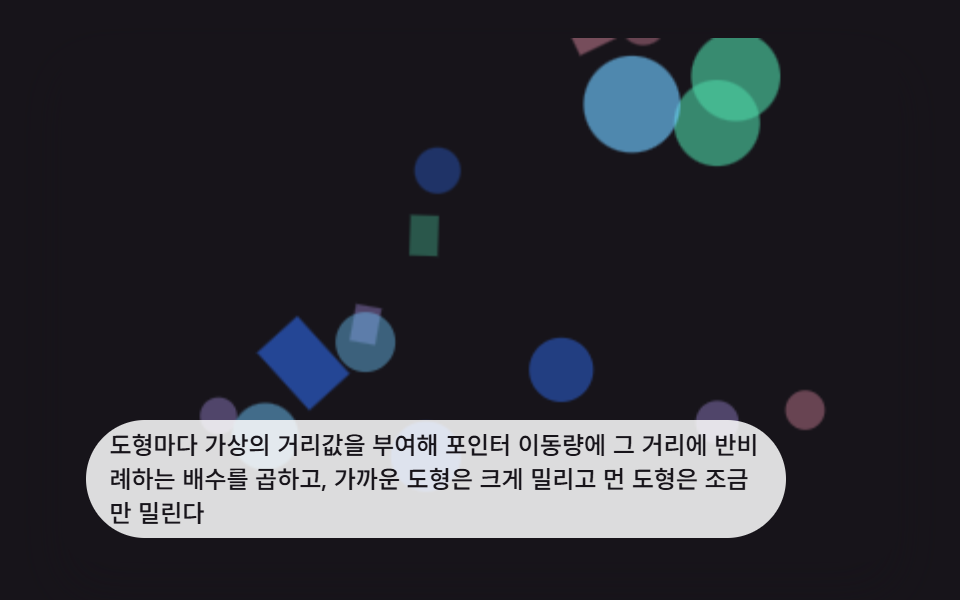 Interactions9 CSS 3D Background Animation Depth Layers
 InteractionsBubble Animation CSS: 9 Soap-Film Scenes That Pop
 Interactions9 Mouse Effects CSS Tricks You Can Copy-Paste
 InteractionsSocial Share Buttons: 9 Copy-Paste UI Patterns
 InteractionsKeyboard Shortcuts UI Design: 9 Working Parts
 Interactions3D Hover Effect CSS: 9 Pointer-Following Scenes
 InteractionsMouse Follow Effect CSS — 9 Cursor Chasers
 Interactionscss 3d transform Scenes: 9 Pointer Miniatures
 InteractionsCSS Popover: 9 Ways to Anchor, Flip and Spring