9 Mouse Effects CSS Tricks You Can Copy-Paste
Mouse effects css tricks are small interactions that react to pointer moves, clicks, drags, or scrolls.
 01 cursor-shape-morph-link
 02 cursor-magnetic-pull-button
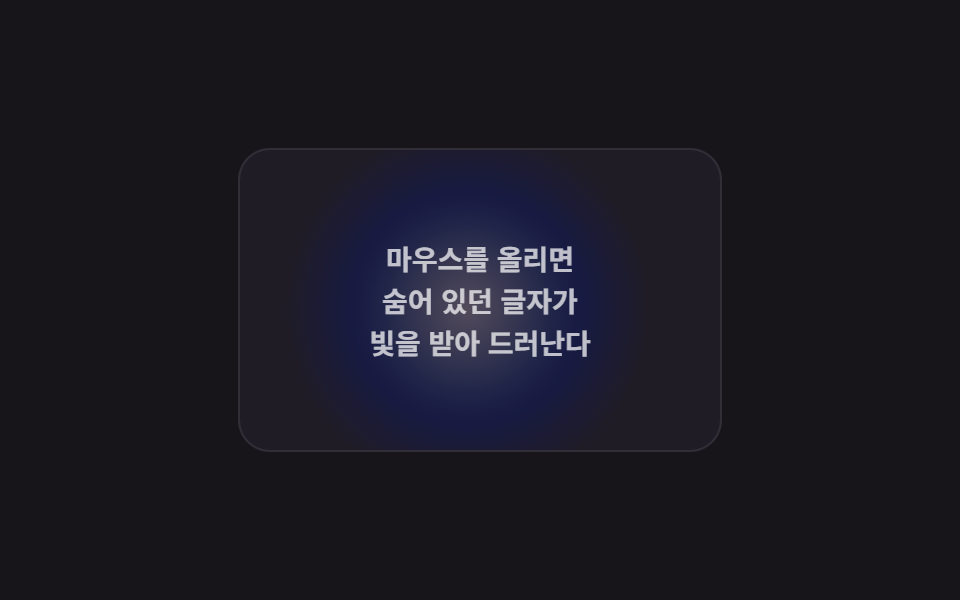 03 cursor-spotlight-card-reveal
 04 cursor-tilt-3d-card
 05 cursor-drag-scroll-gallery
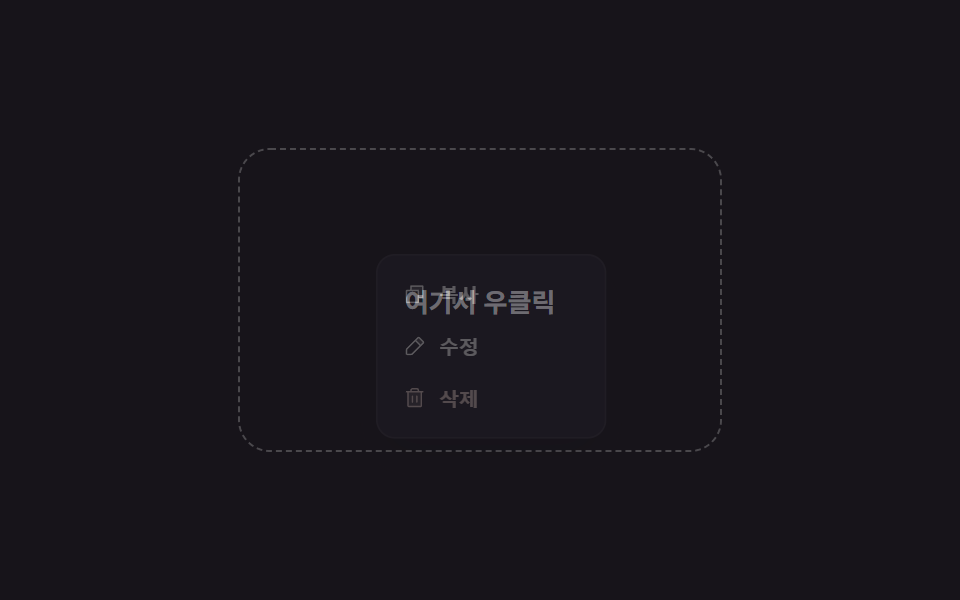 06 cursor-context-menu-custom
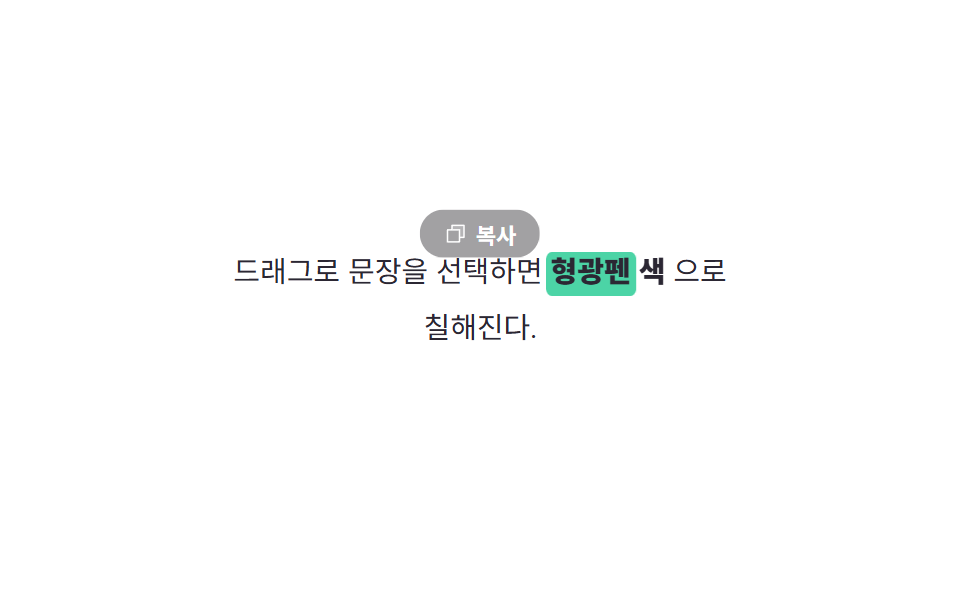 07 cursor-text-selection-highlight
 08 cursor-scroll-progress-ring
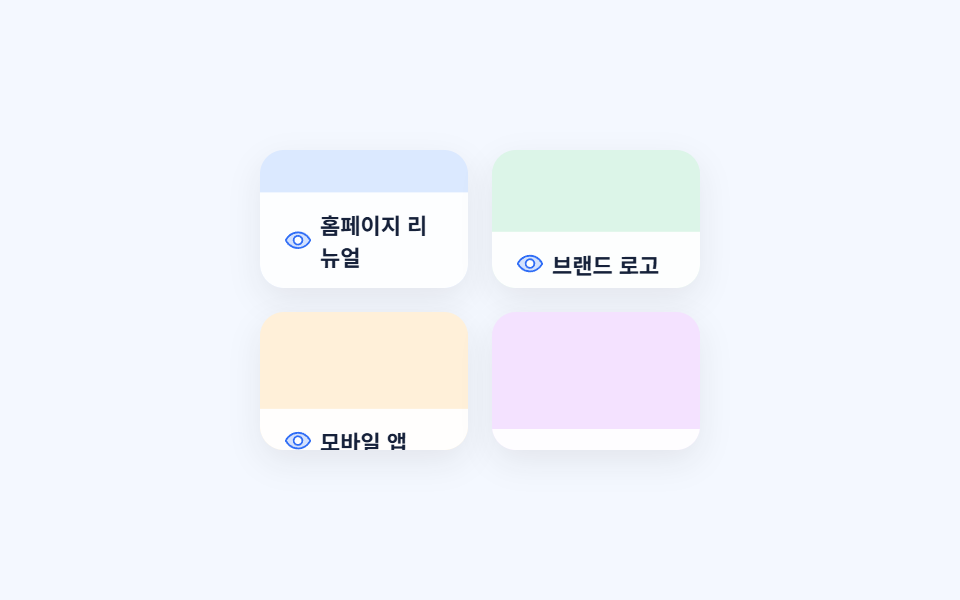 09 cursor-hover-caption-grid
Auto-plays · click a tile to jump to its section · all nine in one zip
- 01 Cursor shape morph
- 02 Magnetic pull button
- 03 Spotlight card reveal
- 04 3D tilt card
- 05 Drag-to-scroll gallery
- 06 Custom right-click menu
- 07 Text-selection highlight color
- 08 Scroll-progress cursor ring
- 09 Hover caption reveal grid
These nine aren't ranked by popularity — they follow the order a pointer actually meets them on a page: idle, then morphing over a link (01), pulled toward a button (02), sweeping a background mouse effect of light and tilt across cards (03 and 04), dragging the screen sideways (05), right-clicking for a menu (06), painting a selected sentence (07), filling a ring while reading down the page (08), and finally sweeping a grid of tiles (09). The same moves ported to a screen with no mouse sit in Mobile Touch Gestures, and turning the pointer trail into a drawing continues in Signature Pad JavaScript.
01Cursor shape morph
What you see in these cursor effects css demos
Hovering a link grows the small dot cursor into a blue ring with an arrow inside; leaving shrinks it back to a dot. pointermove repositions the dot, and pointerenter/pointerleave swap its shape.
<main class="stage">
  <div class="cm-area is-demo">
    <a class="cm-link" href="#" data-cursor="link" tabindex="-1">Learn more</a>
    <div class="cm-cursor" aria-hidden="true">
      <span class="cm-cursor__shape">
        <svg viewBox="0 0 256 256"><g fill="currentColor"><path d="m216 128l-72 72V56Z" opacity=".2"/><path d="m221.66 122.34l-72-72A8 8 0 0 0 136 56v64H40a8 8 0 0 0 0 16h96v64a8 8 0 0 0 13.66 5.66l72-72a8 8 0 0 0 0-11.32M152 180.69V75.31L204.69 128Z"/></g></svg>
      </span>
    </div>
  </div>
</main>
@use "../../../../site/static/demo-tokens" as *;
$duration: $dur-quick; // 커서 모양 전환 시간
$easing: $ease-spring;
$color: $stage-paper;
@include stage($stage-ink);
.cm-area {
position: relative;
width: min(220px, 74vw);
height: 110px;
}
.cm-link {
position: absolute;
left: 44px;
top: 30px;
width: 128px;
height: 40px;
display: grid;
place-items: center;
border-radius: $r-control;
border: 1px dashed rgba(255, 255, 255, .4);
color: $color;
font-size: 13px;
font-weight: 700;
text-decoration: none;
}
// pointer(마우스)가 있는 기기만 커스텀 커서를 그린다 — 손가락엔 커서가 없다
.cm-cursor {
position: absolute;
left: 0;
top: 0;
width: 0;
height: 0;
pointer-events: none;
transform: translate(6px, 90px);
transition: transform $duration $easing;
}
.cm-cursor__shape {
position: absolute;
left: -11px;
top: -11px;
width: 22px;
height: 22px;
display: grid;
place-items: center;
border-radius: $r-pill;
background: $color;
transition: transform $duration $easing, background $duration $easing;
}
.cm-cursor__shape svg {
width: 13px;
height: 13px;
color: $stage-ink;
opacity: 0;
transform: scale(.4);
transition: opacity $duration $easing, transform $duration $easing;
}
.cm-cursor.is-link .cm-cursor__shape {
transform: scale(1.9);
background: $subject-blue;
}
.cm-cursor.is-link .cm-cursor__shape svg {
opacity: 1;
transform: scale(1);
color: $stage-paper;
}
@media (hover: none), (pointer: coarse) {
.cm-cursor { display: none; } // 터치 기기: 커스텀 커서 자체가 의미 없다 (함정 참고)
}
// 데모 강제 루프 — 실제 pointermove 없이도 같은 두 상태를 오간다
.cm-area.is-demo .cm-cursor { animation: cm-move $dur-loop $easing infinite; }
.cm-area.is-demo .cm-cursor__shape { animation: cm-shape $dur-loop $easing infinite; }
.cm-area.is-demo .cm-cursor__shape svg { animation: cm-icon $dur-loop $easing infinite; }
@keyframes cm-move {
0%, 12% { transform: translate(6px, 90px); }
40%, 62% { transform: translate(108px, 50px); }
90%, 100% { transform: translate(6px, 90px); }
}
@keyframes cm-shape {
0%, 12% { transform: scale(1); background: $color; }
40%, 62% { transform: scale(1.9); background: $subject-blue; }
90%, 100% { transform: scale(1); background: $color; }
}
@keyframes cm-icon {
0%, 12% { opacity: 0; transform: scale(.4); color: $stage-ink; }
40%, 62% { opacity: 1; transform: scale(1); color: $stage-paper; }
90%, 100% { opacity: 0; transform: scale(.4); color: $stage-ink; }
}
@media (prefers-reduced-motion: reduce) {
.cm-cursor, .cm-cursor__shape, .cm-cursor__shape svg { animation: none !important; transition: none !important; }
}html, body {
margin: 0;
overflow: hidden;
}
.stage {
box-sizing: border-box;
min-height: 100vh;
display: grid;
place-items: center;
margin: 0;
background: #17141a;
font-family: -apple-system, "Segoe UI", "Noto Sans KR", sans-serif;
padding: clamp(8px, 4vw, 24px);
}
.cm-area {
position: relative;
width: min(220px, 74vw);
height: 110px;
}
.cm-link {
position: absolute;
left: 44px;
top: 30px;
width: 128px;
height: 40px;
display: grid;
place-items: center;
border-radius: 12px;
border: 1px dashed rgba(255, 255, 255, 0.4);
color: #ffffff;
font-size: 13px;
font-weight: 700;
text-decoration: none;
}
.cm-cursor {
position: absolute;
left: 0;
top: 0;
width: 0;
height: 0;
pointer-events: none;
transform: translate(6px, 90px);
transition: transform 220ms cubic-bezier(0.2, 0.8, 0.2, 1);
}
.cm-cursor__shape {
position: absolute;
left: -11px;
top: -11px;
width: 22px;
height: 22px;
display: grid;
place-items: center;
border-radius: 999px;
background: #ffffff;
transition: transform 220ms cubic-bezier(0.2, 0.8, 0.2, 1), background 220ms cubic-bezier(0.2, 0.8, 0.2, 1);
}
.cm-cursor__shape svg {
width: 13px;
height: 13px;
color: #17141a;
opacity: 0;
transform: scale(0.4);
transition: opacity 220ms cubic-bezier(0.2, 0.8, 0.2, 1), transform 220ms cubic-bezier(0.2, 0.8, 0.2, 1);
}
.cm-cursor.is-link .cm-cursor__shape {
transform: scale(1.9);
background: #2f6df6;
}
.cm-cursor.is-link .cm-cursor__shape svg {
opacity: 1;
transform: scale(1);
color: #ffffff;
}
@media (hover: none), (pointer: coarse) {
.cm-cursor {
display: none;
}
}
.cm-area.is-demo .cm-cursor {
animation: cm-move 2s cubic-bezier(0.2, 0.8, 0.2, 1) infinite;
}
.cm-area.is-demo .cm-cursor__shape {
animation: cm-shape 2s cubic-bezier(0.2, 0.8, 0.2, 1) infinite;
}
.cm-area.is-demo .cm-cursor__shape svg {
animation: cm-icon 2s cubic-bezier(0.2, 0.8, 0.2, 1) infinite;
}
@keyframes cm-move {
0%, 12% {
transform: translate(6px, 90px);
}
40%, 62% {
transform: translate(108px, 50px);
}
90%, 100% {
transform: translate(6px, 90px);
}
}
@keyframes cm-shape {
0%, 12% {
transform: scale(1);
background: #ffffff;
}
40%, 62% {
transform: scale(1.9);
background: #2f6df6;
}
90%, 100% {
transform: scale(1);
background: #ffffff;
}
}
@keyframes cm-icon {
0%, 12% {
opacity: 0;
transform: scale(0.4);
color: #17141a;
}
40%, 62% {
opacity: 1;
transform: scale(1);
color: #ffffff;
}
90%, 100% {
opacity: 0;
transform: scale(0.4);
color: #17141a;
}
}
@media (prefers-reduced-motion: reduce) {
.cm-cursor, .cm-cursor__shape, .cm-cursor__shape svg {
animation: none !important;
transition: none !important;
}
}(function () {
var area = document.querySelector('.cm-area');
var cursor = area.querySelector('.cm-cursor');
var link = area.querySelector('.cm-link');
// 실제 사용자: pointermove 로 커서 점이 실제 포인터를 따라가고, data-cursor 요소 위에서 링+화살표로 커진다
area.addEventListener('pointermove', function (e) {
if (area.classList.contains('is-demo')) return;
var r = area.getBoundingClientRect();
cursor.style.transform = 'translate(' + (e.clientX - r.left) + 'px,' + (e.clientY - r.top) + 'px)';
});
link.addEventListener('pointerenter', function () { cursor.classList.add('is-link'); });
link.addEventListener('pointerleave', function () { cursor.classList.remove('is-link'); });
// 터치 기기엔 pointermove 오버가 없다 — 첫 터치를 감지하면 데모 루프로 되돌려 커서가 화면에 박혀 남지 않게 한다
area.addEventListener('pointerdown', function (e) {
if (e.pointerType === 'touch') { area.classList.add('is-demo'); cursor.style.transform = ''; }
});
})();import { useRef, type CSSProperties, type PointerEvent } from "react";
import styles from "./CursorShapeMorphLink.module.scss";
export type CursorShapeMorphLinkProps = {
href?: string;
label?: string;
duration?: number;
easing?: string;
color?: string;
};
type Vars = CSSProperties & { "--duration"?: string; "--easing"?: string; "--color"?: string };
/** pointermove 로 커서 점이 따라가고, 링크 위에서 화살표 든 원으로 커진다. 터치 기기는 CSS 로 커서를 숨긴다 */
export default function CursorShapeMorphLink({
href = "#",
label = "자세히 보기",
duration = 220,
easing = "cubic-bezier(.2,.8,.2,1)",
color = "#ffffff",
}: CursorShapeMorphLinkProps) {
const areaRef = useRef<HTMLDivElement>(null);
const cursorRef = useRef<HTMLDivElement>(null);
const vars: Vars = { "--duration": `${duration}ms`, "--easing": easing, "--color": color };
const move = (e: PointerEvent<HTMLDivElement>) => {
const area = areaRef.current, cursor = cursorRef.current;
if (!area || !cursor) return;
const r = area.getBoundingClientRect();
cursor.style.transform = `translate(${e.clientX - r.left}px,${e.clientY - r.top}px)`;
};
return (
<div ref={areaRef} className={styles.area} style={vars} onPointerMove={move}>
<a
className={styles.link}
href={href}
onPointerEnter={() => cursorRef.current?.classList.add(styles.isLink)}
onPointerLeave={() => cursorRef.current?.classList.remove(styles.isLink)}
>
{label}
</a>
<div ref={cursorRef} className={styles.cursor} aria-hidden="true">
<span className={styles.shape}>
<svg viewBox="0 0 256 256"><g fill="currentColor"><path d="m216 128l-72 72V56Z" opacity=".2" /><path d="m221.66 122.34l-72-72A8 8 0 0 0 136 56v64H40a8 8 0 0 0 0 16h96v64a8 8 0 0 0 13.66 5.66l72-72a8 8 0 0 0 0-11.32M152 180.69V75.31L204.69 128Z" /></g></svg>
</span>
</div>
</div>
);
}01 · Cursor shape morph — Measured area 3.019% · moving frames 16/23Original by GODRICH · SCSS and React ship in the zip · See the password
Where to look in the code
area.addEventListener('pointermove', function (e) {
  var r = area.getBoundingClientRect();
  cursor.style.transform =
    'translate(' + (e.clientX - r.left) + 'px,' +
    (e.clientY - r.top) + 'px)';
});
link.addEventListener('pointerenter', function () {
  cursor.classList.add('is-link');
});
link.addEventListener('pointerleave', function () {
  cursor.classList.remove('is-link');
});
02Magnetic pull button
What happens on screen
Moving the cursor near the button pulls it slightly toward the pointer; moving away springs it back.
<main class="stage">
  <div class="mg-zone is-demo">
    <button class="mg-btn" type="button" tabindex="-1">
      <span>Get started</span>
      <svg viewBox="0 0 256 256" aria-hidden="true"><g fill="currentColor"><path d="m216 128l-72 72V56Z" opacity=".2"/><path d="m221.66 122.34l-72-72A8 8 0 0 0 136 56v64H40a8 8 0 0 0 0 16h96v64a8 8 0 0 0 13.66 5.66l72-72a8 8 0 0 0 0-11.32M152 180.69V75.31L204.69 128Z"/></g></svg>
    </button>
  </div>
</main>
@use "../../../../site/static/demo-tokens" as *;
$duration: $dur-base; // 자석에 끌려오는 시간
$easing: $ease-spring;
$color: $subject-pink;
@include stage($stage-yellow);
.mg-zone {
width: min(230px, 76vw);
height: 140px;
display: grid;
place-items: center;
}
.mg-btn {
display: inline-flex;
align-items: center;
gap: $sp-2;
padding: $sp-3 $sp-6;
border: 0;
border-radius: $r-pill;
background: linear-gradient(135deg, $subject-pink, $subject-lilac);
color: $subject-ink; // 파스텔 면 위 흰 글자는 2.09:1 — 잉크로 8.73:1
font-size: 15px;
font-weight: 800;
box-shadow: $shadow-press;
cursor: pointer;
transition: transform $duration $easing;
will-change: transform;
}
.mg-btn svg { width: 18px; height: 18px; }
@media (hover: none), (pointer: coarse) {
.mg-btn { transition: none; } // 터치엔 hover 좌표가 없다 — 그냥 보통 버튼으로 동작
}
// 데모 강제 루프 — 가상의 포인터가 버튼 오른쪽 위에서 다가왔다 멀어지는 것을 흉내
.mg-zone.is-demo .mg-btn { animation: mg-pull $dur-loop $easing infinite; }
@keyframes mg-pull {
0%, 10% { transform: translate(0, 0) scale(1); }
32%, 55% { transform: translate(20px, -15px) scale(1.04); }
82%, 100% { transform: translate(0, 0) scale(1); }
}
@media (prefers-reduced-motion: reduce) {
.mg-btn { animation: none !important; transition: none !important; }
}html, body {
margin: 0;
overflow: hidden;
}
.stage {
box-sizing: border-box;
min-height: 100vh;
display: grid;
place-items: center;
margin: 0;
background: #ffd23f;
font-family: -apple-system, "Segoe UI", "Noto Sans KR", sans-serif;
padding: clamp(8px, 4vw, 24px);
}
.mg-zone {
width: min(230px, 76vw);
height: 140px;
display: grid;
place-items: center;
}
.mg-btn {
display: inline-flex;
align-items: center;
gap: 8px;
padding: 12px 24px;
border: 0;
border-radius: 999px;
background: linear-gradient(135deg, #ff9ebb, #b9a0ff);
color: #17141a;
font-size: 15px;
font-weight: 800;
box-shadow: 0 6px 12px rgba(23, 20, 26, 0.32);
cursor: pointer;
transition: transform 300ms cubic-bezier(0.2, 0.8, 0.2, 1);
will-change: transform;
}
.mg-btn svg {
width: 18px;
height: 18px;
}
@media (hover: none), (pointer: coarse) {
.mg-btn {
transition: none;
}
}
.mg-zone.is-demo .mg-btn {
animation: mg-pull 2s cubic-bezier(0.2, 0.8, 0.2, 1) infinite;
}
@keyframes mg-pull {
0%, 10% {
transform: translate(0, 0) scale(1);
}
32%, 55% {
transform: translate(20px, -15px) scale(1.04);
}
82%, 100% {
transform: translate(0, 0) scale(1);
}
}
@media (prefers-reduced-motion: reduce) {
.mg-btn {
animation: none !important;
transition: none !important;
}
}(function () {
var zone = document.querySelector('.mg-zone');
var btn = zone.querySelector('.mg-btn');
var STRENGTH = 0.4; // 자석 세기 — 0에 가까울수록 덜 끌려온다
zone.addEventListener('pointermove', function (e) {
if (zone.classList.contains('is-demo')) return;
var r = zone.getBoundingClientRect();
var dx = e.clientX - (r.left + r.width / 2);
var dy = e.clientY - (r.top + r.height / 2);
btn.style.transform = 'translate(' + dx * STRENGTH + 'px,' + dy * STRENGTH + 'px)';
});
zone.addEventListener('pointerleave', function () { btn.style.transform = ''; });
})();import { useRef, type CSSProperties, type PointerEvent } from "react";
import styles from "./CursorMagneticPullButton.module.scss";
export type CursorMagneticPullButtonProps = {
label?: string;
duration?: number;
easing?: string;
color?: string;
};
type Vars = CSSProperties & { "--duration"?: string; "--easing"?: string; "--color"?: string };
const STRENGTH = 0.4;
/** 버튼 히트 존 안에서 pointermove 좌표로 자석처럼 끌려오는 translate 를 계산한다 */
export default function CursorMagneticPullButton({
label = "시작하기",
duration = 300,
easing = "cubic-bezier(.2,.8,.2,1)",
color = "#ff9ebb",
}: CursorMagneticPullButtonProps) {
const btnRef = useRef<HTMLButtonElement>(null);
const vars: Vars = { "--duration": `${duration}ms`, "--easing": easing, "--color": color };
const move = (e: PointerEvent<HTMLDivElement>) => {
const btn = btnRef.current;
if (!btn) return;
const r = e.currentTarget.getBoundingClientRect();
const dx = e.clientX - (r.left + r.width / 2);
const dy = e.clientY - (r.top + r.height / 2);
btn.style.transform = `translate(${dx * STRENGTH}px,${dy * STRENGTH}px)`;
};
const leave = () => { if (btnRef.current) btnRef.current.style.transform = ""; };
return (
<div className={styles.zone} style={vars} onPointerMove={move} onPointerLeave={leave}>
<button ref={btnRef} className={styles.btn} type="button">
<span>{label}</span>
<svg viewBox="0 0 256 256" aria-hidden="true"><g fill="currentColor"><path d="m216 128l-72 72V56Z" opacity=".2" /><path d="m221.66 122.34l-72-72A8 8 0 0 0 136 56v64H40a8 8 0 0 0 0 16h96v64a8 8 0 0 0 13.66 5.66l72-72a8 8 0 0 0 0-11.32M152 180.69V75.31L204.69 128Z" /></g></svg>
</button>
</div>
);
}02 · Magnetic pull button — Measured area 6.596% · moving frames 11/23Original by GODRICH · SCSS and React ship in the zip · See the password
How to read the code
The distance from the hit zone's center is multiplied by a strength factor (0.4) to get the translate value.
zone.addEventListener('pointermove', function (e) {
  var r = zone.getBoundingClientRect();
  var dx = e.clientX - (r.left + r.width / 2);
  var dy = e.clientY - (r.top + r.height / 2);
  btn.style.transform =
    'translate(' + dx * 0.4 + 'px,' + dy * 0.4 + 'px)';
});
zone.addEventListener('pointerleave', function () {
  btn.style.transform = '';
});
03Spotlight card reveal
What moves
Moving the cursor over the card drags a circular light with it, brightening the dim text wherever the light passes. mix-blend-mode: soft-light blends the light into the background, and screen brightens the text underneath.
<main class="stage">
  <div class="sp-card is-demo">
    <span class="sp-card__spot" aria-hidden="true"></span>
    <p class="sp-card__text">Hover over it and<br>the hidden text<br>catches the light and appears</p>
  </div>
</main>
@use "../../../../site/static/demo-tokens" as *;
$duration: $dur-quick;
$easing: $ease-out;
$color: $stage-paper;
@include stage($stage-ink);
.sp-card {
position: relative;
width: min(240px, 78vw);
height: 150px;
overflow: hidden;
border-radius: $r-card;
background: #201c26;
border: 1px solid rgba(255, 255, 255, .08);
display: grid;
place-items: center;
}
.sp-card__spot {
position: absolute;
left: -90px;
top: -90px;
width: 180px;
height: 180px;
border-radius: 50%;
background: radial-gradient(circle, rgba(255, 255, 255, .9) 0%, rgba(47, 109, 246, .5) 45%, transparent 72%);
mix-blend-mode: soft-light;
transform: translate(120px, 75px);
transition: transform $duration $easing;
pointer-events: none;
}
.sp-card__text {
position: relative;
z-index: 1;
margin: 0;
padding: $sp-4;
text-align: center;
font-size: 14px;
line-height: 1.5;
font-weight: 700;
color: rgba(255, 255, 255, .72); // .22 + screen 은 스포트라이트 밖에서 1.95:1 이었다 — AA 4.5
mix-blend-mode: screen;
}
@media (hover: none), (pointer: coarse) {
.sp-card__spot { opacity: 0; } // 터치엔 계속 따라다닐 커서가 없다 — 꺼서 항상 어두운 카드로 둔다
.sp-card__text { color: rgba(255, 255, 255, .85); } // 대신 글자 자체를 밝혀 내용은 읽히게 한다
}
// 데모 강제 루프 — 스포트라이트가 카드 위를 대각선으로 오간다
.sp-card.is-demo .sp-card__spot { animation: sp-sweep $dur-loop $easing infinite; transition: none; }
@keyframes sp-sweep {
0%, 6% { transform: translate(10px, 10px); }
50% { transform: translate(190px, 130px); }
94%, 100% { transform: translate(10px, 10px); }
}
@media (prefers-reduced-motion: reduce) {
.sp-card__spot { animation: none !important; transition: none !important; transform: translate(120px, 75px); }
.sp-card__text { color: rgba(255, 255, 255, .72); }
}html, body {
margin: 0;
overflow: hidden;
}
.stage {
box-sizing: border-box;
min-height: 100vh;
display: grid;
place-items: center;
margin: 0;
background: #17141a;
font-family: -apple-system, "Segoe UI", "Noto Sans KR", sans-serif;
padding: clamp(8px, 4vw, 24px);
}
.sp-card {
position: relative;
width: min(240px, 78vw);
height: 150px;
overflow: hidden;
border-radius: 16px;
background: #201c26;
border: 1px solid rgba(255, 255, 255, 0.08);
display: grid;
place-items: center;
}
.sp-card__spot {
position: absolute;
left: -90px;
top: -90px;
width: 180px;
height: 180px;
border-radius: 50%;
background: radial-gradient(circle, rgba(255, 255, 255, 0.9) 0%, rgba(47, 109, 246, 0.5) 45%, transparent 72%);
mix-blend-mode: soft-light;
transform: translate(120px, 75px);
transition: transform 220ms ease-out;
pointer-events: none;
}
.sp-card__text {
position: relative;
z-index: 1;
margin: 0;
padding: 16px;
text-align: center;
font-size: 14px;
line-height: 1.5;
font-weight: 700;
color: rgba(255, 255, 255, 0.72);
mix-blend-mode: screen;
}
@media (hover: none), (pointer: coarse) {
.sp-card__spot {
opacity: 0;
}
.sp-card__text {
color: rgba(255, 255, 255, 0.85);
}
}
.sp-card.is-demo .sp-card__spot {
animation: sp-sweep 2s ease-out infinite;
transition: none;
}
@keyframes sp-sweep {
0%, 6% {
transform: translate(10px, 10px);
}
50% {
transform: translate(190px, 130px);
}
94%, 100% {
transform: translate(10px, 10px);
}
}
@media (prefers-reduced-motion: reduce) {
.sp-card__spot {
animation: none !important;
transition: none !important;
transform: translate(120px, 75px);
}
.sp-card__text {
color: rgba(255, 255, 255, 0.72);
}
}(function () {
var card = document.querySelector('.sp-card');
var spot = card.querySelector('.sp-card__spot');
// 실제 사용자: pointermove 좌표를 그대로 스포트라이트 위치에 반영
card.addEventListener('pointermove', function (e) {
if (card.classList.contains('is-demo')) return;
var r = card.getBoundingClientRect();
spot.style.transform = 'translate(' + (e.clientX - r.left) + 'px,' + (e.clientY - r.top) + 'px)';
});
card.addEventListener('pointerenter', function () { card.classList.remove('is-demo'); card.classList.add('is-live'); });
card.addEventListener('pointerleave', function () { card.classList.remove('is-live'); spot.style.transform = ''; });
})();import { useRef, type CSSProperties, type PointerEvent } from "react";
import styles from "./CursorSpotlightCardReveal.module.scss";
export type CursorSpotlightCardRevealProps = {
text?: string;
duration?: number;
easing?: string;
color?: string;
};
type Vars = CSSProperties & { "--duration"?: string; "--easing"?: string; "--color"?: string };
/** pointermove 좌표를 그대로 spotlight 엘리먼트의 translate 에 반영한다. mix-blend-mode 로 글자가 밝아진다 */
export default function CursorSpotlightCardReveal({
text = "마우스를 올리면 숨어 있던 글자가 빛을 받아 드러난다",
duration = 220,
easing = "ease-out",
color = "#ffffff",
}: CursorSpotlightCardRevealProps) {
const spotRef = useRef<HTMLSpanElement>(null);
const vars: Vars = { "--duration": `${duration}ms`, "--easing": easing, "--color": color };
const move = (e: PointerEvent<HTMLDivElement>) => {
const spot = spotRef.current;
if (!spot) return;
const r = e.currentTarget.getBoundingClientRect();
spot.style.transform = `translate(${e.clientX - r.left}px,${e.clientY - r.top}px)`;
};
const leave = () => { if (spotRef.current) spotRef.current.style.transform = ""; };
return (
<div className={styles.card} style={vars} onPointerMove={move} onPointerLeave={leave}>
<span ref={spotRef} className={styles.spot} aria-hidden="true" />
<p className={styles.text}>{text}</p>
</div>
);
}03 · Spotlight card reveal — Measured area 20.166% · moving frames 17/23Original by GODRICH · SCSS and React ship in the zip · See the password
What to change
card.addEventListener('pointermove', function (e) {
  var r = card.getBoundingClientRect();
  spot.style.transform =
    'translate(' + (e.clientX - r.left) + 'px,' +
    (e.clientY - r.top) + 'px)';
});
card.addEventListener('pointerleave', function () {
  spot.style.transform = '';
});
043D tilt card
What you see
The card tilts in 3D based on where the cursor sits over it, with a diagonal sheen sweeping alongside.
<main class="stage">
  <div class="tilt-wrap">
    <div class="tilt-card is-demo">
      <span class="tilt-card__badge">
        <svg viewBox="0 0 256 256" aria-hidden="true"><g fill="currentColor"><path d="m229.06 108.79l-48.7 42l14.88 62.79a8.4 8.4 0 0 1-12.52 9.17L128 189.09l-54.72 33.65a8.4 8.4 0 0 1-12.52-9.17l14.88-62.79l-48.7-42A8.46 8.46 0 0 1 31.73 94l63.91-5.2l24.62-59.6a8.36 8.36 0 0 1 15.48 0l24.62 59.6l63.91 5.2a8.46 8.46 0 0 1 4.79 14.79" opacity=".2"/><path d="M239.18 97.26A16.38 16.38 0 0 0 224.92 86l-59-4.76l-22.78-55.09a16.36 16.36 0 0 0-30.27 0L90.11 81.23L31.08 86a16.46 16.46 0 0 0-9.37 28.86l45 38.83L53 211.75a16.38 16.38 0 0 0 24.5 17.82l50.5-31.08l50.53 31.08A16.4 16.4 0 0 0 203 211.75l-13.76-58.07l45-38.83a16.43 16.43 0 0 0 4.94-17.59m-15.34 5.47l-48.7 42a8 8 0 0 0-2.56 7.91l14.88 62.8a.37.37 0 0 1-.17.48c-.18.14-.23.11-.38 0l-54.72-33.65a8 8 0 0 0-8.38 0l-54.72 33.67c-.15.09-.19.12-.38 0a.37.37 0 0 1-.17-.48l14.88-62.8a8 8 0 0 0-2.56-7.91l-48.7-42c-.12-.1-.23-.19-.13-.5s.18-.27.33-.29l63.92-5.16a8 8 0 0 0 6.72-4.94l24.62-59.61c.08-.17.11-.25.35-.25s.27.08.35.25L153 91.86a8 8 0 0 0 6.75 4.92l63.92 5.16c.15 0 .24 0 .33.29s0 .4-.16.5"/></g></svg>
      </span>
      <p class="tilt-card__title">Pro plan</p>
      <p class="tilt-card__desc">The plan your whole team uses</p>
      <span class="tilt-card__sheen" aria-hidden="true"></span>
    </div>
  </div>
</main>
@use "../../../../site/static/demo-tokens" as *;
$duration: $dur-instant; // 기울기 반응 시간
$easing: $ease-out;
$color: $subject-blue;
@include stage(#eef3fb);
.tilt-wrap {
width: min(200px, 62vw);
height: 130px;
display: grid;
place-items: center;
}
.tilt-card {
position: relative;
width: 100%;
height: 100%;
overflow: hidden;
padding: $sp-6 $sp-5;
border-radius: $r-card;
background: $stage-paper;
border: 1px solid rgba(47, 109, 246, .14);
box-shadow: 0 10px 26px rgba(47, 109, 246, .16);
transform: perspective(600px) rotateX(0) rotateY(0);
transition: transform $duration $easing;
will-change: transform;
}
.tilt-card__badge {
display: grid;
place-items: center;
width: 32px;
height: 32px;
border-radius: $r-sm;
background: rgba(47, 109, 246, .12);
color: $color;
margin-bottom: $sp-3;
}
.tilt-card__badge svg { width: 18px; height: 18px; }
.tilt-card__title { margin: 0 0 $sp-1; font-size: 16px; font-weight: 800; color: #16213a; }
.tilt-card__desc { margin: 0; font-size: 12.5px; color: #5b6b8c; }
.tilt-card__sheen {
position: absolute;
inset: -40% -60%;
background: linear-gradient(115deg, transparent 35%, rgba(255, 255, 255, .55) 50%, transparent 65%);
background-size: 220% 220%;
background-position: 0% 50%;
pointer-events: none;
}
@media (hover: none), (pointer: coarse) {
.tilt-card { transition: none; } // 터치엔 기울기를 줄 좌표가 없다 — 평평한 카드로 둔다
}
// 데모 강제 루프 — 포인터가 카드 네 모서리를 도는 것을 흉내
.tilt-card.is-demo { animation: tilt-loop $dur-loop $easing infinite; transition: none; }
.tilt-card.is-demo .tilt-card__sheen { animation: tilt-sheen $dur-loop $easing infinite; }
@keyframes tilt-loop {
0%, 8% { transform: perspective(600px) rotateX(0) rotateY(0); }
30% { transform: perspective(600px) rotateX(6deg) rotateY(-6deg); }
55% { transform: perspective(600px) rotateX(-6deg) rotateY(6deg); }
80%, 100% { transform: perspective(600px) rotateX(0) rotateY(0); }
}
@keyframes tilt-sheen {
0%, 8% { background-position: 10% 50%; }
30% { background-position: 70% 20%; }
55% { background-position: 30% 80%; }
80%, 100% { background-position: 10% 50%; }
}
@media (prefers-reduced-motion: reduce) {
.tilt-card, .tilt-card__sheen { animation: none !important; transition: none !important; transform: none; }
}html, body {
margin: 0;
overflow: hidden;
}
.stage {
box-sizing: border-box;
min-height: 100vh;
display: grid;
place-items: center;
margin: 0;
background: #eef3fb;
font-family: -apple-system, "Segoe UI", "Noto Sans KR", sans-serif;
padding: clamp(8px, 4vw, 24px);
}
.tilt-wrap {
width: min(200px, 62vw);
height: 130px;
display: grid;
place-items: center;
}
.tilt-card {
position: relative;
width: 100%;
height: 100%;
overflow: hidden;
padding: 24px 20px;
border-radius: 16px;
background: #ffffff;
border: 1px solid rgba(47, 109, 246, 0.14);
box-shadow: 0 10px 26px rgba(47, 109, 246, 0.16);
transform: perspective(600px) rotateX(0) rotateY(0);
transition: transform 140ms ease-out;
will-change: transform;
}
.tilt-card__badge {
display: grid;
place-items: center;
width: 32px;
height: 32px;
border-radius: 8px;
background: rgba(47, 109, 246, 0.12);
color: #2f6df6;
margin-bottom: 12px;
}
.tilt-card__badge svg {
width: 18px;
height: 18px;
}
.tilt-card__title {
margin: 0 0 4px;
font-size: 16px;
font-weight: 800;
color: #16213a;
}
.tilt-card__desc {
margin: 0;
font-size: 12.5px;
color: #5b6b8c;
}
.tilt-card__sheen {
position: absolute;
inset: -40% -60%;
background: linear-gradient(115deg, transparent 35%, rgba(255, 255, 255, 0.55) 50%, transparent 65%);
background-size: 220% 220%;
background-position: 0% 50%;
pointer-events: none;
}
@media (hover: none), (pointer: coarse) {
.tilt-card {
transition: none;
}
}
.tilt-card.is-demo {
animation: tilt-loop 2s ease-out infinite;
transition: none;
}
.tilt-card.is-demo .tilt-card__sheen {
animation: tilt-sheen 2s ease-out infinite;
}
@keyframes tilt-loop {
0%, 8% {
transform: perspective(600px) rotateX(0) rotateY(0);
}
30% {
transform: perspective(600px) rotateX(6deg) rotateY(-6deg);
}
55% {
transform: perspective(600px) rotateX(-6deg) rotateY(6deg);
}
80%, 100% {
transform: perspective(600px) rotateX(0) rotateY(0);
}
}
@keyframes tilt-sheen {
0%, 8% {
background-position: 10% 50%;
}
30% {
background-position: 70% 20%;
}
55% {
background-position: 30% 80%;
}
80%, 100% {
background-position: 10% 50%;
}
}
@media (prefers-reduced-motion: reduce) {
.tilt-card, .tilt-card__sheen {
animation: none !important;
transition: none !important;
transform: none;
}
}(function () {
var wrap = document.querySelector('.tilt-wrap');
var card = wrap.querySelector('.tilt-card');
var MAX = 6; // 최대 기울기(deg)
wrap.addEventListener('pointermove', function (e) {
if (card.classList.contains('is-demo')) return;
var r = wrap.getBoundingClientRect();
var px = (e.clientX - r.left) / r.width; // 0~1
var py = (e.clientY - r.top) / r.height;
var rx = (0.5 - py) * MAX * 2;
var ry = (px - 0.5) * MAX * 2;
card.style.transform = 'perspective(600px) rotateX(' + rx + 'deg) rotateY(' + ry + 'deg)';
});
wrap.addEventListener('pointerleave', function () { card.style.transform = ''; });
})();import { useRef, type CSSProperties, type PointerEvent } from "react";
import styles from "./CursorTilt3dCard.module.scss";
export type CursorTilt3dCardProps = {
title?: string;
desc?: string;
duration?: number;
easing?: string;
color?: string;
};
type Vars = CSSProperties & { "--duration"?: string; "--easing"?: string; "--color"?: string };
const MAX_DEG = 6;
/** offsetX/Y 비율로 rotateX/rotateY 를 계산해 perspective 카드에 적용한다 */
export default function CursorTilt3dCard({
title = "Pro 플랜",
desc = "팀 전체가 쓰는 요금제",
duration = 140,
easing = "ease-out",
color = "#2f6df6",
}: CursorTilt3dCardProps) {
const cardRef = useRef<HTMLDivElement>(null);
const vars: Vars = { "--duration": `${duration}ms`, "--easing": easing, "--color": color };
const move = (e: PointerEvent<HTMLDivElement>) => {
const card = cardRef.current;
if (!card) return;
const r = e.currentTarget.getBoundingClientRect();
const px = (e.clientX - r.left) / r.width;
const py = (e.clientY - r.top) / r.height;
const rx = (0.5 - py) * MAX_DEG * 2;
const ry = (px - 0.5) * MAX_DEG * 2;
card.style.transform = `perspective(600px) rotateX(${rx}deg) rotateY(${ry}deg)`;
};
const leave = () => { if (cardRef.current) cardRef.current.style.transform = ""; };
return (
<div className={styles.wrap} style={vars} onPointerMove={move} onPointerLeave={leave}>
<div ref={cardRef} className={styles.card}>
<span className={styles.badge}>
<svg viewBox="0 0 256 256" aria-hidden="true"><g fill="currentColor"><path d="m229.06 108.79l-48.7 42l14.88 62.79a8.4 8.4 0 0 1-12.52 9.17L128 189.09l-54.72 33.65a8.4 8.4 0 0 1-12.52-9.17l14.88-62.79l-48.7-42A8.46 8.46 0 0 1 31.73 94l63.91-5.2l24.62-59.6a8.36 8.36 0 0 1 15.48 0l24.62 59.6l63.91 5.2a8.46 8.46 0 0 1 4.79 14.79" opacity=".2" /><path d="M239.18 97.26A16.38 16.38 0 0 0 224.92 86l-59-4.76l-22.78-55.09a16.36 16.36 0 0 0-30.27 0L90.11 81.23L31.08 86a16.46 16.46 0 0 0-9.37 28.86l45 38.83L53 211.75a16.38 16.38 0 0 0 24.5 17.82l50.5-31.08l50.53 31.08A16.4 16.4 0 0 0 203 211.75l-13.76-58.07l45-38.83a16.43 16.43 0 0 0 4.94-17.59m-15.34 5.47l-48.7 42a8 8 0 0 0-2.56 7.91l14.88 62.8a.37.37 0 0 1-.17.48c-.18.14-.23.11-.38 0l-54.72-33.65a8 8 0 0 0-8.38 0l-54.72 33.67c-.15.09-.19.12-.38 0a.37.37 0 0 1-.17-.48l14.88-62.8a8 8 0 0 0-2.56-7.91l-48.7-42c-.12-.1-.23-.19-.13-.5s.18-.27.33-.29l63.92-5.16a8 8 0 0 0 6.72-4.94l24.62-59.61c.08-.17.11-.25.35-.25s.27.08.35.25L153 91.86a8 8 0 0 0 6.75 4.92l63.92 5.16c.15 0 .24 0 .33.29s0 .4-.16.5" /></g></svg>
</span>
<p className={styles.title}>{title}</p>
<p className={styles.desc}>{desc}</p>
<span className={styles.sheen} aria-hidden="true" />
</div>
</div>
);
}04 · 3D tilt card — Measured area 3.769% · moving frames 17/23Original by GODRICH · SCSS and React ship in the zip · See the password
Where to look in the code
The pointer's position is turned into a 0–1 ratio, then into rotateX/rotateY angles.
wrap.addEventListener('pointermove', function (e) {
  var r = wrap.getBoundingClientRect();
  var px = (e.clientX - r.left) / r.width;
  var py = (e.clientY - r.top) / r.height;
  var rx = (0.5 - py) * 6 * 2;
  var ry = (px - 0.5) * 6 * 2;
  card.style.transform =
    'perspective(600px) rotateX(' + rx + 'deg) rotateY(' + ry + 'deg)';
});
05Drag-to-scroll gallery
What happens on screen
Dragging the tiles as if grabbing them scrolls the gallery sideways, and it stops the moment you release.
<main class="stage">
  <div class="dg-wrap">
    <div class="dg-viewport is-demo">
      <div class="dg-track">
        <span class="dg-tile" style="background:#ff9ebb"></span>
        <span class="dg-tile" style="background:#d2c7a4"></span>
        <span class="dg-tile" style="background:#c3d6e2"></span>
        <span class="dg-tile" style="background:#90c8b5"></span>
        <span class="dg-tile" style="background:#b9a0ff"></span>
      </div>
    </div>
    <span class="dg-hint" aria-hidden="true">
      <svg viewBox="0 0 256 256"><g fill="currentColor"><path d="M208 80v96H48V80Z" opacity=".2"/><path d="m213.66 181.66l-32 32a8 8 0 0 1-11.32-11.32L188.69 184H48a8 8 0 0 1 0-16h140.69l-18.35-18.34a8 8 0 0 1 11.32-11.32l32 32a8 8 0 0 1 0 11.32m-139.32-64a8 8 0 0 0 11.32-11.32L67.31 88H208a8 8 0 0 0 0-16H67.31l18.35-18.34a8 8 0 0 0-11.32-11.32l-32 32a8 8 0 0 0 0 11.32Z"/></g></svg>
      Drag
    </span>
  </div>
</main>
@use "../../../../site/static/demo-tokens" as *;
$duration: $dur-base;
$easing: $ease-spring;
$color: $stage-ink;
@include stage($stage-yellow);
.dg-wrap {
width: min(240px, 78vw);
display: flex;
flex-direction: column;
align-items: center;
gap: $sp-3;
}
.dg-viewport {
width: 100%;
height: 96px;
overflow-x: auto;
overflow-y: hidden;
border-radius: $r-card;
cursor: grab;
touch-action: pan-x; // 세로 스크롤은 페이지에 그대로 남긴다
scrollbar-width: none;
&::-webkit-scrollbar { display: none; }
&.is-grabbing { cursor: grabbing; }
}
.dg-track {
display: flex;
gap: $sp-3;
width: max-content;
padding: $sp-1;
}
.dg-tile {
flex: 0 0 auto;
width: 78px;
height: 78px;
border-radius: $r-card;
box-shadow: 0 4px 10px rgba(23, 20, 26, .18);
}
.dg-hint {
display: inline-flex;
align-items: center;
gap: $sp-1;
padding: $sp-1 $sp-3;
border-radius: $r-pill;
background: rgba(23, 20, 26, .08);
color: $color;
font-size: 11px;
font-weight: 700;
}
.dg-hint svg { width: 14px; height: 14px; }
// 데모 강제 루프 — 실제 scrollLeft 대신 transform 으로 같은 드래그 동작을 흉내 (WAAPI 는 scrollLeft 를 못 잰다)
.dg-viewport.is-demo { overflow: hidden; }
.dg-viewport.is-demo .dg-track { animation: dg-drag $dur-loop $easing infinite; }
@keyframes dg-drag {
0%, 8% { transform: translateX(0); }
50% { transform: translateX(-172px); }
92%, 100% { transform: translateX(0); }
}
@media (prefers-reduced-motion: reduce) {
.dg-track { animation: none !important; }
}html, body {
margin: 0;
overflow: hidden;
}
.stage {
box-sizing: border-box;
min-height: 100vh;
display: grid;
place-items: center;
margin: 0;
background: #ffd23f;
font-family: -apple-system, "Segoe UI", "Noto Sans KR", sans-serif;
padding: clamp(8px, 4vw, 24px);
}
.dg-wrap {
width: min(240px, 78vw);
display: flex;
flex-direction: column;
align-items: center;
gap: 12px;
}
.dg-viewport {
width: 100%;
height: 96px;
overflow-x: auto;
overflow-y: hidden;
border-radius: 16px;
cursor: grab;
touch-action: pan-x;
scrollbar-width: none;
}
.dg-viewport::-webkit-scrollbar {
display: none;
}
.dg-viewport.is-grabbing {
cursor: grabbing;
}
.dg-track {
display: flex;
gap: 12px;
width: max-content;
padding: 4px;
}
.dg-tile {
flex: 0 0 auto;
width: 78px;
height: 78px;
border-radius: 16px;
box-shadow: 0 4px 10px rgba(23, 20, 26, 0.18);
}
.dg-hint {
display: inline-flex;
align-items: center;
gap: 4px;
padding: 4px 12px;
border-radius: 999px;
background: rgba(23, 20, 26, 0.08);
color: #17141a;
font-size: 11px;
font-weight: 700;
}
.dg-hint svg {
width: 14px;
height: 14px;
}
.dg-viewport.is-demo {
overflow: hidden;
}
.dg-viewport.is-demo .dg-track {
animation: dg-drag 2s cubic-bezier(0.2, 0.8, 0.2, 1) infinite;
}
@keyframes dg-drag {
0%, 8% {
transform: translateX(0);
}
50% {
transform: translateX(-172px);
}
92%, 100% {
transform: translateX(0);
}
}
@media (prefers-reduced-motion: reduce) {
.dg-track {
animation: none !important;
}
}(function () {
var vp = document.querySelector('.dg-viewport');
var dragging = false, startX = 0, startScroll = 0;
// 실제 사용자: pointerdown 후 움직인 거리만큼 scrollLeft 를 직접 옮긴다 (transform 이 아니라 진짜 스크롤)
vp.addEventListener('pointerdown', function (e) {
if (vp.classList.contains('is-demo')) return;
dragging = true; startX = e.clientX; startScroll = vp.scrollLeft;
vp.classList.add('is-grabbing'); vp.setPointerCapture(e.pointerId);
});
vp.addEventListener('pointermove', function (e) {
if (!dragging) return;
vp.scrollLeft = startScroll - (e.clientX - startX);
});
['pointerup', 'pointercancel'].forEach(function (ev) {
vp.addEventListener(ev, function () { dragging = false; vp.classList.remove('is-grabbing'); });
});
})();import { useRef, useState, type CSSProperties, type PointerEvent } from "react";
import styles from "./CursorDragScrollGallery.module.scss";
export type CursorDragScrollGalleryProps = {
colors?: string[];
duration?: number;
easing?: string;
};
type Vars = CSSProperties & { "--duration"?: string; "--easing"?: string };
/** pointerdown 시작점 대비 이동 거리로 실제 scrollLeft 를 옮긴다 (transform 이 아니라 진짜 스크롤) */
export default function CursorDragScrollGallery({
colors = ["#ff9ebb", "#ffd23f", "#6ec8ff", "#4cd4a6", "#b9a0ff"],
duration = 300,
easing = "cubic-bezier(.2,.8,.2,1)",
}: CursorDragScrollGalleryProps) {
const vpRef = useRef<HTMLDivElement>(null);
const [dragging, setDragging] = useState(false);
const start = useRef<{ x: number; scroll: number }>({ x: 0, scroll: 0 });
const vars: Vars = { "--duration": `${duration}ms`, "--easing": easing };
const down = (e: PointerEvent<HTMLDivElement>) => {
const vp = vpRef.current;
if (!vp) return;
start.current = { x: e.clientX, scroll: vp.scrollLeft };
setDragging(true);
vp.setPointerCapture(e.pointerId);
};
const move = (e: PointerEvent<HTMLDivElement>) => {
if (!dragging || !vpRef.current) return;
const s = start.current ?? { x: 0, scroll: 0 };
vpRef.current.scrollLeft = s.scroll - (e.clientX - s.x);
};
return (
<div className={styles.wrap} style={vars}>
<div
ref={vpRef}
className={`${styles.viewport} ${dragging ? styles.grabbing : ""}`}
onPointerDown={down}
onPointerMove={move}
onPointerUp={() => setDragging(false)}
onPointerCancel={() => setDragging(false)}
>
<div className={styles.track}>
{colors.map((c, i) => (
<span key={i} className={styles.tile} style={{ background: c }} />
))}
</div>
</div>
<span className={styles.hint}>
<svg viewBox="0 0 256 256" aria-hidden="true"><g fill="currentColor"><path d="M208 80v96H48V80Z" opacity=".2" /><path d="m213.66 181.66l-32 32a8 8 0 0 1-11.32-11.32L188.69 184H48a8 8 0 0 1 0-16h140.69l-18.35-18.34a8 8 0 0 1 11.32-11.32l32 32a8 8 0 0 1 0 11.32m-139.32-64a8 8 0 0 0 11.32-11.32L67.31 88H208a8 8 0 0 0 0-16H67.31l18.35-18.34a8 8 0 0 0-11.32-11.32l-32 32a8 8 0 0 0 0 11.32Z" /></g></svg>
드래그
</span>
</div>
);
}05 · Drag-to-scroll gallery — Measured area 13.938% · moving frames 20/23Original by GODRICH · SCSS and React ship in the zip · See the password
How to read the code
This moves the real scrollLeft, not a transform, so touch scrolling stays native and unbroken.
vp.addEventListener('pointerdown', function (e) {
  dragging = true;
  startX = e.clientX;
  startScroll = vp.scrollLeft;
  vp.setPointerCapture(e.pointerId);
});
vp.addEventListener('pointermove', function (e) {
  if (!dragging) return;
  vp.scrollLeft = startScroll - (e.clientX - startX);
});
06Custom right-click menu
What moves
Right-clicking the area shows a copy, edit, and delete icon menu popping up at the click point instead of the browser's default menu.
<main class="stage">
  <div class="cx-pad is-demo">
    <p class="cx-hint">Right-click here</p>
    <div class="cx-menu" role="menu">
      <button class="cx-menu__item" type="button" role="menuitem">
        <svg viewBox="0 0 256 256" aria-hidden="true"><g fill="currentColor"><path d="M216 40v128h-48V88H88V40Z" opacity=".2"/><path d="M216 32H88a8 8 0 0 0-8 8v40H40a8 8 0 0 0-8 8v128a8 8 0 0 0 8 8h128a8 8 0 0 0 8-8v-40h40a8 8 0 0 0 8-8V40a8 8 0 0 0-8-8m-56 176H48V96h112Zm48-48h-32V88a8 8 0 0 0-8-8H96V48h112Z"/></g></svg>
        Copy
      </button>
      <button class="cx-menu__item" type="button" role="menuitem">
        <svg viewBox="0 0 256 256" aria-hidden="true"><g fill="currentColor"><path d="M221.66 90.34L192 120l-56-56l29.66-29.66a8 8 0 0 1 11.31 0L221.66 79a8 8 0 0 1 0 11.34" opacity=".2"/><path d="m227.31 73.37l-44.68-44.69a16 16 0 0 0-22.63 0L36.69 152A15.86 15.86 0 0 0 32 163.31V208a16 16 0 0 0 16 16h44.69a15.86 15.86 0 0 0 11.31-4.69L227.31 96a16 16 0 0 0 0-22.63M92.69 208H48v-44.69l88-88L180.69 120ZM192 108.68L147.31 64l24-24L216 84.68Z"/></g></svg>
        Edit
      </button>
      <button class="cx-menu__item cx-menu__item--danger" type="button" role="menuitem">
        <svg viewBox="0 0 256 256" aria-hidden="true"><g fill="currentColor"><path d="M200 56v152a8 8 0 0 1-8 8H64a8 8 0 0 1-8-8V56Z" opacity=".2"/><path d="M216 48h-40v-8a24 24 0 0 0-24-24h-48a24 24 0 0 0-24 24v8H40a8 8 0 0 0 0 16h8v144a16 16 0 0 0 16 16h128a16 16 0 0 0 16-16V64h8a8 8 0 0 0 0-16M96 40a8 8 0 0 1 8-8h48a8 8 0 0 1 8 8v8H96Zm96 168H64V64h128Zm-80-104v64a8 8 0 0 1-16 0v-64a8 8 0 0 1 16 0m48 0v64a8 8 0 0 1-16 0v-64a8 8 0 0 1 16 0"/></g></svg>
        Delete
      </button>
    </div>
  </div>
</main>
@use "../../../../site/static/demo-tokens" as *;
$duration: $dur-quick;
$easing: $ease-pop;
$color: $stage-paper;
@include stage($stage-ink);
.cx-pad {
position: relative;
width: min(240px, 78vw);
height: 150px;
border-radius: $r-card;
border: 1px dashed rgba(255, 255, 255, .22);
display: grid;
place-items: center;
user-select: none;
}
.cx-hint { margin: 0; color: rgba(255, 255, 255, .5); font-size: 13px; font-weight: 700; }
.cx-menu {
position: absolute;
left: 68px;
top: 52px;
min-width: 128px;
display: flex;
flex-direction: column;
padding: $sp-2;
border-radius: $r-control;
background: #26212e;
box-shadow: $shadow-raised;
border: 1px solid rgba(255, 255, 255, .08);
transform: scale(.7);
transform-origin: top left; // 규칙8: 클릭 지점에서 메뉴 펼침
opacity: 0;
pointer-events: none;
transition: transform $duration $easing, opacity $duration $easing;
}
.cx-pad.is-open .cx-menu { transform: scale(1); opacity: 1; pointer-events: auto; }
.cx-menu__item {
display: flex;
align-items: center;
gap: $sp-2;
padding: $sp-2 $sp-2;
border: 0;
border-radius: $r-sm;
background: transparent;
color: $color;
font-size: 12.5px;
font-weight: 600;
cursor: pointer;
text-align: left;
}
.cx-menu__item svg { width: 15px; height: 15px; flex: 0 0 auto; }
.cx-menu__item:hover, .cx-menu__item:focus-visible { background: rgba(255, 255, 255, .08); }
.cx-menu__item--danger { color: #e2cac5; }
// 데모 강제 루프 — 우클릭 → 메뉴 등장 → 사라짐
.cx-pad.is-demo .cx-menu { animation: cx-loop $dur-loop $easing infinite; }
@keyframes cx-loop {
0%, 10% { transform: scale(.7); opacity: 0; }
32% { transform: scale(1.05); opacity: 1; }
42%, 68% { transform: scale(1); opacity: 1; }
88%, 100% { transform: scale(.7); opacity: 0; }
}
@media (prefers-reduced-motion: reduce) {
.cx-menu { transition: none; }
}html, body {
margin: 0;
overflow: hidden;
}
.stage {
box-sizing: border-box;
min-height: 100vh;
display: grid;
place-items: center;
margin: 0;
background: #17141a;
font-family: -apple-system, "Segoe UI", "Noto Sans KR", sans-serif;
padding: clamp(8px, 4vw, 24px);
}
.cx-pad {
position: relative;
width: min(240px, 78vw);
height: 150px;
border-radius: 16px;
border: 1px dashed rgba(255, 255, 255, 0.22);
display: grid;
place-items: center;
user-select: none;
}
.cx-hint {
margin: 0;
color: rgba(255, 255, 255, 0.5);
font-size: 13px;
font-weight: 700;
}
.cx-menu {
position: absolute;
left: 68px;
top: 52px;
min-width: 128px;
display: flex;
flex-direction: column;
padding: 8px;
border-radius: 12px;
background: #26212e;
box-shadow: 0 14px 24px rgba(23, 20, 26, 0.32);
border: 1px solid rgba(255, 255, 255, 0.08);
transform: scale(0.7);
transform-origin: top left;
opacity: 0;
pointer-events: none;
transition: transform 220ms cubic-bezier(0.2, 1.4, 0.4, 1), opacity 220ms cubic-bezier(0.2, 1.4, 0.4, 1);
}
.cx-pad.is-open .cx-menu {
transform: scale(1);
opacity: 1;
pointer-events: auto;
}
.cx-menu__item {
display: flex;
align-items: center;
gap: 8px;
padding: 8px 8px;
border: 0;
border-radius: 8px;
background: transparent;
color: #ffffff;
font-size: 12.5px;
font-weight: 600;
cursor: pointer;
text-align: left;
}
.cx-menu__item svg {
width: 15px;
height: 15px;
flex: 0 0 auto;
}
.cx-menu__item:hover, .cx-menu__item:focus-visible {
background: rgba(255, 255, 255, 0.08);
}
.cx-menu__item--danger {
color: #e2cac5;
}
.cx-pad.is-demo .cx-menu {
animation: cx-loop 2s cubic-bezier(0.2, 1.4, 0.4, 1) infinite;
}
@keyframes cx-loop {
0%, 10% {
transform: scale(0.7);
opacity: 0;
}
32% {
transform: scale(1.05);
opacity: 1;
}
42%, 68% {
transform: scale(1);
opacity: 1;
}
88%, 100% {
transform: scale(0.7);
opacity: 0;
}
}
@media (prefers-reduced-motion: reduce) {
.cx-menu {
transition: none;
}
}(function () {
var pad = document.querySelector('.cx-pad');
var menu = pad.querySelector('.cx-menu');
function close() { pad.classList.remove('is-open'); menu.style.left = menu.style.top = ''; }
pad.addEventListener('contextmenu', function (e) {
e.preventDefault();
if (pad.classList.contains('is-demo')) return;
var r = pad.getBoundingClientRect();
var x = Math.min(e.clientX - r.left, r.width - 132);
var y = Math.min(e.clientY - r.top, r.height - 112);
menu.style.left = x + 'px'; menu.style.top = y + 'px';
pad.classList.add('is-open');
});
document.addEventListener('click', function (e) { if (!menu.contains(e.target)) close(); });
document.addEventListener('keydown', function (e) { if (e.key === 'Escape') close(); });
})();import { useEffect, useRef, useState, type CSSProperties, type MouseEvent } from "react";
import styles from "./CursorContextMenuCustom.module.scss";
export type CursorContextMenuCustomProps = {
duration?: number;
easing?: string;
color?: string;
};
type Vars = CSSProperties & { "--duration"?: string; "--easing"?: string; "--color"?: string };
/** contextmenu 를 막고 클릭 좌표(클램프 처리)에 커스텀 메뉴를 띄운다. 바깥 클릭·Escape 로 닫는다 */
export default function CursorContextMenuCustom({
duration = 220,
easing = "cubic-bezier(.2,1.4,.4,1)",
color = "#ffffff",
}: CursorContextMenuCustomProps) {
const padRef = useRef<HTMLDivElement>(null);
const [open, setOpen] = useState(false);
const [pos, setPos] = useState({ x: 68, y: 52 });
const vars: Vars = { "--duration": `${duration}ms`, "--easing": easing, "--color": color };
const onContext = (e: MouseEvent<HTMLDivElement>) => {
e.preventDefault();
const r = e.currentTarget.getBoundingClientRect();
setPos({
x: Math.min(e.clientX - r.left, r.width - 132),
y: Math.min(e.clientY - r.top, r.height - 112),
});
setOpen(true);
};
useEffect(() => {
const close = () => setOpen(false);
const onKey = (e: KeyboardEvent) => { if (e.key === "Escape") setOpen(false); };
document.addEventListener("click", close);
document.addEventListener("keydown", onKey);
return () => { document.removeEventListener("click", close); document.removeEventListener("keydown", onKey); };
}, []);
return (
<div ref={padRef} className={styles.pad} style={vars} onContextMenu={onContext}>
<p className={styles.hint}>여기서 우클릭</p>
<div
className={`${styles.menu} ${open ? styles.open : ""}`}
role="menu"
style={{ left: pos.x, top: pos.y }}
onClick={(e: MouseEvent<HTMLDivElement>) => e.stopPropagation()}
>
<button className={styles.item} type="button" role="menuitem">
<svg viewBox="0 0 256 256" aria-hidden="true"><g fill="currentColor"><path d="M216 40v128h-48V88H88V40Z" opacity=".2" /><path d="M216 32H88a8 8 0 0 0-8 8v40H40a8 8 0 0 0-8 8v128a8 8 0 0 0 8 8h128a8 8 0 0 0 8-8v-40h40a8 8 0 0 0 8-8V40a8 8 0 0 0-8-8m-56 176H48V96h112Zm48-48h-32V88a8 8 0 0 0-8-8H96V48h112Z" /></g></svg>
복사
</button>
<button className={styles.item} type="button" role="menuitem">
<svg viewBox="0 0 256 256" aria-hidden="true"><g fill="currentColor"><path d="M221.66 90.34L192 120l-56-56l29.66-29.66a8 8 0 0 1 11.31 0L221.66 79a8 8 0 0 1 0 11.34" opacity=".2" /><path d="m227.31 73.37l-44.68-44.69a16 16 0 0 0-22.63 0L36.69 152A15.86 15.86 0 0 0 32 163.31V208a16 16 0 0 0 16 16h44.69a15.86 15.86 0 0 0 11.31-4.69L227.31 96a16 16 0 0 0 0-22.63M92.69 208H48v-44.69l88-88L180.69 120ZM192 108.68L147.31 64l24-24L216 84.68Z" /></g></svg>
수정
</button>
<button className={`${styles.item} ${styles.danger}`} type="button" role="menuitem">
<svg viewBox="0 0 256 256" aria-hidden="true"><g fill="currentColor"><path d="M200 56v152a8 8 0 0 1-8 8H64a8 8 0 0 1-8-8V56Z" opacity=".2" /><path d="M216 48h-40v-8a24 24 0 0 0-24-24h-48a24 24 0 0 0-24 24v8H40a8 8 0 0 0 0 16h8v144a16 16 0 0 0 16 16h128a16 16 0 0 0 16-16V64h8a8 8 0 0 0 0-16M96 40a8 8 0 0 1 8-8h48a8 8 0 0 1 8 8v8H96Zm96 168H64V64h128Zm-80-104v64a8 8 0 0 1-16 0v-64a8 8 0 0 1 16 0m48 0v64a8 8 0 0 1-16 0v-64a8 8 0 0 1 16 0" /></g></svg>
삭제
</button>
</div>
</div>
);
}06 · Custom right-click menu — Measured area 13.451% · moving frames 11/23Original by GODRICH · SCSS and React ship in the zip · See the password
What to change
The coordinates are clamped so the menu never spills past the area's edge.
pad.addEventListener('contextmenu', function (e) {
  e.preventDefault();
  var r = pad.getBoundingClientRect();
  var x = Math.min(e.clientX - r.left, r.width - 132);
  var y = Math.min(e.clientY - r.top, r.height - 112);
  menu.style.left = x + 'px';
  menu.style.top = y + 'px';
  pad.classList.add('is-open');
});
07Text-selection highlight color
What you see
Dragging to select text paints it with a chosen highlighter color instead of browser blue, and a copy badge appears above it.
<main class="stage">
  <div class="ts-card is-demo">
    <p class="ts-text">
      Drag to select the sentence and
      <span class="ts-phrase">
        <span class="ts-phrase__bar" aria-hidden="true"></span>
        <span class="ts-phrase__word">a highlighter color</span>
      </span>
      paints it.
    </p>
    <span class="ts-badge" aria-hidden="true">
      <svg viewBox="0 0 256 256"><g fill="currentColor"><path d="M216 40v128h-48V88H88V40Z" opacity=".2"/><path d="M216 32H88a8 8 0 0 0-8 8v40H40a8 8 0 0 0-8 8v128a8 8 0 0 0 8 8h128a8 8 0 0 0 8-8v-40h40a8 8 0 0 0 8-8V40a8 8 0 0 0-8-8m-56 176H48V96h112Zm48-48h-32V88a8 8 0 0 0-8-8H96V48h112Z"/></g></svg>
      Copy
    </span>
  </div>
</main>
@use "../../../../site/static/demo-tokens" as *;
$duration: $dur-base;
$easing: $ease-out;
$color: $subject-pink;
@include stage($stage-paper);
::selection { background: $subject-pink; color: $stage-ink; } // 진짜 드래그 선택도 같은 형광펜 색
.ts-card {
position: relative;
width: min(250px, 80vw);
padding: $sp-6 $sp-5;
}
.ts-text {
margin: 0;
font-size: 14.5px;
line-height: 1.9;
color: #2b2733;
text-align: center;
}
.ts-phrase {
position: relative;
display: inline-block;
font-weight: 800;
}
.ts-phrase__bar {
position: absolute;
left: -2px;
right: -2px;
top: 4px;
bottom: 2px;
background: $subject-mint;
border-radius: $r-xs;
transform: scaleX(0);
transform-origin: left center; // 규칙8: 형광펜 왼쪽 스윕
z-index: 0;
}
.ts-phrase__word { position: relative; z-index: 1; }
.ts-badge {
position: absolute;
left: 50%;
top: 6px;
display: inline-flex;
align-items: center;
gap: 4px;
padding: $sp-1 $sp-3;
border-radius: $r-pill;
background: $stage-ink;
color: $stage-paper;
font-size: 11px;
font-weight: 700;
transform: translate(-50%, 4px);
opacity: 0;
transition: opacity $duration $easing, transform $duration $easing;
pointer-events: none;
white-space: nowrap;
}
.ts-badge svg { width: 12px; height: 12px; }
.ts-badge.is-shown { opacity: 1; transform: translate(-50%, -4px); }
// 데모 강제 루프 — 실제 드래그 선택 없이도 하이라이터가 지나가고 배지가 뜬다
.ts-card.is-demo .ts-phrase__bar { animation: ts-sweep $dur-loop $easing infinite; }
.ts-card.is-demo .ts-badge { animation: ts-badge $dur-loop $easing infinite; }
@keyframes ts-sweep {
0%, 15% { transform: scaleX(0); }
45%, 85% { transform: scaleX(1); }
100% { transform: scaleX(0); }
}
@keyframes ts-badge {
0%, 40% { opacity: 0; transform: translate(-50%, 4px); }
55%, 82% { opacity: 1; transform: translate(-50%, -4px); }
95%, 100% { opacity: 0; transform: translate(-50%, 4px); }
}
@media (prefers-reduced-motion: reduce) {
.ts-phrase__bar, .ts-badge { animation: none !important; transition: none !important; }
}html, body {
margin: 0;
overflow: hidden;
}
.stage {
box-sizing: border-box;
min-height: 100vh;
display: grid;
place-items: center;
margin: 0;
background: #ffffff;
font-family: -apple-system, "Segoe UI", "Noto Sans KR", sans-serif;
padding: clamp(8px, 4vw, 24px);
}
::selection {
  background: #ff9ebb;
  color: #17141a;
}
.ts-card {
position: relative;
width: min(250px, 80vw);
padding: 24px 20px;
}
.ts-text {
margin: 0;
font-size: 14.5px;
line-height: 1.9;
color: #2b2733;
text-align: center;
}
.ts-phrase {
position: relative;
display: inline-block;
font-weight: 800;
}
.ts-phrase__bar {
position: absolute;
left: -2px;
right: -2px;
top: 4px;
bottom: 2px;
background: #4cd4a6;
border-radius: 4px;
transform: scaleX(0);
transform-origin: left center;
z-index: 0;
}
.ts-phrase__word {
position: relative;
z-index: 1;
}
.ts-badge {
position: absolute;
left: 50%;
top: 6px;
display: inline-flex;
align-items: center;
gap: 4px;
padding: 4px 12px;
border-radius: 999px;
background: #17141a;
color: #ffffff;
font-size: 11px;
font-weight: 700;
transform: translate(-50%, 4px);
opacity: 0;
transition: opacity 300ms ease-out, transform 300ms ease-out;
pointer-events: none;
white-space: nowrap;
}
.ts-badge svg {
width: 12px;
height: 12px;
}
.ts-badge.is-shown {
opacity: 1;
transform: translate(-50%, -4px);
}
.ts-card.is-demo .ts-phrase__bar {
animation: ts-sweep 2s ease-out infinite;
}
.ts-card.is-demo .ts-badge {
animation: ts-badge 2s ease-out infinite;
}
@keyframes ts-sweep {
0%, 15% {
transform: scaleX(0);
}
45%, 85% {
transform: scaleX(1);
}
100% {
transform: scaleX(0);
}
}
@keyframes ts-badge {
0%, 40% {
opacity: 0;
transform: translate(-50%, 4px);
}
55%, 82% {
opacity: 1;
transform: translate(-50%, -4px);
}
95%, 100% {
opacity: 0;
transform: translate(-50%, 4px);
}
}
@media (prefers-reduced-motion: reduce) {
.ts-phrase__bar, .ts-badge {
animation: none !important;
transition: none !important;
}
}(function () {
var card = document.querySelector('.ts-card');
var badge = card.querySelector('.ts-badge');
// 실제 사용자: 정말로 문장을 드래그해 선택하면 selectionchange 가 뜨고, 배지가 선택 영역 위에 뜬다
document.addEventListener('selectionchange', function () {
var sel = window.getSelection();
if (!card.contains(sel.anchorNode) || sel.isCollapsed) { badge.classList.remove('is-shown'); return; }
var r = sel.getRangeAt(0).getBoundingClientRect();
var cr = card.getBoundingClientRect();
badge.style.left = (r.left - cr.left + r.width / 2) + 'px';
badge.style.top = (r.top - cr.top - 28) + 'px';
badge.classList.add('is-shown');
card.classList.remove('is-demo');
});
})();import { useEffect, useRef, useState, type CSSProperties } from "react";
import styles from "./CursorTextSelectionHighlight.module.scss";
export type CursorTextSelectionHighlightProps = {
duration?: number;
easing?: string;
color?: string;
};
type Vars = CSSProperties & { "--duration"?: string; "--easing"?: string; "--color"?: string };
/** selectionchange 로 실제 텍스트 선택을 감지해 복사 배지를 선택 영역 위에 띄운다. 색은 ::selection 으로 지정 */
export default function CursorTextSelectionHighlight({
duration = 300,
easing = "ease-out",
color = "#ff9ebb",
}: CursorTextSelectionHighlightProps) {
const cardRef = useRef<HTMLDivElement>(null);
const [badge, setBadge] = useState<{ x: number; y: number; show: boolean }>({ x: 0, y: 0, show: false });
const vars: Vars = { "--duration": `${duration}ms`, "--easing": easing, "--color": color };
useEffect(() => {
const onChange = () => {
const card = cardRef.current;
const sel = window.getSelection();
if (!card || !sel || sel.isCollapsed || !card.contains(sel.anchorNode)) {
setBadge((b) => ({ ...b, show: false }));
return;
}
const r = sel.getRangeAt(0).getBoundingClientRect();
const cr = card.getBoundingClientRect();
setBadge({ x: r.left - cr.left + r.width / 2, y: r.top - cr.top - 28, show: true });
};
document.addEventListener("selectionchange", onChange);
return () => document.removeEventListener("selectionchange", onChange);
}, []);
return (
<div ref={cardRef} className={styles.card} style={vars}>
<p className={styles.text}>
드래그로 문장을 선택하면 <mark className={styles.mark}>형광펜 색</mark>으로 칠해진다.
</p>
<span
className={`${styles.badge} ${badge.show ? styles.shown : ""}`}
style={{ left: badge.x, top: badge.y }}
aria-hidden="true"
>
<svg viewBox="0 0 256 256"><g fill="currentColor"><path d="M216 40v128h-48V88H88V40Z" opacity=".2" /><path d="M216 32H88a8 8 0 0 0-8 8v40H40a8 8 0 0 0-8 8v128a8 8 0 0 0 8 8h128a8 8 0 0 0 8-8v-40h40a8 8 0 0 0 8-8V40a8 8 0 0 0-8-8m-56 176H48V96h112Zm48-48h-32V88a8 8 0 0 0-8-8H96V48h112Z" /></g></svg>
복사
</span>
</div>
);
}07 · Text-selection highlight color — Measured area 2.017% · moving frames 15/23Original by GODRICH · SCSS and React ship in the zip · See the password
Where to look in the code
The color is one ::selection rule, and the badge position comes from selectionchange.
::selection {
background: #ff9ebb;
color: #17141a;
}
document.addEventListener('selectionchange', function () {
  var sel = window.getSelection();
  if (sel.isCollapsed) return;
  var r = sel.getRangeAt(0).getBoundingClientRect();
  badge.style.left = r.left + r.width / 2 + 'px';
  badge.style.top = r.top - 28 + 'px';
  badge.classList.add('is-shown');
});
08Scroll-progress cursor ring
What happens on screen
While scrolling inside, a small ring that follows the cursor fills up with progress, turning into a checkmark at the end.
<main class="stage">
  <div class="pr-box is-demo">
    <div class="pr-content">
      <p>Scroll inside this box and</p>
      <p>the ring beside the cursor</p>
      <p>fills up with the progress</p>
      <p>and turns into a check at the end</p>
    </div>
    <div class="pr-ring" aria-hidden="true">
      <svg viewBox="0 0 36 36">
        <circle class="pr-ring__track" cx="18" cy="18" r="15"/>
        <circle class="pr-ring__fill" cx="18" cy="18" r="15"/>
      </svg>
      <svg class="pr-ring__check" viewBox="0 0 256 256"><g fill="currentColor"><path d="M232 56v144a16 16 0 0 1-16 16H40a16 16 0 0 1-16-16V56a16 16 0 0 1 16-16h176a16 16 0 0 1 16 16" opacity=".2"/><path d="m205.66 85.66l-96 96a8 8 0 0 1-11.32 0l-40-40a8 8 0 0 1 11.32-11.32L104 164.69l90.34-90.35a8 8 0 0 1 11.32 11.32"/></g></svg>
    </div>
  </div>
</main>
@use "../../../../site/static/demo-tokens" as *;
$duration: $dur-quick;
$easing: $ease-out;
$color: $subject-blue;
@include stage($stage-ink);
.pr-box {
position: relative;
width: min(230px, 76vw);
height: 150px;
overflow-y: auto;
border-radius: $r-card;
background: #1c1822;
cursor: none;
}
.pr-content {
padding: $sp-4;
height: 340px;
p { margin: 0 0 $sp-6; font-size: 13px; font-weight: 700; color: rgba(255, 255, 255, .55); }
}
.pr-ring {
position: absolute;
left: 0;
top: 0;
width: 34px;
height: 34px;
margin: -17px 0 0 -17px;
pointer-events: none;
transform: translate(24px, 112px);
transition: transform $duration $easing;
}
.pr-ring svg:first-child { transform: rotate(-90deg); }
.pr-ring__track { fill: none; stroke: rgba(255, 255, 255, .18); stroke-width: 3; }
.pr-ring__fill {
fill: none;
stroke: $color;
stroke-width: 3;
stroke-linecap: round;
stroke-dasharray: 94.2;
stroke-dashoffset: var(--dash, 94.2);
}
.pr-ring__check {
position: absolute;
inset: 8px;
color: $subject-mint;
opacity: 0;
}
.pr-box.is-done .pr-ring__check { opacity: 1; }
.pr-box.is-done .pr-ring svg:first-child { opacity: 0; }
// 데모 강제 루프 — 실제 스크롤 없이도 링이 채워졌다가 체크로 바뀐다
.pr-box.is-demo { overflow: hidden; }
.pr-box.is-demo .pr-ring { animation: pr-move $dur-loop $easing infinite; transition: none; }
.pr-box.is-demo .pr-ring__fill { animation: pr-fill $dur-loop $easing infinite; }
.pr-box.is-demo .pr-ring__check { animation: pr-check $dur-loop $easing infinite; }
@keyframes pr-move {
0%, 8% { transform: translate(24px, 112px); }
50% { transform: translate(150px, 40px); }
92%, 100% { transform: translate(24px, 112px); }
}
@keyframes pr-fill {
0%, 8% { stroke-dashoffset: 94.2; }
50%, 62% { stroke-dashoffset: 0; }
92%, 100% { stroke-dashoffset: 94.2; }
}
@keyframes pr-check {
0%, 46% { opacity: 0; }
52%, 60% { opacity: 1; }
68%, 100% { opacity: 0; }
}
@media (hover: none), (pointer: coarse) {
.pr-box { cursor: auto; } // 터치엔 커서가 없다 — 링은 스크롤 위치에만 반응하는 진행 표시로 남는다
}
@media (prefers-reduced-motion: reduce) {
.pr-ring, .pr-ring__fill, .pr-ring__check { animation: none !important; transition: none !important; }
}html, body {
margin: 0;
overflow: hidden;
}
.stage {
box-sizing: border-box;
min-height: 100vh;
display: grid;
place-items: center;
margin: 0;
background: #17141a;
font-family: -apple-system, "Segoe UI", "Noto Sans KR", sans-serif;
padding: clamp(8px, 4vw, 24px);
}
.pr-box {
position: relative;
width: min(230px, 76vw);
height: 150px;
overflow-y: auto;
border-radius: 16px;
background: #1c1822;
cursor: none;
}
.pr-content {
padding: 16px;
height: 340px;
}
.pr-content p {
margin: 0 0 24px;
font-size: 13px;
font-weight: 700;
color: rgba(255, 255, 255, 0.55);
}
.pr-ring {
position: absolute;
left: 0;
top: 0;
width: 34px;
height: 34px;
margin: -17px 0 0 -17px;
pointer-events: none;
transform: translate(24px, 112px);
transition: transform 220ms ease-out;
}
.pr-ring svg:first-child {
transform: rotate(-90deg);
}
.pr-ring__track {
fill: none;
stroke: rgba(255, 255, 255, 0.18);
stroke-width: 3;
}
.pr-ring__fill {
fill: none;
stroke: #2f6df6;
stroke-width: 3;
stroke-linecap: round;
stroke-dasharray: 94.2;
stroke-dashoffset: var(--dash, 94.2);
}
.pr-ring__check {
position: absolute;
inset: 8px;
color: #4cd4a6;
opacity: 0;
}
.pr-box.is-done .pr-ring__check {
opacity: 1;
}
.pr-box.is-done .pr-ring svg:first-child {
opacity: 0;
}
.pr-box.is-demo {
overflow: hidden;
}
.pr-box.is-demo .pr-ring {
animation: pr-move 2s ease-out infinite;
transition: none;
}
.pr-box.is-demo .pr-ring__fill {
animation: pr-fill 2s ease-out infinite;
}
.pr-box.is-demo .pr-ring__check {
animation: pr-check 2s ease-out infinite;
}
@keyframes pr-move {
0%, 8% {
transform: translate(24px, 112px);
}
50% {
transform: translate(150px, 40px);
}
92%, 100% {
transform: translate(24px, 112px);
}
}
@keyframes pr-fill {
0%, 8% {
stroke-dashoffset: 94.2;
}
50%, 62% {
stroke-dashoffset: 0;
}
92%, 100% {
stroke-dashoffset: 94.2;
}
}
@keyframes pr-check {
0%, 46% {
opacity: 0;
}
52%, 60% {
opacity: 1;
}
68%, 100% {
opacity: 0;
}
}
@media (hover: none), (pointer: coarse) {
.pr-box {
cursor: auto;
}
}
@media (prefers-reduced-motion: reduce) {
.pr-ring, .pr-ring__fill, .pr-ring__check {
animation: none !important;
transition: none !important;
}
}(function () {
var box = document.querySelector('.pr-box');
var ring = box.querySelector('.pr-ring');
var CIRC = 2 * Math.PI * 15;
// 실제 사용자: 포인터를 따라가고, 스크롤 진행률만큼 링 테두리가 채워진다
box.addEventListener('pointermove', function (e) {
if (box.classList.contains('is-demo')) return;
var r = box.getBoundingClientRect();
ring.style.transform = 'translate(' + (e.clientX - r.left) + 'px,' + (e.clientY - r.top) + 'px)';
});
box.addEventListener('scroll', function () {
if (box.classList.contains('is-demo')) return;
var max = box.scrollHeight - box.clientHeight;
var pct = max > 0 ? box.scrollTop / max : 0;
ring.style.setProperty('--dash', (CIRC * (1 - pct)).toFixed(1));
box.classList.toggle('is-done', pct > 0.98);
});
})();import { useRef, useState, type CSSProperties, type PointerEvent } from "react";
import styles from "./CursorScrollProgressRing.module.scss";
export type CursorScrollProgressRingProps = {
duration?: number;
easing?: string;
color?: string;
};
type Vars = CSSProperties & { "--duration"?: string; "--easing"?: string; "--color"?: string };
const CIRC = 2 * Math.PI * 15;
/** pointermove 로 커서를 따라가고, 내부 스크롤 비율만큼 stroke-dashoffset 을 채운다 */
export default function CursorScrollProgressRing({
duration = 220,
easing = "ease-out",
color = "#2f6df6",
}: CursorScrollProgressRingProps) {
const ringRef = useRef<HTMLDivElement>(null);
const [done, setDone] = useState(false);
const [dash, setDash] = useState(CIRC);
const vars: Vars = { "--duration": `${duration}ms`, "--easing": easing, "--color": color };
const move = (e: PointerEvent<HTMLDivElement>) => {
const ring = ringRef.current;
if (!ring) return;
const r = e.currentTarget.getBoundingClientRect();
ring.style.transform = `translate(${e.clientX - r.left}px,${e.clientY - r.top}px)`;
};
const scroll = (e: { currentTarget: HTMLDivElement }) => {
const box = e.currentTarget;
const max = box.scrollHeight - box.clientHeight;
const pct = max > 0 ? box.scrollTop / max : 0;
setDash(CIRC * (1 - pct));
setDone(pct > 0.98);
};
return (
<div className={`${styles.box} ${done ? styles.isDone : ""}`} style={vars} onPointerMove={move} onScroll={scroll}>
<div className={styles.content}>
<p>이 안에서 스크롤하면</p>
<p>커서 옆 링이</p>
<p>진행률만큼 채워진다</p>
<p>끝까지 가면 체크로 바뀐다</p>
</div>
<div ref={ringRef} className={styles.ring} aria-hidden="true">
<svg viewBox="0 0 36 36">
<circle className={styles.track} cx="18" cy="18" r="15" />
<circle className={styles.fill} cx="18" cy="18" r="15" style={{ strokeDashoffset: dash }} />
</svg>
<svg className={styles.check} viewBox="0 0 256 256"><g fill="currentColor"><path d="M232 56v144a16 16 0 0 1-16 16H40a16 16 0 0 1-16-16V56a16 16 0 0 1 16-16h176a16 16 0 0 1 16 16" opacity=".2" /><path d="m205.66 85.66l-96 96a8 8 0 0 1-11.32 0l-40-40a8 8 0 0 1 11.32-11.32L104 164.69l90.34-90.35a8 8 0 0 1 11.32 11.32" /></g></svg>
</div>
</div>
);
}08 · Scroll-progress cursor ring — Measured area 3.108% · moving frames 22/23Original by GODRICH · SCSS and React ship in the zip · See the password
How to read the code
The ring's stroke-dashoffset shrinks by the scroll ratio.
box.addEventListener('scroll', function () {
  var max = box.scrollHeight - box.clientHeight;
  var pct = max > 0 ? box.scrollTop / max : 0;
  ring.style.setProperty('--dash', (94.2 * (1 - pct)).toFixed(1));
  box.classList.toggle('is-done', pct > 0.98);
});
09Hover caption reveal grid
What moves
Hovering a grid tile slides a white caption strip up from the bottom to reveal its label, and keyboard focus triggers the same reveal.
<main class="stage">
  <div class="hg-grid is-demo">
    <div class="hg-tile" style="background:#dbe9ff" tabindex="0">
      <span class="hg-tile__cap"><svg viewBox="0 0 256 256" aria-hidden="true"><g fill="currentColor"><path d="M128 56c-80 0-112 72-112 72s32 72 112 72s112-72 112-72s-32-72-112-72m0 112a40 40 0 1 1 40-40a40 40 0 0 1-40 40" opacity=".2"/><path d="M247.31 124.76c-.35-.79-8.82-19.58-27.65-38.41C194.57 61.26 162.88 48 128 48S61.43 61.26 36.34 86.35C17.51 105.18 9 124 8.69 124.76a8 8 0 0 0 0 6.5c.35.79 8.82 19.57 27.65 38.4C61.43 194.74 93.12 208 128 208s66.57-13.26 91.66-38.34c18.83-18.83 27.3-37.61 27.65-38.4a8 8 0 0 0 0-6.5M128 192c-30.78 0-57.67-11.19-79.93-33.25A133.5 133.5 0 0 1 25 128a133.3 133.3 0 0 1 23.07-30.75C70.33 75.19 97.22 64 128 64s57.67 11.19 79.93 33.25A133.5 133.5 0 0 1 231.05 128c-7.21 13.46-38.62 64-103.05 64m0-112a48 48 0 1 0 48 48a48.05 48.05 0 0 0-48-48m0 80a32 32 0 1 1 32-32a32 32 0 0 1-32 32"/></g></svg>Homepage renewal</span>
    </div>
    <div class="hg-tile" style="background:#dcf5e8" tabindex="0">
      <span class="hg-tile__cap"><svg viewBox="0 0 256 256" aria-hidden="true"><g fill="currentColor"><path d="M128 56c-80 0-112 72-112 72s32 72 112 72s112-72 112-72s-32-72-112-72m0 112a40 40 0 1 1 40-40a40 40 0 0 1-40 40" opacity=".2"/><path d="M247.31 124.76c-.35-.79-8.82-19.58-27.65-38.41C194.57 61.26 162.88 48 128 48S61.43 61.26 36.34 86.35C17.51 105.18 9 124 8.69 124.76a8 8 0 0 0 0 6.5c.35.79 8.82 19.57 27.65 38.4C61.43 194.74 93.12 208 128 208s66.57-13.26 91.66-38.34c18.83-18.83 27.3-37.61 27.65-38.4a8 8 0 0 0 0-6.5M128 192c-30.78 0-57.67-11.19-79.93-33.25A133.5 133.5 0 0 1 25 128a133.3 133.3 0 0 1 23.07-30.75C70.33 75.19 97.22 64 128 64s57.67 11.19 79.93 33.25A133.5 133.5 0 0 1 231.05 128c-7.21 13.46-38.62 64-103.05 64m0-112a48 48 0 1 0 48 48a48.05 48.05 0 0 0-48-48m0 80a32 32 0 1 1 32-32a32 32 0 0 1-32 32"/></g></svg>Brand logo</span>
    </div>
    <div class="hg-tile" style="background:#fff0d9" tabindex="0">
      <span class="hg-tile__cap"><svg viewBox="0 0 256 256" aria-hidden="true"><g fill="currentColor"><path d="M128 56c-80 0-112 72-112 72s32 72 112 72s112-72 112-72s-32-72-112-72m0 112a40 40 0 1 1 40-40a40 40 0 0 1-40 40" opacity=".2"/><path d="M247.31 124.76c-.35-.79-8.82-19.58-27.65-38.41C194.57 61.26 162.88 48 128 48S61.43 61.26 36.34 86.35C17.51 105.18 9 124 8.69 124.76a8 8 0 0 0 0 6.5c.35.79 8.82 19.57 27.65 38.4C61.43 194.74 93.12 208 128 208s66.57-13.26 91.66-38.34c18.83-18.83 27.3-37.61 27.65-38.4a8 8 0 0 0 0-6.5M128 192c-30.78 0-57.67-11.19-79.93-33.25A133.5 133.5 0 0 1 25 128a133.3 133.3 0 0 1 23.07-30.75C70.33 75.19 97.22 64 128 64s57.67 11.19 79.93 33.25A133.5 133.5 0 0 1 231.05 128c-7.21 13.46-38.62 64-103.05 64m0-112a48 48 0 1 0 48 48a48.05 48.05 0 0 0-48-48m0 80a32 32 0 1 1 32-32a32 32 0 0 1-32 32"/></g></svg>Mobile app</span>
    </div>
    <div class="hg-tile" style="background:#f4e2ff" tabindex="0">
      <span class="hg-tile__cap"><svg viewBox="0 0 256 256" aria-hidden="true"><g fill="currentColor"><path d="M128 56c-80 0-112 72-112 72s32 72 112 72s112-72 112-72s-32-72-112-72m0 112a40 40 0 1 1 40-40a40 40 0 0 1-40 40" opacity=".2"/><path d="M247.31 124.76c-.35-.79-8.82-19.58-27.65-38.41C194.57 61.26 162.88 48 128 48S61.43 61.26 36.34 86.35C17.51 105.18 9 124 8.69 124.76a8 8 0 0 0 0 6.5c.35.79 8.82 19.57 27.65 38.4C61.43 194.74 93.12 208 128 208s66.57-13.26 91.66-38.34c18.83-18.83 27.3-37.61 27.65-38.4a8 8 0 0 0 0-6.5M128 192c-30.78 0-57.67-11.19-79.93-33.25A133.5 133.5 0 0 1 25 128a133.3 133.3 0 0 1 23.07-30.75C70.33 75.19 97.22 64 128 64s57.67 11.19 79.93 33.25A133.5 133.5 0 0 1 231.05 128c-7.21 13.46-38.62 64-103.05 64m0-112a48 48 0 1 0 48 48a48.05 48.05 0 0 0-48-48m0 80a32 32 0 1 1 32-32a32 32 0 0 1-32 32"/></g></svg>Dashboard</span>
    </div>
  </div>
</main>
@use "../../../../site/static/demo-tokens" as *;
$duration: $dur-base;
$easing: $ease-out;
$color: $subject-blue;
@include stage(#f4f8ff);
.hg-grid {
display: grid;
grid-template-columns: repeat(2, 1fr);
gap: $sp-3;
width: min(220px, 74vw);
}
.hg-tile {
position: relative;
aspect-ratio: 3 / 2;
border-radius: $r-control;
overflow: hidden;
cursor: pointer;
box-shadow: 0 6px 16px rgba(23, 20, 26, .08);
}
.hg-tile:focus-visible { outline: 2px solid $color; outline-offset: 2px; }
.hg-tile__cap {
position: absolute;
inset: auto 0 0 0;
display: flex;
align-items: center;
gap: $sp-1;
padding: $sp-2 $sp-3;
background: rgba(255, 255, 255, .94);
color: #16213a;
font-size: 11px;
font-weight: 700;
transform: translateY(100%);
transition: transform $duration $easing;
}
.hg-tile__cap svg { width: 14px; height: 14px; flex: 0 0 auto; color: $color; }
.hg-tile:hover .hg-tile__cap,
.hg-tile:focus-visible .hg-tile__cap { transform: translateY(0); }
// 데모 강제 루프 — 네 칸이 순서대로 캡션을 올렸다 내린다
.hg-grid.is-demo .hg-tile__cap { animation: hg-reveal $dur-loop $easing infinite; }
.hg-grid.is-demo .hg-tile:nth-child(2) .hg-tile__cap { animation-delay: .12s; }
.hg-grid.is-demo .hg-tile:nth-child(3) .hg-tile__cap { animation-delay: .24s; }
.hg-grid.is-demo .hg-tile:nth-child(4) .hg-tile__cap { animation-delay: .36s; }
@keyframes hg-reveal {
0%, 6% { transform: translateY(100%); }
30%, 55% { transform: translateY(0); }
80%, 100% { transform: translateY(100%); }
}
@media (prefers-reduced-motion: reduce) {
.hg-tile__cap { animation: none !important; transition: none !important; }
}html, body {
margin: 0;
overflow: hidden;
}
.stage {
box-sizing: border-box;
min-height: 100vh;
display: grid;
place-items: center;
margin: 0;
background: #f4f8ff;
font-family: -apple-system, "Segoe UI", "Noto Sans KR", sans-serif;
padding: clamp(8px, 4vw, 24px);
}
.hg-grid {
display: grid;
grid-template-columns: repeat(2, 1fr);
gap: 12px;
width: min(220px, 74vw);
}
.hg-tile {
position: relative;
aspect-ratio: 3/2;
border-radius: 12px;
overflow: hidden;
cursor: pointer;
box-shadow: 0 6px 16px rgba(23, 20, 26, 0.08);
}
.hg-tile:focus-visible {
outline: 2px solid #2f6df6;
outline-offset: 2px;
}
.hg-tile__cap {
position: absolute;
inset: auto 0 0 0;
display: flex;
align-items: center;
gap: 4px;
padding: 8px 12px;
background: rgba(255, 255, 255, 0.94);
color: #16213a;
font-size: 11px;
font-weight: 700;
transform: translateY(100%);
transition: transform 300ms ease-out;
}
.hg-tile__cap svg {
width: 14px;
height: 14px;
flex: 0 0 auto;
color: #2f6df6;
}
.hg-tile:hover .hg-tile__cap,
.hg-tile:focus-visible .hg-tile__cap {
transform: translateY(0);
}
.hg-grid.is-demo .hg-tile__cap {
animation: hg-reveal 2s ease-out infinite;
}
.hg-grid.is-demo .hg-tile:nth-child(2) .hg-tile__cap {
animation-delay: 0.12s;
}
.hg-grid.is-demo .hg-tile:nth-child(3) .hg-tile__cap {
animation-delay: 0.24s;
}
.hg-grid.is-demo .hg-tile:nth-child(4) .hg-tile__cap {
animation-delay: 0.36s;
}
@keyframes hg-reveal {
0%, 6% {
transform: translateY(100%);
}
30%, 55% {
transform: translateY(0);
}
80%, 100% {
transform: translateY(100%);
}
}
@media (prefers-reduced-motion: reduce) {
.hg-tile__cap {
animation: none !important;
transition: none !important;
}
}import type { CSSProperties } from "react";
import styles from "./CursorHoverCaptionGrid.module.scss";
export type CursorHoverCaptionGridProps = {
items?: { bg: string; label: string }[];
duration?: number;
easing?: string;
color?: string;
};
type Vars = CSSProperties & { "--duration"?: string; "--easing"?: string; "--color"?: string };
const EYE = (
<svg viewBox="0 0 256 256" aria-hidden="true"><g fill="currentColor"><path d="M128 56c-80 0-112 72-112 72s32 72 112 72s112-72 112-72s-32-72-112-72m0 112a40 40 0 1 1 40-40a40 40 0 0 1-40 40" opacity=".2" /><path d="M247.31 124.76c-.35-.79-8.82-19.58-27.65-38.41C194.57 61.26 162.88 48 128 48S61.43 61.26 36.34 86.35C17.51 105.18 9 124 8.69 124.76a8 8 0 0 0 0 6.5c.35.79 8.82 19.57 27.65 38.4C61.43 194.74 93.12 208 128 208s66.57-13.26 91.66-38.34c18.83-18.83 27.3-37.61 27.65-38.4a8 8 0 0 0 0-6.5M128 192c-30.78 0-57.67-11.19-79.93-33.25A133.5 133.5 0 0 1 25 128a133.3 133.3 0 0 1 23.07-30.75C70.33 75.19 97.22 64 128 64s57.67 11.19 79.93 33.25A133.5 133.5 0 0 1 231.05 128c-7.21 13.46-38.62 64-103.05 64m0-112a48 48 0 1 0 48 48a48.05 48.05 0 0 0-48-48m0 80a32 32 0 1 1 32-32a32 32 0 0 1-32 32" /></g></svg>
);
/** :hover 와 :focus-visible 로 캡션을 올린다 — JS 없이도 실제 사이트에서 그대로 동작한다 */
export default function CursorHoverCaptionGrid({
items = [
{ bg: "#dbe9ff", label: "홈페이지 리뉴얼" },
{ bg: "#dcf5e8", label: "브랜드 로고" },
{ bg: "#fff0d9", label: "모바일 앱" },
{ bg: "#f4e2ff", label: "대시보드" },
],
duration = 300,
easing = "ease-out",
color = "#2f6df6",
}: CursorHoverCaptionGridProps) {
const vars: Vars = { "--duration": `${duration}ms`, "--easing": easing, "--color": color };
return (
<div className={styles.grid} style={vars}>
{items.map((it, i) => (
<div key={i} className={styles.tile} style={{ background: it.bg }} tabIndex={0}>
<span className={styles.cap}>{EYE}{it.label}</span>
</div>
))}
</div>
);
}09 · Hover caption reveal grid — Measured area 10.226% · moving frames 21/23Original by GODRICH · SCSS and React ship in the zip · See the password
What to change
No JS at all — just :hover and :focus-visible.
.hg-tile__cap {
  transform: translateY(100%);
  transition: transform .3s ease-out;
}
.hg-tile:hover .hg-tile__cap,
.hg-tile:focus-visible .hg-tile__cap { transform: translateY(0); }
Where do mouse effects css tricks break?
The first trap showed up in card 04, the 3D tilt. rotateX/rotateY only look tilted — they shouldn't force a layout recalc — but at a 320px width the rotated card's visible bounding box still counted toward the scroll area, and the page overflowed sideways. A 9-degree tilt still overflowed; only after dropping to 6 degrees and shrinking the card itself did the 320px render stop overflowing. The second trap was card 05, the drag gallery: faking a finger-drag with transform drifts out of sync with the real scroll position, so real dragging has to move scrollLeft directly. The third was card 06's right-click menu — without clamping the coordinates, the menu gets cut off past the pad's right or bottom edge.
Accessibility — when a custom cursor gets in the way
Cards 01, 03, and 08 follow the cursor itself, so every transition/animation on them turns off under prefers-reduced-motion: reduce. But the bigger issue isn't motion — it's the cursor itself. For low-vision users, or anyone using a switch or joystick instead of a trackpad, a small custom cursor can be harder to spot than the system one. Card 01's cursor dot disappears entirely under @media (hover: none), (pointer: coarse); card 08 swaps back to the system cursor there. Cards 02 and 04 have no separate cursor element to hide — they just drop the pointer-driven transition. Card 03 hides its spotlight too, but brightens the text so it stays readable without it. Card 05's drag gallery actually works better on touch, since native scrolling stays underneath it. Cards 06, 07, and 09 each pair their mouse-only gesture (right-click, drag-select, hover) with a keyboard or focus fallback (Escape, Tab, :focus-visible) so the same feature works without a mouse. Turning pointer coordinates into values that redraw the screen is the same skeleton that repeats from a single seed in CSS Background Pattern Generator. The password for all nine files is c5gmgmdf, and once unzipped the vanilla and react folders let you compare the same nine behaviors side by side.
FAQ
Can mouse effects css and css hover effects be done with CSS alone?
Some of them, yes. Item 07's selection color and item 09's hover-caption grid run on ::selection and :hover alone. The rest need to read pointer coordinates, clicks, or scroll position, so a few lines of vanilla JS are unavoidable. Tilting a whole scene toward the cursor, angle math included, is unpacked in 3D Hover Effect CSS.
Does a custom cursor slow the page down?
Changing only transform on every pointermove skips layout recalculation, so it stays smooth on most pages. Still, cache getBoundingClientRect once for elements that don't resize instead of re-measuring it on every event.
Do these effects work on mobile?
Items 01, 02, 03, 04, and 08 assume a pointer, so they're hidden or given a fallback state in CSS on touch. Item 05's drag gallery and items 06, 07, and 09 were built to work naturally on touch as well.
Sources: MDN Pointer events, MDN prefers-reduced-motion · More: About, Hover interactions, Landing-page interactions
You might also like
 InteractionsJavaScript 3D Animation: 9 Pointer-Led Models
 InteractionsSocial Share Buttons: 9 Copy-Paste UI Patterns
 InteractionsKeyboard Shortcuts UI Design: 9 Working Parts
 Interactions3D Hover Effect CSS: 9 Pointer-Following Scenes
 InteractionsMouse Follow Effect CSS — 9 Cursor Chasers
 Interactionscss 3d transform Scenes: 9 Pointer Miniatures
 InteractionsIsometric CSS: 9 True-Projection 3D Dioramas
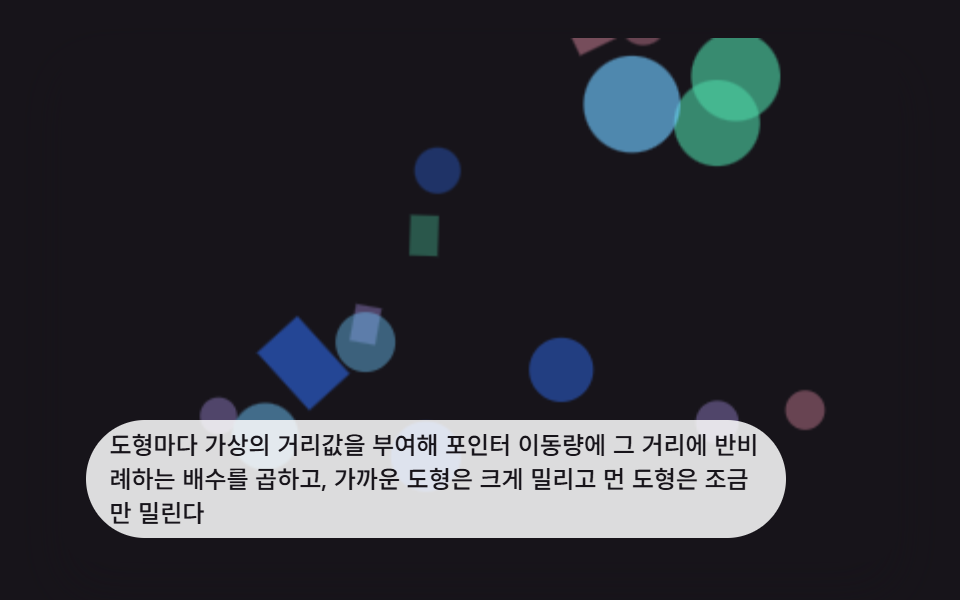 Interactions9 CSS 3D Background Animation Depth Layers
 InteractionsCSS Popover: 9 Ways to Anchor, Flip and Spring
 InteractionsBubble Animation CSS: 9 Soap-Film Scenes That Pop