Keyboard Shortcuts UI Design: 9 Working Parts
Keyboard shortcuts UI design is the craft of making a page answer the keyboard: keycaps, hints, recorders, help sheets.
 01 kbd-keycap-styles
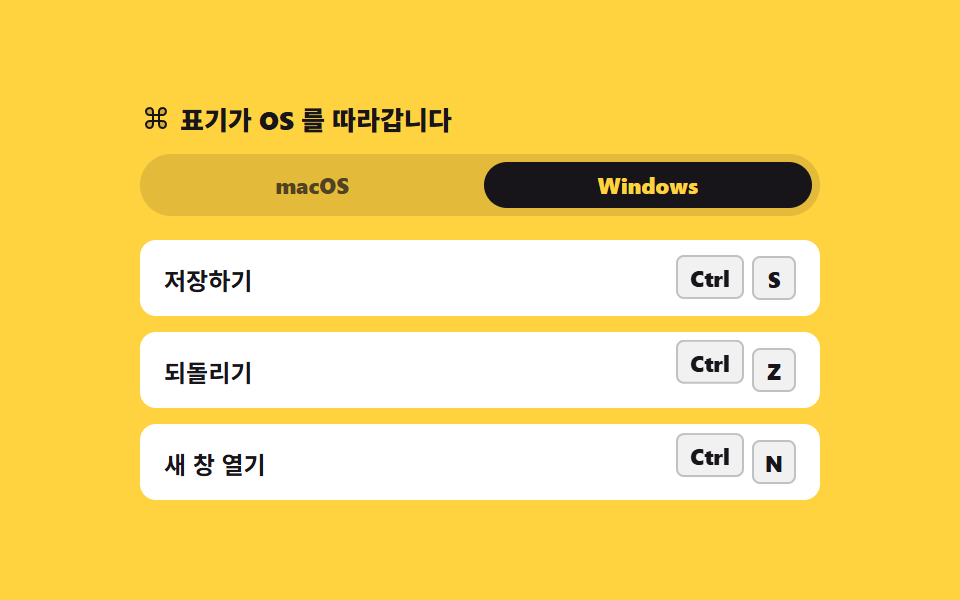 02 kbd-platform-switch
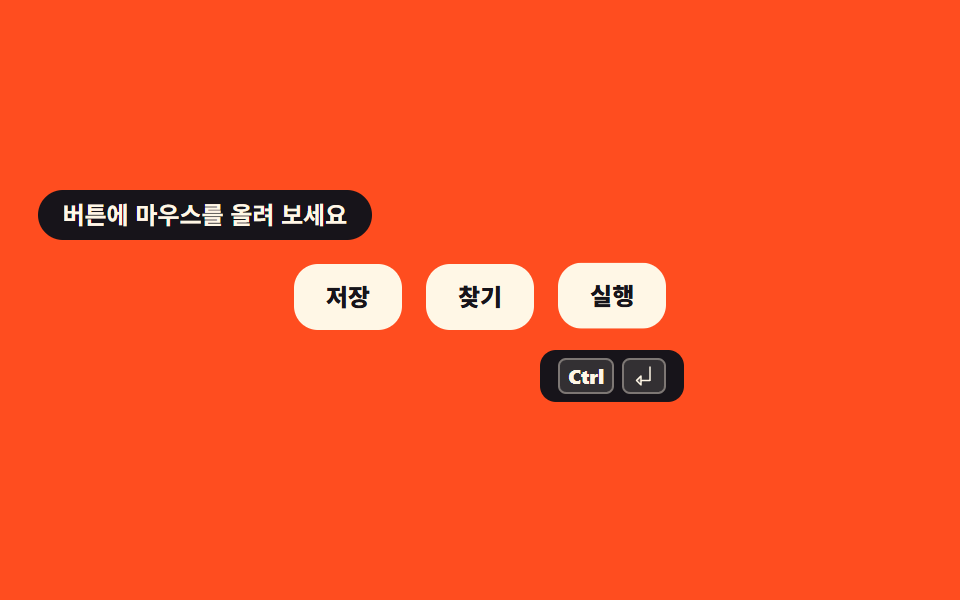 03 shortcut-hint-tooltip
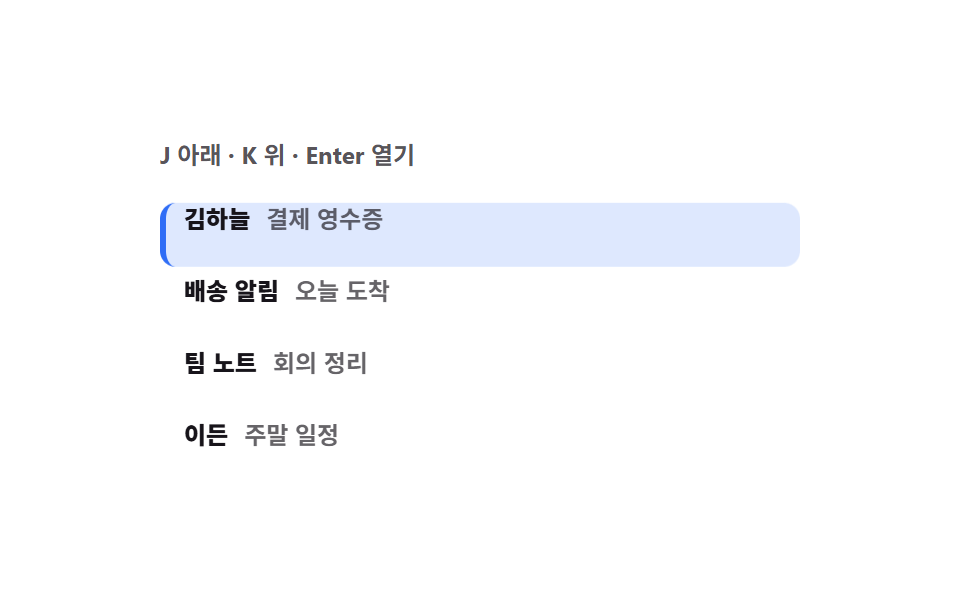 04 kbd-roving-list-nav
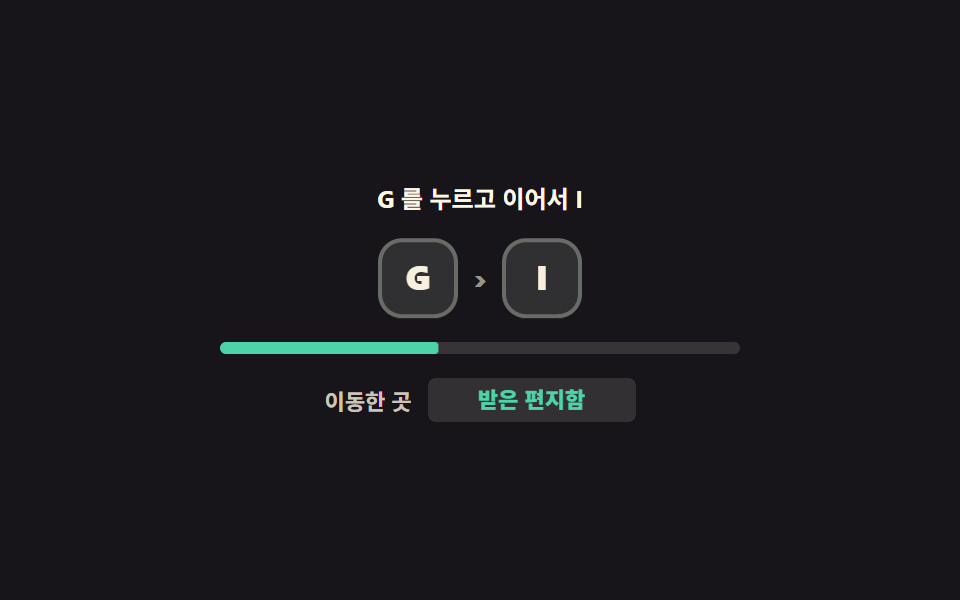 05 shortcut-chord-sequence
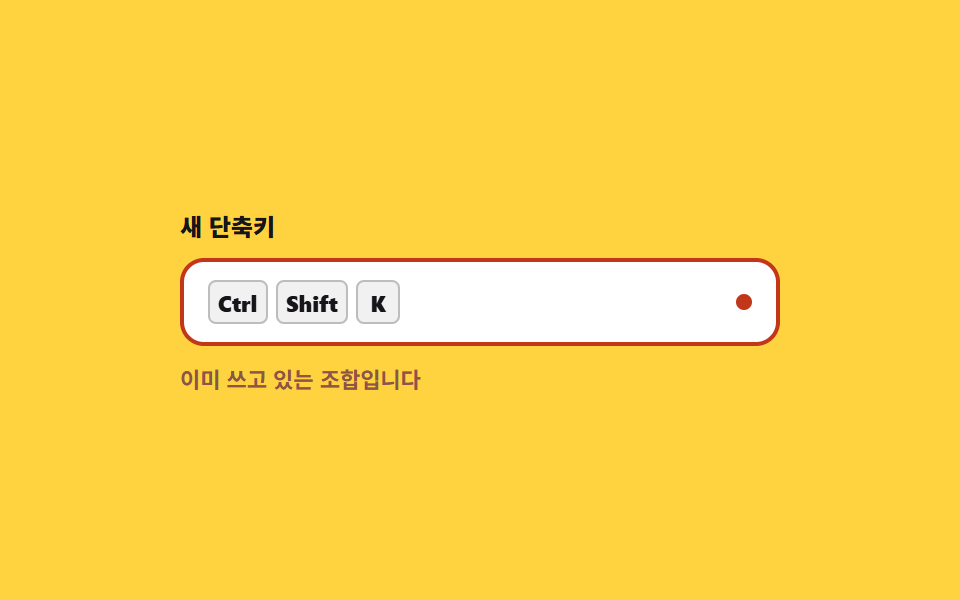 06 shortcut-recorder-input
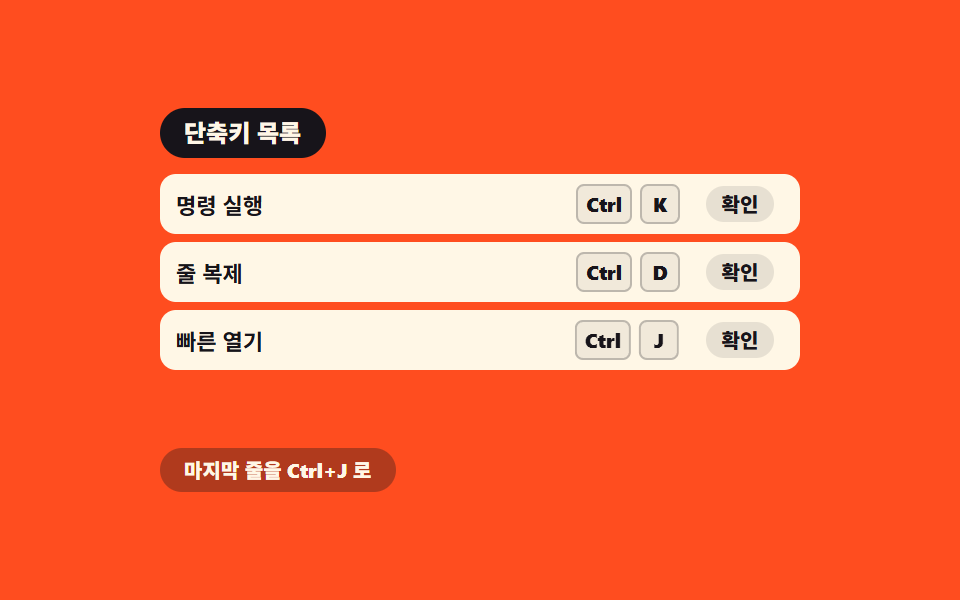 07 shortcut-conflict-table
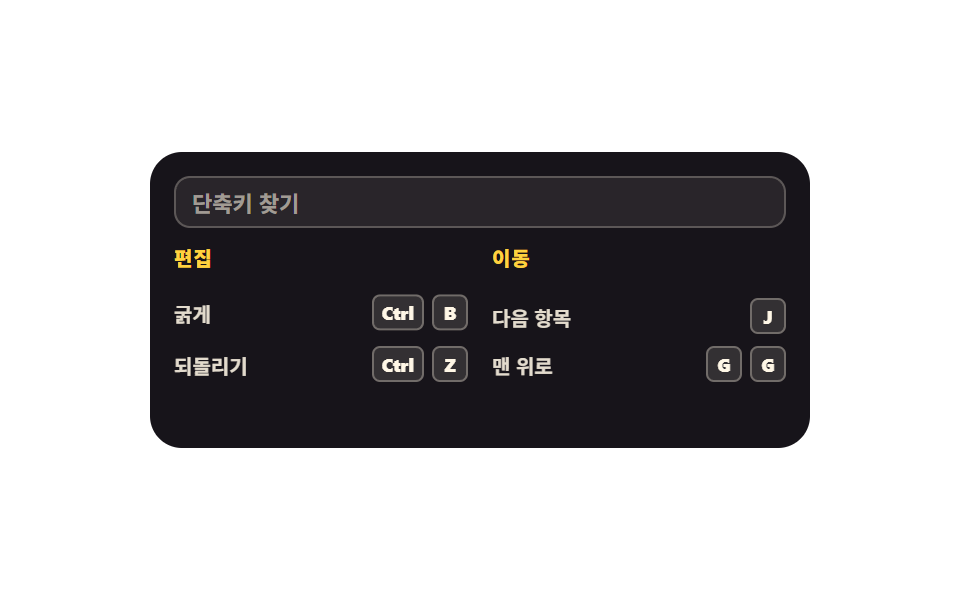 08 shortcut-help-sheet
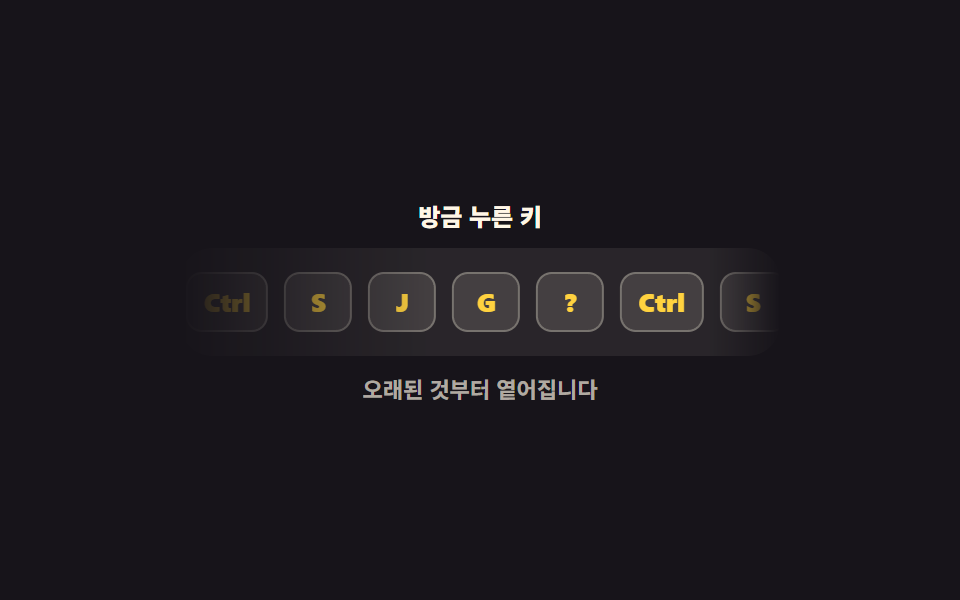 09 kbd-keycast-stream
Auto-plays · click a tile to jump to its section · all nine in one zip
- 01 Three keycap styles
- 02 Platform-aware keycap
- 03 Shortcut hint tooltip
- 04 J and K list navigation
- 05 Two-key sequence
- 06 Shortcut recorder field
- 07 Conflict detection table
- 08 Question-mark help sheet
- 09 Keycast stream
The nine parts are ordered the way a person actually meets a keyboard shortcut ui design, not by component type. First the part you see — pick a keycap style (01), match the reader's OS (02), hang a hint on a button (03). Then the part your hand does — sweep a list with J and K (04), jump screens with G then I (05). Then the part you define — record a combination (06), catch two actions on one combination (07), unfold the shortcuts for the current screen from a question mark (08). The last one is for other people: stream the keys you just pressed into a corner for recordings and live demos (09). Stage colors rotate through three ink, two yellow, two orange and two paper so the nine tiles never tilt to one brightness. The command palette and the shortcut badges inside it live in Command Palette Search UI: 9 Patterns, and the player-wide shortcut overlay is covered by Video Player Controls: 9 Patterns. The touch-side counterparts are in Mobile Touch Gestures: 9 Patterns. Finishing the same job with one button instead of a key is the axis social share buttons take, while a scene tilting under the cursor belongs to pointer-following 3D scenes.
01Three keycap styles
What you see
The same letter as three keycaps: flat, raised, and outline. The raised cap gets its thickness from a box-shadow and its press from translateY alone — pressing with scale squashes the letter with it.
<svg width="0" height="0" style="position:absolute" aria-hidden="true">
  <defs>
    <symbol id="keyboard" viewBox="0 0 256 256" fill="currentColor"><path d="M232,64V192a8,8,0,0,1-8,8H32a8,8,0,0,1-8-8V64a8,8,0,0,1,8-8H224A8,8,0,0,1,232,64Z" opacity="0.2"/><path d="M224,48H32A16,16,0,0,0,16,64V192a16,16,0,0,0,16,16H224a16,16,0,0,0,16-16V64A16,16,0,0,0,224,48Zm0,144H32V64H224V192Zm-16-64a8,8,0,0,1-8,8H56a8,8,0,0,1,0-16H200A8,8,0,0,1,208,128Zm0-32a8,8,0,0,1-8,8H56a8,8,0,0,1,0-16H200A8,8,0,0,1,208,96ZM72,160a8,8,0,0,1-8,8H56a8,8,0,0,1,0-16h8A8,8,0,0,1,72,160Zm96,0a8,8,0,0,1-8,8H96a8,8,0,0,1,0-16h64A8,8,0,0,1,168,160Zm40,0a8,8,0,0,1-8,8h-8a8,8,0,0,1,0-16h8A8,8,0,0,1,208,160Z"/></symbol>
  </defs>
</svg>
<main class="stage">
<div class="kc is-demo" id="kc">
  <p class="kc__hint"><svg class="kc__ico" aria-hidden="true"><use href="#keyboard"/></svg><span>Press A, S or D</span></p>
  <div class="kc__row">
    <span class="kc__cell"><kbd class="kc__cap kc__cap--flat" data-key="a">A</kbd><span class="kc__tag">Flat</span></span>
    <span class="kc__cell"><kbd class="kc__cap kc__cap--raised" data-key="s">S</kbd><span class="kc__tag">Raised</span></span>
    <span class="kc__cell"><kbd class="kc__cap kc__cap--outline" data-key="d">D</kbd><span class="kc__tag">Outline</span></span>
  </div>
  <p class="kc__read">
    <span class="kc__readLabel">Key down</span>
    <b class="kc__readKey"><span class="kc__readText" id="readText" aria-live="polite">-</span><span class="kc__loop" aria-hidden="true"><i>A</i><i>S</i><i>D</i></span></b>
  </p>
</div>
</main>
@use "../../../../site/static/demo-tokens" as *;
// 키캡 스타일 세 가지 — 평면 · 입체 · 테두리. 입체 키캡의 두께는 box-shadow 로 만든다.
// 누름은 translateY 로만 내린다(scale 로 줄이면 글자까지 눌려 보인다 — blog-demo 규칙 8).
// 격자 미리보기(.is-demo)는 세 키캡이 순서대로 눌리는 2초 CSS 루프. 사람이 실제 키를 누르면 JS 가 루프를 뗀다.
$duration: $dur-instant;
$easing: $ease-spring;
$color: $stage-yellow;
@include stage($stage-ink);
.kc { display: flex; flex-direction: column; align-items: center; gap: $sp-3; width: 100%; }
.kc__hint {
display: flex; align-items: center; gap: $sp-1; margin: 0;
font-weight: 700; font-size: clamp(11px, 3vw, 12px); color: $subject-cream;
}
.kc__ico { width: 16px; height: 16px; color: $stage-yellow; }
.kc__row { display: flex; align-items: flex-end; justify-content: center; gap: $sp-5; }
.kc__cell { display: flex; flex-direction: column; align-items: center; gap: $sp-2; }
.kc__tag { font-weight: 700; font-size: clamp(10px, 2.6vw, 11px); color: rgba(255, 247, 230, .78); }
// 키캡 공통 — <kbd> 의 기본 서체는 monospace 라 크기·굵기를 낱개 속성으로 다시 정한다 (font 단축은 BD20)
.kc__cap {
display: grid; place-items: center; box-sizing: border-box;
width: 48px; height: 48px; border-radius: $r-control;
font-family: inherit; font-weight: 800; font-size: 20px; line-height: 1;
transition: transform $duration $easing, box-shadow $duration $easing;
}
.kc__cap--flat { background: $subject-cream; color: $subject-ink; }
// 두께 6px 은 그림자로만 만든다 — 누를 때 이 값이 2px 로 줄면서 키가 내려앉는다
.kc__cap--raised { background: $color; color: $subject-ink; box-shadow: 0 6px 0 #a89153; }
.kc__cap--outline { background: transparent; color: $subject-cream; border: 2px solid $subject-cream; }
.kc__cap.is-down { transform: translateY(4px); }
.kc__cap--raised.is-down { transform: translateY(4px); box-shadow: 0 2px 0 #a89153; }
.kc__read { margin: 0; display: flex; align-items: center; gap: $sp-2; }
.kc__readLabel { font-weight: 700; font-size: clamp(10px, 2.6vw, 11px); color: rgba(255, 247, 230, .78); }
.kc__readKey {
position: relative; display: grid; place-items: center;
min-width: 28px; height: 20px; border-radius: $r-xs; padding: 0 $sp-1;
background: rgba(255, 247, 230, .16); color: $subject-cream;
font-weight: 800; font-size: clamp(11px, 3vw, 12px); line-height: 1;
}
.kc__loop { position: absolute; inset: 0; display: grid; place-items: center; visibility: hidden; }
.kc__loop i { grid-area: 1 / 1; font-style: normal; visibility: hidden; }
// ── 격자 미리보기 루프: 세 키캡이 0.6s 간격으로 눌렸다 올라온다.
// animation-delay 는 낱개 속성으로 — animation 단축은 delay 를 0s 로 되돌린다 (240 실측).
.kc.is-demo .kc__cap {
animation-name: kcPress; animation-duration: $dur-loop; animation-timing-function: $easing;
animation-iteration-count: infinite; animation-fill-mode: backwards;
}
.kc.is-demo .kc__cap--flat { animation-delay: 0ms; }
.kc.is-demo .kc__cap--raised { animation-name: kcPressRaised; animation-delay: 600ms; }
.kc.is-demo .kc__cap--outline { animation-delay: 1200ms; }
@keyframes kcPress {
0%, 4% { transform: translateY(0); }
9%, 22% { transform: translateY(4px); }
28%, 100% { transform: translateY(0); }
}
@keyframes kcPressRaised {
0%, 4% { transform: translateY(0); box-shadow: 0 6px 0 #a89153; }
9%, 22% { transform: translateY(4px); box-shadow: 0 2px 0 #a89153; }
28%, 100% { transform: translateY(0); box-shadow: 0 6px 0 #a89153; }
}
// 누른 키 칸도 같은 박자로 A → S → D 를 보여준다. 글자 교체는 steps(1, end) 로 한 프레임에 컷.
// 미리보기 전용 글자는 color: transparent 로만 감춘다 — display: none 은 칸 폭까지 없앤다 (274 실측)
.kc.is-demo .kc__readText { color: transparent; }
.kc.is-demo .kc__loop { visibility: visible; }
.kc.is-demo .kc__loop i {
animation-name: kcLetter; animation-duration: $dur-loop; animation-timing-function: steps(1, end);
animation-iteration-count: infinite; animation-fill-mode: backwards;
}
.kc.is-demo .kc__loop i:nth-child(1) { animation-delay: 0ms; }
.kc.is-demo .kc__loop i:nth-child(2) { animation-delay: 600ms; }
.kc.is-demo .kc__loop i:nth-child(3) { animation-delay: 1200ms; }
@keyframes kcLetter {
0%, 27% { visibility: visible; }
28%, 100% { visibility: hidden; }
}
@media (max-width: 340px) {
.kc { gap: $sp-2; }
.kc__row { gap: $sp-3; }
.kc__cap { width: 40px; height: 40px; font-size: 17px; }
.kc__cell { gap: $sp-1; }
}
@media (prefers-reduced-motion: reduce) {
.kc.is-demo .kc__cap,
.kc.is-demo .kc__loop i { animation: none !important; }
.kc.is-demo .kc__readText { color: $subject-cream !important; }
.kc.is-demo .kc__loop { visibility: hidden !important; }
.kc__cap { transition: none !important; }
}html, body {
margin: 0;
overflow: hidden;
}
.stage {
box-sizing: border-box;
min-height: 100vh;
display: grid;
place-items: center;
margin: 0;
background: #17141a;
font-family: -apple-system, "Segoe UI", "Noto Sans KR", sans-serif;
padding: clamp(8px, 4vw, 24px);
}
.kc {
display: flex;
flex-direction: column;
align-items: center;
gap: 12px;
width: 100%;
}
.kc__hint {
display: flex;
align-items: center;
gap: 4px;
margin: 0;
font-weight: 700;
font-size: clamp(11px, 3vw, 12px);
color: #fff7e6;
}
.kc__ico {
width: 16px;
height: 16px;
color: #ffd23f;
}
.kc__row {
display: flex;
align-items: flex-end;
justify-content: center;
gap: 20px;
}
.kc__cell {
display: flex;
flex-direction: column;
align-items: center;
gap: 8px;
}
.kc__tag {
font-weight: 700;
font-size: clamp(10px, 2.6vw, 11px);
color: rgba(255, 247, 230, 0.78);
}
.kc__cap {
display: grid;
place-items: center;
box-sizing: border-box;
width: 48px;
height: 48px;
border-radius: 12px;
font-family: inherit;
font-weight: 800;
font-size: 20px;
line-height: 1;
transition: transform 140ms cubic-bezier(0.2, 0.8, 0.2, 1), box-shadow 140ms cubic-bezier(0.2, 0.8, 0.2, 1);
}
.kc__cap--flat {
background: #fff7e6;
color: #17141a;
}
.kc__cap--raised {
background: #ffd23f;
color: #17141a;
box-shadow: 0 6px 0 #a89153;
}
.kc__cap--outline {
background: transparent;
color: #fff7e6;
border: 2px solid #fff7e6;
}
.kc__cap.is-down {
transform: translateY(4px);
}
.kc__cap--raised.is-down {
transform: translateY(4px);
box-shadow: 0 2px 0 #a89153;
}
.kc__read {
margin: 0;
display: flex;
align-items: center;
gap: 8px;
}
.kc__readLabel {
font-weight: 700;
font-size: clamp(10px, 2.6vw, 11px);
color: rgba(255, 247, 230, 0.78);
}
.kc__readKey {
position: relative;
display: grid;
place-items: center;
min-width: 28px;
height: 20px;
border-radius: 4px;
padding: 0 4px;
background: rgba(255, 247, 230, 0.16);
color: #fff7e6;
font-weight: 800;
font-size: clamp(11px, 3vw, 12px);
line-height: 1;
}
.kc__loop {
position: absolute;
inset: 0;
display: grid;
place-items: center;
visibility: hidden;
}
.kc__loop i {
grid-area: 1/1;
font-style: normal;
visibility: hidden;
}
.kc.is-demo .kc__cap {
animation-name: kcPress;
animation-duration: 2s;
animation-timing-function: cubic-bezier(0.2, 0.8, 0.2, 1);
animation-iteration-count: infinite;
animation-fill-mode: backwards;
}
.kc.is-demo .kc__cap--flat {
animation-delay: 0ms;
}
.kc.is-demo .kc__cap--raised {
animation-name: kcPressRaised;
animation-delay: 600ms;
}
.kc.is-demo .kc__cap--outline {
animation-delay: 1200ms;
}
@keyframes kcPress {
0%, 4% {
transform: translateY(0);
}
9%, 22% {
transform: translateY(4px);
}
28%, 100% {
transform: translateY(0);
}
}
@keyframes kcPressRaised {
0%, 4% {
transform: translateY(0);
box-shadow: 0 6px 0 #a89153;
}
9%, 22% {
transform: translateY(4px);
box-shadow: 0 2px 0 #a89153;
}
28%, 100% {
transform: translateY(0);
box-shadow: 0 6px 0 #a89153;
}
}
.kc.is-demo .kc__readText {
color: transparent;
}
.kc.is-demo .kc__loop {
visibility: visible;
}
.kc.is-demo .kc__loop i {
animation-name: kcLetter;
animation-duration: 2s;
animation-timing-function: steps(1, end);
animation-iteration-count: infinite;
animation-fill-mode: backwards;
}
.kc.is-demo .kc__loop i:nth-child(1) {
animation-delay: 0ms;
}
.kc.is-demo .kc__loop i:nth-child(2) {
animation-delay: 600ms;
}
.kc.is-demo .kc__loop i:nth-child(3) {
animation-delay: 1200ms;
}
@keyframes kcLetter {
0%, 27% {
visibility: visible;
}
28%, 100% {
visibility: hidden;
}
}
@media (max-width: 340px) {
.kc {
gap: 8px;
}
.kc__row {
gap: 12px;
}
.kc__cap {
width: 40px;
height: 40px;
font-size: 17px;
}
.kc__cell {
gap: 4px;
}
}
@media (prefers-reduced-motion: reduce) {
.kc.is-demo .kc__cap,
.kc.is-demo .kc__loop i {
animation: none !important;
}
.kc.is-demo .kc__readText {
color: #fff7e6 !important;
}
.kc.is-demo .kc__loop {
visibility: hidden !important;
}
.kc__cap {
transition: none !important;
}
}var root = document.getElementById('kc');
var readText = document.getElementById('readText');
var caps = Array.prototype.slice.call(document.querySelectorAll('.kc__cap'));
function capFor(key) {
var want = String(key || '').toLowerCase();
for (var i = 0; i < caps.length; i++) {
if (caps[i].getAttribute('data-key') === want) { return caps[i]; }
}
return null;
}
window.addEventListener('keydown', function (e) {
var cap = capFor(e.key);
if (!cap) { return; }
root.classList.remove('is-demo');
cap.classList.add('is-down');
readText.textContent = cap.getAttribute('data-key').toUpperCase();
});
window.addEventListener('keyup', function (e) {
var cap = capFor(e.key);
if (cap) { cap.classList.remove('is-down'); }
});// KeycapStyles — vanilla 판(run/288/demo/01-kbd-keycap-styles/index.html) 의 React 포트.
// 평면·입체·테두리 세 키캡. 실제 키 입력에 반응해 해당 키캡만 translateY 로 내려앉았다가 keyup 에 돌아온다.
import { useEffect, useState } from "react";
import type { CSSProperties } from "react";
import styles from "./KeycapStyles.module.scss";
export type KeycapStylesProps = {
/** 격자 미리보기용 2초 자동 루프. 사람이 키를 누르면 꺼진다 */
demo?: boolean;
duration?: number;
easing?: string;
color?: string;
};
type Vars = CSSProperties & { "--duration"?: string; "--easing"?: string; "--color"?: string };
type Cap = { key: string; label: string; tag: string; face: string };
/** vanilla 의 data-key 세 개와 같은 순서 */
const CAPS: Cap[] = [
{ key: "a", label: "A", tag: "평면", face: "capFlat" },
{ key: "s", label: "S", tag: "입체", face: "capRaised" },
{ key: "d", label: "D", tag: "테두리", face: "capOutline" },
];
export default function KeycapStyles({
demo = true,
duration = 140,
easing = "cubic-bezier(.2, .8, .2, 1)",
color = "#ffd23f",
}: KeycapStylesProps) {
const [live, setLive] = useState(demo);
const [down, setDown] = useState("");
const [readText, setReadText] = useState("-");
const vars: Vars = { "--duration": `${duration}ms`, "--easing": easing, "--color": color };
useEffect(() => {
function handleDown(e: KeyboardEvent) {
const want = e.key.toLowerCase();
if (!CAPS.some((cap) => cap.key === want)) {
return;
}
setLive(false);
setDown(want);
setReadText(want.toUpperCase());
}
function handleUp(e: KeyboardEvent) {
const want = e.key.toLowerCase();
if (CAPS.some((cap) => cap.key === want)) {
setDown("");
}
}
window.addEventListener("keydown", handleDown);
window.addEventListener("keyup", handleUp);
return () => {
window.removeEventListener("keydown", handleDown);
window.removeEventListener("keyup", handleUp);
};
}, []);
const cls = [styles.root, live ? styles.isDemo : ""].filter(Boolean).join(" ");
return (
<main className={styles.stage} style={vars}>
<svg width="0" height="0" style={{ position: "absolute" }} aria-hidden="true">
<defs>
<symbol id="keyboard" viewBox="0 0 256 256" fill="currentColor">
<path d="M232,64V192a8,8,0,0,1-8,8H32a8,8,0,0,1-8-8V64a8,8,0,0,1,8-8H224A8,8,0,0,1,232,64Z" opacity="0.2" />
<path d="M224,48H32A16,16,0,0,0,16,64V192a16,16,0,0,0,16,16H224a16,16,0,0,0,16-16V64A16,16,0,0,0,224,48Zm0,144H32V64H224V192Zm-16-64a8,8,0,0,1-8,8H56a8,8,0,0,1,0-16H200A8,8,0,0,1,208,128Zm0-32a8,8,0,0,1-8,8H56a8,8,0,0,1,0-16H200A8,8,0,0,1,208,96ZM72,160a8,8,0,0,1-8,8H56a8,8,0,0,1,0-16h8A8,8,0,0,1,72,160Zm96,0a8,8,0,0,1-8,8H96a8,8,0,0,1,0-16h64A8,8,0,0,1,168,160Zm40,0a8,8,0,0,1-8,8h-8a8,8,0,0,1,0-16h8A8,8,0,0,1,208,160Z" />
</symbol>
</defs>
</svg>
<div className={cls}>
<p className={styles.hint}>
<svg className={styles.ico} aria-hidden="true"><use href="#keyboard" /></svg>
<span>A · S · D 를 눌러 보세요</span>
</p>
<div className={styles.row}>
{CAPS.map((cap) => (
<span className={styles.cell} key={cap.key}>
<kbd className={[styles.cap, styles[cap.face], down === cap.key ? styles.isDown : ""].filter(Boolean).join(" ")}>
{cap.label}
</kbd>
<span className={styles.tag}>{cap.tag}</span>
</span>
))}
</div>
<p className={styles.read}>
<span className={styles.readLabel}>누른 키</span>
<b className={styles.readKey}>
<span className={styles.readText} aria-live="polite">{readText}</span>
<span className={styles.loop} aria-hidden="true"><i>A</i><i>S</i><i>D</i></span>
</b>
</p>
</div>
</main>
);
}01 · Three keycap styles — Measured area 1.499% · moving frames 13/23Original by GODRICH · SCSS and React ship in the zip · See the password
Where to look in the code
Press A, S or D for real and just that cap sinks until keyup; the loop cycles through all three at a modest 1.495% area with 13/23 moving frames.
.kc__cap {
  display: grid; place-items: center; box-sizing: border-box;
  width: 48px; height: 48px; border-radius: $r-control;
  font-family: inherit; font-weight: 800; font-size: 20px; line-height: 1;
  transition: transform $duration $easing, box-shadow $duration $easing;
}
// the 6px thickness is made of shadow alone — on press it shrinks to 2px and the key sinks
.kc__cap--raised { background: $color; color: $subject-ink; box-shadow: 0 6px 0 #b8890a; }
.kc__cap--raised.is-down { transform: translateY(4px); box-shadow: 0 2px 0 #b8890a; }
02Platform-aware keycap
What happens on screen
One shortcut, two faces: ⌘ on a Mac and Ctrl on Windows. Detection reads userAgentData.platform first and falls back to the older navigator.platform where the property is missing, and both labels sit in one grid cell picked with visibility alone so the row never shifts.
<svg width="0" height="0" style="position:absolute" aria-hidden="true">
<defs>
<symbol id="command" viewBox="0 0 256 256" fill="currentColor"><path d="M208,76h0a28,28,0,0,1-28,28H152V76a28,28,0,0,1,28-28h0A28,28,0,0,1,208,76ZM76,48h0A28,28,0,0,0,48,76h0a28,28,0,0,0,28,28h28V76A28,28,0,0,0,76,48ZM180,152H152v28a28,28,0,0,0,28,28h0a28,28,0,0,0,28-28h0A28,28,0,0,0,180,152ZM48,180h0a28,28,0,0,0,28,28h0a28,28,0,0,0,28-28V152H76A28,28,0,0,0,48,180Z" opacity="0.2"/><path d="M180,144H160V112h20a36,36,0,1,0-36-36V96H112V76a36,36,0,1,0-36,36H96v32H76a36,36,0,1,0,36,36V160h32v20a36,36,0,1,0,36-36ZM160,76a20,20,0,1,1,20,20H160ZM56,76a20,20,0,0,1,40,0V96H76A20,20,0,0,1,56,76ZM96,180a20,20,0,1,1-20-20H96Zm16-68h32v32H112Zm68,88a20,20,0,0,1-20-20V160h20a20,20,0,0,1,0,40Z"/></symbol>
</defs>
</svg>
<main class="stage">
<div class="pf is-demo" id="pf" data-platform="win">
<div class="pf__head">
<p class="pf__title"><svg class="pf__ico" aria-hidden="true"><use href="#command"/></svg><span>The label follows your OS</span></p>
<div class="pf__switch" role="group" aria-label="Operating system to show">
<button type="button" class="pf__opt" data-os="mac" aria-pressed="false">macOS</button>
<button type="button" class="pf__opt" data-os="win" aria-pressed="true">Windows</button>
</div>
</div>
<ul class="pf__list">
<li class="pf__row">
<span class="pf__act">Save file</span>
<span class="pf__keys"><kbd class="pf__mod"><span class="pf__mac">⌘</span><span class="pf__win">Ctrl</span></kbd><kbd class="pf__key">S</kbd></span>
</li>
<li class="pf__row">
<span class="pf__act">Undo</span>
<span class="pf__keys"><kbd class="pf__mod"><span class="pf__mac">⌘</span><span class="pf__win">Ctrl</span></kbd><kbd class="pf__key">Z</kbd></span>
</li>
<li class="pf__row">
<span class="pf__act">New window</span>
<span class="pf__keys"><kbd class="pf__mod"><span class="pf__mac">⌘</span><span class="pf__win">Ctrl</span></kbd><kbd class="pf__key">N</kbd></span>
</li>
</ul>
</div>
</main>@use "../../../../site/static/demo-tokens" as *;
// 플랫폼 자동 전환 키캡 — 같은 단축키를 맥에서는 ⌘, 윈도우에서는 Ctrl 로 적는다.
// 두 표기는 같은 격자 칸(grid-area: 1 / 1)에 겹쳐 두고 visibility 로만 고른다.
// 폭이 넓은 Ctrl 쪽에 min-width 를 맞춰 두어 표기가 바뀌어도 줄이 흔들리지 않는다.
// 격자 미리보기(.is-demo)는 1초마다 두 표기를 steps(1, end) 로 컷 교체하고, 바뀌는 키캡만 살짝 튀어오른다.
$duration: $dur-quick;
$easing: $ease-pop;
$color: $subject-ink;
@include stage($stage-yellow);
.pf { display: flex; flex-direction: column; gap: $sp-3; width: min(100%, 340px); }
.pf__head { display: flex; flex-direction: column; gap: $sp-2; }
.pf__title {
display: flex; align-items: center; gap: $sp-1; margin: 0;
font-weight: 800; font-size: clamp(11px, 3vw, 13px); color: $subject-ink;
}
.pf__ico { width: 16px; height: 16px; color: $subject-ink; }
.pf__switch { display: grid; grid-template-columns: repeat(2, 1fr); gap: $sp-1; padding: $sp-1; background: rgba(23, 20, 26, .12); border-radius: $r-pill; }
.pf__opt {
border: 0; cursor: pointer; background: transparent; color: rgba(23, 20, 26, .72);
border-radius: $r-pill; padding: $sp-1 $sp-2; font-family: inherit;
font-weight: 800; font-size: clamp(10px, 2.8vw, 11px); line-height: 1.4;
transition: background $duration $ease-spring, color $duration $ease-spring;
}
.pf__opt[aria-pressed="true"] { background: $color; color: $stage-yellow; }
.pf__opt:focus-visible { outline: 3px solid $subject-blue; outline-offset: 2px; }
.pf__list { list-style: none; margin: 0; padding: 0; display: flex; flex-direction: column; gap: $sp-2; }
.pf__row {
display: flex; align-items: center; justify-content: space-between; gap: $sp-2;
background: $stage-paper; border-radius: $r-sm; padding: $sp-2 $sp-3;
}
.pf__act { font-weight: 700; font-size: clamp(11px, 3vw, 12px); color: $subject-ink; }
.pf__keys { display: flex; align-items: center; gap: $sp-1; }
.pf__mod, .pf__key {
display: grid; place-items: center; box-sizing: border-box; height: 22px;
border-radius: $r-xs; border: 1px solid rgba(23, 20, 26, .22);
background: rgba(23, 20, 26, .06); color: $subject-ink;
font-family: inherit; font-weight: 800; font-size: 11px; line-height: 1;
}
.pf__key { min-width: 22px; padding: 0 $sp-1; }
// Ctrl(넓은 쪽) 폭으로 고정 — 표기가 바뀌어도 줄 전체가 밀리지 않는다
.pf__mod { position: relative; min-width: 34px; padding: 0 $sp-1; }
.pf__mod span { grid-area: 1 / 1; }
.pf[data-platform="win"] .pf__mac { visibility: hidden; }
.pf[data-platform="mac"] .pf__win { visibility: hidden; }
// ── 격자 미리보기 루프: Windows(0~1s) → macOS(1~2s). 컷만 두면 움직인 프레임이 모자라
// 바뀐 키캡이 곧바로 4px 튀어오르는 보조 움직임을 붙인다 (252 실측: 컷 + transform).
.pf.is-demo .pf__mac,
.pf.is-demo .pf__win {
animation-duration: $dur-loop; animation-timing-function: steps(1, end);
animation-iteration-count: infinite; animation-fill-mode: backwards;
}
.pf.is-demo .pf__mac { animation-name: pfShowLate; }
.pf.is-demo .pf__win { animation-name: pfShowEarly; }
// 복귀(mac → win)도 루프 안에서 보이게 90% 지점에 둔다 — 24프레임의 마지막 장은 95.8% 지점이라
// 96% 뒤에 둔 복귀는 gif 에도 측정에도 안 잡힌다 (242 실측)
@keyframes pfShowEarly {
0%, 44% { visibility: visible; }
45%, 89% { visibility: hidden; }
90%, 100% { visibility: visible; }
}
@keyframes pfShowLate {
0%, 44% { visibility: hidden; }
45%, 89% { visibility: visible; }
90%, 100% { visibility: hidden; }
}
.pf.is-demo .pf__mod {
animation-name: pfPop; animation-duration: $dur-loop; animation-timing-function: $easing;
animation-iteration-count: infinite; animation-fill-mode: backwards;
}
.pf.is-demo .pf__row:nth-child(1) .pf__mod { animation-delay: 0ms; }
.pf.is-demo .pf__row:nth-child(2) .pf__mod { animation-delay: 80ms; }
.pf.is-demo .pf__row:nth-child(3) .pf__mod { animation-delay: 160ms; }
@keyframes pfPop {
0%, 37% { transform: translateY(0); }
45% { transform: translateY(-4px); }
53%, 82% { transform: translateY(0); }
90% { transform: translateY(-4px); }
98%, 100% { transform: translateY(0); }
}
// 두 토글 버튼도 같은 박자로 눌린 쪽이 바뀐다
.pf.is-demo .pf__opt {
animation-duration: $dur-loop; animation-timing-function: steps(1, end);
animation-iteration-count: infinite; animation-fill-mode: backwards;
}
.pf.is-demo .pf__opt[data-os="win"] { animation-name: pfOptEarly; }
.pf.is-demo .pf__opt[data-os="mac"] { animation-name: pfOptLate; }
@keyframes pfOptEarly {
0%, 44% { background: $color; color: $stage-yellow; }
45%, 89% { background: transparent; color: rgba(23, 20, 26, .72); }
90%, 100% { background: $color; color: $stage-yellow; }
}
@keyframes pfOptLate {
0%, 44% { background: transparent; color: rgba(23, 20, 26, .72); }
45%, 89% { background: $color; color: $stage-yellow; }
90%, 100% { background: transparent; color: rgba(23, 20, 26, .72); }
}
@media (max-width: 340px) {
.pf { gap: $sp-2; }
.pf__row { padding: $sp-1 $sp-2; }
.pf__list { gap: $sp-1; }
}
@media (prefers-reduced-motion: reduce) {
.pf.is-demo .pf__mac,
.pf.is-demo .pf__win,
.pf.is-demo .pf__mod,
.pf.is-demo .pf__opt { animation: none !important; }
.pf.is-demo .pf__mac { visibility: hidden !important; }
.pf__opt { transition: none !important; }
}html, body {
margin: 0;
overflow: hidden;
}
.stage {
box-sizing: border-box;
min-height: 100vh;
display: grid;
place-items: center;
margin: 0;
background: #ffd23f;
font-family: -apple-system, "Segoe UI", "Noto Sans KR", sans-serif;
padding: clamp(8px, 4vw, 24px);
}
.pf {
display: flex;
flex-direction: column;
gap: 12px;
width: min(100%, 340px);
}
.pf__head {
display: flex;
flex-direction: column;
gap: 8px;
}
.pf__title {
display: flex;
align-items: center;
gap: 4px;
margin: 0;
font-weight: 800;
font-size: clamp(11px, 3vw, 13px);
color: #17141a;
}
.pf__ico {
width: 16px;
height: 16px;
color: #17141a;
}
.pf__switch {
display: grid;
grid-template-columns: repeat(2, 1fr);
gap: 4px;
padding: 4px;
background: rgba(23, 20, 26, 0.12);
border-radius: 999px;
}
.pf__opt {
border: 0;
cursor: pointer;
background: transparent;
color: rgba(23, 20, 26, 0.72);
border-radius: 999px;
padding: 4px 8px;
font-family: inherit;
font-weight: 800;
font-size: clamp(10px, 2.8vw, 11px);
line-height: 1.4;
transition: background 220ms cubic-bezier(0.2, 0.8, 0.2, 1), color 220ms cubic-bezier(0.2, 0.8, 0.2, 1);
}
.pf__opt[aria-pressed=true] {
background: #17141a;
color: #ffd23f;
}
.pf__opt:focus-visible {
outline: 3px solid #2f6df6;
outline-offset: 2px;
}
.pf__list {
list-style: none;
margin: 0;
padding: 0;
display: flex;
flex-direction: column;
gap: 8px;
}
.pf__row {
display: flex;
align-items: center;
justify-content: space-between;
gap: 8px;
background: #ffffff;
border-radius: 8px;
padding: 8px 12px;
}
.pf__act {
font-weight: 700;
font-size: clamp(11px, 3vw, 12px);
color: #17141a;
}
.pf__keys {
display: flex;
align-items: center;
gap: 4px;
}
.pf__mod, .pf__key {
display: grid;
place-items: center;
box-sizing: border-box;
height: 22px;
border-radius: 4px;
border: 1px solid rgba(23, 20, 26, 0.22);
background: rgba(23, 20, 26, 0.06);
color: #17141a;
font-family: inherit;
font-weight: 800;
font-size: 11px;
line-height: 1;
}
.pf__key {
min-width: 22px;
padding: 0 4px;
}
.pf__mod {
position: relative;
min-width: 34px;
padding: 0 4px;
}
.pf__mod span {
grid-area: 1/1;
}
.pf[data-platform=win] .pf__mac {
visibility: hidden;
}
.pf[data-platform=mac] .pf__win {
visibility: hidden;
}
.pf.is-demo .pf__mac,
.pf.is-demo .pf__win {
animation-duration: 2s;
animation-timing-function: steps(1, end);
animation-iteration-count: infinite;
animation-fill-mode: backwards;
}
.pf.is-demo .pf__mac {
animation-name: pfShowLate;
}
.pf.is-demo .pf__win {
animation-name: pfShowEarly;
}
@keyframes pfShowEarly {
0%, 44% {
visibility: visible;
}
45%, 89% {
visibility: hidden;
}
90%, 100% {
visibility: visible;
}
}
@keyframes pfShowLate {
0%, 44% {
visibility: hidden;
}
45%, 89% {
visibility: visible;
}
90%, 100% {
visibility: hidden;
}
}
.pf.is-demo .pf__mod {
animation-name: pfPop;
animation-duration: 2s;
animation-timing-function: cubic-bezier(0.2, 1.4, 0.4, 1);
animation-iteration-count: infinite;
animation-fill-mode: backwards;
}
.pf.is-demo .pf__row:nth-child(1) .pf__mod {
animation-delay: 0ms;
}
.pf.is-demo .pf__row:nth-child(2) .pf__mod {
animation-delay: 80ms;
}
.pf.is-demo .pf__row:nth-child(3) .pf__mod {
animation-delay: 160ms;
}
@keyframes pfPop {
0%, 37% {
transform: translateY(0);
}
45% {
transform: translateY(-4px);
}
53%, 82% {
transform: translateY(0);
}
90% {
transform: translateY(-4px);
}
98%, 100% {
transform: translateY(0);
}
}
.pf.is-demo .pf__opt {
animation-duration: 2s;
animation-timing-function: steps(1, end);
animation-iteration-count: infinite;
animation-fill-mode: backwards;
}
.pf.is-demo .pf__opt[data-os=win] {
animation-name: pfOptEarly;
}
.pf.is-demo .pf__opt[data-os=mac] {
animation-name: pfOptLate;
}
@keyframes pfOptEarly {
0%, 44% {
background: #17141a;
color: #ffd23f;
}
45%, 89% {
background: transparent;
color: rgba(23, 20, 26, 0.72);
}
90%, 100% {
background: #17141a;
color: #ffd23f;
}
}
@keyframes pfOptLate {
0%, 44% {
background: transparent;
color: rgba(23, 20, 26, 0.72);
}
45%, 89% {
background: #17141a;
color: #ffd23f;
}
90%, 100% {
background: transparent;
color: rgba(23, 20, 26, 0.72);
}
}
@media (max-width: 340px) {
.pf {
gap: 8px;
}
.pf__row {
padding: 4px 8px;
}
.pf__list {
gap: 4px;
}
}
@media (prefers-reduced-motion: reduce) {
.pf.is-demo .pf__mac,
.pf.is-demo .pf__win,
.pf.is-demo .pf__mod,
.pf.is-demo .pf__opt {
animation: none !important;
}
.pf.is-demo .pf__mac {
visibility: hidden !important;
}
.pf__opt {
transition: none !important;
}
}var pf = document.getElementById('pf');
var opts = Array.prototype.slice.call(document.querySelectorAll('.pf__opt'));
function applyPlatform(os) {
pf.setAttribute('data-platform', os);
for (var i = 0; i < opts.length; i++) {
opts[i].setAttribute('aria-pressed', opts[i].getAttribute('data-os') === os ? 'true' : 'false');
}
}
// userAgentData.platform 이 있으면 그걸 먼저 보고, 없는 브라우저에서는 예전 navigator.platform 으로 내려간다
function detectPlatform() {
var data = navigator.userAgentData;
var name = (data && data.platform) || navigator.platform || '';
return /mac|iphone|ipad|ipod/i.test(name) ? 'mac' : 'win';
}
opts.forEach(function (btn) {
btn.addEventListener('click', function () {
pf.classList.remove('is-demo');
applyPlatform(btn.getAttribute('data-os'));
});
});
applyPlatform(detectPlatform());// PlatformKeycap — vanilla 판(run/288/demo/02-kbd-platform-switch/index.html) 의 React 포트.
// userAgentData.platform 을 먼저 보고, 없는 브라우저에서는 예전 navigator.platform 으로 내려간다.
import { useEffect, useState } from "react";
import type { CSSProperties } from "react";
import styles from "./PlatformKeycap.module.scss";
export type PlatformKeycapProps = {
/** 격자 미리보기용 2초 자동 루프. 사람이 토글을 누르면 꺼진다 */
demo?: boolean;
duration?: number;
easing?: string;
color?: string;
};
type Vars = CSSProperties & { "--duration"?: string; "--easing"?: string; "--color"?: string };
/** navigator.userAgentData 는 아직 타입이 없는 브라우저가 있어 여기서 직접 좁혀 쓴다 */
type UaData = { platform?: string };
const ROWS: { action: string; letter: string }[] = [
{ action: "저장하기", letter: "S" },
{ action: "되돌리기", letter: "Z" },
{ action: "새 창 열기", letter: "N" },
];
function detectPlatform(): string {
const data = (navigator as unknown as { userAgentData?: UaData }).userAgentData;
const name = (data && data.platform) || navigator.platform || "";
return /mac|iphone|ipad|ipod/i.test(name) ? "mac" : "win";
}
export default function PlatformKeycap({
demo = true,
duration = 220,
easing = "cubic-bezier(.2, 1.4, .4, 1)",
color = "#17141a",
}: PlatformKeycapProps) {
const [live, setLive] = useState(demo);
const [platform, setPlatform] = useState("win");
const vars: Vars = { "--duration": `${duration}ms`, "--easing": easing, "--color": color };
useEffect(() => {
setPlatform(detectPlatform());
}, []);
function applyPlatform(os: string) {
setLive(false);
setPlatform(os);
}
const cls = [styles.root, live ? styles.isDemo : ""].filter(Boolean).join(" ");
return (
<main className={styles.stage} style={vars}>
<svg width="0" height="0" style={{ position: "absolute" }} aria-hidden="true">
<defs>
<symbol id="command" viewBox="0 0 256 256" fill="currentColor">
<path d="M208,76h0a28,28,0,0,1-28,28H152V76a28,28,0,0,1,28-28h0A28,28,0,0,1,208,76ZM76,48h0A28,28,0,0,0,48,76h0a28,28,0,0,0,28,28h28V76A28,28,0,0,0,76,48ZM180,152H152v28a28,28,0,0,0,28,28h0a28,28,0,0,0,28-28h0A28,28,0,0,0,180,152ZM48,180h0a28,28,0,0,0,28,28h0a28,28,0,0,0,28-28V152H76A28,28,0,0,0,48,180Z" opacity="0.2" />
<path d="M180,144H160V112h20a36,36,0,1,0-36-36V96H112V76a36,36,0,1,0-36,36H96v32H76a36,36,0,1,0,36,36V160h32v20a36,36,0,1,0,36-36ZM160,76a20,20,0,1,1,20,20H160ZM56,76a20,20,0,0,1,40,0V96H76A20,20,0,0,1,56,76ZM96,180a20,20,0,1,1-20-20H96Zm16-68h32v32H112Zm68,88a20,20,0,0,1-20-20V160h20a20,20,0,0,1,0,40Z" />
</symbol>
</defs>
</svg>
<div className={cls} data-platform={platform}>
<div className={styles.head}>
<p className={styles.title}>
<svg className={styles.ico} aria-hidden="true"><use href="#command" /></svg>
<span>표기가 OS 를 따라갑니다</span>
</p>
<div className={styles.switch} role="group" aria-label="표기할 운영체제">
<button type="button" className={styles.opt} data-os="mac" aria-pressed={platform === "mac"} onClick={() => applyPlatform("mac")}>
macOS
</button>
<button type="button" className={styles.opt} data-os="win" aria-pressed={platform === "win"} onClick={() => applyPlatform("win")}>
Windows
</button>
</div>
</div>
<ul className={styles.list}>
{ROWS.map((row) => (
<li className={styles.row} key={row.letter}>
<span className={styles.act}>{row.action}</span>
<span className={styles.keys}>
<kbd className={styles.mod}>
<span className={styles.mac}>{"⌘"}</span>
<span className={styles.win}>Ctrl</span>
</kbd>
<kbd className={styles.key}>{row.letter}</kbd>
</span>
</li>
))}
</ul>
</div>
</main>
);
}02 · Platform-aware keycap — Measured area 6.392% · moving frames 11/23Original by GODRICH · SCSS and React ship in the zip · See the password
How to read the code
A small pop on every swap lifts it to 6.392% area and 11/23 moving frames.
// read userAgentData.platform first when it exists, and fall back to the older property on browsers that lack it
function detectPlatform() {
  var data = navigator.userAgentData;
  var name = (data && data.platform) || navigator.platform || '';
  return /mac|iphone|ipad|ipod/i.test(name) ? 'mac' : 'win';
}
03Shortcut hint tooltip
Where keyboard controls ui hints belong
Hover a button and its shortcut floats up as a small keycap. The same value is written into aria-keyshortcuts so a screen reader announces it next to the button name, and pressing Ctrl+F for real flashes the Find button once.
<svg width="0" height="0" style="position:absolute" aria-hidden="true">
  <defs>
    <symbol id="enter" viewBox="0 0 256 256" fill="currentColor"><path d="M96,128v96L48,176Z" opacity="0.2"/><path d="M192,24a8,8,0,0,0-8,8V168H104V128a8,8,0,0,0-13.66-5.66l-48,48a8,8,0,0,0,0,11.32l48,48A8,8,0,0,0,104,224V184h88a8,8,0,0,0,8-8V32A8,8,0,0,0,192,24ZM88,204.69,59.31,176,88,147.31Z"/></symbol>
  </defs>
</svg>
<main class="stage">
<div class="ht is-demo" id="ht">
  <p class="ht__cap">Hover a button</p>
  <div class="ht__bar" role="toolbar" aria-label="Editing tools">
    <button type="button" class="ht__btn" data-combo="s" aria-keyshortcuts="Control+S">
      <span class="ht__label">Save</span>
      <span class="ht__tip" role="tooltip"><kbd class="ht__cap1">Ctrl</kbd><kbd class="ht__cap1">S</kbd></span>
    </button>
    <button type="button" class="ht__btn" data-combo="f" aria-keyshortcuts="Control+F">
      <span class="ht__label">Find</span>
      <span class="ht__tip" role="tooltip"><kbd class="ht__cap1">Ctrl</kbd><kbd class="ht__cap1">F</kbd></span>
    </button>
    <button type="button" class="ht__btn" data-combo="enter" aria-keyshortcuts="Control+Enter">
      <span class="ht__label">Run</span>
      <span class="ht__tip" role="tooltip"><kbd class="ht__cap1">Ctrl</kbd><kbd class="ht__cap1"><svg class="ht__ico" aria-hidden="true"><use href="#enter"/></svg></kbd></span>
    </button>
  </div>
</div>
</main>
@use "../../../../site/static/demo-tokens" as *;
// 단축키 힌트 툴팁 — 버튼 아래에 그 버튼의 단축키를 키캡으로 띄운다.
// 같은 값을 HTML 의 aria-keyshortcuts 에도 적어 스크린리더가 버튼 이름과 함께 읽는다.
// 절대배치 툴팁은 부모 높이에서 빠지므로 .ht__bar 에 padding-bottom 으로 자리를 미리 잡는다 (237 실측).
// 나타남은 visibility 컷 + translateY 이동으로 — opacity 페이드는 poster 에 반투명 유령을 남긴다 (248 실측).
$duration: $dur-quick;
$easing: $ease-spring;
$color: $subject-ink;
@include stage($stage-orange);
.ht { display: flex; flex-direction: column; align-items: center; gap: $sp-3; width: 100%; }
.ht__cap {
margin: 0; align-self: flex-start; border-radius: $r-pill; padding: $sp-1 $sp-3;
// 주황 무대 위 크림 글자는 3.11:1 이라 잉크 알약 배경 위로 옮겼다 (실측)
background: $subject-ink; font-weight: 700; font-size: clamp(11px, 3vw, 12px); line-height: 1.4; color: $subject-cream;
}
.ht__bar {
display: flex; align-items: flex-start; justify-content: center; gap: $sp-3;
padding-bottom: 40px;
}
.ht__btn {
position: relative; border: 0; cursor: pointer;
background: $subject-cream; color: $color; border-radius: $r-control;
padding: $sp-2 $sp-4; font-family: inherit;
font-weight: 800; font-size: clamp(11px, 3vw, 12px); line-height: 1.4;
transition: transform $duration $easing;
}
.ht__btn:focus-visible { outline: 3px solid $subject-ink; outline-offset: 2px; }
.ht__btn.is-hit { transform: translateY(2px); }
.ht__label { pointer-events: none; }
.ht__tip {
position: absolute; top: calc(100% + 8px); left: 50%; margin-left: -36px;
display: flex; align-items: center; justify-content: center; gap: $sp-1;
width: 72px; box-sizing: border-box;
background: $color; border-radius: $r-sm; padding: $sp-1 $sp-2;
visibility: hidden; transform: translateY(4px);
transition: transform $duration $easing;
}
.ht__cap1 {
display: grid; place-items: center; box-sizing: border-box; height: 18px; min-width: 18px;
border-radius: $r-xs; border: 1px solid rgba(255, 247, 230, .36);
background: rgba(255, 247, 230, .12); color: $subject-cream;
font-family: inherit; font-weight: 800; font-size: 10px; line-height: 1; padding: 0 $sp-1;
}
.ht__ico { width: 12px; height: 12px; }
.ht__btn:hover .ht__tip,
.ht__btn:focus-visible .ht__tip { visibility: visible; transform: translateY(0); }
// ── 격자 미리보기 루프: 세 툴팁이 0.66s 씩 이어 달린다 — 항상 한 개는 떠 있다.
// 툴팁이 전부 닫히는 순간을 루프에 두면 그 빈 화면이 최대 변화 프레임이 되어 poster 가 된다 (255 실측).
.ht.is-demo .ht__tip {
animation-name: htTip; animation-duration: $dur-loop; animation-timing-function: $easing;
animation-iteration-count: infinite; animation-fill-mode: backwards;
}
.ht.is-demo .ht__btn:nth-child(1) .ht__tip { animation-delay: 0ms; }
.ht.is-demo .ht__btn:nth-child(2) .ht__tip { animation-delay: 660ms; }
.ht.is-demo .ht__btn:nth-child(3) .ht__tip { animation-delay: 1320ms; }
@keyframes htTip {
0% { visibility: visible; transform: translateY(4px); }
8%, 32% { visibility: visible; transform: translateY(0); }
33%, 100% { visibility: hidden; transform: translateY(0); }
}
.ht.is-demo .ht__btn {
animation-name: htLift; animation-duration: $dur-loop; animation-timing-function: $easing;
animation-iteration-count: infinite; animation-fill-mode: backwards;
}
.ht.is-demo .ht__btn:nth-child(1) { animation-delay: 0ms; }
.ht.is-demo .ht__btn:nth-child(2) { animation-delay: 660ms; }
.ht.is-demo .ht__btn:nth-child(3) { animation-delay: 1320ms; }
@keyframes htLift {
0% { transform: translateY(0); }
8%, 30% { transform: translateY(-2px); }
33%, 100% { transform: translateY(0); }
}
@media (max-width: 340px) {
.ht__bar { gap: $sp-1; padding-bottom: 36px; }
.ht__btn { padding: $sp-2 $sp-2; }
}
@media (prefers-reduced-motion: reduce) {
.ht.is-demo .ht__tip,
.ht.is-demo .ht__btn { animation: none !important; }
.ht__tip, .ht__btn { transition: none !important; }
}html, body {
margin: 0;
overflow: hidden;
}
.stage {
box-sizing: border-box;
min-height: 100vh;
display: grid;
place-items: center;
margin: 0;
background: #ff4d1f;
font-family: -apple-system, "Segoe UI", "Noto Sans KR", sans-serif;
padding: clamp(8px, 4vw, 24px);
}
.ht {
display: flex;
flex-direction: column;
align-items: center;
gap: 12px;
width: 100%;
}
.ht__cap {
margin: 0;
align-self: flex-start;
border-radius: 999px;
padding: 4px 12px;
background: #17141a;
font-weight: 700;
font-size: clamp(11px, 3vw, 12px);
line-height: 1.4;
color: #fff7e6;
}
.ht__bar {
display: flex;
align-items: flex-start;
justify-content: center;
gap: 12px;
padding-bottom: 40px;
}
.ht__btn {
position: relative;
border: 0;
cursor: pointer;
background: #fff7e6;
color: #17141a;
border-radius: 12px;
padding: 8px 16px;
font-family: inherit;
font-weight: 800;
font-size: clamp(11px, 3vw, 12px);
line-height: 1.4;
transition: transform 220ms cubic-bezier(0.2, 0.8, 0.2, 1);
}
.ht__btn:focus-visible {
outline: 3px solid #17141a;
outline-offset: 2px;
}
.ht__btn.is-hit {
transform: translateY(2px);
}
.ht__label {
pointer-events: none;
}
.ht__tip {
position: absolute;
top: calc(100% + 8px);
left: 50%;
margin-left: -36px;
display: flex;
align-items: center;
justify-content: center;
gap: 4px;
width: 72px;
box-sizing: border-box;
background: #17141a;
border-radius: 8px;
padding: 4px 8px;
visibility: hidden;
transform: translateY(4px);
transition: transform 220ms cubic-bezier(0.2, 0.8, 0.2, 1);
}
.ht__cap1 {
display: grid;
place-items: center;
box-sizing: border-box;
height: 18px;
min-width: 18px;
border-radius: 4px;
border: 1px solid rgba(255, 247, 230, 0.36);
background: rgba(255, 247, 230, 0.12);
color: #fff7e6;
font-family: inherit;
font-weight: 800;
font-size: 10px;
line-height: 1;
padding: 0 4px;
}
.ht__ico {
width: 12px;
height: 12px;
}
.ht__btn:hover .ht__tip,
.ht__btn:focus-visible .ht__tip {
visibility: visible;
transform: translateY(0);
}
.ht.is-demo .ht__tip {
animation-name: htTip;
animation-duration: 2s;
animation-timing-function: cubic-bezier(0.2, 0.8, 0.2, 1);
animation-iteration-count: infinite;
animation-fill-mode: backwards;
}
.ht.is-demo .ht__btn:nth-child(1) .ht__tip {
animation-delay: 0ms;
}
.ht.is-demo .ht__btn:nth-child(2) .ht__tip {
animation-delay: 660ms;
}
.ht.is-demo .ht__btn:nth-child(3) .ht__tip {
animation-delay: 1320ms;
}
@keyframes htTip {
0% {
visibility: visible;
transform: translateY(4px);
}
8%, 32% {
visibility: visible;
transform: translateY(0);
}
33%, 100% {
visibility: hidden;
transform: translateY(0);
}
}
.ht.is-demo .ht__btn {
animation-name: htLift;
animation-duration: 2s;
animation-timing-function: cubic-bezier(0.2, 0.8, 0.2, 1);
animation-iteration-count: infinite;
animation-fill-mode: backwards;
}
.ht.is-demo .ht__btn:nth-child(1) {
animation-delay: 0ms;
}
.ht.is-demo .ht__btn:nth-child(2) {
animation-delay: 660ms;
}
.ht.is-demo .ht__btn:nth-child(3) {
animation-delay: 1320ms;
}
@keyframes htLift {
0% {
transform: translateY(0);
}
8%, 30% {
transform: translateY(-2px);
}
33%, 100% {
transform: translateY(0);
}
}
@media (max-width: 340px) {
.ht__bar {
gap: 4px;
padding-bottom: 36px;
}
.ht__btn {
padding: 8px 8px;
}
}
@media (prefers-reduced-motion: reduce) {
.ht.is-demo .ht__tip,
.ht.is-demo .ht__btn {
animation: none !important;
}
.ht__tip, .ht__btn {
transition: none !important;
}
}var ht = document.getElementById('ht');
var buttons = Array.prototype.slice.call(document.querySelectorAll('.ht__btn'));
function flash(btn) {
btn.classList.add('is-hit');
setTimeout(function () { btn.classList.remove('is-hit'); }, 240);
}
buttons.forEach(function (btn) {
btn.addEventListener('pointerenter', function () { ht.classList.remove('is-demo'); });
btn.addEventListener('focus', function () { ht.classList.remove('is-demo'); });
});
// aria-keyshortcuts 에 적어 둔 조합을 실제로 눌러도 같은 버튼이 반응한다
window.addEventListener('keydown', function (e) {
if (!e.ctrlKey && !e.metaKey) { return; }
var want = e.key === 'Enter' ? 'enter' : String(e.key).toLowerCase();
for (var i = 0; i < buttons.length; i++) {
if (buttons[i].getAttribute('data-combo') === want) {
e.preventDefault();
ht.classList.remove('is-demo');
flash(buttons[i]);
return;
}
}
});// ShortcutHintTooltip — vanilla 판(run/288/demo/03-shortcut-hint-tooltip/index.html) 의 React 포트.
// 버튼마다 aria-keyshortcuts 를 달아 두고, 같은 조합을 실제로 누르면 그 버튼이 한 번 눌린다.
import { useEffect, useState } from "react";
import type { CSSProperties } from "react";
import styles from "./ShortcutHintTooltip.module.scss";
export type ShortcutHintTooltipProps = {
/** 격자 미리보기용 2초 자동 루프. 마우스를 올리거나 초점이 들어오면 꺼진다 */
demo?: boolean;
duration?: number;
easing?: string;
color?: string;
};
type Vars = CSSProperties & { "--duration"?: string; "--easing"?: string; "--color"?: string };
type Tool = { combo: string; label: string; shortcut: string; cap: string };
const TOOLS: Tool[] = [
{ combo: "s", label: "저장", shortcut: "Control+S", cap: "S" },
{ combo: "f", label: "찾기", shortcut: "Control+F", cap: "F" },
{ combo: "enter", label: "실행", shortcut: "Control+Enter", cap: "" },
];
export default function ShortcutHintTooltip({
demo = true,
duration = 220,
easing = "cubic-bezier(.2, .8, .2, 1)",
color = "#17141a",
}: ShortcutHintTooltipProps) {
const [live, setLive] = useState(demo);
const [hit, setHit] = useState("");
const vars: Vars = { "--duration": `${duration}ms`, "--easing": easing, "--color": color };
useEffect(() => {
let timer = 0;
function handleDown(e: KeyboardEvent) {
if (!e.ctrlKey && !e.metaKey) {
return;
}
const want = e.key === "Enter" ? "enter" : e.key.toLowerCase();
if (!TOOLS.some((tool) => tool.combo === want)) {
return;
}
e.preventDefault();
setLive(false);
setHit(want);
window.clearTimeout(timer);
timer = window.setTimeout(() => setHit(""), 240);
}
window.addEventListener("keydown", handleDown);
return () => {
window.clearTimeout(timer);
window.removeEventListener("keydown", handleDown);
};
}, []);
const cls = [styles.root, live ? styles.isDemo : ""].filter(Boolean).join(" ");
return (
<main className={styles.stage} style={vars}>
<svg width="0" height="0" style={{ position: "absolute" }} aria-hidden="true">
<defs>
<symbol id="enter" viewBox="0 0 256 256" fill="currentColor">
<path d="M96,128v96L48,176Z" opacity="0.2" />
<path d="M192,24a8,8,0,0,0-8,8V168H104V128a8,8,0,0,0-13.66-5.66l-48,48a8,8,0,0,0,0,11.32l48,48A8,8,0,0,0,104,224V184h88a8,8,0,0,0,8-8V32A8,8,0,0,0,192,24ZM88,204.69,59.31,176,88,147.31Z" />
</symbol>
</defs>
</svg>
<div className={cls}>
<p className={styles.cap}>버튼에 마우스를 올려 보세요</p>
<div className={styles.bar} role="toolbar" aria-label="편집 도구">
{TOOLS.map((tool) => (
<button
type="button"
key={tool.combo}
className={[styles.btn, hit === tool.combo ? styles.isHit : ""].filter(Boolean).join(" ")}
aria-keyshortcuts={tool.shortcut}
onPointerEnter={() => setLive(false)}
onFocus={() => setLive(false)}
>
<span className={styles.label}>{tool.label}</span>
<span className={styles.tip} role="tooltip">
<kbd className={styles.cap1}>Ctrl</kbd>
<kbd className={styles.cap1}>
{tool.cap === "" ? <svg className={styles.ico} aria-hidden="true"><use href="#enter" /></svg> : tool.cap}
</kbd>
</span>
</button>
))}
</div>
</div>
</main>
);
}03 · Shortcut hint tooltip — Measured area 5.105% · moving frames 8/23Original by GODRICH · SCSS and React ship in the zip · See the password
What to change
Appearance is a visibility cut plus a translateY slide — an opacity fade would leave a translucent ghost in the still frame — and the chained tooltips run at 8/23 moving frames and 5.105% area.
.ht__tip {
  position: absolute; top: calc(100% + 8px); left: 50%; margin-left: -36px;
  display: flex; align-items: center; justify-content: center; gap: $sp-1;
  width: 72px; box-sizing: border-box;
  background: $color; border-radius: $r-sm; padding: $sp-1 $sp-2;
  visibility: hidden; transform: translateY(4px);
  transition: transform $duration $easing;
}
.ht__btn:hover .ht__tip,
.ht__btn:focus-visible .ht__tip { visibility: visible; transform: translateY(0); }
04J and K list navigation
What you see
A mailbox-style list: J moves down, K moves up, Enter opens. Focus roves — exactly one row holds tabindex 0, so a single Tab skips the whole list — and the selection is not repainted per row but carried by one bar moved with translateY.
<main class="stage">
<div class="rv is-demo" id="rv">
  <p class="rv__cap">J down · K up · Enter opens</p>
  <ul class="rv__list" id="list" role="listbox" aria-label="Inbox mail" style="--i: 0">
    <li class="rv__marker" aria-hidden="true"></li>
    <li class="rv__row" role="option" tabindex="0" aria-selected="true"><span class="rv__who">Hana Kim</span><span class="rv__what">Payment receipt</span></li>
    <li class="rv__row" role="option" tabindex="-1" aria-selected="false"><span class="rv__who">Delivery notice</span><span class="rv__what">Arrives today</span></li>
    <li class="rv__row" role="option" tabindex="-1" aria-selected="false"><span class="rv__who">Team notes</span><span class="rv__what">Meeting recap</span></li>
    <li class="rv__row" role="option" tabindex="-1" aria-selected="false"><span class="rv__who">Eden</span><span class="rv__what">Weekend plan</span></li>
  </ul>
</div>
</main>
@use "../../../../site/static/demo-tokens" as *;
// J·K 목록 이동 — 선택 표시는 줄마다 다시 칠하지 않고 하나짜리 막대(.rv__marker)를 옮긴다.
// 옮김이 transform 이라 줄이 늘어나도 레이아웃을 다시 계산하지 않고, 텔레포트 대신 미끄러진다.
// 초점은 로빙 tabindex — 한 줄만 tabindex 0 이라 Tab 한 번에 목록 전체를 지나간다.
$duration: $dur-quick;
$easing: $ease-spring;
$color: $subject-blue;
// 줄 높이 32px + 줄 간격 4px = 한 칸 36px. 막대 이동 거리와 같은 값이라 한 곳에서만 바꾼다
$row-h: 32px;
$row-step: 36px;
@include stage($stage-paper);
.rv { display: flex; flex-direction: column; gap: $sp-2; width: min(100%, 320px); }
.rv__cap { margin: 0; font-weight: 700; font-size: clamp(11px, 3vw, 12px); color: rgba(23, 20, 26, .72); }
.rv__list {
position: relative; list-style: none; margin: 0; padding: 0;
display: flex; flex-direction: column; gap: $sp-1;
}
.rv__marker {
position: absolute; left: 0; top: 0; width: 100%; height: $row-h;
border-radius: $r-sm; background: rgba(47, 109, 246, .16);
border-left: 3px solid $color; box-sizing: border-box;
transform: translateY(calc(var(--i, 0) * #{$row-step}));
transition: transform $duration $easing;
}
.rv__row {
position: relative; display: flex; align-items: center; gap: $sp-2;
height: $row-h; box-sizing: border-box; padding: 0 $sp-3;
border-radius: $r-sm; cursor: pointer;
}
.rv__row:focus-visible { outline: 2px solid $subject-ink; outline-offset: 0; }
.rv__who { font-weight: 800; font-size: clamp(11px, 3vw, 12px); color: $subject-ink; }
.rv__what { font-weight: 600; font-size: clamp(11px, 3vw, 12px); color: rgba(23, 20, 26, .66); }
.rv__row.is-open .rv__what { text-decoration: underline; }
// ── 격자 미리보기 루프: 막대가 네 줄을 훑고 90% 안에 첫 줄로 미끄러져 돌아온다 (242 실측: 96% 뒤는 샘플 없음)
.rv.is-demo .rv__marker {
animation-name: rvMove; animation-duration: $dur-loop; animation-timing-function: $easing;
animation-iteration-count: infinite; animation-fill-mode: backwards;
}
@keyframes rvMove {
0%, 16% { transform: translateY(0); }
22%, 38% { transform: translateY($row-step); }
44%, 60% { transform: translateY($row-step * 2); }
66%, 84% { transform: translateY($row-step * 3); }
92%, 100% { transform: translateY(0); }
}
@media (max-width: 340px) {
.rv__row { padding: 0 $sp-2; }
.rv__list { gap: $sp-1; }
}
@media (prefers-reduced-motion: reduce) {
.rv.is-demo .rv__marker { animation: none !important; }
.rv__marker { transition: none !important; }
}html, body {
margin: 0;
overflow: hidden;
}
.stage {
box-sizing: border-box;
min-height: 100vh;
display: grid;
place-items: center;
margin: 0;
background: #ffffff;
font-family: -apple-system, "Segoe UI", "Noto Sans KR", sans-serif;
padding: clamp(8px, 4vw, 24px);
}
.rv {
display: flex;
flex-direction: column;
gap: 8px;
width: min(100%, 320px);
}
.rv__cap {
margin: 0;
font-weight: 700;
font-size: clamp(11px, 3vw, 12px);
color: rgba(23, 20, 26, 0.72);
}
.rv__list {
position: relative;
list-style: none;
margin: 0;
padding: 0;
display: flex;
flex-direction: column;
gap: 4px;
}
.rv__marker {
position: absolute;
left: 0;
top: 0;
width: 100%;
height: 32px;
border-radius: 8px;
background: rgba(47, 109, 246, 0.16);
border-left: 3px solid #2f6df6;
box-sizing: border-box;
transform: translateY(calc(var(--i, 0) * 36px));
transition: transform 220ms cubic-bezier(0.2, 0.8, 0.2, 1);
}
.rv__row {
position: relative;
display: flex;
align-items: center;
gap: 8px;
height: 32px;
box-sizing: border-box;
padding: 0 12px;
border-radius: 8px;
cursor: pointer;
}
.rv__row:focus-visible {
outline: 2px solid #17141a;
outline-offset: 0;
}
.rv__who {
font-weight: 800;
font-size: clamp(11px, 3vw, 12px);
color: #17141a;
}
.rv__what {
font-weight: 600;
font-size: clamp(11px, 3vw, 12px);
color: rgba(23, 20, 26, 0.66);
}
.rv__row.is-open .rv__what {
text-decoration: underline;
}
.rv.is-demo .rv__marker {
animation-name: rvMove;
animation-duration: 2s;
animation-timing-function: cubic-bezier(0.2, 0.8, 0.2, 1);
animation-iteration-count: infinite;
animation-fill-mode: backwards;
}
@keyframes rvMove {
0%, 16% {
transform: translateY(0);
}
22%, 38% {
transform: translateY(36px);
}
44%, 60% {
transform: translateY(72px);
}
66%, 84% {
transform: translateY(108px);
}
92%, 100% {
transform: translateY(0);
}
}
@media (max-width: 340px) {
.rv__row {
padding: 0 8px;
}
.rv__list {
gap: 4px;
}
}
@media (prefers-reduced-motion: reduce) {
.rv.is-demo .rv__marker {
animation: none !important;
}
.rv__marker {
transition: none !important;
}
}var rv = document.getElementById('rv');
var list = document.getElementById('list');
var rows = Array.prototype.slice.call(document.querySelectorAll('.rv__row'));
var index = 0;
// 로빙 tabindex — 목록 전체가 아니라 한 줄만 tabindex 0 을 갖는다. Tab 한 번이면 목록을 지나간다
function applySelection(next) {
index = Math.max(0, Math.min(rows.length - 1, next));
list.style.setProperty('--i', String(index));
rows.forEach(function (row, i) {
row.setAttribute('tabindex', i === index ? '0' : '-1');
row.setAttribute('aria-selected', i === index ? 'true' : 'false');
row.classList.toggle('is-open', false);
});
// iframe 안에서 preventScroll 없이 부르면 부모 페이지가 이 줄로 끌려 내려간다 (BD18)
rows[index].focus({ preventScroll: true });
}
list.addEventListener('keydown', function (e) {
var key = String(e.key).toLowerCase();
if (key !== 'j' && key !== 'k' && e.key !== 'Enter') { return; }
e.preventDefault();
rv.classList.remove('is-demo');
if (key === 'j') { applySelection(index + 1); }
if (key === 'k') { applySelection(index - 1); }
if (e.key === 'Enter') { rows[index].classList.add('is-open'); }
});
rows.forEach(function (row, i) {
row.addEventListener('click', function () { rv.classList.remove('is-demo'); applySelection(i); });
});// RovingListNav — vanilla 판(run/288/demo/04-kbd-roving-list-nav/index.html) 의 React 포트.
// 로빙 tabindex: 한 줄만 tabindex 0 을 갖고, 초점 이동은 preventScroll 과 함께 부른다 (BD18).
import { useRef, useState } from "react";
import type { CSSProperties } from "react";
import styles from "./RovingListNav.module.scss";
export type RovingListNavProps = {
/** 격자 미리보기용 2초 자동 루프. 사람이 키를 누르거나 줄을 클릭하면 꺼진다 */
demo?: boolean;
duration?: number;
easing?: string;
color?: string;
};
type Vars = CSSProperties & { "--duration"?: string; "--easing"?: string; "--color"?: string; "--i"?: string };
/** useRef 배열은 T | null 을 돌려주므로 쓰기 전에 null 을 걸러 낸다 */
type RowBox = { current: (HTMLLIElement | null)[] };
/** React 이벤트 제네릭이 ambient 에 없어 쓰는 필드만 지역 타입으로 선언한다 */
type KeyEvt = { key: string; preventDefault(): void };
const ROWS: { who: string; what: string }[] = [
{ who: "김하늘", what: "결제 영수증" },
{ who: "배송 알림", what: "오늘 도착" },
{ who: "팀 노트", what: "회의 정리" },
{ who: "이든", what: "주말 일정" },
];
export default function RovingListNav({
demo = true,
duration = 220,
easing = "cubic-bezier(.2, .8, .2, 1)",
color = "#2f6df6",
}: RovingListNavProps) {
const [live, setLive] = useState(demo);
const [index, setIndex] = useState(0);
const [opened, setOpened] = useState(-1);
const rowRefs = useRef<(HTMLLIElement | null)[]>([]) as RowBox;
const vars: Vars = { "--duration": `${duration}ms`, "--easing": easing, "--color": color, "--i": String(index) };
function applySelection(next: number) {
const clamped = Math.max(0, Math.min(ROWS.length - 1, next));
setIndex(clamped);
setOpened(-1);
const row = rowRefs.current[clamped];
if (row) {
// iframe 안에서 preventScroll 없이 부르면 부모 페이지가 이 줄로 끌려 내려간다 (BD18)
row.focus({ preventScroll: true });
}
}
function handleKeyDown(e: KeyEvt) {
const key = e.key.toLowerCase();
if (key !== "j" && key !== "k" && e.key !== "Enter") {
return;
}
e.preventDefault();
setLive(false);
if (key === "j") { applySelection(index + 1); }
if (key === "k") { applySelection(index - 1); }
if (e.key === "Enter") { setOpened(index); }
}
const cls = [styles.root, live ? styles.isDemo : ""].filter(Boolean).join(" ");
return (
<main className={styles.stage} style={vars}>
<div className={cls}>
<p className={styles.cap}>J 아래 · K 위 · Enter 열기</p>
<ul className={styles.list} role="listbox" aria-label="받은 메일" onKeyDown={handleKeyDown}>
<li className={styles.marker} aria-hidden="true" />
{ROWS.map((row, i) => (
<li
key={row.who}
ref={(node: HTMLLIElement | null) => { rowRefs.current[i] = node; }}
className={[styles.row, opened === i ? styles.isOpen : ""].filter(Boolean).join(" ")}
role="option"
tabIndex={i === index ? 0 : -1}
aria-selected={i === index}
onClick={() => { setLive(false); applySelection(i); }}
>
<span className={styles.who}>{row.who}</span>
<span className={styles.what}>{row.what}</span>
</li>
))}
</ul>
</div>
</main>
);
}04 · J and K list navigation — Measured area 29.468% · moving frames 9/23Original by GODRICH · SCSS and React ship in the zip · See the password
Where to look in the code
The bar sweeping four rows and back makes this the second-largest mover at 29.468% area with 9/23 moving frames.
// Roving tabindex — one row, not the whole list, holds tabindex 0. One Tab steps past the list
function applySelection(next) {
  index = Math.max(0, Math.min(rows.length - 1, next));
  list.style.setProperty('--i', String(index));
  rows.forEach(function (row, i) {
    row.setAttribute('tabindex', i === index ? '0' : '-1');
    row.setAttribute('aria-selected', i === index ? 'true' : 'false');
  });
  // called inside an iframe without preventScroll, the parent page gets dragged down to this row
  rows[index].focus({ preventScroll: true });
}
05Two-key sequence
What happens on screen
Press G, then I, and you land in the inbox. From the moment the first key arrives, the remaining time drains as a scaleX bar, and when it empties a setTimeout releases the pending state so a half-finished chord never lingers.
<main class="stage">
<div class="cs is-demo" id="cs">
<p class="cs__cap">Press G, then I</p>
<div class="cs__keys">
<kbd class="cs__key cs__key--first">G</kbd>
<span class="cs__then" aria-hidden="true">›</span>
<kbd class="cs__key cs__key--second">I</kbd>
</div>
<div class="cs__meter"><span class="cs__fill"></span></div>
<p class="cs__dest">
<span class="cs__destLabel">Went to</span>
<b class="cs__destBox"><span class="cs__destIdle">Waiting</span><span class="cs__destDone">Inbox</span></b>
</p>
</div>
</main>@use "../../../../site/static/demo-tokens" as *;
// 두 키 연속 입력 — G 다음 I. 남은 시간은 scaleX 로 줄어드는 막대 하나로 보여준다.
// 막대 칸은 grid 한 칸으로 짠다 — flex: 1 1 0 위에 scaleX 를 얹으면 BD19 가 탭 인디케이터로 오인한다 (254 실측).
// 격자 미리보기(.is-demo)는 G 누름 → 막대 줄어듦 → I 누름 → 도착지 컷 → 복귀까지 2초 한 바퀴.
$duration: $dur-base;
$easing: $ease-spring;
$color: $subject-mint;
@include stage($stage-ink);
.cs { display: flex; flex-direction: column; align-items: center; gap: $sp-3; width: min(100%, 260px); }
.cs__cap { margin: 0; font-weight: 700; font-size: clamp(11px, 3vw, 12px); color: $subject-cream; }
.cs__keys { display: flex; align-items: center; gap: $sp-2; }
.cs__then { font-weight: 800; font-size: 16px; line-height: 1; color: rgba(255, 247, 230, .56); }
.cs__key {
display: grid; place-items: center; box-sizing: border-box;
width: 40px; height: 40px; border-radius: $r-control;
background: rgba(255, 247, 230, .10); border: 2px solid rgba(255, 247, 230, .28); color: $subject-cream;
font-family: inherit; font-weight: 800; font-size: 17px; line-height: 1;
transition: transform $dur-instant $easing, background $dur-instant $easing, border-color $dur-instant $easing;
}
.cs.is-pending .cs__key--first,
.cs.is-done .cs__key--second { background: $color; border-color: $color; color: $subject-ink; transform: translateY(3px); }
.cs__meter {
display: grid; grid-template-columns: 1fr;
width: 100%; height: 6px; border-radius: $r-pill;
background: rgba(255, 247, 230, .14); overflow: hidden;
}
// 왼쪽 변에 붙어 줄어드는 막대라 transform-origin 은 중심이 아니라 left (blog-demo 규칙 8 의 예외)
.cs__fill {
border-radius: $r-pill; background: $color;
transform-origin: left center; transform: scaleX(0);
}
.cs.is-pending .cs__fill { animation: csDrain 1200ms linear both; }
@keyframes csDrain { 0% { transform: scaleX(1); } 100% { transform: scaleX(0); } }
.cs__dest { margin: 0; display: flex; align-items: center; gap: $sp-2; }
.cs__destLabel { font-weight: 700; font-size: clamp(10px, 2.8vw, 11px); color: rgba(255, 247, 230, .78); }
.cs__destBox {
position: relative; display: grid; place-items: center;
min-width: 88px; height: 22px; border-radius: $r-xs; padding: 0 $sp-2;
background: rgba(255, 247, 230, .12); color: $subject-cream;
font-weight: 800; font-size: clamp(10px, 2.8vw, 11px); line-height: 1;
}
.cs__destBox span { grid-area: 1 / 1; }
.cs__destDone { visibility: hidden; color: $color; }
.cs.is-done .cs__destIdle { visibility: hidden; }
.cs.is-done .cs__destDone { visibility: visible; }
// ── 격자 미리보기 루프 (2초 한 바퀴)
// 0~8% 대기 · 8~28% G 눌림 · 8~56% 막대 줄어듦 · 56~66% I 눌림 · 60% 도착지 컷 · 88% 복귀
.cs.is-demo .cs__key--first {
animation-name: csFirst; animation-duration: $dur-loop; animation-timing-function: $easing;
animation-iteration-count: infinite; animation-fill-mode: backwards;
}
@keyframes csFirst {
0%, 7% { transform: translateY(0); background: rgba(255, 247, 230, .10); border-color: rgba(255, 247, 230, .28); color: $subject-cream; }
12%, 84% { transform: translateY(3px); background: $color; border-color: $color; color: $subject-ink; }
90%, 100% { transform: translateY(0); background: rgba(255, 247, 230, .10); border-color: rgba(255, 247, 230, .28); color: $subject-cream; }
}
.cs.is-demo .cs__key--second {
animation-name: csSecond; animation-duration: $dur-loop; animation-timing-function: $easing;
animation-iteration-count: infinite; animation-fill-mode: backwards;
}
@keyframes csSecond {
0%, 55% { transform: translateY(0); background: rgba(255, 247, 230, .10); border-color: rgba(255, 247, 230, .28); color: $subject-cream; }
60%, 84% { transform: translateY(3px); background: $color; border-color: $color; color: $subject-ink; }
90%, 100% { transform: translateY(0); background: rgba(255, 247, 230, .10); border-color: rgba(255, 247, 230, .28); color: $subject-cream; }
}
.cs.is-demo .cs__fill {
animation-name: csDrainLoop; animation-duration: $dur-loop; animation-timing-function: linear;
animation-iteration-count: infinite; animation-fill-mode: backwards;
}
@keyframes csDrainLoop {
0%, 8% { transform: scaleX(0); }
9% { transform: scaleX(1); }
56%, 100% { transform: scaleX(.42); }
}
// 도착지 글자는 steps(1, end) 로 한 프레임에 컷 — opacity 교차는 poster 에 두 글자를 겹쳐 남긴다 (237 실측)
.cs.is-demo .cs__destIdle,
.cs.is-demo .cs__destDone {
animation-duration: $dur-loop; animation-timing-function: steps(1, end);
animation-iteration-count: infinite; animation-fill-mode: backwards;
}
.cs.is-demo .cs__destIdle { animation-name: csIdleText; }
.cs.is-demo .cs__destDone { animation-name: csDoneText; }
@keyframes csIdleText {
0%, 59% { visibility: visible; }
60%, 87% { visibility: hidden; }
88%, 100% { visibility: visible; }
}
@keyframes csDoneText {
0%, 59% { visibility: hidden; }
60%, 87% { visibility: visible; }
88%, 100% { visibility: hidden; }
}
@media (max-width: 340px) {
.cs { gap: $sp-2; }
.cs__key { width: 36px; height: 36px; font-size: 15px; }
}
@media (prefers-reduced-motion: reduce) {
.cs.is-demo .cs__key--first,
.cs.is-demo .cs__key--second,
.cs.is-demo .cs__fill,
.cs.is-demo .cs__destIdle,
.cs.is-demo .cs__destDone,
.cs.is-pending .cs__fill { animation: none !important; }
.cs.is-demo .cs__fill { transform: scaleX(.42) !important; }
.cs__key { transition: none !important; }
}html, body {
margin: 0;
overflow: hidden;
}
.stage {
box-sizing: border-box;
min-height: 100vh;
display: grid;
place-items: center;
margin: 0;
background: #17141a;
font-family: -apple-system, "Segoe UI", "Noto Sans KR", sans-serif;
padding: clamp(8px, 4vw, 24px);
}
.cs {
display: flex;
flex-direction: column;
align-items: center;
gap: 12px;
width: min(100%, 260px);
}
.cs__cap {
margin: 0;
font-weight: 700;
font-size: clamp(11px, 3vw, 12px);
color: #fff7e6;
}
.cs__keys {
display: flex;
align-items: center;
gap: 8px;
}
.cs__then {
font-weight: 800;
font-size: 16px;
line-height: 1;
color: rgba(255, 247, 230, 0.56);
}
.cs__key {
display: grid;
place-items: center;
box-sizing: border-box;
width: 40px;
height: 40px;
border-radius: 12px;
background: rgba(255, 247, 230, 0.1);
border: 2px solid rgba(255, 247, 230, 0.28);
color: #fff7e6;
font-family: inherit;
font-weight: 800;
font-size: 17px;
line-height: 1;
transition: transform 140ms cubic-bezier(0.2, 0.8, 0.2, 1), background 140ms cubic-bezier(0.2, 0.8, 0.2, 1), border-color 140ms cubic-bezier(0.2, 0.8, 0.2, 1);
}
.cs.is-pending .cs__key--first,
.cs.is-done .cs__key--second {
background: #4cd4a6;
border-color: #4cd4a6;
color: #17141a;
transform: translateY(3px);
}
.cs__meter {
display: grid;
grid-template-columns: 1fr;
width: 100%;
height: 6px;
border-radius: 999px;
background: rgba(255, 247, 230, 0.14);
overflow: hidden;
}
.cs__fill {
border-radius: 999px;
background: #4cd4a6;
transform-origin: left center;
transform: scaleX(0);
}
.cs.is-pending .cs__fill {
animation: csDrain 1200ms linear both;
}
@keyframes csDrain {
0% {
transform: scaleX(1);
}
100% {
transform: scaleX(0);
}
}
.cs__dest {
margin: 0;
display: flex;
align-items: center;
gap: 8px;
}
.cs__destLabel {
font-weight: 700;
font-size: clamp(10px, 2.8vw, 11px);
color: rgba(255, 247, 230, 0.78);
}
.cs__destBox {
position: relative;
display: grid;
place-items: center;
min-width: 88px;
height: 22px;
border-radius: 4px;
padding: 0 8px;
background: rgba(255, 247, 230, 0.12);
color: #fff7e6;
font-weight: 800;
font-size: clamp(10px, 2.8vw, 11px);
line-height: 1;
}
.cs__destBox span {
grid-area: 1/1;
}
.cs__destDone {
visibility: hidden;
color: #4cd4a6;
}
.cs.is-done .cs__destIdle {
visibility: hidden;
}
.cs.is-done .cs__destDone {
visibility: visible;
}
.cs.is-demo .cs__key--first {
animation-name: csFirst;
animation-duration: 2s;
animation-timing-function: cubic-bezier(0.2, 0.8, 0.2, 1);
animation-iteration-count: infinite;
animation-fill-mode: backwards;
}
@keyframes csFirst {
0%, 7% {
transform: translateY(0);
background: rgba(255, 247, 230, 0.1);
border-color: rgba(255, 247, 230, 0.28);
color: #fff7e6;
}
12%, 84% {
transform: translateY(3px);
background: #4cd4a6;
border-color: #4cd4a6;
color: #17141a;
}
90%, 100% {
transform: translateY(0);
background: rgba(255, 247, 230, 0.1);
border-color: rgba(255, 247, 230, 0.28);
color: #fff7e6;
}
}
.cs.is-demo .cs__key--second {
animation-name: csSecond;
animation-duration: 2s;
animation-timing-function: cubic-bezier(0.2, 0.8, 0.2, 1);
animation-iteration-count: infinite;
animation-fill-mode: backwards;
}
@keyframes csSecond {
0%, 55% {
transform: translateY(0);
background: rgba(255, 247, 230, 0.1);
border-color: rgba(255, 247, 230, 0.28);
color: #fff7e6;
}
60%, 84% {
transform: translateY(3px);
background: #4cd4a6;
border-color: #4cd4a6;
color: #17141a;
}
90%, 100% {
transform: translateY(0);
background: rgba(255, 247, 230, 0.1);
border-color: rgba(255, 247, 230, 0.28);
color: #fff7e6;
}
}
.cs.is-demo .cs__fill {
animation-name: csDrainLoop;
animation-duration: 2s;
animation-timing-function: linear;
animation-iteration-count: infinite;
animation-fill-mode: backwards;
}
@keyframes csDrainLoop {
0%, 8% {
transform: scaleX(0);
}
9% {
transform: scaleX(1);
}
56%, 100% {
transform: scaleX(0.42);
}
}
.cs.is-demo .cs__destIdle,
.cs.is-demo .cs__destDone {
animation-duration: 2s;
animation-timing-function: steps(1, end);
animation-iteration-count: infinite;
animation-fill-mode: backwards;
}
.cs.is-demo .cs__destIdle {
animation-name: csIdleText;
}
.cs.is-demo .cs__destDone {
animation-name: csDoneText;
}
@keyframes csIdleText {
0%, 59% {
visibility: visible;
}
60%, 87% {
visibility: hidden;
}
88%, 100% {
visibility: visible;
}
}
@keyframes csDoneText {
0%, 59% {
visibility: hidden;
}
60%, 87% {
visibility: visible;
}
88%, 100% {
visibility: hidden;
}
}
@media (max-width: 340px) {
.cs {
gap: 8px;
}
.cs__key {
width: 36px;
height: 36px;
font-size: 15px;
}
}
@media (prefers-reduced-motion: reduce) {
.cs.is-demo .cs__key--first,
.cs.is-demo .cs__key--second,
.cs.is-demo .cs__fill,
.cs.is-demo .cs__destIdle,
.cs.is-demo .cs__destDone,
.cs.is-pending .cs__fill {
animation: none !important;
}
.cs.is-demo .cs__fill {
transform: scaleX(0.42) !important;
}
.cs__key {
transition: none !important;
}
}var cs = document.getElementById('cs');
var pending = false;
var timer = 0;
var WINDOW_MS = 1200;
function startChord() {
pending = true;
cs.classList.add('is-pending');
cs.classList.remove('is-done');
clearTimeout(timer);
// 시간 안에 두 번째 키가 안 오면 대기를 스스로 푼다 — 쌓인 첫 키가 영영 남지 않게
timer = setTimeout(cancelChord, WINDOW_MS);
}
function finishChord() {
clearTimeout(timer);
pending = false;
cs.classList.remove('is-pending');
cs.classList.add('is-done');
}
function cancelChord() {
pending = false;
cs.classList.remove('is-pending');
}
window.addEventListener('keydown', function (e) {
if (e.isComposing || e.ctrlKey || e.metaKey || e.altKey) { return; }
var key = String(e.key).toLowerCase();
if (!pending && key === 'g') { cs.classList.remove('is-demo'); startChord(); return; }
if (pending && key === 'i') { finishChord(); }
});// ChordSequence — vanilla 판(run/288/demo/05-shortcut-chord-sequence/index.html) 의 React 포트.
// G 다음 I. 첫 키가 들어온 뒤 WINDOW_MS 안에 두 번째 키가 안 오면 setTimeout 이 대기를 스스로 푼다.
import { useEffect, useRef, useState } from "react";
import type { CSSProperties } from "react";
import styles from "./ChordSequence.module.scss";
export type ChordSequenceProps = {
/** 격자 미리보기용 2초 자동 루프. 사람이 G 를 누르면 꺼진다 */
demo?: boolean;
duration?: number;
easing?: string;
color?: string;
};
type Vars = CSSProperties & { "--duration"?: string; "--easing"?: string; "--color"?: string };
/** useRef<T> 는 T | null 을 돌려주므로 항상 값이 있는 상자로 좁혀 쓴다 */
type Box<T> = { current: T };
const WINDOW_MS = 1200;
export default function ChordSequence({
demo = true,
duration = 300,
easing = "cubic-bezier(.2, .8, .2, 1)",
color = "#4cd4a6",
}: ChordSequenceProps) {
const [live, setLive] = useState(demo);
const [pending, setPending] = useState(false);
const [done, setDone] = useState(false);
const pendingRef = useRef<boolean>(false) as Box<boolean>;
const timerRef = useRef<number>(0) as Box<number>;
const vars: Vars = { "--duration": `${duration}ms`, "--easing": easing, "--color": color };
useEffect(() => {
function cancelChord() {
pendingRef.current = false;
setPending(false);
}
function startChord() {
pendingRef.current = true;
setPending(true);
setDone(false);
window.clearTimeout(timerRef.current);
timerRef.current = window.setTimeout(cancelChord, WINDOW_MS);
}
function finishChord() {
window.clearTimeout(timerRef.current);
pendingRef.current = false;
setPending(false);
setDone(true);
}
function handleDown(e: KeyboardEvent) {
if (e.isComposing || e.ctrlKey || e.metaKey || e.altKey) {
return;
}
const key = e.key.toLowerCase();
if (!pendingRef.current && key === "g") {
setLive(false);
startChord();
return;
}
if (pendingRef.current && key === "i") {
finishChord();
}
}
window.addEventListener("keydown", handleDown);
return () => {
window.clearTimeout(timerRef.current);
window.removeEventListener("keydown", handleDown);
};
}, []);
const cls = [styles.root, live ? styles.isDemo : "", pending ? styles.isPending : "", done ? styles.isDone : ""]
.filter(Boolean)
.join(" ");
return (
<main className={styles.stage} style={vars}>
<div className={cls}>
<p className={styles.cap}>G 를 누르고 이어서 I</p>
<div className={styles.keys}>
<kbd className={[styles.key, styles.keyFirst].join(" ")}>G</kbd>
<span className={styles.then} aria-hidden="true">{"›"}</span>
<kbd className={[styles.key, styles.keySecond].join(" ")}>I</kbd>
</div>
<div className={styles.meter}>
<span className={styles.fill} />
</div>
<p className={styles.dest}>
<span className={styles.destLabel}>이동한 곳</span>
<b className={styles.destBox}>
<span className={styles.destIdle}>대기 중</span>
<span className={styles.destDone}>받은 편지함</span>
</b>
</p>
</div>
</main>
);
}05 · Two-key sequence — Measured area 3.294% · moving frames 16/23Original by GODRICH · SCSS and React ship in the zip · See the password
How to read the code
The long drain plus two key presses make it the most intense loop of the set: 3.647% area, intensity 137.8, 16/23 moving frames.
var WINDOW_MS = 1200;
function startChord() {
  pending = true;
  cs.classList.add('is-pending');
  cs.classList.remove('is-done');
  clearTimeout(timer);
  // if the second key does not arrive in time the wait releases itself — so the stored first key never lingers forever
  timer = setTimeout(cancelChord, WINDOW_MS);
}
06Shortcut recorder field
What moves
Focus the field, press the combination, and it writes itself down as Ctrl+Shift+K. While the field holds focus, preventDefault holds off the browser's own action so the combination is captured rather than triggered; keys arriving mid-IME composition are skipped by checking isComposing; a combination already in use turns the border red with a warning.
<main class="stage">
<div class="rc is-demo" id="rc">
  <p class="rc__label" id="fieldLabel">New shortcut</p>
  <div class="rc__field" id="field" tabindex="0" role="textbox" aria-readonly="true" aria-labelledby="fieldLabel">
    <span class="rc__slot">
      <span class="rc__hint">Press a combination</span>
      <span class="rc__combo" id="combo" aria-live="polite"><kbd class="rc__key">Ctrl</kbd><kbd class="rc__key">Shift</kbd><kbd class="rc__key">K</kbd></span>
    </span>
    <span class="rc__rec" aria-hidden="true"></span>
  </div>
  <p class="rc__warn">That combination is already taken</p>
</div>
</main>
@use "../../../../site/static/demo-tokens" as *;
// 단축키 녹화 입력칸 — 칸이 초점을 가진 동안 누른 조합을 그대로 받아 적는다.
// 안내 문구와 키캡 줄은 같은 격자 칸(grid-area: 1 / 1)에 겹쳐 두어 글자가 바뀌어도 칸 높이가 흔들리지 않는다.
// 격자 미리보기(.is-demo)는 Ctrl → Shift → K 가 차례로 찍히고 충돌 경고가 떴다가 90% 안에 되돌아오는 2초 루프.
$duration: $dur-instant;
$easing: $ease-pop;
$color: $subject-ink;
@include stage($stage-yellow);
.rc { display: flex; flex-direction: column; gap: $sp-2; width: min(100%, 300px); }
.rc__label { margin: 0; font-weight: 800; font-size: clamp(11px, 3vw, 12px); color: $subject-ink; }
.rc__field {
display: flex; align-items: center; justify-content: space-between; gap: $sp-2;
box-sizing: border-box; min-height: 44px; padding: $sp-2 $sp-3;
background: $stage-paper; border: 2px solid rgba(23, 20, 26, .18); border-radius: $r-control;
transition: border-color $duration $ease-spring;
}
.rc__field:focus-visible { outline: 3px solid $subject-blue; outline-offset: 2px; }
.rc.is-conflict .rc__field { border-color: $error; }
.rc__slot { display: grid; align-items: center; justify-items: start; min-width: 0; }
.rc__slot > * { grid-area: 1 / 1; }
.rc__hint { font-weight: 600; font-size: clamp(10px, 2.8vw, 11px); color: rgba(23, 20, 26, .72); }
.rc__combo { display: flex; align-items: center; gap: $sp-1; visibility: hidden; }
.rc.has-combo .rc__hint { visibility: hidden; }
.rc.has-combo .rc__combo { visibility: visible; }
.rc__key {
display: grid; place-items: center; box-sizing: border-box; height: 22px; min-width: 22px;
border-radius: $r-xs; border: 1px solid rgba(23, 20, 26, .24);
background: rgba(23, 20, 26, .06); color: $color;
font-family: inherit; font-weight: 800; font-size: 11px; line-height: 1; padding: 0 $sp-1;
}
// 녹화 중임을 알리는 점 — 스스로 완결한 동그라미라 중심에서 커진다 (blog-demo 규칙 8)
.rc__rec {
flex: 0 0 auto; width: 8px; height: 8px; border-radius: 50%;
background: $error; transform-origin: 50% 50%;
}
.rc__warn {
margin: 0; font-weight: 700; font-size: clamp(10px, 2.8vw, 11px); color: #905347; visibility: hidden;
}
.rc.is-conflict .rc__warn { visibility: visible; }
// ── 격자 미리보기 루프: 0~15% 안내 문구 · 16/34/52% 에 키캡이 하나씩 · 64% 충돌 경고까지 쌓고 멈춘다.
// 루프 안에서 키캡을 다시 지우면 그 빈 칸이 최대 변화 프레임이 되어 poster 로 뽑힌다 (255 실측) —
// 되돌림은 0% 경계에서만 일어나고, poster 는 경고가 켜지는 장면이 된다
.rc.is-demo .rc__hint {
animation-name: rcHint; animation-duration: $dur-loop; animation-timing-function: steps(1, end);
animation-iteration-count: infinite; animation-fill-mode: backwards;
}
@keyframes rcHint {
0%, 15% { visibility: visible; }
16%, 100% { visibility: hidden; }
}
.rc.is-demo .rc__combo { visibility: visible; }
.rc.is-demo .rc__key {
animation-duration: $dur-loop; animation-timing-function: $easing;
animation-iteration-count: infinite; animation-fill-mode: backwards;
}
.rc.is-demo .rc__key:nth-child(1) { animation-name: rcKey1; }
.rc.is-demo .rc__key:nth-child(2) { animation-name: rcKey2; }
.rc.is-demo .rc__key:nth-child(3) { animation-name: rcKey3; }
// 등장 시각은 animation-delay 가 아니라 키프레임 퍼센트로 준다 — delay 를 쓰면 세 키캡의 주기가
// 서로 어긋나 복귀 프레임에서 안내 문구와 키캡이 겹친다 (이 편 실측)
// 키캡은 제자리에서 나타난다 — 커지는 중심은 자기 자신 (blog-demo 규칙 8)
@keyframes rcKey1 {
0%, 15% { visibility: hidden; transform: scale(.6); }
16% { visibility: visible; transform: scale(.6); }
22%, 100% { visibility: visible; transform: scale(1); }
}
@keyframes rcKey2 {
0%, 33% { visibility: hidden; transform: scale(.6); }
34% { visibility: visible; transform: scale(.6); }
40%, 100% { visibility: visible; transform: scale(1); }
}
@keyframes rcKey3 {
0%, 51% { visibility: hidden; transform: scale(.6); }
52% { visibility: visible; transform: scale(.6); }
58%, 100% { visibility: visible; transform: scale(1); }
}
.rc.is-demo .rc__rec {
animation-name: rcBlink; animation-duration: $dur-loop; animation-timing-function: $ease-out;
animation-iteration-count: infinite; animation-fill-mode: backwards;
}
@keyframes rcBlink {
0%, 44% { transform: scale(1); }
50% { transform: scale(1.75); }
56%, 100% { transform: scale(1); }
}
.rc.is-demo .rc__warn {
animation-name: rcWarn; animation-duration: $dur-loop; animation-timing-function: steps(1, end);
animation-iteration-count: infinite; animation-fill-mode: backwards;
}
@keyframes rcWarn {
0%, 63% { visibility: hidden; }
64%, 100% { visibility: visible; }
}
.rc.is-demo .rc__field {
animation-name: rcBorder; animation-duration: $dur-loop; animation-timing-function: steps(1, end);
animation-iteration-count: infinite; animation-fill-mode: backwards;
}
@keyframes rcBorder {
0%, 63% { border-color: rgba(23, 20, 26, .18); }
64%, 100% { border-color: $error; }
}
@media (max-width: 340px) {
.rc__field { min-height: 40px; padding: $sp-1 $sp-2; }
}
@media (prefers-reduced-motion: reduce) {
.rc.is-demo .rc__hint,
.rc.is-demo .rc__key,
.rc.is-demo .rc__rec,
.rc.is-demo .rc__warn,
.rc.is-demo .rc__field { animation: none !important; }
.rc.is-demo .rc__combo { visibility: hidden !important; }
.rc__field { transition: none !important; }
}html, body {
margin: 0;
overflow: hidden;
}
.stage {
box-sizing: border-box;
min-height: 100vh;
display: grid;
place-items: center;
margin: 0;
background: #ffd23f;
font-family: -apple-system, "Segoe UI", "Noto Sans KR", sans-serif;
padding: clamp(8px, 4vw, 24px);
}
.rc {
display: flex;
flex-direction: column;
gap: 8px;
width: min(100%, 300px);
}
.rc__label {
margin: 0;
font-weight: 800;
font-size: clamp(11px, 3vw, 12px);
color: #17141a;
}
.rc__field {
display: flex;
align-items: center;
justify-content: space-between;
gap: 8px;
box-sizing: border-box;
min-height: 44px;
padding: 8px 12px;
background: #ffffff;
border: 2px solid rgba(23, 20, 26, 0.18);
border-radius: 12px;
transition: border-color 140ms cubic-bezier(0.2, 0.8, 0.2, 1);
}
.rc__field:focus-visible {
outline: 3px solid #2f6df6;
outline-offset: 2px;
}
.rc.is-conflict .rc__field {
border-color: #c2361a;
}
.rc__slot {
display: grid;
align-items: center;
justify-items: start;
min-width: 0;
}
.rc__slot > * {
grid-area: 1/1;
}
.rc__hint {
font-weight: 600;
font-size: clamp(10px, 2.8vw, 11px);
color: rgba(23, 20, 26, 0.72);
}
.rc__combo {
display: flex;
align-items: center;
gap: 4px;
visibility: hidden;
}
.rc.has-combo .rc__hint {
visibility: hidden;
}
.rc.has-combo .rc__combo {
visibility: visible;
}
.rc__key {
display: grid;
place-items: center;
box-sizing: border-box;
height: 22px;
min-width: 22px;
border-radius: 4px;
border: 1px solid rgba(23, 20, 26, 0.24);
background: rgba(23, 20, 26, 0.06);
color: #17141a;
font-family: inherit;
font-weight: 800;
font-size: 11px;
line-height: 1;
padding: 0 4px;
}
.rc__rec {
flex: 0 0 auto;
width: 8px;
height: 8px;
border-radius: 50%;
background: #c2361a;
transform-origin: 50% 50%;
}
.rc__warn {
margin: 0;
font-weight: 700;
font-size: clamp(10px, 2.8vw, 11px);
color: #905347;
visibility: hidden;
}
.rc.is-conflict .rc__warn {
visibility: visible;
}
.rc.is-demo .rc__hint {
animation-name: rcHint;
animation-duration: 2s;
animation-timing-function: steps(1, end);
animation-iteration-count: infinite;
animation-fill-mode: backwards;
}
@keyframes rcHint {
0%, 15% {
visibility: visible;
}
16%, 100% {
visibility: hidden;
}
}
.rc.is-demo .rc__combo {
visibility: visible;
}
.rc.is-demo .rc__key {
animation-duration: 2s;
animation-timing-function: cubic-bezier(0.2, 1.4, 0.4, 1);
animation-iteration-count: infinite;
animation-fill-mode: backwards;
}
.rc.is-demo .rc__key:nth-child(1) {
animation-name: rcKey1;
}
.rc.is-demo .rc__key:nth-child(2) {
animation-name: rcKey2;
}
.rc.is-demo .rc__key:nth-child(3) {
animation-name: rcKey3;
}
@keyframes rcKey1 {
0%, 15% {
visibility: hidden;
transform: scale(0.6);
}
16% {
visibility: visible;
transform: scale(0.6);
}
22%, 100% {
visibility: visible;
transform: scale(1);
}
}
@keyframes rcKey2 {
0%, 33% {
visibility: hidden;
transform: scale(0.6);
}
34% {
visibility: visible;
transform: scale(0.6);
}
40%, 100% {
visibility: visible;
transform: scale(1);
}
}
@keyframes rcKey3 {
0%, 51% {
visibility: hidden;
transform: scale(0.6);
}
52% {
visibility: visible;
transform: scale(0.6);
}
58%, 100% {
visibility: visible;
transform: scale(1);
}
}
.rc.is-demo .rc__rec {
animation-name: rcBlink;
animation-duration: 2s;
animation-timing-function: ease-out;
animation-iteration-count: infinite;
animation-fill-mode: backwards;
}
@keyframes rcBlink {
0%, 44% {
transform: scale(1);
}
50% {
transform: scale(1.75);
}
56%, 100% {
transform: scale(1);
}
}
.rc.is-demo .rc__warn {
animation-name: rcWarn;
animation-duration: 2s;
animation-timing-function: steps(1, end);
animation-iteration-count: infinite;
animation-fill-mode: backwards;
}
@keyframes rcWarn {
0%, 63% {
visibility: hidden;
}
64%, 100% {
visibility: visible;
}
}
.rc.is-demo .rc__field {
animation-name: rcBorder;
animation-duration: 2s;
animation-timing-function: steps(1, end);
animation-iteration-count: infinite;
animation-fill-mode: backwards;
}
@keyframes rcBorder {
0%, 63% {
border-color: rgba(23, 20, 26, 0.18);
}
64%, 100% {
border-color: #c2361a;
}
}
@media (max-width: 340px) {
.rc__field {
min-height: 40px;
padding: 4px 8px;
}
}
@media (prefers-reduced-motion: reduce) {
.rc.is-demo .rc__hint,
.rc.is-demo .rc__key,
.rc.is-demo .rc__rec,
.rc.is-demo .rc__warn,
.rc.is-demo .rc__field {
animation: none !important;
}
.rc.is-demo .rc__combo {
visibility: hidden !important;
}
.rc__field {
transition: none !important;
}
}var rc = document.getElementById('rc');
var field = document.getElementById('field');
var combo = document.getElementById('combo');
var TAKEN = ['Ctrl+Shift+K'];
var MODIFIER_KEYS = ['Control', 'Alt', 'Shift', 'Meta'];
function renderCombo(parts) {
combo.textContent = '';
parts.forEach(function (part) {
var cap = document.createElement('kbd');
cap.className = 'rc__key';
cap.textContent = part;
combo.appendChild(cap);
});
rc.classList.toggle('has-combo', parts.length > 1);
rc.classList.toggle('is-conflict', TAKEN.indexOf(parts.join('+')) >= 0);
}
field.addEventListener('keydown', function (e) {
// 한글·일본어 입력기가 조합 중일 때 오는 키는 글자를 만드는 중이라 단축키가 아니다
if (e.isComposing) { return; }
if (e.key === 'Tab') { return; }
// 칸이 초점을 가진 동안에는 Ctrl+S 같은 브라우저 기본 동작을 막고 조합만 받아 적는다
e.preventDefault();
rc.classList.remove('is-demo');
var parts = [];
if (e.ctrlKey) { parts.push('Ctrl'); }
if (e.altKey) { parts.push('Alt'); }
if (e.shiftKey) { parts.push('Shift'); }
if (e.metaKey) { parts.push('Meta'); }
if (MODIFIER_KEYS.indexOf(e.key) < 0) {
parts.push(e.key.length === 1 ? e.key.toUpperCase() : e.key);
}
renderCombo(parts);
});// ShortcutRecorder — vanilla 판(run/288/demo/06-shortcut-recorder-input/index.html) 의 React 포트.
// 칸이 초점을 가진 동안 누른 조합을 그대로 받아 적는다. IME 조합 중(isComposing)은 건너뛴다.
import { useState } from "react";
import type { CSSProperties } from "react";
import styles from "./ShortcutRecorder.module.scss";
export type ShortcutRecorderProps = {
/** 격자 미리보기용 2초 자동 루프. 칸에서 키를 누르면 꺼진다 */
demo?: boolean;
duration?: number;
easing?: string;
color?: string;
};
type Vars = CSSProperties & { "--duration"?: string; "--easing"?: string; "--color"?: string };
/** React 이벤트 제네릭이 ambient 에 없어 쓰는 필드만 지역 타입으로 선언한다 */
type KeyEvt = {
key: string;
isComposing: boolean;
ctrlKey: boolean;
altKey: boolean;
shiftKey: boolean;
metaKey: boolean;
preventDefault(): void;
};
const TAKEN = ["Ctrl+Shift+K"];
const MODIFIER_KEYS = ["Control", "Alt", "Shift", "Meta"];
/** 미리보기 루프가 보여 주는 조합 — 실제 입력이 들어오면 그 조합으로 갈린다 */
const PREVIEW = ["Ctrl", "Shift", "K"];
export default function ShortcutRecorder({
demo = true,
duration = 140,
easing = "cubic-bezier(.2, 1.4, .4, 1)",
color = "#17141a",
}: ShortcutRecorderProps) {
const [live, setLive] = useState(demo);
const [parts, setParts] = useState<string[]>(PREVIEW);
const [recorded, setRecorded] = useState(false);
const vars: Vars = { "--duration": `${duration}ms`, "--easing": easing, "--color": color };
function handleKeyDown(e: KeyEvt) {
// 한글·일본어 입력기가 조합 중일 때 오는 키는 글자를 만드는 중이라 단축키가 아니다
if (e.isComposing) { return; }
if (e.key === "Tab") { return; }
// 칸이 초점을 가진 동안에는 Ctrl+S 같은 브라우저 기본 동작을 막고 조합만 받아 적는다
e.preventDefault();
setLive(false);
const next: string[] = [];
if (e.ctrlKey) { next.push("Ctrl"); }
if (e.altKey) { next.push("Alt"); }
if (e.shiftKey) { next.push("Shift"); }
if (e.metaKey) { next.push("Meta"); }
if (MODIFIER_KEYS.indexOf(e.key) < 0) {
next.push(e.key.length === 1 ? e.key.toUpperCase() : e.key);
}
setParts(next);
setRecorded(next.length > 1);
}
const conflict = recorded && TAKEN.indexOf(parts.join("+")) >= 0;
const cls = [styles.root, live ? styles.isDemo : "", recorded ? styles.hasCombo : "", conflict ? styles.isConflict : ""]
.filter(Boolean)
.join(" ");
return (
<main className={styles.stage} style={vars}>
<div className={cls}>
<p className={styles.label} id="fieldLabel">새 단축키</p>
<div className={styles.field} tabIndex={0} role="textbox" aria-readonly="true" aria-labelledby="fieldLabel" onKeyDown={handleKeyDown}>
<span className={styles.slot}>
<span className={styles.hint}>조합을 눌러 주세요</span>
<span className={styles.combo} aria-live="polite">
{parts.map((part) => (
<kbd className={styles.key} key={part}>{part}</kbd>
))}
</span>
</span>
<span className={styles.rec} aria-hidden="true" />
</div>
<p className={styles.warn}>이미 쓰고 있는 조합입니다</p>
</div>
</main>
);
}06 · Shortcut recorder field — Measured area 2.931% · moving frames 11/23Original by GODRICH · SCSS and React ship in the zip · See the password
What to change
Caps stacking up into the warning give 2.951% area and 11/23 moving frames.
field.addEventListener('keydown', function (e) {
  // keys arriving while a Korean or Japanese IME is composing are building a character, not a shortcut
  if (e.isComposing) { return; }
  if (e.key === 'Tab') { return; }
  // while the field holds focus, block browser defaults like Ctrl+S and just write the combination down
  e.preventDefault();
  var parts = [];
  if (e.ctrlKey) { parts.push('Ctrl'); }
  if (e.altKey) { parts.push('Alt'); }
  if (e.shiftKey) { parts.push('Shift'); }
  if (e.metaKey) { parts.push('Meta'); }
  if (MODIFIER_KEYS.indexOf(e.key) < 0) {
    parts.push(e.key.length === 1 ? e.key.toUpperCase() : e.key);
  }
  renderCombo(parts);
});
07Conflict detection table
What you see
A table that badges both rows when one combination is bound to two actions. It counts how many rows use each combination, reads the warning once through aria-live, and when you rebind one of the rows the badges flip from "Clash" to "Clear" together.
<main class="stage">
<div class="cf is-demo" id="cf">
  <p class="cf__cap">Shortcut list</p>
  <div class="cf__table" role="table" aria-label="Shortcut list">
    <div class="cf__row" role="row">
      <span class="cf__act" role="cell">Run command</span>
      <span class="cf__bind" role="cell"><kbd class="cf__key">Ctrl</kbd><kbd class="cf__key"><span class="cf__letterText">K</span></kbd></span>
      <span class="cf__state" role="cell">
        <span class="cf__warn">Clash</span>
        <span class="cf__ok">Clear</span>
      </span>
    </div>
    <div class="cf__row" role="row">
      <span class="cf__act" role="cell">Duplicate line</span>
      <span class="cf__bind" role="cell"><kbd class="cf__key">Ctrl</kbd><kbd class="cf__key"><span class="cf__letterText">D</span></kbd></span>
      <span class="cf__state" role="cell">
        <span class="cf__warn">Clash</span>
        <span class="cf__ok">Clear</span>
      </span>
    </div>
    <div class="cf__row" role="row">
      <span class="cf__act" role="cell">Quick open</span>
      <span class="cf__bind" role="cell"><kbd class="cf__key">Ctrl</kbd><kbd class="cf__key"><span class="cf__letterText" id="lastLetter">K</span><span class="cf__letterAlt" aria-hidden="true">J</span></kbd></span>
      <span class="cf__state" role="cell">
        <span class="cf__warn">Clash</span>
        <span class="cf__ok">Clear</span>
      </span>
    </div>
  </div>
  <p class="cf__live" aria-live="polite">The same combination is on two rows</p>
  <button type="button" class="cf__swap" id="swap">Move the last row to Ctrl+J</button>
</div>
</main>@use "../../../../site/static/demo-tokens" as *;
// 충돌 감지 표 — 같은 조합이 두 줄에 걸리면 그 줄에 경고 배지와 outline 이 붙는다.
// 표는 <td> 대신 div 격자로 짠다 — <td> 에 직접 grid 를 주면 Chrome 이 한 행의 칸을 익명 셀로 묶는다 (259 실측).
// 상태 배지는 「충돌」과 「확인」 두 장을 같은 칸에 겹쳐 두고 visibility 로만 고른다 — 칸 폭이 흔들리지 않는다.
$duration: $dur-quick;
$easing: $ease-spring;
$color: $subject-cream;
@include stage($stage-orange);
.cf { display: flex; flex-direction: column; gap: $sp-2; width: min(100%, 320px); }
.cf__cap {
margin: 0; align-self: flex-start; border-radius: $r-pill; padding: $sp-1 $sp-3;
// 주황 무대 위 크림 글자는 3.11:1 이라 잉크 알약 배경 위로 옮겼다 (실측)
background: $subject-ink; font-weight: 800; font-size: clamp(11px, 3vw, 12px); line-height: 1.4; color: $subject-cream;
}
.cf__table { display: flex; flex-direction: column; gap: $sp-1; }
.cf__row {
display: grid; grid-template-columns: 1fr auto 44px; align-items: center; gap: $sp-2;
box-sizing: border-box; min-height: 30px; padding: 0 $sp-2;
background: $subject-cream; border-radius: $r-sm;
outline: 2px solid transparent; outline-offset: 0;
}
.cf__row.is-conflict { outline-color: #905347; }
.cf__act { font-weight: 700; font-size: clamp(10px, 2.8vw, 11px); color: $subject-ink; }
.cf__bind { display: flex; align-items: center; gap: $sp-1; }
.cf__key {
position: relative; display: grid; place-items: center; box-sizing: border-box;
height: 20px; min-width: 20px; padding: 0 $sp-1;
border-radius: $r-xs; border: 1px solid rgba(23, 20, 26, .24); background: rgba(23, 20, 26, .06);
color: $subject-ink; font-family: inherit; font-weight: 800; font-size: 10px; line-height: 1;
}
.cf__key > span { grid-area: 1 / 1; }
.cf__letterAlt { visibility: hidden; }
.cf__state { display: grid; place-items: center; }
.cf__state > span {
grid-area: 1 / 1; border-radius: $r-pill; padding: $sp-1 $sp-2;
font-weight: 800; font-size: 10px; line-height: 1; visibility: hidden;
}
.cf__warn { background: #905347; color: $color; }
.cf__ok { background: rgba(23, 20, 26, .10); color: $subject-ink; }
.cf__row.is-conflict .cf__warn { visibility: visible; }
.cf__row.is-ok .cf__ok { visibility: visible; }
.cf__live {
margin: 0; align-self: flex-start; border-radius: $r-pill; padding: $sp-1 $sp-3;
background: $subject-ink; font-weight: 700; font-size: clamp(10px, 2.8vw, 11px); line-height: 1.4; color: $subject-cream; visibility: hidden;
}
.cf.has-conflict .cf__live { visibility: visible; }
.cf__swap {
align-self: flex-start; border: 0; cursor: pointer;
background: $subject-ink; color: $subject-cream; border-radius: $r-pill;
padding: $sp-1 $sp-3; font-family: inherit; font-weight: 800; font-size: 10px; line-height: 1.4;
transition: transform $duration $easing;
}
.cf__swap:active { transform: translateY(2px); }
.cf__swap:focus-visible { outline: 3px solid $subject-cream; outline-offset: 2px; }
.cf__swap:disabled { cursor: default; background: rgba(23, 20, 26, .34); }
// ── 격자 미리보기 루프: 0~15% 깨끗한 표 · 16% 충돌 배지 + outline · 64% 마지막 줄이 Ctrl+J 로 바뀌며 해소.
// 배지는 사라지지 않고 「충돌」→「확인」으로 바뀐다 — 루프에서 주인공을 지우면 그 빈 칸이 poster 가 된다 (255 실측).
.cf.is-demo .cf__row,
.cf.is-demo .cf__warn,
.cf.is-demo .cf__ok,
.cf.is-demo .cf__live,
.cf.is-demo .cf__row:nth-child(3) .cf__letterText,
.cf.is-demo .cf__letterAlt {
animation-duration: $dur-loop; animation-timing-function: steps(1, end);
animation-iteration-count: infinite; animation-fill-mode: backwards;
}
.cf.is-demo .cf__row:nth-child(1),
.cf.is-demo .cf__row:nth-child(3) { animation-name: cfOutline; }
@keyframes cfOutline {
0%, 15% { outline-color: transparent; }
16%, 63% { outline-color: #905347; }
64%, 100% { outline-color: transparent; }
}
.cf.is-demo .cf__row:nth-child(1) .cf__warn,
.cf.is-demo .cf__row:nth-child(3) .cf__warn { animation-name: cfWarnBadge; }
@keyframes cfWarnBadge {
0%, 15% { visibility: hidden; }
16%, 63% { visibility: visible; }
64%, 100% { visibility: hidden; }
}
.cf.is-demo .cf__row:nth-child(1) .cf__ok,
.cf.is-demo .cf__row:nth-child(3) .cf__ok { animation-name: cfOkBadge; }
@keyframes cfOkBadge {
0%, 63% { visibility: hidden; }
64%, 100% { visibility: visible; }
}
.cf.is-demo .cf__row:nth-child(2) .cf__ok { animation-name: cfOkAlways; }
@keyframes cfOkAlways { 0%, 100% { visibility: visible; } }
.cf.is-demo .cf__live { animation-name: cfLive; }
@keyframes cfLive {
0%, 15% { visibility: hidden; }
16%, 63% { visibility: visible; }
64%, 100% { visibility: hidden; }
}
// 글자가 바뀌는 것은 마지막 줄뿐이다 — 선택자를 그 줄로 좁히지 않으면 다른 줄의 K·D 까지 사라진다
.cf.is-demo .cf__row:nth-child(3) .cf__letterText { animation-name: cfLetterOld; }
.cf.is-demo .cf__letterAlt { animation-name: cfLetterNew; }
@keyframes cfLetterOld { 0%, 63% { visibility: visible; } 64%, 100% { visibility: hidden; } }
@keyframes cfLetterNew { 0%, 63% { visibility: hidden; } 64%, 100% { visibility: visible; } }
// 컷만 두면 움직인 프레임이 모자라 바뀌는 줄이 한 번 튀어오르는 보조 움직임을 붙인다 (252 실측)
.cf.is-demo .cf__row:nth-child(3) .cf__bind {
animation-name: cfBindPop; animation-duration: $dur-loop; animation-timing-function: $easing;
animation-iteration-count: infinite; animation-fill-mode: backwards;
}
@keyframes cfBindPop {
0%, 10% { transform: translateX(0); }
16% { transform: translateX(-4px); }
24%, 58% { transform: translateX(0); }
64% { transform: translateX(-4px); }
72%, 100% { transform: translateX(0); }
}
.cf.is-demo .cf__swap {
animation-name: cfSwapState; animation-duration: $dur-loop; animation-timing-function: steps(1, end);
animation-iteration-count: infinite; animation-fill-mode: backwards;
}
@keyframes cfSwapState {
0%, 63% { background: $subject-ink; }
64%, 100% { background: rgba(23, 20, 26, .34); }
}
@media (max-width: 340px) {
// 알약 배경 두 개가 세로 여백을 더 쓰게 되어 320×200 에서 15px 넘쳤다 — 좁은 화면에서는
// 올리지 않고 줄이는 쪽으로만 푼다 (BD17↔BD9 상쇄 규칙)
.cf { gap: $sp-1; }
.cf__row { grid-template-columns: 1fr auto 40px; gap: $sp-1; padding: 0 $sp-1; min-height: 26px; }
.cf__state > span { padding: 0 $sp-1; }
.cf__cap { padding: 0 $sp-2; }
.cf__live { padding: 0 $sp-2; }
}
@media (prefers-reduced-motion: reduce) {
.cf.is-demo .cf__row,
.cf.is-demo .cf__warn,
.cf.is-demo .cf__ok,
.cf.is-demo .cf__live,
.cf.is-demo .cf__letterText,
.cf.is-demo .cf__letterAlt,
.cf.is-demo .cf__bind,
.cf.is-demo .cf__swap { animation: none !important; }
.cf__swap { transition: none !important; }
}html, body {
margin: 0;
overflow: hidden;
}
.stage {
box-sizing: border-box;
min-height: 100vh;
display: grid;
place-items: center;
margin: 0;
background: #ff4d1f;
font-family: -apple-system, "Segoe UI", "Noto Sans KR", sans-serif;
padding: clamp(8px, 4vw, 24px);
}
.cf {
display: flex;
flex-direction: column;
gap: 8px;
width: min(100%, 320px);
}
.cf__cap {
margin: 0;
align-self: flex-start;
border-radius: 999px;
padding: 4px 12px;
background: #17141a;
font-weight: 800;
font-size: clamp(11px, 3vw, 12px);
line-height: 1.4;
color: #fff7e6;
}
.cf__table {
display: flex;
flex-direction: column;
gap: 4px;
}
.cf__row {
display: grid;
grid-template-columns: 1fr auto 44px;
align-items: center;
gap: 8px;
box-sizing: border-box;
min-height: 30px;
padding: 0 8px;
background: #fff7e6;
border-radius: 8px;
outline: 2px solid transparent;
outline-offset: 0;
}
.cf__row.is-conflict {
outline-color: #905347;
}
.cf__act {
font-weight: 700;
font-size: clamp(10px, 2.8vw, 11px);
color: #17141a;
}
.cf__bind {
display: flex;
align-items: center;
gap: 4px;
}
.cf__key {
position: relative;
display: grid;
place-items: center;
box-sizing: border-box;
height: 20px;
min-width: 20px;
padding: 0 4px;
border-radius: 4px;
border: 1px solid rgba(23, 20, 26, 0.24);
background: rgba(23, 20, 26, 0.06);
color: #17141a;
font-family: inherit;
font-weight: 800;
font-size: 10px;
line-height: 1;
}
.cf__key > span {
grid-area: 1/1;
}
.cf__letterAlt {
visibility: hidden;
}
.cf__state {
display: grid;
place-items: center;
}
.cf__state > span {
grid-area: 1/1;
border-radius: 999px;
padding: 4px 8px;
font-weight: 800;
font-size: 10px;
line-height: 1;
visibility: hidden;
}
.cf__warn {
background: #905347;
color: #fff7e6;
}
.cf__ok {
background: rgba(23, 20, 26, 0.1);
color: #17141a;
}
.cf__row.is-conflict .cf__warn {
visibility: visible;
}
.cf__row.is-ok .cf__ok {
visibility: visible;
}
.cf__live {
margin: 0;
align-self: flex-start;
border-radius: 999px;
padding: 4px 12px;
background: #17141a;
font-weight: 700;
font-size: clamp(10px, 2.8vw, 11px);
line-height: 1.4;
color: #fff7e6;
visibility: hidden;
}
.cf.has-conflict .cf__live {
visibility: visible;
}
.cf__swap {
align-self: flex-start;
border: 0;
cursor: pointer;
background: #17141a;
color: #fff7e6;
border-radius: 999px;
padding: 4px 12px;
font-family: inherit;
font-weight: 800;
font-size: 10px;
line-height: 1.4;
transition: transform 220ms cubic-bezier(0.2, 0.8, 0.2, 1);
}
.cf__swap:active {
transform: translateY(2px);
}
.cf__swap:focus-visible {
outline: 3px solid #fff7e6;
outline-offset: 2px;
}
.cf__swap:disabled {
cursor: default;
background: rgba(23, 20, 26, 0.34);
}
.cf.is-demo .cf__row,
.cf.is-demo .cf__warn,
.cf.is-demo .cf__ok,
.cf.is-demo .cf__live,
.cf.is-demo .cf__row:nth-child(3) .cf__letterText,
.cf.is-demo .cf__letterAlt {
animation-duration: 2s;
animation-timing-function: steps(1, end);
animation-iteration-count: infinite;
animation-fill-mode: backwards;
}
.cf.is-demo .cf__row:nth-child(1),
.cf.is-demo .cf__row:nth-child(3) {
animation-name: cfOutline;
}
@keyframes cfOutline {
0%, 15% {
outline-color: transparent;
}
16%, 63% {
outline-color: #905347;
}
64%, 100% {
outline-color: transparent;
}
}
.cf.is-demo .cf__row:nth-child(1) .cf__warn,
.cf.is-demo .cf__row:nth-child(3) .cf__warn {
animation-name: cfWarnBadge;
}
@keyframes cfWarnBadge {
0%, 15% {
visibility: hidden;
}
16%, 63% {
visibility: visible;
}
64%, 100% {
visibility: hidden;
}
}
.cf.is-demo .cf__row:nth-child(1) .cf__ok,
.cf.is-demo .cf__row:nth-child(3) .cf__ok {
animation-name: cfOkBadge;
}
@keyframes cfOkBadge {
0%, 63% {
visibility: hidden;
}
64%, 100% {
visibility: visible;
}
}
.cf.is-demo .cf__row:nth-child(2) .cf__ok {
animation-name: cfOkAlways;
}
@keyframes cfOkAlways {
0%, 100% {
visibility: visible;
}
}
.cf.is-demo .cf__live {
animation-name: cfLive;
}
@keyframes cfLive {
0%, 15% {
visibility: hidden;
}
16%, 63% {
visibility: visible;
}
64%, 100% {
visibility: hidden;
}
}
.cf.is-demo .cf__row:nth-child(3) .cf__letterText {
animation-name: cfLetterOld;
}
.cf.is-demo .cf__letterAlt {
animation-name: cfLetterNew;
}
@keyframes cfLetterOld {
0%, 63% {
visibility: visible;
}
64%, 100% {
visibility: hidden;
}
}
@keyframes cfLetterNew {
0%, 63% {
visibility: hidden;
}
64%, 100% {
visibility: visible;
}
}
.cf.is-demo .cf__row:nth-child(3) .cf__bind {
animation-name: cfBindPop;
animation-duration: 2s;
animation-timing-function: cubic-bezier(0.2, 0.8, 0.2, 1);
animation-iteration-count: infinite;
animation-fill-mode: backwards;
}
@keyframes cfBindPop {
0%, 10% {
transform: translateX(0);
}
16% {
transform: translateX(-4px);
}
24%, 58% {
transform: translateX(0);
}
64% {
transform: translateX(-4px);
}
72%, 100% {
transform: translateX(0);
}
}
.cf.is-demo .cf__swap {
animation-name: cfSwapState;
animation-duration: 2s;
animation-timing-function: steps(1, end);
animation-iteration-count: infinite;
animation-fill-mode: backwards;
}
@keyframes cfSwapState {
0%, 63% {
background: #17141a;
}
64%, 100% {
background: rgba(23, 20, 26, 0.34);
}
}
@media (max-width: 340px) {
.cf {
gap: 4px;
}
.cf__row {
grid-template-columns: 1fr auto 40px;
gap: 4px;
padding: 0 4px;
min-height: 26px;
}
.cf__state > span {
padding: 0 4px;
}
.cf__cap {
padding: 0 8px;
}
.cf__live {
padding: 0 8px;
}
}
@media (prefers-reduced-motion: reduce) {
.cf.is-demo .cf__row,
.cf.is-demo .cf__warn,
.cf.is-demo .cf__ok,
.cf.is-demo .cf__live,
.cf.is-demo .cf__letterText,
.cf.is-demo .cf__letterAlt,
.cf.is-demo .cf__bind,
.cf.is-demo .cf__swap {
animation: none !important;
}
.cf__swap {
transition: none !important;
}
}var cf = document.getElementById('cf');
var swap = document.getElementById('swap');
var lastLetter = document.getElementById('lastLetter');
var rows = Array.prototype.slice.call(document.querySelectorAll('.cf__row'));
function bindingOf(row) {
return 'Ctrl+' + row.querySelector('.cf__letterText').textContent;
}
// 조합마다 몇 줄이 쓰는지 세어, 두 줄 이상이면 그 줄을 충돌로 본다
function applyConflicts() {
var counts = new Map();
rows.forEach(function (row) {
var key = bindingOf(row);
counts.set(key, (counts.get(key) || 0) + 1);
});
var hit = 0;
rows.forEach(function (row) {
var dup = counts.get(bindingOf(row)) > 1;
row.classList.toggle('is-conflict', dup);
row.classList.toggle('is-ok', !dup);
if (dup) { hit = hit + 1; }
});
cf.classList.toggle('has-conflict', hit > 0);
swap.disabled = hit === 0;
}
swap.addEventListener('click', function () {
cf.classList.remove('is-demo');
lastLetter.textContent = 'J';
applyConflicts();
});
applyConflicts();// ConflictTable — vanilla 판(run/288/demo/07-shortcut-conflict-table/index.html) 의 React 포트.
// 같은 조합이 두 줄에 걸리면 그 줄에 경고 배지와 outline 이 붙고, 경고문은 aria-live 로 한 번 읽힌다.
import { useState } from "react";
import type { CSSProperties } from "react";
import styles from "./ConflictTable.module.scss";
export type ConflictTableProps = {
/** 격자 미리보기용 2초 자동 루프. 바꾸기 버튼을 누르면 꺼진다 */
demo?: boolean;
duration?: number;
easing?: string;
color?: string;
};
type Vars = CSSProperties & { "--duration"?: string; "--easing"?: string; "--color"?: string };
const ACTIONS = ["명령 실행", "줄 복제", "빠른 열기"];
/** 조합마다 몇 줄이 쓰는지 세어, 두 줄 이상이면 그 줄을 충돌로 본다 */
function conflictFlags(letters: string[]): boolean[] {
const counts = new Map<string, number>();
letters.forEach((letter) => {
const key = "Ctrl+" + letter;
counts.set(key, (counts.get(key) || 0) + 1);
});
return letters.map((letter) => (counts.get("Ctrl+" + letter) || 0) > 1);
}
export default function ConflictTable({
demo = true,
duration = 220,
easing = "cubic-bezier(.2, .8, .2, 1)",
color = "#fff7e6",
}: ConflictTableProps) {
const [live, setLive] = useState(demo);
const [letters, setLetters] = useState<string[]>(["K", "D", "K"]);
const vars: Vars = { "--duration": `${duration}ms`, "--easing": easing, "--color": color };
const flags = conflictFlags(letters);
const hasConflict = flags.some(Boolean);
function applySwap() {
setLive(false);
setLetters(["K", "D", "J"]);
}
const cls = [styles.root, live ? styles.isDemo : "", hasConflict ? styles.hasConflict : ""].filter(Boolean).join(" ");
return (
<main className={styles.stage} style={vars}>
<div className={cls}>
<p className={styles.cap}>단축키 목록</p>
<div className={styles.table} role="table" aria-label="단축키 목록">
{ACTIONS.map((action, i) => (
<div
className={[styles.row, flags[i] ? styles.isConflict : styles.isOk].join(" ")}
role="row"
key={action}
>
<span className={styles.act} role="cell">{action}</span>
<span className={styles.bind} role="cell">
<kbd className={styles.key}>Ctrl</kbd>
<kbd className={styles.key}>
<span className={styles.letterText}>{letters[i]}</span>
{i === 2 ? <span className={styles.letterAlt} aria-hidden="true">J</span> : null}
</kbd>
</span>
<span className={styles.state} role="cell">
<span className={styles.warn}>충돌</span>
<span className={styles.ok}>확인</span>
</span>
</div>
))}
</div>
<p className={styles.live} aria-live="polite">같은 조합이 두 줄에 있습니다</p>
<button type="button" className={styles.swap} disabled={!hasConflict} onClick={applySwap}>
마지막 줄을 Ctrl+J 로
</button>
</div>
</main>
);
}07 · Conflict detection table — Measured area 7.233% · moving frames 8/23Original by GODRICH · SCSS and React ship in the zip · See the password
Where to look in the code
The two badges stack in one cell and are picked with visibility, so the column never wobbles: 7.233% area, 8/23 moving frames.
// Count how many rows use each combination; two or more rows mean a clash
function applyConflicts() {
  var counts = new Map();
  rows.forEach(function (row) {
    var key = bindingOf(row);
    counts.set(key, (counts.get(key) || 0) + 1);
  });
  rows.forEach(function (row) {
    var dup = counts.get(bindingOf(row)) > 1;
    row.classList.toggle('is-conflict', dup);
    row.classList.toggle('is-ok', !dup);
  });
}
08Question-mark help sheet
What happens on screen
Press the question mark and only the shortcuts that work on this screen unfold, grouped. Typing in the search box filters the list in place, Esc closes it, and the sheet is a role="dialog" with aria-modal so screen readers treat the page behind it as inert.
<svg width="0" height="0" style="position:absolute" aria-hidden="true">
  <defs>
    <symbol id="question" viewBox="0 0 256 256" fill="currentColor"><path d="M224,128a96,96,0,1,1-96-96A96,96,0,0,1,224,128Z" opacity="0.2"/><path d="M140,180a12,12,0,1,1-12-12A12,12,0,0,1,140,180ZM128,72c-22.06,0-40,16.15-40,36v4a8,8,0,0,0,16,0v-4c0-11,10.77-20,24-20s24,9,24,20-10.77,20-24,20a8,8,0,0,0-8,8v8a8,8,0,0,0,16,0v-.72c18.24-3.35,32-17.9,32-35.28C168,88.15,150.06,72,128,72Zm104,56A104,104,0,1,1,128,24,104.11,104.11,0,0,1,232,128Zm-16,0a88,88,0,1,0-88,88A88.1,88.1,0,0,0,216,128Z"/></symbol>
  </defs>
</svg>
<main class="stage">
<div class="hs is-demo" id="hs">
  <div class="hs__app">
    <div class="hs__bar">
      <span class="hs__appName">Document editor</span>
      <button type="button" class="hs__ask" id="ask" aria-expanded="false" aria-controls="sheet" aria-keyshortcuts="Shift+?">
        <svg class="hs__ico" aria-hidden="true"><use href="#question"/></svg>
      </button>
    </div>
    <div class="hs__paper" aria-hidden="true"><i></i><i></i><i></i></div>
    <div class="hs__sheet" id="sheet" role="dialog" aria-modal="true" aria-label="Shortcuts on this screen">
      <input class="hs__search" id="search" type="search" placeholder="Search shortcuts" aria-label="Search shortcuts">
      <div class="hs__cols">
        <section class="hs__group">
          <p class="hs__groupName">Editing</p>
          <ul class="hs__list">
            <li class="hs__item"><span class="hs__what">Bold</span><span class="hs__keys"><kbd class="hs__key">Ctrl</kbd><kbd class="hs__key">B</kbd></span></li>
            <li class="hs__item"><span class="hs__what">Undo</span><span class="hs__keys"><kbd class="hs__key">Ctrl</kbd><kbd class="hs__key">Z</kbd></span></li>
          </ul>
        </section>
        <section class="hs__group">
          <p class="hs__groupName">Navigation</p>
          <ul class="hs__list">
            <li class="hs__item"><span class="hs__what">Next item</span><span class="hs__keys"><kbd class="hs__key">J</kbd></span></li>
            <li class="hs__item"><span class="hs__what">Back to top</span><span class="hs__keys"><kbd class="hs__key">G</kbd><kbd class="hs__key">G</kbd></span></li>
          </ul>
        </section>
      </div>
    </div>
  </div>
</div>
</main>@use "../../../../site/static/demo-tokens" as *;
// 물음표 도움말 시트 — ? 를 누르면 지금 화면에서 쓸 수 있는 단축키만 묶음별로 펼쳐진다.
// 실제 조작(클릭·? 입력)에서 열림은 clip-path 위프(transition, ease-out)이고 안쪽 줄은 translateY 로 뒤따른다.
// 시트는 앱 카드 안(inset: 0)에 갇힌 절대배치라 무대 높이를 넘기지 않는다.
$duration: $dur-base;
$easing: $ease-spring;
$color: $subject-ink;
@include stage($stage-paper);
.hs { display: flex; justify-content: center; width: 100%; }
.hs__app {
position: relative; overflow: hidden; box-sizing: border-box;
width: min(100%, 330px); height: 148px;
background: rgba(23, 20, 26, .05); border-radius: $r-card; padding: $sp-3;
}
.hs__bar { display: flex; align-items: center; justify-content: space-between; gap: $sp-2; }
.hs__appName { font-weight: 800; font-size: clamp(11px, 3vw, 12px); color: $color; }
.hs__ask {
display: grid; place-items: center; border: 0; cursor: pointer;
width: 24px; height: 24px; border-radius: 50%;
background: rgba(23, 20, 26, .10); color: $color;
transition: transform $dur-instant $easing, background $dur-instant $easing;
}
.hs__ask:focus-visible { outline: 3px solid $subject-blue; outline-offset: 2px; }
.hs__ico { width: 16px; height: 16px; }
.hs__paper { display: flex; flex-direction: column; gap: $sp-2; margin-top: $sp-4; }
.hs__paper i { height: 6px; border-radius: $r-pill; background: rgba(23, 20, 26, .10); }
.hs__paper i:nth-child(2) { width: 76%; }
.hs__paper i:nth-child(3) { width: 54%; }
.hs__sheet {
position: absolute; inset: 0; box-sizing: border-box;
display: flex; flex-direction: column; gap: $sp-2;
background: $color; padding: $sp-3;
clip-path: inset(0 0 100% 0);
transition: clip-path $duration $ease-out;
}
.hs.is-open .hs__sheet { clip-path: inset(0 0 0 0); }
.hs__search {
box-sizing: border-box; width: 100%; height: 26px;
border: 1px solid rgba(255, 247, 230, .24); border-radius: $r-sm;
background: rgba(255, 247, 230, .08); color: $subject-cream;
font-family: inherit; font-weight: 600; font-size: 11px; line-height: 1; padding: 0 $sp-2;
}
.hs__search::placeholder { color: rgba(255, 247, 230, .56); }
.hs__cols { display: grid; grid-template-columns: repeat(2, 1fr); gap: $sp-3; }
.hs__group { min-width: 0; }
.hs__groupName {
margin: 0 0 $sp-1; font-weight: 800; font-size: 10px; line-height: 1.4;
color: $stage-yellow; letter-spacing: .04em;
}
.hs__list { list-style: none; margin: 0; padding: 0; display: flex; flex-direction: column; gap: $sp-1; }
.hs__item {
display: flex; align-items: center; justify-content: space-between; gap: $sp-1;
min-height: 20px;
}
.hs__item.is-hidden { visibility: hidden; }
.hs__what { font-weight: 600; font-size: 10px; color: rgba(255, 247, 230, .88); }
.hs__keys { display: flex; align-items: center; gap: $sp-1; }
.hs__key {
display: grid; place-items: center; box-sizing: border-box; height: 18px; min-width: 18px;
border-radius: $r-xs; border: 1px solid rgba(255, 247, 230, .30);
background: rgba(255, 247, 230, .12); color: $subject-cream;
font-family: inherit; font-weight: 800; font-size: 9px; line-height: 1; padding: 0 $sp-1;
}
// ── 격자 미리보기 루프: 0~14% 닫힌 문서 · 15% 에 시트가 한 프레임에 열리고 그 뒤로는 열린 채로 머문다.
// 위프를 그대로 미리보기에 쓰면 24프레임 중 한 장이 **반쯤 열린** 장면이 되고, 그 장이 최대 변화라
// poster 로 뽑힌다 (이 편 실측). 시트처럼 면적이 큰 판은 미리보기에서만 steps(1, end) 로 컷한다 —
// 실제 클릭·? 입력은 위의 transition: clip-path 그대로 부드럽게 열린다 (252 와 같은 계열).
// 닫히는 장면은 루프에 두지 않는다 — 빈 문서 화면이 최대 변화가 되어 버린다 (255 실측).
.hs.is-demo .hs__sheet {
animation-name: hsOpen; animation-duration: $dur-loop; animation-timing-function: steps(1, end);
animation-iteration-count: infinite; animation-fill-mode: backwards;
}
@keyframes hsOpen {
0%, 14% { clip-path: inset(0 0 100% 0); }
15%, 100% { clip-path: inset(0 0 0 0); }
}
.hs.is-demo .hs__ask {
animation-name: hsAsk; animation-duration: $dur-loop; animation-timing-function: $easing;
animation-iteration-count: infinite; animation-fill-mode: backwards;
}
@keyframes hsAsk {
0%, 8% { transform: scale(1); background: rgba(23, 20, 26, .10); }
14% { transform: scale(.86); background: rgba(23, 20, 26, .20); }
22%, 100% { transform: scale(1); background: rgba(23, 20, 26, .10); }
}
// 묶음 안 줄은 위프가 지나간 뒤 차례로 올라온다 — 퍼센트로 시차를 주고 delay 는 쓰지 않는다
.hs.is-demo .hs__item {
animation-duration: $dur-loop; animation-timing-function: $easing;
animation-iteration-count: infinite; animation-fill-mode: backwards;
}
.hs.is-demo .hs__group:nth-child(1) .hs__item:nth-child(1) { animation-name: hsRise1; }
.hs.is-demo .hs__group:nth-child(1) .hs__item:nth-child(2) { animation-name: hsRise2; }
.hs.is-demo .hs__group:nth-child(2) .hs__item:nth-child(1) { animation-name: hsRise3; }
.hs.is-demo .hs__group:nth-child(2) .hs__item:nth-child(2) { animation-name: hsRise4; }
@keyframes hsRise1 { 0%, 16% { transform: translateY(8px); } 28%, 100% { transform: translateY(0); } }
@keyframes hsRise2 { 0%, 21% { transform: translateY(8px); } 33%, 100% { transform: translateY(0); } }
@keyframes hsRise3 { 0%, 26% { transform: translateY(8px); } 38%, 100% { transform: translateY(0); } }
@keyframes hsRise4 { 0%, 31% { transform: translateY(8px); } 43%, 100% { transform: translateY(0); } }
@media (max-width: 340px) {
.hs__app { padding: $sp-2; height: 144px; }
.hs__sheet { padding: $sp-2; gap: $sp-1; }
.hs__cols { gap: $sp-2; }
.hs__paper { margin-top: $sp-3; }
}
@media (prefers-reduced-motion: reduce) {
.hs.is-demo .hs__sheet,
.hs.is-demo .hs__ask,
.hs.is-demo .hs__item { animation: none !important; }
.hs.is-demo .hs__sheet { clip-path: inset(0 0 0 0) !important; }
.hs__sheet, .hs__ask { transition: none !important; }
}html, body {
margin: 0;
overflow: hidden;
}
.stage {
box-sizing: border-box;
min-height: 100vh;
display: grid;
place-items: center;
margin: 0;
background: #ffffff;
font-family: -apple-system, "Segoe UI", "Noto Sans KR", sans-serif;
padding: clamp(8px, 4vw, 24px);
}
.hs {
display: flex;
justify-content: center;
width: 100%;
}
.hs__app {
position: relative;
overflow: hidden;
box-sizing: border-box;
width: min(100%, 330px);
height: 148px;
background: rgba(23, 20, 26, 0.05);
border-radius: 16px;
padding: 12px;
}
.hs__bar {
display: flex;
align-items: center;
justify-content: space-between;
gap: 8px;
}
.hs__appName {
font-weight: 800;
font-size: clamp(11px, 3vw, 12px);
color: #17141a;
}
.hs__ask {
display: grid;
place-items: center;
border: 0;
cursor: pointer;
width: 24px;
height: 24px;
border-radius: 50%;
background: rgba(23, 20, 26, 0.1);
color: #17141a;
transition: transform 140ms cubic-bezier(0.2, 0.8, 0.2, 1), background 140ms cubic-bezier(0.2, 0.8, 0.2, 1);
}
.hs__ask:focus-visible {
outline: 3px solid #2f6df6;
outline-offset: 2px;
}
.hs__ico {
width: 16px;
height: 16px;
}
.hs__paper {
display: flex;
flex-direction: column;
gap: 8px;
margin-top: 16px;
}
.hs__paper i {
height: 6px;
border-radius: 999px;
background: rgba(23, 20, 26, 0.1);
}
.hs__paper i:nth-child(2) {
width: 76%;
}
.hs__paper i:nth-child(3) {
width: 54%;
}
.hs__sheet {
position: absolute;
inset: 0;
box-sizing: border-box;
display: flex;
flex-direction: column;
gap: 8px;
background: #17141a;
padding: 12px;
clip-path: inset(0 0 100% 0);
transition: clip-path 300ms ease-out;
}
.hs.is-open .hs__sheet {
clip-path: inset(0 0 0 0);
}
.hs__search {
box-sizing: border-box;
width: 100%;
height: 26px;
border: 1px solid rgba(255, 247, 230, 0.24);
border-radius: 8px;
background: rgba(255, 247, 230, 0.08);
color: #fff7e6;
font-family: inherit;
font-weight: 600;
font-size: 11px;
line-height: 1;
padding: 0 8px;
}
.hs__search::placeholder {
color: rgba(255, 247, 230, 0.56);
}
.hs__cols {
display: grid;
grid-template-columns: repeat(2, 1fr);
gap: 12px;
}
.hs__group {
min-width: 0;
}
.hs__groupName {
margin: 0 0 4px;
font-weight: 800;
font-size: 10px;
line-height: 1.4;
color: #ffd23f;
letter-spacing: 0.04em;
}
.hs__list {
list-style: none;
margin: 0;
padding: 0;
display: flex;
flex-direction: column;
gap: 4px;
}
.hs__item {
display: flex;
align-items: center;
justify-content: space-between;
gap: 4px;
min-height: 20px;
}
.hs__item.is-hidden {
visibility: hidden;
}
.hs__what {
font-weight: 600;
font-size: 10px;
color: rgba(255, 247, 230, 0.88);
}
.hs__keys {
display: flex;
align-items: center;
gap: 4px;
}
.hs__key {
display: grid;
place-items: center;
box-sizing: border-box;
height: 18px;
min-width: 18px;
border-radius: 4px;
border: 1px solid rgba(255, 247, 230, 0.3);
background: rgba(255, 247, 230, 0.12);
color: #fff7e6;
font-family: inherit;
font-weight: 800;
font-size: 9px;
line-height: 1;
padding: 0 4px;
}
.hs.is-demo .hs__sheet {
animation-name: hsOpen;
animation-duration: 2s;
animation-timing-function: steps(1, end);
animation-iteration-count: infinite;
animation-fill-mode: backwards;
}
@keyframes hsOpen {
0%, 14% {
clip-path: inset(0 0 100% 0);
}
15%, 100% {
clip-path: inset(0 0 0 0);
}
}
.hs.is-demo .hs__ask {
animation-name: hsAsk;
animation-duration: 2s;
animation-timing-function: cubic-bezier(0.2, 0.8, 0.2, 1);
animation-iteration-count: infinite;
animation-fill-mode: backwards;
}
@keyframes hsAsk {
0%, 8% {
transform: scale(1);
background: rgba(23, 20, 26, 0.1);
}
14% {
transform: scale(0.86);
background: rgba(23, 20, 26, 0.2);
}
22%, 100% {
transform: scale(1);
background: rgba(23, 20, 26, 0.1);
}
}
.hs.is-demo .hs__item {
animation-duration: 2s;
animation-timing-function: cubic-bezier(0.2, 0.8, 0.2, 1);
animation-iteration-count: infinite;
animation-fill-mode: backwards;
}
.hs.is-demo .hs__group:nth-child(1) .hs__item:nth-child(1) {
animation-name: hsRise1;
}
.hs.is-demo .hs__group:nth-child(1) .hs__item:nth-child(2) {
animation-name: hsRise2;
}
.hs.is-demo .hs__group:nth-child(2) .hs__item:nth-child(1) {
animation-name: hsRise3;
}
.hs.is-demo .hs__group:nth-child(2) .hs__item:nth-child(2) {
animation-name: hsRise4;
}
@keyframes hsRise1 {
0%, 16% {
transform: translateY(8px);
}
28%, 100% {
transform: translateY(0);
}
}
@keyframes hsRise2 {
0%, 21% {
transform: translateY(8px);
}
33%, 100% {
transform: translateY(0);
}
}
@keyframes hsRise3 {
0%, 26% {
transform: translateY(8px);
}
38%, 100% {
transform: translateY(0);
}
}
@keyframes hsRise4 {
0%, 31% {
transform: translateY(8px);
}
43%, 100% {
transform: translateY(0);
}
}
@media (max-width: 340px) {
.hs__app {
padding: 8px;
height: 144px;
}
.hs__sheet {
padding: 8px;
gap: 4px;
}
.hs__cols {
gap: 8px;
}
.hs__paper {
margin-top: 12px;
}
}
@media (prefers-reduced-motion: reduce) {
.hs.is-demo .hs__sheet,
.hs.is-demo .hs__ask,
.hs.is-demo .hs__item {
animation: none !important;
}
.hs.is-demo .hs__sheet {
clip-path: inset(0 0 0 0) !important;
}
.hs__sheet, .hs__ask {
transition: none !important;
}
}var hs = document.getElementById('hs');
var ask = document.getElementById('ask');
var search = document.getElementById('search');
var items = Array.prototype.slice.call(document.querySelectorAll('.hs__item'));
function applySheet(open) {
hs.classList.remove('is-demo');
hs.classList.toggle('is-open', open);
ask.setAttribute('aria-expanded', open ? 'true' : 'false');
if (open) { search.focus({ preventScroll: true }); }
}
ask.addEventListener('click', function () {
applySheet(ask.getAttribute('aria-expanded') !== 'true');
});
window.addEventListener('keydown', function (e) {
  if (e.isComposing) { return; }
  if (e.key === '?') { e.preventDefault(); applySheet(true); return; }
  if (e.key === 'Escape') { applySheet(false); }
});
search.addEventListener('input', function () {
  var want = search.value.trim().toLowerCase();
  items.forEach(function (item) {
    var text = item.textContent.toLowerCase();
    item.classList.toggle('is-hidden', want !== '' && text.indexOf(want) < 0);
  });
});// HelpSheet — vanilla 판(run/288/demo/08-shortcut-help-sheet/index.html) 의 React 포트.
// ? 로 열고 Esc 로 닫는다. 검색칸에 글자를 넣으면 지금 화면의 단축키만 그 자리에서 걸러진다.
import { useEffect, useRef, useState } from "react";
import type { CSSProperties } from "react";
import styles from "./HelpSheet.module.scss";
export type HelpSheetProps = {
/** 격자 미리보기용 2초 자동 루프. 물음표를 누르거나 ? 를 입력하면 꺼진다 */
demo?: boolean;
duration?: number;
easing?: string;
color?: string;
};
type Vars = CSSProperties & { "--duration"?: string; "--easing"?: string; "--color"?: string };
/** useRef<T> 는 T | null 을 돌려주므로 쓰기 전에 null 을 걸러 낸다 */
type InputBox = { current: HTMLInputElement | null };
/** React 이벤트 제네릭이 ambient 에 없어 쓰는 필드만 지역 타입으로 선언한다 */
type ChangeEvt = { target: { value: string } };
type Group = { name: string; items: { what: string; keys: string[] }[] };
const GROUPS: Group[] = [
{ name: "편집", items: [{ what: "굵게", keys: ["Ctrl", "B"] }, { what: "되돌리기", keys: ["Ctrl", "Z"] }] },
{ name: "이동", items: [{ what: "다음 항목", keys: ["J"] }, { what: "맨 위로", keys: ["G", "G"] }] },
];
export default function HelpSheet({
demo = true,
duration = 300,
easing = "cubic-bezier(.2, .8, .2, 1)",
color = "#17141a",
}: HelpSheetProps) {
const [live, setLive] = useState(demo);
const [open, setOpen] = useState(false);
const [query, setQuery] = useState("");
const searchRef = useRef<HTMLInputElement>(null) as InputBox;
const vars: Vars = { "--duration": `${duration}ms`, "--easing": easing, "--color": color };
function applySheet(next: boolean) {
setLive(false);
setOpen(next);
if (next && searchRef.current) {
searchRef.current.focus({ preventScroll: true });
}
}
useEffect(() => {
function handleDown(e: KeyboardEvent) {
if (e.isComposing) { return; }
if (e.key === "?") { e.preventDefault(); applySheet(true); return; }
if (e.key === "Escape") { applySheet(false); }
}
window.addEventListener("keydown", handleDown);
return () => window.removeEventListener("keydown", handleDown);
}, []);
const want = query.trim().toLowerCase();
const cls = [styles.root, live ? styles.isDemo : "", open ? styles.isOpen : ""].filter(Boolean).join(" ");
return (
<main className={styles.stage} style={vars}>
<svg width="0" height="0" style={{ position: "absolute" }} aria-hidden="true">
<defs>
<symbol id="question" viewBox="0 0 256 256" fill="currentColor">
<path d="M224,128a96,96,0,1,1-96-96A96,96,0,0,1,224,128Z" opacity="0.2" />
<path d="M140,180a12,12,0,1,1-12-12A12,12,0,0,1,140,180ZM128,72c-22.06,0-40,16.15-40,36v4a8,8,0,0,0,16,0v-4c0-11,10.77-20,24-20s24,9,24,20-10.77,20-24,20a8,8,0,0,0-8,8v8a8,8,0,0,0,16,0v-.72c18.24-3.35,32-17.9,32-35.28C168,88.15,150.06,72,128,72Zm104,56A104,104,0,1,1,128,24,104.11,104.11,0,0,1,232,128Zm-16,0a88,88,0,1,0-88,88A88.1,88.1,0,0,0,216,128Z" />
</symbol>
</defs>
</svg>
<div className={cls}>
<div className={styles.app}>
<div className={styles.bar}>
<span className={styles.appName}>문서 편집</span>
<button
type="button"
className={styles.ask}
aria-expanded={open}
aria-controls="sheet"
aria-keyshortcuts="Shift+?"
onClick={() => applySheet(!open)}
>
<svg className={styles.ico} aria-hidden="true"><use href="#question" /></svg>
</button>
</div>
<div className={styles.paper} aria-hidden="true"><i /><i /><i /></div>
<div className={styles.sheet} id="sheet" role="dialog" aria-modal="true" aria-label="이 화면의 단축키">
<input
ref={searchRef}
className={styles.search}
type="search"
placeholder="단축키 찾기"
aria-label="단축키 찾기"
value={query}
onChange={(e: ChangeEvt) => setQuery(e.target.value)}
/>
<div className={styles.cols}>
{GROUPS.map((group) => (
<section className={styles.group} key={group.name}>
<p className={styles.groupName}>{group.name}</p>
<ul className={styles.list}>
{group.items.map((item) => {
const text = (item.what + item.keys.join("")).toLowerCase();
const hidden = want !== "" && text.indexOf(want) < 0;
return (
<li className={[styles.item, hidden ? styles.isHidden : ""].filter(Boolean).join(" ")} key={item.what}>
<span className={styles.what}>{item.what}</span>
<span className={styles.keys}>
{item.keys.map((k, ki) => (
<kbd className={styles.key} key={String(ki) + k}>{k}</kbd>
))}
</span>
</li>
);
})}
</ul>
</section>
))}
</div>
</div>
</div>
</div>
</main>
);
}08 · Question-mark help sheet — Measured area 33.781% · moving frames 9/23Original by GODRICH · SCSS and React ship in the zip · See the password
How to read the code
Because the sheet covers the whole card it is the largest mover of the nine: 33.781% area with 9/23 moving frames.
window.addEventListener('keydown', function (e) {
if (e.isComposing) { return; }
if (e.key === '?') { e.preventDefault(); applySheet(true); return; }
if (e.key === 'Escape') { applySheet(false); }
});
search.addEventListener('input', function () {
var want = search.value.trim().toLowerCase();
items.forEach(function (item) {
var text = item.textContent.toLowerCase();
item.classList.toggle('is-hidden', want !== '' && text.indexOf(want) < 0);
});
});
09Keycast stream
What moves
Keys you just pressed stack up in a corner, then fade and slide away oldest-first. Instead of setting opacity per chip, one mask-image gradient over the whole panel makes position equal age, and past five chips the oldest drops off.
<main class="stage">
<div class="kt is-demo" id="kt">
  <p class="kt__cap">Keys you just pressed</p>
  <div class="kt__panel">
    <div class="kt__strip" id="strip" aria-live="polite" aria-label="Recent keys">
      <kbd class="kt__chip">Ctrl</kbd>
      <kbd class="kt__chip">S</kbd>
      <kbd class="kt__chip">J</kbd>
      <kbd class="kt__chip">G</kbd>
      <kbd class="kt__chip">?</kbd>
      <kbd class="kt__chip kt__dup" aria-hidden="true">Ctrl</kbd>
      <kbd class="kt__chip kt__dup" aria-hidden="true">S</kbd>
      <kbd class="kt__chip kt__dup" aria-hidden="true">J</kbd>
      <kbd class="kt__chip kt__dup" aria-hidden="true">G</kbd>
      <kbd class="kt__chip kt__dup" aria-hidden="true">?</kbd>
    </div>
  </div>
  <p class="kt__note">The oldest ones fade first</p>
</div>
</main>
@use "../../../../site/static/demo-tokens" as *;
// 눌린 키 흘림 표시 — 새 키는 오른쪽에서 들어오고, 오래된 키일수록 왼쪽에서 옅어지다 사라진다.
// 옅어짐은 칸마다 opacity 를 매기는 대신 판 전체에 mask-image 그라디언트를 한 번 씌워 만든다.
// 오른쪽 끝 12% 도 함께 흐리게 두어 새 키가 판 밖에서 잘린 채 튀어나오지 않는다 —
// 자리(왼쪽일수록 오래됨)가 곧 나이라 JS 는 칩을 붙이고 다섯 개를 넘으면 지우기만 하면 된다.
// 격자 미리보기(.is-demo)는 같은 다섯 칸을 한 벌 더 두고 translateX(-50%) 로 흘린다.
// 두 벌 사이 간격은 gap 이 아니라 margin-right 로 준다 — gap 은 2N 개 사이에 2N-1 개만 생겨
// -50% 가 gap 절반만큼 모자라 한 바퀴마다 튄다 (BD15).
$duration: $dur-base;
$easing: $ease-out;
$color: $stage-yellow;
@include stage($stage-ink);
.kt { display: flex; flex-direction: column; align-items: center; gap: $sp-2; width: 100%; }
.kt__cap { margin: 0; font-weight: 800; font-size: clamp(11px, 3vw, 12px); color: $subject-cream; }
.kt__panel {
// width 를 min(100%, …) 로 주면 흐름 트랙(width: max-content)이 이 칸의 max-content 기여로 새어
// 부모가 폰 폭보다 넓어진다 (이 편 320px 실측 369px — run/288/_수리전실측.json). 고정 폭 + max-width 로 기여를 못 박는다
box-sizing: border-box; width: 300px; max-width: 100%; overflow: hidden;
background: rgba(255, 247, 230, .08); border-radius: $r-card; padding: $sp-3;
mask-image: linear-gradient(to right, transparent 0, #000 42%, #000 88%, transparent 100%);
}
.kt__strip { display: flex; align-items: center; justify-content: flex-end; }
.kt__chip {
display: grid; place-items: center; box-sizing: border-box; flex: 0 0 auto;
height: 30px; min-width: 34px; padding: 0 $sp-2; margin-right: $sp-2;
border-radius: $r-sm; border: 1px solid rgba(255, 247, 230, .28);
background: rgba(255, 247, 230, .12); color: $color;
font-family: inherit; font-weight: 800; font-size: 13px; line-height: 1;
}
.kt:not(.is-demo) .kt__chip:last-child { margin-right: 0; }
.kt__chip.is-new { animation: ktEnter $duration $easing both; }
@keyframes ktEnter {
0% { transform: translateX(10px) scale(.85); }
100% { transform: translateX(0) scale(1); }
}
// 미리보기용 두 번째 벌은 사람이 키를 누르는 순간 JS 가 DOM 에서 지운다
.kt:not(.is-demo) .kt__dup { display: none; }
.kt__note { margin: 0; font-weight: 700; font-size: clamp(10px, 2.8vw, 11px); color: rgba(255, 247, 230, .66); }
// ── 격자 미리보기 루프: 열 칸(다섯 칸 × 두 벌)이 2초에 정확히 한 벌만큼 왼쪽으로 흐른다.
// 두 벌이 같은 내용이라 -50% 지점의 그림이 0% 와 같고, 이음새가 보이지 않는다.
.kt.is-demo .kt__strip {
justify-content: flex-start; width: max-content;
animation: ktFlow $dur-loop linear infinite;
}
@keyframes ktFlow {
0% { transform: translateX(0); }
100% { transform: translateX(-50%); }
}
@media (max-width: 340px) {
.kt__panel { padding: $sp-2; }
.kt__chip { height: 26px; min-width: 30px; font-size: 11px; padding: 0 $sp-1; margin-right: $sp-1; }
}
@media (prefers-reduced-motion: reduce) {
.kt.is-demo .kt__strip,
.kt__chip.is-new { animation: none !important; }
}html, body {
margin: 0;
overflow: hidden;
}
.stage {
box-sizing: border-box;
min-height: 100vh;
display: grid;
place-items: center;
margin: 0;
background: #17141a;
font-family: -apple-system, "Segoe UI", "Noto Sans KR", sans-serif;
padding: clamp(8px, 4vw, 24px);
}
.kt {
display: flex;
flex-direction: column;
align-items: center;
gap: 8px;
width: 100%;
}
.kt__cap {
margin: 0;
font-weight: 800;
font-size: clamp(11px, 3vw, 12px);
color: #fff7e6;
}
.kt__panel {
box-sizing: border-box;
width: 300px;
max-width: 100%;
overflow: hidden;
background: rgba(255, 247, 230, 0.08);
border-radius: 16px;
padding: 12px;
mask-image: linear-gradient(to right, transparent 0, #000 42%, #000 88%, transparent 100%);
}
.kt__strip {
display: flex;
align-items: center;
justify-content: flex-end;
}
.kt__chip {
display: grid;
place-items: center;
box-sizing: border-box;
flex: 0 0 auto;
height: 30px;
min-width: 34px;
padding: 0 8px;
margin-right: 8px;
border-radius: 8px;
border: 1px solid rgba(255, 247, 230, 0.28);
background: rgba(255, 247, 230, 0.12);
color: #ffd23f;
font-family: inherit;
font-weight: 800;
font-size: 13px;
line-height: 1;
}
.kt:not(.is-demo) .kt__chip:last-child {
margin-right: 0;
}
.kt__chip.is-new {
animation: ktEnter 300ms ease-out both;
}
@keyframes ktEnter {
0% {
transform: translateX(10px) scale(0.85);
}
100% {
transform: translateX(0) scale(1);
}
}
.kt:not(.is-demo) .kt__dup {
display: none;
}
.kt__note {
margin: 0;
font-weight: 700;
font-size: clamp(10px, 2.8vw, 11px);
color: rgba(255, 247, 230, 0.66);
}
.kt.is-demo .kt__strip {
justify-content: flex-start;
width: max-content;
animation: ktFlow 2s linear infinite;
}
@keyframes ktFlow {
0% {
transform: translateX(0);
}
100% {
transform: translateX(-50%);
}
}
@media (max-width: 340px) {
.kt__panel {
padding: 8px;
}
.kt__chip {
height: 26px;
min-width: 30px;
font-size: 11px;
padding: 0 4px;
margin-right: 4px;
}
}
@media (prefers-reduced-motion: reduce) {
.kt.is-demo .kt__strip,
.kt__chip.is-new {
animation: none !important;
}
}var kt = document.getElementById('kt');
var strip = document.getElementById('strip');
var MAX = 5;
function labelFor(e) {
if (e.key === ' ') { return 'Space'; }
return e.key.length === 1 ? e.key.toUpperCase() : e.key;
}
function pushKey(text) {
var chip = document.createElement('kbd');
chip.className = 'kt__chip is-new';
chip.textContent = text;
strip.appendChild(chip);
// 다섯 개를 넘으면 가장 오래된 것부터 지운다 — 화면 구석을 침범하지 않게
while (strip.children.length > MAX) {
strip.removeChild(strip.firstChild);
}
}
function dropPreviewChips() {
var dup = Array.prototype.slice.call(strip.querySelectorAll('.kt__dup'));
dup.forEach(function (node) { strip.removeChild(node); });
}
window.addEventListener('keydown', function (e) {
if (e.isComposing) { return; }
if (kt.classList.contains('is-demo')) {
kt.classList.remove('is-demo');
dropPreviewChips();
}
pushKey(labelFor(e));
});// KeycastStream — vanilla 판(run/288/demo/09-kbd-keycast-stream/index.html) 의 React 포트.
// 새 키는 오른쪽에서 들어오고 다섯 개를 넘으면 가장 오래된 것부터 빠진다. 옅어짐은 판의 mask 가 맡는다.
import { useEffect, useState } from "react";
import type { CSSProperties } from "react";
import styles from "./KeycastStream.module.scss";
export type KeycastStreamProps = {
/** 격자 미리보기용 2초 자동 루프. 사람이 키를 누르면 꺼지고 미리보기용 두 번째 벌이 빠진다 */
demo?: boolean;
duration?: number;
easing?: string;
color?: string;
};
type Vars = CSSProperties & { "--duration"?: string; "--easing"?: string; "--color"?: string };
const MAX = 5;
/** 미리보기에서 보여 주는 다섯 칸 — 흐름이 이어지도록 한 벌을 더 붙인다 */
const SEED = ["Ctrl", "S", "J", "G", "?"];
function labelFor(e: KeyboardEvent): string {
if (e.key === " ") { return "Space"; }
return e.key.length === 1 ? e.key.toUpperCase() : e.key;
}
export default function KeycastStream({
demo = true,
duration = 300,
easing = "ease-out",
color = "#ffd23f",
}: KeycastStreamProps) {
const [live, setLive] = useState(demo);
const [keys, setKeys] = useState<string[]>(SEED);
const vars: Vars = { "--duration": `${duration}ms`, "--easing": easing, "--color": color };
useEffect(() => {
function handleDown(e: KeyboardEvent) {
if (e.isComposing) { return; }
setLive(false);
const text = labelFor(e);
setKeys((prev) => prev.concat([text]).slice(-MAX));
}
window.addEventListener("keydown", handleDown);
return () => window.removeEventListener("keydown", handleDown);
}, []);
const cls = [styles.root, live ? styles.isDemo : ""].filter(Boolean).join(" ");
return (
<main className={styles.stage} style={vars}>
<div className={cls}>
<p className={styles.cap}>방금 누른 키</p>
<div className={styles.panel}>
<div className={styles.strip} aria-live="polite" aria-label="최근 누른 키">
{keys.map((text, i) => (
<kbd className={styles.chip} key={"live" + String(i) + text}>{text}</kbd>
))}
{live
? SEED.map((text, i) => (
<kbd className={[styles.chip, styles.dup].join(" ")} aria-hidden="true" key={"dup" + String(i) + text}>{text}</kbd>
))
: null}
</div>
</div>
<p className={styles.note}>오래된 것부터 옅어집니다</p>
</div>
</main>
);
}09 · Keycast stream — Measured area 5.389% · moving frames 23/23Original by GODRICH · SCSS and React ship in the zip · See the password
What to change
The preview doubles the same five chips and streams them with translateX(-50%) so the seam never shows — every frame moves, giving a perfect 23/23 at 5.389% area.
.kt__panel {
  box-sizing: border-box; width: 300px; max-width: 100%; overflow: hidden;
  background: rgba(255, 247, 230, .08); border-radius: $r-card; padding: $sp-3;
  mask-image: linear-gradient(to right, transparent 0, #000 42%, #000 88%, transparent 100%);
}
.kt__chip {
  display: grid; place-items: center; box-sizing: border-box; flex: 0 0 auto;
  height: 30px; min-width: 34px; padding: 0 $sp-2; margin-right: $sp-2;
  border-radius: $r-sm; border: 1px solid rgba(255, 247, 230, .28);
}
Where it breaks — the trap
The thing that ate the most time here was an infinite flow track widening its parent. The keycast preview is a track of ten chips (two copies of five) scrolling with translateX(-50%), and the moment the track got width: max-content, that intrinsic width leaked into the parent's layout math. The panel was capped at min(100%, 300px) and still document.body.scrollWidth read 369px in a 320px viewport, failing the small-screen check — overflow: hidden on the panel clips what is drawn, not the width the layout computes. Pinning the panel to width: 300px plus max-width: 100% shut the leak and the same probe read 320px. The same track holds a second rule: spacing between the two copies must be per-chip margin-right, never flex gap — ten chips make nine gaps, and -50% comes up short by half a gap every lap, which is why the infinite marquee uses margins too.
The second trap was that the still image is always taken from the frame that changed most. Showing 08's sheet opening exactly as a user sees it — a clip-path wipe — meant one of the 24 frames caught the sheet half open, and since that frame changed the most pixels it became the poster every single render. The preview loop now opens the sheet with a steps(1, end) cut while real clicks and the ? key keep the smooth wipe; the closing beat is left out of the loop entirely, because a closing sheet turns an empty document into the biggest change on screen. The 03 tooltips chain the same way so one of them is always visible.
The third was cream text on an orange stage. The caption on 03 and the title plus warning line on 07 sat at 3.11:1 against #ff4d1f, short of the 4.5:1 body-text bar, and going white barely helped. All three sentences moved onto ink (#17141a) pill backgrounds for 17.11:1, and the 06 placeholder hint went from .56 to .72 ink for 7.26:1. The pills then pushed 07 fifteen pixels past the height budget of the 320×200 phone check, so on narrow screens the fix was to shrink only — row height and pill padding down, never up. The measured contrast table for all thirty-five text elements lives in run/288/_probe/_대비실측.json, the pre-fix numbers in run/288/_수리전실측.json. Turning pressed input into a picture, as the keycast in 09 does, is the same move the audio visualizer makes on the sound side. All nine originals with these fixes baked in are in the zip below, and the password to open it is <span class="pw-inline" id="pw">pe8qtpqk</span>.
Three variations
| Name | Changed value | Feel |
|---|---|---|
| Thicker keycap | 01 box-shadow: 0 6px 0 to 0 8px 0 |
The cap reads more mechanical, like an old clicky board |
| Roomier window | 05 WINDOW_MS = 1200 to 1800 |
Slower hands keep up with the two-key sequence |
| Three-chip stream | 09 MAX = 5 to 3 |
The corner overlay covers less of the slide you are presenting |
AI prompt
When vibe-coding a shortcut part from scratch, pinning what shows, how it moves, and the limits in one pass cuts the rewrite count. This is the fragment that produced the help sheet.
Build a help sheet.
Shows: a 330px card holding one search box and two shortcut groups (editing, navigation); each row is an action name plus kbd keycaps.
Motion: opens on the ? key or the question button with a 300ms clip-path inset wipe; closes on Escape.
Limits: keep the sheet inset to the card; filter the list in place from the search box without re-rendering it.
Never: opening with an opacity fade, or a loop that leaves a half-open frame as the still image.
If the result opens with a fade instead of the wipe, swap opacity fade for clip-path inset wipe in your prompt fix — one phrase, opposite outcome.
Accessibility
Under prefers-reduced-motion: reduce every part stops moving but leaves a still frame you can read a state from. 01 lines the three keycaps up unpressed, 02 freezes on the detected platform's labels, 03 keeps its tooltips folded with buttons intact. 04 stands with the first row selected, 05 holds the half-drained waiting bar, 06 shows the empty field with its hint. 07 keeps the badged table as is, 08 shows the sheet open, and 09 lays five chips faintly across the panel. State is also spoken: 02's toggle carries aria-pressed, 04's list roves tabindex with aria-selected, 06 and 07 announce through aria-live, 08's sheet is aria-modal, and 03's buttons carry aria-keyshortcuts so the combination is announced with the button name. Alt-based combinations are avoided on purpose — they collide with Windows menu accelerators and browser window commands that a page cannot intercept — and both the recorder and the sheet ignore keys while isComposing is true, for IME users.
FAQ
Which browsers have userAgentData
Per caniuse it is at 77.83% global — Chrome 90+ plus the Chromium family (Edge, Opera), while Safari and Firefox do not ship it yet. That is exactly why 02 reads userAgentData.platform first and falls back to navigator.platform when the property is missing.
What if my shortcut collides with the browser's own
Keep the interception as narrow as 06 does: preventDefault only while the recorder field holds focus, so the rest of the page keeps its browser behavior. Combinations the browser never hands to the page — Ctrl+W, Ctrl+T — cannot be intercepted at all, so pick different keys at design time, and skip Alt combinations because the OS menu gets them first.
What about keyboard shortcuts ui on devices without a physical keyboard
01, 04, 05 and 09 only mean something with keys, so gate their hint text with (hover: hover) and (pointer: fine) and keep a touch path beside every action — 04's clickable rows, 08's question button. The 03 tooltip can likewise show on :focus-visible alone, which touch never triggers.
You might also like
 InteractionsMicro Interactions: 9 Essential UI Patterns
 InteractionsCSS Popover: 9 Ways to Anchor, Flip and Spring
 Interactions9 Breadcrumb UI Patterns That Survive Deep Paths
 InteractionsSocial Share Buttons: 9 Copy-Paste UI Patterns
 InteractionsKiosk UI Design: 9 Finger-Sized Order Screens
 Interactions9 Copy Button CSS UI Patterns (Copy to Clipboard)
 InteractionsCard Swipe UI: 9 Physics-Based Deck Patterns
 InteractionsJavaScript 3D Animation: 9 Pointer-Led Models
 Interactions9 Mouse Effects CSS Tricks You Can Copy-Paste
 Interactions9 Resizable Split Pane Layouts With No Library