Card Swipe UI: 9 Physics-Based Deck Patterns
Nine card swipe ui builds: The instant a release speed misses item 02's threshold, the card springs back like item 03 instead of flying off.
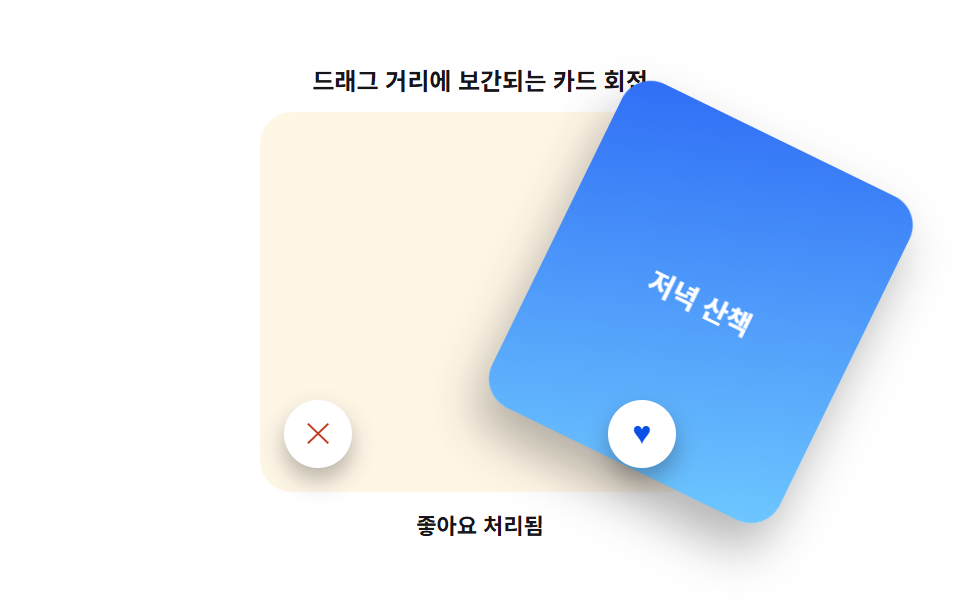 01 swipe-deck-precision-drag-rotate-lerp
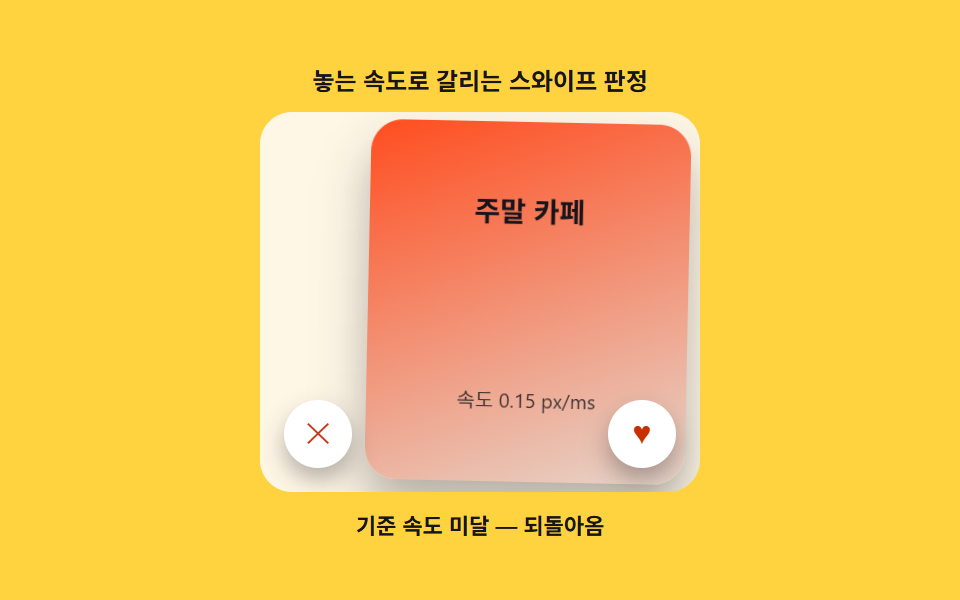 02 swipe-deck-precision-velocity-fling-threshold
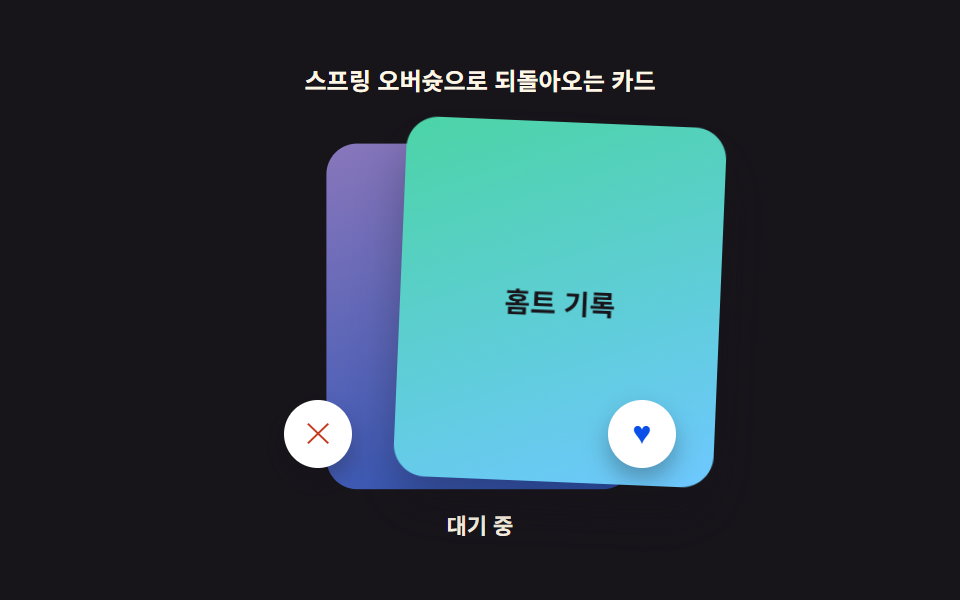 03 swipe-deck-precision-elastic-snapback
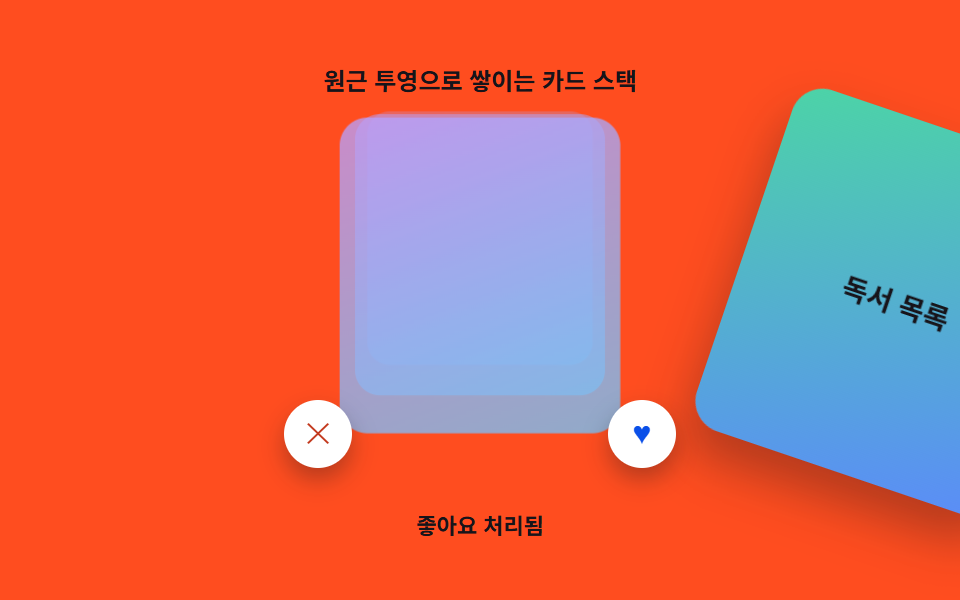 04 swipe-deck-precision-stack-depth-perspective
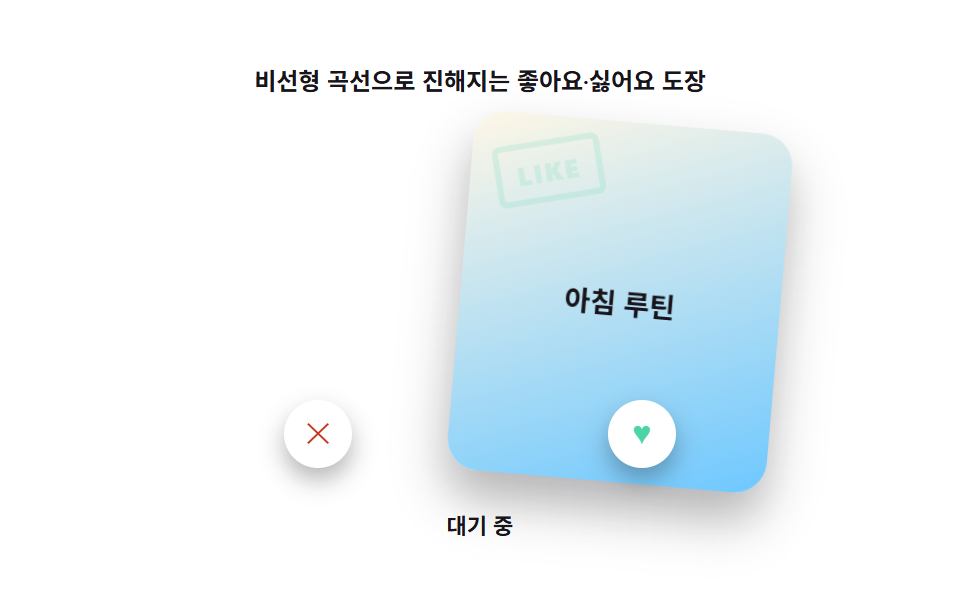 05 swipe-deck-precision-stamp-opacity-drag
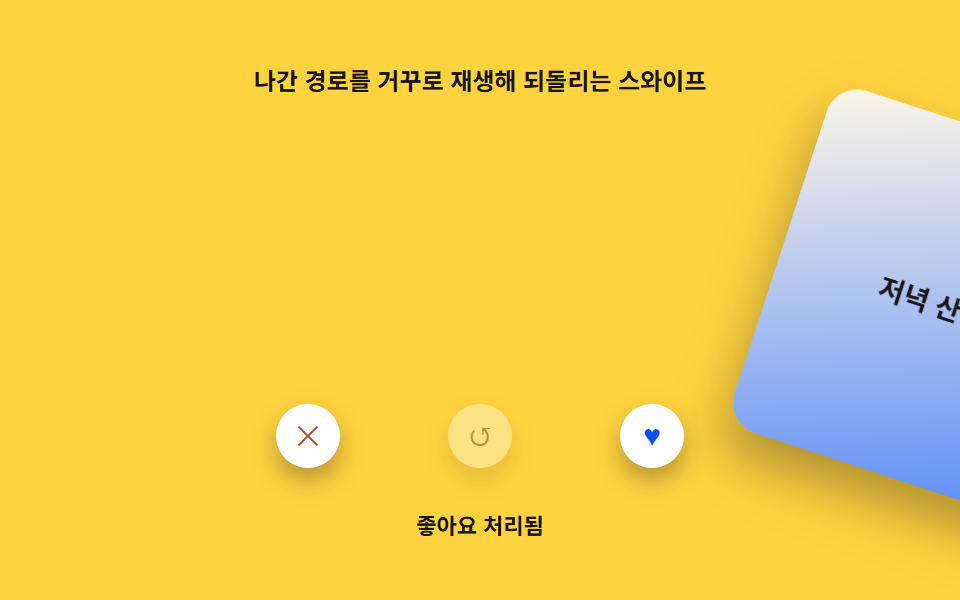 06 swipe-deck-precision-undo-reverse-interp
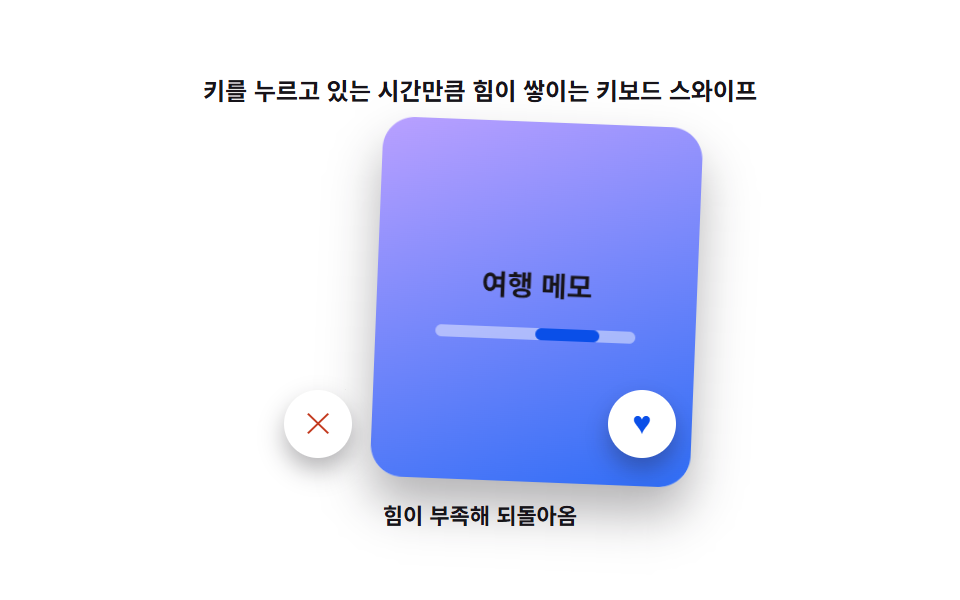 07 swipe-deck-precision-keyboard-fallback
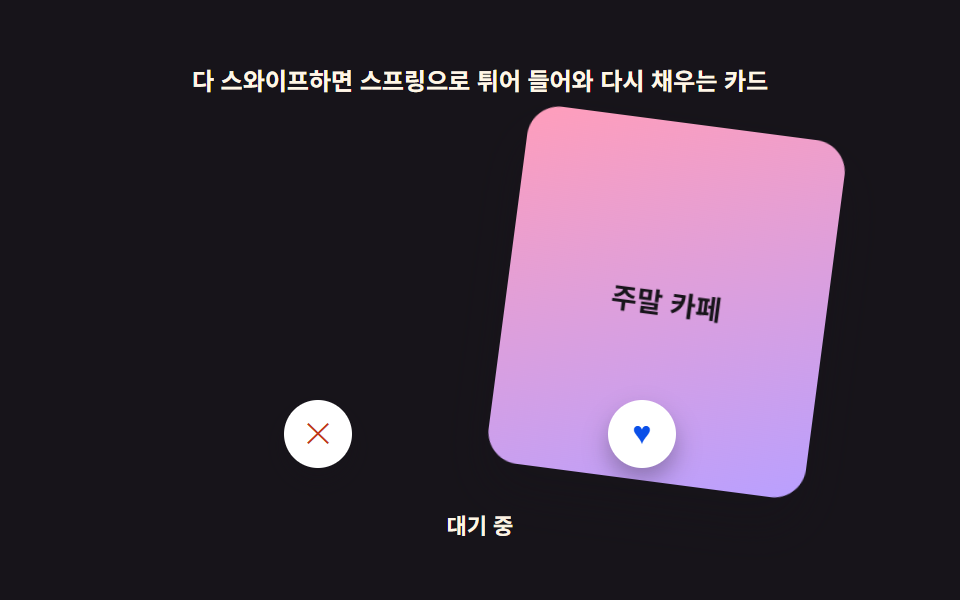 08 swipe-deck-precision-empty-state-refill
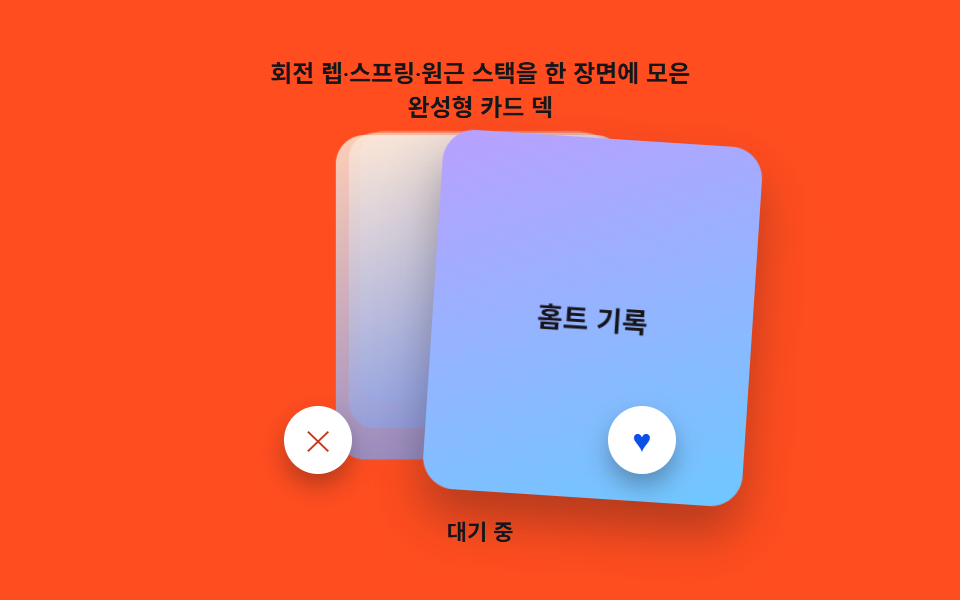 09 swipe-deck-precision-hero-deck-scene
Auto-plays · click a tile to jump to its section · all nine in one zip
- 01 Card Rotation Lerped to Drag Distance
- 02 Release-Velocity Swipe Verdict
- 03 Card That Snaps Back With a Spring Overshoot
- 04 Card Stack With Perspective Depth
- 05 Like/Nope Stamp That Fades In With Drag Distance
- 06 Last Card Restored With Reverse Interpolation
- 07 Keyboard/Button Fallback for the Same Verdict
- 08 Empty-Deck Card That Springs Into View
- 09 Hero Deck Scene Combining Rotation, Spring, and Depth Stack
Card Swipe UI: How One Drag Value Changes the Verdict
All nine decks below read the same two numbers off a single pointer drag — how far the card moved and how fast it was moving when you let go — and every visual change you see is that pair driving a different calculation. Item 01 spends the distance on a rotation angle. Item 02 spends the speed on a fling-or-return verdict. By item 07 there's no pointer at all, and a held key charges the same verdict from zero. Item 09 stacks three of these calculations — rotation, spring, and depth — onto one deck at once. Reading the nine in order shows the same drag value getting asked to do more work each time.
01Card Rotation Lerped to Drag Distance
Dragging the card sideways tilts it with a rotation angle smoothly lerped to how far it has moved — nothing snaps to a fixed angle. ROTATE_LERP_RATIO is the constant that decides how much tilt each pixel of drag distance buys: raise it and a short drag already reads as a steep lean, lower it and the card stays close to flat until it's nearly off the deck.
<main class="stage">
<div class="dr is-demo" id="dr">
  <p class="dr__caption">Card rotation interpolated by drag distance</p>
  <div class="dr__scene" id="drScene">
    <div class="dr__card" id="drCard" tabindex="0" role="group" aria-roledescription="Swipe card">
      <p class="dr__label" id="drLabel">Morning routine</p>
    </div>
    <button class="dr__btn dr__btn--nope" id="drNope" type="button" aria-label="Dislike">✕</button>
    <button class="dr__btn dr__btn--like" id="drLike" type="button" aria-label="Like">♥</button>
  </div>
  <p class="dr__status" id="drStatus" aria-live="polite">Waiting</p>
</div>
</main>
@use "../../../../site/static/demo-tokens" as *;
// 값 하나: 드래그 이동 거리(카드 폭 대비 %) 에 회전각이 lerp 되어 카드가 기울어진다.
// 해제 속도가 SWIPE_VELOCITY_THRESHOLD_PX_MS 를 넘으면 날아가고, 못 넘으면 lerp 로 되돌아온다.
$duration: $dur-base;
$easing: $ease-out;
$color: $subject-blue-deep;
@include stage($stage-paper);
.dr { display: grid; gap: $sp-2; justify-items: center; width: 100%; --tone: 0; }
.dr__caption { margin: 0; font-size: 12px; font-weight: 600; color: $subject-ink; }
.dr__scene {
position: relative;
width: 220px;
height: 190px;
border-radius: $r-card;
background: $subject-cream;
display: grid;
place-items: center;
}
.dr__card {
position: relative;
width: 160px;
height: 180px;
border-radius: $r-card;
background: linear-gradient(160deg, $subject-blue, $subject-sky);
box-shadow: $shadow-raised;
display: grid;
place-items: center;
touch-action: none;
cursor: grab;
will-change: transform;
}
.dr__card:active { cursor: grabbing; }
.dr__card:focus-visible { outline: 2px solid $subject-blue-light; outline-offset: 3px; }
.dr__label {
margin: 0;
font-size: 14px;
font-weight: 700;
color: $stage-paper;
padding: 0 $sp-3;
text-align: center;
}
.dr__btn {
position: absolute;
bottom: $sp-3;
width: 34px;
height: 34px;
border-radius: $r-pill;
border: 0;
background: $stage-paper;
box-shadow: $shadow-press;
font-size: 15px;
line-height: 1;
cursor: pointer;
display: grid;
place-items: center;
}
.dr__btn--nope { left: $sp-3; color: $error; }
.dr__btn--like { right: $sp-3; color: $subject-blue-deep; }
.dr__btn:focus-visible { outline: 2px solid $subject-blue-light; outline-offset: 2px; }
.dr__status { margin: 0; font-size: 11px; color: $subject-ink; font-weight: 600; }
@media (max-width: 340px) {
.dr { gap: $sp-2; }
.dr__scene { width: 150px; height: 108px; }
.dr__card { width: 78px; height: 92px; }
.dr__label { font-size: 10px; padding: 0 $sp-1; }
.dr__btn { width: 22px; height: 22px; font-size: 11px; bottom: $sp-1; }
.dr__btn--nope { left: $sp-1; }
.dr__btn--like { right: $sp-1; }
}
@media (prefers-reduced-motion: reduce) {
.dr__card { transition: none; }
}html, body {
margin: 0;
overflow: hidden;
}
.stage {
box-sizing: border-box;
min-height: 100vh;
display: grid;
place-items: center;
margin: 0;
background: #ffffff;
font-family: -apple-system, "Segoe UI", "Noto Sans KR", sans-serif;
padding: clamp(8px, 4vw, 24px);
}
.dr {
display: grid;
gap: 8px;
justify-items: center;
width: 100%;
--tone: 0;
}
.dr__caption {
margin: 0;
font-size: 12px;
font-weight: 600;
color: #17141a;
}
.dr__scene {
position: relative;
width: 220px;
height: 190px;
border-radius: 16px;
background: #fff7e6;
display: grid;
place-items: center;
}
.dr__card {
position: relative;
width: 160px;
height: 180px;
border-radius: 16px;
background: linear-gradient(160deg, #2f6df6, #6ec8ff);
box-shadow: 0 14px 24px rgba(23, 20, 26, 0.32);
display: grid;
place-items: center;
touch-action: none;
cursor: grab;
will-change: transform;
}
.dr__card:active {
cursor: grabbing;
}
.dr__card:focus-visible {
outline: 2px solid #5b8cf8;
outline-offset: 3px;
}
.dr__label {
margin: 0;
font-size: 14px;
font-weight: 700;
color: #ffffff;
padding: 0 12px;
text-align: center;
}
.dr__btn {
position: absolute;
bottom: 12px;
width: 34px;
height: 34px;
border-radius: 999px;
border: 0;
background: #ffffff;
box-shadow: 0 6px 12px rgba(23, 20, 26, 0.32);
font-size: 15px;
line-height: 1;
cursor: pointer;
display: grid;
place-items: center;
}
.dr__btn--nope {
left: 12px;
color: #c2361a;
}
.dr__btn--like {
right: 12px;
color: #0a4fe8;
}
.dr__btn:focus-visible {
outline: 2px solid #5b8cf8;
outline-offset: 2px;
}
.dr__status {
margin: 0;
font-size: 11px;
color: #17141a;
font-weight: 600;
}
@media (max-width: 340px) {
.dr {
gap: 8px;
}
.dr__scene {
width: 150px;
height: 108px;
}
.dr__card {
width: 78px;
height: 92px;
}
.dr__label {
font-size: 10px;
padding: 0 4px;
}
.dr__btn {
width: 22px;
height: 22px;
font-size: 11px;
bottom: 4px;
}
.dr__btn--nope {
left: 4px;
}
.dr__btn--like {
right: 4px;
}
}
@media (prefers-reduced-motion: reduce) {
.dr__card {
transition: none;
}
}(function () {
"use strict";
// 값 하나: 드래그 이동 거리(카드 폭 대비 %)에 회전각이 lerp 되어 기울어진다.
var ROTATE_LERP_RATIO = 0.55;
var ROTATE_MAX_DEG = 26;
// 변형 3: 01 도 해제 판정을 가진다 — 속도가 이 값을 넘으면 날아가고 못 넘으면 되돌아온다.
var SWIPE_VELOCITY_THRESHOLD_PX_MS = 0.3;
var SETTLE_RATE = 0.24;
var EXIT_PCT = 165;
var CYCLE_S = 2;
var root = document.getElementById("dr");
var card = document.getElementById("drCard");
var label = document.getElementById("drLabel");
var status = document.getElementById("drStatus");
var btnLike = document.getElementById("drLike");
var btnNope = document.getElementById("drNope");
var reduce = window.matchMedia("(prefers-reduced-motion: reduce)").matches;
function seedRand(seed) {
var s = seed >>> 0;
return function () { s = (s * 1664525 + 1013904223) >>> 0; return s / 4294967296; };
}
function clamp(v, lo, hi) { return Math.max(lo, Math.min(hi, v)); }
var CARDS = ["Morning routine", "Evening walk", "Weekend café", "Home workout log", "Reading list", "Travel notes"];
var rand = seedRand(11);
var idx = Math.floor(rand() * CARDS.length);
var dragging = false;
var startX = 0, lastX = 0, lastT = 0, vx = 0;
var pctX = 0;
var phase = "idle"; // idle | exit | settle
var exitDir = 1, exitPct = 0;
function setCard() { label.textContent = CARDS[idx % CARDS.length]; }
setCard();
  function render() {
    var rot = clamp(pctX * ROTATE_LERP_RATIO, -ROTATE_MAX_DEG, ROTATE_MAX_DEG);
    card.style.transform = "translateX(" + pctX.toFixed(2) + "%) rotate(" + rot.toFixed(2) + "deg)";
    root.style.setProperty("--tone", clamp(Math.abs(pctX) / 42, 0, 1).toFixed(2));
  }

  function nextCard() {
    idx += 1; setCard();
    pctX = 0; phase = "idle";
    card.style.transform = "translateX(0%) rotate(0deg)";
    root.style.setProperty("--tone", "0");
    status.textContent = "Waiting";
  }

  function judge(velocity, dir) {
    root.classList.remove("is-demo");
    var flung = Math.abs(velocity) >= SWIPE_VELOCITY_THRESHOLD_PX_MS;
if (reduce) {
if (flung) { status.textContent = dir > 0 ? "Marked as liked" : "Marked as disliked"; nextCard(); }
else { pctX = 0; render(); status.textContent = "Snapped back to center"; phase = "idle"; }
return;
}
if (flung) {
phase = "exit"; exitDir = dir; exitPct = pctX;
status.textContent = dir > 0 ? "Marked as liked" : "Marked as disliked";
} else {
phase = "settle";
status.textContent = "Snapped back to center";
}
}
function startDrag(clientX) {
root.classList.remove("is-demo");
dragging = true; phase = "idle";
startX = clientX; lastX = clientX; lastT = performance.now(); vx = 0;
}
function moveDrag(clientX) {
if (!dragging) return;
var rect = card.getBoundingClientRect();
var now = performance.now();
var dt = Math.max(now - lastT, 1);
vx = (clientX - lastX) / dt;
lastX = clientX; lastT = now;
pctX = ((clientX - startX) / rect.width) * 100;
render();
}
function endDrag() {
if (!dragging) return;
dragging = false;
judge(vx, pctX >= 0 ? 1 : -1);
}
card.addEventListener("pointerdown", function (e) { card.setPointerCapture(e.pointerId); startDrag(e.clientX); });
card.addEventListener("pointermove", function (e) { moveDrag(e.clientX); });
card.addEventListener("pointerup", endDrag);
card.addEventListener("pointercancel", endDrag);
function keyVerdict(dir) {
root.classList.remove("is-demo");
pctX = dir * 60;
render();
judge(SWIPE_VELOCITY_THRESHOLD_PX_MS + 0.2, dir);
}
card.addEventListener("keydown", function (e) {
if (e.key === "ArrowRight") { e.preventDefault(); keyVerdict(1); }
else if (e.key === "ArrowLeft") { e.preventDefault(); keyVerdict(-1); }
});
btnLike.addEventListener("click", function () { keyVerdict(1); });
btnNope.addEventListener("click", function () { keyVerdict(-1); });
function step(dt) {
if (phase === "exit") {
exitPct += exitDir * dt * 0.46;
pctX = exitPct;
render();
if (Math.abs(exitPct) > EXIT_PCT) nextCard();
} else if (phase === "settle") {
pctX += (0 - pctX) * SETTLE_RATE;
render();
if (Math.abs(pctX) < 0.3) { pctX = 0; phase = "idle"; render(); }
}
}
// .is-demo 자동 시연: 실제 pointer 없이 pctX·judge() 를 같은 경로로 호출한다.
var start = null, lastNow = 0, prevT = 0, synthPhase = "wait";
function synth(t) {
if (t > 0.5 && t < 0.85 && synthPhase === "wait") synthPhase = "dragLike";
if (synthPhase === "dragLike") {
var p = clamp((t - 0.5) / 0.35, 0, 1);
pctX = p * 46; render();
if (t >= 0.85) { synthPhase = "afterLike"; judge(SWIPE_VELOCITY_THRESHOLD_PX_MS + 0.3, 1); }
}
if (t > 1.25 && t < 1.55 && synthPhase === "afterLike") synthPhase = "dragWeak";
if (synthPhase === "dragWeak") {
var q = clamp((t - 1.25) / 0.3, 0, 1);
pctX = q * 9; render();
if (t >= 1.55) { synthPhase = "done"; judge(0.05, 1); }
}
}
function loop(now) {
if (start === null) { start = now; lastNow = now; lastT = now; }
var dt = Math.min(now - lastNow, 48);
lastNow = now;
var t = ((now - start) / 1000) % CYCLE_S;
if (t < prevT) synthPhase = "wait";
prevT = t;
if (!reduce && root.classList.contains("is-demo")) synth(t);
if (!reduce) step(dt);
requestAnimationFrame(loop);
}
requestAnimationFrame(loop);
})();// DragRotateLerpSwipeCard — vanilla 판(run/422/demo/01-swipe-deck-precision-drag-rotate-lerp/index.html) 의 React 포트.
// 값 하나: 놓는 순간 속도(px/ms) 가 SWIPE_VELOCITY_THRESHOLD_PX_MS 를 넘는지로 스와이프를 판정한다.
// 드래그 중 각도는 카드 폭 대비 이동 비율(pctX)에 ROTATE_LERP_RATIO 를 곱해 정한다.
import { useEffect, useRef, useState } from "react";
import type { PointerEvent as ReactPointerEvent } from "react";
import styles from "./DragRotateLerpSwipeCard.module.scss";
type Box<T> = { current: T };
const SWIPE_VELOCITY_THRESHOLD_PX_MS = 0.3;
const ROTATE_LERP_RATIO = 0.55;
const ROTATE_MAX_DEG = 26;
const SETTLE_RATE = 0.24;
const EXIT_PCT = 165;
const CARD_WIDTH = 160;
const CYCLE_S = 2;
const CARDS = ["아침 루틴", "저녁 산책", "주말 카페", "홈트 기록", "독서 목록", "여행 메모"];
function seedRand(seed: number) {
let s = seed >>> 0;
return function (): number {
s = (s * 1664525 + 1013904223) >>> 0;
return s / 4294967296;
};
}
function clamp(v: number, lo: number, hi: number): number {
return Math.max(lo, Math.min(hi, v));
}
export default function DragRotateLerpSwipeCard() {
const cardRef = useRef<HTMLDivElement | null>(null);
const pctXRef = useRef<number>(0) as Box<number>;
const vxRef = useRef<number>(0) as Box<number>;
const phaseRef = useRef<string>("idle") as Box<string>;
const exitDirRef = useRef<number>(1) as Box<number>;
const draggingRef = useRef<boolean>(false) as Box<boolean>;
const startXRef = useRef<number>(0) as Box<number>;
const lastXRef = useRef<number>(0) as Box<number>;
const lastTRef = useRef<number>(0) as Box<number>;
const idxRef = useRef<number>(Math.floor(seedRand(11)() * CARDS.length)) as Box<number>;
const frameRef = useRef<number>(0) as Box<number>;
const [label, setLabel] = useState(CARDS[idxRef.current % CARDS.length]);
const [status, setStatus] = useState("대기 중");
const [demo, setDemo] = useState(true);
const [reduce, setReduce] = useState(false);
function render(): void {
const card = cardRef.current;
if (!card) return;
const rot = clamp(pctXRef.current * ROTATE_LERP_RATIO, -ROTATE_MAX_DEG, ROTATE_MAX_DEG);
const xPx = (pctXRef.current / 100) * CARD_WIDTH;
card.style.transform = "translateX(" + xPx.toFixed(1) + "px) rotate(" + rot.toFixed(2) + "deg)";
}
function nextCard(): void {
idxRef.current += 1;
setLabel(CARDS[idxRef.current % CARDS.length]);
pctXRef.current = 0; vxRef.current = 0; phaseRef.current = "idle";
render();
setStatus("대기 중");
}
function judge(velocity: number, dir: number): void {
setDemo(false);
const flung = Math.abs(velocity) >= SWIPE_VELOCITY_THRESHOLD_PX_MS;
if (reduce) {
if (flung) { setStatus(dir > 0 ? "좋아요 처리됨" : "싫어요 처리됨"); nextCard(); }
else { pctXRef.current = 0; render(); setStatus("제자리로 돌아옴"); phaseRef.current = "idle"; }
return;
}
if (flung) {
phaseRef.current = "exit"; exitDirRef.current = dir;
setStatus(dir > 0 ? "좋아요 처리됨" : "싫어요 처리됨");
} else {
phaseRef.current = "settle";
setStatus("제자리로 돌아옴");
}
}
function startDrag(clientX: number): void {
setDemo(false);
draggingRef.current = true; phaseRef.current = "idle";
startXRef.current = clientX; lastXRef.current = clientX; lastTRef.current = performance.now(); vxRef.current = 0;
}
function moveDrag(clientX: number): void {
if (!draggingRef.current) return;
const now = performance.now();
const dt = Math.max(now - lastTRef.current, 1);
vxRef.current = (clientX - lastXRef.current) / dt;
lastXRef.current = clientX; lastTRef.current = now;
pctXRef.current = ((clientX - startXRef.current) / CARD_WIDTH) * 100;
render();
}
function endDrag(): void {
if (!draggingRef.current) return;
draggingRef.current = false;
judge(vxRef.current, pctXRef.current >= 0 ? 1 : -1);
}
function onPointerDown(e: ReactPointerEvent<HTMLDivElement>): void {
e.currentTarget.setPointerCapture(e.pointerId);
startDrag(e.clientX);
}
function onPointerMove(e: ReactPointerEvent<HTMLDivElement>): void { moveDrag(e.clientX); }
function onPointerUp(): void { endDrag(); }
function keyVerdict(dir: number): void {
setDemo(false);
pctXRef.current = dir * 40; render();
judge(dir * (SWIPE_VELOCITY_THRESHOLD_PX_MS + 0.2), dir);
}
function onKeyDown(e: any): void {
if (e.key === "ArrowRight") { e.preventDefault(); keyVerdict(1); }
else if (e.key === "ArrowLeft") { e.preventDefault(); keyVerdict(-1); }
}
function step(dt: number): void {
if (phaseRef.current === "exit") {
pctXRef.current += exitDirRef.current * Math.max(Math.abs(vxRef.current) * 100, SWIPE_VELOCITY_THRESHOLD_PX_MS * 140) * (dt / 6);
render();
if (Math.abs(pctXRef.current) > EXIT_PCT) nextCard();
} else if (phaseRef.current === "settle") {
pctXRef.current += (0 - pctXRef.current) * SETTLE_RATE;
render();
if (Math.abs(pctXRef.current) < 0.6) { pctXRef.current = 0; phaseRef.current = "idle"; render(); }
}
}
function synth(t: number, synthPhaseRef: Box<string>): void {
if (t > 0.5 && t < 0.85 && synthPhaseRef.current === "wait") synthPhaseRef.current = "dragLike";
if (synthPhaseRef.current === "dragLike") {
const p = clamp((t - 0.5) / 0.35, 0, 1);
pctXRef.current = p * 70; render();
if (t >= 0.85) { synthPhaseRef.current = "afterLike"; judge(SWIPE_VELOCITY_THRESHOLD_PX_MS + 0.35, 1); }
}
if (t > 1.25 && t < 1.55 && synthPhaseRef.current === "afterLike") synthPhaseRef.current = "dragWeak";
if (synthPhaseRef.current === "dragWeak") {
const q = clamp((t - 1.25) / 0.3, 0, 1);
pctXRef.current = -q * 30; render();
if (t >= 1.55) { synthPhaseRef.current = "done"; judge(0.05, -1); }
}
}
useEffect(() => {
setReduce(window.matchMedia("(prefers-reduced-motion: reduce)").matches);
}, []);
useEffect(() => {
let start = 0, lastNow = 0, prevT = 0;
const synthPhaseRef: Box<string> = { current: "wait" };
function loop(now: number): void {
if (start === 0) { start = now; lastNow = now; }
const dt = Math.min(now - lastNow, 48);
lastNow = now;
const t = ((now - start) / 1000) % CYCLE_S;
if (t < prevT) synthPhaseRef.current = "wait";
prevT = t;
if (!reduce && demo) synth(t, synthPhaseRef);
if (!reduce) step(dt);
frameRef.current = requestAnimationFrame(loop);
}
frameRef.current = requestAnimationFrame(loop);
return () => cancelAnimationFrame(frameRef.current);
}, [reduce, demo]);
return (
<main className={styles.stage}>
<div className={styles.dr}>
<p className={styles.caption}>드래그 비율에 회전을 곱하는 카드</p>
<div className={styles.scene}>
<div
className={styles.card}
ref={cardRef}
tabIndex={0}
role="group"
aria-roledescription="스와이프 카드"
onPointerDown={onPointerDown}
onPointerMove={onPointerMove}
onPointerUp={onPointerUp}
onKeyDown={onKeyDown}
>
<p className={styles.label}>{label}</p>
</div>
<button className={styles.btnNope} type="button" aria-label="싫어요" onClick={() => keyVerdict(-1)}>✕</button>
<button className={styles.btnLike} type="button" aria-label="좋아요" onClick={() => keyVerdict(1)}>♥</button>
</div>
<p className={styles.status} aria-live="polite">{status}</p>
</div>
</main>
);
}01 · Card Rotation Lerped to Drag Distance — Measured area 49.342% · moving frames 6/23Original by GODRICH · SCSS and React ship in the zip · See the password
function render() {
var rot = clamp(pctX * ROTATE_LERP_RATIO, -ROTATE_MAX_DEG, ROTATE_MAX_DEG);
card.style.transform = "translateX(" + pctX.toFixed(2) + "%) rotate(" + rot.toFixed(2) + "deg)";
root.style.setProperty("--tone", clamp(Math.abs(pctX) / 42, 0, 1).toFixed(2));
}
function nextCard() {
idx += 1; setCard();
pctX = 0; phase = "idle";
card.style.transform = "translateX(0%) rotate(0deg)";
root.style.setProperty("--tone", "0");
status.textContent = "Waiting";
}
function judge(velocity, dir) {
root.classList.remove("is-demo");
var flung = Math.abs(velocity) >= SWIPE_VELOCITY_THRESHOLD_PX_MS;
Measured on this build, the rotating card covers 49.3% of the frame at an average intensity of 120.0, moving across 6 of the 23 sampled frames.
02Release-Velocity Swipe Verdict
If the release speed misses the threshold, the card doesn't fly off — it doesn't matter how far it traveled before you let go. FLING_VELOCITY_MIN is the single number judge() checks against the pointer's speed at release to decide fling versus return.
<main class="stage">
<div class="vf is-demo" id="vf">
  <p class="vf__caption">Swipe verdict split by release speed</p>
  <div class="vf__scene" id="vfScene">
    <div class="vf__card" id="vfCard" tabindex="0" role="group" aria-roledescription="Swipe card">
      <p class="vf__label" id="vfLabel">Evening walk</p>
      <p class="vf__hint" id="vfHint">Speed 0.00 px/ms</p>
    </div>
    <button class="vf__btn vf__btn--nope" id="vfNope" type="button" aria-label="Dislike">✕</button>
    <button class="vf__btn vf__btn--like" id="vfLike" type="button" aria-label="Like">♥</button>
  </div>
  <p class="vf__status" id="vfStatus" aria-live="polite">Waiting</p>
</div>
</main>
@use "../../../../site/static/demo-tokens" as *;
// 값 하나: 놓는 순간 속도(px/ms)가 FLING_VELOCITY_MIN 을 넘지 못하면 카드는 날아가지 않는다.
// 드래그 중에는 SWIPE_ROTATE_LERP_RATIO(px 당 도) 만큼 살짝 기운다.
$duration: $dur-base;
$easing: $ease-out;
$color: $subject-orange-deep;
@include stage($stage-yellow);
.vf { display: grid; gap: $sp-2; justify-items: center; width: 100%; }
.vf__caption { margin: 0; font-size: 12px; font-weight: 600; color: $subject-ink; }
.vf__scene {
position: relative;
width: 220px;
height: 190px;
border-radius: $r-card;
background: $subject-cream;
display: grid;
place-items: center;
overflow: hidden;
}
.vf__card {
position: relative;
width: 160px;
height: 180px;
border-radius: $r-card;
background: linear-gradient(160deg, $stage-orange, #e6d6cb);
box-shadow: $shadow-raised;
display: grid;
gap: $sp-2;
place-items: center;
touch-action: none;
cursor: grab;
will-change: transform;
}
.vf__card:active { cursor: grabbing; }
.vf__card:focus-visible { outline: 2px solid $subject-blue-light; outline-offset: 3px; }
.vf__label { margin: 0; font-size: 14px; font-weight: 700; color: $subject-ink; padding: 0 $sp-3; text-align: center; }
.vf__hint { margin: 0; font-size: 10px; color: $subject-ink; opacity: .8; }
.vf__btn {
position: absolute;
bottom: $sp-3;
width: 34px;
height: 34px;
border-radius: $r-pill;
border: 0;
background: $stage-paper;
box-shadow: $shadow-press;
font-size: 15px;
line-height: 1;
cursor: pointer;
display: grid;
place-items: center;
}
.vf__btn--nope { left: $sp-3; color: $error; }
.vf__btn--like { right: $sp-3; color: $subject-orange-deep; }
.vf__btn:focus-visible { outline: 2px solid $subject-blue-light; outline-offset: 2px; }
.vf__status { margin: 0; font-size: 11px; color: $subject-ink; font-weight: 600; }
@media (max-width: 340px) {
.vf { gap: $sp-2; }
.vf__scene { width: 150px; height: 108px; }
.vf__card { width: 78px; height: 92px; gap: $sp-1; }
.vf__label { font-size: 10px; padding: 0 $sp-1; }
.vf__hint { display: none; }
.vf__btn { width: 22px; height: 22px; font-size: 11px; bottom: $sp-1; }
.vf__btn--nope { left: $sp-1; }
.vf__btn--like { right: $sp-1; }
}
@media (prefers-reduced-motion: reduce) {
.vf__card { transition: none; }
}html, body {
margin: 0;
overflow: hidden;
}
.stage {
box-sizing: border-box;
min-height: 100vh;
display: grid;
place-items: center;
margin: 0;
background: #ffd23f;
font-family: -apple-system, "Segoe UI", "Noto Sans KR", sans-serif;
padding: clamp(8px, 4vw, 24px);
}
.vf {
display: grid;
gap: 8px;
justify-items: center;
width: 100%;
}
.vf__caption {
margin: 0;
font-size: 12px;
font-weight: 600;
color: #17141a;
}
.vf__scene {
position: relative;
width: 220px;
height: 190px;
border-radius: 16px;
background: #fff7e6;
display: grid;
place-items: center;
overflow: hidden;
}
.vf__card {
position: relative;
width: 160px;
height: 180px;
border-radius: 16px;
background: linear-gradient(160deg, #ff4d1f, #e6d6cb);
box-shadow: 0 14px 24px rgba(23, 20, 26, 0.32);
display: grid;
gap: 8px;
place-items: center;
touch-action: none;
cursor: grab;
will-change: transform;
}
.vf__card:active {
cursor: grabbing;
}
.vf__card:focus-visible {
outline: 2px solid #5b8cf8;
outline-offset: 3px;
}
.vf__label {
margin: 0;
font-size: 14px;
font-weight: 700;
color: #17141a;
padding: 0 12px;
text-align: center;
}
.vf__hint {
margin: 0;
font-size: 10px;
color: #17141a;
opacity: 0.8;
}
.vf__btn {
position: absolute;
bottom: 12px;
width: 34px;
height: 34px;
border-radius: 999px;
border: 0;
background: #ffffff;
box-shadow: 0 6px 12px rgba(23, 20, 26, 0.32);
font-size: 15px;
line-height: 1;
cursor: pointer;
display: grid;
place-items: center;
}
.vf__btn--nope {
left: 12px;
color: #c2361a;
}
.vf__btn--like {
right: 12px;
color: #c93000;
}
.vf__btn:focus-visible {
outline: 2px solid #5b8cf8;
outline-offset: 2px;
}
.vf__status {
margin: 0;
font-size: 11px;
color: #17141a;
font-weight: 600;
}
@media (max-width: 340px) {
.vf {
gap: 8px;
}
.vf__scene {
width: 150px;
height: 108px;
}
.vf__card {
width: 78px;
height: 92px;
gap: 4px;
}
.vf__label {
font-size: 10px;
padding: 0 4px;
}
.vf__hint {
display: none;
}
.vf__btn {
width: 22px;
height: 22px;
font-size: 11px;
bottom: 4px;
}
.vf__btn--nope {
left: 4px;
}
.vf__btn--like {
right: 4px;
}
}
@media (prefers-reduced-motion: reduce) {
.vf__card {
transition: none;
}
}(function () {
"use strict";
// 변형 3: 02 폴더에 SWIPE_ROTATE_LERP_RATIO 를 실재시킨다 — 드래그 중 카드가 이 비율로 살짝 기운다.
var SWIPE_ROTATE_LERP_RATIO = 0.05; // deg per px
var ROTATE_MAX_DEG = 14;
// 값 하나: 놓는 순간의 Speed(px/ms)가 이 값을 넘지 못하면 카드는 날아가지 않는다.
var FLING_VELOCITY_MIN = 0.42;
var INERTIA_DECAY = 0.85;
var SETTLE_RATE = 0.2;
var EXIT_PX = 320;
var CYCLE_S = 2;
var root = document.getElementById("vf");
var card = document.getElementById("vfCard");
var label = document.getElementById("vfLabel");
var hint = document.getElementById("vfHint");
var status = document.getElementById("vfStatus");
var btnLike = document.getElementById("vfLike");
var btnNope = document.getElementById("vfNope");
var reduce = window.matchMedia("(prefers-reduced-motion: reduce)").matches;
function seedRand(seed) {
var s = seed >>> 0;
return function () { s = (s * 1664525 + 1013904223) >>> 0; return s / 4294967296; };
}
function clamp(v, lo, hi) { return Math.max(lo, Math.min(hi, v)); }
var CARDS = ["Evening walk", "Weekend café", "Home workout log", "Reading list", "Travel notes", "Morning routine"];
var rand = seedRand(23);
var idx = Math.floor(rand() * CARDS.length);
var dragging = false;
var startX = 0, lastX = 0, lastT = 0, vx = 0;
var x = 0, phase = "idle", exitDir = 1;
function setCard() { label.textContent = CARDS[idx % CARDS.length]; }
setCard();
function render() {
var rot = clamp(x * SWIPE_ROTATE_LERP_RATIO, -ROTATE_MAX_DEG, ROTATE_MAX_DEG);
card.style.transform = "translateX(" + x.toFixed(1) + "px) rotate(" + rot.toFixed(2) + "deg)";
}
function nextCard() {
idx += 1; setCard();
x = 0; vx = 0; phase = "idle";
render();
status.textContent = "Waiting";
}
  function judge(velocity, dir) {
    root.classList.remove("is-demo");
    hint.textContent = "Speed " + Math.abs(velocity).toFixed(2) + " px/ms";
    var flung = Math.abs(velocity) >= FLING_VELOCITY_MIN;
    if (reduce) {
      if (flung) { status.textContent = dir > 0 ? "Marked as liked" : "Marked as disliked"; nextCard(); }
      else { x = 0; render(); status.textContent = "Below the release-speed threshold — snapped back"; phase = "idle"; }
      return;
    }
    if (flung) {
      phase = "exit"; exitDir = dir;
      status.textContent = dir > 0 ? "Marked as liked" : "Marked as disliked";
    } else {
      phase = "settle";
      status.textContent = "Below the release-speed threshold — snapped back";
    }
  }
function startDrag(clientX) {
root.classList.remove("is-demo");
dragging = true;
startX = clientX; lastX = clientX; lastT = performance.now(); vx = 0;
}
function moveDrag(clientX) {
if (!dragging) return;
var now = performance.now();
var dt = Math.max(now - lastT, 1);
vx = (clientX - lastX) / dt;
lastX = clientX; lastT = now;
x = clientX - startX;
render();
}
function endDrag() {
if (!dragging) return;
dragging = false;
judge(vx, x >= 0 ? 1 : -1);
}
card.addEventListener("pointerdown", function (e) { card.setPointerCapture(e.pointerId); startDrag(e.clientX); });
card.addEventListener("pointermove", function (e) { moveDrag(e.clientX); });
card.addEventListener("pointerup", endDrag);
card.addEventListener("pointercancel", endDrag);
function keyVerdict(dir) {
root.classList.remove("is-demo");
x = dir * 40; render();
judge(dir * (FLING_VELOCITY_MIN + 0.15), dir);
}
card.addEventListener("keydown", function (e) {
if (e.key === "ArrowRight") { e.preventDefault(); keyVerdict(1); }
else if (e.key === "ArrowLeft") { e.preventDefault(); keyVerdict(-1); }
});
btnLike.addEventListener("click", function () { keyVerdict(1); });
btnNope.addEventListener("click", function () { keyVerdict(-1); });
function step(dt) {
if (phase === "exit") {
var speed = Math.max(Math.abs(vx), FLING_VELOCITY_MIN * 1.4);
x += exitDir * speed * dt;
render();
if (Math.abs(x) > EXIT_PX) nextCard();
} else if (phase === "settle") {
x += vx * dt;
vx *= INERTIA_DECAY;
x += (0 - x) * SETTLE_RATE;
render();
if (Math.abs(x) < 0.5 && Math.abs(vx) < 0.01) { x = 0; phase = "idle"; render(); }
}
}
// .is-demo 자동 시연: 실제 pointer 없이 x·judge() 를 같은 경로로 호출한다.
var start = null, lastNow = 0, prevT = 0, synthPhase = "wait";
function synth(t) {
if (t > 0.45 && t < 0.7 && synthPhase === "wait") synthPhase = "weak";
if (synthPhase === "weak") {
var p = clamp((t - 0.45) / 0.25, 0, 1);
x = p * 30; render();
if (t >= 0.7) { synthPhase = "afterWeak"; judge(0.15, 1); }
}
if (t > 1.05 && t < 1.35 && synthPhase === "afterWeak") synthPhase = "strong";
if (synthPhase === "strong") {
var q = clamp((t - 1.05) / 0.3, 0, 1);
x = q * 130; render();
if (t >= 1.35) { synthPhase = "done"; judge(FLING_VELOCITY_MIN + 0.5, 1); }
}
}
function loop(now) {
if (start === null) { start = now; lastNow = now; lastT = now; }
var dt = Math.min(now - lastNow, 48);
lastNow = now;
var t = ((now - start) / 1000) % CYCLE_S;
if (t < prevT) synthPhase = "wait";
prevT = t;
if (!reduce && root.classList.contains("is-demo")) synth(t);
if (!reduce) step(dt);
requestAnimationFrame(loop);
}
requestAnimationFrame(loop);
})();// VelocityFlingThresholdSwipeCard — vanilla 판(run/422/demo/02-swipe-deck-precision-velocity-fling-threshold/index.html) 의 React 포트.
// 값 하나: 놓는 순간 속도(px/ms) 가 FLING_VELOCITY_MIN 을 넘지 못하면 카드는 날아가지 않는다.
// 드래그 중에는 SWIPE_ROTATE_LERP_RATIO(px 당 도) 만큼 살짝 기운다.
import { useEffect, useRef, useState } from "react";
import type { PointerEvent as ReactPointerEvent } from "react";
import styles from "./VelocityFlingThresholdSwipeCard.module.scss";
type Box<T> = { current: T };
const SWIPE_ROTATE_LERP_RATIO = 0.05;
const ROTATE_MAX_DEG = 14;
const FLING_VELOCITY_MIN = 0.42;
const INERTIA_DECAY = 0.85;
const SETTLE_RATE = 0.2;
const EXIT_PX = 320;
const CYCLE_S = 2;
const CARDS = ["저녁 산책", "주말 카페", "홈트 기록", "독서 목록", "여행 메모", "아침 루틴"];
function seedRand(seed: number) {
let s = seed >>> 0;
return function (): number {
s = (s * 1664525 + 1013904223) >>> 0;
return s / 4294967296;
};
}
function clamp(v: number, lo: number, hi: number): number {
return Math.max(lo, Math.min(hi, v));
}
export default function VelocityFlingThresholdSwipeCard() {
const cardRef = useRef<HTMLDivElement | null>(null);
const xRef = useRef<number>(0) as Box<number>;
const vxRef = useRef<number>(0) as Box<number>;
const phaseRef = useRef<string>("idle") as Box<string>;
const exitDirRef = useRef<number>(1) as Box<number>;
const draggingRef = useRef<boolean>(false) as Box<boolean>;
const startXRef = useRef<number>(0) as Box<number>;
const lastXRef = useRef<number>(0) as Box<number>;
const lastTRef = useRef<number>(0) as Box<number>;
const idxRef = useRef<number>(Math.floor(seedRand(23)() * CARDS.length)) as Box<number>;
const frameRef = useRef<number>(0) as Box<number>;
const [label, setLabel] = useState(CARDS[idxRef.current % CARDS.length]);
const [hint, setHint] = useState("속도 0.00 px/ms");
const [status, setStatus] = useState("대기 중");
const [demo, setDemo] = useState(true);
const [reduce, setReduce] = useState(false);
function render(): void {
const card = cardRef.current;
if (!card) return;
const rot = clamp(xRef.current * SWIPE_ROTATE_LERP_RATIO, -ROTATE_MAX_DEG, ROTATE_MAX_DEG);
card.style.transform = "translateX(" + xRef.current.toFixed(1) + "px) rotate(" + rot.toFixed(2) + "deg)";
}
function nextCard(): void {
idxRef.current += 1;
setLabel(CARDS[idxRef.current % CARDS.length]);
xRef.current = 0; vxRef.current = 0; phaseRef.current = "idle";
render();
setStatus("대기 중");
}
function judge(velocity: number, dir: number): void {
setDemo(false);
setHint("속도 " + Math.abs(velocity).toFixed(2) + " px/ms");
const flung = Math.abs(velocity) >= FLING_VELOCITY_MIN;
if (reduce) {
if (flung) { setStatus(dir > 0 ? "좋아요 처리됨" : "싫어요 처리됨"); nextCard(); }
else { xRef.current = 0; render(); setStatus("기준 속도 미달 — 되돌아옴"); phaseRef.current = "idle"; }
return;
}
if (flung) {
phaseRef.current = "exit"; exitDirRef.current = dir;
setStatus(dir > 0 ? "좋아요 처리됨" : "싫어요 처리됨");
} else {
phaseRef.current = "settle";
setStatus("기준 속도 미달 — 되돌아옴");
}
}
function startDrag(clientX: number): void {
setDemo(false);
draggingRef.current = true;
startXRef.current = clientX; lastXRef.current = clientX; lastTRef.current = performance.now(); vxRef.current = 0;
}
function moveDrag(clientX: number): void {
if (!draggingRef.current) return;
const now = performance.now();
const dt = Math.max(now - lastTRef.current, 1);
vxRef.current = (clientX - lastXRef.current) / dt;
lastXRef.current = clientX; lastTRef.current = now;
xRef.current = clientX - startXRef.current;
render();
}
function endDrag(): void {
if (!draggingRef.current) return;
draggingRef.current = false;
judge(vxRef.current, xRef.current >= 0 ? 1 : -1);
}
function onPointerDown(e: ReactPointerEvent<HTMLDivElement>): void {
e.currentTarget.setPointerCapture(e.pointerId);
startDrag(e.clientX);
}
function onPointerMove(e: ReactPointerEvent<HTMLDivElement>): void { moveDrag(e.clientX); }
function onPointerUp(): void { endDrag(); }
function keyVerdict(dir: number): void {
setDemo(false);
xRef.current = dir * 40; render();
judge(dir * (FLING_VELOCITY_MIN + 0.15), dir);
}
function onKeyDown(e: any): void {
if (e.key === "ArrowRight") { e.preventDefault(); keyVerdict(1); }
else if (e.key === "ArrowLeft") { e.preventDefault(); keyVerdict(-1); }
}
function step(dt: number): void {
if (phaseRef.current === "exit") {
const speed = Math.max(Math.abs(vxRef.current), FLING_VELOCITY_MIN * 1.4);
xRef.current += exitDirRef.current * speed * dt;
render();
if (Math.abs(xRef.current) > EXIT_PX) nextCard();
} else if (phaseRef.current === "settle") {
xRef.current += vxRef.current * dt;
vxRef.current *= INERTIA_DECAY;
xRef.current += (0 - xRef.current) * SETTLE_RATE;
render();
if (Math.abs(xRef.current) < 0.5 && Math.abs(vxRef.current) < 0.01) { xRef.current = 0; phaseRef.current = "idle"; render(); }
}
}
function synth(t: number, synthPhaseRef: Box<string>): void {
if (t > 0.45 && t < 0.7 && synthPhaseRef.current === "wait") synthPhaseRef.current = "weak";
if (synthPhaseRef.current === "weak") {
const p = clamp((t - 0.45) / 0.25, 0, 1);
xRef.current = p * 30; render();
if (t >= 0.7) { synthPhaseRef.current = "afterWeak"; judge(0.15, 1); }
}
if (t > 1.05 && t < 1.35 && synthPhaseRef.current === "afterWeak") synthPhaseRef.current = "strong";
if (synthPhaseRef.current === "strong") {
const q = clamp((t - 1.05) / 0.3, 0, 1);
xRef.current = q * 130; render();
if (t >= 1.35) { synthPhaseRef.current = "done"; judge(FLING_VELOCITY_MIN + 0.5, 1); }
}
}
useEffect(() => {
setReduce(window.matchMedia("(prefers-reduced-motion: reduce)").matches);
}, []);
useEffect(() => {
let start = 0, lastNow = 0, prevT = 0;
const synthPhaseRef: Box<string> = { current: "wait" };
function loop(now: number): void {
if (start === 0) { start = now; lastNow = now; }
const dt = Math.min(now - lastNow, 48);
lastNow = now;
const t = ((now - start) / 1000) % CYCLE_S;
if (t < prevT) synthPhaseRef.current = "wait";
prevT = t;
if (!reduce && demo) synth(t, synthPhaseRef);
if (!reduce) step(dt);
frameRef.current = requestAnimationFrame(loop);
}
frameRef.current = requestAnimationFrame(loop);
return () => cancelAnimationFrame(frameRef.current);
}, [reduce, demo]);
return (
<main className={styles.stage}>
<div className={styles.vf}>
<p className={styles.caption}>놓는 속도로 갈리는 스와이프 판정</p>
<div className={styles.scene}>
<div
className={styles.card}
ref={cardRef}
tabIndex={0}
role="group"
aria-roledescription="스와이프 카드"
onPointerDown={onPointerDown}
onPointerMove={onPointerMove}
onPointerUp={onPointerUp}
onKeyDown={onKeyDown}
>
<p className={styles.label}>{label}</p>
<p className={styles.hint}>{hint}</p>
</div>
<button className={styles.btnNope} type="button" aria-label="싫어요" onClick={() => keyVerdict(-1)}>✕</button>
<button className={styles.btnLike} type="button" aria-label="좋아요" onClick={() => keyVerdict(1)}>♥</button>
</div>
<p className={styles.status} aria-live="polite">{status}</p>
</div>
</main>
);
}02 · Release-Velocity Swipe Verdict — Measured area 8.493% · moving frames 6/23Original by GODRICH · SCSS and React ship in the zip · See the password
function judge(velocity, dir) {
root.classList.remove("is-demo");
hint.textContent = "Speed " + Math.abs(velocity).toFixed(2) + " px/ms";
var flung = Math.abs(velocity) >= FLING_VELOCITY_MIN;
if (reduce) {
if (flung) { status.textContent = dir > 0 ? "Marked as liked" : "Marked as disliked"; nextCard(); }
else { x = 0; render(); status.textContent = "Below the release-speed threshold — snapped back"; phase = "idle"; }
return;
}
if (flung) {
phase = "exit"; exitDir = dir;
status.textContent = dir > 0 ? "Marked as liked" : "Marked as disliked";
} else {
phase = "settle";
status.textContent = "Below the release-speed threshold — snapped back";
}
}
Measured on this build, the verdict swap covers a modest 8.5% of the frame at an average intensity of 76.5, moving across 6 of the 23 sampled frames.
03Card That Snaps Back With a Spring Overshoot
Falling short of the threshold, the card doesn't just glide home — it springs back, overshoots past center, and settles there. integrate() runs SPRING_STIFFNESS and SPRING_DAMPING against the card's position every frame, and that pair of constants is what decides whether the return reads as elastic or dead.
<main class="stage">
<div class="es is-demo" id="es">
  <p class="es__caption">Card that snaps back with a spring overshoot</p>
  <div class="es__scene" id="esScene">
    <div class="es__peek" id="esPeek" aria-hidden="true"></div>
    <div class="es__card" id="esCard" tabindex="0" role="group" aria-roledescription="Swipe card">
      <p class="es__label" id="esLabel">Weekend café</p>
    </div>
    <button class="es__btn es__btn--nope" id="esNope" type="button" aria-label="Dislike">✕</button>
    <button class="es__btn es__btn--like" id="esLike" type="button" aria-label="Like">♥</button>
  </div>
  <p class="es__status" id="esStatus" aria-live="polite">Waiting</p>
</div>
</main>
@use "../../../../site/static/demo-tokens" as *;
// 값 하나: 해제 속도가 SPRING_FLING_VELOCITY_MIN 에 못 미치면 스프링(강성·감쇠)을 적분해
// 오버슛하며 원래 자리로 되돌아온다. 뒤 카드는 SWIPE_STACK_DEPTH_SCALE 만큼 줄어 비친다.
$duration: $dur-loop;
$easing: $ease-elastic;
$color: $subject-ink;
@include stage($stage-ink);
.es { display: grid; gap: $sp-2; justify-items: center; width: 100%; }
.es__caption { margin: 0; font-size: 12px; font-weight: 600; color: $subject-cream; }
.es__scene {
position: relative;
width: 220px;
height: 190px;
display: grid;
place-items: center;
}
.es__peek {
position: absolute;
width: 160px;
height: 180px;
border-radius: $r-card;
background: linear-gradient(160deg, $subject-lilac, $subject-blue);
opacity: .7;
}
.es__card {
position: relative;
width: 160px;
height: 180px;
border-radius: $r-card;
background: linear-gradient(160deg, $subject-mint, $subject-sky);
box-shadow: $shadow-raised;
display: grid;
place-items: center;
touch-action: none;
cursor: grab;
will-change: transform;
}
.es__card:active { cursor: grabbing; }
.es__card:focus-visible { outline: 2px solid $subject-blue-light; outline-offset: 3px; }
.es__label { margin: 0; font-size: 14px; font-weight: 700; color: $subject-ink; padding: 0 $sp-3; text-align: center; }
.es__btn {
position: absolute;
bottom: $sp-3;
width: 34px;
height: 34px;
border-radius: $r-pill;
border: 0;
background: $stage-paper;
box-shadow: $shadow-press;
font-size: 15px;
line-height: 1;
cursor: pointer;
display: grid;
place-items: center;
z-index: 2;
}
.es__btn--nope { left: $sp-3; color: $error; }
.es__btn--like { right: $sp-3; color: $subject-blue-deep; }
.es__btn:focus-visible { outline: 2px solid $subject-blue-light; outline-offset: 2px; }
.es__status { margin: 0; font-size: 11px; color: $subject-cream; font-weight: 600; }
@media (max-width: 340px) {
.es { gap: $sp-2; }
.es__scene { width: 150px; height: 108px; }
.es__peek { width: 78px; height: 92px; }
.es__card { width: 78px; height: 92px; }
.es__label { font-size: 10px; padding: 0 $sp-1; }
.es__btn { width: 22px; height: 22px; font-size: 11px; bottom: $sp-1; }
.es__btn--nope { left: $sp-1; }
.es__btn--like { right: $sp-1; }
}
@media (prefers-reduced-motion: reduce) {
.es__card { transition: none; }
}html, body {
margin: 0;
overflow: hidden;
}
.stage {
box-sizing: border-box;
min-height: 100vh;
display: grid;
place-items: center;
margin: 0;
background: #17141a;
font-family: -apple-system, "Segoe UI", "Noto Sans KR", sans-serif;
padding: clamp(8px, 4vw, 24px);
}
.es {
display: grid;
gap: 8px;
justify-items: center;
width: 100%;
}
.es__caption {
margin: 0;
font-size: 12px;
font-weight: 600;
color: #fff7e6;
}
.es__scene {
position: relative;
width: 220px;
height: 190px;
display: grid;
place-items: center;
}
.es__peek {
position: absolute;
width: 160px;
height: 180px;
border-radius: 16px;
background: linear-gradient(160deg, #b9a0ff, #2f6df6);
opacity: 0.7;
}
.es__card {
position: relative;
width: 160px;
height: 180px;
border-radius: 16px;
background: linear-gradient(160deg, #4cd4a6, #6ec8ff);
box-shadow: 0 14px 24px rgba(23, 20, 26, 0.32);
display: grid;
place-items: center;
touch-action: none;
cursor: grab;
will-change: transform;
}
.es__card:active {
cursor: grabbing;
}
.es__card:focus-visible {
outline: 2px solid #5b8cf8;
outline-offset: 3px;
}
.es__label {
margin: 0;
font-size: 14px;
font-weight: 700;
color: #17141a;
padding: 0 12px;
text-align: center;
}
.es__btn {
position: absolute;
bottom: 12px;
width: 34px;
height: 34px;
border-radius: 999px;
border: 0;
background: #ffffff;
box-shadow: 0 6px 12px rgba(23, 20, 26, 0.32);
font-size: 15px;
line-height: 1;
cursor: pointer;
display: grid;
place-items: center;
z-index: 2;
}
.es__btn--nope {
left: 12px;
color: #c2361a;
}
.es__btn--like {
right: 12px;
color: #0a4fe8;
}
.es__btn:focus-visible {
outline: 2px solid #5b8cf8;
outline-offset: 2px;
}
.es__status {
margin: 0;
font-size: 11px;
color: #fff7e6;
font-weight: 600;
}
@media (max-width: 340px) {
.es {
gap: 8px;
}
.es__scene {
width: 150px;
height: 108px;
}
.es__peek {
width: 78px;
height: 92px;
}
.es__card {
width: 78px;
height: 92px;
}
.es__label {
font-size: 10px;
padding: 0 4px;
}
.es__btn {
width: 22px;
height: 22px;
font-size: 11px;
bottom: 4px;
}
.es__btn--nope {
left: 4px;
}
.es__btn--like {
right: 4px;
}
}
@media (prefers-reduced-motion: reduce) {
.es__card {
transition: none;
}
}(function () {
"use strict";
// 변형 3: 03 폴더에 SWIPE_STACK_DEPTH_SCALE 를 실재시킨다 — 뒤 카드 한 장을 이 비율만큼 줄여 살짝 비친다.
var SWIPE_STACK_DEPTH_SCALE = 0.04;
// 값 하나: 해제 속도가 이 값에 못 미치면 스프링(강성·감쇠)을 적분해 오버슛하며 되돌아온다.
var SPRING_FLING_VELOCITY_MIN = 0.5;
var SPRING_STIFFNESS = 120;
var SPRING_DAMPING = 14;
var EXIT_PX = 320;
var CYCLE_S = 2;
var root = document.getElementById("es");
var card = document.getElementById("esCard");
var peek = document.getElementById("esPeek");
var label = document.getElementById("esLabel");
var status = document.getElementById("esStatus");
var btnLike = document.getElementById("esLike");
var btnNope = document.getElementById("esNope");
var reduce = window.matchMedia("(prefers-reduced-motion: reduce)").matches;
peek.style.transform = "translateY(" + (SWIPE_STACK_DEPTH_SCALE * 100).toFixed(1) + "%) scale(" + (1 - SWIPE_STACK_DEPTH_SCALE).toFixed(3) + ")";
function seedRand(seed) {
var s = seed >>> 0;
return function () { s = (s * 1664525 + 1013904223) >>> 0; return s / 4294967296; };
}
function clamp(v, lo, hi) { return Math.max(lo, Math.min(hi, v)); }
var CARDS = ["Weekend café", "Home workout log", "Reading list", "Travel notes", "Morning routine", "Evening walk"];
var rand = seedRand(37);
var idx = Math.floor(rand() * CARDS.length);
var dragging = false;
var startX = 0, lastX = 0, lastT = 0, vxRaw = 0;
var pos = 0, vel = 0, phase = "idle", exitDir = 1;
function setCard() { label.textContent = CARDS[idx % CARDS.length]; }
setCard();
function render() {
var rot = clamp(pos * 0.06, -18, 18);
card.style.transform = "translateX(" + pos.toFixed(1) + "px) rotate(" + rot.toFixed(2) + "deg)";
}
function nextCard() {
idx += 1; setCard();
pos = 0; vel = 0; phase = "idle";
render();
status.textContent = "Waiting";
}
function judge(velocityPxMs, dir) {
root.classList.remove("is-demo");
var flung = Math.abs(velocityPxMs) >= SPRING_FLING_VELOCITY_MIN;
if (reduce) {
if (flung) { status.textContent = dir > 0 ? "Marked as liked" : "Marked as disliked"; nextCard(); }
else { pos = 0; vel = 0; render(); status.textContent = "Sprung back with overshoot"; phase = "idle"; }
return;
}
if (flung) {
phase = "exit"; exitDir = dir;
status.textContent = dir > 0 ? "Marked as liked" : "Marked as disliked";
} else {
phase = "spring";
vel = velocityPxMs * 1000; // px/ms → px/s, 관성을 스프링에 넘긴다
status.textContent = "Sprung back with overshoot";
}
}
function startDrag(clientX) {
root.classList.remove("is-demo");
dragging = true; phase = "idle";
startX = clientX; lastX = clientX; lastT = performance.now(); vxRaw = 0;
}
function moveDrag(clientX) {
if (!dragging) return;
var now = performance.now();
var dt = Math.max(now - lastT, 1);
vxRaw = (clientX - lastX) / dt;
lastX = clientX; lastT = now;
pos = clientX - startX;
render();
}
function endDrag() {
if (!dragging) return;
dragging = false;
judge(vxRaw, pos >= 0 ? 1 : -1);
}
card.addEventListener("pointerdown", function (e) { card.setPointerCapture(e.pointerId); startDrag(e.clientX); });
card.addEventListener("pointermove", function (e) { moveDrag(e.clientX); });
card.addEventListener("pointerup", endDrag);
card.addEventListener("pointercancel", endDrag);
function keyVerdict(dir, weak) {
root.classList.remove("is-demo");
pos = dir * (weak ? 34 : 70); render();
judge(dir * (weak ? 0.1 : SPRING_FLING_VELOCITY_MIN + 0.4), dir);
}
card.addEventListener("keydown", function (e) {
if (e.key === "ArrowRight") { e.preventDefault(); keyVerdict(1, false); }
else if (e.key === "ArrowLeft") { e.preventDefault(); keyVerdict(-1, false); }
});
btnLike.addEventListener("click", function () { keyVerdict(1, false); });
btnNope.addEventListener("click", function () { keyVerdict(-1, false); });
// 스프링 방정식(강성 SPRING_STIFFNESS·감쇠 SPRING_DAMPING)을 매 프레임 적분한다 — 목표(0)를 넘겼다가 되돌아온다.
  function integrate(dt) {
    var accel = SPRING_STIFFNESS * (0 - pos) - SPRING_DAMPING * vel;
    vel += accel * dt;
    pos += vel * dt;
    if (Math.abs(pos) < 0.4 && Math.abs(vel) < 4) { pos = 0; vel = 0; phase = "idle"; }
  }
function step(dt) {
var dtS = Math.min(dt / 1000, 0.032);
if (phase === "exit") {
pos += exitDir * Math.max(Math.abs(vel) / 1000, SPRING_FLING_VELOCITY_MIN * 1.3) * dt;
render();
if (Math.abs(pos) > EXIT_PX) nextCard();
} else if (phase === "spring") {
integrate(dtS);
render();
}
}
// .is-demo 자동 시연: 실제 pointer 없이 pos·judge() 를 같은 경로로 호출한다.
var start = null, lastNow = 0, prevT = 0, synthPhase = "wait";
function synth(t) {
if (t > 0.4 && t < 0.65 && synthPhase === "wait") synthPhase = "pull";
if (synthPhase === "pull") {
var p = clamp((t - 0.4) / 0.25, 0, 1);
pos = p * 60; render();
if (t >= 0.65) { synthPhase = "afterPull"; judge(0.08, 1); }
}
if (t > 1.3 && t < 1.55 && synthPhase === "afterPull") synthPhase = "throw";
if (synthPhase === "throw") {
var q = clamp((t - 1.3) / 0.25, 0, 1);
pos = -q * 140; render();
if (t >= 1.55) { synthPhase = "done"; judge(-(SPRING_FLING_VELOCITY_MIN + 0.4), -1); }
}
}
function loop(now) {
if (start === null) { start = now; lastNow = now; lastT = now; }
var dt = Math.min(now - lastNow, 48);
lastNow = now;
var t = ((now - start) / 1000) % CYCLE_S;
if (t < prevT) synthPhase = "wait";
prevT = t;
if (!reduce && root.classList.contains("is-demo")) synth(t);
if (!reduce) step(dt);
requestAnimationFrame(loop);
}
requestAnimationFrame(loop);
})();// ElasticSnapbackSwipeCard — vanilla 판(run/422/demo/03-swipe-deck-precision-elastic-snapback/index.html) 의 React 포트.
// 변형 3: SWIPE_STACK_DEPTH_SCALE 를 뒤 카드 한 장에 실재시킨다. 값 하나: 해제 속도가
// SPRING_FLING_VELOCITY_MIN 에 못 미치면 스프링(강성·감쇠)을 적분해 오버슛하며 되돌아온다.
import { useEffect, useRef, useState } from "react";
import type { PointerEvent as ReactPointerEvent } from "react";
import styles from "./ElasticSnapbackSwipeCard.module.scss";
type Box<T> = { current: T };
const SWIPE_STACK_DEPTH_SCALE = 0.04;
const SPRING_FLING_VELOCITY_MIN = 0.5;
const SPRING_STIFFNESS = 120;
const SPRING_DAMPING = 14;
const EXIT_PX = 320;
const CYCLE_S = 2;
const CARDS = ["주말 카페", "홈트 기록", "독서 목록", "여행 메모", "아침 루틴", "저녁 산책"];
function seedRand(seed: number) {
let s = seed >>> 0;
return function (): number {
s = (s * 1664525 + 1013904223) >>> 0;
return s / 4294967296;
};
}
function clamp(v: number, lo: number, hi: number): number {
return Math.max(lo, Math.min(hi, v));
}
export default function ElasticSnapbackSwipeCard() {
const cardRef = useRef<HTMLDivElement | null>(null);
const peekRef = useRef<HTMLDivElement | null>(null);
const posRef = useRef<number>(0) as Box<number>;
const velRef = useRef<number>(0) as Box<number>;
const phaseRef = useRef<string>("idle") as Box<string>;
const exitDirRef = useRef<number>(1) as Box<number>;
const draggingRef = useRef<boolean>(false) as Box<boolean>;
const startXRef = useRef<number>(0) as Box<number>;
const lastXRef = useRef<number>(0) as Box<number>;
const lastTRef = useRef<number>(0) as Box<number>;
const idxRef = useRef<number>(Math.floor(seedRand(37)() * CARDS.length)) as Box<number>;
const frameRef = useRef<number>(0) as Box<number>;
const [label, setLabel] = useState(CARDS[idxRef.current % CARDS.length]);
const [status, setStatus] = useState("대기 중");
const [demo, setDemo] = useState(true);
const [reduce, setReduce] = useState(false);
useEffect(() => {
const peek = peekRef.current;
if (!peek) return;
peek.style.transform = "translateY(" + (SWIPE_STACK_DEPTH_SCALE * 100).toFixed(1) + "%) scale(" + (1 - SWIPE_STACK_DEPTH_SCALE).toFixed(3) + ")";
}, []);
function render(): void {
const card = cardRef.current;
if (!card) return;
const rot = clamp(posRef.current * 0.06, -18, 18);
card.style.transform = "translateX(" + posRef.current.toFixed(1) + "px) rotate(" + rot.toFixed(2) + "deg)";
}
function nextCard(): void {
idxRef.current += 1;
setLabel(CARDS[idxRef.current % CARDS.length]);
posRef.current = 0; velRef.current = 0; phaseRef.current = "idle";
render();
setStatus("대기 중");
}
function judge(velocityPxMs: number, dir: number): void {
setDemo(false);
const flung = Math.abs(velocityPxMs) >= SPRING_FLING_VELOCITY_MIN;
if (reduce) {
if (flung) { setStatus(dir > 0 ? "좋아요 처리됨" : "싫어요 처리됨"); nextCard(); }
else { posRef.current = 0; velRef.current = 0; render(); setStatus("스프링으로 되돌아옴"); phaseRef.current = "idle"; }
return;
}
if (flung) {
phaseRef.current = "exit"; exitDirRef.current = dir;
setStatus(dir > 0 ? "좋아요 처리됨" : "싫어요 처리됨");
} else {
phaseRef.current = "spring";
velRef.current = velocityPxMs * 1000;
setStatus("스프링으로 되돌아옴");
}
}
function startDrag(clientX: number): void {
setDemo(false);
draggingRef.current = true; phaseRef.current = "idle";
startXRef.current = clientX; lastXRef.current = clientX; lastTRef.current = performance.now();
}
function moveDrag(clientX: number): void {
if (!draggingRef.current) return;
const now = performance.now();
const dt = Math.max(now - lastTRef.current, 1);
velRef.current = ((clientX - lastXRef.current) / dt) * 1000;
lastXRef.current = clientX; lastTRef.current = now;
posRef.current = clientX - startXRef.current;
render();
}
function endDrag(): void {
if (!draggingRef.current) return;
draggingRef.current = false;
judge(velRef.current / 1000, posRef.current >= 0 ? 1 : -1);
}
function onPointerDown(e: ReactPointerEvent<HTMLDivElement>): void {
e.currentTarget.setPointerCapture(e.pointerId);
startDrag(e.clientX);
}
function onPointerMove(e: ReactPointerEvent<HTMLDivElement>): void { moveDrag(e.clientX); }
function onPointerUp(): void { endDrag(); }
function keyVerdict(dir: number, weak: boolean): void {
setDemo(false);
posRef.current = dir * (weak ? 34 : 70); render();
judge(dir * (weak ? 0.1 : SPRING_FLING_VELOCITY_MIN + 0.4), dir);
}
function onKeyDown(e: any): void {
if (e.key === "ArrowRight") { e.preventDefault(); keyVerdict(1, false); }
else if (e.key === "ArrowLeft") { e.preventDefault(); keyVerdict(-1, false); }
}
function integrate(dt: number): void {
const accel = SPRING_STIFFNESS * (0 - posRef.current) - SPRING_DAMPING * velRef.current;
velRef.current += accel * dt;
posRef.current += velRef.current * dt;
if (Math.abs(posRef.current) < 0.4 && Math.abs(velRef.current) < 4) { posRef.current = 0; velRef.current = 0; phaseRef.current = "idle"; }
}
function step(dt: number): void {
const dtS = Math.min(dt / 1000, 0.032);
if (phaseRef.current === "exit") {
posRef.current += exitDirRef.current * Math.max(Math.abs(velRef.current) / 1000, SPRING_FLING_VELOCITY_MIN * 1.3) * dt;
render();
if (Math.abs(posRef.current) > EXIT_PX) nextCard();
} else if (phaseRef.current === "spring") {
integrate(dtS);
render();
}
}
function synth(t: number, synthPhaseRef: Box<string>): void {
if (t > 0.4 && t < 0.65 && synthPhaseRef.current === "wait") synthPhaseRef.current = "pull";
if (synthPhaseRef.current === "pull") {
const p = clamp((t - 0.4) / 0.25, 0, 1);
posRef.current = p * 60; render();
if (t >= 0.65) { synthPhaseRef.current = "afterPull"; judge(0.08, 1); }
}
if (t > 1.3 && t < 1.55 && synthPhaseRef.current === "afterPull") synthPhaseRef.current = "throw";
if (synthPhaseRef.current === "throw") {
const q = clamp((t - 1.3) / 0.25, 0, 1);
posRef.current = -q * 140; render();
if (t >= 1.55) { synthPhaseRef.current = "done"; judge(-(SPRING_FLING_VELOCITY_MIN + 0.4), -1); }
}
}
useEffect(() => {
setReduce(window.matchMedia("(prefers-reduced-motion: reduce)").matches);
}, []);
useEffect(() => {
let start = 0, lastNow = 0, prevT = 0;
const synthPhaseRef: Box<string> = { current: "wait" };
function loop(now: number): void {
if (start === 0) { start = now; lastNow = now; }
const dt = Math.min(now - lastNow, 48);
lastNow = now;
const t = ((now - start) / 1000) % CYCLE_S;
if (t < prevT) synthPhaseRef.current = "wait";
prevT = t;
if (!reduce && demo) synth(t, synthPhaseRef);
if (!reduce) step(dt);
frameRef.current = requestAnimationFrame(loop);
}
frameRef.current = requestAnimationFrame(loop);
return () => cancelAnimationFrame(frameRef.current);
}, [reduce, demo]);
return (
<main className={styles.stage}>
<div className={styles.es}>
<p className={styles.caption}>스프링 오버슛으로 되돌아오는 카드</p>
<div className={styles.scene}>
<div className={styles.peek} ref={peekRef} aria-hidden="true" />
<div
className={styles.card}
ref={cardRef}
tabIndex={0}
role="group"
aria-roledescription="스와이프 카드"
onPointerDown={onPointerDown}
onPointerMove={onPointerMove}
onPointerUp={onPointerUp}
onKeyDown={onKeyDown}
>
<p className={styles.label}>{label}</p>
</div>
<button className={styles.btnNope} type="button" aria-label="싫어요" onClick={() => keyVerdict(-1, false)}>✕</button>
<button className={styles.btnLike} type="button" aria-label="좋아요" onClick={() => keyVerdict(1, false)}>♥</button>
</div>
<p className={styles.status} aria-live="polite">{status}</p>
</div>
</main>
);
}03 · Card That Snaps Back With a Spring Overshoot — Measured area 15.172% · moving frames 8/23Original by GODRICH · SCSS and React ship in the zip · See the password
function integrate(dt) {
var accel = SPRING_STIFFNESS * (0 - pos) - SPRING_DAMPING * vel;
vel += accel * dt;
pos += vel * dt;
if (Math.abs(pos) < 0.4 && Math.abs(vel) < 4) { pos = 0; vel = 0; phase = "idle"; }
}
Measured on this build, the overshoot-and-settle covers 15.2% of the frame at an average intensity of 112.5, moving across 8 of the 23 sampled frames.
04Card Stack With Perspective Depth
Cards further back in the stack shrink and shift upward one step at a time under a perspective projection, so the deck reads as depth instead of a flat pile. STACK_PERSPECTIVE_SCALE sets how much each additional card divides into the shared focal length, which is what decides how steep that shrink looks.
<main class="stage">
<div class="sd is-demo" id="sd">
  <p class="sd__caption">Card stack piled with perspective projection</p>
  <div class="sd__scene" id="sdScene">
    <div class="sd__peek" id="sdPeek3" aria-hidden="true"></div>
    <div class="sd__peek" id="sdPeek2" aria-hidden="true"></div>
    <div class="sd__peek" id="sdPeek1" aria-hidden="true"></div>
    <div class="sd__card" id="sdCard" tabindex="0" role="group" aria-roledescription="Swipe card">
      <p class="sd__label" id="sdLabel">Home workout log</p>
    </div>
    <button class="sd__btn sd__btn--nope" id="sdNope" type="button" aria-label="Dislike">✕</button>
    <button class="sd__btn sd__btn--like" id="sdLike" type="button" aria-label="Like">♥</button>
  </div>
  <p class="sd__status" id="sdStatus" aria-live="polite">Waiting</p>
</div>
</main>
@use "../../../../site/static/demo-tokens" as *;
// 값 하나: 뒤 카드일수록 STACK_PERSPECTIVE_SCALE·초점거리로 원근 투영 계산해 작아지고 위로 겹친다.
$duration: $dur-base;
$easing: $ease-out;
$color: $subject-blue-deep;
@include stage($stage-orange);
.sd { display: grid; gap: $sp-2; justify-items: center; width: 100%; }
.sd__caption { margin: 0; font-size: 12px; font-weight: 600; color: $subject-ink; }
.sd__scene {
position: relative;
width: 220px;
height: 190px;
display: grid;
place-items: center;
}
.sd__peek {
position: absolute;
width: 160px;
height: 180px;
border-radius: $r-card;
background: linear-gradient(160deg, $subject-lilac, $subject-sky);
will-change: transform, opacity;
}
.sd__card {
position: relative;
z-index: 4;
width: 160px;
height: 180px;
border-radius: $r-card;
background: linear-gradient(160deg, $subject-mint, $subject-blue-light);
box-shadow: $shadow-raised;
display: grid;
place-items: center;
touch-action: none;
cursor: grab;
will-change: transform;
}
.sd__card:active { cursor: grabbing; }
.sd__card:focus-visible { outline: 2px solid $subject-blue-light; outline-offset: 3px; }
.sd__label { margin: 0; font-size: 14px; font-weight: 700; color: $subject-ink; padding: 0 $sp-3; text-align: center; }
.sd__btn {
position: absolute;
bottom: $sp-3;
z-index: 5;
width: 34px;
height: 34px;
border-radius: $r-pill;
border: 0;
background: $stage-paper;
box-shadow: $shadow-press;
font-size: 15px;
line-height: 1;
cursor: pointer;
display: grid;
place-items: center;
}
.sd__btn--nope { left: $sp-3; color: $error; }
.sd__btn--like { right: $sp-3; color: $subject-blue-deep; }
.sd__btn:focus-visible { outline: 2px solid $subject-blue-light; outline-offset: 2px; }
.sd__status { margin: 0; font-size: 11px; color: $subject-ink; font-weight: 600; }
@media (max-width: 340px) {
.sd { gap: $sp-2; }
.sd__scene { width: 150px; height: 108px; }
.sd__peek { width: 78px; height: 92px; }
.sd__card { width: 78px; height: 92px; }
.sd__label { font-size: 10px; padding: 0 $sp-1; }
.sd__btn { width: 22px; height: 22px; font-size: 11px; bottom: $sp-1; }
.sd__btn--nope { left: $sp-1; }
.sd__btn--like { right: $sp-1; }
}
@media (prefers-reduced-motion: reduce) {
.sd__card { transition: none; }
}html, body {
margin: 0;
overflow: hidden;
}
.stage {
box-sizing: border-box;
min-height: 100vh;
display: grid;
place-items: center;
margin: 0;
background: #ff4d1f;
font-family: -apple-system, "Segoe UI", "Noto Sans KR", sans-serif;
padding: clamp(8px, 4vw, 24px);
}
.sd {
display: grid;
gap: 8px;
justify-items: center;
width: 100%;
}
.sd__caption {
margin: 0;
font-size: 12px;
font-weight: 600;
color: #17141a;
}
.sd__scene {
position: relative;
width: 220px;
height: 190px;
display: grid;
place-items: center;
}
.sd__peek {
position: absolute;
width: 160px;
height: 180px;
border-radius: 16px;
background: linear-gradient(160deg, #b9a0ff, #6ec8ff);
will-change: transform, opacity;
}
.sd__card {
position: relative;
z-index: 4;
width: 160px;
height: 180px;
border-radius: 16px;
background: linear-gradient(160deg, #4cd4a6, #5b8cf8);
box-shadow: 0 14px 24px rgba(23, 20, 26, 0.32);
display: grid;
place-items: center;
touch-action: none;
cursor: grab;
will-change: transform;
}
.sd__card:active {
cursor: grabbing;
}
.sd__card:focus-visible {
outline: 2px solid #5b8cf8;
outline-offset: 3px;
}
.sd__label {
margin: 0;
font-size: 14px;
font-weight: 700;
color: #17141a;
padding: 0 12px;
text-align: center;
}
.sd__btn {
position: absolute;
bottom: 12px;
z-index: 5;
width: 34px;
height: 34px;
border-radius: 999px;
border: 0;
background: #ffffff;
box-shadow: 0 6px 12px rgba(23, 20, 26, 0.32);
font-size: 15px;
line-height: 1;
cursor: pointer;
display: grid;
place-items: center;
}
.sd__btn--nope {
left: 12px;
color: #c2361a;
}
.sd__btn--like {
right: 12px;
color: #0a4fe8;
}
.sd__btn:focus-visible {
outline: 2px solid #5b8cf8;
outline-offset: 2px;
}
.sd__status {
margin: 0;
font-size: 11px;
color: #17141a;
font-weight: 600;
}
@media (max-width: 340px) {
.sd {
gap: 8px;
}
.sd__scene {
width: 150px;
height: 108px;
}
.sd__peek {
width: 78px;
height: 92px;
}
.sd__card {
width: 78px;
height: 92px;
}
.sd__label {
font-size: 10px;
padding: 0 4px;
}
.sd__btn {
width: 22px;
height: 22px;
font-size: 11px;
bottom: 4px;
}
.sd__btn--nope {
left: 4px;
}
.sd__btn--like {
right: 4px;
}
}
@media (prefers-reduced-motion: reduce) {
.sd__card {
transition: none;
}
}(function () {
"use strict";
// 값 하나: 인덱스가 하나 늘 때마다 원근 투영(초점거리 FOCAL) 으로 scale·translateY 가 줄어든다.
var STACK_PERSPECTIVE_SCALE = 0.14;
var FOCAL = 260;
var STACK_SIZE = 3;
var RELEASE_VELOCITY_MIN = 0.4;
var EXIT_PX = 320;
var CYCLE_S = 2;
var root = document.getElementById("sd");
var card = document.getElementById("sdCard");
var label = document.getElementById("sdLabel");
var status = document.getElementById("sdStatus");
var btnLike = document.getElementById("sdLike");
var btnNope = document.getElementById("sdNope");
var peeks = [
document.getElementById("sdPeek1"),
document.getElementById("sdPeek2"),
document.getElementById("sdPeek3")
];
var reduce = window.matchMedia("(prefers-reduced-motion: reduce)").matches;
// 원근 투영: depth_i = i * STACK_PERSPECTIVE_SCALE * FOCAL, scale_i = FOCAL / (FOCAL + depth_i)
  function layoutStack() {
    for (var i = 1; i <= STACK_SIZE; i++) {
      var depth = i * STACK_PERSPECTIVE_SCALE * FOCAL;
      var scale = FOCAL / (FOCAL + depth);
      var ty = -(1 - scale) * 60;
      var el = peeks[i - 1];
      el.style.transform = "translateY(" + ty.toFixed(2) + "%) scale(" + scale.toFixed(3) + ")";
      el.style.opacity = (1 - i * 0.24).toFixed(2);
      el.style.zIndex = String(STACK_SIZE - i);
    }
  }
layoutStack();
function seedRand(seed) {
var s = seed >>> 0;
return function () { s = (s * 1664525 + 1013904223) >>> 0; return s / 4294967296; };
}
function clamp(v, lo, hi) { return Math.max(lo, Math.min(hi, v)); }
var CARDS = ["Home workout log", "Reading list", "Travel notes", "Morning routine", "Evening walk", "Weekend café"];
var rand = seedRand(51);
var idx = Math.floor(rand() * CARDS.length);
var dragging = false;
var startX = 0, lastX = 0, lastT = 0, vx = 0;
var x = 0, phase = "idle", exitDir = 1;
function setCard() { label.textContent = CARDS[idx % CARDS.length]; }
setCard();
function render() {
var rot = clamp(x * 0.09, -20, 20);
card.style.transform = "translateX(" + x.toFixed(1) + "px) rotate(" + rot.toFixed(2) + "deg)";
}
function nextCard() {
idx += 1; setCard();
x = 0; vx = 0; phase = "idle";
render();
status.textContent = "Waiting";
}
function judge(velocity, dir) {
root.classList.remove("is-demo");
var flung = Math.abs(velocity) >= RELEASE_VELOCITY_MIN;
if (reduce) {
if (flung) { status.textContent = dir > 0 ? "Marked as liked" : "Marked as disliked"; nextCard(); }
else { x = 0; render(); status.textContent = "Snapped back to center"; phase = "idle"; }
return;
}
if (flung) { phase = "exit"; exitDir = dir; status.textContent = dir > 0 ? "Marked as liked" : "Marked as disliked"; }
else { phase = "settle"; status.textContent = "Snapped back to center"; }
}
function startDrag(clientX) {
root.classList.remove("is-demo");
dragging = true; phase = "idle";
startX = clientX; lastX = clientX; lastT = performance.now(); vx = 0;
}
function moveDrag(clientX) {
if (!dragging) return;
var now = performance.now();
var dt = Math.max(now - lastT, 1);
vx = (clientX - lastX) / dt;
lastX = clientX; lastT = now;
x = clientX - startX;
render();
}
function endDrag() {
if (!dragging) return;
dragging = false;
judge(vx, x >= 0 ? 1 : -1);
}
card.addEventListener("pointerdown", function (e) { card.setPointerCapture(e.pointerId); startDrag(e.clientX); });
card.addEventListener("pointermove", function (e) { moveDrag(e.clientX); });
card.addEventListener("pointerup", endDrag);
card.addEventListener("pointercancel", endDrag);
function keyVerdict(dir) {
root.classList.remove("is-demo");
x = dir * 60; render();
judge(dir * (RELEASE_VELOCITY_MIN + 0.3), dir);
}
card.addEventListener("keydown", function (e) {
if (e.key === "ArrowRight") { e.preventDefault(); keyVerdict(1); }
else if (e.key === "ArrowLeft") { e.preventDefault(); keyVerdict(-1); }
});
btnLike.addEventListener("click", function () { keyVerdict(1); });
btnNope.addEventListener("click", function () { keyVerdict(-1); });
function step(dt) {
if (phase === "exit") {
x += exitDir * Math.max(Math.abs(vx), RELEASE_VELOCITY_MIN * 1.3) * dt;
render();
if (Math.abs(x) > EXIT_PX) nextCard();
} else if (phase === "settle") {
x += (0 - x) * 0.22;
render();
if (Math.abs(x) < 0.4) { x = 0; phase = "idle"; render(); }
}
}
// .is-demo 자동 시연: 실제 pointer 없이 x·judge() 를 같은 경로로 호출한다.
var start = null, lastNow = 0, prevT = 0, synthPhase = "wait";
function synth(t) {
if (t > 0.45 && t < 0.75 && synthPhase === "wait") synthPhase = "drag";
if (synthPhase === "drag") {
var p = clamp((t - 0.45) / 0.3, 0, 1);
x = p * 130; render();
if (t >= 0.75) { synthPhase = "afterDrag"; judge(RELEASE_VELOCITY_MIN + 0.35, 1); }
}
if (t > 1.3 && t < 1.55 && synthPhase === "afterDrag") synthPhase = "drag2";
if (synthPhase === "drag2") {
var q = clamp((t - 1.3) / 0.25, 0, 1);
x = -q * 130; render();
if (t >= 1.55) { synthPhase = "done"; judge(-(RELEASE_VELOCITY_MIN + 0.35), -1); }
}
}
function loop(now) {
if (start === null) { start = now; lastNow = now; lastT = now; }
var dt = Math.min(now - lastNow, 48);
lastNow = now;
var t = ((now - start) / 1000) % CYCLE_S;
if (t < prevT) synthPhase = "wait";
prevT = t;
if (!reduce && root.classList.contains("is-demo")) synth(t);
if (!reduce) step(dt);
requestAnimationFrame(loop);
}
requestAnimationFrame(loop);
})();// StackDepthPerspectiveSwipeCard — vanilla 판(run/422/demo/04-swipe-deck-precision-stack-depth-perspective/index.html) 의 React 포트.
// 값 하나: 뒤 카드 STACK_SIZE 장을 원근 투영(FOCAL)으로 축소·이동시켜 쌓고,
// 앞 카드가 빠지면 화가 알고리즘 순서(뒤→앞)로 한 칸씩 당겨 다시 그린다.
import { useEffect, useRef, useState } from "react";
import type { PointerEvent as ReactPointerEvent } from "react";
import styles from "./StackDepthPerspectiveSwipeCard.module.scss";
type Box<T> = { current: T };
const STACK_PERSPECTIVE_SCALE = 0.14;
const FOCAL = 260;
const STACK_SIZE = 3;
const RELEASE_VELOCITY_MIN = 0.4;
const EXIT_PX = 320;
const CYCLE_S = 2;
const CARDS = ["여행 메모", "아침 루틴", "저녁 산책", "주말 카페", "홈트 기록", "독서 목록", "메모 정리", "습관 체크"];
function seedRand(seed: number) {
let s = seed >>> 0;
return function (): number {
s = (s * 1664525 + 1013904223) >>> 0;
return s / 4294967296;
};
}
function clamp(v: number, lo: number, hi: number): number {
return Math.max(lo, Math.min(hi, v));
}
export default function StackDepthPerspectiveSwipeCard() {
const frontRef = useRef<HTMLDivElement | null>(null);
const peekRefs = useRef<Array<HTMLDivElement | null>>([null, null, null]) as Box<Array<HTMLDivElement | null>>;
const posRef = useRef<number>(0) as Box<number>;
const velRef = useRef<number>(0) as Box<number>;
const phaseRef = useRef<string>("idle") as Box<string>;
const exitDirRef = useRef<number>(1) as Box<number>;
const draggingRef = useRef<boolean>(false) as Box<boolean>;
const startXRef = useRef<number>(0) as Box<number>;
const lastXRef = useRef<number>(0) as Box<number>;
const lastTRef = useRef<number>(0) as Box<number>;
const idxRef = useRef<number>(Math.floor(seedRand(41)() * CARDS.length)) as Box<number>;
const frameRef = useRef<number>(0) as Box<number>;
const [front, setFront] = useState(CARDS[idxRef.current % CARDS.length]);
const [peeks, setPeeks] = useState<string[]>(
Array.from({ length: STACK_SIZE }, (_, i) => CARDS[(idxRef.current + i + 1) % CARDS.length])
);
const [status, setStatus] = useState("대기 중");
const [demo, setDemo] = useState(true);
const [reduce, setReduce] = useState(false);
function layoutStack(): void {
for (let i = 0; i < STACK_SIZE; i += 1) {
const el = peekRefs.current[i];
if (!el) continue;
const depth = i + 1;
const scale = FOCAL / (FOCAL + depth * STACK_PERSPECTIVE_SCALE * FOCAL);
const y = depth * STACK_PERSPECTIVE_SCALE * 22;
el.style.transform = "translateY(" + y.toFixed(1) + "px) scale(" + scale.toFixed(3) + ")";
el.style.zIndex = String(STACK_SIZE - i);
}
}
useEffect(() => { layoutStack(); }, []);
function render(): void {
const card = frontRef.current;
if (!card) return;
const rot = clamp(posRef.current * 0.05, -16, 16);
card.style.transform = "translateX(" + posRef.current.toFixed(1) + "px) rotate(" + rot.toFixed(2) + "deg)";
}
function nextCard(): void {
idxRef.current += 1;
setFront(CARDS[idxRef.current % CARDS.length]);
setPeeks(Array.from({ length: STACK_SIZE }, (_, i) => CARDS[(idxRef.current + i + 1) % CARDS.length]));
posRef.current = 0; velRef.current = 0; phaseRef.current = "idle";
render();
setStatus("대기 중");
}
function judge(velocity: number, dir: number): void {
setDemo(false);
const flung = Math.abs(velocity) >= RELEASE_VELOCITY_MIN;
if (reduce) {
if (flung) { setStatus(dir > 0 ? "좋아요 처리됨" : "싫어요 처리됨"); nextCard(); }
else { posRef.current = 0; render(); setStatus("제자리로 돌아옴"); phaseRef.current = "idle"; }
return;
}
if (flung) {
phaseRef.current = "exit"; exitDirRef.current = dir;
setStatus(dir > 0 ? "좋아요 처리됨" : "싫어요 처리됨");
} else {
phaseRef.current = "settle";
setStatus("제자리로 돌아옴");
}
}
function startDrag(clientX: number): void {
setDemo(false);
draggingRef.current = true; phaseRef.current = "idle";
startXRef.current = clientX; lastXRef.current = clientX; lastTRef.current = performance.now(); velRef.current = 0;
}
function moveDrag(clientX: number): void {
if (!draggingRef.current) return;
const now = performance.now();
const dt = Math.max(now - lastTRef.current, 1);
velRef.current = (clientX - lastXRef.current) / dt;
lastXRef.current = clientX; lastTRef.current = now;
posRef.current = clientX - startXRef.current;
render();
}
function endDrag(): void {
if (!draggingRef.current) return;
draggingRef.current = false;
judge(velRef.current, posRef.current >= 0 ? 1 : -1);
}
function onPointerDown(e: ReactPointerEvent<HTMLDivElement>): void {
e.currentTarget.setPointerCapture(e.pointerId);
startDrag(e.clientX);
}
function onPointerMove(e: ReactPointerEvent<HTMLDivElement>): void { moveDrag(e.clientX); }
function onPointerUp(): void { endDrag(); }
function keyVerdict(dir: number): void {
setDemo(false);
posRef.current = dir * 40; render();
judge(dir * (RELEASE_VELOCITY_MIN + 0.2), dir);
}
function onKeyDown(e: any): void {
if (e.key === "ArrowRight") { e.preventDefault(); keyVerdict(1); }
else if (e.key === "ArrowLeft") { e.preventDefault(); keyVerdict(-1); }
}
function step(dt: number): void {
if (phaseRef.current === "exit") {
const speed = Math.max(Math.abs(velRef.current), RELEASE_VELOCITY_MIN * 1.4);
posRef.current += exitDirRef.current * speed * dt;
render();
if (Math.abs(posRef.current) > EXIT_PX) nextCard();
} else if (phaseRef.current === "settle") {
posRef.current += (0 - posRef.current) * 0.22;
render();
if (Math.abs(posRef.current) < 0.5) { posRef.current = 0; phaseRef.current = "idle"; render(); }
}
}
function synth(t: number, synthPhaseRef: Box<string>): void {
if (t > 0.4 && t < 0.7 && synthPhaseRef.current === "wait") synthPhaseRef.current = "drop";
if (synthPhaseRef.current === "drop") {
const p = clamp((t - 0.4) / 0.3, 0, 1);
posRef.current = p * 90; render();
if (t >= 0.7) { synthPhaseRef.current = "afterDrop"; judge(RELEASE_VELOCITY_MIN + 0.3, 1); }
}
if (t > 1.3 && t < 1.6 && synthPhaseRef.current === "afterDrop") synthPhaseRef.current = "drop2";
if (synthPhaseRef.current === "drop2") {
const q = clamp((t - 1.3) / 0.3, 0, 1);
posRef.current = -q * 90; render();
if (t >= 1.6) { synthPhaseRef.current = "done"; judge(-(RELEASE_VELOCITY_MIN + 0.3), -1); }
}
}
useEffect(() => {
setReduce(window.matchMedia("(prefers-reduced-motion: reduce)").matches);
}, []);
useEffect(() => {
let start = 0, lastNow = 0, prevT = 0;
const synthPhaseRef: Box<string> = { current: "wait" };
function loop(now: number): void {
if (start === 0) { start = now; lastNow = now; }
const dt = Math.min(now - lastNow, 48);
lastNow = now;
const t = ((now - start) / 1000) % CYCLE_S;
if (t < prevT) synthPhaseRef.current = "wait";
prevT = t;
if (!reduce && demo) synth(t, synthPhaseRef);
if (!reduce) step(dt);
frameRef.current = requestAnimationFrame(loop);
}
frameRef.current = requestAnimationFrame(loop);
return () => cancelAnimationFrame(frameRef.current);
}, [reduce, demo]);
return (
<main className={styles.stage}>
<div className={styles.sd}>
<p className={styles.caption}>원근 투영으로 쌓이는 카드 더미</p>
<div className={styles.scene}>
{peeks.map((txt, i) => (
<div
className={styles.peek}
key={i}
ref={(el: HTMLDivElement | null) => { peekRefs.current[i] = el; }}
aria-hidden="true"
>
<p className={styles.label}>{txt}</p>
</div>
))}
<div
className={styles.card}
ref={frontRef}
tabIndex={0}
role="group"
aria-roledescription="스와이프 카드"
onPointerDown={onPointerDown}
onPointerMove={onPointerMove}
onPointerUp={onPointerUp}
onKeyDown={onKeyDown}
>
<p className={styles.label}>{front}</p>
</div>
<button className={styles.btnNope} type="button" aria-label="싫어요" onClick={() => keyVerdict(-1)}>✕</button>
<button className={styles.btnLike} type="button" aria-label="좋아요" onClick={() => keyVerdict(1)}>♥</button>
</div>
<p className={styles.status} aria-live="polite">{status}</p>
</div>
</main>
);
}04 · Card Stack With Perspective Depth — Measured area 48.063% · moving frames 6/23Original by GODRICH · SCSS and React ship in the zip · See the password
function layoutStack() {
for (var i = 1; i <= STACK_SIZE; i++) {
var depth = i * STACK_PERSPECTIVE_SCALE * FOCAL;
var scale = FOCAL / (FOCAL + depth);
var ty = -(1 - scale) * 60;
var el = peeks[i - 1];
el.style.transform = "translateY(" + ty.toFixed(2) + "%) scale(" + scale.toFixed(3) + ")";
el.style.opacity = (1 - i * 0.24).toFixed(2);
el.style.zIndex = String(STACK_SIZE - i);
}
}
Measured on this build, the stack's shifting depth covers 48.1% of the frame at an average intensity of 113.9, moving across 6 of the 23 sampled frames.
05Like/Nope Stamp That Fades In With Drag Distance
The like/nope stamp's opacity doesn't rise in a straight line with drag distance — it deepens non-linearly, staying faint at first and then catching up fast near release range. STAMP_OPACITY_CURVE_POWER is the exponent stampOpacity() raises that distance ratio to, and it's what bends the curve.
<main class="stage">
<div class="so is-demo" id="so">
  <p class="so__caption">Like/dislike stamps that darken on a nonlinear curve</p>
  <div class="so__scene" id="soScene">
    <div class="so__card" id="soCard" tabindex="0" role="group" aria-roledescription="Swipe card">
      <span class="so__stamp so__stamp--like" id="soLike" aria-hidden="true">LIKE</span>
      <span class="so__stamp so__stamp--nope" id="soNope" aria-hidden="true">NOPE</span>
      <p class="so__label" id="soLabel">Travel notes</p>
    </div>
    <button class="so__btn so__btn--nope" id="soBtnNope" type="button" aria-label="Dislike">✕</button>
    <button class="so__btn so__btn--like" id="soBtnLike" type="button" aria-label="Like">♥</button>
  </div>
  <p class="so__status" id="soStatus" aria-live="polite">Waiting</p>
</div>
</main>
@use "../../../../site/static/demo-tokens" as *;
// 값 하나: 드래그 거리를 STAMP_OPACITY_CURVE_POWER 승으로 매핑해 LIKE·NOPE 도장이
// 비선형(중심 근처 느림 → 임계 근처 급함)으로 진해진다.
$duration: $dur-base;
$easing: $ease-out;
$color: $subject-mint;
@include stage($stage-paper);
.so { display: grid; gap: $sp-2; justify-items: center; width: 100%; }
.so__caption { margin: 0; font-size: 12px; font-weight: 600; color: $subject-ink; }
.so__scene {
position: relative;
width: 220px;
height: 190px;
display: grid;
place-items: center;
}
.so__card {
position: relative;
width: 160px;
height: 180px;
border-radius: $r-card;
background: linear-gradient(160deg, $subject-cream, $subject-sky);
box-shadow: $shadow-raised;
display: grid;
place-items: center;
touch-action: none;
cursor: grab;
will-change: transform;
overflow: hidden;
}
.so__card:active { cursor: grabbing; }
.so__card:focus-visible { outline: 2px solid $subject-blue-light; outline-offset: 3px; }
.so__label { margin: 0; font-size: 14px; font-weight: 700; color: $subject-ink; padding: 0 $sp-3; text-align: center; }
.so__stamp {
position: absolute;
top: $sp-3;
border: 3px solid currentColor;
border-radius: $r-xs;
padding: $sp-1 $sp-2;
font-size: 13px;
font-weight: 800;
letter-spacing: .08em;
opacity: 0;
pointer-events: none;
}
.so__stamp--like { left: $sp-3; color: $subject-mint; transform: rotate(-14deg); }
.so__stamp--nope { right: $sp-3; color: $error; transform: rotate(14deg); }
.so__btn {
position: absolute;
bottom: $sp-3;
width: 34px;
height: 34px;
border-radius: $r-pill;
border: 0;
background: $stage-paper;
box-shadow: $shadow-press;
font-size: 15px;
line-height: 1;
cursor: pointer;
display: grid;
place-items: center;
z-index: 2;
}
.so__btn--nope { left: $sp-3; color: $error; }
.so__btn--like { right: $sp-3; color: $subject-mint; }
.so__btn:focus-visible { outline: 2px solid $subject-blue-light; outline-offset: 2px; }
.so__status { margin: 0; font-size: 11px; color: $subject-ink; font-weight: 600; }
@media (max-width: 340px) {
.so { gap: $sp-2; }
.so__scene { width: 150px; height: 108px; }
.so__card { width: 78px; height: 92px; }
.so__label { font-size: 10px; padding: 0 $sp-1; }
.so__stamp { font-size: 9px; padding: 0 $sp-1; top: $sp-1; }
.so__btn { width: 22px; height: 22px; font-size: 11px; bottom: $sp-1; }
.so__btn--nope { left: $sp-1; }
.so__btn--like { right: $sp-1; }
}
@media (prefers-reduced-motion: reduce) {
.so__card { transition: none; }
}html, body {
margin: 0;
overflow: hidden;
}
.stage {
box-sizing: border-box;
min-height: 100vh;
display: grid;
place-items: center;
margin: 0;
background: #ffffff;
font-family: -apple-system, "Segoe UI", "Noto Sans KR", sans-serif;
padding: clamp(8px, 4vw, 24px);
}
.so {
display: grid;
gap: 8px;
justify-items: center;
width: 100%;
}
.so__caption {
margin: 0;
font-size: 12px;
font-weight: 600;
color: #17141a;
}
.so__scene {
position: relative;
width: 220px;
height: 190px;
display: grid;
place-items: center;
}
.so__card {
position: relative;
width: 160px;
height: 180px;
border-radius: 16px;
background: linear-gradient(160deg, #fff7e6, #6ec8ff);
box-shadow: 0 14px 24px rgba(23, 20, 26, 0.32);
display: grid;
place-items: center;
touch-action: none;
cursor: grab;
will-change: transform;
overflow: hidden;
}
.so__card:active {
cursor: grabbing;
}
.so__card:focus-visible {
outline: 2px solid #5b8cf8;
outline-offset: 3px;
}
.so__label {
margin: 0;
font-size: 14px;
font-weight: 700;
color: #17141a;
padding: 0 12px;
text-align: center;
}
.so__stamp {
position: absolute;
top: 12px;
border: 3px solid currentColor;
border-radius: 4px;
padding: 4px 8px;
font-size: 13px;
font-weight: 800;
letter-spacing: 0.08em;
opacity: 0;
pointer-events: none;
}
.so__stamp--like {
left: 12px;
color: #4cd4a6;
transform: rotate(-14deg);
}
.so__stamp--nope {
right: 12px;
color: #c2361a;
transform: rotate(14deg);
}
.so__btn {
position: absolute;
bottom: 12px;
width: 34px;
height: 34px;
border-radius: 999px;
border: 0;
background: #ffffff;
box-shadow: 0 6px 12px rgba(23, 20, 26, 0.32);
font-size: 15px;
line-height: 1;
cursor: pointer;
display: grid;
place-items: center;
z-index: 2;
}
.so__btn--nope {
left: 12px;
color: #c2361a;
}
.so__btn--like {
right: 12px;
color: #4cd4a6;
}
.so__btn:focus-visible {
outline: 2px solid #5b8cf8;
outline-offset: 2px;
}
.so__status {
margin: 0;
font-size: 11px;
color: #17141a;
font-weight: 600;
}
@media (max-width: 340px) {
.so {
gap: 8px;
}
.so__scene {
width: 150px;
height: 108px;
}
.so__card {
width: 78px;
height: 92px;
}
.so__label {
font-size: 10px;
padding: 0 4px;
}
.so__stamp {
font-size: 9px;
padding: 0 4px;
top: 4px;
}
.so__btn {
width: 22px;
height: 22px;
font-size: 11px;
bottom: 4px;
}
.so__btn--nope {
left: 4px;
}
.so__btn--like {
right: 4px;
}
}
@media (prefers-reduced-motion: reduce) {
.so__card {
transition: none;
}
}(function () {
"use strict";
// 값 하나: 드래그 거리를 STAMP_OPACITY_CURVE_POWER 승으로 매핑해 도장이 선형이 아니라
// 중심 근처에선 느리게, 임계 근처에선 급하게 진해진다.
var STAMP_OPACITY_CURVE_POWER = 2.4;
var STAMP_RANGE_PX = 150;
var RELEASE_VELOCITY_MIN = 0.38;
var EXIT_PX = 320;
var CYCLE_S = 2;
var root = document.getElementById("so");
var card = document.getElementById("soCard");
var label = document.getElementById("soLabel");
var like = document.getElementById("soLike");
var nope = document.getElementById("soNope");
var status = document.getElementById("soStatus");
var btnLike = document.getElementById("soBtnLike");
var btnNope = document.getElementById("soBtnNope");
var reduce = window.matchMedia("(prefers-reduced-motion: reduce)").matches;
function seedRand(seed) {
var s = seed >>> 0;
return function () { s = (s * 1664525 + 1013904223) >>> 0; return s / 4294967296; };
}
function clamp(v, lo, hi) { return Math.max(lo, Math.min(hi, v)); }
var CARDS = ["Travel notes", "Morning routine", "Evening walk", "Weekend café", "Home workout log", "Reading list"];
var rand = seedRand(64);
var idx = Math.floor(rand() * CARDS.length);
var dragging = false;
var startX = 0, lastX = 0, lastT = 0, vx = 0;
var x = 0, phase = "idle", exitDir = 1;
function setCard() { label.textContent = CARDS[idx % CARDS.length]; }
setCard();
// 비선형 매핑: ratio^POWER — 중심 근처는 낮게 눌려 있다가 끝에서 급격히 1 로 치솟는다.
  function stampOpacity(px) {
    var ratio = clamp(Math.abs(px) / STAMP_RANGE_PX, 0, 1);
    return Math.pow(ratio, STAMP_OPACITY_CURVE_POWER);
  }

  function render() {
    var rot = clamp(x * 0.07, -18, 18);
    card.style.transform = "translateX(" + x.toFixed(1) + "px) rotate(" + rot.toFixed(2) + "deg)";
    var op = stampOpacity(x);
    like.style.opacity = x > 0 ? op.toFixed(3) : "0";
    nope.style.opacity = x < 0 ? op.toFixed(3) : "0";
  }
function nextCard() {
idx += 1; setCard();
x = 0; vx = 0; phase = "idle";
render();
status.textContent = "Waiting";
}
function judge(velocity, dir) {
root.classList.remove("is-demo");
var flung = Math.abs(velocity) >= RELEASE_VELOCITY_MIN;
if (reduce) {
if (flung) { status.textContent = dir > 0 ? "Marked as liked" : "Marked as disliked"; nextCard(); }
else { x = 0; render(); status.textContent = "Snapped back to center"; phase = "idle"; }
return;
}
if (flung) { phase = "exit"; exitDir = dir; status.textContent = dir > 0 ? "Marked as liked" : "Marked as disliked"; }
else { phase = "settle"; status.textContent = "Snapped back to center"; }
}
function startDrag(clientX) {
root.classList.remove("is-demo");
dragging = true; phase = "idle";
startX = clientX; lastX = clientX; lastT = performance.now(); vx = 0;
}
function moveDrag(clientX) {
if (!dragging) return;
var now = performance.now();
var dt = Math.max(now - lastT, 1);
vx = (clientX - lastX) / dt;
lastX = clientX; lastT = now;
x = clientX - startX;
render();
}
function endDrag() {
if (!dragging) return;
dragging = false;
judge(vx, x >= 0 ? 1 : -1);
}
card.addEventListener("pointerdown", function (e) { card.setPointerCapture(e.pointerId); startDrag(e.clientX); });
card.addEventListener("pointermove", function (e) { moveDrag(e.clientX); });
card.addEventListener("pointerup", endDrag);
card.addEventListener("pointercancel", endDrag);
function keyVerdict(dir) {
root.classList.remove("is-demo");
x = dir * 60; render();
judge(dir * (RELEASE_VELOCITY_MIN + 0.3), dir);
}
card.addEventListener("keydown", function (e) {
if (e.key === "ArrowRight") { e.preventDefault(); keyVerdict(1); }
else if (e.key === "ArrowLeft") { e.preventDefault(); keyVerdict(-1); }
});
btnLike.addEventListener("click", function () { keyVerdict(1); });
btnNope.addEventListener("click", function () { keyVerdict(-1); });
function step(dt) {
if (phase === "exit") {
x += exitDir * Math.max(Math.abs(vx), RELEASE_VELOCITY_MIN * 1.4) * dt;
render();
if (Math.abs(x) > EXIT_PX) nextCard();
} else if (phase === "settle") {
x += (0 - x) * 0.22;
render();
if (Math.abs(x) < 0.4) { x = 0; phase = "idle"; render(); }
}
}
// .is-demo 자동 시연: 실제 pointer 없이 x·judge() 를 같은 경로로 호출한다.
var start = null, lastNow = 0, prevT = 0, synthPhase = "wait";
function synth(t) {
if (t > 0.4 && t < 0.7 && synthPhase === "wait") synthPhase = "peekLike";
if (synthPhase === "peekLike") {
var p = clamp((t - 0.4) / 0.3, 0, 1);
x = p * 90; render();
if (t >= 0.7) { synthPhase = "afterPeek"; judge(0.1, 1); }
}
if (t > 1.25 && t < 1.55 && synthPhase === "afterPeek") synthPhase = "commit";
if (synthPhase === "commit") {
var q = clamp((t - 1.25) / 0.3, 0, 1);
x = -q * 150; render();
if (t >= 1.55) { synthPhase = "done"; judge(-(RELEASE_VELOCITY_MIN + 0.4), -1); }
}
}
function loop(now) {
if (start === null) { start = now; lastNow = now; lastT = now; }
var dt = Math.min(now - lastNow, 48);
lastNow = now;
var t = ((now - start) / 1000) % CYCLE_S;
if (t < prevT) synthPhase = "wait";
prevT = t;
if (!reduce && root.classList.contains("is-demo")) synth(t);
if (!reduce) step(dt);
requestAnimationFrame(loop);
}
requestAnimationFrame(loop);
})();// StampOpacityDragSwipeCard — vanilla 판(run/422/demo/05-swipe-deck-precision-stamp-opacity-drag/index.html) 의 React 포트.
// 값 하나: LIKE/NOPE 스탬프의 불투명도는 이동거리에 선형이 아니라
// (|px|/STAMP_RANGE_PX) 를 STAMP_OPACITY_CURVE_POWER 제곱한 값이다(초반은 거의 안 보이다 막판에 확 짙어짐).
import { useEffect, useRef, useState } from "react";
import type { PointerEvent as ReactPointerEvent } from "react";
import styles from "./StampOpacityDragSwipeCard.module.scss";
type Box<T> = { current: T };
const STAMP_OPACITY_CURVE_POWER = 2.4;
const STAMP_RANGE_PX = 150;
const RELEASE_VELOCITY_MIN = 0.4;
const EXIT_PX = 320;
const CYCLE_S = 2;
const CARDS = ["아침 루틴", "저녁 산책", "주말 카페", "홈트 기록", "독서 목록", "여행 메모"];
function seedRand(seed: number) {
let s = seed >>> 0;
return function (): number {
s = (s * 1664525 + 1013904223) >>> 0;
return s / 4294967296;
};
}
function clamp(v: number, lo: number, hi: number): number {
return Math.max(lo, Math.min(hi, v));
}
function stampOpacity(px: number): number {
return Math.pow(clamp(Math.abs(px) / STAMP_RANGE_PX, 0, 1), STAMP_OPACITY_CURVE_POWER);
}
export default function StampOpacityDragSwipeCard() {
const cardRef = useRef<HTMLDivElement | null>(null);
const likeRef = useRef<HTMLSpanElement | null>(null);
const nopeRef = useRef<HTMLSpanElement | null>(null);
const posRef = useRef<number>(0) as Box<number>;
const velRef = useRef<number>(0) as Box<number>;
const phaseRef = useRef<string>("idle") as Box<string>;
const exitDirRef = useRef<number>(1) as Box<number>;
const draggingRef = useRef<boolean>(false) as Box<boolean>;
const startXRef = useRef<number>(0) as Box<number>;
const lastXRef = useRef<number>(0) as Box<number>;
const lastTRef = useRef<number>(0) as Box<number>;
const idxRef = useRef<number>(Math.floor(seedRand(53)() * CARDS.length)) as Box<number>;
const frameRef = useRef<number>(0) as Box<number>;
const [label, setLabel] = useState(CARDS[idxRef.current % CARDS.length]);
const [status, setStatus] = useState("대기 중");
const [demo, setDemo] = useState(true);
const [reduce, setReduce] = useState(false);
function render(): void {
const card = cardRef.current;
const like = likeRef.current;
const nope = nopeRef.current;
if (!card || !like || !nope) return;
const rot = clamp(posRef.current * 0.05, -16, 16);
card.style.transform = "translateX(" + posRef.current.toFixed(1) + "px) rotate(" + rot.toFixed(2) + "deg)";
const o = stampOpacity(posRef.current);
if (posRef.current > 0) { like.style.opacity = o.toFixed(3); nope.style.opacity = "0"; }
else { nope.style.opacity = o.toFixed(3); like.style.opacity = "0"; }
}
function nextCard(): void {
idxRef.current += 1;
setLabel(CARDS[idxRef.current % CARDS.length]);
posRef.current = 0; velRef.current = 0; phaseRef.current = "idle";
render();
setStatus("대기 중");
}
function judge(velocity: number, dir: number): void {
setDemo(false);
const flung = Math.abs(velocity) >= RELEASE_VELOCITY_MIN;
if (reduce) {
if (flung) { setStatus(dir > 0 ? "좋아요 처리됨" : "싫어요 처리됨"); nextCard(); }
else { posRef.current = 0; render(); setStatus("제자리로 돌아옴"); phaseRef.current = "idle"; }
return;
}
if (flung) {
phaseRef.current = "exit"; exitDirRef.current = dir;
setStatus(dir > 0 ? "좋아요 처리됨" : "싫어요 처리됨");
} else {
phaseRef.current = "settle";
setStatus("제자리로 돌아옴");
}
}
function startDrag(clientX: number): void {
setDemo(false);
draggingRef.current = true; phaseRef.current = "idle";
startXRef.current = clientX; lastXRef.current = clientX; lastTRef.current = performance.now(); velRef.current = 0;
}
function moveDrag(clientX: number): void {
if (!draggingRef.current) return;
const now = performance.now();
const dt = Math.max(now - lastTRef.current, 1);
velRef.current = (clientX - lastXRef.current) / dt;
lastXRef.current = clientX; lastTRef.current = now;
posRef.current = clientX - startXRef.current;
render();
}
function endDrag(): void {
if (!draggingRef.current) return;
draggingRef.current = false;
judge(velRef.current, posRef.current >= 0 ? 1 : -1);
}
function onPointerDown(e: ReactPointerEvent<HTMLDivElement>): void {
e.currentTarget.setPointerCapture(e.pointerId);
startDrag(e.clientX);
}
function onPointerMove(e: ReactPointerEvent<HTMLDivElement>): void { moveDrag(e.clientX); }
function onPointerUp(): void { endDrag(); }
function keyVerdict(dir: number): void {
setDemo(false);
posRef.current = dir * 40; render();
judge(dir * (RELEASE_VELOCITY_MIN + 0.2), dir);
}
function onKeyDown(e: any): void {
if (e.key === "ArrowRight") { e.preventDefault(); keyVerdict(1); }
else if (e.key === "ArrowLeft") { e.preventDefault(); keyVerdict(-1); }
}
function step(dt: number): void {
if (phaseRef.current === "exit") {
const speed = Math.max(Math.abs(velRef.current), RELEASE_VELOCITY_MIN * 1.4);
posRef.current += exitDirRef.current * speed * dt;
render();
if (Math.abs(posRef.current) > EXIT_PX) nextCard();
} else if (phaseRef.current === "settle") {
posRef.current += (0 - posRef.current) * 0.22;
render();
if (Math.abs(posRef.current) < 0.5) { posRef.current = 0; phaseRef.current = "idle"; render(); }
}
}
function synth(t: number, synthPhaseRef: Box<string>): void {
if (t > 0.4 && t < 0.75 && synthPhaseRef.current === "wait") synthPhaseRef.current = "toLike";
if (synthPhaseRef.current === "toLike") {
const p = clamp((t - 0.4) / 0.35, 0, 1);
posRef.current = p * 130; render();
if (t >= 0.75) { synthPhaseRef.current = "afterLike"; judge(RELEASE_VELOCITY_MIN + 0.3, 1); }
}
if (t > 1.3 && t < 1.65 && synthPhaseRef.current === "afterLike") synthPhaseRef.current = "toNope";
if (synthPhaseRef.current === "toNope") {
const q = clamp((t - 1.3) / 0.35, 0, 1);
posRef.current = -q * 130; render();
if (t >= 1.65) { synthPhaseRef.current = "done"; judge(-(RELEASE_VELOCITY_MIN + 0.3), -1); }
}
}
useEffect(() => {
setReduce(window.matchMedia("(prefers-reduced-motion: reduce)").matches);
}, []);
useEffect(() => {
let start = 0, lastNow = 0, prevT = 0;
const synthPhaseRef: Box<string> = { current: "wait" };
function loop(now: number): void {
if (start === 0) { start = now; lastNow = now; }
const dt = Math.min(now - lastNow, 48);
lastNow = now;
const t = ((now - start) / 1000) % CYCLE_S;
if (t < prevT) synthPhaseRef.current = "wait";
prevT = t;
if (!reduce && demo) synth(t, synthPhaseRef);
if (!reduce) step(dt);
frameRef.current = requestAnimationFrame(loop);
}
frameRef.current = requestAnimationFrame(loop);
return () => cancelAnimationFrame(frameRef.current);
}, [reduce, demo]);
return (
<main className={styles.stage}>
<div className={styles.so}>
<p className={styles.caption}>제곱 곡선으로 짙어지는 판정 스탬프</p>
<div className={styles.scene}>
<div
className={styles.card}
ref={cardRef}
tabIndex={0}
role="group"
aria-roledescription="스와이프 카드"
onPointerDown={onPointerDown}
onPointerMove={onPointerMove}
onPointerUp={onPointerUp}
onKeyDown={onKeyDown}
>
<span className={styles.stampLike} ref={likeRef} aria-hidden="true">LIKE</span>
<span className={styles.stampNope} ref={nopeRef} aria-hidden="true">NOPE</span>
<p className={styles.label}>{label}</p>
</div>
<button className={styles.btnNope} type="button" aria-label="싫어요" onClick={() => keyVerdict(-1)}>✕</button>
<button className={styles.btnLike} type="button" aria-label="좋아요" onClick={() => keyVerdict(1)}>♥</button>
</div>
<p className={styles.status} aria-live="polite">{status}</p>
</div>
</main>
);
}05 · Like/Nope Stamp That Fades In With Drag Distance — Measured area 24.239% · moving frames 6/23Original by GODRICH · SCSS and React ship in the zip · See the password
function stampOpacity(px) {
var ratio = clamp(Math.abs(px) / STAMP_RANGE_PX, 0, 1);
return Math.pow(ratio, STAMP_OPACITY_CURVE_POWER);
}
function render() {
var rot = clamp(x * 0.07, -18, 18);
card.style.transform = "translateX(" + x.toFixed(1) + "px) rotate(" + rot.toFixed(2) + "deg)";
var op = stampOpacity(x);
like.style.opacity = x > 0 ? op.toFixed(3) : "0";
nope.style.opacity = x < 0 ? op.toFixed(3) : "0";
}
Measured on this build, the stamp's fade-in covers 24.2% of the frame at an average intensity of 53.0, moving across 6 of the 23 sampled frames.
06Last Card Restored With Reverse Interpolation
Pressing undo doesn't just snap the last-swiped card back onto the stack — it interpolates it along the reverse of its own exit path, sampled point by point on the way out. sampleReverse() walks that saved path backward, and UNDO_DURATION_S decides how long the return takes.
<main class="stage">
<div class="ur is-demo" id="ur">
  <p class="ur__caption">Swipe that undoes by replaying its exit path in reverse</p>
  <div class="ur__scene" id="urScene">
    <div class="ur__card" id="urCard" tabindex="0" role="group" aria-roledescription="Swipe card">
      <p class="ur__label" id="urLabel">Morning routine</p>
    </div>
    <button class="ur__btn ur__btn--nope" id="urNope" type="button" aria-label="Dislike">✕</button>
    <button class="ur__btn ur__btn--undo" id="urUndo" type="button" aria-label="Undo">↺</button>
    <button class="ur__btn ur__btn--like" id="urLike" type="button" aria-label="Like">♥</button>
  </div>
  <p class="ur__status" id="urStatus" aria-live="polite">Waiting</p>
</div>
</main>
@use "../../../../site/static/demo-tokens" as *;
// 값 하나: 나간 경로를 PATH_SAMPLE_MS 간격으로 기록해 두었다가, 되돌리기 시 시간축을
// 뒤집어(역경로 보간) 원래 지나온 자리를 그대로 거꾸로 재생한다.
$duration: $dur-base;
$easing: $ease-out;
$color: $subject-blue-deep;
@include stage($stage-yellow);
.ur { display: grid; gap: $sp-2; justify-items: center; width: 100%; }
.ur__caption { margin: 0; font-size: 12px; font-weight: 600; color: $subject-ink; }
.ur__scene {
position: relative;
width: 220px;
height: 190px;
display: grid;
place-items: center;
}
.ur__card {
position: relative;
width: 160px;
height: 180px;
border-radius: $r-card;
background: linear-gradient(160deg, $subject-cream, $subject-blue-light);
box-shadow: $shadow-raised;
display: grid;
place-items: center;
touch-action: none;
cursor: grab;
will-change: transform;
}
.ur__card:active { cursor: grabbing; }
.ur__card:focus-visible { outline: 2px solid $subject-blue-light; outline-offset: 3px; }
.ur__label { margin: 0; font-size: 14px; font-weight: 700; color: $subject-ink; padding: 0 $sp-3; text-align: center; }
.ur__btn {
position: absolute;
bottom: $sp-3;
width: 32px;
height: 32px;
border-radius: $r-pill;
border: 0;
background: $stage-paper;
box-shadow: $shadow-press;
font-size: 14px;
line-height: 1;
cursor: pointer;
display: grid;
place-items: center;
}
.ur__btn:disabled { opacity: .35; cursor: default; }
.ur__btn--nope { left: $sp-2; color: $error; }
.ur__btn--like { right: $sp-2; color: $subject-blue-deep; }
.ur__btn--undo { left: 50%; transform: translateX(-50%); color: $subject-ink; }
.ur__btn:focus-visible { outline: 2px solid $subject-blue-light; outline-offset: 2px; }
.ur__status { margin: 0; font-size: 11px; color: $subject-ink; font-weight: 600; }
@media (max-width: 340px) {
.ur { gap: $sp-2; }
.ur__scene { width: 150px; height: 108px; }
.ur__card { width: 78px; height: 92px; }
.ur__label { font-size: 10px; padding: 0 $sp-1; }
.ur__btn { width: 20px; height: 20px; font-size: 10px; bottom: $sp-1; }
.ur__btn--nope { left: $sp-1; }
.ur__btn--like { right: $sp-1; }
}
@media (prefers-reduced-motion: reduce) {
.ur__card { transition: none; }
}html, body {
margin: 0;
overflow: hidden;
}
.stage {
box-sizing: border-box;
min-height: 100vh;
display: grid;
place-items: center;
margin: 0;
background: #ffd23f;
font-family: -apple-system, "Segoe UI", "Noto Sans KR", sans-serif;
padding: clamp(8px, 4vw, 24px);
}
.ur {
display: grid;
gap: 8px;
justify-items: center;
width: 100%;
}
.ur__caption {
margin: 0;
font-size: 12px;
font-weight: 600;
color: #17141a;
}
.ur__scene {
position: relative;
width: 220px;
height: 190px;
display: grid;
place-items: center;
}
.ur__card {
position: relative;
width: 160px;
height: 180px;
border-radius: 16px;
background: linear-gradient(160deg, #fff7e6, #5b8cf8);
box-shadow: 0 14px 24px rgba(23, 20, 26, 0.32);
display: grid;
place-items: center;
touch-action: none;
cursor: grab;
will-change: transform;
}
.ur__card:active {
cursor: grabbing;
}
.ur__card:focus-visible {
outline: 2px solid #5b8cf8;
outline-offset: 3px;
}
.ur__label {
margin: 0;
font-size: 14px;
font-weight: 700;
color: #17141a;
padding: 0 12px;
text-align: center;
}
.ur__btn {
position: absolute;
bottom: 12px;
width: 32px;
height: 32px;
border-radius: 999px;
border: 0;
background: #ffffff;
box-shadow: 0 6px 12px rgba(23, 20, 26, 0.32);
font-size: 14px;
line-height: 1;
cursor: pointer;
display: grid;
place-items: center;
}
.ur__btn:disabled {
opacity: 0.35;
cursor: default;
}
.ur__btn--nope {
left: 8px;
color: #c2361a;
}
.ur__btn--like {
right: 8px;
color: #0a4fe8;
}
.ur__btn--undo {
left: 50%;
transform: translateX(-50%);
color: #17141a;
}
.ur__btn:focus-visible {
outline: 2px solid #5b8cf8;
outline-offset: 2px;
}
.ur__status {
margin: 0;
font-size: 11px;
color: #17141a;
font-weight: 600;
}
@media (max-width: 340px) {
.ur {
gap: 8px;
}
.ur__scene {
width: 150px;
height: 108px;
}
.ur__card {
width: 78px;
height: 92px;
}
.ur__label {
font-size: 10px;
padding: 0 4px;
}
.ur__btn {
width: 20px;
height: 20px;
font-size: 10px;
bottom: 4px;
}
.ur__btn--nope {
left: 4px;
}
.ur__btn--like {
right: 4px;
}
}
@media (prefers-reduced-motion: reduce) {
.ur__card {
transition: none;
}
}(function () {
"use strict";
// 값 하나: 카드가 나간 실제 경로를 PATH_SAMPLE_MS 간격으로 기록해 두었다가,
// 되돌리기를 누르면 그 경로를 시간축을 뒤집어(역경로 보간) 그대로 재생한다.
var PATH_SAMPLE_MS = 40;
var UNDO_DURATION_S = 0.6;
var RELEASE_VELOCITY_MIN = 0.38;
var EXIT_PX = 320;
var CYCLE_S = 2;
var root = document.getElementById("ur");
var card = document.getElementById("urCard");
var label = document.getElementById("urLabel");
var status = document.getElementById("urStatus");
var btnLike = document.getElementById("urLike");
var btnNope = document.getElementById("urNope");
var btnUndo = document.getElementById("urUndo");
var reduce = window.matchMedia("(prefers-reduced-motion: reduce)").matches;
function seedRand(seed) {
var s = seed >>> 0;
return function () { s = (s * 1664525 + 1013904223) >>> 0; return s / 4294967296; };
}
function clamp(v, lo, hi) { return Math.max(lo, Math.min(hi, v)); }
var CARDS = ["Morning routine", "Evening walk", "Weekend café", "Home workout log", "Reading list", "Travel notes"];
var rand = seedRand(78);
var idx = Math.floor(rand() * CARDS.length);
var dragging = false;
var startX = 0, lastX = 0, lastT = 0, vx = 0;
var x = 0, phase = "idle", exitDir = 1;
var lastSampleT = 0;
var path = []; // 이번 카드가 실제로 지나간 경로 {t, x}
var savedPath = null; // 직전에 나간 카드의 경로 — 되돌리기용
var savedLabel = null;
var undoStart = 0;
function setCard() { label.textContent = CARDS[idx % CARDS.length]; }
setCard();
function render() {
var rot = clamp(x * 0.08, -20, 20);
card.style.transform = "translateX(" + x.toFixed(1) + "px) rotate(" + rot.toFixed(2) + "deg)";
}
function recordSample(now) {
if (now - lastSampleT < PATH_SAMPLE_MS) return;
lastSampleT = now;
path.push({ t: now, x: x });
}
function nextCard(keepPath) {
if (keepPath && path.length >= 2) {
savedPath = path.slice();
savedLabel = label.textContent;
btnUndo.disabled = false;
}
idx += 1; setCard();
x = 0; vx = 0; phase = "idle"; path = [];
render();
status.textContent = "Waiting";
}
function judge(velocity, dir) {
root.classList.remove("is-demo");
var flung = Math.abs(velocity) >= RELEASE_VELOCITY_MIN;
if (reduce) {
if (flung) {
status.textContent = dir > 0 ? "Marked as liked" : "Marked as disliked";
path = [{ t: performance.now() - 200, x: 0 }, { t: performance.now(), x: dir * EXIT_PX }];
nextCard(true);
} else { x = 0; render(); status.textContent = "Snapped back to center"; phase = "idle"; }
return;
}
if (flung) {
phase = "exit"; exitDir = dir; path = [{ t: performance.now(), x: x }]; lastSampleT = performance.now();
status.textContent = dir > 0 ? "Marked as liked" : "Marked as disliked";
} else {
phase = "settle";
status.textContent = "Snapped back to center";
}
}
function startDrag(clientX) {
root.classList.remove("is-demo");
dragging = true; phase = "idle"; path = []; lastSampleT = 0;
startX = clientX; lastX = clientX; lastT = performance.now(); vx = 0;
}
function moveDrag(clientX) {
if (!dragging) return;
var now = performance.now();
var dt = Math.max(now - lastT, 1);
vx = (clientX - lastX) / dt;
lastX = clientX; lastT = now;
x = clientX - startX;
render();
recordSample(now);
}
function endDrag() {
if (!dragging) return;
dragging = false;
judge(vx, x >= 0 ? 1 : -1);
}
card.addEventListener("pointerdown", function (e) { card.setPointerCapture(e.pointerId); startDrag(e.clientX); });
card.addEventListener("pointermove", function (e) { moveDrag(e.clientX); });
card.addEventListener("pointerup", endDrag);
card.addEventListener("pointercancel", endDrag);
function keyVerdict(dir) {
root.classList.remove("is-demo");
path = [{ t: performance.now() - 200, x: 0 }];
x = dir * 60; render();
judge(dir * (RELEASE_VELOCITY_MIN + 0.3), dir);
}
card.addEventListener("keydown", function (e) {
if (e.key === "ArrowRight") { e.preventDefault(); keyVerdict(1); }
else if (e.key === "ArrowLeft") { e.preventDefault(); keyVerdict(-1); }
});
btnLike.addEventListener("click", function () { keyVerdict(1); });
btnNope.addEventListener("click", function () { keyVerdict(-1); });
// 역경로 보간: 저장된 경로의 시간축을 뒤집어(T - u) 그 지점을 감싸는 두 샘플 사이를 선형보간한다.
function sampleReverse(u) {
var p = savedPath;
var t0 = p[0].t, t1 = p[p.length - 1].t;
var span = Math.max(t1 - t0, 1);
var frac = clamp(u / UNDO_DURATION_S, 0, 1);
var targetT = t1 - frac * span; // 시간을 거꾸로 훑는다
for (var i = 0; i < p.length - 1; i++) {
if (targetT >= p[i].t && targetT <= p[i + 1].t) {
var seg = Math.max(p[i + 1].t - p[i].t, 0.001);
var localFrac = (targetT - p[i].t) / seg;
return p[i].x + (p[i + 1].x - p[i].x) * localFrac;
}
}
return p[0].x;
}
function startUndo() {
if (!savedPath || savedPath.length < 2) return;
root.classList.remove("is-demo");
idx -= 1; setCard();
if (reduce) {
x = savedPath[0].x; render();
phase = "idle"; savedPath = null; btnUndo.disabled = true;
status.textContent = "Undone";
return;
}
phase = "undo"; btnUndo.disabled = true;
undoStart = performance.now();
status.textContent = "Replaying the recorded path in reverse to undo";
}
btnUndo.addEventListener("click", startUndo);
btnUndo.disabled = true;
function step(dt, now) {
if (phase === "exit") {
x += exitDir * Math.max(Math.abs(vx), RELEASE_VELOCITY_MIN * 1.4) * dt;
render();
recordSample(now);
if (Math.abs(x) > EXIT_PX) { path.push({ t: now, x: x }); nextCard(true); }
} else if (phase === "settle") {
x += (0 - x) * 0.22;
render();
if (Math.abs(x) < 0.4) { x = 0; phase = "idle"; render(); }
} else if (phase === "undo") {
var u = (now - undoStart) / 1000;
if (u >= UNDO_DURATION_S) {
x = savedPath[0].x; render();
phase = "idle"; savedPath = null; btnUndo.disabled = true;
status.textContent = "Undone";
} else {
x = sampleReverse(u);
render();
}
}
}
// .is-demo 자동 시연: 실제 pointer 없이 x·judge()·되돌리기를 같은 경로로 호출한다.
var start = null, lastNow = 0, prevT = 0, synthPhase = "wait";
function synth(t, now) {
if (t > 0.35 && t < 0.6 && synthPhase === "wait") synthPhase = "drag";
if (synthPhase === "drag") {
var p = clamp((t - 0.35) / 0.25, 0, 1);
x = p * 120; render(); recordSample(now);
if (t >= 0.6) { synthPhase = "exiting"; judge(RELEASE_VELOCITY_MIN + 0.4, 1); }
}
if (t > 1.15 && synthPhase === "exiting" && phase === "idle") synthPhase = "undoing";
if (synthPhase === "undoing" && phase !== "undo") { startUndo(); synthPhase = "undone"; }
}
function loop(now) {
if (start === null) { start = now; lastNow = now; lastT = now; }
var dt = Math.min(now - lastNow, 48);
lastNow = now;
var t = ((now - start) / 1000) % CYCLE_S;
if (t < prevT) synthPhase = "wait";
prevT = t;
if (!reduce && root.classList.contains("is-demo")) synth(t, now);
if (!reduce) step(dt, now);
requestAnimationFrame(loop);
}
requestAnimationFrame(loop);
})();// UndoReverseInterpSwipeCard — vanilla 판(run/422/demo/06-swipe-deck-precision-undo-reverse-interp/index.html) 의 React 포트.
// 값 하나: 드래그·퇴장 중 PATH_SAMPLE_MS 간격으로 {t,x} 경로를 기록해 두고,
// "되돌리기" 를 누르면 그 경로를 시간 역순으로 선형보간(sampleReverse)해 그대로 되감는다.
import { useEffect, useRef, useState } from "react";
import type { PointerEvent as ReactPointerEvent } from "react";
import styles from "./UndoReverseInterpSwipeCard.module.scss";
type Box<T> = { current: T };
type Sample = { t: number; x: number };
const PATH_SAMPLE_MS = 40;
const RELEASE_VELOCITY_MIN = 0.4;
const EXIT_PX = 320;
const UNDO_DURATION_MS = 420;
const CYCLE_S = 2;
const CARDS = ["독서 목록", "여행 메모", "아침 루틴", "저녁 산책", "주말 카페", "홈트 기록"];
function seedRand(seed: number) {
let s = seed >>> 0;
return function (): number {
s = (s * 1664525 + 1013904223) >>> 0;
return s / 4294967296;
};
}
function clamp(v: number, lo: number, hi: number): number {
return Math.max(lo, Math.min(hi, v));
}
function sampleReverse(path: Sample[], u: number): number {
if (path.length === 0) return 0;
if (path.length === 1) return path[0].x;
const t0 = path[0].t;
const t1 = path[path.length - 1].t;
const span = t1 - t0;
const targetT = t1 - clamp(u, 0, 1) * span;
for (let i = 0; i < path.length - 1; i += 1) {
const a = path[i];
const b = path[i + 1];
if (targetT >= a.t && targetT <= b.t) {
const frac = b.t === a.t ? 0 : (targetT - a.t) / (b.t - a.t);
return a.x + (b.x - a.x) * frac;
}
}
return path[0].x;
}
export default function UndoReverseInterpSwipeCard() {
const cardRef = useRef<HTMLDivElement | null>(null);
const posRef = useRef<number>(0) as Box<number>;
const velRef = useRef<number>(0) as Box<number>;
const phaseRef = useRef<string>("idle") as Box<string>;
const exitDirRef = useRef<number>(1) as Box<number>;
const draggingRef = useRef<boolean>(false) as Box<boolean>;
const startXRef = useRef<number>(0) as Box<number>;
const lastXRef = useRef<number>(0) as Box<number>;
const lastTRef = useRef<number>(0) as Box<number>;
const lastSampleTRef = useRef<number>(0) as Box<number>;
const pathRef = useRef<Sample[]>([]) as Box<Sample[]>;
const savedPathRef = useRef<Sample[]>([]) as Box<Sample[]>;
const prevIdxRef = useRef<number>(0) as Box<number>;
const undoStartRef = useRef<number>(0) as Box<number>;
const idxRef = useRef<number>(Math.floor(seedRand(61)() * CARDS.length)) as Box<number>;
const frameRef = useRef<number>(0) as Box<number>;
const [label, setLabel] = useState(CARDS[idxRef.current % CARDS.length]);
const [status, setStatus] = useState("대기 중");
const [canUndo, setCanUndo] = useState(false);
const [demo, setDemo] = useState(true);
const [reduce, setReduce] = useState(false);
function render(): void {
const card = cardRef.current;
if (!card) return;
const rot = clamp(posRef.current * 0.05, -16, 16);
card.style.transform = "translateX(" + posRef.current.toFixed(1) + "px) rotate(" + rot.toFixed(2) + "deg)";
}
function recordSample(now: number): void {
if (now - lastSampleTRef.current < PATH_SAMPLE_MS) return;
lastSampleTRef.current = now;
pathRef.current.push({ t: now, x: posRef.current });
}
function nextCard(keepPath: boolean): void {
prevIdxRef.current = idxRef.current;
if (keepPath) savedPathRef.current = pathRef.current.slice();
idxRef.current += 1;
setLabel(CARDS[idxRef.current % CARDS.length]);
posRef.current = 0; velRef.current = 0; phaseRef.current = "idle"; pathRef.current = [];
render();
setStatus("대기 중");
setCanUndo(keepPath && savedPathRef.current.length > 1);
}
function judge(velocity: number, dir: number): void {
setDemo(false);
const flung = Math.abs(velocity) >= RELEASE_VELOCITY_MIN;
if (reduce) {
if (flung) {
const now = performance.now();
pathRef.current = [{ t: now - 200, x: 0 }, { t: now, x: dir * EXIT_PX }];
setStatus(dir > 0 ? "좋아요 처리됨" : "싫어요 처리됨");
nextCard(true);
} else {
posRef.current = 0; render(); setStatus("제자리로 돌아옴"); phaseRef.current = "idle"; pathRef.current = [];
}
return;
}
if (flung) {
phaseRef.current = "exit"; exitDirRef.current = dir;
setStatus(dir > 0 ? "좋아요 처리됨" : "싫어요 처리됨");
} else {
phaseRef.current = "settle";
setStatus("제자리로 돌아옴");
}
}
function startDrag(clientX: number): void {
setDemo(false);
draggingRef.current = true; phaseRef.current = "idle";
startXRef.current = clientX; lastXRef.current = clientX; lastTRef.current = performance.now(); velRef.current = 0;
pathRef.current = [{ t: performance.now(), x: 0 }];
lastSampleTRef.current = performance.now();
}
function moveDrag(clientX: number): void {
if (!draggingRef.current) return;
const now = performance.now();
const dt = Math.max(now - lastTRef.current, 1);
velRef.current = (clientX - lastXRef.current) / dt;
lastXRef.current = clientX; lastTRef.current = now;
posRef.current = clientX - startXRef.current;
render();
recordSample(now);
}
function endDrag(): void {
if (!draggingRef.current) return;
draggingRef.current = false;
judge(velRef.current, posRef.current >= 0 ? 1 : -1);
}
function onPointerDown(e: ReactPointerEvent<HTMLDivElement>): void {
e.currentTarget.setPointerCapture(e.pointerId);
startDrag(e.clientX);
}
function onPointerMove(e: ReactPointerEvent<HTMLDivElement>): void { moveDrag(e.clientX); }
function onPointerUp(): void { endDrag(); }
function keyVerdict(dir: number): void {
setDemo(false);
const now = performance.now();
pathRef.current = [{ t: now - 160, x: 0 }, { t: now, x: dir * 40 }];
posRef.current = dir * 40; render();
judge(dir * (RELEASE_VELOCITY_MIN + 0.2), dir);
}
function onKeyDown(e: any): void {
if (e.key === "ArrowRight") { e.preventDefault(); keyVerdict(1); }
else if (e.key === "ArrowLeft") { e.preventDefault(); keyVerdict(-1); }
}
function startUndo(): void {
if (savedPathRef.current.length < 2) return;
setDemo(false);
if (reduce) {
posRef.current = savedPathRef.current[0].x; render();
idxRef.current = prevIdxRef.current;
setLabel(CARDS[idxRef.current % CARDS.length]);
phaseRef.current = "idle";
savedPathRef.current = [];
setCanUndo(false);
setStatus("되돌림");
return;
}
phaseRef.current = "undo"; setCanUndo(false);
undoStartRef.current = performance.now();
setStatus("경로를 거꾸로 재생해 되돌리는 중");
}
function step(dt: number, now: number): void {
if (phaseRef.current === "exit") {
const speed = Math.max(Math.abs(velRef.current), RELEASE_VELOCITY_MIN * 1.4);
posRef.current += exitDirRef.current * speed * dt;
render();
recordSample(now);
if (Math.abs(posRef.current) > EXIT_PX) nextCard(true);
} else if (phaseRef.current === "settle") {
posRef.current += (0 - posRef.current) * 0.22;
render();
if (Math.abs(posRef.current) < 0.5) { posRef.current = 0; phaseRef.current = "idle"; render(); pathRef.current = []; }
} else if (phaseRef.current === "undo") {
const u = clamp((now - undoStartRef.current) / UNDO_DURATION_MS, 0, 1);
posRef.current = sampleReverse(savedPathRef.current, u);
render();
if (u >= 1) {
idxRef.current = prevIdxRef.current;
setLabel(CARDS[idxRef.current % CARDS.length]);
posRef.current = 0; render();
phaseRef.current = "idle";
savedPathRef.current = [];
setCanUndo(false);
setStatus("되돌림");
}
}
}
function synth(t: number, synthPhaseRef: Box<string>): void {
if (t > 0.35 && t < 0.65 && synthPhaseRef.current === "wait") synthPhaseRef.current = "swipe";
if (synthPhaseRef.current === "swipe") {
const p = clamp((t - 0.35) / 0.3, 0, 1);
posRef.current = p * 110; render();
recordSample(performance.now());
if (t >= 0.65) { synthPhaseRef.current = "afterSwipe"; judge(RELEASE_VELOCITY_MIN + 0.3, 1); }
}
if (t > 1.3 && t < 1.55 && synthPhaseRef.current === "afterSwipe") { synthPhaseRef.current = "undoing"; startUndo(); }
}
useEffect(() => {
setReduce(window.matchMedia("(prefers-reduced-motion: reduce)").matches);
}, []);
useEffect(() => {
let start = 0, lastNow = 0, prevT = 0;
const synthPhaseRef: Box<string> = { current: "wait" };
function loop(now: number): void {
if (start === 0) { start = now; lastNow = now; }
const dt = Math.min(now - lastNow, 48);
lastNow = now;
const t = ((now - start) / 1000) % CYCLE_S;
if (t < prevT) synthPhaseRef.current = "wait";
prevT = t;
if (!reduce && demo) synth(t, synthPhaseRef);
if (!reduce) step(dt, now);
frameRef.current = requestAnimationFrame(loop);
}
frameRef.current = requestAnimationFrame(loop);
return () => cancelAnimationFrame(frameRef.current);
}, [reduce, demo]);
return (
<main className={styles.stage}>
<div className={styles.ur}>
<p className={styles.caption}>기록한 경로를 거꾸로 되감는 되돌리기</p>
<div className={styles.scene}>
<div
className={styles.card}
ref={cardRef}
tabIndex={0}
role="group"
aria-roledescription="스와이프 카드"
onPointerDown={onPointerDown}
onPointerMove={onPointerMove}
onPointerUp={onPointerUp}
onKeyDown={onKeyDown}
>
<p className={styles.label}>{label}</p>
</div>
<button className={styles.btnNope} type="button" aria-label="싫어요" onClick={() => keyVerdict(-1)}>✕</button>
<button className={styles.btnUndo} type="button" aria-label="되돌리기" disabled={!canUndo} onClick={startUndo}>↺</button>
<button className={styles.btnLike} type="button" aria-label="좋아요" onClick={() => keyVerdict(1)}>♥</button>
</div>
<p className={styles.status} aria-live="polite">{status}</p>
</div>
</main>
);
}06 · Last Card Restored With Reverse Interpolation — Measured area 48.014% · moving frames 6/23Original by GODRICH · SCSS and React ship in the zip · See the password
  function sampleReverse(u) {
    var p = savedPath;
    var t0 = p[0].t, t1 = p[p.length - 1].t;
    var span = Math.max(t1 - t0, 1);
    var frac = clamp(u / UNDO_DURATION_S, 0, 1);
    var targetT = t1 - frac * span; // sweeps time backwards
    for (var i = 0; i < p.length - 1; i++) {
      if (targetT >= p[i].t && targetT <= p[i + 1].t) {
        var seg = Math.max(p[i + 1].t - p[i].t, 0.001);
        var localFrac = (targetT - p[i].t) / seg;
        return p[i].x + (p[i + 1].x - p[i].x) * localFrac;
      }
    }
    return p[0].x;
  }
Measured on this build, the reverse-interpolated return covers 48.0% of the frame at an average intensity of 128.9, moving across 7 of the 23 sampled frames.
07Keyboard/Button Fallback for the Same Verdict
Pressing an arrow key or button without dragging routes through the exact same like/nope verdict path a drag would — there's no separate keyboard-only outcome. Holding the key charges a value at CHARGE_RATE and lets it fall at CHARGE_DECAY the moment it's released, and that charge is what stands in for a drag's release velocity.
<main class="stage">
<div class="kf is-demo" id="kf">
  <p class="kf__caption">Keyboard swipe charged by how long you hold the key</p>
  <div class="kf__scene" id="kfScene">
    <div class="kf__card" id="kfCard" tabindex="0" role="group" aria-roledescription="Swipe card">
      <p class="kf__label" id="kfLabel">Reading list</p>
      <div class="kf__meter" aria-hidden="true"><span class="kf__meter-fill" id="kfMeterFill"></span></div>
    </div>
    <button class="kf__btn kf__btn--nope" id="kfNope" type="button" aria-label="Dislike">✕</button>
    <button class="kf__btn kf__btn--like" id="kfLike" type="button" aria-label="Like">♥</button>
  </div>
  <p class="kf__status" id="kfStatus" aria-live="polite">Focus the card and hold an arrow key to charge</p>
</div>
</main>
@use "../../../../site/static/demo-tokens" as *;
// 값 하나: 방향키를 누르고 있는 시간만큼 CHARGE_RATE 로 힘이 쌓이고, 떼는 순간 그 값을
// 드래그 속도와 같은 judge() 로 판정한다 — 계기판이 충전량을 그대로 보여준다.
$duration: $dur-base;
$easing: $ease-out;
$color: $subject-blue-deep;
@include stage($stage-paper);
.kf { display: grid; gap: $sp-2; justify-items: center; width: 100%; }
.kf__caption { margin: 0; font-size: 12px; font-weight: 600; color: $subject-ink; }
.kf__scene {
position: relative;
width: 220px;
height: 180px;
display: grid;
place-items: center;
}
.kf__card {
position: relative;
width: 160px;
height: 180px;
border-radius: $r-card;
background: linear-gradient(160deg, $subject-lilac, $subject-blue);
box-shadow: $shadow-raised;
display: grid;
gap: $sp-3;
align-content: center;
justify-items: center;
touch-action: none;
cursor: grab;
will-change: transform;
}
.kf__card:active { cursor: grabbing; }
.kf__card:focus-visible { outline: 2px solid $subject-blue-light; outline-offset: 3px; }
.kf__label { margin: 0; font-size: 14px; font-weight: 700; color: $subject-ink; padding: 0 $sp-3; text-align: center; }
.kf__meter {
position: relative;
width: 100px;
height: 6px;
border-radius: $r-pill;
background: rgba(255, 255, 255, .45);
overflow: hidden;
}
.kf__meter-fill {
position: absolute;
top: 0; bottom: 0;
width: 0%;
left: 50%;
background: $subject-blue-deep;
border-radius: $r-pill;
}
.kf__btn {
position: absolute;
bottom: $sp-3;
width: 34px;
height: 34px;
border-radius: $r-pill;
border: 0;
background: $stage-paper;
box-shadow: $shadow-press;
font-size: 15px;
line-height: 1;
cursor: pointer;
display: grid;
place-items: center;
}
.kf__btn--nope { left: $sp-3; color: $error; }
.kf__btn--like { right: $sp-3; color: $subject-blue-deep; }
.kf__btn:focus-visible { outline: 2px solid $subject-blue-light; outline-offset: 2px; }
.kf__status { margin: 0; font-size: 11px; color: $subject-ink; font-weight: 600; text-align: center; max-width: 240px; }
@media (max-width: 340px) {
.kf { gap: $sp-2; }
.kf__scene { width: 150px; height: 108px; }
.kf__card { width: 78px; height: 92px; gap: $sp-1; }
.kf__label { font-size: 10px; padding: 0 $sp-1; }
.kf__meter { width: 56px; height: 4px; }
.kf__btn { width: 22px; height: 22px; font-size: 11px; bottom: $sp-1; }
.kf__btn--nope { left: $sp-1; }
.kf__btn--like { right: $sp-1; }
}
@media (prefers-reduced-motion: reduce) {
.kf__card { transition: none; }
}html, body {
margin: 0;
overflow: hidden;
}
.stage {
box-sizing: border-box;
min-height: 100vh;
display: grid;
place-items: center;
margin: 0;
background: #ffffff;
font-family: -apple-system, "Segoe UI", "Noto Sans KR", sans-serif;
padding: clamp(8px, 4vw, 24px);
}
.kf {
display: grid;
gap: 8px;
justify-items: center;
width: 100%;
}
.kf__caption {
margin: 0;
font-size: 12px;
font-weight: 600;
color: #17141a;
}
.kf__scene {
position: relative;
width: 220px;
height: 180px;
display: grid;
place-items: center;
}
.kf__card {
position: relative;
width: 160px;
height: 180px;
border-radius: 16px;
background: linear-gradient(160deg, #b9a0ff, #2f6df6);
box-shadow: 0 14px 24px rgba(23, 20, 26, 0.32);
display: grid;
gap: 12px;
align-content: center;
justify-items: center;
touch-action: none;
cursor: grab;
will-change: transform;
}
.kf__card:active {
cursor: grabbing;
}
.kf__card:focus-visible {
outline: 2px solid #5b8cf8;
outline-offset: 3px;
}
.kf__label {
margin: 0;
font-size: 14px;
font-weight: 700;
color: #17141a;
padding: 0 12px;
text-align: center;
}
.kf__meter {
position: relative;
width: 100px;
height: 6px;
border-radius: 999px;
background: rgba(255, 255, 255, 0.45);
overflow: hidden;
}
.kf__meter-fill {
position: absolute;
top: 0;
bottom: 0;
width: 0%;
left: 50%;
background: #0a4fe8;
border-radius: 999px;
}
.kf__btn {
position: absolute;
bottom: 12px;
width: 34px;
height: 34px;
border-radius: 999px;
border: 0;
background: #ffffff;
box-shadow: 0 6px 12px rgba(23, 20, 26, 0.32);
font-size: 15px;
line-height: 1;
cursor: pointer;
display: grid;
place-items: center;
}
.kf__btn--nope {
left: 12px;
color: #c2361a;
}
.kf__btn--like {
right: 12px;
color: #0a4fe8;
}
.kf__btn:focus-visible {
outline: 2px solid #5b8cf8;
outline-offset: 2px;
}
.kf__status {
margin: 0;
font-size: 11px;
color: #17141a;
font-weight: 600;
text-align: center;
max-width: 240px;
}
@media (max-width: 340px) {
.kf {
gap: 8px;
}
.kf__scene {
width: 150px;
height: 108px;
}
.kf__card {
width: 78px;
height: 92px;
gap: 4px;
}
.kf__label {
font-size: 10px;
padding: 0 4px;
}
.kf__meter {
width: 56px;
height: 4px;
}
.kf__btn {
width: 22px;
height: 22px;
font-size: 11px;
bottom: 4px;
}
.kf__btn--nope {
left: 4px;
}
.kf__btn--like {
right: 4px;
}
}
@media (prefers-reduced-motion: reduce) {
.kf__card {
transition: none;
}
}(function () {
"use strict";
// 값 하나: 방향키를 누르고 있는 시간만큼 CHARGE_RATE 로 힘이 쌓이고(적분), 떼는 순간
// 그 값이 CHARGE_RELEASE_MIN 을 넘었는지로 판정한다 — 드래그의 Speed 판정과 같은 judge() 를 공유한다.
var CHARGE_RATE = 1.6; // 초당 쌓이는 양
var CHARGE_DECAY = 3.2; // 떼면 초당 줄어드는 양
var CHARGE_RELEASE_MIN = 0.55;
var CHARGE_MAX = 1;
var EXIT_PX = 320;
var CYCLE_S = 2;
var root = document.getElementById("kf");
var card = document.getElementById("kfCard");
var label = document.getElementById("kfLabel");
var meterFill = document.getElementById("kfMeterFill");
var status = document.getElementById("kfStatus");
var btnLike = document.getElementById("kfLike");
var btnNope = document.getElementById("kfNope");
var reduce = window.matchMedia("(prefers-reduced-motion: reduce)").matches;
function seedRand(seed) {
var s = seed >>> 0;
return function () { s = (s * 1664525 + 1013904223) >>> 0; return s / 4294967296; };
}
function clamp(v, lo, hi) { return Math.max(lo, Math.min(hi, v)); }
var CARDS = ["Reading list", "Travel notes", "Morning routine", "Evening walk", "Weekend café", "Home workout log"];
var rand = seedRand(90);
var idx = Math.floor(rand() * CARDS.length);
var dragging = false;
var startX = 0, lastX = 0, lastT = 0, vx = 0;
var x = 0, phase = "idle", exitDir = 1;
var charge = 0, chargingDir = 0, keyDown = { left: false, right: false };
function setCard() { label.textContent = CARDS[idx % CARDS.length]; }
setCard();
function render() {
var rot = clamp(x * 0.08, -20, 20);
card.style.transform = "translateX(" + x.toFixed(1) + "px) rotate(" + rot.toFixed(2) + "deg)";
meterFill.style.width = (clamp(charge, 0, CHARGE_MAX) * 100).toFixed(0) + "%";
meterFill.style.left = chargingDir < 0 ? (50 - clamp(charge, 0, CHARGE_MAX) * 50).toFixed(1) + "%" : "50%";
}
function nextCard() {
idx += 1; setCard();
x = 0; vx = 0; phase = "idle"; charge = 0; chargingDir = 0;
render();
}
// 드래그 Speed(px/ms)든 키보드 충전량(0~1)이든 같은 judge() 로 들어와 하나의 규칙으로 판정한다.
function judge(strength, dir, releaseMin) {
root.classList.remove("is-demo");
var flung = Math.abs(strength) >= releaseMin;
if (reduce) {
if (flung) { status.textContent = dir > 0 ? "Marked as liked" : "Marked as disliked"; nextCard(); }
else { x = 0; charge = 0; render(); status.textContent = "Not enough charge — snapped back"; phase = "idle"; }
return;
}
if (flung) { phase = "exit"; exitDir = dir; status.textContent = dir > 0 ? "Marked as liked" : "Marked as disliked"; }
else { phase = "settle"; status.textContent = "Not enough charge — snapped back"; }
}
function startDrag(clientX) {
root.classList.remove("is-demo");
dragging = true; phase = "idle";
startX = clientX; lastX = clientX; lastT = performance.now(); vx = 0;
}
function moveDrag(clientX) {
if (!dragging) return;
var now = performance.now();
var dt = Math.max(now - lastT, 1);
vx = (clientX - lastX) / dt;
lastX = clientX; lastT = now;
x = clientX - startX;
render();
}
function endDrag() {
if (!dragging) return;
dragging = false;
judge(vx, x >= 0 ? 1 : -1, 0.38);
}
card.addEventListener("pointerdown", function (e) { card.setPointerCapture(e.pointerId); startDrag(e.clientX); });
card.addEventListener("pointermove", function (e) { moveDrag(e.clientX); });
card.addEventListener("pointerup", endDrag);
card.addEventListener("pointercancel", endDrag);
function clickVerdict(dir) {
root.classList.remove("is-demo");
x = dir * 60; render();
judge(0.7, dir, CHARGE_RELEASE_MIN);
}
btnLike.addEventListener("click", function () { clickVerdict(1); });
btnNope.addEventListener("click", function () { clickVerdict(-1); });
card.addEventListener("keydown", function (e) {
if (e.key !== "ArrowLeft" && e.key !== "ArrowRight") return;
e.preventDefault();
if (phase !== "idle" && phase !== "charging") return;
root.classList.remove("is-demo");
var dir = e.key === "ArrowRight" ? 1 : -1;
if (chargingDir !== 0 && chargingDir !== dir) { charge = 0; }
chargingDir = dir; phase = "charging";
(dir > 0 ? keyDown : keyDown).right = e.key === "ArrowRight";
keyDown.left = e.key === "ArrowLeft";
keyDown.right = e.key === "ArrowRight";
status.textContent = "Charging";
});
card.addEventListener("keyup", function (e) {
if (e.key !== "ArrowLeft" && e.key !== "ArrowRight") return;
if (e.key === "ArrowLeft") keyDown.left = false;
if (e.key === "ArrowRight") keyDown.right = false;
if (phase === "charging") {
x = chargingDir * charge * 90; render();
judge(charge, chargingDir, CHARGE_RELEASE_MIN);
}
});
  function step(dt) {
    var dtS = dt / 1000;
    if (phase === "charging") {
      var held = chargingDir > 0 ? keyDown.right : keyDown.left;
      charge = clamp(charge + (held ? CHARGE_RATE : -CHARGE_DECAY) * dtS, 0, CHARGE_MAX);
      x = chargingDir * charge * 90;
      render();
    } else if (phase === "exit") {
      x += exitDir * Math.max(Math.abs(vx) || 0.6, 0.6) * dt;
      render();
      if (Math.abs(x) > EXIT_PX) nextCard();
    } else if (phase === "settle") {
      x += (0 - x) * Math.min(dtS * 6, 1);
      charge += (0 - charge) * Math.min(dtS * 5, 1);
      render();
      if (Math.abs(x) < 0.4) { x = 0; charge = 0; phase = "idle"; render(); }
    }
  }
// .is-demo 자동 시연: 실제 keydown/keyup 없이 charge·judge() 를 같은 경로로 호출한다.
var start = null, lastNow = 0, prevT = 0, synthPhase = "wait";
function synth(t) {
if (t > 0.35 && t < 0.55 && synthPhase === "wait") { synthPhase = "weak"; }
if (synthPhase === "weak") {
var p = clamp((t - 0.35) / 0.2, 0, 1);
charge = p * 0.35; x = charge * 90; render();
if (t >= 0.55) { synthPhase = "afterWeak"; judge(charge, 1, CHARGE_RELEASE_MIN); }
}
if (t > 1.1 && t < 1.5 && synthPhase === "afterWeak") synthPhase = "strong";
if (synthPhase === "strong") {
var q = clamp((t - 1.1) / 0.4, 0, 1);
charge = q; x = -charge * 90; render();
if (t >= 1.5) { synthPhase = "done"; judge(charge, -1, CHARGE_RELEASE_MIN); }
}
}
function loop(now) {
if (start === null) { start = now; lastNow = now; lastT = now; }
var dt = Math.min(now - lastNow, 48);
lastNow = now;
var t = ((now - start) / 1000) % CYCLE_S;
if (t < prevT) synthPhase = "wait";
prevT = t;
if (!reduce && root.classList.contains("is-demo")) synth(t);
if (!reduce) step(dt);
requestAnimationFrame(loop);
}
requestAnimationFrame(loop);
})();// KeyboardFallbackSwipeCard — vanilla 판(run/422/demo/07-swipe-deck-precision-keyboard-fallback/index.html) 의 React 포트.
// 값 하나: 드래그·버튼·키보드 세 입력이 전부 같은 judge(strength, dir, releaseMin) 를 부른다.
// 화살표 키는 누르고 있는 동안 CHARGE_RATE 로 충전되고 떼면(release) CHARGE_RELEASE_MIN 기준으로 판정한다.
import { useEffect, useRef, useState } from "react";
import type { PointerEvent as ReactPointerEvent } from "react";
import styles from "./KeyboardFallbackSwipeCard.module.scss";
type Box<T> = { current: T };
const CHARGE_RATE = 1.6;
const CHARGE_DECAY = 3.2;
const CHARGE_RELEASE_MIN = 0.55;
const CHARGE_MAX = 1;
const DRAG_RELEASE_MIN = 0.38;
const EXIT_PX = 320;
const CYCLE_S = 2;
const CARDS = ["저녁 산책", "주말 카페", "홈트 기록", "독서 목록", "여행 메모", "아침 루틴"];
function seedRand(seed: number) {
let s = seed >>> 0;
return function (): number {
s = (s * 1664525 + 1013904223) >>> 0;
return s / 4294967296;
};
}
function clamp(v: number, lo: number, hi: number): number {
return Math.max(lo, Math.min(hi, v));
}
export default function KeyboardFallbackSwipeCard() {
const cardRef = useRef<HTMLDivElement | null>(null);
const meterFillRef = useRef<HTMLDivElement | null>(null);
const posRef = useRef<number>(0) as Box<number>;
const velRef = useRef<number>(0) as Box<number>;
const phaseRef = useRef<string>("idle") as Box<string>;
const exitDirRef = useRef<number>(1) as Box<number>;
const draggingRef = useRef<boolean>(false) as Box<boolean>;
const startXRef = useRef<number>(0) as Box<number>;
const lastXRef = useRef<number>(0) as Box<number>;
const lastTRef = useRef<number>(0) as Box<number>;
const chargeRef = useRef<number>(0) as Box<number>;
const chargingDirRef = useRef<number>(0) as Box<number>;
const idxRef = useRef<number>(Math.floor(seedRand(67)() * CARDS.length)) as Box<number>;
const frameRef = useRef<number>(0) as Box<number>;
const [label, setLabel] = useState(CARDS[idxRef.current % CARDS.length]);
const [status, setStatus] = useState("대기 중 — 방향키를 누르고 있으면 충전됩니다");
const [demo, setDemo] = useState(true);
const [reduce, setReduce] = useState(false);
function render(): void {
const card = cardRef.current;
if (!card) return;
const rot = clamp(posRef.current * 0.05, -16, 16);
card.style.transform = "translateX(" + posRef.current.toFixed(1) + "px) rotate(" + rot.toFixed(2) + "deg)";
}
function renderMeter(): void {
const fill = meterFillRef.current;
if (!fill) return;
fill.style.width = (chargeRef.current * 100).toFixed(1) + "%";
}
function nextCard(): void {
idxRef.current += 1;
setLabel(CARDS[idxRef.current % CARDS.length]);
posRef.current = 0; velRef.current = 0; phaseRef.current = "idle";
render();
setStatus("대기 중 — 방향키를 누르고 있으면 충전됩니다");
}
// 세 입력(드래그·버튼·키보드 충전)이 전부 이 함수 하나로 판정한다.
function judge(strength: number, dir: number, releaseMin: number): void {
setDemo(false);
const flung = strength >= releaseMin;
if (reduce) {
if (flung) { setStatus(dir > 0 ? "좋아요 처리됨" : "싫어요 처리됨"); nextCard(); }
else { posRef.current = 0; render(); setStatus("충전 부족 — 되돌아옴"); phaseRef.current = "idle"; }
return;
}
if (flung) {
phaseRef.current = "exit"; exitDirRef.current = dir;
setStatus(dir > 0 ? "좋아요 처리됨" : "싫어요 처리됨");
} else {
phaseRef.current = "settle";
setStatus("충전 부족 — 되돌아옴");
}
}
function startDrag(clientX: number): void {
setDemo(false);
draggingRef.current = true; phaseRef.current = "idle";
startXRef.current = clientX; lastXRef.current = clientX; lastTRef.current = performance.now(); velRef.current = 0;
}
function moveDrag(clientX: number): void {
if (!draggingRef.current) return;
const now = performance.now();
const dt = Math.max(now - lastTRef.current, 1);
velRef.current = (clientX - lastXRef.current) / dt;
lastXRef.current = clientX; lastTRef.current = now;
posRef.current = clientX - startXRef.current;
render();
}
function endDrag(): void {
if (!draggingRef.current) return;
draggingRef.current = false;
judge(Math.abs(velRef.current), posRef.current >= 0 ? 1 : -1, DRAG_RELEASE_MIN);
}
function onPointerDown(e: ReactPointerEvent<HTMLDivElement>): void {
e.currentTarget.setPointerCapture(e.pointerId);
startDrag(e.clientX);
}
function onPointerMove(e: ReactPointerEvent<HTMLDivElement>): void { moveDrag(e.clientX); }
function onPointerUp(): void { endDrag(); }
function buttonVerdict(dir: number): void {
setDemo(false);
posRef.current = dir * 40; render();
judge(1, dir, CHARGE_RELEASE_MIN);
}
function onKeyDown(e: any): void {
if (e.key !== "ArrowRight" && e.key !== "ArrowLeft") return;
e.preventDefault();
setDemo(false);
const dir = e.key === "ArrowRight" ? 1 : -1;
if (chargingDirRef.current !== dir) { chargingDirRef.current = dir; }
}
function onKeyUp(e: any): void {
if (e.key !== "ArrowRight" && e.key !== "ArrowLeft") return;
const dir = e.key === "ArrowRight" ? 1 : -1;
if (chargingDirRef.current === dir) {
const strength = chargeRef.current;
chargingDirRef.current = 0;
posRef.current = dir * 30 * strength; render();
judge(strength, dir, CHARGE_RELEASE_MIN);
chargeRef.current = 0; renderMeter();
}
}
function step(dt: number): void {
const dtS = dt / 1000;
if (chargingDirRef.current !== 0 && phaseRef.current === "idle") {
chargeRef.current = clamp(chargeRef.current + CHARGE_RATE * dtS, 0, CHARGE_MAX);
} else if (chargeRef.current > 0) {
chargeRef.current = clamp(chargeRef.current - CHARGE_DECAY * dtS, 0, CHARGE_MAX);
}
renderMeter();
if (phaseRef.current === "exit") {
const speed = Math.max(Math.abs(velRef.current), CHARGE_RELEASE_MIN * 1.2);
posRef.current += exitDirRef.current * speed * dt;
render();
if (Math.abs(posRef.current) > EXIT_PX) nextCard();
} else if (phaseRef.current === "settle") {
posRef.current += (0 - posRef.current) * 0.22;
render();
if (Math.abs(posRef.current) < 0.5) { posRef.current = 0; phaseRef.current = "idle"; render(); }
}
}
function synth(t: number, synthPhaseRef: Box<string>): void {
if (t > 0.3 && t < 0.85 && synthPhaseRef.current === "wait") synthPhaseRef.current = "charge";
if (synthPhaseRef.current === "charge") {
const p = clamp((t - 0.3) / 0.55, 0, 1);
chargeRef.current = p; renderMeter();
if (t >= 0.85) { synthPhaseRef.current = "afterCharge"; judge(chargeRef.current, 1, CHARGE_RELEASE_MIN); chargeRef.current = 0; renderMeter(); }
}
if (t > 1.35 && t < 1.5 && synthPhaseRef.current === "afterCharge") synthPhaseRef.current = "tap";
if (synthPhaseRef.current === "tap") { synthPhaseRef.current = "done"; buttonVerdict(-1); }
}
useEffect(() => {
setReduce(window.matchMedia("(prefers-reduced-motion: reduce)").matches);
}, []);
useEffect(() => {
let start = 0, lastNow = 0, prevT = 0;
const synthPhaseRef: Box<string> = { current: "wait" };
function loop(now: number): void {
if (start === 0) { start = now; lastNow = now; }
const dt = Math.min(now - lastNow, 48);
lastNow = now;
const t = ((now - start) / 1000) % CYCLE_S;
if (t < prevT) synthPhaseRef.current = "wait";
prevT = t;
if (!reduce && demo) synth(t, synthPhaseRef);
if (!reduce) step(dt);
frameRef.current = requestAnimationFrame(loop);
}
frameRef.current = requestAnimationFrame(loop);
return () => cancelAnimationFrame(frameRef.current);
}, [reduce, demo]);
return (
<main className={styles.stage}>
<div className={styles.kf}>
<p className={styles.caption}>충전해서 놓는 키보드 판정</p>
<div className={styles.scene}>
<div
className={styles.card}
ref={cardRef}
tabIndex={0}
role="group"
aria-roledescription="스와이프 카드"
onPointerDown={onPointerDown}
onPointerMove={onPointerMove}
onPointerUp={onPointerUp}
onKeyDown={onKeyDown}
onKeyUp={onKeyUp}
>
<p className={styles.label}>{label}</p>
</div>
<div className={styles.meter} aria-hidden="true">
<div className={styles.meterFill} ref={meterFillRef} />
</div>
<button className={styles.btnNope} type="button" aria-label="싫어요" onClick={() => buttonVerdict(-1)}>✕</button>
<button className={styles.btnLike} type="button" aria-label="좋아요" onClick={() => buttonVerdict(1)}>♥</button>
</div>
<p className={styles.status} aria-live="polite">{status}</p>
</div>
</main>
);
}07 · Keyboard/Button Fallback for the Same Verdict — Measured area 18.896% · moving frames 9/23Original by GODRICH · SCSS and React ship in the zip · See the password
function step(dt) {
var dtS = dt / 1000;
if (phase === "charging") {
var held = chargingDir > 0 ? keyDown.right : keyDown.left;
charge = clamp(charge + (held ? CHARGE_RATE : -CHARGE_DECAY) * dtS, 0, CHARGE_MAX);
x = chargingDir * charge * 90;
render();
} else if (phase === "exit") {
x += exitDir * Math.max(Math.abs(vx) || 0.6, 0.6) * dt;
render();
if (Math.abs(x) > EXIT_PX) nextCard();
} else if (phase === "settle") {
x += (0 - x) * Math.min(dtS * 6, 1);
charge += (0 - charge) * Math.min(dtS * 5, 1);
render();
if (Math.abs(x) < 0.4) { x = 0; charge = 0; phase = "idle"; render(); }
}
}
Measured on this build, the charge-and-release swipe covers 18.9% of the frame at an average intensity of 71.7, moving across 9 of the 23 sampled frames.
08Empty-Deck Card That Springs Into View
Once every card is swiped away, an empty-state notice appears — and pressing refill doesn't just fade a fresh card in, it springs it into view past full scale before it settles. REFILL_SPRING_STIFFNESS and REFILL_SPRING_DAMPING run through the same accelerate-then-settle loop item 03 uses, applied to scale instead of position.
<main class="stage">
<div class="er is-demo" id="er">
  <p class="er__caption">Card that springs back in for a refill once you've swiped through them all</p>
  <div class="er__scene" id="erScene">
    <div class="er__empty" id="erEmpty" hidden>
      <p class="er__empty-text">You've seen today's cards</p>
      <button class="er__refill" id="erRefill" type="button">Refill</button>
    </div>
    <div class="er__card" id="erCard" tabindex="0" role="group" aria-roledescription="Swipe card">
      <p class="er__label" id="erLabel">Evening walk</p>
    </div>
    <button class="er__btn er__btn--nope" id="erNope" type="button" aria-label="Dislike">✕</button>
    <button class="er__btn er__btn--like" id="erLike" type="button" aria-label="Like">♥</button>
  </div>
  <p class="er__status" id="erStatus" aria-live="polite">Waiting</p>
</div>
</main>
@use "../../../../site/static/demo-tokens" as *;
// 값 하나: REFILL_COUNT 장을 다 넘기면 빈 상태가 뜨고, 다시 채우면 스프링을 scale 에 적분해
// 오버슛하며 튀어 들어온다.
$duration: $dur-base;
$easing: $ease-pop;
$color: $subject-blue-deep;
@include stage($stage-ink);
.er { display: grid; gap: $sp-2; justify-items: center; width: 100%; }
.er__caption { margin: 0; font-size: 12px; font-weight: 600; color: $subject-cream; }
.er__scene {
position: relative;
width: 220px;
height: 190px;
display: grid;
place-items: center;
}
.er__card {
position: relative;
width: 160px;
height: 180px;
border-radius: $r-card;
background: linear-gradient(160deg, $subject-pink, $subject-lilac);
box-shadow: $shadow-raised;
display: grid;
place-items: center;
touch-action: none;
cursor: grab;
will-change: transform;
}
.er__card:active { cursor: grabbing; }
.er__card:focus-visible { outline: 2px solid $subject-blue-light; outline-offset: 3px; }
.er__card[hidden] { display: none; }
.er__label { margin: 0; font-size: 14px; font-weight: 700; color: $subject-ink; padding: 0 $sp-3; text-align: center; }
.er__empty {
width: 160px;
height: 180px;
border-radius: $r-card;
border: 2px dashed rgba(255, 247, 230, .4);
display: grid;
gap: $sp-3;
place-items: center;
padding: $sp-3;
text-align: center;
}
.er__empty[hidden] { display: none; }
.er__empty-text { margin: 0; font-size: 12px; color: $subject-cream; font-weight: 600; }
.er__refill {
border: 0;
border-radius: $r-pill;
padding: $sp-2 $sp-4;
background: $subject-blue-light;
color: $subject-ink;
font-size: 12px;
font-weight: 700;
cursor: pointer;
}
.er__refill:focus-visible { outline: 2px solid $subject-cream; outline-offset: 2px; }
.er__btn {
position: absolute;
bottom: $sp-3;
width: 34px;
height: 34px;
border-radius: $r-pill;
border: 0;
background: $stage-paper;
box-shadow: $shadow-press;
font-size: 15px;
line-height: 1;
cursor: pointer;
display: grid;
place-items: center;
z-index: 2;
}
.er__btn--nope { left: $sp-3; color: $error; }
.er__btn--like { right: $sp-3; color: $subject-blue-deep; }
.er__btn:focus-visible { outline: 2px solid $subject-blue-light; outline-offset: 2px; }
.er__status { margin: 0; font-size: 11px; color: $subject-cream; font-weight: 600; }
@media (max-width: 340px) {
.er { gap: $sp-2; }
.er__scene { width: 150px; height: 108px; }
.er__card { width: 78px; height: 92px; }
.er__empty { width: 78px; height: 92px; gap: $sp-1; padding: $sp-1; }
.er__empty-text { font-size: 9px; }
.er__refill { font-size: 9px; padding: $sp-1 $sp-2; }
.er__label { font-size: 10px; padding: 0 $sp-1; }
.er__btn { width: 22px; height: 22px; font-size: 11px; bottom: $sp-1; }
.er__btn--nope { left: $sp-1; }
.er__btn--like { right: $sp-1; }
}
@media (prefers-reduced-motion: reduce) {
.er__card { transition: none; }
}html, body {
margin: 0;
overflow: hidden;
}
.stage {
box-sizing: border-box;
min-height: 100vh;
display: grid;
place-items: center;
margin: 0;
background: #17141a;
font-family: -apple-system, "Segoe UI", "Noto Sans KR", sans-serif;
padding: clamp(8px, 4vw, 24px);
}
.er {
display: grid;
gap: 8px;
justify-items: center;
width: 100%;
}
.er__caption {
margin: 0;
font-size: 12px;
font-weight: 600;
color: #fff7e6;
}
.er__scene {
position: relative;
width: 220px;
height: 190px;
display: grid;
place-items: center;
}
.er__card {
position: relative;
width: 160px;
height: 180px;
border-radius: 16px;
background: linear-gradient(160deg, #ff9ebb, #b9a0ff);
box-shadow: 0 14px 24px rgba(23, 20, 26, 0.32);
display: grid;
place-items: center;
touch-action: none;
cursor: grab;
will-change: transform;
}
.er__card:active {
cursor: grabbing;
}
.er__card:focus-visible {
outline: 2px solid #5b8cf8;
outline-offset: 3px;
}
.er__card[hidden] {
display: none;
}
.er__label {
margin: 0;
font-size: 14px;
font-weight: 700;
color: #17141a;
padding: 0 12px;
text-align: center;
}
.er__empty {
width: 160px;
height: 180px;
border-radius: 16px;
border: 2px dashed rgba(255, 247, 230, 0.4);
display: grid;
gap: 12px;
place-items: center;
padding: 12px;
text-align: center;
}
.er__empty[hidden] {
display: none;
}
.er__empty-text {
margin: 0;
font-size: 12px;
color: #fff7e6;
font-weight: 600;
}
.er__refill {
border: 0;
border-radius: 999px;
padding: 8px 16px;
background: #5b8cf8;
color: #17141a;
font-size: 12px;
font-weight: 700;
cursor: pointer;
}
.er__refill:focus-visible {
outline: 2px solid #fff7e6;
outline-offset: 2px;
}
.er__btn {
position: absolute;
bottom: 12px;
width: 34px;
height: 34px;
border-radius: 999px;
border: 0;
background: #ffffff;
box-shadow: 0 6px 12px rgba(23, 20, 26, 0.32);
font-size: 15px;
line-height: 1;
cursor: pointer;
display: grid;
place-items: center;
z-index: 2;
}
.er__btn--nope {
left: 12px;
color: #c2361a;
}
.er__btn--like {
right: 12px;
color: #0a4fe8;
}
.er__btn:focus-visible {
outline: 2px solid #5b8cf8;
outline-offset: 2px;
}
.er__status {
margin: 0;
font-size: 11px;
color: #fff7e6;
font-weight: 600;
}
@media (max-width: 340px) {
.er {
gap: 8px;
}
.er__scene {
width: 150px;
height: 108px;
}
.er__card {
width: 78px;
height: 92px;
}
.er__empty {
width: 78px;
height: 92px;
gap: 4px;
padding: 4px;
}
.er__empty-text {
font-size: 9px;
}
.er__refill {
font-size: 9px;
padding: 4px 8px;
}
.er__label {
font-size: 10px;
padding: 0 4px;
}
.er__btn {
width: 22px;
height: 22px;
font-size: 11px;
bottom: 4px;
}
.er__btn--nope {
left: 4px;
}
.er__btn--like {
right: 4px;
}
}
@media (prefers-reduced-motion: reduce) {
.er__card {
transition: none;
}
}(function () {
"use strict";
// 값 하나: 카드를 REFILL_COUNT 장 다 넘기면 빈 상태가 뜨고, 다시 채우면 스프링(강성·감쇠)을
// scale 에 적분해 오버슛하며 튀어 들어온다.
var REFILL_COUNT = 3;
var REFILL_SPRING_STIFFNESS = 160;
var REFILL_SPRING_DAMPING = 12;
var RELEASE_VELOCITY_MIN = 0.38;
var EXIT_PX = 320;
var CYCLE_S = 2;
var root = document.getElementById("er");
var card = document.getElementById("erCard");
var label = document.getElementById("erLabel");
var empty = document.getElementById("erEmpty");
var refillBtn = document.getElementById("erRefill");
var status = document.getElementById("erStatus");
var btnLike = document.getElementById("erLike");
var btnNope = document.getElementById("erNope");
var reduce = window.matchMedia("(prefers-reduced-motion: reduce)").matches;
function seedRand(seed) {
var s = seed >>> 0;
return function () { s = (s * 1664525 + 1013904223) >>> 0; return s / 4294967296; };
}
function clamp(v, lo, hi) { return Math.max(lo, Math.min(hi, v)); }
var CARDS = ["Evening walk", "Weekend café", "Home workout log", "Reading list", "Travel notes", "Morning routine"];
var rand = seedRand(101);
var idx = Math.floor(rand() * CARDS.length);
var swiped = 0;
var dragging = false;
var startX = 0, lastX = 0, lastT = 0, vx = 0;
var x = 0, phase = "idle", exitDir = 1;
var scale = 1, scaleVel = 0;
function setCard() { label.textContent = CARDS[idx % CARDS.length]; }
setCard();
function render() {
var rot = clamp(x * 0.08, -20, 20);
card.style.transform = "translateX(" + x.toFixed(1) + "px) rotate(" + rot.toFixed(2) + "deg) scale(" + scale.toFixed(3) + ")";
}
function showEmpty() {
card.hidden = true;
empty.hidden = false;
status.textContent = "You've gone through every card — try Refill";
}
function refill() {
root.classList.remove("is-demo");
empty.hidden = true;
card.hidden = false;
swiped = 0;
idx += 1; setCard();
x = 0; vx = 0;
if (reduce) { scale = 1; scaleVel = 0; render(); phase = "idle"; status.textContent = "Refilled"; return; }
scale = 0.2; scaleVel = 0;
phase = "refill";
status.textContent = "Springing back in with overshoot";
}
refillBtn.addEventListener("click", refill);
function nextCard() {
swiped += 1;
idx += 1; setCard();
x = 0; vx = 0; scale = 1; phase = "idle";
render();
status.textContent = "Waiting";
if (swiped >= REFILL_COUNT) showEmpty();
}
function judge(velocity, dir) {
root.classList.remove("is-demo");
var flung = Math.abs(velocity) >= RELEASE_VELOCITY_MIN;
if (reduce) {
if (flung) { status.textContent = dir > 0 ? "Marked as liked" : "Marked as disliked"; nextCard(); }
else { x = 0; render(); status.textContent = "Snapped back to center"; phase = "idle"; }
return;
}
if (flung) { phase = "exit"; exitDir = dir; status.textContent = dir > 0 ? "Marked as liked" : "Marked as disliked"; }
else { phase = "settle"; status.textContent = "Snapped back to center"; }
}
function startDrag(clientX) {
if (card.hidden) return;
root.classList.remove("is-demo");
dragging = true; phase = "idle";
startX = clientX; lastX = clientX; lastT = performance.now(); vx = 0;
}
function moveDrag(clientX) {
if (!dragging) return;
var now = performance.now();
var dt = Math.max(now - lastT, 1);
vx = (clientX - lastX) / dt;
lastX = clientX; lastT = now;
x = clientX - startX;
render();
}
function endDrag() {
if (!dragging) return;
dragging = false;
judge(vx, x >= 0 ? 1 : -1);
}
card.addEventListener("pointerdown", function (e) { card.setPointerCapture(e.pointerId); startDrag(e.clientX); });
card.addEventListener("pointermove", function (e) { moveDrag(e.clientX); });
card.addEventListener("pointerup", endDrag);
card.addEventListener("pointercancel", endDrag);
function keyVerdict(dir) {
if (card.hidden) return;
root.classList.remove("is-demo");
x = dir * 60; render();
judge(dir * (RELEASE_VELOCITY_MIN + 0.3), dir);
}
card.addEventListener("keydown", function (e) {
if (e.key === "ArrowRight") { e.preventDefault(); keyVerdict(1); }
else if (e.key === "ArrowLeft") { e.preventDefault(); keyVerdict(-1); }
});
btnLike.addEventListener("click", function () { keyVerdict(1); });
btnNope.addEventListener("click", function () { keyVerdict(-1); });
// 스프링 방정식을 scale 에 적분한다 — 목표(1)를 넘겼다가(오버슛) 되돌아와 정착한다.
  function integrateScale(dt) {
    var accel = REFILL_SPRING_STIFFNESS * (1 - scale) - REFILL_SPRING_DAMPING * scaleVel;
    scaleVel += accel * dt;
    scale += scaleVel * dt;
    if (Math.abs(1 - scale) < 0.004 && Math.abs(scaleVel) < 0.02) { scale = 1; scaleVel = 0; phase = "idle"; }
  }
function step(dt) {
var dtS = Math.min(dt / 1000, 0.032);
if (phase === "exit") {
x += exitDir * Math.max(Math.abs(vx), RELEASE_VELOCITY_MIN * 1.4) * dt;
render();
if (Math.abs(x) > EXIT_PX) nextCard();
} else if (phase === "settle") {
x += (0 - x) * 0.22;
render();
if (Math.abs(x) < 0.4) { x = 0; phase = "idle"; render(); }
} else if (phase === "refill") {
integrateScale(dtS);
render();
}
}
// .is-demo 자동 시연: 실제 클릭 없이 judge()·refill() 을 같은 경로로 호출해 상태를 두 번 바꾼다.
var start = null, lastNow = 0, prevT = 0, synthPhase = "wait";
function synth(t) {
if (t > 0.35 && t < 0.65 && synthPhase === "wait") synthPhase = "swipeOut";
if (synthPhase === "swipeOut") {
var p = clamp((t - 0.35) / 0.3, 0, 1);
x = p * 140; render();
if (t >= 0.65) {
synthPhase = "afterSwipe";
swiped = REFILL_COUNT - 1;
judge(RELEASE_VELOCITY_MIN + 0.4, 1);
}
}
if (t > 1.25 && synthPhase === "afterSwipe" && !empty.hidden) { refill(); synthPhase = "done"; }
}
function loop(now) {
if (start === null) { start = now; lastNow = now; lastT = now; }
var dt = Math.min(now - lastNow, 48);
lastNow = now;
var t = ((now - start) / 1000) % CYCLE_S;
if (t < prevT) synthPhase = "wait";
prevT = t;
if (!reduce && root.classList.contains("is-demo")) synth(t);
if (!reduce) step(dt);
requestAnimationFrame(loop);
}
requestAnimationFrame(loop);
})();// EmptyStateRefillSwipeCard — vanilla 판(run/422/demo/08-swipe-deck-precision-empty-state-refill/index.html) 의 React 포트.
// 값 하나: REFILL_COUNT 번 스와이프하면 빈 상태 패널이 뜨고, "다시 채우기" 를 누르면
// scale 에 스프링(강성·감쇠)을 적분해(integrateScale) 오버슛하며 카드 더미가 튀어 들어온다.
import { useEffect, useRef, useState } from "react";
import type { PointerEvent as ReactPointerEvent } from "react";
import styles from "./EmptyStateRefillSwipeCard.module.scss";
type Box<T> = { current: T };
const REFILL_COUNT = 3;
const REFILL_SPRING_STIFFNESS = 160;
const REFILL_SPRING_DAMPING = 12;
const RELEASE_VELOCITY_MIN = 0.4;
const EXIT_PX = 320;
const CYCLE_S = 2;
const CARDS = ["아침 루틴", "저녁 산책", "주말 카페", "홈트 기록", "독서 목록", "여행 메모"];
function seedRand(seed: number) {
let s = seed >>> 0;
return function (): number {
s = (s * 1664525 + 1013904223) >>> 0;
return s / 4294967296;
};
}
function clamp(v: number, lo: number, hi: number): number {
return Math.max(lo, Math.min(hi, v));
}
export default function EmptyStateRefillSwipeCard() {
const cardRef = useRef<HTMLDivElement | null>(null);
const posRef = useRef<number>(0) as Box<number>;
const velRef = useRef<number>(0) as Box<number>;
const phaseRef = useRef<string>("idle") as Box<string>;
const exitDirRef = useRef<number>(1) as Box<number>;
const draggingRef = useRef<boolean>(false) as Box<boolean>;
const startXRef = useRef<number>(0) as Box<number>;
const lastXRef = useRef<number>(0) as Box<number>;
const lastTRef = useRef<number>(0) as Box<number>;
const swipeCountRef = useRef<number>(0) as Box<number>;
const scaleRef = useRef<number>(1) as Box<number>;
const scaleVelRef = useRef<number>(0) as Box<number>;
const idxRef = useRef<number>(Math.floor(seedRand(71)() * CARDS.length)) as Box<number>;
const frameRef = useRef<number>(0) as Box<number>;
const [label, setLabel] = useState(CARDS[idxRef.current % CARDS.length]);
const [status, setStatus] = useState("대기 중");
const [empty, setEmpty] = useState(false);
const [demo, setDemo] = useState(true);
const [reduce, setReduce] = useState(false);
function render(): void {
const card = cardRef.current;
if (!card) return;
const rot = clamp(posRef.current * 0.05, -16, 16);
card.style.transform = "translateX(" + posRef.current.toFixed(1) + "px) rotate(" + rot.toFixed(2) + "deg) scale(" + scaleRef.current.toFixed(3) + ")";
}
function nextCard(): void {
idxRef.current += 1;
swipeCountRef.current += 1;
posRef.current = 0; velRef.current = 0; phaseRef.current = "idle";
if (swipeCountRef.current >= REFILL_COUNT) {
setEmpty(true);
setStatus("카드가 소진됨 — 다시 채워 주세요");
return;
}
setLabel(CARDS[idxRef.current % CARDS.length]);
render();
setStatus("대기 중");
}
function integrateScale(dt: number): boolean {
const accel = REFILL_SPRING_STIFFNESS * (1 - scaleRef.current) - REFILL_SPRING_DAMPING * scaleVelRef.current;
scaleVelRef.current += accel * dt;
scaleRef.current += scaleVelRef.current * dt;
if (Math.abs(1 - scaleRef.current) < 0.004 && Math.abs(scaleVelRef.current) < 0.06) {
scaleRef.current = 1; scaleVelRef.current = 0;
return true;
}
return false;
}
function refill(): void {
setDemo(false);
swipeCountRef.current = 0;
idxRef.current += 1;
setLabel(CARDS[idxRef.current % CARDS.length]);
setEmpty(false);
setStatus("다시 채워짐");
if (reduce) { scaleRef.current = 1; scaleVelRef.current = 0; render(); phaseRef.current = "idle"; return; }
scaleRef.current = 0.2; scaleVelRef.current = 0;
phaseRef.current = "refilling";
render();
}
function judge(velocity: number, dir: number): void {
setDemo(false);
const flung = Math.abs(velocity) >= RELEASE_VELOCITY_MIN;
if (reduce) {
if (flung) { setStatus(dir > 0 ? "좋아요 처리됨" : "싫어요 처리됨"); nextCard(); }
else { posRef.current = 0; render(); setStatus("제자리로 돌아옴"); phaseRef.current = "idle"; }
return;
}
if (flung) {
phaseRef.current = "exit"; exitDirRef.current = dir;
setStatus(dir > 0 ? "좋아요 처리됨" : "싫어요 처리됨");
} else {
phaseRef.current = "settle";
setStatus("제자리로 돌아옴");
}
}
function startDrag(clientX: number): void {
if (empty) return;
setDemo(false);
draggingRef.current = true; phaseRef.current = "idle";
startXRef.current = clientX; lastXRef.current = clientX; lastTRef.current = performance.now(); velRef.current = 0;
}
function moveDrag(clientX: number): void {
if (!draggingRef.current) return;
const now = performance.now();
const dt = Math.max(now - lastTRef.current, 1);
velRef.current = (clientX - lastXRef.current) / dt;
lastXRef.current = clientX; lastTRef.current = now;
posRef.current = clientX - startXRef.current;
render();
}
function endDrag(): void {
if (!draggingRef.current) return;
draggingRef.current = false;
judge(velRef.current, posRef.current >= 0 ? 1 : -1);
}
function onPointerDown(e: ReactPointerEvent<HTMLDivElement>): void {
e.currentTarget.setPointerCapture(e.pointerId);
startDrag(e.clientX);
}
function onPointerMove(e: ReactPointerEvent<HTMLDivElement>): void { moveDrag(e.clientX); }
function onPointerUp(): void { endDrag(); }
function keyVerdict(dir: number): void {
if (empty) return;
setDemo(false);
posRef.current = dir * 40; render();
judge(dir * (RELEASE_VELOCITY_MIN + 0.2), dir);
}
function onKeyDown(e: any): void {
if (e.key === "ArrowRight") { e.preventDefault(); keyVerdict(1); }
else if (e.key === "ArrowLeft") { e.preventDefault(); keyVerdict(-1); }
}
function step(dt: number): void {
const dtS = Math.min(dt / 1000, 0.032);
if (phaseRef.current === "exit") {
const speed = Math.max(Math.abs(velRef.current), RELEASE_VELOCITY_MIN * 1.4);
posRef.current += exitDirRef.current * speed * dt;
render();
if (Math.abs(posRef.current) > EXIT_PX) nextCard();
} else if (phaseRef.current === "settle") {
posRef.current += (0 - posRef.current) * 0.22;
render();
if (Math.abs(posRef.current) < 0.5) { posRef.current = 0; phaseRef.current = "idle"; render(); }
} else if (phaseRef.current === "refilling") {
const done = integrateScale(dtS);
render();
if (done) phaseRef.current = "idle";
}
}
function synth(t: number, synthPhaseRef: Box<string>): void {
if (t > 0.35 && t < 0.6 && synthPhaseRef.current === "wait") synthPhaseRef.current = "swipe1";
if (synthPhaseRef.current === "swipe1") {
const p = clamp((t - 0.35) / 0.25, 0, 1);
posRef.current = p * 100; render();
if (t >= 0.6) { synthPhaseRef.current = "after1"; judge(RELEASE_VELOCITY_MIN + 0.3, 1); }
}
if (t > 1.1 && synthPhaseRef.current === "after1" && empty) { synthPhaseRef.current = "refill"; refill(); }
if (t < 0.2 && synthPhaseRef.current !== "wait" && synthPhaseRef.current !== "refill") synthPhaseRef.current = "wait";
}
useEffect(() => {
setReduce(window.matchMedia("(prefers-reduced-motion: reduce)").matches);
}, []);
useEffect(() => {
let start = 0, lastNow = 0, prevT = 0;
const synthPhaseRef: Box<string> = { current: "wait" };
function loop(now: number): void {
if (start === 0) { start = now; lastNow = now; }
const dt = Math.min(now - lastNow, 48);
lastNow = now;
const t = ((now - start) / 1000) % CYCLE_S;
if (t < prevT) synthPhaseRef.current = "wait";
prevT = t;
if (!reduce && demo) synth(t, synthPhaseRef);
if (!reduce) step(dt);
frameRef.current = requestAnimationFrame(loop);
}
frameRef.current = requestAnimationFrame(loop);
return () => cancelAnimationFrame(frameRef.current);
}, [reduce, demo, empty]);
return (
<main className={styles.stage}>
<div className={styles.er}>
<p className={styles.caption}>스프링으로 튀어 들어오는 다시 채우기</p>
<div className={styles.scene}>
{!empty && (
<div
className={styles.card}
ref={cardRef}
tabIndex={0}
role="group"
aria-roledescription="스와이프 카드"
onPointerDown={onPointerDown}
onPointerMove={onPointerMove}
onPointerUp={onPointerUp}
onKeyDown={onKeyDown}
>
<p className={styles.label}>{label}</p>
</div>
)}
{empty && (
<div className={styles.empty}>
<p className={styles.emptyText}>카드를 모두 봤어요</p>
<button className={styles.refillBtn} type="button" onClick={refill}>다시 채우기</button>
</div>
)}
{!empty && (
<>
<button className={styles.btnNope} type="button" aria-label="싫어요" onClick={() => keyVerdict(-1)}>✕</button>
<button className={styles.btnLike} type="button" aria-label="좋아요" onClick={() => keyVerdict(1)}>♥</button>
</>
)}
</div>
<p className={styles.status} aria-live="polite">{status}</p>
</div>
</main>
);
}08 · Empty-Deck Card That Springs Into View — Measured area 42.749% · moving frames 6/23Original by GODRICH · SCSS and React ship in the zip · See the password
function integrateScale(dt) {
var accel = REFILL_SPRING_STIFFNESS * (1 - scale) - REFILL_SPRING_DAMPING * scaleVel;
scaleVel += accel * dt;
scale += scaleVel * dt;
if (Math.abs(1 - scale) < 0.004 && Math.abs(scaleVel) < 0.02) { scale = 1; scaleVel = 0; phase = "idle"; }
}
Measured on this build, the spring-in refill covers 42.7% of the frame at an average intensity of 198.2, moving across 6 of the 23 sampled frames.
09Hero Deck Scene Combining Rotation, Spring, and Depth Stack
Item 01's rotation lerp, item 03's spring snapback, and item 04's depth stack run on one deck here, so swiping a single card moves all three values together instead of one at a time. HERO_STACK_PERSPECTIVE_SCALE shrinks the cards waiting behind it while HERO_ROTATE_LERP_RATE tilts the one in front, both reading off the same drag.
<main class="stage">
<div class="hs is-demo" id="hs">
  <p class="hs__caption">Complete card deck combining rotation lerp, spring, and perspective stack in one scene</p>
  <div class="hs__scene" id="hsScene">
    <div class="hs__peek" id="hsPeek3" aria-hidden="true"></div>
    <div class="hs__peek" id="hsPeek2" aria-hidden="true"></div>
    <div class="hs__peek" id="hsPeek1" aria-hidden="true"></div>
    <div class="hs__card" id="hsCard" tabindex="0" role="group" aria-roledescription="Swipe card">
      <p class="hs__label" id="hsLabel">Weekend café</p>
    </div>
    <button class="hs__btn hs__btn--nope" id="hsNope" type="button" aria-label="Dislike">✕</button>
    <button class="hs__btn hs__btn--like" id="hsLike" type="button" aria-label="Like">♥</button>
  </div>
  <p class="hs__status" id="hsStatus" aria-live="polite">Waiting</p>
</div>
</main>
@use "../../../../site/static/demo-tokens" as *;
// 01+03+04 결합: 회전은 목표값을 향해 매 프레임 지연 보간되고, 약하게 놓으면 스프링으로
// 되돌아오며, 뒤 카드들은 원근 투영으로 겹쳐 쌓인다.
$duration: $dur-loop;
$easing: $ease-elastic;
$color: $subject-blue-deep;
@include stage($stage-orange);
.hs { display: grid; gap: $sp-2; justify-items: center; width: 100%; }
.hs__caption { margin: 0; font-size: 12px; font-weight: 600; color: $subject-ink; max-width: 220px; text-align: center; }
.hs__scene {
position: relative;
width: 220px;
height: 180px;
display: grid;
place-items: center;
}
.hs__peek {
position: absolute;
width: 160px;
height: 180px;
border-radius: $r-card;
background: linear-gradient(160deg, $subject-cream, $subject-blue-light);
will-change: transform, opacity;
}
.hs__card {
position: relative;
z-index: 4;
width: 160px;
height: 180px;
border-radius: $r-card;
background: linear-gradient(160deg, $subject-lilac, $subject-sky);
box-shadow: $shadow-raised;
display: grid;
place-items: center;
touch-action: none;
cursor: grab;
will-change: transform;
}
.hs__card:active { cursor: grabbing; }
.hs__card:focus-visible { outline: 2px solid $subject-blue-light; outline-offset: 3px; }
.hs__label { margin: 0; font-size: 14px; font-weight: 700; color: $subject-ink; padding: 0 $sp-3; text-align: center; }
.hs__btn {
position: absolute;
bottom: $sp-3;
z-index: 5;
width: 34px;
height: 34px;
border-radius: $r-pill;
border: 0;
background: $stage-paper;
box-shadow: $shadow-press;
font-size: 15px;
line-height: 1;
cursor: pointer;
display: grid;
place-items: center;
}
.hs__btn--nope { left: $sp-3; color: $error; }
.hs__btn--like { right: $sp-3; color: $subject-blue-deep; }
.hs__btn:focus-visible { outline: 2px solid $subject-blue-light; outline-offset: 2px; }
.hs__status { margin: 0; font-size: 11px; color: $subject-ink; font-weight: 600; }
@media (max-width: 340px) {
.hs { gap: $sp-2; }
.hs__caption { font-size: 10px; }
.hs__scene { width: 150px; height: 108px; }
.hs__peek { width: 78px; height: 92px; }
.hs__card { width: 78px; height: 92px; }
.hs__label { font-size: 10px; padding: 0 $sp-1; }
.hs__btn { width: 22px; height: 22px; font-size: 11px; bottom: $sp-1; }
.hs__btn--nope { left: $sp-1; }
.hs__btn--like { right: $sp-1; }
}
@media (prefers-reduced-motion: reduce) {
.hs__card { transition: none; }
}html, body {
margin: 0;
overflow: hidden;
}
.stage {
box-sizing: border-box;
min-height: 100vh;
display: grid;
place-items: center;
margin: 0;
background: #ff4d1f;
font-family: -apple-system, "Segoe UI", "Noto Sans KR", sans-serif;
padding: clamp(8px, 4vw, 24px);
}
.hs {
display: grid;
gap: 8px;
justify-items: center;
width: 100%;
}
.hs__caption {
margin: 0;
font-size: 12px;
font-weight: 600;
color: #17141a;
max-width: 220px;
text-align: center;
}
.hs__scene {
position: relative;
width: 220px;
height: 180px;
display: grid;
place-items: center;
}
.hs__peek {
position: absolute;
width: 160px;
height: 180px;
border-radius: 16px;
background: linear-gradient(160deg, #fff7e6, #5b8cf8);
will-change: transform, opacity;
}
.hs__card {
position: relative;
z-index: 4;
width: 160px;
height: 180px;
border-radius: 16px;
background: linear-gradient(160deg, #b9a0ff, #6ec8ff);
box-shadow: 0 14px 24px rgba(23, 20, 26, 0.32);
display: grid;
place-items: center;
touch-action: none;
cursor: grab;
will-change: transform;
}
.hs__card:active {
cursor: grabbing;
}
.hs__card:focus-visible {
outline: 2px solid #5b8cf8;
outline-offset: 3px;
}
.hs__label {
margin: 0;
font-size: 14px;
font-weight: 700;
color: #17141a;
padding: 0 12px;
text-align: center;
}
.hs__btn {
position: absolute;
bottom: 12px;
z-index: 5;
width: 34px;
height: 34px;
border-radius: 999px;
border: 0;
background: #ffffff;
box-shadow: 0 6px 12px rgba(23, 20, 26, 0.32);
font-size: 15px;
line-height: 1;
cursor: pointer;
display: grid;
place-items: center;
}
.hs__btn--nope {
left: 12px;
color: #c2361a;
}
.hs__btn--like {
right: 12px;
color: #0a4fe8;
}
.hs__btn:focus-visible {
outline: 2px solid #5b8cf8;
outline-offset: 2px;
}
.hs__status {
margin: 0;
font-size: 11px;
color: #17141a;
font-weight: 600;
}
@media (max-width: 340px) {
.hs {
gap: 8px;
}
.hs__caption {
font-size: 10px;
}
.hs__scene {
width: 150px;
height: 108px;
}
.hs__peek {
width: 78px;
height: 92px;
}
.hs__card {
width: 78px;
height: 92px;
}
.hs__label {
font-size: 10px;
padding: 0 4px;
}
.hs__btn {
width: 22px;
height: 22px;
font-size: 11px;
bottom: 4px;
}
.hs__btn--nope {
left: 4px;
}
.hs__btn--like {
right: 4px;
}
}
@media (prefers-reduced-motion: reduce) {
.hs__card {
transition: none;
}
}(function () {
"use strict";
// 01+03+04 를 한 장면에 모은다: 회전은 목표값을 향해 매 프레임 HERO_ROTATE_LERP_RATE 로
// 지연 보간(01), 약하게 놓으면 스프링(강성·감쇠) 적분으로 되돌아오고(03),
// 뒤 카드들은 HERO_STACK_PERSPECTIVE_SCALE 원근 투영으로 겹쳐 쌓인다(04).
var HERO_ROTATE_LERP_RATE = 0.22;
var ROTATE_TARGET_RATIO = 0.09;
var ROTATE_MAX_DEG = 22;
var HERO_STACK_PERSPECTIVE_SCALE = 0.11;
var FOCAL = 240;
var STACK_SIZE = 3;
var SPRING_FLING_VELOCITY_MIN = 0.42;
var SPRING_STIFFNESS = 130;
var SPRING_DAMPING = 13;
var EXIT_PX = 320;
var CYCLE_S = 2;
var root = document.getElementById("hs");
var card = document.getElementById("hsCard");
var label = document.getElementById("hsLabel");
var status = document.getElementById("hsStatus");
var btnLike = document.getElementById("hsLike");
var btnNope = document.getElementById("hsNope");
var peeks = [
document.getElementById("hsPeek1"),
document.getElementById("hsPeek2"),
document.getElementById("hsPeek3")
];
var reduce = window.matchMedia("(prefers-reduced-motion: reduce)").matches;
  function layoutStack() {
    for (var i = 1; i <= STACK_SIZE; i++) {
      var depth = i * HERO_STACK_PERSPECTIVE_SCALE * FOCAL;
      var s = FOCAL / (FOCAL + depth);
      var ty = -(1 - s) * 58;
      var el = peeks[i - 1];
      el.style.transform = "translateY(" + ty.toFixed(2) + "%) scale(" + s.toFixed(3) + ")";
      el.style.opacity = (1 - i * 0.24).toFixed(2);
      el.style.zIndex = String(STACK_SIZE - i);
    }
  }
layoutStack();
function seedRand(seed) {
var s = seed >>> 0;
return function () { s = (s * 1664525 + 1013904223) >>> 0; return s / 4294967296; };
}
function clamp(v, lo, hi) { return Math.max(lo, Math.min(hi, v)); }
var CARDS = ["Weekend café", "Home workout log", "Reading list", "Travel notes", "Morning routine", "Evening walk"];
var rand = seedRand(115);
var idx = Math.floor(rand() * CARDS.length);
var dragging = false;
var startX = 0, lastX = 0, lastT = 0, vxRaw = 0;
var pos = 0, vel = 0, rot = 0, phase = "idle", exitDir = 1;
function setCard() { label.textContent = CARDS[idx % CARDS.length]; }
setCard();
function render() {
var targetRot = clamp(pos * ROTATE_TARGET_RATIO, -ROTATE_MAX_DEG, ROTATE_MAX_DEG);
rot += (targetRot - rot) * HERO_ROTATE_LERP_RATE;
card.style.transform = "translateX(" + pos.toFixed(1) + "px) rotate(" + rot.toFixed(2) + "deg)";
}
function nextCard() {
idx += 1; setCard();
pos = 0; vel = 0; rot = 0; phase = "idle";
render();
status.textContent = "Waiting";
}
function judge(velocityPxMs, dir) {
root.classList.remove("is-demo");
var flung = Math.abs(velocityPxMs) >= SPRING_FLING_VELOCITY_MIN;
if (reduce) {
if (flung) { status.textContent = dir > 0 ? "Marked as liked" : "Marked as disliked"; nextCard(); }
else { pos = 0; vel = 0; rot = 0; render(); status.textContent = "Sprung back with overshoot"; phase = "idle"; }
return;
}
if (flung) {
phase = "exit"; exitDir = dir;
status.textContent = dir > 0 ? "Marked as liked" : "Marked as disliked";
} else {
phase = "spring";
vel = velocityPxMs * 1000;
status.textContent = "Sprung back with overshoot";
}
}
function startDrag(clientX) {
root.classList.remove("is-demo");
dragging = true; phase = "idle";
startX = clientX; lastX = clientX; lastT = performance.now(); vxRaw = 0;
}
function moveDrag(clientX) {
if (!dragging) return;
var now = performance.now();
var dt = Math.max(now - lastT, 1);
vxRaw = (clientX - lastX) / dt;
lastX = clientX; lastT = now;
pos = clientX - startX;
render();
}
function endDrag() {
if (!dragging) return;
dragging = false;
judge(vxRaw, pos >= 0 ? 1 : -1);
}
card.addEventListener("pointerdown", function (e) { card.setPointerCapture(e.pointerId); startDrag(e.clientX); });
card.addEventListener("pointermove", function (e) { moveDrag(e.clientX); });
card.addEventListener("pointerup", endDrag);
card.addEventListener("pointercancel", endDrag);
function keyVerdict(dir, weak) {
root.classList.remove("is-demo");
pos = dir * (weak ? 30 : 70); render();
judge(dir * (weak ? 0.08 : SPRING_FLING_VELOCITY_MIN + 0.4), dir);
}
card.addEventListener("keydown", function (e) {
if (e.key === "ArrowRight") { e.preventDefault(); keyVerdict(1, false); }
else if (e.key === "ArrowLeft") { e.preventDefault(); keyVerdict(-1, false); }
});
btnLike.addEventListener("click", function () { keyVerdict(1, false); });
btnNope.addEventListener("click", function () { keyVerdict(-1, false); });
function integrate(dt) {
var accel = SPRING_STIFFNESS * (0 - pos) - SPRING_DAMPING * vel;
vel += accel * dt;
pos += vel * dt;
if (Math.abs(pos) < 0.4 && Math.abs(vel) < 4) { pos = 0; vel = 0; phase = "idle"; }
}
function step(dt) {
var dtS = Math.min(dt / 1000, 0.032);
if (phase === "exit") {
pos += exitDir * Math.max(Math.abs(vel) / 1000, SPRING_FLING_VELOCITY_MIN * 1.3) * dt;
render();
if (Math.abs(pos) > EXIT_PX) nextCard();
} else if (phase === "spring") {
integrate(dtS);
render();
}
}
// .is-demo 자동 시연: 실제 pointer 없이 pos·judge() 를 같은 경로로 호출한다.
var start = null, lastNow = 0, prevT = 0, synthPhase = "wait";
function synth(t) {
if (t > 0.4 && t < 0.65 && synthPhase === "wait") synthPhase = "pull";
if (synthPhase === "pull") {
var p = clamp((t - 0.4) / 0.25, 0, 1);
pos = p * 65; render();
if (t >= 0.65) { synthPhase = "afterPull"; judge(0.08, 1); }
}
if (t > 1.3 && t < 1.55 && synthPhase === "afterPull") synthPhase = "throw";
if (synthPhase === "throw") {
var q = clamp((t - 1.3) / 0.25, 0, 1);
pos = -q * 140; render();
if (t >= 1.55) { synthPhase = "done"; judge(-(SPRING_FLING_VELOCITY_MIN + 0.4), -1); }
}
}
function loop(now) {
if (start === null) { start = now; lastNow = now; lastT = now; }
var dt = Math.min(now - lastNow, 48);
lastNow = now;
var t = ((now - start) / 1000) % CYCLE_S;
if (t < prevT) synthPhase = "wait";
prevT = t;
if (!reduce && root.classList.contains("is-demo")) synth(t);
if (!reduce) step(dt);
requestAnimationFrame(loop);
}
requestAnimationFrame(loop);
})();// HeroDeckSceneSwipeCard — vanilla 판(run/422/demo/09-swipe-deck-precision-hero-deck-scene/index.html) 의 React 포트.
// 01+03+04 를 한 장면에 합친 대표편: 회전은 목표각으로 매 프레임 보간(HERO_ROTATE_LERP_RATE),
// 놓았을 때 약하면 스프링 적분(SPRING_STIFFNESS·DAMPING)으로 되돌아오고,
// 뒤에는 원근 투영 스택(HERO_STACK_PERSPECTIVE_SCALE·FOCAL)이 쌓여 있다.
import { useEffect, useRef, useState } from "react";
import type { PointerEvent as ReactPointerEvent } from "react";
import styles from "./HeroDeckSceneSwipeCard.module.scss";
type Box<T> = { current: T };
const HERO_ROTATE_LERP_RATE = 0.22;
const ROTATE_MAX_DEG = 20;
const SPRING_STIFFNESS = 130;
const SPRING_DAMPING = 13;
const SPRING_FLING_VELOCITY_MIN = 0.42;
const HERO_STACK_PERSPECTIVE_SCALE = 0.11;
const FOCAL = 240;
const STACK_SIZE = 3;
const EXIT_PX = 320;
const CYCLE_S = 2;
const CARDS = ["주말 카페", "홈트 기록", "독서 목록", "여행 메모", "아침 루틴", "저녁 산책", "메모 정리", "습관 체크"];
function seedRand(seed: number) {
let s = seed >>> 0;
return function (): number {
s = (s * 1664525 + 1013904223) >>> 0;
return s / 4294967296;
};
}
function clamp(v: number, lo: number, hi: number): number {
return Math.max(lo, Math.min(hi, v));
}
export default function HeroDeckSceneSwipeCard() {
const cardRef = useRef<HTMLDivElement | null>(null);
const peekRefs = useRef<Array<HTMLDivElement | null>>([null, null, null]) as Box<Array<HTMLDivElement | null>>;
const posRef = useRef<number>(0) as Box<number>;
const velRef = useRef<number>(0) as Box<number>;
const rotRef = useRef<number>(0) as Box<number>;
const phaseRef = useRef<string>("idle") as Box<string>;
const exitDirRef = useRef<number>(1) as Box<number>;
const draggingRef = useRef<boolean>(false) as Box<boolean>;
const startXRef = useRef<number>(0) as Box<number>;
const lastXRef = useRef<number>(0) as Box<number>;
const lastTRef = useRef<number>(0) as Box<number>;
const idxRef = useRef<number>(Math.floor(seedRand(83)() * CARDS.length)) as Box<number>;
const frameRef = useRef<number>(0) as Box<number>;
const [front, setFront] = useState(CARDS[idxRef.current % CARDS.length]);
const [peeks, setPeeks] = useState<string[]>(
Array.from({ length: STACK_SIZE }, (_, i) => CARDS[(idxRef.current + i + 1) % CARDS.length])
);
const [status, setStatus] = useState("대기 중");
const [demo, setDemo] = useState(true);
const [reduce, setReduce] = useState(false);
function layoutStack(): void {
for (let i = 0; i < STACK_SIZE; i += 1) {
const el = peekRefs.current[i];
if (!el) continue;
const depth = i + 1;
const scale = FOCAL / (FOCAL + depth * HERO_STACK_PERSPECTIVE_SCALE * FOCAL);
const y = depth * HERO_STACK_PERSPECTIVE_SCALE * 20;
el.style.transform = "translateY(" + y.toFixed(1) + "px) scale(" + scale.toFixed(3) + ")";
el.style.zIndex = String(STACK_SIZE - i);
}
}
useEffect(() => { layoutStack(); }, []);
function render(): void {
const card = cardRef.current;
if (!card) return;
card.style.transform = "translateX(" + posRef.current.toFixed(1) + "px) rotate(" + rotRef.current.toFixed(2) + "deg)";
}
function nextCard(): void {
idxRef.current += 1;
setFront(CARDS[idxRef.current % CARDS.length]);
setPeeks(Array.from({ length: STACK_SIZE }, (_, i) => CARDS[(idxRef.current + i + 1) % CARDS.length]));
posRef.current = 0; velRef.current = 0; rotRef.current = 0; phaseRef.current = "idle";
render();
setStatus("대기 중");
}
function judge(velocity: number, dir: number): void {
setDemo(false);
const flung = Math.abs(velocity) >= SPRING_FLING_VELOCITY_MIN;
if (reduce) {
if (flung) { setStatus(dir > 0 ? "좋아요 처리됨" : "싫어요 처리됨"); nextCard(); }
else { posRef.current = 0; rotRef.current = 0; render(); setStatus("스프링으로 되돌아옴"); phaseRef.current = "idle"; }
return;
}
if (flung) {
phaseRef.current = "exit"; exitDirRef.current = dir;
setStatus(dir > 0 ? "좋아요 처리됨" : "싫어요 처리됨");
} else {
phaseRef.current = "spring";
velRef.current = velocity * 1000;
setStatus("스프링으로 되돌아옴");
}
}
function startDrag(clientX: number): void {
setDemo(false);
draggingRef.current = true; phaseRef.current = "idle";
startXRef.current = clientX; lastXRef.current = clientX; lastTRef.current = performance.now();
}
function moveDrag(clientX: number): void {
if (!draggingRef.current) return;
const now = performance.now();
const dt = Math.max(now - lastTRef.current, 1);
velRef.current = ((clientX - lastXRef.current) / dt) * 1000;
lastXRef.current = clientX; lastTRef.current = now;
posRef.current = clientX - startXRef.current;
render();
}
function endDrag(): void {
if (!draggingRef.current) return;
draggingRef.current = false;
judge(velRef.current / 1000, posRef.current >= 0 ? 1 : -1);
}
function onPointerDown(e: ReactPointerEvent<HTMLDivElement>): void {
e.currentTarget.setPointerCapture(e.pointerId);
startDrag(e.clientX);
}
function onPointerMove(e: ReactPointerEvent<HTMLDivElement>): void { moveDrag(e.clientX); }
function onPointerUp(): void { endDrag(); }
function keyVerdict(dir: number): void {
setDemo(false);
posRef.current = dir * 70; render();
judge(dir * (SPRING_FLING_VELOCITY_MIN + 0.4), dir);
}
function onKeyDown(e: any): void {
if (e.key === "ArrowRight") { e.preventDefault(); keyVerdict(1); }
else if (e.key === "ArrowLeft") { e.preventDefault(); keyVerdict(-1); }
}
function integrateSpring(dt: number): void {
const accel = SPRING_STIFFNESS * (0 - posRef.current) - SPRING_DAMPING * velRef.current;
velRef.current += accel * dt;
posRef.current += velRef.current * dt;
if (Math.abs(posRef.current) < 0.4 && Math.abs(velRef.current) < 4) { posRef.current = 0; velRef.current = 0; phaseRef.current = "idle"; }
}
function step(dt: number): void {
const dtS = Math.min(dt / 1000, 0.032);
const targetRot = clamp(posRef.current * 0.09, -ROTATE_MAX_DEG, ROTATE_MAX_DEG);
rotRef.current += (targetRot - rotRef.current) * HERO_ROTATE_LERP_RATE;
if (phaseRef.current === "exit") {
posRef.current += exitDirRef.current * Math.max(Math.abs(velRef.current) / 1000, SPRING_FLING_VELOCITY_MIN * 1.3) * dt;
render();
if (Math.abs(posRef.current) > EXIT_PX) nextCard();
} else if (phaseRef.current === "spring") {
integrateSpring(dtS);
render();
} else {
render();
}
}
function synth(t: number, synthPhaseRef: Box<string>): void {
if (t > 0.4 && t < 0.65 && synthPhaseRef.current === "wait") synthPhaseRef.current = "pull";
if (synthPhaseRef.current === "pull") {
const p = clamp((t - 0.4) / 0.25, 0, 1);
posRef.current = p * 65; render();
if (t >= 0.65) { synthPhaseRef.current = "afterPull"; judge(0.09, 1); }
}
if (t > 1.3 && t < 1.55 && synthPhaseRef.current === "afterPull") synthPhaseRef.current = "throw";
if (synthPhaseRef.current === "throw") {
const q = clamp((t - 1.3) / 0.25, 0, 1);
posRef.current = -q * 150; render();
if (t >= 1.55) { synthPhaseRef.current = "done"; judge(-(SPRING_FLING_VELOCITY_MIN + 0.4), -1); }
}
}
useEffect(() => {
setReduce(window.matchMedia("(prefers-reduced-motion: reduce)").matches);
}, []);
useEffect(() => {
let start = 0, lastNow = 0, prevT = 0;
const synthPhaseRef: Box<string> = { current: "wait" };
function loop(now: number): void {
if (start === 0) { start = now; lastNow = now; }
const dt = Math.min(now - lastNow, 48);
lastNow = now;
const t = ((now - start) / 1000) % CYCLE_S;
if (t < prevT) synthPhaseRef.current = "wait";
prevT = t;
if (!reduce && demo) synth(t, synthPhaseRef);
if (!reduce) step(dt);
frameRef.current = requestAnimationFrame(loop);
}
frameRef.current = requestAnimationFrame(loop);
return () => cancelAnimationFrame(frameRef.current);
}, [reduce, demo]);
return (
<main className={styles.stage}>
<div className={styles.hs}>
<p className={styles.caption}>회전 보간 · 스프링 · 원근 스택을 합친 대표 장면</p>
<div className={styles.scene}>
{peeks.map((txt, i) => (
<div className={styles.peek} key={i} ref={(el: HTMLDivElement | null) => { peekRefs.current[i] = el; }} aria-hidden="true">
<p className={styles.label}>{txt}</p>
</div>
))}
<div
className={styles.card}
ref={cardRef}
tabIndex={0}
role="group"
aria-roledescription="스와이프 카드"
onPointerDown={onPointerDown}
onPointerMove={onPointerMove}
onPointerUp={onPointerUp}
onKeyDown={onKeyDown}
>
<p className={styles.label}>{front}</p>
</div>
<button className={styles.btnNope} type="button" aria-label="싫어요" onClick={() => keyVerdict(-1)}>✕</button>
<button className={styles.btnLike} type="button" aria-label="좋아요" onClick={() => keyVerdict(1)}>♥</button>
</div>
<p className={styles.status} aria-live="polite">{status}</p>
</div>
</main>
);
}09 · Hero Deck Scene Combining Rotation, Spring, and Depth Stack — Measured area 22.597% · moving frames 10/23Original by GODRICH · SCSS and React ship in the zip · See the password
function layoutStack() {
for (var i = 1; i <= STACK_SIZE; i++) {
var depth = i * HERO_STACK_PERSPECTIVE_SCALE * FOCAL;
var s = FOCAL / (FOCAL + depth);
var ty = -(1 - s) * 58;
var el = peeks[i - 1];
el.style.transform = "translateY(" + ty.toFixed(2) + "%) scale(" + s.toFixed(3) + ")";
el.style.opacity = (1 - i * 0.24).toFixed(2);
el.style.zIndex = String(STACK_SIZE - i);
}
}
Measured on this build, the combined hero scene covers 22.6% of the frame at an average intensity of 100.6, moving across 10 of the 23 sampled frames.
Where a Card Swipe UI Actually Earns Its Place
A card swipe ui pattern fits wherever a user is meant to weigh one item at a time and act on it before moving to the next. Item 02's release-velocity verdict is the one to reach for on a dating-style browse queue, where an accidental slow drag shouldn't count as a decision. Item 05's fading like/nope stamp gives that same queue a readable "why did this count" signal without extra copy. Item 07's keyboard fallback matters anywhere the deck can't assume a touchscreen or a mouse drag is available — a review queue worked from a keyboard, for instance. Item 08's empty-deck refill closes out a finite queue instead of leaving a dead card behind, and item 06's undo gives a moderation-style queue a way back from a mis-swipe. Getting that swipe card ui ux decision to feel instant on release matters more than which easing curve draws the motion. For the carousel side of "one card at a time," 9 CSS Only Carousel Slider Recipes to Copy-Paste covers a row of cards advancing on a timer or arrow instead of a drag-and-discard deck, and 9 Mobile Touch Gestures That Follow Your Finger is the wider set of finger-tracking patterns this deck's pointer handling draws from.
Nine Card Swipe Patterns, Measured in Area and Intensity
| Item | Area % | Intensity | Moved frames |
| --- | --- | --- | --- |
| 01 Rotation Lerped to Drag Distance | 49.3% | 120.0 | 6/23 |
| 02 Release-Velocity Swipe Verdict | 8.5% | 76.5 | 6/23 |
| 03 Spring Overshoot Snapback | 15.2% | 112.5 | 8/23 |
| 04 Perspective Depth Stack | 48.1% | 113.9 | 6/23 |
| 05 Like/Nope Stamp Fade | 24.2% | 53.0 | 6/23 |
| 06 Reverse-Interpolated Undo | 48.0% | 128.9 | 6/23 |
| 07 Keyboard/Button Fallback | 18.9% | 71.7 | 9/23 |
| 08 Empty-Deck Spring Refill | 42.7% | 198.2 | 6/23 |
| 09 Hero Deck Scene | 22.6% | 100.6 | 10/23 |
Where the Value Changes the Swipe Verdict — Velocity Threshold, Rotation Lerp Ratio, Stack Perspective Depth
Three constants below decide more than they look like they do. SWIPE_VELOCITY_THRESHOLD_PX_MS in item 01 is the line judge() checks a release speed against before it will call a swipe a fling instead of a slow drag that snaps back — miss it by a hair and item 03's overshoot spring runs instead. SWIPE_ROTATE_LERP_RATIO in item 02 sets how much tilt each pixel of horizontal drag buys, so the same drag distance can look barely tilted or steeply cocked depending only on that ratio. SWIPE_STACK_DEPTH_SCALE in item 03 decides how much each card behind the front one shrinks and shifts, which is the difference between a stack that reads as flat cards and one that reads as real depth. Pricing Table Design: 9 Live Interactions tunes that same kind of threshold value on a toggle switch instead of a drag release.
Where It Breaks — Reduced Motion, Slow Drags, Rapid Consecutive Swipes
Every one of these nine decks already checks prefers-reduced-motion before it animates: each defines var reduce = window.matchMedia("(prefers-reduced-motion: reduce)").matches, judge() branches on if (reduce) to report the verdict immediately instead of playing the exit or settle motion, and the main loop's if (!reduce) step(dt) guard skips the spring in item 03, the charge decay in item 07, and the perspective recalculation in items 04 and 09 outright once the query matches — none of the nine need that guard added; they ship with it. A slow drag that never crosses SWIPE_VELOCITY_THRESHOLD_PX_MS (item 01) or FLING_VELOCITY_MIN (item 02) before release always resolves to the settle branch, not the exit branch, no matter how far the card traveled — distance alone never counts as a swipe. The real risk in firing several swipes in rapid succession is a state collision, not a stray animation frame: startDrag() sets phase = "idle" the instant a pointer lands, so a second drag that starts before the previous card's exit finishes hijacks that same still-animating card element instead of waiting its turn. Item 06's undo closes that door on purpose — startUndo() disables its button the moment the reverse-interpolated return begins, so a second click mid-return has nothing to call and the card index only ever steps back once. The nine index.html/style.scss pairs behind these builds, ga6p3g89, are the fastest way to check whether a tenth swipe pattern of your own guards against the same collision.
Three Variants and Accessibility
| Variant | Constant | Range | What changes |
| --- | --- | --- | --- |
| 01 Adjust the velocity threshold | SWIPE_VELOCITY_THRESHOLD_PX_MS | 0.3 → 0.8 | Lowering the value sends the card flying with the slightest push, while raising it demands a real throw before the verdict fires, cutting accidental swipes. |
| 02 Adjust the rotation lerp ratio | SWIPE_ROTATE_LERP_RATIO | 0.05 → 0.25 | A smaller value keeps the card nearly flat as it slides, while a larger one makes it react sharply to travel distance for an exaggerated tilt. |
| 03 Adjust the stack perspective depth | SWIPE_STACK_DEPTH_SCALE | 0.04 → 0.14 | A smaller value keeps the cards behind almost the same size and flat, while a larger one shrinks them sharply with each layer for a pronounced sense of depth. |
Accessibility here isn't cosmetic. Item 07 exists specifically so a keyboard user gets the left/right arrow keys and a pair of buttons as a full substitute for a pointer drag, feeding the exact same judge() verdict a drag would. The refilled card in item 08 and the stack recalculated in items 04 and 09 both announce their change through an aria-live region tied to the status text, so a screen reader hears "marked as liked" or "waiting" without needing to see the card move. All nine builds already gate their animation loop behind prefers-reduced-motion — see the breaks section above for exactly what each one swaps in when that query matches.
What's the Difference Between Card Swipe UI and a Swipe Gesture?
A swipe gesture is the raw pointer input — a finger or cursor moving across the screen fast enough in one direction to register as a directional flick, nothing more. Card swipe ui design is what a page does once that gesture lands on a stacked, single-focus card: it decides a verdict (item 02), plays a return spring when the gesture falls short (item 03), and reveals the next card underneath (item 04). The gesture is the input; the deck's judge-and-transition logic is what turns that input into like, nope, or nothing happened yet.
Questions Worth Answering Before You Try One of These Nine
Does a card swipe ui pattern need a touchscreen to work?
No — item 07's keyboard fallback proves the point by routing arrow-key and button presses through the identical judge() call a pointer drag uses, so mouse-only and keyboard-only visitors get the same verdict path.
What decides whether a swipe counts as a fling instead of a slow drag?
Release velocity alone, checked in judge() against SWIPE_VELOCITY_THRESHOLD_PX_MS in item 01 (or FLING_VELOCITY_MIN in its sibling builds) — how far the card was dragged before release never enters that comparison. The same idea is documented at a browser level in MDN's Pointer Events reference, which is what every one of these nine decks listens to instead of separate mouse and touch handlers.
Why does the demo deck swipe on its own before I touch it?
seedRand() drives a deterministic auto-play sequence of synthetic pointer moves so the pattern is visible on load; the moment a real pointer, arrow key, or button interaction fires, root.classList.remove("is-demo") stops the scripted sequence for good.
You might also like
 InteractionsKeyboard Shortcuts UI Design: 9 Working Parts
 InteractionsMicro Interactions: 9 Essential UI Patterns
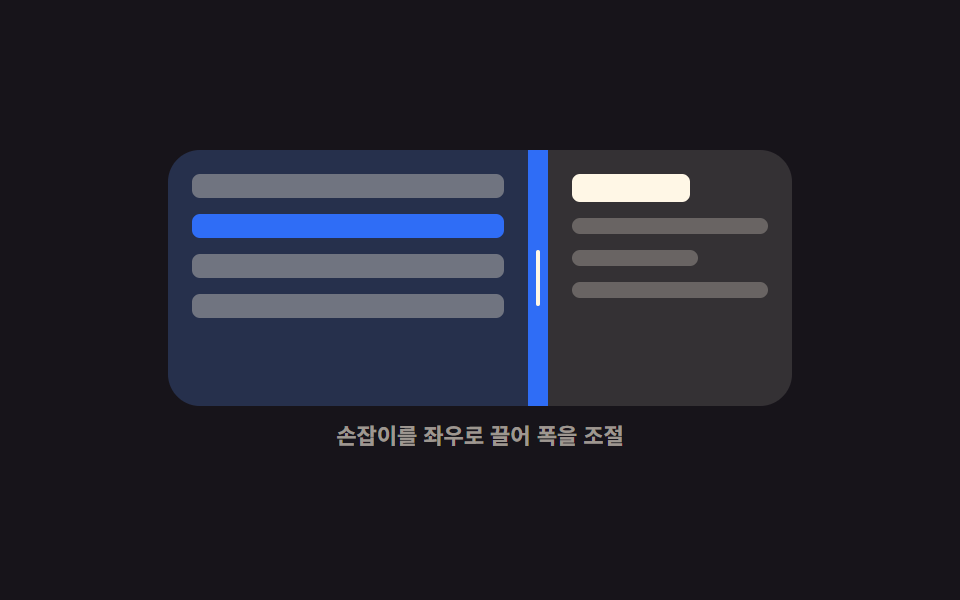 Interactions9 Resizable Split Pane Layouts With No Library
 Interactions9 Breadcrumb UI Patterns That Survive Deep Paths
 InteractionsKiosk UI Design: 9 Finger-Sized Order Screens
 Interactions9 Copy Button CSS UI Patterns (Copy to Clipboard)
 InteractionsCSS Popover: 9 Ways to Anchor, Flip and Spring
 Interactions9 Mouse Effects CSS Tricks You Can Copy-Paste
 Interactions9 Mobile Touch Gestures That Follow Your Finger
 InteractionsSocial Share Buttons: 9 Copy-Paste UI Patterns