9 Resizable Split Pane Layouts With No Library
A resizable split pane is a layout whose panes share one draggable boundary, so widening one side narrows the other.
 01 panel-vertical-splitter
 02 panel-horizontal-splitter
 03 panel-three-pane-ide
 04 panel-double-click-collapse
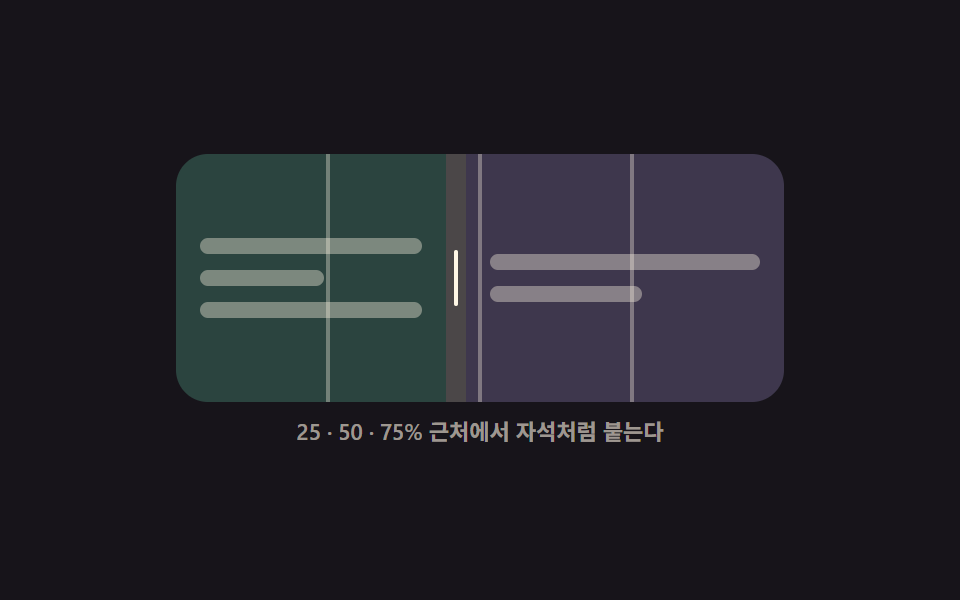 05 panel-snap-guides
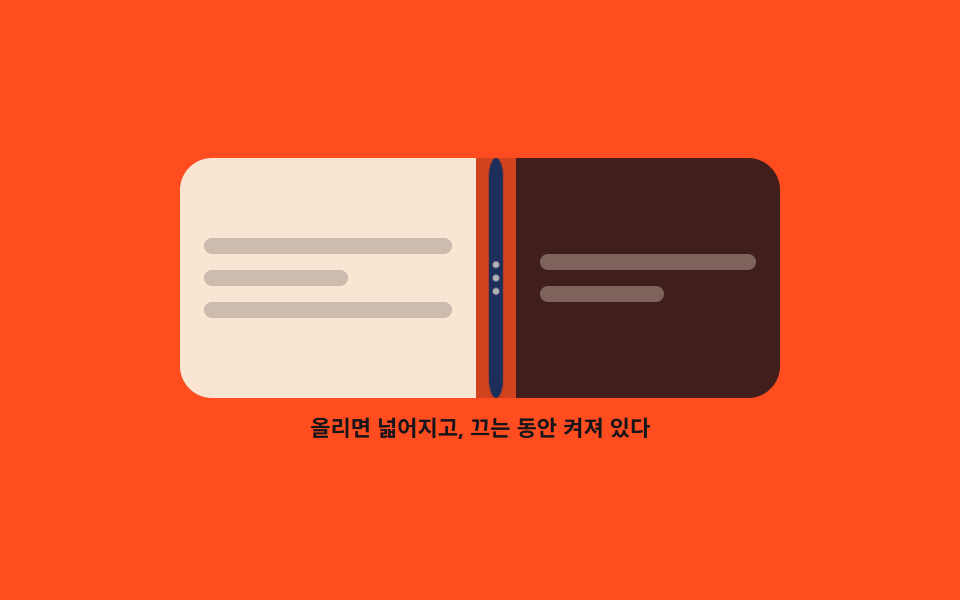 06 panel-handle-grip-feedback
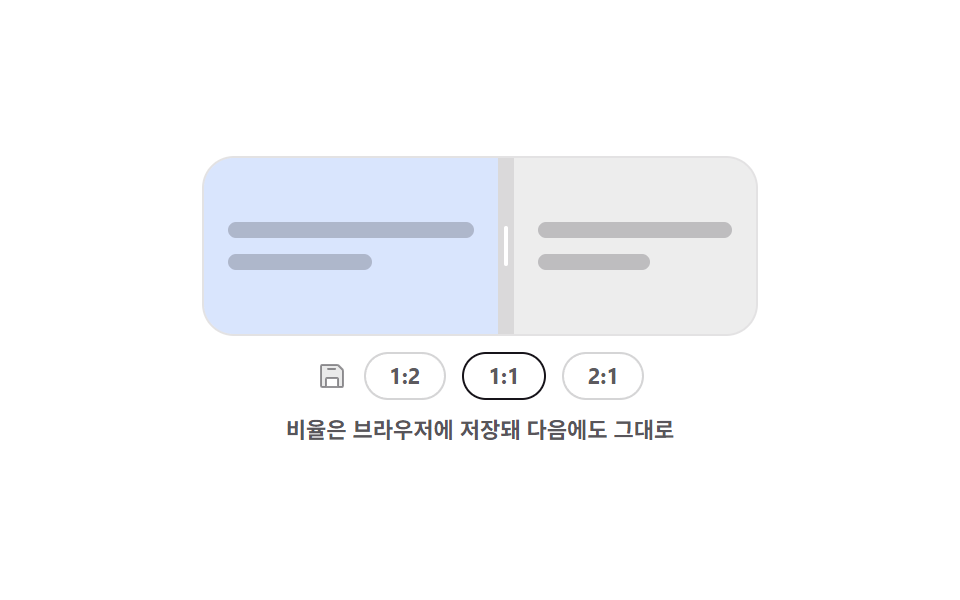 07 panel-ratio-preset-restore
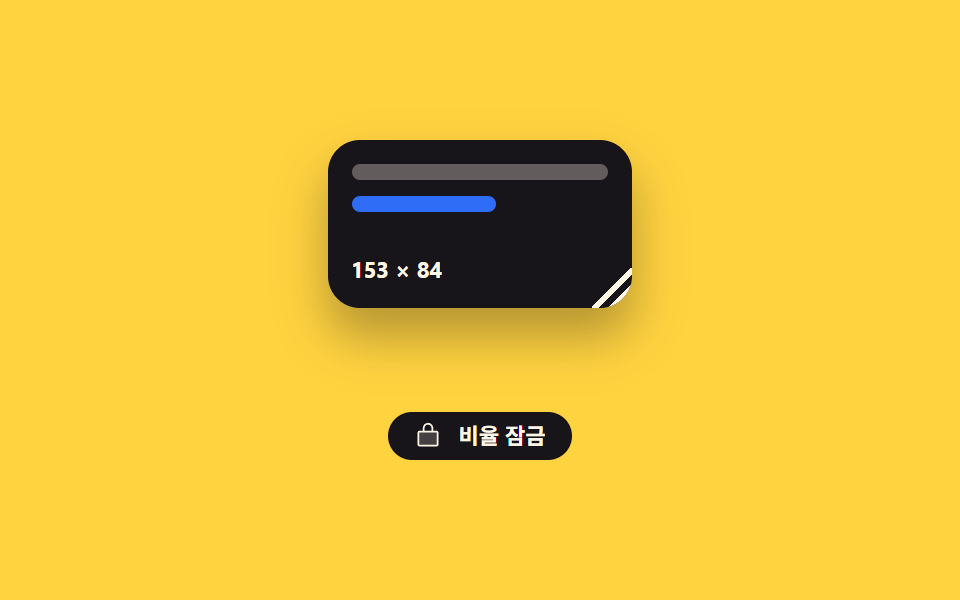 08 panel-corner-resize-grip
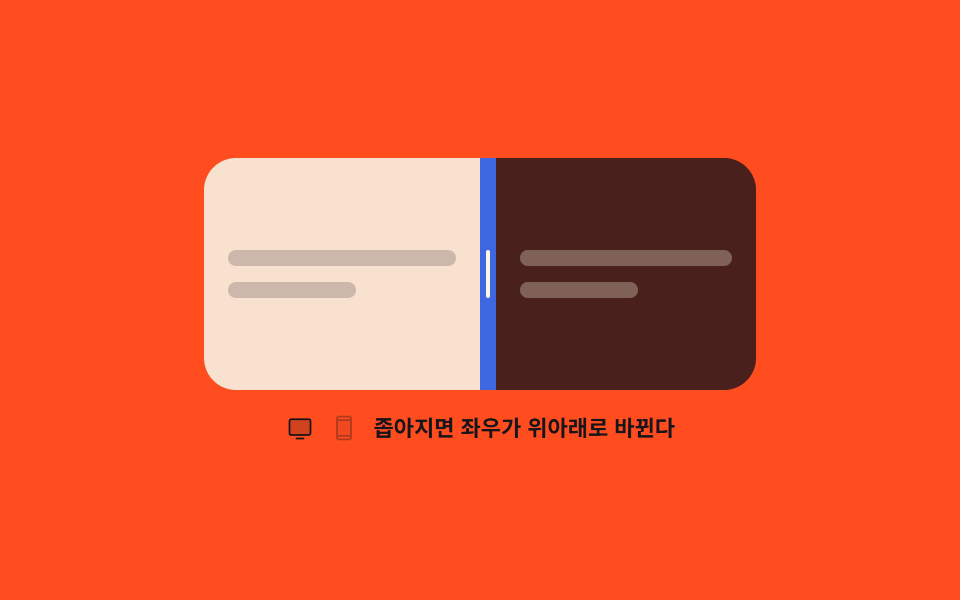 09 panel-responsive-auto-stack
Auto-plays · click a tile to jump to its section · all nine in one zip
- 01 Vertical splitter
- 02 Horizontal splitter
- 03 Three-pane editor layout
- 04 Double-click collapse
- 05 Snapping guide lines
- 06 Handle grip feedback
- 07 Saved ratio presets
- 08 Card corner grip
- 09 Responsive auto stack
The nine are ordered by what the divider learns to do, not by popularity. The first three are the fundamentals: a boundary that slides left and right (01), the same idea rotated onto the vertical axis (02), and both of them joined into a sidebar, an editor, and a console on one screen (03). From the fourth demo on, the divider starts to remember things. It folds and unfolds on a double-click (04), sticks to tidy ratios like a magnet (05), changes shape when the pointer comes near (06), and brings back the last ratio after the tab is closed and reopened (07). The eighth turns the boundary into a single corner point (08), and the last one (09) changes the direction of the boundary itself according to how wide its container is. All nine run as split screen css on one set of pointerdown, pointermove, and pointerup handlers plus a single CSS custom property, with no library at all, and every one of the nine handles takes keyboard input as well. The finger-side basics of moving that boundary live in Mobile Touch Gestures, and navigating between the divided panes is what Breadcrumb UI Patterns takes on.
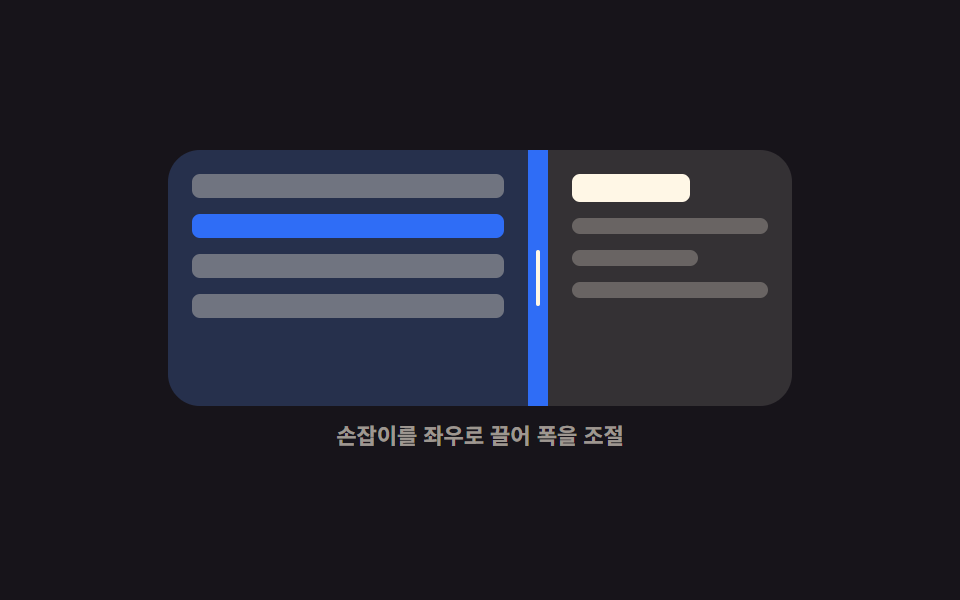
01Vertical splitter
What this split pane css shows
Drag the middle handle and the width of the left pane tracks the pointer exactly.
<main class="stage">
  <div class="vs is-demo" id="vs-root">
    <div class="vs__box" id="vs-box">
      <section class="vs__pane vs__pane--list" aria-label="Mail list">
        <span class="vs__row"></span>
        <span class="vs__row"></span>
        <span class="vs__row"></span>
        <span class="vs__row"></span>
      </section>
      <div class="vs__bar" id="vs-bar" role="separator" tabindex="0"
           aria-orientation="vertical" aria-label="List width" aria-valuemin="20" aria-valuemax="80" aria-valuenow="50">
        <i class="vs__grip" aria-hidden="true"></i>
      </div>
      <section class="vs__pane vs__pane--read" aria-label="Mail body">
        <b class="vs__title"></b>
        <span class="vs__line"></span>
        <span class="vs__line vs__line--short"></span>
        <span class="vs__line"></span>
      </section>
    </div>
    <p class="vs__cap">Drag the handle sideways to set the width</p>
  </div>
</main>
@use "../../../../site/static/demo-tokens" as *;
$duration: $dur-quick;
$easing: $ease-spring;
$color: $subject-blue;
@include stage($stage-ink);
// 등록해야 키프레임에서 보간된다 — 등록 안 하면 --split 은 문자열이라 27% 에서 툭 끊긴다
@property --split {
syntax: "<percentage>";
inherits: true;
initial-value: 50%;
}
.vs {
--split: 50%;
width: min(312px, 88vw);
display: flex;
flex-direction: column;
gap: $sp-2;
}
.vs__box {
display: grid;
grid-template-columns: var(--split) 10px 1fr;
height: 128px;
border-radius: $r-card;
overflow: hidden;
background: rgba(255, 255, 255, .06);
}
.vs__pane {
box-sizing: border-box;
display: flex;
flex-direction: column;
gap: $sp-2;
padding: $sp-3;
overflow: hidden;
}
.vs__pane--list { background: rgba(47, 109, 246, .18); }
.vs__pane--read { background: rgba(255, 247, 230, .07); }
.vs__row {
flex: 0 0 auto;
height: 12px;
border-radius: $r-xs;
background: rgba(255, 247, 230, .34);
}
.vs__row:nth-child(2) { background: $color; }
.vs__title {
flex: 0 0 auto;
height: 14px;
width: 60%;
border-radius: $r-xs;
background: $subject-cream;
}
.vs__line {
flex: 0 0 auto;
height: 8px;
border-radius: $r-xs;
background: rgba(255, 247, 230, .26);
}
.vs__line--short { width: 64%; }
.vs__bar {
display: grid;
place-items: center;
background: rgba(255, 247, 230, .14);
cursor: col-resize;
touch-action: none;
transition: background $duration $easing;
}
.vs__grip {
display: block;
width: 2px;
height: 28px;
border-radius: $r-pill;
background: $subject-cream;
transition: transform $duration $easing;
}
.vs__bar:hover,
.vs.is-drag .vs__bar { background: $color; }
.vs__bar:hover .vs__grip,
.vs.is-drag .vs__grip { transform: scaleY(1.5); }
.vs__bar:focus-visible { outline: 2px solid $subject-cream; outline-offset: -2px; }
.vs__cap {
margin: 0;
font-size: 11px;
line-height: 14px;
font-weight: 600;
color: rgba(255, 247, 230, .58);
text-align: center;
}
// ── 자동 루프: 50% → 좁게 → 넓게 → 50%. 복귀는 88% 안에서 끝난다 ──
.vs.is-demo { animation: vs-split $dur-loop $easing infinite; }
@keyframes vs-split {
0%, 8% { --split: 50%; }
36% { --split: 26%; }
64% { --split: 72%; }
88%, 100% { --split: 50%; }
}
.vs.is-demo .vs__bar { animation: vs-hot $dur-loop $easing infinite; }
@keyframes vs-hot {
0%, 8% { background: rgba(255, 247, 230, .14); }
20%, 76% { background: $subject-blue; }
88%, 100% { background: rgba(255, 247, 230, .14); }
}
@media (prefers-reduced-motion: reduce) {
.vs.is-demo,
.vs.is-demo .vs__bar { animation: none !important; }
.vs__bar, .vs__grip { transition: none; }
}
@media (max-width: 340px) {
.vs__box { height: 112px; }
.vs__pane { padding: $sp-2; }
}html, body {
margin: 0;
overflow: hidden;
}
.stage {
box-sizing: border-box;
min-height: 100vh;
display: grid;
place-items: center;
margin: 0;
background: #17141a;
font-family: -apple-system, "Segoe UI", "Noto Sans KR", sans-serif;
padding: clamp(8px, 4vw, 24px);
}
@property --split {
syntax: "<percentage>";
inherits: true;
initial-value: 50%;
}
.vs {
--split: 50%;
width: min(312px, 88vw);
display: flex;
flex-direction: column;
gap: 8px;
}
.vs__box {
display: grid;
grid-template-columns: var(--split) 10px 1fr;
height: 128px;
border-radius: 16px;
overflow: hidden;
background: rgba(255, 255, 255, 0.06);
}
.vs__pane {
box-sizing: border-box;
display: flex;
flex-direction: column;
gap: 8px;
padding: 12px;
overflow: hidden;
}
.vs__pane--list {
background: rgba(47, 109, 246, 0.18);
}
.vs__pane--read {
background: rgba(255, 247, 230, 0.07);
}
.vs__row {
flex: 0 0 auto;
height: 12px;
border-radius: 4px;
background: rgba(255, 247, 230, 0.34);
}
.vs__row:nth-child(2) {
background: #2f6df6;
}
.vs__title {
flex: 0 0 auto;
height: 14px;
width: 60%;
border-radius: 4px;
background: #fff7e6;
}
.vs__line {
flex: 0 0 auto;
height: 8px;
border-radius: 4px;
background: rgba(255, 247, 230, 0.26);
}
.vs__line--short {
width: 64%;
}
.vs__bar {
display: grid;
place-items: center;
background: rgba(255, 247, 230, 0.14);
cursor: col-resize;
touch-action: none;
transition: background 220ms cubic-bezier(0.2, 0.8, 0.2, 1);
}
.vs__grip {
display: block;
width: 2px;
height: 28px;
border-radius: 999px;
background: #fff7e6;
transition: transform 220ms cubic-bezier(0.2, 0.8, 0.2, 1);
}
.vs__bar:hover,
.vs.is-drag .vs__bar {
background: #2f6df6;
}
.vs__bar:hover .vs__grip,
.vs.is-drag .vs__grip {
transform: scaleY(1.5);
}
.vs__bar:focus-visible {
outline: 2px solid #fff7e6;
outline-offset: -2px;
}
.vs__cap {
margin: 0;
font-size: 11px;
line-height: 14px;
font-weight: 600;
color: rgba(255, 247, 230, 0.58);
text-align: center;
}
.vs.is-demo {
animation: vs-split 2s cubic-bezier(0.2, 0.8, 0.2, 1) infinite;
}
@keyframes vs-split {
0%, 8% {
--split: 50%;
}
36% {
--split: 26%;
}
64% {
--split: 72%;
}
88%, 100% {
--split: 50%;
}
}
.vs.is-demo .vs__bar {
animation: vs-hot 2s cubic-bezier(0.2, 0.8, 0.2, 1) infinite;
}
@keyframes vs-hot {
0%, 8% {
background: rgba(255, 247, 230, 0.14);
}
20%, 76% {
background: #2f6df6;
}
88%, 100% {
background: rgba(255, 247, 230, 0.14);
}
}
@media (prefers-reduced-motion: reduce) {
.vs.is-demo,
.vs.is-demo .vs__bar {
animation: none !important;
}
.vs__bar, .vs__grip {
transition: none;
}
}
@media (max-width: 340px) {
.vs__box {
height: 112px;
}
.vs__pane {
padding: 8px;
}
}// 실제 동작: 포인터 델타 → 왼쪽 트랙 폭(--split). 최소 폭 64px 에서 클램프. 화살표 키는 4%씩.
var root = document.getElementById('vs-root');
var box = document.getElementById('vs-box');
var bar = document.getElementById('vs-bar');
var MIN = 64, BAR = 10, dragging = false;
function set(pct) {
var w = box.clientWidth;
var lo = MIN / w * 100, hi = (w - MIN - BAR) / w * 100;
var v = Math.max(lo, Math.min(pct, hi));
root.style.setProperty('--split', v.toFixed(1) + '%');
bar.setAttribute('aria-valuenow', String(Math.round(v)));
}
function stop() { root.classList.remove('is-demo'); }
bar.addEventListener('pointerdown', function (e) {
stop();
dragging = true;
bar.setPointerCapture(e.pointerId);
root.classList.add('is-drag');
e.preventDefault();
});
bar.addEventListener('pointermove', function (e) {
if (!dragging) return;
set((e.clientX - box.getBoundingClientRect().left) / box.clientWidth * 100);
});
function drop() { dragging = false; root.classList.remove('is-drag'); }
bar.addEventListener('pointerup', drop);
bar.addEventListener('pointercancel', drop);
bar.addEventListener('keydown', function (e) {
var now = Number(bar.getAttribute('aria-valuenow'));
var d = e.key === 'ArrowLeft' ? -4 : e.key === 'ArrowRight' ? 4 : 0;
if (!d) return;
stop();
set(now + d);
bar.focus({ preventScroll: true });
e.preventDefault();
});import { useRef, useState } from "react";
import type { CSSProperties } from "react";
import styles from "./VerticalSplitter.module.scss";
export type VerticalSplitterProps = {
/** 시작 비율 (%) */
start?: number;
/** 양쪽 최소 폭 (px) */
minWidth?: number;
duration?: number;
easing?: string;
color?: string;
};
type PEvt = { clientX: number; pointerId: number; preventDefault(): void; currentTarget: { setPointerCapture(id: number): void } };
type KeyEvt = { key: string; preventDefault(): void };
type Vars = CSSProperties & { "--split"?: string; "--duration"?: string; "--easing"?: string; "--color"?: string };
const BAR = 10;
export default function VerticalSplitter({
start = 50,
minWidth = 64,
duration = 220,
easing = "cubic-bezier(.2,.8,.2,1)",
color = "#2f6df6",
}: VerticalSplitterProps) {
const [split, setSplit] = useState(start);
const [drag, setDrag] = useState(false);
const boxRef = useRef<HTMLDivElement>(null);
function set(pct: number): void {
const box = boxRef.current;
if (!box) return;
const w = box.clientWidth;
const lo = (minWidth / w) * 100;
const hi = ((w - minWidth - BAR) / w) * 100;
setSplit(Math.max(lo, Math.min(pct, hi)));
}
function onDown(e: PEvt): void {
setDrag(true);
e.currentTarget.setPointerCapture(e.pointerId);
e.preventDefault();
}
function onMove(e: PEvt): void {
const box = boxRef.current;
if (!drag || !box) return;
set(((e.clientX - box.getBoundingClientRect().left) / box.clientWidth) * 100);
}
function onUp(): void { setDrag(false); }
function onKey(e: KeyEvt): void {
const d = e.key === "ArrowLeft" ? -4 : e.key === "ArrowRight" ? 4 : 0;
if (!d) return;
set(split + d);
e.preventDefault();
}
const vars: Vars = {
"--split": `${split.toFixed(1)}%`,
"--duration": `${duration}ms`,
"--easing": easing,
"--color": color,
};
return (
<div className={drag ? `${styles.vs} ${styles.isDrag}` : styles.vs} style={vars}>
<div className={styles.box} ref={boxRef}>
<section className={`${styles.pane} ${styles.paneList}`} aria-label="Mail list">
<span className={styles.row} />
<span className={`${styles.row} ${styles.rowOn}`} />
<span className={styles.row} />
<span className={styles.row} />
</section>
<div
className={styles.bar}
role="separator"
tabIndex={0}
aria-orientation="vertical"
aria-label="List width"
aria-valuemin={20}
aria-valuemax={80}
aria-valuenow={Math.round(split)}
onPointerDown={onDown}
onPointerMove={onMove}
onPointerUp={onUp}
onPointerCancel={onUp}
onKeyDown={onKey}
>
<i className={styles.grip} aria-hidden="true" />
</div>
<section className={`${styles.pane} ${styles.paneRead}`} aria-label="Mail body">
<b className={styles.title} />
<span className={styles.line} />
<span className={`${styles.line} ${styles.lineShort}`} />
<span className={styles.line} />
</section>
</div>
<p className={styles.cap}>Drag the handle sideways to set the width</p>
</div>
);
}01 · Vertical splitter — Measured area 14.942% · moving frames 19/23Original by GODRICH · SCSS and React ship in the zip · See the password
Where to look in the code
That width lives in a single custom property, --split, which grid-template-columns reads, and the value stops dead once either side reaches its 64px minimum.
function set(pct) {
  var w = box.clientWidth;
  var lo = MIN / w * 100, hi = (w - MIN - BAR) / w * 100;
  var v = Math.max(lo, Math.min(pct, hi));
  root.style.setProperty('--split', v.toFixed(1) + '%');
  bar.setAttribute('aria-valuenow', String(Math.round(v)));
}
bar.addEventListener('pointermove', function (e) {
  if (!dragging) return;
  set((e.clientX - box.getBoundingClientRect().left) / box.clientWidth * 100);
});
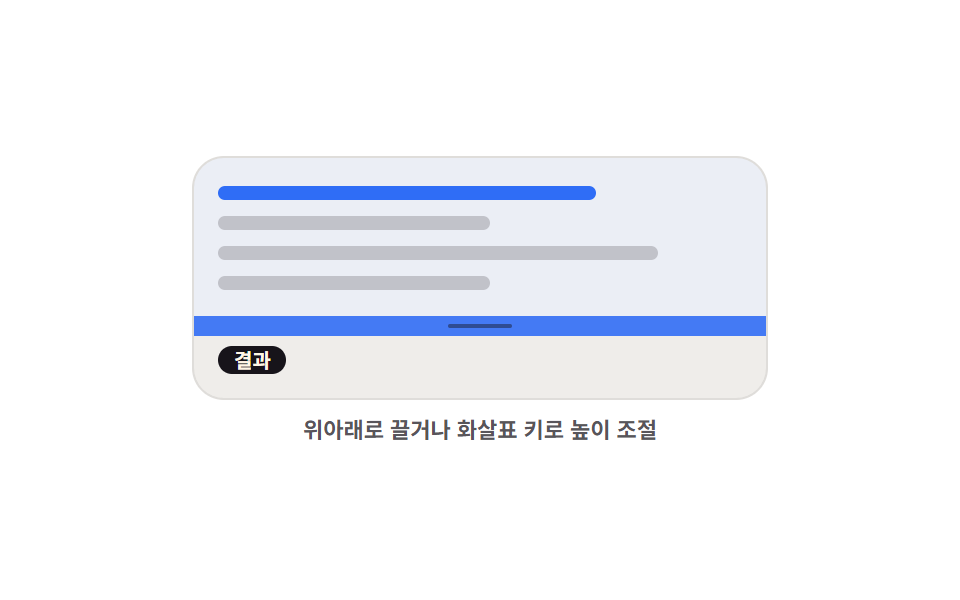
02Horizontal splitter
What happens on screen
Dragging the handle up or down trades height between the editor pane above and the result pane below.
<main class="stage">
  <div class="hs is-demo" id="hs-root">
    <div class="hs__box" id="hs-box">
      <section class="hs__pane hs__pane--code" aria-label="Editor area">
        <span class="hs__tok hs__tok--a"></span>
        <span class="hs__tok hs__tok--b"></span>
        <span class="hs__tok hs__tok--c"></span>
        <span class="hs__tok hs__tok--b"></span>
      </section>
      <div class="hs__bar" id="hs-bar" role="separator" tabindex="0"
           aria-orientation="horizontal" aria-label="Editor area height" aria-valuemin="20" aria-valuemax="80" aria-valuenow="50">
        <i class="hs__grip" aria-hidden="true"></i>
      </div>
      <section class="hs__pane hs__pane--out" aria-label="Result area">
        <span class="hs__chip">Result</span>
        <span class="hs__bars"><i></i><i></i><i></i><i></i><i></i></span>
      </section>
    </div>
    <p class="hs__cap">Drag up and down, or use the arrow keys</p>
  </div>
</main>
@use "../../../../site/static/demo-tokens" as *;
$duration: $dur-quick;
$easing: $ease-spring;
$color: $subject-blue;
@include stage($stage-paper);
@property --splitY {
syntax: "<percentage>";
inherits: true;
initial-value: 50%;
}
.hs {
--splitY: 50%;
width: min(288px, 86vw);
display: flex;
flex-direction: column;
gap: $sp-2;
}
.hs__box {
display: grid;
grid-template-rows: var(--splitY) 10px 1fr;
height: clamp(112px, 40vh, 132px);
border-radius: $r-card;
overflow: hidden;
border: 1px solid rgba(23, 20, 26, .12);
background: #fbf9f5;
}
.hs__pane {
box-sizing: border-box;
display: flex;
flex-direction: column;
justify-content: center;
gap: $sp-2;
padding: $sp-2 $sp-3;
overflow: hidden;
}
.hs__pane--code { background: rgba(47, 109, 246, .08); }
.hs__pane--out {
align-items: flex-start;
justify-content: center;
background: rgba(23, 20, 26, .05);
}
.hs__tok {
flex: 0 0 auto;
height: 7px;
border-radius: $r-xs;
background: rgba(23, 20, 26, .2);
}
.hs__tok--a { width: 72%; background: $color; }
.hs__tok--b { width: 52%; }
.hs__tok--c { width: 84%; }
.hs__chip {
flex: 0 0 auto;
padding: 0 $sp-2;
border-radius: $r-pill;
background: $subject-ink;
color: $subject-cream;
font-size: 10px;
line-height: 14px;
font-weight: 700;
}
.hs__bars {
display: flex;
align-items: flex-end;
gap: $sp-1;
height: 24px;
}
.hs__bars i {
display: block;
width: 12px;
border-radius: $r-xs $r-xs 0 0;
background: $color;
}
.hs__bars i:nth-child(1) { height: 40%; }
.hs__bars i:nth-child(2) { height: 76%; }
.hs__bars i:nth-child(3) { height: 56%; }
.hs__bars i:nth-child(4) { height: 96%; background: $subject-ink; }
.hs__bars i:nth-child(5) { height: 64%; }
.hs__bar {
display: grid;
place-items: center;
background: rgba(23, 20, 26, .1);
cursor: row-resize;
touch-action: none;
transition: background $duration $easing;
}
.hs__grip {
display: block;
width: 32px;
height: 2px;
border-radius: $r-pill;
background: rgba(23, 20, 26, .45);
transition: transform $duration $easing;
}
.hs__bar:hover,
.hs.is-drag .hs__bar { background: $color; }
.hs__bar:hover .hs__grip,
.hs.is-drag .hs__grip { transform: scaleX(1.4); background: #ffffff; }
.hs__bar:focus-visible { outline: 2px solid $subject-ink; outline-offset: -2px; }
.hs__cap {
margin: 0;
font-size: 11px;
line-height: 14px;
font-weight: 600;
color: rgba(23, 20, 26, .72); // AA 4.5 (blog-design)
text-align: center;
}
// ── 자동 루프: 위 칸이 커졌다 작아졌다. 86% 에 제자리 ──
.hs.is-demo { animation: hs-split $dur-loop $easing infinite; }
@keyframes hs-split {
0%, 8% { --splitY: 50%; }
34% { --splitY: 76%; }
62% { --splitY: 24%; }
86%, 100% { --splitY: 50%; }
}
.hs.is-demo .hs__bar { animation: hs-hot $dur-loop $easing infinite; }
@keyframes hs-hot {
0%, 8% { background: rgba(23, 20, 26, .1); }
20%, 74% { background: $subject-blue; }
86%, 100% { background: rgba(23, 20, 26, .1); }
}
@media (prefers-reduced-motion: reduce) {
.hs.is-demo,
.hs.is-demo .hs__bar { animation: none !important; }
.hs__bar, .hs__grip { transition: none; }
}
@media (max-width: 340px) {
.hs__box { height: 108px; }
.hs__pane { padding: $sp-1 $sp-2; }
}html, body {
margin: 0;
overflow: hidden;
}
.stage {
box-sizing: border-box;
min-height: 100vh;
display: grid;
place-items: center;
margin: 0;
background: #ffffff;
font-family: -apple-system, "Segoe UI", "Noto Sans KR", sans-serif;
padding: clamp(8px, 4vw, 24px);
}
@property --splitY {
syntax: "<percentage>";
inherits: true;
initial-value: 50%;
}
.hs {
--splitY: 50%;
width: min(288px, 86vw);
display: flex;
flex-direction: column;
gap: 8px;
}
.hs__box {
display: grid;
grid-template-rows: var(--splitY) 10px 1fr;
height: clamp(112px, 40vh, 132px);
border-radius: 16px;
overflow: hidden;
border: 1px solid rgba(23, 20, 26, 0.12);
background: #fbf9f5;
}
.hs__pane {
box-sizing: border-box;
display: flex;
flex-direction: column;
justify-content: center;
gap: 8px;
padding: 8px 12px;
overflow: hidden;
}
.hs__pane--code {
background: rgba(47, 109, 246, 0.08);
}
.hs__pane--out {
align-items: flex-start;
justify-content: center;
background: rgba(23, 20, 26, 0.05);
}
.hs__tok {
flex: 0 0 auto;
height: 7px;
border-radius: 4px;
background: rgba(23, 20, 26, 0.2);
}
.hs__tok--a {
width: 72%;
background: #2f6df6;
}
.hs__tok--b {
width: 52%;
}
.hs__tok--c {
width: 84%;
}
.hs__chip {
flex: 0 0 auto;
padding: 0 8px;
border-radius: 999px;
background: #17141a;
color: #fff7e6;
font-size: 10px;
line-height: 14px;
font-weight: 700;
}
.hs__bars {
display: flex;
align-items: flex-end;
gap: 4px;
height: 24px;
}
.hs__bars i {
display: block;
width: 12px;
border-radius: 4px 4px 0 0;
background: #2f6df6;
}
.hs__bars i:nth-child(1) {
height: 40%;
}
.hs__bars i:nth-child(2) {
height: 76%;
}
.hs__bars i:nth-child(3) {
height: 56%;
}
.hs__bars i:nth-child(4) {
height: 96%;
background: #17141a;
}
.hs__bars i:nth-child(5) {
height: 64%;
}
.hs__bar {
display: grid;
place-items: center;
background: rgba(23, 20, 26, 0.1);
cursor: row-resize;
touch-action: none;
transition: background 220ms cubic-bezier(0.2, 0.8, 0.2, 1);
}
.hs__grip {
display: block;
width: 32px;
height: 2px;
border-radius: 999px;
background: rgba(23, 20, 26, 0.45);
transition: transform 220ms cubic-bezier(0.2, 0.8, 0.2, 1);
}
.hs__bar:hover,
.hs.is-drag .hs__bar {
background: #2f6df6;
}
.hs__bar:hover .hs__grip,
.hs.is-drag .hs__grip {
transform: scaleX(1.4);
background: #ffffff;
}
.hs__bar:focus-visible {
outline: 2px solid #17141a;
outline-offset: -2px;
}
.hs__cap {
margin: 0;
font-size: 11px;
line-height: 14px;
font-weight: 600;
color: rgba(23, 20, 26, 0.72);
text-align: center;
}
.hs.is-demo {
animation: hs-split 2s cubic-bezier(0.2, 0.8, 0.2, 1) infinite;
}
@keyframes hs-split {
0%, 8% {
--splitY: 50%;
}
34% {
--splitY: 76%;
}
62% {
--splitY: 24%;
}
86%, 100% {
--splitY: 50%;
}
}
.hs.is-demo .hs__bar {
animation: hs-hot 2s cubic-bezier(0.2, 0.8, 0.2, 1) infinite;
}
@keyframes hs-hot {
0%, 8% {
background: rgba(23, 20, 26, 0.1);
}
20%, 74% {
background: #2f6df6;
}
86%, 100% {
background: rgba(23, 20, 26, 0.1);
}
}
@media (prefers-reduced-motion: reduce) {
.hs.is-demo,
.hs.is-demo .hs__bar {
animation: none !important;
}
.hs__bar, .hs__grip {
transition: none;
}
}
@media (max-width: 340px) {
.hs__box {
height: 108px;
}
.hs__pane {
padding: 4px 8px;
}
}// 실제 동작: 포인터 Y 델타 → 위 트랙 높이(--splitY). 최소 40px 을 clamp 로 지킨다.
var root = document.getElementById('hs-root');
var box = document.getElementById('hs-box');
var bar = document.getElementById('hs-bar');
var MIN = 40, BAR = 10, dragging = false;
function clamp(v, lo, hi) { return Math.max(lo, Math.min(v, hi)); }
function set(pct) {
var h = box.clientHeight;
var v = clamp(pct, MIN / h * 100, (h - MIN - BAR) / h * 100);
root.style.setProperty('--splitY', v.toFixed(1) + '%');
bar.setAttribute('aria-valuenow', String(Math.round(v)));
}
function stop() { root.classList.remove('is-demo'); }
bar.addEventListener('pointerdown', function (e) {
stop();
dragging = true;
bar.setPointerCapture(e.pointerId);
root.classList.add('is-drag');
e.preventDefault();
});
bar.addEventListener('pointermove', function (e) {
if (!dragging) return;
set((e.clientY - box.getBoundingClientRect().top) / box.clientHeight * 100);
});
function drop() { dragging = false; root.classList.remove('is-drag'); }
bar.addEventListener('pointerup', drop);
bar.addEventListener('pointercancel', drop);
bar.addEventListener('keydown', function (e) {
var d = e.key === 'ArrowUp' ? -5 : e.key === 'ArrowDown' ? 5 : 0;
if (!d) return;
stop();
set(Number(bar.getAttribute('aria-valuenow')) + d);
bar.focus({ preventScroll: true });
e.preventDefault();
});import { useRef, useState } from "react";
import type { CSSProperties } from "react";
import styles from "./HorizontalSplitter.module.scss";
export type HorizontalSplitterProps = {
start?: number;
minHeight?: number;
duration?: number;
easing?: string;
color?: string;
};
type PEvt = { clientY: number; pointerId: number; preventDefault(): void; currentTarget: { setPointerCapture(id: number): void } };
type KeyEvt = { key: string; preventDefault(): void };
type Vars = CSSProperties & { "--splitY"?: string; "--duration"?: string; "--easing"?: string; "--color"?: string };
const BAR = 10;
function clamp(v: number, lo: number, hi: number): number { return Math.max(lo, Math.min(v, hi)); }
export default function HorizontalSplitter({
start = 50,
minHeight = 40,
duration = 220,
easing = "cubic-bezier(.2,.8,.2,1)",
color = "#2f6df6",
}: HorizontalSplitterProps) {
const [split, setSplit] = useState(start);
const [drag, setDrag] = useState(false);
const boxRef = useRef<HTMLDivElement>(null);
function set(pct: number): void {
const box = boxRef.current;
if (!box) return;
const h = box.clientHeight;
setSplit(clamp(pct, (minHeight / h) * 100, ((h - minHeight - BAR) / h) * 100));
}
function onDown(e: PEvt): void {
setDrag(true);
e.currentTarget.setPointerCapture(e.pointerId);
e.preventDefault();
}
function onMove(e: PEvt): void {
const box = boxRef.current;
if (!drag || !box) return;
set(((e.clientY - box.getBoundingClientRect().top) / box.clientHeight) * 100);
}
function onUp(): void { setDrag(false); }
function onKey(e: KeyEvt): void {
const d = e.key === "ArrowUp" ? -5 : e.key === "ArrowDown" ? 5 : 0;
if (!d) return;
set(split + d);
e.preventDefault();
}
const vars: Vars = {
"--splitY": `${split.toFixed(1)}%`,
"--duration": `${duration}ms`,
"--easing": easing,
"--color": color,
};
return (
<div className={drag ? `${styles.hs} ${styles.isDrag}` : styles.hs} style={vars}>
<div className={styles.box} ref={boxRef}>
<section className={`${styles.pane} ${styles.paneCode}`} aria-label="Editor area">
<span className={`${styles.tok} ${styles.tokA}`} />
<span className={`${styles.tok} ${styles.tokB}`} />
<span className={`${styles.tok} ${styles.tokC}`} />
<span className={`${styles.tok} ${styles.tokB}`} />
</section>
<div
className={styles.bar}
role="separator"
tabIndex={0}
aria-orientation="horizontal"
aria-label="Editor area height"
aria-valuemin={20}
aria-valuemax={80}
aria-valuenow={Math.round(split)}
onPointerDown={onDown}
onPointerMove={onMove}
onPointerUp={onUp}
onPointerCancel={onUp}
onKeyDown={onKey}
>
<i className={styles.grip} aria-hidden="true" />
</div>
<section className={`${styles.pane} ${styles.paneOut}`} aria-label="Result area">
<span className={styles.chip}>Result</span>
<span className={styles.bars}>
<i /><i /><i /><i /><i />
</span>
</section>
</div>
<p className={styles.cap}>Drag up and down, or use the arrow keys</p>
</div>
);
}02 · Horizontal splitter — Measured area 17.602% · moving frames 18/23Original by GODRICH · SCSS and React ship in the zip · See the password
How to read the code
It is the same arithmetic rotated onto the Y axis, and the up and down arrow keys shift the same value five percent at a time.
function clamp(v, lo, hi) { return Math.max(lo, Math.min(v, hi)); }
function set(pct) {
  var h = box.clientHeight;
  var v = clamp(pct, MIN / h * 100, (h - MIN - BAR) / h * 100);
  root.style.setProperty('--splitY', v.toFixed(1) + '%');
  bar.setAttribute('aria-valuenow', String(Math.round(v)));
}
bar.addEventListener('keydown', function (e) {
  var d = e.key === 'ArrowUp' ? -5 : e.key === 'ArrowDown' ? 5 : 0;
  if (!d) return;
  stop();
  set(Number(bar.getAttribute('aria-valuenow')) + d);
  bar.focus({ preventScroll: true });
  e.preventDefault();
});
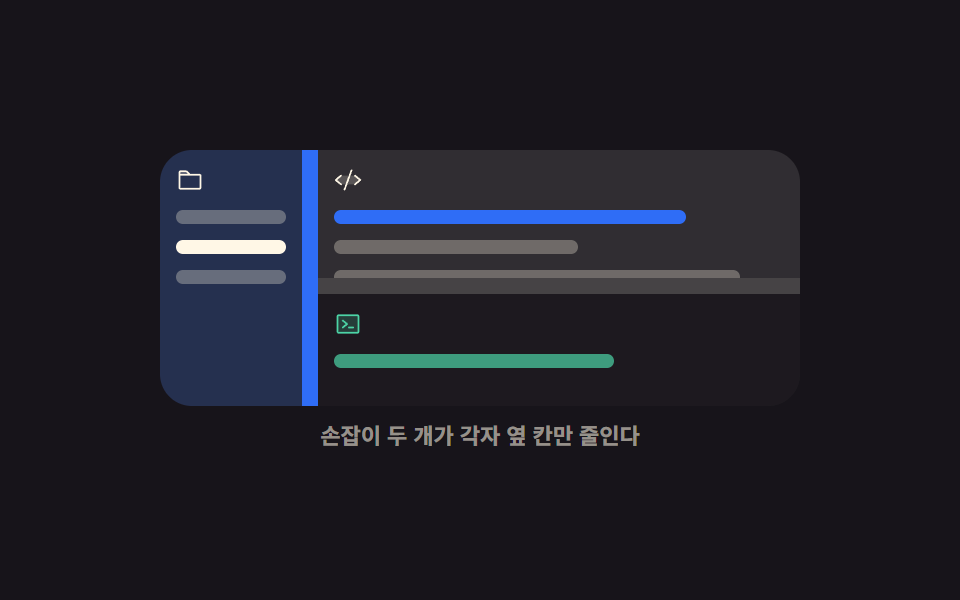
03Three-pane editor layout
What moves
A file list, an editor, and a console are joined by two handles, and moving one takes room only from the pane beside it.
<main class="stage">
  <div class="tp is-demo" id="tp-root">
    <div class="tp__box" id="tp-box">
      <section class="tp__side" aria-label="File list">
        <span class="tp__ico"><svg viewBox="0 0 256 256" aria-hidden="true"><g fill="currentColor"><path d="M128 80H32V56a8 8 0 0 1 8-8h52.69a8 8 0 0 1 5.65 2.34Z" opacity=".2"/><path d="M216 72h-84.69L104 44.69A15.86 15.86 0 0 0 92.69 40H40a16 16 0 0 0-16 16v144.62A15.4 15.4 0 0 0 39.38 216h177.51A15.13 15.13 0 0 0 232 200.89V88a16 16 0 0 0-16-16M92.69 56l16 16H40V56ZM216 200H40V88h176Z"/></g></svg></span>
        <span class="tp__row"></span>
        <span class="tp__row tp__row--on"></span>
        <span class="tp__row"></span>
      </section>
      <div class="tp__bar tp__bar--v" id="tp-barv" role="separator" tabindex="0"
           aria-orientation="vertical" aria-label="Sidebar width" aria-valuemin="14" aria-valuemax="60" aria-valuenow="30"></div>
      <div class="tp__main">
        <section class="tp__edit" aria-label="Editor">
          <span class="tp__ico"><svg viewBox="0 0 256 256" aria-hidden="true"><g fill="currentColor"><path d="m240 128l-48 40H64l-48-40l48-40h128Z" opacity=".2"/><path d="M69.12 94.15L28.5 128l40.62 33.85a8 8 0 1 1-10.24 12.29l-48-40a8 8 0 0 1 0-12.29l48-40a8 8 0 0 1 10.24 12.3m176 27.7l-48-40a8 8 0 1 0-10.24 12.3L227.5 128l-40.62 33.85a8 8 0 1 0 10.24 12.29l48-40a8 8 0 0 0 0-12.29m-82.39-89.37a8 8 0 0 0-10.25 4.79l-64 176a8 8 0 0 0 4.79 10.26A8.1 8.1 0 0 0 96 224a8 8 0 0 0 7.52-5.27l64-176a8 8 0 0 0-4.79-10.25"/></g></svg></span>
          <span class="tp__tok tp__tok--a"></span>
          <span class="tp__tok tp__tok--b"></span>
          <span class="tp__tok tp__tok--c"></span>
        </section>
        <div class="tp__bar tp__bar--h" id="tp-barh" role="separator" tabindex="0"
             aria-orientation="horizontal" aria-label="Console height" aria-valuemin="16" aria-valuemax="70" aria-valuenow="34"></div>
        <section class="tp__term" aria-label="Console">
          <span class="tp__ico"><svg viewBox="0 0 256 256" aria-hidden="true"><g fill="currentColor"><path d="M224 56v144a8 8 0 0 1-8 8H40a8 8 0 0 1-8-8V56a8 8 0 0 1 8-8h176a8 8 0 0 1 8 8" opacity=".2"/><path d="M128 128a8 8 0 0 1-3 6.25l-40 32a8 8 0 1 1-10-12.5L107.19 128L75 102.25a8 8 0 1 1 10-12.5l40 32a8 8 0 0 1 3 6.25m48 24h-40a8 8 0 0 0 0 16h40a8 8 0 0 0 0-16m56-96v144a16 16 0 0 1-16 16H40a16 16 0 0 1-16-16V56a16 16 0 0 1 16-16h176a16 16 0 0 1 16 16m-16 144V56H40v144z"/></g></svg></span>
          <span class="tp__tok tp__tok--d"></span>
        </section>
      </div>
    </div>
    <p class="tp__cap">Each handle only shrinks the pane next to it</p>
  </div>
</main>@use "../../../../site/static/demo-tokens" as *;
$duration: $dur-quick;
$easing: $ease-spring;
$color: $subject-blue;
@include stage($stage-ink);
@property --col {
syntax: "<percentage>";
inherits: true;
initial-value: 30%;
}
@property --row {
syntax: "<percentage>";
inherits: true;
initial-value: 66%;
}
.tp {
--col: 30%;
--row: 66%;
width: min(320px, 90vw);
display: flex;
flex-direction: column;
gap: $sp-2;
}
.tp__box {
display: grid;
grid-template-columns: var(--col) 8px 1fr;
height: 128px;
border-radius: $r-card;
overflow: hidden;
background: rgba(255, 255, 255, .05);
}
.tp__main {
display: grid;
grid-template-rows: var(--row) 8px 1fr;
overflow: hidden;
}
.tp__side,
.tp__edit,
.tp__term {
box-sizing: border-box;
display: flex;
flex-direction: column;
gap: $sp-2;
padding: $sp-2;
overflow: hidden;
}
.tp__side { background: rgba(47, 109, 246, .2); }
.tp__edit { background: rgba(255, 247, 230, .06); }
.tp__term { background: rgba(23, 20, 26, .55); }
.tp__ico {
flex: 0 0 auto;
width: 14px;
height: 14px;
color: $subject-cream;
}
.tp__ico svg { display: block; width: 14px; height: 14px; }
.tp__term .tp__ico { color: $subject-mint; }
.tp__row,
.tp__tok {
flex: 0 0 auto;
height: 7px;
border-radius: $r-xs;
background: rgba(255, 247, 230, .3);
}
.tp__row--on { background: $subject-cream; }
.tp__tok--a { width: 78%; background: $color; }
.tp__tok--b { width: 54%; }
.tp__tok--c { width: 90%; }
.tp__tok--d { width: 62%; background: rgba(76, 212, 166, .7); }
.tp__bar {
background: rgba(255, 247, 230, .16);
touch-action: none;
transition: background $duration $easing;
}
.tp__bar--v { cursor: col-resize; }
.tp__bar--h { cursor: row-resize; }
.tp__bar:hover { background: $color; }
.tp__bar:focus-visible { outline: 2px solid $subject-cream; outline-offset: -2px; }
.tp__cap {
margin: 0;
font-size: 11px;
line-height: 14px;
font-weight: 600;
color: rgba(255, 247, 230, .55);
text-align: center;
}
// ── 자동 루프: 세로 손잡이가 먼저, 가로 손잡이가 그다음. 둘이 겹치지 않는다 ──
.tp.is-demo { animation: tp-move $dur-loop $easing infinite; }
@keyframes tp-move {
0%, 6% { --col: 30%; --row: 66%; }
26% { --col: 56%; --row: 66%; }
44% { --col: 16%; --row: 66%; }
60% { --col: 30%; --row: 30%; }
76% { --col: 30%; --row: 78%; }
88%, 100% { --col: 30%; --row: 66%; }
}
.tp.is-demo .tp__bar--v { animation: tp-hot-a $dur-loop steps(1, end) infinite; }
.tp.is-demo .tp__bar--h { animation: tp-hot-b $dur-loop steps(1, end) infinite; }
@keyframes tp-hot-a {
0%, 5% { background: rgba(255, 247, 230, .16); }
6%, 45% { background: $subject-blue; }
46%, 100% { background: rgba(255, 247, 230, .16); }
}
@keyframes tp-hot-b {
0%, 45% { background: rgba(255, 247, 230, .16); }
46%, 87% { background: $subject-blue; }
88%, 100% { background: rgba(255, 247, 230, .16); }
}
@media (prefers-reduced-motion: reduce) {
.tp.is-demo,
.tp.is-demo .tp__bar--v,
.tp.is-demo .tp__bar--h { animation: none !important; }
.tp__bar { transition: none; }
}
@media (max-width: 340px) {
.tp__box { height: 112px; }
.tp__side, .tp__edit, .tp__term { padding: $sp-1; }
}html, body {
margin: 0;
overflow: hidden;
}
.stage {
box-sizing: border-box;
min-height: 100vh;
display: grid;
place-items: center;
margin: 0;
background: #17141a;
font-family: -apple-system, "Segoe UI", "Noto Sans KR", sans-serif;
padding: clamp(8px, 4vw, 24px);
}
@property --col {
syntax: "<percentage>";
inherits: true;
initial-value: 30%;
}
@property --row {
syntax: "<percentage>";
inherits: true;
initial-value: 66%;
}
.tp {
--col: 30%;
--row: 66%;
width: min(320px, 90vw);
display: flex;
flex-direction: column;
gap: 8px;
}
.tp__box {
display: grid;
grid-template-columns: var(--col) 8px 1fr;
height: 128px;
border-radius: 16px;
overflow: hidden;
background: rgba(255, 255, 255, 0.05);
}
.tp__main {
display: grid;
grid-template-rows: var(--row) 8px 1fr;
overflow: hidden;
}
.tp__side,
.tp__edit,
.tp__term {
box-sizing: border-box;
display: flex;
flex-direction: column;
gap: 8px;
padding: 8px;
overflow: hidden;
}
.tp__side {
background: rgba(47, 109, 246, 0.2);
}
.tp__edit {
background: rgba(255, 247, 230, 0.06);
}
.tp__term {
background: rgba(23, 20, 26, 0.55);
}
.tp__ico {
flex: 0 0 auto;
width: 14px;
height: 14px;
color: #fff7e6;
}
.tp__ico svg {
display: block;
width: 14px;
height: 14px;
}
.tp__term .tp__ico {
color: #4cd4a6;
}
.tp__row,
.tp__tok {
flex: 0 0 auto;
height: 7px;
border-radius: 4px;
background: rgba(255, 247, 230, 0.3);
}
.tp__row--on {
background: #fff7e6;
}
.tp__tok--a {
width: 78%;
background: #2f6df6;
}
.tp__tok--b {
width: 54%;
}
.tp__tok--c {
width: 90%;
}
.tp__tok--d {
width: 62%;
background: rgba(76, 212, 166, 0.7);
}
.tp__bar {
background: rgba(255, 247, 230, 0.16);
touch-action: none;
transition: background 220ms cubic-bezier(0.2, 0.8, 0.2, 1);
}
.tp__bar--v {
cursor: col-resize;
}
.tp__bar--h {
cursor: row-resize;
}
.tp__bar:hover {
background: #2f6df6;
}
.tp__bar:focus-visible {
outline: 2px solid #fff7e6;
outline-offset: -2px;
}
.tp__cap {
margin: 0;
font-size: 11px;
line-height: 14px;
font-weight: 600;
color: rgba(255, 247, 230, 0.55);
text-align: center;
}
.tp.is-demo {
animation: tp-move 2s cubic-bezier(0.2, 0.8, 0.2, 1) infinite;
}
@keyframes tp-move {
0%, 6% {
--col: 30%;
--row: 66%;
}
26% {
--col: 56%;
--row: 66%;
}
44% {
--col: 16%;
--row: 66%;
}
60% {
--col: 30%;
--row: 30%;
}
76% {
--col: 30%;
--row: 78%;
}
88%, 100% {
--col: 30%;
--row: 66%;
}
}
.tp.is-demo .tp__bar--v {
animation: tp-hot-a 2s steps(1, end) infinite;
}
.tp.is-demo .tp__bar--h {
animation: tp-hot-b 2s steps(1, end) infinite;
}
@keyframes tp-hot-a {
0%, 5% {
background: rgba(255, 247, 230, 0.16);
}
6%, 45% {
background: #2f6df6;
}
46%, 100% {
background: rgba(255, 247, 230, 0.16);
}
}
@keyframes tp-hot-b {
0%, 45% {
background: rgba(255, 247, 230, 0.16);
}
46%, 87% {
background: #2f6df6;
}
88%, 100% {
background: rgba(255, 247, 230, 0.16);
}
}
@media (prefers-reduced-motion: reduce) {
.tp.is-demo,
.tp.is-demo .tp__bar--v,
.tp.is-demo .tp__bar--h {
animation: none !important;
}
.tp__bar {
transition: none;
}
}
@media (max-width: 340px) {
.tp__box {
height: 112px;
}
.tp__side, .tp__edit, .tp__term {
padding: 4px;
}
}// 실제 동작: 세로 손잡이는 grid-template-columns, 가로 손잡이는 grid-template-rows 를 각자 바꾼다.
var root = document.getElementById('tp-root');
var box = document.getElementById('tp-box');
var pair = [
{ bar: document.getElementById('tp-barv'), key: '--col', lo: 14, hi: 60, axis: 'x' },
{ bar: document.getElementById('tp-barh'), key: '--row', lo: 16, hi: 70, axis: 'y' }
];
var live = null;
function set(p, pct) {
var v = Math.max(p.lo, Math.min(pct, p.hi));
root.style.setProperty(p.key, v.toFixed(1) + '%');
p.bar.setAttribute('aria-valuenow', String(Math.round(v)));
}
pair.forEach(function (p) {
p.bar.addEventListener('pointerdown', function (e) {
root.classList.remove('is-demo');
live = p;
p.bar.setPointerCapture(e.pointerId);
e.preventDefault();
});
p.bar.addEventListener('pointermove', function (e) {
if (live !== p) return;
var r = box.getBoundingClientRect();
set(p, p.axis === 'x' ? (e.clientX - r.left) / r.width * 100 : (e.clientY - r.top) / r.height * 100);
});
p.bar.addEventListener('pointerup', function () { live = null; });
p.bar.addEventListener('keydown', function (e) {
var d = (e.key === 'ArrowLeft' || e.key === 'ArrowUp') ? -5 : (e.key === 'ArrowRight' || e.key === 'ArrowDown') ? 5 : 0;
if (!d) return;
root.classList.remove('is-demo');
set(p, Number(p.bar.getAttribute('aria-valuenow')) + d);
p.bar.focus({ preventScroll: true });
e.preventDefault();
});
});import { useRef, useState } from "react";
import type { CSSProperties } from "react";
import styles from "./ThreePaneLayout.module.scss";
export type ThreePaneLayoutProps = {
startCol?: number;
startRow?: number;
duration?: number;
easing?: string;
color?: string;
};
type PEvt = { clientX: number; clientY: number; pointerId: number; preventDefault(): void; currentTarget: { setPointerCapture(id: number): void } };
type KeyEvt = { key: string; preventDefault(): void };
type Vars = CSSProperties & { "--col"?: string; "--row"?: string; "--duration"?: string; "--easing"?: string; "--color"?: string };
export default function ThreePaneLayout({
startCol = 30,
startRow = 66,
duration = 220,
easing = "cubic-bezier(.2,.8,.2,1)",
color = "#2f6df6",
}: ThreePaneLayoutProps) {
const [col, setCol] = useState(startCol);
const [row, setRow] = useState(startRow);
const live = useRef<"col" | "row" | null>(null);
const boxRef = useRef<HTMLDivElement>(null);
function onDown(axis: "col" | "row", e: PEvt): void {
live.current = axis;
e.currentTarget.setPointerCapture(e.pointerId);
e.preventDefault();
}
function onMove(axis: "col" | "row", e: PEvt): void {
const box = boxRef.current;
if (live.current !== axis || !box) return;
const r = box.getBoundingClientRect();
if (axis === "col") setCol(Math.max(14, Math.min(((e.clientX - r.left) / r.width) * 100, 60)));
else setRow(Math.max(16, Math.min(((e.clientY - r.top) / r.height) * 100, 70)));
}
function onUp(): void { live.current = null; }
function onKey(axis: "col" | "row", e: KeyEvt): void {
const d = e.key === "ArrowLeft" || e.key === "ArrowUp" ? -5 : e.key === "ArrowRight" || e.key === "ArrowDown" ? 5 : 0;
if (!d) return;
if (axis === "col") setCol(Math.max(14, Math.min(col + d, 60)));
else setRow(Math.max(16, Math.min(row + d, 70)));
e.preventDefault();
}
const vars: Vars = {
"--col": `${col.toFixed(1)}%`,
"--row": `${row.toFixed(1)}%`,
"--duration": `${duration}ms`,
"--easing": easing,
"--color": color,
};
return (
<div className={styles.tp} style={vars}>
<div className={styles.box} ref={boxRef}>
<section className={styles.side} aria-label="File list">
<span className={styles.ico}>
<svg viewBox="0 0 256 256" aria-hidden="true"><g fill="currentColor"><path d="M128 80H32V56a8 8 0 0 1 8-8h52.69a8 8 0 0 1 5.65 2.34Z" opacity=".2" /><path d="M216 72h-84.69L104 44.69A15.86 15.86 0 0 0 92.69 40H40a16 16 0 0 0-16 16v144.62A15.4 15.4 0 0 0 39.38 216h177.51A15.13 15.13 0 0 0 232 200.89V88a16 16 0 0 0-16-16M92.69 56l16 16H40V56ZM216 200H40V88h176Z" /></g></svg>
</span>
<span className={styles.row} />
<span className={`${styles.row} ${styles.rowOn}`} />
<span className={styles.row} />
</section>
<div
className={`${styles.bar} ${styles.barV}`}
role="separator"
tabIndex={0}
aria-orientation="vertical"
aria-label="Sidebar width"
aria-valuemin={14}
aria-valuemax={60}
aria-valuenow={Math.round(col)}
onPointerDown={(e: PEvt): void => onDown("col", e)}
onPointerMove={(e: PEvt): void => onMove("col", e)}
onPointerUp={onUp}
onKeyDown={(e: KeyEvt): void => onKey("col", e)}
/>
<div className={styles.main}>
<section className={styles.edit} aria-label="Editor">
<span className={styles.ico}>
<svg viewBox="0 0 256 256" aria-hidden="true"><g fill="currentColor"><path d="m240 128l-48 40H64l-48-40l48-40h128Z" opacity=".2" /><path d="M69.12 94.15L28.5 128l40.62 33.85a8 8 0 1 1-10.24 12.29l-48-40a8 8 0 0 1 0-12.29l48-40a8 8 0 0 1 10.24 12.3m176 27.7l-48-40a8 8 0 1 0-10.24 12.3L227.5 128l-40.62 33.85a8 8 0 1 0 10.24 12.29l48-40a8 8 0 0 0 0-12.29m-82.39-89.37a8 8 0 0 0-10.25 4.79l-64 176a8 8 0 0 0 4.79 10.26A8.1 8.1 0 0 0 96 224a8 8 0 0 0 7.52-5.27l64-176a8 8 0 0 0-4.79-10.25" /></g></svg>
</span>
<span className={`${styles.tok} ${styles.tokA}`} />
<span className={`${styles.tok} ${styles.tokB}`} />
<span className={`${styles.tok} ${styles.tokC}`} />
</section>
<div
className={`${styles.bar} ${styles.barH}`}
role="separator"
tabIndex={0}
aria-orientation="horizontal"
aria-label="Console height"
aria-valuemin={16}
aria-valuemax={70}
aria-valuenow={Math.round(row)}
onPointerDown={(e: PEvt): void => onDown("row", e)}
onPointerMove={(e: PEvt): void => onMove("row", e)}
onPointerUp={onUp}
onKeyDown={(e: KeyEvt): void => onKey("row", e)}
/>
<section className={styles.term} aria-label="Console">
<span className={styles.ico}>
<svg viewBox="0 0 256 256" aria-hidden="true"><g fill="currentColor"><path d="M224 56v144a8 8 0 0 1-8 8H40a8 8 0 0 1-8-8V56a8 8 0 0 1 8-8h176a8 8 0 0 1 8 8" opacity=".2" /><path d="M128 128a8 8 0 0 1-3 6.25l-40 32a8 8 0 1 1-10-12.5L107.19 128L75 102.25a8 8 0 1 1 10-12.5l40 32a8 8 0 0 1 3 6.25m48 24h-40a8 8 0 0 0 0 16h40a8 8 0 0 0 0-16m56-96v144a16 16 0 0 1-16 16H40a16 16 0 0 1-16-16V56a16 16 0 0 1 16-16h176a16 16 0 0 1 16 16m-16 144V56H40v144z" /></g></svg>
</span>
<span className={`${styles.tok} ${styles.tokD}`} />
</section>
</div>
</div>
<p className={styles.cap}>Each handle only shrinks the pane next to it</p>
</div>
);
}03 · Three-pane editor layout — Measured area 19.616% · moving frames 21/23Original by GODRICH · SCSS and React ship in the zip · See the password
What to change
The outer grid splits the columns while the inner grid splits the rows, so neither handle can touch the other's value.
.tp__box {
  display: grid;
  grid-template-columns: var(--col) 8px 1fr;
  height: 128px;
  overflow: hidden;
}
.tp__main {
  display: grid;
  grid-template-rows: var(--row) 8px 1fr;
  overflow: hidden;
}
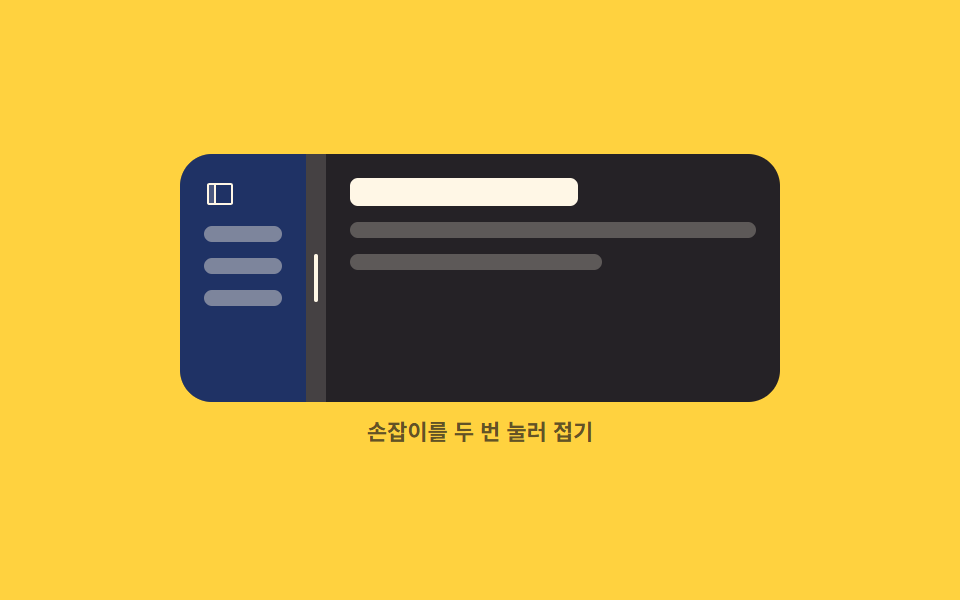
04Double-click collapse
What you see
Double-click the handle and the pane beside it folds into a thin rail; double-click again and it returns to the width it had just before folding.
<main class="stage">
  <div class="dc is-demo" id="dc-root">
    <div class="dc__box" id="dc-box">
      <section class="dc__side" id="dc-side" aria-label="Sidebar">
        <span class="dc__ico"><svg viewBox="0 0 256 256" aria-hidden="true"><g fill="currentColor"><path d="M88 48v160H40a8 8 0 0 1-8-8V56a8 8 0 0 1 8-8Z" opacity=".2"/><path d="M216 40H40a16 16 0 0 0-16 16v144a16 16 0 0 0 16 16h176a16 16 0 0 0 16-16V56a16 16 0 0 0-16-16M40 56h40v144H40Zm176 144H96V56h120z"/></g></svg></span>
        <span class="dc__row"></span>
        <span class="dc__row"></span>
        <span class="dc__row"></span>
      </section>
      <div class="dc__bar" id="dc-bar" role="separator" tabindex="0"
           aria-orientation="vertical" aria-label="Sidebar width" aria-expanded="true" aria-valuemin="4" aria-valuemax="60" aria-valuenow="34">
        <i class="dc__grip" aria-hidden="true"></i>
      </div>
      <section class="dc__main" aria-label="Main">
        <b class="dc__head"></b>
        <span class="dc__line"></span>
        <span class="dc__line dc__line--short"></span>
      </section>
    </div>
    <p class="dc__cap">Double-click the handle to fold</p>
  </div>
</main>
@use "../../../../site/static/demo-tokens" as *;
$duration: $dur-base;
$easing: $ease-spring;
$color: $subject-blue;
@include stage($stage-yellow);
@property --split {
syntax: "<percentage>";
inherits: true;
initial-value: 34%;
}
.dc {
--split: 34%;
width: min(300px, 88vw);
display: flex;
flex-direction: column;
gap: $sp-2;
}
.dc__box {
display: grid;
grid-template-columns: var(--split) 10px 1fr;
height: 124px;
border-radius: $r-card;
overflow: hidden;
background: $subject-ink;
}
// 손이 끌고 있을 때만 transition 을 끈다 — 접기는 부드럽게, 드래그는 즉시
// @property 로 등록된 --split 이라 transition 대상이 될 수 있다
.dc:not(.is-live) { transition: --split $duration $easing; }
.dc__side,
.dc__main {
box-sizing: border-box;
display: flex;
flex-direction: column;
gap: $sp-2;
padding: $sp-3;
overflow: hidden;
}
.dc__side { background: rgba(47, 109, 246, .34); }
.dc__main { background: rgba(255, 247, 230, .06); }
.dc__ico {
flex: 0 0 auto;
width: 16px;
height: 16px;
color: $subject-cream;
transition: opacity $dur-quick $easing;
}
.dc__ico svg { display: block; width: 16px; height: 16px; }
.dc.is-folded .dc__ico { opacity: 0; }
.dc__row {
flex: 0 0 auto;
height: 8px;
border-radius: $r-xs;
background: rgba(255, 247, 230, .42);
}
.dc__head {
flex: 0 0 auto;
height: 14px;
width: 56%;
border-radius: $r-xs;
background: $subject-cream;
}
.dc__line {
flex: 0 0 auto;
height: 8px;
border-radius: $r-xs;
background: rgba(255, 247, 230, .26);
}
.dc__line--short { width: 62%; }
.dc__bar {
display: grid;
place-items: center;
background: rgba(255, 247, 230, .2);
cursor: col-resize;
touch-action: none;
transition: background $dur-quick $easing;
}
.dc__grip {
display: block;
width: 2px;
height: 24px;
border-radius: $r-pill;
background: $subject-cream;
}
.dc__bar:hover { background: $color; }
.dc__bar:focus-visible { outline: 2px solid $subject-cream; outline-offset: -2px; }
.dc__cap {
margin: 0;
font-size: 11px;
line-height: 14px;
font-weight: 700;
color: rgba(23, 20, 26, .68);
text-align: center;
}
// ── 자동 루프: 펼침 → 접힘 → 펼침. 접기 전 폭 34% 로 정확히 돌아온다 ──
.dc.is-demo { animation: dc-fold $dur-loop $easing infinite; }
@keyframes dc-fold {
0%, 14% { --split: 34%; }
38%, 56% { --split: 4%; }
82%, 100% { --split: 34%; }
}
.dc.is-demo .dc__ico { animation: dc-ico $dur-loop steps(1, end) infinite; }
@keyframes dc-ico {
0%, 29% { opacity: 1; }
30%, 63% { opacity: 0; }
64%, 100% { opacity: 1; }
}
@media (prefers-reduced-motion: reduce) {
.dc.is-demo,
.dc.is-demo .dc__ico { animation: none !important; }
.dc, .dc__bar, .dc__ico { transition: none; }
}
@media (max-width: 340px) {
.dc__box { height: 108px; }
.dc__side, .dc__main { padding: $sp-2; }
}html, body {
margin: 0;
overflow: hidden;
}
.stage {
box-sizing: border-box;
min-height: 100vh;
display: grid;
place-items: center;
margin: 0;
background: #ffd23f;
font-family: -apple-system, "Segoe UI", "Noto Sans KR", sans-serif;
padding: clamp(8px, 4vw, 24px);
}
@property --split {
syntax: "<percentage>";
inherits: true;
initial-value: 34%;
}
.dc {
--split: 34%;
width: min(300px, 88vw);
display: flex;
flex-direction: column;
gap: 8px;
}
.dc__box {
display: grid;
grid-template-columns: var(--split) 10px 1fr;
height: 124px;
border-radius: 16px;
overflow: hidden;
background: #17141a;
}
.dc:not(.is-live) {
transition: --split 300ms cubic-bezier(0.2, 0.8, 0.2, 1);
}
.dc__side,
.dc__main {
box-sizing: border-box;
display: flex;
flex-direction: column;
gap: 8px;
padding: 12px;
overflow: hidden;
}
.dc__side {
background: rgba(47, 109, 246, 0.34);
}
.dc__main {
background: rgba(255, 247, 230, 0.06);
}
.dc__ico {
flex: 0 0 auto;
width: 16px;
height: 16px;
color: #fff7e6;
transition: opacity 220ms cubic-bezier(0.2, 0.8, 0.2, 1);
}
.dc__ico svg {
display: block;
width: 16px;
height: 16px;
}
.dc.is-folded .dc__ico {
opacity: 0;
}
.dc__row {
flex: 0 0 auto;
height: 8px;
border-radius: 4px;
background: rgba(255, 247, 230, 0.42);
}
.dc__head {
flex: 0 0 auto;
height: 14px;
width: 56%;
border-radius: 4px;
background: #fff7e6;
}
.dc__line {
flex: 0 0 auto;
height: 8px;
border-radius: 4px;
background: rgba(255, 247, 230, 0.26);
}
.dc__line--short {
width: 62%;
}
.dc__bar {
display: grid;
place-items: center;
background: rgba(255, 247, 230, 0.2);
cursor: col-resize;
touch-action: none;
transition: background 220ms cubic-bezier(0.2, 0.8, 0.2, 1);
}
.dc__grip {
display: block;
width: 2px;
height: 24px;
border-radius: 999px;
background: #fff7e6;
}
.dc__bar:hover {
background: #2f6df6;
}
.dc__bar:focus-visible {
outline: 2px solid #fff7e6;
outline-offset: -2px;
}
.dc__cap {
margin: 0;
font-size: 11px;
line-height: 14px;
font-weight: 700;
color: rgba(23, 20, 26, 0.68);
text-align: center;
}
.dc.is-demo {
animation: dc-fold 2s cubic-bezier(0.2, 0.8, 0.2, 1) infinite;
}
@keyframes dc-fold {
0%, 14% {
--split: 34%;
}
38%, 56% {
--split: 4%;
}
82%, 100% {
--split: 34%;
}
}
.dc.is-demo .dc__ico {
animation: dc-ico 2s steps(1, end) infinite;
}
@keyframes dc-ico {
0%, 29% {
opacity: 1;
}
30%, 63% {
opacity: 0;
}
64%, 100% {
opacity: 1;
}
}
@media (prefers-reduced-motion: reduce) {
.dc.is-demo,
.dc.is-demo .dc__ico {
animation: none !important;
}
.dc, .dc__bar, .dc__ico {
transition: none;
}
}
@media (max-width: 340px) {
.dc__box {
height: 108px;
}
.dc__side, .dc__main {
padding: 8px;
}
}// 실제 동작: dblclick 한 번에 접힘 ↔ 접기 직전 폭. 폭 자체는 CSS transition 이 옮긴다.
var root = document.getElementById('dc-root');
var box = document.getElementById('dc-box');
var bar = document.getElementById('dc-bar');
var RAIL = 4, last = 34, folded = false, dragging = false;
function set(pct, fold) {
root.style.setProperty('--split', pct.toFixed(1) + '%');
bar.setAttribute('aria-valuenow', String(Math.round(pct)));
bar.setAttribute('aria-expanded', String(!fold));
root.classList.toggle('is-folded', fold);
}
function stop() { root.classList.remove('is-demo'); }
bar.addEventListener('dblclick', function () {
stop();
folded = !folded;
if (folded) set(RAIL, true);
else set(last, false);
});
bar.addEventListener('pointerdown', function (e) {
stop();
dragging = true;
bar.setPointerCapture(e.pointerId);
e.preventDefault();
});
bar.addEventListener('pointermove', function (e) {
if (!dragging) return;
root.classList.add('is-live');
var pct = (e.clientX - box.getBoundingClientRect().left) / box.clientWidth * 100;
last = Math.max(14, Math.min(pct, 60));
folded = false;
set(last, false);
});
function drop() { dragging = false; root.classList.remove('is-live'); }
bar.addEventListener('pointerup', drop);
bar.addEventListener('pointercancel', drop);
bar.addEventListener('keydown', function (e) {
if (e.key !== 'Enter' && e.key !== ' ') return;
stop();
folded = !folded;
set(folded ? RAIL : last, folded);
bar.focus({ preventScroll: true });
e.preventDefault();
});import { useRef, useState } from "react";
import type { CSSProperties } from "react";
import styles from "./CollapsiblePanel.module.scss";
export type CollapsiblePanelProps = {
start?: number;
/** 접혔을 때 남는 띠 폭 (%) */
rail?: number;
duration?: number;
easing?: string;
color?: string;
};
type PEvt = { clientX: number; pointerId: number; preventDefault(): void; currentTarget: { setPointerCapture(id: number): void } };
type KeyEvt = { key: string; preventDefault(): void };
type Box<T> = { current: T };
type Vars = CSSProperties & { "--split"?: string; "--duration"?: string; "--easing"?: string; "--color"?: string };
export default function CollapsiblePanel({
start = 34,
rail = 4,
duration = 300,
easing = "cubic-bezier(.2,.8,.2,1)",
color = "#2f6df6",
}: CollapsiblePanelProps) {
const [split, setSplit] = useState(start);
const [folded, setFolded] = useState(false);
const [live, setLive] = useState(false);
const last = useRef(start) as Box<number>;
const boxRef = useRef<HTMLDivElement>(null);
const dragging = useRef(false) as Box<boolean>;
function toggle(): void {
const next = !folded;
setFolded(next);
setSplit(next ? rail : last.current);
}
function onDown(e: PEvt): void {
dragging.current = true;
e.currentTarget.setPointerCapture(e.pointerId);
e.preventDefault();
}
function onMove(e: PEvt): void {
const box = boxRef.current;
if (!dragging.current || !box) return;
setLive(true);
const pct = ((e.clientX - box.getBoundingClientRect().left) / box.clientWidth) * 100;
last.current = Math.max(14, Math.min(pct, 60));
setFolded(false);
setSplit(last.current);
}
function onUp(): void { dragging.current = false; setLive(false); }
function onKey(e: KeyEvt): void {
if (e.key !== "Enter" && e.key !== " ") return;
toggle();
e.preventDefault();
}
const vars: Vars = {
"--split": `${split.toFixed(1)}%`,
"--duration": `${duration}ms`,
"--easing": easing,
"--color": color,
};
const cls = [styles.dc, folded ? styles.isFolded : "", live ? styles.isLive : ""].join(" ").trim();
return (
<div className={cls} style={vars}>
<div className={styles.box} ref={boxRef}>
<section className={styles.side} aria-label="Sidebar">
<span className={styles.ico}>
<svg viewBox="0 0 256 256" aria-hidden="true"><g fill="currentColor"><path d="M88 48v160H40a8 8 0 0 1-8-8V56a8 8 0 0 1 8-8Z" opacity=".2" /><path d="M216 40H40a16 16 0 0 0-16 16v144a16 16 0 0 0 16 16h176a16 16 0 0 0 16-16V56a16 16 0 0 0-16-16M40 56h40v144H40Zm176 144H96V56h120z" /></g></svg>
</span>
<span className={styles.row} />
<span className={styles.row} />
<span className={styles.row} />
</section>
<div
className={styles.bar}
role="separator"
tabIndex={0}
aria-orientation="vertical"
aria-label="Sidebar width"
aria-expanded={!folded}
aria-valuemin={4}
aria-valuemax={60}
aria-valuenow={Math.round(split)}
onDoubleClick={toggle}
onPointerDown={onDown}
onPointerMove={onMove}
onPointerUp={onUp}
onPointerCancel={onUp}
onKeyDown={onKey}
>
<i className={styles.grip} aria-hidden="true" />
</div>
<section className={styles.main} aria-label="Main">
<b className={styles.head} />
<span className={styles.line} />
<span className={`${styles.line} ${styles.lineShort}`} />
</section>
</div>
<p className={styles.cap}>Double-click the handle to fold</p>
</div>
);
}04 · Double-click collapse — Measured area 9.474% · moving frames 12/23Original by GODRICH · SCSS and React ship in the zip · See the password
Where to look in the code
The pre-fold value is kept in one variable, so unfolding restores the last width the reader chose rather than a default.
bar.addEventListener('dblclick', function () {
  stop();
  folded = !folded;
  if (folded) set(RAIL, true);
  else set(last, false);
});
function set(pct, fold) {
  root.style.setProperty('--split', pct.toFixed(1) + '%');
  bar.setAttribute('aria-valuenow', String(Math.round(pct)));
  bar.setAttribute('aria-expanded', String(!fold));
  root.classList.toggle('is-folded', fold);
}
05Snapping guide lines
What happens on screen
Guide lines sit at 25, 50, and 75 percent while you drag, and the value locks onto one as soon as the handle comes within six percent of it.
<main class="stage">
  <div class="sg is-demo" id="sg-root">
    <div class="sg__box" id="sg-box">
      <div class="sg__guides" aria-hidden="true">
        <i class="sg__g sg__g--a"></i>
        <i class="sg__g sg__g--b"></i>
        <i class="sg__g sg__g--c"></i>
      </div>
      <section class="sg__pane sg__pane--l" aria-label="Left pane">
        <span class="sg__ln"></span>
        <span class="sg__ln sg__ln--s"></span>
        <span class="sg__ln"></span>
      </section>
      <div class="sg__bar" id="sg-bar" role="separator" tabindex="0"
           aria-orientation="vertical" aria-label="Split ratio" aria-valuemin="10" aria-valuemax="90" aria-valuenow="50">
        <i class="sg__grip" aria-hidden="true"></i>
      </div>
      <section class="sg__pane sg__pane--r" aria-label="Right pane">
        <span class="sg__ln"></span>
        <span class="sg__ln sg__ln--s"></span>
      </section>
    </div>
    <p class="sg__cap">It snaps at 25, 50 and 75 percent</p>
  </div>
</main>@use "../../../../site/static/demo-tokens" as *;
$duration: $dur-instant;
$easing: $ease-spring;
$color: $subject-mint;
@include stage($stage-ink);
@property --split {
syntax: "<percentage>";
inherits: true;
initial-value: 50%;
}
.sg {
--split: 50%;
width: min(304px, 88vw);
display: flex;
flex-direction: column;
gap: $sp-2;
}
.sg__box {
position: relative;
display: grid;
grid-template-columns: var(--split) 10px 1fr;
height: 124px;
border-radius: $r-card;
overflow: hidden;
background: rgba(255, 255, 255, .05);
}
.sg__pane {
box-sizing: border-box;
display: flex;
flex-direction: column;
justify-content: center;
gap: $sp-2;
padding: $sp-3;
overflow: hidden;
}
.sg__ln {
flex: 0 0 auto;
height: 8px;
border-radius: $r-xs;
background: rgba(255, 247, 230, .38);
}
.sg__ln--s { width: 56%; }
.sg__pane--l { background: rgba(76, 212, 166, .2); }
.sg__pane--r { background: rgba(185, 160, 255, .18); }
.sg__guides {
position: absolute;
inset: 0;
pointer-events: none;
z-index: 2;
opacity: 0;
transition: opacity $dur-quick $easing;
}
.sg.is-drag .sg__guides { opacity: 1; }
.sg__g {
position: absolute;
top: 0;
bottom: 0;
width: 2px;
transform: translateX(-1px);
background: rgba(255, 247, 230, .34);
}
.sg__g--a { left: 25%; }
.sg__g--b { left: 50%; }
.sg__g--c { left: 75%; }
.sg__bar {
position: relative;
z-index: 3;
display: grid;
place-items: center;
background: rgba(255, 247, 230, .18);
cursor: col-resize;
touch-action: none;
transition: background $duration $easing;
}
.sg__grip {
display: block;
width: 2px;
height: 28px;
border-radius: $r-pill;
background: $subject-cream;
}
.sg__bar:hover,
.sg.is-drag .sg__bar { background: $color; }
.sg.is-snapped .sg__bar { background: $color; }
.sg__bar:focus-visible { outline: 2px solid $subject-cream; outline-offset: -2px; }
.sg__cap {
margin: 0;
font-size: 11px;
line-height: 14px;
font-weight: 600;
color: rgba(255, 247, 230, .58);
text-align: center;
}
// ── 자동 루프: 안내선이 켜지고, 손잡이가 25 → 75 로 가며 두 번 달라붙는다 ──
.sg.is-demo { animation: sg-move $dur-loop $ease-out infinite; }
@keyframes sg-move {
0%, 6% { --split: 50%; }
22% { --split: 30%; }
26%, 40% { --split: 25%; }
60% { --split: 70%; }
64%, 78% { --split: 75%; }
88%, 100% { --split: 50%; }
}
.sg.is-demo .sg__guides { animation: sg-guides $dur-loop steps(1, end) infinite; }
@keyframes sg-guides {
0%, 7% { opacity: 0; }
8%, 84% { opacity: 1; }
85%, 100% { opacity: 0; }
}
// 달라붙은 구간에만 굵어지는 안내선 — 컷으로 바뀐다
.sg.is-demo .sg__g--a { animation: sg-hit-a $dur-loop steps(1, end) infinite; }
.sg.is-demo .sg__g--c { animation: sg-hit-c $dur-loop steps(1, end) infinite; }
@keyframes sg-hit-a {
0%, 25% { width: 2px; background: rgba(255, 247, 230, .34); }
26%, 40% { width: 4px; background: $subject-mint; }
41%, 100% { width: 2px; background: rgba(255, 247, 230, .34); }
}
@keyframes sg-hit-c {
0%, 63% { width: 2px; background: rgba(255, 247, 230, .34); }
64%, 78% { width: 4px; background: $subject-mint; }
79%, 100% { width: 2px; background: rgba(255, 247, 230, .34); }
}
.sg.is-demo .sg__bar { animation: sg-hot $dur-loop steps(1, end) infinite; }
@keyframes sg-hot {
0%, 25% { background: rgba(255, 247, 230, .18); }
26%, 40% { background: $subject-mint; }
41%, 63% { background: rgba(255, 247, 230, .18); }
64%, 78% { background: $subject-mint; }
79%, 100% { background: rgba(255, 247, 230, .18); }
}
@media (prefers-reduced-motion: reduce) {
.sg.is-demo,
.sg.is-demo .sg__guides,
.sg.is-demo .sg__g--a,
.sg.is-demo .sg__g--c,
.sg.is-demo .sg__bar { animation: none !important; }
.sg__guides, .sg__bar { transition: none; }
}
@media (max-width: 340px) {
.sg__box { height: 108px; }
.sg__grip { height: 24px; }
}html, body {
margin: 0;
overflow: hidden;
}
.stage {
box-sizing: border-box;
min-height: 100vh;
display: grid;
place-items: center;
margin: 0;
background: #17141a;
font-family: -apple-system, "Segoe UI", "Noto Sans KR", sans-serif;
padding: clamp(8px, 4vw, 24px);
}
@property --split {
syntax: "<percentage>";
inherits: true;
initial-value: 50%;
}
.sg {
--split: 50%;
width: min(304px, 88vw);
display: flex;
flex-direction: column;
gap: 8px;
}
.sg__box {
position: relative;
display: grid;
grid-template-columns: var(--split) 10px 1fr;
height: 124px;
border-radius: 16px;
overflow: hidden;
background: rgba(255, 255, 255, 0.05);
}
.sg__pane {
box-sizing: border-box;
display: flex;
flex-direction: column;
justify-content: center;
gap: 8px;
padding: 12px;
overflow: hidden;
}
.sg__ln {
flex: 0 0 auto;
height: 8px;
border-radius: 4px;
background: rgba(255, 247, 230, 0.38);
}
.sg__ln--s {
width: 56%;
}
.sg__pane--l {
background: rgba(76, 212, 166, 0.2);
}
.sg__pane--r {
background: rgba(185, 160, 255, 0.18);
}
.sg__guides {
position: absolute;
inset: 0;
pointer-events: none;
z-index: 2;
opacity: 0;
transition: opacity 220ms cubic-bezier(0.2, 0.8, 0.2, 1);
}
.sg.is-drag .sg__guides {
opacity: 1;
}
.sg__g {
position: absolute;
top: 0;
bottom: 0;
width: 2px;
transform: translateX(-1px);
background: rgba(255, 247, 230, 0.34);
}
.sg__g--a {
left: 25%;
}
.sg__g--b {
left: 50%;
}
.sg__g--c {
left: 75%;
}
.sg__bar {
position: relative;
z-index: 3;
display: grid;
place-items: center;
background: rgba(255, 247, 230, 0.18);
cursor: col-resize;
touch-action: none;
transition: background 140ms cubic-bezier(0.2, 0.8, 0.2, 1);
}
.sg__grip {
display: block;
width: 2px;
height: 28px;
border-radius: 999px;
background: #fff7e6;
}
.sg__bar:hover,
.sg.is-drag .sg__bar {
background: #4cd4a6;
}
.sg.is-snapped .sg__bar {
background: #4cd4a6;
}
.sg__bar:focus-visible {
outline: 2px solid #fff7e6;
outline-offset: -2px;
}
.sg__cap {
margin: 0;
font-size: 11px;
line-height: 14px;
font-weight: 600;
color: rgba(255, 247, 230, 0.58);
text-align: center;
}
.sg.is-demo {
animation: sg-move 2s ease-out infinite;
}
@keyframes sg-move {
0%, 6% {
--split: 50%;
}
22% {
--split: 30%;
}
26%, 40% {
--split: 25%;
}
60% {
--split: 70%;
}
64%, 78% {
--split: 75%;
}
88%, 100% {
--split: 50%;
}
}
.sg.is-demo .sg__guides {
animation: sg-guides 2s steps(1, end) infinite;
}
@keyframes sg-guides {
0%, 7% {
opacity: 0;
}
8%, 84% {
opacity: 1;
}
85%, 100% {
opacity: 0;
}
}
.sg.is-demo .sg__g--a {
animation: sg-hit-a 2s steps(1, end) infinite;
}
.sg.is-demo .sg__g--c {
animation: sg-hit-c 2s steps(1, end) infinite;
}
@keyframes sg-hit-a {
0%, 25% {
width: 2px;
background: rgba(255, 247, 230, 0.34);
}
26%, 40% {
width: 4px;
background: #4cd4a6;
}
41%, 100% {
width: 2px;
background: rgba(255, 247, 230, 0.34);
}
}
@keyframes sg-hit-c {
0%, 63% {
width: 2px;
background: rgba(255, 247, 230, 0.34);
}
64%, 78% {
width: 4px;
background: #4cd4a6;
}
79%, 100% {
width: 2px;
background: rgba(255, 247, 230, 0.34);
}
}
.sg.is-demo .sg__bar {
animation: sg-hot 2s steps(1, end) infinite;
}
@keyframes sg-hot {
0%, 25% {
background: rgba(255, 247, 230, 0.18);
}
26%, 40% {
background: #4cd4a6;
}
41%, 63% {
background: rgba(255, 247, 230, 0.18);
}
64%, 78% {
background: #4cd4a6;
}
79%, 100% {
background: rgba(255, 247, 230, 0.18);
}
}
@media (prefers-reduced-motion: reduce) {
.sg.is-demo,
.sg.is-demo .sg__guides,
.sg.is-demo .sg__g--a,
.sg.is-demo .sg__g--c,
.sg.is-demo .sg__bar {
animation: none !important;
}
.sg__guides, .sg__bar {
transition: none;
}
}
@media (max-width: 340px) {
.sg__box {
height: 108px;
}
.sg__grip {
height: 24px;
}
}// 실제 동작: 안내선 세 곳에서 6% 안으로 들어오면 그 비율로 스냅. Math.abs 로 거리만 본다.
var root = document.getElementById('sg-root');
var box = document.getElementById('sg-box');
var bar = document.getElementById('sg-bar');
var STOPS = [25, 50, 75], NEAR = 6, dragging = false;
function snap(pct) {
var best = pct;
for (var i = 0; i < STOPS.length; i++) {
if (Math.abs(pct - STOPS[i]) < NEAR) best = STOPS[i];
}
return Math.max(10, Math.min(best, 90));
}
function set(pct) {
var v = snap(pct);
root.style.setProperty('--split', v + '%');
bar.setAttribute('aria-valuenow', String(Math.round(v)));
root.classList.toggle('is-snapped', STOPS.indexOf(v) >= 0);
}
bar.addEventListener('pointerdown', function (e) {
root.classList.remove('is-demo');
dragging = true;
root.classList.add('is-drag');
bar.setPointerCapture(e.pointerId);
e.preventDefault();
});
bar.addEventListener('pointermove', function (e) {
if (!dragging) return;
set((e.clientX - box.getBoundingClientRect().left) / box.clientWidth * 100);
});
function drop() { dragging = false; root.classList.remove('is-drag'); }
bar.addEventListener('pointerup', drop);
bar.addEventListener('pointercancel', drop);
bar.addEventListener('keydown', function (e) {
var d = e.key === 'ArrowLeft' ? -5 : e.key === 'ArrowRight' ? 5 : 0;
if (!d) return;
root.classList.remove('is-demo');
set(Number(bar.getAttribute('aria-valuenow')) + d);
bar.focus({ preventScroll: true });
e.preventDefault();
});import { useRef, useState } from "react";
import type { CSSProperties } from "react";
import styles from "./SnapGuideSplitter.module.scss";
export type SnapGuideSplitterProps = {
/** 자석이 되는 비율들 */
stops?: number[];
/** 몇 % 안에 들어오면 붙는가 */
near?: number;
duration?: number;
easing?: string;
color?: string;
};
type PEvt = { clientX: number; pointerId: number; preventDefault(): void; currentTarget: { setPointerCapture(id: number): void } };
type KeyEvt = { key: string; preventDefault(): void };
type Vars = CSSProperties & { "--split"?: string; "--duration"?: string; "--easing"?: string; "--color"?: string };
export default function SnapGuideSplitter({
stops = [25, 50, 75],
near = 6,
duration = 140,
easing = "cubic-bezier(.2,.8,.2,1)",
color = "#4cd4a6",
}: SnapGuideSplitterProps) {
const [split, setSplit] = useState(50);
const [drag, setDrag] = useState(false);
const boxRef = useRef<HTMLDivElement>(null);
function snap(pct: number): number {
let best = pct;
for (let i = 0; i < stops.length; i += 1) {
if (Math.abs(pct - stops[i]) < near) best = stops[i];
}
return Math.max(10, Math.min(best, 90));
}
function set(pct: number): void { setSplit(snap(pct)); }
function onDown(e: PEvt): void {
setDrag(true);
e.currentTarget.setPointerCapture(e.pointerId);
e.preventDefault();
}
function onMove(e: PEvt): void {
const box = boxRef.current;
if (!drag || !box) return;
set(((e.clientX - box.getBoundingClientRect().left) / box.clientWidth) * 100);
}
function onUp(): void { setDrag(false); }
function onKey(e: KeyEvt): void {
const d = e.key === "ArrowLeft" ? -5 : e.key === "ArrowRight" ? 5 : 0;
if (!d) return;
set(split + d);
e.preventDefault();
}
const snapped = stops.indexOf(split) >= 0;
const vars: Vars = {
"--split": `${split}%`,
"--duration": `${duration}ms`,
"--easing": easing,
"--color": color,
};
const cls = [styles.sg, drag ? styles.isDrag : "", snapped ? styles.isSnapped : ""].join(" ").trim();
return (
<div className={cls} style={vars}>
<div className={styles.box} ref={boxRef}>
<div className={styles.guides} aria-hidden="true">
{stops.map((s) => (
<i key={s} className={styles.g} style={{ left: `${s}%` }} />
))}
</div>
<section className={`${styles.pane} ${styles.paneL}`} aria-label="Left pane">
<span className={styles.ln} />
<span className={`${styles.ln} ${styles.lnShort}`} />
<span className={styles.ln} />
</section>
<div
className={styles.bar}
role="separator"
tabIndex={0}
aria-orientation="vertical"
aria-label="Split ratio"
aria-valuemin={10}
aria-valuemax={90}
aria-valuenow={Math.round(split)}
onPointerDown={onDown}
onPointerMove={onMove}
onPointerUp={onUp}
onPointerCancel={onUp}
onKeyDown={onKey}
>
<i className={styles.grip} aria-hidden="true" />
</div>
<section className={`${styles.pane} ${styles.paneR}`} aria-label="Right pane">
<span className={styles.ln} />
<span className={`${styles.ln} ${styles.lnShort}`} />
</section>
</div>
<p className={styles.cap}>It snaps at 25, 50 and 75 percent</p>
</div>
);
}05 · Snapping guide lines — Measured area 14.64% · moving frames 16/23Original by GODRICH · SCSS and React ship in the zip · See the password
How to read the code
Since only distance matters, the whole decision fits into one Math.abs comparison.
var STOPS = [25, 50, 75], NEAR = 6;
function snap(pct) {
  var best = pct;
  for (var i = 0; i < STOPS.length; i++) {
    if (Math.abs(pct - STOPS[i]) < NEAR) best = STOPS[i];
  }
  return Math.max(10, Math.min(best, 90));
}
function set(pct) {
  var v = snap(pct);
  root.style.setProperty('--split', v + '%');
  root.classList.toggle('is-snapped', STOPS.indexOf(v) >= 0);
}
06Handle grip feedback
What moves
At rest the boundary is a hairline; on hover it widens and shows three grip dots, and for as long as the drag lasts it stays in the highlighted color.
<main class="stage">
  <div class="hg is-demo" id="hg-root">
    <div class="hg__box" id="hg-box">
      <section class="hg__pane hg__pane--l" aria-label="Left pane">
        <span class="hg__ln"></span>
        <span class="hg__ln hg__ln--s"></span>
        <span class="hg__ln"></span>
      </section>
      <div class="hg__bar" id="hg-bar" role="separator" tabindex="0"
           aria-orientation="vertical" aria-label="Split width" aria-valuemin="20" aria-valuemax="80" aria-valuenow="46">
        <i class="hg__hair" aria-hidden="true"></i>
        <i class="hg__dots" aria-hidden="true"><s></s><s></s><s></s></i>
      </div>
      <section class="hg__pane hg__pane--r" aria-label="Right pane">
        <span class="hg__ln hg__ln--d"></span>
        <span class="hg__ln hg__ln--d hg__ln--s"></span>
      </section>
    </div>
    <p class="hg__cap">It widens on hover and stays lit while you drag</p>
  </div>
</main>
@use "../../../../site/static/demo-tokens" as *;
$duration: $dur-quick;
$easing: cubic-bezier(.2, .8, .2, 1);
$color: $subject-cream;
@include stage($stage-orange);
@property --split {
syntax: "<percentage>";
inherits: true;
initial-value: 46%;
}
.hg {
--split: 46%;
width: min(300px, 88vw);
display: flex;
flex-direction: column;
gap: $sp-2;
}
.hg__box {
display: grid;
grid-template-columns: var(--split) 20px 1fr;
height: 120px;
border-radius: $r-card;
overflow: hidden;
background: rgba(23, 20, 26, .2);
}
.hg__pane {
box-sizing: border-box;
display: flex;
flex-direction: column;
justify-content: center;
gap: $sp-2;
padding: $sp-3;
overflow: hidden;
}
.hg__ln {
flex: 0 0 auto;
height: 8px;
border-radius: $r-xs;
background: rgba(23, 20, 26, .2);
}
.hg__ln--d { background: rgba(255, 247, 230, .32); }
.hg__ln--s { width: 58%; }
.hg__pane--l { background: rgba(255, 247, 230, .9); }
.hg__pane--r { background: rgba(23, 20, 26, .78); }
.hg__bar {
position: relative;
display: grid;
place-items: center;
background: transparent;
cursor: col-resize;
touch-action: none;
}
// 평소엔 머리카락 한 줄. 호버·드래그에서 넓어진다
.hg__hair {
position: absolute;
top: 0;
bottom: 0;
left: 50%;
width: 20px;
border-radius: $r-pill;
background: $subject-ink;
transform: translateX(-10px) scaleX(.1);
transition: transform $duration $easing, background $duration $easing;
}
.hg__dots {
position: relative;
display: flex;
flex-direction: column;
gap: $sp-1;
opacity: 0;
transform: scale(.5);
transition: opacity $duration $easing, transform $duration $easing;
}
.hg__dots s {
display: block;
width: 4px;
height: 4px;
border-radius: 50%;
background: $color;
}
.hg.is-near .hg__hair,
.hg__bar:hover .hg__hair { transform: translateX(-10px) scaleX(1); }
.hg.is-near .hg__dots,
.hg__bar:hover .hg__dots { opacity: 1; transform: scale(1); }
.hg.is-drag .hg__hair { background: $subject-blue; }
.hg__bar:focus-visible { outline: 2px solid $subject-ink; outline-offset: -2px; }
.hg__cap {
margin: 0;
font-size: 11px;
line-height: 14px;
font-weight: 700;
color: $subject-ink; // AA 4.5: cream on orange 2.76 -> ink 5.50
text-align: center;
}
// ── 자동 루프: 가는 선 → 넓어짐 + 점 등장 → 끌림(파랑) → 되돌아옴 ──
.hg.is-demo .hg__hair {
animation-name: hg-hair;
animation-duration: $dur-loop;
animation-timing-function: $easing;
animation-iteration-count: infinite;
}
@keyframes hg-hair {
0%, 10% { transform: translateX(-10px) scaleX(.1); background: $subject-ink; }
26%, 34% { transform: translateX(-10px) scaleX(1); background: $subject-ink; }
44%, 72% { transform: translateX(-10px) scaleX(1); background: $subject-blue; }
86%, 100% { transform: translateX(-10px) scaleX(.1); background: $subject-ink; }
}
.hg.is-demo .hg__dots {
animation-name: hg-dots;
animation-duration: $dur-loop;
animation-timing-function: $easing;
animation-iteration-count: infinite;
}
@keyframes hg-dots {
0%, 12% { opacity: 0; transform: scale(.5); }
28%, 74% { opacity: 1; transform: scale(1); }
86%, 100% { opacity: 0; transform: scale(.5); }
}
.hg.is-demo {
animation-name: hg-split;
animation-duration: $dur-loop;
animation-timing-function: $easing;
animation-iteration-count: infinite;
}
@keyframes hg-split {
0%, 40% { --split: 46%; }
70% { --split: 66%; }
86%, 100% { --split: 46%; }
}
@media (prefers-reduced-motion: reduce) {
.hg.is-demo,
.hg.is-demo .hg__hair,
.hg.is-demo .hg__dots { animation: none !important; }
.hg__hair, .hg__dots { transition: none; }
}
@media (max-width: 340px) {
.hg__box { height: 104px; }
}html, body {
margin: 0;
overflow: hidden;
}
.stage {
box-sizing: border-box;
min-height: 100vh;
display: grid;
place-items: center;
margin: 0;
background: #ff4d1f;
font-family: -apple-system, "Segoe UI", "Noto Sans KR", sans-serif;
padding: clamp(8px, 4vw, 24px);
}
@property --split {
syntax: "<percentage>";
inherits: true;
initial-value: 46%;
}
.hg {
--split: 46%;
width: min(300px, 88vw);
display: flex;
flex-direction: column;
gap: 8px;
}
.hg__box {
display: grid;
grid-template-columns: var(--split) 20px 1fr;
height: 120px;
border-radius: 16px;
overflow: hidden;
background: rgba(23, 20, 26, 0.2);
}
.hg__pane {
box-sizing: border-box;
display: flex;
flex-direction: column;
justify-content: center;
gap: 8px;
padding: 12px;
overflow: hidden;
}
.hg__ln {
flex: 0 0 auto;
height: 8px;
border-radius: 4px;
background: rgba(23, 20, 26, 0.2);
}
.hg__ln--d {
background: rgba(255, 247, 230, 0.32);
}
.hg__ln--s {
width: 58%;
}
.hg__pane--l {
background: rgba(255, 247, 230, 0.9);
}
.hg__pane--r {
background: rgba(23, 20, 26, 0.78);
}
.hg__bar {
position: relative;
display: grid;
place-items: center;
background: transparent;
cursor: col-resize;
touch-action: none;
}
.hg__hair {
position: absolute;
top: 0;
bottom: 0;
left: 50%;
width: 20px;
border-radius: 999px;
background: #17141a;
transform: translateX(-10px) scaleX(0.1);
transition: transform 220ms cubic-bezier(0.2, 0.8, 0.2, 1), background 220ms cubic-bezier(0.2, 0.8, 0.2, 1);
}
.hg__dots {
position: relative;
display: flex;
flex-direction: column;
gap: 4px;
opacity: 0;
transform: scale(0.5);
transition: opacity 220ms cubic-bezier(0.2, 0.8, 0.2, 1), transform 220ms cubic-bezier(0.2, 0.8, 0.2, 1);
}
.hg__dots s {
display: block;
width: 4px;
height: 4px;
border-radius: 50%;
background: #fff7e6;
}
.hg.is-near .hg__hair,
.hg__bar:hover .hg__hair {
transform: translateX(-10px) scaleX(1);
}
.hg.is-near .hg__dots,
.hg__bar:hover .hg__dots {
opacity: 1;
transform: scale(1);
}
.hg.is-drag .hg__hair {
background: #2f6df6;
}
.hg__bar:focus-visible {
outline: 2px solid #17141a;
outline-offset: -2px;
}
.hg__cap {
margin: 0;
font-size: 11px;
line-height: 14px;
font-weight: 700;
color: #17141a;
text-align: center;
}
.hg.is-demo .hg__hair {
animation-name: hg-hair;
animation-duration: 2s;
animation-timing-function: cubic-bezier(0.2, 0.8, 0.2, 1);
animation-iteration-count: infinite;
}
@keyframes hg-hair {
0%, 10% {
transform: translateX(-10px) scaleX(0.1);
background: #17141a;
}
26%, 34% {
transform: translateX(-10px) scaleX(1);
background: #17141a;
}
44%, 72% {
transform: translateX(-10px) scaleX(1);
background: #2f6df6;
}
86%, 100% {
transform: translateX(-10px) scaleX(0.1);
background: #17141a;
}
}
.hg.is-demo .hg__dots {
animation-name: hg-dots;
animation-duration: 2s;
animation-timing-function: cubic-bezier(0.2, 0.8, 0.2, 1);
animation-iteration-count: infinite;
}
@keyframes hg-dots {
0%, 12% {
opacity: 0;
transform: scale(0.5);
}
28%, 74% {
opacity: 1;
transform: scale(1);
}
86%, 100% {
opacity: 0;
transform: scale(0.5);
}
}
.hg.is-demo {
animation-name: hg-split;
animation-duration: 2s;
animation-timing-function: cubic-bezier(0.2, 0.8, 0.2, 1);
animation-iteration-count: infinite;
}
@keyframes hg-split {
0%, 40% {
--split: 46%;
}
70% {
--split: 66%;
}
86%, 100% {
--split: 46%;
}
}
@media (prefers-reduced-motion: reduce) {
.hg.is-demo,
.hg.is-demo .hg__hair,
.hg.is-demo .hg__dots {
animation: none !important;
}
.hg__hair, .hg__dots {
transition: none;
}
}
@media (max-width: 340px) {
.hg__box {
height: 104px;
}
}// 실제 동작: 손잡이 상태는 CSS 가 그린다. JS 는 끌기 시작·끝만 클래스로 알려 준다.
var root = document.getElementById('hg-root');
var box = document.getElementById('hg-box');
var bar = document.getElementById('hg-bar');
var dragging = false;
function set(pct) {
var v = Math.max(20, Math.min(pct, 80));
root.style.setProperty('--split', v.toFixed(1) + '%');
bar.setAttribute('aria-valuenow', String(Math.round(v)));
}
bar.addEventListener('pointerenter', function () { root.classList.add('is-near'); });
bar.addEventListener('pointerleave', function () { if (!dragging) root.classList.remove('is-near'); });
bar.addEventListener('pointerdown', function (e) {
root.classList.remove('is-demo');
dragging = true;
root.classList.add('is-drag');
bar.setPointerCapture(e.pointerId);
e.preventDefault();
});
bar.addEventListener('pointermove', function (e) {
if (!dragging) return;
set((e.clientX - box.getBoundingClientRect().left) / box.clientWidth * 100);
});
function drop() {
dragging = false;
root.classList.remove('is-drag');
root.classList.remove('is-near');
}
bar.addEventListener('pointerup', drop);
bar.addEventListener('pointercancel', drop);
bar.addEventListener('keydown', function (e) {
var d = e.key === 'ArrowLeft' ? -4 : e.key === 'ArrowRight' ? 4 : 0;
if (!d) return;
root.classList.remove('is-demo');
set(Number(bar.getAttribute('aria-valuenow')) + d);
bar.focus({ preventScroll: true });
e.preventDefault();
});import { useRef, useState } from "react";
import type { CSSProperties } from "react";
import styles from "./GripHandle.module.scss";
export type GripHandleProps = {
start?: number;
duration?: number;
easing?: string;
color?: string;
};
type PEvt = { clientX: number; pointerId: number; preventDefault(): void; currentTarget: { setPointerCapture(id: number): void } };
type KeyEvt = { key: string; preventDefault(): void };
type Vars = CSSProperties & { "--split"?: string; "--duration"?: string; "--easing"?: string; "--color"?: string };
export default function GripHandle({
start = 46,
duration = 220,
easing = "cubic-bezier(.2,.8,.2,1)",
color = "#2f6df6",
}: GripHandleProps) {
const [split, setSplit] = useState(start);
const [near, setNear] = useState(false);
const [drag, setDrag] = useState(false);
const boxRef = useRef<HTMLDivElement>(null);
function set(pct: number): void { setSplit(Math.max(20, Math.min(pct, 80))); }
function onDown(e: PEvt): void {
setDrag(true);
e.currentTarget.setPointerCapture(e.pointerId);
e.preventDefault();
}
function onMove(e: PEvt): void {
const box = boxRef.current;
if (!drag || !box) return;
set(((e.clientX - box.getBoundingClientRect().left) / box.clientWidth) * 100);
}
function onUp(): void { setDrag(false); setNear(false); }
function onKey(e: KeyEvt): void {
const d = e.key === "ArrowLeft" ? -4 : e.key === "ArrowRight" ? 4 : 0;
if (!d) return;
set(split + d);
e.preventDefault();
}
const vars: Vars = {
"--split": `${split.toFixed(1)}%`,
"--duration": `${duration}ms`,
"--easing": easing,
"--color": color,
};
const cls = [styles.hg, near ? styles.isNear : "", drag ? styles.isDrag : ""].join(" ").trim();
return (
<div className={cls} style={vars}>
<div className={styles.box} ref={boxRef}>
<section className={`${styles.pane} ${styles.paneL}`} aria-label="Left pane">
<span className={styles.ln} />
<span className={`${styles.ln} ${styles.lnShort}`} />
<span className={styles.ln} />
</section>
<div
className={styles.bar}
role="separator"
tabIndex={0}
aria-orientation="vertical"
aria-label="Split width"
aria-valuemin={20}
aria-valuemax={80}
aria-valuenow={Math.round(split)}
onPointerEnter={(): void => setNear(true)}
onPointerLeave={(): void => { if (!drag) setNear(false); }}
onPointerDown={onDown}
onPointerMove={onMove}
onPointerUp={onUp}
onPointerCancel={onUp}
onKeyDown={onKey}
>
<i className={styles.hair} aria-hidden="true" />
<i className={styles.dots} aria-hidden="true"><s /><s /><s /></i>
</div>
<section className={`${styles.pane} ${styles.paneR}`} aria-label="Right pane">
<span className={`${styles.ln} ${styles.lnDark}`} />
<span className={`${styles.ln} ${styles.lnDark} ${styles.lnShort}`} />
</section>
</div>
<p className={styles.cap}>It widens on hover and stays lit while you drag</p>
</div>
);
}06 · Handle grip feedback — Measured area 7.308% · moving frames 18/23Original by GODRICH · SCSS and React ship in the zip · See the password
What to change
The widening is a scaleX transform rather than a real width change, so the neighboring panes never shift while it happens.
.hg__hair {
  position: absolute;
  top: 0;
  bottom: 0;
  left: 50%;
  width: 20px;
  border-radius: $r-pill;
  background: $subject-ink;
  transform: translateX(-10px) scaleX(.1);
  transition: transform $duration $easing, background $duration $easing;
}
.hg__bar:hover .hg__hair { transform: translateX(-10px) scaleX(1); }
.hg.is-drag .hg__hair { background: $subject-blue; }
07Saved ratio presets
What you see
The ratio you drag to is written to localStorage right away, and the next visit starts from that stored value.
<main class="stage">
  <div class="rp is-demo" id="rp-root">
    <div class="rp__box" id="rp-box">
      <section class="rp__pane rp__pane--l" aria-label="Left pane">
        <span class="rp__ln"></span>
        <span class="rp__ln rp__ln--s"></span>
      </section>
      <div class="rp__bar" id="rp-bar" role="separator" tabindex="0"
           aria-orientation="vertical" aria-label="Split ratio" aria-valuemin="20" aria-valuemax="80" aria-valuenow="50">
        <i class="rp__grip" aria-hidden="true"></i>
      </div>
      <section class="rp__pane rp__pane--r" aria-label="Right pane">
        <span class="rp__ln"></span>
        <span class="rp__ln rp__ln--s"></span>
      </section>
    </div>
    <div class="rp__row">
      <span class="rp__save" aria-hidden="true"><svg viewBox="0 0 256 256"><g fill="currentColor"><path d="M216 83.31V208a8 8 0 0 1-8 8h-32v-64a8 8 0 0 0-8-8H88a8 8 0 0 0-8 8v64H48a8 8 0 0 1-8-8V48a8 8 0 0 1 8-8h124.69a8 8 0 0 1 5.65 2.34l35.32 35.32a8 8 0 0 1 2.34 5.65" opacity=".2"/><path d="M219.31 72L184 36.69A15.86 15.86 0 0 0 172.69 32H48a16 16 0 0 0-16 16v160a16 16 0 0 0 16 16h160a16 16 0 0 0 16-16V83.31A15.86 15.86 0 0 0 219.31 72M168 208H88v-56h80Zm40 0h-24v-56a16 16 0 0 0-16-16H88a16 16 0 0 0-16 16v56H48V48h124.69L208 83.31ZM160 72a8 8 0 0 1-8 8H96a8 8 0 0 1 0-16h56a8 8 0 0 1 8 8"/></g></svg></span>
      <button class="rp__btn" type="button" data-v="34" aria-pressed="false">1:2</button>
      <button class="rp__btn is-on" type="button" data-v="50" aria-pressed="true">1:1</button>
      <button class="rp__btn" type="button" data-v="66" aria-pressed="false">2:1</button>
    </div>
    <p class="rp__cap">The ratio is stored in the browser for next time</p>
  </div>
</main>@use "../../../../site/static/demo-tokens" as *;
$duration: $dur-base;
$easing: $ease-spring;
$color: $subject-blue;
@include stage($stage-paper);
@property --split {
syntax: "<percentage>";
inherits: true;
initial-value: 50%;
}
.rp {
--split: 50%;
width: min(276px, 86vw);
display: flex;
flex-direction: column;
align-items: center;
gap: $sp-2;
}
.rp.is-glide { transition: --split $duration $easing; }
.rp__box {
display: grid;
grid-template-columns: var(--split) 8px 1fr;
width: 100%;
height: 88px;
border-radius: $r-card;
overflow: hidden;
border: 1px solid rgba(23, 20, 26, .12);
}
.rp__pane {
box-sizing: border-box;
display: flex;
flex-direction: column;
justify-content: center;
gap: $sp-2;
padding: $sp-3;
overflow: hidden;
}
.rp__ln {
flex: 0 0 auto;
height: 8px;
border-radius: $r-xs;
background: rgba(23, 20, 26, .22);
}
.rp__ln--s { width: 58%; }
.rp__pane--l { background: rgba(47, 109, 246, .18); }
.rp__pane--r { background: rgba(23, 20, 26, .08); }
.rp__bar {
display: grid;
place-items: center;
background: rgba(23, 20, 26, .16);
cursor: col-resize;
touch-action: none;
transition: background $dur-quick $easing;
}
.rp__grip {
display: block;
width: 2px;
height: 20px;
border-radius: $r-pill;
background: #ffffff;
}
.rp__bar:hover { background: $color; }
.rp__bar:focus-visible { outline: 2px solid $subject-ink; outline-offset: -2px; }
.rp__row {
display: flex;
align-items: center;
gap: $sp-2;
}
.rp__save {
display: block;
width: 16px;
height: 16px;
color: rgba(23, 20, 26, .45);
}
.rp__save svg { display: block; width: 16px; height: 16px; }
.rp__btn {
box-sizing: border-box;
height: 24px;
padding: 0 $sp-3;
border: 1px solid rgba(23, 20, 26, .18);
border-radius: $r-pill;
background: #ffffff;
color: rgba(23, 20, 26, .7);
font-family: inherit;
font-size: 11px;
line-height: 20px;
font-weight: 700;
cursor: pointer;
transition: background $dur-quick $easing, color $dur-quick $easing;
}
.rp__btn.is-on {
background: $subject-ink;
border-color: $subject-ink;
color: $subject-cream;
}
.rp__btn:focus-visible { outline: 2px solid $color; outline-offset: 2px; }
.rp__cap {
margin: 0;
font-size: 11px;
line-height: 14px;
font-weight: 600;
color: rgba(23, 20, 26, .72); // AA 4.5 (blog-design)
text-align: center;
}
// ── 자동 루프: 1:1 → 1:2 → 2:1 → 1:1. 눌린 단추는 컷으로 바뀐다 ──
.rp.is-demo { animation: rp-move $dur-loop $easing infinite; }
@keyframes rp-move {
0%, 10% { --split: 50%; }
34%, 46% { --split: 34%; }
70%, 82% { --split: 66%; }
90%, 100% { --split: 50%; }
}
.rp.is-demo .rp__btn:nth-of-type(1) { animation: rp-b1 $dur-loop steps(1, end) infinite; }
.rp.is-demo .rp__btn:nth-of-type(2) { animation: rp-b2 $dur-loop steps(1, end) infinite; }
.rp.is-demo .rp__btn:nth-of-type(3) { animation: rp-b3 $dur-loop steps(1, end) infinite; }
// 눌린 표시는 비율이 **도착한 뒤**에만 켠다 — 옮겨 가는 중에 켜면
// poster 가 "2:1 눌림 + 화면은 1:1" 인 어긋난 장면으로 뽑힌다 (242-06 과 같은 계열)
@keyframes rp-b1 {
0%, 33% { background: #ffffff; color: rgba(23, 20, 26, .7); }
34%, 46% { background: $subject-ink; color: $subject-cream; }
47%, 100% { background: #ffffff; color: rgba(23, 20, 26, .7); }
}
@keyframes rp-b2 {
0%, 10% { background: $subject-ink; color: $subject-cream; }
11%, 89% { background: #ffffff; color: rgba(23, 20, 26, .7); }
90%, 100% { background: $subject-ink; color: $subject-cream; }
}
@keyframes rp-b3 {
0%, 69% { background: #ffffff; color: rgba(23, 20, 26, .7); }
70%, 82% { background: $subject-ink; color: $subject-cream; }
83%, 100% { background: #ffffff; color: rgba(23, 20, 26, .7); }
}
@media (prefers-reduced-motion: reduce) {
.rp.is-demo,
.rp.is-demo .rp__btn { animation: none !important; }
.rp, .rp__btn, .rp__bar { transition: none; }
}
@media (max-width: 340px) {
.rp__box { height: 76px; }
.rp__btn { padding: 0 $sp-2; }
}html, body {
margin: 0;
overflow: hidden;
}
.stage {
box-sizing: border-box;
min-height: 100vh;
display: grid;
place-items: center;
margin: 0;
background: #ffffff;
font-family: -apple-system, "Segoe UI", "Noto Sans KR", sans-serif;
padding: clamp(8px, 4vw, 24px);
}
@property --split {
syntax: "<percentage>";
inherits: true;
initial-value: 50%;
}
.rp {
--split: 50%;
width: min(276px, 86vw);
display: flex;
flex-direction: column;
align-items: center;
gap: 8px;
}
.rp.is-glide {
transition: --split 300ms cubic-bezier(0.2, 0.8, 0.2, 1);
}
.rp__box {
display: grid;
grid-template-columns: var(--split) 8px 1fr;
width: 100%;
height: 88px;
border-radius: 16px;
overflow: hidden;
border: 1px solid rgba(23, 20, 26, 0.12);
}
.rp__pane {
box-sizing: border-box;
display: flex;
flex-direction: column;
justify-content: center;
gap: 8px;
padding: 12px;
overflow: hidden;
}
.rp__ln {
flex: 0 0 auto;
height: 8px;
border-radius: 4px;
background: rgba(23, 20, 26, 0.22);
}
.rp__ln--s {
width: 58%;
}
.rp__pane--l {
background: rgba(47, 109, 246, 0.18);
}
.rp__pane--r {
background: rgba(23, 20, 26, 0.08);
}
.rp__bar {
display: grid;
place-items: center;
background: rgba(23, 20, 26, 0.16);
cursor: col-resize;
touch-action: none;
transition: background 220ms cubic-bezier(0.2, 0.8, 0.2, 1);
}
.rp__grip {
display: block;
width: 2px;
height: 20px;
border-radius: 999px;
background: #ffffff;
}
.rp__bar:hover {
background: #2f6df6;
}
.rp__bar:focus-visible {
outline: 2px solid #17141a;
outline-offset: -2px;
}
.rp__row {
display: flex;
align-items: center;
gap: 8px;
}
.rp__save {
display: block;
width: 16px;
height: 16px;
color: rgba(23, 20, 26, 0.45);
}
.rp__save svg {
display: block;
width: 16px;
height: 16px;
}
.rp__btn {
box-sizing: border-box;
height: 24px;
padding: 0 12px;
border: 1px solid rgba(23, 20, 26, 0.18);
border-radius: 999px;
background: #ffffff;
color: rgba(23, 20, 26, 0.7);
font-family: inherit;
font-size: 11px;
line-height: 20px;
font-weight: 700;
cursor: pointer;
transition: background 220ms cubic-bezier(0.2, 0.8, 0.2, 1), color 220ms cubic-bezier(0.2, 0.8, 0.2, 1);
}
.rp__btn.is-on {
background: #17141a;
border-color: #17141a;
color: #fff7e6;
}
.rp__btn:focus-visible {
outline: 2px solid #2f6df6;
outline-offset: 2px;
}
.rp__cap {
margin: 0;
font-size: 11px;
line-height: 14px;
font-weight: 600;
color: rgba(23, 20, 26, 0.72);
text-align: center;
}
.rp.is-demo {
animation: rp-move 2s cubic-bezier(0.2, 0.8, 0.2, 1) infinite;
}
@keyframes rp-move {
0%, 10% {
--split: 50%;
}
34%, 46% {
--split: 34%;
}
70%, 82% {
--split: 66%;
}
90%, 100% {
--split: 50%;
}
}
.rp.is-demo .rp__btn:nth-of-type(1) {
animation: rp-b1 2s steps(1, end) infinite;
}
.rp.is-demo .rp__btn:nth-of-type(2) {
animation: rp-b2 2s steps(1, end) infinite;
}
.rp.is-demo .rp__btn:nth-of-type(3) {
animation: rp-b3 2s steps(1, end) infinite;
}
@keyframes rp-b1 {
0%, 33% {
background: #ffffff;
color: rgba(23, 20, 26, 0.7);
}
34%, 46% {
background: #17141a;
color: #fff7e6;
}
47%, 100% {
background: #ffffff;
color: rgba(23, 20, 26, 0.7);
}
}
@keyframes rp-b2 {
0%, 10% {
background: #17141a;
color: #fff7e6;
}
11%, 89% {
background: #ffffff;
color: rgba(23, 20, 26, 0.7);
}
90%, 100% {
background: #17141a;
color: #fff7e6;
}
}
@keyframes rp-b3 {
0%, 69% {
background: #ffffff;
color: rgba(23, 20, 26, 0.7);
}
70%, 82% {
background: #17141a;
color: #fff7e6;
}
83%, 100% {
background: #ffffff;
color: rgba(23, 20, 26, 0.7);
}
}
@media (prefers-reduced-motion: reduce) {
.rp.is-demo,
.rp.is-demo .rp__btn {
animation: none !important;
}
.rp, .rp__btn, .rp__bar {
transition: none;
}
}
@media (max-width: 340px) {
.rp__box {
height: 76px;
}
.rp__btn {
padding: 0 8px;
}
}// 실제 동작: 끌 때마다 localStorage 에 비율을 쓰고, 열 때 JSON.parse 로 읽어 복원한다.
var root = document.getElementById('rp-root');
var box = document.getElementById('rp-box');
var bar = document.getElementById('rp-bar');
var btns = [].slice.call(document.querySelectorAll('.rp__btn'));
var KEY = 'godrich-split-250', dragging = false;
function set(pct, mark) {
var v = Math.max(20, Math.min(pct, 80));
root.style.setProperty('--split', v.toFixed(1) + '%');
bar.setAttribute('aria-valuenow', String(Math.round(v)));
btns.forEach(function (b) {
var on = mark && b.dataset.v === String(Math.round(v));
b.classList.toggle('is-on', !!on);
b.setAttribute('aria-pressed', String(!!on));
});
// 사생활 보호 모드에서는 저장이 막혀 예외가 난다 — 조용히 넘어간다
try { localStorage.setItem(KEY, JSON.stringify({ split: Math.round(v) })); } catch (err) { return; }
}
try {
var saved = JSON.parse(localStorage.getItem(KEY) || 'null');
if (saved && saved.split) { root.classList.remove('is-demo'); set(saved.split, true); }
} catch (err) { /* 저장값이 깨졌으면 기본값 */ }
btns.forEach(function (b) {
b.addEventListener('click', function () {
root.classList.remove('is-demo');
root.classList.add('is-glide');
set(Number(b.dataset.v), true);
});
});
bar.addEventListener('pointerdown', function (e) {
root.classList.remove('is-demo');
root.classList.remove('is-glide');
dragging = true;
bar.setPointerCapture(e.pointerId);
e.preventDefault();
});
bar.addEventListener('pointermove', function (e) {
if (!dragging) return;
set((e.clientX - box.getBoundingClientRect().left) / box.clientWidth * 100, true);
});
bar.addEventListener('pointerup', function () { dragging = false; });
bar.addEventListener('keydown', function (e) {
var d = e.key === 'ArrowLeft' ? -4 : e.key === 'ArrowRight' ? 4 : 0;
if (!d) return;
root.classList.remove('is-demo');
root.classList.remove('is-glide');
set(Number(bar.getAttribute('aria-valuenow')) + d, true);
bar.focus({ preventScroll: true });
e.preventDefault();
});import { useEffect, useRef, useState } from "react";
import type { CSSProperties } from "react";
import styles from "./RatioPresets.module.scss";
export type RatioPresetsProps = {
/** localStorage 키 */
storageKey?: string;
presets?: { label: string; value: number }[];
duration?: number;
easing?: string;
color?: string;
};
type PEvt = { clientX: number; pointerId: number; preventDefault(): void; currentTarget: { setPointerCapture(id: number): void } };
type KeyEvt = { key: string; preventDefault(): void };
type Vars = CSSProperties & { "--split"?: string; "--duration"?: string; "--easing"?: string; "--color"?: string };
export default function RatioPresets({
storageKey = "godrich-split-250",
presets = [{ label: "1:2", value: 34 }, { label: "1:1", value: 50 }, { label: "2:1", value: 66 }],
duration = 300,
easing = "cubic-bezier(.2,.8,.2,1)",
color = "#2f6df6",
}: RatioPresetsProps) {
const [split, setSplit] = useState(50);
const [glide, setGlide] = useState(false);
const boxRef = useRef<HTMLDivElement>(null);
const dragging = useRef(false);
// 열 때 한 번 복원한다 — 값이 깨졌으면 기본값 그대로
useEffect(() => {
try {
const raw = localStorage.getItem(storageKey);
const saved = raw ? JSON.parse(raw) : null;
if (saved && typeof saved.split === "number") setSplit(saved.split);
} catch (err) { /* 사생활 보호 모드 */ }
}, [storageKey]);
function save(v: number): void {
try { localStorage.setItem(storageKey, JSON.stringify({ split: Math.round(v) })); } catch (err) { /* 저장 불가 */ }
}
function set(pct: number): void {
const v = Math.max(20, Math.min(pct, 80));
setSplit(v);
save(v);
}
function onDown(e: PEvt): void {
setGlide(false);
dragging.current = true;
e.currentTarget.setPointerCapture(e.pointerId);
e.preventDefault();
}
function onMove(e: PEvt): void {
const box = boxRef.current;
if (!dragging.current || !box) return;
set(((e.clientX - box.getBoundingClientRect().left) / box.clientWidth) * 100);
}
function onUp(): void { dragging.current = false; }
function onKey(e: KeyEvt): void {
const d = e.key === "ArrowLeft" ? -4 : e.key === "ArrowRight" ? 4 : 0;
if (!d) return;
setGlide(false);
set(split + d);
e.preventDefault();
}
const vars: Vars = {
"--split": `${split.toFixed(1)}%`,
"--duration": `${duration}ms`,
"--easing": easing,
"--color": color,
};
return (
<div className={glide ? `${styles.rp} ${styles.isGlide}` : styles.rp} style={vars}>
<div className={styles.box} ref={boxRef}>
<section className={`${styles.pane} ${styles.paneL}`} aria-label="Left pane">
<span className={styles.ln} />
<span className={`${styles.ln} ${styles.lnShort}`} />
</section>
<div
className={styles.bar}
role="separator"
tabIndex={0}
aria-orientation="vertical"
aria-label="Split ratio"
aria-valuemin={20}
aria-valuemax={80}
aria-valuenow={Math.round(split)}
onPointerDown={onDown}
onPointerMove={onMove}
onPointerUp={onUp}
onPointerCancel={onUp}
onKeyDown={onKey}
>
<i className={styles.grip} aria-hidden="true" />
</div>
<section className={`${styles.pane} ${styles.paneR}`} aria-label="Right pane">
<span className={styles.ln} />
<span className={`${styles.ln} ${styles.lnShort}`} />
</section>
</div>
<div className={styles.row}>
<span className={styles.save} aria-hidden="true">
<svg viewBox="0 0 256 256"><g fill="currentColor"><path d="M216 83.31V208a8 8 0 0 1-8 8h-32v-64a8 8 0 0 0-8-8H88a8 8 0 0 0-8 8v64H48a8 8 0 0 1-8-8V48a8 8 0 0 1 8-8h124.69a8 8 0 0 1 5.65 2.34l35.32 35.32a8 8 0 0 1 2.34 5.65" opacity=".2" /><path d="M219.31 72L184 36.69A15.86 15.86 0 0 0 172.69 32H48a16 16 0 0 0-16 16v160a16 16 0 0 0 16 16h160a16 16 0 0 0 16-16V83.31A15.86 15.86 0 0 0 219.31 72M168 208H88v-56h80Zm40 0h-24v-56a16 16 0 0 0-16-16H88a16 16 0 0 0-16 16v56H48V48h124.69L208 83.31ZM160 72a8 8 0 0 1-8 8H96a8 8 0 0 1 0-16h56a8 8 0 0 1 8 8" /></g></svg>
</span>
{presets.map((p) => (
<button
key={p.label}
type="button"
className={Math.round(split) === p.value ? `${styles.btn} ${styles.isOn}` : styles.btn}
aria-pressed={Math.round(split) === p.value}
onClick={(): void => { setGlide(true); set(p.value); }}
>
{p.label}
</button>
))}
</div>
<p className={styles.cap}>The ratio is stored in the browser for next time</p>
</div>
);
}07 · Saved ratio presets — Measured area 8.308% · moving frames 15/23Original by GODRICH · SCSS and React ship in the zip · See the password
Where to look in the code
The 1:2, 1:1, and 2:1 preset buttons set the same number in one click and report the current choice through aria-pressed.
function set(pct, mark) {
  var v = Math.max(20, Math.min(pct, 80));
  root.style.setProperty('--split', v.toFixed(1) + '%');
  bar.setAttribute('aria-valuenow', String(Math.round(v)));
  btns.forEach(function (b) {
    var on = mark && b.dataset.v === String(Math.round(v));
    b.classList.toggle('is-on', !!on);
    b.setAttribute('aria-pressed', String(!!on));
  });
  try { localStorage.setItem(KEY, JSON.stringify({ split: Math.round(v) })); } catch (err) { return; }
}
08Card corner grip
What happens on screen
Grab the bottom-right corner and the width and the height grow together; with the lock button on, the height always follows the width times the original ratio.
<main class="stage">
  <div class="cg is-demo" id="cg-root">
    <div class="cg__field">
      <div class="cg__card" id="cg-card">
        <span class="cg__row"></span>
        <span class="cg__row cg__row--short"></span>
        <span class="cg__size"></span>
        <i class="cg__grip" id="cg-grip" role="slider" tabindex="0"
           aria-label="Card size" aria-valuemin="120" aria-valuemax="220" aria-valuenow="176"></i>
      </div>
    </div>
    <button class="cg__lock is-on" id="cg-lock" type="button" aria-pressed="true">
      <span class="cg__ico" aria-hidden="true"><svg viewBox="0 0 256 256"><g fill="currentColor"><path d="M216 96v112a8 8 0 0 1-8 8H48a8 8 0 0 1-8-8V96a8 8 0 0 1 8-8h160a8 8 0 0 1 8 8" opacity=".2"/><path d="M208 80h-32V56a48 48 0 0 0-96 0v24H48a16 16 0 0 0-16 16v112a16 16 0 0 0 16 16h160a16 16 0 0 0 16-16V96a16 16 0 0 0-16-16M96 56a32 32 0 0 1 64 0v24H96Zm112 152H48V96h160z"/></g></svg></span>
      Lock ratio
    </button>
  </div>
</main>
@use "../../../../site/static/demo-tokens" as *;
$duration: $dur-quick;
$easing: $ease-spring;
$color: $subject-blue;
@include stage($stage-yellow);
@property --w {
syntax: "<length>";
inherits: true;
initial-value: 176px;
}
@property --h {
syntax: "<length>";
inherits: true;
initial-value: 96px;
}
// 숫자도 등록해 둬야 키프레임에서 정수로 보간된다 — counter 가 이 값을 읽는다
@property --wn {
syntax: "<integer>";
inherits: true;
initial-value: 176;
}
@property --hn {
syntax: "<integer>";
inherits: true;
initial-value: 96;
}
.cg {
--w: 176px;
--h: 96px;
--wn: 176;
--hn: 96;
display: flex;
flex-direction: column;
align-items: center;
gap: $sp-3;
}
// 카드가 커져도 무대 높이가 안 흔들리게 자리를 미리 잡아 둔다
.cg__field {
display: grid;
place-items: start center;
width: 228px;
max-width: 92vw;
height: 124px;
}
.cg__card {
position: relative;
box-sizing: border-box;
width: min(var(--w), 100%);
height: var(--h);
display: flex;
flex-direction: column;
gap: $sp-2;
padding: $sp-3;
border-radius: $r-card;
background: $subject-ink;
box-shadow: $shadow-raised;
overflow: hidden;
}
.cg__row {
flex: 0 0 auto;
height: 8px;
border-radius: $r-xs;
background: rgba(255, 247, 230, .32);
}
.cg__row--short { width: 56%; background: $color; }
.cg__size {
margin-top: auto;
counter-reset: wn var(--wn) hn var(--hn);
color: $subject-cream;
font-size: 11px;
line-height: 14px;
font-weight: 700;
font-variant-numeric: tabular-nums;
}
.cg__size::after { content: counter(wn) " × " counter(hn); }
.cg__grip {
position: absolute;
right: 0;
bottom: 0;
width: 20px;
height: 20px;
cursor: nwse-resize;
touch-action: none;
// 코너 삼각형 — 두 줄이 같은 꼭짓점에서 갈라진다
background:
linear-gradient(135deg, transparent 48%, #{$subject-cream} 48%, #{$subject-cream} 58%, transparent 58%),
linear-gradient(135deg, transparent 70%, #{$subject-cream} 70%, #{$subject-cream} 80%, transparent 80%);
}
.cg__grip:focus-visible { outline: 2px solid $color; outline-offset: -2px; }
.cg__lock {
display: inline-flex;
align-items: center;
gap: $sp-2;
height: 24px;
padding: 0 $sp-3;
border: 1px solid rgba(23, 20, 26, .28);
border-radius: $r-pill;
background: transparent;
color: rgba(23, 20, 26, .8);
font-family: inherit;
font-size: 11px;
line-height: 20px;
font-weight: 700;
cursor: pointer;
transition: background $duration $easing, color $duration $easing;
}
.cg__lock.is-on {
background: $subject-ink;
border-color: $subject-ink;
color: $subject-cream;
}
.cg__ico { display: block; width: 14px; height: 14px; }
.cg__ico svg { display: block; width: 14px; height: 14px; }
.cg__lock:focus-visible { outline: 2px solid $subject-ink; outline-offset: 2px; }
// ── 자동 루프: 비율을 지킨 채 커졌다 작아진다 ──
.cg.is-demo {
animation-name: cg-size;
animation-duration: $dur-loop;
animation-timing-function: $easing;
animation-iteration-count: infinite;
}
@keyframes cg-size {
0%, 8% { --w: 176px; --h: 96px; --wn: 176; --hn: 96; }
40% { --w: 220px; --h: 120px; --wn: 220; --hn: 120; }
68% { --w: 124px; --h: 68px; --wn: 124; --hn: 68; }
88%, 100% { --w: 176px; --h: 96px; --wn: 176; --hn: 96; }
}
@media (prefers-reduced-motion: reduce) {
.cg.is-demo { animation: none !important; }
.cg__lock { transition: none; }
}
@media (max-width: 340px) {
.cg__card { padding: $sp-2; }
}@charset "UTF-8";
html, body {
margin: 0;
overflow: hidden;
}
.stage {
box-sizing: border-box;
min-height: 100vh;
display: grid;
place-items: center;
margin: 0;
background: #ffd23f;
font-family: -apple-system, "Segoe UI", "Noto Sans KR", sans-serif;
padding: clamp(8px, 4vw, 24px);
}
@property --w {
syntax: "<length>";
inherits: true;
initial-value: 176px;
}
@property --h {
syntax: "<length>";
inherits: true;
initial-value: 96px;
}
@property --wn {
syntax: "<integer>";
inherits: true;
initial-value: 176;
}
@property --hn {
syntax: "<integer>";
inherits: true;
initial-value: 96;
}
.cg {
--w: 176px;
--h: 96px;
--wn: 176;
--hn: 96;
display: flex;
flex-direction: column;
align-items: center;
gap: 12px;
}
.cg__field {
display: grid;
place-items: start center;
width: 228px;
max-width: 92vw;
height: 124px;
}
.cg__card {
position: relative;
box-sizing: border-box;
width: min(var(--w), 100%);
height: var(--h);
display: flex;
flex-direction: column;
gap: 8px;
padding: 12px;
border-radius: 16px;
background: #17141a;
box-shadow: 0 14px 24px rgba(23, 20, 26, 0.32);
overflow: hidden;
}
.cg__row {
flex: 0 0 auto;
height: 8px;
border-radius: 4px;
background: rgba(255, 247, 230, 0.32);
}
.cg__row--short {
width: 56%;
background: #2f6df6;
}
.cg__size {
margin-top: auto;
counter-reset: wn var(--wn) hn var(--hn);
color: #fff7e6;
font-size: 11px;
line-height: 14px;
font-weight: 700;
font-variant-numeric: tabular-nums;
}
.cg__size::after {
content: counter(wn) " × " counter(hn);
}
.cg__grip {
position: absolute;
right: 0;
bottom: 0;
width: 20px;
height: 20px;
cursor: nwse-resize;
touch-action: none;
background: linear-gradient(135deg, transparent 48%, #fff7e6 48%, #fff7e6 58%, transparent 58%), linear-gradient(135deg, transparent 70%, #fff7e6 70%, #fff7e6 80%, transparent 80%);
}
.cg__grip:focus-visible {
outline: 2px solid #2f6df6;
outline-offset: -2px;
}
.cg__lock {
display: inline-flex;
align-items: center;
gap: 8px;
height: 24px;
padding: 0 12px;
border: 1px solid rgba(23, 20, 26, 0.28);
border-radius: 999px;
background: transparent;
color: rgba(23, 20, 26, 0.8);
font-family: inherit;
font-size: 11px;
line-height: 20px;
font-weight: 700;
cursor: pointer;
transition: background 220ms cubic-bezier(0.2, 0.8, 0.2, 1), color 220ms cubic-bezier(0.2, 0.8, 0.2, 1);
}
.cg__lock.is-on {
background: #17141a;
border-color: #17141a;
color: #fff7e6;
}
.cg__ico {
display: block;
width: 14px;
height: 14px;
}
.cg__ico svg {
display: block;
width: 14px;
height: 14px;
}
.cg__lock:focus-visible {
outline: 2px solid #17141a;
outline-offset: 2px;
}
.cg.is-demo {
animation-name: cg-size;
animation-duration: 2s;
animation-timing-function: cubic-bezier(0.2, 0.8, 0.2, 1);
animation-iteration-count: infinite;
}
@keyframes cg-size {
0%, 8% {
--w: 176px;
--h: 96px;
--wn: 176;
--hn: 96;
}
40% {
--w: 220px;
--h: 120px;
--wn: 220;
--hn: 120;
}
68% {
--w: 124px;
--h: 68px;
--wn: 124;
--hn: 68;
}
88%, 100% {
--w: 176px;
--h: 96px;
--wn: 176;
--hn: 96;
}
}
@media (prefers-reduced-motion: reduce) {
.cg.is-demo {
animation: none !important;
}
.cg__lock {
transition: none;
}
}
@media (max-width: 340px) {
.cg__card {
padding: 8px;
}
}// 실제 동작: 코너 그립의 포인터 델타로 폭·높이를 함께 바꾼다. 잠금이 켜져 있으면 높이는 폭 × 처음 비율.
var root = document.getElementById('cg-root');
var card = document.getElementById('cg-card');
var grip = document.getElementById('cg-grip');
var lock = document.getElementById('cg-lock');
var RATIO = 96 / 176, locked = true, dragging = false, w0 = 0, h0 = 0, x0 = 0, y0 = 0;
function set(w, h) {
var W = Math.max(120, Math.min(Math.round(w), 220));
var H = locked ? Math.round(W * RATIO) : Math.max(64, Math.min(Math.round(h), 132));
root.style.setProperty('--w', W + 'px');
root.style.setProperty('--h', H + 'px');
// 숫자 표시는 counter 가 읽는 --wn/--hn 한 쌍이다. 자동 루프도 같은 값을 움직이므로
// 카드 크기와 글자가 어긋나는 프레임이 없다
root.style.setProperty('--wn', String(W));
root.style.setProperty('--hn', String(H));
grip.setAttribute('aria-valuenow', String(W));
}
lock.addEventListener('click', function () {
locked = !locked;
lock.classList.toggle('is-on', locked);
lock.setAttribute('aria-pressed', String(locked));
root.classList.toggle('is-aspect', locked);
});
grip.addEventListener('pointerdown', function (e) {
root.classList.remove('is-demo');
dragging = true;
var r = card.getBoundingClientRect();
w0 = r.width; h0 = r.height; x0 = e.clientX; y0 = e.clientY;
grip.setPointerCapture(e.pointerId);
e.preventDefault();
});
grip.addEventListener('pointermove', function (e) {
if (!dragging) return;
set(w0 + (e.clientX - x0), h0 + (e.clientY - y0));
});
grip.addEventListener('pointerup', function () { dragging = false; });
grip.addEventListener('keydown', function (e) {
var d = e.key === 'ArrowLeft' ? -8 : e.key === 'ArrowRight' ? 8 : 0;
if (!d) return;
root.classList.remove('is-demo');
var n = Number(grip.getAttribute('aria-valuenow')) + d;
set(n, n * RATIO);
grip.focus({ preventScroll: true });
e.preventDefault();
});import { useRef, useState } from "react";
import type { CSSProperties } from "react";
import styles from "./CornerResizeCard.module.scss";
export type CornerResizeCardProps = {
startWidth?: number;
startHeight?: number;
duration?: number;
easing?: string;
color?: string;
};
type PEvt = { clientX: number; clientY: number; pointerId: number; preventDefault(): void; currentTarget: { setPointerCapture(id: number): void } };
type KeyEvt = { key: string; preventDefault(): void };
type Box<T> = { current: T };
type Grab = { w: number; h: number; x: number; y: number; on: boolean };
type Vars = CSSProperties & {
"--w"?: string; "--h"?: string; "--wn"?: string; "--hn"?: string;
"--duration"?: string; "--easing"?: string; "--color"?: string;
};
export default function CornerResizeCard({
startWidth = 176,
startHeight = 96,
duration = 220,
easing = "cubic-bezier(.2,.8,.2,1)",
color = "#2f6df6",
}: CornerResizeCardProps) {
const ratio = startHeight / startWidth;
const [size, setSize] = useState({ w: startWidth, h: startHeight });
const [locked, setLocked] = useState(true);
const cardRef = useRef<HTMLDivElement>(null);
const from = useRef({ w: 0, h: 0, x: 0, y: 0, on: false }) as Box<Grab>;
function set(w: number, h: number): void {
const W = Math.max(120, Math.min(Math.round(w), 220));
const H = locked ? Math.round(W * ratio) : Math.max(64, Math.min(Math.round(h), 132));
setSize({ w: W, h: H });
}
function onDown(e: PEvt): void {
const card = cardRef.current;
if (!card) return;
const r = card.getBoundingClientRect();
from.current = { w: r.width, h: r.height, x: e.clientX, y: e.clientY, on: true };
e.currentTarget.setPointerCapture(e.pointerId);
e.preventDefault();
}
function onMove(e: PEvt): void {
if (!from.current.on) return;
set(from.current.w + (e.clientX - from.current.x), from.current.h + (e.clientY - from.current.y));
}
function onUp(): void { from.current.on = false; }
function onKey(e: KeyEvt): void {
const d = e.key === "ArrowLeft" ? -8 : e.key === "ArrowRight" ? 8 : 0;
if (!d) return;
set(size.w + d, (size.w + d) * ratio);
e.preventDefault();
}
const vars: Vars = {
"--w": `${size.w}px`,
"--h": `${size.h}px`,
"--wn": String(size.w),
"--hn": String(size.h),
"--duration": `${duration}ms`,
"--easing": easing,
"--color": color,
};
return (
<div className={locked ? `${styles.cg} ${styles.isAspect}` : styles.cg} style={vars}>
<div className={styles.field}>
<div className={styles.card} ref={cardRef}>
<span className={styles.row} />
<span className={`${styles.row} ${styles.rowShort}`} />
<span className={styles.size} />
<i
className={styles.grip}
role="slider"
tabIndex={0}
aria-label="Card size"
aria-valuemin={120}
aria-valuemax={220}
aria-valuenow={size.w}
onPointerDown={onDown}
onPointerMove={onMove}
onPointerUp={onUp}
onPointerCancel={onUp}
onKeyDown={onKey}
/>
</div>
</div>
<button
type="button"
className={locked ? `${styles.lock} ${styles.isOn}` : styles.lock}
aria-pressed={locked}
onClick={(): void => setLocked(!locked)}
>
<span className={styles.ico} aria-hidden="true">
<svg viewBox="0 0 256 256"><g fill="currentColor"><path d="M216 96v112a8 8 0 0 1-8 8H48a8 8 0 0 1-8-8V96a8 8 0 0 1 8-8h160a8 8 0 0 1 8 8" opacity=".2" /><path d="M208 80h-32V56a48 48 0 0 0-96 0v24H48a16 16 0 0 0-16 16v112a16 16 0 0 0 16 16h160a16 16 0 0 0 16-16V96a16 16 0 0 0-16-16M96 56a32 32 0 0 1 64 0v24H96Zm112 152H48V96h160z" /></g></svg>
</span>
Lock ratio
</button>
</div>
);
}08 · Card corner grip — Measured area 18.377% · moving frames 20/23Original by GODRICH · SCSS and React ship in the zip · See the password
How to read the code
The size printed inside the card is read from the same pair of custom properties, so the label can never disagree with the box it sits in.
var RATIO = 96 / 176, locked = true;
function set(w, h) {
  var W = Math.max(120, Math.min(Math.round(w), 220));
  var H = locked ? Math.round(W * RATIO) : Math.max(64, Math.min(Math.round(h), 132));
  root.style.setProperty('--w', W + 'px');
  root.style.setProperty('--h', H + 'px');
  root.style.setProperty('--wn', String(W));
  root.style.setProperty('--hn', String(H));
  grip.setAttribute('aria-valuenow', String(W));
}
09Responsive auto stack
What moves
The moment the container drops below 200px, the two side-by-side panes stack instead, and the handle turns from vertical to horizontal along with them.
<main class="stage">
  <div class="as is-demo" id="as-root">
    <div class="as__frame" id="as-frame">
      <div class="as__box" id="as-box">
        <section class="as__pane as__pane--a" aria-label="Top pane">
          <span class="as__ln"></span>
          <span class="as__ln as__ln--s"></span>
        </section>
        <div class="as__bar" id="as-bar" role="separator" tabindex="0"
             aria-orientation="vertical" aria-label="Split position" aria-valuemin="20" aria-valuemax="80" aria-valuenow="50">
          <i class="as__grip" aria-hidden="true"></i>
        </div>
        <section class="as__pane as__pane--b" aria-label="Bottom pane">
          <span class="as__ln as__ln--d"></span>
          <span class="as__ln as__ln--d as__ln--s"></span>
        </section>
      </div>
    </div>
    <p class="as__cap">
      <span class="as__ico as__ico--wide" aria-hidden="true"><svg viewBox="0 0 256 256"><g fill="currentColor"><path d="M224 64v112a16 16 0 0 1-16 16H48a16 16 0 0 1-16-16V64a16 16 0 0 1 16-16h160a16 16 0 0 1 16 16" opacity=".2"/><path d="M208 40H48a24 24 0 0 0-24 24v112a24 24 0 0 0 24 24h160a24 24 0 0 0 24-24V64a24 24 0 0 0-24-24m8 136a8 8 0 0 1-8 8H48a8 8 0 0 1-8-8V64a8 8 0 0 1 8-8h160a8 8 0 0 1 8 8Zm-48 48a8 8 0 0 1-8 8H96a8 8 0 0 1 0-16h64a8 8 0 0 1 8 8"/></g></svg></span>
      <span class="as__ico as__ico--narrow" aria-hidden="true"><svg viewBox="0 0 256 256"><g fill="currentColor"><path d="M192 56v144H64V56Z" opacity=".2"/><path d="M176 16H80a24 24 0 0 0-24 24v176a24 24 0 0 0 24 24h96a24 24 0 0 0 24-24V40a24 24 0 0 0-24-24M72 64h112v128H72Zm8-32h96a8 8 0 0 1 8 8v8H72v-8a8 8 0 0 1 8-8m96 192H80a8 8 0 0 1-8-8v-8h112v8a8 8 0 0 1-8 8"/></g></svg></span>
      Narrow enough and the sides become stacked
    </p>
  </div>
</main>@use "../../../../site/static/demo-tokens" as *;
$duration: $dur-quick;
$easing: $ease-spring;
$color: $subject-cream;
@include stage($stage-orange);
@property --w {
syntax: "<length>";
inherits: true;
initial-value: 280px;
}
.as {
--w: 280px;
--split: 50%;
display: flex;
flex-direction: column;
align-items: center;
gap: $sp-3;
}
// 상자만 좁아진다 — 자리는 고정이라 무대 높이가 흔들리지 않는다
.as__frame {
display: grid;
place-items: center;
width: 288px;
max-width: 92vw;
height: 116px;
}
.as__box {
box-sizing: border-box;
width: min(var(--w), 100%);
height: 116px;
display: grid;
grid-template-columns: var(--split) 8px 1fr;
grid-template-rows: 1fr;
border-radius: $r-card;
overflow: hidden;
background: rgba(23, 20, 26, .24);
}
// 세로 배치에서는 열이 하나, 행이 셋
.as.is-stack .as__box {
grid-template-columns: 1fr;
grid-template-rows: var(--split) 8px 1fr;
}
.as__pane {
box-sizing: border-box;
display: flex;
flex-direction: column;
justify-content: center;
gap: $sp-2;
padding: $sp-3;
overflow: hidden;
}
.as__ln {
flex: 0 0 auto;
height: 8px;
border-radius: $r-xs;
background: rgba(23, 20, 26, .2);
}
.as__ln--d { background: rgba(255, 247, 230, .3); }
.as__ln--s { width: 56%; }
.as__pane--a { background: rgba(255, 247, 230, .88); }
.as__pane--b { background: rgba(23, 20, 26, .72); }
.as__bar {
display: grid;
place-items: center;
background: rgba(47, 109, 246, .9);
cursor: col-resize;
touch-action: none;
}
.as.is-stack .as__bar { cursor: row-resize; }
.as__grip {
display: block;
width: 2px;
height: 24px;
border-radius: $r-pill;
background: $color;
transition: transform $duration $easing;
}
.as.is-stack .as__grip { transform: rotate(90deg); }
.as__bar:focus-visible { outline: 2px solid $subject-cream; outline-offset: -2px; }
.as__cap {
display: flex;
align-items: center;
gap: $sp-2;
margin: 0;
font-size: 11px;
line-height: 14px;
font-weight: 700;
color: $subject-ink; // AA 4.5: cream on orange 2.83 -> ink 5.50
text-align: center;
}
.as__ico { display: block; width: 14px; height: 14px; }
.as__ico svg { display: block; width: 14px; height: 14px; }
.as__ico--narrow { opacity: .35; }
// ── 자동 루프: 상자 폭이 줄었다 늘고, 배치는 기준선에서 한 프레임에 컷으로 뒤집힌다 ──
.as.is-demo .as__box {
animation-name: as-width, as-mode;
animation-duration: $dur-loop, $dur-loop;
animation-timing-function: $easing, steps(1, end);
animation-iteration-count: infinite, infinite;
}
@keyframes as-width {
0%, 10% { --w: 280px; }
44%, 58% { --w: 148px; }
88%, 100% { --w: 280px; }
}
@keyframes as-mode {
0%, 30% { grid-template-columns: var(--split) 8px 1fr; grid-template-rows: 1fr; }
31%, 71% { grid-template-columns: 1fr; grid-template-rows: var(--split) 8px 1fr; }
72%, 100% { grid-template-columns: var(--split) 8px 1fr; grid-template-rows: 1fr; }
}
.as.is-demo .as__grip { animation: as-grip $dur-loop steps(1, end) infinite; }
@keyframes as-grip {
0%, 30% { transform: rotate(0deg); }
31%, 71% { transform: rotate(90deg); }
72%, 100% { transform: rotate(0deg); }
}
.as.is-demo .as__ico--wide { animation: as-w $dur-loop steps(1, end) infinite; }
.as.is-demo .as__ico--narrow { animation: as-n $dur-loop steps(1, end) infinite; }
@keyframes as-w { 0%, 30% { opacity: 1; } 31%, 71% { opacity: .35; } 72%, 100% { opacity: 1; } }
@keyframes as-n { 0%, 30% { opacity: .35; } 31%, 71% { opacity: 1; } 72%, 100% { opacity: .35; } }
@media (prefers-reduced-motion: reduce) {
.as.is-demo .as__box,
.as.is-demo .as__grip,
.as.is-demo .as__ico--wide,
.as.is-demo .as__ico--narrow { animation: none !important; }
.as__grip { transition: none; }
}
@media (max-width: 340px) {
.as__frame { height: 104px; }
.as__box { height: 104px; }
}html, body {
margin: 0;
overflow: hidden;
}
.stage {
box-sizing: border-box;
min-height: 100vh;
display: grid;
place-items: center;
margin: 0;
background: #ff4d1f;
font-family: -apple-system, "Segoe UI", "Noto Sans KR", sans-serif;
padding: clamp(8px, 4vw, 24px);
}
@property --w {
syntax: "<length>";
inherits: true;
initial-value: 280px;
}
.as {
--w: 280px;
--split: 50%;
display: flex;
flex-direction: column;
align-items: center;
gap: 12px;
}
.as__frame {
display: grid;
place-items: center;
width: 288px;
max-width: 92vw;
height: 116px;
}
.as__box {
box-sizing: border-box;
width: min(var(--w), 100%);
height: 116px;
display: grid;
grid-template-columns: var(--split) 8px 1fr;
grid-template-rows: 1fr;
border-radius: 16px;
overflow: hidden;
background: rgba(23, 20, 26, 0.24);
}
.as.is-stack .as__box {
grid-template-columns: 1fr;
grid-template-rows: var(--split) 8px 1fr;
}
.as__pane {
box-sizing: border-box;
display: flex;
flex-direction: column;
justify-content: center;
gap: 8px;
padding: 12px;
overflow: hidden;
}
.as__ln {
flex: 0 0 auto;
height: 8px;
border-radius: 4px;
background: rgba(23, 20, 26, 0.2);
}
.as__ln--d {
background: rgba(255, 247, 230, 0.3);
}
.as__ln--s {
width: 56%;
}
.as__pane--a {
background: rgba(255, 247, 230, 0.88);
}
.as__pane--b {
background: rgba(23, 20, 26, 0.72);
}
.as__bar {
display: grid;
place-items: center;
background: rgba(47, 109, 246, 0.9);
cursor: col-resize;
touch-action: none;
}
.as.is-stack .as__bar {
cursor: row-resize;
}
.as__grip {
display: block;
width: 2px;
height: 24px;
border-radius: 999px;
background: #fff7e6;
transition: transform 220ms cubic-bezier(0.2, 0.8, 0.2, 1);
}
.as.is-stack .as__grip {
transform: rotate(90deg);
}
.as__bar:focus-visible {
outline: 2px solid #fff7e6;
outline-offset: -2px;
}
.as__cap {
display: flex;
align-items: center;
gap: 8px;
margin: 0;
font-size: 11px;
line-height: 14px;
font-weight: 700;
color: #17141a;
text-align: center;
}
.as__ico {
display: block;
width: 14px;
height: 14px;
}
.as__ico svg {
display: block;
width: 14px;
height: 14px;
}
.as__ico--narrow {
opacity: 0.35;
}
.as.is-demo .as__box {
animation-name: as-width, as-mode;
animation-duration: 2s, 2s;
animation-timing-function: cubic-bezier(0.2, 0.8, 0.2, 1), steps(1, end);
animation-iteration-count: infinite, infinite;
}
@keyframes as-width {
0%, 10% {
--w: 280px;
}
44%, 58% {
--w: 148px;
}
88%, 100% {
--w: 280px;
}
}
@keyframes as-mode {
0%, 30% {
grid-template-columns: var(--split) 8px 1fr;
grid-template-rows: 1fr;
}
31%, 71% {
grid-template-columns: 1fr;
grid-template-rows: var(--split) 8px 1fr;
}
72%, 100% {
grid-template-columns: var(--split) 8px 1fr;
grid-template-rows: 1fr;
}
}
.as.is-demo .as__grip {
animation: as-grip 2s steps(1, end) infinite;
}
@keyframes as-grip {
0%, 30% {
transform: rotate(0deg);
}
31%, 71% {
transform: rotate(90deg);
}
72%, 100% {
transform: rotate(0deg);
}
}
.as.is-demo .as__ico--wide {
animation: as-w 2s steps(1, end) infinite;
}
.as.is-demo .as__ico--narrow {
animation: as-n 2s steps(1, end) infinite;
}
@keyframes as-w {
0%, 30% {
opacity: 1;
}
31%, 71% {
opacity: 0.35;
}
72%, 100% {
opacity: 1;
}
}
@keyframes as-n {
0%, 30% {
opacity: 0.35;
}
31%, 71% {
opacity: 1;
}
72%, 100% {
opacity: 0.35;
}
}
@media (prefers-reduced-motion: reduce) {
.as.is-demo .as__box,
.as.is-demo .as__grip,
.as.is-demo .as__ico--wide,
.as.is-demo .as__ico--narrow {
animation: none !important;
}
.as__grip {
transition: none;
}
}
@media (max-width: 340px) {
.as__frame {
height: 104px;
}
.as__box {
height: 104px;
}
}// 실제 동작: ResizeObserver 가 상자 폭을 재고 200px 아래로 내려가면 세로 배치로 뒤집는다.
var root = document.getElementById('as-root');
var frame = document.getElementById('as-frame');
var box = document.getElementById('as-box');
var bar = document.getElementById('as-bar');
var FLIP = 200, dragging = false, stacked = false;
var ro = new ResizeObserver(function (entries) {
  var w = entries[0].contentRect.width;
  var next = w < FLIP;
  if (next === stacked) return;
  stacked = next;
  root.classList.toggle('is-stack', stacked);
  bar.setAttribute('aria-orientation', stacked ? 'horizontal' : 'vertical');
});
ro.observe(box);
function set(pct) {
var v = Math.max(20, Math.min(pct, 80));
root.style.setProperty('--split', v.toFixed(1) + '%');
bar.setAttribute('aria-valuenow', String(Math.round(v)));
}
bar.addEventListener('pointerdown', function (e) {
root.classList.remove('is-demo');
dragging = true;
bar.setPointerCapture(e.pointerId);
e.preventDefault();
});
bar.addEventListener('pointermove', function (e) {
if (!dragging) return;
var r = box.getBoundingClientRect();
set(stacked ? (e.clientY - r.top) / r.height * 100 : (e.clientX - r.left) / r.width * 100);
});
bar.addEventListener('pointerup', function () { dragging = false; });
bar.addEventListener('keydown', function (e) {
var d = (e.key === 'ArrowLeft' || e.key === 'ArrowUp') ? -5 : (e.key === 'ArrowRight' || e.key === 'ArrowDown') ? 5 : 0;
if (!d) return;
root.classList.remove('is-demo');
set(Number(bar.getAttribute('aria-valuenow')) + d);
bar.focus({ preventScroll: true });
e.preventDefault();
});import { useEffect, useRef, useState } from "react";
import type { CSSProperties } from "react";
import styles from "./AutoStackSplit.module.scss";
export type AutoStackSplitProps = {
/** 이 폭 아래로 내려가면 위아래 배치로 뒤집는다 (px) */
flipAt?: number;
start?: number;
duration?: number;
easing?: string;
color?: string;
};
type PEvt = { clientX: number; clientY: number; pointerId: number; preventDefault(): void; currentTarget: { setPointerCapture(id: number): void } };
type KeyEvt = { key: string; preventDefault(): void };
type Vars = CSSProperties & { "--split"?: string; "--duration"?: string; "--easing"?: string; "--color"?: string };
export default function AutoStackSplit({
flipAt = 200,
start = 50,
duration = 220,
easing = "cubic-bezier(.2,.8,.2,1)",
color = "#2f6df6",
}: AutoStackSplitProps) {
const [split, setSplit] = useState(start);
const [stacked, setStacked] = useState(false);
const boxRef = useRef<HTMLDivElement>(null);
const dragging = useRef(false);
// 미디어쿼리가 아니라 **상자 폭**을 잰다 — 같은 컴포넌트가 어디에 놓여도 맞는다
useEffect(() => {
const box = boxRef.current;
if (!box) return;
const ro = new ResizeObserver((entries) => {
setStacked(entries[0].contentRect.width < flipAt);
});
ro.observe(box);
return () => ro.disconnect();
}, [flipAt]);
function set(pct: number): void { setSplit(Math.max(20, Math.min(pct, 80))); }
function onDown(e: PEvt): void {
dragging.current = true;
e.currentTarget.setPointerCapture(e.pointerId);
e.preventDefault();
}
function onMove(e: PEvt): void {
const box = boxRef.current;
if (!dragging.current || !box) return;
const r = box.getBoundingClientRect();
set(stacked ? ((e.clientY - r.top) / r.height) * 100 : ((e.clientX - r.left) / r.width) * 100);
}
function onUp(): void { dragging.current = false; }
function onKey(e: KeyEvt): void {
const d = e.key === "ArrowLeft" || e.key === "ArrowUp" ? -5 : e.key === "ArrowRight" || e.key === "ArrowDown" ? 5 : 0;
if (!d) return;
set(split + d);
e.preventDefault();
}
const vars: Vars = {
"--split": `${split.toFixed(1)}%`,
"--duration": `${duration}ms`,
"--easing": easing,
"--color": color,
};
return (
<div className={stacked ? `${styles.as} ${styles.isStack}` : styles.as} style={vars}>
<div className={styles.frame}>
<div className={styles.box} ref={boxRef}>
<section className={`${styles.pane} ${styles.paneA}`} aria-label="Top pane">
<span className={styles.ln} />
<span className={`${styles.ln} ${styles.lnShort}`} />
</section>
<div
className={styles.bar}
role="separator"
tabIndex={0}
aria-orientation={stacked ? "horizontal" : "vertical"}
aria-label="Split position"
aria-valuemin={20}
aria-valuemax={80}
aria-valuenow={Math.round(split)}
onPointerDown={onDown}
onPointerMove={onMove}
onPointerUp={onUp}
onPointerCancel={onUp}
onKeyDown={onKey}
>
<i className={styles.grip} aria-hidden="true" />
</div>
<section className={`${styles.pane} ${styles.paneB}`} aria-label="Bottom pane">
<span className={`${styles.ln} ${styles.lnDark}`} />
<span className={`${styles.ln} ${styles.lnDark} ${styles.lnShort}`} />
</section>
</div>
</div>
<p className={styles.cap}>Narrow enough and the sides become stacked</p>
</div>
);
}09 · Responsive auto stack — Measured area 19.089% · moving frames 14/23Original by GODRICH · SCSS and React ship in the zip · See the password
What to change
The demo measures its own box with ResizeObserver instead of asking a media query about the window, so the same component flips correctly even inside a narrow sidebar.
var ro = new ResizeObserver(function (entries) {
var w = entries[0].contentRect.width;
var next = w < FLIP;
if (next === stacked) return;
stacked = next;
root.classList.toggle('is-stack', stacked);
bar.setAttribute('aria-orientation', stacked ? 'horizontal' : 'vertical');
});
ro.observe(box);
Where it breaks — the trap
The trap all nine share is that a custom property holding the ratio produces no in-between values unless it has been registered. A name like --split is just a string by default, so the browser has no idea what sits between 50% and 26%. Deleting only the @property --split { syntax: "<percentage>" } block from the first demo and re-measuring the same two-second loop dropped the frames with visible movement from 19 out of 24 to 7; the average difference across the changed pixels fell from 121.9 to 64.6. In other words, the width stopped flowing and began jumping from one keyframe stop to the next. Putting the declaration back brought the same code straight back to 19 frames. Dragging with a mouse hides this completely, because the script writes a fresh value on every frame; the problem shows up only where CSS has to fill the gap itself, such as the fold animation or a preset move.
The second trap was the number and the picture drifting apart. Demo 08 prints its own size as text, and as long as that text was updated from script alone, the card kept growing during autoplay while the label stayed frozen at its starting value. Demo 07 was subtler: its preset buttons lit up at the moment of the click, so a frame captured mid-glide showed 2:1 pressed while the panes were still at 1:1. Demo 08 now derives the text from an integer property read by counter(), tied to the very values that size the card, and demo 07 waits until the ratio has arrived before marking a button. Neither fault trips an automated check; both show up only as an odd frame now and then.
| Symptom | Actual cause | Where to fix it |
|---|---|---|
| Folding and preset moves jump | the ratio property is unregistered, so there are no in-between values | @property with syntax: "<percentage>" |
| The drag stops when the pointer slips off | the pointer is not bound to the handle | setPointerCapture inside pointerdown |
| The layout fails to flip on narrow screens | the window is being measured | ResizeObserver on the box itself |
To put a reacting wave inside a pane, the bar math of Audio Visualizer JavaScript drops straight in. All three rows are already fixed in the nine sources inside the zip, which opens with the archive password 34ze99gp, and the vanilla and React builds share the same values.
Accessibility (reduced-motion)
Not one of the nine is mouse-only. Every boundary carries role="separator" and aria-orientation so that its purpose and its direction are announced, with aria-valuemin, aria-valuemax, and aria-valuenow reading out the current ratio as a number. Demos 01, 02, 03, 05, 06, 07, and 09 move on the left and right or the up and down arrows, demo 04 folds and unfolds on Enter and Space, and demo 08 shifts the card width eight pixels at a time on the horizontal arrows. Demo 07 also reaches its ratio without the handle at all, because its three presets are real buttons. The handle in demo 04 also carries aria-expanded, and demo 09 updates aria-orientation when the layout flips. Keyboard moves call focus({ preventScroll: true }) because these demos sit in iframes inside listing pages, and without that option the parent page jumps downward on every keypress. Under prefers-reduced-motion: reduce only the autoplay loop and the transitions stop, while dragging, keyboard control, and the values themselves stay. The role behind a draggable boundary is documented in the MDN separator role reference.
For parts that pair well with these, the dashboard category and the click category collect the closest neighbors.
FAQ
Why does this resizable panel ui put the ratio in a grid template rather than a width?
Because the arithmetic changes the moment there are three tracks. Giving each pane its own width means subtracting the handle thickness by hand and deciding in code which pane absorbs the change. Writing grid-template-columns: var(--split) 8px 1fr moves the handle into a fixed track and lets 1fr take whatever is left, so the only moving number is --split. Demo 03 applies the same pattern once to columns and once to rows, which is what keeps its two handles independent. The editor screen where split panes earn their keep is shown whole in Code Editor JavaScript.
Why does the drag stop when the cursor leaves the handle?
Because the pointer was never bound to it. By default, an element stops receiving events as soon as the pointer crosses its boundary, so a fast drag loses the handle halfway. Calling setPointerCapture(e.pointerId) once inside pointerdown keeps events flowing to that handle until the button is released, even outside the panel or past the window edge. All nine demos have a drag, and every one of them rests on that single line.
Why does my saved ratio not come back in some browsers?
In private windows, and under other locked-down storage settings, writing to localStorage throws. That is why demo 07 wraps both the save and the restore in try. A thrown error simply means the value could not be read, so the layout starts at its default ratio; leave the guard out and the script dies at that line in those browsers, which stops the handle from moving at all.
You might also like
 InteractionsKeyboard Shortcuts UI Design: 9 Working Parts
 Interactions9 Copy Button CSS UI Patterns (Copy to Clipboard)
 InteractionsMicro Interactions: 9 Essential UI Patterns
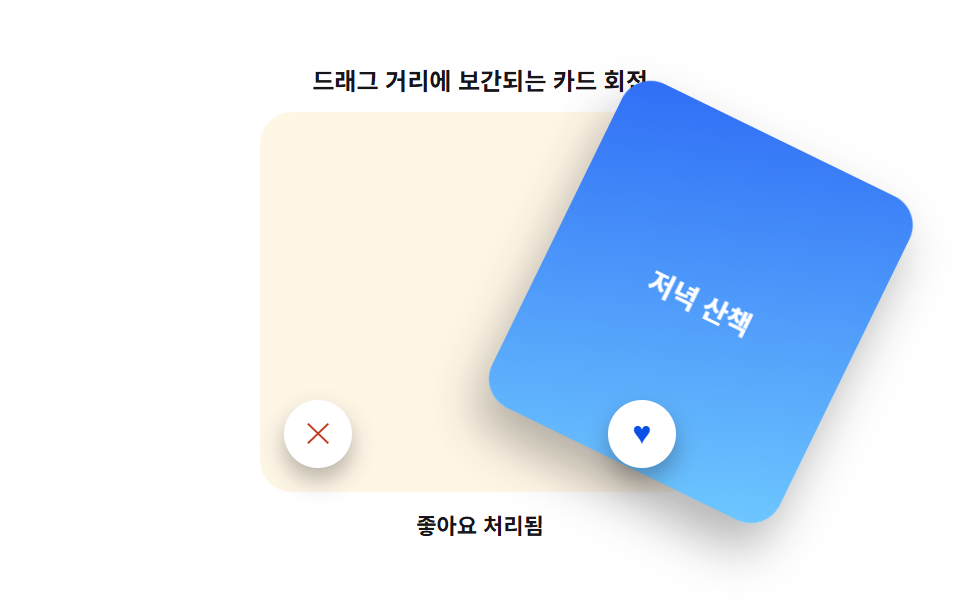 InteractionsCard Swipe UI: 9 Physics-Based Deck Patterns
 Interactions9 Mouse Effects CSS Tricks You Can Copy-Paste
 Interactions9 Breadcrumb UI Patterns That Survive Deep Paths
 InteractionsSocial Share Buttons: 9 Copy-Paste UI Patterns
 InteractionsKiosk UI Design: 9 Finger-Sized Order Screens
 InteractionsMascot Animation: 9 CSS Parts from Wave to Sleep
 InteractionsCSS Popover: 9 Ways to Anchor, Flip and Spring