CSS Popover: 9 Ways to Anchor, Flip and Spring
A css popover can clip at screen edges, point its arrow the wrong way and overlap its neighbors — scenes 01, 04 and 09 fix those with free-space math, arrow
Open All Nine Popovers Right on This Page
 01 pm-anchor-collision-flip
 02 pm-spring-from-anchor
 03 pm-hover-intent-safe-triangle
 04 pm-arrow-tracks-anchor
 05 pm-rubber-edge-drag
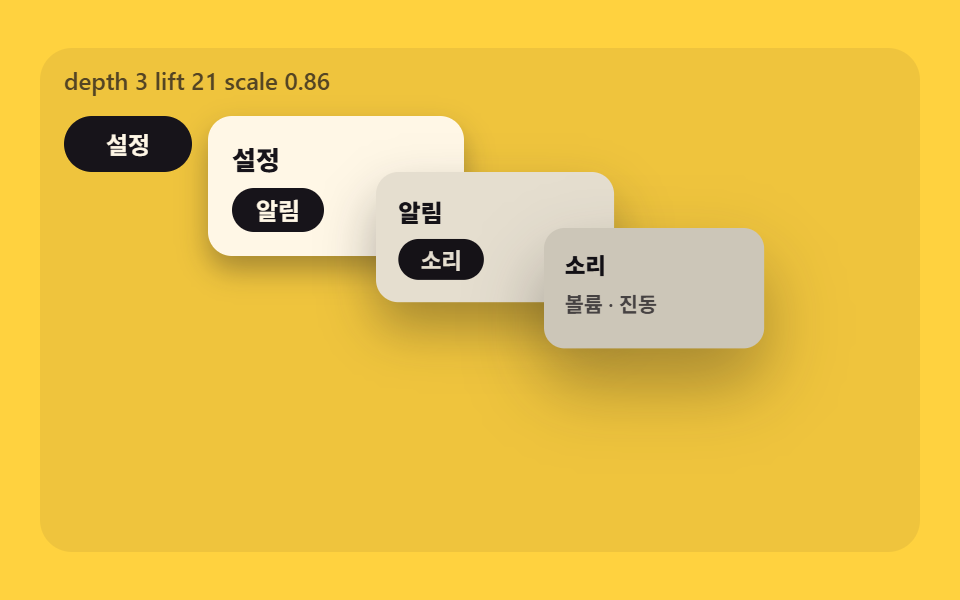 06 pm-nested-cascade-stack
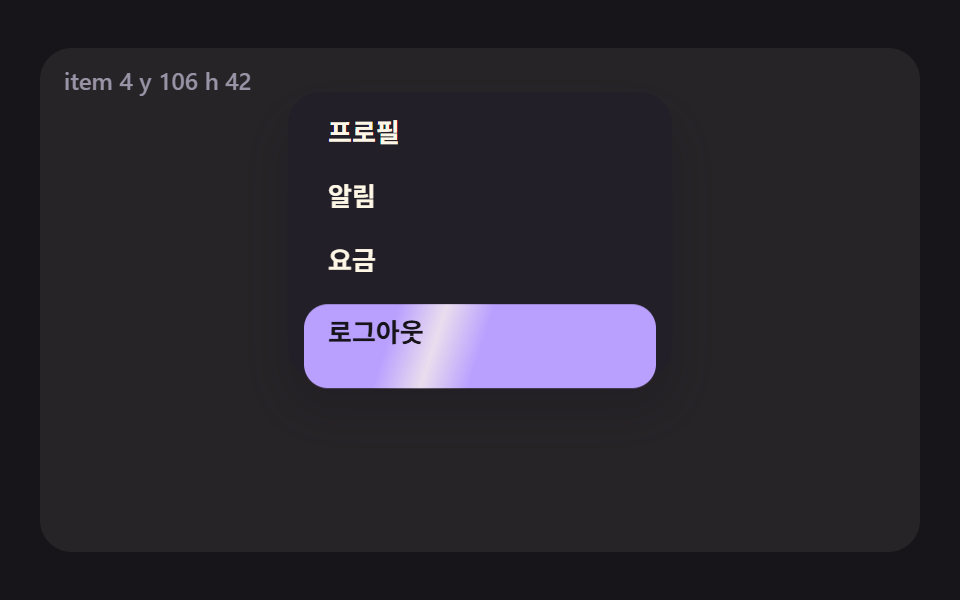 07 pm-menu-roving-spotlight
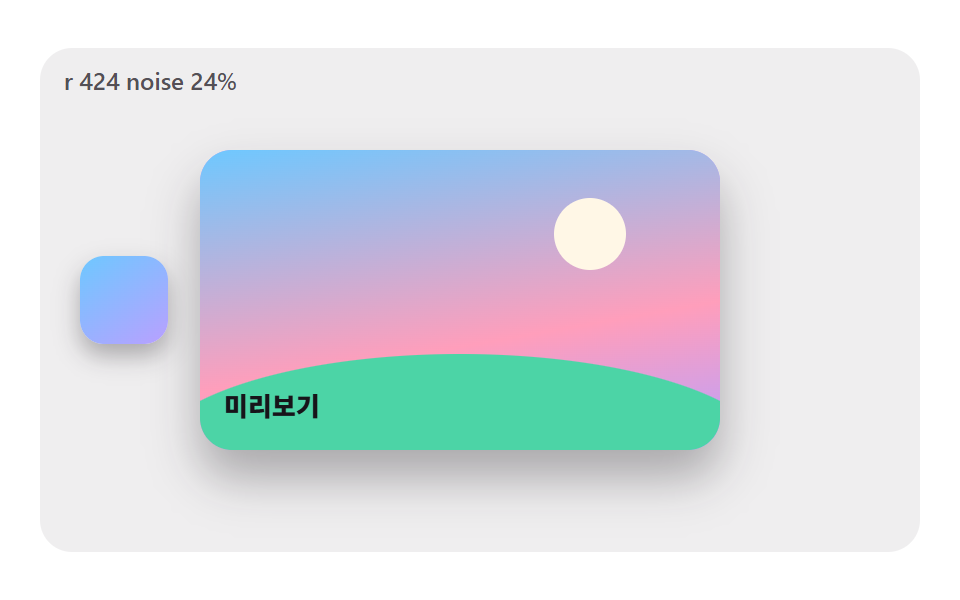 08 pm-ink-bloom-reveal
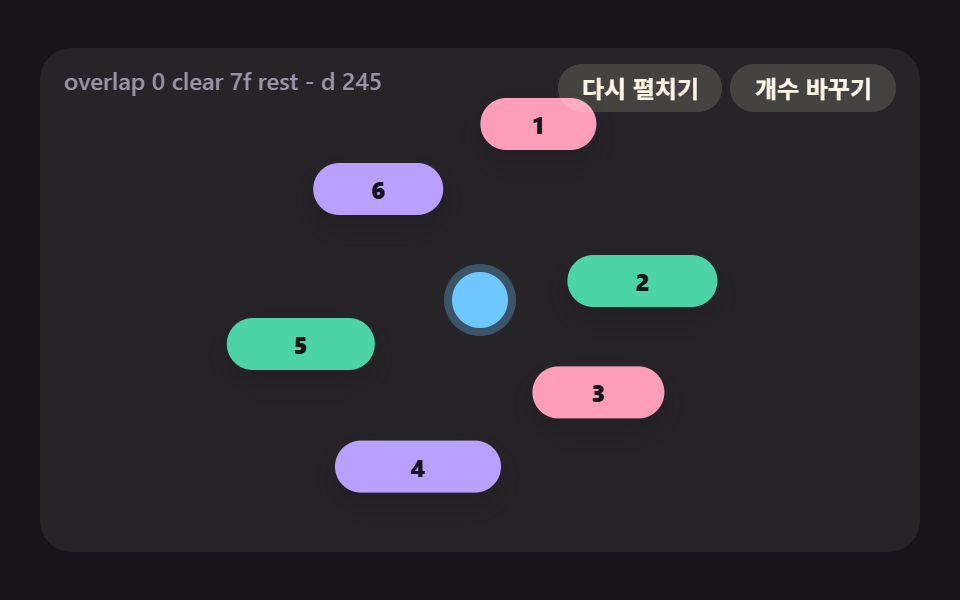 09 pm-orbit-popover-ring
Auto-plays · click a tile to jump to its section · all nine in one zip
- 01 Collision Flipping That Measures Free Space on Four Sides
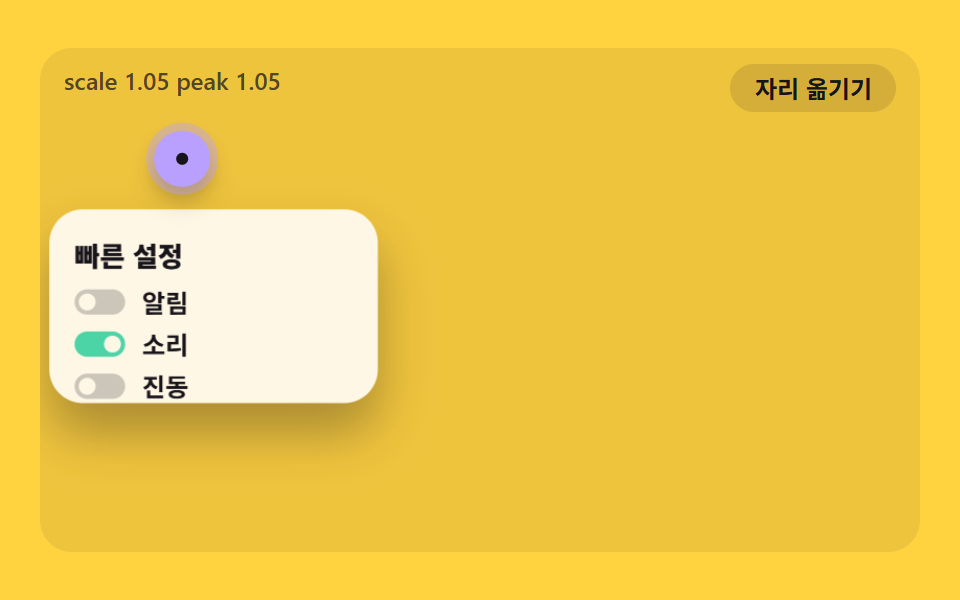
- 02 A Popover That Springs Open from the Anchor Point
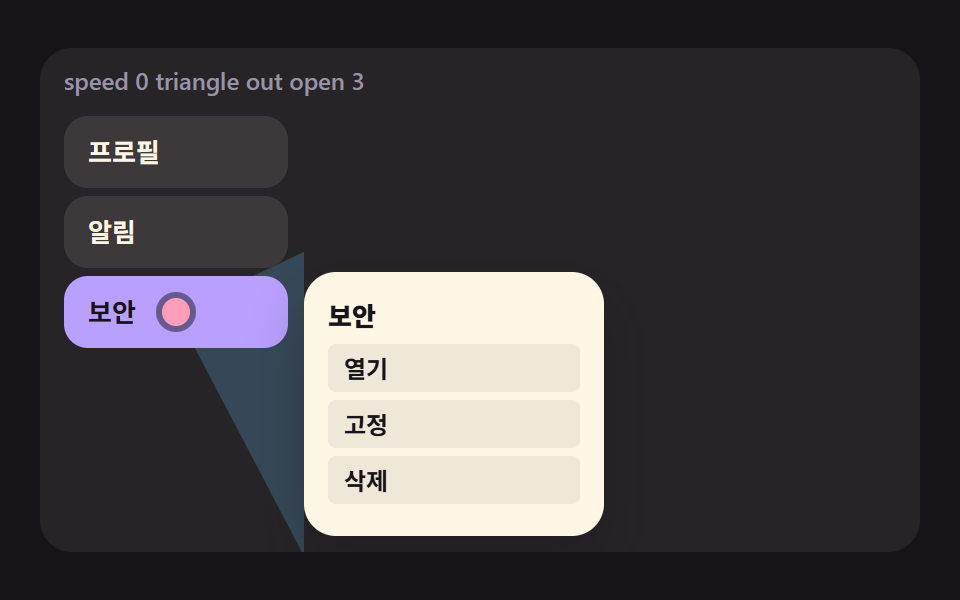
- 03 A Safe Triangle That Delays Closing by Pointer Direction
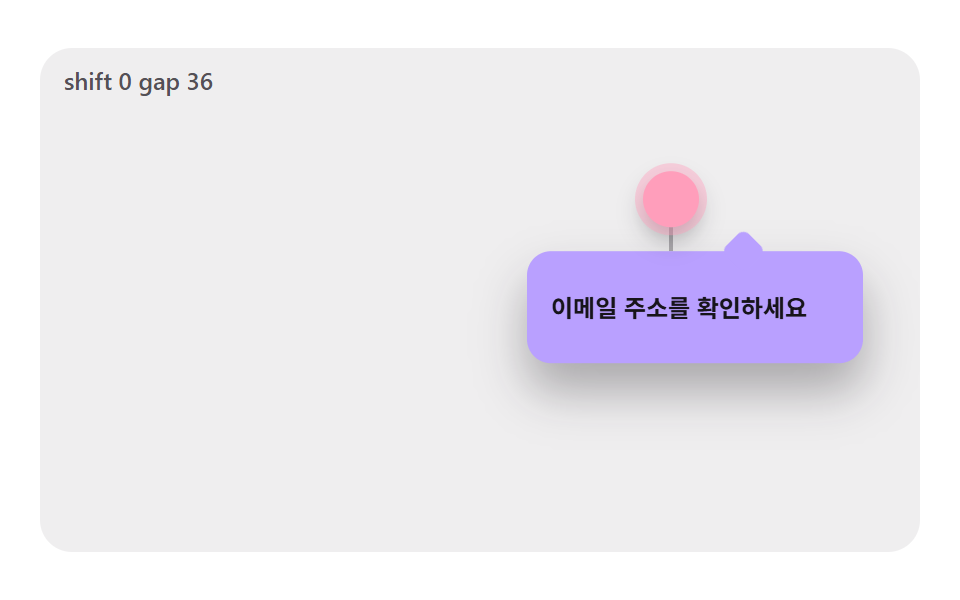
- 04 An Arrow That Keeps Pointing at the Anchor While the Body Shifts
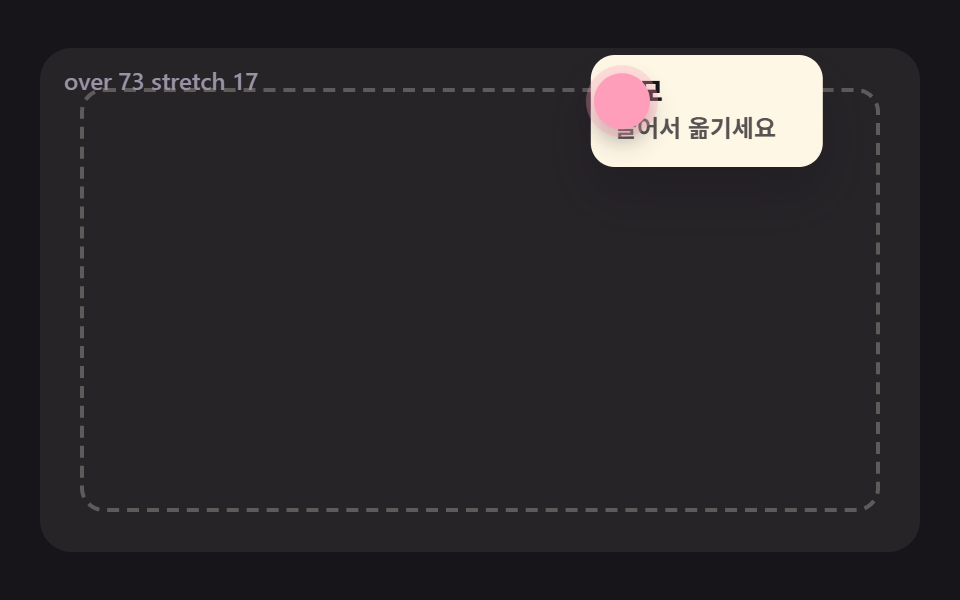
- 05 A Popover That Follows by Inertia and Resists Like Rubber at the Edge
- 06 Nested Popovers Whose Shadow and Size Step Up with Each Depth
- 07 A Highlight Pill That Springs Between Menu Items
- 08 A Circular Mask with a Noisy Edge Blooming from the Anchor
- 09 A Popover Ring That Pushes Apart and Settles Around One Anchor
CSS Popover: 9 Ways Where Anchor Space, Springs and Vectors Place It Right
A popover is a small panel that opens from an anchor such as a button or a dot. HTML has a popover attribute that lets the browser handle opening and closing, but the nine scenes on this page use neither that attribute nor CSS anchor positioning. Each one moves a single <div> with a translate3d value that JavaScript computes, because the point here is to watch where the panel lands, how far it gets pushed and how it steps aside when neighbors collide.
Every scene sits on a stage up to 440px wide and 252px tall, a translucent plate that shrinks to roughly 294×174 in a 320px-wide viewport. The four edges of that plate play the part of the screen edges, so they are not the real viewport. The render capture is 480×300, a separate number, and time advances in fixed 1/60-second ticks, so the motion looks the same at any refresh rate.
How a scene chases its target differs from one to the next. Scenes 02, 07 and 09 keep a velocity variable, which makes them true springs. Scenes 01, 03, 04, 05 and 06 close a fixed fraction of the gap on every tick, which is exponential easing, while scene 08 advances linearly and bends the progress with an ease-out curve. Finding the target differs too: a free-space score in 01, a triangle test in 03, a noisy polygon in 08 and an overlap test in 09. None of the nine files pulls in a library, makes an outside request, calls Math.random or uses a CSS @keyframes rule.
If your bubble gets cut off at the edge of the screen, open 01 first. For a css popover on hover, such as a submenu, start with 03 and 07, and for a card the reader drags around, start with 05. Neighbors on this site are 9 CSS Tooltip Bubbles — one line, copy-paste, Context Menu UI: 9 Right-Click Menu Patterns and 9 CSS Dropdown Menu Animation—No Library, Pure CSS.
Code for Each Technique Behind CSS Popover Anchor Positioning
Each snippet below is a contiguous run of lines from the scene source, 25 lines or fewer, cut at function boundaries. Constant declarations are left out of the snippets and their values are given in the text, so open the files in the zip when you want the whole scene.
01Collision Flipping That Measures Free Space on Four Sides
choose() scores each of the four sides by taking the free space around the anchor and subtracting the popover size and the 12px gap, and it changes side only when the current score drops below 0 or falls more than 24 under the best one. It suits help bubbles near screen edges, and when the side flips the popover glides across the anchor instead of jumping, because it eases toward the new target by 0.28 per tick. Scene 01 rendered at 52.1% cumulative area with 23/23 frames moving.
<main class="stage">
<div class="pm is-demo" id="pm" data-demo="1">
  <p class="pm__live" data-r="live" aria-live="off" aria-atomic="true"></p>
  <i class="pm__g" data-r="g0"></i><i class="pm__g" data-r="g1"></i><i class="pm__g" data-r="g2"></i><i class="pm__g" data-r="g3"></i>
  <div class="pm__pop" data-r="pop"><i class="pm__arrow" data-r="arrow"></i><b class="pm__side" data-r="side">BOTTOM</b><span class="pm__sub">Help bubble</span></div>
  <button class="pm__anchor" data-r="anchor" type="button" aria-label="Anchor, move with arrow keys"></button>
</div>
</main>
@use "../../../../site/static/demo-tokens" as *;
// 핵심: 앵커 사방에서 화면 끝까지의 거리를 재고, 팝오버가 들어갈 자리가 있는 쪽 중 가장 넉넉한 쪽에 놓는다. 위치 계산은 JS, CSS 는 모양만 맡는다.
@include stage($stage-ink);
.pm {
position: relative;
box-sizing: border-box;
overflow: hidden;
width: min(100%, 440px);
height: min(252px, calc(100vh - 2 * clamp(8px, 4vw, 24px)));
border-radius: $r-card;
background: rgba($subject-cream, .07);
color: $subject-cream;
font-size: 12px;
line-height: 16px;
font-weight: 600;
user-select: none;
}
.pm b { font-weight: 800; font-variant-numeric: tabular-nums; }
.pm__live {
position: absolute;
left: $sp-3;
top: $sp-2;
margin: 0;
z-index: 9;
color: $tick-mute;
font-variant-numeric: tabular-nums;
white-space: nowrap;
pointer-events: none;
}
.pm button { font-family: inherit; }
.pm button:focus-visible { outline: 3px solid $subject-pink; outline-offset: 2px; }
.pm { touch-action: none; }
.pm__g {
position: absolute;
left: 0;
top: 0;
width: 2px;
height: 1px;
transform-origin: 0 0;
background: rgba($subject-cream, .22);
pointer-events: none;
}
.pm__g[data-hot] { background: $subject-mint; }
.pm__g:nth-of-type(2), .pm__g:nth-of-type(4) { width: 1px; height: 2px; }
.pm__anchor {
position: absolute;
left: 0;
top: 0;
box-sizing: border-box;
width: 28px;
height: 28px;
padding: 0;
border: 0;
border-radius: 50%;
background: $subject-sky;
box-shadow: 0 0 0 4px rgba($subject-sky, .3), $shadow-press;
cursor: grab;
z-index: 5;
}
.pm__pop {
position: absolute;
left: 0;
top: 0;
box-sizing: border-box;
width: 116px;
height: 52px;
padding: $sp-2 $sp-3;
border-radius: $r-control;
background: $subject-cream;
color: $subject-ink;
box-shadow: $shadow-raised;
z-index: 4;
}
.pm__arrow {
position: absolute;
left: 0;
top: 0;
width: 16px;
height: 16px;
border-radius: $r-xs;
background: $subject-cream;
}
.pm__side { position: relative; display: block; font-size: 14px; line-height: 20px; letter-spacing: .5px; }
.pm__sub { position: relative; display: block; color: rgba($subject-ink, .72); }
@media (prefers-reduced-motion: reduce) {
.pm__anchor { cursor: default; }
}html, body {
margin: 0;
overflow: hidden;
}
.stage {
box-sizing: border-box;
min-height: 100vh;
display: grid;
place-items: center;
margin: 0;
background: #17141a;
font-family: -apple-system, "Segoe UI", "Noto Sans KR", sans-serif;
padding: clamp(8px, 4vw, 24px);
}
.pm {
position: relative;
box-sizing: border-box;
overflow: hidden;
width: min(100%, 440px);
height: min(252px, 100vh - 2 * clamp(8px, 4vw, 24px));
border-radius: 16px;
background: rgba(255, 247, 230, 0.07);
color: #fff7e6;
font-size: 12px;
line-height: 16px;
font-weight: 600;
user-select: none;
}
.pm b {
font-weight: 800;
font-variant-numeric: tabular-nums;
}
.pm__live {
position: absolute;
left: 12px;
top: 8px;
margin: 0;
z-index: 9;
color: #9a93a6;
font-variant-numeric: tabular-nums;
white-space: nowrap;
pointer-events: none;
}
.pm button {
font-family: inherit;
}
.pm button:focus-visible {
outline: 3px solid #ff9ebb;
outline-offset: 2px;
}
.pm {
touch-action: none;
}
.pm__g {
position: absolute;
left: 0;
top: 0;
width: 2px;
height: 1px;
transform-origin: 0 0;
background: rgba(255, 247, 230, 0.22);
pointer-events: none;
}
.pm__g[data-hot] {
background: #4cd4a6;
}
.pm__g:nth-of-type(2), .pm__g:nth-of-type(4) {
width: 1px;
height: 2px;
}
.pm__anchor {
position: absolute;
left: 0;
top: 0;
box-sizing: border-box;
width: 28px;
height: 28px;
padding: 0;
border: 0;
border-radius: 50%;
background: #6ec8ff;
box-shadow: 0 0 0 4px rgba(110, 200, 255, 0.3), 0 6px 12px rgba(23, 20, 26, 0.32);
cursor: grab;
z-index: 5;
}
.pm__pop {
position: absolute;
left: 0;
top: 0;
box-sizing: border-box;
width: 116px;
height: 52px;
padding: 8px 12px;
border-radius: 12px;
background: #fff7e6;
color: #17141a;
box-shadow: 0 14px 24px rgba(23, 20, 26, 0.32);
z-index: 4;
}
.pm__arrow {
position: absolute;
left: 0;
top: 0;
width: 16px;
height: 16px;
border-radius: 4px;
background: #fff7e6;
}
.pm__side {
position: relative;
display: block;
font-size: 14px;
line-height: 20px;
letter-spacing: 0.5px;
}
.pm__sub {
position: relative;
display: block;
color: rgba(23, 20, 26, 0.72);
}
@media (prefers-reduced-motion: reduce) {
.pm__anchor {
cursor: default;
}
}(function () {
const root = document.getElementById("pm");
const reduce = window.matchMedia("(prefers-reduced-motion: reduce)").matches;
let demo = !reduce;
let raf = 0;
let t0 = -1;
let last = -1;
let acc = 0;
let clock = 0;
const offs = [];
const live = root.querySelector("[data-r=live]");
function q(sel) {
return root.querySelector(sel);
}
function clamp(v, lo, hi) {
return Math.max(lo, Math.min(hi, v));
}
function seg(t, a, b) {
const c = clamp((t - a) / (b - a), 0, 1);
return c * c * (3 - 2 * c);
}
function on(el, type, fn) {
el.addEventListener(type, fn);
offs.push(() => el.removeEventListener(type, fn));
}
function stopDemo() {
if (!demo)
return;
demo = false;
root.removeAttribute("data-demo");
root.classList.remove("is-demo");
live.setAttribute("aria-live", "polite");
}
if (reduce)
live.setAttribute("aria-live", "polite");
let shown = "";
function say(s) {
if (s === shown)
return;
shown = s;
live.textContent = s;
}
function makeRng(seed) {
let s = seed >>> 0;
return () => {
s = (Math.imul(s, 1664525) + 1013904223) >>> 0;
return s / 4294967296;
};
}
function local(e) {
const r = root.getBoundingClientRect();
return { x: e.clientX - r.left, y: e.clientY - r.top };
}
function sync() {
if (reduce) {
snap();
render();
}
}
// 기법: 앵커 사방의 여유 공간을 재서 팝오버가 들어갈 자리가 있는 쪽 중 가장 넉넉한 쪽을 고른다. 지금 쪽이 FLIP_BIAS 이내로 버티면 그대로 둬 경계에서 깜박이지 않는다.
const GAP = 12;
const EDGE_PAD = 8;
const ARROW_SIZE = 8;
const FLIP_BIAS = 24;
const POP_W = 116;
const POP_H = 52;
const ANCHOR_R = 14;
const SEG_MS = 520;
const NAMES = ["TOP", "RIGHT", "BOTTOM", "LEFT"];
const PATH = [[0.5, 0.3], [0.9, 0.28], [0.86, 0.82], [0.14, 0.84], [0.1, 0.22], [0.5, 0.3]];
const anchor = q("[data-r=anchor]");
const pop = q("[data-r=pop]");
const arrow = q("[data-r=arrow]");
const sideEl = q("[data-r=side]");
const guides = [0, 1, 2, 3].map((i) => q("[data-r=g" + i + "]"));
const free = [0, 0, 0, 0];
let nx = reduce ? PATH[2][0] : PATH[0][0];
let ny = reduce ? PATH[2][1] : PATH[0][1];
let side = 2;
let px = 0;
let py = 0;
let placed = false;
let dragging = false;
    function choose(w, h, ax, ay) {
        free[0] = ay - ANCHOR_R - EDGE_PAD;
        free[1] = w - ax - ANCHOR_R - EDGE_PAD;
        free[2] = h - ay - ANCHOR_R - EDGE_PAD;
        free[3] = ax - ANCHOR_R - EDGE_PAD;
        const score = [0, 1, 2, 3].map((s) => free[s] - ((s % 2 === 0 ? POP_H : POP_W) + GAP));
        let best = 0;
        for (let s = 1; s < 4; s += 1) {
            if (score[s] > score[best])
                best = s;
        }
        if (score[side] < 0 || score[side] < score[best] - FLIP_BIAS)
            side = best;
    }
function target(w, h, ax, ay) {
if (side === 0 || side === 2) {
const x = clamp(ax - POP_W / 2, EDGE_PAD, w - EDGE_PAD - POP_W);
return [x, side === 2 ? ay + ANCHOR_R + GAP : ay - ANCHOR_R - GAP - POP_H];
}
const y = clamp(ay - POP_H / 2, EDGE_PAD, h - EDGE_PAD - POP_H);
return [side === 1 ? ax + ANCHOR_R + GAP : ax - ANCHOR_R - GAP - POP_W, y];
}
function pathAt(ms) {
const u = Math.max(0, ms - 200) / SEG_MS;
const n = PATH.length - 1;
const i = Math.floor(u) % n;
const f = seg(u - Math.floor(u), 0, 1);
return [PATH[i][0] + (PATH[i + 1][0] - PATH[i][0]) * f, PATH[i][1] + (PATH[i + 1][1] - PATH[i][1]) * f];
}
function solve(instant) {
const w = root.clientWidth;
const h = root.clientHeight;
choose(w, h, nx * w, ny * h);
const t2 = target(w, h, nx * w, ny * h);
if (!placed || instant) {
px = t2[0];
py = t2[1];
placed = true;
}
else {
px += (t2[0] - px) * 0.28;
py += (t2[1] - py) * 0.28;
}
}
function tick(ms) {
if (demo) {
const p = pathAt(ms);
nx = p[0];
ny = p[1];
}
solve(false);
}
function snap() {
placed = false;
solve(true);
}
function render() {
const w = root.clientWidth;
const h = root.clientHeight;
const ax = nx * w;
const ay = ny * h;
anchor.style.transform = "translate3d(" + (ax - ANCHOR_R).toFixed(1) + "px," + (ay - ANCHOR_R).toFixed(1) + "px,0)";
pop.style.transform = "translate3d(" + px.toFixed(1) + "px," + py.toFixed(1) + "px,0)";
let cx = 0;
let cy = 0;
if (side === 0 || side === 2) {
cx = clamp(ax - px, 14, POP_W - 14);
cy = side === 2 ? 0 : POP_H;
}
else {
cx = side === 1 ? 0 : POP_W;
cy = clamp(ay - py, 14, POP_H - 14);
}
arrow.style.transform = "translate3d(" + (cx - ARROW_SIZE).toFixed(1) + "px," + (cy - ARROW_SIZE).toFixed(1) + "px,0) rotate(45deg)";
sideEl.textContent = NAMES[side];
guides[0].style.transform = "translate3d(" + (ax - 1).toFixed(1) + "px,0,0) scale(1," + Math.max(0, ay).toFixed(1) + ")";
guides[2].style.transform = "translate3d(" + (ax - 1).toFixed(1) + "px," + ay.toFixed(1) + "px,0) scale(1," + Math.max(0, h - ay).toFixed(1) + ")";
guides[3].style.transform = "translate3d(0," + (ay - 1).toFixed(1) + "px,0) scale(" + Math.max(0, ax).toFixed(1) + ",1)";
guides[1].style.transform = "translate3d(" + ax.toFixed(1) + "px," + (ay - 1).toFixed(1) + "px,0) scale(" + Math.max(0, w - ax).toFixed(1) + ",1)";
for (let s = 0; s < 4; s += 1) {
if (s === side)
guides[s].setAttribute("data-hot", "1");
else
guides[s].removeAttribute("data-hot");
}
say("T " + Math.round(free[0]) + " R " + Math.round(free[1]) + " B " + Math.round(free[2]) + " L " + Math.round(free[3]));
}
function moveTo(e) {
const p = local(e);
nx = clamp(p.x / root.clientWidth, 0.05, 0.95);
ny = clamp(p.y / root.clientHeight, 0.08, 0.92);
sync();
}
on(root, "pointerdown", (e) => {
stopDemo();
dragging = true;
root.setPointerCapture(e.pointerId);
moveTo(e);
});
on(root, "pointermove", (e) => {
if (dragging)
moveTo(e);
});
on(root, "pointerup", () => {
dragging = false;
});
on(root, "pointercancel", () => {
dragging = false;
});
on(anchor, "keydown", (e) => {
const dx = e.key === "ArrowRight" ? 1 : e.key === "ArrowLeft" ? -1 : 0;
const dy = e.key === "ArrowDown" ? 1 : e.key === "ArrowUp" ? -1 : 0;
if (dx === 0 && dy === 0)
return;
e.preventDefault();
stopDemo();
nx = clamp(nx + dx * 0.06, 0.05, 0.95);
ny = clamp(ny + dy * 0.08, 0.08, 0.92);
sync();
});
snap();
const FRAME_MS = 1000 / 60;
function frame(ts) {
if (t0 < 0) {
t0 = ts;
last = ts;
}
acc += Math.min(100, ts - last);
last = ts;
let n = 0;
while (acc >= FRAME_MS && n < 6) {
clock += FRAME_MS;
tick(clock);
acc -= FRAME_MS;
n += 1;
}
if (n === 6)
acc = 0;
render();
raf = requestAnimationFrame(frame);
}
const ro = new ResizeObserver(() => sync());
ro.observe(root);
if (reduce) {
stopDemo();
snap();
render();
}
else {
raf = requestAnimationFrame(frame);
}
return () => {
cancelAnimationFrame(raf);
offs.forEach((f) => f());
ro.disconnect();
};
})();// CollisionFlipPopover - vanilla 판(01-pm-anchor-collision-flip) 의 React 포트. 같은 계산을 useEffect 안에서 돌린다.
import { useEffect, useRef } from "react";
import styles from "./CollisionFlipPopover.module.scss";
export default function CollisionFlipPopover() {
const rootRef = useRef<HTMLDivElement | null>(null);
useEffect(() => {
const rootEl = rootRef.current;
if (!rootEl) return;
const root: HTMLElement = rootEl;
const reduce = window.matchMedia("(prefers-reduced-motion: reduce)").matches;
let demo = !reduce;
let raf = 0;
let t0 = -1;
let last = -1;
let acc = 0;
let clock = 0;
const offs: Array<() => void> = [];
const live = root.querySelector("[data-r=live]") as HTMLElement;
function q<T extends Element>(sel: string): T {
return root.querySelector(sel) as T;
}
function clamp(v: number, lo: number, hi: number): number {
return Math.max(lo, Math.min(hi, v));
}
function seg(t: number, a: number, b: number): number {
const c = clamp((t - a) / (b - a), 0, 1);
return c * c * (3 - 2 * c);
}
function on(el: EventTarget, type: string, fn: (e: any) => void): void {
el.addEventListener(type, fn);
offs.push(() => el.removeEventListener(type, fn));
}
function stopDemo(): void {
if (!demo) return;
demo = false;
root.removeAttribute("data-demo");
root.classList.remove("is-demo");
live.setAttribute("aria-live", "polite");
}
if (reduce) live.setAttribute("aria-live", "polite");
let shown = "";
function say(s: string): void {
if (s === shown) return;
shown = s;
live.textContent = s;
}
function makeRng(seed: number): () => number {
let s = seed >>> 0;
return () => {
s = (Math.imul(s, 1664525) + 1013904223) >>> 0;
return s / 4294967296;
};
}
function local(e: PointerEvent): { x: number; y: number } {
const r = root.getBoundingClientRect();
return { x: e.clientX - r.left, y: e.clientY - r.top };
}
function sync(): void {
if (reduce) {
snap();
render();
}
}
// 기법: 앵커 사방의 여유 공간을 재서 팝오버가 들어갈 자리가 있는 쪽 중 가장 넉넉한 쪽을 고른다. 지금 쪽이 FLIP_BIAS 이내로 버티면 그대로 둬 경계에서 깜박이지 않는다.
const GAP = 12;
const EDGE_PAD = 8;
const ARROW_SIZE = 8;
const FLIP_BIAS = 24;
const POP_W = 116;
const POP_H = 52;
const ANCHOR_R = 14;
const SEG_MS = 520;
const NAMES = ["TOP", "RIGHT", "BOTTOM", "LEFT"];
const PATH = [[0.5, 0.3], [0.9, 0.28], [0.86, 0.82], [0.14, 0.84], [0.1, 0.22], [0.5, 0.3]];
const anchor = q<HTMLElement>("[data-r=anchor]");
const pop = q<HTMLElement>("[data-r=pop]");
const arrow = q<HTMLElement>("[data-r=arrow]");
const sideEl = q<HTMLElement>("[data-r=side]");
const guides = [0, 1, 2, 3].map((i) => q<HTMLElement>("[data-r=g" + i + "]"));
const free: number[] = [0, 0, 0, 0];
let nx = reduce ? PATH[2][0] : PATH[0][0];
let ny = reduce ? PATH[2][1] : PATH[0][1];
let side = 2;
let px = 0;
let py = 0;
let placed = false;
let dragging = false;
function choose(w: number, h: number, ax: number, ay: number): void {
free[0] = ay - ANCHOR_R - EDGE_PAD;
free[1] = w - ax - ANCHOR_R - EDGE_PAD;
free[2] = h - ay - ANCHOR_R - EDGE_PAD;
free[3] = ax - ANCHOR_R - EDGE_PAD;
const score = [0, 1, 2, 3].map((s) => free[s] - ((s % 2 === 0 ? POP_H : POP_W) + GAP));
let best = 0;
for (let s = 1; s < 4; s += 1) {
if (score[s] > score[best]) best = s;
}
if (score[side] < 0 || score[side] < score[best] - FLIP_BIAS) side = best;
}
function target(w: number, h: number, ax: number, ay: number): number[] {
if (side === 0 || side === 2) {
const x = clamp(ax - POP_W / 2, EDGE_PAD, w - EDGE_PAD - POP_W);
return [x, side === 2 ? ay + ANCHOR_R + GAP : ay - ANCHOR_R - GAP - POP_H];
}
const y = clamp(ay - POP_H / 2, EDGE_PAD, h - EDGE_PAD - POP_H);
return [side === 1 ? ax + ANCHOR_R + GAP : ax - ANCHOR_R - GAP - POP_W, y];
}
function pathAt(ms: number): number[] {
const u = Math.max(0, ms - 200) / SEG_MS;
const n = PATH.length - 1;
const i = Math.floor(u) % n;
const f = seg(u - Math.floor(u), 0, 1);
return [PATH[i][0] + (PATH[i + 1][0] - PATH[i][0]) * f, PATH[i][1] + (PATH[i + 1][1] - PATH[i][1]) * f];
}
function solve(instant: boolean): void {
const w = root.clientWidth;
const h = root.clientHeight;
choose(w, h, nx * w, ny * h);
const t2 = target(w, h, nx * w, ny * h);
if (!placed || instant) {
px = t2[0];
py = t2[1];
placed = true;
} else {
px += (t2[0] - px) * 0.28;
py += (t2[1] - py) * 0.28;
}
}
function tick(ms: number): void {
if (demo) {
const p = pathAt(ms);
nx = p[0];
ny = p[1];
}
solve(false);
}
function snap(): void {
placed = false;
solve(true);
}
function render(): void {
const w = root.clientWidth;
const h = root.clientHeight;
const ax = nx * w;
const ay = ny * h;
anchor.style.transform = "translate3d(" + (ax - ANCHOR_R).toFixed(1) + "px," + (ay - ANCHOR_R).toFixed(1) + "px,0)";
pop.style.transform = "translate3d(" + px.toFixed(1) + "px," + py.toFixed(1) + "px,0)";
let cx = 0;
let cy = 0;
if (side === 0 || side === 2) {
cx = clamp(ax - px, 14, POP_W - 14);
cy = side === 2 ? 0 : POP_H;
} else {
cx = side === 1 ? 0 : POP_W;
cy = clamp(ay - py, 14, POP_H - 14);
}
arrow.style.transform = "translate3d(" + (cx - ARROW_SIZE).toFixed(1) + "px," + (cy - ARROW_SIZE).toFixed(1) + "px,0) rotate(45deg)";
sideEl.textContent = NAMES[side];
guides[0].style.transform = "translate3d(" + (ax - 1).toFixed(1) + "px,0,0) scale(1," + Math.max(0, ay).toFixed(1) + ")";
guides[2].style.transform = "translate3d(" + (ax - 1).toFixed(1) + "px," + ay.toFixed(1) + "px,0) scale(1," + Math.max(0, h - ay).toFixed(1) + ")";
guides[3].style.transform = "translate3d(0," + (ay - 1).toFixed(1) + "px,0) scale(" + Math.max(0, ax).toFixed(1) + ",1)";
guides[1].style.transform = "translate3d(" + ax.toFixed(1) + "px," + (ay - 1).toFixed(1) + "px,0) scale(" + Math.max(0, w - ax).toFixed(1) + ",1)";
for (let s = 0; s < 4; s += 1) {
if (s === side) guides[s].setAttribute("data-hot", "1");
else guides[s].removeAttribute("data-hot");
}
say("T " + Math.round(free[0]) + " R " + Math.round(free[1]) + " B " + Math.round(free[2]) + " L " + Math.round(free[3]));
}
function moveTo(e: PointerEvent): void {
const p = local(e);
nx = clamp(p.x / root.clientWidth, 0.05, 0.95);
ny = clamp(p.y / root.clientHeight, 0.08, 0.92);
sync();
}
on(root, "pointerdown", (e: PointerEvent) => {
stopDemo();
dragging = true;
root.setPointerCapture(e.pointerId);
moveTo(e);
});
on(root, "pointermove", (e: PointerEvent) => {
if (dragging) moveTo(e);
});
on(root, "pointerup", () => {
dragging = false;
});
on(root, "pointercancel", () => {
dragging = false;
});
on(anchor, "keydown", (e: KeyboardEvent) => {
const dx = e.key === "ArrowRight" ? 1 : e.key === "ArrowLeft" ? -1 : 0;
const dy = e.key === "ArrowDown" ? 1 : e.key === "ArrowUp" ? -1 : 0;
if (dx === 0 && dy === 0) return;
e.preventDefault();
stopDemo();
nx = clamp(nx + dx * 0.06, 0.05, 0.95);
ny = clamp(ny + dy * 0.08, 0.08, 0.92);
sync();
});
snap();
const FRAME_MS = 1000 / 60;
function frame(ts: number): void {
if (t0 < 0) {
t0 = ts;
last = ts;
}
acc += Math.min(100, ts - last);
last = ts;
let n = 0;
while (acc >= FRAME_MS && n < 6) {
clock += FRAME_MS;
tick(clock);
acc -= FRAME_MS;
n += 1;
}
if (n === 6) acc = 0;
render();
raf = requestAnimationFrame(frame);
}
const ro = new ResizeObserver(() => sync());
ro.observe(root);
if (reduce) {
stopDemo();
snap();
render();
} else {
raf = requestAnimationFrame(frame);
}
return () => {
cancelAnimationFrame(raf);
offs.forEach((f) => f());
ro.disconnect();
};
}, []);
return (
<main className={styles["stage"]}>
<div ref={rootRef} className={styles["pm"] + " is-demo"} data-demo="1">
<p className={styles["pm__live"]} data-r="live" aria-live="off" aria-atomic="true"></p>
<i className={styles["pm__g"]} data-r="g0"></i><i className={styles["pm__g"]} data-r="g1"></i><i className={styles["pm__g"]} data-r="g2"></i><i className={styles["pm__g"]} data-r="g3"></i>
<div className={styles["pm__pop"]} data-r="pop"><i className={styles["pm__arrow"]} data-r="arrow"></i><b className={styles["pm__side"]} data-r="side">BOTTOM</b><span className={styles["pm__sub"]}>도움말 말풍선</span></div>
<button className={styles["pm__anchor"]} data-r="anchor" type="button" aria-label="앵커 · 방향키로 옮기기"></button>
</div>
</main>
);
}01 · Collision Flipping That Measures Free Space on Four Sides — Measured area 52.147% · moving frames 23/23Original by GODRICH · SCSS and React ship in the zip · See the password
function choose(w, h, ax, ay) {
free[0] = ay - ANCHOR_R - EDGE_PAD;
free[1] = w - ax - ANCHOR_R - EDGE_PAD;
free[2] = h - ay - ANCHOR_R - EDGE_PAD;
free[3] = ax - ANCHOR_R - EDGE_PAD;
const score = [0, 1, 2, 3].map((s) => free[s] - ((s % 2 === 0 ? POP_H : POP_W) + GAP));
let best = 0;
for (let s = 1; s < 4; s += 1) {
if (score[s] > score[best])
best = s;
}
if (score[side] < 0 || score[side] < score[best] - FLIP_BIAS)
side = best;
}
02A Popover That Springs Open from the Anchor Point
Each tick updates the size with (vel + (target - size) * STIFFNESS) * DAMPING, so the size overshoots the target of 1 slightly and comes back, and the transform origin sits at the anchor center so the panel looks grown from the anchor. This fits a quick settings panel beside a button. Scene 02 rendered at 29.8% cumulative area with 16/23 frames moving.
<main class="stage">
<div class="pm is-demo" id="pm" data-demo="1">
  <p class="pm__live" data-r="live" aria-live="off" aria-atomic="true"></p>
  <button class="pm__move" data-r="move" type="button">Move anchor</button>
  <i class="pm__origin" data-r="origin"></i>
  <button class="pm__anchor" data-r="anchor" type="button" aria-expanded="false" aria-controls="pm-panel" aria-label="Open quick settings"></button>
  <div class="pm__pop" id="pm-panel" data-r="pop"><b class="pm__ttl">Quick settings</b><span class="pm__row"><i class="pm__sw"></i>Alerts</span><span class="pm__row"><i class="pm__sw pm__sw--on"></i>Sound</span><span class="pm__row"><i class="pm__sw"></i>Vibrate</span></div>
</div>
</main>
@use "../../../../site/static/demo-tokens" as *;
// 핵심: transform-origin 을 앵커 중심 좌표로 계산하고, scale 만 스프링으로 풀어 앵커에서 자라난 듯 열린다.
@include stage($stage-yellow);
.pm {
position: relative;
box-sizing: border-box;
overflow: hidden;
width: min(100%, 440px);
height: min(252px, calc(100vh - 2 * clamp(8px, 4vw, 24px)));
border-radius: $r-card;
background: rgba($subject-ink, .07);
color: $subject-ink;
font-size: 12px;
line-height: 16px;
font-weight: 600;
user-select: none;
}
.pm b { font-weight: 800; font-variant-numeric: tabular-nums; }
.pm__live {
position: absolute;
left: $sp-3;
top: $sp-2;
margin: 0;
z-index: 9;
color: rgba($subject-ink, .72);
font-variant-numeric: tabular-nums;
white-space: nowrap;
pointer-events: none;
}
.pm button { font-family: inherit; }
.pm button:focus-visible { outline: 3px solid $subject-ink; outline-offset: 2px; }
.pm__move {
position: absolute;
right: $sp-3;
top: $sp-2;
z-index: 8;
height: 24px;
padding: 0 $sp-3;
border: 0;
border-radius: $r-pill;
background: rgba($subject-ink, .12);
color: $subject-ink;
font-size: 12px;
line-height: 16px;
font-weight: 700;
cursor: pointer;
}
.pm__origin {
position: absolute;
left: 0;
top: 0;
width: 6px;
height: 6px;
border-radius: 50%;
background: $subject-ink;
z-index: 6;
pointer-events: none;
}
.pm__anchor {
position: absolute;
left: 0;
top: 0;
box-sizing: border-box;
width: 28px;
height: 28px;
padding: 0;
border: 0;
border-radius: 50%;
background: $subject-lilac;
box-shadow: 0 0 0 4px rgba($subject-lilac, .4), $shadow-press;
cursor: pointer;
z-index: 5;
}
.pm__pop {
position: absolute;
left: 0;
top: 0;
box-sizing: border-box;
display: flex;
flex-direction: column;
gap: $sp-1;
width: 156px;
height: 92px;
padding: $sp-3;
border-radius: $r-card;
background: $subject-cream;
color: $subject-ink;
box-shadow: $shadow-raised;
visibility: hidden;
z-index: 4;
will-change: transform;
}
.pm__ttl { display: block; font-size: 13px; line-height: 20px; }
.pm__row { display: flex; align-items: center; gap: $sp-2; }
.pm__sw {
position: relative;
width: 24px;
height: 12px;
border-radius: $r-pill;
background: rgba($subject-ink, .22);
}
.pm__sw::after {
content: "";
position: absolute;
left: 2px;
top: 2px;
width: 8px;
height: 8px;
border-radius: 50%;
background: $subject-cream;
}
.pm__sw--on { background: $subject-mint; }
.pm__sw--on::after { left: 14px; }
@media (prefers-reduced-motion: reduce) {
.pm__pop { will-change: auto; }
}html, body {
margin: 0;
overflow: hidden;
}
.stage {
box-sizing: border-box;
min-height: 100vh;
display: grid;
place-items: center;
margin: 0;
background: #ffd23f;
font-family: -apple-system, "Segoe UI", "Noto Sans KR", sans-serif;
padding: clamp(8px, 4vw, 24px);
}
.pm {
position: relative;
box-sizing: border-box;
overflow: hidden;
width: min(100%, 440px);
height: min(252px, 100vh - 2 * clamp(8px, 4vw, 24px));
border-radius: 16px;
background: rgba(23, 20, 26, 0.07);
color: #17141a;
font-size: 12px;
line-height: 16px;
font-weight: 600;
user-select: none;
}
.pm b {
font-weight: 800;
font-variant-numeric: tabular-nums;
}
.pm__live {
position: absolute;
left: 12px;
top: 8px;
margin: 0;
z-index: 9;
color: rgba(23, 20, 26, 0.72);
font-variant-numeric: tabular-nums;
white-space: nowrap;
pointer-events: none;
}
.pm button {
font-family: inherit;
}
.pm button:focus-visible {
outline: 3px solid #17141a;
outline-offset: 2px;
}
.pm__move {
position: absolute;
right: 12px;
top: 8px;
z-index: 8;
height: 24px;
padding: 0 12px;
border: 0;
border-radius: 999px;
background: rgba(23, 20, 26, 0.12);
color: #17141a;
font-size: 12px;
line-height: 16px;
font-weight: 700;
cursor: pointer;
}
.pm__origin {
position: absolute;
left: 0;
top: 0;
width: 6px;
height: 6px;
border-radius: 50%;
background: #17141a;
z-index: 6;
pointer-events: none;
}
.pm__anchor {
position: absolute;
left: 0;
top: 0;
box-sizing: border-box;
width: 28px;
height: 28px;
padding: 0;
border: 0;
border-radius: 50%;
background: #b9a0ff;
box-shadow: 0 0 0 4px rgba(185, 160, 255, 0.4), 0 6px 12px rgba(23, 20, 26, 0.32);
cursor: pointer;
z-index: 5;
}
.pm__pop {
position: absolute;
left: 0;
top: 0;
box-sizing: border-box;
display: flex;
flex-direction: column;
gap: 4px;
width: 156px;
height: 92px;
padding: 12px;
border-radius: 16px;
background: #fff7e6;
color: #17141a;
box-shadow: 0 14px 24px rgba(23, 20, 26, 0.32);
visibility: hidden;
z-index: 4;
will-change: transform;
}
.pm__ttl {
display: block;
font-size: 13px;
line-height: 20px;
}
.pm__row {
display: flex;
align-items: center;
gap: 8px;
}
.pm__sw {
position: relative;
width: 24px;
height: 12px;
border-radius: 999px;
background: rgba(23, 20, 26, 0.22);
}
.pm__sw::after {
content: "";
position: absolute;
left: 2px;
top: 2px;
width: 8px;
height: 8px;
border-radius: 50%;
background: #fff7e6;
}
.pm__sw--on {
background: #4cd4a6;
}
.pm__sw--on::after {
left: 14px;
}
@media (prefers-reduced-motion: reduce) {
.pm__pop {
will-change: auto;
}
}(function () {
const root = document.getElementById("pm");
const reduce = window.matchMedia("(prefers-reduced-motion: reduce)").matches;
let demo = !reduce;
let raf = 0;
let t0 = -1;
let last = -1;
let acc = 0;
let clock = 0;
const offs = [];
const live = root.querySelector("[data-r=live]");
function q(sel) {
return root.querySelector(sel);
}
function clamp(v, lo, hi) {
return Math.max(lo, Math.min(hi, v));
}
function seg(t, a, b) {
const c = clamp((t - a) / (b - a), 0, 1);
return c * c * (3 - 2 * c);
}
function on(el, type, fn) {
el.addEventListener(type, fn);
offs.push(() => el.removeEventListener(type, fn));
}
function stopDemo() {
if (!demo)
return;
demo = false;
root.removeAttribute("data-demo");
root.classList.remove("is-demo");
live.setAttribute("aria-live", "polite");
}
if (reduce)
live.setAttribute("aria-live", "polite");
let shown = "";
function say(s) {
if (s === shown)
return;
shown = s;
live.textContent = s;
}
function makeRng(seed) {
let s = seed >>> 0;
return () => {
s = (Math.imul(s, 1664525) + 1013904223) >>> 0;
return s / 4294967296;
};
}
function local(e) {
const r = root.getBoundingClientRect();
return { x: e.clientX - r.left, y: e.clientY - r.top };
}
function sync() {
if (reduce) {
snap();
render();
}
}
// 기법: transform-origin 을 앵커 중심(ORIGIN_X, ORIGIN_Y)으로 계산해 두고, scale 을 스프링으로 풀면 목표 1 을 넘었다 돌아오며 앵커에서 자란 것처럼 보인다.
const STIFFNESS = 0.14;
const DAMPING = 0.66;
const PANEL_W = 156;
const PANEL_H = 92;
const ANCHOR_R = 14;
const SLOTS = [0.16, 0.5, 0.84];
const ANCHOR_NY = 0.22;
const PAD = 8;
const CYCLE_MS = 2400;
const anchor = q("[data-r=anchor]");
const pop = q("[data-r=pop]");
const origin = q("[data-r=origin]");
const moveBtn = q("[data-r=move]");
let ORIGIN_X = 0;
let ORIGIN_Y = 0;
let size = 0;
let vel = 0;
let want = reduce;
let slot = 1;
let nx = SLOTS[1];
let expanded = false;
let peak = 0;
function place() {
const w = root.clientWidth;
const h = root.clientHeight;
const ax = nx * w;
const ay = ANCHOR_NY * h;
const x = clamp(ax - PANEL_W / 2, PAD, w - PAD - PANEL_W);
const y = ay + ANCHOR_R + 10;
ORIGIN_X = ax - x;
ORIGIN_Y = ay - y;
return [ax, ay, x, y];
}
    function tick(ms) {
        if (demo) {
            const cycle = Math.floor(ms / CYCLE_MS);
            const phase = ms - cycle * CYCLE_MS;
            want = phase >= 250 && phase < 1350;
            slot = (cycle + (phase >= 1900 ? 1 : 0)) % SLOTS.length;
        }
        nx += (SLOTS[slot] - nx) * 0.2;
        vel = (vel + ((want ? 1 : 0) - size) * STIFFNESS) * DAMPING;
        size += vel;
        if (size < 0) {
            size = 0;
            vel = 0;
        }
        if (want)
            peak = Math.max(peak, size);
        else if (size < 0.02)
            peak = 0;
    }
function snap() {
nx = SLOTS[slot];
size = want ? 1 : 0;
vel = 0;
peak = size;
}
function render() {
const p = place();
anchor.style.transform = "translate3d(" + (p[0] - ANCHOR_R).toFixed(1) + "px," + (p[1] - ANCHOR_R).toFixed(1) + "px,0)";
origin.style.transform = "translate3d(" + (p[0] - 3).toFixed(1) + "px," + (p[1] - 3).toFixed(1) + "px,0)";
pop.style.transformOrigin = ORIGIN_X.toFixed(1) + "px " + ORIGIN_Y.toFixed(1) + "px";
pop.style.transform = "translate3d(" + p[2].toFixed(1) + "px," + p[3].toFixed(1) + "px,0) scale(" + size.toFixed(3) + ")";
pop.style.opacity = String(clamp(size * 1.8, 0, 1));
pop.style.visibility = size > 0.01 ? "visible" : "hidden";
if (want !== expanded) {
expanded = want;
anchor.setAttribute("aria-expanded", want ? "true" : "false");
}
say("scale " + size.toFixed(2) + " peak " + peak.toFixed(2));
}
function toggle() {
stopDemo();
want = !want;
sync();
}
on(anchor, "click", toggle);
on(moveBtn, "click", () => {
stopDemo();
slot = (slot + 1) % SLOTS.length;
sync();
});
on(root, "keydown", (e) => {
if (e.key !== "Escape" || !want)
return;
e.preventDefault();
stopDemo();
want = false;
anchor.focus({ preventScroll: true });
sync();
});
const FRAME_MS = 1000 / 60;
function frame(ts) {
if (t0 < 0) {
t0 = ts;
last = ts;
}
acc += Math.min(100, ts - last);
last = ts;
let n = 0;
while (acc >= FRAME_MS && n < 6) {
clock += FRAME_MS;
tick(clock);
acc -= FRAME_MS;
n += 1;
}
if (n === 6)
acc = 0;
render();
raf = requestAnimationFrame(frame);
}
const ro = new ResizeObserver(() => sync());
ro.observe(root);
if (reduce) {
stopDemo();
snap();
render();
}
else {
raf = requestAnimationFrame(frame);
}
return () => {
cancelAnimationFrame(raf);
offs.forEach((f) => f());
ro.disconnect();
};
})();// SpringFromAnchor - vanilla 판(02-pm-spring-from-anchor) 의 React 포트. 같은 계산을 useEffect 안에서 돌린다.
import { useEffect, useRef } from "react";
import styles from "./SpringFromAnchor.module.scss";
export default function SpringFromAnchor() {
const rootRef = useRef<HTMLDivElement | null>(null);
useEffect(() => {
const rootEl = rootRef.current;
if (!rootEl) return;
const root: HTMLElement = rootEl;
const reduce = window.matchMedia("(prefers-reduced-motion: reduce)").matches;
let demo = !reduce;
let raf = 0;
let t0 = -1;
let last = -1;
let acc = 0;
let clock = 0;
const offs: Array<() => void> = [];
const live = root.querySelector("[data-r=live]") as HTMLElement;
function q<T extends Element>(sel: string): T {
return root.querySelector(sel) as T;
}
function clamp(v: number, lo: number, hi: number): number {
return Math.max(lo, Math.min(hi, v));
}
function seg(t: number, a: number, b: number): number {
const c = clamp((t - a) / (b - a), 0, 1);
return c * c * (3 - 2 * c);
}
function on(el: EventTarget, type: string, fn: (e: any) => void): void {
el.addEventListener(type, fn);
offs.push(() => el.removeEventListener(type, fn));
}
function stopDemo(): void {
if (!demo) return;
demo = false;
root.removeAttribute("data-demo");
root.classList.remove("is-demo");
live.setAttribute("aria-live", "polite");
}
if (reduce) live.setAttribute("aria-live", "polite");
let shown = "";
function say(s: string): void {
if (s === shown) return;
shown = s;
live.textContent = s;
}
function makeRng(seed: number): () => number {
let s = seed >>> 0;
return () => {
s = (Math.imul(s, 1664525) + 1013904223) >>> 0;
return s / 4294967296;
};
}
function local(e: PointerEvent): { x: number; y: number } {
const r = root.getBoundingClientRect();
return { x: e.clientX - r.left, y: e.clientY - r.top };
}
function sync(): void {
if (reduce) {
snap();
render();
}
}
// 기법: transform-origin 을 앵커 중심(ORIGIN_X, ORIGIN_Y)으로 계산해 두고, scale 을 스프링으로 풀면 목표 1 을 넘었다 돌아오며 앵커에서 자란 것처럼 보인다.
const STIFFNESS = 0.14;
const DAMPING = 0.66;
const PANEL_W = 156;
const PANEL_H = 92;
const ANCHOR_R = 14;
const SLOTS = [0.16, 0.5, 0.84];
const ANCHOR_NY = 0.22;
const PAD = 8;
const CYCLE_MS = 2400;
const anchor = q<HTMLElement>("[data-r=anchor]");
const pop = q<HTMLElement>("[data-r=pop]");
const origin = q<HTMLElement>("[data-r=origin]");
const moveBtn = q<HTMLElement>("[data-r=move]");
let ORIGIN_X = 0;
let ORIGIN_Y = 0;
let size = 0;
let vel = 0;
let want = reduce;
let slot = 1;
let nx = SLOTS[1];
let expanded = false;
let peak = 0;
function place(): number[] {
const w = root.clientWidth;
const h = root.clientHeight;
const ax = nx * w;
const ay = ANCHOR_NY * h;
const x = clamp(ax - PANEL_W / 2, PAD, w - PAD - PANEL_W);
const y = ay + ANCHOR_R + 10;
ORIGIN_X = ax - x;
ORIGIN_Y = ay - y;
return [ax, ay, x, y];
}
function tick(ms: number): void {
if (demo) {
const cycle = Math.floor(ms / CYCLE_MS);
const phase = ms - cycle * CYCLE_MS;
want = phase >= 250 && phase < 1350;
slot = (cycle + (phase >= 1900 ? 1 : 0)) % SLOTS.length;
}
nx += (SLOTS[slot] - nx) * 0.2;
vel = (vel + ((want ? 1 : 0) - size) * STIFFNESS) * DAMPING;
size += vel;
if (size < 0) {
size = 0;
vel = 0;
}
if (want) peak = Math.max(peak, size);
else if (size < 0.02) peak = 0;
}
function snap(): void {
nx = SLOTS[slot];
size = want ? 1 : 0;
vel = 0;
peak = size;
}
function render(): void {
const p = place();
anchor.style.transform = "translate3d(" + (p[0] - ANCHOR_R).toFixed(1) + "px," + (p[1] - ANCHOR_R).toFixed(1) + "px,0)";
origin.style.transform = "translate3d(" + (p[0] - 3).toFixed(1) + "px," + (p[1] - 3).toFixed(1) + "px,0)";
pop.style.transformOrigin = ORIGIN_X.toFixed(1) + "px " + ORIGIN_Y.toFixed(1) + "px";
pop.style.transform = "translate3d(" + p[2].toFixed(1) + "px," + p[3].toFixed(1) + "px,0) scale(" + size.toFixed(3) + ")";
pop.style.opacity = String(clamp(size * 1.8, 0, 1));
pop.style.visibility = size > 0.01 ? "visible" : "hidden";
if (want !== expanded) {
expanded = want;
anchor.setAttribute("aria-expanded", want ? "true" : "false");
}
say("scale " + size.toFixed(2) + " peak " + peak.toFixed(2));
}
function toggle(): void {
stopDemo();
want = !want;
sync();
}
on(anchor, "click", toggle);
on(moveBtn, "click", () => {
stopDemo();
slot = (slot + 1) % SLOTS.length;
sync();
});
on(root, "keydown", (e: KeyboardEvent) => {
if (e.key !== "Escape" || !want) return;
e.preventDefault();
stopDemo();
want = false;
anchor.focus({ preventScroll: true });
sync();
});
const FRAME_MS = 1000 / 60;
function frame(ts: number): void {
if (t0 < 0) {
t0 = ts;
last = ts;
}
acc += Math.min(100, ts - last);
last = ts;
let n = 0;
while (acc >= FRAME_MS && n < 6) {
clock += FRAME_MS;
tick(clock);
acc -= FRAME_MS;
n += 1;
}
if (n === 6) acc = 0;
render();
raf = requestAnimationFrame(frame);
}
const ro = new ResizeObserver(() => sync());
ro.observe(root);
if (reduce) {
stopDemo();
snap();
render();
} else {
raf = requestAnimationFrame(frame);
}
return () => {
cancelAnimationFrame(raf);
offs.forEach((f) => f());
ro.disconnect();
};
}, []);
return (
<main className={styles["stage"]}>
<div ref={rootRef} className={styles["pm"] + " is-demo"} data-demo="1">
<p className={styles["pm__live"]} data-r="live" aria-live="off" aria-atomic="true"></p>
<button className={styles["pm__move"]} data-r="move" type="button">자리 옮기기</button>
<i className={styles["pm__origin"]} data-r="origin"></i>
<button className={styles["pm__anchor"]} data-r="anchor" type="button" aria-expanded="false" aria-controls="pm-panel" aria-label="빠른 설정 열기"></button>
<div className={styles["pm__pop"]} id="pm-panel" data-r="pop"><b className={styles["pm__ttl"]}>빠른 설정</b><span className={styles["pm__row"]}><i className={styles["pm__sw"]}></i>알림</span><span className={styles["pm__row"]}><i className={styles["pm__sw"] + " " + styles["pm__sw--on"]}></i>소리</span><span className={styles["pm__row"]}><i className={styles["pm__sw"]}></i>진동</span></div>
</div>
</main>
);
}02 · A Popover That Springs Open from the Anchor Point — Measured area 29.803% · moving frames 16/23Original by GODRICH · SCSS and React ship in the zip · See the password
function tick(ms) {
if (demo) {
const cycle = Math.floor(ms / CYCLE_MS);
const phase = ms - cycle * CYCLE_MS;
want = phase >= 250 && phase < 1350;
slot = (cycle + (phase >= 1900 ? 1 : 0)) % SLOTS.length;
}
nx += (SLOTS[slot] - nx) * 0.2;
vel = (vel + ((want ? 1 : 0) - size) * STIFFNESS) * DAMPING;
size += vel;
if (size < 0) {
size = 0;
vel = 0;
}
if (want)
peak = Math.max(peak, size);
else if (size < 0.02)
peak = 0;
}
03A Safe Triangle That Delays Closing by Pointer Direction
A triangle runs from the pointer position six ticks ago to the two near corners of the open panel, and while the pointer crosses it toward the panel at SPEED_MIN or faster, touching another item does not switch the panel until INTENT_MS (260ms) has passed. It fits hover-opened submenus. Scene 03 rendered at 34.0% cumulative area with 18/23 frames moving.
<main class="stage">
<div class="pm is-demo" id="pm" data-demo="1">
  <p class="pm__live" data-r="live" aria-live="off" aria-atomic="true"></p>
  <i class="pm__tri" data-r="tri"></i>
  <div class="pm__menu"><button class="pm__item" data-r="item" type="button" aria-haspopup="true" aria-expanded="false">Profile</button><button class="pm__item" data-r="item" type="button" aria-haspopup="true" aria-expanded="false">Alerts</button><button class="pm__item" data-r="item" type="button" aria-haspopup="true" aria-expanded="false">Security</button></div>
  <div class="pm__sub" data-r="sub"><b class="pm__ttl">Profile</b><span class="pm__r">Open</span><span class="pm__r">Pin</span><span class="pm__r">Delete</span></div><div class="pm__sub" data-r="sub"><b class="pm__ttl">Alerts</b><span class="pm__r">Open</span><span class="pm__r">Pin</span><span class="pm__r">Delete</span></div><div class="pm__sub" data-r="sub"><b class="pm__ttl">Security</b><span class="pm__r">Open</span><span class="pm__r">Pin</span><span class="pm__r">Delete</span></div>
  <i class="pm__cur" data-r="cur"></i>
</div>
</main>
@use "../../../../site/static/demo-tokens" as *;
// 핵심: 포인터 속도와 방향으로 앵커에서 팝오버 모서리를 잇는 삼각형을 그리고, 그 안을 지나는 동안엔 닫힘과 전환을 미룬다.
@include stage($stage-ink);
.pm {
position: relative;
box-sizing: border-box;
overflow: hidden;
width: min(100%, 440px);
height: min(252px, calc(100vh - 2 * clamp(8px, 4vw, 24px)));
border-radius: $r-card;
background: rgba($subject-cream, .07);
color: $subject-cream;
font-size: 12px;
line-height: 16px;
font-weight: 600;
user-select: none;
}
.pm b { font-weight: 800; font-variant-numeric: tabular-nums; }
.pm__live {
position: absolute;
left: $sp-3;
top: $sp-2;
margin: 0;
z-index: 9;
color: $tick-mute;
font-variant-numeric: tabular-nums;
white-space: nowrap;
pointer-events: none;
}
.pm button { font-family: inherit; }
.pm button:focus-visible { outline: 3px solid $subject-pink; outline-offset: 2px; }
.pm__tri {
position: absolute;
left: 0;
top: 0;
width: 100%;
height: 100%;
background: rgba($subject-sky, .22);
pointer-events: none;
}
.pm__tri[data-on="1"] { background: rgba($subject-mint, .4); }
.pm__menu {
position: absolute;
left: 12px;
top: 34px;
display: flex;
flex-direction: column;
gap: 4px;
width: 112px;
}
.pm__item {
box-sizing: border-box;
height: 36px;
padding: 0 $sp-3;
border: 0;
border-radius: $r-control;
background: rgba($subject-cream, .1);
color: $subject-cream;
font-size: 13px;
line-height: 20px;
font-weight: 700;
text-align: left;
cursor: pointer;
}
.pm__item[data-open] { background: $subject-lilac; color: $subject-ink; }
.pm__sub {
position: absolute;
left: 0;
top: 0;
box-sizing: border-box;
display: flex;
flex-direction: column;
gap: $sp-1;
height: 132px;
padding: $sp-3;
border-radius: $r-card;
background: $subject-cream;
color: $subject-ink;
box-shadow: $shadow-raised;
visibility: hidden;
}
.pm__ttl { display: block; font-size: 13px; line-height: 20px; }
.pm__r { display: block; padding: $sp-1 $sp-2; border-radius: $r-xs; background: rgba($subject-ink, .07); }
.pm__cur {
position: absolute;
left: 0;
top: 0;
width: 14px;
height: 14px;
border-radius: 50%;
background: $subject-pink;
box-shadow: 0 0 0 3px rgba($subject-ink, .5);
opacity: 0;
pointer-events: none;
z-index: 6;
}
.pm[data-demo] .pm__cur { opacity: 1; }
@media (prefers-reduced-motion: reduce) {
.pm__cur { display: none; }
}html, body {
margin: 0;
overflow: hidden;
}
.stage {
box-sizing: border-box;
min-height: 100vh;
display: grid;
place-items: center;
margin: 0;
background: #17141a;
font-family: -apple-system, "Segoe UI", "Noto Sans KR", sans-serif;
padding: clamp(8px, 4vw, 24px);
}
.pm {
position: relative;
box-sizing: border-box;
overflow: hidden;
width: min(100%, 440px);
height: min(252px, 100vh - 2 * clamp(8px, 4vw, 24px));
border-radius: 16px;
background: rgba(255, 247, 230, 0.07);
color: #fff7e6;
font-size: 12px;
line-height: 16px;
font-weight: 600;
user-select: none;
}
.pm b {
font-weight: 800;
font-variant-numeric: tabular-nums;
}
.pm__live {
position: absolute;
left: 12px;
top: 8px;
margin: 0;
z-index: 9;
color: #9a93a6;
font-variant-numeric: tabular-nums;
white-space: nowrap;
pointer-events: none;
}
.pm button {
font-family: inherit;
}
.pm button:focus-visible {
outline: 3px solid #ff9ebb;
outline-offset: 2px;
}
.pm__tri {
position: absolute;
left: 0;
top: 0;
width: 100%;
height: 100%;
background: rgba(110, 200, 255, 0.22);
pointer-events: none;
}
.pm__tri[data-on="1"] {
background: rgba(76, 212, 166, 0.4);
}
.pm__menu {
position: absolute;
left: 12px;
top: 34px;
display: flex;
flex-direction: column;
gap: 4px;
width: 112px;
}
.pm__item {
box-sizing: border-box;
height: 36px;
padding: 0 12px;
border: 0;
border-radius: 12px;
background: rgba(255, 247, 230, 0.1);
color: #fff7e6;
font-size: 13px;
line-height: 20px;
font-weight: 700;
text-align: left;
cursor: pointer;
}
.pm__item[data-open] {
background: #b9a0ff;
color: #17141a;
}
.pm__sub {
position: absolute;
left: 0;
top: 0;
box-sizing: border-box;
display: flex;
flex-direction: column;
gap: 4px;
height: 132px;
padding: 12px;
border-radius: 16px;
background: #fff7e6;
color: #17141a;
box-shadow: 0 14px 24px rgba(23, 20, 26, 0.32);
visibility: hidden;
}
.pm__ttl {
display: block;
font-size: 13px;
line-height: 20px;
}
.pm__r {
display: block;
padding: 4px 8px;
border-radius: 4px;
background: rgba(23, 20, 26, 0.07);
}
.pm__cur {
position: absolute;
left: 0;
top: 0;
width: 14px;
height: 14px;
border-radius: 50%;
background: #ff9ebb;
box-shadow: 0 0 0 3px rgba(23, 20, 26, 0.5);
opacity: 0;
pointer-events: none;
z-index: 6;
}
.pm[data-demo] .pm__cur {
opacity: 1;
}
@media (prefers-reduced-motion: reduce) {
.pm__cur {
display: none;
}
}(function () {
const root = document.getElementById("pm");
const reduce = window.matchMedia("(prefers-reduced-motion: reduce)").matches;
let demo = !reduce;
let raf = 0;
let t0 = -1;
let last = -1;
let acc = 0;
let clock = 0;
const offs = [];
const live = root.querySelector("[data-r=live]");
function q(sel) {
return root.querySelector(sel);
}
function clamp(v, lo, hi) {
return Math.max(lo, Math.min(hi, v));
}
function seg(t, a, b) {
const c = clamp((t - a) / (b - a), 0, 1);
return c * c * (3 - 2 * c);
}
function on(el, type, fn) {
el.addEventListener(type, fn);
offs.push(() => el.removeEventListener(type, fn));
}
function stopDemo() {
if (!demo)
return;
demo = false;
root.removeAttribute("data-demo");
root.classList.remove("is-demo");
live.setAttribute("aria-live", "polite");
}
if (reduce)
live.setAttribute("aria-live", "polite");
let shown = "";
function say(s) {
if (s === shown)
return;
shown = s;
live.textContent = s;
}
function makeRng(seed) {
let s = seed >>> 0;
return () => {
s = (Math.imul(s, 1664525) + 1013904223) >>> 0;
return s / 4294967296;
};
}
function local(e) {
const r = root.getBoundingClientRect();
return { x: e.clientX - r.left, y: e.clientY - r.top };
}
function sync() {
if (reduce) {
snap();
render();
}
}
// 기법: 포인터가 떠나는 순간의 위치를 꼭짓점으로 삼고 팝오버 왼쪽 두 모서리를 밑변으로 하는 삼각형을 그린다. 그 안을 SPEED_MIN 이상으로 팝오버 쪽으로 지나는 동안엔 다른 항목에 닿아도 닫지 않는다.
const INTENT_MS = 260;
const TRIANGLE_PAD = 10;
const SPEED_MIN = 60;
const GRACE = 140;
const MENU_X = 12;
const MENU_W = 112;
const MENU_TOP = 34;
const ITEM_H = 36;
const ITEM_GAP = 4;
const PANEL_X = 132;
const PANEL_H = 132;
const TRAIL = 6;
const CYCLE_MS = 3200;
const items = Array.from(root.querySelectorAll("[data-r=item]"));
const subs = Array.from(root.querySelectorAll("[data-r=sub]"));
const tri = q("[data-r=tri]");
const cur = q("[data-r=cur]");
const trail = [];
const vis = [0, 0, 0];
let mx = MENU_X + MENU_W / 2;
let my = MENU_TOP + ITEM_H / 2;
let openIdx = 0;
let since = -1;
let leftAt = -1;
let inTri = false;
let spd = 0;
let lastOpen = -2;
function itemY(i) {
return MENU_TOP + i * (ITEM_H + ITEM_GAP);
}
function panelTop(i) {
return clamp(itemY(i), MENU_TOP - 4, root.clientHeight - 8 - PANEL_H);
}
function panelW() {
return Math.min(150, root.clientWidth - PANEL_X - 8);
}
function hitItem(x, y) {
if (x < MENU_X || x > MENU_X + MENU_W)
return -1;
for (let i = 0; i < 3; i += 1) {
if (y >= itemY(i) && y < itemY(i) + ITEM_H + ITEM_GAP)
return i;
}
return -1;
}
function inPanel(x, y) {
if (openIdx < 0)
return false;
const t = panelTop(openIdx);
return x >= PANEL_X && x <= PANEL_X + panelW() && y >= t && y <= t + PANEL_H;
}
    function side(ax, ay, bx, by, px, py) {
        return (px - bx) * (ay - by) - (ax - bx) * (py - by);
    }
    function inTriangle(px, py, a, b, c) {
        const d1 = side(px, py, a[0], a[1], b[0], b[1]);
        const d2 = side(px, py, b[0], b[1], c[0], c[1]);
        const d3 = side(px, py, c[0], c[1], a[0], a[1]);
        const neg = d1 < 0 || d2 < 0 || d3 < 0;
        const pos = d1 > 0 || d2 > 0 || d3 > 0;
        return !(neg && pos);
    }
    function corners() {
        const t = panelTop(Math.max(0, openIdx));
        return [[PANEL_X, t - TRIANGLE_PAD], [PANEL_X, t + PANEL_H + TRIANGLE_PAD]];
    }
function script(ms) {
const t = ms % CYCLE_MS;
const a = [MENU_X + MENU_W / 2, itemY(0) + ITEM_H / 2];
const b = [PANEL_X + 40, panelTop(0) + 90];
const c = [MENU_X + MENU_W / 2, itemY(2) + ITEM_H / 2];
let p = a;
let f = 0;
if (t < 200)
p = a;
else if (t < 900) {
f = seg(t, 200, 900);
p = [a[0] + (b[0] - a[0]) * f, a[1] + (b[1] - a[1]) * f];
}
else if (t < 1200)
p = b;
else if (t < 1800) {
f = seg(t, 1200, 1800);
p = [b[0] + (c[0] - b[0]) * f, b[1] + (c[1] - b[1]) * f];
}
else if (t < 2400)
p = c;
else if (t < 3000) {
f = seg(t, 2400, 3000);
p = [c[0] + (a[0] - c[0]) * f, c[1] + (a[1] - c[1]) * f];
}
mx = p[0];
my = p[1];
}
function tick(ms) {
if (demo)
script(ms);
trail.push([mx, my]);
if (trail.length > TRAIL + 1)
trail.shift();
const old = trail[0];
const dx = mx - old[0];
const dy = my - old[1];
spd = (Math.hypot(dx, dy) / (trail.length - 1 || 1)) * 60;
const hover = hitItem(mx, my);
const c = corners();
inTri = spd >= SPEED_MIN && dx > 0 && inTriangle(mx, my, old, c[0], c[1]);
if (hover >= 0 && hover !== openIdx) {
if (inTri && openIdx >= 0) {
if (since < 0)
since = ms;
if (ms - since > INTENT_MS)
openIdx = hover;
}
else {
openIdx = hover;
since = -1;
}
leftAt = -1;
}
else if (hover === openIdx || inPanel(mx, my)) {
since = -1;
leftAt = -1;
}
else {
since = -1;
if (leftAt < 0)
leftAt = ms;
if (ms - leftAt > GRACE && hover < 0 && mx < MENU_X - 4)
openIdx = -1;
}
for (let i = 0; i < 3; i += 1)
vis[i] += ((i === openIdx ? 1 : 0) - vis[i]) * 0.3;
}
function snap() {
for (let i = 0; i < 3; i += 1)
vis[i] = i === openIdx ? 1 : 0;
inTri = false;
}
function render() {
const w = panelW();
for (let i = 0; i < 3; i += 1) {
subs[i].style.width = w + "px";
subs[i].style.transform = "translate3d(" + (PANEL_X + (1 - vis[i]) * -10).toFixed(1) + "px," + panelTop(i).toFixed(1) + "px,0)";
subs[i].style.opacity = vis[i].toFixed(2);
subs[i].style.visibility = vis[i] > 0.02 ? "visible" : "hidden";
}
if (openIdx !== lastOpen) {
lastOpen = openIdx;
for (let i = 0; i < 3; i += 1) {
items[i].setAttribute("aria-expanded", i === openIdx ? "true" : "false");
if (i === openIdx)
items[i].setAttribute("data-open", "1");
else
items[i].removeAttribute("data-open");
}
}
const old = trail.length ? trail[0] : [mx, my];
const c = corners();
tri.style.clipPath = "polygon(" + old[0].toFixed(1) + "px " + old[1].toFixed(1) + "px," + c[0][0] + "px " + c[0][1].toFixed(1) + "px," + c[1][0] + "px " + c[1][1].toFixed(1) + "px)";
tri.setAttribute("data-on", inTri ? "1" : "0");
tri.style.visibility = openIdx >= 0 && mx < PANEL_X ? "visible" : "hidden";
cur.style.transform = "translate3d(" + (mx - 7).toFixed(1) + "px," + (my - 7).toFixed(1) + "px,0)";
say("speed " + Math.round(spd) + " triangle " + (inTri ? "in" : "out") + " open " + (openIdx + 1));
}
on(root, "pointermove", (e) => {
stopDemo();
const p = local(e);
mx = p.x;
my = p.y;
if (reduce && hitItem(mx, my) >= 0)
openIdx = hitItem(mx, my);
sync();
});
items.forEach((el, i) => {
on(el, "focus", () => {
stopDemo();
openIdx = i;
sync();
});
});
on(root, "keydown", (e) => {
if (e.key !== "Escape" || openIdx < 0)
return;
e.preventDefault();
stopDemo();
openIdx = -1;
sync();
});
const FRAME_MS = 1000 / 60;
function frame(ts) {
if (t0 < 0) {
t0 = ts;
last = ts;
}
acc += Math.min(100, ts - last);
last = ts;
let n = 0;
while (acc >= FRAME_MS && n < 6) {
clock += FRAME_MS;
tick(clock);
acc -= FRAME_MS;
n += 1;
}
if (n === 6)
acc = 0;
render();
raf = requestAnimationFrame(frame);
}
const ro = new ResizeObserver(() => sync());
ro.observe(root);
if (reduce) {
stopDemo();
snap();
render();
}
else {
raf = requestAnimationFrame(frame);
}
return () => {
cancelAnimationFrame(raf);
offs.forEach((f) => f());
ro.disconnect();
};
})();// SafeTriangleMenu - vanilla 판(03-pm-hover-intent-safe-triangle) 의 React 포트. 같은 계산을 useEffect 안에서 돌린다.
import { useEffect, useRef } from "react";
import styles from "./SafeTriangleMenu.module.scss";
export default function SafeTriangleMenu() {
const rootRef = useRef<HTMLDivElement | null>(null);
useEffect(() => {
const rootEl = rootRef.current;
if (!rootEl) return;
const root: HTMLElement = rootEl;
const reduce = window.matchMedia("(prefers-reduced-motion: reduce)").matches;
let demo = !reduce;
let raf = 0;
let t0 = -1;
let last = -1;
let acc = 0;
let clock = 0;
const offs: Array<() => void> = [];
const live = root.querySelector("[data-r=live]") as HTMLElement;
function q<T extends Element>(sel: string): T {
return root.querySelector(sel) as T;
}
function clamp(v: number, lo: number, hi: number): number {
return Math.max(lo, Math.min(hi, v));
}
function seg(t: number, a: number, b: number): number {
const c = clamp((t - a) / (b - a), 0, 1);
return c * c * (3 - 2 * c);
}
function on(el: EventTarget, type: string, fn: (e: any) => void): void {
el.addEventListener(type, fn);
offs.push(() => el.removeEventListener(type, fn));
}
function stopDemo(): void {
if (!demo) return;
demo = false;
root.removeAttribute("data-demo");
root.classList.remove("is-demo");
live.setAttribute("aria-live", "polite");
}
if (reduce) live.setAttribute("aria-live", "polite");
let shown = "";
function say(s: string): void {
if (s === shown) return;
shown = s;
live.textContent = s;
}
function makeRng(seed: number): () => number {
let s = seed >>> 0;
return () => {
s = (Math.imul(s, 1664525) + 1013904223) >>> 0;
return s / 4294967296;
};
}
function local(e: PointerEvent): { x: number; y: number } {
const r = root.getBoundingClientRect();
return { x: e.clientX - r.left, y: e.clientY - r.top };
}
function sync(): void {
if (reduce) {
snap();
render();
}
}
// 기법: 포인터가 떠나는 순간의 위치를 꼭짓점으로 삼고 팝오버 왼쪽 두 모서리를 밑변으로 하는 삼각형을 그린다. 그 안을 SPEED_MIN 이상으로 팝오버 쪽으로 지나는 동안엔 다른 항목에 닿아도 닫지 않는다.
const INTENT_MS = 260;
const TRIANGLE_PAD = 10;
const SPEED_MIN = 60;
const GRACE = 140;
const MENU_X = 12;
const MENU_W = 112;
const MENU_TOP = 34;
const ITEM_H = 36;
const ITEM_GAP = 4;
const PANEL_X = 132;
const PANEL_H = 132;
const TRAIL = 6;
const CYCLE_MS = 3200;
const items = Array.from(root.querySelectorAll("[data-r=item]")) as HTMLElement[];
const subs = Array.from(root.querySelectorAll("[data-r=sub]")) as HTMLElement[];
const tri = q<HTMLElement>("[data-r=tri]");
const cur = q<HTMLElement>("[data-r=cur]");
const trail: number[][] = [];
const vis = [0, 0, 0];
let mx = MENU_X + MENU_W / 2;
let my = MENU_TOP + ITEM_H / 2;
let openIdx = 0;
let since = -1;
let leftAt = -1;
let inTri = false;
let spd = 0;
let lastOpen = -2;
function itemY(i: number): number {
return MENU_TOP + i * (ITEM_H + ITEM_GAP);
}
function panelTop(i: number): number {
return clamp(itemY(i), MENU_TOP - 4, root.clientHeight - 8 - PANEL_H);
}
function panelW(): number {
return Math.min(150, root.clientWidth - PANEL_X - 8);
}
function hitItem(x: number, y: number): number {
if (x < MENU_X || x > MENU_X + MENU_W) return -1;
for (let i = 0; i < 3; i += 1) {
if (y >= itemY(i) && y < itemY(i) + ITEM_H + ITEM_GAP) return i;
}
return -1;
}
function inPanel(x: number, y: number): boolean {
if (openIdx < 0) return false;
const t = panelTop(openIdx);
return x >= PANEL_X && x <= PANEL_X + panelW() && y >= t && y <= t + PANEL_H;
}
function side(ax: number, ay: number, bx: number, by: number, px: number, py: number): number {
return (px - bx) * (ay - by) - (ax - bx) * (py - by);
}
function inTriangle(px: number, py: number, a: number[], b: number[], c: number[]): boolean {
const d1 = side(px, py, a[0], a[1], b[0], b[1]);
const d2 = side(px, py, b[0], b[1], c[0], c[1]);
const d3 = side(px, py, c[0], c[1], a[0], a[1]);
const neg = d1 < 0 || d2 < 0 || d3 < 0;
const pos = d1 > 0 || d2 > 0 || d3 > 0;
return !(neg && pos);
}
function corners(): number[][] {
const t = panelTop(Math.max(0, openIdx));
return [[PANEL_X, t - TRIANGLE_PAD], [PANEL_X, t + PANEL_H + TRIANGLE_PAD]];
}
function script(ms: number): void {
const t = ms % CYCLE_MS;
const a = [MENU_X + MENU_W / 2, itemY(0) + ITEM_H / 2];
const b = [PANEL_X + 40, panelTop(0) + 90];
const c = [MENU_X + MENU_W / 2, itemY(2) + ITEM_H / 2];
let p = a;
let f = 0;
if (t < 200) p = a;
else if (t < 900) {
f = seg(t, 200, 900);
p = [a[0] + (b[0] - a[0]) * f, a[1] + (b[1] - a[1]) * f];
} else if (t < 1200) p = b;
else if (t < 1800) {
f = seg(t, 1200, 1800);
p = [b[0] + (c[0] - b[0]) * f, b[1] + (c[1] - b[1]) * f];
} else if (t < 2400) p = c;
else if (t < 3000) {
f = seg(t, 2400, 3000);
p = [c[0] + (a[0] - c[0]) * f, c[1] + (a[1] - c[1]) * f];
}
mx = p[0];
my = p[1];
}
function tick(ms: number): void {
if (demo) script(ms);
trail.push([mx, my]);
if (trail.length > TRAIL + 1) trail.shift();
const old = trail[0];
const dx = mx - old[0];
const dy = my - old[1];
spd = (Math.hypot(dx, dy) / (trail.length - 1 || 1)) * 60;
const hover = hitItem(mx, my);
const c = corners();
inTri = spd >= SPEED_MIN && dx > 0 && inTriangle(mx, my, old, c[0], c[1]);
if (hover >= 0 && hover !== openIdx) {
if (inTri && openIdx >= 0) {
if (since < 0) since = ms;
if (ms - since > INTENT_MS) openIdx = hover;
} else {
openIdx = hover;
since = -1;
}
leftAt = -1;
} else if (hover === openIdx || inPanel(mx, my)) {
since = -1;
leftAt = -1;
} else {
since = -1;
if (leftAt < 0) leftAt = ms;
if (ms - leftAt > GRACE && hover < 0 && mx < MENU_X - 4) openIdx = -1;
}
for (let i = 0; i < 3; i += 1) vis[i] += ((i === openIdx ? 1 : 0) - vis[i]) * 0.3;
}
function snap(): void {
for (let i = 0; i < 3; i += 1) vis[i] = i === openIdx ? 1 : 0;
inTri = false;
}
function render(): void {
const w = panelW();
for (let i = 0; i < 3; i += 1) {
subs[i].style.width = w + "px";
subs[i].style.transform = "translate3d(" + (PANEL_X + (1 - vis[i]) * -10).toFixed(1) + "px," + panelTop(i).toFixed(1) + "px,0)";
subs[i].style.opacity = vis[i].toFixed(2);
subs[i].style.visibility = vis[i] > 0.02 ? "visible" : "hidden";
}
if (openIdx !== lastOpen) {
lastOpen = openIdx;
for (let i = 0; i < 3; i += 1) {
items[i].setAttribute("aria-expanded", i === openIdx ? "true" : "false");
if (i === openIdx) items[i].setAttribute("data-open", "1");
else items[i].removeAttribute("data-open");
}
}
const old = trail.length ? trail[0] : [mx, my];
const c = corners();
tri.style.clipPath = "polygon(" + old[0].toFixed(1) + "px " + old[1].toFixed(1) + "px," + c[0][0] + "px " + c[0][1].toFixed(1) + "px," + c[1][0] + "px " + c[1][1].toFixed(1) + "px)";
tri.setAttribute("data-on", inTri ? "1" : "0");
tri.style.visibility = openIdx >= 0 && mx < PANEL_X ? "visible" : "hidden";
cur.style.transform = "translate3d(" + (mx - 7).toFixed(1) + "px," + (my - 7).toFixed(1) + "px,0)";
say("speed " + Math.round(spd) + " triangle " + (inTri ? "in" : "out") + " open " + (openIdx + 1));
}
on(root, "pointermove", (e: PointerEvent) => {
stopDemo();
const p = local(e);
mx = p.x;
my = p.y;
if (reduce && hitItem(mx, my) >= 0) openIdx = hitItem(mx, my);
sync();
});
items.forEach((el, i) => {
on(el, "focus", () => {
stopDemo();
openIdx = i;
sync();
});
});
on(root, "keydown", (e: KeyboardEvent) => {
if (e.key !== "Escape" || openIdx < 0) return;
e.preventDefault();
stopDemo();
openIdx = -1;
sync();
});
const FRAME_MS = 1000 / 60;
function frame(ts: number): void {
if (t0 < 0) {
t0 = ts;
last = ts;
}
acc += Math.min(100, ts - last);
last = ts;
let n = 0;
while (acc >= FRAME_MS && n < 6) {
clock += FRAME_MS;
tick(clock);
acc -= FRAME_MS;
n += 1;
}
if (n === 6) acc = 0;
render();
raf = requestAnimationFrame(frame);
}
const ro = new ResizeObserver(() => sync());
ro.observe(root);
if (reduce) {
stopDemo();
snap();
render();
} else {
raf = requestAnimationFrame(frame);
}
return () => {
cancelAnimationFrame(raf);
offs.forEach((f) => f());
ro.disconnect();
};
}, []);
return (
<main className={styles["stage"]}>
<div ref={rootRef} className={styles["pm"] + " is-demo"} data-demo="1">
<p className={styles["pm__live"]} data-r="live" aria-live="off" aria-atomic="true"></p>
<i className={styles["pm__tri"]} data-r="tri"></i>
<div className={styles["pm__menu"]}><button className={styles["pm__item"]} data-r="item" type="button" aria-haspopup="true" aria-expanded="false">프로필</button><button className={styles["pm__item"]} data-r="item" type="button" aria-haspopup="true" aria-expanded="false">알림</button><button className={styles["pm__item"]} data-r="item" type="button" aria-haspopup="true" aria-expanded="false">보안</button></div>
<div className={styles["pm__sub"]} data-r="sub"><b className={styles["pm__ttl"]}>프로필</b><span className={styles["pm__r"]}>열기</span><span className={styles["pm__r"]}>고정</span><span className={styles["pm__r"]}>삭제</span></div><div className={styles["pm__sub"]} data-r="sub"><b className={styles["pm__ttl"]}>알림</b><span className={styles["pm__r"]}>열기</span><span className={styles["pm__r"]}>고정</span><span className={styles["pm__r"]}>삭제</span></div><div className={styles["pm__sub"]} data-r="sub"><b className={styles["pm__ttl"]}>보안</b><span className={styles["pm__r"]}>열기</span><span className={styles["pm__r"]}>고정</span><span className={styles["pm__r"]}>삭제</span></div>
<i className={styles["pm__cur"]} data-r="cur"></i>
</div>
</main>
);
}03 · A Safe Triangle That Delays Closing by Pointer Direction — Measured area 33.965% · moving frames 18/23Original by GODRICH · SCSS and React ship in the zip · See the password
function side(ax, ay, bx, by, px, py) {
return (px - bx) * (ay - by) - (ax - bx) * (py - by);
}
function inTriangle(px, py, a, b, c) {
const d1 = side(px, py, a[0], a[1], b[0], b[1]);
const d2 = side(px, py, b[0], b[1], c[0], c[1]);
const d3 = side(px, py, c[0], c[1], a[0], a[1]);
const neg = d1 < 0 || d2 < 0 || d3 < 0;
const pos = d1 > 0 || d2 > 0 || d3 > 0;
return !(neg && pos);
}
function corners() {
const t = panelTop(Math.max(0, openIdx));
return [[PANEL_X, t - TRIANGLE_PAD], [PANEL_X, t + PANEL_H + TRIANGLE_PAD]];
}
04An Arrow That Keeps Pointing at the Anchor While the Body Shifts
The body stops at the edge padding EDGE_PAD and gets shifted, but the arrow tip chases the anchor x by ARROW_LERP (0.15) per tick, so even a body shifted by up to 72px keeps its tail aimed at the anchor. It fits input hints on narrow screens. Scene 04 rendered at 36.3% cumulative area with 23/23 frames moving.
<main class="stage">
<div class="pm is-demo" id="pm" data-demo="1">
  <p class="pm__live" data-r="live" aria-live="off" aria-atomic="true"></p>
  <i class="pm__line" data-r="line"></i>
  <div class="pm__pop" data-r="pop"><i class="pm__arrow" data-r="arrow"></i><span class="pm__txt">Check the email address</span></div>
  <button class="pm__anchor" data-r="anchor" type="button" aria-label="Anchor, move with left and right keys"></button>
</div>
</main>
@use "../../../../site/static/demo-tokens" as *;
// 핵심: 팝오버 몸통은 가장자리에 막혀 밀리지만 화살표 끝은 앵커 중심을 보간으로 쫓아가 항상 앵커를 가리킨다.
@include stage($stage-paper);
.pm {
position: relative;
box-sizing: border-box;
overflow: hidden;
width: min(100%, 440px);
height: min(252px, calc(100vh - 2 * clamp(8px, 4vw, 24px)));
border-radius: $r-card;
background: rgba($subject-ink, .07);
color: $subject-ink;
font-size: 12px;
line-height: 16px;
font-weight: 600;
user-select: none;
}
.pm b { font-weight: 800; font-variant-numeric: tabular-nums; }
.pm__live {
position: absolute;
left: $sp-3;
top: $sp-2;
margin: 0;
z-index: 9;
color: rgba($subject-ink, .72);
font-variant-numeric: tabular-nums;
white-space: nowrap;
pointer-events: none;
}
.pm button { font-family: inherit; }
.pm button:focus-visible { outline: 3px solid $subject-ink; outline-offset: 2px; }
.pm { touch-action: none; }
$accent: $subject-lilac;
.pm__line {
position: absolute;
left: 0;
top: 0;
width: 2px;
height: 1px;
transform-origin: 0 0;
background: rgba($subject-ink, .3);
pointer-events: none;
}
.pm__anchor {
position: absolute;
left: 0;
top: 0;
box-sizing: border-box;
width: 28px;
height: 28px;
padding: 0;
border: 0;
border-radius: 50%;
background: $subject-pink;
box-shadow: 0 0 0 4px rgba($subject-pink, .4), $shadow-press;
cursor: grab;
z-index: 5;
}
.pm__pop {
position: absolute;
left: 0;
top: 0;
box-sizing: border-box;
display: flex;
align-items: center;
width: 168px;
height: 56px;
padding: $sp-2 $sp-3;
border-radius: $r-control;
background: $accent;
color: $subject-ink;
box-shadow: $shadow-raised;
z-index: 4;
}
.pm__arrow {
position: absolute;
left: 0;
top: 0;
width: 16px;
height: 16px;
border-radius: $r-xs;
background: $accent;
}
.pm__txt { position: relative; word-break: keep-all; }
@media (prefers-reduced-motion: reduce) {
.pm__anchor { cursor: default; }
}html, body {
margin: 0;
overflow: hidden;
}
.stage {
box-sizing: border-box;
min-height: 100vh;
display: grid;
place-items: center;
margin: 0;
background: #ffffff;
font-family: -apple-system, "Segoe UI", "Noto Sans KR", sans-serif;
padding: clamp(8px, 4vw, 24px);
}
.pm {
position: relative;
box-sizing: border-box;
overflow: hidden;
width: min(100%, 440px);
height: min(252px, 100vh - 2 * clamp(8px, 4vw, 24px));
border-radius: 16px;
background: rgba(23, 20, 26, 0.07);
color: #17141a;
font-size: 12px;
line-height: 16px;
font-weight: 600;
user-select: none;
}
.pm b {
font-weight: 800;
font-variant-numeric: tabular-nums;
}
.pm__live {
position: absolute;
left: 12px;
top: 8px;
margin: 0;
z-index: 9;
color: rgba(23, 20, 26, 0.72);
font-variant-numeric: tabular-nums;
white-space: nowrap;
pointer-events: none;
}
.pm button {
font-family: inherit;
}
.pm button:focus-visible {
outline: 3px solid #17141a;
outline-offset: 2px;
}
.pm {
touch-action: none;
}
.pm__line {
position: absolute;
left: 0;
top: 0;
width: 2px;
height: 1px;
transform-origin: 0 0;
background: rgba(23, 20, 26, 0.3);
pointer-events: none;
}
.pm__anchor {
position: absolute;
left: 0;
top: 0;
box-sizing: border-box;
width: 28px;
height: 28px;
padding: 0;
border: 0;
border-radius: 50%;
background: #ff9ebb;
box-shadow: 0 0 0 4px rgba(255, 158, 187, 0.4), 0 6px 12px rgba(23, 20, 26, 0.32);
cursor: grab;
z-index: 5;
}
.pm__pop {
position: absolute;
left: 0;
top: 0;
box-sizing: border-box;
display: flex;
align-items: center;
width: 168px;
height: 56px;
padding: 8px 12px;
border-radius: 12px;
background: #b9a0ff;
color: #17141a;
box-shadow: 0 14px 24px rgba(23, 20, 26, 0.32);
z-index: 4;
}
.pm__arrow {
position: absolute;
left: 0;
top: 0;
width: 16px;
height: 16px;
border-radius: 4px;
background: #b9a0ff;
}
.pm__txt {
position: relative;
word-break: keep-all;
}
@media (prefers-reduced-motion: reduce) {
.pm__anchor {
cursor: default;
}
}(function () {
const root = document.getElementById("pm");
const reduce = window.matchMedia("(prefers-reduced-motion: reduce)").matches;
let demo = !reduce;
let raf = 0;
let t0 = -1;
let last = -1;
let acc = 0;
let clock = 0;
const offs = [];
const live = root.querySelector("[data-r=live]");
function q(sel) {
return root.querySelector(sel);
}
function clamp(v, lo, hi) {
return Math.max(lo, Math.min(hi, v));
}
function seg(t, a, b) {
const c = clamp((t - a) / (b - a), 0, 1);
return c * c * (3 - 2 * c);
}
function on(el, type, fn) {
el.addEventListener(type, fn);
offs.push(() => el.removeEventListener(type, fn));
}
function stopDemo() {
if (!demo)
return;
demo = false;
root.removeAttribute("data-demo");
root.classList.remove("is-demo");
live.setAttribute("aria-live", "polite");
}
if (reduce)
live.setAttribute("aria-live", "polite");
let shown = "";
function say(s) {
if (s === shown)
return;
shown = s;
live.textContent = s;
}
function makeRng(seed) {
let s = seed >>> 0;
return () => {
s = (Math.imul(s, 1664525) + 1013904223) >>> 0;
return s / 4294967296;
};
}
function local(e) {
const r = root.getBoundingClientRect();
return { x: e.clientX - r.left, y: e.clientY - r.top };
}
function sync() {
if (reduce) {
snap();
render();
}
}
// 기법: 몸통은 EDGE_PAD 에서 막혀 앵커보다 최대 SHIFT_MAX 만큼 덜 가고, 화살표 끝은 따로 ARROW_LERP 로 앵커 중심을 쫓는다. 꼬리와 몸통이 서로 다른 속도로 움직인다.
const ARROW_LERP = 0.15;
const EDGE_PAD = 8;
const ARROW_SIZE = 8;
const SHIFT_MAX = 72;
const BODY_W = 168;
const BODY_H = 56;
const BODY_LERP = 0.35;
const ANCHOR_R = 14;
const GAP = 12;
const SWEEP_MS = 2400;
const anchor = q("[data-r=anchor]");
const pop = q("[data-r=pop]");
const arrow = q("[data-r=arrow]");
const line = q("[data-r=line]");
let nx = reduce ? 0.94 : 0.5;
let bodyX = 0;
let tip = 0;
let placed = false;
let dragging = false;
let shift = 0;
    function axOf(w) {
        return clamp(nx * w, EDGE_PAD + BODY_W / 2 - SHIFT_MAX, w - EDGE_PAD - BODY_W / 2 + SHIFT_MAX);
    }
    function bodyTarget(w, ax) {
        const desired = ax - BODY_W / 2;
        const clamped = clamp(desired, EDGE_PAD, w - EDGE_PAD - BODY_W);
        shift = clamp(clamped - desired, -SHIFT_MAX, SHIFT_MAX);
        return desired + shift;
    }
    function tick(ms) {
        if (demo)
            nx = 0.5 + 0.47 * Math.sin((Math.max(0, ms - 200) / SWEEP_MS) * Math.PI * 2);
        const w = root.clientWidth;
        const ax = axOf(w);
        if (!placed)
            snap();
        bodyX += (bodyTarget(w, ax) - bodyX) * BODY_LERP;
        tip += (ax - tip) * ARROW_LERP;
    }
function snap() {
const w = root.clientWidth;
const ax = axOf(w);
bodyX = bodyTarget(w, ax);
tip = ax;
placed = true;
}
function render() {
const w = root.clientWidth;
const h = root.clientHeight;
const ax = axOf(w);
const ay = h * 0.3;
const by = ay + ANCHOR_R + GAP;
anchor.style.transform = "translate3d(" + (ax - ANCHOR_R).toFixed(1) + "px," + (ay - ANCHOR_R).toFixed(1) + "px,0)";
pop.style.transform = "translate3d(" + bodyX.toFixed(1) + "px," + by.toFixed(1) + "px,0)";
const rel = clamp(tip - bodyX, ARROW_SIZE + 6, BODY_W - ARROW_SIZE - 6);
arrow.style.transform = "translate3d(" + (rel - ARROW_SIZE).toFixed(1) + "px," + (-ARROW_SIZE).toFixed(1) + "px,0) rotate(45deg)";
line.style.transform = "translate3d(" + (ax - 1).toFixed(1) + "px," + (ay + ANCHOR_R).toFixed(1) + "px,0) scale(1," + (by - ay - ANCHOR_R).toFixed(1) + ")";
say("shift " + Math.round(shift) + " gap " + Math.round(Math.abs(tip - ax)));
}
function moveTo(e) {
nx = clamp(local(e).x / root.clientWidth, 0.04, 0.96);
sync();
}
on(root, "pointerdown", (e) => {
stopDemo();
dragging = true;
root.setPointerCapture(e.pointerId);
moveTo(e);
});
on(root, "pointermove", (e) => {
if (dragging)
moveTo(e);
});
on(root, "pointerup", () => {
dragging = false;
});
on(root, "pointercancel", () => {
dragging = false;
});
on(anchor, "keydown", (e) => {
const dx = e.key === "ArrowRight" ? 1 : e.key === "ArrowLeft" ? -1 : 0;
if (dx === 0)
return;
e.preventDefault();
stopDemo();
nx = clamp(nx + dx * 0.06, 0.04, 0.96);
sync();
});
snap();
const FRAME_MS = 1000 / 60;
function frame(ts) {
if (t0 < 0) {
t0 = ts;
last = ts;
}
acc += Math.min(100, ts - last);
last = ts;
let n = 0;
while (acc >= FRAME_MS && n < 6) {
clock += FRAME_MS;
tick(clock);
acc -= FRAME_MS;
n += 1;
}
if (n === 6)
acc = 0;
render();
raf = requestAnimationFrame(frame);
}
const ro = new ResizeObserver(() => sync());
ro.observe(root);
if (reduce) {
stopDemo();
snap();
render();
}
else {
raf = requestAnimationFrame(frame);
}
return () => {
cancelAnimationFrame(raf);
offs.forEach((f) => f());
ro.disconnect();
};
})();// ArrowTracksAnchor - vanilla 판(04-pm-arrow-tracks-anchor) 의 React 포트. 같은 계산을 useEffect 안에서 돌린다.
import { useEffect, useRef } from "react";
import styles from "./ArrowTracksAnchor.module.scss";
export default function ArrowTracksAnchor() {
const rootRef = useRef<HTMLDivElement | null>(null);
useEffect(() => {
const rootEl = rootRef.current;
if (!rootEl) return;
const root: HTMLElement = rootEl;
const reduce = window.matchMedia("(prefers-reduced-motion: reduce)").matches;
let demo = !reduce;
let raf = 0;
let t0 = -1;
let last = -1;
let acc = 0;
let clock = 0;
const offs: Array<() => void> = [];
const live = root.querySelector("[data-r=live]") as HTMLElement;
function q<T extends Element>(sel: string): T {
return root.querySelector(sel) as T;
}
function clamp(v: number, lo: number, hi: number): number {
return Math.max(lo, Math.min(hi, v));
}
function seg(t: number, a: number, b: number): number {
const c = clamp((t - a) / (b - a), 0, 1);
return c * c * (3 - 2 * c);
}
function on(el: EventTarget, type: string, fn: (e: any) => void): void {
el.addEventListener(type, fn);
offs.push(() => el.removeEventListener(type, fn));
}
function stopDemo(): void {
if (!demo) return;
demo = false;
root.removeAttribute("data-demo");
root.classList.remove("is-demo");
live.setAttribute("aria-live", "polite");
}
if (reduce) live.setAttribute("aria-live", "polite");
let shown = "";
function say(s: string): void {
if (s === shown) return;
shown = s;
live.textContent = s;
}
function makeRng(seed: number): () => number {
let s = seed >>> 0;
return () => {
s = (Math.imul(s, 1664525) + 1013904223) >>> 0;
return s / 4294967296;
};
}
function local(e: PointerEvent): { x: number; y: number } {
const r = root.getBoundingClientRect();
return { x: e.clientX - r.left, y: e.clientY - r.top };
}
function sync(): void {
if (reduce) {
snap();
render();
}
}
// 기법: 몸통은 EDGE_PAD 에서 막혀 앵커보다 최대 SHIFT_MAX 만큼 덜 가고, 화살표 끝은 따로 ARROW_LERP 로 앵커 중심을 쫓는다. 꼬리와 몸통이 서로 다른 속도로 움직인다.
const ARROW_LERP = 0.15;
const EDGE_PAD = 8;
const ARROW_SIZE = 8;
const SHIFT_MAX = 72;
const BODY_W = 168;
const BODY_H = 56;
const BODY_LERP = 0.35;
const ANCHOR_R = 14;
const GAP = 12;
const SWEEP_MS = 2400;
const anchor = q<HTMLElement>("[data-r=anchor]");
const pop = q<HTMLElement>("[data-r=pop]");
const arrow = q<HTMLElement>("[data-r=arrow]");
const line = q<HTMLElement>("[data-r=line]");
let nx = reduce ? 0.94 : 0.5;
let bodyX = 0;
let tip = 0;
let placed = false;
let dragging = false;
let shift = 0;
function axOf(w: number): number {
return clamp(nx * w, EDGE_PAD + BODY_W / 2 - SHIFT_MAX, w - EDGE_PAD - BODY_W / 2 + SHIFT_MAX);
}
function bodyTarget(w: number, ax: number): number {
const desired = ax - BODY_W / 2;
const clamped = clamp(desired, EDGE_PAD, w - EDGE_PAD - BODY_W);
shift = clamp(clamped - desired, -SHIFT_MAX, SHIFT_MAX);
return desired + shift;
}
function tick(ms: number): void {
if (demo) nx = 0.5 + 0.47 * Math.sin((Math.max(0, ms - 200) / SWEEP_MS) * Math.PI * 2);
const w = root.clientWidth;
const ax = axOf(w);
if (!placed) snap();
bodyX += (bodyTarget(w, ax) - bodyX) * BODY_LERP;
tip += (ax - tip) * ARROW_LERP;
}
function snap(): void {
const w = root.clientWidth;
const ax = axOf(w);
bodyX = bodyTarget(w, ax);
tip = ax;
placed = true;
}
function render(): void {
const w = root.clientWidth;
const h = root.clientHeight;
const ax = axOf(w);
const ay = h * 0.3;
const by = ay + ANCHOR_R + GAP;
anchor.style.transform = "translate3d(" + (ax - ANCHOR_R).toFixed(1) + "px," + (ay - ANCHOR_R).toFixed(1) + "px,0)";
pop.style.transform = "translate3d(" + bodyX.toFixed(1) + "px," + by.toFixed(1) + "px,0)";
const rel = clamp(tip - bodyX, ARROW_SIZE + 6, BODY_W - ARROW_SIZE - 6);
arrow.style.transform = "translate3d(" + (rel - ARROW_SIZE).toFixed(1) + "px," + (-ARROW_SIZE).toFixed(1) + "px,0) rotate(45deg)";
line.style.transform = "translate3d(" + (ax - 1).toFixed(1) + "px," + (ay + ANCHOR_R).toFixed(1) + "px,0) scale(1," + (by - ay - ANCHOR_R).toFixed(1) + ")";
say("shift " + Math.round(shift) + " gap " + Math.round(Math.abs(tip - ax)));
}
function moveTo(e: PointerEvent): void {
nx = clamp(local(e).x / root.clientWidth, 0.04, 0.96);
sync();
}
on(root, "pointerdown", (e: PointerEvent) => {
stopDemo();
dragging = true;
root.setPointerCapture(e.pointerId);
moveTo(e);
});
on(root, "pointermove", (e: PointerEvent) => {
if (dragging) moveTo(e);
});
on(root, "pointerup", () => {
dragging = false;
});
on(root, "pointercancel", () => {
dragging = false;
});
on(anchor, "keydown", (e: KeyboardEvent) => {
const dx = e.key === "ArrowRight" ? 1 : e.key === "ArrowLeft" ? -1 : 0;
if (dx === 0) return;
e.preventDefault();
stopDemo();
nx = clamp(nx + dx * 0.06, 0.04, 0.96);
sync();
});
snap();
const FRAME_MS = 1000 / 60;
function frame(ts: number): void {
if (t0 < 0) {
t0 = ts;
last = ts;
}
acc += Math.min(100, ts - last);
last = ts;
let n = 0;
while (acc >= FRAME_MS && n < 6) {
clock += FRAME_MS;
tick(clock);
acc -= FRAME_MS;
n += 1;
}
if (n === 6) acc = 0;
render();
raf = requestAnimationFrame(frame);
}
const ro = new ResizeObserver(() => sync());
ro.observe(root);
if (reduce) {
stopDemo();
snap();
render();
} else {
raf = requestAnimationFrame(frame);
}
return () => {
cancelAnimationFrame(raf);
offs.forEach((f) => f());
ro.disconnect();
};
}, []);
return (
<main className={styles["stage"]}>
<div ref={rootRef} className={styles["pm"] + " is-demo"} data-demo="1">
<p className={styles["pm__live"]} data-r="live" aria-live="off" aria-atomic="true"></p>
<i className={styles["pm__line"]} data-r="line"></i>
<div className={styles["pm__pop"]} data-r="pop"><i className={styles["pm__arrow"]} data-r="arrow"></i><span className={styles["pm__txt"]}>이메일 주소를 확인하세요</span></div>
<button className={styles["pm__anchor"]} data-r="anchor" type="button" aria-label="앵커 · 좌우 방향키로 옮기기"></button>
</div>
</main>
);
}04 · An Arrow That Keeps Pointing at the Anchor While the Body Shifts — Measured area 36.272% · moving frames 23/23Original by GODRICH · SCSS and React ship in the zip · See the password
function axOf(w) {
return clamp(nx * w, EDGE_PAD + BODY_W / 2 - SHIFT_MAX, w - EDGE_PAD - BODY_W / 2 + SHIFT_MAX);
}
function bodyTarget(w, ax) {
const desired = ax - BODY_W / 2;
const clamped = clamp(desired, EDGE_PAD, w - EDGE_PAD - BODY_W);
shift = clamp(clamped - desired, -SHIFT_MAX, SHIFT_MAX);
return desired + shift;
}
function tick(ms) {
if (demo)
nx = 0.5 + 0.47 * Math.sin((Math.max(0, ms - 200) / SWEEP_MS) * Math.PI * 2);
const w = root.clientWidth;
const ax = axOf(w);
if (!placed)
snap();
bodyX += (bodyTarget(w, ax) - bodyX) * BODY_LERP;
tip += (ax - tip) * ARROW_LERP;
}
05A Popover That Follows by Inertia and Resists Like Rubber at the Edge
Dragging the anchor makes the popover trail it at 0.14 per tick, and the distance past the allowed rectangle goes through rubber(), which squeezes it toward 28px so the popover stretches like a rubber band. It fits movable note cards. Scene 05 rendered at 54.5% cumulative area with 23/23 frames moving.
<main class="stage">
<div class="pm is-demo" id="pm" data-demo="1">
  <p class="pm__live" data-r="live" aria-live="off" aria-atomic="true"></p>
  <i class="pm__bound" data-r="bound"></i>
  <i class="pm__tether" data-r="tether"></i>
  <div class="pm__pop" data-r="pop"><b class="pm__ttl">Note</b><span class="pm__txt">Drag to move</span></div>
  <button class="pm__anchor" data-r="anchor" type="button" aria-label="Pin, move with arrow keys"></button>
</div>
</main>
@use "../../../../site/static/demo-tokens" as *;
// 핵심: 허용 범위를 넘은 거리는 저항 계수로 줄이고 상한(LAG)에서 포화시켜, 앵커와 팝오버 사이 끈이 고무줄처럼 늘어난다.
@include stage($stage-ink);
.pm {
position: relative;
box-sizing: border-box;
overflow: hidden;
width: min(100%, 440px);
height: min(252px, calc(100vh - 2 * clamp(8px, 4vw, 24px)));
border-radius: $r-card;
background: rgba($subject-cream, .07);
color: $subject-cream;
font-size: 12px;
line-height: 16px;
font-weight: 600;
user-select: none;
}
.pm b { font-weight: 800; font-variant-numeric: tabular-nums; }
.pm__live {
position: absolute;
left: $sp-3;
top: $sp-2;
margin: 0;
z-index: 9;
color: $tick-mute;
font-variant-numeric: tabular-nums;
white-space: nowrap;
pointer-events: none;
}
.pm button { font-family: inherit; }
.pm button:focus-visible { outline: 3px solid $subject-pink; outline-offset: 2px; }
.pm { touch-action: none; }
.pm__bound {
position: absolute;
left: 0;
top: 0;
box-sizing: border-box;
border: 2px dashed rgba($subject-cream, .26);
border-radius: $r-control;
pointer-events: none;
}
.pm__tether {
position: absolute;
left: 0;
top: 0;
width: 1px;
height: 2px;
transform-origin: 0 50%;
background: $subject-pink;
opacity: .8;
pointer-events: none;
}
.pm__anchor {
position: absolute;
left: 0;
top: 0;
box-sizing: border-box;
width: 28px;
height: 28px;
padding: 0;
border: 0;
border-radius: 50%;
background: $subject-pink;
box-shadow: 0 0 0 4px rgba($subject-pink, .3), $shadow-press;
cursor: grab;
z-index: 5;
}
.pm__pop {
position: absolute;
left: 0;
top: 0;
box-sizing: border-box;
width: 116px;
height: 56px;
padding: $sp-2 $sp-3;
border-radius: $r-control;
background: $subject-cream;
color: $subject-ink;
box-shadow: $shadow-raised;
z-index: 4;
}
.pm__ttl { display: block; font-size: 13px; line-height: 20px; }
.pm__txt { display: block; color: rgba($subject-ink, .72); white-space: nowrap; }
@media (prefers-reduced-motion: reduce) {
.pm__anchor { cursor: default; }
}html, body {
margin: 0;
overflow: hidden;
}
.stage {
box-sizing: border-box;
min-height: 100vh;
display: grid;
place-items: center;
margin: 0;
background: #17141a;
font-family: -apple-system, "Segoe UI", "Noto Sans KR", sans-serif;
padding: clamp(8px, 4vw, 24px);
}
.pm {
position: relative;
box-sizing: border-box;
overflow: hidden;
width: min(100%, 440px);
height: min(252px, 100vh - 2 * clamp(8px, 4vw, 24px));
border-radius: 16px;
background: rgba(255, 247, 230, 0.07);
color: #fff7e6;
font-size: 12px;
line-height: 16px;
font-weight: 600;
user-select: none;
}
.pm b {
font-weight: 800;
font-variant-numeric: tabular-nums;
}
.pm__live {
position: absolute;
left: 12px;
top: 8px;
margin: 0;
z-index: 9;
color: #9a93a6;
font-variant-numeric: tabular-nums;
white-space: nowrap;
pointer-events: none;
}
.pm button {
font-family: inherit;
}
.pm button:focus-visible {
outline: 3px solid #ff9ebb;
outline-offset: 2px;
}
.pm {
touch-action: none;
}
.pm__bound {
position: absolute;
left: 0;
top: 0;
box-sizing: border-box;
border: 2px dashed rgba(255, 247, 230, 0.26);
border-radius: 12px;
pointer-events: none;
}
.pm__tether {
position: absolute;
left: 0;
top: 0;
width: 1px;
height: 2px;
transform-origin: 0 50%;
background: #ff9ebb;
opacity: 0.8;
pointer-events: none;
}
.pm__anchor {
position: absolute;
left: 0;
top: 0;
box-sizing: border-box;
width: 28px;
height: 28px;
padding: 0;
border: 0;
border-radius: 50%;
background: #ff9ebb;
box-shadow: 0 0 0 4px rgba(255, 158, 187, 0.3), 0 6px 12px rgba(23, 20, 26, 0.32);
cursor: grab;
z-index: 5;
}
.pm__pop {
position: absolute;
left: 0;
top: 0;
box-sizing: border-box;
width: 116px;
height: 56px;
padding: 8px 12px;
border-radius: 12px;
background: #fff7e6;
color: #17141a;
box-shadow: 0 14px 24px rgba(23, 20, 26, 0.32);
z-index: 4;
}
.pm__ttl {
display: block;
font-size: 13px;
line-height: 20px;
}
.pm__txt {
display: block;
color: rgba(23, 20, 26, 0.72);
white-space: nowrap;
}
@media (prefers-reduced-motion: reduce) {
.pm__anchor {
cursor: default;
}
}(function () {
const root = document.getElementById("pm");
const reduce = window.matchMedia("(prefers-reduced-motion: reduce)").matches;
let demo = !reduce;
let raf = 0;
let t0 = -1;
let last = -1;
let acc = 0;
let clock = 0;
const offs = [];
const live = root.querySelector("[data-r=live]");
function q(sel) {
return root.querySelector(sel);
}
function clamp(v, lo, hi) {
return Math.max(lo, Math.min(hi, v));
}
function seg(t, a, b) {
const c = clamp((t - a) / (b - a), 0, 1);
return c * c * (3 - 2 * c);
}
function on(el, type, fn) {
el.addEventListener(type, fn);
offs.push(() => el.removeEventListener(type, fn));
}
function stopDemo() {
if (!demo)
return;
demo = false;
root.removeAttribute("data-demo");
root.classList.remove("is-demo");
live.setAttribute("aria-live", "polite");
}
if (reduce)
live.setAttribute("aria-live", "polite");
let shown = "";
function say(s) {
if (s === shown)
return;
shown = s;
live.textContent = s;
}
function makeRng(seed) {
let s = seed >>> 0;
return () => {
s = (Math.imul(s, 1664525) + 1013904223) >>> 0;
return s / 4294967296;
};
}
function local(e) {
const r = root.getBoundingClientRect();
return { x: e.clientX - r.left, y: e.clientY - r.top };
}
function sync() {
if (reduce) {
snap();
render();
}
}
// 기법: 팝오버 목표 위치가 허용 범위를 넘으면 넘은 거리에 저항(RUBBER)을 곱하고 LAG 에서 포화시킨 뒤, FOLLOW_LERP 관성으로 쫓아간다.
const FOLLOW_LERP = 0.14;
const RUBBER = 0.55;
const EDGE_PAD = 20;
const LAG = 28;
const POP_W = 116;
const POP_H = 56;
const ANCHOR_R = 14;
const LIFT = 10;
const SWEEP_MS = 2600;
const anchor = q("[data-r=anchor]");
const pop = q("[data-r=pop]");
const tether = q("[data-r=tether]");
const bound = q("[data-r=bound]");
let nx = reduce ? 0.94 : 0.5;
let ny = reduce ? 0.2 : 0.55;
let px = 0;
let py = 0;
let placed = false;
let dragging = false;
let overX = 0;
let overY = 0;
    function rubber(over) {
        const o = Math.abs(over);
        const r = LAG * (1 - 1 / (1 + (o * RUBBER) / LAG));
        return over < 0 ? -r : r;
    }
    function resist(v, lo, hi) {
        if (v < lo)
            return lo + rubber(v - lo);
        if (v > hi)
            return hi + rubber(v - hi);
        return v;
    }
    function goal() {
        const w = root.clientWidth;
        const h = root.clientHeight;
        const tx = nx * w - POP_W / 2;
        const ty = ny * h - ANCHOR_R - LIFT - POP_H;
        const lx = EDGE_PAD;
        const hx = w - EDGE_PAD - POP_W;
        const ly = EDGE_PAD;
        const hy = h - EDGE_PAD - POP_H;
        overX = tx < lx ? tx - lx : tx > hx ? tx - hx : 0;
        overY = ty < ly ? ty - ly : ty > hy ? ty - hy : 0;
        return [resist(tx, lx, hx), resist(ty, ly, hy)];
    }
function tick(ms) {
if (demo) {
const t = Math.max(0, ms - 200);
nx = clamp(0.5 + 0.58 * Math.sin((t / SWEEP_MS) * Math.PI * 2), 0.06, 0.94);
ny = clamp(0.5 + 0.5 * Math.sin((t / 1700) * Math.PI * 2 + 1), 0.08, 0.94);
}
const g = goal();
if (!placed)
snap();
px += (g[0] - px) * FOLLOW_LERP;
py += (g[1] - py) * FOLLOW_LERP;
}
function snap() {
const g = goal();
px = g[0];
py = g[1];
placed = true;
}
function render() {
const w = root.clientWidth;
const h = root.clientHeight;
const ax = nx * w;
const ay = ny * h;
anchor.style.transform = "translate3d(" + (ax - ANCHOR_R).toFixed(1) + "px," + (ay - ANCHOR_R).toFixed(1) + "px,0)";
pop.style.transform = "translate3d(" + px.toFixed(1) + "px," + py.toFixed(1) + "px,0)";
const cx = px + POP_W / 2;
const cy = py + POP_H / 2;
const len = Math.hypot(cx - ax, cy - ay);
tether.style.transform = "translate3d(" + ax.toFixed(1) + "px," + (ay - 1).toFixed(1) + "px,0) rotate(" + Math.atan2(cy - ay, cx - ax).toFixed(4) + "rad) scale(" + len.toFixed(1) + ",1)";
bound.style.transform = "translate3d(" + EDGE_PAD + "px," + EDGE_PAD + "px,0)";
bound.style.width = Math.max(0, w - 2 * EDGE_PAD) + "px";
bound.style.height = Math.max(0, h - 2 * EDGE_PAD) + "px";
say("over " + Math.round(Math.hypot(overX, overY)) + " stretch " + Math.round(Math.hypot(rubber(overX), rubber(overY))));
}
function moveTo(e) {
const p = local(e);
nx = clamp(p.x / root.clientWidth, 0.04, 0.96);
ny = clamp(p.y / root.clientHeight, 0.06, 0.96);
sync();
}
on(root, "pointerdown", (e) => {
stopDemo();
dragging = true;
root.setPointerCapture(e.pointerId);
moveTo(e);
});
on(root, "pointermove", (e) => {
if (dragging)
moveTo(e);
});
on(root, "pointerup", () => {
dragging = false;
});
on(root, "pointercancel", () => {
dragging = false;
});
on(anchor, "keydown", (e) => {
const dx = e.key === "ArrowRight" ? 1 : e.key === "ArrowLeft" ? -1 : 0;
const dy = e.key === "ArrowDown" ? 1 : e.key === "ArrowUp" ? -1 : 0;
if (dx === 0 && dy === 0)
return;
e.preventDefault();
stopDemo();
nx = clamp(nx + dx * 0.06, 0.04, 0.96);
ny = clamp(ny + dy * 0.08, 0.06, 0.96);
sync();
});
snap();
const FRAME_MS = 1000 / 60;
function frame(ts) {
if (t0 < 0) {
t0 = ts;
last = ts;
}
acc += Math.min(100, ts - last);
last = ts;
let n = 0;
while (acc >= FRAME_MS && n < 6) {
clock += FRAME_MS;
tick(clock);
acc -= FRAME_MS;
n += 1;
}
if (n === 6)
acc = 0;
render();
raf = requestAnimationFrame(frame);
}
const ro = new ResizeObserver(() => sync());
ro.observe(root);
if (reduce) {
stopDemo();
snap();
render();
}
else {
raf = requestAnimationFrame(frame);
}
return () => {
cancelAnimationFrame(raf);
offs.forEach((f) => f());
ro.disconnect();
};
})();// RubberEdgeDrag - vanilla 판(05-pm-rubber-edge-drag) 의 React 포트. 같은 계산을 useEffect 안에서 돌린다.
import { useEffect, useRef } from "react";
import styles from "./RubberEdgeDrag.module.scss";
export default function RubberEdgeDrag() {
const rootRef = useRef<HTMLDivElement | null>(null);
useEffect(() => {
const rootEl = rootRef.current;
if (!rootEl) return;
const root: HTMLElement = rootEl;
const reduce = window.matchMedia("(prefers-reduced-motion: reduce)").matches;
let demo = !reduce;
let raf = 0;
let t0 = -1;
let last = -1;
let acc = 0;
let clock = 0;
const offs: Array<() => void> = [];
const live = root.querySelector("[data-r=live]") as HTMLElement;
function q<T extends Element>(sel: string): T {
return root.querySelector(sel) as T;
}
function clamp(v: number, lo: number, hi: number): number {
return Math.max(lo, Math.min(hi, v));
}
function seg(t: number, a: number, b: number): number {
const c = clamp((t - a) / (b - a), 0, 1);
return c * c * (3 - 2 * c);
}
function on(el: EventTarget, type: string, fn: (e: any) => void): void {
el.addEventListener(type, fn);
offs.push(() => el.removeEventListener(type, fn));
}
function stopDemo(): void {
if (!demo) return;
demo = false;
root.removeAttribute("data-demo");
root.classList.remove("is-demo");
live.setAttribute("aria-live", "polite");
}
if (reduce) live.setAttribute("aria-live", "polite");
let shown = "";
function say(s: string): void {
if (s === shown) return;
shown = s;
live.textContent = s;
}
function makeRng(seed: number): () => number {
let s = seed >>> 0;
return () => {
s = (Math.imul(s, 1664525) + 1013904223) >>> 0;
return s / 4294967296;
};
}
function local(e: PointerEvent): { x: number; y: number } {
const r = root.getBoundingClientRect();
return { x: e.clientX - r.left, y: e.clientY - r.top };
}
function sync(): void {
if (reduce) {
snap();
render();
}
}
// 기법: 팝오버 목표 위치가 허용 범위를 넘으면 넘은 거리에 저항(RUBBER)을 곱하고 LAG 에서 포화시킨 뒤, FOLLOW_LERP 관성으로 쫓아간다.
const FOLLOW_LERP = 0.14;
const RUBBER = 0.55;
const EDGE_PAD = 20;
const LAG = 28;
const POP_W = 116;
const POP_H = 56;
const ANCHOR_R = 14;
const LIFT = 10;
const SWEEP_MS = 2600;
const anchor = q<HTMLElement>("[data-r=anchor]");
const pop = q<HTMLElement>("[data-r=pop]");
const tether = q<HTMLElement>("[data-r=tether]");
const bound = q<HTMLElement>("[data-r=bound]");
let nx = reduce ? 0.94 : 0.5;
let ny = reduce ? 0.2 : 0.55;
let px = 0;
let py = 0;
let placed = false;
let dragging = false;
let overX = 0;
let overY = 0;
function rubber(over: number): number {
const o = Math.abs(over);
const r = LAG * (1 - 1 / (1 + (o * RUBBER) / LAG));
return over < 0 ? -r : r;
}
function resist(v: number, lo: number, hi: number): number {
if (v < lo) return lo + rubber(v - lo);
if (v > hi) return hi + rubber(v - hi);
return v;
}
function goal(): number[] {
const w = root.clientWidth;
const h = root.clientHeight;
const tx = nx * w - POP_W / 2;
const ty = ny * h - ANCHOR_R - LIFT - POP_H;
const lx = EDGE_PAD;
const hx = w - EDGE_PAD - POP_W;
const ly = EDGE_PAD;
const hy = h - EDGE_PAD - POP_H;
overX = tx < lx ? tx - lx : tx > hx ? tx - hx : 0;
overY = ty < ly ? ty - ly : ty > hy ? ty - hy : 0;
return [resist(tx, lx, hx), resist(ty, ly, hy)];
}
function tick(ms: number): void {
if (demo) {
const t = Math.max(0, ms - 200);
nx = clamp(0.5 + 0.58 * Math.sin((t / SWEEP_MS) * Math.PI * 2), 0.06, 0.94);
ny = clamp(0.5 + 0.5 * Math.sin((t / 1700) * Math.PI * 2 + 1), 0.08, 0.94);
}
const g = goal();
if (!placed) snap();
px += (g[0] - px) * FOLLOW_LERP;
py += (g[1] - py) * FOLLOW_LERP;
}
function snap(): void {
const g = goal();
px = g[0];
py = g[1];
placed = true;
}
function render(): void {
const w = root.clientWidth;
const h = root.clientHeight;
const ax = nx * w;
const ay = ny * h;
anchor.style.transform = "translate3d(" + (ax - ANCHOR_R).toFixed(1) + "px," + (ay - ANCHOR_R).toFixed(1) + "px,0)";
pop.style.transform = "translate3d(" + px.toFixed(1) + "px," + py.toFixed(1) + "px,0)";
const cx = px + POP_W / 2;
const cy = py + POP_H / 2;
const len = Math.hypot(cx - ax, cy - ay);
tether.style.transform = "translate3d(" + ax.toFixed(1) + "px," + (ay - 1).toFixed(1) + "px,0) rotate(" + Math.atan2(cy - ay, cx - ax).toFixed(4) + "rad) scale(" + len.toFixed(1) + ",1)";
bound.style.transform = "translate3d(" + EDGE_PAD + "px," + EDGE_PAD + "px,0)";
bound.style.width = Math.max(0, w - 2 * EDGE_PAD) + "px";
bound.style.height = Math.max(0, h - 2 * EDGE_PAD) + "px";
say("over " + Math.round(Math.hypot(overX, overY)) + " stretch " + Math.round(Math.hypot(rubber(overX), rubber(overY))));
}
function moveTo(e: PointerEvent): void {
const p = local(e);
nx = clamp(p.x / root.clientWidth, 0.04, 0.96);
ny = clamp(p.y / root.clientHeight, 0.06, 0.96);
sync();
}
on(root, "pointerdown", (e: PointerEvent) => {
stopDemo();
dragging = true;
root.setPointerCapture(e.pointerId);
moveTo(e);
});
on(root, "pointermove", (e: PointerEvent) => {
if (dragging) moveTo(e);
});
on(root, "pointerup", () => {
dragging = false;
});
on(root, "pointercancel", () => {
dragging = false;
});
on(anchor, "keydown", (e: KeyboardEvent) => {
const dx = e.key === "ArrowRight" ? 1 : e.key === "ArrowLeft" ? -1 : 0;
const dy = e.key === "ArrowDown" ? 1 : e.key === "ArrowUp" ? -1 : 0;
if (dx === 0 && dy === 0) return;
e.preventDefault();
stopDemo();
nx = clamp(nx + dx * 0.06, 0.04, 0.96);
ny = clamp(ny + dy * 0.08, 0.06, 0.96);
sync();
});
snap();
const FRAME_MS = 1000 / 60;
function frame(ts: number): void {
if (t0 < 0) {
t0 = ts;
last = ts;
}
acc += Math.min(100, ts - last);
last = ts;
let n = 0;
while (acc >= FRAME_MS && n < 6) {
clock += FRAME_MS;
tick(clock);
acc -= FRAME_MS;
n += 1;
}
if (n === 6) acc = 0;
render();
raf = requestAnimationFrame(frame);
}
const ro = new ResizeObserver(() => sync());
ro.observe(root);
if (reduce) {
stopDemo();
snap();
render();
} else {
raf = requestAnimationFrame(frame);
}
return () => {
cancelAnimationFrame(raf);
offs.forEach((f) => f());
ro.disconnect();
};
}, []);
return (
<main className={styles["stage"]}>
<div ref={rootRef} className={styles["pm"] + " is-demo"} data-demo="1">
<p className={styles["pm__live"]} data-r="live" aria-live="off" aria-atomic="true"></p>
<i className={styles["pm__bound"]} data-r="bound"></i>
<i className={styles["pm__tether"]} data-r="tether"></i>
<div className={styles["pm__pop"]} data-r="pop"><b className={styles["pm__ttl"]}>메모</b><span className={styles["pm__txt"]}>끌어서 옮기세요</span></div>
<button className={styles["pm__anchor"]} data-r="anchor" type="button" aria-label="핀 · 방향키로 옮기기"></button>
</div>
</main>
);
}05 · A Popover That Follows by Inertia and Resists Like Rubber at the Edge — Measured area 54.481% · moving frames 23/23Original by GODRICH · SCSS and React ship in the zip · See the password
function rubber(over) {
const o = Math.abs(over);
const r = LAG * (1 - 1 / (1 + (o * RUBBER) / LAG));
return over < 0 ? -r : r;
}
function resist(v, lo, hi) {
if (v < lo)
return lo + rubber(v - lo);
if (v > hi)
return hi + rubber(v - hi);
return v;
}
function goal() {
const w = root.clientWidth;
const h = root.clientHeight;
const tx = nx * w - POP_W / 2;
const ty = ny * h - ANCHOR_R - LIFT - POP_H;
const lx = EDGE_PAD;
const hx = w - EDGE_PAD - POP_W;
const ly = EDGE_PAD;
const hy = h - EDGE_PAD - POP_H;
overX = tx < lx ? tx - lx : tx > hx ? tx - hx : 0;
overY = ty < ly ? ty - ly : ty > hy ? ty - hy : 0;
return [resist(tx, lx, hx), resist(ty, ly, hy)];
}
06Nested Popovers Whose Shadow and Size Step Up with Each Depth
Every extra level of depth trims the size by 0.07 and the brightness by 0.1 and deepens the shadow by 7px. It fits settings inside settings, with level 1 at size 1.00, shadow 7px and brightness 1.00 and level 3 at 0.86, 21px and 0.80. Scene 06 rendered at 23.1% cumulative area with 16/23 frames moving.
<main class="stage">
<div class="pm is-demo" id="pm" data-demo="1">
  <p class="pm__live" data-r="live" aria-live="off" aria-atomic="true"></p>
  <button class="pm__open pm__open--a" data-r="op" type="button" aria-expanded="false">Settings</button>
  <div class="pm__pop" data-r="lv"><b class="pm__ttl">Settings</b><button class="pm__open" data-r="op" type="button" aria-expanded="false">Alerts</button></div>
  <div class="pm__pop" data-r="lv"><b class="pm__ttl">Alerts</b><button class="pm__open" data-r="op" type="button" aria-expanded="false">Sound</button></div>
  <div class="pm__pop" data-r="lv"><b class="pm__ttl">Sound</b><span class="pm__txt">Volume, vibrate</span></div>
</div>
</main>
@use "../../../../site/static/demo-tokens" as *;
// 핵심: 중첩 깊이 d 를 세어 그림자 높이는 키우고(위로 뜬 것처럼) 크기와 밝기는 한 단계씩 줄여 위아래 관계를 보인다.
@include stage($stage-yellow);
.pm {
position: relative;
box-sizing: border-box;
overflow: hidden;
width: min(100%, 440px);
height: min(252px, calc(100vh - 2 * clamp(8px, 4vw, 24px)));
border-radius: $r-card;
background: rgba($subject-ink, .07);
color: $subject-ink;
font-size: 12px;
line-height: 16px;
font-weight: 600;
user-select: none;
}
.pm b { font-weight: 800; font-variant-numeric: tabular-nums; }
.pm__live {
position: absolute;
left: $sp-3;
top: $sp-2;
margin: 0;
z-index: 9;
color: rgba($subject-ink, .72);
font-variant-numeric: tabular-nums;
white-space: nowrap;
pointer-events: none;
}
.pm button { font-family: inherit; }
.pm button:focus-visible { outline: 3px solid $subject-ink; outline-offset: 2px; }
.pm__open {
box-sizing: border-box;
height: 28px;
padding: 0 $sp-3;
border: 0;
border-radius: $r-pill;
background: $subject-lilac;
color: $subject-ink;
font-size: 12px;
line-height: 16px;
font-weight: 700;
cursor: pointer;
}
.pm__open--a { position: absolute; left: 12px; top: 34px; width: 64px; padding: 0; background: $subject-pink; z-index: 8; }
.pm__open[aria-expanded="true"] { background: $subject-ink; color: $subject-cream; }
.pm__pop {
position: absolute;
left: 0;
top: 0;
box-sizing: border-box;
display: flex;
flex-direction: column;
align-items: flex-start;
gap: $sp-1;
width: 128px;
height: 70px;
padding: $sp-3;
border-radius: $r-control;
background: $subject-cream;
color: $subject-ink;
transform-origin: 0 0;
visibility: hidden;
}
.pm__pop:nth-of-type(1) { z-index: 3; }
.pm__pop:nth-of-type(2) { z-index: 4; }
.pm__pop:nth-of-type(3) { z-index: 5; }
.pm__ttl { display: block; font-size: 13px; line-height: 20px; }
.pm__txt { display: block; color: rgba($subject-ink, .72); }
@media (prefers-reduced-motion: reduce) {
.pm__open { transition: none; }
}html, body {
margin: 0;
overflow: hidden;
}
.stage {
box-sizing: border-box;
min-height: 100vh;
display: grid;
place-items: center;
margin: 0;
background: #ffd23f;
font-family: -apple-system, "Segoe UI", "Noto Sans KR", sans-serif;
padding: clamp(8px, 4vw, 24px);
}
.pm {
position: relative;
box-sizing: border-box;
overflow: hidden;
width: min(100%, 440px);
height: min(252px, 100vh - 2 * clamp(8px, 4vw, 24px));
border-radius: 16px;
background: rgba(23, 20, 26, 0.07);
color: #17141a;
font-size: 12px;
line-height: 16px;
font-weight: 600;
user-select: none;
}
.pm b {
font-weight: 800;
font-variant-numeric: tabular-nums;
}
.pm__live {
position: absolute;
left: 12px;
top: 8px;
margin: 0;
z-index: 9;
color: rgba(23, 20, 26, 0.72);
font-variant-numeric: tabular-nums;
white-space: nowrap;
pointer-events: none;
}
.pm button {
font-family: inherit;
}
.pm button:focus-visible {
outline: 3px solid #17141a;
outline-offset: 2px;
}
.pm__open {
box-sizing: border-box;
height: 28px;
padding: 0 12px;
border: 0;
border-radius: 999px;
background: #b9a0ff;
color: #17141a;
font-size: 12px;
line-height: 16px;
font-weight: 700;
cursor: pointer;
}
.pm__open--a {
position: absolute;
left: 12px;
top: 34px;
width: 64px;
padding: 0;
background: #ff9ebb;
z-index: 8;
}
.pm__open[aria-expanded=true] {
background: #17141a;
color: #fff7e6;
}
.pm__pop {
position: absolute;
left: 0;
top: 0;
box-sizing: border-box;
display: flex;
flex-direction: column;
align-items: flex-start;
gap: 4px;
width: 128px;
height: 70px;
padding: 12px;
border-radius: 12px;
background: #fff7e6;
color: #17141a;
transform-origin: 0 0;
visibility: hidden;
}
.pm__pop:nth-of-type(1) {
z-index: 3;
}
.pm__pop:nth-of-type(2) {
z-index: 4;
}
.pm__pop:nth-of-type(3) {
z-index: 5;
}
.pm__ttl {
display: block;
font-size: 13px;
line-height: 20px;
}
.pm__txt {
display: block;
color: rgba(23, 20, 26, 0.72);
}
@media (prefers-reduced-motion: reduce) {
.pm__open {
transition: none;
}
}(function () {
const root = document.getElementById("pm");
const reduce = window.matchMedia("(prefers-reduced-motion: reduce)").matches;
let demo = !reduce;
let raf = 0;
let t0 = -1;
let last = -1;
let acc = 0;
let clock = 0;
const offs = [];
const live = root.querySelector("[data-r=live]");
function q(sel) {
return root.querySelector(sel);
}
function clamp(v, lo, hi) {
return Math.max(lo, Math.min(hi, v));
}
function seg(t, a, b) {
const c = clamp((t - a) / (b - a), 0, 1);
return c * c * (3 - 2 * c);
}
function on(el, type, fn) {
el.addEventListener(type, fn);
offs.push(() => el.removeEventListener(type, fn));
}
function stopDemo() {
if (!demo)
return;
demo = false;
root.removeAttribute("data-demo");
root.classList.remove("is-demo");
live.setAttribute("aria-live", "polite");
}
if (reduce)
live.setAttribute("aria-live", "polite");
let shown = "";
function say(s) {
if (s === shown)
return;
shown = s;
live.textContent = s;
}
function makeRng(seed) {
let s = seed >>> 0;
return () => {
s = (Math.imul(s, 1664525) + 1013904223) >>> 0;
return s / 4294967296;
};
}
function local(e) {
const r = root.getBoundingClientRect();
return { x: e.clientX - r.left, y: e.clientY - r.top };
}
function sync() {
if (reduce) {
snap();
render();
}
}
// 기법: 팝오버 안에서 또 열리는 팝오버의 깊이 d 를 세어, 그림자 높이는 d 에 비례해 키우고 크기·밝기는 d 가 늘 때마다 한 단계씩 줄인다.
const DEPTH_STEP = 0.1;
const SHADOW_LIFT = 7;
const SCALE_STEP = 0.07;
const STAGGER = 260;
const POP_W = 128;
const POP_H = 70;
const X0 = 84;
const Y0 = 34;
const STEP_Y = 28;
const CYCLE_MS = 3000;
const ops = Array.from(root.querySelectorAll("[data-r=op]"));
const lv = Array.from(root.querySelectorAll("[data-r=lv]"));
const openAmt = [0, 0, 0];
let depth = reduce ? 3 : 0;
let lastDepth = -1;
function script(ms) {
const t = ms % CYCLE_MS;
const base = 300;
depth = t < base ? 0 : t < base + STAGGER ? 1 : t < base + 2 * STAGGER ? 2 : t < 1900 ? 3 : t < 1900 + STAGGER ? 2 : t < 1900 + 2 * STAGGER ? 1 : 0;
}
function tick(ms) {
if (demo)
script(ms);
for (let i = 0; i < 3; i += 1)
openAmt[i] += ((depth > i ? 1 : 0) - openAmt[i]) * 0.22;
}
function snap() {
for (let i = 0; i < 3; i += 1)
openAmt[i] = depth > i ? 1 : 0;
}
function render() {
const w = root.clientWidth;
const stepX = clamp((w - X0 - POP_W - 8) / 2, 28, 84);
        for (let i = 0; i < 3; i += 1) {
            const d = i + 1;
            const o = openAmt[i];
            const sc = (1 - (d - 1) * SCALE_STEP) * (0.92 + 0.08 * o);
            const lift = d * SHADOW_LIFT * o;
            const x = X0 + i * stepX - (1 - o) * 14;
            const y = Y0 + i * STEP_Y - (1 - o) * 8;
            lv[i].style.transform = "translate3d(" + x.toFixed(1) + "px," + y.toFixed(1) + "px,0) scale(" + sc.toFixed(3) + ")";
            lv[i].style.opacity = o.toFixed(2);
            lv[i].style.visibility = o > 0.02 ? "visible" : "hidden";
            lv[i].style.filter = "brightness(" + (1 - (d - 1) * DEPTH_STEP).toFixed(2) + ")";
            lv[i].style.boxShadow = "0 " + lift.toFixed(1) + "px " + (lift * 2).toFixed(1) + "px rgba(23, 20, 26, .34)";
        }
if (depth !== lastDepth) {
lastDepth = depth;
for (let i = 0; i < 3; i += 1)
ops[i].setAttribute("aria-expanded", depth > i ? "true" : "false");
}
const dd = Math.max(1, depth);
say("depth " + depth + " lift " + (dd * SHADOW_LIFT) + " scale " + (1 - (dd - 1) * SCALE_STEP).toFixed(2));
}
ops.forEach((el, i) => {
on(el, "click", () => {
stopDemo();
depth = depth > i ? i : i + 1;
sync();
});
});
on(root, "keydown", (e) => {
if (e.key !== "Escape" || depth === 0)
return;
e.preventDefault();
stopDemo();
depth -= 1;
ops[depth].focus({ preventScroll: true });
sync();
});
const FRAME_MS = 1000 / 60;
function frame(ts) {
if (t0 < 0) {
t0 = ts;
last = ts;
}
acc += Math.min(100, ts - last);
last = ts;
let n = 0;
while (acc >= FRAME_MS && n < 6) {
clock += FRAME_MS;
tick(clock);
acc -= FRAME_MS;
n += 1;
}
if (n === 6)
acc = 0;
render();
raf = requestAnimationFrame(frame);
}
const ro = new ResizeObserver(() => sync());
ro.observe(root);
if (reduce) {
stopDemo();
snap();
render();
}
else {
raf = requestAnimationFrame(frame);
}
return () => {
cancelAnimationFrame(raf);
offs.forEach((f) => f());
ro.disconnect();
};
})();// NestedCascadeStack - vanilla 판(06-pm-nested-cascade-stack) 의 React 포트. 같은 계산을 useEffect 안에서 돌린다.
import { useEffect, useRef } from "react";
import styles from "./NestedCascadeStack.module.scss";
export default function NestedCascadeStack() {
const rootRef = useRef<HTMLDivElement | null>(null);
useEffect(() => {
const rootEl = rootRef.current;
if (!rootEl) return;
const root: HTMLElement = rootEl;
const reduce = window.matchMedia("(prefers-reduced-motion: reduce)").matches;
let demo = !reduce;
let raf = 0;
let t0 = -1;
let last = -1;
let acc = 0;
let clock = 0;
const offs: Array<() => void> = [];
const live = root.querySelector("[data-r=live]") as HTMLElement;
function q<T extends Element>(sel: string): T {
return root.querySelector(sel) as T;
}
function clamp(v: number, lo: number, hi: number): number {
return Math.max(lo, Math.min(hi, v));
}
function seg(t: number, a: number, b: number): number {
const c = clamp((t - a) / (b - a), 0, 1);
return c * c * (3 - 2 * c);
}
function on(el: EventTarget, type: string, fn: (e: any) => void): void {
el.addEventListener(type, fn);
offs.push(() => el.removeEventListener(type, fn));
}
function stopDemo(): void {
if (!demo) return;
demo = false;
root.removeAttribute("data-demo");
root.classList.remove("is-demo");
live.setAttribute("aria-live", "polite");
}
if (reduce) live.setAttribute("aria-live", "polite");
let shown = "";
function say(s: string): void {
if (s === shown) return;
shown = s;
live.textContent = s;
}
function makeRng(seed: number): () => number {
let s = seed >>> 0;
return () => {
s = (Math.imul(s, 1664525) + 1013904223) >>> 0;
return s / 4294967296;
};
}
function local(e: PointerEvent): { x: number; y: number } {
const r = root.getBoundingClientRect();
return { x: e.clientX - r.left, y: e.clientY - r.top };
}
function sync(): void {
if (reduce) {
snap();
render();
}
}
// 기법: 팝오버 안에서 또 열리는 팝오버의 깊이 d 를 세어, 그림자 높이는 d 에 비례해 키우고 크기·밝기는 d 가 늘 때마다 한 단계씩 줄인다.
const DEPTH_STEP = 0.1;
const SHADOW_LIFT = 7;
const SCALE_STEP = 0.07;
const STAGGER = 260;
const POP_W = 128;
const POP_H = 70;
const X0 = 84;
const Y0 = 34;
const STEP_Y = 28;
const CYCLE_MS = 3000;
const ops = Array.from(root.querySelectorAll("[data-r=op]")) as HTMLElement[];
const lv = Array.from(root.querySelectorAll("[data-r=lv]")) as HTMLElement[];
const openAmt = [0, 0, 0];
let depth = reduce ? 3 : 0;
let lastDepth = -1;
function script(ms: number): void {
const t = ms % CYCLE_MS;
const base = 300;
depth = t < base ? 0 : t < base + STAGGER ? 1 : t < base + 2 * STAGGER ? 2 : t < 1900 ? 3 : t < 1900 + STAGGER ? 2 : t < 1900 + 2 * STAGGER ? 1 : 0;
}
function tick(ms: number): void {
if (demo) script(ms);
for (let i = 0; i < 3; i += 1) openAmt[i] += ((depth > i ? 1 : 0) - openAmt[i]) * 0.22;
}
function snap(): void {
for (let i = 0; i < 3; i += 1) openAmt[i] = depth > i ? 1 : 0;
}
function render(): void {
const w = root.clientWidth;
const stepX = clamp((w - X0 - POP_W - 8) / 2, 28, 84);
for (let i = 0; i < 3; i += 1) {
const d = i + 1;
const o = openAmt[i];
const sc = (1 - (d - 1) * SCALE_STEP) * (0.92 + 0.08 * o);
const lift = d * SHADOW_LIFT * o;
const x = X0 + i * stepX - (1 - o) * 14;
const y = Y0 + i * STEP_Y - (1 - o) * 8;
lv[i].style.transform = "translate3d(" + x.toFixed(1) + "px," + y.toFixed(1) + "px,0) scale(" + sc.toFixed(3) + ")";
lv[i].style.opacity = o.toFixed(2);
lv[i].style.visibility = o > 0.02 ? "visible" : "hidden";
lv[i].style.filter = "brightness(" + (1 - (d - 1) * DEPTH_STEP).toFixed(2) + ")";
lv[i].style.boxShadow = "0 " + lift.toFixed(1) + "px " + (lift * 2).toFixed(1) + "px rgba(23, 20, 26, .34)";
}
if (depth !== lastDepth) {
lastDepth = depth;
for (let i = 0; i < 3; i += 1) ops[i].setAttribute("aria-expanded", depth > i ? "true" : "false");
}
const dd = Math.max(1, depth);
say("depth " + depth + " lift " + (dd * SHADOW_LIFT) + " scale " + (1 - (dd - 1) * SCALE_STEP).toFixed(2));
}
ops.forEach((el, i) => {
on(el, "click", () => {
stopDemo();
depth = depth > i ? i : i + 1;
sync();
});
});
on(root, "keydown", (e: KeyboardEvent) => {
if (e.key !== "Escape" || depth === 0) return;
e.preventDefault();
stopDemo();
depth -= 1;
ops[depth].focus({ preventScroll: true });
sync();
});
const FRAME_MS = 1000 / 60;
function frame(ts: number): void {
if (t0 < 0) {
t0 = ts;
last = ts;
}
acc += Math.min(100, ts - last);
last = ts;
let n = 0;
while (acc >= FRAME_MS && n < 6) {
clock += FRAME_MS;
tick(clock);
acc -= FRAME_MS;
n += 1;
}
if (n === 6) acc = 0;
render();
raf = requestAnimationFrame(frame);
}
const ro = new ResizeObserver(() => sync());
ro.observe(root);
if (reduce) {
stopDemo();
snap();
render();
} else {
raf = requestAnimationFrame(frame);
}
return () => {
cancelAnimationFrame(raf);
offs.forEach((f) => f());
ro.disconnect();
};
}, []);
return (
<main className={styles["stage"]}>
<div ref={rootRef} className={styles["pm"] + " is-demo"} data-demo="1">
<p className={styles["pm__live"]} data-r="live" aria-live="off" aria-atomic="true"></p>
<button className={styles["pm__open"] + " " + styles["pm__open--a"]} data-r="op" type="button" aria-expanded="false">설정</button>
<div className={styles["pm__pop"]} data-r="lv"><b className={styles["pm__ttl"]}>설정</b><button className={styles["pm__open"]} data-r="op" type="button" aria-expanded="false">알림</button></div>
<div className={styles["pm__pop"]} data-r="lv"><b className={styles["pm__ttl"]}>알림</b><button className={styles["pm__open"]} data-r="op" type="button" aria-expanded="false">소리</button></div>
<div className={styles["pm__pop"]} data-r="lv"><b className={styles["pm__ttl"]}>소리</b><span className={styles["pm__txt"]}>볼륨 · 진동</span></div>
</div>
</main>
);
}06 · Nested Popovers Whose Shadow and Size Step Up with Each Depth — Measured area 23.144% · moving frames 16/23Original by GODRICH · SCSS and React ship in the zip · See the password
for (let i = 0; i < 3; i += 1) {
const d = i + 1;
const o = openAmt[i];
const sc = (1 - (d - 1) * SCALE_STEP) * (0.92 + 0.08 * o);
const lift = d * SHADOW_LIFT * o;
const x = X0 + i * stepX - (1 - o) * 14;
const y = Y0 + i * STEP_Y - (1 - o) * 8;
lv[i].style.transform = "translate3d(" + x.toFixed(1) + "px," + y.toFixed(1) + "px,0) scale(" + sc.toFixed(3) + ")";
lv[i].style.opacity = o.toFixed(2);
lv[i].style.visibility = o > 0.02 ? "visible" : "hidden";
lv[i].style.filter = "brightness(" + (1 - (d - 1) * DEPTH_STEP).toFixed(2) + ")";
lv[i].style.boxShadow = "0 " + lift.toFixed(1) + "px " + (lift * 2).toFixed(1) + "px rgba(23, 20, 26, .34)";
}
07A Highlight Pill That Springs Between Menu Items
The pill's y and h each chase the hovered item's position and height with their own velocity spring (PILL_STIFF 0.18, PILL_DAMP 0.72), and a band of light sweeps across it for 420ms whenever the item changes. It fits account dropdown menus. Scene 07 rendered at 18.3% cumulative area with 19/23 frames moving.
<main class="stage">
<div class="pm is-demo" id="pm" data-demo="1">
  <p class="pm__live" data-r="live" aria-live="off" aria-atomic="true"></p>
  <div class="pm__menu" data-r="menu">
    <i class="pm__pill" data-r="pill"><i class="pm__sheen" data-r="sheen"></i></i>
    <button class="pm__it" data-r="it" type="button">Profile</button>
    <button class="pm__it" data-r="it" type="button">Alerts</button>
    <button class="pm__it" data-r="it" type="button">Billing</button>
    <button class="pm__it pm__it--tall" data-r="it" type="button">Log out</button>
  </div>
</div>
</main>
@use "../../../../site/static/demo-tokens" as *;
// 핵심: 알약은 항목마다 켜졌다 꺼지지 않고 하나가 위치와 높이를 스프링으로 따라 움직이며, 바뀔 때마다 빛줄기가 한 번 훑는다.
@include stage($stage-ink);
.pm {
position: relative;
box-sizing: border-box;
overflow: hidden;
width: min(100%, 440px);
height: min(252px, calc(100vh - 2 * clamp(8px, 4vw, 24px)));
border-radius: $r-card;
background: rgba($subject-cream, .07);
color: $subject-cream;
font-size: 12px;
line-height: 16px;
font-weight: 600;
user-select: none;
}
.pm b { font-weight: 800; font-variant-numeric: tabular-nums; }
.pm__live {
position: absolute;
left: $sp-3;
top: $sp-2;
margin: 0;
z-index: 9;
color: $tick-mute;
font-variant-numeric: tabular-nums;
white-space: nowrap;
pointer-events: none;
}
.pm button { font-family: inherit; }
.pm button:focus-visible { outline: 3px solid $subject-pink; outline-offset: 2px; }
.pm__menu {
position: absolute;
left: 50%;
top: 22px;
box-sizing: border-box;
width: min(192px, calc(100% - 24px));
margin-left: calc(min(192px, 100% - 24px) / -2);
padding: $sp-1 $sp-2;
border-radius: $r-card;
background: $tick-panel;
box-shadow: $shadow-raised;
}
.pm__pill {
position: absolute;
left: $sp-2;
right: $sp-2;
top: 0;
height: 32px;
overflow: hidden;
border-radius: $r-control;
background: $subject-lilac;
will-change: transform;
}
.pm__sheen {
position: absolute;
left: 0;
top: 0;
height: 100%;
background: linear-gradient(90deg, transparent, rgba($subject-cream, .7), transparent);
pointer-events: none;
}
.pm__it {
position: relative;
display: block;
box-sizing: border-box;
width: 100%;
height: 32px;
padding: 0 $sp-3;
border: 0;
border-radius: $r-control;
background: transparent;
color: $subject-cream;
font-size: 13px;
line-height: 20px;
font-weight: 700;
text-align: left;
cursor: pointer;
}
.pm__it--tall { height: 40px; }
.pm__it[data-on] { color: $subject-ink; }
@media (prefers-reduced-motion: reduce) {
.pm__pill { will-change: auto; }
.pm__sheen { display: none; }
}html, body {
margin: 0;
overflow: hidden;
}
.stage {
box-sizing: border-box;
min-height: 100vh;
display: grid;
place-items: center;
margin: 0;
background: #17141a;
font-family: -apple-system, "Segoe UI", "Noto Sans KR", sans-serif;
padding: clamp(8px, 4vw, 24px);
}
.pm {
position: relative;
box-sizing: border-box;
overflow: hidden;
width: min(100%, 440px);
height: min(252px, 100vh - 2 * clamp(8px, 4vw, 24px));
border-radius: 16px;
background: rgba(255, 247, 230, 0.07);
color: #fff7e6;
font-size: 12px;
line-height: 16px;
font-weight: 600;
user-select: none;
}
.pm b {
font-weight: 800;
font-variant-numeric: tabular-nums;
}
.pm__live {
position: absolute;
left: 12px;
top: 8px;
margin: 0;
z-index: 9;
color: #9a93a6;
font-variant-numeric: tabular-nums;
white-space: nowrap;
pointer-events: none;
}
.pm button {
font-family: inherit;
}
.pm button:focus-visible {
outline: 3px solid #ff9ebb;
outline-offset: 2px;
}
.pm__menu {
position: absolute;
left: 50%;
top: 22px;
box-sizing: border-box;
width: min(192px, 100% - 24px);
margin-left: calc(min(192px, 100% - 24px) / -2);
padding: 4px 8px;
border-radius: 16px;
background: #231f28;
box-shadow: 0 14px 24px rgba(23, 20, 26, 0.32);
}
.pm__pill {
position: absolute;
left: 8px;
right: 8px;
top: 0;
height: 32px;
overflow: hidden;
border-radius: 12px;
background: #b9a0ff;
will-change: transform;
}
.pm__sheen {
position: absolute;
left: 0;
top: 0;
height: 100%;
background: linear-gradient(90deg, transparent, rgba(255, 247, 230, 0.7), transparent);
pointer-events: none;
}
.pm__it {
position: relative;
display: block;
box-sizing: border-box;
width: 100%;
height: 32px;
padding: 0 12px;
border: 0;
border-radius: 12px;
background: transparent;
color: #fff7e6;
font-size: 13px;
line-height: 20px;
font-weight: 700;
text-align: left;
cursor: pointer;
}
.pm__it--tall {
height: 40px;
}
.pm__it[data-on] {
color: #17141a;
}
@media (prefers-reduced-motion: reduce) {
.pm__pill {
will-change: auto;
}
.pm__sheen {
display: none;
}
}(function () {
const root = document.getElementById("pm");
const reduce = window.matchMedia("(prefers-reduced-motion: reduce)").matches;
let demo = !reduce;
let raf = 0;
let t0 = -1;
let last = -1;
let acc = 0;
let clock = 0;
const offs = [];
const live = root.querySelector("[data-r=live]");
function q(sel) {
return root.querySelector(sel);
}
function clamp(v, lo, hi) {
return Math.max(lo, Math.min(hi, v));
}
function seg(t, a, b) {
const c = clamp((t - a) / (b - a), 0, 1);
return c * c * (3 - 2 * c);
}
function on(el, type, fn) {
el.addEventListener(type, fn);
offs.push(() => el.removeEventListener(type, fn));
}
function stopDemo() {
if (!demo)
return;
demo = false;
root.removeAttribute("data-demo");
root.classList.remove("is-demo");
live.setAttribute("aria-live", "polite");
}
if (reduce)
live.setAttribute("aria-live", "polite");
let shown = "";
function say(s) {
if (s === shown)
return;
shown = s;
live.textContent = s;
}
function makeRng(seed) {
let s = seed >>> 0;
return () => {
s = (Math.imul(s, 1664525) + 1013904223) >>> 0;
return s / 4294967296;
};
}
function local(e) {
const r = root.getBoundingClientRect();
return { x: e.clientX - r.left, y: e.clientY - r.top };
}
function sync() {
if (reduce) {
snap();
render();
}
}
// 기법: 강조 알약의 위치와 높이를 각각 스프링(PILL_STIFF, PILL_DAMP)으로 풀어 가리킨 항목을 쫓게 하고, 항목이 바뀔 때마다 SHEEN_W 폭의 빛줄기를 한 번 훑는다.
const PILL_STIFF = 0.18;
const PILL_DAMP = 0.72;
const SHEEN_W = 48;
const ITEM_H = 32;
const SHEEN_MS = 420;
const STEP_MS = 420;
const SEQ = [0, 2, 3, 1, 0];
const menu = q("[data-r=menu]");
const pill = q("[data-r=pill]");
const sheen = q("[data-r=sheen]");
const its = Array.from(root.querySelectorAll("[data-r=it]"));
let want = 0;
let prevWant = -1;
let py = 0;
let ph = ITEM_H;
let vy = 0;
let vh = 0;
let sheenT = SHEEN_MS;
let placed = false;
    function goalY() {
        return its[want].offsetTop;
    }
    function goalH() {
        return its[want].offsetHeight || ITEM_H;
    }
    function tick(ms) {
        if (demo)
            want = SEQ[Math.floor(Math.max(0, ms - 200) / STEP_MS) % SEQ.length];
        if (!placed)
            snap();
        if (want !== prevWant) {
            prevWant = want;
            sheenT = 0;
        }
        vy = (vy + (goalY() - py) * PILL_STIFF) * PILL_DAMP;
        py += vy;
        vh = (vh + (goalH() - ph) * PILL_STIFF) * PILL_DAMP;
        ph += vh;
        sheenT = Math.min(SHEEN_MS, sheenT + 1000 / 60);
    }
function snap() {
py = goalY();
ph = goalH();
vy = 0;
vh = 0;
prevWant = want;
sheenT = SHEEN_MS;
placed = true;
}
function render() {
pill.style.height = ph.toFixed(1) + "px";
pill.style.transform = "translate3d(0," + py.toFixed(1) + "px,0)";
const wide = pill.clientWidth;
const p = sheenT / SHEEN_MS;
sheen.style.width = SHEEN_W + "px";
sheen.style.transform = "translate3d(" + (-SHEEN_W + p * (wide + SHEEN_W)).toFixed(1) + "px,0,0) skewX(-18deg)";
sheen.style.opacity = p >= 1 ? "0" : "1";
for (let i = 0; i < its.length; i += 1) {
if (i === want)
its[i].setAttribute("data-on", "1");
else
its[i].removeAttribute("data-on");
}
say("item " + (want + 1) + " y " + Math.round(py) + " h " + Math.round(ph));
}
function pick(i) {
stopDemo();
want = i;
sync();
}
its.forEach((el, i) => {
on(el, "pointerenter", () => pick(i));
on(el, "focus", () => pick(i));
on(el, "keydown", (e) => {
const d = e.key === "ArrowDown" ? 1 : e.key === "ArrowUp" ? -1 : 0;
if (d === 0)
return;
e.preventDefault();
const n = (i + d + its.length) % its.length;
its[n].focus({ preventScroll: true });
});
});
snap();
const FRAME_MS = 1000 / 60;
function frame(ts) {
if (t0 < 0) {
t0 = ts;
last = ts;
}
acc += Math.min(100, ts - last);
last = ts;
let n = 0;
while (acc >= FRAME_MS && n < 6) {
clock += FRAME_MS;
tick(clock);
acc -= FRAME_MS;
n += 1;
}
if (n === 6)
acc = 0;
render();
raf = requestAnimationFrame(frame);
}
const ro = new ResizeObserver(() => sync());
ro.observe(root);
if (reduce) {
stopDemo();
snap();
render();
}
else {
raf = requestAnimationFrame(frame);
}
return () => {
cancelAnimationFrame(raf);
offs.forEach((f) => f());
ro.disconnect();
};
})();// RovingSpotlightMenu - vanilla 판(07-pm-menu-roving-spotlight) 의 React 포트. 같은 계산을 useEffect 안에서 돌린다.
import { useEffect, useRef } from "react";
import styles from "./RovingSpotlightMenu.module.scss";
export default function RovingSpotlightMenu() {
const rootRef = useRef<HTMLDivElement | null>(null);
useEffect(() => {
const rootEl = rootRef.current;
if (!rootEl) return;
const root: HTMLElement = rootEl;
const reduce = window.matchMedia("(prefers-reduced-motion: reduce)").matches;
let demo = !reduce;
let raf = 0;
let t0 = -1;
let last = -1;
let acc = 0;
let clock = 0;
const offs: Array<() => void> = [];
const live = root.querySelector("[data-r=live]") as HTMLElement;
function q<T extends Element>(sel: string): T {
return root.querySelector(sel) as T;
}
function clamp(v: number, lo: number, hi: number): number {
return Math.max(lo, Math.min(hi, v));
}
function seg(t: number, a: number, b: number): number {
const c = clamp((t - a) / (b - a), 0, 1);
return c * c * (3 - 2 * c);
}
function on(el: EventTarget, type: string, fn: (e: any) => void): void {
el.addEventListener(type, fn);
offs.push(() => el.removeEventListener(type, fn));
}
function stopDemo(): void {
if (!demo) return;
demo = false;
root.removeAttribute("data-demo");
root.classList.remove("is-demo");
live.setAttribute("aria-live", "polite");
}
if (reduce) live.setAttribute("aria-live", "polite");
let shown = "";
function say(s: string): void {
if (s === shown) return;
shown = s;
live.textContent = s;
}
function makeRng(seed: number): () => number {
let s = seed >>> 0;
return () => {
s = (Math.imul(s, 1664525) + 1013904223) >>> 0;
return s / 4294967296;
};
}
function local(e: PointerEvent): { x: number; y: number } {
const r = root.getBoundingClientRect();
return { x: e.clientX - r.left, y: e.clientY - r.top };
}
function sync(): void {
if (reduce) {
snap();
render();
}
}
// 기법: 강조 알약의 위치와 높이를 각각 스프링(PILL_STIFF, PILL_DAMP)으로 풀어 가리킨 항목을 쫓게 하고, 항목이 바뀔 때마다 SHEEN_W 폭의 빛줄기를 한 번 훑는다.
const PILL_STIFF = 0.18;
const PILL_DAMP = 0.72;
const SHEEN_W = 48;
const ITEM_H = 32;
const SHEEN_MS = 420;
const STEP_MS = 420;
const SEQ = [0, 2, 3, 1, 0];
const menu = q<HTMLElement>("[data-r=menu]");
const pill = q<HTMLElement>("[data-r=pill]");
const sheen = q<HTMLElement>("[data-r=sheen]");
const its = Array.from(root.querySelectorAll("[data-r=it]")) as HTMLElement[];
let want = 0;
let prevWant = -1;
let py = 0;
let ph = ITEM_H;
let vy = 0;
let vh = 0;
let sheenT = SHEEN_MS;
let placed = false;
function goalY(): number {
return its[want].offsetTop;
}
function goalH(): number {
return its[want].offsetHeight || ITEM_H;
}
function tick(ms: number): void {
if (demo) want = SEQ[Math.floor(Math.max(0, ms - 200) / STEP_MS) % SEQ.length];
if (!placed) snap();
if (want !== prevWant) {
prevWant = want;
sheenT = 0;
}
vy = (vy + (goalY() - py) * PILL_STIFF) * PILL_DAMP;
py += vy;
vh = (vh + (goalH() - ph) * PILL_STIFF) * PILL_DAMP;
ph += vh;
sheenT = Math.min(SHEEN_MS, sheenT + 1000 / 60);
}
function snap(): void {
py = goalY();
ph = goalH();
vy = 0;
vh = 0;
prevWant = want;
sheenT = SHEEN_MS;
placed = true;
}
function render(): void {
pill.style.height = ph.toFixed(1) + "px";
pill.style.transform = "translate3d(0," + py.toFixed(1) + "px,0)";
const wide = pill.clientWidth;
const p = sheenT / SHEEN_MS;
sheen.style.width = SHEEN_W + "px";
sheen.style.transform = "translate3d(" + (-SHEEN_W + p * (wide + SHEEN_W)).toFixed(1) + "px,0,0) skewX(-18deg)";
sheen.style.opacity = p >= 1 ? "0" : "1";
for (let i = 0; i < its.length; i += 1) {
if (i === want) its[i].setAttribute("data-on", "1");
else its[i].removeAttribute("data-on");
}
say("item " + (want + 1) + " y " + Math.round(py) + " h " + Math.round(ph));
}
function pick(i: number): void {
stopDemo();
want = i;
sync();
}
its.forEach((el, i) => {
on(el, "pointerenter", () => pick(i));
on(el, "focus", () => pick(i));
on(el, "keydown", (e: KeyboardEvent) => {
const d = e.key === "ArrowDown" ? 1 : e.key === "ArrowUp" ? -1 : 0;
if (d === 0) return;
e.preventDefault();
const n = (i + d + its.length) % its.length;
its[n].focus({ preventScroll: true });
});
});
snap();
const FRAME_MS = 1000 / 60;
function frame(ts: number): void {
if (t0 < 0) {
t0 = ts;
last = ts;
}
acc += Math.min(100, ts - last);
last = ts;
let n = 0;
while (acc >= FRAME_MS && n < 6) {
clock += FRAME_MS;
tick(clock);
acc -= FRAME_MS;
n += 1;
}
if (n === 6) acc = 0;
render();
raf = requestAnimationFrame(frame);
}
const ro = new ResizeObserver(() => sync());
ro.observe(root);
if (reduce) {
stopDemo();
snap();
render();
} else {
raf = requestAnimationFrame(frame);
}
return () => {
cancelAnimationFrame(raf);
offs.forEach((f) => f());
ro.disconnect();
};
}, []);
return (
<main className={styles["stage"]}>
<div ref={rootRef} className={styles["pm"] + " is-demo"} data-demo="1">
<p className={styles["pm__live"]} data-r="live" aria-live="off" aria-atomic="true"></p>
<div className={styles["pm__menu"]} data-r="menu">
<i className={styles["pm__pill"]} data-r="pill"><i className={styles["pm__sheen"]} data-r="sheen"></i></i>
<button className={styles["pm__it"]} data-r="it" type="button">프로필</button>
<button className={styles["pm__it"]} data-r="it" type="button">알림</button>
<button className={styles["pm__it"]} data-r="it" type="button">요금</button>
<button className={styles["pm__it"] + " " + styles["pm__it--tall"]} data-r="it" type="button">로그아웃</button>
</div>
</div>
</main>
);
}07 · A Highlight Pill That Springs Between Menu Items — Measured area 18.318% · moving frames 19/23Original by GODRICH · SCSS and React ship in the zip · See the password
function goalY() {
return its[want].offsetTop;
}
function goalH() {
return its[want].offsetHeight || ITEM_H;
}
function tick(ms) {
if (demo)
want = SEQ[Math.floor(Math.max(0, ms - 200) / STEP_MS) % SEQ.length];
if (!placed)
snap();
if (want !== prevWant) {
prevWant = want;
sheenT = 0;
}
vy = (vy + (goalY() - py) * PILL_STIFF) * PILL_DAMP;
py += vy;
vh = (vh + (goalH() - ph) * PILL_STIFF) * PILL_DAMP;
ph += vh;
sheenT = Math.min(SHEEN_MS, sheenT + 1000 / 60);
}
08A Circular Mask with a Noisy Edge Blooming from the Anchor
On opening, the radius of a clip-path: polygon() circle spreading from the anchor point is shaken at every angle by 2D value noise of ±24%, so the content is revealed along an uneven edge like spreading ink. It fits image preview popups. Scene 08 rendered at 33.9% cumulative area with 14/23 frames moving.
<main class="stage">
<div class="pm is-demo" id="pm" data-demo="1">
  <p class="pm__live" data-r="live" aria-live="off" aria-atomic="true"></p>
  <i class="pm__ring" data-r="ring"></i>
  <div class="pm__card" data-r="card"><i class="pm__sun"></i><i class="pm__hill"></i><b class="pm__ttl">Preview</b></div>
  <button class="pm__anchor" data-r="anchor" type="button" aria-expanded="false" aria-label="Open image preview"></button>
</div>
</main>
@use "../../../../site/static/demo-tokens" as *;
// 핵심: 앵커 점에서 퍼지는 원형 마스크의 반지름을 각도마다 2차원 노이즈로 흔들어, 잉크가 번지듯 불규칙한 가장자리로 내용이 드러난다.
@include stage($stage-paper);
.pm {
position: relative;
box-sizing: border-box;
overflow: hidden;
width: min(100%, 440px);
height: min(252px, calc(100vh - 2 * clamp(8px, 4vw, 24px)));
border-radius: $r-card;
background: rgba($subject-ink, .07);
color: $subject-ink;
font-size: 12px;
line-height: 16px;
font-weight: 600;
user-select: none;
}
.pm b { font-weight: 800; font-variant-numeric: tabular-nums; }
.pm__live {
position: absolute;
left: $sp-3;
top: $sp-2;
margin: 0;
z-index: 9;
color: rgba($subject-ink, .72);
font-variant-numeric: tabular-nums;
white-space: nowrap;
pointer-events: none;
}
.pm button { font-family: inherit; }
.pm button:focus-visible { outline: 3px solid $subject-ink; outline-offset: 2px; }
.pm__anchor {
position: absolute;
left: 0;
top: 0;
box-sizing: border-box;
width: 44px;
height: 44px;
padding: 0;
border: 0;
border-radius: $r-control;
background: linear-gradient(145deg, $subject-sky, $subject-lilac);
box-shadow: $shadow-press;
cursor: pointer;
z-index: 5;
}
.pm__ring, .pm__card {
position: absolute;
left: 0;
top: 0;
box-sizing: border-box;
border-radius: $r-card;
visibility: hidden;
}
.pm__ring { background: $subject-lilac; z-index: 3; }
.pm__card {
overflow: hidden;
background: linear-gradient(170deg, $subject-sky 0%, $subject-pink 62%, $subject-lilac 100%);
color: $subject-ink;
box-shadow: $shadow-raised;
z-index: 4;
}
.pm__sun {
position: absolute;
right: 18%;
top: 16%;
width: 36px;
height: 36px;
border-radius: 50%;
background: $subject-cream;
}
.pm__hill {
position: absolute;
left: -10%;
right: -10%;
bottom: -38%;
height: 70%;
border-radius: 50%;
background: $subject-mint;
}
.pm__ttl { position: absolute; left: $sp-3; bottom: $sp-3; font-size: 13px; line-height: 20px; }
@media (prefers-reduced-motion: reduce) {
.pm__anchor { cursor: default; }
}html, body {
margin: 0;
overflow: hidden;
}
.stage {
box-sizing: border-box;
min-height: 100vh;
display: grid;
place-items: center;
margin: 0;
background: #ffffff;
font-family: -apple-system, "Segoe UI", "Noto Sans KR", sans-serif;
padding: clamp(8px, 4vw, 24px);
}
.pm {
position: relative;
box-sizing: border-box;
overflow: hidden;
width: min(100%, 440px);
height: min(252px, 100vh - 2 * clamp(8px, 4vw, 24px));
border-radius: 16px;
background: rgba(23, 20, 26, 0.07);
color: #17141a;
font-size: 12px;
line-height: 16px;
font-weight: 600;
user-select: none;
}
.pm b {
font-weight: 800;
font-variant-numeric: tabular-nums;
}
.pm__live {
position: absolute;
left: 12px;
top: 8px;
margin: 0;
z-index: 9;
color: rgba(23, 20, 26, 0.72);
font-variant-numeric: tabular-nums;
white-space: nowrap;
pointer-events: none;
}
.pm button {
font-family: inherit;
}
.pm button:focus-visible {
outline: 3px solid #17141a;
outline-offset: 2px;
}
.pm__anchor {
position: absolute;
left: 0;
top: 0;
box-sizing: border-box;
width: 44px;
height: 44px;
padding: 0;
border: 0;
border-radius: 12px;
background: linear-gradient(145deg, #6ec8ff, #b9a0ff);
box-shadow: 0 6px 12px rgba(23, 20, 26, 0.32);
cursor: pointer;
z-index: 5;
}
.pm__ring, .pm__card {
position: absolute;
left: 0;
top: 0;
box-sizing: border-box;
border-radius: 16px;
visibility: hidden;
}
.pm__ring {
background: #b9a0ff;
z-index: 3;
}
.pm__card {
overflow: hidden;
background: linear-gradient(170deg, #6ec8ff 0%, #ff9ebb 62%, #b9a0ff 100%);
color: #17141a;
box-shadow: 0 14px 24px rgba(23, 20, 26, 0.32);
z-index: 4;
}
.pm__sun {
position: absolute;
right: 18%;
top: 16%;
width: 36px;
height: 36px;
border-radius: 50%;
background: #fff7e6;
}
.pm__hill {
position: absolute;
left: -10%;
right: -10%;
bottom: -38%;
height: 70%;
border-radius: 50%;
background: #4cd4a6;
}
.pm__ttl {
position: absolute;
left: 12px;
bottom: 12px;
font-size: 13px;
line-height: 20px;
}
@media (prefers-reduced-motion: reduce) {
.pm__anchor {
cursor: default;
}
}(function () {
const root = document.getElementById("pm");
const reduce = window.matchMedia("(prefers-reduced-motion: reduce)").matches;
let demo = !reduce;
let raf = 0;
let t0 = -1;
let last = -1;
let acc = 0;
let clock = 0;
const offs = [];
const live = root.querySelector("[data-r=live]");
function q(sel) {
return root.querySelector(sel);
}
function clamp(v, lo, hi) {
return Math.max(lo, Math.min(hi, v));
}
function seg(t, a, b) {
const c = clamp((t - a) / (b - a), 0, 1);
return c * c * (3 - 2 * c);
}
function on(el, type, fn) {
el.addEventListener(type, fn);
offs.push(() => el.removeEventListener(type, fn));
}
function stopDemo() {
if (!demo)
return;
demo = false;
root.removeAttribute("data-demo");
root.classList.remove("is-demo");
live.setAttribute("aria-live", "polite");
}
if (reduce)
live.setAttribute("aria-live", "polite");
let shown = "";
function say(s) {
if (s === shown)
return;
shown = s;
live.textContent = s;
}
function makeRng(seed) {
let s = seed >>> 0;
return () => {
s = (Math.imul(s, 1664525) + 1013904223) >>> 0;
return s / 4294967296;
};
}
function local(e) {
const r = root.getBoundingClientRect();
return { x: e.clientX - r.left, y: e.clientY - r.top };
}
function sync() {
if (reduce) {
snap();
render();
}
}
// 기법: 앵커 점에서 퍼지는 원형 마스크의 반지름을 각도마다 2차원 값 노이즈로 흔들어 다각형 clip-path 로 만든다. 뒤에 RING 만큼 큰 같은 모양을 깔아 잉크 가장자리를 낸다.
const BLOOM_MS = 700;
const NOISE_AMP = 0.24;
const NOISE_FREQ = 2.2;
const RING = 10;
const POINTS = 48;
const CYCLE_MS = 3200;
const ANCHOR_SIZE = 44;
const anchor = q("[data-r=anchor]");
const card = q("[data-r=card]");
const ring = q("[data-r=ring]");
let want = reduce;
let p = 0;
let expanded = false;
let radius = 0;
let cw = 0;
let ch = 0;
let ox = 0;
let oy = 0;
function hash(ix, iy) {
let h = (Math.imul(ix, 374761393) + Math.imul(iy, 668265263)) | 0;
h = Math.imul(h ^ (h >>> 13), 1274126177);
return (((h ^ (h >>> 16)) >>> 0) / 4294967296) * 2 - 1;
}
    function noise2(x, y) {
        const ix = Math.floor(x);
        const iy = Math.floor(y);
        const fx = x - ix;
        const fy = y - iy;
        const ux = fx * fx * (3 - 2 * fx);
        const uy = fy * fy * (3 - 2 * fy);
        const a = hash(ix, iy);
        const b = hash(ix + 1, iy);
        const c = hash(ix, iy + 1);
        const d = hash(ix + 1, iy + 1);
        return a + (b - a) * ux + (c - a) * uy + (a - b - c + d) * ux * uy;
    }
    function mask(r, extra) {
        const pts = [];
        for (let i = 0; i < POINTS; i += 1) {
            const a = (i / POINTS) * Math.PI * 2;
            const n = noise2(Math.cos(a) * NOISE_FREQ + 7 + p * 0.8, Math.sin(a) * NOISE_FREQ + 3);
            const rr = Math.max(0, r * (1 + NOISE_AMP * n) + extra);
            pts.push((ox + Math.cos(a) * rr).toFixed(1) + "px " + (oy + Math.sin(a) * rr).toFixed(1) + "px");
        }
        return "polygon(" + pts.join(",") + ")";
    }
function layout() {
const w = root.clientWidth;
const h = root.clientHeight;
cw = Math.min(260, w - 96);
ch = Math.min(150, h - 28);
const ax = 20 + ANCHOR_SIZE / 2;
const ay = h / 2;
const cx = 80;
const cy = (h - ch) / 2;
ox = ax - cx;
oy = ay - cy;
for (const el of [card, ring]) {
el.style.width = cw + "px";
el.style.height = ch + "px";
el.style.transform = "translate3d(" + cx + "px," + cy.toFixed(1) + "px,0)";
}
anchor.style.transform = "translate3d(20px," + (ay - ANCHOR_SIZE / 2).toFixed(1) + "px,0)";
const far = Math.max(Math.hypot(ox, oy), Math.hypot(ox, oy - ch), Math.hypot(ox - cw, oy), Math.hypot(ox - cw, oy - ch));
radius = (far * 1.05) / (1 - NOISE_AMP);
}
function tick(ms) {
if (demo) {
const t = ms % CYCLE_MS;
want = t >= 250 && t < 1750;
}
const dp = 1000 / 60 / BLOOM_MS;
p = clamp(p + (want ? dp : -dp), 0, 1);
}
function snap() {
p = want ? 1 : 0;
}
function render() {
layout();
const e = 1 - Math.pow(1 - p, 3);
const r = radius * e;
const on = p > 0.004;
card.style.visibility = on ? "visible" : "hidden";
ring.style.visibility = on ? "visible" : "hidden";
if (on) {
card.style.clipPath = p >= 1 ? "none" : mask(r, 0);
ring.style.clipPath = p >= 1 ? "none" : mask(r, RING);
ring.style.opacity = p >= 1 ? "0" : "1";
}
if (want !== expanded) {
expanded = want;
anchor.setAttribute("aria-expanded", want ? "true" : "false");
}
say("r " + Math.round(r) + " noise " + Math.round(NOISE_AMP * 100) + "%");
}
function toggle() {
stopDemo();
want = !want;
sync();
}
on(anchor, "click", toggle);
on(root, "keydown", (e) => {
if (e.key !== "Escape" || !want)
return;
e.preventDefault();
stopDemo();
want = false;
anchor.focus({ preventScroll: true });
sync();
});
const FRAME_MS = 1000 / 60;
function frame(ts) {
if (t0 < 0) {
t0 = ts;
last = ts;
}
acc += Math.min(100, ts - last);
last = ts;
let n = 0;
while (acc >= FRAME_MS && n < 6) {
clock += FRAME_MS;
tick(clock);
acc -= FRAME_MS;
n += 1;
}
if (n === 6)
acc = 0;
render();
raf = requestAnimationFrame(frame);
}
const ro = new ResizeObserver(() => sync());
ro.observe(root);
if (reduce) {
stopDemo();
snap();
render();
}
else {
raf = requestAnimationFrame(frame);
}
return () => {
cancelAnimationFrame(raf);
offs.forEach((f) => f());
ro.disconnect();
};
})();// InkBloomReveal - vanilla 판(08-pm-ink-bloom-reveal) 의 React 포트. 같은 계산을 useEffect 안에서 돌린다.
import { useEffect, useRef } from "react";
import styles from "./InkBloomReveal.module.scss";
export default function InkBloomReveal() {
const rootRef = useRef<HTMLDivElement | null>(null);
useEffect(() => {
const rootEl = rootRef.current;
if (!rootEl) return;
const root: HTMLElement = rootEl;
const reduce = window.matchMedia("(prefers-reduced-motion: reduce)").matches;
let demo = !reduce;
let raf = 0;
let t0 = -1;
let last = -1;
let acc = 0;
let clock = 0;
const offs: Array<() => void> = [];
const live = root.querySelector("[data-r=live]") as HTMLElement;
function q<T extends Element>(sel: string): T {
return root.querySelector(sel) as T;
}
function clamp(v: number, lo: number, hi: number): number {
return Math.max(lo, Math.min(hi, v));
}
function seg(t: number, a: number, b: number): number {
const c = clamp((t - a) / (b - a), 0, 1);
return c * c * (3 - 2 * c);
}
function on(el: EventTarget, type: string, fn: (e: any) => void): void {
el.addEventListener(type, fn);
offs.push(() => el.removeEventListener(type, fn));
}
function stopDemo(): void {
if (!demo) return;
demo = false;
root.removeAttribute("data-demo");
root.classList.remove("is-demo");
live.setAttribute("aria-live", "polite");
}
if (reduce) live.setAttribute("aria-live", "polite");
let shown = "";
function say(s: string): void {
if (s === shown) return;
shown = s;
live.textContent = s;
}
function makeRng(seed: number): () => number {
let s = seed >>> 0;
return () => {
s = (Math.imul(s, 1664525) + 1013904223) >>> 0;
return s / 4294967296;
};
}
function local(e: PointerEvent): { x: number; y: number } {
const r = root.getBoundingClientRect();
return { x: e.clientX - r.left, y: e.clientY - r.top };
}
function sync(): void {
if (reduce) {
snap();
render();
}
}
// 기법: 앵커 점에서 퍼지는 원형 마스크의 반지름을 각도마다 2차원 값 노이즈로 흔들어 다각형 clip-path 로 만든다. 뒤에 RING 만큼 큰 같은 모양을 깔아 잉크 가장자리를 낸다.
const BLOOM_MS = 700;
const NOISE_AMP = 0.24;
const NOISE_FREQ = 2.2;
const RING = 10;
const POINTS = 48;
const CYCLE_MS = 3200;
const ANCHOR_SIZE = 44;
const anchor = q<HTMLElement>("[data-r=anchor]");
const card = q<HTMLElement>("[data-r=card]");
const ring = q<HTMLElement>("[data-r=ring]");
let want = reduce;
let p = 0;
let expanded = false;
let radius = 0;
let cw = 0;
let ch = 0;
let ox = 0;
let oy = 0;
function hash(ix: number, iy: number): number {
let h = (Math.imul(ix, 374761393) + Math.imul(iy, 668265263)) | 0;
h = Math.imul(h ^ (h >>> 13), 1274126177);
return (((h ^ (h >>> 16)) >>> 0) / 4294967296) * 2 - 1;
}
function noise2(x: number, y: number): number {
const ix = Math.floor(x);
const iy = Math.floor(y);
const fx = x - ix;
const fy = y - iy;
const ux = fx * fx * (3 - 2 * fx);
const uy = fy * fy * (3 - 2 * fy);
const a = hash(ix, iy);
const b = hash(ix + 1, iy);
const c = hash(ix, iy + 1);
const d = hash(ix + 1, iy + 1);
return a + (b - a) * ux + (c - a) * uy + (a - b - c + d) * ux * uy;
}
function mask(r: number, extra: number): string {
const pts: string[] = [];
for (let i = 0; i < POINTS; i += 1) {
const a = (i / POINTS) * Math.PI * 2;
const n = noise2(Math.cos(a) * NOISE_FREQ + 7 + p * 0.8, Math.sin(a) * NOISE_FREQ + 3);
const rr = Math.max(0, r * (1 + NOISE_AMP * n) + extra);
pts.push((ox + Math.cos(a) * rr).toFixed(1) + "px " + (oy + Math.sin(a) * rr).toFixed(1) + "px");
}
return "polygon(" + pts.join(",") + ")";
}
function layout(): void {
const w = root.clientWidth;
const h = root.clientHeight;
cw = Math.min(260, w - 96);
ch = Math.min(150, h - 28);
const ax = 20 + ANCHOR_SIZE / 2;
const ay = h / 2;
const cx = 80;
const cy = (h - ch) / 2;
ox = ax - cx;
oy = ay - cy;
for (const el of [card, ring]) {
el.style.width = cw + "px";
el.style.height = ch + "px";
el.style.transform = "translate3d(" + cx + "px," + cy.toFixed(1) + "px,0)";
}
anchor.style.transform = "translate3d(20px," + (ay - ANCHOR_SIZE / 2).toFixed(1) + "px,0)";
const far = Math.max(Math.hypot(ox, oy), Math.hypot(ox, oy - ch), Math.hypot(ox - cw, oy), Math.hypot(ox - cw, oy - ch));
radius = (far * 1.05) / (1 - NOISE_AMP);
}
function tick(ms: number): void {
if (demo) {
const t = ms % CYCLE_MS;
want = t >= 250 && t < 1750;
}
const dp = 1000 / 60 / BLOOM_MS;
p = clamp(p + (want ? dp : -dp), 0, 1);
}
function snap(): void {
p = want ? 1 : 0;
}
function render(): void {
layout();
const e = 1 - Math.pow(1 - p, 3);
const r = radius * e;
const on = p > 0.004;
card.style.visibility = on ? "visible" : "hidden";
ring.style.visibility = on ? "visible" : "hidden";
if (on) {
card.style.clipPath = p >= 1 ? "none" : mask(r, 0);
ring.style.clipPath = p >= 1 ? "none" : mask(r, RING);
ring.style.opacity = p >= 1 ? "0" : "1";
}
if (want !== expanded) {
expanded = want;
anchor.setAttribute("aria-expanded", want ? "true" : "false");
}
say("r " + Math.round(r) + " noise " + Math.round(NOISE_AMP * 100) + "%");
}
function toggle(): void {
stopDemo();
want = !want;
sync();
}
on(anchor, "click", toggle);
on(root, "keydown", (e: KeyboardEvent) => {
if (e.key !== "Escape" || !want) return;
e.preventDefault();
stopDemo();
want = false;
anchor.focus({ preventScroll: true });
sync();
});
const FRAME_MS = 1000 / 60;
function frame(ts: number): void {
if (t0 < 0) {
t0 = ts;
last = ts;
}
acc += Math.min(100, ts - last);
last = ts;
let n = 0;
while (acc >= FRAME_MS && n < 6) {
clock += FRAME_MS;
tick(clock);
acc -= FRAME_MS;
n += 1;
}
if (n === 6) acc = 0;
render();
raf = requestAnimationFrame(frame);
}
const ro = new ResizeObserver(() => sync());
ro.observe(root);
if (reduce) {
stopDemo();
snap();
render();
} else {
raf = requestAnimationFrame(frame);
}
return () => {
cancelAnimationFrame(raf);
offs.forEach((f) => f());
ro.disconnect();
};
}, []);
return (
<main className={styles["stage"]}>
<div ref={rootRef} className={styles["pm"] + " is-demo"} data-demo="1">
<p className={styles["pm__live"]} data-r="live" aria-live="off" aria-atomic="true"></p>
<i className={styles["pm__ring"]} data-r="ring"></i>
<div className={styles["pm__card"]} data-r="card"><i className={styles["pm__sun"]}></i><i className={styles["pm__hill"]}></i><b className={styles["pm__ttl"]}>미리보기</b></div>
<button className={styles["pm__anchor"]} data-r="anchor" type="button" aria-expanded="false" aria-label="이미지 미리보기 열기"></button>
</div>
</main>
);
}08 · A Circular Mask with a Noisy Edge Blooming from the Anchor — Measured area 33.885% · moving frames 14/23Original by GODRICH · SCSS and React ship in the zip · See the password
function noise2(x, y) {
const ix = Math.floor(x);
const iy = Math.floor(y);
const fx = x - ix;
const fy = y - iy;
const ux = fx * fx * (3 - 2 * fx);
const uy = fy * fy * (3 - 2 * fy);
const a = hash(ix, iy);
const b = hash(ix + 1, iy);
const c = hash(ix, iy + 1);
const d = hash(ix + 1, iy + 1);
return a + (b - a) * ux + (c - a) * uy + (a - b - c + d) * ux * uy;
}
function mask(r, extra) {
const pts = [];
for (let i = 0; i < POINTS; i += 1) {
const a = (i / POINTS) * Math.PI * 2;
const n = noise2(Math.cos(a) * NOISE_FREQ + 7 + p * 0.8, Math.sin(a) * NOISE_FREQ + 3);
const rr = Math.max(0, r * (1 + NOISE_AMP * n) + extra);
pts.push((ox + Math.cos(a) * rr).toFixed(1) + "px " + (oy + Math.sin(a) * rr).toFixed(1) + "px");
}
return "polygon(" + pts.join(",") + ")";
}
09A Popover Ring That Pushes Apart and Settles Around One Anchor
The chips are placed at evenly spaced angles on an ellipse around one anchor and pulled toward their spots by an acceleration PULL (0.03), and when two rectangles overlap they push each other apart along the shallower axis of the overlap. It fits quick-action menus radiating from one point. Scene 09 rendered at 18.6% cumulative area with 15/23 frames moving.
<main class="stage">
<div class="pm is-demo" id="pm" data-demo="1">
  <p class="pm__live" data-r="live" aria-live="off" aria-atomic="true"></p>
  <div class="pm__btns"><button class="pm__btn" data-r="again" type="button">Spread again</button><button class="pm__btn" data-r="more" type="button">Change count</button></div>
  <i class="pm__hub" data-r="hub"></i>
  <i class="pm__chip" data-r="chip">1</i><i class="pm__chip" data-r="chip">2</i><i class="pm__chip" data-r="chip">3</i><i class="pm__chip" data-r="chip">4</i><i class="pm__chip" data-r="chip">5</i><i class="pm__chip" data-r="chip">6</i><i class="pm__chip" data-r="chip">7</i>
</div>
</main>
@use "../../../../site/static/demo-tokens" as *;
// 핵심: 한 앵커 둘레에 같은 각도 간격으로 목표를 잡고, 사각형이 겹치면 서로 밀어내는 힘을 더해 몇 프레임 만에 겹침을 푼다.
@include stage($stage-ink);
.pm {
position: relative;
box-sizing: border-box;
overflow: hidden;
width: min(100%, 440px);
height: min(252px, calc(100vh - 2 * clamp(8px, 4vw, 24px)));
border-radius: $r-card;
background: rgba($subject-cream, .07);
color: $subject-cream;
font-size: 12px;
line-height: 16px;
font-weight: 600;
user-select: none;
}
.pm b { font-weight: 800; font-variant-numeric: tabular-nums; }
.pm__live {
position: absolute;
left: $sp-3;
top: $sp-2;
margin: 0;
z-index: 9;
color: $tick-mute;
font-variant-numeric: tabular-nums;
white-space: nowrap;
pointer-events: none;
}
.pm button { font-family: inherit; }
.pm button:focus-visible { outline: 3px solid $subject-pink; outline-offset: 2px; }
.pm__btns {
position: absolute;
right: $sp-3;
top: $sp-2;
z-index: 8;
display: flex;
gap: $sp-1;
}
.pm__btn {
height: 24px;
padding: 0 $sp-3;
border: 0;
border-radius: $r-pill;
background: rgba($subject-cream, .14);
color: $subject-cream;
font-size: 12px;
line-height: 16px;
font-weight: 700;
cursor: pointer;
}
.pm__hub {
position: absolute;
left: 0;
top: 0;
width: 28px;
height: 28px;
border-radius: 50%;
background: $subject-sky;
box-shadow: 0 0 0 4px rgba($subject-sky, .3);
}
.pm__chip {
position: absolute;
left: 0;
top: 0;
box-sizing: border-box;
height: 26px;
border-radius: $r-pill;
background: $subject-pink;
color: $subject-ink;
font-style: normal;
font-size: 12px;
line-height: 26px;
font-weight: 800;
text-align: center;
box-shadow: $shadow-press;
}
.pm__chip:nth-of-type(odd) { background: $subject-lilac; }
.pm__chip:nth-of-type(3n) { background: $subject-mint; }
@media (prefers-reduced-motion: reduce) {
.pm__btn { transition: none; }
}html, body {
margin: 0;
overflow: hidden;
}
.stage {
box-sizing: border-box;
min-height: 100vh;
display: grid;
place-items: center;
margin: 0;
background: #17141a;
font-family: -apple-system, "Segoe UI", "Noto Sans KR", sans-serif;
padding: clamp(8px, 4vw, 24px);
}
.pm {
position: relative;
box-sizing: border-box;
overflow: hidden;
width: min(100%, 440px);
height: min(252px, 100vh - 2 * clamp(8px, 4vw, 24px));
border-radius: 16px;
background: rgba(255, 247, 230, 0.07);
color: #fff7e6;
font-size: 12px;
line-height: 16px;
font-weight: 600;
user-select: none;
}
.pm b {
font-weight: 800;
font-variant-numeric: tabular-nums;
}
.pm__live {
position: absolute;
left: 12px;
top: 8px;
margin: 0;
z-index: 9;
color: #9a93a6;
font-variant-numeric: tabular-nums;
white-space: nowrap;
pointer-events: none;
}
.pm button {
font-family: inherit;
}
.pm button:focus-visible {
outline: 3px solid #ff9ebb;
outline-offset: 2px;
}
.pm__btns {
position: absolute;
right: 12px;
top: 8px;
z-index: 8;
display: flex;
gap: 4px;
}
.pm__btn {
height: 24px;
padding: 0 12px;
border: 0;
border-radius: 999px;
background: rgba(255, 247, 230, 0.14);
color: #fff7e6;
font-size: 12px;
line-height: 16px;
font-weight: 700;
cursor: pointer;
}
.pm__hub {
position: absolute;
left: 0;
top: 0;
width: 28px;
height: 28px;
border-radius: 50%;
background: #6ec8ff;
box-shadow: 0 0 0 4px rgba(110, 200, 255, 0.3);
}
.pm__chip {
position: absolute;
left: 0;
top: 0;
box-sizing: border-box;
height: 26px;
border-radius: 999px;
background: #ff9ebb;
color: #17141a;
font-style: normal;
font-size: 12px;
line-height: 26px;
font-weight: 800;
text-align: center;
box-shadow: 0 6px 12px rgba(23, 20, 26, 0.32);
}
.pm__chip:nth-of-type(odd) {
background: #b9a0ff;
}
.pm__chip:nth-of-type(3n) {
background: #4cd4a6;
}
@media (prefers-reduced-motion: reduce) {
.pm__btn {
transition: none;
}
}(function () {
const root = document.getElementById("pm");
const reduce = window.matchMedia("(prefers-reduced-motion: reduce)").matches;
let demo = !reduce;
let raf = 0;
let t0 = -1;
let last = -1;
let acc = 0;
let clock = 0;
const offs = [];
const live = root.querySelector("[data-r=live]");
function q(sel) {
return root.querySelector(sel);
}
function clamp(v, lo, hi) {
return Math.max(lo, Math.min(hi, v));
}
function seg(t, a, b) {
const c = clamp((t - a) / (b - a), 0, 1);
return c * c * (3 - 2 * c);
}
function on(el, type, fn) {
el.addEventListener(type, fn);
offs.push(() => el.removeEventListener(type, fn));
}
function stopDemo() {
if (!demo)
return;
demo = false;
root.removeAttribute("data-demo");
root.classList.remove("is-demo");
live.setAttribute("aria-live", "polite");
}
if (reduce)
live.setAttribute("aria-live", "polite");
let shown = "";
function say(s) {
if (s === shown)
return;
shown = s;
live.textContent = s;
}
function makeRng(seed) {
let s = seed >>> 0;
return () => {
s = (Math.imul(s, 1664525) + 1013904223) >>> 0;
return s / 4294967296;
};
}
function local(e) {
const r = root.getBoundingClientRect();
return { x: e.clientX - r.left, y: e.clientY - r.top };
}
function sync() {
if (reduce) {
snap();
render();
}
}
// 기법: 팝오버를 앵커 둘레에 같은 각도 간격으로 목표를 잡고 PULL 로 끌어당기되, 사각형이 겹치면 얕게 겹친 축으로 REPEL 만큼 서로 밀어낸다. 겹침이 풀리고 속도가 SETTLE 아래로 내려가면 자리가 잡힌 것이다.
const REPEL = 0.6;
const RADIUS = 72;
const SETTLE = 0.12;
const ANGLE_OFFSET = -1.2;
const PULL = 0.03;
const DAMP = 0.82;
const CHIP_H = 26;
const MAX_N = 7;
const CYCLE_MS = 3200;
const hub = q("[data-r=hub]");
const chips = Array.from(root.querySelectorAll("[data-r=chip]"));
const againBtn = q("[data-r=again]");
const moreBtn = q("[data-r=more]");
const cw = [];
const xs = [];
const ys = [];
const vxs = [];
const vys = [];
let count = 6;
let age = 0;
let restAt = -1;
let clearAt = -1;
let cycle = -2;
let ov = 0;
let diam = 0;
let spawned = false;
for (let i = 0; i < MAX_N; i += 1) {
cw.push(58 + ((i * 17) % 26));
xs.push(0);
ys.push(0);
vxs.push(0);
vys.push(0);
}
function spawn(seed) {
const rng = makeRng(seed + 11);
const w = root.clientWidth;
const h = root.clientHeight;
for (let i = 0; i < MAX_N; i += 1) {
const a = ANGLE_OFFSET + (i / count) * Math.PI * 2;
xs[i] = w / 2 + Math.cos(a) * 20 + (rng() - 0.5) * 10;
ys[i] = h / 2 + Math.sin(a) * 14 + (rng() - 0.5) * 10;
vxs[i] = 0;
vys[i] = 0;
}
age = 0;
restAt = -1;
clearAt = -1;
spawned = true;
}
function advance() {
const w = root.clientWidth;
const h = root.clientHeight;
const rx = Math.min(RADIUS * 1.45, w / 2 - 48);
const ry = Math.min(RADIUS, h / 2 - 24);
for (let i = 0; i < count; i += 1) {
const a = ANGLE_OFFSET + (i / count) * Math.PI * 2;
vxs[i] += (w / 2 + Math.cos(a) * rx - xs[i]) * PULL;
vys[i] += (h / 2 + Math.sin(a) * ry - ys[i]) * PULL;
}
        ov = 0;
        for (let i = 0; i < count; i += 1) {
            for (let j = i + 1; j < count; j += 1) {
                const dx = xs[j] - xs[i];
                const dy = ys[j] - ys[i];
                const gx = (cw[i] + cw[j]) / 2 - Math.abs(dx);
                const gy = CHIP_H - Math.abs(dy);
                if (gx <= 0 || gy <= 0)
                    continue;
                ov += 1;
                if (gx < gy) {
                    const f = gx * REPEL * 0.25 * (dx >= 0 ? 1 : -1);
                    vxs[i] -= f;
                    vxs[j] += f;
                }
                else {
                    const f = gy * REPEL * 0.25 * (dy >= 0 ? 1 : -1);
                    vys[i] -= f;
                    vys[j] += f;
                }
            }
        }
let fast = 0;
let lo = 99999;
let hi = -99999;
for (let i = 0; i < count; i += 1) {
vxs[i] *= DAMP;
vys[i] *= DAMP;
xs[i] += vxs[i];
ys[i] += vys[i];
fast = Math.max(fast, Math.hypot(vxs[i], vys[i]));
lo = Math.min(lo, xs[i] - cw[i] / 2);
hi = Math.max(hi, xs[i] + cw[i] / 2);
}
diam = hi - lo;
age += 1;
if (clearAt < 0 && ov === 0)
clearAt = age;
if (restAt < 0 && ov === 0 && fast < SETTLE)
restAt = age;
}
function tick(ms) {
if (demo) {
const c = Math.floor((ms - 200) / CYCLE_MS);
if (c !== cycle && ms >= 200) {
cycle = c;
spawn(c);
}
}
if (!spawned)
spawn(0);
advance();
}
function snap() {
if (!spawned)
spawn(0);
for (let k = 0; k < 160; k += 1)
advance();
}
function render() {
const w = root.clientWidth;
const h = root.clientHeight;
hub.style.transform = "translate3d(" + (w / 2 - 14).toFixed(1) + "px," + (h / 2 - 14).toFixed(1) + "px,0)";
for (let i = 0; i < MAX_N; i += 1) {
const on = i < count;
chips[i].style.visibility = on ? "visible" : "hidden";
chips[i].style.width = cw[i] + "px";
chips[i].style.transform = "translate3d(" + (xs[i] - cw[i] / 2).toFixed(1) + "px," + (ys[i] - CHIP_H / 2).toFixed(1) + "px,0)";
}
say("overlap " + ov + " clear " + (clearAt < 0 ? "-" : clearAt + "f") + " rest " + (restAt < 0 ? "-" : restAt + "f") + " d " + Math.round(diam));
}
on(againBtn, "click", () => {
stopDemo();
spawn(age + count);
sync();
});
on(moreBtn, "click", () => {
stopDemo();
count = 4 + ((count - 3) % 4);
spawn(count);
sync();
});
const FRAME_MS = 1000 / 60;
function frame(ts) {
if (t0 < 0) {
t0 = ts;
last = ts;
}
acc += Math.min(100, ts - last);
last = ts;
let n = 0;
while (acc >= FRAME_MS && n < 6) {
clock += FRAME_MS;
tick(clock);
acc -= FRAME_MS;
n += 1;
}
if (n === 6)
acc = 0;
render();
raf = requestAnimationFrame(frame);
}
const ro = new ResizeObserver(() => sync());
ro.observe(root);
if (reduce) {
stopDemo();
snap();
render();
}
else {
raf = requestAnimationFrame(frame);
}
return () => {
cancelAnimationFrame(raf);
offs.forEach((f) => f());
ro.disconnect();
};
})();// OrbitPopoverRing - vanilla 판(09-pm-orbit-popover-ring) 의 React 포트. 같은 계산을 useEffect 안에서 돌린다.
import { useEffect, useRef } from "react";
import styles from "./OrbitPopoverRing.module.scss";
export default function OrbitPopoverRing() {
const rootRef = useRef<HTMLDivElement | null>(null);
useEffect(() => {
const rootEl = rootRef.current;
if (!rootEl) return;
const root: HTMLElement = rootEl;
const reduce = window.matchMedia("(prefers-reduced-motion: reduce)").matches;
let demo = !reduce;
let raf = 0;
let t0 = -1;
let last = -1;
let acc = 0;
let clock = 0;
const offs: Array<() => void> = [];
const live = root.querySelector("[data-r=live]") as HTMLElement;
function q<T extends Element>(sel: string): T {
return root.querySelector(sel) as T;
}
function clamp(v: number, lo: number, hi: number): number {
return Math.max(lo, Math.min(hi, v));
}
function seg(t: number, a: number, b: number): number {
const c = clamp((t - a) / (b - a), 0, 1);
return c * c * (3 - 2 * c);
}
function on(el: EventTarget, type: string, fn: (e: any) => void): void {
el.addEventListener(type, fn);
offs.push(() => el.removeEventListener(type, fn));
}
function stopDemo(): void {
if (!demo) return;
demo = false;
root.removeAttribute("data-demo");
root.classList.remove("is-demo");
live.setAttribute("aria-live", "polite");
}
if (reduce) live.setAttribute("aria-live", "polite");
let shown = "";
function say(s: string): void {
if (s === shown) return;
shown = s;
live.textContent = s;
}
function makeRng(seed: number): () => number {
let s = seed >>> 0;
return () => {
s = (Math.imul(s, 1664525) + 1013904223) >>> 0;
return s / 4294967296;
};
}
function local(e: PointerEvent): { x: number; y: number } {
const r = root.getBoundingClientRect();
return { x: e.clientX - r.left, y: e.clientY - r.top };
}
function sync(): void {
if (reduce) {
snap();
render();
}
}
// 기법: 팝오버를 앵커 둘레에 같은 각도 간격으로 목표를 잡고 PULL 로 끌어당기되, 사각형이 겹치면 얕게 겹친 축으로 REPEL 만큼 서로 밀어낸다. 겹침이 풀리고 속도가 SETTLE 아래로 내려가면 자리가 잡힌 것이다.
const REPEL = 0.6;
const RADIUS = 72;
const SETTLE = 0.12;
const ANGLE_OFFSET = -1.2;
const PULL = 0.03;
const DAMP = 0.82;
const CHIP_H = 26;
const MAX_N = 7;
const CYCLE_MS = 3200;
const hub = q<HTMLElement>("[data-r=hub]");
const chips = Array.from(root.querySelectorAll("[data-r=chip]")) as HTMLElement[];
const againBtn = q<HTMLElement>("[data-r=again]");
const moreBtn = q<HTMLElement>("[data-r=more]");
const cw: number[] = [];
const xs: number[] = [];
const ys: number[] = [];
const vxs: number[] = [];
const vys: number[] = [];
let count = 6;
let age = 0;
let restAt = -1;
let clearAt = -1;
let cycle = -2;
let ov = 0;
let diam = 0;
let spawned = false;
for (let i = 0; i < MAX_N; i += 1) {
cw.push(58 + ((i * 17) % 26));
xs.push(0);
ys.push(0);
vxs.push(0);
vys.push(0);
}
function spawn(seed: number): void {
const rng = makeRng(seed + 11);
const w = root.clientWidth;
const h = root.clientHeight;
for (let i = 0; i < MAX_N; i += 1) {
const a = ANGLE_OFFSET + (i / count) * Math.PI * 2;
xs[i] = w / 2 + Math.cos(a) * 20 + (rng() - 0.5) * 10;
ys[i] = h / 2 + Math.sin(a) * 14 + (rng() - 0.5) * 10;
vxs[i] = 0;
vys[i] = 0;
}
age = 0;
restAt = -1;
clearAt = -1;
spawned = true;
}
function advance(): void {
const w = root.clientWidth;
const h = root.clientHeight;
const rx = Math.min(RADIUS * 1.45, w / 2 - 48);
const ry = Math.min(RADIUS, h / 2 - 24);
for (let i = 0; i < count; i += 1) {
const a = ANGLE_OFFSET + (i / count) * Math.PI * 2;
vxs[i] += (w / 2 + Math.cos(a) * rx - xs[i]) * PULL;
vys[i] += (h / 2 + Math.sin(a) * ry - ys[i]) * PULL;
}
ov = 0;
for (let i = 0; i < count; i += 1) {
for (let j = i + 1; j < count; j += 1) {
const dx = xs[j] - xs[i];
const dy = ys[j] - ys[i];
const gx = (cw[i] + cw[j]) / 2 - Math.abs(dx);
const gy = CHIP_H - Math.abs(dy);
if (gx <= 0 || gy <= 0) continue;
ov += 1;
if (gx < gy) {
const f = gx * REPEL * 0.25 * (dx >= 0 ? 1 : -1);
vxs[i] -= f;
vxs[j] += f;
} else {
const f = gy * REPEL * 0.25 * (dy >= 0 ? 1 : -1);
vys[i] -= f;
vys[j] += f;
}
}
}
let fast = 0;
let lo = 99999;
let hi = -99999;
for (let i = 0; i < count; i += 1) {
vxs[i] *= DAMP;
vys[i] *= DAMP;
xs[i] += vxs[i];
ys[i] += vys[i];
fast = Math.max(fast, Math.hypot(vxs[i], vys[i]));
lo = Math.min(lo, xs[i] - cw[i] / 2);
hi = Math.max(hi, xs[i] + cw[i] / 2);
}
diam = hi - lo;
age += 1;
if (clearAt < 0 && ov === 0) clearAt = age;
if (restAt < 0 && ov === 0 && fast < SETTLE) restAt = age;
}
function tick(ms: number): void {
if (demo) {
const c = Math.floor((ms - 200) / CYCLE_MS);
if (c !== cycle && ms >= 200) {
cycle = c;
spawn(c);
}
}
if (!spawned) spawn(0);
advance();
}
function snap(): void {
if (!spawned) spawn(0);
for (let k = 0; k < 160; k += 1) advance();
}
function render(): void {
const w = root.clientWidth;
const h = root.clientHeight;
hub.style.transform = "translate3d(" + (w / 2 - 14).toFixed(1) + "px," + (h / 2 - 14).toFixed(1) + "px,0)";
for (let i = 0; i < MAX_N; i += 1) {
const on = i < count;
chips[i].style.visibility = on ? "visible" : "hidden";
chips[i].style.width = cw[i] + "px";
chips[i].style.transform = "translate3d(" + (xs[i] - cw[i] / 2).toFixed(1) + "px," + (ys[i] - CHIP_H / 2).toFixed(1) + "px,0)";
}
say("overlap " + ov + " clear " + (clearAt < 0 ? "-" : clearAt + "f") + " rest " + (restAt < 0 ? "-" : restAt + "f") + " d " + Math.round(diam));
}
on(againBtn, "click", () => {
stopDemo();
spawn(age + count);
sync();
});
on(moreBtn, "click", () => {
stopDemo();
count = 4 + ((count - 3) % 4);
spawn(count);
sync();
});
const FRAME_MS = 1000 / 60;
function frame(ts: number): void {
if (t0 < 0) {
t0 = ts;
last = ts;
}
acc += Math.min(100, ts - last);
last = ts;
let n = 0;
while (acc >= FRAME_MS && n < 6) {
clock += FRAME_MS;
tick(clock);
acc -= FRAME_MS;
n += 1;
}
if (n === 6) acc = 0;
render();
raf = requestAnimationFrame(frame);
}
const ro = new ResizeObserver(() => sync());
ro.observe(root);
if (reduce) {
stopDemo();
snap();
render();
} else {
raf = requestAnimationFrame(frame);
}
return () => {
cancelAnimationFrame(raf);
offs.forEach((f) => f());
ro.disconnect();
};
}, []);
return (
<main className={styles["stage"]}>
<div ref={rootRef} className={styles["pm"] + " is-demo"} data-demo="1">
<p className={styles["pm__live"]} data-r="live" aria-live="off" aria-atomic="true"></p>
<div className={styles["pm__btns"]}><button className={styles["pm__btn"]} data-r="again" type="button">다시 펼치기</button><button className={styles["pm__btn"]} data-r="more" type="button">개수 바꾸기</button></div>
<i className={styles["pm__hub"]} data-r="hub"></i>
<i className={styles["pm__chip"]} data-r="chip">1</i><i className={styles["pm__chip"]} data-r="chip">2</i><i className={styles["pm__chip"]} data-r="chip">3</i><i className={styles["pm__chip"]} data-r="chip">4</i><i className={styles["pm__chip"]} data-r="chip">5</i><i className={styles["pm__chip"]} data-r="chip">6</i><i className={styles["pm__chip"]} data-r="chip">7</i>
</div>
</main>
);
}09 · A Popover Ring That Pushes Apart and Settles Around One Anchor — Measured area 18.613% · moving frames 15/23Original by GODRICH · SCSS and React ship in the zip · See the password
ov = 0;
for (let i = 0; i < count; i += 1) {
for (let j = i + 1; j < count; j += 1) {
const dx = xs[j] - xs[i];
const dy = ys[j] - ys[i];
const gx = (cw[i] + cw[j]) / 2 - Math.abs(dx);
const gy = CHIP_H - Math.abs(dy);
if (gx <= 0 || gy <= 0)
continue;
ov += 1;
if (gx < gy) {
const f = gx * REPEL * 0.25 * (dx >= 0 ? 1 : -1);
vxs[i] -= f;
vxs[j] += f;
}
else {
const f = gy * REPEL * 0.25 * (dy >= 0 ? 1 : -1);
vys[i] -= f;
vys[j] += f;
}
}
}
Where the Values Change the Popover — Spring Stiffness, Arrow Interpolation, Repulsion
Three values change how a scene moves most visibly. The figures in this part were not read off a browser render; they come from running each scene's source against a stub DOM with 60Hz ticks.
Stiffness 0.14 to 0.32 — quicker, but it overshoots more
Raising STIFFNESS in 02 brings the time to reach 0.95 after opening starts down from 150ms to 100ms. The stronger restoring force also carries the size further past the target, so the peak scale goes from 1.09 to 1.26, and the time to settle within 0.02 of 1 grows from 317ms to 367ms.
Interpolation 0.15 to 0.4 — the tail rarely loses the anchor
Raising ARROW_LERP in 04 cuts the largest distance between the arrow tip and the anchor center over the 2400ms demo from 49px to 13px and the average from 28.5px to 8.0px. The body's BODY_LERP is 0.35, so at 0.4 tail and body move at nearly the same speed and the gap between them disappears.
Repulsion 0.6 to 1.4 — the result depends on the stage size
Raising REPEL in 09 shortens the time to clear the 11 pairs that overlap at the start from 7 frames to 5 on the 440×252 stage. On a stage 272px wide the same change goes from 7 frames to 11, and settling slips from 50 frames to 53. The ring's total width stays 281px (248px on the narrow stage) whatever the value, so RADIUS sets the diameter.
Here is every scene's number from the final render, taken over 24 captures at 480×300: scene 05 covers the most area at 54.5%, scene 07 the least at 18.3%, and scene 08 moves in the fewest frames, 14/23.
| Scene | Cumulative area | Mean intensity | Frames moving |
|---|---|---|---|
| 01 Collision flip | 52.1% | 150.9 | 23/23 |
| 02 Spring open | 29.8% | 84.4 | 16/23 |
| 03 Safe triangle | 34.0% | 76.4 | 18/23 |
| 04 Arrow interpolation | 36.3% | 63.8 | 23/23 |
| 05 Rubber drag | 54.5% | 170.4 | 23/23 |
| 06 Nested steps | 23.1% | 56.7 | 16/23 |
| 07 Highlight pill | 18.3% | 126.1 | 19/23 |
| 08 Noise mask | 33.9% | 70.7 | 14/23 |
| 09 Popover ring | 18.6% | 82.9 | 15/23 |
Where It Breaks — Stacked Popovers, Narrow Screens, Reduced-Motion Settings
A narrow stage removes the sideways candidates
A sideways candidate in 01 needs POP_W 116 plus GAP 12, which is 128px, but on a 294px stage with the anchor in the middle each side has only 125px free, so just above and below stay in the running.
With no holding margin the side can flip back and forth
Setting FLIP_BIAS to 0 turns the rule into a flip the moment the current side scores even slightly below the best, so an anchor crossing a spot where two scores are close could make the side go back and forth. That is an inference from reading the condition; I did not run it with 0 to confirm.
A spring that overshoots makes the panel bigger than its target
The 02 overshoot peaks at 1.09, so the 156px panel briefly grows to about 170px, and PAD only guards the position for a target size of 1. On the 440px stage the transform origin is ORIGIN_X 62.4, 78.0 and 93.6 for the three slots, ORIGIN_Y is always -24, and the origin stays on the anchor even when the panel is pushed by an edge.
The triangle starts from where the pointer was six ticks ago
The corners in 03 come from the pointer's position six ticks back, not from the anchor, so a resting pointer gets a triangle that starts at the pointer. The demo pointer passes at about 267px/s at most, and raising SPEED_MIN from 60 to 400 puts the threshold above that top speed, so the pointer never counts as heading for the panel, item 2 opens at once, and the switches go from a single one at 1517ms to two, at 483ms and 1517ms. Closing happens only when the pointer leaves toward the left of the menu.
The arrow tip moves only inside the body
The tip in 04 is clamped to 14 to 154px within the body, so when the anchor goes further past the body the tip sticks to the body's corner. SHIFT_MAX limits the anchor range for that reason.
A stretched popover gets cut off by 8px at the stage edge
In 05, dragging 10, 40, 100 and 300px past the allowed range stretches the popover by 4.6, 12.3, 18.6 and 23.9px, leveling off toward 28px. LAG (28) is 8 more than EDGE_PAD (20), so at full stretch 8px of the popover sits outside the stage and is clipped.
The brightness filter darkens the text too
Scene 06 uses filter: brightness() for depth, so the text inside the popover darkens along with it, down to 0.80 at level 3. At 294px wide the horizontal step stepX shrinks to 37px and the staircase gets tight.
The pill overshoots its target height
When the pill in 07 goes from height 32 to 40 it stretches to 41.9 at the peak before coming back, and when its position goes from 4 to 100 it reaches 122.8, passing the change by about 24%. Both values come from running the source directly.
The noise mask builds strings on every frame
Scene 08 swings the edge between 0.76 and 1.24 times the base radius, so the target radius is set to far * 1.05 / (1 - NOISE_AMP), where far is the distance to the farthest corner, and even the shortest point of the edge still clears every corner. Each frame it builds a 48-point string for two layers, and once the opening ratio p reaches 1 it drops the mask and the cost stops.
Chips collide more easily on a narrow stage
The horizontal radius of the target ellipse in 09 is min(RADIUS * 1.45, w / 2 - 48), which is 88px on a 272px stage against 104.4px on 440px, so neighboring chips sit closer.
To take all nine scenes at once, open the zip card below with the password get7ygpn; it holds the sources and the React versions.
Three Variants and Accessibility
| Name | Value | Feel |
|---|---|---|
| Change the spring stiffness | 02 STIFFNESS 0.14 → 0.32 | Raising stiffness from 0.14 to 0.32 cuts the time to reach 95% after opening starts from 150ms to 100ms, but the overshoot grows from 9% to 26% and the wobble takes 367ms instead of 317ms to settle. |
| Change the arrow interpolation | 04 ARROW_LERP 0.15 → 0.4 | Raising the interpolation factor from 0.15 to 0.4 shrinks the largest distance between the arrow tip and the anchor center from 49px to 13px and the average from 28.5px to 8px, so the tail rarely loses the anchor. It also nears the body's BODY_LERP (0.35), so the tail and body move less independently. |
| Change the repulsion force | 09 REPEL 0.6 → 1.4 | Raising repulsion from 0.6 to 1.4 cuts the frames needed to clear the 11 pairs that overlap at the start from 7 to 5 on the 440×252 stage, but raises them from 7 to 11 on 272×174, and settling slips from 50 to 53 frames. The ring's total width is the same in both (281px, 248px on the narrow stage) because RADIUS sets the diameter. |
As noted above, these three variant figures were measured by running the source against a stub DOM.
Every scene works with a <button> or the pointer, and keydown handling exists in eight scenes, all except 09. In 01, 04 and 05 you focus the anchor and move it with the arrow keys (four directions in 01 and 05, left and right in 04), and 07 moves item focus with Up and Down, wrapping from the last item to the first. Esc closes only 02, 03, 06 and 08: 02 and 08 return focus to the anchor, 06 returns it to the button that opened that level, and 03 only closes. Only those same four update aria-expanded.
setPointerCapture and touch-action: none appear only in the draggable 01, 04 and 05, so the other six scenes do not block touch scrolling inside the iframe. Every scene has one aria-live status line, which stays off during the demo and becomes polite once someone touches the scene or the reduced-motion setting is on.
With prefers-reduced-motion on, none of the nine starts its demo or animation loop and each paints its end layout once. That means the flipped position in 01, the open state in 02 and 08, the right end in 04 and 05, all three levels open in 06, and in 09 a ring pre-run for 160 ticks until it has settled.
Is CSS Popover Animation Alone Enough?
Fading and scaling in as a panel opens takes only a few lines. Which side the popover opens on, though, depends on the distances from the anchor to four edges, so in 01, 04 and 05 the heart of the code is the calculation that finds the spot, ahead of any motion.
Choosing between the HTML popover attribute and moving a <div> yourself decides who manages the open state, and how the position is chosen is a separate set of rules. This page works through that second set in nine ways, with one scene per headache: 06 for many levels, 07 for many items and 09 for chips that overlap.
Frequently Asked Questions Before Reusing a CSS Popover Example
Can I place a popover by hand instead of css popover anchor positioning?
Yes, and the nine scenes do exactly that. They turn the anchor's coordinates and the stage size into a translate3d value, and a ResizeObserver redraws when the width changes. The position is recomputed from normalized coordinates such as nx and ny or from clientWidth on every render, so no old pixel value lingers.
Can a css popover on hover menu like scene 07 work from the keyboard?
Yes. On every item, pointerenter and focus both set the pill's target, Up and Down move the focus, and Tab, Enter and Space are left alone so the browser's default behavior still applies.
Do these scenes need a library or an outside request?
No. The nine files contain no script src, import or fetch, and a scene's index.html and style.css alone are enough to run it.
You might also like
 InteractionsSocial Share Buttons: 9 Copy-Paste UI Patterns
 InteractionsKeyboard Shortcuts UI Design: 9 Working Parts
 Interactions9 Breadcrumb UI Patterns That Survive Deep Paths
 InteractionsKiosk UI Design: 9 Finger-Sized Order Screens
 InteractionsMicro Interactions: 9 Essential UI Patterns
 InteractionsJavaScript 3D Animation: 9 Pointer-Led Models
 Interactions9 Mouse Effects CSS Tricks You Can Copy-Paste
 Interactions3D Hover Effect CSS: 9 Pointer-Following Scenes
 InteractionsMascot Animation: 9 CSS Parts from Wave to Sleep
 InteractionsMouse Follow Effect CSS — 9 Cursor Chasers