Context Menu UI: 9 Right-Click Menu Patterns
One menu position value is set from the clicked coordinate value, one flips its direction value near a screen edge, and one shifts sideways by a depth value as
 01 context-menu-cursor-position-anchor
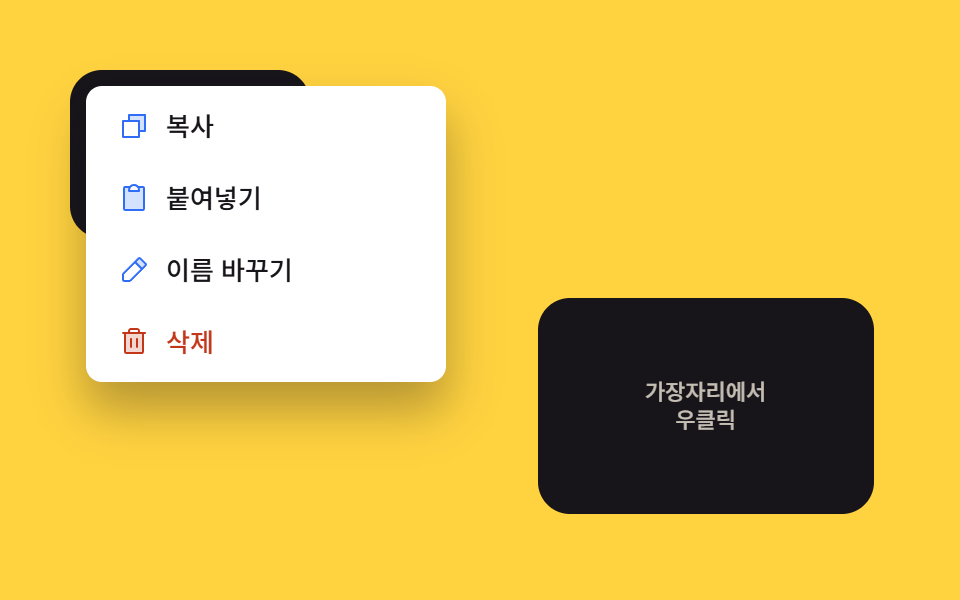 02 context-menu-viewport-edge-flip
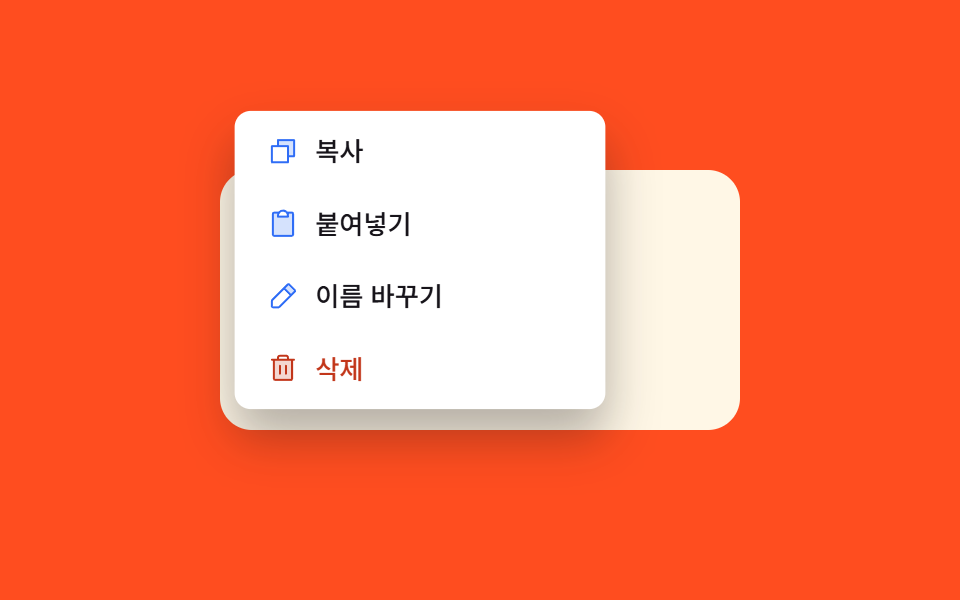 03 context-menu-scale-fade-in
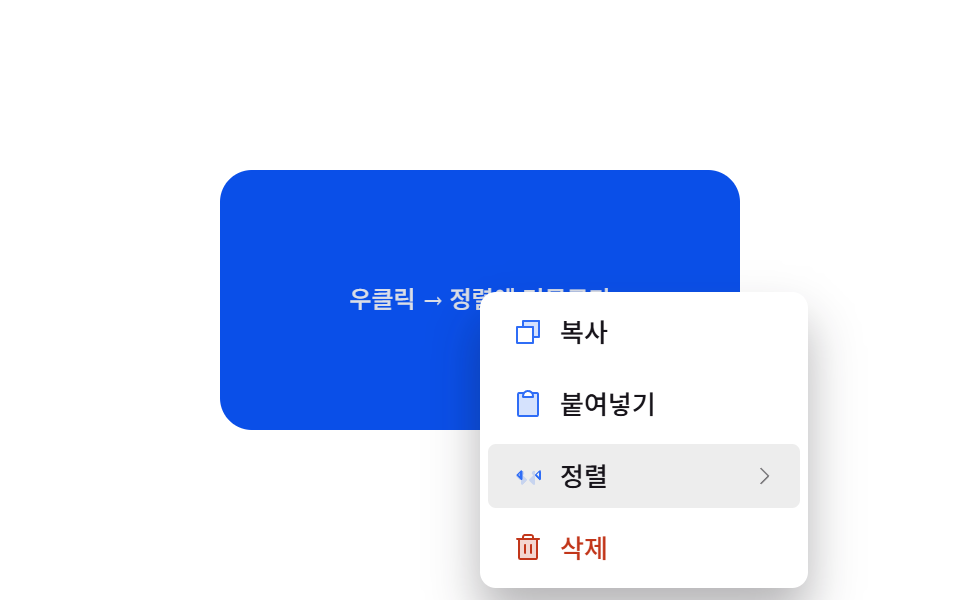 04 context-menu-submenu-cascade-open
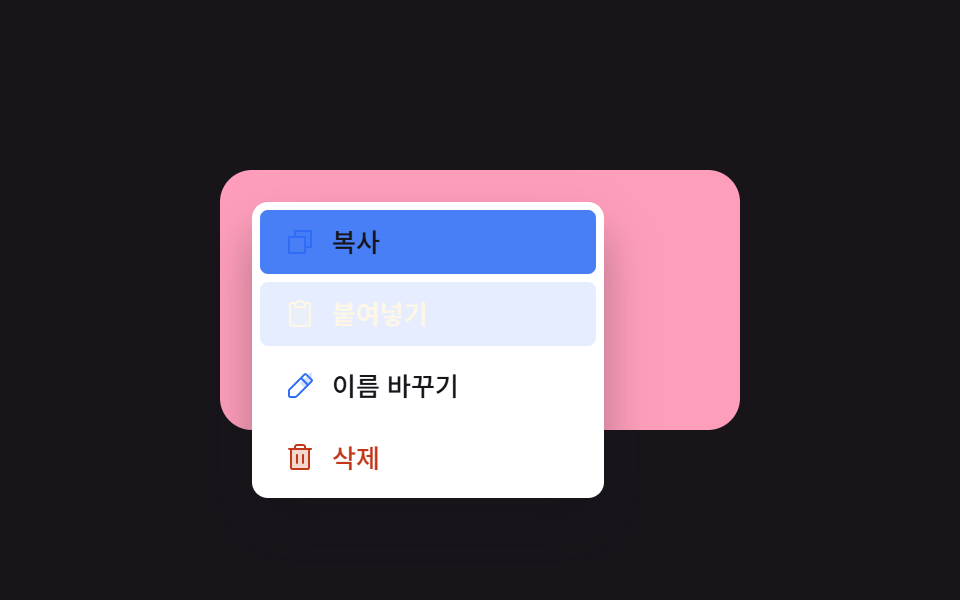 05 context-menu-keyboard-arrow-highlight
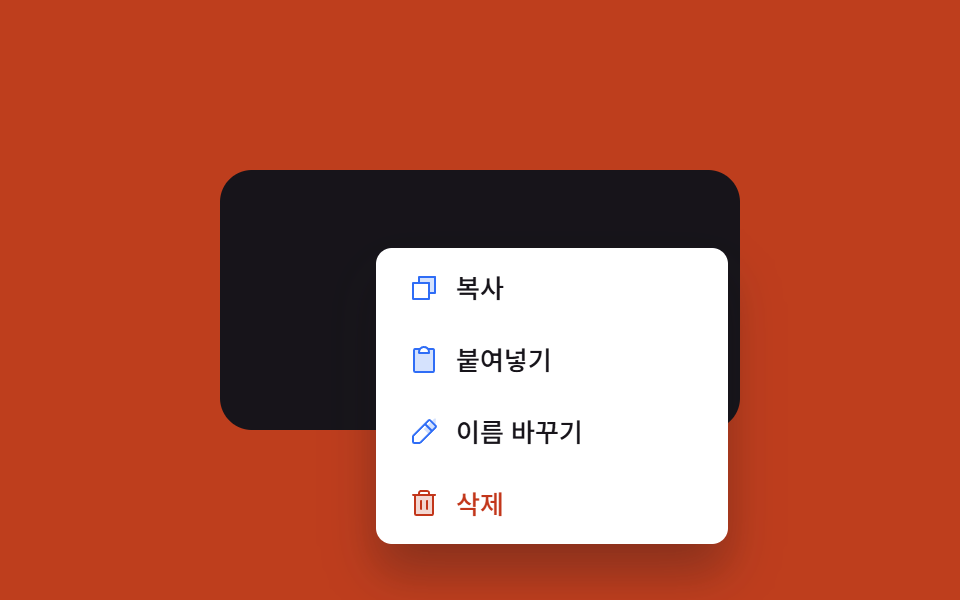 06 context-menu-backdrop-dismiss-fade
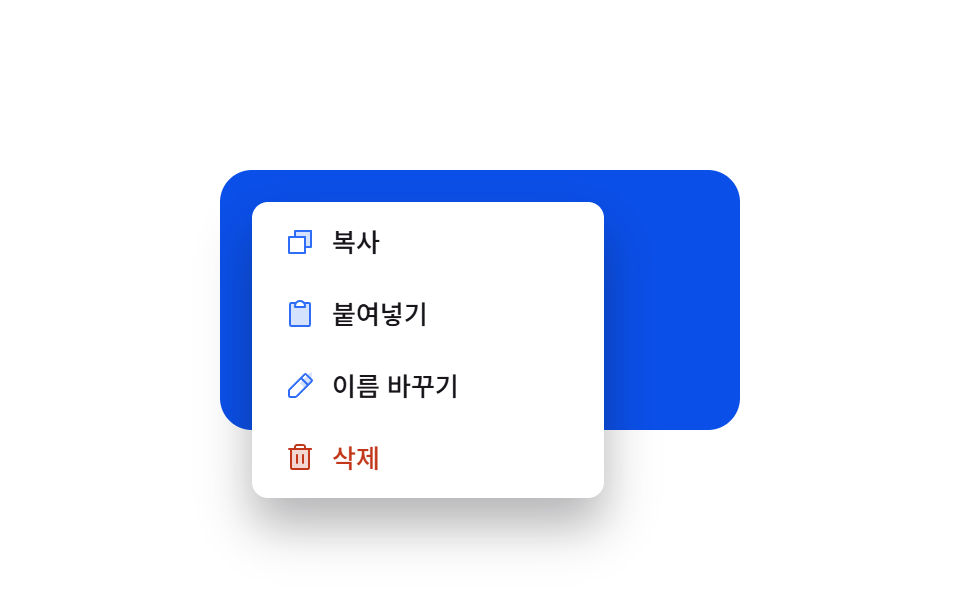 07 context-menu-icon-label-stagger
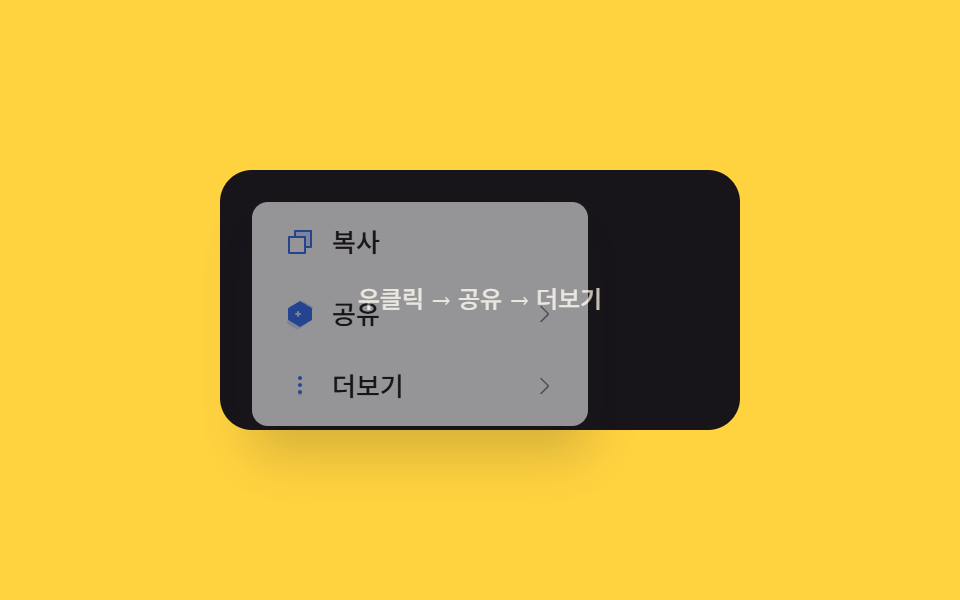 08 context-menu-nested-depth-slide
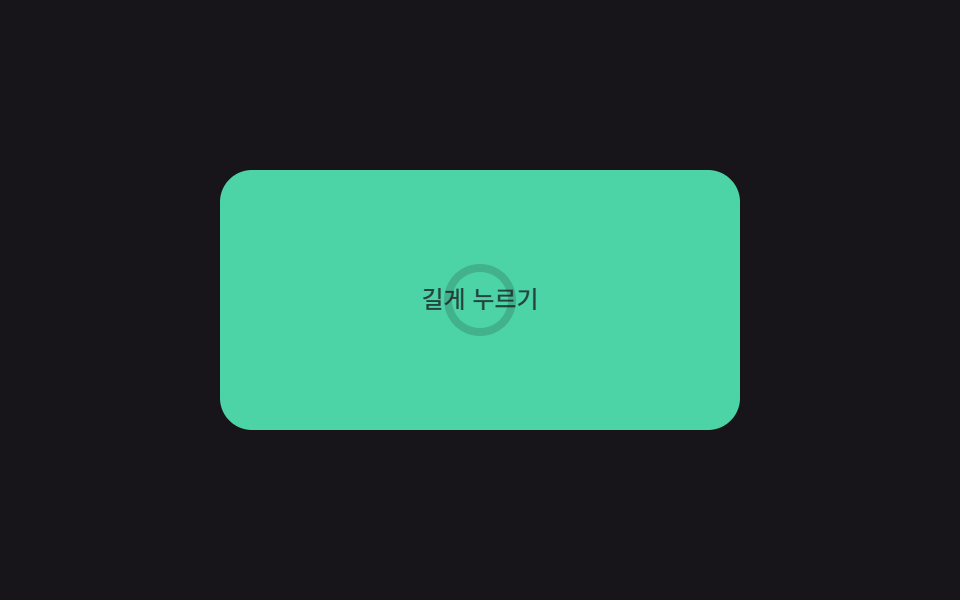 09 context-menu-long-press-mobile-open
Auto-plays · click a tile to jump to its section · all nine in one zip
- 01 Cursor position anchor — the clicked coordinate value directly becomes the menu's spawn position
- 02 Viewport edge flip — the opening direction value reverses once the position value reaches a screen edge
- 03 Scale fade-in — size and opacity values grow together from a smaller starting value
- 04 Submenu cascade open — a submenu opens once the hovered duration value passes a set amount
- 05 Keyboard arrow highlight — the highlighted position value moves through the list by each key press
- 06 Backdrop dismiss fade — the opacity value drops to zero once a click outside the menu is registered
- 07 Row stagger reveal — each row's position fills in after a delay proportional to its own order value
- 08 Nested depth slide — the whole menu shifts sideways by a distance tied to the entered depth value
- 09 Long-press reveal — the menu appears once the pressed duration value passes a threshold
None of the nine ever touch a real filesystem or clipboard action — every "Copy," "Rename," or "Delete" button only swaps a CSS class, and 09's long-press ring is driven by a local requestAnimationFrame loop rather than any native touch API. All nine also answer a genuine user input rather than running on autoplay alone: eight open through a real contextmenu event with preventDefault() called first, and 09 opens instead through a timed long-press built from pointerdown/pointerup/pointerleave — eight plus one, nine real triggers out of nine.
Anatomy of nine patterns — which value changes and when
Nine patterns split by what a click coordinate is actually used for once a menu opens, and that split is what keeps a context menu ui design collection from reading as nine identical boxes popping up under nine right-click prompts.
Why three patterns spend the click coordinate only on where the box lands
01, 02, and 03 never touch a submenu, a keyboard index, or a dismiss timer — each one exists purely to decide where the menu box appears from a single clicked point. 01's positionAt() feeds the raw clientX/clientY straight into a translate(), clamped per axis so the box never crosses GAP from either edge. 02's flipFor() runs that same clamp but first checks whether the box's projected right or bottom edge would cross the viewport, and reverses the anchor on whichever axis overflows. 03's openAt() centers the box on the click point, then works backward from wherever the clamp nudged it to compute a transformOrigin percentage — the same click point drives both the position and the direction the scale animation grows from.
Why three patterns reshape the menu over time instead of over space
04, 07, and 08 don't touch a coordinate at all once the menu is already open — each reshapes the box against a duration or a depth instead. 04's scheduleSub() starts a setTimeout keyed to CASCADE_MS the moment a pointer enters the Sort row, and clearHover() cancels it the instant the pointer leaves, so only a hover that outlasts that timer ever triggers place() on the submenu. 07's applyStagger() multiplies each row's own index by STAGGER_MS and writes it straight into that row's transitionDelay, so CSS handles the actual reveal once the delay values are set. 08's goTo() multiplies a depth counter by a fixed PANEL_W and applies it as a single translateX() on the whole track, so every step in or out of a submenu moves the same distance regardless of which panel it is.
Why three patterns swap the mouse for a different real input entirely
05, 06, and 09 each replace part of the usual click-to-open, click-to-close cycle with a different input. 05's moveHighlight() never reads a pointer position — document.keydown drives (hi + dir + n) % n so ArrowUp and ArrowDown wrap the highlighted row around the ends of the list. 06's isInside() still reads a pointer coordinate, but only to decide whether a pointerdown on the full-screen backdrop landed outside the menu's own getBoundingClientRect(), fading both away together when it did. 09 replaces contextmenu as the trigger altogether — tickPress() recomputes a stroke-dashoffset from elapsed time on every animation frame while a finger is down, and only calls finishPress() once that progress value reaches 1.
Code per pattern
01Cursor position anchor — the clicked coordinate value directly becomes the menu's spawn position
The screen coordinate value where a right-click happens becomes the menu box's own position value with nothing in between, and once the menu closes that position value is discarded — the kind of anchor a file list row or an editor's text selection uses.
<main class="stage">
<div class="cm is-demo" id="cm">
  <div class="cm__field" id="cmField">
    <span class="cm__hint" id="cmHint">Right-click</span>
  </div>
  <div class="cm__menu" id="cmMenu" role="menu">
    <button class="cm__item" type="button" role="menuitem">
      <span class="cm__ic"><svg xmlns="http://www.w3.org/2000/svg" viewBox="0 0 256 256"><g fill="currentColor"><path d="M216 40v128h-48V88H88V40Z" opacity=".2"/><path d="M216 32H88a8 8 0 0 0-8 8v40H40a8 8 0 0 0-8 8v128a8 8 0 0 0 8 8h128a8 8 0 0 0 8-8v-40h40a8 8 0 0 0 8-8V40a8 8 0 0 0-8-8m-56 176H48V96h112Zm48-48h-32V88a8 8 0 0 0-8-8H96V48h112Z"/></g></svg></span>
      <span>Copy</span>
    </button>
    <button class="cm__item" type="button" role="menuitem">
      <span class="cm__ic"><svg xmlns="http://www.w3.org/2000/svg" viewBox="0 0 256 256"><g fill="currentColor"><path d="M208 48v168a8 8 0 0 1-8 8H56a8 8 0 0 1-8-8V48a8 8 0 0 1 8-8h40a39.83 39.83 0 0 0-8 24v8h80v-8a39.83 39.83 0 0 0-8-24h40a8 8 0 0 1 8 8" opacity=".2"/><path d="M200 32h-36.26a47.92 47.92 0 0 0-71.48 0H56a16 16 0 0 0-16 16v168a16 16 0 0 0 16 16h144a16 16 0 0 0 16-16V48a16 16 0 0 0-16-16m-72 0a32 32 0 0 1 32 32H96a32 32 0 0 1 32-32m72 184H56V48h26.75A47.9 47.9 0 0 0 80 64v8a8 8 0 0 0 8 8h80a8 8 0 0 0 8-8v-8a47.9 47.9 0 0 0-2.75-16H200Z"/></g></svg></span>
      <span>Paste</span>
    </button>
    <button class="cm__item" type="button" role="menuitem">
      <span class="cm__ic"><svg xmlns="http://www.w3.org/2000/svg" viewBox="0 0 256 256"><g fill="currentColor"><path d="M221.66 90.34L192 120l-56-56l29.66-29.66a8 8 0 0 1 11.31 0L221.66 79a8 8 0 0 1 0 11.34" opacity=".2"/><path d="m227.31 73.37l-44.68-44.69a16 16 0 0 0-22.63 0L36.69 152A15.86 15.86 0 0 0 32 163.31V208a16 16 0 0 0 16 16h44.69a15.86 15.86 0 0 0 11.31-4.69L227.31 96a16 16 0 0 0 0-22.63M92.69 208H48v-44.69l88-88L180.69 120ZM192 108.68L147.31 64l24-24L216 84.68Z"/></g></svg></span>
      <span>Rename</span>
    </button>
    <button class="cm__item cm__item--danger" type="button" role="menuitem">
      <span class="cm__ic"><svg xmlns="http://www.w3.org/2000/svg" viewBox="0 0 256 256"><g fill="currentColor"><path d="M200 56v152a8 8 0 0 1-8 8H64a8 8 0 0 1-8-8V56Z" opacity=".2"/><path d="M216 48h-40v-8a24 24 0 0 0-24-24h-48a24 24 0 0 0-24 24v8H40a8 8 0 0 0 0 16h8v144a16 16 0 0 0 16 16h128a16 16 0 0 0 16-16V64h8a8 8 0 0 0 0-16M96 40a8 8 0 0 1 8-8h48a8 8 0 0 1 8 8v8H96Zm96 168H64V64h128Zm-80-104v64a8 8 0 0 1-16 0v-64a8 8 0 0 1 16 0m48 0v64a8 8 0 0 1-16 0v-64a8 8 0 0 1 16 0"/></g></svg></span>
      <span>Delete</span>
    </button>
  </div>
</div>
</main>@use "../../../../site/static/demo-tokens" as *;
// 계산 겹: 클릭 좌표 값을 뷰포트 경계 안으로 clamp 한 뒤 그 값을 그대로 메뉴 위치로 쓴다 (positionAt()).
@include stage($stage-ink);
.cm {
position: relative;
width: 100%;
height: 100%;
display: grid;
place-items: center;
}
.cm__field {
width: clamp(180px, 60vw, 260px);
height: 130px;
border-radius: $r-card;
background: $subject-cream;
color: $subject-ink;
display: grid;
place-items: center;
gap: $sp-1;
font: 600 14px/1.3 -apple-system, "Segoe UI", "Noto Sans KR", sans-serif;
text-align: center;
padding: $sp-3;
box-sizing: border-box;
user-select: none;
}
.cm__hint { opacity: .7; font-weight: 500; font-size: 12px; }
.cm__menu {
position: fixed;
top: 0;
left: 0;
min-width: 176px;
background: $stage-paper;
border-radius: $r-sm;
box-shadow: $shadow-raised;
padding: $sp-1;
display: grid;
gap: $sp-1;
opacity: 0;
pointer-events: none;
transition: opacity $dur-quick $ease-out;
z-index: 5;
&.is-open { opacity: 1; pointer-events: auto; }
}
.cm__item {
display: flex;
align-items: center;
gap: $sp-2;
padding: $sp-2 $sp-3;
border: 0;
background: none;
border-radius: $r-xs;
font: 500 13px/1.2 -apple-system, "Segoe UI", "Noto Sans KR", sans-serif;
color: $subject-ink;
cursor: pointer;
text-align: left;
&:hover, &:focus-visible { background: rgba($subject-ink, .08); }
&--danger { color: $error; }
}
.cm__ic {
width: 16px;
height: 16px;
flex: none;
color: $subject-blue;
svg { display: block; width: 100%; height: 100%; }
}
.cm__item--danger .cm__ic { color: $error; }
@media (max-width: 340px) {
.cm__field { width: 176px; height: 108px; font-size: 12px; padding: $sp-2; }
.cm__menu { min-width: 148px; }
.cm__item { padding: $sp-1 $sp-2; font-size: 12px; }
}
@media (prefers-reduced-motion: reduce) {
.cm__menu { transition: none; }
}html, body {
margin: 0;
overflow: hidden;
}
.stage {
box-sizing: border-box;
min-height: 100vh;
display: grid;
place-items: center;
margin: 0;
background: #17141a;
font-family: -apple-system, "Segoe UI", "Noto Sans KR", sans-serif;
padding: clamp(8px, 4vw, 24px);
}
.cm {
position: relative;
width: 100%;
height: 100%;
display: grid;
place-items: center;
}
.cm__field {
width: clamp(180px, 60vw, 260px);
height: 130px;
border-radius: 16px;
background: #fff7e6;
color: #17141a;
display: grid;
place-items: center;
gap: 4px;
font: 600 14px/1.3 -apple-system, "Segoe UI", "Noto Sans KR", sans-serif;
text-align: center;
padding: 12px;
box-sizing: border-box;
user-select: none;
}
.cm__hint {
opacity: 0.7;
font-weight: 500;
font-size: 12px;
}
.cm__menu {
position: fixed;
top: 0;
left: 0;
min-width: 176px;
background: #ffffff;
border-radius: 8px;
box-shadow: 0 14px 24px rgba(23, 20, 26, 0.32);
padding: 4px;
display: grid;
gap: 4px;
opacity: 0;
pointer-events: none;
transition: opacity 220ms ease-out;
z-index: 5;
}
.cm__menu.is-open {
opacity: 1;
pointer-events: auto;
}
.cm__item {
display: flex;
align-items: center;
gap: 8px;
padding: 8px 12px;
border: 0;
background: none;
border-radius: 4px;
font: 500 13px/1.2 -apple-system, "Segoe UI", "Noto Sans KR", sans-serif;
color: #17141a;
cursor: pointer;
text-align: left;
}
.cm__item:hover, .cm__item:focus-visible {
background: rgba(23, 20, 26, 0.08);
}
.cm__item--danger {
color: #c2361a;
}
.cm__ic {
width: 16px;
height: 16px;
flex: none;
color: #2f6df6;
}
.cm__ic svg {
display: block;
width: 100%;
height: 100%;
}
.cm__item--danger .cm__ic {
color: #c2361a;
}
@media (max-width: 340px) {
.cm__field {
width: 176px;
height: 108px;
font-size: 12px;
padding: 8px;
}
.cm__menu {
min-width: 148px;
}
.cm__item {
padding: 4px 8px;
font-size: 12px;
}
}
@media (prefers-reduced-motion: reduce) {
.cm__menu {
transition: none;
}
}(function () {
var field = document.getElementById('cmField');
var menu = document.getElementById('cmMenu');
var root = document.getElementById('cm');
var GAP = 8; // 화면 경계에서 남기는 여백
function positionAt(x, y) {
var mw = menu.offsetWidth, mh = menu.offsetHeight;
var vw = document.documentElement.clientWidth, vh = document.documentElement.clientHeight;
// 계산 겹: 클릭 좌표 값을 그대로 쓰되, 메뉴 상자가 화면을 벗어나지 않도록 각 축을 독립적으로 clamp 한다.
var px = Math.max(GAP, Math.min(x, vw - mw - GAP));
var py = Math.max(GAP, Math.min(y, vh - mh - GAP));
menu.style.transform = 'translate(' + px.toFixed(0) + 'px,' + py.toFixed(0) + 'px)';
}
function open(x, y) {
positionAt(x, y);
menu.classList.add('is-open');
}
function close() { menu.classList.remove('is-open'); }
field.addEventListener('contextmenu', function (e) {
e.preventDefault();
root.classList.remove('is-demo'); stopAutoplay();
open(e.clientX, e.clientY);
});
document.addEventListener('pointerdown', function (e) {
if (menu.classList.contains('is-open') && !menu.contains(e.target) && e.target !== field) {
close();
}
});
menu.addEventListener('click', close);
// 자동 루프: 클릭 좌표 값이 다른 네 지점(모서리 근처 포함)을 돌며 같은 positionAt() 경로를 탄다.
var points = [
{ x: 90, y: 86 }, { x: 300, y: 54 }, { x: 56, y: 190 }, { x: 268, y: 214 }
];
var tick = 0, autoTimer = null;
function autoTick() {
var step = tick % (points.length * 2);
if (step % 2 === 0) {
var p = points[step / 2];
open(p.x, p.y);
} else {
close();
}
tick++;
}
var reduce = window.matchMedia('(prefers-reduced-motion: reduce)').matches;
function stopAutoplay() { if (autoTimer) { clearInterval(autoTimer); autoTimer = null; } }
if (!reduce) { autoTimer = setInterval(autoTick, 250); autoTick(); }
})();import { useEffect, useRef } from "react";
import styles from "./CursorPositionAnchor.module.scss";
const ICON_COPY = '<svg xmlns="http://www.w3.org/2000/svg" viewBox="0 0 256 256"><g fill="currentColor"><path d="M216 40v128h-48V88H88V40Z" opacity=".2"/><path d="M216 32H88a8 8 0 0 0-8 8v40H40a8 8 0 0 0-8 8v128a8 8 0 0 0 8 8h128a8 8 0 0 0 8-8v-40h40a8 8 0 0 0 8-8V40a8 8 0 0 0-8-8m-56 176H48V96h112Zm48-48h-32V88a8 8 0 0 0-8-8H96V48h112Z"/></g></svg>';
const ICON_PASTE = '<svg xmlns="http://www.w3.org/2000/svg" viewBox="0 0 256 256"><g fill="currentColor"><path d="M208 48v168a8 8 0 0 1-8 8H56a8 8 0 0 1-8-8V48a8 8 0 0 1 8-8h40a39.83 39.83 0 0 0-8 24v8h80v-8a39.83 39.83 0 0 0-8-24h40a8 8 0 0 1 8 8" opacity=".2"/><path d="M200 32h-36.26a47.92 47.92 0 0 0-71.48 0H56a16 16 0 0 0-16 16v168a16 16 0 0 0 16 16h144a16 16 0 0 0 16-16V48a16 16 0 0 0-16-16m-72 0a32 32 0 0 1 32 32H96a32 32 0 0 1 32-32m72 184H56V48h26.75A47.9 47.9 0 0 0 80 64v8a8 8 0 0 0 8 8h80a8 8 0 0 0 8-8v-8a47.9 47.9 0 0 0-2.75-16H200Z"/></g></svg>';
const ICON_RENAME = '<svg xmlns="http://www.w3.org/2000/svg" viewBox="0 0 256 256"><g fill="currentColor"><path d="M221.66 90.34L192 120l-56-56l29.66-29.66a8 8 0 0 1 11.31 0L221.66 79a8 8 0 0 1 0 11.34" opacity=".2"/><path d="m227.31 73.37l-44.68-44.69a16 16 0 0 0-22.63 0L36.69 152A15.86 15.86 0 0 0 32 163.31V208a16 16 0 0 0 16 16h44.69a15.86 15.86 0 0 0 11.31-4.69L227.31 96a16 16 0 0 0 0-22.63M92.69 208H48v-44.69l88-88L180.69 120ZM192 108.68L147.31 64l24-24L216 84.68Z"/></g></svg>';
const ICON_TRASH = '<svg xmlns="http://www.w3.org/2000/svg" viewBox="0 0 256 256"><g fill="currentColor"><path d="M200 56v152a8 8 0 0 1-8 8H64a8 8 0 0 1-8-8V56Z" opacity=".2"/><path d="M216 48h-40v-8a24 24 0 0 0-24-24h-48a24 24 0 0 0-24 24v8H40a8 8 0 0 0 0 16h8v144a16 16 0 0 0 16 16h128a16 16 0 0 0 16-16V64h8a8 8 0 0 0 0-16M96 40a8 8 0 0 1 8-8h48a8 8 0 0 1 8 8v8H96Zm96 168H64V64h128Zm-80-104v64a8 8 0 0 1-16 0v-64a8 8 0 0 1 16 0m48 0v64a8 8 0 0 1-16 0v-64a8 8 0 0 1 16 0"/></g></svg>';
export type CursorPositionAnchorProps = {
color?: string;
};
export default function CursorPositionAnchor({
color = "#2f6df6",
}: CursorPositionAnchorProps) {
const rootRef = useRef<HTMLDivElement | null>(null);
useEffect(() => {
const root = rootRef.current;
if (!root) return;
const field = root.querySelector<HTMLDivElement>(`.${styles.field}`);
const menu = root.querySelector<HTMLDivElement>(`.${styles.menu}`);
if (!field || !menu) return;
const GAP = 6;
// 계산 겹: 클릭 좌표를 그대로 앵커로 쓰되, 메뉴 크기와 뷰포트 크기를 재서 넘치는 만큼만
// 안쪽으로 clamp 한다 — 항상 실제 클릭 지점에서 가장 가까운 안전한 좌표로 붙인다.
function positionAt(x: number, y: number) {
const mw = menu!.offsetWidth, mh = menu!.offsetHeight;
const vw = document.documentElement.clientWidth, vh = document.documentElement.clientHeight;
const px = Math.max(GAP, Math.min(x, vw - mw - GAP));
const py = Math.max(GAP, Math.min(y, vh - mh - GAP));
menu!.style.transform = `translate(${px.toFixed(0)}px,${py.toFixed(0)}px)`;
}
function open(x: number, y: number) {
positionAt(x, y);
menu!.classList.add(styles.open);
}
function close() { menu!.classList.remove(styles.open); }
function onContextMenu(e: MouseEvent) {
e.preventDefault();
stopAutoplay();
open(e.clientX, e.clientY);
}
function onDocDown(e: PointerEvent) {
if (menu!.classList.contains(styles.open) && !menu!.contains(e.target as Node) && e.target !== field) close();
}
field.addEventListener("contextmenu", onContextMenu);
document.addEventListener("pointerdown", onDocDown);
menu.addEventListener("click", close);
const points = [{ x: 24, y: 20 }, { x: -24, y: 30 }, { x: 0, y: -20 }, { x: 32, y: -10 }];
let tick = 0;
let autoTimer: number | null = null;
function autoTick() {
const step = tick % (points.length * 2);
if (step % 2 === 0) {
const r = field!.getBoundingClientRect();
const p = points[step / 2];
open(r.left + r.width / 2 + p.x, r.top + r.height / 2 + p.y);
} else {
close();
}
tick++;
}
function stopAutoplay() {
if (autoTimer !== null) { window.clearInterval(autoTimer); autoTimer = null; }
}
const reduce = window.matchMedia("(prefers-reduced-motion: reduce)").matches;
if (!reduce) { autoTimer = window.setInterval(autoTick, 250); autoTick(); }
return () => {
stopAutoplay();
field.removeEventListener("contextmenu", onContextMenu);
document.removeEventListener("pointerdown", onDocDown);
};
}, []);
return (
<div ref={rootRef} className={styles.stage}>
<div className={styles.cm}>
<div className={styles.field}>
<span className={styles.hint}>우클릭</span>
</div>
<div className={styles.menu} role="menu">
<button type="button" className={styles.item} role="menuitem">
<span className={styles.ic} style={{ color }} dangerouslySetInnerHTML={{ __html: ICON_COPY }} />
<span>복사</span>
</button>
<button type="button" className={styles.item} role="menuitem">
<span className={styles.ic} style={{ color }} dangerouslySetInnerHTML={{ __html: ICON_PASTE }} />
<span>붙여넣기</span>
</button>
<button type="button" className={styles.item} role="menuitem">
<span className={styles.ic} style={{ color }} dangerouslySetInnerHTML={{ __html: ICON_RENAME }} />
<span>이름 바꾸기</span>
</button>
<button type="button" className={`${styles.item} ${styles.danger}`} role="menuitem">
<span className={styles.ic} dangerouslySetInnerHTML={{ __html: ICON_TRASH }} />
<span>삭제</span>
</button>
</div>
</div>
</div>
);
}01 · Cursor position anchor — the clicked coordinate value directly becomes the menu's spawn position — Measured area 51.248% · moving frames 7/23Original by GODRICH · SCSS and React ship in the zip · See the password
What the numbers say
Across 23 tracked frames, 01 moves on 7 of them, covering a 51.25% cumulative area at a 118.5 average intensity — the highest cumulative area of the nine, because the autoplay loop reopens the whole menu box at four different points spread across the field, so each appearance repaints a different region of the 480×300 stage rather than the same corner every time.
  var GAP = 8; // margin kept at the screen edge

  function positionAt(x, y) {
    var mw = menu.offsetWidth, mh = menu.offsetHeight;
    var vw = document.documentElement.clientWidth, vh = document.documentElement.clientHeight;
    // Calculation layer: use the click coordinate value as-is, but clamp each axis
    // independently so the menu box never leaves the screen.
    var px = Math.max(GAP, Math.min(x, vw - mw - GAP));
    var py = Math.max(GAP, Math.min(y, vh - mh - GAP));
    menu.style.transform = 'translate(' + px.toFixed(0) + 'px,' + py.toFixed(0) + 'px)';
  }
02Viewport edge flip — the opening direction value reverses once the position value reaches a screen edge
Once the menu box's projected right edge would cross the screen width value, the opening direction value flips to the left of the click point instead, and the same happens on the bottom edge with an upward direction value — useful for a right-click near the far edge of a wide table or a card grid.
<main class="stage">
<div class="cm is-demo" id="cm">
  <div class="cm__field cm__field--alt" id="cmFieldAlt">
    <span class="cm__hint">Top-left<br>Right-click</span>
  </div>
  <div class="cm__field" id="cmField">
    <span class="cm__hint">Near the edge<br>Right-click</span>
  </div>
  <div class="cm__menu" id="cmMenu" role="menu">
    <button class="cm__item" type="button" role="menuitem">
      <span class="cm__ic"><svg xmlns="http://www.w3.org/2000/svg" viewBox="0 0 256 256"><g fill="currentColor"><path d="M216 40v128h-48V88H88V40Z" opacity=".2"/><path d="M216 32H88a8 8 0 0 0-8 8v40H40a8 8 0 0 0-8 8v128a8 8 0 0 0 8 8h128a8 8 0 0 0 8-8v-40h40a8 8 0 0 0 8-8V40a8 8 0 0 0-8-8m-56 176H48V96h112Zm48-48h-32V88a8 8 0 0 0-8-8H96V48h112Z"/></g></svg></span>
      <span>Copy</span>
    </button>
    <button class="cm__item" type="button" role="menuitem">
      <span class="cm__ic"><svg xmlns="http://www.w3.org/2000/svg" viewBox="0 0 256 256"><g fill="currentColor"><path d="M208 48v168a8 8 0 0 1-8 8H56a8 8 0 0 1-8-8V48a8 8 0 0 1 8-8h40a39.83 39.83 0 0 0-8 24v8h80v-8a39.83 39.83 0 0 0-8-24h40a8 8 0 0 1 8 8" opacity=".2"/><path d="M200 32h-36.26a47.92 47.92 0 0 0-71.48 0H56a16 16 0 0 0-16 16v168a16 16 0 0 0 16 16h144a16 16 0 0 0 16-16V48a16 16 0 0 0-16-16m-72 0a32 32 0 0 1 32 32H96a32 32 0 0 1 32-32m72 184H56V48h26.75A47.9 47.9 0 0 0 80 64v8a8 8 0 0 0 8 8h80a8 8 0 0 0 8-8v-8a47.9 47.9 0 0 0-2.75-16H200Z"/></g></svg></span>
      <span>Paste</span>
    </button>
    <button class="cm__item" type="button" role="menuitem">
      <span class="cm__ic"><svg xmlns="http://www.w3.org/2000/svg" viewBox="0 0 256 256"><g fill="currentColor"><path d="M221.66 90.34L192 120l-56-56l29.66-29.66a8 8 0 0 1 11.31 0L221.66 79a8 8 0 0 1 0 11.34" opacity=".2"/><path d="m227.31 73.37l-44.68-44.69a16 16 0 0 0-22.63 0L36.69 152A15.86 15.86 0 0 0 32 163.31V208a16 16 0 0 0 16 16h44.69a15.86 15.86 0 0 0 11.31-4.69L227.31 96a16 16 0 0 0 0-22.63M92.69 208H48v-44.69l88-88L180.69 120ZM192 108.68L147.31 64l24-24L216 84.68Z"/></g></svg></span>
      <span>Rename</span>
    </button>
    <button class="cm__item cm__item--danger" type="button" role="menuitem">
      <span class="cm__ic"><svg xmlns="http://www.w3.org/2000/svg" viewBox="0 0 256 256"><g fill="currentColor"><path d="M200 56v152a8 8 0 0 1-8 8H64a8 8 0 0 1-8-8V56Z" opacity=".2"/><path d="M216 48h-40v-8a24 24 0 0 0-24-24h-48a24 24 0 0 0-24 24v8H40a8 8 0 0 0 0 16h8v144a16 16 0 0 0 16 16h128a16 16 0 0 0 16-16V64h8a8 8 0 0 0 0-16M96 40a8 8 0 0 1 8-8h48a8 8 0 0 1 8 8v8H96Zm96 168H64V64h128Zm-80-104v64a8 8 0 0 1-16 0v-64a8 8 0 0 1 16 0m48 0v64a8 8 0 0 1-16 0v-64a8 8 0 0 1 16 0"/></g></svg></span>
      <span>Delete</span>
    </button>
  </div>
</div>
</main>@use "../../../../site/static/demo-tokens" as *;
// 계산 겹: 메뉴 상자의 오른쪽·아래쪽 끝 좌표 값이 화면 폭·높이 값을 넘어서는지 먼저 계산하고,
// 넘어서면 펼치는 방향(transform-origin)과 앵커 좌표를 반대로 뒤집는다 (flipFor()).
@include stage($stage-yellow);
.cm {
position: relative;
width: 100%;
height: 100%;
}
.cm__field {
position: absolute;
right: $sp-6;
bottom: $sp-6;
width: 168px;
height: 108px;
border-radius: $r-card;
background: $subject-ink;
color: $subject-cream;
display: grid;
place-items: center;
text-align: center;
padding: $sp-3;
box-sizing: border-box;
font: 600 13px/1.3 -apple-system, "Segoe UI", "Noto Sans KR", sans-serif;
user-select: none;
}
.cm__field--alt {
right: auto;
left: $sp-4;
top: $sp-4;
bottom: auto;
width: 120px;
height: 84px;
}
.cm__hint { opacity: .75; font-weight: 500; font-size: 11px; }
.cm__menu {
position: fixed;
top: 0;
left: 0;
min-width: 172px;
background: $stage-paper;
border-radius: $r-sm;
box-shadow: $shadow-raised;
padding: $sp-1;
display: grid;
gap: $sp-1;
opacity: 0;
transform: scale(.94);
transform-origin: top left;
pointer-events: none;
transition: opacity $dur-quick $ease-out, transform $dur-quick $ease-out;
z-index: 5;
&.is-open { opacity: 1; transform: scale(1); pointer-events: auto; }
&.flip-x { transform-origin: top right; }
&.flip-y { transform-origin: bottom left; }
&.flip-x.flip-y { transform-origin: bottom right; }
}
.cm__item {
display: flex;
align-items: center;
gap: $sp-2;
padding: $sp-2 $sp-3;
border: 0;
background: none;
border-radius: $r-xs;
font: 500 13px/1.2 -apple-system, "Segoe UI", "Noto Sans KR", sans-serif;
color: $subject-ink;
cursor: pointer;
text-align: left;
&:hover, &:focus-visible { background: rgba($subject-ink, .08); }
&--danger { color: $error; }
}
.cm__ic {
width: 16px;
height: 16px;
flex: none;
color: $subject-blue;
svg { display: block; width: 100%; height: 100%; }
}
.cm__item--danger .cm__ic { color: $error; }
@media (max-width: 340px) {
.cm__field { width: 140px; height: 96px; right: $sp-3; bottom: $sp-3; font-size: 11px; }
.cm__field--alt { width: 104px; height: 76px; left: $sp-2; top: $sp-2; }
.cm__menu { min-width: 144px; }
.cm__item { padding: $sp-1 $sp-2; font-size: 12px; }
}
@media (prefers-reduced-motion: reduce) {
.cm__menu { transition: none; }
}html, body {
margin: 0;
overflow: hidden;
}
.stage {
box-sizing: border-box;
min-height: 100vh;
display: grid;
place-items: center;
margin: 0;
background: #ffd23f;
font-family: -apple-system, "Segoe UI", "Noto Sans KR", sans-serif;
padding: clamp(8px, 4vw, 24px);
}
.cm {
position: relative;
width: 100%;
height: 100%;
}
.cm__field {
position: absolute;
right: 24px;
bottom: 24px;
width: 168px;
height: 108px;
border-radius: 16px;
background: #17141a;
color: #fff7e6;
display: grid;
place-items: center;
text-align: center;
padding: 12px;
box-sizing: border-box;
font: 600 13px/1.3 -apple-system, "Segoe UI", "Noto Sans KR", sans-serif;
user-select: none;
}
.cm__field--alt {
right: auto;
left: 16px;
top: 16px;
bottom: auto;
width: 120px;
height: 84px;
}
.cm__hint {
opacity: 0.75;
font-weight: 500;
font-size: 11px;
}
.cm__menu {
position: fixed;
top: 0;
left: 0;
min-width: 172px;
background: #ffffff;
border-radius: 8px;
box-shadow: 0 14px 24px rgba(23, 20, 26, 0.32);
padding: 4px;
display: grid;
gap: 4px;
opacity: 0;
transform: scale(0.94);
transform-origin: top left;
pointer-events: none;
transition: opacity 220ms ease-out, transform 220ms ease-out;
z-index: 5;
}
.cm__menu.is-open {
opacity: 1;
transform: scale(1);
pointer-events: auto;
}
.cm__menu.flip-x {
transform-origin: top right;
}
.cm__menu.flip-y {
transform-origin: bottom left;
}
.cm__menu.flip-x.flip-y {
transform-origin: bottom right;
}
.cm__item {
display: flex;
align-items: center;
gap: 8px;
padding: 8px 12px;
border: 0;
background: none;
border-radius: 4px;
font: 500 13px/1.2 -apple-system, "Segoe UI", "Noto Sans KR", sans-serif;
color: #17141a;
cursor: pointer;
text-align: left;
}
.cm__item:hover, .cm__item:focus-visible {
background: rgba(23, 20, 26, 0.08);
}
.cm__item--danger {
color: #c2361a;
}
.cm__ic {
width: 16px;
height: 16px;
flex: none;
color: #2f6df6;
}
.cm__ic svg {
display: block;
width: 100%;
height: 100%;
}
.cm__item--danger .cm__ic {
color: #c2361a;
}
@media (max-width: 340px) {
.cm__field {
width: 140px;
height: 96px;
right: 12px;
bottom: 12px;
font-size: 11px;
}
.cm__field--alt {
width: 104px;
height: 76px;
left: 8px;
top: 8px;
}
.cm__menu {
min-width: 144px;
}
.cm__item {
padding: 4px 8px;
font-size: 12px;
}
}
@media (prefers-reduced-motion: reduce) {
.cm__menu {
transition: none;
}
}(function () {
var field = document.getElementById('cmField');
var fieldAlt = document.getElementById('cmFieldAlt');
var menu = document.getElementById('cmMenu');
var root = document.getElementById('cm');
var GAP = 4;
function flipFor(x, y) {
var mw = menu.offsetWidth, mh = menu.offsetHeight;
var vw = document.documentElement.clientWidth, vh = document.documentElement.clientHeight;
// 계산 겹: 메뉴 상자의 오른쪽·아래쪽 끝(x+mw, y+mh)이 화면 폭·높이 값을 넘어서는지 먼저 재고,
// 넘어서는 축만 앵커에서 메뉴 크기만큼 반대로 밀어 펼치는 방향을 뒤집는다.
var flipX = (x + mw) > vw;
var flipY = (y + mh) > vh;
var px = flipX ? (x - mw) : x;
var py = flipY ? (y - mh) : y;
px = Math.max(GAP, Math.min(px, vw - mw - GAP));
py = Math.max(GAP, Math.min(py, vh - mh - GAP));
menu.style.left = px.toFixed(0) + 'px';
menu.style.top = py.toFixed(0) + 'px';
menu.classList.toggle('flip-x', flipX);
menu.classList.toggle('flip-y', flipY);
}
function open(x, y) {
flipFor(x, y);
menu.classList.add('is-open');
}
function close() { menu.classList.remove('is-open'); }
function wireField(el) {
el.addEventListener('contextmenu', function (e) {
e.preventDefault();
root.classList.remove('is-demo'); stopAutoplay();
var r = el.getBoundingClientRect();
open(e.clientX - r.left > r.width / 2 ? r.right - 2 : r.left + 2, e.clientY);
});
}
wireField(field);
wireField(fieldAlt);
document.addEventListener('pointerdown', function (e) {
if (menu.classList.contains('is-open') && !menu.contains(e.target) && e.target !== field && e.target !== fieldAlt) {
close();
}
});
menu.addEventListener('click', close);
// 자동 루프: Top-left 필드(뒤집힘 없음)와 오른쪽 아래 필드(가로·세로 모두 뒤집힘)를 번갈아 열어
// 같은 flipFor() 경로가 두 경우 모두 다른 방향으로 뒤집는 것을 보여준다.
var seq = [
function () { var r = fieldAlt.getBoundingClientRect(); open(r.left + 8, r.top + 8); },
close,
function () { var r = field.getBoundingClientRect(); open(r.right - 8, r.bottom - 8); },
close
];
var si = 0, autoTimer = null;
function autoTick() { seq[si % seq.length](); si++; }
var reduce = window.matchMedia('(prefers-reduced-motion: reduce)').matches;
function stopAutoplay() { if (autoTimer) { clearInterval(autoTimer); autoTimer = null; } }
if (!reduce) { autoTimer = setInterval(autoTick, 280); autoTick(); }
})();import { useEffect, useRef } from "react";
import styles from "./ViewportEdgeFlip.module.scss";
const ICON_COPY = '<svg xmlns="http://www.w3.org/2000/svg" viewBox="0 0 256 256"><g fill="currentColor"><path d="M216 40v128h-48V88H88V40Z" opacity=".2"/><path d="M216 32H88a8 8 0 0 0-8 8v40H40a8 8 0 0 0-8 8v128a8 8 0 0 0 8 8h128a8 8 0 0 0 8-8v-40h40a8 8 0 0 0 8-8V40a8 8 0 0 0-8-8m-56 176H48V96h112Zm48-48h-32V88a8 8 0 0 0-8-8H96V48h112Z"/></g></svg>';
const ICON_PASTE = '<svg xmlns="http://www.w3.org/2000/svg" viewBox="0 0 256 256"><g fill="currentColor"><path d="M208 48v168a8 8 0 0 1-8 8H56a8 8 0 0 1-8-8V48a8 8 0 0 1 8-8h40a39.83 39.83 0 0 0-8 24v8h80v-8a39.83 39.83 0 0 0-8-24h40a8 8 0 0 1 8 8" opacity=".2"/><path d="M200 32h-36.26a47.92 47.92 0 0 0-71.48 0H56a16 16 0 0 0-16 16v168a16 16 0 0 0 16 16h144a16 16 0 0 0 16-16V48a16 16 0 0 0-16-16m-72 0a32 32 0 0 1 32 32H96a32 32 0 0 1 32-32m72 184H56V48h26.75A47.9 47.9 0 0 0 80 64v8a8 8 0 0 0 8 8h80a8 8 0 0 0 8-8v-8a47.9 47.9 0 0 0-2.75-16H200Z"/></g></svg>';
const ICON_RENAME = '<svg xmlns="http://www.w3.org/2000/svg" viewBox="0 0 256 256"><g fill="currentColor"><path d="M221.66 90.34L192 120l-56-56l29.66-29.66a8 8 0 0 1 11.31 0L221.66 79a8 8 0 0 1 0 11.34" opacity=".2"/><path d="m227.31 73.37l-44.68-44.69a16 16 0 0 0-22.63 0L36.69 152A15.86 15.86 0 0 0 32 163.31V208a16 16 0 0 0 16 16h44.69a15.86 15.86 0 0 0 11.31-4.69L227.31 96a16 16 0 0 0 0-22.63M92.69 208H48v-44.69l88-88L180.69 120ZM192 108.68L147.31 64l24-24L216 84.68Z"/></g></svg>';
const ICON_TRASH = '<svg xmlns="http://www.w3.org/2000/svg" viewBox="0 0 256 256"><g fill="currentColor"><path d="M200 56v152a8 8 0 0 1-8 8H64a8 8 0 0 1-8-8V56Z" opacity=".2"/><path d="M216 48h-40v-8a24 24 0 0 0-24-24h-48a24 24 0 0 0-24 24v8H40a8 8 0 0 0 0 16h8v144a16 16 0 0 0 16 16h128a16 16 0 0 0 16-16V64h8a8 8 0 0 0 0-16M96 40a8 8 0 0 1 8-8h48a8 8 0 0 1 8 8v8H96Zm96 168H64V64h128Zm-80-104v64a8 8 0 0 1-16 0v-64a8 8 0 0 1 16 0m48 0v64a8 8 0 0 1-16 0v-64a8 8 0 0 1 16 0"/></g></svg>';
export type ViewportEdgeFlipProps = {
color?: string;
};
export default function ViewportEdgeFlip({
color = "#2f6df6",
}: ViewportEdgeFlipProps) {
const rootRef = useRef<HTMLDivElement | null>(null);
useEffect(() => {
const root = rootRef.current;
if (!root) return;
const field = root.querySelector<HTMLDivElement>(`.${styles.field}`);
const fieldAlt = root.querySelector<HTMLDivElement>(`.${styles.fieldAlt}`);
const menu = root.querySelector<HTMLDivElement>(`.${styles.menu}`);
if (!field || !fieldAlt || !menu) return;
const GAP = 4;
// 계산 겹: 메뉴 상자의 오른쪽·아래쪽 끝이 뷰포트를 넘는지 먼저 재고, 넘는 축만 앵커에서
// 메뉴 크기만큼 반대로 밀어 펼치는 방향을 뒤집는다.
function flipFor(x: number, y: number) {
const mw = menu!.offsetWidth, mh = menu!.offsetHeight;
const vw = document.documentElement.clientWidth, vh = document.documentElement.clientHeight;
const flipX = (x + mw) > vw;
const flipY = (y + mh) > vh;
let px = flipX ? (x - mw) : x;
let py = flipY ? (y - mh) : y;
px = Math.max(GAP, Math.min(px, vw - mw - GAP));
py = Math.max(GAP, Math.min(py, vh - mh - GAP));
menu!.style.left = px.toFixed(0) + "px";
menu!.style.top = py.toFixed(0) + "px";
menu!.classList.toggle(styles.flipX, flipX);
menu!.classList.toggle(styles.flipY, flipY);
}
function open(x: number, y: number) { flipFor(x, y); menu!.classList.add(styles.open); }
function close() { menu!.classList.remove(styles.open); }
function wireField(el: HTMLDivElement) {
const handler = (e: MouseEvent) => {
e.preventDefault();
stopAutoplay();
const r = el.getBoundingClientRect();
open(e.clientX - r.left > r.width / 2 ? r.right - 2 : r.left + 2, e.clientY);
};
el.addEventListener("contextmenu", handler);
return () => el.removeEventListener("contextmenu", handler);
}
const un1 = wireField(field);
const un2 = wireField(fieldAlt);
function onDocDown(e: PointerEvent) {
if (menu!.classList.contains(styles.open) && !menu!.contains(e.target as Node) && e.target !== field && e.target !== fieldAlt) close();
}
document.addEventListener("pointerdown", onDocDown);
menu.addEventListener("click", close);
const seq = [
() => { const r = fieldAlt.getBoundingClientRect(); open(r.left + 8, r.top + 8); },
close,
() => { const r = field.getBoundingClientRect(); open(r.right - 8, r.bottom - 8); },
close,
];
let si = 0;
let autoTimer: number | null = null;
function autoTick() { seq[si % seq.length](); si++; }
function stopAutoplay() { if (autoTimer !== null) { window.clearInterval(autoTimer); autoTimer = null; } }
const reduce = window.matchMedia("(prefers-reduced-motion: reduce)").matches;
if (!reduce) { autoTimer = window.setInterval(autoTick, 280); autoTick(); }
return () => {
stopAutoplay();
un1(); un2();
document.removeEventListener("pointerdown", onDocDown);
};
}, []);
return (
<div ref={rootRef} className={styles.stage}>
<div className={styles.cm}>
<div className={`${styles.field} ${styles.fieldAlt}`}>
<span className={styles.hint}>왼쪽 위<br />우클릭</span>
</div>
<div className={styles.field}>
<span className={styles.hint}>가장자리에서<br />우클릭</span>
</div>
<div className={styles.menu} role="menu">
<button type="button" className={styles.item} role="menuitem">
<span className={styles.ic} style={{ color }} dangerouslySetInnerHTML={{ __html: ICON_COPY }} />
<span>복사</span>
</button>
<button type="button" className={styles.item} role="menuitem">
<span className={styles.ic} style={{ color }} dangerouslySetInnerHTML={{ __html: ICON_PASTE }} />
<span>붙여넣기</span>
</button>
<button type="button" className={styles.item} role="menuitem">
<span className={styles.ic} style={{ color }} dangerouslySetInnerHTML={{ __html: ICON_RENAME }} />
<span>이름 바꾸기</span>
</button>
<button type="button" className={`${styles.item} ${styles.danger}`} role="menuitem">
<span className={styles.ic} dangerouslySetInnerHTML={{ __html: ICON_TRASH }} />
<span>삭제</span>
</button>
</div>
</div>
</div>
);
}02 · Viewport edge flip — the opening direction value reverses once the position value reaches a screen edge — Measured area 45.69% · moving frames 8/23Original by GODRICH · SCSS and React ship in the zip · See the password
What the numbers say
Across 23 tracked frames, 02 moves on 8 of them, covering a 45.69% cumulative area at a 112.7 average intensity — the second-highest area of the nine, since the autoplay loop alternates between a top-left field with no flip and a bottom-right field where both flip-x and flip-y apply, so the box's scale-and-fade animation repaints two opposite corners of the stage in turn.
  var GAP = 4;

  function flipFor(x, y) {
    var mw = menu.offsetWidth, mh = menu.offsetHeight;
    var vw = document.documentElement.clientWidth, vh = document.documentElement.clientHeight;
    // Calculation layer: first check whether the menu box's right/bottom edge
    // (x+mw, y+mh) would cross the screen width/height value, then flip the
    // opening direction only on the axis that overflows, offsetting the anchor
    // by the menu's own size.
    var flipX = (x + mw) > vw;
    var flipY = (y + mh) > vh;
    var px = flipX ? (x - mw) : x;
    var py = flipY ? (y - mh) : y;
    px = Math.max(GAP, Math.min(px, vw - mw - GAP));
    py = Math.max(GAP, Math.min(py, vh - mh - GAP));
    menu.style.left = px.toFixed(0) + 'px';
    menu.style.top = py.toFixed(0) + 'px';
    menu.classList.toggle('flip-x', flipX);
    menu.classList.toggle('flip-y', flipY);
  }
03Scale fade-in — size and opacity values grow together from a smaller starting value
Once the menu opens, its size value grows from a smaller starting value to full size and its opacity value grows from 0 to 1 over the same duration, and closing runs those same values back down — a short action menu or a table row's right-click menu both read this way.
<main class="stage">
<div class="cm is-demo" id="cm">
  <div class="cm__field" id="cmField">
    <span class="cm__hint">Right-click</span>
  </div>
  <div class="cm__menu" id="cmMenu" role="menu">
    <button class="cm__item" type="button" role="menuitem">
      <span class="cm__ic"><svg xmlns="http://www.w3.org/2000/svg" viewBox="0 0 256 256"><g fill="currentColor"><path d="M216 40v128h-48V88H88V40Z" opacity=".2"/><path d="M216 32H88a8 8 0 0 0-8 8v40H40a8 8 0 0 0-8 8v128a8 8 0 0 0 8 8h128a8 8 0 0 0 8-8v-40h40a8 8 0 0 0 8-8V40a8 8 0 0 0-8-8m-56 176H48V96h112Zm48-48h-32V88a8 8 0 0 0-8-8H96V48h112Z"/></g></svg></span>
      <span>Copy</span>
    </button>
    <button class="cm__item" type="button" role="menuitem">
      <span class="cm__ic"><svg xmlns="http://www.w3.org/2000/svg" viewBox="0 0 256 256"><g fill="currentColor"><path d="M208 48v168a8 8 0 0 1-8 8H56a8 8 0 0 1-8-8V48a8 8 0 0 1 8-8h40a39.83 39.83 0 0 0-8 24v8h80v-8a39.83 39.83 0 0 0-8-24h40a8 8 0 0 1 8 8" opacity=".2"/><path d="M200 32h-36.26a47.92 47.92 0 0 0-71.48 0H56a16 16 0 0 0-16 16v168a16 16 0 0 0 16 16h144a16 16 0 0 0 16-16V48a16 16 0 0 0-16-16m-72 0a32 32 0 0 1 32 32H96a32 32 0 0 1 32-32m72 184H56V48h26.75A47.9 47.9 0 0 0 80 64v8a8 8 0 0 0 8 8h80a8 8 0 0 0 8-8v-8a47.9 47.9 0 0 0-2.75-16H200Z"/></g></svg></span>
      <span>Paste</span>
    </button>
    <button class="cm__item" type="button" role="menuitem">
      <span class="cm__ic"><svg xmlns="http://www.w3.org/2000/svg" viewBox="0 0 256 256"><g fill="currentColor"><path d="M221.66 90.34L192 120l-56-56l29.66-29.66a8 8 0 0 1 11.31 0L221.66 79a8 8 0 0 1 0 11.34" opacity=".2"/><path d="m227.31 73.37l-44.68-44.69a16 16 0 0 0-22.63 0L36.69 152A15.86 15.86 0 0 0 32 163.31V208a16 16 0 0 0 16 16h44.69a15.86 15.86 0 0 0 11.31-4.69L227.31 96a16 16 0 0 0 0-22.63M92.69 208H48v-44.69l88-88L180.69 120ZM192 108.68L147.31 64l24-24L216 84.68Z"/></g></svg></span>
      <span>Rename</span>
    </button>
    <button class="cm__item cm__item--danger" type="button" role="menuitem">
      <span class="cm__ic"><svg xmlns="http://www.w3.org/2000/svg" viewBox="0 0 256 256"><g fill="currentColor"><path d="M200 56v152a8 8 0 0 1-8 8H64a8 8 0 0 1-8-8V56Z" opacity=".2"/><path d="M216 48h-40v-8a24 24 0 0 0-24-24h-48a24 24 0 0 0-24 24v8H40a8 8 0 0 0 0 16h8v144a16 16 0 0 0 16 16h128a16 16 0 0 0 16-16V64h8a8 8 0 0 0 0-16M96 40a8 8 0 0 1 8-8h48a8 8 0 0 1 8 8v8H96Zm96 168H64V64h128Zm-80-104v64a8 8 0 0 1-16 0v-64a8 8 0 0 1 16 0m48 0v64a8 8 0 0 1-16 0v-64a8 8 0 0 1 16 0"/></g></svg></span>
      <span>Delete</span>
    </button>
  </div>
</div>
</main>@use "../../../../site/static/demo-tokens" as *;
// 계산 겹: 메뉴를 클릭 좌표 중심으로 배치한 뒤 화면 경계로 clamp 하고, 실제 클릭 점이 그 상자
// 안의 몇 % 지점에 놓였는지 되짚어(originFor()) transform-origin 으로 넘긴다 — 상자가 밀려도
// 확대는 항상 진짜 클릭 지점에서 시작한다.
@include stage($stage-orange);
.cm {
position: relative;
width: 100%;
height: 100%;
display: grid;
place-items: center;
}
.cm__field {
width: clamp(190px, 60vw, 260px);
height: 130px;
border-radius: $r-card;
background: $subject-cream;
color: $subject-ink;
display: grid;
place-items: center;
padding: $sp-3;
box-sizing: border-box;
font: 600 14px/1.3 -apple-system, "Segoe UI", "Noto Sans KR", sans-serif;
text-align: center;
user-select: none;
}
.cm__hint { opacity: .7; font-weight: 500; font-size: 12px; }
.cm__menu {
position: fixed;
top: 0;
left: 0;
min-width: 176px;
background: $stage-paper;
border-radius: $r-sm;
box-shadow: $shadow-raised;
padding: $sp-1;
display: grid;
gap: $sp-1;
opacity: 0;
transform: scale(.8);
transform-origin: 50% 50%;
pointer-events: none;
transition: opacity $dur-quick $ease-pop, transform $dur-quick $ease-pop;
z-index: 5;
&.is-open { opacity: 1; transform: scale(1); pointer-events: auto; }
}
.cm__item {
display: flex;
align-items: center;
gap: $sp-2;
padding: $sp-2 $sp-3;
border: 0;
background: none;
border-radius: $r-xs;
font: 500 13px/1.2 -apple-system, "Segoe UI", "Noto Sans KR", sans-serif;
color: $subject-ink;
cursor: pointer;
text-align: left;
&:hover, &:focus-visible { background: rgba($subject-ink, .08); }
&--danger { color: $error; }
}
.cm__ic {
width: 16px;
height: 16px;
flex: none;
color: $subject-blue;
svg { display: block; width: 100%; height: 100%; }
}
.cm__item--danger .cm__ic { color: $error; }
@media (max-width: 340px) {
.cm__field { width: 176px; height: 108px; font-size: 12px; padding: $sp-2; }
.cm__menu { min-width: 148px; }
.cm__item { padding: $sp-1 $sp-2; font-size: 12px; }
}
@media (prefers-reduced-motion: reduce) {
.cm__menu { transition: none; }
}html, body {
margin: 0;
overflow: hidden;
}
.stage {
box-sizing: border-box;
min-height: 100vh;
display: grid;
place-items: center;
margin: 0;
background: #ff4d1f;
font-family: -apple-system, "Segoe UI", "Noto Sans KR", sans-serif;
padding: clamp(8px, 4vw, 24px);
}
.cm {
position: relative;
width: 100%;
height: 100%;
display: grid;
place-items: center;
}
.cm__field {
width: clamp(190px, 60vw, 260px);
height: 130px;
border-radius: 16px;
background: #fff7e6;
color: #17141a;
display: grid;
place-items: center;
padding: 12px;
box-sizing: border-box;
font: 600 14px/1.3 -apple-system, "Segoe UI", "Noto Sans KR", sans-serif;
text-align: center;
user-select: none;
}
.cm__hint {
opacity: 0.7;
font-weight: 500;
font-size: 12px;
}
.cm__menu {
position: fixed;
top: 0;
left: 0;
min-width: 176px;
background: #ffffff;
border-radius: 8px;
box-shadow: 0 14px 24px rgba(23, 20, 26, 0.32);
padding: 4px;
display: grid;
gap: 4px;
opacity: 0;
transform: scale(0.8);
transform-origin: 50% 50%;
pointer-events: none;
transition: opacity 220ms cubic-bezier(0.2, 1.4, 0.4, 1), transform 220ms cubic-bezier(0.2, 1.4, 0.4, 1);
z-index: 5;
}
.cm__menu.is-open {
opacity: 1;
transform: scale(1);
pointer-events: auto;
}
.cm__item {
display: flex;
align-items: center;
gap: 8px;
padding: 8px 12px;
border: 0;
background: none;
border-radius: 4px;
font: 500 13px/1.2 -apple-system, "Segoe UI", "Noto Sans KR", sans-serif;
color: #17141a;
cursor: pointer;
text-align: left;
}
.cm__item:hover, .cm__item:focus-visible {
background: rgba(23, 20, 26, 0.08);
}
.cm__item--danger {
color: #c2361a;
}
.cm__ic {
width: 16px;
height: 16px;
flex: none;
color: #2f6df6;
}
.cm__ic svg {
display: block;
width: 100%;
height: 100%;
}
.cm__item--danger .cm__ic {
color: #c2361a;
}
@media (max-width: 340px) {
.cm__field {
width: 176px;
height: 108px;
font-size: 12px;
padding: 8px;
}
.cm__menu {
min-width: 148px;
}
.cm__item {
padding: 4px 8px;
font-size: 12px;
}
}
@media (prefers-reduced-motion: reduce) {
.cm__menu {
transition: none;
}
}(function () {
var field = document.getElementById('cmField');
var menu = document.getElementById('cmMenu');
var root = document.getElementById('cm');
var GAP = 6;
function openAt(x, y) {
var mw = menu.offsetWidth, mh = menu.offsetHeight;
var vw = document.documentElement.clientWidth, vh = document.documentElement.clientHeight;
// 계산 겹: 메뉴를 클릭 좌표가 중심에 오도록 배치한 뒤 화면 경계로 clamp 한다.
var left = Math.max(GAP, Math.min(x - mw / 2, vw - mw - GAP));
var top = Math.max(GAP, Math.min(y - mh / 2, vh - mh - GAP));
// 상자가 clamp 로 밀렸어도, 실제 클릭 점이 그 상자 안의 몇 % 지점인지 되짚어 origin 으로 쓴다.
var originX = Math.max(0, Math.min(100, ((x - left) / mw) * 100));
var originY = Math.max(0, Math.min(100, ((y - top) / mh) * 100));
menu.style.left = left.toFixed(0) + 'px';
menu.style.top = top.toFixed(0) + 'px';
menu.style.transformOrigin = originX.toFixed(1) + '% ' + originY.toFixed(1) + '%';
menu.classList.add('is-open');
}
function close() { menu.classList.remove('is-open'); }
field.addEventListener('contextmenu', function (e) {
e.preventDefault();
root.classList.remove('is-demo'); stopAutoplay();
openAt(e.clientX, e.clientY);
});
document.addEventListener('pointerdown', function (e) {
if (menu.classList.contains('is-open') && !menu.contains(e.target) && e.target !== field) { close(); }
});
menu.addEventListener('click', close);
// 자동 루프: 필드 안의 서로 다른 지점을 클릭해 origin 값이 매번 달라지는 것을 보여준다.
var points = [{ x: -30, y: -20 }, { x: 30, y: 15 }, { x: -10, y: 25 }, { x: 15, y: -25 }];
var tick = 0, autoTimer = null;
function autoTick() {
var step = tick % (points.length * 2);
if (step % 2 === 0) {
var r = field.getBoundingClientRect();
var p = points[step / 2];
openAt(r.left + r.width / 2 + p.x, r.top + r.height / 2 + p.y);
} else {
close();
}
tick++;
}
var reduce = window.matchMedia('(prefers-reduced-motion: reduce)').matches;
function stopAutoplay() { if (autoTimer) { clearInterval(autoTimer); autoTimer = null; } }
if (!reduce) { autoTimer = setInterval(autoTick, 260); autoTick(); }
})();import { useEffect, useRef } from "react";
import styles from "./ScaleFadeIn.module.scss";
const ICON_COPY = '<svg xmlns="http://www.w3.org/2000/svg" viewBox="0 0 256 256"><g fill="currentColor"><path d="M216 40v128h-48V88H88V40Z" opacity=".2"/><path d="M216 32H88a8 8 0 0 0-8 8v40H40a8 8 0 0 0-8 8v128a8 8 0 0 0 8 8h128a8 8 0 0 0 8-8v-40h40a8 8 0 0 0 8-8V40a8 8 0 0 0-8-8m-56 176H48V96h112Zm48-48h-32V88a8 8 0 0 0-8-8H96V48h112Z"/></g></svg>';
const ICON_PASTE = '<svg xmlns="http://www.w3.org/2000/svg" viewBox="0 0 256 256"><g fill="currentColor"><path d="M208 48v168a8 8 0 0 1-8 8H56a8 8 0 0 1-8-8V48a8 8 0 0 1 8-8h40a39.83 39.83 0 0 0-8 24v8h80v-8a39.83 39.83 0 0 0-8-24h40a8 8 0 0 1 8 8" opacity=".2"/><path d="M200 32h-36.26a47.92 47.92 0 0 0-71.48 0H56a16 16 0 0 0-16 16v168a16 16 0 0 0 16 16h144a16 16 0 0 0 16-16V48a16 16 0 0 0-16-16m-72 0a32 32 0 0 1 32 32H96a32 32 0 0 1 32-32m72 184H56V48h26.75A47.9 47.9 0 0 0 80 64v8a8 8 0 0 0 8 8h80a8 8 0 0 0 8-8v-8a47.9 47.9 0 0 0-2.75-16H200Z"/></g></svg>';
const ICON_RENAME = '<svg xmlns="http://www.w3.org/2000/svg" viewBox="0 0 256 256"><g fill="currentColor"><path d="M221.66 90.34L192 120l-56-56l29.66-29.66a8 8 0 0 1 11.31 0L221.66 79a8 8 0 0 1 0 11.34" opacity=".2"/><path d="m227.31 73.37l-44.68-44.69a16 16 0 0 0-22.63 0L36.69 152A15.86 15.86 0 0 0 32 163.31V208a16 16 0 0 0 16 16h44.69a15.86 15.86 0 0 0 11.31-4.69L227.31 96a16 16 0 0 0 0-22.63M92.69 208H48v-44.69l88-88L180.69 120ZM192 108.68L147.31 64l24-24L216 84.68Z"/></g></svg>';
const ICON_TRASH = '<svg xmlns="http://www.w3.org/2000/svg" viewBox="0 0 256 256"><g fill="currentColor"><path d="M200 56v152a8 8 0 0 1-8 8H64a8 8 0 0 1-8-8V56Z" opacity=".2"/><path d="M216 48h-40v-8a24 24 0 0 0-24-24h-48a24 24 0 0 0-24 24v8H40a8 8 0 0 0 0 16h8v144a16 16 0 0 0 16 16h128a16 16 0 0 0 16-16V64h8a8 8 0 0 0 0-16M96 40a8 8 0 0 1 8-8h48a8 8 0 0 1 8 8v8H96Zm96 168H64V64h128Zm-80-104v64a8 8 0 0 1-16 0v-64a8 8 0 0 1 16 0m48 0v64a8 8 0 0 1-16 0v-64a8 8 0 0 1 16 0"/></g></svg>';
export type ScaleFadeInProps = {
color?: string;
};
export default function ScaleFadeIn({
color = "#2f6df6",
}: ScaleFadeInProps) {
const rootRef = useRef<HTMLDivElement | null>(null);
useEffect(() => {
const root = rootRef.current;
if (!root) return;
const field = root.querySelector<HTMLDivElement>(`.${styles.field}`);
const menu = root.querySelector<HTMLDivElement>(`.${styles.menu}`);
if (!field || !menu) return;
const GAP = 6;
// 계산 겹: 메뉴를 클릭 좌표 중심으로 배치한 뒤 화면 경계로 clamp 하고, 실제 클릭 점이 그
// 상자 안의 몇 % 지점에 놓였는지 되짚어 transform-origin 으로 넘긴다 — 상자가 밀려도
// 확대는 항상 진짜 클릭 지점에서 시작한다.
function openAt(x: number, y: number) {
const mw = menu!.offsetWidth, mh = menu!.offsetHeight;
const vw = document.documentElement.clientWidth, vh = document.documentElement.clientHeight;
const left = Math.max(GAP, Math.min(x - mw / 2, vw - mw - GAP));
const top = Math.max(GAP, Math.min(y - mh / 2, vh - mh - GAP));
const originX = Math.max(0, Math.min(100, ((x - left) / mw) * 100));
const originY = Math.max(0, Math.min(100, ((y - top) / mh) * 100));
menu!.style.left = left.toFixed(0) + "px";
menu!.style.top = top.toFixed(0) + "px";
menu!.style.transformOrigin = originX.toFixed(1) + "% " + originY.toFixed(1) + "%";
menu!.classList.add(styles.open);
}
function close() { menu!.classList.remove(styles.open); }
function onContextMenu(e: MouseEvent) { e.preventDefault(); stopAutoplay(); openAt(e.clientX, e.clientY); }
function onDocDown(e: PointerEvent) {
if (menu!.classList.contains(styles.open) && !menu!.contains(e.target as Node) && e.target !== field) close();
}
field.addEventListener("contextmenu", onContextMenu);
document.addEventListener("pointerdown", onDocDown);
menu.addEventListener("click", close);
const points = [{ x: -30, y: -20 }, { x: 30, y: 15 }, { x: -10, y: 25 }, { x: 15, y: -25 }];
let tick = 0;
let autoTimer: number | null = null;
function autoTick() {
const step = tick % (points.length * 2);
if (step % 2 === 0) {
const r = field!.getBoundingClientRect();
const p = points[step / 2];
openAt(r.left + r.width / 2 + p.x, r.top + r.height / 2 + p.y);
} else {
close();
}
tick++;
}
function stopAutoplay() { if (autoTimer !== null) { window.clearInterval(autoTimer); autoTimer = null; } }
const reduce = window.matchMedia("(prefers-reduced-motion: reduce)").matches;
if (!reduce) { autoTimer = window.setInterval(autoTick, 260); autoTick(); }
return () => {
stopAutoplay();
field.removeEventListener("contextmenu", onContextMenu);
document.removeEventListener("pointerdown", onDocDown);
};
}, []);
return (
<div ref={rootRef} className={styles.stage}>
<div className={styles.cm}>
<div className={styles.field}>
<span className={styles.hint}>우클릭</span>
</div>
<div className={styles.menu} role="menu">
<button type="button" className={styles.item} role="menuitem">
<span className={styles.ic} style={{ color }} dangerouslySetInnerHTML={{ __html: ICON_COPY }} />
<span>복사</span>
</button>
<button type="button" className={styles.item} role="menuitem">
<span className={styles.ic} style={{ color }} dangerouslySetInnerHTML={{ __html: ICON_PASTE }} />
<span>붙여넣기</span>
</button>
<button type="button" className={styles.item} role="menuitem">
<span className={styles.ic} style={{ color }} dangerouslySetInnerHTML={{ __html: ICON_RENAME }} />
<span>이름 바꾸기</span>
</button>
<button type="button" className={`${styles.item} ${styles.danger}`} role="menuitem">
<span className={styles.ic} dangerouslySetInnerHTML={{ __html: ICON_TRASH }} />
<span>삭제</span>
</button>
</div>
</div>
</div>
);
}03 · Scale fade-in — size and opacity values grow together from a smaller starting value — Measured area 37.249% · moving frames 7/23Original by GODRICH · SCSS and React ship in the zip · See the password
What the numbers say
Across 23 tracked frames, 03 moves on 7 of them, covering a 37.25% cumulative area at a 57.2 average intensity — the lowest average intensity of the nine, because a scale animation changes pixels gradually across the whole box rather than in the sharper per-frame jumps a position change or a color flash produces.
  var GAP = 6;

  function openAt(x, y) {
    var mw = menu.offsetWidth, mh = menu.offsetHeight;
    var vw = document.documentElement.clientWidth, vh = document.documentElement.clientHeight;
    // Calculation layer: place the menu so the click coordinate lands at its
    // center, then clamp to the screen edges.
    var left = Math.max(GAP, Math.min(x - mw / 2, vw - mw - GAP));
    var top = Math.max(GAP, Math.min(y - mh / 2, vh - mh - GAP));
    // Even after the clamp nudges the box, work back out what percentage point
    // inside that box the actual click landed at, and use it as the origin.
    var originX = Math.max(0, Math.min(100, ((x - left) / mw) * 100));
    var originY = Math.max(0, Math.min(100, ((y - top) / mh) * 100));
    menu.style.left = left.toFixed(0) + 'px';
    menu.style.top = top.toFixed(0) + 'px';
    menu.style.transformOrigin = originX.toFixed(1) + '% ' + originY.toFixed(1) + '%';
    menu.classList.add('is-open');
  }
04Submenu cascade open — a submenu opens once the hovered duration value passes a set amount
The duration value spent hovering the Sort row has to pass CASCADE_MS before its submenu appears beside it, and moving to a different row resets that hovered duration value back to zero — this is how a multi-level edit menu or a file-type submenu avoids opening for every cursor that merely passes through.
<main class="stage">
<div class="cm is-demo" id="cm">
  <div class="cm__field" id="cmField">
    <span class="cm__hint">Right-click → hover on Sort</span>
  </div>
  <div class="cm__menu" id="cmMenu" role="menu">
    <button class="cm__item" type="button" role="menuitem">
      <span class="cm__ic"><svg xmlns="http://www.w3.org/2000/svg" viewBox="0 0 256 256"><g fill="currentColor"><path d="M216 40v128h-48V88H88V40Z" opacity=".2"/><path d="M216 32H88a8 8 0 0 0-8 8v40H40a8 8 0 0 0-8 8v128a8 8 0 0 0 8 8h128a8 8 0 0 0 8-8v-40h40a8 8 0 0 0 8-8V40a8 8 0 0 0-8-8m-56 176H48V96h112Zm48-48h-32V88a8 8 0 0 0-8-8H96V48h112Z"/></g></svg></span>
      <span>Copy</span>
    </button>
    <button class="cm__item" type="button" role="menuitem">
      <span class="cm__ic"><svg xmlns="http://www.w3.org/2000/svg" viewBox="0 0 256 256"><g fill="currentColor"><path d="M208 48v168a8 8 0 0 1-8 8H56a8 8 0 0 1-8-8V48a8 8 0 0 1 8-8h40a39.83 39.83 0 0 0-8 24v8h80v-8a39.83 39.83 0 0 0-8-24h40a8 8 0 0 1 8 8" opacity=".2"/><path d="M200 32h-36.26a47.92 47.92 0 0 0-71.48 0H56a16 16 0 0 0-16 16v168a16 16 0 0 0 16 16h144a16 16 0 0 0 16-16V48a16 16 0 0 0-16-16m-72 0a32 32 0 0 1 32 32H96a32 32 0 0 1 32-32m72 184H56V48h26.75A47.9 47.9 0 0 0 80 64v8a8 8 0 0 0 8 8h80a8 8 0 0 0 8-8v-8a47.9 47.9 0 0 0-2.75-16H200Z"/></g></svg></span>
      <span>Paste</span>
    </button>
    <button class="cm__item cm__item--active" type="button" role="menuitem" id="cmSortTrigger">
      <span class="cm__ic"><svg xmlns="http://www.w3.org/2000/svg" viewBox="0 0 256 256"><g fill="currentColor"><path d="M184 88v104a8 8 0 0 1-13.66 5.66l-32-32a8 8 0 0 1 0-11.32L170.34 122A8 8 0 0 1 184 88M72 88v104a8 8 0 0 0 13.66 5.66l32-32a8 8 0 0 0 0-11.32L85.66 122A8 8 0 0 0 72 88" opacity=".2"/><path d="M226.83 82.34a8 8 0 0 0-8.72 1.73l-32 32a8 8 0 0 0 0 11.32l32 32A8 8 0 0 0 232 154V90a8 8 0 0 0-5.17-7.66M216 134.69L197.31 116L216 97.31ZM37.86 116l32-32a8 8 0 0 1 13.66 5.66v64A8 8 0 0 1 69.86 159l-32-32a8 8 0 0 1 0-11m14.28 5.66L59.86 130V102Z"/></g></svg></span>
      <span>Sort</span>
      <span class="cm__caret"><svg xmlns="http://www.w3.org/2000/svg" viewBox="0 0 256 256"><path fill="currentColor" d="M181.66 133.66l-80 80a8 8 0 0 1-11.32-11.32L164.69 128L90.34 53.66a8 8 0 0 1 11.32-11.32l80 80a8 8 0 0 1 0 11.32"/></svg></span>
    </button>
    <button class="cm__item cm__item--danger" type="button" role="menuitem">
      <span class="cm__ic"><svg xmlns="http://www.w3.org/2000/svg" viewBox="0 0 256 256"><g fill="currentColor"><path d="M200 56v152a8 8 0 0 1-8 8H64a8 8 0 0 1-8-8V56Z" opacity=".2"/><path d="M216 48h-40v-8a24 24 0 0 0-24-24h-48a24 24 0 0 0-24 24v8H40a8 8 0 0 0 0 16h8v144a16 16 0 0 0 16 16h128a16 16 0 0 0 16-16V64h8a8 8 0 0 0 0-16M96 40a8 8 0 0 1 8-8h48a8 8 0 0 1 8 8v8H96Zm96 168H64V64h128Zm-80-104v64a8 8 0 0 1-16 0v-64a8 8 0 0 1 16 0m48 0v64a8 8 0 0 1-16 0v-64a8 8 0 0 1 16 0"/></g></svg></span>
      <span>Delete</span>
    </button>
  </div>
  <div class="cm__sub" id="cmSub" role="menu">
    <button class="cm__item" type="button" role="menuitem"><span>By name</span></button>
    <button class="cm__item" type="button" role="menuitem"><span>By date</span></button>
    <button class="cm__item" type="button" role="menuitem"><span>By size</span></button>
  </div>
</div>
</main>@use "../../../../site/static/demo-tokens" as *;
// 계산 겹: 부모 항목 위에 머무른 시간이 CASCADE_MS 를 넘는지 타이머로 재고, 넘으면 그 항목의
// 오른쪽 경계 좌표 값을 하위 목록의 왼쪽 좌표 값으로 그대로 물려 옆에 이어 붙인다 (openSub()).
@include stage($stage-paper);
.cm {
position: relative;
width: 100%;
height: 100%;
display: grid;
place-items: center;
}
.cm__field {
width: clamp(190px, 60vw, 260px);
height: 130px;
border-radius: $r-card;
background: $subject-blue-deep;
color: $subject-cream;
display: grid;
place-items: center;
padding: $sp-3;
box-sizing: border-box;
font: 600 14px/1.3 -apple-system, "Segoe UI", "Noto Sans KR", sans-serif;
text-align: center;
user-select: none;
}
.cm__hint { opacity: .85; font-weight: 500; font-size: 12px; }
.cm__menu {
position: fixed;
top: 0;
left: 0;
min-width: 156px;
background: $stage-paper;
border-radius: $r-sm;
box-shadow: $shadow-raised;
padding: $sp-1;
display: grid;
gap: $sp-1;
opacity: 0;
transform: scale(.94);
transform-origin: top left;
pointer-events: none;
transition: opacity $dur-quick $ease-out, transform $dur-quick $ease-out;
z-index: 5;
&.is-open { opacity: 1; transform: scale(1); pointer-events: auto; }
}
.cm__sub {
position: fixed;
top: 0;
left: 0;
min-width: 132px;
background: $stage-paper;
border-radius: $r-sm;
box-shadow: $shadow-raised;
padding: $sp-1;
display: grid;
gap: $sp-1;
opacity: 0;
transform: scale(.9);
transform-origin: top left;
pointer-events: none;
transition: opacity $dur-quick $ease-pop, transform $dur-quick $ease-pop;
z-index: 6;
&.is-open { opacity: 1; transform: scale(1); pointer-events: auto; }
}
.cm__item {
position: relative;
display: flex;
align-items: center;
gap: $sp-2;
padding: $sp-2 $sp-3;
border: 0;
background: none;
border-radius: $r-xs;
font: 500 13px/1.2 -apple-system, "Segoe UI", "Noto Sans KR", sans-serif;
color: $subject-ink;
cursor: pointer;
text-align: left;
&:hover, &:focus-visible, &--active { background: rgba($subject-ink, .08); }
&--danger { color: $error; }
}
.cm__caret { margin-left: auto; width: 12px; height: 12px; color: rgba($subject-ink, .55); }
.cm__caret svg { display: block; width: 100%; height: 100%; }
.cm__ic {
width: 16px;
height: 16px;
flex: none;
color: $subject-blue;
svg { display: block; width: 100%; height: 100%; }
}
.cm__item--danger .cm__ic { color: $error; }
@media (max-width: 340px) {
.cm__field { width: 176px; height: 108px; font-size: 12px; padding: $sp-2; }
.cm__menu { min-width: 132px; }
.cm__sub { min-width: 112px; }
.cm__item { padding: $sp-1 $sp-2; font-size: 12px; }
}
@media (prefers-reduced-motion: reduce) {
.cm__menu, .cm__sub { transition: none; }
}html, body {
margin: 0;
overflow: hidden;
}
.stage {
box-sizing: border-box;
min-height: 100vh;
display: grid;
place-items: center;
margin: 0;
background: #ffffff;
font-family: -apple-system, "Segoe UI", "Noto Sans KR", sans-serif;
padding: clamp(8px, 4vw, 24px);
}
.cm {
position: relative;
width: 100%;
height: 100%;
display: grid;
place-items: center;
}
.cm__field {
width: clamp(190px, 60vw, 260px);
height: 130px;
border-radius: 16px;
background: #0a4fe8;
color: #fff7e6;
display: grid;
place-items: center;
padding: 12px;
box-sizing: border-box;
font: 600 14px/1.3 -apple-system, "Segoe UI", "Noto Sans KR", sans-serif;
text-align: center;
user-select: none;
}
.cm__hint {
opacity: 0.85;
font-weight: 500;
font-size: 12px;
}
.cm__menu {
position: fixed;
top: 0;
left: 0;
min-width: 156px;
background: #ffffff;
border-radius: 8px;
box-shadow: 0 14px 24px rgba(23, 20, 26, 0.32);
padding: 4px;
display: grid;
gap: 4px;
opacity: 0;
transform: scale(0.94);
transform-origin: top left;
pointer-events: none;
transition: opacity 220ms ease-out, transform 220ms ease-out;
z-index: 5;
}
.cm__menu.is-open {
opacity: 1;
transform: scale(1);
pointer-events: auto;
}
.cm__sub {
position: fixed;
top: 0;
left: 0;
min-width: 132px;
background: #ffffff;
border-radius: 8px;
box-shadow: 0 14px 24px rgba(23, 20, 26, 0.32);
padding: 4px;
display: grid;
gap: 4px;
opacity: 0;
transform: scale(0.9);
transform-origin: top left;
pointer-events: none;
transition: opacity 220ms cubic-bezier(0.2, 1.4, 0.4, 1), transform 220ms cubic-bezier(0.2, 1.4, 0.4, 1);
z-index: 6;
}
.cm__sub.is-open {
opacity: 1;
transform: scale(1);
pointer-events: auto;
}
.cm__item {
position: relative;
display: flex;
align-items: center;
gap: 8px;
padding: 8px 12px;
border: 0;
background: none;
border-radius: 4px;
font: 500 13px/1.2 -apple-system, "Segoe UI", "Noto Sans KR", sans-serif;
color: #17141a;
cursor: pointer;
text-align: left;
}
.cm__item:hover, .cm__item:focus-visible, .cm__item--active {
background: rgba(23, 20, 26, 0.08);
}
.cm__item--danger {
color: #c2361a;
}
.cm__caret {
margin-left: auto;
width: 12px;
height: 12px;
color: rgba(23, 20, 26, 0.55);
}
.cm__caret svg {
display: block;
width: 100%;
height: 100%;
}
.cm__ic {
width: 16px;
height: 16px;
flex: none;
color: #2f6df6;
}
.cm__ic svg {
display: block;
width: 100%;
height: 100%;
}
.cm__item--danger .cm__ic {
color: #c2361a;
}
@media (max-width: 340px) {
.cm__field {
width: 176px;
height: 108px;
font-size: 12px;
padding: 8px;
}
.cm__menu {
min-width: 132px;
}
.cm__sub {
min-width: 112px;
}
.cm__item {
padding: 4px 8px;
font-size: 12px;
}
}
@media (prefers-reduced-motion: reduce) {
.cm__menu, .cm__sub {
transition: none;
}
}(function () {
var field = document.getElementById('cmField');
var menu = document.getElementById('cmMenu');
var sub = document.getElementById('cmSub');
var trigger = document.getElementById('cmSortTrigger');
var root = document.getElementById('cm');
var GAP = 6;
var CASCADE_MS = 260;
function place(el, x, y) {
var w = el.offsetWidth, h = el.offsetHeight;
var vw = document.documentElement.clientWidth, vh = document.documentElement.clientHeight;
var px = Math.max(GAP, Math.min(x, vw - w - GAP));
var py = Math.max(GAP, Math.min(y, vh - h - GAP));
el.style.left = px.toFixed(0) + 'px';
el.style.top = py.toFixed(0) + 'px';
return { left: px, top: py, right: px + w, width: w };
}
var hoverTimer = null;
function openMenu(x, y) {
menu.style.left = '0px'; menu.style.top = '0px';
var box = place(menu, x, y);
menu.classList.add('is-open');
}
function closeAll() {
menu.classList.remove('is-open');
sub.classList.remove('is-open');
clearHover();
}
function clearHover() { if (hoverTimer) { clearTimeout(hoverTimer); hoverTimer = null; } }
function scheduleSub() {
clearHover();
// 계산 겹: Sort 항목 위에 머무른 시간을 CASCADE_MS 로 재고, 그 시간을 넘겨야만 서브메뉴를 연다
// (즉시 열지 않음 — 지나가는 커서에 반응하지 않게).
hoverTimer = setTimeout(function () {
var mr = menu.getBoundingClientRect();
var tr = trigger.getBoundingClientRect();
place(sub, mr.right - 2, tr.top - 4);
sub.classList.add('is-open');
}, CASCADE_MS);
}
trigger.addEventListener('pointerenter', scheduleSub);
trigger.addEventListener('pointerleave', function () { clearHover(); });
field.addEventListener('contextmenu', function (e) {
e.preventDefault();
root.classList.remove('is-demo'); stopAutoplay();
closeAll();
openMenu(e.clientX, e.clientY);
});
document.addEventListener('pointerdown', function (e) {
if (menu.classList.contains('is-open') && !menu.contains(e.target) && !sub.contains(e.target) && e.target !== field) {
closeAll();
}
});
// 자동 루프: 메뉴를 연 뒤 Sort 항목 위에 CASCADE_MS 이상 머물러 서브메뉴가 계단식으로 이어 붙는
// 것을 보여주고, 잠시 뒤 닫는다.
var step = 0, autoTimer = null;
function autoTick() {
var phase = step % 4;
if (phase === 0) {
var r = field.getBoundingClientRect();
openMenu(r.left + r.width * 0.5, r.top + r.height * 0.6);
} else if (phase === 1) {
scheduleSub();
} else if (phase === 3) {
closeAll();
}
step++;
}
var reduce = window.matchMedia('(prefers-reduced-motion: reduce)').matches;
function stopAutoplay() { if (autoTimer) { clearInterval(autoTimer); autoTimer = null; } clearHover(); }
if (!reduce) { autoTimer = setInterval(autoTick, CASCADE_MS + 140); autoTick(); }
})();import { useEffect, useRef } from "react";
import styles from "./SubmenuCascadeOpen.module.scss";
const ICON_COPY = '<svg xmlns="http://www.w3.org/2000/svg" viewBox="0 0 256 256"><g fill="currentColor"><path d="M216 40v128h-48V88H88V40Z" opacity=".2"/><path d="M216 32H88a8 8 0 0 0-8 8v40H40a8 8 0 0 0-8 8v128a8 8 0 0 0 8 8h128a8 8 0 0 0 8-8v-40h40a8 8 0 0 0 8-8V40a8 8 0 0 0-8-8m-56 176H48V96h112Zm48-48h-32V88a8 8 0 0 0-8-8H96V48h112Z"/></g></svg>';
const ICON_PASTE = '<svg xmlns="http://www.w3.org/2000/svg" viewBox="0 0 256 256"><g fill="currentColor"><path d="M208 48v168a8 8 0 0 1-8 8H56a8 8 0 0 1-8-8V48a8 8 0 0 1 8-8h40a39.83 39.83 0 0 0-8 24v8h80v-8a39.83 39.83 0 0 0-8-24h40a8 8 0 0 1 8 8" opacity=".2"/><path d="M200 32h-36.26a47.92 47.92 0 0 0-71.48 0H56a16 16 0 0 0-16 16v168a16 16 0 0 0 16 16h144a16 16 0 0 0 16-16V48a16 16 0 0 0-16-16m-72 0a32 32 0 0 1 32 32H96a32 32 0 0 1 32-32m72 184H56V48h26.75A47.9 47.9 0 0 0 80 64v8a8 8 0 0 0 8 8h80a8 8 0 0 0 8-8v-8a47.9 47.9 0 0 0-2.75-16H200Z"/></g></svg>';
const ICON_SORT = '<svg xmlns="http://www.w3.org/2000/svg" viewBox="0 0 256 256"><g fill="currentColor"><path d="M184 88v104a8 8 0 0 1-13.66 5.66l-32-32a8 8 0 0 1 0-11.32L170.34 122A8 8 0 0 1 184 88M72 88v104a8 8 0 0 0 13.66 5.66l32-32a8 8 0 0 0 0-11.32L85.66 122A8 8 0 0 0 72 88" opacity=".2"/><path d="M226.83 82.34a8 8 0 0 0-8.72 1.73l-32 32a8 8 0 0 0 0 11.32l32 32A8 8 0 0 0 232 154V90a8 8 0 0 0-5.17-7.66M216 134.69L197.31 116L216 97.31ZM37.86 116l32-32a8 8 0 0 1 13.66 5.66v64A8 8 0 0 1 69.86 159l-32-32a8 8 0 0 1 0-11m14.28 5.66L59.86 130V102Z"/></g></svg>';
const ICON_CARET = '<svg xmlns="http://www.w3.org/2000/svg" viewBox="0 0 256 256"><path fill="currentColor" d="M181.66 133.66l-80 80a8 8 0 0 1-11.32-11.32L164.69 128L90.34 53.66a8 8 0 0 1 11.32-11.32l80 80a8 8 0 0 1 0 11.32"/></svg>';
const ICON_TRASH = '<svg xmlns="http://www.w3.org/2000/svg" viewBox="0 0 256 256"><g fill="currentColor"><path d="M200 56v152a8 8 0 0 1-8 8H64a8 8 0 0 1-8-8V56Z" opacity=".2"/><path d="M216 48h-40v-8a24 24 0 0 0-24-24h-48a24 24 0 0 0-24 24v8H40a8 8 0 0 0 0 16h8v144a16 16 0 0 0 16 16h128a16 16 0 0 0 16-16V64h8a8 8 0 0 0 0-16M96 40a8 8 0 0 1 8-8h48a8 8 0 0 1 8 8v8H96Zm96 168H64V64h128Zm-80-104v64a8 8 0 0 1-16 0v-64a8 8 0 0 1 16 0m48 0v64a8 8 0 0 1-16 0v-64a8 8 0 0 1 16 0"/></g></svg>';
export type SubmenuCascadeOpenProps = {
color?: string;
};
export default function SubmenuCascadeOpen({
color = "#2f6df6",
}: SubmenuCascadeOpenProps) {
const rootRef = useRef<HTMLDivElement | null>(null);
useEffect(() => {
const root = rootRef.current;
if (!root) return;
const field = root.querySelector<HTMLDivElement>(`.${styles.field}`);
const menu = root.querySelector<HTMLDivElement>(`.${styles.menu}`);
const sub = root.querySelector<HTMLDivElement>(`.${styles.sub}`);
const trigger = root.querySelector<HTMLButtonElement>(`.${styles.trigger}`);
if (!field || !menu || !sub || !trigger) return;
const GAP = 6;
const CASCADE_MS = 260;
function place(el: HTMLElement, x: number, y: number) {
const w = el.offsetWidth, h = el.offsetHeight;
const vw = document.documentElement.clientWidth, vh = document.documentElement.clientHeight;
const px = Math.max(GAP, Math.min(x, vw - w - GAP));
const py = Math.max(GAP, Math.min(y, vh - h - GAP));
el.style.left = px.toFixed(0) + "px";
el.style.top = py.toFixed(0) + "px";
}
let hoverTimer: number | null = null;
function openMenu(x: number, y: number) {
menu!.style.left = "0px"; menu!.style.top = "0px";
place(menu!, x, y);
menu!.classList.add(styles.open);
}
function clearHover() { if (hoverTimer !== null) { window.clearTimeout(hoverTimer); hoverTimer = null; } }
function closeAll() { menu!.classList.remove(styles.open); sub!.classList.remove(styles.subOpen); clearHover(); }
// 계산 겹: 정렬 항목 위에 머무른 시간을 CASCADE_MS 로 재고, 그 시간을 넘겨야만 서브메뉴를
// 연다(즉시 열지 않음 — 지나가는 커서에 반응하지 않게).
function scheduleSub() {
clearHover();
hoverTimer = window.setTimeout(() => {
const mr = menu!.getBoundingClientRect();
const tr = trigger!.getBoundingClientRect();
place(sub!, mr.right - 2, tr.top - 4);
sub!.classList.add(styles.subOpen);
}, CASCADE_MS);
}
trigger.addEventListener("pointerenter", scheduleSub);
const onLeave = () => clearHover();
trigger.addEventListener("pointerleave", onLeave);
function onContextMenu(e: MouseEvent) { e.preventDefault(); stopAutoplay(); closeAll(); openMenu(e.clientX, e.clientY); }
function onDocDown(e: PointerEvent) {
if (menu!.classList.contains(styles.open) && !menu!.contains(e.target as Node) && !sub!.contains(e.target as Node) && e.target !== field) closeAll();
}
field.addEventListener("contextmenu", onContextMenu);
document.addEventListener("pointerdown", onDocDown);
let step = 0;
let autoTimer: number | null = null;
function autoTick() {
const phase = step % 4;
if (phase === 0) {
const r = field!.getBoundingClientRect();
openMenu(r.left + r.width * 0.5, r.top + r.height * 0.6);
} else if (phase === 1) {
scheduleSub();
} else if (phase === 3) {
closeAll();
}
step++;
}
function stopAutoplay() { if (autoTimer !== null) { window.clearInterval(autoTimer); autoTimer = null; } clearHover(); }
const reduce = window.matchMedia("(prefers-reduced-motion: reduce)").matches;
if (!reduce) { autoTimer = window.setInterval(autoTick, CASCADE_MS + 140); autoTick(); }
return () => {
stopAutoplay();
field.removeEventListener("contextmenu", onContextMenu);
document.removeEventListener("pointerdown", onDocDown);
trigger.removeEventListener("pointerenter", scheduleSub);
trigger.removeEventListener("pointerleave", onLeave);
};
}, []);
return (
<div ref={rootRef} className={styles.stage}>
<div className={styles.cm}>
<div className={styles.field}>
<span className={styles.hint}>우클릭 → 정렬에 머무르기</span>
</div>
<div className={styles.menu} role="menu">
<button type="button" className={styles.item} role="menuitem">
<span className={styles.ic} style={{ color }} dangerouslySetInnerHTML={{ __html: ICON_COPY }} />
<span>복사</span>
</button>
<button type="button" className={styles.item} role="menuitem">
<span className={styles.ic} style={{ color }} dangerouslySetInnerHTML={{ __html: ICON_PASTE }} />
<span>붙여넣기</span>
</button>
<button type="button" className={`${styles.item} ${styles.active} ${styles.trigger}`} role="menuitem">
<span className={styles.ic} style={{ color }} dangerouslySetInnerHTML={{ __html: ICON_SORT }} />
<span>정렬</span>
<span className={styles.caret} dangerouslySetInnerHTML={{ __html: ICON_CARET }} />
</button>
<button type="button" className={`${styles.item} ${styles.danger}`} role="menuitem">
<span className={styles.ic} dangerouslySetInnerHTML={{ __html: ICON_TRASH }} />
<span>삭제</span>
</button>
</div>
<div className={styles.sub} role="menu">
<button type="button" className={styles.item} role="menuitem"><span>이름순</span></button>
<button type="button" className={styles.item} role="menuitem"><span>날짜순</span></button>
<button type="button" className={styles.item} role="menuitem"><span>크기순</span></button>
</div>
</div>
</div>
);
}04 · Submenu cascade open — a submenu opens once the hovered duration value passes a set amount — Measured area 15.367% · moving frames 6/23Original by GODRICH · SCSS and React ship in the zip · See the password
What the numbers say
Across 23 tracked frames, 04 moves on 6 of them, covering a 15.37% cumulative area at a 65.9 average intensity — the fewest moved frames of the nine, because most of the autoplay cycle is spent simply holding the pointer over the Sort row while CASCADE_MS counts down, with nothing on screen changing until the submenu actually appears.
  function clearHover() { if (hoverTimer) { clearTimeout(hoverTimer); hoverTimer = null; } }

  function scheduleSub() {
    clearHover();
    // Calculation layer: measure how long the pointer has stayed over the Sort
    // row as CASCADE_MS, and only open the submenu once that time is passed
    // (not immediately — so a cursor just passing through doesn't trigger it).
    hoverTimer = setTimeout(function () {
      var mr = menu.getBoundingClientRect();
      var tr = trigger.getBoundingClientRect();
      place(sub, mr.right - 2, tr.top - 4);
      sub.classList.add('is-open');
    }, CASCADE_MS);
  }
05Keyboard arrow highlight — the highlighted position value moves through the list by each key press
Each up or down arrow key press moves the highlighted row's order value by one step, and once that order value passes either end of the list it wraps back around to the opposite end — built for a menu navigated without a mouse, or an accessible right-click menu on a data table.
<main class="stage">
<div class="cm is-demo" id="cm">
  <div class="cm__field" id="cmField" tabindex="0">
    <span class="cm__hint">Right-click → ↑↓ arrow keys</span>
  </div>
  <div class="cm__menu" id="cmMenu" role="menu">
    <button class="cm__item" type="button" role="menuitem" data-i="0">
      <span class="cm__ic"><svg xmlns="http://www.w3.org/2000/svg" viewBox="0 0 256 256"><g fill="currentColor"><path d="M216 40v128h-48V88H88V40Z" opacity=".2"/><path d="M216 32H88a8 8 0 0 0-8 8v40H40a8 8 0 0 0-8 8v128a8 8 0 0 0 8 8h128a8 8 0 0 0 8-8v-40h40a8 8 0 0 0 8-8V40a8 8 0 0 0-8-8m-56 176H48V96h112Zm48-48h-32V88a8 8 0 0 0-8-8H96V48h112Z"/></g></svg></span>
      <span>Copy</span>
    </button>
    <button class="cm__item" type="button" role="menuitem" data-i="1">
      <span class="cm__ic"><svg xmlns="http://www.w3.org/2000/svg" viewBox="0 0 256 256"><g fill="currentColor"><path d="M208 48v168a8 8 0 0 1-8 8H56a8 8 0 0 1-8-8V48a8 8 0 0 1 8-8h40a39.83 39.83 0 0 0-8 24v8h80v-8a39.83 39.83 0 0 0-8-24h40a8 8 0 0 1 8 8" opacity=".2"/><path d="M200 32h-36.26a47.92 47.92 0 0 0-71.48 0H56a16 16 0 0 0-16 16v168a16 16 0 0 0 16 16h144a16 16 0 0 0 16-16V48a16 16 0 0 0-16-16m-72 0a32 32 0 0 1 32 32H96a32 32 0 0 1 32-32m72 184H56V48h26.75A47.9 47.9 0 0 0 80 64v8a8 8 0 0 0 8 8h80a8 8 0 0 0 8-8v-8a47.9 47.9 0 0 0-2.75-16H200Z"/></g></svg></span>
      <span>Paste</span>
    </button>
    <button class="cm__item" type="button" role="menuitem" data-i="2">
      <span class="cm__ic"><svg xmlns="http://www.w3.org/2000/svg" viewBox="0 0 256 256"><g fill="currentColor"><path d="m221.66 90.34l-56 56l-40-40l56-56l29.66-29.66a8 8 0 0 1 11.31 0L221.66 79a8 8 0 0 1 0 11.34" opacity=".2"/><path d="m227.31 73.37l-44.68-44.69a16 16 0 0 0-22.63 0L36.69 152A15.86 15.86 0 0 0 32 163.31V208a16 16 0 0 0 16 16h44.69a15.86 15.86 0 0 0 11.31-4.69L227.31 96a16 16 0 0 0 0-22.63M92.69 208H48v-44.69l88-88L180.69 120ZM192 108.68L147.31 64l24-24L216 84.68Z"/></g></svg></span>
      <span>Rename</span>
    </button>
    <button class="cm__item cm__item--danger" type="button" role="menuitem" data-i="3">
      <span class="cm__ic"><svg xmlns="http://www.w3.org/2000/svg" viewBox="0 0 256 256"><g fill="currentColor"><path d="M200 56v152a8 8 0 0 1-8 8H64a8 8 0 0 1-8-8V56Z" opacity=".2"/><path d="M216 48h-40v-8a24 24 0 0 0-24-24h-48a24 24 0 0 0-24 24v8H40a8 8 0 0 0 0 16h8v144a16 16 0 0 0 16 16h128a16 16 0 0 0 16-16V64h8a8 8 0 0 0 0-16M96 40a8 8 0 0 1 8-8h48a8 8 0 0 1 8 8v8H96Zm96 168H64V64h128Zm-80-104v64a8 8 0 0 1-16 0v-64a8 8 0 0 1 16 0m48 0v64a8 8 0 0 1-16 0v-64a8 8 0 0 1 16 0"/></g></svg></span>
      <span>Delete</span>
    </button>
  </div>
</div>
</main>@use "../../../../site/static/demo-tokens" as *;
// 계산 겹: 현재 강조 인덱스에 화살표 방향(+1/-1)을 더한 뒤 항목 개수로 나눈 나머지(모듈로)를
// 새 인덱스로 삼아 순환시키고, 그 인덱스의 항목에만 강조 클래스를 건다 (moveHighlight()).
@include stage($stage-ink);
.cm {
position: relative;
width: 100%;
height: 100%;
display: grid;
place-items: center;
}
.cm__field {
width: clamp(190px, 60vw, 260px);
height: 130px;
border-radius: $r-card;
background: $subject-pink;
color: $subject-ink;
display: grid;
place-items: center;
padding: $sp-3;
box-sizing: border-box;
font: 600 14px/1.3 -apple-system, "Segoe UI", "Noto Sans KR", sans-serif;
text-align: center;
user-select: none;
}
.cm__hint { opacity: .75; font-weight: 500; font-size: 12px; }
.cm__menu {
position: fixed;
top: 0;
left: 0;
min-width: 168px;
background: $stage-paper;
border-radius: $r-sm;
box-shadow: $shadow-raised;
padding: $sp-1;
display: grid;
gap: $sp-1;
opacity: 0;
transform: scale(.96);
transform-origin: top left;
pointer-events: none;
transition: opacity $dur-quick $ease-out, transform $dur-quick $ease-out;
z-index: 5;
&.is-open { opacity: 1; transform: scale(1); pointer-events: auto; }
}
.cm__item {
position: relative;
display: flex;
align-items: center;
gap: $sp-2;
padding: $sp-2 $sp-3;
border: 0;
background: none;
border-radius: $r-xs;
font: 500 13px/1.2 -apple-system, "Segoe UI", "Noto Sans KR", sans-serif;
color: $subject-ink;
cursor: pointer;
text-align: left;
transition: background $dur-quick $ease-out;
&--hi { background: $subject-blue; color: $subject-cream; }
&--danger { color: $error; }
&--hi.cm__item--danger { color: $subject-cream; background: $error; }
}
.cm__ic {
width: 16px;
height: 16px;
flex: none;
color: $subject-blue;
svg { display: block; width: 100%; height: 100%; }
}
.cm__item--danger .cm__ic { color: $error; }
.cm__item--hi .cm__ic { color: $subject-cream; }
@media (max-width: 340px) {
.cm__field { width: 176px; height: 108px; font-size: 12px; padding: $sp-2; }
.cm__menu { min-width: 144px; }
.cm__item { padding: $sp-1 $sp-2; font-size: 12px; }
}
@media (prefers-reduced-motion: reduce) {
.cm__menu, .cm__item { transition: none; }
}html, body {
margin: 0;
overflow: hidden;
}
.stage {
box-sizing: border-box;
min-height: 100vh;
display: grid;
place-items: center;
margin: 0;
background: #17141a;
font-family: -apple-system, "Segoe UI", "Noto Sans KR", sans-serif;
padding: clamp(8px, 4vw, 24px);
}
.cm {
position: relative;
width: 100%;
height: 100%;
display: grid;
place-items: center;
}
.cm__field {
width: clamp(190px, 60vw, 260px);
height: 130px;
border-radius: 16px;
background: #ff9ebb;
color: #17141a;
display: grid;
place-items: center;
padding: 12px;
box-sizing: border-box;
font: 600 14px/1.3 -apple-system, "Segoe UI", "Noto Sans KR", sans-serif;
text-align: center;
user-select: none;
}
.cm__hint {
opacity: 0.75;
font-weight: 500;
font-size: 12px;
}
.cm__menu {
position: fixed;
top: 0;
left: 0;
min-width: 168px;
background: #ffffff;
border-radius: 8px;
box-shadow: 0 14px 24px rgba(23, 20, 26, 0.32);
padding: 4px;
display: grid;
gap: 4px;
opacity: 0;
transform: scale(0.96);
transform-origin: top left;
pointer-events: none;
transition: opacity 220ms ease-out, transform 220ms ease-out;
z-index: 5;
}
.cm__menu.is-open {
opacity: 1;
transform: scale(1);
pointer-events: auto;
}
.cm__item {
position: relative;
display: flex;
align-items: center;
gap: 8px;
padding: 8px 12px;
border: 0;
background: none;
border-radius: 4px;
font: 500 13px/1.2 -apple-system, "Segoe UI", "Noto Sans KR", sans-serif;
color: #17141a;
cursor: pointer;
text-align: left;
transition: background 220ms ease-out;
}
.cm__item--hi {
background: #2f6df6;
color: #fff7e6;
}
.cm__item--danger {
color: #c2361a;
}
.cm__item--hi.cm__item--danger {
color: #fff7e6;
background: #c2361a;
}
.cm__ic {
width: 16px;
height: 16px;
flex: none;
color: #2f6df6;
}
.cm__ic svg {
display: block;
width: 100%;
height: 100%;
}
.cm__item--danger .cm__ic {
color: #c2361a;
}
.cm__item--hi .cm__ic {
color: #fff7e6;
}
@media (max-width: 340px) {
.cm__field {
width: 176px;
height: 108px;
font-size: 12px;
padding: 8px;
}
.cm__menu {
min-width: 144px;
}
.cm__item {
padding: 4px 8px;
font-size: 12px;
}
}
@media (prefers-reduced-motion: reduce) {
.cm__menu, .cm__item {
transition: none;
}
}(function () {
var field = document.getElementById('cmField');
var menu = document.getElementById('cmMenu');
var root = document.getElementById('cm');
var items = Array.prototype.slice.call(menu.querySelectorAll('.cm__item'));
var GAP = 6, hi = -1;
function positionAt(x, y) {
var mw = menu.offsetWidth, mh = menu.offsetHeight;
var vw = document.documentElement.clientWidth, vh = document.documentElement.clientHeight;
var px = Math.max(GAP, Math.min(x, vw - mw - GAP));
var py = Math.max(GAP, Math.min(y, vh - mh - GAP));
menu.style.left = px.toFixed(0) + 'px';
menu.style.top = py.toFixed(0) + 'px';
}
function setHi(i) {
if (hi >= 0) items[hi].classList.remove('cm__item--hi');
hi = i;
if (hi >= 0) items[hi].classList.add('cm__item--hi');
}
function open(x, y) {
positionAt(x, y);
menu.classList.add('is-open');
setHi(0);
}
function close() { menu.classList.remove('is-open'); setHi(-1); }
// 계산 겹: (현재 인덱스 + 방향 + 개수) % 개수 로 다음 인덱스를 구해 위/아래 끝에서 반대편으로
// 넘어가는 순환 이동을 만든다.
function moveHighlight(dir) {
if (!menu.classList.contains('is-open')) return;
var n = items.length;
setHi((hi + dir + n) % n);
}
field.addEventListener('contextmenu', function (e) {
e.preventDefault();
root.classList.remove('is-demo'); stopAutoplay();
open(e.clientX, e.clientY);
});
document.addEventListener('keydown', function (e) {
if (!menu.classList.contains('is-open')) return;
if (e.key === 'ArrowDown') { e.preventDefault(); root.classList.remove('is-demo'); stopAutoplay(); moveHighlight(1); }
else if (e.key === 'ArrowUp') { e.preventDefault(); root.classList.remove('is-demo'); stopAutoplay(); moveHighlight(-1); }
else if (e.key === 'Escape') { close(); }
});
document.addEventListener('pointerdown', function (e) {
if (menu.classList.contains('is-open') && !menu.contains(e.target) && e.target !== field) close();
});
// 자동 루프: 메뉴를 연 뒤 방향키 이동을 흉내내 강조 막대가 위→아래로 순환 이동하는 것을 보여준다.
var step = 0, autoTimer = null;
function autoTick() {
if (step === 0) { var r = field.getBoundingClientRect(); open(r.left + 16, r.top + 16); }
else if (step < 6) { moveHighlight(1); }
else { close(); }
step = (step + 1) % 7;
}
var reduce = window.matchMedia('(prefers-reduced-motion: reduce)').matches;
function stopAutoplay() { if (autoTimer) { clearInterval(autoTimer); autoTimer = null; } }
if (!reduce) { autoTimer = setInterval(autoTick, 220); autoTick(); }
})();import { useEffect, useRef } from "react";
import styles from "./KeyboardArrowHighlight.module.scss";
const ICON_COPY = '<svg xmlns="http://www.w3.org/2000/svg" viewBox="0 0 256 256"><g fill="currentColor"><path d="M216 40v128h-48V88H88V40Z" opacity=".2"/><path d="M216 32H88a8 8 0 0 0-8 8v40H40a8 8 0 0 0-8 8v128a8 8 0 0 0 8 8h128a8 8 0 0 0 8-8v-40h40a8 8 0 0 0 8-8V40a8 8 0 0 0-8-8m-56 176H48V96h112Zm48-48h-32V88a8 8 0 0 0-8-8H96V48h112Z"/></g></svg>';
const ICON_PASTE = '<svg xmlns="http://www.w3.org/2000/svg" viewBox="0 0 256 256"><g fill="currentColor"><path d="M208 48v168a8 8 0 0 1-8 8H56a8 8 0 0 1-8-8V48a8 8 0 0 1 8-8h40a39.83 39.83 0 0 0-8 24v8h80v-8a39.83 39.83 0 0 0-8-24h40a8 8 0 0 1 8 8" opacity=".2"/><path d="M200 32h-36.26a47.92 47.92 0 0 0-71.48 0H56a16 16 0 0 0-16 16v168a16 16 0 0 0 16 16h144a16 16 0 0 0 16-16V48a16 16 0 0 0-16-16m-72 0a32 32 0 0 1 32 32H96a32 32 0 0 1 32-32m72 184H56V48h26.75A47.9 47.9 0 0 0 80 64v8a8 8 0 0 0 8 8h80a8 8 0 0 0 8-8v-8a47.9 47.9 0 0 0-2.75-16H200Z"/></g></svg>';
const ICON_RENAME = '<svg xmlns="http://www.w3.org/2000/svg" viewBox="0 0 256 256"><g fill="currentColor"><path d="m221.66 90.34l-56 56l-40-40l56-56l29.66-29.66a8 8 0 0 1 11.31 0L221.66 79a8 8 0 0 1 0 11.34" opacity=".2"/><path d="m227.31 73.37l-44.68-44.69a16 16 0 0 0-22.63 0L36.69 152A15.86 15.86 0 0 0 32 163.31V208a16 16 0 0 0 16 16h44.69a15.86 15.86 0 0 0 11.31-4.69L227.31 96a16 16 0 0 0 0-22.63M92.69 208H48v-44.69l88-88L180.69 120ZM192 108.68L147.31 64l24-24L216 84.68Z"/></g></svg>';
const ICON_TRASH = '<svg xmlns="http://www.w3.org/2000/svg" viewBox="0 0 256 256"><g fill="currentColor"><path d="M200 56v152a8 8 0 0 1-8 8H64a8 8 0 0 1-8-8V56Z" opacity=".2"/><path d="M216 48h-40v-8a24 24 0 0 0-24-24h-48a24 24 0 0 0-24 24v8H40a8 8 0 0 0 0 16h8v144a16 16 0 0 0 16 16h128a16 16 0 0 0 16-16V64h8a8 8 0 0 0 0-16M96 40a8 8 0 0 1 8-8h48a8 8 0 0 1 8 8v8H96Zm96 168H64V64h128Zm-80-104v64a8 8 0 0 1-16 0v-64a8 8 0 0 1 16 0m48 0v64a8 8 0 0 1-16 0v-64a8 8 0 0 1 16 0"/></g></svg>';
export type KeyboardArrowHighlightProps = {
color?: string;
};
export default function KeyboardArrowHighlight({
color = "#2f6df6",
}: KeyboardArrowHighlightProps) {
const rootRef = useRef<HTMLDivElement | null>(null);
useEffect(() => {
const root = rootRef.current;
if (!root) return;
const field = root.querySelector<HTMLDivElement>(`.${styles.field}`);
const menu = root.querySelector<HTMLDivElement>(`.${styles.menu}`);
if (!field || !menu) return;
const items = Array.prototype.slice.call(menu.querySelectorAll(`.${styles.item}`)) as HTMLElement[];
const GAP = 6;
let hi = -1;
function positionAt(x: number, y: number) {
const mw = menu!.offsetWidth, mh = menu!.offsetHeight;
const vw = document.documentElement.clientWidth, vh = document.documentElement.clientHeight;
const px = Math.max(GAP, Math.min(x, vw - mw - GAP));
const py = Math.max(GAP, Math.min(y, vh - mh - GAP));
menu!.style.left = px.toFixed(0) + "px";
menu!.style.top = py.toFixed(0) + "px";
}
function setHi(i: number) {
if (hi >= 0) items[hi].classList.remove(styles.hi);
hi = i;
if (hi >= 0) items[hi].classList.add(styles.hi);
}
function open(x: number, y: number) { positionAt(x, y); menu!.classList.add(styles.open); setHi(0); }
function close() { menu!.classList.remove(styles.open); setHi(-1); }
// 계산 겹: (현재 인덱스 + 방향 + 개수) % 개수 로 다음 인덱스를 구해 위/아래 끝에서 반대편으로
// 넘어가는 순환 이동을 만든다.
function moveHighlight(dir: number) {
if (!menu!.classList.contains(styles.open)) return;
const n = items.length;
setHi((hi + dir + n) % n);
}
function onContextMenu(e: MouseEvent) { e.preventDefault(); stopAutoplay(); open(e.clientX, e.clientY); }
function onKeyDown(e: KeyboardEvent) {
if (!menu!.classList.contains(styles.open)) return;
if (e.key === "ArrowDown") { e.preventDefault(); stopAutoplay(); moveHighlight(1); }
else if (e.key === "ArrowUp") { e.preventDefault(); stopAutoplay(); moveHighlight(-1); }
else if (e.key === "Escape") { close(); }
}
function onDocDown(e: PointerEvent) {
if (menu!.classList.contains(styles.open) && !menu!.contains(e.target as Node) && e.target !== field) close();
}
field.addEventListener("contextmenu", onContextMenu);
document.addEventListener("keydown", onKeyDown);
document.addEventListener("pointerdown", onDocDown);
let step = 0;
let autoTimer: number | null = null;
function autoTick() {
if (step === 0) { const r = field!.getBoundingClientRect(); open(r.left + 16, r.top + 16); }
else if (step < 6) { moveHighlight(1); }
else { close(); }
step = (step + 1) % 7;
}
function stopAutoplay() { if (autoTimer !== null) { window.clearInterval(autoTimer); autoTimer = null; } }
const reduce = window.matchMedia("(prefers-reduced-motion: reduce)").matches;
if (!reduce) { autoTimer = window.setInterval(autoTick, 220); autoTick(); }
return () => {
stopAutoplay();
field.removeEventListener("contextmenu", onContextMenu);
document.removeEventListener("keydown", onKeyDown);
document.removeEventListener("pointerdown", onDocDown);
};
}, []);
return (
<div ref={rootRef} className={styles.stage}>
<div className={styles.cm}>
<div className={styles.field} tabIndex={0}>
<span className={styles.hint}>우클릭 → ↑↓ 방향키</span>
</div>
<div className={styles.menu} role="menu">
<button type="button" className={styles.item} role="menuitem">
<span className={styles.ic} style={{ color }} dangerouslySetInnerHTML={{ __html: ICON_COPY }} />
<span>복사</span>
</button>
<button type="button" className={styles.item} role="menuitem">
<span className={styles.ic} style={{ color }} dangerouslySetInnerHTML={{ __html: ICON_PASTE }} />
<span>붙여넣기</span>
</button>
<button type="button" className={styles.item} role="menuitem">
<span className={styles.ic} style={{ color }} dangerouslySetInnerHTML={{ __html: ICON_RENAME }} />
<span>이름 바꾸기</span>
</button>
<button type="button" className={`${styles.item} ${styles.danger}`} role="menuitem">
<span className={styles.ic} dangerouslySetInnerHTML={{ __html: ICON_TRASH }} />
<span>삭제</span>
</button>
</div>
</div>
</div>
);
}05 · Keyboard arrow highlight — the highlighted position value moves through the list by each key press — Measured area 19.524% · moving frames 14/23Original by GODRICH · SCSS and React ship in the zip · See the password
What the numbers say
Across 23 tracked frames, 05 moves on 14 of them, covering a 19.52% cumulative area at a 110.1 average intensity — a high frame count relative to its area, because each of the six simulated key presses only recolors one row's highlight background rather than moving or resizing anything, so the area stays small while the frame count adds up one press at a time.
  // Calculation layer: derive the next index as (current index + direction +
  // count) % count, producing a wraparound move that jumps to the opposite end
  // once it passes the top or bottom of the list.
  function moveHighlight(dir) {
    if (!menu.classList.contains('is-open')) return;
    var n = items.length;
    setHi((hi + dir + n) % n);
  }
06Backdrop dismiss fade — the opacity value drops to zero once a click outside the menu is registered
Once a click lands outside the open menu, the opacity value of both the menu and a full-screen backdrop behind it drops to zero over a set duration and the menu leaves the screen — the ordinary way a right-click menu or a mobile long-press menu closes.
<main class="stage">
<div class="cm is-demo" id="cm">
  <div class="cm__backdrop" id="cmBackdrop"></div>
  <div class="cm__field" id="cmField">
    <span class="cm__hint">Right-click → click outside</span>
  </div>
  <div class="cm__menu" id="cmMenu" role="menu">
    <button class="cm__item" type="button" role="menuitem">
      <span class="cm__ic"><svg xmlns="http://www.w3.org/2000/svg" viewBox="0 0 256 256"><g fill="currentColor"><path d="M216 40v128h-48V88H88V40Z" opacity=".2"/><path d="M216 32H88a8 8 0 0 0-8 8v40H40a8 8 0 0 0-8 8v128a8 8 0 0 0 8 8h128a8 8 0 0 0 8-8v-40h40a8 8 0 0 0 8-8V40a8 8 0 0 0-8-8m-56 176H48V96h112Zm48-48h-32V88a8 8 0 0 0-8-8H96V48h112Z"/></g></svg></span>
      <span>Copy</span>
    </button>
    <button class="cm__item" type="button" role="menuitem">
      <span class="cm__ic"><svg xmlns="http://www.w3.org/2000/svg" viewBox="0 0 256 256"><g fill="currentColor"><path d="M208 48v168a8 8 0 0 1-8 8H56a8 8 0 0 1-8-8V48a8 8 0 0 1 8-8h40a39.83 39.83 0 0 0-8 24v8h80v-8a39.83 39.83 0 0 0-8-24h40a8 8 0 0 1 8 8" opacity=".2"/><path d="M200 32h-36.26a47.92 47.92 0 0 0-71.48 0H56a16 16 0 0 0-16 16v168a16 16 0 0 0 16 16h144a16 16 0 0 0 16-16V48a16 16 0 0 0-16-16m-72 0a32 32 0 0 1 32 32H96a32 32 0 0 1 32-32m72 184H56V48h26.75A47.9 47.9 0 0 0 80 64v8a8 8 0 0 0 8 8h80a8 8 0 0 0 8-8v-8a47.9 47.9 0 0 0-2.75-16H200Z"/></g></svg></span>
      <span>Paste</span>
    </button>
    <button class="cm__item" type="button" role="menuitem">
      <span class="cm__ic"><svg xmlns="http://www.w3.org/2000/svg" viewBox="0 0 256 256"><g fill="currentColor"><path d="m221.66 90.34l-56 56l-40-40l56-56l29.66-29.66a8 8 0 0 1 11.31 0L221.66 79a8 8 0 0 1 0 11.34" opacity=".2"/><path d="m227.31 73.37l-44.68-44.69a16 16 0 0 0-22.63 0L36.69 152A15.86 15.86 0 0 0 32 163.31V208a16 16 0 0 0 16 16h44.69a15.86 15.86 0 0 0 11.31-4.69L227.31 96a16 16 0 0 0 0-22.63M92.69 208H48v-44.69l88-88L180.69 120ZM192 108.68L147.31 64l24-24L216 84.68Z"/></g></svg></span>
      <span>Rename</span>
    </button>
    <button class="cm__item cm__item--danger" type="button" role="menuitem">
      <span class="cm__ic"><svg xmlns="http://www.w3.org/2000/svg" viewBox="0 0 256 256"><g fill="currentColor"><path d="M200 56v152a8 8 0 0 1-8 8H64a8 8 0 0 1-8-8V56Z" opacity=".2"/><path d="M216 48h-40v-8a24 24 0 0 0-24-24h-48a24 24 0 0 0-24 24v8H40a8 8 0 0 0 0 16h8v144a16 16 0 0 0 16 16h128a16 16 0 0 0 16-16V64h8a8 8 0 0 0 0-16M96 40a8 8 0 0 1 8-8h48a8 8 0 0 1 8 8v8H96Zm96 168H64V64h128Zm-80-104v64a8 8 0 0 1-16 0v-64a8 8 0 0 1 16 0m48 0v64a8 8 0 0 1-16 0v-64a8 8 0 0 1 16 0"/></g></svg></span>
      <span>Delete</span>
    </button>
  </div>
</div>
</main>@use "../../../../site/static/demo-tokens" as *;
// 계산 겹: 바깥 클릭 좌표가 메뉴 상자(getBoundingClientRect) 밖인지 사각형 포함 판정으로 재고,
// 밖이면 배경(backdrop)의 불투명도를 0으로 되돌리는 것과 동시에 메뉴를 fade-out 시킨다.
@include stage($stage-orange);
.cm {
position: relative;
width: 100%;
height: 100%;
display: grid;
place-items: center;
}
.cm__field {
width: clamp(190px, 60vw, 260px);
height: 130px;
border-radius: $r-card;
background: $subject-ink;
color: $subject-cream;
display: grid;
place-items: center;
padding: $sp-3;
box-sizing: border-box;
font: 600 14px/1.3 -apple-system, "Segoe UI", "Noto Sans KR", sans-serif;
text-align: center;
user-select: none;
position: relative;
z-index: 1;
}
.cm__hint { opacity: .8; font-weight: 500; font-size: 12px; }
.cm__backdrop {
position: fixed;
inset: 0;
background: rgba($subject-ink, .28);
opacity: 0;
pointer-events: none;
transition: opacity $dur-base $ease-out;
z-index: 4;
&.is-on { opacity: 1; pointer-events: auto; }
}
.cm__menu {
position: fixed;
top: 0;
left: 0;
min-width: 168px;
background: $stage-paper;
border-radius: $r-sm;
box-shadow: $shadow-raised;
padding: $sp-1;
display: grid;
gap: $sp-1;
opacity: 0;
transform: translateY(-6px);
pointer-events: none;
transition: opacity $dur-base $ease-out, transform $dur-base $ease-out;
z-index: 5;
&.is-open { opacity: 1; transform: translateY(0); pointer-events: auto; }
}
.cm__item {
display: flex;
align-items: center;
gap: $sp-2;
padding: $sp-2 $sp-3;
border: 0;
background: none;
border-radius: $r-xs;
font: 500 13px/1.2 -apple-system, "Segoe UI", "Noto Sans KR", sans-serif;
color: $subject-ink;
cursor: pointer;
text-align: left;
&:hover, &:focus-visible { background: rgba($subject-ink, .08); }
&--danger { color: $error; }
}
.cm__ic {
width: 16px;
height: 16px;
flex: none;
color: $subject-blue;
svg { display: block; width: 100%; height: 100%; }
}
.cm__item--danger .cm__ic { color: $error; }
@media (max-width: 340px) {
.cm__field { width: 176px; height: 108px; font-size: 12px; padding: $sp-2; }
.cm__menu { min-width: 144px; }
.cm__item { padding: $sp-1 $sp-2; font-size: 12px; }
}
@media (prefers-reduced-motion: reduce) {
.cm__menu, .cm__backdrop { transition: none; }
}html, body {
margin: 0;
overflow: hidden;
}
.stage {
box-sizing: border-box;
min-height: 100vh;
display: grid;
place-items: center;
margin: 0;
background: #ff4d1f;
font-family: -apple-system, "Segoe UI", "Noto Sans KR", sans-serif;
padding: clamp(8px, 4vw, 24px);
}
.cm {
position: relative;
width: 100%;
height: 100%;
display: grid;
place-items: center;
}
.cm__field {
width: clamp(190px, 60vw, 260px);
height: 130px;
border-radius: 16px;
background: #17141a;
color: #fff7e6;
display: grid;
place-items: center;
padding: 12px;
box-sizing: border-box;
font: 600 14px/1.3 -apple-system, "Segoe UI", "Noto Sans KR", sans-serif;
text-align: center;
user-select: none;
position: relative;
z-index: 1;
}
.cm__hint {
opacity: 0.8;
font-weight: 500;
font-size: 12px;
}
.cm__backdrop {
position: fixed;
inset: 0;
background: rgba(23, 20, 26, 0.28);
opacity: 0;
pointer-events: none;
transition: opacity 300ms ease-out;
z-index: 4;
}
.cm__backdrop.is-on {
opacity: 1;
pointer-events: auto;
}
.cm__menu {
position: fixed;
top: 0;
left: 0;
min-width: 168px;
background: #ffffff;
border-radius: 8px;
box-shadow: 0 14px 24px rgba(23, 20, 26, 0.32);
padding: 4px;
display: grid;
gap: 4px;
opacity: 0;
transform: translateY(-6px);
pointer-events: none;
transition: opacity 300ms ease-out, transform 300ms ease-out;
z-index: 5;
}
.cm__menu.is-open {
opacity: 1;
transform: translateY(0);
pointer-events: auto;
}
.cm__item {
display: flex;
align-items: center;
gap: 8px;
padding: 8px 12px;
border: 0;
background: none;
border-radius: 4px;
font: 500 13px/1.2 -apple-system, "Segoe UI", "Noto Sans KR", sans-serif;
color: #17141a;
cursor: pointer;
text-align: left;
}
.cm__item:hover, .cm__item:focus-visible {
background: rgba(23, 20, 26, 0.08);
}
.cm__item--danger {
color: #c2361a;
}
.cm__ic {
width: 16px;
height: 16px;
flex: none;
color: #2f6df6;
}
.cm__ic svg {
display: block;
width: 100%;
height: 100%;
}
.cm__item--danger .cm__ic {
color: #c2361a;
}
@media (max-width: 340px) {
.cm__field {
width: 176px;
height: 108px;
font-size: 12px;
padding: 8px;
}
.cm__menu {
min-width: 144px;
}
.cm__item {
padding: 4px 8px;
font-size: 12px;
}
}
@media (prefers-reduced-motion: reduce) {
.cm__menu, .cm__backdrop {
transition: none;
}
}(function () {
var field = document.getElementById('cmField');
var menu = document.getElementById('cmMenu');
var backdrop = document.getElementById('cmBackdrop');
var root = document.getElementById('cm');
var GAP = 6;
function positionAt(x, y) {
var mw = menu.offsetWidth, mh = menu.offsetHeight;
var vw = document.documentElement.clientWidth, vh = document.documentElement.clientHeight;
var px = Math.max(GAP, Math.min(x, vw - mw - GAP));
var py = Math.max(GAP, Math.min(y, vh - mh - GAP));
menu.style.left = px.toFixed(0) + 'px';
menu.style.top = py.toFixed(0) + 'px';
}
function open(x, y) {
positionAt(x, y);
menu.classList.add('is-open');
backdrop.classList.add('is-on');
}
function close() {
menu.classList.remove('is-open');
backdrop.classList.remove('is-on');
}
// 계산 겹: 클릭 좌표가 메뉴의 경계 사각형(getBoundingClientRect) 안에 드는지 네 부등식으로
// 판정해 바깥일 때만 backdrop 과 메뉴를 함께 페이드아웃한다.
function isInside(rect, x, y) {
return x >= rect.left && x <= rect.right && y >= rect.top && y <= rect.bottom;
}
field.addEventListener('contextmenu', function (e) {
e.preventDefault();
root.classList.remove('is-demo'); stopAutoplay();
open(e.clientX, e.clientY);
});
backdrop.addEventListener('pointerdown', function (e) {
var r = menu.getBoundingClientRect();
if (!isInside(r, e.clientX, e.clientY)) close();
});
menu.addEventListener('click', close);
// 자동 루프: 필드 위에 메뉴를 연 뒤 배경 바깥 지점을 클릭해 backdrop 과 메뉴가 함께
// 페이드아웃되는 것을 보여준다.
var step = 0, autoTimer = null;
function autoTick() {
if (step === 0) { var r = field.getBoundingClientRect(); open(r.left + r.width * 0.3, r.top + r.height * 0.3); }
else if (step === 2) { close(); }
step = (step + 1) % 4;
}
var reduce = window.matchMedia('(prefers-reduced-motion: reduce)').matches;
function stopAutoplay() { if (autoTimer) { clearInterval(autoTimer); autoTimer = null; } }
if (!reduce) { autoTimer = setInterval(autoTick, 300); autoTick(); }
})();import { useEffect, useRef } from "react";
import styles from "./BackdropDismissFade.module.scss";
const ICON_COPY = '<svg xmlns="http://www.w3.org/2000/svg" viewBox="0 0 256 256"><g fill="currentColor"><path d="M216 40v128h-48V88H88V40Z" opacity=".2"/><path d="M216 32H88a8 8 0 0 0-8 8v40H40a8 8 0 0 0-8 8v128a8 8 0 0 0 8 8h128a8 8 0 0 0 8-8v-40h40a8 8 0 0 0 8-8V40a8 8 0 0 0-8-8m-56 176H48V96h112Zm48-48h-32V88a8 8 0 0 0-8-8H96V48h112Z"/></g></svg>';
const ICON_PASTE = '<svg xmlns="http://www.w3.org/2000/svg" viewBox="0 0 256 256"><g fill="currentColor"><path d="M208 48v168a8 8 0 0 1-8 8H56a8 8 0 0 1-8-8V48a8 8 0 0 1 8-8h40a39.83 39.83 0 0 0-8 24v8h80v-8a39.83 39.83 0 0 0-8-24h40a8 8 0 0 1 8 8" opacity=".2"/><path d="M200 32h-36.26a47.92 47.92 0 0 0-71.48 0H56a16 16 0 0 0-16 16v168a16 16 0 0 0 16 16h144a16 16 0 0 0 16-16V48a16 16 0 0 0-16-16m-72 0a32 32 0 0 1 32 32H96a32 32 0 0 1 32-32m72 184H56V48h26.75A47.9 47.9 0 0 0 80 64v8a8 8 0 0 0 8 8h80a8 8 0 0 0 8-8v-8a47.9 47.9 0 0 0-2.75-16H200Z"/></g></svg>';
const ICON_RENAME = '<svg xmlns="http://www.w3.org/2000/svg" viewBox="0 0 256 256"><g fill="currentColor"><path d="m221.66 90.34l-56 56l-40-40l56-56l29.66-29.66a8 8 0 0 1 11.31 0L221.66 79a8 8 0 0 1 0 11.34" opacity=".2"/><path d="m227.31 73.37l-44.68-44.69a16 16 0 0 0-22.63 0L36.69 152A15.86 15.86 0 0 0 32 163.31V208a16 16 0 0 0 16 16h44.69a15.86 15.86 0 0 0 11.31-4.69L227.31 96a16 16 0 0 0 0-22.63M92.69 208H48v-44.69l88-88L180.69 120ZM192 108.68L147.31 64l24-24L216 84.68Z"/></g></svg>';
const ICON_TRASH = '<svg xmlns="http://www.w3.org/2000/svg" viewBox="0 0 256 256"><g fill="currentColor"><path d="M200 56v152a8 8 0 0 1-8 8H64a8 8 0 0 1-8-8V56Z" opacity=".2"/><path d="M216 48h-40v-8a24 24 0 0 0-24-24h-48a24 24 0 0 0-24 24v8H40a8 8 0 0 0 0 16h8v144a16 16 0 0 0 16 16h128a16 16 0 0 0 16-16V64h8a8 8 0 0 0 0-16M96 40a8 8 0 0 1 8-8h48a8 8 0 0 1 8 8v8H96Zm96 168H64V64h128Zm-80-104v64a8 8 0 0 1-16 0v-64a8 8 0 0 1 16 0m48 0v64a8 8 0 0 1-16 0v-64a8 8 0 0 1 16 0"/></g></svg>';
export type BackdropDismissFadeProps = {
color?: string;
};
export default function BackdropDismissFade({
color = "#2f6df6",
}: BackdropDismissFadeProps) {
const rootRef = useRef<HTMLDivElement | null>(null);
useEffect(() => {
const root = rootRef.current;
if (!root) return;
const field = root.querySelector<HTMLDivElement>(`.${styles.field}`);
const menu = root.querySelector<HTMLDivElement>(`.${styles.menu}`);
const backdrop = root.querySelector<HTMLDivElement>(`.${styles.backdrop}`);
if (!field || !menu || !backdrop) return;
const GAP = 6;
function positionAt(x: number, y: number) {
const mw = menu!.offsetWidth, mh = menu!.offsetHeight;
const vw = document.documentElement.clientWidth, vh = document.documentElement.clientHeight;
const px = Math.max(GAP, Math.min(x, vw - mw - GAP));
const py = Math.max(GAP, Math.min(y, vh - mh - GAP));
menu!.style.left = px.toFixed(0) + "px";
menu!.style.top = py.toFixed(0) + "px";
}
function open(x: number, y: number) { positionAt(x, y); menu!.classList.add(styles.open); backdrop!.classList.add(styles.backdropOn); }
function close() { menu!.classList.remove(styles.open); backdrop!.classList.remove(styles.backdropOn); }
// 계산 겹: 클릭 좌표가 메뉴의 경계 사각형 안에 드는지 네 부등식으로 판정해 바깥일 때만
// backdrop 과 메뉴를 함께 페이드아웃한다.
function isInside(rect: DOMRect, x: number, y: number) {
return x >= rect.left && x <= rect.right && y >= rect.top && y <= rect.bottom;
}
function onContextMenu(e: MouseEvent) { e.preventDefault(); stopAutoplay(); open(e.clientX, e.clientY); }
function onBackdropDown(e: PointerEvent) {
const r = menu!.getBoundingClientRect();
if (!isInside(r, e.clientX, e.clientY)) close();
}
field.addEventListener("contextmenu", onContextMenu);
backdrop.addEventListener("pointerdown", onBackdropDown);
menu.addEventListener("click", close);
let step = 0;
let autoTimer: number | null = null;
function autoTick() {
if (step === 0) { const r = field!.getBoundingClientRect(); open(r.left + r.width * 0.3, r.top + r.height * 0.3); }
else if (step === 2) { close(); }
step = (step + 1) % 4;
}
function stopAutoplay() { if (autoTimer !== null) { window.clearInterval(autoTimer); autoTimer = null; } }
const reduce = window.matchMedia("(prefers-reduced-motion: reduce)").matches;
if (!reduce) { autoTimer = window.setInterval(autoTick, 300); autoTick(); }
return () => {
stopAutoplay();
field.removeEventListener("contextmenu", onContextMenu);
backdrop.removeEventListener("pointerdown", onBackdropDown);
};
}, []);
return (
<div ref={rootRef} className={styles.stage}>
<div className={styles.cm}>
<div className={styles.backdrop} />
<div className={styles.field}>
<span className={styles.hint}>우클릭 → 바깥 클릭</span>
</div>
<div className={styles.menu} role="menu">
<button type="button" className={styles.item} role="menuitem">
<span className={styles.ic} style={{ color }} dangerouslySetInnerHTML={{ __html: ICON_COPY }} />
<span>복사</span>
</button>
<button type="button" className={styles.item} role="menuitem">
<span className={styles.ic} style={{ color }} dangerouslySetInnerHTML={{ __html: ICON_PASTE }} />
<span>붙여넣기</span>
</button>
<button type="button" className={styles.item} role="menuitem">
<span className={styles.ic} style={{ color }} dangerouslySetInnerHTML={{ __html: ICON_RENAME }} />
<span>이름 바꾸기</span>
</button>
<button type="button" className={`${styles.item} ${styles.danger}`} role="menuitem">
<span className={styles.ic} dangerouslySetInnerHTML={{ __html: ICON_TRASH }} />
<span>삭제</span>
</button>
</div>
</div>
</div>
);
}06 · Backdrop dismiss fade — the opacity value drops to zero once a click outside the menu is registered — Measured area 88.409% · moving frames 8/23Original by GODRICH · SCSS and React ship in the zip · See the password
What the numbers say
Across 23 tracked frames, 06 moves on 8 of them, covering an 88.41% cumulative area at a 46.0 average intensity — the highest cumulative area and the lowest average intensity of the nine, because a backdrop spanning nearly the whole 480×300 stage fades in and out alongside the menu, covering almost the entire frame but only by a shallow, gradual opacity change each time.
  function close() {
    menu.classList.remove('is-open');
    backdrop.classList.remove('is-on');
  }

  // Calculation layer: judge whether the click coordinate falls inside the
  // menu's bounding rect (getBoundingClientRect) with four inequalities, and
  // fade the backdrop out together with the menu only when it lands outside.
  function isInside(rect, x, y) {
    return x >= rect.left && x <= rect.right && y >= rect.top && y <= rect.bottom;
  }
07Row stagger reveal — each row's position fills in after a delay proportional to its own order value
Once the menu opens, each row's position value and opacity value return to their full value after a delay proportional to that row's own order value, so a row lower in the list settles into place later — meant for an edit menu with many rows, or one mixing color and sort options.
<main class="stage">
<div class="cm is-demo" id="cm">
  <div class="cm__field" id="cmField">
    <span class="cm__hint">Right-click</span>
  </div>
  <div class="cm__menu" id="cmMenu" role="menu">
    <button class="cm__item" type="button" role="menuitem">
      <span class="cm__ic"><svg xmlns="http://www.w3.org/2000/svg" viewBox="0 0 256 256"><g fill="currentColor"><path d="M216 40v128h-48V88H88V40Z" opacity=".2"/><path d="M216 32H88a8 8 0 0 0-8 8v40H40a8 8 0 0 0-8 8v128a8 8 0 0 0 8 8h128a8 8 0 0 0 8-8v-40h40a8 8 0 0 0 8-8V40a8 8 0 0 0-8-8m-56 176H48V96h112Zm48-48h-32V88a8 8 0 0 0-8-8H96V48h112Z"/></g></svg></span>
      <span>Copy</span>
    </button>
    <button class="cm__item" type="button" role="menuitem">
      <span class="cm__ic"><svg xmlns="http://www.w3.org/2000/svg" viewBox="0 0 256 256"><g fill="currentColor"><path d="M208 48v168a8 8 0 0 1-8 8H56a8 8 0 0 1-8-8V48a8 8 0 0 1 8-8h40a39.83 39.83 0 0 0-8 24v8h80v-8a39.83 39.83 0 0 0-8-24h40a8 8 0 0 1 8 8" opacity=".2"/><path d="M200 32h-36.26a47.92 47.92 0 0 0-71.48 0H56a16 16 0 0 0-16 16v168a16 16 0 0 0 16 16h144a16 16 0 0 0 16-16V48a16 16 0 0 0-16-16m-72 0a32 32 0 0 1 32 32H96a32 32 0 0 1 32-32m72 184H56V48h26.75A47.9 47.9 0 0 0 80 64v8a8 8 0 0 0 8 8h80a8 8 0 0 0 8-8v-8a47.9 47.9 0 0 0-2.75-16H200Z"/></g></svg></span>
      <span>Paste</span>
    </button>
    <button class="cm__item" type="button" role="menuitem">
      <span class="cm__ic"><svg xmlns="http://www.w3.org/2000/svg" viewBox="0 0 256 256"><g fill="currentColor"><path d="m221.66 90.34l-56 56l-40-40l56-56l29.66-29.66a8 8 0 0 1 11.31 0L221.66 79a8 8 0 0 1 0 11.34" opacity=".2"/><path d="m227.31 73.37l-44.68-44.69a16 16 0 0 0-22.63 0L36.69 152A15.86 15.86 0 0 0 32 163.31V208a16 16 0 0 0 16 16h44.69a15.86 15.86 0 0 0 11.31-4.69L227.31 96a16 16 0 0 0 0-22.63M92.69 208H48v-44.69l88-88L180.69 120ZM192 108.68L147.31 64l24-24L216 84.68Z"/></g></svg></span>
      <span>Rename</span>
    </button>
    <button class="cm__item cm__item--danger" type="button" role="menuitem">
      <span class="cm__ic"><svg xmlns="http://www.w3.org/2000/svg" viewBox="0 0 256 256"><g fill="currentColor"><path d="M200 56v152a8 8 0 0 1-8 8H64a8 8 0 0 1-8-8V56Z" opacity=".2"/><path d="M216 48h-40v-8a24 24 0 0 0-24-24h-48a24 24 0 0 0-24 24v8H40a8 8 0 0 0 0 16h8v144a16 16 0 0 0 16 16h128a16 16 0 0 0 16-16V64h8a8 8 0 0 0 0-16M96 40a8 8 0 0 1 8-8h48a8 8 0 0 1 8 8v8H96Zm96 168H64V64h128Zm-80-104v64a8 8 0 0 1-16 0v-64a8 8 0 0 1 16 0m48 0v64a8 8 0 0 1-16 0v-64a8 8 0 0 1 16 0"/></g></svg></span>
      <span>Delete</span>
    </button>
  </div>
</div>
</main>@use "../../../../site/static/demo-tokens" as *;
// 계산 겹: 항목의 순서 인덱스(i) 에 STAGGER_MS 를 곱해 각 행의 transition-delay 값을 코드로
// 계산해 매긴다 — CSS 로 고정 지연을 나열하지 않고 JS 가 인라인 style 로 채운다.
@include stage($stage-paper);
.cm {
position: relative;
width: 100%;
height: 100%;
display: grid;
place-items: center;
}
.cm__field {
width: clamp(190px, 60vw, 260px);
height: 130px;
border-radius: $r-card;
background: $subject-blue-deep;
color: $subject-cream;
display: grid;
place-items: center;
padding: $sp-3;
box-sizing: border-box;
font: 600 14px/1.3 -apple-system, "Segoe UI", "Noto Sans KR", sans-serif;
text-align: center;
user-select: none;
}
.cm__hint { opacity: .85; font-weight: 500; font-size: 12px; }
.cm__menu {
position: fixed;
top: 0;
left: 0;
min-width: 168px;
background: $stage-paper;
border-radius: $r-sm;
box-shadow: $shadow-raised;
padding: $sp-1;
display: grid;
gap: $sp-1;
opacity: 0;
pointer-events: none;
transition: opacity $dur-quick $ease-out;
z-index: 5;
&.is-open { opacity: 1; pointer-events: auto; }
}
.cm__item {
display: flex;
align-items: center;
gap: $sp-2;
padding: $sp-2 $sp-3;
border: 0;
background: none;
border-radius: $r-xs;
font: 500 13px/1.2 -apple-system, "Segoe UI", "Noto Sans KR", sans-serif;
color: $subject-ink;
cursor: pointer;
text-align: left;
opacity: 0;
transform: translateX(-8px);
transition: opacity $dur-quick $ease-pop, transform $dur-quick $ease-pop;
.cm__menu.is-open & { opacity: 1; transform: translateX(0); }
&:hover, &:focus-visible { background: rgba($subject-ink, .08); }
&--danger { color: $error; }
}
.cm__ic {
width: 16px;
height: 16px;
flex: none;
color: $subject-blue;
svg { display: block; width: 100%; height: 100%; }
}
.cm__item--danger .cm__ic { color: $error; }
@media (max-width: 340px) {
.cm__field { width: 176px; height: 108px; font-size: 12px; padding: $sp-2; }
.cm__menu { min-width: 144px; }
.cm__item { padding: $sp-1 $sp-2; font-size: 12px; }
}
@media (prefers-reduced-motion: reduce) {
.cm__menu, .cm__item { transition: none; }
.cm__item { opacity: 1; transform: none; transition-delay: 0ms !important; }
}html, body {
margin: 0;
overflow: hidden;
}
.stage {
box-sizing: border-box;
min-height: 100vh;
display: grid;
place-items: center;
margin: 0;
background: #ffffff;
font-family: -apple-system, "Segoe UI", "Noto Sans KR", sans-serif;
padding: clamp(8px, 4vw, 24px);
}
.cm {
position: relative;
width: 100%;
height: 100%;
display: grid;
place-items: center;
}
.cm__field {
width: clamp(190px, 60vw, 260px);
height: 130px;
border-radius: 16px;
background: #0a4fe8;
color: #fff7e6;
display: grid;
place-items: center;
padding: 12px;
box-sizing: border-box;
font: 600 14px/1.3 -apple-system, "Segoe UI", "Noto Sans KR", sans-serif;
text-align: center;
user-select: none;
}
.cm__hint {
opacity: 0.85;
font-weight: 500;
font-size: 12px;
}
.cm__menu {
position: fixed;
top: 0;
left: 0;
min-width: 168px;
background: #ffffff;
border-radius: 8px;
box-shadow: 0 14px 24px rgba(23, 20, 26, 0.32);
padding: 4px;
display: grid;
gap: 4px;
opacity: 0;
pointer-events: none;
transition: opacity 220ms ease-out;
z-index: 5;
}
.cm__menu.is-open {
opacity: 1;
pointer-events: auto;
}
.cm__item {
display: flex;
align-items: center;
gap: 8px;
padding: 8px 12px;
border: 0;
background: none;
border-radius: 4px;
font: 500 13px/1.2 -apple-system, "Segoe UI", "Noto Sans KR", sans-serif;
color: #17141a;
cursor: pointer;
text-align: left;
opacity: 0;
transform: translateX(-8px);
transition: opacity 220ms cubic-bezier(0.2, 1.4, 0.4, 1), transform 220ms cubic-bezier(0.2, 1.4, 0.4, 1);
}
.cm__menu.is-open .cm__item {
opacity: 1;
transform: translateX(0);
}
.cm__item:hover, .cm__item:focus-visible {
background: rgba(23, 20, 26, 0.08);
}
.cm__item--danger {
color: #c2361a;
}
.cm__ic {
width: 16px;
height: 16px;
flex: none;
color: #2f6df6;
}
.cm__ic svg {
display: block;
width: 100%;
height: 100%;
}
.cm__item--danger .cm__ic {
color: #c2361a;
}
@media (max-width: 340px) {
.cm__field {
width: 176px;
height: 108px;
font-size: 12px;
padding: 8px;
}
.cm__menu {
min-width: 144px;
}
.cm__item {
padding: 4px 8px;
font-size: 12px;
}
}
@media (prefers-reduced-motion: reduce) {
.cm__menu, .cm__item {
transition: none;
}
.cm__item {
opacity: 1;
transform: none;
transition-delay: 0ms !important;
}
}(function () {
var field = document.getElementById('cmField');
var menu = document.getElementById('cmMenu');
var root = document.getElementById('cm');
var items = Array.prototype.slice.call(menu.querySelectorAll('.cm__item'));
var GAP = 6;
var STAGGER_MS = 55;
function positionAt(x, y) {
var mw = menu.offsetWidth, mh = menu.offsetHeight;
var vw = document.documentElement.clientWidth, vh = document.documentElement.clientHeight;
var px = Math.max(GAP, Math.min(x, vw - mw - GAP));
var py = Math.max(GAP, Math.min(y, vh - mh - GAP));
menu.style.left = px.toFixed(0) + 'px';
menu.style.top = py.toFixed(0) + 'px';
}
// 계산 겹: 항목 순서 i 에 STAGGER_MS 를 곱해 각 행마다 다른 transition-delay 를 인라인으로
// 매겨, 위에서부터 시간차를 두고 나타나는 순차 등장을 만든다.
function applyStagger() {
items.forEach(function (el, i) { el.style.transitionDelay = (i * STAGGER_MS) + 'ms'; });
}
function clearStagger() {
items.forEach(function (el) { el.style.transitionDelay = ''; });
}
function open(x, y) {
positionAt(x, y);
applyStagger();
menu.classList.add('is-open');
}
function close() {
menu.classList.remove('is-open');
clearStagger();
}
field.addEventListener('contextmenu', function (e) {
e.preventDefault();
root.classList.remove('is-demo'); stopAutoplay();
open(e.clientX, e.clientY);
});
document.addEventListener('pointerdown', function (e) {
if (menu.classList.contains('is-open') && !menu.contains(e.target) && e.target !== field) close();
});
menu.addEventListener('click', close);
// 자동 루프: 메뉴를 열어 항목이 위에서부터 순서대로(딜레이 i*STAGGER_MS) 나타나는 것을
// 반복해서 보여준다.
var step = 0, autoTimer = null;
function autoTick() {
if (step === 0) { var r = field.getBoundingClientRect(); open(r.left + 16, r.top + 16); }
else if (step === 2) { close(); }
step = (step + 1) % 4;
}
var reduce = window.matchMedia('(prefers-reduced-motion: reduce)').matches;
function stopAutoplay() { if (autoTimer) { clearInterval(autoTimer); autoTimer = null; } }
if (!reduce) { autoTimer = setInterval(autoTick, 320); autoTick(); }
})();import { useEffect, useRef } from "react";
import styles from "./IconLabelStagger.module.scss";
const ICON_COPY = '<svg xmlns="http://www.w3.org/2000/svg" viewBox="0 0 256 256"><g fill="currentColor"><path d="M216 40v128h-48V88H88V40Z" opacity=".2"/><path d="M216 32H88a8 8 0 0 0-8 8v40H40a8 8 0 0 0-8 8v128a8 8 0 0 0 8 8h128a8 8 0 0 0 8-8v-40h40a8 8 0 0 0 8-8V40a8 8 0 0 0-8-8m-56 176H48V96h112Zm48-48h-32V88a8 8 0 0 0-8-8H96V48h112Z"/></g></svg>';
const ICON_PASTE = '<svg xmlns="http://www.w3.org/2000/svg" viewBox="0 0 256 256"><g fill="currentColor"><path d="M208 48v168a8 8 0 0 1-8 8H56a8 8 0 0 1-8-8V48a8 8 0 0 1 8-8h40a39.83 39.83 0 0 0-8 24v8h80v-8a39.83 39.83 0 0 0-8-24h40a8 8 0 0 1 8 8" opacity=".2"/><path d="M200 32h-36.26a47.92 47.92 0 0 0-71.48 0H56a16 16 0 0 0-16 16v168a16 16 0 0 0 16 16h144a16 16 0 0 0 16-16V48a16 16 0 0 0-16-16m-72 0a32 32 0 0 1 32 32H96a32 32 0 0 1 32-32m72 184H56V48h26.75A47.9 47.9 0 0 0 80 64v8a8 8 0 0 0 8 8h80a8 8 0 0 0 8-8v-8a47.9 47.9 0 0 0-2.75-16H200Z"/></g></svg>';
const ICON_RENAME = '<svg xmlns="http://www.w3.org/2000/svg" viewBox="0 0 256 256"><g fill="currentColor"><path d="m221.66 90.34l-56 56l-40-40l56-56l29.66-29.66a8 8 0 0 1 11.31 0L221.66 79a8 8 0 0 1 0 11.34" opacity=".2"/><path d="m227.31 73.37l-44.68-44.69a16 16 0 0 0-22.63 0L36.69 152A15.86 15.86 0 0 0 32 163.31V208a16 16 0 0 0 16 16h44.69a15.86 15.86 0 0 0 11.31-4.69L227.31 96a16 16 0 0 0 0-22.63M92.69 208H48v-44.69l88-88L180.69 120ZM192 108.68L147.31 64l24-24L216 84.68Z"/></g></svg>';
const ICON_TRASH = '<svg xmlns="http://www.w3.org/2000/svg" viewBox="0 0 256 256"><g fill="currentColor"><path d="M200 56v152a8 8 0 0 1-8 8H64a8 8 0 0 1-8-8V56Z" opacity=".2"/><path d="M216 48h-40v-8a24 24 0 0 0-24-24h-48a24 24 0 0 0-24 24v8H40a8 8 0 0 0 0 16h8v144a16 16 0 0 0 16 16h128a16 16 0 0 0 16-16V64h8a8 8 0 0 0 0-16M96 40a8 8 0 0 1 8-8h48a8 8 0 0 1 8 8v8H96Zm96 168H64V64h128Zm-80-104v64a8 8 0 0 1-16 0v-64a8 8 0 0 1 16 0m48 0v64a8 8 0 0 1-16 0v-64a8 8 0 0 1 16 0"/></g></svg>';
export type IconLabelStaggerProps = {
color?: string;
};
export default function IconLabelStagger({
color = "#2f6df6",
}: IconLabelStaggerProps) {
const rootRef = useRef<HTMLDivElement | null>(null);
useEffect(() => {
const root = rootRef.current;
if (!root) return;
const field = root.querySelector<HTMLDivElement>(`.${styles.field}`);
const menu = root.querySelector<HTMLDivElement>(`.${styles.menu}`);
if (!field || !menu) return;
const items = Array.prototype.slice.call(menu.querySelectorAll(`.${styles.item}`)) as HTMLElement[];
const GAP = 6;
const STAGGER_MS = 55;
function positionAt(x: number, y: number) {
const mw = menu!.offsetWidth, mh = menu!.offsetHeight;
const vw = document.documentElement.clientWidth, vh = document.documentElement.clientHeight;
const px = Math.max(GAP, Math.min(x, vw - mw - GAP));
const py = Math.max(GAP, Math.min(y, vh - mh - GAP));
menu!.style.left = px.toFixed(0) + "px";
menu!.style.top = py.toFixed(0) + "px";
}
// 계산 겹: 항목의 순서 인덱스(i) 에 STAGGER_MS 를 곱해 각 행의 transition-delay 값을
// 코드로 계산해 매긴다 — CSS 로 고정 지연을 나열하지 않고 JS 가 인라인 style 로 채운다.
function applyStagger() {
items.forEach(function (el, i) {
el.style.transitionDelay = i * STAGGER_MS + "ms";
});
}
function clearStagger() {
items.forEach(function (el) {
el.style.transitionDelay = "";
});
}
function open(x: number, y: number) {
applyStagger();
positionAt(x, y);
menu!.classList.add(styles.open);
}
function close() {
menu!.classList.remove(styles.open);
clearStagger();
}
function onContextMenu(e: MouseEvent) { e.preventDefault(); stopAutoplay(); open(e.clientX, e.clientY); }
function onDocDown(e: PointerEvent) {
if (menu!.classList.contains(styles.open) && !menu!.contains(e.target as Node) && e.target !== field) close();
}
field.addEventListener("contextmenu", onContextMenu);
document.addEventListener("pointerdown", onDocDown);
let step = 0;
let autoTimer: number | null = null;
function autoTick() {
if (step === 0) { const r = field!.getBoundingClientRect(); open(r.left + r.width * 0.3, r.top + 16); }
else if (step === 2) { close(); }
step = (step + 1) % 4;
}
function stopAutoplay() { if (autoTimer !== null) { window.clearInterval(autoTimer); autoTimer = null; } }
const reduce = window.matchMedia("(prefers-reduced-motion: reduce)").matches;
if (!reduce) { autoTimer = window.setInterval(autoTick, 340); autoTick(); }
return () => {
stopAutoplay();
field.removeEventListener("contextmenu", onContextMenu);
document.removeEventListener("pointerdown", onDocDown);
};
}, []);
return (
<div ref={rootRef} className={styles.stage}>
<div className={styles.cm}>
<div className={styles.field}>
<span className={styles.hint}>우클릭</span>
</div>
<div className={styles.menu} role="menu">
<button type="button" className={styles.item} role="menuitem">
<span className={styles.ic} style={{ color }} dangerouslySetInnerHTML={{ __html: ICON_COPY }} />
<span>복사</span>
</button>
<button type="button" className={styles.item} role="menuitem">
<span className={styles.ic} style={{ color }} dangerouslySetInnerHTML={{ __html: ICON_PASTE }} />
<span>붙여넣기</span>
</button>
<button type="button" className={styles.item} role="menuitem">
<span className={styles.ic} style={{ color }} dangerouslySetInnerHTML={{ __html: ICON_RENAME }} />
<span>이름 바꾸기</span>
</button>
<button type="button" className={`${styles.item} ${styles.danger}`} role="menuitem">
<span className={styles.ic} dangerouslySetInnerHTML={{ __html: ICON_TRASH }} />
<span>삭제</span>
</button>
</div>
</div>
</div>
);
}07 · Row stagger reveal — each row's position fills in after a delay proportional to its own order value — Measured area 19.279% · moving frames 8/23Original by GODRICH · SCSS and React ship in the zip · See the password
What the numbers say
Across 23 tracked frames, 07 moves on 8 of them, covering a 19.28% cumulative area at an 83.8 average intensity — a moderate intensity that comes from four rows each sliding in from translateX(-8px) to 0 in sequence rather than all four settling in the same frame, so the pixels that change shift row to row instead of piling into one moment.
  // Calculation layer: multiply each row's own order index (i) by STAGGER_MS
  // and write it inline as that row's own transition-delay, producing a
  // sequential reveal that fills in from the top with a gap between rows.
  function applyStagger() {
    items.forEach(function (el, i) { el.style.transitionDelay = (i * STAGGER_MS) + 'ms'; });
  }
  function clearStagger() {
    items.forEach(function (el) { el.style.transitionDelay = ''; });
  }

  function open(x, y) {
    positionAt(x, y);
    applyStagger();
    menu.classList.add('is-open');
  }
  function close() {
    menu.classList.remove('is-open');
    clearStagger();
  }
08Nested depth slide — the whole menu shifts sideways by a distance tied to the entered depth value
Each time the entered submenu depth value increases by one, the menu's horizontal position value shifts sideways by that submenu's own width value, and returning to the parent decreases the depth value while the position value reverses — this suits a tool with several submenu levels, or a layered menu on a mobile screen.
<main class="stage">
<div class="cm is-demo" id="cm">
  <div class="cm__field" id="cmField">
    <span class="cm__hint">Right-click → Share → More</span>
  </div>
  <div class="cm__menu" id="cmMenu" role="menu">
    <div class="cm__track" id="cmTrack">
      <div class="cm__panel" data-depth="0">
        <button class="cm__item" type="button" role="menuitem"><span class="cm__ic"><svg xmlns="http://www.w3.org/2000/svg" viewBox="0 0 256 256"><g fill="currentColor"><path d="M216 40v128h-48V88H88V40Z" opacity=".2"/><path d="M216 32H88a8 8 0 0 0-8 8v40H40a8 8 0 0 0-8 8v128a8 8 0 0 0 8 8h128a8 8 0 0 0 8-8v-40h40a8 8 0 0 0 8-8V40a8 8 0 0 0-8-8m-56 176H48V96h112Zm48-48h-32V88a8 8 0 0 0-8-8H96V48h112Z"/></g></svg></span><span>Copy</span></button>
        <button class="cm__item" type="button" role="menuitem" data-open="1"><span class="cm__ic"><svg xmlns="http://www.w3.org/2000/svg" viewBox="0 0 256 256"><g fill="currentColor"><path d="M225.32 68.12L157.62 28a15.93 15.93 0 0 0-16.17.09l-67.7 40.72A16 16 0 0 0 66 82.55v78.06L30.68 181.79A16 16 0 0 0 30.6 209l67.7 40.72a15.93 15.93 0 0 0 16.17.08l67.7-40.72A16 16 0 0 0 190 195.36v-77.9l35.4-21.29a16 16 0 0 0 .08-27.19Z" opacity=".2"/><path d="M232.94 65a24 24 0 0 0-11.36-14.5L153.87 10.4a24 24 0 0 0-24.28.13L61.9 51.25A23.86 23.86 0 0 0 50 72.61v75.19l-9.94 6a24 24 0 0 0-2.62 39.29a1.4 1.4 0 0 0 .16.13l67.71 40.7a24 24 0 0 0 24.28-.13l67.7-40.72A23.85 23.85 0 0 0 209 174.6V99.34Z" opacity="0"/><path d="M136 128a8 8 0 0 1-8 8h-8v8a8 8 0 0 1-16 0v-8h-8a8 8 0 0 1 0-16h8v-8a8 8 0 0 1 16 0v8h8a8 8 0 0 1 8 8m84.72-49.14L128 24 35.28 78.86A8 8 0 0 0 32 85.42V170.6a8 8 0 0 0 3.28 6.46L128 232l92.72-54.94a8 8 0 0 0 3.28-6.46V85.42a8 8 0 0 0-3.28-6.56"/></g></svg></span><span>Share</span><span class="cm__caret"><svg xmlns="http://www.w3.org/2000/svg" viewBox="0 0 256 256"><path fill="currentColor" d="M181.66 133.66l-80 80a8 8 0 0 1-11.32-11.32L164.69 128L90.34 53.66a8 8 0 0 1 11.32-11.32l80 80a8 8 0 0 1 0 11.32"/></svg></span></button>
        <button class="cm__item" type="button" role="menuitem" data-open="2"><span class="cm__ic"><svg xmlns="http://www.w3.org/2000/svg" viewBox="0 0 256 256"><g fill="currentColor"><circle cx="128" cy="64" r="16" opacity=".2"/><circle cx="128" cy="192" r="16" opacity=".2"/><path d="M128 48a16 16 0 1 0 16 16a16 16 0 0 0-16-16m0 112a16 16 0 1 0 16 16a16 16 0 0 0-16-16m0-56a16 16 0 1 0 16 16a16 16 0 0 0-16-16"/></g></svg></span><span>More</span><span class="cm__caret"><svg xmlns="http://www.w3.org/2000/svg" viewBox="0 0 256 256"><path fill="currentColor" d="M181.66 133.66l-80 80a8 8 0 0 1-11.32-11.32L164.69 128L90.34 53.66a8 8 0 0 1 11.32-11.32l80 80a8 8 0 0 1 0 11.32"/></svg></span></button>
      </div>
      <div class="cm__panel" data-depth="1">
        <button class="cm__item cm__item--back" type="button" data-back="1">‹ Share</button>
        <button class="cm__item" type="button" role="menuitem"><span>Messenger</span></button>
        <button class="cm__item" type="button" role="menuitem"><span>Copy link</span></button>
      </div>
      <div class="cm__panel" data-depth="2">
        <button class="cm__item cm__item--back" type="button" data-back="1">‹ More</button>
        <button class="cm__item cm__item--danger" type="button" role="menuitem"><span>Delete</span></button>
        <button class="cm__item" type="button" role="menuitem"><span>Properties</span></button>
      </div>
    </div>
  </div>
</div>
</main>@use "../../../../site/static/demo-tokens" as *;
// 계산 겹: 현재 드릴다운 깊이(depth) 에 패널 폭(PANEL_W)을 곱한 값만큼 트랙 전체를 옆으로
// translateX 시켜, 깊이가 늘 때마다 다음 패널이 같은 폭만큼 밀려 들어오게 만든다.
@include stage($stage-yellow);
.cm {
position: relative;
width: 100%;
height: 100%;
display: grid;
place-items: center;
}
.cm__field {
width: clamp(190px, 60vw, 260px);
height: 130px;
border-radius: $r-card;
background: $subject-ink;
color: $subject-cream;
display: grid;
place-items: center;
padding: $sp-3;
box-sizing: border-box;
font: 600 14px/1.3 -apple-system, "Segoe UI", "Noto Sans KR", sans-serif;
text-align: center;
user-select: none;
}
.cm__hint { opacity: .8; font-weight: 500; font-size: 12px; }
.cm__menu {
position: fixed;
top: 0;
left: 0;
width: 168px;
background: $stage-paper;
border-radius: $r-sm;
box-shadow: $shadow-raised;
opacity: 0;
pointer-events: none;
overflow: hidden;
transition: opacity $dur-quick $ease-out;
z-index: 5;
&.is-open { opacity: 1; pointer-events: auto; }
}
.cm__track {
display: flex;
width: 100%;
transition: transform $dur-base $ease-pop;
}
.cm__panel {
flex: none;
width: 168px;
box-sizing: border-box;
padding: $sp-1;
display: grid;
gap: $sp-1;
align-content: start;
}
.cm__item {
display: flex;
align-items: center;
gap: $sp-2;
padding: $sp-2 $sp-3;
border: 0;
background: none;
border-radius: $r-xs;
font: 500 13px/1.2 -apple-system, "Segoe UI", "Noto Sans KR", sans-serif;
color: $subject-ink;
cursor: pointer;
text-align: left;
width: 100%;
&:hover, &:focus-visible { background: rgba($subject-ink, .08); }
&--back { color: rgba($subject-ink, .6); font-weight: 600; }
}
.cm__caret { margin-left: auto; width: 12px; height: 12px; color: rgba($subject-ink, .55); }
.cm__caret svg { display: block; width: 100%; height: 100%; }
.cm__ic {
width: 16px;
height: 16px;
flex: none;
color: $subject-blue;
svg { display: block; width: 100%; height: 100%; }
}
@media (max-width: 340px) {
.cm__field { width: 176px; height: 108px; font-size: 12px; padding: $sp-2; }
.cm__menu, .cm__panel { width: 144px; }
.cm__item { padding: $sp-1 $sp-2; font-size: 12px; }
}
@media (prefers-reduced-motion: reduce) {
.cm__menu, .cm__track { transition: none; }
}html, body {
margin: 0;
overflow: hidden;
}
.stage {
box-sizing: border-box;
min-height: 100vh;
display: grid;
place-items: center;
margin: 0;
background: #ffd23f;
font-family: -apple-system, "Segoe UI", "Noto Sans KR", sans-serif;
padding: clamp(8px, 4vw, 24px);
}
.cm {
position: relative;
width: 100%;
height: 100%;
display: grid;
place-items: center;
}
.cm__field {
width: clamp(190px, 60vw, 260px);
height: 130px;
border-radius: 16px;
background: #17141a;
color: #fff7e6;
display: grid;
place-items: center;
padding: 12px;
box-sizing: border-box;
font: 600 14px/1.3 -apple-system, "Segoe UI", "Noto Sans KR", sans-serif;
text-align: center;
user-select: none;
}
.cm__hint {
opacity: 0.8;
font-weight: 500;
font-size: 12px;
}
.cm__menu {
position: fixed;
top: 0;
left: 0;
width: 168px;
background: #ffffff;
border-radius: 8px;
box-shadow: 0 14px 24px rgba(23, 20, 26, 0.32);
opacity: 0;
pointer-events: none;
overflow: hidden;
transition: opacity 220ms ease-out;
z-index: 5;
}
.cm__menu.is-open {
opacity: 1;
pointer-events: auto;
}
.cm__track {
display: flex;
width: 100%;
transition: transform 300ms cubic-bezier(0.2, 1.4, 0.4, 1);
}
.cm__panel {
flex: none;
width: 168px;
box-sizing: border-box;
padding: 4px;
display: grid;
gap: 4px;
align-content: start;
}
.cm__item {
display: flex;
align-items: center;
gap: 8px;
padding: 8px 12px;
border: 0;
background: none;
border-radius: 4px;
font: 500 13px/1.2 -apple-system, "Segoe UI", "Noto Sans KR", sans-serif;
color: #17141a;
cursor: pointer;
text-align: left;
width: 100%;
}
.cm__item:hover, .cm__item:focus-visible {
background: rgba(23, 20, 26, 0.08);
}
.cm__item--back {
color: rgba(23, 20, 26, 0.6);
font-weight: 600;
}
.cm__caret {
margin-left: auto;
width: 12px;
height: 12px;
color: rgba(23, 20, 26, 0.55);
}
.cm__caret svg {
display: block;
width: 100%;
height: 100%;
}
.cm__ic {
width: 16px;
height: 16px;
flex: none;
color: #2f6df6;
}
.cm__ic svg {
display: block;
width: 100%;
height: 100%;
}
@media (max-width: 340px) {
.cm__field {
width: 176px;
height: 108px;
font-size: 12px;
padding: 8px;
}
.cm__menu, .cm__panel {
width: 144px;
}
.cm__item {
padding: 4px 8px;
font-size: 12px;
}
}
@media (prefers-reduced-motion: reduce) {
.cm__menu, .cm__track {
transition: none;
}
}(function () {
var field = document.getElementById('cmField');
var menu = document.getElementById('cmMenu');
var track = document.getElementById('cmTrack');
var root = document.getElementById('cm');
var GAP = 6, PANEL_W = 168, depth = 0;
function positionAt(x, y) {
var mw = menu.offsetWidth;
var vw = document.documentElement.clientWidth, vh = document.documentElement.clientHeight;
var mh = menu.offsetHeight || 160;
var px = Math.max(GAP, Math.min(x, vw - mw - GAP));
var py = Math.max(GAP, Math.min(y, vh - mh - GAP));
menu.style.left = px.toFixed(0) + 'px';
menu.style.top = py.toFixed(0) + 'px';
}
// 계산 겹: 깊이(depth) 값에 패널 폭(PANEL_W)을 곱해 트랙을 옆으로 밀어, 깊이가 1 늘 때마다
// 정확히 패널 하나만큼 다음 화면이 이어 들어오게 한다.
function goTo(d) {
depth = d;
track.style.transform = 'translateX(' + (-depth * PANEL_W) + 'px)';
}
function open(x, y) { positionAt(x, y); goTo(0); menu.classList.add('is-open'); }
function close() { menu.classList.remove('is-open'); goTo(0); }
menu.addEventListener('click', function (e) {
var openBtn = e.target.closest('[data-open]');
var backBtn = e.target.closest('[data-back]');
if (openBtn) goTo(parseInt(openBtn.getAttribute('data-open'), 10));
else if (backBtn) goTo(0);
});
field.addEventListener('contextmenu', function (e) {
e.preventDefault();
root.classList.remove('is-demo'); stopAutoplay();
open(e.clientX, e.clientY);
});
document.addEventListener('pointerdown', function (e) {
if (menu.classList.contains('is-open') && !menu.contains(e.target) && e.target !== field) close();
});
// 자동 루프: 메뉴를 연 뒤 depth 0 → 1(Share) → 0 → 2(More) 순으로 이동해 트랙이 패널 폭만큼
// 밀렸다가 되돌아오는 것을 보여준다.
var seq = [0, 1, 0, 2, 0];
var si = 0, autoTimer = null, opened = false;
function autoTick() {
if (!opened) { var r = field.getBoundingClientRect(); open(r.left + 16, r.top + 16); opened = true; return; }
goTo(seq[si % seq.length]);
si++;
if (si > seq.length + 1) { close(); opened = false; si = 0; }
}
var reduce = window.matchMedia('(prefers-reduced-motion: reduce)').matches;
function stopAutoplay() { if (autoTimer) { clearInterval(autoTimer); autoTimer = null; } }
if (!reduce) { autoTimer = setInterval(autoTick, 340); autoTick(); }
})();import { useEffect, useRef } from "react";
import styles from "./NestedDepthSlide.module.scss";
const ICON_COPY = '<svg xmlns="http://www.w3.org/2000/svg" viewBox="0 0 256 256"><g fill="currentColor"><path d="M216 40v128h-48V88H88V40Z" opacity=".2"/><path d="M216 32H88a8 8 0 0 0-8 8v40H40a8 8 0 0 0-8 8v128a8 8 0 0 0 8 8h128a8 8 0 0 0 8-8v-40h40a8 8 0 0 0 8-8V40a8 8 0 0 0-8-8m-56 176H48V96h112Zm48-48h-32V88a8 8 0 0 0-8-8H96V48h112Z"/></g></svg>';
const ICON_SHARE = '<svg xmlns="http://www.w3.org/2000/svg" viewBox="0 0 256 256"><g fill="currentColor"><path d="M225.32 68.12L157.62 28a15.93 15.93 0 0 0-16.17.09l-67.7 40.72A16 16 0 0 0 66 82.55v78.06L30.68 181.79A16 16 0 0 0 30.6 209l67.7 40.72a15.93 15.93 0 0 0 16.17.08l67.7-40.72A16 16 0 0 0 190 195.36v-77.9l35.4-21.29a16 16 0 0 0 .08-27.19Z" opacity=".2"/><path d="M232.94 65a24 24 0 0 0-11.36-14.5L153.87 10.4a24 24 0 0 0-24.28.13L61.9 51.25A23.86 23.86 0 0 0 50 72.61v75.19l-9.94 6a24 24 0 0 0-2.62 39.29a1.4 1.4 0 0 0 .16.13l67.71 40.7a24 24 0 0 0 24.28-.13l67.7-40.72A23.85 23.85 0 0 0 209 174.6V99.34Z" opacity="0"/><path d="M136 128a8 8 0 0 1-8 8h-8v8a8 8 0 0 1-16 0v-8h-8a8 8 0 0 1 0-16h8v-8a8 8 0 0 1 16 0v8h8a8 8 0 0 1 8 8m84.72-49.14L128 24 35.28 78.86A8 8 0 0 0 32 85.42V170.6a8 8 0 0 0 3.28 6.46L128 232l92.72-54.94a8 8 0 0 0 3.28-6.46V85.42a8 8 0 0 0-3.28-6.56"/></g></svg>';
const ICON_MORE = '<svg xmlns="http://www.w3.org/2000/svg" viewBox="0 0 256 256"><g fill="currentColor"><circle cx="128" cy="64" r="16" opacity=".2"/><circle cx="128" cy="192" r="16" opacity=".2"/><path d="M128 48a16 16 0 1 0 16 16a16 16 0 0 0-16-16m0 112a16 16 0 1 0 16 16a16 16 0 0 0-16-16m0-56a16 16 0 1 0 16 16a16 16 0 0 0-16-16"/></g></svg>';
const ICON_CARET = '<svg xmlns="http://www.w3.org/2000/svg" viewBox="0 0 256 256"><path fill="currentColor" d="M181.66 133.66l-80 80a8 8 0 0 1-11.32-11.32L164.69 128L90.34 53.66a8 8 0 0 1 11.32-11.32l80 80a8 8 0 0 1 0 11.32"/></svg>';
export type NestedDepthSlideProps = {
color?: string;
};
export default function NestedDepthSlide({
color = "#2f6df6",
}: NestedDepthSlideProps) {
const rootRef = useRef<HTMLDivElement | null>(null);
useEffect(() => {
const root = rootRef.current;
if (!root) return;
const field = root.querySelector<HTMLDivElement>(`.${styles.field}`);
const menu = root.querySelector<HTMLDivElement>(`.${styles.menu}`);
const track = root.querySelector<HTMLDivElement>(`.${styles.track}`);
if (!field || !menu || !track) return;
const GAP = 6, PANEL_W = 168;
let depth = 0;
function positionAt(x: number, y: number) {
const mw = menu!.offsetWidth;
const vw = document.documentElement.clientWidth, vh = document.documentElement.clientHeight;
const mh = menu!.offsetHeight || 160;
const px = Math.max(GAP, Math.min(x, vw - mw - GAP));
const py = Math.max(GAP, Math.min(y, vh - mh - GAP));
menu!.style.left = px.toFixed(0) + "px";
menu!.style.top = py.toFixed(0) + "px";
}
// 계산 겹: 깊이(depth) 값에 패널 폭(PANEL_W)을 곱해 트랙을 옆으로 밀어, 깊이가 1 늘 때마다
// 정확히 패널 하나만큼 다음 화면이 이어 들어오게 한다.
function goTo(d: number) {
depth = d;
track!.style.transform = "translateX(" + -depth * PANEL_W + "px)";
}
function open(x: number, y: number) { positionAt(x, y); goTo(0); menu!.classList.add(styles.open); }
function close() { menu!.classList.remove(styles.open); goTo(0); }
function onTrackClick(e: MouseEvent) {
const target = e.target as HTMLElement;
const openBtn = target.closest("[data-open]") as HTMLElement | null;
const backBtn = target.closest("[data-back]") as HTMLElement | null;
if (openBtn) goTo(parseInt(openBtn.getAttribute("data-open") || "0", 10));
else if (backBtn) goTo(0);
}
function onContextMenu(e: MouseEvent) { e.preventDefault(); stopAutoplay(); open(e.clientX, e.clientY); }
function onDocDown(e: PointerEvent) {
if (menu!.classList.contains(styles.open) && !menu!.contains(e.target as Node) && e.target !== field) close();
}
track.addEventListener("click", onTrackClick);
field.addEventListener("contextmenu", onContextMenu);
document.addEventListener("pointerdown", onDocDown);
// 자동 루프: 메뉴를 연 뒤 depth 0 → 1(공유) → 0 → 2(더보기) 순으로 이동해 트랙이 패널 폭만큼
// 밀렸다가 되돌아오는 것을 보여준다.
const seq = [0, 1, 0, 2, 0];
let si = 0, autoTimer: number | null = null, opened = false;
function autoTick() {
if (!opened) { const r = field!.getBoundingClientRect(); open(r.left + 16, r.top + 16); opened = true; return; }
goTo(seq[si % seq.length]);
si++;
if (si > seq.length + 1) { close(); opened = false; si = 0; }
}
function stopAutoplay() { if (autoTimer !== null) { window.clearInterval(autoTimer); autoTimer = null; } }
const reduce = window.matchMedia("(prefers-reduced-motion: reduce)").matches;
if (!reduce) { autoTimer = window.setInterval(autoTick, 340); autoTick(); }
return () => {
stopAutoplay();
track.removeEventListener("click", onTrackClick);
field.removeEventListener("contextmenu", onContextMenu);
document.removeEventListener("pointerdown", onDocDown);
};
}, []);
return (
<div ref={rootRef} className={styles.stage}>
<div className={styles.cm}>
<div className={styles.field}>
<span className={styles.hint}>우클릭 → 공유 → 더보기</span>
</div>
<div className={styles.menu} role="menu">
<div className={styles.track}>
<div className={styles.panel} data-depth="0">
<button type="button" className={styles.item} role="menuitem">
<span className={styles.ic} style={{ color }} dangerouslySetInnerHTML={{ __html: ICON_COPY }} />
<span>복사</span>
</button>
<button type="button" className={styles.item} role="menuitem" data-open="1">
<span className={styles.ic} style={{ color }} dangerouslySetInnerHTML={{ __html: ICON_SHARE }} />
<span>공유</span>
<span className={styles.caret} dangerouslySetInnerHTML={{ __html: ICON_CARET }} />
</button>
<button type="button" className={styles.item} role="menuitem" data-open="2">
<span className={styles.ic} style={{ color }} dangerouslySetInnerHTML={{ __html: ICON_MORE }} />
<span>더보기</span>
<span className={styles.caret} dangerouslySetInnerHTML={{ __html: ICON_CARET }} />
</button>
</div>
<div className={styles.panel} data-depth="1">
<button type="button" className={`${styles.item} ${styles.back}`} data-back="1">‹ 공유</button>
<button type="button" className={styles.item} role="menuitem"><span>메신저</span></button>
<button type="button" className={styles.item} role="menuitem"><span>링크 복사</span></button>
</div>
<div className={styles.panel} data-depth="2">
<button type="button" className={`${styles.item} ${styles.back}`} data-back="1">‹ 더보기</button>
<button type="button" className={styles.item} role="menuitem"><span>삭제</span></button>
<button type="button" className={styles.item} role="menuitem"><span>속성</span></button>
</div>
</div>
</div>
</div>
</div>
);
}08 · Nested depth slide — the whole menu shifts sideways by a distance tied to the entered depth value — Measured area 15.822% · moving frames 8/23Original by GODRICH · SCSS and React ship in the zip · See the password
What the numbers say
Across 23 tracked frames, 08 moves on 8 of them, covering a 15.82% cumulative area at a 94.8 average intensity — the smallest cumulative area of the nine, because only the track's own translateX() slide changes on any given frame, and the panel width (PANEL_W, 168px) it slides by is narrower than the full menu box every other pattern fades or repositions.
  // Calculation layer: multiply the depth value by the panel width (PANEL_W) to
  // shift the track sideways, so each time depth increases by 1 exactly one
  // panel's width of the next screen slides into view.
  function goTo(d) {
    depth = d;
    track.style.transform = 'translateX(' + (-depth * PANEL_W) + 'px)';
  }

  function open(x, y) { positionAt(x, y); goTo(0); menu.classList.add('is-open'); }
  function close() { menu.classList.remove('is-open'); goTo(0); }
09Long-press reveal — the menu appears once the pressed duration value passes a threshold
Once the duration value the screen has been pressed passes HOLD_MS, the menu appears anchored to the pressed coordinate value, and releasing before that threshold shows no menu at all — built for long-pressing a list row on mobile, or long-pressing an image on a touch screen.
<main class="stage">
<div class="cm is-demo" id="cm">
  <div class="cm__field" id="cmField">
    <span class="cm__hint">Long-press</span>
    <svg class="cm__ring" id="cmRing" viewBox="0 0 40 40">
      <circle class="cm__ring-bg" cx="20" cy="20" r="16"></circle>
      <circle class="cm__ring-fg" id="cmRingFg" cx="20" cy="20" r="16" stroke-dasharray="100.5" stroke-dashoffset="100.5"></circle>
    </svg>
  </div>
  <div class="cm__menu" id="cmMenu" role="menu">
    <button class="cm__item" type="button" role="menuitem">
      <span class="cm__ic"><svg xmlns="http://www.w3.org/2000/svg" viewBox="0 0 256 256"><g fill="currentColor"><path d="M216 40v128h-48V88H88V40Z" opacity=".2"/><path d="M216 32H88a8 8 0 0 0-8 8v40H40a8 8 0 0 0-8 8v128a8 8 0 0 0 8 8h128a8 8 0 0 0 8-8v-40h40a8 8 0 0 0 8-8V40a8 8 0 0 0-8-8m-56 176H48V96h112Zm48-48h-32V88a8 8 0 0 0-8-8H96V48h112Z"/></g></svg></span>
      <span>Copy</span>
    </button>
    <button class="cm__item" type="button" role="menuitem">
      <span class="cm__ic"><svg xmlns="http://www.w3.org/2000/svg" viewBox="0 0 256 256"><g fill="currentColor"><path d="M208 48v168a8 8 0 0 1-8 8H56a8 8 0 0 1-8-8V48a8 8 0 0 1 8-8h40a39.83 39.83 0 0 0-8 24v8h80v-8a39.83 39.83 0 0 0-8-24h40a8 8 0 0 1 8 8" opacity=".2"/><path d="M200 32h-36.26a47.92 47.92 0 0 0-71.48 0H56a16 16 0 0 0-16 16v168a16 16 0 0 0 16 16h144a16 16 0 0 0 16-16V48a16 16 0 0 0-16-16m-72 0a32 32 0 0 1 32 32H96a32 32 0 0 1 32-32m72 184H56V48h26.75A47.9 47.9 0 0 0 80 64v8a8 8 0 0 0 8 8h80a8 8 0 0 0 8-8v-8a47.9 47.9 0 0 0-2.75-16H200Z"/></g></svg></span>
      <span>Paste</span>
    </button>
    <button class="cm__item" type="button" role="menuitem">
      <span class="cm__ic"><svg xmlns="http://www.w3.org/2000/svg" viewBox="0 0 256 256"><g fill="currentColor"><path d="m221.66 90.34l-56 56l-40-40l56-56l29.66-29.66a8 8 0 0 1 11.31 0L221.66 79a8 8 0 0 1 0 11.34" opacity=".2"/><path d="m227.31 73.37l-44.68-44.69a16 16 0 0 0-22.63 0L36.69 152A15.86 15.86 0 0 0 32 163.31V208a16 16 0 0 0 16 16h44.69a15.86 15.86 0 0 0 11.31-4.69L227.31 96a16 16 0 0 0 0-22.63M92.69 208H48v-44.69l88-88L180.69 120ZM192 108.68L147.31 64l24-24L216 84.68Z"/></g></svg></span>
      <span>Rename</span>
    </button>
    <button class="cm__item cm__item--danger" type="button" role="menuitem">
      <span class="cm__ic"><svg xmlns="http://www.w3.org/2000/svg" viewBox="0 0 256 256"><g fill="currentColor"><path d="M200 56v152a8 8 0 0 1-8 8H64a8 8 0 0 1-8-8V56Z" opacity=".2"/><path d="M216 48h-40v-8a24 24 0 0 0-24-24h-48a24 24 0 0 0-24 24v8H40a8 8 0 0 0 0 16h8v144a16 16 0 0 0 16 16h128a16 16 0 0 0 16-16V64h8a8 8 0 0 0 0-16M96 40a8 8 0 0 1 8-8h48a8 8 0 0 1 8 8v8H96Zm96 168H64V64h128Zm-80-104v64a8 8 0 0 1-16 0v-64a8 8 0 0 1 16 0m48 0v64a8 8 0 0 1-16 0v-64a8 8 0 0 1 16 0"/></g></svg></span>
      <span>Delete</span>
    </button>
  </div>
</div>
</main>@use "../../../../site/static/demo-tokens" as *;
// 계산 겹: 포인터가 눌려 있는 시간을 requestAnimationFrame 으로 매 프레임 재서 0~1 진행률로
// 정규화하고, 그 값을 링 SVG 의 stroke-dashoffset 에 그대로 대입해 원형 진행 표시를 그린다.
@include stage($stage-ink);
.cm {
position: relative;
width: 100%;
height: 100%;
display: grid;
place-items: center;
}
.cm__field {
position: relative;
width: clamp(190px, 60vw, 260px);
height: 130px;
border-radius: $r-card;
background: $subject-mint;
color: $subject-ink;
display: grid;
place-items: center;
padding: $sp-3;
box-sizing: border-box;
font: 600 14px/1.3 -apple-system, "Segoe UI", "Noto Sans KR", sans-serif;
text-align: center;
user-select: none;
overflow: hidden;
}
.cm__hint { opacity: .75; font-weight: 500; font-size: 12px; }
.cm__ring {
position: absolute;
width: 40px;
height: 40px;
transform: rotate(-90deg);
opacity: 0;
circle {
fill: none;
stroke-width: 4;
}
.cm__ring-bg { stroke: rgba($subject-ink, .18); }
.cm__ring-fg { stroke: $subject-ink; stroke-linecap: round; }
&.is-active { opacity: 1; }
}
.cm__menu {
position: fixed;
top: 0;
left: 0;
min-width: 168px;
background: $stage-paper;
border-radius: $r-sm;
box-shadow: $shadow-raised;
padding: $sp-1;
display: grid;
gap: $sp-1;
opacity: 0;
transform: scale(.9);
transform-origin: center;
pointer-events: none;
transition: opacity $dur-quick $ease-pop, transform $dur-quick $ease-pop;
z-index: 5;
&.is-open { opacity: 1; transform: scale(1); pointer-events: auto; }
}
.cm__item {
display: flex;
align-items: center;
gap: $sp-2;
padding: $sp-2 $sp-3;
border: 0;
background: none;
border-radius: $r-xs;
font: 500 13px/1.2 -apple-system, "Segoe UI", "Noto Sans KR", sans-serif;
color: $subject-ink;
cursor: pointer;
text-align: left;
&:hover, &:focus-visible { background: rgba($subject-ink, .08); }
&--danger { color: $error; }
}
.cm__ic {
width: 16px;
height: 16px;
flex: none;
color: $subject-blue;
svg { display: block; width: 100%; height: 100%; }
}
.cm__item--danger .cm__ic { color: $error; }
@media (max-width: 340px) {
.cm__field { width: 176px; height: 108px; font-size: 12px; padding: $sp-2; }
.cm__menu { min-width: 144px; }
.cm__item { padding: $sp-1 $sp-2; font-size: 12px; }
}
@media (prefers-reduced-motion: reduce) {
.cm__menu { transition: none; }
}html, body {
margin: 0;
overflow: hidden;
}
.stage {
box-sizing: border-box;
min-height: 100vh;
display: grid;
place-items: center;
margin: 0;
background: #17141a;
font-family: -apple-system, "Segoe UI", "Noto Sans KR", sans-serif;
padding: clamp(8px, 4vw, 24px);
}
.cm {
position: relative;
width: 100%;
height: 100%;
display: grid;
place-items: center;
}
.cm__field {
position: relative;
width: clamp(190px, 60vw, 260px);
height: 130px;
border-radius: 16px;
background: #4cd4a6;
color: #17141a;
display: grid;
place-items: center;
padding: 12px;
box-sizing: border-box;
font: 600 14px/1.3 -apple-system, "Segoe UI", "Noto Sans KR", sans-serif;
text-align: center;
user-select: none;
overflow: hidden;
}
.cm__hint {
opacity: 0.75;
font-weight: 500;
font-size: 12px;
}
.cm__ring {
position: absolute;
width: 40px;
height: 40px;
transform: rotate(-90deg);
opacity: 0;
}
.cm__ring circle {
fill: none;
stroke-width: 4;
}
.cm__ring .cm__ring-bg {
stroke: rgba(23, 20, 26, 0.18);
}
.cm__ring .cm__ring-fg {
stroke: #17141a;
stroke-linecap: round;
}
.cm__ring.is-active {
opacity: 1;
}
.cm__menu {
position: fixed;
top: 0;
left: 0;
min-width: 168px;
background: #ffffff;
border-radius: 8px;
box-shadow: 0 14px 24px rgba(23, 20, 26, 0.32);
padding: 4px;
display: grid;
gap: 4px;
opacity: 0;
transform: scale(0.9);
transform-origin: center;
pointer-events: none;
transition: opacity 220ms cubic-bezier(0.2, 1.4, 0.4, 1), transform 220ms cubic-bezier(0.2, 1.4, 0.4, 1);
z-index: 5;
}
.cm__menu.is-open {
opacity: 1;
transform: scale(1);
pointer-events: auto;
}
.cm__item {
display: flex;
align-items: center;
gap: 8px;
padding: 8px 12px;
border: 0;
background: none;
border-radius: 4px;
font: 500 13px/1.2 -apple-system, "Segoe UI", "Noto Sans KR", sans-serif;
color: #17141a;
cursor: pointer;
text-align: left;
}
.cm__item:hover, .cm__item:focus-visible {
background: rgba(23, 20, 26, 0.08);
}
.cm__item--danger {
color: #c2361a;
}
.cm__ic {
width: 16px;
height: 16px;
flex: none;
color: #2f6df6;
}
.cm__ic svg {
display: block;
width: 100%;
height: 100%;
}
.cm__item--danger .cm__ic {
color: #c2361a;
}
@media (max-width: 340px) {
.cm__field {
width: 176px;
height: 108px;
font-size: 12px;
padding: 8px;
}
.cm__menu {
min-width: 144px;
}
.cm__item {
padding: 4px 8px;
font-size: 12px;
}
}
@media (prefers-reduced-motion: reduce) {
.cm__menu {
transition: none;
}
}(function () {
var field = document.getElementById('cmField');
var menu = document.getElementById('cmMenu');
var ring = document.getElementById('cmRing');
var ringFg = document.getElementById('cmRingFg');
var root = document.getElementById('cm');
var GAP = 6;
var HOLD_MS = 620;
var CIRC = 100.5;
function positionAt(x, y) {
var mw = menu.offsetWidth, mh = menu.offsetHeight;
var vw = document.documentElement.clientWidth, vh = document.documentElement.clientHeight;
var px = Math.max(GAP, Math.min(x, vw - mw - GAP));
var py = Math.max(GAP, Math.min(y, vh - mh - GAP));
menu.style.left = px.toFixed(0) + 'px';
menu.style.top = py.toFixed(0) + 'px';
}
function open(x, y) { positionAt(x, y); menu.classList.add('is-open'); }
function close() { menu.classList.remove('is-open'); }
var pressStart = 0, rafId = null, pressX = 0, pressY = 0;
// 계산 겹: (경과시간 / HOLD_MS) 를 0~1 로 clamp 한 진행률을 원둘레(CIRC)에 곱해
// stroke-dashoffset 값을 매 프레임 다시 계산한다 — 시간이 곧 링이 채워지는 양이 된다.
function tickPress(ts) {
var elapsed = performance.now() - pressStart;
var prog = Math.max(0, Math.min(1, elapsed / HOLD_MS));
ringFg.setAttribute('stroke-dashoffset', (CIRC * (1 - prog)).toFixed(1));
if (prog >= 1) { finishPress(); return; }
rafId = requestAnimationFrame(tickPress);
}
function startPress(x, y) {
pressX = x; pressY = y;
pressStart = performance.now();
ring.classList.add('is-active');
ringFg.setAttribute('stroke-dashoffset', CIRC.toFixed(1));
rafId = requestAnimationFrame(tickPress);
}
function cancelPress() {
if (rafId) { cancelAnimationFrame(rafId); rafId = null; }
ring.classList.remove('is-active');
ringFg.setAttribute('stroke-dashoffset', CIRC.toFixed(1));
}
function finishPress() {
cancelPress();
open(pressX, pressY);
}
field.addEventListener('pointerdown', function (e) {
root.classList.remove('is-demo'); stopAutoplay();
startPress(e.clientX, e.clientY);
});
field.addEventListener('pointerup', cancelPress);
field.addEventListener('pointerleave', cancelPress);
field.addEventListener('contextmenu', function (e) { e.preventDefault(); });
document.addEventListener('pointerdown', function (e) {
if (menu.classList.contains('is-open') && !menu.contains(e.target) && e.target !== field) close();
});
menu.addEventListener('click', close);
// 자동 루프: 필드 중앙을 누른 채 HOLD_MS 만큼 링이 차오르는 것을 흉내내고, 다 차면 메뉴를 연 뒤
// 잠시 후 닫는다.
var phase = 0, autoTimer = null, simStart = 0;
function autoTick() {
var r = field.getBoundingClientRect();
var cx = r.left + r.width / 2, cy = r.top + r.height / 2;
if (phase === 0) { simStart = performance.now(); pressStart = simStart; pressX = cx; pressY = cy; ring.classList.add('is-active'); phase = 1; }
else if (phase === 1) {
var elapsed = performance.now() - simStart;
var prog = Math.max(0, Math.min(1, elapsed / HOLD_MS));
ringFg.setAttribute('stroke-dashoffset', (CIRC * (1 - prog)).toFixed(1));
if (prog >= 1) { ring.classList.remove('is-active'); open(cx, cy); phase = 2; }
} else if (phase === 2) {
phase = 3;
} else { close(); ringFg.setAttribute('stroke-dashoffset', CIRC.toFixed(1)); phase = 0; }
}
var reduce = window.matchMedia('(prefers-reduced-motion: reduce)').matches;
function stopAutoplay() { if (autoTimer) { clearInterval(autoTimer); autoTimer = null; } if (rafId) { cancelAnimationFrame(rafId); rafId = null; } }
if (!reduce) { autoTimer = setInterval(autoTick, 130); autoTick(); }
})();import { useEffect, useRef } from "react";
import styles from "./LongPressMobileOpen.module.scss";
const ICON_COPY = '<svg xmlns="http://www.w3.org/2000/svg" viewBox="0 0 256 256"><g fill="currentColor"><path d="M216 40v128h-48V88H88V40Z" opacity=".2"/><path d="M216 32H88a8 8 0 0 0-8 8v40H40a8 8 0 0 0-8 8v128a8 8 0 0 0 8 8h128a8 8 0 0 0 8-8v-40h40a8 8 0 0 0 8-8V40a8 8 0 0 0-8-8m-56 176H48V96h112Zm48-48h-32V88a8 8 0 0 0-8-8H96V48h112Z"/></g></svg>';
const ICON_PASTE = '<svg xmlns="http://www.w3.org/2000/svg" viewBox="0 0 256 256"><g fill="currentColor"><path d="M208 48v168a8 8 0 0 1-8 8H56a8 8 0 0 1-8-8V48a8 8 0 0 1 8-8h40a39.83 39.83 0 0 0-8 24v8h80v-8a39.83 39.83 0 0 0-8-24h40a8 8 0 0 1 8 8" opacity=".2"/><path d="M200 32h-36.26a47.92 47.92 0 0 0-71.48 0H56a16 16 0 0 0-16 16v168a16 16 0 0 0 16 16h144a16 16 0 0 0 16-16V48a16 16 0 0 0-16-16m-72 0a32 32 0 0 1 32 32H96a32 32 0 0 1 32-32m72 184H56V48h26.75A47.9 47.9 0 0 0 80 64v8a8 8 0 0 0 8 8h80a8 8 0 0 0 8-8v-8a47.9 47.9 0 0 0-2.75-16H200Z"/></g></svg>';
const ICON_RENAME = '<svg xmlns="http://www.w3.org/2000/svg" viewBox="0 0 256 256"><g fill="currentColor"><path d="m221.66 90.34l-56 56l-40-40l56-56l29.66-29.66a8 8 0 0 1 11.31 0L221.66 79a8 8 0 0 1 0 11.34" opacity=".2"/><path d="m227.31 73.37l-44.68-44.69a16 16 0 0 0-22.63 0L36.69 152A15.86 15.86 0 0 0 32 163.31V208a16 16 0 0 0 16 16h44.69a15.86 15.86 0 0 0 11.31-4.69L227.31 96a16 16 0 0 0 0-22.63M92.69 208H48v-44.69l88-88L180.69 120ZM192 108.68L147.31 64l24-24L216 84.68Z"/></g></svg>';
const ICON_TRASH = '<svg xmlns="http://www.w3.org/2000/svg" viewBox="0 0 256 256"><g fill="currentColor"><path d="M200 56v152a8 8 0 0 1-8 8H64a8 8 0 0 1-8-8V56Z" opacity=".2"/><path d="M216 48h-40v-8a24 24 0 0 0-24-24h-48a24 24 0 0 0-24 24v8H40a8 8 0 0 0 0 16h8v144a16 16 0 0 0 16 16h128a16 16 0 0 0 16-16V64h8a8 8 0 0 0 0-16M96 40a8 8 0 0 1 8-8h48a8 8 0 0 1 8 8v8H96Zm96 168H64V64h128Zm-80-104v64a8 8 0 0 1-16 0v-64a8 8 0 0 1 16 0m48 0v64a8 8 0 0 1-16 0v-64a8 8 0 0 1 16 0"/></g></svg>';
export type LongPressMobileOpenProps = {
color?: string;
};
export default function LongPressMobileOpen({
color = "#2f6df6",
}: LongPressMobileOpenProps) {
const rootRef = useRef<HTMLDivElement | null>(null);
useEffect(() => {
const root = rootRef.current;
if (!root) return;
const field = root.querySelector<HTMLDivElement>(`.${styles.field}`);
const menu = root.querySelector<HTMLDivElement>(`.${styles.menu}`);
const ring = root.querySelector<SVGSVGElement>(`.${styles.ring}`);
const ringFg = root.querySelector<SVGCircleElement>(`.${styles.ringFg}`);
if (!field || !menu || !ring || !ringFg) return;
const GAP = 6, HOLD_MS = 620, CIRC = 100.5;
function positionAt(x: number, y: number) {
const mw = menu!.offsetWidth, mh = menu!.offsetHeight;
const vw = document.documentElement.clientWidth, vh = document.documentElement.clientHeight;
const px = Math.max(GAP, Math.min(x, vw - mw - GAP));
const py = Math.max(GAP, Math.min(y, vh - mh - GAP));
menu!.style.left = px.toFixed(0) + "px";
menu!.style.top = py.toFixed(0) + "px";
}
function open(x: number, y: number) { positionAt(x, y); menu!.classList.add(styles.open); }
function close() { menu!.classList.remove(styles.open); }
let pressStart = 0, rafId: number | null = null, pressX = 0, pressY = 0;
// 계산 겹: (경과시간 / HOLD_MS) 를 0~1 로 clamp 한 진행률을 원둘레(CIRC)에 곱해
// stroke-dashoffset 값을 매 프레임 다시 계산한다 — 시간이 곧 링이 채워지는 양이 된다.
function tickPress() {
const elapsed = performance.now() - pressStart;
const prog = Math.max(0, Math.min(1, elapsed / HOLD_MS));
ringFg!.setAttribute("stroke-dashoffset", (CIRC * (1 - prog)).toFixed(1));
if (prog >= 1) { finishPress(); return; }
rafId = requestAnimationFrame(tickPress);
}
function startPress(x: number, y: number) {
pressX = x; pressY = y;
pressStart = performance.now();
ring!.classList.add(styles.ringOn);
ringFg!.setAttribute("stroke-dashoffset", CIRC.toFixed(1));
rafId = requestAnimationFrame(tickPress);
}
function cancelPress() {
if (rafId !== null) { cancelAnimationFrame(rafId); rafId = null; }
ring!.classList.remove(styles.ringOn);
ringFg!.setAttribute("stroke-dashoffset", CIRC.toFixed(1));
}
function finishPress() {
cancelPress();
open(pressX, pressY);
}
function onPointerDown(e: PointerEvent) { stopAutoplay(); startPress(e.clientX, e.clientY); }
function onContextMenu(e: MouseEvent) { e.preventDefault(); }
function onDocDown(e: PointerEvent) {
if (menu!.classList.contains(styles.open) && !menu!.contains(e.target as Node) && e.target !== field) close();
}
field.addEventListener("pointerdown", onPointerDown);
field.addEventListener("pointerup", cancelPress);
field.addEventListener("pointerleave", cancelPress);
field.addEventListener("contextmenu", onContextMenu);
document.addEventListener("pointerdown", onDocDown);
menu.addEventListener("click", close);
// 자동 루프: 필드 중앙을 누른 채 HOLD_MS 만큼 링이 차오르는 것을 흉내내고, 다 차면 메뉴를 연 뒤
// 잠시 후 닫는다.
let phase = 0, autoTimer: number | null = null, simStart = 0;
function autoTick() {
const r = field!.getBoundingClientRect();
const cx = r.left + r.width / 2, cy = r.top + r.height / 2;
if (phase === 0) { simStart = performance.now(); pressStart = simStart; pressX = cx; pressY = cy; ring!.classList.add(styles.ringOn); phase = 1; }
else if (phase === 1) {
const elapsed = performance.now() - simStart;
const prog = Math.max(0, Math.min(1, elapsed / HOLD_MS));
ringFg!.setAttribute("stroke-dashoffset", (CIRC * (1 - prog)).toFixed(1));
if (prog >= 1) { ring!.classList.remove(styles.ringOn); open(cx, cy); phase = 2; }
} else if (phase === 2) {
phase = 3;
} else { close(); ringFg!.setAttribute("stroke-dashoffset", CIRC.toFixed(1)); phase = 0; }
}
function stopAutoplay() { if (autoTimer !== null) { window.clearInterval(autoTimer); autoTimer = null; } if (rafId !== null) { cancelAnimationFrame(rafId); rafId = null; } }
const reduce = window.matchMedia("(prefers-reduced-motion: reduce)").matches;
if (!reduce) { autoTimer = window.setInterval(autoTick, 130); autoTick(); }
return () => {
stopAutoplay();
field.removeEventListener("pointerdown", onPointerDown);
field.removeEventListener("pointerup", cancelPress);
field.removeEventListener("pointerleave", cancelPress);
field.removeEventListener("contextmenu", onContextMenu);
document.removeEventListener("pointerdown", onDocDown);
};
}, []);
return (
<div ref={rootRef} className={styles.stage}>
<div className={styles.cm}>
<div className={styles.field}>
<span className={styles.hint}>길게 누르기</span>
<svg className={styles.ring} viewBox="0 0 40 40">
<circle className={styles.ringBg} cx={20} cy={20} r={16} />
<circle className={styles.ringFg} cx={20} cy={20} r={16} strokeDasharray="100.5" strokeDashoffset="100.5" />
</svg>
</div>
<div className={styles.menu} role="menu">
<button type="button" className={styles.item} role="menuitem">
<span className={styles.ic} style={{ color }} dangerouslySetInnerHTML={{ __html: ICON_COPY }} />
<span>복사</span>
</button>
<button type="button" className={styles.item} role="menuitem">
<span className={styles.ic} style={{ color }} dangerouslySetInnerHTML={{ __html: ICON_PASTE }} />
<span>붙여넣기</span>
</button>
<button type="button" className={styles.item} role="menuitem">
<span className={styles.ic} style={{ color }} dangerouslySetInnerHTML={{ __html: ICON_RENAME }} />
<span>이름 바꾸기</span>
</button>
<button type="button" className={`${styles.item} ${styles.danger}`} role="menuitem">
<span className={styles.ic} dangerouslySetInnerHTML={{ __html: ICON_TRASH }} />
<span>삭제</span>
</button>
</div>
</div>
</div>
);
}09 · Long-press reveal — the menu appears once the pressed duration value passes a threshold — Measured area 19.026% · moving frames 20/23Original by GODRICH · SCSS and React ship in the zip · See the password
What the numbers say
Across 23 tracked frames, 09 moves on 20 of them, covering a 19.03% cumulative area at a 112.9 average intensity — the highest moved-frame count of the nine, because tickPress() recomputes the progress ring's stroke-dashoffset on every requestAnimationFrame tick for the full length of the hold, so nearly every tracked frame shows some change even though the ring itself stays small.
  // Calculation layer: clamp (elapsed time / HOLD_MS) to a 0-1 progress value
  // and multiply it by the circle's circumference (CIRC) to recompute the
  // stroke-dashoffset value every frame — time itself becomes the amount the
  // ring fills.
  function tickPress(ts) {
    var elapsed = performance.now() - pressStart;
    var prog = Math.max(0, Math.min(1, elapsed / HOLD_MS));
    ringFg.setAttribute('stroke-dashoffset', (CIRC * (1 - prog)).toFixed(1));
    if (prog >= 1) { finishPress(); return; }
    rafId = requestAnimationFrame(tickPress);
  }
  function startPress(x, y) {
    pressX = x; pressY = y;
    pressStart = performance.now();
    ring.classList.add('is-active');
    ringFg.setAttribute('stroke-dashoffset', CIRC.toFixed(1));
    rafId = requestAnimationFrame(tickPress);
  }
Where values reshape a pattern — position, time, and depth boundaries
Why 04's CASCADE_MS decides how easily a submenu opens by accident, not how the submenu looks once open
CASCADE_MS only gates when place() runs — it changes nothing about the submenu's own scale-and-fade transition or its position math once that timer fires. At 260ms a cursor has to rest on the Sort row for a real moment before the submenu commits, which is forgiving of a cursor sliding past on its way somewhere else; at 120ms, a light brush across the row is enough to trigger it, so this custom context menu javascript pattern opens faster but also opens more often than intended.
Why 07's STAGGER_MS decides how spread out the reveal feels, not how many rows appear
STAGGER_MS is multiplied by a fixed row index — it never changes which four rows appear, only how far apart in time their transitionDelay values land. At 55ms the four rows arrive almost as one block; at 90ms each row's entrance is spaced out enough that a visitor can watch them settle in one after another rather than reading it as a single reveal.
Why 09's HOLD_MS decides how deliberate a press must be, not where the menu ends up
HOLD_MS only changes the denominator tickPress() divides elapsed time by — it has no effect on pressX/pressY, which are captured once at startPress() and never revisited. At 620ms a slightly-too-long tap during a scroll can open the menu by accident before a finger lifts; at 900ms a visitor must commit to holding still, which cuts accidental opens but asks even an intentional press to wait longer.
Where it breaks — rapid clicks, narrow screens, closing midway
What happens on a rapid re-right-click while the menu is already open
01, 02, 03, 06, and 07 have no guard against a second contextmenu while is-open is still set — a rapid re-click just calls positionAt()/flipFor()/openAt() again, snapping the already-visible box to the new coordinate without replaying its opacity or scale transition, since the is-open class never toggled off. 04 is the exception: its handler calls closeAll() before reopening, so a rapid re-click also collapses any submenu that happened to be open. 09 doesn't guard pointerdown against an already-open menu either, so a second press while one menu is showing starts a fresh hold-and-fill cycle on top of it.
What happens when the field sits near a narrow screen's edge
Every one of the nine clamps its position inside GAP of the viewport through Math.max/Math.min, so none of them can render off the visible stage even under the @media (max-width: 340px) layout each demo also ships. But only 02 actually reverses its opening direction near an edge — the other eight just get squeezed flush against whichever boundary the clamp hits, which on a narrow screen can leave the box anchored well away from the coordinate that opened it.
What happens if the menu is dismissed midway through its own animation
Closing 04 while scheduleSub()'s timer is still pending calls clearHover() on pointerleave, so a submenu that hasn't reached CASCADE_MS yet simply never opens rather than opening late. Closing 09 mid-hold calls cancelPress() from pointerup or pointerleave, which cancels the pending animation frame and resets stroke-dashoffset back to a full circle instantly rather than letting the ring finish filling. Closing 07 mid-reveal calls clearStagger(), wiping every row's transitionDelay back to empty so the next open starts the sequence over rather than resuming mid-stagger.
Where this set differs from 9 CSS Tooltip Bubbles — one line, copy-paste, 9 CSS Screen Transition Animation Effects, and Toast Notification UI: 9 Stacking Patterns is what triggers the nine and what a coordinate means to each set. The tooltip set opens on hover or focus and anchors to the trigger element's own rect rather than a clicked point, and never has to decide what happens when a visitor dismisses it by clicking elsewhere. The screen-transition set swaps an entire view for another on navigation, so its nine values describe a full-viewport handoff rather than a small floating box anchored to one coordinate. The toast set stacks several timed, self-dismissing notifications in a fixed corner regardless of where anything was clicked, where here all nine specialize in one clicked or pressed point deciding a single box's position, direction, or depth. All nine source files behind this set, unlocked with the password ndf4j3ah, drop straight into a real right-click or long-press menu once the demo's autoplay loop is removed.
Three variants and accessibility
Only three of these nine context menu ui patterns expose a constant worth turning into a shipped variant — not because the other six lack tunable numbers, but because CASCADE_MS, STAGGER_MS, and HOLD_MS are the three where a single value change most visibly reshapes how forgiving, spread out, or deliberate the interaction feels.
| Variant | What changes | What it trades off |
|---|---|---|
| 04's CASCADE_MS from 260ms to 120ms | How long a cursor must rest on the Sort row before its submenu commits | At 260ms a cursor merely passing over the row never opens the submenu, so accidental opens are rare; at 120ms even a light brush opens it right away, reading as faster but firing unintentionally more often |
| 07's STAGGER_MS from 55ms to 90ms | How far apart in time each row's reveal lands | At 55ms the four rows arrive almost as one block; at 90ms each row settles in clearly after the last, making the row count easier to read but taking longer for the whole menu to finish filling in |
| 09's HOLD_MS from 620ms to 900ms | How long a press must be held before the menu appears | At 620ms a slightly too-long tap during a scroll can open the menu before a finger lifts; at 900ms a visitor must commit to holding still, cutting accidental opens at the cost of a longer intentional wait |
All nine use role="menu" and role="menuitem" on the menu box and its buttons, but none of the nine sets an aria-label or wires up an aria-live region anywhere — a screen reader gets no automatic announcement when a menu opens, a submenu cascades, or the keyboard highlight in 05 moves. Each item's own @media (prefers-reduced-motion: reduce) query also turns off its .cm__menu's CSS transition entirely (07 additionally zeroes every row's transition-delay), so a real open or close under that setting is instant with no fade, scale, or slide — separately, each demo's own JS reduce check only gates the autoplay preview's setInterval loop, so the real contextmenu, pointerdown, keydown, and long-press listeners keep working exactly the same either way. Only 05 offers arrow-key navigation among the nine.
FAQ
Does the browser's own right-click menu still show up underneath these nine?
No — every one of the nine calls e.preventDefault() inside its contextmenu handler before it ever calls open(), which is what stops the browser's native menu from appearing in its place. 09 calls that same preventDefault() on contextmenu too, even though its own menu opens through a long-press rather than through that event.
Do any of these nine actually copy, share, or delete anything for real?
No — every "Copy," "Paste," "Rename," "Delete," "Share," and "Sort" button only toggles a CSS class or, for 04's submenu, calls place(); none of the nine calls the Clipboard API, fetch, or any other real action. A css custom right click menu built this way is meant to be wired to a real handler after pasting it in, not before.
Is a mobile long-press menu built with the same code as a desktop right-click menu?
Not quite — 09 replaces the contextmenu event the other eight rely on with a timed pointerdown/pointerup cycle through tickPress(), since a touch screen has no separate right-click gesture to listen for. Once open, though, 09's own menu box still shares the same positionAt()-style clamping the other eight use, so only the trigger differs, not how the box lands on screen.
Sources: MDN — HTMLElement: contextmenu event · MDN — Element.getBoundingClientRect() · MDN — transform-function: translate() · MDN — prefers-reduced-motion
You might also like
 Transitions9 mega menu ui patterns, link list to site map
 Transitions9 Filter UI Patterns (Panel Slide to Chip Remove)
 TransitionsCollapsible Table Row: 9 UI Patterns
 TransitionsCSS Bottom Navigation Bar: 9 Transition Patterns
 Transitions9 CSS Modal Animation Patterns, No Library Needed
 Transitions9 CSS Toast Notifications — No Library, Pure CSS
 Transitions9 CSS Tab Switch Animations — No Library, Pure CSS
 TransitionsCart Drawer UI Patterns: 9 Motion Techniques
 TransitionsCarousel Slider UI Design — 9 Transitions
 TransitionsImage Reveal Effect CSS — 9 Canvas-computed Wipes