Image Reveal Effect CSS — 9 Canvas-computed Wipes
Among nine image reveal effect css demos, one derives timing from a diagonal coordinate, one precomputes noise per cell, and one fixes a seed so glitch rows
 01 canvas-reveal-diagonal-slice
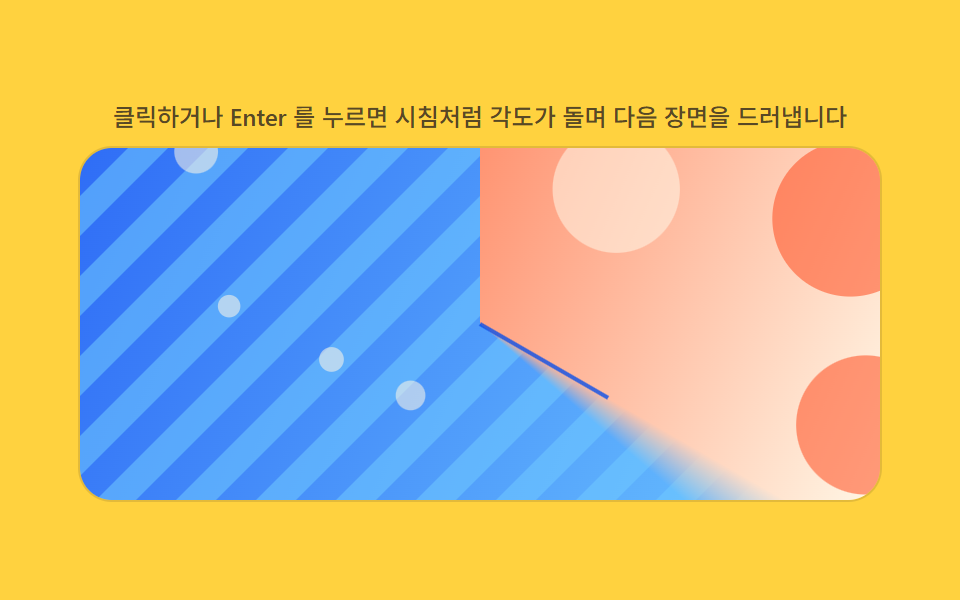 02 canvas-reveal-radial-clock
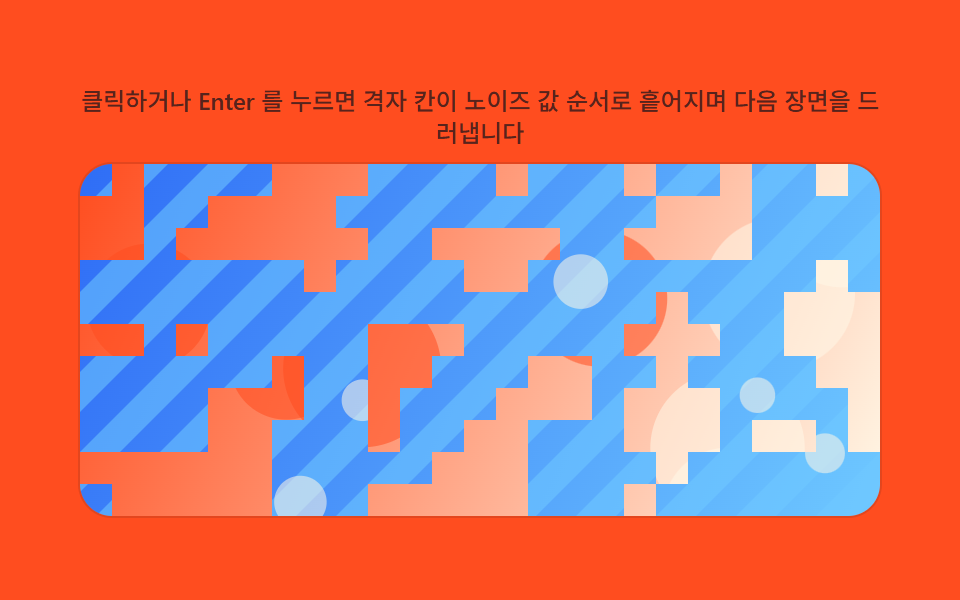 03 canvas-reveal-noise-dissolve
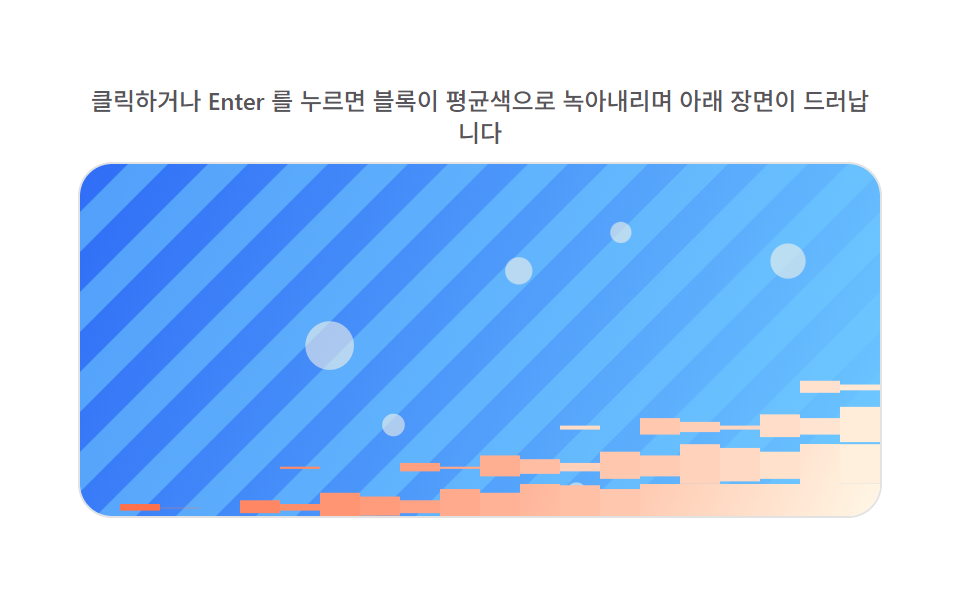 04 canvas-reveal-pixel-mosaic-melt
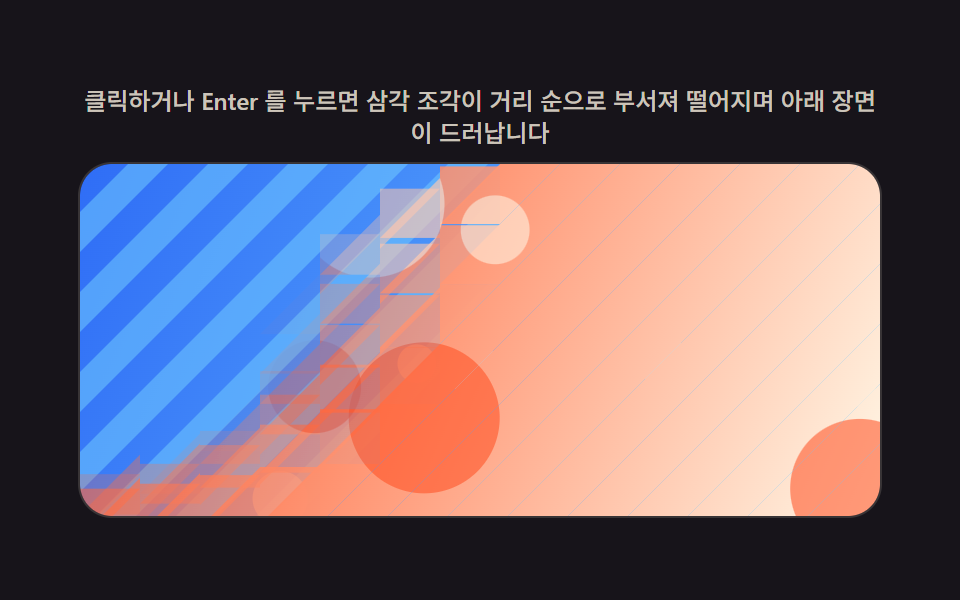 05 canvas-reveal-shard-fracture-fall
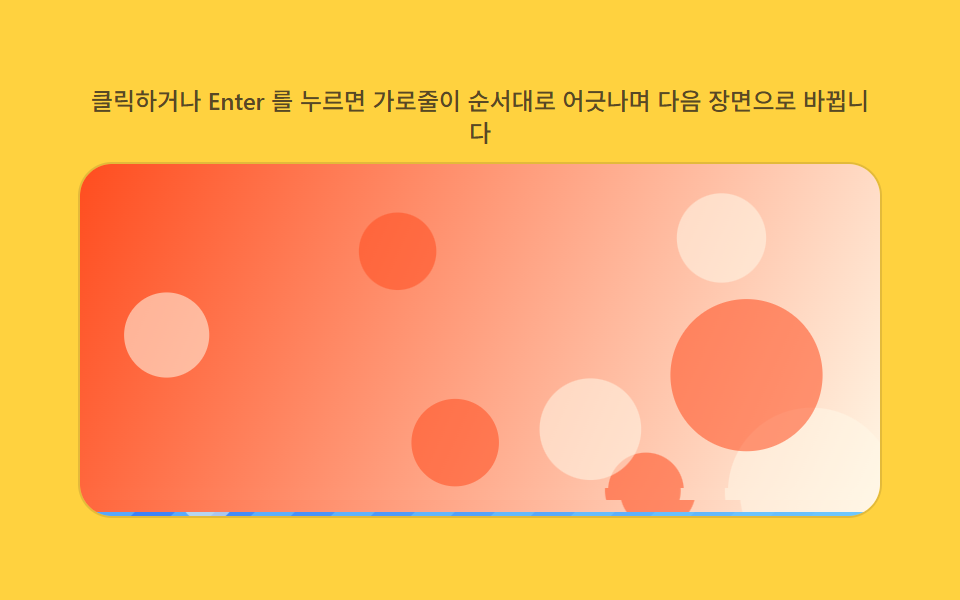 06 canvas-reveal-scanline-glitch-slice
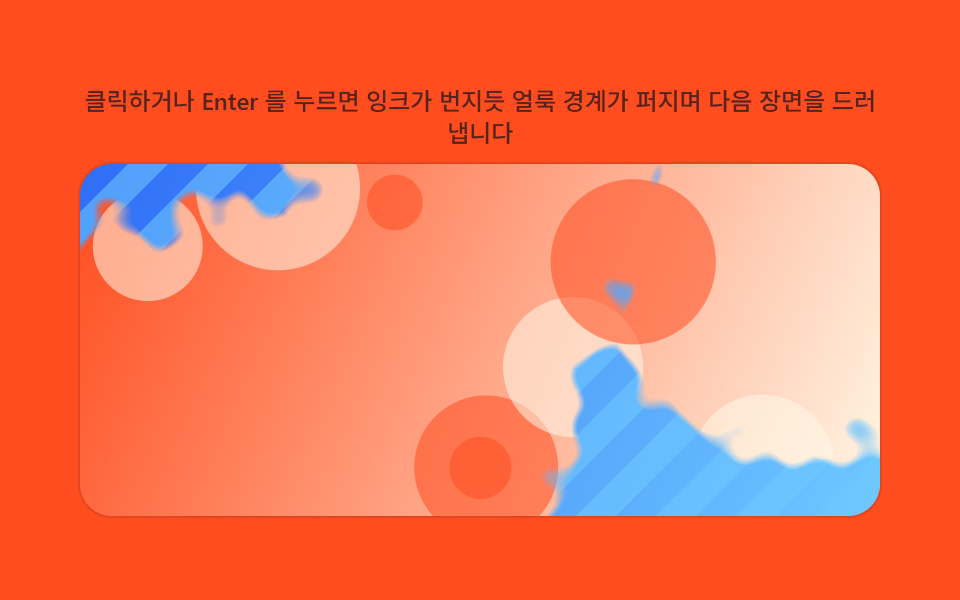 07 canvas-reveal-ink-bleed-spread
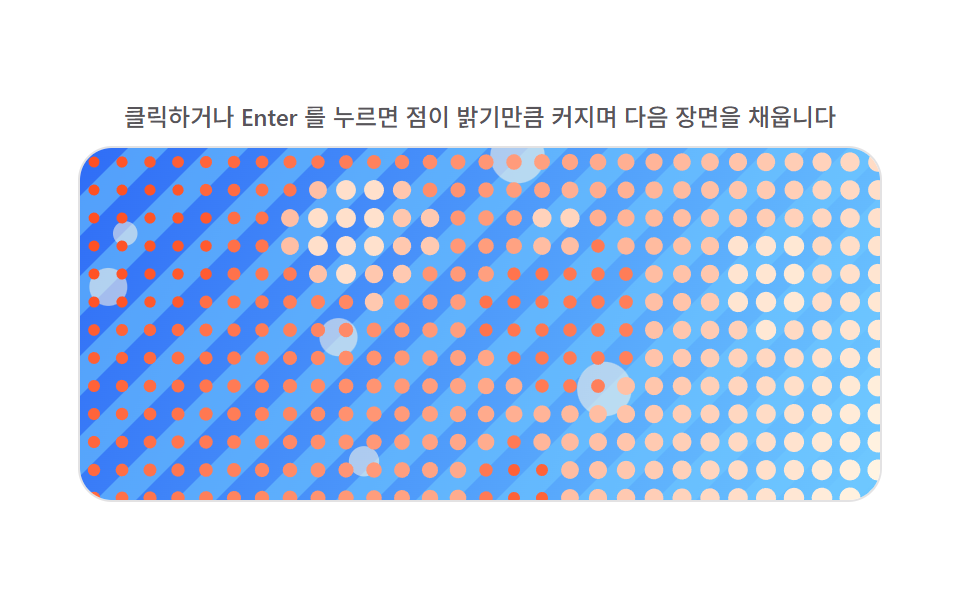 08 canvas-reveal-halftone-dot-grow
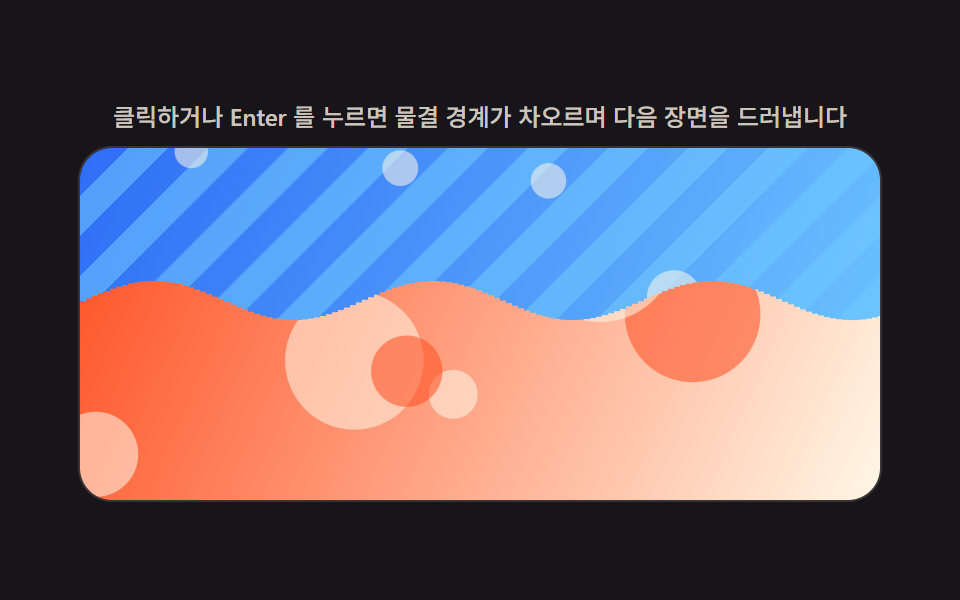 09 canvas-reveal-liquid-wave-morph
Auto-plays · click a tile to jump to its section · all nine in one zip
- 01 Screen Wipe Transition Computed by Diagonal Coordinate
- 02 Clockwise Radial Reveal Computed by Angle
- 03 Dissolve Whose Per-cell Order Comes From a Value-noise Field
- 04 Mosaic Resolve Whose Block Size Shrinks From a Time Function
- 05 Fracture Transition Whose Fall Is Computed Per Triangular Shard
- 06 Glitch Transition Whose Row Offsets Are Computed From a Fixed Seed
- 07 Ink-bleed Reveal Whose Spread Radius Comes From a Distance Field
- 08 Halftone-dot Reveal Whose Radius Comes From Brightness
- 09 Liquid Wave Reveal Whose Boundary Comes From a Sine Phase Offset
Nine ways to swap one picture for another sit in this set: a diagonal coordinate that sweeps a slanted edge across the frame, an angle that turns the edge into a rotating radial wipe, a value-noise field that dissolves the image in scattered but repeatable clumps, a melt order that lets a mosaic block fade into place one at a time, a distance-from-center order that drops triangular shards away from the frame, a fixed seed that misaligns and then realigns horizontal rows, a distance field built from several ink points that bleeds outward with a ragged edge, a per-cell brightness value that grows halftone dots toward their bound, and a sine curve whose phase rolls a water-like boundary up the frame. None of the nine reach for a canvas transition animation library — every pattern below is one small canvas panel, a click/keydown baseline, and exactly one named calculation function reading or writing pixels on top of that.
Demo
<main class="stage">
<div class="rv is-demo" id="rv">
  <p class="rv__hint"><span>Click or press Enter and a diagonal edge sweeps across the screen to reveal the next scene</span></p>
  <div class="rv__panel" id="panel" tabindex="0" role="button" aria-label="Replay screen transition wipe computed from diagonal coordinates">
    <canvas class="rv__cv" id="cv" aria-hidden="true"></canvas>
  </div>
</div>
</main>
@use "../../../../site/static/demo-tokens" as *;
// 계산 겹(리빌 판정)은 index.html 의 PRECOMPUTE()/RENDER() 에 있다. 여기는 무대·레이아웃만.
$duration: $dur-loop;
$easing: $ease-out;
$color: $subject-sky;
@include stage($stage-ink);
.rv {
--img-a1: #{$stage-orange};
--img-a2: #{$subject-cream};
--img-b1: #{$subject-blue};
--img-b2: #{$subject-sky};
--accent: #{$color};
display: flex;
flex-direction: column;
align-items: center;
gap: $sp-2;
width: min(400px, 92vw);
}
.rv__hint {
margin: 0;
color: rgba($subject-cream, .78);
font-size: 12px;
font-weight: 500;
line-height: 1.35;
text-align: center;
}
.rv__panel {
position: relative;
width: 100%;
height: 176px;
border-radius: $r-card;
overflow: hidden;
cursor: pointer;
box-shadow: 0 0 0 1px rgba($subject-cream, .14);
transition: box-shadow $duration $easing;
}
.rv__panel:hover {
box-shadow: 0 0 0 1px $color;
}
.rv__panel:focus-visible {
outline: 2px solid $color;
outline-offset: 2px;
}
.rv__cv {
display: block;
width: 100%;
height: 100%;
}
@media (max-width: 340px) {
.rv__hint { font-size: 11px; }
.rv__panel, .rv__cv { height: 120px; }
}
@media (prefers-reduced-motion: reduce) {
.rv__panel { transition: none; }
}html, body {
margin: 0;
overflow: hidden;
}
.stage {
box-sizing: border-box;
min-height: 100vh;
display: grid;
place-items: center;
margin: 0;
background: #17141a;
font-family: -apple-system, "Segoe UI", "Noto Sans KR", sans-serif;
padding: clamp(8px, 4vw, 24px);
}
.rv {
--img-a1: #ff4d1f;
--img-a2: #fff7e6;
--img-b1: #2f6df6;
--img-b2: #6ec8ff;
--accent: #6ec8ff;
display: flex;
flex-direction: column;
align-items: center;
gap: 8px;
width: min(400px, 92vw);
}
.rv__hint {
margin: 0;
color: rgba(255, 247, 230, 0.78);
font-size: 12px;
font-weight: 500;
line-height: 1.35;
text-align: center;
}
.rv__panel {
position: relative;
width: 100%;
height: 176px;
border-radius: 16px;
overflow: hidden;
cursor: pointer;
box-shadow: 0 0 0 1px rgba(255, 247, 230, 0.14);
transition: box-shadow 2s ease-out;
}
.rv__panel:hover {
box-shadow: 0 0 0 1px #6ec8ff;
}
.rv__panel:focus-visible {
outline: 2px solid #6ec8ff;
outline-offset: 2px;
}
.rv__cv {
display: block;
width: 100%;
height: 100%;
}
@media (max-width: 340px) {
.rv__hint {
font-size: 11px;
}
.rv__panel, .rv__cv {
height: 120px;
}
}
@media (prefers-reduced-motion: reduce) {
.rv__panel {
transition: none;
}
}(function () {
var root = document.getElementById('rv');
var panel = document.getElementById('panel');
var cv = document.getElementById('cv');
var ctx = cv.getContext('2d');
var reduce = window.matchMedia('(prefers-reduced-motion: reduce)').matches;
var isDemo = true;
// 결정론 난수 — 이 데모는 Math.random 을 쓰지 않는다. LCG(선형합동생성기) 하나로 장면을 만든다.
function makeLcg(seed) {
var s = seed >>> 0;
return function () { s = (s * 1664525 + 1013904223) >>> 0; return s / 4294967296; };
}
var css = getComputedStyle(root);
function tok(name, fb) { var v = css.getPropertyValue(name); return v ? (v.trim() || fb) : fb; }
var COLOR_A1 = tok('--img-a1', '#ff5a2e');
var COLOR_A2 = tok('--img-a2', '#fff3e6');
var COLOR_B1 = tok('--img-b1', '#2e6bff');
var COLOR_B2 = tok('--img-b2', '#bfe4ff');
var W = 0, H = 0, dpr = 1;
var bufA = document.createElement('canvas');
var bufB = document.createElement('canvas');
var bctxA = bufA.getContext('2d');
var bctxB = bufB.getContext('2d');
// 장면 A(따뜻한 톤)·B(차가운 톤) — 전부 캔버스로 직접 그린다. 외부 사진·파일 0.
function paintScene(bctx, w, h, seed, warm) {
var rng = makeLcg(seed);
var g = bctx.createLinearGradient(0, 0, w, h);
if (warm) { g.addColorStop(0, COLOR_A1); g.addColorStop(1, COLOR_A2); }
else { g.addColorStop(0, COLOR_B1); g.addColorStop(1, COLOR_B2); }
bctx.fillStyle = g;
bctx.fillRect(0, 0, w, h);
bctx.globalAlpha = 0.55;
if (warm) {
for (var i = 0; i < 8; i++) {
bctx.fillStyle = i % 2 ? COLOR_A2 : COLOR_A1;
bctx.beginPath();
bctx.arc(rng() * w, rng() * h, 12 + rng() * 30, 0, Math.PI * 2);
bctx.fill();
}
} else {
var bandW = Math.max(14, w * 0.05);
for (var x = -h; x < w + h; x += bandW * 2) {
bctx.fillStyle = COLOR_B2;
bctx.beginPath();
bctx.moveTo(x, 0); bctx.lineTo(x + bandW, 0); bctx.lineTo(x + bandW - h, h); bctx.lineTo(x - h, h);
bctx.closePath(); bctx.fill();
}
for (var j = 0; j < 6; j++) {
bctx.fillStyle = COLOR_A2;
bctx.beginPath(); bctx.arc(rng() * w, rng() * h, 5 + rng() * 9, 0, Math.PI * 2); bctx.fill();
}
}
bctx.globalAlpha = 1;
}
var SEED_A = 101, SEED_B = 102;
var PLAY_MS = 850;
var EDGE_SOFT = 0.05; // 대각선 경계 부드러움 폭(0~1) — 변형: 0.05 -> 0.015(더 날카로운 절단면)
var dataA, dataB, outImg, tField;
function PRECOMPUTE() {
var iw = cv.width, ih = cv.height;
dataA = bctxA.getImageData(0, 0, iw, ih).data;
dataB = bctxB.getImageData(0, 0, iw, ih).data;
outImg = ctx.createImageData(iw, ih);
tField = new Float32Array(iw * ih);
for (var y = 0; y < ih; y++) {
for (var x = 0; x < iw; x++) tField[y * iw + x] = (x / iw + y / ih) / 2;
}
}
function RENDER(p) {
var o = outImg.data;
for (var i = 0, n = tField.length; i < n; i++) {
var t = tField[i], k = i * 4, reveal;
if (t <= p) reveal = 1;
else if (t <= p + EDGE_SOFT) reveal = 1 - (t - p) / EDGE_SOFT;
else reveal = 0;
o[k] = dataB[k] + (dataA[k] - dataB[k]) * reveal;
o[k + 1] = dataB[k + 1] + (dataA[k + 1] - dataB[k + 1]) * reveal;
o[k + 2] = dataB[k + 2] + (dataA[k + 2] - dataB[k + 2]) * reveal;
o[k + 3] = 255;
}
ctx.putImageData(outImg, 0, 0);
}
function fit() {
var r = panel.getBoundingClientRect();
dpr = window.devicePixelRatio || 1;
W = r.width; H = r.height;
cv.width = Math.round(W * dpr); cv.height = Math.round(H * dpr);
ctx.setTransform(dpr, 0, 0, dpr, 0, 0);
bufA.width = bufB.width = cv.width;
bufA.height = bufB.height = cv.height;
bctxA.setTransform(dpr, 0, 0, dpr, 0, 0);
bctxB.setTransform(dpr, 0, 0, dpr, 0, 0);
paintScene(bctxA, W, H, SEED_A, true);
paintScene(bctxB, W, H, SEED_B, false);
PRECOMPUTE();
}
function human() { if (isDemo) { root.classList.remove('is-demo'); isDemo = false; } }
var progress = 0, target = 0, playT0 = 0, playFrom = 0, playing = false;
function easeInOut(t) { return t < 0.5 ? 2 * t * t : 1 - Math.pow(-2 * t + 2, 2) / 2; }
function play() {
// 실사용 경로 — 클릭·Enter·Space 로 두 장면을 다시 전환한다.
human();
playFrom = progress; target = progress < 0.5 ? 1 : 0;
playT0 = 0; playing = true;
}
function stepPlay(now) {
if (!playing) return;
if (!playT0) playT0 = now;
var t = Math.min(1, (now - playT0) / PLAY_MS);
progress = playFrom + (target - playFrom) * easeInOut(t);
if (t >= 1) { playing = false; progress = target; }
}
var DRIVE_PERIOD_MS = 2000; // 렌더 캐처 창(설정 초=2.0)과 같은 주기 — 시연 전용
var driveStart = 0;
function triangle(frac) { return frac < 0.5 ? frac * 2 : 2 - frac * 2; }
function driveTick(now) {
if (!driveStart) driveStart = now;
if (isDemo) { // .is-demo && !reduce 경로에서만 실행된다(아래 reduce 분기)
var frac = ((now - driveStart) % DRIVE_PERIOD_MS) / DRIVE_PERIOD_MS;
progress = triangle(frac);
}
requestAnimationFrame(driveTick);
}
function frame(now) {
stepPlay(now);
RENDER(progress);
requestAnimationFrame(frame);
}
window.addEventListener('resize', fit);
fit();
if (reduce) {
// reduce — 자동 루프 없음, 계산은 그대로 둘고 즉시 전환만 허용한다.
root.classList.add('is-still');
progress = 0.5; RENDER(progress);
panel.addEventListener('click', function () { human(); progress = progress < 0.5 ? 1 : 0; RENDER(progress); });
panel.addEventListener('keydown', function (e) {
if (e.key === 'Enter' || e.key === ' ') { e.preventDefault(); human(); progress = progress < 0.5 ? 1 : 0; RENDER(progress); }
});
} else {
panel.addEventListener('click', play);
panel.addEventListener('keydown', function (e) {
if (e.key === 'Enter' || e.key === ' ') { e.preventDefault(); play(); }
});
requestAnimationFrame(frame);
requestAnimationFrame(driveTick);
}
})();import { useEffect, useRef } from "react";
import styles from "./DiagonalSlice.module.scss";
export default function DiagonalSlice() {
const rootRef = useRef<HTMLDivElement | null>(null);
const panelRef = useRef<HTMLDivElement | null>(null);
const cvRef = useRef<HTMLCanvasElement | null>(null);
useEffect(() => {
const root = rootRef.current;
const panel = panelRef.current;
const cv = cvRef.current;
if (!root || !panel || !cv) return;
const ctx = cv.getContext("2d");
if (!ctx) return;
const reduce = window.matchMedia("(prefers-reduced-motion: reduce)").matches;
let isDemo = true;
// 결정론 난수 — 이 데모는 Math.random 을 쓰지 않는다. LCG(선형합동생성기) 하나로 장면을 만든다.
function makeLcg(seed: number) {
let s = seed >>> 0;
return function () {
s = (s * 1664525 + 1013904223) >>> 0;
return s / 4294967296;
};
}
const css = getComputedStyle(root);
function tok(name: string, fb: string) {
const v = css.getPropertyValue(name);
return v ? v.trim() || fb : fb;
}
const COLOR_A1 = tok("--img-a1", "#ff5a2e");
const COLOR_A2 = tok("--img-a2", "#fff3e6");
const COLOR_B1 = tok("--img-b1", "#2e6bff");
const COLOR_B2 = tok("--img-b2", "#bfe4ff");
let W = 0;
let H = 0;
let dpr = 1;
const bufA = document.createElement("canvas");
const bufB = document.createElement("canvas");
const bctxA = bufA.getContext("2d");
const bctxB = bufB.getContext("2d");
if (!bctxA || !bctxB) return;
// 장면 A(따뜻한 톤)·B(차가운 톤) — 전부 캔버스로 직접 그린다. 외부 사진·파일 0.
function paintScene(bctx: CanvasRenderingContext2D, w: number, h: number, seed: number, warm: boolean) {
const rng = makeLcg(seed);
const g = bctx.createLinearGradient(0, 0, w, h);
if (warm) {
g.addColorStop(0, COLOR_A1);
g.addColorStop(1, COLOR_A2);
} else {
g.addColorStop(0, COLOR_B1);
g.addColorStop(1, COLOR_B2);
}
bctx.fillStyle = g;
bctx.fillRect(0, 0, w, h);
bctx.globalAlpha = 0.55;
if (warm) {
for (let i = 0; i < 8; i++) {
bctx.fillStyle = i % 2 ? COLOR_A2 : COLOR_A1;
bctx.beginPath();
bctx.arc(rng() * w, rng() * h, 12 + rng() * 30, 0, Math.PI * 2);
bctx.fill();
}
} else {
const bandW = Math.max(14, w * 0.05);
for (let x = -h; x < w + h; x += bandW * 2) {
bctx.fillStyle = COLOR_B2;
bctx.beginPath();
bctx.moveTo(x, 0);
bctx.lineTo(x + bandW, 0);
bctx.lineTo(x + bandW - h, h);
bctx.lineTo(x - h, h);
bctx.closePath();
bctx.fill();
}
for (let j = 0; j < 6; j++) {
bctx.fillStyle = COLOR_A2;
bctx.beginPath();
bctx.arc(rng() * w, rng() * h, 5 + rng() * 9, 0, Math.PI * 2);
bctx.fill();
}
}
bctx.globalAlpha = 1;
}
const SEED_A = 101;
const SEED_B = 102;
const PLAY_MS = 850;
const EDGE_SOFT = 0.05; // 대각선 경계 부드러움 폭(0~1) — 변형: 0.05 -> 0.015(더 날카로운 절단면)
let dataA: Uint8ClampedArray | null = null;
let dataB: Uint8ClampedArray | null = null;
let outImg: ImageData | null = null;
let tField: Float32Array | null = null;
function PRECOMPUTE() {
const iw = cv!.width;
const ih = cv!.height;
dataA = bctxA!.getImageData(0, 0, iw, ih).data;
dataB = bctxB!.getImageData(0, 0, iw, ih).data;
outImg = ctx!.createImageData(iw, ih);
tField = new Float32Array(iw * ih);
for (let y = 0; y < ih; y++) {
for (let x = 0; x < iw; x++) tField[y * iw + x] = (x / iw + y / ih) / 2;
}
}
function RENDER(p: number) {
const o = outImg!.data;
const a = dataA!;
const b = dataB!;
const tf = tField!;
for (let i = 0, n = tf.length; i < n; i++) {
const t = tf[i];
const k = i * 4;
let reveal: number;
if (t <= p) reveal = 1;
else if (t <= p + EDGE_SOFT) reveal = 1 - (t - p) / EDGE_SOFT;
else reveal = 0;
o[k] = b[k] + (a[k] - b[k]) * reveal;
o[k + 1] = b[k + 1] + (a[k + 1] - b[k + 1]) * reveal;
o[k + 2] = b[k + 2] + (a[k + 2] - b[k + 2]) * reveal;
o[k + 3] = 255;
}
ctx!.putImageData(outImg!, 0, 0);
}
function fit() {
const r = panel!.getBoundingClientRect();
dpr = window.devicePixelRatio || 1;
W = r.width;
H = r.height;
cv!.width = Math.round(W * dpr);
cv!.height = Math.round(H * dpr);
ctx!.setTransform(dpr, 0, 0, dpr, 0, 0);
bufA.width = bufB.width = cv!.width;
bufA.height = bufB.height = cv!.height;
bctxA!.setTransform(dpr, 0, 0, dpr, 0, 0);
bctxB!.setTransform(dpr, 0, 0, dpr, 0, 0);
paintScene(bctxA!, W, H, SEED_A, true);
paintScene(bctxB!, W, H, SEED_B, false);
PRECOMPUTE();
}
function human() {
if (isDemo) {
root!.classList.remove("is-demo");
isDemo = false;
}
}
let progress = 0;
let target = 0;
let playT0 = 0;
let playFrom = 0;
let playing = false;
function easeInOut(t: number) {
return t < 0.5 ? 2 * t * t : 1 - Math.pow(-2 * t + 2, 2) / 2;
}
function play() {
// 실사용 경로 — 클릭·Enter·Space 로 두 장면을 다시 전환한다.
human();
playFrom = progress;
target = progress < 0.5 ? 1 : 0;
playT0 = 0;
playing = true;
}
function stepPlay(now: number) {
if (!playing) return;
if (!playT0) playT0 = now;
const t = Math.min(1, (now - playT0) / PLAY_MS);
progress = playFrom + (target - playFrom) * easeInOut(t);
if (t >= 1) {
playing = false;
progress = target;
}
}
const DRIVE_PERIOD_MS = 2000; // 렌더 캐처 창(설정 초=2.0)과 같은 주기 — 시연 전용
let driveStart = 0;
let rafFrame = 0;
let rafDrive = 0;
function triangle(frac: number) {
return frac < 0.5 ? frac * 2 : 2 - frac * 2;
}
function driveTick(now: number) {
if (!driveStart) driveStart = now;
if (isDemo) {
// .is-demo && !reduce 경로에서만 실행된다(아래 reduce 분기)
const frac = ((now - driveStart) % DRIVE_PERIOD_MS) / DRIVE_PERIOD_MS;
progress = triangle(frac);
}
rafDrive = requestAnimationFrame(driveTick);
}
function frame(now: number) {
stepPlay(now);
RENDER(progress);
rafFrame = requestAnimationFrame(frame);
}
function onClick() {
play();
}
function onKeyDown(e: Event) {
const ke = e as KeyboardEvent;
if (ke.key === "Enter" || ke.key === " ") {
ke.preventDefault();
play();
}
}
function onClickReduce() {
human();
progress = progress < 0.5 ? 1 : 0;
RENDER(progress);
}
function onKeyDownReduce(e: Event) {
const ke = e as KeyboardEvent;
if (ke.key === "Enter" || ke.key === " ") {
ke.preventDefault();
human();
progress = progress < 0.5 ? 1 : 0;
RENDER(progress);
}
}
window.addEventListener("resize", fit);
fit();
if (reduce) {
// reduce — 자동 루프 없음, 계산은 그대로 두고 즉시 전환만 허용한다.
root.classList.add("is-still");
progress = 0.5;
RENDER(progress);
panel.addEventListener("click", onClickReduce);
panel.addEventListener("keydown", onKeyDownReduce);
} else {
panel.addEventListener("click", onClick);
panel.addEventListener("keydown", onKeyDown);
rafFrame = requestAnimationFrame(frame);
rafDrive = requestAnimationFrame(driveTick);
}
return () => {
window.removeEventListener("resize", fit);
cancelAnimationFrame(rafFrame);
cancelAnimationFrame(rafDrive);
if (reduce) {
panel.removeEventListener("click", onClickReduce);
panel.removeEventListener("keydown", onKeyDownReduce);
} else {
panel.removeEventListener("click", onClick);
panel.removeEventListener("keydown", onKeyDown);
}
};
}, []);
return (
<main className={styles.stage}>
<div className={`${styles.root} is-demo`} ref={rootRef}>
<p className={styles.hint}>
<span>클릭하거나 Enter 를 누르면 대각선 경계가 화면을 가르며 다음 장면을 드러냅니다</span>
</p>
<div
className={styles.panel}
ref={panelRef}
tabIndex={0}
role="button"
aria-label="대각선 좌표로 계산되는 화면 전환 와이프 다시 재생"
>
<canvas className={styles.cv} ref={cvRef} aria-hidden="true" />
</div>
</div>
</main>
);
}01 · Screen Wipe Transition Computed by Diagonal Coordinate — Measured area 48.76% · moving frames 23/23Original by GODRICH · SCSS and React ship in the zip · See the password
Pattern 01 above needs nothing beyond a tField array and a RENDER function that reads it back through getImageData/putImageData to turn a pixel's diagonal position into its reveal timing. The remaining eight patterns are laid out further down the page, each next to its matching code block.
Anatomy of nine image reveal effect css patterns — where the one layer of calculation runs
| # | Pattern | Cumulative area | Avg. intensity | Frames moved |
|---|---|---|---|---|
| 01 | Diagonal coordinate wipe | 48.76% | 126.4 | 23 of 23 |
| 02 | Angle-swept radial reveal | 48.249% | 132.6 | 23 of 23 |
| 03 | Noise-threshold dissolve | 48.761% | 169.8 | 20 of 23 |
| 04 | Melt-order mosaic reveal | 48.051% | 147.4 | 22 of 23 |
| 05 | Distance-ordered shard fall | 48.444% | 83.5 | 23 of 23 |
| 06 | Seeded row glitch realign | 47.115% | 158.8 | 23 of 23 |
| 07 | Ink-drop distance bleed | 48.568% | 115.0 | 23 of 23 |
| 08 | Brightness-bound dot grow | 34.422% | 79.9 | 21 of 23 |
| 09 | Sine-phase wave reveal | 47.283% | 163.5 | 22 of 23 |
All nine call requestAnimationFrame directly — there is no CSS transition or @keyframes doing the pixel work here. Each pattern precomputes one Float32Array (a coordinate field, a per-cell threshold, or a per-shard order) once, then a RENDER(p) function walks that same array on every frame and either rewrites the canvas through getImageData/putImageData or redraws it with drawImage/clip/fillRect.
Pattern 03 covers the most area (48.761%) and has the highest average intensity (169.8) of the nine, but moves in the fewest frames (20 of 23) — its noise-threshold cells swap in as whole 16px blocks rather than a soft per-pixel fade, so each frame that does move changes a lot of pixels at once while a few early and late frames land between two threshold crossings and show nothing new. Pattern 08 sits at the other end: it covers the least area (34.422%) and has the lowest average intensity (79.9), since a halftone dot's radius is capped by that cell's own brightness — dark cells never grow into large dots even once the reveal finishes, so a meaningful share of the frame simply never fills in. A photo reveal effect built from real photographs would likely widen that same gap, because brightness spread across a photo tends to be less even than the synthetic scene drawn here.
Coordinate field computed once, sampled every frame
Patterns 01, 02, and 07 each build a Float32Array sized to the full canvas pixel count in a PRECOMPUTE step, then read that same field back inside RENDER's pixel loop. 01's tField stores each pixel's diagonal position (x/iw + y/ih) divided in half. 02's angField stores each pixel's angle from the panel's center via Math.atan2, rotated so 12 o'clock reads as zero. 07's distField stores the distance from several fixed ink-drop points, blended with a value-noise offset so the edge that results is ragged rather than a clean circle.
Per-cell or per-row values locked in by a fixed seed or brightness
Patterns 03, 06, and 08 precompute one number per grid cell or per row instead of per pixel, and RENDER never touches raw pixel data for these three — it only compares progress against that stored number and calls drawImage, fillRect, or arc. 03's cellNoise runs a value-noise function seeded through a fixed permutation table (buildPerm) to give each cell an irregular but repeatable threshold. 06's rowOffset and rowOrder come from the same seeded generator (makeLcg), so the same rows always misalign by the same horizontal distance. 08's dotR reads each cell's average brightness once and caps that cell's dot radius to it.
Geometry recomputed from progress on every frame
Patterns 04, 05, and 09 keep a lighter precompute step and instead recompute a small piece of geometry inside RENDER itself. 04 precomputes a meltOrder rank per block from its row and column, then on every frame recalculates how far a still-melting block's colored rectangle should shrink before the sharp image underneath shows through. 05 precomputes each triangular shard's distance-from-center order, then on every frame recalculates how far a falling shard should translate downward and how transparent it should be. 09 skips precompute almost entirely — every frame it recomputes the wave boundary's height fresh from a sine function of the column position and the current progress.
Code per pattern
Nine calculation functions, one per pattern — each is a contiguous slice straight out of the demo's own index.html, not a simplified rewrite.
01Screen Wipe Transition Computed by Diagonal Coordinate
A canvas covers the whole panel and reads each pixel's diagonal coordinate back out of tField to decide, frame by frame, whether that pixel should still show the old picture or the new one. The edge that results is a straight diagonal line sweeping from one corner toward the opposite side.
<main class="stage">
<div class="rv is-demo" id="rv">
  <p class="rv__hint"><span>Click or press Enter and a diagonal edge sweeps across the screen to reveal the next scene</span></p>
  <div class="rv__panel" id="panel" tabindex="0" role="button" aria-label="Replay screen transition wipe computed from diagonal coordinates">
    <canvas class="rv__cv" id="cv" aria-hidden="true"></canvas>
  </div>
</div>
</main>
@use "../../../../site/static/demo-tokens" as *;
// 계산 겹(리빌 판정)은 index.html 의 PRECOMPUTE()/RENDER() 에 있다. 여기는 무대·레이아웃만.
$duration: $dur-loop;
$easing: $ease-out;
$color: $subject-sky;
@include stage($stage-ink);
.rv {
--img-a1: #{$stage-orange};
--img-a2: #{$subject-cream};
--img-b1: #{$subject-blue};
--img-b2: #{$subject-sky};
--accent: #{$color};
display: flex;
flex-direction: column;
align-items: center;
gap: $sp-2;
width: min(400px, 92vw);
}
.rv__hint {
margin: 0;
color: rgba($subject-cream, .78);
font-size: 12px;
font-weight: 500;
line-height: 1.35;
text-align: center;
}
.rv__panel {
position: relative;
width: 100%;
height: 176px;
border-radius: $r-card;
overflow: hidden;
cursor: pointer;
box-shadow: 0 0 0 1px rgba($subject-cream, .14);
transition: box-shadow $duration $easing;
}
.rv__panel:hover {
box-shadow: 0 0 0 1px $color;
}
.rv__panel:focus-visible {
outline: 2px solid $color;
outline-offset: 2px;
}
.rv__cv {
display: block;
width: 100%;
height: 100%;
}
@media (max-width: 340px) {
.rv__hint { font-size: 11px; }
.rv__panel, .rv__cv { height: 120px; }
}
@media (prefers-reduced-motion: reduce) {
.rv__panel { transition: none; }
}html, body {
margin: 0;
overflow: hidden;
}
.stage {
box-sizing: border-box;
min-height: 100vh;
display: grid;
place-items: center;
margin: 0;
background: #17141a;
font-family: -apple-system, "Segoe UI", "Noto Sans KR", sans-serif;
padding: clamp(8px, 4vw, 24px);
}
.rv {
--img-a1: #ff4d1f;
--img-a2: #fff7e6;
--img-b1: #2f6df6;
--img-b2: #6ec8ff;
--accent: #6ec8ff;
display: flex;
flex-direction: column;
align-items: center;
gap: 8px;
width: min(400px, 92vw);
}
.rv__hint {
margin: 0;
color: rgba(255, 247, 230, 0.78);
font-size: 12px;
font-weight: 500;
line-height: 1.35;
text-align: center;
}
.rv__panel {
position: relative;
width: 100%;
height: 176px;
border-radius: 16px;
overflow: hidden;
cursor: pointer;
box-shadow: 0 0 0 1px rgba(255, 247, 230, 0.14);
transition: box-shadow 2s ease-out;
}
.rv__panel:hover {
box-shadow: 0 0 0 1px #6ec8ff;
}
.rv__panel:focus-visible {
outline: 2px solid #6ec8ff;
outline-offset: 2px;
}
.rv__cv {
display: block;
width: 100%;
height: 100%;
}
@media (max-width: 340px) {
.rv__hint {
font-size: 11px;
}
.rv__panel, .rv__cv {
height: 120px;
}
}
@media (prefers-reduced-motion: reduce) {
.rv__panel {
transition: none;
}
}(function () {
var root = document.getElementById('rv');
var panel = document.getElementById('panel');
var cv = document.getElementById('cv');
var ctx = cv.getContext('2d');
var reduce = window.matchMedia('(prefers-reduced-motion: reduce)').matches;
var isDemo = true;
// 결정론 난수 — 이 데모는 Math.random 을 쓰지 않는다. LCG(선형합동생성기) 하나로 장면을 만든다.
function makeLcg(seed) {
var s = seed >>> 0;
return function () { s = (s * 1664525 + 1013904223) >>> 0; return s / 4294967296; };
}
var css = getComputedStyle(root);
function tok(name, fb) { var v = css.getPropertyValue(name); return v ? (v.trim() || fb) : fb; }
var COLOR_A1 = tok('--img-a1', '#ff5a2e');
var COLOR_A2 = tok('--img-a2', '#fff3e6');
var COLOR_B1 = tok('--img-b1', '#2e6bff');
var COLOR_B2 = tok('--img-b2', '#bfe4ff');
var W = 0, H = 0, dpr = 1;
var bufA = document.createElement('canvas');
var bufB = document.createElement('canvas');
var bctxA = bufA.getContext('2d');
var bctxB = bufB.getContext('2d');
// 장면 A(따뜻한 톤)·B(차가운 톤) — 전부 캔버스로 직접 그린다. 외부 사진·파일 0.
function paintScene(bctx, w, h, seed, warm) {
var rng = makeLcg(seed);
var g = bctx.createLinearGradient(0, 0, w, h);
if (warm) { g.addColorStop(0, COLOR_A1); g.addColorStop(1, COLOR_A2); }
else { g.addColorStop(0, COLOR_B1); g.addColorStop(1, COLOR_B2); }
bctx.fillStyle = g;
bctx.fillRect(0, 0, w, h);
bctx.globalAlpha = 0.55;
if (warm) {
for (var i = 0; i < 8; i++) {
bctx.fillStyle = i % 2 ? COLOR_A2 : COLOR_A1;
bctx.beginPath();
bctx.arc(rng() * w, rng() * h, 12 + rng() * 30, 0, Math.PI * 2);
bctx.fill();
}
} else {
var bandW = Math.max(14, w * 0.05);
for (var x = -h; x < w + h; x += bandW * 2) {
bctx.fillStyle = COLOR_B2;
bctx.beginPath();
bctx.moveTo(x, 0); bctx.lineTo(x + bandW, 0); bctx.lineTo(x + bandW - h, h); bctx.lineTo(x - h, h);
bctx.closePath(); bctx.fill();
}
for (var j = 0; j < 6; j++) {
bctx.fillStyle = COLOR_A2;
bctx.beginPath(); bctx.arc(rng() * w, rng() * h, 5 + rng() * 9, 0, Math.PI * 2); bctx.fill();
}
}
bctx.globalAlpha = 1;
}
var SEED_A = 101, SEED_B = 102;
var PLAY_MS = 850;
var EDGE_SOFT = 0.05; // 대각선 경계 부드러움 폭(0~1) — 변형: 0.05 -> 0.015(더 날카로운 절단면)
var dataA, dataB, outImg, tField;
function PRECOMPUTE() {
var iw = cv.width, ih = cv.height;
dataA = bctxA.getImageData(0, 0, iw, ih).data;
dataB = bctxB.getImageData(0, 0, iw, ih).data;
outImg = ctx.createImageData(iw, ih);
tField = new Float32Array(iw * ih);
for (var y = 0; y < ih; y++) {
for (var x = 0; x < iw; x++) tField[y * iw + x] = (x / iw + y / ih) / 2;
}
}
  function RENDER(p) {
    var o = outImg.data;
    for (var i = 0, n = tField.length; i < n; i++) {
      var t = tField[i], k = i * 4, reveal;
      if (t <= p) reveal = 1;
      else if (t <= p + EDGE_SOFT) reveal = 1 - (t - p) / EDGE_SOFT;
      else reveal = 0;
      o[k] = dataB[k] + (dataA[k] - dataB[k]) * reveal;
      o[k + 1] = dataB[k + 1] + (dataA[k + 1] - dataB[k + 1]) * reveal;
      o[k + 2] = dataB[k + 2] + (dataA[k + 2] - dataB[k + 2]) * reveal;
      o[k + 3] = 255;
    }
    ctx.putImageData(outImg, 0, 0);
  }
function fit() {
var r = panel.getBoundingClientRect();
dpr = window.devicePixelRatio || 1;
W = r.width; H = r.height;
cv.width = Math.round(W * dpr); cv.height = Math.round(H * dpr);
ctx.setTransform(dpr, 0, 0, dpr, 0, 0);
bufA.width = bufB.width = cv.width;
bufA.height = bufB.height = cv.height;
bctxA.setTransform(dpr, 0, 0, dpr, 0, 0);
bctxB.setTransform(dpr, 0, 0, dpr, 0, 0);
paintScene(bctxA, W, H, SEED_A, true);
paintScene(bctxB, W, H, SEED_B, false);
PRECOMPUTE();
}
function human() { if (isDemo) { root.classList.remove('is-demo'); isDemo = false; } }
var progress = 0, target = 0, playT0 = 0, playFrom = 0, playing = false;
function easeInOut(t) { return t < 0.5 ? 2 * t * t : 1 - Math.pow(-2 * t + 2, 2) / 2; }
function play() {
// 실사용 경로 — 클릭·Enter·Space 로 두 장면을 다시 전환한다.
human();
playFrom = progress; target = progress < 0.5 ? 1 : 0;
playT0 = 0; playing = true;
}
function stepPlay(now) {
if (!playing) return;
if (!playT0) playT0 = now;
var t = Math.min(1, (now - playT0) / PLAY_MS);
progress = playFrom + (target - playFrom) * easeInOut(t);
if (t >= 1) { playing = false; progress = target; }
}
var DRIVE_PERIOD_MS = 2000; // 렌더 캐처 창(설정 초=2.0)과 같은 주기 — 시연 전용
var driveStart = 0;
function triangle(frac) { return frac < 0.5 ? frac * 2 : 2 - frac * 2; }
function driveTick(now) {
if (!driveStart) driveStart = now;
if (isDemo) { // .is-demo && !reduce 경로에서만 실행된다(아래 reduce 분기)
var frac = ((now - driveStart) % DRIVE_PERIOD_MS) / DRIVE_PERIOD_MS;
progress = triangle(frac);
}
requestAnimationFrame(driveTick);
}
function frame(now) {
stepPlay(now);
RENDER(progress);
requestAnimationFrame(frame);
}
window.addEventListener('resize', fit);
fit();
if (reduce) {
// reduce — 자동 루프 없음, 계산은 그대로 둘고 즉시 전환만 허용한다.
root.classList.add('is-still');
progress = 0.5; RENDER(progress);
panel.addEventListener('click', function () { human(); progress = progress < 0.5 ? 1 : 0; RENDER(progress); });
panel.addEventListener('keydown', function (e) {
if (e.key === 'Enter' || e.key === ' ') { e.preventDefault(); human(); progress = progress < 0.5 ? 1 : 0; RENDER(progress); }
});
} else {
panel.addEventListener('click', play);
panel.addEventListener('keydown', function (e) {
if (e.key === 'Enter' || e.key === ' ') { e.preventDefault(); play(); }
});
requestAnimationFrame(frame);
requestAnimationFrame(driveTick);
}
})();import { useEffect, useRef } from "react";
import styles from "./DiagonalSlice.module.scss";
export default function DiagonalSlice() {
const rootRef = useRef<HTMLDivElement | null>(null);
const panelRef = useRef<HTMLDivElement | null>(null);
const cvRef = useRef<HTMLCanvasElement | null>(null);
useEffect(() => {
const root = rootRef.current;
const panel = panelRef.current;
const cv = cvRef.current;
if (!root || !panel || !cv) return;
const ctx = cv.getContext("2d");
if (!ctx) return;
const reduce = window.matchMedia("(prefers-reduced-motion: reduce)").matches;
let isDemo = true;
// 결정론 난수 — 이 데모는 Math.random 을 쓰지 않는다. LCG(선형합동생성기) 하나로 장면을 만든다.
function makeLcg(seed: number) {
let s = seed >>> 0;
return function () {
s = (s * 1664525 + 1013904223) >>> 0;
return s / 4294967296;
};
}
const css = getComputedStyle(root);
function tok(name: string, fb: string) {
const v = css.getPropertyValue(name);
return v ? v.trim() || fb : fb;
}
const COLOR_A1 = tok("--img-a1", "#ff5a2e");
const COLOR_A2 = tok("--img-a2", "#fff3e6");
const COLOR_B1 = tok("--img-b1", "#2e6bff");
const COLOR_B2 = tok("--img-b2", "#bfe4ff");
let W = 0;
let H = 0;
let dpr = 1;
const bufA = document.createElement("canvas");
const bufB = document.createElement("canvas");
const bctxA = bufA.getContext("2d");
const bctxB = bufB.getContext("2d");
if (!bctxA || !bctxB) return;
// 장면 A(따뜻한 톤)·B(차가운 톤) — 전부 캔버스로 직접 그린다. 외부 사진·파일 0.
function paintScene(bctx: CanvasRenderingContext2D, w: number, h: number, seed: number, warm: boolean) {
const rng = makeLcg(seed);
const g = bctx.createLinearGradient(0, 0, w, h);
if (warm) {
g.addColorStop(0, COLOR_A1);
g.addColorStop(1, COLOR_A2);
} else {
g.addColorStop(0, COLOR_B1);
g.addColorStop(1, COLOR_B2);
}
bctx.fillStyle = g;
bctx.fillRect(0, 0, w, h);
bctx.globalAlpha = 0.55;
if (warm) {
for (let i = 0; i < 8; i++) {
bctx.fillStyle = i % 2 ? COLOR_A2 : COLOR_A1;
bctx.beginPath();
bctx.arc(rng() * w, rng() * h, 12 + rng() * 30, 0, Math.PI * 2);
bctx.fill();
}
} else {
const bandW = Math.max(14, w * 0.05);
for (let x = -h; x < w + h; x += bandW * 2) {
bctx.fillStyle = COLOR_B2;
bctx.beginPath();
bctx.moveTo(x, 0);
bctx.lineTo(x + bandW, 0);
bctx.lineTo(x + bandW - h, h);
bctx.lineTo(x - h, h);
bctx.closePath();
bctx.fill();
}
for (let j = 0; j < 6; j++) {
bctx.fillStyle = COLOR_A2;
bctx.beginPath();
bctx.arc(rng() * w, rng() * h, 5 + rng() * 9, 0, Math.PI * 2);
bctx.fill();
}
}
bctx.globalAlpha = 1;
}
const SEED_A = 101;
const SEED_B = 102;
const PLAY_MS = 850;
const EDGE_SOFT = 0.05; // 대각선 경계 부드러움 폭(0~1) — 변형: 0.05 -> 0.015(더 날카로운 절단면)
let dataA: Uint8ClampedArray | null = null;
let dataB: Uint8ClampedArray | null = null;
let outImg: ImageData | null = null;
let tField: Float32Array | null = null;
function PRECOMPUTE() {
const iw = cv!.width;
const ih = cv!.height;
dataA = bctxA!.getImageData(0, 0, iw, ih).data;
dataB = bctxB!.getImageData(0, 0, iw, ih).data;
outImg = ctx!.createImageData(iw, ih);
tField = new Float32Array(iw * ih);
for (let y = 0; y < ih; y++) {
for (let x = 0; x < iw; x++) tField[y * iw + x] = (x / iw + y / ih) / 2;
}
}
function RENDER(p: number) {
const o = outImg!.data;
const a = dataA!;
const b = dataB!;
const tf = tField!;
for (let i = 0, n = tf.length; i < n; i++) {
const t = tf[i];
const k = i * 4;
let reveal: number;
if (t <= p) reveal = 1;
else if (t <= p + EDGE_SOFT) reveal = 1 - (t - p) / EDGE_SOFT;
else reveal = 0;
o[k] = b[k] + (a[k] - b[k]) * reveal;
o[k + 1] = b[k + 1] + (a[k + 1] - b[k + 1]) * reveal;
o[k + 2] = b[k + 2] + (a[k + 2] - b[k + 2]) * reveal;
o[k + 3] = 255;
}
ctx!.putImageData(outImg!, 0, 0);
}
function fit() {
const r = panel!.getBoundingClientRect();
dpr = window.devicePixelRatio || 1;
W = r.width;
H = r.height;
cv!.width = Math.round(W * dpr);
cv!.height = Math.round(H * dpr);
ctx!.setTransform(dpr, 0, 0, dpr, 0, 0);
bufA.width = bufB.width = cv!.width;
bufA.height = bufB.height = cv!.height;
bctxA!.setTransform(dpr, 0, 0, dpr, 0, 0);
bctxB!.setTransform(dpr, 0, 0, dpr, 0, 0);
paintScene(bctxA!, W, H, SEED_A, true);
paintScene(bctxB!, W, H, SEED_B, false);
PRECOMPUTE();
}
function human() {
if (isDemo) {
root!.classList.remove("is-demo");
isDemo = false;
}
}
let progress = 0;
let target = 0;
let playT0 = 0;
let playFrom = 0;
let playing = false;
function easeInOut(t: number) {
return t < 0.5 ? 2 * t * t : 1 - Math.pow(-2 * t + 2, 2) / 2;
}
function play() {
// 실사용 경로 — 클릭·Enter·Space 로 두 장면을 다시 전환한다.
human();
playFrom = progress;
target = progress < 0.5 ? 1 : 0;
playT0 = 0;
playing = true;
}
function stepPlay(now: number) {
if (!playing) return;
if (!playT0) playT0 = now;
const t = Math.min(1, (now - playT0) / PLAY_MS);
progress = playFrom + (target - playFrom) * easeInOut(t);
if (t >= 1) {
playing = false;
progress = target;
}
}
const DRIVE_PERIOD_MS = 2000; // 렌더 캐처 창(설정 초=2.0)과 같은 주기 — 시연 전용
let driveStart = 0;
let rafFrame = 0;
let rafDrive = 0;
function triangle(frac: number) {
return frac < 0.5 ? frac * 2 : 2 - frac * 2;
}
function driveTick(now: number) {
if (!driveStart) driveStart = now;
if (isDemo) {
// .is-demo && !reduce 경로에서만 실행된다(아래 reduce 분기)
const frac = ((now - driveStart) % DRIVE_PERIOD_MS) / DRIVE_PERIOD_MS;
progress = triangle(frac);
}
rafDrive = requestAnimationFrame(driveTick);
}
function frame(now: number) {
stepPlay(now);
RENDER(progress);
rafFrame = requestAnimationFrame(frame);
}
function onClick() {
play();
}
function onKeyDown(e: Event) {
const ke = e as KeyboardEvent;
if (ke.key === "Enter" || ke.key === " ") {
ke.preventDefault();
play();
}
}
function onClickReduce() {
human();
progress = progress < 0.5 ? 1 : 0;
RENDER(progress);
}
function onKeyDownReduce(e: Event) {
const ke = e as KeyboardEvent;
if (ke.key === "Enter" || ke.key === " ") {
ke.preventDefault();
human();
progress = progress < 0.5 ? 1 : 0;
RENDER(progress);
}
}
window.addEventListener("resize", fit);
fit();
if (reduce) {
// reduce — 자동 루프 없음, 계산은 그대로 두고 즉시 전환만 허용한다.
root.classList.add("is-still");
progress = 0.5;
RENDER(progress);
panel.addEventListener("click", onClickReduce);
panel.addEventListener("keydown", onKeyDownReduce);
} else {
panel.addEventListener("click", onClick);
panel.addEventListener("keydown", onKeyDown);
rafFrame = requestAnimationFrame(frame);
rafDrive = requestAnimationFrame(driveTick);
}
return () => {
window.removeEventListener("resize", fit);
cancelAnimationFrame(rafFrame);
cancelAnimationFrame(rafDrive);
if (reduce) {
panel.removeEventListener("click", onClickReduce);
panel.removeEventListener("keydown", onKeyDownReduce);
} else {
panel.removeEventListener("click", onClick);
panel.removeEventListener("keydown", onKeyDown);
}
};
}, []);
return (
<main className={styles.stage}>
<div className={`${styles.root} is-demo`} ref={rootRef}>
<p className={styles.hint}>
<span>클릭하거나 Enter 를 누르면 대각선 경계가 화면을 가르며 다음 장면을 드러냅니다</span>
</p>
<div
className={styles.panel}
ref={panelRef}
tabIndex={0}
role="button"
aria-label="대각선 좌표로 계산되는 화면 전환 와이프 다시 재생"
>
<canvas className={styles.cv} ref={cvRef} aria-hidden="true" />
</div>
</div>
</main>
);
}01 · Screen Wipe Transition Computed by Diagonal Coordinate — Measured area 48.76% · moving frames 23/23Original by GODRICH · SCSS and React ship in the zip · See the password
function RENDER(p) {
var o = outImg.data;
for (var i = 0, n = tField.length; i < n; i++) {
var t = tField[i], k = i * 4, reveal;
if (t <= p) reveal = 1;
else if (t <= p + EDGE_SOFT) reveal = 1 - (t - p) / EDGE_SOFT;
else reveal = 0;
o[k] = dataB[k] + (dataA[k] - dataB[k]) * reveal;
o[k + 1] = dataB[k + 1] + (dataA[k + 1] - dataB[k + 1]) * reveal;
o[k + 2] = dataB[k + 2] + (dataA[k + 2] - dataB[k + 2]) * reveal;
o[k + 3] = 255;
}
ctx.putImageData(outImg, 0, 0);
}
02Clockwise Radial Reveal Computed by Angle
The same pixel-blend loop as 01 runs here, except the field it reads is each pixel's angle around the panel's center rather than its diagonal position, so the boundary rotates like a clock hand instead of sliding straight across. A thin accent line is drawn on top at the current sweep angle so the motion reads clearly even mid-frame.
<main class="stage">
<div class="rv is-demo" id="rv">
  <p class="rv__hint"><span>Click or press Enter and an angle sweeps around like a clock hand to reveal the next scene</span></p>
  <div class="rv__panel" id="panel" tabindex="0" role="button" aria-label="Replay clockwise circular reveal computed from angle">
    <canvas class="rv__cv" id="cv" aria-hidden="true"></canvas>
  </div>
</div>
</main>
@use "../../../../site/static/demo-tokens" as *;
// 계산 겹(리빌 판정)은 index.html 의 PRECOMPUTE()/RENDER() 에 있다. 여기는 무대·레이아웃만.
$duration: $dur-loop;
$easing: $ease-out;
$color: $subject-blue-deep;
@include stage($stage-yellow);
.rv {
--img-a1: #{$stage-orange};
--img-a2: #{$subject-cream};
--img-b1: #{$subject-blue};
--img-b2: #{$subject-sky};
--accent: #{$color};
display: flex;
flex-direction: column;
align-items: center;
gap: $sp-2;
width: min(400px, 92vw);
}
.rv__hint {
margin: 0;
color: rgba($subject-ink, .72);
font-size: 12px;
font-weight: 500;
line-height: 1.35;
text-align: center;
}
.rv__panel {
position: relative;
width: 100%;
height: 176px;
border-radius: $r-card;
overflow: hidden;
cursor: pointer;
box-shadow: 0 0 0 1px rgba($subject-ink, .12);
transition: box-shadow $duration $easing;
}
.rv__panel:hover {
box-shadow: 0 0 0 1px $color;
}
.rv__panel:focus-visible {
outline: 2px solid $color;
outline-offset: 2px;
}
.rv__cv {
display: block;
width: 100%;
height: 100%;
}
@media (max-width: 340px) {
.rv__hint { font-size: 11px; }
.rv__panel, .rv__cv { height: 120px; }
}
@media (prefers-reduced-motion: reduce) {
.rv__panel { transition: none; }
}html, body {
margin: 0;
overflow: hidden;
}
.stage {
box-sizing: border-box;
min-height: 100vh;
display: grid;
place-items: center;
margin: 0;
background: #ffd23f;
font-family: -apple-system, "Segoe UI", "Noto Sans KR", sans-serif;
padding: clamp(8px, 4vw, 24px);
}
.rv {
--img-a1: #ff4d1f;
--img-a2: #fff7e6;
--img-b1: #2f6df6;
--img-b2: #6ec8ff;
--accent: #0a4fe8;
display: flex;
flex-direction: column;
align-items: center;
gap: 8px;
width: min(400px, 92vw);
}
.rv__hint {
margin: 0;
color: rgba(23, 20, 26, 0.72);
font-size: 12px;
font-weight: 500;
line-height: 1.35;
text-align: center;
}
.rv__panel {
position: relative;
width: 100%;
height: 176px;
border-radius: 16px;
overflow: hidden;
cursor: pointer;
box-shadow: 0 0 0 1px rgba(23, 20, 26, 0.12);
transition: box-shadow 2s ease-out;
}
.rv__panel:hover {
box-shadow: 0 0 0 1px #0a4fe8;
}
.rv__panel:focus-visible {
outline: 2px solid #0a4fe8;
outline-offset: 2px;
}
.rv__cv {
display: block;
width: 100%;
height: 100%;
}
@media (max-width: 340px) {
.rv__hint {
font-size: 11px;
}
.rv__panel, .rv__cv {
height: 120px;
}
}
@media (prefers-reduced-motion: reduce) {
.rv__panel {
transition: none;
}
}(function () {
var root = document.getElementById('rv');
var panel = document.getElementById('panel');
var cv = document.getElementById('cv');
var ctx = cv.getContext('2d');
var reduce = window.matchMedia('(prefers-reduced-motion: reduce)').matches;
var isDemo = true;
// 결정론 난수 — 이 데모는 Math.random 을 쓰지 않는다. LCG(선형합동생성기) 하나로 장면을 만든다.
function makeLcg(seed) {
var s = seed >>> 0;
return function () { s = (s * 1664525 + 1013904223) >>> 0; return s / 4294967296; };
}
var css = getComputedStyle(root);
function tok(name, fb) { var v = css.getPropertyValue(name); return v ? (v.trim() || fb) : fb; }
var COLOR_A1 = tok('--img-a1', '#ff5a2e');
var COLOR_A2 = tok('--img-a2', '#fff3e6');
var COLOR_B1 = tok('--img-b1', '#2e6bff');
var COLOR_B2 = tok('--img-b2', '#bfe4ff');
var ACCENT = tok('--accent', '#2e6bff');
var W = 0, H = 0, dpr = 1;
var bufA = document.createElement('canvas');
var bufB = document.createElement('canvas');
var bctxA = bufA.getContext('2d');
var bctxB = bufB.getContext('2d');
// 장면 A(따뜻한 톤)·B(차가운 톤) — 전부 캔버스로 직접 그린다. 외부 사진·파일 0.
function paintScene(bctx, w, h, seed, warm) {
var rng = makeLcg(seed);
var g = bctx.createLinearGradient(0, 0, w, h);
if (warm) { g.addColorStop(0, COLOR_A1); g.addColorStop(1, COLOR_A2); }
else { g.addColorStop(0, COLOR_B1); g.addColorStop(1, COLOR_B2); }
bctx.fillStyle = g;
bctx.fillRect(0, 0, w, h);
bctx.globalAlpha = 0.55;
if (warm) {
for (var i = 0; i < 8; i++) {
bctx.fillStyle = i % 2 ? COLOR_A2 : COLOR_A1;
bctx.beginPath();
bctx.arc(rng() * w, rng() * h, 12 + rng() * 30, 0, Math.PI * 2);
bctx.fill();
}
} else {
var bandW = Math.max(14, w * 0.05);
for (var x = -h; x < w + h; x += bandW * 2) {
bctx.fillStyle = COLOR_B2;
bctx.beginPath();
bctx.moveTo(x, 0); bctx.lineTo(x + bandW, 0); bctx.lineTo(x + bandW - h, h); bctx.lineTo(x - h, h);
bctx.closePath(); bctx.fill();
}
for (var j = 0; j < 6; j++) {
bctx.fillStyle = COLOR_A2;
bctx.beginPath(); bctx.arc(rng() * w, rng() * h, 5 + rng() * 9, 0, Math.PI * 2); bctx.fill();
}
}
bctx.globalAlpha = 1;
}
var SEED_A = 201, SEED_B = 202;
var PLAY_MS = 900;
var EDGE_SOFT = 0.03; // 각도 경계 부드러움 폭 — 변형: 0.03 -> 0.008(칼같은 경계)
var dataA, dataB, outImg, angField, cx0, cy0;
function PRECOMPUTE() {
var iw = cv.width, ih = cv.height;
dataA = bctxA.getImageData(0, 0, iw, ih).data;
dataB = bctxB.getImageData(0, 0, iw, ih).data;
outImg = ctx.createImageData(iw, ih);
angField = new Float32Array(iw * ih);
cx0 = iw / 2; cy0 = ih / 2;
for (var y = 0; y < ih; y++) {
for (var x = 0; x < iw; x++) {
var a = Math.atan2(x - cx0, -(y - cy0)); // 12시 방향을 0 으로, 시계방향으로 증가
if (a < 0) a += Math.PI * 2;
angField[y * iw + x] = a / (Math.PI * 2);
}
}
}
  function RENDER(p) {
    var o = outImg.data;
    for (var i = 0, n = angField.length; i < n; i++) {
      var t = angField[i], k = i * 4, reveal;
      if (t <= p) reveal = 1;
      else if (t <= p + EDGE_SOFT) reveal = 1 - (t - p) / EDGE_SOFT;
      else reveal = 0;
      o[k] = dataB[k] + (dataA[k] - dataB[k]) * reveal;
      o[k + 1] = dataB[k + 1] + (dataA[k + 1] - dataB[k + 1]) * reveal;
      o[k + 2] = dataB[k + 2] + (dataA[k + 2] - dataB[k + 2]) * reveal;
      o[k + 3] = 255;
    }
    ctx.putImageData(outImg, 0, 0);
    ctx.save();
    ctx.strokeStyle = ACCENT; ctx.lineWidth = 2; ctx.globalAlpha = .8;
    var ang = p * Math.PI * 2 - Math.PI / 2;
    var r = Math.min(W, H) * 0.42;
    ctx.beginPath();
    ctx.moveTo(cx0 / dpr, cy0 / dpr);
    ctx.lineTo(cx0 / dpr + Math.cos(ang) * r, cy0 / dpr + Math.sin(ang) * r);
    ctx.stroke();
    ctx.restore();
  }
function fit() {
var r = panel.getBoundingClientRect();
dpr = window.devicePixelRatio || 1;
W = r.width; H = r.height;
cv.width = Math.round(W * dpr); cv.height = Math.round(H * dpr);
ctx.setTransform(dpr, 0, 0, dpr, 0, 0);
bufA.width = bufB.width = cv.width;
bufA.height = bufB.height = cv.height;
bctxA.setTransform(dpr, 0, 0, dpr, 0, 0);
bctxB.setTransform(dpr, 0, 0, dpr, 0, 0);
paintScene(bctxA, W, H, SEED_A, true);
paintScene(bctxB, W, H, SEED_B, false);
PRECOMPUTE();
}
function human() { if (isDemo) { root.classList.remove('is-demo'); isDemo = false; } }
var progress = 0, target = 0, playT0 = 0, playFrom = 0, playing = false;
function easeInOut(t) { return t < 0.5 ? 2 * t * t : 1 - Math.pow(-2 * t + 2, 2) / 2; }
function play() {
// 실사용 경로 — 클릭·Enter·Space 로 두 장면을 다시 전환한다.
human();
playFrom = progress; target = progress < 0.5 ? 1 : 0;
playT0 = 0; playing = true;
}
function stepPlay(now) {
if (!playing) return;
if (!playT0) playT0 = now;
var t = Math.min(1, (now - playT0) / PLAY_MS);
progress = playFrom + (target - playFrom) * easeInOut(t);
if (t >= 1) { playing = false; progress = target; }
}
var DRIVE_PERIOD_MS = 2000; // 렌더 캐처 창(설정 초=2.0)과 같은 주기 — 시연 전용
var driveStart = 0;
function triangle(frac) { return frac < 0.5 ? frac * 2 : 2 - frac * 2; }
function driveTick(now) {
if (!driveStart) driveStart = now;
if (isDemo) { // .is-demo && !reduce 경로에서만 실행된다(아래 reduce 분기)
var frac = ((now - driveStart) % DRIVE_PERIOD_MS) / DRIVE_PERIOD_MS;
progress = triangle(frac);
}
requestAnimationFrame(driveTick);
}
function frame(now) {
stepPlay(now);
RENDER(progress);
requestAnimationFrame(frame);
}
window.addEventListener('resize', fit);
fit();
if (reduce) {
// reduce — 자동 루프 없음, 계산은 그대로 둘고 즉시 전환만 허용한다.
root.classList.add('is-still');
progress = 0.5; RENDER(progress);
panel.addEventListener('click', function () { human(); progress = progress < 0.5 ? 1 : 0; RENDER(progress); });
panel.addEventListener('keydown', function (e) {
if (e.key === 'Enter' || e.key === ' ') { e.preventDefault(); human(); progress = progress < 0.5 ? 1 : 0; RENDER(progress); }
});
} else {
panel.addEventListener('click', play);
panel.addEventListener('keydown', function (e) {
if (e.key === 'Enter' || e.key === ' ') { e.preventDefault(); play(); }
});
requestAnimationFrame(frame);
requestAnimationFrame(driveTick);
}
})();import { useEffect, useRef } from "react";
import styles from "./RadialClock.module.scss";
export default function RadialClock() {
const rootRef = useRef<HTMLDivElement | null>(null);
const panelRef = useRef<HTMLDivElement | null>(null);
const cvRef = useRef<HTMLCanvasElement | null>(null);
useEffect(() => {
const root = rootRef.current;
const panel = panelRef.current;
const cv = cvRef.current;
if (!root || !panel || !cv) return;
const ctx = cv.getContext("2d");
if (!ctx) return;
const reduce = window.matchMedia("(prefers-reduced-motion: reduce)").matches;
let isDemo = true;
// 결정론 난수 — 이 데모는 Math.random 을 쓰지 않는다. LCG(선형합동생성기) 하나로 장면을 만든다.
function makeLcg(seed: number) {
let s = seed >>> 0;
return function () {
s = (s * 1664525 + 1013904223) >>> 0;
return s / 4294967296;
};
}
const css = getComputedStyle(root);
function tok(name: string, fb: string) {
const v = css.getPropertyValue(name);
return v ? v.trim() || fb : fb;
}
const COLOR_A1 = tok("--img-a1", "#ff5a2e");
const COLOR_A2 = tok("--img-a2", "#fff3e6");
const COLOR_B1 = tok("--img-b1", "#2e6bff");
const COLOR_B2 = tok("--img-b2", "#bfe4ff");
const ACCENT = tok("--accent", "#2e6bff");
let W = 0;
let H = 0;
let dpr = 1;
const bufA = document.createElement("canvas");
const bufB = document.createElement("canvas");
const bctxA = bufA.getContext("2d");
const bctxB = bufB.getContext("2d");
if (!bctxA || !bctxB) return;
// 장면 A(따뜻한 톤)·B(차가운 톤) — 전부 캔버스로 직접 그린다. 외부 사진·파일 0.
function paintScene(bctx: CanvasRenderingContext2D, w: number, h: number, seed: number, warm: boolean) {
const rng = makeLcg(seed);
const g = bctx.createLinearGradient(0, 0, w, h);
if (warm) {
g.addColorStop(0, COLOR_A1);
g.addColorStop(1, COLOR_A2);
} else {
g.addColorStop(0, COLOR_B1);
g.addColorStop(1, COLOR_B2);
}
bctx.fillStyle = g;
bctx.fillRect(0, 0, w, h);
bctx.globalAlpha = 0.55;
if (warm) {
for (let i = 0; i < 8; i++) {
bctx.fillStyle = i % 2 ? COLOR_A2 : COLOR_A1;
bctx.beginPath();
bctx.arc(rng() * w, rng() * h, 12 + rng() * 30, 0, Math.PI * 2);
bctx.fill();
}
} else {
const bandW = Math.max(14, w * 0.05);
for (let x = -h; x < w + h; x += bandW * 2) {
bctx.fillStyle = COLOR_B2;
bctx.beginPath();
bctx.moveTo(x, 0);
bctx.lineTo(x + bandW, 0);
bctx.lineTo(x + bandW - h, h);
bctx.lineTo(x - h, h);
bctx.closePath();
bctx.fill();
}
for (let j = 0; j < 6; j++) {
bctx.fillStyle = COLOR_A2;
bctx.beginPath();
bctx.arc(rng() * w, rng() * h, 5 + rng() * 9, 0, Math.PI * 2);
bctx.fill();
}
}
bctx.globalAlpha = 1;
}
const SEED_A = 201;
const SEED_B = 202;
const PLAY_MS = 900;
const EDGE_SOFT = 0.03; // 각도 경계 부드러움 폭 — 변형: 0.03 -> 0.008(칼같은 경계)
let dataA: Uint8ClampedArray | null = null;
let dataB: Uint8ClampedArray | null = null;
let outImg: ImageData | null = null;
let angField: Float32Array | null = null;
let cx0 = 0;
let cy0 = 0;
function PRECOMPUTE() {
const iw = cv!.width;
const ih = cv!.height;
dataA = bctxA!.getImageData(0, 0, iw, ih).data;
dataB = bctxB!.getImageData(0, 0, iw, ih).data;
outImg = ctx!.createImageData(iw, ih);
angField = new Float32Array(iw * ih);
cx0 = iw / 2;
cy0 = ih / 2;
for (let y = 0; y < ih; y++) {
for (let x = 0; x < iw; x++) {
let a = Math.atan2(x - cx0, -(y - cy0)); // 12시 방향을 0 으로, 시계방향으로 증가
if (a < 0) a += Math.PI * 2;
angField[y * iw + x] = a / (Math.PI * 2);
}
}
}
function RENDER(p: number) {
const o = outImg!.data;
const a = dataA!;
const b = dataB!;
const af = angField!;
for (let i = 0, n = af.length; i < n; i++) {
const t = af[i];
const k = i * 4;
let reveal: number;
if (t <= p) reveal = 1;
else if (t <= p + EDGE_SOFT) reveal = 1 - (t - p) / EDGE_SOFT;
else reveal = 0;
o[k] = b[k] + (a[k] - b[k]) * reveal;
o[k + 1] = b[k + 1] + (a[k + 1] - b[k + 1]) * reveal;
o[k + 2] = b[k + 2] + (a[k + 2] - b[k + 2]) * reveal;
o[k + 3] = 255;
}
ctx!.putImageData(outImg!, 0, 0);
ctx!.save();
ctx!.strokeStyle = ACCENT;
ctx!.lineWidth = 2;
ctx!.globalAlpha = 0.8;
const ang = p * Math.PI * 2 - Math.PI / 2;
const r = Math.min(W, H) * 0.42;
ctx!.beginPath();
ctx!.moveTo(cx0 / dpr, cy0 / dpr);
ctx!.lineTo(cx0 / dpr + Math.cos(ang) * r, cy0 / dpr + Math.sin(ang) * r);
ctx!.stroke();
ctx!.restore();
}
function fit() {
const r = panel!.getBoundingClientRect();
dpr = window.devicePixelRatio || 1;
W = r.width;
H = r.height;
cv!.width = Math.round(W * dpr);
cv!.height = Math.round(H * dpr);
ctx!.setTransform(dpr, 0, 0, dpr, 0, 0);
bufA.width = bufB.width = cv!.width;
bufA.height = bufB.height = cv!.height;
bctxA!.setTransform(dpr, 0, 0, dpr, 0, 0);
bctxB!.setTransform(dpr, 0, 0, dpr, 0, 0);
paintScene(bctxA!, W, H, SEED_A, true);
paintScene(bctxB!, W, H, SEED_B, false);
PRECOMPUTE();
}
function human() {
if (isDemo) {
root!.classList.remove("is-demo");
isDemo = false;
}
}
let progress = 0;
let target = 0;
let playT0 = 0;
let playFrom = 0;
let playing = false;
function easeInOut(t: number) {
return t < 0.5 ? 2 * t * t : 1 - Math.pow(-2 * t + 2, 2) / 2;
}
function play() {
// 실사용 경로 — 클릭·Enter·Space 로 두 장면을 다시 전환한다.
human();
playFrom = progress;
target = progress < 0.5 ? 1 : 0;
playT0 = 0;
playing = true;
}
function stepPlay(now: number) {
if (!playing) return;
if (!playT0) playT0 = now;
const t = Math.min(1, (now - playT0) / PLAY_MS);
progress = playFrom + (target - playFrom) * easeInOut(t);
if (t >= 1) {
playing = false;
progress = target;
}
}
const DRIVE_PERIOD_MS = 2000; // 렌더 캐처 창(설정 초=2.0)과 같은 주기 — 시연 전용
let driveStart = 0;
let rafFrame = 0;
let rafDrive = 0;
function triangle(frac: number) {
return frac < 0.5 ? frac * 2 : 2 - frac * 2;
}
function driveTick(now: number) {
if (!driveStart) driveStart = now;
if (isDemo) {
// .is-demo && !reduce 경로에서만 실행된다(아래 reduce 분기)
const frac = ((now - driveStart) % DRIVE_PERIOD_MS) / DRIVE_PERIOD_MS;
progress = triangle(frac);
}
rafDrive = requestAnimationFrame(driveTick);
}
function frame(now: number) {
stepPlay(now);
RENDER(progress);
rafFrame = requestAnimationFrame(frame);
}
function onClick() {
play();
}
function onKeyDown(e: Event) {
const ke = e as KeyboardEvent;
if (ke.key === "Enter" || ke.key === " ") {
ke.preventDefault();
play();
}
}
function onClickReduce() {
human();
progress = progress < 0.5 ? 1 : 0;
RENDER(progress);
}
function onKeyDownReduce(e: Event) {
const ke = e as KeyboardEvent;
if (ke.key === "Enter" || ke.key === " ") {
ke.preventDefault();
human();
progress = progress < 0.5 ? 1 : 0;
RENDER(progress);
}
}
window.addEventListener("resize", fit);
fit();
if (reduce) {
// reduce — 자동 루프 없음, 계산은 그대로 두고 즉시 전환만 허용한다.
root.classList.add("is-still");
progress = 0.5;
RENDER(progress);
panel.addEventListener("click", onClickReduce);
panel.addEventListener("keydown", onKeyDownReduce);
} else {
panel.addEventListener("click", onClick);
panel.addEventListener("keydown", onKeyDown);
rafFrame = requestAnimationFrame(frame);
rafDrive = requestAnimationFrame(driveTick);
}
return () => {
window.removeEventListener("resize", fit);
cancelAnimationFrame(rafFrame);
cancelAnimationFrame(rafDrive);
if (reduce) {
panel.removeEventListener("click", onClickReduce);
panel.removeEventListener("keydown", onKeyDownReduce);
} else {
panel.removeEventListener("click", onClick);
panel.removeEventListener("keydown", onKeyDown);
}
};
}, []);
return (
<main className={styles.stage}>
<div className={`${styles.root} is-demo`} ref={rootRef}>
<p className={styles.hint}>
<span>클릭하거나 Enter 를 누르면 시침처럼 각도가 돌며 다음 장면을 드러냅니다</span>
</p>
<div
className={styles.panel}
ref={panelRef}
tabIndex={0}
role="button"
aria-label="각도로 계산되는 시계 방향 원형 리빌 다시 재생"
>
<canvas className={styles.cv} ref={cvRef} aria-hidden="true" />
</div>
</div>
</main>
);
}02 · Clockwise Radial Reveal Computed by Angle — Measured area 48.249% · moving frames 23/23Original by GODRICH · SCSS and React ship in the zip · See the password
function RENDER(p) {
var o = outImg.data;
for (var i = 0, n = angField.length; i < n; i++) {
var t = angField[i], k = i * 4, reveal;
if (t <= p) reveal = 1;
else if (t <= p + EDGE_SOFT) reveal = 1 - (t - p) / EDGE_SOFT;
else reveal = 0;
o[k] = dataB[k] + (dataA[k] - dataB[k]) * reveal;
o[k + 1] = dataB[k + 1] + (dataA[k + 1] - dataB[k + 1]) * reveal;
o[k + 2] = dataB[k + 2] + (dataA[k + 2] - dataB[k + 2]) * reveal;
o[k + 3] = 255;
}
ctx.putImageData(outImg, 0, 0);
ctx.save();
ctx.strokeStyle = ACCENT; ctx.lineWidth = 2; ctx.globalAlpha = .8;
var ang = p * Math.PI * 2 - Math.PI / 2;
var r = Math.min(W, H) * 0.42;
ctx.beginPath();
ctx.moveTo(cx0 / dpr, cy0 / dpr);
ctx.lineTo(cx0 / dpr + Math.cos(ang) * r, cy0 / dpr + Math.sin(ang) * r);
ctx.stroke();
ctx.restore();
}
03Dissolve Whose Per-cell Order Comes From a Value-noise Field
The panel is divided into a grid of small cells, and each cell's own value-noise reading decides when that cell swaps from the old picture to the new one. Because the noise field is generated from a fixed seed, the same cells always dissolve in the same order even though the pattern looks irregular.
<main class="stage">
<div class="rv is-demo" id="rv">
  <p class="rv__hint"><span>Click or press Enter and grid cells scatter away in noise-value order to reveal the next scene</span></p>
  <div class="rv__panel" id="panel" tabindex="0" role="button" aria-label="Replay dissolve whose per-pixel reveal order is computed from a value-noise field">
    <canvas class="rv__cv" id="cv" aria-hidden="true"></canvas>
  </div>
</div>
</main>
@use "../../../../site/static/demo-tokens" as *;
// 계산 겹(리빌 판정)은 index.html 의 PRECOMPUTE()/RENDER() 에 있다. 여기는 무대·레이아웃만.
$duration: $dur-loop;
$easing: $ease-out;
$color: $subject-ink;
@include stage($stage-orange);
.rv {
--img-a1: #{$stage-orange};
--img-a2: #{$subject-cream};
--img-b1: #{$subject-blue};
--img-b2: #{$subject-sky};
--accent: #{$color};
display: flex;
flex-direction: column;
align-items: center;
gap: $sp-2;
width: min(400px, 92vw);
}
.rv__hint {
margin: 0;
color: rgba($subject-ink, .72);
font-size: 12px;
font-weight: 500;
line-height: 1.35;
text-align: center;
}
.rv__panel {
position: relative;
width: 100%;
height: 176px;
border-radius: $r-card;
overflow: hidden;
cursor: pointer;
box-shadow: 0 0 0 1px rgba($subject-ink, .12);
transition: box-shadow $duration $easing;
}
.rv__panel:hover {
box-shadow: 0 0 0 1px $color;
}
.rv__panel:focus-visible {
outline: 2px solid $color;
outline-offset: 2px;
}
.rv__cv {
display: block;
width: 100%;
height: 100%;
}
@media (max-width: 340px) {
.rv__hint { font-size: 11px; }
.rv__panel, .rv__cv { height: 120px; }
}
@media (prefers-reduced-motion: reduce) {
.rv__panel { transition: none; }
}html, body {
margin: 0;
overflow: hidden;
}
.stage {
box-sizing: border-box;
min-height: 100vh;
display: grid;
place-items: center;
margin: 0;
background: #ff4d1f;
font-family: -apple-system, "Segoe UI", "Noto Sans KR", sans-serif;
padding: clamp(8px, 4vw, 24px);
}
.rv {
--img-a1: #ff4d1f;
--img-a2: #fff7e6;
--img-b1: #2f6df6;
--img-b2: #6ec8ff;
--accent: #17141a;
display: flex;
flex-direction: column;
align-items: center;
gap: 8px;
width: min(400px, 92vw);
}
.rv__hint {
margin: 0;
color: rgba(23, 20, 26, 0.72);
font-size: 12px;
font-weight: 500;
line-height: 1.35;
text-align: center;
}
.rv__panel {
position: relative;
width: 100%;
height: 176px;
border-radius: 16px;
overflow: hidden;
cursor: pointer;
box-shadow: 0 0 0 1px rgba(23, 20, 26, 0.12);
transition: box-shadow 2s ease-out;
}
.rv__panel:hover {
box-shadow: 0 0 0 1px #17141a;
}
.rv__panel:focus-visible {
outline: 2px solid #17141a;
outline-offset: 2px;
}
.rv__cv {
display: block;
width: 100%;
height: 100%;
}
@media (max-width: 340px) {
.rv__hint {
font-size: 11px;
}
.rv__panel, .rv__cv {
height: 120px;
}
}
@media (prefers-reduced-motion: reduce) {
.rv__panel {
transition: none;
}
}(function () {
var root = document.getElementById('rv');
var panel = document.getElementById('panel');
var cv = document.getElementById('cv');
var ctx = cv.getContext('2d');
var reduce = window.matchMedia('(prefers-reduced-motion: reduce)').matches;
var isDemo = true;
// 결정론 난수 — 이 데모는 Math.random 을 쓰지 않는다. LCG(선형합동생성기) 하나로 장면을 만든다.
function makeLcg(seed) {
var s = seed >>> 0;
return function () { s = (s * 1664525 + 1013904223) >>> 0; return s / 4294967296; };
}
var css = getComputedStyle(root);
function tok(name, fb) { var v = css.getPropertyValue(name); return v ? (v.trim() || fb) : fb; }
var COLOR_A1 = tok('--img-a1', '#ff5a2e');
var COLOR_A2 = tok('--img-a2', '#fff3e6');
var COLOR_B1 = tok('--img-b1', '#2e6bff');
var COLOR_B2 = tok('--img-b2', '#bfe4ff');
var W = 0, H = 0, dpr = 1;
var bufA = document.createElement('canvas');
var bufB = document.createElement('canvas');
var bctxA = bufA.getContext('2d');
var bctxB = bufB.getContext('2d');
// 장면 A(따뜻한 톤)·B(차가운 톤) — 전부 캔버스로 직접 그린다. 외부 사진·파일 0.
function paintScene(bctx, w, h, seed, warm) {
var rng = makeLcg(seed);
var g = bctx.createLinearGradient(0, 0, w, h);
if (warm) { g.addColorStop(0, COLOR_A1); g.addColorStop(1, COLOR_A2); }
else { g.addColorStop(0, COLOR_B1); g.addColorStop(1, COLOR_B2); }
bctx.fillStyle = g;
bctx.fillRect(0, 0, w, h);
bctx.globalAlpha = 0.55;
if (warm) {
for (var i = 0; i < 8; i++) {
bctx.fillStyle = i % 2 ? COLOR_A2 : COLOR_A1;
bctx.beginPath();
bctx.arc(rng() * w, rng() * h, 12 + rng() * 30, 0, Math.PI * 2);
bctx.fill();
}
} else {
var bandW = Math.max(14, w * 0.05);
for (var x = -h; x < w + h; x += bandW * 2) {
bctx.fillStyle = COLOR_B2;
bctx.beginPath();
bctx.moveTo(x, 0); bctx.lineTo(x + bandW, 0); bctx.lineTo(x + bandW - h, h); bctx.lineTo(x - h, h);
bctx.closePath(); bctx.fill();
}
for (var j = 0; j < 6; j++) {
bctx.fillStyle = COLOR_A2;
bctx.beginPath(); bctx.arc(rng() * w, rng() * h, 5 + rng() * 9, 0, Math.PI * 2); bctx.fill();
}
}
bctx.globalAlpha = 1;
}
var SEED_A = 301, SEED_B = 302, SEED_NOISE = 303;
var PLAY_MS = 950;
var NOISE_CELL_PX = 16; // 격자 칸 크기 — 변형: 16px -> 8px(더 잘게 흩어지는 느낌)
var NOISE_FREQ = 0.36;
var PERM = buildPerm(SEED_NOISE);
var cols, rows, cellNoise;
function buildPerm(seed) {
var rng = makeLcg(seed);
var p = [];
for (var i = 0; i < 256; i++) p.push(i);
for (var i = 255; i > 0; i--) {
var j = Math.floor(rng() * (i + 1));
var t = p[i]; p[i] = p[j]; p[j] = t;
}
return p.concat(p);
}
function fadeN(t) { return t * t * t * (t * (t * 6 - 15) + 10); }
function lerpN(a, b, t) { return a + (b - a) * t; }
function gradN(hash, x, y) {
var h = hash & 3, u = h < 2 ? x : y, v = h < 2 ? y : x;
return ((h & 1) ? -u : u) + ((h & 2) ? -v : v);
}
function noise2(x, y) {
var xi = Math.floor(x) & 255, yi = Math.floor(y) & 255;
var xf = x - Math.floor(x), yf = y - Math.floor(y);
var u = fadeN(xf), v = fadeN(yf);
var aa = PERM[PERM[xi] + yi], ab = PERM[PERM[xi] + yi + 1];
var ba = PERM[PERM[xi + 1] + yi], bb = PERM[PERM[xi + 1] + yi + 1];
var x1 = lerpN(gradN(aa, xf, yf), gradN(ba, xf - 1, yf), u);
var x2 = lerpN(gradN(ab, xf, yf - 1), gradN(bb, xf - 1, yf - 1), u);
return Math.max(0, Math.min(1, (lerpN(x1, x2, v) + 1) / 2));
}
  function PRECOMPUTE() {
    cols = Math.ceil(W / NOISE_CELL_PX);
    rows = Math.ceil(H / NOISE_CELL_PX);
    cellNoise = new Float32Array(cols * rows);
    for (var r = 0; r < rows; r++) {
      for (var c = 0; c < cols; c++) cellNoise[r * cols + c] = noise2(c * NOISE_FREQ, r * NOISE_FREQ);
    }
  }

  function RENDER(p) {
    ctx.drawImage(bufB, 0, 0, W, H);
    var cw = Math.round(NOISE_CELL_PX * dpr), ch = Math.round(NOISE_CELL_PX * dpr);
    for (var r = 0; r < rows; r++) {
      for (var c = 0; c < cols; c++) {
        if (cellNoise[r * cols + c] <= p) {
          var sx = Math.round(c * NOISE_CELL_PX * dpr), sy = Math.round(r * NOISE_CELL_PX * dpr);
          ctx.drawImage(bufA, sx, sy, cw, ch, c * NOISE_CELL_PX, r * NOISE_CELL_PX, NOISE_CELL_PX, NOISE_CELL_PX);
        }
      }
    }
  }
function fit() {
var r = panel.getBoundingClientRect();
dpr = window.devicePixelRatio || 1;
W = r.width; H = r.height;
cv.width = Math.round(W * dpr); cv.height = Math.round(H * dpr);
ctx.setTransform(dpr, 0, 0, dpr, 0, 0);
bufA.width = bufB.width = cv.width;
bufA.height = bufB.height = cv.height;
bctxA.setTransform(dpr, 0, 0, dpr, 0, 0);
bctxB.setTransform(dpr, 0, 0, dpr, 0, 0);
paintScene(bctxA, W, H, SEED_A, true);
paintScene(bctxB, W, H, SEED_B, false);
PRECOMPUTE();
}
function human() { if (isDemo) { root.classList.remove('is-demo'); isDemo = false; } }
var progress = 0, target = 0, playT0 = 0, playFrom = 0, playing = false;
function easeInOut(t) { return t < 0.5 ? 2 * t * t : 1 - Math.pow(-2 * t + 2, 2) / 2; }
function play() {
// 실사용 경로 — 클릭·Enter·Space 로 두 장면을 다시 전환한다.
human();
playFrom = progress; target = progress < 0.5 ? 1 : 0;
playT0 = 0; playing = true;
}
function stepPlay(now) {
if (!playing) return;
if (!playT0) playT0 = now;
var t = Math.min(1, (now - playT0) / PLAY_MS);
progress = playFrom + (target - playFrom) * easeInOut(t);
if (t >= 1) { playing = false; progress = target; }
}
var DRIVE_PERIOD_MS = 2000; // 렌더 캐처 창(설정 초=2.0)과 같은 주기 — 시연 전용
var driveStart = 0;
function triangle(frac) { return frac < 0.5 ? frac * 2 : 2 - frac * 2; }
function driveTick(now) {
if (!driveStart) driveStart = now;
if (isDemo) { // .is-demo && !reduce 경로에서만 실행된다(아래 reduce 분기)
var frac = ((now - driveStart) % DRIVE_PERIOD_MS) / DRIVE_PERIOD_MS;
progress = triangle(frac);
}
requestAnimationFrame(driveTick);
}
function frame(now) {
stepPlay(now);
RENDER(progress);
requestAnimationFrame(frame);
}
window.addEventListener('resize', fit);
fit();
if (reduce) {
// reduce — 자동 루프 없음, 계산은 그대로 둘고 즉시 전환만 허용한다.
root.classList.add('is-still');
progress = 0.5; RENDER(progress);
panel.addEventListener('click', function () { human(); progress = progress < 0.5 ? 1 : 0; RENDER(progress); });
panel.addEventListener('keydown', function (e) {
if (e.key === 'Enter' || e.key === ' ') { e.preventDefault(); human(); progress = progress < 0.5 ? 1 : 0; RENDER(progress); }
});
} else {
panel.addEventListener('click', play);
panel.addEventListener('keydown', function (e) {
if (e.key === 'Enter' || e.key === ' ') { e.preventDefault(); play(); }
});
requestAnimationFrame(frame);
requestAnimationFrame(driveTick);
}
})();import { useEffect, useRef } from "react";
import styles from "./NoiseDissolve.module.scss";
export default function NoiseDissolve() {
const rootRef = useRef<HTMLDivElement | null>(null);
const panelRef = useRef<HTMLDivElement | null>(null);
const cvRef = useRef<HTMLCanvasElement | null>(null);
useEffect(() => {
const root = rootRef.current;
const panel = panelRef.current;
const cv = cvRef.current;
if (!root || !panel || !cv) return;
const ctx = cv.getContext("2d");
if (!ctx) return;
const reduce = window.matchMedia("(prefers-reduced-motion: reduce)").matches;
let isDemo = true;
// 결정론 난수 — 이 데모는 Math.random 을 쓰지 않는다. LCG(선형합동생성기) 하나로 장면·노이즈를 만든다.
function makeLcg(seed: number) {
let s = seed >>> 0;
return function () {
s = (s * 1664525 + 1013904223) >>> 0;
return s / 4294967296;
};
}
const css = getComputedStyle(root);
function tok(name: string, fb: string) {
const v = css.getPropertyValue(name);
return v ? v.trim() || fb : fb;
}
const COLOR_A1 = tok("--img-a1", "#ff5a2e");
const COLOR_A2 = tok("--img-a2", "#fff3e6");
const COLOR_B1 = tok("--img-b1", "#2e6bff");
const COLOR_B2 = tok("--img-b2", "#bfe4ff");
let W = 0;
let H = 0;
let dpr = 1;
const bufA = document.createElement("canvas");
const bufB = document.createElement("canvas");
const bctxA = bufA.getContext("2d");
const bctxB = bufB.getContext("2d");
if (!bctxA || !bctxB) return;
// 장면 A(따뜻한 톤)·B(차가운 톤) — 전부 캔버스로 직접 그린다. 외부 사진·파일 0.
function paintScene(bctx: CanvasRenderingContext2D, w: number, h: number, seed: number, warm: boolean) {
const rng = makeLcg(seed);
const g = bctx.createLinearGradient(0, 0, w, h);
if (warm) {
g.addColorStop(0, COLOR_A1);
g.addColorStop(1, COLOR_A2);
} else {
g.addColorStop(0, COLOR_B1);
g.addColorStop(1, COLOR_B2);
}
bctx.fillStyle = g;
bctx.fillRect(0, 0, w, h);
bctx.globalAlpha = 0.55;
if (warm) {
for (let i = 0; i < 8; i++) {
bctx.fillStyle = i % 2 ? COLOR_A2 : COLOR_A1;
bctx.beginPath();
bctx.arc(rng() * w, rng() * h, 12 + rng() * 30, 0, Math.PI * 2);
bctx.fill();
}
} else {
const bandW = Math.max(14, w * 0.05);
for (let x = -h; x < w + h; x += bandW * 2) {
bctx.fillStyle = COLOR_B2;
bctx.beginPath();
bctx.moveTo(x, 0);
bctx.lineTo(x + bandW, 0);
bctx.lineTo(x + bandW - h, h);
bctx.lineTo(x - h, h);
bctx.closePath();
bctx.fill();
}
for (let j = 0; j < 6; j++) {
bctx.fillStyle = COLOR_A2;
bctx.beginPath();
bctx.arc(rng() * w, rng() * h, 5 + rng() * 9, 0, Math.PI * 2);
bctx.fill();
}
}
bctx.globalAlpha = 1;
}
const SEED_A = 301;
const SEED_B = 302;
const SEED_NOISE = 303;
const PLAY_MS = 950;
const NOISE_CELL_PX = 16; // 격자 칸 크기 — 변형: 16px -> 8px(더 잘게 흩어지는 느낌)
const NOISE_FREQ = 0.36;
function buildPerm(seed: number) {
const rng = makeLcg(seed);
const p: number[] = [];
for (let i = 0; i < 256; i++) p.push(i);
for (let i = 255; i > 0; i--) {
const j = Math.floor(rng() * (i + 1));
const t = p[i];
p[i] = p[j];
p[j] = t;
}
return p.concat(p);
}
function fadeN(t: number) {
return t * t * t * (t * (t * 6 - 15) + 10);
}
function lerpN(a: number, b: number, t: number) {
return a + (b - a) * t;
}
function gradN(hash: number, x: number, y: number) {
const h = hash & 3;
const u = h < 2 ? x : y;
const v = h < 2 ? y : x;
return (h & 1 ? -u : u) + (h & 2 ? -v : v);
}
const PERM = buildPerm(SEED_NOISE);
function noise2(x: number, y: number) {
const xi = Math.floor(x) & 255;
const yi = Math.floor(y) & 255;
const xf = x - Math.floor(x);
const yf = y - Math.floor(y);
const u = fadeN(xf);
const v = fadeN(yf);
const aa = PERM[PERM[xi] + yi];
const ab = PERM[PERM[xi] + yi + 1];
const ba = PERM[PERM[xi + 1] + yi];
const bb = PERM[PERM[xi + 1] + yi + 1];
const x1 = lerpN(gradN(aa, xf, yf), gradN(ba, xf - 1, yf), u);
const x2 = lerpN(gradN(ab, xf, yf - 1), gradN(bb, xf - 1, yf - 1), u);
return Math.max(0, Math.min(1, (lerpN(x1, x2, v) + 1) / 2));
}
let cols = 0;
let rows = 0;
let cellNoise: Float32Array | null = null;
function PRECOMPUTE() {
cols = Math.ceil(W / NOISE_CELL_PX);
rows = Math.ceil(H / NOISE_CELL_PX);
cellNoise = new Float32Array(cols * rows);
for (let r = 0; r < rows; r++) {
for (let c = 0; c < cols; c++) cellNoise[r * cols + c] = noise2(c * NOISE_FREQ, r * NOISE_FREQ);
}
}
function RENDER(p: number) {
ctx!.drawImage(bufB, 0, 0, W, H);
const cn = cellNoise!;
const cw = Math.round(NOISE_CELL_PX * dpr);
const ch = Math.round(NOISE_CELL_PX * dpr);
for (let r = 0; r < rows; r++) {
for (let c = 0; c < cols; c++) {
if (cn[r * cols + c] <= p) {
const sx = Math.round(c * NOISE_CELL_PX * dpr);
const sy = Math.round(r * NOISE_CELL_PX * dpr);
ctx!.drawImage(bufA, sx, sy, cw, ch, c * NOISE_CELL_PX, r * NOISE_CELL_PX, NOISE_CELL_PX, NOISE_CELL_PX);
}
}
}
}
function fit() {
const r = panel!.getBoundingClientRect();
dpr = window.devicePixelRatio || 1;
W = r.width;
H = r.height;
cv!.width = Math.round(W * dpr);
cv!.height = Math.round(H * dpr);
ctx!.setTransform(dpr, 0, 0, dpr, 0, 0);
bufA.width = bufB.width = cv!.width;
bufA.height = bufB.height = cv!.height;
bctxA!.setTransform(dpr, 0, 0, dpr, 0, 0);
bctxB!.setTransform(dpr, 0, 0, dpr, 0, 0);
paintScene(bctxA!, W, H, SEED_A, true);
paintScene(bctxB!, W, H, SEED_B, false);
PRECOMPUTE();
}
function human() {
if (isDemo) {
root!.classList.remove("is-demo");
isDemo = false;
}
}
let progress = 0;
let target = 0;
let playT0 = 0;
let playFrom = 0;
let playing = false;
function easeInOut(t: number) {
return t < 0.5 ? 2 * t * t : 1 - Math.pow(-2 * t + 2, 2) / 2;
}
function play() {
// 실사용 경로 — 클릭·Enter·Space 로 두 장면을 다시 전환한다.
human();
playFrom = progress;
target = progress < 0.5 ? 1 : 0;
playT0 = 0;
playing = true;
}
function stepPlay(now: number) {
if (!playing) return;
if (!playT0) playT0 = now;
const t = Math.min(1, (now - playT0) / PLAY_MS);
progress = playFrom + (target - playFrom) * easeInOut(t);
if (t >= 1) {
playing = false;
progress = target;
}
}
const DRIVE_PERIOD_MS = 2000; // 렌더 캐처 창(설정 초=2.0)과 같은 주기 — 시연 전용
let driveStart = 0;
let rafFrame = 0;
let rafDrive = 0;
function triangle(frac: number) {
return frac < 0.5 ? frac * 2 : 2 - frac * 2;
}
function driveTick(now: number) {
if (!driveStart) driveStart = now;
if (isDemo) {
// .is-demo && !reduce 경로에서만 실행된다(아래 reduce 분기)
const frac = ((now - driveStart) % DRIVE_PERIOD_MS) / DRIVE_PERIOD_MS;
progress = triangle(frac);
}
rafDrive = requestAnimationFrame(driveTick);
}
function frame(now: number) {
stepPlay(now);
RENDER(progress);
rafFrame = requestAnimationFrame(frame);
}
function onClick() {
play();
}
function onKeyDown(e: Event) {
const ke = e as KeyboardEvent;
if (ke.key === "Enter" || ke.key === " ") {
ke.preventDefault();
play();
}
}
function onClickReduce() {
human();
progress = progress < 0.5 ? 1 : 0;
RENDER(progress);
}
function onKeyDownReduce(e: Event) {
const ke = e as KeyboardEvent;
if (ke.key === "Enter" || ke.key === " ") {
ke.preventDefault();
human();
progress = progress < 0.5 ? 1 : 0;
RENDER(progress);
}
}
window.addEventListener("resize", fit);
fit();
if (reduce) {
// reduce — 자동 루프 없음, 계산은 그대로 두고 즉시 전환만 허용한다.
root.classList.add("is-still");
progress = 0.5;
RENDER(progress);
panel.addEventListener("click", onClickReduce);
panel.addEventListener("keydown", onKeyDownReduce);
} else {
panel.addEventListener("click", onClick);
panel.addEventListener("keydown", onKeyDown);
rafFrame = requestAnimationFrame(frame);
rafDrive = requestAnimationFrame(driveTick);
}
return () => {
window.removeEventListener("resize", fit);
cancelAnimationFrame(rafFrame);
cancelAnimationFrame(rafDrive);
if (reduce) {
panel.removeEventListener("click", onClickReduce);
panel.removeEventListener("keydown", onKeyDownReduce);
} else {
panel.removeEventListener("click", onClick);
panel.removeEventListener("keydown", onKeyDown);
}
};
}, []);
return (
<main className={styles.stage}>
<div className={`${styles.root} is-demo`} ref={rootRef}>
<p className={styles.hint}>
<span>클릭하거나 Enter 를 누르면 격자 칸이 노이즈 값 순서로 흩어지며 다음 장면을 드러냅니다</span>
</p>
<div
className={styles.panel}
ref={panelRef}
tabIndex={0}
role="button"
aria-label="값 노이즈 필드로 픽셀마다 등장 순서를 계산하는 디졸브 다시 재생"
>
<canvas className={styles.cv} ref={cvRef} aria-hidden="true" />
</div>
</div>
</main>
);
}03 · Dissolve Whose Per-cell Order Comes From a Value-noise Field — Measured area 48.761% · moving frames 20/23Original by GODRICH · SCSS and React ship in the zip · See the password
function PRECOMPUTE() {
cols = Math.ceil(W / NOISE_CELL_PX);
rows = Math.ceil(H / NOISE_CELL_PX);
cellNoise = new Float32Array(cols * rows);
for (var r = 0; r < rows; r++) {
for (var c = 0; c < cols; c++) cellNoise[r * cols + c] = noise2(c * NOISE_FREQ, r * NOISE_FREQ);
}
}
function RENDER(p) {
ctx.drawImage(bufB, 0, 0, W, H);
var cw = Math.round(NOISE_CELL_PX * dpr), ch = Math.round(NOISE_CELL_PX * dpr);
for (var r = 0; r < rows; r++) {
for (var c = 0; c < cols; c++) {
if (cellNoise[r * cols + c] <= p) {
var sx = Math.round(c * NOISE_CELL_PX * dpr), sy = Math.round(r * NOISE_CELL_PX * dpr);
ctx.drawImage(bufA, sx, sy, cw, ch, c * NOISE_CELL_PX, r * NOISE_CELL_PX, NOISE_CELL_PX, NOISE_CELL_PX);
}
}
}
}
04Mosaic Resolve Whose Block Size Shrinks From a Time Function
Each block in a coarse grid holds a flat averaged color at first, and a meltOrder value computed from that block's row and column decides when it switches to the sharp picture underneath. Just before that switch, the flat color's rectangle shrinks in height so the sharp image seems to melt upward through it.
<main class="stage">
<div class="rv is-demo" id="rv">
  <p class="rv__hint"><span>Click or press Enter and blocks melt into their average color to reveal the scene beneath</span></p>
  <div class="rv__panel" id="panel" tabindex="0" role="button" aria-label="Replay mosaic resolve whose block size shrinks as a function of time">
    <canvas class="rv__cv" id="cv" aria-hidden="true"></canvas>
  </div>
</div>
</main>
@use "../../../../site/static/demo-tokens" as *;
// 계산 겹(리빌 판정)은 index.html 의 PRECOMPUTE()/RENDER() 에 있다. 여기는 무대·레이아웃만.
$duration: $dur-loop;
$easing: $ease-out;
$color: $subject-blue-deep;
@include stage($stage-paper);
.rv {
--img-a1: #{$stage-orange};
--img-a2: #{$subject-cream};
--img-b1: #{$subject-blue};
--img-b2: #{$subject-sky};
--accent: #{$color};
display: flex;
flex-direction: column;
align-items: center;
gap: $sp-2;
width: min(400px, 92vw);
}
.rv__hint {
margin: 0;
color: rgba($subject-ink, .72);
font-size: 12px;
font-weight: 500;
line-height: 1.35;
text-align: center;
}
.rv__panel {
position: relative;
width: 100%;
height: 176px;
border-radius: $r-card;
overflow: hidden;
cursor: pointer;
box-shadow: 0 0 0 1px rgba($subject-ink, .12);
transition: box-shadow $duration $easing;
}
.rv__panel:hover {
box-shadow: 0 0 0 1px $color;
}
.rv__panel:focus-visible {
outline: 2px solid $color;
outline-offset: 2px;
}
.rv__cv {
display: block;
width: 100%;
height: 100%;
}
@media (max-width: 340px) {
.rv__hint { font-size: 11px; }
.rv__panel, .rv__cv { height: 120px; }
}
@media (prefers-reduced-motion: reduce) {
.rv__panel { transition: none; }
}html, body {
margin: 0;
overflow: hidden;
}
.stage {
box-sizing: border-box;
min-height: 100vh;
display: grid;
place-items: center;
margin: 0;
background: #ffffff;
font-family: -apple-system, "Segoe UI", "Noto Sans KR", sans-serif;
padding: clamp(8px, 4vw, 24px);
}
.rv {
--img-a1: #ff4d1f;
--img-a2: #fff7e6;
--img-b1: #2f6df6;
--img-b2: #6ec8ff;
--accent: #0a4fe8;
display: flex;
flex-direction: column;
align-items: center;
gap: 8px;
width: min(400px, 92vw);
}
.rv__hint {
margin: 0;
color: rgba(23, 20, 26, 0.72);
font-size: 12px;
font-weight: 500;
line-height: 1.35;
text-align: center;
}
.rv__panel {
position: relative;
width: 100%;
height: 176px;
border-radius: 16px;
overflow: hidden;
cursor: pointer;
box-shadow: 0 0 0 1px rgba(23, 20, 26, 0.12);
transition: box-shadow 2s ease-out;
}
.rv__panel:hover {
box-shadow: 0 0 0 1px #0a4fe8;
}
.rv__panel:focus-visible {
outline: 2px solid #0a4fe8;
outline-offset: 2px;
}
.rv__cv {
display: block;
width: 100%;
height: 100%;
}
@media (max-width: 340px) {
.rv__hint {
font-size: 11px;
}
.rv__panel, .rv__cv {
height: 120px;
}
}
@media (prefers-reduced-motion: reduce) {
.rv__panel {
transition: none;
}
}(function () {
var root = document.getElementById('rv');
var panel = document.getElementById('panel');
var cv = document.getElementById('cv');
var ctx = cv.getContext('2d');
var reduce = window.matchMedia('(prefers-reduced-motion: reduce)').matches;
var isDemo = true;
// 결정론 난수 — 이 데모는 Math.random 을 쓰지 않는다. LCG(선형합동생성기) 하나로 장면을 만든다.
function makeLcg(seed) {
var s = seed >>> 0;
return function () { s = (s * 1664525 + 1013904223) >>> 0; return s / 4294967296; };
}
var css = getComputedStyle(root);
function tok(name, fb) { var v = css.getPropertyValue(name); return v ? (v.trim() || fb) : fb; }
var COLOR_A1 = tok('--img-a1', '#ff5a2e');
var COLOR_A2 = tok('--img-a2', '#fff3e6');
var COLOR_B1 = tok('--img-b1', '#2e6bff');
var COLOR_B2 = tok('--img-b2', '#bfe4ff');
var W = 0, H = 0, dpr = 1;
var bufA = document.createElement('canvas');
var bufB = document.createElement('canvas');
var bctxA = bufA.getContext('2d');
var bctxB = bufB.getContext('2d');
// 장면 A(따뜻한 톤)·B(차가운 톤) — 전부 캔버스로 직접 그린다. 외부 사진·파일 0.
function paintScene(bctx, w, h, seed, warm) {
var rng = makeLcg(seed);
var g = bctx.createLinearGradient(0, 0, w, h);
if (warm) { g.addColorStop(0, COLOR_A1); g.addColorStop(1, COLOR_A2); }
else { g.addColorStop(0, COLOR_B1); g.addColorStop(1, COLOR_B2); }
bctx.fillStyle = g;
bctx.fillRect(0, 0, w, h);
bctx.globalAlpha = 0.55;
if (warm) {
for (var i = 0; i < 8; i++) {
bctx.fillStyle = i % 2 ? COLOR_A2 : COLOR_A1;
bctx.beginPath();
bctx.arc(rng() * w, rng() * h, 12 + rng() * 30, 0, Math.PI * 2);
bctx.fill();
}
} else {
var bandW = Math.max(14, w * 0.05);
for (var x = -h; x < w + h; x += bandW * 2) {
bctx.fillStyle = COLOR_B2;
bctx.beginPath();
bctx.moveTo(x, 0); bctx.lineTo(x + bandW, 0); bctx.lineTo(x + bandW - h, h); bctx.lineTo(x - h, h);
bctx.closePath(); bctx.fill();
}
for (var j = 0; j < 6; j++) {
bctx.fillStyle = COLOR_A2;
bctx.beginPath(); bctx.arc(rng() * w, rng() * h, 5 + rng() * 9, 0, Math.PI * 2); bctx.fill();
}
}
bctx.globalAlpha = 1;
}
var SEED_A = 401, SEED_B = 402;
var PLAY_MS = 900;
var BLOCK_PX = 20; // 블록 크기 — 변형: 20px -> 34px(더 굵은 모자이크)
var MELT_WINDOW = 0.16;
var cols, rows, avgColor, meltOrder;
function PRECOMPUTE() {
cols = Math.ceil(W / BLOCK_PX); rows = Math.ceil(H / BLOCK_PX);
var data = bctxA.getImageData(0, 0, cv.width, cv.height).data;
var bw = Math.round(BLOCK_PX * dpr), bh = Math.round(BLOCK_PX * dpr);
avgColor = []; meltOrder = new Float32Array(cols * rows);
for (var r = 0; r < rows; r++) {
for (var c = 0; c < cols; c++) {
var sx = Math.round(c * BLOCK_PX * dpr), sy = Math.round(r * BLOCK_PX * dpr);
var ex = Math.min(cv.width, sx + bw), ey = Math.min(cv.height, sy + bh);
var sr = 0, sg = 0, sb = 0, cnt = 0;
for (var y = sy; y < ey; y += 2) {
for (var x = sx; x < ex; x += 2) {
var k = (y * cv.width + x) * 4;
sr += data[k]; sg += data[k + 1]; sb += data[k + 2]; cnt++;
}
}
cnt = cnt || 1;
avgColor[r * cols + c] = "rgb(" + Math.round(sr / cnt) + "," + Math.round(sg / cnt) + "," + Math.round(sb / cnt) + ")";
meltOrder[r * cols + c] = Math.min(1, r / rows * 0.7 + c / cols * 0.3 + ((r * 7 + c * 3) % 5) / 5 * 0.1);
}
}
}
  function RENDER(p) {
    ctx.drawImage(bufB, 0, 0, W, H);
    for (var r = 0; r < rows; r++) {
      for (var c = 0; c < cols; c++) {
        var order = meltOrder[r * cols + c];
        var bx = c * BLOCK_PX, by = r * BLOCK_PX;
        if (order > p) {
          var sx = Math.round(c * BLOCK_PX * dpr), sy = Math.round(r * BLOCK_PX * dpr);
          ctx.drawImage(bufA, sx, sy, Math.round(BLOCK_PX * dpr), Math.round(BLOCK_PX * dpr), bx, by, BLOCK_PX, BLOCK_PX);
        } else if (order > p - MELT_WINDOW) {
          var u = (p - order) / MELT_WINDOW;
          var h = BLOCK_PX * (1 - u);
          ctx.fillStyle = avgColor[r * cols + c];
          ctx.fillRect(bx, by + BLOCK_PX * u * 0.6, BLOCK_PX, h);
        }
      }
    }
  }
function fit() {
var r = panel.getBoundingClientRect();
dpr = window.devicePixelRatio || 1;
W = r.width; H = r.height;
cv.width = Math.round(W * dpr); cv.height = Math.round(H * dpr);
ctx.setTransform(dpr, 0, 0, dpr, 0, 0);
bufA.width = bufB.width = cv.width;
bufA.height = bufB.height = cv.height;
bctxA.setTransform(dpr, 0, 0, dpr, 0, 0);
bctxB.setTransform(dpr, 0, 0, dpr, 0, 0);
paintScene(bctxA, W, H, SEED_A, true);
paintScene(bctxB, W, H, SEED_B, false);
PRECOMPUTE();
}
function human() { if (isDemo) { root.classList.remove('is-demo'); isDemo = false; } }
var progress = 0, target = 0, playT0 = 0, playFrom = 0, playing = false;
function easeInOut(t) { return t < 0.5 ? 2 * t * t : 1 - Math.pow(-2 * t + 2, 2) / 2; }
function play() {
// 실사용 경로 — 클릭·Enter·Space 로 두 장면을 다시 전환한다.
human();
playFrom = progress; target = progress < 0.5 ? 1 : 0;
playT0 = 0; playing = true;
}
function stepPlay(now) {
if (!playing) return;
if (!playT0) playT0 = now;
var t = Math.min(1, (now - playT0) / PLAY_MS);
progress = playFrom + (target - playFrom) * easeInOut(t);
if (t >= 1) { playing = false; progress = target; }
}
var DRIVE_PERIOD_MS = 2000; // 렌더 캐처 창(설정 초=2.0)과 같은 주기 — 시연 전용
var driveStart = 0;
function triangle(frac) { return frac < 0.5 ? frac * 2 : 2 - frac * 2; }
function driveTick(now) {
if (!driveStart) driveStart = now;
if (isDemo) { // .is-demo && !reduce 경로에서만 실행된다(아래 reduce 분기)
var frac = ((now - driveStart) % DRIVE_PERIOD_MS) / DRIVE_PERIOD_MS;
progress = triangle(frac);
}
requestAnimationFrame(driveTick);
}
function frame(now) {
stepPlay(now);
RENDER(progress);
requestAnimationFrame(frame);
}
window.addEventListener('resize', fit);
fit();
if (reduce) {
// reduce — 자동 루프 없음, 계산은 그대로 둘고 즉시 전환만 허용한다.
root.classList.add('is-still');
progress = 0.5; RENDER(progress);
panel.addEventListener('click', function () { human(); progress = progress < 0.5 ? 1 : 0; RENDER(progress); });
panel.addEventListener('keydown', function (e) {
if (e.key === 'Enter' || e.key === ' ') { e.preventDefault(); human(); progress = progress < 0.5 ? 1 : 0; RENDER(progress); }
});
} else {
panel.addEventListener('click', play);
panel.addEventListener('keydown', function (e) {
if (e.key === 'Enter' || e.key === ' ') { e.preventDefault(); play(); }
});
requestAnimationFrame(frame);
requestAnimationFrame(driveTick);
}
})();import { useEffect, useRef } from "react";
import styles from "./PixelMosaicMelt.module.scss";
export default function PixelMosaicMelt() {
const rootRef = useRef<HTMLDivElement | null>(null);
const panelRef = useRef<HTMLDivElement | null>(null);
const cvRef = useRef<HTMLCanvasElement | null>(null);
useEffect(() => {
const root = rootRef.current;
const panel = panelRef.current;
const cv = cvRef.current;
if (!root || !panel || !cv) return;
const ctx = cv.getContext("2d");
if (!ctx) return;
const reduce = window.matchMedia("(prefers-reduced-motion: reduce)").matches;
let isDemo = true;
// 결정론 난수 — 이 데모는 Math.random 을 쓰지 않는다. LCG(선형합동생성기) 하나로 장면을 만든다.
function makeLcg(seed: number) {
let s = seed >>> 0;
return function () {
s = (s * 1664525 + 1013904223) >>> 0;
return s / 4294967296;
};
}
const css = getComputedStyle(root);
function tok(name: string, fb: string) {
const v = css.getPropertyValue(name);
return v ? v.trim() || fb : fb;
}
const COLOR_A1 = tok("--img-a1", "#ff5a2e");
const COLOR_A2 = tok("--img-a2", "#fff3e6");
const COLOR_B1 = tok("--img-b1", "#2e6bff");
const COLOR_B2 = tok("--img-b2", "#bfe4ff");
let W = 0;
let H = 0;
let dpr = 1;
const bufA = document.createElement("canvas");
const bufB = document.createElement("canvas");
const bctxA = bufA.getContext("2d");
const bctxB = bufB.getContext("2d");
if (!bctxA || !bctxB) return;
// 장면 A(따뜻한 톤)·B(차가운 톤) — 전부 캔버스로 직접 그린다. 외부 사진·파일 0.
function paintScene(bctx: CanvasRenderingContext2D, w: number, h: number, seed: number, warm: boolean) {
const rng = makeLcg(seed);
const g = bctx.createLinearGradient(0, 0, w, h);
if (warm) {
g.addColorStop(0, COLOR_A1);
g.addColorStop(1, COLOR_A2);
} else {
g.addColorStop(0, COLOR_B1);
g.addColorStop(1, COLOR_B2);
}
bctx.fillStyle = g;
bctx.fillRect(0, 0, w, h);
bctx.globalAlpha = 0.55;
if (warm) {
for (let i = 0; i < 8; i++) {
bctx.fillStyle = i % 2 ? COLOR_A2 : COLOR_A1;
bctx.beginPath();
bctx.arc(rng() * w, rng() * h, 12 + rng() * 30, 0, Math.PI * 2);
bctx.fill();
}
} else {
const bandW = Math.max(14, w * 0.05);
for (let x = -h; x < w + h; x += bandW * 2) {
bctx.fillStyle = COLOR_B2;
bctx.beginPath();
bctx.moveTo(x, 0);
bctx.lineTo(x + bandW, 0);
bctx.lineTo(x + bandW - h, h);
bctx.lineTo(x - h, h);
bctx.closePath();
bctx.fill();
}
for (let j = 0; j < 6; j++) {
bctx.fillStyle = COLOR_A2;
bctx.beginPath();
bctx.arc(rng() * w, rng() * h, 5 + rng() * 9, 0, Math.PI * 2);
bctx.fill();
}
}
bctx.globalAlpha = 1;
}
const SEED_A = 401;
const SEED_B = 402;
const PLAY_MS = 900;
const BLOCK_PX = 20; // 블록 크기 — 변형: 20px -> 34px(더 굵은 모자이크)
const MELT_WINDOW = 0.16;
let cols = 0;
let rows = 0;
let avgColor: string[] = [];
let meltOrder: Float32Array | null = null;
function PRECOMPUTE() {
cols = Math.ceil(W / BLOCK_PX);
rows = Math.ceil(H / BLOCK_PX);
const data = bctxA!.getImageData(0, 0, cv!.width, cv!.height).data;
const bw = Math.round(BLOCK_PX * dpr);
const bh = Math.round(BLOCK_PX * dpr);
avgColor = [];
meltOrder = new Float32Array(cols * rows);
for (let r = 0; r < rows; r++) {
for (let c = 0; c < cols; c++) {
const sx = Math.round(c * BLOCK_PX * dpr);
const sy = Math.round(r * BLOCK_PX * dpr);
const ex = Math.min(cv!.width, sx + bw);
const ey = Math.min(cv!.height, sy + bh);
let sr = 0;
let sg = 0;
let sb = 0;
let cnt = 0;
for (let y = sy; y < ey; y += 2) {
for (let x = sx; x < ex; x += 2) {
const k = (y * cv!.width + x) * 4;
sr += data[k];
sg += data[k + 1];
sb += data[k + 2];
cnt++;
}
}
cnt = cnt || 1;
avgColor[r * cols + c] = `rgb(${Math.round(sr / cnt)},${Math.round(sg / cnt)},${Math.round(sb / cnt)})`;
meltOrder[r * cols + c] = Math.min(1, (r / rows) * 0.7 + (c / cols) * 0.3 + (((r * 7 + c * 3) % 5) / 5) * 0.1);
}
}
}
function RENDER(p: number) {
ctx!.drawImage(bufB, 0, 0, W, H);
const mo = meltOrder!;
for (let r = 0; r < rows; r++) {
for (let c = 0; c < cols; c++) {
const order = mo[r * cols + c];
const bx = c * BLOCK_PX;
const by = r * BLOCK_PX;
if (order > p) {
const sx = Math.round(c * BLOCK_PX * dpr);
const sy = Math.round(r * BLOCK_PX * dpr);
ctx!.drawImage(bufA, sx, sy, Math.round(BLOCK_PX * dpr), Math.round(BLOCK_PX * dpr), bx, by, BLOCK_PX, BLOCK_PX);
} else if (order > p - MELT_WINDOW) {
const u = (p - order) / MELT_WINDOW;
const blockH = BLOCK_PX * (1 - u);
ctx!.fillStyle = avgColor[r * cols + c];
ctx!.fillRect(bx, by + BLOCK_PX * u * 0.6, BLOCK_PX, blockH);
}
}
}
}
function fit() {
const r = panel!.getBoundingClientRect();
dpr = window.devicePixelRatio || 1;
W = r.width;
H = r.height;
cv!.width = Math.round(W * dpr);
cv!.height = Math.round(H * dpr);
ctx!.setTransform(dpr, 0, 0, dpr, 0, 0);
bufA.width = bufB.width = cv!.width;
bufA.height = bufB.height = cv!.height;
bctxA!.setTransform(dpr, 0, 0, dpr, 0, 0);
bctxB!.setTransform(dpr, 0, 0, dpr, 0, 0);
paintScene(bctxA!, W, H, SEED_A, true);
paintScene(bctxB!, W, H, SEED_B, false);
PRECOMPUTE();
}
function human() {
if (isDemo) {
root!.classList.remove("is-demo");
isDemo = false;
}
}
let progress = 0;
let target = 0;
let playT0 = 0;
let playFrom = 0;
let playing = false;
function easeInOut(t: number) {
return t < 0.5 ? 2 * t * t : 1 - Math.pow(-2 * t + 2, 2) / 2;
}
function play() {
// 실사용 경로 — 클릭·Enter·Space 로 두 장면을 다시 전환한다.
human();
playFrom = progress;
target = progress < 0.5 ? 1 : 0;
playT0 = 0;
playing = true;
}
function stepPlay(now: number) {
if (!playing) return;
if (!playT0) playT0 = now;
const t = Math.min(1, (now - playT0) / PLAY_MS);
progress = playFrom + (target - playFrom) * easeInOut(t);
if (t >= 1) {
playing = false;
progress = target;
}
}
const DRIVE_PERIOD_MS = 2000; // 렌더 캐처 창(설정 초=2.0)과 같은 주기 — 시연 전용
let driveStart = 0;
let rafFrame = 0;
let rafDrive = 0;
function triangle(frac: number) {
return frac < 0.5 ? frac * 2 : 2 - frac * 2;
}
function driveTick(now: number) {
if (!driveStart) driveStart = now;
if (isDemo) {
// .is-demo && !reduce 경로에서만 실행된다(아래 reduce 분기)
const frac = ((now - driveStart) % DRIVE_PERIOD_MS) / DRIVE_PERIOD_MS;
progress = triangle(frac);
}
rafDrive = requestAnimationFrame(driveTick);
}
function frame(now: number) {
stepPlay(now);
RENDER(progress);
rafFrame = requestAnimationFrame(frame);
}
function onClick() {
play();
}
function onKeyDown(e: Event) {
const ke = e as KeyboardEvent;
if (ke.key === "Enter" || ke.key === " ") {
ke.preventDefault();
play();
}
}
function onClickReduce() {
human();
progress = progress < 0.5 ? 1 : 0;
RENDER(progress);
}
function onKeyDownReduce(e: Event) {
const ke = e as KeyboardEvent;
if (ke.key === "Enter" || ke.key === " ") {
ke.preventDefault();
human();
progress = progress < 0.5 ? 1 : 0;
RENDER(progress);
}
}
window.addEventListener("resize", fit);
fit();
if (reduce) {
// reduce — 자동 루프 없음, 계산은 그대로 두고 즉시 전환만 허용한다.
root.classList.add("is-still");
progress = 0.5;
RENDER(progress);
panel.addEventListener("click", onClickReduce);
panel.addEventListener("keydown", onKeyDownReduce);
} else {
panel.addEventListener("click", onClick);
panel.addEventListener("keydown", onKeyDown);
rafFrame = requestAnimationFrame(frame);
rafDrive = requestAnimationFrame(driveTick);
}
return () => {
window.removeEventListener("resize", fit);
cancelAnimationFrame(rafFrame);
cancelAnimationFrame(rafDrive);
if (reduce) {
panel.removeEventListener("click", onClickReduce);
panel.removeEventListener("keydown", onKeyDownReduce);
} else {
panel.removeEventListener("click", onClick);
panel.removeEventListener("keydown", onKeyDown);
}
};
}, []);
return (
<main className={styles.stage}>
<div className={`${styles.root} is-demo`} ref={rootRef}>
<p className={styles.hint}>
<span>클릭하거나 Enter 를 누르면 블록이 평균색으로 녹아내리며 아래 장면이 드러납니다</span>
</p>
<div
className={styles.panel}
ref={panelRef}
tabIndex={0}
role="button"
aria-label="블록 크기가 시간으로 계산되어 줄어드는 모자이크 리졸브 다시 재생"
>
<canvas className={styles.cv} ref={cvRef} aria-hidden="true" />
</div>
</div>
</main>
);
}04 · Mosaic Resolve Whose Block Size Shrinks From a Time Function — Measured area 48.051% · moving frames 22/23Original by GODRICH · SCSS and React ship in the zip · See the password
function RENDER(p) {
ctx.drawImage(bufB, 0, 0, W, H);
for (var r = 0; r < rows; r++) {
for (var c = 0; c < cols; c++) {
var order = meltOrder[r * cols + c];
var bx = c * BLOCK_PX, by = r * BLOCK_PX;
if (order > p) {
var sx = Math.round(c * BLOCK_PX * dpr), sy = Math.round(r * BLOCK_PX * dpr);
ctx.drawImage(bufA, sx, sy, Math.round(BLOCK_PX * dpr), Math.round(BLOCK_PX * dpr), bx, by, BLOCK_PX, BLOCK_PX);
} else if (order > p - MELT_WINDOW) {
var u = (p - order) / MELT_WINDOW;
var h = BLOCK_PX * (1 - u);
ctx.fillStyle = avgColor[r * cols + c];
ctx.fillRect(bx, by + BLOCK_PX * u * 0.6, BLOCK_PX, h);
}
}
}
}
05Fracture Transition Whose Fall Is Computed Per Triangular Shard
The frame is split into small triangular shards, and each shard's distance from the panel's center decides when it starts falling. A shard that has started falling is clipped to its own triangle, translated straight down by an amount computed from how far past its threshold the progress value is, and faded out at the same time.
<main class="stage">
<div class="rv is-demo" id="rv">
  <p class="rv__hint"><span>Click or press Enter and triangular shards break away and fall in order of distance to reveal the scene beneath</span></p>
  <div class="rv__panel" id="panel" tabindex="0" role="button" aria-label="Replay fragment transition that computes fall motion per triangular shard">
    <canvas class="rv__cv" id="cv" aria-hidden="true"></canvas>
  </div>
</div>
</main>
@use "../../../../site/static/demo-tokens" as *;
// 계산 겹(리빌 판정)은 index.html 의 PRECOMPUTE()/RENDER() 에 있다. 여기는 무대·레이아웃만.
$duration: $dur-loop;
$easing: $ease-out;
$color: $subject-mint;
@include stage($stage-ink);
.rv {
--img-a1: #{$stage-orange};
--img-a2: #{$subject-cream};
--img-b1: #{$subject-blue};
--img-b2: #{$subject-sky};
--accent: #{$color};
display: flex;
flex-direction: column;
align-items: center;
gap: $sp-2;
width: min(400px, 92vw);
}
.rv__hint {
margin: 0;
color: rgba($subject-cream, .78);
font-size: 12px;
font-weight: 500;
line-height: 1.35;
text-align: center;
}
.rv__panel {
position: relative;
width: 100%;
height: 176px;
border-radius: $r-card;
overflow: hidden;
cursor: pointer;
box-shadow: 0 0 0 1px rgba($subject-cream, .14);
transition: box-shadow $duration $easing;
}
.rv__panel:hover {
box-shadow: 0 0 0 1px $color;
}
.rv__panel:focus-visible {
outline: 2px solid $color;
outline-offset: 2px;
}
.rv__cv {
display: block;
width: 100%;
height: 100%;
}
@media (max-width: 340px) {
.rv__hint { font-size: 11px; }
.rv__panel, .rv__cv { height: 120px; }
}
@media (prefers-reduced-motion: reduce) {
.rv__panel { transition: none; }
}html, body {
margin: 0;
overflow: hidden;
}
.stage {
box-sizing: border-box;
min-height: 100vh;
display: grid;
place-items: center;
margin: 0;
background: #17141a;
font-family: -apple-system, "Segoe UI", "Noto Sans KR", sans-serif;
padding: clamp(8px, 4vw, 24px);
}
.rv {
--img-a1: #ff4d1f;
--img-a2: #fff7e6;
--img-b1: #2f6df6;
--img-b2: #6ec8ff;
--accent: #4cd4a6;
display: flex;
flex-direction: column;
align-items: center;
gap: 8px;
width: min(400px, 92vw);
}
.rv__hint {
margin: 0;
color: rgba(255, 247, 230, 0.78);
font-size: 12px;
font-weight: 500;
line-height: 1.35;
text-align: center;
}
.rv__panel {
position: relative;
width: 100%;
height: 176px;
border-radius: 16px;
overflow: hidden;
cursor: pointer;
box-shadow: 0 0 0 1px rgba(255, 247, 230, 0.14);
transition: box-shadow 2s ease-out;
}
.rv__panel:hover {
box-shadow: 0 0 0 1px #4cd4a6;
}
.rv__panel:focus-visible {
outline: 2px solid #4cd4a6;
outline-offset: 2px;
}
.rv__cv {
display: block;
width: 100%;
height: 100%;
}
@media (max-width: 340px) {
.rv__hint {
font-size: 11px;
}
.rv__panel, .rv__cv {
height: 120px;
}
}
@media (prefers-reduced-motion: reduce) {
.rv__panel {
transition: none;
}
}(function () {
var root = document.getElementById('rv');
var panel = document.getElementById('panel');
var cv = document.getElementById('cv');
var ctx = cv.getContext('2d');
var reduce = window.matchMedia('(prefers-reduced-motion: reduce)').matches;
var isDemo = true;
// 결정론 난수 — 이 데모는 Math.random 을 쓰지 않는다. LCG(선형합동생성기) 하나로 장면을 만든다.
function makeLcg(seed) {
var s = seed >>> 0;
return function () { s = (s * 1664525 + 1013904223) >>> 0; return s / 4294967296; };
}
var css = getComputedStyle(root);
function tok(name, fb) { var v = css.getPropertyValue(name); return v ? (v.trim() || fb) : fb; }
var COLOR_A1 = tok('--img-a1', '#ff5a2e');
var COLOR_A2 = tok('--img-a2', '#fff3e6');
var COLOR_B1 = tok('--img-b1', '#2e6bff');
var COLOR_B2 = tok('--img-b2', '#bfe4ff');
var W = 0, H = 0, dpr = 1;
var bufA = document.createElement('canvas');
var bufB = document.createElement('canvas');
var bctxA = bufA.getContext('2d');
var bctxB = bufB.getContext('2d');
// 장면 A(따뜻한 톤)·B(차가운 톤) — 전부 캔버스로 직접 그린다. 외부 사진·파일 0.
function paintScene(bctx, w, h, seed, warm) {
var rng = makeLcg(seed);
var g = bctx.createLinearGradient(0, 0, w, h);
if (warm) { g.addColorStop(0, COLOR_A1); g.addColorStop(1, COLOR_A2); }
else { g.addColorStop(0, COLOR_B1); g.addColorStop(1, COLOR_B2); }
bctx.fillStyle = g;
bctx.fillRect(0, 0, w, h);
bctx.globalAlpha = 0.55;
if (warm) {
for (var i = 0; i < 8; i++) {
bctx.fillStyle = i % 2 ? COLOR_A2 : COLOR_A1;
bctx.beginPath();
bctx.arc(rng() * w, rng() * h, 12 + rng() * 30, 0, Math.PI * 2);
bctx.fill();
}
} else {
var bandW = Math.max(14, w * 0.05);
for (var x = -h; x < w + h; x += bandW * 2) {
bctx.fillStyle = COLOR_B2;
bctx.beginPath();
bctx.moveTo(x, 0); bctx.lineTo(x + bandW, 0); bctx.lineTo(x + bandW - h, h); bctx.lineTo(x - h, h);
bctx.closePath(); bctx.fill();
}
for (var j = 0; j < 6; j++) {
bctx.fillStyle = COLOR_A2;
bctx.beginPath(); bctx.arc(rng() * w, rng() * h, 5 + rng() * 9, 0, Math.PI * 2); bctx.fill();
}
}
bctx.globalAlpha = 1;
}
var SEED_A = 501, SEED_B = 502;
var PLAY_MS = 1100;
var SHARD_PX = 30; // 조각 크기 — 변형: 30px -> 46px(더 굵은 파편)
var FALL_WINDOW = 0.22;
var FALL_DIST_PX = 60;
var shards;
function PRECOMPUTE() {
var cols = Math.ceil(W / SHARD_PX), rows = Math.ceil(H / SHARD_PX);
var maxDist = Math.hypot(W, H);
shards = [];
for (var r = 0; r < rows; r++) {
for (var c = 0; c < cols; c++) {
var x0 = c * SHARD_PX, y0 = r * SHARD_PX, x1 = x0 + SHARD_PX, y1 = y0 + SHARD_PX;
var tris = [[[x0, y0], [x1, y0], [x0, y1]], [[x1, y0], [x1, y1], [x0, y1]]];
for (var i = 0; i < tris.length; i++) {
var tri = tris[i];
var cx = (tri[0][0] + tri[1][0] + tri[2][0]) / 3;
var cy = (tri[0][1] + tri[1][1] + tri[2][1]) / 3;
shards.push({ tri: tri, dist: Math.hypot(cx, cy) / maxDist });
}
}
}
}
function clipTri(tri) {
ctx.beginPath();
ctx.moveTo(tri[0][0], tri[0][1]);
ctx.lineTo(tri[1][0], tri[1][1]);
ctx.lineTo(tri[2][0], tri[2][1]);
ctx.closePath();
ctx.clip();
}
  function RENDER(p) {
    ctx.drawImage(bufB, 0, 0, W, H);
    for (var i = 0; i < shards.length; i++) {
      var s = shards[i];
      if (s.dist > p) {
        ctx.save(); clipTri(s.tri);
        ctx.drawImage(bufA, 0, 0, cv.width, cv.height, 0, 0, W, H);
        ctx.restore();
      } else {
        var u = Math.min(1, (p - s.dist) / FALL_WINDOW);
        if (u < 1) {
          var off = u * u * FALL_DIST_PX;
          ctx.save();
          ctx.globalAlpha = 1 - u;
          ctx.translate(0, off);
          clipTri(s.tri);
          ctx.drawImage(bufA, 0, 0, cv.width, cv.height, 0, -off, W, H);
          ctx.restore();
        }
      }
    }
  }
function fit() {
var r = panel.getBoundingClientRect();
dpr = window.devicePixelRatio || 1;
W = r.width; H = r.height;
cv.width = Math.round(W * dpr); cv.height = Math.round(H * dpr);
ctx.setTransform(dpr, 0, 0, dpr, 0, 0);
bufA.width = bufB.width = cv.width;
bufA.height = bufB.height = cv.height;
bctxA.setTransform(dpr, 0, 0, dpr, 0, 0);
bctxB.setTransform(dpr, 0, 0, dpr, 0, 0);
paintScene(bctxA, W, H, SEED_A, true);
paintScene(bctxB, W, H, SEED_B, false);
PRECOMPUTE();
}
function human() { if (isDemo) { root.classList.remove('is-demo'); isDemo = false; } }
var progress = 0, target = 0, playT0 = 0, playFrom = 0, playing = false;
function easeInOut(t) { return t < 0.5 ? 2 * t * t : 1 - Math.pow(-2 * t + 2, 2) / 2; }
function play() {
// 실사용 경로 — 클릭·Enter·Space 로 두 장면을 다시 전환한다.
human();
playFrom = progress; target = progress < 0.5 ? 1 : 0;
playT0 = 0; playing = true;
}
function stepPlay(now) {
if (!playing) return;
if (!playT0) playT0 = now;
var t = Math.min(1, (now - playT0) / PLAY_MS);
progress = playFrom + (target - playFrom) * easeInOut(t);
if (t >= 1) { playing = false; progress = target; }
}
var DRIVE_PERIOD_MS = 2000; // 렌더 캐처 창(설정 초=2.0)과 같은 주기 — 시연 전용
var driveStart = 0;
function triangle(frac) { return frac < 0.5 ? frac * 2 : 2 - frac * 2; }
function driveTick(now) {
if (!driveStart) driveStart = now;
if (isDemo) { // .is-demo && !reduce 경로에서만 실행된다(아래 reduce 분기)
var frac = ((now - driveStart) % DRIVE_PERIOD_MS) / DRIVE_PERIOD_MS;
progress = triangle(frac);
}
requestAnimationFrame(driveTick);
}
function frame(now) {
stepPlay(now);
RENDER(progress);
requestAnimationFrame(frame);
}
window.addEventListener('resize', fit);
fit();
if (reduce) {
// reduce — 자동 루프 없음, 계산은 그대로 둘고 즉시 전환만 허용한다.
root.classList.add('is-still');
progress = 0.5; RENDER(progress);
panel.addEventListener('click', function () { human(); progress = progress < 0.5 ? 1 : 0; RENDER(progress); });
panel.addEventListener('keydown', function (e) {
if (e.key === 'Enter' || e.key === ' ') { e.preventDefault(); human(); progress = progress < 0.5 ? 1 : 0; RENDER(progress); }
});
} else {
panel.addEventListener('click', play);
panel.addEventListener('keydown', function (e) {
if (e.key === 'Enter' || e.key === ' ') { e.preventDefault(); play(); }
});
requestAnimationFrame(frame);
requestAnimationFrame(driveTick);
}
})();import { useEffect, useRef } from "react";
import styles from "./ShardFractureFall.module.scss";
type Shard = { tri: number[][]; dist: number };
export default function ShardFractureFall() {
const rootRef = useRef<HTMLDivElement | null>(null);
const panelRef = useRef<HTMLDivElement | null>(null);
const cvRef = useRef<HTMLCanvasElement | null>(null);
useEffect(() => {
const root = rootRef.current;
const panel = panelRef.current;
const cv = cvRef.current;
if (!root || !panel || !cv) return;
const ctx = cv.getContext("2d");
if (!ctx) return;
const reduce = window.matchMedia("(prefers-reduced-motion: reduce)").matches;
let isDemo = true;
// 결정론 난수 — 이 데모는 Math.random 을 쓰지 않는다. LCG(선형합동생성기) 하나로 장면을 만든다.
function makeLcg(seed: number) {
let s = seed >>> 0;
return function () {
s = (s * 1664525 + 1013904223) >>> 0;
return s / 4294967296;
};
}
const css = getComputedStyle(root);
function tok(name: string, fb: string) {
const v = css.getPropertyValue(name);
return v ? v.trim() || fb : fb;
}
const COLOR_A1 = tok("--img-a1", "#ff5a2e");
const COLOR_A2 = tok("--img-a2", "#fff3e6");
const COLOR_B1 = tok("--img-b1", "#2e6bff");
const COLOR_B2 = tok("--img-b2", "#bfe4ff");
let W = 0;
let H = 0;
let dpr = 1;
const bufA = document.createElement("canvas");
const bufB = document.createElement("canvas");
const bctxA = bufA.getContext("2d");
const bctxB = bufB.getContext("2d");
if (!bctxA || !bctxB) return;
// 장면 A(따뜻한 톤)·B(차가운 톤) — 전부 캔버스로 직접 그린다. 외부 사진·파일 0.
function paintScene(bctx: CanvasRenderingContext2D, w: number, h: number, seed: number, warm: boolean) {
const rng = makeLcg(seed);
const g = bctx.createLinearGradient(0, 0, w, h);
if (warm) {
g.addColorStop(0, COLOR_A1);
g.addColorStop(1, COLOR_A2);
} else {
g.addColorStop(0, COLOR_B1);
g.addColorStop(1, COLOR_B2);
}
bctx.fillStyle = g;
bctx.fillRect(0, 0, w, h);
bctx.globalAlpha = 0.55;
if (warm) {
for (let i = 0; i < 8; i++) {
bctx.fillStyle = i % 2 ? COLOR_A2 : COLOR_A1;
bctx.beginPath();
bctx.arc(rng() * w, rng() * h, 12 + rng() * 30, 0, Math.PI * 2);
bctx.fill();
}
} else {
const bandW = Math.max(14, w * 0.05);
for (let x = -h; x < w + h; x += bandW * 2) {
bctx.fillStyle = COLOR_B2;
bctx.beginPath();
bctx.moveTo(x, 0);
bctx.lineTo(x + bandW, 0);
bctx.lineTo(x + bandW - h, h);
bctx.lineTo(x - h, h);
bctx.closePath();
bctx.fill();
}
for (let j = 0; j < 6; j++) {
bctx.fillStyle = COLOR_A2;
bctx.beginPath();
bctx.arc(rng() * w, rng() * h, 5 + rng() * 9, 0, Math.PI * 2);
bctx.fill();
}
}
bctx.globalAlpha = 1;
}
const SEED_A = 501;
const SEED_B = 502;
const PLAY_MS = 1100;
const SHARD_PX = 30; // 조각 크기 — 변형: 30px -> 46px(더 굵은 파편)
const FALL_WINDOW = 0.22;
const FALL_DIST_PX = 60;
let shards: Shard[] = [];
function PRECOMPUTE() {
const cols = Math.ceil(W / SHARD_PX);
const rows = Math.ceil(H / SHARD_PX);
const maxDist = Math.hypot(W, H);
shards = [];
for (let r = 0; r < rows; r++) {
for (let c = 0; c < cols; c++) {
const x0 = c * SHARD_PX;
const y0 = r * SHARD_PX;
const x1 = x0 + SHARD_PX;
const y1 = y0 + SHARD_PX;
const tris: number[][][] = [
[[x0, y0], [x1, y0], [x0, y1]],
[[x1, y0], [x1, y1], [x0, y1]],
];
for (let i = 0; i < tris.length; i++) {
const tri = tris[i];
const cx = (tri[0][0] + tri[1][0] + tri[2][0]) / 3;
const cy = (tri[0][1] + tri[1][1] + tri[2][1]) / 3;
shards.push({ tri, dist: Math.hypot(cx, cy) / maxDist });
}
}
}
}
function clipTri(tri: number[][]) {
ctx!.beginPath();
ctx!.moveTo(tri[0][0], tri[0][1]);
ctx!.lineTo(tri[1][0], tri[1][1]);
ctx!.lineTo(tri[2][0], tri[2][1]);
ctx!.closePath();
ctx!.clip();
}
function RENDER(p: number) {
ctx!.drawImage(bufB, 0, 0, W, H);
for (let i = 0; i < shards.length; i++) {
const s = shards[i];
if (s.dist > p) {
ctx!.save();
clipTri(s.tri);
ctx!.drawImage(bufA, 0, 0, cv!.width, cv!.height, 0, 0, W, H);
ctx!.restore();
} else {
const u = Math.min(1, (p - s.dist) / FALL_WINDOW);
if (u < 1) {
const off = u * u * FALL_DIST_PX;
ctx!.save();
ctx!.globalAlpha = 1 - u;
ctx!.translate(0, off);
clipTri(s.tri);
ctx!.drawImage(bufA, 0, 0, cv!.width, cv!.height, 0, -off, W, H);
ctx!.restore();
}
}
}
}
function fit() {
const r = panel!.getBoundingClientRect();
dpr = window.devicePixelRatio || 1;
W = r.width;
H = r.height;
cv!.width = Math.round(W * dpr);
cv!.height = Math.round(H * dpr);
ctx!.setTransform(dpr, 0, 0, dpr, 0, 0);
bufA.width = bufB.width = cv!.width;
bufA.height = bufB.height = cv!.height;
bctxA!.setTransform(dpr, 0, 0, dpr, 0, 0);
bctxB!.setTransform(dpr, 0, 0, dpr, 0, 0);
paintScene(bctxA!, W, H, SEED_A, true);
paintScene(bctxB!, W, H, SEED_B, false);
PRECOMPUTE();
}
function human() {
if (isDemo) {
root!.classList.remove("is-demo");
isDemo = false;
}
}
let progress = 0;
let target = 0;
let playT0 = 0;
let playFrom = 0;
let playing = false;
function easeInOut(t: number) {
return t < 0.5 ? 2 * t * t : 1 - Math.pow(-2 * t + 2, 2) / 2;
}
function play() {
// 실사용 경로 — 클릭·Enter·Space 로 두 장면을 다시 전환한다.
human();
playFrom = progress;
target = progress < 0.5 ? 1 : 0;
playT0 = 0;
playing = true;
}
function stepPlay(now: number) {
if (!playing) return;
if (!playT0) playT0 = now;
const t = Math.min(1, (now - playT0) / PLAY_MS);
progress = playFrom + (target - playFrom) * easeInOut(t);
if (t >= 1) {
playing = false;
progress = target;
}
}
const DRIVE_PERIOD_MS = 2000; // 렌더 캐처 창(설정 초=2.0)과 같은 주기 — 시연 전용
let driveStart = 0;
let rafFrame = 0;
let rafDrive = 0;
function triangle(frac: number) {
return frac < 0.5 ? frac * 2 : 2 - frac * 2;
}
function driveTick(now: number) {
if (!driveStart) driveStart = now;
if (isDemo) {
// .is-demo && !reduce 경로에서만 실행된다(아래 reduce 분기)
const frac = ((now - driveStart) % DRIVE_PERIOD_MS) / DRIVE_PERIOD_MS;
progress = triangle(frac);
}
rafDrive = requestAnimationFrame(driveTick);
}
function frame(now: number) {
stepPlay(now);
RENDER(progress);
rafFrame = requestAnimationFrame(frame);
}
function onClick() {
play();
}
function onKeyDown(e: Event) {
const ke = e as KeyboardEvent;
if (ke.key === "Enter" || ke.key === " ") {
ke.preventDefault();
play();
}
}
function onClickReduce() {
human();
progress = progress < 0.5 ? 1 : 0;
RENDER(progress);
}
function onKeyDownReduce(e: Event) {
const ke = e as KeyboardEvent;
if (ke.key === "Enter" || ke.key === " ") {
ke.preventDefault();
human();
progress = progress < 0.5 ? 1 : 0;
RENDER(progress);
}
}
window.addEventListener("resize", fit);
fit();
if (reduce) {
// reduce — 자동 루프 없음, 계산은 그대로 두고 즉시 전환만 허용한다.
root.classList.add("is-still");
progress = 0.5;
RENDER(progress);
panel.addEventListener("click", onClickReduce);
panel.addEventListener("keydown", onKeyDownReduce);
} else {
panel.addEventListener("click", onClick);
panel.addEventListener("keydown", onKeyDown);
rafFrame = requestAnimationFrame(frame);
rafDrive = requestAnimationFrame(driveTick);
}
return () => {
window.removeEventListener("resize", fit);
cancelAnimationFrame(rafFrame);
cancelAnimationFrame(rafDrive);
if (reduce) {
panel.removeEventListener("click", onClickReduce);
panel.removeEventListener("keydown", onKeyDownReduce);
} else {
panel.removeEventListener("click", onClick);
panel.removeEventListener("keydown", onKeyDown);
}
};
}, []);
return (
<main className={styles.stage}>
<div className={`${styles.root} is-demo`} ref={rootRef}>
<p className={styles.hint}>
<span>클릭하거나 Enter 를 누르면 삼각 조각이 거리 순으로 부서져 떨어지며 아래 장면이 드러납니다</span>
</p>
<div
className={styles.panel}
ref={panelRef}
tabIndex={0}
role="button"
aria-label="삼각 조각마다 낙하를 계산하는 파편 전환 다시 재생"
>
<canvas className={styles.cv} ref={cvRef} aria-hidden="true" />
</div>
</div>
</main>
);
}05 · Fracture Transition Whose Fall Is Computed Per Triangular Shard — Measured area 48.444% · moving frames 23/23Original by GODRICH · SCSS and React ship in the zip · See the password
function RENDER(p) {
ctx.drawImage(bufB, 0, 0, W, H);
for (var i = 0; i < shards.length; i++) {
var s = shards[i];
if (s.dist > p) {
ctx.save(); clipTri(s.tri);
ctx.drawImage(bufA, 0, 0, cv.width, cv.height, 0, 0, W, H);
ctx.restore();
} else {
var u = Math.min(1, (p - s.dist) / FALL_WINDOW);
if (u < 1) {
var off = u * u * FALL_DIST_PX;
ctx.save();
ctx.globalAlpha = 1 - u;
ctx.translate(0, off);
clipTri(s.tri);
ctx.drawImage(bufA, 0, 0, cv.width, cv.height, 0, -off, W, H);
ctx.restore();
}
}
}
}
06Glitch Transition Whose Row Offsets Are Computed From a Fixed Seed
The panel is sliced into thin horizontal rows, and a fixed-seed generator assigns each row a left-right offset once, before any rendering starts. As progress sweeps past a row's own position in the stack, that row's offset shrinks back toward zero and the row settles into its final, aligned place showing the new picture.
<main class="stage">
<div class="rv is-demo" id="rv">
  <p class="rv__hint"><span>Click or press Enter and horizontal rows shift out of place in sequence to change into the next scene</span></p>
  <div class="rv__panel" id="panel" tabindex="0" role="button" aria-label="Replay glitch transition that computes row offsets from a fixed seed">
    <canvas class="rv__cv" id="cv" aria-hidden="true"></canvas>
  </div>
</div>
</main>
@use "../../../../site/static/demo-tokens" as *;
// 계산 겹(리빌 판정)은 index.html 의 PRECOMPUTE()/RENDER() 에 있다. 여기는 무대·레이아웃만.
$duration: $dur-loop;
$easing: $ease-out;
$color: $subject-ink;
@include stage($stage-yellow);
.rv {
--img-a1: #{$stage-orange};
--img-a2: #{$subject-cream};
--img-b1: #{$subject-blue};
--img-b2: #{$subject-sky};
--accent: #{$color};
display: flex;
flex-direction: column;
align-items: center;
gap: $sp-2;
width: min(400px, 92vw);
}
.rv__hint {
margin: 0;
color: rgba($subject-ink, .72);
font-size: 12px;
font-weight: 500;
line-height: 1.35;
text-align: center;
}
.rv__panel {
position: relative;
width: 100%;
height: 176px;
border-radius: $r-card;
overflow: hidden;
cursor: pointer;
box-shadow: 0 0 0 1px rgba($subject-ink, .12);
transition: box-shadow $duration $easing;
}
.rv__panel:hover {
box-shadow: 0 0 0 1px $color;
}
.rv__panel:focus-visible {
outline: 2px solid $color;
outline-offset: 2px;
}
.rv__cv {
display: block;
width: 100%;
height: 100%;
}
@media (max-width: 340px) {
.rv__hint { font-size: 11px; }
.rv__panel, .rv__cv { height: 120px; }
}
@media (prefers-reduced-motion: reduce) {
.rv__panel { transition: none; }
}html, body {
margin: 0;
overflow: hidden;
}
.stage {
box-sizing: border-box;
min-height: 100vh;
display: grid;
place-items: center;
margin: 0;
background: #ffd23f;
font-family: -apple-system, "Segoe UI", "Noto Sans KR", sans-serif;
padding: clamp(8px, 4vw, 24px);
}
.rv {
--img-a1: #ff4d1f;
--img-a2: #fff7e6;
--img-b1: #2f6df6;
--img-b2: #6ec8ff;
--accent: #17141a;
display: flex;
flex-direction: column;
align-items: center;
gap: 8px;
width: min(400px, 92vw);
}
.rv__hint {
margin: 0;
color: rgba(23, 20, 26, 0.72);
font-size: 12px;
font-weight: 500;
line-height: 1.35;
text-align: center;
}
.rv__panel {
position: relative;
width: 100%;
height: 176px;
border-radius: 16px;
overflow: hidden;
cursor: pointer;
box-shadow: 0 0 0 1px rgba(23, 20, 26, 0.12);
transition: box-shadow 2s ease-out;
}
.rv__panel:hover {
box-shadow: 0 0 0 1px #17141a;
}
.rv__panel:focus-visible {
outline: 2px solid #17141a;
outline-offset: 2px;
}
.rv__cv {
display: block;
width: 100%;
height: 100%;
}
@media (max-width: 340px) {
.rv__hint {
font-size: 11px;
}
.rv__panel, .rv__cv {
height: 120px;
}
}
@media (prefers-reduced-motion: reduce) {
.rv__panel {
transition: none;
}
}(function () {
var root = document.getElementById('rv');
var panel = document.getElementById('panel');
var cv = document.getElementById('cv');
var ctx = cv.getContext('2d');
var reduce = window.matchMedia('(prefers-reduced-motion: reduce)').matches;
var isDemo = true;
// 결정론 난수 — 이 데모는 Math.random 을 쓰지 않는다. LCG(선형합동생성기) 하나로 장면을 만든다.
function makeLcg(seed) {
var s = seed >>> 0;
return function () { s = (s * 1664525 + 1013904223) >>> 0; return s / 4294967296; };
}
var css = getComputedStyle(root);
function tok(name, fb) { var v = css.getPropertyValue(name); return v ? (v.trim() || fb) : fb; }
var COLOR_A1 = tok('--img-a1', '#ff5a2e');
var COLOR_A2 = tok('--img-a2', '#fff3e6');
var COLOR_B1 = tok('--img-b1', '#2e6bff');
var COLOR_B2 = tok('--img-b2', '#bfe4ff');
var W = 0, H = 0, dpr = 1;
var bufA = document.createElement('canvas');
var bufB = document.createElement('canvas');
var bctxA = bufA.getContext('2d');
var bctxB = bufB.getContext('2d');
// 장면 A(따뜻한 톤)·B(차가운 톤) — 전부 캔버스로 직접 그린다. 외부 사진·파일 0.
function paintScene(bctx, w, h, seed, warm) {
var rng = makeLcg(seed);
var g = bctx.createLinearGradient(0, 0, w, h);
if (warm) { g.addColorStop(0, COLOR_A1); g.addColorStop(1, COLOR_A2); }
else { g.addColorStop(0, COLOR_B1); g.addColorStop(1, COLOR_B2); }
bctx.fillStyle = g;
bctx.fillRect(0, 0, w, h);
bctx.globalAlpha = 0.55;
if (warm) {
for (var i = 0; i < 8; i++) {
bctx.fillStyle = i % 2 ? COLOR_A2 : COLOR_A1;
bctx.beginPath();
bctx.arc(rng() * w, rng() * h, 12 + rng() * 30, 0, Math.PI * 2);
bctx.fill();
}
} else {
var bandW = Math.max(14, w * 0.05);
for (var x = -h; x < w + h; x += bandW * 2) {
bctx.fillStyle = COLOR_B2;
bctx.beginPath();
bctx.moveTo(x, 0); bctx.lineTo(x + bandW, 0); bctx.lineTo(x + bandW - h, h); bctx.lineTo(x - h, h);
bctx.closePath(); bctx.fill();
}
for (var j = 0; j < 6; j++) {
bctx.fillStyle = COLOR_A2;
bctx.beginPath(); bctx.arc(rng() * w, rng() * h, 5 + rng() * 9, 0, Math.PI * 2); bctx.fill();
}
}
bctx.globalAlpha = 1;
}
var SEED_A = 601, SEED_B = 602, SEED_GLITCH = 603;
var PLAY_MS = 450;
var ROW_PX = 6; // 줄 두께 — 변형: 6px -> 3px(더 촘촘한 줄)
var GLITCH_WINDOW = 0.06;
var GLITCH_MAX_PX = 14;
var rowsN, rowOffset, rowOrder;
function PRECOMPUTE() {
rowsN = Math.ceil(H / ROW_PX);
var rng = makeLcg(SEED_GLITCH); // 고정 시드 — 프레임마다 다시 뽑지 않는다
rowOffset = new Float32Array(rowsN);
rowOrder = new Float32Array(rowsN);
for (var i = 0; i < rowsN; i++) {
rowOffset[i] = (rng() * 2 - 1) * GLITCH_MAX_PX;
rowOrder[i] = i / rowsN;
}
}
function RENDER(p) {
for (var i = 0; i < rowsN; i++) {
var order = rowOrder[i];
var src = order <= p ? bufA : bufB;
var near = Math.abs(order - p);
var dx = near < GLITCH_WINDOW ? rowOffset[i] * (1 - near / GLITCH_WINDOW) : 0;
var dy = i * ROW_PX;
var sh = Math.min(ROW_PX, H - dy);
if (sh <= 0) continue;
var sy = Math.round(dy * dpr), shPx = Math.round(sh * dpr);
ctx.drawImage(src, 0, sy, cv.width, shPx, dx, dy, W, sh);
}
}
function fit() {
var r = panel.getBoundingClientRect();
dpr = window.devicePixelRatio || 1;
W = r.width; H = r.height;
cv.width = Math.round(W * dpr); cv.height = Math.round(H * dpr);
ctx.setTransform(dpr, 0, 0, dpr, 0, 0);
bufA.width = bufB.width = cv.width;
bufA.height = bufB.height = cv.height;
bctxA.setTransform(dpr, 0, 0, dpr, 0, 0);
bctxB.setTransform(dpr, 0, 0, dpr, 0, 0);
paintScene(bctxA, W, H, SEED_A, true);
paintScene(bctxB, W, H, SEED_B, false);
PRECOMPUTE();
}
function human() { if (isDemo) { root.classList.remove('is-demo'); isDemo = false; } }
var progress = 0, target = 0, playT0 = 0, playFrom = 0, playing = false;
function easeInOut(t) { return t < 0.5 ? 2 * t * t : 1 - Math.pow(-2 * t + 2, 2) / 2; }
function play() {
// 실사용 경로 — 클릭·Enter·Space 로 두 장면을 다시 전환한다.
human();
playFrom = progress; target = progress < 0.5 ? 1 : 0;
playT0 = 0; playing = true;
}
function stepPlay(now) {
if (!playing) return;
if (!playT0) playT0 = now;
var t = Math.min(1, (now - playT0) / PLAY_MS);
progress = playFrom + (target - playFrom) * easeInOut(t);
if (t >= 1) { playing = false; progress = target; }
}
var DRIVE_PERIOD_MS = 2000; // 렌더 캐처 창(설정 초=2.0)과 같은 주기 — 시연 전용
var driveStart = 0;
function triangle(frac) { return frac < 0.5 ? frac * 2 : 2 - frac * 2; }
function driveTick(now) {
if (!driveStart) driveStart = now;
if (isDemo) { // .is-demo && !reduce 경로에서만 실행된다(아래 reduce 분기)
var frac = ((now - driveStart) % DRIVE_PERIOD_MS) / DRIVE_PERIOD_MS;
progress = triangle(frac);
}
requestAnimationFrame(driveTick);
}
function frame(now) {
stepPlay(now);
RENDER(progress);
requestAnimationFrame(frame);
}
window.addEventListener('resize', fit);
fit();
if (reduce) {
// reduce — 자동 루프 없음, 계산은 그대로 둘고 즉시 전환만 허용한다.
root.classList.add('is-still');
progress = 0.5; RENDER(progress);
panel.addEventListener('click', function () { human(); progress = progress < 0.5 ? 1 : 0; RENDER(progress); });
panel.addEventListener('keydown', function (e) {
if (e.key === 'Enter' || e.key === ' ') { e.preventDefault(); human(); progress = progress < 0.5 ? 1 : 0; RENDER(progress); }
});
} else {
panel.addEventListener('click', play);
panel.addEventListener('keydown', function (e) {
if (e.key === 'Enter' || e.key === ' ') { e.preventDefault(); play(); }
});
requestAnimationFrame(frame);
requestAnimationFrame(driveTick);
}
})();import { useEffect, useRef } from "react";
import styles from "./ScanlineGlitchSlice.module.scss";
export default function ScanlineGlitchSlice() {
const rootRef = useRef<HTMLDivElement | null>(null);
const panelRef = useRef<HTMLDivElement | null>(null);
const cvRef = useRef<HTMLCanvasElement | null>(null);
useEffect(() => {
const root = rootRef.current;
const panel = panelRef.current;
const cv = cvRef.current;
if (!root || !panel || !cv) return;
const ctx = cv.getContext("2d");
if (!ctx) return;
const reduce = window.matchMedia("(prefers-reduced-motion: reduce)").matches;
let isDemo = true;
// 결정론 난수 — 이 데모는 Math.random 을 쓰지 않는다. LCG(선형합동생성기) 하나로 장면·글리치를 만든다.
function makeLcg(seed: number) {
let s = seed >>> 0;
return function () {
s = (s * 1664525 + 1013904223) >>> 0;
return s / 4294967296;
};
}
const css = getComputedStyle(root);
function tok(name: string, fb: string) {
const v = css.getPropertyValue(name);
return v ? v.trim() || fb : fb;
}
const COLOR_A1 = tok("--img-a1", "#ff5a2e");
const COLOR_A2 = tok("--img-a2", "#fff3e6");
const COLOR_B1 = tok("--img-b1", "#2e6bff");
const COLOR_B2 = tok("--img-b2", "#bfe4ff");
let W = 0;
let H = 0;
let dpr = 1;
const bufA = document.createElement("canvas");
const bufB = document.createElement("canvas");
const bctxA = bufA.getContext("2d");
const bctxB = bufB.getContext("2d");
if (!bctxA || !bctxB) return;
// 장면 A(따뜻한 톤)·B(차가운 톤) — 전부 캔버스로 직접 그린다. 외부 사진·파일 0.
function paintScene(bctx: CanvasRenderingContext2D, w: number, h: number, seed: number, warm: boolean) {
const rng = makeLcg(seed);
const g = bctx.createLinearGradient(0, 0, w, h);
if (warm) {
g.addColorStop(0, COLOR_A1);
g.addColorStop(1, COLOR_A2);
} else {
g.addColorStop(0, COLOR_B1);
g.addColorStop(1, COLOR_B2);
}
bctx.fillStyle = g;
bctx.fillRect(0, 0, w, h);
bctx.globalAlpha = 0.55;
if (warm) {
for (let i = 0; i < 8; i++) {
bctx.fillStyle = i % 2 ? COLOR_A2 : COLOR_A1;
bctx.beginPath();
bctx.arc(rng() * w, rng() * h, 12 + rng() * 30, 0, Math.PI * 2);
bctx.fill();
}
} else {
const bandW = Math.max(14, w * 0.05);
for (let x = -h; x < w + h; x += bandW * 2) {
bctx.fillStyle = COLOR_B2;
bctx.beginPath();
bctx.moveTo(x, 0);
bctx.lineTo(x + bandW, 0);
bctx.lineTo(x + bandW - h, h);
bctx.lineTo(x - h, h);
bctx.closePath();
bctx.fill();
}
for (let j = 0; j < 6; j++) {
bctx.fillStyle = COLOR_A2;
bctx.beginPath();
bctx.arc(rng() * w, rng() * h, 5 + rng() * 9, 0, Math.PI * 2);
bctx.fill();
}
}
bctx.globalAlpha = 1;
}
const SEED_A = 601;
const SEED_B = 602;
const SEED_GLITCH = 603;
const PLAY_MS = 450;
const ROW_PX = 6; // 줄 두께 — 변형: 6px -> 3px(더 촘촘한 줄)
const GLITCH_WINDOW = 0.06;
const GLITCH_MAX_PX = 14;
let rowsN = 0;
let rowOffset: Float32Array | null = null;
let rowOrder: Float32Array | null = null;
function PRECOMPUTE() {
rowsN = Math.ceil(H / ROW_PX);
const rng = makeLcg(SEED_GLITCH); // 고정 시드 — 프레임마다 다시 뽑지 않는다
rowOffset = new Float32Array(rowsN);
rowOrder = new Float32Array(rowsN);
for (let i = 0; i < rowsN; i++) {
rowOffset[i] = (rng() * 2 - 1) * GLITCH_MAX_PX;
rowOrder[i] = i / rowsN;
}
}
function RENDER(p: number) {
const ro = rowOffset!;
const rord = rowOrder!;
for (let i = 0; i < rowsN; i++) {
const order = rord[i];
const src = order <= p ? bufA : bufB;
const near = Math.abs(order - p);
const dx = near < GLITCH_WINDOW ? ro[i] * (1 - near / GLITCH_WINDOW) : 0;
const dy = i * ROW_PX;
const sh = Math.min(ROW_PX, H - dy);
if (sh <= 0) continue;
const sy = Math.round(dy * dpr);
const shPx = Math.round(sh * dpr);
ctx!.drawImage(src, 0, sy, cv!.width, shPx, dx, dy, W, sh);
}
}
function fit() {
const r = panel!.getBoundingClientRect();
dpr = window.devicePixelRatio || 1;
W = r.width;
H = r.height;
cv!.width = Math.round(W * dpr);
cv!.height = Math.round(H * dpr);
ctx!.setTransform(dpr, 0, 0, dpr, 0, 0);
bufA.width = bufB.width = cv!.width;
bufA.height = bufB.height = cv!.height;
bctxA!.setTransform(dpr, 0, 0, dpr, 0, 0);
bctxB!.setTransform(dpr, 0, 0, dpr, 0, 0);
paintScene(bctxA!, W, H, SEED_A, true);
paintScene(bctxB!, W, H, SEED_B, false);
PRECOMPUTE();
}
function human() {
if (isDemo) {
root!.classList.remove("is-demo");
isDemo = false;
}
}
let progress = 0;
let target = 0;
let playT0 = 0;
let playFrom = 0;
let playing = false;
function easeInOut(t: number) {
return t < 0.5 ? 2 * t * t : 1 - Math.pow(-2 * t + 2, 2) / 2;
}
function play() {
// 실사용 경로 — 클릭·Enter·Space 로 두 장면을 다시 전환한다.
human();
playFrom = progress;
target = progress < 0.5 ? 1 : 0;
playT0 = 0;
playing = true;
}
function stepPlay(now: number) {
if (!playing) return;
if (!playT0) playT0 = now;
const t = Math.min(1, (now - playT0) / PLAY_MS);
progress = playFrom + (target - playFrom) * easeInOut(t);
if (t >= 1) {
playing = false;
progress = target;
}
}
const DRIVE_PERIOD_MS = 2000; // 렌더 캐처 창(설정 초=2.0)과 같은 주기 — 시연 전용
let driveStart = 0;
let rafFrame = 0;
let rafDrive = 0;
function triangle(frac: number) {
return frac < 0.5 ? frac * 2 : 2 - frac * 2;
}
function driveTick(now: number) {
if (!driveStart) driveStart = now;
if (isDemo) {
// .is-demo && !reduce 경로에서만 실행된다(아래 reduce 분기)
const frac = ((now - driveStart) % DRIVE_PERIOD_MS) / DRIVE_PERIOD_MS;
progress = triangle(frac);
}
rafDrive = requestAnimationFrame(driveTick);
}
function frame(now: number) {
stepPlay(now);
RENDER(progress);
rafFrame = requestAnimationFrame(frame);
}
function onClick() {
play();
}
function onKeyDown(e: Event) {
const ke = e as KeyboardEvent;
if (ke.key === "Enter" || ke.key === " ") {
ke.preventDefault();
play();
}
}
function onClickReduce() {
human();
progress = progress < 0.5 ? 1 : 0;
RENDER(progress);
}
function onKeyDownReduce(e: Event) {
const ke = e as KeyboardEvent;
if (ke.key === "Enter" || ke.key === " ") {
ke.preventDefault();
human();
progress = progress < 0.5 ? 1 : 0;
RENDER(progress);
}
}
window.addEventListener("resize", fit);
fit();
if (reduce) {
// reduce — 자동 루프 없음, 계산은 그대로 두고 즉시 전환만 허용한다.
root.classList.add("is-still");
progress = 0.5;
RENDER(progress);
panel.addEventListener("click", onClickReduce);
panel.addEventListener("keydown", onKeyDownReduce);
} else {
panel.addEventListener("click", onClick);
panel.addEventListener("keydown", onKeyDown);
rafFrame = requestAnimationFrame(frame);
rafDrive = requestAnimationFrame(driveTick);
}
return () => {
window.removeEventListener("resize", fit);
cancelAnimationFrame(rafFrame);
cancelAnimationFrame(rafDrive);
if (reduce) {
panel.removeEventListener("click", onClickReduce);
panel.removeEventListener("keydown", onKeyDownReduce);
} else {
panel.removeEventListener("click", onClick);
panel.removeEventListener("keydown", onKeyDown);
}
};
}, []);
return (
<main className={styles.stage}>
<div className={`${styles.root} is-demo`} ref={rootRef}>
<p className={styles.hint}>
<span>클릭하거나 Enter 를 누르면 가로줄이 순서대로 어긋나며 다음 장면으로 바뀝니다</span>
</p>
<div
className={styles.panel}
ref={panelRef}
tabIndex={0}
role="button"
aria-label="가로줄 오프셋을 고정 시드로 계산하는 글리치 전환 다시 재생"
>
<canvas className={styles.cv} ref={cvRef} aria-hidden="true" />
</div>
</div>
</main>
);
}06 · Glitch Transition Whose Row Offsets Are Computed From a Fixed Seed — Measured area 47.115% · moving frames 23/23Original by GODRICH · SCSS and React ship in the zip · See the password
  function PRECOMPUTE() {
    rowsN = Math.ceil(H / ROW_PX);
    var rng = makeLcg(SEED_GLITCH); // fixed seed — never redrawn per frame
    rowOffset = new Float32Array(rowsN);
    rowOrder = new Float32Array(rowsN);
    for (var i = 0; i < rowsN; i++) {
      rowOffset[i] = (rng() * 2 - 1) * GLITCH_MAX_PX;
      rowOrder[i] = i / rowsN;
    }
  }

  function RENDER(p) {
    for (var i = 0; i < rowsN; i++) {
      var order = rowOrder[i];
      var src = order <= p ? bufA : bufB;
      var near = Math.abs(order - p);
      var dx = near < GLITCH_WINDOW ? rowOffset[i] * (1 - near / GLITCH_WINDOW) : 0;
      var dy = i * ROW_PX;
      var sh = Math.min(ROW_PX, H - dy);
      if (sh <= 0) continue;
      var sy = Math.round(dy * dpr), shPx = Math.round(sh * dpr);
      ctx.drawImage(src, 0, sy, cv.width, shPx, dx, dy, W, sh);
    }
  }
07Ink-bleed Reveal Whose Spread Radius Comes From a Distance Field
A handful of fixed points act as ink drops, and every pixel's distance to its nearest drop — blended with a touch of value noise so the edge isn't a clean circle — decides when that pixel switches pictures. The result reads like ink spreading outward from a few origin points rather than one uniform sweep.
<main class="stage">
<div class="rv is-demo" id="rv">
  <p class="rv__hint"><span>Click or press Enter and a blot edge spreads like spilled ink to reveal the next scene</span></p>
  <div class="rv__panel" id="panel" tabindex="0" role="button" aria-label="Replay ink reveal that computes bleed radius from a distance field">
    <canvas class="rv__cv" id="cv" aria-hidden="true"></canvas>
  </div>
</div>
</main>
@use "../../../../site/static/demo-tokens" as *;
// 계산 겹(리빌 판정)은 index.html 의 PRECOMPUTE()/RENDER() 에 있다. 여기는 무대·레이아웃만.
$duration: $dur-loop;
$easing: $ease-out;
$color: $subject-blue-deep;
@include stage($stage-orange);
.rv {
--img-a1: #{$stage-orange};
--img-a2: #{$subject-cream};
--img-b1: #{$subject-blue};
--img-b2: #{$subject-sky};
--accent: #{$color};
display: flex;
flex-direction: column;
align-items: center;
gap: $sp-2;
width: min(400px, 92vw);
}
.rv__hint {
margin: 0;
color: rgba($subject-ink, .72);
font-size: 12px;
font-weight: 500;
line-height: 1.35;
text-align: center;
}
.rv__panel {
position: relative;
width: 100%;
height: 176px;
border-radius: $r-card;
overflow: hidden;
cursor: pointer;
box-shadow: 0 0 0 1px rgba($subject-ink, .12);
transition: box-shadow $duration $easing;
}
.rv__panel:hover {
box-shadow: 0 0 0 1px $color;
}
.rv__panel:focus-visible {
outline: 2px solid $color;
outline-offset: 2px;
}
.rv__cv {
display: block;
width: 100%;
height: 100%;
}
@media (max-width: 340px) {
.rv__hint { font-size: 11px; }
.rv__panel, .rv__cv { height: 120px; }
}
@media (prefers-reduced-motion: reduce) {
.rv__panel { transition: none; }
}html, body {
margin: 0;
overflow: hidden;
}
.stage {
box-sizing: border-box;
min-height: 100vh;
display: grid;
place-items: center;
margin: 0;
background: #ff4d1f;
font-family: -apple-system, "Segoe UI", "Noto Sans KR", sans-serif;
padding: clamp(8px, 4vw, 24px);
}
.rv {
--img-a1: #ff4d1f;
--img-a2: #fff7e6;
--img-b1: #2f6df6;
--img-b2: #6ec8ff;
--accent: #0a4fe8;
display: flex;
flex-direction: column;
align-items: center;
gap: 8px;
width: min(400px, 92vw);
}
.rv__hint {
margin: 0;
color: rgba(23, 20, 26, 0.72);
font-size: 12px;
font-weight: 500;
line-height: 1.35;
text-align: center;
}
.rv__panel {
position: relative;
width: 100%;
height: 176px;
border-radius: 16px;
overflow: hidden;
cursor: pointer;
box-shadow: 0 0 0 1px rgba(23, 20, 26, 0.12);
transition: box-shadow 2s ease-out;
}
.rv__panel:hover {
box-shadow: 0 0 0 1px #0a4fe8;
}
.rv__panel:focus-visible {
outline: 2px solid #0a4fe8;
outline-offset: 2px;
}
.rv__cv {
display: block;
width: 100%;
height: 100%;
}
@media (max-width: 340px) {
.rv__hint {
font-size: 11px;
}
.rv__panel, .rv__cv {
height: 120px;
}
}
@media (prefers-reduced-motion: reduce) {
.rv__panel {
transition: none;
}
}(function () {
var root = document.getElementById('rv');
var panel = document.getElementById('panel');
var cv = document.getElementById('cv');
var ctx = cv.getContext('2d');
var reduce = window.matchMedia('(prefers-reduced-motion: reduce)').matches;
var isDemo = true;
// 결정론 난수 — 이 데모는 Math.random 을 쓰지 않는다. LCG(선형합동생성기) 하나로 장면을 만든다.
function makeLcg(seed) {
var s = seed >>> 0;
return function () { s = (s * 1664525 + 1013904223) >>> 0; return s / 4294967296; };
}
var css = getComputedStyle(root);
function tok(name, fb) { var v = css.getPropertyValue(name); return v ? (v.trim() || fb) : fb; }
var COLOR_A1 = tok('--img-a1', '#ff5a2e');
var COLOR_A2 = tok('--img-a2', '#fff3e6');
var COLOR_B1 = tok('--img-b1', '#2e6bff');
var COLOR_B2 = tok('--img-b2', '#bfe4ff');
var W = 0, H = 0, dpr = 1;
var bufA = document.createElement('canvas');
var bufB = document.createElement('canvas');
var bctxA = bufA.getContext('2d');
var bctxB = bufB.getContext('2d');
// 장면 A(따뜻한 톤)·B(차가운 톤) — 전부 캔버스로 직접 그린다. 외부 사진·파일 0.
function paintScene(bctx, w, h, seed, warm) {
var rng = makeLcg(seed);
var g = bctx.createLinearGradient(0, 0, w, h);
if (warm) { g.addColorStop(0, COLOR_A1); g.addColorStop(1, COLOR_A2); }
else { g.addColorStop(0, COLOR_B1); g.addColorStop(1, COLOR_B2); }
bctx.fillStyle = g;
bctx.fillRect(0, 0, w, h);
bctx.globalAlpha = 0.55;
if (warm) {
for (var i = 0; i < 8; i++) {
bctx.fillStyle = i % 2 ? COLOR_A2 : COLOR_A1;
bctx.beginPath();
bctx.arc(rng() * w, rng() * h, 12 + rng() * 30, 0, Math.PI * 2);
bctx.fill();
}
} else {
var bandW = Math.max(14, w * 0.05);
for (var x = -h; x < w + h; x += bandW * 2) {
bctx.fillStyle = COLOR_B2;
bctx.beginPath();
bctx.moveTo(x, 0); bctx.lineTo(x + bandW, 0); bctx.lineTo(x + bandW - h, h); bctx.lineTo(x - h, h);
bctx.closePath(); bctx.fill();
}
for (var j = 0; j < 6; j++) {
bctx.fillStyle = COLOR_A2;
bctx.beginPath(); bctx.arc(rng() * w, rng() * h, 5 + rng() * 9, 0, Math.PI * 2); bctx.fill();
}
}
bctx.globalAlpha = 1;
}
var SEED_A = 701, SEED_B = 702, SEED_SEED = 703, SEED_NOISE = 704;
var PLAY_MS = 950;
var EDGE_SOFT = 0.05; // 얼룩 경계 부드러움 — 변형: 0.05 -> 0.02(더 또렷한 잉크 테두리)
var INK_DROPS = 5;
var NOISE_AMT = 0.12;
var PERM, dataA, dataB, outImg, distField;
function buildPerm(seed) {
var rng = makeLcg(seed);
var p = []; for (var i = 0; i < 256; i++) p.push(i);
for (var i = 255; i > 0; i--) { var j = Math.floor(rng() * (i + 1)); var t = p[i]; p[i] = p[j]; p[j] = t; }
return p.concat(p);
}
function fadeI(t) { return t * t * t * (t * (t * 6 - 15) + 10); }
function lerpI(a, b, t) { return a + (b - a) * t; }
function gradI(hash, x, y) { var h = hash & 3, u = h < 2 ? x : y, v = h < 2 ? y : x; return ((h & 1) ? -u : u) + ((h & 2) ? -v : v); }
function noiseI(x, y) {
var xi = Math.floor(x) & 255, yi = Math.floor(y) & 255;
var xf = x - Math.floor(x), yf = y - Math.floor(y);
var u = fadeI(xf), v = fadeI(yf);
var aa = PERM[PERM[xi] + yi], ab = PERM[PERM[xi] + yi + 1];
var ba = PERM[PERM[xi + 1] + yi], bb = PERM[PERM[xi + 1] + yi + 1];
var x1 = lerpI(gradI(aa, xf, yf), gradI(ba, xf - 1, yf), u);
var x2 = lerpI(gradI(ab, xf, yf - 1), gradI(bb, xf - 1, yf - 1), u);
return (lerpI(x1, x2, v) + 1) / 2;
}
function PRECOMPUTE() {
PERM = buildPerm(SEED_NOISE);
var iw = cv.width, ih = cv.height;
dataA = bctxA.getImageData(0, 0, iw, ih).data;
dataB = bctxB.getImageData(0, 0, iw, ih).data;
outImg = ctx.createImageData(iw, ih);
var rng = makeLcg(SEED_SEED);
var drops = [];
for (var i = 0; i < INK_DROPS; i++) drops.push([rng() * iw, rng() * ih]);
var maxDist = Math.hypot(iw, ih);
distField = new Float32Array(iw * ih);
var lo = Infinity, hi = -Infinity;
for (var y = 0; y < ih; y++) {
for (var x = 0; x < iw; x++) {
var md = Infinity;
for (var d = 0; d < drops.length; d++) {
var dd = Math.hypot(x - drops[d][0], y - drops[d][1]);
if (dd < md) md = dd;
}
var n = noiseI(x * 0.02, y * 0.02) - 0.5;
var v = md / maxDist + n * NOISE_AMT;
distField[y * iw + x] = v;
if (v < lo) lo = v; if (v > hi) hi = v;
}
}
// 실제 값 범위로 재정규화 — 점 배치에 따라 거리장이 0~1 을 다 못 채우면
// progress 스윕의 절반 이상이 아무 변화 없이 지나간다(고정 시드라 매번 같은 쏠림).
var span = Math.max(1e-6, hi - lo);
for (var i2 = 0; i2 < distField.length; i2++) distField[i2] = Math.max(0, Math.min(1, (distField[i2] - lo) / span));
}
  function RENDER(p) {
    var o = outImg.data;
    for (var i = 0, n = distField.length; i < n; i++) {
      var t = distField[i], k = i * 4, reveal;
      if (t <= p) reveal = 1;
      else if (t <= p + EDGE_SOFT) reveal = 1 - (t - p) / EDGE_SOFT;
      else reveal = 0;
      o[k] = dataB[k] + (dataA[k] - dataB[k]) * reveal;
      o[k + 1] = dataB[k + 1] + (dataA[k + 1] - dataB[k + 1]) * reveal;
      o[k + 2] = dataB[k + 2] + (dataA[k + 2] - dataB[k + 2]) * reveal;
      o[k + 3] = 255;
    }
    ctx.putImageData(outImg, 0, 0);
  }
function fit() {
var r = panel.getBoundingClientRect();
dpr = window.devicePixelRatio || 1;
W = r.width; H = r.height;
cv.width = Math.round(W * dpr); cv.height = Math.round(H * dpr);
ctx.setTransform(dpr, 0, 0, dpr, 0, 0);
bufA.width = bufB.width = cv.width;
bufA.height = bufB.height = cv.height;
bctxA.setTransform(dpr, 0, 0, dpr, 0, 0);
bctxB.setTransform(dpr, 0, 0, dpr, 0, 0);
paintScene(bctxA, W, H, SEED_A, true);
paintScene(bctxB, W, H, SEED_B, false);
PRECOMPUTE();
}
function human() { if (isDemo) { root.classList.remove('is-demo'); isDemo = false; } }
var progress = 0, target = 0, playT0 = 0, playFrom = 0, playing = false;
function easeInOut(t) { return t < 0.5 ? 2 * t * t : 1 - Math.pow(-2 * t + 2, 2) / 2; }
function play() {
// 실사용 경로 — 클릭·Enter·Space 로 두 장면을 다시 전환한다.
human();
playFrom = progress; target = progress < 0.5 ? 1 : 0;
playT0 = 0; playing = true;
}
function stepPlay(now) {
if (!playing) return;
if (!playT0) playT0 = now;
var t = Math.min(1, (now - playT0) / PLAY_MS);
progress = playFrom + (target - playFrom) * easeInOut(t);
if (t >= 1) { playing = false; progress = target; }
}
var DRIVE_PERIOD_MS = 2000; // 렌더 캐처 창(설정 초=2.0)과 같은 주기 — 시연 전용
var driveStart = 0;
function triangle(frac) { return frac < 0.5 ? frac * 2 : 2 - frac * 2; }
function driveTick(now) {
if (!driveStart) driveStart = now;
if (isDemo) { // .is-demo && !reduce 경로에서만 실행된다(아래 reduce 분기)
var frac = ((now - driveStart) % DRIVE_PERIOD_MS) / DRIVE_PERIOD_MS;
progress = triangle(frac);
}
requestAnimationFrame(driveTick);
}
function frame(now) {
stepPlay(now);
RENDER(progress);
requestAnimationFrame(frame);
}
window.addEventListener('resize', fit);
fit();
if (reduce) {
// reduce — 자동 루프 없음, 계산은 그대로 둘고 즉시 전환만 허용한다.
root.classList.add('is-still');
progress = 0.5; RENDER(progress);
panel.addEventListener('click', function () { human(); progress = progress < 0.5 ? 1 : 0; RENDER(progress); });
panel.addEventListener('keydown', function (e) {
if (e.key === 'Enter' || e.key === ' ') { e.preventDefault(); human(); progress = progress < 0.5 ? 1 : 0; RENDER(progress); }
});
} else {
panel.addEventListener('click', play);
panel.addEventListener('keydown', function (e) {
if (e.key === 'Enter' || e.key === ' ') { e.preventDefault(); play(); }
});
requestAnimationFrame(frame);
requestAnimationFrame(driveTick);
}
})();import { useEffect, useRef } from "react";
import styles from "./InkBleedSpread.module.scss";
export default function InkBleedSpread() {
const rootRef = useRef<HTMLDivElement | null>(null);
const panelRef = useRef<HTMLDivElement | null>(null);
const cvRef = useRef<HTMLCanvasElement | null>(null);
useEffect(() => {
const root = rootRef.current;
const panel = panelRef.current;
const cv = cvRef.current;
if (!root || !panel || !cv) return;
const ctx = cv.getContext("2d");
if (!ctx) return;
const reduce = window.matchMedia("(prefers-reduced-motion: reduce)").matches;
let isDemo = true;
// 결정론 난수 — 이 데모는 Math.random 을 쓰지 않는다. LCG(선형합동생성기) 하나로 장면·잉크점·노이즈를 만든다.
function makeLcg(seed: number) {
let s = seed >>> 0;
return function () {
s = (s * 1664525 + 1013904223) >>> 0;
return s / 4294967296;
};
}
const css = getComputedStyle(root);
function tok(name: string, fb: string) {
const v = css.getPropertyValue(name);
return v ? v.trim() || fb : fb;
}
const COLOR_A1 = tok("--img-a1", "#ff5a2e");
const COLOR_A2 = tok("--img-a2", "#fff3e6");
const COLOR_B1 = tok("--img-b1", "#2e6bff");
const COLOR_B2 = tok("--img-b2", "#bfe4ff");
let W = 0;
let H = 0;
let dpr = 1;
const bufA = document.createElement("canvas");
const bufB = document.createElement("canvas");
const bctxA = bufA.getContext("2d");
const bctxB = bufB.getContext("2d");
if (!bctxA || !bctxB) return;
// 장면 A(따뜻한 톤)·B(차가운 톤) — 전부 캔버스로 직접 그린다. 외부 사진·파일 0.
function paintScene(bctx: CanvasRenderingContext2D, w: number, h: number, seed: number, warm: boolean) {
const rng = makeLcg(seed);
const g = bctx.createLinearGradient(0, 0, w, h);
if (warm) {
g.addColorStop(0, COLOR_A1);
g.addColorStop(1, COLOR_A2);
} else {
g.addColorStop(0, COLOR_B1);
g.addColorStop(1, COLOR_B2);
}
bctx.fillStyle = g;
bctx.fillRect(0, 0, w, h);
bctx.globalAlpha = 0.55;
if (warm) {
for (let i = 0; i < 8; i++) {
bctx.fillStyle = i % 2 ? COLOR_A2 : COLOR_A1;
bctx.beginPath();
bctx.arc(rng() * w, rng() * h, 12 + rng() * 30, 0, Math.PI * 2);
bctx.fill();
}
} else {
const bandW = Math.max(14, w * 0.05);
for (let x = -h; x < w + h; x += bandW * 2) {
bctx.fillStyle = COLOR_B2;
bctx.beginPath();
bctx.moveTo(x, 0);
bctx.lineTo(x + bandW, 0);
bctx.lineTo(x + bandW - h, h);
bctx.lineTo(x - h, h);
bctx.closePath();
bctx.fill();
}
for (let j = 0; j < 6; j++) {
bctx.fillStyle = COLOR_A2;
bctx.beginPath();
bctx.arc(rng() * w, rng() * h, 5 + rng() * 9, 0, Math.PI * 2);
bctx.fill();
}
}
bctx.globalAlpha = 1;
}
const SEED_A = 701;
const SEED_B = 702;
const SEED_SEED = 703;
const SEED_NOISE = 704;
const PLAY_MS = 950;
const EDGE_SOFT = 0.05; // 얼룩 경계 부드러움 — 변형: 0.05 -> 0.02(더 또렷한 잉크 테두리)
const INK_DROPS = 5;
const NOISE_AMT = 0.12;
let PERM: number[] = [];
let dataA: Uint8ClampedArray | null = null;
let dataB: Uint8ClampedArray | null = null;
let outImg: ImageData | null = null;
let distField: Float32Array | null = null;
function buildPerm(seed: number) {
const rng = makeLcg(seed);
const p: number[] = [];
for (let i = 0; i < 256; i++) p.push(i);
for (let i = 255; i > 0; i--) {
const j = Math.floor(rng() * (i + 1));
const t = p[i];
p[i] = p[j];
p[j] = t;
}
return p.concat(p);
}
function fadeI(t: number) {
return t * t * t * (t * (t * 6 - 15) + 10);
}
function lerpI(a: number, b: number, t: number) {
return a + (b - a) * t;
}
function gradI(hash: number, x: number, y: number) {
const h = hash & 3;
const u = h < 2 ? x : y;
const v = h < 2 ? y : x;
return (h & 1 ? -u : u) + (h & 2 ? -v : v);
}
function noiseI(x: number, y: number) {
const xi = Math.floor(x) & 255;
const yi = Math.floor(y) & 255;
const xf = x - Math.floor(x);
const yf = y - Math.floor(y);
const u = fadeI(xf);
const v = fadeI(yf);
const aa = PERM[PERM[xi] + yi];
const ab = PERM[PERM[xi] + yi + 1];
const ba = PERM[PERM[xi + 1] + yi];
const bb = PERM[PERM[xi + 1] + yi + 1];
const x1 = lerpI(gradI(aa, xf, yf), gradI(ba, xf - 1, yf), u);
const x2 = lerpI(gradI(ab, xf, yf - 1), gradI(bb, xf - 1, yf - 1), u);
return (lerpI(x1, x2, v) + 1) / 2;
}
function PRECOMPUTE() {
PERM = buildPerm(SEED_NOISE);
const iw = cv!.width;
const ih = cv!.height;
dataA = bctxA!.getImageData(0, 0, iw, ih).data;
dataB = bctxB!.getImageData(0, 0, iw, ih).data;
outImg = ctx!.createImageData(iw, ih);
const rng = makeLcg(SEED_SEED);
const drops: number[][] = [];
for (let i = 0; i < INK_DROPS; i++) drops.push([rng() * iw, rng() * ih]);
const maxDist = Math.hypot(iw, ih);
distField = new Float32Array(iw * ih);
let lo = Infinity;
let hi = -Infinity;
for (let y = 0; y < ih; y++) {
for (let x = 0; x < iw; x++) {
let md = Infinity;
for (let d = 0; d < drops.length; d++) {
const dd = Math.hypot(x - drops[d][0], y - drops[d][1]);
if (dd < md) md = dd;
}
const n = noiseI(x * 0.02, y * 0.02) - 0.5;
const v = md / maxDist + n * NOISE_AMT;
distField[y * iw + x] = v;
if (v < lo) lo = v;
if (v > hi) hi = v;
}
}
// 실제 값 범위로 재정규화 — 점 배치에 따라 거리장이 0~1 을 다 못 채우면
// progress 스윕의 절반 이상이 아무 변화 없이 지나간다(고정 시드라 매번 같은 쏠림).
const span = Math.max(1e-6, hi - lo);
for (let i2 = 0; i2 < distField.length; i2++) distField[i2] = Math.max(0, Math.min(1, (distField[i2] - lo) / span));
}
function RENDER(p: number) {
const o = outImg!.data;
const a = dataA!;
const b = dataB!;
const df = distField!;
for (let i = 0, n = df.length; i < n; i++) {
const t = df[i];
const k = i * 4;
let reveal: number;
if (t <= p) reveal = 1;
else if (t <= p + EDGE_SOFT) reveal = 1 - (t - p) / EDGE_SOFT;
else reveal = 0;
o[k] = b[k] + (a[k] - b[k]) * reveal;
o[k + 1] = b[k + 1] + (a[k + 1] - b[k + 1]) * reveal;
o[k + 2] = b[k + 2] + (a[k + 2] - b[k + 2]) * reveal;
o[k + 3] = 255;
}
ctx!.putImageData(outImg!, 0, 0);
}
function fit() {
const r = panel!.getBoundingClientRect();
dpr = window.devicePixelRatio || 1;
W = r.width;
H = r.height;
cv!.width = Math.round(W * dpr);
cv!.height = Math.round(H * dpr);
ctx!.setTransform(dpr, 0, 0, dpr, 0, 0);
bufA.width = bufB.width = cv!.width;
bufA.height = bufB.height = cv!.height;
bctxA!.setTransform(dpr, 0, 0, dpr, 0, 0);
bctxB!.setTransform(dpr, 0, 0, dpr, 0, 0);
paintScene(bctxA!, W, H, SEED_A, true);
paintScene(bctxB!, W, H, SEED_B, false);
PRECOMPUTE();
}
function human() {
if (isDemo) {
root!.classList.remove("is-demo");
isDemo = false;
}
}
let progress = 0;
let target = 0;
let playT0 = 0;
let playFrom = 0;
let playing = false;
function easeInOut(t: number) {
return t < 0.5 ? 2 * t * t : 1 - Math.pow(-2 * t + 2, 2) / 2;
}
function play() {
// 실사용 경로 — 클릭·Enter·Space 로 두 장면을 다시 전환한다.
human();
playFrom = progress;
target = progress < 0.5 ? 1 : 0;
playT0 = 0;
playing = true;
}
function stepPlay(now: number) {
if (!playing) return;
if (!playT0) playT0 = now;
const t = Math.min(1, (now - playT0) / PLAY_MS);
progress = playFrom + (target - playFrom) * easeInOut(t);
if (t >= 1) {
playing = false;
progress = target;
}
}
const DRIVE_PERIOD_MS = 2000; // 렌더 캐처 창(설정 초=2.0)과 같은 주기 — 시연 전용
let driveStart = 0;
let rafFrame = 0;
let rafDrive = 0;
function triangle(frac: number) {
return frac < 0.5 ? frac * 2 : 2 - frac * 2;
}
function driveTick(now: number) {
if (!driveStart) driveStart = now;
if (isDemo) {
// .is-demo && !reduce 경로에서만 실행된다(아래 reduce 분기)
const frac = ((now - driveStart) % DRIVE_PERIOD_MS) / DRIVE_PERIOD_MS;
progress = triangle(frac);
}
rafDrive = requestAnimationFrame(driveTick);
}
function frame(now: number) {
stepPlay(now);
RENDER(progress);
rafFrame = requestAnimationFrame(frame);
}
function onClick() {
play();
}
function onKeyDown(e: Event) {
const ke = e as KeyboardEvent;
if (ke.key === "Enter" || ke.key === " ") {
ke.preventDefault();
play();
}
}
function onClickReduce() {
human();
progress = progress < 0.5 ? 1 : 0;
RENDER(progress);
}
function onKeyDownReduce(e: Event) {
const ke = e as KeyboardEvent;
if (ke.key === "Enter" || ke.key === " ") {
ke.preventDefault();
human();
progress = progress < 0.5 ? 1 : 0;
RENDER(progress);
}
}
window.addEventListener("resize", fit);
fit();
if (reduce) {
// reduce — 자동 루프 없음, 계산은 그대로 두고 즉시 전환만 허용한다.
root.classList.add("is-still");
progress = 0.5;
RENDER(progress);
panel.addEventListener("click", onClickReduce);
panel.addEventListener("keydown", onKeyDownReduce);
} else {
panel.addEventListener("click", onClick);
panel.addEventListener("keydown", onKeyDown);
rafFrame = requestAnimationFrame(frame);
rafDrive = requestAnimationFrame(driveTick);
}
return () => {
window.removeEventListener("resize", fit);
cancelAnimationFrame(rafFrame);
cancelAnimationFrame(rafDrive);
if (reduce) {
panel.removeEventListener("click", onClickReduce);
panel.removeEventListener("keydown", onKeyDownReduce);
} else {
panel.removeEventListener("click", onClick);
panel.removeEventListener("keydown", onKeyDown);
}
};
}, []);
return (
<main className={styles.stage}>
<div className={`${styles.root} is-demo`} ref={rootRef}>
<p className={styles.hint}>
<span>클릭하거나 Enter 를 누르면 잉크가 번지듯 얼룩 경계가 퍼지며 다음 장면을 드러냅니다</span>
</p>
<div
className={styles.panel}
ref={panelRef}
tabIndex={0}
role="button"
aria-label="거리 필드로 번짐 반경을 계산하는 잉크 리빌 다시 재생"
>
<canvas className={styles.cv} ref={cvRef} aria-hidden="true" />
</div>
</div>
</main>
);
}07 · Ink-bleed Reveal Whose Spread Radius Comes From a Distance Field — Measured area 48.568% · moving frames 23/23Original by GODRICH · SCSS and React ship in the zip · See the password
function RENDER(p) {
var o = outImg.data;
for (var i = 0, n = distField.length; i < n; i++) {
var t = distField[i], k = i * 4, reveal;
if (t <= p) reveal = 1;
else if (t <= p + EDGE_SOFT) reveal = 1 - (t - p) / EDGE_SOFT;
else reveal = 0;
o[k] = dataB[k] + (dataA[k] - dataB[k]) * reveal;
o[k + 1] = dataB[k + 1] + (dataA[k + 1] - dataB[k + 1]) * reveal;
o[k + 2] = dataB[k + 2] + (dataA[k + 2] - dataB[k + 2]) * reveal;
o[k + 3] = 255;
}
ctx.putImageData(outImg, 0, 0);
}
08Halftone-dot Reveal Whose Radius Comes From Brightness
The picture is sampled into a grid of dots, and each dot's own average brightness caps how large that dot is allowed to grow. As progress advances, every dot's radius scales up toward its own cap together, so the whole frame fills in like a sheet of print halftone rather than one dot growing at a time.
<main class="stage">
<div class="rv is-demo" id="rv">
  <p class="rv__hint"><span>Click or press Enter and dots grow according to brightness to fill in the next scene</span></p>
  <div class="rv__panel" id="panel" tabindex="0" role="button" aria-label="Replay halftone reveal that computes dot radius from brightness">
    <canvas class="rv__cv" id="cv" aria-hidden="true"></canvas>
  </div>
</div>
</main>
@use "../../../../site/static/demo-tokens" as *;
// 계산 겹(리빌 판정)은 index.html 의 PRECOMPUTE()/RENDER() 에 있다. 여기는 무대·레이아웃만.
$duration: $dur-loop;
$easing: $ease-out;
$color: $subject-ink;
@include stage($stage-paper);
.rv {
--img-a1: #{$stage-orange};
--img-a2: #{$subject-cream};
--img-b1: #{$subject-blue};
--img-b2: #{$subject-sky};
--accent: #{$color};
display: flex;
flex-direction: column;
align-items: center;
gap: $sp-2;
width: min(400px, 92vw);
}
.rv__hint {
margin: 0;
color: rgba($subject-ink, .72);
font-size: 12px;
font-weight: 500;
line-height: 1.35;
text-align: center;
}
.rv__panel {
position: relative;
width: 100%;
height: 176px;
border-radius: $r-card;
overflow: hidden;
cursor: pointer;
box-shadow: 0 0 0 1px rgba($subject-ink, .12);
transition: box-shadow $duration $easing;
}
.rv__panel:hover {
box-shadow: 0 0 0 1px $color;
}
.rv__panel:focus-visible {
outline: 2px solid $color;
outline-offset: 2px;
}
.rv__cv {
display: block;
width: 100%;
height: 100%;
}
@media (max-width: 340px) {
.rv__hint { font-size: 11px; }
.rv__panel, .rv__cv { height: 120px; }
}
@media (prefers-reduced-motion: reduce) {
.rv__panel { transition: none; }
}html, body {
margin: 0;
overflow: hidden;
}
.stage {
box-sizing: border-box;
min-height: 100vh;
display: grid;
place-items: center;
margin: 0;
background: #ffffff;
font-family: -apple-system, "Segoe UI", "Noto Sans KR", sans-serif;
padding: clamp(8px, 4vw, 24px);
}
.rv {
--img-a1: #ff4d1f;
--img-a2: #fff7e6;
--img-b1: #2f6df6;
--img-b2: #6ec8ff;
--accent: #17141a;
display: flex;
flex-direction: column;
align-items: center;
gap: 8px;
width: min(400px, 92vw);
}
.rv__hint {
margin: 0;
color: rgba(23, 20, 26, 0.72);
font-size: 12px;
font-weight: 500;
line-height: 1.35;
text-align: center;
}
.rv__panel {
position: relative;
width: 100%;
height: 176px;
border-radius: 16px;
overflow: hidden;
cursor: pointer;
box-shadow: 0 0 0 1px rgba(23, 20, 26, 0.12);
transition: box-shadow 2s ease-out;
}
.rv__panel:hover {
box-shadow: 0 0 0 1px #17141a;
}
.rv__panel:focus-visible {
outline: 2px solid #17141a;
outline-offset: 2px;
}
.rv__cv {
display: block;
width: 100%;
height: 100%;
}
@media (max-width: 340px) {
.rv__hint {
font-size: 11px;
}
.rv__panel, .rv__cv {
height: 120px;
}
}
@media (prefers-reduced-motion: reduce) {
.rv__panel {
transition: none;
}
}(function () {
var root = document.getElementById('rv');
var panel = document.getElementById('panel');
var cv = document.getElementById('cv');
var ctx = cv.getContext('2d');
var reduce = window.matchMedia('(prefers-reduced-motion: reduce)').matches;
var isDemo = true;
// 결정론 난수 — 이 데모는 Math.random 을 쓰지 않는다. LCG(선형합동생성기) 하나로 장면을 만든다.
function makeLcg(seed) {
var s = seed >>> 0;
return function () { s = (s * 1664525 + 1013904223) >>> 0; return s / 4294967296; };
}
var css = getComputedStyle(root);
function tok(name, fb) { var v = css.getPropertyValue(name); return v ? (v.trim() || fb) : fb; }
var COLOR_A1 = tok('--img-a1', '#ff5a2e');
var COLOR_A2 = tok('--img-a2', '#fff3e6');
var COLOR_B1 = tok('--img-b1', '#2e6bff');
var COLOR_B2 = tok('--img-b2', '#bfe4ff');
var W = 0, H = 0, dpr = 1;
var bufA = document.createElement('canvas');
var bufB = document.createElement('canvas');
var bctxA = bufA.getContext('2d');
var bctxB = bufB.getContext('2d');
// 장면 A(따뜻한 톤)·B(차가운 톤) — 전부 캔버스로 직접 그린다. 외부 사진·파일 0.
function paintScene(bctx, w, h, seed, warm) {
var rng = makeLcg(seed);
var g = bctx.createLinearGradient(0, 0, w, h);
if (warm) { g.addColorStop(0, COLOR_A1); g.addColorStop(1, COLOR_A2); }
else { g.addColorStop(0, COLOR_B1); g.addColorStop(1, COLOR_B2); }
bctx.fillStyle = g;
bctx.fillRect(0, 0, w, h);
bctx.globalAlpha = 0.55;
if (warm) {
for (var i = 0; i < 8; i++) {
bctx.fillStyle = i % 2 ? COLOR_A2 : COLOR_A1;
bctx.beginPath();
bctx.arc(rng() * w, rng() * h, 12 + rng() * 30, 0, Math.PI * 2);
bctx.fill();
}
} else {
var bandW = Math.max(14, w * 0.05);
for (var x = -h; x < w + h; x += bandW * 2) {
bctx.fillStyle = COLOR_B2;
bctx.beginPath();
bctx.moveTo(x, 0); bctx.lineTo(x + bandW, 0); bctx.lineTo(x + bandW - h, h); bctx.lineTo(x - h, h);
bctx.closePath(); bctx.fill();
}
for (var j = 0; j < 6; j++) {
bctx.fillStyle = COLOR_A2;
bctx.beginPath(); bctx.arc(rng() * w, rng() * h, 5 + rng() * 9, 0, Math.PI * 2); bctx.fill();
}
}
bctx.globalAlpha = 1;
}
var SEED_A = 801, SEED_B = 802;
var PLAY_MS = 900;
var DOT_PX = 14; // 점 간격 — 변형: 14px -> 22px(더 굵은 하프톤)
var DOT_MAX_SCALE = 0.62;
var dotsX, dotsY, dotR, dotColor;
function PRECOMPUTE() {
var data = bctxA.getImageData(0, 0, cv.width, cv.height).data;
var cols = Math.ceil(W / DOT_PX), rows = Math.ceil(H / DOT_PX);
dotsX = []; dotsY = []; dotR = []; dotColor = [];
for (var r = 0; r < rows; r++) {
for (var c = 0; c < cols; c++) {
var cx = c * DOT_PX + DOT_PX / 2, cy = r * DOT_PX + DOT_PX / 2;
var sx = Math.min(cv.width - 1, Math.round(cx * dpr)), sy = Math.min(cv.height - 1, Math.round(cy * dpr));
var k = (sy * cv.width + sx) * 4;
var rr = data[k], gg = data[k + 1], bb = data[k + 2];
var bri = (0.299 * rr + 0.587 * gg + 0.114 * bb) / 255; // 밝기 -> 반지름
dotsX.push(cx); dotsY.push(cy);
dotR.push(bri * DOT_PX * DOT_MAX_SCALE);
dotColor.push("rgb(" + rr + "," + gg + "," + bb + ")");
}
}
}
  function RENDER(p) {
    ctx.drawImage(bufB, 0, 0, W, H);
    for (var i = 0; i < dotsX.length; i++) {
      var r = dotR[i] * Math.min(1, p * 1.15);
      if (r < 0.6) continue;
      ctx.save();
      ctx.beginPath(); ctx.arc(dotsX[i], dotsY[i], r, 0, Math.PI * 2); ctx.clip();
      ctx.fillStyle = dotColor[i];
      ctx.fillRect(dotsX[i] - DOT_PX, dotsY[i] - DOT_PX, DOT_PX * 2, DOT_PX * 2);
      ctx.restore();
    }
  }
function fit() {
var r = panel.getBoundingClientRect();
dpr = window.devicePixelRatio || 1;
W = r.width; H = r.height;
cv.width = Math.round(W * dpr); cv.height = Math.round(H * dpr);
ctx.setTransform(dpr, 0, 0, dpr, 0, 0);
bufA.width = bufB.width = cv.width;
bufA.height = bufB.height = cv.height;
bctxA.setTransform(dpr, 0, 0, dpr, 0, 0);
bctxB.setTransform(dpr, 0, 0, dpr, 0, 0);
paintScene(bctxA, W, H, SEED_A, true);
paintScene(bctxB, W, H, SEED_B, false);
PRECOMPUTE();
}
function human() { if (isDemo) { root.classList.remove('is-demo'); isDemo = false; } }
var progress = 0, target = 0, playT0 = 0, playFrom = 0, playing = false;
function easeInOut(t) { return t < 0.5 ? 2 * t * t : 1 - Math.pow(-2 * t + 2, 2) / 2; }
function play() {
// 실사용 경로 — 클릭·Enter·Space 로 두 장면을 다시 전환한다.
human();
playFrom = progress; target = progress < 0.5 ? 1 : 0;
playT0 = 0; playing = true;
}
function stepPlay(now) {
if (!playing) return;
if (!playT0) playT0 = now;
var t = Math.min(1, (now - playT0) / PLAY_MS);
progress = playFrom + (target - playFrom) * easeInOut(t);
if (t >= 1) { playing = false; progress = target; }
}
var DRIVE_PERIOD_MS = 2000; // 렌더 캐처 창(설정 초=2.0)과 같은 주기 — 시연 전용
var driveStart = 0;
function triangle(frac) { return frac < 0.5 ? frac * 2 : 2 - frac * 2; }
function driveTick(now) {
if (!driveStart) driveStart = now;
if (isDemo) { // .is-demo && !reduce 경로에서만 실행된다(아래 reduce 분기)
var frac = ((now - driveStart) % DRIVE_PERIOD_MS) / DRIVE_PERIOD_MS;
progress = triangle(frac);
}
requestAnimationFrame(driveTick);
}
function frame(now) {
stepPlay(now);
RENDER(progress);
requestAnimationFrame(frame);
}
window.addEventListener('resize', fit);
fit();
if (reduce) {
// reduce — 자동 루프 없음, 계산은 그대로 둘고 즉시 전환만 허용한다.
root.classList.add('is-still');
progress = 0.5; RENDER(progress);
panel.addEventListener('click', function () { human(); progress = progress < 0.5 ? 1 : 0; RENDER(progress); });
panel.addEventListener('keydown', function (e) {
if (e.key === 'Enter' || e.key === ' ') { e.preventDefault(); human(); progress = progress < 0.5 ? 1 : 0; RENDER(progress); }
});
} else {
panel.addEventListener('click', play);
panel.addEventListener('keydown', function (e) {
if (e.key === 'Enter' || e.key === ' ') { e.preventDefault(); play(); }
});
requestAnimationFrame(frame);
requestAnimationFrame(driveTick);
}
})();import { useEffect, useRef } from "react";
import styles from "./HalftoneDotGrow.module.scss";
export default function HalftoneDotGrow() {
const rootRef = useRef<HTMLDivElement | null>(null);
const panelRef = useRef<HTMLDivElement | null>(null);
const cvRef = useRef<HTMLCanvasElement | null>(null);
useEffect(() => {
const root = rootRef.current;
const panel = panelRef.current;
const cv = cvRef.current;
if (!root || !panel || !cv) return;
const ctx = cv.getContext("2d");
if (!ctx) return;
const reduce = window.matchMedia("(prefers-reduced-motion: reduce)").matches;
let isDemo = true;
// 결정론 난수 — 이 데모는 Math.random 을 쓰지 않는다. LCG(선형합동생성기) 하나로 장면을 만든다.
function makeLcg(seed: number) {
let s = seed >>> 0;
return function () {
s = (s * 1664525 + 1013904223) >>> 0;
return s / 4294967296;
};
}
const css = getComputedStyle(root);
function tok(name: string, fb: string) {
const v = css.getPropertyValue(name);
return v ? v.trim() || fb : fb;
}
const COLOR_A1 = tok("--img-a1", "#ff5a2e");
const COLOR_A2 = tok("--img-a2", "#fff3e6");
const COLOR_B1 = tok("--img-b1", "#2e6bff");
const COLOR_B2 = tok("--img-b2", "#bfe4ff");
let W = 0;
let H = 0;
let dpr = 1;
const bufA = document.createElement("canvas");
const bufB = document.createElement("canvas");
const bctxA = bufA.getContext("2d");
const bctxB = bufB.getContext("2d");
if (!bctxA || !bctxB) return;
// 장면 A(따뜻한 톤)·B(차가운 톤) — 전부 캔버스로 직접 그린다. 외부 사진·파일 0.
function paintScene(bctx: CanvasRenderingContext2D, w: number, h: number, seed: number, warm: boolean) {
const rng = makeLcg(seed);
const g = bctx.createLinearGradient(0, 0, w, h);
if (warm) {
g.addColorStop(0, COLOR_A1);
g.addColorStop(1, COLOR_A2);
} else {
g.addColorStop(0, COLOR_B1);
g.addColorStop(1, COLOR_B2);
}
bctx.fillStyle = g;
bctx.fillRect(0, 0, w, h);
bctx.globalAlpha = 0.55;
if (warm) {
for (let i = 0; i < 8; i++) {
bctx.fillStyle = i % 2 ? COLOR_A2 : COLOR_A1;
bctx.beginPath();
bctx.arc(rng() * w, rng() * h, 12 + rng() * 30, 0, Math.PI * 2);
bctx.fill();
}
} else {
const bandW = Math.max(14, w * 0.05);
for (let x = -h; x < w + h; x += bandW * 2) {
bctx.fillStyle = COLOR_B2;
bctx.beginPath();
bctx.moveTo(x, 0);
bctx.lineTo(x + bandW, 0);
bctx.lineTo(x + bandW - h, h);
bctx.lineTo(x - h, h);
bctx.closePath();
bctx.fill();
}
for (let j = 0; j < 6; j++) {
bctx.fillStyle = COLOR_A2;
bctx.beginPath();
bctx.arc(rng() * w, rng() * h, 5 + rng() * 9, 0, Math.PI * 2);
bctx.fill();
}
}
bctx.globalAlpha = 1;
}
const SEED_A = 801;
const SEED_B = 802;
const PLAY_MS = 900;
const DOT_PX = 14; // 점 간격 — 변형: 14px -> 22px(더 굵은 하프톤)
const DOT_MAX_SCALE = 0.62;
let dotsX: number[] = [];
let dotsY: number[] = [];
let dotR: number[] = [];
let dotColor: string[] = [];
function PRECOMPUTE() {
const data = bctxA!.getImageData(0, 0, cv!.width, cv!.height).data;
const cols = Math.ceil(W / DOT_PX);
const rows = Math.ceil(H / DOT_PX);
dotsX = [];
dotsY = [];
dotR = [];
dotColor = [];
for (let r = 0; r < rows; r++) {
for (let c = 0; c < cols; c++) {
const cx = c * DOT_PX + DOT_PX / 2;
const cy = r * DOT_PX + DOT_PX / 2;
const sx = Math.min(cv!.width - 1, Math.round(cx * dpr));
const sy = Math.min(cv!.height - 1, Math.round(cy * dpr));
const k = (sy * cv!.width + sx) * 4;
const rr = data[k];
const gg = data[k + 1];
const bb = data[k + 2];
const bri = (0.299 * rr + 0.587 * gg + 0.114 * bb) / 255; // 밝기 -> 반지름
dotsX.push(cx);
dotsY.push(cy);
dotR.push(bri * DOT_PX * DOT_MAX_SCALE);
dotColor.push(`rgb(${rr},${gg},${bb})`);
}
}
}
function RENDER(p: number) {
ctx!.drawImage(bufB, 0, 0, W, H);
for (let i = 0; i < dotsX.length; i++) {
const r = dotR[i] * Math.min(1, p * 1.15);
if (r < 0.6) continue;
ctx!.save();
ctx!.beginPath();
ctx!.arc(dotsX[i], dotsY[i], r, 0, Math.PI * 2);
ctx!.clip();
ctx!.fillStyle = dotColor[i];
ctx!.fillRect(dotsX[i] - DOT_PX, dotsY[i] - DOT_PX, DOT_PX * 2, DOT_PX * 2);
ctx!.restore();
}
}
function fit() {
const r = panel!.getBoundingClientRect();
dpr = window.devicePixelRatio || 1;
W = r.width;
H = r.height;
cv!.width = Math.round(W * dpr);
cv!.height = Math.round(H * dpr);
ctx!.setTransform(dpr, 0, 0, dpr, 0, 0);
bufA.width = bufB.width = cv!.width;
bufA.height = bufB.height = cv!.height;
bctxA!.setTransform(dpr, 0, 0, dpr, 0, 0);
bctxB!.setTransform(dpr, 0, 0, dpr, 0, 0);
paintScene(bctxA!, W, H, SEED_A, true);
paintScene(bctxB!, W, H, SEED_B, false);
PRECOMPUTE();
}
function human() {
if (isDemo) {
root!.classList.remove("is-demo");
isDemo = false;
}
}
let progress = 0;
let target = 0;
let playT0 = 0;
let playFrom = 0;
let playing = false;
function easeInOut(t: number) {
return t < 0.5 ? 2 * t * t : 1 - Math.pow(-2 * t + 2, 2) / 2;
}
function play() {
// 실사용 경로 — 클릭·Enter·Space 로 두 장면을 다시 전환한다.
human();
playFrom = progress;
target = progress < 0.5 ? 1 : 0;
playT0 = 0;
playing = true;
}
function stepPlay(now: number) {
if (!playing) return;
if (!playT0) playT0 = now;
const t = Math.min(1, (now - playT0) / PLAY_MS);
progress = playFrom + (target - playFrom) * easeInOut(t);
if (t >= 1) {
playing = false;
progress = target;
}
}
const DRIVE_PERIOD_MS = 2000; // 렌더 캐처 창(설정 초=2.0)과 같은 주기 — 시연 전용
let driveStart = 0;
let rafFrame = 0;
let rafDrive = 0;
function triangle(frac: number) {
return frac < 0.5 ? frac * 2 : 2 - frac * 2;
}
function driveTick(now: number) {
if (!driveStart) driveStart = now;
if (isDemo) {
// .is-demo && !reduce 경로에서만 실행된다(아래 reduce 분기)
const frac = ((now - driveStart) % DRIVE_PERIOD_MS) / DRIVE_PERIOD_MS;
progress = triangle(frac);
}
rafDrive = requestAnimationFrame(driveTick);
}
function frame(now: number) {
stepPlay(now);
RENDER(progress);
rafFrame = requestAnimationFrame(frame);
}
function onClick() {
play();
}
function onKeyDown(e: Event) {
const ke = e as KeyboardEvent;
if (ke.key === "Enter" || ke.key === " ") {
ke.preventDefault();
play();
}
}
function onClickReduce() {
human();
progress = progress < 0.5 ? 1 : 0;
RENDER(progress);
}
function onKeyDownReduce(e: Event) {
const ke = e as KeyboardEvent;
if (ke.key === "Enter" || ke.key === " ") {
ke.preventDefault();
human();
progress = progress < 0.5 ? 1 : 0;
RENDER(progress);
}
}
window.addEventListener("resize", fit);
fit();
if (reduce) {
// reduce — 자동 루프 없음, 계산은 그대로 두고 즉시 전환만 허용한다.
root.classList.add("is-still");
progress = 0.5;
RENDER(progress);
panel.addEventListener("click", onClickReduce);
panel.addEventListener("keydown", onKeyDownReduce);
} else {
panel.addEventListener("click", onClick);
panel.addEventListener("keydown", onKeyDown);
rafFrame = requestAnimationFrame(frame);
rafDrive = requestAnimationFrame(driveTick);
}
return () => {
window.removeEventListener("resize", fit);
cancelAnimationFrame(rafFrame);
cancelAnimationFrame(rafDrive);
if (reduce) {
panel.removeEventListener("click", onClickReduce);
panel.removeEventListener("keydown", onKeyDownReduce);
} else {
panel.removeEventListener("click", onClick);
panel.removeEventListener("keydown", onKeyDown);
}
};
}, []);
return (
<main className={styles.stage}>
<div className={`${styles.root} is-demo`} ref={rootRef}>
<p className={styles.hint}>
<span>클릭하거나 Enter 를 누르면 점이 밝기만큼 커지며 다음 장면을 채웁니다</span>
</p>
<div
className={styles.panel}
ref={panelRef}
tabIndex={0}
role="button"
aria-label="명암값으로 반지름을 계산하는 망점 리빌 다시 재생"
>
<canvas className={styles.cv} ref={cvRef} aria-hidden="true" />
</div>
</div>
</main>
);
}08 · Halftone-dot Reveal Whose Radius Comes From Brightness — Measured area 34.422% · moving frames 21/23Original by GODRICH · SCSS and React ship in the zip · See the password
function RENDER(p) {
ctx.drawImage(bufB, 0, 0, W, H);
for (var i = 0; i < dotsX.length; i++) {
var r = dotR[i] * Math.min(1, p * 1.15);
if (r < 0.6) continue;
ctx.save();
ctx.beginPath(); ctx.arc(dotsX[i], dotsY[i], r, 0, Math.PI * 2); ctx.clip();
ctx.fillStyle = dotColor[i];
ctx.fillRect(dotsX[i] - DOT_PX, dotsY[i] - DOT_PX, DOT_PX * 2, DOT_PX * 2);
ctx.restore();
}
}
09Liquid Wave Reveal Whose Boundary Comes From a Sine Phase Offset
A single boundary line sweeps up the frame, and its height at each column is offset by a sine curve so the line ripples rather than staying flat. Everything above the boundary at a given column stays clipped to the old picture while everything below shows the new one.
<main class="stage">
<div class="rv is-demo" id="rv">
  <p class="rv__hint"><span>Click or press Enter and a wave boundary rises to reveal the next scene</span></p>
  <div class="rv__panel" id="panel" tabindex="0" role="button" aria-label="Replay wave reveal that computes its edge from sine-phase offset">
    <canvas class="rv__cv" id="cv" aria-hidden="true"></canvas>
  </div>
</div>
</main>
@use "../../../../site/static/demo-tokens" as *;
// 계산 겹(리빌 판정)은 index.html 의 PRECOMPUTE()/RENDER() 에 있다. 여기는 무대·레이아웃만.
$duration: $dur-loop;
$easing: $ease-out;
$color: $subject-pink;
@include stage($stage-ink);
.rv {
--img-a1: #{$stage-orange};
--img-a2: #{$subject-cream};
--img-b1: #{$subject-blue};
--img-b2: #{$subject-sky};
--accent: #{$color};
display: flex;
flex-direction: column;
align-items: center;
gap: $sp-2;
width: min(400px, 92vw);
}
.rv__hint {
margin: 0;
color: rgba($subject-cream, .78);
font-size: 12px;
font-weight: 500;
line-height: 1.35;
text-align: center;
}
.rv__panel {
position: relative;
width: 100%;
height: 176px;
border-radius: $r-card;
overflow: hidden;
cursor: pointer;
box-shadow: 0 0 0 1px rgba($subject-cream, .14);
transition: box-shadow $duration $easing;
}
.rv__panel:hover {
box-shadow: 0 0 0 1px $color;
}
.rv__panel:focus-visible {
outline: 2px solid $color;
outline-offset: 2px;
}
.rv__cv {
display: block;
width: 100%;
height: 100%;
}
@media (max-width: 340px) {
.rv__hint { font-size: 11px; }
.rv__panel, .rv__cv { height: 120px; }
}
@media (prefers-reduced-motion: reduce) {
.rv__panel { transition: none; }
}html, body {
margin: 0;
overflow: hidden;
}
.stage {
box-sizing: border-box;
min-height: 100vh;
display: grid;
place-items: center;
margin: 0;
background: #17141a;
font-family: -apple-system, "Segoe UI", "Noto Sans KR", sans-serif;
padding: clamp(8px, 4vw, 24px);
}
.rv {
--img-a1: #ff4d1f;
--img-a2: #fff7e6;
--img-b1: #2f6df6;
--img-b2: #6ec8ff;
--accent: #ff9ebb;
display: flex;
flex-direction: column;
align-items: center;
gap: 8px;
width: min(400px, 92vw);
}
.rv__hint {
margin: 0;
color: rgba(255, 247, 230, 0.78);
font-size: 12px;
font-weight: 500;
line-height: 1.35;
text-align: center;
}
.rv__panel {
position: relative;
width: 100%;
height: 176px;
border-radius: 16px;
overflow: hidden;
cursor: pointer;
box-shadow: 0 0 0 1px rgba(255, 247, 230, 0.14);
transition: box-shadow 2s ease-out;
}
.rv__panel:hover {
box-shadow: 0 0 0 1px #ff9ebb;
}
.rv__panel:focus-visible {
outline: 2px solid #ff9ebb;
outline-offset: 2px;
}
.rv__cv {
display: block;
width: 100%;
height: 100%;
}
@media (max-width: 340px) {
.rv__hint {
font-size: 11px;
}
.rv__panel, .rv__cv {
height: 120px;
}
}
@media (prefers-reduced-motion: reduce) {
.rv__panel {
transition: none;
}
}(function () {
var root = document.getElementById('rv');
var panel = document.getElementById('panel');
var cv = document.getElementById('cv');
var ctx = cv.getContext('2d');
var reduce = window.matchMedia('(prefers-reduced-motion: reduce)').matches;
var isDemo = true;
// 결정론 난수 — 이 데모는 Math.random 을 쓰지 않는다. LCG(선형합동생성기) 하나로 장면을 만든다.
function makeLcg(seed) {
var s = seed >>> 0;
return function () { s = (s * 1664525 + 1013904223) >>> 0; return s / 4294967296; };
}
var css = getComputedStyle(root);
function tok(name, fb) { var v = css.getPropertyValue(name); return v ? (v.trim() || fb) : fb; }
var COLOR_A1 = tok('--img-a1', '#ff5a2e');
var COLOR_A2 = tok('--img-a2', '#fff3e6');
var COLOR_B1 = tok('--img-b1', '#2e6bff');
var COLOR_B2 = tok('--img-b2', '#bfe4ff');
var W = 0, H = 0, dpr = 1;
var bufA = document.createElement('canvas');
var bufB = document.createElement('canvas');
var bctxA = bufA.getContext('2d');
var bctxB = bufB.getContext('2d');
// 장면 A(따뜻한 톤)·B(차가운 톤) — 전부 캔버스로 직접 그린다. 외부 사진·파일 0.
function paintScene(bctx, w, h, seed, warm) {
var rng = makeLcg(seed);
var g = bctx.createLinearGradient(0, 0, w, h);
if (warm) { g.addColorStop(0, COLOR_A1); g.addColorStop(1, COLOR_A2); }
else { g.addColorStop(0, COLOR_B1); g.addColorStop(1, COLOR_B2); }
bctx.fillStyle = g;
bctx.fillRect(0, 0, w, h);
bctx.globalAlpha = 0.55;
if (warm) {
for (var i = 0; i < 8; i++) {
bctx.fillStyle = i % 2 ? COLOR_A2 : COLOR_A1;
bctx.beginPath();
bctx.arc(rng() * w, rng() * h, 12 + rng() * 30, 0, Math.PI * 2);
bctx.fill();
}
} else {
var bandW = Math.max(14, w * 0.05);
for (var x = -h; x < w + h; x += bandW * 2) {
bctx.fillStyle = COLOR_B2;
bctx.beginPath();
bctx.moveTo(x, 0); bctx.lineTo(x + bandW, 0); bctx.lineTo(x + bandW - h, h); bctx.lineTo(x - h, h);
bctx.closePath(); bctx.fill();
}
for (var j = 0; j < 6; j++) {
bctx.fillStyle = COLOR_A2;
bctx.beginPath(); bctx.arc(rng() * w, rng() * h, 5 + rng() * 9, 0, Math.PI * 2); bctx.fill();
}
}
bctx.globalAlpha = 1;
}
var SEED_A = 901, SEED_B = 902;
var PLAY_MS = 1000;
var WAVE_AMPLITUDE_PX = 10; // 물결 진폭 — 변형: 10px -> 26px(더 거친 물결)
var WAVE_FREQ = 0.045;
var WAVE_PHASE_SPEED = 5.5;
var COL_STEP = 3;
function PRECOMPUTE() {}
  function RENDER(p) {
    ctx.drawImage(bufB, 0, 0, W, H);
    var baseY = H * (1 - p);
    var amp = WAVE_AMPLITUDE_PX * Math.sin(p * Math.PI);
    for (var x = 0; x < W; x += COL_STEP) {
      var y = baseY + Math.sin(x * WAVE_FREQ + p * WAVE_PHASE_SPEED) * amp;
      if (y >= H) continue;
      y = Math.max(0, y);
      ctx.save();
      ctx.beginPath(); ctx.rect(x, y, COL_STEP, H - y + 1); ctx.clip();
      ctx.drawImage(bufA, 0, 0, W, H);
      ctx.restore();
    }
  }
function fit() {
var r = panel.getBoundingClientRect();
dpr = window.devicePixelRatio || 1;
W = r.width; H = r.height;
cv.width = Math.round(W * dpr); cv.height = Math.round(H * dpr);
ctx.setTransform(dpr, 0, 0, dpr, 0, 0);
bufA.width = bufB.width = cv.width;
bufA.height = bufB.height = cv.height;
bctxA.setTransform(dpr, 0, 0, dpr, 0, 0);
bctxB.setTransform(dpr, 0, 0, dpr, 0, 0);
paintScene(bctxA, W, H, SEED_A, true);
paintScene(bctxB, W, H, SEED_B, false);
PRECOMPUTE();
}
function human() { if (isDemo) { root.classList.remove('is-demo'); isDemo = false; } }
var progress = 0, target = 0, playT0 = 0, playFrom = 0, playing = false;
function easeInOut(t) { return t < 0.5 ? 2 * t * t : 1 - Math.pow(-2 * t + 2, 2) / 2; }
function play() {
// 실사용 경로 — 클릭·Enter·Space 로 두 장면을 다시 전환한다.
human();
playFrom = progress; target = progress < 0.5 ? 1 : 0;
playT0 = 0; playing = true;
}
function stepPlay(now) {
if (!playing) return;
if (!playT0) playT0 = now;
var t = Math.min(1, (now - playT0) / PLAY_MS);
progress = playFrom + (target - playFrom) * easeInOut(t);
if (t >= 1) { playing = false; progress = target; }
}
var DRIVE_PERIOD_MS = 2000; // 렌더 캐처 창(설정 초=2.0)과 같은 주기 — 시연 전용
var driveStart = 0;
function triangle(frac) { return frac < 0.5 ? frac * 2 : 2 - frac * 2; }
function driveTick(now) {
if (!driveStart) driveStart = now;
if (isDemo) { // .is-demo && !reduce 경로에서만 실행된다(아래 reduce 분기)
var frac = ((now - driveStart) % DRIVE_PERIOD_MS) / DRIVE_PERIOD_MS;
progress = triangle(frac);
}
requestAnimationFrame(driveTick);
}
function frame(now) {
stepPlay(now);
RENDER(progress);
requestAnimationFrame(frame);
}
window.addEventListener('resize', fit);
fit();
if (reduce) {
// reduce — 자동 루프 없음, 계산은 그대로 둘고 즉시 전환만 허용한다.
root.classList.add('is-still');
progress = 0.5; RENDER(progress);
panel.addEventListener('click', function () { human(); progress = progress < 0.5 ? 1 : 0; RENDER(progress); });
panel.addEventListener('keydown', function (e) {
if (e.key === 'Enter' || e.key === ' ') { e.preventDefault(); human(); progress = progress < 0.5 ? 1 : 0; RENDER(progress); }
});
} else {
panel.addEventListener('click', play);
panel.addEventListener('keydown', function (e) {
if (e.key === 'Enter' || e.key === ' ') { e.preventDefault(); play(); }
});
requestAnimationFrame(frame);
requestAnimationFrame(driveTick);
}
})();import { useEffect, useRef } from "react";
import styles from "./LiquidWaveMorph.module.scss";
export default function LiquidWaveMorph() {
const rootRef = useRef<HTMLDivElement | null>(null);
const panelRef = useRef<HTMLDivElement | null>(null);
const cvRef = useRef<HTMLCanvasElement | null>(null);
useEffect(() => {
const root = rootRef.current;
const panel = panelRef.current;
const cv = cvRef.current;
if (!root || !panel || !cv) return;
const ctx = cv.getContext("2d");
if (!ctx) return;
const reduce = window.matchMedia("(prefers-reduced-motion: reduce)").matches;
let isDemo = true;
// 결정론 난수 — 이 데모는 Math.random 을 쓰지 않는다. LCG(선형합동생성기) 하나로 장면을 만든다.
function makeLcg(seed: number) {
let s = seed >>> 0;
return function () {
s = (s * 1664525 + 1013904223) >>> 0;
return s / 4294967296;
};
}
const css = getComputedStyle(root);
function tok(name: string, fb: string) {
const v = css.getPropertyValue(name);
return v ? v.trim() || fb : fb;
}
const COLOR_A1 = tok("--img-a1", "#ff5a2e");
const COLOR_A2 = tok("--img-a2", "#fff3e6");
const COLOR_B1 = tok("--img-b1", "#2e6bff");
const COLOR_B2 = tok("--img-b2", "#bfe4ff");
let W = 0;
let H = 0;
let dpr = 1;
const bufA = document.createElement("canvas");
const bufB = document.createElement("canvas");
const bctxA = bufA.getContext("2d");
const bctxB = bufB.getContext("2d");
if (!bctxA || !bctxB) return;
// 장면 A(따뜻한 톤)·B(차가운 톤) — 전부 캔버스로 직접 그린다. 외부 사진·파일 0.
function paintScene(bctx: CanvasRenderingContext2D, w: number, h: number, seed: number, warm: boolean) {
const rng = makeLcg(seed);
const g = bctx.createLinearGradient(0, 0, w, h);
if (warm) {
g.addColorStop(0, COLOR_A1);
g.addColorStop(1, COLOR_A2);
} else {
g.addColorStop(0, COLOR_B1);
g.addColorStop(1, COLOR_B2);
}
bctx.fillStyle = g;
bctx.fillRect(0, 0, w, h);
bctx.globalAlpha = 0.55;
if (warm) {
for (let i = 0; i < 8; i++) {
bctx.fillStyle = i % 2 ? COLOR_A2 : COLOR_A1;
bctx.beginPath();
bctx.arc(rng() * w, rng() * h, 12 + rng() * 30, 0, Math.PI * 2);
bctx.fill();
}
} else {
const bandW = Math.max(14, w * 0.05);
for (let x = -h; x < w + h; x += bandW * 2) {
bctx.fillStyle = COLOR_B2;
bctx.beginPath();
bctx.moveTo(x, 0);
bctx.lineTo(x + bandW, 0);
bctx.lineTo(x + bandW - h, h);
bctx.lineTo(x - h, h);
bctx.closePath();
bctx.fill();
}
for (let j = 0; j < 6; j++) {
bctx.fillStyle = COLOR_A2;
bctx.beginPath();
bctx.arc(rng() * w, rng() * h, 5 + rng() * 9, 0, Math.PI * 2);
bctx.fill();
}
}
bctx.globalAlpha = 1;
}
const SEED_A = 901;
const SEED_B = 902;
const PLAY_MS = 1000;
const WAVE_AMPLITUDE_PX = 10; // 파동 진폭 — 변형: 10px -> 26px(더 거친 물결)
const WAVE_FREQ = 0.045;
const WAVE_PHASE_SPEED = 5.5;
const COL_STEP = 3;
function PRECOMPUTE() {}
function RENDER(p: number) {
ctx!.drawImage(bufB, 0, 0, W, H);
for (let x = 0; x < W; x += COL_STEP) {
const baseY = H * (1 - p);
const amp = WAVE_AMPLITUDE_PX * Math.sin(p * Math.PI);
let y = baseY + Math.sin(x * WAVE_FREQ + p * WAVE_PHASE_SPEED) * amp;
if (y >= H) continue;
if (y < 0) y = 0;
ctx!.save();
ctx!.beginPath();
ctx!.rect(x, y, COL_STEP, H - y + 1);
ctx!.clip();
ctx!.drawImage(bufA, 0, 0, W, H);
ctx!.restore();
}
}
function fit() {
const r = panel!.getBoundingClientRect();
dpr = window.devicePixelRatio || 1;
W = r.width;
H = r.height;
cv!.width = Math.round(W * dpr);
cv!.height = Math.round(H * dpr);
ctx!.setTransform(dpr, 0, 0, dpr, 0, 0);
bufA.width = bufB.width = cv!.width;
bufA.height = bufB.height = cv!.height;
bctxA!.setTransform(dpr, 0, 0, dpr, 0, 0);
bctxB!.setTransform(dpr, 0, 0, dpr, 0, 0);
paintScene(bctxA!, W, H, SEED_A, true);
paintScene(bctxB!, W, H, SEED_B, false);
PRECOMPUTE();
}
function human() {
if (isDemo) {
root!.classList.remove("is-demo");
isDemo = false;
}
}
let progress = 0;
let target = 0;
let playT0 = 0;
let playFrom = 0;
let playing = false;
function easeInOut(t: number) {
return t < 0.5 ? 2 * t * t : 1 - Math.pow(-2 * t + 2, 2) / 2;
}
function play() {
// 실사용 경로 — 클릭·Enter·Space 로 두 장면을 다시 전환한다.
human();
playFrom = progress;
target = progress < 0.5 ? 1 : 0;
playT0 = 0;
playing = true;
}
function stepPlay(now: number) {
if (!playing) return;
if (!playT0) playT0 = now;
const t = Math.min(1, (now - playT0) / PLAY_MS);
progress = playFrom + (target - playFrom) * easeInOut(t);
if (t >= 1) {
playing = false;
progress = target;
}
}
const DRIVE_PERIOD_MS = 2000; // 렌더 캐처 창(설정 초=2.0)과 같은 주기 — 시연 전용
let driveStart = 0;
let rafFrame = 0;
let rafDrive = 0;
function triangle(frac: number) {
return frac < 0.5 ? frac * 2 : 2 - frac * 2;
}
function driveTick(now: number) {
if (!driveStart) driveStart = now;
if (isDemo) {
// .is-demo && !reduce 경로에서만 실행된다(아래 reduce 분기)
const frac = ((now - driveStart) % DRIVE_PERIOD_MS) / DRIVE_PERIOD_MS;
progress = triangle(frac);
}
rafDrive = requestAnimationFrame(driveTick);
}
function frame(now: number) {
stepPlay(now);
RENDER(progress);
rafFrame = requestAnimationFrame(frame);
}
function onClick() {
play();
}
function onKeyDown(e: Event) {
const ke = e as KeyboardEvent;
if (ke.key === "Enter" || ke.key === " ") {
ke.preventDefault();
play();
}
}
function onClickReduce() {
human();
progress = progress < 0.5 ? 1 : 0;
RENDER(progress);
}
function onKeyDownReduce(e: Event) {
const ke = e as KeyboardEvent;
if (ke.key === "Enter" || ke.key === " ") {
ke.preventDefault();
human();
progress = progress < 0.5 ? 1 : 0;
RENDER(progress);
}
}
window.addEventListener("resize", fit);
fit();
if (reduce) {
// reduce — 자동 루프 없음, 계산은 그대로 두고 즉시 전환만 허용한다.
root.classList.add("is-still");
progress = 0.5;
RENDER(progress);
panel.addEventListener("click", onClickReduce);
panel.addEventListener("keydown", onKeyDownReduce);
} else {
panel.addEventListener("click", onClick);
panel.addEventListener("keydown", onKeyDown);
rafFrame = requestAnimationFrame(frame);
rafDrive = requestAnimationFrame(driveTick);
}
return () => {
window.removeEventListener("resize", fit);
cancelAnimationFrame(rafFrame);
cancelAnimationFrame(rafDrive);
if (reduce) {
panel.removeEventListener("click", onClickReduce);
panel.removeEventListener("keydown", onKeyDownReduce);
} else {
panel.removeEventListener("click", onClick);
panel.removeEventListener("keydown", onKeyDown);
}
};
}, []);
return (
<main className={styles.stage}>
<div className={`${styles.root} is-demo`} ref={rootRef}>
<p className={styles.hint}>
<span>클릭하거나 Enter 를 누르면 물결 경계가 차오르며 다음 장면을 드러냅니다</span>
</p>
<div
className={styles.panel}
ref={panelRef}
tabIndex={0}
role="button"
aria-label="사인 곡선 위상차로 경계를 계산하는 물결 리빌 다시 재생"
>
<canvas className={styles.cv} ref={cvRef} aria-hidden="true" />
</div>
</div>
</main>
);
}09 · Liquid Wave Reveal Whose Boundary Comes From a Sine Phase Offset — Measured area 47.283% · moving frames 22/23Original by GODRICH · SCSS and React ship in the zip · See the password
function RENDER(p) {
ctx.drawImage(bufB, 0, 0, W, H);
var baseY = H * (1 - p);
var amp = WAVE_AMPLITUDE_PX * Math.sin(p * Math.PI);
for (var x = 0; x < W; x += COL_STEP) {
var y = baseY + Math.sin(x * WAVE_FREQ + p * WAVE_PHASE_SPEED) * amp;
if (y >= H) continue;
y = Math.max(0, y);
ctx.save();
ctx.beginPath(); ctx.rect(x, y, COL_STEP, H - y + 1); ctx.clip();
ctx.drawImage(bufA, 0, 0, W, H);
ctx.restore();
}
}
Where values change the screen — diagonal coordinates, noise thresholds, fixed seeds
01 — EDGE_SOFT
This constant sets how wide a band of pixels sits between "still the old picture" and "fully the new one" along the diagonal boundary — not the boundary's angle itself, just how soft or hard that one edge reads.
03 — NOISE_CELL_PX
This is the pixel size of one dissolve cell — not the noise value itself, just how coarse or fine the chunks are that swap in together when a cell's threshold is crossed.
09 — WAVE_AMPLITUDE_PX
This is the maximum height the sine curve can push the wave boundary away from its base line — not the wave's speed, just how far the ripple bulges up and down as it climbs.
| Variant | Changed value | What it feels like |
|---|---|---|
| EDGE_SOFT 0.05 → 0.015 | Diagonal edge softness drops from 0.05 to 0.015 | The blend band between old and new picture narrows sharply, so the diagonal boundary reads as a near-hard cut instead of a soft gradient |
| NOISE_CELL_PX 16px → 8px | Dissolve cell size shrinks from 16px to 8px | Each swap-in chunk covers a quarter of the area, so the dissolve scatters into finer, busier specks instead of a handful of visible blocks |
| WAVE_AMPLITUDE_PX 10px → 26px | Wave amplitude rises from 10px to 26px | The boundary's ripple grows more than twice as tall, so the water-like curve looks rougher and more pronounced as it sweeps upward |
Where it breaks — accessibility, reduced-motion, low-end devices
All nine patterns share one baseline: the clickable panel carries role="button", tabindex="0", and an aria-label naming what replaying does, the canvas itself is marked aria-hidden="true" since the label already describes it, and every panel answers both a click and a keydown for Enter or Space — window.matchMedia('(prefers-reduced-motion: reduce)') is read once at load rather than left to a CSS media query alone.
When reduced motion is on, all nine skip their auto-looping driveTick call entirely, add an is-still class, jump straight to RENDER(0.5) for an immediately visible half-and-half frame, and swap the click/Enter handler so a single interaction toggles progress between 0 and 1 at once instead of animating through it — no pattern keeps its usual easing running in the background under this setting.
Lining up all nine calculation functions side by side, rather than reading them one at a time in the sections above, is easiest straight from the zip archive itself — it opens with the password zd738fjg.
The three patterns that touch every pixel through getImageData/putImageData (01, 02, 07) recompute a full canvas-sized array on every RENDER call, scaled by the page's device pixel ratio — that is the heaviest of the nine on a low-end phone at a high pixel ratio. The other six only touch a grid cell, a shard, a dot, or a row through drawImage/fillRect/arc, which is far cheaper per frame since the browser's own compositor does the actual pixel copy.
None of that per-pixel cost shows up until a pattern is dropped into a real page at a real device pixel ratio, which is exactly the condition the nine files inside the zip below are meant to be checked against.
Three variants and accessibility
The table above already covers the three confirmed variants — EDGE_SOFT, NOISE_CELL_PX, and WAVE_AMPLITUDE_PX — and each one edits exactly that single constant while every listener, aria-* attribute, and reduced-motion branch stays identical to its base pattern. A variant's index.html is the base file with only that one number changed, so none of the accessibility behavior documented above needs re-checking per variant.
Where can I find image reveal effect css examples?
Most css examples in this space turn up as either a plain CSS opacity cross-fade or a single wipe direction hard-coded into a clip-path animation. The nine patterns above sit in a different spot: a coordinate field, a per-cell threshold, or a per-shard order computed once in plain JavaScript, then read back every frame to decide what a canvas draws — no charting or animation library, no CDN script, just the zip above and a browser. A gallery, a hero banner's picture swap, or a loading screen's before/after image can all reuse the same click/keydown baseline and swap in whichever one of the nine calculation functions fits the mood.
FAQ
Why does pattern 03's noise dissolve have the highest average intensity of the nine?
Each cell swaps in as a whole 16px block through drawImage rather than fading pixel by pixel, so the frames where several cells cross their threshold at once change a large solid area in a single step — that produces a bigger frame-to-frame pixel difference than the gradual per-pixel blends in 01, 02, and 07.
Does pattern 07's ink-bleed edge use one distance point or several?
Several — PRECOMPUTE places a fixed number of ink-drop points and, for every pixel, keeps only the distance to whichever drop is nearest, then blends in a value-noise offset so the resulting edge looks ragged rather than like a set of perfect circles.
Is this image reveal effect codepen-style set safe to drop into a real gallery?
The click/keydown listeners, the aria-label/role="button" pairing, and each calculation function transfer directly — swap the demo's two fixed scenes for whichever two images your gallery actually needs, and the timing math needs no changes. What every pattern here skips on purpose is preloading the second image before the reveal starts, so add that yourself before shipping it.
Sources: MDN — getImageData · MDN — putImageData · MDN — requestAnimationFrame · MDN — prefers-reduced-motion · MDN — CanvasRenderingContext2D.clip
Related reading: HTML5 Canvas Animation: 9 Warp & Droplet Effects · 9 CSS Screen Transition Animation Effects · 9 Perlin Noise Animations, No Libraries, Pure Math — the first shares this post's pixel-computation spine on a full scene rather than a reveal, the second covers CSS-only screen transitions without canvas pixel work, and the third goes deeper into the same value-noise math that pattern 03 uses for its per-cell threshold.
You might also like
 Transitions9 CSS Glitch Effect Transitions (No Codepen)
 TransitionsFlipbook Animation: 9 Canvas Page Flip Scenes
 Transitions9 CSS Modal Animation Patterns, No Library Needed
 Transitions9 mega menu ui patterns, link list to site map
 Transitions9 Filter UI Patterns (Panel Slide to Chip Remove)
 TransitionsCart Drawer UI Patterns: 9 Motion Techniques
 TransitionsCarousel Slider UI Design — 9 Transitions
 Transitions9 CSS Page Transition Effects, Canvas Particles
 TransitionsCSS Divider: 9 Demos That Compute the Line Shape
 TransitionsContext Menu UI: 9 Right-Click Menu Patterns