9 Filter UI Patterns (Panel Slide to Chip Remove)
Filter ui hides several small jobs. One of nine recomputes chip-row width once a chip disappears, one scales a badge by the active-filter count's change,
 01 filter-ui-panel-slide-toggle
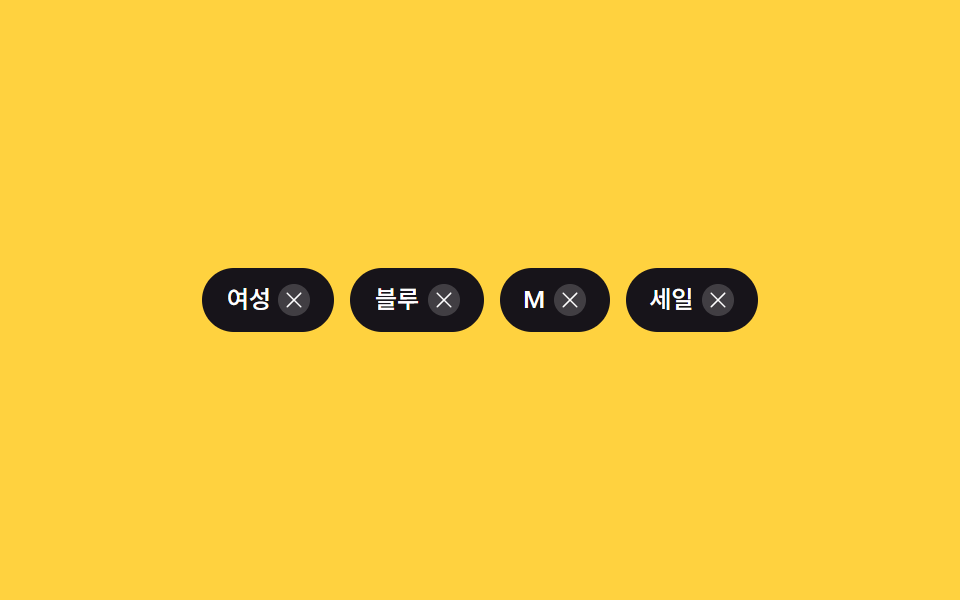 02 filter-ui-chip-remove-collapse
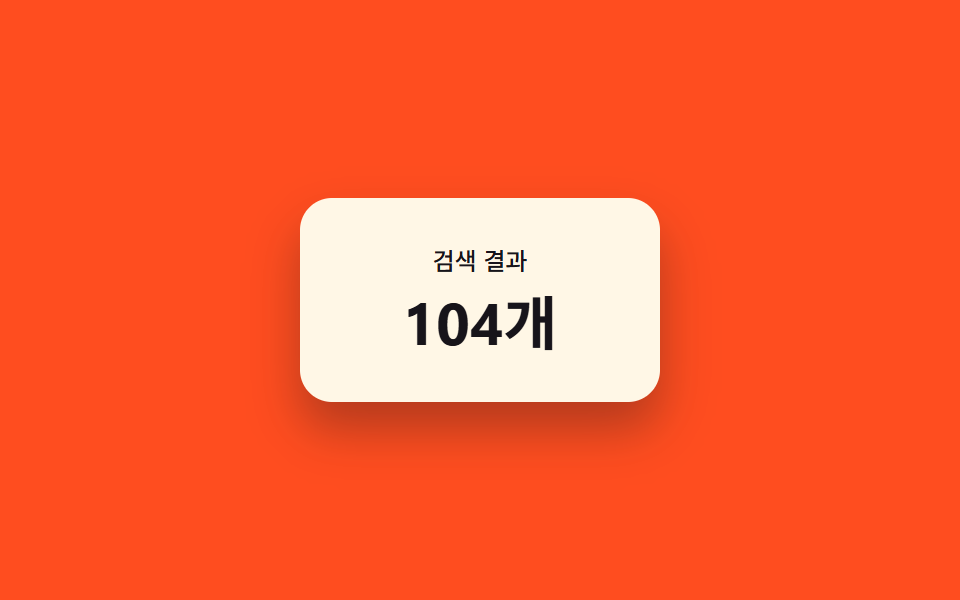 03 filter-ui-result-count-morph
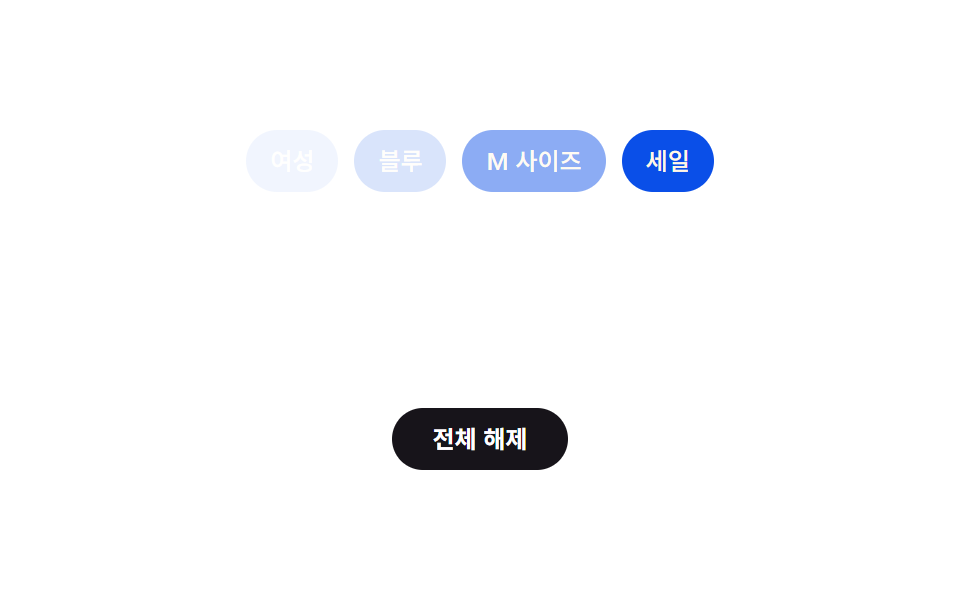 04 filter-ui-clear-all-cascade
 05 filter-ui-active-count-badge-pulse
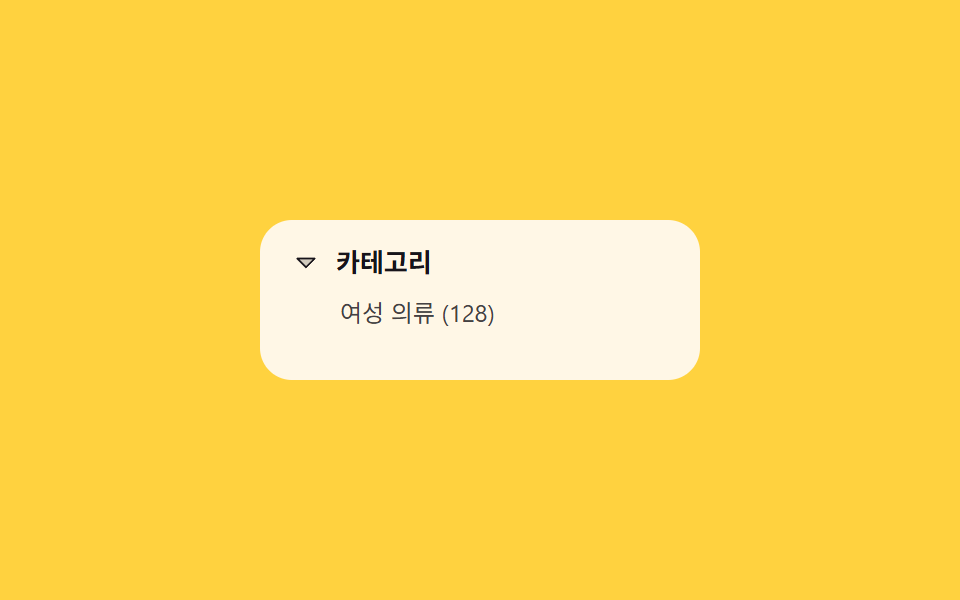 06 filter-ui-category-tree-expand
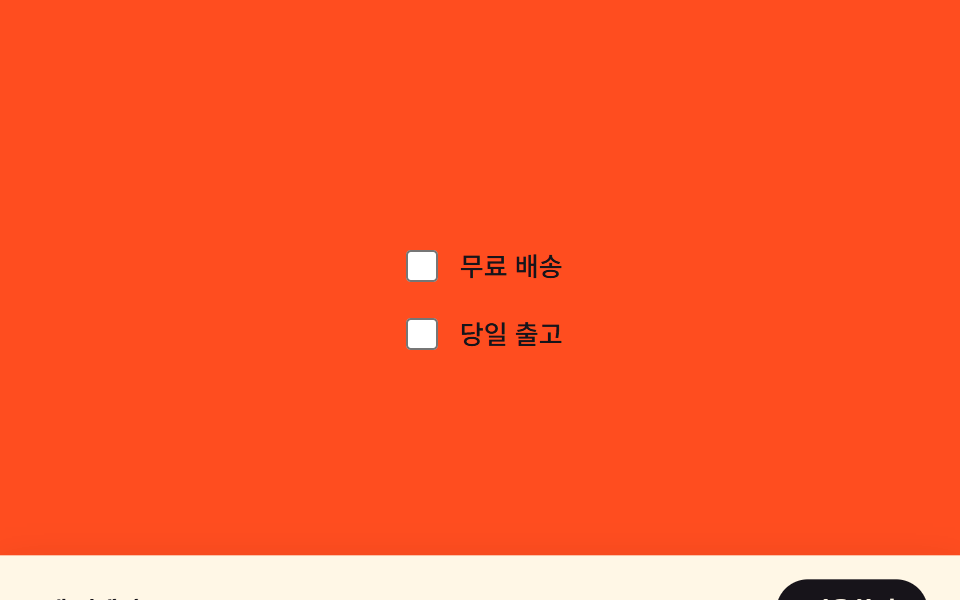 07 filter-ui-sticky-apply-bar-reveal
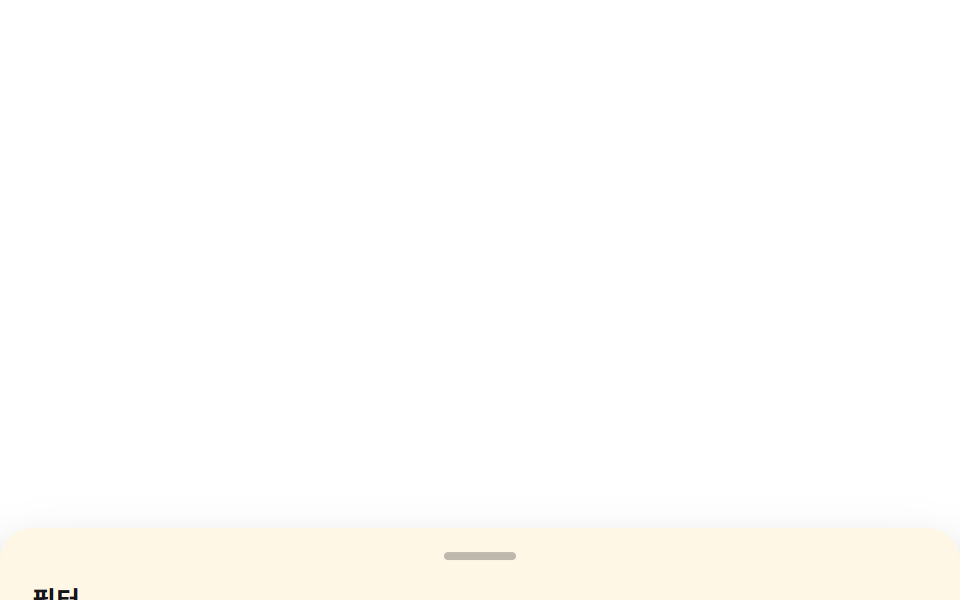 08 filter-ui-mobile-sheet-drag
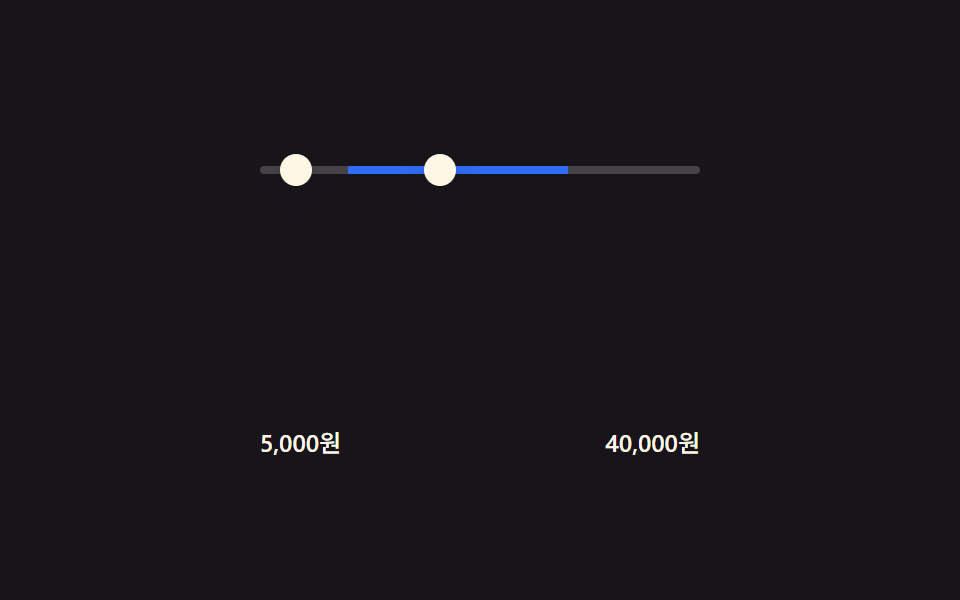 09 filter-ui-price-range-fill
Auto-plays · click a tile to jump to its section · all nine in one zip
- 01 Panel slide toggle — a basic panel interpolating position from an open state
- 02 Chip remove collapse — a row recomputing container width from remaining chip count
- 03 Result count morph — a number interpolating between its old and new value
- 04 Clear-all cascade — chips vanishing in order by index times interval
- 05 Active-count badge pulse — a badge scaling by its change amount then settling back
- 06 Category tree expand — a list recomputing height from child count
- 07 Sticky apply-bar reveal — a bottom bar repositioned by a selection-state value
- 08 Mobile sheet drag — a bottom sheet mapping drag distance to its height
- 09 Price-range fill — a slider computing its track width from two input values
Every category, chip label, and price shown across the nine screens is fictional — there is no real product catalog, no real brand name, and no live API call anywhere in the set. Listener-wise, seven of the nine respond to something a person actually does: 01 (panel toggle) and 06 (tree expand, plus a resize listener) fire on click, 02 (chip remove) delegates a click to each chip's remove button, 04 (clear-all cascade) fires on the clear button's click, 07 (sticky apply-bar) listens for change on two checkboxes, 08 (mobile sheet drag) tracks real pointerdown/pointermove/pointerup/pointercancel events, and 09 (price-range fill) listens for input on both its min and max handles. Items 03 (result count morph) and 05 (badge pulse) run purely on a setTimeout loop cycling through a fixed value array, with no click, drag, or pointer listener attached — every item still autoplays once for the demo, but only those seven also answer a real interaction.
Anatomy of a filter ui — what nine screens compute
Nine screens split cleanly into three ways of turning a filter change into a number a browser can animate, and a filter ui design that skips this step usually just snaps between states instead of moving through them.
Why three screens recompute a dimension from a count or a gap between values
02, 06, and 09 each start from how many things there are, or how far apart two values sit, and turn that into a pixel dimension: 02 re-sums the widths and gaps of the chips still on screen into a new row width, 06 multiplies its visible child-item count by one item's height into a new list height, and 09 turns the distance between its min and max handle values into a fraction of the track's total length.
Why three screens step a position from a boolean state instead of a continuous input
01, 04, and 07 don't read a count or a distance — they read a plain true-or-false state and interpolate a position from it: 01's panel position depends only on whether it is open, 07's apply-bar position depends only on whether at least one filter is selected, and 04 recomputes each chip's disappear time as its index times a fixed interval once a single clear-all boolean fires.
Why three screens map a changing number directly onto a visual property
03, 05, and 08 all take a number that is already changing and map it onto something visible with almost no translation: 03 steps a displayed count from its old value to its new one, 05 scales a badge by the size of the count's change before easing back, and 08 maps a pointer's drag distance straight onto a sheet's height with a snap-point interpolation only on release.
Code per screen
01Panel slide toggle — a basic panel interpolating position from an open state
Once the panel is in its open state, its off-screen horizontal position interpolates in to its on-screen value, and the closed state retraces the same value in reverse.
<main class="stage" id="stage">
  <button class="trigger" id="trigger" type="button" aria-expanded="false" aria-controls="panel">
    Open filters
  </button>
  <aside class="panel is-demo" id="panel" aria-hidden="true">
    <p class="panel__title">Filter</p>
    <div class="panel__row">
      <span class="chip">Color</span>
      <span class="chip">Size</span>
    </div>
    <div class="panel__row">
      <span class="chip">Price range</span>
      <span class="chip">Material</span>
    </div>
  </aside>
</main>
@use "../../../../site/static/demo-tokens" as *;
$duration: $dur-enter;
$easing: $ease-spring;
$color: $subject-cream;
@include stage($stage-ink);
.stage {
position: relative;
overflow: hidden;
}
.trigger {
border: 0;
border-radius: $r-pill;
padding: $sp-3 $sp-6;
font-family: inherit;
font-weight: 600;
font-size: clamp(13px, 4vmin, 16px);
line-height: 1;
color: $stage-ink;
background: $color;
cursor: pointer;
}
.panel {
box-sizing: border-box;
position: absolute;
left: 0;
top: 0;
bottom: 0;
width: min(64vw, 200px);
padding: $sp-6 $sp-4;
display: flex;
flex-direction: column;
gap: $sp-3;
background: $color;
color: $stage-ink;
box-shadow: $shadow-raised;
transform: translateX(-100%);
transition: transform $duration $easing;
}
.panel__title {
margin: 0;
font-weight: 600;
font-size: 14px;
line-height: 1.2;
}
.panel__row {
display: flex;
gap: $sp-2;
flex-wrap: wrap;
}
.chip {
padding: $sp-1 $sp-3;
border-radius: $r-pill;
background: rgba($stage-ink, .1);
font-weight: 500;
font-size: 11px;
line-height: 1.4;
}
.stage.is-open .panel {
transform: translateX(0);
}
.panel.is-demo {
animation-name: panel-loop;
animation-duration: $dur-loop;
animation-timing-function: $easing;
animation-iteration-count: infinite;
}
@keyframes panel-loop {
0%, 100% { transform: translateX(-100%); }
18%, 72% { transform: translateX(0); }
90% { transform: translateX(-100%); }
}
@media (max-width: 340px) {
.panel { width: 78vw; padding: $sp-4 $sp-3; gap: $sp-2; }
.trigger { padding: $sp-2 $sp-4; }
}
@media (prefers-reduced-motion: reduce) {
.panel { transition: none; }
.panel.is-demo { animation: none; transform: translateX(0); opacity: .96; }
}html, body {
margin: 0;
overflow: hidden;
}
.stage {
box-sizing: border-box;
min-height: 100vh;
display: grid;
place-items: center;
margin: 0;
background: #17141a;
font-family: -apple-system, "Segoe UI", "Noto Sans KR", sans-serif;
padding: clamp(8px, 4vw, 24px);
}
.stage {
position: relative;
overflow: hidden;
}
.trigger {
border: 0;
border-radius: 999px;
padding: 12px 24px;
font-family: inherit;
font-weight: 600;
font-size: clamp(13px, 4vmin, 16px);
line-height: 1;
color: #17141a;
background: #fff7e6;
cursor: pointer;
}
.panel {
box-sizing: border-box;
position: absolute;
left: 0;
top: 0;
bottom: 0;
width: min(64vw, 200px);
padding: 24px 16px;
display: flex;
flex-direction: column;
gap: 12px;
background: #fff7e6;
color: #17141a;
box-shadow: 0 14px 24px rgba(23, 20, 26, 0.32);
transform: translateX(-100%);
transition: transform 600ms cubic-bezier(0.2, 0.8, 0.2, 1);
}
.panel__title {
margin: 0;
font-weight: 600;
font-size: 14px;
line-height: 1.2;
}
.panel__row {
display: flex;
gap: 8px;
flex-wrap: wrap;
}
.chip {
padding: 4px 12px;
border-radius: 999px;
background: rgba(23, 20, 26, 0.1);
font-weight: 500;
font-size: 11px;
line-height: 1.4;
}
.stage.is-open .panel {
transform: translateX(0);
}
.panel.is-demo {
animation-name: panel-loop;
animation-duration: 2s;
animation-timing-function: cubic-bezier(0.2, 0.8, 0.2, 1);
animation-iteration-count: infinite;
}
@keyframes panel-loop {
0%, 100% {
transform: translateX(-100%);
}
18%, 72% {
transform: translateX(0);
}
90% {
transform: translateX(-100%);
}
}
@media (max-width: 340px) {
.panel {
width: 78vw;
padding: 16px 12px;
gap: 8px;
}
.trigger {
padding: 8px 16px;
}
}
@media (prefers-reduced-motion: reduce) {
.panel {
transition: none;
}
.panel.is-demo {
animation: none;
transform: translateX(0);
opacity: 0.96;
}
}// Filter 패널 열림·닫힘을 하나의 불(boolean) 값으로만 들고, 그 값을 transform 위치(0 또는 -100%)로 바꿔 CSS transition 이 보간한다.
// 계산 겹: 열림 여부 → translateX 보간(transition). 실사용 클릭 리스너 있음.
(function () {
  var stage = document.getElementById('stage');
  var trigger = document.getElementById('trigger');
  var panel = document.getElementById('panel');
  if (!stage || !trigger || !panel) return;

  function setOpen(open) {
    stage.classList.toggle('is-open', open);
    trigger.setAttribute('aria-expanded', String(open));
    panel.setAttribute('aria-hidden', String(!open));
  }

  trigger.addEventListener('click', function () {
    panel.classList.remove('is-demo');
    setOpen(!stage.classList.contains('is-open'));
  });
})();import { useEffect, useRef } from "react";
import styles from "./PanelSlideToggle.module.scss";
// 필터 패널 열림닫힘을 하나의 불(boolean) 값으로만 들고, 그 값을 transform 위치(0 또는 -100%)로 바꿔 CSS transition 이 보간한다.
// 계산 겹: 열림 여부 -> translateX 보간(transition). 실사용 클릭 리스너 있음.
export default function PanelSlideToggle() {
const stageRef = useRef<HTMLElement>(null);
const triggerRef = useRef<HTMLButtonElement>(null);
const panelRef = useRef<HTMLElement>(null);
useEffect(() => {
const stage = stageRef.current;
const trigger = triggerRef.current;
const panel = panelRef.current;
if (!stage || !trigger || !panel) return;
function setOpen(open: boolean) {
stage!.classList.toggle(styles["is-open"], open);
trigger!.setAttribute("aria-expanded", String(open));
panel!.setAttribute("aria-hidden", String(!open));
}
function onClick() {
panel!.classList.remove(styles["is-demo"]);
setOpen(!stage!.classList.contains(styles["is-open"]));
}
trigger.addEventListener("click", onClick);
return () => {
trigger.removeEventListener("click", onClick);
};
}, []);
return (
<main ref={stageRef} className={styles.stage}>
<button
ref={triggerRef}
className={styles.trigger}
type="button"
aria-expanded="false"
aria-controls="panel"
>
필터 열기
</button>
<aside ref={panelRef} className={`${styles.panel} ${styles["is-demo"]}`} aria-hidden="true">
<p className={styles.panel__title}>필터</p>
<div className={styles.panel__row}>
<span className={styles.chip}>색상</span>
<span className={styles.chip}>사이즈</span>
</div>
<div className={styles.panel__row}>
<span className={styles.chip}>가격대</span>
<span className={styles.chip}>소재</span>
</div>
</aside>
</main>
);
}01 · Panel slide toggle — a basic panel interpolating position from an open state — Measured area 41.968% · moving frames 10/23Original by GODRICH · SCSS and React ship in the zip · See the password
What the numbers say
Across 23 tracked frames the panel changes on 10 of them, covering 41.968% cumulative area at a 163.3 average intensity — the highest average intensity of the nine, since one wide surface crossing the frame moves more pixels per step than several small ones. The panel's own track is min(64vw, 200px) wide, so the same transform works down to a narrow phone viewport without a separate breakpoint.
(function () {
var stage = document.getElementById('stage');
var trigger = document.getElementById('trigger');
var panel = document.getElementById('panel');
if (!stage || !trigger || !panel) return;
function setOpen(open) {
stage.classList.toggle('is-open', open);
trigger.setAttribute('aria-expanded', String(open));
panel.setAttribute('aria-hidden', String(!open));
}
trigger.addEventListener('click', function () {
panel.classList.remove('is-demo');
setOpen(!stage.classList.contains('is-open'));
});
})();
02Chip remove collapse — a row recomputing container width from remaining chip count
Once a chip is removed, the widths and gaps of the remaining chips are re-summed into a new container width, and the whole row narrows to that value.
<main class="stage">
  <div class="chips" id="chips" role="list" aria-label="Applied filters">
    <span class="chip" role="listitem" data-label="Women">
      <span class="chip__label">Women</span>
      <button class="chip__x" type="button" aria-label="Remove Women filter">
        <svg viewBox="0 0 256 256" width="12" height="12" aria-hidden="true"><g fill="currentColor"><path d="M205.66 194.34a8 8 0 0 1-11.32 11.32L128 139.31l-66.34 66.35a8 8 0 0 1-11.32-11.32L116.69 128L50.34 61.66a8 8 0 0 1 11.32-11.32L128 116.69l66.34-66.35a8 8 0 0 1 11.32 11.32L139.31 128Z"/></g></svg>
      </button>
    </span>
    <span class="chip" role="listitem" data-label="Blue">
      <span class="chip__label">Blue</span>
      <button class="chip__x" type="button" aria-label="Remove Blue filter">
        <svg viewBox="0 0 256 256" width="12" height="12" aria-hidden="true"><g fill="currentColor"><path d="M205.66 194.34a8 8 0 0 1-11.32 11.32L128 139.31l-66.34 66.35a8 8 0 0 1-11.32-11.32L116.69 128L50.34 61.66a8 8 0 0 1 11.32-11.32L128 116.69l66.34-66.35a8 8 0 0 1 11.32 11.32L139.31 128Z"/></g></svg>
      </button>
    </span>
    <span class="chip" role="listitem" data-label="M">
      <span class="chip__label">M</span>
      <button class="chip__x" type="button" aria-label="Remove M filter">
        <svg viewBox="0 0 256 256" width="12" height="12" aria-hidden="true"><g fill="currentColor"><path d="M205.66 194.34a8 8 0 0 1-11.32 11.32L128 139.31l-66.34 66.35a8 8 0 0 1-11.32-11.32L116.69 128L50.34 61.66a8 8 0 0 1 11.32-11.32L128 116.69l66.34-66.35a8 8 0 0 1 11.32 11.32L139.31 128Z"/></g></svg>
      </button>
    </span>
    <span class="chip" role="listitem" data-label="Sale">
      <span class="chip__label">Sale</span>
      <button class="chip__x" type="button" aria-label="Remove Sale filter">
        <svg viewBox="0 0 256 256" width="12" height="12" aria-hidden="true"><g fill="currentColor"><path d="M205.66 194.34a8 8 0 0 1-11.32 11.32L128 139.31l-66.34 66.35a8 8 0 0 1-11.32-11.32L116.69 128L50.34 61.66a8 8 0 0 1 11.32-11.32L128 116.69l66.34-66.35a8 8 0 0 1 11.32 11.32L139.31 128Z"/></g></svg>
      </button>
    </span>
  </div>
</main>@use "../../../../site/static/demo-tokens" as *;
$duration: $dur-base;
$easing: $ease-spring;
$color: $subject-ink;
@include stage($stage-yellow);
.chips {
box-sizing: border-box;
display: flex;
align-items: center;
gap: $sp-2;
flex-wrap: nowrap;
overflow: hidden;
transition: width $duration $easing;
}
.chip {
flex: 0 0 auto;
display: inline-flex;
align-items: center;
gap: $sp-1;
padding: $sp-2 $sp-3;
border-radius: $r-pill;
background: $color;
white-space: nowrap;
}
.chip__label {
color: $stage-paper;
font-weight: 500;
font-size: 12px;
line-height: 1.3;
}
.chip__x {
display: inline-flex;
align-items: center;
justify-content: center;
width: 16px;
height: 16px;
padding: 0;
border: 0;
border-radius: 50%;
background: rgba($stage-paper, .18);
color: $stage-paper;
cursor: pointer;
}
@media (max-width: 340px) {
.chip { padding: $sp-1 $sp-2; gap: $sp-1; }
.chip__label { font-size: 11px; }
.chip__x { width: 14px; height: 14px; }
.chips { gap: $sp-1; }
}
@media (prefers-reduced-motion: reduce) {
.chips { transition: none; }
}html, body {
margin: 0;
overflow: hidden;
}
.stage {
box-sizing: border-box;
min-height: 100vh;
display: grid;
place-items: center;
margin: 0;
background: #ffd23f;
font-family: -apple-system, "Segoe UI", "Noto Sans KR", sans-serif;
padding: clamp(8px, 4vw, 24px);
}
.chips {
box-sizing: border-box;
display: flex;
align-items: center;
gap: 8px;
flex-wrap: nowrap;
overflow: hidden;
transition: width 300ms cubic-bezier(0.2, 0.8, 0.2, 1);
}
.chip {
flex: 0 0 auto;
display: inline-flex;
align-items: center;
gap: 4px;
padding: 8px 12px;
border-radius: 999px;
background: #17141a;
white-space: nowrap;
}
.chip__label {
color: #ffffff;
font-weight: 500;
font-size: 12px;
line-height: 1.3;
}
.chip__x {
display: inline-flex;
align-items: center;
justify-content: center;
width: 16px;
height: 16px;
padding: 0;
border: 0;
border-radius: 50%;
background: rgba(255, 255, 255, 0.18);
color: #ffffff;
cursor: pointer;
}
@media (max-width: 340px) {
.chip {
padding: 4px 8px;
gap: 4px;
}
.chip__label {
font-size: 11px;
}
.chip__x {
width: 14px;
height: 14px;
}
.chips {
gap: 4px;
}
}
@media (prefers-reduced-motion: reduce) {
.chips {
transition: none;
}
}// 칩 하나를 지우면 남은 칩들의 실측 폭(getBoundingClientRect)과 사이 간격(gap)을 다시 더해 컨테이너 폭을 그 값으로 옮긴다(transition).
// 실사용 클릭 리스너 있음 + 캡처용으로 같은 제거·추가 함수를 2초 주기로 되풀이한다.
(function () {
var GAP_PX = 8;
var row = document.getElementById('chips');
if (!row) return;
function recompute() {
var chips = row.querySelectorAll('.chip');
var total = 0;
chips.forEach(function (chip, i) {
total += chip.getBoundingClientRect().width;
if (i > 0) total += GAP_PX;
});
row.style.width = total + 'px';
}
function buildChip(label) {
var chip = document.createElement('span');
chip.className = 'chip';
chip.setAttribute('role', 'listitem');
chip.dataset.label = label;
var text = document.createElement('span');
text.className = 'chip__label';
text.textContent = label;
var btn = document.createElement('button');
btn.className = 'chip__x';
btn.type = 'button';
btn.setAttribute('aria-label', label + ' Remove filter');
btn.innerHTML = '<svg viewBox="0 0 256 256" width="12" height="12" aria-hidden="true"><g fill="currentColor"><path d="M205.66 194.34a8 8 0 0 1-11.32 11.32L128 139.31l-66.34 66.35a8 8 0 0 1-11.32-11.32L116.69 128L50.34 61.66a8 8 0 0 1 11.32-11.32L128 116.69l66.34-66.35a8 8 0 0 1 11.32 11.32L139.31 128Z"/></g></svg>';
chip.appendChild(text);
chip.appendChild(btn);
return chip;
}
  function removeChip(chip) {
    if (!chip) return null;
    var label = chip.dataset.label || '';
    chip.remove();
    recompute();
    return label;
  }

  function addChip(label) {
    var chip = buildChip(label);
    row.appendChild(chip);
    recompute();
  }

  row.addEventListener('click', function (e) {
    var btn = e.target.closest('.chip__x');
    if (!btn) return;
    removeChip(btn.closest('.chip'));
  });
requestAnimationFrame(recompute);
// 자동 시연: 마지막 칩을 지웠다가 되돌리는 2초 주기 반복 (실제 리스너와 같은 함수를 재사용)
(function loop() {
setTimeout(function () {
var last = row.querySelector('.chip:last-child');
var label = removeChip(last);
setTimeout(function () {
if (label) addChip(label);
setTimeout(loop, 700);
}, 650);
}, 350);
})();
})();import { useEffect, useRef } from "react";
import styles from "./ChipRemoveCollapse.module.scss";
// 칩 하나를 지우면 남은 칩들의 실측 폭(getBoundingClientRect)과 사이 간격(gap)을 다시 더해 컨테이너 폭을 그 값으로 옮긴다(transition).
// 실사용 클릭 리스너 있음 + 같은 제거·추가 함수를 2초 주기로 되풀이하는 자동 시연을 함께 돈다.
const GAP_PX = 8;
const X_ICON_SVG =
'<svg viewBox="0 0 256 256" width="12" height="12" aria-hidden="true"><g fill="currentColor"><path d="M205.66 194.34a8 8 0 0 1-11.32 11.32L128 139.31l-66.34 66.35a8 8 0 0 1-11.32-11.32L116.69 128L50.34 61.66a8 8 0 0 1 11.32-11.32L128 116.69l66.34-66.35a8 8 0 0 1 11.32 11.32L139.31 128Z"/></g></svg>';
export default function ChipRemoveCollapse() {
const rowRef = useRef<HTMLDivElement>(null);
useEffect(() => {
const row = rowRef.current;
if (!row) return;
let alive = true;
function recompute() {
const chips = row!.querySelectorAll<HTMLElement>("." + styles.chip);
let total = 0;
chips.forEach((chip, i) => {
total += chip.getBoundingClientRect().width;
if (i > 0) total += GAP_PX;
});
row!.style.width = total + "px";
}
function buildChip(label: string) {
const chip = document.createElement("span");
chip.className = styles.chip;
chip.setAttribute("role", "listitem");
chip.dataset.label = label;
const text = document.createElement("span");
text.className = styles.chip__label;
text.textContent = label;
const btn = document.createElement("button");
btn.className = styles.chip__x;
btn.type = "button";
btn.setAttribute("aria-label", label + " 필터 제거");
btn.innerHTML = X_ICON_SVG;
chip.appendChild(text);
chip.appendChild(btn);
return chip;
}
function removeChip(chip: HTMLElement | null) {
if (!chip) return null;
const label = chip.dataset.label || "";
chip.remove();
recompute();
return label;
}
function addChip(label: string) {
const chip = buildChip(label);
row!.appendChild(chip);
recompute();
}
function onClick(e: MouseEvent) {
const target = e.target as Element | null;
if (!target) return;
const btn = target.closest<HTMLElement>("." + styles.chip__x);
if (!btn) return;
removeChip(btn.closest<HTMLElement>("." + styles.chip));
}
row.addEventListener("click", onClick);
const rafId = requestAnimationFrame(recompute);
const timers: number[] = [];
(function loop() {
const t1 = window.setTimeout(() => {
if (!alive) return;
const last = row!.querySelector<HTMLElement>("." + styles.chip + ":last-child");
const label = removeChip(last);
const t2 = window.setTimeout(() => {
if (!alive) return;
if (label) addChip(label);
const t3 = window.setTimeout(loop, 700);
timers.push(t3);
}, 650);
timers.push(t2);
}, 350);
timers.push(t1);
})();
return () => {
alive = false;
row.removeEventListener("click", onClick);
cancelAnimationFrame(rafId);
timers.forEach((t) => window.clearTimeout(t));
};
}, []);
return (
<main className={styles.stage}>
<div ref={rowRef} className={styles.chips} role="list" aria-label="적용된 필터">
<span className={styles.chip} role="listitem" data-label="여성">
<span className={styles.chip__label}>여성</span>
<button className={styles.chip__x} type="button" aria-label="여성 필터 제거">
<svg viewBox="0 0 256 256" width="12" height="12" aria-hidden="true">
<g fill="currentColor">
<path d="M205.66 194.34a8 8 0 0 1-11.32 11.32L128 139.31l-66.34 66.35a8 8 0 0 1-11.32-11.32L116.69 128L50.34 61.66a8 8 0 0 1 11.32-11.32L128 116.69l66.34-66.35a8 8 0 0 1 11.32 11.32L139.31 128Z" />
</g>
</svg>
</button>
</span>
<span className={styles.chip} role="listitem" data-label="블루">
<span className={styles.chip__label}>블루</span>
<button className={styles.chip__x} type="button" aria-label="블루 필터 제거">
<svg viewBox="0 0 256 256" width="12" height="12" aria-hidden="true">
<g fill="currentColor">
<path d="M205.66 194.34a8 8 0 0 1-11.32 11.32L128 139.31l-66.34 66.35a8 8 0 0 1-11.32-11.32L116.69 128L50.34 61.66a8 8 0 0 1 11.32-11.32L128 116.69l66.34-66.35a8 8 0 0 1 11.32 11.32L139.31 128Z" />
</g>
</svg>
</button>
</span>
<span className={styles.chip} role="listitem" data-label="M">
<span className={styles.chip__label}>M</span>
<button className={styles.chip__x} type="button" aria-label="M 필터 제거">
<svg viewBox="0 0 256 256" width="12" height="12" aria-hidden="true">
<g fill="currentColor">
<path d="M205.66 194.34a8 8 0 0 1-11.32 11.32L128 139.31l-66.34 66.35a8 8 0 0 1-11.32-11.32L116.69 128L50.34 61.66a8 8 0 0 1 11.32-11.32L128 116.69l66.34-66.35a8 8 0 0 1 11.32 11.32L139.31 128Z" />
</g>
</svg>
</button>
</span>
<span className={styles.chip} role="listitem" data-label="세일">
<span className={styles.chip__label}>세일</span>
<button className={styles.chip__x} type="button" aria-label="세일 필터 제거">
<svg viewBox="0 0 256 256" width="12" height="12" aria-hidden="true">
<g fill="currentColor">
<path d="M205.66 194.34a8 8 0 0 1-11.32 11.32L128 139.31l-66.34 66.35a8 8 0 0 1-11.32-11.32L116.69 128L50.34 61.66a8 8 0 0 1 11.32-11.32L128 116.69l66.34-66.35a8 8 0 0 1 11.32 11.32L139.31 128Z" />
</g>
</svg>
</button>
</span>
</div>
</main>
);
}02 · Chip remove collapse — a row recomputing container width from remaining chip count — Measured area 5.569% · moving frames 11/23Original by GODRICH · SCSS and React ship in the zip · See the password
What the numbers say
The row changes on 11 of 23 frames, a 5.569% cumulative area at 149.5 average intensity — a small footprint because only the row's own width shrinks, not the surrounding page. recompute() runs the same re-summing after both a real removal and the autoplay loop's own add/remove cycle, so anyone browsing filter ui examples sees identical math whichever path triggered it.
function removeChip(chip) {
if (!chip) return null;
var label = chip.dataset.label || '';
chip.remove();
recompute();
return label;
}
function addChip(label) {
var chip = buildChip(label);
row.appendChild(chip);
recompute();
}
row.addEventListener('click', function (e) {
var btn = e.target.closest('.chip__x');
if (!btn) return;
removeChip(btn.closest('.chip'));
});
03Result count morph — a number interpolating between its old and new value
When the result count changes after a filter update, the display steps from the old count to the new one in even increments instead of jumping.
<main class="stage">
  <div class="card">
    <p class="card__label">Search results</p>
    <p class="card__count" id="count" role="status" aria-live="polite">128 items</p>
  </div>
</main>
@use "../../../../site/static/demo-tokens" as *;
$duration: $dur-base;
$easing: $ease-out;
$color: $subject-cream;
@include stage($stage-orange);
.card {
box-sizing: border-box;
min-width: 180px;
padding: $sp-6 $sp-8;
border-radius: $r-card;
background: $color;
box-shadow: $shadow-raised;
text-align: center;
}
.card__label {
margin: 0 0 $sp-2;
color: $subject-ink;
font-weight: 500;
font-size: 12px;
line-height: 1.3;
}
.card__count {
margin: 0;
color: $subject-ink;
font-weight: 700;
font-size: clamp(28px, 8vmin, 40px);
line-height: 1.1;
font-variant-numeric: tabular-nums;
--pulse: 0;
transform: scale(calc(1 + var(--pulse, 0) * .05));
}
@media (max-width: 340px) {
.card { padding: $sp-4 $sp-6; min-width: 140px; }
}
@media (prefers-reduced-motion: reduce) {
.card__count { transform: none; }
}html, body {
margin: 0;
overflow: hidden;
}
.stage {
box-sizing: border-box;
min-height: 100vh;
display: grid;
place-items: center;
margin: 0;
background: #ff4d1f;
font-family: -apple-system, "Segoe UI", "Noto Sans KR", sans-serif;
padding: clamp(8px, 4vw, 24px);
}
.card {
box-sizing: border-box;
min-width: 180px;
padding: 24px 32px;
border-radius: 16px;
background: #fff7e6;
box-shadow: 0 14px 24px rgba(23, 20, 26, 0.32);
text-align: center;
}
.card__label {
margin: 0 0 8px;
color: #17141a;
font-weight: 500;
font-size: 12px;
line-height: 1.3;
}
.card__count {
margin: 0;
color: #17141a;
font-weight: 700;
font-size: clamp(28px, 8vmin, 40px);
line-height: 1.1;
font-variant-numeric: tabular-nums;
--pulse: 0;
transform: scale(calc(1 + var(--pulse, 0) * 0.05));
}
@media (max-width: 340px) {
.card {
padding: 16px 24px;
min-width: 140px;
}
}
@media (prefers-reduced-motion: reduce) {
.card__count {
transform: none;
}
}// 결과 수가 바뀔 때 이전 값과 새 값의 차이를 requestAnimationFrame 으로 나눠 화면 숫자를 그 사이 값으로 다시 그린다(textContent).
// 자동 시연만, 실사용 리스너 없음.
(function () {
var el = document.getElementById('count');
if (!el) return;
var VALUES = [128, 47, 283, 128];
var STEP_MS = 900;
var HOLD_MS = 350;
var idx = 0;
var from = VALUES[0];
function ease(t) { return 1 - Math.pow(1 - t, 3); }
function animate(to, duration) {
var start = null;
function frame(ts) {
if (start === null) start = ts;
var t = Math.min(1, (ts - start) / duration);
var value = Math.round(from + (to - from) * ease(t));
el.textContent = value + 'items';
el.style.setProperty('--pulse', (1 - t).toFixed(3));
if (t < 1) {
requestAnimationFrame(frame);
} else {
from = to;
setTimeout(step, HOLD_MS);
}
}
requestAnimationFrame(frame);
}
function step() {
idx = (idx + 1) % VALUES.length;
animate(VALUES[idx], STEP_MS);
}
setTimeout(step, HOLD_MS);
})();import { useEffect, useRef } from "react";
import styles from "./ResultCountMorph.module.scss";
// 결과 수가 바뀔 때 이전 값과 새 값의 차이를 requestAnimationFrame 으로 나눠 화면 숫자를 그 사이 값으로 다시 그린다(textContent).
// 자동 시연만, 실사용 리스너 없음.
const VALUES = [128, 47, 283, 128];
const STEP_MS = 900;
const HOLD_MS = 350;
function ease(t: number) {
return 1 - Math.pow(1 - t, 3);
}
export default function ResultCountMorph() {
const countRef = useRef<HTMLParagraphElement>(null);
useEffect(() => {
const el = countRef.current;
if (!el) return;
let alive = true;
let idx = 0;
let from = VALUES[0];
let rafId = 0;
let timeoutId = 0;
function animate(to: number, duration: number) {
let start: number | null = null;
function frame(ts: number) {
if (!alive) return;
if (start === null) start = ts;
const t = Math.min(1, (ts - start) / duration);
const value = Math.round(from + (to - from) * ease(t));
el!.textContent = value + "개";
el!.style.setProperty("--pulse", (1 - t).toFixed(3));
if (t < 1) {
rafId = requestAnimationFrame(frame);
} else {
from = to;
timeoutId = window.setTimeout(step, HOLD_MS);
}
}
rafId = requestAnimationFrame(frame);
}
function step() {
if (!alive) return;
idx = (idx + 1) % VALUES.length;
animate(VALUES[idx], STEP_MS);
}
timeoutId = window.setTimeout(step, HOLD_MS);
return () => {
alive = false;
cancelAnimationFrame(rafId);
window.clearTimeout(timeoutId);
};
}, []);
return (
<main className={styles.stage}>
<div className={styles.card}>
<p className={styles.card__label}>검색 결과</p>
<p ref={countRef} className={styles.card__count} role="status" aria-live="polite">
128개
</p>
</div>
</main>
);
}03 · Result count morph — a number interpolating between its old and new value — Measured area 1.142% · moving frames 18/23Original by GODRICH · SCSS and React ship in the zip · See the password
What the numbers say
This screen touches 18 of 23 frames yet only 1.142% cumulative area — a text node redrawing digits moves far fewer pixels than a panel sliding, so the low area is the shape of a number counting up, not a weak effect. VALUES cycles through four fixed counts, and each step rounds the eased position between the last count and the next one for display.
  function animate(to, duration) {
    var start = null;
    function frame(ts) {
      if (start === null) start = ts;
      var t = Math.min(1, (ts - start) / duration);
      var value = Math.round(from + (to - from) * ease(t));
      el.textContent = value + ' items';
      el.style.setProperty('--pulse', (1 - t).toFixed(3));
      if (t < 1) {
        requestAnimationFrame(frame);
      } else {
        from = to;
        setTimeout(step, HOLD_MS);
      }
    }
    requestAnimationFrame(frame);
  }

  function step() {
    idx = (idx + 1) % VALUES.length;
    animate(VALUES[idx], STEP_MS);
  }

  setTimeout(step, HOLD_MS);
04Clear-all cascade — chips vanishing in order by index times interval
Once a clear-all state fires, each chip's disappear-start time is recomputed by multiplying its order by a fixed interval, so they vanish left to right.
<main class="stage">
  <div class="chips is-demo" id="chips">
    <span class="chip is-active" style="--i:0">Women</span>
    <span class="chip is-active" style="--i:1">Blue</span>
    <span class="chip is-active" style="--i:2">Size M</span>
    <span class="chip is-active" style="--i:3">Sale</span>
  </div>
  <button class="clear-btn" id="clearBtn" type="button">Clear all</button>
</main>
@use "../../../../site/static/demo-tokens" as *;
$duration: $dur-base;
$easing: $ease-spring;
$color: $subject-blue-deep;
$stagger: 90ms;
@include stage($stage-paper);
.chips {
display: flex;
align-items: center;
gap: $sp-2;
flex-wrap: wrap;
justify-content: center;
margin-bottom: $sp-4;
}
.chip {
padding: $sp-2 $sp-3;
border-radius: $r-pill;
background: $color;
color: $subject-cream;
font-weight: 500;
font-size: 12px;
line-height: 1.3;
opacity: 1;
transition: opacity $duration $easing;
transition-delay: calc(var(--i, 0) * #{$stagger});
}
.chip:not(.is-active) {
opacity: 0;
}
.clear-btn {
display: block;
margin: 0 auto;
border: 0;
border-radius: $r-pill;
padding: $sp-2 $sp-5;
background: $subject-ink;
color: $stage-paper;
font-family: inherit;
font-weight: 600;
font-size: 12px;
line-height: 1.3;
cursor: pointer;
}
.chips.is-demo .chip {
animation-name: chip-cascade;
animation-duration: $dur-loop;
animation-timing-function: $easing;
animation-iteration-count: infinite;
animation-delay: calc(var(--i, 0) * #{$stagger});
}
@keyframes chip-cascade {
0%, 25% { opacity: 1; }
50% { opacity: 0; }
75%, 100% { opacity: 1; }
}
@media (max-width: 340px) {
.chip { padding: $sp-1 $sp-2; }
.chips { gap: $sp-1; }
}
@media (prefers-reduced-motion: reduce) {
.chip { transition: none; }
.chips.is-demo .chip { animation: none; }
}html, body {
margin: 0;
overflow: hidden;
}
.stage {
box-sizing: border-box;
min-height: 100vh;
display: grid;
place-items: center;
margin: 0;
background: #ffffff;
font-family: -apple-system, "Segoe UI", "Noto Sans KR", sans-serif;
padding: clamp(8px, 4vw, 24px);
}
.chips {
display: flex;
align-items: center;
gap: 8px;
flex-wrap: wrap;
justify-content: center;
margin-bottom: 16px;
}
.chip {
padding: 8px 12px;
border-radius: 999px;
background: #0a4fe8;
color: #fff7e6;
font-weight: 500;
font-size: 12px;
line-height: 1.3;
opacity: 1;
transition: opacity 300ms cubic-bezier(0.2, 0.8, 0.2, 1);
transition-delay: calc(var(--i, 0) * 90ms);
}
.chip:not(.is-active) {
opacity: 0;
}
.clear-btn {
display: block;
margin: 0 auto;
border: 0;
border-radius: 999px;
padding: 8px 20px;
background: #17141a;
color: #ffffff;
font-family: inherit;
font-weight: 600;
font-size: 12px;
line-height: 1.3;
cursor: pointer;
}
.chips.is-demo .chip {
animation-name: chip-cascade;
animation-duration: 2s;
animation-timing-function: cubic-bezier(0.2, 0.8, 0.2, 1);
animation-iteration-count: infinite;
animation-delay: calc(var(--i, 0) * 90ms);
}
@keyframes chip-cascade {
0%, 25% {
opacity: 1;
}
50% {
opacity: 0;
}
75%, 100% {
opacity: 1;
}
}
@media (max-width: 340px) {
.chip {
padding: 4px 8px;
}
.chips {
gap: 4px;
}
}
@media (prefers-reduced-motion: reduce) {
.chip {
transition: none;
}
.chips.is-demo .chip {
animation: none;
}
}// 칩의 순서(index) 값에 고정 간격(ms)을 곱해 사라지는 시작 시점을 다시 구한다.
// 실제 클릭: 칩마다 그 시점에 classList.remove 로 is-active 를 떼면 opacity 전환이 순서대로 일어난다.
// 데모 루프는 같은 계산을 CSS animation-delay 로 옮겨 무한 반복한다.
(function () {
  var STAGGER_MS = 90;
  var chips = document.getElementById('chips');
  var clearBtn = document.getElementById('clearBtn');
  if (!chips || !clearBtn) return;

  clearBtn.addEventListener('click', function () {
    chips.classList.remove('is-demo');
    var items = chips.querySelectorAll('.chip');
    items.forEach(function (chip, i) {
      setTimeout(function () {
        chip.classList.remove('is-active');
      }, i * STAGGER_MS);
    });
  });
})();import { useEffect, useRef } from "react";
import styles from "./ClearAllCascade.module.scss";
// 칩의 순서(index) 값에 고정 간격(ms)을 곱해 사라지는 시작 시점을 다시 구한다.
// 실제 클릭: 칩마다 그 시점에 classList.remove 로 is-active 를 떼면 opacity 전환이 순서대로 일어난다.
// 데모 루프는 같은 계산을 CSS animation-delay 로 옮겨 무한 반복한다.
const STAGGER_MS = 90;
export default function ClearAllCascade() {
const chipsRef = useRef<HTMLDivElement>(null);
const clearBtnRef = useRef<HTMLButtonElement>(null);
useEffect(() => {
const chips = chipsRef.current;
const clearBtn = clearBtnRef.current;
if (!chips || !clearBtn) return;
const timers: number[] = [];
function onClick() {
chips!.classList.remove(styles["is-demo"]);
const items = chips!.querySelectorAll<HTMLElement>("." + styles.chip);
items.forEach((chip, i) => {
const t = window.setTimeout(() => {
chip.classList.remove(styles["is-active"]);
}, i * STAGGER_MS);
timers.push(t);
});
}
clearBtn.addEventListener("click", onClick);
return () => {
clearBtn.removeEventListener("click", onClick);
timers.forEach((t) => window.clearTimeout(t));
};
}, []);
return (
<main className={styles.stage}>
<div ref={chipsRef} className={`${styles.chips} ${styles["is-demo"]}`}>
<span className={`${styles.chip} ${styles["is-active"]}`} style={{ "--i": 0 }}>
여성
</span>
<span className={`${styles.chip} ${styles["is-active"]}`} style={{ "--i": 1 }}>
블루
</span>
<span className={`${styles.chip} ${styles["is-active"]}`} style={{ "--i": 2 }}>
M 사이즈
</span>
<span className={`${styles.chip} ${styles["is-active"]}`} style={{ "--i": 3 }}>
세일
</span>
</div>
<button ref={clearBtnRef} className={styles["clear-btn"]} type="button">
전체 해제
</button>
</main>
);
}04 · Clear-all cascade — chips vanishing in order by index times interval — Measured area 4.054% · moving frames 12/23Original by GODRICH · SCSS and React ship in the zip · See the password
What the numbers say
12 of 23 frames move, a 4.054% cumulative area at 74.0 average intensity, the second-lowest intensity of the nine because each chip only fades and shrinks in place rather than traveling far. STAGGER_MS is 90ms in the shipped build; the variants section below covers what happens at 200ms.
(function () {
var STAGGER_MS = 90;
var chips = document.getElementById('chips');
var clearBtn = document.getElementById('clearBtn');
if (!chips || !clearBtn) return;
clearBtn.addEventListener('click', function () {
chips.classList.remove('is-demo');
var items = chips.querySelectorAll('.chip');
items.forEach(function (chip, i) {
setTimeout(function () {
chip.classList.remove('is-active');
}, i * STAGGER_MS);
});
});
})();
05Active-count badge pulse — a badge scaling by its change amount then settling back
When the active-filter count changes, the badge scales up by an amount proportional to the size of that change, then eases back to its resting size.
<main class="stage">
  <div class="icon-btn" aria-hidden="true">
    <svg viewBox="0 0 256 256" width="28" height="28"><g fill="currentColor"><path d="M230.6 49.53A15.81 15.81 0 0 0 216 40H40a15.81 15.81 0 0 0-14.6 9.53a16 16 0 0 0 1.59 15.72L96 155.32V208a16 16 0 0 0 24.87 13.32l32-21.34a16 16 0 0 0 7.13-13.32v-31.34l68.99-90.07a16 16 0 0 0 1.61-15.72" opacity=".2"/><path d="M239.12 44.32A23.82 23.82 0 0 0 216 32H40a23.84 23.84 0 0 0-19.09 38.29L88 156.86v51.14a24 24 0 0 0 37.32 20l32-21.34A24 24 0 0 0 168 187.68v-30.82l67.09-86.57a23.84 23.84 0 0 0 4.03-25.97M152 148.79V187.7l-32 21.34v-60.25L40 40h176Z"/></g></svg>
    <span class="badge" id="badge" aria-label="Number of applied filters">1</span>
  </div>
</main>
@use "../../../../site/static/demo-tokens" as *;
$duration: $dur-quick;
$easing: $ease-pop;
$color: $subject-blue-deep;
@include stage($stage-ink);
.icon-btn {
position: relative;
display: inline-flex;
align-items: center;
justify-content: center;
width: 64px;
height: 64px;
border-radius: $r-pill;
background: rgba($stage-paper, .1);
color: $subject-cream;
}
.badge {
box-sizing: border-box;
position: absolute;
top: -4px;
right: -4px;
min-width: 20px;
height: 20px;
padding: 0 $sp-1;
border-radius: $r-pill;
background: $color;
color: $subject-cream;
display: inline-flex;
align-items: center;
justify-content: center;
font-weight: 700;
font-size: 11px;
line-height: 1;
transform: scale(1);
transform-origin: center;
transition: transform $duration $easing;
}
@media (max-width: 340px) {
.icon-btn { width: 52px; height: 52px; }
}
@media (prefers-reduced-motion: reduce) {
.badge { transition: none; }
}html, body {
margin: 0;
overflow: hidden;
}
.stage {
box-sizing: border-box;
min-height: 100vh;
display: grid;
place-items: center;
margin: 0;
background: #17141a;
font-family: -apple-system, "Segoe UI", "Noto Sans KR", sans-serif;
padding: clamp(8px, 4vw, 24px);
}
.icon-btn {
position: relative;
display: inline-flex;
align-items: center;
justify-content: center;
width: 64px;
height: 64px;
border-radius: 999px;
background: rgba(255, 255, 255, 0.1);
color: #fff7e6;
}
.badge {
box-sizing: border-box;
position: absolute;
top: -4px;
right: -4px;
min-width: 20px;
height: 20px;
padding: 0 4px;
border-radius: 999px;
background: #0a4fe8;
color: #fff7e6;
display: inline-flex;
align-items: center;
justify-content: center;
font-weight: 700;
font-size: 11px;
line-height: 1;
transform: scale(1);
transform-origin: center;
transition: transform 220ms cubic-bezier(0.2, 1.4, 0.4, 1);
}
@media (max-width: 340px) {
.icon-btn {
width: 52px;
height: 52px;
}
}
@media (prefers-reduced-motion: reduce) {
.badge {
transition: none;
}
}// 활성 Filter 개수가 바뀌면 배지를 한 번 키웠다가(scale) 되돌린다 — transitionend 로 커진 상태가 끝났음을 확인한 뒤에만 되돌린다.
// 자동 시연만, 실사용 리스너 없음.
(function () {
var badge = document.getElementById('badge');
if (!badge) return;
var VALUES = [1, 3, 2, 5, 0, 2];
var HOLD_MS = 480;
var idx = 0;
  function grow() {
    idx = (idx + 1) % VALUES.length;
    badge.textContent = String(VALUES[idx]);
    badge.style.transform = 'scale(1.4)';
  }

  badge.addEventListener('transitionend', function (e) {
    if (e.propertyName !== 'transform') return;
    if (badge.style.transform === 'scale(1.4)') {
      badge.style.transform = 'scale(1)';
    } else {
      setTimeout(grow, HOLD_MS);
    }
  });
setTimeout(grow, HOLD_MS);
})();import { useEffect, useRef } from "react";
import styles from "./ActiveCountBadgePulse.module.scss";
// 활성 필터 개수가 바뀌면 배지를 한 번 키웠다가(scale) 되돌린다 — transitionend 로 커진 상태가 끝났음을 확인한 뒤에만 되돌린다.
// 자동 시연만, 실사용 리스너 없음.
const VALUES = [1, 3, 2, 5, 0, 2];
const HOLD_MS = 480;
export default function ActiveCountBadgePulse() {
const badgeRef = useRef<HTMLSpanElement>(null);
useEffect(() => {
const badge = badgeRef.current;
if (!badge) return;
let alive = true;
let idx = 0;
let timeoutId = 0;
function grow() {
if (!alive) return;
idx = (idx + 1) % VALUES.length;
badge!.textContent = String(VALUES[idx]);
badge!.style.transform = "scale(1.4)";
}
function onTransitionEnd(e: TransitionEvent) {
if (!alive) return;
if (e.propertyName !== "transform") return;
if (badge!.style.transform === "scale(1.4)") {
badge!.style.transform = "scale(1)";
} else {
timeoutId = window.setTimeout(grow, HOLD_MS);
}
}
badge.addEventListener("transitionend", onTransitionEnd);
timeoutId = window.setTimeout(grow, HOLD_MS);
return () => {
alive = false;
badge.removeEventListener("transitionend", onTransitionEnd);
window.clearTimeout(timeoutId);
};
}, []);
return (
<main className={styles.stage}>
<div className={styles["icon-btn"]} aria-hidden="true">
<svg viewBox="0 0 256 256" width="28" height="28">
<g fill="currentColor">
<path
d="M230.6 49.53A15.81 15.81 0 0 0 216 40H40a15.81 15.81 0 0 0-14.6 9.53a16 16 0 0 0 1.59 15.72L96 155.32V208a16 16 0 0 0 24.87 13.32l32-21.34a16 16 0 0 0 7.13-13.32v-31.34l68.99-90.07a16 16 0 0 0 1.61-15.72"
opacity=".2"
/>
<path d="M239.12 44.32A23.82 23.82 0 0 0 216 32H40a23.84 23.84 0 0 0-19.09 38.29L88 156.86v51.14a24 24 0 0 0 37.32 20l32-21.34A24 24 0 0 0 168 187.68v-30.82l67.09-86.57a23.84 23.84 0 0 0 4.03-25.97M152 148.79V187.7l-32 21.34v-60.25L40 40h176Z" />
</g>
</svg>
<span ref={badgeRef} className={styles.badge} aria-label="적용된 필터 개수">
1
</span>
</div>
</main>
);
}05 · Active-count badge pulse — a badge scaling by its change amount then settling back — Measured area 0.34% · moving frames 14/23Original by GODRICH · SCSS and React ship in the zip · See the password
What the numbers say
This is the smallest footprint of the nine — 0.34% cumulative area at 88.0 average intensity across 14 of 23 frames — and that is structural, not a flaw: a single-digit badge simply has fewer pixels to move than a chip row or a panel. The scale-up-then-settle is driven entirely by a transitionend listener, so a browser tab throttled in the background still lands on the correct resting size instead of getting stuck mid-scale.
function grow() {
idx = (idx + 1) % VALUES.length;
badge.textContent = String(VALUES[idx]);
badge.style.transform = 'scale(1.4)';
}
badge.addEventListener('transitionend', function (e) {
if (e.propertyName !== 'transform') return;
if (badge.style.transform === 'scale(1.4)') {
badge.style.transform = 'scale(1)';
} else {
setTimeout(grow, HOLD_MS);
}
});
06Category tree expand — a list recomputing height from child count
Once a category is expanded, the list's total height is recomputed by multiplying its child-item count by a single item's height, then grows to that value.
<main class="stage">
  <div class="tree">
    <button class="tree__toggle" id="toggle" type="button" aria-expanded="false" aria-controls="list">
      <svg class="tree__caret" viewBox="0 0 256 256" width="14" height="14" aria-hidden="true"><g fill="currentColor"><path d="m208 96l-80 80l-80-80Z" opacity=".2"/><path d="M215.39 92.94A8 8 0 0 0 208 88H48a8 8 0 0 0-5.66 13.66l80 80a8 8 0 0 0 11.32 0l80-80a8 8 0 0 0 1.73-8.72M128 164.69L67.31 104h121.38Z"/></g></svg>
      Category
    </button>
    <ul class="tree__list is-demo" id="list">
      <li>Women's clothing (128)</li>
      <li>Men's clothing (86)</li>
      <li>Accessories (42)</li>
    </ul>
  </div>
</main>
@use "../../../../site/static/demo-tokens" as *;
$duration: $dur-base;
$easing: $ease-spring;
$color: $subject-ink;
@include stage($stage-yellow);
.tree {
box-sizing: border-box;
width: min(80vw, 220px);
padding: $sp-3 $sp-4;
border-radius: $r-card;
background: $subject-cream;
color: $color;
}
.tree__toggle {
display: flex;
align-items: center;
gap: $sp-2;
width: 100%;
border: 0;
background: transparent;
padding: 0;
color: $color;
font-family: inherit;
font-weight: 600;
font-size: 13px;
line-height: 1.4;
cursor: pointer;
}
.tree__caret {
flex: 0 0 auto;
transition: transform $duration $easing;
}
.tree__toggle[aria-expanded="true"] .tree__caret {
transform: rotate(180deg);
}
.tree__list {
margin: 0;
padding: 0;
list-style: none;
overflow: hidden;
height: 0;
transition: height $duration $easing;
}
.tree__list.is-open {
height: var(--tree-height, auto);
}
.tree__list li {
padding: $sp-2 $sp-1 $sp-2 $sp-6;
font-size: 12px;
line-height: 1.4;
color: rgba($color, .8);
}
.tree__list.is-demo {
animation-name: tree-loop;
animation-duration: $dur-loop;
animation-timing-function: $easing;
animation-iteration-count: infinite;
}
@keyframes tree-loop {
0%, 18% { height: 0; }
45%, 75% { height: var(--tree-height, 100px); }
100% { height: 0; }
}
@media (max-width: 340px) {
.tree { width: 84vw; padding: $sp-2 $sp-3; }
.tree__list li { padding-left: $sp-4; }
}
@media (prefers-reduced-motion: reduce) {
.tree__list, .tree__caret { transition: none; }
.tree__list.is-demo { animation: none; height: var(--tree-height, auto); }
}html, body {
margin: 0;
overflow: hidden;
}
.stage {
box-sizing: border-box;
min-height: 100vh;
display: grid;
place-items: center;
margin: 0;
background: #ffd23f;
font-family: -apple-system, "Segoe UI", "Noto Sans KR", sans-serif;
padding: clamp(8px, 4vw, 24px);
}
.tree {
box-sizing: border-box;
width: min(80vw, 220px);
padding: 12px 16px;
border-radius: 16px;
background: #fff7e6;
color: #17141a;
}
.tree__toggle {
display: flex;
align-items: center;
gap: 8px;
width: 100%;
border: 0;
background: transparent;
padding: 0;
color: #17141a;
font-family: inherit;
font-weight: 600;
font-size: 13px;
line-height: 1.4;
cursor: pointer;
}
.tree__caret {
flex: 0 0 auto;
transition: transform 300ms cubic-bezier(0.2, 0.8, 0.2, 1);
}
.tree__toggle[aria-expanded=true] .tree__caret {
transform: rotate(180deg);
}
.tree__list {
margin: 0;
padding: 0;
list-style: none;
overflow: hidden;
height: 0;
transition: height 300ms cubic-bezier(0.2, 0.8, 0.2, 1);
}
.tree__list.is-open {
height: var(--tree-height, auto);
}
.tree__list li {
padding: 8px 4px 8px 24px;
font-size: 12px;
line-height: 1.4;
color: rgba(23, 20, 26, 0.8);
}
.tree__list.is-demo {
animation-name: tree-loop;
animation-duration: 2s;
animation-timing-function: cubic-bezier(0.2, 0.8, 0.2, 1);
animation-iteration-count: infinite;
}
@keyframes tree-loop {
0%, 18% {
height: 0;
}
45%, 75% {
height: var(--tree-height, 100px);
}
100% {
height: 0;
}
}
@media (max-width: 340px) {
.tree {
width: 84vw;
padding: 8px 12px;
}
.tree__list li {
padding-left: 16px;
}
}
@media (prefers-reduced-motion: reduce) {
.tree__list, .tree__caret {
transition: none;
}
.tree__list.is-demo {
animation: none;
height: var(--tree-height, auto);
}
}// 하위 목록의 실제 렌더 높이(scrollHeight)를 재서 --tree-height 로 저장(setProperty)해 두고,
// 펼침 상태는 그 값을 height 로 삼아 transition·keyframe 이 0 에서 그 값까지 보간한다.
// 실제 클릭: aria-expanded 를 뒤집고 목록을 펼치거나 접는다.
(function () {
  var toggle = document.getElementById('toggle');
  var list = document.getElementById('list');
  if (!toggle || !list) return;

  function measure() {
    list.style.setProperty('--tree-height', list.scrollHeight + 'px');
  }
  measure();

  toggle.addEventListener('click', function () {
    list.classList.remove('is-demo');
    measure();
    var open = list.classList.toggle('is-open');
    toggle.setAttribute('aria-expanded', String(open));
  });

  window.addEventListener('resize', measure);
})();import { useEffect, useRef } from "react";
import styles from "./CategoryTreeExpand.module.scss";
// 하위 목록의 실제 렌더 높이(scrollHeight)를 재서 --tree-height 로 저장(setProperty)해 두고,
// 펼침 상태는 그 값을 height 로 삼아 transition·keyframe 이 0 에서 그 값까지 보간한다.
// 실제 클릭: aria-expanded 를 뒤집고 목록을 펼치거나 접는다.
export default function CategoryTreeExpand() {
const toggleRef = useRef<HTMLButtonElement>(null);
const listRef = useRef<HTMLUListElement>(null);
useEffect(() => {
const toggle = toggleRef.current;
const list = listRef.current;
if (!toggle || !list) return;
function measure() {
list!.style.setProperty("--tree-height", list!.scrollHeight + "px");
}
measure();
function onClick() {
list!.classList.remove(styles["is-demo"]);
measure();
const open = list!.classList.toggle(styles["is-open"]);
toggle!.setAttribute("aria-expanded", String(open));
}
toggle.addEventListener("click", onClick);
window.addEventListener("resize", measure);
return () => {
toggle.removeEventListener("click", onClick);
window.removeEventListener("resize", measure);
};
}, []);
return (
<main className={styles.stage}>
<div className={styles.tree}>
<button
ref={toggleRef}
className={styles.tree__toggle}
type="button"
aria-expanded="false"
aria-controls="list"
>
<svg className={styles.tree__caret} viewBox="0 0 256 256" width="14" height="14" aria-hidden="true">
<g fill="currentColor">
<path d="m208 96l-80 80l-80-80Z" opacity=".2" />
<path d="M215.39 92.94A8 8 0 0 0 208 88H48a8 8 0 0 0-5.66 13.66l80 80a8 8 0 0 0 11.32 0l80-80a8 8 0 0 0 1.73-8.72M128 164.69L67.31 104h121.38Z" />
</g>
</svg>
카테고리
</button>
<ul ref={listRef} id="list" className={`${styles.tree__list} ${styles["is-demo"]}`}>
<li>여성 의류 (128)</li>
<li>남성 의류 (86)</li>
<li>액세서리 (42)</li>
</ul>
</div>
</main>
);
}06 · Category tree expand — a list recomputing height from child count — Measured area 16.82% · moving frames 11/23Original by GODRICH · SCSS and React ship in the zip · See the password
What the numbers say
11 of 23 frames move, a 16.82% cumulative area at 140.5 average intensity, roughly four times item 02's footprint since a full list height is a larger surface than one row narrowing. measure() reads list.scrollHeight into a --tree-height custom property both when it opens and on a window resize, so a rotated tablet gets a freshly measured height instead of a stale cached one.
(function () {
var toggle = document.getElementById('toggle');
var list = document.getElementById('list');
if (!toggle || !list) return;
function measure() {
list.style.setProperty('--tree-height', list.scrollHeight + 'px');
}
measure();
toggle.addEventListener('click', function () {
list.classList.remove('is-demo');
measure();
var open = list.classList.toggle('is-open');
toggle.setAttribute('aria-expanded', String(open));
});
window.addEventListener('resize', measure);
})();
07Sticky apply-bar reveal — a bottom bar repositioned by a selection-state value
Once at least one filter is selected, the bottom apply bar's vertical position interpolates up from off-screen, and it hides again once nothing is selected.
<main class="stage" id="stage">
  <div class="options">
    <label class="option"><input class="option__input" type="checkbox" data-idx="0"> Free shipping</label>
    <label class="option"><input class="option__input" type="checkbox" data-idx="1"> Same-day dispatch</label>
  </div>
  <div class="apply-bar is-demo" id="bar">
    <span class="apply-bar__label">2 selected</span>
    <button class="apply-bar__btn" type="button">Apply</button>
  </div>
</main>
@use "../../../../site/static/demo-tokens" as *;
$duration: $dur-enter;
$easing: $ease-spring;
$color: $subject-cream;
@include stage($stage-orange);
.stage {
position: relative;
overflow: hidden;
}
.options {
display: flex;
flex-direction: column;
gap: $sp-3;
}
.option {
display: flex;
align-items: center;
gap: $sp-2;
color: $subject-ink;
font-weight: 500;
font-size: 13px;
line-height: 1.4;
}
.option__input {
width: 16px;
height: 16px;
accent-color: $subject-ink;
}
.apply-bar {
box-sizing: border-box;
position: absolute;
left: 0;
right: 0;
bottom: 0;
display: flex;
align-items: center;
justify-content: space-between;
padding: $sp-3 $sp-4;
background: $color;
color: $subject-ink;
box-shadow: $shadow-raised;
transform: translateY(100%);
transition: transform $duration $easing;
}
.apply-bar__label {
font-weight: 600;
font-size: 12px;
line-height: 1.3;
}
.apply-bar__btn {
border: 0;
border-radius: $r-pill;
padding: $sp-2 $sp-4;
background: $subject-ink;
color: $color;
font-family: inherit;
font-weight: 600;
font-size: 12px;
line-height: 1.3;
cursor: pointer;
}
.stage.has-selection .apply-bar {
transform: translateY(0);
}
.apply-bar.is-demo {
animation-name: bar-loop;
animation-duration: $dur-loop;
animation-timing-function: $easing;
animation-iteration-count: infinite;
}
@keyframes bar-loop {
0%, 15% { transform: translateY(100%); }
40%, 75% { transform: translateY(0); }
100% { transform: translateY(100%); }
}
@media (max-width: 340px) {
.apply-bar { padding: $sp-2 $sp-3; }
.options { gap: $sp-2; }
}
@media (prefers-reduced-motion: reduce) {
.apply-bar { transition: none; }
.apply-bar.is-demo { animation: none; transform: translateY(0); opacity: .96; }
}html, body {
margin: 0;
overflow: hidden;
}
.stage {
box-sizing: border-box;
min-height: 100vh;
display: grid;
place-items: center;
margin: 0;
background: #ff4d1f;
font-family: -apple-system, "Segoe UI", "Noto Sans KR", sans-serif;
padding: clamp(8px, 4vw, 24px);
}
.stage {
position: relative;
overflow: hidden;
}
.options {
display: flex;
flex-direction: column;
gap: 12px;
}
.option {
display: flex;
align-items: center;
gap: 8px;
color: #17141a;
font-weight: 500;
font-size: 13px;
line-height: 1.4;
}
.option__input {
width: 16px;
height: 16px;
accent-color: #17141a;
}
.apply-bar {
box-sizing: border-box;
position: absolute;
left: 0;
right: 0;
bottom: 0;
display: flex;
align-items: center;
justify-content: space-between;
padding: 12px 16px;
background: #fff7e6;
color: #17141a;
box-shadow: 0 14px 24px rgba(23, 20, 26, 0.32);
transform: translateY(100%);
transition: transform 600ms cubic-bezier(0.2, 0.8, 0.2, 1);
}
.apply-bar__label {
font-weight: 600;
font-size: 12px;
line-height: 1.3;
}
.apply-bar__btn {
border: 0;
border-radius: 999px;
padding: 8px 16px;
background: #17141a;
color: #fff7e6;
font-family: inherit;
font-weight: 600;
font-size: 12px;
line-height: 1.3;
cursor: pointer;
}
.stage.has-selection .apply-bar {
transform: translateY(0);
}
.apply-bar.is-demo {
animation-name: bar-loop;
animation-duration: 2s;
animation-timing-function: cubic-bezier(0.2, 0.8, 0.2, 1);
animation-iteration-count: infinite;
}
@keyframes bar-loop {
0%, 15% {
transform: translateY(100%);
}
40%, 75% {
transform: translateY(0);
}
100% {
transform: translateY(100%);
}
}
@media (max-width: 340px) {
.apply-bar {
padding: 8px 12px;
}
.options {
gap: 8px;
}
}
@media (prefers-reduced-motion: reduce) {
.apply-bar {
transition: none;
}
.apply-bar.is-demo {
animation: none;
transform: translateY(0);
opacity: 0.96;
}
}// 필터가 하나라도 선택되어 있는지(불 값)만 보고 바 위치를 translateY 로 보간한다.
// 실제 체크박스 변경: classList.toggle 로 has-selection 상태를 뒤집는다.
(function () {
  var stage = document.getElementById('stage');
  var bar = document.getElementById('bar');
  var inputs = document.querySelectorAll('.option__input');
  if (!stage || !bar || !inputs.length) return;

  function sync() {
    bar.classList.remove('is-demo');
    var any = Array.prototype.some.call(inputs, function (input) {
      return input.checked;
    });
    stage.classList.toggle('has-selection', any);
  }

  inputs.forEach(function (input) {
    input.addEventListener('change', sync);
  });
})();import { useEffect, useRef } from "react";
import styles from "./StickyApplyBarReveal.module.scss";
// 필터가 하나라도 선택되어 있는지(불 값)만 보고 바 위치를 translateY 로 보간한다.
// 실제 체크박스 변경: classList.toggle 로 has-selection 상태를 뒤집는다.
export default function StickyApplyBarReveal() {
const stageRef = useRef<HTMLElement>(null);
const barRef = useRef<HTMLDivElement>(null);
const input0Ref = useRef<HTMLInputElement>(null);
const input1Ref = useRef<HTMLInputElement>(null);
useEffect(() => {
const stage = stageRef.current;
const bar = barRef.current;
const inputs = [input0Ref.current, input1Ref.current].filter(
(x): x is HTMLInputElement => x !== null
);
if (!stage || !bar || inputs.length === 0) return;
function sync() {
bar!.classList.remove(styles["is-demo"]);
const anySelected = inputs.some((input) => input.checked);
stage!.classList.toggle(styles["has-selection"], anySelected);
}
inputs.forEach((input) => input.addEventListener("change", sync));
return () => {
inputs.forEach((input) => input.removeEventListener("change", sync));
};
}, []);
return (
<main ref={stageRef} className={styles.stage}>
<div className={styles.options}>
<label className={styles.option}>
<input ref={input0Ref} className={styles.option__input} type="checkbox" /> 무료 배송
</label>
<label className={styles.option}>
<input ref={input1Ref} className={styles.option__input} type="checkbox" /> 당일 출고
</label>
</div>
<div ref={barRef} className={`${styles["apply-bar"]} ${styles["is-demo"]}`}>
<span className={styles["apply-bar__label"]}>2개 선택됨</span>
<button className={styles["apply-bar__btn"]} type="button">
적용하기
</button>
</div>
</main>
);
}07 · Sticky apply-bar reveal — a bottom bar repositioned by a selection-state value — Measured area 19.0% · moving frames 12/23Original by GODRICH · SCSS and React ship in the zip · See the password
What the numbers say
12 of 23 frames move, a 19.0% cumulative area at 130.7 average intensity — close to item 01's panel, since both move one large surface the full length of its own track. sync() runs on every checkbox change event and only ever reads whether any input is checked, so adding a tenth filter option needs no change to the reveal logic itself.
(function () {
var stage = document.getElementById('stage');
var bar = document.getElementById('bar');
var inputs = document.querySelectorAll('.option__input');
if (!stage || !bar || !inputs.length) return;
function sync() {
bar.classList.remove('is-demo');
var any = Array.prototype.some.call(inputs, function (input) {
return input.checked;
});
stage.classList.toggle('has-selection', any);
}
inputs.forEach(function (input) {
input.addEventListener('change', sync);
});
})();
08Mobile sheet drag — a bottom sheet mapping drag distance to its height
While the sheet is being dragged, the pointer's travel distance maps directly onto the sheet's height, and on release it interpolates to the nearest snap-point value.
<main class="stage" id="stage">
  <div class="sheet is-demo" id="sheet">
    <button class="sheet__handle" id="handle" type="button" aria-label="Drag sheet to close"></button>
    <p class="sheet__title">Filter</p>
    <div class="sheet__row">Brand</div>
    <div class="sheet__row">Price range</div>
  </div>
</main>
@use "../../../../site/static/demo-tokens" as *;
$duration: $dur-base;
$easing: $ease-spring;
$color: $subject-cream;
@include stage($stage-paper);
.stage {
position: relative;
overflow: hidden;
}
.sheet {
box-sizing: border-box;
position: absolute;
left: 0;
right: 0;
bottom: 0;
height: 150px;
padding: $sp-3 $sp-4;
border-radius: $r-card $r-card 0 0;
background: $color;
color: $subject-ink;
box-shadow: $shadow-raised;
transform: translateY(clamp(0px, var(--drag, 0px), 130px));
touch-action: none;
}
.sheet:not(.is-demo):not(.is-dragging) {
transition: transform $duration $easing;
}
.sheet__handle {
display: block;
width: 36px;
height: 4px;
margin: 0 auto $sp-3;
border: 0;
border-radius: $r-pill;
background: rgba($subject-ink, .28);
padding: 0;
cursor: grab;
}
.sheet__title {
margin: 0 0 $sp-2;
font-weight: 600;
font-size: 13px;
line-height: 1.3;
}
.sheet__row {
padding: $sp-2 0;
border-top: 1px solid rgba($subject-ink, .12);
color: rgba($subject-ink, .8);
font-size: 12px;
line-height: 1.4;
}
@media (max-width: 340px) {
.sheet { height: 130px; padding: $sp-2 $sp-3; }
}
@media (prefers-reduced-motion: reduce) {
.sheet { transform: none; }
.sheet:not(.is-demo):not(.is-dragging) { transition: none; }
}html, body {
margin: 0;
overflow: hidden;
}
.stage {
box-sizing: border-box;
min-height: 100vh;
display: grid;
place-items: center;
margin: 0;
background: #ffffff;
font-family: -apple-system, "Segoe UI", "Noto Sans KR", sans-serif;
padding: clamp(8px, 4vw, 24px);
}
.stage {
position: relative;
overflow: hidden;
}
.sheet {
box-sizing: border-box;
position: absolute;
left: 0;
right: 0;
bottom: 0;
height: 150px;
padding: 12px 16px;
border-radius: 16px 16px 0 0;
background: #fff7e6;
color: #17141a;
box-shadow: 0 14px 24px rgba(23, 20, 26, 0.32);
transform: translateY(clamp(0px, var(--drag, 0px), 130px));
touch-action: none;
}
.sheet:not(.is-demo):not(.is-dragging) {
transition: transform 300ms cubic-bezier(0.2, 0.8, 0.2, 1);
}
.sheet__handle {
display: block;
width: 36px;
height: 4px;
margin: 0 auto 12px;
border: 0;
border-radius: 999px;
background: rgba(23, 20, 26, 0.28);
padding: 0;
cursor: grab;
}
.sheet__title {
margin: 0 0 8px;
font-weight: 600;
font-size: 13px;
line-height: 1.3;
}
.sheet__row {
padding: 8px 0;
border-top: 1px solid rgba(23, 20, 26, 0.12);
color: rgba(23, 20, 26, 0.8);
font-size: 12px;
line-height: 1.4;
}
@media (max-width: 340px) {
.sheet {
height: 130px;
padding: 8px 12px;
}
}
@media (prefers-reduced-motion: reduce) {
.sheet {
transform: none;
}
.sheet:not(.is-demo):not(.is-dragging) {
transition: none;
}
}// 포인터가 움직인 거리(px)를 --drag 커스텀 속성에 담고, transform 은 CSS clamp() 로 0~최대값 사이만 움직이게 묶는다.
// 실제 드래그: pointerdown·pointermove·pointerup. 데모는 같은 --drag 값을 시드 고정 시퀀스로 흔들어 재생한다.
(function () {
var sheet = document.getElementById('sheet');
var handle = document.getElementById('handle');
if (!sheet || !handle) return;
var MAX_DRAG = 130;
var dragging = false;
var startY = 0;
  function setDrag(px) {
    sheet.style.setProperty('--drag', Math.max(0, Math.min(MAX_DRAG, px)) + 'px');
  }

  handle.addEventListener('pointerdown', function (e) {
    dragging = true;
    startY = e.clientY;
    sheet.classList.remove('is-demo');
    sheet.classList.add('is-dragging');
    handle.setPointerCapture(e.pointerId);
  });

  handle.addEventListener('pointermove', function (e) {
    if (!dragging) return;
    setDrag(e.clientY - startY);
  });

  function release() {
    if (!dragging) return;
    dragging = false;
    sheet.classList.remove('is-dragging');
    setDrag(0);
  }
handle.addEventListener('pointerup', release);
handle.addEventListener('pointercancel', release);
// 자동 시연: 사람 드래그와 같은 --drag 값을 고정 시퀀스로 움직인다 (실제 pointermove 는 보내지 않는다)
function ease(t) { return t < .5 ? 2 * t * t : 1 - Math.pow(-2 * t + 2, 2) / 2; }
function autoLoop(ts) {
if (!sheet.classList.contains('is-demo')) return;
var t = (ts % 2000) / 2000;
var px = t < .5 ? ease(t / .5) * MAX_DRAG : (1 - ease((t - .5) / .5)) * MAX_DRAG;
setDrag(px);
requestAnimationFrame(autoLoop);
}
requestAnimationFrame(autoLoop);
})();import { useEffect, useRef } from "react";
import styles from "./MobileSheetDrag.module.scss";
// 포인터가 움직인 거리(px)를 --drag 커스텀 속성에 담고, transform 은 CSS clamp() 로 0~최대값 사이만 움직이게 묶는다.
// 실제 드래그: pointerdown·pointermove·pointerup·pointercancel. 데모는 같은 --drag 값을 시드 고정 시퀀스로 흔들어 재생한다.
const MAX_DRAG = 130;
function ease(t: number) {
return t < 0.5 ? 2 * t * t : 1 - Math.pow(-2 * t + 2, 2) / 2;
}
export default function MobileSheetDrag() {
const sheetRef = useRef<HTMLDivElement>(null);
const handleRef = useRef<HTMLButtonElement>(null);
useEffect(() => {
const sheet = sheetRef.current;
const handle = handleRef.current;
if (!sheet || !handle) return;
let dragging = false;
let startY = 0;
let rafId = 0;
function setDrag(px: number) {
sheet!.style.setProperty("--drag", Math.max(0, Math.min(MAX_DRAG, px)) + "px");
}
function onPointerDown(e: PointerEvent) {
dragging = true;
startY = e.clientY;
sheet!.classList.remove(styles["is-demo"]);
sheet!.classList.add(styles["is-dragging"]);
handle!.setPointerCapture(e.pointerId);
}
function onPointerMove(e: PointerEvent) {
if (!dragging) return;
setDrag(e.clientY - startY);
}
function release() {
if (!dragging) return;
dragging = false;
sheet!.classList.remove(styles["is-dragging"]);
setDrag(0);
}
handle.addEventListener("pointerdown", onPointerDown);
handle.addEventListener("pointermove", onPointerMove);
handle.addEventListener("pointerup", release);
handle.addEventListener("pointercancel", release);
function autoLoop(ts: number) {
if (!sheet!.classList.contains(styles["is-demo"])) return;
const t = (ts % 2000) / 2000;
const px = t < 0.5 ? ease(t / 0.5) * MAX_DRAG : (1 - ease((t - 0.5) / 0.5)) * MAX_DRAG;
setDrag(px);
rafId = requestAnimationFrame(autoLoop);
}
rafId = requestAnimationFrame(autoLoop);
return () => {
handle.removeEventListener("pointerdown", onPointerDown);
handle.removeEventListener("pointermove", onPointerMove);
handle.removeEventListener("pointerup", release);
handle.removeEventListener("pointercancel", release);
cancelAnimationFrame(rafId);
};
}, []);
return (
<main className={styles.stage}>
<div ref={sheetRef} className={`${styles.sheet} ${styles["is-demo"]}`}>
<button
ref={handleRef}
className={styles.sheet__handle}
type="button"
aria-label="시트 드래그해서 닫기"
/>
<p className={styles.sheet__title}>필터</p>
<div className={styles.sheet__row}>브랜드</div>
<div className={styles.sheet__row}>가격대</div>
</div>
</main>
);
}08 · Mobile sheet drag — a bottom sheet mapping drag distance to its height — Measured area 44.842% · moving frames 23/23Original by GODRICH · SCSS and React ship in the zip · See the password
What the numbers say
08 moves on all 23 of 23 tracked frames — the only item that never sits still — with the largest cumulative area at 44.842%, yet the lowest average intensity at 30.3, because a 1:1 drag-to-height mapping changes a little on nearly every frame instead of jumping in a few large steps. This is the filter ui mobile pattern in the set: MAX_DRAG clamps the sheet to 130px of travel, so a fast flick can't drag the sheet past its designed range before release.
function setDrag(px) {
sheet.style.setProperty('--drag', Math.max(0, Math.min(MAX_DRAG, px)) + 'px');
}
handle.addEventListener('pointerdown', function (e) {
dragging = true;
startY = e.clientY;
sheet.classList.remove('is-demo');
sheet.classList.add('is-dragging');
handle.setPointerCapture(e.pointerId);
});
handle.addEventListener('pointermove', function (e) {
if (!dragging) return;
setDrag(e.clientY - startY);
});
function release() {
if (!dragging) return;
dragging = false;
sheet.classList.remove('is-dragging');
setDrag(0);
}
09Price-range fill — a slider computing its track width from two input values
When either the min or max handle's value changes, the gap between them is computed as a fraction of the track's total length, redrawing the filled segment's start and end.
<main class="stage">
  <div class="range">
    <div class="range__track">
      <div class="range__fill" id="fill"></div>
    </div>
    <input class="range__input" id="minInput" type="range" min="0" max="100" step="1" value="20" aria-label="Minimum price">
    <input class="range__input" id="maxInput" type="range" min="0" max="100" step="1" value="70" aria-label="Maximum price">
  </div>
  <div class="range__labels">
    <span id="minLabel">₩20,000</span>
    <span id="maxLabel">₩70,000</span>
  </div>
</main>
@use "../../../../site/static/demo-tokens" as *;
$duration: $dur-base;
$easing: $ease-out;
$color: $subject-blue;
@include stage($stage-ink);
.range {
box-sizing: border-box;
position: relative;
width: min(72vw, 220px);
height: 28px;
}
.range__track {
position: absolute;
left: 0;
right: 0;
top: 50%;
height: 4px;
transform: translateY(-50%);
border-radius: $r-pill;
background: rgba($stage-paper, .2);
overflow: hidden;
}
.range__fill {
position: absolute;
top: 0;
bottom: 0;
left: calc(var(--min-pct, 20) * 1%);
right: calc((100 - var(--max-pct, 70)) * 1%);
background: $color;
transition: left $duration $easing, right $duration $easing;
}
input[type=range] {
position: absolute;
left: 0;
right: 0;
top: 0;
width: 100%;
height: 28px;
margin: 0;
background: transparent;
appearance: none;
pointer-events: none;
}
input[type=range]::-webkit-slider-thumb {
appearance: none;
pointer-events: auto;
width: 16px;
height: 16px;
border-radius: 50%;
background: $subject-cream;
box-shadow: $shadow-press;
cursor: pointer;
}
input[type=range]::-moz-range-thumb {
pointer-events: auto;
width: 16px;
height: 16px;
border: 0;
border-radius: 50%;
background: $subject-cream;
box-shadow: $shadow-press;
cursor: pointer;
}
.range__labels {
box-sizing: border-box;
width: min(72vw, 220px);
display: flex;
justify-content: space-between;
margin-top: $sp-3;
color: $subject-cream;
font-weight: 500;
font-size: 12px;
line-height: 1.3;
}
@media (max-width: 340px) {
.range { width: 82vw; }
.range__labels { width: 82vw; }
}
@media (prefers-reduced-motion: reduce) {
.range__fill { transition: none; }
}html, body {
margin: 0;
overflow: hidden;
}
.stage {
box-sizing: border-box;
min-height: 100vh;
display: grid;
place-items: center;
margin: 0;
background: #17141a;
font-family: -apple-system, "Segoe UI", "Noto Sans KR", sans-serif;
padding: clamp(8px, 4vw, 24px);
}
.range {
box-sizing: border-box;
position: relative;
width: min(72vw, 220px);
height: 28px;
}
.range__track {
position: absolute;
left: 0;
right: 0;
top: 50%;
height: 4px;
transform: translateY(-50%);
border-radius: 999px;
background: rgba(255, 255, 255, 0.2);
overflow: hidden;
}
.range__fill {
position: absolute;
top: 0;
bottom: 0;
left: calc(var(--min-pct, 20) * 1%);
right: calc((100 - var(--max-pct, 70)) * 1%);
background: #2f6df6;
transition: left 300ms ease-out, right 300ms ease-out;
}
input[type=range] {
position: absolute;
left: 0;
right: 0;
top: 0;
width: 100%;
height: 28px;
margin: 0;
background: transparent;
appearance: none;
pointer-events: none;
}
input[type=range]::-webkit-slider-thumb {
appearance: none;
pointer-events: auto;
width: 16px;
height: 16px;
border-radius: 50%;
background: #fff7e6;
box-shadow: 0 6px 12px rgba(23, 20, 26, 0.32);
cursor: pointer;
}
input[type=range]::-moz-range-thumb {
pointer-events: auto;
width: 16px;
height: 16px;
border: 0;
border-radius: 50%;
background: #fff7e6;
box-shadow: 0 6px 12px rgba(23, 20, 26, 0.32);
cursor: pointer;
}
.range__labels {
box-sizing: border-box;
width: min(72vw, 220px);
display: flex;
justify-content: space-between;
margin-top: 12px;
color: #fff7e6;
font-weight: 500;
font-size: 12px;
line-height: 1.3;
}
@media (max-width: 340px) {
.range {
width: 82vw;
}
.range__labels {
width: 82vw;
}
}
@media (prefers-reduced-motion: reduce) {
.range__fill {
transition: none;
}
}// 최소·최대 두 입력값의 차이를 퍼센트 좌표로 다시 구해 calc() 로 채움 막대의 양 끝(left·right)을 그린다.
// 실제 입력: input[type=range] 의 input 이벤트. 데모는 시드 고정 값 쌍을 순서대로 재생한다.
(function () {
var minInput = document.getElementById('minInput');
var maxInput = document.getElementById('maxInput');
var fill = document.getElementById('fill');
var minLabel = document.getElementById('minLabel');
var maxLabel = document.getElementById('maxLabel');
if (!minInput || !maxInput || !fill) return;
function priceLabel(v) {
return (v * 1000).toLocaleString('ko-KR') + 'won';
}
function update() {
var minV = Number(minInput.value);
var maxV = Number(maxInput.value);
if (minV > maxV) { var t = minV; minV = maxV; maxV = t; }
fill.style.setProperty('--min-pct', minV);
fill.style.setProperty('--max-pct', maxV);
if (minLabel) minLabel.textContent = priceLabel(minV);
if (maxLabel) maxLabel.textContent = priceLabel(maxV);
}
minInput.addEventListener('input', update);
maxInput.addEventListener('input', update);
update();
// 자동 시연: 실제 input 이벤트 대신 시드 고정 값 쌍을 순서대로 넣는다
var SEQ = [[20, 70], [5, 40], [55, 95], [20, 70]];
var idx = 0;
(function step() {
setTimeout(function () {
idx = (idx + 1) % SEQ.length;
minInput.value = String(SEQ[idx][0]);
maxInput.value = String(SEQ[idx][1]);
update();
step();
}, 550);
})();
})();import { useEffect, useRef } from "react";
import styles from "./PriceRangeFill.module.scss";
// 최소·최대 두 입력값의 차이를 퍼센트 좌표로 다시 구해 calc() 로 채움 막대의 양 끝(left·right)을 그린다.
// 실제 입력: input[type=range] 의 input 이벤트. 데모는 시드 고정 값 쌍을 순서대로 재생한다.
const SEQ: [number, number][] = [
[20, 70],
[5, 40],
[55, 95],
[20, 70],
];
function priceLabel(v: number) {
return (v * 1000).toLocaleString("ko-KR") + "원";
}
export default function PriceRangeFill() {
const minInputRef = useRef<HTMLInputElement>(null);
const maxInputRef = useRef<HTMLInputElement>(null);
const fillRef = useRef<HTMLDivElement>(null);
const minLabelRef = useRef<HTMLSpanElement>(null);
const maxLabelRef = useRef<HTMLSpanElement>(null);
useEffect(() => {
const minInput = minInputRef.current;
const maxInput = maxInputRef.current;
const fill = fillRef.current;
if (!minInput || !maxInput || !fill) return;
function update() {
let minV = Number(minInput!.value);
let maxV = Number(maxInput!.value);
if (minV > maxV) {
const t = minV;
minV = maxV;
maxV = t;
}
fill!.style.setProperty("--min-pct", String(minV));
fill!.style.setProperty("--max-pct", String(maxV));
if (minLabelRef.current) minLabelRef.current.textContent = priceLabel(minV);
if (maxLabelRef.current) maxLabelRef.current.textContent = priceLabel(maxV);
}
minInput.addEventListener("input", update);
maxInput.addEventListener("input", update);
update();
let idx = 0;
let timerId = 0;
let alive = true;
(function step() {
timerId = window.setTimeout(() => {
if (!alive) return;
idx = (idx + 1) % SEQ.length;
minInput!.value = String(SEQ[idx][0]);
maxInput!.value = String(SEQ[idx][1]);
update();
step();
}, 550);
})();
return () => {
alive = false;
window.clearTimeout(timerId);
minInput.removeEventListener("input", update);
maxInput.removeEventListener("input", update);
};
}, []);
return (
<main className={styles.stage}>
<div className={styles.range}>
<div className={styles.range__track}>
<div ref={fillRef} className={styles.range__fill} />
</div>
<input
ref={minInputRef}
className={styles.range__input}
type="range"
min={0}
max={100}
step={1}
defaultValue={20}
aria-label="최소 가격"
/>
<input
ref={maxInputRef}
className={styles.range__input}
type="range"
min={0}
max={100}
step={1}
defaultValue={70}
aria-label="최대 가격"
/>
</div>
<div className={styles.range__labels}>
<span ref={minLabelRef}>20,000원</span>
<span ref={maxLabelRef}>70,000원</span>
</div>
</main>
);
}09 · Price-range fill — a slider computing its track width from two input values — Measured area 1.531% · moving frames 11/23Original by GODRICH · SCSS and React ship in the zip · See the password
What the numbers say
11 of 23 frames move, a 1.531% cumulative area at 160.4 average intensity, the second-highest intensity of the nine — the filled segment itself is thin, so each frame's change is concentrated into a few pixels rather than spread thin. The autoplay comment marks exactly where a real input listener hands off to the seeded demo sequence:
  minInput.addEventListener('input', update);
  maxInput.addEventListener('input', update);
  update();

  // Autoplay only: feeds a fixed sequence of seeded value pairs instead of firing real input events
  var SEQ = [[20, 70], [5, 40], [55, 95], [20, 70]];
  var idx = 0;
  (function step() {
    setTimeout(function () {
      idx = (idx + 1) % SEQ.length;
      minInput.value = String(SEQ[idx][0]);
      maxInput.value = String(SEQ[idx][1]);
      update();
      step();
    }, 550);
  })();
Where values reshape the screen — remaining width, active count, range gap
Three of the nine numbers above decide the whole shape of their screen rather than one visual detail on it, and reading them wrong breaks the layout, not just the motion.
Why remaining width has to be resummed, not just subtracted
02's container can't simply subtract one chip's width when a chip leaves, because the remaining chips' own gaps also change once one fewer chip sits between them — recompute() walks every surviving chip's offsetWidth plus the row's gap value fresh on each removal instead of tracking a running subtraction that would drift out of sync after a few edits.
Why active count drives a badge's scale amount, not just its text
05 doesn't just swap the badge's digit — the scale-up amount is proportional to how much the count changed, so a jump from 2 to 3 produces a smaller pulse than a jump from 2 to 9, which is a detail a filter ui component built with a fixed pulse size would lose entirely.
Why the range gap has to be a fraction of total track length
09's filled segment can't be positioned in raw pixels, because the track itself is a min(72vw, 220px) width that changes with viewport size — the gap between the min and max handle values is turned into a percentage of the track's current width, so the fill stays correct whether the track measures 220px on desktop or a narrower value on a small phone.
Where it breaks — rapid clear, mobile drag, low contrast
Where this group differs from a nine-screen sidebar drawer set built around a single open/closed edge is scope: that set moves one panel from one of four edges, while this set of nine spans a chip row, a tree, a slider, and a sheet, each recomputing a different kind of dimension. The same index-times-interval cascade in item 04 also shows up, restyled around a single active choice rather than several removable chips, in a nine-screen segmented control set that slides a highlight pill between options — the full nine-screen implementation behind this set, both vanilla and React, sits behind mbfmp3s6 in this post's zip.
What happens when a filter is cleared and reselected faster than the cascade finishes
04's setTimeout calls are keyed to each chip's own index at the moment clearBtn fires; if a filter is reselected mid-cascade, chips can still be mid-fade from the earlier click while the new chip layout is already computing its own removal order, so a production build should cancel pending timeouts on a second click rather than letting two cascades overlap.
What mobile drag needs beyond MAX_DRAG
08 clamps the sheet's height at 130px of drag, but a real device also needs touch-action: none on the handle so the browser doesn't try to scroll the page underneath a vertical drag, and pointercancel has to run the same release() cleanup as pointerup or an interrupted drag (an incoming call, a system gesture) leaves is-dragging stuck on the sheet.
What low contrast does to a filter ui at a glance
A chip's remove ×, a tree's expand caret, and a slider's handle are all small targets that depend on contrast against their own background more than the labels around them — a token pass that only checks body text contrast can pass a page where these controls' own edges sink into the surrounding chip or track color.
Three variants and accessibility
| Variant | What changes | What it trades off |
|---|---|---|
| Chip-row collapse duration | Item 02's $dur-base token from 300ms to 650ms |
At 300ms the row narrows almost as fast as the chip disappears, reading as an abrupt snap; at 650ms the remaining chips visibly slide together, but clearing several chips in a row starts to feel like the row is still catching up |
| Clear-cascade stagger interval | Item 04's STAGGER_MS from 90ms to 200ms |
At 90ms the chips vanish close enough together that the left-to-right order barely registers; at 200ms the order reads clearly chip by chip, but a row with many chips takes noticeably longer to finish clearing |
| Tree-expand easing curve | Item 06's $ease-spring token swapped for an elastic cubic-bezier(0.34, 1.56, 0.64, 1) curve |
The spring settles into its final height calmly with no overshoot; the elastic curve overshoots past the final height before settling back, which telegraphs that more child items are still loading underneath |
This zip ships the 650ms, 200ms, and elastic-curve versions.
What reduced motion and screen readers both get from the same computed values
Every one of the nine checks prefers-reduced-motion and swaps its computed transition or animation for an instant state change while keeping the same end value, so a reduced-motion reader still lands on the correct open width, badge size, or fill position — just without the interpolation. aria-expanded on 01's trigger and 06's toggle, aria-hidden on 01's panel, and role="status" on 03's live count keep the same numbers that drive the animation also driving what a screen reader announces.
FAQ
Does any of these nine screens read a real product catalog or price list?
No — every category label, chip name, and price shown across the nine is a fixed fictional value written directly into the demo's markup or its VALUES/SEQ arrays; there is no fetch call, no real inventory, and no live pricing API anywhere in the set.
Which of the nine respond to a real click, drag, or checkbox instead of just autoplaying?
Seven do: 01, 02, 04, and 06 respond to a real click, 07 responds to change on real checkboxes, 08 responds to real pointerdown/pointermove/pointerup events, and 09 responds to real input events on its two handles; only 03 and 05 run purely on a fixed setTimeout loop with no click, drag, input, or pointer listener attached.
Is a filter ui design like this one accessible with a keyboard alone, with no mouse or touch?
Yes for the seven with real listeners — 01's trigger, 02's chip-remove buttons, 04's clear button, 06's toggle, and 07's checkboxes are all native focusable elements that fire their listeners on Enter/Space as well as a pointer, 09's two handles are native <input type="range"> elements that already answer arrow keys, and only 08's drag handle should additionally expose arrow-key stepping in production since a pointer-only drag has no keyboard equivalent as shipped.
Sources: MDN — CSS custom properties · MDN — Element.getBoundingClientRect · MDN — prefers-reduced-motion · MDN — PointerEvent
You might also like
 TransitionsCart Drawer UI Patterns: 9 Motion Techniques
 Transitions9 CSS Modal Animation Patterns, No Library Needed
 Transitions9 mega menu ui patterns, link list to site map
 TransitionsContext Menu UI: 9 Right-Click Menu Patterns
 TransitionsCollapsible Table Row: 9 UI Patterns
 TransitionsCarousel Slider UI Design — 9 Transitions
 TransitionsImage Reveal Effect CSS — 9 Canvas-computed Wipes
 Transitions9 CSS Glitch Effect Transitions (No Codepen)
 TransitionsModal Animation Examples: 9 Open and Close Effects
 Transitions9 CSS Toast Notifications — No Library, Pure CSS