Carousel Slider UI Design — 9 Transitions
Among nine carousel slider transitions, one glides on from inertia as a card advances, one snaps back like a rubber band at the edge, and one bends cards in 3D
 01 carousel-slide-drag-momentum
 02 carousel-slide-rubber-band-edge
 03 carousel-slide-coverflow-perspective
 04 carousel-slide-infinite-loop-wrap
 05 carousel-slide-autoplay-pause-hover
 06 carousel-slide-thumbnail-sync
 07 carousel-slide-snap-points
 08 carousel-slide-vertical-stack
 09 carousel-slide-fade-crossfade-depth
Auto-plays · click a tile to jump to its section · all nine in one zip
- 01 Carousel That Keeps Gliding From Drag Momentum
- 02 Carousel That Snaps Back Like a Rubber Band at Its Edges
- 03 Carousel Whose Cards Curve Past in 3D Perspective
- 04 Carousel That Wraps Seamlessly Back to the Start
- 05 Carousel That Autoplays and Pauses on Hover
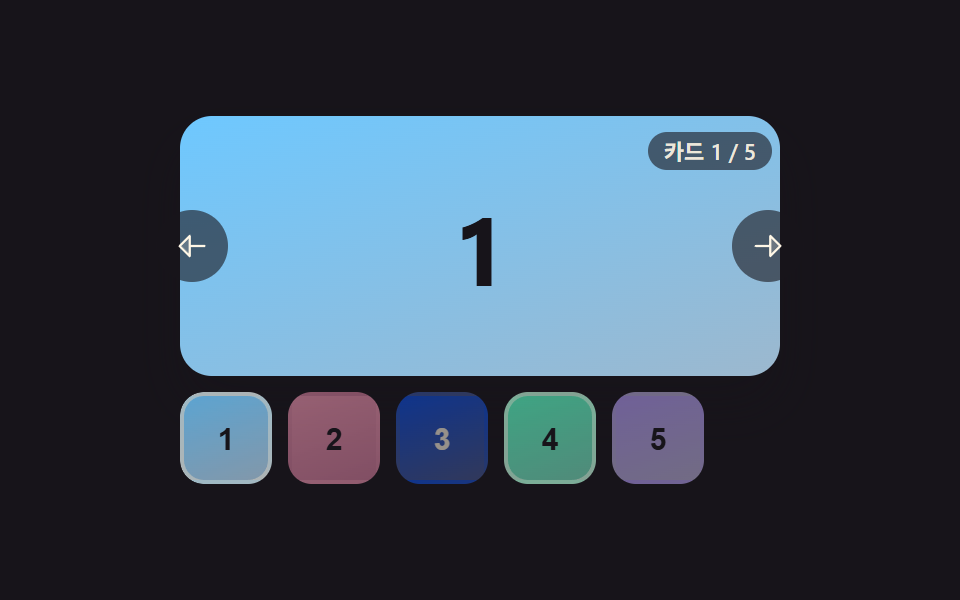
- 06 Carousel Whose Thumbnail Strip Highlights the Active Card
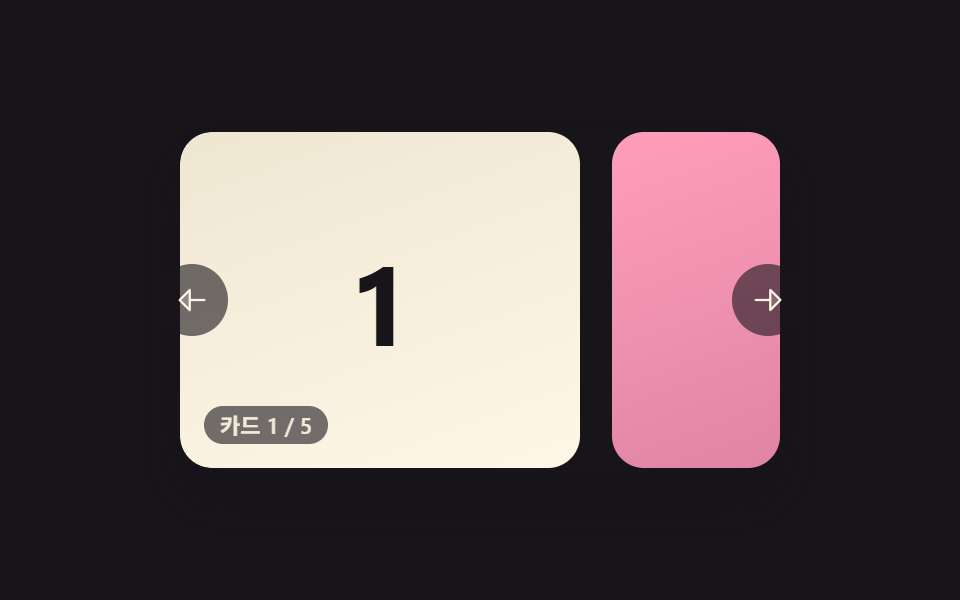
- 07 Carousel That Always Settles Exactly on One Card
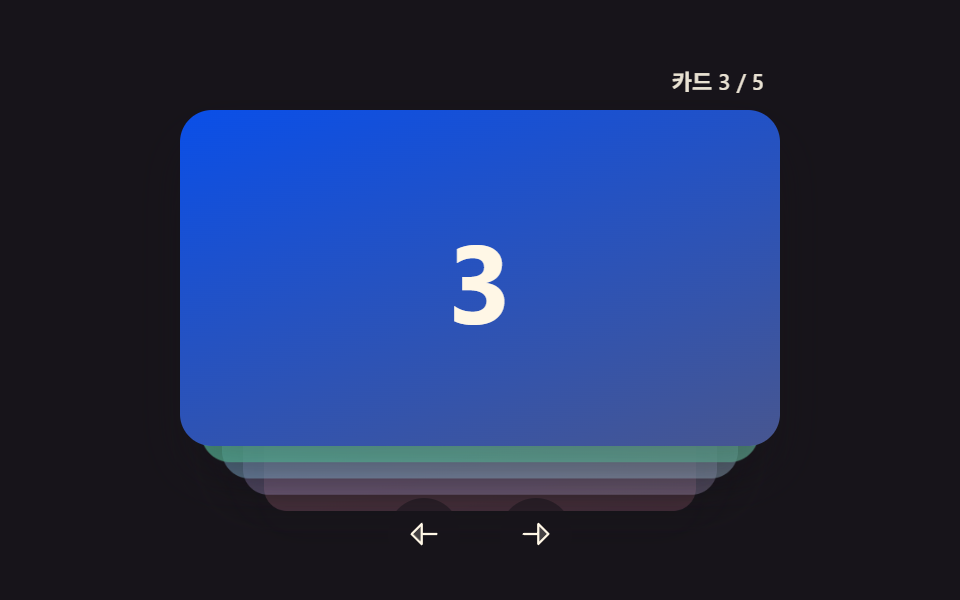
- 08 Carousel That Stacks Cards Vertically as It Advances
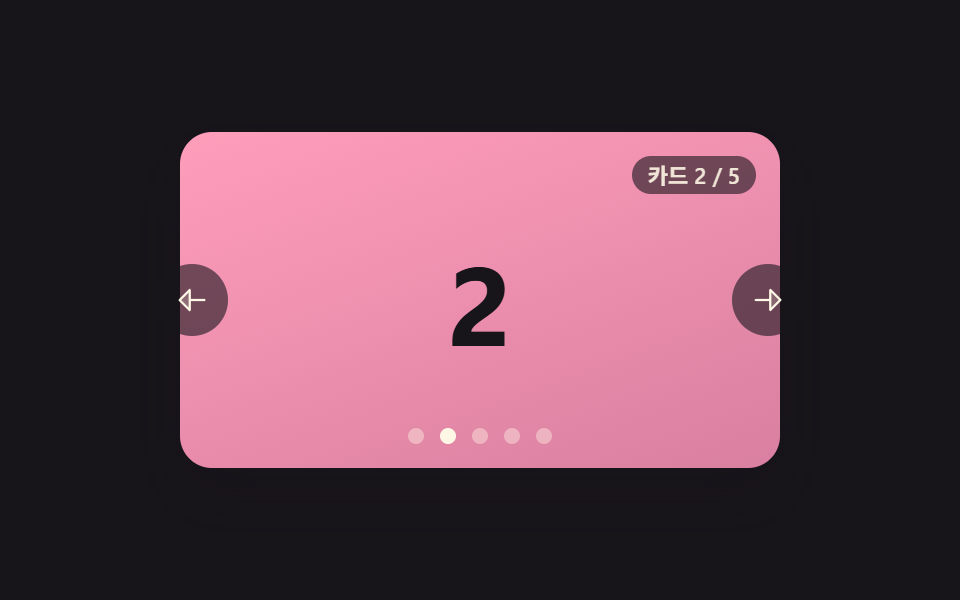
- 09 Carousel That Crossfades Cards Back Into Depth
Nine is enough to cover the real spread of carousel slider ui design without repeating the same idea twice: three read pointer velocity into a physics loop, three compute a 3D-adjacent value per card per frame, and three sit at the edges of that split — a seam-free loop, a synced thumbnail strip, and a timer-driven autoplay. The order below moves from the most hands-on pattern (drag momentum) to the calmest one (a crossfade that barely moves at all).
Demo
<main class="stage">
<section class="carousel is-demo" id="carousel" role="region" aria-roledescription="carousel" aria-label="Card carousel">
  <div class="viewport" id="viewport">
    <div class="track" id="track">
      <div class="card card--0"><span class="num">1</span></div>
      <div class="card card--1"><span class="num">2</span></div>
      <div class="card card--2"><span class="num">3</span></div>
      <div class="card card--3"><span class="num">4</span></div>
      <div class="card card--4"><span class="num">5</span></div>
    </div>
  </div>
  <button type="button" class="navBtn navBtn--prev" id="prevBtn" aria-label="Previous card">
    <svg viewBox="0 0 256 256" width="18" height="18" aria-hidden="true"><g fill="currentColor"><path d="M112 56v144l-72-72Z" opacity=".2"/><path d="M216 120h-96V56a8 8 0 0 0-13.66-5.66l-72 72a8 8 0 0 0 0 11.32l72 72A8 8 0 0 0 120 200v-64h96a8 8 0 0 0 0-16m-112 60.69L51.31 128L104 75.31Z"/></g></svg>
  </button>
  <button type="button" class="navBtn navBtn--next" id="nextBtn" aria-label="Next card">
    <svg viewBox="0 0 256 256" width="18" height="18" aria-hidden="true"><g fill="currentColor"><path d="m216 128l-72 72V56Z" opacity=".2"/><path d="m221.66 122.34l-72-72A8 8 0 0 0 136 56v64H40a8 8 0 0 0 0 16h96v64a8 8 0 0 0 13.66 5.66l72-72a8 8 0 0 0 0-11.32M152 180.69V75.31L204.69 128Z"/></g></svg>
  </button>
  <div class="readout" id="readout" aria-live="polite"></div>
</section>
</main>
@use "../../../../site/static/demo-tokens" as *;
// 변수 3개
$duration: $dur-base;
$easing: $ease-out;
$color: $subject-blue-deep;
// 계산 겹: index.html 의 settle() 이 포인터 릴리스 속도에 감쇠 계수를 매 프레임 곱해
// pos·velocity 를 산술로 굳힌다 — CSS 트랜지션이 아니라 requestAnimationFrame 물리다.
@include stage($stage-ink);
.carousel {
position: relative;
width: 300px;
}
.viewport {
position: relative;
width: 300px;
height: 168px;
border-radius: $r-card;
overflow: hidden;
box-shadow: $shadow-raised;
background: $stage-ink;
outline: none;
}
.track {
display: flex;
height: 100%;
will-change: transform;
touch-action: none;
cursor: grab;
&.isDragging { cursor: grabbing; }
}
.card {
flex: 0 0 200px;
height: 100%;
margin-right: $sp-4;
border-radius: $r-card;
display: grid;
place-items: center;
&:last-child { margin-right: 0; }
.num {
font-weight: 700;
font-size: 56px;
line-height: 1;
}
}
.card--0 { background: linear-gradient(160deg, $subject-blue-deep, #475690); .num { color: $subject-cream; } }
.card--1 { background: linear-gradient(160deg, $subject-pink, #d97fa0); .num { color: $subject-ink; } }
.card--2 { background: linear-gradient(160deg, $subject-mint, #63b299); .num { color: $subject-ink; } }
.card--3 { background: linear-gradient(160deg, $subject-lilac, #bdb3da); .num { color: $subject-ink; } }
.card--4 { background: linear-gradient(160deg, $subject-sky, #9cb8ce); .num { color: $subject-ink; } }
.navBtn {
position: absolute;
top: 50%;
margin-top: -18px;
width: 36px;
height: 36px;
border-radius: $r-pill;
border: none;
display: grid;
place-items: center;
background: rgba($stage-ink, .6);
color: $subject-cream;
cursor: pointer;
&:focus-visible { outline: 2px solid $color; outline-offset: 2px; }
}
.navBtn--prev { left: -($sp-3); }
.navBtn--next { right: -($sp-3); }
.readout {
position: absolute;
left: $sp-3;
bottom: $sp-3;
padding: $sp-1 $sp-2;
border-radius: $r-pill;
background: rgba($stage-ink, .6);
color: rgba($subject-cream, .9);
font-size: 11px;
font-weight: 600;
line-height: 1;
font-variant-numeric: tabular-nums;
}
@media (max-width: 340px) {
.carousel { width: 220px; }
.viewport { width: 220px; height: 106px; }
.card { flex-basis: 148px; margin-right: $sp-2; .num { font-size: 36px; } }
.navBtn { width: 28px; height: 28px; margin-top: -14px; }
.readout { font-size: 9px; }
}
@media (prefers-reduced-motion: reduce) {
// 실사용 경로 적용 — 드래그·키보드·버튼 플릭은 index.html 이 그대로 물리 계산을 돌린다.
// scss 만: 포커스 아웃라인 전환만 꺼서 잔여 트랜지션을 없앤다.
.navBtn { transition: none; }
}html, body {
margin: 0;
overflow: hidden;
}
.stage {
box-sizing: border-box;
min-height: 100vh;
display: grid;
place-items: center;
margin: 0;
background: #17141a;
font-family: -apple-system, "Segoe UI", "Noto Sans KR", sans-serif;
padding: clamp(8px, 4vw, 24px);
}
.carousel {
position: relative;
width: 300px;
}
.viewport {
position: relative;
width: 300px;
height: 168px;
border-radius: 16px;
overflow: hidden;
box-shadow: 0 14px 24px rgba(23, 20, 26, 0.32);
background: #17141a;
outline: none;
}
.track {
display: flex;
height: 100%;
will-change: transform;
touch-action: none;
cursor: grab;
}
.track.isDragging {
cursor: grabbing;
}
.card {
flex: 0 0 200px;
height: 100%;
margin-right: 16px;
border-radius: 16px;
display: grid;
place-items: center;
}
.card:last-child {
margin-right: 0;
}
.card .num {
font-weight: 700;
font-size: 56px;
line-height: 1;
}
.card--0 {
background: linear-gradient(160deg, #0a4fe8, #475690);
}
.card--0 .num {
color: #fff7e6;
}
.card--1 {
background: linear-gradient(160deg, #ff9ebb, #d97fa0);
}
.card--1 .num {
color: #17141a;
}
.card--2 {
background: linear-gradient(160deg, #4cd4a6, #63b299);
}
.card--2 .num {
color: #17141a;
}
.card--3 {
background: linear-gradient(160deg, #b9a0ff, #bdb3da);
}
.card--3 .num {
color: #17141a;
}
.card--4 {
background: linear-gradient(160deg, #6ec8ff, #9cb8ce);
}
.card--4 .num {
color: #17141a;
}
.navBtn {
position: absolute;
top: 50%;
margin-top: -18px;
width: 36px;
height: 36px;
border-radius: 999px;
border: none;
display: grid;
place-items: center;
background: rgba(23, 20, 26, 0.6);
color: #fff7e6;
cursor: pointer;
}
.navBtn:focus-visible {
outline: 2px solid #0a4fe8;
outline-offset: 2px;
}
.navBtn--prev {
left: -12px;
}
.navBtn--next {
right: -12px;
}
.readout {
position: absolute;
left: 12px;
bottom: 12px;
padding: 4px 8px;
border-radius: 999px;
background: rgba(23, 20, 26, 0.6);
color: rgba(255, 247, 230, 0.9);
font-size: 11px;
font-weight: 600;
line-height: 1;
font-variant-numeric: tabular-nums;
}
@media (max-width: 340px) {
.carousel {
width: 220px;
}
.viewport {
width: 220px;
height: 106px;
}
.card {
flex-basis: 148px;
margin-right: 8px;
}
.card .num {
font-size: 36px;
}
.navBtn {
width: 28px;
height: 28px;
margin-top: -14px;
}
.readout {
font-size: 9px;
}
}
@media (prefers-reduced-motion: reduce) {
.navBtn {
transition: none;
}
}(function () {
var STEP_MS = 16.6667;
// 관성 감쇠 계수 — 프레임(16.6667ms)마다 이 비율만큼 속도가 깎인다. 낮출수록 손을 뗀 뒤
// 카드가 더 오래·더 멀리 미끄러진다(변형 1). 높이면 짧게 미끄러지다 빨리 멈춘다.
var MOMENTUM_FRICTION = 0.10;
var VELOCITY_STOP = 0.02; // px/ms 미만이면 정지로 본다
var SAMPLE_WINDOW_MS = 110; // 이 시간 안의 포인터 표본만 속도 계산에 쓴다
var KEY_FLICK_VELOCITY = 0.62; // 화살표 키 한 번 = 이 속도의 플릭
var DEMO_FLICKS = [-0.85, 0.5, -0.62, 0.78]; // 자동 시연이 번갈아 쏘는 플릭 속도(px/ms) — 크기가 다르므로 미끄러지는 거리도 다르다
var DEMO_HOLD_MS = 260;
var carousel = document.getElementById('carousel');
var viewport = document.getElementById('viewport');
var track = document.getElementById('track');
var readout = document.getElementById('readout');
var prevBtn = document.getElementById('prevBtn');
var nextBtn = document.getElementById('nextBtn');
var reduce = window.matchMedia('(prefers-reduced-motion: reduce)').matches;
var TOTAL = 5;
var LABEL_PREFIX = 'Card ';
var LABEL_SEP = ' / ';
var pos = 0; // 현재 translateX (px)
var velocity = 0; // px/ms
var minX = 0, maxX = 0;
var dragging = false;
var samples = [];
var settleFrame = null;
var demoTimers = [];
function bounds() {
maxX = 0;
minX = Math.min(0, viewport.clientWidth - track.scrollWidth);
}
function clamp(v, lo, hi) { return Math.min(hi, Math.max(lo, v)); }
function paint() {
track.style.transform = 'translate3d(' + pos.toFixed(1) + 'px,0,0)';
var step = track.scrollWidth / TOTAL;
var idx = clamp(Math.round(-pos / step), 0, TOTAL - 1);
readout.textContent = LABEL_PREFIX + (idx + 1) + LABEL_SEP + TOTAL;
}
function stopSettle() {
if (settleFrame) { cancelAnimationFrame(settleFrame); settleFrame = null; }
}
function human() {
if (carousel.classList.contains('is-demo')) {
carousel.classList.remove('is-demo');
demoTimers.forEach(function (t) { clearTimeout(t); });
demoTimers = [];
}
}
// 관성 감쇠 루프 — 매 프레임 pos += velocity*dt, velocity *= (1-MOMENTUM_FRICTION)^(dt/16.6667).
// 경계에 닿으면 그 자리에서 속도를 0으로 끊는다(되튕김은 이 항목의 역할이 아니다 — 02가 담당).
function settle() {
var last = performance.now();
function frame(now) {
var dt = Math.min(40, now - last);
last = now;
pos = clamp(pos + velocity * dt, minX, maxX);
var decay = Math.pow(1 - MOMENTUM_FRICTION, dt / STEP_MS);
velocity *= decay;
if (pos === minX || pos === maxX) velocity = 0;
paint();
if (Math.abs(velocity) > VELOCITY_STOP) {
settleFrame = requestAnimationFrame(frame);
} else {
velocity = 0;
settleFrame = null;
}
}
settleFrame = requestAnimationFrame(frame);
}
function pushSample(t, x) {
samples.push({ t: t, x: x });
while (samples.length && t - samples[0].t > SAMPLE_WINDOW_MS) samples.shift();
}
function releaseVelocity() {
if (samples.length < 2) return 0;
var a = samples[0], b = samples[samples.length - 1];
var dt = b.t - a.t;
if (dt <= 0) return 0;
return (b.x - a.x) / dt;
}
function onPointerDown(e) {
human();
stopSettle();
dragging = true;
velocity = 0;
samples = [];
track.classList.add('isDragging');
viewport.setPointerCapture(e.pointerId);
pushSample(performance.now(), e.clientX);
carousel._originPos = pos;
carousel._startX = e.clientX;
}
function onPointerMove(e) {
if (!dragging) return;
var dx = e.clientX - carousel._startX;
pos = clamp(carousel._originPos + dx, minX, maxX);
pushSample(performance.now(), e.clientX);
paint();
}
function onPointerUp(e) {
if (!dragging) return;
dragging = false;
track.classList.remove('isDragging');
try { viewport.releasePointerCapture(e.pointerId); } catch (err) {}
velocity = releaseVelocity();
settle();
}
function flick(v) {
human();
stopSettle();
velocity = v;
settle();
}
function onKeydown(e) {
if (e.key === 'ArrowLeft') { flick(-KEY_FLICK_VELOCITY); e.preventDefault(); }
else if (e.key === 'ArrowRight') { flick(KEY_FLICK_VELOCITY); e.preventDefault(); }
}
viewport.addEventListener('pointerdown', onPointerDown);
viewport.addEventListener('pointermove', onPointerMove);
viewport.addEventListener('pointerup', onPointerUp);
viewport.addEventListener('pointercancel', onPointerUp);
viewport.addEventListener('keydown', onKeydown);
viewport.tabIndex = 0;
prevBtn.addEventListener('click', function () { flick(-KEY_FLICK_VELOCITY); });
nextBtn.addEventListener('click', function () { flick(KEY_FLICK_VELOCITY); });
// reduce: 실사용 경로 적용 — 드래그·키보드·버튼 플릭은 위 리스너가 그대로 물리 계산을 돌린다.
// 아래 demoCycle() 은 시연 게이트만이고 reduce 에서는 돌지 않는다.
function demoCycle(i) {
if (!carousel.classList.contains('is-demo')) return;
velocity = DEMO_FLICKS[i % DEMO_FLICKS.length];
stopSettle();
settle();
demoTimers.push(setTimeout(function () {
demoTimers.push(setTimeout(function () { demoCycle(i + 1); }, DEMO_HOLD_MS));
}, 40));
}
function init() {
bounds();
paint();
if (!reduce) demoCycle(0);
}
window.addEventListener('resize', bounds);
init();
})();import { useEffect, useRef } from 'react';
import styles from './CarouselDragMomentum.module.scss';
// 상수 — vanilla demo 01 (run/384/demo/01-carousel-slide-drag-momentum/index.html) 과 동일
const STEP_MS = 16.6667;
// 관성 감쇠 계수 — 프레임(16.6667ms)마다 이 비율만큼 속도가 깎인다. 낮출수록 손을 뗀 뒤
// 카드가 더 오래·더 멀리 미끄러진다(변형 1). 높이면 짧게 미끄러지다 빨리 멈춘다.
const MOMENTUM_FRICTION = 0.10;
const VELOCITY_STOP = 0.02; // px/ms 미만이면 정지로 본다
const SAMPLE_WINDOW_MS = 110; // 이 시간 안의 포인터 표본만 속도 계산에 쓴다
const KEY_FLICK_VELOCITY = 0.62; // 화살표 키 한 번 = 이 속도의 플릭
const DEMO_FLICKS = [-0.85, 0.5, -0.62, 0.78]; // 자동 시연이 번갈아 쏘는 플릭 속도(px/ms)
const DEMO_HOLD_MS = 260;
const TOTAL = 5;
const LABEL_PREFIX = '카드 ';
const LABEL_SEP = ' / ';
export default function CarouselDragMomentum() {
const carouselRef = useRef<HTMLElement>(null);
useEffect(() => {
const carousel = carouselRef.current;
if (!carousel) return undefined;
const viewport = carousel.querySelector<HTMLDivElement>('.' + styles.viewport);
const track = carousel.querySelector<HTMLDivElement>('.' + styles.track);
const readout = carousel.querySelector<HTMLDivElement>('.' + styles.readout);
const prevBtn = carousel.querySelector<HTMLButtonElement>('.' + styles['navBtn--prev']);
const nextBtn = carousel.querySelector<HTMLButtonElement>('.' + styles['navBtn--next']);
if (!viewport || !track || !readout || !prevBtn || !nextBtn) return undefined;
let pos = 0; // 현재 translateX (px)
let velocity = 0; // px/ms
let minX = 0, maxX = 0;
let dragging = false;
let samples: { t: number; x: number }[] = [];
let settleFrame = 0;
let demoTimers: number[] = [];
let originPos = 0, startX = 0;
function clamp(v: number, lo: number, hi: number) { return Math.min(hi, Math.max(lo, v)); }
function bounds() {
maxX = 0;
minX = Math.min(0, viewport!.clientWidth - track!.scrollWidth);
}
function paint() {
track!.style.transform = 'translate3d(' + pos.toFixed(1) + 'px,0,0)';
const step = track!.scrollWidth / TOTAL;
const idx = clamp(Math.round(-pos / step), 0, TOTAL - 1);
readout!.textContent = LABEL_PREFIX + (idx + 1) + LABEL_SEP + TOTAL;
}
function stopSettle() {
if (settleFrame) { cancelAnimationFrame(settleFrame); settleFrame = 0; }
}
function human() {
if (carousel!.classList.contains(styles['is-demo'])) {
carousel!.classList.remove(styles['is-demo']);
demoTimers.forEach((t) => window.clearTimeout(t));
demoTimers = [];
}
}
// 관성 감쇠 루프 — 매 프레임 pos += velocity*dt, velocity *= (1-MOMENTUM_FRICTION)^(dt/16.6667).
// 경계에 닿으면 그 자리에서 속도를 0으로 끊는다(되튕김은 이 항목의 역할이 아니다 — 02가 담당).
function settle() {
let last = performance.now();
function frame(now: number) {
const dt = Math.min(40, now - last);
last = now;
pos = clamp(pos + velocity * dt, minX, maxX);
const decay = Math.pow(1 - MOMENTUM_FRICTION, dt / STEP_MS);
velocity *= decay;
if (pos === minX || pos === maxX) velocity = 0;
paint();
if (Math.abs(velocity) > VELOCITY_STOP) {
settleFrame = requestAnimationFrame(frame);
} else {
velocity = 0;
settleFrame = 0;
}
}
settleFrame = requestAnimationFrame(frame);
}
function pushSample(t: number, x: number) {
samples.push({ t, x });
while (samples.length && t - samples[0].t > SAMPLE_WINDOW_MS) samples.shift();
}
function releaseVelocity() {
if (samples.length < 2) return 0;
const a = samples[0], b = samples[samples.length - 1];
const dt = b.t - a.t;
if (dt <= 0) return 0;
return (b.x - a.x) / dt;
}
function onPointerDown(e: PointerEvent) {
human();
stopSettle();
dragging = true;
velocity = 0;
samples = [];
track!.classList.add(styles.isDragging);
viewport!.setPointerCapture(e.pointerId);
pushSample(performance.now(), e.clientX);
originPos = pos;
startX = e.clientX;
}
function onPointerMove(e: PointerEvent) {
if (!dragging) return;
const dx = e.clientX - startX;
pos = clamp(originPos + dx, minX, maxX);
pushSample(performance.now(), e.clientX);
paint();
}
function onPointerUp(e: PointerEvent) {
if (!dragging) return;
dragging = false;
track!.classList.remove(styles.isDragging);
try { viewport!.releasePointerCapture(e.pointerId); } catch { /* 캡처가 이미 풀린 경우 */ }
velocity = releaseVelocity();
settle();
}
function flick(v: number) {
human();
stopSettle();
velocity = v;
settle();
}
function onKeydown(e: KeyboardEvent) {
if (e.key === 'ArrowLeft') { flick(-KEY_FLICK_VELOCITY); e.preventDefault(); }
else if (e.key === 'ArrowRight') { flick(KEY_FLICK_VELOCITY); e.preventDefault(); }
}
function onPrev() { flick(-KEY_FLICK_VELOCITY); }
function onNext() { flick(KEY_FLICK_VELOCITY); }
function onResize() { bounds(); }
viewport.addEventListener('pointerdown', onPointerDown);
viewport.addEventListener('pointermove', onPointerMove);
viewport.addEventListener('pointerup', onPointerUp);
viewport.addEventListener('pointercancel', onPointerUp);
viewport.addEventListener('keydown', onKeydown);
prevBtn.addEventListener('click', onPrev);
nextBtn.addEventListener('click', onNext);
window.addEventListener('resize', onResize);
const reduce = window.matchMedia('(prefers-reduced-motion: reduce)').matches;
// reduce: 실사용 경로 적용 — 드래그·키보드·버튼 플릭은 위 리스너가 그대로 물리 계산을 돌린다.
// 아래 demoCycle() 은 시연 게이트만이고 reduce 에서는 돌지 않는다.
function demoCycle(i: number) {
if (!carousel!.classList.contains(styles['is-demo'])) return;
velocity = DEMO_FLICKS[i % DEMO_FLICKS.length];
stopSettle();
settle();
demoTimers.push(window.setTimeout(() => {
demoTimers.push(window.setTimeout(() => demoCycle(i + 1), DEMO_HOLD_MS));
}, 40));
}
bounds();
paint();
if (!reduce) demoCycle(0);
return () => {
viewport.removeEventListener('pointerdown', onPointerDown);
viewport.removeEventListener('pointermove', onPointerMove);
viewport.removeEventListener('pointerup', onPointerUp);
viewport.removeEventListener('pointercancel', onPointerUp);
viewport.removeEventListener('keydown', onKeydown);
prevBtn.removeEventListener('click', onPrev);
nextBtn.removeEventListener('click', onNext);
window.removeEventListener('resize', onResize);
demoTimers.forEach((t) => window.clearTimeout(t));
stopSettle();
};
}, []);
return (
<main className={styles.stage}>
<section
className={styles.carousel + ' ' + styles['is-demo']}
ref={carouselRef}
role="region"
aria-roledescription="carousel"
aria-label="카드 캐러셀"
>
<div className={styles.viewport} tabIndex={0}>
<div className={styles.track}>
<div className={styles.card + ' ' + styles['card--0']}><span className={styles.num}>1</span></div>
<div className={styles.card + ' ' + styles['card--1']}><span className={styles.num}>2</span></div>
<div className={styles.card + ' ' + styles['card--2']}><span className={styles.num}>3</span></div>
<div className={styles.card + ' ' + styles['card--3']}><span className={styles.num}>4</span></div>
<div className={styles.card + ' ' + styles['card--4']}><span className={styles.num}>5</span></div>
</div>
</div>
<button type="button" className={styles.navBtn + ' ' + styles['navBtn--prev']} aria-label="이전 카드">
<svg viewBox="0 0 256 256" width={18} height={18} aria-hidden="true"><g fill="currentColor"><path d="M112 56v144l-72-72Z" opacity=".2" /><path d="M216 120h-96V56a8 8 0 0 0-13.66-5.66l-72 72a8 8 0 0 0 0 11.32l72 72A8 8 0 0 0 120 200v-64h96a8 8 0 0 0 0-16m-112 60.69L51.31 128L104 75.31Z" /></g></svg>
</button>
<button type="button" className={styles.navBtn + ' ' + styles['navBtn--next']} aria-label="다음 카드">
<svg viewBox="0 0 256 256" width={18} height={18} aria-hidden="true"><g fill="currentColor"><path d="m216 128l-72 72V56Z" opacity=".2" /><path d="m221.66 122.34l-72-72A8 8 0 0 0 136 56v64H40a8 8 0 0 0 0 16h96v64a8 8 0 0 0 13.66 5.66l72-72a8 8 0 0 0 0-11.32M152 180.69V75.31L204.69 128Z" /></g></svg>
</button>
<div className={styles.readout} aria-live="polite"></div>
</section>
</main>
);
}01 · Carousel That Keeps Gliding From Drag Momentum — Measured area 27.174% · moving frames 23/23Original by GODRICH · SCSS and React ship in the zip · See the password
Drag the card above, let it go mid-swipe, and watch how far it keeps sliding before it settles — that overshoot-then-stop is the one layer of math every pattern in this set adds on top of a plain transition.
Anatomy of nine transitions — where the one layer of calculation runs
Every pattern below adds one extra layer of computation on top of a plain CSS transform, and that layer is what turns a generic carousel slider design into nine transitions that each feel distinct.
| # | Pattern | Cumulative area | Avg. intensity | Frames moved |
|---|---|---|---|---|
| 01 | Drag momentum | 27.2% | 174.3 | 23 of 23 |
| 02 | Rubber-band edge | 34.8% | 132.2 | 23 of 23 |
| 03 | Coverflow perspective | 19.7% | 76.6 | 22 of 23 |
| 04 | Infinite-loop wrap | 34.8% | 145.9 | 9 of 23 |
| 05 | Autoplay pause-on-hover | 34.8% | 108.8 | 20 of 23 |
| 06 | Thumbnail sync | 33.9% | 55.5 | 22 of 23 |
| 07 | Snap points | 34.8% | 129.1 | 18 of 23 |
| 08 | Vertical stack | 40.4% | 84.2 | 18 of 23 |
| 09 | Fade crossfade depth | 34.8% | 58.0 | 22 of 23 |
Three patterns — drag momentum (01), rubber-band edge (02), and snap points (07) — read pointer velocity from a short rolling window of recent samples and feed that single number into a physics loop (settle(), springBackIfNeeded(), or the snap-then-animateTo() pair) that keeps running inside requestAnimationFrame until it decays below a stop threshold.
Three more — coverflow (03), vertical stack (08), and crossfade depth (09) — compute a 3D-adjacent value (angle, translateZ, scale, or opacity) per card, per frame, from how far that card sits from the active index, which is why their motion feels continuous rather than stepped.
The remaining three sit at the edges of the group: infinite-loop wrap (04) has the lowest frame count because its wrapIfNeeded() reset only fires once a transition finishes, not every frame; thumbnail sync (06) eases a secondary strip rather than the main card; and autoplay pause-on-hover (05) is driven by elapsed time instead of a drag at all.
Code per pattern
Every pattern below keeps its full JavaScript source in view — copy the fence, paste it next to your own markup, and swap in your own card content.
01Carousel That Keeps Gliding From Drag Momentum
Drag a card sideways and let go, and it keeps sliding at the speed it was released, slowing gradually until it stops — the harder the flick, the farther it travels. pushSample() records recent pointer positions in a rolling window, and releaseVelocity() turns that window into a starting speed the moment you lift your finger. That single number then decays every frame inside settle() until it's small enough to stop.
<main class="stage">
<section class="carousel is-demo" id="carousel" role="region" aria-roledescription="carousel" aria-label="Card carousel">
  <div class="viewport" id="viewport">
    <div class="track" id="track">
      <div class="card card--0"><span class="num">1</span></div>
      <div class="card card--1"><span class="num">2</span></div>
      <div class="card card--2"><span class="num">3</span></div>
      <div class="card card--3"><span class="num">4</span></div>
      <div class="card card--4"><span class="num">5</span></div>
    </div>
  </div>
  <button type="button" class="navBtn navBtn--prev" id="prevBtn" aria-label="Previous card">
    <svg viewBox="0 0 256 256" width="18" height="18" aria-hidden="true"><g fill="currentColor"><path d="M112 56v144l-72-72Z" opacity=".2"/><path d="M216 120h-96V56a8 8 0 0 0-13.66-5.66l-72 72a8 8 0 0 0 0 11.32l72 72A8 8 0 0 0 120 200v-64h96a8 8 0 0 0 0-16m-112 60.69L51.31 128L104 75.31Z"/></g></svg>
  </button>
  <button type="button" class="navBtn navBtn--next" id="nextBtn" aria-label="Next card">
    <svg viewBox="0 0 256 256" width="18" height="18" aria-hidden="true"><g fill="currentColor"><path d="m216 128l-72 72V56Z" opacity=".2"/><path d="m221.66 122.34l-72-72A8 8 0 0 0 136 56v64H40a8 8 0 0 0 0 16h96v64a8 8 0 0 0 13.66 5.66l72-72a8 8 0 0 0 0-11.32M152 180.69V75.31L204.69 128Z"/></g></svg>
  </button>
  <div class="readout" id="readout" aria-live="polite"></div>
</section>
</main>
@use "../../../../site/static/demo-tokens" as *;
// 변수 3개
$duration: $dur-base;
$easing: $ease-out;
$color: $subject-blue-deep;
// 계산 겹: index.html 의 settle() 이 포인터 릴리스 속도에 감쇠 계수를 매 프레임 곱해
// pos·velocity 를 산술로 굳힌다 — CSS 트랜지션이 아니라 requestAnimationFrame 물리다.
@include stage($stage-ink);
.carousel {
position: relative;
width: 300px;
}
.viewport {
position: relative;
width: 300px;
height: 168px;
border-radius: $r-card;
overflow: hidden;
box-shadow: $shadow-raised;
background: $stage-ink;
outline: none;
}
.track {
display: flex;
height: 100%;
will-change: transform;
touch-action: none;
cursor: grab;
&.isDragging { cursor: grabbing; }
}
.card {
flex: 0 0 200px;
height: 100%;
margin-right: $sp-4;
border-radius: $r-card;
display: grid;
place-items: center;
&:last-child { margin-right: 0; }
.num {
font-weight: 700;
font-size: 56px;
line-height: 1;
}
}
.card--0 { background: linear-gradient(160deg, $subject-blue-deep, #475690); .num { color: $subject-cream; } }
.card--1 { background: linear-gradient(160deg, $subject-pink, #d97fa0); .num { color: $subject-ink; } }
.card--2 { background: linear-gradient(160deg, $subject-mint, #63b299); .num { color: $subject-ink; } }
.card--3 { background: linear-gradient(160deg, $subject-lilac, #bdb3da); .num { color: $subject-ink; } }
.card--4 { background: linear-gradient(160deg, $subject-sky, #9cb8ce); .num { color: $subject-ink; } }
.navBtn {
position: absolute;
top: 50%;
margin-top: -18px;
width: 36px;
height: 36px;
border-radius: $r-pill;
border: none;
display: grid;
place-items: center;
background: rgba($stage-ink, .6);
color: $subject-cream;
cursor: pointer;
&:focus-visible { outline: 2px solid $color; outline-offset: 2px; }
}
.navBtn--prev { left: -($sp-3); }
.navBtn--next { right: -($sp-3); }
.readout {
position: absolute;
left: $sp-3;
bottom: $sp-3;
padding: $sp-1 $sp-2;
border-radius: $r-pill;
background: rgba($stage-ink, .6);
color: rgba($subject-cream, .9);
font-size: 11px;
font-weight: 600;
line-height: 1;
font-variant-numeric: tabular-nums;
}
@media (max-width: 340px) {
.carousel { width: 220px; }
.viewport { width: 220px; height: 106px; }
.card { flex-basis: 148px; margin-right: $sp-2; .num { font-size: 36px; } }
.navBtn { width: 28px; height: 28px; margin-top: -14px; }
.readout { font-size: 9px; }
}
@media (prefers-reduced-motion: reduce) {
// 실사용 경로 적용 — 드래그·키보드·버튼 플릭은 index.html 이 그대로 물리 계산을 돌린다.
// scss 만: 포커스 아웃라인 전환만 꺼서 잔여 트랜지션을 없앤다.
.navBtn { transition: none; }
}html, body {
margin: 0;
overflow: hidden;
}
.stage {
box-sizing: border-box;
min-height: 100vh;
display: grid;
place-items: center;
margin: 0;
background: #17141a;
font-family: -apple-system, "Segoe UI", "Noto Sans KR", sans-serif;
padding: clamp(8px, 4vw, 24px);
}
.carousel {
position: relative;
width: 300px;
}
.viewport {
position: relative;
width: 300px;
height: 168px;
border-radius: 16px;
overflow: hidden;
box-shadow: 0 14px 24px rgba(23, 20, 26, 0.32);
background: #17141a;
outline: none;
}
.track {
display: flex;
height: 100%;
will-change: transform;
touch-action: none;
cursor: grab;
}
.track.isDragging {
cursor: grabbing;
}
.card {
flex: 0 0 200px;
height: 100%;
margin-right: 16px;
border-radius: 16px;
display: grid;
place-items: center;
}
.card:last-child {
margin-right: 0;
}
.card .num {
font-weight: 700;
font-size: 56px;
line-height: 1;
}
.card--0 {
background: linear-gradient(160deg, #0a4fe8, #475690);
}
.card--0 .num {
color: #fff7e6;
}
.card--1 {
background: linear-gradient(160deg, #ff9ebb, #d97fa0);
}
.card--1 .num {
color: #17141a;
}
.card--2 {
background: linear-gradient(160deg, #4cd4a6, #63b299);
}
.card--2 .num {
color: #17141a;
}
.card--3 {
background: linear-gradient(160deg, #b9a0ff, #bdb3da);
}
.card--3 .num {
color: #17141a;
}
.card--4 {
background: linear-gradient(160deg, #6ec8ff, #9cb8ce);
}
.card--4 .num {
color: #17141a;
}
.navBtn {
position: absolute;
top: 50%;
margin-top: -18px;
width: 36px;
height: 36px;
border-radius: 999px;
border: none;
display: grid;
place-items: center;
background: rgba(23, 20, 26, 0.6);
color: #fff7e6;
cursor: pointer;
}
.navBtn:focus-visible {
outline: 2px solid #0a4fe8;
outline-offset: 2px;
}
.navBtn--prev {
left: -12px;
}
.navBtn--next {
right: -12px;
}
.readout {
position: absolute;
left: 12px;
bottom: 12px;
padding: 4px 8px;
border-radius: 999px;
background: rgba(23, 20, 26, 0.6);
color: rgba(255, 247, 230, 0.9);
font-size: 11px;
font-weight: 600;
line-height: 1;
font-variant-numeric: tabular-nums;
}
@media (max-width: 340px) {
.carousel {
width: 220px;
}
.viewport {
width: 220px;
height: 106px;
}
.card {
flex-basis: 148px;
margin-right: 8px;
}
.card .num {
font-size: 36px;
}
.navBtn {
width: 28px;
height: 28px;
margin-top: -14px;
}
.readout {
font-size: 9px;
}
}
@media (prefers-reduced-motion: reduce) {
.navBtn {
transition: none;
}
}(function () {
var STEP_MS = 16.6667;
// 관성 감쇠 계수 — 프레임(16.6667ms)마다 이 비율만큼 속도가 깎인다. 낮출수록 손을 뗀 뒤
// 카드가 더 오래·더 멀리 미끄러진다(변형 1). 높이면 짧게 미끄러지다 빨리 멈춘다.
var MOMENTUM_FRICTION = 0.10;
var VELOCITY_STOP = 0.02; // px/ms 미만이면 정지로 본다
var SAMPLE_WINDOW_MS = 110; // 이 시간 안의 포인터 표본만 속도 계산에 쓴다
var KEY_FLICK_VELOCITY = 0.62; // 화살표 키 한 번 = 이 속도의 플릭
var DEMO_FLICKS = [-0.85, 0.5, -0.62, 0.78]; // 자동 시연이 번갈아 쏘는 플릭 속도(px/ms) — 크기가 다르므로 미끄러지는 거리도 다르다
var DEMO_HOLD_MS = 260;
var carousel = document.getElementById('carousel');
var viewport = document.getElementById('viewport');
var track = document.getElementById('track');
var readout = document.getElementById('readout');
var prevBtn = document.getElementById('prevBtn');
var nextBtn = document.getElementById('nextBtn');
var reduce = window.matchMedia('(prefers-reduced-motion: reduce)').matches;
var TOTAL = 5;
var LABEL_PREFIX = 'Card ';
var LABEL_SEP = ' / ';
var pos = 0; // 현재 translateX (px)
var velocity = 0; // px/ms
var minX = 0, maxX = 0;
var dragging = false;
var samples = [];
var settleFrame = null;
var demoTimers = [];
function bounds() {
maxX = 0;
minX = Math.min(0, viewport.clientWidth - track.scrollWidth);
}
function clamp(v, lo, hi) { return Math.min(hi, Math.max(lo, v)); }
function paint() {
track.style.transform = 'translate3d(' + pos.toFixed(1) + 'px,0,0)';
var step = track.scrollWidth / TOTAL;
var idx = clamp(Math.round(-pos / step), 0, TOTAL - 1);
readout.textContent = LABEL_PREFIX + (idx + 1) + LABEL_SEP + TOTAL;
}
function stopSettle() {
if (settleFrame) { cancelAnimationFrame(settleFrame); settleFrame = null; }
}
function human() {
if (carousel.classList.contains('is-demo')) {
carousel.classList.remove('is-demo');
demoTimers.forEach(function (t) { clearTimeout(t); });
demoTimers = [];
}
}
// 관성 감쇠 루프 — 매 프레임 pos += velocity*dt, velocity *= (1-MOMENTUM_FRICTION)^(dt/16.6667).
// 경계에 닿으면 그 자리에서 속도를 0으로 끊는다(되튕김은 이 항목의 역할이 아니다 — 02가 담당).
  function settle() {
    var last = performance.now();
    function frame(now) {
      var dt = Math.min(40, now - last);
      last = now;
      pos = clamp(pos + velocity * dt, minX, maxX);
      var decay = Math.pow(1 - MOMENTUM_FRICTION, dt / STEP_MS);
      velocity *= decay;
      if (pos === minX || pos === maxX) velocity = 0;
      paint();
      if (Math.abs(velocity) > VELOCITY_STOP) {
        settleFrame = requestAnimationFrame(frame);
      } else {
        velocity = 0;
        settleFrame = null;
      }
    }
    settleFrame = requestAnimationFrame(frame);
  }
function pushSample(t, x) {
samples.push({ t: t, x: x });
while (samples.length && t - samples[0].t > SAMPLE_WINDOW_MS) samples.shift();
}
function releaseVelocity() {
if (samples.length < 2) return 0;
var a = samples[0], b = samples[samples.length - 1];
var dt = b.t - a.t;
if (dt <= 0) return 0;
return (b.x - a.x) / dt;
}
function onPointerDown(e) {
human();
stopSettle();
dragging = true;
velocity = 0;
samples = [];
track.classList.add('isDragging');
viewport.setPointerCapture(e.pointerId);
pushSample(performance.now(), e.clientX);
carousel._originPos = pos;
carousel._startX = e.clientX;
}
function onPointerMove(e) {
if (!dragging) return;
var dx = e.clientX - carousel._startX;
pos = clamp(carousel._originPos + dx, minX, maxX);
pushSample(performance.now(), e.clientX);
paint();
}
function onPointerUp(e) {
if (!dragging) return;
dragging = false;
track.classList.remove('isDragging');
try { viewport.releasePointerCapture(e.pointerId); } catch (err) {}
velocity = releaseVelocity();
settle();
}
function flick(v) {
human();
stopSettle();
velocity = v;
settle();
}
function onKeydown(e) {
if (e.key === 'ArrowLeft') { flick(-KEY_FLICK_VELOCITY); e.preventDefault(); }
else if (e.key === 'ArrowRight') { flick(KEY_FLICK_VELOCITY); e.preventDefault(); }
}
viewport.addEventListener('pointerdown', onPointerDown);
viewport.addEventListener('pointermove', onPointerMove);
viewport.addEventListener('pointerup', onPointerUp);
viewport.addEventListener('pointercancel', onPointerUp);
viewport.addEventListener('keydown', onKeydown);
viewport.tabIndex = 0;
prevBtn.addEventListener('click', function () { flick(-KEY_FLICK_VELOCITY); });
nextBtn.addEventListener('click', function () { flick(KEY_FLICK_VELOCITY); });
// reduce: 실사용 경로 적용 — 드래그·키보드·버튼 플릭은 위 리스너가 그대로 물리 계산을 돌린다.
// 아래 demoCycle() 은 시연 게이트만이고 reduce 에서는 돌지 않는다.
function demoCycle(i) {
if (!carousel.classList.contains('is-demo')) return;
velocity = DEMO_FLICKS[i % DEMO_FLICKS.length];
stopSettle();
settle();
demoTimers.push(setTimeout(function () {
demoTimers.push(setTimeout(function () { demoCycle(i + 1); }, DEMO_HOLD_MS));
}, 40));
}
function init() {
bounds();
paint();
if (!reduce) demoCycle(0);
}
window.addEventListener('resize', bounds);
init();
})();import { useEffect, useRef } from 'react';
import styles from './CarouselDragMomentum.module.scss';
// 상수 — vanilla demo 01 (run/384/demo/01-carousel-slide-drag-momentum/index.html) 과 동일
const STEP_MS = 16.6667;
// 관성 감쇠 계수 — 프레임(16.6667ms)마다 이 비율만큼 속도가 깎인다. 낮출수록 손을 뗀 뒤
// 카드가 더 오래·더 멀리 미끄러진다(변형 1). 높이면 짧게 미끄러지다 빨리 멈춘다.
const MOMENTUM_FRICTION = 0.10;
const VELOCITY_STOP = 0.02; // px/ms 미만이면 정지로 본다
const SAMPLE_WINDOW_MS = 110; // 이 시간 안의 포인터 표본만 속도 계산에 쓴다
const KEY_FLICK_VELOCITY = 0.62; // 화살표 키 한 번 = 이 속도의 플릭
const DEMO_FLICKS = [-0.85, 0.5, -0.62, 0.78]; // 자동 시연이 번갈아 쏘는 플릭 속도(px/ms)
const DEMO_HOLD_MS = 260;
const TOTAL = 5;
const LABEL_PREFIX = '카드 ';
const LABEL_SEP = ' / ';
export default function CarouselDragMomentum() {
const carouselRef = useRef<HTMLElement>(null);
useEffect(() => {
const carousel = carouselRef.current;
if (!carousel) return undefined;
const viewport = carousel.querySelector<HTMLDivElement>('.' + styles.viewport);
const track = carousel.querySelector<HTMLDivElement>('.' + styles.track);
const readout = carousel.querySelector<HTMLDivElement>('.' + styles.readout);
const prevBtn = carousel.querySelector<HTMLButtonElement>('.' + styles['navBtn--prev']);
const nextBtn = carousel.querySelector<HTMLButtonElement>('.' + styles['navBtn--next']);
if (!viewport || !track || !readout || !prevBtn || !nextBtn) return undefined;
let pos = 0; // 현재 translateX (px)
let velocity = 0; // px/ms
let minX = 0, maxX = 0;
let dragging = false;
let samples: { t: number; x: number }[] = [];
let settleFrame = 0;
let demoTimers: number[] = [];
let originPos = 0, startX = 0;
function clamp(v: number, lo: number, hi: number) { return Math.min(hi, Math.max(lo, v)); }
function bounds() {
maxX = 0;
minX = Math.min(0, viewport!.clientWidth - track!.scrollWidth);
}
function paint() {
track!.style.transform = 'translate3d(' + pos.toFixed(1) + 'px,0,0)';
const step = track!.scrollWidth / TOTAL;
const idx = clamp(Math.round(-pos / step), 0, TOTAL - 1);
readout!.textContent = LABEL_PREFIX + (idx + 1) + LABEL_SEP + TOTAL;
}
function stopSettle() {
if (settleFrame) { cancelAnimationFrame(settleFrame); settleFrame = 0; }
}
function human() {
if (carousel!.classList.contains(styles['is-demo'])) {
carousel!.classList.remove(styles['is-demo']);
demoTimers.forEach((t) => window.clearTimeout(t));
demoTimers = [];
}
}
// 관성 감쇠 루프 — 매 프레임 pos += velocity*dt, velocity *= (1-MOMENTUM_FRICTION)^(dt/16.6667).
// 경계에 닿으면 그 자리에서 속도를 0으로 끊는다(되튕김은 이 항목의 역할이 아니다 — 02가 담당).
function settle() {
let last = performance.now();
function frame(now: number) {
const dt = Math.min(40, now - last);
last = now;
pos = clamp(pos + velocity * dt, minX, maxX);
const decay = Math.pow(1 - MOMENTUM_FRICTION, dt / STEP_MS);
velocity *= decay;
if (pos === minX || pos === maxX) velocity = 0;
paint();
if (Math.abs(velocity) > VELOCITY_STOP) {
settleFrame = requestAnimationFrame(frame);
} else {
velocity = 0;
settleFrame = 0;
}
}
settleFrame = requestAnimationFrame(frame);
}
function pushSample(t: number, x: number) {
samples.push({ t, x });
while (samples.length && t - samples[0].t > SAMPLE_WINDOW_MS) samples.shift();
}
function releaseVelocity() {
if (samples.length < 2) return 0;
const a = samples[0], b = samples[samples.length - 1];
const dt = b.t - a.t;
if (dt <= 0) return 0;
return (b.x - a.x) / dt;
}
function onPointerDown(e: PointerEvent) {
human();
stopSettle();
dragging = true;
velocity = 0;
samples = [];
track!.classList.add(styles.isDragging);
viewport!.setPointerCapture(e.pointerId);
pushSample(performance.now(), e.clientX);
originPos = pos;
startX = e.clientX;
}
function onPointerMove(e: PointerEvent) {
if (!dragging) return;
const dx = e.clientX - startX;
pos = clamp(originPos + dx, minX, maxX);
pushSample(performance.now(), e.clientX);
paint();
}
function onPointerUp(e: PointerEvent) {
if (!dragging) return;
dragging = false;
track!.classList.remove(styles.isDragging);
try { viewport!.releasePointerCapture(e.pointerId); } catch { /* 캡처가 이미 풀린 경우 */ }
velocity = releaseVelocity();
settle();
}
function flick(v: number) {
human();
stopSettle();
velocity = v;
settle();
}
function onKeydown(e: KeyboardEvent) {
if (e.key === 'ArrowLeft') { flick(-KEY_FLICK_VELOCITY); e.preventDefault(); }
else if (e.key === 'ArrowRight') { flick(KEY_FLICK_VELOCITY); e.preventDefault(); }
}
function onPrev() { flick(-KEY_FLICK_VELOCITY); }
function onNext() { flick(KEY_FLICK_VELOCITY); }
function onResize() { bounds(); }
viewport.addEventListener('pointerdown', onPointerDown);
viewport.addEventListener('pointermove', onPointerMove);
viewport.addEventListener('pointerup', onPointerUp);
viewport.addEventListener('pointercancel', onPointerUp);
viewport.addEventListener('keydown', onKeydown);
prevBtn.addEventListener('click', onPrev);
nextBtn.addEventListener('click', onNext);
window.addEventListener('resize', onResize);
const reduce = window.matchMedia('(prefers-reduced-motion: reduce)').matches;
// reduce: 실사용 경로 적용 — 드래그·키보드·버튼 플릭은 위 리스너가 그대로 물리 계산을 돌린다.
// 아래 demoCycle() 은 시연 게이트만이고 reduce 에서는 돌지 않는다.
function demoCycle(i: number) {
if (!carousel!.classList.contains(styles['is-demo'])) return;
velocity = DEMO_FLICKS[i % DEMO_FLICKS.length];
stopSettle();
settle();
demoTimers.push(window.setTimeout(() => {
demoTimers.push(window.setTimeout(() => demoCycle(i + 1), DEMO_HOLD_MS));
}, 40));
}
bounds();
paint();
if (!reduce) demoCycle(0);
return () => {
viewport.removeEventListener('pointerdown', onPointerDown);
viewport.removeEventListener('pointermove', onPointerMove);
viewport.removeEventListener('pointerup', onPointerUp);
viewport.removeEventListener('pointercancel', onPointerUp);
viewport.removeEventListener('keydown', onKeydown);
prevBtn.removeEventListener('click', onPrev);
nextBtn.removeEventListener('click', onNext);
window.removeEventListener('resize', onResize);
demoTimers.forEach((t) => window.clearTimeout(t));
stopSettle();
};
}, []);
return (
<main className={styles.stage}>
<section
className={styles.carousel + ' ' + styles['is-demo']}
ref={carouselRef}
role="region"
aria-roledescription="carousel"
aria-label="카드 캐러셀"
>
<div className={styles.viewport} tabIndex={0}>
<div className={styles.track}>
<div className={styles.card + ' ' + styles['card--0']}><span className={styles.num}>1</span></div>
<div className={styles.card + ' ' + styles['card--1']}><span className={styles.num}>2</span></div>
<div className={styles.card + ' ' + styles['card--2']}><span className={styles.num}>3</span></div>
<div className={styles.card + ' ' + styles['card--3']}><span className={styles.num}>4</span></div>
<div className={styles.card + ' ' + styles['card--4']}><span className={styles.num}>5</span></div>
</div>
</div>
<button type="button" className={styles.navBtn + ' ' + styles['navBtn--prev']} aria-label="이전 카드">
<svg viewBox="0 0 256 256" width={18} height={18} aria-hidden="true"><g fill="currentColor"><path d="M112 56v144l-72-72Z" opacity=".2" /><path d="M216 120h-96V56a8 8 0 0 0-13.66-5.66l-72 72a8 8 0 0 0 0 11.32l72 72A8 8 0 0 0 120 200v-64h96a8 8 0 0 0 0-16m-112 60.69L51.31 128L104 75.31Z" /></g></svg>
</button>
<button type="button" className={styles.navBtn + ' ' + styles['navBtn--next']} aria-label="다음 카드">
<svg viewBox="0 0 256 256" width={18} height={18} aria-hidden="true"><g fill="currentColor"><path d="m216 128l-72 72V56Z" opacity=".2" /><path d="m221.66 122.34l-72-72A8 8 0 0 0 136 56v64H40a8 8 0 0 0 0 16h96v64a8 8 0 0 0 13.66 5.66l72-72a8 8 0 0 0 0-11.32M152 180.69V75.31L204.69 128Z" /></g></svg>
</button>
<div className={styles.readout} aria-live="polite"></div>
</section>
</main>
);
}01 · Carousel That Keeps Gliding From Drag Momentum — Measured area 27.174% · moving frames 23/23Original by GODRICH · SCSS and React ship in the zip · See the password
function settle() {
var last = performance.now();
function frame(now) {
var dt = Math.min(40, now - last);
last = now;
pos = clamp(pos + velocity * dt, minX, maxX);
var decay = Math.pow(1 - MOMENTUM_FRICTION, dt / STEP_MS);
velocity *= decay;
if (pos === minX || pos === maxX) velocity = 0;
paint();
if (Math.abs(velocity) > VELOCITY_STOP) {
settleFrame = requestAnimationFrame(frame);
} else {
velocity = 0;
settleFrame = null;
}
}
settleFrame = requestAnimationFrame(frame);
}
02Carousel That Snaps Back Like a Rubber Band at Its Edges
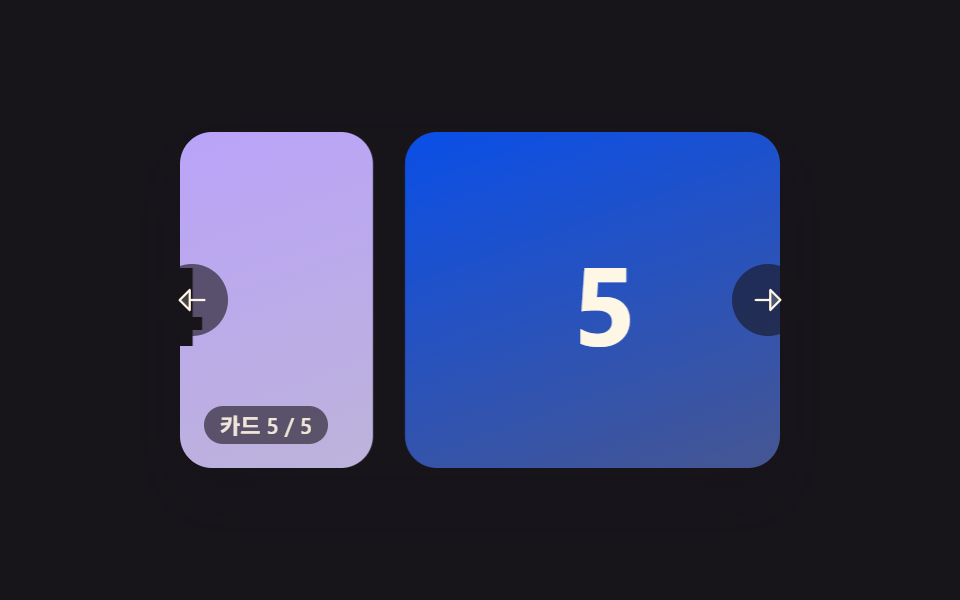
Push past the first or last card and it stretches a little instead of stopping dead, then snaps back the instant you let go. rawToVisual() compresses any distance past the edge through a rubber() curve so the resistance grows the farther you pull, and springBackIfNeeded() pulls the card back with a force-and-damping loop once you release it. It's the same edge feedback a phone's home screen gives you when you scroll past the last icon.
<main class="stage">
<section class="carousel is-demo" id="carousel" role="region" aria-roledescription="carousel" aria-label="Card carousel">
  <div class="viewport" id="viewport" tabindex="0">
    <div class="track" id="track">
      <div class="card card--0"><span class="num">1</span></div>
      <div class="card card--1"><span class="num">2</span></div>
      <div class="card card--2"><span class="num">3</span></div>
      <div class="card card--3"><span class="num">4</span></div>
      <div class="card card--4"><span class="num">5</span></div>
    </div>
  </div>
  <button type="button" class="navBtn navBtn--prev" id="prevBtn" aria-label="Previous card">
    <svg viewBox="0 0 256 256" width="18" height="18" aria-hidden="true"><g fill="currentColor"><path d="M112 56v144l-72-72Z" opacity=".2"/><path d="M216 120h-96V56a8 8 0 0 0-13.66-5.66l-72 72a8 8 0 0 0 0 11.32l72 72A8 8 0 0 0 120 200v-64h96a8 8 0 0 0 0-16m-112 60.69L51.31 128L104 75.31Z"/></g></svg>
  </button>
  <button type="button" class="navBtn navBtn--next" id="nextBtn" aria-label="Next card">
    <svg viewBox="0 0 256 256" width="18" height="18" aria-hidden="true"><g fill="currentColor"><path d="m216 128l-72 72V56Z" opacity=".2"/><path d="m221.66 122.34l-72-72A8 8 0 0 0 136 56v64H40a8 8 0 0 0 0 16h96v64a8 8 0 0 0 13.66 5.66l72-72a8 8 0 0 0 0-11.32M152 180.69V75.31L204.69 128Z"/></g></svg>
  </button>
  <div class="readout" id="readout" aria-live="polite"></div>
</section>
</main>
@use "../../../../site/static/demo-tokens" as *;
// 변수 3개
$duration: $dur-base;
$easing: $ease-out;
$color: $subject-orange-deep;
// 계산 겹: index.html 의 rubber() 가 경계를 넘은 거리를 점근 곡선으로 눌러주고,
// springBackIfNeeded() 가 힘·감쇠를 매 프레임 더하는 스프링 물리로 경계까지 되돌린다.
@include stage($stage-ink);
.carousel {
position: relative;
width: 300px;
}
.viewport {
position: relative;
width: 300px;
height: 168px;
border-radius: $r-card;
overflow: hidden;
box-shadow: $shadow-raised;
background: $stage-ink;
outline: none;
}
.track {
display: flex;
height: 100%;
will-change: transform;
touch-action: none;
cursor: grab;
&.isDragging { cursor: grabbing; }
}
.card {
flex: 0 0 200px;
height: 100%;
margin-right: $sp-4;
border-radius: $r-card;
display: grid;
place-items: center;
&:last-child { margin-right: 0; }
.num {
font-weight: 700;
font-size: 56px;
line-height: 1;
}
}
.card--0 { background: linear-gradient(160deg, $subject-orange-deep, #905b47); .num { color: $subject-ink; } }
.card--1 { background: linear-gradient(160deg, $subject-pink, #d97fa0); .num { color: $subject-ink; } }
.card--2 { background: linear-gradient(160deg, $subject-mint, #63b299); .num { color: $subject-ink; } }
.card--3 { background: linear-gradient(160deg, $subject-lilac, #bdb3da); .num { color: $subject-ink; } }
.card--4 { background: linear-gradient(160deg, $subject-blue-deep, #475690); .num { color: $subject-cream; } }
.navBtn {
position: absolute;
top: 50%;
margin-top: -18px;
width: 36px;
height: 36px;
border-radius: $r-pill;
border: none;
display: grid;
place-items: center;
background: rgba($stage-ink, .6);
color: $subject-cream;
cursor: pointer;
&:focus-visible { outline: 2px solid $color; outline-offset: 2px; }
}
.navBtn--prev { left: -($sp-3); }
.navBtn--next { right: -($sp-3); }
.readout {
position: absolute;
left: $sp-3;
bottom: $sp-3;
padding: $sp-1 $sp-2;
border-radius: $r-pill;
background: rgba($stage-ink, .6);
color: rgba($subject-cream, .9);
font-size: 11px;
font-weight: 600;
line-height: 1;
font-variant-numeric: tabular-nums;
}
@media (max-width: 340px) {
.carousel { width: 220px; }
.viewport { width: 220px; height: 106px; }
.card { flex-basis: 148px; margin-right: $sp-2; .num { font-size: 36px; } }
.navBtn { width: 28px; height: 28px; margin-top: -14px; }
.readout { font-size: 9px; }
}
@media (prefers-reduced-motion: reduce) {
// 실사용 경로 적용 — 드래그·키보드·버튼은 index.html 이 그대로 고무줄·스프링 계산을 돌린다.
// scss 만: 포커스 아웃라인 전환만 꺼서 잔여 트랜지션을 없앤다.
.navBtn { transition: none; }
}html, body {
margin: 0;
overflow: hidden;
}
.stage {
box-sizing: border-box;
min-height: 100vh;
display: grid;
place-items: center;
margin: 0;
background: #17141a;
font-family: -apple-system, "Segoe UI", "Noto Sans KR", sans-serif;
padding: clamp(8px, 4vw, 24px);
}
.carousel {
position: relative;
width: 300px;
}
.viewport {
position: relative;
width: 300px;
height: 168px;
border-radius: 16px;
overflow: hidden;
box-shadow: 0 14px 24px rgba(23, 20, 26, 0.32);
background: #17141a;
outline: none;
}
.track {
display: flex;
height: 100%;
will-change: transform;
touch-action: none;
cursor: grab;
}
.track.isDragging {
cursor: grabbing;
}
.card {
flex: 0 0 200px;
height: 100%;
margin-right: 16px;
border-radius: 16px;
display: grid;
place-items: center;
}
.card:last-child {
margin-right: 0;
}
.card .num {
font-weight: 700;
font-size: 56px;
line-height: 1;
}
.card--0 {
background: linear-gradient(160deg, #c93000, #905b47);
}
.card--0 .num {
color: #17141a;
}
.card--1 {
background: linear-gradient(160deg, #ff9ebb, #d97fa0);
}
.card--1 .num {
color: #17141a;
}
.card--2 {
background: linear-gradient(160deg, #4cd4a6, #63b299);
}
.card--2 .num {
color: #17141a;
}
.card--3 {
background: linear-gradient(160deg, #b9a0ff, #bdb3da);
}
.card--3 .num {
color: #17141a;
}
.card--4 {
background: linear-gradient(160deg, #0a4fe8, #475690);
}
.card--4 .num {
color: #fff7e6;
}
.navBtn {
position: absolute;
top: 50%;
margin-top: -18px;
width: 36px;
height: 36px;
border-radius: 999px;
border: none;
display: grid;
place-items: center;
background: rgba(23, 20, 26, 0.6);
color: #fff7e6;
cursor: pointer;
}
.navBtn:focus-visible {
outline: 2px solid #c93000;
outline-offset: 2px;
}
.navBtn--prev {
left: -12px;
}
.navBtn--next {
right: -12px;
}
.readout {
position: absolute;
left: 12px;
bottom: 12px;
padding: 4px 8px;
border-radius: 999px;
background: rgba(23, 20, 26, 0.6);
color: rgba(255, 247, 230, 0.9);
font-size: 11px;
font-weight: 600;
line-height: 1;
font-variant-numeric: tabular-nums;
}
@media (max-width: 340px) {
.carousel {
width: 220px;
}
.viewport {
width: 220px;
height: 106px;
}
.card {
flex-basis: 148px;
margin-right: 8px;
}
.card .num {
font-size: 36px;
}
.navBtn {
width: 28px;
height: 28px;
margin-top: -14px;
}
.readout {
font-size: 9px;
}
}
@media (prefers-reduced-motion: reduce) {
.navBtn {
transition: none;
}
}(function () {
// 고무줄 저항 범위 — 경계를 넘는 거리가 아무리 커져도 시각적으로는 이 값(px)에 점근한다.
var RUBBER_BAND_RANGE = 64;
var SPRING_STIFFNESS = 0.22; // 목표까지 당기는 힘의 비율
var SPRING_DAMPING = 0.72; // 매 프레임 속도에 곱하는 감쇠(마찰)
var SPRING_STOP = 0.4; // 이 이하로 좁혀지면 스프링 정지
var STEP_MS = 16.6667;
var DEMO_PUSH_PX = 46;
var DEMO_HOLD_MS = 260;
var carousel = document.getElementById('carousel');
var viewport = document.getElementById('viewport');
var track = document.getElementById('track');
var readout = document.getElementById('readout');
var prevBtn = document.getElementById('prevBtn');
var nextBtn = document.getElementById('nextBtn');
var reduce = window.matchMedia('(prefers-reduced-motion: reduce)').matches;
var TOTAL = 5;
var LABEL_PREFIX = 'Card ';
var LABEL_SEP = ' / ';
var pos = 0, minX = 0, maxX = 0;
var dragging = false;
var springFrame = null;
var demoTimers = [];
function bounds() {
maxX = 0;
minX = Math.min(0, viewport.clientWidth - track.scrollWidth);
}
function clamp(v, lo, hi) { return Math.min(hi, Math.max(lo, v)); }
// 고무줄 감쇠 함수 — 넘어간 거리 o(항상 0 이상)를 RUBBER_BAND_RANGE 에 점근하는 곡선으로 눌러준다.
function rubber(o) {
return RUBBER_BAND_RANGE * o / (RUBBER_BAND_RANGE + o);
}
function rawToVisual(raw) {
if (raw > maxX) return maxX + rubber(raw - maxX);
if (raw < minX) return minX - rubber(minX - raw);
return raw;
}
function paint() {
track.style.transform = 'translate3d(' + pos.toFixed(1) + 'px,0,0)';
var step = track.scrollWidth / TOTAL;
var idx = clamp(Math.round(-clamp(pos, minX, maxX) / step), 0, TOTAL - 1);
readout.textContent = LABEL_PREFIX + (idx + 1) + LABEL_SEP + TOTAL;
}
function stopSpring() {
if (springFrame) { cancelAnimationFrame(springFrame); springFrame = null; }
}
// 스프링 복귀 — pos 가 경계를 넘은 채로 있을 때만 목표(가까운 경계)까지 힘·감쇠로 당겨 돌아온다.
function springBackIfNeeded() {
var target = pos > maxX ? maxX : (pos < minX ? minX : null);
if (target === null) return;
var velocity = 0;
function frame() {
var force = (target - pos) * SPRING_STIFFNESS;
velocity = (velocity + force) * SPRING_DAMPING;
pos += velocity;
paint();
if (Math.abs(velocity) > SPRING_STOP || Math.abs(target - pos) > SPRING_STOP) {
springFrame = requestAnimationFrame(frame);
} else {
pos = target;
paint();
springFrame = null;
}
}
springFrame = requestAnimationFrame(frame);
}
function human() {
if (carousel.classList.contains('is-demo')) {
carousel.classList.remove('is-demo');
demoTimers.forEach(function (t) { clearTimeout(t); });
demoTimers = [];
}
}
function onPointerDown(e) {
human();
stopSpring();
dragging = true;
track.classList.add('isDragging');
viewport.setPointerCapture(e.pointerId);
carousel._originPos = pos;
carousel._startX = e.clientX;
}
function onPointerMove(e) {
if (!dragging) return;
var dx = e.clientX - carousel._startX;
pos = rawToVisual(carousel._originPos + dx);
paint();
}
function onPointerUp(e) {
if (!dragging) return;
dragging = false;
track.classList.remove('isDragging');
try { viewport.releasePointerCapture(e.pointerId); } catch (err) {}
springBackIfNeeded();
}
function step(dir) {
human();
stopSpring();
var stepPx = track.scrollWidth / TOTAL;
pos = rawToVisual(clamp(pos + dir * -stepPx, minX - RUBBER_BAND_RANGE, maxX + RUBBER_BAND_RANGE));
paint();
springBackIfNeeded();
}
function onKeydown(e) {
if (e.key === 'ArrowLeft') { step(-1); e.preventDefault(); }
else if (e.key === 'ArrowRight') { step(1); e.preventDefault(); }
}
viewport.addEventListener('pointerdown', onPointerDown);
viewport.addEventListener('pointermove', onPointerMove);
viewport.addEventListener('pointerup', onPointerUp);
viewport.addEventListener('pointercancel', onPointerUp);
viewport.addEventListener('keydown', onKeydown);
prevBtn.addEventListener('click', function () { step(-1); });
nextBtn.addEventListener('click', function () { step(1); });
// reduce: 실사용 경로 적용 — 드래그·키보드·버튼은 위 리스너가 그대로 고무줄 계산을 돌린다.
// 아래 demoCycle() 은 시연 게이트만이고 reduce 에서는 돌지 않는다.
function pushAndRelease(target, onDone) {
var start = performance.now();
var from = pos;
function frame(now) {
if (!carousel.classList.contains('is-demo')) return;
var p = Math.min(1, (now - start) / 220);
pos = from + (target - from) * p;
paint();
if (p < 1) requestAnimationFrame(frame);
else {
springBackIfNeeded();
demoTimers.push(setTimeout(onDone, DEMO_HOLD_MS + 260));
}
}
requestAnimationFrame(frame);
}
function demoCycle(i) {
if (!carousel.classList.contains('is-demo')) return;
if (i % 2 === 0) {
pos = maxX; paint();
pushAndRelease(maxX + DEMO_PUSH_PX, function () { demoCycle(i + 1); });
} else {
pos = minX; paint();
pushAndRelease(minX - DEMO_PUSH_PX, function () { demoCycle(i + 1); });
}
}
function init() {
bounds();
paint();
if (!reduce) demoCycle(0);
}
window.addEventListener('resize', bounds);
init();
})();import { useEffect, useRef } from 'react';
import styles from './CarouselRubberBandEdge.module.scss';
// 상수 — vanilla demo 02 (run/384/demo/02-carousel-slide-rubber-band-edge/index.html) 과 동일
// 고무줄 저항 범위 — 경계를 넘는 거리가 아무리 커져도 시각적으로는 이 값(px)에 점근한다.
const RUBBER_BAND_RANGE = 64;
const SPRING_STIFFNESS = 0.22; // 목표까지 당기는 힘의 비율
const SPRING_DAMPING = 0.72; // 매 프레임 속도에 곱하는 감쇠(마찰)
const SPRING_STOP = 0.4; // 이 이하로 좁혀지면 스프링 정지
const DEMO_PUSH_PX = 46;
const DEMO_HOLD_MS = 260;
const TOTAL = 5;
const LABEL_PREFIX = '카드 ';
const LABEL_SEP = ' / ';
export default function CarouselRubberBandEdge() {
const carouselRef = useRef<HTMLElement>(null);
useEffect(() => {
const carousel = carouselRef.current;
if (!carousel) return undefined;
const viewport = carousel.querySelector<HTMLDivElement>('.' + styles.viewport);
const track = carousel.querySelector<HTMLDivElement>('.' + styles.track);
const readout = carousel.querySelector<HTMLDivElement>('.' + styles.readout);
const prevBtn = carousel.querySelector<HTMLButtonElement>('.' + styles['navBtn--prev']);
const nextBtn = carousel.querySelector<HTMLButtonElement>('.' + styles['navBtn--next']);
if (!viewport || !track || !readout || !prevBtn || !nextBtn) return undefined;
let pos = 0, minX = 0, maxX = 0;
let dragging = false;
let springFrame = 0;
let demoTimers: number[] = [];
let originPos = 0, startX = 0;
function bounds() {
maxX = 0;
minX = Math.min(0, viewport!.clientWidth - track!.scrollWidth);
}
function clamp(v: number, lo: number, hi: number) { return Math.min(hi, Math.max(lo, v)); }
// 고무줄 감쇠 함수 — 넘어간 거리 o(항상 0 이상)를 RUBBER_BAND_RANGE 에 점근하는 곡선으로 눌러준다.
function rubber(o: number) {
return RUBBER_BAND_RANGE * o / (RUBBER_BAND_RANGE + o);
}
function rawToVisual(raw: number) {
if (raw > maxX) return maxX + rubber(raw - maxX);
if (raw < minX) return minX - rubber(minX - raw);
return raw;
}
function paint() {
track!.style.transform = 'translate3d(' + pos.toFixed(1) + 'px,0,0)';
const step = track!.scrollWidth / TOTAL;
const idx = clamp(Math.round(-clamp(pos, minX, maxX) / step), 0, TOTAL - 1);
readout!.textContent = LABEL_PREFIX + (idx + 1) + LABEL_SEP + TOTAL;
}
function stopSpring() {
if (springFrame) { cancelAnimationFrame(springFrame); springFrame = 0; }
}
// 스프링 복귀 — pos 가 경계를 넘은 채로 있을 때만 목표(가까운 경계)까지 힘·감쇠로 당겨 돌아온다.
function springBackIfNeeded() {
const target = pos > maxX ? maxX : (pos < minX ? minX : null);
if (target === null) return;
const t: number = target;
let velocity = 0;
function frame() {
const force = (t - pos) * SPRING_STIFFNESS;
velocity = (velocity + force) * SPRING_DAMPING;
pos += velocity;
paint();
if (Math.abs(velocity) > SPRING_STOP || Math.abs(t - pos) > SPRING_STOP) {
springFrame = requestAnimationFrame(frame);
} else {
pos = t;
paint();
springFrame = 0;
}
}
springFrame = requestAnimationFrame(frame);
}
function human() {
if (carousel!.classList.contains(styles['is-demo'])) {
carousel!.classList.remove(styles['is-demo']);
demoTimers.forEach((t) => window.clearTimeout(t));
demoTimers = [];
}
}
function onPointerDown(e: PointerEvent) {
human();
stopSpring();
dragging = true;
track!.classList.add(styles.isDragging);
viewport!.setPointerCapture(e.pointerId);
originPos = pos;
startX = e.clientX;
}
function onPointerMove(e: PointerEvent) {
if (!dragging) return;
const dx = e.clientX - startX;
pos = rawToVisual(originPos + dx);
paint();
}
function onPointerUp(e: PointerEvent) {
if (!dragging) return;
dragging = false;
track!.classList.remove(styles.isDragging);
try { viewport!.releasePointerCapture(e.pointerId); } catch { /* 캡처가 이미 풀린 경우 */ }
springBackIfNeeded();
}
function step(dir: number) {
human();
stopSpring();
const stepPx = track!.scrollWidth / TOTAL;
pos = rawToVisual(clamp(pos + dir * -stepPx, minX - RUBBER_BAND_RANGE, maxX + RUBBER_BAND_RANGE));
paint();
springBackIfNeeded();
}
function onKeydown(e: KeyboardEvent) {
if (e.key === 'ArrowLeft') { step(-1); e.preventDefault(); }
else if (e.key === 'ArrowRight') { step(1); e.preventDefault(); }
}
function onPrev() { step(-1); }
function onNext() { step(1); }
function onResize() { bounds(); }
viewport.addEventListener('pointerdown', onPointerDown);
viewport.addEventListener('pointermove', onPointerMove);
viewport.addEventListener('pointerup', onPointerUp);
viewport.addEventListener('pointercancel', onPointerUp);
viewport.addEventListener('keydown', onKeydown);
prevBtn.addEventListener('click', onPrev);
nextBtn.addEventListener('click', onNext);
window.addEventListener('resize', onResize);
const reduce = window.matchMedia('(prefers-reduced-motion: reduce)').matches;
// reduce: 실사용 경로 적용 — 드래그·키보드·버튼은 위 리스너가 그대로 고무줄 계산을 돌린다.
// 아래 demoCycle() 은 시연 게이트만이고 reduce 에서는 돌지 않는다.
function pushAndRelease(target: number, onDone: () => void) {
const start = performance.now();
const from = pos;
function frame(now: number) {
if (!carousel!.classList.contains(styles['is-demo'])) return;
const p = Math.min(1, (now - start) / 220);
pos = from + (target - from) * p;
paint();
if (p < 1) requestAnimationFrame(frame);
else {
springBackIfNeeded();
demoTimers.push(window.setTimeout(onDone, DEMO_HOLD_MS + 260));
}
}
requestAnimationFrame(frame);
}
function demoCycle(i: number) {
if (!carousel!.classList.contains(styles['is-demo'])) return;
if (i % 2 === 0) {
pos = maxX; paint();
pushAndRelease(maxX + DEMO_PUSH_PX, () => demoCycle(i + 1));
} else {
pos = minX; paint();
pushAndRelease(minX - DEMO_PUSH_PX, () => demoCycle(i + 1));
}
}
bounds();
paint();
if (!reduce) demoCycle(0);
return () => {
viewport.removeEventListener('pointerdown', onPointerDown);
viewport.removeEventListener('pointermove', onPointerMove);
viewport.removeEventListener('pointerup', onPointerUp);
viewport.removeEventListener('pointercancel', onPointerUp);
viewport.removeEventListener('keydown', onKeydown);
prevBtn.removeEventListener('click', onPrev);
nextBtn.removeEventListener('click', onNext);
window.removeEventListener('resize', onResize);
demoTimers.forEach((t) => window.clearTimeout(t));
stopSpring();
};
}, []);
return (
<main className={styles.stage}>
<section
className={styles.carousel + ' ' + styles['is-demo']}
ref={carouselRef}
role="region"
aria-roledescription="carousel"
aria-label="카드 캐러셀"
>
<div className={styles.viewport} tabIndex={0}>
<div className={styles.track}>
<div className={styles.card + ' ' + styles['card--0']}><span className={styles.num}>1</span></div>
<div className={styles.card + ' ' + styles['card--1']}><span className={styles.num}>2</span></div>
<div className={styles.card + ' ' + styles['card--2']}><span className={styles.num}>3</span></div>
<div className={styles.card + ' ' + styles['card--3']}><span className={styles.num}>4</span></div>
<div className={styles.card + ' ' + styles['card--4']}><span className={styles.num}>5</span></div>
</div>
</div>
<button type="button" className={styles.navBtn + ' ' + styles['navBtn--prev']} aria-label="이전 카드">
<svg viewBox="0 0 256 256" width={18} height={18} aria-hidden="true"><g fill="currentColor"><path d="M112 56v144l-72-72Z" opacity=".2" /><path d="M216 120h-96V56a8 8 0 0 0-13.66-5.66l-72 72a8 8 0 0 0 0 11.32l72 72A8 8 0 0 0 120 200v-64h96a8 8 0 0 0 0-16m-112 60.69L51.31 128L104 75.31Z" /></g></svg>
</button>
<button type="button" className={styles.navBtn + ' ' + styles['navBtn--next']} aria-label="다음 카드">
<svg viewBox="0 0 256 256" width={18} height={18} aria-hidden="true"><g fill="currentColor"><path d="m216 128l-72 72V56Z" opacity=".2" /><path d="m221.66 122.34l-72-72A8 8 0 0 0 136 56v64H40a8 8 0 0 0 0 16h96v64a8 8 0 0 0 13.66 5.66l72-72a8 8 0 0 0 0-11.32M152 180.69V75.31L204.69 128Z" /></g></svg>
</button>
<div className={styles.readout} aria-live="polite"></div>
</section>
</main>
);
}02 · Carousel That Snaps Back Like a Rubber Band at Its Edges — Measured area 34.824% · moving frames 23/23Original by GODRICH · SCSS and React ship in the zip · See the password
  // Spring-back — only when pos has crossed a boundary does it pull toward the target (nearest boundary) with force and damping.
  function springBackIfNeeded() {
    var target = pos > maxX ? maxX : (pos < minX ? minX : null);
    if (target === null) return;
    var velocity = 0;
    function frame() {
      var force = (target - pos) * SPRING_STIFFNESS;
      velocity = (velocity + force) * SPRING_DAMPING;
      pos += velocity;
      paint();
      if (Math.abs(velocity) > SPRING_STOP || Math.abs(target - pos) > SPRING_STOP) {
        springFrame = requestAnimationFrame(frame);
      } else {
        pos = target;
        paint();
        springFrame = null;
      }
    }
    springFrame = requestAnimationFrame(frame);
  }
03Carousel Whose Cards Curve Past in 3D Perspective
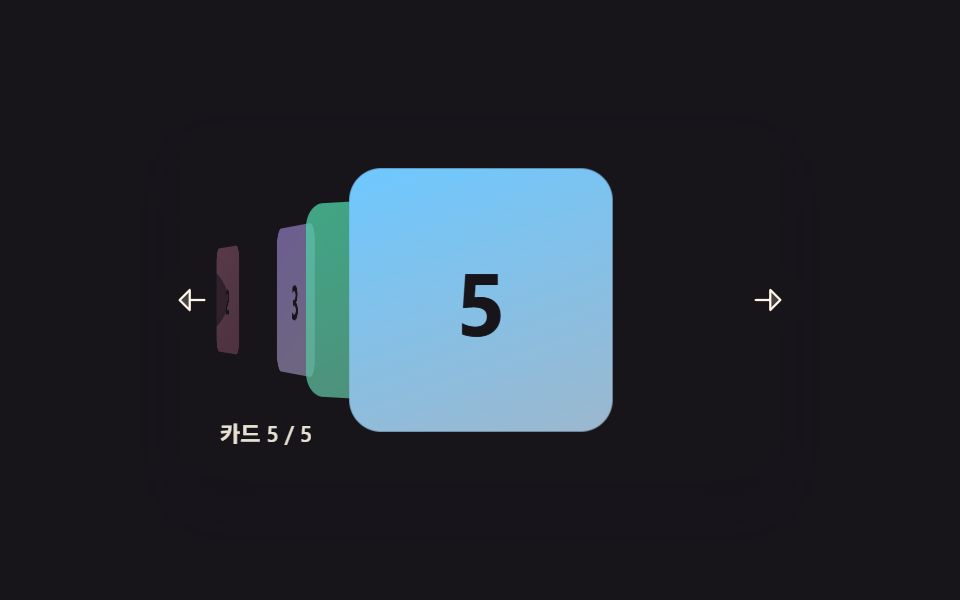
The center card stands tall and faces forward while the cards on either side tilt and shrink into the distance, curving the whole row as it turns. render() recalculates each card's angle, depth, and scale from the live drag distance every frame, which is a different technique from a scroll-snap-only coverflow that never touches an angle in JavaScript. That per-frame math is what a portfolio or album-cover browser needs to feel continuous instead of stepped.
<main class="stage">
<section class="carousel is-demo" id="carousel" role="region" aria-roledescription="carousel" aria-label="Card carousel">
  <div class="viewport" id="viewport" tabindex="0">
    <div class="track" id="track">
      <div class="card card--0" data-i="0"><span class="num">1</span></div>
      <div class="card card--1" data-i="1"><span class="num">2</span></div>
      <div class="card card--2" data-i="2"><span class="num">3</span></div>
      <div class="card card--3" data-i="3"><span class="num">4</span></div>
      <div class="card card--4" data-i="4"><span class="num">5</span></div>
    </div>
  </div>
  <button type="button" class="navBtn navBtn--prev" id="prevBtn" aria-label="Previous card">
    <svg viewBox="0 0 256 256" width="18" height="18" aria-hidden="true"><g fill="currentColor"><path d="M112 56v144l-72-72Z" opacity=".2"/><path d="M216 120h-96V56a8 8 0 0 0-13.66-5.66l-72 72a8 8 0 0 0 0 11.32l72 72A8 8 0 0 0 120 200v-64h96a8 8 0 0 0 0-16m-112 60.69L51.31 128L104 75.31Z"/></g></svg>
  </button>
  <button type="button" class="navBtn navBtn--next" id="nextBtn" aria-label="Next card">
    <svg viewBox="0 0 256 256" width="18" height="18" aria-hidden="true"><g fill="currentColor"><path d="m216 128l-72 72V56Z" opacity=".2"/><path d="m221.66 122.34l-72-72A8 8 0 0 0 136 56v64H40a8 8 0 0 0 0 16h96v64a8 8 0 0 0 13.66 5.66l72-72a8 8 0 0 0 0-11.32M152 180.69V75.31L204.69 128Z"/></g></svg>
  </button>
  <div class="readout" id="readout" aria-live="polite"></div>
</section>
</main>
@use "../../../../site/static/demo-tokens" as *;
// 변수 3개
$duration: $dur-base;
$easing: $ease-out;
$color: $subject-lilac;
// 계산 겹: index.html 의 render() 가 카드마다 중심 인덱스까지의 실수 거리를
// rotateY·translateZ·scale·opacity 로 매 프레임 산술 변환한다 — CSS 트랜지션이 아니다.
@include stage($stage-ink);
.carousel {
position: relative;
width: 300px;
}
.viewport {
position: relative;
width: 300px;
height: 176px;
border-radius: $r-card;
overflow: hidden;
box-shadow: $shadow-raised;
background: $stage-ink;
outline: none;
perspective: 720px;
}
.track {
position: relative;
width: 100%;
height: 100%;
transform-style: preserve-3d;
cursor: grab;
&.isDragging { cursor: grabbing; }
}
.card {
position: absolute;
top: 50%;
left: 50%;
width: 132px;
height: 132px;
margin: -66px 0 0 -66px;
border-radius: $r-card;
display: grid;
place-items: center;
will-change: transform, opacity;
.num {
font-weight: 700;
font-size: 44px;
line-height: 1;
}
}
.card--0 { background: linear-gradient(160deg, $subject-blue-deep, #475690); .num { color: $subject-cream; } }
.card--1 { background: linear-gradient(160deg, $subject-pink, #d97fa0); .num { color: $subject-ink; } }
.card--2 { background: linear-gradient(160deg, $subject-lilac, #bdb3da); .num { color: $subject-ink; } }
.card--3 { background: linear-gradient(160deg, $subject-mint, #63b299); .num { color: $subject-ink; } }
.card--4 { background: linear-gradient(160deg, $subject-sky, #9cb8ce); .num { color: $subject-ink; } }
.navBtn {
position: absolute;
top: 50%;
margin-top: -18px;
width: 36px;
height: 36px;
border-radius: $r-pill;
border: none;
display: grid;
place-items: center;
background: rgba($stage-ink, .6);
color: $subject-cream;
cursor: pointer;
z-index: 200;
&:focus-visible { outline: 2px solid $color; outline-offset: 2px; }
}
.navBtn--prev { left: -($sp-3); }
.navBtn--next { right: -($sp-3); }
.readout {
position: absolute;
left: $sp-3;
bottom: $sp-3;
padding: $sp-1 $sp-2;
border-radius: $r-pill;
background: rgba($stage-ink, .6);
color: rgba($subject-cream, .9);
font-size: 11px;
font-weight: 600;
line-height: 1;
font-variant-numeric: tabular-nums;
z-index: 200;
}
@media (max-width: 340px) {
.carousel { width: 220px; }
.viewport { width: 220px; height: 128px; }
.card { width: 92px; height: 92px; margin: -46px 0 0 -46px; .num { font-size: 30px; } }
.navBtn { width: 28px; height: 28px; margin-top: -14px; }
.readout { font-size: 9px; }
}
@media (prefers-reduced-motion: reduce) {
// 실사용 경로 적용 — 드래그·키보드·버튼은 index.html 이 그대로 거리 계산을 돌린다.
// scss 만: 포커스 아웃라인 전환만 꺼서 잔여 트랜지션을 없앤다.
.navBtn { transition: none; }
}html, body {
margin: 0;
overflow: hidden;
}
.stage {
box-sizing: border-box;
min-height: 100vh;
display: grid;
place-items: center;
margin: 0;
background: #17141a;
font-family: -apple-system, "Segoe UI", "Noto Sans KR", sans-serif;
padding: clamp(8px, 4vw, 24px);
}
.carousel {
position: relative;
width: 300px;
}
.viewport {
position: relative;
width: 300px;
height: 176px;
border-radius: 16px;
overflow: hidden;
box-shadow: 0 14px 24px rgba(23, 20, 26, 0.32);
background: #17141a;
outline: none;
perspective: 720px;
}
.track {
position: relative;
width: 100%;
height: 100%;
transform-style: preserve-3d;
cursor: grab;
}
.track.isDragging {
cursor: grabbing;
}
.card {
position: absolute;
top: 50%;
left: 50%;
width: 132px;
height: 132px;
margin: -66px 0 0 -66px;
border-radius: 16px;
display: grid;
place-items: center;
will-change: transform, opacity;
}
.card .num {
font-weight: 700;
font-size: 44px;
line-height: 1;
}
.card--0 {
background: linear-gradient(160deg, #0a4fe8, #475690);
}
.card--0 .num {
color: #fff7e6;
}
.card--1 {
background: linear-gradient(160deg, #ff9ebb, #d97fa0);
}
.card--1 .num {
color: #17141a;
}
.card--2 {
background: linear-gradient(160deg, #b9a0ff, #bdb3da);
}
.card--2 .num {
color: #17141a;
}
.card--3 {
background: linear-gradient(160deg, #4cd4a6, #63b299);
}
.card--3 .num {
color: #17141a;
}
.card--4 {
background: linear-gradient(160deg, #6ec8ff, #9cb8ce);
}
.card--4 .num {
color: #17141a;
}
.navBtn {
position: absolute;
top: 50%;
margin-top: -18px;
width: 36px;
height: 36px;
border-radius: 999px;
border: none;
display: grid;
place-items: center;
background: rgba(23, 20, 26, 0.6);
color: #fff7e6;
cursor: pointer;
z-index: 200;
}
.navBtn:focus-visible {
outline: 2px solid #b9a0ff;
outline-offset: 2px;
}
.navBtn--prev {
left: -12px;
}
.navBtn--next {
right: -12px;
}
.readout {
position: absolute;
left: 12px;
bottom: 12px;
padding: 4px 8px;
border-radius: 999px;
background: rgba(23, 20, 26, 0.6);
color: rgba(255, 247, 230, 0.9);
font-size: 11px;
font-weight: 600;
line-height: 1;
font-variant-numeric: tabular-nums;
z-index: 200;
}
@media (max-width: 340px) {
.carousel {
width: 220px;
}
.viewport {
width: 220px;
height: 128px;
}
.card {
width: 92px;
height: 92px;
margin: -46px 0 0 -46px;
}
.card .num {
font-size: 30px;
}
.navBtn {
width: 28px;
height: 28px;
margin-top: -14px;
}
.readout {
font-size: 9px;
}
}
@media (prefers-reduced-motion: reduce) {
.navBtn {
transition: none;
}
}(function () {
var TOTAL = 5;
var CARD_SPACING = 92; // 드래그 1px 당 인덱스 변화 계산에 쓰는 Card 간격(px)
var ANGLE_STEP = 38; // 중심에서 Card 1개 멀어질 때마다 더해지는 회전각(deg)
var MAX_ANGLE = 68;
var DEPTH_STEP = 90; // Card 1개 멀어질 때마다 밀어내는 translateZ(px)
var SCALE_STEP = 0.15;
var SCALE_FLOOR = 0.55;
var OPACITY_STEP = 0.24;
var OPACITY_FLOOR = 0.28;
var SNAP_EASE = 0.22; // 릴리스 후 가장 가까운 정수 인덱스로 당기는 보간 비율(프레임당)
var SNAP_STOP = 0.004;
var DEMO_HOLD_MS = 520;
var carousel = document.getElementById('carousel');
var viewport = document.getElementById('viewport');
var track = document.getElementById('track');
var readout = document.getElementById('readout');
var prevBtn = document.getElementById('prevBtn');
var nextBtn = document.getElementById('nextBtn');
var cards = Array.prototype.slice.call(track.querySelectorAll('.card'));
var reduce = window.matchMedia('(prefers-reduced-motion: reduce)').matches;
var LABEL_PREFIX = 'Card ';
var LABEL_SEP = ' / ';
var index = 0; // 실수 인덱스 — 드래그 중에는 소수점 그대로 반영된다
var dragging = false;
var dragOriginIndex = 0;
var startX = 0;
var snapFrame = null;
var demoTimers = [];
function clamp(v, lo, hi) { return Math.min(hi, Math.max(lo, v)); }
// 계산 겹 — 카드마다 중심(index)까지의 거리(소수 가능)를 회전각·깊이·크기·투명도로 매핑한다.
  function render() {
    for (var n = 0; n < cards.length; n++) {
      var dist = n - index;
      var absDist = Math.abs(dist);
      var angle = clamp(dist * ANGLE_STEP, -MAX_ANGLE, MAX_ANGLE);
      var z = -absDist * DEPTH_STEP;
      var scale = Math.max(SCALE_FLOOR, 1 - absDist * SCALE_STEP);
      var opacity = Math.max(OPACITY_FLOOR, 1 - absDist * OPACITY_STEP);
      var x = dist * 58;
      cards[n].style.transform = 'translateX(' + x.toFixed(1) + 'px) translateZ(' + z.toFixed(1) + 'px) rotateY(' + angle.toFixed(1) + 'deg) scale(' + scale.toFixed(3) + ')';
      cards[n].style.opacity = opacity.toFixed(2);
      cards[n].style.zIndex = String(100 - Math.round(absDist * 10));
    }
    var shown = clamp(Math.round(index), 0, TOTAL - 1);
    readout.textContent = LABEL_PREFIX + (shown + 1) + LABEL_SEP + TOTAL;
  }
function stopSnap() {
if (snapFrame) { cancelAnimationFrame(snapFrame); snapFrame = null; }
}
// 릴리스 후 가장 가까운 정수 인덱스로, 또는 지정한 목표 인덱스로 매 프레임 SNAP_EASE 비율만큼 당겨 붙인다.
function animateIndexTo(target) {
target = clamp(target, 0, TOTAL - 1);
function frame() {
index += (target - index) * SNAP_EASE;
render();
if (Math.abs(target - index) > SNAP_STOP) {
snapFrame = requestAnimationFrame(frame);
} else {
index = target;
render();
snapFrame = null;
}
}
snapFrame = requestAnimationFrame(frame);
}
function human() {
if (carousel.classList.contains('is-demo')) {
carousel.classList.remove('is-demo');
demoTimers.forEach(function (t) { clearTimeout(t); });
demoTimers = [];
}
}
function onPointerDown(e) {
human();
stopSnap();
dragging = true;
dragOriginIndex = index;
startX = e.clientX;
viewport.setPointerCapture(e.pointerId);
track.classList.add('isDragging');
}
function onPointerMove(e) {
if (!dragging) return;
var dx = e.clientX - startX;
index = clamp(dragOriginIndex - dx / CARD_SPACING, 0, TOTAL - 1);
render();
}
function onPointerUp(e) {
if (!dragging) return;
dragging = false;
track.classList.remove('isDragging');
try { viewport.releasePointerCapture(e.pointerId); } catch (err) {}
animateIndexTo(Math.round(index));
}
function go(dir) {
human();
stopSnap();
animateIndexTo(clamp(Math.round(index) + dir, 0, TOTAL - 1));
}
function onKeydown(e) {
if (e.key === 'ArrowLeft') { go(-1); e.preventDefault(); }
else if (e.key === 'ArrowRight') { go(1); e.preventDefault(); }
}
viewport.addEventListener('pointerdown', onPointerDown);
viewport.addEventListener('pointermove', onPointerMove);
viewport.addEventListener('pointerup', onPointerUp);
viewport.addEventListener('pointercancel', onPointerUp);
viewport.addEventListener('keydown', onKeydown);
prevBtn.addEventListener('click', function () { go(-1); });
nextBtn.addEventListener('click', function () { go(1); });
// reduce: 실사용 경로 적용 — 드래그·키보드·버튼은 위 리스너가 그대로 거리 계산을 돌린다.
// 아래 demoCycle() 은 시연 게이트만이고 reduce 에서는 돌지 않는다.
var DEMO_SEQUENCE = [1, 2, 3, 4, 2, 0];
function demoCycle(i) {
if (!carousel.classList.contains('is-demo')) return;
animateIndexTo(DEMO_SEQUENCE[i % DEMO_SEQUENCE.length]);
demoTimers.push(setTimeout(function () { demoCycle(i + 1); }, DEMO_HOLD_MS));
}
function init() {
render();
if (!reduce) demoCycle(0);
}
init();
})();import { useEffect, useRef } from 'react';
import styles from './CarouselCoverflowPerspective.module.scss';
// 상수 — vanilla demo 03 (run/384/demo/03-carousel-slide-coverflow-perspective/index.html) 과 동일
const TOTAL = 5;
const CARD_SPACING = 92; // 드래그 1px 당 인덱스 변화 계산에 쓰는 카드 간격(px)
const ANGLE_STEP = 38; // 중심에서 카드 1개 멀어질 때마다 더해지는 회전각(deg)
const MAX_ANGLE = 68;
const DEPTH_STEP = 90; // 카드 1개 멀어질 때마다 밀어내는 translateZ(px)
const SCALE_STEP = 0.15;
const SCALE_FLOOR = 0.55;
const OPACITY_STEP = 0.24;
const OPACITY_FLOOR = 0.28;
const SNAP_EASE = 0.22; // 릴리스 후 가장 가까운 정수 인덱스로 당기는 보간 비율(프레임당)
const SNAP_STOP = 0.004;
const DEMO_HOLD_MS = 520;
const LABEL_PREFIX = '카드 ';
const LABEL_SEP = ' / ';
const DEMO_SEQUENCE = [1, 2, 3, 4, 2, 0];
export default function CarouselCoverflowPerspective() {
const carouselRef = useRef<HTMLElement>(null);
useEffect(() => {
const carousel = carouselRef.current;
if (!carousel) return undefined;
const viewport = carousel.querySelector<HTMLDivElement>('.' + styles.viewport);
const track = carousel.querySelector<HTMLDivElement>('.' + styles.track);
const readout = carousel.querySelector<HTMLDivElement>('.' + styles.readout);
const prevBtn = carousel.querySelector<HTMLButtonElement>('.' + styles['navBtn--prev']);
const nextBtn = carousel.querySelector<HTMLButtonElement>('.' + styles['navBtn--next']);
if (!viewport || !track || !readout || !prevBtn || !nextBtn) return undefined;
const cards = Array.prototype.slice.call(
track.querySelectorAll<HTMLDivElement>('.' + styles.card)
) as HTMLDivElement[];
let index = 0; // 실수 인덱스 — 드래그 중에는 소수점 그대로 반영된다
let dragging = false;
let dragOriginIndex = 0;
let startX = 0;
let snapFrame = 0;
let demoTimers: number[] = [];
function clamp(v: number, lo: number, hi: number) { return Math.min(hi, Math.max(lo, v)); }
// 계산 겹 — 카드마다 중심(index)까지의 거리(소수 가능)를 회전각·깊이·크기·투명도로 매핑한다.
function render() {
for (let n = 0; n < cards.length; n++) {
const dist = n - index;
const absDist = Math.abs(dist);
const angle = clamp(dist * ANGLE_STEP, -MAX_ANGLE, MAX_ANGLE);
const z = -absDist * DEPTH_STEP;
const scale = Math.max(SCALE_FLOOR, 1 - absDist * SCALE_STEP);
const opacity = Math.max(OPACITY_FLOOR, 1 - absDist * OPACITY_STEP);
const x = dist * 58;
cards[n].style.transform = 'translateX(' + x.toFixed(1) + 'px) translateZ(' + z.toFixed(1) + 'px) rotateY(' + angle.toFixed(1) + 'deg) scale(' + scale.toFixed(3) + ')';
cards[n].style.opacity = opacity.toFixed(2);
cards[n].style.zIndex = String(100 - Math.round(absDist * 10));
}
const shown = clamp(Math.round(index), 0, TOTAL - 1);
readout!.textContent = LABEL_PREFIX + (shown + 1) + LABEL_SEP + TOTAL;
}
function stopSnap() {
if (snapFrame) { cancelAnimationFrame(snapFrame); snapFrame = 0; }
}
// 릴리스 후 가장 가까운 정수 인덱스로, 또는 지정한 목표 인덱스로 매 프레임 SNAP_EASE 비율만큼 당겨 붙인다.
function animateIndexTo(targetIn: number) {
const target = clamp(targetIn, 0, TOTAL - 1);
function frame() {
index += (target - index) * SNAP_EASE;
render();
if (Math.abs(target - index) > SNAP_STOP) {
snapFrame = requestAnimationFrame(frame);
} else {
index = target;
render();
snapFrame = 0;
}
}
snapFrame = requestAnimationFrame(frame);
}
function human() {
if (carousel!.classList.contains(styles['is-demo'])) {
carousel!.classList.remove(styles['is-demo']);
demoTimers.forEach((t) => window.clearTimeout(t));
demoTimers = [];
}
}
function onPointerDown(e: PointerEvent) {
human();
stopSnap();
dragging = true;
dragOriginIndex = index;
startX = e.clientX;
viewport!.setPointerCapture(e.pointerId);
track!.classList.add(styles.isDragging);
}
function onPointerMove(e: PointerEvent) {
if (!dragging) return;
const dx = e.clientX - startX;
index = clamp(dragOriginIndex - dx / CARD_SPACING, 0, TOTAL - 1);
render();
}
function onPointerUp(e: PointerEvent) {
if (!dragging) return;
dragging = false;
track!.classList.remove(styles.isDragging);
try { viewport!.releasePointerCapture(e.pointerId); } catch { /* 캡처가 이미 풀린 경우 */ }
animateIndexTo(Math.round(index));
}
function go(dir: number) {
human();
stopSnap();
animateIndexTo(clamp(Math.round(index) + dir, 0, TOTAL - 1));
}
function onKeydown(e: KeyboardEvent) {
if (e.key === 'ArrowLeft') { go(-1); e.preventDefault(); }
else if (e.key === 'ArrowRight') { go(1); e.preventDefault(); }
}
function onPrev() { go(-1); }
function onNext() { go(1); }
viewport.addEventListener('pointerdown', onPointerDown);
viewport.addEventListener('pointermove', onPointerMove);
viewport.addEventListener('pointerup', onPointerUp);
viewport.addEventListener('pointercancel', onPointerUp);
viewport.addEventListener('keydown', onKeydown);
prevBtn.addEventListener('click', onPrev);
nextBtn.addEventListener('click', onNext);
const reduce = window.matchMedia('(prefers-reduced-motion: reduce)').matches;
// reduce: 실사용 경로 적용 — 드래그·키보드·버튼은 위 리스너가 그대로 거리 계산을 돌린다.
// 아래 demoCycle() 은 시연 게이트만이고 reduce 에서는 돌지 않는다.
function demoCycle(i: number) {
if (!carousel!.classList.contains(styles['is-demo'])) return;
animateIndexTo(DEMO_SEQUENCE[i % DEMO_SEQUENCE.length]);
demoTimers.push(window.setTimeout(() => demoCycle(i + 1), DEMO_HOLD_MS));
}
render();
if (!reduce) demoCycle(0);
return () => {
viewport.removeEventListener('pointerdown', onPointerDown);
viewport.removeEventListener('pointermove', onPointerMove);
viewport.removeEventListener('pointerup', onPointerUp);
viewport.removeEventListener('pointercancel', onPointerUp);
viewport.removeEventListener('keydown', onKeydown);
prevBtn.removeEventListener('click', onPrev);
nextBtn.removeEventListener('click', onNext);
demoTimers.forEach((t) => window.clearTimeout(t));
stopSnap();
};
}, []);
return (
<main className={styles.stage}>
<section
className={styles.carousel + ' ' + styles['is-demo']}
ref={carouselRef}
role="region"
aria-roledescription="carousel"
aria-label="카드 캐러셀"
>
<div className={styles.viewport} tabIndex={0}>
<div className={styles.track}>
<div className={styles.card + ' ' + styles['card--0']} data-i={0}><span className={styles.num}>1</span></div>
<div className={styles.card + ' ' + styles['card--1']} data-i={1}><span className={styles.num}>2</span></div>
<div className={styles.card + ' ' + styles['card--2']} data-i={2}><span className={styles.num}>3</span></div>
<div className={styles.card + ' ' + styles['card--3']} data-i={3}><span className={styles.num}>4</span></div>
<div className={styles.card + ' ' + styles['card--4']} data-i={4}><span className={styles.num}>5</span></div>
</div>
</div>
<button type="button" className={styles.navBtn + ' ' + styles['navBtn--prev']} aria-label="이전 카드">
<svg viewBox="0 0 256 256" width={18} height={18} aria-hidden="true"><g fill="currentColor"><path d="M112 56v144l-72-72Z" opacity=".2" /><path d="M216 120h-96V56a8 8 0 0 0-13.66-5.66l-72 72a8 8 0 0 0 0 11.32l72 72A8 8 0 0 0 120 200v-64h96a8 8 0 0 0 0-16m-112 60.69L51.31 128L104 75.31Z" /></g></svg>
</button>
<button type="button" className={styles.navBtn + ' ' + styles['navBtn--next']} aria-label="다음 카드">
<svg viewBox="0 0 256 256" width={18} height={18} aria-hidden="true"><g fill="currentColor"><path d="m216 128l-72 72V56Z" opacity=".2" /><path d="m221.66 122.34l-72-72A8 8 0 0 0 136 56v64H40a8 8 0 0 0 0 16h96v64a8 8 0 0 0 13.66 5.66l72-72a8 8 0 0 0 0-11.32M152 180.69V75.31L204.69 128Z" /></g></svg>
</button>
<div className={styles.readout} aria-live="polite"></div>
</section>
</main>
);
}03 · Carousel Whose Cards Curve Past in 3D Perspective — Measured area 19.651% · moving frames 22/23Original by GODRICH · SCSS and React ship in the zip · See the password
function render() {
for (var n = 0; n < cards.length; n++) {
var dist = n - index;
var absDist = Math.abs(dist);
var angle = clamp(dist * ANGLE_STEP, -MAX_ANGLE, MAX_ANGLE);
var z = -absDist * DEPTH_STEP;
var scale = Math.max(SCALE_FLOOR, 1 - absDist * SCALE_STEP);
var opacity = Math.max(OPACITY_FLOOR, 1 - absDist * OPACITY_STEP);
var x = dist * 58;
cards[n].style.transform = 'translateX(' + x.toFixed(1) + 'px) translateZ(' + z.toFixed(1) + 'px) rotateY(' + angle.toFixed(1) + 'deg) scale(' + scale.toFixed(3) + ')';
cards[n].style.opacity = opacity.toFixed(2);
cards[n].style.zIndex = String(100 - Math.round(absDist * 10));
}
var shown = clamp(Math.round(index), 0, TOTAL - 1);
readout.textContent = LABEL_PREFIX + (shown + 1) + LABEL_SEP + TOTAL;
}
04Carousel That Wraps Seamlessly Back to the Start
A copy of the first card sits right after the last one, so the instant the boundary is crossed, wrapIfNeeded() quietly resets the position to the matching real card without a visible jump. That clone-plus-modulo trick is what makes a logo strip or brand row loop forever instead of visibly snapping back to card one. onTransitionEnd() is what times that invisible reset to the exact moment the CSS transition finishes, not a moment before.
<main class="stage">
<section class="carousel is-demo" id="carousel" role="region" aria-roledescription="carousel" aria-label="Card carousel">
  <div class="viewport" id="viewport" tabindex="0">
    <div class="track" id="track"></div>
  </div>
  <button type="button" class="navBtn navBtn--prev" id="prevBtn" aria-label="Previous card">
    <svg viewBox="0 0 256 256" width="18" height="18" aria-hidden="true"><g fill="currentColor"><path d="M112 56v144l-72-72Z" opacity=".2"/><path d="M216 120h-96V56a8 8 0 0 0-13.66-5.66l-72 72a8 8 0 0 0 0 11.32l72 72A8 8 0 0 0 120 200v-64h96a8 8 0 0 0 0-16m-112 60.69L51.31 128L104 75.31Z"/></g></svg>
  </button>
  <button type="button" class="navBtn navBtn--next" id="nextBtn" aria-label="Next card">
    <svg viewBox="0 0 256 256" width="18" height="18" aria-hidden="true"><g fill="currentColor"><path d="m216 128l-72 72V56Z" opacity=".2"/><path d="m221.66 122.34l-72-72A8 8 0 0 0 136 56v64H40a8 8 0 0 0 0 16h96v64a8 8 0 0 0 13.66 5.66l72-72a8 8 0 0 0 0-11.32M152 180.69V75.31L204.69 128Z"/></g></svg>
  </button>
  <div class="readout" id="readout" aria-live="polite"></div>
</section>
</main>
@use "../../../../site/static/demo-tokens" as *;
// 변수 3개
$duration: $dur-base;
$easing: $ease-out;
$color: $subject-mint;
// 계산 겹: index.html 의 wrapIfNeeded() 가 전환이 끝난 순간에만 transition 을 끄고
// pos 를 TOTAL 만큼 순간 이동시켜, 화면에 보이는 카드는 그대로인 채 무한히 순환한다.
@include stage($stage-ink);
.carousel {
position: relative;
width: 300px;
}
.viewport {
position: relative;
width: 300px;
height: 168px;
border-radius: $r-card;
overflow: hidden;
box-shadow: $shadow-raised;
background: $stage-ink;
outline: none;
}
.track {
display: flex;
height: 100%;
will-change: transform;
touch-action: none;
cursor: grab;
&.isDragging { cursor: grabbing; }
}
// BD15: 무한 루프 트랙은 flex gap 을 쓰지 않는다 — margin-right 로만 간격을 준다.
.card {
flex: 0 0 200px;
height: 100%;
margin-right: $sp-4;
border-radius: $r-card;
display: grid;
place-items: center;
.num {
font-weight: 700;
font-size: 56px;
line-height: 1;
}
}
.card--0 { background: linear-gradient(160deg, $subject-mint, #63b299); .num { color: $subject-ink; } }
.card--1 { background: linear-gradient(160deg, $subject-pink, #d97fa0); .num { color: $subject-ink; } }
.card--2 { background: linear-gradient(160deg, $subject-blue-deep, #475690); .num { color: $subject-cream; } }
.card--3 { background: linear-gradient(160deg, $subject-lilac, #bdb3da); .num { color: $subject-ink; } }
.card--4 { background: linear-gradient(160deg, $subject-sky, #9cb8ce); .num { color: $subject-ink; } }
.navBtn {
position: absolute;
top: 50%;
margin-top: -18px;
width: 36px;
height: 36px;
border-radius: $r-pill;
border: none;
display: grid;
place-items: center;
background: rgba($stage-ink, .6);
color: $subject-cream;
cursor: pointer;
&:focus-visible { outline: 2px solid $color; outline-offset: 2px; }
}
.navBtn--prev { left: -($sp-3); }
.navBtn--next { right: -($sp-3); }
.readout {
position: absolute;
left: $sp-3;
bottom: $sp-3;
padding: $sp-1 $sp-2;
border-radius: $r-pill;
background: rgba($stage-ink, .6);
color: rgba($subject-cream, .9);
font-size: 11px;
font-weight: 600;
line-height: 1;
font-variant-numeric: tabular-nums;
}
@media (max-width: 340px) {
.carousel { width: 220px; }
.viewport { width: 220px; height: 106px; }
.card { flex-basis: 148px; margin-right: $sp-2; .num { font-size: 36px; } }
.navBtn { width: 28px; height: 28px; margin-top: -14px; }
.readout { font-size: 9px; }
}
@media (prefers-reduced-motion: reduce) {
// 실사용 경로 적용 — 드래그·키보드·버튼은 index.html 이 그대로 모듈로 감기 계산을 돌린다.
// scss 만: 포커스 아웃라인 전환만 꺼서 잔여 트랜지션을 없앤다.
.navBtn { transition: none; }
}html, body {
margin: 0;
overflow: hidden;
}
.stage {
box-sizing: border-box;
min-height: 100vh;
display: grid;
place-items: center;
margin: 0;
background: #17141a;
font-family: -apple-system, "Segoe UI", "Noto Sans KR", sans-serif;
padding: clamp(8px, 4vw, 24px);
}
.carousel {
position: relative;
width: 300px;
}
.viewport {
position: relative;
width: 300px;
height: 168px;
border-radius: 16px;
overflow: hidden;
box-shadow: 0 14px 24px rgba(23, 20, 26, 0.32);
background: #17141a;
outline: none;
}
.track {
display: flex;
height: 100%;
will-change: transform;
touch-action: none;
cursor: grab;
}
.track.isDragging {
cursor: grabbing;
}
.card {
flex: 0 0 200px;
height: 100%;
margin-right: 16px;
border-radius: 16px;
display: grid;
place-items: center;
}
.card .num {
font-weight: 700;
font-size: 56px;
line-height: 1;
}
.card--0 {
background: linear-gradient(160deg, #4cd4a6, #63b299);
}
.card--0 .num {
color: #17141a;
}
.card--1 {
background: linear-gradient(160deg, #ff9ebb, #d97fa0);
}
.card--1 .num {
color: #17141a;
}
.card--2 {
background: linear-gradient(160deg, #0a4fe8, #475690);
}
.card--2 .num {
color: #fff7e6;
}
.card--3 {
background: linear-gradient(160deg, #b9a0ff, #bdb3da);
}
.card--3 .num {
color: #17141a;
}
.card--4 {
background: linear-gradient(160deg, #6ec8ff, #9cb8ce);
}
.card--4 .num {
color: #17141a;
}
.navBtn {
position: absolute;
top: 50%;
margin-top: -18px;
width: 36px;
height: 36px;
border-radius: 999px;
border: none;
display: grid;
place-items: center;
background: rgba(23, 20, 26, 0.6);
color: #fff7e6;
cursor: pointer;
}
.navBtn:focus-visible {
outline: 2px solid #4cd4a6;
outline-offset: 2px;
}
.navBtn--prev {
left: -12px;
}
.navBtn--next {
right: -12px;
}
.readout {
position: absolute;
left: 12px;
bottom: 12px;
padding: 4px 8px;
border-radius: 999px;
background: rgba(23, 20, 26, 0.6);
color: rgba(255, 247, 230, 0.9);
font-size: 11px;
font-weight: 600;
line-height: 1;
font-variant-numeric: tabular-nums;
}
@media (max-width: 340px) {
.carousel {
width: 220px;
}
.viewport {
width: 220px;
height: 106px;
}
.card {
flex-basis: 148px;
margin-right: 8px;
}
.card .num {
font-size: 36px;
}
.navBtn {
width: 28px;
height: 28px;
margin-top: -14px;
}
.readout {
font-size: 9px;
}
}
@media (prefers-reduced-motion: reduce) {
.navBtn {
transition: none;
}
}(function () {
var TOTAL = 5;
var CLONE_COUNT = 1; // 앞뒤로 각 1장씩 이웃 카드를 복제해 둔다 — 경계에서도 다음 칸이 항상 보인다
var CARD_W = 200;
var GAP = 16; // BD15: flex gap 대신 margin-right 로 간격을 준다(무한 루프 트랙 금지 규칙) — style.scss $sp-4 와 동일값
var STEP = CARD_W + GAP;
var TRANSITION_MS = 360;
var carousel = document.getElementById('carousel');
var viewport = document.getElementById('viewport');
var track = document.getElementById('track');
var readout = document.getElementById('readout');
var prevBtn = document.getElementById('prevBtn');
var nextBtn = document.getElementById('nextBtn');
var reduce = window.matchMedia('(prefers-reduced-motion: reduce)').matches;
var LABEL_PREFIX = 'Card ';
var LABEL_SEP = ' / ';
var COLOR_CLASSES = ['card--0', 'card--1', 'card--2', 'card--3', 'card--4'];
// 실제 Card 앞뒤에 이웃 카드를 복제해 그린다. realIndex = -1 은 마지막 카드의 복제, TOTAL 은 첫 카드의 복제.
var sequence = [];
for (var s = -CLONE_COUNT; s < TOTAL + CLONE_COUNT; s++) sequence.push(((s % TOTAL) + TOTAL) % TOTAL);
sequence.forEach(function (realIdx) {
var el = document.createElement('div');
el.className = 'card ' + COLOR_CLASSES[realIdx];
var num = document.createElement('span');
num.className = 'num';
num.textContent = String(realIdx + 1);
el.appendChild(num);
track.appendChild(el);
});
var pos = CLONE_COUNT; // 트랙 안에서의 칸 위치(복제 포함) — CLONE_COUNT 가 실제 인덱스 0
var dragging = false;
var dragOriginPos = 0;
var startX = 0;
var demoTimers = [];
var transitioning = false;
function realIndex() {
return ((pos - CLONE_COUNT) % TOTAL + TOTAL) % TOTAL;
}
function paint(withTransition) {
track.style.transition = withTransition ? 'transform ' + TRANSITION_MS + 'ms cubic-bezier(.22,.61,.36,1)' : 'none';
track.style.transform = 'translate3d(' + (-pos * STEP).toFixed(1) + 'px,0,0)';
readout.textContent = LABEL_PREFIX + (realIndex() + 1) + LABEL_SEP + TOTAL;
}
// 모듈로 감기 — 위치가 복제 구간(첫 칸 미만 또는 마지막 칸 초과)에 닿으면, 전환이 끝난 그 순간
// transition 을 끄고 같은 그림의 실제 칸으로 pos 만 순간 이동시킨다(화면상 티가 나지 않는다).
function wrapIfNeeded() {
if (pos < CLONE_COUNT) {
pos += TOTAL;
paint(false);
void track.offsetWidth; // 강제 리플로우로 transition:none 을 확정시킨다
} else if (pos >= CLONE_COUNT + TOTAL) {
pos -= TOTAL;
paint(false);
void track.offsetWidth;
}
}
function onTransitionEnd() {
transitioning = false;
wrapIfNeeded();
}
track.addEventListener('transitionend', onTransitionEnd);
function human() {
if (carousel.classList.contains('is-demo')) {
carousel.classList.remove('is-demo');
demoTimers.forEach(function (t) { clearTimeout(t); });
demoTimers = [];
}
}
function go(dir) {
pos += dir;
transitioning = true;
paint(true);
}
function step(dir) {
human();
go(dir);
}
function onPointerDown(e) {
human();
dragging = true;
dragOriginPos = pos;
startX = e.clientX;
viewport.setPointerCapture(e.pointerId);
track.classList.add('isDragging');
track.style.transition = 'none';
}
function onPointerMove(e) {
if (!dragging) return;
var dx = e.clientX - startX;
pos = dragOriginPos - dx / STEP;
track.style.transform = 'translate3d(' + (-pos * STEP).toFixed(1) + 'px,0,0)';
}
function onPointerUp(e) {
if (!dragging) return;
dragging = false;
track.classList.remove('isDragging');
try { viewport.releasePointerCapture(e.pointerId); } catch (err) {}
pos = Math.round(pos);
transitioning = true;
paint(true);
}
function onKeydown(e) {
if (e.key === 'ArrowLeft') { step(-1); e.preventDefault(); }
else if (e.key === 'ArrowRight') { step(1); e.preventDefault(); }
}
viewport.addEventListener('pointerdown', onPointerDown);
viewport.addEventListener('pointermove', onPointerMove);
viewport.addEventListener('pointerup', onPointerUp);
viewport.addEventListener('pointercancel', onPointerUp);
viewport.addEventListener('keydown', onKeydown);
prevBtn.addEventListener('click', function () { step(-1); });
nextBtn.addEventListener('click', function () { step(1); });
// reduce: 실사용 경로 적용 — 드래그·키보드·버튼은 위 리스너가 그대로 모듈로 감기 계산을 돌린다.
// 아래 demoCycle() 은 시연 게이트만이고 reduce 에서는 돌지 않는다.
function demoCycle(i) {
if (!carousel.classList.contains('is-demo')) return;
go(1);
demoTimers.push(setTimeout(function () { demoCycle(i + 1); }, TRANSITION_MS + 420));
}
function init() {
paint(false);
if (!reduce) demoCycle(0);
}
init();
})();import { useEffect, useRef } from 'react';
import styles from './CarouselInfiniteLoopWrap.module.scss';
// 상수 — vanilla demo 04 (run/384/demo/04-carousel-slide-infinite-loop-wrap/index.html) 과 동일
const TOTAL = 5;
const CLONE_COUNT = 1; // 앞뒤로 각 1장씩 이웃 카드를 복제해 둔다 — 경계에서도 다음 칸이 항상 보인다
const CARD_W = 200;
const GAP = 16; // BD15: flex gap 대신 margin-right 로 간격을 준다(무한 루프 트랙 금지 규칙) — module.scss $sp-4 와 동일값
const STEP = CARD_W + GAP;
const TRANSITION_MS = 360;
const LABEL_PREFIX = '카드 ';
const LABEL_SEP = ' / ';
const COLOR_CLASSES = ['card--0', 'card--1', 'card--2', 'card--3', 'card--4'] as const;
export default function CarouselInfiniteLoopWrap() {
const carouselRef = useRef<HTMLElement>(null);
useEffect(() => {
const carousel = carouselRef.current;
if (!carousel) return undefined;
const viewport = carousel.querySelector<HTMLDivElement>('.' + styles.viewport);
const track = carousel.querySelector<HTMLDivElement>('.' + styles.track);
const readout = carousel.querySelector<HTMLDivElement>('.' + styles.readout);
const prevBtn = carousel.querySelector<HTMLButtonElement>('.' + styles['navBtn--prev']);
const nextBtn = carousel.querySelector<HTMLButtonElement>('.' + styles['navBtn--next']);
if (!viewport || !track || !readout || !prevBtn || !nextBtn) return undefined;
// 실제 카드 앞뒤에 이웃 카드를 복제해 그린다. realIndex = -1 은 마지막 카드의 복제, TOTAL 은 첫 카드의 복제.
const sequence: number[] = [];
for (let s = -CLONE_COUNT; s < TOTAL + CLONE_COUNT; s++) sequence.push(((s % TOTAL) + TOTAL) % TOTAL);
track.innerHTML = '';
sequence.forEach((realIdx) => {
const el = document.createElement('div');
el.className = styles.card + ' ' + styles[COLOR_CLASSES[realIdx]];
const num = document.createElement('span');
num.className = styles.num;
num.textContent = String(realIdx + 1);
el.appendChild(num);
track.appendChild(el);
});
let pos = CLONE_COUNT; // 트랙 안에서의 칸 위치(복제 포함) — CLONE_COUNT 가 실제 인덱스 0
let dragging = false;
let dragOriginPos = 0;
let startX = 0;
let demoTimers: number[] = [];
function realIndex() {
return ((pos - CLONE_COUNT) % TOTAL + TOTAL) % TOTAL;
}
function paint(withTransition: boolean) {
track!.style.transition = withTransition ? 'transform ' + TRANSITION_MS + 'ms cubic-bezier(.22,.61,.36,1)' : 'none';
track!.style.transform = 'translate3d(' + (-pos * STEP).toFixed(1) + 'px,0,0)';
readout!.textContent = LABEL_PREFIX + (realIndex() + 1) + LABEL_SEP + TOTAL;
}
// 모듈로 감기 — 위치가 복제 구간(첫 칸 미만 또는 마지막 칸 초과)에 닿으면, 전환이 끝난 그 순간
// transition 을 끄고 같은 그림의 실제 칸으로 pos 만 순간 이동시킨다(화면상 티가 나지 않는다).
function wrapIfNeeded() {
if (pos < CLONE_COUNT) {
pos += TOTAL;
paint(false);
void track!.offsetWidth; // 강제 리플로우로 transition:none 을 확정시킨다
} else if (pos >= CLONE_COUNT + TOTAL) {
pos -= TOTAL;
paint(false);
void track!.offsetWidth;
}
}
function onTransitionEnd() {
wrapIfNeeded();
}
track.addEventListener('transitionend', onTransitionEnd);
function human() {
if (carousel!.classList.contains(styles['is-demo'])) {
carousel!.classList.remove(styles['is-demo']);
demoTimers.forEach((t) => window.clearTimeout(t));
demoTimers = [];
}
}
function go(dir: number) {
pos += dir;
paint(true);
}
function step(dir: number) {
human();
go(dir);
}
function onPointerDown(e: PointerEvent) {
human();
dragging = true;
dragOriginPos = pos;
startX = e.clientX;
viewport!.setPointerCapture(e.pointerId);
track!.classList.add(styles.isDragging);
track!.style.transition = 'none';
}
function onPointerMove(e: PointerEvent) {
if (!dragging) return;
const dx = e.clientX - startX;
pos = dragOriginPos - dx / STEP;
track!.style.transform = 'translate3d(' + (-pos * STEP).toFixed(1) + 'px,0,0)';
}
function onPointerUp(e: PointerEvent) {
if (!dragging) return;
dragging = false;
track!.classList.remove(styles.isDragging);
try { viewport!.releasePointerCapture(e.pointerId); } catch { /* 캡처가 이미 풀린 경우 */ }
pos = Math.round(pos);
paint(true);
}
function onKeydown(e: KeyboardEvent) {
if (e.key === 'ArrowLeft') { step(-1); e.preventDefault(); }
else if (e.key === 'ArrowRight') { step(1); e.preventDefault(); }
}
function onPrev() { step(-1); }
function onNext() { step(1); }
viewport.addEventListener('pointerdown', onPointerDown);
viewport.addEventListener('pointermove', onPointerMove);
viewport.addEventListener('pointerup', onPointerUp);
viewport.addEventListener('pointercancel', onPointerUp);
viewport.addEventListener('keydown', onKeydown);
prevBtn.addEventListener('click', onPrev);
nextBtn.addEventListener('click', onNext);
const reduce = window.matchMedia('(prefers-reduced-motion: reduce)').matches;
// reduce: 실사용 경로 적용 — 드래그·키보드·버튼은 위 리스너가 그대로 모듈로 감기 계산을 돌린다.
// 아래 demoCycle() 은 시연 게이트만이고 reduce 에서는 돌지 않는다.
function demoCycle(i: number) {
if (!carousel!.classList.contains(styles['is-demo'])) return;
go(1);
demoTimers.push(window.setTimeout(() => demoCycle(i + 1), TRANSITION_MS + 420));
}
paint(false);
if (!reduce) demoCycle(0);
return () => {
track.removeEventListener('transitionend', onTransitionEnd);
viewport.removeEventListener('pointerdown', onPointerDown);
viewport.removeEventListener('pointermove', onPointerMove);
viewport.removeEventListener('pointerup', onPointerUp);
viewport.removeEventListener('pointercancel', onPointerUp);
viewport.removeEventListener('keydown', onKeydown);
prevBtn.removeEventListener('click', onPrev);
nextBtn.removeEventListener('click', onNext);
demoTimers.forEach((t) => window.clearTimeout(t));
};
}, []);
return (
<main className={styles.stage}>
<section
className={styles.carousel + ' ' + styles['is-demo']}
ref={carouselRef}
role="region"
aria-roledescription="carousel"
aria-label="카드 캐러셀"
>
<div className={styles.viewport} tabIndex={0}>
<div className={styles.track}></div>
</div>
<button type="button" className={styles.navBtn + ' ' + styles['navBtn--prev']} aria-label="이전 카드">
<svg viewBox="0 0 256 256" width={18} height={18} aria-hidden="true"><g fill="currentColor"><path d="M112 56v144l-72-72Z" opacity=".2" /><path d="M216 120h-96V56a8 8 0 0 0-13.66-5.66l-72 72a8 8 0 0 0 0 11.32l72 72A8 8 0 0 0 120 200v-64h96a8 8 0 0 0 0-16m-112 60.69L51.31 128L104 75.31Z" /></g></svg>
</button>
<button type="button" className={styles.navBtn + ' ' + styles['navBtn--next']} aria-label="다음 카드">
<svg viewBox="0 0 256 256" width={18} height={18} aria-hidden="true"><g fill="currentColor"><path d="m216 128l-72 72V56Z" opacity=".2" /><path d="m221.66 122.34l-72-72A8 8 0 0 0 136 56v64H40a8 8 0 0 0 0 16h96v64a8 8 0 0 0 13.66 5.66l72-72a8 8 0 0 0 0-11.32M152 180.69V75.31L204.69 128Z" /></g></svg>
</button>
<div className={styles.readout} aria-live="polite"></div>
</section>
</main>
);
}04 · Carousel That Wraps Seamlessly Back to the Start — Measured area 34.824% · moving frames 9/23Original by GODRICH · SCSS and React ship in the zip · See the password
  function paint(withTransition) {
    track.style.transition = withTransition ? 'transform ' + TRANSITION_MS + 'ms cubic-bezier(.22,.61,.36,1)' : 'none';
    track.style.transform = 'translate3d(' + (-pos * STEP).toFixed(1) + 'px,0,0)';
    readout.textContent = LABEL_PREFIX + (realIndex() + 1) + LABEL_SEP + TOTAL;
  }

  // Modulo wrap — the instant a transition ends, if the position has reached a clone zone (before the first real card or past the last),
  // turn the transition off and jump pos to the matching real card in the same picture (invisible on screen).
  function wrapIfNeeded() {
    if (pos < CLONE_COUNT) {
      pos += TOTAL;
      paint(false);
      void track.offsetWidth; // force a reflow to lock in transition:none
    } else if (pos >= CLONE_COUNT + TOTAL) {
      pos -= TOTAL;
      paint(false);
      void track.offsetWidth;
    }
  }

  function onTransitionEnd() {
    transitioning = false;
    wrapIfNeeded();
  }
  track.addEventListener('transitionend', onTransitionEnd);
05Carousel That Autoplays and Pauses on Hover
Every set interval the carousel advances on its own while a thin bar fills up over that time, and resting the cursor on a card simply freezes the bar exactly where it was. tick() only adds elapsed time while playing is true and the pointer isn't hovering, so resuming continues the bar from the paused point rather than restarting the countdown. It's the pattern a promo-banner carousel slideshow needs so nobody loses their place mid-read.
<main class="stage">
<section class="carousel is-demo" id="carousel" role="region" aria-roledescription="carousel" aria-label="Card carousel">
  <div class="viewport" id="viewport" tabindex="0">
    <div class="slides" id="slides">
      <div class="slide isActive card--0"><span class="num">1</span></div>
      <div class="slide card--1"><span class="num">2</span></div>
      <div class="slide card--2"><span class="num">3</span></div>
      <div class="slide card--3"><span class="num">4</span></div>
      <div class="slide card--4"><span class="num">5</span></div>
    </div>
    <div class="progressTrack"><div class="progressFill" id="progressFill"></div></div>
  </div>
  <button type="button" class="navBtn navBtn--prev" id="prevBtn" aria-label="Previous card">
    <svg viewBox="0 0 256 256" width="18" height="18" aria-hidden="true"><g fill="currentColor"><path d="M112 56v144l-72-72Z" opacity=".2"/><path d="M216 120h-96V56a8 8 0 0 0-13.66-5.66l-72 72a8 8 0 0 0 0 11.32l72 72A8 8 0 0 0 120 200v-64h96a8 8 0 0 0 0-16m-112 60.69L51.31 128L104 75.31Z"/></g></svg>
  </button>
  <button type="button" class="navBtn navBtn--next" id="nextBtn" aria-label="Next card">
    <svg viewBox="0 0 256 256" width="18" height="18" aria-hidden="true"><g fill="currentColor"><path d="m216 128l-72 72V56Z" opacity=".2"/><path d="m221.66 122.34l-72-72A8 8 0 0 0 136 56v64H40a8 8 0 0 0 0 16h96v64a8 8 0 0 0 13.66 5.66l72-72a8 8 0 0 0 0-11.32M152 180.69V75.31L204.69 128Z"/></g></svg>
  </button>
  <button type="button" class="playBtn" id="playBtn" aria-label="Pause autoplay" aria-pressed="false">
    <svg class="icon icon--pause" viewBox="0 0 256 256" width="16" height="16" aria-hidden="true"><g fill="currentColor"><path d="M208 48v160a8 8 0 0 1-8 8h-40a8 8 0 0 1-8-8V48a8 8 0 0 1 8-8h40a8 8 0 0 1 8 8M96 40H56a8 8 0 0 0-8 8v160a8 8 0 0 0 8 8h40a8 8 0 0 0 8-8V48a8 8 0 0 0-8-8" opacity=".2"/><path d="M200 32h-40a16 16 0 0 0-16 16v160a16 16 0 0 0 16 16h40a16 16 0 0 0 16-16V48a16 16 0 0 0-16-16m0 176h-40V48h40ZM96 32H56a16 16 0 0 0-16 16v160a16 16 0 0 0 16 16h40a16 16 0 0 0 16-16V48a16 16 0 0 0-16-16m0 176H56V48h40Z"/></g></svg>
    <svg class="icon icon--play isHidden" viewBox="0 0 256 256" width="16" height="16" aria-hidden="true"><g fill="currentColor"><path d="M228.23 134.69L84.15 222.81A8 8 0 0 1 72 216.12V39.88a8 8 0 0 1 12.15-6.69l144.08 88.12a7.82 7.82 0 0 1 0 13.38" opacity=".2"/><path d="M232.4 114.49L88.32 26.35a16 16 0 0 0-16.2-.3A15.86 15.86 0 0 0 64 39.87v176.26A15.94 15.94 0 0 0 80 232a16.07 16.07 0 0 0 8.36-2.35l144.04-88.14a15.81 15.81 0 0 0 0-27ZM80 215.94V40l143.83 88Z"/></g></svg>
  </button>
  <div class="readout" id="readout" aria-live="polite"></div>
</section>
</main>@use "../../../../site/static/demo-tokens" as *;
// 변수 3개
$duration: $dur-base;
$easing: $ease-out;
$color: $subject-pink;
// 계산 겹: index.html 의 tick() 이 매 프레임 elapsed 에 dt 를 더하되 hovering·!playing 이면 멈춘다 —
// progressFill 너비는 그 elapsed/AUTOPLAY_MS 산술로 매겨진다(CSS 애니메이션이 아니다).
@include stage($stage-ink);
.carousel {
position: relative;
width: 300px;
}
.viewport {
position: relative;
width: 300px;
height: 168px;
border-radius: $r-card;
overflow: hidden;
box-shadow: $shadow-raised;
background: $stage-ink;
outline: none;
}
.slides {
position: relative;
width: 100%;
height: 100%;
}
.slide {
position: absolute;
inset: 0;
display: grid;
place-items: center;
opacity: 0;
transition: opacity #{$duration} $easing;
&.isActive { opacity: 1; z-index: 2; }
.num {
font-weight: 700;
font-size: 56px;
line-height: 1;
}
}
.card--0 { background: linear-gradient(160deg, $subject-pink, #d97fa0); .num { color: $subject-ink; } }
.card--1 { background: linear-gradient(160deg, $subject-blue-deep, #475690); .num { color: $subject-cream; } }
.card--2 { background: linear-gradient(160deg, $subject-mint, #63b299); .num { color: $subject-ink; } }
.card--3 { background: linear-gradient(160deg, $subject-lilac, #bdb3da); .num { color: $subject-ink; } }
.card--4 { background: linear-gradient(160deg, $subject-sky, #9cb8ce); .num { color: $subject-ink; } }
.progressTrack {
position: absolute;
left: 0;
right: 0;
bottom: 0;
height: 3px;
background: rgba($subject-cream, .18);
z-index: 3;
}
.progressFill {
height: 100%;
width: 0%;
background: $subject-cream;
}
.navBtn {
position: absolute;
top: 50%;
margin-top: -18px;
width: 36px;
height: 36px;
border-radius: $r-pill;
border: none;
display: grid;
place-items: center;
background: rgba($stage-ink, .6);
color: $subject-cream;
cursor: pointer;
z-index: 4;
&:focus-visible { outline: 2px solid $color; outline-offset: 2px; }
}
.navBtn--prev { left: -($sp-3); }
.navBtn--next { right: -($sp-3); }
.playBtn {
position: absolute;
right: $sp-3;
top: $sp-3;
width: 30px;
height: 30px;
border-radius: $r-pill;
border: none;
display: grid;
place-items: center;
background: rgba($stage-ink, .6);
color: $subject-cream;
cursor: pointer;
z-index: 4;
&:focus-visible { outline: 2px solid $color; outline-offset: 2px; }
.icon.isHidden { display: none; }
}
.readout {
position: absolute;
left: $sp-3;
bottom: $sp-3 + 6px;
padding: $sp-1 $sp-2;
border-radius: $r-pill;
background: rgba($stage-ink, .6);
color: rgba($subject-cream, .9);
font-size: 11px;
font-weight: 600;
line-height: 1;
font-variant-numeric: tabular-nums;
z-index: 4;
}
@media (max-width: 340px) {
.carousel { width: 220px; }
.viewport { width: 220px; height: 106px; }
.slide .num { font-size: 36px; }
.navBtn { width: 28px; height: 28px; margin-top: -14px; }
.playBtn { width: 24px; height: 24px; }
.readout { font-size: 9px; }
}
@media (prefers-reduced-motion: reduce) {
// 실사용 경로 적용 — 자동재생 기능 자체가 index.html 에서 완전히 꺼진다(reduce 면 rAF 를 아예 스케줄하지 않는다).
// scss 는 그 꺼진 기능의 흔적(진행바·재생 버튼)을 화면에서도 지운다.
.progressTrack, .playBtn { display: none; }
.slide { transition: none; }
.navBtn { transition: none; }
}html, body {
margin: 0;
overflow: hidden;
}
.stage {
box-sizing: border-box;
min-height: 100vh;
display: grid;
place-items: center;
margin: 0;
background: #17141a;
font-family: -apple-system, "Segoe UI", "Noto Sans KR", sans-serif;
padding: clamp(8px, 4vw, 24px);
}
.carousel {
position: relative;
width: 300px;
}
.viewport {
position: relative;
width: 300px;
height: 168px;
border-radius: 16px;
overflow: hidden;
box-shadow: 0 14px 24px rgba(23, 20, 26, 0.32);
background: #17141a;
outline: none;
}
.slides {
position: relative;
width: 100%;
height: 100%;
}
.slide {
position: absolute;
inset: 0;
display: grid;
place-items: center;
opacity: 0;
transition: opacity 300ms ease-out;
}
.slide.isActive {
opacity: 1;
z-index: 2;
}
.slide .num {
font-weight: 700;
font-size: 56px;
line-height: 1;
}
.card--0 {
background: linear-gradient(160deg, #ff9ebb, #d97fa0);
}
.card--0 .num {
color: #17141a;
}
.card--1 {
background: linear-gradient(160deg, #0a4fe8, #475690);
}
.card--1 .num {
color: #fff7e6;
}
.card--2 {
background: linear-gradient(160deg, #4cd4a6, #63b299);
}
.card--2 .num {
color: #17141a;
}
.card--3 {
background: linear-gradient(160deg, #b9a0ff, #bdb3da);
}
.card--3 .num {
color: #17141a;
}
.card--4 {
background: linear-gradient(160deg, #6ec8ff, #9cb8ce);
}
.card--4 .num {
color: #17141a;
}
.progressTrack {
position: absolute;
left: 0;
right: 0;
bottom: 0;
height: 3px;
background: rgba(255, 247, 230, 0.18);
z-index: 3;
}
.progressFill {
height: 100%;
width: 0%;
background: #fff7e6;
}
.navBtn {
position: absolute;
top: 50%;
margin-top: -18px;
width: 36px;
height: 36px;
border-radius: 999px;
border: none;
display: grid;
place-items: center;
background: rgba(23, 20, 26, 0.6);
color: #fff7e6;
cursor: pointer;
z-index: 4;
}
.navBtn:focus-visible {
outline: 2px solid #ff9ebb;
outline-offset: 2px;
}
.navBtn--prev {
left: -12px;
}
.navBtn--next {
right: -12px;
}
.playBtn {
position: absolute;
right: 12px;
top: 12px;
width: 30px;
height: 30px;
border-radius: 999px;
border: none;
display: grid;
place-items: center;
background: rgba(23, 20, 26, 0.6);
color: #fff7e6;
cursor: pointer;
z-index: 4;
}
.playBtn:focus-visible {
outline: 2px solid #ff9ebb;
outline-offset: 2px;
}
.playBtn .icon.isHidden {
display: none;
}
.readout {
position: absolute;
left: 12px;
bottom: 18px;
padding: 4px 8px;
border-radius: 999px;
background: rgba(23, 20, 26, 0.6);
color: rgba(255, 247, 230, 0.9);
font-size: 11px;
font-weight: 600;
line-height: 1;
font-variant-numeric: tabular-nums;
z-index: 4;
}
@media (max-width: 340px) {
.carousel {
width: 220px;
}
.viewport {
width: 220px;
height: 106px;
}
.slide .num {
font-size: 36px;
}
.navBtn {
width: 28px;
height: 28px;
margin-top: -14px;
}
.playBtn {
width: 24px;
height: 24px;
}
.readout {
font-size: 9px;
}
}
@media (prefers-reduced-motion: reduce) {
.progressTrack, .playBtn {
display: none;
}
.slide {
transition: none;
}
.navBtn {
transition: none;
}
}(function () {
var TOTAL = 5;
var AUTOPLAY_MS = 1350; // 슬라이드 한 장이 보이는 실제 지속 시간(ms) — progressFill 이 이 값까지 채워지면 넘어간다
var CROSSFADE_MS = 280;
var DEMO_HOVER_AT_MS = 600; // 시연: 1주기 중간쯤에서 실제 hovering 상태를 켜 남은 시간 보존을 보여준다
var DEMO_HOVER_DUR_MS = 520;
var carousel = document.getElementById('carousel');
var viewport = document.getElementById('viewport');
var slidesEl = document.getElementById('slides');
var slides = Array.prototype.slice.call(slidesEl.querySelectorAll('.slide'));
var progressFill = document.getElementById('progressFill');
var readout = document.getElementById('readout');
var prevBtn = document.getElementById('prevBtn');
var nextBtn = document.getElementById('nextBtn');
var playBtn = document.getElementById('playBtn');
var iconPause = playBtn.querySelector('.icon--pause');
var iconPlay = playBtn.querySelector('.icon--play');
var reduce = window.matchMedia('(prefers-reduced-motion: reduce)').matches;
var LABEL_PREFIX = 'Card ';
var LABEL_SEP = ' / ';
var PAUSE_LABEL = 'Pause autoplay';
var RESUME_LABEL = 'Resume autoplay';
var current = 0;
var playing = !reduce; // reduce 면 처음부터 완전히 꺼둔다(실사용 경로 자체가 재생하지 않는다)
var hovering = false;
var elapsed = 0; // 이번 슬라이드에 머문 누적 시간(ms) — hovering 동안은 늘지 않는다(남은 시간 보존)
var lastTick = 0;
var rafId = null;
var demoTimers = [];
function showSlide(i) {
slides.forEach(function (el, n) { el.classList.toggle('isActive', n === i); });
readout.textContent = LABEL_PREFIX + (i + 1) + LABEL_SEP + TOTAL;
}
function advance() {
current = (current + 1) % TOTAL;
showSlide(current);
elapsed = 0;
}
function setPlayingUI() {
playBtn.setAttribute('aria-pressed', playing ? 'false' : 'true');
playBtn.setAttribute('aria-label', playing ? PAUSE_LABEL : RESUME_LABEL);
iconPause.classList.toggle('isHidden', !playing);
iconPlay.classList.toggle('isHidden', playing);
}
// 계산 겹 — 매 프레임 dt 를 elapsed 에 더하되, hovering(또는 !playing) 이면 더하지 않는다.
// 그래서 다시 풀렸을 때 처음부터가 아니라 '멈췄던 그 지점'부터 이어서 채워진다(남은 시간 보존).
function tick(now) {
if (!lastTick) lastTick = now;
var dt = Math.min(48, now - lastTick);
lastTick = now;
if (playing && !hovering && !reduce) {
elapsed += dt;
if (elapsed >= AUTOPLAY_MS) { advance(); }
}
progressFill.style.width = (Math.min(1, elapsed / AUTOPLAY_MS) * 100).toFixed(1) + '%';
rafId = requestAnimationFrame(tick);
}
function goTo(i) {
current = ((i % TOTAL) + TOTAL) % TOTAL;
showSlide(current);
elapsed = 0;
}
function manualNav(dir) {
goTo(current + dir);
}
prevBtn.addEventListener('click', function () { manualNav(-1); });
nextBtn.addEventListener('click', function () { manualNav(1); });
playBtn.addEventListener('click', function () {
playing = !playing;
lastTick = 0;
setPlayingUI();
});
function onKeydown(e) {
if (e.key === 'ArrowLeft') { manualNav(-1); e.preventDefault(); }
else if (e.key === 'ArrowRight') { manualNav(1); e.preventDefault(); }
else if (e.key === ' ' || e.key === 'Enter') {
if (document.activeElement === playBtn) return;
playing = !playing; lastTick = 0; setPlayingUI(); e.preventDefault();
}
}
viewport.addEventListener('keydown', onKeydown);
viewport.addEventListener('mouseenter', function () { hovering = true; });
viewport.addEventListener('mouseleave', function () { hovering = false; lastTick = 0; });
// reduce: 실사용 경로 적용 — tick() 이 이미 playing=false·reduce 체크로 진행을 막는다(progressTrack 은 scss 에서 숨김).
// 아래는 시연 전용 — is-demo 동안 실제 hovering 변수를 타이머로 잠깐 켜서 '남은 시간 보존'을 보여준다.
function demoHoverPulse() {
if (!carousel.classList.contains('is-demo') || reduce) return;
demoTimers.push(setTimeout(function () {
hovering = true;
demoTimers.push(setTimeout(function () {
hovering = false;
lastTick = 0;
}, DEMO_HOVER_DUR_MS));
}, DEMO_HOVER_AT_MS));
}
function init() {
showSlide(0);
setPlayingUI();
if (reduce) {
progressFill.style.width = '0%';
return;
}
demoHoverPulse();
rafId = requestAnimationFrame(tick);
}
init();
})();import { useEffect, useRef } from 'react';
import styles from './CarouselAutoplayPauseHover.module.scss';
// 상수 — vanilla demo 05 (run/384/demo/05-carousel-slide-autoplay-pause-hover/index.html) 과 동일
const TOTAL = 5;
const AUTOPLAY_MS = 1350; // 슬라이드 한 장이 보이는 실제 지속 시간(ms) — progressFill 이 이 값까지 채워지면 넘어간다
const DEMO_HOVER_AT_MS = 600; // 시연: 1주기 중간쯤에서 실제 hovering 상태를 켜 남은 시간 보존을 보여준다
const DEMO_HOVER_DUR_MS = 520;
const LABEL_PREFIX = '카드 ';
const LABEL_SEP = ' / ';
const PAUSE_LABEL = '자동재생 멈춤';
const RESUME_LABEL = '자동재생 다시 시작';
export default function CarouselAutoplayPauseHover() {
const carouselRef = useRef<HTMLElement>(null);
useEffect(() => {
const carousel = carouselRef.current;
if (!carousel) return undefined;
const viewport = carousel.querySelector<HTMLDivElement>('.' + styles.viewport);
const slidesEl = carousel.querySelector<HTMLDivElement>('.' + styles.slides);
const progressFill = carousel.querySelector<HTMLDivElement>('.' + styles.progressFill);
const readout = carousel.querySelector<HTMLDivElement>('.' + styles.readout);
const prevBtn = carousel.querySelector<HTMLButtonElement>('.' + styles['navBtn--prev']);
const nextBtn = carousel.querySelector<HTMLButtonElement>('.' + styles['navBtn--next']);
const playBtn = carousel.querySelector<HTMLButtonElement>('.' + styles.playBtn);
if (!viewport || !slidesEl || !progressFill || !readout || !prevBtn || !nextBtn || !playBtn) return undefined;
const slides = Array.prototype.slice.call(
slidesEl.querySelectorAll<HTMLDivElement>('.' + styles.slide)
) as HTMLDivElement[];
const iconPause = playBtn.querySelector<SVGElement>('.' + styles['icon--pause']);
const iconPlay = playBtn.querySelector<SVGElement>('.' + styles['icon--play']);
if (!iconPause || !iconPlay) return undefined;
const reduce = window.matchMedia('(prefers-reduced-motion: reduce)').matches;
let current = 0;
let playing = !reduce; // reduce 면 처음부터 완전히 꺼둔다(실사용 경로 자체가 재생하지 않는다)
let hovering = false;
let elapsed = 0; // 이번 슬라이드에 머문 누적 시간(ms) — hovering 동안은 늘지 않는다(남은 시간 보존)
let lastTick = 0;
let rafId = 0;
let demoTimers: number[] = [];
function showSlide(i: number) {
slides.forEach((el, n) => el.classList.toggle(styles.isActive, n === i));
readout!.textContent = LABEL_PREFIX + (i + 1) + LABEL_SEP + TOTAL;
}
function advance() {
current = (current + 1) % TOTAL;
showSlide(current);
elapsed = 0;
}
function setPlayingUI() {
playBtn!.setAttribute('aria-pressed', playing ? 'false' : 'true');
playBtn!.setAttribute('aria-label', playing ? PAUSE_LABEL : RESUME_LABEL);
iconPause!.classList.toggle(styles.isHidden, !playing);
iconPlay!.classList.toggle(styles.isHidden, playing);
}
// 계산 겹 — 매 프레임 dt 를 elapsed 에 더하되, hovering(또는 !playing) 이면 더하지 않는다.
// 그래서 다시 풀렸을 때 처음부터가 아니라 멈췄던 그 지점부터 이어서 채워진다(남은 시간 보존).
function tick(now: number) {
if (!lastTick) lastTick = now;
const dt = Math.min(48, now - lastTick);
lastTick = now;
if (playing && !hovering && !reduce) {
elapsed += dt;
if (elapsed >= AUTOPLAY_MS) { advance(); }
}
progressFill!.style.width = (Math.min(1, elapsed / AUTOPLAY_MS) * 100).toFixed(1) + '%';
rafId = requestAnimationFrame(tick);
}
function goTo(i: number) {
current = ((i % TOTAL) + TOTAL) % TOTAL;
showSlide(current);
elapsed = 0;
}
function manualNav(dir: number) {
goTo(current + dir);
}
function onPrev() { manualNav(-1); }
function onNext() { manualNav(1); }
function onPlayClick() {
playing = !playing;
lastTick = 0;
setPlayingUI();
}
function onKeydown(e: KeyboardEvent) {
if (e.key === 'ArrowLeft') { manualNav(-1); e.preventDefault(); }
else if (e.key === 'ArrowRight') { manualNav(1); e.preventDefault(); }
else if (e.key === ' ' || e.key === 'Enter') {
if (document.activeElement === playBtn) return;
playing = !playing; lastTick = 0; setPlayingUI(); e.preventDefault();
}
}
function onMouseEnter() { hovering = true; }
function onMouseLeave() { hovering = false; lastTick = 0; }
prevBtn.addEventListener('click', onPrev);
nextBtn.addEventListener('click', onNext);
playBtn.addEventListener('click', onPlayClick);
viewport.addEventListener('keydown', onKeydown);
viewport.addEventListener('mouseenter', onMouseEnter);
viewport.addEventListener('mouseleave', onMouseLeave);
// reduce: 실사용 경로 적용 — tick() 이 이미 playing=false·reduce 체크로 진행을 막는다(progressTrack 은 scss 에서 숨김).
// 아래는 시연 전용 — is-demo 동안 실제 hovering 변수를 타이머로 잠깐 켜서 '남은 시간 보존'을 보여준다.
function demoHoverPulse() {
if (!carousel!.classList.contains(styles['is-demo']) || reduce) return;
demoTimers.push(window.setTimeout(() => {
hovering = true;
demoTimers.push(window.setTimeout(() => {
hovering = false;
lastTick = 0;
}, DEMO_HOVER_DUR_MS));
}, DEMO_HOVER_AT_MS));
}
showSlide(0);
setPlayingUI();
if (!reduce) {
demoHoverPulse();
rafId = requestAnimationFrame(tick);
} else {
progressFill.style.width = '0%';
}
return () => {
prevBtn.removeEventListener('click', onPrev);
nextBtn.removeEventListener('click', onNext);
playBtn.removeEventListener('click', onPlayClick);
viewport.removeEventListener('keydown', onKeydown);
viewport.removeEventListener('mouseenter', onMouseEnter);
viewport.removeEventListener('mouseleave', onMouseLeave);
demoTimers.forEach((t) => window.clearTimeout(t));
if (rafId) cancelAnimationFrame(rafId);
};
}, []);
return (
<main className={styles.stage}>
<section
className={styles.carousel + ' ' + styles['is-demo']}
ref={carouselRef}
role="region"
aria-roledescription="carousel"
aria-label="카드 캐러셀"
>
<div className={styles.viewport} tabIndex={0}>
<div className={styles.slides}>
<div className={styles.slide + ' ' + styles.isActive + ' ' + styles['card--0']}><span className={styles.num}>1</span></div>
<div className={styles.slide + ' ' + styles['card--1']}><span className={styles.num}>2</span></div>
<div className={styles.slide + ' ' + styles['card--2']}><span className={styles.num}>3</span></div>
<div className={styles.slide + ' ' + styles['card--3']}><span className={styles.num}>4</span></div>
<div className={styles.slide + ' ' + styles['card--4']}><span className={styles.num}>5</span></div>
</div>
<div className={styles.progressTrack}><div className={styles.progressFill}></div></div>
</div>
<button type="button" className={styles.navBtn + ' ' + styles['navBtn--prev']} aria-label="이전 카드">
<svg viewBox="0 0 256 256" width={18} height={18} aria-hidden="true"><g fill="currentColor"><path d="M112 56v144l-72-72Z" opacity=".2" /><path d="M216 120h-96V56a8 8 0 0 0-13.66-5.66l-72 72a8 8 0 0 0 0 11.32l72 72A8 8 0 0 0 120 200v-64h96a8 8 0 0 0 0-16m-112 60.69L51.31 128L104 75.31Z" /></g></svg>
</button>
<button type="button" className={styles.navBtn + ' ' + styles['navBtn--next']} aria-label="다음 카드">
<svg viewBox="0 0 256 256" width={18} height={18} aria-hidden="true"><g fill="currentColor"><path d="m216 128l-72 72V56Z" opacity=".2" /><path d="m221.66 122.34l-72-72A8 8 0 0 0 136 56v64H40a8 8 0 0 0 0 16h96v64a8 8 0 0 0 13.66 5.66l72-72a8 8 0 0 0 0-11.32M152 180.69V75.31L204.69 128Z" /></g></svg>
</button>
<button type="button" className={styles.playBtn} aria-label="자동재생 멈춤" aria-pressed="false">
<svg className={styles.icon + ' ' + styles['icon--pause']} viewBox="0 0 256 256" width={16} height={16} aria-hidden="true"><g fill="currentColor"><path d="M208 48v160a8 8 0 0 1-8 8h-40a8 8 0 0 1-8-8V48a8 8 0 0 1 8-8h40a8 8 0 0 1 8 8M96 40H56a8 8 0 0 0-8 8v160a8 8 0 0 0 8 8h40a8 8 0 0 0 8-8V48a8 8 0 0 0-8-8" opacity=".2" /><path d="M200 32h-40a16 16 0 0 0-16 16v160a16 16 0 0 0 16 16h40a16 16 0 0 0 16-16V48a16 16 0 0 0-16-16m0 176h-40V48h40ZM96 32H56a16 16 0 0 0-16 16v160a16 16 0 0 0 16 16h40a16 16 0 0 0 16-16V48a16 16 0 0 0-16-16m0 176H56V48h40Z" /></g></svg>
<svg className={styles.icon + ' ' + styles['icon--play'] + ' ' + styles.isHidden} viewBox="0 0 256 256" width={16} height={16} aria-hidden="true"><g fill="currentColor"><path d="M228.23 134.69L84.15 222.81A8 8 0 0 1 72 216.12V39.88a8 8 0 0 1 12.15-6.69l144.08 88.12a7.82 7.82 0 0 1 0 13.38" opacity=".2" /><path d="M232.4 114.49L88.32 26.35a16 16 0 0 0-16.2-.3A15.86 15.86 0 0 0 64 39.87v176.26A15.94 15.94 0 0 0 80 232a16.07 16.07 0 0 0 8.36-2.35l144.04-88.14a15.81 15.81 0 0 0 0-27ZM80 215.94V40l143.83 88Z" /></g></svg>
</button>
<div className={styles.readout} aria-live="polite"></div>
</section>
</main>
);
}05 · Carousel That Autoplays and Pauses on Hover — Measured area 34.826% · moving frames 20/23Original by GODRICH · SCSS and React ship in the zip · See the password
  function advance() {
    current = (current + 1) % TOTAL;
    showSlide(current);
    elapsed = 0;
  }
  function setPlayingUI() {
    playBtn.setAttribute('aria-pressed', playing ? 'false' : 'true');
    playBtn.setAttribute('aria-label', playing ? PAUSE_LABEL : RESUME_LABEL);
    iconPause.classList.toggle('isHidden', !playing);
    iconPlay.classList.toggle('isHidden', playing);
  }

  // The one calculated layer — each frame adds dt to elapsed, but skips the add while hovering (or !playing).
  // So when it resumes, the bar keeps filling from where it stopped, not from zero (the remaining time is preserved).
  function tick(now) {
    if (!lastTick) lastTick = now;
    var dt = Math.min(48, now - lastTick);
    lastTick = now;
    if (playing && !hovering && !reduce) {
      elapsed += dt;
      if (elapsed >= AUTOPLAY_MS) { advance(); }
    }
    progressFill.style.width = (Math.min(1, elapsed / AUTOPLAY_MS) * 100).toFixed(1) + '%';
    rafId = requestAnimationFrame(tick);
  }
06Carousel Whose Thumbnail Strip Highlights the Active Card
Each time the large card changes, only the matching thumbnail below brightens its border while the rest dim, so the current position is obvious at a glance. computeTargetOffset() works out how far the strip needs to shift so the active thumbnail sits centered, and centerActiveThumb() eases the strip toward that offset frame by frame — an always-centered layer a simple active-class toggle doesn't add on its own. That's what keeps a long thumbnail row readable deep into a product gallery.
<main class="stage">
<section class="carousel is-demo" id="carousel" role="region" aria-roledescription="carousel" aria-label="Card carousel">
  <div class="viewport" id="viewport" tabindex="0">
    <div class="mainSlide" id="mainSlide"></div>
  </div>
  <button type="button" class="navBtn navBtn--prev" id="prevBtn" aria-label="Previous card">
    <svg viewBox="0 0 256 256" width="18" height="18" aria-hidden="true"><g fill="currentColor"><path d="M112 56v144l-72-72Z" opacity=".2"/><path d="M216 120h-96V56a8 8 0 0 0-13.66-5.66l-72 72a8 8 0 0 0 0 11.32l72 72A8 8 0 0 0 120 200v-64h96a8 8 0 0 0 0-16m-112 60.69L51.31 128L104 75.31Z"/></g></svg>
  </button>
  <button type="button" class="navBtn navBtn--next" id="nextBtn" aria-label="Next card">
    <svg viewBox="0 0 256 256" width="18" height="18" aria-hidden="true"><g fill="currentColor"><path d="m216 128l-72 72V56Z" opacity=".2"/><path d="m221.66 122.34l-72-72A8 8 0 0 0 136 56v64H40a8 8 0 0 0 0 16h96v64a8 8 0 0 0 13.66 5.66l72-72a8 8 0 0 0 0-11.32M152 180.69V75.31L204.69 128Z"/></g></svg>
  </button>
  <div class="thumbStrip" id="thumbStrip">
    <div class="thumbTrack" id="thumbTrack"></div>
  </div>
  <div class="readout" id="readout" aria-live="polite"></div>
</section>
</main>
@use "../../../../site/static/demo-tokens" as *;
// 변수 3개
$duration: $dur-base;
$easing: $ease-out;
$color: $subject-sky;
// 계산 겹: index.html 의 computeTargetOffset() 이 활성 썸네일 중심을 띠 중심에 맞추는 목표값을
// 산술로 구하고, centerActiveThumb() 이 매 프레임 lerp 로 다가간다 — scrollIntoView 를 쓰지 않는다.
@include stage($stage-ink);
.carousel {
position: relative;
width: 300px;
}
.viewport {
position: relative;
width: 300px;
height: 130px;
border-radius: $r-card;
overflow: hidden;
box-shadow: $shadow-raised;
background: $stage-ink;
outline: none;
}
.mainSlide {
width: 100%;
height: 100%;
display: grid;
place-items: center;
font-weight: 700;
font-size: 48px;
line-height: 1;
}
.card--0 { background: linear-gradient(160deg, $subject-sky, #9cb8ce); color: $subject-ink; }
.card--1 { background: linear-gradient(160deg, $subject-pink, #d97fa0); color: $subject-ink; }
.card--2 { background: linear-gradient(160deg, $subject-blue-deep, #475690); color: $subject-cream; }
.card--3 { background: linear-gradient(160deg, $subject-mint, #63b299); color: $subject-ink; }
.card--4 { background: linear-gradient(160deg, $subject-lilac, #bdb3da); color: $subject-ink; }
.thumbStrip {
position: relative;
width: 300px;
height: 46px;
margin-top: $sp-2;
overflow: hidden;
border-radius: $r-control;
}
.thumbTrack {
display: flex;
height: 100%;
will-change: transform;
}
.thumb {
flex: 0 0 46px;
height: 46px;
margin-right: $sp-2;
border: 2px solid transparent;
border-radius: $r-control;
display: grid;
place-items: center;
font-weight: 700;
font-size: 15px;
cursor: pointer;
opacity: .55;
transition: opacity $duration $easing, border-color $duration $easing;
&:last-child { margin-right: 0; }
&.isActive { opacity: 1; border-color: $subject-cream; }
&:focus-visible { outline: 2px solid $color; outline-offset: 2px; }
}
.navBtn {
position: absolute;
top: 65px;
margin-top: -18px;
width: 36px;
height: 36px;
border-radius: $r-pill;
border: none;
display: grid;
place-items: center;
background: rgba($stage-ink, .6);
color: $subject-cream;
cursor: pointer;
z-index: 4;
&:focus-visible { outline: 2px solid $color; outline-offset: 2px; }
}
.navBtn--prev { left: -($sp-3); }
.navBtn--next { right: -($sp-3); }
.readout {
position: absolute;
right: $sp-1;
top: $sp-2;
padding: $sp-1 $sp-2;
border-radius: $r-pill;
background: rgba($stage-ink, .6);
color: rgba($subject-cream, .9);
font-size: 11px;
font-weight: 600;
line-height: 1;
font-variant-numeric: tabular-nums;
z-index: 4;
}
@media (max-width: 340px) {
.carousel { width: 220px; }
.viewport { width: 220px; height: 96px; }
.mainSlide { font-size: 34px; }
.thumbStrip { width: 220px; height: 36px; }
.thumb { flex-basis: 36px; height: 36px; font-size: 12px; }
.navBtn { width: 28px; height: 28px; }
}
@media (prefers-reduced-motion: reduce) {
// 실사용 경로 적용 — 썸네일 클릭·버튼·키보드는 index.html 이 그대로 중앙 정렬 계산을 돌린다.
// scss 만: 썸네일 opacity/border 전환만 꺼서 잔여 트랜지션을 없앤다.
.thumb { transition: none; }
.navBtn { transition: none; }
}html, body {
margin: 0;
overflow: hidden;
}
.stage {
box-sizing: border-box;
min-height: 100vh;
display: grid;
place-items: center;
margin: 0;
background: #17141a;
font-family: -apple-system, "Segoe UI", "Noto Sans KR", sans-serif;
padding: clamp(8px, 4vw, 24px);
}
.carousel {
position: relative;
width: 300px;
}
.viewport {
position: relative;
width: 300px;
height: 130px;
border-radius: 16px;
overflow: hidden;
box-shadow: 0 14px 24px rgba(23, 20, 26, 0.32);
background: #17141a;
outline: none;
}
.mainSlide {
width: 100%;
height: 100%;
display: grid;
place-items: center;
font-weight: 700;
font-size: 48px;
line-height: 1;
}
.card--0 {
background: linear-gradient(160deg, #6ec8ff, #9cb8ce);
color: #17141a;
}
.card--1 {
background: linear-gradient(160deg, #ff9ebb, #d97fa0);
color: #17141a;
}
.card--2 {
background: linear-gradient(160deg, #0a4fe8, #475690);
color: #fff7e6;
}
.card--3 {
background: linear-gradient(160deg, #4cd4a6, #63b299);
color: #17141a;
}
.card--4 {
background: linear-gradient(160deg, #b9a0ff, #bdb3da);
color: #17141a;
}
.thumbStrip {
position: relative;
width: 300px;
height: 46px;
margin-top: 8px;
overflow: hidden;
border-radius: 12px;
}
.thumbTrack {
display: flex;
height: 100%;
will-change: transform;
}
.thumb {
flex: 0 0 46px;
height: 46px;
margin-right: 8px;
border: 2px solid transparent;
border-radius: 12px;
display: grid;
place-items: center;
font-weight: 700;
font-size: 15px;
cursor: pointer;
opacity: 0.55;
transition: opacity 300ms ease-out, border-color 300ms ease-out;
}
.thumb:last-child {
margin-right: 0;
}
.thumb.isActive {
opacity: 1;
border-color: #fff7e6;
}
.thumb:focus-visible {
outline: 2px solid #6ec8ff;
outline-offset: 2px;
}
.navBtn {
position: absolute;
top: 65px;
margin-top: -18px;
width: 36px;
height: 36px;
border-radius: 999px;
border: none;
display: grid;
place-items: center;
background: rgba(23, 20, 26, 0.6);
color: #fff7e6;
cursor: pointer;
z-index: 4;
}
.navBtn:focus-visible {
outline: 2px solid #6ec8ff;
outline-offset: 2px;
}
.navBtn--prev {
left: -12px;
}
.navBtn--next {
right: -12px;
}
.readout {
position: absolute;
right: 4px;
top: 8px;
padding: 4px 8px;
border-radius: 999px;
background: rgba(23, 20, 26, 0.6);
color: rgba(255, 247, 230, 0.9);
font-size: 11px;
font-weight: 600;
line-height: 1;
font-variant-numeric: tabular-nums;
z-index: 4;
}
@media (max-width: 340px) {
.carousel {
width: 220px;
}
.viewport {
width: 220px;
height: 96px;
}
.mainSlide {
font-size: 34px;
}
.thumbStrip {
width: 220px;
height: 36px;
}
.thumb {
flex-basis: 36px;
height: 36px;
font-size: 12px;
}
.navBtn {
width: 28px;
height: 28px;
}
}
@media (prefers-reduced-motion: reduce) {
.thumb {
transition: none;
}
.navBtn {
transition: none;
}
}(function () {
var TOTAL = 5;
var THUMB_W = 46;
var THUMB_GAP = 10;
var THUMB_STEP = THUMB_W + THUMB_GAP;
var STRIP_W = 300;
var CENTER_EASE = 0.24; // 매 프레임 목표 오프셋으로 당기는 비율 — scrollIntoView 가 아니라 직접 보간한다
var CENTER_STOP = 0.3;
var DEMO_HOLD_MS = 420;
var carousel = document.getElementById('carousel');
var viewport = document.getElementById('viewport');
var mainSlide = document.getElementById('mainSlide');
var thumbStrip = document.getElementById('thumbStrip');
var thumbTrack = document.getElementById('thumbTrack');
var readout = document.getElementById('readout');
var prevBtn = document.getElementById('prevBtn');
var nextBtn = document.getElementById('nextBtn');
var reduce = window.matchMedia('(prefers-reduced-motion: reduce)').matches;
var LABEL_PREFIX = 'Card ';
var LABEL_SEP = ' / ';
var COLOR_CLASSES = ['card--0', 'card--1', 'card--2', 'card--3', 'card--4'];
var thumbs = [];
for (var i = 0; i < TOTAL; i++) {
var t = document.createElement('button');
t.type = 'button';
t.className = 'thumb ' + COLOR_CLASSES[i];
t.textContent = String(i + 1);
t.setAttribute('aria-label', LABEL_PREFIX + (i + 1) + LABEL_SEP + TOTAL);
(function (idx) { t.addEventListener('click', function () { human(); goTo(idx); }); })(i);
thumbTrack.appendChild(t);
thumbs.push(t);
}
var current = 0;
var offset = 0; // 썸네일 트랙의 현재 translateX(px)
var targetOffset = 0; // 방금 계산한 목표 translateX(px)
var centerFrame = null;
var demoTimers = [];
function paintMain() {
mainSlide.className = 'mainSlide ' + COLOR_CLASSES[current];
mainSlide.textContent = String(current + 1);
readout.textContent = LABEL_PREFIX + (current + 1) + LABEL_SEP + TOTAL;
thumbs.forEach(function (el, n) { el.classList.toggle('isActive', n === current); });
}
// 계산 겹 — 활성 썸네일의 중심이 띠의 중심에 오도록 목표 오프셋을 산술로 구하고,
// 트랙 폭 안으로 클램프한 뒤 매 프레임 보간(lerp)해 다가간다. 브라우저의 scrollIntoView 를 쓰지 않는다.
function computeTargetOffset() {
var thumbCenter = current * THUMB_STEP + THUMB_W / 2;
var raw = STRIP_W / 2 - thumbCenter;
var trackWidth = TOTAL * THUMB_STEP - THUMB_GAP;
var minOffset = Math.min(0, STRIP_W - trackWidth);
return Math.max(minOffset, Math.min(0, raw));
}
function stopCenter() {
if (centerFrame) { cancelAnimationFrame(centerFrame); centerFrame = null; }
}
  function centerActiveThumb() {
    targetOffset = computeTargetOffset();
    stopCenter();
    function frame() {
      offset += (targetOffset - offset) * CENTER_EASE;
      thumbTrack.style.transform = 'translate3d(' + offset.toFixed(1) + 'px,0,0)';
      if (Math.abs(targetOffset - offset) > CENTER_STOP) {
        centerFrame = requestAnimationFrame(frame);
      } else {
        offset = targetOffset;
        thumbTrack.style.transform = 'translate3d(' + offset.toFixed(1) + 'px,0,0)';
        centerFrame = null;
      }
    }
    centerFrame = requestAnimationFrame(frame);
  }
function goTo(i) {
current = ((i % TOTAL) + TOTAL) % TOTAL;
paintMain();
centerActiveThumb();
}
function human() {
if (carousel.classList.contains('is-demo')) {
carousel.classList.remove('is-demo');
demoTimers.forEach(function (t) { clearTimeout(t); });
demoTimers = [];
}
}
prevBtn.addEventListener('click', function () { human(); goTo(current - 1); });
nextBtn.addEventListener('click', function () { human(); goTo(current + 1); });
function onKeydown(e) {
if (e.key === 'ArrowLeft') { human(); goTo(current - 1); e.preventDefault(); }
else if (e.key === 'ArrowRight') { human(); goTo(current + 1); e.preventDefault(); }
}
viewport.addEventListener('keydown', onKeydown);
// reduce: 실사용 경로 적용 — 썸네일 클릭·버튼·키보드는 위 리스너가 그대로 중앙 정렬 계산을 돌린다.
// 아래 demoCycle() 은 시연 게이트만이고 reduce 에서는 돌지 않는다.
var DEMO_SEQUENCE = [2, 4, 1, 3, 0];
function demoCycle(i) {
if (!carousel.classList.contains('is-demo')) return;
goTo(DEMO_SEQUENCE[i % DEMO_SEQUENCE.length]);
demoTimers.push(setTimeout(function () { demoCycle(i + 1); }, DEMO_HOLD_MS));
}
function init() {
paintMain();
offset = computeTargetOffset();
targetOffset = offset;
thumbTrack.style.transform = 'translate3d(' + offset.toFixed(1) + 'px,0,0)';
if (!reduce) demoCycle(0);
}
init();
})();import { useEffect, useRef } from 'react';
import styles from './CarouselThumbnailSync.module.scss';
// 상수 — vanilla demo 06 (run/384/demo/06-carousel-slide-thumbnail-sync/index.html) 과 동일
const TOTAL = 5;
const THUMB_W = 46;
const THUMB_GAP = 10;
const THUMB_STEP = THUMB_W + THUMB_GAP;
const STRIP_W = 300;
const CENTER_EASE = 0.24; // 매 프레임 목표 오프셋으로 당기는 비율 — scrollIntoView 가 아니라 직접 보간한다
const CENTER_STOP = 0.3;
const DEMO_HOLD_MS = 420;
const LABEL_PREFIX = '카드 ';
const LABEL_SEP = ' / ';
const COLOR_CLASSES = ['card--0', 'card--1', 'card--2', 'card--3', 'card--4'] as const;
const DEMO_SEQUENCE = [2, 4, 1, 3, 0];
export default function CarouselThumbnailSync() {
const carouselRef = useRef<HTMLElement>(null);
useEffect(() => {
const carousel = carouselRef.current;
if (!carousel) return undefined;
const viewport = carousel.querySelector<HTMLDivElement>('.' + styles.viewport);
const mainSlide = carousel.querySelector<HTMLDivElement>('.' + styles.mainSlide);
const thumbTrack = carousel.querySelector<HTMLDivElement>('.' + styles.thumbTrack);
const readout = carousel.querySelector<HTMLDivElement>('.' + styles.readout);
const prevBtn = carousel.querySelector<HTMLButtonElement>('.' + styles['navBtn--prev']);
const nextBtn = carousel.querySelector<HTMLButtonElement>('.' + styles['navBtn--next']);
if (!viewport || !mainSlide || !thumbTrack || !readout || !prevBtn || !nextBtn) return undefined;
const thumbs: HTMLButtonElement[] = [];
const thumbClickHandlers: (() => void)[] = [];
thumbTrack.innerHTML = '';
for (let i = 0; i < TOTAL; i++) {
const t = document.createElement('button');
t.type = 'button';
t.className = styles.thumb + ' ' + styles[COLOR_CLASSES[i]];
t.textContent = String(i + 1);
t.setAttribute('aria-label', LABEL_PREFIX + (i + 1) + LABEL_SEP + TOTAL);
const idx = i;
const handler = () => { human(); goTo(idx); };
thumbClickHandlers.push(handler);
t.addEventListener('click', handler);
thumbTrack.appendChild(t);
thumbs.push(t);
}
let current = 0;
let offset = 0; // 썸네일 트랙의 현재 translateX(px)
let targetOffset = 0; // 방금 계산한 목표 translateX(px)
let centerFrame = 0;
let demoTimers: number[] = [];
function paintMain() {
mainSlide!.className = styles.mainSlide + ' ' + styles[COLOR_CLASSES[current]];
mainSlide!.textContent = String(current + 1);
readout!.textContent = LABEL_PREFIX + (current + 1) + LABEL_SEP + TOTAL;
thumbs.forEach((el, n) => el.classList.toggle(styles.isActive, n === current));
}
// 계산 겹 — 활성 썸네일의 중심이 띠의 중심에 오도록 목표 오프셋을 산술로 구하고,
// 트랙 폭 안으로 클램프한 뒤 매 프레임 보간(lerp)해 다가간다. 브라우저의 scrollIntoView 를 쓰지 않는다.
function computeTargetOffset() {
const thumbCenter = current * THUMB_STEP + THUMB_W / 2;
const raw = STRIP_W / 2 - thumbCenter;
const trackWidth = TOTAL * THUMB_STEP - THUMB_GAP;
const minOffset = Math.min(0, STRIP_W - trackWidth);
return Math.max(minOffset, Math.min(0, raw));
}
function stopCenter() {
if (centerFrame) { cancelAnimationFrame(centerFrame); centerFrame = 0; }
}
function centerActiveThumb() {
targetOffset = computeTargetOffset();
stopCenter();
function frame() {
offset += (targetOffset - offset) * CENTER_EASE;
thumbTrack!.style.transform = 'translate3d(' + offset.toFixed(1) + 'px,0,0)';
if (Math.abs(targetOffset - offset) > CENTER_STOP) {
centerFrame = requestAnimationFrame(frame);
} else {
offset = targetOffset;
thumbTrack!.style.transform = 'translate3d(' + offset.toFixed(1) + 'px,0,0)';
centerFrame = 0;
}
}
centerFrame = requestAnimationFrame(frame);
}
function goTo(i: number) {
current = ((i % TOTAL) + TOTAL) % TOTAL;
paintMain();
centerActiveThumb();
}
function human() {
if (carousel!.classList.contains(styles['is-demo'])) {
carousel!.classList.remove(styles['is-demo']);
demoTimers.forEach((t) => window.clearTimeout(t));
demoTimers = [];
}
}
function onPrev() { human(); goTo(current - 1); }
function onNext() { human(); goTo(current + 1); }
function onKeydown(e: KeyboardEvent) {
if (e.key === 'ArrowLeft') { human(); goTo(current - 1); e.preventDefault(); }
else if (e.key === 'ArrowRight') { human(); goTo(current + 1); e.preventDefault(); }
}
prevBtn.addEventListener('click', onPrev);
nextBtn.addEventListener('click', onNext);
viewport.addEventListener('keydown', onKeydown);
const reduce = window.matchMedia('(prefers-reduced-motion: reduce)').matches;
// reduce: 실사용 경로 적용 — 썸네일 클릭·버튼·키보드는 위 리스너가 그대로 중앙 정렬 계산을 돌린다.
// 아래 demoCycle() 은 시연 게이트만이고 reduce 에서는 돌지 않는다.
function demoCycle(i: number) {
if (!carousel!.classList.contains(styles['is-demo'])) return;
goTo(DEMO_SEQUENCE[i % DEMO_SEQUENCE.length]);
demoTimers.push(window.setTimeout(() => demoCycle(i + 1), DEMO_HOLD_MS));
}
paintMain();
offset = computeTargetOffset();
targetOffset = offset;
thumbTrack.style.transform = 'translate3d(' + offset.toFixed(1) + 'px,0,0)';
if (!reduce) demoCycle(0);
return () => {
prevBtn.removeEventListener('click', onPrev);
nextBtn.removeEventListener('click', onNext);
viewport.removeEventListener('keydown', onKeydown);
thumbs.forEach((t, i) => t.removeEventListener('click', thumbClickHandlers[i]));
demoTimers.forEach((t) => window.clearTimeout(t));
stopCenter();
};
}, []);
return (
<main className={styles.stage}>
<section
className={styles.carousel + ' ' + styles['is-demo']}
ref={carouselRef}
role="region"
aria-roledescription="carousel"
aria-label="카드 캐러셀"
>
<div className={styles.viewport} tabIndex={0}>
<div className={styles.mainSlide}></div>
</div>
<button type="button" className={styles.navBtn + ' ' + styles['navBtn--prev']} aria-label="이전 카드">
<svg viewBox="0 0 256 256" width={18} height={18} aria-hidden="true"><g fill="currentColor"><path d="M112 56v144l-72-72Z" opacity=".2" /><path d="M216 120h-96V56a8 8 0 0 0-13.66-5.66l-72 72a8 8 0 0 0 0 11.32l72 72A8 8 0 0 0 120 200v-64h96a8 8 0 0 0 0-16m-112 60.69L51.31 128L104 75.31Z" /></g></svg>
</button>
<button type="button" className={styles.navBtn + ' ' + styles['navBtn--next']} aria-label="다음 카드">
<svg viewBox="0 0 256 256" width={18} height={18} aria-hidden="true"><g fill="currentColor"><path d="m216 128l-72 72V56Z" opacity=".2" /><path d="m221.66 122.34l-72-72A8 8 0 0 0 136 56v64H40a8 8 0 0 0 0 16h96v64a8 8 0 0 0 13.66 5.66l72-72a8 8 0 0 0 0-11.32M152 180.69V75.31L204.69 128Z" /></g></svg>
</button>
<div className={styles.thumbStrip}>
<div className={styles.thumbTrack}></div>
</div>
<div className={styles.readout} aria-live="polite"></div>
</section>
</main>
);
}06 · Carousel Whose Thumbnail Strip Highlights the Active Card — Measured area 33.855% · moving frames 22/23Original by GODRICH · SCSS and React ship in the zip · See the password
function centerActiveThumb() {
targetOffset = computeTargetOffset();
stopCenter();
function frame() {
offset += (targetOffset - offset) * CENTER_EASE;
thumbTrack.style.transform = 'translate3d(' + offset.toFixed(1) + 'px,0,0)';
if (Math.abs(targetOffset - offset) > CENTER_STOP) {
centerFrame = requestAnimationFrame(frame);
} else {
offset = targetOffset;
thumbTrack.style.transform = 'translate3d(' + offset.toFixed(1) + 'px,0,0)';
centerFrame = null;
}
}
centerFrame = requestAnimationFrame(frame);
}
07Carousel That Always Settles Exactly on One Card
Even a release between two cards glides the rest of the way to the nearest edge, so exactly one card always ends up aligned to the screen. releaseVelocity() reads how fast and which way the drag was moving, and judgeSnapIndex() uses that direction to decide whether to settle on the card you were leaving or the one you were heading toward. A slideshow where a half-visible card would look broken needs exactly this kind of direction-aware snap.
<main class="stage">
<section class="carousel is-demo" id="carousel" role="region" aria-roledescription="carousel" aria-label="Card carousel">
  <div class="viewport" id="viewport" tabindex="0">
    <div class="track" id="track">
      <div class="card card--0"><span class="num">1</span></div>
      <div class="card card--1"><span class="num">2</span></div>
      <div class="card card--2"><span class="num">3</span></div>
      <div class="card card--3"><span class="num">4</span></div>
      <div class="card card--4"><span class="num">5</span></div>
    </div>
  </div>
  <button type="button" class="navBtn navBtn--prev" id="prevBtn" aria-label="Previous card">
    <svg viewBox="0 0 256 256" width="18" height="18" aria-hidden="true"><g fill="currentColor"><path d="M112 56v144l-72-72Z" opacity=".2"/><path d="M216 120h-96V56a8 8 0 0 0-13.66-5.66l-72 72a8 8 0 0 0 0 11.32l72 72A8 8 0 0 0 120 200v-64h96a8 8 0 0 0 0-16m-112 60.69L51.31 128L104 75.31Z"/></g></svg>
  </button>
  <button type="button" class="navBtn navBtn--next" id="nextBtn" aria-label="Next card">
    <svg viewBox="0 0 256 256" width="18" height="18" aria-hidden="true"><g fill="currentColor"><path d="m216 128l-72 72V56Z" opacity=".2"/><path d="m221.66 122.34l-72-72A8 8 0 0 0 136 56v64H40a8 8 0 0 0 0 16h96v64a8 8 0 0 0 13.66 5.66l72-72a8 8 0 0 0 0-11.32M152 180.69V75.31L204.69 128Z"/></g></svg>
  </button>
  <div class="readout" id="readout" aria-live="polite"></div>
</section>
</main>
@use "../../../../site/static/demo-tokens" as *;
// 변수 3개
$duration: $dur-base;
$easing: $ease-out;
$color: $subject-cream;
// 계산 겹: index.html 의 judgeSnapIndex() 가 놓는 순간의 속도까지 읽어 '가장 가까운 칸'을
// 방향의 다음 칸으로 밀어 판정하고, animateTo() 가 매 프레임 lerp 로 그 칸에 붙인다.
@include stage($stage-ink);
.carousel {
position: relative;
width: 300px;
}
.viewport {
position: relative;
width: 300px;
height: 168px;
border-radius: $r-card;
overflow: hidden;
box-shadow: $shadow-raised;
background: $stage-ink;
outline: none;
}
.track {
display: flex;
height: 100%;
will-change: transform;
touch-action: none;
cursor: grab;
&.isDragging { cursor: grabbing; }
}
.card {
flex: 0 0 200px;
height: 100%;
margin-right: $sp-4;
border-radius: $r-card;
display: grid;
place-items: center;
&:last-child { margin-right: 0; }
.num {
font-weight: 700;
font-size: 56px;
line-height: 1;
}
}
.card--0 { background: linear-gradient(160deg, #efe6d2, $subject-cream); .num { color: $subject-ink; } }
.card--1 { background: linear-gradient(160deg, $subject-pink, #d97fa0); .num { color: $subject-ink; } }
.card--2 { background: linear-gradient(160deg, $subject-blue-deep, #475690); .num { color: $subject-cream; } }
.card--3 { background: linear-gradient(160deg, $subject-mint, #63b299); .num { color: $subject-ink; } }
.card--4 { background: linear-gradient(160deg, $subject-lilac, #bdb3da); .num { color: $subject-ink; } }
.navBtn {
position: absolute;
top: 50%;
margin-top: -18px;
width: 36px;
height: 36px;
border-radius: $r-pill;
border: none;
display: grid;
place-items: center;
background: rgba($stage-ink, .6);
color: $subject-cream;
cursor: pointer;
&:focus-visible { outline: 2px solid $subject-blue-deep; outline-offset: 2px; }
}
.navBtn--prev { left: -($sp-3); }
.navBtn--next { right: -($sp-3); }
.readout {
position: absolute;
left: $sp-3;
bottom: $sp-3;
padding: $sp-1 $sp-2;
border-radius: $r-pill;
background: rgba($stage-ink, .6);
color: rgba($subject-cream, .9);
font-size: 11px;
font-weight: 600;
line-height: 1;
font-variant-numeric: tabular-nums;
}
@media (max-width: 340px) {
.carousel { width: 220px; }
.viewport { width: 220px; height: 106px; }
.card { flex-basis: 148px; margin-right: $sp-2; .num { font-size: 36px; } }
.navBtn { width: 28px; height: 28px; margin-top: -14px; }
.readout { font-size: 9px; }
}
@media (prefers-reduced-motion: reduce) {
// 실사용 경로 적용 — 드래그·키보드·버튼은 index.html 이 그대로 스냅 판정을 돌린다.
// scss 만: 포커스 아웃라인 전환만 꺼서 잔여 트랜지션을 없앤다.
.navBtn { transition: none; }
}html, body {
margin: 0;
overflow: hidden;
}
.stage {
box-sizing: border-box;
min-height: 100vh;
display: grid;
place-items: center;
margin: 0;
background: #17141a;
font-family: -apple-system, "Segoe UI", "Noto Sans KR", sans-serif;
padding: clamp(8px, 4vw, 24px);
}
.carousel {
position: relative;
width: 300px;
}
.viewport {
position: relative;
width: 300px;
height: 168px;
border-radius: 16px;
overflow: hidden;
box-shadow: 0 14px 24px rgba(23, 20, 26, 0.32);
background: #17141a;
outline: none;
}
.track {
display: flex;
height: 100%;
will-change: transform;
touch-action: none;
cursor: grab;
}
.track.isDragging {
cursor: grabbing;
}
.card {
flex: 0 0 200px;
height: 100%;
margin-right: 16px;
border-radius: 16px;
display: grid;
place-items: center;
}
.card:last-child {
margin-right: 0;
}
.card .num {
font-weight: 700;
font-size: 56px;
line-height: 1;
}
.card--0 {
background: linear-gradient(160deg, #efe6d2, #fff7e6);
}
.card--0 .num {
color: #17141a;
}
.card--1 {
background: linear-gradient(160deg, #ff9ebb, #d97fa0);
}
.card--1 .num {
color: #17141a;
}
.card--2 {
background: linear-gradient(160deg, #0a4fe8, #475690);
}
.card--2 .num {
color: #fff7e6;
}
.card--3 {
background: linear-gradient(160deg, #4cd4a6, #63b299);
}
.card--3 .num {
color: #17141a;
}
.card--4 {
background: linear-gradient(160deg, #b9a0ff, #bdb3da);
}
.card--4 .num {
color: #17141a;
}
.navBtn {
position: absolute;
top: 50%;
margin-top: -18px;
width: 36px;
height: 36px;
border-radius: 999px;
border: none;
display: grid;
place-items: center;
background: rgba(23, 20, 26, 0.6);
color: #fff7e6;
cursor: pointer;
}
.navBtn:focus-visible {
outline: 2px solid #0a4fe8;
outline-offset: 2px;
}
.navBtn--prev {
left: -12px;
}
.navBtn--next {
right: -12px;
}
.readout {
position: absolute;
left: 12px;
bottom: 12px;
padding: 4px 8px;
border-radius: 999px;
background: rgba(23, 20, 26, 0.6);
color: rgba(255, 247, 230, 0.9);
font-size: 11px;
font-weight: 600;
line-height: 1;
font-variant-numeric: tabular-nums;
}
@media (max-width: 340px) {
.carousel {
width: 220px;
}
.viewport {
width: 220px;
height: 106px;
}
.card {
flex-basis: 148px;
margin-right: 8px;
}
.card .num {
font-size: 36px;
}
.navBtn {
width: 28px;
height: 28px;
margin-top: -14px;
}
.readout {
font-size: 9px;
}
}
@media (prefers-reduced-motion: reduce) {
.navBtn {
transition: none;
}
}(function () {
var TOTAL = 5;
var SNAP_EASE = 0.24; // 목표 스냅 위치로 매 프레임 당기는 비율
var SNAP_STOP = 0.35;
var SAMPLE_WINDOW_MS = 110;
var SNAP_VELOCITY_BIAS = 0.32; // 이 속도(px/ms) 이상으로 놓으면 '가장 가까운 칸' 대신 그 방향의 다음 칸으로 판정한다
var DEMO_FLICKS = [
{ dx: -60, fast: false }, // 느리게 살짝 — 가장 가까운 칸으로
{ dx: -40, fast: true }, // 빠르게 짧게 — 방향의 다음 칸으로(판정이 갈리는 지점)
{ dx: 70, fast: false },
{ dx: 55, fast: true }
];
var DEMO_HOLD_MS = 300;
var carousel = document.getElementById('carousel');
var viewport = document.getElementById('viewport');
var track = document.getElementById('track');
var readout = document.getElementById('readout');
var prevBtn = document.getElementById('prevBtn');
var nextBtn = document.getElementById('nextBtn');
var reduce = window.matchMedia('(prefers-reduced-motion: reduce)').matches;
var LABEL_PREFIX = 'Card ';
var LABEL_SEP = ' / ';
var pos = 0, minX = 0, maxX = 0, step = 0;
var dragging = false;
var samples = [];
var snapFrame = null;
var demoTimers = [];
function bounds() {
step = track.scrollWidth / TOTAL;
maxX = 0;
minX = Math.min(0, viewport.clientWidth - track.scrollWidth);
}
function clamp(v, lo, hi) { return Math.min(hi, Math.max(lo, v)); }
function paint() {
track.style.transform = 'translate3d(' + pos.toFixed(1) + 'px,0,0)';
var idx = clamp(Math.round(-pos / step), 0, TOTAL - 1);
readout.textContent = LABEL_PREFIX + (idx + 1) + LABEL_SEP + TOTAL;
}
function stopSnap() {
if (snapFrame) { cancelAnimationFrame(snapFrame); snapFrame = null; }
}
function animateTo(target) {
stopSnap();
function frame() {
pos += (target - pos) * SNAP_EASE;
paint();
if (Math.abs(target - pos) > SNAP_STOP) {
snapFrame = requestAnimationFrame(frame);
} else {
pos = target;
paint();
snapFrame = null;
}
}
snapFrame = requestAnimationFrame(frame);
}
// 계산 겹 — 그냥 가장 가까운 칸이 아니라, 놓는 순간의 속도가 기준(SNAP_VELOCITY_BIAS)을 넘으면
// '가까운 칸' 판정을 그 방향의 다음 칸으로 밀어 넘긴다(빠르게 짧게 밀어도 다음 칸으로 붙는다).
  function judgeSnapIndex(rawPos, velocity) {
    var rawIndex = -rawPos / step;
    var idx = Math.round(rawIndex);
    if (Math.abs(velocity) > SNAP_VELOCITY_BIAS) {
      idx += velocity < 0 ? 1 : -1;
    }
    return clamp(idx, 0, TOTAL - 1);
  }

  function pushSample(t, x) {
    samples.push({ t: t, x: x });
    while (samples.length && t - samples[0].t > SAMPLE_WINDOW_MS) samples.shift();
  }
  function releaseVelocity() {
    if (samples.length < 2) return 0;
    var a = samples[0], b = samples[samples.length - 1];
    var dt = b.t - a.t;
    if (dt <= 0) return 0;
    return (b.x - a.x) / dt;
  }
function human() {
if (carousel.classList.contains('is-demo')) {
carousel.classList.remove('is-demo');
demoTimers.forEach(function (t) { clearTimeout(t); });
demoTimers = [];
}
}
function onPointerDown(e) {
human();
stopSnap();
dragging = true;
samples = [];
track.classList.add('isDragging');
viewport.setPointerCapture(e.pointerId);
pushSample(performance.now(), e.clientX);
carousel._originPos = pos;
carousel._startX = e.clientX;
}
function onPointerMove(e) {
if (!dragging) return;
var dx = e.clientX - carousel._startX;
pos = clamp(carousel._originPos + dx, minX - step * 0.6, maxX + step * 0.6);
pushSample(performance.now(), e.clientX);
paint();
}
function onPointerUp(e) {
if (!dragging) return;
dragging = false;
track.classList.remove('isDragging');
try { viewport.releasePointerCapture(e.pointerId); } catch (err) {}
var velocity = releaseVelocity();
var idx = judgeSnapIndex(pos, velocity);
animateTo(-idx * step);
}
function step_(dir) {
human();
var idx = clamp(Math.round(-pos / step) + dir, 0, TOTAL - 1);
animateTo(-idx * step);
}
function onKeydown(e) {
if (e.key === 'ArrowLeft') { step_(-1); e.preventDefault(); }
else if (e.key === 'ArrowRight') { step_(1); e.preventDefault(); }
}
viewport.addEventListener('pointerdown', onPointerDown);
viewport.addEventListener('pointermove', onPointerMove);
viewport.addEventListener('pointerup', onPointerUp);
viewport.addEventListener('pointercancel', onPointerUp);
viewport.addEventListener('keydown', onKeydown);
prevBtn.addEventListener('click', function () { step_(-1); });
nextBtn.addEventListener('click', function () { step_(1); });
// reduce: 실사용 경로 적용 — 드래그·키보드·버튼은 위 리스너가 그대로 스냅 판정을 돌린다.
// 아래 demoCycle() 은 시연 게이트만이고 reduce 에서는 돌지 않는다(가짜 포인터 이벤트 없이 같은 판정 함수만 재사용).
function demoCycle(i) {
if (!carousel.classList.contains('is-demo')) return;
var f = DEMO_FLICKS[i % DEMO_FLICKS.length];
var velocity = f.fast ? (f.dx < 0 ? -0.5 : 0.5) : (f.dx < 0 ? -0.08 : 0.08);
var pretend = clamp(pos + f.dx, minX - step * 0.6, maxX + step * 0.6);
var idx = judgeSnapIndex(pretend, velocity);
pos = pretend; paint();
animateTo(-idx * step);
demoTimers.push(setTimeout(function () { demoCycle(i + 1); }, DEMO_HOLD_MS + 260));
}
function init() {
bounds();
paint();
if (!reduce) demoCycle(0);
}
window.addEventListener('resize', bounds);
init();
})();import { useEffect, useRef } from 'react';
import styles from './CarouselSnapPoints.module.scss';
// 상수 — vanilla demo 07 (run/384/demo/07-carousel-slide-snap-points/index.html) 과 동일
const TOTAL = 5;
const SNAP_EASE = 0.24; // 목표 스냅 위치로 매 프레임 당기는 비율
const SNAP_STOP = 0.35;
const SAMPLE_WINDOW_MS = 110;
const SNAP_VELOCITY_BIAS = 0.32; // 이 속도(px/ms) 이상으로 놓으면 '가장 가까운 칸' 대신 그 방향의 다음 칸으로 판정한다
const DEMO_FLICKS = [
{ dx: -60, fast: false }, // 느리게 살짝 — 가장 가까운 칸으로
{ dx: -40, fast: true }, // 빠르게 짧게 — 방향의 다음 칸으로(판정이 갈리는 지점)
{ dx: 70, fast: false },
{ dx: 55, fast: true },
];
const DEMO_HOLD_MS = 300;
const LABEL_PREFIX = '카드 ';
const LABEL_SEP = ' / ';
export default function CarouselSnapPoints() {
const carouselRef = useRef<HTMLElement>(null);
useEffect(() => {
const carousel = carouselRef.current;
if (!carousel) return undefined;
const viewport = carousel.querySelector<HTMLDivElement>('.' + styles.viewport);
const track = carousel.querySelector<HTMLDivElement>('.' + styles.track);
const readout = carousel.querySelector<HTMLDivElement>('.' + styles.readout);
const prevBtn = carousel.querySelector<HTMLButtonElement>('.' + styles['navBtn--prev']);
const nextBtn = carousel.querySelector<HTMLButtonElement>('.' + styles['navBtn--next']);
if (!viewport || !track || !readout || !prevBtn || !nextBtn) return undefined;
let pos = 0, minX = 0, maxX = 0, step = 0;
let dragging = false;
let samples: { t: number; x: number }[] = [];
let snapFrame = 0;
let demoTimers: number[] = [];
let originPos = 0, startX = 0;
function bounds() {
step = track!.scrollWidth / TOTAL;
maxX = 0;
minX = Math.min(0, viewport!.clientWidth - track!.scrollWidth);
}
function clamp(v: number, lo: number, hi: number) { return Math.min(hi, Math.max(lo, v)); }
function paint() {
track!.style.transform = 'translate3d(' + pos.toFixed(1) + 'px,0,0)';
const idx = clamp(Math.round(-pos / step), 0, TOTAL - 1);
readout!.textContent = LABEL_PREFIX + (idx + 1) + LABEL_SEP + TOTAL;
}
function stopSnap() {
if (snapFrame) { cancelAnimationFrame(snapFrame); snapFrame = 0; }
}
function animateTo(target: number) {
stopSnap();
function frame() {
pos += (target - pos) * SNAP_EASE;
paint();
if (Math.abs(target - pos) > SNAP_STOP) {
snapFrame = requestAnimationFrame(frame);
} else {
pos = target;
paint();
snapFrame = 0;
}
}
snapFrame = requestAnimationFrame(frame);
}
// 계산 겹 — 그냥 가장 가까운 칸이 아니라, 놓는 순간의 속도가 기준(SNAP_VELOCITY_BIAS)을 넘으면
// '가까운 칸' 판정을 그 방향의 다음 칸으로 밀어 넘긴다(빠르게 짧게 밀어도 다음 칸으로 붙는다).
function judgeSnapIndex(rawPos: number, velocity: number) {
const rawIndex = -rawPos / step;
let idx = Math.round(rawIndex);
if (Math.abs(velocity) > SNAP_VELOCITY_BIAS) {
idx += velocity < 0 ? 1 : -1;
}
return clamp(idx, 0, TOTAL - 1);
}
function pushSample(t: number, x: number) {
samples.push({ t, x });
while (samples.length && t - samples[0].t > SAMPLE_WINDOW_MS) samples.shift();
}
function releaseVelocity() {
if (samples.length < 2) return 0;
const a = samples[0], b = samples[samples.length - 1];
const dt = b.t - a.t;
if (dt <= 0) return 0;
return (b.x - a.x) / dt;
}
function human() {
if (carousel!.classList.contains(styles['is-demo'])) {
carousel!.classList.remove(styles['is-demo']);
demoTimers.forEach((t) => window.clearTimeout(t));
demoTimers = [];
}
}
function onPointerDown(e: PointerEvent) {
human();
stopSnap();
dragging = true;
samples = [];
track!.classList.add(styles.isDragging);
viewport!.setPointerCapture(e.pointerId);
pushSample(performance.now(), e.clientX);
originPos = pos;
startX = e.clientX;
}
function onPointerMove(e: PointerEvent) {
if (!dragging) return;
const dx = e.clientX - startX;
pos = clamp(originPos + dx, minX - step * 0.6, maxX + step * 0.6);
pushSample(performance.now(), e.clientX);
paint();
}
function onPointerUp(e: PointerEvent) {
if (!dragging) return;
dragging = false;
track!.classList.remove(styles.isDragging);
try { viewport!.releasePointerCapture(e.pointerId); } catch { /* 캡처가 이미 풀린 경우 */ }
const velocity = releaseVelocity();
const idx = judgeSnapIndex(pos, velocity);
animateTo(-idx * step);
}
function stepTo(dir: number) {
human();
const idx = clamp(Math.round(-pos / step) + dir, 0, TOTAL - 1);
animateTo(-idx * step);
}
function onKeydown(e: KeyboardEvent) {
if (e.key === 'ArrowLeft') { stepTo(-1); e.preventDefault(); }
else if (e.key === 'ArrowRight') { stepTo(1); e.preventDefault(); }
}
function onPrev() { stepTo(-1); }
function onNext() { stepTo(1); }
function onResize() { bounds(); }
viewport.addEventListener('pointerdown', onPointerDown);
viewport.addEventListener('pointermove', onPointerMove);
viewport.addEventListener('pointerup', onPointerUp);
viewport.addEventListener('pointercancel', onPointerUp);
viewport.addEventListener('keydown', onKeydown);
prevBtn.addEventListener('click', onPrev);
nextBtn.addEventListener('click', onNext);
window.addEventListener('resize', onResize);
const reduce = window.matchMedia('(prefers-reduced-motion: reduce)').matches;
// reduce: 실사용 경로 적용 — 드래그·키보드·버튼은 위 리스너가 그대로 스냅 판정을 돌린다.
// 아래 demoCycle() 은 시연 게이트만이고 reduce 에서는 돌지 않는다(가짜 포인터 이벤트 없이 같은 판정 함수만 재사용).
function demoCycle(i: number) {
if (!carousel!.classList.contains(styles['is-demo'])) return;
const f = DEMO_FLICKS[i % DEMO_FLICKS.length];
const velocity = f.fast ? (f.dx < 0 ? -0.5 : 0.5) : (f.dx < 0 ? -0.08 : 0.08);
const pretend = clamp(pos + f.dx, minX - step * 0.6, maxX + step * 0.6);
const idx = judgeSnapIndex(pretend, velocity);
pos = pretend; paint();
animateTo(-idx * step);
demoTimers.push(window.setTimeout(() => demoCycle(i + 1), DEMO_HOLD_MS + 260));
}
bounds();
paint();
if (!reduce) demoCycle(0);
return () => {
viewport.removeEventListener('pointerdown', onPointerDown);
viewport.removeEventListener('pointermove', onPointerMove);
viewport.removeEventListener('pointerup', onPointerUp);
viewport.removeEventListener('pointercancel', onPointerUp);
viewport.removeEventListener('keydown', onKeydown);
prevBtn.removeEventListener('click', onPrev);
nextBtn.removeEventListener('click', onNext);
window.removeEventListener('resize', onResize);
demoTimers.forEach((t) => window.clearTimeout(t));
stopSnap();
};
}, []);
return (
<main className={styles.stage}>
<section
className={styles.carousel + ' ' + styles['is-demo']}
ref={carouselRef}
role="region"
aria-roledescription="carousel"
aria-label="카드 캐러셀"
>
<div className={styles.viewport} tabIndex={0}>
<div className={styles.track}>
<div className={styles.card + ' ' + styles['card--0']}><span className={styles.num}>1</span></div>
<div className={styles.card + ' ' + styles['card--1']}><span className={styles.num}>2</span></div>
<div className={styles.card + ' ' + styles['card--2']}><span className={styles.num}>3</span></div>
<div className={styles.card + ' ' + styles['card--3']}><span className={styles.num}>4</span></div>
<div className={styles.card + ' ' + styles['card--4']}><span className={styles.num}>5</span></div>
</div>
</div>
<button type="button" className={styles.navBtn + ' ' + styles['navBtn--prev']} aria-label="이전 카드">
<svg viewBox="0 0 256 256" width={18} height={18} aria-hidden="true"><g fill="currentColor"><path d="M112 56v144l-72-72Z" opacity=".2" /><path d="M216 120h-96V56a8 8 0 0 0-13.66-5.66l-72 72a8 8 0 0 0 0 11.32l72 72A8 8 0 0 0 120 200v-64h96a8 8 0 0 0 0-16m-112 60.69L51.31 128L104 75.31Z" /></g></svg>
</button>
<button type="button" className={styles.navBtn + ' ' + styles['navBtn--next']} aria-label="다음 카드">
<svg viewBox="0 0 256 256" width={18} height={18} aria-hidden="true"><g fill="currentColor"><path d="m216 128l-72 72V56Z" opacity=".2" /><path d="m221.66 122.34l-72-72A8 8 0 0 0 136 56v64H40a8 8 0 0 0 0 16h96v64a8 8 0 0 0 13.66 5.66l72-72a8 8 0 0 0 0-11.32M152 180.69V75.31L204.69 128Z" /></g></svg>
</button>
<div className={styles.readout} aria-live="polite"></div>
</section>
</main>
);
}07 · Carousel That Always Settles Exactly on One Card — Measured area 34.805% · moving frames 18/23Original by GODRICH · SCSS and React ship in the zip · See the password
function judgeSnapIndex(rawPos, velocity) {
var rawIndex = -rawPos / step;
var idx = Math.round(rawIndex);
if (Math.abs(velocity) > SNAP_VELOCITY_BIAS) {
idx += velocity < 0 ? 1 : -1;
}
return clamp(idx, 0, TOTAL - 1);
}
function pushSample(t, x) {
samples.push({ t: t, x: x });
while (samples.length && t - samples[0].t > SAMPLE_WINDOW_MS) samples.shift();
}
function releaseVelocity() {
if (samples.length < 2) return 0;
var a = samples[0], b = samples[samples.length - 1];
var dt = b.t - a.t;
if (dt <= 0) return 0;
return (b.x - a.x) / dt;
}
08Carousel That Stacks Cards Vertically as It Advances
Cards stack top to bottom instead of side to side, and the next one rises from below to slightly overlap the card in front as it takes over. onCardClick() only advances when the front-most card itself is clicked, while onWheel() reads scroll direction with a short cooldown so one swipe doesn't fire five transitions at once. It suits a tall, mobile-first stack of story or announcement cards better than a side-scrolling row would.
<main class="stage">
<section class="carousel is-demo" id="carousel" role="region" aria-roledescription="carousel" aria-label="Card carousel">
  <div class="viewport" id="viewport" tabindex="0">
    <div class="stack" id="stack">
      <div class="card card--0" data-i="0"><span class="num">1</span></div>
      <div class="card card--1" data-i="1"><span class="num">2</span></div>
      <div class="card card--2" data-i="2"><span class="num">3</span></div>
      <div class="card card--3" data-i="3"><span class="num">4</span></div>
      <div class="card card--4" data-i="4"><span class="num">5</span></div>
    </div>
  </div>
  <button type="button" class="navBtn navBtn--prev" id="prevBtn" aria-label="Previous card">
    <svg viewBox="0 0 256 256" width="18" height="18" aria-hidden="true"><g fill="currentColor"><path d="M112 56v144l-72-72Z" opacity=".2"/><path d="M216 120h-96V56a8 8 0 0 0-13.66-5.66l-72 72a8 8 0 0 0 0 11.32l72 72A8 8 0 0 0 120 200v-64h96a8 8 0 0 0 0-16m-112 60.69L51.31 128L104 75.31Z"/></g></svg>
  </button>
  <button type="button" class="navBtn navBtn--next" id="nextBtn" aria-label="Next card">
    <svg viewBox="0 0 256 256" width="18" height="18" aria-hidden="true"><g fill="currentColor"><path d="m216 128l-72 72V56Z" opacity=".2"/><path d="m221.66 122.34l-72-72A8 8 0 0 0 136 56v64H40a8 8 0 0 0 0 16h96v64a8 8 0 0 0 13.66 5.66l72-72a8 8 0 0 0 0-11.32M152 180.69V75.31L204.69 128Z"/></g></svg>
  </button>
  <div class="readout" id="readout" aria-live="polite"></div>
</section>
</main>
@use "../../../../site/static/demo-tokens" as *;
// 변수 3개
$duration: $dur-base;
$easing: $ease-out;
$color: $subject-lilac;
// 계산 겹: index.html 의 render() 가 스택 깊이(depth)를 translateY·scale·opacity·z-index 로
// 매 회전마다 산술 변환한다 — 바닥값(STACK_*_FLOOR)에 수렴하는 비선형 매핑이다.
@include stage($stage-ink);
.carousel {
position: relative;
width: 300px;
}
.viewport {
position: relative;
width: 300px;
height: 190px;
border-radius: $r-card;
overflow: visible;
outline: none;
}
.stack {
position: relative;
width: 100%;
height: 168px;
}
.card {
position: absolute;
top: 0;
left: 0;
width: 100%;
height: 100%;
border-radius: $r-card;
display: grid;
place-items: center;
box-shadow: $shadow-raised;
transition: transform $duration $easing, opacity $duration $easing;
will-change: transform, opacity;
cursor: pointer;
.num {
font-weight: 700;
font-size: 56px;
line-height: 1;
}
}
.card--0 { background: linear-gradient(160deg, $subject-lilac, #bdb3da); .num { color: $subject-ink; } }
.card--1 { background: linear-gradient(160deg, $subject-pink, #d97fa0); .num { color: $subject-ink; } }
.card--2 { background: linear-gradient(160deg, $subject-blue-deep, #475690); .num { color: $subject-cream; } }
.card--3 { background: linear-gradient(160deg, $subject-mint, #63b299); .num { color: $subject-ink; } }
.card--4 { background: linear-gradient(160deg, $subject-sky, #9cb8ce); .num { color: $subject-ink; } }
.navBtn {
position: absolute;
bottom: -($sp-10);
width: 36px;
height: 36px;
border-radius: $r-pill;
border: none;
display: grid;
place-items: center;
background: rgba($stage-ink, .6);
color: $subject-cream;
cursor: pointer;
z-index: 10;
&:focus-visible { outline: 2px solid $color; outline-offset: 2px; }
}
.navBtn--prev { left: calc(50% - 46px); }
.navBtn--next { left: calc(50% + 10px); }
.readout {
position: absolute;
right: 0;
top: -($sp-6);
padding: $sp-1 $sp-2;
border-radius: $r-pill;
background: rgba($stage-ink, .6);
color: rgba($subject-cream, .9);
font-size: 11px;
font-weight: 600;
line-height: 1;
font-variant-numeric: tabular-nums;
z-index: 10;
}
@media (max-width: 340px) {
// 320px 렌더 높이(BD9) 여유가 좁아 세로 폭을 줄인다 — navBtn·readout 오프셋도 함께 줄여야
// scrollHeight 가 창을 넘지 않는다(overflow:hidden 이어도 scrollHeight 는 그대로 잡힌다).
.carousel { width: 220px; }
.viewport { width: 220px; height: 130px; }
.stack { height: 114px; }
.card .num { font-size: 32px; }
.navBtn { width: 28px; height: 28px; bottom: -($sp-6); }
.navBtn--prev { left: calc(50% - 40px); }
.navBtn--next { left: calc(50% + 6px); }
.readout { top: -($sp-4); }
}
@media (prefers-reduced-motion: reduce) {
// 실사용 경로 적용 — 카드 클릭·휠·키보드·버튼은 index.html 이 그대로 깊이 계산을 돌린다.
// scss 만: 카드 transform·opacity 전환을 꺼서 순간 전환으로 바꾼다.
.card { transition: none; }
.navBtn { transition: none; }
}html, body {
margin: 0;
overflow: hidden;
}
.stage {
box-sizing: border-box;
min-height: 100vh;
display: grid;
place-items: center;
margin: 0;
background: #17141a;
font-family: -apple-system, "Segoe UI", "Noto Sans KR", sans-serif;
padding: clamp(8px, 4vw, 24px);
}
.carousel {
position: relative;
width: 300px;
}
.viewport {
position: relative;
width: 300px;
height: 190px;
border-radius: 16px;
overflow: visible;
outline: none;
}
.stack {
position: relative;
width: 100%;
height: 168px;
}
.card {
position: absolute;
top: 0;
left: 0;
width: 100%;
height: 100%;
border-radius: 16px;
display: grid;
place-items: center;
box-shadow: 0 14px 24px rgba(23, 20, 26, 0.32);
transition: transform 300ms ease-out, opacity 300ms ease-out;
will-change: transform, opacity;
cursor: pointer;
}
.card .num {
font-weight: 700;
font-size: 56px;
line-height: 1;
}
.card--0 {
background: linear-gradient(160deg, #b9a0ff, #bdb3da);
}
.card--0 .num {
color: #17141a;
}
.card--1 {
background: linear-gradient(160deg, #ff9ebb, #d97fa0);
}
.card--1 .num {
color: #17141a;
}
.card--2 {
background: linear-gradient(160deg, #0a4fe8, #475690);
}
.card--2 .num {
color: #fff7e6;
}
.card--3 {
background: linear-gradient(160deg, #4cd4a6, #63b299);
}
.card--3 .num {
color: #17141a;
}
.card--4 {
background: linear-gradient(160deg, #6ec8ff, #9cb8ce);
}
.card--4 .num {
color: #17141a;
}
.navBtn {
position: absolute;
bottom: -40px;
width: 36px;
height: 36px;
border-radius: 999px;
border: none;
display: grid;
place-items: center;
background: rgba(23, 20, 26, 0.6);
color: #fff7e6;
cursor: pointer;
z-index: 10;
}
.navBtn:focus-visible {
outline: 2px solid #b9a0ff;
outline-offset: 2px;
}
.navBtn--prev {
left: calc(50% - 46px);
}
.navBtn--next {
left: calc(50% + 10px);
}
.readout {
position: absolute;
right: 0;
top: -24px;
padding: 4px 8px;
border-radius: 999px;
background: rgba(23, 20, 26, 0.6);
color: rgba(255, 247, 230, 0.9);
font-size: 11px;
font-weight: 600;
line-height: 1;
font-variant-numeric: tabular-nums;
z-index: 10;
}
@media (max-width: 340px) {
.carousel {
width: 220px;
}
.viewport {
width: 220px;
height: 130px;
}
.stack {
height: 114px;
}
.card .num {
font-size: 32px;
}
.navBtn {
width: 28px;
height: 28px;
bottom: -24px;
}
.navBtn--prev {
left: calc(50% - 40px);
}
.navBtn--next {
left: calc(50% + 6px);
}
.readout {
top: -16px;
}
}
@media (prefers-reduced-motion: reduce) {
.card {
transition: none;
}
.navBtn {
transition: none;
}
}(function () {
var TOTAL = 5;
var STACK_STEP_Y = 14; // 깊이 1단마다 밀어내는 translateY(px)
var STACK_SCALE_STEP = 0.07;
var STACK_SCALE_FLOOR = 0.72;
var STACK_OPACITY_STEP = 0.2;
var STACK_OPACITY_FLOOR = 0.25;
var WHEEL_COOLDOWN_MS = 420;
var DEMO_HOLD_MS = 480;
var carousel = document.getElementById('carousel');
var viewport = document.getElementById('viewport');
var stack = document.getElementById('stack');
var cards = Array.prototype.slice.call(stack.querySelectorAll('.card'));
var readout = document.getElementById('readout');
var prevBtn = document.getElementById('prevBtn');
var nextBtn = document.getElementById('nextBtn');
var reduce = window.matchMedia('(prefers-reduced-motion: reduce)').matches;
var LABEL_PREFIX = 'Card ';
var LABEL_SEP = ' / ';
// order[d] = 깊이 d(0=맨 앞) 에 있는 카드의 원래 인덱스
var order = [0, 1, 2, 3, 4];
var lastWheel = 0;
var demoTimers = [];
// 계산 겹 — 깊이 d 를 translateY·scale·opacity·z-index 로 매핑한다(선형이 아니라 바닥값으로 수렴).
function render() {
order.forEach(function (cardIdx, depth) {
var el = cards[cardIdx];
var y = depth * STACK_STEP_Y;
var scale = Math.max(STACK_SCALE_FLOOR, 1 - depth * STACK_SCALE_STEP);
var opacity = Math.max(STACK_OPACITY_FLOOR, 1 - depth * STACK_OPACITY_STEP);
el.style.transform = 'translate3d(0,' + y.toFixed(1) + 'px,0) scale(' + scale.toFixed(3) + ')';
el.style.opacity = opacity.toFixed(2);
el.style.zIndex = String(TOTAL - depth);
});
readout.textContent = LABEL_PREFIX + (order[0] + 1) + LABEL_SEP + TOTAL;
}
function rotate(dir) {
if (dir > 0) order.push(order.shift());
else order.unshift(order.pop());
render();
}
function human() {
if (carousel.classList.contains('is-demo')) {
carousel.classList.remove('is-demo');
demoTimers.forEach(function (t) { clearTimeout(t); });
demoTimers = [];
}
}
function onCardClick(e) {
var el = e.target.closest('.card');
if (!el || cards.indexOf(el) !== order[0]) return; // 맨 앞 카드를 눌렀을 때만 넘긴다
human();
rotate(1);
}
function onWheel(e) {
var now = performance.now();
if (now - lastWheel < WHEEL_COOLDOWN_MS) { e.preventDefault(); return; }
lastWheel = now;
human();
rotate(e.deltaY > 0 ? 1 : -1);
e.preventDefault();
}
function onKeydown(e) {
if (e.key === 'ArrowRight' || e.key === 'ArrowDown') { human(); rotate(1); e.preventDefault(); }
else if (e.key === 'ArrowLeft' || e.key === 'ArrowUp') { human(); rotate(-1); e.preventDefault(); }
}
stack.addEventListener('click', onCardClick);
viewport.addEventListener('wheel', onWheel, { passive: false });
viewport.addEventListener('keydown', onKeydown);
prevBtn.addEventListener('click', function () { human(); rotate(-1); });
nextBtn.addEventListener('click', function () { human(); rotate(1); });
// reduce: 실사용 경로 적용 — Card 클릭·휠·키보드·버튼은 위 리스너가 그대로 깊이 계산을 돌린다.
// 아래 demoCycle() 은 시연 게이트만이고 reduce 에서는 돌지 않는다.
function demoCycle(i) {
if (!carousel.classList.contains('is-demo')) return;
rotate(1);
demoTimers.push(setTimeout(function () { demoCycle(i + 1); }, DEMO_HOLD_MS));
}
function init() {
render();
if (!reduce) demoCycle(0);
}
init();
})();import { useEffect, useRef } from 'react';
import styles from './CarouselVerticalStack.module.scss';
// 상수 — vanilla demo 08 (run/384/demo/08-carousel-slide-vertical-stack/index.html) 과 동일
const TOTAL = 5;
const STACK_STEP_Y = 14; // 깊이 1단마다 밀어내는 translateY(px)
const STACK_SCALE_STEP = 0.07;
const STACK_SCALE_FLOOR = 0.72;
const STACK_OPACITY_STEP = 0.2;
const STACK_OPACITY_FLOOR = 0.25;
const WHEEL_COOLDOWN_MS = 420;
const DEMO_HOLD_MS = 480;
const LABEL_PREFIX = '카드 ';
const LABEL_SEP = ' / ';
export default function CarouselVerticalStack() {
const carouselRef = useRef<HTMLElement>(null);
useEffect(() => {
const carousel = carouselRef.current;
if (!carousel) return undefined;
const viewport = carousel.querySelector<HTMLDivElement>('.' + styles.viewport);
const stack = carousel.querySelector<HTMLDivElement>('.' + styles.stack);
const readout = carousel.querySelector<HTMLDivElement>('.' + styles.readout);
const prevBtn = carousel.querySelector<HTMLButtonElement>('.' + styles['navBtn--prev']);
const nextBtn = carousel.querySelector<HTMLButtonElement>('.' + styles['navBtn--next']);
if (!viewport || !stack || !readout || !prevBtn || !nextBtn) return undefined;
const cards = Array.prototype.slice.call(
stack.querySelectorAll<HTMLDivElement>('.' + styles.card)
) as HTMLDivElement[];
// order[d] = 깊이 d(0=맨 앞) 에 있는 카드의 원래 인덱스
let order = [0, 1, 2, 3, 4];
let lastWheel = 0;
let demoTimers: number[] = [];
// 계산 겹 — 깊이 d 를 translateY·scale·opacity·z-index 로 매핑한다(선형이 아니라 바닥값으로 수렴).
function render() {
order.forEach((cardIdx, depth) => {
const el = cards[cardIdx];
const y = depth * STACK_STEP_Y;
const scale = Math.max(STACK_SCALE_FLOOR, 1 - depth * STACK_SCALE_STEP);
const opacity = Math.max(STACK_OPACITY_FLOOR, 1 - depth * STACK_OPACITY_STEP);
el.style.transform = 'translate3d(0,' + y.toFixed(1) + 'px,0) scale(' + scale.toFixed(3) + ')';
el.style.opacity = opacity.toFixed(2);
el.style.zIndex = String(TOTAL - depth);
});
readout!.textContent = LABEL_PREFIX + (order[0] + 1) + LABEL_SEP + TOTAL;
}
function rotate(dir: number) {
if (dir > 0) order.push(order.shift()!);
else order.unshift(order.pop()!);
render();
}
function human() {
if (carousel!.classList.contains(styles['is-demo'])) {
carousel!.classList.remove(styles['is-demo']);
demoTimers.forEach((t) => window.clearTimeout(t));
demoTimers = [];
}
}
function onCardClick(e: MouseEvent) {
const target = e.target as HTMLElement;
const el = target.closest<HTMLDivElement>('.' + styles.card);
if (!el || cards.indexOf(el) !== order[0]) return; // 맨 앞 카드를 눌렀을 때만 넘긴다
human();
rotate(1);
}
function onWheel(e: WheelEvent) {
const now = performance.now();
if (now - lastWheel < WHEEL_COOLDOWN_MS) { e.preventDefault(); return; }
lastWheel = now;
human();
rotate(e.deltaY > 0 ? 1 : -1);
e.preventDefault();
}
function onKeydown(e: KeyboardEvent) {
if (e.key === 'ArrowRight' || e.key === 'ArrowDown') { human(); rotate(1); e.preventDefault(); }
else if (e.key === 'ArrowLeft' || e.key === 'ArrowUp') { human(); rotate(-1); e.preventDefault(); }
}
function onPrev() { human(); rotate(-1); }
function onNext() { human(); rotate(1); }
stack.addEventListener('click', onCardClick);
viewport.addEventListener('wheel', onWheel, { passive: false });
viewport.addEventListener('keydown', onKeydown);
prevBtn.addEventListener('click', onPrev);
nextBtn.addEventListener('click', onNext);
const reduce = window.matchMedia('(prefers-reduced-motion: reduce)').matches;
// reduce: 실사용 경로 적용 — 카드 클릭·휠·키보드·버튼은 위 리스너가 그대로 깊이 계산을 돌린다.
// 아래 demoCycle() 은 시연 게이트만이고 reduce 에서는 돌지 않는다.
function demoCycle(i: number) {
if (!carousel!.classList.contains(styles['is-demo'])) return;
rotate(1);
demoTimers.push(window.setTimeout(() => demoCycle(i + 1), DEMO_HOLD_MS));
}
render();
if (!reduce) demoCycle(0);
return () => {
stack.removeEventListener('click', onCardClick);
viewport.removeEventListener('wheel', onWheel);
viewport.removeEventListener('keydown', onKeydown);
prevBtn.removeEventListener('click', onPrev);
nextBtn.removeEventListener('click', onNext);
demoTimers.forEach((t) => window.clearTimeout(t));
};
}, []);
return (
<main className={styles.stage}>
<section
className={styles.carousel + ' ' + styles['is-demo']}
ref={carouselRef}
role="region"
aria-roledescription="carousel"
aria-label="카드 캐러셀"
>
<div className={styles.viewport} tabIndex={0}>
<div className={styles.stack}>
<div className={styles.card + ' ' + styles['card--0']} data-i={0}><span className={styles.num}>1</span></div>
<div className={styles.card + ' ' + styles['card--1']} data-i={1}><span className={styles.num}>2</span></div>
<div className={styles.card + ' ' + styles['card--2']} data-i={2}><span className={styles.num}>3</span></div>
<div className={styles.card + ' ' + styles['card--3']} data-i={3}><span className={styles.num}>4</span></div>
<div className={styles.card + ' ' + styles['card--4']} data-i={4}><span className={styles.num}>5</span></div>
</div>
</div>
<button type="button" className={styles.navBtn + ' ' + styles['navBtn--prev']} aria-label="이전 카드">
<svg viewBox="0 0 256 256" width={18} height={18} aria-hidden="true"><g fill="currentColor"><path d="M112 56v144l-72-72Z" opacity=".2" /><path d="M216 120h-96V56a8 8 0 0 0-13.66-5.66l-72 72a8 8 0 0 0 0 11.32l72 72A8 8 0 0 0 120 200v-64h96a8 8 0 0 0 0-16m-112 60.69L51.31 128L104 75.31Z" /></g></svg>
</button>
<button type="button" className={styles.navBtn + ' ' + styles['navBtn--next']} aria-label="다음 카드">
<svg viewBox="0 0 256 256" width={18} height={18} aria-hidden="true"><g fill="currentColor"><path d="m216 128l-72 72V56Z" opacity=".2" /><path d="m221.66 122.34l-72-72A8 8 0 0 0 136 56v64H40a8 8 0 0 0 0 16h96v64a8 8 0 0 0 13.66 5.66l72-72a8 8 0 0 0 0-11.32M152 180.69V75.31L204.69 128Z" /></g></svg>
</button>
<div className={styles.readout} aria-live="polite"></div>
</section>
</main>
);
}08 · Carousel That Stacks Cards Vertically as It Advances — Measured area 40.394% · moving frames 18/23Original by GODRICH · SCSS and React ship in the zip · See the password
  function onCardClick(e) {
    var el = e.target.closest('.card');
    if (!el || cards.indexOf(el) !== order[0]) return; // only advance when the front-most card was clicked
    human();
    rotate(1);
  }
  function onWheel(e) {
    var now = performance.now();
    if (now - lastWheel < WHEEL_COOLDOWN_MS) { e.preventDefault(); return; }
    lastWheel = now;
    human();
    rotate(e.deltaY > 0 ? 1 : -1);
    e.preventDefault();
  }
09Carousel That Crossfades Cards Back Into Depth
While the next card fades in sharply, the previous one fades out and shrinks slightly, as if it's sinking back into the distance in the same spot. easeInOutCubic() shapes that motion so it starts and ends gently instead of linearly, and paintStatic() draws the same opacity-scale-depth combination instantly whenever there's no animation to run, including on first load. That shared math is why the transition looks identical whether it's animating or just being drawn once.
<main class="stage">
<section class="carousel is-demo" id="carousel" role="region" aria-roledescription="carousel" aria-label="Card carousel">
  <div class="viewport" id="viewport" tabindex="0">
    <div class="layers" id="layers">
      <div class="card card--0"><span class="num">1</span></div>
      <div class="card card--1"><span class="num">2</span></div>
      <div class="card card--2"><span class="num">3</span></div>
      <div class="card card--3"><span class="num">4</span></div>
      <div class="card card--4"><span class="num">5</span></div>
    </div>
  </div>
  <button type="button" class="navBtn navBtn--prev" id="prevBtn" aria-label="Previous card">
    <svg viewBox="0 0 256 256" width="18" height="18" aria-hidden="true"><g fill="currentColor"><path d="M112 56v144l-72-72Z" opacity=".2"/><path d="M216 120h-96V56a8 8 0 0 0-13.66-5.66l-72 72a8 8 0 0 0 0 11.32l72 72A8 8 0 0 0 120 200v-64h96a8 8 0 0 0 0-16m-112 60.69L51.31 128L104 75.31Z"/></g></svg>
  </button>
  <button type="button" class="navBtn navBtn--next" id="nextBtn" aria-label="Next card">
    <svg viewBox="0 0 256 256" width="18" height="18" aria-hidden="true"><g fill="currentColor"><path d="m216 128l-72 72V56Z" opacity=".2"/><path d="m221.66 122.34l-72-72A8 8 0 0 0 136 56v64H40a8 8 0 0 0 0 16h96v64a8 8 0 0 0 13.66 5.66l72-72a8 8 0 0 0 0-11.32M152 180.69V75.31L204.69 128Z"/></g></svg>
  </button>
  <div class="dots" id="dots" role="tablist" aria-label="Jump to card"></div>
  <div class="readout" id="readout" aria-live="polite"></div>
</section>
</main>
@use "../../../../site/static/demo-tokens" as *;
// 변수 3개
$duration: $dur-base;
$easing: $ease-out;
$color: $subject-mint;
// 계산 겹: index.html 의 goTo() 가 CSS 트랜지션 없이 매 프레임 삼차 이징(easeInOutCubic)으로
// opacity·scale·translateZ 세 값을 동시에 계산해 나가는 카드는 가라앉고 들어오는 카드는 떠오른다.
@include stage($stage-ink);
.carousel {
position: relative;
width: 300px;
}
.viewport {
position: relative;
width: 300px;
height: 168px;
border-radius: $r-card;
overflow: hidden;
box-shadow: $shadow-raised;
background: $stage-ink;
outline: none;
perspective: 600px;
}
.layers {
position: relative;
width: 100%;
height: 100%;
transform-style: preserve-3d;
}
.card {
position: absolute;
inset: 0;
display: grid;
place-items: center;
will-change: transform, opacity;
.num {
font-weight: 700;
font-size: 56px;
line-height: 1;
}
}
.card--0 { background: linear-gradient(160deg, $subject-mint, #63b299); .num { color: $subject-ink; } }
.card--1 { background: linear-gradient(160deg, $subject-pink, #d97fa0); .num { color: $subject-ink; } }
.card--2 { background: linear-gradient(160deg, $subject-blue-deep, #475690); .num { color: $subject-cream; } }
.card--3 { background: linear-gradient(160deg, $subject-lilac, #bdb3da); .num { color: $subject-ink; } }
.card--4 { background: linear-gradient(160deg, $subject-sky, #9cb8ce); .num { color: $subject-ink; } }
.navBtn {
position: absolute;
top: 50%;
margin-top: -18px;
width: 36px;
height: 36px;
border-radius: $r-pill;
border: none;
display: grid;
place-items: center;
background: rgba($stage-ink, .6);
color: $subject-cream;
cursor: pointer;
z-index: 4;
&:focus-visible { outline: 2px solid $color; outline-offset: 2px; }
}
.navBtn--prev { left: -($sp-3); }
.navBtn--next { right: -($sp-3); }
.dots {
position: absolute;
left: 50%;
bottom: $sp-3;
transform: translateX(-50%);
display: flex;
gap: $sp-2;
z-index: 4;
}
.dot {
width: 8px;
height: 8px;
border-radius: $r-pill;
border: none;
background: rgba($subject-cream, .4);
cursor: pointer;
padding: 0;
&.isActive { background: $subject-cream; }
&:focus-visible { outline: 2px solid $color; outline-offset: 2px; }
}
.readout {
position: absolute;
right: $sp-3;
top: $sp-3;
padding: $sp-1 $sp-2;
border-radius: $r-pill;
background: rgba($stage-ink, .6);
color: rgba($subject-cream, .9);
font-size: 11px;
font-weight: 600;
line-height: 1;
font-variant-numeric: tabular-nums;
z-index: 4;
}
@media (max-width: 340px) {
.carousel { width: 220px; }
.viewport { width: 220px; height: 106px; }
.card .num { font-size: 36px; }
.navBtn { width: 28px; height: 28px; margin-top: -14px; }
.dot { width: 6px; height: 6px; }
.readout { font-size: 9px; }
}
@media (prefers-reduced-motion: reduce) {
// 실사용 경로 적용 — 점·버튼·키보드는 index.html 이 그대로 이징 계산을 돌린다.
// scss 만: 포커스 아웃라인 전환만 꺼서 잔여 트랜지션을 없앤다.
.navBtn, .dot { transition: none; }
}html, body {
margin: 0;
overflow: hidden;
}
.stage {
box-sizing: border-box;
min-height: 100vh;
display: grid;
place-items: center;
margin: 0;
background: #17141a;
font-family: -apple-system, "Segoe UI", "Noto Sans KR", sans-serif;
padding: clamp(8px, 4vw, 24px);
}
.carousel {
position: relative;
width: 300px;
}
.viewport {
position: relative;
width: 300px;
height: 168px;
border-radius: 16px;
overflow: hidden;
box-shadow: 0 14px 24px rgba(23, 20, 26, 0.32);
background: #17141a;
outline: none;
perspective: 600px;
}
.layers {
position: relative;
width: 100%;
height: 100%;
transform-style: preserve-3d;
}
.card {
position: absolute;
inset: 0;
display: grid;
place-items: center;
will-change: transform, opacity;
}
.card .num {
font-weight: 700;
font-size: 56px;
line-height: 1;
}
.card--0 {
background: linear-gradient(160deg, #4cd4a6, #63b299);
}
.card--0 .num {
color: #17141a;
}
.card--1 {
background: linear-gradient(160deg, #ff9ebb, #d97fa0);
}
.card--1 .num {
color: #17141a;
}
.card--2 {
background: linear-gradient(160deg, #0a4fe8, #475690);
}
.card--2 .num {
color: #fff7e6;
}
.card--3 {
background: linear-gradient(160deg, #b9a0ff, #bdb3da);
}
.card--3 .num {
color: #17141a;
}
.card--4 {
background: linear-gradient(160deg, #6ec8ff, #9cb8ce);
}
.card--4 .num {
color: #17141a;
}
.navBtn {
position: absolute;
top: 50%;
margin-top: -18px;
width: 36px;
height: 36px;
border-radius: 999px;
border: none;
display: grid;
place-items: center;
background: rgba(23, 20, 26, 0.6);
color: #fff7e6;
cursor: pointer;
z-index: 4;
}
.navBtn:focus-visible {
outline: 2px solid #4cd4a6;
outline-offset: 2px;
}
.navBtn--prev {
left: -12px;
}
.navBtn--next {
right: -12px;
}
.dots {
position: absolute;
left: 50%;
bottom: 12px;
transform: translateX(-50%);
display: flex;
gap: 8px;
z-index: 4;
}
.dot {
width: 8px;
height: 8px;
border-radius: 999px;
border: none;
background: rgba(255, 247, 230, 0.4);
cursor: pointer;
padding: 0;
}
.dot.isActive {
background: #fff7e6;
}
.dot:focus-visible {
outline: 2px solid #4cd4a6;
outline-offset: 2px;
}
.readout {
position: absolute;
right: 12px;
top: 12px;
padding: 4px 8px;
border-radius: 999px;
background: rgba(23, 20, 26, 0.6);
color: rgba(255, 247, 230, 0.9);
font-size: 11px;
font-weight: 600;
line-height: 1;
font-variant-numeric: tabular-nums;
z-index: 4;
}
@media (max-width: 340px) {
.carousel {
width: 220px;
}
.viewport {
width: 220px;
height: 106px;
}
.card .num {
font-size: 36px;
}
.navBtn {
width: 28px;
height: 28px;
margin-top: -14px;
}
.dot {
width: 6px;
height: 6px;
}
.readout {
font-size: 9px;
}
}
@media (prefers-reduced-motion: reduce) {
.navBtn, .dot {
transition: none;
}
}(function () {
var TOTAL = 5;
var CROSSFADE_MS = 480;
var DEPTH_SCALE = 0.18; // 페이드 도중 줄었다 늘어나는 scale 폭
var DEPTH_PUSH = 70; // 페이드 도중 밀려나는 translateZ(px) 깊이
var DEMO_HOLD_MS = 620;
var carousel = document.getElementById('carousel');
var viewport = document.getElementById('viewport');
var layers = document.getElementById('layers');
var cards = Array.prototype.slice.call(layers.querySelectorAll('.card'));
var dotsWrap = document.getElementById('dots');
var readout = document.getElementById('readout');
var prevBtn = document.getElementById('prevBtn');
var nextBtn = document.getElementById('nextBtn');
var reduce = window.matchMedia('(prefers-reduced-motion: reduce)').matches;
var LABEL_PREFIX = 'Card ';
var LABEL_SEP = ' / ';
var GOTO_LABEL_PREFIX = 'Card ';
var GOTO_LABEL_SUFFIX = ' — go to';
var current = 0;
var fadeFrame = null;
var demoTimers = [];
var dots = [];
for (var i = 0; i < TOTAL; i++) {
var d = document.createElement('button');
d.type = 'button';
d.className = 'dot';
d.setAttribute('role', 'tab');
d.setAttribute('aria-label', GOTO_LABEL_PREFIX + (i + 1) + GOTO_LABEL_SUFFIX);
(function (idx) { d.addEventListener('click', function () { human(); goTo(idx); }); })(i);
dotsWrap.appendChild(d);
dots.push(d);
}
// 이징 겹 — CSS 트랜지션이 아니라 매 프레임 p 를 직접 삼차 이징으로 굽혀
// opacity·scale·translateZ 세 값을 동시에 계산한다.
function easeInOutCubic(p) {
return p < 0.5 ? 4 * p * p * p : 1 - Math.pow(-2 * p + 2, 3) / 2;
}
function paintStatic() {
cards.forEach(function (el, n) {
var active = n === current;
el.style.opacity = active ? '1' : '0';
el.style.transform = active ? 'translateZ(0) scale(1)' : 'translateZ(' + (-DEPTH_PUSH) + 'px) scale(' + (1 - DEPTH_SCALE).toFixed(3) + ')';
el.style.zIndex = active ? '2' : '1';
});
dots.forEach(function (el, n) { el.classList.toggle('isActive', n === current); });
readout.textContent = LABEL_PREFIX + (current + 1) + LABEL_SEP + TOTAL;
}
function stopFade() {
if (fadeFrame) { cancelAnimationFrame(fadeFrame); fadeFrame = null; }
}
function goTo(target) {
target = ((target % TOTAL) + TOTAL) % TOTAL;
if (target === current) return;
stopFade();
var from = current, to = target;
var fromEl = cards[from], toEl = cards[to];
toEl.style.zIndex = '2';
fromEl.style.zIndex = '1';
var start = performance.now();
function frame(now) {
var raw = Math.min(1, (now - start) / CROSSFADE_MS);
var p = easeInOutCubic(raw);
fromEl.style.opacity = (1 - p).toFixed(3);
fromEl.style.transform = 'translateZ(' + (-p * DEPTH_PUSH).toFixed(1) + 'px) scale(' + (1 - p * DEPTH_SCALE).toFixed(3) + ')';
toEl.style.opacity = p.toFixed(3);
toEl.style.transform = 'translateZ(' + (-(1 - p) * DEPTH_PUSH).toFixed(1) + 'px) scale(' + (1 - DEPTH_SCALE + p * DEPTH_SCALE).toFixed(3) + ')';
if (raw < 1) {
fadeFrame = requestAnimationFrame(frame);
} else {
current = to;
fadeFrame = null;
dots.forEach(function (el, n) { el.classList.toggle('isActive', n === current); });
readout.textContent = LABEL_PREFIX + (current + 1) + LABEL_SEP + TOTAL;
}
}
fadeFrame = requestAnimationFrame(frame);
}
function human() {
if (carousel.classList.contains('is-demo')) {
carousel.classList.remove('is-demo');
demoTimers.forEach(function (t) { clearTimeout(t); });
demoTimers = [];
}
}
prevBtn.addEventListener('click', function () { human(); goTo(current - 1); });
nextBtn.addEventListener('click', function () { human(); goTo(current + 1); });
function onKeydown(e) {
if (e.key === 'ArrowLeft') { human(); goTo(current - 1); e.preventDefault(); }
else if (e.key === 'ArrowRight') { human(); goTo(current + 1); e.preventDefault(); }
}
viewport.addEventListener('keydown', onKeydown);
// reduce: 실사용 경로 적용 — 점·버튼·키보드는 위 리스너가 그대로 이징 계산을 돌린다.
// 아래 demoCycle() 은 시연 게이트만이고 reduce 에서는 돌지 않는다.
function demoCycle(i) {
if (!carousel.classList.contains('is-demo')) return;
goTo(current + 1);
demoTimers.push(setTimeout(function () { demoCycle(i + 1); }, DEMO_HOLD_MS));
}
function init() {
paintStatic();
if (!reduce) demoCycle(0);
}
init();
})();import { useEffect, useRef } from 'react';
import styles from './CarouselCrossfadeDepth.module.scss';
// 상수 — vanilla demo 09 (run/384/demo/09-carousel-slide-fade-crossfade-depth/index.html) 과 동일
const TOTAL = 5;
const CROSSFADE_MS = 480;
const DEPTH_SCALE = 0.18; // 페이드 도중 줄었다 늘어나는 scale 폭
const DEPTH_PUSH = 70; // 페이드 도중 밀려나는 translateZ(px) 깊이
const DEMO_HOLD_MS = 620;
const LABEL_PREFIX = '카드 ';
const LABEL_SEP = ' / ';
const GOTO_LABEL_PREFIX = '카드 ';
const GOTO_LABEL_SUFFIX = '로 이동';
// 이징 겹 — CSS 트랜지션이 아니라 매 프레임 p 를 직접 삼차 이징으로 굽혀
// opacity·scale·translateZ 세 값을 동시에 계산한다.
function easeInOutCubic(p: number) {
return p < 0.5 ? 4 * p * p * p : 1 - Math.pow(-2 * p + 2, 3) / 2;
}
export default function CarouselCrossfadeDepth() {
const carouselRef = useRef<HTMLElement>(null);
useEffect(() => {
const carousel = carouselRef.current;
if (!carousel) return undefined;
const viewport = carousel.querySelector<HTMLDivElement>('.' + styles.viewport);
const layers = carousel.querySelector<HTMLDivElement>('.' + styles.layers);
const dotsWrap = carousel.querySelector<HTMLDivElement>('.' + styles.dots);
const readout = carousel.querySelector<HTMLDivElement>('.' + styles.readout);
const prevBtn = carousel.querySelector<HTMLButtonElement>('.' + styles['navBtn--prev']);
const nextBtn = carousel.querySelector<HTMLButtonElement>('.' + styles['navBtn--next']);
if (!viewport || !layers || !dotsWrap || !readout || !prevBtn || !nextBtn) return undefined;
const cards = Array.prototype.slice.call(
layers.querySelectorAll<HTMLDivElement>('.' + styles.card)
) as HTMLDivElement[];
let current = 0;
let fadeFrame = 0;
let demoTimers: number[] = [];
const dots: HTMLButtonElement[] = [];
const dotClickHandlers: (() => void)[] = [];
dotsWrap.innerHTML = '';
for (let i = 0; i < TOTAL; i++) {
const d = document.createElement('button');
d.type = 'button';
d.className = styles.dot;
d.setAttribute('role', 'tab');
d.setAttribute('aria-label', GOTO_LABEL_PREFIX + (i + 1) + GOTO_LABEL_SUFFIX);
const idx = i;
const handler = () => { human(); goTo(idx); };
dotClickHandlers.push(handler);
d.addEventListener('click', handler);
dotsWrap.appendChild(d);
dots.push(d);
}
function paintStatic() {
cards.forEach((el, n) => {
const active = n === current;
el.style.opacity = active ? '1' : '0';
el.style.transform = active
? 'translateZ(0) scale(1)'
: 'translateZ(' + -DEPTH_PUSH + 'px) scale(' + (1 - DEPTH_SCALE).toFixed(3) + ')';
el.style.zIndex = active ? '2' : '1';
});
dots.forEach((el, n) => el.classList.toggle(styles.isActive, n === current));
readout!.textContent = LABEL_PREFIX + (current + 1) + LABEL_SEP + TOTAL;
}
function stopFade() {
if (fadeFrame) { cancelAnimationFrame(fadeFrame); fadeFrame = 0; }
}
function goTo(target: number) {
target = ((target % TOTAL) + TOTAL) % TOTAL;
if (target === current) return;
stopFade();
const from = current, to = target;
const fromEl = cards[from], toEl = cards[to];
toEl.style.zIndex = '2';
fromEl.style.zIndex = '1';
const start = performance.now();
function frame(now: number) {
const raw = Math.min(1, (now - start) / CROSSFADE_MS);
const p = easeInOutCubic(raw);
fromEl.style.opacity = (1 - p).toFixed(3);
fromEl.style.transform = 'translateZ(' + (-p * DEPTH_PUSH).toFixed(1) + 'px) scale(' + (1 - p * DEPTH_SCALE).toFixed(3) + ')';
toEl.style.opacity = p.toFixed(3);
toEl.style.transform = 'translateZ(' + (-(1 - p) * DEPTH_PUSH).toFixed(1) + 'px) scale(' + (1 - DEPTH_SCALE + p * DEPTH_SCALE).toFixed(3) + ')';
if (raw < 1) {
fadeFrame = requestAnimationFrame(frame);
} else {
current = to;
fadeFrame = 0;
dots.forEach((el, n) => el.classList.toggle(styles.isActive, n === current));
readout!.textContent = LABEL_PREFIX + (current + 1) + LABEL_SEP + TOTAL;
}
}
fadeFrame = requestAnimationFrame(frame);
}
function human() {
if (carousel!.classList.contains(styles['is-demo'])) {
carousel!.classList.remove(styles['is-demo']);
demoTimers.forEach((t) => window.clearTimeout(t));
demoTimers = [];
}
}
function onPrev() { human(); goTo(current - 1); }
function onNext() { human(); goTo(current + 1); }
function onKeydown(e: KeyboardEvent) {
if (e.key === 'ArrowLeft') { human(); goTo(current - 1); e.preventDefault(); }
else if (e.key === 'ArrowRight') { human(); goTo(current + 1); e.preventDefault(); }
}
prevBtn.addEventListener('click', onPrev);
nextBtn.addEventListener('click', onNext);
viewport.addEventListener('keydown', onKeydown);
const reduce = window.matchMedia('(prefers-reduced-motion: reduce)').matches;
// reduce: 실사용 경로 적용 — 점·버튼·키보드는 위 리스너가 그대로 이징 계산을 돌린다.
// 아래 demoCycle() 은 시연 게이트만이고 reduce 에서는 돌지 않는다.
function demoCycle(i: number) {
if (!carousel!.classList.contains(styles['is-demo'])) return;
goTo(current + 1);
demoTimers.push(window.setTimeout(() => demoCycle(i + 1), DEMO_HOLD_MS));
}
paintStatic();
if (!reduce) demoCycle(0);
return () => {
prevBtn.removeEventListener('click', onPrev);
nextBtn.removeEventListener('click', onNext);
viewport.removeEventListener('keydown', onKeydown);
dots.forEach((d, i) => d.removeEventListener('click', dotClickHandlers[i]));
demoTimers.forEach((t) => window.clearTimeout(t));
stopFade();
};
}, []);
return (
<main className={styles.stage}>
<section
className={styles.carousel + ' ' + styles['is-demo']}
ref={carouselRef}
role="region"
aria-roledescription="carousel"
aria-label="카드 캐러셀"
>
<div className={styles.viewport} tabIndex={0}>
<div className={styles.layers}>
<div className={styles.card + ' ' + styles['card--0']}><span className={styles.num}>1</span></div>
<div className={styles.card + ' ' + styles['card--1']}><span className={styles.num}>2</span></div>
<div className={styles.card + ' ' + styles['card--2']}><span className={styles.num}>3</span></div>
<div className={styles.card + ' ' + styles['card--3']}><span className={styles.num}>4</span></div>
<div className={styles.card + ' ' + styles['card--4']}><span className={styles.num}>5</span></div>
</div>
</div>
<button type="button" className={styles.navBtn + ' ' + styles['navBtn--prev']} aria-label="이전 카드">
<svg viewBox="0 0 256 256" width={18} height={18} aria-hidden="true"><g fill="currentColor"><path d="M112 56v144l-72-72Z" opacity=".2" /><path d="M216 120h-96V56a8 8 0 0 0-13.66-5.66l-72 72a8 8 0 0 0 0 11.32l72 72A8 8 0 0 0 120 200v-64h96a8 8 0 0 0 0-16m-112 60.69L51.31 128L104 75.31Z" /></g></svg>
</button>
<button type="button" className={styles.navBtn + ' ' + styles['navBtn--next']} aria-label="다음 카드">
<svg viewBox="0 0 256 256" width={18} height={18} aria-hidden="true"><g fill="currentColor"><path d="m216 128l-72 72V56Z" opacity=".2" /><path d="m221.66 122.34l-72-72A8 8 0 0 0 136 56v64H40a8 8 0 0 0 0 16h96v64a8 8 0 0 0 13.66 5.66l72-72a8 8 0 0 0 0-11.32M152 180.69V75.31L204.69 128Z" /></g></svg>
</button>
<div className={styles.dots} role="tablist" aria-label="카드 바로가기"></div>
<div className={styles.readout} aria-live="polite"></div>
</section>
</main>
);
}09 · Carousel That Crossfades Cards Back Into Depth — Measured area 34.82% · moving frames 22/23Original by GODRICH · SCSS and React ship in the zip · See the password
  // Computes the opacity, scale, and translateZ values together.
  function easeInOutCubic(p) {
    return p < 0.5 ? 4 * p * p * p : 1 - Math.pow(-2 * p + 2, 3) / 2;
  }

  function paintStatic() {
    cards.forEach(function (el, n) {
      var active = n === current;
      el.style.opacity = active ? '1' : '0';
      el.style.transform = active ? 'translateZ(0) scale(1)' : 'translateZ(' + (-DEPTH_PUSH) + 'px) scale(' + (1 - DEPTH_SCALE).toFixed(3) + ')';
      el.style.zIndex = active ? '2' : '1';
    });
    dots.forEach(function (el, n) { el.classList.toggle('isActive', n === current); });
    readout.textContent = LABEL_PREFIX + (current + 1) + LABEL_SEP + TOTAL;
  }
Where values change the UI — inertia decay, bounce strength, autoplay interval
01 — MOMENTUM_FRICTION
Lowering MOMENTUM_FRICTION from 0.10 to 0.05 keeps the card gliding longer and farther after release — the decay settle() applies every frame gets gentler, so momentum survives more frames before VELOCITY_STOP cuts it off.
05 — AUTOPLAY_MS
Narrowing AUTOPLAY_MS from 1350 to 900 makes tick() reach the interval sooner every cycle, advancing cards more often and making the whole sequence feel faster.
07 — SNAP_EASE
Lowering SNAP_EASE from 0.24 to 0.12 makes the card's move into place after release look more leisurely and take longer, since each frame closes a smaller fraction of the remaining distance.
Where it breaks — accessibility, reduced-motion, touch-swipe conflicts
All nine demos check prefers-reduced-motion once at load, but reduced motion only ever switches off the page's own demoCycle() autoplay loop that plays the transitions for a visitor who never touches the carousel — the moment a visitor actually drags, clicks, or presses an arrow key, the same velocity, spring, or snap math the demo used runs in full, because that's the real interaction path they came for. Every drag also has to share the pointer with the browser's own touch-scroll gesture, which is why each demo calls setPointerCapture() and preventDefault() on the axis it owns instead of fighting the whole page — leave that call out and a horizontal drag turns into a fight with the page's vertical scroll on a phone.
- 01 drag momentum — reduced motion has no effect on the drag itself; only the automatic demo cycle stops.
- 02 rubber-band edge — the spring-back math still runs on every real drag past an edge.
- 03 coverflow perspective — the angle and depth recalculation lives in
render(), not the demo loop, so it stays on. - 04 infinite-loop wrap —
wrapIfNeeded()keeps firing on every real transition end regardless of the setting. - 05 autoplay pause-on-hover — the one exception:
playing = !reduceturns the autoplay engine itself off from the start, because continuous unattended motion is the real vestibular concern here, not just the demo. - 06 thumbnail sync —
centerActiveThumb()still eases the strip on every real click or arrow press. - 07 snap points — the snap-to-nearest-card math still runs after every real drag release.
- 08 vertical stack — click and wheel navigation stack the cards the same way either way.
- 09 fade crossfade depth — the dot navigation uses
role="tablist", andpaintStatic(), the reduced-motion-safe path, is the same function the real UI calls on first load.
Every demo's full source — HTML, CSS, and JS for all nine patterns — sits in the download behind qswujuq5, so any one pattern can drop straight into a project without retyping it from the fence above. All nine also share the same baseline wiring: the carousel itself carries role="region" and aria-roledescription="carousel", the previous and next buttons each get their own aria-label, and the readout text sits in an aria-live="polite" region so a screen reader announces every card change without extra focus handling.
Three variants and accessibility
| Variant | Changed value | What it feels like |
|---|---|---|
| Lower the inertia decay constant | 01 MOMENTUM_FRICTION 0.10 → 0.05 | Lowering MOMENTUM_FRICTION from 0.10 to 0.05 keeps the card gliding longer and farther after release. |
| Narrow the autoplay interval | 05 AUTOPLAY_MS 1350 → 900 | Narrowing AUTOPLAY_MS from 1350 to 900 advances cards more often, making the whole sequence feel faster. |
| Extend the snap-settle duration | 07 SNAP_EASE 0.24 → 0.12 | Lowering SNAP_EASE from 0.24 to 0.12 makes the card's move into place after release look more leisurely and take longer. |
Each variant is a single constant, so testing a different feel is a one-line edit rather than a rewrite.
Where can I see carousel slider examples?
Beyond this set of nine, the carousel slider examples worth studying tend to share one habit: the motion is computed from a real input — pointer velocity, elapsed time, or drag distance — instead of a single CSS transition firing on a class toggle. That's what separates a demo that merely looks animated from one that actually responds to how a visitor drags, waits, or clicks.
FAQ
What's the difference between a carousel slideshow and a plain image slider?
A plain slider usually swaps images on a class toggle and a single CSS transition. Each pattern in this set adds one working layer underneath that transition — momentum, a spring, or elapsed time — so the motion responds to how it was triggered instead of always looking identical.
Why does one card glide farther than another after I let go of a carousel slider?
Because the release speed is different. releaseVelocity() measures how far the pointer moved in the last few samples before you lifted your finger, and a faster release starts settle() with a larger number, which takes more frames to decay below the stop threshold.
Does a carousel slider need a library like Swiper or Slick?
No — every pattern here runs on plain requestAnimationFrame, Pointer Events, and CSS transforms with no external script. That's also why the whole nine-pattern set stays far under the file size a single slider library alone would already cost.
Sources: Window.requestAnimationFrame() · Pointer events · Using CSS transforms · prefers-reduced-motion · perspective
Related reading: 9 CSS 3D Cube Effects — One Line, Copy-Paste · CSS Image Slider — 9 Responsive Sliders, No GSAP · 9 Before After Slider UIs — Drag to Compare
You might also like
 Transitions9 CSS Glitch Effect Transitions (No Codepen)
 Transitions9 Filter UI Patterns (Panel Slide to Chip Remove)
 TransitionsCart Drawer UI Patterns: 9 Motion Techniques
 TransitionsImage Reveal Effect CSS — 9 Canvas-computed Wipes
 Transitions9 CSS Modal Animation Patterns, No Library Needed
 Transitions9 mega menu ui patterns, link list to site map
 TransitionsContext Menu UI: 9 Right-Click Menu Patterns
 TransitionsCollapsible Table Row: 9 UI Patterns
 TransitionsCSS Bottom Navigation Bar: 9 Transition Patterns
 TransitionsCSS Lightbox Gallery Animation — 9 Transitions