Loading Button UI — 9 States, Spinner to Success
Among nine loading button patterns, one turns its spinner into a checkmark, one swaps the label for three pulsing dots, and one slides the label to the next
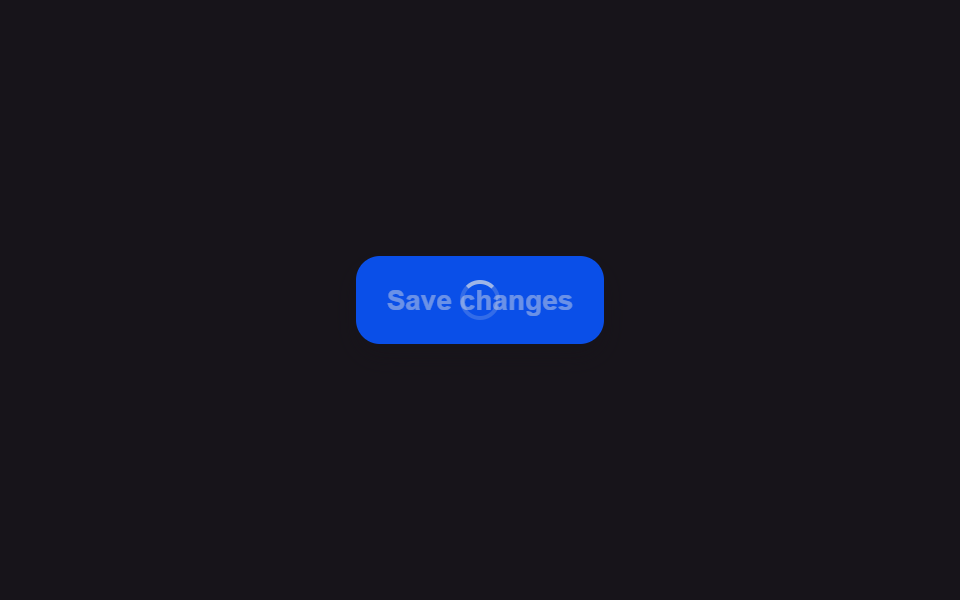 01 button-loading-spinner-swap
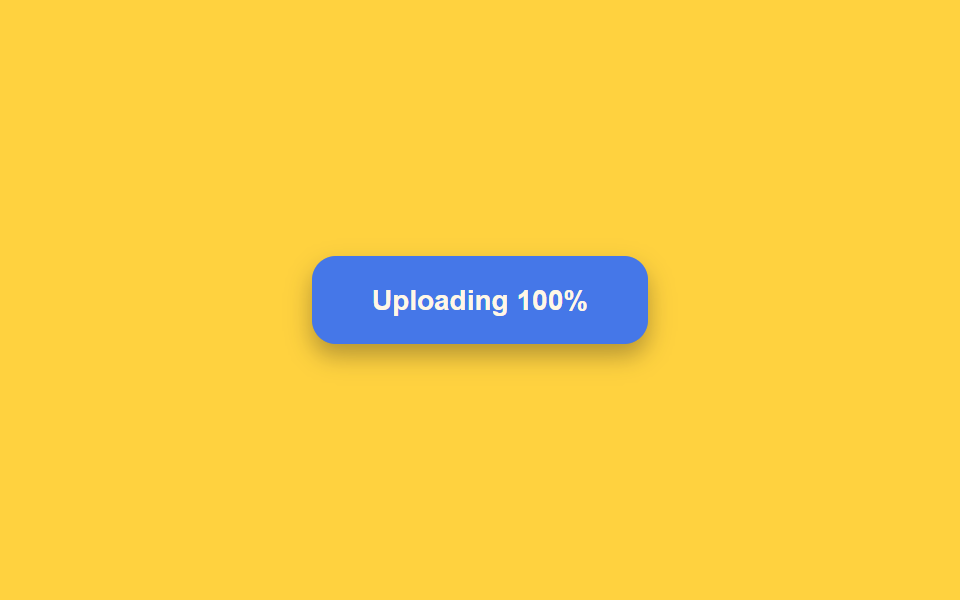 02 button-loading-progress-fill
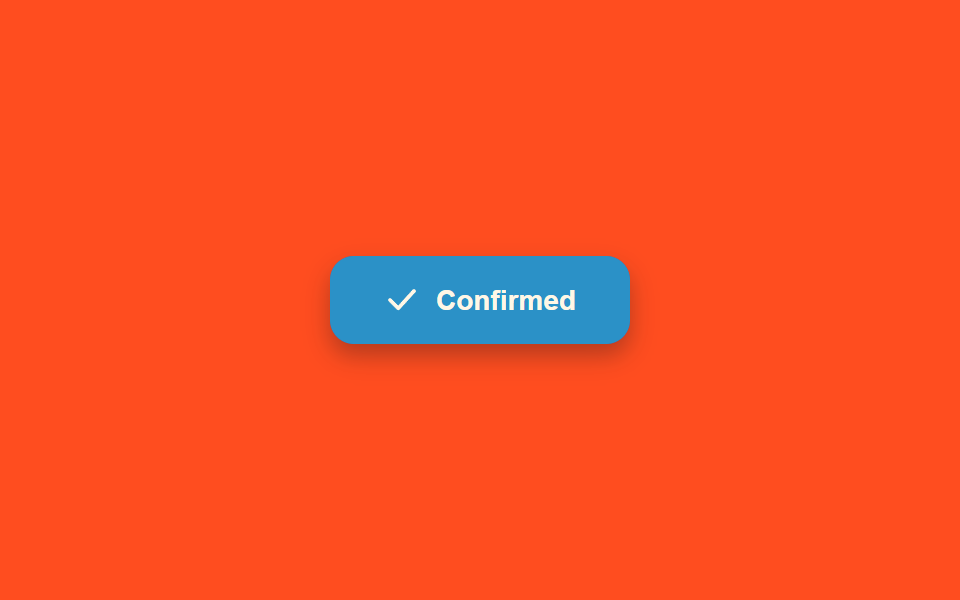 03 button-loading-success-checkmark-morph
 04 button-loading-error-shake-revert
 05 button-loading-icon-only-collapse
 06 button-loading-dot-pulse-inline
 07 button-loading-disabled-dim-lock
 08 button-loading-multi-step-sequence
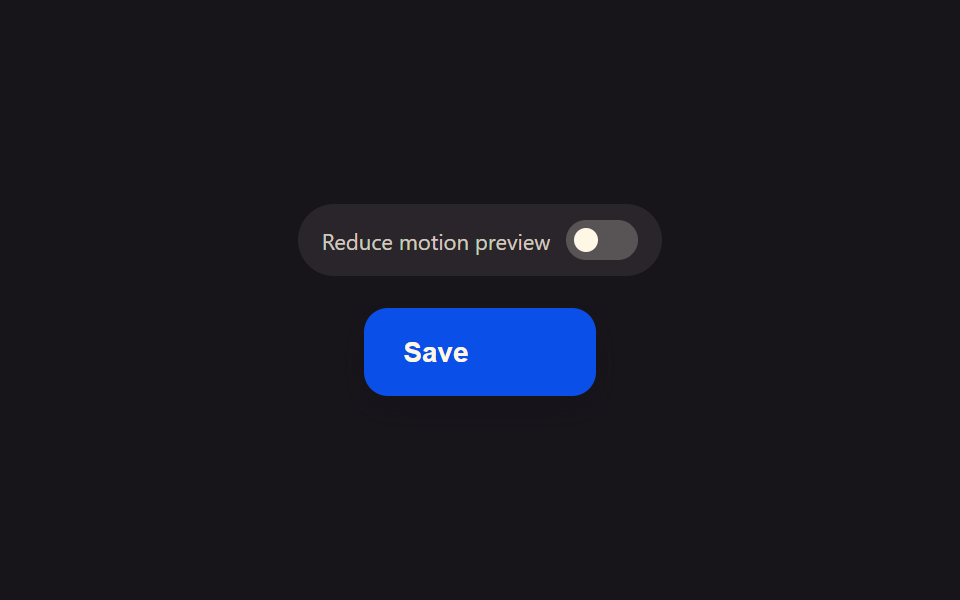 09 button-loading-reduced-motion-static
Auto-plays · click a tile to jump to its section · all nine in one zip
- 01 Button Whose Label Crossfades Into a Spinner Icon
- 02 Button Background That Fills Like a Mini Progress Bar
- 03 Button Whose Spinner Morphs Into a Success Checkmark
- 04 Button That Shakes Briefly on Failure Then Reverts to Its Label
- 05 Button That Collapses to Icon-Only Width While Loading
- 06 Button Whose Label Is Replaced by Three Pulsing Dots
- 07 Button That Dims and Locks Out Clicks While Loading
- 08 Button Whose Label Text Cycles Through Steps While Loading
- 09 Loading Button That Freezes to a Single Static Dot for Reduced Motion
This toolkit gathers nine of them in one row of buttons: a spinner swap, a progress fill, a checkmark morph, an error shake, an icon-only collapse, a three-dot pulse, a dim-and-lock, a multi-step caption cycle, and a reduced-motion static dot. Getting a loading button design right is more subtle than it looks — each one below is driven by a small, named calculation function you can read start to finish in the code section, not a library or a single CSS animation shorthand.
Demo
<main class="stage">
<div class="scene is-demo" id="scene">
  <button class="btn" id="btn" type="button">
    <span class="btnContent" id="content">
      <span class="btnLabel" id="label">Save changes</span>
      <span class="btnSpinner" id="spinnerWrap" aria-hidden="true"><span class="btnRing" id="ring"></span></span>
    </span>
  </button>
  <span class="visuallyHidden" id="status" role="status" aria-live="polite"></span>
</div>
</main>
@use "../../../../site/static/demo-tokens" as *;
// 변수 3개
$duration: $dur-base;
$easing: $ease-out;
$color: $subject-blue-deep;
// 계산 겹: index.html 의 lockWidth() 가 라벨이 보이는 순간의 버튼 실측 폭을 px 로 고정하고,
// spinLoop() 가 매 프레임 각도를 산술로 계산해 style.transform 에 적어 넣는다(트랜지션이 아니다).
@include stage($stage-ink);
.scene {
display: grid;
place-items: center;
}
.btn {
position: relative;
display: inline-flex;
align-items: center;
justify-content: center;
height: 44px;
padding: 0 $sp-5;
border: none;
border-radius: $r-control;
background: $color;
color: $subject-cream;
font-weight: 600;
font-size: 14px;
line-height: 1;
box-shadow: $shadow-press;
cursor: pointer;
transition: box-shadow $duration $easing;
&:focus-visible { outline: 2px solid $subject-cream; outline-offset: 3px; }
&:disabled { cursor: default; }
&:active:not(:disabled) { box-shadow: none; }
}
.btnContent {
position: relative;
display: inline-block;
min-width: 84px;
height: 18px;
}
.btnLabel,
.btnSpinner {
position: absolute;
inset: 0;
display: flex;
align-items: center;
justify-content: center;
white-space: nowrap;
}
.btnSpinner { opacity: 0; }
.btnRing {
width: 16px;
height: 16px;
border-radius: $r-pill;
border: 2px solid rgba($subject-cream, .28);
border-top-color: $subject-cream;
}
.visuallyHidden {
position: absolute;
width: 1px;
height: 1px;
overflow: hidden;
clip: rect(0 0 0 0);
white-space: nowrap;
}
@media (max-width: 340px) {
.btn { height: 40px; padding: 0 $sp-4; font-size: 13px; }
.btnContent { min-width: 72px; }
}
@media (prefers-reduced-motion: reduce) {
// 실사용 경로 적용 — index.html 의 runReduced() 가 회전 트윈 없이 opacity 만 즉시 바꾼다.
// scss 만: 남은 트랜지션을 전부 끈다.
* { transition: none !important; }
}html, body {
margin: 0;
overflow: hidden;
}
.stage {
box-sizing: border-box;
min-height: 100vh;
display: grid;
place-items: center;
margin: 0;
background: #17141a;
font-family: -apple-system, "Segoe UI", "Noto Sans KR", sans-serif;
padding: clamp(8px, 4vw, 24px);
}
.scene {
display: grid;
place-items: center;
}
.btn {
position: relative;
display: inline-flex;
align-items: center;
justify-content: center;
height: 44px;
padding: 0 20px;
border: none;
border-radius: 12px;
background: #0a4fe8;
color: #fff7e6;
font-weight: 600;
font-size: 14px;
line-height: 1;
box-shadow: 0 6px 12px rgba(23, 20, 26, 0.32);
cursor: pointer;
transition: box-shadow 300ms ease-out;
}
.btn:focus-visible {
outline: 2px solid #fff7e6;
outline-offset: 3px;
}
.btn:disabled {
cursor: default;
}
.btn:active:not(:disabled) {
box-shadow: none;
}
.btnContent {
position: relative;
display: inline-block;
min-width: 84px;
height: 18px;
}
.btnLabel,
.btnSpinner {
position: absolute;
inset: 0;
display: flex;
align-items: center;
justify-content: center;
white-space: nowrap;
}
.btnSpinner {
opacity: 0;
}
.btnRing {
width: 16px;
height: 16px;
border-radius: 999px;
border: 2px solid rgba(255, 247, 230, 0.28);
border-top-color: #fff7e6;
}
.visuallyHidden {
position: absolute;
width: 1px;
height: 1px;
overflow: hidden;
clip: rect(0 0 0 0);
white-space: nowrap;
}
@media (max-width: 340px) {
.btn {
height: 40px;
padding: 0 16px;
font-size: 13px;
}
.btnContent {
min-width: 72px;
}
}
@media (prefers-reduced-motion: reduce) {
* {
transition: none !important;
}
}(function () {
var FADE_MS = 180;
var SPIN_MS = 900;
var GAP_MS = 500;
var START_DELAY_MS = 200;
var DEG_PER_MS = 360 / 650;
var scene = document.getElementById('scene');
var btn = document.getElementById('btn');
var label = document.getElementById('label');
var spinnerWrap = document.getElementById('spinnerWrap');
var ring = document.getElementById('ring');
var status = document.getElementById('status');
var reduce = window.matchMedia('(prefers-reduced-motion: reduce)').matches;
var gen = 0;
var timers = [];
var rafId = 0;
function human() {
if (scene.classList.contains('is-demo')) {
scene.classList.remove('is-demo');
timers.forEach(function (t) { clearTimeout(t); });
timers = [];
}
}
function easeInOutQuad(p) { return p < .5 ? 2 * p * p : 1 - Math.pow(-2 * p + 2, 2) / 2; }
function fade(el, from, to, ms, myGen, onDone) {
var start = null;
function step(now) {
if (myGen !== gen) return;
if (start === null) start = now;
var p = Math.min(1, (now - start) / ms);
el.style.opacity = String(from + (to - from) * easeInOutQuad(p));
if (p < 1) requestAnimationFrame(step); else if (onDone) onDone();
}
requestAnimationFrame(step);
}
function spinLoop(myGen) {
var start = null;
function step(now) {
if (myGen !== gen) return;
if (start === null) start = now;
var angle = ((now - start) * DEG_PER_MS) % 360;
ring.style.transform = 'rotate(' + angle.toFixed(1) + 'deg)';
rafId = requestAnimationFrame(step);
}
rafId = requestAnimationFrame(step);
}
// 계산 겹: 라벨이 보이는 지금 이 순간의 버튼 실측 폭을 lockWidth() 가 px 로 고정한다 —
// 스피너로 바뀌며 콘텐츠 폭이 좁아져도 버튼이 함께 좁아지지 않는다.
function lockWidth() {
var w = btn.getBoundingClientRect().width;
btn.style.width = w + 'px';
}
function unlockWidth() { btn.style.width = ''; }
function startLoad(myGen) {
lockWidth();
btn.disabled = true;
btn.setAttribute('aria-busy', 'true');
status.textContent = 'Saving';
fade(label, 1, 0, FADE_MS, myGen);
fade(spinnerWrap, 0, 1, FADE_MS, myGen, function () { spinLoop(myGen); });
}
function finishLoad(myGen) {
cancelAnimationFrame(rafId);
fade(spinnerWrap, 1, 0, FADE_MS, myGen);
fade(label, 0, 1, FADE_MS, myGen, function () {
btn.disabled = false;
btn.removeAttribute('aria-busy');
status.textContent = 'Saved';
unlockWidth();
});
}
function runAnimated() {
gen++;
var myGen = gen;
startLoad(myGen);
timers.push(setTimeout(function () { finishLoad(myGen); }, SPIN_MS));
}
function runReduced() {
gen++;
lockWidth();
btn.disabled = true;
btn.setAttribute('aria-busy', 'true');
status.textContent = 'Saving';
label.style.opacity = '0';
spinnerWrap.style.opacity = '1';
timers.push(setTimeout(function () {
spinnerWrap.style.opacity = '0';
label.style.opacity = '1';
btn.disabled = false;
btn.removeAttribute('aria-busy');
status.textContent = 'Saved';
unlockWidth();
}, SPIN_MS));
}
btn.addEventListener('click', function () {
if (btn.disabled) return;
human();
if (reduce) runReduced(); else runAnimated();
});
// reduce: 실사용 경로 적용 — runReduced() 는 회전 트윈 없이 opacity 만 즉시 바꾼다.
// 아래 자동 루프는 시연 게이트만 — reduce 에서는 돌지 않는다.
function cycle() {
if (!scene.classList.contains('is-demo')) return;
runAnimated();
timers.push(setTimeout(function () {
timers.push(setTimeout(cycle, GAP_MS));
}, SPIN_MS));
}
if (!reduce) {
timers.push(setTimeout(cycle, START_DELAY_MS));
}
})();import { useEffect, useRef } from 'react';
import styles from './ButtonLoadingSpinnerSwap.module.scss';
const FADE_MS = 180;
const SPIN_MS = 900;
const GAP_MS = 500;
const START_DELAY_MS = 200;
const DEG_PER_MS = 360 / 650;
export default function ButtonLoadingSpinnerSwap() {
const sceneRef = useRef<HTMLDivElement>(null);
const btnRef = useRef<HTMLButtonElement>(null);
const labelRef = useRef<HTMLSpanElement>(null);
const spinnerWrapRef = useRef<HTMLSpanElement>(null);
const ringRef = useRef<HTMLSpanElement>(null);
const statusRef = useRef<HTMLSpanElement>(null);
useEffect(() => {
const scene = sceneRef.current;
const btn = btnRef.current;
const label = labelRef.current;
const spinnerWrap = spinnerWrapRef.current;
const ring = ringRef.current;
const status = statusRef.current;
if (!scene || !btn || !label || !spinnerWrap || !ring || !status) return undefined;
const reduce = window.matchMedia('(prefers-reduced-motion: reduce)').matches;
let gen = 0;
let timers: number[] = [];
let rafId = 0;
function human() {
if (scene!.classList.contains(styles['is-demo'])) {
scene!.classList.remove(styles['is-demo']);
timers.forEach((t) => window.clearTimeout(t));
timers = [];
}
}
function easeInOutQuad(p: number) { return p < .5 ? 2 * p * p : 1 - Math.pow(-2 * p + 2, 2) / 2; }
function fade(el: HTMLElement, from: number, to: number, ms: number, myGen: number, onDone?: () => void) {
let start: number | null = null;
function step(now: number) {
if (myGen !== gen) return;
if (start === null) start = now;
const p = Math.min(1, (now - start) / ms);
el.style.opacity = String(from + (to - from) * easeInOutQuad(p));
if (p < 1) requestAnimationFrame(step); else if (onDone) onDone();
}
requestAnimationFrame(step);
}
function spinLoop(myGen: number) {
let start: number | null = null;
function step(now: number) {
if (myGen !== gen) return;
if (start === null) start = now;
const angle = ((now - start) * DEG_PER_MS) % 360;
ring!.style.transform = 'rotate(' + angle.toFixed(1) + 'deg)';
rafId = requestAnimationFrame(step);
}
rafId = requestAnimationFrame(step);
}
// 계산 겹: 라벨이 보이는 지금 이 순간의 버튼 실측 폭을 lockWidth() 가 px 로 고정한다 —
// 스피너로 바뀌며 콘텐츠 폭이 좁아져도 버튼이 함께 좁아지지 않는다.
function lockWidth() {
const w = btn!.getBoundingClientRect().width;
btn!.style.width = w + 'px';
}
function unlockWidth() { btn!.style.width = ''; }
function startLoad(myGen: number) {
lockWidth();
btn!.disabled = true;
btn!.setAttribute('aria-busy', 'true');
status!.textContent = '저장하는 중';
fade(label!, 1, 0, FADE_MS, myGen);
fade(spinnerWrap!, 0, 1, FADE_MS, myGen, () => { spinLoop(myGen); });
}
function finishLoad(myGen: number) {
cancelAnimationFrame(rafId);
fade(spinnerWrap!, 1, 0, FADE_MS, myGen);
fade(label!, 0, 1, FADE_MS, myGen, () => {
btn!.disabled = false;
btn!.removeAttribute('aria-busy');
status!.textContent = '저장 완료';
unlockWidth();
});
}
function runAnimated() {
gen++;
const myGen = gen;
startLoad(myGen);
timers.push(window.setTimeout(() => { finishLoad(myGen); }, SPIN_MS));
}
function runReduced() {
gen++;
lockWidth();
btn!.disabled = true;
btn!.setAttribute('aria-busy', 'true');
status!.textContent = '저장하는 중';
label!.style.opacity = '0';
spinnerWrap!.style.opacity = '1';
timers.push(window.setTimeout(() => {
spinnerWrap!.style.opacity = '0';
label!.style.opacity = '1';
btn!.disabled = false;
btn!.removeAttribute('aria-busy');
status!.textContent = '저장 완료';
unlockWidth();
}, SPIN_MS));
}
function onClick() {
if (btn!.disabled) return;
human();
if (reduce) runReduced(); else runAnimated();
}
btn.addEventListener('click', onClick);
// reduce: 실사용 경로 적용 — runReduced() 는 회전 트윈 없이 opacity 만 즉시 바꾼다.
// 아래 자동 루프는 시연 게이트만 — reduce 에서는 돌지 않는다.
function cycle() {
if (!scene!.classList.contains(styles['is-demo'])) return;
runAnimated();
timers.push(window.setTimeout(() => {
timers.push(window.setTimeout(cycle, GAP_MS));
}, SPIN_MS));
}
if (!reduce) {
timers.push(window.setTimeout(cycle, START_DELAY_MS));
}
return () => {
btn.removeEventListener('click', onClick);
timers.forEach((t) => window.clearTimeout(t));
cancelAnimationFrame(rafId);
};
}, []);
return (
<main className={styles.stage}>
<div className={styles.scene + ' ' + styles['is-demo']} ref={sceneRef}>
<button className={styles.btn} ref={btnRef} type="button">
<span className={styles.btnContent}>
<span className={styles.btnLabel} ref={labelRef}>Save changes</span>
<span className={styles.btnSpinner} ref={spinnerWrapRef} aria-hidden="true">
<span className={styles.btnRing} ref={ringRef} />
</span>
</span>
</button>
<span className={styles.visuallyHidden} ref={statusRef} role="status" aria-live="polite" />
</div>
</main>
);
}01 · Button Whose Label Crossfades Into a Spinner Icon — Measured area 0.503% · moving frames 20/23Original by GODRICH · SCSS and React ship in the zip · See the password
Pattern 01 above needs no separate library to lock its width while it waits — a single getBoundingClientRect read before the label fades out is enough. Scroll for the remaining eight, each paired with its own code block just under its demo.
Anatomy of nine states — where the one layer of calculation runs
| # | Pattern | Cumulative area | Avg. intensity | Frames moved |
|---|---|---|---|---|
| 01 | Label-to-spinner crossfade | 0.50% | 98.6 | 20 of 23 |
| 02 | Progress-fill sweep | 5.05% | 75.9 | 14 of 23 |
| 03 | Spinner-to-check morph | 5.07% | 90.8 | 15 of 23 |
| 04 | Shake and revert | 0.73% | 97.9 | 16 of 23 |
| 05 | Icon-only collapse | 4.39% | 168.1 | 13 of 23 |
| 06 | Three-dot pulse | 0.21% | 91.9 | 20 of 23 |
| 07 | Dim and lock | 3.32% | 32.0 | 10 of 23 |
| 08 | Multi-step captions | 0.79% | 161.3 | 10 of 23 |
| 09 | Reduced-motion static dot | 0.59% | 91.9 | 10 of 23 |
Pattern 03's checkmark morph covers the most screen area of the nine at 5.07%, just 0.02 points ahead of pattern 02's progress fill at 5.05%; pattern 06's dot pulse covers the least, at 0.21%. Pattern 05's icon-only collapse posts the highest average intensity at 168.1 — a scaleX collapse and its inverse-scaled icon both moving at once reads as a sharp, concentrated change — while pattern 07's dim-and-lock sits at the other end with the lowest average intensity, 32.0, since its slow film-opacity pulse shifts very few pixels by very little each frame. Patterns 01 and 06 each moved in the most of the 23 measured frame pairs, 20 apiece, while 07, 08, and 09 each settle for the fewest, 10.
Eased progress driving one shared value — 02, 03, 05
Patterns 02, 03, and 05 each run a single requestAnimationFrame loop that computes one eased progress value p every frame and spends it on more than one property at once. drive (02) runs p through easeOutCubic and writes it straight into the fill's scaleX and the percentage label in the same tick. morph (03) spends the same p on four properties together — ring opacity, check opacity, stroke-dashoffset, and a background tint — which is what makes the shape read as continuously reshaping rather than swapping icons. driveScale (05) turns p into a scaleX for the button and an inverse 1 / scale for its icon in the same step, so the icon never gets visually squeezed while the button itself narrows.
Continuous periodic waveforms — 04, 06, 07
Patterns 04, 06, and 07 don't ease toward a target at all — they keep computing a sine wave for as long as the loop runs. shake (04) multiplies a decaying exponential by Math.sin so the oscillation's amplitude falls off over time instead of stopping abruptly. pulseLoop (06) offsets each dot's Math.sin call by PHASE_OFFSET_RAD times its index, so three dots share one formula but never move in sync. pulseLoop (07) is the most involved of the three: because its frequency itself ramps from BASE_HZ to MAX_HZ as the cooldown runs out, sin(2π·f·t) can't be used directly, so phase is integrated frame by frame instead.
Discrete measured state swaps — 01, 08, 09
Patterns 01, 08, and 09 skip continuous animation curves in favor of measuring something once and then flipping between two or three fixed states. lockWidth (01) reads the button's current rendered width with getBoundingClientRect before the label fades out, so the button can't reflow narrower while its spinner spins. measureOffsets (08) reads every step caption's real offsetTop instead of assuming a fixed line height, so the track always slides by exactly as much as the stacked captions actually take up. Pattern 09 measures nothing about layout at all — it reads matchMedia('(prefers-reduced-motion: reduce)') once, and a role="switch" toggle then lets a visitor flip between both states by hand regardless of what the OS reports.
Code per pattern
Every snippet below is lifted straight from its own demo's script — nothing shortened, nothing renamed for readability.
01Button Whose Label Crossfades Into a Spinner Icon
The instant the button is pressed, its label fades out while a small circular spinner fades in at the same spot and keeps turning, with the button's width staying fixed throughout. Reach for it on a form submit button while it waits for a server response.
<main class="stage">
<div class="scene is-demo" id="scene">
  <button class="btn" id="btn" type="button">
    <span class="btnContent" id="content">
      <span class="btnLabel" id="label">Save changes</span>
      <span class="btnSpinner" id="spinnerWrap" aria-hidden="true"><span class="btnRing" id="ring"></span></span>
    </span>
  </button>
  <span class="visuallyHidden" id="status" role="status" aria-live="polite"></span>
</div>
</main>
@use "../../../../site/static/demo-tokens" as *;
// 변수 3개
$duration: $dur-base;
$easing: $ease-out;
$color: $subject-blue-deep;
// 계산 겹: index.html 의 lockWidth() 가 라벨이 보이는 순간의 버튼 실측 폭을 px 로 고정하고,
// spinLoop() 가 매 프레임 각도를 산술로 계산해 style.transform 에 적어 넣는다(트랜지션이 아니다).
@include stage($stage-ink);
.scene {
display: grid;
place-items: center;
}
.btn {
position: relative;
display: inline-flex;
align-items: center;
justify-content: center;
height: 44px;
padding: 0 $sp-5;
border: none;
border-radius: $r-control;
background: $color;
color: $subject-cream;
font-weight: 600;
font-size: 14px;
line-height: 1;
box-shadow: $shadow-press;
cursor: pointer;
transition: box-shadow $duration $easing;
&:focus-visible { outline: 2px solid $subject-cream; outline-offset: 3px; }
&:disabled { cursor: default; }
&:active:not(:disabled) { box-shadow: none; }
}
.btnContent {
position: relative;
display: inline-block;
min-width: 84px;
height: 18px;
}
.btnLabel,
.btnSpinner {
position: absolute;
inset: 0;
display: flex;
align-items: center;
justify-content: center;
white-space: nowrap;
}
.btnSpinner { opacity: 0; }
.btnRing {
width: 16px;
height: 16px;
border-radius: $r-pill;
border: 2px solid rgba($subject-cream, .28);
border-top-color: $subject-cream;
}
.visuallyHidden {
position: absolute;
width: 1px;
height: 1px;
overflow: hidden;
clip: rect(0 0 0 0);
white-space: nowrap;
}
@media (max-width: 340px) {
.btn { height: 40px; padding: 0 $sp-4; font-size: 13px; }
.btnContent { min-width: 72px; }
}
@media (prefers-reduced-motion: reduce) {
// 실사용 경로 적용 — index.html 의 runReduced() 가 회전 트윈 없이 opacity 만 즉시 바꾼다.
// scss 만: 남은 트랜지션을 전부 끈다.
* { transition: none !important; }
}html, body {
margin: 0;
overflow: hidden;
}
.stage {
box-sizing: border-box;
min-height: 100vh;
display: grid;
place-items: center;
margin: 0;
background: #17141a;
font-family: -apple-system, "Segoe UI", "Noto Sans KR", sans-serif;
padding: clamp(8px, 4vw, 24px);
}
.scene {
display: grid;
place-items: center;
}
.btn {
position: relative;
display: inline-flex;
align-items: center;
justify-content: center;
height: 44px;
padding: 0 20px;
border: none;
border-radius: 12px;
background: #0a4fe8;
color: #fff7e6;
font-weight: 600;
font-size: 14px;
line-height: 1;
box-shadow: 0 6px 12px rgba(23, 20, 26, 0.32);
cursor: pointer;
transition: box-shadow 300ms ease-out;
}
.btn:focus-visible {
outline: 2px solid #fff7e6;
outline-offset: 3px;
}
.btn:disabled {
cursor: default;
}
.btn:active:not(:disabled) {
box-shadow: none;
}
.btnContent {
position: relative;
display: inline-block;
min-width: 84px;
height: 18px;
}
.btnLabel,
.btnSpinner {
position: absolute;
inset: 0;
display: flex;
align-items: center;
justify-content: center;
white-space: nowrap;
}
.btnSpinner {
opacity: 0;
}
.btnRing {
width: 16px;
height: 16px;
border-radius: 999px;
border: 2px solid rgba(255, 247, 230, 0.28);
border-top-color: #fff7e6;
}
.visuallyHidden {
position: absolute;
width: 1px;
height: 1px;
overflow: hidden;
clip: rect(0 0 0 0);
white-space: nowrap;
}
@media (max-width: 340px) {
.btn {
height: 40px;
padding: 0 16px;
font-size: 13px;
}
.btnContent {
min-width: 72px;
}
}
@media (prefers-reduced-motion: reduce) {
* {
transition: none !important;
}
}(function () {
var FADE_MS = 180;
var SPIN_MS = 900;
var GAP_MS = 500;
var START_DELAY_MS = 200;
var DEG_PER_MS = 360 / 650;
var scene = document.getElementById('scene');
var btn = document.getElementById('btn');
var label = document.getElementById('label');
var spinnerWrap = document.getElementById('spinnerWrap');
var ring = document.getElementById('ring');
var status = document.getElementById('status');
var reduce = window.matchMedia('(prefers-reduced-motion: reduce)').matches;
var gen = 0;
var timers = [];
var rafId = 0;
function human() {
if (scene.classList.contains('is-demo')) {
scene.classList.remove('is-demo');
timers.forEach(function (t) { clearTimeout(t); });
timers = [];
}
}
function easeInOutQuad(p) { return p < .5 ? 2 * p * p : 1 - Math.pow(-2 * p + 2, 2) / 2; }
function fade(el, from, to, ms, myGen, onDone) {
var start = null;
function step(now) {
if (myGen !== gen) return;
if (start === null) start = now;
var p = Math.min(1, (now - start) / ms);
el.style.opacity = String(from + (to - from) * easeInOutQuad(p));
if (p < 1) requestAnimationFrame(step); else if (onDone) onDone();
}
requestAnimationFrame(step);
}
function spinLoop(myGen) {
var start = null;
function step(now) {
if (myGen !== gen) return;
if (start === null) start = now;
var angle = ((now - start) * DEG_PER_MS) % 360;
ring.style.transform = 'rotate(' + angle.toFixed(1) + 'deg)';
rafId = requestAnimationFrame(step);
}
rafId = requestAnimationFrame(step);
}
// 계산 겹: 라벨이 보이는 지금 이 순간의 버튼 실측 폭을 lockWidth() 가 px 로 고정한다 —
// 스피너로 바뀌며 콘텐츠 폭이 좁아져도 버튼이 함께 좁아지지 않는다.
  function lockWidth() {
    var w = btn.getBoundingClientRect().width;
    btn.style.width = w + 'px';
  }
  function unlockWidth() { btn.style.width = ''; }

  function startLoad(myGen) {
    lockWidth();
    btn.disabled = true;
    btn.setAttribute('aria-busy', 'true');
    status.textContent = 'Saving';
    fade(label, 1, 0, FADE_MS, myGen);
    fade(spinnerWrap, 0, 1, FADE_MS, myGen, function () { spinLoop(myGen); });
  }
  function finishLoad(myGen) {
    cancelAnimationFrame(rafId);
    fade(spinnerWrap, 1, 0, FADE_MS, myGen);
    fade(label, 0, 1, FADE_MS, myGen, function () {
      btn.disabled = false;
      btn.removeAttribute('aria-busy');
      status.textContent = 'Saved';
      unlockWidth();
    });
  }
function runAnimated() {
gen++;
var myGen = gen;
startLoad(myGen);
timers.push(setTimeout(function () { finishLoad(myGen); }, SPIN_MS));
}
function runReduced() {
gen++;
lockWidth();
btn.disabled = true;
btn.setAttribute('aria-busy', 'true');
status.textContent = 'Saving';
label.style.opacity = '0';
spinnerWrap.style.opacity = '1';
timers.push(setTimeout(function () {
spinnerWrap.style.opacity = '0';
label.style.opacity = '1';
btn.disabled = false;
btn.removeAttribute('aria-busy');
status.textContent = 'Saved';
unlockWidth();
}, SPIN_MS));
}
btn.addEventListener('click', function () {
if (btn.disabled) return;
human();
if (reduce) runReduced(); else runAnimated();
});
// reduce: 실사용 경로 적용 — runReduced() 는 회전 트윈 없이 opacity 만 즉시 바꾼다.
// 아래 자동 루프는 시연 게이트만 — reduce 에서는 돌지 않는다.
function cycle() {
if (!scene.classList.contains('is-demo')) return;
runAnimated();
timers.push(setTimeout(function () {
timers.push(setTimeout(cycle, GAP_MS));
}, SPIN_MS));
}
if (!reduce) {
timers.push(setTimeout(cycle, START_DELAY_MS));
}
})();import { useEffect, useRef } from 'react';
import styles from './ButtonLoadingSpinnerSwap.module.scss';
const FADE_MS = 180;
const SPIN_MS = 900;
const GAP_MS = 500;
const START_DELAY_MS = 200;
const DEG_PER_MS = 360 / 650;
export default function ButtonLoadingSpinnerSwap() {
const sceneRef = useRef<HTMLDivElement>(null);
const btnRef = useRef<HTMLButtonElement>(null);
const labelRef = useRef<HTMLSpanElement>(null);
const spinnerWrapRef = useRef<HTMLSpanElement>(null);
const ringRef = useRef<HTMLSpanElement>(null);
const statusRef = useRef<HTMLSpanElement>(null);
useEffect(() => {
const scene = sceneRef.current;
const btn = btnRef.current;
const label = labelRef.current;
const spinnerWrap = spinnerWrapRef.current;
const ring = ringRef.current;
const status = statusRef.current;
if (!scene || !btn || !label || !spinnerWrap || !ring || !status) return undefined;
const reduce = window.matchMedia('(prefers-reduced-motion: reduce)').matches;
let gen = 0;
let timers: number[] = [];
let rafId = 0;
function human() {
if (scene!.classList.contains(styles['is-demo'])) {
scene!.classList.remove(styles['is-demo']);
timers.forEach((t) => window.clearTimeout(t));
timers = [];
}
}
function easeInOutQuad(p: number) { return p < .5 ? 2 * p * p : 1 - Math.pow(-2 * p + 2, 2) / 2; }
function fade(el: HTMLElement, from: number, to: number, ms: number, myGen: number, onDone?: () => void) {
let start: number | null = null;
function step(now: number) {
if (myGen !== gen) return;
if (start === null) start = now;
const p = Math.min(1, (now - start) / ms);
el.style.opacity = String(from + (to - from) * easeInOutQuad(p));
if (p < 1) requestAnimationFrame(step); else if (onDone) onDone();
}
requestAnimationFrame(step);
}
function spinLoop(myGen: number) {
let start: number | null = null;
function step(now: number) {
if (myGen !== gen) return;
if (start === null) start = now;
const angle = ((now - start) * DEG_PER_MS) % 360;
ring!.style.transform = 'rotate(' + angle.toFixed(1) + 'deg)';
rafId = requestAnimationFrame(step);
}
rafId = requestAnimationFrame(step);
}
// 계산 겹: 라벨이 보이는 지금 이 순간의 버튼 실측 폭을 lockWidth() 가 px 로 고정한다 —
// 스피너로 바뀌며 콘텐츠 폭이 좁아져도 버튼이 함께 좁아지지 않는다.
function lockWidth() {
const w = btn!.getBoundingClientRect().width;
btn!.style.width = w + 'px';
}
function unlockWidth() { btn!.style.width = ''; }
function startLoad(myGen: number) {
lockWidth();
btn!.disabled = true;
btn!.setAttribute('aria-busy', 'true');
status!.textContent = '저장하는 중';
fade(label!, 1, 0, FADE_MS, myGen);
fade(spinnerWrap!, 0, 1, FADE_MS, myGen, () => { spinLoop(myGen); });
}
function finishLoad(myGen: number) {
cancelAnimationFrame(rafId);
fade(spinnerWrap!, 1, 0, FADE_MS, myGen);
fade(label!, 0, 1, FADE_MS, myGen, () => {
btn!.disabled = false;
btn!.removeAttribute('aria-busy');
status!.textContent = '저장 완료';
unlockWidth();
});
}
function runAnimated() {
gen++;
const myGen = gen;
startLoad(myGen);
timers.push(window.setTimeout(() => { finishLoad(myGen); }, SPIN_MS));
}
function runReduced() {
gen++;
lockWidth();
btn!.disabled = true;
btn!.setAttribute('aria-busy', 'true');
status!.textContent = '저장하는 중';
label!.style.opacity = '0';
spinnerWrap!.style.opacity = '1';
timers.push(window.setTimeout(() => {
spinnerWrap!.style.opacity = '0';
label!.style.opacity = '1';
btn!.disabled = false;
btn!.removeAttribute('aria-busy');
status!.textContent = '저장 완료';
unlockWidth();
}, SPIN_MS));
}
function onClick() {
if (btn!.disabled) return;
human();
if (reduce) runReduced(); else runAnimated();
}
btn.addEventListener('click', onClick);
// reduce: 실사용 경로 적용 — runReduced() 는 회전 트윈 없이 opacity 만 즉시 바꾼다.
// 아래 자동 루프는 시연 게이트만 — reduce 에서는 돌지 않는다.
function cycle() {
if (!scene!.classList.contains(styles['is-demo'])) return;
runAnimated();
timers.push(window.setTimeout(() => {
timers.push(window.setTimeout(cycle, GAP_MS));
}, SPIN_MS));
}
if (!reduce) {
timers.push(window.setTimeout(cycle, START_DELAY_MS));
}
return () => {
btn.removeEventListener('click', onClick);
timers.forEach((t) => window.clearTimeout(t));
cancelAnimationFrame(rafId);
};
}, []);
return (
<main className={styles.stage}>
<div className={styles.scene + ' ' + styles['is-demo']} ref={sceneRef}>
<button className={styles.btn} ref={btnRef} type="button">
<span className={styles.btnContent}>
<span className={styles.btnLabel} ref={labelRef}>Save changes</span>
<span className={styles.btnSpinner} ref={spinnerWrapRef} aria-hidden="true">
<span className={styles.btnRing} ref={ringRef} />
</span>
</span>
</button>
<span className={styles.visuallyHidden} ref={statusRef} role="status" aria-live="polite" />
</div>
</main>
);
}01 · Button Whose Label Crossfades Into a Spinner Icon — Measured area 0.503% · moving frames 20/23Original by GODRICH · SCSS and React ship in the zip · See the password
function lockWidth() {
var w = btn.getBoundingClientRect().width;
btn.style.width = w + 'px';
}
function unlockWidth() { btn.style.width = ''; }
function startLoad(myGen) {
lockWidth();
btn.disabled = true;
btn.setAttribute('aria-busy', 'true');
status.textContent = 'Saving';
fade(label, 1, 0, FADE_MS, myGen);
fade(spinnerWrap, 0, 1, FADE_MS, myGen, function () { spinLoop(myGen); });
}
function finishLoad(myGen) {
cancelAnimationFrame(rafId);
fade(spinnerWrap, 1, 0, FADE_MS, myGen);
fade(label, 0, 1, FADE_MS, myGen, function () {
btn.disabled = false;
btn.removeAttribute('aria-busy');
status.textContent = 'Saved';
unlockWidth();
});
}
02Button Background That Fills Like a Mini Progress Bar
After the button is pressed, a pale fill sweeps its background from left to right to show progress, pauses briefly once it reaches the far edge, then moves on to the next state. It's built for showing progress on a file upload or a long-running task.
<main class="stage">
<div class="scene is-demo" id="scene">
  <button class="btn" id="btn" type="button">
    <span class="btnFill" id="fill" aria-hidden="true"></span>
    <span class="btnText" id="text">Upload file</span>
  </button>
  <span class="visuallyHidden" id="status" role="status" aria-live="polite"></span>
</div>
</main>
@use "../../../../site/static/demo-tokens" as *;
// 변수 3개
$duration: $dur-enter;
$easing: $ease-out;
$color: $subject-blue-deep;
// 계산 겹: index.html 의 drive() 가 easeOutCubic 진행률을 매 프레임 계산해 채움 막대의
// scaleX 와 라벨 퍼센트 숫자를 같은 값으로 동시에 갱신한다.
@include stage($stage-yellow);
.scene {
display: grid;
place-items: center;
}
.btn {
position: relative;
display: inline-flex;
align-items: center;
justify-content: center;
min-width: 168px;
height: 44px;
padding: 0 $sp-5;
border: none;
border-radius: $r-control;
background: $color;
color: $subject-cream;
font-weight: 600;
font-size: 14px;
line-height: 1;
box-shadow: $shadow-press;
cursor: pointer;
overflow: hidden;
&:focus-visible { outline: 2px solid $subject-ink; outline-offset: 3px; }
&:disabled { cursor: default; }
}
.btnFill {
position: absolute;
inset: 0;
transform: scaleX(0);
transform-origin: left center; // 채움 막대가 시작 변에서 자란다 — BD 예외 규칙
background: rgba($subject-cream, .24);
}
.btnText {
position: relative;
z-index: 1;
white-space: nowrap;
font-variant-numeric: tabular-nums;
}
.visuallyHidden {
position: absolute;
width: 1px;
height: 1px;
overflow: hidden;
clip: rect(0 0 0 0);
white-space: nowrap;
}
@media (max-width: 340px) {
.btn { min-width: 148px; height: 40px; padding: 0 $sp-4; font-size: 13px; }
}
@media (prefers-reduced-motion: reduce) {
// 실사용 경로 적용 — index.html 의 runReduced() 가 채움 트윈 없이 즉시 값을 바꾼다.
// scss 만: 남은 트랜지션을 전부 끈다.
* { transition: none !important; }
}html, body {
margin: 0;
overflow: hidden;
}
.stage {
box-sizing: border-box;
min-height: 100vh;
display: grid;
place-items: center;
margin: 0;
background: #ffd23f;
font-family: -apple-system, "Segoe UI", "Noto Sans KR", sans-serif;
padding: clamp(8px, 4vw, 24px);
}
.scene {
display: grid;
place-items: center;
}
.btn {
position: relative;
display: inline-flex;
align-items: center;
justify-content: center;
min-width: 168px;
height: 44px;
padding: 0 20px;
border: none;
border-radius: 12px;
background: #0a4fe8;
color: #fff7e6;
font-weight: 600;
font-size: 14px;
line-height: 1;
box-shadow: 0 6px 12px rgba(23, 20, 26, 0.32);
cursor: pointer;
overflow: hidden;
}
.btn:focus-visible {
outline: 2px solid #17141a;
outline-offset: 3px;
}
.btn:disabled {
cursor: default;
}
.btnFill {
position: absolute;
inset: 0;
transform: scaleX(0);
transform-origin: left center;
background: rgba(255, 247, 230, 0.24);
}
.btnText {
position: relative;
z-index: 1;
white-space: nowrap;
font-variant-numeric: tabular-nums;
}
.visuallyHidden {
position: absolute;
width: 1px;
height: 1px;
overflow: hidden;
clip: rect(0 0 0 0);
white-space: nowrap;
}
@media (max-width: 340px) {
.btn {
min-width: 148px;
height: 40px;
padding: 0 16px;
font-size: 13px;
}
}
@media (prefers-reduced-motion: reduce) {
* {
transition: none !important;
}
}(function () {
var FILL_MS = 1100;
var HOLD_AT_FULL_MS = 500;
var SUCCESS_HOLD_MS = 350;
var GAP_MS = 450;
var START_DELAY_MS = 200;
var scene = document.getElementById('scene');
var btn = document.getElementById('btn');
var fill = document.getElementById('fill');
var text = document.getElementById('text');
var status = document.getElementById('status');
var reduce = window.matchMedia('(prefers-reduced-motion: reduce)').matches;
var gen = 0;
var timers = [];
function human() {
if (scene.classList.contains('is-demo')) {
scene.classList.remove('is-demo');
timers.forEach(function (t) { clearTimeout(t); });
timers = [];
}
}
function easeOutCubic(p) { return 1 - Math.pow(1 - p, 3); }
// 계산 겹: 채움 막대는 scaleX 로만 늘어난다(transform-origin: left — 시작 변에서 자란다는
// 예외적 origin, 채움 막대이므로 허용). 진행률 p 는 easeOutCubic 으로 매 프레임 계산해
// 같은 값을 style.transform 과 라벨의 퍼센트 숫자 둘 다에 쓴다.
function drive(myGen, onDone) {
var start = null;
function step(now) {
if (myGen !== gen) return;
if (start === null) start = now;
var raw = Math.min(1, (now - start) / FILL_MS);
var p = easeOutCubic(raw);
fill.style.transform = 'scaleX(' + p.toFixed(4) + ')';
text.textContent = 'Uploading ' + Math.round(p * 100) + '%';
if (raw < 1) requestAnimationFrame(step); else onDone();
}
requestAnimationFrame(step);
}
function fadeOutFill(myGen, ms, onDone) {
var start = null;
function step(now) {
if (myGen !== gen) return;
if (start === null) start = now;
var p = Math.min(1, (now - start) / ms);
fill.style.opacity = String(1 - p);
if (p < 1) requestAnimationFrame(step); else onDone();
}
requestAnimationFrame(step);
}
function runAnimated() {
gen++;
var myGen = gen;
btn.disabled = true;
btn.setAttribute('aria-busy', 'true');
status.textContent = 'Uploading';
fill.style.opacity = '1';
fill.style.transform = 'scaleX(0)';
drive(myGen, function () {
timers.push(setTimeout(function () {
text.textContent = 'Uploaded';
status.textContent = 'Uploaded';
fadeOutFill(myGen, 260, function () {
timers.push(setTimeout(function () {
btn.disabled = false;
btn.removeAttribute('aria-busy');
text.textContent = 'Upload file';
fill.style.transform = 'scaleX(0)';
}, SUCCESS_HOLD_MS));
});
}, HOLD_AT_FULL_MS));
});
}
function runReduced() {
gen++;
btn.disabled = true;
btn.setAttribute('aria-busy', 'true');
status.textContent = 'Uploading';
fill.style.opacity = '1';
fill.style.transform = 'scaleX(1)';
text.textContent = 'Uploading 100%';
timers.push(setTimeout(function () {
text.textContent = 'Uploaded';
status.textContent = 'Uploaded';
fill.style.opacity = '0';
timers.push(setTimeout(function () {
btn.disabled = false;
btn.removeAttribute('aria-busy');
text.textContent = 'Upload file';
fill.style.transform = 'scaleX(0)';
}, SUCCESS_HOLD_MS));
}, HOLD_AT_FULL_MS));
}
btn.addEventListener('click', function () {
if (btn.disabled) return;
human();
if (reduce) runReduced(); else runAnimated();
});
// reduce: 실사용 경로 적용 — runReduced() 는 채움 트윈 없이 즉시 꽉 찬 상태로 바꾼다.
// 아래 자동 루프는 시연 게이트만 — reduce 에서는 돌지 않는다.
function cycle() {
if (!scene.classList.contains('is-demo')) return;
runAnimated();
timers.push(setTimeout(function () {
timers.push(setTimeout(cycle, GAP_MS));
}, FILL_MS + HOLD_AT_FULL_MS + 260 + SUCCESS_HOLD_MS));
}
if (!reduce) {
timers.push(setTimeout(cycle, START_DELAY_MS));
}
})();import { useEffect, useRef } from 'react';
import styles from './ButtonLoadingProgressFill.module.scss';
const FILL_MS = 1100;
const HOLD_AT_FULL_MS = 500;
const SUCCESS_HOLD_MS = 350;
const GAP_MS = 450;
const START_DELAY_MS = 200;
export default function ButtonLoadingProgressFill() {
const sceneRef = useRef<HTMLDivElement>(null);
const btnRef = useRef<HTMLButtonElement>(null);
const fillRef = useRef<HTMLSpanElement>(null);
const textRef = useRef<HTMLSpanElement>(null);
const statusRef = useRef<HTMLSpanElement>(null);
useEffect(() => {
const scene = sceneRef.current;
const btn = btnRef.current;
const fill = fillRef.current;
const text = textRef.current;
const status = statusRef.current;
if (!scene || !btn || !fill || !text || !status) return undefined;
const reduce = window.matchMedia('(prefers-reduced-motion: reduce)').matches;
let gen = 0;
let timers: number[] = [];
function human() {
if (scene!.classList.contains(styles['is-demo'])) {
scene!.classList.remove(styles['is-demo']);
timers.forEach((t) => window.clearTimeout(t));
timers = [];
}
}
function easeOutCubic(p: number) { return 1 - Math.pow(1 - p, 3); }
// 계산 겹: 채움 막대는 scaleX 로만 늘어난다(transform-origin: left — 시작 변에서 자란다는
// 예외적 origin, 채움 막대이므로 허용). 진행률 p 는 easeOutCubic 으로 매 프레임 계산해
// 같은 값을 style.transform 과 라벨의 퍼센트 숫자 둘 다에 쓴다.
function drive(myGen: number, onDone: () => void) {
let start: number | null = null;
function step(now: number) {
if (myGen !== gen) return;
if (start === null) start = now;
const raw = Math.min(1, (now - start) / FILL_MS);
const p = easeOutCubic(raw);
fill!.style.transform = 'scaleX(' + p.toFixed(4) + ')';
text!.textContent = 'Uploading ' + Math.round(p * 100) + '%';
if (raw < 1) requestAnimationFrame(step); else onDone();
}
requestAnimationFrame(step);
}
function fadeOutFill(myGen: number, ms: number, onDone: () => void) {
let start: number | null = null;
function step(now: number) {
if (myGen !== gen) return;
if (start === null) start = now;
const p = Math.min(1, (now - start) / ms);
fill!.style.opacity = String(1 - p);
if (p < 1) requestAnimationFrame(step); else onDone();
}
requestAnimationFrame(step);
}
function runAnimated() {
gen++;
const myGen = gen;
btn!.disabled = true;
btn!.setAttribute('aria-busy', 'true');
status!.textContent = '업로드하는 중';
fill!.style.opacity = '1';
fill!.style.transform = 'scaleX(0)';
drive(myGen, () => {
timers.push(window.setTimeout(() => {
text!.textContent = 'Uploaded';
status!.textContent = '업로드 완료';
fadeOutFill(myGen, 260, () => {
timers.push(window.setTimeout(() => {
btn!.disabled = false;
btn!.removeAttribute('aria-busy');
text!.textContent = 'Upload file';
fill!.style.transform = 'scaleX(0)';
}, SUCCESS_HOLD_MS));
});
}, HOLD_AT_FULL_MS));
});
}
function runReduced() {
gen++;
btn!.disabled = true;
btn!.setAttribute('aria-busy', 'true');
status!.textContent = '업로드하는 중';
fill!.style.opacity = '1';
fill!.style.transform = 'scaleX(1)';
text!.textContent = 'Uploading 100%';
timers.push(window.setTimeout(() => {
text!.textContent = 'Uploaded';
status!.textContent = '업로드 완료';
fill!.style.opacity = '0';
timers.push(window.setTimeout(() => {
btn!.disabled = false;
btn!.removeAttribute('aria-busy');
text!.textContent = 'Upload file';
fill!.style.transform = 'scaleX(0)';
}, SUCCESS_HOLD_MS));
}, HOLD_AT_FULL_MS));
}
function onClick() {
if (btn!.disabled) return;
human();
if (reduce) runReduced(); else runAnimated();
}
btn.addEventListener('click', onClick);
// reduce: 실사용 경로 적용 — runReduced() 는 채움 트윈 없이 즉시 값을 바꾼다.
// 아래 자동 루프는 시연 게이트만 — reduce 에서는 돌지 않는다.
function cycle() {
if (!scene!.classList.contains(styles['is-demo'])) return;
runAnimated();
timers.push(window.setTimeout(() => {
timers.push(window.setTimeout(cycle, GAP_MS));
}, FILL_MS + HOLD_AT_FULL_MS + 260 + SUCCESS_HOLD_MS));
}
if (!reduce) {
timers.push(window.setTimeout(cycle, START_DELAY_MS));
}
return () => {
btn.removeEventListener('click', onClick);
timers.forEach((t) => window.clearTimeout(t));
};
}, []);
return (
<main className={styles.stage}>
<div className={styles.scene + ' ' + styles['is-demo']} ref={sceneRef}>
<button className={styles.btn} ref={btnRef} type="button">
<span className={styles.btnFill} ref={fillRef} aria-hidden="true" />
<span className={styles.btnText} ref={textRef}>Upload file</span>
</button>
<span className={styles.visuallyHidden} ref={statusRef} role="status" aria-live="polite" />
</div>
</main>
);
}02 · Button Background That Fills Like a Mini Progress Bar — Measured area 5.052% · moving frames 14/23Original by GODRICH · SCSS and React ship in the zip · See the password
  // Calculation layer: the fill bar only ever grows via scaleX (transform-origin: left — an exception
  // for growing from its start edge, allowed because it's a fill bar). Progress p is eased with
  // easeOutCubic every frame and the same value drives both style.transform and the percent label.
  function drive(myGen, onDone) {
    var start = null;
    function step(now) {
      if (myGen !== gen) return;
      if (start === null) start = now;
      var raw = Math.min(1, (now - start) / FILL_MS);
      var p = easeOutCubic(raw);
      fill.style.transform = 'scaleX(' + p.toFixed(4) + ')';
      text.textContent = 'Uploading ' + Math.round(p * 100) + '%';
      if (raw < 1) requestAnimationFrame(step); else onDone();
    }
    requestAnimationFrame(step);
  }
03Button Whose Spinner Morphs Into a Success Checkmark
The moment the task finishes, the spinning ring smoothly reshapes itself into a checkmark as though drawing a line, and the button's background tints along with it. Use it for confirming a save or payment completed, right inside the button.
<main class="stage">
<div class="scene is-demo" id="scene">
  <button class="btn" id="btn" type="button">
    <span class="btnTint" id="tint" aria-hidden="true"></span>
    <span class="iconWrap" aria-hidden="true">
      <span class="ringWrap" id="ringWrap">
        <svg viewBox="0 0 24 24" width="18" height="18" class="ringSvg">
          <circle id="ring" cx="12" cy="12" r="9" fill="none" stroke-width="2.5" stroke-linecap="round" stroke-dasharray="34 22"></circle>
        </svg>
      </span>
      <span class="checkWrap" id="checkWrap">
        <svg viewBox="0 0 24 24" width="18" height="18">
          <path id="checkPath" d="M4 12 L9.5 17.5 L20 6" fill="none" stroke-width="2.5" stroke-linecap="round" stroke-linejoin="round"></path>
        </svg>
      </span>
    </span>
    <span class="btnText" id="text">Confirm order</span>
  </button>
  <span class="visuallyHidden" id="status" role="status" aria-live="polite"></span>
</div>
</main>
@use "../../../../site/static/demo-tokens" as *;
// 변수 3개
$duration: $dur-quick;
$easing: $ease-out;
$color: $subject-blue-deep;
// 계산 겹: index.html 의 morph() 가 체크 path 의 실측 길이(getTotalLength)를 기준으로
// 링 opacity · 체크 opacity · stroke-dashoffset · 틴트 opacity 를 한 진행률로 동시에 몬다.
@include stage($stage-orange);
.scene {
display: grid;
place-items: center;
}
.btn {
position: relative;
display: inline-flex;
align-items: center;
justify-content: center;
gap: $sp-2;
min-width: 150px;
height: 44px;
padding: 0 $sp-5;
border: none;
border-radius: $r-control;
background: $color;
color: $subject-cream;
font-weight: 600;
font-size: 14px;
line-height: 1;
box-shadow: $shadow-press;
cursor: pointer;
overflow: hidden;
&:focus-visible { outline: 2px solid $subject-cream; outline-offset: 3px; }
&:disabled { cursor: default; }
}
.btnTint {
position: absolute;
inset: 0;
background: $subject-mint;
opacity: 0;
}
.iconWrap {
position: relative;
z-index: 1;
width: 18px;
height: 18px;
}
.ringWrap,
.checkWrap {
position: absolute;
inset: 0;
display: flex;
align-items: center;
justify-content: center;
}
.checkWrap { opacity: 0; }
.ringSvg circle {
stroke: $subject-cream;
transform-origin: 12px 12px;
}
.checkWrap svg path {
stroke: $subject-cream;
}
.btnText {
position: relative;
z-index: 1;
white-space: nowrap;
}
.visuallyHidden {
position: absolute;
width: 1px;
height: 1px;
overflow: hidden;
clip: rect(0 0 0 0);
white-space: nowrap;
}
@media (max-width: 340px) {
.btn { min-width: 130px; height: 40px; padding: 0 $sp-4; font-size: 13px; }
}
@media (prefers-reduced-motion: reduce) {
// 실사용 경로 적용 — index.html 의 runReduced() 가 회전·드로잉 트윈 없이 즉시 값을 바꾼다.
// scss 만: 남은 트랜지션을 전부 끈다.
* { transition: none !important; }
}html, body {
margin: 0;
overflow: hidden;
}
.stage {
box-sizing: border-box;
min-height: 100vh;
display: grid;
place-items: center;
margin: 0;
background: #ff4d1f;
font-family: -apple-system, "Segoe UI", "Noto Sans KR", sans-serif;
padding: clamp(8px, 4vw, 24px);
}
.scene {
display: grid;
place-items: center;
}
.btn {
position: relative;
display: inline-flex;
align-items: center;
justify-content: center;
gap: 8px;
min-width: 150px;
height: 44px;
padding: 0 20px;
border: none;
border-radius: 12px;
background: #0a4fe8;
color: #fff7e6;
font-weight: 600;
font-size: 14px;
line-height: 1;
box-shadow: 0 6px 12px rgba(23, 20, 26, 0.32);
cursor: pointer;
overflow: hidden;
}
.btn:focus-visible {
outline: 2px solid #fff7e6;
outline-offset: 3px;
}
.btn:disabled {
cursor: default;
}
.btnTint {
position: absolute;
inset: 0;
background: #4cd4a6;
opacity: 0;
}
.iconWrap {
position: relative;
z-index: 1;
width: 18px;
height: 18px;
}
.ringWrap,
.checkWrap {
position: absolute;
inset: 0;
display: flex;
align-items: center;
justify-content: center;
}
.checkWrap {
opacity: 0;
}
.ringSvg circle {
stroke: #fff7e6;
transform-origin: 12px 12px;
}
.checkWrap svg path {
stroke: #fff7e6;
}
.btnText {
position: relative;
z-index: 1;
white-space: nowrap;
}
.visuallyHidden {
position: absolute;
width: 1px;
height: 1px;
overflow: hidden;
clip: rect(0 0 0 0);
white-space: nowrap;
}
@media (max-width: 340px) {
.btn {
min-width: 130px;
height: 40px;
padding: 0 16px;
font-size: 13px;
}
}
@media (prefers-reduced-motion: reduce) {
* {
transition: none !important;
}
}(function () {
var SPIN_MS = 700;
var DRAW_MS = 420;
var HOLD_MS = 450;
var RESET_MS = 220;
var GAP_MS = 450;
var START_DELAY_MS = 200;
var DEG_PER_MS = 360 / 800;
var scene = document.getElementById('scene');
var btn = document.getElementById('btn');
var tint = document.getElementById('tint');
var ringWrap = document.getElementById('ringWrap');
var ring = document.getElementById('ring');
var checkWrap = document.getElementById('checkWrap');
var checkPath = document.getElementById('checkPath');
var text = document.getElementById('text');
var status = document.getElementById('status');
var reduce = window.matchMedia('(prefers-reduced-motion: reduce)').matches;
var gen = 0;
var timers = [];
var rafId = 0;
// 계산 겹: 체크 path 의 실제 길이를 getTotalLength() 로 실측해 stroke-dasharray/offset 을
// 그 값으로 맞춘다 — 임의 숫자를 넣으면 선이 끝까지 안 그려지거나 남는다.
var checkLen = checkPath.getTotalLength();
checkPath.style.strokeDasharray = String(checkLen);
checkPath.style.strokeDashoffset = String(checkLen);
function human() {
if (scene.classList.contains('is-demo')) {
scene.classList.remove('is-demo');
timers.forEach(function (t) { clearTimeout(t); });
timers = [];
}
}
function easeOutCubic(p) { return 1 - Math.pow(1 - p, 3); }
function spinLoop(myGen) {
var start = null;
function step(now) {
if (myGen !== gen) return;
if (start === null) start = now;
var angle = ((now - start) * DEG_PER_MS) % 360;
ring.style.transform = 'rotate(' + angle.toFixed(1) + 'deg)';
rafId = requestAnimationFrame(step);
}
rafId = requestAnimationFrame(step);
}
// 한 번의 rAF 루프가 링 opacity · 체크 opacity · 체크 draw 길이 · 틴트 opacity 넷을
// 같은 진행률 p 로 동시에 몰아 "모양이 이어져 바뀐다"는 인상을 만든다.
function morph(myGen, onDone) {
var start = null;
function step(now) {
if (myGen !== gen) return;
if (start === null) start = now;
var p = easeOutCubic(Math.min(1, (now - start) / DRAW_MS));
ringWrap.style.opacity = String(1 - p);
checkWrap.style.opacity = String(p);
checkPath.style.strokeDashoffset = String(checkLen * (1 - p));
tint.style.opacity = String(p * .5);
if (p < 1) requestAnimationFrame(step); else onDone();
}
requestAnimationFrame(step);
}
function reset() {
cancelAnimationFrame(rafId);
ring.style.transform = 'rotate(0deg)';
ringWrap.style.opacity = '1';
checkWrap.style.opacity = '0';
checkPath.style.strokeDashoffset = String(checkLen);
tint.style.opacity = '0';
}
function runAnimated() {
gen++;
var myGen = gen;
reset();
btn.disabled = true;
btn.setAttribute('aria-busy', 'true');
status.textContent = 'Processing';
text.textContent = 'Processing';
spinLoop(myGen);
timers.push(setTimeout(function () {
cancelAnimationFrame(rafId);
text.textContent = 'Confirmed';
status.textContent = 'Confirmed';
morph(myGen, function () {
timers.push(setTimeout(function () {
btn.disabled = false;
btn.removeAttribute('aria-busy');
text.textContent = 'Confirm order';
reset();
}, HOLD_MS));
});
}, SPIN_MS));
}
function runReduced() {
gen++;
reset();
btn.disabled = true;
btn.setAttribute('aria-busy', 'true');
status.textContent = 'Processing';
text.textContent = 'Processing';
timers.push(setTimeout(function () {
text.textContent = 'Confirmed';
status.textContent = 'Confirmed';
ringWrap.style.opacity = '0';
checkWrap.style.opacity = '1';
checkPath.style.strokeDashoffset = '0';
tint.style.opacity = '.5';
timers.push(setTimeout(function () {
btn.disabled = false;
btn.removeAttribute('aria-busy');
text.textContent = 'Confirm order';
reset();
}, HOLD_MS));
}, SPIN_MS));
}
btn.addEventListener('click', function () {
if (btn.disabled) return;
human();
if (reduce) runReduced(); else runAnimated();
});
// reduce: 실사용 경로 적용 — runReduced() 는 회전·드로잉 트윈 없이 opacity/offset 을 즉시 바꾼다.
// 아래 자동 루프는 시연 게이트만 — reduce 에서는 돌지 않는다.
function cycle() {
if (!scene.classList.contains('is-demo')) return;
runAnimated();
timers.push(setTimeout(function () {
timers.push(setTimeout(cycle, GAP_MS));
}, SPIN_MS + DRAW_MS + HOLD_MS + RESET_MS));
}
if (!reduce) {
timers.push(setTimeout(cycle, START_DELAY_MS));
}
})();import { useEffect, useRef } from 'react';
import styles from './ButtonLoadingSuccessCheckmarkMorph.module.scss';
const SPIN_MS = 700;
const DRAW_MS = 420;
const HOLD_MS = 450;
const RESET_MS = 220;
const GAP_MS = 450;
const START_DELAY_MS = 200;
const DEG_PER_MS = 360 / 800;
export default function ButtonLoadingSuccessCheckmarkMorph() {
const sceneRef = useRef<HTMLDivElement>(null);
const btnRef = useRef<HTMLButtonElement>(null);
const tintRef = useRef<HTMLSpanElement>(null);
const ringWrapRef = useRef<HTMLSpanElement>(null);
const ringRef = useRef<SVGCircleElement>(null);
const checkWrapRef = useRef<HTMLSpanElement>(null);
const checkPathRef = useRef<SVGPathElement>(null);
const textRef = useRef<HTMLSpanElement>(null);
const statusRef = useRef<HTMLSpanElement>(null);
useEffect(() => {
const scene = sceneRef.current;
const btn = btnRef.current;
const tint = tintRef.current;
const ringWrap = ringWrapRef.current;
const ring = ringRef.current;
const checkWrap = checkWrapRef.current;
const checkPath = checkPathRef.current;
const text = textRef.current;
const status = statusRef.current;
if (!scene || !btn || !tint || !ringWrap || !ring || !checkWrap || !checkPath || !text || !status) return undefined;
const reduce = window.matchMedia('(prefers-reduced-motion: reduce)').matches;
let gen = 0;
let timers: number[] = [];
let rafId = 0;
// 계산 겹: 체크 path 의 실제 길이를 getTotalLength() 로 실측해 stroke-dasharray/offset 을
// 그 값으로 맞춘다 — 임의 숫자를 넣으면 선이 끝까지 안 그려지거나 남는다.
const checkLen = checkPath.getTotalLength();
checkPath.style.strokeDasharray = String(checkLen);
checkPath.style.strokeDashoffset = String(checkLen);
function human() {
if (scene!.classList.contains(styles['is-demo'])) {
scene!.classList.remove(styles['is-demo']);
timers.forEach((t) => window.clearTimeout(t));
timers = [];
}
}
function easeOutCubic(p: number) { return 1 - Math.pow(1 - p, 3); }
function spinLoop(myGen: number) {
let start: number | null = null;
function step(now: number) {
if (myGen !== gen) return;
if (start === null) start = now;
const angle = ((now - start) * DEG_PER_MS) % 360;
ring!.style.transform = 'rotate(' + angle.toFixed(1) + 'deg)';
rafId = requestAnimationFrame(step);
}
rafId = requestAnimationFrame(step);
}
// 한 번의 rAF 루프가 링 opacity · 체크 opacity · 체크 draw 길이 · 틴트 opacity 넷을
// 같은 진행률 p 로 동시에 몰아 "모양이 이어져 바뀐다"는 인상을 만든다.
function morph(myGen: number, onDone: () => void) {
let start: number | null = null;
function step(now: number) {
if (myGen !== gen) return;
if (start === null) start = now;
const p = easeOutCubic(Math.min(1, (now - start) / DRAW_MS));
ringWrap!.style.opacity = String(1 - p);
checkWrap!.style.opacity = String(p);
checkPath!.style.strokeDashoffset = String(checkLen * (1 - p));
tint!.style.opacity = String(p * .5);
if (p < 1) requestAnimationFrame(step); else onDone();
}
requestAnimationFrame(step);
}
function reset() {
cancelAnimationFrame(rafId);
ring!.style.transform = 'rotate(0deg)';
ringWrap!.style.opacity = '1';
checkWrap!.style.opacity = '0';
checkPath!.style.strokeDashoffset = String(checkLen);
tint!.style.opacity = '0';
}
function runAnimated() {
gen++;
const myGen = gen;
reset();
btn!.disabled = true;
btn!.setAttribute('aria-busy', 'true');
status!.textContent = '처리하는 중';
text!.textContent = 'Processing';
spinLoop(myGen);
timers.push(window.setTimeout(() => {
cancelAnimationFrame(rafId);
text!.textContent = 'Confirmed';
status!.textContent = '처리 완료';
morph(myGen, () => {
timers.push(window.setTimeout(() => {
btn!.disabled = false;
btn!.removeAttribute('aria-busy');
text!.textContent = 'Confirm order';
reset();
}, HOLD_MS));
});
}, SPIN_MS));
}
function runReduced() {
gen++;
reset();
btn!.disabled = true;
btn!.setAttribute('aria-busy', 'true');
status!.textContent = '처리하는 중';
text!.textContent = 'Processing';
timers.push(window.setTimeout(() => {
text!.textContent = 'Confirmed';
status!.textContent = '처리 완료';
ringWrap!.style.opacity = '0';
checkWrap!.style.opacity = '1';
checkPath!.style.strokeDashoffset = '0';
tint!.style.opacity = '.5';
timers.push(window.setTimeout(() => {
btn!.disabled = false;
btn!.removeAttribute('aria-busy');
text!.textContent = 'Confirm order';
reset();
}, HOLD_MS));
}, SPIN_MS));
}
function onClick() {
if (btn!.disabled) return;
human();
if (reduce) runReduced(); else runAnimated();
}
btn.addEventListener('click', onClick);
// reduce: 실사용 경로 적용 — runReduced() 는 회전·드로잉 트윈 없이 opacity/offset 을 즉시 바꾼다.
// 아래 자동 루프는 시연 게이트만 — reduce 에서는 돌지 않는다.
function cycle() {
if (!scene!.classList.contains(styles['is-demo'])) return;
runAnimated();
timers.push(window.setTimeout(() => {
timers.push(window.setTimeout(cycle, GAP_MS));
}, SPIN_MS + DRAW_MS + HOLD_MS + RESET_MS));
}
if (!reduce) {
timers.push(window.setTimeout(cycle, START_DELAY_MS));
}
return () => {
btn.removeEventListener('click', onClick);
timers.forEach((t) => window.clearTimeout(t));
cancelAnimationFrame(rafId);
};
}, []);
return (
<main className={styles.stage}>
<div className={styles.scene + ' ' + styles['is-demo']} ref={sceneRef}>
<button className={styles.btn} ref={btnRef} type="button">
<span className={styles.btnTint} ref={tintRef} aria-hidden="true" />
<span className={styles.iconWrap} aria-hidden="true">
<span className={styles.ringWrap} ref={ringWrapRef}>
<svg viewBox="0 0 24 24" width="18" height="18" className={styles.ringSvg}>
<circle ref={ringRef} cx="12" cy="12" r="9" fill="none" strokeWidth="2.5" strokeLinecap="round" strokeDasharray="34 22" />
</svg>
</span>
<span className={styles.checkWrap} ref={checkWrapRef}>
<svg viewBox="0 0 24 24" width="18" height="18">
<path ref={checkPathRef} d="M4 12 L9.5 17.5 L20 6" fill="none" strokeWidth="2.5" strokeLinecap="round" strokeLinejoin="round" />
</svg>
</span>
</span>
<span className={styles.btnText} ref={textRef}>Confirm order</span>
</button>
<span className={styles.visuallyHidden} ref={statusRef} role="status" aria-live="polite" />
</div>
</main>
);
}03 · Button Whose Spinner Morphs Into a Success Checkmark — Measured area 5.073% · moving frames 15/23Original by GODRICH · SCSS and React ship in the zip · See the password
  // One rAF loop drives ring opacity, check opacity, check draw length, and tint opacity all at once
  // from the same progress p, so the shape reads as continuously morphing rather than swapping.
  function morph(myGen, onDone) {
    var start = null;
    function step(now) {
      if (myGen !== gen) return;
      if (start === null) start = now;
      var p = easeOutCubic(Math.min(1, (now - start) / DRAW_MS));
      ringWrap.style.opacity = String(1 - p);
      checkWrap.style.opacity = String(p);
      checkPath.style.strokeDashoffset = String(checkLen * (1 - p));
      tint.style.opacity = String(p * .5);
      if (p < 1) requestAnimationFrame(step); else onDone();
    }
    requestAnimationFrame(step);
  }
04Button That Shakes Briefly on Failure Then Reverts to Its Label
When the spinner hits an error it turns into an X icon while the whole button shakes side to side briefly, then the shaking settles and the original label text returns. Reach for it to prompt a retry after a submission fails from a network error.
<main class="stage">
<div class="scene is-demo" id="scene">
  <button class="btn" id="btn" type="button">
    <span class="btnContent">
      <span class="btnLabel" id="label">Submit</span>
      <span class="btnRingWrap" id="ringWrap" aria-hidden="true">
        <svg viewBox="0 0 24 24" width="16" height="16" class="ringSvg">
          <circle id="ring" cx="12" cy="12" r="9" fill="none" stroke-width="2.5" stroke-linecap="round" stroke-dasharray="34 22"></circle>
        </svg>
      </span>
      <span class="btnXWrap" id="xWrap" aria-hidden="true">
        <svg viewBox="0 0 256 256" width="16" height="16">
          <g fill="currentColor"><path d="M216 56v144a16 16 0 0 1-16 16H56a16 16 0 0 1-16-16V56a16 16 0 0 1 16-16h144a16 16 0 0 1 16 16" opacity=".2"/><path d="M205.66 194.34a8 8 0 0 1-11.32 11.32L128 139.31l-66.34 66.35a8 8 0 0 1-11.32-11.32L116.69 128L50.34 61.66a8 8 0 0 1 11.32-11.32L128 116.69l66.34-66.35a8 8 0 0 1 11.32 11.32L139.31 128Z"/></g>
        </svg>
      </span>
    </span>
  </button>
  <span class="visuallyHidden" id="status" role="status" aria-live="polite"></span>
</div>
</main>
@use "../../../../site/static/demo-tokens" as *;
// 변수 3개
$duration: $dur-quick;
$easing: $ease-out;
$color: $subject-blue-deep;
// 계산 겹: index.html 의 shake() 가 감쇠 사인파 x(t)=A·e^(-decay·t)·sin(2π·freq·t) 를
// 매 프레임 계산해 버튼 전체의 translateX 에 적용한다.
@include stage($stage-paper);
.scene {
display: grid;
place-items: center;
}
.btn {
position: relative;
display: inline-flex;
align-items: center;
justify-content: center;
height: 44px;
padding: 0 $sp-5;
border: none;
border-radius: $r-control;
background: $color;
color: $subject-cream;
font-weight: 600;
font-size: 14px;
line-height: 1;
box-shadow: $shadow-press;
cursor: pointer;
will-change: transform;
&:focus-visible { outline: 2px solid $subject-blue-deep; outline-offset: 3px; }
&:disabled { cursor: default; }
}
.btnContent {
position: relative;
display: inline-block;
min-width: 58px;
height: 18px;
}
.btnLabel,
.btnRingWrap,
.btnXWrap {
position: absolute;
inset: 0;
display: flex;
align-items: center;
justify-content: center;
white-space: nowrap;
}
.btnRingWrap,
.btnXWrap { opacity: 0; }
.ringSvg circle {
stroke: $subject-cream;
transform-origin: 12px 12px;
}
.btnXWrap svg {
color: $subject-cream;
}
.visuallyHidden {
position: absolute;
width: 1px;
height: 1px;
overflow: hidden;
clip: rect(0 0 0 0);
white-space: nowrap;
}
@media (max-width: 340px) {
.btn { height: 40px; padding: 0 $sp-4; font-size: 13px; }
}
@media (prefers-reduced-motion: reduce) {
// 실사용 경로 적용 — index.html 의 runReduced() 가 흔들림 트윈 없이 opacity 만 즉시 바꾼다.
// scss 만: 남은 트랜지션을 전부 끈다.
* { transition: none !important; }
}html, body {
margin: 0;
overflow: hidden;
}
.stage {
box-sizing: border-box;
min-height: 100vh;
display: grid;
place-items: center;
margin: 0;
background: #ffffff;
font-family: -apple-system, "Segoe UI", "Noto Sans KR", sans-serif;
padding: clamp(8px, 4vw, 24px);
}
.scene {
display: grid;
place-items: center;
}
.btn {
position: relative;
display: inline-flex;
align-items: center;
justify-content: center;
height: 44px;
padding: 0 20px;
border: none;
border-radius: 12px;
background: #0a4fe8;
color: #fff7e6;
font-weight: 600;
font-size: 14px;
line-height: 1;
box-shadow: 0 6px 12px rgba(23, 20, 26, 0.32);
cursor: pointer;
will-change: transform;
}
.btn:focus-visible {
outline: 2px solid #0a4fe8;
outline-offset: 3px;
}
.btn:disabled {
cursor: default;
}
.btnContent {
position: relative;
display: inline-block;
min-width: 58px;
height: 18px;
}
.btnLabel,
.btnRingWrap,
.btnXWrap {
position: absolute;
inset: 0;
display: flex;
align-items: center;
justify-content: center;
white-space: nowrap;
}
.btnRingWrap,
.btnXWrap {
opacity: 0;
}
.ringSvg circle {
stroke: #fff7e6;
transform-origin: 12px 12px;
}
.btnXWrap svg {
color: #fff7e6;
}
.visuallyHidden {
position: absolute;
width: 1px;
height: 1px;
overflow: hidden;
clip: rect(0 0 0 0);
white-space: nowrap;
}
@media (max-width: 340px) {
.btn {
height: 40px;
padding: 0 16px;
font-size: 13px;
}
}
@media (prefers-reduced-motion: reduce) {
* {
transition: none !important;
}
}(function () {
var FADE_MS = 180;
var SPIN_MS = 600;
var ICON_SWAP_MS = 150;
var SHAKE_MS = 520;
var HOLD_MS = 300;
var GAP_MS = 480;
var START_DELAY_MS = 200;
var DEG_PER_MS = 360 / 750;
var SHAKE_AMPLITUDE_PX = 9;
var SHAKE_DECAY_PER_S = 9;
var SHAKE_FREQ_HZ = 8;
var scene = document.getElementById('scene');
var btn = document.getElementById('btn');
var label = document.getElementById('label');
var ringWrap = document.getElementById('ringWrap');
var ring = document.getElementById('ring');
var xWrap = document.getElementById('xWrap');
var status = document.getElementById('status');
var reduce = window.matchMedia('(prefers-reduced-motion: reduce)').matches;
var gen = 0;
var timers = [];
var spinRafId = 0;
function human() {
if (scene.classList.contains('is-demo')) {
scene.classList.remove('is-demo');
timers.forEach(function (t) { clearTimeout(t); });
timers = [];
}
}
function easeInOutQuad(p) { return p < .5 ? 2 * p * p : 1 - Math.pow(-2 * p + 2, 2) / 2; }
function fade(el, from, to, ms, myGen, onDone) {
var start = null;
function step(now) {
if (myGen !== gen) return;
if (start === null) start = now;
var p = Math.min(1, (now - start) / ms);
el.style.opacity = String(from + (to - from) * easeInOutQuad(p));
if (p < 1) requestAnimationFrame(step); else if (onDone) onDone();
}
requestAnimationFrame(step);
}
function spinLoop(myGen) {
var start = null;
function step(now) {
if (myGen !== gen) return;
if (start === null) start = now;
var angle = ((now - start) * DEG_PER_MS) % 360;
ring.style.transform = 'rotate(' + angle.toFixed(1) + 'deg)';
spinRafId = requestAnimationFrame(step);
}
spinRafId = requestAnimationFrame(step);
}
// 계산 겹: 감쇠 사인파 x(t) = A · e^(-decay·t) · sin(2π·freq·t) 를 매 프레임 계산해
// 버튼 전체의 translateX 에 적용한다 — 고정 키프레임이 아니라 물리량으로 흔든다.
function shake(myGen, ms, onDone) {
var start = null;
function step(now) {
if (myGen !== gen) return;
if (start === null) start = now;
var elapsed = now - start;
var tSec = elapsed / 1000;
var x = SHAKE_AMPLITUDE_PX * Math.exp(-SHAKE_DECAY_PER_S * tSec) * Math.sin(2 * Math.PI * SHAKE_FREQ_HZ * tSec);
btn.style.transform = 'translateX(' + x.toFixed(2) + 'px)';
if (elapsed < ms) requestAnimationFrame(step);
else { btn.style.transform = 'translateX(0px)'; if (onDone) onDone(); }
}
requestAnimationFrame(step);
}
function runAnimated() {
gen++;
var myGen = gen;
btn.disabled = true;
btn.setAttribute('aria-busy', 'true');
status.textContent = 'Submitting';
fade(label, 1, 0, FADE_MS, myGen);
fade(ringWrap, 0, 1, FADE_MS, myGen, function () { spinLoop(myGen); });
timers.push(setTimeout(function () {
cancelAnimationFrame(spinRafId);
status.textContent = 'Submission failed';
fade(ringWrap, 1, 0, ICON_SWAP_MS, myGen);
fade(xWrap, 0, 1, ICON_SWAP_MS, myGen);
shake(myGen, SHAKE_MS, function () {
timers.push(setTimeout(function () {
fade(xWrap, 1, 0, FADE_MS, myGen);
fade(label, 0, 1, FADE_MS, myGen, function () {
btn.disabled = false;
btn.removeAttribute('aria-busy');
status.textContent = '';
});
}, HOLD_MS));
});
}, SPIN_MS));
}
function runReduced() {
gen++;
btn.disabled = true;
btn.setAttribute('aria-busy', 'true');
status.textContent = 'Submitting';
label.style.opacity = '0';
ringWrap.style.opacity = '1';
timers.push(setTimeout(function () {
status.textContent = 'Submission failed';
ringWrap.style.opacity = '0';
xWrap.style.opacity = '1';
timers.push(setTimeout(function () {
xWrap.style.opacity = '0';
label.style.opacity = '1';
btn.disabled = false;
btn.removeAttribute('aria-busy');
status.textContent = '';
}, HOLD_MS));
}, SPIN_MS));
}
btn.addEventListener('click', function () {
if (btn.disabled) return;
human();
if (reduce) runReduced(); else runAnimated();
});
// reduce: 실사용 경로 적용 — runReduced() 는 회전·흔들림 트윈 없이 opacity 만 즉시 바꾼다.
// 아래 자동 루프는 시연 게이트만 — reduce 에서는 돌지 않는다.
function cycle() {
if (!scene.classList.contains('is-demo')) return;
runAnimated();
timers.push(setTimeout(function () {
timers.push(setTimeout(cycle, GAP_MS));
}, SPIN_MS + SHAKE_MS + HOLD_MS + FADE_MS));
}
if (!reduce) {
timers.push(setTimeout(cycle, START_DELAY_MS));
}
})();import { useEffect, useRef } from 'react';
import styles from './ButtonLoadingErrorShakeRevert.module.scss';
const FADE_MS = 180;
const SPIN_MS = 600;
const ICON_SWAP_MS = 150;
const SHAKE_MS = 520;
const HOLD_MS = 300;
const GAP_MS = 480;
const START_DELAY_MS = 200;
const DEG_PER_MS = 360 / 750;
const SHAKE_AMPLITUDE_PX = 9;
const SHAKE_DECAY_PER_S = 9;
const SHAKE_FREQ_HZ = 8;
export default function ButtonLoadingErrorShakeRevert() {
const sceneRef = useRef<HTMLDivElement>(null);
const btnRef = useRef<HTMLButtonElement>(null);
const labelRef = useRef<HTMLSpanElement>(null);
const ringWrapRef = useRef<HTMLSpanElement>(null);
const ringRef = useRef<SVGCircleElement>(null);
const xWrapRef = useRef<HTMLSpanElement>(null);
const statusRef = useRef<HTMLSpanElement>(null);
useEffect(() => {
const scene = sceneRef.current;
const btn = btnRef.current;
const label = labelRef.current;
const ringWrap = ringWrapRef.current;
const ring = ringRef.current;
const xWrap = xWrapRef.current;
const status = statusRef.current;
if (!scene || !btn || !label || !ringWrap || !ring || !xWrap || !status) return undefined;
const reduce = window.matchMedia('(prefers-reduced-motion: reduce)').matches;
let gen = 0;
let timers: number[] = [];
let spinRafId = 0;
function human() {
if (scene!.classList.contains(styles['is-demo'])) {
scene!.classList.remove(styles['is-demo']);
timers.forEach((t) => window.clearTimeout(t));
timers = [];
}
}
function easeInOutQuad(p: number) { return p < .5 ? 2 * p * p : 1 - Math.pow(-2 * p + 2, 2) / 2; }
function fade(el: HTMLElement, from: number, to: number, ms: number, myGen: number, onDone?: () => void) {
let start: number | null = null;
function step(now: number) {
if (myGen !== gen) return;
if (start === null) start = now;
const p = Math.min(1, (now - start) / ms);
el.style.opacity = String(from + (to - from) * easeInOutQuad(p));
if (p < 1) requestAnimationFrame(step); else if (onDone) onDone();
}
requestAnimationFrame(step);
}
function spinLoop(myGen: number) {
let start: number | null = null;
function step(now: number) {
if (myGen !== gen) return;
if (start === null) start = now;
const angle = ((now - start) * DEG_PER_MS) % 360;
ring!.style.transform = 'rotate(' + angle.toFixed(1) + 'deg)';
spinRafId = requestAnimationFrame(step);
}
spinRafId = requestAnimationFrame(step);
}
// 계산 겹: 감쇠 사인파 x(t) = A · e^(-decay·t) · sin(2π·freq·t) 를 매 프레임 계산해
// 버튼 전체의 translateX 에 적용한다 — 고정 키프레임이 아니라 물리량으로 흔든다.
function shake(myGen: number, ms: number, onDone?: () => void) {
let start: number | null = null;
function step(now: number) {
if (myGen !== gen) return;
if (start === null) start = now;
const elapsed = now - start;
const tSec = elapsed / 1000;
const x = SHAKE_AMPLITUDE_PX * Math.exp(-SHAKE_DECAY_PER_S * tSec) * Math.sin(2 * Math.PI * SHAKE_FREQ_HZ * tSec);
btn!.style.transform = 'translateX(' + x.toFixed(2) + 'px)';
if (elapsed < ms) requestAnimationFrame(step);
else { btn!.style.transform = 'translateX(0px)'; if (onDone) onDone(); }
}
requestAnimationFrame(step);
}
function runAnimated() {
gen++;
const myGen = gen;
btn!.disabled = true;
btn!.setAttribute('aria-busy', 'true');
status!.textContent = '제출하는 중';
fade(label!, 1, 0, FADE_MS, myGen);
fade(ringWrap!, 0, 1, FADE_MS, myGen, () => { spinLoop(myGen); });
timers.push(window.setTimeout(() => {
cancelAnimationFrame(spinRafId);
status!.textContent = '제출 실패';
fade(ringWrap!, 1, 0, ICON_SWAP_MS, myGen);
fade(xWrap!, 0, 1, ICON_SWAP_MS, myGen);
shake(myGen, SHAKE_MS, () => {
timers.push(window.setTimeout(() => {
fade(xWrap!, 1, 0, FADE_MS, myGen);
fade(label!, 0, 1, FADE_MS, myGen, () => {
btn!.disabled = false;
btn!.removeAttribute('aria-busy');
status!.textContent = '';
});
}, HOLD_MS));
});
}, SPIN_MS));
}
function runReduced() {
gen++;
btn!.disabled = true;
btn!.setAttribute('aria-busy', 'true');
status!.textContent = '제출하는 중';
label!.style.opacity = '0';
ringWrap!.style.opacity = '1';
timers.push(window.setTimeout(() => {
status!.textContent = '제출 실패';
ringWrap!.style.opacity = '0';
xWrap!.style.opacity = '1';
timers.push(window.setTimeout(() => {
xWrap!.style.opacity = '0';
label!.style.opacity = '1';
btn!.disabled = false;
btn!.removeAttribute('aria-busy');
status!.textContent = '';
}, HOLD_MS));
}, SPIN_MS));
}
function onClick() {
if (btn!.disabled) return;
human();
if (reduce) runReduced(); else runAnimated();
}
btn.addEventListener('click', onClick);
// reduce: 실사용 경로 적용 — runReduced() 는 회전·흔들림 트윈 없이 opacity 만 즉시 바꾼다.
// 아래 자동 루프는 시연 게이트만 — reduce 에서는 돌지 않는다.
function cycle() {
if (!scene!.classList.contains(styles['is-demo'])) return;
runAnimated();
timers.push(window.setTimeout(() => {
timers.push(window.setTimeout(cycle, GAP_MS));
}, SPIN_MS + SHAKE_MS + HOLD_MS + FADE_MS));
}
if (!reduce) {
timers.push(window.setTimeout(cycle, START_DELAY_MS));
}
return () => {
btn.removeEventListener('click', onClick);
timers.forEach((t) => window.clearTimeout(t));
cancelAnimationFrame(spinRafId);
};
}, []);
return (
<main className={styles.stage}>
<div className={styles.scene + ' ' + styles['is-demo']} ref={sceneRef}>
<button className={styles.btn} ref={btnRef} type="button">
<span className={styles.btnContent}>
<span className={styles.btnLabel} ref={labelRef}>Submit</span>
<span className={styles.btnRingWrap} ref={ringWrapRef} aria-hidden="true">
<svg viewBox="0 0 24 24" width="16" height="16" className={styles.ringSvg}>
<circle ref={ringRef} cx="12" cy="12" r="9" fill="none" strokeWidth="2.5" strokeLinecap="round" strokeDasharray="34 22" />
</svg>
</span>
<span className={styles.btnXWrap} ref={xWrapRef} aria-hidden="true">
<svg viewBox="0 0 256 256" width="16" height="16">
<g fill="currentColor">
<path d="M216 56v144a16 16 0 0 1-16 16H56a16 16 0 0 1-16-16V56a16 16 0 0 1 16-16h144a16 16 0 0 1 16 16" opacity=".2" />
<path d="M205.66 194.34a8 8 0 0 1-11.32 11.32L128 139.31l-66.34 66.35a8 8 0 0 1-11.32-11.32L116.69 128L50.34 61.66a8 8 0 0 1 11.32-11.32L128 116.69l66.34-66.35a8 8 0 0 1 11.32 11.32L139.31 128Z" />
</g>
</svg>
</span>
</span>
</button>
<span className={styles.visuallyHidden} ref={statusRef} role="status" aria-live="polite" />
</div>
</main>
);
}04 · Button That Shakes Briefly on Failure Then Reverts to Its Label — Measured area 0.726% · moving frames 16/23Original by GODRICH · SCSS and React ship in the zip · See the password
  // Calculation layer: a damped sine wave x(t) = A · e^(-decay·t) · sin(2π·freq·t) is computed every
  // frame and applied to the whole button's translateX — not a fixed keyframe, an actual physical value.
  function shake(myGen, ms, onDone) {
    var start = null;
    function step(now) {
      if (myGen !== gen) return;
      if (start === null) start = now;
      var elapsed = now - start;
      var tSec = elapsed / 1000;
      var x = SHAKE_AMPLITUDE_PX * Math.exp(-SHAKE_DECAY_PER_S * tSec) * Math.sin(2 * Math.PI * SHAKE_FREQ_HZ * tSec);
      btn.style.transform = 'translateX(' + x.toFixed(2) + 'px)';
      if (elapsed < ms) requestAnimationFrame(step);
      else { btn.style.transform = 'translateX(0px)'; if (onDone) onDone(); }
    }
    requestAnimationFrame(step);
  }
05Button That Collapses to Icon-Only Width While Loading
Pressing the button slides its text label away while the button narrows down to just enough width for a single round icon, then widens back out with the label returning once the task ends. It's meant for saving space for a button in a narrow toolbar or on a mobile screen.
<main class="stage">
<div class="scene is-demo" id="scene">
  <button class="btn" id="btn" type="button">
    <span class="btnIcon" id="icon" aria-hidden="true">
      <svg viewBox="0 0 256 256" width="18" height="18">
        <g fill="currentColor"><path d="m216 128l-72 72V56Z" opacity=".2"/><path d="m221.66 122.34l-72-72A8 8 0 0 0 136 56v64H40a8 8 0 0 0 0 16h96v64a8 8 0 0 0 13.66 5.66l72-72a8 8 0 0 0 0-11.32M152 180.69V75.31L204.69 128Z"/></g>
      </svg>
    </span>
    <span class="btnLabel" id="label">Send message</span>
  </button>
  <span class="visuallyHidden" id="status" role="status" aria-live="polite"></span>
</div>
</main>
@use "../../../../site/static/demo-tokens" as *;
// 변수 3개
$duration: $dur-base;
$easing: $ease-out;
$color: $subject-blue-deep;
// 계산 겹: index.html 의 driveScale() 이 실측 폭 대비 목표(아이콘 한 칸) 비율을 구해 매 프레임
// btn 을 scaleX 로 줄이고, 아이콘엔 1/scale 역스케일을 걸어 눌림을 상쇄한다.
@include stage($stage-ink);
.scene {
display: grid;
place-items: center;
}
.btn {
position: relative;
display: inline-flex;
align-items: center;
justify-content: center;
gap: $sp-2;
height: 44px;
min-width: 44px;
padding: 0 $sp-5;
border: none;
border-radius: $r-control;
background: $color;
color: $subject-cream;
font-weight: 600;
font-size: 14px;
line-height: 1;
box-shadow: $shadow-press;
cursor: pointer;
will-change: transform;
&:focus-visible { outline: 2px solid $subject-cream; outline-offset: 3px; }
&:disabled { cursor: default; }
}
.btnIcon {
display: flex;
flex: 0 0 auto;
align-items: center;
justify-content: center;
}
.btnLabel {
white-space: nowrap;
}
.visuallyHidden {
position: absolute;
width: 1px;
height: 1px;
overflow: hidden;
clip: rect(0 0 0 0);
white-space: nowrap;
}
@media (max-width: 340px) {
.btn { height: 40px; padding: 0 $sp-4; font-size: 13px; }
}
@media (prefers-reduced-motion: reduce) {
// 실사용 경로 적용 — index.html 의 runReduced() 가 scaleX 트윈 없이 즉시 값을 바꾼다.
// scss 만: 남은 트랜지션을 전부 끈다.
* { transition: none !important; }
}html, body {
margin: 0;
overflow: hidden;
}
.stage {
box-sizing: border-box;
min-height: 100vh;
display: grid;
place-items: center;
margin: 0;
background: #17141a;
font-family: -apple-system, "Segoe UI", "Noto Sans KR", sans-serif;
padding: clamp(8px, 4vw, 24px);
}
.scene {
display: grid;
place-items: center;
}
.btn {
position: relative;
display: inline-flex;
align-items: center;
justify-content: center;
gap: 8px;
height: 44px;
min-width: 44px;
padding: 0 20px;
border: none;
border-radius: 12px;
background: #0a4fe8;
color: #fff7e6;
font-weight: 600;
font-size: 14px;
line-height: 1;
box-shadow: 0 6px 12px rgba(23, 20, 26, 0.32);
cursor: pointer;
will-change: transform;
}
.btn:focus-visible {
outline: 2px solid #fff7e6;
outline-offset: 3px;
}
.btn:disabled {
cursor: default;
}
.btnIcon {
display: flex;
flex: 0 0 auto;
align-items: center;
justify-content: center;
}
.btnLabel {
white-space: nowrap;
}
.visuallyHidden {
position: absolute;
width: 1px;
height: 1px;
overflow: hidden;
clip: rect(0 0 0 0);
white-space: nowrap;
}
@media (max-width: 340px) {
.btn {
height: 40px;
padding: 0 16px;
font-size: 13px;
}
}
@media (prefers-reduced-motion: reduce) {
* {
transition: none !important;
}
}(function () {
var COLLAPSE_MS = 380;
var LABEL_FADE_MS = 150;
var HOLD_MS = 700;
var EXPAND_MS = 380;
var GAP_MS = 450;
var START_DELAY_MS = 200;
var COLLAPSED_WIDTH_PX = 44;
var scene = document.getElementById('scene');
var btn = document.getElementById('btn');
var icon = document.getElementById('icon');
var label = document.getElementById('label');
var status = document.getElementById('status');
var reduce = window.matchMedia('(prefers-reduced-motion: reduce)').matches;
var gen = 0;
var timers = [];
function human() {
if (scene.classList.contains('is-demo')) {
scene.classList.remove('is-demo');
timers.forEach(function (t) { clearTimeout(t); });
timers = [];
}
}
function easeInOutQuad(p) { return p < .5 ? 2 * p * p : 1 - Math.pow(-2 * p + 2, 2) / 2; }
// 계산 겹: 지금 렌더된 버튼 실측 폭(fullWidth)과 아이콘 하나가 들어갈 목표 폭을 비교해
// collapsedRatio 를 구하고, 매 프레임 scale 값으로 btn 을 scaleX 하면서 아이콘엔 1/scale
// 역스케일을 걸어 버튼이 좁아지는 동안에도 아이콘 자체는 눌리지 않게 만든다.
function driveScale(myGen, fromScale, toScale, ms, onDone) {
var fullWidth = btn.getBoundingClientRect().width / fromScale;
var collapsedRatio = COLLAPSED_WIDTH_PX / fullWidth;
var resolvedFrom = fromScale === 1 ? 1 : collapsedRatio;
var resolvedTo = toScale === 1 ? 1 : collapsedRatio;
var start = null;
function step(now) {
if (myGen !== gen) return;
if (start === null) start = now;
var p = easeInOutQuad(Math.min(1, (now - start) / ms));
var scale = resolvedFrom + (resolvedTo - resolvedFrom) * p;
btn.style.transform = 'scaleX(' + scale.toFixed(4) + ')';
icon.style.transform = 'scaleX(' + (1 / scale).toFixed(4) + ')';
if (p < 1) requestAnimationFrame(step); else onDone();
}
requestAnimationFrame(step);
}
function fade(el, from, to, ms, myGen) {
var start = null;
function step(now) {
if (myGen !== gen) return;
if (start === null) start = now;
var p = Math.min(1, (now - start) / ms);
el.style.opacity = String(from + (to - from) * p);
if (p < 1) requestAnimationFrame(step);
}
requestAnimationFrame(step);
}
function reset() {
btn.style.transform = 'scaleX(1)';
icon.style.transform = 'scaleX(1)';
label.style.opacity = '1';
}
function runAnimated() {
gen++;
var myGen = gen;
btn.disabled = true;
btn.setAttribute('aria-busy', 'true');
status.textContent = 'Sending';
fade(label, 1, 0, LABEL_FADE_MS, myGen);
driveScale(myGen, 1, 0, COLLAPSE_MS, function () {
timers.push(setTimeout(function () {
status.textContent = 'Sent';
driveScale(myGen, 0, 1, EXPAND_MS, function () {
fade(label, 0, 1, LABEL_FADE_MS, myGen);
btn.disabled = false;
btn.removeAttribute('aria-busy');
});
}, HOLD_MS));
});
}
function runReduced() {
gen++;
btn.disabled = true;
btn.setAttribute('aria-busy', 'true');
status.textContent = 'Sending';
var fullWidth = btn.getBoundingClientRect().width;
var collapsedRatio = COLLAPSED_WIDTH_PX / fullWidth;
label.style.opacity = '0';
btn.style.transform = 'scaleX(' + collapsedRatio.toFixed(4) + ')';
icon.style.transform = 'scaleX(' + (1 / collapsedRatio).toFixed(4) + ')';
timers.push(setTimeout(function () {
status.textContent = 'Sent';
reset();
btn.disabled = false;
btn.removeAttribute('aria-busy');
}, HOLD_MS));
}
btn.addEventListener('click', function () {
if (btn.disabled) return;
human();
if (reduce) runReduced(); else runAnimated();
});
// reduce: 실사용 경로 적용 — runReduced() 는 scaleX 트윈 없이 즉시 좁아지고 즉시 되돌아간다.
// 아래 자동 루프는 시연 게이트만 — reduce 에서는 돌지 않는다.
function cycle() {
if (!scene.classList.contains('is-demo')) return;
runAnimated();
timers.push(setTimeout(function () {
timers.push(setTimeout(cycle, GAP_MS));
}, COLLAPSE_MS + HOLD_MS + EXPAND_MS));
}
if (!reduce) {
timers.push(setTimeout(cycle, START_DELAY_MS));
}
})();import { useEffect, useRef } from 'react';
import styles from './ButtonLoadingIconOnlyCollapse.module.scss';
const COLLAPSE_MS = 380;
const LABEL_FADE_MS = 150;
const HOLD_MS = 700;
const EXPAND_MS = 380;
const GAP_MS = 450;
const START_DELAY_MS = 200;
const COLLAPSED_WIDTH_PX = 44;
export default function ButtonLoadingIconOnlyCollapse() {
const sceneRef = useRef<HTMLDivElement>(null);
const btnRef = useRef<HTMLButtonElement>(null);
const iconRef = useRef<HTMLSpanElement>(null);
const labelRef = useRef<HTMLSpanElement>(null);
const statusRef = useRef<HTMLSpanElement>(null);
useEffect(() => {
const scene = sceneRef.current;
const btn = btnRef.current;
const icon = iconRef.current;
const label = labelRef.current;
const status = statusRef.current;
if (!scene || !btn || !icon || !label || !status) return undefined;
const reduce = window.matchMedia('(prefers-reduced-motion: reduce)').matches;
let gen = 0;
let timers: number[] = [];
function human() {
if (scene!.classList.contains(styles['is-demo'])) {
scene!.classList.remove(styles['is-demo']);
timers.forEach((t) => window.clearTimeout(t));
timers = [];
}
}
function easeInOutQuad(p: number) { return p < .5 ? 2 * p * p : 1 - Math.pow(-2 * p + 2, 2) / 2; }
// 계산 겹: 지금 렌더된 버튼 실측 폭(fullWidth)과 아이콘 하나가 들어갈 목표 폭을 비교해
// collapsedRatio 를 구하고, 매 프레임 scale 값으로 btn 을 scaleX 하면서 아이콘엔 1/scale
// 역스케일을 걸어 버튼이 좁아지는 동안에도 아이콘 자체는 눌리지 않게 만든다.
function driveScale(myGen: number, fromScale: number, toScale: number, ms: number, onDone: () => void) {
const fullWidth = btn!.getBoundingClientRect().width / fromScale;
const collapsedRatio = COLLAPSED_WIDTH_PX / fullWidth;
const resolvedFrom = fromScale === 1 ? 1 : collapsedRatio;
const resolvedTo = toScale === 1 ? 1 : collapsedRatio;
let start: number | null = null;
function step(now: number) {
if (myGen !== gen) return;
if (start === null) start = now;
const p = easeInOutQuad(Math.min(1, (now - start) / ms));
const scale = resolvedFrom + (resolvedTo - resolvedFrom) * p;
btn!.style.transform = 'scaleX(' + scale.toFixed(4) + ')';
icon!.style.transform = 'scaleX(' + (1 / scale).toFixed(4) + ')';
if (p < 1) requestAnimationFrame(step); else onDone();
}
requestAnimationFrame(step);
}
function fade(el: HTMLElement, from: number, to: number, ms: number, myGen: number) {
let start: number | null = null;
function step(now: number) {
if (myGen !== gen) return;
if (start === null) start = now;
const p = Math.min(1, (now - start) / ms);
el.style.opacity = String(from + (to - from) * p);
if (p < 1) requestAnimationFrame(step);
}
requestAnimationFrame(step);
}
function reset() {
btn!.style.transform = 'scaleX(1)';
icon!.style.transform = 'scaleX(1)';
label!.style.opacity = '1';
}
function runAnimated() {
gen++;
const myGen = gen;
btn!.disabled = true;
btn!.setAttribute('aria-busy', 'true');
status!.textContent = '전송하는 중';
fade(label!, 1, 0, LABEL_FADE_MS, myGen);
driveScale(myGen, 1, 0, COLLAPSE_MS, () => {
timers.push(window.setTimeout(() => {
status!.textContent = '전송 완료';
driveScale(myGen, 0, 1, EXPAND_MS, () => {
fade(label!, 0, 1, LABEL_FADE_MS, myGen);
btn!.disabled = false;
btn!.removeAttribute('aria-busy');
});
}, HOLD_MS));
});
}
function runReduced() {
gen++;
btn!.disabled = true;
btn!.setAttribute('aria-busy', 'true');
status!.textContent = '전송하는 중';
const fullWidth = btn!.getBoundingClientRect().width;
const collapsedRatio = COLLAPSED_WIDTH_PX / fullWidth;
label!.style.opacity = '0';
btn!.style.transform = 'scaleX(' + collapsedRatio.toFixed(4) + ')';
icon!.style.transform = 'scaleX(' + (1 / collapsedRatio).toFixed(4) + ')';
timers.push(window.setTimeout(() => {
status!.textContent = '전송 완료';
reset();
btn!.disabled = false;
btn!.removeAttribute('aria-busy');
}, HOLD_MS));
}
function onClick() {
if (btn!.disabled) return;
human();
if (reduce) runReduced(); else runAnimated();
}
btn.addEventListener('click', onClick);
// reduce: 실사용 경로 적용 — runReduced() 는 scaleX 트윈 없이 즉시 좁아지고 즉시 되돌아간다.
// 아래 자동 루프는 시연 게이트만 — reduce 에서는 돌지 않는다.
function cycle() {
if (!scene!.classList.contains(styles['is-demo'])) return;
runAnimated();
timers.push(window.setTimeout(() => {
timers.push(window.setTimeout(cycle, GAP_MS));
}, COLLAPSE_MS + HOLD_MS + EXPAND_MS));
}
if (!reduce) {
timers.push(window.setTimeout(cycle, START_DELAY_MS));
}
return () => {
btn.removeEventListener('click', onClick);
timers.forEach((t) => window.clearTimeout(t));
};
}, []);
return (
<main className={styles.stage}>
<div className={styles.scene + ' ' + styles['is-demo']} ref={sceneRef}>
<button className={styles.btn} ref={btnRef} type="button">
<span className={styles.btnIcon} ref={iconRef} aria-hidden="true">
<svg viewBox="0 0 256 256" width="18" height="18">
<g fill="currentColor">
<path d="m216 128l-72 72V56Z" opacity=".2" />
<path d="m221.66 122.34l-72-72A8 8 0 0 0 136 56v64H40a8 8 0 0 0 0 16h96v64a8 8 0 0 0 13.66 5.66l72-72a8 8 0 0 0 0-11.32M152 180.69V75.31L204.69 128Z" />
</g>
</svg>
</span>
<span className={styles.btnLabel} ref={labelRef}>Send message</span>
</button>
<span className={styles.visuallyHidden} ref={statusRef} role="status" aria-live="polite" />
</div>
</main>
);
}05 · Button That Collapses to Icon-Only Width While Loading — Measured area 4.394% · moving frames 13/23Original by GODRICH · SCSS and React ship in the zip · See the password
  // Calculation layer: measures the button's current rendered width (fullWidth) against the target width
  // for a single icon to get collapsedRatio, then scales btn by that value every frame while applying
  // an inverse 1/scale to the icon so it doesn't get squeezed while the button narrows.
  function driveScale(myGen, fromScale, toScale, ms, onDone) {
    var fullWidth = btn.getBoundingClientRect().width / fromScale;
    var collapsedRatio = COLLAPSED_WIDTH_PX / fullWidth;
    var resolvedFrom = fromScale === 1 ? 1 : collapsedRatio;
    var resolvedTo = toScale === 1 ? 1 : collapsedRatio;
    var start = null;
    function step(now) {
      if (myGen !== gen) return;
      if (start === null) start = now;
      var p = easeInOutQuad(Math.min(1, (now - start) / ms));
      var scale = resolvedFrom + (resolvedTo - resolvedFrom) * p;
      btn.style.transform = 'scaleX(' + scale.toFixed(4) + ')';
      icon.style.transform = 'scaleX(' + (1 / scale).toFixed(4) + ')';
      if (p < 1) requestAnimationFrame(step); else onDone();
    }
    requestAnimationFrame(step);
  }
06Button Whose Label Is Replaced by Three Pulsing Dots
Once pressed, three small dots line up where the text used to be, and they grow and shrink one after another from left to right to signal that work is still in progress. It suits indicating a wait for something quick, like sending a chat message or a short API call.
<main class="stage">
<div class="scene is-demo" id="scene">
  <button class="btn" id="btn" type="button">
    <span class="btnContent" id="content">
      <span class="btnLabel" id="label">Send</span>
      <span class="btnDots" id="dots" aria-hidden="true">
        <span class="btnDot" id="dot0"></span>
        <span class="btnDot" id="dot1"></span>
        <span class="btnDot" id="dot2"></span>
      </span>
    </span>
  </button>
  <span class="visuallyHidden" id="status" role="status" aria-live="polite"></span>
</div>
</main>
@use "../../../../site/static/demo-tokens" as *;
// 변수 3개
$duration: $dur-loop;
$easing: $ease-out;
$color: $subject-blue-deep;
// 계산 겹: index.html 의 pulseLoop() 가 점마다 위상을 다르게 준 사인파를 매 프레임 계산해
// scale 로 적용한다 — animation-delay 스태거가 아니라 매번 값을 직접 계산한다.
@include stage($stage-yellow);
.scene {
display: grid;
place-items: center;
}
.btn {
position: relative;
display: inline-flex;
align-items: center;
justify-content: center;
height: 44px;
padding: 0 $sp-5;
border: none;
border-radius: $r-control;
background: $color;
color: $subject-cream;
font-weight: 600;
font-size: 14px;
line-height: 1;
box-shadow: $shadow-press;
cursor: pointer;
&:focus-visible { outline: 2px solid $subject-ink; outline-offset: 3px; }
&:disabled { cursor: default; }
}
.btnContent {
position: relative;
display: inline-block;
min-width: 46px;
height: 18px;
}
.btnLabel,
.btnDots {
position: absolute;
inset: 0;
display: flex;
align-items: center;
justify-content: center;
gap: $sp-2;
white-space: nowrap;
}
.btnDots { opacity: 0; }
.btnDot {
width: 6px;
height: 6px;
border-radius: $r-pill;
background: $subject-cream;
}
.visuallyHidden {
position: absolute;
width: 1px;
height: 1px;
overflow: hidden;
clip: rect(0 0 0 0);
white-space: nowrap;
}
@media (max-width: 340px) {
.btn { height: 40px; padding: 0 $sp-4; font-size: 13px; }
}
@media (prefers-reduced-motion: reduce) {
// 실사용 경로 적용 — index.html 의 runReduced() 가 펄스 트윈 없이 opacity 만 즉시 바꾼다.
// scss 만: 남은 트랜지션을 전부 끈다.
* { transition: none !important; }
}html, body {
margin: 0;
overflow: hidden;
}
.stage {
box-sizing: border-box;
min-height: 100vh;
display: grid;
place-items: center;
margin: 0;
background: #ffd23f;
font-family: -apple-system, "Segoe UI", "Noto Sans KR", sans-serif;
padding: clamp(8px, 4vw, 24px);
}
.scene {
display: grid;
place-items: center;
}
.btn {
position: relative;
display: inline-flex;
align-items: center;
justify-content: center;
height: 44px;
padding: 0 20px;
border: none;
border-radius: 12px;
background: #0a4fe8;
color: #fff7e6;
font-weight: 600;
font-size: 14px;
line-height: 1;
box-shadow: 0 6px 12px rgba(23, 20, 26, 0.32);
cursor: pointer;
}
.btn:focus-visible {
outline: 2px solid #17141a;
outline-offset: 3px;
}
.btn:disabled {
cursor: default;
}
.btnContent {
position: relative;
display: inline-block;
min-width: 46px;
height: 18px;
}
.btnLabel,
.btnDots {
position: absolute;
inset: 0;
display: flex;
align-items: center;
justify-content: center;
gap: 8px;
white-space: nowrap;
}
.btnDots {
opacity: 0;
}
.btnDot {
width: 6px;
height: 6px;
border-radius: 999px;
background: #fff7e6;
}
.visuallyHidden {
position: absolute;
width: 1px;
height: 1px;
overflow: hidden;
clip: rect(0 0 0 0);
white-space: nowrap;
}
@media (max-width: 340px) {
.btn {
height: 40px;
padding: 0 16px;
font-size: 13px;
}
}
@media (prefers-reduced-motion: reduce) {
* {
transition: none !important;
}
}(function () {
var FADE_MS = 160;
var LOAD_MS = 1100;
var GAP_MS = 480;
var START_DELAY_MS = 200;
var PULSE_PERIOD_MS = 900;
var PHASE_OFFSET_RAD = (2 * Math.PI) / 3;
var AMPLITUDE = 0.38;
var scene = document.getElementById('scene');
var btn = document.getElementById('btn');
var label = document.getElementById('label');
var dots = document.getElementById('dots');
var dotEls = [document.getElementById('dot0'), document.getElementById('dot1'), document.getElementById('dot2')];
var status = document.getElementById('status');
var reduce = window.matchMedia('(prefers-reduced-motion: reduce)').matches;
var gen = 0;
var timers = [];
var rafId = 0;
function human() {
if (scene.classList.contains('is-demo')) {
scene.classList.remove('is-demo');
timers.forEach(function (t) { clearTimeout(t); });
timers = [];
}
}
function easeInOutQuad(p) { return p < .5 ? 2 * p * p : 1 - Math.pow(-2 * p + 2, 2) / 2; }
function fade(el, from, to, ms, myGen, onDone) {
var start = null;
function step(now) {
if (myGen !== gen) return;
if (start === null) start = now;
var p = Math.min(1, (now - start) / ms);
el.style.opacity = String(from + (to - from) * easeInOutQuad(p));
if (p < 1) requestAnimationFrame(step); else if (onDone) onDone();
}
requestAnimationFrame(step);
}
// 계산 겹: 점마다 위상을 다르게 준 사인파 scale_i(t) = 1 + A·sin(2π·t/period − i·phaseOffset)
// 를 매 프레임 계산한다 — animation-delay 로 어긋나게 도는 방식이 아니라 각 점을 매번 직접 계산한다.
function pulseLoop(myGen) {
var start = null;
function step(now) {
if (myGen !== gen) return;
if (start === null) start = now;
var t = now - start;
for (var i = 0; i < dotEls.length; i++) {
var s = 1 + AMPLITUDE * Math.sin((2 * Math.PI * t) / PULSE_PERIOD_MS - i * PHASE_OFFSET_RAD);
dotEls[i].style.transform = 'scale(' + s.toFixed(3) + ')';
}
rafId = requestAnimationFrame(step);
}
rafId = requestAnimationFrame(step);
}
function runAnimated() {
gen++;
var myGen = gen;
btn.disabled = true;
btn.setAttribute('aria-busy', 'true');
status.textContent = 'Sending';
fade(label, 1, 0, FADE_MS, myGen);
fade(dots, 0, 1, FADE_MS, myGen, function () { pulseLoop(myGen); });
timers.push(setTimeout(function () {
cancelAnimationFrame(rafId);
fade(dots, 1, 0, FADE_MS, myGen);
fade(label, 0, 1, FADE_MS, myGen, function () {
btn.disabled = false;
btn.removeAttribute('aria-busy');
status.textContent = 'Sent';
});
}, LOAD_MS));
}
function runReduced() {
gen++;
btn.disabled = true;
btn.setAttribute('aria-busy', 'true');
status.textContent = 'Sending';
label.style.opacity = '0';
dots.style.opacity = '1';
timers.push(setTimeout(function () {
dots.style.opacity = '0';
label.style.opacity = '1';
btn.disabled = false;
btn.removeAttribute('aria-busy');
status.textContent = 'Sent';
}, LOAD_MS));
}
btn.addEventListener('click', function () {
if (btn.disabled) return;
human();
if (reduce) runReduced(); else runAnimated();
});
// reduce: 실사용 경로 적용 — runReduced() 는 펄스 트윈 없이 opacity 만 즉시 바꾼다.
// 아래 자동 루프는 시연 게이트만 — reduce 에서는 돌지 않는다.
function cycle() {
if (!scene.classList.contains('is-demo')) return;
runAnimated();
timers.push(setTimeout(function () {
timers.push(setTimeout(cycle, GAP_MS));
}, LOAD_MS + FADE_MS));
}
if (!reduce) {
timers.push(setTimeout(cycle, START_DELAY_MS));
}
})();import { useEffect, useRef } from 'react';
import styles from './ButtonLoadingDotPulseInline.module.scss';
const FADE_MS = 160;
const LOAD_MS = 1100;
const GAP_MS = 480;
const START_DELAY_MS = 200;
const PULSE_PERIOD_MS = 900;
const PHASE_OFFSET_RAD = (2 * Math.PI) / 3;
const AMPLITUDE = 0.38;
export default function ButtonLoadingDotPulseInline() {
const sceneRef = useRef<HTMLDivElement>(null);
const btnRef = useRef<HTMLButtonElement>(null);
const labelRef = useRef<HTMLSpanElement>(null);
const dotsRef = useRef<HTMLSpanElement>(null);
const dot0Ref = useRef<HTMLSpanElement>(null);
const dot1Ref = useRef<HTMLSpanElement>(null);
const dot2Ref = useRef<HTMLSpanElement>(null);
const statusRef = useRef<HTMLSpanElement>(null);
useEffect(() => {
const scene = sceneRef.current;
const btn = btnRef.current;
const label = labelRef.current;
const dots = dotsRef.current;
const dot0 = dot0Ref.current;
const dot1 = dot1Ref.current;
const dot2 = dot2Ref.current;
const status = statusRef.current;
if (!scene || !btn || !label || !dots || !dot0 || !dot1 || !dot2 || !status) return undefined;
const dotEls = [dot0, dot1, dot2];
const reduce = window.matchMedia('(prefers-reduced-motion: reduce)').matches;
let gen = 0;
let timers: number[] = [];
let rafId = 0;
function human() {
if (scene!.classList.contains(styles['is-demo'])) {
scene!.classList.remove(styles['is-demo']);
timers.forEach((t) => window.clearTimeout(t));
timers = [];
}
}
function easeInOutQuad(p: number) { return p < .5 ? 2 * p * p : 1 - Math.pow(-2 * p + 2, 2) / 2; }
function fade(el: HTMLElement, from: number, to: number, ms: number, myGen: number, onDone?: () => void) {
let start: number | null = null;
function step(now: number) {
if (myGen !== gen) return;
if (start === null) start = now;
const p = Math.min(1, (now - start) / ms);
el.style.opacity = String(from + (to - from) * easeInOutQuad(p));
if (p < 1) requestAnimationFrame(step); else if (onDone) onDone();
}
requestAnimationFrame(step);
}
// 계산 겹: 점마다 위상을 다르게 준 사인파 scale_i(t) = 1 + A·sin(2π·t/period − i·phaseOffset)
// 를 매 프레임 계산한다 — animation-delay 로 어긋나게 도는 방식이 아니라 각 점을 매번 직접 계산한다.
function pulseLoop(myGen: number) {
let start: number | null = null;
function step(now: number) {
if (myGen !== gen) return;
if (start === null) start = now;
const t = now - start;
for (let i = 0; i < dotEls.length; i++) {
const s = 1 + AMPLITUDE * Math.sin((2 * Math.PI * t) / PULSE_PERIOD_MS - i * PHASE_OFFSET_RAD);
dotEls[i]!.style.transform = 'scale(' + s.toFixed(3) + ')';
}
rafId = requestAnimationFrame(step);
}
rafId = requestAnimationFrame(step);
}
function runAnimated() {
gen++;
const myGen = gen;
btn!.disabled = true;
btn!.setAttribute('aria-busy', 'true');
status!.textContent = '보내는 중';
fade(label!, 1, 0, FADE_MS, myGen);
fade(dots!, 0, 1, FADE_MS, myGen, () => { pulseLoop(myGen); });
timers.push(window.setTimeout(() => {
cancelAnimationFrame(rafId);
fade(dots!, 1, 0, FADE_MS, myGen);
fade(label!, 0, 1, FADE_MS, myGen, () => {
btn!.disabled = false;
btn!.removeAttribute('aria-busy');
status!.textContent = '전송 완료';
});
}, LOAD_MS));
}
function runReduced() {
gen++;
btn!.disabled = true;
btn!.setAttribute('aria-busy', 'true');
status!.textContent = '보내는 중';
label!.style.opacity = '0';
dots!.style.opacity = '1';
timers.push(window.setTimeout(() => {
dots!.style.opacity = '0';
label!.style.opacity = '1';
btn!.disabled = false;
btn!.removeAttribute('aria-busy');
status!.textContent = '전송 완료';
}, LOAD_MS));
}
function onClick() {
if (btn!.disabled) return;
human();
if (reduce) runReduced(); else runAnimated();
}
btn.addEventListener('click', onClick);
// reduce: 실사용 경로 적용 — runReduced() 는 펄스 트윈 없이 opacity 만 즉시 바꾼다.
// 아래 자동 루프는 시연 게이트만 — reduce 에서는 돌지 않는다.
function cycle() {
if (!scene!.classList.contains(styles['is-demo'])) return;
runAnimated();
timers.push(window.setTimeout(() => {
timers.push(window.setTimeout(cycle, GAP_MS));
}, LOAD_MS + FADE_MS));
}
if (!reduce) {
timers.push(window.setTimeout(cycle, START_DELAY_MS));
}
return () => {
btn.removeEventListener('click', onClick);
timers.forEach((t) => window.clearTimeout(t));
cancelAnimationFrame(rafId);
};
}, []);
return (
<main className={styles.stage}>
<div className={styles.scene + ' ' + styles['is-demo']} ref={sceneRef}>
<button className={styles.btn} ref={btnRef} type="button">
<span className={styles.btnContent}>
<span className={styles.btnLabel} ref={labelRef}>Send</span>
<span className={styles.btnDots} ref={dotsRef} aria-hidden="true">
<span className={styles.btnDot} ref={dot0Ref} />
<span className={styles.btnDot} ref={dot1Ref} />
<span className={styles.btnDot} ref={dot2Ref} />
</span>
</span>
</button>
<span className={styles.visuallyHidden} ref={statusRef} role="status" aria-live="polite" />
</div>
</main>
);
}06 · Button Whose Label Is Replaced by Three Pulsing Dots — Measured area 0.207% · moving frames 20/23Original by GODRICH · SCSS and React ship in the zip · See the password
  // Calculation layer: each dot gets its own phase in scale_i(t) = 1 + A·sin(2π·t/period − i·phaseOffset),
  // computed every frame — not staggered with animation-delay, each dot is calculated directly every tick.
  function pulseLoop(myGen) {
    var start = null;
    function step(now) {
      if (myGen !== gen) return;
      if (start === null) start = now;
      var t = now - start;
      for (var i = 0; i < dotEls.length; i++) {
        var s = 1 + AMPLITUDE * Math.sin((2 * Math.PI * t) / PULSE_PERIOD_MS - i * PHASE_OFFSET_RAD);
        dotEls[i].style.transform = 'scale(' + s.toFixed(3) + ')';
      }
      rafId = requestAnimationFrame(step);
    }
    rafId = requestAnimationFrame(step);
  }
07Button That Dims and Locks Out Clicks While Loading
One press dims the button's background and lays a translucent film over it so further clicks do nothing, while that dim tone very slowly brightens and darkens in a loop to signal it's still waiting. Use it to prevent a double click from firing the same request twice.
<main class="stage">
<div class="scene is-demo" id="scene">
  <button class="btn" id="btn" type="button">
    <span class="btnFilm" id="film" aria-hidden="true"></span>
    <span class="btnLockWrap" id="lockWrap" aria-hidden="true">
      <svg viewBox="0 0 256 256" width="14" height="14">
        <g fill="currentColor"><path d="M208 88H48a8 8 0 0 0-8 8v112a8 8 0 0 0 8 8h160a8 8 0 0 0 8-8V96a8 8 0 0 0-8-8m-80 72a20 20 0 1 1 20-20a20 20 0 0 1-20 20" opacity=".2"/><path d="M208 80h-32V56a48 48 0 0 0-96 0v24H48a16 16 0 0 0-16 16v112a16 16 0 0 0 16 16h160a16 16 0 0 0 16-16V96a16 16 0 0 0-16-16M96 56a32 32 0 0 1 64 0v24H96Zm112 152H48V96h160zm-80-96a28 28 0 0 0-8 54.83V184a8 8 0 0 0 16 0v-17.17a28 28 0 0 0-8-54.83m0 40a12 12 0 1 1 12-12a12 12 0 0 1-12 12"/></g>
      </svg>
    </span>
    <span class="btnLabel" id="label">Confirm</span>
  </button>
  <span class="visuallyHidden" id="status" role="status" aria-live="polite"></span>
</div>
</main>
@use "../../../../site/static/demo-tokens" as *;
// 변수 3개
$duration: $dur-loop;
$easing: $ease-out;
$color: $subject-blue-deep;
// 계산 겹: index.html 의 pulseLoop() 가 남은 시간이 줄수록 진동수를 끌어올리며 phase 를
// 프레임 델타로 직접 적분해 막의 opacity 를 매 프레임 계산한다.
@include stage($stage-orange);
.scene {
display: grid;
place-items: center;
}
.btn {
position: relative;
display: inline-flex;
align-items: center;
justify-content: center;
gap: $sp-2;
height: 44px;
padding: 0 $sp-5;
border: none;
border-radius: $r-control;
background: $color;
color: $subject-cream;
font-weight: 600;
font-size: 14px;
line-height: 1;
box-shadow: $shadow-press;
cursor: pointer;
overflow: hidden;
&:focus-visible { outline: 2px solid $subject-cream; outline-offset: 3px; }
&:disabled { cursor: default; }
}
.btnFilm {
position: absolute;
inset: 0;
background: $subject-ink;
opacity: 0;
}
.btnLockWrap {
position: relative;
z-index: 1;
display: flex;
align-items: center;
opacity: 0;
}
.btnLockWrap svg { color: $subject-cream; }
.btnLabel {
position: relative;
z-index: 1;
white-space: nowrap;
}
.visuallyHidden {
position: absolute;
width: 1px;
height: 1px;
overflow: hidden;
clip: rect(0 0 0 0);
white-space: nowrap;
}
@media (max-width: 340px) {
.btn { height: 40px; padding: 0 $sp-4; font-size: 13px; }
}
@media (prefers-reduced-motion: reduce) {
// 실사용 경로 적용 — index.html 의 runReduced() 가 진동수 계산 없이 고정 opacity 로 즉시 바뀐다.
// scss 만: 남은 트랜지션을 전부 끈다.
* { transition: none !important; }
}html, body {
margin: 0;
overflow: hidden;
}
.stage {
box-sizing: border-box;
min-height: 100vh;
display: grid;
place-items: center;
margin: 0;
background: #ff4d1f;
font-family: -apple-system, "Segoe UI", "Noto Sans KR", sans-serif;
padding: clamp(8px, 4vw, 24px);
}
.scene {
display: grid;
place-items: center;
}
.btn {
position: relative;
display: inline-flex;
align-items: center;
justify-content: center;
gap: 8px;
height: 44px;
padding: 0 20px;
border: none;
border-radius: 12px;
background: #0a4fe8;
color: #fff7e6;
font-weight: 600;
font-size: 14px;
line-height: 1;
box-shadow: 0 6px 12px rgba(23, 20, 26, 0.32);
cursor: pointer;
overflow: hidden;
}
.btn:focus-visible {
outline: 2px solid #fff7e6;
outline-offset: 3px;
}
.btn:disabled {
cursor: default;
}
.btnFilm {
position: absolute;
inset: 0;
background: #17141a;
opacity: 0;
}
.btnLockWrap {
position: relative;
z-index: 1;
display: flex;
align-items: center;
opacity: 0;
}
.btnLockWrap svg {
color: #fff7e6;
}
.btnLabel {
position: relative;
z-index: 1;
white-space: nowrap;
}
.visuallyHidden {
position: absolute;
width: 1px;
height: 1px;
overflow: hidden;
clip: rect(0 0 0 0);
white-space: nowrap;
}
@media (max-width: 340px) {
.btn {
height: 40px;
padding: 0 16px;
font-size: 13px;
}
}
@media (prefers-reduced-motion: reduce) {
* {
transition: none !important;
}
}(function () {
var COOLDOWN_MS = 1300;
var FADE_MS = 160;
var GAP_MS = 480;
var START_DELAY_MS = 200;
var BASE_HZ = 0.6;
var MAX_HZ = 2.4;
var scene = document.getElementById('scene');
var btn = document.getElementById('btn');
var film = document.getElementById('film');
var lockWrap = document.getElementById('lockWrap');
var status = document.getElementById('status');
var reduce = window.matchMedia('(prefers-reduced-motion: reduce)').matches;
var gen = 0;
var timers = [];
var rafId = 0;
function human() {
if (scene.classList.contains('is-demo')) {
scene.classList.remove('is-demo');
timers.forEach(function (t) { clearTimeout(t); });
timers = [];
}
}
function clamp01(v) { return Math.min(1, Math.max(0, v)); }
// 계산 겹: 남은 시간(remaining)이 줄어들수록 진동수를 BASE_HZ→MAX_HZ 로 끌어올린다.
// 진동수가 시간에 따라 바뀌므로 sin(2π·f·t) 를 그대로 쓸 수 없어 phase 를 프레임 델타로
// 직접 적분한다(phase += 2π·f(now)·dt) — 막이 남은 시간이 줄수록 더 빨리 깜빡인다.
function pulseLoop(myGen) {
var last = null;
var phase = 0;
var loopStart = null;
function step(now) {
if (myGen !== gen) return;
if (last === null) { last = now; loopStart = now; }
var dt = now - last;
last = now;
var elapsed = now - loopStart;
var remainingFrac = clamp01(1 - elapsed / COOLDOWN_MS);
var freq = BASE_HZ + (MAX_HZ - BASE_HZ) * (1 - remainingFrac);
phase += 2 * Math.PI * freq * (dt / 1000);
var wave = (1 + Math.sin(phase)) / 2;
film.style.opacity = String(.14 + .16 * wave);
rafId = requestAnimationFrame(step);
}
rafId = requestAnimationFrame(step);
}
function fade(el, from, to, ms, myGen, onDone) {
var start = null;
function step(now) {
if (myGen !== gen) return;
if (start === null) start = now;
var p = Math.min(1, (now - start) / ms);
el.style.opacity = String(from + (to - from) * p);
if (p < 1) requestAnimationFrame(step); else if (onDone) onDone();
}
requestAnimationFrame(step);
}
function runAnimated() {
gen++;
var myGen = gen;
btn.disabled = true;
btn.setAttribute('aria-busy', 'true');
status.textContent = 'Please wait';
fade(lockWrap, 0, 1, FADE_MS, myGen);
film.style.opacity = '.14';
pulseLoop(myGen);
timers.push(setTimeout(function () {
cancelAnimationFrame(rafId);
fade(film, parseFloat(film.style.opacity || '0'), 0, FADE_MS, myGen);
fade(lockWrap, 1, 0, FADE_MS, myGen, function () {
btn.disabled = false;
btn.removeAttribute('aria-busy');
status.textContent = '';
});
}, COOLDOWN_MS));
}
function runReduced() {
gen++;
btn.disabled = true;
btn.setAttribute('aria-busy', 'true');
status.textContent = 'Please wait';
film.style.opacity = '.2';
lockWrap.style.opacity = '1';
timers.push(setTimeout(function () {
film.style.opacity = '0';
lockWrap.style.opacity = '0';
btn.disabled = false;
btn.removeAttribute('aria-busy');
status.textContent = '';
}, COOLDOWN_MS));
}
btn.addEventListener('click', function () {
if (btn.disabled) return;
human();
if (reduce) runReduced(); else runAnimated();
});
// reduce: 실사용 경로 적용 — runReduced() 는 진동수 계산 없이 고정 opacity 로 즉시 바뀐다.
// 아래 자동 루프는 시연 게이트만 — reduce 에서는 돌지 않는다.
function cycle() {
if (!scene.classList.contains('is-demo')) return;
runAnimated();
timers.push(setTimeout(function () {
timers.push(setTimeout(cycle, GAP_MS));
}, COOLDOWN_MS + FADE_MS));
}
if (!reduce) {
timers.push(setTimeout(cycle, START_DELAY_MS));
}
})();import { useEffect, useRef } from 'react';
import styles from './ButtonLoadingDisabledDimLock.module.scss';
const COOLDOWN_MS = 1300;
const FADE_MS = 160;
const GAP_MS = 480;
const START_DELAY_MS = 200;
const BASE_HZ = 0.6;
const MAX_HZ = 2.4;
export default function ButtonLoadingDisabledDimLock() {
const sceneRef = useRef<HTMLDivElement>(null);
const btnRef = useRef<HTMLButtonElement>(null);
const filmRef = useRef<HTMLSpanElement>(null);
const lockWrapRef = useRef<HTMLSpanElement>(null);
const statusRef = useRef<HTMLSpanElement>(null);
useEffect(() => {
const scene = sceneRef.current;
const btn = btnRef.current;
const film = filmRef.current;
const lockWrap = lockWrapRef.current;
const status = statusRef.current;
if (!scene || !btn || !film || !lockWrap || !status) return undefined;
const reduce = window.matchMedia('(prefers-reduced-motion: reduce)').matches;
let gen = 0;
let timers: number[] = [];
let rafId = 0;
function human() {
if (scene!.classList.contains(styles['is-demo'])) {
scene!.classList.remove(styles['is-demo']);
timers.forEach((t) => window.clearTimeout(t));
timers = [];
}
}
function clamp01(v: number) { return Math.min(1, Math.max(0, v)); }
// 계산 겹: 남은 시간(remaining)이 줄어들수록 진동수를 BASE_HZ→MAX_HZ 로 끌어올린다.
// 진동수가 시간에 따라 바뀌므로 sin(2π·f·t) 를 그대로 쓸 수 없어 phase 를 프레임 델타로
// 직접 적분한다(phase += 2π·f(now)·dt) — 막이 남은 시간이 줄수록 더 빨리 깜빡인다.
function pulseLoop(myGen: number) {
let last: number | null = null;
let phase = 0;
let loopStart: number | null = null;
function step(now: number) {
if (myGen !== gen) return;
if (last === null) { last = now; loopStart = now; }
const dt = now - last;
last = now;
const elapsed = now - loopStart!;
const remainingFrac = clamp01(1 - elapsed / COOLDOWN_MS);
const freq = BASE_HZ + (MAX_HZ - BASE_HZ) * (1 - remainingFrac);
phase += 2 * Math.PI * freq * (dt / 1000);
const wave = (1 + Math.sin(phase)) / 2;
film!.style.opacity = String(.14 + .16 * wave);
rafId = requestAnimationFrame(step);
}
rafId = requestAnimationFrame(step);
}
function fade(el: HTMLElement, from: number, to: number, ms: number, myGen: number, onDone?: () => void) {
let start: number | null = null;
function step(now: number) {
if (myGen !== gen) return;
if (start === null) start = now;
const p = Math.min(1, (now - start) / ms);
el.style.opacity = String(from + (to - from) * p);
if (p < 1) requestAnimationFrame(step); else if (onDone) onDone();
}
requestAnimationFrame(step);
}
function runAnimated() {
gen++;
const myGen = gen;
btn!.disabled = true;
btn!.setAttribute('aria-busy', 'true');
status!.textContent = '잠시 기다리는 중';
fade(lockWrap!, 0, 1, FADE_MS, myGen);
film!.style.opacity = '.14';
pulseLoop(myGen);
timers.push(window.setTimeout(() => {
cancelAnimationFrame(rafId);
fade(film!, parseFloat(film!.style.opacity || '0'), 0, FADE_MS, myGen);
fade(lockWrap!, 1, 0, FADE_MS, myGen, () => {
btn!.disabled = false;
btn!.removeAttribute('aria-busy');
status!.textContent = '';
});
}, COOLDOWN_MS));
}
function runReduced() {
gen++;
btn!.disabled = true;
btn!.setAttribute('aria-busy', 'true');
status!.textContent = '잠시 기다리는 중';
film!.style.opacity = '.2';
lockWrap!.style.opacity = '1';
timers.push(window.setTimeout(() => {
film!.style.opacity = '0';
lockWrap!.style.opacity = '0';
btn!.disabled = false;
btn!.removeAttribute('aria-busy');
status!.textContent = '';
}, COOLDOWN_MS));
}
function onClick() {
if (btn!.disabled) return;
human();
if (reduce) runReduced(); else runAnimated();
}
btn.addEventListener('click', onClick);
// reduce: 실사용 경로 적용 — runReduced() 는 진동수 계산 없이 고정 opacity 로 즉시 바뀐다.
// 아래 자동 루프는 시연 게이트만 — reduce 에서는 돌지 않는다.
function cycle() {
if (!scene!.classList.contains(styles['is-demo'])) return;
runAnimated();
timers.push(window.setTimeout(() => {
timers.push(window.setTimeout(cycle, GAP_MS));
}, COOLDOWN_MS + FADE_MS));
}
if (!reduce) {
timers.push(window.setTimeout(cycle, START_DELAY_MS));
}
return () => {
btn.removeEventListener('click', onClick);
timers.forEach((t) => window.clearTimeout(t));
cancelAnimationFrame(rafId);
};
}, []);
return (
<main className={styles.stage}>
<div className={styles.scene + ' ' + styles['is-demo']} ref={sceneRef}>
<button className={styles.btn} ref={btnRef} type="button">
<span className={styles.btnFilm} ref={filmRef} aria-hidden="true" />
<span className={styles.btnLockWrap} ref={lockWrapRef} aria-hidden="true">
<svg viewBox="0 0 256 256" width="14" height="14">
<g fill="currentColor">
<path d="M208 88H48a8 8 0 0 0-8 8v112a8 8 0 0 0 8 8h160a8 8 0 0 0 8-8V96a8 8 0 0 0-8-8m-80 72a20 20 0 1 1 20-20a20 20 0 0 1-20 20" opacity=".2" />
<path d="M208 80h-32V56a48 48 0 0 0-96 0v24H48a16 16 0 0 0-16 16v112a16 16 0 0 0 16 16h160a16 16 0 0 0 16-16V96a16 16 0 0 0-16-16M96 56a32 32 0 0 1 64 0v24H96Zm112 152H48V96h160zm-80-96a28 28 0 0 0-8 54.83V184a8 8 0 0 0 16 0v-17.17a28 28 0 0 0-8-54.83m0 40a12 12 0 1 1 12-12a12 12 0 0 1-12 12" />
</g>
</svg>
</span>
<span className={styles.btnLabel}>Confirm</span>
</button>
<span className={styles.visuallyHidden} ref={statusRef} role="status" aria-live="polite" />
</div>
</main>
);
}07 · Button That Dims and Locks Out Clicks While Loading — Measured area 3.318% · moving frames 10/23Original by GODRICH · SCSS and React ship in the zip · See the password
  // Calculation layer: as the remaining time shrinks, the frequency ramps from BASE_HZ to MAX_HZ. Since
  // frequency changes over time, sin(2π·f·t) can't be used directly, so phase is integrated frame by
  // frame instead (phase += 2π·f(now)·dt) — the dim film blinks faster the less time is left.
  function pulseLoop(myGen) {
    var last = null;
    var phase = 0;
    var loopStart = null;
    function step(now) {
      if (myGen !== gen) return;
      if (last === null) { last = now; loopStart = now; }
      var dt = now - last;
      last = now;
      var elapsed = now - loopStart;
      var remainingFrac = clamp01(1 - elapsed / COOLDOWN_MS);
      var freq = BASE_HZ + (MAX_HZ - BASE_HZ) * (1 - remainingFrac);
      phase += 2 * Math.PI * freq * (dt / 1000);
      var wave = (1 + Math.sin(phase)) / 2;
      film.style.opacity = String(.14 + .16 * wave);
      rafId = requestAnimationFrame(step);
    }
    rafId = requestAnimationFrame(step);
  }
08Button Whose Label Text Cycles Through Steps While Loading
After the button is pressed, its label starts at one phrase and slides up to the next at set intervals, moving through several step captions in turn — spelling out which stage things are at instead of leaving that to a single spinner. It narrates progress through a long submission that passes through several stages.
<main class="stage">
<div class="scene is-demo" id="scene">
  <button class="btn" id="btn" type="button">
    <span class="btnContent">
      <span class="btnLabel" id="label">Submit</span>
      <span class="btnSteps" id="steps" aria-hidden="true">
        <span class="btnStepsTrack" id="track">
          <span class="btnStep" id="step0">Preparing</span>
          <span class="btnStep" id="step1">Uploading</span>
          <span class="btnStep" id="step2">Verifying</span>
          <span class="btnStep" id="step3">Done</span>
        </span>
      </span>
    </span>
  </button>
  <span class="visuallyHidden" id="status" role="status" aria-live="polite"></span>
</div>
</main>
@use "../../../../site/static/demo-tokens" as *;
// 변수 3개
$duration: $dur-quick;
$easing: $ease-out;
$color: $subject-blue-deep;
// 계산 겹: index.html 의 measureOffsets() 가 각 단계 문구의 offsetTop 을 실측해 슬라이드
// 목표값으로 쓴다 — 줄 높이를 짐작한 고정 px 가 아니다.
@include stage($stage-paper);
.scene {
display: grid;
place-items: center;
}
.btn {
position: relative;
display: inline-flex;
align-items: center;
justify-content: center;
height: 44px;
padding: 0 $sp-5;
border: none;
border-radius: $r-control;
background: $color;
color: $subject-cream;
font-weight: 600;
font-size: 14px;
line-height: 1;
box-shadow: $shadow-press;
cursor: pointer;
&:focus-visible { outline: 2px solid $subject-blue-deep; outline-offset: 3px; }
&:disabled { cursor: default; }
}
.btnContent {
position: relative;
display: inline-block;
min-width: 76px;
height: 18px;
overflow: hidden;
}
.btnLabel {
position: absolute;
inset: 0;
display: flex;
align-items: center;
justify-content: center;
white-space: nowrap;
}
.btnSteps {
position: absolute;
inset: 0;
opacity: 0;
overflow: hidden;
}
.btnStepsTrack {
display: flex;
flex-direction: column;
}
.btnStep {
height: 18px;
display: flex;
align-items: center;
justify-content: center;
white-space: nowrap;
}
.visuallyHidden {
position: absolute;
width: 1px;
height: 1px;
overflow: hidden;
clip: rect(0 0 0 0);
white-space: nowrap;
}
@media (max-width: 340px) {
.btn { height: 40px; padding: 0 $sp-4; font-size: 13px; }
.btnContent { min-width: 66px; }
}
@media (prefers-reduced-motion: reduce) {
// 실사용 경로 적용 — index.html 의 runReduced() 가 슬라이드 트윈 없이 단계마다 즉시 이동한다.
// scss 만: 남은 트랜지션을 전부 끈다.
* { transition: none !important; }
}html, body {
margin: 0;
overflow: hidden;
}
.stage {
box-sizing: border-box;
min-height: 100vh;
display: grid;
place-items: center;
margin: 0;
background: #ffffff;
font-family: -apple-system, "Segoe UI", "Noto Sans KR", sans-serif;
padding: clamp(8px, 4vw, 24px);
}
.scene {
display: grid;
place-items: center;
}
.btn {
position: relative;
display: inline-flex;
align-items: center;
justify-content: center;
height: 44px;
padding: 0 20px;
border: none;
border-radius: 12px;
background: #0a4fe8;
color: #fff7e6;
font-weight: 600;
font-size: 14px;
line-height: 1;
box-shadow: 0 6px 12px rgba(23, 20, 26, 0.32);
cursor: pointer;
}
.btn:focus-visible {
outline: 2px solid #0a4fe8;
outline-offset: 3px;
}
.btn:disabled {
cursor: default;
}
.btnContent {
position: relative;
display: inline-block;
min-width: 76px;
height: 18px;
overflow: hidden;
}
.btnLabel {
position: absolute;
inset: 0;
display: flex;
align-items: center;
justify-content: center;
white-space: nowrap;
}
.btnSteps {
position: absolute;
inset: 0;
opacity: 0;
overflow: hidden;
}
.btnStepsTrack {
display: flex;
flex-direction: column;
}
.btnStep {
height: 18px;
display: flex;
align-items: center;
justify-content: center;
white-space: nowrap;
}
.visuallyHidden {
position: absolute;
width: 1px;
height: 1px;
overflow: hidden;
clip: rect(0 0 0 0);
white-space: nowrap;
}
@media (max-width: 340px) {
.btn {
height: 40px;
padding: 0 16px;
font-size: 13px;
}
.btnContent {
min-width: 66px;
}
}
@media (prefers-reduced-motion: reduce) {
* {
transition: none !important;
}
}(function () {
var STEP_INTERVAL_MS = 450;
var STEP_ANIM_MS = 220;
var FADE_MS = 160;
var DONE_HOLD_MS = 400;
var GAP_MS = 460;
var START_DELAY_MS = 200;
var STEP_LABELS = ['Preparing', 'Uploading', 'Verifying', 'Done'];
var STEP_STATUS = ['Preparing', 'Uploading', 'Verifying', 'Done'];
var scene = document.getElementById('scene');
var btn = document.getElementById('btn');
var label = document.getElementById('label');
var steps = document.getElementById('steps');
var track = document.getElementById('track');
var status = document.getElementById('status');
var reduce = window.matchMedia('(prefers-reduced-motion: reduce)').matches;
var stepEls = [document.getElementById('step0'), document.getElementById('step1'), document.getElementById('step2'), document.getElementById('step3')];
var gen = 0;
var timers = [];
function human() {
if (scene.classList.contains('is-demo')) {
scene.classList.remove('is-demo');
timers.forEach(function (t) { clearTimeout(t); });
timers = [];
}
}
function easeInOutQuad(p) { return p < .5 ? 2 * p * p : 1 - Math.pow(-2 * p + 2, 2) / 2; }
// 계산 겹: 각 단계 문구의 오프셋을 짐작하지 않고 offsetTop 으로 실측한다 — 트랙 안에서
// 앞선 문구들이 쌓인 실제 높이만큼만 밀어 올리므로 줄 높이가 달라져도 어긋나지 않는다.
function measureOffsets() {
return stepEls.map(function (el) { return el.offsetTop; });
}
function fade(el, from, to, ms, myGen, onDone) {
var start = null;
function step(now) {
if (myGen !== gen) return;
if (start === null) start = now;
var p = Math.min(1, (now - start) / ms);
el.style.opacity = String(from + (to - from) * easeInOutQuad(p));
if (p < 1) requestAnimationFrame(step); else if (onDone) onDone();
}
requestAnimationFrame(step);
}
function slideTo(myGen, fromY, toY, ms, onDone) {
var start = null;
function step(now) {
if (myGen !== gen) return;
if (start === null) start = now;
var p = easeInOutQuad(Math.min(1, (now - start) / ms));
var y = fromY + (toY - fromY) * p;
track.style.transform = 'translateY(' + (-y).toFixed(2) + 'px)';
if (p < 1) requestAnimationFrame(step); else onDone();
}
requestAnimationFrame(step);
}
function runAnimated() {
gen++;
var myGen = gen;
var offsets = measureOffsets();
btn.disabled = true;
btn.setAttribute('aria-busy', 'true');
status.textContent = STEP_STATUS[0];
track.style.transform = 'translateY(0px)';
fade(label, 1, 0, FADE_MS, myGen);
fade(steps, 0, 1, FADE_MS, myGen);
function advance(i) {
if (i >= offsets.length) {
timers.push(setTimeout(function () {
fade(steps, 1, 0, FADE_MS, myGen);
fade(label, 0, 1, FADE_MS, myGen, function () {
btn.disabled = false;
btn.removeAttribute('aria-busy');
label.textContent = 'Submit';
status.textContent = '';
});
}, DONE_HOLD_MS));
return;
}
status.textContent = STEP_STATUS[i];
timers.push(setTimeout(function () {
if (i + 1 < offsets.length) {
slideTo(myGen, offsets[i], offsets[i + 1], STEP_ANIM_MS, function () { advance(i + 1); });
} else {
advance(i + 1);
}
}, STEP_INTERVAL_MS));
}
advance(0);
}
function runReduced() {
gen++;
var myGen = gen;
var offsets = measureOffsets();
btn.disabled = true;
btn.setAttribute('aria-busy', 'true');
label.style.opacity = '0';
steps.style.opacity = '1';
var i = 0;
function tick() {
if (myGen !== gen) return;
status.textContent = STEP_STATUS[i];
track.style.transform = 'translateY(' + (-offsets[i]).toFixed(2) + 'px)';
if (i < offsets.length - 1) {
i++;
timers.push(setTimeout(tick, STEP_INTERVAL_MS));
} else {
timers.push(setTimeout(function () {
steps.style.opacity = '0';
label.style.opacity = '1';
label.textContent = 'Submit';
btn.disabled = false;
btn.removeAttribute('aria-busy');
status.textContent = '';
}, DONE_HOLD_MS));
}
}
tick();
}
btn.addEventListener('click', function () {
if (btn.disabled) return;
human();
if (reduce) runReduced(); else runAnimated();
});
// reduce: 실사용 경로 적용 — runReduced() 는 슬라이드 트윈 없이 단계마다 즉시 위치를 바꾼다.
// 아래 자동 루프는 시연 게이트만 — reduce 에서는 돌지 않는다.
function cycle() {
if (!scene.classList.contains('is-demo')) return;
runAnimated();
var total = STEP_INTERVAL_MS * STEP_LABELS.length + STEP_ANIM_MS * (STEP_LABELS.length - 1) + DONE_HOLD_MS + FADE_MS;
timers.push(setTimeout(function () {
timers.push(setTimeout(cycle, GAP_MS));
}, total));
}
if (!reduce) {
timers.push(setTimeout(cycle, START_DELAY_MS));
}
})();import { useEffect, useRef } from 'react';
import styles from './ButtonLoadingMultiStepSequence.module.scss';
const STEP_INTERVAL_MS = 450;
const STEP_ANIM_MS = 220;
const FADE_MS = 160;
const DONE_HOLD_MS = 400;
const GAP_MS = 460;
const START_DELAY_MS = 200;
const STEP_LABELS = ['Preparing', 'Uploading', 'Verifying', 'Done'];
const STEP_STATUS = ['준비하는 중', '올리는 중', '확인하는 중', '완료'];
export default function ButtonLoadingMultiStepSequence() {
const sceneRef = useRef<HTMLDivElement>(null);
const btnRef = useRef<HTMLButtonElement>(null);
const labelRef = useRef<HTMLSpanElement>(null);
const stepsRef = useRef<HTMLSpanElement>(null);
const trackRef = useRef<HTMLSpanElement>(null);
const step0Ref = useRef<HTMLSpanElement>(null);
const step1Ref = useRef<HTMLSpanElement>(null);
const step2Ref = useRef<HTMLSpanElement>(null);
const step3Ref = useRef<HTMLSpanElement>(null);
const statusRef = useRef<HTMLSpanElement>(null);
useEffect(() => {
const scene = sceneRef.current;
const btn = btnRef.current;
const label = labelRef.current;
const steps = stepsRef.current;
const track = trackRef.current;
const step0 = step0Ref.current;
const step1 = step1Ref.current;
const step2 = step2Ref.current;
const step3 = step3Ref.current;
const status = statusRef.current;
if (!scene || !btn || !label || !steps || !track || !step0 || !step1 || !step2 || !step3 || !status) return undefined;
const stepEls = [step0, step1, step2, step3];
const reduce = window.matchMedia('(prefers-reduced-motion: reduce)').matches;
let gen = 0;
let timers: number[] = [];
function human() {
if (scene!.classList.contains(styles['is-demo'])) {
scene!.classList.remove(styles['is-demo']);
timers.forEach((t) => window.clearTimeout(t));
timers = [];
}
}
function easeInOutQuad(p: number) { return p < .5 ? 2 * p * p : 1 - Math.pow(-2 * p + 2, 2) / 2; }
// 계산 겹: 각 단계 문구의 오프셋을 짐작하지 않고 offsetTop 으로 실측한다 — 트랙 안에서
// 앞선 문구들이 쌓인 실제 높이만큼만 밀어 올리므로 줄 높이가 달라져도 어긋나지 않는다.
function measureOffsets() {
return stepEls.map((el) => el.offsetTop);
}
function fade(el: HTMLElement, from: number, to: number, ms: number, myGen: number, onDone?: () => void) {
let start: number | null = null;
function step(now: number) {
if (myGen !== gen) return;
if (start === null) start = now;
const p = Math.min(1, (now - start) / ms);
el.style.opacity = String(from + (to - from) * easeInOutQuad(p));
if (p < 1) requestAnimationFrame(step); else if (onDone) onDone();
}
requestAnimationFrame(step);
}
function slideTo(myGen: number, fromY: number, toY: number, ms: number, onDone: () => void) {
let start: number | null = null;
function step(now: number) {
if (myGen !== gen) return;
if (start === null) start = now;
const p = easeInOutQuad(Math.min(1, (now - start) / ms));
const y = fromY + (toY - fromY) * p;
track!.style.transform = 'translateY(' + (-y).toFixed(2) + 'px)';
if (p < 1) requestAnimationFrame(step); else onDone();
}
requestAnimationFrame(step);
}
function runAnimated() {
gen++;
const myGen = gen;
const offsets = measureOffsets();
btn!.disabled = true;
btn!.setAttribute('aria-busy', 'true');
status!.textContent = STEP_STATUS[0];
track!.style.transform = 'translateY(0px)';
fade(label!, 1, 0, FADE_MS, myGen);
fade(steps!, 0, 1, FADE_MS, myGen);
function advance(i: number) {
if (i >= offsets.length) {
timers.push(window.setTimeout(() => {
fade(steps!, 1, 0, FADE_MS, myGen);
fade(label!, 0, 1, FADE_MS, myGen, () => {
btn!.disabled = false;
btn!.removeAttribute('aria-busy');
label!.textContent = 'Submit';
status!.textContent = '';
});
}, DONE_HOLD_MS));
return;
}
status!.textContent = STEP_STATUS[i];
timers.push(window.setTimeout(() => {
if (i + 1 < offsets.length) {
slideTo(myGen, offsets[i], offsets[i + 1], STEP_ANIM_MS, () => { advance(i + 1); });
} else {
advance(i + 1);
}
}, STEP_INTERVAL_MS));
}
advance(0);
}
function runReduced() {
gen++;
const myGen = gen;
const offsets = measureOffsets();
btn!.disabled = true;
btn!.setAttribute('aria-busy', 'true');
label!.style.opacity = '0';
steps!.style.opacity = '1';
let i = 0;
function tick() {
if (myGen !== gen) return;
status!.textContent = STEP_STATUS[i];
track!.style.transform = 'translateY(' + (-offsets[i]).toFixed(2) + 'px)';
if (i < offsets.length - 1) {
i++;
timers.push(window.setTimeout(tick, STEP_INTERVAL_MS));
} else {
timers.push(window.setTimeout(() => {
steps!.style.opacity = '0';
label!.style.opacity = '1';
label!.textContent = 'Submit';
btn!.disabled = false;
btn!.removeAttribute('aria-busy');
status!.textContent = '';
}, DONE_HOLD_MS));
}
}
tick();
}
function onClick() {
if (btn!.disabled) return;
human();
if (reduce) runReduced(); else runAnimated();
}
btn.addEventListener('click', onClick);
// reduce: 실사용 경로 적용 — runReduced() 는 슬라이드 트윈 없이 단계마다 즉시 위치를 바꾼다.
// 아래 자동 루프는 시연 게이트만 — reduce 에서는 돌지 않는다.
function cycle() {
if (!scene!.classList.contains(styles['is-demo'])) return;
runAnimated();
const total = STEP_INTERVAL_MS * STEP_LABELS.length + STEP_ANIM_MS * (STEP_LABELS.length - 1) + DONE_HOLD_MS + FADE_MS;
timers.push(window.setTimeout(() => {
timers.push(window.setTimeout(cycle, GAP_MS));
}, total));
}
if (!reduce) {
timers.push(window.setTimeout(cycle, START_DELAY_MS));
}
return () => {
btn.removeEventListener('click', onClick);
timers.forEach((t) => window.clearTimeout(t));
};
}, []);
return (
<main className={styles.stage}>
<div className={styles.scene + ' ' + styles['is-demo']} ref={sceneRef}>
<button className={styles.btn} ref={btnRef} type="button">
<span className={styles.btnContent}>
<span className={styles.btnLabel} ref={labelRef}>Submit</span>
<span className={styles.btnSteps} ref={stepsRef} aria-hidden="true">
<span className={styles.btnStepsTrack} ref={trackRef}>
<span className={styles.btnStep} ref={step0Ref}>Preparing</span>
<span className={styles.btnStep} ref={step1Ref}>Uploading</span>
<span className={styles.btnStep} ref={step2Ref}>Verifying</span>
<span className={styles.btnStep} ref={step3Ref}>Done</span>
</span>
</span>
</span>
</button>
<span className={styles.visuallyHidden} ref={statusRef} role="status" aria-live="polite" />
</div>
</main>
);
}08 · Button Whose Label Text Cycles Through Steps While Loading — Measured area 0.785% · moving frames 10/23Original by GODRICH · SCSS and React ship in the zip · See the password
  // Calculation layer: each step caption's offset is measured with offsetTop instead of guessed — it only
  // shifts up by however tall the captions stacked above it actually render, so line-height changes never misalign it.
  function measureOffsets() {
    return stepEls.map(function (el) { return el.offsetTop; });
  }

  function fade(el, from, to, ms, myGen, onDone) {
    var start = null;
    function step(now) {
      if (myGen !== gen) return;
      if (start === null) start = now;
      var p = Math.min(1, (now - start) / ms);
      el.style.opacity = String(from + (to - from) * easeInOutQuad(p));
      if (p < 1) requestAnimationFrame(step); else if (onDone) onDone();
    }
    requestAnimationFrame(step);
  }
09Loading Button That Freezes to a Single Static Dot for Reduced Motion
When the system's reduce-motion setting is on, the button skips the spinning ring and instead leaves a single steady dot beside its label, removing that dot only the instant loading ends and the result state takes over. It works as an alternative loading indicator for users sensitive to vestibular motion or dizziness.
<main class="stage">
<div class="scene is-demo" id="scene">
  <div class="togglePanel">
    <span class="toggleLabel" id="toggleLabel">Reduce motion preview</span>
    <button class="toggleSwitch" id="toggle" type="button" role="switch" aria-checked="false" aria-label="Reduce motion preview">
      <span class="toggleKnob" id="knob"></span>
    </button>
  </div>
  <button class="btn" id="btn" type="button">
    <span class="btnContent">
      <span class="btnLabel" id="label">Save</span>
      <span class="btnSpinnerWrap" id="spinnerWrap" aria-hidden="true"><span class="btnRing" id="ring"></span></span>
      <span class="btnDotWrap" id="dotWrap" aria-hidden="true"><span class="btnDot"></span></span>
    </span>
  </button>
  <span class="visuallyHidden" id="status" role="status" aria-live="polite"></span>
</div>
</main>
@use "../../../../site/static/demo-tokens" as *;
// 변수 3개
$duration: $dur-base;
$easing: $ease-out;
$color: $subject-blue-deep;
// 계산 겹: index.html 이 matchMedia 로 실제 OS 값을 읽어 시뮬 토글의 시작 상태로 삼고,
// 토글 상태에 따라 회전 스피너 루프 대신 정지된 점 하나를 고른다(둘 다 진짜 로딩 경로).
@include stage($stage-ink);
.scene {
display: grid;
place-items: center;
gap: $sp-4;
}
.togglePanel {
display: flex;
align-items: center;
gap: $sp-2;
padding: $sp-2 $sp-3;
border-radius: $r-pill;
background: rgba($subject-cream, .08);
}
.toggleLabel {
font-size: 11px;
color: rgba($subject-cream, .78);
white-space: nowrap;
}
.toggleSwitch {
position: relative;
width: 36px;
height: 20px;
padding: 4px;
border: none;
border-radius: $r-pill;
background: rgba($subject-cream, .22);
cursor: pointer;
&[aria-checked="true"] { background: $subject-mint; }
&:focus-visible { outline: 2px solid $subject-cream; outline-offset: 2px; }
}
.toggleKnob {
display: block;
width: 12px;
height: 12px;
border-radius: $r-pill;
background: $subject-cream;
transform: translateX(0px);
}
.btn {
position: relative;
display: inline-flex;
align-items: center;
justify-content: center;
height: 44px;
padding: 0 $sp-5;
border: none;
border-radius: $r-control;
background: $color;
color: $subject-cream;
font-weight: 600;
font-size: 14px;
line-height: 1;
box-shadow: $shadow-press;
cursor: pointer;
&:focus-visible { outline: 2px solid $subject-cream; outline-offset: 3px; }
&:disabled { cursor: default; }
}
.btnContent {
position: relative;
display: inline-flex;
align-items: center;
gap: $sp-2;
height: 18px;
}
.btnSpinnerWrap,
.btnDotWrap {
display: flex;
align-items: center;
justify-content: center;
width: 14px;
height: 14px;
opacity: 0;
}
.btnRing {
width: 13px;
height: 13px;
border-radius: $r-pill;
border: 2px solid rgba($subject-cream, .28);
border-top-color: $subject-cream;
}
.btnDot {
width: 6px;
height: 6px;
border-radius: $r-pill;
background: $subject-cream;
}
.visuallyHidden {
position: absolute;
width: 1px;
height: 1px;
overflow: hidden;
clip: rect(0 0 0 0);
white-space: nowrap;
}
@media (max-width: 340px) {
.btn { height: 40px; padding: 0 $sp-4; font-size: 13px; }
.toggleLabel { font-size: 10px; }
}
@media (prefers-reduced-motion: reduce) {
// 실사용 경로 적용 — index.html 이 osReduce 로 정지된 점 경로를 이미 고른다.
// scss 만: 토글 노브의 남은 트랜지션을 꺼서 조작도 즉시 반영되게 한다.
.toggleKnob { transition: none; }
}html, body {
margin: 0;
overflow: hidden;
}
.stage {
box-sizing: border-box;
min-height: 100vh;
display: grid;
place-items: center;
margin: 0;
background: #17141a;
font-family: -apple-system, "Segoe UI", "Noto Sans KR", sans-serif;
padding: clamp(8px, 4vw, 24px);
}
.scene {
display: grid;
place-items: center;
gap: 16px;
}
.togglePanel {
display: flex;
align-items: center;
gap: 8px;
padding: 8px 12px;
border-radius: 999px;
background: rgba(255, 247, 230, 0.08);
}
.toggleLabel {
font-size: 11px;
color: rgba(255, 247, 230, 0.78);
white-space: nowrap;
}
.toggleSwitch {
position: relative;
width: 36px;
height: 20px;
padding: 4px;
border: none;
border-radius: 999px;
background: rgba(255, 247, 230, 0.22);
cursor: pointer;
}
.toggleSwitch[aria-checked=true] {
background: #4cd4a6;
}
.toggleSwitch:focus-visible {
outline: 2px solid #fff7e6;
outline-offset: 2px;
}
.toggleKnob {
display: block;
width: 12px;
height: 12px;
border-radius: 999px;
background: #fff7e6;
transform: translateX(0px);
}
.btn {
position: relative;
display: inline-flex;
align-items: center;
justify-content: center;
height: 44px;
padding: 0 20px;
border: none;
border-radius: 12px;
background: #0a4fe8;
color: #fff7e6;
font-weight: 600;
font-size: 14px;
line-height: 1;
box-shadow: 0 6px 12px rgba(23, 20, 26, 0.32);
cursor: pointer;
}
.btn:focus-visible {
outline: 2px solid #fff7e6;
outline-offset: 3px;
}
.btn:disabled {
cursor: default;
}
.btnContent {
position: relative;
display: inline-flex;
align-items: center;
gap: 8px;
height: 18px;
}
.btnSpinnerWrap,
.btnDotWrap {
display: flex;
align-items: center;
justify-content: center;
width: 14px;
height: 14px;
opacity: 0;
}
.btnRing {
width: 13px;
height: 13px;
border-radius: 999px;
border: 2px solid rgba(255, 247, 230, 0.28);
border-top-color: #fff7e6;
}
.btnDot {
width: 6px;
height: 6px;
border-radius: 999px;
background: #fff7e6;
}
.visuallyHidden {
position: absolute;
width: 1px;
height: 1px;
overflow: hidden;
clip: rect(0 0 0 0);
white-space: nowrap;
}
@media (max-width: 340px) {
.btn {
height: 40px;
padding: 0 16px;
font-size: 13px;
}
.toggleLabel {
font-size: 10px;
}
}
@media (prefers-reduced-motion: reduce) {
.toggleKnob {
transition: none;
}
}(function () {
var FADE_MS = 180;
var SPIN_MS = 900;
var GAP_MS = 500;
var START_DELAY_MS = 200;
var TOGGLE_GAP_MS = 550;
var DEG_PER_MS = 360 / 650;
var scene = document.getElementById('scene');
var btn = document.getElementById('btn');
var label = document.getElementById('label');
var spinnerWrap = document.getElementById('spinnerWrap');
var ring = document.getElementById('ring');
var dotWrap = document.getElementById('dotWrap');
var status = document.getElementById('status');
var toggle = document.getElementById('toggle');
var knob = document.getElementById('knob');
// 실제 OS 설정을 진짜로 읽는다 — 기본 상태는 이 값을 따른다.
var mql = window.matchMedia('(prefers-reduced-motion: reduce)');
var osReduce = mql.matches;
var simReduce = osReduce;
var gen = 0;
var timers = [];
var rafId = 0;
function human() {
if (scene.classList.contains('is-demo')) {
scene.classList.remove('is-demo');
timers.forEach(function (t) { clearTimeout(t); });
timers = [];
}
}
function setToggleUI() {
toggle.setAttribute('aria-checked', simReduce ? 'true' : 'false');
knob.style.transform = simReduce ? 'translateX(16px)' : 'translateX(0px)';
}
function applyToggle(next) {
simReduce = next;
setToggleUI();
}
// 시뮬 토글 — 방문자가 실제 OS 설정과 무관하게 두 상태를 미리 볼 수 있다.
toggle.addEventListener('click', function () {
human();
applyToggle(!simReduce);
});
if (osReduce) setToggleUI();
// 실사용 경로 적용 — 진짜 OS 값이 바뀌면(브라우저·OS 설정 변경) 시뮬 토글도 따라간다.
function onOsChange(e) {
osReduce = e.matches;
applyToggle(osReduce);
}
if (mql.addEventListener) mql.addEventListener('change', onOsChange);
function easeInOutQuad(p) { return p < .5 ? 2 * p * p : 1 - Math.pow(-2 * p + 2, 2) / 2; }
function fade(el, from, to, ms, myGen, onDone) {
var start = null;
function step(now) {
if (myGen !== gen) return;
if (start === null) start = now;
var p = Math.min(1, (now - start) / ms);
el.style.opacity = String(from + (to - from) * easeInOutQuad(p));
if (p < 1) requestAnimationFrame(step); else if (onDone) onDone();
}
requestAnimationFrame(step);
}
function spinLoop(myGen) {
var start = null;
function step(now) {
if (myGen !== gen) return;
if (start === null) start = now;
var angle = ((now - start) * DEG_PER_MS) % 360;
ring.style.transform = 'rotate(' + angle.toFixed(1) + 'deg)';
rafId = requestAnimationFrame(step);
}
rafId = requestAnimationFrame(step);
}
function runLoad(myGen, useStaticDot, onDone) {
btn.disabled = true;
btn.setAttribute('aria-busy', 'true');
status.textContent = 'Saving';
if (useStaticDot) {
dotWrap.style.opacity = '1';
} else {
fade(spinnerWrap, 0, 1, FADE_MS, myGen, function () { spinLoop(myGen); });
}
timers.push(setTimeout(function () {
cancelAnimationFrame(rafId);
dotWrap.style.opacity = '0';
spinnerWrap.style.opacity = '0';
btn.disabled = false;
btn.removeAttribute('aria-busy');
status.textContent = 'Saved';
if (onDone) onDone();
}, SPIN_MS));
}
btn.addEventListener('click', function () {
if (btn.disabled) return;
human();
gen++;
runLoad(gen, simReduce);
});
// reduce: 시연 게이트만 — 아래 자동 루프는 reduce 여부와 무관하게 두 상태를 번갈아 보여주려고
// 계속 돈다(정지 표시 자체가 이 항목의 주제라 자동 루프를 완전히 끄면 데모가 항상 빈 화면이다).
// 실사용 경로는 위 runLoad(simReduce) 가 osReduce 시작값을 그대로 물려받아 처리한다.
function cycle() {
if (!scene.classList.contains('is-demo')) return;
gen++;
var myGen = gen;
var useStaticDot = simReduce;
runLoad(myGen, useStaticDot, function () {
timers.push(setTimeout(function () {
if (!scene.classList.contains('is-demo')) return;
applyToggle(!simReduce);
timers.push(setTimeout(cycle, TOGGLE_GAP_MS));
}, GAP_MS));
});
}
timers.push(setTimeout(cycle, START_DELAY_MS));
})();import { useEffect, useRef } from 'react';
import styles from './ButtonLoadingReducedMotionStatic.module.scss';
const FADE_MS = 180;
const SPIN_MS = 900;
const GAP_MS = 500;
const START_DELAY_MS = 200;
const TOGGLE_GAP_MS = 550;
const DEG_PER_MS = 360 / 650;
export default function ButtonLoadingReducedMotionStatic() {
const sceneRef = useRef<HTMLDivElement>(null);
const btnRef = useRef<HTMLButtonElement>(null);
const labelRef = useRef<HTMLSpanElement>(null);
const spinnerWrapRef = useRef<HTMLSpanElement>(null);
const ringRef = useRef<HTMLSpanElement>(null);
const dotWrapRef = useRef<HTMLSpanElement>(null);
const statusRef = useRef<HTMLSpanElement>(null);
const toggleRef = useRef<HTMLButtonElement>(null);
const knobRef = useRef<HTMLSpanElement>(null);
useEffect(() => {
const scene = sceneRef.current;
const btn = btnRef.current;
const label = labelRef.current;
const spinnerWrap = spinnerWrapRef.current;
const ring = ringRef.current;
const dotWrap = dotWrapRef.current;
const status = statusRef.current;
const toggle = toggleRef.current;
const knob = knobRef.current;
if (!scene || !btn || !label || !spinnerWrap || !ring || !dotWrap || !status || !toggle || !knob) return undefined;
// 실제 OS 설정을 진짜로 읽는다 — 기본 상태는 이 값을 따른다.
const mql = window.matchMedia('(prefers-reduced-motion: reduce)');
let osReduce = mql.matches;
let simReduce = osReduce;
let gen = 0;
let timers: number[] = [];
let rafId = 0;
function human() {
if (scene!.classList.contains(styles['is-demo'])) {
scene!.classList.remove(styles['is-demo']);
timers.forEach((t) => window.clearTimeout(t));
timers = [];
}
}
function setToggleUI() {
toggle!.setAttribute('aria-checked', simReduce ? 'true' : 'false');
knob!.style.transform = simReduce ? 'translateX(16px)' : 'translateX(0px)';
}
function applyToggle(next: boolean) {
simReduce = next;
setToggleUI();
}
// 시뮬 토글 — 방문자가 실제 OS 설정과 무관하게 두 상태를 미리 볼 수 있다.
function onToggleClick() {
human();
applyToggle(!simReduce);
}
toggle.addEventListener('click', onToggleClick);
if (osReduce) setToggleUI();
// 실사용 경로 적용 — 진짜 OS 값이 바뀌면(브라우저·OS 설정 변경) 시뮬 토글도 따라간다.
function onOsChange(e: MediaQueryListEvent) {
osReduce = e.matches;
applyToggle(osReduce);
}
if (mql.addEventListener) mql.addEventListener('change', onOsChange);
function easeInOutQuad(p: number) { return p < .5 ? 2 * p * p : 1 - Math.pow(-2 * p + 2, 2) / 2; }
function fade(el: HTMLElement, from: number, to: number, ms: number, myGen: number, onDone?: () => void) {
let start: number | null = null;
function step(now: number) {
if (myGen !== gen) return;
if (start === null) start = now;
const p = Math.min(1, (now - start) / ms);
el.style.opacity = String(from + (to - from) * easeInOutQuad(p));
if (p < 1) requestAnimationFrame(step); else if (onDone) onDone();
}
requestAnimationFrame(step);
}
function spinLoop(myGen: number) {
let start: number | null = null;
function step(now: number) {
if (myGen !== gen) return;
if (start === null) start = now;
const angle = ((now - start) * DEG_PER_MS) % 360;
ring!.style.transform = 'rotate(' + angle.toFixed(1) + 'deg)';
rafId = requestAnimationFrame(step);
}
rafId = requestAnimationFrame(step);
}
function runLoad(myGen: number, useStaticDot: boolean, onDone?: () => void) {
btn!.disabled = true;
btn!.setAttribute('aria-busy', 'true');
status!.textContent = '저장하는 중';
if (useStaticDot) {
dotWrap!.style.opacity = '1';
} else {
fade(spinnerWrap!, 0, 1, FADE_MS, myGen, () => { spinLoop(myGen); });
}
timers.push(window.setTimeout(() => {
cancelAnimationFrame(rafId);
dotWrap!.style.opacity = '0';
spinnerWrap!.style.opacity = '0';
btn!.disabled = false;
btn!.removeAttribute('aria-busy');
status!.textContent = '저장 완료';
if (onDone) onDone();
}, SPIN_MS));
}
function onClick() {
if (btn!.disabled) return;
human();
gen++;
runLoad(gen, simReduce);
}
btn.addEventListener('click', onClick);
// reduce: 시연 게이트만 — 아래 자동 루프는 reduce 여부와 무관하게 두 상태를 번갈아 보여주려고
// 계속 돈다(정지 표시 자체가 이 항목의 주제라 자동 루프를 완전히 끄면 데모가 항상 빈 화면이다).
// 실사용 경로는 위 runLoad(simReduce) 가 osReduce 시작값을 그대로 물려받아 처리한다.
function cycle() {
if (!scene!.classList.contains(styles['is-demo'])) return;
gen++;
const myGen = gen;
const useStaticDot = simReduce;
runLoad(myGen, useStaticDot, () => {
timers.push(window.setTimeout(() => {
if (!scene!.classList.contains(styles['is-demo'])) return;
applyToggle(!simReduce);
timers.push(window.setTimeout(cycle, TOGGLE_GAP_MS));
}, GAP_MS));
});
}
timers.push(window.setTimeout(cycle, START_DELAY_MS));
return () => {
btn.removeEventListener('click', onClick);
toggle.removeEventListener('click', onToggleClick);
if (mql.removeEventListener) mql.removeEventListener('change', onOsChange);
timers.forEach((t) => window.clearTimeout(t));
cancelAnimationFrame(rafId);
};
}, []);
return (
<main className={styles.stage}>
<div className={styles.scene + ' ' + styles['is-demo']} ref={sceneRef}>
<div className={styles.togglePanel}>
<span className={styles.toggleLabel}>Reduce motion preview</span>
<button
className={styles.toggleSwitch}
ref={toggleRef}
type="button"
role="switch"
aria-checked="false"
aria-label="Reduce motion preview"
>
<span className={styles.toggleKnob} ref={knobRef} />
</button>
</div>
<button className={styles.btn} ref={btnRef} type="button">
<span className={styles.btnContent}>
<span className={styles.btnLabel} ref={labelRef}>Save</span>
<span className={styles.btnSpinnerWrap} ref={spinnerWrapRef} aria-hidden="true">
<span className={styles.btnRing} ref={ringRef} />
</span>
<span className={styles.btnDotWrap} ref={dotWrapRef} aria-hidden="true">
<span className={styles.btnDot} />
</span>
</span>
</button>
<span className={styles.visuallyHidden} ref={statusRef} role="status" aria-live="polite" />
</div>
</main>
);
}09 · Loading Button That Freezes to a Single Static Dot for Reduced Motion — Measured area 0.588% · moving frames 10/23Original by GODRICH · SCSS and React ship in the zip · See the password
  function setToggleUI() {
    toggle.setAttribute('aria-checked', simReduce ? 'true' : 'false');
    knob.style.transform = simReduce ? 'translateX(16px)' : 'translateX(0px)';
  }

  function applyToggle(next) {
    simReduce = next;
    setToggleUI();
  }

  // Simulated toggle — lets a visitor preview both states regardless of the real OS setting.
  toggle.addEventListener('click', function () {
    human();
    applyToggle(!simReduce);
  });

  if (osReduce) setToggleUI();

  // Real-use path — when the actual OS value changes (browser/OS setting), the simulated toggle follows it.
  function onOsChange(e) {
    osReduce = e.matches;
    applyToggle(osReduce);
  }
  if (mql.addEventListener) mql.addEventListener('change', onOsChange);
Where values change the UI — duration, shake amplitude, step-caption interval
04 — SHAKE_MS
This constant sets how long shake() keeps running each time pattern 04 hits an error — not the wave's frequency or amplitude, just the window during which the damped sine has time to decay back toward zero before the button settles and reverts to its label.
08 — STEP_INTERVAL_MS
This is how long tick() in pattern 08 waits between one step caption sliding out and the next one taking over — not the slide's own duration, just how long each caption stays put and readable before the sequence advances.
02 — HOLD_AT_FULL_MS
This is how long pattern 02 leaves its fill sitting at a full scaleX(1) before moving on to the next state — a pause that has nothing to do with the fill's own easeOutCubic curve, just how long the completed bar stays visible.
Where it breaks — accessibility, reduced-motion, double clicks
All nine patterns share the same baseline: pressing the button sets btn.disabled = true and aria-busy="true" together, and the status text each one updates sits inside a role="status" aria-live="polite" region, so a screen reader hears every status change — Saving, Uploading, Processing — without needing to refocus anything. btn.disabled alone already blocks a second click and pulls the button out of the tab order, but pattern 07 layers a translucent film on top of that lockout specifically because a plain disabled state can read as too subtle to notice at a glance — the film makes the wait visible, not merely technically prevented. Pattern 09 is the only one that adds a second interactive control, a role="switch" toggle wired to aria-checked, since its whole premise is letting a visitor flip between the reduced and animated state by hand rather than waiting for the OS setting to change. All of that aria wiring, along with every timer this section covers, ships in the zip below.
- 01 — the label-to-spinner crossfade skips straight to the spinner shown at full opacity, then straight back to the label at full opacity on completion; nothing fades in between.
- 02 — the fill jumps straight to
scaleX(1)at "Uploaded" instead of sweeping there, then fades out in one step. - 03 — the ring-to-check morph is skipped entirely; the ring disappears and the check appears already fully drawn, with the tint already at its end value.
- 04 — the shake itself never runs; the X icon simply appears in place of the spinner, then the label reappears once the error hold time is over.
- 05 — the width collapses straight to
COLLAPSED_WIDTH_PXvia onescaleXinstead of easing there, and returns to full width the same way. - 06 — the three dots appear and disappear at fixed opacity instead of pulsing through their phase-offset sine wave.
- 07 — the dim film and lock icon jump straight to their held opacity instead of the slow ramping brighten-darken loop.
- 08 — the step captions still change in order, each
STEP_STATUSentry replacing the last, but the track no longer slides between them frame by frame — it's the one pattern whoserunReducedkeeps a timer loop instead of collapsing to a singlesetTimeout, since the steps still need to be read one at a time. - 09 — this pattern's entire premise is the reduce-versus-animated difference, so nothing is removed for reduced motion; the reduced state is simply one of its two states, and the demo's own toggle lets a visitor preview both regardless of what the OS reports.
Reading that zip end to end, unlocked with the password g7cf8ma6, is the only way to see exactly which timer each pattern above swaps out for reduced motion — the damped shake math, the phase-offset dot pulse, and the offset-measured step slide included.
Three variants and accessibility
| Variant | Changed value | What it feels like |
|---|---|---|
| Lengthen the shake duration | 04 SHAKE_MS 520 → 900 |
Lengthening the error-shake duration (520ms to 900ms) keeps the button oscillating longer, making the failure feel more emphatic. |
| Narrow the step-caption interval | 08 STEP_INTERVAL_MS 450 → 260 |
Narrowing the interval between step captions (450ms to 260ms) makes the whole sequence pass faster, leaving more a sense of progress than time to read each step. |
| Extend the pause after the progress fill completes | 02 HOLD_AT_FULL_MS 500 → 1400 |
Extending the pause after the fill reaches the end (500ms to 1400ms) gives more time to visually register completion, but the whole flow feels correspondingly slower. |
All three of these constants only change timing, never the aria wiring above — aria-busy, role="status", and the aria-live="polite" region stay exactly where they are in patterns 02, 04, and 08 no matter how far those numbers get tuned.
Where can I see loading button examples?
The clearest place to study a loading button animation in the wild is any payment or file-upload flow — a button that submits a form and then visibly waits is one of the few loading states nearly every production site ships. Component libraries and dashboard kits tend to reach for only one of the nine approaches above, usually the spinner swap or the disabled dim, so seeing several side by side is the fastest way to judge which timing and which layer of calculation fits a given form. Everything on this page is deliberately reusable outside a demo, too — the code blocks above are copied straight from working buttons, not written for illustration, so a state that fits your form's server response time is one copy away.
FAQ
Why do all nine patterns set aria-busy and disabled together instead of picking one?
They do different jobs. disabled is what actually stops a second click and pulls the button out of the tab order; aria-busy only tells assistive technology that the element's content is in the middle of changing. Dropping either one leaves a gap — a button that's only aria-busy can still be clicked twice, and one that's only disabled gives a screen reader no warning that its label is about to change out from under it.
Does pattern 01's width lock ever cause a layout shift?
No — that's exactly what lockWidth() is for. It reads the button's current rendered width with getBoundingClientRect and pins it as an inline style before the label starts fading out, so the shorter spinner icon that replaces the label can never let the button narrow and reflow whatever sits next to it.
Are these loading button examples safe to drop into a real production form?
Yes, with one caveat: every timer in this set is driven by setTimeout and requestAnimationFrame standing in for a real network response, so swap those simulated waits for your actual fetch or form-submission promise, keep the aria-busy/disabled pairing and the aria-live status region exactly as they are, and the pattern works the same outside the demo page.
Sources: Using CSS transitions · button: disabled · aria-busy · prefers-reduced-motion · CSS animation
Related reading: 9 CSS Button Animations (SCSS + React, copy-paste) · 9 CSS Loading Spinners: Copy-Paste, Single Element · 9 button hover effects css that award sites reuse
You might also like
 Buttons9 CSS Button Animations (SCSS + React, copy-paste)
 Buttons9 button state css patterns, loading to done
 LoadersPage Loading Animation CSS: 9 Route-Change Demos
 LoadersIntro Animation CSS: 9 Website Intro Animations
 LoadersFile Upload Progress Bar Loader: 9 UI Demos
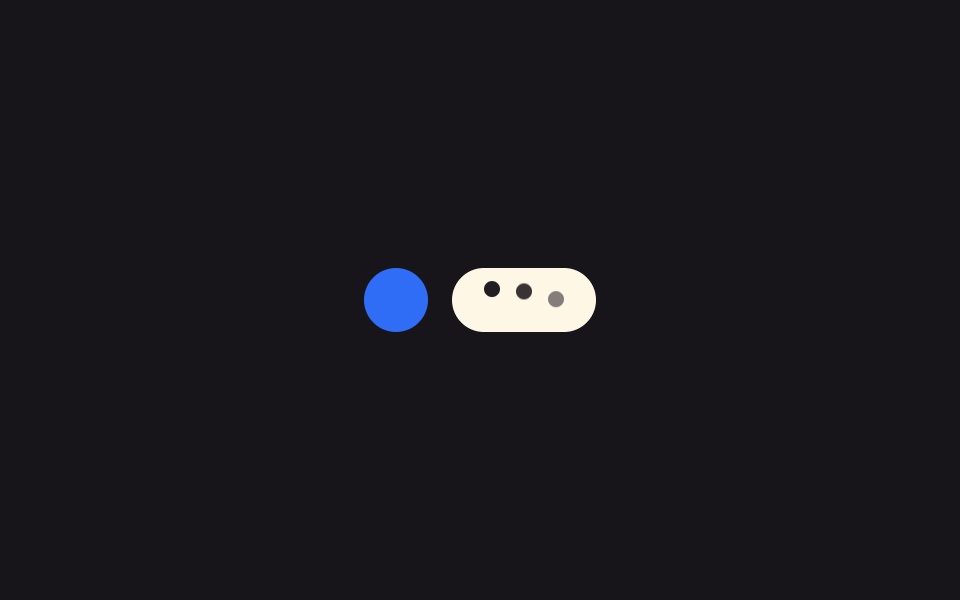 Loaders9 Typing Indicator CSS Patterns (Chat UI)
 LoadersPull to Refresh CSS: 9 Loading Patterns
 LoadersDownload Progress Bar: 9 Loading UI Patterns
 LoadersCSS Progress Bar: 9 Game-Style Fill Patterns
 LoadersChart Loading Animation — 9 Computed Patterns