Download Progress Bar: 9 Loading UI Patterns
This download progress bar roundup: One of nine keeps each file's progress value climbing in a list, another resets it to zero and raises a retry count on
 01 download-manager-multi-file-list
 02 download-manager-speed-graph
 03 download-manager-pause-resume
 04 download-manager-queue-reorder
 05 download-manager-extract-morph
 06 download-manager-corrupt-retry
 07 download-manager-complete-flash
 08 download-manager-folder-reveal
 09 download-manager-reduced-motion
Auto-plays · click a tile to jump to its section · all nine in one zip
- 01 Parallel multi-file progress values — each file's progress value updates independently within a list while several downloads run at once
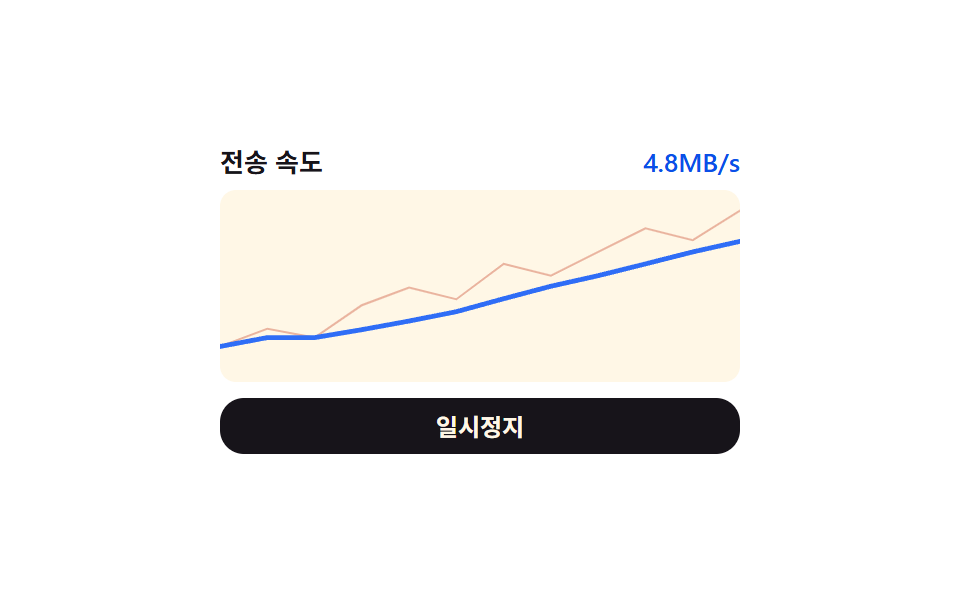
- 02 Transfer-speed value graph — the per-second transfer-rate value keeps redrawing as a graph
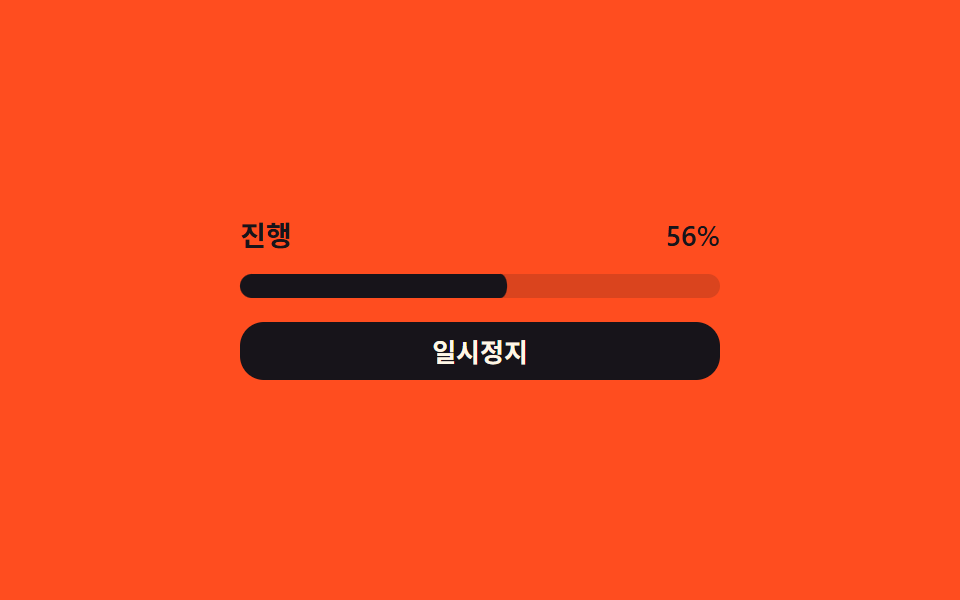
- 03 Pause/resume state-value switch — the progress value stops changing and starts again each time the state value toggles between paused and running
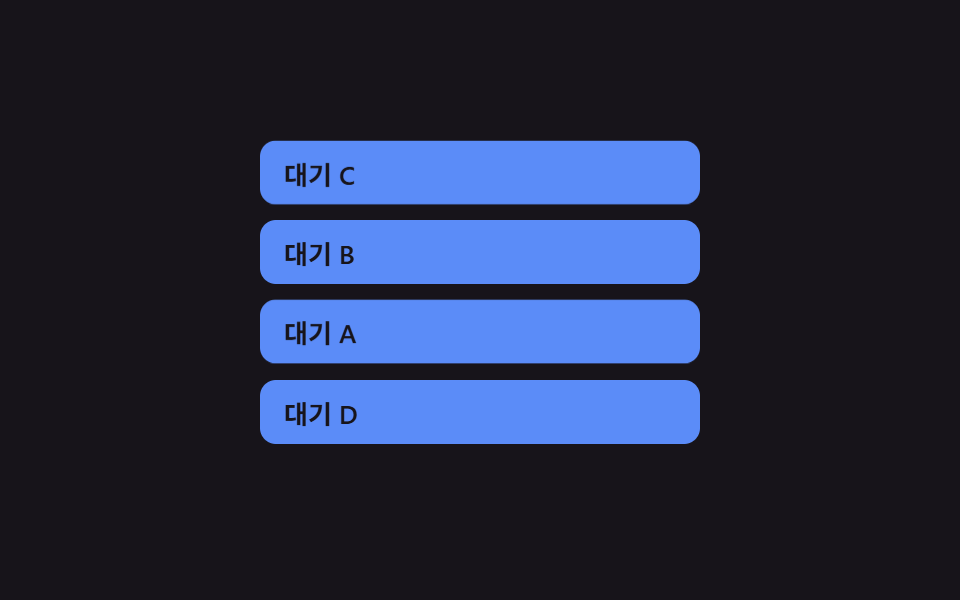
- 04 Queue order-value reordering — the order value of not-yet-started items changes to match a sequence the user sets
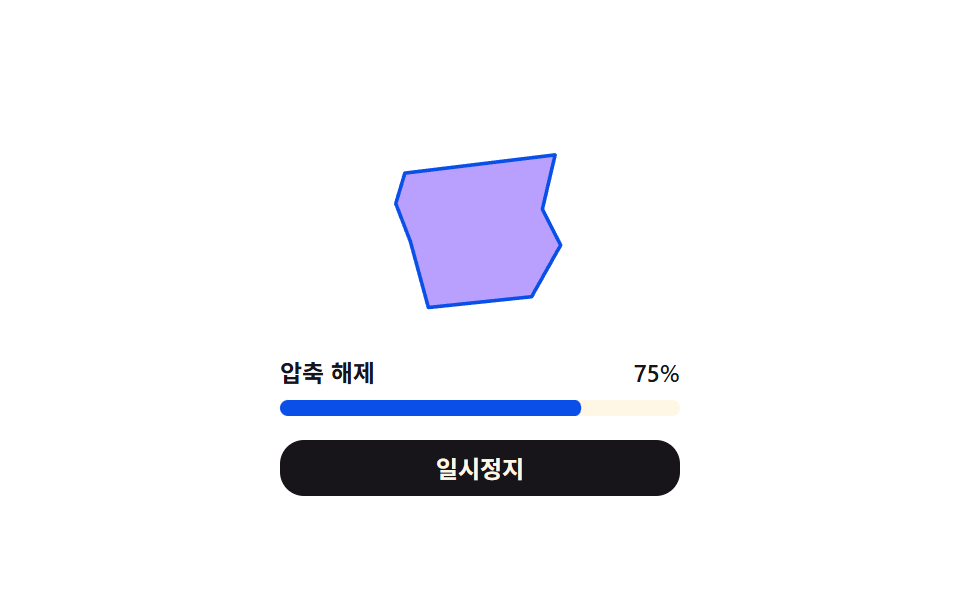
- 05 Extraction progress and form values changing together — while the extraction progress value fills, a form value changes along with it
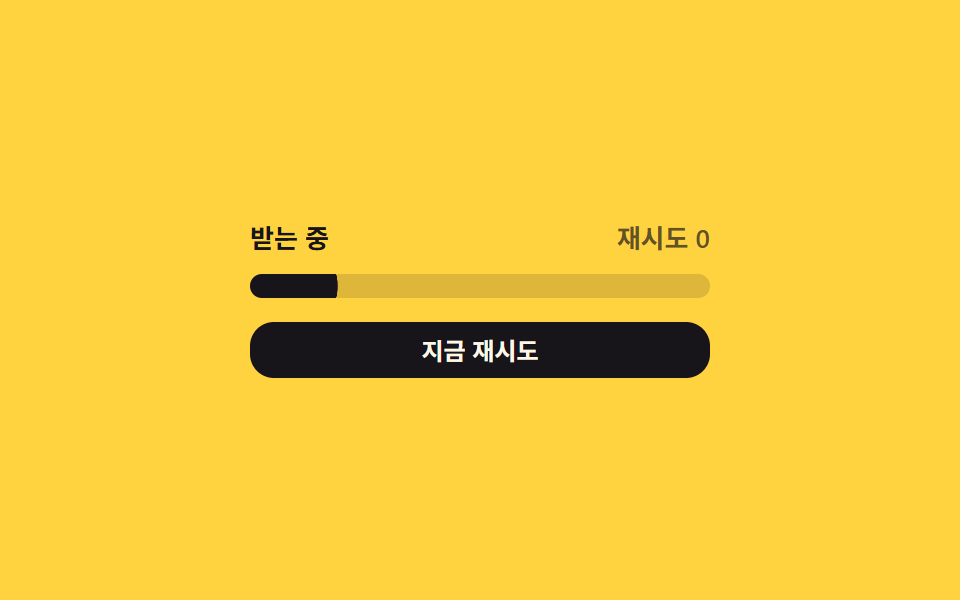
- 06 Corruption-retry count value — the retry-count value climbs by one and the progress value resets to the start whenever verification fails
- 07 Completion-value flash — the completion value flips to one the instant a download finishes, then falls back to zero after a set time
- 08 Finished-item position-value move — a finished item's position value shifts into a set area of the list
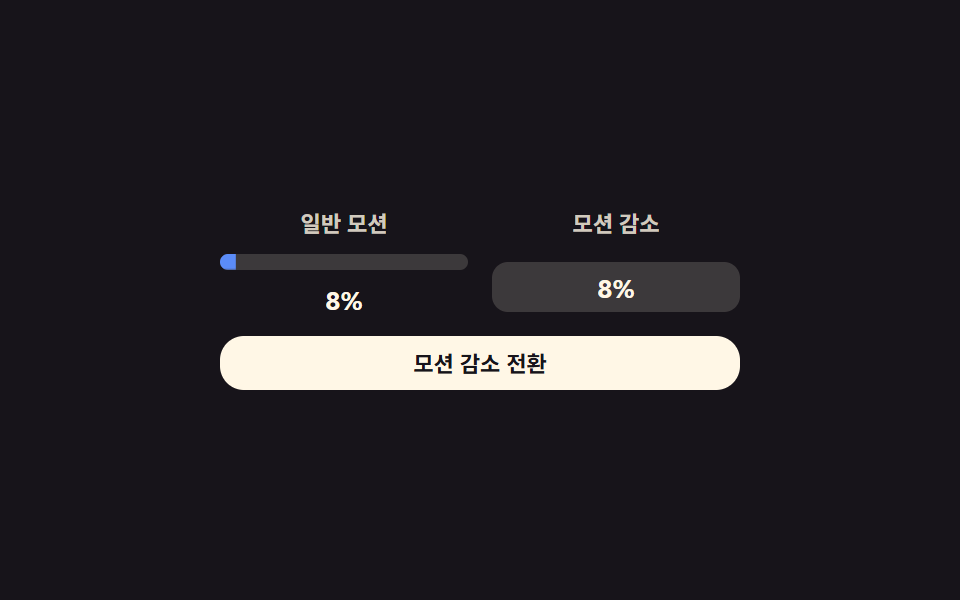
- 09 Reduced-motion static download notice — with reduced motion, only the progress value's label changes instead of animating
All nine react to the same trigger family — a real click on a button for eight of them, and a real pointerdown/pointermove/pointerup drag for item 04 alone — and none of them leave a value to chance: every number moves by a weighted sum, a moving average, an elapsed-time accumulator, a linear or spring interpolation, a seeded pass/fail array, or an exponential decay, never by Math.random(). Nothing here calls fetch(), touches File or Blob, or reads navigator.onLine — the "downloading," the "extracting," and the "corrupted" states are local variables recalculated in the browser, so no claim below should be read as "the server confirms the transfer" or "this detects your real connection." If you're studying a download progress bar design for your own project, every one of the nine below computes its own percentage from a plain JavaScript variable, not from a real byte count — which is exactly what makes a download progress bar animation like these safe to copy without wiring up an actual file transfer first.
Anatomy of nine patterns — which value changes and when
Three items (01, 03, 09) turn a single elapsed or accumulated value into a fill's scaleX, but each does something different with it: 01 sums three independent per-file values into a fourth, size-weighted total rather than averaging three percentages evenly; 03 banks whatever the elapsed-time value already reached in pausedElapsed so a pause never rewinds it to zero; and 09 draws that same fill twice, once with a live transform and once as a plain digit swap with nothing animating at all. Two items (02, 08) build a value out of many small values at once — 02's moving average blends the last N raw samples into a second, smoother line running beside the noisy one, and 08 integrates a spring equation frame by frame rather than reading a single elapsed number directly. Item 05 lerps eight point coordinates in lockstep with one progress value, reshaping a polygon rather than tweening an opacity or a scale. Item 06's retry count and item 04's order array both hold small integers that reorder or reset other values around them, but 06's count feeds an exponential backoff wait while 04's order only ever drives a position it eases toward. Item 07 is the only one of the nine computing an exponential decay across a fixed number of repeated passes rather than a value that changes once per cycle. None of this is a single download flag flipping once — every one of the nine keeps recalculating its own value on a repeating schedule for as long as the demo runs, and only one of the nine, item 04, updates that value from a real drag rather than from time alone.
Code per pattern
01Parallel multi-file progress values — each file's progress value updates independently within a list while several downloads run at once
While three files download at once, each row's fill bar scales to that file's own byte count against its own SIZES entry, and the bottom .dmf__row--total row draws a fourth value: total bytes downloaded across all three divided by the sum of SIZES — a size-weighted average, not a plain three-way mean of the three percentages. Pausing freezes every row's timer at once; nothing keeps counting in the background.
<main class="stage">
<div class="dmf is-demo" id="dmf">
  <div class="dmf__row" data-i="0">
    <div class="dmf__head"><span class="dmf__name">File 1</span><span class="dmf__pct" id="dmfPct0">0%</span></div>
    <div class="dmf__track"><div class="dmf__fill" id="dmfFill0"></div></div>
  </div>
  <div class="dmf__row" data-i="1">
    <div class="dmf__head"><span class="dmf__name">File 2</span><span class="dmf__pct" id="dmfPct1">0%</span></div>
    <div class="dmf__track"><div class="dmf__fill" id="dmfFill1"></div></div>
  </div>
  <div class="dmf__row" data-i="2">
    <div class="dmf__head"><span class="dmf__name">File 3</span><span class="dmf__pct" id="dmfPct2">0%</span></div>
    <div class="dmf__track"><div class="dmf__fill" id="dmfFill2"></div></div>
  </div>
  <div class="dmf__row dmf__row--total">
    <div class="dmf__head"><span class="dmf__name">Total</span><span class="dmf__pct" id="dmfPctT">0%</span></div>
    <div class="dmf__track"><div class="dmf__fill dmf__fill--total" id="dmfFillT"></div></div>
  </div>
  <button class="dmf__btn" id="dmfBtn" type="button">Pause</button>
</div>
</main>
@use "../../../../site/static/demo-tokens" as *;
// 계산 겹: 전체 바 = 파일별 바이트 합 ÷ 크기 합(용량 가중 평균) — index.html 참조
@include stage($stage-ink);
.dmf {
width: 100%;
max-width: 240px;
display: grid;
gap: $sp-2;
}
.dmf__head {
display: flex;
align-items: baseline;
justify-content: space-between;
font: 600 12px/1.2 -apple-system, "Segoe UI", "Noto Sans KR", sans-serif;
color: $subject-cream;
margin-bottom: $sp-1;
}
.dmf__pct { font-variant-numeric: tabular-nums; color: rgba($subject-cream, .72); }
.dmf__track {
width: 100%;
height: $sp-2;
border-radius: $r-pill;
background: rgba($subject-cream, .16);
overflow: hidden;
}
.dmf__fill {
height: 100%;
width: 100%;
transform-origin: left center;
transform: scaleX(0);
border-radius: $r-pill;
background: $subject-blue-light;
transition: transform $dur-instant linear;
}
.dmf__row--total { margin-top: $sp-1; }
.dmf__row--total .dmf__fill--total { background: $subject-lilac; }
.dmf--done .dmf__row--total .dmf__fill--total { background: $subject-mint; }
.dmf__btn {
margin-top: $sp-2;
width: 100%;
border: 0;
border-radius: $r-control;
padding: $sp-2 $sp-4;
background: $subject-cream;
color: $stage-ink;
font: 700 12px/1 -apple-system, "Segoe UI", "Noto Sans KR", sans-serif;
cursor: pointer;
transition: transform $dur-instant $ease-out;
&:active { transform: scale(.96); }
}
@media (max-width: 340px) {
.dmf { max-width: 200px; gap: $sp-1; }
.dmf__row--total { margin-top: 0; }
.dmf__btn { margin-top: $sp-1; padding: $sp-1 $sp-3; }
}
@media (prefers-reduced-motion: reduce) {
.dmf__fill { transition: none; }
.dmf__btn { transition: none; }
}html, body {
margin: 0;
overflow: hidden;
}
.stage {
box-sizing: border-box;
min-height: 100vh;
display: grid;
place-items: center;
margin: 0;
background: #17141a;
font-family: -apple-system, "Segoe UI", "Noto Sans KR", sans-serif;
padding: clamp(8px, 4vw, 24px);
}
.dmf {
width: 100%;
max-width: 240px;
display: grid;
gap: 8px;
}
.dmf__head {
display: flex;
align-items: baseline;
justify-content: space-between;
font: 600 12px/1.2 -apple-system, "Segoe UI", "Noto Sans KR", sans-serif;
color: #fff7e6;
margin-bottom: 4px;
}
.dmf__pct {
font-variant-numeric: tabular-nums;
color: rgba(255, 247, 230, 0.72);
}
.dmf__track {
width: 100%;
height: 8px;
border-radius: 999px;
background: rgba(255, 247, 230, 0.16);
overflow: hidden;
}
.dmf__fill {
height: 100%;
width: 100%;
transform-origin: left center;
transform: scaleX(0);
border-radius: 999px;
background: #5b8cf8;
transition: transform 140ms linear;
}
.dmf__row--total {
margin-top: 4px;
}
.dmf__row--total .dmf__fill--total {
background: #b9a0ff;
}
.dmf--done .dmf__row--total .dmf__fill--total {
background: #4cd4a6;
}
.dmf__btn {
margin-top: 8px;
width: 100%;
border: 0;
border-radius: 12px;
padding: 8px 16px;
background: #fff7e6;
color: #17141a;
font: 700 12px/1 -apple-system, "Segoe UI", "Noto Sans KR", sans-serif;
cursor: pointer;
transition: transform 140ms ease-out;
}
.dmf__btn:active {
transform: scale(0.96);
}
@media (max-width: 340px) {
.dmf {
max-width: 200px;
gap: 4px;
}
.dmf__row--total {
margin-top: 0;
}
.dmf__btn {
margin-top: 4px;
padding: 4px 12px;
}
}
@media (prefers-reduced-motion: reduce) {
.dmf__fill {
transition: none;
}
.dmf__btn {
transition: none;
}
}(function () {
var root = document.getElementById('dmf');
var btn = document.getElementById('dmfBtn');
var fills = [document.getElementById('dmfFill0'), document.getElementById('dmfFill1'), document.getElementById('dmfFill2')];
var pcts = [document.getElementById('dmfPct0'), document.getElementById('dmfPct1'), document.getElementById('dmfPct2')];
var fillT = document.getElementById('dmfFillT');
var pctT = document.getElementById('dmfPctT');
// 시드 고정: 파일별 크기(KB, 가상)와 틱마다 더할 속도 배열(KB/틱). 실 fetch·File API 0
var SIZES = [420, 980, 640];
var SPEEDS = [
[32, 40, 48, 52, 46, 38, 30, 44, 56, 60, 50, 36],
[58, 64, 60, 52, 44, 38, 46, 54, 62, 58, 48, 40],
[20, 26, 32, 38, 44, 40, 34, 28, 24, 30, 36, 42]
];
var TICK_MS = 140;
var HOLD_MS = 700;
var done = [0, 0, 0];
var tick = 0;
var paused = false;
var timer = null;
// 계산 겹: Total In progress 값 = 파일별 다운로드 바이트 합 ÷ Total 크기 합(용량 가중 평균, 단순 3칸 평균 아님)
function overall() {
var d = done[0] + done[1] + done[2];
var s = SIZES[0] + SIZES[1] + SIZES[2];
return d / s;
}
function paint() {
for (var i = 0; i < 3; i++) {
var p = done[i] / SIZES[i];
fills[i].style.transform = 'scaleX(' + p.toFixed(3) + ')';
pcts[i].textContent = Math.round(p * 100) + '%';
}
var o = overall();
fillT.style.transform = 'scaleX(' + o.toFixed(3) + ')';
pctT.textContent = Math.round(o * 100) + '%';
root.classList.toggle('dmf--done', o >= 1);
}
function step() {
var allDone = true;
for (var i = 0; i < 3; i++) {
if (done[i] < SIZES[i]) {
done[i] = Math.min(SIZES[i], done[i] + SPEEDS[i][tick % SPEEDS[i].length]);
allDone = false;
}
}
tick++;
paint();
if (allDone) {
timer = setTimeout(function () { done = [0, 0, 0]; tick = 0; paint(); loop(); }, HOLD_MS);
} else {
loop();
}
}
function loop() {
if (paused) return;
timer = setTimeout(step, TICK_MS);
}
paint();
loop();
btn.addEventListener('click', function () {
root.classList.remove('is-demo');
paused = !paused;
btn.textContent = paused ? 'Resume' : 'Pause';
if (!paused) loop();
else if (timer) clearTimeout(timer);
});
})();import { useEffect, useRef } from "react";
import styles from "./DownloadManagerMultiFileList.module.scss";
type Box<T> = { current: T };
export default function DownloadManagerMultiFileList() {
const rootRef = useRef(null) as unknown as Box<HTMLDivElement | null>;
useEffect(() => {
const root = rootRef.current;
if (!root) return;
const fills = [0, 1, 2].map((i) => root.querySelector(`.${styles["fill" + i]}`) as HTMLElement | null);
const pcts = [0, 1, 2].map((i) => root.querySelector(`.${styles["pct" + i]}`) as HTMLElement | null);
const fillT = root.querySelector(`.${styles.fillT}`) as HTMLElement | null;
const pctT = root.querySelector(`.${styles.pctT}`) as HTMLElement | null;
const btn = root.querySelector(`.${styles.btn}`) as HTMLElement | null;
if (!fillT || !pctT || !btn) return;
// 시드 고정: 파일별 크기(KB, 가상)와 틱마다 더할 속도 배열(KB/틱). 실 fetch·File API 0
const SIZES = [420, 980, 640];
const SPEEDS = [
[32, 40, 48, 52, 46, 38, 30, 44, 56, 60, 50, 36],
[58, 64, 60, 52, 44, 38, 46, 54, 62, 58, 48, 40],
[20, 26, 32, 38, 44, 40, 34, 28, 24, 30, 36, 42],
];
const TICK_MS = 140;
const HOLD_MS = 700;
let done = [0, 0, 0];
let tick = 0;
let paused = false;
let timer = 0;
let stopped = false;
// 계산 겹: 전체 진행 값 = 파일별 다운로드 바이트 합 ÷ 전체 크기 합(용량 가중 평균, 단순 3칸 평균 아님)
function overall() {
const d = done[0] + done[1] + done[2];
const s = SIZES[0] + SIZES[1] + SIZES[2];
return d / s;
}
function paint() {
for (let i = 0; i < 3; i++) {
const p = done[i] / SIZES[i];
const fillEl = fills[i];
const pctEl = pcts[i];
if (fillEl) fillEl.style.transform = "scaleX(" + p.toFixed(3) + ")";
if (pctEl) pctEl.textContent = Math.round(p * 100) + "%";
}
const o = overall();
fillT!.style.transform = "scaleX(" + o.toFixed(3) + ")";
pctT!.textContent = Math.round(o * 100) + "%";
root!.classList.toggle(styles["dmf--done"], o >= 1);
}
function step() {
if (stopped) return;
let allDone = true;
for (let i = 0; i < 3; i++) {
if (done[i] < SIZES[i]) {
done[i] = Math.min(SIZES[i], done[i] + SPEEDS[i][tick % SPEEDS[i].length]);
allDone = false;
}
}
tick++;
paint();
if (allDone) {
timer = window.setTimeout(() => { done = [0, 0, 0]; tick = 0; paint(); loop(); }, HOLD_MS);
} else {
loop();
}
}
function loop() {
if (paused || stopped) return;
timer = window.setTimeout(step, TICK_MS);
}
paint();
loop();
function onClick() {
root!.classList.remove(styles["is-demo"]);
paused = !paused;
btn!.textContent = paused ? "재개" : "일시정지";
if (!paused) loop();
else window.clearTimeout(timer);
}
btn.addEventListener("click", onClick);
return () => {
stopped = true;
window.clearTimeout(timer);
btn.removeEventListener("click", onClick);
};
}, []);
return (
<div ref={rootRef} className={`${styles.stage} ${styles.dmf} ${styles["is-demo"]}`}>
<div className={styles.row}>
<div className={styles.head}><span className={styles.name}>파일 1</span><span className={`${styles.pct} ${styles.pct0}`}>0%</span></div>
<div className={styles.track}><div className={`${styles.fill} ${styles.fill0}`} /></div>
</div>
<div className={styles.row}>
<div className={styles.head}><span className={styles.name}>파일 2</span><span className={`${styles.pct} ${styles.pct1}`}>0%</span></div>
<div className={styles.track}><div className={`${styles.fill} ${styles.fill1}`} /></div>
</div>
<div className={styles.row}>
<div className={styles.head}><span className={styles.name}>파일 3</span><span className={`${styles.pct} ${styles.pct2}`}>0%</span></div>
<div className={styles.track}><div className={`${styles.fill} ${styles.fill2}`} /></div>
</div>
<div className={`${styles.row} ${styles["row--total"]}`}>
<div className={styles.head}><span className={styles.name}>전체</span><span className={`${styles.pct} ${styles.pctT}`}>0%</span></div>
<div className={styles.track}><div className={`${styles.fill} ${styles["fill--total"]} ${styles.fillT}`} /></div>
</div>
<button className={styles.btn} type="button">일시정지</button>
</div>
);
}01 · Parallel multi-file progress values — each file's progress value updates independently within a list while several downloads run at once — Measured area 3.927% · moving frames 16/23Original by GODRICH · SCSS and React ship in the zip · See the password
  // Seeded: per-file size (KB, virtual) and a per-tick speed array (KB/tick) to add. No real fetch or File API
  var SIZES = [420, 980, 640];
  var SPEEDS = [
    [32, 40, 48, 52, 46, 38, 30, 44, 56, 60, 50, 36],
    [58, 64, 60, 52, 44, 38, 46, 54, 62, 58, 48, 40],
    [20, 26, 32, 38, 44, 40, 34, 28, 24, 30, 36, 42]
  ];
  var TICK_MS = 140;
  var HOLD_MS = 700;

  var done = [0, 0, 0];
  var tick = 0;
  var paused = false;
  var timer = null;

  // Calculation layer: overall progress value = sum of per-file downloaded bytes / sum of total sizes (a size-weighted average, not a plain 3-way average)
  function overall() {
    var d = done[0] + done[1] + done[2];
    var s = SIZES[0] + SIZES[1] + SIZES[2];
    return d / s;
  }
What the numbers say
Measured across 23 tracked frames, item 01 moves 3.93% of the frame area at a 133.8 intensity score over 16 moving frames — three thin fills and a total bar, not a scene that fills the frame.
02Transfer-speed value graph — the per-second transfer-rate value keeps redrawing as a graph
Every 160ms a new raw sample lands from a fixed SAMPLES array, and a second value — the mean of the last N samples — is computed alongside it, so the SVG redraws two polylines: .dsg__raw for the noisy per-tick number and a smoother second line for the windowed average. The label above only ever shows that averaged value, never the raw one.
<main class="stage">
<div class="dsg is-demo" id="dsg">
  <div class="dsg__head">
    <span class="dsg__label">Transfer speed</span>
    <span class="dsg__val" id="dsgVal">0MB/s</span>
  </div>
  <svg class="dsg__graph" viewBox="0 0 220 80" preserveAspectRatio="none">
    <polyline class="dsg__raw" id="dsgRaw" points=""></polyline>
    <polyline class="dsg__avg" id="dsgAvg" points=""></polyline>
  </svg>
  <button class="dsg__btn" id="dsgBtn" type="button">Pause</button>
</div>
</main>
@use "../../../../site/static/demo-tokens" as *;
// 계산 겹: 원시 표본의 이동평균(최근 N개) 폴리라인 — index.html movingAvg() 참조
@include stage($stage-paper);
.dsg {
width: 100%;
max-width: 260px;
display: grid;
gap: $sp-2;
}
.dsg__head {
display: flex;
align-items: baseline;
justify-content: space-between;
font: 600 13px/1 -apple-system, "Segoe UI", "Noto Sans KR", sans-serif;
color: $subject-ink;
}
.dsg__val { font-variant-numeric: tabular-nums; color: $subject-blue-deep; }
.dsg__graph {
width: 100%;
height: 96px;
border-radius: $r-sm;
background: $subject-cream;
}
.dsg__raw {
fill: none;
stroke: $chart-2;
stroke-width: 1;
opacity: .35;
vector-effect: non-scaling-stroke;
}
.dsg__avg {
fill: none;
stroke: $chart-1;
stroke-width: 2.4;
stroke-linejoin: round;
stroke-linecap: round;
vector-effect: non-scaling-stroke;
}
.dsg__btn {
width: 100%;
border: 0;
border-radius: $r-control;
padding: $sp-2 $sp-4;
background: $subject-ink;
color: $subject-cream;
font: 700 12px/1 -apple-system, "Segoe UI", "Noto Sans KR", sans-serif;
cursor: pointer;
transition: transform $dur-instant $ease-out;
&:active { transform: scale(.96); }
}
@media (max-width: 340px) {
.dsg { max-width: 200px; }
.dsg__graph { height: 72px; }
}
@media (prefers-reduced-motion: reduce) {
.dsg__avg, .dsg__raw { transition: none; }
.dsg__btn { transition: none; }
}html, body {
margin: 0;
overflow: hidden;
}
.stage {
box-sizing: border-box;
min-height: 100vh;
display: grid;
place-items: center;
margin: 0;
background: #ffffff;
font-family: -apple-system, "Segoe UI", "Noto Sans KR", sans-serif;
padding: clamp(8px, 4vw, 24px);
}
.dsg {
width: 100%;
max-width: 260px;
display: grid;
gap: 8px;
}
.dsg__head {
display: flex;
align-items: baseline;
justify-content: space-between;
font: 600 13px/1 -apple-system, "Segoe UI", "Noto Sans KR", sans-serif;
color: #17141a;
}
.dsg__val {
font-variant-numeric: tabular-nums;
color: #0a4fe8;
}
.dsg__graph {
width: 100%;
height: 96px;
border-radius: 8px;
background: #fff7e6;
}
.dsg__raw {
fill: none;
stroke: #c2361a;
stroke-width: 1;
opacity: 0.35;
vector-effect: non-scaling-stroke;
}
.dsg__avg {
fill: none;
stroke: #2f6df6;
stroke-width: 2.4;
stroke-linejoin: round;
stroke-linecap: round;
vector-effect: non-scaling-stroke;
}
.dsg__btn {
width: 100%;
border: 0;
border-radius: 12px;
padding: 8px 16px;
background: #17141a;
color: #fff7e6;
font: 700 12px/1 -apple-system, "Segoe UI", "Noto Sans KR", sans-serif;
cursor: pointer;
transition: transform 140ms ease-out;
}
.dsg__btn:active {
transform: scale(0.96);
}
@media (max-width: 340px) {
.dsg {
max-width: 200px;
}
.dsg__graph {
height: 72px;
}
}
@media (prefers-reduced-motion: reduce) {
.dsg__avg, .dsg__raw {
transition: none;
}
.dsg__btn {
transition: none;
}
}(function () {
var root = document.getElementById('dsg');
var val = document.getElementById('dsgVal');
var rawLine = document.getElementById('dsgRaw');
var avgLine = document.getElementById('dsgAvg');
// 시드 고정: 초당 전송량 원시 표본(MB/s ×10, 정수). 실 네트워크 측정 0
var SAMPLES = [12, 18, 15, 26, 32, 28, 40, 36, 44, 52, 48, 58, 54, 62, 46, 38, 44, 50, 42, 34, 28, 22, 16, 20];
var N = 5; // 이동평균 창(최근 N 개 표본)
var W = 220, H = 80, MAXV = 65;
var TICK_MS = 160;
var buf = [];
var i = 0;
var paused = false;
var timer = 0;
var btn = document.getElementById('dsgBtn');
function pt(idx, v, count) {
var x = count <= 1 ? W : (idx / (count - 1)) * W;
var y = H - (v / MAXV) * H;
return x.toFixed(1) + ',' + y.toFixed(1);
}
// 계산 겹: 최근 N개 원시 표본의 이동평균 — 그래프 선은 이 평균값을 잇는다(원시값 자체가 아님)
function movingAvg(arr) {
var out = [];
for (var k = 0; k < arr.length; k++) {
var s = Math.max(0, k - N + 1);
var sum = 0, c = 0;
for (var j = s; j <= k; j++) { sum += arr[j]; c++; }
out.push(sum / c);
}
return out;
}
function paint() {
var avg = movingAvg(buf);
var rawPts = [], avgPts = [];
for (var k = 0; k < buf.length; k++) {
rawPts.push(pt(k, buf[k], buf.length));
avgPts.push(pt(k, avg[k], buf.length));
}
rawLine.setAttribute('points', rawPts.join(' '));
avgLine.setAttribute('points', avgPts.join(' '));
var last = avg.length ? avg[avg.length - 1] : 0;
val.textContent = (last / 10).toFixed(1) + 'MB/s';
}
function tick() {
if (paused) return;
buf.push(SAMPLES[i % SAMPLES.length]);
if (buf.length > 14) buf.shift();
i++;
paint();
timer = setTimeout(tick, TICK_MS);
}
tick();
btn.addEventListener('click', function () {
root.classList.remove('is-demo');
paused = !paused;
btn.textContent = paused ? 'Resume' : 'Pause';
if (!paused) tick();
else clearTimeout(timer);
});
})();import { useEffect, useRef } from "react";
import styles from "./DownloadManagerSpeedGraph.module.scss";
type Box<T> = { current: T };
export default function DownloadManagerSpeedGraph() {
const rootRef = useRef(null) as unknown as Box<HTMLDivElement | null>;
useEffect(() => {
const root = rootRef.current;
if (!root) return;
const val = root.querySelector(`.${styles.val}`) as HTMLElement | null;
const rawLine = root.querySelector(`.${styles.raw}`) as SVGPolylineElement | null;
const avgLine = root.querySelector(`.${styles.avg}`) as SVGPolylineElement | null;
const btn = root.querySelector(`.${styles.btn}`) as HTMLElement | null;
if (!val || !rawLine || !avgLine || !btn) return;
// 시드 고정: 초당 전송량 원시 표본(MB/s ×10, 정수). 실 네트워크 측정 0
const SAMPLES = [12, 18, 15, 26, 32, 28, 40, 36, 44, 52, 48, 58, 54, 62, 46, 38, 44, 50, 42, 34, 28, 22, 16, 20];
const N = 5;
const W = 220, H = 80, MAXV = 65;
const TICK_MS = 160;
let buf: number[] = [];
let i = 0;
let paused = false;
let timer = 0;
let stopped = false;
function pt(idx: number, v: number, count: number) {
const x = count <= 1 ? W : (idx / (count - 1)) * W;
const y = H - (v / MAXV) * H;
return x.toFixed(1) + "," + y.toFixed(1);
}
// 계산 겹: 최근 N개 원시 표본의 이동평균 — 그래프 선은 이 평균값을 잇는다(원시값 자체가 아님)
function movingAvg(arr: number[]) {
const out: number[] = [];
for (let k = 0; k < arr.length; k++) {
const s = Math.max(0, k - N + 1);
let sum = 0, c = 0;
for (let j = s; j <= k; j++) { sum += arr[j]; c++; }
out.push(sum / c);
}
return out;
}
function paint() {
const avg = movingAvg(buf);
const rawPts: string[] = [], avgPts: string[] = [];
for (let k = 0; k < buf.length; k++) {
rawPts.push(pt(k, buf[k], buf.length));
avgPts.push(pt(k, avg[k], buf.length));
}
rawLine!.setAttribute("points", rawPts.join(" "));
avgLine!.setAttribute("points", avgPts.join(" "));
const last = avg.length ? avg[avg.length - 1] : 0;
val!.textContent = (last / 10).toFixed(1) + "MB/s";
}
function tick() {
if (paused || stopped) return;
buf.push(SAMPLES[i % SAMPLES.length]);
if (buf.length > 14) buf.shift();
i++;
paint();
timer = window.setTimeout(tick, TICK_MS);
}
tick();
function onClick() {
root!.classList.remove(styles["is-demo"]);
paused = !paused;
btn!.textContent = paused ? "재개" : "일시정지";
if (!paused) tick();
else window.clearTimeout(timer);
}
btn.addEventListener("click", onClick);
return () => {
stopped = true;
window.clearTimeout(timer);
btn.removeEventListener("click", onClick);
};
}, []);
return (
<div ref={rootRef} className={`${styles.stage} ${styles.dsg} ${styles["is-demo"]}`}>
<div className={styles.head}>
<span className={styles.label}>전송 속도</span>
<span className={styles.val}>0MB/s</span>
</div>
<svg className={styles.graph} viewBox="0 0 220 80" preserveAspectRatio="none">
<polyline className={styles.raw} points="" />
<polyline className={styles.avg} points="" />
</svg>
<button className={styles.btn} type="button">일시정지</button>
</div>
);
}02 · Transfer-speed value graph — the per-second transfer-rate value keeps redrawing as a graph — Measured area 8.108% · moving frames 16/23Original by GODRICH · SCSS and React ship in the zip · See the password
  // Calculation layer: moving average of the last N raw samples -- the graph line connects these averaged values, not the raw ones
  function movingAvg(arr) {
    var out = [];
    for (var k = 0; k < arr.length; k++) {
      var s = Math.max(0, k - N + 1);
      var sum = 0, c = 0;
      for (var j = s; j <= k; j++) { sum += arr[j]; c++; }
      out.push(sum / c);
    }
    return out;
  }
What the numbers say
Measured across 23 tracked frames, item 02 moves 8.11% of the frame area at a 108.0 intensity score over 16 moving frames, the redrawing SVG polylines accounting for most of that area.
03Pause/resume state-value switch — the progress value stops changing and starts again each time the state value toggles between paused and running
A single elapsed-time value keeps counting up in requestAnimationFrame, but pausing doesn't zero it — pausedElapsed banks whatever had already accumulated so resuming continues from that exact point rather than restarting. The demo also auto-pauses itself twice, at 28% and 62% of TOTAL_MS, before finishing and looping back to zero.
<main class="stage">
<div class="dpr is-demo" id="dpr">
  <div class="dpr__head">
    <span class="dpr__state" id="dprState">In progress</span>
    <span class="dpr__pct" id="dprPct">0%</span>
  </div>
  <div class="dpr__track"><div class="dpr__fill" id="dprFill"></div></div>
  <button class="dpr__btn" id="dprBtn" type="button">Pause</button>
</div>
</main>
@use "../../../../site/static/demo-tokens" as *;
// 계산 겹: 경과 시간 = 정지 전 누적값 + (지금 - 재개 시각) — index.html elapsed() 참조
@include stage($stage-orange);
.dpr {
width: 100%;
max-width: 240px;
display: grid;
gap: $sp-3;
}
.dpr__head {
display: flex;
align-items: baseline;
justify-content: space-between;
font: 600 14px/1 -apple-system, "Segoe UI", "Noto Sans KR", sans-serif;
color: $subject-ink;
}
.dpr--paused .dpr__state { text-decoration: underline; text-decoration-thickness: 2px; }
.dpr__pct { font-variant-numeric: tabular-nums; color: $subject-ink; }
.dpr__track {
width: 100%;
height: $sp-3;
border-radius: $r-pill;
background: rgba($subject-ink, .16);
overflow: hidden;
}
.dpr__fill {
height: 100%;
width: 100%;
transform-origin: left center;
transform: scaleX(0);
border-radius: $r-pill;
background: $subject-ink;
}
.dpr--paused .dpr__fill { background: $subject-orange-deep; }
.dpr__btn {
width: 100%;
border: 0;
border-radius: $r-control;
padding: $sp-2 $sp-4;
background: $subject-ink;
color: $subject-cream;
font: 700 13px/1 -apple-system, "Segoe UI", "Noto Sans KR", sans-serif;
cursor: pointer;
transition: transform $dur-instant $ease-out;
&:active { transform: scale(.96); }
}
@media (max-width: 340px) {
.dpr { max-width: 200px; }
}
@media (prefers-reduced-motion: reduce) {
.dpr__btn { transition: none; }
}html, body {
margin: 0;
overflow: hidden;
}
.stage {
box-sizing: border-box;
min-height: 100vh;
display: grid;
place-items: center;
margin: 0;
background: #ff4d1f;
font-family: -apple-system, "Segoe UI", "Noto Sans KR", sans-serif;
padding: clamp(8px, 4vw, 24px);
}
.dpr {
width: 100%;
max-width: 240px;
display: grid;
gap: 12px;
}
.dpr__head {
display: flex;
align-items: baseline;
justify-content: space-between;
font: 600 14px/1 -apple-system, "Segoe UI", "Noto Sans KR", sans-serif;
color: #17141a;
}
.dpr--paused .dpr__state {
text-decoration: underline;
text-decoration-thickness: 2px;
}
.dpr__pct {
font-variant-numeric: tabular-nums;
color: #17141a;
}
.dpr__track {
width: 100%;
height: 12px;
border-radius: 999px;
background: rgba(23, 20, 26, 0.16);
overflow: hidden;
}
.dpr__fill {
height: 100%;
width: 100%;
transform-origin: left center;
transform: scaleX(0);
border-radius: 999px;
background: #17141a;
}
.dpr--paused .dpr__fill {
background: #c93000;
}
.dpr__btn {
width: 100%;
border: 0;
border-radius: 12px;
padding: 8px 16px;
background: #17141a;
color: #fff7e6;
font: 700 13px/1 -apple-system, "Segoe UI", "Noto Sans KR", sans-serif;
cursor: pointer;
transition: transform 140ms ease-out;
}
.dpr__btn:active {
transform: scale(0.96);
}
@media (max-width: 340px) {
.dpr {
max-width: 200px;
}
}
@media (prefers-reduced-motion: reduce) {
.dpr__btn {
transition: none;
}
}(function () {
var root = document.getElementById('dpr');
var state = document.getElementById('dprState');
var pctEl = document.getElementById('dprPct');
var fill = document.getElementById('dprFill');
var btn = document.getElementById('dprBtn');
// 상수: Total 소요 시간(ms) · 자동 루프의 Stopped 구간(ms)
var TOTAL_MS = 2600;
var AUTO_PAUSE_AT = [0.28, 0.62];
var AUTO_PAUSE_MS = 420;
var paused = false;
var startedAt = performance.now();
var pausedElapsed = 0; // 정지되기 전까지 이미 쌓인 경과 값
var raf = null;
var autoIdx = 0;
// 계산 겹: 경과 시간 = Stopped 전 누적값(pausedElapsed) + (지금 - Resume 시각). 재개할 때 0으로 안 끊긴다
function elapsed() {
if (paused) return pausedElapsed;
return pausedElapsed + (performance.now() - startedAt);
}
function paint() {
var e = Math.min(TOTAL_MS, elapsed());
var p = e / TOTAL_MS;
fill.style.transform = 'scaleX(' + p.toFixed(4) + ')';
pctEl.textContent = Math.round(p * 100) + '%';
state.textContent = paused ? 'Stopped' : (p >= 1 ? 'Done' : 'In progress');
root.classList.toggle('dpr--paused', paused && p < 1);
return p;
}
function setPaused(v) {
if (v === paused) return;
if (v) {
pausedElapsed = elapsed();
paused = true;
} else {
startedAt = performance.now();
paused = false;
}
}
function tick() {
var p = paint();
if (!paused && p < 1 && autoIdx < AUTO_PAUSE_AT.length && p >= AUTO_PAUSE_AT[autoIdx]) {
setPaused(true);
autoIdx++;
setTimeout(function () { if (root.classList.contains('is-demo')) setPaused(false); }, AUTO_PAUSE_MS);
}
if (p >= 1) {
setTimeout(function () {
pausedElapsed = 0; startedAt = performance.now(); paused = false; autoIdx = 0; paint();
}, 700);
}
raf = requestAnimationFrame(tick);
}
raf = requestAnimationFrame(tick);
btn.addEventListener('click', function () {
root.classList.remove('is-demo');
setPaused(!paused);
btn.textContent = paused ? 'Resume' : 'Pause';
});
})();import { useEffect, useRef } from "react";
import styles from "./DownloadManagerPauseResume.module.scss";
type Box<T> = { current: T };
export default function DownloadManagerPauseResume() {
const rootRef = useRef(null) as unknown as Box<HTMLDivElement | null>;
useEffect(() => {
const root = rootRef.current;
if (!root) return;
const state = root.querySelector(`.${styles.state}`) as HTMLElement | null;
const pctEl = root.querySelector(`.${styles.pct}`) as HTMLElement | null;
const fill = root.querySelector(`.${styles.fill}`) as HTMLElement | null;
const btn = root.querySelector(`.${styles.btn}`) as HTMLElement | null;
if (!state || !pctEl || !fill || !btn) return;
// 상수: 전체 소요 시간(ms) · 자동 루프의 정지 구간(ms)
const TOTAL_MS = 2600;
const AUTO_PAUSE_AT = [0.28, 0.62];
const AUTO_PAUSE_MS = 420;
let paused = false;
let startedAt = performance.now();
let pausedElapsed = 0;
let raf = 0;
let autoIdx = 0;
let stopped = false;
// 계산 겹: 경과 시간 = 정지 전 누적값(pausedElapsed) + (지금 - 재개 시각). 재개할 때 0으로 안 끊긴다
function elapsed() {
if (paused) return pausedElapsed;
return pausedElapsed + (performance.now() - startedAt);
}
function paint() {
const e = Math.min(TOTAL_MS, elapsed());
const p = e / TOTAL_MS;
fill!.style.transform = "scaleX(" + p.toFixed(4) + ")";
pctEl!.textContent = Math.round(p * 100) + "%";
state!.textContent = paused ? "정지" : p >= 1 ? "완료" : "진행";
root!.classList.toggle(styles["dpr--paused"], paused && p < 1);
return p;
}
function setPaused(v: boolean) {
if (v === paused) return;
if (v) {
pausedElapsed = elapsed();
paused = true;
} else {
startedAt = performance.now();
paused = false;
}
}
function tick() {
if (stopped) return;
const p = paint();
if (!paused && p < 1 && autoIdx < AUTO_PAUSE_AT.length && p >= AUTO_PAUSE_AT[autoIdx]) {
setPaused(true);
autoIdx++;
window.setTimeout(() => { if (root!.classList.contains(styles["is-demo"])) setPaused(false); }, AUTO_PAUSE_MS);
}
if (p >= 1) {
window.setTimeout(() => {
pausedElapsed = 0; startedAt = performance.now(); paused = false; autoIdx = 0; paint();
}, 700);
}
raf = requestAnimationFrame(tick);
}
raf = requestAnimationFrame(tick);
function onClick() {
root!.classList.remove(styles["is-demo"]);
setPaused(!paused);
btn!.textContent = paused ? "재개" : "일시정지";
}
btn.addEventListener("click", onClick);
return () => {
stopped = true;
cancelAnimationFrame(raf);
btn.removeEventListener("click", onClick);
};
}, []);
return (
<div ref={rootRef} className={`${styles.stage} ${styles.dpr} ${styles["is-demo"]}`}>
<div className={styles.head}>
<span className={styles.state}>진행</span>
<span className={styles.pct}>0%</span>
</div>
<div className={styles.track}><div className={styles.fill} /></div>
<button className={styles.btn} type="button">일시정지</button>
</div>
);
}03 · Pause/resume state-value switch — the progress value stops changing and starts again each time the state value toggles between paused and running — Measured area 1.799% · moving frames 18/23Original by GODRICH · SCSS and React ship in the zip · See the password
  // Calculation layer: elapsed = value accumulated before pausing (pausedElapsed) + (now - resume time) -- doesn't reset to zero on resume
  function elapsed() {
    if (paused) return pausedElapsed;
    return pausedElapsed + (performance.now() - startedAt);
  }

  function paint() {
    var e = Math.min(TOTAL_MS, elapsed());
    var p = e / TOTAL_MS;
    fill.style.transform = 'scaleX(' + p.toFixed(4) + ')';
    pctEl.textContent = Math.round(p * 100) + '%';
    state.textContent = paused ? 'Stopped' : (p >= 1 ? 'Done' : 'In progress');
    root.classList.toggle('dpr--paused', paused && p < 1);
    return p;
  }
What the numbers say
Measured across 23 tracked frames, item 03 moves only 1.80% of the frame area at a 151.8 intensity score over 18 moving frames — a single bar and a short state label, the smallest shape of the nine.
04Queue order-value reordering — the order value of not-yet-started items changes to match a sequence the user sets
Four .dqr__item rows hold a shared order array, and every frame each one eases toward its assigned row height by closing LERP (0.18) of the remaining distance rather than jumping there. A scripted autoSeq swaps two waiting items every 900ms on its own, and a real pointerdown/pointermove/pointerup sequence lets a visitor drag a row into a new slot instead.
<main class="stage">
<div class="dqr is-demo" id="dqr">
  <div class="dqr__item" data-order="0" id="dqrItem0">Queue A</div>
  <div class="dqr__item" data-order="1" id="dqrItem1">Queue B</div>
  <div class="dqr__item" data-order="2" id="dqrItem2">Queue C</div>
  <div class="dqr__item" data-order="3" id="dqrItem3">Queue D</div>
</div>
</main>
@use "../../../../site/static/demo-tokens" as *;
// 계산 겹: 순서 값 → 목표 위치, 실제 위치는 매 프레임 남은 거리의 18%씩 다가가는 보간(lerp) — index.html tickLerp() 참조
@include stage($stage-ink);
.dqr {
position: relative;
width: 100%;
max-width: 220px;
height: 160px; // 4 × ROW_H(40px)
}
.dqr__item {
position: absolute;
top: 0;
left: 0;
width: 100%;
height: 32px;
box-sizing: border-box;
display: flex;
align-items: center;
padding: 0 $sp-3;
border-radius: $r-sm;
background: $subject-blue-light;
color: $stage-ink;
font: 600 13px/1 -apple-system, "Segoe UI", "Noto Sans KR", sans-serif;
cursor: grab;
touch-action: none;
user-select: none;
will-change: transform;
}
.dqr__item--drag {
cursor: grabbing;
background: $subject-cream;
box-shadow: $shadow-raised;
z-index: 2;
}
@media (max-width: 340px) {
.dqr { max-width: 190px; }
.dqr__item { height: 30px; font-size: 12px; }
}
@media (prefers-reduced-motion: reduce) {
.dqr__item { transition: none; }
}html, body {
margin: 0;
overflow: hidden;
}
.stage {
box-sizing: border-box;
min-height: 100vh;
display: grid;
place-items: center;
margin: 0;
background: #17141a;
font-family: -apple-system, "Segoe UI", "Noto Sans KR", sans-serif;
padding: clamp(8px, 4vw, 24px);
}
.dqr {
position: relative;
width: 100%;
max-width: 220px;
height: 160px;
}
.dqr__item {
position: absolute;
top: 0;
left: 0;
width: 100%;
height: 32px;
box-sizing: border-box;
display: flex;
align-items: center;
padding: 0 12px;
border-radius: 8px;
background: #5b8cf8;
color: #17141a;
font: 600 13px/1 -apple-system, "Segoe UI", "Noto Sans KR", sans-serif;
cursor: grab;
touch-action: none;
user-select: none;
will-change: transform;
}
.dqr__item--drag {
cursor: grabbing;
background: #fff7e6;
box-shadow: 0 14px 24px rgba(23, 20, 26, 0.32);
z-index: 2;
}
@media (max-width: 340px) {
.dqr {
max-width: 190px;
}
.dqr__item {
height: 30px;
font-size: 12px;
}
}
@media (prefers-reduced-motion: reduce) {
.dqr__item {
transition: none;
}
}(function () {
var root = document.getElementById('dqr');
var items = [document.getElementById('dqrItem0'), document.getElementById('dqrItem1'), document.getElementById('dqrItem2'), document.getElementById('dqrItem3')];
// 상수: 항목 높이(px, gap 포함) · 순서→위치 보간 속도(1프레임당 남은 거리의 비율)
var ROW_H = 40;
var LERP = 0.18;
var AUTO_SWAP_MS = 900;
var order = [0, 1, 2, 3]; // order[i] = i번째 칸에 있는 항목 index
var y = [0, 1, 2, 3].map(function (i) { return i * ROW_H; }); // 각 항목의 실제(보간 중) y
var dragging = -1;
var dragStartY = 0, dragStartTop = 0;
function targetY(itemIdx) {
var slot = order.indexOf(itemIdx);
return slot * ROW_H;
}
// 계산 겹: 순서 값이 바뀌면 목표 위치로 즉시 점프하지 않고 매 프레임 남은 거리의 LERP 비율만큼 다가간다
function tickLerp() {
for (var i = 0; i < items.length; i++) {
if (i === dragging) continue;
var t = targetY(i);
y[i] += (t - y[i]) * LERP;
items[i].style.transform = 'translateY(' + y[i].toFixed(2) + 'px)';
}
requestAnimationFrame(tickLerp);
}
requestAnimationFrame(tickLerp);
function swap(a, b) {
var sa = order.indexOf(a), sb = order.indexOf(b);
order[sa] = b; order[sb] = a;
}
// 자동 루프: 대기 중인 항목의 순서 값을 주기적으로 맞바꾼다
var autoSeq = [[0, 2], [1, 3], [0, 1], [2, 3], [0, 3]];
var autoI = 0;
function autoStep() {
if (root.classList.contains('is-demo')) {
var pair = autoSeq[autoI % autoSeq.length];
swap(pair[0], pair[1]);
autoI++;
}
setTimeout(autoStep, AUTO_SWAP_MS);
}
setTimeout(autoStep, AUTO_SWAP_MS);
// 실사용자 드래그: pointerdown/move/up 으로 순서 값을 직접 바꾼다
items.forEach(function (el, idx) {
el.addEventListener('pointerdown', function (e) {
root.classList.remove('is-demo');
dragging = idx;
dragStartY = e.clientY;
dragStartTop = y[idx];
el.setPointerCapture(e.pointerId);
el.classList.add('dqr__item--drag');
});
el.addEventListener('pointermove', function (e) {
if (dragging !== idx) return;
var ny = dragStartTop + (e.clientY - dragStartY);
y[idx] = ny;
el.style.transform = 'translateY(' + ny.toFixed(2) + 'px)';
var slot = Math.max(0, Math.min(items.length - 1, Math.round(ny / ROW_H)));
var curSlot = order.indexOf(idx);
if (slot !== curSlot) {
var other = order[slot];
order[curSlot] = other;
order[slot] = idx;
}
});
function end(e) {
if (dragging !== idx) return;
dragging = -1;
el.classList.remove('dqr__item--drag');
}
el.addEventListener('pointerup', end);
el.addEventListener('pointercancel', end);
});
})();import { useEffect, useRef } from "react";
import styles from "./DownloadManagerQueueReorder.module.scss";
type Box<T> = { current: T };
export default function DownloadManagerQueueReorder() {
const rootRef = useRef(null) as unknown as Box<HTMLDivElement | null>;
useEffect(() => {
const root = rootRef.current;
if (!root) return;
const items = [0, 1, 2, 3].map((i) => root.querySelector(`.${styles["item" + i]}`) as HTMLElement | null);
if (items.some((el) => !el)) return;
// 상수: 항목 높이(px, gap 포함) · 순서→위치 보간 속도(1프레임당 남은 거리의 비율)
const ROW_H = 40;
const LERP = 0.18;
const AUTO_SWAP_MS = 900;
const order = [0, 1, 2, 3];
const y = [0, 1, 2, 3].map((i) => i * ROW_H);
let dragging = -1;
let dragStartY = 0, dragStartTop = 0;
let stopped = false;
let rafId = 0;
let autoTimer = 0;
function targetY(itemIdx: number) {
const slot = order.indexOf(itemIdx);
return slot * ROW_H;
}
// 계산 겹: 순서 값이 바뀌면 목표 위치로 즉시 점프하지 않고 매 프레임 남은 거리의 LERP 비율만큼 다가간다
function tickLerp() {
if (stopped) return;
for (let i = 0; i < items.length; i++) {
if (i === dragging) continue;
const t = targetY(i);
y[i] += (t - y[i]) * LERP;
items[i]!.style.transform = "translateY(" + y[i].toFixed(2) + "px)";
}
rafId = requestAnimationFrame(tickLerp);
}
rafId = requestAnimationFrame(tickLerp);
function swap(a: number, b: number) {
const sa = order.indexOf(a), sb = order.indexOf(b);
order[sa] = b; order[sb] = a;
}
const autoSeq = [[0, 2], [1, 3], [0, 1], [2, 3], [0, 3]];
let autoI = 0;
function autoStep() {
if (stopped) return;
if (root!.classList.contains(styles["is-demo"])) {
const pair = autoSeq[autoI % autoSeq.length];
swap(pair[0], pair[1]);
autoI++;
}
autoTimer = window.setTimeout(autoStep, AUTO_SWAP_MS);
}
autoTimer = window.setTimeout(autoStep, AUTO_SWAP_MS);
const cleanups: Array<() => void> = [];
items.forEach((el, idx) => {
function onDown(e: PointerEvent) {
root!.classList.remove(styles["is-demo"]);
dragging = idx;
dragStartY = e.clientY;
dragStartTop = y[idx];
el!.setPointerCapture(e.pointerId);
el!.classList.add(styles["item--drag"]);
}
function onMove(e: PointerEvent) {
if (dragging !== idx) return;
const ny = dragStartTop + (e.clientY - dragStartY);
y[idx] = ny;
el!.style.transform = "translateY(" + ny.toFixed(2) + "px)";
const slot = Math.max(0, Math.min(items.length - 1, Math.round(ny / ROW_H)));
const curSlot = order.indexOf(idx);
if (slot !== curSlot) {
const other = order[slot];
order[curSlot] = other;
order[slot] = idx;
}
}
function onEnd() {
if (dragging !== idx) return;
dragging = -1;
el!.classList.remove(styles["item--drag"]);
}
el!.addEventListener("pointerdown", onDown);
el!.addEventListener("pointermove", onMove);
el!.addEventListener("pointerup", onEnd);
el!.addEventListener("pointercancel", onEnd);
cleanups.push(() => {
el!.removeEventListener("pointerdown", onDown);
el!.removeEventListener("pointermove", onMove);
el!.removeEventListener("pointerup", onEnd);
el!.removeEventListener("pointercancel", onEnd);
});
});
return () => {
stopped = true;
cancelAnimationFrame(rafId);
window.clearTimeout(autoTimer);
cleanups.forEach((fn) => fn());
};
}, []);
return (
<div ref={rootRef} className={`${styles.stage} ${styles.dqr} ${styles["is-demo"]}`}>
<div className={`${styles.item} ${styles.item0}`}>대기 A</div>
<div className={`${styles.item} ${styles.item1}`}>대기 B</div>
<div className={`${styles.item} ${styles.item2}`}>대기 C</div>
<div className={`${styles.item} ${styles.item3}`}>대기 D</div>
</div>
);
}04 · Queue order-value reordering — the order value of not-yet-started items changes to match a sequence the user sets — Measured area 20.906% · moving frames 14/23Original by GODRICH · SCSS and React ship in the zip · See the password
  // Calculation layer: when the order value changes, it doesn't jump straight to the target position -- each frame it closes the remaining distance by the LERP ratio
  function tickLerp() {
    for (var i = 0; i < items.length; i++) {
      if (i === dragging) continue;
      var t = targetY(i);
      y[i] += (t - y[i]) * LERP;
      items[i].style.transform = 'translateY(' + y[i].toFixed(2) + 'px)';
    }
    requestAnimationFrame(tickLerp);
  }
  requestAnimationFrame(tickLerp);
What the numbers say
Measured across 23 tracked frames, item 04 moves 20.91% of the frame area at a 144.1 intensity score over 14 moving frames, the highest of the nine — four rows re-stacking at once covers far more of the frame than any single bar.
05Extraction progress and form values changing together — while the extraction progress value fills, a form value changes along with it
As the extraction percentage climbs from 0 to 1 inside a requestAnimationFrame loop, that same progress value drives lerpPoints(), which linearly interpolates all eight BOX corner coordinates toward their matching OPEN coordinates — the polygon reshapes point by point rather than one shape fading into another stacked on top of it.
<main class="stage">
<div class="dem is-demo" id="dem">
  <svg class="dem__shape" viewBox="0 0 100 100">
    <polygon class="dem__poly" id="demPoly" points=""></polygon>
  </svg>
  <div class="dem__row">
    <span class="dem__label">Extracting</span>
    <span class="dem__pct" id="demPct">0%</span>
  </div>
  <div class="dem__track"><div class="dem__fill" id="demFill"></div></div>
  <button class="dem__btn" id="demBtn" type="button">Pause</button>
</div>
</main>
@use "../../../../site/static/demo-tokens" as *;
// 계산 겹: 진행 값으로 8점 좌표 선형보간(lerp) — index.html lerpPoints() 참조. 크로스페이드 아님
@include stage($stage-paper);
.dem {
width: 100%;
max-width: 200px;
display: grid;
justify-items: center;
gap: $sp-2;
}
.dem__shape {
width: 120px;
height: 120px;
}
.dem__poly {
fill: $subject-lilac;
stroke: $subject-blue-deep;
stroke-width: 1.5;
stroke-linejoin: round;
}
.dem__row {
width: 100%;
display: flex;
align-items: baseline;
justify-content: space-between;
font: 600 12px/1 -apple-system, "Segoe UI", "Noto Sans KR", sans-serif;
color: $subject-ink;
}
.dem__pct { font-variant-numeric: tabular-nums; }
.dem__track {
width: 100%;
height: $sp-2;
border-radius: $r-pill;
background: $subject-cream;
overflow: hidden;
}
.dem__fill {
height: 100%;
width: 100%;
transform-origin: left center;
transform: scaleX(0);
border-radius: $r-pill;
background: $subject-blue-deep;
}
.dem__btn {
margin-top: $sp-1;
width: 100%;
border: 0;
border-radius: $r-control;
padding: $sp-2 $sp-4;
background: $subject-ink;
color: $subject-cream;
font: 700 12px/1 -apple-system, "Segoe UI", "Noto Sans KR", sans-serif;
cursor: pointer;
transition: transform $dur-instant $ease-out;
&:active { transform: scale(.96); }
}
@media (max-width: 340px) {
.dem { max-width: 170px; }
.dem__shape { width: 96px; height: 96px; }
}
@media (prefers-reduced-motion: reduce) {
.dem__btn { transition: none; }
}html, body {
margin: 0;
overflow: hidden;
}
.stage {
box-sizing: border-box;
min-height: 100vh;
display: grid;
place-items: center;
margin: 0;
background: #ffffff;
font-family: -apple-system, "Segoe UI", "Noto Sans KR", sans-serif;
padding: clamp(8px, 4vw, 24px);
}
.dem {
width: 100%;
max-width: 200px;
display: grid;
justify-items: center;
gap: 8px;
}
.dem__shape {
width: 120px;
height: 120px;
}
.dem__poly {
fill: #b9a0ff;
stroke: #0a4fe8;
stroke-width: 1.5;
stroke-linejoin: round;
}
.dem__row {
width: 100%;
display: flex;
align-items: baseline;
justify-content: space-between;
font: 600 12px/1 -apple-system, "Segoe UI", "Noto Sans KR", sans-serif;
color: #17141a;
}
.dem__pct {
font-variant-numeric: tabular-nums;
}
.dem__track {
width: 100%;
height: 8px;
border-radius: 999px;
background: #fff7e6;
overflow: hidden;
}
.dem__fill {
height: 100%;
width: 100%;
transform-origin: left center;
transform: scaleX(0);
border-radius: 999px;
background: #0a4fe8;
}
.dem__btn {
margin-top: 4px;
width: 100%;
border: 0;
border-radius: 12px;
padding: 8px 16px;
background: #17141a;
color: #fff7e6;
font: 700 12px/1 -apple-system, "Segoe UI", "Noto Sans KR", sans-serif;
cursor: pointer;
transition: transform 140ms ease-out;
}
.dem__btn:active {
transform: scale(0.96);
}
@media (max-width: 340px) {
.dem {
max-width: 170px;
}
.dem__shape {
width: 96px;
height: 96px;
}
}
@media (prefers-reduced-motion: reduce) {
.dem__btn {
transition: none;
}
}(function () {
var poly = document.getElementById('demPoly');
var pctEl = document.getElementById('demPct');
var fill = document.getElementById('demFill');
// 상수: 시작 형태(닫힌 상자, 8점) · 끝 형태(펼친 도형, 같은 8점 순서) — index.html
var BOX = [[30, 25], [70, 25], [70, 40], [70, 55], [70, 75], [30, 75], [30, 55], [30, 40]];
var OPEN = [[15, 30], [85, 20], [78, 45], [88, 60], [72, 82], [28, 88], [18, 58], [10, 42]];
var DUR_MS = 2400;
var start = performance.now();
var pausedAt = 0;
var paused = false;
var btn = document.getElementById('demBtn');
// 계산 겹: In progress 값(0~1)으로 8개 점 좌표를 각각 선형보간(lerp) — 두 도형을 겹쳐 페이드하지 않는다
function lerpPoints(t) {
var out = [];
for (var i = 0; i < BOX.length; i++) {
var x = BOX[i][0] + (OPEN[i][0] - BOX[i][0]) * t;
var y = BOX[i][1] + (OPEN[i][1] - BOX[i][1]) * t;
out.push(x.toFixed(1) + ',' + y.toFixed(1));
}
return out.join(' ');
}
function paint(t) {
poly.setAttribute('points', lerpPoints(t));
fill.style.transform = 'scaleX(' + t.toFixed(3) + ')';
pctEl.textContent = Math.round(t * 100) + '%';
}
function frame(now) {
if (!paused) {
var e = (now - start) % DUR_MS;
pausedAt = e / DUR_MS;
paint(pausedAt);
}
requestAnimationFrame(frame);
}
requestAnimationFrame(frame);
btn.addEventListener('click', function () {
document.getElementById('dem').classList.remove('is-demo');
paused = !paused;
btn.textContent = paused ? 'Resume' : 'Pause';
if (!paused) start = performance.now() - pausedAt * DUR_MS;
});
})();import { useEffect, useRef } from "react";
import styles from "./DownloadManagerExtractMorph.module.scss";
type Box<T> = { current: T };
export default function DownloadManagerExtractMorph() {
const rootRef = useRef(null) as unknown as Box<HTMLDivElement | null>;
useEffect(() => {
const root = rootRef.current;
if (!root) return;
const poly = root.querySelector(`.${styles.poly}`) as SVGPolygonElement | null;
const pctEl = root.querySelector(`.${styles.pct}`) as HTMLElement | null;
const fill = root.querySelector(`.${styles.fill}`) as HTMLElement | null;
const btn = root.querySelector(`.${styles.btn}`) as HTMLElement | null;
if (!poly || !pctEl || !fill || !btn) return;
// 상수: 시작 형태(닫힌 상자, 8점) · 끝 형태(펼친 도형, 같은 8점 순서)
const BOX: [number, number][] = [[30, 25], [70, 25], [70, 40], [70, 55], [70, 75], [30, 75], [30, 55], [30, 40]];
const OPEN: [number, number][] = [[15, 30], [85, 20], [78, 45], [88, 60], [72, 82], [28, 88], [18, 58], [10, 42]];
const DUR_MS = 2400;
let start = performance.now();
let pausedAt = 0;
let paused = false;
let stopped = false;
let rafId = 0;
// 계산 겹: 진행 값(0~1)으로 8개 점 좌표를 각각 선형보간(lerp) — 두 도형을 겹쳐 페이드하지 않는다
function lerpPoints(t: number) {
const out: string[] = [];
for (let i = 0; i < BOX.length; i++) {
const x = BOX[i][0] + (OPEN[i][0] - BOX[i][0]) * t;
const y = BOX[i][1] + (OPEN[i][1] - BOX[i][1]) * t;
out.push(x.toFixed(1) + "," + y.toFixed(1));
}
return out.join(" ");
}
function paint(t: number) {
poly!.setAttribute("points", lerpPoints(t));
fill!.style.transform = "scaleX(" + t.toFixed(3) + ")";
pctEl!.textContent = Math.round(t * 100) + "%";
}
function frame(now: number) {
if (stopped) return;
if (!paused) {
const e = (now - start) % DUR_MS;
pausedAt = e / DUR_MS;
paint(pausedAt);
}
rafId = requestAnimationFrame(frame);
}
rafId = requestAnimationFrame(frame);
function onClick() {
root!.classList.remove(styles["is-demo"]);
paused = !paused;
btn!.textContent = paused ? "재개" : "일시정지";
if (!paused) start = performance.now() - pausedAt * DUR_MS;
}
btn.addEventListener("click", onClick);
return () => {
stopped = true;
cancelAnimationFrame(rafId);
btn.removeEventListener("click", onClick);
};
}, []);
return (
<div ref={rootRef} className={`${styles.stage} ${styles.dem} ${styles["is-demo"]}`}>
<svg className={styles.shape} viewBox="0 0 100 100">
<polygon className={styles.poly} points="" />
</svg>
<div className={styles.row}>
<span className={styles.label}>압축 해제</span>
<span className={styles.pct}>0%</span>
</div>
<div className={styles.track}><div className={styles.fill} /></div>
<button className={styles.btn} type="button">일시정지</button>
</div>
);
}05 · Extraction progress and form values changing together — while the extraction progress value fills, a form value changes along with it — Measured area 3.347% · moving frames 23/23Original by GODRICH · SCSS and React ship in the zip · See the password
  // Calculation layer: linearly interpolate (lerp) each of the 8 point coordinates by the progress value (0-1) -- it doesn't crossfade two overlapping shapes
  function lerpPoints(t) {
    var out = [];
    for (var i = 0; i < BOX.length; i++) {
      var x = BOX[i][0] + (OPEN[i][0] - BOX[i][0]) * t;
      var y = BOX[i][1] + (OPEN[i][1] - BOX[i][1]) * t;
      out.push(x.toFixed(1) + ',' + y.toFixed(1));
    }
    return out.join(' ');
  }

  function paint(t) {
    poly.setAttribute('points', lerpPoints(t));
    fill.style.transform = 'scaleX(' + t.toFixed(3) + ')';
    pctEl.textContent = Math.round(t * 100) + '%';
  }
What the numbers say
Measured across 23 tracked frames, item 05 moves 3.35% of the frame area at a 105.4 intensity score over all 23 of 23 frames — the only one of the nine that changes on every single tracked frame.
06Corruption-retry count value — the retry-count value climbs by one and the progress value resets to the start whenever verification fails
A five-entry VERIFY_SEED array decides whether each pass "succeeds": the first two always fail, so the fill resets to zero and retry climbs by one every time, and each wait before retrying is BASE_BACKOFF_MS times BACKOFF_MULT raised to the retry count — an exponential backoff, not a fixed delay.
<main class="stage">
<div class="dcr is-demo" id="dcr">
  <div class="dcr__head">
    <span class="dcr__state" id="dcrState">Downloading</span>
    <span class="dcr__retry" id="dcrRetry">Retry 0</span>
  </div>
  <div class="dcr__track"><div class="dcr__fill" id="dcrFill"></div></div>
  <button class="dcr__btn" id="dcrBtn" type="button">Retry now</button>
</div>
</main>
@use "../../../../site/static/demo-tokens" as *;
// 계산 겹: 재시도 대기 = 기저값 × 배수^재시도횟수(지수 백오프) — index.html backoffMs() 참조
@include stage($stage-yellow);
.dcr {
width: 100%;
max-width: 230px;
display: grid;
gap: $sp-3;
}
.dcr__head {
display: flex;
align-items: baseline;
justify-content: space-between;
font: 600 13px/1 -apple-system, "Segoe UI", "Noto Sans KR", sans-serif;
color: $subject-ink;
}
.dcr--bad .dcr__state { color: $error; }
.dcr--ok .dcr__state { color: $subject-ink; }
.dcr__retry { font-variant-numeric: tabular-nums; color: rgba($subject-ink, .68); }
.dcr__track {
width: 100%;
height: $sp-3;
border-radius: $r-pill;
background: rgba($subject-ink, .14);
overflow: hidden;
}
.dcr__fill {
height: 100%;
width: 100%;
transform-origin: left center;
transform: scaleX(0);
border-radius: $r-pill;
background: $subject-ink;
transition: transform $dur-instant linear;
}
.dcr--bad .dcr__fill { background: $error; }
.dcr--ok .dcr__fill { background: $subject-mint; }
.dcr__btn {
width: 100%;
border: 0;
border-radius: $r-control;
padding: $sp-2 $sp-4;
background: $subject-ink;
color: $subject-cream;
font: 700 12px/1 -apple-system, "Segoe UI", "Noto Sans KR", sans-serif;
cursor: pointer;
transition: transform $dur-instant $ease-out;
&:active { transform: scale(.96); }
}
@media (max-width: 340px) {
.dcr { max-width: 195px; }
}
@media (prefers-reduced-motion: reduce) {
.dcr__fill, .dcr__btn { transition: none; }
}html, body {
margin: 0;
overflow: hidden;
}
.stage {
box-sizing: border-box;
min-height: 100vh;
display: grid;
place-items: center;
margin: 0;
background: #ffd23f;
font-family: -apple-system, "Segoe UI", "Noto Sans KR", sans-serif;
padding: clamp(8px, 4vw, 24px);
}
.dcr {
width: 100%;
max-width: 230px;
display: grid;
gap: 12px;
}
.dcr__head {
display: flex;
align-items: baseline;
justify-content: space-between;
font: 600 13px/1 -apple-system, "Segoe UI", "Noto Sans KR", sans-serif;
color: #17141a;
}
.dcr--bad .dcr__state {
color: #c2361a;
}
.dcr--ok .dcr__state {
color: #17141a;
}
.dcr__retry {
font-variant-numeric: tabular-nums;
color: rgba(23, 20, 26, 0.68);
}
.dcr__track {
width: 100%;
height: 12px;
border-radius: 999px;
background: rgba(23, 20, 26, 0.14);
overflow: hidden;
}
.dcr__fill {
height: 100%;
width: 100%;
transform-origin: left center;
transform: scaleX(0);
border-radius: 999px;
background: #17141a;
transition: transform 140ms linear;
}
.dcr--bad .dcr__fill {
background: #c2361a;
}
.dcr--ok .dcr__fill {
background: #4cd4a6;
}
.dcr__btn {
width: 100%;
border: 0;
border-radius: 12px;
padding: 8px 16px;
background: #17141a;
color: #fff7e6;
font: 700 12px/1 -apple-system, "Segoe UI", "Noto Sans KR", sans-serif;
cursor: pointer;
transition: transform 140ms ease-out;
}
.dcr__btn:active {
transform: scale(0.96);
}
@media (max-width: 340px) {
.dcr {
max-width: 195px;
}
}
@media (prefers-reduced-motion: reduce) {
.dcr__fill, .dcr__btn {
transition: none;
}
}(function () {
var root = document.getElementById('dcr');
var state = document.getElementById('dcrState');
var retryEl = document.getElementById('dcrRetry');
var fill = document.getElementById('dcrFill');
var btn = document.getElementById('dcrBtn');
// 시드 고정: 회차별 검증 결과(참=검증 통과). 0·1회차는 Corrupted, 2회차부터 통과
var VERIFY_SEED = [false, false, true, true, true];
// 상수: 틱 간격 · 기저 대기(ms) · 지수 배수 — 재시도할 때마다 대기 시간이 늘어난다
var TICK_MS = 90;
var BASE_BACKOFF_MS = 260;
var BACKOFF_MULT = 2;
var MAX_PCT = 100;
var pct = 0;
var retry = 0;
var timer = null;
var btnDisabled = false;
// 계산 겹: Retry 대기 = 기저값 × 배수^재시도횟수(지수 백오프) — 매 실패마다 대기가 길어진다
function backoffMs() {
return BASE_BACKOFF_MS * Math.pow(BACKOFF_MULT, Math.min(retry, 4));
}
function paint() {
fill.style.transform = 'scaleX(' + (pct / MAX_PCT).toFixed(3) + ')';
retryEl.textContent = 'Retry ' + retry;
}
function verify() {
var ok = VERIFY_SEED[retry % VERIFY_SEED.length];
if (ok) {
state.textContent = 'Done';
root.classList.add('dcr--ok');
setTimeout(reset, 900);
} else {
state.textContent = 'Corrupted';
root.classList.add('dcr--bad');
retry++;
pct = 0;
paint();
var wait = backoffMs();
timer = setTimeout(function () {
root.classList.remove('dcr--bad');
state.textContent = 'Downloading';
download();
}, wait);
}
}
function download() {
if (pct >= MAX_PCT) { verify(); return; }
pct = Math.min(MAX_PCT, pct + 9);
paint();
timer = setTimeout(download, TICK_MS);
}
function reset() {
root.classList.remove('dcr--ok', 'dcr--bad');
pct = 0; retry = 0; state.textContent = 'Downloading';
paint();
download();
}
download();
btn.addEventListener('click', function () {
root.classList.remove('is-demo');
if (timer) clearTimeout(timer);
reset();
});
})();import { useEffect, useRef } from "react";
import styles from "./DownloadManagerCorruptRetry.module.scss";
type Box<T> = { current: T };
export default function DownloadManagerCorruptRetry() {
const rootRef = useRef(null) as unknown as Box<HTMLDivElement | null>;
useEffect(() => {
const root = rootRef.current;
if (!root) return;
const state = root.querySelector(`.${styles.state}`) as HTMLElement | null;
const retryEl = root.querySelector(`.${styles.retry}`) as HTMLElement | null;
const fill = root.querySelector(`.${styles.fill}`) as HTMLElement | null;
const btn = root.querySelector(`.${styles.btn}`) as HTMLElement | null;
if (!state || !retryEl || !fill || !btn) return;
// 시드 고정: 회차별 검증 결과(참=검증 통과). 0·1회차는 손상, 2회차부터 통과
const VERIFY_SEED = [false, false, true, true, true];
const TICK_MS = 90;
const BASE_BACKOFF_MS = 260;
const BACKOFF_MULT = 2;
const MAX_PCT = 100;
let pct = 0;
let retry = 0;
let timer = 0;
let stopped = false;
// 계산 겹: 재시도 대기 = 기저값 × 배수^재시도횟수(지수 백오프) — 매 실패마다 대기가 길어진다
function backoffMs() {
return BASE_BACKOFF_MS * Math.pow(BACKOFF_MULT, Math.min(retry, 4));
}
function paint() {
fill!.style.transform = "scaleX(" + (pct / MAX_PCT).toFixed(3) + ")";
retryEl!.textContent = "재시도 " + retry;
}
function verify() {
const ok = VERIFY_SEED[retry % VERIFY_SEED.length];
if (ok) {
state!.textContent = "완료";
root!.classList.add(styles["dcr--ok"]);
timer = window.setTimeout(reset, 900);
} else {
state!.textContent = "손상";
root!.classList.add(styles["dcr--bad"]);
retry++;
pct = 0;
paint();
const wait = backoffMs();
timer = window.setTimeout(() => {
root!.classList.remove(styles["dcr--bad"]);
state!.textContent = "받는 중";
download();
}, wait);
}
}
function download() {
if (stopped) return;
if (pct >= MAX_PCT) { verify(); return; }
pct = Math.min(MAX_PCT, pct + 9);
paint();
timer = window.setTimeout(download, TICK_MS);
}
function reset() {
root!.classList.remove(styles["dcr--ok"], styles["dcr--bad"]);
pct = 0; retry = 0; state!.textContent = "받는 중";
paint();
download();
}
download();
function onClick() {
root!.classList.remove(styles["is-demo"]);
window.clearTimeout(timer);
reset();
}
btn.addEventListener("click", onClick);
return () => {
stopped = true;
window.clearTimeout(timer);
btn.removeEventListener("click", onClick);
};
}, []);
return (
<div ref={rootRef} className={`${styles.stage} ${styles.dcr} ${styles["is-demo"]}`}>
<div className={styles.head}>
<span className={styles.state}>받는 중</span>
<span className={styles.retry}>재시도 0</span>
</div>
<div className={styles.track}><div className={styles.fill} /></div>
<button className={styles.btn} type="button">지금 재시도</button>
</div>
);
}06 · Corruption-retry count value — the retry-count value climbs by one and the progress value resets to the start whenever verification fails — Measured area 2.188% · moving frames 16/23Original by GODRICH · SCSS and React ship in the zip · See the password
  // Calculation layer: retry wait = base value x multiplier^retry-count (exponential backoff) -- the wait grows longer after every failure
  function backoffMs() {
    return BASE_BACKOFF_MS * Math.pow(BACKOFF_MULT, Math.min(retry, 4));
  }

  function paint() {
    fill.style.transform = 'scaleX(' + (pct / MAX_PCT).toFixed(3) + ')';
    retryEl.textContent = 'Retry ' + retry;
  }
What the numbers say
Measured across 23 tracked frames, item 06 moves 2.19% of the frame area at a 158.7 intensity score over 16 moving frames, the sharpest intensity of the nine — the fill resetting to zero and the state label swapping color read as abrupt, high-contrast changes even though the shape itself stays small.
07Completion-value flash — the completion value flips to one the instant a download finishes, then falls back to zero after a set time
The instant a cycle re-enters its visible window, a skewed .dcf__sweep streak plays across the badge up to SWEEP_COUNT times, and each pass's opacity is DECAY raised to that pass's index — so the streak is bright on its first sweep and nearly gone by the third, an exponential fade rather than a linear one.
<main class="stage">
<div class="dcf is-demo" id="dcf">
  <div class="dcf__badge" id="dcfBadge">
    <span class="dcf__sweep" id="dcfSweep"></span>
    <span class="dcf__text">Done</span>
  </div>
  <button class="dcf__btn" id="dcfBtn" type="button">Replay</button>
</div>
</main>
@use "../../../../site/static/demo-tokens" as *;
// 계산 겹: 광택 sweep 세기 = 초기값 × 0.55^회차(지수 감쇠) — index.html sweepOpacity() 참조
@include stage($stage-ink);
.dcf {
width: 100%;
max-width: 220px;
display: grid;
justify-items: center;
gap: $sp-4;
}
.dcf__badge {
position: relative;
overflow: hidden;
width: 140px;
height: 56px;
border-radius: $r-card;
background: $subject-mint;
display: grid;
place-items: center;
opacity: 0;
transform: scale(.7);
transition: opacity $dur-quick $ease-out, transform $dur-quick $ease-pop;
}
.dcf--on .dcf__badge {
opacity: 1;
transform: scale(1);
}
.dcf__sweep {
position: absolute;
top: -20%;
left: 0;
width: 40%;
height: 140%;
background: linear-gradient(90deg, rgba($subject-cream, 0), rgba($subject-cream, .8), rgba($subject-cream, 0));
opacity: 0;
pointer-events: none;
}
.dcf__text {
font: 700 15px/1 -apple-system, "Segoe UI", "Noto Sans KR", sans-serif;
color: $stage-ink;
}
.dcf__btn {
width: 100%;
border: 0;
border-radius: $r-control;
padding: $sp-2 $sp-4;
background: $subject-cream;
color: $stage-ink;
font: 700 12px/1 -apple-system, "Segoe UI", "Noto Sans KR", sans-serif;
cursor: pointer;
transition: transform $dur-instant $ease-out;
&:active { transform: scale(.96); }
}
@media (max-width: 340px) {
.dcf { max-width: 180px; }
.dcf__badge { width: 120px; height: 48px; }
}
@media (prefers-reduced-motion: reduce) {
.dcf__badge, .dcf__btn { transition: none; }
}html, body {
margin: 0;
overflow: hidden;
}
.stage {
box-sizing: border-box;
min-height: 100vh;
display: grid;
place-items: center;
margin: 0;
background: #17141a;
font-family: -apple-system, "Segoe UI", "Noto Sans KR", sans-serif;
padding: clamp(8px, 4vw, 24px);
}
.dcf {
width: 100%;
max-width: 220px;
display: grid;
justify-items: center;
gap: 16px;
}
.dcf__badge {
position: relative;
overflow: hidden;
width: 140px;
height: 56px;
border-radius: 16px;
background: #4cd4a6;
display: grid;
place-items: center;
opacity: 0;
transform: scale(0.7);
transition: opacity 220ms ease-out, transform 220ms cubic-bezier(0.2, 1.4, 0.4, 1);
}
.dcf--on .dcf__badge {
opacity: 1;
transform: scale(1);
}
.dcf__sweep {
position: absolute;
top: -20%;
left: 0;
width: 40%;
height: 140%;
background: linear-gradient(90deg, rgba(255, 247, 230, 0), rgba(255, 247, 230, 0.8), rgba(255, 247, 230, 0));
opacity: 0;
pointer-events: none;
}
.dcf__text {
font: 700 15px/1 -apple-system, "Segoe UI", "Noto Sans KR", sans-serif;
color: #17141a;
}
.dcf__btn {
width: 100%;
border: 0;
border-radius: 12px;
padding: 8px 16px;
background: #fff7e6;
color: #17141a;
font: 700 12px/1 -apple-system, "Segoe UI", "Noto Sans KR", sans-serif;
cursor: pointer;
transition: transform 140ms ease-out;
}
.dcf__btn:active {
transform: scale(0.96);
}
@media (max-width: 340px) {
.dcf {
max-width: 180px;
}
.dcf__badge {
width: 120px;
height: 48px;
}
}
@media (prefers-reduced-motion: reduce) {
.dcf__badge, .dcf__btn {
transition: none;
}
}(function () {
var root = document.getElementById('dcf');
var badge = document.getElementById('dcfBadge');
var sweep = document.getElementById('dcfSweep');
var btn = document.getElementById('dcfBtn');
// 상수: Done 표시 유지 시간(ms) · 광택 sweep 1회 길이(ms) · 반복 횟수 · 감쇠율
var VISIBLE_MS = 1500;
var SWEEP_MS = 420;
var SWEEP_COUNT = 3;
var DECAY = 0.55; // 회차마다 강도(불투명도)가 이 비율로 줄어든다
var CYCLE_MS = 2400;
var start = performance.now();
var raf = null;
// 계산 겹: 광택 sweep 의 세기 = 초기값 × DECAY^회차(지수 감쇠) — 매 회차 옅어지다 사라진다
function sweepOpacity(passIndex) {
return Math.pow(DECAY, passIndex);
}
function frame(now) {
var e = (now - start) % CYCLE_MS;
var on = e < VISIBLE_MS;
root.classList.toggle('dcf--on', on);
if (on) {
var passLen = SWEEP_MS;
var passIdx = Math.floor(e / passLen);
var passT = (e % passLen) / passLen;
if (passIdx < SWEEP_COUNT) {
var x = -30 + passT * 160; // %
sweep.style.transform = 'translateX(' + x.toFixed(1) + '%) skewX(-18deg)';
sweep.style.opacity = sweepOpacity(passIdx).toFixed(3);
} else {
sweep.style.opacity = '0';
}
}
raf = requestAnimationFrame(frame);
}
raf = requestAnimationFrame(frame);
btn.addEventListener('click', function () {
root.classList.remove('is-demo');
start = performance.now();
root.classList.add('dcf--on');
});
})();import { useEffect, useRef } from "react";
import styles from "./DownloadManagerCompleteFlash.module.scss";
type Box<T> = { current: T };
export default function DownloadManagerCompleteFlash() {
const rootRef = useRef(null) as unknown as Box<HTMLDivElement | null>;
useEffect(() => {
const root = rootRef.current;
if (!root) return;
const sweep = root.querySelector(`.${styles.sweep}`) as HTMLElement | null;
const btn = root.querySelector(`.${styles.btn}`) as HTMLElement | null;
if (!sweep || !btn) return;
// 상수: 완료 표시 유지 시간(ms) · 광택 sweep 1회 길이(ms) · 반복 횟수 · 감쇠율
const VISIBLE_MS = 1500;
const SWEEP_MS = 420;
const SWEEP_COUNT = 3;
const DECAY = 0.55;
const CYCLE_MS = 2400;
let start = performance.now();
let rafId = 0;
let stopped = false;
// 계산 겹: 광택 sweep 의 세기 = 초기값 × DECAY^회차(지수 감쇠) — 매 회차 옅어지다 사라진다
function sweepOpacity(passIndex: number) {
return Math.pow(DECAY, passIndex);
}
function frame(now: number) {
if (stopped) return;
const e = (now - start) % CYCLE_MS;
const on = e < VISIBLE_MS;
root!.classList.toggle(styles["dcf--on"], on);
if (on) {
const passLen = SWEEP_MS;
const passIdx = Math.floor(e / passLen);
const passT = (e % passLen) / passLen;
if (passIdx < SWEEP_COUNT) {
const x = -30 + passT * 160;
sweep!.style.transform = "translateX(" + x.toFixed(1) + "%) skewX(-18deg)";
sweep!.style.opacity = sweepOpacity(passIdx).toFixed(3);
} else {
sweep!.style.opacity = "0";
}
}
rafId = requestAnimationFrame(frame);
}
rafId = requestAnimationFrame(frame);
function onClick() {
root!.classList.remove(styles["is-demo"]);
start = performance.now();
root!.classList.add(styles["dcf--on"]);
}
btn.addEventListener("click", onClick);
return () => {
stopped = true;
cancelAnimationFrame(rafId);
btn.removeEventListener("click", onClick);
};
}, []);
return (
<div ref={rootRef} className={`${styles.stage} ${styles.dcf} ${styles["is-demo"]}`}>
<div className={styles.badge}>
<span className={styles.sweep} />
<span className={styles.text}>완료</span>
</div>
<button className={styles.btn} type="button">다시 보기</button>
</div>
);
}07 · Completion-value flash — the completion value flips to one the instant a download finishes, then falls back to zero after a set time — Measured area 5.561% · moving frames 17/23Original by GODRICH · SCSS and React ship in the zip · See the password
  // Calculation layer: sweep intensity = initial value x DECAY^pass-index (exponential decay) -- it fades a little more each pass until it's gone
  function sweepOpacity(passIndex) {
    return Math.pow(DECAY, passIndex);
  }

  function frame(now) {
    var e = (now - start) % CYCLE_MS;
    var on = e < VISIBLE_MS;
    root.classList.toggle('dcf--on', on);
    if (on) {
      var passLen = SWEEP_MS;
      var passIdx = Math.floor(e / passLen);
      var passT = (e % passLen) / passLen;
      if (passIdx < SWEEP_COUNT) {
        var x = -30 + passT * 160; // %
        sweep.style.transform = 'translateX(' + x.toFixed(1) + '%) skewX(-18deg)';
        sweep.style.opacity = sweepOpacity(passIdx).toFixed(3);
      } else {
        sweep.style.opacity = '0';
      }
    }
    raf = requestAnimationFrame(frame);
  }
What the numbers say
Measured across 23 tracked frames, item 07 moves 5.56% of the frame area at only a 57.4 intensity score over 17 moving frames, the softest intensity of the nine — the sweep is a translucent streak, not a hard-edged swap.
08Finished-item position-value move — a finished item's position value shifts into a set area of the list
Two .dfr__item cards leave their own list on a staggered delay and travel toward the shared .dfr__zoneSlot, but the position along that path comes from integrating a mass-spring equation (ZETA 0.42, W 7.5) every frame — a spring(u) value that overshoots the slot by design before damping back to rest, not an eased CSS transition.
<main class="stage">
<div class="dfr is-demo" id="dfr">
  <div class="dfr__list">
    <div class="dfr__item" id="dfrItem0">Item 1</div>
    <div class="dfr__item" id="dfrItem1">Item 2</div>
  </div>
  <div class="dfr__zone">
    <span class="dfr__zoneLabel">Done</span>
    <div class="dfr__zoneSlot" id="dfrSlot"></div>
  </div>
  <button class="dfr__btn" id="dfrBtn" type="button">Replay</button>
</div>
</main>
@use "../../../../site/static/demo-tokens" as *;
// 계산 겹: 위치 진행도를 질량-스프링 방정식으로 계산(오버슛 후 정착) — index.html spring() 참조
@include stage($stage-orange);
.dfr {
position: relative;
width: 100%;
max-width: 240px;
display: grid;
gap: $sp-3;
}
.dfr__list {
display: grid;
gap: $sp-2;
}
.dfr__item {
height: 32px;
border-radius: $r-sm;
background: $subject-ink;
color: $subject-cream;
display: flex;
align-items: center;
padding: 0 $sp-3;
font: 600 12px/1 -apple-system, "Segoe UI", "Noto Sans KR", sans-serif;
will-change: transform, opacity;
}
.dfr__zone {
display: flex;
align-items: center;
gap: $sp-2;
padding: $sp-2 $sp-3;
border-radius: $r-sm;
border: 2px dashed rgba($subject-ink, .35);
}
.dfr__zoneLabel {
font: 700 11px/1 -apple-system, "Segoe UI", "Noto Sans KR", sans-serif;
color: $subject-ink;
}
.dfr__zoneSlot {
width: 14px;
height: 14px;
border-radius: $r-xs;
background: $subject-mint;
}
.dfr__btn {
width: 100%;
border: 0;
border-radius: $r-control;
padding: $sp-2 $sp-4;
background: $subject-ink;
color: $subject-cream;
font: 700 12px/1 -apple-system, "Segoe UI", "Noto Sans KR", sans-serif;
cursor: pointer;
transition: transform $dur-instant $ease-out;
&:active { transform: scale(.96); }
}
@media (max-width: 340px) {
.dfr { max-width: 195px; }
.dfr__item { height: 28px; font-size: 11px; }
}
@media (prefers-reduced-motion: reduce) {
.dfr__btn { transition: none; }
}html, body {
margin: 0;
overflow: hidden;
}
.stage {
box-sizing: border-box;
min-height: 100vh;
display: grid;
place-items: center;
margin: 0;
background: #ff4d1f;
font-family: -apple-system, "Segoe UI", "Noto Sans KR", sans-serif;
padding: clamp(8px, 4vw, 24px);
}
.dfr {
position: relative;
width: 100%;
max-width: 240px;
display: grid;
gap: 12px;
}
.dfr__list {
display: grid;
gap: 8px;
}
.dfr__item {
height: 32px;
border-radius: 8px;
background: #17141a;
color: #fff7e6;
display: flex;
align-items: center;
padding: 0 12px;
font: 600 12px/1 -apple-system, "Segoe UI", "Noto Sans KR", sans-serif;
will-change: transform, opacity;
}
.dfr__zone {
display: flex;
align-items: center;
gap: 8px;
padding: 8px 12px;
border-radius: 8px;
border: 2px dashed rgba(23, 20, 26, 0.35);
}
.dfr__zoneLabel {
font: 700 11px/1 -apple-system, "Segoe UI", "Noto Sans KR", sans-serif;
color: #17141a;
}
.dfr__zoneSlot {
width: 14px;
height: 14px;
border-radius: 4px;
background: #4cd4a6;
}
.dfr__btn {
width: 100%;
border: 0;
border-radius: 12px;
padding: 8px 16px;
background: #17141a;
color: #fff7e6;
font: 700 12px/1 -apple-system, "Segoe UI", "Noto Sans KR", sans-serif;
cursor: pointer;
transition: transform 140ms ease-out;
}
.dfr__btn:active {
transform: scale(0.96);
}
@media (max-width: 340px) {
.dfr {
max-width: 195px;
}
.dfr__item {
height: 28px;
font-size: 11px;
}
}
@media (prefers-reduced-motion: reduce) {
.dfr__btn {
transition: none;
}
}(function () {
var root = document.getElementById('dfr');
var items = [document.getElementById('dfrItem0'), document.getElementById('dfrItem1')];
var slot = document.getElementById('dfrSlot');
var btn = document.getElementById('dfrBtn');
// 상수: 스프링 감쇠비(zeta) · 각진동수(w) · 항목별 시작 지연(ms) · 이동 소요(ms)
var ZETA = 0.42;
var W = 7.5;
var START_DELAY = [0, 1100];
var MOVE_MS = 850;
var CYCLE_MS = 2900;
// 계산 겹: 위치 진행도를 질량-스프링 방정식으로 매 프레임 계산(목표를 넘었다가 되돌아와 멈춘다) — CSS 트랜지션이 아니다
function spring(u) {
var wd = W * Math.sqrt(1 - ZETA * ZETA);
var e = Math.exp(-ZETA * W * u);
return 1 - e * (Math.cos(wd * u) + (ZETA * W / wd) * Math.sin(wd * u));
}
var cycleStart = performance.now();
function paint(el, delay) {
var t = performance.now() - cycleStart - delay;
if (t <= 0) {
el.style.transform = 'translate(0,0) scale(1)';
el.style.opacity = '1';
return;
}
var rItem = el.getBoundingClientRect();
var rSlot = slot.getBoundingClientRect();
var dx = rSlot.left + rSlot.width / 2 - (rItem.left + rItem.width / 2);
var dy = rSlot.top + rSlot.height / 2 - (rItem.top + rItem.height / 2);
var u = Math.min(t / MOVE_MS, 1) * 2.5;
var s = spring(u);
el.style.transform = 'translate(' + (dx * s).toFixed(1) + 'px,' + (dy * s).toFixed(1) + 'px) scale(' + (1 - 0.55 * Math.min(s, 1)).toFixed(3) + ')';
var fadeStart = MOVE_MS * 0.85;
el.style.opacity = t > fadeStart ? String(Math.max(0, 1 - (t - fadeStart) / (MOVE_MS * 0.3))) : '1';
}
function frame() {
var now = performance.now();
if (now - cycleStart > CYCLE_MS) {
cycleStart = now;
}
paint(items[0], START_DELAY[0]);
paint(items[1], START_DELAY[1]);
requestAnimationFrame(frame);
}
requestAnimationFrame(frame);
btn.addEventListener('click', function () {
root.classList.remove('is-demo');
cycleStart = performance.now();
});
})();import { useEffect, useRef } from "react";
import styles from "./DownloadManagerFolderReveal.module.scss";
type Box<T> = { current: T };
export default function DownloadManagerFolderReveal() {
const rootRef = useRef(null) as unknown as Box<HTMLDivElement | null>;
useEffect(() => {
const root = rootRef.current;
if (!root) return;
const items = [0, 1].map((i) => root.querySelector(`.${styles["item" + i]}`) as HTMLElement | null);
const slot = root.querySelector(`.${styles.zoneSlot}`) as HTMLElement | null;
const btn = root.querySelector(`.${styles.btn}`) as HTMLElement | null;
if (items.some((el) => !el) || !slot || !btn) return;
// 상수: 스프링 감쇠비(zeta) · 각진동수(w) · 항목별 시작 지연(ms) · 이동 소요(ms)
const ZETA = 0.42;
const W = 7.5;
const START_DELAY = [0, 1100];
const MOVE_MS = 850;
const CYCLE_MS = 2900;
let stopped = false;
let rafId = 0;
let cycleStart = performance.now();
// 계산 겹: 위치 진행도를 질량-스프링 방정식으로 매 프레임 계산(목표를 넘었다가 되돌아와 멈춘다) — CSS 트랜지션이 아니다
function spring(u: number) {
const wd = W * Math.sqrt(1 - ZETA * ZETA);
const e = Math.exp(-ZETA * W * u);
return 1 - e * (Math.cos(wd * u) + (ZETA * W / wd) * Math.sin(wd * u));
}
function paint(el: HTMLElement, delay: number) {
const t = performance.now() - cycleStart - delay;
if (t <= 0) {
el.style.transform = "translate(0,0) scale(1)";
el.style.opacity = "1";
return;
}
const rItem = el.getBoundingClientRect();
const rSlot = slot!.getBoundingClientRect();
const dx = rSlot.left + rSlot.width / 2 - (rItem.left + rItem.width / 2);
const dy = rSlot.top + rSlot.height / 2 - (rItem.top + rItem.height / 2);
const u = Math.min(t / MOVE_MS, 1) * 2.5;
const s = spring(u);
el.style.transform = "translate(" + (dx * s).toFixed(1) + "px," + (dy * s).toFixed(1) + "px) scale(" + (1 - 0.55 * Math.min(s, 1)).toFixed(3) + ")";
const fadeStart = MOVE_MS * 0.85;
el.style.opacity = t > fadeStart ? String(Math.max(0, 1 - (t - fadeStart) / (MOVE_MS * 0.3))) : "1";
}
function frame() {
if (stopped) return;
const now = performance.now();
if (now - cycleStart > CYCLE_MS) {
cycleStart = now;
}
paint(items[0]!, START_DELAY[0]);
paint(items[1]!, START_DELAY[1]);
rafId = requestAnimationFrame(frame);
}
rafId = requestAnimationFrame(frame);
function onClick() {
root!.classList.remove(styles["is-demo"]);
cycleStart = performance.now();
}
btn.addEventListener("click", onClick);
return () => {
stopped = true;
cancelAnimationFrame(rafId);
btn.removeEventListener("click", onClick);
};
}, []);
return (
<div ref={rootRef} className={`${styles.stage} ${styles.dfr} ${styles["is-demo"]}`}>
<div className={styles.list}>
<div className={`${styles.item} ${styles.item0}`}>자료 1</div>
<div className={`${styles.item} ${styles.item1}`}>자료 2</div>
</div>
<div className={styles.zone}>
<span className={styles.zoneLabel}>완료됨</span>
<div className={styles.zoneSlot} />
</div>
<button className={styles.btn} type="button">다시 보기</button>
</div>
);
}08 · Finished-item position-value move — a finished item's position value shifts into a set area of the list — Measured area 12.302% · moving frames 10/23Original by GODRICH · SCSS and React ship in the zip · See the password
  // Constants: spring damping ratio (zeta), angular frequency (w), per-item start delay (ms), move duration (ms)
  var ZETA = 0.42;
  var W = 7.5;
  var START_DELAY = [0, 1100];
  var MOVE_MS = 850;
  var CYCLE_MS = 2900;

  // Calculation layer: the position progress is computed every frame with a mass-spring equation (it overshoots the target and settles back) -- not a CSS transition
  function spring(u) {
    var wd = W * Math.sqrt(1 - ZETA * ZETA);
    var e = Math.exp(-ZETA * W * u);
    return 1 - e * (Math.cos(wd * u) + (ZETA * W / wd) * Math.sin(wd * u));
  }
What the numbers say
Measured across 23 tracked frames, item 08 moves 12.30% of the frame area at a 137.8 intensity score over only 10 of 23 moving frames, the fewest moving frames of the nine — the spring settles and holds still well before the cycle repeats, which is exactly what makes the overshoot itself worth watching closely rather than any coverage of the frame.
09Reduced-motion static download notice — with reduced motion, only the progress value's label changes instead of animating
The same percentage value paints two panels differently on purpose: the left one updates a scaleX transform on every tick, while the right .drm__staticBox panel only swaps the digits inside its text node, with no transform and no layout change at all. A button toggles a .drm--force-reduce class that turns off the left panel's own transition, standing in for the OS-level reduced-motion setting.
<main class="stage">
<div class="drm is-demo" id="drm">
  <div class="drm__col">
    <span class="drm__colLabel">Normal motion</span>
    <div class="drm__track"><div class="drm__fill" id="drmFillA"></div></div>
    <span class="drm__pct" id="drmPctA">0%</span>
  </div>
  <div class="drm__col drm__col--reduced">
    <span class="drm__colLabel">Reduced motion</span>
    <div class="drm__staticBox"><span class="drm__pct" id="drmPctB">0%</span></div>
  </div>
  <button class="drm__btn" id="drmBtn" type="button">Switch to reduced motion</button>
</div>
</main>
@use "../../../../site/static/demo-tokens" as *;
// 계산 겹: 진행 값 하나를 두 판이 다르게 그린다 — 왼쪽 transform 갱신 · 오른쪽 문구만 교체 — index.html paint() 참조
@include stage($stage-ink);
.drm {
width: 100%;
max-width: 260px;
display: grid;
grid-template-columns: 1fr 1fr;
gap: $sp-3;
}
.drm__col {
display: grid;
justify-items: center;
gap: $sp-2;
}
.drm__colLabel {
font: 600 11px/1.2 -apple-system, "Segoe UI", "Noto Sans KR", sans-serif;
color: rgba($subject-cream, .8);
text-align: center;
}
.drm__track {
width: 100%;
height: $sp-2;
border-radius: $r-pill;
background: rgba($subject-cream, .16);
overflow: hidden;
}
.drm__fill {
height: 100%;
width: 100%;
transform-origin: left center;
transform: scaleX(0);
border-radius: $r-pill;
background: $subject-blue-light;
transition: transform $dur-instant linear;
}
.drm--force-reduce .drm__fill { transition: none; }
.drm__pct {
font: 700 13px/1 -apple-system, "Segoe UI", "Noto Sans KR", sans-serif;
color: $subject-cream;
font-variant-numeric: tabular-nums;
}
.drm__staticBox {
width: 100%;
min-height: $sp-2;
padding: $sp-1 0;
border-radius: $r-sm;
background: rgba($subject-cream, .16);
display: grid;
place-items: center;
// 의도적으로 막대·위치를 움직이지 않는다 — 모션 감소 판은 문구 교체만(둥근 칩, 진행 막대 아님)
}
.drm__btn {
grid-column: 1 / -1;
width: 100%;
border: 0;
border-radius: $r-control;
padding: $sp-2 $sp-4;
background: $subject-cream;
color: $stage-ink;
font: 700 11px/1 -apple-system, "Segoe UI", "Noto Sans KR", sans-serif;
cursor: pointer;
transition: transform $dur-instant $ease-out;
&:active { transform: scale(.96); }
}
@media (max-width: 340px) {
.drm { max-width: 210px; gap: $sp-2; }
.drm__colLabel { font-size: 10px; }
}
@media (prefers-reduced-motion: reduce) {
.drm__fill { transition: none; }
.drm__btn { transition: none; }
}html, body {
margin: 0;
overflow: hidden;
}
.stage {
box-sizing: border-box;
min-height: 100vh;
display: grid;
place-items: center;
margin: 0;
background: #17141a;
font-family: -apple-system, "Segoe UI", "Noto Sans KR", sans-serif;
padding: clamp(8px, 4vw, 24px);
}
.drm {
width: 100%;
max-width: 260px;
display: grid;
grid-template-columns: 1fr 1fr;
gap: 12px;
}
.drm__col {
display: grid;
justify-items: center;
gap: 8px;
}
.drm__colLabel {
font: 600 11px/1.2 -apple-system, "Segoe UI", "Noto Sans KR", sans-serif;
color: rgba(255, 247, 230, 0.8);
text-align: center;
}
.drm__track {
width: 100%;
height: 8px;
border-radius: 999px;
background: rgba(255, 247, 230, 0.16);
overflow: hidden;
}
.drm__fill {
height: 100%;
width: 100%;
transform-origin: left center;
transform: scaleX(0);
border-radius: 999px;
background: #5b8cf8;
transition: transform 140ms linear;
}
.drm--force-reduce .drm__fill {
transition: none;
}
.drm__pct {
font: 700 13px/1 -apple-system, "Segoe UI", "Noto Sans KR", sans-serif;
color: #fff7e6;
font-variant-numeric: tabular-nums;
}
.drm__staticBox {
width: 100%;
min-height: 8px;
padding: 4px 0;
border-radius: 8px;
background: rgba(255, 247, 230, 0.16);
display: grid;
place-items: center;
}
.drm__btn {
grid-column: 1/-1;
width: 100%;
border: 0;
border-radius: 12px;
padding: 8px 16px;
background: #fff7e6;
color: #17141a;
font: 700 11px/1 -apple-system, "Segoe UI", "Noto Sans KR", sans-serif;
cursor: pointer;
transition: transform 140ms ease-out;
}
.drm__btn:active {
transform: scale(0.96);
}
@media (max-width: 340px) {
.drm {
max-width: 210px;
gap: 8px;
}
.drm__colLabel {
font-size: 10px;
}
}
@media (prefers-reduced-motion: reduce) {
.drm__fill {
transition: none;
}
.drm__btn {
transition: none;
}
}(function () {
var root = document.getElementById('drm');
var fillA = document.getElementById('drmFillA');
var pctA = document.getElementById('drmPctA');
var pctB = document.getElementById('drmPctB');
var btn = document.getElementById('drmBtn');
// 상수: In progress 속도(%/틱) · 틱 간격(ms)
var STEP = 4;
var TICK_MS = 130;
var forcedReduce = false;
var pct = 0;
// 계산 겹: 같은 In progress 값 하나를 두 판이 다르게 그린다 — 왼쪽은 매 틱 transform 갱신, 오른쪽은 문구만 교체(레이아웃·트랜지션 0)
function paint() {
fillA.style.transform = 'scaleX(' + (pct / 100).toFixed(3) + ')';
pctA.textContent = pct + '%';
pctB.textContent = pct + '%';
}
function tick() {
pct = (pct + STEP) % 101;
paint();
setTimeout(tick, TICK_MS);
}
tick();
btn.addEventListener('click', function () {
root.classList.remove('is-demo');
forcedReduce = !forcedReduce;
root.classList.toggle('drm--force-reduce', forcedReduce);
btn.textContent = forcedReduce ? 'Switch to normal motion' : 'Switch to reduced motion';
});
})();import { useEffect, useRef } from "react";
import styles from "./DownloadManagerReducedMotion.module.scss";
type Box<T> = { current: T };
export default function DownloadManagerReducedMotion() {
const rootRef = useRef(null) as unknown as Box<HTMLDivElement | null>;
useEffect(() => {
const root = rootRef.current;
if (!root) return;
const fillA = root.querySelector(`.${styles.fill}`) as HTMLElement | null;
const pctA = root.querySelector(`.${styles.pctA}`) as HTMLElement | null;
const pctB = root.querySelector(`.${styles.pctB}`) as HTMLElement | null;
const btn = root.querySelector(`.${styles.btn}`) as HTMLElement | null;
if (!fillA || !pctA || !pctB || !btn) return;
// 상수: 진행 속도(%/틱) · 틱 간격(ms)
const STEP = 4;
const TICK_MS = 130;
let forcedReduce = false;
let pct = 0;
let timer = 0;
let stopped = false;
// 계산 겹: 같은 진행 값 하나를 두 판이 다르게 그린다 — 왼쪽은 매 틱 transform 갱신, 오른쪽은 문구만 교체(레이아웃·트랜지션 0)
function paint() {
fillA!.style.transform = "scaleX(" + (pct / 100).toFixed(3) + ")";
pctA!.textContent = pct + "%";
pctB!.textContent = pct + "%";
}
function tick() {
if (stopped) return;
pct = (pct + STEP) % 101;
paint();
timer = window.setTimeout(tick, TICK_MS);
}
tick();
function onClick() {
root!.classList.remove(styles["is-demo"]);
forcedReduce = !forcedReduce;
root!.classList.toggle(styles["drm--force-reduce"], forcedReduce);
btn!.textContent = forcedReduce ? "일반 모션 전환" : "모션 감소 전환";
}
btn.addEventListener("click", onClick);
return () => {
stopped = true;
window.clearTimeout(timer);
btn.removeEventListener("click", onClick);
};
}, []);
return (
<div ref={rootRef} className={`${styles.stage} ${styles.drm} ${styles["is-demo"]}`}>
<div className={styles.col}>
<span className={styles.colLabel}>일반 모션</span>
<div className={styles.track}><div className={styles.fill} /></div>
<span className={`${styles.pct} ${styles.pctA}`}>0%</span>
</div>
<div className={`${styles.col} ${styles["col--reduced"]}`}>
<span className={styles.colLabel}>모션 감소</span>
<div className={styles.staticBox}><span className={`${styles.pct} ${styles.pctB}`}>0%</span></div>
</div>
<button className={styles.btn} type="button">모션 감소 전환</button>
</div>
);
}09 · Reduced-motion static download notice — with reduced motion, only the progress value's label changes instead of animating — Measured area 0.643% · moving frames 18/23Original by GODRICH · SCSS and React ship in the zip · See the password
  // Constants: progress speed (%/tick), tick interval (ms)
  var STEP = 4;
  var TICK_MS = 130;
  var forcedReduce = false;

  var pct = 0;

  // Calculation layer: one shared progress value is drawn two different ways -- the left panel updates a transform every tick, the right panel only swaps its label text (zero layout, zero transition)
  function paint() {
    fillA.style.transform = 'scaleX(' + (pct / 100).toFixed(3) + ')';
    pctA.textContent = pct + '%';
    pctB.textContent = pct + '%';
  }

  function tick() {
    pct = (pct + STEP) % 101;
    paint();
    setTimeout(tick, TICK_MS);
  }
What the numbers say
Measured across 23 tracked frames, item 09 moves only 0.64% of the frame area at a 131.3 intensity score over 18 moving frames — the smallest area of the nine, which fits a component built to be compared panel by panel rather than by how much of the frame it covers.
Where values reshape a pattern — refresh interval, retry criteria, color-stage thresholds
Moving-average window widened. Item 02's N moves from 5 to 10: widening the window makes the averaged line follow recent spikes far less sharply, trading responsiveness for a smoother curve that lags a beat behind any sudden change in the raw samples.
Exponential backoff multiplier lowered. Item 06's BACKOFF_MULT moves from 2 to 1.6: a multiplier of 2 makes the wait between retries balloon fast enough that the pause between attempts becomes obvious, while 1.6 keeps the wait growing more gently, so retries land closer together.
Spring damping ratio raised. Item 08's ZETA moves from 0.42 to 0.65: at 0.42 the card visibly overshoots the .dfr__zoneSlot and springs back before settling, while 0.65 damps that overshoot down until the card arrives calmer and closer to its final position on the first pass.
None of these nine patterns confirm a single byte with a real server. File Upload Progress Bar Loader: 9 UI Demos (329) works the axis of one upload's own progress loader climbing alone, not several downloads sharing one weighted total like item 01 here. Infinite Scroll Loading: 9 Essential UI Patterns (349) works the axis of the next batch loading in at the bottom of a list, a different trigger from any of these nine reaching 100%. Pull to Refresh CSS: 9 Loading Patterns (353) works the axis of a pulled distance driving a refresh, the closest sibling in spirit to item 03's own elapsed-value accumulator here. Each of these nine calculations, source included, unlocks the moment you enter cb2aueyy on the zip below.
Where it breaks — the instant offline returns, concurrent multi-tab downloads, reduced motion
The instant offline returns
None of the nine items call navigator.onLine or listen for a real online event, and none of them model a network connection dropping in the first place — item 06's VERIFY_SEED array decides pass or fail by a fixed sequence, not by whether a connection returns, so a corrupted-file retry here is a stand-in for a failed integrity check, not a reconnect. A demo like this can show what happens after a retry succeeds or fails, but it can't show the moment a real network comes back, because there's no real network to come back.
Concurrent multi-tab downloads
Opening the same item in a second tab starts a fully independent copy — none of the nine reads or writes localStorage, a BroadcastChannel, or any other channel a second tab could see, so two tabs can run item 01's three files or item 06's retry loop at once without either tab knowing the other exists. A real multi-file download manager sharing one queue across tabs would need exactly that shared channel, which is the piece deliberately left out here.
Reduced motion
All nine read their reduced-motion behavior from a single @media (prefers-reduced-motion: reduce) block in each item's own SCSS, and none of the nine branch on window.matchMedia() in script at all, so the calculation itself never gates on the OS setting — only a transition value changes, and that change isn't always visible on the value itself. Four items — 01, 06, 07, and 09 — remove a transition that sits directly on the value element: .dmf__fill, .dcr__fill, and .drm__fill each carry their own transition: transform $dur-instant linear, and .dcf__badge carries transition: opacity $dur-quick ease-out, transform $dur-quick ease-pop, so switching the rule on makes that element's own display snap between updates instead of easing into them. Three items — 03, 05, and 08 — target only their button (.dpr__btn, .dem__btn, .dfr__btn); their fill, polygon, and spring position are all driven purely by JavaScript with no transition of their own to remove, so reduced motion there quiets a hover press on the button and leaves the value's own motion untouched. Item 02's rule lists .dsg__avg and .dsg__raw next to its button, but neither line ever declares a transition in the first place, so only .dsg__btn's own transition actually changes. Item 04's rule targets .dqr__item, which likewise never declares a transition of its own — and 04 has no button either — so that block changes nothing at all. In every one of the nine, though, the JavaScript driving each value, whether that's a requestAnimationFrame loop or a setTimeout chain, keeps recalculating every value exactly as before; reduced motion never gates the calculation itself. Item 09 is the only one built specifically to show what an actual transition removal leaves behind: turn its own .drm--force-reduce class on and the left panel's fill stops transitioning between the transform updates it still receives every tick, while the right panel — which never had a transition to begin with — looks identical to how it always did.
Three variants and accessibility
| Variant | What changes | What it doesn't touch |
|---|---|---|
| Moving-average window widened | N 5 → 10 (item 02) |
The per-tick SAMPLES array itself |
| Exponential backoff multiplier lowered | BACKOFF_MULT 2 → 1.6 (item 06) |
The VERIFY_SEED pass/fail sequence |
| Spring damping ratio raised | ZETA 0.42 → 0.65 (item 08) |
Item 08's own W of 7.5 |
None of the nine adds an aria-* attribute, a role, or a tabindex anywhere in its markup — a screen reader only reaches a status change here if whoever adapts this code adds a live region themselves. What is native: items 01 through 09 all trigger from a real <button type="button">, except item 04, whose rows respond to pointerdown, pointermove, and pointerup directly rather than through any button element; none of the nine sets a native disabled attribute at any point. No item swaps in a bundled icon asset for a state change either — every visual change here is a class, a transform, a scaleX, or a text node being set directly.
FAQ
Why does item 04 need pointerdown, pointermove, and pointerup instead of a click, like the other eight?
Reordering a queue is a continuous gesture, not a single moment — item 04 has to track where a row is while it's still moving so it can update order mid-drag, which a single click event can't express; the other eight only ever flip a state once per press, so a click listener is enough.
Do any of these nine percentages come from a real file size or network speed?
No — every number here, from item 01's SIZES array to item 02's SAMPLES list, is a fixed value read out of the script; nothing calls fetch(), reads a real Content-Length header, or measures actual bandwidth, so treat each demo as arithmetic to study, not a live transfer to trust.
Is this the same as a full download manager ui design, or just nine isolated patterns?
Just the patterns — each of the nine focuses on one calculation (a weighted total, a moving average, a spring, an exponential backoff) in isolation, and none of them assembles a full download manager ui design with a shared queue, a settings panel, or file-type icons; wiring nine of these into one interface is a separate design decision the zip leaves entirely up to you.
Sources: MDN — requestAnimationFrame · MDN — prefers-reduced-motion · MDN — transition
You might also like
 LoadersPull to Refresh CSS: 9 Loading Patterns
 LoadersCSS Progress Bar: 9 Game-Style Fill Patterns
 LoadersChart Loading Animation — 9 Computed Patterns
 LoadersCSS 3D Cube Animation Loaders, 9 Patterns
 Loaders9 CSS Skeleton Loading Screens, Copy-Paste Ready
 Loaders9 CSS Loading Spinners: Copy-Paste, Single Element
 Loaders9 CSS Progress Bar Circle Gauges, Copy-Paste Ready
 Loaders9 CSS AI Chat Loading Animations to Copy-Paste
 Loaders9 Loading Screen Designs — Pretty CSS Loaders
 LoadersPage Loading Animation CSS: 9 Route-Change Demos