Infinite Scroll Loading: 9 Essential UI Patterns
One indicator recomputes opacity from the remaining scroll distance, one offsets scroll position by the height added above, and another renders only the
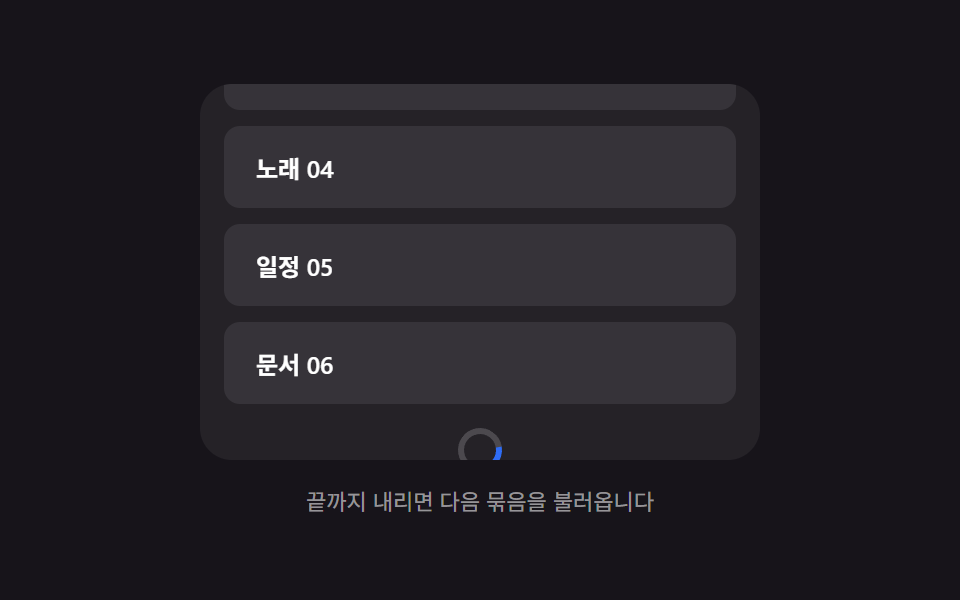 01 infinite-load-bottom-spinner-fade
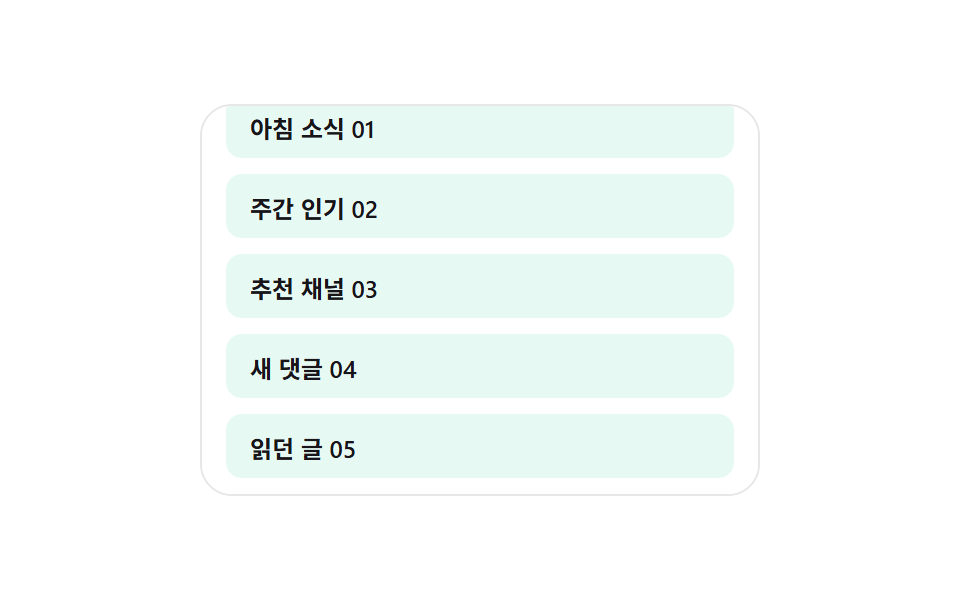 02 infinite-load-skeleton-row-append
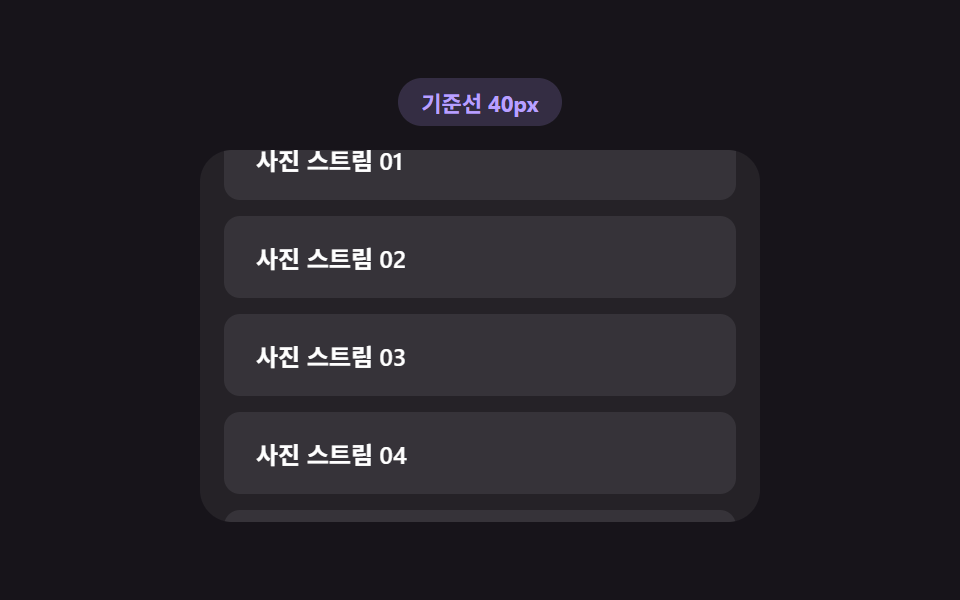 03 infinite-load-trigger-threshold
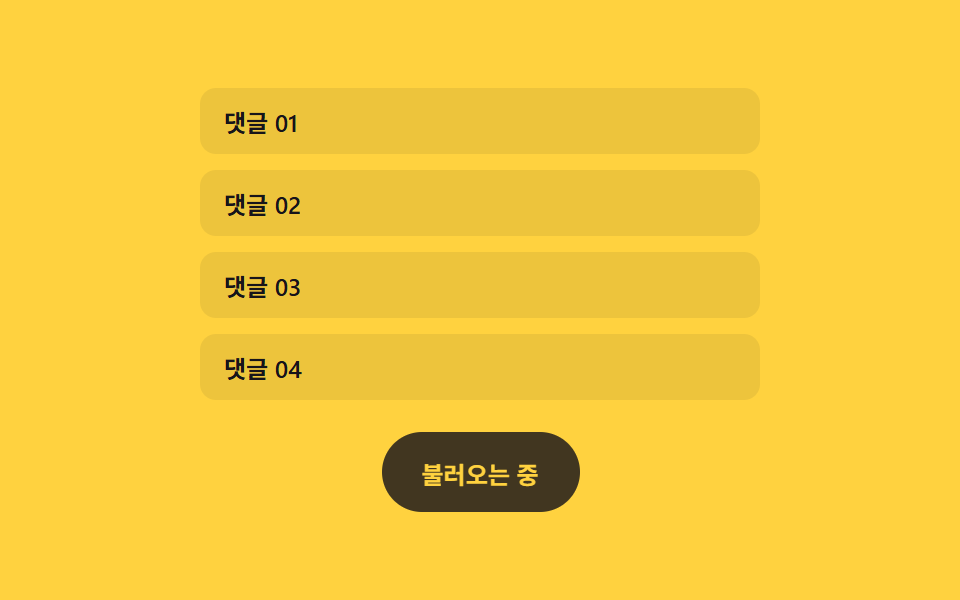 04 infinite-load-more-button-morph
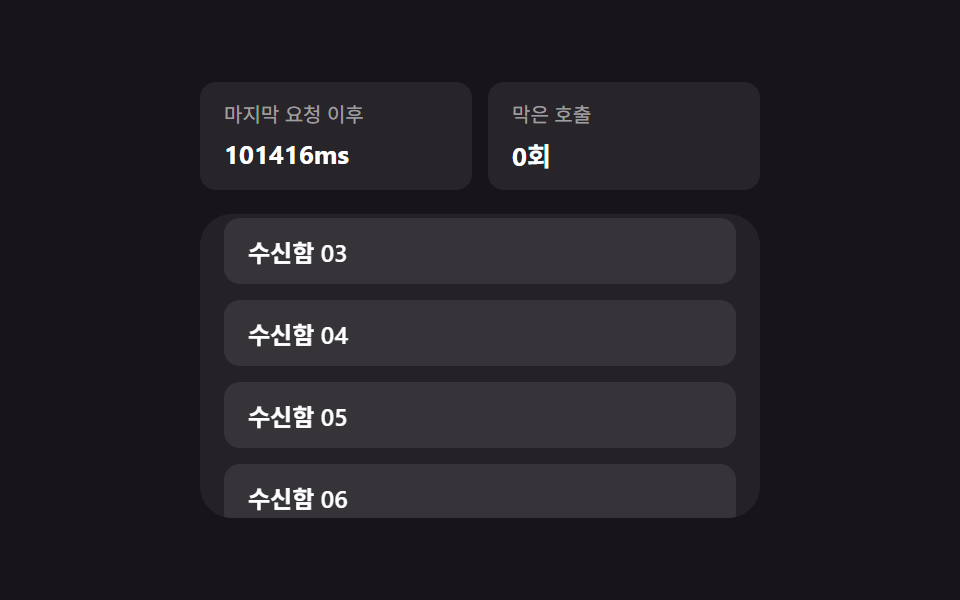 05 infinite-load-duplicate-guard
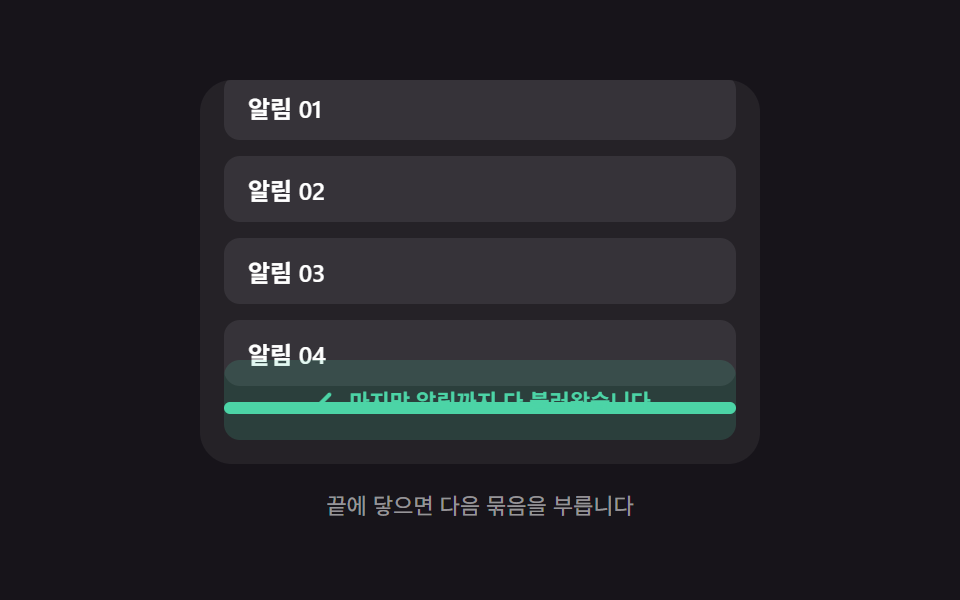 06 infinite-load-end-message-reveal
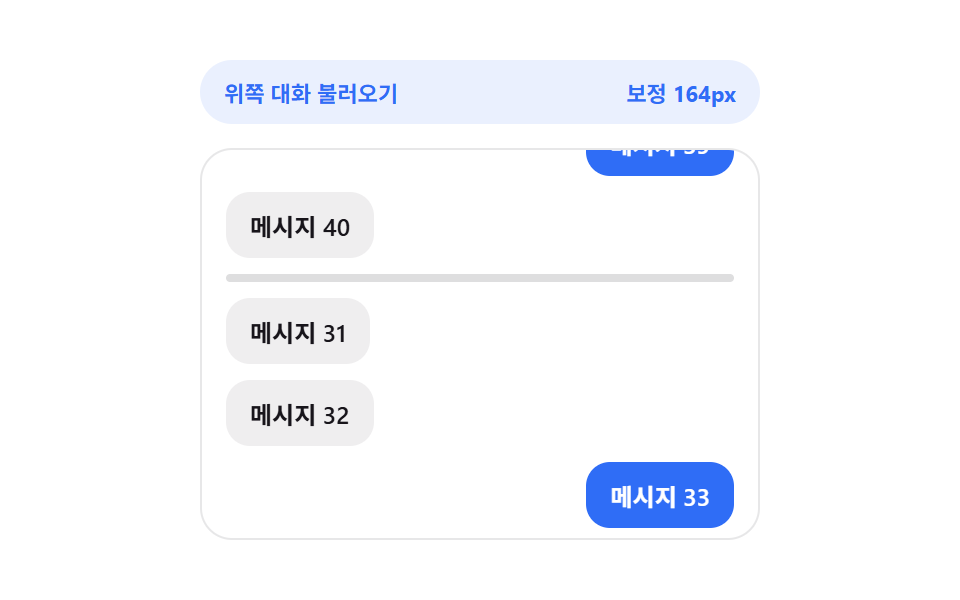 07 infinite-load-anchor-scroll-preserve
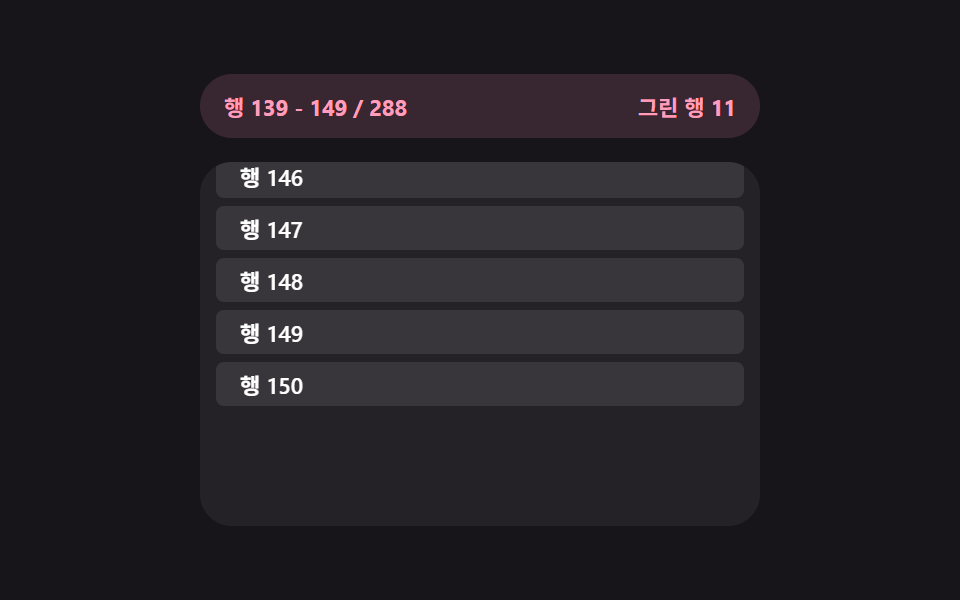 08 infinite-load-virtual-window-recalc
 09 infinite-load-retry-countdown
Auto-plays · click a tile to jump to its section · all nine in one zip
- 01 Bottom spinner fade — a loading indicator computing its opacity from the remaining scroll distance
- 02 Skeleton row append — a list computing its preview row count from the viewport height
- 03 Load trigger threshold — a list recomputing how early it starts loading from the scroll speed value
- 04 Load-more button morph — a button recomputing its width from the remaining item count
- 05 Duplicate-call guard — a list blocking its next request from a last-request timestamp value
- 06 End-of-list reveal — a message appearing once the remaining-item value reaches zero
- 07 Scroll anchor preserve — a list correcting its position by the height value added above
- 08 Virtual window recalc — a list rendering only the index range value currently visible
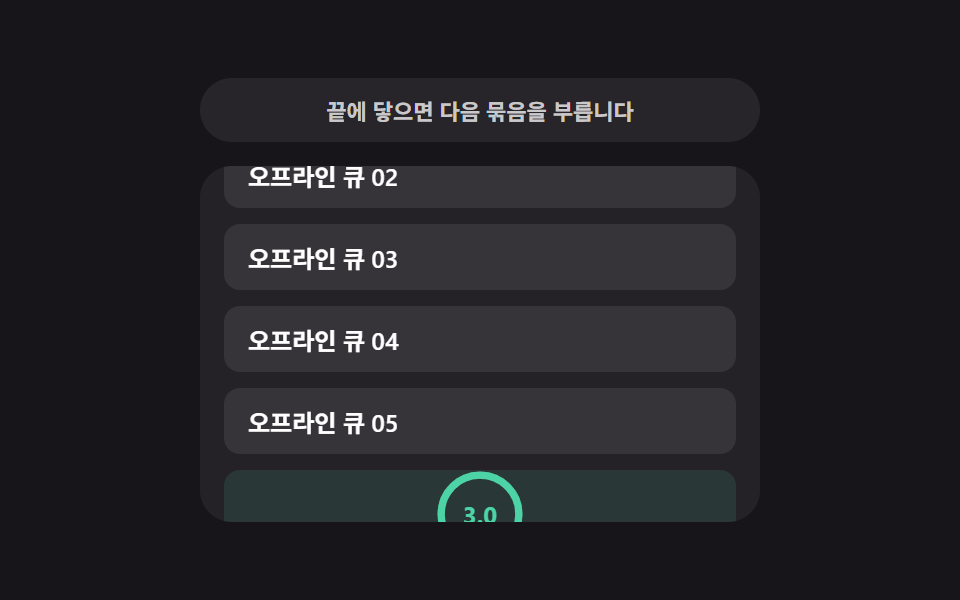
- 09 Retry countdown — a list re-attempting once its wait-time value counts down
None of the nine reach a real endpoint — every row, batch, and retry lives in a seeded local generator with a setTimeout standing in for network latency, and nothing here calls fetch or opens an XMLHttpRequest. All nine also answer something a visitor actually does: 01, 02, 03, 05, 06, 07, 08, and 09 each answer a real scroll event (plus wheel and touchstart, which hand control back to a visitor the instant they interact and stop the demo's own autoplay preview). Only 04 answers a plain click, since a load-more button has no scroll position to react to in the first place.
Anatomy of nine patterns — when each value recomputes
Nine patterns split into three ways of turning a scroll position, a fetch, or elapsed time into a value worth reacting to, and skipping this layer is what makes an infinite scroll loading animation read as a spinner glued to a scrollbar instead of something that actually measures anything.
Why three patterns recompute their value straight from scroll geometry on every scroll event
01, 03, and 08 each read the scroll position on every single scroll tick rather than waiting for anything else to happen. 01's recomputeFade reads the sentinel's and the view's getBoundingClientRect() on every tick, turns the gap between them into a 0–1 progress value against THRESHOLD_PX, and writes that value straight to the spinner's opacity. 03 also runs on every tick, but it recomputes the comparison value itself first — a threshold distance built from scroll speed — before checking whether the sentinel has crossed it. 08's renderWindow reads scrollTop on every tick and turns it into a start/end index pair instead of a single percentage, since a virtualized list has no single "how far along" number to fall back on.
Why three patterns recompute their value only around a fetch, not on every scroll tick
02, 04, and 07 recompute a value exactly once per request rather than continuously. 02's skeletonCountFor only runs the moment startLoad begins, dividing the remaining viewport height by ROW_H to decide how many placeholder rows to show. 04's morphTo only runs when a load-more click starts and again once new items land, recomputing the button's target width from the label's real rendered width via getBoundingClientRect() rather than a fixed size per state. 07 measures scrollHeight before and after inserting older messages and adds the difference to scrollTop only once that batch's setTimeout resolves — recomputing mid-scroll would correct a height that hasn't changed yet.
Why three patterns recompute their value from elapsed time or a completion count rather than scroll position
05, 06, and 09 answer a real scroll event too, but the value each one recomputes has nothing to do with distance. 05's tryRequest recomputes the gap between performance.now() and the last request's timestamp and compares it to COOLDOWN_MS, regardless of where the sentinel sits. 06 recomputes nothing at all once its remaining-item value hits zero — that's a completion count locking the calculation off, not a scroll position triggering it. 09's runCountdown recomputes a countdown value on a requestAnimationFrame loop after a request fails, driven purely by elapsed time until the next automatic retry fires.
Code per pattern
01Bottom spinner fade — a loading indicator computing its opacity from the remaining scroll distance
Once the list nears its end, the remaining scroll distance is used to recompute an opacity value that gradually deepens the loading indicator, and once new items arrive that value falls back to zero.
<main class="stage">
<div class="bsf is-demo" id="bsf">
  <div class="bsf__view" id="bsfView" tabindex="0">
    <ul class="bsf__track" id="bsfTrack" aria-live="polite">
      <li class="bsf__sentinel" id="bsfSentinel" aria-hidden="true">
        <span class="bsf__ring" id="bsfRing"></span>
      </li>
    </ul>
  </div>
  <p class="bsf__hint" id="bsfHint">Scroll to the bottom to load the next batch</p>
</div>
</main>
@use "../../../../site/static/demo-tokens" as *;
// 하단 스피너 페이드 — 스피너 불투명도는 표시 시간이 아니라 남은 스크롤 거리 값에서 매번
// 다시 계산된다(recomputeFade). 회전 각도도 CSS 키프레임이 아니라 rAF 로 매 틱 계산해 더한다.
$duration: $dur-base;
$easing: $ease-spring;
$color: $subject-blue;
@include stage($stage-ink);
.bsf {
display: flex;
flex-direction: column;
align-items: center;
gap: $sp-3;
width: min(100%, 280px);
}
.bsf__view {
position: relative;
box-sizing: border-box;
width: 100%;
height: 188px;
overflow-y: auto;
overflow-x: hidden;
border-radius: $r-card;
background: rgba(255, 255, 255, .06);
padding: $sp-3;
scrollbar-width: thin;
}
.bsf__track {
list-style: none;
margin: 0;
padding: 0 0 $sp-12;
display: flex;
flex-direction: column;
gap: $sp-2;
}
.bsf__row {
box-sizing: border-box;
padding: $sp-3 $sp-4;
border-radius: $r-sm;
background: rgba(255, 255, 255, .08);
color: $stage-paper;
font-weight: 600;
font-size: 12px;
}
.bsf__sentinel {
display: flex;
justify-content: center;
align-items: center;
height: 30px;
pointer-events: none;
}
.bsf__ring {
display: block;
width: 22px;
height: 22px;
opacity: 0;
border-radius: $r-pill;
border: 3px solid rgba(255, 255, 255, .18);
border-top-color: $color;
box-sizing: border-box;
}
.bsf__hint {
margin: 0;
font-size: 11px;
color: rgba(255, 255, 255, .55);
text-align: center;
}
@media (max-width: 340px) {
.bsf { gap: $sp-1; }
.bsf__view { height: 90px; }
.bsf__row { padding: $sp-2 $sp-3; font-size: 11px; }
}
@media (prefers-reduced-motion: reduce) {
.bsf__ring { animation: none !important; }
}html, body {
margin: 0;
overflow: hidden;
}
.stage {
box-sizing: border-box;
min-height: 100vh;
display: grid;
place-items: center;
margin: 0;
background: #17141a;
font-family: -apple-system, "Segoe UI", "Noto Sans KR", sans-serif;
padding: clamp(8px, 4vw, 24px);
}
.bsf {
display: flex;
flex-direction: column;
align-items: center;
gap: 12px;
width: min(100%, 280px);
}
.bsf__view {
position: relative;
box-sizing: border-box;
width: 100%;
height: 188px;
overflow-y: auto;
overflow-x: hidden;
border-radius: 16px;
background: rgba(255, 255, 255, 0.06);
padding: 12px;
scrollbar-width: thin;
}
.bsf__track {
list-style: none;
margin: 0;
padding: 0 0 48px;
display: flex;
flex-direction: column;
gap: 8px;
}
.bsf__row {
box-sizing: border-box;
padding: 12px 16px;
border-radius: 8px;
background: rgba(255, 255, 255, 0.08);
color: #ffffff;
font-weight: 600;
font-size: 12px;
}
.bsf__sentinel {
display: flex;
justify-content: center;
align-items: center;
height: 30px;
pointer-events: none;
}
.bsf__ring {
display: block;
width: 22px;
height: 22px;
opacity: 0;
border-radius: 999px;
border: 3px solid rgba(255, 255, 255, 0.18);
border-top-color: #2f6df6;
box-sizing: border-box;
}
.bsf__hint {
margin: 0;
font-size: 11px;
color: rgba(255, 255, 255, 0.55);
text-align: center;
}
@media (max-width: 340px) {
.bsf {
gap: 4px;
}
.bsf__view {
height: 90px;
}
.bsf__row {
padding: 8px 12px;
font-size: 11px;
}
}
@media (prefers-reduced-motion: reduce) {
.bsf__ring {
animation: none !important;
}
}(function () {
var view = document.getElementById('bsfView');
var track = document.getElementById('bsfTrack');
var sentinel = document.getElementById('bsfSentinel');
var ring = document.getElementById('bsfRing');
var hint = document.getElementById('bsfHint');
var root = document.getElementById('bsf');
var TOPICS = ['Alert', 'Note', 'Photo', 'Song', 'Event', 'Doc'];
var THRESHOLD_PX = 96; // 계산에 쓰는 임계 거리(스피너가 서서히 짙어지는 구간의 폭)
var LOAD_DELAY_MS = 620;
var BATCH_SIZE = 3;
var MAX_ROWS = 21;
var AUTOPLAY_STEP_PX = 6;
var rowCount = 0;
var loading = false;
var spinAngle = 0;
var spinRaf = null;
var autoplayTimer = null;
var dir = 1;
function addRow() {
var li = document.createElement('li');
li.className = 'bsf__row';
var topic = TOPICS[rowCount % TOPICS.length];
li.textContent = topic + ' ' + String(rowCount + 1).padStart(2, '0');
track.insertBefore(li, sentinel);
rowCount += 1;
}
for (var i = 0; i < 6; i += 1) { addRow(); }
function spinTick() {
spinAngle = (spinAngle + 9) % 360;
ring.style.transform = 'rotate(' + spinAngle + 'deg)';
if (loading) { spinRaf = requestAnimationFrame(spinTick); }
}
// 계산 겹: 스피너(sentinel) 상단과 스크롤 뷰 하단 사이의 실측 거리 값을 임계 거리로 나눠
// 0~1 진행값을 만들고, 그 값을 그대로 스피너 불투명도로 쓴다 — scrollTop 이 아니라
// getBoundingClientRect 로 잰 실제 화면 위 거리이므로 패딩·보더가 바뀌어도 계산이 맞는다.
  function recomputeFade() {
    var viewBottom = view.getBoundingClientRect().bottom;
    var sentinelTop = sentinel.getBoundingClientRect().top;
    var remaining = sentinelTop - viewBottom;
    var progress = 1 - Math.min(Math.max(remaining / THRESHOLD_PX, 0), 1);
    ring.style.opacity = String(progress);
    if (remaining <= 0 && !loading && rowCount < MAX_ROWS) {
      startLoad();
    }
    hint.textContent = (remaining <= 0 && rowCount >= MAX_ROWS)
      ? 'Scroll further to return to the start'
      : 'Scroll to the bottom to load the next batch';
  }
function startLoad() {
loading = true;
spinRaf = requestAnimationFrame(spinTick);
setTimeout(function () {
for (var n = 0; n < BATCH_SIZE && rowCount < MAX_ROWS; n += 1) { addRow(); }
loading = false;
cancelAnimationFrame(spinRaf);
recomputeFade();
}, LOAD_DELAY_MS);
}
view.addEventListener('scroll', recomputeFade);
function userTakesOver() {
if (!root.classList.contains('is-demo')) { return; }
root.classList.remove('is-demo');
stopAutoplay();
}
view.addEventListener('wheel', userTakesOver, { passive: true });
view.addEventListener('touchstart', userTakesOver, { passive: true });
function autoplayTick() {
var max = view.scrollHeight - view.clientHeight;
if (rowCount >= MAX_ROWS && view.scrollTop >= max - 1 && dir !== 0) {
dir = 0;
setTimeout(function () {
while (track.firstChild !== sentinel) { track.removeChild(track.firstChild); }
rowCount = 0;
for (var i = 0; i < 6; i += 1) { addRow(); }
view.scrollTop = 0;
dir = 1;
recomputeFade();
}, 500);
return;
}
if (dir === 0) { return; }
view.scrollTop = Math.min(view.scrollTop + AUTOPLAY_STEP_PX * dir, max);
recomputeFade();
}
function stopAutoplay() {
if (autoplayTimer) { clearInterval(autoplayTimer); autoplayTimer = null; }
}
var reduce = window.matchMedia('(prefers-reduced-motion: reduce)').matches;
if (!reduce) {
autoplayTimer = setInterval(autoplayTick, 60);
}
recomputeFade();
})();import { useEffect, useRef, useState, useCallback } from "react";
import type { ReactNode } from "react";
import styles from "./BottomSpinnerFade.module.scss";
// 하단 스피너 페이드 — 스피너 불투명도는 남은 스크롤 거리 값에서 매번 다시 계산된다.
// 계산 겹: getBoundingClientRect 로 잰 sentinel 상단-뷰 하단 거리를 임계 거리로 나눠 0~1 진행값.
const TOPICS = ["알림", "메모", "사진", "노래", "일정", "문서"];
const THRESHOLD_PX = 96;
const LOAD_DELAY_MS = 620;
const BATCH_SIZE = 3;
const MAX_ROWS = 21;
const AUTOPLAY_STEP_PX = 6;
type Spin = { angle: number };
export default function BottomSpinnerFade() {
const rootRef = useRef<HTMLDivElement>(null);
const viewRef = useRef<HTMLDivElement>(null);
const trackRef = useRef<HTMLUListElement>(null);
const sentinelRef = useRef<HTMLLIElement>(null);
const ringRef = useRef<HTMLSpanElement>(null);
const [rowCount, setRowCount] = useState(6);
const [hint, setHint] = useState("끝까지 내리면 다음 묶음을 불러옵니다");
const loadingRef = useRef(false);
const spinRef = useRef<Spin>({ angle: 0 });
const spinRafRef = useRef<number | null>(null);
const rowCountRef = useRef(6);
rowCountRef.current = rowCount;
const dirRef = useRef(1);
const autoplayRef = useRef<number | null>(null);
const addRows = useCallback((count: number) => {
setRowCount((prev) => Math.min(prev + count, MAX_ROWS));
}, []);
const spinTick = useCallback(() => {
const spin = spinRef.current ?? { angle: 0 };
spin.angle = (spin.angle + 9) % 360;
if (ringRef.current) {
ringRef.current.style.transform = `rotate(${spin.angle}deg)`;
}
if (loadingRef.current) {
spinRafRef.current = window.requestAnimationFrame(spinTick);
}
}, []);
// 계산 겹: 남은 스크롤 거리 값을 임계 거리로 나눠 0~1 진행값을 만들고 그 값을
// 스피너 불투명도로 그대로 쓴다 — 표시 시간이 아니라 거리 값 하나로 짙기가 정해진다.
const recomputeFade = useCallback(() => {
const view = viewRef.current;
const sentinel = sentinelRef.current;
const ring = ringRef.current;
if (!view || !sentinel || !ring) { return; }
const viewBottom = view.getBoundingClientRect().bottom;
const sentinelTop = sentinel.getBoundingClientRect().top;
const remaining = sentinelTop - viewBottom;
const progress = 1 - Math.min(Math.max(remaining / THRESHOLD_PX, 0), 1);
ring.style.opacity = String(progress);
const count = rowCountRef.current ?? 0;
setHint(remaining <= 0 && count >= MAX_ROWS
? "더 내리면 처음으로 되돌아갑니다"
: "끝까지 내리면 다음 묶음을 불러옵니다");
if (remaining <= 0 && !loadingRef.current && count < MAX_ROWS) {
loadingRef.current = true;
spinRafRef.current = window.requestAnimationFrame(spinTick);
window.setTimeout(() => {
addRows(BATCH_SIZE);
loadingRef.current = false;
if (spinRafRef.current !== null) { window.cancelAnimationFrame(spinRafRef.current); }
}, LOAD_DELAY_MS);
}
}, [addRows, spinTick]);
useEffect(() => {
const view = viewRef.current;
if (!view) { return; }
const onScroll = () => recomputeFade();
view.addEventListener("scroll", onScroll);
const takeover = () => {
rootRef.current?.classList.remove(styles["is-demo"]);
if (autoplayRef.current !== null) { window.clearInterval(autoplayRef.current); }
};
view.addEventListener("wheel", takeover, { passive: true });
view.addEventListener("touchstart", takeover, { passive: true });
const reduce = window.matchMedia("(prefers-reduced-motion: reduce)").matches;
if (!reduce) {
autoplayRef.current = window.setInterval(() => {
const v = viewRef.current;
if (!v) { return; }
const max = v.scrollHeight - v.clientHeight;
const count = rowCountRef.current ?? 0;
if (count >= MAX_ROWS && v.scrollTop >= max - 1 && dirRef.current !== 0) {
dirRef.current = 0;
window.setTimeout(() => {
setRowCount(6);
v.scrollTop = 0;
dirRef.current = 1;
recomputeFade();
}, 500);
return;
}
if (dirRef.current === 0) { return; }
v.scrollTop = Math.min(v.scrollTop + AUTOPLAY_STEP_PX, max);
recomputeFade();
}, 60);
}
recomputeFade();
return () => {
view.removeEventListener("scroll", onScroll);
view.removeEventListener("wheel", takeover);
view.removeEventListener("touchstart", takeover);
if (autoplayRef.current !== null) { window.clearInterval(autoplayRef.current); }
if (spinRafRef.current !== null) { window.cancelAnimationFrame(spinRafRef.current); }
};
}, [recomputeFade]);
const rows: ReactNode[] = [];
for (let i = 0; i < rowCount; i += 1) {
rows.push(
<li key={i} className={styles["bsf__row"]}>
{TOPICS[i % TOPICS.length]} {String(i + 1).padStart(2, "0")}
</li>
);
}
return (
<main className={styles.stage}>
<div ref={rootRef} className={`${styles.bsf} ${styles["is-demo"]}`} id="bsf">
<div ref={viewRef} className={styles["bsf__view"]} tabIndex={0}>
<ul ref={trackRef} className={styles["bsf__track"]} aria-live="polite">
{rows}
<li ref={sentinelRef} className={styles["bsf__sentinel"]} aria-hidden="true">
<span ref={ringRef} className={styles["bsf__ring"]} />
</li>
</ul>
</div>
<p className={styles["bsf__hint"]}>{hint}</p>
</div>
</main>
);
}01 · Bottom spinner fade — a loading indicator computing its opacity from the remaining scroll distance — Measured area 33.365% · moving frames 23/23Original by GODRICH · SCSS and React ship in the zip · See the password
What the numbers say
Across 23 tracked frames, 01 moves on all 23 of them, covering 33.37% cumulative area at a 33.9 average intensity, because the spinner's opacity is recomputed and repainted on essentially every scroll tick rather than only at the moment loading starts. THRESHOLD_PX sets how many pixels of runway the fade gets before recomputeFade reaches full opacity, and getBoundingClientRect is what turns the distance into real screen pixels rather than a raw scrollTop number that would drift if padding changed.
function recomputeFade() {
var viewBottom = view.getBoundingClientRect().bottom;
var sentinelTop = sentinel.getBoundingClientRect().top;
var remaining = sentinelTop - viewBottom;
var progress = 1 - Math.min(Math.max(remaining / THRESHOLD_PX, 0), 1);
ring.style.opacity = String(progress);
if (remaining <= 0 && !loading && rowCount < MAX_ROWS) {
startLoad();
}
hint.textContent = (remaining <= 0 && rowCount >= MAX_ROWS)
? 'Scroll further to return to the start'
: 'Scroll to the bottom to load the next batch';
}
02Skeleton row append — a list computing its preview row count from the viewport height
Once the next page starts loading, the remaining viewport height is divided by a single row's height to compute how many preview rows to show, and once real data arrives that same count of placeholders switches to content.
<main class="stage">
<div class="sra is-demo" id="sra">
  <div class="sra__view" id="sraView">
    <ul class="sra__track" id="sraTrack" aria-busy="false">
      <li class="sra__sentinel" id="sraSentinel" aria-hidden="true"></li>
    </ul>
  </div>
</div>
</main>
@use "../../../../site/static/demo-tokens" as *;
// 스켈레톤 행 이어붙이기 — 스켈레톤 개수는 skeletonCountFor() 가 실측 여백 높이 값을
// 행 높이 값으로 나눠 매번 다시 정한다. 도착하면 같은 자리(replaceChild)에 실제 내용이 앉는다.
$duration: $dur-base;
$easing: $ease-out;
$color: $subject-mint;
@include stage($stage-paper);
.sra {
width: min(100%, 280px);
}
.sra__view {
box-sizing: border-box;
width: 100%;
height: 196px;
overflow-y: auto;
overflow-x: hidden;
border-radius: $r-card;
border: 1px solid rgba(23, 20, 26, .1);
background: $stage-paper;
padding: $sp-3;
scrollbar-width: thin;
}
.sra__track {
list-style: none;
margin: 0;
padding: 0;
display: flex;
flex-direction: column;
gap: $sp-2;
}
.sra__row {
box-sizing: border-box;
height: 32px;
display: flex;
align-items: center;
padding: 0 $sp-3;
border-radius: $r-sm;
background: rgba(76, 212, 166, .14);
color: $subject-ink;
font-weight: 600;
font-size: 12px;
}
.sra__row--skeleton {
background: linear-gradient(
100deg,
rgba(23, 20, 26, .07) 30%,
rgba(23, 20, 26, .14) 45%,
rgba(23, 20, 26, .07) 60%
);
background-size: 240% 100%;
animation: sraShimmer 1.1s ease-in-out infinite;
animation-delay: calc(var(--stagger, 0) * -120ms);
}
.sra__sentinel {
height: 1px;
}
@keyframes sraShimmer {
0% { background-position: 120% 0; }
100% { background-position: -20% 0; }
}
@media (max-width: 340px) {
.sra__view { height: 168px; }
.sra__row { height: 28px; font-size: 11px; }
}
@media (prefers-reduced-motion: reduce) {
.sra__row--skeleton { animation: none !important; }
}html, body {
margin: 0;
overflow: hidden;
}
.stage {
box-sizing: border-box;
min-height: 100vh;
display: grid;
place-items: center;
margin: 0;
background: #ffffff;
font-family: -apple-system, "Segoe UI", "Noto Sans KR", sans-serif;
padding: clamp(8px, 4vw, 24px);
}
.sra {
width: min(100%, 280px);
}
.sra__view {
box-sizing: border-box;
width: 100%;
height: 196px;
overflow-y: auto;
overflow-x: hidden;
border-radius: 16px;
border: 1px solid rgba(23, 20, 26, 0.1);
background: #ffffff;
padding: 12px;
scrollbar-width: thin;
}
.sra__track {
list-style: none;
margin: 0;
padding: 0;
display: flex;
flex-direction: column;
gap: 8px;
}
.sra__row {
box-sizing: border-box;
height: 32px;
display: flex;
align-items: center;
padding: 0 12px;
border-radius: 8px;
background: rgba(76, 212, 166, 0.14);
color: #17141a;
font-weight: 600;
font-size: 12px;
}
.sra__row--skeleton {
background: linear-gradient(100deg, rgba(23, 20, 26, 0.07) 30%, rgba(23, 20, 26, 0.14) 45%, rgba(23, 20, 26, 0.07) 60%);
background-size: 240% 100%;
animation: sraShimmer 1.1s ease-in-out infinite;
animation-delay: calc(var(--stagger, 0) * -120ms);
}
.sra__sentinel {
height: 1px;
}
@keyframes sraShimmer {
0% {
background-position: 120% 0;
}
100% {
background-position: -20% 0;
}
}
@media (max-width: 340px) {
.sra__view {
height: 168px;
}
.sra__row {
height: 28px;
font-size: 11px;
}
}
@media (prefers-reduced-motion: reduce) {
.sra__row--skeleton {
animation: none !important;
}
}(function () {
var view = document.getElementById('sraView');
var track = document.getElementById('sraTrack');
var sentinel = document.getElementById('sraSentinel');
var root = document.getElementById('sra');
var ROW_H = 40; // Row 하나의 높이 값 — 미리보기 Row 개수 계산의 분모
var TITLES = ['Morning brief', 'Weekly top', 'Suggested channels', 'New comments', 'Reading list', 'Bookmarks'];
var LOAD_DELAY_MS = 680;
var MAX_BATCHES = 4;
var rowSeq = 0;
var batches = 0;
var loading = false;
var dir = 1;
var autoplayTimer = null;
function realRow(n) {
var li = document.createElement('li');
li.className = 'sra__row';
li.textContent = TITLES[n % TITLES.length] + ' ' + String(n + 1).padStart(2, '0');
return li;
}
function fillInitial() {
var need = Math.ceil(view.clientHeight / ROW_H);
for (var i = 0; i < need; i += 1) {
track.insertBefore(realRow(rowSeq), sentinel);
rowSeq += 1;
}
}
fillInitial();
// 계산 겹: 지금 남아 있는 화면 높이 값을 Row 하나의 높이 값으로 나눠 미리 보여줄
// 스켈레톤 Row 개수를 구한다 — 화면이 클수록, 스크롤 여유가 클수록 더 많이 깜빡인다.
function skeletonCountFor() {
var remainingViewport = view.getBoundingClientRect().bottom - sentinel.getBoundingClientRect().top;
var visible = Math.max(remainingViewport, view.clientHeight);
return Math.max(2, Math.ceil(visible / ROW_H));
}
function startLoad() {
if (loading || batches >= MAX_BATCHES) { return; }
loading = true;
track.setAttribute('aria-busy', 'true');
var count = skeletonCountFor();
var skeletons = [];
for (var i = 0; i < count; i += 1) {
var li = document.createElement('li');
li.className = 'sra__row sra__row--skeleton';
li.style.setProperty('--stagger', String(i));
track.insertBefore(li, sentinel);
skeletons.push(li);
}
setTimeout(function () {
skeletons.forEach(function (sk, i) {
var real = realRow(rowSeq);
rowSeq += 1;
track.replaceChild(real, sk);
});
loading = false;
batches += 1;
track.setAttribute('aria-busy', 'false');
recompute();
}, LOAD_DELAY_MS);
}
function recompute() {
var remaining = sentinel.getBoundingClientRect().top - view.getBoundingClientRect().bottom;
if (remaining <= 24 && !loading) { startLoad(); }
}
view.addEventListener('scroll', recompute);
function userTakesOver() {
if (!root.classList.contains('is-demo')) { return; }
root.classList.remove('is-demo');
stopAutoplay();
}
view.addEventListener('wheel', userTakesOver, { passive: true });
view.addEventListener('touchstart', userTakesOver, { passive: true });
function autoplayTick() {
var max = view.scrollHeight - view.clientHeight;
if (batches >= MAX_BATCHES && view.scrollTop >= max - 1 && dir !== 0) {
dir = 0;
setTimeout(function () {
while (track.firstChild !== sentinel) { track.removeChild(track.firstChild); }
rowSeq = 0; batches = 0;
fillInitial();
view.scrollTop = 0;
dir = 1;
}, 600);
return;
}
if (dir === 0) { return; }
view.scrollTop = Math.min(view.scrollTop + 6, max);
recompute();
}
function stopAutoplay() {
if (autoplayTimer) { clearInterval(autoplayTimer); autoplayTimer = null; }
}
var reduce = window.matchMedia('(prefers-reduced-motion: reduce)').matches;
if (!reduce) {
autoplayTimer = setInterval(autoplayTick, 60);
}
})();import { useEffect, useRef, useState, useCallback } from "react";
import type { ReactNode, CSSProperties } from "react";
import styles from "./SkeletonRowAppend.module.scss";
// 스켈레톤 행 이어붙이기 — skeletonCountFor() 가 실측 여백 높이 값을 행 높이 값으로 나눠
// 미리 보여줄 스켈레톤 행 개수를 다시 구한다. 도착하면 같은 자리에 실제 내용이 앉는다.
const ROW_H = 40;
const TITLES = ["아침 소식", "주간 인기", "추천 채널", "새 댓글", "읽던 글", "북마크"];
const LOAD_DELAY_MS = 680;
const MAX_BATCHES = 4;
export default function SkeletonRowAppend() {
const rootRef = useRef<HTMLDivElement>(null);
const viewRef = useRef<HTMLDivElement>(null);
const sentinelRef = useRef<HTMLLIElement>(null);
const [rows, setRows] = useState<string[]>([]);
const [skeletons, setSkeletons] = useState<number>(0);
const rowSeqRef = useRef(0);
const batchesRef = useRef(0);
const loadingRef = useRef(false);
const dirRef = useRef(1);
const autoplayRef = useRef<number | null>(null);
const realRow = useCallback((n: number) => {
return TITLES[n % TITLES.length] + " " + String(n + 1).padStart(2, "0");
}, []);
const fillInitial = useCallback(() => {
const view = viewRef.current;
if (!view) { return; }
const need = Math.ceil(view.clientHeight / ROW_H);
const start: string[] = [];
for (let i = 0; i < need; i += 1) {
start.push(realRow(rowSeqRef.current ?? 0));
rowSeqRef.current = (rowSeqRef.current ?? 0) + 1;
}
setRows(start);
}, [realRow]);
// 계산 겹: 지금 남아 있는 화면 높이 값을 행 하나의 높이 값으로 나눠 미리 보여줄
// 스켈레톤 행 개수를 구한다 — 화면이 클수록 더 많이 채운다.
const skeletonCountFor = useCallback(() => {
const view = viewRef.current;
const sentinel = sentinelRef.current;
if (!view || !sentinel) { return 2; }
const remainingViewport = view.getBoundingClientRect().bottom - sentinel.getBoundingClientRect().top;
const visible = Math.max(remainingViewport, view.clientHeight);
return Math.max(2, Math.ceil(visible / ROW_H));
}, []);
const recompute = useCallback(() => {
const view = viewRef.current;
const sentinel = sentinelRef.current;
if (!view || !sentinel) { return; }
const remaining = sentinel.getBoundingClientRect().top - view.getBoundingClientRect().bottom;
if (remaining <= 24 && !loadingRef.current && (batchesRef.current ?? 0) < MAX_BATCHES) {
loadingRef.current = true;
const count = skeletonCountFor();
setSkeletons(count);
window.setTimeout(() => {
setRows((prev) => {
const next = [...prev];
for (let i = 0; i < count; i += 1) {
next.push(realRow(rowSeqRef.current ?? 0));
rowSeqRef.current = (rowSeqRef.current ?? 0) + 1;
}
return next;
});
setSkeletons(0);
loadingRef.current = false;
batchesRef.current = (batchesRef.current ?? 0) + 1;
}, LOAD_DELAY_MS);
}
}, [realRow, skeletonCountFor]);
useEffect(() => {
fillInitial();
const view = viewRef.current;
if (!view) { return; }
const onScroll = () => recompute();
view.addEventListener("scroll", onScroll);
const takeover = () => {
rootRef.current?.classList.remove(styles["is-demo"]);
if (autoplayRef.current !== null) { window.clearInterval(autoplayRef.current); }
};
view.addEventListener("wheel", takeover, { passive: true });
view.addEventListener("touchstart", takeover, { passive: true });
const reduce = window.matchMedia("(prefers-reduced-motion: reduce)").matches;
if (!reduce) {
autoplayRef.current = window.setInterval(() => {
const v = viewRef.current;
if (!v) { return; }
const max = v.scrollHeight - v.clientHeight;
if ((batchesRef.current ?? 0) >= MAX_BATCHES && v.scrollTop >= max - 1 && dirRef.current !== 0) {
dirRef.current = 0;
window.setTimeout(() => {
rowSeqRef.current = 0;
batchesRef.current = 0;
fillInitial();
v.scrollTop = 0;
dirRef.current = 1;
}, 600);
return;
}
if (dirRef.current === 0) { return; }
v.scrollTop = Math.min(v.scrollTop + 6, max);
recompute();
}, 60);
}
return () => {
view.removeEventListener("scroll", onScroll);
view.removeEventListener("wheel", takeover);
view.removeEventListener("touchstart", takeover);
if (autoplayRef.current !== null) { window.clearInterval(autoplayRef.current); }
};
}, [fillInitial, recompute]);
const skeletonEls: ReactNode[] = [];
return (
<main className={styles.stage}>
<div ref={rootRef} className={`${styles.sra} ${styles["is-demo"]}`} id="sra">
<div ref={viewRef} className={styles["sra__view"]}>
<ul className={styles["sra__track"]} aria-busy={skeletons > 0}>
{rows.map((text, i) => (
<li key={"r" + i} className={styles["sra__row"]}>{text}</li>
))}
{Array.from({ length: skeletons }).map((_, i) => (
<li
key={"s" + i}
className={`${styles["sra__row"]} ${styles["sra__row--skeleton"]}`}
style={{ "--stagger": i } as CSSProperties}
/>
))}
<li ref={sentinelRef} className={styles["sra__sentinel"]} aria-hidden="true" />
</ul>
</div>
</div>
</main>
);
}02 · Skeleton row append — a list computing its preview row count from the viewport height — Measured area 34.218% · moving frames 21/23Original by GODRICH · SCSS and React ship in the zip · See the password
What the numbers say
Across 23 tracked frames, 02 moves on 21 of them, covering 34.22% cumulative area at a 42.1 average intensity — the highest cumulative area of the nine, since a whole batch of skeleton rows paints in at once rather than one row at a time. ROW_H is the divisor skeletonCountFor uses to turn leftover pixels into a row count, and each skeleton row also gets its own --stagger custom property so its shimmer's animation-delay offsets by row instead of every row flashing in sync.
  // Computed layer: divide the viewport height still left above the sentinel by a single
  // row's height to decide how many skeleton rows to show — bigger screens and more
  // scroll headroom both mean more placeholders blink in before real content lands.
  function skeletonCountFor() {
    var remainingViewport = view.getBoundingClientRect().bottom - sentinel.getBoundingClientRect().top;
    var visible = Math.max(remainingViewport, view.clientHeight);
    return Math.max(2, Math.ceil(visible / ROW_H));
  }

  function startLoad() {
    if (loading || batches >= MAX_BATCHES) { return; }
    loading = true;
    track.setAttribute('aria-busy', 'true');
    var count = skeletonCountFor();
03Load trigger threshold — a list recomputing how early it starts loading from the scroll speed value
Once the scroll speed increases, the value for how far ahead of the edge to start loading is recomputed and the next page is requested that much earlier, and once the speed slows that value shrinks back.
<main class="stage">
<div class="ltt is-demo" id="ltt">
  <div class="ltt__badge" id="lttBadge">Threshold 40px</div>
  <div class="ltt__view" id="lttView">
    <ul class="ltt__track" id="lttTrack">
      <li class="ltt__sentinel" id="lttSentinel" aria-hidden="true">
        <span class="ltt__dot" id="lttDot"></span>
      </li>
    </ul>
  </div>
</div>
</main>
@use "../../../../site/static/demo-tokens" as *;
// 로딩 시작 기준선 — recomputeThreshold() 가 스크롤 속도(px/ms)로 기준선 거리를 다시 계산한다.
// 점(dot)은 그 기준선 안에 들어오면 armed, 실제 로드 중이면 loading 클래스로 색이 바뀐다.
$duration: $dur-quick;
$easing: $ease-out;
$color: $subject-lilac;
@include stage($stage-ink);
.ltt {
display: flex;
flex-direction: column;
align-items: center;
gap: $sp-3;
width: min(100%, 280px);
}
.ltt__badge {
padding: $sp-1 $sp-3;
border-radius: $r-pill;
background: rgba(185, 160, 255, .18);
color: $color;
font-weight: 700;
font-size: 11px;
font-variant-numeric: tabular-nums;
}
.ltt__view {
box-sizing: border-box;
width: 100%;
height: 186px;
overflow-y: auto;
overflow-x: hidden;
border-radius: $r-card;
background: rgba(255, 255, 255, .06);
padding: $sp-3;
scrollbar-width: thin;
}
.ltt__track {
list-style: none;
margin: 0;
padding: 0;
display: flex;
flex-direction: column;
gap: $sp-2;
}
.ltt__row {
box-sizing: border-box;
padding: $sp-3 $sp-4;
border-radius: $r-sm;
background: rgba(255, 255, 255, .08);
color: $stage-paper;
font-weight: 600;
font-size: 12px;
}
.ltt__sentinel {
display: flex;
justify-content: center;
height: 26px;
align-items: center;
}
.ltt__dot {
width: 10px;
height: 10px;
border-radius: 50%;
background: rgba(255, 255, 255, .2);
transition: background $duration $easing, transform $duration $easing;
}
.ltt__dot--armed {
background: $color;
transform: scale(1.3);
}
.ltt__dot--loading {
background: $subject-sky;
transform: scale(1.6);
}
@media (max-width: 340px) {
.ltt { gap: $sp-1; }
.ltt__view { height: 90px; }
.ltt__row { padding: $sp-2 $sp-3; font-size: 11px; }
}
@media (prefers-reduced-motion: reduce) {
.ltt__dot { transition: none !important; }
}html, body {
margin: 0;
overflow: hidden;
}
.stage {
box-sizing: border-box;
min-height: 100vh;
display: grid;
place-items: center;
margin: 0;
background: #17141a;
font-family: -apple-system, "Segoe UI", "Noto Sans KR", sans-serif;
padding: clamp(8px, 4vw, 24px);
}
.ltt {
display: flex;
flex-direction: column;
align-items: center;
gap: 12px;
width: min(100%, 280px);
}
.ltt__badge {
padding: 4px 12px;
border-radius: 999px;
background: rgba(185, 160, 255, 0.18);
color: #b9a0ff;
font-weight: 700;
font-size: 11px;
font-variant-numeric: tabular-nums;
}
.ltt__view {
box-sizing: border-box;
width: 100%;
height: 186px;
overflow-y: auto;
overflow-x: hidden;
border-radius: 16px;
background: rgba(255, 255, 255, 0.06);
padding: 12px;
scrollbar-width: thin;
}
.ltt__track {
list-style: none;
margin: 0;
padding: 0;
display: flex;
flex-direction: column;
gap: 8px;
}
.ltt__row {
box-sizing: border-box;
padding: 12px 16px;
border-radius: 8px;
background: rgba(255, 255, 255, 0.08);
color: #ffffff;
font-weight: 600;
font-size: 12px;
}
.ltt__sentinel {
display: flex;
justify-content: center;
height: 26px;
align-items: center;
}
.ltt__dot {
width: 10px;
height: 10px;
border-radius: 50%;
background: rgba(255, 255, 255, 0.2);
transition: background 220ms ease-out, transform 220ms ease-out;
}
.ltt__dot--armed {
background: #b9a0ff;
transform: scale(1.3);
}
.ltt__dot--loading {
background: #6ec8ff;
transform: scale(1.6);
}
@media (max-width: 340px) {
.ltt {
gap: 4px;
}
.ltt__view {
height: 90px;
}
.ltt__row {
padding: 8px 12px;
font-size: 11px;
}
}
@media (prefers-reduced-motion: reduce) {
.ltt__dot {
transition: none !important;
}
}(function () {
var view = document.getElementById('lttView');
var track = document.getElementById('lttTrack');
var sentinel = document.getElementById('lttSentinel');
var dot = document.getElementById('lttDot');
var badge = document.getElementById('lttBadge');
var root = document.getElementById('ltt');
var BASE_THRESHOLD_PX = 40;
var MAX_THRESHOLD_PX = 220;
var SPEED_GAIN = 900; // px 임계값 = BASE + 속도(px/ms) * GAIN
var LOAD_DELAY_MS = 520;
var MAX_BATCHES = 5;
var rowSeq = 0;
var batches = 0;
var loading = false;
var lastTop = 0;
var lastTime = performance.now();
var threshold = BASE_THRESHOLD_PX;
var dir = 1;
var phase = 0;
var autoplayTimer = null;
function addRow() {
var li = document.createElement('li');
li.className = 'ltt__row';
li.textContent = 'Photo stream ' + String(rowSeq + 1).padStart(2, '0');
track.insertBefore(li, sentinel);
rowSeq += 1;
}
for (var i = 0; i < 6; i += 1) { addRow(); }
// 계산 겹: 이번 스크롤 이벤트와 지난 이벤트 사이의 이동 거리 값을 걸린 시간 값으로 나눠
// 속도(px/ms)를 구하고, 그 속도에 비례해 Threshold 거리 값을 다시 계산한다 — 빠르게 훑을수록
// 화면 끝에 닿기 전에 더 일찍 다음 목록을 부른다.
function recomputeThreshold() {
var now = performance.now();
var dt = Math.max(now - lastTime, 1);
var speed = Math.abs(view.scrollTop - lastTop) / dt;
lastTop = view.scrollTop;
lastTime = now;
threshold = Math.min(BASE_THRESHOLD_PX + speed * SPEED_GAIN, MAX_THRESHOLD_PX);
badge.textContent = 'Threshold ' + Math.round(threshold) + 'px';
}
function recompute() {
recomputeThreshold();
var remaining = sentinel.getBoundingClientRect().top - view.getBoundingClientRect().bottom;
dot.classList.toggle('ltt__dot--armed', remaining <= threshold);
if (remaining <= threshold && !loading && batches < MAX_BATCHES) { startLoad(); }
}
function startLoad() {
loading = true;
dot.classList.add('ltt__dot--loading');
setTimeout(function () {
for (var n = 0; n < 3; n += 1) { addRow(); }
loading = false;
batches += 1;
dot.classList.remove('ltt__dot--loading');
recompute();
}, LOAD_DELAY_MS);
}
view.addEventListener('scroll', recompute);
function userTakesOver() {
if (!root.classList.contains('is-demo')) { return; }
root.classList.remove('is-demo');
stopAutoplay();
}
view.addEventListener('wheel', userTakesOver, { passive: true });
view.addEventListener('touchstart', userTakesOver, { passive: true });
function autoplayTick() {
var max = view.scrollHeight - view.clientHeight;
if (batches >= MAX_BATCHES && view.scrollTop >= max - 1 && dir !== 0) {
dir = 0;
setTimeout(function () {
while (track.firstChild !== sentinel) { track.removeChild(track.firstChild); }
rowSeq = 0; batches = 0; phase = 0;
for (var i = 0; i < 6; i += 1) { addRow(); }
view.scrollTop = 0; lastTop = 0;
dir = 1;
}, 600);
return;
}
if (dir === 0) { return; }
phase += 1;
var step = (phase % 40 < 20) ? 2 : 14; // 느린 구간과 빠른 구간을 번갈아 속도 계산이 보이게
view.scrollTop = Math.min(view.scrollTop + step, max);
recompute();
}
function stopAutoplay() {
if (autoplayTimer) { clearInterval(autoplayTimer); autoplayTimer = null; }
}
var reduce = window.matchMedia('(prefers-reduced-motion: reduce)').matches;
if (!reduce) {
autoplayTimer = setInterval(autoplayTick, 55);
}
})();import { useEffect, useRef, useState, useCallback } from "react";
import styles from "./LoadTriggerThreshold.module.scss";
// 로딩 시작 기준선 — recomputeThreshold() 가 스크롤 속도(px/ms)로 기준선 거리를 다시 계산한다.
// 빠르게 훑을수록 화면 끝에 닿기 전에 더 일찍 다음 목록을 부른다.
const BASE_THRESHOLD_PX = 40;
const MAX_THRESHOLD_PX = 220;
const SPEED_GAIN = 900;
const LOAD_DELAY_MS = 520;
const MAX_BATCHES = 5;
export default function LoadTriggerThreshold() {
const rootRef = useRef<HTMLDivElement>(null);
const viewRef = useRef<HTMLDivElement>(null);
const sentinelRef = useRef<HTMLLIElement>(null);
const dotRef = useRef<HTMLSpanElement>(null);
const [badge, setBadge] = useState("기준선 40px");
const [rows, setRows] = useState(6);
const loadingRef = useRef(false);
const batchesRef = useRef(0);
const lastTopRef = useRef(0);
const lastTimeRef = useRef(0);
const thresholdRef = useRef(BASE_THRESHOLD_PX);
const phaseRef = useRef(0);
const dirRef = useRef(1);
const autoplayRef = useRef<number | null>(null);
// 계산 겹: 이번 스크롤 이벤트와 지난 이벤트 사이의 이동 거리 값을 걸린 시간 값으로 나눠
// 속도(px/ms)를 구하고, 그 속도에 비례해 기준선 거리 값을 다시 계산한다.
const recomputeThreshold = useCallback(() => {
const view = viewRef.current;
if (!view) { return; }
const now = performance.now();
const dt = Math.max(now - (lastTimeRef.current ?? now), 1);
const speed = Math.abs(view.scrollTop - (lastTopRef.current ?? 0)) / dt;
lastTopRef.current = view.scrollTop;
lastTimeRef.current = now;
thresholdRef.current = Math.min(BASE_THRESHOLD_PX + speed * SPEED_GAIN, MAX_THRESHOLD_PX);
setBadge("기준선 " + Math.round(thresholdRef.current) + "px");
}, []);
const recompute = useCallback(() => {
const view = viewRef.current;
const sentinel = sentinelRef.current;
const dot = dotRef.current;
if (!view || !sentinel || !dot) { return; }
recomputeThreshold();
const remaining = sentinel.getBoundingClientRect().top - view.getBoundingClientRect().bottom;
const threshold = thresholdRef.current ?? BASE_THRESHOLD_PX;
dot.classList.toggle(styles["ltt__dot--armed"], remaining <= threshold);
if (remaining <= threshold && !loadingRef.current && (batchesRef.current ?? 0) < MAX_BATCHES) {
loadingRef.current = true;
dot.classList.add(styles["ltt__dot--loading"]);
window.setTimeout(() => {
setRows((prev) => prev + 3);
loadingRef.current = false;
batchesRef.current = (batchesRef.current ?? 0) + 1;
dot.classList.remove(styles["ltt__dot--loading"]);
}, LOAD_DELAY_MS);
}
}, [recomputeThreshold]);
useEffect(() => {
lastTimeRef.current = performance.now();
const view = viewRef.current;
if (!view) { return; }
const onScroll = () => recompute();
view.addEventListener("scroll", onScroll);
const takeover = () => {
rootRef.current?.classList.remove(styles["is-demo"]);
if (autoplayRef.current !== null) { window.clearInterval(autoplayRef.current); }
};
view.addEventListener("wheel", takeover, { passive: true });
view.addEventListener("touchstart", takeover, { passive: true });
const reduce = window.matchMedia("(prefers-reduced-motion: reduce)").matches;
if (!reduce) {
autoplayRef.current = window.setInterval(() => {
const v = viewRef.current;
if (!v) { return; }
const max = v.scrollHeight - v.clientHeight;
if ((batchesRef.current ?? 0) >= MAX_BATCHES && v.scrollTop >= max - 1 && dirRef.current !== 0) {
dirRef.current = 0;
window.setTimeout(() => {
setRows(6);
batchesRef.current = 0;
phaseRef.current = 0;
v.scrollTop = 0;
lastTopRef.current = 0;
dirRef.current = 1;
}, 600);
return;
}
if (dirRef.current === 0) { return; }
phaseRef.current = (phaseRef.current ?? 0) + 1;
const step = ((phaseRef.current ?? 0) % 40 < 20) ? 2 : 14; // 느린/빠른 구간 번갈아
v.scrollTop = Math.min(v.scrollTop + step, max);
recompute();
}, 55);
}
return () => {
view.removeEventListener("scroll", onScroll);
view.removeEventListener("wheel", takeover);
view.removeEventListener("touchstart", takeover);
if (autoplayRef.current !== null) { window.clearInterval(autoplayRef.current); }
};
}, [recompute]);
const rowEls = [];
for (let i = 0; i < rows; i += 1) {
rowEls.push(
<li key={i} className={styles["ltt__row"]}>
사진 스트림 {String(i + 1).padStart(2, "0")}
</li>
);
}
return (
<main className={styles.stage}>
<div ref={rootRef} className={`${styles.ltt} ${styles["is-demo"]}`} id="ltt">
<div className={styles["ltt__badge"]}>{badge}</div>
<div ref={viewRef} className={styles["ltt__view"]}>
<ul className={styles["ltt__track"]}>
{rowEls}
<li ref={sentinelRef} className={styles["ltt__sentinel"]} aria-hidden="true">
<span ref={dotRef} className={styles["ltt__dot"]} />
</li>
</ul>
</div>
</div>
</main>
);
}03 · Load trigger threshold — a list recomputing how early it starts loading from the scroll speed value — Measured area 33.015% · moving frames 23/23Original by GODRICH · SCSS and React ship in the zip · See the password
What the numbers say
Across 23 tracked frames, 03 moves on all 23 of them, covering 33.02% cumulative area at a 48.8 average intensity, since the badge showing the live threshold value repaints on every tick alongside the sentinel dot. recomputeThreshold turns a measured performance.now() delta into a px/ms speed and multiplies it by SPEED_GAIN before capping the result, which is what lets a fast flick through the list start loading noticeably earlier than a slow, deliberate scroll.
  // Computed layer: divide the distance moved since the last scroll event by the elapsed
  // time to get a speed, then scale the trigger threshold by that speed — scrolling faster
  // means the next page is requested earlier, before the sentinel reaches the edge.
  function recomputeThreshold() {
    var now = performance.now();
    var dt = Math.max(now - lastTime, 1);
    var speed = Math.abs(view.scrollTop - lastTop) / dt;
    lastTop = view.scrollTop;
    lastTime = now;
    threshold = Math.min(BASE_THRESHOLD_PX + speed * SPEED_GAIN, MAX_THRESHOLD_PX);
    badge.textContent = 'Threshold ' + Math.round(threshold) + 'px';
  }
04Load-more button morph — a button recomputing its width from the remaining item count
Once a load-more request starts, the button's width value is recomputed to fit a waiting display, and once the next items arrive it returns to its original width or a completed display depending on the remaining-count value.
<main class="stage">
<div class="lbm is-demo" id="lbm">
  <ul class="lbm__list" id="lbmList"></ul>
  <button class="lbm__btn" id="lbmBtn" type="button">
    <span class="lbm__label" id="lbmLabel">Load more (24)</span>
  </button>
</div>
</main>
@use "../../../../site/static/demo-tokens" as *;
// 더 보기 버튼 모핑 — morphTo() 가 라벨의 실측 폭 + 여백을 목표 너비로 삼고,
// 매 프레임 현재 너비를 목표 쪽으로 24% 씩 당기는 lerp(관성)로 버튼 폭을 바꾼다.
$duration: $dur-base;
$easing: $ease-spring;
$color: $subject-ink;
@include stage($stage-yellow);
.lbm {
display: flex;
flex-direction: column;
align-items: center;
gap: $sp-4;
width: min(100%, 280px);
}
.lbm__list {
list-style: none;
margin: 0;
padding: 0;
width: 100%;
display: flex;
flex-direction: column;
gap: $sp-2;
max-height: 156px;
overflow: hidden;
}
.lbm__row {
box-sizing: border-box;
padding: $sp-2 $sp-3;
border-radius: $r-sm;
background: rgba(23, 20, 26, .08);
color: $color;
font-weight: 600;
font-size: 12px;
}
.lbm__btn {
box-sizing: border-box;
height: 40px;
padding: 0 $sp-5;
border: 0;
border-radius: $r-pill;
background: $color;
color: $stage-yellow;
font-family: inherit;
font-weight: 700;
font-size: 12px;
cursor: pointer;
overflow: hidden;
white-space: nowrap;
}
.lbm__btn--loading {
opacity: .82;
cursor: progress;
}
.lbm__btn--done {
background: rgba(23, 20, 26, .28);
cursor: default;
}
.lbm__label {
display: inline-block;
}
@media (max-width: 340px) {
.lbm { gap: $sp-1; }
.lbm__list { max-height: 80px; }
.lbm__row { font-size: 11px; }
.lbm__btn { font-size: 11px; height: 36px; }
}
@media (prefers-reduced-motion: reduce) {
.lbm__btn { transition: none !important; }
}html, body {
margin: 0;
overflow: hidden;
}
.stage {
box-sizing: border-box;
min-height: 100vh;
display: grid;
place-items: center;
margin: 0;
background: #ffd23f;
font-family: -apple-system, "Segoe UI", "Noto Sans KR", sans-serif;
padding: clamp(8px, 4vw, 24px);
}
.lbm {
display: flex;
flex-direction: column;
align-items: center;
gap: 16px;
width: min(100%, 280px);
}
.lbm__list {
list-style: none;
margin: 0;
padding: 0;
width: 100%;
display: flex;
flex-direction: column;
gap: 8px;
max-height: 156px;
overflow: hidden;
}
.lbm__row {
box-sizing: border-box;
padding: 8px 12px;
border-radius: 8px;
background: rgba(23, 20, 26, 0.08);
color: #17141a;
font-weight: 600;
font-size: 12px;
}
.lbm__btn {
box-sizing: border-box;
height: 40px;
padding: 0 20px;
border: 0;
border-radius: 999px;
background: #17141a;
color: #ffd23f;
font-family: inherit;
font-weight: 700;
font-size: 12px;
cursor: pointer;
overflow: hidden;
white-space: nowrap;
}
.lbm__btn--loading {
opacity: 0.82;
cursor: progress;
}
.lbm__btn--done {
background: rgba(23, 20, 26, 0.28);
cursor: default;
}
.lbm__label {
display: inline-block;
}
@media (max-width: 340px) {
.lbm {
gap: 4px;
}
.lbm__list {
max-height: 80px;
}
.lbm__row {
font-size: 11px;
}
.lbm__btn {
font-size: 11px;
height: 36px;
}
}
@media (prefers-reduced-motion: reduce) {
.lbm__btn {
transition: none !important;
}
}(function () {
var list = document.getElementById('lbmList');
var btn = document.getElementById('lbmBtn');
var label = document.getElementById('lbmLabel');
var root = document.getElementById('lbm');
var BATCH_SIZE = 6;
var TOTAL = 24;
var LOAD_DELAY_MS = 560;
var WIDTH_LERP = 0.24;
var PADDING_X = 40;
var remaining = TOTAL;
var shown = 0;
var loading = false;
var done = false;
var resetting = false;
var targetWidth = 0;
var widthRaf = null;
var autoplayTimer = null;
function addCard(n) {
var li = document.createElement('li');
li.className = 'lbm__row';
li.textContent = 'Comment ' + String(n).padStart(2, '0');
list.appendChild(li);
}
for (var i = 0; i < 4; i += 1) { shown += 1; addCard(shown); }
remaining = TOTAL - shown;
// 계산 겹: 라벨 문자열이 바뀔 때마다 실제 렌더 폭(getBoundingClientRect)을 재고 그 값 + 여백을
// 목표 너비로 삼아, 매 프레임 현재 너비를 목표 쪽으로 24% 씩 당기는 lerp 로 버튼을 모핑한다.
  function morphTo(text) {
    label.textContent = text;
    var natural = label.getBoundingClientRect().width;
    targetWidth = Math.round(natural + PADDING_X);
    if (widthRaf) { return; }
    var current = btn.getBoundingClientRect().width;
    function tick() {
      current += (targetWidth - current) * WIDTH_LERP;
      btn.style.width = current + 'px';
      if (Math.abs(targetWidth - current) > 0.5) {
        widthRaf = requestAnimationFrame(tick);
      } else {
        btn.style.width = targetWidth + 'px';
        widthRaf = null;
      }
    }
    widthRaf = requestAnimationFrame(tick);
  }
function labelFor() {
if (done) { return 'All caught up'; }
if (loading) { return 'Loading'; }
return 'Load more (' + remaining + ')';
}
function press() {
if (loading || done) { return; }
loading = true;
btn.classList.add('lbm__btn--loading');
morphTo(labelFor());
setTimeout(function () {
var n = Math.min(BATCH_SIZE, remaining);
for (var k = 0; k < n; k += 1) { shown += 1; addCard(shown); }
remaining -= n;
loading = false;
btn.classList.remove('lbm__btn--loading');
if (remaining <= 0) {
done = true;
btn.classList.add('lbm__btn--done');
btn.disabled = true;
}
morphTo(labelFor());
}, LOAD_DELAY_MS);
}
btn.addEventListener('click', function () {
root.classList.remove('is-demo');
stopAutoplay();
press();
});
function stopAutoplay() {
if (autoplayTimer) { clearInterval(autoplayTimer); autoplayTimer = null; }
}
function autoplayTick() {
if (done && !resetting) {
resetting = true;
setTimeout(function () {
while (list.firstChild) { list.removeChild(list.firstChild); }
shown = 0; remaining = TOTAL; done = false; resetting = false;
btn.disabled = false;
btn.classList.remove('lbm__btn--done');
for (var i = 0; i < 4; i += 1) { shown += 1; addCard(shown); }
remaining = TOTAL - shown;
morphTo(labelFor());
}, 700);
return;
}
if (resetting || loading) { return; }
press();
}
var reduce = window.matchMedia('(prefers-reduced-motion: reduce)').matches;
morphTo(labelFor());
if (!reduce) {
autoplayTimer = setInterval(autoplayTick, 780);
}
})();import { useEffect, useRef, useState, useCallback } from "react";
import styles from "./LoadMoreButtonMorph.module.scss";
// 더 보기 버튼 모핑 — morphTo() 가 라벨의 실측 폭 + 여백을 목표 너비로 삼고,
// 매 프레임 현재 너비를 목표 쪽으로 24% 씩 당기는 lerp(관성)로 버튼 폭을 바꾼다.
const BATCH_SIZE = 6;
const TOTAL = 24;
const LOAD_DELAY_MS = 560;
const WIDTH_LERP = 0.24;
const PADDING_X = 40;
export default function LoadMoreButtonMorph() {
const rootRef = useRef<HTMLDivElement>(null);
const btnRef = useRef<HTMLButtonElement>(null);
const labelRef = useRef<HTMLSpanElement>(null);
const [rows, setRows] = useState(4);
const [label, setLabel] = useState("더 보기 (20)");
const [btnState, setBtnState] = useState<"idle" | "loading" | "done">("idle");
const rowsRef = useRef(4);
rowsRef.current = rows;
const stateRef = useRef<"idle" | "loading" | "done">("idle");
stateRef.current = btnState;
const widthRafRef = useRef<number | null>(null);
const targetWidthRef = useRef<number>(0);
const autoplayRef = useRef<number | null>(null);
// 계산 겹: 라벨 문자열이 바뀔 때마다 실제 렌더 폭(getBoundingClientRect)을 재고 그 값 + 여백을
// 목표 너비로 삼아, 매 프레임 현재 너비를 목표 쪽으로 24% 씩 당기는 lerp 로 버튼을 모핑한다.
const morphTo = useCallback((text: string) => {
const btn = btnRef.current;
const labelEl = labelRef.current;
if (!btn || !labelEl) { return; }
labelEl.textContent = text;
const natural = labelEl.getBoundingClientRect().width;
targetWidthRef.current = Math.round(natural + PADDING_X);
if (widthRafRef.current !== null) { return; }
let current = btn.getBoundingClientRect().width;
const tick = () => {
const target = targetWidthRef.current ?? 0;
current += (target - current) * WIDTH_LERP;
btn.style.width = current + "px";
if (Math.abs(target - current) > 0.5) {
widthRafRef.current = window.requestAnimationFrame(tick);
} else {
btn.style.width = target + "px";
widthRafRef.current = null;
}
};
widthRafRef.current = window.requestAnimationFrame(tick);
}, []);
const labelFor = useCallback(() => {
const shown = rowsRef.current ?? 0;
const remaining = TOTAL - shown;
const st = stateRef.current ?? "idle";
if (st === "done") { return "모두 확인했어요"; }
if (st === "loading") { return "불러오는 중"; }
return "더 보기 (" + remaining + ")";
}, []);
const press = useCallback(() => {
if (stateRef.current !== "idle") { return; }
setBtnState("loading");
setLabel(labelFor());
morphTo(labelFor());
window.setTimeout(() => {
setRows((prev) => Math.min(prev + BATCH_SIZE, TOTAL));
const after = Math.min((rowsRef.current ?? 0) + BATCH_SIZE, TOTAL);
if (after >= TOTAL) {
setBtnState("done");
} else {
setBtnState("idle");
}
const shownNow = stateRef.current === "done" ? TOTAL : after;
const st = shownNow >= TOTAL ? "done" : "idle";
setLabel(st === "done" ? "모두 확인했어요" : "더 보기 (" + (TOTAL - shownNow) + ")");
morphTo(st === "done" ? "모두 확인했어요" : "더 보기 (" + (TOTAL - shownNow) + ")");
}, LOAD_DELAY_MS);
}, [labelFor, morphTo]);
useEffect(() => {
const reduce = window.matchMedia("(prefers-reduced-motion: reduce)").matches;
if (!reduce) {
autoplayRef.current = window.setInterval(() => {
press();
}, 780);
}
return () => {
if (autoplayRef.current !== null) { window.clearInterval(autoplayRef.current); }
if (widthRafRef.current !== null) { window.cancelAnimationFrame(widthRafRef.current); }
};
// eslint-disable-next-line react-hooks/exhaustive-deps
}, []);
const rowEls = [];
for (let i = 0; i < rows; i += 1) {
rowEls.push(
<li key={i} className={styles["lbm__row"]}>댓글 {String(i + 1).padStart(2, "0")}</li>
);
}
return (
<main className={styles.stage}>
<div ref={rootRef} className={`${styles.lbm} ${styles["is-demo"]}`} id="lbm">
<ul className={styles["lbm__list"]}>{rowEls}</ul>
<button
ref={btnRef}
className={`${styles["lbm__btn"]} ${btnState === "loading" ? styles["lbm__btn--loading"] : ""} ${btnState === "done" ? styles["lbm__btn--done"] : ""}`}
type="button"
disabled={btnState === "done"}
onClick={() => {
rootRef.current?.classList.remove(styles["is-demo"]);
if (autoplayRef.current !== null) { window.clearInterval(autoplayRef.current); }
press();
}}
>
<span ref={labelRef} className={styles["lbm__label"]}>{label}</span>
</button>
</div>
</main>
);
}04 · Load-more button morph — a button recomputing its width from the remaining item count — Measured area 2.625% · moving frames 10/23Original by GODRICH · SCSS and React ship in the zip · See the password
What the numbers say
Across 23 tracked frames, 04 moves on 10 of them, covering only 2.63% cumulative area — the lowest of the nine, exactly because a single button morphing is a small repaint compared to a full row list — at a 70.7 average intensity, the second-highest of the set, since the pixels that do change are concentrated tightly inside the button's own bounds. morphTo reads the label's real rendered width with getBoundingClientRect() before setting a target, and WIDTH_LERP is the per-frame pull factor a requestAnimationFrame loop uses to ease the button's current width toward that target instead of snapping to it.
function morphTo(text) {
label.textContent = text;
var natural = label.getBoundingClientRect().width;
targetWidth = Math.round(natural + PADDING_X);
if (widthRaf) { return; }
var current = btn.getBoundingClientRect().width;
function tick() {
current += (targetWidth - current) * WIDTH_LERP;
btn.style.width = current + 'px';
if (Math.abs(targetWidth - current) > 0.5) {
widthRaf = requestAnimationFrame(tick);
} else {
btn.style.width = targetWidth + 'px';
widthRaf = null;
}
}
widthRaf = requestAnimationFrame(tick);
}
05Duplicate-call guard — a list blocking its next request from a last-request timestamp value
Once the list's end is reached multiple times within a short span, the gap from the last request's timestamp value is computed, no new request goes out while that value stays under the threshold, and only once it crosses the threshold does the next request fire.
<main class="stage">
<div class="dgd is-demo" id="dgd">
  <div class="dgd__meters">
    <div class="dgd__meter">
      <span class="dgd__meter-label">Since last request</span>
      <span class="dgd__meter-value" id="dgdSince">0ms</span>
    </div>
    <div class="dgd__meter">
      <span class="dgd__meter-label">Blocked calls</span>
      <span class="dgd__meter-value" id="dgdBlocked">0 times</span>
    </div>
  </div>
  <div class="dgd__view" id="dgdView">
    <ul class="dgd__track" id="dgdTrack">
      <li class="dgd__sentinel" id="dgdSentinel" aria-hidden="true"></li>
    </ul>
  </div>
</div>
</main>
@use "../../../../site/static/demo-tokens" as *;
// 중복 호출 방지 — tryRequest() 가 마지막 요청 시각 값과의 차이를 계산해 대기 기준 안에서는
// 호출을 막고 막은 횟수만 센다. 센티넬 색이 붉게 깜빡이는 게 '막았다'는 계산의 증거다.
$duration: $dur-quick;
$easing: $ease-out;
$color: $subject-sky;
@include stage($stage-ink);
.dgd {
display: flex;
flex-direction: column;
align-items: stretch;
gap: $sp-3;
width: min(100%, 280px);
}
.dgd__meters {
display: grid;
grid-template-columns: 1fr 1fr;
gap: $sp-2;
}
.dgd__meter {
box-sizing: border-box;
display: flex;
flex-direction: column;
gap: $sp-1;
padding: $sp-2 $sp-3;
border-radius: $r-sm;
background: rgba(255, 255, 255, .07);
}
.dgd__meter-label {
font-size: 10px;
color: rgba(255, 255, 255, .55);
}
.dgd__meter-value {
font-weight: 700;
font-size: 13px;
color: $stage-paper;
font-variant-numeric: tabular-nums;
}
.dgd__view {
box-sizing: border-box;
width: 100%;
height: 152px;
overflow-y: auto;
overflow-x: hidden;
border-radius: $r-card;
background: rgba(255, 255, 255, .06);
padding: $sp-3;
scrollbar-width: thin;
}
.dgd__track {
list-style: none;
margin: 0;
padding: 0;
display: flex;
flex-direction: column;
gap: $sp-2;
}
.dgd__row {
box-sizing: border-box;
padding: $sp-2 $sp-3;
border-radius: $r-sm;
background: rgba(255, 255, 255, .08);
color: $stage-paper;
font-weight: 600;
font-size: 12px;
}
.dgd__sentinel {
height: 6px;
border-radius: $r-pill;
background: rgba(255, 255, 255, .18);
transition: background $duration $easing;
}
.dgd__sentinel--loading {
background: $color;
}
.dgd__sentinel--blocked {
background: $error;
}
@media (max-width: 340px) {
.dgd { gap: $sp-1; }
.dgd__meter { padding: $sp-1 $sp-2; }
.dgd__view { height: 80px; }
.dgd__row { font-size: 11px; }
}
@media (prefers-reduced-motion: reduce) {
.dgd__sentinel { transition: none !important; }
}html, body {
margin: 0;
overflow: hidden;
}
.stage {
box-sizing: border-box;
min-height: 100vh;
display: grid;
place-items: center;
margin: 0;
background: #17141a;
font-family: -apple-system, "Segoe UI", "Noto Sans KR", sans-serif;
padding: clamp(8px, 4vw, 24px);
}
.dgd {
display: flex;
flex-direction: column;
align-items: stretch;
gap: 12px;
width: min(100%, 280px);
}
.dgd__meters {
display: grid;
grid-template-columns: 1fr 1fr;
gap: 8px;
}
.dgd__meter {
box-sizing: border-box;
display: flex;
flex-direction: column;
gap: 4px;
padding: 8px 12px;
border-radius: 8px;
background: rgba(255, 255, 255, 0.07);
}
.dgd__meter-label {
font-size: 10px;
color: rgba(255, 255, 255, 0.55);
}
.dgd__meter-value {
font-weight: 700;
font-size: 13px;
color: #ffffff;
font-variant-numeric: tabular-nums;
}
.dgd__view {
box-sizing: border-box;
width: 100%;
height: 152px;
overflow-y: auto;
overflow-x: hidden;
border-radius: 16px;
background: rgba(255, 255, 255, 0.06);
padding: 12px;
scrollbar-width: thin;
}
.dgd__track {
list-style: none;
margin: 0;
padding: 0;
display: flex;
flex-direction: column;
gap: 8px;
}
.dgd__row {
box-sizing: border-box;
padding: 8px 12px;
border-radius: 8px;
background: rgba(255, 255, 255, 0.08);
color: #ffffff;
font-weight: 600;
font-size: 12px;
}
.dgd__sentinel {
height: 6px;
border-radius: 999px;
background: rgba(255, 255, 255, 0.18);
transition: background 220ms ease-out;
}
.dgd__sentinel--loading {
background: #6ec8ff;
}
.dgd__sentinel--blocked {
background: #c2361a;
}
@media (max-width: 340px) {
.dgd {
gap: 4px;
}
.dgd__meter {
padding: 4px 8px;
}
.dgd__view {
height: 80px;
}
.dgd__row {
font-size: 11px;
}
}
@media (prefers-reduced-motion: reduce) {
.dgd__sentinel {
transition: none !important;
}
}(function () {
var view = document.getElementById('dgdView');
var track = document.getElementById('dgdTrack');
var sentinel = document.getElementById('dgdSentinel');
var sinceEl = document.getElementById('dgdSince');
var blockedEl = document.getElementById('dgdBlocked');
var root = document.getElementById('dgd');
var COOLDOWN_MS = 900; // 마지막 요청 시각과의 차이가 이 값보다 작으면 호출을 막는다
var LOAD_DELAY_MS = 540;
var MAX_BATCHES = 4;
var lastRequestAt = -99999;
var blockedCount = 0;
var loading = false;
var batches = 0;
var rowSeq = 0;
var dir = 1;
var autoplayTimer = null;
var uiTimer = null;
function addRow() {
var li = document.createElement('li');
li.className = 'dgd__row';
li.textContent = 'Inbox ' + String(rowSeq + 1).padStart(2, '0');
track.insertBefore(li, sentinel);
rowSeq += 1;
}
for (var i = 0; i < 6; i += 1) { addRow(); }
// 계산 겹: 호출 조건이 닿아도 마지막 요청 시각 값과 지금 시각 값의 차이를 계산해,
// 그 값이 대기 기준보다 작은 동안은 요청을 걸지 않고 막은 횟수만 센다.
  function tryRequest() {
    var now = performance.now();
    var since = now - lastRequestAt;
    if (since < COOLDOWN_MS) {
      blockedCount += 1;
      blockedEl.textContent = blockedCount + ' times';
      sentinel.classList.add('dgd__sentinel--blocked');
      setTimeout(function () { sentinel.classList.remove('dgd__sentinel--blocked'); }, 180);
      return false;
    }
    lastRequestAt = now;
    loading = true;
    sentinel.classList.add('dgd__sentinel--loading');
    setTimeout(function () {
      for (var n = 0; n < 3; n += 1) { addRow(); }
      loading = false;
      batches += 1;
      sentinel.classList.remove('dgd__sentinel--loading');
    }, LOAD_DELAY_MS);
    return true;
  }
function recompute() {
var remaining = sentinel.getBoundingClientRect().top - view.getBoundingClientRect().bottom;
if (remaining <= 2 && !loading && batches < MAX_BATCHES) { tryRequest(); }
}
function uiTick() {
sinceEl.textContent = Math.round(performance.now() - lastRequestAt) + 'ms';
}
view.addEventListener('scroll', recompute);
function userTakesOver() {
if (!root.classList.contains('is-demo')) { return; }
root.classList.remove('is-demo');
stopAutoplay();
}
view.addEventListener('wheel', userTakesOver, { passive: true });
view.addEventListener('touchstart', userTakesOver, { passive: true });
function autoplayTick() {
var max = view.scrollHeight - view.clientHeight;
if (batches >= MAX_BATCHES && view.scrollTop >= max - 1 && dir !== 0) {
dir = 0;
setTimeout(function () {
while (track.firstChild !== sentinel) { track.removeChild(track.firstChild); }
rowSeq = 0; batches = 0; blockedCount = 0; lastRequestAt = -99999;
blockedEl.textContent = '0 times';
for (var i = 0; i < 6; i += 1) { addRow(); }
view.scrollTop = 0;
dir = 1;
}, 600);
return;
}
if (dir === 0) { return; }
view.scrollTop = Math.min(view.scrollTop + 4, max); // 끝에 붙어 있을 때 연속 이벤트 → 방어 동작 유발
recompute();
}
function stopAutoplay() {
if (autoplayTimer) { clearInterval(autoplayTimer); autoplayTimer = null; }
if (uiTimer) { clearInterval(uiTimer); uiTimer = null; }
}
var reduce = window.matchMedia('(prefers-reduced-motion: reduce)').matches;
if (!reduce) {
autoplayTimer = setInterval(autoplayTick, 60);
uiTimer = setInterval(uiTick, 100);
}
})();import { useEffect, useRef, useState, useCallback } from "react";
import styles from "./DuplicateGuard.module.scss";
// 중복 호출 방지 — tryRequest() 가 마지막 요청 시각 값과의 차이를 계산해 대기 기준 안에서는
// 호출을 막고 막은 횟수만 센다. 센티넬이 붉게 깜빡이는 게 '막았다'는 계산의 증거다.
const COOLDOWN_MS = 900;
const LOAD_DELAY_MS = 540;
const MAX_BATCHES = 4;
export default function DuplicateGuard() {
const rootRef = useRef<HTMLDivElement>(null);
const viewRef = useRef<HTMLDivElement>(null);
const sentinelRef = useRef<HTMLLIElement>(null);
const [rows, setRows] = useState(6);
const [since, setSince] = useState("0ms");
const [blocked, setBlocked] = useState(0);
const loadingRef = useRef(false);
const batchesRef = useRef(0);
const blockedRef = useRef(0);
const lastRequestAtRef = useRef(-99999);
const dirRef = useRef(1);
const autoplayRef = useRef<number | null>(null);
const uiTimerRef = useRef<number | null>(null);
// 계산 겹: 호출 조건이 닿아도 마지막 요청 시각 값과 지금 시각 값의 차이를 계산해,
// 그 값이 대기 기준보다 작은 동안은 요청을 걸지 않고 막은 횟수만 센다.
const tryRequest = useCallback(() => {
const sentinel = sentinelRef.current;
if (!sentinel) { return false; }
const now = performance.now();
const sinceValue = now - (lastRequestAtRef.current ?? now);
if (sinceValue < COOLDOWN_MS) {
blockedRef.current = (blockedRef.current ?? 0) + 1;
setBlocked(blockedRef.current ?? 0);
sentinel.classList.add(styles["dgd__sentinel--blocked"]);
window.setTimeout(() => sentinel.classList.remove(styles["dgd__sentinel--blocked"]), 180);
return false;
}
lastRequestAtRef.current = now;
loadingRef.current = true;
sentinel.classList.add(styles["dgd__sentinel--loading"]);
window.setTimeout(() => {
setRows((prev) => prev + 3);
loadingRef.current = false;
batchesRef.current = (batchesRef.current ?? 0) + 1;
sentinel.classList.remove(styles["dgd__sentinel--loading"]);
}, LOAD_DELAY_MS);
return true;
}, []);
const recompute = useCallback(() => {
const view = viewRef.current;
const sentinel = sentinelRef.current;
if (!view || !sentinel) { return; }
const remaining = sentinel.getBoundingClientRect().top - view.getBoundingClientRect().bottom;
if (remaining <= 2 && !loadingRef.current && (batchesRef.current ?? 0) < MAX_BATCHES) {
tryRequest();
}
}, [tryRequest]);
useEffect(() => {
const view = viewRef.current;
if (!view) { return; }
const onScroll = () => recompute();
view.addEventListener("scroll", onScroll);
const takeover = () => {
rootRef.current?.classList.remove(styles["is-demo"]);
if (autoplayRef.current !== null) { window.clearInterval(autoplayRef.current); }
if (uiTimerRef.current !== null) { window.clearInterval(uiTimerRef.current); }
};
view.addEventListener("wheel", takeover, { passive: true });
view.addEventListener("touchstart", takeover, { passive: true });
const reduce = window.matchMedia("(prefers-reduced-motion: reduce)").matches;
if (!reduce) {
autoplayRef.current = window.setInterval(() => {
const v = viewRef.current;
if (!v) { return; }
const max = v.scrollHeight - v.clientHeight;
if ((batchesRef.current ?? 0) >= MAX_BATCHES && v.scrollTop >= max - 1 && dirRef.current !== 0) {
dirRef.current = 0;
window.setTimeout(() => {
setRows(6);
batchesRef.current = 0;
blockedRef.current = 0;
setBlocked(0);
lastRequestAtRef.current = -99999;
v.scrollTop = 0;
dirRef.current = 1;
}, 600);
return;
}
if (dirRef.current === 0) { return; }
v.scrollTop = Math.min(v.scrollTop + 4, max); // 끝에 붙어 연속 이벤트 → 방어 동작 유발
recompute();
}, 60);
uiTimerRef.current = window.setInterval(() => {
setSince(Math.round(performance.now() - (lastRequestAtRef.current ?? 0)) + "ms");
}, 100);
}
return () => {
view.removeEventListener("scroll", onScroll);
view.removeEventListener("wheel", takeover);
view.removeEventListener("touchstart", takeover);
if (autoplayRef.current !== null) { window.clearInterval(autoplayRef.current); }
if (uiTimerRef.current !== null) { window.clearInterval(uiTimerRef.current); }
};
}, [recompute]);
const rowEls = [];
for (let i = 0; i < rows; i += 1) {
rowEls.push(
<li key={i} className={styles["dgd__row"]}>수신함 {String(i + 1).padStart(2, "0")}</li>
);
}
return (
<main className={styles.stage}>
<div ref={rootRef} className={`${styles.dgd} ${styles["is-demo"]}`} id="dgd">
<div className={styles["dgd__meters"]}>
<div className={styles["dgd__meter"]}>
<span className={styles["dgd__meter-label"]}>마지막 요청 이후</span>
<span className={styles["dgd__meter-value"]}>{since}</span>
</div>
<div className={styles["dgd__meter"]}>
<span className={styles["dgd__meter-label"]}>막은 호출</span>
<span className={styles["dgd__meter-value"]}>{blocked}회</span>
</div>
</div>
<div ref={viewRef} className={styles["dgd__view"]}>
<ul className={styles["dgd__track"]}>
{rowEls}
<li ref={sentinelRef} className={styles["dgd__sentinel"]} aria-hidden="true" />
</ul>
</div>
</div>
</main>
);
}05 · Duplicate-call guard — a list blocking its next request from a last-request timestamp value — Measured area 27.358% · moving frames 23/23Original by GODRICH · SCSS and React ship in the zip · See the password
What the numbers say
Across 23 tracked frames, 05 moves on all 23 of them, covering 27.36% cumulative area at a 46.1 average intensity, since a blocked call still flashes the sentinel and increments a visible counter even though no fetch actually starts. tryRequest compares a performance.now() gap to COOLDOWN_MS before deciding whether to proceed, and every rejected attempt bumps the "Blocked calls" counter rather than silently doing nothing, so a visitor scrolling in short, repeated bursts can see exactly how many of their triggers got swallowed.
function tryRequest() {
var now = performance.now();
var since = now - lastRequestAt;
if (since < COOLDOWN_MS) {
blockedCount += 1;
blockedEl.textContent = blockedCount + ' times';
sentinel.classList.add('dgd__sentinel--blocked');
setTimeout(function () { sentinel.classList.remove('dgd__sentinel--blocked'); }, 180);
return false;
}
lastRequestAt = now;
loading = true;
sentinel.classList.add('dgd__sentinel--loading');
setTimeout(function () {
for (var n = 0; n < 3; n += 1) { addRow(); }
loading = false;
batches += 1;
sentinel.classList.remove('dgd__sentinel--loading');
}, LOAD_DELAY_MS);
return true;
}
06End-of-list reveal — a message appearing once the remaining-item value reaches zero
Once fetching the next page brings the remaining-item value to zero, the computation confirms there is nothing left to fetch, and reaching the edge again in that state no longer recomputes the value.
<main class="stage">
<div class="emr is-demo" id="emr">
  <div class="emr__view" id="emrView">
    <ul class="emr__track" id="emrTrack">
      <li class="emr__sentinel" id="emrSentinel" aria-hidden="true"></li>
    </ul>
    <div class="emr__end" id="emrEnd" role="status" hidden>
      <span class="emr__end-check" id="emrCheck" aria-hidden="true"></span>
      <span class="emr__end-text">Loaded up to the last notification</span>
    </div>
  </div>
  <p class="emr__hint" id="emrHint">Reaching the end fetches the next batch</p>
</div>
</main>
@use "../../../../site/static/demo-tokens" as *;
// 끝 도달 안내 — 남은 항목 값이 0으로 확정된 순간에만 revealEnd() 의 rAF 감쇠 계산이
// 실행된다. 체크는 BD16 규칙대로 같은 꼭짓점(left/top 동일)에서 출발하는 막대 두 개.
$duration: $dur-base;
$easing: $ease-out;
$color: $subject-mint;
@include stage($stage-ink);
.emr {
display: flex;
flex-direction: column;
align-items: center;
gap: $sp-3;
width: min(100%, 280px);
}
.emr__view {
position: relative;
box-sizing: border-box;
width: 100%;
height: 192px;
overflow-y: auto;
overflow-x: hidden;
border-radius: $r-card;
background: rgba(255, 255, 255, .06);
padding: $sp-3;
scrollbar-width: thin;
}
.emr__track {
list-style: none;
margin: 0;
padding: 0;
display: flex;
flex-direction: column;
gap: $sp-2;
}
.emr__row {
box-sizing: border-box;
padding: $sp-2 $sp-3;
border-radius: $r-sm;
background: rgba(255, 255, 255, .08);
color: $stage-paper;
font-weight: 600;
font-size: 12px;
}
.emr__sentinel {
height: 6px;
border-radius: $r-pill;
background: rgba(255, 255, 255, .18);
transition: background $duration $easing;
}
.emr__sentinel--loading {
background: $color;
}
.emr__end {
position: sticky;
bottom: 0;
display: flex;
align-items: center;
justify-content: center;
gap: $sp-2;
box-sizing: border-box;
margin-top: $sp-2;
padding: $sp-3;
border-radius: $r-sm;
background: rgba(76, 212, 166, .16);
}
.emr__end-text {
font-weight: 700;
font-size: 11px;
color: $color;
}
// 체크 막대 두 개 — 같은 꼭짓점(4px 8px)에서 출발해 rotate 로 벌어진다 (BD16)
.emr__end-check {
position: relative;
display: inline-block;
width: 12px;
height: 12px;
}
.emr__end-check::before,
.emr__end-check::after {
content: "";
position: absolute;
left: 4px;
top: 8px;
height: 2px;
border-radius: $r-pill;
background: $color;
transform-origin: left center;
}
.emr__end-check::before {
width: 5px;
transform: rotate(45deg);
}
.emr__end-check::after {
width: 9px;
transform: rotate(-45deg);
}
.emr__hint {
margin: 0;
font-size: 11px;
color: rgba(255, 255, 255, .55);
text-align: center;
}
@media (max-width: 340px) {
.emr { gap: $sp-1; }
.emr__view { height: 90px; }
.emr__row { font-size: 11px; }
}
@media (prefers-reduced-motion: reduce) {
.emr__sentinel { transition: none !important; }
}html, body {
margin: 0;
overflow: hidden;
}
.stage {
box-sizing: border-box;
min-height: 100vh;
display: grid;
place-items: center;
margin: 0;
background: #17141a;
font-family: -apple-system, "Segoe UI", "Noto Sans KR", sans-serif;
padding: clamp(8px, 4vw, 24px);
}
.emr {
display: flex;
flex-direction: column;
align-items: center;
gap: 12px;
width: min(100%, 280px);
}
.emr__view {
position: relative;
box-sizing: border-box;
width: 100%;
height: 192px;
overflow-y: auto;
overflow-x: hidden;
border-radius: 16px;
background: rgba(255, 255, 255, 0.06);
padding: 12px;
scrollbar-width: thin;
}
.emr__track {
list-style: none;
margin: 0;
padding: 0;
display: flex;
flex-direction: column;
gap: 8px;
}
.emr__row {
box-sizing: border-box;
padding: 8px 12px;
border-radius: 8px;
background: rgba(255, 255, 255, 0.08);
color: #ffffff;
font-weight: 600;
font-size: 12px;
}
.emr__sentinel {
height: 6px;
border-radius: 999px;
background: rgba(255, 255, 255, 0.18);
transition: background 300ms ease-out;
}
.emr__sentinel--loading {
background: #4cd4a6;
}
.emr__end {
position: sticky;
bottom: 0;
display: flex;
align-items: center;
justify-content: center;
gap: 8px;
box-sizing: border-box;
margin-top: 8px;
padding: 12px;
border-radius: 8px;
background: rgba(76, 212, 166, 0.16);
}
.emr__end-text {
font-weight: 700;
font-size: 11px;
color: #4cd4a6;
}
.emr__end-check {
position: relative;
display: inline-block;
width: 12px;
height: 12px;
}
.emr__end-check::before,
.emr__end-check::after {
content: "";
position: absolute;
left: 4px;
top: 8px;
height: 2px;
border-radius: 999px;
background: #4cd4a6;
transform-origin: left center;
}
.emr__end-check::before {
width: 5px;
transform: rotate(45deg);
}
.emr__end-check::after {
width: 9px;
transform: rotate(-45deg);
}
.emr__hint {
margin: 0;
font-size: 11px;
color: rgba(255, 255, 255, 0.55);
text-align: center;
}
@media (max-width: 340px) {
.emr {
gap: 4px;
}
.emr__view {
height: 90px;
}
.emr__row {
font-size: 11px;
}
}
@media (prefers-reduced-motion: reduce) {
.emr__sentinel {
transition: none !important;
}
}(function () {
var view = document.getElementById('emrView');
var track = document.getElementById('emrTrack');
var sentinel = document.getElementById('emrSentinel');
var endBox = document.getElementById('emrEnd');
var hint = document.getElementById('emrHint');
var root = document.getElementById('emr');
var TOTAL_PAGES = 3;
var PAGE_SIZE = 4;
var LOAD_DELAY_MS = 560;
var REVEAL_PX = 34; // 안내 문구가 아래에서 밀려 올라오는 거리 값
var page = 0;
var loading = false;
var exhausted = false;
var rowSeq = 0;
var revealRaf = null;
var dir = 1;
var autoplayTimer = null;
function addRow() {
var li = document.createElement('li');
li.className = 'emr__row';
li.textContent = 'Alert ' + String(rowSeq + 1).padStart(2, '0');
track.insertBefore(li, sentinel);
rowSeq += 1;
}
for (var i = 0; i < 4; i += 1) { addRow(); }
// 계산 겹: 안내 문구의 올라오는 정도를 고정 트랜지션이 아니라 rAF 로 매 프레임 계산한다 —
// 시작 값을 REVEAL_PX 로 두고 목표 0 까지 지수 감쇠로 당긴다. 남은 항목 값이 0이 되기 전엔
// 이 계산 자체가 실행되지 않는다(한 번 확정되면 다시 계산되지 않는다).
function revealEnd() {
endBox.hidden = false;
var y = REVEAL_PX;
function tick() {
y += (0 - y) * 0.18;
endBox.style.transform = 'translateY(' + y.toFixed(2) + 'px)';
if (y > 0.4) { revealRaf = requestAnimationFrame(tick); }
else { endBox.style.transform = 'translateY(0px)'; revealRaf = null; }
}
revealRaf = requestAnimationFrame(tick);
}
function recompute() {
if (exhausted) { return; } // 남은 항목 값이 0 — 끝에 닿아도 다시 계산하지 않는다
var remaining = sentinel.getBoundingClientRect().top - view.getBoundingClientRect().bottom;
if (remaining <= 2 && !loading) { startLoad(); }
}
function startLoad() {
loading = true;
sentinel.classList.add('emr__sentinel--loading');
setTimeout(function () {
page += 1;
for (var n = 0; n < PAGE_SIZE; n += 1) { addRow(); }
sentinel.classList.remove('emr__sentinel--loading');
loading = false;
if (page >= TOTAL_PAGES) {
exhausted = true; // 남은 항목 값 0 확정 — 이 계산은 두 번 다시 일어나지 않는다
sentinel.remove();
revealEnd();
hint.textContent = 'The remaining-item value is zero — reaching the edge sends no request';
}
}, LOAD_DELAY_MS);
}
view.addEventListener('scroll', recompute);
function userTakesOver() {
if (!root.classList.contains('is-demo')) { return; }
root.classList.remove('is-demo');
stopAutoplay();
}
view.addEventListener('wheel', userTakesOver, { passive: true });
view.addEventListener('touchstart', userTakesOver, { passive: true });
function autoplayTick() {
var max = view.scrollHeight - view.clientHeight;
if (exhausted && view.scrollTop >= max - 1 && dir !== 0) {
dir = 0;
setTimeout(function () {
while (track.firstChild) { track.removeChild(track.firstChild); }
rowSeq = 0; page = 0; exhausted = false; dir = 1;
endBox.hidden = true;
track.appendChild(sentinel);
for (var i = 0; i < 4; i += 1) { addRow(); }
view.scrollTop = 0;
hint.textContent = 'Reaching the end fetches the next batch';
}, 700);
return;
}
if (dir === 0) { return; }
view.scrollTop = Math.min(view.scrollTop + 5, max);
recompute();
}
function stopAutoplay() {
if (autoplayTimer) { clearInterval(autoplayTimer); autoplayTimer = null; }
}
var reduce = window.matchMedia('(prefers-reduced-motion: reduce)').matches;
if (!reduce) {
autoplayTimer = setInterval(autoplayTick, 60);
}
})();import { useEffect, useRef, useState, useCallback } from "react";
import styles from "./EndMessageReveal.module.scss";
// 끝 도달 안내 — 남은 항목 값이 0으로 확정된 순간에만 revealEnd() 의 rAF 감쇠 계산이 실행된다.
// 계산 겹: 시작 값 REVEAL_PX 에서 목표 0 까지 지수 감쇠로 매 프레임 당긴다.
const TOTAL_PAGES = 3;
const PAGE_SIZE = 4;
const LOAD_DELAY_MS = 560;
const REVEAL_PX = 34;
export default function EndMessageReveal() {
const rootRef = useRef<HTMLDivElement>(null);
const viewRef = useRef<HTMLDivElement>(null);
const sentinelRef = useRef<HTMLLIElement>(null);
const endRef = useRef<HTMLDivElement>(null);
const [rows, setRows] = useState(4);
const [exhausted, setExhausted] = useState(false);
const [hint, setHint] = useState("끝에 닿으면 다음 묶음을 부릅니다");
const loadingRef = useRef(false);
const pageRef = useRef(0);
const rowsRef = useRef(4);
rowsRef.current = rows;
const exhaustedRef = useRef(false);
exhaustedRef.current = exhausted;
const revealRafRef = useRef<number | null>(null);
const dirRef = useRef(1);
const autoplayRef = useRef<number | null>(null);
// 계산 겹: 안내 문구의 올라오는 정도를 고정 트랜지션이 아니라 rAF 로 매 프레임 계산한다 —
// 남은 항목 값이 0이 되기 전엔 이 계산 자체가 실행되지 않는다.
const revealEnd = useCallback(() => {
const endBox = endRef.current;
if (!endBox) { return; }
let y = REVEAL_PX;
const tick = () => {
y += (0 - y) * 0.18;
endBox.style.transform = "translateY(" + y.toFixed(2) + "px)";
if (y > 0.4) {
revealRafRef.current = window.requestAnimationFrame(tick);
} else {
endBox.style.transform = "translateY(0px)";
revealRafRef.current = null;
}
};
revealRafRef.current = window.requestAnimationFrame(tick);
}, []);
const recompute = useCallback(() => {
if (exhaustedRef.current) { return; } // 남은 항목 값 0 — 끝에 닿아도 다시 계산하지 않는다
const view = viewRef.current;
const sentinel = sentinelRef.current;
if (!view || !sentinel) { return; }
const remaining = sentinel.getBoundingClientRect().top - view.getBoundingClientRect().bottom;
if (remaining <= 2 && !loadingRef.current) {
loadingRef.current = true;
sentinel.classList.add(styles["emr__sentinel--loading"]);
window.setTimeout(() => {
pageRef.current = (pageRef.current ?? 0) + 1;
setRows((prev) => prev + PAGE_SIZE);
sentinel.classList.remove(styles["emr__sentinel--loading"]);
loadingRef.current = false;
if ((pageRef.current ?? 0) >= TOTAL_PAGES) {
setExhausted(true); // 남은 항목 값 0 확정 — 이 계산은 두 번 다시 일어나지 않는다
revealEnd();
setHint("남은 항목 값이 0입니다 — 더 닿아도 요청이 없습니다");
}
}, LOAD_DELAY_MS);
}
}, [revealEnd]);
useEffect(() => {
const view = viewRef.current;
if (!view) { return; }
const onScroll = () => recompute();
view.addEventListener("scroll", onScroll);
const takeover = () => {
rootRef.current?.classList.remove(styles["is-demo"]);
if (autoplayRef.current !== null) { window.clearInterval(autoplayRef.current); }
};
view.addEventListener("wheel", takeover, { passive: true });
view.addEventListener("touchstart", takeover, { passive: true });
const reduce = window.matchMedia("(prefers-reduced-motion: reduce)").matches;
if (!reduce) {
autoplayRef.current = window.setInterval(() => {
const v = viewRef.current;
if (!v) { return; }
const max = v.scrollHeight - v.clientHeight;
if (exhaustedRef.current && v.scrollTop >= max - 1 && dirRef.current !== 0) {
dirRef.current = 0;
window.setTimeout(() => {
setRows(4);
pageRef.current = 0;
setExhausted(false);
dirRef.current = 1;
v.scrollTop = 0;
setHint("끝에 닿으면 다음 묶음을 부릅니다");
}, 700);
return;
}
if (dirRef.current === 0) { return; }
v.scrollTop = Math.min(v.scrollTop + 5, max);
recompute();
}, 60);
}
return () => {
view.removeEventListener("scroll", onScroll);
view.removeEventListener("wheel", takeover);
view.removeEventListener("touchstart", takeover);
if (autoplayRef.current !== null) { window.clearInterval(autoplayRef.current); }
if (revealRafRef.current !== null) { window.cancelAnimationFrame(revealRafRef.current); }
};
}, [recompute]);
const rowEls = [];
for (let i = 0; i < rows; i += 1) {
rowEls.push(
<li key={i} className={styles["emr__row"]}>알림 {String(i + 1).padStart(2, "0")}</li>
);
}
return (
<main className={styles.stage}>
<div ref={rootRef} className={`${styles.emr} ${styles["is-demo"]}`} id="emr">
<div ref={viewRef} className={styles["emr__view"]}>
<ul className={styles["emr__track"]}>
{rowEls}
{!exhausted && (
<li ref={sentinelRef} className={styles["emr__sentinel"]} aria-hidden="true" />
)}
</ul>
{exhausted && (
<div ref={endRef} className={styles["emr__end"]} role="status">
<span className={styles["emr__end-check"]} aria-hidden="true" />
<span className={styles["emr__end-text"]}>마지막 알림까지 다 불러왔습니다</span>
</div>
)}
</div>
<p className={styles["emr__hint"]}>{hint}</p>
</div>
</main>
);
}06 · End-of-list reveal — a message appearing once the remaining-item value reaches zero — Measured area 33.577% · moving frames 21/23Original by GODRICH · SCSS and React ship in the zip · See the password
What the numbers say
Across 23 tracked frames, 06 moves on 21 of them, covering 33.58% cumulative area at a 39.6 average intensity, most of it spent on the final page's rows appending before the completion message takes over. revealEnd doesn't just toggle a CSS transition — it drives its own requestAnimationFrame loop that eases a REVEAL_PX offset down to zero, and once that loop finishes the exhausted flag it sets means recompute returns immediately on every later scroll tick instead of measuring anything.
  // Computed layer: ease the reveal offset toward zero on a rAF loop rather than a fixed
  // transition — starting from REVEAL_PX and decaying exponentially each frame. This
  // computation itself never runs again once the remaining-item value reaches zero.
  function revealEnd() {
    endBox.hidden = false;
    var y = REVEAL_PX;
    function tick() {
      y += (0 - y) * 0.18;
      endBox.style.transform = 'translateY(' + y.toFixed(2) + 'px)';
      if (y > 0.4) { revealRaf = requestAnimationFrame(tick); }
      else { endBox.style.transform = 'translateY(0px)'; revealRaf = null; }
    }
    revealRaf = requestAnimationFrame(tick);
  }
07Scroll anchor preserve — a list correcting its position by the height value added above
Once older items are loaded above the current view, the newly added height value is computed and added to the scroll position value, keeping the view exactly in place instead of jumping.
<main class="stage">
<div class="asp is-demo" id="asp">
  <div class="asp__head" id="aspHead">
    <span class="asp__head-label">Load older messages</span>
    <span class="asp__head-value" id="aspValue">Offset 0px</span>
  </div>
  <div class="asp__view" id="aspView">
    <ul class="asp__track" id="aspTrack">
      <li class="asp__anchor" id="aspAnchor" aria-hidden="true"></li>
    </ul>
  </div>
</div>
</main>
@use "../../../../site/static/demo-tokens" as *;
// 스크롤 위치 고정 — loadOlder() 가 위에 추가된 높이 값(scrollHeight 차이)을 계산해
// scrollTop 에 더한다. 앵커 기준 행은 화면에서 밀리지 않고 제자리에 남는다.
$duration: $dur-base;
$easing: $ease-spring;
$color: $subject-blue;
@include stage($stage-paper);
.asp {
display: flex;
flex-direction: column;
gap: $sp-3;
width: min(100%, 280px);
}
.asp__head {
display: flex;
justify-content: space-between;
align-items: center;
padding: $sp-2 $sp-3;
border-radius: $r-pill;
background: rgba(47, 109, 246, .1);
}
.asp__head-label {
font-weight: 700;
font-size: 11px;
color: $subject-blue;
}
.asp__head-value {
font-weight: 700;
font-size: 11px;
color: $subject-blue;
font-variant-numeric: tabular-nums;
}
.asp__view {
box-sizing: border-box;
width: 100%;
height: 196px;
overflow-y: auto;
overflow-x: hidden;
border-radius: $r-card;
border: 1px solid rgba(23, 20, 26, .1);
padding: $sp-3;
scrollbar-width: thin;
}
.asp__track {
list-style: none;
margin: 0;
padding: 0;
display: flex;
flex-direction: column;
gap: $sp-2;
}
.asp__row {
align-self: flex-start;
box-sizing: border-box;
max-width: 82%;
padding: $sp-2 $sp-3;
border-radius: $r-control;
background: rgba(23, 20, 26, .07);
color: $subject-ink;
font-weight: 600;
font-size: 12px;
}
.asp__row--mine {
align-self: flex-end;
background: $color;
color: $stage-paper;
}
.asp__anchor {
flex: 0 0 auto;
height: 4px;
border-radius: $r-pill;
background: rgba(23, 20, 26, .14);
transition: background $duration $easing;
}
.asp__anchor--loading {
background: $color;
}
@media (max-width: 340px) {
.asp { gap: $sp-1; }
.asp__head { padding: $sp-1 $sp-2; }
.asp__view { height: 80px; }
.asp__row { font-size: 11px; padding: $sp-1 $sp-2; }
}
@media (prefers-reduced-motion: reduce) {
.asp__anchor { transition: none !important; }
}html, body {
margin: 0;
overflow: hidden;
}
.stage {
box-sizing: border-box;
min-height: 100vh;
display: grid;
place-items: center;
margin: 0;
background: #ffffff;
font-family: -apple-system, "Segoe UI", "Noto Sans KR", sans-serif;
padding: clamp(8px, 4vw, 24px);
}
.asp {
display: flex;
flex-direction: column;
gap: 12px;
width: min(100%, 280px);
}
.asp__head {
display: flex;
justify-content: space-between;
align-items: center;
padding: 8px 12px;
border-radius: 999px;
background: rgba(47, 109, 246, 0.1);
}
.asp__head-label {
font-weight: 700;
font-size: 11px;
color: #2f6df6;
}
.asp__head-value {
font-weight: 700;
font-size: 11px;
color: #2f6df6;
font-variant-numeric: tabular-nums;
}
.asp__view {
box-sizing: border-box;
width: 100%;
height: 196px;
overflow-y: auto;
overflow-x: hidden;
border-radius: 16px;
border: 1px solid rgba(23, 20, 26, 0.1);
padding: 12px;
scrollbar-width: thin;
}
.asp__track {
list-style: none;
margin: 0;
padding: 0;
display: flex;
flex-direction: column;
gap: 8px;
}
.asp__row {
align-self: flex-start;
box-sizing: border-box;
max-width: 82%;
padding: 8px 12px;
border-radius: 12px;
background: rgba(23, 20, 26, 0.07);
color: #17141a;
font-weight: 600;
font-size: 12px;
}
.asp__row--mine {
align-self: flex-end;
background: #2f6df6;
color: #ffffff;
}
.asp__anchor {
flex: 0 0 auto;
height: 4px;
border-radius: 999px;
background: rgba(23, 20, 26, 0.14);
transition: background 300ms cubic-bezier(0.2, 0.8, 0.2, 1);
}
.asp__anchor--loading {
background: #2f6df6;
}
@media (max-width: 340px) {
.asp {
gap: 4px;
}
.asp__head {
padding: 4px 8px;
}
.asp__view {
height: 80px;
}
.asp__row {
font-size: 11px;
padding: 4px 8px;
}
}
@media (prefers-reduced-motion: reduce) {
.asp__anchor {
transition: none !important;
}
}(function () {
var view = document.getElementById('aspView');
var track = document.getElementById('aspTrack');
var anchor = document.getElementById('aspAnchor');
var valueEl = document.getElementById('aspValue');
var root = document.getElementById('asp');
var OLDER_BATCH = 4;
var LOAD_DELAY_MS = 560;
var MAX_BATCHES = 3;
var seq = 30;
var batches = 0;
var loading = false;
var dir = 1;
var autoplayTimer = null;
function bubble(n, mine) {
var li = document.createElement('li');
li.className = 'asp__row' + (mine ? ' asp__row--mine' : '');
li.textContent = 'Message ' + String(n).padStart(2, '0');
return li;
}
for (var i = 0; i < 6; i += 1) { seq += 1; track.appendChild(bubble(seq, seq % 3 === 0)); }
// 계산 겹: 위쪽 묶음이 도착하면 늘어나기 직전 높이 값을 저장해 두고, 늘어난 뒤의 높이 값과의
// 차(=위에 추가된 높이)를 scrollTop 에 그대로 더한다 — 앵커 행이 화면에서 한 픽셀도 안 밀린다.
function loadOlder() {
if (loading || batches >= MAX_BATCHES) { return; }
loading = true;
var before = view.scrollHeight;
anchor.classList.add('asp__anchor--loading');
setTimeout(function () {
var frag = document.createDocumentFragment();
for (var n = 0; n < OLDER_BATCH; n += 1) {
seq += 1;
frag.appendChild(bubble(seq, seq % 3 === 0));
}
track.insertBefore(frag, anchor);
var added = view.scrollHeight - before;
view.scrollTop += added; // 위에 붙은 높이 값만큼 Offset
valueEl.textContent = 'Offset ' + added + 'px';
batches += 1;
loading = false;
anchor.classList.remove('asp__anchor--loading');
}, LOAD_DELAY_MS);
}
function recompute() {
if (view.scrollTop <= 4 && !loading) { loadOlder(); }
}
view.addEventListener('scroll', recompute);
function userTakesOver() {
if (!root.classList.contains('is-demo')) { return; }
root.classList.remove('is-demo');
stopAutoplay();
}
view.addEventListener('wheel', userTakesOver, { passive: true });
view.addEventListener('touchstart', userTakesOver, { passive: true });
function autoplayTick() {
if (batches >= MAX_BATCHES && dir !== 0) {
dir = 0;
setTimeout(function () {
while (track.firstChild !== anchor) { track.removeChild(track.firstChild); }
batches = 0;
view.scrollTop = 0;
dir = 1;
valueEl.textContent = 'Offset 0px';
}, 700);
return;
}
if (dir === 0 || loading) { return; }
view.scrollTop = Math.max(view.scrollTop - 5, 0); // 위로 올려 과거 Batch 유발
recompute();
}
function stopAutoplay() {
if (autoplayTimer) { clearInterval(autoplayTimer); autoplayTimer = null; }
}
view.scrollTop = view.scrollHeight; // 최신 대화가 보이는 상태로 시작
var reduce = window.matchMedia('(prefers-reduced-motion: reduce)').matches;
if (!reduce) {
autoplayTimer = setInterval(autoplayTick, 60);
}
})();import { useEffect, useRef, useState, useCallback } from "react";
import styles from "./AnchorScrollPreserve.module.scss";
// 스크롤 위치 고정 — loadOlder() 가 위에 추가된 높이 값(scrollHeight 차이)을 계산해
// scrollTop 에 더한다. 앵커 기준 행은 화면에서 밀리지 않고 제자리에 남는다.
const OLDER_BATCH = 4;
const LOAD_DELAY_MS = 560;
const MAX_BATCHES = 3;
export default function AnchorScrollPreserve() {
const rootRef = useRef<HTMLDivElement>(null);
const viewRef = useRef<HTMLDivElement>(null);
const anchorRef = useRef<HTMLLIElement>(null);
const [count, setCount] = useState(30);
const [correction, setCorrection] = useState("보정 0px");
const loadingRef = useRef(false);
const batchesRef = useRef(0);
const dirRef = useRef(1);
const autoplayRef = useRef<number | null>(null);
const countRef = useRef(30);
countRef.current = count;
// 계산 겹: 위쪽 묶음이 도착하면 늘어나기 직전 높이 값을 저장해 두고, 늘어난 뒤의 높이 값과의
// 차(=위에 추가된 높이)를 scrollTop 에 그대로 더한다 — 앵커 행이 한 픽셀도 안 밀린다.
const loadOlder = useCallback(() => {
const view = viewRef.current;
const anchor = anchorRef.current;
if (!view || !anchor || loadingRef.current || (batchesRef.current ?? 0) >= MAX_BATCHES) { return; }
loadingRef.current = true;
const before = view.scrollHeight;
anchor.classList.add(styles["asp__anchor--loading"]);
window.setTimeout(() => {
setCount((prev) => prev + OLDER_BATCH);
// DOM 갱신 뒤 높이 차를 계산해 보정한다
window.requestAnimationFrame(() => {
const added = view.scrollHeight - before;
view.scrollTop += added; // 위에 붙은 높이 값만큼 보정
setCorrection("보정 " + added + "px");
batchesRef.current = (batchesRef.current ?? 0) + 1;
loadingRef.current = false;
anchor.classList.remove(styles["asp__anchor--loading"]);
});
}, LOAD_DELAY_MS);
}, []);
const recompute = useCallback(() => {
const view = viewRef.current;
if (!view) { return; }
if (view.scrollTop <= 4 && !loadingRef.current) { loadOlder(); }
}, [loadOlder]);
useEffect(() => {
const view = viewRef.current;
if (!view) { return; }
view.scrollTop = view.scrollHeight; // 최신 대화가 보이는 상태로 시작
const onScroll = () => recompute();
view.addEventListener("scroll", onScroll);
const takeover = () => {
rootRef.current?.classList.remove(styles["is-demo"]);
if (autoplayRef.current !== null) { window.clearInterval(autoplayRef.current); }
};
view.addEventListener("wheel", takeover, { passive: true });
view.addEventListener("touchstart", takeover, { passive: true });
const reduce = window.matchMedia("(prefers-reduced-motion: reduce)").matches;
if (!reduce) {
autoplayRef.current = window.setInterval(() => {
const v = viewRef.current;
if (!v) { return; }
if ((batchesRef.current ?? 0) >= MAX_BATCHES && dirRef.current !== 0) {
dirRef.current = 0;
window.setTimeout(() => {
setCount(30);
batchesRef.current = 0;
v.scrollTop = 0;
dirRef.current = 1;
setCorrection("보정 0px");
}, 700);
return;
}
if (dirRef.current === 0 || loadingRef.current) { return; }
v.scrollTop = Math.max(v.scrollTop - 5, 0); // 위로 올려 과거 묶음 유발
recompute();
}, 60);
}
return () => {
view.removeEventListener("scroll", onScroll);
view.removeEventListener("wheel", takeover);
view.removeEventListener("touchstart", takeover);
if (autoplayRef.current !== null) { window.clearInterval(autoplayRef.current); }
};
}, [recompute]);
const rowEls = [];
const total = countRef.current ?? 30;
for (let i = 30; i < total; i += 1) {
rowEls.push(
<li
key={i}
className={(i + 1) % 3 === 0 ? `${styles["asp__row"]} ${styles["asp__row--mine"]}` : styles["asp__row"]}
>
메시지 {String(i + 1).padStart(2, "0")}
</li>
);
}
return (
<main className={styles.stage}>
<div ref={rootRef} className={`${styles.asp} ${styles["is-demo"]}`} id="asp">
<div className={styles["asp__head"]}>
<span className={styles["asp__head-label"]}>위쪽 대화 불러오기</span>
<span className={styles["asp__head-value"]}>{correction}</span>
</div>
<div ref={viewRef} className={styles["asp__view"]}>
<ul className={styles["asp__track"]}>
{rowEls}
<li ref={anchorRef} className={styles["asp__anchor"]} aria-hidden="true" />
</ul>
</div>
</div>
</main>
);
}07 · Scroll anchor preserve — a list correcting its position by the height value added above — Measured area 23.703% · moving frames 21/23Original by GODRICH · SCSS and React ship in the zip · See the password
What the numbers say
Across 23 tracked frames, 07 moves on 21 of them, covering 23.70% cumulative area at an 86.3 average intensity — the highest average intensity of the nine, since the whole visible chat log shifts by the corrected offset in one frame rather than fading or sliding gradually. loadOlder reads scrollHeight before inserting OLDER_BATCH new bubbles above the anchor and again right after, and the difference between those two scrollHeight reads is what gets added straight back into scrollTop so the row a visitor was reading never moves under their eyes.
  function loadOlder() {
    if (loading || batches >= MAX_BATCHES) { return; }
    loading = true;
    var before = view.scrollHeight;
    anchor.classList.add('asp__anchor--loading');
    setTimeout(function () {
      var frag = document.createDocumentFragment();
      for (var n = 0; n < OLDER_BATCH; n += 1) {
        seq += 1;
        frag.appendChild(bubble(seq, seq % 3 === 0));
      }
      track.insertBefore(frag, anchor);
      var added = view.scrollHeight - before;
      view.scrollTop += added;   // offset scroll position by the height value added above
      valueEl.textContent = 'Offset ' + added + 'px';
      batches += 1;
      loading = false;
      anchor.classList.remove('asp__anchor--loading');
    }, LOAD_DELAY_MS);
  }
08Virtual window recalc — a list rendering only the index range value currently visible
As the list keeps growing, the scroll position value is used to recompute the currently visible index range, items outside that range are not rendered, and once the range shifts the top and bottom spacer values are recomputed to match.
<main class="stage">
<div class="vwr is-demo" id="vwr">
  <div class="vwr__stats">
    <span class="vwr__stat" id="vwrRange">Rows 0 - 11 / 999</span>
    <span class="vwr__stat" id="vwrDom">Rendered rows 12</span>
  </div>
  <div class="vwr__view" id="vwrView">
    <div class="vwr__spacer" id="vwrTop" aria-hidden="true"></div>
    <ul class="vwr__window" id="vwrWindow"></ul>
    <div class="vwr__spacer" id="vwrBottom" aria-hidden="true"></div>
  </div>
</div>
</main>
@use "../../../../site/static/demo-tokens" as *;
// 가상 윈도우 재계산 — renderWindow() 가 scrollTop 값에서 보이는 인덱스 범위를 다시 구해
// 그 범위만 DOM 에 그린다. 위·아래 spacer 높이도 범위 값에서 다시 계산된다.
$duration: $dur-quick;
$easing: $ease-out;
$color: $subject-pink;
@include stage($stage-ink);
.vwr {
display: flex;
flex-direction: column;
gap: $sp-3;
width: min(100%, 280px);
}
.vwr__stats {
display: flex;
justify-content: space-between;
padding: $sp-2 $sp-3;
border-radius: $r-pill;
background: rgba(255, 158, 187, .14);
}
.vwr__stat {
font-weight: 700;
font-size: 11px;
color: $color;
font-variant-numeric: tabular-nums;
}
.vwr__view {
box-sizing: border-box;
width: 100%;
height: 182px;
overflow-y: auto;
overflow-x: hidden;
border-radius: $r-card;
background: rgba(255, 255, 255, .06);
padding: $sp-2;
scrollbar-width: thin;
}
.vwr__window {
list-style: none;
margin: 0;
padding: 0;
display: flex;
flex-direction: column;
gap: $sp-1;
}
.vwr__row {
box-sizing: border-box;
height: 22px;
display: flex;
align-items: center;
padding: 0 $sp-3;
border-radius: $r-xs;
background: rgba(255, 255, 255, .09);
color: $stage-paper;
font-weight: 600;
font-size: 11px;
font-variant-numeric: tabular-nums;
}
.vwr__spacer {
width: 100%;
}
@media (max-width: 340px) {
.vwr { gap: $sp-1; }
.vwr__stats { padding: $sp-1 $sp-2; }
.vwr__view { height: 90px; }
.vwr__row { font-size: 10px; height: 20px; }
}
@media (prefers-reduced-motion: reduce) {
.vwr__row { transition: none !important; }
}html, body {
margin: 0;
overflow: hidden;
}
.stage {
box-sizing: border-box;
min-height: 100vh;
display: grid;
place-items: center;
margin: 0;
background: #17141a;
font-family: -apple-system, "Segoe UI", "Noto Sans KR", sans-serif;
padding: clamp(8px, 4vw, 24px);
}
.vwr {
display: flex;
flex-direction: column;
gap: 12px;
width: min(100%, 280px);
}
.vwr__stats {
display: flex;
justify-content: space-between;
padding: 8px 12px;
border-radius: 999px;
background: rgba(255, 158, 187, 0.14);
}
.vwr__stat {
font-weight: 700;
font-size: 11px;
color: #ff9ebb;
font-variant-numeric: tabular-nums;
}
.vwr__view {
box-sizing: border-box;
width: 100%;
height: 182px;
overflow-y: auto;
overflow-x: hidden;
border-radius: 16px;
background: rgba(255, 255, 255, 0.06);
padding: 8px;
scrollbar-width: thin;
}
.vwr__window {
list-style: none;
margin: 0;
padding: 0;
display: flex;
flex-direction: column;
gap: 4px;
}
.vwr__row {
box-sizing: border-box;
height: 22px;
display: flex;
align-items: center;
padding: 0 12px;
border-radius: 4px;
background: rgba(255, 255, 255, 0.09);
color: #ffffff;
font-weight: 600;
font-size: 11px;
font-variant-numeric: tabular-nums;
}
.vwr__spacer {
width: 100%;
}
@media (max-width: 340px) {
.vwr {
gap: 4px;
}
.vwr__stats {
padding: 4px 8px;
}
.vwr__view {
height: 90px;
}
.vwr__row {
font-size: 10px;
height: 20px;
}
}
@media (prefers-reduced-motion: reduce) {
.vwr__row {
transition: none !important;
}
}(function () {
var view = document.getElementById('vwrView');
var topSpacer = document.getElementById('vwrTop');
var bottomSpacer = document.getElementById('vwrBottom');
var win = document.getElementById('vwrWindow');
var rangeEl = document.getElementById('vwrRange');
var domEl = document.getElementById('vwrDom');
var root = document.getElementById('vwr');
var TOTAL_ROWS = 999;
var ROW_H = 26;
var OVERSCAN = 2;
var GROW_PER_TICK = 8; // 자동 루프에서 한 틱마다 불러오는(늘어나는) Row 수
var available = 96; // 지금까지 불러온 Row 수 (계속 늘어난다)
var rendered = null;
var dir = 1;
var autoplayTimer = null;
// 계산 겹: scrollTop 값으로 지금 보이는 인덱스 범위(start..end)를 다시 구하고, 그 범위 밖의
// 행은 DOM 에 없다. 위·아래 여백(spacer) 높이도 범위 값에서 다시 계산해 전체 높이는 유지한다.
function renderWindow() {
var scrollTop = view.scrollTop;
var first = Math.floor(scrollTop / ROW_H) - OVERSCAN;
var visible = Math.ceil(view.clientHeight / ROW_H) + OVERSCAN * 2;
var start = Math.max(0, Math.min(first, available - visible));
var end = Math.min(available, start + visible);
if (rendered === start + ':' + end) { return; }
rendered = start + ':' + end;
while (win.firstChild) { win.removeChild(win.firstChild); }
for (var i = start; i < end; i += 1) {
var li = document.createElement('li');
li.className = 'vwr__row';
li.textContent = 'Row ' + String(i + 1).padStart(3, '0');
win.appendChild(li);
}
topSpacer.style.height = (start * ROW_H) + 'px';
bottomSpacer.style.height = Math.max(0, (available - end) * ROW_H) + 'px';
rangeEl.textContent = 'Row ' + start + ' - ' + (end - 1) + ' / ' + available;
domEl.textContent = 'Rendered rows ' + (end - start);
}
renderWindow();
view.addEventListener('scroll', renderWindow);
function userTakesOver() {
if (!root.classList.contains('is-demo')) { return; }
root.classList.remove('is-demo');
stopAutoplay();
}
view.addEventListener('wheel', userTakesOver, { passive: true });
view.addEventListener('touchstart', userTakesOver, { passive: true });
function autoplayTick() {
if (available < TOTAL_ROWS) {
available = Math.min(available + GROW_PER_TICK, TOTAL_ROWS); // 목록이 계속 늘어난다
}
var max = view.scrollHeight - view.clientHeight;
if (dir > 0 && view.scrollTop >= max - 1) { dir = -1; }
if (dir < 0 && view.scrollTop <= 0) { dir = 1; }
view.scrollTop = Math.min(Math.max(view.scrollTop + 7 * dir, 0), max);
renderWindow();
}
function stopAutoplay() {
if (autoplayTimer) { clearInterval(autoplayTimer); autoplayTimer = null; }
}
var reduce = window.matchMedia('(prefers-reduced-motion: reduce)').matches;
if (!reduce) {
autoplayTimer = setInterval(autoplayTick, 60);
}
})();import { useEffect, useRef, useState, useCallback } from "react";
import styles from "./VirtualWindowRecalc.module.scss";
// 가상 윈도우 재계산 — renderWindow() 가 scrollTop 값에서 보이는 인덱스 범위를 다시 구해
// 그 범위만 DOM 에 그린다. 위·아래 spacer 높이도 범위 값에서 다시 계산된다.
const TOTAL_ROWS = 999;
const ROW_H = 26;
const OVERSCAN = 2;
const GROW_PER_TICK = 8;
export default function VirtualWindowRecalc() {
const rootRef = useRef<HTMLDivElement>(null);
const viewRef = useRef<HTMLDivElement>(null);
const topSpacerRef = useRef<HTMLDivElement>(null);
const bottomSpacerRef = useRef<HTMLDivElement>(null);
const [available, setAvailable] = useState(96);
const [rangeText, setRangeText] = useState("행 0 - 11 / 96");
const [domText, setDomText] = useState("그린 행 12");
const renderedRef = useRef("");
const dirRef = useRef(1);
const autoplayRef = useRef<number | null>(null);
const availableRef = useRef(96);
availableRef.current = available;
// 계산 겹: scrollTop 값으로 지금 보이는 인덱스 범위(start..end)를 다시 구하고, 그 범위 밖의
// 행은 DOM 에 없다. 위·아래 여백(spacer) 높이도 범위 값에서 다시 계산해 전체 높이는 유지한다.
const renderWindow = useCallback(() => {
const view = viewRef.current;
const top = topSpacerRef.current;
const bottom = bottomSpacerRef.current;
if (!view || !top || !bottom) { return; }
const avail = availableRef.current ?? 0;
const first = Math.floor(view.scrollTop / ROW_H) - OVERSCAN;
const visible = Math.ceil(view.clientHeight / ROW_H) + OVERSCAN * 2;
const start = Math.max(0, Math.min(first, avail - visible));
const end = Math.min(avail, start + visible);
const key = start + ":" + end;
if (renderedRef.current === key) { return; }
renderedRef.current = key;
// 범위를 CSS 변수로 넘겨 행 리스트는 범위 밖을 그리지 않는다
view.style.setProperty("--vstart", String(start));
view.style.setProperty("--vend", String(end));
top.style.height = (start * ROW_H) + "px";
bottom.style.height = Math.max(0, (avail - end) * ROW_H) + "px";
setRangeText("행 " + start + " - " + (end - 1) + " / " + avail);
setDomText("그린 행 " + (end - start));
}, []);
useEffect(() => {
const view = viewRef.current;
if (!view) { return; }
renderWindow();
const onScroll = () => renderWindow();
view.addEventListener("scroll", onScroll);
const takeover = () => {
rootRef.current?.classList.remove(styles["is-demo"]);
if (autoplayRef.current !== null) { window.clearInterval(autoplayRef.current); }
};
view.addEventListener("wheel", takeover, { passive: true });
view.addEventListener("touchstart", takeover, { passive: true });
const reduce = window.matchMedia("(prefers-reduced-motion: reduce)").matches;
if (!reduce) {
autoplayRef.current = window.setInterval(() => {
const v = viewRef.current;
if (!v) { return; }
if ((availableRef.current ?? 0) < TOTAL_ROWS) {
setAvailable((prev) => Math.min(prev + GROW_PER_TICK, TOTAL_ROWS)); // 목록이 계속 늘어난다
}
const max = v.scrollHeight - v.clientHeight;
const d = dirRef.current ?? 1;
if (d > 0 && v.scrollTop >= max - 1) { dirRef.current = -1; }
if (d < 0 && v.scrollTop <= 0) { dirRef.current = 1; }
v.scrollTop = Math.min(Math.max(v.scrollTop + 7 * (dirRef.current ?? 1), 0), max);
renderWindow();
}, 60);
}
return () => {
view.removeEventListener("scroll", onScroll);
view.removeEventListener("wheel", takeover);
view.removeEventListener("touchstart", takeover);
if (autoplayRef.current !== null) { window.clearInterval(autoplayRef.current); }
};
}, [renderWindow]);
// 렌더링은 상태(rangeText)와 분리 — 범위 값으로 직접 행을 만든다
const view = viewRef.current;
const start = Number((view && view.style.getPropertyValue("--vstart")) || 0);
const end = Number((view && view.style.getPropertyValue("--vend")) || 12);
const rowEls = [];
for (let i = start; i < end; i += 1) {
rowEls.push(
<li key={i} className={styles["vwr__row"]}>행 {String(i + 1).padStart(3, "0")}</li>
);
}
return (
<main className={styles.stage}>
<div ref={rootRef} className={`${styles.vwr} ${styles["is-demo"]}`} id="vwr">
<div className={styles["vwr__stats"]}>
<span className={styles["vwr__stat"]}>{rangeText}</span>
<span className={styles["vwr__stat"]}>{domText}</span>
</div>
<div ref={viewRef} className={styles["vwr__view"]}>
<div ref={topSpacerRef} className={styles["vwr__spacer"]} aria-hidden="true" />
<ul className={styles["vwr__window"]}>{rowEls}</ul>
<div ref={bottomSpacerRef} className={styles["vwr__spacer"]} aria-hidden="true" />
</div>
</div>
</main>
);
}08 · Virtual window recalc — a list rendering only the index range value currently visible — Measured area 33.788% · moving frames 23/23Original by GODRICH · SCSS and React ship in the zip · See the password
What the numbers say
Across 23 tracked frames, 08 moves on all 23 of them, covering 33.79% cumulative area at a 43.9 average intensity, since every scroll tick can swap the entire visible row set rather than append to it. renderWindow divides scrollTop by ROW_H to get a starting index, pads it by OVERSCAN rows on each side so fast scrolling doesn't reveal a blank edge for a frame, and resizes the top and bottom spacers so the scrollable height stays correct even though only a dozen or so of the available rows ever exist in the DOM at once.
  // Computed layer: turn scrollTop into the currently visible index range (start..end) and
  // recompute it on every scroll tick — rows outside that range don't exist in the DOM.
  // Top and bottom spacer heights are recomputed from the same range to keep total height.
  function renderWindow() {
    var scrollTop = view.scrollTop;
    var first = Math.floor(scrollTop / ROW_H) - OVERSCAN;
    var visible = Math.ceil(view.clientHeight / ROW_H) + OVERSCAN * 2;
    var start = Math.max(0, Math.min(first, available - visible));
    var end = Math.min(available, start + visible);
    if (rendered === start + ':' + end) { return; }
    rendered = start + ':' + end;
    while (win.firstChild) { win.removeChild(win.firstChild); }
    for (var i = start; i < end; i += 1) {
      var li = document.createElement('li');
      li.className = 'vwr__row';
      li.textContent = 'Row ' + String(i + 1).padStart(3, '0');
      win.appendChild(li);
    }
    topSpacer.style.height = (start * ROW_H) + 'px';
    bottomSpacer.style.height = Math.max(0, (available - end) * ROW_H) + 'px';
    rangeEl.textContent = 'Rows ' + start + ' - ' + (end - 1) + ' / ' + available;
    domEl.textContent = 'Rendered rows ' + (end - start);
  }
09Retry countdown — a list re-attempting once its wait-time value counts down
Once the next page request fails, a wait-time value counts down from a fixed number each moment, and once that value reaches zero the same request automatically fires again.
<main class="stage">
<div class="rcd is-demo" id="rcd">
  <div class="rcd__status" id="rcdStatus" role="status">Reaching the end fetches the next batch</div>
  <div class="rcd__view" id="rcdView">
    <ul class="rcd__track" id="rcdTrack">
      <li class="rcd__sentinel" id="rcdSentinel" aria-hidden="true">
        <div class="rcd__retry" id="rcdRetry" hidden>
          <span class="rcd__seconds" id="rcdSeconds">3.0</span>
          <svg class="rcd__arc" viewBox="0 0 36 36" aria-hidden="true">
            <circle class="rcd__arc-track" cx="18" cy="18" r="15.9"></circle>
            <circle class="rcd__arc-fill" id="rcdArc" cx="18" cy="18" r="15.9"></circle>
          </svg>
        </div>
      </li>
    </ul>
  </div>
</div>
</main>
@use "../../../../site/static/demo-tokens" as *;
// 실패 재시도 카운트다운 — runCountdown() 의 rAF 계산이 경과 시간을 ease-out 곡선에 넣어
// 남은 초 값과 링 길이(원둘레 × 남은 비율)를 매 순간 다시 구한다.
$duration: $dur-quick;
$easing: $ease-out;
$color: $subject-mint;
@include stage($stage-ink);
.rcd {
display: flex;
flex-direction: column;
gap: $sp-3;
width: min(100%, 280px);
}
.rcd__status {
padding: $sp-2 $sp-3;
border-radius: $r-pill;
background: rgba(255, 255, 255, .07);
color: rgba(255, 255, 255, .75);
font-weight: 600;
font-size: 11px;
text-align: center;
}
.rcd__view {
box-sizing: border-box;
width: 100%;
height: 178px;
overflow-y: auto;
overflow-x: hidden;
border-radius: $r-card;
background: rgba(255, 255, 255, .06);
padding: $sp-3;
scrollbar-width: thin;
}
.rcd__track {
list-style: none;
margin: 0;
padding: 0;
display: flex;
flex-direction: column;
gap: $sp-2;
}
.rcd__row {
box-sizing: border-box;
padding: $sp-2 $sp-3;
border-radius: $r-sm;
background: rgba(255, 255, 255, .08);
color: $stage-paper;
font-weight: 600;
font-size: 12px;
}
.rcd__sentinel {
position: relative;
display: flex;
justify-content: center;
align-items: center;
height: 44px;
border-radius: $r-sm;
transition: background $duration $easing;
}
.rcd__sentinel--loading {
background: rgba(76, 212, 166, .12);
}
.rcd__retry {
position: relative;
display: flex;
justify-content: center;
align-items: center;
width: 44px;
height: 44px;
}
.rcd__seconds {
font-weight: 700;
font-size: 12px;
color: $color;
font-variant-numeric: tabular-nums;
}
.rcd__arc {
position: absolute;
inset: 0;
width: 44px;
height: 44px;
transform: rotate(-90deg);
}
.rcd__arc-track {
fill: none;
stroke: rgba(255, 255, 255, .14);
stroke-width: 3;
}
.rcd__arc-fill {
fill: none;
stroke: $color;
stroke-width: 3;
stroke-linecap: round;
stroke-dasharray: 99.9;
stroke-dashoffset: 0;
}
@media (max-width: 340px) {
.rcd { gap: $sp-1; }
.rcd__status { padding: $sp-1 $sp-2; }
.rcd__view { height: 80px; }
.rcd__row { font-size: 11px; }
}
@media (prefers-reduced-motion: reduce) {
.rcd__sentinel { transition: none !important; }
}html, body {
margin: 0;
overflow: hidden;
}
.stage {
box-sizing: border-box;
min-height: 100vh;
display: grid;
place-items: center;
margin: 0;
background: #17141a;
font-family: -apple-system, "Segoe UI", "Noto Sans KR", sans-serif;
padding: clamp(8px, 4vw, 24px);
}
.rcd {
display: flex;
flex-direction: column;
gap: 12px;
width: min(100%, 280px);
}
.rcd__status {
padding: 8px 12px;
border-radius: 999px;
background: rgba(255, 255, 255, 0.07);
color: rgba(255, 255, 255, 0.75);
font-weight: 600;
font-size: 11px;
text-align: center;
}
.rcd__view {
box-sizing: border-box;
width: 100%;
height: 178px;
overflow-y: auto;
overflow-x: hidden;
border-radius: 16px;
background: rgba(255, 255, 255, 0.06);
padding: 12px;
scrollbar-width: thin;
}
.rcd__track {
list-style: none;
margin: 0;
padding: 0;
display: flex;
flex-direction: column;
gap: 8px;
}
.rcd__row {
box-sizing: border-box;
padding: 8px 12px;
border-radius: 8px;
background: rgba(255, 255, 255, 0.08);
color: #ffffff;
font-weight: 600;
font-size: 12px;
}
.rcd__sentinel {
position: relative;
display: flex;
justify-content: center;
align-items: center;
height: 44px;
border-radius: 8px;
transition: background 220ms ease-out;
}
.rcd__sentinel--loading {
background: rgba(76, 212, 166, 0.12);
}
.rcd__retry {
position: relative;
display: flex;
justify-content: center;
align-items: center;
width: 44px;
height: 44px;
}
.rcd__seconds {
font-weight: 700;
font-size: 12px;
color: #4cd4a6;
font-variant-numeric: tabular-nums;
}
.rcd__arc {
position: absolute;
inset: 0;
width: 44px;
height: 44px;
transform: rotate(-90deg);
}
.rcd__arc-track {
fill: none;
stroke: rgba(255, 255, 255, 0.14);
stroke-width: 3;
}
.rcd__arc-fill {
fill: none;
stroke: #4cd4a6;
stroke-width: 3;
stroke-linecap: round;
stroke-dasharray: 99.9;
stroke-dashoffset: 0;
}
@media (max-width: 340px) {
.rcd {
gap: 4px;
}
.rcd__status {
padding: 4px 8px;
}
.rcd__view {
height: 80px;
}
.rcd__row {
font-size: 11px;
}
}
@media (prefers-reduced-motion: reduce) {
.rcd__sentinel {
transition: none !important;
}
}(function () {
var view = document.getElementById('rcdView');
var track = document.getElementById('rcdTrack');
var sentinel = document.getElementById('rcdSentinel');
var statusEl = document.getElementById('rcdStatus');
var retryBox = document.getElementById('rcdRetry');
var secondsEl = document.getElementById('rcdSeconds');
var arc = document.getElementById('rcdArc');
var root = document.getElementById('rcd');
var WAIT_S = 3; // 대기 시간 시작 값(초)
var FIRST_ATTEMPTS_FAIL = 1; // 시드 고정 — 처음 1번은 실패해 카운트다운이 보인다
var LOAD_DELAY_MS = 480;
var MAX_BATCHES = 3;
var CIRC = 2 * Math.PI * 15.9; // 원둘레 값 — 진행 링의 전체 길이
var batches = 0;
var attempts = 0;
var loading = false;
var counting = false;
var rowSeq = 0;
var dir = 1;
var autoplayTimer = null;
var countdownRaf = null;
function addRow() {
var li = document.createElement('li');
li.className = 'rcd__row';
li.textContent = 'Offline queue ' + String(rowSeq + 1).padStart(2, '0');
track.insertBefore(li, sentinel);
rowSeq += 1;
}
for (var i = 0; i < 5; i += 1) { addRow(); }
// 계산 겹: 대기 시간 값은 정적 텍스트가 아니라 rAF 로 매 순간 다시 계산된다 — 경과 시간 값을
// easing(여기선 ease-out 곡선)에 넣어 남은 초와 링 길이(원둘레 × 남은 비율)를 구한다.
function runCountdown(done) {
counting = true;
retryBox.hidden = false;
var t0 = performance.now();
function tick(now) {
var elapsed = (now - t0) / 1000;
var k = Math.min(elapsed / WAIT_S, 1);
var eased = 1 - Math.pow(1 - k, 2); // ease-out — 처음에 빨리 줄고 끝에서 느리게 멈춘다
var remainS = WAIT_S * (1 - eased);
secondsEl.textContent = remainS.toFixed(1);
arc.style.strokeDashoffset = String(CIRC * eased);
if (k < 1) { countdownRaf = requestAnimationFrame(tick); }
else { counting = false; retryBox.hidden = true; done(); }
}
countdownRaf = requestAnimationFrame(tick);
}
function recompute() {
var remaining = sentinel.getBoundingClientRect().top - view.getBoundingClientRect().bottom;
if (remaining <= 2 && !loading && !counting && batches < MAX_BATCHES) { startLoad(); }
}
function startLoad() {
loading = true;
sentinel.classList.add('rcd__sentinel--loading');
attempts += 1;
var fail = attempts <= FIRST_ATTEMPTS_FAIL;
setTimeout(function () {
loading = false;
sentinel.classList.remove('rcd__sentinel--loading');
if (fail) {
statusEl.textContent = 'The request failed — retrying shortly';
runCountdown(function () { // 대기 시간 값이 0이 된 순간 같은 요청이 다시 나간다
statusEl.textContent = 'Retrying now';
startLoad();
});
} else {
for (var n = 0; n < 3; n += 1) { addRow(); }
batches += 1;
statusEl.textContent = 'Batch ' + batches + ' arrived';
}
}, LOAD_DELAY_MS);
}
view.addEventListener('scroll', recompute);
function userTakesOver() {
if (!root.classList.contains('is-demo')) { return; }
root.classList.remove('is-demo');
stopAutoplay();
}
view.addEventListener('wheel', userTakesOver, { passive: true });
view.addEventListener('touchstart', userTakesOver, { passive: true });
function autoplayTick() {
var max = view.scrollHeight - view.clientHeight;
if (batches >= MAX_BATCHES && view.scrollTop >= max - 1 && dir !== 0) {
dir = 0;
setTimeout(function () {
while (track.firstChild !== sentinel) { track.removeChild(track.firstChild); }
rowSeq = 0; batches = 0; attempts = 0; dir = 1;
for (var i = 0; i < 5; i += 1) { addRow(); }
view.scrollTop = 0;
statusEl.textContent = 'Reaching the end fetches the next batch';
}, 700);
return;
}
if (dir === 0) { return; }
view.scrollTop = Math.min(view.scrollTop + 5, max);
recompute();
}
function stopAutoplay() {
if (autoplayTimer) { clearInterval(autoplayTimer); autoplayTimer = null; }
if (countdownRaf) { cancelAnimationFrame(countdownRaf); }
}
var reduce = window.matchMedia('(prefers-reduced-motion: reduce)').matches;
if (!reduce) {
autoplayTimer = setInterval(autoplayTick, 60);
}
})();import { useEffect, useRef, useState, useCallback } from "react";
import styles from "./RetryCountdown.module.scss";
// 실패 재시도 카운트다운 — runCountdown() 의 rAF 계산이 경과 시간을 ease-out 곡선에 넣어
// 남은 초 값과 링 길이(원둘레 × 남은 비율)를 매 순간 다시 구한다.
const WAIT_S = 3;
const FIRST_ATTEMPTS_FAIL = 1;
const LOAD_DELAY_MS = 480;
const MAX_BATCHES = 3;
const CIRC = 2 * Math.PI * 15.9; // 원둘레 값 — 진행 링의 전체 길이
export default function RetryCountdown() {
const rootRef = useRef<HTMLDivElement>(null);
const viewRef = useRef<HTMLDivElement>(null);
const sentinelRef = useRef<HTMLLIElement>(null);
const arcRef = useRef<SVGCircleElement>(null);
const [rows, setRows] = useState(5);
const [status, setStatus] = useState("끝에 닿으면 다음 묶음을 부릅니다");
const [counting, setCounting] = useState(false);
const [seconds, setSeconds] = useState("3.0");
const loadingRef = useRef(false);
const countingRef = useRef(false);
const attemptsRef = useRef(0);
const batchesRef = useRef(0);
const countdownRafRef = useRef<number | null>(null);
const dirRef = useRef(1);
const autoplayRef = useRef<number | null>(null);
const rowsRef = useRef(5);
rowsRef.current = rows;
// 계산 겹: 대기 시간 값은 정적 텍스트가 아니라 rAF 로 매 순간 다시 계산된다 — 경과 시간 값을
// easing(ease-out)에 넣어 남은 초와 링 길이(원둘레 × 남은 비율)를 구한다.
const runCountdown = useCallback((done: () => void) => {
countingRef.current = true;
setCounting(true);
const t0 = performance.now();
const tick = (now: number) => {
const elapsed = (now - t0) / 1000;
const k = Math.min(elapsed / WAIT_S, 1);
const eased = 1 - Math.pow(1 - k, 2); // ease-out — 처음에 빨리 줄고 끝에서 느리게 멈춘다
const remainS = WAIT_S * (1 - eased);
setSeconds(remainS.toFixed(1));
if (arcRef.current) {
arcRef.current.style.strokeDashoffset = String(CIRC * eased);
}
if (k < 1) {
countdownRafRef.current = window.requestAnimationFrame(tick);
} else {
countingRef.current = false;
setCounting(false);
done(); // 대기 시간 값이 0이 된 순간 같은 요청이 다시 나간다
}
};
countdownRafRef.current = window.requestAnimationFrame(tick);
}, []);
const startLoad = useCallback(() => {
const sentinel = sentinelRef.current;
if (!sentinel || loadingRef.current) { return; }
loadingRef.current = true;
sentinel.classList.add(styles["rcd__sentinel--loading"]);
attemptsRef.current = (attemptsRef.current ?? 0) + 1;
const fail = (attemptsRef.current ?? 0) <= FIRST_ATTEMPTS_FAIL;
window.setTimeout(() => {
loadingRef.current = false;
sentinel.classList.remove(styles["rcd__sentinel--loading"]);
if (fail) {
setStatus("요청이 실패했습니다 — 잠시 뒤 다시 시도합니다");
runCountdown(() => {
setStatus("다시 시도 중입니다");
startLoad();
});
} else {
setRows((prev) => prev + 3);
batchesRef.current = (batchesRef.current ?? 0) + 1;
setStatus("묶음 " + (batchesRef.current ?? 0) + " 도착");
}
}, LOAD_DELAY_MS);
}, [runCountdown]);
const recompute = useCallback(() => {
const view = viewRef.current;
const sentinel = sentinelRef.current;
if (!view || !sentinel) { return; }
const remaining = sentinel.getBoundingClientRect().top - view.getBoundingClientRect().bottom;
if (remaining <= 2 && !loadingRef.current && !countingRef.current && (batchesRef.current ?? 0) < MAX_BATCHES) {
startLoad();
}
}, [startLoad]);
useEffect(() => {
const view = viewRef.current;
if (!view) { return; }
const onScroll = () => recompute();
view.addEventListener("scroll", onScroll);
const takeover = () => {
rootRef.current?.classList.remove(styles["is-demo"]);
if (autoplayRef.current !== null) { window.clearInterval(autoplayRef.current); }
if (countdownRafRef.current !== null) { window.cancelAnimationFrame(countdownRafRef.current); }
};
view.addEventListener("wheel", takeover, { passive: true });
view.addEventListener("touchstart", takeover, { passive: true });
const reduce = window.matchMedia("(prefers-reduced-motion: reduce)").matches;
if (!reduce) {
autoplayRef.current = window.setInterval(() => {
const v = viewRef.current;
if (!v) { return; }
const max = v.scrollHeight - v.clientHeight;
if ((batchesRef.current ?? 0) >= MAX_BATCHES && v.scrollTop >= max - 1 && dirRef.current !== 0) {
dirRef.current = 0;
window.setTimeout(() => {
setRows(5);
batchesRef.current = 0;
attemptsRef.current = 0;
dirRef.current = 1;
v.scrollTop = 0;
setStatus("끝에 닿으면 다음 묶음을 부릅니다");
}, 700);
return;
}
if (dirRef.current === 0) { return; }
v.scrollTop = Math.min(v.scrollTop + 5, max);
recompute();
}, 60);
}
return () => {
view.removeEventListener("scroll", onScroll);
view.removeEventListener("wheel", takeover);
view.removeEventListener("touchstart", takeover);
if (autoplayRef.current !== null) { window.clearInterval(autoplayRef.current); }
if (countdownRafRef.current !== null) { window.cancelAnimationFrame(countdownRafRef.current); }
};
}, [recompute]);
const rowEls = [];
const total = rowsRef.current ?? 5;
for (let i = 0; i < total; i += 1) {
rowEls.push(
<li key={i} className={styles["rcd__row"]}>오프라인 큐 {String(i + 1).padStart(2, "0")}</li>
);
}
return (
<main className={styles.stage}>
<div ref={rootRef} className={`${styles.rcd} ${styles["is-demo"]}`} id="rcd">
<div className={styles["rcd__status"]} role="status">{status}</div>
<div ref={viewRef} className={styles["rcd__view"]}>
<ul className={styles["rcd__track"]}>
{rowEls}
<li ref={sentinelRef} className={styles["rcd__sentinel"]} aria-hidden="true">
{counting && (
<div className={styles["rcd__retry"]}>
<span className={styles["rcd__seconds"]}>{seconds}</span>
<svg className={styles["rcd__arc"]} viewBox="0 0 36 36" aria-hidden="true">
<circle className={styles["rcd__arc-track"]} cx="18" cy="18" r="15.9" />
<circle ref={arcRef} className={styles["rcd__arc-fill"]} cx="18" cy="18" r="15.9" />
</svg>
</div>
)}
</li>
</ul>
</div>
</div>
</main>
);
}09 · Retry countdown — a list re-attempting once its wait-time value counts down — Measured area 31.313% · moving frames 23/23Original by GODRICH · SCSS and React ship in the zip · See the password
What the numbers say
Across 23 tracked frames, 09 moves on all 23 of them, covering 31.31% cumulative area at a 72.1 average intensity, since the countdown ring's stroke and the seconds label both repaint every rendered frame rather than only at the start and end of the wait. runCountdown recomputes an eased progress value from elapsed time divided by WAIT_S on a requestAnimationFrame loop, and CIRC — the circle's circumference — is what turns that eased value into a strokeDashoffset so the ring visibly drains rather than jumping straight from full to empty.
  // Computed layer: the wait-time value is not a static countdown text — it is recomputed
  // every moment on a rAF loop, feeding elapsed time through an ease-out curve to get both
  // the remaining seconds and the ring length (circumference times the remaining ratio).
  function runCountdown(done) {
    counting = true;
    retryBox.hidden = false;
    var t0 = performance.now();
    function tick(now) {
      var elapsed = (now - t0) / 1000;
      var k = Math.min(elapsed / WAIT_S, 1);
      var eased = 1 - Math.pow(1 - k, 2);   // ease-out — fast at first, slows near the end
      var remainS = WAIT_S * (1 - eased);
      secondsEl.textContent = remainS.toFixed(1);
      arc.style.strokeDashoffset = String(CIRC * eased);
      if (k < 1) { countdownRaf = requestAnimationFrame(tick); }
      else { counting = false; retryBox.hidden = true; done(); }
    }
    countdownRaf = requestAnimationFrame(tick);
  }
Where values reshape a pattern — distance value, index range value, wait-time value
Swap out the value a pattern is built on and the interaction it produces shifts with it, even though the markup underneath never changes.
Why the threshold distance value in 03 changes what "early" means as scroll speed changes
03's threshold is not a fixed 40px — BASE_THRESHOLD_PX only sets the floor. Once scroll speed rises, SPEED_GAIN multiplies that speed and the result gets added on top, capped at MAX_THRESHOLD_PX so a very fast flick still can't trigger a load from halfway up the list. Reading the threshold as a distance value that grows with speed, rather than a constant, is what keeps a fast scroller from ever seeing a blank gap at the bottom.
Why the visible index range value in 08 has to be a pair, not a single scroll fraction
08 could not work off a single "how far scrolled" percentage the way 01 does, because a virtualized list needs to know exactly which rows to keep in the DOM, not just how close it is to the end. renderWindow computes start and end together from scrollTop, ROW_H, and OVERSCAN, and treating that pair as one value — recomputed together, compared together — is what keeps the spacer heights and the rendered rows from drifting out of sync with each other.
Why the retry wait-time value in 09 counts down instead of jumping straight from full to zero
09's WAIT_S could just gate a single setTimeout and flip from "waiting" to "ready" with nothing in between, but recomputing the eased progress every frame instead is what lets the ring visibly drain and the seconds label count down — a visitor watching a failed request can see it is actively retrying soon rather than wondering whether the page has simply stalled.
Where it breaks — fast scrolling, slow networks, an empty list
Where this set differs from 9 CSS Skeleton Loading Screens, Copy-Paste Ready, 9 CSS Scroll Progress Bar Ideas, Copy-Paste, and 9 Swipe to Delete List UI Patterns is the value each one recomputes. That skeleton set recomputes a shimmer's stagger offset per placeholder row rather than a scroll distance. The scroll-progress set recomputes a single fraction of total page height rather than a start/end index pair. The swipe-to-delete set recomputes a drag distance against a release threshold rather than a value tied to a fetch. This set's nine patterns recompute something different again — an opacity from a distance, a row count from a viewport, a threshold from a speed, a width from a label, a cooldown from a timestamp, a completion count, a scroll offset from an inserted height, an index range from a scrollTop, and a countdown from elapsed time. Every one of those nine computations, unlocked with qp334h28, ships ready to drop into a real list.
What fast scrolling does to the duplicate-call guard and the trigger threshold
A visitor who scrolls in short, repeated bursts can hit the sentinel several times before a single fetch resolves — 05's COOLDOWN_MS is exactly what stops that from becoming several overlapping requests, incrementing a visible "Blocked calls" counter instead of silently dropping the extra triggers. 03 takes the opposite approach to the same problem: instead of blocking a fast scroller's extra triggers, it recomputes a wider threshold so the next page starts loading earlier, before repeated triggers even have a chance to happen.
What a slow network does to the retry countdown and the button morph
09 only exists because a real network sometimes fails or stalls, and its countdown gives a visitor a visible reason to wait rather than a frozen list — this is the one place in the set where the simulated setTimeout latency is deliberately allowed to represent failure, not just delay. 04's button morph has a quieter version of the same problem: if a load-more request is slow, the button's waiting label and width stay put until the response lands, so a visitor never sees the button silently revert without an explanation.
What an empty or exhausted list does to the end-message reveal and the virtual window
06 is built specifically for the moment a list runs out — once page reaches TOTAL_PAGES, no further scroll event ever restarts the computation, unlike every other pattern in this set that keeps listening indefinitely. 08 handles the same edge differently: because available is a known, finite number in this demo, Math.min in renderWindow keeps end from ever exceeding it, so scrolling past the last real row simply stops shifting the window instead of rendering an out-of-range slice.
Three variants and accessibility
Treat the numbers below as a starting point once the placeholder rows, timestamps, and messages have been swapped for real data — the computed value stays the same, only the constant changes.
| Variant | What changes | What it trades off |
|---|---|---|
| Bottom spinner fade threshold | Item 01's THRESHOLD_PX constant from 96px to 220px |
At 96px the spinner only starts fading in once the list is nearly at its end, so it's easy to miss; at 220px it starts deepening much earlier, giving a longer warning that loading is coming, at the cost of the spinner sitting on screen longer overall |
| Load-more button morph lerp | Item 04's WIDTH_LERP constant from 0.24 to 0.65 |
At 0.24 the button's width eases toward its target across several frames, reading as weighted and deliberate; at 0.65 it reaches the target width in one or two frames, reading as instant but with no springiness at all |
| Retry wait time | Item 09's WAIT_S constant from 3 to 8 |
At 3 seconds the countdown ring barely registers before the retry fires again; at 8 seconds the ring's slow sweep makes the wait unmistakable, but a visitor has to watch a stalled list for noticeably longer |
This zip ships the 96px, 0.24, and 3-second values.
Why reduced motion and screen-reader users still land on the same computed values
All nine check prefers-reduced-motion and stop their own autoplay preview loop under it, leaving only the real scroll, wheel, touchstart, and click listeners active — a reduced-motion visitor who scrolls the list or presses load-more still gets the same recomputed opacity, threshold, width, or countdown values, just without the demo playing itself. Live regions are used where a value change is worth announcing rather than everywhere: 01's row list is aria-live="polite" so a screen reader hears each new row once, 02 toggles aria-busy on the list while skeleton placeholders stand in for real content, 06's completion message and 09's status line both use role="status". The sentinel and spacer elements in 03, 05, 07, and 08 are marked aria-hidden, since they exist only to measure a position and carry no content of their own — the moving indicator or label next to each one is what actually gets announced.
FAQ
Should you build infinite scroll or load more for a real product?
It depends on what a visitor needs to do after loading — infinite scroll (01, 02, 03, 05, 06, 07, 08, 09 in this set) suits a feed a visitor mostly skims downward, while a load-more button like 04 suits a list a visitor might want to stop, count, or return to a fixed position in, since a click leaves the scroll position exactly where it was.
Are these nine an infinite scroll loading animation example only, or code you can actually ship?
They're built to be used directly rather than kept as an infinite scroll loading animation example alone — each of the nine is 25 lines or fewer of the core computation shown above, uses no external library, and the data layer is the only part meant to be replaced with a real request.
Which of these nine call a real backend, and which just simulate infinite scroll lazy loading locally?
None of them — every row, message, and retry is generated from a seeded local list with a setTimeout standing in for latency, so nothing here is real infinite scroll lazy loading against an actual endpoint. Swapping the data source for a real fetch call is the only change needed to move any of the nine into production.
Sources: MDN — Element.scrollHeight · MDN — Window.requestAnimationFrame · MDN — ARIA status role · MDN — prefers-reduced-motion
You might also like
 LoadersLazy Loading Images: 9 CSS Placeholder Patterns
 Loaders9 Typing Indicator CSS Patterns (Chat UI)
 LoadersPull to Refresh CSS: 9 Loading Patterns
 LoadersDownload Progress Bar: 9 Loading UI Patterns
 LoadersCSS Progress Bar: 9 Game-Style Fill Patterns
 LoadersChart Loading Animation — 9 Computed Patterns
 LoadersCSS 3D Cube Animation Loaders, 9 Patterns
 Loaders9 CSS Skeleton Loading Screens, Copy-Paste Ready
 Loaders9 CSS Loading Spinners: Copy-Paste, Single Element
 Loaders9 CSS Progress Bar Circle Gauges, Copy-Paste Ready