Lazy Loading Images: 9 CSS Placeholder Patterns
Among nine lazy loading images patterns, one computes a ratio to fade an image in, one computes timing to swap an iframe on click, and one computes idle delay
 01 lazy-load-font-swap-fout
 02 lazy-load-background-image-swap
 03 lazy-load-image-fade-in-viewport
 04 lazy-load-avatar-initials-fallback
 05 lazy-load-gallery-grid-stagger-reveal
 06 lazy-load-video-poster-swap
 07 lazy-load-iframe-click-to-load
 08 lazy-load-section-reveal-below-fold
 09 lazy-load-widget-below-fold-defer
Auto-plays · click a tile to jump to its section · all nine in one zip
- 01 Text That Swaps a Fallback Font for the Real One via Lazy Loading
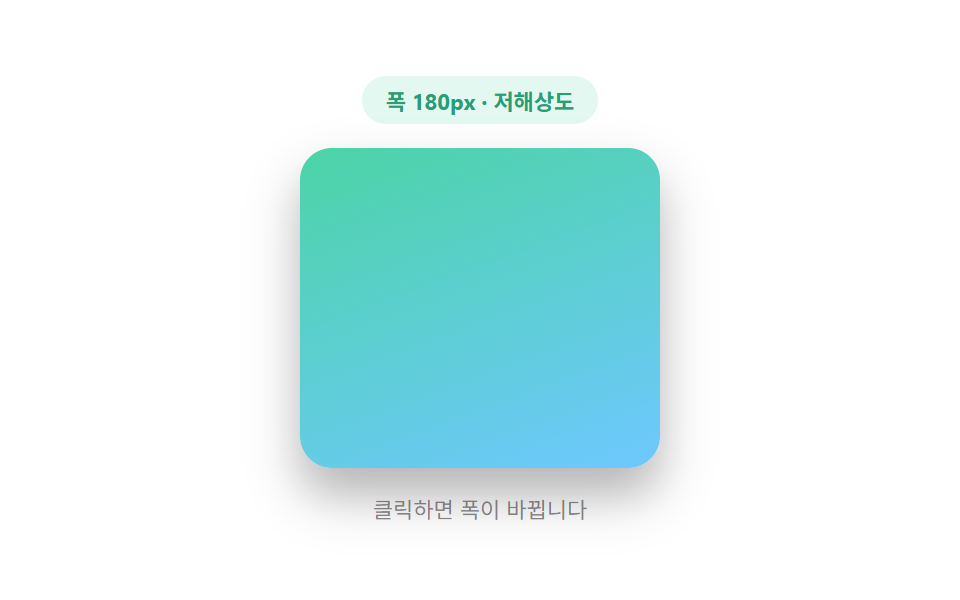
- 02 Background Chosen by a Screen-width Value via Lazy Loading
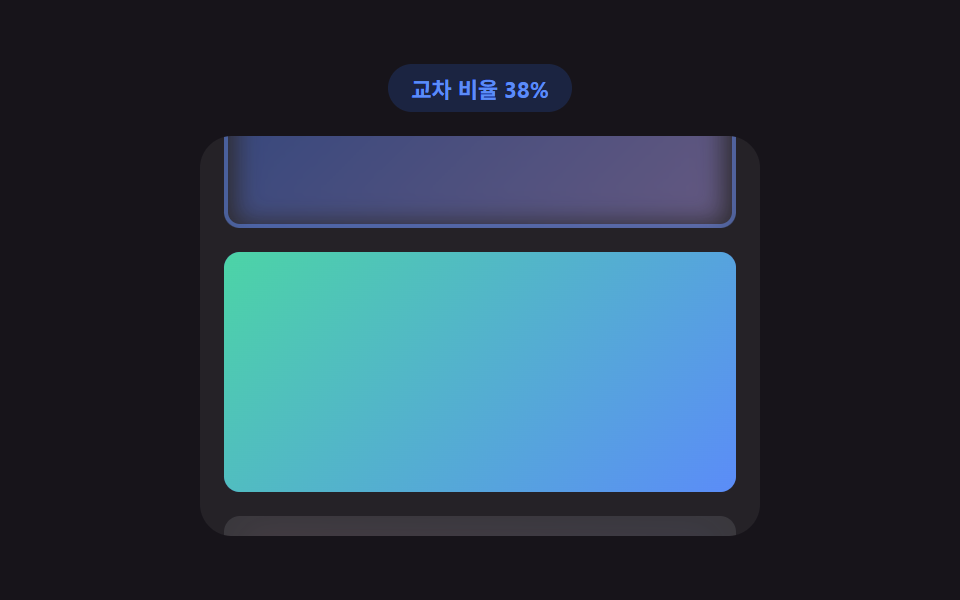
- 03 Image Fade-in Where a Scroll-position Value Computes an Intersection Ratio
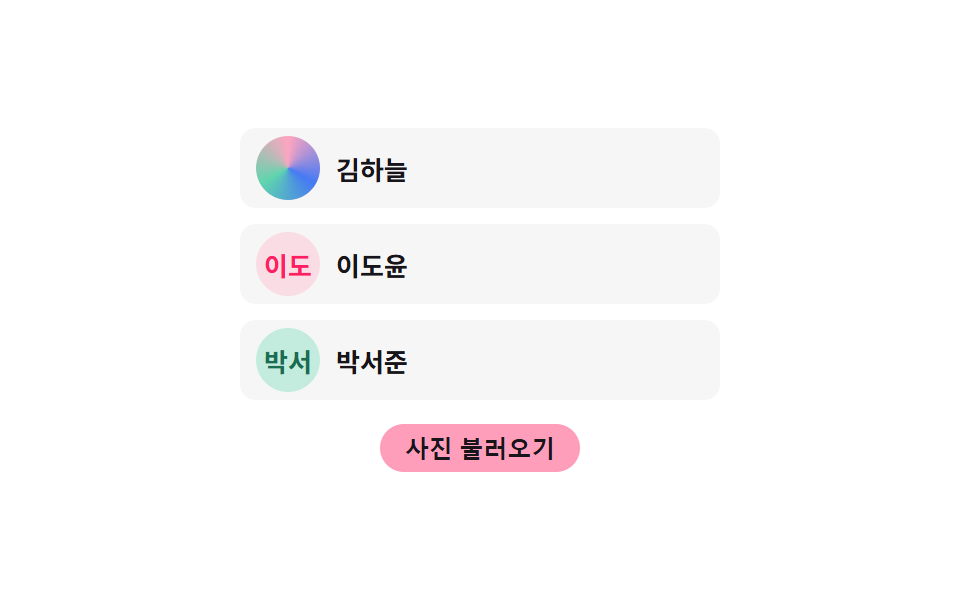
- 04 Avatar Where a Name Value Computes Initials Before Lazy Loading
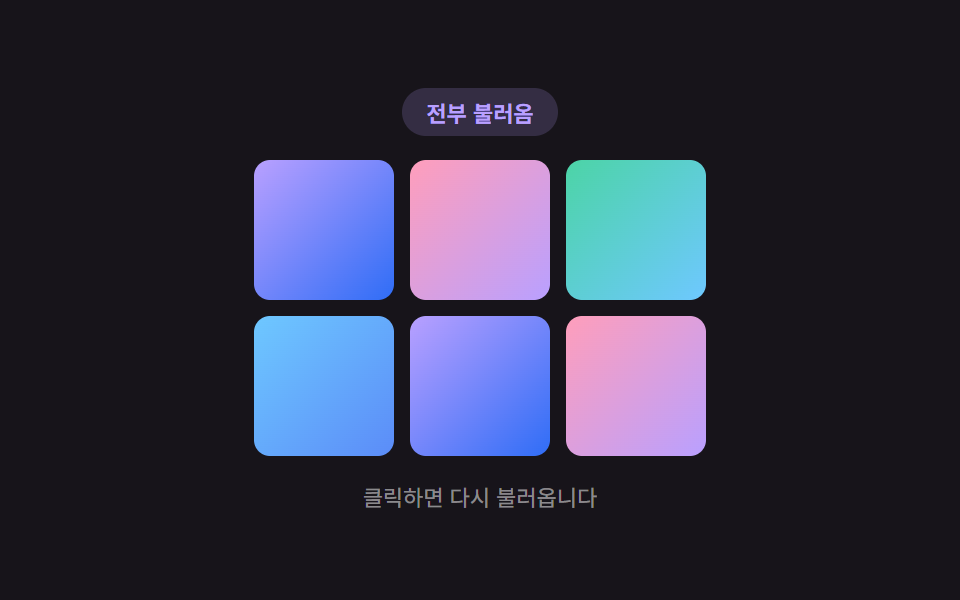
- 05 Gallery Where a Grid-position Value Computes the Reveal Order
- 06 Video Poster Swap Judged by a Playback Value via Lazy Loading
- 07 Iframe Where a Click Value Computes the Load Moment via Lazy Loading
- 08 Below-fold Section Where a Scroll Value Computes a Threshold via Lazy Loading
- 09 Widget Where an Idle-time Value Computes a Delay via Lazy Loading
None of the nine demos below fetch a real image, video, iframe, or webfont over the network — every "load" you see is a timer, an observer callback, or an idle-time budget standing in for one. When you adapt any of these into a real page, the placeholder-to-real swap is exactly where a genuine <img src>, a fetch, a real <iframe src>, or an actual document.fonts.ready promise belongs; nothing here calls Math.random or pulls in an external library either, so every run of a given pattern behaves the same way twice in a row.
Nine Small Decisions About When Content Is Worth Loading
Every pattern on this page answers the same question with a different input: is now the moment to spend the cost of loading something? Pattern 03 asks a scroll position, pattern 09 asks the browser's own idle clock, pattern 07 asks whether a visitor clicked at all. Below each pattern's code, the description names the one function carrying that decision so you can find it again once you've copied the file out of the zip.
01Text That Swaps a Fallback Font for the Real One via Lazy Loading
A font-ready value is computed to show a fallback typeface first, then swap the letterforms smoothly once the real font finishes loading. Each character gets its own transition delay computed from its index times STAGGER_STEP_MS, so the swap ripples left to right instead of snapping all at once. In production this stands in for the real document.fonts.ready promise or a font-display: swap boundary — nothing here downloads an actual webfont.
<main class="stage">
<div class="lff is-demo" id="lff">
  <div class="lff__badge" id="lffBadge">Showing fallback font</div>
  <h2 class="lff__head" id="lffHead" aria-label="Lazy-load headline"></h2>
  <p class="lff__hint">Click to replay</p>
</div>
</main>
@use "../../../../site/static/demo-tokens" as *;
// 대체 서체 → 실제 서체 지연 로딩. 글자마다 인덱스 값으로 transition-delay 를 미리 계산해
// 심어두면(자바스크립트) 클래스 하나만 켜져도 순서대로 스프링 오버슛이 번져 나간다.
$duration: $dur-enter;
$easing: $ease-elastic;
$color: $subject-sky;
@include stage($stage-ink);
.lff {
display: flex;
flex-direction: column;
align-items: center;
gap: $sp-4;
width: min(100%, 300px);
outline: none;
cursor: pointer;
}
.lff__badge {
padding: $sp-1 $sp-3;
border-radius: $r-pill;
background: rgba(110, 200, 255, .16);
color: $color;
font-weight: 700;
font-size: 11px;
font-variant-numeric: tabular-nums;
}
.lff__head {
margin: 0;
padding: $sp-4 $sp-4;
border-radius: $r-card;
background: rgba(255, 255, 255, .06);
color: $stage-paper;
font-size: 22px;
font-weight: 700;
font-family: "Times New Roman", Georgia, serif;
text-align: center;
transition: font-family 1ms linear;
}
.lff__char {
display: inline-block;
transform: scale(.82);
transform-origin: 50% 100%;
opacity: .55;
transition: transform $duration $easing, opacity $dur-base $ease-out;
}
.lff--loaded .lff__head {
font-family: -apple-system, "Segoe UI", "Noto Sans KR", sans-serif;
}
.lff__char--loaded {
transform: scale(1);
opacity: 1;
}
.lff__hint {
margin: 0;
color: rgba(255, 255, 255, .5);
font-size: 11px;
}
@media (max-width: 340px) {
.lff__head { font-size: 18px; padding: $sp-3 $sp-3; }
.lff { gap: $sp-2; }
}
@media (prefers-reduced-motion: reduce) {
.lff__char { transition: none !important; }
.lff__head { transition: none !important; }
}html, body {
margin: 0;
overflow: hidden;
}
.stage {
box-sizing: border-box;
min-height: 100vh;
display: grid;
place-items: center;
margin: 0;
background: #17141a;
font-family: -apple-system, "Segoe UI", "Noto Sans KR", sans-serif;
padding: clamp(8px, 4vw, 24px);
}
.lff {
display: flex;
flex-direction: column;
align-items: center;
gap: 16px;
width: min(100%, 300px);
outline: none;
cursor: pointer;
}
.lff__badge {
padding: 4px 12px;
border-radius: 999px;
background: rgba(110, 200, 255, 0.16);
color: #6ec8ff;
font-weight: 700;
font-size: 11px;
font-variant-numeric: tabular-nums;
}
.lff__head {
margin: 0;
padding: 16px 16px;
border-radius: 16px;
background: rgba(255, 255, 255, 0.06);
color: #ffffff;
font-size: 22px;
font-weight: 700;
font-family: "Times New Roman", Georgia, serif;
text-align: center;
transition: font-family 1ms linear;
}
.lff__char {
display: inline-block;
transform: scale(0.82);
transform-origin: 50% 100%;
opacity: 0.55;
transition: transform 600ms cubic-bezier(0.34, 1.56, 0.64, 1), opacity 300ms ease-out;
}
.lff--loaded .lff__head {
font-family: -apple-system, "Segoe UI", "Noto Sans KR", sans-serif;
}
.lff__char--loaded {
transform: scale(1);
opacity: 1;
}
.lff__hint {
margin: 0;
color: rgba(255, 255, 255, 0.5);
font-size: 11px;
}
@media (max-width: 340px) {
.lff__head {
font-size: 18px;
padding: 12px 12px;
}
.lff {
gap: 8px;
}
}
@media (prefers-reduced-motion: reduce) {
.lff__char {
transition: none !important;
}
.lff__head {
transition: none !important;
}
}(function () {
var root = document.getElementById('lff');
var badge = document.getElementById('lffBadge');
var head = document.getElementById('lffHead');
var TEXT = 'Lazy-load headline';
var STAGGER_STEP_MS = 45;
var FOUT_DELAY_MS = 700;
var HOLD_MS = 1800;
var RESET_DELAY_MS = 900;
var timer = null;
// 계산 겹: 글자 인덱스 값으로 전환 지연 시간을 계산해 순서대로 스프링 오버슛이 번진다.
var chars = [];
for (var i = 0; i < TEXT.length; i += 1) {
var span = document.createElement('span');
span.className = 'lff__char';
span.textContent = TEXT[i] === ' ' ? ' ' : TEXT[i];
span.style.transitionDelay = (i * STAGGER_STEP_MS) + 'ms';
head.appendChild(span);
chars.push(span);
}
function resetState() {
root.classList.remove('lff--loaded');
for (var i = 0; i < chars.length; i += 1) { chars[i].classList.remove('lff__char--loaded'); }
badge.textContent = 'Showing fallback font';
}
function swapToLoaded() {
root.classList.add('lff--loaded');
for (var i = 0; i < chars.length; i += 1) { chars[i].classList.add('lff__char--loaded'); }
badge.textContent = 'Real font loaded';
}
function playOnce(loop) {
resetState();
timer = setTimeout(function () {
swapToLoaded();
if (loop) {
timer = setTimeout(function () { playOnce(true); }, HOLD_MS + RESET_DELAY_MS);
}
}, FOUT_DELAY_MS);
}
function replay() {
if (timer) { clearTimeout(timer); }
root.classList.remove('is-demo');
playOnce(false);
}
root.addEventListener('click', replay);
root.addEventListener('keydown', function (e) {
if (e.key === 'Enter' || e.key === ' ') { e.preventDefault(); replay(); }
});
root.tabIndex = 0;
var reduce = window.matchMedia('(prefers-reduced-motion: reduce)').matches;
if (reduce) {
root.classList.remove('is-demo');
swapToLoaded();
} else {
playOnce(true);
}
})();import { useEffect, useRef, useState, useCallback } from "react";
import styles from "./FontSwapFout.module.scss";
// 대체 서체 → 실제 서체 지연 로딩. 글자 인덱스 값으로 transition-delay 를 계산해
// 순서대로 스프링 오버슛이 번지게 한다.
const TEXT = "지연 로딩 헤드라인";
const STAGGER_STEP_MS = 45;
const FOUT_DELAY_MS = 700;
const HOLD_MS = 1800;
const RESET_DELAY_MS = 900;
export default function FontSwapFout() {
const rootRef = useRef<HTMLDivElement>(null);
const [demo, setDemo] = useState(true);
const [loaded, setLoaded] = useState(false);
const [badge, setBadge] = useState("대체 서체 표시 중");
const timerRef = useRef<number | null>(null);
const playOnce = useCallback((loop: boolean) => {
setLoaded(false);
setBadge("대체 서체 표시 중");
timerRef.current = window.setTimeout(() => {
setLoaded(true);
setBadge("실제 서체 로드 완료");
if (loop) {
timerRef.current = window.setTimeout(() => { playOnce(true); }, HOLD_MS + RESET_DELAY_MS);
}
}, FOUT_DELAY_MS);
}, []);
const replay = useCallback(() => {
if (timerRef.current !== null) { window.clearTimeout(timerRef.current); }
setDemo(false);
playOnce(false);
}, [playOnce]);
useEffect(() => {
const reduce = window.matchMedia("(prefers-reduced-motion: reduce)").matches;
if (reduce) {
setDemo(false);
setLoaded(true);
setBadge("실제 서체 로드 완료");
} else {
playOnce(true);
}
const root = rootRef.current;
function onKeyDown(e: KeyboardEvent) {
if (e.key === "Enter" || e.key === " ") { e.preventDefault(); replay(); }
}
root?.addEventListener("keydown", onKeyDown);
return () => {
if (timerRef.current !== null) { window.clearTimeout(timerRef.current); }
root?.removeEventListener("keydown", onKeyDown);
};
}, [playOnce, replay]);
const chars = TEXT.split("").map((ch, i) => (
<span
key={i}
className={`${styles["lff__char"]} ${loaded ? styles["lff__char--loaded"] : ""}`}
style={{ transitionDelay: `${i * STAGGER_STEP_MS}ms` }}
>
{ch === " " ? " " : ch}
</span>
));
return (
<main className={styles.stage}>
<div
ref={rootRef}
className={`${styles.lff} ${demo ? styles["is-demo"] : ""} ${loaded ? styles["lff--loaded"] : ""}`}
tabIndex={0}
onClick={replay}
>
<div className={styles["lff__badge"]}>{badge}</div>
<h2 className={styles["lff__head"]} aria-label="지연 로딩 헤드라인">{chars}</h2>
<p className={styles["lff__hint"]}>클릭하면 다시 재생</p>
</div>
</main>
);
}01 · Text That Swaps a Fallback Font for the Real One via Lazy Loading — Measured area 5.237% · moving frames 10/23Original by GODRICH · SCSS and React ship in the zip · See the password
  var TEXT = 'Lazy-load headline';
  var STAGGER_STEP_MS = 45;
  var FOUT_DELAY_MS = 700;
  var HOLD_MS = 1800;
  var RESET_DELAY_MS = 900;
  var timer = null;

  // calc layer: use the character index value to compute the swap delay, so the spring overshoot spreads in order.
  var chars = [];
  for (var i = 0; i < TEXT.length; i += 1) {
    var span = document.createElement('span');
    span.className = 'lff__char';
    span.textContent = TEXT[i] === ' ' ? ' ' : TEXT[i];
    span.style.transitionDelay = (i * STAGGER_STEP_MS) + 'ms';
    head.appendChild(span);
    chars.push(span);
  }

  function resetState() {
    root.classList.remove('lff--loaded');
    for (var i = 0; i < chars.length; i += 1) { chars[i].classList.remove('lff__char--loaded'); }
    badge.textContent = 'Showing fallback font';
  }
02Background Chosen by a Screen-width Value via Lazy Loading
A screen-width value is computed to pick a lower- or higher-resolution background, transitioning from a placeholder color to the chosen background. crossfadeIn divides elapsed time by a duration to get a 0–1 progress value and rewrites blur and opacity from that ratio on every animation frame. Swap WIDTH_NARROW/WIDTH_WIDE for real image URLs, and swap the placeholder-color transition for a real background-image load event, when adapting this.
<main class="stage">
<div class="lbs is-demo" id="lbs">
  <div class="lbs__badge" id="lbsBadge">Width 180px · low-res</div>
  <div class="lbs__frame" id="lbsFrame">
    <div class="lbs__placeholder" id="lbsPlaceholder"></div>
    <div class="lbs__bg lbs__bg--low" id="lbsBgLow"></div>
    <div class="lbs__bg lbs__bg--high" id="lbsBgHigh"></div>
  </div>
  <p class="lbs__hint">Click to change the width</p>
</div>
</main>
@use "../../../../site/static/demo-tokens" as *;
// 화면 너비 값 → 해상도 등급. ResizeObserver 가 프레임 폭을 재고, 기준값보다 좁으면
// 저해상도, 넓으면 고해상도 배경을 고른 뒤 진행률(경과/전체 시간)로 블러·불투명도를 계산한다.
$duration: $dur-base;
$easing: $ease-out;
$color: $subject-mint;
@include stage($stage-paper);
.lbs {
display: flex;
flex-direction: column;
align-items: center;
gap: $sp-3;
outline: none;
cursor: pointer;
}
.lbs__badge {
padding: $sp-1 $sp-3;
border-radius: $r-pill;
background: rgba(76, 212, 166, .16);
color: darken($color, 18%);
font-weight: 700;
font-size: 11px;
font-variant-numeric: tabular-nums;
}
.lbs__frame {
position: relative;
box-sizing: border-box;
width: 180px;
height: 160px;
border-radius: $r-card;
overflow: hidden;
transition: width $duration $easing;
background: $subject-cream;
box-shadow: $shadow-raised;
}
.lbs__placeholder {
position: absolute;
inset: 0;
background: linear-gradient(135deg, rgba(23, 20, 26, .08), rgba(23, 20, 26, .16));
transition: opacity $dur-quick $ease-out;
}
.lbs__placeholder--hidden {
opacity: 0;
}
.lbs__bg {
position: absolute;
inset: 0;
opacity: 0;
}
.lbs__bg--low {
background: linear-gradient(160deg, $subject-mint, $subject-sky);
}
.lbs__bg--high {
background:
radial-gradient(circle at 30% 30%, rgba(255, 255, 255, .5), transparent 55%),
radial-gradient(circle at 75% 65%, rgba(255, 255, 255, .35), transparent 45%),
linear-gradient(160deg, $subject-mint, $subject-lilac);
}
.lbs__hint {
margin: 0;
color: rgba(23, 20, 26, .5);
font-size: 11px;
}
@media (max-width: 340px) {
.lbs { gap: $sp-2; }
.lbs__frame { width: 140px !important; height: 92px; }
}
@media (prefers-reduced-motion: reduce) {
.lbs__frame { transition: none !important; }
.lbs__placeholder { transition: none !important; }
}html, body {
margin: 0;
overflow: hidden;
}
.stage {
box-sizing: border-box;
min-height: 100vh;
display: grid;
place-items: center;
margin: 0;
background: #ffffff;
font-family: -apple-system, "Segoe UI", "Noto Sans KR", sans-serif;
padding: clamp(8px, 4vw, 24px);
}
.lbs {
display: flex;
flex-direction: column;
align-items: center;
gap: 12px;
outline: none;
cursor: pointer;
}
.lbs__badge {
padding: 4px 12px;
border-radius: 999px;
background: rgba(76, 212, 166, 0.16);
color: rgb(14.9030206677%, 62.0381558029%, 46.0953895072%);
font-weight: 700;
font-size: 11px;
font-variant-numeric: tabular-nums;
}
.lbs__frame {
position: relative;
box-sizing: border-box;
width: 180px;
height: 160px;
border-radius: 16px;
overflow: hidden;
transition: width 300ms ease-out;
background: #fff7e6;
box-shadow: 0 14px 24px rgba(23, 20, 26, 0.32);
}
.lbs__placeholder {
position: absolute;
inset: 0;
background: linear-gradient(135deg, rgba(23, 20, 26, 0.08), rgba(23, 20, 26, 0.16));
transition: opacity 220ms ease-out;
}
.lbs__placeholder--hidden {
opacity: 0;
}
.lbs__bg {
position: absolute;
inset: 0;
opacity: 0;
}
.lbs__bg--low {
background: linear-gradient(160deg, #4cd4a6, #6ec8ff);
}
.lbs__bg--high {
background: radial-gradient(circle at 30% 30%, rgba(255, 255, 255, 0.5), transparent 55%), radial-gradient(circle at 75% 65%, rgba(255, 255, 255, 0.35), transparent 45%), linear-gradient(160deg, #4cd4a6, #b9a0ff);
}
.lbs__hint {
margin: 0;
color: rgba(23, 20, 26, 0.5);
font-size: 11px;
}
@media (max-width: 340px) {
.lbs {
gap: 8px;
}
.lbs__frame {
width: 140px !important;
height: 92px;
}
}
@media (prefers-reduced-motion: reduce) {
.lbs__frame {
transition: none !important;
}
.lbs__placeholder {
transition: none !important;
}
}(function () {
var root = document.getElementById('lbs');
var frame = document.getElementById('lbsFrame');
var badge = document.getElementById('lbsBadge');
var placeholder = document.getElementById('lbsPlaceholder');
var bgLow = document.getElementById('lbsBgLow');
var bgHigh = document.getElementById('lbsBgHigh');
var BREAKPOINT_PX = 240;
var WIDTH_NARROW = 180;
var WIDTH_WIDE = 300;
var LOAD_DELAY_MS = 480;
var CROSSFADE_MS = 480;
var CYCLE_MS = 2200;
var lastTier = null;
var raf = null;
var loadTimer = null;
// 계산 겹: 경과 시간 값을 전체 전환 시간 값으로 나눠 진행률을 구하고,
// 그 진행률로 블러 반경과 불투명도를 매 프레임 다시 계산한다.
function crossfadeIn(el, duration) {
var start = performance.now();
if (raf) { cancelAnimationFrame(raf); }
function step(now) {
var progress = Math.min((now - start) / duration, 1);
el.style.opacity = String(progress);
el.style.filter = 'blur(' + (6 * (1 - progress)) + 'px)';
if (progress < 1) { raf = requestAnimationFrame(step); }
}
raf = requestAnimationFrame(step);
}
function applyTier(widthPx) {
var tier = widthPx < BREAKPOINT_PX ? 'low' : 'high';
badge.textContent = 'Width ' + Math.round(widthPx) + 'px · ' + (tier === 'low' ? 'low-res' : 'high-res');
if (tier === lastTier) { return; }
lastTier = tier;
bgLow.style.opacity = '0';
bgHigh.style.opacity = '0';
placeholder.classList.remove('lbs__placeholder--hidden');
if (loadTimer) { clearTimeout(loadTimer); }
loadTimer = setTimeout(function () {
var target = tier === 'low' ? bgLow : bgHigh;
placeholder.classList.add('lbs__placeholder--hidden');
crossfadeIn(target, CROSSFADE_MS);
}, LOAD_DELAY_MS);
}
var ro = new ResizeObserver(function (entries) {
for (var i = 0; i < entries.length; i += 1) {
applyTier(entries[i].contentRect.width);
}
});
ro.observe(frame);
function setWide(wide) {
frame.style.width = (wide ? WIDTH_WIDE : WIDTH_NARROW) + 'px';
}
var wide = false;
function toggle() {
wide = !wide;
setWide(wide);
}
root.addEventListener('click', toggle);
root.addEventListener('keydown', function (e) {
if (e.key === 'Enter' || e.key === ' ') { e.preventDefault(); toggle(); }
});
root.tabIndex = 0;
var autoplayTimer = null;
var reduce = window.matchMedia('(prefers-reduced-motion: reduce)').matches;
if (reduce) {
root.classList.remove('is-demo');
setWide(true);
lastTier = 'high';
placeholder.classList.add('lbs__placeholder--hidden');
bgHigh.style.opacity = '1';
bgHigh.style.filter = 'blur(0px)';
badge.textContent = 'Width ' + WIDTH_WIDE + 'px · high-res';
} else {
setWide(false);
autoplayTimer = setInterval(function () {
if (!root.classList.contains('is-demo')) { clearInterval(autoplayTimer); return; }
toggle();
}, CYCLE_MS);
}
function userTakesOver() {
root.classList.remove('is-demo');
}
root.addEventListener('click', userTakesOver);
})();import { useEffect, useRef, useState, useCallback } from "react";
import styles from "./BackgroundImageSwap.module.scss";
// 화면 너비 값 → 해상도 등급. ResizeObserver 가 프레임 폭을 재고, 기준값보다 좁으면
// 저해상도, 넓으면 고해상도 배경을 고른 뒤 진행률로 블러·불투명도를 계산한다.
const BREAKPOINT_PX = 240;
const WIDTH_NARROW = 180;
const WIDTH_WIDE = 300;
const LOAD_DELAY_MS = 480;
const CROSSFADE_MS = 480;
const CYCLE_MS = 2200;
export default function BackgroundImageSwap() {
const rootRef = useRef<HTMLDivElement>(null);
const frameRef = useRef<HTMLDivElement>(null);
const placeholderRef = useRef<HTMLDivElement>(null);
const bgLowRef = useRef<HTMLDivElement>(null);
const bgHighRef = useRef<HTMLDivElement>(null);
const [demo, setDemo] = useState(true);
const [wideState, setWideState] = useState(false);
const [badge, setBadge] = useState("폭 180px · 저해상도");
const lastTierRef = useRef<string | null>(null);
const rafRef = useRef<number | null>(null);
const loadTimerRef = useRef<number | null>(null);
const wideRef = useRef(false);
const crossfadeIn = useCallback((el: HTMLDivElement, duration: number) => {
const start = performance.now();
if (rafRef.current !== null) { cancelAnimationFrame(rafRef.current); }
function step(now: number) {
const progress = Math.min((now - start) / duration, 1);
el.style.opacity = String(progress);
el.style.filter = "blur(" + (6 * (1 - progress)) + "px)";
if (progress < 1) { rafRef.current = requestAnimationFrame(step); }
}
rafRef.current = requestAnimationFrame(step);
}, []);
const applyTier = useCallback((widthPx: number) => {
const tier = widthPx < BREAKPOINT_PX ? "low" : "high";
setBadge("폭 " + Math.round(widthPx) + "px · " + (tier === "low" ? "저해상도" : "고해상도"));
if (tier === lastTierRef.current) { return; }
lastTierRef.current = tier;
const low = bgLowRef.current;
const high = bgHighRef.current;
const placeholder = placeholderRef.current;
if (!low || !high || !placeholder) { return; }
low.style.opacity = "0";
high.style.opacity = "0";
placeholder.classList.remove(styles["lbs__placeholder--hidden"]);
if (loadTimerRef.current !== null) { window.clearTimeout(loadTimerRef.current); }
loadTimerRef.current = window.setTimeout(() => {
const target = tier === "low" ? low : high;
placeholder.classList.add(styles["lbs__placeholder--hidden"]);
crossfadeIn(target, CROSSFADE_MS);
}, LOAD_DELAY_MS);
}, [crossfadeIn]);
const toggle = useCallback(() => {
wideRef.current = !wideRef.current;
setWideState(wideRef.current);
setDemo(false);
}, []);
useEffect(() => {
const frame = frameRef.current;
if (!frame) { return; }
const ro = new ResizeObserver((entries) => {
for (const entry of entries) { applyTier(entry.contentRect.width); }
});
ro.observe(frame);
const reduce = window.matchMedia("(prefers-reduced-motion: reduce)").matches;
let autoplayTimer: number | null = null;
if (reduce) {
setDemo(false);
wideRef.current = true;
setWideState(true);
lastTierRef.current = "high";
placeholderRef.current?.classList.add(styles["lbs__placeholder--hidden"]);
if (bgHighRef.current) {
bgHighRef.current.style.opacity = "1";
bgHighRef.current.style.filter = "blur(0px)";
}
setBadge("폭 " + WIDTH_WIDE + "px · 고해상도");
} else {
autoplayTimer = window.setInterval(() => {
if (!rootRef.current?.classList.contains(styles["is-demo"])) {
if (autoplayTimer !== null) { window.clearInterval(autoplayTimer); }
return;
}
wideRef.current = !wideRef.current;
setWideState(wideRef.current);
}, CYCLE_MS);
}
return () => {
ro.disconnect();
if (autoplayTimer !== null) { window.clearInterval(autoplayTimer); }
if (rafRef.current !== null) { cancelAnimationFrame(rafRef.current); }
if (loadTimerRef.current !== null) { window.clearTimeout(loadTimerRef.current); }
};
}, [applyTier]);
useEffect(() => {
const root = rootRef.current;
function onKeyDown(e: KeyboardEvent) {
if (e.key === "Enter" || e.key === " ") { e.preventDefault(); toggle(); }
}
root?.addEventListener("keydown", onKeyDown);
return () => root?.removeEventListener("keydown", onKeyDown);
}, [toggle]);
return (
<main className={styles.stage}>
<div
ref={rootRef}
className={`${styles.lbs} ${demo ? styles["is-demo"] : ""}`}
tabIndex={0}
onClick={toggle}
>
<div className={styles["lbs__badge"]}>{badge}</div>
<div
ref={frameRef}
className={styles["lbs__frame"]}
style={{ width: (wideState ? WIDTH_WIDE : WIDTH_NARROW) + "px" }}
>
<div ref={placeholderRef} className={styles["lbs__placeholder"]} />
<div ref={bgLowRef} className={`${styles["lbs__bg"]} ${styles["lbs__bg--low"]}`} />
<div ref={bgHighRef} className={`${styles["lbs__bg"]} ${styles["lbs__bg--high"]}`} />
</div>
<p className={styles["lbs__hint"]}>클릭하면 폭이 바뀝니다</p>
</div>
</main>
);
}02 · Background Chosen by a Screen-width Value via Lazy Loading — Measured area 38.076% · moving frames 9/23Original by GODRICH · SCSS and React ship in the zip · See the password
  var BREAKPOINT_PX = 240;
  var WIDTH_NARROW = 180;
  var WIDTH_WIDE = 300;
  var LOAD_DELAY_MS = 480;
  var CROSSFADE_MS = 480;
  var CYCLE_MS = 2200;

  var lastTier = null;
  var raf = null;
  var loadTimer = null;

  // calc layer: divide the elapsed time value by the total transition time value to get a progress ratio,
  // then use that ratio to recompute blur radius and opacity every frame.
  function crossfadeIn(el, duration) {
    var start = performance.now();
    if (raf) { cancelAnimationFrame(raf); }
    function step(now) {
      var progress = Math.min((now - start) / duration, 1);
      el.style.opacity = String(progress);
      el.style.filter = 'blur(' + (6 * (1 - progress)) + 'px)';
      if (progress < 1) { raf = requestAnimationFrame(step); }
    }
    raf = requestAnimationFrame(step);
  }
03Image Fade-in Where a Scroll-position Value Computes an Intersection Ratio
A scroll-position value computes how much of the image overlaps the viewport, and once that ratio clears a threshold the placeholder fades into the real image. applyRatio recalculates blur radius and scale on every observation so the picture sharpens in step with how far it has scrolled into view, not in one jump. The INTERSECTION_THRESHOLD constant is the only line you'd touch to move that clearing point earlier or later.
<main class="stage">
<div class="lfv is-demo" id="lfv">
  <div class="lfv__badge" id="lfvBadge">Intersection ratio 0%</div>
  <div class="lfv__view" id="lfvView">
    <div class="lfv__track">
      <div class="lfv__card" data-card="1"><div class="lfv__placeholder"></div><div class="lfv__img lfv__img--1"></div></div>
      <div class="lfv__card" data-card="2"><div class="lfv__placeholder"></div><div class="lfv__img lfv__img--2"></div></div>
      <div class="lfv__card" data-card="3"><div class="lfv__placeholder"></div><div class="lfv__img lfv__img--3"></div></div>
      <div class="lfv__card" data-card="4"><div class="lfv__placeholder"></div><div class="lfv__img lfv__img--4"></div></div>
    </div>
  </div>
</div>
</main>
@use "../../../../site/static/demo-tokens" as *;
// 스크롤 위치 값 → 교차 비율(IntersectionObserver). 비율 값으로 블러·스케일을 매번
// 다시 계산해 뷰포트에 걸친 정도만큼 또렷해지고, 기준을 넘으면 로드 완료로 고정한다.
$duration: $dur-base;
$easing: $ease-out;
$color: $subject-blue;
@include stage($stage-ink);
.lfv {
display: flex;
flex-direction: column;
align-items: center;
gap: $sp-3;
width: min(100%, 280px);
}
.lfv__badge {
padding: $sp-1 $sp-3;
border-radius: $r-pill;
background: rgba(47, 109, 246, .18);
color: $subject-blue-light;
font-weight: 700;
font-size: 11px;
font-variant-numeric: tabular-nums;
}
.lfv__view {
box-sizing: border-box;
width: 100%;
height: 200px;
overflow-y: auto;
overflow-x: hidden;
border-radius: $r-card;
background: rgba(255, 255, 255, .06);
padding: $sp-3;
scrollbar-width: thin;
}
.lfv__track {
display: flex;
flex-direction: column;
gap: $sp-3;
}
.lfv__card {
position: relative;
box-sizing: border-box;
height: 120px;
border-radius: $r-sm;
overflow: hidden;
flex: 0 0 auto;
}
.lfv__placeholder {
position: absolute;
inset: 0;
background: rgba(255, 255, 255, .1);
}
.lfv__img {
position: absolute;
inset: 0;
opacity: 0;
transform-origin: center;
}
.lfv__img--1 { background: linear-gradient(135deg, $subject-blue, $subject-lilac); }
.lfv__img--2 { background: linear-gradient(135deg, $subject-mint, $subject-blue-light); }
.lfv__img--3 { background: linear-gradient(135deg, $subject-pink, $subject-blue); }
.lfv__img--4 { background: linear-gradient(135deg, $subject-sky, $subject-lilac); }
.lfv__card--loaded {
box-shadow: inset 0 0 0 2px rgba(91, 140, 248, .5);
}
@media (max-width: 340px) {
.lfv { gap: $sp-2; }
.lfv__view { height: 108px; }
.lfv__card { height: 84px; }
}
@media (prefers-reduced-motion: reduce) {
.lfv__img, .lfv__placeholder { transition: none !important; }
}html, body {
margin: 0;
overflow: hidden;
}
.stage {
box-sizing: border-box;
min-height: 100vh;
display: grid;
place-items: center;
margin: 0;
background: #17141a;
font-family: -apple-system, "Segoe UI", "Noto Sans KR", sans-serif;
padding: clamp(8px, 4vw, 24px);
}
.lfv {
display: flex;
flex-direction: column;
align-items: center;
gap: 12px;
width: min(100%, 280px);
}
.lfv__badge {
padding: 4px 12px;
border-radius: 999px;
background: rgba(47, 109, 246, 0.18);
color: #5b8cf8;
font-weight: 700;
font-size: 11px;
font-variant-numeric: tabular-nums;
}
.lfv__view {
box-sizing: border-box;
width: 100%;
height: 200px;
overflow-y: auto;
overflow-x: hidden;
border-radius: 16px;
background: rgba(255, 255, 255, 0.06);
padding: 12px;
scrollbar-width: thin;
}
.lfv__track {
display: flex;
flex-direction: column;
gap: 12px;
}
.lfv__card {
position: relative;
box-sizing: border-box;
height: 120px;
border-radius: 8px;
overflow: hidden;
flex: 0 0 auto;
}
.lfv__placeholder {
position: absolute;
inset: 0;
background: rgba(255, 255, 255, 0.1);
}
.lfv__img {
position: absolute;
inset: 0;
opacity: 0;
transform-origin: center;
}
.lfv__img--1 {
background: linear-gradient(135deg, #2f6df6, #b9a0ff);
}
.lfv__img--2 {
background: linear-gradient(135deg, #4cd4a6, #5b8cf8);
}
.lfv__img--3 {
background: linear-gradient(135deg, #ff9ebb, #2f6df6);
}
.lfv__img--4 {
background: linear-gradient(135deg, #6ec8ff, #b9a0ff);
}
.lfv__card--loaded {
box-shadow: inset 0 0 0 2px rgba(91, 140, 248, 0.5);
}
@media (max-width: 340px) {
.lfv {
gap: 8px;
}
.lfv__view {
height: 108px;
}
.lfv__card {
height: 84px;
}
}
@media (prefers-reduced-motion: reduce) {
.lfv__img, .lfv__placeholder {
transition: none !important;
}
}(function () {
var root = document.getElementById('lfv');
var view = document.getElementById('lfvView');
var badge = document.getElementById('lfvBadge');
var cards = Array.prototype.slice.call(document.querySelectorAll('.lfv__card'));
var INTERSECTION_THRESHOLD = 0.4;
var STEPS = [];
for (var s = 0; s <= 20; s += 1) { STEPS.push(s / 20); }
// 계산 겹: Intersection ratio 값으로 블러 반경·스케일을 매 관찰마다 다시 계산해
// 뷰포트에 걸친 정도만큼 이미지가 또렷해진다. 비율이 기준을 넘으면 로드 완료로 고정.
function applyRatio(card, ratio) {
var img = card.querySelector('.lfv__img');
var placeholder = card.querySelector('.lfv__placeholder');
var blur = 10 * (1 - ratio);
var scale = 0.92 + 0.08 * ratio;
img.style.opacity = String(ratio);
img.style.filter = 'blur(' + blur.toFixed(1) + 'px)';
img.style.transform = 'scale(' + scale.toFixed(3) + ')';
placeholder.style.opacity = String(Math.max(0, 1 - ratio * 1.4));
if (ratio >= INTERSECTION_THRESHOLD) {
card.classList.add('lfv__card--loaded');
}
if (card === cards[Math.min(cards.length - 1, Math.round(lastMaxIndex))]) {
badge.textContent = 'Intersection ratio ' + Math.round(ratio * 100) + '%';
}
}
var lastMaxIndex = 0;
var io = new IntersectionObserver(function (entries) {
var maxRatio = 0, maxIdx = 0;
entries.forEach(function (entry) {
var idx = cards.indexOf(entry.target);
applyRatio(entry.target, entry.intersectionRatio);
if (entry.intersectionRatio >= maxRatio) { maxRatio = entry.intersectionRatio; maxIdx = idx; }
});
lastMaxIndex = maxIdx;
badge.textContent = 'Intersection ratio ' + Math.round(maxRatio * 100) + '%';
}, { root: view, threshold: STEPS });
cards.forEach(function (c) { io.observe(c); });
var dir = 1;
var autoplayTimer = null;
function autoplayTick() {
var max = view.scrollHeight - view.clientHeight;
view.scrollTop += dir * 2.2;
if (view.scrollTop >= max - 1) { dir = -1; }
if (view.scrollTop <= 1) { dir = 1; }
}
function userTakesOver() {
if (!root.classList.contains('is-demo')) { return; }
root.classList.remove('is-demo');
if (autoplayTimer) { clearInterval(autoplayTimer); autoplayTimer = null; }
}
view.addEventListener('wheel', userTakesOver, { passive: true });
view.addEventListener('touchstart', userTakesOver, { passive: true });
view.addEventListener('scroll', function () {
// 스크롤 위치 값 자체가 IntersectionObserver 재계산의 입력이 된다 (root 스크롤).
});
var reduce = window.matchMedia('(prefers-reduced-motion: reduce)').matches;
if (reduce) {
root.classList.remove('is-demo');
cards.forEach(function (c) { applyRatio(c, 1); });
badge.textContent = 'Intersection ratio 100%';
} else {
autoplayTimer = setInterval(autoplayTick, 45);
}
})();import { useEffect, useRef, useState } from "react";
import styles from "./ImageFadeInViewport.module.scss";
// 스크롤 위치 값 → 교차 비율(IntersectionObserver). 비율 값으로 블러·스케일을 매번
// 다시 계산해 뷰포트에 걸친 정도만큼 또렷해지고, 기준을 넘으면 로드 완료로 고정한다.
const INTERSECTION_THRESHOLD = 0.4;
const STEPS: number[] = [];
for (let s = 0; s <= 20; s += 1) { STEPS.push(s / 20); }
const CARD_KEYS = [1, 2, 3, 4];
type Box<T> = { current: T };
function useBox<T>(initial: T): Box<T> {
return useRef(initial) as unknown as Box<T>;
}
export default function ImageFadeInViewport() {
const rootRef = useRef<HTMLDivElement>(null);
const viewRef = useRef<HTMLDivElement>(null);
const cardRefs = useBox<Array<HTMLDivElement | null>>([null, null, null, null]);
const imgRefs = useBox<Array<HTMLDivElement | null>>([null, null, null, null]);
const placeholderRefs = useBox<Array<HTMLDivElement | null>>([null, null, null, null]);
const loadedRefs = useBox<boolean[]>([false, false, false, false]);
const [badge, setBadge] = useState("교차 비율 0%");
const [demo, setDemo] = useState(true);
const [, forceRender] = useState(0);
function applyRatio(i: number, ratio: number) {
const img = imgRefs.current[i];
const placeholder = placeholderRefs.current[i];
if (!img || !placeholder) { return; }
const blur = 10 * (1 - ratio);
const scale = 0.92 + 0.08 * ratio;
img.style.opacity = String(ratio);
img.style.filter = "blur(" + blur.toFixed(1) + "px)";
img.style.transform = "scale(" + scale.toFixed(3) + ")";
placeholder.style.opacity = String(Math.max(0, 1 - ratio * 1.4));
if (ratio >= INTERSECTION_THRESHOLD && !loadedRefs.current[i]) {
loadedRefs.current[i] = true;
forceRender((n) => n + 1);
}
}
useEffect(() => {
const view = viewRef.current;
const root = rootRef.current;
if (!view || !root) { return; }
const io = new IntersectionObserver((entries) => {
let maxRatio = 0;
entries.forEach((entry) => {
const idx = cardRefs.current.indexOf(entry.target as HTMLDivElement);
if (idx === -1) { return; }
applyRatio(idx, entry.intersectionRatio);
if (entry.intersectionRatio >= maxRatio) { maxRatio = entry.intersectionRatio; }
});
setBadge("교차 비율 " + Math.round(maxRatio * 100) + "%");
}, { root: view, threshold: STEPS });
cardRefs.current.forEach((c) => { if (c) { io.observe(c); } });
function userTakesOver() {
if (!root!.classList.contains(styles["is-demo"])) { return; }
setDemo(false);
if (autoplayTimer !== null) { window.clearInterval(autoplayTimer); }
}
view.addEventListener("wheel", userTakesOver, { passive: true });
view.addEventListener("touchstart", userTakesOver, { passive: true });
let dir = 1;
let autoplayTimer: number | null = null;
const reduce = window.matchMedia("(prefers-reduced-motion: reduce)").matches;
if (reduce) {
setDemo(false);
CARD_KEYS.forEach((_, i) => applyRatio(i, 1));
setBadge("교차 비율 100%");
} else {
autoplayTimer = window.setInterval(() => {
const max = view.scrollHeight - view.clientHeight;
view.scrollTop += dir * 2.2;
if (view.scrollTop >= max - 1) { dir = -1; }
if (view.scrollTop <= 1) { dir = 1; }
}, 45);
}
return () => {
io.disconnect();
view.removeEventListener("wheel", userTakesOver);
view.removeEventListener("touchstart", userTakesOver);
if (autoplayTimer !== null) { window.clearInterval(autoplayTimer); }
};
// eslint-disable-next-line react-hooks/exhaustive-deps
}, []);
return (
<main className={styles.stage}>
<div ref={rootRef} className={`${styles.lfv} ${demo ? styles["is-demo"] : ""}`}>
<div className={styles["lfv__badge"]}>{badge}</div>
<div ref={viewRef} className={styles["lfv__view"]}>
<div className={styles["lfv__track"]}>
{CARD_KEYS.map((k, i) => (
<div
key={k}
ref={(el: HTMLDivElement | null) => { cardRefs.current[i] = el; }}
className={`${styles["lfv__card"]} ${loadedRefs.current[i] ? styles["lfv__card--loaded"] : ""}`}
>
<div ref={(el: HTMLDivElement | null) => { placeholderRefs.current[i] = el; }} className={styles["lfv__placeholder"]} />
<div ref={(el: HTMLDivElement | null) => { imgRefs.current[i] = el; }} className={`${styles["lfv__img"]} ${styles["lfv__img--" + k]}`} />
</div>
))}
</div>
</div>
</div>
</main>
);
}03 · Image Fade-in Where a Scroll-position Value Computes an Intersection Ratio — Measured area 36.04% · moving frames 23/23Original by GODRICH · SCSS and React ship in the zip · See the password
  var INTERSECTION_THRESHOLD = 0.4;
  var STEPS = [];
  for (var s = 0; s <= 20; s += 1) { STEPS.push(s / 20); }

  // calc layer: recompute blur radius and scale from the intersection ratio value on every observation —
  // the image sharpens in proportion to how much it overlaps the viewport. Past the threshold ratio, mark it loaded.
  function applyRatio(card, ratio) {
    var img = card.querySelector('.lfv__img');
    var placeholder = card.querySelector('.lfv__placeholder');
    var blur = 10 * (1 - ratio);
    var scale = 0.92 + 0.08 * ratio;
    img.style.opacity = String(ratio);
    img.style.filter = 'blur(' + blur.toFixed(1) + 'px)';
    img.style.transform = 'scale(' + scale.toFixed(3) + ')';
    placeholder.style.opacity = String(Math.max(0, 1 - ratio * 1.4));
    if (ratio >= INTERSECTION_THRESHOLD) {
      card.classList.add('lfv__card--loaded');
    }
    if (card === cards[Math.min(cards.length - 1, Math.round(lastMaxIndex))]) {
      badge.textContent = 'Intersection ratio ' + Math.round(ratio * 100) + '%';
    }
  }
04Avatar Where a Name Value Computes Initials Before Lazy Loading
A typed name value is computed into two initials shown in a round badge first, then that spot is swapped for the real profile photo once it's ready. getInitials slices the first two characters, and a second function sums the name's character codes to pick a badge color from PALETTE by hash, so the same name always lands on the same color. Real code would replace the badge with an <img> the moment a profile-photo fetch resolves.
<main class="stage">
<div class="lai is-demo" id="lai">
  <ul class="lai__list" id="laiList"></ul>
  <button type="button" class="lai__btn" id="laiBtn">Load photos</button>
</div>
</main>
@use "../../../../site/static/demo-tokens" as *;
// 이름 값 → 이니셜 계산(자리표시자) + 글자코드 합 해시(배지 색) + 행 인덱스 값(등장 지연).
// 세 계산 겹이 함께 실제 지연 로딩의 "먼저 보여주고 나중에 바뀐다"를 만든다.
$duration: $dur-base;
$easing: $ease-pop;
$color: $subject-pink;
@include stage($stage-paper);
.lai {
display: flex;
flex-direction: column;
align-items: center;
gap: $sp-3;
width: min(100%, 240px);
}
.lai__list {
list-style: none;
margin: 0;
padding: 0;
display: flex;
flex-direction: column;
gap: $sp-2;
width: 100%;
}
.lai__row {
display: flex;
align-items: center;
gap: $sp-2;
padding: $sp-1 $sp-2;
border-radius: $r-sm;
background: rgba(23, 20, 26, .04);
}
.lai__avatar {
position: relative;
flex: 0 0 auto;
width: 32px;
height: 32px;
border-radius: 50%;
display: grid;
place-items: center;
overflow: hidden;
}
.lai__row--a { background: rgba(255, 158, 187, .3); color: darken($subject-pink, 25%); }
.lai__row--b { background: rgba(76, 212, 166, .3); color: darken($subject-mint, 30%); }
.lai__row--c { background: rgba(185, 160, 255, .3); color: darken($subject-lilac, 28%); }
.lai__row--d { background: rgba(110, 200, 255, .3); color: darken($subject-sky, 30%); }
.lai__initials {
font-weight: 700;
font-size: 13px;
transition: opacity $dur-quick $ease-out;
}
.lai__photo {
position: absolute;
inset: 0;
border-radius: 50%;
opacity: 0;
transform: scale(.6);
transition: transform $dur-enter $easing, opacity $dur-base $ease-out;
background: conic-gradient(from 120deg, $subject-blue, $subject-mint, $subject-pink, $subject-blue);
}
.lai__avatar--loaded .lai__initials { opacity: 0; }
.lai__avatar--loaded .lai__photo { opacity: 1; transform: scale(1); }
.lai__name {
font-size: 13px;
font-weight: 600;
color: $stage-ink;
}
.lai__btn {
border: none;
border-radius: $r-pill;
padding: $sp-1 $sp-3;
background: $color;
color: $stage-ink;
font-weight: 700;
font-size: 12px;
cursor: pointer;
}
@media (max-width: 340px) {
.lai__avatar { width: 28px; height: 28px; }
.lai__row { padding: $sp-1 $sp-2; gap: $sp-1; }
}
@media (prefers-reduced-motion: reduce) {
.lai__photo, .lai__initials { transition: none !important; }
}html, body {
margin: 0;
overflow: hidden;
}
.stage {
box-sizing: border-box;
min-height: 100vh;
display: grid;
place-items: center;
margin: 0;
background: #ffffff;
font-family: -apple-system, "Segoe UI", "Noto Sans KR", sans-serif;
padding: clamp(8px, 4vw, 24px);
}
.lai {
display: flex;
flex-direction: column;
align-items: center;
gap: 12px;
width: min(100%, 240px);
}
.lai__list {
list-style: none;
margin: 0;
padding: 0;
display: flex;
flex-direction: column;
gap: 8px;
width: 100%;
}
.lai__row {
display: flex;
align-items: center;
gap: 8px;
padding: 4px 8px;
border-radius: 8px;
background: rgba(23, 20, 26, 0.04);
}
.lai__avatar {
position: relative;
flex: 0 0 auto;
width: 32px;
height: 32px;
border-radius: 50%;
display: grid;
place-items: center;
overflow: hidden;
}
.lai__row--a {
background: rgba(255, 158, 187, 0.3);
color: rgb(100%, 11.9607843137%, 38.2817869416%);
}
.lai__row--b {
background: rgba(76, 212, 166, 0.3);
color: rgb(10.2543720191%, 42.6868044515%, 31.7170111288%);
}
.lai__row--c {
background: rgba(185, 160, 255, 0.3);
color: rgb(31.2858617131%, 6.7450980392%, 100%);
}
.lai__row--d {
background: rgba(110, 200, 255, 0.3);
color: rgb(0%, 51.6024340771%, 83.137254902%);
}
.lai__initials {
font-weight: 700;
font-size: 13px;
transition: opacity 220ms ease-out;
}
.lai__photo {
position: absolute;
inset: 0;
border-radius: 50%;
opacity: 0;
transform: scale(0.6);
transition: transform 600ms cubic-bezier(0.2, 1.4, 0.4, 1), opacity 300ms ease-out;
background: conic-gradient(from 120deg, #2f6df6, #4cd4a6, #ff9ebb, #2f6df6);
}
.lai__avatar--loaded .lai__initials {
opacity: 0;
}
.lai__avatar--loaded .lai__photo {
opacity: 1;
transform: scale(1);
}
.lai__name {
font-size: 13px;
font-weight: 600;
color: #17141a;
}
.lai__btn {
border: none;
border-radius: 999px;
padding: 4px 12px;
background: #ff9ebb;
color: #17141a;
font-weight: 700;
font-size: 12px;
cursor: pointer;
}
@media (max-width: 340px) {
.lai__avatar {
width: 28px;
height: 28px;
}
.lai__row {
padding: 4px 8px;
gap: 4px;
}
}
@media (prefers-reduced-motion: reduce) {
.lai__photo, .lai__initials {
transition: none !important;
}
}(function () {
var root = document.getElementById('lai');
var list = document.getElementById('laiList');
var btn = document.getElementById('laiBtn');
var NAMES = ['Kim Haneul', 'Lee Doyun', 'Park Seojun'];
var PALETTE = ['lai__row--a', 'lai__row--b', 'lai__row--c', 'lai__row--d'];
var ROW_STAGGER_MS = 260;
var LOAD_BASE_MS = 320;
var CYCLE_GAP_MS = 2400;
// 계산 겹 1: 이름 문자열에서 이니셜 두 글자를 잘라낸다.
function getInitials(name) { return name.slice(0, 2); }
// 계산 겹 2: 이름 글자 코드값을 모두 더한 뒤 팔레트 길이로 나눈 나머지로 배지 색을 고른다(해시).
function colorHashClass(name) {
var sum = 0;
for (var i = 0; i < name.length; i += 1) { sum += name.charCodeAt(i); }
return PALETTE[sum % PALETTE.length];
}
var rows = NAMES.map(function (name, i) {
var li = document.createElement('li');
li.className = 'lai__row';
li.innerHTML =
'<span class="lai__avatar ' + colorHashClass(name) + '" data-idx="' + i + '">' +
'<span class="lai__initials">' + getInitials(name) + '</span>' +
'<span class="lai__photo"></span>' +
'</span>' +
'<span class="lai__name">' + name + '</span>';
list.appendChild(li);
return li;
});
function reset() {
rows.forEach(function (li) { li.querySelector('.lai__avatar').classList.remove('lai__avatar--loaded'); });
}
// 계산 겹 3: 목록 위치(행 인덱스) 값으로 등장 지연 시간을 계산해 순서대로 사진이 나타난다.
var timers = [];
function loadPhotos() {
reset();
rows.forEach(function (li, i) {
var t = setTimeout(function () {
li.querySelector('.lai__avatar').classList.add('lai__avatar--loaded');
}, LOAD_BASE_MS + i * ROW_STAGGER_MS);
timers.push(t);
});
}
function clearTimers() { timers.forEach(clearTimeout); timers = []; }
btn.addEventListener('click', function () {
root.classList.remove('is-demo');
clearTimers();
loadPhotos();
});
var reduce = window.matchMedia('(prefers-reduced-motion: reduce)').matches;
var autoplayTimer = null;
if (reduce) {
root.classList.remove('is-demo');
rows.forEach(function (li) { li.querySelector('.lai__avatar').classList.add('lai__avatar--loaded'); });
} else {
(function loop() {
clearTimers();
loadPhotos();
autoplayTimer = setTimeout(function () {
if (!root.classList.contains('is-demo')) { return; }
reset();
setTimeout(function () {
if (root.classList.contains('is-demo')) { loop(); }
}, 500);
}, LOAD_BASE_MS + rows.length * ROW_STAGGER_MS + CYCLE_GAP_MS);
})();
}
})();import { useEffect, useRef, useState, useCallback } from "react";
import styles from "./AvatarInitialsFallback.module.scss";
// 이름 값 → 이니셜 계산(자리표시자) + 글자코드 합 해시(배지 색) + 행 인덱스 값(등장 지연).
const NAMES = ["김하늘", "이도윤", "박서준"];
const PALETTE = ["lai__row--a", "lai__row--b", "lai__row--c", "lai__row--d"];
const ROW_STAGGER_MS = 260;
const LOAD_BASE_MS = 320;
const CYCLE_GAP_MS = 2400;
function getInitials(name: string): string {
return name.slice(0, 2);
}
function colorHashClass(name: string): string {
let sum = 0;
for (let i = 0; i < name.length; i += 1) { sum += name.charCodeAt(i); }
return PALETTE[sum % PALETTE.length];
}
type Box<T> = { current: T };
function useBox<T>(initial: T): Box<T> {
return useRef(initial) as unknown as Box<T>;
}
export default function AvatarInitialsFallback() {
const rootRef = useRef<HTMLDivElement>(null);
const [demo, setDemo] = useState(true);
const [loaded, setLoaded] = useState<boolean[]>(NAMES.map(() => false));
const timersRef = useBox<number[]>([]);
const loopTimerRef = useRef<number | null>(null);
const clearTimers = useCallback(() => {
timersRef.current.forEach((t) => window.clearTimeout(t));
timersRef.current = [];
}, [timersRef]);
const loadPhotos = useCallback(() => {
setLoaded(NAMES.map(() => false));
NAMES.forEach((_, i) => {
const t = window.setTimeout(() => {
setLoaded((prev) => prev.map((v, j) => (j === i ? true : v)));
}, LOAD_BASE_MS + i * ROW_STAGGER_MS);
timersRef.current.push(t);
});
}, [timersRef]);
const onClickLoad = useCallback(() => {
setDemo(false);
clearTimers();
loadPhotos();
}, [clearTimers, loadPhotos]);
useEffect(() => {
const reduce = window.matchMedia("(prefers-reduced-motion: reduce)").matches;
if (reduce) {
setDemo(false);
setLoaded(NAMES.map(() => true));
return;
}
let cancelled = false;
function loop() {
if (cancelled) { return; }
clearTimers();
loadPhotos();
loopTimerRef.current = window.setTimeout(() => {
if (cancelled || !rootRef.current?.classList.contains(styles["is-demo"])) { return; }
setLoaded(NAMES.map(() => false));
loopTimerRef.current = window.setTimeout(() => {
if (!cancelled && rootRef.current?.classList.contains(styles["is-demo"])) { loop(); }
}, 500);
}, LOAD_BASE_MS + NAMES.length * ROW_STAGGER_MS + CYCLE_GAP_MS);
}
loop();
return () => {
cancelled = true;
clearTimers();
if (loopTimerRef.current !== null) { window.clearTimeout(loopTimerRef.current); }
};
// eslint-disable-next-line react-hooks/exhaustive-deps
}, []);
return (
<main className={styles.stage}>
<div ref={rootRef} className={`${styles.lai} ${demo ? styles["is-demo"] : ""}`}>
<ul className={styles["lai__list"]}>
{NAMES.map((name, i) => (
<li key={name} className={styles["lai__row"]}>
<span className={`${styles["lai__avatar"]} ${styles[colorHashClass(name)]} ${loaded[i] ? styles["lai__avatar--loaded"] : ""}`}>
<span className={styles["lai__initials"]}>{getInitials(name)}</span>
<span className={styles["lai__photo"]} />
</span>
<span className={styles["lai__name"]}>{name}</span>
</li>
))}
</ul>
<button type="button" className={styles["lai__btn"]} onClick={onClickLoad}>사진 불러오기</button>
</div>
</main>
);
}04 · Avatar Where a Name Value Computes Initials Before Lazy Loading — Measured area 1.731% · moving frames 8/23Original by GODRICH · SCSS and React ship in the zip · See the password
  var btn = document.getElementById('laiBtn');
  var NAMES = ['Kim Haneul', 'Lee Doyun', 'Park Seojun'];
  var PALETTE = ['lai__row--a', 'lai__row--b', 'lai__row--c', 'lai__row--d'];
  var ROW_STAGGER_MS = 260;
  var LOAD_BASE_MS = 320;
  var CYCLE_GAP_MS = 2400;

  // calc layer 1: slice the first two characters off the name string as initials.
  function getInitials(name) { return name.slice(0, 2); }

  // calc layer 2: sum the character codes of the name, then take that sum modulo the palette length to pick a badge color (hash).
  function colorHashClass(name) {
    var sum = 0;
    for (var i = 0; i < name.length; i += 1) { sum += name.charCodeAt(i); }
    return PALETTE[sum % PALETTE.length];
  }
05Gallery Where a Grid-position Value Computes the Reveal Order
A thumbnail's grid-position value computes its reveal delay, so placeholders swap for real photos in order starting from the top-left with a staggered gap. delayFor turns a cell's row and column into a Manhattan-distance delay, which is why the reveal fans out diagonally instead of row by row. With COLS fixed at 3, only the bottom-right cell ever waits the full three steps of STAGGER_STEP_MS.
<main class="stage">
<div class="lgs is-demo" id="lgs">
  <div class="lgs__badge" id="lgsBadge">Loading</div>
  <div class="lgs__grid" id="lgsGrid"></div>
  <p class="lgs__hint">Click to reload</p>
</div>
</main>
@use "../../../../site/static/demo-tokens" as *;
// 격자 위치(행+열) 값으로 지연 시간을 계산하는 맨해튼 거리 스태거.
// 왼쪽 위 칸이 가장 먼저, 오른쪽 아래로 갈수록 늦게 실제 사진으로 바뀐다.
$duration: $dur-enter;
$easing: $ease-elastic;
$color: $subject-lilac;
@include stage($stage-ink);
.lgs {
display: flex;
flex-direction: column;
align-items: center;
gap: $sp-3;
outline: none;
cursor: pointer;
}
.lgs__badge {
padding: $sp-1 $sp-3;
border-radius: $r-pill;
background: rgba(185, 160, 255, .18);
color: $color;
font-weight: 700;
font-size: 11px;
}
.lgs__grid {
display: grid;
grid-template-columns: repeat(3, 70px);
grid-template-rows: repeat(2, 70px);
gap: $sp-2;
}
.lgs__cell {
position: relative;
border-radius: $r-sm;
overflow: hidden;
}
.lgs__placeholder {
position: absolute;
inset: 0;
background: rgba(255, 255, 255, .1);
transition: opacity $dur-quick $ease-out;
}
.lgs__photo {
position: absolute;
inset: 0;
opacity: 0;
transform: scale(.7);
transform-origin: center;
transition: transform $duration $easing, opacity $dur-base $ease-out;
}
.lgs__photo--0 { background: linear-gradient(135deg, $subject-lilac, $subject-blue); }
.lgs__photo--1 { background: linear-gradient(135deg, $subject-pink, $subject-lilac); }
.lgs__photo--2 { background: linear-gradient(135deg, $subject-mint, $subject-sky); }
.lgs__photo--3 { background: linear-gradient(135deg, $subject-sky, $subject-blue-light); }
.lgs__cell--loaded .lgs__placeholder { opacity: 0; }
.lgs__cell--loaded .lgs__photo { opacity: 1; transform: scale(1); }
.lgs__hint {
margin: 0;
color: rgba(255, 255, 255, .5);
font-size: 11px;
}
@media (max-width: 340px) {
.lgs { gap: $sp-2; }
.lgs__grid { grid-template-columns: repeat(3, 48px); grid-template-rows: repeat(2, 48px); gap: $sp-1; }
}
@media (prefers-reduced-motion: reduce) {
.lgs__placeholder, .lgs__photo { transition: none !important; }
}html, body {
margin: 0;
overflow: hidden;
}
.stage {
box-sizing: border-box;
min-height: 100vh;
display: grid;
place-items: center;
margin: 0;
background: #17141a;
font-family: -apple-system, "Segoe UI", "Noto Sans KR", sans-serif;
padding: clamp(8px, 4vw, 24px);
}
.lgs {
display: flex;
flex-direction: column;
align-items: center;
gap: 12px;
outline: none;
cursor: pointer;
}
.lgs__badge {
padding: 4px 12px;
border-radius: 999px;
background: rgba(185, 160, 255, 0.18);
color: #b9a0ff;
font-weight: 700;
font-size: 11px;
}
.lgs__grid {
display: grid;
grid-template-columns: repeat(3, 70px);
grid-template-rows: repeat(2, 70px);
gap: 8px;
}
.lgs__cell {
position: relative;
border-radius: 8px;
overflow: hidden;
}
.lgs__placeholder {
position: absolute;
inset: 0;
background: rgba(255, 255, 255, 0.1);
transition: opacity 220ms ease-out;
}
.lgs__photo {
position: absolute;
inset: 0;
opacity: 0;
transform: scale(0.7);
transform-origin: center;
transition: transform 600ms cubic-bezier(0.34, 1.56, 0.64, 1), opacity 300ms ease-out;
}
.lgs__photo--0 {
background: linear-gradient(135deg, #b9a0ff, #2f6df6);
}
.lgs__photo--1 {
background: linear-gradient(135deg, #ff9ebb, #b9a0ff);
}
.lgs__photo--2 {
background: linear-gradient(135deg, #4cd4a6, #6ec8ff);
}
.lgs__photo--3 {
background: linear-gradient(135deg, #6ec8ff, #5b8cf8);
}
.lgs__cell--loaded .lgs__placeholder {
opacity: 0;
}
.lgs__cell--loaded .lgs__photo {
opacity: 1;
transform: scale(1);
}
.lgs__hint {
margin: 0;
color: rgba(255, 255, 255, 0.5);
font-size: 11px;
}
@media (max-width: 340px) {
.lgs {
gap: 8px;
}
.lgs__grid {
grid-template-columns: repeat(3, 48px);
grid-template-rows: repeat(2, 48px);
gap: 4px;
}
}
@media (prefers-reduced-motion: reduce) {
.lgs__placeholder, .lgs__photo {
transition: none !important;
}
}(function () {
var root = document.getElementById('lgs');
var grid = document.getElementById('lgsGrid');
var badge = document.getElementById('lgsBadge');
var COLS = 3;
var ROWS = 2;
var STAGGER_STEP_MS = 90;
var START_DELAY_MS = 200;
var CYCLE_GAP_MS = 1600;
var cells = [];
for (var i = 0; i < COLS * ROWS; i += 1) {
var cell = document.createElement('div');
cell.className = 'lgs__cell';
cell.innerHTML = '<div class="lgs__placeholder"></div><div class="lgs__photo lgs__photo--' + (i % 4) + '"></div>';
grid.appendChild(cell);
cells.push(cell);
}
// 계산 겹: 격자 위치(행 값 + 열 값)로 지연 시간을 계산한다 — 맨해튼 거리 스태거.
// 왼쪽 위(행0·열0)가 가장 먼저, 오른쪽 아래로 갈수록 늦게 실제 사진으로 바뀐다.
function delayFor(idx) {
var row = Math.floor(idx / COLS);
var col = idx % COLS;
return START_DELAY_MS + (row + col) * STAGGER_STEP_MS;
}
var timers = [];
function clearTimers() { timers.forEach(clearTimeout); timers = []; }
function loadAll() {
cells.forEach(function (cell) { cell.classList.remove('lgs__cell--loaded'); });
badge.textContent = 'Loading';
var maxDelay = 0;
cells.forEach(function (cell, idx) {
var d = delayFor(idx);
maxDelay = Math.max(maxDelay, d);
var t = setTimeout(function () { cell.classList.add('lgs__cell--loaded'); }, d);
timers.push(t);
});
var t2 = setTimeout(function () { badge.textContent = 'All loaded'; }, maxDelay + 120);
timers.push(t2);
return maxDelay + 120;
}
root.addEventListener('click', function () {
root.classList.remove('is-demo');
clearTimers();
loadAll();
});
root.addEventListener('keydown', function (e) {
if (e.key === 'Enter' || e.key === ' ') { e.preventDefault(); root.click(); }
});
root.tabIndex = 0;
var reduce = window.matchMedia('(prefers-reduced-motion: reduce)').matches;
if (reduce) {
root.classList.remove('is-demo');
cells.forEach(function (cell) { cell.classList.add('lgs__cell--loaded'); });
badge.textContent = 'All loaded';
} else {
(function loop() {
clearTimers();
var total = loadAll();
setTimeout(function () {
if (!root.classList.contains('is-demo')) { return; }
setTimeout(function () {
if (root.classList.contains('is-demo')) { loop(); }
}, 500);
}, total + CYCLE_GAP_MS);
})();
}
})();import { useEffect, useRef, useState, useCallback } from "react";
import styles from "./GalleryGridStaggerReveal.module.scss";
// 격자 위치(행+열) 값으로 지연 시간을 계산하는 맨해튼 거리 스태거.
const COLS = 3;
const ROWS = 2;
const STAGGER_STEP_MS = 90;
const START_DELAY_MS = 200;
const CYCLE_GAP_MS = 1600;
const CELL_COUNT = COLS * ROWS;
function delayFor(idx: number): number {
const row = Math.floor(idx / COLS);
const col = idx % COLS;
return START_DELAY_MS + (row + col) * STAGGER_STEP_MS;
}
type Box<T> = { current: T };
function useBox<T>(initial: T): Box<T> {
return useRef(initial) as unknown as Box<T>;
}
export default function GalleryGridStaggerReveal() {
const rootRef = useRef<HTMLDivElement>(null);
const [demo, setDemo] = useState(true);
const [loaded, setLoaded] = useState<boolean[]>(Array(CELL_COUNT).fill(false));
const [badge, setBadge] = useState("불러오는 중");
const timersRef = useBox<number[]>([]);
const clearTimers = useCallback(() => {
timersRef.current.forEach((t) => window.clearTimeout(t));
timersRef.current = [];
}, [timersRef]);
const loadAll = useCallback((): number => {
setLoaded(Array(CELL_COUNT).fill(false));
setBadge("불러오는 중");
let maxDelay = 0;
for (let idx = 0; idx < CELL_COUNT; idx += 1) {
const d = delayFor(idx);
maxDelay = Math.max(maxDelay, d);
const t = window.setTimeout(() => {
setLoaded((prev) => prev.map((v, j) => (j === idx ? true : v)));
}, d);
timersRef.current.push(t);
}
const t2 = window.setTimeout(() => setBadge("전부 불러옴"), maxDelay + 120);
timersRef.current.push(t2);
return maxDelay + 120;
}, [timersRef]);
const onActivate = useCallback(() => {
setDemo(false);
clearTimers();
loadAll();
}, [clearTimers, loadAll]);
useEffect(() => {
const reduce = window.matchMedia("(prefers-reduced-motion: reduce)").matches;
if (reduce) {
setDemo(false);
setLoaded(Array(CELL_COUNT).fill(true));
setBadge("전부 불러옴");
return;
}
let cancelled = false;
let outer: number | null = null;
let inner: number | null = null;
function loop() {
if (cancelled) { return; }
clearTimers();
const total = loadAll();
outer = window.setTimeout(() => {
if (cancelled || !rootRef.current?.classList.contains(styles["is-demo"])) { return; }
inner = window.setTimeout(() => {
if (!cancelled && rootRef.current?.classList.contains(styles["is-demo"])) { loop(); }
}, 500);
}, total + CYCLE_GAP_MS);
}
loop();
return () => {
cancelled = true;
clearTimers();
if (outer !== null) { window.clearTimeout(outer); }
if (inner !== null) { window.clearTimeout(inner); }
};
// eslint-disable-next-line react-hooks/exhaustive-deps
}, []);
useEffect(() => {
const root = rootRef.current;
function onKeyDown(e: KeyboardEvent) {
if (e.key === "Enter" || e.key === " ") { e.preventDefault(); onActivate(); }
}
root?.addEventListener("keydown", onKeyDown);
return () => root?.removeEventListener("keydown", onKeyDown);
}, [onActivate]);
return (
<main className={styles.stage}>
<div
ref={rootRef}
className={`${styles.lgs} ${demo ? styles["is-demo"] : ""}`}
tabIndex={0}
onClick={onActivate}
>
<div className={styles["lgs__badge"]}>{badge}</div>
<div className={styles["lgs__grid"]}>
{Array.from({ length: CELL_COUNT }).map((_, idx) => (
<div key={idx} className={`${styles["lgs__cell"]} ${loaded[idx] ? styles["lgs__cell--loaded"] : ""}`}>
<div className={styles["lgs__placeholder"]} />
<div className={`${styles["lgs__photo"]} ${styles["lgs__photo--" + (idx % 4)]}`} />
</div>
))}
</div>
<p className={styles["lgs__hint"]}>클릭하면 다시 불러옵니다</p>
</div>
</main>
);
}05 · Gallery Where a Grid-position Value Computes the Reveal Order — Measured area 20.573% · moving frames 7/23Original by GODRICH · SCSS and React ship in the zip · See the password
  var COLS = 3;
  var ROWS = 2;
  var STAGGER_STEP_MS = 90;
  var START_DELAY_MS = 200;
  var CYCLE_GAP_MS = 1600;

  var cells = [];
  for (var i = 0; i < COLS * ROWS; i += 1) {
    var cell = document.createElement('div');
    cell.className = 'lgs__cell';
    cell.innerHTML = '<div class="lgs__placeholder"></div><div class="lgs__photo lgs__photo--' + (i % 4) + '"></div>';
    grid.appendChild(cell);
    cells.push(cell);
  }

  // calc layer: grid position (row value + column value) computes the delay — a Manhattan-distance stagger.
  // top-left (row 0, col 0) swaps to the real photo first, bottom-right swaps latest.
  function delayFor(idx) {
    var row = Math.floor(idx / COLS);
    var col = idx % COLS;
    return START_DELAY_MS + (row + col) * STAGGER_STEP_MS;
  }
06Video Poster Swap Judged by a Playback Value via Lazy Loading
A playback-started value is computed to show only a poster image before play begins, handing the spot to the real video frame the instant that value changes. runBuffering runs the same progress-ratio loop as pattern 02, except it writes the ratio into a conic-gradient angle instead of blur, so the ring visibly completes before playback starts. No <video> element or real stream sits behind it — swap one in the instant buffering finishes.
<main class="stage">
<div class="lvp is-demo" id="lvp">
  <div class="lvp__frame" id="lvpFrame">
    <div class="lvp__poster" id="lvpPoster"></div>
    <div class="lvp__playing" id="lvpPlaying"></div>
    <div class="lvp__ring" id="lvpRing"></div>
    <button type="button" class="lvp__play" id="lvpPlay" aria-label="Play video">▶</button>
  </div>
</div>
</main>
@use "../../../../site/static/demo-tokens" as *;
// 재생 시작 여부 값(isPlaying) 이 포스터↔실제 프레임을 판정한다. 버퍼링 중엔
// 경과/전체 시간 진행률로 conic-gradient 각도를 매 프레임 계산해 링이 돈다.
// 포스터→재생 전환은 크로스페이드 없이 즉시 스위치(잔상 방지, 077 주의사항).
$duration: $dur-loop;
$easing: $ease-out;
$color: $subject-blue-light;
@include stage($stage-paper);
.lvp {
display: flex;
align-items: center;
justify-content: center;
}
.lvp__frame {
position: relative;
box-sizing: border-box;
width: 220px;
height: 140px;
border-radius: $r-card;
overflow: hidden;
background: $stage-ink;
box-shadow: $shadow-raised;
}
.lvp__poster {
position: absolute;
inset: 0;
background:
radial-gradient(circle at 30% 25%, rgba(255, 255, 255, .3), transparent 55%),
linear-gradient(150deg, $subject-blue, $subject-lilac);
}
.lvp__playing {
position: absolute;
inset: 0;
opacity: 0;
background: repeating-linear-gradient(120deg, $subject-blue-deep 0 18px, $subject-blue 18px 36px);
background-size: 200% 200%;
}
.lvp__frame--playing .lvp__poster { opacity: 0; }
.lvp__frame--playing .lvp__playing {
opacity: 1;
animation: lvp-scan $duration linear infinite;
}
@keyframes lvp-scan {
from { background-position: 0 0; }
to { background-position: 72px 0; }
}
.lvp__ring {
position: absolute;
top: 50%;
left: 50%;
width: 44px;
height: 44px;
margin: -22px 0 0 -22px;
border-radius: 50%;
opacity: 0;
mask: radial-gradient(circle, transparent 62%, #000 63%);
-webkit-mask: radial-gradient(circle, transparent 62%, #000 63%);
}
.lvp__frame--buffering .lvp__ring { opacity: 1; }
.lvp__frame--buffering .lvp__poster { opacity: .5; }
.lvp__play {
position: absolute;
top: 50%;
left: 50%;
transform: translate(-50%, -50%);
width: 44px;
height: 44px;
border-radius: 50%;
border: none;
background: rgba(255, 255, 255, .88);
color: $stage-ink;
font-size: 14px;
display: grid;
place-items: center;
cursor: pointer;
}
.lvp__frame--buffering .lvp__play { opacity: 0; pointer-events: none; }
@media (max-width: 340px) {
.lvp__frame { width: 170px; height: 110px; }
}
@media (prefers-reduced-motion: reduce) {
.lvp__playing { animation: none !important; }
}html, body {
margin: 0;
overflow: hidden;
}
.stage {
box-sizing: border-box;
min-height: 100vh;
display: grid;
place-items: center;
margin: 0;
background: #ffffff;
font-family: -apple-system, "Segoe UI", "Noto Sans KR", sans-serif;
padding: clamp(8px, 4vw, 24px);
}
.lvp {
display: flex;
align-items: center;
justify-content: center;
}
.lvp__frame {
position: relative;
box-sizing: border-box;
width: 220px;
height: 140px;
border-radius: 16px;
overflow: hidden;
background: #17141a;
box-shadow: 0 14px 24px rgba(23, 20, 26, 0.32);
}
.lvp__poster {
position: absolute;
inset: 0;
background: radial-gradient(circle at 30% 25%, rgba(255, 255, 255, 0.3), transparent 55%), linear-gradient(150deg, #2f6df6, #b9a0ff);
}
.lvp__playing {
position: absolute;
inset: 0;
opacity: 0;
background: repeating-linear-gradient(120deg, #0a4fe8 0 18px, #2f6df6 18px 36px);
background-size: 200% 200%;
}
.lvp__frame--playing .lvp__poster {
opacity: 0;
}
.lvp__frame--playing .lvp__playing {
opacity: 1;
animation: lvp-scan 2s linear infinite;
}
@keyframes lvp-scan {
from {
background-position: 0 0;
}
to {
background-position: 72px 0;
}
}
.lvp__ring {
position: absolute;
top: 50%;
left: 50%;
width: 44px;
height: 44px;
margin: -22px 0 0 -22px;
border-radius: 50%;
opacity: 0;
mask: radial-gradient(circle, transparent 62%, #000 63%);
-webkit-mask: radial-gradient(circle, transparent 62%, #000 63%);
}
.lvp__frame--buffering .lvp__ring {
opacity: 1;
}
.lvp__frame--buffering .lvp__poster {
opacity: 0.5;
}
.lvp__play {
position: absolute;
top: 50%;
left: 50%;
transform: translate(-50%, -50%);
width: 44px;
height: 44px;
border-radius: 50%;
border: none;
background: rgba(255, 255, 255, 0.88);
color: #17141a;
font-size: 14px;
display: grid;
place-items: center;
cursor: pointer;
}
.lvp__frame--buffering .lvp__play {
opacity: 0;
pointer-events: none;
}
@media (max-width: 340px) {
.lvp__frame {
width: 170px;
height: 110px;
}
}
@media (prefers-reduced-motion: reduce) {
.lvp__playing {
animation: none !important;
}
}(function () {
var root = document.getElementById('lvp');
var frame = document.getElementById('lvpFrame');
var ring = document.getElementById('lvpRing');
var playBtn = document.getElementById('lvpPlay');
var BUFFER_DURATION_MS = 620;
var PLAY_HOLD_MS = 1600;
var CYCLE_GAP_MS = 700;
var isPlaying = false;
var raf = null;
// 계산 겹: 경과 시간 값을 버퍼링 전체 시간 값으로 나눠 진행률을 구하고,
// 그 진행률을 conic-gradient 각도 변수로 매 프레임 다시 써 링이 돈다.
function runBuffering(onDone) {
var start = performance.now();
frame.classList.add('lvp__frame--buffering');
function step(now) {
var progress = Math.min((now - start) / BUFFER_DURATION_MS, 1);
ring.style.background = 'conic-gradient(from -90deg, #5b8cf8 ' + (progress * 360).toFixed(1) + 'deg, rgba(255,255,255,.18) 0)';
if (progress < 1) {
raf = requestAnimationFrame(step);
} else {
frame.classList.remove('lvp__frame--buffering');
onDone();
}
}
raf = requestAnimationFrame(step);
}
function setPlaying(v) {
isPlaying = v;
frame.classList.toggle('lvp__frame--playing', v);
playBtn.textContent = v ? '❚❚' : '▶';
playBtn.setAttribute('aria-label', v ? 'Stop video' : 'Play video');
}
function startPlay() {
if (isPlaying) { return; }
ring.style.background = 'conic-gradient(from -90deg, #5b8cf8 0deg, rgba(255,255,255,.18) 0)';
runBuffering(function () { setPlaying(true); });
}
function resetToPoster() {
if (raf) { cancelAnimationFrame(raf); }
frame.classList.remove('lvp__frame--buffering');
setPlaying(false);
}
playBtn.addEventListener('click', function () {
root.classList.remove('is-demo');
if (isPlaying) { resetToPoster(); } else { startPlay(); }
});
var reduce = window.matchMedia('(prefers-reduced-motion: reduce)').matches;
var loopTimer = null;
if (reduce) {
root.classList.remove('is-demo');
setPlaying(true);
} else {
(function loop() {
resetToPoster();
loopTimer = setTimeout(function () {
if (!root.classList.contains('is-demo')) { return; }
startPlay();
loopTimer = setTimeout(function () {
if (root.classList.contains('is-demo')) { loop(); }
}, PLAY_HOLD_MS);
}, CYCLE_GAP_MS);
})();
}
})();import { useEffect, useRef, useCallback, useState } from "react";
import styles from "./VideoPosterSwap.module.scss";
// 재생 시작 여부 값(isPlaying) 이 포스터↔실제 프레임을 판정한다. 버퍼링 중엔
// 경과/전체 시간 진행률로 conic-gradient 각도를 매 프레임 계산해 링이 돈다.
const BUFFER_DURATION_MS = 620;
const PLAY_HOLD_MS = 1600;
const CYCLE_GAP_MS = 700;
type Box<T> = { current: T };
function useBox<T>(initial: T): Box<T> {
return useRef(initial) as unknown as Box<T>;
}
export default function VideoPosterSwap() {
const rootRef = useRef<HTMLDivElement>(null);
const frameRef = useRef<HTMLDivElement>(null);
const ringRef = useRef<HTMLDivElement>(null);
const [demo, setDemo] = useState(true);
const [playing, setPlayingState] = useState(false);
const [buffering, setBuffering] = useState(false);
const rafRef = useBox<number | null>(null);
const isPlayingRef = useBox<boolean>(false);
const setPlaying = useCallback((v: boolean) => {
isPlayingRef.current = v;
setPlayingState(v);
}, [isPlayingRef]);
const runBuffering = useCallback((onDone: () => void) => {
const start = performance.now();
setBuffering(true);
function step(now: number) {
const progress = Math.min((now - start) / BUFFER_DURATION_MS, 1);
if (ringRef.current) {
ringRef.current.style.background =
"conic-gradient(from -90deg, #5b8cf8 " + (progress * 360).toFixed(1) + "deg, rgba(255,255,255,.18) 0)";
}
if (progress < 1) {
rafRef.current = requestAnimationFrame(step);
} else {
setBuffering(false);
onDone();
}
}
rafRef.current = requestAnimationFrame(step);
}, [rafRef, ringRef]);
const startPlay = useCallback(() => {
if (isPlayingRef.current) { return; }
if (ringRef.current) {
ringRef.current.style.background = "conic-gradient(from -90deg, #5b8cf8 0deg, rgba(255,255,255,.18) 0)";
}
runBuffering(() => setPlaying(true));
}, [isPlayingRef, ringRef, runBuffering, setPlaying]);
const resetToPoster = useCallback(() => {
if (rafRef.current !== null) { cancelAnimationFrame(rafRef.current); rafRef.current = null; }
setBuffering(false);
setPlaying(false);
}, [rafRef, setPlaying]);
const onActivate = useCallback(() => {
setDemo(false);
if (isPlayingRef.current) { resetToPoster(); } else { startPlay(); }
}, [isPlayingRef, resetToPoster, startPlay]);
useEffect(() => {
const reduce = window.matchMedia("(prefers-reduced-motion: reduce)").matches;
if (reduce) {
setDemo(false);
setPlaying(true);
return;
}
let cancelled = false;
let gapTimer: number | null = null;
let holdTimer: number | null = null;
function loop() {
if (cancelled) { return; }
resetToPoster();
gapTimer = window.setTimeout(() => {
if (cancelled || !rootRef.current?.classList.contains(styles["is-demo"])) { return; }
startPlay();
holdTimer = window.setTimeout(() => {
if (!cancelled && rootRef.current?.classList.contains(styles["is-demo"])) { loop(); }
}, PLAY_HOLD_MS);
}, CYCLE_GAP_MS);
}
loop();
return () => {
cancelled = true;
if (gapTimer !== null) { window.clearTimeout(gapTimer); }
if (holdTimer !== null) { window.clearTimeout(holdTimer); }
if (rafRef.current !== null) { cancelAnimationFrame(rafRef.current); }
};
// eslint-disable-next-line react-hooks/exhaustive-deps
}, []);
const frameClass = [
styles.lvp__frame,
playing ? styles["lvp__frame--playing"] : "",
buffering ? styles["lvp__frame--buffering"] : "",
].join(" ").trim();
return (
<main className={styles.stage}>
<div ref={rootRef} className={`${styles.lvp} ${demo ? styles["is-demo"] : ""}`}>
<div ref={frameRef} className={frameClass}>
<div className={styles["lvp__poster"]} />
<div className={styles["lvp__playing"]} />
<div ref={ringRef} className={styles["lvp__ring"]} />
<button
type="button"
className={styles["lvp__play"]}
aria-label={playing ? "영상 정지" : "영상 재생"}
onClick={onActivate}
>
{playing ? "❚❚" : "▶"}
</button>
</div>
</div>
</main>
);
}06 · Video Poster Swap Judged by a Playback Value via Lazy Loading — Measured area 21.261% · moving frames 15/23Original by GODRICH · SCSS and React ship in the zip · See the password
  var BUFFER_DURATION_MS = 620;
  var PLAY_HOLD_MS = 1600;
  var CYCLE_GAP_MS = 700;

  var isPlaying = false;
  var raf = null;

  // calc layer: divide the elapsed time value by the total buffering time value to get a progress ratio,
  // then write that ratio into the conic-gradient angle variable every frame so the ring turns.
  function runBuffering(onDone) {
    var start = performance.now();
    frame.classList.add('lvp__frame--buffering');
    function step(now) {
      var progress = Math.min((now - start) / BUFFER_DURATION_MS, 1);
      ring.style.background = 'conic-gradient(from -90deg, #5b8cf8 ' + (progress * 360).toFixed(1) + 'deg, rgba(255,255,255,.18) 0)';
      if (progress < 1) {
        raf = requestAnimationFrame(step);
      } else {
        frame.classList.remove('lvp__frame--buffering');
        onDone();
      }
    }
    raf = requestAnimationFrame(step);
  }
07Iframe Where a Click Value Computes the Load Moment via Lazy Loading
A click value is computed so that a static notice sits in a map or social-embed slot before any click, and only on click does that slot become the real iframe. maxDistanceToCorner finds the farthest of the frame's four corners from the click point with the Pythagorean theorem, so the ripple that follows always finishes covering the whole frame from wherever you clicked. The real swap-in target here is an actual <iframe src>, never loaded until this click fires.
<main class="stage">
<div class="lic is-demo" id="lic">
  <div class="lic__frame" id="licFrame" tabindex="0" role="button" aria-label="Load map embed">
    <div class="lic__notice" id="licNotice">
      <span class="lic__pin">📍</span>
      <p class="lic__text">Click to load the map</p>
    </div>
    <svg class="lic__ripple" id="licRipple" aria-hidden="true">
      <circle id="licRippleCircle" cx="0" cy="0" r="0"></circle>
    </svg>
    <div class="lic__embed" id="licEmbed">
      <svg viewBox="0 0 220 140" width="100%" height="100%" preserveAspectRatio="none">
        <rect width="220" height="140" fill="#d8ead8"></rect>
        <path d="M0 90 L60 70 L120 96 L160 60 L220 84 L220 140 L0 140 Z" fill="#bfe0c4"></path>
        <path d="M0 40 L220 55" stroke="#f4d878" stroke-width="6"></path>
        <path d="M40 0 L70 140" stroke="#f4d878" stroke-width="5"></path>
        <circle cx="118" cy="66" r="7" fill="#e6564a"></circle>
        <circle cx="118" cy="66" r="3" fill="#fff"></circle>
      </svg>
    </div>
  </div>
</div>
</main>
@use "../../../../site/static/demo-tokens" as *;
// 클릭 지점에서 프레임 모서리까지의 최대 거리 값을 리플 반지름 목표로 계산한다.
// 클릭 전에는 정적 안내만, 클릭한 순간에만 실제(가짜) 임베드로 전환한다.
$duration: $dur-enter;
$easing: $ease-out;
$color: $subject-mint;
@include stage($stage-ink);
.lic {
display: flex;
align-items: center;
justify-content: center;
}
.lic__frame {
position: relative;
box-sizing: border-box;
width: 220px;
height: 140px;
border-radius: $r-card;
overflow: hidden;
background: $stage-paper;
cursor: pointer;
outline: none;
box-shadow: $shadow-raised;
}
.lic__frame:focus-visible {
box-shadow: 0 0 0 3px rgba(76, 212, 166, .5);
}
.lic__notice {
position: absolute;
inset: 0;
display: flex;
flex-direction: column;
align-items: center;
justify-content: center;
gap: $sp-2;
background: $stage-paper;
transition: opacity $dur-quick $ease-out;
}
.lic__pin { font-size: 22px; }
.lic__text {
margin: 0;
font-size: 11px;
color: $stage-ink;
opacity: .7;
}
.lic__ripple {
position: absolute;
inset: 0;
width: 100%;
height: 100%;
opacity: 0;
pointer-events: none;
}
.lic__ripple--active { opacity: 1; }
.lic__ripple circle {
fill: rgba(76, 212, 166, .28);
}
.lic__embed {
position: absolute;
inset: 0;
opacity: 0;
}
.lic__frame--loading .lic__notice { opacity: .35; }
.lic__frame--loaded .lic__notice { opacity: 0; pointer-events: none; }
.lic__frame--loaded .lic__embed {
opacity: 1;
transition: opacity $duration $easing;
}
@media (max-width: 340px) {
.lic__frame { width: 170px; height: 110px; }
}
@media (prefers-reduced-motion: reduce) {
.lic__notice, .lic__embed { transition: none !important; }
.lic__ripple { display: none; }
}html, body {
margin: 0;
overflow: hidden;
}
.stage {
box-sizing: border-box;
min-height: 100vh;
display: grid;
place-items: center;
margin: 0;
background: #17141a;
font-family: -apple-system, "Segoe UI", "Noto Sans KR", sans-serif;
padding: clamp(8px, 4vw, 24px);
}
.lic {
display: flex;
align-items: center;
justify-content: center;
}
.lic__frame {
position: relative;
box-sizing: border-box;
width: 220px;
height: 140px;
border-radius: 16px;
overflow: hidden;
background: #ffffff;
cursor: pointer;
outline: none;
box-shadow: 0 14px 24px rgba(23, 20, 26, 0.32);
}
.lic__frame:focus-visible {
box-shadow: 0 0 0 3px rgba(76, 212, 166, 0.5);
}
.lic__notice {
position: absolute;
inset: 0;
display: flex;
flex-direction: column;
align-items: center;
justify-content: center;
gap: 8px;
background: #ffffff;
transition: opacity 220ms ease-out;
}
.lic__pin {
font-size: 22px;
}
.lic__text {
margin: 0;
font-size: 11px;
color: #17141a;
opacity: 0.7;
}
.lic__ripple {
position: absolute;
inset: 0;
width: 100%;
height: 100%;
opacity: 0;
pointer-events: none;
}
.lic__ripple--active {
opacity: 1;
}
.lic__ripple circle {
fill: rgba(76, 212, 166, 0.28);
}
.lic__embed {
position: absolute;
inset: 0;
opacity: 0;
}
.lic__frame--loading .lic__notice {
opacity: 0.35;
}
.lic__frame--loaded .lic__notice {
opacity: 0;
pointer-events: none;
}
.lic__frame--loaded .lic__embed {
opacity: 1;
transition: opacity 600ms ease-out;
}
@media (max-width: 340px) {
.lic__frame {
width: 170px;
height: 110px;
}
}
@media (prefers-reduced-motion: reduce) {
.lic__notice, .lic__embed {
transition: none !important;
}
.lic__ripple {
display: none;
}
}(function () {
var root = document.getElementById('lic');
var frame = document.getElementById('licFrame');
var ripple = document.getElementById('licRipple');
var rippleCircle = document.getElementById('licRippleCircle');
var RIPPLE_DURATION_MS = 520;
var LOAD_DELAY_MS = 340;
var CYCLE_GAP_MS = 2400;
var loaded = false;
// 계산 겹: 클릭 지점에서 프레임 네 모서리까지의 최대 거리(피타고라스) 를
// 리플 반지름 목표값으로 계산해, 실제 지점에서 시작하는 원이 프레임을 덮는다.
function maxDistanceToCorner(x, y, w, h) {
var dTL = Math.sqrt(x * x + y * y);
var dTR = Math.sqrt((w - x) * (w - x) + y * y);
var dBL = Math.sqrt(x * x + (h - y) * (h - y));
var dBR = Math.sqrt((w - x) * (w - x) + (h - y) * (h - y));
return Math.max(dTL, dTR, dBL, dBR);
}
function runRipple(x, y, onDone) {
var rect = frame.getBoundingClientRect();
var targetR = maxDistanceToCorner(x, y, rect.width, rect.height);
rippleCircle.setAttribute('cx', String(x));
rippleCircle.setAttribute('cy', String(y));
rippleCircle.setAttribute('r', '0');
ripple.classList.add('lic__ripple--active');
var start = performance.now();
function step(now) {
var progress = Math.min((now - start) / RIPPLE_DURATION_MS, 1);
rippleCircle.setAttribute('r', String(targetR * progress));
if (progress < 1) {
requestAnimationFrame(step);
} else {
ripple.classList.remove('lic__ripple--active');
onDone();
}
}
requestAnimationFrame(step);
}
function loadEmbed(x, y) {
if (loaded) { return; }
loaded = true;
frame.classList.add('lic__frame--loading');
runRipple(x, y, function () {
setTimeout(function () {
frame.classList.remove('lic__frame--loading');
frame.classList.add('lic__frame--loaded');
frame.setAttribute('aria-label', 'Map embed loaded');
}, LOAD_DELAY_MS);
});
}
function resetEmbed() {
loaded = false;
frame.classList.remove('lic__frame--loading', 'lic__frame--loaded');
frame.setAttribute('aria-label', 'Load map embed');
}
frame.addEventListener('click', function (e) {
root.classList.remove('is-demo');
if (loaded) { return; }
var rect = frame.getBoundingClientRect();
loadEmbed(e.clientX - rect.left, e.clientY - rect.top);
});
frame.addEventListener('keydown', function (e) {
if (e.key === 'Enter' || e.key === ' ') {
e.preventDefault();
root.classList.remove('is-demo');
if (loaded) { return; }
var rect = frame.getBoundingClientRect();
loadEmbed(rect.width / 2, rect.height / 2);
}
});
var reduce = window.matchMedia('(prefers-reduced-motion: reduce)').matches;
if (reduce) {
root.classList.remove('is-demo');
loaded = true;
frame.classList.add('lic__frame--loaded');
frame.setAttribute('aria-label', 'Map embed loaded');
} else {
(function loop() {
resetEmbed();
setTimeout(function () {
if (!root.classList.contains('is-demo')) { return; }
loadEmbed(110, 70);
setTimeout(function () {
if (root.classList.contains('is-demo')) { loop(); }
}, CYCLE_GAP_MS);
}, 700);
})();
}
})();import { useEffect, useRef, useCallback, useState } from "react";
import styles from "./IframeClickToLoad.module.scss";
// 클릭 지점에서 프레임 네 모서리까지의 최대 거리(피타고라스) 를 리플 반지름
// 목표값으로 계산해, 실제 클릭 지점에서 시작하는 원이 프레임을 덮는다.
const RIPPLE_DURATION_MS = 520;
const LOAD_DELAY_MS = 340;
const CYCLE_GAP_MS = 2400;
type Box<T> = { current: T };
function useBox<T>(initial: T): Box<T> {
return useRef(initial) as unknown as Box<T>;
}
function maxDistanceToCorner(x: number, y: number, w: number, h: number): number {
const dTL = Math.sqrt(x * x + y * y);
const dTR = Math.sqrt((w - x) * (w - x) + y * y);
const dBL = Math.sqrt(x * x + (h - y) * (h - y));
const dBR = Math.sqrt((w - x) * (w - x) + (h - y) * (h - y));
return Math.max(dTL, dTR, dBL, dBR);
}
export default function IframeClickToLoad() {
const rootRef = useRef<HTMLDivElement>(null);
const frameRef = useRef<HTMLDivElement>(null);
const [demo, setDemo] = useState(true);
const [rippleActive, setRippleActive] = useState(false);
const [circle, setCircle] = useState({ cx: 0, cy: 0, r: 0 });
const [loading, setLoading] = useState(false);
const [loaded, setLoaded] = useState(false);
const loadedRef = useBox<boolean>(false);
const runRipple = useCallback((x: number, y: number, onDone: () => void) => {
const rect = frameRef.current?.getBoundingClientRect();
const w = rect ? rect.width : 220;
const h = rect ? rect.height : 140;
const targetR = maxDistanceToCorner(x, y, w, h);
setCircle({ cx: x, cy: y, r: 0 });
setRippleActive(true);
const start = performance.now();
function step(now: number) {
const progress = Math.min((now - start) / RIPPLE_DURATION_MS, 1);
setCircle({ cx: x, cy: y, r: targetR * progress });
if (progress < 1) {
requestAnimationFrame(step);
} else {
setRippleActive(false);
onDone();
}
}
requestAnimationFrame(step);
}, []);
const loadEmbed = useCallback((x: number, y: number) => {
if (loadedRef.current) { return; }
loadedRef.current = true;
setLoaded(false);
setLoading(true);
runRipple(x, y, () => {
window.setTimeout(() => {
setLoading(false);
setLoaded(true);
}, LOAD_DELAY_MS);
});
}, [loadedRef, runRipple]);
const resetEmbed = useCallback(() => {
loadedRef.current = false;
setLoading(false);
setLoaded(false);
}, [loadedRef]);
const onClick = useCallback((e: { clientX: number; clientY: number }) => {
setDemo(false);
if (loadedRef.current) { return; }
const rect = frameRef.current?.getBoundingClientRect();
const x = rect ? e.clientX - rect.left : 110;
const y = rect ? e.clientY - rect.top : 70;
loadEmbed(x, y);
}, [loadedRef, loadEmbed]);
useEffect(() => {
const frame = frameRef.current;
function onKeyDown(e: KeyboardEvent) {
if (e.key === "Enter" || e.key === " ") {
e.preventDefault();
setDemo(false);
if (loadedRef.current) { return; }
const rect = frame?.getBoundingClientRect();
loadEmbed(rect ? rect.width / 2 : 110, rect ? rect.height / 2 : 70);
}
}
frame?.addEventListener("keydown", onKeyDown);
return () => frame?.removeEventListener("keydown", onKeyDown);
}, [loadedRef, loadEmbed]);
useEffect(() => {
const reduce = window.matchMedia("(prefers-reduced-motion: reduce)").matches;
if (reduce) {
setDemo(false);
loadedRef.current = true;
setLoaded(true);
return;
}
let cancelled = false;
let t1: number | null = null;
let t2: number | null = null;
function loop() {
if (cancelled) { return; }
resetEmbed();
t1 = window.setTimeout(() => {
if (cancelled || !rootRef.current?.classList.contains(styles["is-demo"])) { return; }
loadEmbed(110, 70);
t2 = window.setTimeout(() => {
if (!cancelled && rootRef.current?.classList.contains(styles["is-demo"])) { loop(); }
}, CYCLE_GAP_MS);
}, 700);
}
loop();
return () => {
cancelled = true;
if (t1 !== null) { window.clearTimeout(t1); }
if (t2 !== null) { window.clearTimeout(t2); }
};
// eslint-disable-next-line react-hooks/exhaustive-deps
}, []);
const frameClass = [
styles.lic__frame,
loading ? styles["lic__frame--loading"] : "",
loaded ? styles["lic__frame--loaded"] : "",
].join(" ").trim();
return (
<main className={styles.stage}>
<div ref={rootRef} className={`${styles.lic} ${demo ? styles["is-demo"] : ""}`}>
<div
ref={frameRef}
className={frameClass}
tabIndex={0}
role="button"
aria-label={loaded ? "지도 임베드 로드됨" : "지도 임베드 불러오기"}
onClick={onClick}
>
<div className={styles["lic__notice"]}>
<span className={styles["lic__pin"]}>{"📍"}</span>
<p className={styles["lic__text"]}>클릭하면 지도를 불러옵니다</p>
</div>
<svg className={`${styles["lic__ripple"]} ${rippleActive ? styles["lic__ripple--active"] : ""}`} aria-hidden="true">
<circle cx={circle.cx} cy={circle.cy} r={circle.r} />
</svg>
<div className={styles["lic__embed"]}>
<svg viewBox="0 0 220 140" width="100%" height="100%" preserveAspectRatio="none">
<rect width={220} height={140} fill="#d8ead8" />
<path d="M0 90 L60 70 L120 96 L160 60 L220 84 L220 140 L0 140 Z" fill="#bfe0c4" />
<path d="M0 40 L220 55" stroke="#f4d878" strokeWidth={6} />
<path d="M40 0 L70 140" stroke="#f4d878" strokeWidth={5} />
<circle cx={118} cy={66} r={7} fill="#e6564a" />
<circle cx={118} cy={66} r={3} fill="#fff" />
</svg>
</div>
</div>
</div>
</main>
);
}07 · Iframe Where a Click Value Computes the Load Moment via Lazy Loading — Measured area 21.261% · moving frames 10/23Original by GODRICH · SCSS and React ship in the zip · See the password
  var RIPPLE_DURATION_MS = 520;
  var LOAD_DELAY_MS = 340;
  var CYCLE_GAP_MS = 2400;

  var loaded = false;

  // calc layer: compute the farthest of the four frame corners from the click point (Pythagorean) as the
  // ripple's target radius, so a circle starting at the real click point ends up covering the frame.
  function maxDistanceToCorner(x, y, w, h) {
    var dTL = Math.sqrt(x * x + y * y);
    var dTR = Math.sqrt((w - x) * (w - x) + y * y);
    var dBL = Math.sqrt(x * x + (h - y) * (h - y));
    var dBR = Math.sqrt((w - x) * (w - x) + (h - y) * (h - y));
    return Math.max(dTL, dTR, dBL, dBR);
  }
08Below-fold Section Where a Scroll Value Computes a Threshold via Lazy Loading
A scroll value is computed against a set threshold, leaving a below-fold section empty until it's crossed, at which point real content fills it. checkThreshold compares the scroll container's scrollTop to SCROLL_THRESHOLD_PX on every scroll and wheel event and flips state only at the instant it's crossed, in either direction. A production version would replace the empty section with a fetch or a framework's lazy route boundary at that same crossing point.
<main class="stage">
<div class="lsr is-demo" id="lsr">
  <div class="lsr__view" id="lsrView">
    <div class="lsr__pad"></div>
    <p class="lsr__mark">— scroll threshold —</p>
    <div class="lsr__section" id="lsrSection">
      <div class="lsr__empty" id="lsrEmpty">Empty slot</div>
      <div class="lsr__content" id="lsrContent">
        <div class="lsr__row"></div>
        <div class="lsr__row"></div>
        <div class="lsr__row"></div>
      </div>
    </div>
  </div>
  <p class="lsr__hint">Scroll to fill the section below</p>
</div>
</main>
@use "../../../../site/static/demo-tokens" as *;
// 스크롤 컨테이너의 scrollTop 값을 정해 둔 임계치(px)와 비교해 넘어선
// 순간에만 아래 섹션이 빈 자리에서 실제 내용으로 바뀐다.
$duration: $dur-enter;
$easing: $ease-out;
$color: $subject-sky;
@include stage($stage-paper);
.lsr {
display: flex;
flex-direction: column;
align-items: center;
gap: $sp-2;
}
.lsr__view {
width: 220px;
height: 130px;
overflow-y: auto;
border-radius: $r-card;
background: $stage-ink;
scroll-behavior: auto;
}
.lsr__pad {
height: 90px;
}
.lsr__mark {
margin: 0;
padding: $sp-1 0;
text-align: center;
font-size: 9px;
color: rgba(255, 255, 255, .4);
}
.lsr__section {
position: relative;
height: 160px;
}
.lsr__empty {
position: absolute;
inset: $sp-2;
display: flex;
align-items: center;
justify-content: center;
border: 1px dashed rgba(255, 255, 255, .25);
border-radius: $r-sm;
color: rgba(255, 255, 255, .35);
font-size: 11px;
transition: opacity $dur-quick $ease-out;
}
.lsr__content {
position: absolute;
inset: $sp-2;
display: flex;
flex-direction: column;
justify-content: center;
gap: $sp-2;
opacity: 0;
transform: translateY(10px);
transition: opacity $duration $easing, transform $duration $easing;
pointer-events: none;
}
.lsr__row {
height: 20px;
border-radius: $r-sm;
background: linear-gradient(90deg, $subject-sky, $subject-blue-light);
}
.lsr__row:nth-child(2) { transition-delay: 60ms; opacity: .85; }
.lsr__row:nth-child(3) { transition-delay: 120ms; opacity: .7; }
.lsr__section--filled .lsr__empty { opacity: 0; }
.lsr__section--filled .lsr__content {
opacity: 1;
transform: translateY(0);
}
.lsr__hint {
margin: 0;
color: rgba(23, 20, 26, .55);
font-size: 11px;
}
@media (max-width: 340px) {
.lsr__view { width: 180px; height: 110px; }
.lsr__pad { height: 70px; }
.lsr__section { height: 130px; }
}
@media (prefers-reduced-motion: reduce) {
.lsr__empty, .lsr__content { transition: none !important; }
}html, body {
margin: 0;
overflow: hidden;
}
.stage {
box-sizing: border-box;
min-height: 100vh;
display: grid;
place-items: center;
margin: 0;
background: #ffffff;
font-family: -apple-system, "Segoe UI", "Noto Sans KR", sans-serif;
padding: clamp(8px, 4vw, 24px);
}
.lsr {
display: flex;
flex-direction: column;
align-items: center;
gap: 8px;
}
.lsr__view {
width: 220px;
height: 130px;
overflow-y: auto;
border-radius: 16px;
background: #17141a;
scroll-behavior: auto;
}
.lsr__pad {
height: 90px;
}
.lsr__mark {
margin: 0;
padding: 4px 0;
text-align: center;
font-size: 9px;
color: rgba(255, 255, 255, 0.4);
}
.lsr__section {
position: relative;
height: 160px;
}
.lsr__empty {
position: absolute;
inset: 8px;
display: flex;
align-items: center;
justify-content: center;
border: 1px dashed rgba(255, 255, 255, 0.25);
border-radius: 8px;
color: rgba(255, 255, 255, 0.35);
font-size: 11px;
transition: opacity 220ms ease-out;
}
.lsr__content {
position: absolute;
inset: 8px;
display: flex;
flex-direction: column;
justify-content: center;
gap: 8px;
opacity: 0;
transform: translateY(10px);
transition: opacity 600ms ease-out, transform 600ms ease-out;
pointer-events: none;
}
.lsr__row {
height: 20px;
border-radius: 8px;
background: linear-gradient(90deg, #6ec8ff, #5b8cf8);
}
.lsr__row:nth-child(2) {
transition-delay: 60ms;
opacity: 0.85;
}
.lsr__row:nth-child(3) {
transition-delay: 120ms;
opacity: 0.7;
}
.lsr__section--filled .lsr__empty {
opacity: 0;
}
.lsr__section--filled .lsr__content {
opacity: 1;
transform: translateY(0);
}
.lsr__hint {
margin: 0;
color: rgba(23, 20, 26, 0.55);
font-size: 11px;
}
@media (max-width: 340px) {
.lsr__view {
width: 180px;
height: 110px;
}
.lsr__pad {
height: 70px;
}
.lsr__section {
height: 130px;
}
}
@media (prefers-reduced-motion: reduce) {
.lsr__empty, .lsr__content {
transition: none !important;
}
}(function () {
var root = document.getElementById('lsr');
var view = document.getElementById('lsrView');
var section = document.getElementById('lsrSection');
var SCROLL_THRESHOLD_PX = 86;
var AUTOSCROLL_STEP_PX = 2.2;
var CYCLE_GAP_MS = 1400;
var filled = false;
var userActive = false;
// 계산 겹: 스크롤 컨테이너의 scrollTop 값을 정해 둔 임계치(px)와 비교해,
// 넘어선 순간에만 filled 상태로 바뀐다(넘기 전엔 Empty slot 유지).
function checkThreshold() {
var over = view.scrollTop >= SCROLL_THRESHOLD_PX;
if (over && !filled) {
filled = true;
section.classList.add('lsr__section--filled');
} else if (!over && filled) {
filled = false;
section.classList.remove('lsr__section--filled');
}
}
view.addEventListener('scroll', checkThreshold);
function takeover() {
if (userActive) { return; }
userActive = true;
root.classList.remove('is-demo');
}
view.addEventListener('wheel', takeover, { passive: true });
view.addEventListener('touchstart', takeover, { passive: true });
var reduce = window.matchMedia('(prefers-reduced-motion: reduce)').matches;
var raf = null;
var loopTimer = null;
function autoScrollTo(target, onDone) {
function step() {
if (userActive) { return; }
var cur = view.scrollTop;
var next = cur + (target > cur ? AUTOSCROLL_STEP_PX : -AUTOSCROLL_STEP_PX);
if ((target > cur && next >= target) || (target < cur && next <= target)) {
view.scrollTop = target;
checkThreshold();
onDone();
return;
}
view.scrollTop = next;
checkThreshold();
raf = requestAnimationFrame(step);
}
raf = requestAnimationFrame(step);
}
if (reduce) {
root.classList.remove('is-demo');
view.scrollTop = SCROLL_THRESHOLD_PX + 20;
checkThreshold();
} else {
(function loop() {
if (userActive) { return; }
view.scrollTop = 0;
checkThreshold();
loopTimer = setTimeout(function () {
if (userActive) { return; }
autoScrollTo(140, function () {
loopTimer = setTimeout(function () {
if (!userActive && root.classList.contains('is-demo')) { loop(); }
}, CYCLE_GAP_MS);
});
}, 500);
})();
}
})();import { useEffect, useRef, useCallback, useState } from "react";
import styles from "./SectionRevealBelowFold.module.scss";
// 스크롤 컨테이너의 scrollTop 값을 정해 둔 임계치(px)와 비교해 넘어선
// 순간에만 아래 섹션이 빈 자리에서 실제 내용으로 바뀐다.
const SCROLL_THRESHOLD_PX = 86;
const AUTOSCROLL_STEP_PX = 2.2;
const CYCLE_GAP_MS = 1400;
type Box<T> = { current: T };
function useBox<T>(initial: T): Box<T> {
return useRef(initial) as unknown as Box<T>;
}
export default function SectionRevealBelowFold() {
const rootRef = useRef<HTMLDivElement>(null);
const viewRef = useRef<HTMLDivElement>(null);
const [demo, setDemo] = useState(true);
const [filled, setFilled] = useState(false);
const userActiveRef = useBox<boolean>(false);
const rafRef = useBox<number | null>(null);
const checkThreshold = useCallback(() => {
const view = viewRef.current;
if (!view) { return; }
const over = view.scrollTop >= SCROLL_THRESHOLD_PX;
setFilled((prev) => (prev === over ? prev : over));
}, []);
const takeover = useCallback(() => {
if (userActiveRef.current) { return; }
userActiveRef.current = true;
setDemo(false);
}, [userActiveRef]);
const autoScrollTo = useCallback((target: number, onDone: () => void) => {
function step() {
const view = viewRef.current;
if (userActiveRef.current || !view) { return; }
const cur = view.scrollTop;
const next = cur + (target > cur ? AUTOSCROLL_STEP_PX : -AUTOSCROLL_STEP_PX);
if ((target > cur && next >= target) || (target < cur && next <= target)) {
view.scrollTop = target;
checkThreshold();
onDone();
return;
}
view.scrollTop = next;
checkThreshold();
rafRef.current = requestAnimationFrame(step);
}
rafRef.current = requestAnimationFrame(step);
}, [checkThreshold, rafRef, userActiveRef]);
useEffect(() => {
const view = viewRef.current;
view?.addEventListener("scroll", checkThreshold);
view?.addEventListener("wheel", takeover, { passive: true });
view?.addEventListener("touchstart", takeover, { passive: true });
return () => {
view?.removeEventListener("scroll", checkThreshold);
view?.removeEventListener("wheel", takeover);
view?.removeEventListener("touchstart", takeover);
};
}, [checkThreshold, takeover]);
useEffect(() => {
const reduce = window.matchMedia("(prefers-reduced-motion: reduce)").matches;
const view = viewRef.current;
if (reduce) {
setDemo(false);
if (view) { view.scrollTop = SCROLL_THRESHOLD_PX + 20; }
checkThreshold();
return;
}
let cancelled = false;
let t1: number | null = null;
let t2: number | null = null;
function loop() {
if (userActiveRef.current || cancelled) { return; }
if (view) { view.scrollTop = 0; }
checkThreshold();
t1 = window.setTimeout(() => {
if (userActiveRef.current || cancelled) { return; }
autoScrollTo(140, () => {
t2 = window.setTimeout(() => {
if (!userActiveRef.current && !cancelled && rootRef.current?.classList.contains(styles["is-demo"])) { loop(); }
}, CYCLE_GAP_MS);
});
}, 500);
}
loop();
return () => {
cancelled = true;
if (t1 !== null) { window.clearTimeout(t1); }
if (t2 !== null) { window.clearTimeout(t2); }
if (rafRef.current !== null) { cancelAnimationFrame(rafRef.current); }
};
// eslint-disable-next-line react-hooks/exhaustive-deps
}, []);
return (
<main className={styles.stage}>
<div ref={rootRef} className={`${styles.lsr} ${demo ? styles["is-demo"] : ""}`}>
<div ref={viewRef} className={styles["lsr__view"]}>
<div className={styles["lsr__pad"]} />
<p className={styles["lsr__mark"]}>{"— 스크롤 임계선 —"}</p>
<div className={`${styles["lsr__section"]} ${filled ? styles["lsr__section--filled"] : ""}`}>
<div className={styles["lsr__empty"]}>빈 자리</div>
<div className={styles["lsr__content"]}>
<div className={styles["lsr__row"]} />
<div className={styles["lsr__row"]} />
<div className={styles["lsr__row"]} />
</div>
</div>
</div>
<p className={styles["lsr__hint"]}>스크롤해서 아래 섹션을 채워보세요</p>
</div>
</main>
);
}08 · Below-fold Section Where a Scroll Value Computes a Threshold via Lazy Loading — Measured area 16.765% · moving frames 12/23Original by GODRICH · SCSS and React ship in the zip · See the password
  var SCROLL_THRESHOLD_PX = 86;
  var AUTOSCROLL_STEP_PX = 2.2;
  var CYCLE_GAP_MS = 1400;

  var filled = false;
  var userActive = false;

  // calc layer: compare the scroll container's scrollTop value against a fixed threshold (px) —
  // it flips to filled only the instant it crosses (stays empty before that).
  function checkThreshold() {
    var over = view.scrollTop >= SCROLL_THRESHOLD_PX;
    if (over && !filled) {
      filled = true;
      section.classList.add('lsr__section--filled');
    } else if (!over && filled) {
      filled = false;
      section.classList.remove('lsr__section--filled');
    }
  }
09Widget Where an Idle-time Value Computes a Delay via Lazy Loading
An idle-time value is computed for when the browser is free, leaving a heavy recommendation or ad widget as a placeholder until that time is available. tick accumulates the leftover time requestIdleCallback reports on each call until it reaches IDLE_BUDGET_MS, falling back to a capped setTimeout step if the browser never reports an idle window. That budget-then-swap approach is exactly where you'd hand off to a real ad-slot or recommendation-widget script once it clears.
<main class="stage">
<div class="liw is-demo" id="liw">
  <div class="liw__widget" id="liwWidget">
    <div class="liw__placeholder" id="liwPlaceholder">
      <p class="liw__label">Recommendation widget slot</p>
      <div class="liw__track">
        <div class="liw__bar" id="liwBar"></div>
      </div>
      <p class="liw__sub" id="liwSub">Securing idle time 0%</p>
    </div>
    <div class="liw__content" id="liwContent">
      <div class="liw__card"></div>
      <div class="liw__card"></div>
      <div class="liw__card"></div>
    </div>
  </div>
  <button type="button" class="liw__replay" id="liwReplay">Replay</button>
</div>
</main>
@use "../../../../site/static/demo-tokens" as *;
// requestIdleCallback 의 유휴 남은시간(timeRemaining) 값을 매 콜백마다
// 누적해, 누적값이 목표 예산(IDLE_BUDGET_MS)에 닿는 순간에만 위젯 자리를
// 실제 내용으로 바꾼다.
$duration: $dur-enter;
$easing: $ease-elastic;
$color: $subject-pink;
@include stage($stage-ink);
.liw {
display: flex;
flex-direction: column;
align-items: center;
gap: $sp-3;
}
.liw__widget {
position: relative;
width: 240px;
height: 130px;
border-radius: $r-card;
background: rgba(255, 255, 255, .06);
overflow: hidden;
}
.liw__placeholder {
position: absolute;
inset: 0;
display: flex;
flex-direction: column;
align-items: center;
justify-content: center;
gap: $sp-2;
padding: 0 $sp-3;
box-sizing: border-box;
transition: opacity $dur-quick $ease-out;
}
.liw__label {
margin: 0;
font-size: 11px;
color: rgba(255, 255, 255, .55);
}
.liw__track {
width: 100%;
height: 6px;
border-radius: $r-pill;
background: rgba(255, 255, 255, .12);
overflow: hidden;
}
.liw__bar {
width: 0%;
height: 100%;
border-radius: $r-pill;
background: linear-gradient(90deg, $subject-pink, $subject-lilac);
transition: width 80ms linear;
}
.liw__sub {
margin: 0;
font-size: 10px;
color: rgba(255, 255, 255, .4);
}
.liw__content {
position: absolute;
inset: $sp-2;
display: grid;
grid-template-columns: repeat(3, 1fr);
gap: $sp-2;
opacity: 0;
transform: scale(.85);
transform-origin: center;
transition: opacity $duration $easing, transform $duration $easing;
pointer-events: none;
}
.liw__card {
border-radius: $r-sm;
background: linear-gradient(160deg, $subject-mint, $subject-sky);
}
.liw__widget--loaded .liw__placeholder { opacity: 0; }
.liw__widget--loaded .liw__content {
opacity: 1;
transform: scale(1);
}
.liw__replay {
padding: $sp-1 $sp-3;
border-radius: $r-pill;
border: none;
background: rgba(255, 255, 255, .12);
color: #fff;
font-size: 11px;
cursor: pointer;
}
@media (max-width: 340px) {
.liw__widget { width: 190px; height: 110px; }
}
@media (prefers-reduced-motion: reduce) {
.liw__placeholder, .liw__content, .liw__bar { transition: none !important; }
}html, body {
margin: 0;
overflow: hidden;
}
.stage {
box-sizing: border-box;
min-height: 100vh;
display: grid;
place-items: center;
margin: 0;
background: #17141a;
font-family: -apple-system, "Segoe UI", "Noto Sans KR", sans-serif;
padding: clamp(8px, 4vw, 24px);
}
.liw {
display: flex;
flex-direction: column;
align-items: center;
gap: 12px;
}
.liw__widget {
position: relative;
width: 240px;
height: 130px;
border-radius: 16px;
background: rgba(255, 255, 255, 0.06);
overflow: hidden;
}
.liw__placeholder {
position: absolute;
inset: 0;
display: flex;
flex-direction: column;
align-items: center;
justify-content: center;
gap: 8px;
padding: 0 12px;
box-sizing: border-box;
transition: opacity 220ms ease-out;
}
.liw__label {
margin: 0;
font-size: 11px;
color: rgba(255, 255, 255, 0.55);
}
.liw__track {
width: 100%;
height: 6px;
border-radius: 999px;
background: rgba(255, 255, 255, 0.12);
overflow: hidden;
}
.liw__bar {
width: 0%;
height: 100%;
border-radius: 999px;
background: linear-gradient(90deg, #ff9ebb, #b9a0ff);
transition: width 80ms linear;
}
.liw__sub {
margin: 0;
font-size: 10px;
color: rgba(255, 255, 255, 0.4);
}
.liw__content {
position: absolute;
inset: 8px;
display: grid;
grid-template-columns: repeat(3, 1fr);
gap: 8px;
opacity: 0;
transform: scale(0.85);
transform-origin: center;
transition: opacity 600ms cubic-bezier(0.34, 1.56, 0.64, 1), transform 600ms cubic-bezier(0.34, 1.56, 0.64, 1);
pointer-events: none;
}
.liw__card {
border-radius: 8px;
background: linear-gradient(160deg, #4cd4a6, #6ec8ff);
}
.liw__widget--loaded .liw__placeholder {
opacity: 0;
}
.liw__widget--loaded .liw__content {
opacity: 1;
transform: scale(1);
}
.liw__replay {
padding: 4px 12px;
border-radius: 999px;
border: none;
background: rgba(255, 255, 255, 0.12);
color: #fff;
font-size: 11px;
cursor: pointer;
}
@media (max-width: 340px) {
.liw__widget {
width: 190px;
height: 110px;
}
}
@media (prefers-reduced-motion: reduce) {
.liw__placeholder, .liw__content, .liw__bar {
transition: none !important;
}
}(function () {
var root = document.getElementById('liw');
var widget = document.getElementById('liwWidget');
var bar = document.getElementById('liwBar');
var sub = document.getElementById('liwSub');
var replayBtn = document.getElementById('liwReplay');
var IDLE_BUDGET_MS = 260;
var IDLE_TIMEOUT_MS = 900;
var IDLE_TICK_CAP_MS = 40;
var CYCLE_GAP_MS = 1800;
var ric = window.requestIdleCallback || function (cb) {
var start = performance.now();
return setTimeout(function () {
cb({ didTimeout: false, timeRemaining: function () { return Math.max(0, 50 - (performance.now() - start)); } });
}, 40);
};
var cic = window.cancelIdleCallback || function (id) { clearTimeout(id); };
var accumulated = 0;
var idleHandle = null;
var running = false;
// 계산 겹: requestIdleCallback 이 넘겨주는 유휴 남은시간(timeRemaining) 값을
// 매 콜백마다 누적해, 누적값이 목표 예산(IDLE_BUDGET_MS)에 닿는 순간에만
// 위젯 자리를 실제 내용으로 바꾼다.
function tick(deadline) {
if (!running) { return; }
var got = deadline.didTimeout ? IDLE_TICK_CAP_MS : Math.min(deadline.timeRemaining(), IDLE_TICK_CAP_MS);
accumulated = Math.min(IDLE_BUDGET_MS, accumulated + Math.max(got, 12));
var pct = Math.round((accumulated / IDLE_BUDGET_MS) * 100);
bar.style.width = pct + '%';
sub.textContent = 'Securing idle time ' + pct + '%';
if (accumulated >= IDLE_BUDGET_MS) {
widget.classList.add('liw__widget--loaded');
running = false;
} else {
idleHandle = ric(tick, { timeout: IDLE_TIMEOUT_MS });
}
}
function start() {
if (running) { return; }
running = true;
accumulated = 0;
bar.style.width = '0%';
sub.textContent = 'Securing idle time 0%';
widget.classList.remove('liw__widget--loaded');
idleHandle = ric(tick, { timeout: IDLE_TIMEOUT_MS });
}
function stop() {
running = false;
if (idleHandle !== null) { cic(idleHandle); idleHandle = null; }
}
replayBtn.addEventListener('click', function () {
root.classList.remove('is-demo');
stop();
start();
});
var reduce = window.matchMedia('(prefers-reduced-motion: reduce)').matches;
if (reduce) {
root.classList.remove('is-demo');
accumulated = IDLE_BUDGET_MS;
bar.style.width = '100%';
sub.textContent = 'Securing idle time 100%';
widget.classList.add('liw__widget--loaded');
} else {
(function loop() {
start();
var poll = setInterval(function () {
if (!widget.classList.contains('liw__widget--loaded')) { return; }
clearInterval(poll);
setTimeout(function () {
if (root.classList.contains('is-demo')) { loop(); }
}, CYCLE_GAP_MS);
}, 60);
})();
}
})();import { useEffect, useRef, useCallback, useState } from "react";
import styles from "./WidgetBelowFoldDefer.module.scss";
// requestIdleCallback 이 넘겨주는 유휴 남은시간(timeRemaining) 값을 매
// 콜백마다 누적해, 누적값이 목표 예산(IDLE_BUDGET_MS)에 닿는 순간에만
// 위젯 자리를 실제 내용으로 바꾼다.
const IDLE_BUDGET_MS = 260;
const IDLE_TIMEOUT_MS = 900;
const IDLE_TICK_CAP_MS = 40;
const CYCLE_GAP_MS = 1800;
type IdleDeadline = { didTimeout: boolean; timeRemaining: () => number };
type Win = typeof window & {
requestIdleCallback?: (cb: (d: IdleDeadline) => void, opts?: { timeout: number }) => number;
cancelIdleCallback?: (id: number) => void;
};
type Box<T> = { current: T };
function useBox<T>(initial: T): Box<T> {
return useRef(initial) as unknown as Box<T>;
}
export default function WidgetBelowFoldDefer() {
const rootRef = useRef<HTMLDivElement>(null);
const [demo, setDemo] = useState(true);
const [pct, setPct] = useState(0);
const [loaded, setLoaded] = useState(false);
const accumulatedRef = useBox<number>(0);
const runningRef = useBox<boolean>(false);
const idleHandleRef = useBox<number | null>(null);
const ric = useCallback((cb: (d: IdleDeadline) => void, opts?: { timeout: number }) => {
const w = window as Win;
if (w.requestIdleCallback) { return w.requestIdleCallback(cb, opts); }
const start = performance.now();
return window.setTimeout(() => {
cb({ didTimeout: false, timeRemaining: () => Math.max(0, 50 - (performance.now() - start)) });
}, 40);
}, []);
const cic = useCallback((id: number) => {
const w = window as Win;
if (w.cancelIdleCallback) { w.cancelIdleCallback(id); return; }
window.clearTimeout(id);
}, []);
const tick = useCallback((deadline: IdleDeadline) => {
if (!runningRef.current) { return; }
const got = deadline.didTimeout ? IDLE_TICK_CAP_MS : Math.min(deadline.timeRemaining(), IDLE_TICK_CAP_MS);
accumulatedRef.current = Math.min(IDLE_BUDGET_MS, accumulatedRef.current + Math.max(got, 12));
const next = Math.round((accumulatedRef.current / IDLE_BUDGET_MS) * 100);
setPct(next);
if (accumulatedRef.current >= IDLE_BUDGET_MS) {
setLoaded(true);
runningRef.current = false;
} else {
idleHandleRef.current = ric(tick, { timeout: IDLE_TIMEOUT_MS });
}
}, [accumulatedRef, idleHandleRef, ric, runningRef]);
const start = useCallback(() => {
if (runningRef.current) { return; }
runningRef.current = true;
accumulatedRef.current = 0;
setPct(0);
setLoaded(false);
idleHandleRef.current = ric(tick, { timeout: IDLE_TIMEOUT_MS });
}, [accumulatedRef, idleHandleRef, ric, runningRef, tick]);
const stop = useCallback(() => {
runningRef.current = false;
if (idleHandleRef.current !== null) { cic(idleHandleRef.current); idleHandleRef.current = null; }
}, [cic, idleHandleRef, runningRef]);
const onReplay = useCallback(() => {
setDemo(false);
stop();
start();
}, [start, stop]);
useEffect(() => {
const reduce = window.matchMedia("(prefers-reduced-motion: reduce)").matches;
if (reduce) {
setDemo(false);
accumulatedRef.current = IDLE_BUDGET_MS;
setPct(100);
setLoaded(true);
return;
}
let cancelled = false;
let poll: number | null = null;
let gap: number | null = null;
function loop() {
if (cancelled) { return; }
start();
poll = window.setInterval(() => {
if (!loadedGuard()) { return; }
if (poll !== null) { window.clearInterval(poll); }
gap = window.setTimeout(() => {
if (!cancelled && rootRef.current?.classList.contains(styles["is-demo"])) { loop(); }
}, CYCLE_GAP_MS);
}, 60);
}
function loadedGuard() {
return accumulatedRef.current >= IDLE_BUDGET_MS;
}
loop();
return () => {
cancelled = true;
stop();
if (poll !== null) { window.clearInterval(poll); }
if (gap !== null) { window.clearTimeout(gap); }
};
// eslint-disable-next-line react-hooks/exhaustive-deps
}, []);
return (
<main className={styles.stage}>
<div ref={rootRef} className={`${styles.liw} ${demo ? styles["is-demo"] : ""}`}>
<div className={`${styles["liw__widget"]} ${loaded ? styles["liw__widget--loaded"] : ""}`}>
<div className={styles["liw__placeholder"]}>
<p className={styles["liw__label"]}>추천 위젯 자리</p>
<div className={styles["liw__track"]}>
<div className={styles["liw__bar"]} style={{ width: pct + "%" }} />
</div>
<p className={styles["liw__sub"]}>{"유휴 시간 확보 중 " + pct + "%"}</p>
</div>
<div className={styles["liw__content"]}>
<div className={styles["liw__card"]} />
<div className={styles["liw__card"]} />
<div className={styles["liw__card"]} />
</div>
</div>
<button type="button" className={styles["liw__replay"]} onClick={onReplay}>다시 보기</button>
</div>
</main>
);
}09 · Widget Where an Idle-time Value Computes a Delay via Lazy Loading — Measured area 17.406% · moving frames 6/23Original by GODRICH · SCSS and React ship in the zip · See the password
  var accumulated = 0;
  var idleHandle = null;
  var running = false;

  // calc layer: accumulate the idle time remaining (timeRemaining) that requestIdleCallback hands back on
  // every callback, and only swap the widget slot for real content the instant the accumulated value reaches
  // the target budget (IDLE_BUDGET_MS).
  function tick(deadline) {
    if (!running) { return; }
    var got = deadline.didTimeout ? IDLE_TICK_CAP_MS : Math.min(deadline.timeRemaining(), IDLE_TICK_CAP_MS);
    accumulated = Math.min(IDLE_BUDGET_MS, accumulated + Math.max(got, 12));
    var pct = Math.round((accumulated / IDLE_BUDGET_MS) * 100);
    bar.style.width = pct + '%';
    sub.textContent = 'Securing idle time ' + pct + '%';
    if (accumulated >= IDLE_BUDGET_MS) {
      widget.classList.add('liw__widget--loaded');
      running = false;
    } else {
      idleHandle = ric(tick, { timeout: IDLE_TIMEOUT_MS });
    }
  }
A lazy load animation css Idea That Only Matters Once You Ship It
A lazy load animation css idea only earns its keep once you can point at a real page and say "that's where it's needed" — three of the nine above are worth naming. Pattern 02's screen-width background is the shape a hero section or an event page needs, since the visitor sees a placeholder color settle into the right-resolution image before anything else on the page competes for their attention. Pattern 07's click-to-load iframe fits a store-location map or a social-post embed exactly because those are the two slots most likely to sit unused below the fold — no map tiles or embed script loads until someone actually asks for it by clicking.
Pattern 09 belongs in the spot most pages get wrong: a sidebar ad widget or a related-product rail that would otherwise compete with the page's own content for the browser's attention during first paint. Letting requestIdleCallback decide when that widget is worth the cost, rather than loading it eagerly, is the same idea as patterns 02 and 07 applied to a slot nobody is looking at yet anyway.
Which Value Is Actually Doing the Deciding, Pattern by Pattern
| Pattern | Value it watches | Recomputed via | Demo replay input |
|---|---|---|---|
| 01 | font-ready state | one setTimeout per swap |
click, keydown |
| 02 | screen width | requestAnimationFrame loop |
click, keydown |
| 03 | scroll-driven intersection ratio | IntersectionObserver callback |
scroll, wheel, touchstart |
| 04 | typed name string | one setTimeout per row |
click |
| 05 | grid row + column index | staggered setTimeout per cell |
click, keydown |
| 06 | playback-started flag | requestAnimationFrame loop |
click |
| 07 | click coordinates | requestAnimationFrame loop |
click, keydown |
| 08 | container scrollTop |
scroll/wheel event + requestAnimationFrame |
scroll, wheel, touchstart |
| 09 | accumulated idle time | requestIdleCallback, setTimeout fallback |
click |
Most lazy loading images css tutorials stop at the CSS transition and skip the code that decides when to add the loaded class — that decision is the whole difference between these nine patterns, not the fade itself, which is one line of opacity and filter in every one of them.
Where a Frame Loop Recomputes the Value Every Tick — 02, 06, 07, 08
02, 06, and 07 share the exact same progress-ratio loop — elapsed time divided by a duration, clamped to 1 — written into three different outputs: blur-and-opacity, a conic-gradient angle, and a ripple radius. 08 uses requestAnimationFrame only for its own autoplay scrolling in the demo, not for the threshold check itself, which is a plain comparison run on the scroll event.
Where a Single Timer or Observer Callback Is Enough — 01, 04, 05
01, 04, and 05 never touch requestAnimationFrame at all: a setTimeout fires once per character, row, or cell, and CSS transitions handle the motion between states on their own. This is the cheaper of the two approaches whenever the visible change is a single property crossing from one value to another, rather than a value that has to be recomputed continuously.
Where a Browser Signal Decides for You — 03, 09
03 and 09 are the two patterns that hand the decision to the browser instead of to a timer you wrote: IntersectionObserver reports the ratio, and requestIdleCallback reports the leftover time, and both patterns just react to whatever number comes back.
Three Numbers You Can Turn Before You Ship
| Variant | Item | Constant | Base → variant | What changes |
|---|---|---|---|---|
| 03 | Image fade-in | INTERSECTION_THRESHOLD |
0.4 → 0.25 | the image locks in as loaded after crossing the viewport sooner, at a smaller overlap |
| 05 | Gallery stagger | STAGGER_STEP_MS |
90 → 160 | the diagonal reveal across the grid takes noticeably longer to finish |
| 09 | Idle widget | IDLE_BUDGET_MS |
260 → 420 | the widget needs a larger sum of idle time before it swaps in, so it tends to wait through more callbacks |
Each of these three variants is its own index.html inside the zip with exactly that one constant edited — nothing about the listeners, the reduced-motion branch, or the rest of the markup changes between a base pattern and its variant.
The Corner Case Every One of These Nine Breaks On
Every one of these nine assumes it gets to finish its own timing on its own schedule, and every one of them breaks the same way when a visitor interrupts that schedule mid-swap. Scroll away from pattern 03 while its ratio is still climbing, or click pattern 07's iframe a second time before the first ripple finishes, and you're relying on the code to cancel its own in-flight requestAnimationFrame or timer rather than letting two competing swaps race each other. Every pattern in this set does cancel the previous run before starting a new one — cancelAnimationFrame before a fresh raf = assignment, or a guard flag like loaded/filled/running before the callback body runs — but that single habit is also the first thing that quietly goes missing when someone copies the visible half of a pattern into a new project and skips the cleanup line.
The zip below carries all nine index.html files plus their three variants, unpacked with the password 794sbpwn typed in by hand rather than pasted, since a copied password from a page that also shows the answer defeats the point of asking at all.
Reduced-motion, and the Three Things It Turns Off
Every one of the nine patterns reads window.matchMedia('(prefers-reduced-motion: reduce)').matches once on load and branches on it, and the three items with the longest animated ramp show the difference most clearly. Pattern 01 skips the per-character stagger entirely and sets every letter to its loaded state at once instead of rippling left to right. Pattern 03 skips the blur-and-scale ramp applyRatio normally runs and jumps straight to the fully-cleared image the first time the ratio passes the threshold. Pattern 09's progress bar fills to its final width in one step rather than animating up through each idle callback's contribution, though the idle-time accounting underneath is unchanged — reduced motion turns off the animated display of a decision, never the decision itself.
A lazy loading ui design that never turns any of this off is a design that keeps animating for a visitor who told their operating system to stop.
Questions People Ask Before Opening the Zip
Why do items 05 and 09 move on so few of the 23 measured frames?
Both are one-shot loading transitions rather than continuous scenes — 05 finishes its diagonal stagger and 09 finishes filling its budget well before the measurement window ends, so most of the 23 frames after that point show the same settled, loaded state and correctly count as unchanged rather than as a defect in either pattern.
Is there a lazy load placeholder image pattern here simple enough to start with?
Pattern 01's fallback-font swap is the simplest lazy load placeholder image pattern in the set — one setTimeout, one CSS class toggle, and a transition delay computed per character — before you move on to the observer- and idle-callback-driven patterns later in the page.
Do any of these nine load a real image, video, or script from a URL?
No — every placeholder-to-real swap in this set is simulated with a timer, an observer callback, or an idle budget, and the point at which you'd point that same code at an actual <img src>, <video>, <iframe src>, or fetch call is named in each pattern's description above.
Sources: MDN — Intersection Observer API · MDN — Window.requestIdleCallback · MDN — img loading attribute · MDN — FontFaceSet · MDN — prefers-reduced-motion
Related reading: Infinite Scroll Loading: 9 Essential UI Patterns · Chart Loading Animation — 9 Computed Patterns · 9 Social Share Button Design Embed Widgets — the first swaps a spinner or skeleton for real rows using the same never-fetch-for-real demo rule as this post, the second computes its skeleton timing from measured data the same way pattern 05 computes its stagger from grid position, and the third shares this post's pattern 07 almost exactly — a static placeholder standing in for an embed until a visitor actually clicks it.
You might also like
 LoadersInfinite Scroll Loading: 9 Essential UI Patterns
 LoadersPage Loading Animation CSS: 9 Route-Change Demos
 LoadersIntro Animation CSS: 9 Website Intro Animations
 Loaders9 Typing Indicator CSS Patterns (Chat UI)
 LoadersPull to Refresh CSS: 9 Loading Patterns
 LoadersDownload Progress Bar: 9 Loading UI Patterns
 LoadersCSS Progress Bar: 9 Game-Style Fill Patterns
 LoadersBuffering Animation CSS — 9 Loading Patterns
 LoadersLoading Button UI — 9 States, Spinner to Success
 LoadersChart Loading Animation — 9 Computed Patterns