Buffering Animation CSS — 9 Loading Patterns
Among nine buffering animation css ideas, one draws two stacked rings for playback and buffer, one fills a waveform only as buffered, and one flags a badge
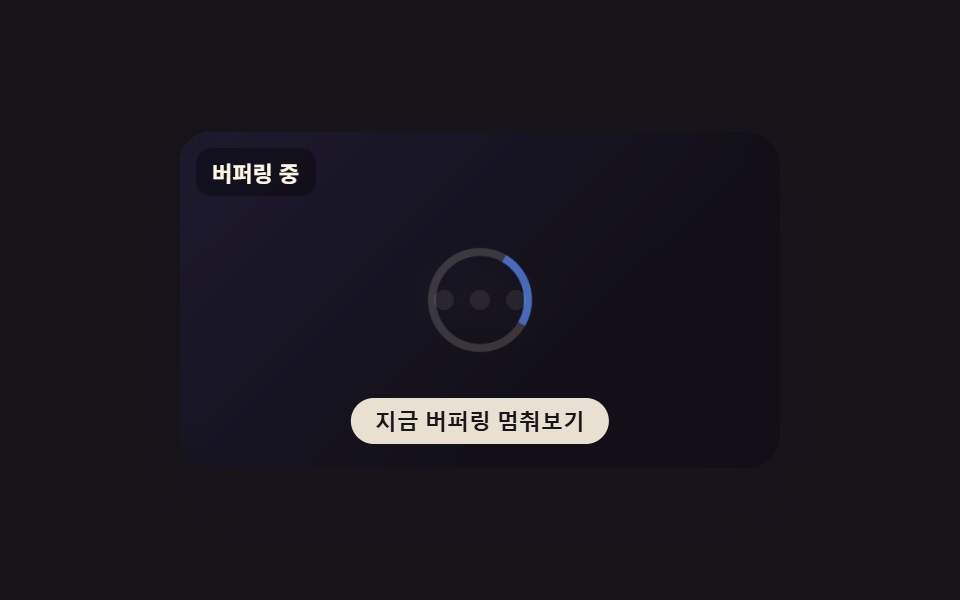 01 buffering-spinner-overlay
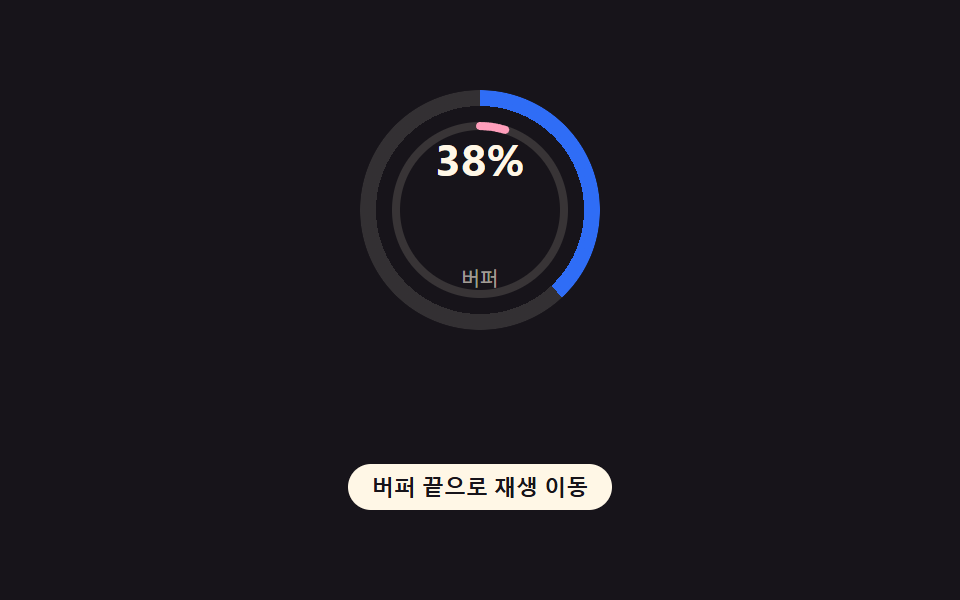 02 buffering-progress-ring
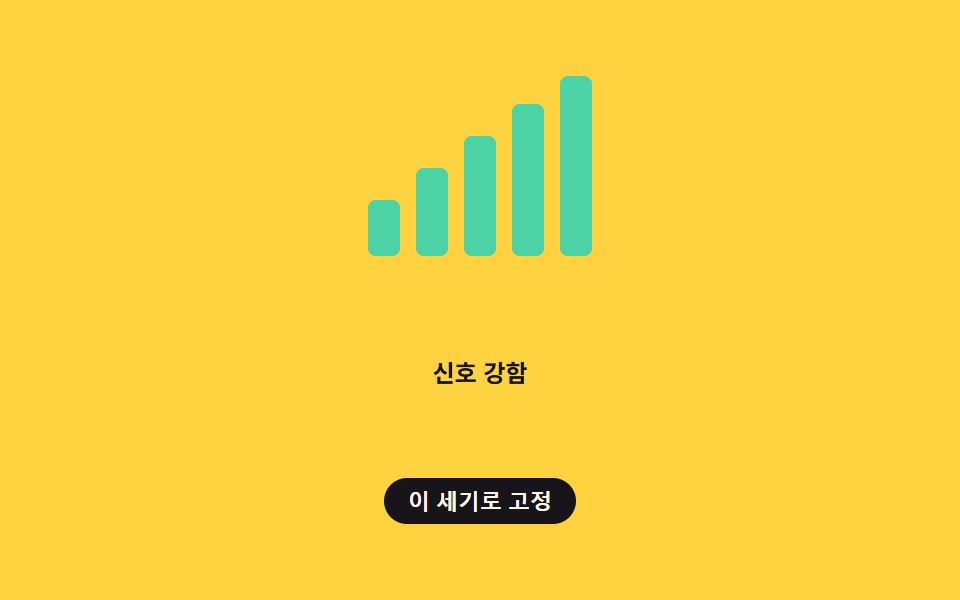 03 buffering-network-signal-bars
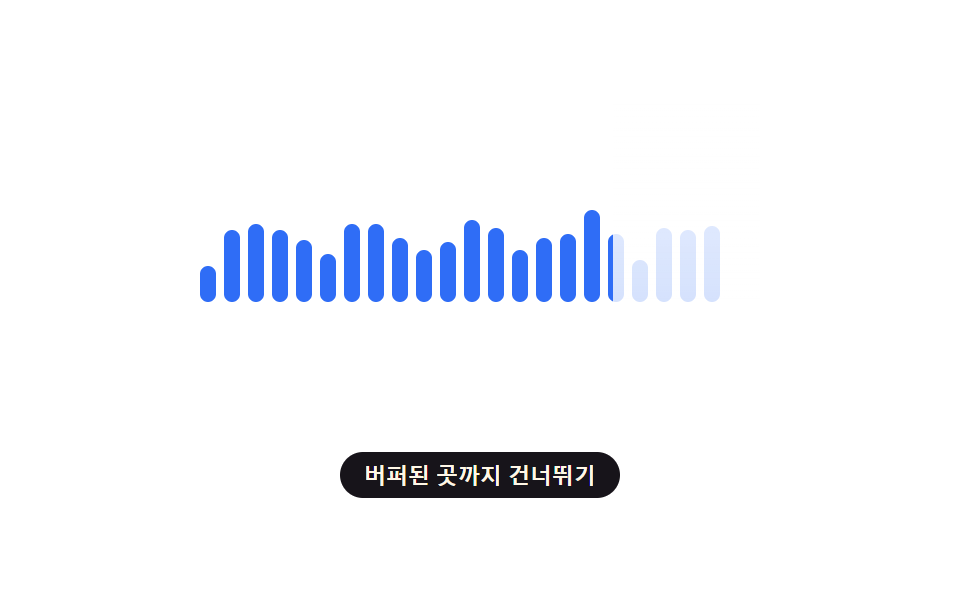 04 buffering-waveform-fill
 05 buffering-stall-retry-shake
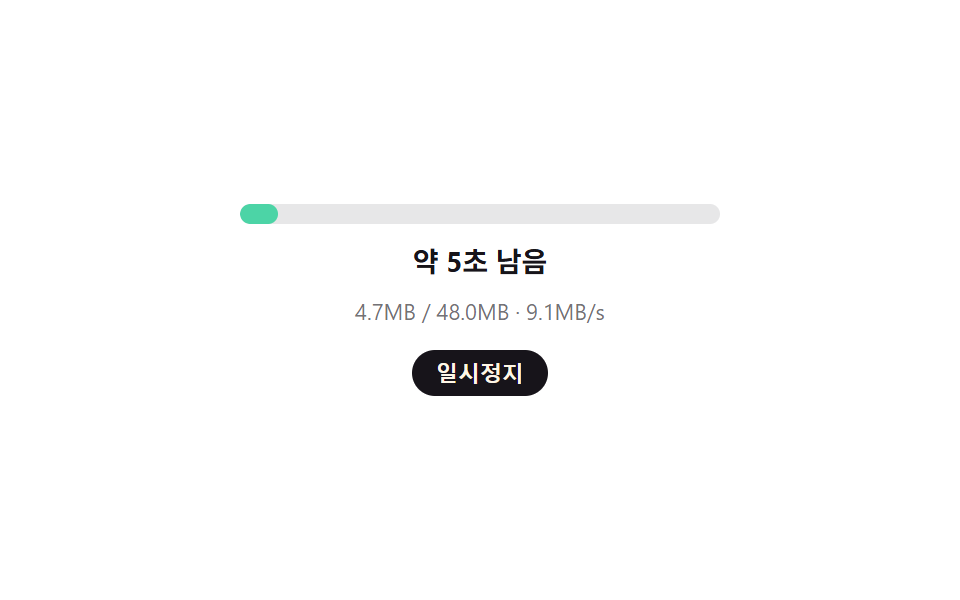 06 buffering-countdown-eta
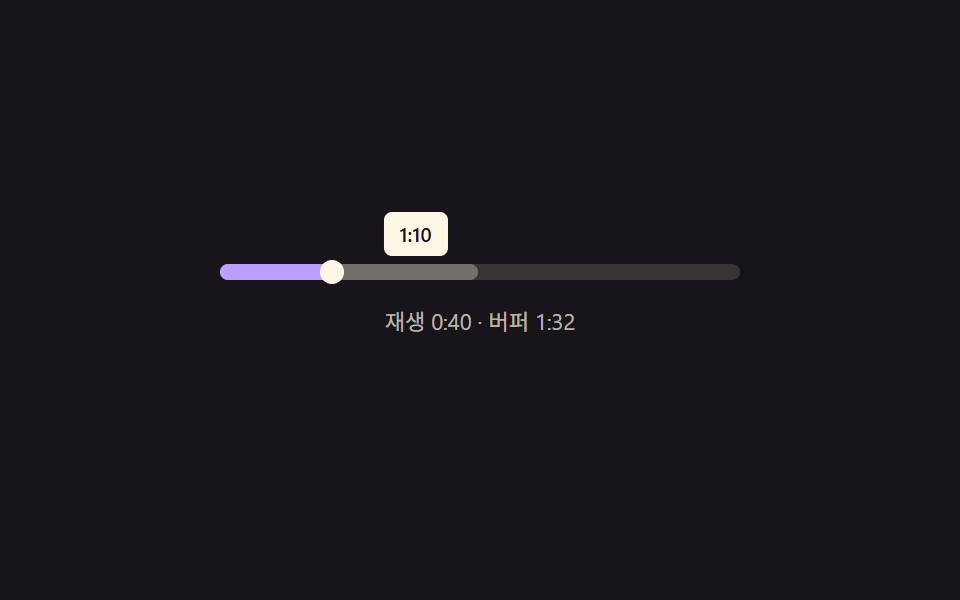 07 buffering-scrub-preview-ghost
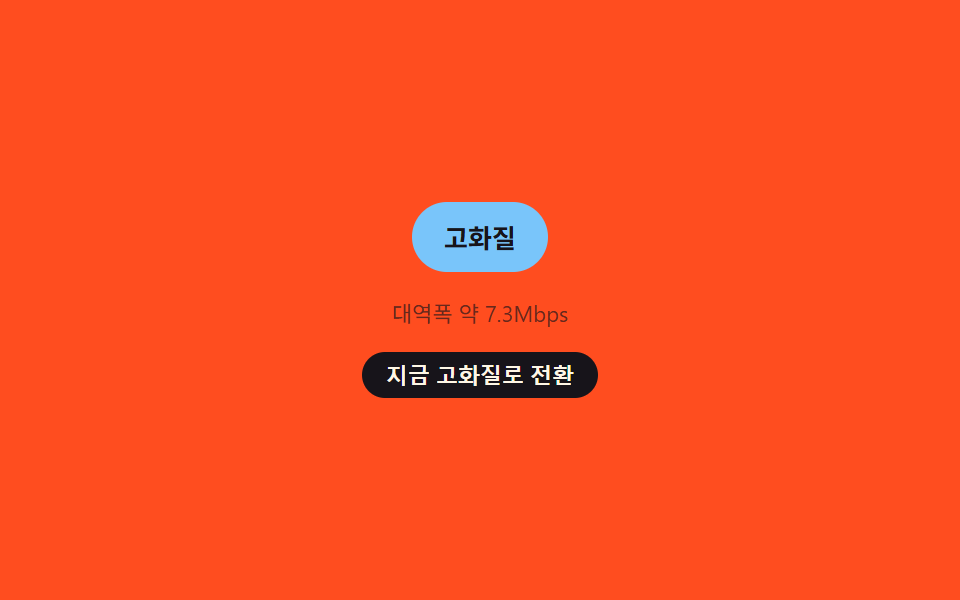 08 buffering-quality-drop-badge
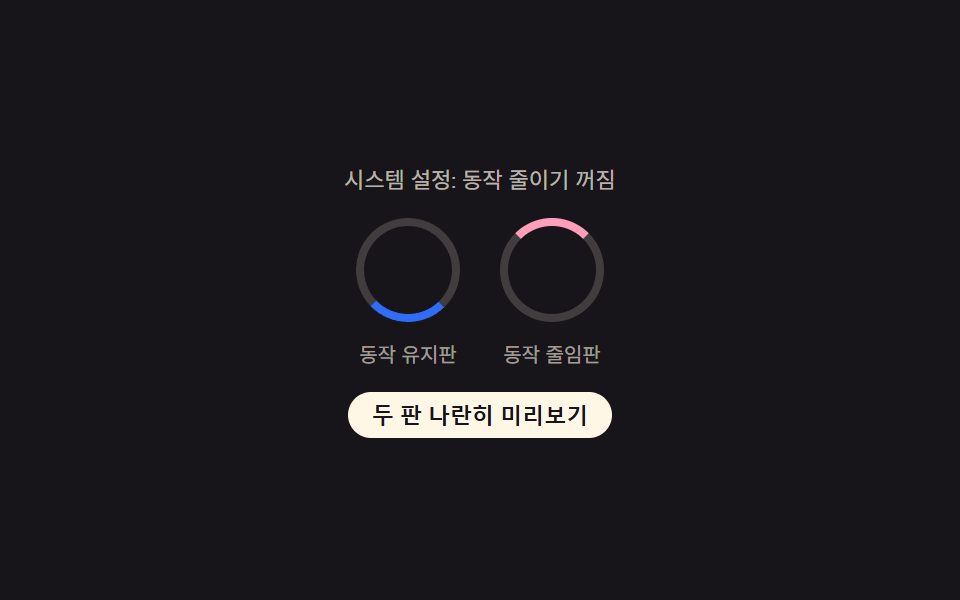 09 buffering-reduced-motion
Auto-plays · click a tile to jump to its section · all nine in one zip
- 01 Buffering Overlay on a Frozen Frame
- 02 Dual Ring for Playback and Buffer
- 03 Signal-Bar Buffering Meter
- 04 Waveform That Fills as It Buffers
- 05 Retry Icon That Shakes After Stall Detection
- 06 ETA Recalculated From Remaining Size and Speed
- 07 Scrub Bar's Ghost Buffer Preview
- 08 Quality Badge Driven by Bandwidth Judgment
- 09 Reduced Motion On vs Off, Side by Side
Nine buffering indicator UI patterns sit side by side below, each one a plain HTML/CSS/JS file with no library and no build step, so you can drag any single folder out of the archive and open its index.html straight in a browser.
Demo
Click each card above to stall it, drag its scrub bar, or force a quality change, and watch how it recovers — every reaction described below comes from reading that demo's actual source, not a description written from memory.
Anatomy of nine patterns — where the one layer of calculation runs
The numbers in the table come from the same rendered captures the demos above produced, not an estimate — 24 frames per pattern, sampled the same way for every row. Cumulative area totals how much of each frame the moving pixels covered; average intensity is the strength of that pixel-level change on the frames where something actually moved; frames moved (of 23) is how many of the 23 frame-to-frame comparisons showed any difference at all.
| # | Pattern | Cumulative area | Avg. intensity | Frames moved (of 23) |
|---|---|---|---|---|
| 01 | Buffering Overlay on a Frozen Frame | 4.02% | 71.5 | 20 |
| 02 | Dual Ring for Playback and Buffer | 1.78% | 140.2 | 23 |
| 03 | Signal-Bar Buffering Meter | 2.56% | 141.2 | 13 |
| 04 | Waveform That Fills as It Buffers | 4.61% | 168.3 | 23 |
| 05 | Retry Icon That Shakes After Stall Detection | 10.05% | 47.2 | 17 |
| 06 | ETA Recalculated From Remaining Size and Speed | 1.79% | 106.0 | 23 |
| 07 | Scrub Bar's Ghost Buffer Preview | 3.03% | 143.0 | 23 |
| 08 | Quality Badge Driven by Bandwidth Judgment | 1.53% | 67.9 | 16 |
| 09 | Reduced Motion On vs Off, Side by Side | 0.96% | 110.3 | 23 |
Pattern 05 covers the most cumulative area of the nine at 10.05%, since a shaking icon sweeps back and forth across a wide arc, while pattern 09 covers the least at just 0.96%, since two small rotating rings sitting side by side barely disturb the frame either way. Pattern 04 posts the highest average intensity of the set at 168.3 — the only one to clear 150 — because a mask peeling back across a waveform changes more pixel value per moved frame than any rotation or color blend here, while pattern 05 itself sits at the opposite end with the lowest average intensity, 47.2, since most of its sampled frames catch a resting icon between shakes rather than mid-shake. Patterns 02, 04, 06, 07, and 09 each move across all 23 of the 23 frame-to-frame comparisons, tied for the most, while pattern 03 moves across just 13, the fewest of the nine, since its own hold logic keeps the bars still for stretches even while the signal underneath keeps changing.
Cluster A — a composite sine wave fakes the signal, then a second layer decides when to trust it (01, 03, 06, 08)
Patterns 01, 03, 06, and 08 all start the same way: a function combining two or three Math.sin() terms stands in for a network condition — a stall's jitter, a connection's speed, a transfer rate, a bandwidth reading — since none of these demos touch a real network. What differs is the second layer applied on top: 01 feeds that value straight into blur and opacity, 03 and 08 both refuse to update their visible state until a new reading has held for a fixed number of ticks or milliseconds, and 06 divides a remaining amount by that faked speed to get a number of seconds.
Cluster B — elapsed time or a fixed fraction runs one formula, no sensor involved (02, 04, 05)
Patterns 02, 04, and 05 never read anything resembling a live signal — 02's ring geometry comes from two independent fractions handed to one conversion function, 04's per-bar bump comes from a fixed easing curve applied to a progress fraction, and 05's icon shake comes from how long a stall has already run past its threshold, fed through a decaying sine wave. Swap the fraction or the elapsed time and the visual output changes; nothing here is listening for anything external.
Cluster C — the two patterns that read something real instead of faking it (07, 09)
Pattern 07 is the only one of the nine whose core number comes from measuring an actual DOM element: getBoundingClientRect() gives the track's real width, and the pointer's live X coordinate divided by that width becomes the ghost marker's position. Pattern 09 is the only one that keeps listening after its first check — a matchMedia 'change' handler updates its status text the instant the OS setting actually flips, instead of reading .matches once like the other eight and moving on.
Code per pattern
Below is one function pulled out of each pattern's real file — the exact layer of math that decides what moves, with nothing rewritten and nothing shortened for the page.
01Buffering Overlay on a Frozen Frame
When a stream stalls, a translucent overlay drops over the frozen frame and a spinner turns on top of it, while the paused frame stays visible underneath.
<main class="stage">
<div class="player is-demo" id="player">
  <div class="frame" id="frame" aria-hidden="true">
    <span class="frameDot"></span>
    <span class="frameDot"></span>
    <span class="frameDot"></span>
  </div>
  <div class="overlay" id="overlay">
    <span class="ring" id="ring"></span>
  </div>
  <button class="toggleBtn" id="toggleBtn" type="button" aria-pressed="false">Try stalling buffering now</button>
  <p class="status" id="status" aria-live="polite">Buffering</p>
</div>
</main>
@use "../../../../site/static/demo-tokens" as *;
// 변수 3개
$duration: $dur-loop;
$easing: linear;
$color: $subject-blue-light;
// 계산 겹: index.html 의 tick() 이 정지 경과 시간(phase)으로 스피너 회전 속도(--spin-duration)와
// 오버레이 흐림량(--blur)·불투명도를 매 틱 산술로 갱신한다 — 고정 트윈이 아니다.
@include stage($stage-ink);
.player {
position: relative;
width: 300px;
height: 168px;
border-radius: $r-card;
overflow: hidden;
box-shadow: $shadow-raised;
}
.frame {
position: absolute;
inset: 0;
background: linear-gradient(135deg, #2a2740, $stage-ink 70%);
display: flex;
align-items: center;
justify-content: center;
gap: $sp-2;
}
.frameDot {
width: 10px;
height: 10px;
border-radius: 50%;
background: rgba($subject-cream, .25);
}
.overlay {
position: absolute;
inset: 0;
display: grid;
place-items: center;
background: rgba(#0a0812, .55);
backdrop-filter: blur(var(--blur, 6px));
-webkit-backdrop-filter: blur(var(--blur, 6px));
opacity: 0;
transition: opacity $dur-quick $ease-out;
}
.ring {
--spin-duration: 900ms;
width: 44px;
height: 44px;
border-radius: 50%;
border: 4px solid rgba($subject-cream, .22);
border-top-color: $color;
transform-origin: center;
animation: spin var(--spin-duration) linear infinite;
}
@keyframes spin {
from { transform: rotate(0deg); }
to { transform: rotate(360deg); }
}
.toggleBtn {
position: absolute;
left: 50%;
bottom: $sp-3;
transform: translateX(-50%);
appearance: none;
border: none;
border-radius: $r-pill;
padding: $sp-1 $sp-3;
font-size: 11px;
font-weight: 600;
color: $subject-ink;
background: rgba($subject-cream, .9);
cursor: pointer;
&:focus-visible { outline: 2px solid $color; outline-offset: 2px; }
}
.status {
position: absolute;
top: $sp-2;
left: $sp-2;
margin: 0;
padding: $sp-1 $sp-2;
border-radius: $r-sm;
font-size: 11px;
font-weight: 600;
color: $subject-cream;
background: rgba(#000, .35);
}
@media (max-width: 340px) {
.player { width: 220px; height: 140px; }
.ring { width: 34px; height: 34px; border-width: 3px; }
.toggleBtn { font-size: 10px; padding: $sp-1 $sp-2; bottom: $sp-2; }
.status { font-size: 10px; }
}
// reduce: 실사용 경로 적용 — 스피너 회전(장식)만 멈춘다. 오버레이 존재·상태 문구(aria-live)는 그대로 갱신된다
@media (prefers-reduced-motion: reduce) {
.ring { animation: none; }
.overlay { transition: none; }
}html, body {
margin: 0;
overflow: hidden;
}
.stage {
box-sizing: border-box;
min-height: 100vh;
display: grid;
place-items: center;
margin: 0;
background: #17141a;
font-family: -apple-system, "Segoe UI", "Noto Sans KR", sans-serif;
padding: clamp(8px, 4vw, 24px);
}
.player {
position: relative;
width: 300px;
height: 168px;
border-radius: 16px;
overflow: hidden;
box-shadow: 0 14px 24px rgba(23, 20, 26, 0.32);
}
.frame {
position: absolute;
inset: 0;
background: linear-gradient(135deg, #2a2740, #17141a 70%);
display: flex;
align-items: center;
justify-content: center;
gap: 8px;
}
.frameDot {
width: 10px;
height: 10px;
border-radius: 50%;
background: rgba(255, 247, 230, 0.25);
}
.overlay {
position: absolute;
inset: 0;
display: grid;
place-items: center;
background: rgba(10, 8, 18, 0.55);
backdrop-filter: blur(var(--blur, 6px));
-webkit-backdrop-filter: blur(var(--blur, 6px));
opacity: 0;
transition: opacity 220ms ease-out;
}
.ring {
--spin-duration: 900ms;
width: 44px;
height: 44px;
border-radius: 50%;
border: 4px solid rgba(255, 247, 230, 0.22);
border-top-color: #5b8cf8;
transform-origin: center;
animation: spin var(--spin-duration) linear infinite;
}
@keyframes spin {
from {
transform: rotate(0deg);
}
to {
transform: rotate(360deg);
}
}
.toggleBtn {
position: absolute;
left: 50%;
bottom: 12px;
transform: translateX(-50%);
appearance: none;
border: none;
border-radius: 999px;
padding: 4px 12px;
font-size: 11px;
font-weight: 600;
color: #17141a;
background: rgba(255, 247, 230, 0.9);
cursor: pointer;
}
.toggleBtn:focus-visible {
outline: 2px solid #5b8cf8;
outline-offset: 2px;
}
.status {
position: absolute;
top: 8px;
left: 8px;
margin: 0;
padding: 4px 8px;
border-radius: 8px;
font-size: 11px;
font-weight: 600;
color: #fff7e6;
background: rgba(0, 0, 0, 0.35);
}
@media (max-width: 340px) {
.player {
width: 220px;
height: 140px;
}
.ring {
width: 34px;
height: 34px;
border-width: 3px;
}
.toggleBtn {
font-size: 10px;
padding: 4px 8px;
bottom: 8px;
}
.status {
font-size: 10px;
}
}
@media (prefers-reduced-motion: reduce) {
.ring {
animation: none;
}
.overlay {
transition: none;
}
}(function () {
var STALL_CYCLE_MS = 2000; // 정지→회복 한 사이클 — 캡처 창(2초)의 약수
var STALL_PORTION = 0.72; // 한 사이클 중 정지 상태가 차지하는 비율
var TICK_MS = 60; // 계산 갱신 간격
var SPIN_MS_STALL_START = 1500; // 정지 시작 시 스피너 한 바퀴 시간(느림)
var SPIN_MS_STALL_END = 550; // 정지가 길어질수록 빨라지는 하한
var overlay = document.getElementById('overlay');
var ring = document.getElementById('ring');
var status = document.getElementById('status');
var toggleBtn = document.getElementById('toggleBtn');
var player = document.getElementById('player');
var reduce = window.matchMedia('(prefers-reduced-motion: reduce)').matches;
function clamp(v, lo, hi) { return Math.min(hi, Math.max(lo, v)); }
// 정지 경과 시간과 사이클 위상만으로 스피너 속도·오버레이 흐림 정도를 계산한다 — 값 자체는 CSS 트윈이 아니라 산술이다
function tick(elapsedMs) {
var phase = elapsedMs % STALL_CYCLE_MS;
var stallSpan = STALL_CYCLE_MS * STALL_PORTION;
var stalling = phase < stallSpan;
if (stalling) {
var stallFrac = clamp(phase / stallSpan, 0, 1);
var spinMs = SPIN_MS_STALL_START - (SPIN_MS_STALL_START - SPIN_MS_STALL_END) * stallFrac;
// 합성파 두 개로 네트워크 흔들림을 흉내낸다 — Math.random 은 렌더마다 프레임이 달라져 측정을 어지럽힌다
var jitter = 0.5 + 0.28 * Math.sin(elapsedMs / 190) + 0.14 * Math.sin(elapsedMs / 61);
jitter = clamp(jitter, 0, 1);
ring.style.setProperty('--spin-duration', spinMs.toFixed(0) + 'ms');
overlay.style.setProperty('--blur', (4 + jitter * 7).toFixed(2) + 'px');
overlay.style.opacity = (0.5 + jitter * 0.28).toFixed(2);
if (status.textContent !== 'Buffering') status.textContent = 'Buffering';
} else {
overlay.style.opacity = '0';
if (status.textContent !== 'Playback resumed') status.textContent = 'Playback resumed';
}
}
var timer = null;
var start = 0;
function loop() {
tick(performance.now() - start);
}
function human() {
if (player.classList.contains('is-demo')) {
player.classList.remove('is-demo');
window.clearInterval(timer);
timer = null;
}
}
toggleBtn.addEventListener('click', function () {
human();
var manualStall = overlay.style.opacity !== '1';
overlay.style.opacity = manualStall ? '1' : '0';
overlay.style.setProperty('--blur', '8px');
ring.style.setProperty('--spin-duration', '900ms');
status.textContent = manualStall ? 'Buffering' : 'Playback resumed';
toggleBtn.setAttribute('aria-pressed', manualStall ? 'true' : 'false');
toggleBtn.textContent = manualStall ? 'Resume playback' : 'Try stalling buffering now';
});
if (!reduce) {
start = performance.now();
tick(0);
timer = window.setInterval(loop, TICK_MS);
} else {
// reduce: 실사용 경로 — 회전·흐림 변화는 멈추고 정지된 오버레이 상태 하나만 고정으로 보여준다
overlay.style.opacity = '0.6';
overlay.style.setProperty('--blur', '6px');
status.textContent = 'Buffering';
}
})();import { useEffect, useRef } from 'react';
import styles from './BufferingSpinnerOverlay.module.scss';
const STALL_CYCLE_MS = 2000;
const STALL_PORTION = 0.72;
const TICK_MS = 60;
const SPIN_MS_STALL_START = 1500;
const SPIN_MS_STALL_END = 550;
function clamp(v: number, lo: number, hi: number) {
return Math.min(hi, Math.max(lo, v));
}
export default function BufferingSpinnerOverlay() {
const playerRef = useRef<HTMLDivElement>(null);
const overlayRef = useRef<HTMLDivElement>(null);
const ringRef = useRef<HTMLSpanElement>(null);
const statusRef = useRef<HTMLParagraphElement>(null);
const toggleBtnRef = useRef<HTMLButtonElement>(null);
useEffect(() => {
const player = playerRef.current;
const overlay = overlayRef.current;
const ring = ringRef.current;
const status = statusRef.current;
const toggleBtn = toggleBtnRef.current;
if (!player || !overlay || !ring || !status || !toggleBtn) return undefined;
const reduce = window.matchMedia('(prefers-reduced-motion: reduce)').matches;
function tick(elapsedMs: number) {
if (!overlay || !ring || !status) return;
const phase = elapsedMs % STALL_CYCLE_MS;
const stallSpan = STALL_CYCLE_MS * STALL_PORTION;
const stalling = phase < stallSpan;
if (stalling) {
const stallFrac = clamp(phase / stallSpan, 0, 1);
const spinMs = SPIN_MS_STALL_START - (SPIN_MS_STALL_START - SPIN_MS_STALL_END) * stallFrac;
const jitter = clamp(0.5 + 0.28 * Math.sin(elapsedMs / 190) + 0.14 * Math.sin(elapsedMs / 61), 0, 1);
ring.style.setProperty('--spin-duration', spinMs.toFixed(0) + 'ms');
overlay.style.setProperty('--blur', (4 + jitter * 7).toFixed(2) + 'px');
overlay.style.opacity = (0.5 + jitter * 0.28).toFixed(2);
if (status.textContent !== '버퍼링 중') status.textContent = '버퍼링 중';
} else {
overlay.style.opacity = '0';
if (status.textContent !== '재생 재개') status.textContent = '재생 재개';
}
}
let timer: ReturnType<typeof window.setInterval> | null = null;
let start = 0;
function loop() {
tick(performance.now() - start);
}
function human() {
if (player && player.classList.contains(styles['is-demo'])) {
player.classList.remove(styles['is-demo']);
if (timer !== null) window.clearInterval(timer);
timer = null;
}
}
function onToggle() {
human();
if (!overlay || !ring || !status || !toggleBtn) return;
const manualStall = overlay.style.opacity !== '1';
overlay.style.opacity = manualStall ? '1' : '0';
overlay.style.setProperty('--blur', '8px');
ring.style.setProperty('--spin-duration', '900ms');
status.textContent = manualStall ? '버퍼링 중' : '재생 재개';
toggleBtn.setAttribute('aria-pressed', manualStall ? 'true' : 'false');
toggleBtn.textContent = manualStall ? '재생 다시 잇기' : '지금 버퍼링 멈춰보기';
}
toggleBtn.addEventListener('click', onToggle);
if (!reduce) {
start = performance.now();
tick(0);
timer = window.setInterval(loop, TICK_MS);
} else {
// reduce: 실사용 경로 적용 — 회전·흐림 변화는 멈추고 정지된 오버레이 상태 하나만 고정으로 보여준다
overlay.style.opacity = '0.6';
overlay.style.setProperty('--blur', '6px');
status.textContent = '버퍼링 중';
}
return () => {
if (timer !== null) window.clearInterval(timer);
toggleBtn.removeEventListener('click', onToggle);
};
}, []);
return (
<div className={`${styles.player} ${styles['is-demo']}`} ref={playerRef}>
<div className={styles.frame} aria-hidden="true">
<span className={styles.frameDot} />
<span className={styles.frameDot} />
<span className={styles.frameDot} />
</div>
<div className={styles.overlay} ref={overlayRef}>
<span className={styles.ring} ref={ringRef} />
</div>
<button className={styles.toggleBtn} ref={toggleBtnRef} type="button" aria-pressed="false">지금 버퍼링 멈춰보기</button>
<p className={styles.status} ref={statusRef} aria-live="polite">버퍼링 중</p>
</div>
);
}01 · Buffering Overlay on a Frozen Frame — Measured area 4.024% · moving frames 20/23Original by GODRICH · SCSS and React ship in the zip · See the password
  function tick(elapsedMs) {
    var phase = elapsedMs % STALL_CYCLE_MS;
    var stallSpan = STALL_CYCLE_MS * STALL_PORTION;
    var stalling = phase < stallSpan;
    if (stalling) {
      var stallFrac = clamp(phase / stallSpan, 0, 1);
      var spinMs = SPIN_MS_STALL_START - (SPIN_MS_STALL_START - SPIN_MS_STALL_END) * stallFrac;
      // Two composite sine waves fake network jitter — Math.random would vary every render and wreck the measurement
      var jitter = 0.5 + 0.28 * Math.sin(elapsedMs / 190) + 0.14 * Math.sin(elapsedMs / 61);
      jitter = clamp(jitter, 0, 1);
      ring.style.setProperty('--spin-duration', spinMs.toFixed(0) + 'ms');
      overlay.style.setProperty('--blur', (4 + jitter * 7).toFixed(2) + 'px');
      overlay.style.opacity = (0.5 + jitter * 0.28).toFixed(2);
      if (status.textContent !== 'Buffering') status.textContent = 'Buffering';
    } else {
      overlay.style.opacity = '0';
      if (status.textContent !== 'Playback resumed') status.textContent = 'Playback resumed';
    }
  }
02Dual Ring for Playback and Buffer
Draws two stacked rings — the outer shows how much has buffered, the inner shows actual playback position (a different demo from 329's single ring+number and 035's color-zone ring — the gap between the two rings itself shows how far ahead the buffer is).
<main class="stage">
<div class="ringWrap is-demo" id="ringWrap" role="progressbar" aria-label="Buffer progress" aria-valuemin="0" aria-valuemax="100" aria-valuenow="0">
  <div class="bufferRing" id="bufferRing"></div>
  <svg class="playRing" id="playRing" viewBox="0 0 120 120" aria-hidden="true">
    <circle class="playTrack" cx="60" cy="60" r="42"></circle>
    <circle class="playValue" id="playValue" cx="60" cy="60" r="42"></circle>
  </svg>
  <div class="readout">
    <span class="pct" id="bufferPct">0%</span>
    <span class="label">Buffer</span>
  </div>
</div>
<button class="jumpBtn" id="jumpBtn" type="button">Jump playback to the end of buffer</button>
</main>
@use "../../../../site/static/demo-tokens" as *;
// 변수 3개
$duration: $dur-loop;
$easing: $ease-out;
$color: $subject-blue;
// 계산 겹: index.html 의 apply() 가 버퍼·재생 퍼센트를 conic-gradient 정지점(%)과
// SVG 둘레 길이(stroke-dashoffset)로 바꾼다 — 두 링 사이 간격이 곧 "버퍼가 재생을 얼마나 앞서는가"다.
@include stage($stage-ink);
main.stage { position: relative; flex-direction: column; gap: $sp-4; display: grid; place-items: center; }
.ringWrap {
--ring-w: 6px;
--buffer-pct: 0%;
position: relative;
width: 120px;
height: 120px;
}
.bufferRing {
position: absolute;
inset: 0;
border-radius: 50%;
background: conic-gradient($color var(--buffer-pct), rgba($subject-cream, .12) 0);
mask: radial-gradient(farthest-side, transparent calc(100% - var(--ring-w) - 2px), #000 calc(100% - var(--ring-w) - 2px));
-webkit-mask: radial-gradient(farthest-side, transparent calc(100% - var(--ring-w) - 2px), #000 calc(100% - var(--ring-w) - 2px));
transition: background 40ms linear;
}
.playRing {
position: absolute;
inset: 0;
width: 100%;
height: 100%;
transform: rotate(-90deg);
transform-origin: center;
}
.playTrack {
fill: none;
stroke: rgba($subject-cream, .14);
stroke-width: 4;
}
.playValue {
fill: none;
stroke: $subject-pink;
stroke-linecap: round;
transition: stroke-dashoffset $easing 40ms;
}
.readout {
position: absolute;
inset: 0;
display: grid;
place-items: center;
text-align: center;
}
.pct {
display: block;
font-size: 22px;
font-weight: 700;
color: $subject-cream;
}
.label {
display: block;
font-size: 10px;
color: rgba($subject-cream, .6);
}
.jumpBtn {
appearance: none;
border: none;
border-radius: $r-pill;
padding: $sp-1 $sp-3;
font-size: 11px;
font-weight: 600;
color: $subject-ink;
background: $subject-cream;
cursor: pointer;
&:focus-visible { outline: 2px solid $subject-blue-light; outline-offset: 2px; }
}
@media (max-width: 340px) {
.ringWrap { width: 92px; height: 92px; }
.pct { font-size: 18px; }
.jumpBtn { font-size: 10px; }
}
// reduce: 실사용 경로 적용 — 링 값 전환(트랜지션)만 끈다. 값 자체(퍼센트)는 그대로 보여야 의미가 있다
@media (prefers-reduced-motion: reduce) {
.bufferRing, .playValue { transition: none; }
}html, body {
margin: 0;
overflow: hidden;
}
.stage {
box-sizing: border-box;
min-height: 100vh;
display: grid;
place-items: center;
margin: 0;
background: #17141a;
font-family: -apple-system, "Segoe UI", "Noto Sans KR", sans-serif;
padding: clamp(8px, 4vw, 24px);
}
main.stage {
position: relative;
flex-direction: column;
gap: 16px;
display: grid;
place-items: center;
}
.ringWrap {
--ring-w: 6px;
--buffer-pct: 0%;
position: relative;
width: 120px;
height: 120px;
}
.bufferRing {
position: absolute;
inset: 0;
border-radius: 50%;
background: conic-gradient(#2f6df6 var(--buffer-pct), rgba(255, 247, 230, 0.12) 0);
mask: radial-gradient(farthest-side, transparent calc(100% - var(--ring-w) - 2px), #000 calc(100% - var(--ring-w) - 2px));
-webkit-mask: radial-gradient(farthest-side, transparent calc(100% - var(--ring-w) - 2px), #000 calc(100% - var(--ring-w) - 2px));
transition: background 40ms linear;
}
.playRing {
position: absolute;
inset: 0;
width: 100%;
height: 100%;
transform: rotate(-90deg);
transform-origin: center;
}
.playTrack {
fill: none;
stroke: rgba(255, 247, 230, 0.14);
stroke-width: 4;
}
.playValue {
fill: none;
stroke: #ff9ebb;
stroke-linecap: round;
transition: stroke-dashoffset ease-out 40ms;
}
.readout {
position: absolute;
inset: 0;
display: grid;
place-items: center;
text-align: center;
}
.pct {
display: block;
font-size: 22px;
font-weight: 700;
color: #fff7e6;
}
.label {
display: block;
font-size: 10px;
color: rgba(255, 247, 230, 0.6);
}
.jumpBtn {
appearance: none;
border: none;
border-radius: 999px;
padding: 4px 12px;
font-size: 11px;
font-weight: 600;
color: #17141a;
background: #fff7e6;
cursor: pointer;
}
.jumpBtn:focus-visible {
outline: 2px solid #5b8cf8;
outline-offset: 2px;
}
@media (max-width: 340px) {
.ringWrap {
width: 92px;
height: 92px;
}
.pct {
font-size: 18px;
}
.jumpBtn {
font-size: 10px;
}
}
@media (prefers-reduced-motion: reduce) {
.bufferRing, .playValue {
transition: none;
}
}(function () {
var BUFFER_RING_STROKE_WIDTH = 6; // px — 변형이 6→14 로 바꾸는 값
var LOOP_MS = 2000; // 캡처 창과 같은 한 사이클
var TICK_MS = 50;
var PLAY_R = 42;
var CIRC = 2 * Math.PI * PLAY_R;
var wrap = document.getElementById('ringWrap');
var bufferRing = document.getElementById('bufferRing');
var playValue = document.getElementById('playValue');
var bufferPctEl = document.getElementById('bufferPct');
var jumpBtn = document.getElementById('jumpBtn');
var reduce = window.matchMedia('(prefers-reduced-motion: reduce)').matches;
wrap.style.setProperty('--ring-w', BUFFER_RING_STROKE_WIDTH + 'px');
playValue.style.strokeWidth = '4';
playValue.setAttribute('stroke-dasharray', CIRC.toFixed(2));
function easeInOut(x) { return x < 0.5 ? 2 * x * x : 1 - Math.pow(-2 * x + 2, 2) / 2; }
function lerp(a, b, t) { return a + (b - a) * t; }
var manualPlay = null;
// Buffer 퍼센트·Playback 퍼센트를 각도(그라디언트 정지점)·둘레 길이(stroke-dashoffset)로 바꾸는 산술
function apply(bufferFrac, playFrac) {
var bp = Math.round(bufferFrac * 100);
bufferRing.style.setProperty('--buffer-pct', bp + '%');
var offset = CIRC * (1 - playFrac);
playValue.style.strokeDashoffset = offset.toFixed(2);
bufferPctEl.textContent = bp + '%';
wrap.setAttribute('aria-valuenow', String(bp));
}
function tick(elapsedMs) {
var t = (elapsedMs % LOOP_MS) / LOOP_MS;
var bufferFrac = lerp(0.32, 0.95, t);
var playFrac = manualPlay !== null ? manualPlay : lerp(0.04, 0.8, easeInOut(t));
apply(bufferFrac, Math.min(playFrac, bufferFrac));
}
var timer = null;
var start = 0;
function loop() { tick(performance.now() - start); }
function human() {
if (wrap.classList.contains('is-demo')) {
wrap.classList.remove('is-demo');
window.clearInterval(timer);
timer = null;
}
}
jumpBtn.addEventListener('click', function () {
human();
var bp = parseFloat(bufferRing.style.getPropertyValue('--buffer-pct')) / 100;
manualPlay = bp;
apply(bp, bp);
});
if (!reduce) {
start = performance.now();
tick(0);
timer = window.setInterval(loop, TICK_MS);
} else {
// reduce: 실사용 경로 — 링은 계속 진행률을 나타내야 하므로 애니메이션(전환)만 끄고 값은 정적으로 한 번 그린다
apply(0.62, 0.4);
}
})();import { useEffect, useRef } from 'react';
import styles from './BufferingProgressRing.module.scss';
const BUFFER_RING_STROKE_WIDTH = 6; // px — 변형이 6→14 로 바꾸는 값
const LOOP_MS = 2000;
const TICK_MS = 50;
const PLAY_R = 42;
const CIRC = 2 * Math.PI * PLAY_R;
function easeInOut(x: number) {
return x < 0.5 ? 2 * x * x : 1 - Math.pow(-2 * x + 2, 2) / 2;
}
function lerp(a: number, b: number, t: number) {
return a + (b - a) * t;
}
export default function BufferingProgressRing() {
const wrapRef = useRef<HTMLDivElement>(null);
const bufferRingRef = useRef<HTMLDivElement>(null);
const playValueRef = useRef<SVGCircleElement>(null);
const bufferPctRef = useRef<HTMLSpanElement>(null);
const jumpBtnRef = useRef<HTMLButtonElement>(null);
useEffect(() => {
const wrap = wrapRef.current;
const bufferRing = bufferRingRef.current;
const playValue = playValueRef.current;
const bufferPctEl = bufferPctRef.current;
const jumpBtn = jumpBtnRef.current;
if (!wrap || !bufferRing || !playValue || !bufferPctEl || !jumpBtn) return undefined;
const reduce = window.matchMedia('(prefers-reduced-motion: reduce)').matches;
wrap.style.setProperty('--ring-w', BUFFER_RING_STROKE_WIDTH + 'px');
playValue.style.strokeWidth = '4';
playValue.setAttribute('stroke-dasharray', CIRC.toFixed(2));
let manualPlay: number | null = null;
function apply(bufferFrac: number, playFrac: number) {
if (!bufferRing || !playValue || !bufferPctEl || !wrap) return;
const bp = Math.round(bufferFrac * 100);
bufferRing.style.setProperty('--buffer-pct', bp + '%');
const offset = CIRC * (1 - playFrac);
playValue.style.strokeDashoffset = offset.toFixed(2);
bufferPctEl.textContent = bp + '%';
wrap.setAttribute('aria-valuenow', String(bp));
}
function tick(elapsedMs: number) {
const t = (elapsedMs % LOOP_MS) / LOOP_MS;
const bufferFrac = lerp(0.32, 0.95, t);
const playFrac = manualPlay !== null ? manualPlay : lerp(0.04, 0.8, easeInOut(t));
apply(bufferFrac, Math.min(playFrac, bufferFrac));
}
let timer: ReturnType<typeof window.setInterval> | null = null;
let start = 0;
function loop() {
tick(performance.now() - start);
}
function human() {
if (wrap && wrap.classList.contains(styles['is-demo'])) {
wrap.classList.remove(styles['is-demo']);
if (timer !== null) window.clearInterval(timer);
timer = null;
}
}
function onJump() {
human();
if (!bufferRing) return;
const bp = parseFloat(bufferRing.style.getPropertyValue('--buffer-pct')) / 100;
manualPlay = bp;
apply(bp, bp);
}
jumpBtn.addEventListener('click', onJump);
if (!reduce) {
start = performance.now();
tick(0);
timer = window.setInterval(loop, TICK_MS);
} else {
// reduce: 실사용 경로 — 링은 계속 진행률을 나타내야 하므로 애니메이션(전환)만 끄고 값은 정적으로 한 번 그린다
apply(0.62, 0.4);
}
return () => {
if (timer !== null) window.clearInterval(timer);
jumpBtn.removeEventListener('click', onJump);
};
}, []);
return (
<>
<div
className={`${styles.ringWrap} ${styles['is-demo']}`}
ref={wrapRef}
role="progressbar"
aria-label="버퍼 진행률"
aria-valuemin={0}
aria-valuemax={100}
aria-valuenow={0}
>
<div className={styles.bufferRing} ref={bufferRingRef} />
<svg className={styles.playRing} viewBox="0 0 120 120" aria-hidden="true">
<circle className={styles.playTrack} cx={60} cy={60} r={42} />
<circle className={styles.playValue} ref={playValueRef} cx={60} cy={60} r={42} />
</svg>
<div className={styles.readout}>
<span className={styles.pct} ref={bufferPctRef}>0%</span>
<span className={styles.label}>버퍼</span>
</div>
</div>
<button className={styles.jumpBtn} ref={jumpBtnRef} type="button">버퍼 끝으로 재생 이동</button>
</>
);
}02 · Dual Ring for Playback and Buffer — Measured area 1.778% · moving frames 23/23Original by GODRICH · SCSS and React ship in the zip · See the password
  // Arithmetic that turns buffer % and playback % into an angle (gradient stop) and a circumference length (stroke-dashoffset)
  function apply(bufferFrac, playFrac) {
    var bp = Math.round(bufferFrac * 100);
    bufferRing.style.setProperty('--buffer-pct', bp + '%');
    var offset = CIRC * (1 - playFrac);
    playValue.style.strokeDashoffset = offset.toFixed(2);
    bufferPctEl.textContent = bp + '%';
    wrap.setAttribute('aria-valuenow', String(bp));
  }
03Signal-Bar Buffering Meter
Four or five signal bars light up and dim in sequence at a rate tied to the buffering speed, so the number of lit bars shows whether the current download is fast or slow. Every loading progress bar css component like this one ultimately reduces to a single number between 0 and 5 — these bars just disagree with the other eight patterns about how that number should reach the screen.
<main class="stage">
<div class="meter is-demo" id="meter" role="img" aria-label="Network signal strength">
  <span class="bar" data-i="0"></span>
  <span class="bar" data-i="1"></span>
  <span class="bar" data-i="2"></span>
  <span class="bar" data-i="3"></span>
  <span class="bar" data-i="4"></span>
</div>
<p class="readout" id="readout">Signal fair</p>
<button class="pinBtn" id="pinBtn" type="button" aria-pressed="false">Pin this strength</button>
</main>
@use "../../../../site/static/demo-tokens" as *;
// 변수 3개
$duration: $dur-quick;
$easing: $ease-out;
$color: $subject-mint;
// 계산 겹: index.html 의 tick() 이 결정론적 합성파를 만들고, 목표 레벨과 표시 레벨 차이가
// CHANGE_MARGIN 을 넘고 HOLD_TICKS 만큼 유지될 때만 레벨을 바꾼다 — 값 흔들림(플리커)을 막는 히스테리시스.
@include stage($stage-yellow);
.meter {
display: flex;
align-items: flex-end;
gap: $sp-2;
height: 90px;
}
.bar {
--bar-level: .22;
display: block;
width: 16px;
border-radius: $r-xs;
background: $color;
// 막대는 바닥(baseline)에 붙어 자라는 계기판이라 origin 을 bottom 으로 둔다 (rule 8 예외: 시작 변에서 자라는 요소)
transform-origin: bottom;
transform: scaleY(var(--bar-level));
transition: transform $duration $easing;
&:nth-child(1) { height: 28px; }
&:nth-child(2) { height: 44px; }
&:nth-child(3) { height: 60px; }
&:nth-child(4) { height: 76px; }
&:nth-child(5) { height: 90px; }
}
.readout {
margin: $sp-3 0 0;
font-size: 12px;
font-weight: 600;
color: $subject-ink;
text-align: center;
}
.pinBtn {
appearance: none;
border: none;
margin-top: $sp-2;
border-radius: $r-pill;
padding: $sp-1 $sp-3;
font-size: 11px;
font-weight: 600;
color: $subject-cream;
background: $subject-ink;
cursor: pointer;
&:focus-visible { outline: 2px solid $subject-blue; outline-offset: 2px; }
&[aria-pressed="true"] { background: $subject-orange-deep; }
}
@media (max-width: 340px) {
.meter { height: 64px; gap: $sp-1; }
.bar { width: 12px; }
.bar:nth-child(1) { height: 20px; }
.bar:nth-child(2) { height: 30px; }
.bar:nth-child(3) { height: 42px; }
.bar:nth-child(4) { height: 54px; }
.bar:nth-child(5) { height: 64px; }
.readout, .pinBtn { font-size: 10px; }
}
// reduce: 실사용 경로 적용 — 막대 높이 전환만 끈다. 레벨 값 자체는 그대로 반영해야 신호 정보가 전달된다
@media (prefers-reduced-motion: reduce) {
.bar { transition: none; }
}html, body {
margin: 0;
overflow: hidden;
}
.stage {
box-sizing: border-box;
min-height: 100vh;
display: grid;
place-items: center;
margin: 0;
background: #ffd23f;
font-family: -apple-system, "Segoe UI", "Noto Sans KR", sans-serif;
padding: clamp(8px, 4vw, 24px);
}
.meter {
display: flex;
align-items: flex-end;
gap: 8px;
height: 90px;
}
.bar {
--bar-level: .22;
display: block;
width: 16px;
border-radius: 4px;
background: #4cd4a6;
transform-origin: bottom;
transform: scaleY(var(--bar-level));
transition: transform 220ms ease-out;
}
.bar:nth-child(1) {
height: 28px;
}
.bar:nth-child(2) {
height: 44px;
}
.bar:nth-child(3) {
height: 60px;
}
.bar:nth-child(4) {
height: 76px;
}
.bar:nth-child(5) {
height: 90px;
}
.readout {
margin: 12px 0 0;
font-size: 12px;
font-weight: 600;
color: #17141a;
text-align: center;
}
.pinBtn {
appearance: none;
border: none;
margin-top: 8px;
border-radius: 999px;
padding: 4px 12px;
font-size: 11px;
font-weight: 600;
color: #fff7e6;
background: #17141a;
cursor: pointer;
}
.pinBtn:focus-visible {
outline: 2px solid #2f6df6;
outline-offset: 2px;
}
.pinBtn[aria-pressed=true] {
background: #c93000;
}
@media (max-width: 340px) {
.meter {
height: 64px;
gap: 4px;
}
.bar {
width: 12px;
}
.bar:nth-child(1) {
height: 20px;
}
.bar:nth-child(2) {
height: 30px;
}
.bar:nth-child(3) {
height: 42px;
}
.bar:nth-child(4) {
height: 54px;
}
.bar:nth-child(5) {
height: 64px;
}
.readout, .pinBtn {
font-size: 10px;
}
}
@media (prefers-reduced-motion: reduce) {
.bar {
transition: none;
}
}(function () {
var BAR_COUNT = 5;
var TICK_MS = 90; // 신호 재측정 간격
var CHANGE_MARGIN = 0.6; // 히스테리시스 — 표시 레벨을 바꾸려면 이만큼은 벌어져야 한다(레벨 단위)
var HOLD_TICKS = 3; // 새 레벨이 이 틱 수만큼 계속 유지돼야 실제로 바뀐다
var meter = document.getElementById('meter');
var bars = Array.prototype.slice.call(meter.querySelectorAll('.bar'));
var readout = document.getElementById('readout');
var pinBtn = document.getElementById('pinBtn');
var reduce = window.matchMedia('(prefers-reduced-motion: reduce)').matches;
var labels = ['Signal weak', 'Signal weak', 'Signal fair', 'Signal good', 'Signal strong'];
var displayLevel = 2;
var pendingLevel = 2;
var pendingCount = 0;
var pinned = null;
function clamp(v, lo, hi) { return Math.min(hi, Math.max(lo, v)); }
// 결정론적 합성파로 "속도"를 흉내내고, 그 값을 0~5 레벨로 양자화한 뒤 히스테리시스를 거친다
function rawSpeed(ms) {
var w = 0.5 + 0.5 * Math.sin(ms / 700) + 0.25 * Math.sin(ms / 233) + 0.15 * Math.sin(ms / 97);
return clamp(w, 0, 1.35);
}
function paint(level) {
bars.forEach(function (b, i) {
b.style.setProperty('--bar-level', i < level ? '1' : '.22');
});
readout.textContent = labels[clamp(level, 0, 4)];
meter.setAttribute('aria-label', 'Network signal strength ' + level + ' / ' + BAR_COUNT);
}
  function tick(ms) {
    if (pinned !== null) return;
    var raw = rawSpeed(ms) * BAR_COUNT;
    var targetLevel = clamp(Math.round(raw), 0, BAR_COUNT);
    if (targetLevel !== displayLevel && Math.abs(raw - displayLevel) > CHANGE_MARGIN) {
      if (targetLevel === pendingLevel) {
        pendingCount++;
      } else {
        pendingLevel = targetLevel;
        pendingCount = 1;
      }
      if (pendingCount >= HOLD_TICKS) {
        displayLevel = pendingLevel;
        pendingCount = 0;
      }
    } else {
      pendingCount = 0;
      pendingLevel = displayLevel;
    }
    paint(displayLevel);
  }
var timer = null;
var start = 0;
function loop() { tick(performance.now() - start); }
function human() {
if (meter.classList.contains('is-demo')) {
meter.classList.remove('is-demo');
window.clearInterval(timer);
timer = null;
}
}
pinBtn.addEventListener('click', function () {
human();
if (pinned === null) {
pinned = displayLevel;
pinBtn.setAttribute('aria-pressed', 'true');
pinBtn.textContent = 'Unpin';
} else {
pinned = null;
pinBtn.setAttribute('aria-pressed', 'false');
pinBtn.textContent = 'Pin this strength';
}
});
if (!reduce) {
start = performance.now();
tick(0);
timer = window.setInterval(loop, TICK_MS);
} else {
// reduce: 실사용 경로 — 막대 높이 전환은 멈추고 마지막 측정 레벨 하나로 고정해 보여준다
paint(3);
}
})();import { useEffect, useRef } from 'react';
import styles from './BufferingNetworkSignalBars.module.scss';
const BAR_COUNT = 5;
const TICK_MS = 90; // 신호 재측정 간격
const CHANGE_MARGIN = 0.6; // 히스테리시스 — 표시 레벨을 바꾸려면 이만큼은 벌어져야 한다(레벨 단위)
const HOLD_TICKS = 3; // 새 레벨이 이 틱 수만큼 계속 유지돼야 실제로 바뀐다
const LABELS = ['신호 약함', '신호 약함', '신호 보통', '신호 양호', '신호 강함'];
function clamp(v: number, lo: number, hi: number) {
return Math.min(hi, Math.max(lo, v));
}
export default function BufferingNetworkSignalBars() {
const meterRef = useRef<HTMLDivElement>(null);
const barRefs = useRef<(HTMLSpanElement | null)[]>([]);
const readoutRef = useRef<HTMLParagraphElement>(null);
const pinBtnRef = useRef<HTMLButtonElement>(null);
useEffect(() => {
const meter = meterRef.current;
const readout = readoutRef.current;
const pinBtn = pinBtnRef.current;
const bars = barRefs.current;
if (!meter || !readout || !pinBtn || !bars) return undefined;
const reduce = window.matchMedia('(prefers-reduced-motion: reduce)').matches;
let displayLevel = 2;
let pendingLevel = 2;
let pendingCount = 0;
let pinned: number | null = null;
// 결정론적 합성파로 "속도"를 흉내내고, 그 값을 0~5 레벨로 양자화한 뒤 히스테리시스를 거친다
function rawSpeed(ms: number) {
const w = 0.5 + 0.5 * Math.sin(ms / 700) + 0.25 * Math.sin(ms / 233) + 0.15 * Math.sin(ms / 97);
return clamp(w, 0, 1.35);
}
function paint(level: number) {
bars!.forEach((b, i) => {
if (b) b.style.setProperty('--bar-level', i < level ? '1' : '.22');
});
if (readout) readout.textContent = LABELS[clamp(level, 0, 4)];
if (meter) meter.setAttribute('aria-label', '네트워크 신호 세기 ' + level + ' / ' + BAR_COUNT);
}
function tick(ms: number) {
if (pinned !== null) return;
const raw = rawSpeed(ms) * BAR_COUNT;
const targetLevel = clamp(Math.round(raw), 0, BAR_COUNT);
if (targetLevel !== displayLevel && Math.abs(raw - displayLevel) > CHANGE_MARGIN) {
if (targetLevel === pendingLevel) {
pendingCount++;
} else {
pendingLevel = targetLevel;
pendingCount = 1;
}
if (pendingCount >= HOLD_TICKS) {
displayLevel = pendingLevel;
pendingCount = 0;
}
} else {
pendingCount = 0;
pendingLevel = displayLevel;
}
paint(displayLevel);
}
let timer: ReturnType<typeof window.setInterval> | null = null;
let start = 0;
function loop() {
tick(performance.now() - start);
}
function human() {
if (meter && meter.classList.contains(styles['is-demo'])) {
meter.classList.remove(styles['is-demo']);
if (timer !== null) window.clearInterval(timer);
timer = null;
}
}
function onPin() {
human();
if (!pinBtn) return;
if (pinned === null) {
pinned = displayLevel;
pinBtn.setAttribute('aria-pressed', 'true');
pinBtn.textContent = '고정 풀기';
} else {
pinned = null;
pinBtn.setAttribute('aria-pressed', 'false');
pinBtn.textContent = '이 세기로 고정';
}
}
pinBtn.addEventListener('click', onPin);
if (!reduce) {
start = performance.now();
tick(0);
timer = window.setInterval(loop, TICK_MS);
} else {
// reduce: 실사용 경로 — 막대 높이 전환은 멈추고 마지막 측정 레벨 하나로 고정해 보여준다
paint(3);
}
return () => {
if (timer !== null) window.clearInterval(timer);
pinBtn.removeEventListener('click', onPin);
};
}, []);
return (
<>
<div className={`${styles.meter} ${styles['is-demo']}`} ref={meterRef} role="img" aria-label="네트워크 신호 세기">
{[0, 1, 2, 3, 4].map((i) => (
<span key={i} className={styles.bar} ref={(el: HTMLSpanElement | null) => { if (barRefs.current) barRefs.current[i] = el; }} />
))}
</div>
<p className={styles.readout} ref={readoutRef}>신호 보통</p>
<button className={styles.pinBtn} ref={pinBtnRef} type="button" aria-pressed="false">이 세기로 고정</button>
</>
);
}03 · Signal-Bar Buffering Meter — Measured area 2.558% · moving frames 13/23Original by GODRICH · SCSS and React ship in the zip · See the password
function tick(ms) {
if (pinned !== null) return;
var raw = rawSpeed(ms) * BAR_COUNT;
var targetLevel = clamp(Math.round(raw), 0, BAR_COUNT);
if (targetLevel !== displayLevel && Math.abs(raw - displayLevel) > CHANGE_MARGIN) {
if (targetLevel === pendingLevel) {
pendingCount++;
} else {
pendingLevel = targetLevel;
pendingCount = 1;
}
if (pendingCount >= HOLD_TICKS) {
displayLevel = pendingLevel;
pendingCount = 0;
}
} else {
pendingCount = 0;
pendingLevel = displayLevel;
}
paint(displayLevel);
}
04Waveform That Fills as It Buffers
Lays a translucent film over a static waveform and peels it back only as far as the buffered range extends (a different demo from 291's live-analysis visualizer — here a single buffer-progress value alone drives how far the film retreats, with no mic or file analysis).
<main class="stage">
<div class="waveWrap is-demo" id="waveWrap" role="progressbar" aria-label="Audio buffer progress" aria-valuemin="0" aria-valuemax="100" aria-valuenow="0">
  <div class="bars" id="bars"></div>
  <div class="film" id="film"></div>
</div>
<button class="skipBtn" id="skipBtn" type="button">Skip to buffered point</button>
</main>
@use "../../../../site/static/demo-tokens" as *;
// 변수 3개
$duration: $dur-loop;
$easing: $ease-out;
$color: $subject-blue;
// 계산 겹: index.html 의 bezier() 가 WAVEFORM_FILL_EASE 문자열을 실제 3차 베지어 곡선으로 풀어
// 진행률(t)을 채움 비율로 바꾸고, 그 비율의 경계 막대에만 sin() 범프를 얹어 "채워지는 순간"을 표시한다.
@include stage($stage-paper);
.waveWrap {
position: relative;
width: 280px;
height: 100px;
}
.bars {
display: flex;
align-items: flex-end;
gap: 4px;
height: 100%;
}
.bar {
--h: 20px;
--bump: 0px;
display: block;
width: 8px;
border-radius: $r-xs;
background: $color;
// 막대는 바닥에서 자라는 파형 계기라 origin 을 bottom 으로 둔다
transform-origin: bottom;
height: calc(var(--h) + var(--bump));
}
.film {
position: absolute;
inset: 0;
background: linear-gradient(180deg, rgba($stage-paper, .92), rgba($stage-paper, .8));
mask-image: linear-gradient(to right, transparent var(--buffer-pct), #000 var(--buffer-pct));
-webkit-mask-image: linear-gradient(to right, transparent var(--buffer-pct), #000 var(--buffer-pct));
}
.skipBtn {
appearance: none;
border: none;
margin-top: $sp-3;
border-radius: $r-pill;
padding: $sp-1 $sp-3;
font-size: 11px;
font-weight: 600;
color: $subject-cream;
background: $subject-ink;
cursor: pointer;
&:focus-visible { outline: 2px solid $subject-blue-deep; outline-offset: 2px; }
}
@media (max-width: 340px) {
.waveWrap { width: 220px; height: 76px; }
.bar { width: 6px; }
.skipBtn { font-size: 10px; }
}
// reduce: 실사용 경로 적용 — 채움 이징(진행) 자체는 JS 가 멈춘 채 한 값으로 그리므로 scss 는 덧붙일 전환이 없다
@media (prefers-reduced-motion: reduce) {
.bar { transition: none; }
}html, body {
margin: 0;
overflow: hidden;
}
.stage {
box-sizing: border-box;
min-height: 100vh;
display: grid;
place-items: center;
margin: 0;
background: #ffffff;
font-family: -apple-system, "Segoe UI", "Noto Sans KR", sans-serif;
padding: clamp(8px, 4vw, 24px);
}
.waveWrap {
position: relative;
width: 280px;
height: 100px;
}
.bars {
display: flex;
align-items: flex-end;
gap: 4px;
height: 100%;
}
.bar {
--h: 20px;
--bump: 0px;
display: block;
width: 8px;
border-radius: 4px;
background: #2f6df6;
transform-origin: bottom;
height: calc(var(--h) + var(--bump));
}
.film {
position: absolute;
inset: 0;
background: linear-gradient(180deg, rgba(255, 255, 255, 0.92), rgba(255, 255, 255, 0.8));
mask-image: linear-gradient(to right, transparent var(--buffer-pct), #000 var(--buffer-pct));
-webkit-mask-image: linear-gradient(to right, transparent var(--buffer-pct), #000 var(--buffer-pct));
}
.skipBtn {
appearance: none;
border: none;
margin-top: 12px;
border-radius: 999px;
padding: 4px 12px;
font-size: 11px;
font-weight: 600;
color: #fff7e6;
background: #17141a;
cursor: pointer;
}
.skipBtn:focus-visible {
outline: 2px solid #0a4fe8;
outline-offset: 2px;
}
@media (max-width: 340px) {
.waveWrap {
width: 220px;
height: 76px;
}
.bar {
width: 6px;
}
.skipBtn {
font-size: 10px;
}
}
@media (prefers-reduced-motion: reduce) {
.bar {
transition: none;
}
}(function () {
var WAVEFORM_FILL_EASE = 'linear'; // 훅 — 변형이 cubic-bezier(.22,1,.36,1) 로 바꾸는 값
var BAR_COUNT = 22;
var LOOP_MS = 2000;
var TICK_MS = 70;
var BUMP_PX = 10; // Buffer 경계 막대가 채워지는 순간 살짝 솟는 최대 높이
// 고정 패턴(사인 두 겹 합성) — Math.random 없이 매번 같은 파형을 만든다
var HEIGHTS = [];
for (var i = 0; i < BAR_COUNT; i++) {
var v = 18 + 16 * Math.abs(Math.sin(i * 0.7)) + 8 * Math.abs(Math.sin(i * 1.9));
HEIGHTS.push(Math.round(v));
}
var wrap = document.getElementById('waveWrap');
var barsEl = document.getElementById('bars');
var film = document.getElementById('film');
var skipBtn = document.getElementById('skipBtn');
var reduce = window.matchMedia('(prefers-reduced-motion: reduce)').matches;
var bars = HEIGHTS.map(function (h, i) {
var b = document.createElement('span');
b.className = 'bar';
b.style.setProperty('--h', h + 'px');
barsEl.appendChild(b);
return b;
});
// 3차 베지어 이징 평가기 — WAVEFORM_FILL_EASE 값을 실제 진행률 곡선에 반영한다
function bezier(x1, y1, x2, y2) {
function s(a, b) { return 3 * a * (1 - 3 * b + 3 * a) + 3 * b * b * (0); }
function bx(t) { return 3 * (1 - t) * (1 - t) * t * x1 + 3 * (1 - t) * t * t * x2 + t * t * t; }
function by(t) { return 3 * (1 - t) * (1 - t) * t * y1 + 3 * (1 - t) * t * t * y2 + t * t * t; }
return function (x) {
var t = x;
for (var it = 0; it < 6; it++) {
var cx = bx(t) - x;
var d = 3 * (1 - t) * (1 - t) * x1 + 6 * (1 - t) * t * (x2 - x1) + 3 * t * t * (1 - x2);
if (Math.abs(d) < 1e-6) break;
t -= cx / d;
t = Math.min(1, Math.max(0, t));
}
return by(t);
};
}
  function easeFn() {
    if (WAVEFORM_FILL_EASE === 'linear') return function (x) { return x; };
    var nums = WAVEFORM_FILL_EASE.replace('cubic-bezier(', '').replace(')', '').split(',').map(Number);
    return bezier(nums[0], nums[1], nums[2], nums[3]);
  }
  var ease = easeFn();

  function paint(pct) {
    var pctStr = (pct * 100).toFixed(1) + '%';
    film.style.setProperty('--buffer-pct', pctStr);
    wrap.setAttribute('aria-valuenow', String(Math.round(pct * 100)));
    var raw = pct * BAR_COUNT;
    var idx = Math.min(BAR_COUNT - 1, Math.floor(raw));
    var frac = raw - idx;
    bars.forEach(function (b, i) {
      var bump = i === idx ? Math.sin(frac * Math.PI) * BUMP_PX : 0;
      b.style.setProperty('--bump', bump.toFixed(1) + 'px');
    });
  }
var manualPct = null;
function tick(elapsedMs) {
if (manualPct !== null) { paint(manualPct); return; }
var t = (elapsedMs % LOOP_MS) / LOOP_MS;
paint(ease(t));
}
var timer = null;
var start = 0;
function loop() { tick(performance.now() - start); }
function human() {
if (wrap.classList.contains('is-demo')) {
wrap.classList.remove('is-demo');
window.clearInterval(timer);
timer = null;
}
}
skipBtn.addEventListener('click', function () {
human();
manualPct = 1;
paint(1);
});
if (!reduce) {
start = performance.now();
tick(0);
timer = window.setInterval(loop, TICK_MS);
} else {
// reduce: 실사용 경로 — 채워지는 전환은 멈추고 Buffer 진행률을 고정된 한 장면으로만 보여준다
paint(0.55);
}
})();import { useEffect, useRef } from 'react';
import type { CSSProperties } from 'react';
import styles from './BufferingWaveformFill.module.scss';
const WAVEFORM_FILL_EASE: string = 'linear'; // 훅 — 변형이 cubic-bezier(.22,1,.36,1) 로 바꾸는 값
const BAR_COUNT = 22;
const LOOP_MS = 2000;
const TICK_MS = 70;
const BUMP_PX = 10; // 버퍼 경계 막대가 채워지는 순간 살짝 솟는 최대 높이
// 고정 패턴(사인 두 겹 합성) — Math.random 없이 매번 같은 파형을 만든다
const HEIGHTS: number[] = [];
for (let i = 0; i < BAR_COUNT; i++) {
const v = 18 + 16 * Math.abs(Math.sin(i * 0.7)) + 8 * Math.abs(Math.sin(i * 1.9));
HEIGHTS.push(Math.round(v));
}
// 3차 베지어 이징 평가기 — WAVEFORM_FILL_EASE 값을 실제 진행률 곡선에 반영한다
function bezier(x1: number, y1: number, x2: number, y2: number) {
function bx(t: number) { return 3 * (1 - t) * (1 - t) * t * x1 + 3 * (1 - t) * t * t * x2 + t * t * t; }
function by(t: number) { return 3 * (1 - t) * (1 - t) * t * y1 + 3 * (1 - t) * t * t * y2 + t * t * t; }
return function (x: number) {
let t = x;
for (let it = 0; it < 6; it++) {
const cx = bx(t) - x;
const d = 3 * (1 - t) * (1 - t) * x1 + 6 * (1 - t) * t * (x2 - x1) + 3 * t * t * (1 - x2);
if (Math.abs(d) < 1e-6) break;
t -= cx / d;
t = Math.min(1, Math.max(0, t));
}
return by(t);
};
}
function easeFn(): (x: number) => number {
if (WAVEFORM_FILL_EASE === 'linear') return (x: number) => x;
const nums = WAVEFORM_FILL_EASE.replace('cubic-bezier(', '').replace(')', '').split(',').map(Number);
return bezier(nums[0], nums[1], nums[2], nums[3]);
}
export default function BufferingWaveformFill() {
const wrapRef = useRef<HTMLDivElement>(null);
const filmRef = useRef<HTMLDivElement>(null);
const skipBtnRef = useRef<HTMLButtonElement>(null);
const barRefs = useRef<(HTMLSpanElement | null)[]>([]);
useEffect(() => {
const wrap = wrapRef.current;
const film = filmRef.current;
const skipBtn = skipBtnRef.current;
const bars = barRefs.current;
if (!wrap || !film || !skipBtn || !bars) return undefined;
const reduce = window.matchMedia('(prefers-reduced-motion: reduce)').matches;
const ease = easeFn();
function paint(pct: number) {
if (!film || !wrap) return;
const pctStr = (pct * 100).toFixed(1) + '%';
film.style.setProperty('--buffer-pct', pctStr);
wrap.setAttribute('aria-valuenow', String(Math.round(pct * 100)));
const raw = pct * BAR_COUNT;
const idx = Math.min(BAR_COUNT - 1, Math.floor(raw));
const frac = raw - idx;
bars!.forEach((b, i) => {
if (!b) return;
const bump = i === idx ? Math.sin(frac * Math.PI) * BUMP_PX : 0;
b.style.setProperty('--bump', bump.toFixed(1) + 'px');
});
}
let manualPct: number | null = null;
function tick(elapsedMs: number) {
if (manualPct !== null) { paint(manualPct); return; }
const t = (elapsedMs % LOOP_MS) / LOOP_MS;
paint(ease(t));
}
let timer: ReturnType<typeof window.setInterval> | null = null;
let start = 0;
function loop() {
tick(performance.now() - start);
}
function human() {
if (wrap && wrap.classList.contains(styles['is-demo'])) {
wrap.classList.remove(styles['is-demo']);
if (timer !== null) window.clearInterval(timer);
timer = null;
}
}
function onSkip() {
human();
manualPct = 1;
paint(1);
}
skipBtn.addEventListener('click', onSkip);
if (!reduce) {
start = performance.now();
tick(0);
timer = window.setInterval(loop, TICK_MS);
} else {
// reduce: 실사용 경로 — 채워지는 전환은 멈추고 버퍼 진행률을 고정된 한 장면으로만 보여준다
paint(0.55);
}
return () => {
if (timer !== null) window.clearInterval(timer);
skipBtn.removeEventListener('click', onSkip);
};
}, []);
return (
<>
<div
className={`${styles.waveWrap} ${styles['is-demo']}`}
ref={wrapRef}
role="progressbar"
aria-label="오디오 버퍼 진행률"
aria-valuemin={0}
aria-valuemax={100}
aria-valuenow={0}
>
<div className={styles.bars}>
{HEIGHTS.map((h, i) => (
<span
key={i}
className={styles.bar}
ref={(el: HTMLSpanElement | null) => { if (barRefs.current) barRefs.current[i] = el; }}
style={{ ['--h' as string]: h + 'px' } as CSSProperties}
/>
))}
</div>
<div className={styles.film} ref={filmRef} />
</div>
<button className={styles.skipBtn} ref={skipBtnRef} type="button">버퍼된 곳까지 건너뛰기</button>
</>
);
}04 · Waveform That Fills as It Buffers — Measured area 4.609% · moving frames 23/23Original by GODRICH · SCSS and React ship in the zip · See the password
function easeFn() {
if (WAVEFORM_FILL_EASE === 'linear') return function (x) { return x; };
var nums = WAVEFORM_FILL_EASE.replace('cubic-bezier(', '').replace(')', '').split(',').map(Number);
return bezier(nums[0], nums[1], nums[2], nums[3]);
}
var ease = easeFn();
function paint(pct) {
var pctStr = (pct * 100).toFixed(1) + '%';
film.style.setProperty('--buffer-pct', pctStr);
wrap.setAttribute('aria-valuenow', String(Math.round(pct * 100)));
var raw = pct * BAR_COUNT;
var idx = Math.min(BAR_COUNT - 1, Math.floor(raw));
var frac = raw - idx;
bars.forEach(function (b, i) {
var bump = i === idx ? Math.sin(frac * Math.PI) * BUMP_PX : 0;
b.style.setProperty('--bump', bump.toFixed(1) + 'px');
});
}
05Retry Icon That Shakes After Stall Detection
Once a stall passes a short threshold, the status text switches from "stalled" to "reconnecting" and the retry icon shakes along a decaying sine wave before settling, while the button snaps it straight back to playing.
<main class="stage">
<div class="stallCard is-demo" id="stallCard">
  <div class="iconWrap" id="iconWrap" aria-hidden="true">
    <svg xmlns="http://www.w3.org/2000/svg" width="32" height="32" viewBox="0 0 256 256">
      <g fill="currentColor">
        <path d="M216 128a88 88 0 1 1-88-88a88 88 0 0 1 88 88" opacity=".2"/>
        <path d="M240 56v48a8 8 0 0 1-8 8h-48a8 8 0 0 1 0-16h27.4l-26.59-24.36l-.25-.24a80 80 0 1 0-1.67 114.78a8 8 0 0 1 11 11.63A95.44 95.44 0 0 1 128 224h-1.32a96 96 0 1 1 69.07-164L224 85.8V56a8 8 0 1 1 16 0"/>
      </g>
    </svg>
  </div>
  <p class="status" id="status" aria-live="polite">Playing normally</p>
  <button class="retryBtn" id="retryBtn" type="button">Retry now</button>
</div>
</main>
@use "../../../../site/static/demo-tokens" as *;
// 변수 3개
$duration: $dur-quick;
$easing: $ease-out;
$color: $subject-orange-deep;
// 계산 겹: index.html 의 shakeOffset() 이 정지 지속 시간을 감쇠 사인파(진폭 exp 감쇠 × sin)로 바꿔
// translateX 오프셋을 매 틱 계산한다 — 고정 keyframe 흔들림이 아니라 물리 감쇠를 흉내낸 값.
@include stage($stage-yellow);
.stallCard {
display: flex;
flex-direction: column;
align-items: center;
gap: $sp-3;
padding: $sp-5;
border-radius: $r-card;
background: rgba($subject-ink, .06);
}
.iconWrap {
display: grid;
place-items: center;
width: 56px;
height: 56px;
border-radius: 50%;
color: $subject-ink;
background: rgba($subject-cream, .5);
}
.is-stalled .iconWrap {
color: $color;
background: rgba($subject-orange-deep, .16);
}
.status {
margin: 0;
font-size: 13px;
font-weight: 600;
color: $subject-ink;
text-align: center;
}
.retryBtn {
appearance: none;
border: none;
border-radius: $r-pill;
padding: $sp-1 $sp-3;
font-size: 11px;
font-weight: 600;
color: $subject-cream;
background: $subject-ink;
cursor: pointer;
&:focus-visible { outline: 2px solid $color; outline-offset: 2px; }
}
@media (max-width: 340px) {
.stallCard { padding: $sp-3; gap: $sp-2; }
.iconWrap { width: 44px; height: 44px; }
.status, .retryBtn { font-size: 10px; }
}
// reduce: 실사용 경로 적용 — 흔들림 오프셋은 JS 가 이미 0 으로 고정하므로 scss 쪽은 별도 전환이 없다
@media (prefers-reduced-motion: reduce) {
.iconWrap { transition: none; }
}html, body {
margin: 0;
overflow: hidden;
}
.stage {
box-sizing: border-box;
min-height: 100vh;
display: grid;
place-items: center;
margin: 0;
background: #ffd23f;
font-family: -apple-system, "Segoe UI", "Noto Sans KR", sans-serif;
padding: clamp(8px, 4vw, 24px);
}
.stallCard {
display: flex;
flex-direction: column;
align-items: center;
gap: 12px;
padding: 20px;
border-radius: 16px;
background: rgba(23, 20, 26, 0.06);
}
.iconWrap {
display: grid;
place-items: center;
width: 56px;
height: 56px;
border-radius: 50%;
color: #17141a;
background: rgba(255, 247, 230, 0.5);
}
.is-stalled .iconWrap {
color: #c93000;
background: rgba(201, 48, 0, 0.16);
}
.status {
margin: 0;
font-size: 13px;
font-weight: 600;
color: #17141a;
text-align: center;
}
.retryBtn {
appearance: none;
border: none;
border-radius: 999px;
padding: 4px 12px;
font-size: 11px;
font-weight: 600;
color: #fff7e6;
background: #17141a;
cursor: pointer;
}
.retryBtn:focus-visible {
outline: 2px solid #c93000;
outline-offset: 2px;
}
@media (max-width: 340px) {
.stallCard {
padding: 12px;
gap: 8px;
}
.iconWrap {
width: 44px;
height: 44px;
}
.status, .retryBtn {
font-size: 10px;
}
}
@media (prefers-reduced-motion: reduce) {
.iconWrap {
transition: none;
}
}(function () {
var LOOP_MS = 2000;
var TICK_MS = 30;
var NORMAL_FRAC = 0.15; // 이 지점까지는 Playing normally
var STALL_FRAC = 0.92; // 이 지점부터 Playback resumed
var STALL_THRESHOLD_MS = 300; // 정지가 이만큼 지속돼야 흔들림이 시작된다
var SHAKE_DECAY = 0.0018; // 감쇠율 — 클수록 빨리 잦아든다
var SHAKE_FREQ = 0.05; // 각속도
var SHAKE_AMP_PX = 9;
var card = document.getElementById('stallCard');
var iconWrap = document.getElementById('iconWrap');
var status = document.getElementById('status');
var retryBtn = document.getElementById('retryBtn');
var reduce = window.matchMedia('(prefers-reduced-motion: reduce)').matches;
function setStatus(text) {
if (status.textContent !== text) status.textContent = text;
}
// 정지 지속 시간(ms) 을 감쇠 사인파의 위상으로 바꿔 흔들림 폭을 계산한다 — CSS keyframe 이 아니라 매 틱 산술
function shakeOffset(stallOverMs) {
var amp = SHAKE_AMP_PX * Math.exp(-SHAKE_DECAY * stallOverMs);
return amp * Math.sin(stallOverMs * SHAKE_FREQ);
}
var manualRecovered = null;
function tick(elapsedMs) {
if (manualRecovered !== null) return;
var loopPos = elapsedMs % LOOP_MS;
var normalEnd = LOOP_MS * NORMAL_FRAC;
var stallEnd = LOOP_MS * STALL_FRAC;
if (loopPos < normalEnd) {
setStatus('Playing normally');
iconWrap.style.transform = 'translateX(0px)';
card.classList.remove('is-stalled');
} else if (loopPos < stallEnd) {
var stallElapsed = loopPos - normalEnd;
card.classList.add('is-stalled');
if (stallElapsed > STALL_THRESHOLD_MS) {
setStatus('Connection lost, retrying');
var offset = shakeOffset(stallElapsed - STALL_THRESHOLD_MS);
iconWrap.style.transform = 'translateX(' + offset.toFixed(2) + 'px)';
} else {
setStatus('Stalled');
iconWrap.style.transform = 'translateX(0px)';
}
} else {
setStatus('Playback resumed');
iconWrap.style.transform = 'translateX(0px)';
card.classList.remove('is-stalled');
}
}
var timer = null;
var start = 0;
function loop() { tick(performance.now() - start); }
function human() {
if (card.classList.contains('is-demo')) {
card.classList.remove('is-demo');
window.clearInterval(timer);
timer = null;
}
}
retryBtn.addEventListener('click', function () {
human();
manualRecovered = true;
card.classList.remove('is-stalled');
iconWrap.style.transform = 'translateX(0px)';
setStatus('Playback resumed');
});
if (!reduce) {
start = performance.now();
tick(0);
timer = window.setInterval(loop, TICK_MS);
} else {
// reduce: 실사용 경로 적용 — 흔들림(진동)만 멈추고 정지 상태·문구는 그대로 전달한다
card.classList.add('is-stalled');
setStatus('Stalled');
}
})();import { useEffect, useRef } from 'react';
import styles from './BufferingStallRetryShake.module.scss';
const LOOP_MS = 2000;
const TICK_MS = 30;
const NORMAL_FRAC = 0.15; // 이 지점까지는 정상 재생
const STALL_FRAC = 0.92; // 이 지점부터 재생 재개
const STALL_THRESHOLD_MS = 300; // 정지가 이만큼 지속돼야 흔들림이 시작된다
const SHAKE_DECAY = 0.0018; // 감쇠율 — 클수록 빨리 잦아든다
const SHAKE_FREQ = 0.05; // 각속도
const SHAKE_AMP_PX = 9;
// 정지 지속 시간(ms) 을 감쇠 사인파의 위상으로 바꿔 흔들림 폭을 계산한다 — CSS keyframe 이 아니라 매 틱 산술
function shakeOffset(stallOverMs: number) {
const amp = SHAKE_AMP_PX * Math.exp(-SHAKE_DECAY * stallOverMs);
return amp * Math.sin(stallOverMs * SHAKE_FREQ);
}
const ICON_PATHS = [
'M216 128a88 88 0 1 1-88-88a88 88 0 0 1 88 88',
'M240 56v48a8 8 0 0 1-8 8h-48a8 8 0 0 1 0-16h27.4l-26.59-24.36l-.25-.24a80 80 0 1 0-1.67 114.78a8 8 0 0 1 11 11.63A95.44 95.44 0 0 1 128 224h-1.32a96 96 0 1 1 69.07-164L224 85.8V56a8 8 0 1 1 16 0',
];
export default function BufferingStallRetryShake() {
const cardRef = useRef<HTMLDivElement>(null);
const iconWrapRef = useRef<HTMLDivElement>(null);
const statusRef = useRef<HTMLParagraphElement>(null);
const retryBtnRef = useRef<HTMLButtonElement>(null);
useEffect(() => {
const card = cardRef.current;
const iconWrap = iconWrapRef.current;
const status = statusRef.current;
const retryBtn = retryBtnRef.current;
if (!card || !iconWrap || !status || !retryBtn) return undefined;
const reduce = window.matchMedia('(prefers-reduced-motion: reduce)').matches;
function setStatus(text: string) {
if (status && status.textContent !== text) status.textContent = text;
}
let manualRecovered: boolean | null = null;
function tick(elapsedMs: number) {
if (manualRecovered !== null || !card || !iconWrap) return;
const loopPos = elapsedMs % LOOP_MS;
const normalEnd = LOOP_MS * NORMAL_FRAC;
const stallEnd = LOOP_MS * STALL_FRAC;
if (loopPos < normalEnd) {
setStatus('정상 재생');
iconWrap.style.transform = 'translateX(0px)';
card.classList.remove(styles.isStalled);
} else if (loopPos < stallEnd) {
const stallElapsed = loopPos - normalEnd;
card.classList.add(styles.isStalled);
if (stallElapsed > STALL_THRESHOLD_MS) {
setStatus('연결이 끊겨 다시 시도하는 중');
const offset = shakeOffset(stallElapsed - STALL_THRESHOLD_MS);
iconWrap.style.transform = 'translateX(' + offset.toFixed(2) + 'px)';
} else {
setStatus('정지됨');
iconWrap.style.transform = 'translateX(0px)';
}
} else {
setStatus('재생 재개');
iconWrap.style.transform = 'translateX(0px)';
card.classList.remove(styles.isStalled);
}
}
let timer: ReturnType<typeof window.setInterval> | null = null;
let start = 0;
function loop() {
tick(performance.now() - start);
}
function human() {
if (card && card.classList.contains(styles['is-demo'])) {
card.classList.remove(styles['is-demo']);
if (timer !== null) window.clearInterval(timer);
timer = null;
}
}
function onRetry() {
human();
manualRecovered = true;
if (card) card.classList.remove(styles.isStalled);
if (iconWrap) iconWrap.style.transform = 'translateX(0px)';
setStatus('재생 재개');
}
retryBtn.addEventListener('click', onRetry);
if (!reduce) {
start = performance.now();
tick(0);
timer = window.setInterval(loop, TICK_MS);
} else {
// reduce: 실사용 경로 적용 — 흔들림(진동)만 멈추고 정지 상태·문구는 그대로 전달한다
card.classList.add(styles.isStalled);
setStatus('정지됨');
}
return () => {
if (timer !== null) window.clearInterval(timer);
retryBtn.removeEventListener('click', onRetry);
};
}, []);
return (
<div className={`${styles.stallCard} ${styles['is-demo']}`} ref={cardRef}>
<div className={styles.iconWrap} ref={iconWrapRef} aria-hidden="true">
<svg xmlns="http://www.w3.org/2000/svg" width="32" height="32" viewBox="0 0 256 256">
<g fill="currentColor">
<path d={ICON_PATHS[0]} opacity=".2" />
<path d={ICON_PATHS[1]} />
</g>
</svg>
</div>
<p className={styles.status} ref={statusRef} aria-live="polite">정상 재생</p>
<button className={styles.retryBtn} ref={retryBtnRef} type="button">지금 다시 시도</button>
</div>
);
}05 · Retry Icon That Shakes After Stall Detection — Measured area 10.052% · moving frames 17/23Original by GODRICH · SCSS and React ship in the zip · See the password
  function setStatus(text) {
    if (status.textContent !== text) status.textContent = text;
  }

  // Turns the stall's elapsed time (ms) into the phase of a decaying sine wave to compute the shake width — arithmetic every tick, not a CSS keyframe
  function shakeOffset(stallOverMs) {
    var amp = SHAKE_AMP_PX * Math.exp(-SHAKE_DECAY * stallOverMs);
    return amp * Math.sin(stallOverMs * SHAKE_FREQ);
  }
06ETA Recalculated From Remaining Size and Speed
Every tick, it divides remaining size by a freshly recalculated instantaneous speed to update the ETA text, freezing the readout when paused and switching to "download complete" once done (a different demo from 349's retry-wait countdown — this one isn't a wait after failure, it recalculates remaining seconds every moment from the live fill rate).
<main class="stage">
<div class="etaCard is-demo" id="etaCard">
  <div class="track" id="track" role="progressbar" aria-label="Downloaded" aria-valuemin="0" aria-valuemax="100" aria-valuenow="0">
    <div class="fill" id="fill"></div>
  </div>
  <p class="eta" id="eta" aria-live="polite">Calculating</p>
  <p class="detail" id="detail">0.0MB / 48.0MB · 0.0MB/s</p>
  <button class="pauseBtn" id="pauseBtn" type="button" aria-pressed="false">Pause</button>
</div>
</main>
@use "../../../../site/static/demo-tokens" as *;
// 변수 3개
$duration: $dur-base;
$easing: $ease-out;
$color: $subject-mint;
// 계산 겹: index.html 의 instSpeed() 가 합성파로 순간 속도를 만들고, tick() 이
// "남은 용량 ÷ 그 순간 속도" 를 매 틱 다시 나눠 ETA 문구를 새로 계산한다 — 저장된 카운트다운이 아니다.
@include stage($stage-paper);
.etaCard {
display: flex;
flex-direction: column;
align-items: center;
gap: $sp-2;
width: 240px;
}
.track {
position: relative;
width: 100%;
height: 10px;
border-radius: $r-pill;
background: rgba($subject-ink, .1);
overflow: hidden;
}
.fill {
--fill-pct: 0%;
position: absolute;
inset: 0;
width: var(--fill-pct);
border-radius: $r-pill;
background: $color;
transition: width $duration $easing;
}
.eta {
margin: 0;
font-size: 14px;
font-weight: 700;
color: $subject-ink;
}
.detail {
margin: 0;
font-size: 11px;
color: rgba($subject-ink, .6);
}
.pauseBtn {
appearance: none;
border: none;
margin-top: $sp-1;
border-radius: $r-pill;
padding: $sp-1 $sp-3;
font-size: 11px;
font-weight: 600;
color: $subject-cream;
background: $subject-ink;
cursor: pointer;
&:focus-visible { outline: 2px solid $subject-blue-deep; outline-offset: 2px; }
&[aria-pressed="true"] { background: $subject-orange-deep; }
}
@media (max-width: 340px) {
.etaCard { width: 190px; }
.eta { font-size: 12px; }
.detail, .pauseBtn { font-size: 10px; }
}
// reduce: 실사용 경로 적용 — 채움 막대 너비 전환만 끈다. ETA 문구는 값이 곧 정보라 계속 갱신돼야 한다
@media (prefers-reduced-motion: reduce) {
.fill { transition: none; }
}html, body {
margin: 0;
overflow: hidden;
}
.stage {
box-sizing: border-box;
min-height: 100vh;
display: grid;
place-items: center;
margin: 0;
background: #ffffff;
font-family: -apple-system, "Segoe UI", "Noto Sans KR", sans-serif;
padding: clamp(8px, 4vw, 24px);
}
.etaCard {
display: flex;
flex-direction: column;
align-items: center;
gap: 8px;
width: 240px;
}
.track {
position: relative;
width: 100%;
height: 10px;
border-radius: 999px;
background: rgba(23, 20, 26, 0.1);
overflow: hidden;
}
.fill {
--fill-pct: 0%;
position: absolute;
inset: 0;
width: var(--fill-pct);
border-radius: 999px;
background: #4cd4a6;
transition: width 300ms ease-out;
}
.eta {
margin: 0;
font-size: 14px;
font-weight: 700;
color: #17141a;
}
.detail {
margin: 0;
font-size: 11px;
color: rgba(23, 20, 26, 0.6);
}
.pauseBtn {
appearance: none;
border: none;
margin-top: 4px;
border-radius: 999px;
padding: 4px 12px;
font-size: 11px;
font-weight: 600;
color: #fff7e6;
background: #17141a;
cursor: pointer;
}
.pauseBtn:focus-visible {
outline: 2px solid #0a4fe8;
outline-offset: 2px;
}
.pauseBtn[aria-pressed=true] {
background: #c93000;
}
@media (max-width: 340px) {
.etaCard {
width: 190px;
}
.eta {
font-size: 12px;
}
.detail, .pauseBtn {
font-size: 10px;
}
}
@media (prefers-reduced-motion: reduce) {
.fill {
transition: none;
}
}(function () {
var TOTAL_MB = 48;
var LOOP_MS = 7000; // 이 시간 안에 전체를 받는 기준 사이클
var TICK_MS = 120;
var BASE_SPEED_MBPS = TOTAL_MB / (LOOP_MS / 1000);
var SPEED_VARIANCE = 0.55; // 속도 흔들림 비율
var etaCard = document.getElementById('etaCard');
var track = document.getElementById('track');
var fill = document.getElementById('fill');
var etaEl = document.getElementById('eta');
var detail = document.getElementById('detail');
var pauseBtn = document.getElementById('pauseBtn');
var reduce = window.matchMedia('(prefers-reduced-motion: reduce)').matches;
var loadedMb = 0;
var lastMs = 0;
var paused = false;
// 결정론적 합성파로 순간 전송 속도를 흉내낸다 — 매 틱 다른 속도라 ETA 가 매번 다시 계산된다
function instSpeed(ms) {
var w = 1 + SPEED_VARIANCE * Math.sin(ms / 480) + 0.2 * Math.sin(ms / 133);
return Math.max(0.15, BASE_SPEED_MBPS * w);
}
function paint(speed) {
var pct = Math.min(100, (loadedMb / TOTAL_MB) * 100);
fill.style.setProperty('--fill-pct', pct.toFixed(1) + '%');
track.setAttribute('aria-valuenow', String(Math.round(pct)));
detail.textContent = loadedMb.toFixed(1) + 'MB / ' + TOTAL_MB.toFixed(1) + 'MB · ' + speed.toFixed(1) + 'MB/s';
if (paused) {
etaEl.textContent = 'Paused';
} else if (loadedMb >= TOTAL_MB) {
etaEl.textContent = 'Download complete';
} else {
// 남은 용량 ÷ 지금 속도 = 예상 시간 — 저장해 둔 카운트다운이 아니라 매 틱 새로 나눈 값
var remaining = TOTAL_MB - loadedMb;
var etaSec = remaining / speed;
etaEl.textContent = 'About ' + Math.ceil(etaSec) + 'sec left';
}
}
function tick(nowMs) {
var dtMs = lastMs === 0 ? 0 : nowMs - lastMs;
lastMs = nowMs;
var speed = instSpeed(nowMs);
if (!paused && loadedMb < TOTAL_MB) {
loadedMb = Math.min(TOTAL_MB, loadedMb + speed * (dtMs / 1000));
}
if (loadedMb >= TOTAL_MB && !paused) {
loadedMb = 0; // 데모 루프 — 완료 뒤 처음부터 다시
}
paint(speed);
}
var timer = null;
var start = 0;
function loop() { tick(performance.now() - start); }
function human() {
if (etaCard.classList.contains('is-demo')) {
etaCard.classList.remove('is-demo');
window.clearInterval(timer);
timer = null;
}
}
pauseBtn.addEventListener('click', function () {
human();
paused = !paused;
pauseBtn.setAttribute('aria-pressed', paused ? 'true' : 'false');
pauseBtn.textContent = paused ? 'Resume download' : 'Pause';
paint(instSpeed(performance.now() - start));
if (!timer) {
lastMs = performance.now() - start;
timer = window.setInterval(loop, TICK_MS);
}
});
if (!reduce) {
start = performance.now();
tick(0);
timer = window.setInterval(loop, TICK_MS);
} else {
// reduce: 실사용 경로 적용 — 채움 막대 전환만 멈추고 남은 시간 문구는 한 값으로 고정해 보여준다
loadedMb = TOTAL_MB * 0.4;
paint(BASE_SPEED_MBPS);
}
})();import { useEffect, useRef } from 'react';
import styles from './BufferingCountdownEta.module.scss';
const TOTAL_MB = 48;
const LOOP_MS = 7000; // 이 시간 안에 전체를 받는 기준 사이클
const TICK_MS = 120;
const BASE_SPEED_MBPS = TOTAL_MB / (LOOP_MS / 1000);
const SPEED_VARIANCE = 0.55; // 속도 흔들림 비율
// 결정론적 합성파로 순간 전송 속도를 흉내낸다 — 매 틱 다른 속도라 ETA 가 매번 다시 계산된다
function instSpeed(ms: number) {
const w = 1 + SPEED_VARIANCE * Math.sin(ms / 480) + 0.2 * Math.sin(ms / 133);
return Math.max(0.15, BASE_SPEED_MBPS * w);
}
export default function BufferingCountdownEta() {
const cardRef = useRef<HTMLDivElement>(null);
const trackRef = useRef<HTMLDivElement>(null);
const fillRef = useRef<HTMLDivElement>(null);
const etaRef = useRef<HTMLParagraphElement>(null);
const detailRef = useRef<HTMLParagraphElement>(null);
const pauseBtnRef = useRef<HTMLButtonElement>(null);
useEffect(() => {
const card = cardRef.current;
const track = trackRef.current;
const fill = fillRef.current;
const etaEl = etaRef.current;
const detail = detailRef.current;
const pauseBtn = pauseBtnRef.current;
if (!card || !track || !fill || !etaEl || !detail || !pauseBtn) return undefined;
const reduce = window.matchMedia('(prefers-reduced-motion: reduce)').matches;
let loadedMb = 0;
let lastMs = 0;
let paused = false;
function paint(speed: number) {
if (!fill || !track || !detail || !etaEl) return;
const pct = Math.min(100, (loadedMb / TOTAL_MB) * 100);
fill.style.setProperty('--fill-pct', pct.toFixed(1) + '%');
track.setAttribute('aria-valuenow', String(Math.round(pct)));
detail.textContent = loadedMb.toFixed(1) + 'MB / ' + TOTAL_MB.toFixed(1) + 'MB · ' + speed.toFixed(1) + 'MB/s';
if (paused) {
etaEl.textContent = '일시정지됨';
} else if (loadedMb >= TOTAL_MB) {
etaEl.textContent = '받기 완료';
} else {
// 남은 용량 ÷ 지금 속도 = 예상 시간 — 저장해 둔 카운트다운이 아니라 매 틱 새로 나눈 값
const remaining = TOTAL_MB - loadedMb;
const etaSec = remaining / speed;
etaEl.textContent = '약 ' + Math.ceil(etaSec) + '초 남음';
}
}
function tick(nowMs: number) {
const dtMs = lastMs === 0 ? 0 : nowMs - lastMs;
lastMs = nowMs;
const speed = instSpeed(nowMs);
if (!paused && loadedMb < TOTAL_MB) {
loadedMb = Math.min(TOTAL_MB, loadedMb + speed * (dtMs / 1000));
}
if (loadedMb >= TOTAL_MB && !paused) {
loadedMb = 0; // 데모 루프 — 완료 뒤 처음부터 다시
}
paint(speed);
}
let timer: ReturnType<typeof window.setInterval> | null = null;
let start = 0;
function loop() {
tick(performance.now() - start);
}
function human() {
if (card && card.classList.contains(styles['is-demo'])) {
card.classList.remove(styles['is-demo']);
if (timer !== null) window.clearInterval(timer);
timer = null;
}
}
function onPause() {
human();
if (!pauseBtn) return;
paused = !paused;
pauseBtn.setAttribute('aria-pressed', paused ? 'true' : 'false');
pauseBtn.textContent = paused ? '이어받기' : '일시정지';
paint(instSpeed(performance.now() - start));
if (!timer) {
lastMs = performance.now() - start;
timer = window.setInterval(loop, TICK_MS);
}
}
pauseBtn.addEventListener('click', onPause);
if (!reduce) {
start = performance.now();
tick(0);
timer = window.setInterval(loop, TICK_MS);
} else {
// reduce: 실사용 경로 적용 — 채움 막대 전환만 멈추고 남은 시간 문구는 한 값으로 고정해 보여준다
loadedMb = TOTAL_MB * 0.4;
paint(BASE_SPEED_MBPS);
}
return () => {
if (timer !== null) window.clearInterval(timer);
pauseBtn.removeEventListener('click', onPause);
};
}, []);
return (
<div className={`${styles.etaCard} ${styles['is-demo']}`} ref={cardRef}>
<div
className={styles.track}
ref={trackRef}
role="progressbar"
aria-label="받은 용량"
aria-valuemin={0}
aria-valuemax={100}
aria-valuenow={0}
>
<div className={styles.fill} ref={fillRef} />
</div>
<p className={styles.eta} ref={etaRef} aria-live="polite">계산 중</p>
<p className={styles.detail} ref={detailRef}>0.0MB / 48.0MB · 0.0MB/s</p>
<button className={styles.pauseBtn} ref={pauseBtnRef} type="button" aria-pressed="false">일시정지</button>
</div>
);
}06 · ETA Recalculated From Remaining Size and Speed — Measured area 1.794% · moving frames 23/23Original by GODRICH · SCSS and React ship in the zip · See the password
  // A deterministic composite sine wave fakes the instantaneous transfer speed — a different speed every tick means the ETA is recalculated every time
  function instSpeed(ms) {
    var w = 1 + SPEED_VARIANCE * Math.sin(ms / 480) + 0.2 * Math.sin(ms / 133);
    return Math.max(0.15, BASE_SPEED_MBPS * w);
  }

  function paint(speed) {
    var pct = Math.min(100, (loadedMb / TOTAL_MB) * 100);
    fill.style.setProperty('--fill-pct', pct.toFixed(1) + '%');
    track.setAttribute('aria-valuenow', String(Math.round(pct)));
    detail.textContent = loadedMb.toFixed(1) + 'MB / ' + TOTAL_MB.toFixed(1) + 'MB · ' + speed.toFixed(1) + 'MB/s';
    if (paused) {
      etaEl.textContent = 'Paused';
    } else if (loadedMb >= TOTAL_MB) {
      etaEl.textContent = 'Download complete';
    } else {
      // Remaining size ÷ current speed = ETA — a freshly divided value every tick, not a stored countdown
      var remaining = TOTAL_MB - loadedMb;
      var etaSec = remaining / speed;
      etaEl.textContent = 'About ' + Math.ceil(etaSec) + ' sec left';
    }
  }
07Scrub Bar's Ghost Buffer Preview
Dragging the scrub track converts the pointer's position — measured live against the track's actual width via getBoundingClientRect — into the ghost marker's position and time label, while the readout keeps showing both playback and buffer time.
<main class="stage">
<div class="scrubWrap is-demo" id="scrubWrap">
  <div class="track" id="track" role="slider" aria-label="Scrub bar" aria-valuemin="0" aria-valuemax="100" aria-valuenow="0" tabindex="0">
    <div class="bufferFill" id="bufferFill"></div>
    <div class="playFill" id="playFill"></div>
    <div class="ghost" id="ghost">
      <span class="ghostTip" id="ghostTip">0:00</span>
    </div>
    <div class="handle" id="handle"></div>
  </div>
  <p class="readout" id="readout" aria-live="polite">Playback 0:00 · Buffer 0:00</p>
</div>
</main>
@use "../../../../site/static/demo-tokens" as *;
// 변수 3개
$duration: $dur-quick;
$easing: $ease-out;
$color: $subject-lilac;
// 계산 겹: index.html 의 fracFromPointer() 가 getBoundingClientRect 로 트랙 폭을 실측해
// 포인터 X 좌표를 0~1 비율로 바꾸고, 그 비율이 유령 미리보기 위치·시간 라벨을 만든다.
@include stage($stage-ink);
.scrubWrap {
display: flex;
flex-direction: column;
gap: $sp-3;
width: 260px;
}
.track {
position: relative;
width: 100%;
height: 8px;
border-radius: $r-pill;
background: rgba($subject-cream, .14);
cursor: pointer;
&:focus-visible { outline: 2px solid $subject-blue-light; outline-offset: 3px; }
}
.bufferFill {
--buffer-pct: 0%;
position: absolute;
inset: 0;
width: var(--buffer-pct);
border-radius: $r-pill;
background: rgba($subject-cream, .3);
}
.playFill {
--play-pct: 0%;
position: absolute;
inset: 0;
width: var(--play-pct);
border-radius: $r-pill;
background: $color;
}
.handle {
--play-pct: 0%;
position: absolute;
top: 50%;
left: var(--play-pct);
width: 12px;
height: 12px;
border-radius: 50%;
background: $subject-cream;
transform: translate(-50%, -50%);
}
.ghost {
--ghost-pct: 0%;
position: absolute;
top: -28px;
left: var(--ghost-pct);
transform: translateX(-50%);
pointer-events: none;
}
.ghostTip {
display: inline-block;
padding: 4px $sp-2;
border-radius: $r-xs;
font-size: 10px;
font-weight: 600;
color: $subject-ink;
background: $subject-cream;
white-space: nowrap;
}
.readout {
margin: 0;
font-size: 11px;
color: rgba($subject-cream, .7);
text-align: center;
}
@media (max-width: 340px) {
.scrubWrap { width: 200px; }
.readout { font-size: 10px; }
}
// reduce: 실사용 경로 적용 — 자동 이동에서만 쓰던 매끄러운 값 갱신을 멈춘다. 위치 값 자체는 그대로 정확해야 한다
@media (prefers-reduced-motion: reduce) {
.bufferFill, .playFill, .handle { transition: none; }
}html, body {
margin: 0;
overflow: hidden;
}
.stage {
box-sizing: border-box;
min-height: 100vh;
display: grid;
place-items: center;
margin: 0;
background: #17141a;
font-family: -apple-system, "Segoe UI", "Noto Sans KR", sans-serif;
padding: clamp(8px, 4vw, 24px);
}
.scrubWrap {
display: flex;
flex-direction: column;
gap: 12px;
width: 260px;
}
.track {
position: relative;
width: 100%;
height: 8px;
border-radius: 999px;
background: rgba(255, 247, 230, 0.14);
cursor: pointer;
}
.track:focus-visible {
outline: 2px solid #5b8cf8;
outline-offset: 3px;
}
.bufferFill {
--buffer-pct: 0%;
position: absolute;
inset: 0;
width: var(--buffer-pct);
border-radius: 999px;
background: rgba(255, 247, 230, 0.3);
}
.playFill {
--play-pct: 0%;
position: absolute;
inset: 0;
width: var(--play-pct);
border-radius: 999px;
background: #b9a0ff;
}
.handle {
--play-pct: 0%;
position: absolute;
top: 50%;
left: var(--play-pct);
width: 12px;
height: 12px;
border-radius: 50%;
background: #fff7e6;
transform: translate(-50%, -50%);
}
.ghost {
--ghost-pct: 0%;
position: absolute;
top: -28px;
left: var(--ghost-pct);
transform: translateX(-50%);
pointer-events: none;
}
.ghostTip {
display: inline-block;
padding: 4px 8px;
border-radius: 4px;
font-size: 10px;
font-weight: 600;
color: #17141a;
background: #fff7e6;
white-space: nowrap;
}
.readout {
margin: 0;
font-size: 11px;
color: rgba(255, 247, 230, 0.7);
text-align: center;
}
@media (max-width: 340px) {
.scrubWrap {
width: 200px;
}
.readout {
font-size: 10px;
}
}
@media (prefers-reduced-motion: reduce) {
.bufferFill, .playFill, .handle {
transition: none;
}
}(function () {
var TOTAL_SEC = 185; // 총 길이(가상)
var LOOP_MS = 4200;
var TICK_MS = 60;
var BUFFER_LEAD = 0.28; // 버퍼가 재생보다 앞서는 고정 여유(비율)
var wrap = document.getElementById('scrubWrap');
var track = document.getElementById('track');
var bufferFill = document.getElementById('bufferFill');
var playFill = document.getElementById('playFill');
var ghost = document.getElementById('ghost');
var ghostTip = document.getElementById('ghostTip');
var handle = document.getElementById('handle');
var readout = document.getElementById('readout');
var reduce = window.matchMedia('(prefers-reduced-motion: reduce)').matches;
function fmt(sec) {
var s = Math.max(0, Math.round(sec));
var m = Math.floor(s / 60);
var r = s % 60;
return m + ':' + (r < 10 ? '0' : '') + r;
}
function clamp(v, lo, hi) { return Math.min(hi, Math.max(lo, v)); }
var playFrac = 0.18;
var manualPlayFrac = null;
function setGhost(frac) {
var pct = (frac * 100).toFixed(1) + '%';
ghost.style.setProperty('--ghost-pct', pct);
ghostTip.textContent = fmt(frac * TOTAL_SEC);
}
function paint(playF, ghostF) {
var bufF = clamp(playF + BUFFER_LEAD, 0, 1);
bufferFill.style.setProperty('--buffer-pct', (bufF * 100).toFixed(1) + '%');
playFill.style.setProperty('--play-pct', (playF * 100).toFixed(1) + '%');
handle.style.setProperty('--play-pct', (playF * 100).toFixed(1) + '%');
track.setAttribute('aria-valuenow', String(Math.round(playF * 100)));
setGhost(ghostF);
readout.textContent = 'Playback ' + fmt(playF * TOTAL_SEC) + ' · Buffer ' + fmt(bufF * TOTAL_SEC);
}
function tick(elapsedMs) {
var t = (elapsedMs % LOOP_MS) / LOOP_MS;
playFrac = manualPlayFrac !== null ? manualPlayFrac : 0.05 + 0.55 * t;
// 유령(미리보기) 위치는 실제 포인터 X 좌표를 트랙 폭 기준 비율로 바꾼 값 — 여기선 같은 방식을 합성파로 재현
var pointerFrac = clamp(playFrac + 0.22 + 0.06 * Math.sin(elapsedMs / 260), 0, 1);
paint(playFrac, pointerFrac);
}
var timer = null;
var start = 0;
function loop() { tick(performance.now() - start); }
function human() {
if (wrap.classList.contains('is-demo')) {
wrap.classList.remove('is-demo');
window.clearInterval(timer);
timer = null;
}
}
// 실제 포인터 좌표 → 트랙 안 비율로 바꾸는 계산 (getBoundingClientRect 실측)
function fracFromPointer(clientX) {
var rect = track.getBoundingClientRect();
return clamp((clientX - rect.left) / rect.width, 0, 1);
}
var dragging = false;
track.addEventListener('pointermove', function (ev) {
human();
var f = fracFromPointer(ev.clientX);
setGhost(f);
if (dragging) {
manualPlayFrac = f;
paint(f, f);
}
});
track.addEventListener('pointerdown', function (ev) {
human();
dragging = true;
var f = fracFromPointer(ev.clientX);
manualPlayFrac = f;
paint(f, f);
});
window.addEventListener('pointerup', function () { dragging = false; });
track.addEventListener('keydown', function (ev) {
human();
var step = 0.02;
if (ev.key === 'ArrowRight') { manualPlayFrac = clamp((manualPlayFrac !== null ? manualPlayFrac : playFrac) + step, 0, 1); paint(manualPlayFrac, manualPlayFrac); }
else if (ev.key === 'ArrowLeft') { manualPlayFrac = clamp((manualPlayFrac !== null ? manualPlayFrac : playFrac) - step, 0, 1); paint(manualPlayFrac, manualPlayFrac); }
});
if (!reduce) {
start = performance.now();
tick(0);
timer = window.setInterval(loop, TICK_MS);
} else {
// reduce: 실사용 경로 적용 — 자동 이동은 멈추고 Playback·Buffer·유령 위치를 한 장면으로 고정한다
paint(0.3, 0.5);
}
})();import { useEffect, useRef } from 'react';
import styles from './BufferingScrubPreviewGhost.module.scss';
const TOTAL_SEC = 185; // 총 길이(가상)
const LOOP_MS = 4200;
const TICK_MS = 60;
const BUFFER_LEAD = 0.28; // 버퍼가 재생보다 앞서는 고정 여유(비율)
function fmt(sec: number) {
const s = Math.max(0, Math.round(sec));
const m = Math.floor(s / 60);
const r = s % 60;
return m + ':' + (r < 10 ? '0' : '') + r;
}
function clamp(v: number, lo: number, hi: number) {
return Math.min(hi, Math.max(lo, v));
}
export default function BufferingScrubPreviewGhost() {
const wrapRef = useRef<HTMLDivElement>(null);
const trackRef = useRef<HTMLDivElement>(null);
const bufferFillRef = useRef<HTMLDivElement>(null);
const playFillRef = useRef<HTMLDivElement>(null);
const ghostRef = useRef<HTMLDivElement>(null);
const ghostTipRef = useRef<HTMLSpanElement>(null);
const handleRef = useRef<HTMLDivElement>(null);
const readoutRef = useRef<HTMLParagraphElement>(null);
useEffect(() => {
const wrap = wrapRef.current;
const track = trackRef.current;
const bufferFill = bufferFillRef.current;
const playFill = playFillRef.current;
const ghost = ghostRef.current;
const ghostTip = ghostTipRef.current;
const handle = handleRef.current;
const readout = readoutRef.current;
if (!wrap || !track || !bufferFill || !playFill || !ghost || !ghostTip || !handle || !readout) return undefined;
const reduce = window.matchMedia('(prefers-reduced-motion: reduce)').matches;
let playFrac = 0.18;
let manualPlayFrac: number | null = null;
function setGhost(frac: number) {
if (!ghost || !ghostTip) return;
const pct = (frac * 100).toFixed(1) + '%';
ghost.style.setProperty('--ghost-pct', pct);
ghostTip.textContent = fmt(frac * TOTAL_SEC);
}
function paint(playF: number, ghostF: number) {
if (!bufferFill || !playFill || !handle || !track || !readout) return;
const bufF = clamp(playF + BUFFER_LEAD, 0, 1);
bufferFill.style.setProperty('--buffer-pct', (bufF * 100).toFixed(1) + '%');
playFill.style.setProperty('--play-pct', (playF * 100).toFixed(1) + '%');
handle.style.setProperty('--play-pct', (playF * 100).toFixed(1) + '%');
track.setAttribute('aria-valuenow', String(Math.round(playF * 100)));
setGhost(ghostF);
readout.textContent = '재생 ' + fmt(playF * TOTAL_SEC) + ' · 버퍼 ' + fmt(bufF * TOTAL_SEC);
}
function tick(elapsedMs: number) {
const t = (elapsedMs % LOOP_MS) / LOOP_MS;
playFrac = manualPlayFrac !== null ? manualPlayFrac : 0.05 + 0.55 * t;
// 유령(미리보기) 위치는 실제 포인터 X 좌표를 트랙 폭 기준 비율로 바꾼 값 — 여기선 같은 방식을 합성파로 재현
const pointerFrac = clamp(playFrac + 0.22 + 0.06 * Math.sin(elapsedMs / 260), 0, 1);
paint(playFrac, pointerFrac);
}
let timer: ReturnType<typeof window.setInterval> | null = null;
let start = 0;
function loop() {
tick(performance.now() - start);
}
function human() {
if (wrap && wrap.classList.contains(styles['is-demo'])) {
wrap.classList.remove(styles['is-demo']);
if (timer !== null) window.clearInterval(timer);
timer = null;
}
}
// 실제 포인터 좌표 → 트랙 안 비율로 바꾸는 계산 (getBoundingClientRect 실측)
function fracFromPointer(clientX: number) {
if (!track) return 0;
const rect = track.getBoundingClientRect();
return clamp((clientX - rect.left) / rect.width, 0, 1);
}
let dragging = false;
function onPointerMove(ev: PointerEvent) {
human();
const f = fracFromPointer(ev.clientX);
setGhost(f);
if (dragging) {
manualPlayFrac = f;
paint(f, f);
}
}
function onPointerDown(ev: PointerEvent) {
human();
dragging = true;
const f = fracFromPointer(ev.clientX);
manualPlayFrac = f;
paint(f, f);
}
function onPointerUp() {
dragging = false;
}
function onKeyDown(ev: KeyboardEvent) {
human();
const step = 0.02;
if (ev.key === 'ArrowRight') {
manualPlayFrac = clamp((manualPlayFrac !== null ? manualPlayFrac : playFrac) + step, 0, 1);
paint(manualPlayFrac, manualPlayFrac);
} else if (ev.key === 'ArrowLeft') {
manualPlayFrac = clamp((manualPlayFrac !== null ? manualPlayFrac : playFrac) - step, 0, 1);
paint(manualPlayFrac, manualPlayFrac);
}
}
track.addEventListener('pointermove', onPointerMove);
track.addEventListener('pointerdown', onPointerDown);
window.addEventListener('pointerup', onPointerUp);
track.addEventListener('keydown', onKeyDown);
if (!reduce) {
start = performance.now();
tick(0);
timer = window.setInterval(loop, TICK_MS);
} else {
// reduce: 실사용 경로 적용 — 자동 이동은 멈추고 재생·버퍼·유령 위치를 한 장면으로 고정한다
paint(0.3, 0.5);
}
return () => {
if (timer !== null) window.clearInterval(timer);
track.removeEventListener('pointermove', onPointerMove);
track.removeEventListener('pointerdown', onPointerDown);
window.removeEventListener('pointerup', onPointerUp);
track.removeEventListener('keydown', onKeyDown);
};
}, []);
return (
<div className={`${styles.scrubWrap} ${styles['is-demo']}`} ref={wrapRef}>
<div
className={styles.track}
ref={trackRef}
role="slider"
aria-label="탐색 막대"
aria-valuemin={0}
aria-valuemax={100}
aria-valuenow={0}
tabIndex={0}
>
<div className={styles.bufferFill} ref={bufferFillRef} />
<div className={styles.playFill} ref={playFillRef} />
<div className={styles.ghost} ref={ghostRef}>
<span className={styles.ghostTip} ref={ghostTipRef}>0:00</span>
</div>
<div className={styles.handle} ref={handleRef} />
</div>
<p className={styles.readout} ref={readoutRef} aria-live="polite">재생 0:00 · 버퍼 0:00</p>
</div>
);
}07 · Scrub Bar's Ghost Buffer Preview — Measured area 3.027% · moving frames 23/23Original by GODRICH · SCSS and React ship in the zip · See the password
  // Converts the actual pointer coordinate into a fraction of the track (measured live via getBoundingClientRect)
  function fracFromPointer(clientX) {
    var rect = track.getBoundingClientRect();
    return clamp((clientX - rect.left) / rect.width, 0, 1);
  }

  var dragging = false;

  track.addEventListener('pointermove', function (ev) {
    human();
    var f = fracFromPointer(ev.clientX);
    setGhost(f);
    if (dragging) {
      manualPlayFrac = f;
      paint(f, f);
    }
  });
08Quality Badge Driven by Bandwidth Judgment
A sine-composite bandwidth value is judged high/mid/low every tick, but the badge label only changes once a new judgment holds for QUALITY_BADGE_HOLD_MS (1200ms) to prevent flicker, while the badge's background color keeps blending live via liveColor() in between.
<main class="stage">
<div class="qualityCard is-demo" id="qualityCard">
  <div class="badge" id="badge">
    <span class="warnIcon" id="warnIcon" aria-hidden="true">
      <svg xmlns="http://www.w3.org/2000/svg" width="16" height="16" viewBox="0 0 256 256">
        <g fill="currentColor">
          <path d="M215.46 216H40.54c-12.62 0-20.54-13.21-14.41-23.91l87.46-151.87c6.3-11 22.52-11 28.82 0l87.46 151.87c6.13 10.7-1.79 23.91-14.41 23.91" opacity=".2"/>
          <path d="M236.8 188.09L149.35 36.22a24.76 24.76 0 0 0-42.7 0L19.2 188.09a23.51 23.51 0 0 0 0 23.72A24.35 24.35 0 0 0 40.55 224h174.9a24.35 24.35 0 0 0 21.33-12.19a23.51 23.51 0 0 0 .02-23.72m-13.87 15.71a8.5 8.5 0 0 1-7.48 4.2H40.55a8.5 8.5 0 0 1-7.48-4.2a7.59 7.59 0 0 1 0-7.72l87.45-151.87a8.75 8.75 0 0 1 15 0l87.45 151.87a7.59 7.59 0 0 1-.04 7.72M120 144v-40a8 8 0 0 1 16 0v40a8 8 0 0 1-16 0m20 36a12 12 0 1 1-12-12a12 12 0 0 1 12 12"/>
        </g>
      </svg>
    </span>
    <span class="badgeText" id="badgeText">High quality</span>
  </div>
  <p class="readout" id="readout" aria-live="polite">Bandwidth approx. 6.0Mbps</p>
  <button class="forceBtn" id="forceBtn" type="button" aria-pressed="false">Switch to high quality now</button>
</div>
</main>
@use "../../../../site/static/demo-tokens" as *;
// 변수 3개
$duration: $dur-base;
$easing: $ease-out;
$color: $subject-sky;
// 계산 겹: index.html 의 judge() 가 합성파 대역폭을 등급으로 판정하고, tick() 이
// QUALITY_BADGE_HOLD_MS 동안 같은 판정이 유지될 때만 배지를 바꾼다 — 순간 튐 방지 판정.
@include stage($stage-orange);
.qualityCard {
display: flex;
flex-direction: column;
align-items: center;
gap: $sp-3;
}
.badge {
display: flex;
align-items: center;
gap: $sp-1;
padding: $sp-2 $sp-4;
border-radius: $r-pill;
background: $color;
// 바탕색은 JS liveColor() 가 매 틱 인라인으로 계속 덮어쓴다(실시간 대역폭) — 여기 transition 은 그 갱신을 부드럽게만 잇는다
transition: background-color 90ms linear;
}
.warnIcon {
display: inline-flex;
color: $subject-cream;
&[hidden] { display: none; }
}
.badgeText {
font-size: 13px;
font-weight: 700;
color: $subject-ink;
}
.badge[data-level="low"] .badgeText { color: $subject-cream; }
.readout {
margin: 0;
font-size: 11px;
color: rgba($subject-ink, .65);
}
.forceBtn {
appearance: none;
border: none;
border-radius: $r-pill;
padding: $sp-1 $sp-3;
font-size: 11px;
font-weight: 600;
color: $subject-cream;
background: $subject-ink;
cursor: pointer;
&:focus-visible { outline: 2px solid $subject-blue-deep; outline-offset: 2px; }
&[aria-pressed="true"] { background: $subject-orange-deep; }
}
@media (max-width: 340px) {
.badge { padding: $sp-1 $sp-3; }
.badgeText, .readout, .forceBtn { font-size: 10px; }
}
// reduce: 실사용 경로 적용 — 배지 배경색 전환만 끈다. 등급 판정 자체는 계속 갱신돼야 의미가 있다
@media (prefers-reduced-motion: reduce) {
.badge { transition: none; }
}html, body {
margin: 0;
overflow: hidden;
}
.stage {
box-sizing: border-box;
min-height: 100vh;
display: grid;
place-items: center;
margin: 0;
background: #ff4d1f;
font-family: -apple-system, "Segoe UI", "Noto Sans KR", sans-serif;
padding: clamp(8px, 4vw, 24px);
}
.qualityCard {
display: flex;
flex-direction: column;
align-items: center;
gap: 12px;
}
.badge {
display: flex;
align-items: center;
gap: 4px;
padding: 8px 16px;
border-radius: 999px;
background: #6ec8ff;
transition: background-color 90ms linear;
}
.warnIcon {
display: inline-flex;
color: #fff7e6;
}
.warnIcon[hidden] {
display: none;
}
.badgeText {
font-size: 13px;
font-weight: 700;
color: #17141a;
}
.badge[data-level=low] .badgeText {
color: #fff7e6;
}
.readout {
margin: 0;
font-size: 11px;
color: rgba(23, 20, 26, 0.65);
}
.forceBtn {
appearance: none;
border: none;
border-radius: 999px;
padding: 4px 12px;
font-size: 11px;
font-weight: 600;
color: #fff7e6;
background: #17141a;
cursor: pointer;
}
.forceBtn:focus-visible {
outline: 2px solid #0a4fe8;
outline-offset: 2px;
}
.forceBtn[aria-pressed=true] {
background: #c93000;
}
@media (max-width: 340px) {
.badge {
padding: 4px 12px;
}
.badgeText, .readout, .forceBtn {
font-size: 10px;
}
}
@media (prefers-reduced-motion: reduce) {
.badge {
transition: none;
}
}(function () {
var QUALITY_BADGE_HOLD_MS = 1200; // 훅 — 변형이 1200→3000 으로 바꾸는 값
var LOOP_MS = 6000;
var TICK_MS = 100;
var HIGH_MBPS = 6;
var LOW_MBPS = 2.5;
var card = document.getElementById('qualityCard');
var badge = document.getElementById('badge');
var badgeText = document.getElementById('badgeText');
var warnIcon = document.getElementById('warnIcon');
var readout = document.getElementById('readout');
var forceBtn = document.getElementById('forceBtn');
var reduce = window.matchMedia('(prefers-reduced-motion: reduce)').matches;
var LEVELS = { high: 'High quality', mid: 'Medium quality', low: 'Low quality' };
// 판정 배지의 바탕색을 만드는 3점 그라디언트 정지색(고→중→저)
var STOP_HIGH = [110, 200, 255];
var STOP_MID = [255, 158, 187];
var STOP_LOW = [194, 54, 26];
function bandwidth(ms) {
var w = 4.2 + 3.6 * Math.sin(ms / 380) + 1.3 * Math.sin(ms / 133);
return Math.max(0.4, w);
}
function judge(mbps) {
if (mbps >= HIGH_MBPS) return 'high';
if (mbps <= LOW_MBPS) return 'low';
return 'mid';
}
function mix(a, b, t) { return Math.round(a + (b - a) * t); }
// 원시 대역폭 값을 0~1 로 정규화해 바탕색을 매 틱 연속으로 섞는다(실시간 신호) —
// 화면 문구(고/중/저)는 아래 tick() 의 판정+홀드 결과를 따로 쓴다(순간 튐 없는 결정)
function liveColor(mbps) {
var t = Math.max(0, Math.min(1, (mbps - LOW_MBPS) / (HIGH_MBPS - LOW_MBPS)));
var stops = t > 0.5 ? [STOP_MID, STOP_HIGH, (t - 0.5) * 2] : [STOP_LOW, STOP_MID, t * 2];
var from = stops[0], to = stops[1], localT = stops[2];
return 'rgb(' + mix(from[0], to[0], localT) + ',' + mix(from[1], to[1], localT) + ',' + mix(from[2], to[2], localT) + ')';
}
var displayLevel = 'high';
var pendingLevel = 'high';
var pendingSinceMs = 0;
var forced = null;
function paint(level, mbps) {
badgeText.textContent = LEVELS[level];
badge.setAttribute('data-level', level);
badge.style.backgroundColor = liveColor(mbps);
warnIcon.hidden = level !== 'low';
readout.textContent = 'Bandwidth approx. ' + mbps.toFixed(1) + 'Mbps';
}
// 대역폭이 임계값을 넘었다고 즉시 바꾸지 않고, QUALITY_BADGE_HOLD_MS 만큼 그 판정이
// 계속 유지될 때만 라벨·아이콘을 바꾼다 — 순간 튐으로 배지 글자가 깜빡이는 것을 막는 판정 계산.
// (바탕색은 위 liveColor() 로 매 틱 계속 움직여 실시간 신호 자체는 감추지 않는다)
function tick(ms) {
var mbps = bandwidth(ms);
if (forced !== null) { paint(forced, mbps); return; }
var target = judge(mbps);
if (target !== displayLevel) {
if (target === pendingLevel) {
if (ms - pendingSinceMs >= QUALITY_BADGE_HOLD_MS) {
displayLevel = target;
}
} else {
pendingLevel = target;
pendingSinceMs = ms;
}
} else {
pendingLevel = displayLevel;
}
paint(displayLevel, mbps);
}
var timer = null;
var start = 0;
function loop() { tick(performance.now() - start); }
function human() {
if (card.classList.contains('is-demo')) {
card.classList.remove('is-demo');
window.clearInterval(timer);
timer = null;
}
}
forceBtn.addEventListener('click', function () {
human();
if (forced === null) {
forced = 'high';
forceBtn.setAttribute('aria-pressed', 'true');
forceBtn.textContent = 'Return to automatic judgment';
} else {
forced = null;
forceBtn.setAttribute('aria-pressed', 'false');
forceBtn.textContent = 'Switch to high quality now';
}
});
if (!reduce) {
start = performance.now();
tick(0);
timer = window.setInterval(loop, TICK_MS);
} else {
// reduce: 실사용 경로 적용 — 판정 갱신을 멈추고 한 등급을 고정해 보여준다
paint('mid', 4.0);
}
})();import { useEffect, useRef } from 'react';
import styles from './BufferingQualityDropBadge.module.scss';
const QUALITY_BADGE_HOLD_MS = 1200; // 훅 — 변형이 1200→3000 으로 바꾸는 값
const LOOP_MS = 6000;
const TICK_MS = 100;
const HIGH_MBPS = 6;
const LOW_MBPS = 2.5;
const WARN_ICON_PATH_BG =
'M215.46 216H40.54c-12.62 0-20.54-13.21-14.41-23.91l87.46-151.87c6.3-11 22.52-11 28.82 0l87.46 151.87c6.13 10.7-1.79 23.91-14.41 23.91';
const WARN_ICON_PATH_FG =
'M236.8 188.09L149.35 36.22a24.76 24.76 0 0 0-42.7 0L19.2 188.09a23.51 23.51 0 0 0 0 23.72A24.35 24.35 0 0 0 40.55 224h174.9a24.35 24.35 0 0 0 21.33-12.19a23.51 23.51 0 0 0 .02-23.72m-13.87 15.71a8.5 8.5 0 0 1-7.48 4.2H40.55a8.5 8.5 0 0 1-7.48-4.2a7.59 7.59 0 0 1 0-7.72l87.45-151.87a8.75 8.75 0 0 1 15 0l87.45 151.87a7.59 7.59 0 0 1-.04 7.72M120 144v-40a8 8 0 0 1 16 0v40a8 8 0 0 1-16 0m20 36a12 12 0 1 1-12-12a12 12 0 0 1 12 12';
type Level = 'high' | 'mid' | 'low';
const LEVELS: Record<Level, string> = { high: '고화질', mid: '중간 화질', low: '저화질' };
// 판정 배지의 바탕색을 만드는 3점 그라디언트 정지색(고→중→저)
const STOP_HIGH: [number, number, number] = [110, 200, 255];
const STOP_MID: [number, number, number] = [255, 158, 187];
const STOP_LOW: [number, number, number] = [194, 54, 26];
function bandwidth(ms: number) {
const w = 4.2 + 3.6 * Math.sin(ms / 380) + 1.3 * Math.sin(ms / 133);
return Math.max(0.4, w);
}
function judge(mbps: number): Level {
if (mbps >= HIGH_MBPS) return 'high';
if (mbps <= LOW_MBPS) return 'low';
return 'mid';
}
function mix(a: number, b: number, t: number) {
return Math.round(a + (b - a) * t);
}
// 원시 대역폭 값을 0~1 로 정규화해 바탕색을 매 틱 연속으로 섞는다(실시간 신호) —
// 화면 문구(고/중/저)는 tick() 의 판정+홀드 결과를 따로 쓴다(순간 튐 없는 결정)
function liveColor(mbps: number) {
const t = Math.max(0, Math.min(1, (mbps - LOW_MBPS) / (HIGH_MBPS - LOW_MBPS)));
const from = t > 0.5 ? STOP_MID : STOP_LOW;
const to = t > 0.5 ? STOP_HIGH : STOP_MID;
const localT = t > 0.5 ? (t - 0.5) * 2 : t * 2;
return `rgb(${mix(from[0], to[0], localT)},${mix(from[1], to[1], localT)},${mix(from[2], to[2], localT)})`;
}
export default function BufferingQualityDropBadge() {
const cardRef = useRef<HTMLDivElement>(null);
const badgeRef = useRef<HTMLDivElement>(null);
const warnIconRef = useRef<HTMLSpanElement>(null);
const badgeTextRef = useRef<HTMLSpanElement>(null);
const readoutRef = useRef<HTMLParagraphElement>(null);
const forceBtnRef = useRef<HTMLButtonElement>(null);
useEffect(() => {
const card = cardRef.current;
const badge = badgeRef.current;
const warnIcon = warnIconRef.current;
const badgeText = badgeTextRef.current;
const readout = readoutRef.current;
const forceBtn = forceBtnRef.current;
if (!card || !badge || !warnIcon || !badgeText || !readout || !forceBtn) return undefined;
const reduce = window.matchMedia('(prefers-reduced-motion: reduce)').matches;
let displayLevel: Level = 'high';
let pendingLevel: Level = 'high';
let pendingSinceMs = 0;
let forced: Level | null = null;
function paint(level: Level, mbps: number) {
if (!badgeText || !badge || !warnIcon || !readout) return;
badgeText.textContent = LEVELS[level];
badge.setAttribute('data-level', level);
badge.style.backgroundColor = liveColor(mbps);
warnIcon.hidden = level !== 'low';
readout.textContent = '대역폭 약 ' + mbps.toFixed(1) + 'Mbps';
}
// 대역폭이 임계값을 넘었다고 즉시 바꾸지 않고, QUALITY_BADGE_HOLD_MS 만큼 그 판정이
// 계속 유지될 때만 라벨·아이콘을 바꾼다 — 순간 튐으로 배지 글자가 깜빡이는 것을 막는 판정 계산.
// (바탕색은 위 liveColor() 로 매 틱 계속 움직여 실시간 신호 자체는 감추지 않는다)
function tick(ms: number) {
const mbps = bandwidth(ms);
if (forced !== null) {
paint(forced, mbps);
return;
}
const target = judge(mbps);
if (target !== displayLevel) {
if (target === pendingLevel) {
if (ms - pendingSinceMs >= QUALITY_BADGE_HOLD_MS) {
displayLevel = target;
}
} else {
pendingLevel = target;
pendingSinceMs = ms;
}
} else {
pendingLevel = displayLevel;
}
paint(displayLevel, mbps);
}
let timer: ReturnType<typeof window.setInterval> | null = null;
let start = 0;
function loop() {
tick(performance.now() - start);
}
function human() {
if (card && card.classList.contains(styles['is-demo'])) {
card.classList.remove(styles['is-demo']);
if (timer !== null) window.clearInterval(timer);
timer = null;
}
}
function onForce() {
human();
if (!forceBtn) return;
if (forced === null) {
forced = 'high';
forceBtn.setAttribute('aria-pressed', 'true');
forceBtn.textContent = '자동 판정으로 되돌리기';
} else {
forced = null;
forceBtn.setAttribute('aria-pressed', 'false');
forceBtn.textContent = '지금 고화질로 전환';
}
}
forceBtn.addEventListener('click', onForce);
if (!reduce) {
start = performance.now();
tick(0);
timer = window.setInterval(loop, TICK_MS);
} else {
// reduce: 실사용 경로 적용 — 판정 갱신을 멈추고 한 등급을 고정해 보여준다
paint('mid', 4.0);
}
return () => {
if (timer !== null) window.clearInterval(timer);
forceBtn.removeEventListener('click', onForce);
};
}, []);
return (
<div className={`${styles.qualityCard} ${styles['is-demo']}`} ref={cardRef}>
<div className={styles.badge} ref={badgeRef} data-level="high">
<span className={styles.warnIcon} ref={warnIconRef} hidden aria-hidden="true">
<svg xmlns="http://www.w3.org/2000/svg" width="16" height="16" viewBox="0 0 256 256">
<g fill="currentColor">
<path d={WARN_ICON_PATH_BG} opacity=".2" />
<path d={WARN_ICON_PATH_FG} />
</g>
</svg>
</span>
<span className={styles.badgeText} ref={badgeTextRef}>고화질</span>
</div>
<p className={styles.readout} ref={readoutRef} aria-live="polite">대역폭 약 6.0Mbps</p>
<button className={styles.forceBtn} ref={forceBtnRef} type="button" aria-pressed="false">지금 고화질로 전환</button>
</div>
);
}08 · Quality Badge Driven by Bandwidth Judgment — Measured area 1.535% · moving frames 16/23Original by GODRICH · SCSS and React ship in the zip · See the password
  // Doesn't switch the moment bandwidth crosses a threshold — only changes the label and icon once
  // that judgment holds for QUALITY_BADGE_HOLD_MS straight, a judgment calc that stops the badge text from flickering on a momentary spike.
  // (The background color still keeps blending every tick via liveColor() above, so the live signal itself isn't hidden.)
  function tick(ms) {
    var mbps = bandwidth(ms);
    if (forced !== null) { paint(forced, mbps); return; }
    var target = judge(mbps);
    if (target !== displayLevel) {
      if (target === pendingLevel) {
        if (ms - pendingSinceMs >= QUALITY_BADGE_HOLD_MS) {
          displayLevel = target;
        }
      } else {
        pendingLevel = target;
        pendingSinceMs = ms;
      }
    } else {
      pendingLevel = displayLevel;
    }
    paint(displayLevel, mbps);
  }
09Reduced Motion On vs Off, Side by Side
The left panel spins a ring by continuously computing angle via tickMotion(), while the right panel updates only in steps via tickReduced() cut into REDUCED_STEP_MS (900ms) chunks from the same elapsed time — with a real matchMedia listener reflecting the OS's actual reduced-motion setting live as the two panels sit side by side.
<main class="stage">
<div class="compareWrap is-demo" id="compareWrap">
  <p class="sysStatus" id="sysStatus" aria-live="polite">Checking system setting</p>
  <div class="panels">
    <div class="panel">
      <span class="ring ringMotion" id="ringMotion" aria-hidden="true"></span>
      <p class="panelLabel">Full-motion panel</p>
    </div>
    <div class="panel">
      <span class="ring ringReduced" id="ringReduced" aria-hidden="true"></span>
      <p class="panelLabel">Reduced-motion panel</p>
    </div>
  </div>
  <button class="previewBtn" id="previewBtn" type="button" aria-pressed="false">Preview both panels side by side</button>
</div>
</main>
@use "../../../../site/static/demo-tokens" as *;
// 변수 3개
$duration: $dur-loop;
$easing: linear;
$color: $subject-blue;
// 계산 겹: index.html 의 tickMotion()·tickReduced() 가 같은 경과 시간(ms)을 두 갈래로 계산한다 —
// 하나는 연속 각도(회전), 하나는 REDUCED_STEP_MS 로 끊은 계단식 값. 그 차이 자체가 이 편의 주제다.
@include stage($stage-ink);
.compareWrap {
display: flex;
flex-direction: column;
align-items: center;
gap: $sp-3;
}
.sysStatus {
margin: 0;
font-size: 11px;
color: rgba($subject-cream, .7);
}
.panels {
display: flex;
gap: $sp-5;
}
.panel {
display: flex;
flex-direction: column;
align-items: center;
gap: $sp-2;
}
.ring {
display: block;
width: 44px;
height: 44px;
border-radius: 50%;
border: 4px solid rgba($subject-cream, .18);
}
.ringMotion {
border-top-color: $color;
}
.ringReduced {
--dim: 1;
border-top-color: $subject-pink;
opacity: var(--dim);
}
.panelLabel {
margin: 0;
font-size: 10px;
color: rgba($subject-cream, .6);
}
.single-panel .panels .panel:first-child {
display: none;
}
.previewBtn {
appearance: none;
border: none;
border-radius: $r-pill;
padding: $sp-1 $sp-3;
font-size: 11px;
font-weight: 600;
color: $subject-ink;
background: $subject-cream;
cursor: pointer;
&:focus-visible { outline: 2px solid $subject-blue-light; outline-offset: 2px; }
}
@media (max-width: 340px) {
.panels { gap: $sp-3; }
.ring { width: 34px; height: 34px; border-width: 3px; }
.sysStatus, .panelLabel, .previewBtn { font-size: 10px; }
}
// reduce: 실사용 경로 적용 — 동작 유지판(왼쪽)의 실제 회전을 강제로 멈춘다(!important 로 인라인 transform 을 덮는다).
// 동작 줄임판(오른쪽)은 원래도 계단식이라 손댈 전환이 없다. 시연 비교 토글 자체는 시연 게이트만이라 이 블록과 무관하다.
@media (prefers-reduced-motion: reduce) {
.ringMotion { transform: none !important; }
}html, body {
margin: 0;
overflow: hidden;
}
.stage {
box-sizing: border-box;
min-height: 100vh;
display: grid;
place-items: center;
margin: 0;
background: #17141a;
font-family: -apple-system, "Segoe UI", "Noto Sans KR", sans-serif;
padding: clamp(8px, 4vw, 24px);
}
.compareWrap {
display: flex;
flex-direction: column;
align-items: center;
gap: 12px;
}
.sysStatus {
margin: 0;
font-size: 11px;
color: rgba(255, 247, 230, 0.7);
}
.panels {
display: flex;
gap: 20px;
}
.panel {
display: flex;
flex-direction: column;
align-items: center;
gap: 8px;
}
.ring {
display: block;
width: 44px;
height: 44px;
border-radius: 50%;
border: 4px solid rgba(255, 247, 230, 0.18);
}
.ringMotion {
border-top-color: #2f6df6;
}
.ringReduced {
--dim: 1;
border-top-color: #ff9ebb;
opacity: var(--dim);
}
.panelLabel {
margin: 0;
font-size: 10px;
color: rgba(255, 247, 230, 0.6);
}
.single-panel .panels .panel:first-child {
display: none;
}
.previewBtn {
appearance: none;
border: none;
border-radius: 999px;
padding: 4px 12px;
font-size: 11px;
font-weight: 600;
color: #17141a;
background: #fff7e6;
cursor: pointer;
}
.previewBtn:focus-visible {
outline: 2px solid #5b8cf8;
outline-offset: 2px;
}
@media (max-width: 340px) {
.panels {
gap: 12px;
}
.ring {
width: 34px;
height: 34px;
border-width: 3px;
}
.sysStatus, .panelLabel, .previewBtn {
font-size: 10px;
}
}
@media (prefers-reduced-motion: reduce) {
.ringMotion {
transform: none !important;
}
}(function () {
var SPIN_MS = 1600;
var TICK_MS = 40;
var REDUCED_STEP_MS = 900; // 동작 줄임판은 이 간격마다 한 번씩만 상태를 바꾼다(연속 회전 없음)
var wrap = document.getElementById('compareWrap');
var sysStatus = document.getElementById('sysStatus');
var ringMotion = document.getElementById('ringMotion');
var ringReduced = document.getElementById('ringReduced');
var previewBtn = document.getElementById('previewBtn');
var mq = window.matchMedia('(prefers-reduced-motion: reduce)');
// 실사용 경로 적용 — 실제 OS 환경설정이 바뀌면 이 리스너가 즉시 문구를 다시 쓴다(새로고침 불필요)
function updateSystemStatus() {
sysStatus.textContent = 'System setting: reduced motion ' + (mq.matches ? 'on' : 'off');
}
mq.addEventListener('change', updateSystemStatus);
updateSystemStatus();
// 왼쪽(동작 유지)은 각도를 연속으로 계산해 회전시키고, 오른쪽(동작 줄임)은 같은 시간 입력을
// REDUCED_STEP_MS 단위로 끊어(정수 나눗셈) 계단식으로만 바꾼다 — 두 분기를 같은 시계로 비교하는 계산.
function tickMotion(ms) {
var deg = (ms % SPIN_MS) / SPIN_MS * 360;
ringMotion.style.transform = 'rotate(' + deg.toFixed(1) + 'deg)';
}
function tickReduced(ms) {
var step = Math.floor(ms / REDUCED_STEP_MS) % 2;
ringReduced.style.setProperty('--dim', step === 0 ? '1' : '.45');
}
var timer = null;
var start = 0;
function loop() {
var ms = performance.now() - start;
tickMotion(ms);
tickReduced(ms);
}
function human() {
if (wrap.classList.contains('is-demo')) {
wrap.classList.remove('is-demo');
window.clearInterval(timer);
timer = null;
}
}
// 시연 게이트만 — 실제 시스템 설정과 무관하게, 이 데모 안에서만 두 판을 동시에 보여주는 비교 토글이다
var comparing = true;
previewBtn.addEventListener('click', function () {
human();
comparing = !comparing;
previewBtn.setAttribute('aria-pressed', comparing ? 'true' : 'false');
previewBtn.textContent = comparing ? 'Hide full-motion panel' : 'Preview both panels side by side';
wrap.classList.toggle('single-panel', !comparing);
});
start = performance.now();
tickMotion(0);
tickReduced(0);
timer = window.setInterval(loop, TICK_MS);
})();import { useEffect, useRef } from 'react';
import styles from './BufferingReducedMotion.module.scss';
const SPIN_MS = 1600;
const TICK_MS = 40;
const REDUCED_STEP_MS = 900; // 동작 줄임판은 이 간격마다 한 번씩만 상태를 바꾼다(연속 회전 없음)
// 왼쪽(동작 유지)은 각도를 연속으로 계산해 회전시키고, 오른쪽(동작 줄임)은 같은 시간 입력을
// REDUCED_STEP_MS 단위로 끊어(정수 나눗셈) 계단식으로만 바꾼다 — 두 분기를 같은 시계로 비교하는 계산.
function tickMotion(ms: number) {
return (ms % SPIN_MS) / SPIN_MS * 360;
}
function tickReduced(ms: number) {
return Math.floor(ms / REDUCED_STEP_MS) % 2;
}
export default function BufferingReducedMotion() {
const wrapRef = useRef<HTMLDivElement>(null);
const sysStatusRef = useRef<HTMLParagraphElement>(null);
const ringMotionRef = useRef<HTMLSpanElement>(null);
const ringReducedRef = useRef<HTMLSpanElement>(null);
const previewBtnRef = useRef<HTMLButtonElement>(null);
useEffect(() => {
const wrap = wrapRef.current;
const sysStatus = sysStatusRef.current;
const ringMotion = ringMotionRef.current;
const ringReduced = ringReducedRef.current;
const previewBtn = previewBtnRef.current;
if (!wrap || !sysStatus || !ringMotion || !ringReduced || !previewBtn) return undefined;
const mq = window.matchMedia('(prefers-reduced-motion: reduce)');
// 실사용 경로 적용 — 실제 OS 환경설정이 바뀌면 이 리스너가 즉시 문구를 다시 쓴다(새로고침 불필요)
function updateSystemStatus() {
if (!sysStatus) return;
sysStatus.textContent = '시스템 설정: 동작 줄이기 ' + (mq.matches ? '켜짐' : '꺼짐');
}
mq.addEventListener('change', updateSystemStatus);
updateSystemStatus();
function paintMotion(ms: number) {
if (!ringMotion) return;
const deg = tickMotion(ms);
ringMotion.style.transform = 'rotate(' + deg.toFixed(1) + 'deg)';
}
function paintReduced(ms: number) {
if (!ringReduced) return;
const step = tickReduced(ms);
ringReduced.style.setProperty('--dim', step === 0 ? '1' : '.45');
}
let timer: ReturnType<typeof window.setInterval> | null = null;
let start = 0;
function loop() {
const ms = performance.now() - start;
paintMotion(ms);
paintReduced(ms);
}
function human() {
if (wrap && wrap.classList.contains(styles['is-demo'])) {
wrap.classList.remove(styles['is-demo']);
if (timer !== null) window.clearInterval(timer);
timer = null;
}
}
// 시연 게이트만 — 실제 시스템 설정과 무관하게, 이 데모 안에서만 두 판을 동시에 보여주는 비교 토글이다
let comparing = true;
function onPreview() {
human();
if (!wrap || !previewBtn) return;
comparing = !comparing;
previewBtn.setAttribute('aria-pressed', comparing ? 'true' : 'false');
previewBtn.textContent = comparing ? '동작 유지판 숨기기' : '두 판 나란히 미리보기';
wrap.classList.toggle(styles['single-panel'], !comparing);
}
previewBtn.addEventListener('click', onPreview);
start = performance.now();
paintMotion(0);
paintReduced(0);
timer = window.setInterval(loop, TICK_MS);
return () => {
if (timer !== null) window.clearInterval(timer);
previewBtn.removeEventListener('click', onPreview);
mq.removeEventListener('change', updateSystemStatus);
};
}, []);
return (
<div className={`${styles.compareWrap} ${styles['is-demo']}`} ref={wrapRef}>
<p className={styles.sysStatus} ref={sysStatusRef} aria-live="polite">시스템 설정 확인 중</p>
<div className={styles.panels}>
<div className={styles.panel}>
<span className={`${styles.ring} ${styles.ringMotion}`} ref={ringMotionRef} aria-hidden="true" />
<p className={styles.panelLabel}>동작 유지판</p>
</div>
<div className={styles.panel}>
<span className={`${styles.ring} ${styles.ringReduced}`} ref={ringReducedRef} aria-hidden="true" />
<p className={styles.panelLabel}>동작 줄임판</p>
</div>
</div>
<button className={styles.previewBtn} ref={previewBtnRef} type="button" aria-pressed="false">두 판 나란히 미리보기</button>
</div>
);
}09 · Reduced Motion On vs Off, Side by Side — Measured area 0.961% · moving frames 23/23Original by GODRICH · SCSS and React ship in the zip · See the password
  // The real-use path — when the actual OS setting changes, this listener rewrites the text immediately (no reload needed)
  function updateSystemStatus() {
    sysStatus.textContent = 'System setting: reduced motion ' + (mq.matches ? 'on' : 'off');
  }
  mq.addEventListener('change', updateSystemStatus);
  updateSystemStatus();

  // The left panel (full motion) computes the angle continuously and rotates it, while the right panel (reduced motion) takes the same time input
  // and cuts it into REDUCED_STEP_MS chunks (integer division), changing only in steps — a calc that compares both branches against the same clock.
  function tickMotion(ms) {
    var deg = (ms % SPIN_MS) / SPIN_MS * 360;
    ringMotion.style.transform = 'rotate(' + deg.toFixed(1) + 'deg)';
  }

  function tickReduced(ms) {
    var step = Math.floor(ms / REDUCED_STEP_MS) % 2;
    ringReduced.style.setProperty('--dim', step === 0 ? '1' : '.45');
  }
Where values change the UI — speed, threshold, hold time, order
Most loading indicator css write-ups stop at how fast a spinner turns, but every pattern above hangs off one variable that does the real work — change that one variable and the whole pattern's feel shifts with it.
01 — the jitter phase
The overlay's blur and opacity both read from jitter inside tick() — two composite sine waves added together and clamped to 0..1 — so the overlay's exact look at any millisecond comes from a formula lookup, not a step in a CSS @keyframes timeline.
02 — the two fractions
apply() takes only bufferFrac and playFrac as input and turns them into --buffer-pct and a stroke-dashoffset around the circle — hand it any two numbers between 0 and 1 and both rings redraw instantly, whether they came from this demo's timer or a real player's buffered ranges.
03 — the hold count
tick() only lets displayLevel change once the same targetLevel has led for HOLD_TICKS (3) consecutive ticks in a row, which is exactly what keeps the bar count from flickering every time the synthetic signal wobbles past a boundary.
04 — the fill easing
WAVEFORM_FILL_EASE decides which function easeFn() hands back — the literal string 'linear' or a cubic-bezier() string parsed into four numbers — and that one returned function reshapes every bar's --bump value inside paint().
05 — the stall threshold
Nothing shakes until a stall has run past STALL_THRESHOLD_MS (300ms); once it does, shakeOffset() turns the extra elapsed time into a SHAKE_AMP_PX-scaled sine wave that decays toward zero the longer the stall drags on.
06 — the recalculated remainder
paint() divides TOTAL_MB - loadedMb by whatever instSpeed() returns for the current millisecond, so the countdown text is never a stored number ticking down on its own — it's a fresh division on every single tick.
07 — the measured fraction
fracFromPointer() reads the track's real width from getBoundingClientRect() on every pointermove and divides the cursor's offset by it, so the ghost marker's position is a live measurement of the actual element, unlike the timer-driven value every other pattern here relies on.
08 — the hold duration
tick() won't move displayLevel to a new judgment until that judgment has held for QUALITY_BADGE_HOLD_MS (1200ms) straight, while the badge's background color keeps blending continuously through liveColor() in the very same tick — the label debounces, the color never does.
09 — one clock, two formulas
tickMotion() and tickReduced() both receive the exact same ms value every frame — one turns it into a continuous angle for rotate(), the other floors it by REDUCED_STEP_MS (900ms) into a plain 0/1 step — so the only difference between the two panels is which formula reads the clock, not which clock they read.
Where it breaks — accessibility, reduced-motion, slow networks
Pattern 07's track carries role="slider" and tabindex="0", so a keyboard user can already move playback with the arrow keys — paint() runs on keydown exactly the way it runs on pointermove. But paint() always calls setGhost() with the same fraction it just committed to playFrac, so the ghost marker a keyboard user sees sits exactly on top of the position they already landed on. The entire reason a ghost preview exists — showing where you'd land before you commit — only applies to a pointer that can hover without clicking; a keyboard press commits and previews in the same instant, so this pattern's signature feature has nothing left to show once a mouse isn't involved.
What reduced motion leaves behind
Every pattern's manual controls — its button, its drag, its arrow keys — keep working under reduced motion; only the automatic timer that runs the demo without you touching it gets cancelled.
All nine of these files share one password, nj7m3t5r, so unzipping the archive once puts matching HTML, CSS, and JS on disk for every pattern shown above, ready to open directly in a browser.
- 01 overlay — the jitter and spin-speed cycling stop; the overlay locks to a fixed 0.6 opacity and 6px blur with a permanent "Buffering" label.
- 02 dual ring — the buffer/play tween stops;
apply()runs once with a fixed 62%/40% split instead of animating toward it. - 03 signal bars — the level stops re-sampling the synthetic signal and freezes at level 3 ("Signal good").
- 04 waveform fill — the fill and per-bar bump stop moving;
paint(0.55)renders one static 55%-buffered frame. - 05 stall shake — only the icon's shake stops; the card still shows the stalled state and its "Stalled" text.
- 06 countdown ETA — the fill bar stops animating and the countdown text locks to one value computed at 40% loaded.
- 07 scrub ghost — the demo's own auto-play stops and both markers freeze at one fixed pair of positions (dragging and arrow keys keep working, since those never depended on the timer).
- 08 quality badge — the judgment loop stops; the badge locks to "Medium quality" at one fixed bandwidth reading.
- 09 reduced-motion comparison — nothing here is disabled, since the whole point of this pattern is showing the reduced state;
updateSystemStatus()keeps reflecting the OS's real setting live either way.
Three variants and accessibility
| Variant | Value | Feel |
|---|---|---|
| Thicken the buffer ring stroke | 02 BUFFER_RING_STROKE_WIDTH 6px → 14px | The gap between the two rings reads as a much thicker band, so how far the buffer leads playback becomes obvious at a glance without any number — a subtle gap turns into an unmistakable margin. |
| Soften the waveform fill easing | 04 WAVEFORM_FILL_EASE linear → cubic-bezier(.22,1,.36,1) | The film's retreat eases out toward the end, so the moment the buffer catches up reads as a soft settle rather than an abrupt stop — arrival feels more natural than at a constant rate. |
| Extend the quality-drop badge hold time | 08 QUALITY_BADGE_HOLD_MS 1200 → 3000 | The badge lingers more than twice as long, so even if the buffer recovers quickly, there's enough time to actually read that quality just dropped — at the shorter duration it flashed past unread. |
Patterns 01, 03, 06, 08, and 09 are each a native <button type="button"> carrying aria-pressed, so Enter and Space already toggle them with no extra keydown code. Pattern 07's track instead carries role="slider" with its own tabindex="0" and arrow-key handling, since a scrub position needs range semantics a plain button can't express. Patterns 02, 04, and 06 wrap their visuals in role="progressbar" with a live aria-valuenow, and pattern 03's meter carries role="img" with a label that updates on every tick — three read-only displays that need no keyboard handling of their own.
FAQ
Do these nine buffering animation css patterns need a real network connection or a video element to run?
No — none of the nine call fetch, read a media element's buffered ranges, or touch new Date(). Every buffer, bandwidth, and network signal above is a composite sine wave computed from performance.now(), so you can test every pattern completely offline and get the same numbers on every load.
How do I check whether prefers-reduced-motion is actually respected in this design?
Turn on "reduce motion" in your OS accessibility settings and reload any demo above — patterns 01 through 08 check window.matchMedia('(prefers-reduced-motion: reduce)').matches once on load and switch to a fixed state, while pattern 09 goes further and keeps listening for that setting to change without a reload, which you can see directly in its updateSystemStatus() function.
Is there a loading progress bar codepen version of these nine patterns, or do I need to download something?
A loading progress bar codepen is handy for a quick look, but there's no embed to load here — downloading the archive gives you the same nine index.html files already unzipped and ready to edit on your own disk.
Sources: MDN — conic-gradient(), MDN — mask-image, MDN — Performance.now(), MDN — prefers-reduced-motion, MDN — aria-live.
Related reading: File Upload Progress Bar Loader: 9 UI Demos · Download Progress Bar: 9 Loading UI Patterns · Audio Visualizer JavaScript: 9 Parts, No Library
You might also like
 LoadersIntro Animation CSS: 9 Website Intro Animations
 Loaders9 Typing Indicator CSS Patterns (Chat UI)
 LoadersChart Loading Animation — 9 Computed Patterns
 LoadersLazy Loading Images: 9 CSS Placeholder Patterns
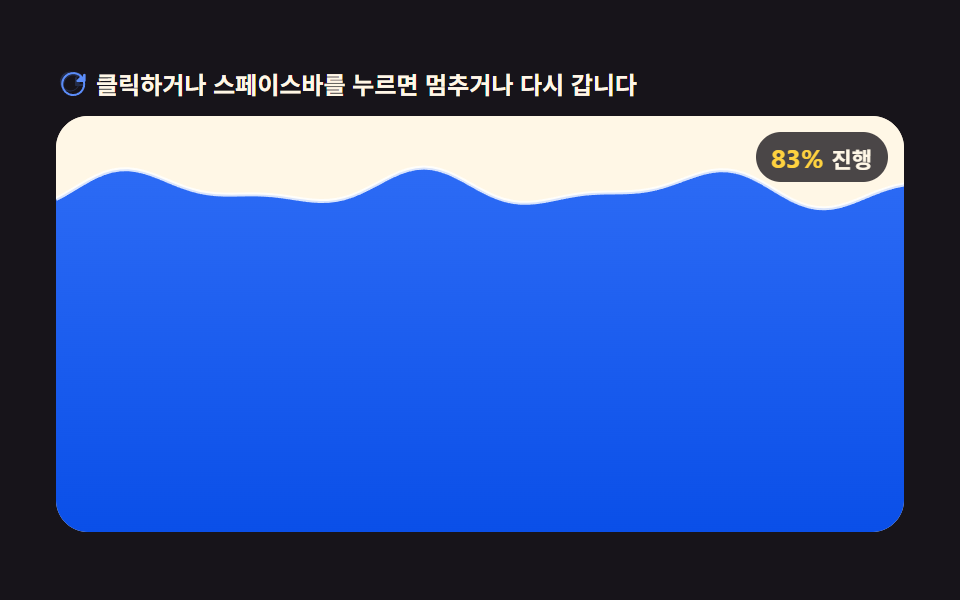 Loaders9 CSS Loading Animation Patterns, Canvas Physics
 Loaders9 CSS Skeleton Loading Screens, Copy-Paste Ready
 Loaders9 CSS Loading Spinners: Copy-Paste, Single Element
 Loaders9 CSS Progress Bar Circle Gauges, Copy-Paste Ready
 Loaders9 CSS AI Chat Loading Animations to Copy-Paste
 Loaders9 Loading Screen Designs — Pretty CSS Loaders