9 CSS Loading Animation Patterns, Canvas Physics
A css loading animation: A 0.92 damping constant shrinks the gravity loader's bounce; the automaton loader turns one rule into a per-generation fill ratio;
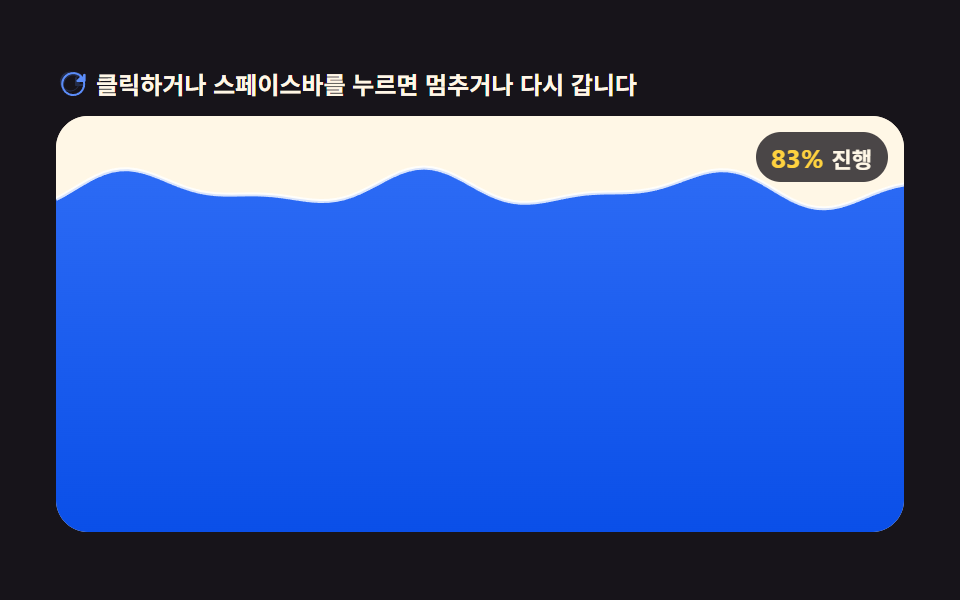 01 canvas-loader-fluid-wave-fill-level
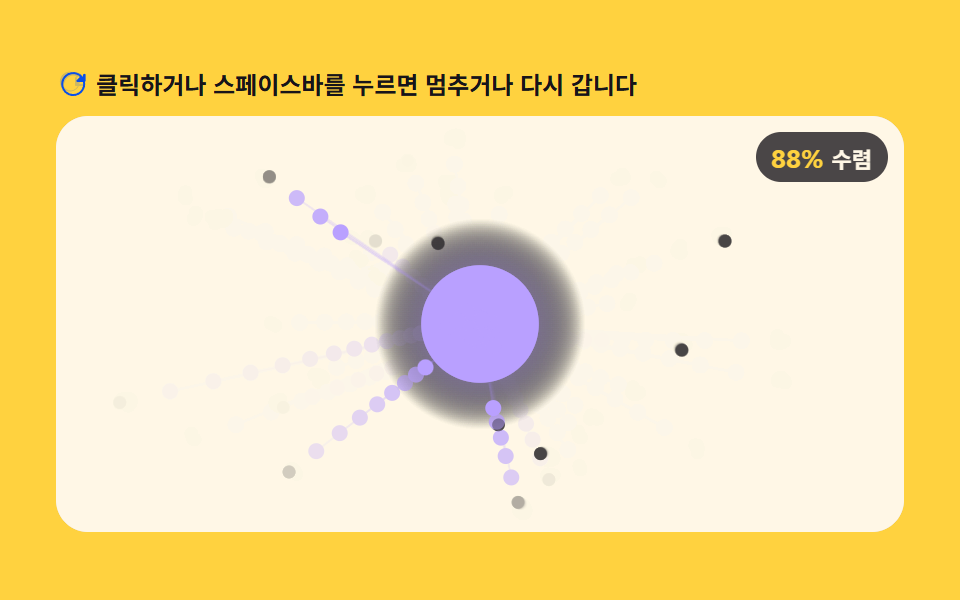 02 canvas-loader-particle-swarm-converge-count
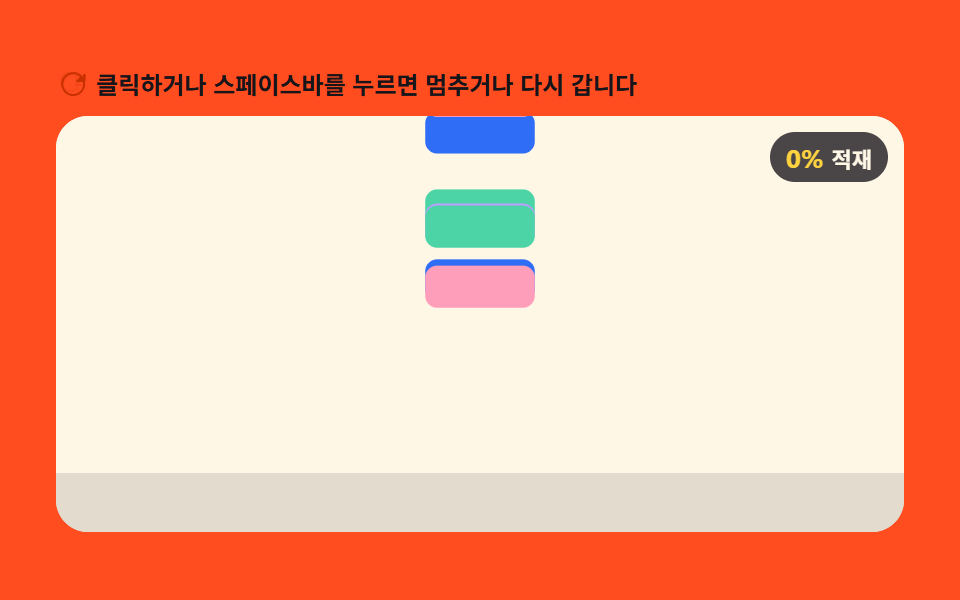 03 canvas-loader-gravity-drop-stack-height
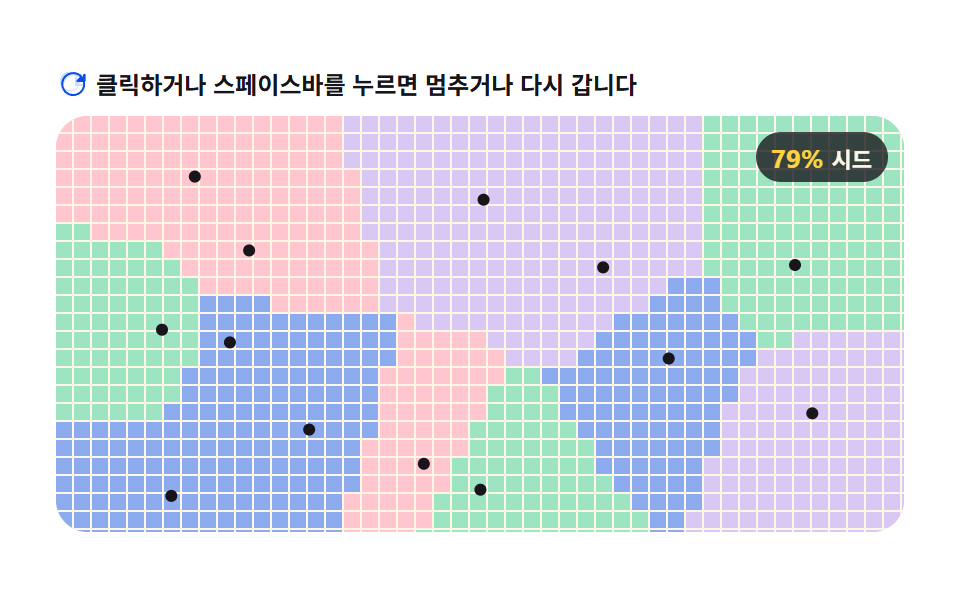 04 canvas-loader-voronoi-cell-grow-seed-count
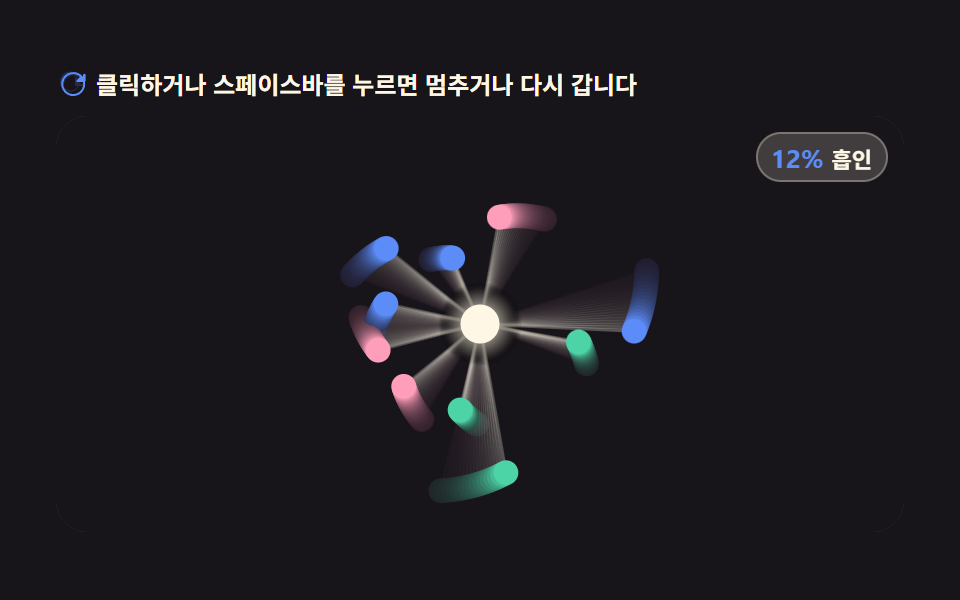 05 canvas-loader-magnetic-field-pull-orbit
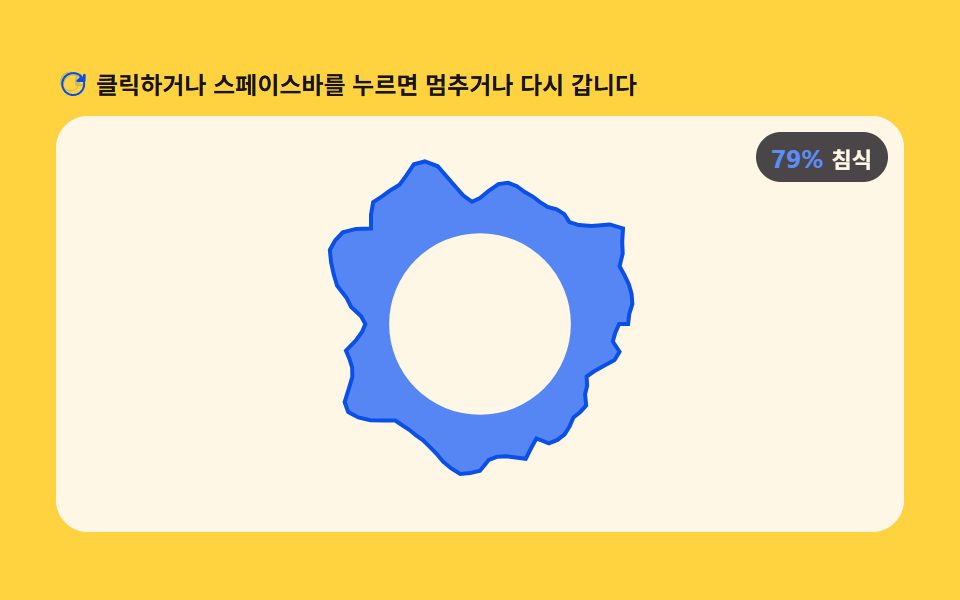 06 canvas-loader-noise-flow-ring-erosion
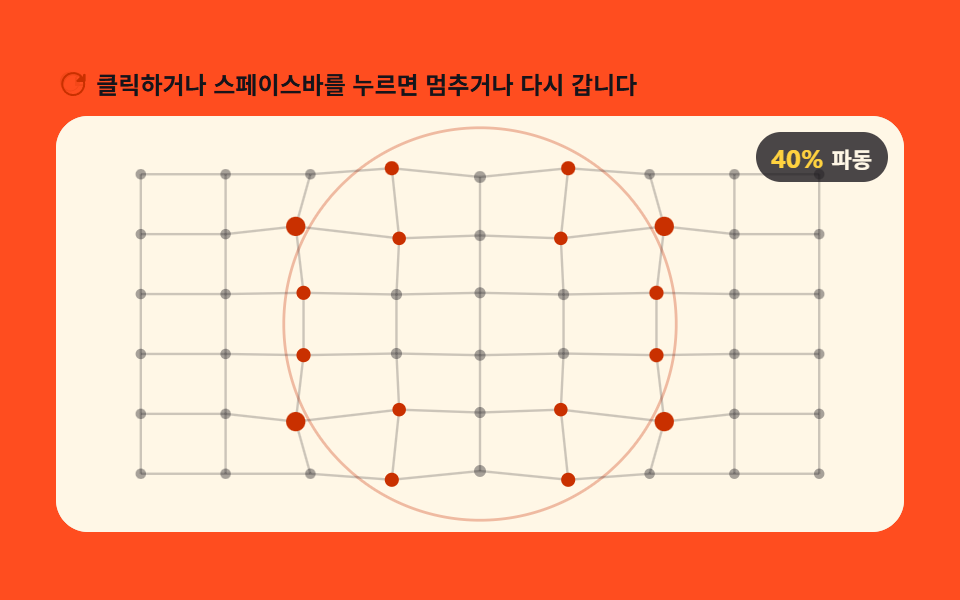 07 canvas-loader-spring-mesh-ripple-radius
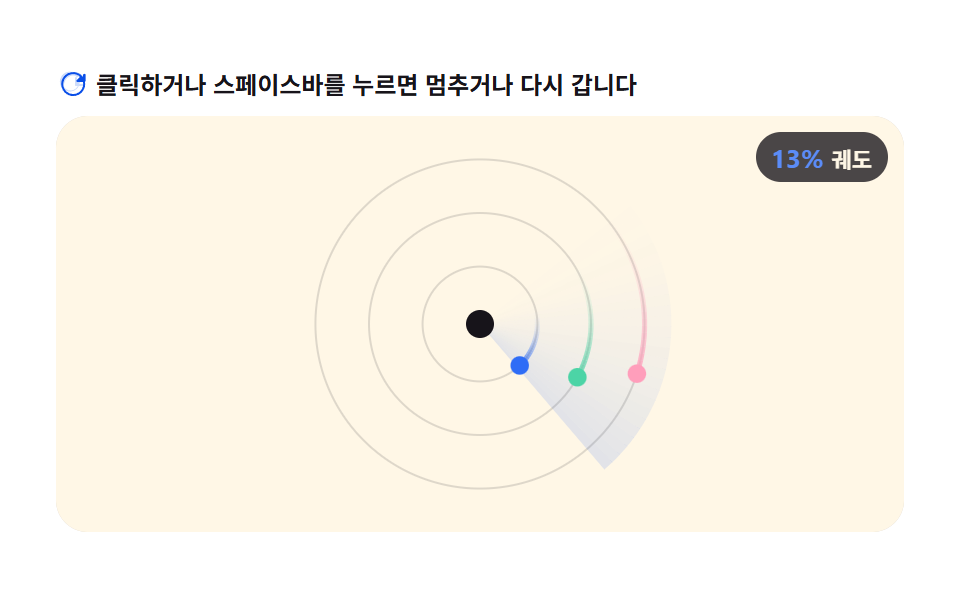 08 canvas-loader-orbit-satellite-arc-sweep
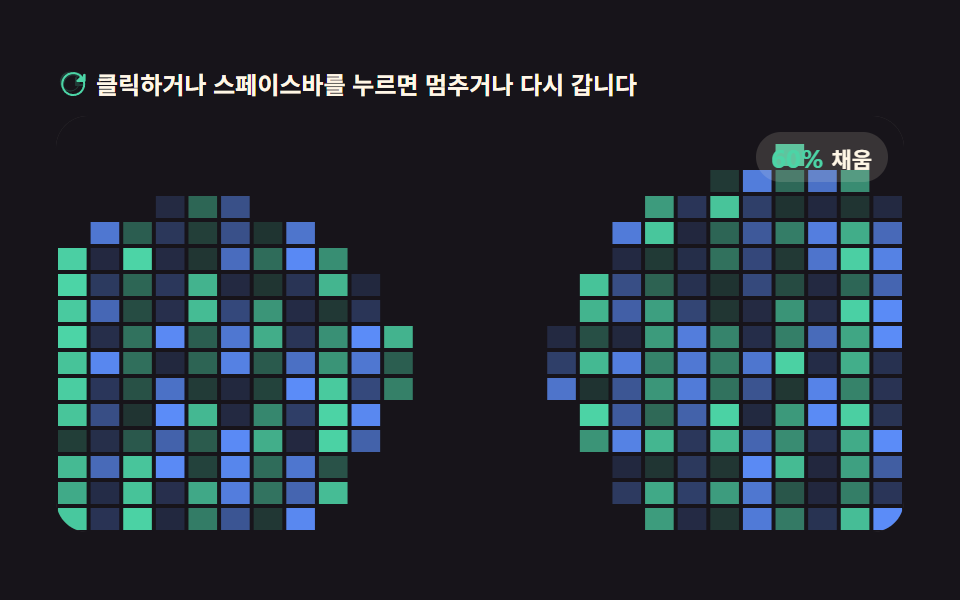 09 canvas-loader-cellular-automaton-fill-percent
Auto-plays · click a tile to jump to its section · all nine in one zip
- 01 Loader a Progress Value Fills Like Rising Liquid
- 02 Loader an Arrived-particle Count Value Fills
- 03 Loader a Gravity Drop-height Value Stacks
- 04 Loader a Seed-count Value Expands into Voronoi Cells
- 05 Loader a Shrinking Orbit-radius Value Pulls Along Field Lines
- 06 Loader an Erosion-thickness Value Eats into a Noise Ring
- 07 Loader a Ripple-radius Value Spreads Across a Spring Mesh
- 08 Loader an Arc-sweep Angle Value Sweeps Satellites Around
- 09 Loader a Survival-rule Value Fills via Cellular Automaton
Nine is not an arbitrary round number of patterns here — each of these nine css loading animation patterns reaches its own idea of "progress" in a different way: a rising water level (01), an arrival ratio among particles (02), a stack of settled blocks (03), a seed count feeding a Voronoi mosaic (04), a shrinking orbit radius (05), an eroding noise ring (06), a rippling spring mesh (07), a sweeping angle (08), and a cellular-automaton survival ratio (09) — so the order moves from the simplest single number driving a shape toward a full grid of cells voting on their own neighbors.
Demo
The 3×3 grid above is nine independent canvas elements, each running its own requestAnimationFrame loop against a plain 2D context — not a css loading animation codepen embed borrowed from someone else's pen, since every tile's exact source sits printed under its own pattern below. Click a tile, press Enter or Space on it, or resize the window, and that pattern recomputes its progress value for the frame at hand; nothing here waits on a CSS animation to finish, because no CSS animation is running underneath any of it.
Why a Loader Draws Its Own Progress Instead of Tweening a Bar
A CSS keyframe animation can only interpolate one property's own value — an opacity, a transform, a border width — from one number to another on a fixed timing curve. It can't count how many particles have reached a center point, sort blocks by how far they've fallen, or ask nine grid neighbors whether a cell should turn on. Each of the nine below reads one plain JavaScript number every animation frame — a water level, an arrival count, a bounce height, a seed count, an orbit radius, an erosion depth, a ripple radius, a sweep angle, a survival ratio — and draws straight from that number with canvas fill and stroke calls, so progress emerges from the physics computation instead of being read off a CSS percentage.
None of the nine reach for a real Math.random either: item 02's particle offsets and item 04's seed wobble both come from values fixed once when the page loads (per-particle phase and frequency, or a seeded wobble radius), so the same run replays identically on every refresh instead of reshuffling. There's no library, no WebGL context, and no CDN script anywhere in the nine files behind this article — every pixel on screen came from ctx.fillRect, ctx.arc, or a hand-written noise function.
What the Screen-recording Measurements Below Actually Count
The numbers below come straight from each demo's own screen-recording pass, not an estimate: cumulative area is how much of the canvas changed across the whole loop, average intensity is the average per-pixel byte difference where it changed, and the moved-frames figure counts how many of the 23 frame-to-frame deltas actually moved a pixel.
| # | Pattern | Cumulative area | Avg. intensity | Moved frames |
|---|---|---|---|---|
| 01 | Fluid Wave Fill Level | 57.08% | 187.0 | 23/23 |
| 02 | Particle Swarm Converge Count | 15.628% | 41.7 | 23/23 |
| 03 | Gravity Drop-height Stack | 6.757% | 145.2 | 23/23 |
| 04 | Voronoi Cell Seed-count Grow | 37.312% | 82.1 | 23/23 |
| 05 | Magnetic Orbit-radius Pull | 11.671% | 65.7 | 23/23 |
| 06 | Noise Ring Erosion Thickness | 8.508% | 99.3 | 23/23 |
| 07 | Spring-mesh Ripple Radius | 22.819% | 58.1 | 23/23 |
| 08 | Orbit Satellite Arc-sweep | 19.327% | 51.2 | 23/23 |
| 09 | Cellular-automaton Fill Percent | 33.618% | 43.4 | 23/23 |
Code Per Pattern
Each pattern below follows the same shape — read progress as a 0-to-1 number, run one physics or field computation on it, draw the result to the 2D context — with a different rule doing the middle step. Every block below is an exact, unedited slice of that pattern's own source file.
01Loader a Progress Value Fills Like Rising Liquid
Progress (0 to 1) is mapped to the canvas water-line height, with two overlapping sine waves shaking the surface so the loader fills like rising liquid as the value climbs. It fits file-upload progress modals and app splash loaders — anywhere a bare percentage reads as static. Click the tile, or press Enter or Space on it, to watch the two sine layers settle the surface again.
<main class="stage">
<div class="ld" id="ld">
  <p class="ld__hint">
    <svg class="ld__ico" viewBox="0 0 256 256" aria-hidden="true"><g fill="currentColor"><path d="M232 56v56a8 8 0 0 1-16 0V91.3l-25.6 25.7A80 80 0 1 1 174 60a8 8 0 1 1-9 13.2A64 64 0 1 0 179.7 128H216a8 8 0 0 1 0 16h-56a8 8 0 0 1-8-8V80a8 8 0 0 1 16 0v20.7L192.7 76A80.1 80.1 0 0 0 64 128a8 8 0 0 1-16 0a96 96 0 0 1 163.6-68.3L224 71.3V56a8 8 0 0 1 8 8" opacity=".2"/><path d="M224 48a8 8 0 0 0-8 8v15.3l-11.7-11.6a96 96 0 1 0 27.6 51.6a8 8 0 0 0-15.8 2.5a80 80 0 1 1-23-43l-25.7 25.7A8 8 0 0 0 173 112h56a8 8 0 0 0 8-8V56a8 8 0 0 0-13-8"/></g></svg>
    <span>Click or press the space bar to pause or restart</span>
  </p>
  <div class="ld__field" id="field" role="application" aria-label="Liquid wave progress test panel" tabindex="0">
    <canvas class="ld__cv" id="cv"></canvas>
    <b class="ld__badge" aria-hidden="true"><span class="ld__badgeNum" id="pct">0%</span><span class="ld__badgeUnit">Progress</span></b>
  </div>
</div>
</main>
@use "../../../../site/static/demo-tokens" as *;
// 액체 파동 로더 — 진행률 0→1 을 캔버스 수면 높이로 매핑하고 사인파 두 개를 더해 표면을 흔든다.
// 움직임은 전부 캔버스 rAF 루프 안에 있다. CSS 는 무대·판·배지만 맡는다(@keyframes 0개 — 077 선례와 같은 이유).
// fluid-wave-frequency 상수(FREQ, JS)가 파동의 공간·시간 진동수를 함께 정한다 — 변형 01 의 조정 대상.
$duration: $dur-loop;
$easing: $ease-spring;
$color: $subject-blue;
@include stage($stage-ink);
.ld {
--paper: #{$subject-cream};
--ink: #{$subject-ink};
--liquid: #{$subject-blue};
--liquid-deep: #{$subject-blue-deep};
--glow: #{rgba($stage-paper, .82)};
display: flex; flex-direction: column; gap: $sp-2;
width: 100%; max-width: 424px;
}
.ld__hint {
display: flex; align-items: center; gap: $sp-1; margin: 0;
font-weight: 700; font-size: clamp(10px, 2.8vw, 12px); line-height: 1.35;
color: $subject-cream;
}
.ld__ico { width: 16px; height: 16px; flex: 0 0 auto; color: $subject-blue-light; }
.ld__field {
position: relative; height: 208px;
border-radius: $r-card; overflow: hidden;
background: $subject-cream;
box-shadow: inset 0 0 0 1px rgba($subject-ink, .16);
cursor: pointer;
}
.ld__field:focus-visible { outline: 2px solid $subject-blue-light; outline-offset: 2px; }
.ld__cv { display: block; width: 100%; height: 100%; }
.ld__badge {
position: absolute; right: $sp-2; top: $sp-2;
display: flex; align-items: baseline; gap: $sp-1;
padding: $sp-1 $sp-2; border-radius: $r-pill;
background: rgba($subject-ink, .78);
color: $subject-cream; font-weight: 700; font-size: 11px;
}
.ld__badgeNum { font-size: 13px; color: $stage-yellow; }
.ld__badgeUnit { font-weight: 700; }
@media (max-width: 340px) {
.ld { gap: $sp-1; }
.ld__field { height: 124px; }
.ld__badge { font-size: 10px; padding: 0 $sp-1; }
.ld__badgeNum { font-size: 11px; }
}
// reduce — 루프를 시작하지 않고 진행률 62% 언저리에서 멈춘 한 장만 그린다.
@media (prefers-reduced-motion: reduce) {
.ld.is-still .ld__field { cursor: default !important; }
.ld.is-still .ld__badge { opacity: .92 !important; }
}html, body {
margin: 0;
overflow: hidden;
}
.stage {
box-sizing: border-box;
min-height: 100vh;
display: grid;
place-items: center;
margin: 0;
background: #17141a;
font-family: -apple-system, "Segoe UI", "Noto Sans KR", sans-serif;
padding: clamp(8px, 4vw, 24px);
}
.ld {
--paper: #fff7e6;
--ink: #17141a;
--liquid: #2f6df6;
--liquid-deep: #0a4fe8;
--glow: rgba(255, 255, 255, 0.82);
display: flex;
flex-direction: column;
gap: 8px;
width: 100%;
max-width: 424px;
}
.ld__hint {
display: flex;
align-items: center;
gap: 4px;
margin: 0;
font-weight: 700;
font-size: clamp(10px, 2.8vw, 12px);
line-height: 1.35;
color: #fff7e6;
}
.ld__ico {
width: 16px;
height: 16px;
flex: 0 0 auto;
color: #5b8cf8;
}
.ld__field {
position: relative;
height: 208px;
border-radius: 16px;
overflow: hidden;
background: #fff7e6;
box-shadow: inset 0 0 0 1px rgba(23, 20, 26, 0.16);
cursor: pointer;
}
.ld__field:focus-visible {
outline: 2px solid #5b8cf8;
outline-offset: 2px;
}
.ld__cv {
display: block;
width: 100%;
height: 100%;
}
.ld__badge {
position: absolute;
right: 8px;
top: 8px;
display: flex;
align-items: baseline;
gap: 4px;
padding: 4px 8px;
border-radius: 999px;
background: rgba(23, 20, 26, 0.78);
color: #fff7e6;
font-weight: 700;
font-size: 11px;
}
.ld__badgeNum {
font-size: 13px;
color: #ffd23f;
}
.ld__badgeUnit {
font-weight: 700;
}
@media (max-width: 340px) {
.ld {
gap: 4px;
}
.ld__field {
height: 124px;
}
.ld__badge {
font-size: 10px;
padding: 0 4px;
}
.ld__badgeNum {
font-size: 11px;
}
}
@media (prefers-reduced-motion: reduce) {
.ld.is-still .ld__field {
cursor: default !important;
}
.ld.is-still .ld__badge {
opacity: 0.92 !important;
}
}// 액체 Ripple 로더 — 진행률(0~1)을 캔버스 수면 높이로 매핑하고 사인파 두 개를 겹쳐 표면을 흔든다.
// 움직임은 전부 캔버스 rAF 루프 안에 있다. CSS 는 무대·판·배지만 맡는다 — @keyframes 0개라야
// 렌더러가 시계를 고정하지 않고 실시간으로 24장을 찍어 파동이 실제로 도는 모습이 담긴다(077 선례).
var root = document.getElementById('ld');
var field = document.getElementById('field');
var cv = document.getElementById('cv');
var ctx = cv.getContext('2d');
var pctEl = document.getElementById('pct');
var css = getComputedStyle(root);
var PAPER = css.getPropertyValue('--paper').trim();
var LIQUID = css.getPropertyValue('--liquid').trim();
var LIQUID_DEEP = css.getPropertyValue('--liquid-deep').trim();
var GLOW = css.getPropertyValue('--glow').trim();
var LOOP = 1.6; // 로더 한 바퀴(초) — 채웠다가 다시 빈다(반복 루프)
var FREQ = 0.045; // Ripple 진동수(px 당 라디안) — fluid-wave-frequency, 공간·시간 흔들림을 함께 정한다
var AMP1 = 7, AMP2 = 3.6;
var SPEED1 = 2.1, SPEED2 = -3.0;
var reduce = window.matchMedia('(prefers-reduced-motion: reduce)').matches;
var W = 0, H = 0, dpr = 1;
var paused = false;
var t0 = 0;
var raf = 0;
// 고DPI 대응 — 배킹 스토어는 devicePixelRatio 배, 그리기 좌표계는 CSS 픽셀 그대로.
function fit() {
var r = field.getBoundingClientRect();
dpr = window.devicePixelRatio || 1;
W = r.width; H = r.height;
cv.width = Math.round(W * dpr); cv.height = Math.round(H * dpr);
ctx.setTransform(dpr, 0, 0, dpr, 0, 0);
}
function level(p) { return H * (1 - p); }
function draw(sec) {
ctx.clearRect(0, 0, W, H);
ctx.fillStyle = PAPER;
ctx.fillRect(0, 0, W, H);
var t = sec % LOOP;
var p = t / LOOP; // 0→1 진행률 — 사면톱니(로더는 반복 루프라 프레임이 계속 차야 정상)
var y0 = level(p);
function waveY(x) {
return y0
+ AMP1 * Math.sin(x * FREQ + sec * SPEED1)
+ AMP2 * Math.sin(x * FREQ * 1.8 + sec * SPEED2);
}
ctx.beginPath();
ctx.moveTo(0, H);
ctx.lineTo(0, waveY(0));
var step = 4;
for (var x = 0; x <= W; x += step) ctx.lineTo(x, waveY(x));
ctx.lineTo(W, H);
ctx.closePath();
var grad = ctx.createLinearGradient(0, y0 - 24, 0, H);
grad.addColorStop(0, LIQUID);
grad.addColorStop(1, LIQUID_DEEP);
ctx.fillStyle = grad;
ctx.fill();
ctx.beginPath();
for (var x2 = 0; x2 <= W; x2 += step) {
var y2 = waveY(x2);
if (x2 === 0) ctx.moveTo(x2, y2); else ctx.lineTo(x2, y2);
}
ctx.strokeStyle = GLOW;
ctx.lineWidth = 2;
ctx.stroke();
var pct = Math.round(p * 100);
pctEl.textContent = pct + '%';
}
function togglePause() {
paused = !paused;
root.classList.toggle('is-paused', paused);
}
function restart() {
t0 = performance.now();
draw(0);
}
field.addEventListener('click', function () { togglePause(); });
field.addEventListener('keydown', function (e) {
if (e.key === ' ' || e.key === 'Enter') { e.preventDefault(); togglePause(); }
else if (e.key === 'r' || e.key === 'R') { e.preventDefault(); restart(); }
});
window.addEventListener('resize', function () {
fit();
if (paused || reduce) draw(((performance.now() - t0) / 1000));
});
function frame(now) {
if (!paused) draw((now - t0) / 1000);
raf = requestAnimationFrame(frame);
}
t0 = performance.now();
fit();
if (reduce) {
root.classList.add('is-still');
draw(LOOP * 0.62);
} else {
raf = requestAnimationFrame(frame);
}// FluidWave — vanilla 판(run/395/demo/01-canvas-loader-fluid-wave-fill-level/index.html) 의 React 포트.
// 진행률(0~1)을 캔버스 수면 높이로 매핑하고 사인파 두 개를 겹쳐 표면을 흔든다.
// 움직임은 캔버스 rAF 루프가 전부 그리므로 @keyframes 가 없다 — props 는 CSS 변수로 내려간다.
import { useEffect, useRef } from "react";
import type { CSSProperties } from "react";
import styles from "./FluidWave.module.scss";
export type FluidWaveProps = {
duration?: string;
easing?: string;
color?: string;
};
type Vars = CSSProperties & { "--duration"?: string; "--easing"?: string; "--color"?: string };
type Box<T> = { current: T };
type KeyEvt = { key: string; preventDefault(): void };
const LOOP = 1.6; // 로더 한 바퀴(초)
const FREQ = 0.045; // 파동 진동수(px 당 라디안) — fluid-wave-frequency
const AMP1 = 7, AMP2 = 3.6;
const SPEED1 = 2.1, SPEED2 = -3.0;
const FIELD_LABEL = "액체 파동 진행 실험판";
export default function FluidWave({
duration = "1.6s", // vanilla LOOP
easing = "cubic-bezier(.2, .8, .2, 1)", // vanilla $easing: $ease-spring
color = "#2f6df6", // vanilla $color: $subject-blue
}: FluidWaveProps) {
const rootRef = useRef<HTMLDivElement | null>(null);
const fieldRef = useRef<HTMLDivElement | null>(null);
const cvRef = useRef<HTMLCanvasElement | null>(null);
const ctxRef = useRef<CanvasRenderingContext2D | null>(null);
const pctRef = useRef<HTMLSpanElement | null>(null);
const sizeRef = useRef({ w: 0, h: 0, dpr: 1 }) as Box<{ w: number; h: number; dpr: number }>;
const pausedRef = useRef(false) as Box<boolean>;
const t0Ref = useRef(0) as Box<number>;
const rafRef = useRef(0) as Box<number>;
const vars: Vars = { "--duration": duration, "--easing": easing, "--color": color };
function reduced(): boolean {
return window.matchMedia("(prefers-reduced-motion: reduce)").matches;
}
function fit(): void {
const field = fieldRef.current;
const cv = cvRef.current;
if (!field || !cv) return;
const r = field.getBoundingClientRect();
const dpr = window.devicePixelRatio || 1;
sizeRef.current.w = r.width;
sizeRef.current.h = r.height;
sizeRef.current.dpr = dpr;
cv.width = Math.round(r.width * dpr);
cv.height = Math.round(r.height * dpr);
const ctx = ctxRef.current;
if (ctx) ctx.setTransform(dpr, 0, 0, dpr, 0, 0);
}
function level(p: number): number {
return sizeRef.current.h * (1 - p);
}
function draw(sec: number): void {
const ctx = ctxRef.current;
const root = rootRef.current;
if (!ctx || !root) return;
const W = sizeRef.current.w, H = sizeRef.current.h;
const cssv = (n: string) => getComputedStyle(root).getPropertyValue(n).trim();
const PAPER = cssv("--paper"), LIQUID = cssv("--liquid"), LIQUID_DEEP = cssv("--liquid-deep"), GLOW = cssv("--glow");
ctx.clearRect(0, 0, W, H);
ctx.fillStyle = PAPER;
ctx.fillRect(0, 0, W, H);
const t = sec % LOOP;
const p = t / LOOP;
const y0 = level(p);
const waveY = (x: number) => y0
+ AMP1 * Math.sin(x * FREQ + sec * SPEED1)
+ AMP2 * Math.sin(x * FREQ * 1.8 + sec * SPEED2);
ctx.beginPath();
ctx.moveTo(0, H);
ctx.lineTo(0, waveY(0));
const step = 4;
for (let x = 0; x <= W; x += step) ctx.lineTo(x, waveY(x));
ctx.lineTo(W, H);
ctx.closePath();
const grad = ctx.createLinearGradient(0, y0 - 24, 0, H);
grad.addColorStop(0, LIQUID);
grad.addColorStop(1, LIQUID_DEEP);
ctx.fillStyle = grad;
ctx.fill();
ctx.beginPath();
for (let x2 = 0; x2 <= W; x2 += step) {
const y2 = waveY(x2);
if (x2 === 0) ctx.moveTo(x2, y2); else ctx.lineTo(x2, y2);
}
ctx.strokeStyle = GLOW;
ctx.lineWidth = 2;
ctx.stroke();
const pct = Math.round(p * 100);
if (pctRef.current) pctRef.current.textContent = pct + "%";
}
function togglePause(): void {
pausedRef.current = !pausedRef.current;
const root = rootRef.current;
if (root) root.classList.toggle("is-paused", pausedRef.current);
}
function restart(): void {
t0Ref.current = performance.now();
draw(0);
}
function onKey(e: KeyEvt): void {
if (e.key === " " || e.key === "Enter") { e.preventDefault(); togglePause(); }
else if (e.key === "r" || e.key === "R") { e.preventDefault(); restart(); }
}
function onClick(): void {
togglePause();
}
function onResize(): void {
fit();
if (pausedRef.current || reduced()) draw((performance.now() - t0Ref.current) / 1000);
}
function frame(now: number): void {
if (!pausedRef.current) draw((now - t0Ref.current) / 1000);
rafRef.current = requestAnimationFrame(frame);
}
useEffect(() => {
const cv = cvRef.current;
if (!cv) return;
ctxRef.current = cv.getContext("2d");
if (!ctxRef.current) return;
t0Ref.current = performance.now();
fit();
window.addEventListener("resize", onResize);
if (reduced()) {
const root = rootRef.current;
if (root) root.classList.add("is-still");
draw(LOOP * 0.62);
} else {
rafRef.current = requestAnimationFrame(frame);
}
return () => {
window.removeEventListener("resize", onResize);
cancelAnimationFrame(rafRef.current);
};
}, []);
return (
<main className={styles.stage}>
<div className={styles.root} ref={rootRef} style={vars}>
<p className={styles.hint}>
<svg className={styles.ico} viewBox="0 0 256 256" aria-hidden="true"><g fill="currentColor"><path d="M232 56v56a8 8 0 0 1-16 0V91.3l-25.6 25.7A80 80 0 1 1 174 60a8 8 0 1 1-9 13.2A64 64 0 1 0 179.7 128H216a8 8 0 0 1 0 16h-56a8 8 0 0 1-8-8V80a8 8 0 0 1 16 0v20.7L192.7 76A80.1 80.1 0 0 0 64 128a8 8 0 0 1-16 0a96 96 0 0 1 163.6-68.3L224 71.3V56a8 8 0 0 1 8 8" opacity=".2"/><path d="M224 48a8 8 0 0 0-8 8v15.3l-11.7-11.6a96 96 0 1 0 27.6 51.6a8 8 0 0 0-15.8 2.5a80 80 0 1 1-23-43l-25.7 25.7A8 8 0 0 0 173 112h56a8 8 0 0 0 8-8V56a8 8 0 0 0-13-8"/></g></svg>
<span>클릭하거나 스페이스바를 누르면 멈추거나 다시 갑니다</span>
</p>
<div
className={styles.field}
ref={fieldRef}
role="application"
aria-label={FIELD_LABEL}
tabIndex={0}
onClick={onClick}
onKeyDown={onKey}
>
<canvas className={styles.cv} ref={cvRef}></canvas>
<b className={styles.badge} aria-hidden="true"><span className={styles.badgeNum} ref={pctRef}>0%</span><span className={styles.badgeUnit}>진행</span></b>
</div>
</div>
</main>
);
}01 · Loader a Progress Value Fills Like Rising Liquid — Measured area 57.08% · moving frames 23/23Original by GODRICH · SCSS and React ship in the zip · See the password
function draw(sec) {
  ctx.clearRect(0, 0, W, H);
  ctx.fillStyle = PAPER;
  ctx.fillRect(0, 0, W, H);

  var t = sec % LOOP;
  var p = t / LOOP;                  // 0→1 progress — sawtooth: the loader loops, so it always climbs back from 0
  var y0 = level(p);

  function waveY(x) {
    return y0
      + AMP1 * Math.sin(x * FREQ + sec * SPEED1)
      + AMP2 * Math.sin(x * FREQ * 1.8 + sec * SPEED2);
  }

  ctx.beginPath();
  ctx.moveTo(0, H);
  ctx.lineTo(0, waveY(0));
  var step = 4;
  for (var x = 0; x <= W; x += step) ctx.lineTo(x, waveY(x));
  ctx.lineTo(W, H);
  ctx.closePath();
  var grad = ctx.createLinearGradient(0, y0 - 24, 0, H);
  grad.addColorStop(0, LIQUID);
  grad.addColorStop(1, LIQUID_DEEP);
02Loader an Arrived-particle Count Value Fills
The ratio of particles that have arrived at the center to the total scattered count becomes the progress value, and the center disc brightens as more particles converge. It suits AI response wait screens and dashboard data-aggregation loaders, where a spinner alone hides how much work is actually done. Resize the window and the swarm redraws at the same arrival ratio.
<main class="stage">
<div class="ld" id="ld">
  <p class="ld__hint">
    <svg class="ld__ico" viewBox="0 0 256 256" aria-hidden="true"><g fill="currentColor"><path d="M232 56v56a8 8 0 0 1-16 0V91.3l-25.6 25.7A80 80 0 1 1 174 60a8 8 0 1 1-9 13.2A64 64 0 1 0 179.7 128H216a8 8 0 0 1 0 16h-56a8 8 0 0 1-8-8V80a8 8 0 0 1 16 0v20.7L192.7 76A80.1 80.1 0 0 0 64 128a8 8 0 0 1-16 0a96 96 0 0 1 163.6-68.3L224 71.3V56a8 8 0 0 1 8 8" opacity=".2"/><path d="M224 48a8 8 0 0 0-8 8v15.3l-11.7-11.6a96 96 0 1 0 27.6 51.6a8 8 0 0 0-15.8 2.5a80 80 0 1 1-23-43l-25.7 25.7A8 8 0 0 0 173 112h56a8 8 0 0 0 8-8V56a8 8 0 0 0-13-8"/></g></svg>
    <span>Click or press the space bar to pause or restart</span>
  </p>
  <div class="ld__field" id="field" role="application" aria-label="Particle swarm convergence test panel" tabindex="0">
    <canvas class="ld__cv" id="cv"></canvas>
    <b class="ld__badge" aria-hidden="true"><span class="ld__badgeNum" id="pct">0%</span><span class="ld__badgeUnit">Converge</span></b>
  </div>
</div>
</main>
@use "../../../../site/static/demo-tokens" as *;
// 입자 군집 수렴 로더 — 흩어진 입자 중 중심에 도착한 개수/전체 개수가 진행률이다.
// 움직임은 전부 캔버스 rAF 루프 안에 있다. CSS 는 무대·판·배지만 맡는다(@keyframes 0개 — 077 선례와 같은 이유).
$duration: $dur-loop;
$easing: $ease-spring;
$color: $subject-lilac;
@include stage($stage-yellow);
.ld {
--paper: #{$subject-cream};
--paper-fade: #{rgba($subject-cream, .16)};
--ink: #{$subject-ink};
--dot: #{rgba($subject-ink, .38)};
--core: #{$subject-lilac};
--line: #{rgba($subject-lilac, .3)};
display: flex; flex-direction: column; gap: $sp-2;
width: 100%; max-width: 424px;
}
.ld__hint {
display: flex; align-items: center; gap: $sp-1; margin: 0;
font-weight: 700; font-size: clamp(10px, 2.8vw, 12px); line-height: 1.35;
color: $subject-ink;
}
.ld__ico { width: 16px; height: 16px; flex: 0 0 auto; color: $subject-blue-deep; }
.ld__field {
position: relative; height: 208px;
border-radius: $r-card; overflow: hidden;
background: $subject-cream;
box-shadow: inset 0 0 0 1px rgba($subject-ink, .16);
cursor: pointer;
}
.ld__field:focus-visible { outline: 2px solid $subject-blue-deep; outline-offset: 2px; }
.ld__cv { display: block; width: 100%; height: 100%; }
.ld__badge {
position: absolute; right: $sp-2; top: $sp-2;
display: flex; align-items: baseline; gap: $sp-1;
padding: $sp-1 $sp-2; border-radius: $r-pill;
background: rgba($subject-ink, .78);
color: $subject-cream; font-weight: 700; font-size: 11px;
}
.ld__badgeNum { font-size: 13px; color: $stage-yellow; }
.ld__badgeUnit { font-weight: 700; }
@media (max-width: 340px) {
.ld { gap: $sp-1; }
.ld__field { height: 124px; }
.ld__badge { font-size: 10px; padding: 0 $sp-1; }
.ld__badgeNum { font-size: 11px; }
}
// reduce — 루프를 시작하지 않고 진행률 62% 언저리에서 멈춘 한 장만 그린다.
@media (prefers-reduced-motion: reduce) {
.ld.is-still .ld__field { cursor: default !important; }
.ld.is-still .ld__badge { opacity: .92 !important; }
}html, body {
margin: 0;
overflow: hidden;
}
.stage {
box-sizing: border-box;
min-height: 100vh;
display: grid;
place-items: center;
margin: 0;
background: #ffd23f;
font-family: -apple-system, "Segoe UI", "Noto Sans KR", sans-serif;
padding: clamp(8px, 4vw, 24px);
}
.ld {
--paper: #fff7e6;
--paper-fade: rgba(255, 247, 230, 0.16);
--ink: #17141a;
--dot: rgba(23, 20, 26, 0.38);
--core: #b9a0ff;
--line: rgba(185, 160, 255, 0.3);
display: flex;
flex-direction: column;
gap: 8px;
width: 100%;
max-width: 424px;
}
.ld__hint {
display: flex;
align-items: center;
gap: 4px;
margin: 0;
font-weight: 700;
font-size: clamp(10px, 2.8vw, 12px);
line-height: 1.35;
color: #17141a;
}
.ld__ico {
width: 16px;
height: 16px;
flex: 0 0 auto;
color: #0a4fe8;
}
.ld__field {
position: relative;
height: 208px;
border-radius: 16px;
overflow: hidden;
background: #fff7e6;
box-shadow: inset 0 0 0 1px rgba(23, 20, 26, 0.16);
cursor: pointer;
}
.ld__field:focus-visible {
outline: 2px solid #0a4fe8;
outline-offset: 2px;
}
.ld__cv {
display: block;
width: 100%;
height: 100%;
}
.ld__badge {
position: absolute;
right: 8px;
top: 8px;
display: flex;
align-items: baseline;
gap: 4px;
padding: 4px 8px;
border-radius: 999px;
background: rgba(23, 20, 26, 0.78);
color: #fff7e6;
font-weight: 700;
font-size: 11px;
}
.ld__badgeNum {
font-size: 13px;
color: #ffd23f;
}
.ld__badgeUnit {
font-weight: 700;
}
@media (max-width: 340px) {
.ld {
gap: 4px;
}
.ld__field {
height: 124px;
}
.ld__badge {
font-size: 10px;
padding: 0 4px;
}
.ld__badgeNum {
font-size: 11px;
}
}
@media (prefers-reduced-motion: reduce) {
.ld.is-still .ld__field {
cursor: default !important;
}
.ld.is-still .ld__badge {
opacity: 0.92 !important;
}
}// 입자 군집 Converge 로더 — 무작위로 흩어진 입자 중 중심에 도착한 개수를 전체 개수로 나눈 비율이 진행률이다.
// 흩어진 시작 위치·도착 순서는 고정 Seeds LCG 로 정해 항상 같은 그림이 나온다(Math.random 0).
var root = document.getElementById('ld');
var field = document.getElementById('field');
var cv = document.getElementById('cv');
var ctx = cv.getContext('2d');
var pctEl = document.getElementById('pct');
var css = getComputedStyle(root);
var PAPER = css.getPropertyValue('--paper').trim();
var PAPER_FADE = css.getPropertyValue('--paper-fade').trim();
var INK = css.getPropertyValue('--ink').trim();
var DOT = css.getPropertyValue('--dot').trim();
var CORE = css.getPropertyValue('--core').trim();
var LINE = css.getPropertyValue('--line').trim();
function makeRng(seed) {
var s = seed >>> 0;
return function () {
s = (1103515245 * s + 12345) >>> 0;
return (s >>> 8) / 16777216;
};
}
var N = 42;
var LOOP = 1.9;
var rng = makeRng(20260923);
var order = [];
for (var oi = 0; oi < N; oi++) order.push(oi);
for (var oj = N - 1; oj > 0; oj--) { // Fisher-Yates — 도착 순서를 고정 시드로 뒤섞는다
var ok = Math.floor(rng() * (oj + 1));
var tmp = order[oj]; order[oj] = order[ok]; order[ok] = tmp;
}
var particles = [];
for (var i = 0; i < N; i++) {
var ang = rng() * Math.PI * 2;
var rad = 0.34 + rng() * 0.62; // 정규화 반지름(0.34~0.96) — 가장자리 쪽에 흩어진다
particles.push({
hx: 0.5 + Math.cos(ang) * rad * 0.5, // 흩어진 자리(정규화 0~1)
hy: 0.5 + Math.sin(ang) * rad * 0.5,
px: 0, py: 0,
rank: order[i],
jf: 0.6 + rng() * 1.1, // 각자 다른 흔들림 진동수
jp: rng() * Math.PI * 2
});
}
var reduce = window.matchMedia('(prefers-reduced-motion: reduce)').matches;
var W = 0, H = 0, dpr = 1;
var paused = false;
var t0 = 0;
var raf = 0;
var inited = false;
function fit() {
var r = field.getBoundingClientRect();
dpr = window.devicePixelRatio || 1;
W = r.width; H = r.height;
cv.width = Math.round(W * dpr); cv.height = Math.round(H * dpr);
ctx.setTransform(dpr, 0, 0, dpr, 0, 0);
if (!inited) {
for (var i = 0; i < N; i++) { particles[i].px = particles[i].hx * W; particles[i].py = particles[i].hy * H; }
inited = true;
}
}
function draw(sec) {
// 완전히 지우지 않고 옅은 판 색을 덧칠한다 — 입자가 지나간 자리에 꼬리가 남아
// 군집이 살아 움직이는 느낌을 준다(궤적 잔상, 매 프레임 픽셀이 크게 바뀐다).
ctx.fillStyle = PAPER_FADE;
ctx.fillRect(0, 0, W, H);
var t = sec % LOOP;
var p = t / LOOP; // 0→1 진행률 — 도착 입자 비율의 목표값
var arrived = Math.floor(p * N);
var cx = W * 0.5, cy = H * 0.5;
for (var i = 0; i < N; i++) {
var q = particles[i];
var tx, ty;
if (q.rank < arrived) {
var orbit = 5 + 3 * Math.sin(sec * q.jf + q.jp);
tx = cx + Math.cos(sec * 1.4 + q.jp) * orbit;
ty = cy + Math.sin(sec * 1.4 + q.jp) * orbit;
} else {
tx = q.hx * W + Math.sin(sec * q.jf + q.jp) * 4;
ty = q.hy * H + Math.cos(sec * q.jf * 0.8 + q.jp) * 4;
}
q.px += (tx - q.px) * 0.14;
q.py += (ty - q.py) * 0.14;
}
// 도착한 입자에서 중심으로 옅은 실선
ctx.strokeStyle = LINE;
ctx.lineWidth = 1;
ctx.beginPath();
for (var j = 0; j < N; j++) {
var qj = particles[j];
if (qj.rank < arrived) { ctx.moveTo(qj.px, qj.py); ctx.lineTo(cx, cy); }
}
ctx.stroke();
// 중심 원 — 도착 비율이 밝기·반지름을 함께 키운다
var frac = arrived / N;
var coreR = 10 + frac * 22;
var glow = ctx.createRadialGradient(cx, cy, 0, cx, cy, coreR * 1.8);
glow.addColorStop(0, CORE);
glow.addColorStop(1, 'rgba(0,0,0,0)');
ctx.globalAlpha = 0.35 + frac * 0.5;
ctx.fillStyle = glow;
ctx.beginPath();
ctx.arc(cx, cy, coreR * 1.8, 0, Math.PI * 2);
ctx.fill();
ctx.globalAlpha = 1;
ctx.fillStyle = CORE;
ctx.beginPath();
ctx.arc(cx, cy, coreR, 0, Math.PI * 2);
ctx.fill();
// 입자
for (var k = 0; k < N; k++) {
var qk = particles[k];
ctx.fillStyle = qk.rank < arrived ? CORE : DOT;
ctx.beginPath();
ctx.arc(qk.px, qk.py, qk.rank < arrived ? 4 : 3.2, 0, Math.PI * 2);
ctx.fill();
}
var pct = Math.round(frac * 100);
pctEl.textContent = pct + '%';
}
function togglePause() {
paused = !paused;
root.classList.toggle('is-paused', paused);
}
function restart() {
t0 = performance.now();
draw(0);
}
field.addEventListener('click', function () { togglePause(); });
field.addEventListener('keydown', function (e) {
if (e.key === ' ' || e.key === 'Enter') { e.preventDefault(); togglePause(); }
else if (e.key === 'r' || e.key === 'R') { e.preventDefault(); restart(); }
});
window.addEventListener('resize', function () {
fit();
if (paused || reduce) draw(((performance.now() - t0) / 1000));
});
function frame(now) {
if (!paused) draw((now - t0) / 1000);
raf = requestAnimationFrame(frame);
}
t0 = performance.now();
fit();
ctx.fillStyle = PAPER;
ctx.fillRect(0, 0, W, H);
if (reduce) {
root.classList.add('is-still');
draw(LOOP * 0.62);
} else {
raf = requestAnimationFrame(frame);
}// ParticleSwarm — vanilla 판(run/395/demo/02-canvas-loader-particle-swarm-converge-count/index.html) 의 React 포트.
// 흩어진 입자 중 중심에 도착한 개수/전체 개수가 진행률이다. 시작 위치·도착 순서는 고정 시드 LCG.
import { useEffect, useRef } from "react";
import type { CSSProperties } from "react";
import styles from "./ParticleSwarm.module.scss";
export type ParticleSwarmProps = {
duration?: string;
easing?: string;
color?: string;
};
type Vars = CSSProperties & { "--duration"?: string; "--easing"?: string; "--color"?: string };
type Box<T> = { current: T };
type KeyEvt = { key: string; preventDefault(): void };
type Particle = { hx: number; hy: number; px: number; py: number; rank: number; jf: number; jp: number };
const N = 42;
const LOOP = 1.9;
const FIELD_LABEL = "입자 군집 수렴 실험판";
function makeRng(seed: number): () => number {
let s = seed >>> 0;
return function () {
s = (1103515245 * s + 12345) >>> 0;
return (s >>> 8) / 16777216;
};
}
function makeParticles(): Particle[] {
const rng = makeRng(20260923);
const order: number[] = [];
for (let i = 0; i < N; i++) order.push(i);
for (let j = N - 1; j > 0; j--) {
const k = Math.floor(rng() * (j + 1));
const tmp = order[j]; order[j] = order[k]; order[k] = tmp;
}
const list: Particle[] = [];
for (let i = 0; i < N; i++) {
const ang = rng() * Math.PI * 2;
const rad = 0.34 + rng() * 0.62;
list.push({
hx: 0.5 + Math.cos(ang) * rad * 0.5,
hy: 0.5 + Math.sin(ang) * rad * 0.5,
px: 0, py: 0,
rank: order[i],
jf: 0.6 + rng() * 1.1,
jp: rng() * Math.PI * 2,
});
}
return list;
}
export default function ParticleSwarm({
duration = "1.9s",
easing = "cubic-bezier(.2, .8, .2, 1)",
color = "#b9a0ff", // vanilla $color: $subject-lilac
}: ParticleSwarmProps) {
const rootRef = useRef<HTMLDivElement | null>(null);
const fieldRef = useRef<HTMLDivElement | null>(null);
const cvRef = useRef<HTMLCanvasElement | null>(null);
const ctxRef = useRef<CanvasRenderingContext2D | null>(null);
const pctRef = useRef<HTMLSpanElement | null>(null);
const sizeRef = useRef({ w: 0, h: 0, dpr: 1, inited: false }) as Box<{ w: number; h: number; dpr: number; inited: boolean }>;
const particlesRef = useRef(makeParticles()) as Box<Particle[]>;
const pausedRef = useRef(false) as Box<boolean>;
const t0Ref = useRef(0) as Box<number>;
const rafRef = useRef(0) as Box<number>;
const vars: Vars = { "--duration": duration, "--easing": easing, "--color": color };
function reduced(): boolean {
return window.matchMedia("(prefers-reduced-motion: reduce)").matches;
}
function fit(): void {
const field = fieldRef.current;
const cv = cvRef.current;
if (!field || !cv) return;
const r = field.getBoundingClientRect();
const dpr = window.devicePixelRatio || 1;
const size = sizeRef.current;
size.w = r.width; size.h = r.height; size.dpr = dpr;
cv.width = Math.round(r.width * dpr);
cv.height = Math.round(r.height * dpr);
const ctx = ctxRef.current;
if (ctx) ctx.setTransform(dpr, 0, 0, dpr, 0, 0);
if (!size.inited) {
const list = particlesRef.current;
for (let i = 0; i < N; i++) { list[i].px = list[i].hx * r.width; list[i].py = list[i].hy * r.height; }
size.inited = true;
}
}
function draw(sec: number): void {
const ctx = ctxRef.current;
const root = rootRef.current;
if (!ctx || !root) return;
const W = sizeRef.current.w, H = sizeRef.current.h;
const cssv = (n: string) => getComputedStyle(root).getPropertyValue(n).trim();
const PAPER_FADE = cssv("--paper-fade"), DOT = cssv("--dot"), CORE = cssv("--core"), LINE = cssv("--line");
// 완전히 지우지 않고 옅은 판 색을 덧칠한다 — 입자 궤적 잔상이 남는다
ctx.fillStyle = PAPER_FADE;
ctx.fillRect(0, 0, W, H);
const t = sec % LOOP;
const p = t / LOOP;
const arrived = Math.floor(p * N);
const cx = W * 0.5, cy = H * 0.5;
const list = particlesRef.current;
for (let i = 0; i < N; i++) {
const q = list[i];
let tx: number, ty: number;
if (q.rank < arrived) {
const orbit = 5 + 3 * Math.sin(sec * q.jf + q.jp);
tx = cx + Math.cos(sec * 1.4 + q.jp) * orbit;
ty = cy + Math.sin(sec * 1.4 + q.jp) * orbit;
} else {
tx = q.hx * W + Math.sin(sec * q.jf + q.jp) * 4;
ty = q.hy * H + Math.cos(sec * q.jf * 0.8 + q.jp) * 4;
}
q.px += (tx - q.px) * 0.14;
q.py += (ty - q.py) * 0.14;
}
ctx.strokeStyle = LINE;
ctx.lineWidth = 1;
ctx.beginPath();
for (let j = 0; j < N; j++) {
const qj = list[j];
if (qj.rank < arrived) { ctx.moveTo(qj.px, qj.py); ctx.lineTo(cx, cy); }
}
ctx.stroke();
const frac = arrived / N;
const coreR = 10 + frac * 22;
const glow = ctx.createRadialGradient(cx, cy, 0, cx, cy, coreR * 1.8);
glow.addColorStop(0, CORE);
glow.addColorStop(1, "rgba(0,0,0,0)");
ctx.globalAlpha = 0.35 + frac * 0.5;
ctx.fillStyle = glow;
ctx.beginPath();
ctx.arc(cx, cy, coreR * 1.8, 0, Math.PI * 2);
ctx.fill();
ctx.globalAlpha = 1;
ctx.fillStyle = CORE;
ctx.beginPath();
ctx.arc(cx, cy, coreR, 0, Math.PI * 2);
ctx.fill();
for (let k = 0; k < N; k++) {
const qk = list[k];
ctx.fillStyle = qk.rank < arrived ? CORE : DOT;
ctx.beginPath();
ctx.arc(qk.px, qk.py, qk.rank < arrived ? 4 : 3.2, 0, Math.PI * 2);
ctx.fill();
}
const pct = Math.round(frac * 100);
if (pctRef.current) pctRef.current.textContent = pct + "%";
}
function togglePause(): void {
pausedRef.current = !pausedRef.current;
const root = rootRef.current;
if (root) root.classList.toggle("is-paused", pausedRef.current);
}
function restart(): void {
t0Ref.current = performance.now();
draw(0);
}
function onKey(e: KeyEvt): void {
if (e.key === " " || e.key === "Enter") { e.preventDefault(); togglePause(); }
else if (e.key === "r" || e.key === "R") { e.preventDefault(); restart(); }
}
function onClick(): void {
togglePause();
}
function onResize(): void {
fit();
if (pausedRef.current || reduced()) draw((performance.now() - t0Ref.current) / 1000);
}
function frame(now: number): void {
if (!pausedRef.current) draw((now - t0Ref.current) / 1000);
rafRef.current = requestAnimationFrame(frame);
}
useEffect(() => {
const cv = cvRef.current;
if (!cv) return;
ctxRef.current = cv.getContext("2d");
if (!ctxRef.current) return;
t0Ref.current = performance.now();
fit();
const root0 = rootRef.current;
if (root0) {
const paper = getComputedStyle(root0).getPropertyValue("--paper").trim();
ctxRef.current.fillStyle = paper;
ctxRef.current.fillRect(0, 0, sizeRef.current.w, sizeRef.current.h);
}
window.addEventListener("resize", onResize);
if (reduced()) {
const root = rootRef.current;
if (root) root.classList.add("is-still");
draw(LOOP * 0.62);
} else {
rafRef.current = requestAnimationFrame(frame);
}
return () => {
window.removeEventListener("resize", onResize);
cancelAnimationFrame(rafRef.current);
};
}, []);
return (
<main className={styles.stage}>
<div className={styles.root} ref={rootRef} style={vars}>
<p className={styles.hint}>
<svg className={styles.ico} viewBox="0 0 256 256" aria-hidden="true"><g fill="currentColor"><path d="M232 56v56a8 8 0 0 1-16 0V91.3l-25.6 25.7A80 80 0 1 1 174 60a8 8 0 1 1-9 13.2A64 64 0 1 0 179.7 128H216a8 8 0 0 1 0 16h-56a8 8 0 0 1-8-8V80a8 8 0 0 1 16 0v20.7L192.7 76A80.1 80.1 0 0 0 64 128a8 8 0 0 1-16 0a96 96 0 0 1 163.6-68.3L224 71.3V56a8 8 0 0 1 8 8" opacity=".2"/><path d="M224 48a8 8 0 0 0-8 8v15.3l-11.7-11.6a96 96 0 1 0 27.6 51.6a8 8 0 0 0-15.8 2.5a80 80 0 1 1-23-43l-25.7 25.7A8 8 0 0 0 173 112h56a8 8 0 0 0 8-8V56a8 8 0 0 0-13-8"/></g></svg>
<span>클릭하거나 스페이스바를 누르면 멈추거나 다시 갑니다</span>
</p>
<div
className={styles.field}
ref={fieldRef}
role="application"
aria-label={FIELD_LABEL}
tabIndex={0}
onClick={onClick}
onKeyDown={onKey}
>
<canvas className={styles.cv} ref={cvRef}></canvas>
<b className={styles.badge} aria-hidden="true"><span className={styles.badgeNum} ref={pctRef}>0%</span><span className={styles.badgeUnit}>수렴</span></b>
</div>
</div>
</main>
);
}02 · Loader an Arrived-particle Count Value Fills — Measured area 15.628% · moving frames 23/23Original by GODRICH · SCSS and React ship in the zip · See the password
function draw(sec) {
  // Instead of a full clear, a faint fill repaints the canvas each frame — trails linger
  // where particles have passed, so the swarm reads as alive (this is why pixel change runs high).
  ctx.fillStyle = PAPER_FADE;
  ctx.fillRect(0, 0, W, H);

  var t = sec % LOOP;
  var p = t / LOOP;                              // 0→1 progress — target share of particles that have arrived
  var arrived = Math.floor(p * N);
  var cx = W * 0.5, cy = H * 0.5;

  for (var i = 0; i < N; i++) {
    var q = particles[i];
    var tx, ty;
    if (q.rank < arrived) {
      var orbit = 5 + 3 * Math.sin(sec * q.jf + q.jp);
      tx = cx + Math.cos(sec * 1.4 + q.jp) * orbit;
      ty = cy + Math.sin(sec * 1.4 + q.jp) * orbit;
    } else {
      tx = q.hx * W + Math.sin(sec * q.jf + q.jp) * 4;
      ty = q.hy * H + Math.cos(sec * q.jf * 0.8 + q.jp) * 4;
    }
    q.px += (tx - q.px) * 0.14;
    q.py += (ty - q.py) * 0.14;
  }
03Loader a Gravity Drop-height Value Stacks
The number of blocks is set by the progress value and each drops from the top under gravity, its bounce height decaying on every floor hit, so the stacked count reads as progress. It reads well on game resource-loading screens and onboarding wait screens, where a physical stack feels more concrete than a bar. Press R on the tile to restart the drop from zero.
<main class="stage">
<div class="ld" id="ld">
  <p class="ld__hint">
    <svg class="ld__ico" viewBox="0 0 256 256" aria-hidden="true"><g fill="currentColor"><path d="M232 56v56a8 8 0 0 1-16 0V91.3l-25.6 25.7A80 80 0 1 1 174 60a8 8 0 1 1-9 13.2A64 64 0 1 0 179.7 128H216a8 8 0 0 1 0 16h-56a8 8 0 0 1-8-8V80a8 8 0 0 1 16 0v20.7L192.7 76A80.1 80.1 0 0 0 64 128a8 8 0 0 1-16 0a96 96 0 0 1 163.6-68.3L224 71.3V56a8 8 0 0 1 8 8" opacity=".2"/><path d="M224 48a8 8 0 0 0-8 8v15.3l-11.7-11.6a96 96 0 1 0 27.6 51.6a8 8 0 0 0-15.8 2.5a80 80 0 1 1-23-43l-25.7 25.7A8 8 0 0 0 173 112h56a8 8 0 0 0 8-8V56a8 8 0 0 0-13-8"/></g></svg>
    <span>Click or press the space bar to pause or restart</span>
  </p>
  <div class="ld__field" id="field" role="application" aria-label="Gravity block stacking test panel" tabindex="0">
    <canvas class="ld__cv" id="cv"></canvas>
    <b class="ld__badge" aria-hidden="true"><span class="ld__badgeNum" id="pct">0%</span><span class="ld__badgeUnit">Stack</span></b>
  </div>
</div>
</main>
@use "../../../../site/static/demo-tokens" as *;
// 중력 블록 로더 — 블록 8개를 하나씩 떨어뜨려 감쇠 상수(0.92)로 튕김을 줄이며 쌓는다.
// 움직임은 전부 캔버스 rAF 루프 안에 있다. CSS 는 무대·판·배지만 맡는다(@keyframes 0개 — 077 선례와 같은 이유).
$duration: $dur-loop;
$easing: $ease-pop;
$color: $subject-orange-deep;
@include stage($stage-orange);
.ld {
--paper: #{$subject-cream};
--ink: #{$subject-ink};
--floor: #{rgba($subject-ink, .12)};
--c1: #{$subject-blue};
--c2: #{$subject-mint};
--c3: #{$subject-pink};
--c4: #{$subject-lilac};
display: flex; flex-direction: column; gap: $sp-2;
width: 100%; max-width: 424px;
}
.ld__hint {
display: flex; align-items: center; gap: $sp-1; margin: 0;
font-weight: 700; font-size: clamp(10px, 2.8vw, 12px); line-height: 1.35;
color: $subject-ink;
}
.ld__ico { width: 16px; height: 16px; flex: 0 0 auto; color: $subject-orange-deep; }
.ld__field {
position: relative; height: 208px;
border-radius: $r-card; overflow: hidden;
background: $subject-cream;
box-shadow: inset 0 0 0 1px rgba($subject-ink, .16);
cursor: pointer;
}
.ld__field:focus-visible { outline: 2px solid $subject-orange-deep; outline-offset: 2px; }
.ld__cv { display: block; width: 100%; height: 100%; }
.ld__badge {
position: absolute; right: $sp-2; top: $sp-2;
display: flex; align-items: baseline; gap: $sp-1;
padding: $sp-1 $sp-2; border-radius: $r-pill;
background: rgba($subject-ink, .78);
color: $subject-cream; font-weight: 700; font-size: 11px;
}
.ld__badgeNum { font-size: 13px; color: $stage-yellow; }
.ld__badgeUnit { font-weight: 700; }
@media (max-width: 340px) {
.ld { gap: $sp-1; }
.ld__field { height: 124px; }
.ld__badge { font-size: 10px; padding: 0 $sp-1; }
.ld__badgeNum { font-size: 11px; }
}
// reduce — 루프를 시작하지 않고 진행률 62% 언저리에서 멈춘 한 장만 그린다.
@media (prefers-reduced-motion: reduce) {
.ld.is-still .ld__field { cursor: default !important; }
.ld.is-still .ld__badge { opacity: .92 !important; }
}html, body {
margin: 0;
overflow: hidden;
}
.stage {
box-sizing: border-box;
min-height: 100vh;
display: grid;
place-items: center;
margin: 0;
background: #ff4d1f;
font-family: -apple-system, "Segoe UI", "Noto Sans KR", sans-serif;
padding: clamp(8px, 4vw, 24px);
}
.ld {
--paper: #fff7e6;
--ink: #17141a;
--floor: rgba(23, 20, 26, 0.12);
--c1: #2f6df6;
--c2: #4cd4a6;
--c3: #ff9ebb;
--c4: #b9a0ff;
display: flex;
flex-direction: column;
gap: 8px;
width: 100%;
max-width: 424px;
}
.ld__hint {
display: flex;
align-items: center;
gap: 4px;
margin: 0;
font-weight: 700;
font-size: clamp(10px, 2.8vw, 12px);
line-height: 1.35;
color: #17141a;
}
.ld__ico {
width: 16px;
height: 16px;
flex: 0 0 auto;
color: #c93000;
}
.ld__field {
position: relative;
height: 208px;
border-radius: 16px;
overflow: hidden;
background: #fff7e6;
box-shadow: inset 0 0 0 1px rgba(23, 20, 26, 0.16);
cursor: pointer;
}
.ld__field:focus-visible {
outline: 2px solid #c93000;
outline-offset: 2px;
}
.ld__cv {
display: block;
width: 100%;
height: 100%;
}
.ld__badge {
position: absolute;
right: 8px;
top: 8px;
display: flex;
align-items: baseline;
gap: 4px;
padding: 4px 8px;
border-radius: 999px;
background: rgba(23, 20, 26, 0.78);
color: #fff7e6;
font-weight: 700;
font-size: 11px;
}
.ld__badgeNum {
font-size: 13px;
color: #ffd23f;
}
.ld__badgeUnit {
font-weight: 700;
}
@media (max-width: 340px) {
.ld {
gap: 4px;
}
.ld__field {
height: 124px;
}
.ld__badge {
font-size: 10px;
padding: 0 4px;
}
.ld__badgeNum {
font-size: 11px;
}
}
@media (prefers-reduced-motion: reduce) {
.ld.is-still .ld__field {
cursor: default !important;
}
.ld.is-still .ld__badge {
opacity: 0.92 !important;
}
}// 중력 블록 로더 — 블록 8개를 위에서 하나씩 중력 가속도로 떨어뜨리고, 바닥에 닿을 때마다
// 튕기는 높이를 감쇠 상수(gravity-bounce-damping = 0.92, 훅 고정)로 줄여 쌓인 블록 수가 진행률이 된다.
var root = document.getElementById('ld');
var field = document.getElementById('field');
var cv = document.getElementById('cv');
var ctx = cv.getContext('2d');
var pctEl = document.getElementById('pct');
var css = getComputedStyle(root);
var PAPER = css.getPropertyValue('--paper').trim();
var FLOOR = css.getPropertyValue('--floor').trim();
var C1 = css.getPropertyValue('--c1').trim();
var C2 = css.getPropertyValue('--c2').trim();
var C3 = css.getPropertyValue('--c3').trim();
var C4 = css.getPropertyValue('--c4').trim();
var PALETTE = [C1, C2, C3, C4];
var BLOCKS = 8;
var GRAVITY = 1700; // px/s^2 — 캔버스 규모에 맞춘 중력 가속도
var DAMPING = 0.92; // 튕김 감쇠 상수(훅 고정값) — gravity-bounce-damping
var DROP_INTERVAL = 0.3; // 블록 사이 낙하 시작 간격(초)
var REST_V = 40; // 이 속도 밑으로 떨어지면 멈춘 것으로 본다
var LOOP = BLOCKS * DROP_INTERVAL + 0.5;
var W = 0, H = 0, dpr = 1, blockH = 0, blockW = 0, margin = 0;
var blocks = [];
function resetBlocks() {
blocks = [];
for (var i = 0; i < BLOCKS; i++) blocks.push({ y: -blockH, vy: 0, state: 'waiting' });
}
function fit() {
var r = field.getBoundingClientRect();
dpr = window.devicePixelRatio || 1;
W = r.width; H = r.height;
cv.width = Math.round(W * dpr); cv.height = Math.round(H * dpr);
ctx.setTransform(dpr, 0, 0, dpr, 0, 0);
blockH = (H - 10) / (BLOCKS + 1.4);
blockW = Math.min(W * 0.42, blockH * 2.6);
margin = (H - 10) - BLOCKS * blockH;
resetBlocks();
}
var lastSec = null, cycleIndex = -1;
function step(sec) {
if (lastSec === null) lastSec = sec;
var dt = Math.min(0.05, Math.max(0, sec - lastSec));
lastSec = sec;
var ci = Math.floor(sec / LOOP);
if (ci !== cycleIndex) { resetBlocks(); cycleIndex = ci; }
var t = sec - ci * LOOP;
var settled = 0;
  for (var i = 0; i < BLOCKS; i++) {
    var b = blocks[i];
    if (b.state === 'waiting') {
      if (t >= i * DROP_INTERVAL) { b.state = 'falling'; b.y = -blockH; b.vy = 0; }
    }
    if (b.state === 'falling') {
      b.vy += GRAVITY * dt;
      b.y += b.vy * dt;
      var floorY = (H - margin) - (i + 1) * blockH;
      if (b.y >= floorY) {
        b.y = floorY;
        b.vy = -b.vy * DAMPING;
        if (Math.abs(b.vy) < REST_V) { b.state = 'settled'; b.vy = 0; }
      }
    }
    if (b.state === 'settled') settled++;
  }
return settled;
}
function draw(sec) {
var settled = step(sec);
ctx.clearRect(0, 0, W, H);
ctx.fillStyle = PAPER;
ctx.fillRect(0, 0, W, H);
ctx.fillStyle = FLOOR;
ctx.fillRect(0, H - margin, W, margin);
var cx = W * 0.5;
var r = 6;
for (var i = 0; i < BLOCKS; i++) {
var b = blocks[i];
if (b.state === 'waiting') continue;
var x = cx - blockW / 2;
var y = b.y;
ctx.fillStyle = PALETTE[i % PALETTE.length];
ctx.beginPath();
ctx.moveTo(x + r, y);
ctx.arcTo(x + blockW, y, x + blockW, y + blockH, r);
ctx.arcTo(x + blockW, y + blockH, x, y + blockH, r);
ctx.arcTo(x, y + blockH, x, y, r);
ctx.arcTo(x, y, x + blockW, y, r);
ctx.closePath();
ctx.fill();
}
var pct = Math.round(settled / BLOCKS * 100);
pctEl.textContent = pct + '%';
}
var reduce = window.matchMedia('(prefers-reduced-motion: reduce)').matches;
var paused = false;
var t0 = 0;
var raf = 0;
function togglePause() {
paused = !paused;
root.classList.toggle('is-paused', paused);
}
function restart() {
t0 = performance.now();
lastSec = null; cycleIndex = -1;
resetBlocks();
draw(0);
}
field.addEventListener('click', function () { togglePause(); });
field.addEventListener('keydown', function (e) {
if (e.key === ' ' || e.key === 'Enter') { e.preventDefault(); togglePause(); }
else if (e.key === 'r' || e.key === 'R') { e.preventDefault(); restart(); }
});
window.addEventListener('resize', function () {
fit();
if (paused || reduce) draw(((performance.now() - t0) / 1000));
});
function frame(now) {
if (!paused) draw((now - t0) / 1000);
raf = requestAnimationFrame(frame);
}
t0 = performance.now();
fit();
if (reduce) {
root.classList.add('is-still');
draw(LOOP * 0.62);
} else {
raf = requestAnimationFrame(frame);
}// GravityDrop — vanilla 판(run/395/demo/03-canvas-loader-gravity-drop-stack-height/index.html) 의 React 포트.
// 블록 8개를 하나씩 떨어뜨려 감쇠 상수(0.92, 훅 고정)로 튕김을 줄이며 쌓는다. 쌓인 블록 수가 진행률.
import { useEffect, useRef } from "react";
import type { CSSProperties } from "react";
import styles from "./GravityDrop.module.scss";
export type GravityDropProps = {
duration?: string;
easing?: string;
color?: string;
};
type Vars = CSSProperties & { "--duration"?: string; "--easing"?: string; "--color"?: string };
type Box<T> = { current: T };
type KeyEvt = { key: string; preventDefault(): void };
type BlockState = "waiting" | "falling" | "settled";
type BlockT = { y: number; vy: number; state: BlockState };
const BLOCKS = 8;
const GRAVITY = 1700;
const DAMPING = 0.92; // 튕김 감쇠 상수(훅 고정값) — gravity-bounce-damping
const DROP_INTERVAL = 0.3;
const REST_V = 40;
const LOOP = BLOCKS * DROP_INTERVAL + 0.5;
const FIELD_LABEL = "중력 블록 쌓기 실험판";
export default function GravityDrop({
duration = "2.9s",
easing = "cubic-bezier(.2, 1.4, .4, 1)", // vanilla $easing: $ease-pop
color = "#c93000", // vanilla $color: $subject-orange-deep
}: GravityDropProps) {
const rootRef = useRef<HTMLDivElement | null>(null);
const fieldRef = useRef<HTMLDivElement | null>(null);
const cvRef = useRef<HTMLCanvasElement | null>(null);
const ctxRef = useRef<CanvasRenderingContext2D | null>(null);
const pctRef = useRef<HTMLSpanElement | null>(null);
const sizeRef = useRef({ w: 0, h: 0, dpr: 1, blockH: 0, blockW: 0, margin: 0 }) as Box<{ w: number; h: number; dpr: number; blockH: number; blockW: number; margin: number }>;
const blocksRef = useRef<BlockT[]>([]) as Box<BlockT[]>;
const timeRef = useRef({ last: null as number | null, cycle: -1 }) as Box<{ last: number | null; cycle: number }>;
const pausedRef = useRef(false) as Box<boolean>;
const t0Ref = useRef(0) as Box<number>;
const rafRef = useRef(0) as Box<number>;
const vars: Vars = { "--duration": duration, "--easing": easing, "--color": color };
function reduced(): boolean {
return window.matchMedia("(prefers-reduced-motion: reduce)").matches;
}
function resetBlocks(): void {
const blockH = sizeRef.current.blockH;
const list: BlockT[] = [];
for (let i = 0; i < BLOCKS; i++) list.push({ y: -blockH, vy: 0, state: "waiting" });
blocksRef.current = list;
}
function fit(): void {
const field = fieldRef.current;
const cv = cvRef.current;
if (!field || !cv) return;
const r = field.getBoundingClientRect();
const dpr = window.devicePixelRatio || 1;
const size = sizeRef.current;
size.w = r.width; size.h = r.height; size.dpr = dpr;
cv.width = Math.round(r.width * dpr);
cv.height = Math.round(r.height * dpr);
const ctx = ctxRef.current;
if (ctx) ctx.setTransform(dpr, 0, 0, dpr, 0, 0);
size.blockH = (r.height - 10) / (BLOCKS + 1.4);
size.blockW = Math.min(r.width * 0.42, size.blockH * 2.6);
size.margin = (r.height - 10) - BLOCKS * size.blockH;
resetBlocks();
}
function step(sec: number): number {
const time = timeRef.current;
if (time.last === null) time.last = sec;
const dt = Math.min(0.05, Math.max(0, sec - time.last));
time.last = sec;
const ci = Math.floor(sec / LOOP);
if (ci !== time.cycle) { resetBlocks(); time.cycle = ci; }
const t = sec - ci * LOOP;
const size = sizeRef.current;
const list = blocksRef.current;
let settled = 0;
for (let i = 0; i < BLOCKS; i++) {
const b = list[i];
if (b.state === "waiting") {
if (t >= i * DROP_INTERVAL) { b.state = "falling"; b.y = -size.blockH; b.vy = 0; }
}
if (b.state === "falling") {
b.vy += GRAVITY * dt;
b.y += b.vy * dt;
const floorY = (size.h - size.margin) - (i + 1) * size.blockH;
if (b.y >= floorY) {
b.y = floorY;
b.vy = -b.vy * DAMPING;
if (Math.abs(b.vy) < REST_V) { b.state = "settled"; b.vy = 0; }
}
}
if (b.state === "settled") settled++;
}
return settled;
}
function draw(sec: number): void {
const ctx = ctxRef.current;
const root = rootRef.current;
if (!ctx || !root) return;
const settled = step(sec);
const size = sizeRef.current;
const W = size.w, H = size.h;
const cssv = (n: string) => getComputedStyle(root).getPropertyValue(n).trim();
const PAPER = cssv("--paper"), FLOOR = cssv("--floor");
const PALETTE = [cssv("--c1"), cssv("--c2"), cssv("--c3"), cssv("--c4")];
ctx.clearRect(0, 0, W, H);
ctx.fillStyle = PAPER;
ctx.fillRect(0, 0, W, H);
ctx.fillStyle = FLOOR;
ctx.fillRect(0, H - size.margin, W, size.margin);
const cx = W * 0.5;
const r = 6;
const list = blocksRef.current;
for (let i = 0; i < BLOCKS; i++) {
const b = list[i];
if (b.state === "waiting") continue;
const x = cx - size.blockW / 2;
const y = b.y;
ctx.fillStyle = PALETTE[i % PALETTE.length];
ctx.beginPath();
ctx.moveTo(x + r, y);
ctx.arcTo(x + size.blockW, y, x + size.blockW, y + size.blockH, r);
ctx.arcTo(x + size.blockW, y + size.blockH, x, y + size.blockH, r);
ctx.arcTo(x, y + size.blockH, x, y, r);
ctx.arcTo(x, y, x + size.blockW, y, r);
ctx.closePath();
ctx.fill();
}
const pct = Math.round(settled / BLOCKS * 100);
if (pctRef.current) pctRef.current.textContent = pct + "%";
}
function togglePause(): void {
pausedRef.current = !pausedRef.current;
const root = rootRef.current;
if (root) root.classList.toggle("is-paused", pausedRef.current);
}
function restart(): void {
t0Ref.current = performance.now();
timeRef.current.last = null;
timeRef.current.cycle = -1;
resetBlocks();
draw(0);
}
function onKey(e: KeyEvt): void {
if (e.key === " " || e.key === "Enter") { e.preventDefault(); togglePause(); }
else if (e.key === "r" || e.key === "R") { e.preventDefault(); restart(); }
}
function onClick(): void {
togglePause();
}
function onResize(): void {
fit();
if (pausedRef.current || reduced()) draw((performance.now() - t0Ref.current) / 1000);
}
function frame(now: number): void {
if (!pausedRef.current) draw((now - t0Ref.current) / 1000);
rafRef.current = requestAnimationFrame(frame);
}
useEffect(() => {
const cv = cvRef.current;
if (!cv) return;
ctxRef.current = cv.getContext("2d");
if (!ctxRef.current) return;
t0Ref.current = performance.now();
fit();
window.addEventListener("resize", onResize);
if (reduced()) {
const root = rootRef.current;
if (root) root.classList.add("is-still");
draw(LOOP * 0.62);
} else {
rafRef.current = requestAnimationFrame(frame);
}
return () => {
window.removeEventListener("resize", onResize);
cancelAnimationFrame(rafRef.current);
};
}, []);
return (
<main className={styles.stage}>
<div className={styles.root} ref={rootRef} style={vars}>
<p className={styles.hint}>
<svg className={styles.ico} viewBox="0 0 256 256" aria-hidden="true"><g fill="currentColor"><path d="M232 56v56a8 8 0 0 1-16 0V91.3l-25.6 25.7A80 80 0 1 1 174 60a8 8 0 1 1-9 13.2A64 64 0 1 0 179.7 128H216a8 8 0 0 1 0 16h-56a8 8 0 0 1-8-8V80a8 8 0 0 1 16 0v20.7L192.7 76A80.1 80.1 0 0 0 64 128a8 8 0 0 1-16 0a96 96 0 0 1 163.6-68.3L224 71.3V56a8 8 0 0 1 8 8" opacity=".2"/><path d="M224 48a8 8 0 0 0-8 8v15.3l-11.7-11.6a96 96 0 1 0 27.6 51.6a8 8 0 0 0-15.8 2.5a80 80 0 1 1-23-43l-25.7 25.7A8 8 0 0 0 173 112h56a8 8 0 0 0 8-8V56a8 8 0 0 0-13-8"/></g></svg>
<span>클릭하거나 스페이스바를 누르면 멈추거나 다시 갑니다</span>
</p>
<div
className={styles.field}
ref={fieldRef}
role="application"
aria-label={FIELD_LABEL}
tabIndex={0}
onClick={onClick}
onKeyDown={onKey}
>
<canvas className={styles.cv} ref={cvRef}></canvas>
<b className={styles.badge} aria-hidden="true"><span className={styles.badgeNum} ref={pctRef}>0%</span><span className={styles.badgeUnit}>적재</span></b>
</div>
</div>
</main>
);
}03 · Loader a Gravity Drop-height Value Stacks — Measured area 6.757% · moving frames 23/23Original by GODRICH · SCSS and React ship in the zip · See the password
for (var i = 0; i < BLOCKS; i++) {
var b = blocks[i];
if (b.state === 'waiting') {
if (t >= i * DROP_INTERVAL) { b.state = 'falling'; b.y = -blockH; b.vy = 0; }
}
if (b.state === 'falling') {
b.vy += GRAVITY * dt;
b.y += b.vy * dt;
var floorY = (H - margin) - (i + 1) * blockH;
if (b.y >= floorY) {
b.y = floorY;
b.vy = -b.vy * DAMPING;
if (Math.abs(b.vy) < REST_V) { b.state = 'settled'; b.vy = 0; }
}
}
if (b.state === 'settled') settled++;
}
04Loader a Seed-count Value Expands into Voronoi Cells
The seed-point count grows in proportion to progress, recomputing the Voronoi diagram every frame so the loader fills into a finished mosaic as the cells pack tighter. Portfolio page loads and image-gallery preloaders both suit this one, since a finished mosaic reads as content-ready rather than merely loaded. Click the tile to rerun the seed growth from an empty grid.
<main class="stage">
<div class="ld" id="ld">
  <p class="ld__hint">
    <svg class="ld__ico" viewBox="0 0 256 256" aria-hidden="true"><g fill="currentColor"><path d="M232 56v56a8 8 0 0 1-16 0V91.3l-25.6 25.7A80 80 0 1 1 174 60a8 8 0 1 1-9 13.2A64 64 0 1 0 179.7 128H216a8 8 0 0 1 0 16h-56a8 8 0 0 1-8-8V80a8 8 0 0 1 16 0v20.7L192.7 76A80.1 80.1 0 0 0 64 128a8 8 0 0 1-16 0a96 96 0 0 1 163.6-68.3L224 71.3V56a8 8 0 0 1 8 8" opacity=".2"/><path d="M224 48a8 8 0 0 0-8 8v15.3l-11.7-11.6a96 96 0 1 0 27.6 51.6a8 8 0 0 0-15.8 2.5a80 80 0 1 1-23-43l-25.7 25.7A8 8 0 0 0 173 112h56a8 8 0 0 0 8-8V56a8 8 0 0 0-13-8"/></g></svg>
    <span>Click or press the space bar to pause or restart</span>
  </p>
  <div class="ld__field" id="field" role="application" aria-label="Voronoi cell growth test panel" tabindex="0">
    <canvas class="ld__cv" id="cv"></canvas>
    <b class="ld__badge" aria-hidden="true"><span class="ld__badgeNum" id="pct">0%</span><span class="ld__badgeUnit">Seeds</span></b>
  </div>
</div>
</main>
@use "../../../../site/static/demo-tokens" as *;
// 보로노이 셀 로더 — 씨앗점 개수를 진행률에 비례해 늘리고 매 프레임 최근접-씨앗 격자를 다시 계산한다.
// 움직임은 전부 캔버스 rAF 루프 안에 있다. CSS 는 무대·판·배지만 맡는다(@keyframes 0개 — 077 선례와 같은 이유).
$duration: $dur-loop;
$easing: $ease-pop;
$color: $subject-blue-deep;
@include stage($stage-paper);
.ld {
--paper: #{$subject-cream};
--ink: #{$subject-ink};
--c1: #{$subject-blue};
--c2: #{$subject-mint};
--c3: #{$subject-pink};
--c4: #{$subject-lilac};
--seedpt: #{$subject-ink};
display: flex; flex-direction: column; gap: $sp-2;
width: 100%; max-width: 424px;
}
.ld__hint {
display: flex; align-items: center; gap: $sp-1; margin: 0;
font-weight: 700; font-size: clamp(10px, 2.8vw, 12px); line-height: 1.35;
color: $subject-ink;
}
.ld__ico { width: 16px; height: 16px; flex: 0 0 auto; color: $subject-blue-deep; }
.ld__field {
position: relative; height: 208px;
border-radius: $r-card; overflow: hidden;
background: $subject-cream;
box-shadow: inset 0 0 0 1px rgba($subject-ink, .16);
cursor: pointer;
}
.ld__field:focus-visible { outline: 2px solid $subject-blue-deep; outline-offset: 2px; }
.ld__cv { display: block; width: 100%; height: 100%; }
.ld__badge {
position: absolute; right: $sp-2; top: $sp-2;
display: flex; align-items: baseline; gap: $sp-1;
padding: $sp-1 $sp-2; border-radius: $r-pill;
background: rgba($subject-ink, .78);
color: $subject-cream; font-weight: 700; font-size: 11px;
}
.ld__badgeNum { font-size: 13px; color: $stage-yellow; }
.ld__badgeUnit { font-weight: 700; }
@media (max-width: 340px) {
.ld { gap: $sp-1; }
.ld__field { height: 124px; }
.ld__badge { font-size: 10px; padding: 0 $sp-1; }
.ld__badgeNum { font-size: 11px; }
}
// reduce — 루프를 시작하지 않고 진행률 62% 언저리에서 멈춘 한 장만 그린다.
@media (prefers-reduced-motion: reduce) {
.ld.is-still .ld__field { cursor: default !important; }
.ld.is-still .ld__badge { opacity: .92 !important; }
}html, body {
margin: 0;
overflow: hidden;
}
.stage {
box-sizing: border-box;
min-height: 100vh;
display: grid;
place-items: center;
margin: 0;
background: #ffffff;
font-family: -apple-system, "Segoe UI", "Noto Sans KR", sans-serif;
padding: clamp(8px, 4vw, 24px);
}
.ld {
--paper: #fff7e6;
--ink: #17141a;
--c1: #2f6df6;
--c2: #4cd4a6;
--c3: #ff9ebb;
--c4: #b9a0ff;
--seedpt: #17141a;
display: flex;
flex-direction: column;
gap: 8px;
width: 100%;
max-width: 424px;
}
.ld__hint {
display: flex;
align-items: center;
gap: 4px;
margin: 0;
font-weight: 700;
font-size: clamp(10px, 2.8vw, 12px);
line-height: 1.35;
color: #17141a;
}
.ld__ico {
width: 16px;
height: 16px;
flex: 0 0 auto;
color: #0a4fe8;
}
.ld__field {
position: relative;
height: 208px;
border-radius: 16px;
overflow: hidden;
background: #fff7e6;
box-shadow: inset 0 0 0 1px rgba(23, 20, 26, 0.16);
cursor: pointer;
}
.ld__field:focus-visible {
outline: 2px solid #0a4fe8;
outline-offset: 2px;
}
.ld__cv {
display: block;
width: 100%;
height: 100%;
}
.ld__badge {
position: absolute;
right: 8px;
top: 8px;
display: flex;
align-items: baseline;
gap: 4px;
padding: 4px 8px;
border-radius: 999px;
background: rgba(23, 20, 26, 0.78);
color: #fff7e6;
font-weight: 700;
font-size: 11px;
}
.ld__badgeNum {
font-size: 13px;
color: #ffd23f;
}
.ld__badgeUnit {
font-weight: 700;
}
@media (max-width: 340px) {
.ld {
gap: 4px;
}
.ld__field {
height: 124px;
}
.ld__badge {
font-size: 10px;
padding: 0 4px;
}
.ld__badgeNum {
font-size: 11px;
}
}
@media (prefers-reduced-motion: reduce) {
.ld.is-still .ld__field {
cursor: default !important;
}
.ld.is-still .ld__badge {
opacity: 0.92 !important;
}
}// 보로노이 셀 로더 — 씨앗점 개수를 진행률에 비례해 늘려 매 프레임 보로노이 다이어그램을
// (격자 표본에서 가장 가까운 씨앗 찾기) 다시 계산한다. 셀이 촘촘해질수록 모자이크가 채워진다.
var root = document.getElementById('ld');
var field = document.getElementById('field');
var cv = document.getElementById('cv');
var ctx = cv.getContext('2d');
var pctEl = document.getElementById('pct');
var css = getComputedStyle(root);
var PAPER = css.getPropertyValue('--paper').trim();
var C1 = css.getPropertyValue('--c1').trim();
var C2 = css.getPropertyValue('--c2').trim();
var C3 = css.getPropertyValue('--c3').trim();
var C4 = css.getPropertyValue('--c4').trim();
var SEEDPT = css.getPropertyValue('--seedpt').trim();
var PALETTE = [C1, C2, C3, C4];
function makeRng(seed) {
var s = seed >>> 0;
return function () {
s = (1103515245 * s + 12345) >>> 0;
return (s >>> 8) / 16777216;
};
}
var MAXSEEDS = 16;
var LOOP = 2.0;
var CELL = 9; // 격자 표본 한 칸(px) — 작을수록 더 매끄러운 다이어그램
var rng = makeRng(20260924);
var seeds = [];
for (var i = 0; i < MAXSEEDS; i++) {
seeds.push({
hx: 0.08 + rng() * 0.84, hy: 0.1 + rng() * 0.8, px: 0, py: 0,
wf: 0.7 + rng() * 1.1, wp: rng() * Math.PI * 2 // 개별 흔들림 진동수·위상(LCG 고정) — 씨앗 수가 그대로여도 경계선이 계속 움직인다
});
}
var W = 0, H = 0, dpr = 1, cols = 0, rows = 0, wobbleR = 0;
function fit() {
var r = field.getBoundingClientRect();
dpr = window.devicePixelRatio || 1;
W = r.width; H = r.height;
cv.width = Math.round(W * dpr); cv.height = Math.round(H * dpr);
ctx.setTransform(dpr, 0, 0, dpr, 0, 0);
cols = Math.ceil(W / CELL);
rows = Math.ceil(H / CELL);
wobbleR = Math.min(W, H) * 0.035;
for (var i = 0; i < MAXSEEDS; i++) { seeds[i].hx0 = seeds[i].hx * W; seeds[i].hy0 = seeds[i].hy * H; }
}
function draw(sec) {
var t = sec % LOOP;
var p = t / LOOP; // 0→1 진행률 — 활성 씨앗 개수의 목표값
var count = Math.max(2, 2 + Math.floor(p * (MAXSEEDS - 2)));
  for (var i = 0; i < MAXSEEDS; i++) {
    seeds[i].px = seeds[i].hx0 + Math.sin(sec * seeds[i].wf + seeds[i].wp) * wobbleR;
    seeds[i].py = seeds[i].hy0 + Math.cos(sec * seeds[i].wf * 0.86 + seeds[i].wp) * wobbleR;
  }

  ctx.fillStyle = PAPER;
  ctx.fillRect(0, 0, W, H);

  for (var r = 0; r < rows; r++) {
    var cy = r * CELL + CELL / 2;
    for (var c = 0; c < cols; c++) {
      var cx = c * CELL + CELL / 2;
      var best = 0, bestD = Infinity;
      for (var s = 0; s < count; s++) {
        var dx = cx - seeds[s].px, dy = cy - seeds[s].py;
        var d = dx * dx + dy * dy;
        if (d < bestD) { bestD = d; best = s; }
      }
      ctx.fillStyle = PALETTE[best % PALETTE.length];
      ctx.globalAlpha = 0.55;
      ctx.fillRect(c * CELL, r * CELL, CELL - 1, CELL - 1);
    }
  }
ctx.globalAlpha = 1;
for (var k = 0; k < count; k++) {
ctx.fillStyle = SEEDPT;
ctx.beginPath();
ctx.arc(seeds[k].px, seeds[k].py, 3, 0, Math.PI * 2);
ctx.fill();
}
var pct = Math.round((count - 2) / (MAXSEEDS - 2) * 100);
pctEl.textContent = pct + '%';
}
var reduce = window.matchMedia('(prefers-reduced-motion: reduce)').matches;
var paused = false;
var t0 = 0;
var raf = 0;
function togglePause() {
paused = !paused;
root.classList.toggle('is-paused', paused);
}
function restart() {
t0 = performance.now();
draw(0);
}
field.addEventListener('click', function () { togglePause(); });
field.addEventListener('keydown', function (e) {
if (e.key === ' ' || e.key === 'Enter') { e.preventDefault(); togglePause(); }
else if (e.key === 'r' || e.key === 'R') { e.preventDefault(); restart(); }
});
window.addEventListener('resize', function () {
fit();
if (paused || reduce) draw(((performance.now() - t0) / 1000));
});
function frame(now) {
if (!paused) draw((now - t0) / 1000);
raf = requestAnimationFrame(frame);
}
t0 = performance.now();
fit();
if (reduce) {
root.classList.add('is-still');
draw(LOOP * 0.62);
} else {
raf = requestAnimationFrame(frame);
}// VoronoiGrow — vanilla 판(run/395/demo/04-canvas-loader-voronoi-cell-grow-seed-count/index.html) 의 React 포트.
// 씨앗점 개수를 진행률에 비례해 늘리고 매 프레임 최근접-씨앗 격자(보로노이)를 다시 계산한다.
import { useEffect, useRef } from "react";
import type { CSSProperties } from "react";
import styles from "./VoronoiGrow.module.scss";
export type VoronoiGrowProps = {
duration?: string;
easing?: string;
color?: string;
};
type Vars = CSSProperties & { "--duration"?: string; "--easing"?: string; "--color"?: string };
type Box<T> = { current: T };
type KeyEvt = { key: string; preventDefault(): void };
type Seed = { hx: number; hy: number; px: number; py: number; hx0: number; hy0: number; wf: number; wp: number };
function makeRng(seed: number): () => number {
let s = seed >>> 0;
return function () {
s = (1103515245 * s + 12345) >>> 0;
return (s >>> 8) / 16777216;
};
}
const MAXSEEDS = 16;
const LOOP = 2.0;
const CELL = 9;
const FIELD_LABEL = "보로노이 셀 성장 실험판";
function makeSeeds(): Seed[] {
const rng = makeRng(20260924);
const list: Seed[] = [];
for (let i = 0; i < MAXSEEDS; i++) {
list.push({
hx: 0.08 + rng() * 0.84, hy: 0.1 + rng() * 0.8, px: 0, py: 0, hx0: 0, hy0: 0,
wf: 0.7 + rng() * 1.1, wp: rng() * Math.PI * 2, // 개별 흔들림 진동수·위상(LCG 고정) — 씨앗 수가 그대로여도 경계선이 계속 움직인다
});
}
return list;
}
export default function VoronoiGrow({
duration = "2s",
easing = "cubic-bezier(.2, 1.4, .4, 1)", // vanilla $easing: $ease-pop
color = "#0a4fe8", // vanilla $color: $subject-blue-deep
}: VoronoiGrowProps) {
const rootRef = useRef<HTMLDivElement | null>(null);
const fieldRef = useRef<HTMLDivElement | null>(null);
const cvRef = useRef<HTMLCanvasElement | null>(null);
const ctxRef = useRef<CanvasRenderingContext2D | null>(null);
const pctRef = useRef<HTMLSpanElement | null>(null);
const sizeRef = useRef({ w: 0, h: 0, dpr: 1, cols: 0, rows: 0, wobbleR: 0 }) as Box<{ w: number; h: number; dpr: number; cols: number; rows: number; wobbleR: number }>;
const seedsRef = useRef<Seed[]>(makeSeeds()) as Box<Seed[]>;
const pausedRef = useRef(false) as Box<boolean>;
const t0Ref = useRef(0) as Box<number>;
const rafRef = useRef(0) as Box<number>;
const vars: Vars = { "--duration": duration, "--easing": easing, "--color": color };
function reduced(): boolean {
return window.matchMedia("(prefers-reduced-motion: reduce)").matches;
}
function fit(): void {
const field = fieldRef.current;
const cv = cvRef.current;
if (!field || !cv) return;
const r = field.getBoundingClientRect();
const dpr = window.devicePixelRatio || 1;
const size = sizeRef.current;
size.w = r.width; size.h = r.height; size.dpr = dpr;
cv.width = Math.round(r.width * dpr);
cv.height = Math.round(r.height * dpr);
const ctx = ctxRef.current;
if (ctx) ctx.setTransform(dpr, 0, 0, dpr, 0, 0);
size.cols = Math.ceil(r.width / CELL);
size.rows = Math.ceil(r.height / CELL);
size.wobbleR = Math.min(r.width, r.height) * 0.035;
const seeds = seedsRef.current;
for (let i = 0; i < MAXSEEDS; i++) { seeds[i].hx0 = seeds[i].hx * r.width; seeds[i].hy0 = seeds[i].hy * r.height; }
}
function draw(sec: number): void {
const ctx = ctxRef.current;
const root = rootRef.current;
if (!ctx || !root) return;
const size = sizeRef.current;
const W = size.w, H = size.h;
const t = sec % LOOP;
const p = t / LOOP;
const count = Math.max(2, 2 + Math.floor(p * (MAXSEEDS - 2)));
const seeds = seedsRef.current;
const wobbleR = size.wobbleR;
for (let i = 0; i < MAXSEEDS; i++) {
seeds[i].px = seeds[i].hx0 + Math.sin(sec * seeds[i].wf + seeds[i].wp) * wobbleR;
seeds[i].py = seeds[i].hy0 + Math.cos(sec * seeds[i].wf * 0.86 + seeds[i].wp) * wobbleR;
}
const cssv = (n: string) => getComputedStyle(root).getPropertyValue(n).trim();
const PAPER = cssv("--paper"), SEEDPT = cssv("--seedpt");
const PALETTE = [cssv("--c1"), cssv("--c2"), cssv("--c3"), cssv("--c4")];
ctx.fillStyle = PAPER;
ctx.fillRect(0, 0, W, H);
for (let r = 0; r < size.rows; r++) {
const cy = r * CELL + CELL / 2;
for (let c = 0; c < size.cols; c++) {
const cx = c * CELL + CELL / 2;
let best = 0, bestD = Infinity;
for (let s = 0; s < count; s++) {
const dx = cx - seeds[s].px, dy = cy - seeds[s].py;
const d = dx * dx + dy * dy;
if (d < bestD) { bestD = d; best = s; }
}
ctx.fillStyle = PALETTE[best % PALETTE.length];
ctx.globalAlpha = 0.55;
ctx.fillRect(c * CELL, r * CELL, CELL - 1, CELL - 1);
}
}
ctx.globalAlpha = 1;
for (let k = 0; k < count; k++) {
ctx.fillStyle = SEEDPT;
ctx.beginPath();
ctx.arc(seeds[k].px, seeds[k].py, 3, 0, Math.PI * 2);
ctx.fill();
}
const pct = Math.round((count - 2) / (MAXSEEDS - 2) * 100);
if (pctRef.current) pctRef.current.textContent = pct + "%";
}
function togglePause(): void {
pausedRef.current = !pausedRef.current;
const root = rootRef.current;
if (root) root.classList.toggle("is-paused", pausedRef.current);
}
function restart(): void {
t0Ref.current = performance.now();
draw(0);
}
function onKey(e: KeyEvt): void {
if (e.key === " " || e.key === "Enter") { e.preventDefault(); togglePause(); }
else if (e.key === "r" || e.key === "R") { e.preventDefault(); restart(); }
}
function onClick(): void {
togglePause();
}
function onResize(): void {
fit();
if (pausedRef.current || reduced()) draw((performance.now() - t0Ref.current) / 1000);
}
function frame(now: number): void {
if (!pausedRef.current) draw((now - t0Ref.current) / 1000);
rafRef.current = requestAnimationFrame(frame);
}
useEffect(() => {
const cv = cvRef.current;
if (!cv) return;
ctxRef.current = cv.getContext("2d");
if (!ctxRef.current) return;
t0Ref.current = performance.now();
fit();
window.addEventListener("resize", onResize);
if (reduced()) {
const root = rootRef.current;
if (root) root.classList.add("is-still");
draw(LOOP * 0.62);
} else {
rafRef.current = requestAnimationFrame(frame);
}
return () => {
window.removeEventListener("resize", onResize);
cancelAnimationFrame(rafRef.current);
};
}, []);
return (
<main className={styles.stage}>
<div className={styles.root} ref={rootRef} style={vars}>
<p className={styles.hint}>
<svg className={styles.ico} viewBox="0 0 256 256" aria-hidden="true"><g fill="currentColor"><path d="M232 56v56a8 8 0 0 1-16 0V91.3l-25.6 25.7A80 80 0 1 1 174 60a8 8 0 1 1-9 13.2A64 64 0 1 0 179.7 128H216a8 8 0 0 1 0 16h-56a8 8 0 0 1-8-8V80a8 8 0 0 1 16 0v20.7L192.7 76A80.1 80.1 0 0 0 64 128a8 8 0 0 1-16 0a96 96 0 0 1 163.6-68.3L224 71.3V56a8 8 0 0 1 8 8" opacity=".2"/><path d="M224 48a8 8 0 0 0-8 8v15.3l-11.7-11.6a96 96 0 1 0 27.6 51.6a8 8 0 0 0-15.8 2.5a80 80 0 1 1-23-43l-25.7 25.7A8 8 0 0 0 173 112h56a8 8 0 0 0 8-8V56a8 8 0 0 0-13-8"/></g></svg>
<span>클릭하거나 스페이스바를 누르면 멈추거나 다시 갑니다</span>
</p>
<div
className={styles.field}
ref={fieldRef}
role="application"
aria-label={FIELD_LABEL}
tabIndex={0}
onClick={onClick}
onKeyDown={onKey}
>
<canvas className={styles.cv} ref={cvRef}></canvas>
<b className={styles.badge} aria-hidden="true"><span className={styles.badgeNum} ref={pctRef}>0%</span><span className={styles.badgeUnit}>시드</span></b>
</div>
</div>
</main>
);
}04 · Loader a Seed-count Value Expands into Voronoi Cells — Measured area 37.312% · moving frames 23/23Original by GODRICH · SCSS and React ship in the zip · See the password
for (var i = 0; i < MAXSEEDS; i++) {
seeds[i].px = seeds[i].hx0 + Math.sin(sec * seeds[i].wf + seeds[i].wp) * wobbleR;
seeds[i].py = seeds[i].hy0 + Math.cos(sec * seeds[i].wf * 0.86 + seeds[i].wp) * wobbleR;
}
ctx.fillStyle = PAPER;
ctx.fillRect(0, 0, W, H);
for (var r = 0; r < rows; r++) {
var cy = r * CELL + CELL / 2;
for (var c = 0; c < cols; c++) {
var cx = c * CELL + CELL / 2;
var best = 0, bestD = Infinity;
for (var s = 0; s < count; s++) {
var dx = cx - seeds[s].px, dy = cy - seeds[s].py;
var d = dx * dx + dy * dy;
if (d < bestD) { bestD = d; best = s; }
}
ctx.fillStyle = PALETTE[best % PALETTE.length];
ctx.globalAlpha = 0.55;
ctx.fillRect(c * CELL, r * CELL, CELL - 1, CELL - 1);
}
}
05Loader a Shrinking Orbit-radius Value Pulls Along Field Lines
Progress is converted into an orbit-radius value so particles trace circles that pull inward along field lines toward the center, and the loader finishes as the radius nears zero. It fits card-style loading spinners and header loading indicators, where the field lines read as an active pull rather than a passive wait. Tab to the tile and press Enter to watch the radius close in again.
<main class="stage">
<div class="ld" id="ld">
  <p class="ld__hint">
    <svg class="ld__ico" viewBox="0 0 256 256" aria-hidden="true"><g fill="currentColor"><path d="M232 56v56a8 8 0 0 1-16 0V91.3l-25.6 25.7A80 80 0 1 1 174 60a8 8 0 1 1-9 13.2A64 64 0 1 0 179.7 128H216a8 8 0 0 1 0 16h-56a8 8 0 0 1-8-8V80a8 8 0 0 1 16 0v20.7L192.7 76A80.1 80.1 0 0 0 64 128a8 8 0 0 1-16 0a96 96 0 0 1 163.6-68.3L224 71.3V56a8 8 0 0 1 8 8" opacity=".2"/><path d="M224 48a8 8 0 0 0-8 8v15.3l-11.7-11.6a96 96 0 1 0 27.6 51.6a8 8 0 0 0-15.8 2.5a80 80 0 1 1-23-43l-25.7 25.7A8 8 0 0 0 173 112h56a8 8 0 0 0 8-8V56a8 8 0 0 0-13-8"/></g></svg>
    <span>Click or press the space bar to pause or restart</span>
  </p>
  <div class="ld__field" id="field" role="application" aria-label="Magnetic-field orbit pull test panel" tabindex="0">
    <canvas class="ld__cv" id="cv"></canvas>
    <b class="ld__badge" aria-hidden="true"><span class="ld__badgeNum" id="pct">0%</span><span class="ld__badgeUnit">Pull</span></b>
  </div>
</div>
</main>
@use "../../../../site/static/demo-tokens" as *;
// 자기장 로더 — 입자 10개가 코어를 돌며 궤도 반지름이 진행률에 비례해 0 에 가까워진다(훅 고정).
// 움직임은 전부 캔버스 rAF 루프 안에 있다. CSS 는 무대·판·배지만 맡는다(@keyframes 0개 — 077 선례와 같은 이유).
$duration: $dur-loop;
$easing: $ease-pop;
$color: $subject-blue-light;
@include stage($stage-ink);
.ld {
--paper: #{$subject-ink};
--paper-fade: #{rgba($subject-ink, .12)};
--core: #{$subject-cream};
--line: #{rgba($subject-cream, .28)};
--p1: #{$subject-blue-light};
--p2: #{$subject-mint};
--p3: #{$subject-pink};
display: flex; flex-direction: column; gap: $sp-2;
width: 100%; max-width: 424px;
}
.ld__hint {
display: flex; align-items: center; gap: $sp-1; margin: 0;
font-weight: 700; font-size: clamp(10px, 2.8vw, 12px); line-height: 1.35;
color: $subject-cream;
}
.ld__ico { width: 16px; height: 16px; flex: 0 0 auto; color: $subject-blue-light; }
.ld__field {
position: relative; height: 208px;
border-radius: $r-card; overflow: hidden;
background: $subject-ink;
box-shadow: inset 0 0 0 1px rgba($subject-cream, .16);
cursor: pointer;
}
.ld__field:focus-visible { outline: 2px solid $subject-blue-light; outline-offset: 2px; }
.ld__cv { display: block; width: 100%; height: 100%; }
.ld__badge {
position: absolute; right: $sp-2; top: $sp-2;
display: flex; align-items: baseline; gap: $sp-1;
padding: $sp-1 $sp-2; border-radius: $r-pill;
background: rgba($subject-cream, .18);
box-shadow: inset 0 0 0 1px rgba($subject-cream, .3);
color: $subject-cream; font-weight: 700; font-size: 11px;
}
.ld__badgeNum { font-size: 13px; color: $subject-blue-light; }
.ld__badgeUnit { font-weight: 700; }
@media (max-width: 340px) {
.ld { gap: $sp-1; }
.ld__field { height: 124px; }
.ld__badge { font-size: 10px; padding: 0 $sp-1; }
.ld__badgeNum { font-size: 11px; }
}
// reduce — 루프를 시작하지 않고 진행률 62% 언저리에서 멈춘 한 장만 그린다.
@media (prefers-reduced-motion: reduce) {
.ld.is-still .ld__field { cursor: default !important; }
.ld.is-still .ld__badge { opacity: .92 !important; }
}html, body {
margin: 0;
overflow: hidden;
}
.stage {
box-sizing: border-box;
min-height: 100vh;
display: grid;
place-items: center;
margin: 0;
background: #17141a;
font-family: -apple-system, "Segoe UI", "Noto Sans KR", sans-serif;
padding: clamp(8px, 4vw, 24px);
}
.ld {
--paper: #17141a;
--paper-fade: rgba(23, 20, 26, 0.12);
--core: #fff7e6;
--line: rgba(255, 247, 230, 0.28);
--p1: #5b8cf8;
--p2: #4cd4a6;
--p3: #ff9ebb;
display: flex;
flex-direction: column;
gap: 8px;
width: 100%;
max-width: 424px;
}
.ld__hint {
display: flex;
align-items: center;
gap: 4px;
margin: 0;
font-weight: 700;
font-size: clamp(10px, 2.8vw, 12px);
line-height: 1.35;
color: #fff7e6;
}
.ld__ico {
width: 16px;
height: 16px;
flex: 0 0 auto;
color: #5b8cf8;
}
.ld__field {
position: relative;
height: 208px;
border-radius: 16px;
overflow: hidden;
background: #17141a;
box-shadow: inset 0 0 0 1px rgba(255, 247, 230, 0.16);
cursor: pointer;
}
.ld__field:focus-visible {
outline: 2px solid #5b8cf8;
outline-offset: 2px;
}
.ld__cv {
display: block;
width: 100%;
height: 100%;
}
.ld__badge {
position: absolute;
right: 8px;
top: 8px;
display: flex;
align-items: baseline;
gap: 4px;
padding: 4px 8px;
border-radius: 999px;
background: rgba(255, 247, 230, 0.18);
box-shadow: inset 0 0 0 1px rgba(255, 247, 230, 0.3);
color: #fff7e6;
font-weight: 700;
font-size: 11px;
}
.ld__badgeNum {
font-size: 13px;
color: #5b8cf8;
}
.ld__badgeUnit {
font-weight: 700;
}
@media (max-width: 340px) {
.ld {
gap: 4px;
}
.ld__field {
height: 124px;
}
.ld__badge {
font-size: 10px;
padding: 0 4px;
}
.ld__badgeNum {
font-size: 11px;
}
}
@media (prefers-reduced-motion: reduce) {
.ld.is-still .ld__field {
cursor: default !important;
}
.ld.is-still .ld__badge {
opacity: 0.92 !important;
}
}// 자기장 로더 — 입자 여러 개가 코어를 돈다. Orbit 반지름은 진행률에 비례해 줄어들고
// 진행률이 1 에 닿는 순간 반지름이 정확히 0(코어에 흡수)이 되었다가 다음 루프에서 다시 퍼진다.
var root = document.getElementById('ld');
var field = document.getElementById('field');
var cv = document.getElementById('cv');
var ctx = cv.getContext('2d');
var pctEl = document.getElementById('pct');
var css = getComputedStyle(root);
var PAPER = css.getPropertyValue('--paper').trim();
var PAPER_FADE = css.getPropertyValue('--paper-fade').trim();
var CORE = css.getPropertyValue('--core').trim();
var LINE = css.getPropertyValue('--line').trim();
var P1 = css.getPropertyValue('--p1').trim();
var P2 = css.getPropertyValue('--p2').trim();
var P3 = css.getPropertyValue('--p3').trim();
var PALETTE = [P1, P2, P3];
function makeRng(seed) {
var s = seed >>> 0;
return function () {
s = (1103515245 * s + 12345) >>> 0;
return (s >>> 8) / 16777216;
};
}
var N = 10;
var LOOP = 2.4;
var rng = makeRng(20260925);
var parts = [];
for (var i = 0; i < N; i++) {
parts.push({
r0: 0.42 + rng() * 0.56, // Orbit 반지름 비율(필드 반지름 대비) — Pull 시작점
phase: rng() * Math.PI * 2,
speed: (0.55 + rng() * 0.9) * (rng() < 0.5 ? -1 : 1)
});
}
var W = 0, H = 0, dpr = 1, cxp = 0, cyp = 0, fieldR = 0;
function fit() {
var r = field.getBoundingClientRect();
dpr = window.devicePixelRatio || 1;
W = r.width; H = r.height;
cv.width = Math.round(W * dpr); cv.height = Math.round(H * dpr);
ctx.setTransform(dpr, 0, 0, dpr, 0, 0);
cxp = W * 0.5; cyp = H * 0.5;
fieldR = Math.min(W, H) * 0.44;
ctx.fillStyle = PAPER;
ctx.fillRect(0, 0, W, H);
}
function draw(sec) {
var t = sec % LOOP;
var p = t / LOOP; // 0→1 진행률
var shrink = 1 - p; // Orbit 반지름 배율 — p=1 에서 정확히 0(Pull 완료)
ctx.fillStyle = PAPER_FADE;
ctx.fillRect(0, 0, W, H);
ctx.strokeStyle = LINE;
ctx.lineWidth = 1.6;
for (var i = 0; i < N; i++) {
var q = parts[i];
var rad = fieldR * q.r0 * shrink;
var ang = q.phase + sec * q.speed;
var x = cxp + Math.cos(ang) * rad;
var y = cyp + Math.sin(ang) * rad;
ctx.beginPath();
ctx.moveTo(cxp, cyp);
ctx.lineTo(x, y);
ctx.stroke();
ctx.fillStyle = PALETTE[i % PALETTE.length];
ctx.beginPath();
ctx.arc(x, y, 6.2, 0, Math.PI * 2);
ctx.fill();
}
var coreR = 8 + (1 - shrink) * 14; // 흡인이 진행될수록 코어가 커진다(자기장이 강해지는 느낌)
var grad = ctx.createRadialGradient(cxp, cyp, 0, cxp, cyp, coreR * 2.2);
grad.addColorStop(0, CORE);
grad.addColorStop(1, 'rgba(0,0,0,0)');
ctx.fillStyle = grad;
ctx.beginPath();
ctx.arc(cxp, cyp, coreR * 2.2, 0, Math.PI * 2);
ctx.fill();
ctx.fillStyle = CORE;
ctx.beginPath();
ctx.arc(cxp, cyp, coreR, 0, Math.PI * 2);
ctx.fill();
pctEl.textContent = Math.round(p * 100) + '%';
}
var reduce = window.matchMedia('(prefers-reduced-motion: reduce)').matches;
var paused = false;
var t0 = 0;
var raf = 0;
function togglePause() {
paused = !paused;
root.classList.toggle('is-paused', paused);
}
function restart() {
t0 = performance.now();
fit();
draw(0);
}
field.addEventListener('click', function () { togglePause(); });
field.addEventListener('keydown', function (e) {
if (e.key === ' ' || e.key === 'Enter') { e.preventDefault(); togglePause(); }
else if (e.key === 'r' || e.key === 'R') { e.preventDefault(); restart(); }
});
window.addEventListener('resize', function () {
fit();
if (paused || reduce) draw(((performance.now() - t0) / 1000));
});
function frame(now) {
if (!paused) draw((now - t0) / 1000);
raf = requestAnimationFrame(frame);
}
t0 = performance.now();
fit();
if (reduce) {
root.classList.add('is-still');
draw(LOOP * 0.62);
} else {
raf = requestAnimationFrame(frame);
}// MagneticOrbit — vanilla 판(run/395/demo/05-canvas-loader-magnetic-field-pull-orbit/index.html) 의 React 포트.
// 입자 10개가 코어를 돌며 궤도 반지름이 진행률에 비례해 0 에 가까워진다(훅 고정 — magnetic-field-pull-orbit).
import { useEffect, useRef } from "react";
import type { CSSProperties } from "react";
import styles from "./MagneticOrbit.module.scss";
export type MagneticOrbitProps = {
duration?: string;
easing?: string;
color?: string;
};
type Vars = CSSProperties & { "--duration"?: string; "--easing"?: string; "--color"?: string };
type Box<T> = { current: T };
type KeyEvt = { key: string; preventDefault(): void };
type Particle = { r0: number; phase: number; speed: number };
function makeRng(seed: number): () => number {
let s = seed >>> 0;
return function () {
s = (1103515245 * s + 12345) >>> 0;
return (s >>> 8) / 16777216;
};
}
const N = 10;
const LOOP = 2.4;
const FIELD_LABEL = "자기장 궤도 흡인 실험판";
function makeParticles(): Particle[] {
const rng = makeRng(20260925);
const list: Particle[] = [];
for (let i = 0; i < N; i++) {
list.push({
r0: 0.42 + rng() * 0.56,
phase: rng() * Math.PI * 2,
speed: (0.55 + rng() * 0.9) * (rng() < 0.5 ? -1 : 1),
});
}
return list;
}
export default function MagneticOrbit({
duration = "2.4s",
easing = "cubic-bezier(.2, 1.4, .4, 1)", // vanilla $easing: $ease-pop
color = "#5b8cf8", // vanilla $color: $subject-blue-light
}: MagneticOrbitProps) {
const rootRef = useRef<HTMLDivElement | null>(null);
const fieldRef = useRef<HTMLDivElement | null>(null);
const cvRef = useRef<HTMLCanvasElement | null>(null);
const ctxRef = useRef<CanvasRenderingContext2D | null>(null);
const pctRef = useRef<HTMLSpanElement | null>(null);
const sizeRef = useRef({ w: 0, h: 0, dpr: 1, cx: 0, cy: 0, fieldR: 0 }) as Box<{ w: number; h: number; dpr: number; cx: number; cy: number; fieldR: number }>;
const partsRef = useRef<Particle[]>(makeParticles()) as Box<Particle[]>;
const pausedRef = useRef(false) as Box<boolean>;
const t0Ref = useRef(0) as Box<number>;
const rafRef = useRef(0) as Box<number>;
const vars: Vars = { "--duration": duration, "--easing": easing, "--color": color };
function reduced(): boolean {
return window.matchMedia("(prefers-reduced-motion: reduce)").matches;
}
function fit(): void {
const field = fieldRef.current;
const cv = cvRef.current;
const ctx = ctxRef.current;
if (!field || !cv || !ctx) return;
const r = field.getBoundingClientRect();
const dpr = window.devicePixelRatio || 1;
const size = sizeRef.current;
size.w = r.width; size.h = r.height; size.dpr = dpr;
cv.width = Math.round(r.width * dpr);
cv.height = Math.round(r.height * dpr);
ctx.setTransform(dpr, 0, 0, dpr, 0, 0);
size.cx = r.width * 0.5; size.cy = r.height * 0.5;
size.fieldR = Math.min(r.width, r.height) * 0.44;
const root = rootRef.current;
if (root) {
const paper = getComputedStyle(root).getPropertyValue("--paper").trim();
ctx.fillStyle = paper;
ctx.fillRect(0, 0, r.width, r.height);
}
}
function draw(sec: number): void {
const ctx = ctxRef.current;
const root = rootRef.current;
if (!ctx || !root) return;
const size = sizeRef.current;
const W = size.w, H = size.h;
const t = sec % LOOP;
const p = t / LOOP;
const shrink = 1 - p;
const cssv = (n: string) => getComputedStyle(root).getPropertyValue(n).trim();
const PAPER_FADE = cssv("--paper-fade"), CORE = cssv("--core"), LINE = cssv("--line");
const PALETTE = [cssv("--p1"), cssv("--p2"), cssv("--p3")];
ctx.fillStyle = PAPER_FADE;
ctx.fillRect(0, 0, W, H);
ctx.strokeStyle = LINE;
ctx.lineWidth = 1.6;
const parts = partsRef.current;
for (let i = 0; i < N; i++) {
const q = parts[i];
const rad = size.fieldR * q.r0 * shrink;
const ang = q.phase + sec * q.speed;
const x = size.cx + Math.cos(ang) * rad;
const y = size.cy + Math.sin(ang) * rad;
ctx.beginPath();
ctx.moveTo(size.cx, size.cy);
ctx.lineTo(x, y);
ctx.stroke();
ctx.fillStyle = PALETTE[i % PALETTE.length];
ctx.beginPath();
ctx.arc(x, y, 6.2, 0, Math.PI * 2);
ctx.fill();
}
const coreR = 8 + (1 - shrink) * 14;
const grad = ctx.createRadialGradient(size.cx, size.cy, 0, size.cx, size.cy, coreR * 2.2);
grad.addColorStop(0, CORE);
grad.addColorStop(1, "rgba(0,0,0,0)");
ctx.fillStyle = grad;
ctx.beginPath();
ctx.arc(size.cx, size.cy, coreR * 2.2, 0, Math.PI * 2);
ctx.fill();
ctx.fillStyle = CORE;
ctx.beginPath();
ctx.arc(size.cx, size.cy, coreR, 0, Math.PI * 2);
ctx.fill();
if (pctRef.current) pctRef.current.textContent = Math.round(p * 100) + "%";
}
function togglePause(): void {
pausedRef.current = !pausedRef.current;
const root = rootRef.current;
if (root) root.classList.toggle("is-paused", pausedRef.current);
}
function restart(): void {
t0Ref.current = performance.now();
fit();
draw(0);
}
function onKey(e: KeyEvt): void {
if (e.key === " " || e.key === "Enter") { e.preventDefault(); togglePause(); }
else if (e.key === "r" || e.key === "R") { e.preventDefault(); restart(); }
}
function onClick(): void {
togglePause();
}
function onResize(): void {
fit();
if (pausedRef.current || reduced()) draw((performance.now() - t0Ref.current) / 1000);
}
function frame(now: number): void {
if (!pausedRef.current) draw((now - t0Ref.current) / 1000);
rafRef.current = requestAnimationFrame(frame);
}
useEffect(() => {
const cv = cvRef.current;
if (!cv) return;
ctxRef.current = cv.getContext("2d");
if (!ctxRef.current) return;
t0Ref.current = performance.now();
fit();
window.addEventListener("resize", onResize);
if (reduced()) {
const root = rootRef.current;
if (root) root.classList.add("is-still");
draw(LOOP * 0.62);
} else {
rafRef.current = requestAnimationFrame(frame);
}
return () => {
window.removeEventListener("resize", onResize);
cancelAnimationFrame(rafRef.current);
};
}, []);
return (
<main className={styles.stage}>
<div className={styles.root} ref={rootRef} style={vars}>
<p className={styles.hint}>
<svg className={styles.ico} viewBox="0 0 256 256" aria-hidden="true"><g fill="currentColor"><path d="M232 56v56a8 8 0 0 1-16 0V91.3l-25.6 25.7A80 80 0 1 1 174 60a8 8 0 1 1-9 13.2A64 64 0 1 0 179.7 128H216a8 8 0 0 1 0 16h-56a8 8 0 0 1-8-8V80a8 8 0 0 1 16 0v20.7L192.7 76A80.1 80.1 0 0 0 64 128a8 8 0 0 1-16 0a96 96 0 0 1 163.6-68.3L224 71.3V56a8 8 0 0 1 8 8" opacity=".2"/><path d="M224 48a8 8 0 0 0-8 8v15.3l-11.7-11.6a96 96 0 1 0 27.6 51.6a8 8 0 0 0-15.8 2.5a80 80 0 1 1-23-43l-25.7 25.7A8 8 0 0 0 173 112h56a8 8 0 0 0 8-8V56a8 8 0 0 0-13-8"/></g></svg>
<span>클릭하거나 스페이스바를 누르면 멈추거나 다시 갑니다</span>
</p>
<div
className={styles.field}
ref={fieldRef}
role="application"
aria-label={FIELD_LABEL}
tabIndex={0}
onClick={onClick}
onKeyDown={onKey}
>
<canvas className={styles.cv} ref={cvRef}></canvas>
<b className={styles.badge} aria-hidden="true"><span className={styles.badgeNum} ref={pctRef}>0%</span><span className={styles.badgeUnit}>흡인</span></b>
</div>
</div>
</main>
);
}05 · Loader a Shrinking Orbit-radius Value Pulls Along Field Lines — Measured area 11.671% · moving frames 23/23Original by GODRICH · SCSS and React ship in the zip · See the password
  var t = sec % LOOP;
  var p = t / LOOP;                       // 0→1 progress
  var shrink = 1 - p;                     // orbit-radius multiplier — exactly 0 at p=1 (pull finished)

  ctx.fillStyle = PAPER_FADE;
  ctx.fillRect(0, 0, W, H);

  ctx.strokeStyle = LINE;
  ctx.lineWidth = 1.6;
  for (var i = 0; i < N; i++) {
    var q = parts[i];
    var rad = fieldR * q.r0 * shrink;
    var ang = q.phase + sec * q.speed;
    var x = cxp + Math.cos(ang) * rad;
    var y = cyp + Math.sin(ang) * rad;
    ctx.beginPath();
    ctx.moveTo(cxp, cyp);
    ctx.lineTo(x, y);
    ctx.stroke();
    ctx.fillStyle = PALETTE[i % PALETTE.length];
    ctx.beginPath();
    ctx.arc(x, y, 6.2, 0, Math.PI * 2);
    ctx.fill();
  }
06Loader an Erosion-thickness Value Eats into a Noise Ring
The inner radius of a ring drawn over a 2D noise field is driven by an erosion-thickness value tied to progress, so the noise eats jaggedly inward and the ring thins. Search-results wait screens and long-form submit loaders both suit the jagged erosion, since it reads as active work rather than a smooth fake. Resize the window to see the ring re-erode at the new size.
<main class="stage">
<div class="ld" id="ld">
  <p class="ld__hint">
    <svg class="ld__ico" viewBox="0 0 256 256" aria-hidden="true"><g fill="currentColor"><path d="M232 56v56a8 8 0 0 1-16 0V91.3l-25.6 25.7A80 80 0 1 1 174 60a8 8 0 1 1-9 13.2A64 64 0 1 0 179.7 128H216a8 8 0 0 1 0 16h-56a8 8 0 0 1-8-8V80a8 8 0 0 1 16 0v20.7L192.7 76A80.1 80.1 0 0 0 64 128a8 8 0 0 1-16 0a96 96 0 0 1 163.6-68.3L224 71.3V56a8 8 0 0 1 8 8" opacity=".2"/><path d="M224 48a8 8 0 0 0-8 8v15.3l-11.7-11.6a96 96 0 1 0 27.6 51.6a8 8 0 0 0-15.8 2.5a80 80 0 1 1-23-43l-25.7 25.7A8 8 0 0 0 173 112h56a8 8 0 0 0 8-8V56a8 8 0 0 0-13-8"/></g></svg>
    <span>Click or press the space bar to pause or restart</span>
  </p>
  <div class="ld__field" id="field" role="application" aria-label="Noise ring erosion test panel" tabindex="0">
    <canvas class="ld__cv" id="cv"></canvas>
    <b class="ld__badge" aria-hidden="true"><span class="ld__badgeNum" id="pct">0%</span><span class="ld__badgeUnit">Erode</span></b>
  </div>
</div>
</main>
@use "../../../../site/static/demo-tokens" as *;
// 노이즈 링 로더 — 두 옥타브 값-노이즈로 링의 바깥 경계를 진행률만큼 갉아먹는다(침식 두께 = 진행률).
// 움직임은 전부 캔버스 rAF 루프 안에 있다. CSS 는 무대·판·배지만 맡는다(@keyframes 0개 — 077 선례와 같은 이유).
$duration: $dur-loop;
$easing: $ease-pop;
$color: $subject-blue-deep;
@include stage($stage-yellow);
.ld {
--paper: #{$subject-cream};
--ring: #{rgba($subject-blue, .82)};
--ring-edge: #{$subject-blue-deep};
--inner: #{$subject-cream};
display: flex; flex-direction: column; gap: $sp-2;
width: 100%; max-width: 424px;
}
.ld__hint {
display: flex; align-items: center; gap: $sp-1; margin: 0;
font-weight: 700; font-size: clamp(10px, 2.8vw, 12px); line-height: 1.35;
color: $subject-ink;
}
.ld__ico { width: 16px; height: 16px; flex: 0 0 auto; color: $subject-blue-deep; }
.ld__field {
position: relative; height: 208px;
border-radius: $r-card; overflow: hidden;
background: $subject-cream;
box-shadow: inset 0 0 0 1px rgba($subject-ink, .16);
cursor: pointer;
}
.ld__field:focus-visible { outline: 2px solid $subject-blue-deep; outline-offset: 2px; }
.ld__cv { display: block; width: 100%; height: 100%; }
.ld__badge {
position: absolute; right: $sp-2; top: $sp-2;
display: flex; align-items: baseline; gap: $sp-1;
padding: $sp-1 $sp-2; border-radius: $r-pill;
background: rgba($subject-ink, .78);
color: $subject-cream; font-weight: 700; font-size: 11px;
}
.ld__badgeNum { font-size: 13px; color: $subject-blue-light; }
.ld__badgeUnit { font-weight: 700; }
@media (max-width: 340px) {
.ld { gap: $sp-1; }
.ld__field { height: 124px; }
.ld__badge { font-size: 10px; padding: 0 $sp-1; }
.ld__badgeNum { font-size: 11px; }
}
// reduce — 루프를 시작하지 않고 진행률 62% 언저리에서 멈춘 한 장만 그린다.
@media (prefers-reduced-motion: reduce) {
.ld.is-still .ld__field { cursor: default !important; }
.ld.is-still .ld__badge { opacity: .92 !important; }
}html, body {
margin: 0;
overflow: hidden;
}
.stage {
box-sizing: border-box;
min-height: 100vh;
display: grid;
place-items: center;
margin: 0;
background: #ffd23f;
font-family: -apple-system, "Segoe UI", "Noto Sans KR", sans-serif;
padding: clamp(8px, 4vw, 24px);
}
.ld {
--paper: #fff7e6;
--ring: rgba(47, 109, 246, 0.82);
--ring-edge: #0a4fe8;
--inner: #fff7e6;
display: flex;
flex-direction: column;
gap: 8px;
width: 100%;
max-width: 424px;
}
.ld__hint {
display: flex;
align-items: center;
gap: 4px;
margin: 0;
font-weight: 700;
font-size: clamp(10px, 2.8vw, 12px);
line-height: 1.35;
color: #17141a;
}
.ld__ico {
width: 16px;
height: 16px;
flex: 0 0 auto;
color: #0a4fe8;
}
.ld__field {
position: relative;
height: 208px;
border-radius: 16px;
overflow: hidden;
background: #fff7e6;
box-shadow: inset 0 0 0 1px rgba(23, 20, 26, 0.16);
cursor: pointer;
}
.ld__field:focus-visible {
outline: 2px solid #0a4fe8;
outline-offset: 2px;
}
.ld__cv {
display: block;
width: 100%;
height: 100%;
}
.ld__badge {
position: absolute;
right: 8px;
top: 8px;
display: flex;
align-items: baseline;
gap: 4px;
padding: 4px 8px;
border-radius: 999px;
background: rgba(23, 20, 26, 0.78);
color: #fff7e6;
font-weight: 700;
font-size: 11px;
}
.ld__badgeNum {
font-size: 13px;
color: #5b8cf8;
}
.ld__badgeUnit {
font-weight: 700;
}
@media (max-width: 340px) {
.ld {
gap: 4px;
}
.ld__field {
height: 124px;
}
.ld__badge {
font-size: 10px;
padding: 0 4px;
}
.ld__badgeNum {
font-size: 11px;
}
}
@media (prefers-reduced-motion: reduce) {
.ld.is-still .ld__field {
cursor: default !important;
}
.ld.is-still .ld__badge {
opacity: 0.92 !important;
}
}// 노이즈 링 로더 — 두 옥타브 값-노이즈(LCG 격자점 보간)를 각도에 따라 흐르게 하고, 그 값에
// 진행률을 곱한 만큼 링의 바깥 경계를 안쪽으로 갉아먹는다. Erode 두께가 곧 진행률이다.
var root = document.getElementById('ld');
var field = document.getElementById('field');
var cv = document.getElementById('cv');
var ctx = cv.getContext('2d');
var pctEl = document.getElementById('pct');
var css = getComputedStyle(root);
var PAPER = css.getPropertyValue('--paper').trim();
var RING = css.getPropertyValue('--ring').trim();
var RING_EDGE = css.getPropertyValue('--ring-edge').trim();
var INNER = css.getPropertyValue('--inner').trim();
function makeRng(seed) {
var s = seed >>> 0;
return function () {
s = (1103515245 * s + 12345) >>> 0;
return (s >>> 8) / 16777216;
};
}
var LATTICE_N = 24;
var rng = makeRng(20260926);
var lattice = [];
for (var i = 0; i < LATTICE_N; i++) lattice.push(rng());
function smooth(f) { return f * f * (3 - 2 * f); }
function valueNoise(x) {
  var xi = ((x % LATTICE_N) + LATTICE_N) % LATTICE_N;
  var i0 = Math.floor(xi);
  var i1 = (i0 + 1) % LATTICE_N;
  var f = smooth(xi - i0);
  return lattice[i0] * (1 - f) + lattice[i1] * f;
}
function fieldNoise(theta, sec) {
  var x1 = (theta / (Math.PI * 2)) * LATTICE_N + sec * 1.6;
  var x2 = (theta / (Math.PI * 2)) * LATTICE_N * 2.3 + 40 - sec * 2.4;
  return valueNoise(x1) * 0.68 + valueNoise(x2) * 0.32;
}
var LOOP = 2.6;
var SAMPLES = 96;
var W = 0, H = 0, dpr = 1, cxp = 0, cyp = 0, outerR = 0, innerR = 0, maxErode = 0;
function fit() {
var r = field.getBoundingClientRect();
dpr = window.devicePixelRatio || 1;
W = r.width; H = r.height;
cv.width = Math.round(W * dpr); cv.height = Math.round(H * dpr);
ctx.setTransform(dpr, 0, 0, dpr, 0, 0);
cxp = W * 0.5; cyp = H * 0.5;
outerR = Math.min(W, H) * 0.42;
innerR = outerR * 0.52;
maxErode = outerR - innerR;
}
function draw(sec) {
var t = sec % LOOP;
var p = t / LOOP;
ctx.fillStyle = PAPER;
ctx.fillRect(0, 0, W, H);
ctx.beginPath();
for (var i = 0; i <= SAMPLES; i++) {
var theta = (i / SAMPLES) * Math.PI * 2;
var n = fieldNoise(theta, sec);
var r = outerR - p * maxErode * n;
var x = cxp + Math.cos(theta) * r;
var y = cyp + Math.sin(theta) * r;
if (i === 0) ctx.moveTo(x, y); else ctx.lineTo(x, y);
}
ctx.closePath();
ctx.moveTo(cxp + innerR, cyp);
ctx.arc(cxp, cyp, innerR, 0, Math.PI * 2, true);
ctx.fillStyle = RING;
ctx.fill('evenodd');
ctx.beginPath();
for (var j = 0; j <= SAMPLES; j++) {
var th = (j / SAMPLES) * Math.PI * 2;
var nn = fieldNoise(th, sec);
var rr = outerR - p * maxErode * nn;
var xx = cxp + Math.cos(th) * rr;
var yy = cyp + Math.sin(th) * rr;
if (j === 0) ctx.moveTo(xx, yy); else ctx.lineTo(xx, yy);
}
ctx.closePath();
ctx.strokeStyle = RING_EDGE;
ctx.lineWidth = 2;
ctx.stroke();
ctx.fillStyle = INNER;
ctx.beginPath();
ctx.arc(cxp, cyp, innerR * 0.86, 0, Math.PI * 2);
ctx.fill();
pctEl.textContent = Math.round(p * 100) + '%';
}
var reduce = window.matchMedia('(prefers-reduced-motion: reduce)').matches;
var paused = false;
var t0 = 0;
var raf = 0;
function togglePause() {
paused = !paused;
root.classList.toggle('is-paused', paused);
}
function restart() {
t0 = performance.now();
draw(0);
}
field.addEventListener('click', function () { togglePause(); });
field.addEventListener('keydown', function (e) {
if (e.key === ' ' || e.key === 'Enter') { e.preventDefault(); togglePause(); }
else if (e.key === 'r' || e.key === 'R') { e.preventDefault(); restart(); }
});
window.addEventListener('resize', function () {
fit();
if (paused || reduce) draw(((performance.now() - t0) / 1000));
});
function frame(now) {
if (!paused) draw((now - t0) / 1000);
raf = requestAnimationFrame(frame);
}
t0 = performance.now();
fit();
if (reduce) {
root.classList.add('is-still');
draw(LOOP * 0.62);
} else {
raf = requestAnimationFrame(frame);
}// NoiseErosion — vanilla 판(run/395/demo/06-canvas-loader-noise-flow-ring-erosion/index.html) 의 React 포트.
// 두 옥타브 값-노이즈(LCG 격자점 보간)가 각도를 따라 흐르고, 그 값에 진행률을 곱해 링의 바깥 경계를 갉아먹는다.
import { useEffect, useRef } from "react";
import type { CSSProperties } from "react";
import styles from "./NoiseErosion.module.scss";
export type NoiseErosionProps = {
duration?: string;
easing?: string;
color?: string;
};
type Vars = CSSProperties & { "--duration"?: string; "--easing"?: string; "--color"?: string };
type Box<T> = { current: T };
type KeyEvt = { key: string; preventDefault(): void };
function makeRng(seed: number): () => number {
let s = seed >>> 0;
return function () {
s = (1103515245 * s + 12345) >>> 0;
return (s >>> 8) / 16777216;
};
}
const LATTICE_N = 24;
const LOOP = 2.6;
const SAMPLES = 96;
const FIELD_LABEL = "노이즈 링 침식 실험판";
function makeLattice(): number[] {
const rng = makeRng(20260926);
const list: number[] = [];
for (let i = 0; i < LATTICE_N; i++) list.push(rng());
return list;
}
function smooth(f: number): number {
return f * f * (3 - 2 * f);
}
export default function NoiseErosion({
duration = "2.6s",
easing = "cubic-bezier(.2, 1.4, .4, 1)", // vanilla $easing: $ease-pop
color = "#0a4fe8", // vanilla $color: $subject-blue-deep
}: NoiseErosionProps) {
const rootRef = useRef<HTMLDivElement | null>(null);
const fieldRef = useRef<HTMLDivElement | null>(null);
const cvRef = useRef<HTMLCanvasElement | null>(null);
const ctxRef = useRef<CanvasRenderingContext2D | null>(null);
const pctRef = useRef<HTMLSpanElement | null>(null);
const sizeRef = useRef({ w: 0, h: 0, dpr: 1, cx: 0, cy: 0, outerR: 0, innerR: 0, maxErode: 0 }) as Box<{ w: number; h: number; dpr: number; cx: number; cy: number; outerR: number; innerR: number; maxErode: number }>;
const latticeRef = useRef<number[]>(makeLattice()) as Box<number[]>;
const pausedRef = useRef(false) as Box<boolean>;
const t0Ref = useRef(0) as Box<number>;
const rafRef = useRef(0) as Box<number>;
const vars: Vars = { "--duration": duration, "--easing": easing, "--color": color };
function reduced(): boolean {
return window.matchMedia("(prefers-reduced-motion: reduce)").matches;
}
function valueNoise(x: number): number {
const lattice = latticeRef.current;
const xi = ((x % LATTICE_N) + LATTICE_N) % LATTICE_N;
const i0 = Math.floor(xi);
const i1 = (i0 + 1) % LATTICE_N;
const f = smooth(xi - i0);
return lattice[i0] * (1 - f) + lattice[i1] * f;
}
function fieldNoise(theta: number, sec: number): number {
const x1 = (theta / (Math.PI * 2)) * LATTICE_N + sec * 1.6;
const x2 = (theta / (Math.PI * 2)) * LATTICE_N * 2.3 + 40 - sec * 2.4;
return valueNoise(x1) * 0.68 + valueNoise(x2) * 0.32;
}
function fit(): void {
const field = fieldRef.current;
const cv = cvRef.current;
const ctx = ctxRef.current;
if (!field || !cv || !ctx) return;
const r = field.getBoundingClientRect();
const dpr = window.devicePixelRatio || 1;
const size = sizeRef.current;
size.w = r.width; size.h = r.height; size.dpr = dpr;
cv.width = Math.round(r.width * dpr);
cv.height = Math.round(r.height * dpr);
ctx.setTransform(dpr, 0, 0, dpr, 0, 0);
size.cx = r.width * 0.5; size.cy = r.height * 0.5;
size.outerR = Math.min(r.width, r.height) * 0.42;
size.innerR = size.outerR * 0.52;
size.maxErode = size.outerR - size.innerR;
}
function draw(sec: number): void {
const ctx = ctxRef.current;
const root = rootRef.current;
if (!ctx || !root) return;
const size = sizeRef.current;
const W = size.w, H = size.h;
const t = sec % LOOP;
const p = t / LOOP;
const cssv = (n: string) => getComputedStyle(root).getPropertyValue(n).trim();
const PAPER = cssv("--paper"), RING = cssv("--ring"), RING_EDGE = cssv("--ring-edge"), INNER = cssv("--inner");
ctx.fillStyle = PAPER;
ctx.fillRect(0, 0, W, H);
ctx.beginPath();
for (let i = 0; i <= SAMPLES; i++) {
const theta = (i / SAMPLES) * Math.PI * 2;
const n = fieldNoise(theta, sec);
const r = size.outerR - p * size.maxErode * n;
const x = size.cx + Math.cos(theta) * r;
const y = size.cy + Math.sin(theta) * r;
if (i === 0) ctx.moveTo(x, y); else ctx.lineTo(x, y);
}
ctx.closePath();
ctx.moveTo(size.cx + size.innerR, size.cy);
ctx.arc(size.cx, size.cy, size.innerR, 0, Math.PI * 2, true);
ctx.fillStyle = RING;
ctx.fill("evenodd");
ctx.beginPath();
for (let j = 0; j <= SAMPLES; j++) {
const th = (j / SAMPLES) * Math.PI * 2;
const nn = fieldNoise(th, sec);
const rr = size.outerR - p * size.maxErode * nn;
const xx = size.cx + Math.cos(th) * rr;
const yy = size.cy + Math.sin(th) * rr;
if (j === 0) ctx.moveTo(xx, yy); else ctx.lineTo(xx, yy);
}
ctx.closePath();
ctx.strokeStyle = RING_EDGE;
ctx.lineWidth = 2;
ctx.stroke();
ctx.fillStyle = INNER;
ctx.beginPath();
ctx.arc(size.cx, size.cy, size.innerR * 0.86, 0, Math.PI * 2);
ctx.fill();
if (pctRef.current) pctRef.current.textContent = Math.round(p * 100) + "%";
}
function togglePause(): void {
pausedRef.current = !pausedRef.current;
const root = rootRef.current;
if (root) root.classList.toggle("is-paused", pausedRef.current);
}
function restart(): void {
t0Ref.current = performance.now();
draw(0);
}
function onKey(e: KeyEvt): void {
if (e.key === " " || e.key === "Enter") { e.preventDefault(); togglePause(); }
else if (e.key === "r" || e.key === "R") { e.preventDefault(); restart(); }
}
function onClick(): void {
togglePause();
}
function onResize(): void {
fit();
if (pausedRef.current || reduced()) draw((performance.now() - t0Ref.current) / 1000);
}
function frame(now: number): void {
if (!pausedRef.current) draw((now - t0Ref.current) / 1000);
rafRef.current = requestAnimationFrame(frame);
}
useEffect(() => {
const cv = cvRef.current;
if (!cv) return;
ctxRef.current = cv.getContext("2d");
if (!ctxRef.current) return;
t0Ref.current = performance.now();
fit();
window.addEventListener("resize", onResize);
if (reduced()) {
const root = rootRef.current;
if (root) root.classList.add("is-still");
draw(LOOP * 0.62);
} else {
rafRef.current = requestAnimationFrame(frame);
}
return () => {
window.removeEventListener("resize", onResize);
cancelAnimationFrame(rafRef.current);
};
}, []);
return (
<main className={styles.stage}>
<div className={styles.root} ref={rootRef} style={vars}>
<p className={styles.hint}>
<svg className={styles.ico} viewBox="0 0 256 256" aria-hidden="true"><g fill="currentColor"><path d="M232 56v56a8 8 0 0 1-16 0V91.3l-25.6 25.7A80 80 0 1 1 174 60a8 8 0 1 1-9 13.2A64 64 0 1 0 179.7 128H216a8 8 0 0 1 0 16h-56a8 8 0 0 1-8-8V80a8 8 0 0 1 16 0v20.7L192.7 76A80.1 80.1 0 0 0 64 128a8 8 0 0 1-16 0a96 96 0 0 1 163.6-68.3L224 71.3V56a8 8 0 0 1 8 8" opacity=".2"/><path d="M224 48a8 8 0 0 0-8 8v15.3l-11.7-11.6a96 96 0 1 0 27.6 51.6a8 8 0 0 0-15.8 2.5a80 80 0 1 1-23-43l-25.7 25.7A8 8 0 0 0 173 112h56a8 8 0 0 0 8-8V56a8 8 0 0 0-13-8"/></g></svg>
<span>클릭하거나 스페이스바를 누르면 멈추거나 다시 갑니다</span>
</p>
<div
className={styles.field}
ref={fieldRef}
role="application"
aria-label={FIELD_LABEL}
tabIndex={0}
onClick={onClick}
onKeyDown={onKey}
>
<canvas className={styles.cv} ref={cvRef}></canvas>
<b className={styles.badge} aria-hidden="true"><span className={styles.badgeNum} ref={pctRef}>0%</span><span className={styles.badgeUnit}>침식</span></b>
</div>
</div>
</main>
);
}06 · Loader an Erosion-thickness Value Eats into a Noise Ring — Measured area 8.508% · moving frames 23/23Original by GODRICH · SCSS and React ship in the zip · See the password
function smooth(f) { return f * f * (3 - 2 * f); }
function valueNoise(x) {
var xi = ((x % LATTICE_N) + LATTICE_N) % LATTICE_N;
var i0 = Math.floor(xi);
var i1 = (i0 + 1) % LATTICE_N;
var f = smooth(xi - i0);
return lattice[i0] * (1 - f) + lattice[i1] * f;
}
function fieldNoise(theta, sec) {
var x1 = (theta / (Math.PI * 2)) * LATTICE_N + sec * 1.6;
var x2 = (theta / (Math.PI * 2)) * LATTICE_N * 2.3 + 40 - sec * 2.4;
return valueNoise(x1) * 0.68 + valueNoise(x2) * 0.32;
}
07Loader a Ripple-radius Value Spreads Across a Spring Mesh
Grid points linked by springs are rippled outward using a radius value driven by progress, and only the points the radius has passed pop up, leaving a wave across the mesh. Hero-section preloaders and interactive landing wait screens both fit this one well, since the ripple gives a page's first frame some motion before real content paints. Click the tile to send another ripple out from center.
<main class="stage">
<div class="ld" id="ld">
  <p class="ld__hint">
    <svg class="ld__ico" viewBox="0 0 256 256" aria-hidden="true"><g fill="currentColor"><path d="M232 56v56a8 8 0 0 1-16 0V91.3l-25.6 25.7A80 80 0 1 1 174 60a8 8 0 1 1-9 13.2A64 64 0 1 0 179.7 128H216a8 8 0 0 1 0 16h-56a8 8 0 0 1-8-8V80a8 8 0 0 1 16 0v20.7L192.7 76A80.1 80.1 0 0 0 64 128a8 8 0 0 1-16 0a96 96 0 0 1 163.6-68.3L224 71.3V56a8 8 0 0 1 8 8" opacity=".2"/><path d="M224 48a8 8 0 0 0-8 8v15.3l-11.7-11.6a96 96 0 1 0 27.6 51.6a8 8 0 0 0-15.8 2.5a80 80 0 1 1-23-43l-25.7 25.7A8 8 0 0 0 173 112h56a8 8 0 0 0 8-8V56a8 8 0 0 0-13-8"/></g></svg>
    <span>Click or press the space bar to pause or restart</span>
  </p>
  <div class="ld__field" id="field" role="application" aria-label="Spring mesh ripple test panel" tabindex="0">
    <canvas class="ld__cv" id="cv"></canvas>
    <b class="ld__badge" aria-hidden="true"><span class="ld__badgeNum" id="pct">0%</span><span class="ld__badgeUnit">Ripple</span></b>
  </div>
</div>
</main>
@use "../../../../site/static/demo-tokens" as *;
// 스프링 격자 로더 — 파동 반경이 번지며 닿은 격자점마다 감쇠 스프링(강성 상수 STIFFNESS)으로 튕긴다.
// 움직임은 전부 캔버스 rAF 루프 안에 있다. CSS 는 무대·판·배지만 맡는다(@keyframes 0개 — 077 선례와 같은 이유).
$duration: $dur-loop;
$easing: $ease-pop;
$color: $subject-orange-deep;
@include stage($stage-orange);
.ld {
--paper: #{$subject-cream};
--line: #{rgba($subject-ink, .22)};
--node: #{rgba($subject-ink, .38)};
--node-hot: #{$subject-orange-deep};
--ring: #{rgba($subject-orange-deep, .3)};
display: flex; flex-direction: column; gap: $sp-2;
width: 100%; max-width: 424px;
}
.ld__hint {
display: flex; align-items: center; gap: $sp-1; margin: 0;
font-weight: 700; font-size: clamp(10px, 2.8vw, 12px); line-height: 1.35;
color: $subject-ink;
}
.ld__ico { width: 16px; height: 16px; flex: 0 0 auto; color: $subject-orange-deep; }
.ld__field {
position: relative; height: 208px;
border-radius: $r-card; overflow: hidden;
background: $subject-cream;
box-shadow: inset 0 0 0 1px rgba($subject-ink, .16);
cursor: pointer;
}
.ld__field:focus-visible { outline: 2px solid $subject-orange-deep; outline-offset: 2px; }
.ld__cv { display: block; width: 100%; height: 100%; }
.ld__badge {
position: absolute; right: $sp-2; top: $sp-2;
display: flex; align-items: baseline; gap: $sp-1;
padding: $sp-1 $sp-2; border-radius: $r-pill;
background: rgba($subject-ink, .78);
color: $subject-cream; font-weight: 700; font-size: 11px;
}
.ld__badgeNum { font-size: 13px; color: $stage-yellow; }
.ld__badgeUnit { font-weight: 700; }
@media (max-width: 340px) {
.ld { gap: $sp-1; }
.ld__field { height: 124px; }
.ld__badge { font-size: 10px; padding: 0 $sp-1; }
.ld__badgeNum { font-size: 11px; }
}
// reduce — 루프를 시작하지 않고 진행률 62% 언저리에서 멈춘 한 장만 그린다.
@media (prefers-reduced-motion: reduce) {
.ld.is-still .ld__field { cursor: default !important; }
.ld.is-still .ld__badge { opacity: .92 !important; }
}html, body {
margin: 0;
overflow: hidden;
}
.stage {
box-sizing: border-box;
min-height: 100vh;
display: grid;
place-items: center;
margin: 0;
background: #ff4d1f;
font-family: -apple-system, "Segoe UI", "Noto Sans KR", sans-serif;
padding: clamp(8px, 4vw, 24px);
}
.ld {
--paper: #fff7e6;
--line: rgba(23, 20, 26, 0.22);
--node: rgba(23, 20, 26, 0.38);
--node-hot: #c93000;
--ring: rgba(201, 48, 0, 0.3);
display: flex;
flex-direction: column;
gap: 8px;
width: 100%;
max-width: 424px;
}
.ld__hint {
display: flex;
align-items: center;
gap: 4px;
margin: 0;
font-weight: 700;
font-size: clamp(10px, 2.8vw, 12px);
line-height: 1.35;
color: #17141a;
}
.ld__ico {
width: 16px;
height: 16px;
flex: 0 0 auto;
color: #c93000;
}
.ld__field {
position: relative;
height: 208px;
border-radius: 16px;
overflow: hidden;
background: #fff7e6;
box-shadow: inset 0 0 0 1px rgba(23, 20, 26, 0.16);
cursor: pointer;
}
.ld__field:focus-visible {
outline: 2px solid #c93000;
outline-offset: 2px;
}
.ld__cv {
display: block;
width: 100%;
height: 100%;
}
.ld__badge {
position: absolute;
right: 8px;
top: 8px;
display: flex;
align-items: baseline;
gap: 4px;
padding: 4px 8px;
border-radius: 999px;
background: rgba(23, 20, 26, 0.78);
color: #fff7e6;
font-weight: 700;
font-size: 11px;
}
.ld__badgeNum {
font-size: 13px;
color: #ffd23f;
}
.ld__badgeUnit {
font-weight: 700;
}
@media (max-width: 340px) {
.ld {
gap: 4px;
}
.ld__field {
height: 124px;
}
.ld__badge {
font-size: 10px;
padding: 0 4px;
}
.ld__badgeNum {
font-size: 11px;
}
}
@media (prefers-reduced-motion: reduce) {
.ld.is-still .ld__field {
cursor: default !important;
}
.ld.is-still .ld__badge {
opacity: 0.92 !important;
}
}// 스프링 격자 로더 — Ripple 반경이 중심에서 바깥으로 번지고, 파동이 각 격자점에 닿는 순간
// 그 점은 감쇠 스프링(강성 상수 spring-mesh-stiffness, 닫힌해 SHM)으로 튕겼다가 가라앉는다.
var root = document.getElementById('ld');
var field = document.getElementById('field');
var cv = document.getElementById('cv');
var ctx = cv.getContext('2d');
var pctEl = document.getElementById('pct');
var css = getComputedStyle(root);
var PAPER = css.getPropertyValue('--paper').trim();
var LINE = css.getPropertyValue('--line').trim();
var NODE = css.getPropertyValue('--node').trim();
var NODE_HOT = css.getPropertyValue('--node-hot').trim();
var RING = css.getPropertyValue('--ring').trim();
var GX = 9, GY = 6;
var STIFFNESS = 9; // 스프링 강성 상수(훅 대상) — spring-mesh-stiffness, 값이 클수록 빨리 흔들린다
var DAMP = 3.4; // 감쇠 계수 — 흔들림이 잦아드는 속도
var AMP = 9; // 최대 변위(px)
var LOOP = 2.2;
var W = 0, H = 0, dpr = 1, cxp = 0, cyp = 0, maxR = 0, pts = [];
function fit() {
var r = field.getBoundingClientRect();
dpr = window.devicePixelRatio || 1;
W = r.width; H = r.height;
cv.width = Math.round(W * dpr); cv.height = Math.round(H * dpr);
ctx.setTransform(dpr, 0, 0, dpr, 0, 0);
cxp = W * 0.5; cyp = H * 0.5;
maxR = Math.max(cxp, cyp) * 1.05 + Math.min(W, H) * 0.1;
var mx = W * 0.1, my = H * 0.14;
pts = [];
for (var gy = 0; gy < GY; gy++) {
for (var gx = 0; gx < GX; gx++) {
var px = mx + (W - mx * 2) * (gx / (GX - 1));
var py = my + (H - my * 2) * (gy / (GY - 1));
var dx = px - cxp, dy = py - cyp;
var dist = Math.sqrt(dx * dx + dy * dy) || 0.0001;
pts.push({ px: px, py: py, ux: dx / dist, uy: dy / dist, dist: dist });
}
}
}
function ripple(dt) {
  if (dt < 0) return 0;
  return AMP * Math.exp(-DAMP * dt) * Math.cos(STIFFNESS * dt);
}

function draw(sec) {
  var t = sec % LOOP;
  var p = t / LOOP;
  var frontR = p * maxR;
  var speed = maxR / LOOP;

  ctx.fillStyle = PAPER;
  ctx.fillRect(0, 0, W, H);

  ctx.strokeStyle = RING;
  ctx.lineWidth = 1.4;
  ctx.beginPath();
  ctx.arc(cxp, cyp, Math.max(2, frontR), 0, Math.PI * 2);
  ctx.stroke();

  var disp = new Array(pts.length);
  for (var i = 0; i < pts.length; i++) {
    var q = pts[i];
    var dt = (t - q.dist / speed);
    disp[i] = ripple(dt);
}
ctx.strokeStyle = LINE;
ctx.lineWidth = 1.2;
for (var gy = 0; gy < GY; gy++) {
for (var gx = 0; gx < GX; gx++) {
var idx = gy * GX + gx;
var q2 = pts[idx];
var x1 = q2.px + q2.ux * disp[idx];
var y1 = q2.py + q2.uy * disp[idx];
if (gx < GX - 1) {
var idxR = idx + 1;
var qR = pts[idxR];
var x2 = qR.px + qR.ux * disp[idxR];
var y2 = qR.py + qR.uy * disp[idxR];
ctx.beginPath(); ctx.moveTo(x1, y1); ctx.lineTo(x2, y2); ctx.stroke();
}
if (gy < GY - 1) {
var idxD = idx + GX;
var qD = pts[idxD];
var x3 = qD.px + qD.ux * disp[idxD];
var y3 = qD.py + qD.uy * disp[idxD];
ctx.beginPath(); ctx.moveTo(x1, y1); ctx.lineTo(x3, y3); ctx.stroke();
}
}
}
for (var k = 0; k < pts.length; k++) {
var qq = pts[k];
var x = qq.px + qq.ux * disp[k];
var y = qq.py + qq.uy * disp[k];
var heat = Math.min(1, Math.abs(disp[k]) / AMP);
ctx.fillStyle = heat > 0.18 ? NODE_HOT : NODE;
ctx.beginPath();
ctx.arc(x, y, 2.6 + heat * 2.4, 0, Math.PI * 2);
ctx.fill();
}
pctEl.textContent = Math.round(p * 100) + '%';
}
var reduce = window.matchMedia('(prefers-reduced-motion: reduce)').matches;
var paused = false;
var t0 = 0;
var raf = 0;
function togglePause() {
paused = !paused;
root.classList.toggle('is-paused', paused);
}
function restart() {
t0 = performance.now();
draw(0);
}
field.addEventListener('click', function () { togglePause(); });
field.addEventListener('keydown', function (e) {
if (e.key === ' ' || e.key === 'Enter') { e.preventDefault(); togglePause(); }
else if (e.key === 'r' || e.key === 'R') { e.preventDefault(); restart(); }
});
window.addEventListener('resize', function () {
fit();
if (paused || reduce) draw(((performance.now() - t0) / 1000));
});
function frame(now) {
if (!paused) draw((now - t0) / 1000);
raf = requestAnimationFrame(frame);
}
t0 = performance.now();
fit();
if (reduce) {
root.classList.add('is-still');
draw(LOOP * 0.62);
} else {
raf = requestAnimationFrame(frame);
}// SpringMesh — vanilla 판(run/395/demo/07-canvas-loader-spring-mesh-ripple-radius/index.html) 의 React 포트.
// 파동 반경이 중심에서 번지고, 파동이 닿은 격자점마다 감쇠 스프링(닫힌해 SHM)으로 튕겼다가 가라앉는다.
import { useEffect, useRef } from "react";
import type { CSSProperties } from "react";
import styles from "./SpringMesh.module.scss";
export type SpringMeshProps = {
duration?: string;
easing?: string;
color?: string;
};
type Vars = CSSProperties & { "--duration"?: string; "--easing"?: string; "--color"?: string };
type Box<T> = { current: T };
type KeyEvt = { key: string; preventDefault(): void };
type Pt = { px: number; py: number; ux: number; uy: number; dist: number };
const GX = 9, GY = 6;
const STIFFNESS = 9; // 스프링 강성 상수(훅 대상) — spring-mesh-stiffness, 값이 클수록 빨리 흔들린다
const DAMP = 3.4;
const AMP = 9;
const LOOP = 2.2;
const FIELD_LABEL = "스프링 격자 파동 실험판";
function ripple(dt: number): number {
if (dt < 0) return 0;
return AMP * Math.exp(-DAMP * dt) * Math.cos(STIFFNESS * dt);
}
export default function SpringMesh({
duration = "2.2s",
easing = "cubic-bezier(.2, 1.4, .4, 1)", // vanilla $easing: $ease-pop
color = "#c93000", // vanilla $color: $subject-orange-deep
}: SpringMeshProps) {
const rootRef = useRef<HTMLDivElement | null>(null);
const fieldRef = useRef<HTMLDivElement | null>(null);
const cvRef = useRef<HTMLCanvasElement | null>(null);
const ctxRef = useRef<CanvasRenderingContext2D | null>(null);
const pctRef = useRef<HTMLSpanElement | null>(null);
const sizeRef = useRef({ w: 0, h: 0, dpr: 1, cx: 0, cy: 0, maxR: 0 }) as Box<{ w: number; h: number; dpr: number; cx: number; cy: number; maxR: number }>;
const ptsRef = useRef<Pt[]>([]) as Box<Pt[]>;
const pausedRef = useRef(false) as Box<boolean>;
const t0Ref = useRef(0) as Box<number>;
const rafRef = useRef(0) as Box<number>;
const vars: Vars = { "--duration": duration, "--easing": easing, "--color": color };
function reduced(): boolean {
return window.matchMedia("(prefers-reduced-motion: reduce)").matches;
}
function fit(): void {
const field = fieldRef.current;
const cv = cvRef.current;
const ctx = ctxRef.current;
if (!field || !cv || !ctx) return;
const r = field.getBoundingClientRect();
const dpr = window.devicePixelRatio || 1;
const size = sizeRef.current;
size.w = r.width; size.h = r.height; size.dpr = dpr;
cv.width = Math.round(r.width * dpr);
cv.height = Math.round(r.height * dpr);
ctx.setTransform(dpr, 0, 0, dpr, 0, 0);
size.cx = r.width * 0.5; size.cy = r.height * 0.5;
size.maxR = Math.max(size.cx, size.cy) * 1.05 + Math.min(r.width, r.height) * 0.1;
const mx = r.width * 0.1, my = r.height * 0.14;
const list: Pt[] = [];
for (let gy = 0; gy < GY; gy++) {
for (let gx = 0; gx < GX; gx++) {
const px = mx + (r.width - mx * 2) * (gx / (GX - 1));
const py = my + (r.height - my * 2) * (gy / (GY - 1));
const dx = px - size.cx, dy = py - size.cy;
const dist = Math.sqrt(dx * dx + dy * dy) || 0.0001;
list.push({ px, py, ux: dx / dist, uy: dy / dist, dist });
}
}
ptsRef.current = list;
}
function draw(sec: number): void {
const ctx = ctxRef.current;
const root = rootRef.current;
if (!ctx || !root) return;
const size = sizeRef.current;
const W = size.w, H = size.h;
const t = sec % LOOP;
const p = t / LOOP;
const frontR = p * size.maxR;
const speed = size.maxR / LOOP;
const pts = ptsRef.current;
const cssv = (n: string) => getComputedStyle(root).getPropertyValue(n).trim();
const PAPER = cssv("--paper"), LINE = cssv("--line"), NODE = cssv("--node"), NODE_HOT = cssv("--node-hot"), RING = cssv("--ring");
ctx.fillStyle = PAPER;
ctx.fillRect(0, 0, W, H);
ctx.strokeStyle = RING;
ctx.lineWidth = 1.4;
ctx.beginPath();
ctx.arc(size.cx, size.cy, Math.max(2, frontR), 0, Math.PI * 2);
ctx.stroke();
const disp = new Array(pts.length);
for (let i = 0; i < pts.length; i++) {
const q = pts[i];
const dt = t - q.dist / speed;
disp[i] = ripple(dt);
}
ctx.strokeStyle = LINE;
ctx.lineWidth = 1.2;
for (let gy = 0; gy < GY; gy++) {
for (let gx = 0; gx < GX; gx++) {
const idx = gy * GX + gx;
const q2 = pts[idx];
const x1 = q2.px + q2.ux * disp[idx];
const y1 = q2.py + q2.uy * disp[idx];
if (gx < GX - 1) {
const idxR = idx + 1;
const qR = pts[idxR];
const x2 = qR.px + qR.ux * disp[idxR];
const y2 = qR.py + qR.uy * disp[idxR];
ctx.beginPath(); ctx.moveTo(x1, y1); ctx.lineTo(x2, y2); ctx.stroke();
}
if (gy < GY - 1) {
const idxD = idx + GX;
const qD = pts[idxD];
const x3 = qD.px + qD.ux * disp[idxD];
const y3 = qD.py + qD.uy * disp[idxD];
ctx.beginPath(); ctx.moveTo(x1, y1); ctx.lineTo(x3, y3); ctx.stroke();
}
}
}
for (let k = 0; k < pts.length; k++) {
const qq = pts[k];
const x = qq.px + qq.ux * disp[k];
const y = qq.py + qq.uy * disp[k];
const heat = Math.min(1, Math.abs(disp[k]) / AMP);
ctx.fillStyle = heat > 0.18 ? NODE_HOT : NODE;
ctx.beginPath();
ctx.arc(x, y, 2.6 + heat * 2.4, 0, Math.PI * 2);
ctx.fill();
}
if (pctRef.current) pctRef.current.textContent = Math.round(p * 100) + "%";
}
function togglePause(): void {
pausedRef.current = !pausedRef.current;
const root = rootRef.current;
if (root) root.classList.toggle("is-paused", pausedRef.current);
}
function restart(): void {
t0Ref.current = performance.now();
draw(0);
}
function onKey(e: KeyEvt): void {
if (e.key === " " || e.key === "Enter") { e.preventDefault(); togglePause(); }
else if (e.key === "r" || e.key === "R") { e.preventDefault(); restart(); }
}
function onClick(): void {
togglePause();
}
function onResize(): void {
fit();
if (pausedRef.current || reduced()) draw((performance.now() - t0Ref.current) / 1000);
}
function frame(now: number): void {
if (!pausedRef.current) draw((now - t0Ref.current) / 1000);
rafRef.current = requestAnimationFrame(frame);
}
useEffect(() => {
const cv = cvRef.current;
if (!cv) return;
ctxRef.current = cv.getContext("2d");
if (!ctxRef.current) return;
t0Ref.current = performance.now();
fit();
window.addEventListener("resize", onResize);
if (reduced()) {
const root = rootRef.current;
if (root) root.classList.add("is-still");
draw(LOOP * 0.62);
} else {
rafRef.current = requestAnimationFrame(frame);
}
return () => {
window.removeEventListener("resize", onResize);
cancelAnimationFrame(rafRef.current);
};
}, []);
return (
<main className={styles.stage}>
<div className={styles.root} ref={rootRef} style={vars}>
<p className={styles.hint}>
<svg className={styles.ico} viewBox="0 0 256 256" aria-hidden="true"><g fill="currentColor"><path d="M232 56v56a8 8 0 0 1-16 0V91.3l-25.6 25.7A80 80 0 1 1 174 60a8 8 0 1 1-9 13.2A64 64 0 1 0 179.7 128H216a8 8 0 0 1 0 16h-56a8 8 0 0 1-8-8V80a8 8 0 0 1 16 0v20.7L192.7 76A80.1 80.1 0 0 0 64 128a8 8 0 0 1-16 0a96 96 0 0 1 163.6-68.3L224 71.3V56a8 8 0 0 1 8 8" opacity=".2"/><path d="M224 48a8 8 0 0 0-8 8v15.3l-11.7-11.6a96 96 0 1 0 27.6 51.6a8 8 0 0 0-15.8 2.5a80 80 0 1 1-23-43l-25.7 25.7A8 8 0 0 0 173 112h56a8 8 0 0 0 8-8V56a8 8 0 0 0-13-8"/></g></svg>
<span>클릭하거나 스페이스바를 누르면 멈추거나 다시 갑니다</span>
</p>
<div
className={styles.field}
ref={fieldRef}
role="application"
aria-label={FIELD_LABEL}
tabIndex={0}
onClick={onClick}
onKeyDown={onKey}
>
<canvas className={styles.cv} ref={cvRef}></canvas>
<b className={styles.badge} aria-hidden="true"><span className={styles.badgeNum} ref={pctRef}>0%</span><span className={styles.badgeUnit}>파동</span></b>
</div>
</div>
</main>
);
}07 · Loader a Ripple-radius Value Spreads Across a Spring Mesh — Measured area 22.819% · moving frames 23/23Original by GODRICH · SCSS and React ship in the zip · See the password
function ripple(dt) {
if (dt < 0) return 0;
return AMP * Math.exp(-DAMP * dt) * Math.cos(STIFFNESS * dt);
}
function draw(sec) {
var t = sec % LOOP;
var p = t / LOOP;
var frontR = p * maxR;
var speed = maxR / LOOP;
ctx.fillStyle = PAPER;
ctx.fillRect(0, 0, W, H);
ctx.strokeStyle = RING;
ctx.lineWidth = 1.4;
ctx.beginPath();
ctx.arc(cxp, cyp, Math.max(2, frontR), 0, Math.PI * 2);
ctx.stroke();
var disp = new Array(pts.length);
for (var i = 0; i < pts.length; i++) {
var q = pts[i];
var dt = (t - q.dist / speed);
disp[i] = ripple(dt);
08Loader an Arc-sweep Angle Value Sweeps Satellites Around
Progress is converted into an angle value between 0 and 360 degrees so satellite dots trace their orbit only up to that angle, leaving a trailing streak that reads directly as progress. It suits payment-processing wait screens and API response wait badges, where a sweeping angle reads as steady progress rather than an indefinite spin. Press Space on the tile to pause the sweep mid-arc.
<main class="stage">
<div class="ld" id="ld">
  <p class="ld__hint">
    <svg class="ld__ico" viewBox="0 0 256 256" aria-hidden="true"><g fill="currentColor"><path d="M232 56v56a8 8 0 0 1-16 0V91.3l-25.6 25.7A80 80 0 1 1 174 60a8 8 0 1 1-9 13.2A64 64 0 1 0 179.7 128H216a8 8 0 0 1 0 16h-56a8 8 0 0 1-8-8V80a8 8 0 0 1 16 0v20.7L192.7 76A80.1 80.1 0 0 0 64 128a8 8 0 0 1-16 0a96 96 0 0 1 163.6-68.3L224 71.3V56a8 8 0 0 1 8 8" opacity=".2"/><path d="M224 48a8 8 0 0 0-8 8v15.3l-11.7-11.6a96 96 0 1 0 27.6 51.6a8 8 0 0 0-15.8 2.5a80 80 0 1 1-23-43l-25.7 25.7A8 8 0 0 0 173 112h56a8 8 0 0 0 8-8V56a8 8 0 0 0-13-8"/></g></svg>
    <span>Click or press the space bar to pause or restart</span>
  </p>
  <div class="ld__field" id="field" role="application" aria-label="Satellite orbit angle-sweep test panel" tabindex="0">
    <canvas class="ld__cv" id="cv"></canvas>
    <b class="ld__badge" aria-hidden="true"><span class="ld__badgeNum" id="pct">0%</span><span class="ld__badgeUnit">Orbit</span></b>
  </div>
</div>
</main>
@use "../../../../site/static/demo-tokens" as *;
// 위성 궤도 로더 — 각도 값이 0~360°를 쓸어가고, 궤도 3개의 위성이 반지름에 반비례하는 배속으로 꼬리를 남긴다.
// 움직임은 전부 캔버스 rAF 루프 안에 있다. CSS 는 무대·판·배지만 맡는다(@keyframes 0개 — 077 선례와 같은 이유).
$duration: $dur-loop;
$easing: $ease-pop;
$color: $subject-blue-deep;
@include stage($stage-paper);
.ld {
--paper: #{$subject-cream};
--orbit: #{rgba($subject-ink, .14)};
--s1: #{$subject-blue};
--s2: #{$subject-mint};
--s3: #{$subject-pink};
--core: #{$subject-ink};
display: flex; flex-direction: column; gap: $sp-2;
width: 100%; max-width: 424px;
}
.ld__hint {
display: flex; align-items: center; gap: $sp-1; margin: 0;
font-weight: 700; font-size: clamp(10px, 2.8vw, 12px); line-height: 1.35;
color: $subject-ink;
}
.ld__ico { width: 16px; height: 16px; flex: 0 0 auto; color: $subject-blue-deep; }
.ld__field {
position: relative; height: 208px;
border-radius: $r-card; overflow: hidden;
background: $subject-cream;
box-shadow: inset 0 0 0 1px rgba($subject-ink, .16);
cursor: pointer;
}
.ld__field:focus-visible { outline: 2px solid $subject-blue-deep; outline-offset: 2px; }
.ld__cv { display: block; width: 100%; height: 100%; }
.ld__badge {
position: absolute; right: $sp-2; top: $sp-2;
display: flex; align-items: baseline; gap: $sp-1;
padding: $sp-1 $sp-2; border-radius: $r-pill;
background: rgba($subject-ink, .78);
color: $subject-cream; font-weight: 700; font-size: 11px;
}
.ld__badgeNum { font-size: 13px; color: $subject-blue-light; }
.ld__badgeUnit { font-weight: 700; }
@media (max-width: 340px) {
.ld { gap: $sp-1; }
.ld__field { height: 124px; }
.ld__badge { font-size: 10px; padding: 0 $sp-1; }
.ld__badgeNum { font-size: 11px; }
}
// reduce — 루프를 시작하지 않고 진행률 62% 언저리에서 멈춘 한 장만 그린다.
@media (prefers-reduced-motion: reduce) {
.ld.is-still .ld__field { cursor: default !important; }
.ld.is-still .ld__badge { opacity: .92 !important; }
}html, body {
margin: 0;
overflow: hidden;
}
.stage {
box-sizing: border-box;
min-height: 100vh;
display: grid;
place-items: center;
margin: 0;
background: #ffffff;
font-family: -apple-system, "Segoe UI", "Noto Sans KR", sans-serif;
padding: clamp(8px, 4vw, 24px);
}
.ld {
--paper: #fff7e6;
--orbit: rgba(23, 20, 26, 0.14);
--s1: #2f6df6;
--s2: #4cd4a6;
--s3: #ff9ebb;
--core: #17141a;
display: flex;
flex-direction: column;
gap: 8px;
width: 100%;
max-width: 424px;
}
.ld__hint {
display: flex;
align-items: center;
gap: 4px;
margin: 0;
font-weight: 700;
font-size: clamp(10px, 2.8vw, 12px);
line-height: 1.35;
color: #17141a;
}
.ld__ico {
width: 16px;
height: 16px;
flex: 0 0 auto;
color: #0a4fe8;
}
.ld__field {
position: relative;
height: 208px;
border-radius: 16px;
overflow: hidden;
background: #fff7e6;
box-shadow: inset 0 0 0 1px rgba(23, 20, 26, 0.16);
cursor: pointer;
}
.ld__field:focus-visible {
outline: 2px solid #0a4fe8;
outline-offset: 2px;
}
.ld__cv {
display: block;
width: 100%;
height: 100%;
}
.ld__badge {
position: absolute;
right: 8px;
top: 8px;
display: flex;
align-items: baseline;
gap: 4px;
padding: 4px 8px;
border-radius: 999px;
background: rgba(23, 20, 26, 0.78);
color: #fff7e6;
font-weight: 700;
font-size: 11px;
}
.ld__badgeNum {
font-size: 13px;
color: #5b8cf8;
}
.ld__badgeUnit {
font-weight: 700;
}
@media (max-width: 340px) {
.ld {
gap: 4px;
}
.ld__field {
height: 124px;
}
.ld__badge {
font-size: 10px;
padding: 0 4px;
}
.ld__badgeNum {
font-size: 11px;
}
}
@media (prefers-reduced-motion: reduce) {
.ld.is-still .ld__field {
cursor: default !important;
}
.ld.is-still .ld__badge {
opacity: 0.92 !important;
}
}// 위성 Orbit 로더 — 각도 값 하나가 0~360°를 쓸어가고, Orbit 3개의 위성이 반지름에 반비례하는
// 배속(가까운 궤도일수록 빠름 — 단순화한 케플러 감각)으로 그 각도를 따라가며 꼬리를 남긴다.
var root = document.getElementById('ld');
var field = document.getElementById('field');
var cv = document.getElementById('cv');
var ctx = cv.getContext('2d');
var pctEl = document.getElementById('pct');
var css = getComputedStyle(root);
var PAPER = css.getPropertyValue('--paper').trim();
var ORBIT = css.getPropertyValue('--orbit').trim();
var S1 = css.getPropertyValue('--s1').trim();
var S2 = css.getPropertyValue('--s2').trim();
var S3 = css.getPropertyValue('--s3').trim();
var CORE = css.getPropertyValue('--core').trim();
var RINGS = [
{ rf: 0.30, speed: 1.0, color: S1 },
{ rf: 0.58, speed: 0.62, color: S2 },
{ rf: 0.86, speed: 0.38, color: S3 }
];
var LOOP = 3.0;
var TRAIL_SEG = 26;
var TRAIL_SPAN = 1.1; // 꼬리가 덮는 라디안 폭
var W = 0, H = 0, dpr = 1, cxp = 0, cyp = 0, baseR = 0;
function fit() {
var r = field.getBoundingClientRect();
dpr = window.devicePixelRatio || 1;
W = r.width; H = r.height;
cv.width = Math.round(W * dpr); cv.height = Math.round(H * dpr);
ctx.setTransform(dpr, 0, 0, dpr, 0, 0);
cxp = W * 0.5; cyp = H * 0.5;
baseR = Math.min(W, H) * 0.46;
}
function draw(sec) {
var t = sec % LOOP;
var p = t / LOOP;
var sweep = p * Math.PI * 2; // 0→2π — 전역 스윕 각도
ctx.fillStyle = PAPER;
ctx.fillRect(0, 0, W, H);
var WIDE_SEG = 30, WIDE_SPAN = 1.7;
for (var w = WIDE_SEG; w >= 0; w--) {
var wa0 = sweep - WIDE_SPAN * (w / WIDE_SEG);
var wa1 = sweep - WIDE_SPAN * ((w - 1) / WIDE_SEG);
var walpha = (1 - w / WIDE_SEG);
ctx.fillStyle = S1;
ctx.globalAlpha = walpha * walpha * 0.14;
ctx.beginPath();
ctx.moveTo(cxp, cyp);
ctx.arc(cxp, cyp, baseR, wa0, wa1);
ctx.closePath();
ctx.fill();
}
ctx.globalAlpha = 1;
for (var i = 0; i < RINGS.length; i++) {
var ring = RINGS[i];
var rad = baseR * ring.rf;
ctx.strokeStyle = ORBIT;
ctx.lineWidth = 1;
ctx.beginPath();
ctx.arc(cxp, cyp, rad, 0, Math.PI * 2);
ctx.stroke();
var ang = sweep * ring.speed;
for (var s = TRAIL_SEG; s >= 0; s--) {
var a0 = ang - TRAIL_SPAN * (s / TRAIL_SEG);
var a1 = ang - TRAIL_SPAN * ((s - 1) / TRAIL_SEG);
var alpha = 1 - s / TRAIL_SEG;
ctx.strokeStyle = ring.color;
ctx.globalAlpha = alpha * alpha * 0.85;
ctx.lineWidth = 2.6;
ctx.beginPath();
ctx.arc(cxp, cyp, rad, a0, a1);
ctx.stroke();
}
ctx.globalAlpha = 1;
var sx = cxp + Math.cos(ang) * rad;
var sy = cyp + Math.sin(ang) * rad;
ctx.fillStyle = ring.color;
ctx.beginPath();
ctx.arc(sx, sy, 4.6, 0, Math.PI * 2);
ctx.fill();
}
ctx.fillStyle = CORE;
ctx.beginPath();
ctx.arc(cxp, cyp, 7, 0, Math.PI * 2);
ctx.fill();
pctEl.textContent = Math.round(p * 100) + '%';
}
var reduce = window.matchMedia('(prefers-reduced-motion: reduce)').matches;
var paused = false;
var t0 = 0;
var raf = 0;
function togglePause() {
paused = !paused;
root.classList.toggle('is-paused', paused);
}
function restart() {
t0 = performance.now();
draw(0);
}
field.addEventListener('click', function () { togglePause(); });
field.addEventListener('keydown', function (e) {
if (e.key === ' ' || e.key === 'Enter') { e.preventDefault(); togglePause(); }
else if (e.key === 'r' || e.key === 'R') { e.preventDefault(); restart(); }
});
window.addEventListener('resize', function () {
fit();
if (paused || reduce) draw(((performance.now() - t0) / 1000));
});
function frame(now) {
if (!paused) draw((now - t0) / 1000);
raf = requestAnimationFrame(frame);
}
t0 = performance.now();
fit();
if (reduce) {
root.classList.add('is-still');
draw(LOOP * 0.62);
} else {
raf = requestAnimationFrame(frame);
}// OrbitSweep — vanilla 판(run/395/demo/08-canvas-loader-orbit-satellite-arc-sweep/index.html) 의 React 포트.
// 각도 값 하나가 0~360°를 쓸어가고, 궤도 3개의 위성이 반지름에 반비례하는 배속으로 꼬리를 남긴다.
import { useEffect, useRef } from "react";
import type { CSSProperties } from "react";
import styles from "./OrbitSweep.module.scss";
export type OrbitSweepProps = {
duration?: string;
easing?: string;
color?: string;
};
type Vars = CSSProperties & { "--duration"?: string; "--easing"?: string; "--color"?: string };
type Box<T> = { current: T };
type KeyEvt = { key: string; preventDefault(): void };
type Ring = { rf: number; speed: number };
const RINGS: Ring[] = [
{ rf: 0.30, speed: 1.0 },
{ rf: 0.58, speed: 0.62 },
{ rf: 0.86, speed: 0.38 },
];
const LOOP = 3.0;
const TRAIL_SEG = 26;
const TRAIL_SPAN = 1.1;
const FIELD_LABEL = "위성 궤도 각도 스윕 실험판";
export default function OrbitSweep({
duration = "3s",
easing = "cubic-bezier(.2, 1.4, .4, 1)", // vanilla $easing: $ease-pop
color = "#0a4fe8", // vanilla $color: $subject-blue-deep
}: OrbitSweepProps) {
const rootRef = useRef<HTMLDivElement | null>(null);
const fieldRef = useRef<HTMLDivElement | null>(null);
const cvRef = useRef<HTMLCanvasElement | null>(null);
const ctxRef = useRef<CanvasRenderingContext2D | null>(null);
const pctRef = useRef<HTMLSpanElement | null>(null);
const sizeRef = useRef({ w: 0, h: 0, dpr: 1, cx: 0, cy: 0, baseR: 0 }) as Box<{ w: number; h: number; dpr: number; cx: number; cy: number; baseR: number }>;
const pausedRef = useRef(false) as Box<boolean>;
const t0Ref = useRef(0) as Box<number>;
const rafRef = useRef(0) as Box<number>;
const vars: Vars = { "--duration": duration, "--easing": easing, "--color": color };
function reduced(): boolean {
return window.matchMedia("(prefers-reduced-motion: reduce)").matches;
}
function fit(): void {
const field = fieldRef.current;
const cv = cvRef.current;
const ctx = ctxRef.current;
if (!field || !cv || !ctx) return;
const r = field.getBoundingClientRect();
const dpr = window.devicePixelRatio || 1;
const size = sizeRef.current;
size.w = r.width; size.h = r.height; size.dpr = dpr;
cv.width = Math.round(r.width * dpr);
cv.height = Math.round(r.height * dpr);
ctx.setTransform(dpr, 0, 0, dpr, 0, 0);
size.cx = r.width * 0.5; size.cy = r.height * 0.5;
size.baseR = Math.min(r.width, r.height) * 0.46;
}
function draw(sec: number): void {
const ctx = ctxRef.current;
const root = rootRef.current;
if (!ctx || !root) return;
const size = sizeRef.current;
const W = size.w, H = size.h;
const t = sec % LOOP;
const p = t / LOOP;
const sweep = p * Math.PI * 2;
const cssv = (n: string) => getComputedStyle(root).getPropertyValue(n).trim();
const PAPER = cssv("--paper"), ORBIT = cssv("--orbit"), CORE = cssv("--core");
const COLORS = [cssv("--s1"), cssv("--s2"), cssv("--s3")];
ctx.fillStyle = PAPER;
ctx.fillRect(0, 0, W, H);
const WIDE_SEG = 30, WIDE_SPAN = 1.7;
for (let w = WIDE_SEG; w >= 0; w--) {
const wa0 = sweep - WIDE_SPAN * (w / WIDE_SEG);
const wa1 = sweep - WIDE_SPAN * ((w - 1) / WIDE_SEG);
const walpha = 1 - w / WIDE_SEG;
ctx.fillStyle = COLORS[0];
ctx.globalAlpha = walpha * walpha * 0.14;
ctx.beginPath();
ctx.moveTo(size.cx, size.cy);
ctx.arc(size.cx, size.cy, size.baseR, wa0, wa1);
ctx.closePath();
ctx.fill();
}
ctx.globalAlpha = 1;
for (let i = 0; i < RINGS.length; i++) {
const ring = RINGS[i];
const rad = size.baseR * ring.rf;
ctx.strokeStyle = ORBIT;
ctx.lineWidth = 1;
ctx.beginPath();
ctx.arc(size.cx, size.cy, rad, 0, Math.PI * 2);
ctx.stroke();
const ang = sweep * ring.speed;
for (let s = TRAIL_SEG; s >= 0; s--) {
const a0 = ang - TRAIL_SPAN * (s / TRAIL_SEG);
const a1 = ang - TRAIL_SPAN * ((s - 1) / TRAIL_SEG);
const alpha = 1 - s / TRAIL_SEG;
ctx.strokeStyle = COLORS[i];
ctx.globalAlpha = alpha * alpha * 0.85;
ctx.lineWidth = 2.6;
ctx.beginPath();
ctx.arc(size.cx, size.cy, rad, a0, a1);
ctx.stroke();
}
ctx.globalAlpha = 1;
const sx = size.cx + Math.cos(ang) * rad;
const sy = size.cy + Math.sin(ang) * rad;
ctx.fillStyle = COLORS[i];
ctx.beginPath();
ctx.arc(sx, sy, 4.6, 0, Math.PI * 2);
ctx.fill();
}
ctx.fillStyle = CORE;
ctx.beginPath();
ctx.arc(size.cx, size.cy, 7, 0, Math.PI * 2);
ctx.fill();
if (pctRef.current) pctRef.current.textContent = Math.round(p * 100) + "%";
}
function togglePause(): void {
pausedRef.current = !pausedRef.current;
const root = rootRef.current;
if (root) root.classList.toggle("is-paused", pausedRef.current);
}
function restart(): void {
t0Ref.current = performance.now();
draw(0);
}
function onKey(e: KeyEvt): void {
if (e.key === " " || e.key === "Enter") { e.preventDefault(); togglePause(); }
else if (e.key === "r" || e.key === "R") { e.preventDefault(); restart(); }
}
function onClick(): void {
togglePause();
}
function onResize(): void {
fit();
if (pausedRef.current || reduced()) draw((performance.now() - t0Ref.current) / 1000);
}
function frame(now: number): void {
if (!pausedRef.current) draw((now - t0Ref.current) / 1000);
rafRef.current = requestAnimationFrame(frame);
}
useEffect(() => {
const cv = cvRef.current;
if (!cv) return;
ctxRef.current = cv.getContext("2d");
if (!ctxRef.current) return;
t0Ref.current = performance.now();
fit();
window.addEventListener("resize", onResize);
if (reduced()) {
const root = rootRef.current;
if (root) root.classList.add("is-still");
draw(LOOP * 0.62);
} else {
rafRef.current = requestAnimationFrame(frame);
}
return () => {
window.removeEventListener("resize", onResize);
cancelAnimationFrame(rafRef.current);
};
}, []);
return (
<main className={styles.stage}>
<div className={styles.root} ref={rootRef} style={vars}>
<p className={styles.hint}>
<svg className={styles.ico} viewBox="0 0 256 256" aria-hidden="true"><g fill="currentColor"><path d="M232 56v56a8 8 0 0 1-16 0V91.3l-25.6 25.7A80 80 0 1 1 174 60a8 8 0 1 1-9 13.2A64 64 0 1 0 179.7 128H216a8 8 0 0 1 0 16h-56a8 8 0 0 1-8-8V80a8 8 0 0 1 16 0v20.7L192.7 76A80.1 80.1 0 0 0 64 128a8 8 0 0 1-16 0a96 96 0 0 1 163.6-68.3L224 71.3V56a8 8 0 0 1 8 8" opacity=".2"/><path d="M224 48a8 8 0 0 0-8 8v15.3l-11.7-11.6a96 96 0 1 0 27.6 51.6a8 8 0 0 0-15.8 2.5a80 80 0 1 1-23-43l-25.7 25.7A8 8 0 0 0 173 112h56a8 8 0 0 0 8-8V56a8 8 0 0 0-13-8"/></g></svg>
<span>클릭하거나 스페이스바를 누르면 멈추거나 다시 갑니다</span>
</p>
<div
className={styles.field}
ref={fieldRef}
role="application"
aria-label={FIELD_LABEL}
tabIndex={0}
onClick={onClick}
onKeyDown={onKey}
>
<canvas className={styles.cv} ref={cvRef}></canvas>
<b className={styles.badge} aria-hidden="true"><span className={styles.badgeNum} ref={pctRef}>0%</span><span className={styles.badgeUnit}>궤도</span></b>
</div>
</div>
</main>
);
}08 · Loader an Arc-sweep Angle Value Sweeps Satellites Around — Measured area 19.327% · moving frames 23/23Original by GODRICH · SCSS and React ship in the zip · See the password
function draw(sec) {
  var t = sec % LOOP;
  var p = t / LOOP;
  var sweep = p * Math.PI * 2;         // 0→2π — global sweep angle

  ctx.fillStyle = PAPER;
  ctx.fillRect(0, 0, W, H);

  var WIDE_SEG = 30, WIDE_SPAN = 1.7;
  for (var w = WIDE_SEG; w >= 0; w--) {
    var wa0 = sweep - WIDE_SPAN * (w / WIDE_SEG);
    var wa1 = sweep - WIDE_SPAN * ((w - 1) / WIDE_SEG);
    var walpha = (1 - w / WIDE_SEG);
    ctx.fillStyle = S1;
    ctx.globalAlpha = walpha * walpha * 0.14;
    ctx.beginPath();
    ctx.moveTo(cxp, cyp);
    ctx.arc(cxp, cyp, baseR, wa0, wa1);
    ctx.closePath();
    ctx.fill();
  }
  ctx.globalAlpha = 1;
09Loader a Survival-rule Value Fills via Cellular Automaton
A survival rule is applied to every grid cell, computing the share of lit cells each generation and advancing generations until that share reaches the progress target, filling the loader. Bulk data-processing screens and background-sync loaders both suit it, since each generation reads as one more batch finishing rather than a single continuous bar. Click the tile to reseed the grid and watch the rule fill it again.
<main class="stage">
<div class="ld" id="ld">
  <p class="ld__hint">
    <svg class="ld__ico" viewBox="0 0 256 256" aria-hidden="true"><g fill="currentColor"><path d="M232 56v56a8 8 0 0 1-16 0V91.3l-25.6 25.7A80 80 0 1 1 174 60a8 8 0 1 1-9 13.2A64 64 0 1 0 179.7 128H216a8 8 0 0 1 0 16h-56a8 8 0 0 1-8-8V80a8 8 0 0 1 16 0v20.7L192.7 76A80.1 80.1 0 0 0 64 128a8 8 0 0 1-16 0a96 96 0 0 1 163.6-68.3L224 71.3V56a8 8 0 0 1 8 8" opacity=".2"/><path d="M224 48a8 8 0 0 0-8 8v15.3l-11.7-11.6a96 96 0 1 0 27.6 51.6a8 8 0 0 0-15.8 2.5a80 80 0 1 1-23-43l-25.7 25.7A8 8 0 0 0 173 112h56a8 8 0 0 0 8-8V56a8 8 0 0 0-13-8"/></g></svg>
    <span>Click or press the space bar to pause or restart</span>
  </p>
  <div class="ld__field" id="field" role="application" aria-label="Cellular automaton fill test panel" tabindex="0">
    <canvas class="ld__cv" id="cv"></canvas>
    <b class="ld__badge" aria-hidden="true"><span class="ld__badgeNum" id="pct">0%</span><span class="ld__badgeUnit">Fill</span></b>
  </div>
</div>
</main>
@use "../../../../site/static/demo-tokens" as *;
// 셀룰러 오토마타 로더 — 씨앗 몇 개에서 "이웃 3개 이상이면 태어나고 한 번 살면 계속 산다"는
// 생존 규칙 하나로 세대를 진행시킨다. 움직임은 전부 캔버스 rAF 루프 안에 있다(@keyframes 0개 — 077 선례).
$duration: $dur-loop;
$easing: $ease-pop;
$color: $subject-mint;
@include stage($stage-ink);
.ld {
--paper: #{$subject-ink};
--cell1: #{$subject-mint};
--cell2: #{$subject-blue-light};
display: flex; flex-direction: column; gap: $sp-2;
width: 100%; max-width: 424px;
}
.ld__hint {
display: flex; align-items: center; gap: $sp-1; margin: 0;
font-weight: 700; font-size: clamp(10px, 2.8vw, 12px); line-height: 1.35;
color: $subject-cream;
}
.ld__ico { width: 16px; height: 16px; flex: 0 0 auto; color: $subject-mint; }
.ld__field {
position: relative; height: 208px;
border-radius: $r-card; overflow: hidden;
background: $subject-ink;
box-shadow: inset 0 0 0 1px rgba($subject-cream, .16);
cursor: pointer;
}
.ld__field:focus-visible { outline: 2px solid $subject-mint; outline-offset: 2px; }
.ld__cv { display: block; width: 100%; height: 100%; }
.ld__badge {
position: absolute; right: $sp-2; top: $sp-2;
display: flex; align-items: baseline; gap: $sp-1;
padding: $sp-1 $sp-2; border-radius: $r-pill;
background: rgba($subject-cream, .14);
color: $subject-cream; font-weight: 700; font-size: 11px;
}
.ld__badgeNum { font-size: 13px; color: $subject-mint; }
.ld__badgeUnit { font-weight: 700; }
@media (max-width: 340px) {
.ld { gap: $sp-1; }
.ld__field { height: 124px; }
.ld__badge { font-size: 10px; padding: 0 $sp-1; }
.ld__badgeNum { font-size: 11px; }
}
// reduce — 루프를 시작하지 않고 진행률 62% 언저리에서 멈춘 한 장만 그린다.
@media (prefers-reduced-motion: reduce) {
.ld.is-still .ld__field { cursor: default !important; }
.ld.is-still .ld__badge { opacity: .92 !important; }
}html, body {
margin: 0;
overflow: hidden;
}
.stage {
box-sizing: border-box;
min-height: 100vh;
display: grid;
place-items: center;
margin: 0;
background: #17141a;
font-family: -apple-system, "Segoe UI", "Noto Sans KR", sans-serif;
padding: clamp(8px, 4vw, 24px);
}
.ld {
--paper: #17141a;
--cell1: #4cd4a6;
--cell2: #5b8cf8;
display: flex;
flex-direction: column;
gap: 8px;
width: 100%;
max-width: 424px;
}
.ld__hint {
display: flex;
align-items: center;
gap: 4px;
margin: 0;
font-weight: 700;
font-size: clamp(10px, 2.8vw, 12px);
line-height: 1.35;
color: #fff7e6;
}
.ld__ico {
width: 16px;
height: 16px;
flex: 0 0 auto;
color: #4cd4a6;
}
.ld__field {
position: relative;
height: 208px;
border-radius: 16px;
overflow: hidden;
background: #17141a;
box-shadow: inset 0 0 0 1px rgba(255, 247, 230, 0.16);
cursor: pointer;
}
.ld__field:focus-visible {
outline: 2px solid #4cd4a6;
outline-offset: 2px;
}
.ld__cv {
display: block;
width: 100%;
height: 100%;
}
.ld__badge {
position: absolute;
right: 8px;
top: 8px;
display: flex;
align-items: baseline;
gap: 4px;
padding: 4px 8px;
border-radius: 999px;
background: rgba(255, 247, 230, 0.14);
color: #fff7e6;
font-weight: 700;
font-size: 11px;
}
.ld__badgeNum {
font-size: 13px;
color: #4cd4a6;
}
.ld__badgeUnit {
font-weight: 700;
}
@media (max-width: 340px) {
.ld {
gap: 4px;
}
.ld__field {
height: 124px;
}
.ld__badge {
font-size: 10px;
padding: 0 4px;
}
.ld__badgeNum {
font-size: 11px;
}
}
@media (prefers-reduced-motion: reduce) {
.ld.is-still .ld__field {
cursor: default !important;
}
.ld.is-still .ld__badge {
opacity: 0.92 !important;
}
}// 셀룰러 오토마타 로더 — 씨앗 몇 개에서 시작해 "이웃 3개 이상이면 태어나고, 한 번 살면 계속 산다"는
// 생존 규칙 하나로 세대를 진행시킨다. 그 세대의 살아있는 칸 비율(채워진 칸/전체 칸)이 곧 진행률이다.
var root = document.getElementById('ld');
var field = document.getElementById('field');
var cv = document.getElementById('cv');
var ctx = cv.getContext('2d');
var pctEl = document.getElementById('pct');
var css = getComputedStyle(root);
var PAPER = css.getPropertyValue('--paper').trim();
var CELL1 = css.getPropertyValue('--cell1').trim();
var CELL2 = css.getPropertyValue('--cell2').trim();
function makeRng(seed) {
var s = seed >>> 0;
return function () {
s = (1103515245 * s + 12345) >>> 0;
return (s >>> 8) / 16777216;
};
}
var GX = 26, GY = 16;
var TOTAL = GX * GY;
var BIRTH = 3; // 생존(탄생) 규칙 상수(훅 고정값) — cellular-automaton-fill-percent, 이웃 수가 이 이상이면 태어난다
var INIT_SEEDS = 5;
var GENS = 16;
var STEP_INTERVAL = 0.15;
var LOOP = GENS * STEP_INTERVAL;
var rng = makeRng(20260927);
function setAlive(g, x, y) {
if (x < 0 || y < 0 || x >= GX || y >= GY) return;
g[y * GX + x] = 1;
}
function makeSeedGrid() {
var g = new Uint8Array(TOTAL);
for (var i = 0; i < INIT_SEEDS; i++) {
var x = Math.floor(rng() * GX), y = Math.floor(rng() * GY);
// 씨앗마다 L자 3칸 뭉치 — 홀로 떨어진 1칸은 이웃 3개 조건을 영영 못 채워 자라지 않는다
setAlive(g, x, y);
setAlive(g, x + 1, y);
setAlive(g, x, y + 1);
}
return g;
}
function neighborCount(g, x, y) {
  var c = 0;
  for (var dy = -1; dy <= 1; dy++) {
    for (var dx = -1; dx <= 1; dx++) {
      if (dx === 0 && dy === 0) continue;
      var nx = x + dx, ny = y + dy;
      if (nx < 0 || ny < 0 || nx >= GX || ny >= GY) continue;
      if (g[ny * GX + nx]) c++;
    }
  }
  return c;
}
function stepGen(prev) {
  var next = new Uint8Array(TOTAL);
  for (var y = 0; y < GY; y++) {
    for (var x = 0; x < GX; x++) {
      var idx = y * GX + x;
      if (prev[idx]) { next[idx] = 1; continue; }
      next[idx] = neighborCount(prev, x, y) >= BIRTH ? 1 : 0;
    }
  }
  return next;
}
var generations = [makeSeedGrid()];
for (var gi = 1; gi <= GENS; gi++) generations.push(stepGen(generations[gi - 1]));
var shimF = new Float32Array(TOTAL), shimP = new Float32Array(TOTAL);
(function () {
var srng = makeRng(778899);
for (var i = 0; i < TOTAL; i++) { shimF[i] = 1.4 + srng() * 2.2; shimP[i] = srng() * Math.PI * 2; }
})();
var W = 0, H = 0, dpr = 1, cw = 0, ch = 0, ox = 0, oy = 0;
function fit() {
var r = field.getBoundingClientRect();
dpr = window.devicePixelRatio || 1;
W = r.width; H = r.height;
cv.width = Math.round(W * dpr); cv.height = Math.round(H * dpr);
ctx.setTransform(dpr, 0, 0, dpr, 0, 0);
cw = W / GX; ch = H / GY;
}
function draw(sec) {
var t = sec % LOOP;
var gen = Math.min(GENS, Math.floor(t / STEP_INTERVAL));
var grid = generations[gen];
ctx.fillStyle = PAPER;
ctx.fillRect(0, 0, W, H);
var alive = 0;
for (var y = 0; y < GY; y++) {
for (var x = 0; x < GX; x++) {
var idx = y * GX + x;
if (!grid[idx]) continue;
alive++;
var shim = 0.58 + 0.42 * Math.sin(sec * shimF[idx] + shimP[idx]);
ctx.fillStyle = (idx % 2 === 0) ? CELL1 : CELL2;
ctx.globalAlpha = shim;
ctx.fillRect(x * cw + 1, y * ch + 1, cw - 2, ch - 2);
}
}
ctx.globalAlpha = 1;
pctEl.textContent = Math.round(alive / TOTAL * 100) + '%';
}
var reduce = window.matchMedia('(prefers-reduced-motion: reduce)').matches;
var paused = false;
var t0 = 0;
var raf = 0;
function togglePause() {
paused = !paused;
root.classList.toggle('is-paused', paused);
}
function restart() {
t0 = performance.now();
draw(0);
}
field.addEventListener('click', function () { togglePause(); });
field.addEventListener('keydown', function (e) {
if (e.key === ' ' || e.key === 'Enter') { e.preventDefault(); togglePause(); }
else if (e.key === 'r' || e.key === 'R') { e.preventDefault(); restart(); }
});
window.addEventListener('resize', function () {
fit();
if (paused || reduce) draw(((performance.now() - t0) / 1000));
});
function frame(now) {
if (!paused) draw((now - t0) / 1000);
raf = requestAnimationFrame(frame);
}
t0 = performance.now();
fit();
if (reduce) {
root.classList.add('is-still');
draw(LOOP * 0.62);
} else {
raf = requestAnimationFrame(frame);
}// CellAutomaton — vanilla 판(run/395/demo/09-canvas-loader-cellular-automaton-fill-percent/index.html) 의 React 포트.
// 씨앗 몇 개에서 시작해 "이웃 3개 이상이면 태어나고, 한 번 살면 계속 산다"는 생존 규칙 하나로
// 세대를 진행시킨다. 그 세대의 살아있는 칸 비율(채워진 칸/전체 칸)이 곧 진행률이다.
import { useEffect, useRef } from "react";
import type { CSSProperties } from "react";
import styles from "./CellAutomaton.module.scss";
export type CellAutomatonProps = {
duration?: string;
easing?: string;
color?: string;
};
type Vars = CSSProperties & { "--duration"?: string; "--easing"?: string; "--color"?: string };
type Box<T> = { current: T };
type KeyEvt = { key: string; preventDefault(): void };
function makeRng(seed: number) {
let s = seed >>> 0;
return function () {
s = (1103515245 * s + 12345) >>> 0;
return (s >>> 8) / 16777216;
};
}
const GX = 26, GY = 16;
const TOTAL = GX * GY;
const BIRTH = 3; // 생존(탄생) 규칙 상수(훅 고정값) — cellular-automaton-fill-percent, 이웃 수가 이 이상이면 태어난다
const INIT_SEEDS = 5;
const GENS = 16;
const STEP_INTERVAL = 0.15;
const LOOP = GENS * STEP_INTERVAL;
const FIELD_LABEL = "셀룰러 오토마타 채움 실험판";
function setAlive(g: Uint8Array, x: number, y: number): void {
if (x < 0 || y < 0 || x >= GX || y >= GY) return;
g[y * GX + x] = 1;
}
function makeSeedGrid(): Uint8Array {
const rng = makeRng(20260927);
const g = new Uint8Array(TOTAL);
for (let i = 0; i < INIT_SEEDS; i++) {
const x = Math.floor(rng() * GX), y = Math.floor(rng() * GY);
// 씨앗마다 L자 3칸 뭉치 — 홀로 떨어진 1칸은 이웃 3개 조건을 영영 못 채워 자라지 않는다
setAlive(g, x, y);
setAlive(g, x + 1, y);
setAlive(g, x, y + 1);
}
return g;
}
function neighborCount(g: Uint8Array, x: number, y: number): number {
let c = 0;
for (let dy = -1; dy <= 1; dy++) {
for (let dx = -1; dx <= 1; dx++) {
if (dx === 0 && dy === 0) continue;
const nx = x + dx, ny = y + dy;
if (nx < 0 || ny < 0 || nx >= GX || ny >= GY) continue;
if (g[ny * GX + nx]) c++;
}
}
return c;
}
function stepGen(prev: Uint8Array): Uint8Array {
const next = new Uint8Array(TOTAL);
for (let y = 0; y < GY; y++) {
for (let x = 0; x < GX; x++) {
const idx = y * GX + x;
if (prev[idx]) { next[idx] = 1; continue; }
next[idx] = neighborCount(prev, x, y) >= BIRTH ? 1 : 0;
}
}
return next;
}
function makeGenerations(): Uint8Array[] {
const gens = [makeSeedGrid()];
for (let gi = 1; gi <= GENS; gi++) gens.push(stepGen(gens[gi - 1]));
return gens;
}
function makeShimmer(): { f: Float32Array; p: Float32Array } {
const rng = makeRng(778899);
const f = new Float32Array(TOTAL), p = new Float32Array(TOTAL);
for (let i = 0; i < TOTAL; i++) { f[i] = 1.4 + rng() * 2.2; p[i] = rng() * Math.PI * 2; }
return { f, p };
}
export default function CellAutomaton({
duration = "2.4s",
easing = "cubic-bezier(.2, 1.4, .4, 1)", // vanilla $easing: $ease-pop
color = "#7de0c2", // vanilla $color: $subject-mint
}: CellAutomatonProps) {
const rootRef = useRef<HTMLDivElement | null>(null);
const fieldRef = useRef<HTMLDivElement | null>(null);
const cvRef = useRef<HTMLCanvasElement | null>(null);
const ctxRef = useRef<CanvasRenderingContext2D | null>(null);
const pctRef = useRef<HTMLSpanElement | null>(null);
const sizeRef = useRef({ w: 0, h: 0, dpr: 1, cw: 0, ch: 0 }) as Box<{ w: number; h: number; dpr: number; cw: number; ch: number }>;
const gensRef = useRef<Uint8Array[]>([]) as Box<Uint8Array[]>;
const shimRef = useRef<{ f: Float32Array; p: Float32Array } | null>(null) as Box<{ f: Float32Array; p: Float32Array } | null>;
const pausedRef = useRef(false) as Box<boolean>;
const t0Ref = useRef(0) as Box<number>;
const rafRef = useRef(0) as Box<number>;
const vars: Vars = { "--duration": duration, "--easing": easing, "--color": color };
function reduced(): boolean {
return window.matchMedia("(prefers-reduced-motion: reduce)").matches;
}
function fit(): void {
const field = fieldRef.current;
const cv = cvRef.current;
const ctx = ctxRef.current;
if (!field || !cv || !ctx) return;
const r = field.getBoundingClientRect();
const dpr = window.devicePixelRatio || 1;
const size = sizeRef.current;
size.w = r.width; size.h = r.height; size.dpr = dpr;
cv.width = Math.round(r.width * dpr);
cv.height = Math.round(r.height * dpr);
ctx.setTransform(dpr, 0, 0, dpr, 0, 0);
size.cw = r.width / GX; size.ch = r.height / GY;
}
function draw(sec: number): void {
const ctx = ctxRef.current;
const root = rootRef.current;
const shim = shimRef.current;
if (!ctx || !root || !shim) return;
const size = sizeRef.current;
const W = size.w, H = size.h;
const t = sec % LOOP;
const gen = Math.min(GENS, Math.floor(t / STEP_INTERVAL));
const grid = gensRef.current[gen];
const cssv = (n: string) => getComputedStyle(root).getPropertyValue(n).trim();
const PAPER = cssv("--paper"), CELL1 = cssv("--cell1"), CELL2 = cssv("--cell2");
ctx.fillStyle = PAPER;
ctx.fillRect(0, 0, W, H);
let alive = 0;
for (let y = 0; y < GY; y++) {
for (let x = 0; x < GX; x++) {
const idx = y * GX + x;
if (!grid[idx]) continue;
alive++;
const s = 0.58 + 0.42 * Math.sin(sec * shim.f[idx] + shim.p[idx]);
ctx.fillStyle = idx % 2 === 0 ? CELL1 : CELL2;
ctx.globalAlpha = s;
ctx.fillRect(x * size.cw + 1, y * size.ch + 1, size.cw - 2, size.ch - 2);
}
}
ctx.globalAlpha = 1;
if (pctRef.current) pctRef.current.textContent = Math.round((alive / TOTAL) * 100) + "%";
}
function togglePause(): void {
pausedRef.current = !pausedRef.current;
const root = rootRef.current;
if (root) root.classList.toggle("is-paused", pausedRef.current);
}
function restart(): void {
t0Ref.current = performance.now();
draw(0);
}
function onKey(e: KeyEvt): void {
if (e.key === " " || e.key === "Enter") { e.preventDefault(); togglePause(); }
else if (e.key === "r" || e.key === "R") { e.preventDefault(); restart(); }
}
function onClick(): void {
togglePause();
}
function onResize(): void {
fit();
if (pausedRef.current || reduced()) draw((performance.now() - t0Ref.current) / 1000);
}
function frame(now: number): void {
if (!pausedRef.current) draw((now - t0Ref.current) / 1000);
rafRef.current = requestAnimationFrame(frame);
}
useEffect(() => {
const cv = cvRef.current;
if (!cv) return;
ctxRef.current = cv.getContext("2d");
if (!ctxRef.current) return;
gensRef.current = makeGenerations();
shimRef.current = makeShimmer();
t0Ref.current = performance.now();
fit();
window.addEventListener("resize", onResize);
if (reduced()) {
const root = rootRef.current;
if (root) root.classList.add("is-still");
draw(LOOP * 0.62);
} else {
rafRef.current = requestAnimationFrame(frame);
}
return () => {
window.removeEventListener("resize", onResize);
cancelAnimationFrame(rafRef.current);
};
}, []);
return (
<main className={styles.stage}>
<div className={styles.root} ref={rootRef} style={vars}>
<p className={styles.hint}>
<svg className={styles.ico} viewBox="0 0 256 256" aria-hidden="true"><g fill="currentColor"><path d="M232 56v56a8 8 0 0 1-16 0V91.3l-25.6 25.7A80 80 0 1 1 174 60a8 8 0 1 1-9 13.2A64 64 0 1 0 179.7 128H216a8 8 0 0 1 0 16h-56a8 8 0 0 1-8-8V80a8 8 0 0 1 16 0v20.7L192.7 76A80.1 80.1 0 0 0 64 128a8 8 0 0 1-16 0a96 96 0 0 1 163.6-68.3L224 71.3V56a8 8 0 0 1 8 8" opacity=".2"/><path d="M224 48a8 8 0 0 0-8 8v15.3l-11.7-11.6a96 96 0 1 0 27.6 51.6a8 8 0 0 0-15.8 2.5a80 80 0 1 1-23-43l-25.7 25.7A8 8 0 0 0 173 112h56a8 8 0 0 0 8-8V56a8 8 0 0 0-13-8"/></g></svg>
<span>클릭하거나 스페이스바를 누르면 멈추거나 다시 갑니다</span>
</p>
<div
className={styles.field}
ref={fieldRef}
role="application"
aria-label={FIELD_LABEL}
tabIndex={0}
onClick={onClick}
onKeyDown={onKey}
>
<canvas className={styles.cv} ref={cvRef}></canvas>
<b className={styles.badge} aria-hidden="true"><span className={styles.badgeNum} ref={pctRef}>0%</span><span className={styles.badgeUnit}>채움</span></b>
</div>
</div>
</main>
);
}09 · Loader a Survival-rule Value Fills via Cellular Automaton — Measured area 33.618% · moving frames 23/23Original by GODRICH · SCSS and React ship in the zip · See the password
var c = 0;
for (var dy = -1; dy <= 1; dy++) {
for (var dx = -1; dx <= 1; dx++) {
if (dx === 0 && dy === 0) continue;
var nx = x + dx, ny = y + dy;
if (nx < 0 || ny < 0 || nx >= GX || ny >= GY) continue;
if (g[ny * GX + nx]) c++;
}
}
return c;
}
function stepGen(prev) {
var next = new Uint8Array(TOTAL);
for (var y = 0; y < GY; y++) {
for (var x = 0; x < GX; x++) {
var idx = y * GX + x;
if (prev[idx]) { next[idx] = 1; continue; }
next[idx] = neighborCount(prev, x, y) >= BIRTH ? 1 : 0;
}
}
return next;
}
Where These Loaders Break: the DAMPING and STIFFNESS Trap
The trap is treating DAMPING, STIFFNESS, or FREQ as free dials with no floor. Item 03's bounce already runs on DAMPING at 0.92: push that value closer to 1 and b.vy loses less speed on every floor hit, so it takes longer for Math.abs(b.vy) to drop under REST_V, and the block state takes longer to flip from falling to settled — the stack that was supposed to finish quickly starts to hang instead. Item 07's spring mesh has the mirror problem: ripple() decays by AMP * Math.exp(-DAMP * dt) while it also oscillates by Math.cos(STIFFNESS * dt), so lowering STIFFNESS without also raising DAMP lets the cosine term keep ringing well past the point the amplitude term should have flattened it, and a fresh wave front can start before the old one has visibly died out. Item 01's FREQ has a quieter version of the same trap: it drives Math.sin(x * FREQ + sec * SPEED1) against a fixed 4px x-step in the draw loop, so pushing FREQ far enough starts to undersample that sine and the surface reads as static rather than water. None of these are runtime errors — the computation keeps running every frame, it just stops reading as the loader it was built to be.
Three Constants to Change First, and What reduced-motion Removes
| Variant | Changed value | What it should feel like |
|---|---|---|
| Adjust the wave-frequency value | 01 FREQ 0.045 → 0.09 | Raising the frequency value should make the liquid surface ripple in smaller, faster waves. |
| Adjust the bounce-damping value | 03 DAMPING 0.92 → 0.6 | Lowering the damping value should make each block bounce lower and settle sooner after hitting the floor. |
| Adjust the spring-stiffness value | 07 STIFFNESS 9 → 16 | Increasing the stiffness value should snap the mesh points back to place faster, making the ripple shorter. |
All nine read prefers-reduced-motion once, when the page first loads, not on every frame — when that media query reports reduce, the loop never starts at all, and a single still frame draws instead at a fixed progress value rather than mid-loop. Every clickable tile also carries role="application", tabindex="0", and an aria-label, and the same handler answers a click, an Enter key, a Space key (both toggle the loop), and an R key (restart), plus a resize listener that redraws the tile at its new size — so a keyboard-only visitor can replay, pause, or restart any of the nine without a mouse. The nine source files, one per pattern, sit behind 5ert9w9q in the same folder as this article's demo — open one before pushing DAMPING or STIFFNESS toward the trap above, since a stack that never settles or a mesh that never quiets reads fine in the table above but can hang a real loading state indefinitely.
Where You'd Actually Reach for One of These Nine
Item 01's rising water level is the one to reach for on a file-upload progress modal or an app splash screen — it only needs the one progress number a real upload already reports, and the two sine layers give an otherwise flat bar some texture without adding a second data source.
Item 05's shrinking orbit radius and item 08's sweeping arc both suit smaller, more circular slots — a card-style spinner or a payment-processing wait badge — where a straight bar wouldn't fit the shape of the space at all; the choice between them mostly comes down to whether particles pulling inward or dots orbiting a fixed radius fits the surrounding UI's other motion better.
Item 09's cellular-automaton fill is worth reaching for on a bulk data-processing screen or a background-sync loader, since each generation reading as one more batch landing maps onto real batch work far more honestly than a percentage a UI thread just made up.
Where Can You Find css Loading Animation Examples Like These?
A css loading animation generator can hand you a working keyframe in seconds, which is a fine start for a first draft, but a generator built around CSS keyframes has no particle array to converge, no grid of cells to run a survival rule over, and no spring mesh to ripple — item 02's arrival ratio and item 09's generation-by-generation fill only exist because a plain JavaScript number drives the canvas every frame, not because a property eased from one value to another. If you're after a css loading animation template you can drop straight into a project, each of the nine below is exactly that: open the source under its pattern, copy the file, and swap in the progress source your own upload or request actually reports.
Questions people ask before wiring up a canvas loader
Can I use this as a css loading animation template for a file upload?
Yes — item 01 is built exactly for that: feed the real upload's progress ratio into level(p) in place of the demo's looping p, and the two sine layers keep shaking the surface as the number climbs toward 1.
Why does item 03's stack look different from item 09's fill?
Item 03 tracks a fixed, small number of falling blocks and stops the moment the last one settles, while item 09 recomputes a full grid of cells every generation and keeps going until the lit-cell ratio crosses the target — one is a countable stack, the other is a percentage read off a whole field.
Where would I actually find a css loading animation codepen for one of these nine?
You wouldn't need to — every one of the nine is printed in full under its own pattern above, pulled straight from this article's own demo source rather than linked out to somebody else's pen.
Sources: MDN — Canvas API · MDN — CanvasRenderingContext2D · MDN — requestAnimationFrame · MDN — prefers-reduced-motion · MDN — Using the progressbar role
Related reading: 9 Metaball Effect Scenes, Marching Squares Canvas · CSS Background Pattern Generator: 9 Seeded Scenes · 9 CSS AI Chat Loading Animations to Copy-Paste — the first computes a different physics field (a metaball threshold) over the same library-free 2D canvas these nine loaders use, the second seeds its own generative layouts the same way item 02 and item 04 seed their particle and wobble values, and the third is another nine-pattern loading set, built around chat-specific motion instead of the physics computation these nine run on.
You might also like
 LoadersIntro Animation CSS: 9 Website Intro Animations
 LoadersFile Upload Progress Bar Loader: 9 UI Demos
 LoadersChart Loading Animation — 9 Computed Patterns
 Loaders9 CSS Skeleton Loading Screens, Copy-Paste Ready
 LoadersPull to Refresh CSS: 9 Loading Patterns
 LoadersDownload Progress Bar: 9 Loading UI Patterns
 LoadersCSS Progress Bar: 9 Game-Style Fill Patterns
 LoadersBuffering Animation CSS — 9 Loading Patterns
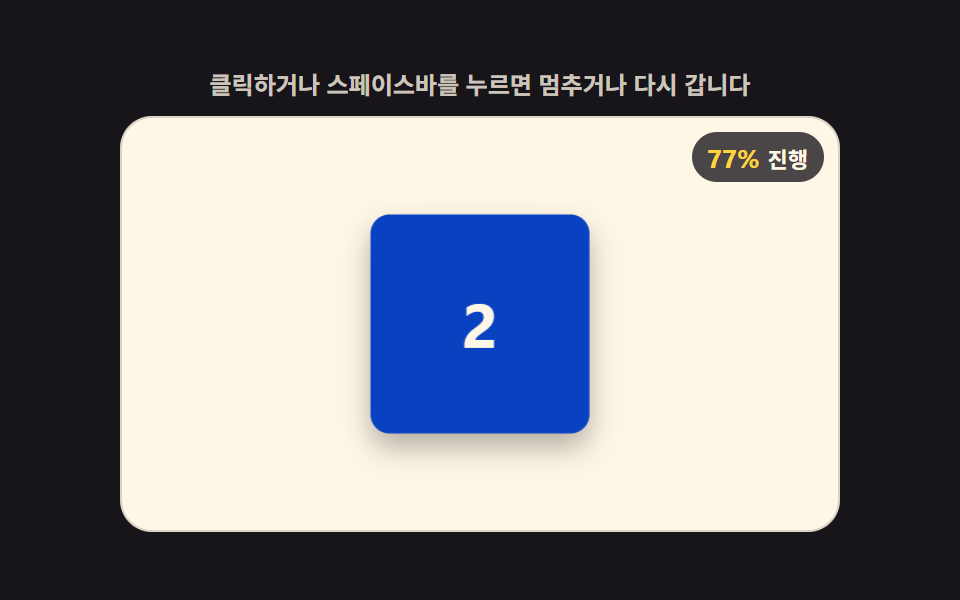 LoadersCSS 3D Cube Animation Loaders, 9 Patterns
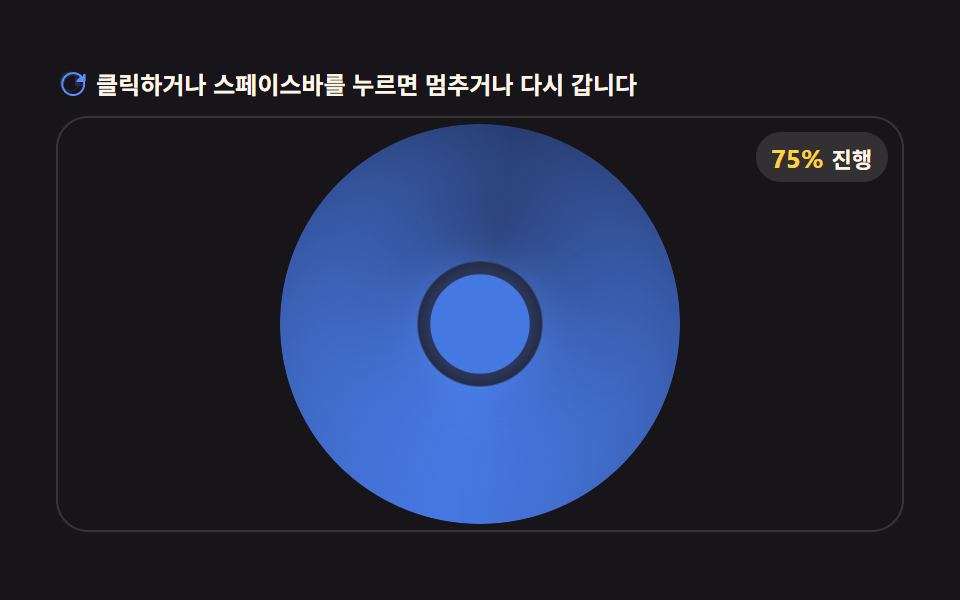 LoadersAI Loading Animation: 9 Patterns by One Value