AI Loading Animation: 9 Patterns by One Value
One ai loading animation value: A high orbit-radius value scatters particles wide; near zero they snap onto the core, hue value swings to done, and a preview
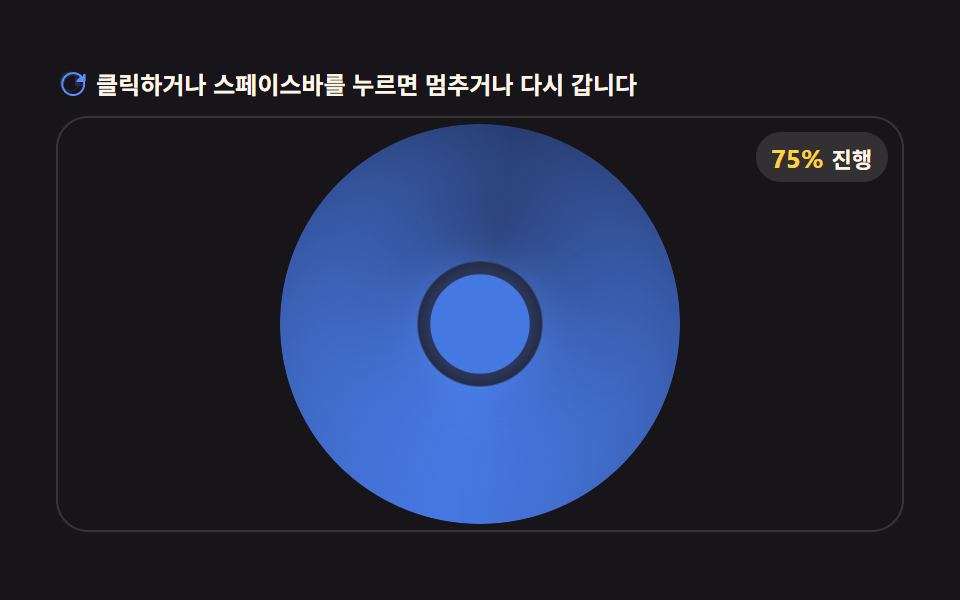 01 ai-processing-loading-halo-ring-hue-shift
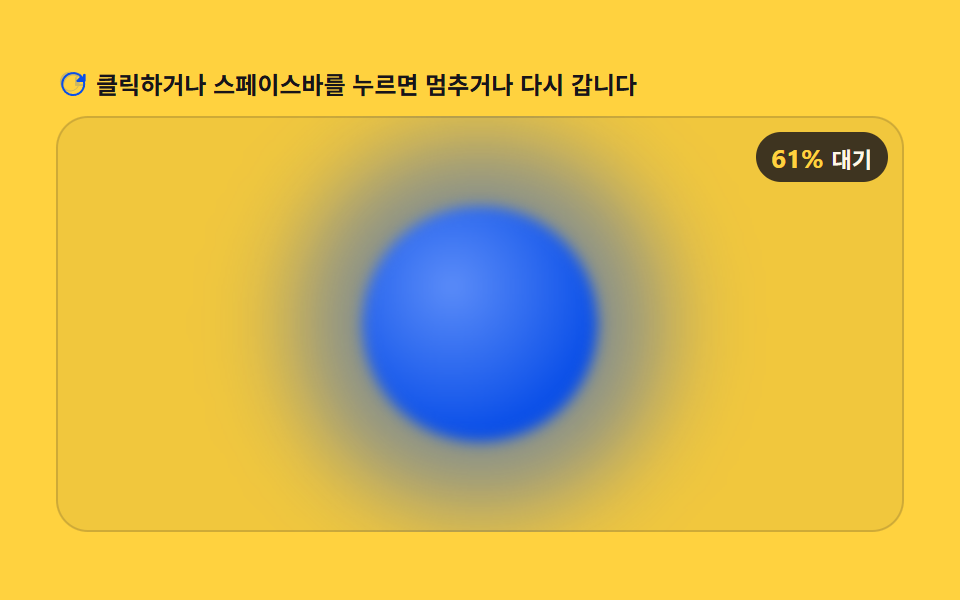 02 ai-processing-loading-orb-morph-pulse
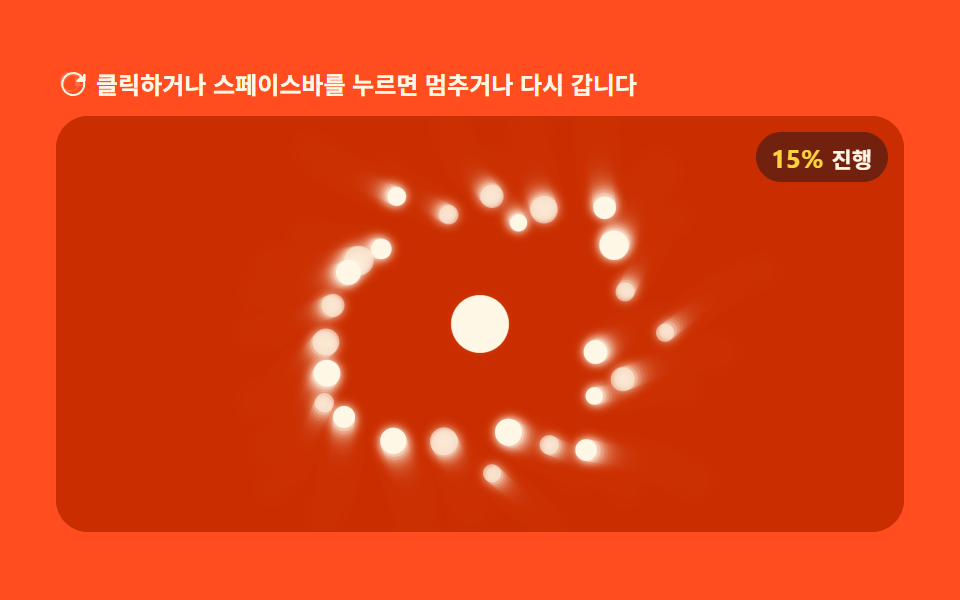 03 ai-processing-loading-particle-swirl-core
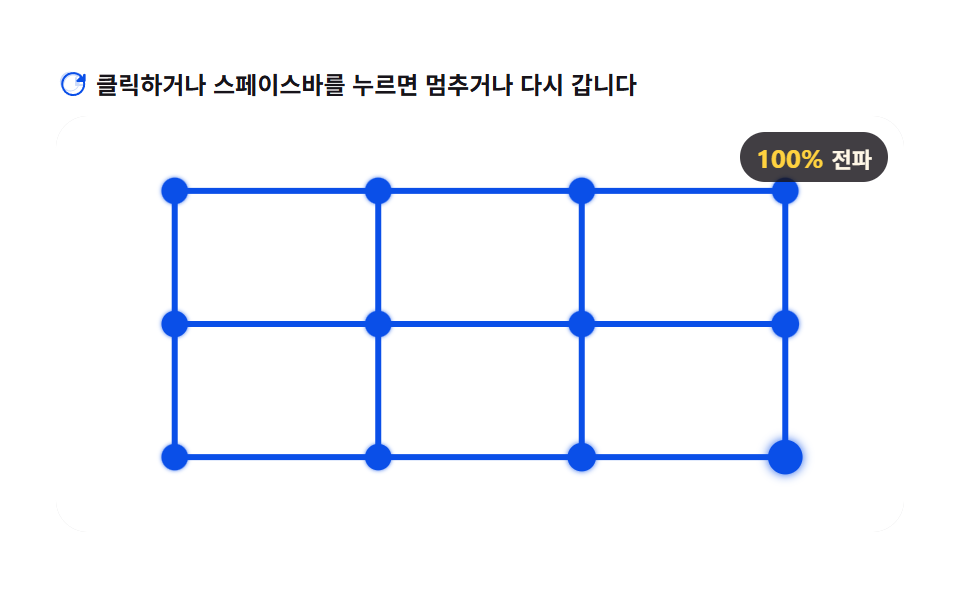 04 ai-processing-loading-neural-node-pulse
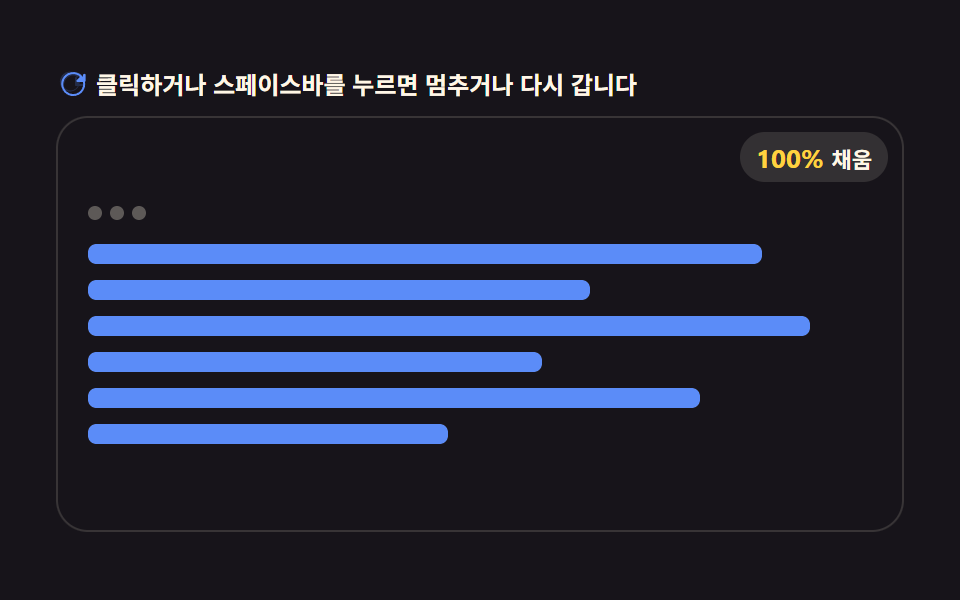 05 ai-processing-loading-card-content-stream-fill
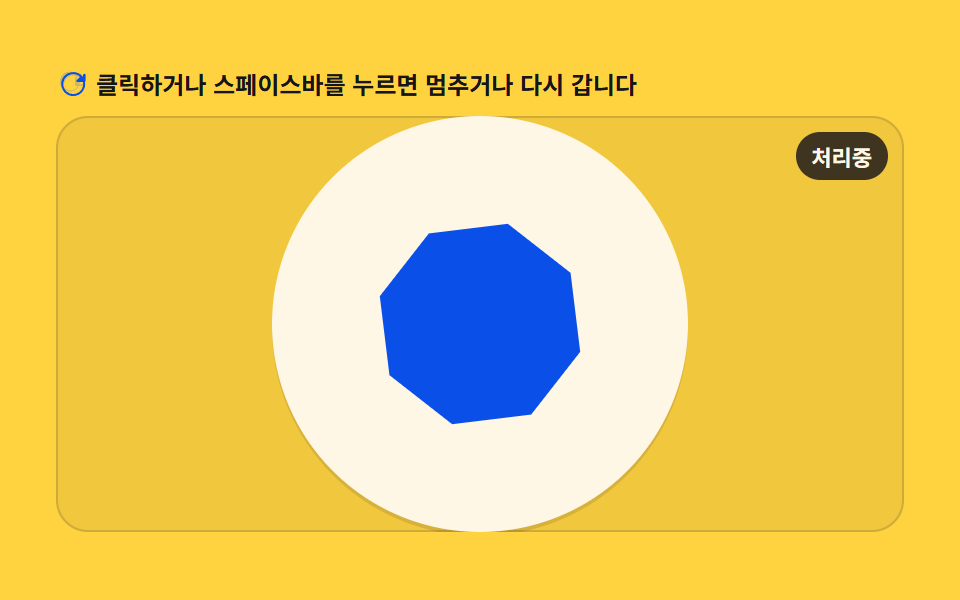 06 ai-processing-loading-button-icon-sparkle-morph
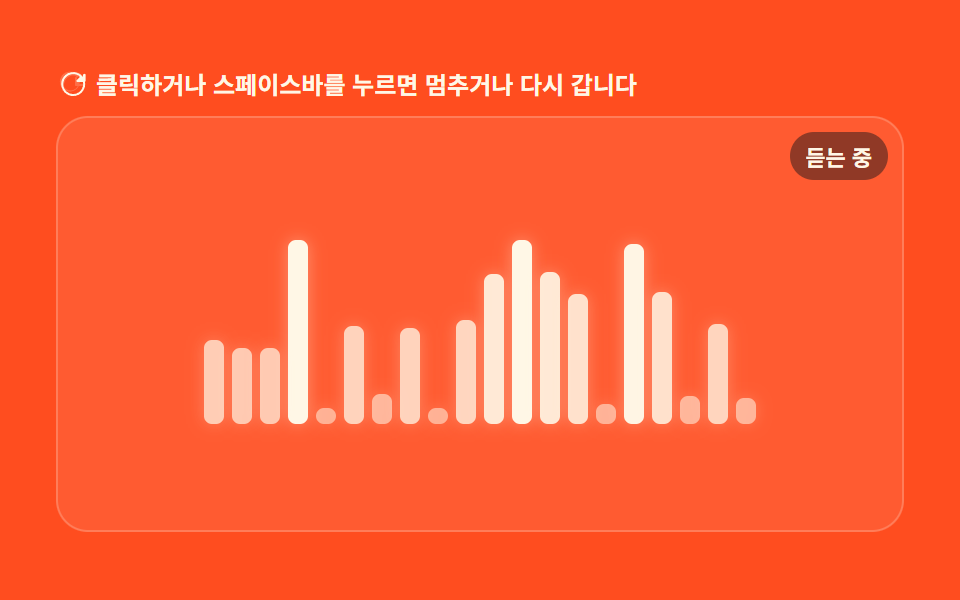 07 ai-processing-loading-listening-waveform-mic
 08 ai-processing-loading-ghost-text-caret-reveal
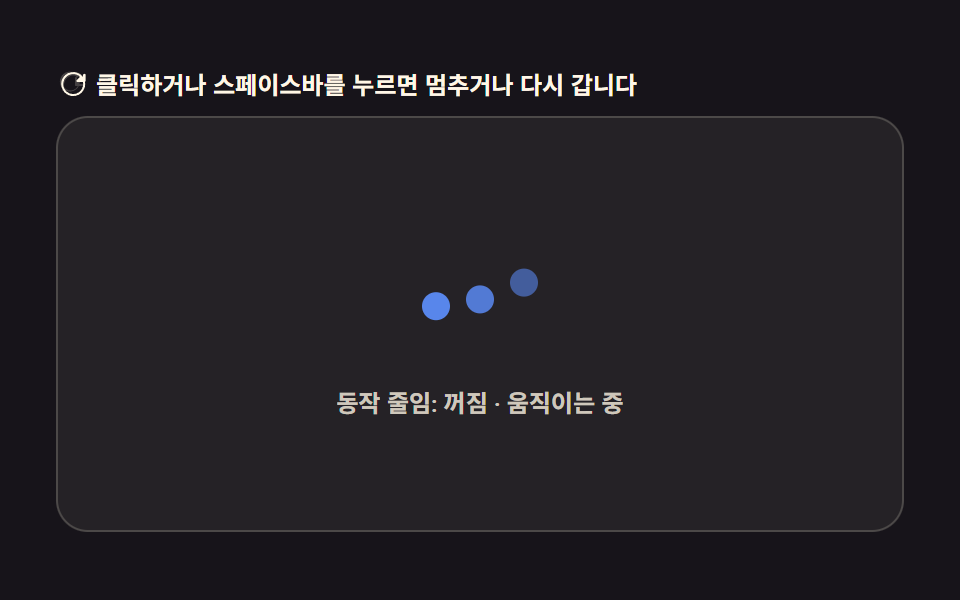 09 ai-processing-loading-reduced-motion-static-badge
Auto-plays · click a tile to jump to its section · all nine in one zip
- 01 Halo Ring AI Loader Whose Hue Value Turns Toward Done
- 02 Orb Pulse Whose Breathing Widens With a Growing Wait-time Value
- 03 Particle Swirl That Gathers Into the Core as an Orbit-radius Value Shrinks
- 04 Neural-node Pulse That Hops Along a Delay Value
- 05 Result-card Stream Loading Where a Filled-line Count Value Climbs
- 06 Button Icon That Morphs to a Sparkle When a Done Value Flips
- 07 Listening Waveform Where an Input-level Value Shakes Bar Heights
- 08 Ghost-text Reveal That Shows One More Letter as a Token-index Value Rises
- 09 Processing Badge That Swaps to Static Text When a Reduced-motion Value Is Detected
All nine below run on requestAnimationFrame and read exactly one thing to decide what's on screen -- a 0-to-1 progress value, an elapsed-time value, or a boolean that flips once. Nothing here calls a model, an API, or a streaming endpoint: item 08's "revealed" sentence is a fixed string already sitting in the page source, and the other eight just route the same kind of timer-driven number into a different CSS property or canvas draw call. The order below runs from the simplest single-property read -- item 01's ring recoloring by a hue value -- to the one where a value swaps the entire displayed markup for something else, item 09's reduced-motion badge.
Before the Nine Patterns, Here's Where Each One Breaks
Every one of the nine loops on a fixed two-second cycle (LOOP = 2.0), and that cycle has no idea how long a real request actually takes. Drop item 01 in front of a genuine API call and never wire up a stop condition, and the ring keeps recoloring toward its done hue and snapping back to the start hue every two seconds indefinitely -- a user who's still watching after the third or fourth loop reads that as broken, not as "still working," because nothing about the animation itself communicates that it's simulated. The AI_LOADER_HUE_TRANSITION_MS window in item 01 and the SWITCH_AT split in item 09 look like real progress markers, but they're calendar-time constants tied to LOOP, not to any actual completion event -- treat that as a demo default, not a promise. Managing that expectation means calling a real stop function (cancel the requestAnimationFrame, swap in a completed state) the moment your own request actually resolves, instead of letting any of the nine loop past the point where "processing" stopped being true.
Nine AI Loading Patterns, Measured
The numbers below come from each demo's own screen-recording pass: cumulative area is how much of the tile's pixels changed across the whole loop, average intensity is the average per-pixel byte difference where it changed, and moved frames counts how many of the 23 frame-to-frame deltas actually moved a pixel.
| # | Pattern | Cumulative area | Avg. intensity | Moved frames |
|---|---|---|---|---|
| 01 | Halo Ring Hue Shift | 22.139% | 30.8 | 23/23 |
| 02 | Orb Morph Pulse | 30.089% | 40.9 | 23/23 |
| 03 | Particle Swirl Core | 25.456% | 60.7 | 23/23 |
| 04 | Neural Node Pulse | 11.583% | 69.1 | 23/23 |
| 05 | Card Content Stream Fill | 14.256% | 105.4 | 20/23 |
| 06 | Button Icon Sparkle Morph | 10.111% | 175.4 | 23/23 |
| 07 | Listening Waveform | 17.854% | 100.9 | 23/23 |
| 08 | Ghost-text Caret Reveal | 46.62% | 52.6 | 20/23 |
| 09 | Reduced-motion Static Badge | 2.808% | 120.3 | 17/23 |
Item 08's ghost-text reveal covers the most area at 46.62% because every letter in the sentence repaints its color on nearly every frame it's active, while item 09 sits lowest at 2.808% by design -- it's a static text badge meant to replace motion entirely once reduced-motion is detected, so a small footprint there is the point, not a shortfall. Item 09's 17/23 moved-frame count is also lower than the rest on purpose: the badge only needs to redraw once it appears and once more when the dots stop, not on every one of the 23 sampled deltas.
01Halo Ring AI Loader Whose Hue Value Turns Toward Done
A conic-gradient ring keeps spinning at a constant ROTATE_SPEED while a separate hue value only starts sliding toward the done color inside the last AI_LOADER_HUE_TRANSITION_MS of the loop -- a smooth() cubic ease blends BLUE into DONE across that window instead of a linear mix, so the color change reads as a settle rather than a snap. The ring and its core share the same interpolated color at every frame, which keeps the whole shape looking like one coherent object instead of two elements drifting out of sync.
<main class="stage">
<div class="ld" id="ld">
  <p class="ld__hint">
    <svg class="ld__ico" viewBox="0 0 256 256" aria-hidden="true"><g fill="currentColor"><path d="M232 56v56a8 8 0 0 1-16 0V91.3l-25.6 25.7A80 80 0 1 1 174 60a8 8 0 1 1-9 13.2A64 64 0 1 0 179.7 128H216a8 8 0 0 1 0 16h-56a8 8 0 0 1-8-8V80a8 8 0 0 1 16 0v20.7L192.7 76A80.1 80.1 0 0 0 64 128a8 8 0 0 1-16 0a96 96 0 0 1 163.6-68.3L224 71.3V56a8 8 0 0 1 8 8" opacity=".2"/><path d="M224 48a8 8 0 0 0-8 8v15.3l-11.7-11.6a96 96 0 1 0 27.6 51.6a8 8 0 0 0-15.8 2.5a80 80 0 1 1-23-43l-25.7 25.7A8 8 0 0 0 173 112h56a8 8 0 0 0 8-8V56a8 8 0 0 0-13-8"/></g></svg>
    <span>Click or press the space bar to pause or restart</span>
  </p>
  <div class="ld__field" id="field" role="application" aria-label="Halo-ring hue-shift test panel" tabindex="0">
    <div class="ld__ring" id="ring"></div>
    <div class="ld__core" id="core"></div>
    <b class="ld__badge" aria-hidden="true"><span class="ld__badgeNum" id="pct">0%</span><span class="ld__badgeUnit">Progress</span></b>
  </div>
</div>
</main>
@use "../../../../site/static/demo-tokens" as *;
// halo-ring-hue-shift — conic-gradient 로 그린 후광 링이 회전하며, 진행 값이 전환 구간에 들어서면
// 남은 시간(AI_LOADER_HUE_TRANSITION_MS)에 걸쳐 링 색을 완료 색 쪽으로 서서히 섞는다.
// 움직임은 rAF 가 CSS 커스텀 속성을 매 프레임 고쳐 만든다 — @keyframes 없음.
$duration: $dur-loop;
$easing: $ease-spring;
$color: $subject-blue;
@include stage($stage-ink);
.ld {
--blue: #{$subject-blue};
--done: #{$stage-yellow};
--ring-size: 200px;
--ring-band: 40px;
display: flex; flex-direction: column; gap: $sp-2;
width: 100%; max-width: 424px;
}
.ld__hint {
display: flex; align-items: center; gap: $sp-1; margin: 0;
font-weight: 700; font-size: clamp(10px, 2.8vw, 12px); line-height: 1.35;
color: $subject-cream;
}
.ld__ico { width: 16px; height: 16px; flex: 0 0 auto; color: $subject-blue-light; }
.ld__field {
position: relative; height: 208px;
display: flex; align-items: center; justify-content: center;
border-radius: $r-card; overflow: hidden;
background: $subject-ink;
box-shadow: inset 0 0 0 1px rgba($subject-cream, .14);
cursor: pointer;
}
.ld__field:focus-visible { outline: 2px solid $subject-blue-light; outline-offset: 2px; }
.ld__ring {
position: relative;
width: var(--ring-size); height: var(--ring-size);
border-radius: $r-pill;
background: conic-gradient(from var(--angle, 0deg), var(--c1, #{$subject-blue}), var(--c2, transparent), var(--c1, #{$subject-blue}));
-webkit-mask: radial-gradient(circle, transparent calc(50% - var(--ring-band)), #000 calc(50% - var(--ring-band) + 1px));
mask: radial-gradient(circle, transparent calc(50% - var(--ring-band)), #000 calc(50% - var(--ring-band) + 1px));
filter: drop-shadow(0 0 14px rgba($subject-blue-light, .5));
}
.ld__core {
position: absolute;
width: 46px; height: 46px; border-radius: $r-pill;
background: var(--core-c, #{$subject-blue});
transform: scale(var(--core-scale, 1));
box-shadow: 0 0 22px 4px rgba($subject-blue-light, .55);
}
.ld__badge {
position: absolute; right: $sp-2; top: $sp-2;
display: flex; align-items: baseline; gap: $sp-1;
padding: $sp-1 $sp-2; border-radius: $r-pill;
background: rgba($subject-cream, .12);
color: $subject-cream; font-weight: 700; font-size: 11px;
}
.ld__badgeNum { font-size: 13px; color: $stage-yellow; }
.ld__badgeUnit { font-weight: 700; }
@media (max-width: 340px) {
.ld { gap: $sp-1; }
.ld__field { height: 124px; }
.ld { --ring-size: 116px; --ring-band: 24px; }
.ld__core { width: 28px; height: 28px; }
.ld__badge { font-size: 10px; padding: 0 $sp-1; }
.ld__badgeNum { font-size: 11px; }
}
@media (prefers-reduced-motion: reduce) {
.ld.is-still .ld__field { cursor: default !important; }
.ld.is-still .ld__badge { opacity: .92 !important; }
}html, body {
margin: 0;
overflow: hidden;
}
.stage {
box-sizing: border-box;
min-height: 100vh;
display: grid;
place-items: center;
margin: 0;
background: #17141a;
font-family: -apple-system, "Segoe UI", "Noto Sans KR", sans-serif;
padding: clamp(8px, 4vw, 24px);
}
.ld {
--blue: #2f6df6;
--done: #ffd23f;
--ring-size: 200px;
--ring-band: 40px;
display: flex;
flex-direction: column;
gap: 8px;
width: 100%;
max-width: 424px;
}
.ld__hint {
display: flex;
align-items: center;
gap: 4px;
margin: 0;
font-weight: 700;
font-size: clamp(10px, 2.8vw, 12px);
line-height: 1.35;
color: #fff7e6;
}
.ld__ico {
width: 16px;
height: 16px;
flex: 0 0 auto;
color: #5b8cf8;
}
.ld__field {
position: relative;
height: 208px;
display: flex;
align-items: center;
justify-content: center;
border-radius: 16px;
overflow: hidden;
background: #17141a;
box-shadow: inset 0 0 0 1px rgba(255, 247, 230, 0.14);
cursor: pointer;
}
.ld__field:focus-visible {
outline: 2px solid #5b8cf8;
outline-offset: 2px;
}
.ld__ring {
position: relative;
width: var(--ring-size);
height: var(--ring-size);
border-radius: 999px;
background: conic-gradient(from var(--angle, 0deg), var(--c1, #2f6df6), var(--c2, transparent), var(--c1, #2f6df6));
-webkit-mask: radial-gradient(circle, transparent calc(50% - var(--ring-band)), #000 calc(50% - var(--ring-band) + 1px));
mask: radial-gradient(circle, transparent calc(50% - var(--ring-band)), #000 calc(50% - var(--ring-band) + 1px));
filter: drop-shadow(0 0 14px rgba(91, 140, 248, 0.5));
}
.ld__core {
position: absolute;
width: 46px;
height: 46px;
border-radius: 999px;
background: var(--core-c, #2f6df6);
transform: scale(var(--core-scale, 1));
box-shadow: 0 0 22px 4px rgba(91, 140, 248, 0.55);
}
.ld__badge {
position: absolute;
right: 8px;
top: 8px;
display: flex;
align-items: baseline;
gap: 4px;
padding: 4px 8px;
border-radius: 999px;
background: rgba(255, 247, 230, 0.12);
color: #fff7e6;
font-weight: 700;
font-size: 11px;
}
.ld__badgeNum {
font-size: 13px;
color: #ffd23f;
}
.ld__badgeUnit {
font-weight: 700;
}
@media (max-width: 340px) {
.ld {
gap: 4px;
}
.ld__field {
height: 124px;
}
.ld {
--ring-size: 116px;
--ring-band: 24px;
}
.ld__core {
width: 28px;
height: 28px;
}
.ld__badge {
font-size: 10px;
padding: 0 4px;
}
.ld__badgeNum {
font-size: 11px;
}
}
@media (prefers-reduced-motion: reduce) {
.ld.is-still .ld__field {
cursor: default !important;
}
.ld.is-still .ld__badge {
opacity: 0.92 !important;
}
}(function () {
var LOOP = 2.0; // 캡처 창(초) — S.초 와 동일
var ROTATE_SPEED = 128; // 링 회전 속도(도/초)
var AI_LOADER_HUE_TRANSITION_MS = 640; // 후광 링 색상 전환 속도 값(전) — 남은 구간에서 Done 색으로 옮겨가는 창 길이
var root = document.getElementById('ld');
var field = document.getElementById('field');
var ring = document.getElementById('ring');
var core = document.getElementById('core');
var pctEl = document.getElementById('pct');
var paused = false;
var t0 = performance.now();
var raf = 0;
function reduced() {
return window.matchMedia('(prefers-reduced-motion: reduce)').matches;
}
function hexToRgb(hex) {
var h = hex.replace('#', '').trim();
if (h.length === 3) h = h[0]+h[0]+h[1]+h[1]+h[2]+h[2];
var n = parseInt(h, 16);
return [(n >> 16) & 255, (n >> 8) & 255, n & 255];
}
function mix(a, b, t) {
return [
Math.round(a[0] + (b[0] - a[0]) * t),
Math.round(a[1] + (b[1] - a[1]) * t),
Math.round(a[2] + (b[2] - a[2]) * t)
];
}
function smooth(t) { return t * t * (3 - 2 * t); }
function rgbStr(c, a) { return 'rgba(' + c[0] + ',' + c[1] + ',' + c[2] + ',' + a + ')'; }
var cs = getComputedStyle(root);
var BLUE = hexToRgb(cs.getPropertyValue('--blue').trim());
var DONE = hexToRgb(cs.getPropertyValue('--done').trim());
  function draw(sec) {
    var angle = (sec * ROTATE_SPEED) % 360;
    var p = (sec % LOOP) / LOOP;
    var winStart = 1 - (AI_LOADER_HUE_TRANSITION_MS / 1000) / LOOP;
    var mixT = p <= winStart ? 0 : smooth((p - winStart) / (1 - winStart));
    var col = mix(BLUE, DONE, mixT);
    var col2 = mix(BLUE, DONE, mixT * 0.6);

    ring.style.setProperty('--angle', angle + 'deg');
    ring.style.setProperty('--c1', rgbStr(col, 1));
    ring.style.setProperty('--c2', rgbStr(col2, .35));
    var corePulse = 1 + 0.08 * Math.sin(sec * Math.PI * 2 / LOOP * 3);
    core.style.setProperty('--core-scale', corePulse.toFixed(3));
    core.style.setProperty('--core-c', rgbStr(col, 1));

    var pct = Math.round(p * 100);
    pctEl.textContent = pct + '%';
  }
function togglePause() {
paused = !paused;
root.classList.toggle('is-paused', paused);
}
function restart() {
t0 = performance.now();
draw(0);
}
function onKey(e) {
if (e.key === ' ' || e.key === 'Enter') { e.preventDefault(); togglePause(); }
else if (e.key === 'r' || e.key === 'R') { e.preventDefault(); restart(); }
}
field.addEventListener('click', togglePause);
field.addEventListener('keydown', onKey);
function onResize() {
if (paused || reduced()) draw((performance.now() - t0) / 1000);
}
window.addEventListener('resize', onResize);
function frame(now) {
if (!paused) draw((now - t0) / 1000);
raf = requestAnimationFrame(frame);
}
if (reduced()) {
root.classList.add('is-still');
draw(LOOP * 0.62);
} else {
raf = requestAnimationFrame(frame);
}
})();// HaloRing — vanilla 판(run/403/demo/01-ai-processing-loading-halo-ring-hue-shift/index.html) 의 React 포트.
// conic-gradient 링을 rAF 로 회전시키고, 진행 값이 전환 구간에 들면 링 색을 완료 색 쪽으로 섞는다.
// 움직임은 CSS 커스텀 속성 갱신이 전부 맡는다 — @keyframes 없음.
import { useEffect, useRef } from "react";
import type { CSSProperties } from "react";
import styles from "./HaloRing.module.scss";
export type HaloRingProps = {
duration?: string;
easing?: string;
color?: string;
};
type Vars = CSSProperties & { "--duration"?: string; "--easing"?: string; "--color"?: string };
type Box<T> = { current: T };
type KeyEvt = { key: string; preventDefault(): void };
const LOOP = 2.0;
const ROTATE_SPEED = 128;
const AI_LOADER_HUE_TRANSITION_MS = 640;
const FIELD_LABEL = "후광 링 색상 전환 실험판";
function hexToRgb(hex: string): [number, number, number] {
let h = hex.replace("#", "").trim();
if (h.length === 3) h = h[0] + h[0] + h[1] + h[1] + h[2] + h[2];
const n = parseInt(h, 16);
return [(n >> 16) & 255, (n >> 8) & 255, n & 255];
}
function mix(a: [number, number, number], b: [number, number, number], t: number): [number, number, number] {
return [
Math.round(a[0] + (b[0] - a[0]) * t),
Math.round(a[1] + (b[1] - a[1]) * t),
Math.round(a[2] + (b[2] - a[2]) * t),
];
}
function smooth(t: number): number { return t * t * (3 - 2 * t); }
function rgbStr(c: [number, number, number], a: number): string { return "rgba(" + c[0] + "," + c[1] + "," + c[2] + "," + a + ")"; }
export default function HaloRing({
duration = "2s",
easing = "cubic-bezier(.2, .8, .2, 1)",
color = "#2f6df6",
}: HaloRingProps) {
const rootRef = useRef<HTMLDivElement | null>(null);
const fieldRef = useRef<HTMLDivElement | null>(null);
const ringRef = useRef<HTMLDivElement | null>(null);
const coreRef = useRef<HTMLDivElement | null>(null);
const pctRef = useRef<HTMLSpanElement | null>(null);
const pausedRef = useRef(false) as Box<boolean>;
const t0Ref = useRef(0) as Box<number>;
const rafRef = useRef(0) as Box<number>;
const bluRef = useRef<[number, number, number]>([47, 109, 246]) as Box<[number, number, number]>;
const doneRef = useRef<[number, number, number]>([255, 210, 63]) as Box<[number, number, number]>;
const vars: Vars = { "--duration": duration, "--easing": easing, "--color": color };
function reduced(): boolean {
return window.matchMedia("(prefers-reduced-motion: reduce)").matches;
}
function draw(sec: number): void {
const ring = ringRef.current;
const core = coreRef.current;
const pctEl = pctRef.current;
if (!ring || !core) return;
const angle = (sec * ROTATE_SPEED) % 360;
const p = (sec % LOOP) / LOOP;
const winStart = 1 - (AI_LOADER_HUE_TRANSITION_MS / 1000) / LOOP;
const mixT = p <= winStart ? 0 : smooth((p - winStart) / (1 - winStart));
const col = mix(bluRef.current, doneRef.current, mixT);
const col2 = mix(bluRef.current, doneRef.current, mixT * 0.6);
ring.style.setProperty("--angle", angle + "deg");
ring.style.setProperty("--c1", rgbStr(col, 1));
ring.style.setProperty("--c2", rgbStr(col2, .35));
const corePulse = 1 + 0.08 * Math.sin((sec * Math.PI * 2 / LOOP) * 3);
core.style.setProperty("--core-scale", corePulse.toFixed(3));
core.style.setProperty("--core-c", rgbStr(col, 1));
if (pctEl) pctEl.textContent = Math.round(p * 100) + "%";
}
function togglePause(): void {
pausedRef.current = !pausedRef.current;
const root = rootRef.current;
if (root) root.classList.toggle("is-paused", pausedRef.current);
}
function restart(): void {
t0Ref.current = performance.now();
draw(0);
}
function onKey(e: KeyEvt): void {
if (e.key === " " || e.key === "Enter") { e.preventDefault(); togglePause(); }
else if (e.key === "r" || e.key === "R") { e.preventDefault(); restart(); }
}
function onClick(): void { togglePause(); }
function onResize(): void {
if (pausedRef.current || reduced()) draw((performance.now() - t0Ref.current) / 1000);
}
function frame(now: number): void {
if (!pausedRef.current) draw((now - t0Ref.current) / 1000);
rafRef.current = requestAnimationFrame(frame);
}
useEffect(() => {
const root = rootRef.current;
if (!root) return;
const cs = getComputedStyle(root);
bluRef.current = hexToRgb(cs.getPropertyValue("--blue").trim() || "#2f6df6");
doneRef.current = hexToRgb(cs.getPropertyValue("--done").trim() || "#ffd23f");
t0Ref.current = performance.now();
window.addEventListener("resize", onResize);
if (reduced()) {
root.classList.add("is-still");
draw(LOOP * 0.62);
} else {
rafRef.current = requestAnimationFrame(frame);
}
return () => {
window.removeEventListener("resize", onResize);
cancelAnimationFrame(rafRef.current);
};
}, []);
return (
<main className={styles.stage}>
<div className={styles.root} ref={rootRef} style={vars}>
<p className={styles.hint}>
<svg className={styles.ico} viewBox="0 0 256 256" aria-hidden="true"><g fill="currentColor"><path d="M232 56v56a8 8 0 0 1-16 0V91.3l-25.6 25.7A80 80 0 1 1 174 60a8 8 0 1 1-9 13.2A64 64 0 1 0 179.7 128H216a8 8 0 0 1 0 16h-56a8 8 0 0 1-8-8V80a8 8 0 0 1 16 0v20.7L192.7 76A80.1 80.1 0 0 0 64 128a8 8 0 0 1-16 0a96 96 0 0 1 163.6-68.3L224 71.3V56a8 8 0 0 1 8 8" opacity=".2"/><path d="M224 48a8 8 0 0 0-8 8v15.3l-11.7-11.6a96 96 0 1 0 27.6 51.6a8 8 0 0 0-15.8 2.5a80 80 0 1 1-23-43l-25.7 25.7A8 8 0 0 0 173 112h56a8 8 0 0 0 8-8V56a8 8 0 0 0-13-8"/></g></svg>
<span>클릭하거나 스페이스바를 누르면 멈추거나 다시 갑니다</span>
</p>
<div
className={styles.field}
ref={fieldRef}
role="application"
aria-label={FIELD_LABEL}
tabIndex={0}
onClick={onClick}
onKeyDown={onKey}
>
<div className={styles.ring} ref={ringRef}></div>
<div className={styles.core} ref={coreRef}></div>
<b className={styles.badge} aria-hidden="true"><span className={styles.badgeNum} ref={pctRef}>0%</span><span className={styles.badgeUnit}>진행</span></b>
</div>
</div>
</main>
);
}01 · Halo Ring AI Loader Whose Hue Value Turns Toward Done — Measured area 22.139% · moving frames 23/23Original by GODRICH · SCSS and React ship in the zip · See the password
function draw(sec) {
var angle = (sec * ROTATE_SPEED) % 360;
var p = (sec % LOOP) / LOOP;
var winStart = 1 - (AI_LOADER_HUE_TRANSITION_MS / 1000) / LOOP;
var mixT = p <= winStart ? 0 : smooth((p - winStart) / (1 - winStart));
var col = mix(BLUE, DONE, mixT);
var col2 = mix(BLUE, DONE, mixT * 0.6);
ring.style.setProperty('--angle', angle + 'deg');
ring.style.setProperty('--c1', rgbStr(col, 1));
ring.style.setProperty('--c2', rgbStr(col2, .35));
var corePulse = 1 + 0.08 * Math.sin(sec * Math.PI * 2 / LOOP * 3);
core.style.setProperty('--core-scale', corePulse.toFixed(3));
core.style.setProperty('--core-c', rgbStr(col, 1));
var pct = Math.round(p * 100);
pctEl.textContent = pct + '%';
}
02Orb Pulse Whose Breathing Widens With a Growing Wait-time Value
An accum value climbs from 0 to 1 across the full loop and feeds easeSine(), so the orb's breathing amplitude itself grows the longer the loop has been running, on top of a separate BREATH_HZ sine wave that keeps the actual in-and-out motion going. Scale, blur, and glow all read off that same composite value each frame, so a wider breath always arrives with a softer edge and a brighter glow at once rather than any one property changing alone.
<main class="stage">
<div class="ld" id="ld">
  <p class="ld__hint">
    <svg class="ld__ico" viewBox="0 0 256 256" aria-hidden="true"><g fill="currentColor"><path d="M232 56v56a8 8 0 0 1-16 0V91.3l-25.6 25.7A80 80 0 1 1 174 60a8 8 0 1 1-9 13.2A64 64 0 1 0 179.7 128H216a8 8 0 0 1 0 16h-56a8 8 0 0 1-8-8V80a8 8 0 0 1 16 0v20.7L192.7 76A80.1 80.1 0 0 0 64 128a8 8 0 0 1-16 0a96 96 0 0 1 163.6-68.3L224 71.3V56a8 8 0 0 1 8 8" opacity=".2"/><path d="M224 48a8 8 0 0 0-8 8v15.3l-11.7-11.6a96 96 0 1 0 27.6 51.6a8 8 0 0 0-15.8 2.5a80 80 0 1 1-23-43l-25.7 25.7A8 8 0 0 0 173 112h56a8 8 0 0 0 8-8V56a8 8 0 0 0-13-8"/></g></svg>
    <span>Click or press the space bar to pause or restart</span>
  </p>
  <div class="ld__field" id="field" role="application" aria-label="Orb breathing-pulse test panel" tabindex="0">
    <div class="ld__orb" id="orb"></div>
    <b class="ld__badge" aria-hidden="true"><span class="ld__badgeNum" id="pct">0%</span><span class="ld__badgeUnit">Waiting</span></b>
  </div>
</div>
</main>
@use "../../../../site/static/demo-tokens" as *;
// orb-morph-pulse — 대기 시간 값을 사인 이징에 넣어 중심 오브 크기·블러를 숨쉬듯 반복시키고,
// 대기 시간 값이 쌓일수록(accum) 숨쉬는 폭(amp) 자체가 조금씩 커진다. @keyframes 없음 — rAF 전용.
$duration: $dur-loop;
$easing: $ease-spring;
$color: $subject-ink;
@include stage($stage-yellow);
.ld {
display: flex; flex-direction: column; gap: $sp-2;
width: 100%; max-width: 424px;
}
.ld__hint {
display: flex; align-items: center; gap: $sp-1; margin: 0;
font-weight: 700; font-size: clamp(10px, 2.8vw, 12px); line-height: 1.35;
color: $subject-ink;
}
.ld__ico { width: 16px; height: 16px; flex: 0 0 auto; color: $subject-blue-deep; }
.ld__field {
position: relative; height: 208px;
display: flex; align-items: center; justify-content: center;
border-radius: $r-card; overflow: hidden;
background: rgba($subject-ink, .06);
box-shadow: inset 0 0 0 1px rgba($subject-ink, .16);
cursor: pointer;
}
.ld__field:focus-visible { outline: 2px solid $subject-blue-deep; outline-offset: 2px; }
.ld__orb {
--scale: 1; --blur: 12px; --glow: .35;
width: 108px; height: 108px; border-radius: $r-pill;
background: radial-gradient(circle at 38% 34%, $subject-blue-light, $subject-blue-deep 70%);
transform: scale(var(--scale));
filter: blur(calc(var(--blur) * .18));
box-shadow: 0 0 42px calc(var(--glow) * 60px) rgba($subject-blue-deep, var(--glow));
}
.ld__badge {
position: absolute; right: $sp-2; top: $sp-2;
display: flex; align-items: baseline; gap: $sp-1;
padding: $sp-1 $sp-2; border-radius: $r-pill;
background: rgba($subject-ink, .82);
color: $subject-cream; font-weight: 700; font-size: 11px;
}
.ld__badgeNum { font-size: 13px; color: $stage-yellow; }
.ld__badgeUnit { font-weight: 700; }
@media (max-width: 340px) {
.ld { gap: $sp-1; }
.ld__field { height: 124px; }
.ld__orb { width: 64px; height: 64px; }
.ld__badge { font-size: 10px; padding: 0 $sp-1; }
.ld__badgeNum { font-size: 11px; }
}
@media (prefers-reduced-motion: reduce) {
.ld.is-still .ld__field { cursor: default !important; }
.ld.is-still .ld__badge { opacity: .92 !important; }
}html, body {
margin: 0;
overflow: hidden;
}
.stage {
box-sizing: border-box;
min-height: 100vh;
display: grid;
place-items: center;
margin: 0;
background: #ffd23f;
font-family: -apple-system, "Segoe UI", "Noto Sans KR", sans-serif;
padding: clamp(8px, 4vw, 24px);
}
.ld {
display: flex;
flex-direction: column;
gap: 8px;
width: 100%;
max-width: 424px;
}
.ld__hint {
display: flex;
align-items: center;
gap: 4px;
margin: 0;
font-weight: 700;
font-size: clamp(10px, 2.8vw, 12px);
line-height: 1.35;
color: #17141a;
}
.ld__ico {
width: 16px;
height: 16px;
flex: 0 0 auto;
color: #0a4fe8;
}
.ld__field {
position: relative;
height: 208px;
display: flex;
align-items: center;
justify-content: center;
border-radius: 16px;
overflow: hidden;
background: rgba(23, 20, 26, 0.06);
box-shadow: inset 0 0 0 1px rgba(23, 20, 26, 0.16);
cursor: pointer;
}
.ld__field:focus-visible {
outline: 2px solid #0a4fe8;
outline-offset: 2px;
}
.ld__orb {
--scale: 1;
--blur: 12px;
--glow: .35;
width: 108px;
height: 108px;
border-radius: 999px;
background: radial-gradient(circle at 38% 34%, #5b8cf8, #0a4fe8 70%);
transform: scale(var(--scale));
filter: blur(calc(var(--blur) * 0.18));
box-shadow: 0 0 42px calc(var(--glow) * 60px) rgba(10, 79, 232, var(--glow));
}
.ld__badge {
position: absolute;
right: 8px;
top: 8px;
display: flex;
align-items: baseline;
gap: 4px;
padding: 4px 8px;
border-radius: 999px;
background: rgba(23, 20, 26, 0.82);
color: #fff7e6;
font-weight: 700;
font-size: 11px;
}
.ld__badgeNum {
font-size: 13px;
color: #ffd23f;
}
.ld__badgeUnit {
font-weight: 700;
}
@media (max-width: 340px) {
.ld {
gap: 4px;
}
.ld__field {
height: 124px;
}
.ld__orb {
width: 64px;
height: 64px;
}
.ld__badge {
font-size: 10px;
padding: 0 4px;
}
.ld__badgeNum {
font-size: 11px;
}
}
@media (prefers-reduced-motion: reduce) {
.ld.is-still .ld__field {
cursor: default !important;
}
.ld.is-still .ld__badge {
opacity: 0.92 !important;
}
}(function () {
var LOOP = 2.0;
var BREATH_HZ = 0.9; // 숨쉬기 사인 진동수
var AMP_BASE = 0.10; // 숨쉬는 폭 시작 값
var AMP_GROW = 0.09; // Waiting 시간 값이 쌓이며 늘어나는 폭
var root = document.getElementById('ld');
var field = document.getElementById('field');
var orb = document.getElementById('orb');
var pctEl = document.getElementById('pct');
var paused = false;
var t0 = performance.now();
var raf = 0;
function reduced() {
return window.matchMedia('(prefers-reduced-motion: reduce)').matches;
}
function easeSine(t) { return 0.5 - 0.5 * Math.cos(t * Math.PI); }
function draw(sec) {
var t = sec % LOOP;
var accum = Math.min(sec, LOOP) / LOOP; // Waiting 시간 값이 쌓인 정도(0~1)
var amp = AMP_BASE + AMP_GROW * easeSine(accum);
var wave = Math.sin(t * Math.PI * 2 * BREATH_HZ);
var scale = 1 + amp * wave;
var blur = 12 + 9 * Math.max(0, wave);
var glow = 0.35 + 0.25 * Math.max(0, wave);
orb.style.setProperty('--scale', scale.toFixed(4));
orb.style.setProperty('--blur', blur.toFixed(1) + 'px');
orb.style.setProperty('--glow', glow.toFixed(3));
var pct = Math.round((t / LOOP) * 100);
pctEl.textContent = pct + '%';
}
function togglePause() {
paused = !paused;
root.classList.toggle('is-paused', paused);
}
function restart() { t0 = performance.now(); draw(0); }
function onKey(e) {
if (e.key === ' ' || e.key === 'Enter') { e.preventDefault(); togglePause(); }
else if (e.key === 'r' || e.key === 'R') { e.preventDefault(); restart(); }
}
field.addEventListener('click', togglePause);
field.addEventListener('keydown', onKey);
function onResize() {
if (paused || reduced()) draw((performance.now() - t0) / 1000);
}
window.addEventListener('resize', onResize);
function frame(now) {
if (!paused) draw((now - t0) / 1000);
raf = requestAnimationFrame(frame);
}
if (reduced()) {
root.classList.add('is-still');
draw(LOOP * 0.62);
} else {
raf = requestAnimationFrame(frame);
}
})();// OrbPulse — vanilla 판(run/403/demo/02-ai-processing-loading-orb-morph-pulse/index.html) 의 React 포트.
// 대기 시간 값을 사인 이징에 넣어 오브 크기·블러를 숨쉬듯 반복시키고, 대기 시간이 쌓일수록 폭이 커진다.
import { useEffect, useRef } from "react";
import type { CSSProperties } from "react";
import styles from "./OrbPulse.module.scss";
export type OrbPulseProps = {
duration?: string;
easing?: string;
color?: string;
};
type Vars = CSSProperties & { "--duration"?: string; "--easing"?: string; "--color"?: string };
type Box<T> = { current: T };
type KeyEvt = { key: string; preventDefault(): void };
const LOOP = 2.0;
const BREATH_HZ = 0.9;
const AMP_BASE = 0.10;
const AMP_GROW = 0.09;
const FIELD_LABEL = "오브 숨쉬기 펄스 실험판";
function easeSine(t: number): number { return 0.5 - 0.5 * Math.cos(t * Math.PI); }
export default function OrbPulse({
duration = "2s",
easing = "cubic-bezier(.2, .8, .2, 1)",
color = "#17141a",
}: OrbPulseProps) {
const rootRef = useRef<HTMLDivElement | null>(null);
const fieldRef = useRef<HTMLDivElement | null>(null);
const orbRef = useRef<HTMLDivElement | null>(null);
const pctRef = useRef<HTMLSpanElement | null>(null);
const pausedRef = useRef(false) as Box<boolean>;
const t0Ref = useRef(0) as Box<number>;
const rafRef = useRef(0) as Box<number>;
const vars: Vars = { "--duration": duration, "--easing": easing, "--color": color };
function reduced(): boolean {
return window.matchMedia("(prefers-reduced-motion: reduce)").matches;
}
function draw(sec: number): void {
const orb = orbRef.current;
const pctEl = pctRef.current;
if (!orb) return;
const t = sec % LOOP;
const accum = Math.min(sec, LOOP) / LOOP;
const amp = AMP_BASE + AMP_GROW * easeSine(accum);
const wave = Math.sin(t * Math.PI * 2 * BREATH_HZ);
const scale = 1 + amp * wave;
const blur = 12 + 9 * Math.max(0, wave);
const glow = 0.35 + 0.25 * Math.max(0, wave);
orb.style.setProperty("--scale", scale.toFixed(4));
orb.style.setProperty("--blur", blur.toFixed(1) + "px");
orb.style.setProperty("--glow", glow.toFixed(3));
if (pctEl) pctEl.textContent = Math.round((t / LOOP) * 100) + "%";
}
function togglePause(): void {
pausedRef.current = !pausedRef.current;
const root = rootRef.current;
if (root) root.classList.toggle("is-paused", pausedRef.current);
}
function restart(): void { t0Ref.current = performance.now(); draw(0); }
function onKey(e: KeyEvt): void {
if (e.key === " " || e.key === "Enter") { e.preventDefault(); togglePause(); }
else if (e.key === "r" || e.key === "R") { e.preventDefault(); restart(); }
}
function onClick(): void { togglePause(); }
function onResize(): void {
if (pausedRef.current || reduced()) draw((performance.now() - t0Ref.current) / 1000);
}
function frame(now: number): void {
if (!pausedRef.current) draw((now - t0Ref.current) / 1000);
rafRef.current = requestAnimationFrame(frame);
}
useEffect(() => {
const root = rootRef.current;
if (!root) return;
t0Ref.current = performance.now();
window.addEventListener("resize", onResize);
if (reduced()) {
root.classList.add("is-still");
draw(LOOP * 0.62);
} else {
rafRef.current = requestAnimationFrame(frame);
}
return () => {
window.removeEventListener("resize", onResize);
cancelAnimationFrame(rafRef.current);
};
}, []);
return (
<main className={styles.stage}>
<div className={styles.root} ref={rootRef} style={vars}>
<p className={styles.hint}>
<svg className={styles.ico} viewBox="0 0 256 256" aria-hidden="true"><g fill="currentColor"><path d="M232 56v56a8 8 0 0 1-16 0V91.3l-25.6 25.7A80 80 0 1 1 174 60a8 8 0 1 1-9 13.2A64 64 0 1 0 179.7 128H216a8 8 0 0 1 0 16h-56a8 8 0 0 1-8-8V80a8 8 0 0 1 16 0v20.7L192.7 76A80.1 80.1 0 0 0 64 128a8 8 0 0 1-16 0a96 96 0 0 1 163.6-68.3L224 71.3V56a8 8 0 0 1 8 8" opacity=".2"/><path d="M224 48a8 8 0 0 0-8 8v15.3l-11.7-11.6a96 96 0 1 0 27.6 51.6a8 8 0 0 0-15.8 2.5a80 80 0 1 1-23-43l-25.7 25.7A8 8 0 0 0 173 112h56a8 8 0 0 0 8-8V56a8 8 0 0 0-13-8"/></g></svg>
<span>클릭하거나 스페이스바를 누르면 멈추거나 다시 갑니다</span>
</p>
<div
className={styles.field}
ref={fieldRef}
role="application"
aria-label={FIELD_LABEL}
tabIndex={0}
onClick={onClick}
onKeyDown={onKey}
>
<div className={styles.orb} ref={orbRef}></div>
<b className={styles.badge} aria-hidden="true"><span className={styles.badgeNum} ref={pctRef}>0%</span><span className={styles.badgeUnit}>대기</span></b>
</div>
</div>
</main>
);
}02 · Orb Pulse Whose Breathing Widens With a Growing Wait-time Value — Measured area 30.089% · moving frames 23/23Original by GODRICH · SCSS and React ship in the zip · See the password
  function draw(sec) {
    var t = sec % LOOP;
    var accum = Math.min(sec, LOOP) / LOOP;      // how far the wait-time value has accumulated (0-1)
    var amp = AMP_BASE + AMP_GROW * easeSine(accum);
    var wave = Math.sin(t * Math.PI * 2 * BREATH_HZ);
    var scale = 1 + amp * wave;
    var blur = 12 + 9 * Math.max(0, wave);
    var glow = 0.35 + 0.25 * Math.max(0, wave);

    orb.style.setProperty('--scale', scale.toFixed(4));
    orb.style.setProperty('--blur', blur.toFixed(1) + 'px');
    orb.style.setProperty('--glow', glow.toFixed(3));

    var pct = Math.round((t / LOOP) * 100);
    pctEl.textContent = pct + '%';
  }
03Particle Swirl That Gathers Into the Core as an Orbit-radius Value Shrinks
Twenty-six particles start spread out at angles set by the golden angle (roughly 137.508 degrees apart, so no two ever land on the same ray), and each one's own orbit-radius value shrinks from MAX_R toward CORE_R as progress climbs, eased by AI_LOADER_ORBIT_SHRINK_EASE so the pull inward isn't linear. A per-particle jitter value keeps every orbit radius slightly different from its neighbors even at the same progress point, which is what keeps the swirl looking like a loose cloud instead of a single ring collapsing uniformly.
<main class="stage">
<div class="ld" id="ld">
  <p class="ld__hint">
    <svg class="ld__ico" viewBox="0 0 256 256" aria-hidden="true"><g fill="currentColor"><path d="M232 56v56a8 8 0 0 1-16 0V91.3l-25.6 25.7A80 80 0 1 1 174 60a8 8 0 1 1-9 13.2A64 64 0 1 0 179.7 128H216a8 8 0 0 1 0 16h-56a8 8 0 0 1-8-8V80a8 8 0 0 1 16 0v20.7L192.7 76A80.1 80.1 0 0 0 64 128a8 8 0 0 1-16 0a96 96 0 0 1 163.6-68.3L224 71.3V56a8 8 0 0 1 8 8" opacity=".2"/><path d="M224 48a8 8 0 0 0-8 8v15.3l-11.7-11.6a96 96 0 1 0 27.6 51.6a8 8 0 0 0-15.8 2.5a80 80 0 1 1-23-43l-25.7 25.7A8 8 0 0 0 173 112h56a8 8 0 0 0 8-8V56a8 8 0 0 0-13-8"/></g></svg>
    <span>Click or press the space bar to pause or restart</span>
  </p>
  <div class="ld__field" id="field" role="application" aria-label="Particle swirl core-convergence test panel" tabindex="0">
    <canvas class="ld__cv" id="cv"></canvas>
    <b class="ld__badge" aria-hidden="true"><span class="ld__badgeNum" id="pct">0%</span><span class="ld__badgeUnit">Progress</span></b>
  </div>
</div>
</main>
@use "../../../../site/static/demo-tokens" as *;
// particle-swirl-core — 입자마다 자신만의 궤도 반경 값을 갖고, 처리 진행 값이 오를수록
// AI_LOADER_ORBIT_SHRINK_EASE 이징으로 그 반경이 함께 줄어 코어 쪽으로 모여든다. 캔버스 rAF 전용.
$duration: $dur-loop;
$easing: $ease-spring;
$color: $subject-cream;
@include stage($stage-orange);
.ld {
--paper: #{$subject-orange-deep};
--trail: #{rgba($subject-orange-deep, .32)};
--core: #{$subject-cream};
--dot: #{$subject-cream};
--dot-deep: #{rgba($subject-cream, .55)};
display: flex; flex-direction: column; gap: $sp-2;
width: 100%; max-width: 424px;
}
.ld__hint {
display: flex; align-items: center; gap: $sp-1; margin: 0;
font-weight: 700; font-size: clamp(10px, 2.8vw, 12px); line-height: 1.35;
color: $subject-cream;
}
.ld__ico { width: 16px; height: 16px; flex: 0 0 auto; color: $subject-cream; }
.ld__field {
position: relative; height: 208px;
border-radius: $r-card; overflow: hidden;
background: $subject-orange-deep;
box-shadow: inset 0 0 0 1px rgba($subject-cream, .18);
cursor: pointer;
}
.ld__field:focus-visible { outline: 2px solid $subject-cream; outline-offset: 2px; }
.ld__cv { display: block; width: 100%; height: 100%; }
.ld__badge {
position: absolute; right: $sp-2; top: $sp-2;
display: flex; align-items: baseline; gap: $sp-1;
padding: $sp-1 $sp-2; border-radius: $r-pill;
background: rgba($subject-ink, .5);
color: $subject-cream; font-weight: 700; font-size: 11px;
}
.ld__badgeNum { font-size: 13px; color: $stage-yellow; }
.ld__badgeUnit { font-weight: 700; }
@media (max-width: 340px) {
.ld { gap: $sp-1; }
.ld__field { height: 124px; }
.ld__badge { font-size: 10px; padding: 0 $sp-1; }
.ld__badgeNum { font-size: 11px; }
}
@media (prefers-reduced-motion: reduce) {
.ld.is-still .ld__field { cursor: default !important; }
.ld.is-still .ld__badge { opacity: .92 !important; }
}html, body {
margin: 0;
overflow: hidden;
}
.stage {
box-sizing: border-box;
min-height: 100vh;
display: grid;
place-items: center;
margin: 0;
background: #ff4d1f;
font-family: -apple-system, "Segoe UI", "Noto Sans KR", sans-serif;
padding: clamp(8px, 4vw, 24px);
}
.ld {
--paper: #c93000;
--trail: rgba(201, 48, 0, 0.32);
--core: #fff7e6;
--dot: #fff7e6;
--dot-deep: rgba(255, 247, 230, 0.55);
display: flex;
flex-direction: column;
gap: 8px;
width: 100%;
max-width: 424px;
}
.ld__hint {
display: flex;
align-items: center;
gap: 4px;
margin: 0;
font-weight: 700;
font-size: clamp(10px, 2.8vw, 12px);
line-height: 1.35;
color: #fff7e6;
}
.ld__ico {
width: 16px;
height: 16px;
flex: 0 0 auto;
color: #fff7e6;
}
.ld__field {
position: relative;
height: 208px;
border-radius: 16px;
overflow: hidden;
background: #c93000;
box-shadow: inset 0 0 0 1px rgba(255, 247, 230, 0.18);
cursor: pointer;
}
.ld__field:focus-visible {
outline: 2px solid #fff7e6;
outline-offset: 2px;
}
.ld__cv {
display: block;
width: 100%;
height: 100%;
}
.ld__badge {
position: absolute;
right: 8px;
top: 8px;
display: flex;
align-items: baseline;
gap: 4px;
padding: 4px 8px;
border-radius: 999px;
background: rgba(23, 20, 26, 0.5);
color: #fff7e6;
font-weight: 700;
font-size: 11px;
}
.ld__badgeNum {
font-size: 13px;
color: #ffd23f;
}
.ld__badgeUnit {
font-weight: 700;
}
@media (max-width: 340px) {
.ld {
gap: 4px;
}
.ld__field {
height: 124px;
}
.ld__badge {
font-size: 10px;
padding: 0 4px;
}
.ld__badgeNum {
font-size: 11px;
}
}
@media (prefers-reduced-motion: reduce) {
.ld.is-still .ld__field {
cursor: default !important;
}
.ld.is-still .ld__badge {
opacity: 0.92 !important;
}
}(function () {
var LOOP = 2.0;
var N = 26; // 입자 수
var GOLDEN = 137.508 * Math.PI / 180; // 입자 초기 각도 간격
var CORE_R = 14; // 코어 반경(px)
var MAX_R = 128; // 궤도 반경 값 최대(px)
var AI_LOADER_ORBIT_SHRINK_EASE = 2.2; // 입자 궤도 반경 축소 이징 값(전)
var root = document.getElementById('ld');
var field = document.getElementById('field');
var cv = document.getElementById('cv');
var ctx = cv.getContext('2d');
var pctEl = document.getElementById('pct');
var paused = false;
var t0 = performance.now();
var raf = 0;
var W = 0, H = 0, DPR = 1;
function reduced() {
return window.matchMedia('(prefers-reduced-motion: reduce)').matches;
}
function seeded(i) { // 고정 시드 의사난수(Math.random 미사용)
var v = Math.sin(i * 12.9898) * 43758.5453;
return v - Math.floor(v);
}
var particles = [];
for (var i = 0; i < N; i++) {
particles.push({
baseAngle: i * GOLDEN,
jitter: 0.7 + seeded(i) * 0.5,
speed: 0.55 + seeded(i + 31) * 0.5,
size: 4.2 + seeded(i + 71) * 3.4
});
}
function fit() {
var r = field.getBoundingClientRect();
DPR = window.devicePixelRatio || 1;
W = r.width; H = r.height;
cv.width = Math.round(W * DPR);
cv.height = Math.round(H * DPR);
ctx.setTransform(DPR, 0, 0, DPR, 0, 0);
}
var cs = getComputedStyle(root);
var PAPER = cs.getPropertyValue('--paper').trim();
var TRAIL = cs.getPropertyValue('--trail').trim();
var CORE = cs.getPropertyValue('--core').trim();
var DOT = cs.getPropertyValue('--dot').trim();
var DOT_DEEP = cs.getPropertyValue('--dot-deep').trim();
function draw(sec) {
ctx.fillStyle = TRAIL;
ctx.fillRect(0, 0, W, H);
var cx = W / 2, cy = H / 2;
var p = (sec % LOOP) / LOOP;
var shrink = Math.pow(p, 1 / AI_LOADER_ORBIT_SHRINK_EASE); // 궤도 반경 값 축소 이징
for (var i = 0; i < particles.length; i++) {
var q = particles[i];
var angle = q.baseAngle + sec * q.speed;
var r = CORE_R + (MAX_R - CORE_R) * (1 - shrink) * q.jitter;
var x = cx + r * Math.cos(angle);
var y = cy + r * Math.sin(angle) * 0.86;
ctx.beginPath();
ctx.arc(x, y, q.size, 0, Math.PI * 2);
ctx.fillStyle = i % 2 === 0 ? DOT : DOT_DEEP;
ctx.shadowColor = DOT;
ctx.shadowBlur = 10;
ctx.fill();
ctx.shadowBlur = 0;
}
var coreR = CORE_R * (0.85 + 0.3 * (1 - shrink));
ctx.beginPath();
ctx.arc(cx, cy, coreR, 0, Math.PI * 2);
ctx.fillStyle = CORE;
ctx.fill();
var pct = Math.round(p * 100);
pctEl.textContent = pct + '%';
}
function togglePause() {
paused = !paused;
root.classList.toggle('is-paused', paused);
}
function restart() { t0 = performance.now(); draw(0); }
function onKey(e) {
if (e.key === ' ' || e.key === 'Enter') { e.preventDefault(); togglePause(); }
else if (e.key === 'r' || e.key === 'R') { e.preventDefault(); restart(); }
}
field.addEventListener('click', togglePause);
field.addEventListener('keydown', onKey);
function onResize() {
fit();
if (paused || reduced()) draw((performance.now() - t0) / 1000);
}
window.addEventListener('resize', onResize);
function frame(now) {
if (!paused) draw((now - t0) / 1000);
raf = requestAnimationFrame(frame);
}
fit();
if (reduced()) {
root.classList.add('is-still');
draw(LOOP * 0.62);
} else {
raf = requestAnimationFrame(frame);
}
})();// ParticleSwirl — vanilla 판(run/403/demo/03-ai-processing-loading-particle-swirl-core/index.html) 의 React 포트.
// 입자마다 자신만의 궤도 반경 값을 갖고, 처리 진행 값이 오를수록 AI_LOADER_ORBIT_SHRINK_EASE 이징으로
// 그 반경이 함께 줄어 코어 쪽으로 모여든다. 캔버스 rAF 전용 — @keyframes 없음.
import { useEffect, useRef } from "react";
import type { CSSProperties } from "react";
import styles from "./ParticleSwirl.module.scss";
export type ParticleSwirlProps = {
duration?: string;
easing?: string;
color?: string;
};
type Vars = CSSProperties & { "--duration"?: string; "--easing"?: string; "--color"?: string };
type Box<T> = { current: T };
type KeyEvt = { key: string; preventDefault(): void };
type Particle = { baseAngle: number; jitter: number; speed: number; size: number };
const LOOP = 2.0;
const N = 26;
const GOLDEN = 137.508 * Math.PI / 180;
const CORE_R = 14;
const MAX_R = 128;
const AI_LOADER_ORBIT_SHRINK_EASE = 2.2;
const FIELD_LABEL = "입자 소용돌이 코어 수렴 실험판";
function seeded(i: number): number {
const v = Math.sin(i * 12.9898) * 43758.5453;
return v - Math.floor(v);
}
const PARTICLES: Particle[] = (() => {
const arr: Particle[] = [];
for (let i = 0; i < N; i++) {
arr.push({
baseAngle: i * GOLDEN,
jitter: 0.7 + seeded(i) * 0.5,
speed: 0.55 + seeded(i + 31) * 0.5,
size: 4.2 + seeded(i + 71) * 3.4,
});
}
return arr;
})();
export default function ParticleSwirl({
duration = "2s",
easing = "cubic-bezier(.2, .8, .2, 1)",
color = "#fff7e6",
}: ParticleSwirlProps) {
const rootRef = useRef<HTMLDivElement | null>(null);
const fieldRef = useRef<HTMLDivElement | null>(null);
const cvRef = useRef<HTMLCanvasElement | null>(null);
const ctxRef = useRef<CanvasRenderingContext2D | null>(null);
const pctRef = useRef<HTMLSpanElement | null>(null);
const sizeRef = useRef({ w: 0, h: 0, dpr: 1 }) as Box<{ w: number; h: number; dpr: number }>;
const pausedRef = useRef(false) as Box<boolean>;
const t0Ref = useRef(0) as Box<number>;
const rafRef = useRef(0) as Box<number>;
const vars: Vars = { "--duration": duration, "--easing": easing, "--color": color };
function reduced(): boolean {
return window.matchMedia("(prefers-reduced-motion: reduce)").matches;
}
function fit(): void {
const field = fieldRef.current;
const cv = cvRef.current;
if (!field || !cv) return;
const r = field.getBoundingClientRect();
const dpr = window.devicePixelRatio || 1;
sizeRef.current.w = r.width;
sizeRef.current.h = r.height;
sizeRef.current.dpr = dpr;
cv.width = Math.round(r.width * dpr);
cv.height = Math.round(r.height * dpr);
const ctx = ctxRef.current;
if (ctx) ctx.setTransform(dpr, 0, 0, dpr, 0, 0);
}
function draw(sec: number): void {
const ctx = ctxRef.current;
const root = rootRef.current;
const pctEl = pctRef.current;
if (!ctx || !root) return;
const W = sizeRef.current.w, H = sizeRef.current.h;
const cssv = (n: string) => getComputedStyle(root).getPropertyValue(n).trim();
const TRAIL = cssv("--trail"), CORE = cssv("--core"), DOT = cssv("--dot"), DOT_DEEP = cssv("--dot-deep");
ctx.fillStyle = TRAIL;
ctx.fillRect(0, 0, W, H);
const cx = W / 2, cy = H / 2;
const p = (sec % LOOP) / LOOP;
const shrink = Math.pow(p, 1 / AI_LOADER_ORBIT_SHRINK_EASE);
for (let i = 0; i < PARTICLES.length; i++) {
const q = PARTICLES[i];
const angle = q.baseAngle + sec * q.speed;
const r = CORE_R + (MAX_R - CORE_R) * (1 - shrink) * q.jitter;
const x = cx + r * Math.cos(angle);
const y = cy + r * Math.sin(angle) * 0.86;
ctx.beginPath();
ctx.arc(x, y, q.size, 0, Math.PI * 2);
ctx.fillStyle = i % 2 === 0 ? DOT : DOT_DEEP;
ctx.shadowColor = DOT;
ctx.shadowBlur = 10;
ctx.fill();
ctx.shadowBlur = 0;
}
const coreR = CORE_R * (0.85 + 0.3 * (1 - shrink));
ctx.beginPath();
ctx.arc(cx, cy, coreR, 0, Math.PI * 2);
ctx.fillStyle = CORE;
ctx.fill();
if (pctEl) pctEl.textContent = Math.round(p * 100) + "%";
}
function togglePause(): void {
pausedRef.current = !pausedRef.current;
const root = rootRef.current;
if (root) root.classList.toggle("is-paused", pausedRef.current);
}
function restart(): void { t0Ref.current = performance.now(); draw(0); }
function onKey(e: KeyEvt): void {
if (e.key === " " || e.key === "Enter") { e.preventDefault(); togglePause(); }
else if (e.key === "r" || e.key === "R") { e.preventDefault(); restart(); }
}
function onClick(): void { togglePause(); }
function onResize(): void {
fit();
if (pausedRef.current || reduced()) draw((performance.now() - t0Ref.current) / 1000);
}
function frame(now: number): void {
if (!pausedRef.current) draw((now - t0Ref.current) / 1000);
rafRef.current = requestAnimationFrame(frame);
}
useEffect(() => {
const cv = cvRef.current;
if (!cv) return;
ctxRef.current = cv.getContext("2d");
if (!ctxRef.current) return;
t0Ref.current = performance.now();
fit();
window.addEventListener("resize", onResize);
if (reduced()) {
const root = rootRef.current;
if (root) root.classList.add("is-still");
draw(LOOP * 0.62);
} else {
rafRef.current = requestAnimationFrame(frame);
}
return () => {
window.removeEventListener("resize", onResize);
cancelAnimationFrame(rafRef.current);
};
}, []);
return (
<main className={styles.stage}>
<div className={styles.root} ref={rootRef} style={vars}>
<p className={styles.hint}>
<svg className={styles.ico} viewBox="0 0 256 256" aria-hidden="true"><g fill="currentColor"><path d="M232 56v56a8 8 0 0 1-16 0V91.3l-25.6 25.7A80 80 0 1 1 174 60a8 8 0 1 1-9 13.2A64 64 0 1 0 179.7 128H216a8 8 0 0 1 0 16h-56a8 8 0 0 1-8-8V80a8 8 0 0 1 16 0v20.7L192.7 76A80.1 80.1 0 0 0 64 128a8 8 0 0 1-16 0a96 96 0 0 1 163.6-68.3L224 71.3V56a8 8 0 0 1 8 8" opacity=".2"/><path d="M224 48a8 8 0 0 0-8 8v15.3l-11.7-11.6a96 96 0 1 0 27.6 51.6a8 8 0 0 0-15.8 2.5a80 80 0 1 1-23-43l-25.7 25.7A8 8 0 0 0 173 112h56a8 8 0 0 0 8-8V56a8 8 0 0 0-13-8"/></g></svg>
<span>클릭하거나 스페이스바를 누르면 멈추거나 다시 갑니다</span>
</p>
<div
className={styles.field}
ref={fieldRef}
role="application"
aria-label={FIELD_LABEL}
tabIndex={0}
onClick={onClick}
onKeyDown={onKey}
>
<canvas className={styles.cv} ref={cvRef}></canvas>
<b className={styles.badge} aria-hidden="true"><span className={styles.badgeNum} ref={pctRef}>0%</span><span className={styles.badgeUnit}>진행</span></b>
</div>
</div>
</main>
);
}03 · Particle Swirl That Gathers Into the Core as an Orbit-radius Value Shrinks — Measured area 25.456% · moving frames 23/23Original by GODRICH · SCSS and React ship in the zip · See the password
    var cx = W / 2, cy = H / 2;
    var p = (sec % LOOP) / LOOP;
    var shrink = Math.pow(p, 1 / AI_LOADER_ORBIT_SHRINK_EASE);   // orbit-radius shrink easing

    for (var i = 0; i < particles.length; i++) {
      var q = particles[i];
      var angle = q.baseAngle + sec * q.speed;
      var r = CORE_R + (MAX_R - CORE_R) * (1 - shrink) * q.jitter;
      var x = cx + r * Math.cos(angle);
      var y = cy + r * Math.sin(angle) * 0.86;
      ctx.beginPath();
      ctx.arc(x, y, q.size, 0, Math.PI * 2);
      ctx.fillStyle = i % 2 === 0 ? DOT : DOT_DEEP;
      ctx.shadowColor = DOT;
      ctx.shadowBlur = 10;
      ctx.fill();
      ctx.shadowBlur = 0;
    }
04Neural-node Pulse That Hops Along a Delay Value
A 4x3 grid of nodes is wired into edges, and every node's own delay value is set by its grid distance from the origin corner (dist * STEP, plus a small per-node jitter), so the pulse always starts at the top-left and radiates outward rather than lighting up randomly. Each edge inherits the smaller of its two endpoint delays, and once local time passes that delay it draws a second, brighter line over the dim one, growing from 0% to 100% of the edge's length over EDGE_MS -- the light genuinely travels from node to node instead of every line brightening at once.
<main class="stage">
<div class="ld" id="ld">
  <p class="ld__hint">
    <svg class="ld__ico" viewBox="0 0 256 256" aria-hidden="true"><g fill="currentColor"><path d="M232 56v56a8 8 0 0 1-16 0V91.3l-25.6 25.7A80 80 0 1 1 174 60a8 8 0 1 1-9 13.2A64 64 0 1 0 179.7 128H216a8 8 0 0 1 0 16h-56a8 8 0 0 1-8-8V80a8 8 0 0 1 16 0v20.7L192.7 76A80.1 80.1 0 0 0 64 128a8 8 0 0 1-16 0a96 96 0 0 1 163.6-68.3L224 71.3V56a8 8 0 0 1 8 8" opacity=".2"/><path d="M224 48a8 8 0 0 0-8 8v15.3l-11.7-11.6a96 96 0 1 0 27.6 51.6a8 8 0 0 0-15.8 2.5a80 80 0 1 1-23-43l-25.7 25.7A8 8 0 0 0 173 112h56a8 8 0 0 0 8-8V56a8 8 0 0 0-13-8"/></g></svg>
    <span>Click or press the space bar to pause or restart</span>
  </p>
  <div class="ld__field" id="field" role="application" aria-label="Neural-node pulse test panel" tabindex="0">
    <canvas class="ld__cv" id="cv"></canvas>
    <b class="ld__badge" aria-hidden="true"><span class="ld__badgeNum" id="pct">0%</span><span class="ld__badgeUnit">Propagate</span></b>
  </div>
</div>
</main>
@use "../../../../site/static/demo-tokens" as *;
// neural-node-pulse — 각 선마다 다른 지연(delay) 값을 줘 빛 신호가 마디에서 마디로
// 순서대로 건너가듯 퍼진다. 격자 거리 기반 지연 계산 + 캔버스 rAF — @keyframes 없음.
$duration: $dur-loop;
$easing: $ease-spring;
$color: $subject-blue;
@include stage($stage-paper);
.ld {
--paper: #{$stage-paper};
--line-dim: #{rgba($subject-ink, .16)};
--line-lit: #{$subject-blue-deep};
--node-dim: #{rgba($subject-ink, .28)};
--node-lit: #{$subject-blue-deep};
display: flex; flex-direction: column; gap: $sp-2;
width: 100%; max-width: 424px;
}
.ld__hint {
display: flex; align-items: center; gap: $sp-1; margin: 0;
font-weight: 700; font-size: clamp(10px, 2.8vw, 12px); line-height: 1.35;
color: $subject-ink;
}
.ld__ico { width: 16px; height: 16px; flex: 0 0 auto; color: $subject-blue-deep; }
.ld__field {
position: relative; height: 208px;
border-radius: $r-card; overflow: hidden;
background: $stage-paper;
box-shadow: inset 0 0 0 1px rgba($subject-ink, .14);
cursor: pointer;
}
.ld__field:focus-visible { outline: 2px solid $subject-blue-deep; outline-offset: 2px; }
.ld__cv { display: block; width: 100%; height: 100%; }
.ld__badge {
position: absolute; right: $sp-2; top: $sp-2;
display: flex; align-items: baseline; gap: $sp-1;
padding: $sp-1 $sp-2; border-radius: $r-pill;
background: rgba($subject-ink, .82);
color: $subject-cream; font-weight: 700; font-size: 11px;
}
.ld__badgeNum { font-size: 13px; color: $stage-yellow; }
.ld__badgeUnit { font-weight: 700; }
@media (max-width: 340px) {
.ld { gap: $sp-1; }
.ld__field { height: 124px; }
.ld__badge { font-size: 10px; padding: 0 $sp-1; }
.ld__badgeNum { font-size: 11px; }
}
@media (prefers-reduced-motion: reduce) {
.ld.is-still .ld__field { cursor: default !important; }
.ld.is-still .ld__badge { opacity: .92 !important; }
}html, body {
margin: 0;
overflow: hidden;
}
.stage {
box-sizing: border-box;
min-height: 100vh;
display: grid;
place-items: center;
margin: 0;
background: #ffffff;
font-family: -apple-system, "Segoe UI", "Noto Sans KR", sans-serif;
padding: clamp(8px, 4vw, 24px);
}
.ld {
--paper: #ffffff;
--line-dim: rgba(23, 20, 26, 0.16);
--line-lit: #0a4fe8;
--node-dim: rgba(23, 20, 26, 0.28);
--node-lit: #0a4fe8;
display: flex;
flex-direction: column;
gap: 8px;
width: 100%;
max-width: 424px;
}
.ld__hint {
display: flex;
align-items: center;
gap: 4px;
margin: 0;
font-weight: 700;
font-size: clamp(10px, 2.8vw, 12px);
line-height: 1.35;
color: #17141a;
}
.ld__ico {
width: 16px;
height: 16px;
flex: 0 0 auto;
color: #0a4fe8;
}
.ld__field {
position: relative;
height: 208px;
border-radius: 16px;
overflow: hidden;
background: #ffffff;
box-shadow: inset 0 0 0 1px rgba(23, 20, 26, 0.14);
cursor: pointer;
}
.ld__field:focus-visible {
outline: 2px solid #0a4fe8;
outline-offset: 2px;
}
.ld__cv {
display: block;
width: 100%;
height: 100%;
}
.ld__badge {
position: absolute;
right: 8px;
top: 8px;
display: flex;
align-items: baseline;
gap: 4px;
padding: 4px 8px;
border-radius: 999px;
background: rgba(23, 20, 26, 0.82);
color: #fff7e6;
font-weight: 700;
font-size: 11px;
}
.ld__badgeNum {
font-size: 13px;
color: #ffd23f;
}
.ld__badgeUnit {
font-weight: 700;
}
@media (max-width: 340px) {
.ld {
gap: 4px;
}
.ld__field {
height: 124px;
}
.ld__badge {
font-size: 10px;
padding: 0 4px;
}
.ld__badgeNum {
font-size: 11px;
}
}
@media (prefers-reduced-motion: reduce) {
.ld.is-still .ld__field {
cursor: default !important;
}
.ld.is-still .ld__badge {
opacity: 0.92 !important;
}
}(function () {
var LOOP = 2.0;
var COLS = 4, ROWS = 3;
var STEP = 0.22; // 마디 지연(delay) 값 1칸 간격(초)
var EDGE_MS = 0.34; // 선 하나가 밝아지는 데 걸리는 시간(초)
var PULSE_W = 0.30; // 마디 펄스 폭(초)
var root = document.getElementById('ld');
var field = document.getElementById('field');
var cv = document.getElementById('cv');
var ctx = cv.getContext('2d');
var pctEl = document.getElementById('pct');
var paused = false;
var t0 = performance.now();
var raf = 0;
var W = 0, H = 0, DPR = 1;
function reduced() { return window.matchMedia('(prefers-reduced-motion: reduce)').matches; }
function seeded(i) { var v = Math.sin(i * 12.9898) * 43758.5453; return v - Math.floor(v); }
function clamp01(v) { return v < 0 ? 0 : v > 1 ? 1 : v; }
var nodes = [];
for (var r = 0; r < ROWS; r++) {
for (var c = 0; c < COLS; c++) {
var dist = r + c; // 원점에서 이 마디까지 격자 거리
nodes.push({ r: r, c: c, delay: dist * STEP + seeded(r * COLS + c) * 0.04 });
}
}
function idx(r, c) { return r * COLS + c; }
var edges = [];
for (var r2 = 0; r2 < ROWS; r2++) {
for (var c2 = 0; c2 < COLS; c2++) {
if (c2 < COLS - 1) edges.push({ a: idx(r2, c2), b: idx(r2, c2 + 1) });
if (r2 < ROWS - 1) edges.push({ a: idx(r2, c2), b: idx(r2 + 1, c2) });
}
}
for (var e = 0; e < edges.length; e++) {
var ea = nodes[edges[e].a], eb = nodes[edges[e].b];
edges[e].delay = Math.min(ea.delay, eb.delay);
}
var maxDelay = 0;
for (var m = 0; m < nodes.length; m++) if (nodes[m].delay > maxDelay) maxDelay = nodes[m].delay;
function fit() {
var r = field.getBoundingClientRect();
DPR = window.devicePixelRatio || 1;
W = r.width; H = r.height;
cv.width = Math.round(W * DPR);
cv.height = Math.round(H * DPR);
ctx.setTransform(DPR, 0, 0, DPR, 0, 0);
}
function pos(n) {
var padX = W * 0.14, padY = H * 0.18;
return {
x: padX + (W - padX * 2) * (n.c / (COLS - 1)),
y: padY + (H - padY * 2) * (n.r / (ROWS - 1))
};
}
var cs = getComputedStyle(root);
var PAPER = cs.getPropertyValue('--paper').trim();
var LINE_DIM = cs.getPropertyValue('--line-dim').trim();
var LINE_LIT = cs.getPropertyValue('--line-lit').trim();
var NODE_DIM = cs.getPropertyValue('--node-dim').trim();
var NODE_LIT = cs.getPropertyValue('--node-lit').trim();
function draw(sec) {
ctx.clearRect(0, 0, W, H);
ctx.fillStyle = PAPER;
ctx.fillRect(0, 0, W, H);
var t = sec % LOOP;
    for (var i = 0; i < edges.length; i++) {
      var ed = edges[i];
      var pa = pos(nodes[ed.a]), pb = pos(nodes[ed.b]);
      ctx.beginPath();
      ctx.moveTo(pa.x, pa.y);
      ctx.lineTo(pb.x, pb.y);
      ctx.strokeStyle = LINE_DIM;
      ctx.lineWidth = 2;
      ctx.stroke();

      var local = t - ed.delay;
      if (local > 0) {
        var frac = clamp01(local / EDGE_MS);
        ctx.beginPath();
        ctx.moveTo(pa.x, pa.y);
        ctx.lineTo(pa.x + (pb.x - pa.x) * frac, pa.y + (pb.y - pa.y) * frac);
        ctx.strokeStyle = LINE_LIT;
        ctx.lineWidth = 3;
        ctx.stroke();
      }
    }
for (var j = 0; j < nodes.length; j++) {
var n = nodes[j];
var p = pos(n);
var localN = t - n.delay;
var glow = 0;
if (localN >= 0) {
glow = localN < PULSE_W ? (localN / PULSE_W) : Math.max(0.32, 1 - (localN - PULSE_W) / 0.7);
}
ctx.beginPath();
ctx.arc(p.x, p.y, 5 + glow * 5, 0, Math.PI * 2);
ctx.fillStyle = glow > 0 ? NODE_LIT : NODE_DIM;
if (glow > 0) { ctx.shadowColor = NODE_LIT; ctx.shadowBlur = 14 * glow; }
ctx.fill();
ctx.shadowBlur = 0;
}
var pct = Math.round(clamp01(t / (maxDelay + EDGE_MS)) * 100);
pctEl.textContent = pct + '%';
}
function togglePause() { paused = !paused; root.classList.toggle('is-paused', paused); }
function restart() { t0 = performance.now(); draw(0); }
function onKey(ev) {
if (ev.key === ' ' || ev.key === 'Enter') { ev.preventDefault(); togglePause(); }
else if (ev.key === 'r' || ev.key === 'R') { ev.preventDefault(); restart(); }
}
field.addEventListener('click', togglePause);
field.addEventListener('keydown', onKey);
function onResize() {
fit();
if (paused || reduced()) draw((performance.now() - t0) / 1000);
}
window.addEventListener('resize', onResize);
function frame(now) {
if (!paused) draw((now - t0) / 1000);
raf = requestAnimationFrame(frame);
}
fit();
if (reduced()) {
root.classList.add('is-still');
draw(LOOP * 0.62);
} else {
raf = requestAnimationFrame(frame);
}
})();// NeuralPulse — vanilla 판(run/403/demo/04-ai-processing-loading-neural-node-pulse/index.html) 의 React 포트.
// 각 선마다 다른 지연(delay) 값을 줘 빛 신호가 마디에서 마디로 순서대로 건너가듯 퍼진다.
import { useEffect, useRef } from "react";
import type { CSSProperties } from "react";
import styles from "./NeuralPulse.module.scss";
export type NeuralPulseProps = {
duration?: string;
easing?: string;
color?: string;
};
type Vars = CSSProperties & { "--duration"?: string; "--easing"?: string; "--color"?: string };
type Box<T> = { current: T };
type KeyEvt = { key: string; preventDefault(): void };
type Node = { r: number; c: number; delay: number };
type Edge = { a: number; b: number; delay: number };
const LOOP = 2.0;
const COLS = 4, ROWS = 3;
const STEP = 0.22;
const EDGE_MS = 0.34;
const PULSE_W = 0.30;
const FIELD_LABEL = "신경망 마디 펄스 실험판";
function seeded(i: number): number { const v = Math.sin(i * 12.9898) * 43758.5453; return v - Math.floor(v); }
function clamp01(v: number): number { return v < 0 ? 0 : v > 1 ? 1 : v; }
function idx(r: number, c: number): number { return r * COLS + c; }
const NODES: Node[] = (() => {
const arr: Node[] = [];
for (let r = 0; r < ROWS; r++) {
for (let c = 0; c < COLS; c++) {
const dist = r + c;
arr.push({ r, c, delay: dist * STEP + seeded(r * COLS + c) * 0.04 });
}
}
return arr;
})();
const EDGES: Edge[] = (() => {
const arr: Edge[] = [];
for (let r = 0; r < ROWS; r++) {
for (let c = 0; c < COLS; c++) {
if (c < COLS - 1) arr.push({ a: idx(r, c), b: idx(r, c + 1), delay: 0 });
if (r < ROWS - 1) arr.push({ a: idx(r, c), b: idx(r + 1, c), delay: 0 });
}
}
for (const ed of arr) {
ed.delay = Math.min(NODES[ed.a].delay, NODES[ed.b].delay);
}
return arr;
})();
let MAX_DELAY = 0;
for (const n of NODES) if (n.delay > MAX_DELAY) MAX_DELAY = n.delay;
export default function NeuralPulse({
duration = "2s",
easing = "cubic-bezier(.2, .8, .2, 1)",
color = "#0a4fe8",
}: NeuralPulseProps) {
const rootRef = useRef<HTMLDivElement | null>(null);
const fieldRef = useRef<HTMLDivElement | null>(null);
const cvRef = useRef<HTMLCanvasElement | null>(null);
const ctxRef = useRef<CanvasRenderingContext2D | null>(null);
const pctRef = useRef<HTMLSpanElement | null>(null);
const sizeRef = useRef({ w: 0, h: 0, dpr: 1 }) as Box<{ w: number; h: number; dpr: number }>;
const pausedRef = useRef(false) as Box<boolean>;
const t0Ref = useRef(0) as Box<number>;
const rafRef = useRef(0) as Box<number>;
const vars: Vars = { "--duration": duration, "--easing": easing, "--color": color };
function reduced(): boolean {
return window.matchMedia("(prefers-reduced-motion: reduce)").matches;
}
function fit(): void {
const field = fieldRef.current;
const cv = cvRef.current;
if (!field || !cv) return;
const r = field.getBoundingClientRect();
const dpr = window.devicePixelRatio || 1;
sizeRef.current.w = r.width;
sizeRef.current.h = r.height;
sizeRef.current.dpr = dpr;
cv.width = Math.round(r.width * dpr);
cv.height = Math.round(r.height * dpr);
const ctx = ctxRef.current;
if (ctx) ctx.setTransform(dpr, 0, 0, dpr, 0, 0);
}
function pos(n: Node): { x: number; y: number } {
const W = sizeRef.current.w, H = sizeRef.current.h;
const padX = W * 0.14, padY = H * 0.18;
return {
x: padX + (W - padX * 2) * (n.c / (COLS - 1)),
y: padY + (H - padY * 2) * (n.r / (ROWS - 1)),
};
}
function draw(sec: number): void {
const ctx = ctxRef.current;
const root = rootRef.current;
const pctEl = pctRef.current;
if (!ctx || !root) return;
const W = sizeRef.current.w, H = sizeRef.current.h;
const cssv = (n: string) => getComputedStyle(root).getPropertyValue(n).trim();
const PAPER = cssv("--paper"), LINE_DIM = cssv("--line-dim"), LINE_LIT = cssv("--line-lit");
const NODE_DIM = cssv("--node-dim"), NODE_LIT = cssv("--node-lit");
ctx.clearRect(0, 0, W, H);
ctx.fillStyle = PAPER;
ctx.fillRect(0, 0, W, H);
const t = sec % LOOP;
for (const ed of EDGES) {
const pa = pos(NODES[ed.a]), pb = pos(NODES[ed.b]);
ctx.beginPath();
ctx.moveTo(pa.x, pa.y);
ctx.lineTo(pb.x, pb.y);
ctx.strokeStyle = LINE_DIM;
ctx.lineWidth = 2;
ctx.stroke();
const local = t - ed.delay;
if (local > 0) {
const frac = clamp01(local / EDGE_MS);
ctx.beginPath();
ctx.moveTo(pa.x, pa.y);
ctx.lineTo(pa.x + (pb.x - pa.x) * frac, pa.y + (pb.y - pa.y) * frac);
ctx.strokeStyle = LINE_LIT;
ctx.lineWidth = 3;
ctx.stroke();
}
}
for (const n of NODES) {
const p = pos(n);
const localN = t - n.delay;
let glow = 0;
if (localN >= 0) {
glow = localN < PULSE_W ? (localN / PULSE_W) : Math.max(0.32, 1 - (localN - PULSE_W) / 0.7);
}
ctx.beginPath();
ctx.arc(p.x, p.y, 5 + glow * 5, 0, Math.PI * 2);
ctx.fillStyle = glow > 0 ? NODE_LIT : NODE_DIM;
if (glow > 0) { ctx.shadowColor = NODE_LIT; ctx.shadowBlur = 14 * glow; }
ctx.fill();
ctx.shadowBlur = 0;
}
if (pctEl) pctEl.textContent = Math.round(clamp01(t / (MAX_DELAY + EDGE_MS)) * 100) + "%";
}
function togglePause(): void {
pausedRef.current = !pausedRef.current;
const root = rootRef.current;
if (root) root.classList.toggle("is-paused", pausedRef.current);
}
function restart(): void { t0Ref.current = performance.now(); draw(0); }
function onKey(e: KeyEvt): void {
if (e.key === " " || e.key === "Enter") { e.preventDefault(); togglePause(); }
else if (e.key === "r" || e.key === "R") { e.preventDefault(); restart(); }
}
function onClick(): void { togglePause(); }
function onResize(): void {
fit();
if (pausedRef.current || reduced()) draw((performance.now() - t0Ref.current) / 1000);
}
function frame(now: number): void {
if (!pausedRef.current) draw((now - t0Ref.current) / 1000);
rafRef.current = requestAnimationFrame(frame);
}
useEffect(() => {
const cv = cvRef.current;
if (!cv) return;
ctxRef.current = cv.getContext("2d");
if (!ctxRef.current) return;
t0Ref.current = performance.now();
fit();
window.addEventListener("resize", onResize);
if (reduced()) {
const root = rootRef.current;
if (root) root.classList.add("is-still");
draw(LOOP * 0.62);
} else {
rafRef.current = requestAnimationFrame(frame);
}
return () => {
window.removeEventListener("resize", onResize);
cancelAnimationFrame(rafRef.current);
};
}, []);
return (
<main className={styles.stage}>
<div className={styles.root} ref={rootRef} style={vars}>
<p className={styles.hint}>
<svg className={styles.ico} viewBox="0 0 256 256" aria-hidden="true"><g fill="currentColor"><path d="M232 56v56a8 8 0 0 1-16 0V91.3l-25.6 25.7A80 80 0 1 1 174 60a8 8 0 1 1-9 13.2A64 64 0 1 0 179.7 128H216a8 8 0 0 1 0 16h-56a8 8 0 0 1-8-8V80a8 8 0 0 1 16 0v20.7L192.7 76A80.1 80.1 0 0 0 64 128a8 8 0 0 1-16 0a96 96 0 0 1 163.6-68.3L224 71.3V56a8 8 0 0 1 8 8" opacity=".2"/><path d="M224 48a8 8 0 0 0-8 8v15.3l-11.7-11.6a96 96 0 1 0 27.6 51.6a8 8 0 0 0-15.8 2.5a80 80 0 1 1-23-43l-25.7 25.7A8 8 0 0 0 173 112h56a8 8 0 0 0 8-8V56a8 8 0 0 0-13-8"/></g></svg>
<span>클릭하거나 스페이스바를 누르면 멈추거나 다시 갑니다</span>
</p>
<div
className={styles.field}
ref={fieldRef}
role="application"
aria-label={FIELD_LABEL}
tabIndex={0}
onClick={onClick}
onKeyDown={onKey}
>
<canvas className={styles.cv} ref={cvRef}></canvas>
<b className={styles.badge} aria-hidden="true"><span className={styles.badgeNum} ref={pctRef}>0%</span><span className={styles.badgeUnit}>전파</span></b>
</div>
</div>
</main>
);
}04 · Neural-node Pulse That Hops Along a Delay Value — Measured area 11.583% · moving frames 23/23Original by GODRICH · SCSS and React ship in the zip · See the password
for (var i = 0; i < edges.length; i++) {
var ed = edges[i];
var pa = pos(nodes[ed.a]), pb = pos(nodes[ed.b]);
ctx.beginPath();
ctx.moveTo(pa.x, pa.y);
ctx.lineTo(pb.x, pb.y);
ctx.strokeStyle = LINE_DIM;
ctx.lineWidth = 2;
ctx.stroke();
var local = t - ed.delay;
if (local > 0) {
var frac = clamp01(local / EDGE_MS);
ctx.beginPath();
ctx.moveTo(pa.x, pa.y);
ctx.lineTo(pa.x + (pb.x - pa.x) * frac, pa.y + (pb.y - pa.y) * frac);
ctx.strokeStyle = LINE_LIT;
ctx.lineWidth = 3;
ctx.stroke();
}
}
05Result-card Stream Loading Where a Filled-line Count Value Climbs
Six skeleton lines each start their own fill on a staggered offset set by LINE_MS times their index, then spend FILL_MS sliding from 0% to 100% width with a smooth() ease while their color mixes from a flat SKELETON tone to the real TEXT tone at the same rate as the width grows. A doneCount tally only increases once a line's local progress actually reaches 1, so the percentage badge always matches how many lines are fully solid, not how many have merely started.
<main class="stage">
<div class="ld" id="ld">
  <p class="ld__hint">
    <svg class="ld__ico" viewBox="0 0 256 256" aria-hidden="true"><g fill="currentColor"><path d="M232 56v56a8 8 0 0 1-16 0V91.3l-25.6 25.7A80 80 0 1 1 174 60a8 8 0 1 1-9 13.2A64 64 0 1 0 179.7 128H216a8 8 0 0 1 0 16h-56a8 8 0 0 1-8-8V80a8 8 0 0 1 16 0v20.7L192.7 76A80.1 80.1 0 0 0 64 128a8 8 0 0 1-16 0a96 96 0 0 1 163.6-68.3L224 71.3V56a8 8 0 0 1 8 8" opacity=".2"/><path d="M224 48a8 8 0 0 0-8 8v15.3l-11.7-11.6a96 96 0 1 0 27.6 51.6a8 8 0 0 0-15.8 2.5a80 80 0 1 1-23-43l-25.7 25.7A8 8 0 0 0 173 112h56a8 8 0 0 0 8-8V56a8 8 0 0 0-13-8"/></g></svg>
    <span>Click or press the space bar to pause or restart</span>
  </p>
  <div class="ld__field" id="field" role="application" aria-label="Card content-stream fill test panel" tabindex="0">
    <div class="ld__card">
      <div class="ld__cardHead"><i></i><i></i><i></i></div>
      <div class="ld__line" style="--w:86%" data-i="0"><b class="ld__lineFill"></b></div>
      <div class="ld__line" style="--w:64%" data-i="1"><b class="ld__lineFill"></b></div>
      <div class="ld__line" style="--w:92%" data-i="2"><b class="ld__lineFill"></b></div>
      <div class="ld__line" style="--w:58%" data-i="3"><b class="ld__lineFill"></b></div>
      <div class="ld__line" style="--w:78%" data-i="4"><b class="ld__lineFill"></b></div>
      <div class="ld__line" style="--w:46%" data-i="5"><b class="ld__lineFill"></b></div>
    </div>
    <b class="ld__badge" aria-hidden="true"><span class="ld__badgeNum" id="pct">0%</span><span class="ld__badgeUnit">Filling</span></b>
  </div>
</div>
</main>
@use "../../../../site/static/demo-tokens" as *;
// card-content-stream-fill — 스켈레톤 줄마다 채워졌는지 여부를 값으로 두고, 그 값이 위에서부터
// 하나씩 참으로 바뀔 때마다 해당 줄만 실제 텍스트 톤으로 바뀐다. rAF 로 폭·색을 함께 보간 — @keyframes 없음.
$duration: $dur-loop;
$easing: $ease-spring;
$color: $subject-cream;
@include stage($stage-ink);
.ld {
--skeleton: #4a4550;
--text-tone: #{$subject-blue-light};
display: flex; flex-direction: column; gap: $sp-2;
width: 100%; max-width: 424px;
}
.ld__hint {
display: flex; align-items: center; gap: $sp-1; margin: 0;
font-weight: 700; font-size: clamp(10px, 2.8vw, 12px); line-height: 1.35;
color: $subject-cream;
}
.ld__ico { width: 16px; height: 16px; flex: 0 0 auto; color: $subject-blue-light; }
.ld__field {
position: relative; height: 208px;
display: flex; align-items: center;
border-radius: $r-card; overflow: hidden;
background: $subject-ink;
box-shadow: inset 0 0 0 1px rgba($subject-cream, .14);
cursor: pointer;
padding: 0 $sp-4;
}
.ld__field:focus-visible { outline: 2px solid $subject-blue-light; outline-offset: 2px; }
.ld__card {
width: 100%; display: flex; flex-direction: column; gap: $sp-2;
}
.ld__cardHead {
display: flex; gap: $sp-1; margin-bottom: $sp-1;
i { width: 7px; height: 7px; border-radius: $r-pill; background: rgba($subject-cream, .3); display: block; }
}
.ld__line {
position: relative; height: 10px; width: var(--w, 70%);
border-radius: $r-xs;
background: rgba($subject-cream, .12);
overflow: hidden;
}
.ld__lineFill {
display: block; height: 100%; width: 0%;
border-radius: $r-xs;
background: $subject-blue-light;
}
.ld__line.is-active { box-shadow: 0 0 0 1px rgba($subject-blue-light, .35); }
.ld__badge {
position: absolute; right: $sp-2; top: $sp-2;
display: flex; align-items: baseline; gap: $sp-1;
padding: $sp-1 $sp-2; border-radius: $r-pill;
background: rgba($subject-cream, .12);
color: $subject-cream; font-weight: 700; font-size: 11px;
}
.ld__badgeNum { font-size: 13px; color: $stage-yellow; }
.ld__badgeUnit { font-weight: 700; }
@media (max-width: 340px) {
.ld { gap: $sp-1; }
.ld__field { height: 124px; padding: 0 $sp-2; }
.ld__card { gap: $sp-1; }
.ld__badge { font-size: 10px; padding: 0 $sp-1; }
.ld__badgeNum { font-size: 11px; }
}
@media (prefers-reduced-motion: reduce) {
.ld.is-still .ld__field { cursor: default !important; }
.ld.is-still .ld__badge { opacity: .92 !important; }
}html, body {
margin: 0;
overflow: hidden;
}
.stage {
box-sizing: border-box;
min-height: 100vh;
display: grid;
place-items: center;
margin: 0;
background: #17141a;
font-family: -apple-system, "Segoe UI", "Noto Sans KR", sans-serif;
padding: clamp(8px, 4vw, 24px);
}
.ld {
--skeleton: #4a4550;
--text-tone: #5b8cf8;
display: flex;
flex-direction: column;
gap: 8px;
width: 100%;
max-width: 424px;
}
.ld__hint {
display: flex;
align-items: center;
gap: 4px;
margin: 0;
font-weight: 700;
font-size: clamp(10px, 2.8vw, 12px);
line-height: 1.35;
color: #fff7e6;
}
.ld__ico {
width: 16px;
height: 16px;
flex: 0 0 auto;
color: #5b8cf8;
}
.ld__field {
position: relative;
height: 208px;
display: flex;
align-items: center;
border-radius: 16px;
overflow: hidden;
background: #17141a;
box-shadow: inset 0 0 0 1px rgba(255, 247, 230, 0.14);
cursor: pointer;
padding: 0 16px;
}
.ld__field:focus-visible {
outline: 2px solid #5b8cf8;
outline-offset: 2px;
}
.ld__card {
width: 100%;
display: flex;
flex-direction: column;
gap: 8px;
}
.ld__cardHead {
display: flex;
gap: 4px;
margin-bottom: 4px;
}
.ld__cardHead i {
width: 7px;
height: 7px;
border-radius: 999px;
background: rgba(255, 247, 230, 0.3);
display: block;
}
.ld__line {
position: relative;
height: 10px;
width: var(--w, 70%);
border-radius: 4px;
background: rgba(255, 247, 230, 0.12);
overflow: hidden;
}
.ld__lineFill {
display: block;
height: 100%;
width: 0%;
border-radius: 4px;
background: #5b8cf8;
}
.ld__line.is-active {
box-shadow: 0 0 0 1px rgba(91, 140, 248, 0.35);
}
.ld__badge {
position: absolute;
right: 8px;
top: 8px;
display: flex;
align-items: baseline;
gap: 4px;
padding: 4px 8px;
border-radius: 999px;
background: rgba(255, 247, 230, 0.12);
color: #fff7e6;
font-weight: 700;
font-size: 11px;
}
.ld__badgeNum {
font-size: 13px;
color: #ffd23f;
}
.ld__badgeUnit {
font-weight: 700;
}
@media (max-width: 340px) {
.ld {
gap: 4px;
}
.ld__field {
height: 124px;
padding: 0 8px;
}
.ld__card {
gap: 4px;
}
.ld__badge {
font-size: 10px;
padding: 0 4px;
}
.ld__badgeNum {
font-size: 11px;
}
}
@media (prefers-reduced-motion: reduce) {
.ld.is-still .ld__field {
cursor: default !important;
}
.ld.is-still .ld__badge {
opacity: 0.92 !important;
}
}(function () {
var LOOP = 2.0;
var LINE_MS = 0.24; // 줄 시작 간격 — 줄마다 채워짐 값이 참이 되는 시각 간격
var FILL_MS = 0.30; // 줄 하나가 채워지는 데 걸리는 시간
var root = document.getElementById('ld');
var field = document.getElementById('field');
var lines = Array.prototype.slice.call(document.querySelectorAll('.ld__line'));
var fills = lines.map(function (l) { return l.querySelector('.ld__lineFill'); });
var pctEl = document.getElementById('pct');
var paused = false;
var t0 = performance.now();
var raf = 0;
function reduced() { return window.matchMedia('(prefers-reduced-motion: reduce)').matches; }
function clamp01(v) { return v < 0 ? 0 : v > 1 ? 1 : v; }
function smooth(t) { return t * t * (3 - 2 * t); }
function hexToRgb(hex) {
var h = hex.replace('#', '').trim();
if (h.length === 3) h = h[0] + h[0] + h[1] + h[1] + h[2] + h[2];
var n = parseInt(h, 16);
return [(n >> 16) & 255, (n >> 8) & 255, n & 255];
}
function mix(a, b, t) {
return [Math.round(a[0] + (b[0] - a[0]) * t), Math.round(a[1] + (b[1] - a[1]) * t), Math.round(a[2] + (b[2] - a[2]) * t)];
}
function rgbStr(c) { return 'rgb(' + c[0] + ',' + c[1] + ',' + c[2] + ')'; }
var cs = getComputedStyle(root);
var SKELETON = hexToRgb(cs.getPropertyValue('--skeleton').trim());
var TEXT = hexToRgb(cs.getPropertyValue('--text-tone').trim());
  function draw(sec) {
    var t = sec % LOOP;
    var doneCount = 0;
    for (var i = 0; i < lines.length; i++) {
      var local = t - i * LINE_MS;
      var raw = clamp01(local / FILL_MS);
      var eased = smooth(raw);
      fills[i].style.width = (eased * 100).toFixed(1) + '%';
      fills[i].style.background = rgbStr(mix(SKELETON, TEXT, eased));
      lines[i].classList.toggle('is-active', raw > 0 && raw < 1);
      if (raw >= 1) doneCount++;
    }
    pctEl.textContent = Math.round((doneCount / lines.length) * 100) + '%';
  }
function togglePause() { paused = !paused; root.classList.toggle('is-paused', paused); }
function restart() { t0 = performance.now(); draw(0); }
function onKey(e) {
if (e.key === ' ' || e.key === 'Enter') { e.preventDefault(); togglePause(); }
else if (e.key === 'r' || e.key === 'R') { e.preventDefault(); restart(); }
}
field.addEventListener('click', togglePause);
field.addEventListener('keydown', onKey);
function onResize() {
if (paused || reduced()) draw((performance.now() - t0) / 1000);
}
window.addEventListener('resize', onResize);
function frame(now) {
if (!paused) draw((now - t0) / 1000);
raf = requestAnimationFrame(frame);
}
if (reduced()) {
root.classList.add('is-still');
draw(LOOP * 0.62);
} else {
raf = requestAnimationFrame(frame);
}
})();// CardStream — vanilla 판(run/403/demo/05-ai-processing-loading-card-content-stream-fill/index.html) 의 React 포트.
// 스켈레톤 줄마다 채워졌는지 여부를 값으로 두고, 위에서부터 하나씩 참으로 바뀔 때마다
// 해당 줄만 실제 텍스트 톤으로 바뀐다. rAF 로 폭·색을 함께 보간 — @keyframes 없음.
import { useEffect, useRef } from "react";
import type { CSSProperties } from "react";
import styles from "./CardStream.module.scss";
export type CardStreamProps = {
duration?: string;
easing?: string;
color?: string;
};
type Vars = CSSProperties & { "--duration"?: string; "--easing"?: string; "--color"?: string };
type Box<T> = { current: T };
type KeyEvt = { key: string; preventDefault(): void };
const LOOP = 2.0;
const LINE_MS = 0.24;
const FILL_MS = 0.30;
const WIDTHS = [86, 64, 92, 58, 78, 46];
const FIELD_LABEL = "카드 스트림 채움 실험판";
function clamp01(v: number): number { return v < 0 ? 0 : v > 1 ? 1 : v; }
function smooth(t: number): number { return t * t * (3 - 2 * t); }
function hexToRgb(hex: string): [number, number, number] {
let h = hex.replace("#", "").trim();
if (h.length === 3) h = h[0] + h[0] + h[1] + h[1] + h[2] + h[2];
const n = parseInt(h, 16);
return [(n >> 16) & 255, (n >> 8) & 255, n & 255];
}
function mix(a: [number, number, number], b: [number, number, number], t: number): [number, number, number] {
return [Math.round(a[0] + (b[0] - a[0]) * t), Math.round(a[1] + (b[1] - a[1]) * t), Math.round(a[2] + (b[2] - a[2]) * t)];
}
function rgbStr(c: [number, number, number]): string { return "rgb(" + c[0] + "," + c[1] + "," + c[2] + ")"; }
export default function CardStream({
duration = "2s",
easing = "cubic-bezier(.2, .8, .2, 1)",
color = "#fff7e6",
}: CardStreamProps) {
const rootRef = useRef<HTMLDivElement | null>(null);
const fieldRef = useRef<HTMLDivElement | null>(null);
const lineRefs = useRef<Array<HTMLDivElement | null>>([]) as Box<Array<HTMLDivElement | null>>;
const fillRefs = useRef<Array<HTMLSpanElement | null>>([]) as Box<Array<HTMLSpanElement | null>>;
const pctRef = useRef<HTMLSpanElement | null>(null);
const pausedRef = useRef(false) as Box<boolean>;
const t0Ref = useRef(0) as Box<number>;
const rafRef = useRef(0) as Box<number>;
const skeletonRef = useRef<[number, number, number]>([74, 69, 80]) as Box<[number, number, number]>;
const textRef = useRef<[number, number, number]>([91, 140, 248]) as Box<[number, number, number]>;
const vars: Vars = { "--duration": duration, "--easing": easing, "--color": color };
function reduced(): boolean {
return window.matchMedia("(prefers-reduced-motion: reduce)").matches;
}
function draw(sec: number): void {
const pctEl = pctRef.current;
const t = sec % LOOP;
let doneCount = 0;
for (let i = 0; i < WIDTHS.length; i++) {
const local = t - i * LINE_MS;
const raw = clamp01(local / FILL_MS);
const eased = smooth(raw);
const fillEl = fillRefs.current[i];
const lineEl = lineRefs.current[i];
if (fillEl) {
fillEl.style.width = (eased * 100).toFixed(1) + "%";
fillEl.style.background = rgbStr(mix(skeletonRef.current, textRef.current, eased));
}
if (lineEl) lineEl.classList.toggle(styles.isActive, raw > 0 && raw < 1);
if (raw >= 1) doneCount++;
}
if (pctEl) pctEl.textContent = Math.round((doneCount / WIDTHS.length) * 100) + "%";
}
function togglePause(): void {
pausedRef.current = !pausedRef.current;
const root = rootRef.current;
if (root) root.classList.toggle("is-paused", pausedRef.current);
}
function restart(): void { t0Ref.current = performance.now(); draw(0); }
function onKey(e: KeyEvt): void {
if (e.key === " " || e.key === "Enter") { e.preventDefault(); togglePause(); }
else if (e.key === "r" || e.key === "R") { e.preventDefault(); restart(); }
}
function onClick(): void { togglePause(); }
function onResize(): void {
if (pausedRef.current || reduced()) draw((performance.now() - t0Ref.current) / 1000);
}
function frame(now: number): void {
if (!pausedRef.current) draw((now - t0Ref.current) / 1000);
rafRef.current = requestAnimationFrame(frame);
}
useEffect(() => {
const root = rootRef.current;
if (!root) return;
const cs = getComputedStyle(root);
skeletonRef.current = hexToRgb(cs.getPropertyValue("--skeleton").trim() || "#4a4550");
textRef.current = hexToRgb(cs.getPropertyValue("--text-tone").trim() || "#5b8cf8");
t0Ref.current = performance.now();
window.addEventListener("resize", onResize);
if (reduced()) {
root.classList.add("is-still");
draw(LOOP * 0.62);
} else {
rafRef.current = requestAnimationFrame(frame);
}
return () => {
window.removeEventListener("resize", onResize);
cancelAnimationFrame(rafRef.current);
};
}, []);
return (
<main className={styles.stage}>
<div className={styles.root} ref={rootRef} style={vars}>
<p className={styles.hint}>
<svg className={styles.ico} viewBox="0 0 256 256" aria-hidden="true"><g fill="currentColor"><path d="M232 56v56a8 8 0 0 1-16 0V91.3l-25.6 25.7A80 80 0 1 1 174 60a8 8 0 1 1-9 13.2A64 64 0 1 0 179.7 128H216a8 8 0 0 1 0 16h-56a8 8 0 0 1-8-8V80a8 8 0 0 1 16 0v20.7L192.7 76A80.1 80.1 0 0 0 64 128a8 8 0 0 1-16 0a96 96 0 0 1 163.6-68.3L224 71.3V56a8 8 0 0 1 8 8" opacity=".2"/><path d="M224 48a8 8 0 0 0-8 8v15.3l-11.7-11.6a96 96 0 1 0 27.6 51.6a8 8 0 0 0-15.8 2.5a80 80 0 1 1-23-43l-25.7 25.7A8 8 0 0 0 173 112h56a8 8 0 0 0 8-8V56a8 8 0 0 0-13-8"/></g></svg>
<span>클릭하거나 스페이스바를 누르면 멈추거나 다시 갑니다</span>
</p>
<div
className={styles.field}
ref={fieldRef}
role="application"
aria-label={FIELD_LABEL}
tabIndex={0}
onClick={onClick}
onKeyDown={onKey}
>
<div className={styles.card}>
<div className={styles.cardHead}><i></i><i></i><i></i></div>
{WIDTHS.map((w, i) => (
<div
key={i}
className={styles.line}
style={{ "--w": w + "%" } as CSSProperties}
ref={(el: HTMLDivElement | null) => { lineRefs.current[i] = el; }}
>
<span className={styles.lineFill} ref={(el: HTMLSpanElement | null) => { fillRefs.current[i] = el; }}></span>
</div>
))}
</div>
<b className={styles.badge} aria-hidden="true"><span className={styles.badgeNum} ref={pctRef}>0%</span><span className={styles.badgeUnit}>채움</span></b>
</div>
</div>
</main>
);
}05 · Result-card Stream Loading Where a Filled-line Count Value Climbs — Measured area 14.256% · moving frames 20/23Original by GODRICH · SCSS and React ship in the zip · See the password
function draw(sec) {
var t = sec % LOOP;
var doneCount = 0;
for (var i = 0; i < lines.length; i++) {
var local = t - i * LINE_MS;
var raw = clamp01(local / FILL_MS);
var eased = smooth(raw);
fills[i].style.width = (eased * 100).toFixed(1) + '%';
fills[i].style.background = rgbStr(mix(SKELETON, TEXT, eased));
lines[i].classList.toggle('is-active', raw > 0 && raw < 1);
if (raw >= 1) doneCount++;
}
pctEl.textContent = Math.round((doneCount / lines.length) * 100) + '%';
}
06Button Icon That Morphs to a Sparkle When a Done Value Flips
Both the spinner shape and the sparkle shape are stored as the same eight radius values at different magnitudes (R_RING for the spinner, alternating R_OUT/R_IN for the sparkle points), so the moment the DONE boolean flips true, morphT eases those eight radii from one shape's numbers to the other's over MORPH_MS instead of swapping two separate SVG paths outright. A short scale pulse rides along for the first half-second after the flip, and the spinner's own rotation slows to 12% of its speed once done, so the icon settles instead of still spinning beneath a shape that's supposed to be finished.
<main class="stage">
<div class="ld" id="ld">
  <p class="ld__hint">
    <svg class="ld__ico" viewBox="0 0 256 256" aria-hidden="true"><g fill="currentColor"><path d="M232 56v56a8 8 0 0 1-16 0V91.3l-25.6 25.7A80 80 0 1 1 174 60a8 8 0 1 1-9 13.2A64 64 0 1 0 179.7 128H216a8 8 0 0 1 0 16h-56a8 8 0 0 1-8-8V80a8 8 0 0 1 16 0v20.7L192.7 76A80.1 80.1 0 0 0 64 128a8 8 0 0 1-16 0a96 96 0 0 1 163.6-68.3L224 71.3V56a8 8 0 0 1 8 8" opacity=".2"/><path d="M224 48a8 8 0 0 0-8 8v15.3l-11.7-11.6a96 96 0 1 0 27.6 51.6a8 8 0 0 0-15.8 2.5a80 80 0 1 1-23-43l-25.7 25.7A8 8 0 0 0 173 112h56a8 8 0 0 0 8-8V56a8 8 0 0 0-13-8"/></g></svg>
    <span>Click or press the space bar to pause or restart</span>
  </p>
  <div class="ld__field" id="field" role="application" aria-label="Button icon sparkle-morph test panel" tabindex="0">
    <button class="ld__btn" type="button" tabindex="-1">
      <svg class="ld__btnIco" id="btnIco" viewBox="-46 -46 92 92" aria-hidden="true">
        <path id="path"></path>
      </svg>
    </button>
    <b class="ld__badge" aria-hidden="true"><span class="ld__badgeNum" id="pct">Processing</span></b>
  </div>
</div>
</main>
@use "../../../../site/static/demo-tokens" as *;
// button-icon-sparkle-morph — 버튼 아이콘의 path 값을 스피너 모양에서 반짝임(스파클) 모양으로
// 미리 정해 두고, 완료 값이 false 에서 true 로 바뀌는 순간 그 path 값만 보간해 모양을 바꾼다.
// SVG path 정점 보간 + rAF — @keyframes 없음.
$duration: $dur-loop;
$easing: $ease-spring;
$color: $subject-ink;
@include stage($stage-yellow);
.ld {
--spin: #{$subject-blue-deep};
--done: #{$subject-ink};
display: flex; flex-direction: column; gap: $sp-2;
width: 100%; max-width: 424px;
}
.ld__hint {
display: flex; align-items: center; gap: $sp-1; margin: 0;
font-weight: 700; font-size: clamp(10px, 2.8vw, 12px); line-height: 1.35;
color: $subject-ink;
}
.ld__ico { width: 16px; height: 16px; flex: 0 0 auto; color: $subject-blue-deep; }
.ld__field {
position: relative; height: 208px;
display: flex; align-items: center; justify-content: center;
border-radius: $r-card; overflow: hidden;
background: rgba($subject-ink, .06);
box-shadow: inset 0 0 0 1px rgba($subject-ink, .16);
cursor: pointer;
}
.ld__field:focus-visible { outline: 2px solid $subject-blue-deep; outline-offset: 2px; }
.ld__btn {
position: relative;
display: flex; align-items: center; justify-content: center;
padding: $sp-3;
border: 0; border-radius: $r-pill;
background: $subject-cream;
box-shadow: 0 2px 0 rgba($subject-ink, .12);
cursor: pointer;
}
.ld__btnIco { width: 184px; height: 184px; flex: 0 0 auto; }
.ld__badge {
position: absolute; right: $sp-2; top: $sp-2;
padding: $sp-1 $sp-2; border-radius: $r-pill;
background: rgba($subject-ink, .82);
color: $subject-cream; font-weight: 700; font-size: 11px;
}
@media (max-width: 340px) {
.ld { gap: $sp-1; }
.ld__field { height: 124px; }
.ld__btn { padding: $sp-1; }
.ld__btnIco { width: 100px; height: 100px; }
.ld__badge { font-size: 10px; padding: 0 $sp-1; }
}
@media (prefers-reduced-motion: reduce) {
.ld.is-still .ld__field { cursor: default !important; }
.ld.is-still .ld__badge { opacity: .92 !important; }
}html, body {
margin: 0;
overflow: hidden;
}
.stage {
box-sizing: border-box;
min-height: 100vh;
display: grid;
place-items: center;
margin: 0;
background: #ffd23f;
font-family: -apple-system, "Segoe UI", "Noto Sans KR", sans-serif;
padding: clamp(8px, 4vw, 24px);
}
.ld {
--spin: #0a4fe8;
--done: #17141a;
display: flex;
flex-direction: column;
gap: 8px;
width: 100%;
max-width: 424px;
}
.ld__hint {
display: flex;
align-items: center;
gap: 4px;
margin: 0;
font-weight: 700;
font-size: clamp(10px, 2.8vw, 12px);
line-height: 1.35;
color: #17141a;
}
.ld__ico {
width: 16px;
height: 16px;
flex: 0 0 auto;
color: #0a4fe8;
}
.ld__field {
position: relative;
height: 208px;
display: flex;
align-items: center;
justify-content: center;
border-radius: 16px;
overflow: hidden;
background: rgba(23, 20, 26, 0.06);
box-shadow: inset 0 0 0 1px rgba(23, 20, 26, 0.16);
cursor: pointer;
}
.ld__field:focus-visible {
outline: 2px solid #0a4fe8;
outline-offset: 2px;
}
.ld__btn {
position: relative;
display: flex;
align-items: center;
justify-content: center;
padding: 12px;
border: 0;
border-radius: 999px;
background: #fff7e6;
box-shadow: 0 2px 0 rgba(23, 20, 26, 0.12);
cursor: pointer;
}
.ld__btnIco {
width: 184px;
height: 184px;
flex: 0 0 auto;
}
.ld__badge {
position: absolute;
right: 8px;
top: 8px;
padding: 4px 8px;
border-radius: 999px;
background: rgba(23, 20, 26, 0.82);
color: #fff7e6;
font-weight: 700;
font-size: 11px;
}
@media (max-width: 340px) {
.ld {
gap: 4px;
}
.ld__field {
height: 124px;
}
.ld__btn {
padding: 4px;
}
.ld__btnIco {
width: 100px;
height: 100px;
}
.ld__badge {
font-size: 10px;
padding: 0 4px;
}
}
@media (prefers-reduced-motion: reduce) {
.ld.is-still .ld__field {
cursor: default !important;
}
.ld.is-still .ld__badge {
opacity: 0.92 !important;
}
}(function () {
var LOOP = 2.0;
var FLIP_AT = LOOP * 0.5; // Done 값이 뒤집히는 시각
var MORPH_MS = 0.32; // path 값 보간 시간
var ROT_SPEED = 220; // 스피너 회전 속도(도/초)
var R_RING = 26, R_OUT = 40, R_IN = 13;
var root = document.getElementById('ld');
var field = document.getElementById('field');
var path = document.getElementById('path');
var pctEl = document.getElementById('pct');
var paused = false;
var t0 = performance.now();
var raf = 0;
var DONE = false; // Done 값(초기)
function reduced() { return window.matchMedia('(prefers-reduced-motion: reduce)').matches; }
function clamp01(v) { return v < 0 ? 0 : v > 1 ? 1 : v; }
function smooth(t) { return t * t * (3 - 2 * t); }
function pt(ang, r) { return [r * Math.cos(ang), r * Math.sin(ang)]; }
function buildPath(radii, angOffset) {
var d = '';
for (var i = 0; i < 8; i++) {
var ang = angOffset + i * Math.PI / 4;
var p = pt(ang, radii[i]);
d += (i === 0 ? 'M' : 'L') + p[0].toFixed(2) + ',' + p[1].toFixed(2) + ' ';
}
return d + 'Z';
}
function draw(sec) {
    var t = sec % LOOP;
    var localFlip = t - FLIP_AT;

    if (localFlip >= 0) { DONE = true; } else { DONE = false; }

    var morphT = DONE ? smooth(clamp01(localFlip / MORPH_MS)) : 0;
    var radii = [];
    for (var i = 0; i < 8; i++) {
      var spinnerR = R_RING;
      var sparkleR = (i % 2 === 0) ? R_OUT : R_IN;
      radii[i] = spinnerR + (sparkleR - spinnerR) * morphT;
    }
    var angleOffset = (sec * ROT_SPEED) % 360 * Math.PI / 180;
    var rot = DONE ? angleOffset * 0.12 : angleOffset;
    path.setAttribute('d', buildPath(radii, rot));

    var pulse = 1;
    if (DONE && localFlip < 0.5) {
      pulse = 1 + 0.22 * Math.sin(clamp01(localFlip / 0.5) * Math.PI);
    }
    path.setAttribute('transform', 'scale(' + pulse.toFixed(3) + ')');
    path.setAttribute('fill', DONE ? 'var(--done)' : 'var(--spin)');

    pctEl.textContent = DONE ? 'Done' : 'Processing';
}
function togglePause() { paused = !paused; root.classList.toggle('is-paused', paused); }
function restart() { t0 = performance.now(); draw(0); }
function onKey(e) {
if (e.key === ' ' || e.key === 'Enter') { e.preventDefault(); togglePause(); }
else if (e.key === 'r' || e.key === 'R') { e.preventDefault(); restart(); }
}
field.addEventListener('click', togglePause);
field.addEventListener('keydown', onKey);
function onResize() {
if (paused || reduced()) draw((performance.now() - t0) / 1000);
}
window.addEventListener('resize', onResize);
function frame(now) {
if (!paused) draw((now - t0) / 1000);
raf = requestAnimationFrame(frame);
}
if (reduced()) {
root.classList.add('is-still');
draw(LOOP * 0.62);
} else {
raf = requestAnimationFrame(frame);
}
})();// SparkleMorph — vanilla 판(run/403/demo/06-ai-processing-loading-button-icon-sparkle-morph/index.html) 의 React 포트.
// 버튼 아이콘의 path 값을 스피너 모양에서 반짝임(스파클) 모양으로 미리 정해 두고, 완료 값이
// false 에서 true 로 바뀌는 순간 그 path 값만 보간해 모양을 바꾼다. SVG 정점 보간 + rAF.
import { useEffect, useRef } from "react";
import type { CSSProperties } from "react";
import styles from "./SparkleMorph.module.scss";
export type SparkleMorphProps = {
duration?: string;
easing?: string;
color?: string;
};
type Vars = CSSProperties & { "--duration"?: string; "--easing"?: string; "--color"?: string };
type Box<T> = { current: T };
type KeyEvt = { key: string; preventDefault(): void };
const LOOP = 2.0;
const FLIP_AT = LOOP * 0.5;
const MORPH_MS = 0.32;
const ROT_SPEED = 220;
const R_RING = 26, R_OUT = 40, R_IN = 13;
const FIELD_LABEL = "버튼 아이콘 스파클 모프 실험판";
function clamp01(v: number): number { return v < 0 ? 0 : v > 1 ? 1 : v; }
function smooth(t: number): number { return t * t * (3 - 2 * t); }
function pt(ang: number, r: number): [number, number] { return [r * Math.cos(ang), r * Math.sin(ang)]; }
function buildPath(radii: number[], angOffset: number): string {
let d = "";
for (let i = 0; i < 8; i++) {
const ang = angOffset + i * Math.PI / 4;
const p = pt(ang, radii[i]);
d += (i === 0 ? "M" : "L") + p[0].toFixed(2) + "," + p[1].toFixed(2) + " ";
}
return d + "Z";
}
export default function SparkleMorph({
duration = "2s",
easing = "cubic-bezier(.2, .8, .2, 1)",
color = "#17141a",
}: SparkleMorphProps) {
const rootRef = useRef<HTMLDivElement | null>(null);
const fieldRef = useRef<HTMLDivElement | null>(null);
const pathRef = useRef<SVGPathElement | null>(null);
const pctRef = useRef<HTMLSpanElement | null>(null);
const pausedRef = useRef(false) as Box<boolean>;
const t0Ref = useRef(0) as Box<number>;
const rafRef = useRef(0) as Box<number>;
const doneRef = useRef(false) as Box<boolean>;
const vars: Vars = { "--duration": duration, "--easing": easing, "--color": color };
function reduced(): boolean {
return window.matchMedia("(prefers-reduced-motion: reduce)").matches;
}
function draw(sec: number): void {
const path = pathRef.current;
const pctEl = pctRef.current;
if (!path) return;
const t = sec % LOOP;
const localFlip = t - FLIP_AT;
if (localFlip >= 0) { doneRef.current = true; } else { doneRef.current = false; }
const done = doneRef.current;
const morphT = done ? smooth(clamp01(localFlip / MORPH_MS)) : 0;
const radii: number[] = [];
for (let i = 0; i < 8; i++) {
const spinnerR = R_RING;
const sparkleR = (i % 2 === 0) ? R_OUT : R_IN;
radii[i] = spinnerR + (sparkleR - spinnerR) * morphT;
}
const angleOffset = ((sec * ROT_SPEED) % 360) * Math.PI / 180;
const rot = done ? angleOffset * 0.12 : angleOffset;
path.setAttribute("d", buildPath(radii, rot));
let pulse = 1;
if (done && localFlip < 0.5) {
pulse = 1 + 0.22 * Math.sin(clamp01(localFlip / 0.5) * Math.PI);
}
path.setAttribute("transform", "scale(" + pulse.toFixed(3) + ")");
path.setAttribute("fill", done ? "var(--done)" : "var(--spin)");
if (pctEl) pctEl.textContent = done ? "완료" : "처리중";
}
function togglePause(): void {
pausedRef.current = !pausedRef.current;
const root = rootRef.current;
if (root) root.classList.toggle("is-paused", pausedRef.current);
}
function restart(): void { t0Ref.current = performance.now(); draw(0); }
function onKey(e: KeyEvt): void {
if (e.key === " " || e.key === "Enter") { e.preventDefault(); togglePause(); }
else if (e.key === "r" || e.key === "R") { e.preventDefault(); restart(); }
}
function onClick(): void { togglePause(); }
function onResize(): void {
if (pausedRef.current || reduced()) draw((performance.now() - t0Ref.current) / 1000);
}
function frame(now: number): void {
if (!pausedRef.current) draw((now - t0Ref.current) / 1000);
rafRef.current = requestAnimationFrame(frame);
}
useEffect(() => {
t0Ref.current = performance.now();
window.addEventListener("resize", onResize);
if (reduced()) {
const root = rootRef.current;
if (root) root.classList.add("is-still");
draw(LOOP * 0.62);
} else {
rafRef.current = requestAnimationFrame(frame);
}
return () => {
window.removeEventListener("resize", onResize);
cancelAnimationFrame(rafRef.current);
};
}, []);
return (
<main className={styles.stage}>
<div className={styles.root} ref={rootRef} style={vars}>
<p className={styles.hint}>
<svg className={styles.ico} viewBox="0 0 256 256" aria-hidden="true"><g fill="currentColor"><path d="M232 56v56a8 8 0 0 1-16 0V91.3l-25.6 25.7A80 80 0 1 1 174 60a8 8 0 1 1-9 13.2A64 64 0 1 0 179.7 128H216a8 8 0 0 1 0 16h-56a8 8 0 0 1-8-8V80a8 8 0 0 1 16 0v20.7L192.7 76A80.1 80.1 0 0 0 64 128a8 8 0 0 1-16 0a96 96 0 0 1 163.6-68.3L224 71.3V56a8 8 0 0 1 8 8" opacity=".2"/><path d="M224 48a8 8 0 0 0-8 8v15.3l-11.7-11.6a96 96 0 1 0 27.6 51.6a8 8 0 0 0-15.8 2.5a80 80 0 1 1-23-43l-25.7 25.7A8 8 0 0 0 173 112h56a8 8 0 0 0 8-8V56a8 8 0 0 0-13-8"/></g></svg>
<span>클릭하거나 스페이스바를 누르면 멈추거나 다시 갑니다</span>
</p>
<div
className={styles.field}
ref={fieldRef}
role="application"
aria-label={FIELD_LABEL}
tabIndex={0}
onClick={onClick}
onKeyDown={onKey}
>
<button className={styles.btn} type="button" tabIndex={-1}>
<svg className={styles.btnIco} viewBox="-46 -46 92 92" aria-hidden="true">
<path ref={pathRef}></path>
</svg>
</button>
<b className={styles.badge} aria-hidden="true"><span className={styles.badgeNum} ref={pctRef}>처리중</span></b>
</div>
</div>
</main>
);
}06 · Button Icon That Morphs to a Sparkle When a Done Value Flips — Measured area 10.111% · moving frames 23/23Original by GODRICH · SCSS and React ship in the zip · See the password
var t = sec % LOOP;
var localFlip = t - FLIP_AT;
if (localFlip >= 0) { DONE = true; } else { DONE = false; }
var morphT = DONE ? smooth(clamp01(localFlip / MORPH_MS)) : 0;
var radii = [];
for (var i = 0; i < 8; i++) {
var spinnerR = R_RING;
var sparkleR = (i % 2 === 0) ? R_OUT : R_IN;
radii[i] = spinnerR + (sparkleR - spinnerR) * morphT;
}
var angleOffset = (sec * ROT_SPEED) % 360 * Math.PI / 180;
var rot = DONE ? angleOffset * 0.12 : angleOffset;
path.setAttribute('d', buildPath(radii, rot));
var pulse = 1;
if (DONE && localFlip < 0.5) {
pulse = 1 + 0.22 * Math.sin(clamp01(localFlip / 0.5) * Math.PI);
}
path.setAttribute('transform', 'scale(' + pulse.toFixed(3) + ')');
path.setAttribute('fill', DONE ? 'var(--done)' : 'var(--spin)');
pctEl.textContent = DONE ? 'Done' : 'Processing';
07Listening Waveform Where an Input-level Value Shakes Bar Heights
Twenty bars each carry two seeded, fixed sine frequencies (freqA for the main envelope, freqB for a smaller jitter riding on top), composited every frame into one input-level value per bar that drives its height between BASE_H and MAX_H. None of it touches a microphone -- there's no getUserMedia call anywhere in the file -- seeded() is a deterministic pseudo-random function keyed off each bar's index, so the waveform looks organic while staying exactly reproducible on every load.
<main class="stage">
<div class="ld" id="ld">
  <p class="ld__hint">
    <svg class="ld__ico" viewBox="0 0 256 256" aria-hidden="true"><g fill="currentColor"><path d="M232 56v56a8 8 0 0 1-16 0V91.3l-25.6 25.7A80 80 0 1 1 174 60a8 8 0 1 1-9 13.2A64 64 0 1 0 179.7 128H216a8 8 0 0 1 0 16h-56a8 8 0 0 1-8-8V80a8 8 0 0 1 16 0v20.7L192.7 76A80.1 80.1 0 0 0 64 128a8 8 0 0 1-16 0a96 96 0 0 1 163.6-68.3L224 71.3V56a8 8 0 0 1 8 8" opacity=".2"/><path d="M224 48a8 8 0 0 0-8 8v15.3l-11.7-11.6a96 96 0 1 0 27.6 51.6a8 8 0 0 0-15.8 2.5a80 80 0 1 1-23-43l-25.7 25.7A8 8 0 0 0 173 112h56a8 8 0 0 0 8-8V56a8 8 0 0 0-13-8"/></g></svg>
    <span>Click or press the space bar to pause or restart</span>
  </p>
  <div class="ld__field" id="field" role="application" aria-label="Listening waveform test panel" tabindex="0">
    <div class="ld__bars" id="bars"></div>
    <b class="ld__badge" aria-hidden="true"><span class="ld__badgeNum" id="pct">Listening</span></b>
  </div>
</div>
</main>
@use "../../../../site/static/demo-tokens" as *;
// listening-waveform-mic — 마이크 입력 크기를 흉내 낸 합성 진폭 값을 막대마다 다르게 주고,
// 그 값이 오르내릴 때마다 막대 높이가 따라 흔들린다. 실 마이크·getUserMedia·Web Audio 없음 —
// 고정 시드(seeded) 두 사인파 합성 + rAF. @keyframes 없음.
$duration: $dur-loop;
$easing: $ease-spring;
$color: $subject-cream;
@include stage($stage-orange);
.ld {
--bar: #{$subject-cream};
--bar-dim: #{rgba($subject-cream, .34)};
display: flex; flex-direction: column; gap: $sp-2;
width: 100%; max-width: 424px;
}
.ld__hint {
display: flex; align-items: center; gap: $sp-1; margin: 0;
font-weight: 700; font-size: clamp(10px, 2.8vw, 12px); line-height: 1.35;
color: $subject-cream;
}
.ld__ico { width: 16px; height: 16px; flex: 0 0 auto; color: $subject-cream; }
.ld__field {
position: relative; height: 208px;
display: flex; align-items: center; justify-content: center;
border-radius: $r-card; overflow: hidden;
background: rgba($stage-paper, .08);
box-shadow: inset 0 0 0 1px rgba($subject-cream, .22);
cursor: pointer;
}
.ld__field:focus-visible { outline: 2px solid $subject-cream; outline-offset: 2px; }
.ld__bars {
display: flex; align-items: flex-end; justify-content: center;
gap: 4px; height: 100px; width: 100%; padding: 0 $sp-4;
}
.ld__bars > i {
display: block; flex: 1 1 auto; max-width: 10px;
border-radius: $r-xs;
background: var(--bar);
height: 8px;
box-shadow: 0 0 8px rgba($subject-cream, .35);
}
.ld__badge {
position: absolute; right: $sp-2; top: $sp-2;
padding: $sp-1 $sp-2; border-radius: $r-pill;
background: rgba($stage-ink, .48);
color: $subject-cream; font-weight: 700; font-size: 11px;
}
.ld__badgeNum { font-size: 11px; color: $subject-cream; }
@media (max-width: 340px) {
.ld { gap: $sp-1; }
.ld__field { height: 124px; }
.ld__bars { height: 60px; gap: 4px; padding: 0 $sp-2; }
.ld__badge { font-size: 10px; padding: 0 $sp-1; }
}
@media (prefers-reduced-motion: reduce) {
.ld.is-still .ld__field { cursor: default !important; }
.ld.is-still .ld__badge { opacity: .92 !important; }
}html, body {
margin: 0;
overflow: hidden;
}
.stage {
box-sizing: border-box;
min-height: 100vh;
display: grid;
place-items: center;
margin: 0;
background: #ff4d1f;
font-family: -apple-system, "Segoe UI", "Noto Sans KR", sans-serif;
padding: clamp(8px, 4vw, 24px);
}
.ld {
--bar: #fff7e6;
--bar-dim: rgba(255, 247, 230, 0.34);
display: flex;
flex-direction: column;
gap: 8px;
width: 100%;
max-width: 424px;
}
.ld__hint {
display: flex;
align-items: center;
gap: 4px;
margin: 0;
font-weight: 700;
font-size: clamp(10px, 2.8vw, 12px);
line-height: 1.35;
color: #fff7e6;
}
.ld__ico {
width: 16px;
height: 16px;
flex: 0 0 auto;
color: #fff7e6;
}
.ld__field {
position: relative;
height: 208px;
display: flex;
align-items: center;
justify-content: center;
border-radius: 16px;
overflow: hidden;
background: rgba(255, 255, 255, 0.08);
box-shadow: inset 0 0 0 1px rgba(255, 247, 230, 0.22);
cursor: pointer;
}
.ld__field:focus-visible {
outline: 2px solid #fff7e6;
outline-offset: 2px;
}
.ld__bars {
display: flex;
align-items: flex-end;
justify-content: center;
gap: 4px;
height: 100px;
width: 100%;
padding: 0 16px;
}
.ld__bars > i {
display: block;
flex: 1 1 auto;
max-width: 10px;
border-radius: 4px;
background: var(--bar);
height: 8px;
box-shadow: 0 0 8px rgba(255, 247, 230, 0.35);
}
.ld__badge {
position: absolute;
right: 8px;
top: 8px;
padding: 4px 8px;
border-radius: 999px;
background: rgba(23, 20, 26, 0.48);
color: #fff7e6;
font-weight: 700;
font-size: 11px;
}
.ld__badgeNum {
font-size: 11px;
color: #fff7e6;
}
@media (max-width: 340px) {
.ld {
gap: 4px;
}
.ld__field {
height: 124px;
}
.ld__bars {
height: 60px;
gap: 4px;
padding: 0 8px;
}
.ld__badge {
font-size: 10px;
padding: 0 4px;
}
}
@media (prefers-reduced-motion: reduce) {
.ld.is-still .ld__field {
cursor: default !important;
}
.ld.is-still .ld__badge {
opacity: 0.92 !important;
}
}(function () {
var LOOP = 2.0;
var N = 20; // 막대 수
var BASE_H = 8; // 막대 최소 높이(px)
var MAX_H = 92; // 막대 최대 높이(px)
var root = document.getElementById('ld');
var field = document.getElementById('field');
var barsWrap = document.getElementById('bars');
var pctEl = document.getElementById('pct');
var paused = false;
var t0 = performance.now();
var raf = 0;
function reduced() { return window.matchMedia('(prefers-reduced-motion: reduce)').matches; }
function clamp01(v) { return v < 0 ? 0 : v > 1 ? 1 : v; }
function seeded(i) { var v = Math.sin(i * 12.9898) * 43758.5453; return v - Math.floor(v); }
var bars = [];
var bels = [];
for (var i = 0; i < N; i++) {
bars.push({
freqA: 2.1 + seeded(i) * 1.8, // 마이크 입력 크기 값을 흉내 낸 합성 진폭 — 기본 진동수
freqB: 4.7 + seeded(i + 50) * 2.4, // 보조 진동수(잔떨림)
phase: seeded(i + 90) * Math.PI * 2
});
var b = document.createElement('i');
barsWrap.appendChild(b);
bels.push(b);
}
  function draw(sec) {
    var t = sec;
    for (var i = 0; i < N; i++) {
      var q = bars[i];
      var env = 0.5 + 0.5 * Math.sin(t * q.freqA * Math.PI * 2 + q.phase);
      var jit = Math.sin(t * q.freqB * Math.PI * 2 + q.phase * 1.7) * 0.22;
      var level = clamp01(env + jit);
      var h = BASE_H + (MAX_H - BASE_H) * level;
      bels[i].style.height = h.toFixed(1) + 'px';
      bels[i].style.opacity = (0.55 + level * 0.45).toFixed(2);
    }
    var avg = 0;
    for (var j = 0; j < N; j++) avg += parseFloat(bels[j].style.height);
    avg = Math.round((avg / N - BASE_H) / (MAX_H - BASE_H) * 100);
    pctEl.textContent = avg > 8 ? 'Listening' : 'Waiting';
  }
function togglePause() { paused = !paused; root.classList.toggle('is-paused', paused); }
function restart() { t0 = performance.now(); draw(0); }
function onKey(e) {
if (e.key === ' ' || e.key === 'Enter') { e.preventDefault(); togglePause(); }
else if (e.key === 'r' || e.key === 'R') { e.preventDefault(); restart(); }
}
field.addEventListener('click', togglePause);
field.addEventListener('keydown', onKey);
function onResize() {
if (paused || reduced()) draw((performance.now() - t0) / 1000 % LOOP);
}
window.addEventListener('resize', onResize);
function frame(now) {
if (!paused) draw((now - t0) / 1000);
raf = requestAnimationFrame(frame);
}
if (reduced()) {
root.classList.add('is-still');
draw(LOOP * 0.62);
} else {
raf = requestAnimationFrame(frame);
}
})();// WaveformMic — vanilla 판(run/403/demo/07-ai-processing-loading-listening-waveform-mic/index.html) 의 React 포트.
// 마이크 입력 크기를 흉내 낸 합성 진폭 값을 막대마다 다르게 주고, 그 값이 오르내릴 때마다
// 막대 높이가 따라 흔들려 지금 소리를 듣고 있는 상태를 보여준다. 실 마이크·getUserMedia 없음 —
// 고정 시드(seeded) 두 사인파 합성 + rAF.
import { useEffect, useRef } from "react";
import type { CSSProperties } from "react";
import styles from "./WaveformMic.module.scss";
export type WaveformMicProps = {
duration?: string;
easing?: string;
color?: string;
};
type Vars = CSSProperties & { "--duration"?: string; "--easing"?: string; "--color"?: string };
type Box<T> = { current: T };
type KeyEvt = { key: string; preventDefault(): void };
const LOOP = 2.0;
const N = 20;
const BASE_H = 8;
const MAX_H = 92;
const FIELD_LABEL = "듣는 중 파형 실험판";
function clamp01(v: number): number { return v < 0 ? 0 : v > 1 ? 1 : v; }
function seeded(i: number): number { const v = Math.sin(i * 12.9898) * 43758.5453; return v - Math.floor(v); }
type Bar = { freqA: number; freqB: number; phase: number };
const BARS: Bar[] = (() => {
const arr: Bar[] = [];
for (let i = 0; i < N; i++) {
arr.push({
freqA: 2.1 + seeded(i) * 1.8,
freqB: 4.7 + seeded(i + 50) * 2.4,
phase: seeded(i + 90) * Math.PI * 2,
});
}
return arr;
})();
export default function WaveformMic({
duration = "2s",
easing = "cubic-bezier(.2, .8, .2, 1)",
color = "#fff7e6",
}: WaveformMicProps) {
const rootRef = useRef<HTMLDivElement | null>(null);
const fieldRef = useRef<HTMLDivElement | null>(null);
const barRefs = useRef<(HTMLElement | null)[]>([]) as Box<(HTMLElement | null)[]>;
const pctRef = useRef<HTMLSpanElement | null>(null);
const pausedRef = useRef(false) as Box<boolean>;
const t0Ref = useRef(0) as Box<number>;
const rafRef = useRef(0) as Box<number>;
const vars: Vars = { "--duration": duration, "--easing": easing, "--color": color };
function reduced(): boolean {
return window.matchMedia("(prefers-reduced-motion: reduce)").matches;
}
function draw(sec: number): void {
const t = sec;
let sum = 0;
for (let i = 0; i < N; i++) {
const q = BARS[i];
const env = 0.5 + 0.5 * Math.sin(t * q.freqA * Math.PI * 2 + q.phase);
const jit = Math.sin(t * q.freqB * Math.PI * 2 + q.phase * 1.7) * 0.22;
const level = clamp01(env + jit);
const h = BASE_H + (MAX_H - BASE_H) * level;
const el = barRefs.current[i];
if (el) {
el.style.height = h.toFixed(1) + "px";
el.style.opacity = (0.55 + level * 0.45).toFixed(2);
}
sum += h;
}
const avg = Math.round((sum / N - BASE_H) / (MAX_H - BASE_H) * 100);
const pctEl = pctRef.current;
if (pctEl) pctEl.textContent = avg > 8 ? "듣는 중" : "대기";
}
function togglePause(): void {
pausedRef.current = !pausedRef.current;
const root = rootRef.current;
if (root) root.classList.toggle("is-paused", pausedRef.current);
}
function restart(): void { t0Ref.current = performance.now(); draw(0); }
function onKey(e: KeyEvt): void {
if (e.key === " " || e.key === "Enter") { e.preventDefault(); togglePause(); }
else if (e.key === "r" || e.key === "R") { e.preventDefault(); restart(); }
}
function onClick(): void { togglePause(); }
function onResize(): void {
if (pausedRef.current || reduced()) draw((performance.now() - t0Ref.current) / 1000 % LOOP);
}
function frame(now: number): void {
if (!pausedRef.current) draw((now - t0Ref.current) / 1000);
rafRef.current = requestAnimationFrame(frame);
}
useEffect(() => {
t0Ref.current = performance.now();
window.addEventListener("resize", onResize);
if (reduced()) {
const root = rootRef.current;
if (root) root.classList.add("is-still");
draw(LOOP * 0.62);
} else {
rafRef.current = requestAnimationFrame(frame);
}
return () => {
window.removeEventListener("resize", onResize);
cancelAnimationFrame(rafRef.current);
};
}, []);
return (
<main className={styles.stage}>
<div className={styles.root} ref={rootRef} style={vars}>
<p className={styles.hint}>
<svg className={styles.ico} viewBox="0 0 256 256" aria-hidden="true"><g fill="currentColor"><path d="M232 56v56a8 8 0 0 1-16 0V91.3l-25.6 25.7A80 80 0 1 1 174 60a8 8 0 1 1-9 13.2A64 64 0 1 0 179.7 128H216a8 8 0 0 1 0 16h-56a8 8 0 0 1-8-8V80a8 8 0 0 1 16 0v20.7L192.7 76A80.1 80.1 0 0 0 64 128a8 8 0 0 1-16 0a96 96 0 0 1 163.6-68.3L224 71.3V56a8 8 0 0 1 8 8" opacity=".2"/><path d="M224 48a8 8 0 0 0-8 8v15.3l-11.7-11.6a96 96 0 1 0 27.6 51.6a8 8 0 0 0-15.8 2.5a80 80 0 1 1-23-43l-25.7 25.7A8 8 0 0 0 173 112h56a8 8 0 0 0 8-8V56a8 8 0 0 0-13-8"/></g></svg>
<span>클릭하거나 스페이스바를 누르면 멈추거나 다시 갑니다</span>
</p>
<div
className={styles.field}
ref={fieldRef}
role="application"
aria-label={FIELD_LABEL}
tabIndex={0}
onClick={onClick}
onKeyDown={onKey}
>
<div className={styles.bars}>
{BARS.map((_, i) => (
<i key={i} ref={(el: HTMLElement | null) => { barRefs.current[i] = el; }}></i>
))}
</div>
<b className={styles.badge} aria-hidden="true"><span className={styles.badgeNum} ref={pctRef}>듣는 중</span></b>
</div>
</div>
</main>
);
}07 · Listening Waveform Where an Input-level Value Shakes Bar Heights — Measured area 17.854% · moving frames 23/23Original by GODRICH · SCSS and React ship in the zip · See the password
function draw(sec) {
var t = sec;
for (var i = 0; i < N; i++) {
var q = bars[i];
var env = 0.5 + 0.5 * Math.sin(t * q.freqA * Math.PI * 2 + q.phase);
var jit = Math.sin(t * q.freqB * Math.PI * 2 + q.phase * 1.7) * 0.22;
var level = clamp01(env + jit);
var h = BASE_H + (MAX_H - BASE_H) * level;
bels[i].style.height = h.toFixed(1) + 'px';
bels[i].style.opacity = (0.55 + level * 0.45).toFixed(2);
}
var avg = 0;
for (var j = 0; j < N; j++) avg += parseFloat(bels[j].style.height);
avg = Math.round((avg / N - BASE_H) / (MAX_H - BASE_H) * 100);
pctEl.textContent = avg > 8 ? 'Listening' : 'Waiting';
}
08Ghost-text Reveal That Shows One More Letter as a Token-index Value Rises
A fixed sentence is split into a character array once at load, and a token-index value climbing by AI_LOADER_TOKEN_REVEAL_MS per step decides how many of those characters have crossed from a faint ghost color to real text color, each one fading over its own FADE_MS window rather than snapping. A caret element tracks the boundary between revealed and unrevealed letters using offsetLeft/offsetTop on the current character, so it visually leads the reveal the same way a text cursor would, blinking on a separate BLINK_MS timer underneath.
<main class="stage">
<div class="ld" id="ld">
  <p class="ld__hint">
    <svg class="ld__ico" viewBox="0 0 256 256" aria-hidden="true"><g fill="currentColor"><path d="M232 56v56a8 8 0 0 1-16 0V91.3l-25.6 25.7A80 80 0 1 1 174 60a8 8 0 1 1-9 13.2A64 64 0 1 0 179.7 128H216a8 8 0 0 1 0 16h-56a8 8 0 0 1-8-8V80a8 8 0 0 1 16 0v20.7L192.7 76A80.1 80.1 0 0 0 64 128a8 8 0 0 1-16 0a96 96 0 0 1 163.6-68.3L224 71.3V56a8 8 0 0 1 8 8" opacity=".2"/><path d="M224 48a8 8 0 0 0-8 8v15.3l-11.7-11.6a96 96 0 1 0 27.6 51.6a8 8 0 0 0-15.8 2.5a80 80 0 1 1-23-43l-25.7 25.7A8 8 0 0 0 173 112h56a8 8 0 0 0 8-8V56a8 8 0 0 0-13-8"/></g></svg>
    <span>Click or press the space bar to pause or restart</span>
  </p>
  <div class="ld__field" id="field" role="application" aria-label="Ghost-text caret-reveal test panel" tabindex="0">
    <i class="ld__fill" id="fill" aria-hidden="true"></i>
    <p class="ld__sentence" id="sentence"></p>
  </div>
</div>
</main>
@use "../../../../site/static/demo-tokens" as *;
// ghost-text-caret-reveal — 미리 정해 둔 결과 문장을 글자 배열로 쪼개 두고, 토큰 순번 값이
// 하나씩 올라갈 때마다 그 순번까지의 글자만 옅은 고스트 색에서 실제 색으로 바뀌며 캐럿이
// 그 뒤를 따라간다. 순번 division + 글자별 fade 보간 + 캐럿 offsetLeft 추적. @keyframes 없음.
$duration: $dur-loop;
$easing: $ease-spring;
$color: $subject-blue-deep;
@include stage($stage-paper);
.ld {
--ghost: #c9c5cf;
--real: #{$subject-blue-deep};
display: flex; flex-direction: column; gap: $sp-2;
width: 100%; max-width: 424px;
}
.ld__hint {
display: flex; align-items: center; gap: $sp-1; margin: 0;
font-weight: 700; font-size: clamp(10px, 2.8vw, 12px); line-height: 1.35;
color: $subject-ink;
}
.ld__ico { width: 16px; height: 16px; flex: 0 0 auto; color: $subject-blue-deep; }
.ld__field {
position: relative; height: 208px;
display: flex; align-items: center;
border-radius: $r-card; overflow: hidden;
background: $subject-cream;
box-shadow: inset 0 0 0 1px rgba($subject-ink, .12);
cursor: pointer;
padding: 0 $sp-5;
}
.ld__field:focus-visible { outline: 2px solid $subject-blue-deep; outline-offset: 2px; }
.ld__fill {
position: absolute; left: 0; top: 0; bottom: 0; width: 0;
background: rgba($subject-blue-deep, .14);
border-right: 1px solid rgba($subject-blue-deep, .28);
}
.ld__sentence {
position: relative; z-index: 1;
margin: 0; white-space: pre-wrap; word-break: keep-all;
font-weight: 700; font-size: clamp(20px, 5.6vw, 28px); line-height: 1.55;
}
.ld__ch { color: var(--ghost); }
.ld__caret {
position: absolute; left: 0; top: 0; z-index: 2;
width: 3px; height: 1.2em; border-radius: $r-xs;
background: var(--real);
transform-origin: top left;
}
@media (max-width: 340px) {
.ld { gap: $sp-1; }
.ld__field { height: 124px; padding: 0 $sp-3; }
.ld__sentence { font-size: 15px; line-height: 1.45; }
}
@media (prefers-reduced-motion: reduce) {
.ld.is-still .ld__field { cursor: default !important; }
.ld.is-still .ld__caret { opacity: 1 !important; }
}html, body {
margin: 0;
overflow: hidden;
}
.stage {
box-sizing: border-box;
min-height: 100vh;
display: grid;
place-items: center;
margin: 0;
background: #ffffff;
font-family: -apple-system, "Segoe UI", "Noto Sans KR", sans-serif;
padding: clamp(8px, 4vw, 24px);
}
.ld {
--ghost: #c9c5cf;
--real: #0a4fe8;
display: flex;
flex-direction: column;
gap: 8px;
width: 100%;
max-width: 424px;
}
.ld__hint {
display: flex;
align-items: center;
gap: 4px;
margin: 0;
font-weight: 700;
font-size: clamp(10px, 2.8vw, 12px);
line-height: 1.35;
color: #17141a;
}
.ld__ico {
width: 16px;
height: 16px;
flex: 0 0 auto;
color: #0a4fe8;
}
.ld__field {
position: relative;
height: 208px;
display: flex;
align-items: center;
border-radius: 16px;
overflow: hidden;
background: #fff7e6;
box-shadow: inset 0 0 0 1px rgba(23, 20, 26, 0.12);
cursor: pointer;
padding: 0 20px;
}
.ld__field:focus-visible {
outline: 2px solid #0a4fe8;
outline-offset: 2px;
}
.ld__fill {
position: absolute;
left: 0;
top: 0;
bottom: 0;
width: 0;
background: rgba(10, 79, 232, 0.14);
border-right: 1px solid rgba(10, 79, 232, 0.28);
}
.ld__sentence {
position: relative;
z-index: 1;
margin: 0;
white-space: pre-wrap;
word-break: keep-all;
font-weight: 700;
font-size: clamp(20px, 5.6vw, 28px);
line-height: 1.55;
}
.ld__ch {
color: var(--ghost);
}
.ld__caret {
position: absolute;
left: 0;
top: 0;
z-index: 2;
width: 3px;
height: 1.2em;
border-radius: 4px;
background: var(--real);
transform-origin: top left;
}
@media (max-width: 340px) {
.ld {
gap: 4px;
}
.ld__field {
height: 124px;
padding: 0 12px;
}
.ld__sentence {
font-size: 15px;
line-height: 1.45;
}
}
@media (prefers-reduced-motion: reduce) {
.ld.is-still .ld__field {
cursor: default !important;
}
.ld.is-still .ld__caret {
opacity: 1 !important;
}
}(function () {
var LOOP = 2.0;
var AI_LOADER_TOKEN_REVEAL_MS = 62; // 토큰 순번 하나가 올라가는 데 걸리는 시간(ms)
var FADE_MS = 130; // 글자 하나가 고스트 색에서 실제 색으로 바뀌는 시간(ms)
var BLINK_MS = 280; // 캐럿 깜빡임 주기(ms)
var SENTENCE = 'I\'ll organize what you entered and go through it in order';
var root = document.getElementById('ld');
var field = document.getElementById('field');
var sentenceEl = document.getElementById('sentence');
var fill = document.getElementById('fill');
var paused = false;
var t0 = performance.now();
var raf = 0;
function reduced() { return window.matchMedia('(prefers-reduced-motion: reduce)').matches; }
function clamp01(v) { return v < 0 ? 0 : v > 1 ? 1 : v; }
function hexToRgb(hex) {
var n = parseInt(hex.replace('#', ''), 16);
return [(n >> 16) & 255, (n >> 8) & 255, n & 255];
}
function mix(a, b, t) {
return [
Math.round(a[0] + (b[0] - a[0]) * t),
Math.round(a[1] + (b[1] - a[1]) * t),
Math.round(a[2] + (b[2] - a[2]) * t)
];
}
function rgbStr(c) { return 'rgb(' + c[0] + ',' + c[1] + ',' + c[2] + ')'; }
var chars = Array.prototype.slice.call(SENTENCE);
var LEN = chars.length;
var els = [];
chars.forEach(function (ch) {
var span = document.createElement('span');
span.className = 'ld__ch';
span.textContent = ch;
sentenceEl.appendChild(span);
els.push(span);
});
var caret = document.createElement('b');
caret.className = 'ld__caret';
caret.setAttribute('aria-hidden', 'true');
sentenceEl.appendChild(caret);
var GHOST = null, REAL = null;
function readColors() {
var cs = getComputedStyle(root);
GHOST = hexToRgb(cs.getPropertyValue('--ghost').trim());
REAL = hexToRgb(cs.getPropertyValue('--real').trim());
}
  function draw(sec) {
    if (!GHOST) readColors();
    var t = sec % LOOP;
    var elapsedMs = t * 1000;
    var counter = Math.max(0, Math.min(LEN, Math.floor(elapsedMs / AI_LOADER_TOKEN_REVEAL_MS)));

    for (var i = 0; i < LEN; i++) {
      var revealAt = i * AI_LOADER_TOKEN_REVEAL_MS;
      var fade = clamp01((elapsedMs - revealAt) / FADE_MS);
      els[i].style.color = rgbStr(mix(GHOST, REAL, fade));
    }

    var target = counter < LEN ? els[counter] : els[LEN - 1];
    if (target) {
      var left = counter < LEN ? target.offsetLeft : target.offsetLeft + target.offsetWidth;
      var top = target.offsetTop;
      caret.style.transform = 'translate(' + left.toFixed(1) + 'px,' + top.toFixed(1) + 'px)';
      fill.style.width = left.toFixed(1) + 'px';
    }
    var blinkOn = Math.floor(elapsedMs / BLINK_MS) % 2 === 0;
    caret.style.opacity = blinkOn ? '1' : '.15';
  }
function togglePause() { paused = !paused; root.classList.toggle('is-paused', paused); }
function restart() { t0 = performance.now(); draw(0); }
function onKey(e) {
if (e.key === ' ' || e.key === 'Enter') { e.preventDefault(); togglePause(); }
else if (e.key === 'r' || e.key === 'R') { e.preventDefault(); restart(); }
}
field.addEventListener('click', togglePause);
field.addEventListener('keydown', onKey);
function onResize() {
if (paused || reduced()) draw((performance.now() - t0) / 1000 % LOOP);
}
window.addEventListener('resize', onResize);
function frame(now) {
if (!paused) draw((now - t0) / 1000);
raf = requestAnimationFrame(frame);
}
if (reduced()) {
root.classList.add('is-still');
draw(LOOP * 0.62);
} else {
raf = requestAnimationFrame(frame);
}
})();// GhostCaret — vanilla 판(run/403/demo/08-ai-processing-loading-ghost-text-caret-reveal/index.html) 의 React 포트.
// 미리 정해 둔 결과 문장을 글자 배열로 쪼개 두고, 토큰 순번 값이 하나씩 올라갈 때마다 그 순번까지의
// 글자만 옅은 고스트 색에서 실제 색으로 바뀌며 캐럿이 그 뒤를 따라간다. 실 스트리밍 연결 없음.
import { useEffect, useRef } from "react";
import type { CSSProperties } from "react";
import styles from "./GhostCaret.module.scss";
export type GhostCaretProps = {
duration?: string;
easing?: string;
color?: string;
};
type Vars = CSSProperties & { "--duration"?: string; "--easing"?: string; "--color"?: string };
type Box<T> = { current: T };
type KeyEvt = { key: string; preventDefault(): void };
const LOOP = 2.0;
const AI_LOADER_TOKEN_REVEAL_MS = 62;
const FADE_MS = 130;
const BLINK_MS = 280;
const SENTENCE = "입력한 내용을 정리해 순서대로 알려드릴게요";
const CHARS = Array.from(SENTENCE);
const LEN = CHARS.length;
const FIELD_LABEL = "고스트 텍스트 캐럿 리빌 실험판";
function clamp01(v: number): number { return v < 0 ? 0 : v > 1 ? 1 : v; }
function hexToRgb(hex: string): [number, number, number] {
const n = parseInt(hex.replace("#", ""), 16);
return [(n >> 16) & 255, (n >> 8) & 255, n & 255];
}
function mix(a: [number, number, number], b: [number, number, number], t: number): [number, number, number] {
return [
Math.round(a[0] + (b[0] - a[0]) * t),
Math.round(a[1] + (b[1] - a[1]) * t),
Math.round(a[2] + (b[2] - a[2]) * t),
];
}
function rgbStr(c: [number, number, number]): string { return "rgb(" + c[0] + "," + c[1] + "," + c[2] + ")"; }
export default function GhostCaret({
duration = "2s",
easing = "cubic-bezier(.2, .8, .2, 1)",
color = "#0a4fe8",
}: GhostCaretProps) {
const rootRef = useRef<HTMLDivElement | null>(null);
const fieldRef = useRef<HTMLDivElement | null>(null);
const fillRef = useRef<HTMLElement | null>(null);
const caretRef = useRef<HTMLElement | null>(null);
const chRefs = useRef<(HTMLElement | null)[]>([]) as Box<(HTMLElement | null)[]>;
const pausedRef = useRef(false) as Box<boolean>;
const t0Ref = useRef(0) as Box<number>;
const rafRef = useRef(0) as Box<number>;
const colorsRef = useRef<{ ghost: [number, number, number]; real: [number, number, number] } | null>(null);
const vars: Vars = { "--duration": duration, "--easing": easing, "--color": color };
function reduced(): boolean {
return window.matchMedia("(prefers-reduced-motion: reduce)").matches;
}
function readColors(): void {
const root = rootRef.current;
if (!root) return;
const cs = getComputedStyle(root);
colorsRef.current = {
ghost: hexToRgb(cs.getPropertyValue("--ghost").trim()),
real: hexToRgb(cs.getPropertyValue("--real").trim()),
};
}
function draw(sec: number): void {
if (!colorsRef.current) readColors();
const colors = colorsRef.current;
if (!colors) return;
const t = sec % LOOP;
const elapsedMs = t * 1000;
const counter = Math.max(0, Math.min(LEN, Math.floor(elapsedMs / AI_LOADER_TOKEN_REVEAL_MS)));
for (let i = 0; i < LEN; i++) {
const revealAt = i * AI_LOADER_TOKEN_REVEAL_MS;
const fade = clamp01((elapsedMs - revealAt) / FADE_MS);
const el = chRefs.current[i];
if (el) el.style.color = rgbStr(mix(colors.ghost, colors.real, fade));
}
const target = counter < LEN ? chRefs.current[counter] : chRefs.current[LEN - 1];
const caret = caretRef.current;
const fill = fillRef.current;
if (target && caret && fill) {
const left = counter < LEN ? target.offsetLeft : target.offsetLeft + target.offsetWidth;
const top = target.offsetTop;
caret.style.transform = "translate(" + left.toFixed(1) + "px," + top.toFixed(1) + "px)";
fill.style.width = left.toFixed(1) + "px";
}
const blinkOn = Math.floor(elapsedMs / BLINK_MS) % 2 === 0;
if (caret) caret.style.opacity = blinkOn ? "1" : ".15";
}
function togglePause(): void {
pausedRef.current = !pausedRef.current;
const root = rootRef.current;
if (root) root.classList.toggle("is-paused", pausedRef.current);
}
function restart(): void { t0Ref.current = performance.now(); draw(0); }
function onKey(e: KeyEvt): void {
if (e.key === " " || e.key === "Enter") { e.preventDefault(); togglePause(); }
else if (e.key === "r" || e.key === "R") { e.preventDefault(); restart(); }
}
function onClick(): void { togglePause(); }
function onResize(): void {
if (pausedRef.current || reduced()) draw((performance.now() - t0Ref.current) / 1000 % LOOP);
}
function frame(now: number): void {
if (!pausedRef.current) draw((now - t0Ref.current) / 1000);
rafRef.current = requestAnimationFrame(frame);
}
useEffect(() => {
t0Ref.current = performance.now();
window.addEventListener("resize", onResize);
if (reduced()) {
const root = rootRef.current;
if (root) root.classList.add("is-still");
draw(LOOP * 0.62);
} else {
rafRef.current = requestAnimationFrame(frame);
}
return () => {
window.removeEventListener("resize", onResize);
cancelAnimationFrame(rafRef.current);
};
}, []);
return (
<main className={styles.stage}>
<div className={styles.root} ref={rootRef} style={vars}>
<p className={styles.hint}>
<svg className={styles.ico} viewBox="0 0 256 256" aria-hidden="true"><g fill="currentColor"><path d="M232 56v56a8 8 0 0 1-16 0V91.3l-25.6 25.7A80 80 0 1 1 174 60a8 8 0 1 1-9 13.2A64 64 0 1 0 179.7 128H216a8 8 0 0 1 0 16h-56a8 8 0 0 1-8-8V80a8 8 0 0 1 16 0v20.7L192.7 76A80.1 80.1 0 0 0 64 128a8 8 0 0 1-16 0a96 96 0 0 1 163.6-68.3L224 71.3V56a8 8 0 0 1 8 8" opacity=".2"/><path d="M224 48a8 8 0 0 0-8 8v15.3l-11.7-11.6a96 96 0 1 0 27.6 51.6a8 8 0 0 0-15.8 2.5a80 80 0 1 1-23-43l-25.7 25.7A8 8 0 0 0 173 112h56a8 8 0 0 0 8-8V56a8 8 0 0 0-13-8"/></g></svg>
<span>클릭하거나 스페이스바를 누르면 멈추거나 다시 갑니다</span>
</p>
<div
className={styles.field}
ref={fieldRef}
role="application"
aria-label={FIELD_LABEL}
tabIndex={0}
onClick={onClick}
onKeyDown={onKey}
>
<i className={styles.fill} ref={fillRef} aria-hidden="true"></i>
<p className={styles.sentence}>
{CHARS.map((ch, i) => (
<span key={i} className={styles.ch} ref={(el: HTMLElement | null) => { chRefs.current[i] = el; }}>{ch}</span>
))}
<b className={styles.caret} ref={caretRef} aria-hidden="true"></b>
</p>
</div>
</div>
</main>
);
}08 · Ghost-text Reveal That Shows One More Letter as a Token-index Value Rises — Measured area 46.62% · moving frames 20/23Original by GODRICH · SCSS and React ship in the zip · See the password
function draw(sec) {
if (!GHOST) readColors();
var t = sec % LOOP;
var elapsedMs = t * 1000;
var counter = Math.max(0, Math.min(LEN, Math.floor(elapsedMs / AI_LOADER_TOKEN_REVEAL_MS)));
for (var i = 0; i < LEN; i++) {
var revealAt = i * AI_LOADER_TOKEN_REVEAL_MS;
var fade = clamp01((elapsedMs - revealAt) / FADE_MS);
els[i].style.color = rgbStr(mix(GHOST, REAL, fade));
}
var target = counter < LEN ? els[counter] : els[LEN - 1];
if (target) {
var left = counter < LEN ? target.offsetLeft : target.offsetLeft + target.offsetWidth;
var top = target.offsetTop;
caret.style.transform = 'translate(' + left.toFixed(1) + 'px,' + top.toFixed(1) + 'px)';
fill.style.width = left.toFixed(1) + 'px';
}
var blinkOn = Math.floor(elapsedMs / BLINK_MS) % 2 === 0;
caret.style.opacity = blinkOn ? '1' : '.15';
}
09Processing Badge That Swaps to Static Text When a Reduced-motion Value Is Detected
prefers-reduced-motion is read once, and this item simulates the moment that value would flip on partway through the loop at SWITCH_AT: before it, three dots bounce on independent BOUNCE_HZ sine phases; after it, a badge fades in and scales up through a critically-damped spring() approximation that slightly overshoots past 1 before settling -- all of it standing in for whatever real detection your own code would run once instead of every frame. Every other item in this set still animates normally when reduced motion is off -- this one exists specifically to show what all eight should collapse into when it's on.
<main class="stage">
<div class="ld" id="ld">
  <p class="ld__hint">
    <svg class="ld__ico" viewBox="0 0 256 256" aria-hidden="true"><g fill="currentColor"><path d="M232 56v56a8 8 0 0 1-16 0V91.3l-25.6 25.7A80 80 0 1 1 174 60a8 8 0 1 1-9 13.2A64 64 0 1 0 179.7 128H216a8 8 0 0 1 0 16h-56a8 8 0 0 1-8-8V80a8 8 0 0 1 16 0v20.7L192.7 76A80.1 80.1 0 0 0 64 128a8 8 0 0 1-16 0a96 96 0 0 1 163.6-68.3L224 71.3V56a8 8 0 0 1 8 8" opacity=".2"/><path d="M224 48a8 8 0 0 0-8 8v15.3l-11.7-11.6a96 96 0 1 0 27.6 51.6a8 8 0 0 0-15.8 2.5a80 80 0 1 1-23-43l-25.7 25.7A8 8 0 0 0 173 112h56a8 8 0 0 0 8-8V56a8 8 0 0 0-13-8"/></g></svg>
    <span>Click or press the space bar to pause or restart</span>
  </p>
  <div class="ld__field" id="field" role="application" aria-label="Reduced-motion badge-switch test panel" tabindex="0">
    <div class="ld__scene">
      <div class="ld__dots" id="dots" aria-hidden="true">
        <i></i><i></i><i></i>
      </div>
      <div class="ld__badge" id="badge">
        <b class="ld__badgeDot" aria-hidden="true"></b>
        <span id="badgeText">Processing</span>
      </div>
    </div>
    <p class="ld__state" id="state">Reduced motion: off · moving</p>
  </div>
</div>
</main>
@use "../../../../site/static/demo-tokens" as *;
// reduced-motion-static-badge — 동작 줄임 설정 값을 감지해, 그 값이 켜져 있으면 애니메이션 없이
// '처리 중' 문구 배지가 즉시 나타나고, 꺼져 있을 때만 원래 속도로 움직인다. 이 항목 자체가
// 접근성 정지 프레임의 주제 — 루프 절반은 바운스 점(사인), 절반은 스프링 오버슛 배지. @keyframes 없음.
$duration: $dur-loop;
$easing: $ease-spring;
$color: $subject-cream;
@include stage($stage-ink);
.ld {
--dot: #{$subject-blue-light};
--badge-bg: #{$subject-cream};
--badge-fg: #{$stage-ink};
display: flex; flex-direction: column; gap: $sp-2;
width: 100%; max-width: 424px;
}
.ld__hint {
display: flex; align-items: center; gap: $sp-1; margin: 0;
font-weight: 700; font-size: clamp(10px, 2.8vw, 12px); line-height: 1.35;
color: $subject-cream;
}
.ld__ico { width: 16px; height: 16px; flex: 0 0 auto; color: $subject-cream; }
.ld__field {
position: relative; height: 208px;
display: flex; flex-direction: column; align-items: center; justify-content: center;
gap: $sp-3;
border-radius: $r-card; overflow: hidden;
background: rgba($subject-cream, .06);
box-shadow: inset 0 0 0 1px rgba($subject-cream, .18);
cursor: pointer;
}
.ld__field:focus-visible { outline: 2px solid $subject-cream; outline-offset: 2px; }
.ld__scene { position: relative; width: 100%; height: 64px; display: flex; align-items: center; justify-content: center; }
.ld__dots {
position: absolute; inset: 0;
display: flex; align-items: center; justify-content: center; gap: $sp-2;
}
.ld__dots > i {
width: 14px; height: 14px; border-radius: 50%;
background: var(--dot);
}
.ld__badge {
position: absolute; inset: 0;
display: flex; align-items: center; justify-content: center; gap: $sp-2;
opacity: 0; transform: scale(.7);
}
.ld__badgeDot { width: 10px; height: 10px; border-radius: 50%; background: var(--badge-fg); }
.ld__badge span {
padding: $sp-2 $sp-4; border-radius: $r-pill;
background: var(--badge-bg); color: var(--badge-fg);
font-weight: 700; font-size: 15px;
}
.ld__state {
margin: 0; font-size: 12px; font-weight: 600; color: rgba($subject-cream, .78);
}
@media (max-width: 340px) {
.ld { gap: $sp-1; }
.ld__field { height: 124px; gap: $sp-2; }
.ld__scene { height: 44px; }
.ld__dots > i { width: 10px; height: 10px; }
.ld__state { font-size: 10px; }
}
@media (prefers-reduced-motion: reduce) {
.ld.is-still .ld__field { cursor: default !important; }
.ld.is-still .ld__badge { opacity: 1 !important; }
}html, body {
margin: 0;
overflow: hidden;
}
.stage {
box-sizing: border-box;
min-height: 100vh;
display: grid;
place-items: center;
margin: 0;
background: #17141a;
font-family: -apple-system, "Segoe UI", "Noto Sans KR", sans-serif;
padding: clamp(8px, 4vw, 24px);
}
.ld {
--dot: #5b8cf8;
--badge-bg: #fff7e6;
--badge-fg: #17141a;
display: flex;
flex-direction: column;
gap: 8px;
width: 100%;
max-width: 424px;
}
.ld__hint {
display: flex;
align-items: center;
gap: 4px;
margin: 0;
font-weight: 700;
font-size: clamp(10px, 2.8vw, 12px);
line-height: 1.35;
color: #fff7e6;
}
.ld__ico {
width: 16px;
height: 16px;
flex: 0 0 auto;
color: #fff7e6;
}
.ld__field {
position: relative;
height: 208px;
display: flex;
flex-direction: column;
align-items: center;
justify-content: center;
gap: 12px;
border-radius: 16px;
overflow: hidden;
background: rgba(255, 247, 230, 0.06);
box-shadow: inset 0 0 0 1px rgba(255, 247, 230, 0.18);
cursor: pointer;
}
.ld__field:focus-visible {
outline: 2px solid #fff7e6;
outline-offset: 2px;
}
.ld__scene {
position: relative;
width: 100%;
height: 64px;
display: flex;
align-items: center;
justify-content: center;
}
.ld__dots {
position: absolute;
inset: 0;
display: flex;
align-items: center;
justify-content: center;
gap: 8px;
}
.ld__dots > i {
width: 14px;
height: 14px;
border-radius: 50%;
background: var(--dot);
}
.ld__badge {
position: absolute;
inset: 0;
display: flex;
align-items: center;
justify-content: center;
gap: 8px;
opacity: 0;
transform: scale(0.7);
}
.ld__badgeDot {
width: 10px;
height: 10px;
border-radius: 50%;
background: var(--badge-fg);
}
.ld__badge span {
padding: 8px 16px;
border-radius: 999px;
background: var(--badge-bg);
color: var(--badge-fg);
font-weight: 700;
font-size: 15px;
}
.ld__state {
margin: 0;
font-size: 12px;
font-weight: 600;
color: rgba(255, 247, 230, 0.78);
}
@media (max-width: 340px) {
.ld {
gap: 4px;
}
.ld__field {
height: 124px;
gap: 8px;
}
.ld__scene {
height: 44px;
}
.ld__dots > i {
width: 10px;
height: 10px;
}
.ld__state {
font-size: 10px;
}
}
@media (prefers-reduced-motion: reduce) {
.ld.is-still .ld__field {
cursor: default !important;
}
.ld.is-still .ld__badge {
opacity: 1 !important;
}
}(function () {
var LOOP = 2.0;
var SWITCH_AT = LOOP * 0.5; // 동작 줄임 값이 켜졌다고 보는 시각
var SPRING_MS = 0.36; // 배지가 나타날 때 스프링 오버슛 시간
var BOUNCE_HZ = 2.4; // 점 세 개 바운스 진동수
var root = document.getElementById('ld');
var field = document.getElementById('field');
var dots = document.getElementById('dots').children;
var badge = document.getElementById('badge');
var stateEl = document.getElementById('state');
var paused = false;
var t0 = performance.now();
var raf = 0;
function reduced() { return window.matchMedia('(prefers-reduced-motion: reduce)').matches; }
function clamp01(v) { return v < 0 ? 0 : v > 1 ? 1 : v; }
// 임계 감쇠 스프링 근사(오버슛 포함): t=0 에서 0, t=1 부근에서 1을 살짝 넘겼다 정착
function spring(t) {
var x = clamp01(t);
return 1 - Math.exp(-6 * x) * Math.cos(7 * x);
}
function draw(sec) {
var t = sec % LOOP;
var on = t >= SWITCH_AT; // 동작 줄임 값(시뮬레이션)
if (on) {
var localT = (t - SWITCH_AT) / SPRING_MS;
var s = spring(localT);
badge.style.opacity = '1';
badge.style.transform = 'scale(' + (0.7 + 0.3 * s).toFixed(3) + ')';
dots.length && (root.querySelector('.ld__dots').style.opacity = '0');
stateEl.textContent = 'Reduced motion: on · processing badge';
} else {
badge.style.opacity = '0';
badge.style.transform = 'scale(.7)';
root.querySelector('.ld__dots').style.opacity = '1';
for (var i = 0; i < dots.length; i++) {
var phase = i * (Math.PI * 2 / 3);
var y = Math.sin(t * BOUNCE_HZ * Math.PI * 2 + phase);
dots[i].style.transform = 'translateY(' + (y * 7).toFixed(1) + 'px)';
dots[i].style.opacity = (0.55 + 0.45 * (0.5 + 0.5 * y)).toFixed(2);
}
stateEl.textContent = 'Reduced motion: off · moving';
}
}
function togglePause() { paused = !paused; root.classList.toggle('is-paused', paused); }
function restart() { t0 = performance.now(); draw(0); }
function onKey(e) {
if (e.key === ' ' || e.key === 'Enter') { e.preventDefault(); togglePause(); }
else if (e.key === 'r' || e.key === 'R') { e.preventDefault(); restart(); }
}
field.addEventListener('click', togglePause);
field.addEventListener('keydown', onKey);
function onResize() {
if (paused || reduced()) draw((performance.now() - t0) / 1000 % LOOP);
}
window.addEventListener('resize', onResize);
function frame(now) {
if (!paused) draw((now - t0) / 1000);
raf = requestAnimationFrame(frame);
}
if (reduced()) {
root.classList.add('is-still');
draw(SWITCH_AT + SPRING_MS); // 배지가 이미 자리 잡은 정지 프레임
} else {
raf = requestAnimationFrame(frame);
}
})();// ReduceBadge — vanilla 판(run/403/demo/09-ai-processing-loading-reduced-motion-static-badge/index.html) 의 React 포트.
// 동작 줄임 설정 값을 감지해, 그 값이 켜져 있으면 애니메이션 없이 '처리 중' 문구 배지가 즉시
// 나타나고, 꺼져 있을 때만 원래 속도로 움직인다. 이 항목 자체가 접근성 정지 프레임의 주제다.
import { useEffect, useRef } from "react";
import type { CSSProperties } from "react";
import styles from "./ReduceBadge.module.scss";
export type ReduceBadgeProps = {
duration?: string;
easing?: string;
color?: string;
};
type Vars = CSSProperties & { "--duration"?: string; "--easing"?: string; "--color"?: string };
type Box<T> = { current: T };
type KeyEvt = { key: string; preventDefault(): void };
const LOOP = 2.0;
const SWITCH_AT = LOOP * 0.5;
const SPRING_MS = 0.36;
const BOUNCE_HZ = 2.4;
const FIELD_LABEL = "동작 줄임 배지 전환 실험판";
function clamp01(v: number): number { return v < 0 ? 0 : v > 1 ? 1 : v; }
function spring(t: number): number {
const x = clamp01(t);
return 1 - Math.exp(-6 * x) * Math.cos(7 * x);
}
export default function ReduceBadge({
duration = "2s",
easing = "cubic-bezier(.2, .8, .2, 1)",
color = "#fff7e6",
}: ReduceBadgeProps) {
const rootRef = useRef<HTMLDivElement | null>(null);
const fieldRef = useRef<HTMLDivElement | null>(null);
const dotsWrapRef = useRef<HTMLDivElement | null>(null);
const dotRefs = useRef<(HTMLElement | null)[]>([]) as Box<(HTMLElement | null)[]>;
const badgeRef = useRef<HTMLDivElement | null>(null);
const stateRef = useRef<HTMLParagraphElement | null>(null);
const pausedRef = useRef(false) as Box<boolean>;
const t0Ref = useRef(0) as Box<number>;
const rafRef = useRef(0) as Box<number>;
const vars: Vars = { "--duration": duration, "--easing": easing, "--color": color };
function reduced(): boolean {
return window.matchMedia("(prefers-reduced-motion: reduce)").matches;
}
function draw(sec: number): void {
const dotsWrap = dotsWrapRef.current;
const badge = badgeRef.current;
const stateEl = stateRef.current;
if (!dotsWrap || !badge) return;
const t = sec % LOOP;
const on = t >= SWITCH_AT;
if (on) {
const localT = (t - SWITCH_AT) / SPRING_MS;
const s = spring(localT);
badge.style.opacity = "1";
badge.style.transform = "scale(" + (0.7 + 0.3 * s).toFixed(3) + ")";
dotsWrap.style.opacity = "0";
if (stateEl) stateEl.textContent = "동작 줄임: 켜짐 · 처리 중 배지";
} else {
badge.style.opacity = "0";
badge.style.transform = "scale(.7)";
dotsWrap.style.opacity = "1";
for (let i = 0; i < dotRefs.current.length; i++) {
const phase = i * (Math.PI * 2 / 3);
const y = Math.sin(t * BOUNCE_HZ * Math.PI * 2 + phase);
const el = dotRefs.current[i];
if (el) {
el.style.transform = "translateY(" + (y * 7).toFixed(1) + "px)";
el.style.opacity = (0.55 + 0.45 * (0.5 + 0.5 * y)).toFixed(2);
}
}
if (stateEl) stateEl.textContent = "동작 줄임: 꺼짐 · 움직이는 중";
}
}
function togglePause(): void {
pausedRef.current = !pausedRef.current;
const root = rootRef.current;
if (root) root.classList.toggle("is-paused", pausedRef.current);
}
function restart(): void { t0Ref.current = performance.now(); draw(0); }
function onKey(e: KeyEvt): void {
if (e.key === " " || e.key === "Enter") { e.preventDefault(); togglePause(); }
else if (e.key === "r" || e.key === "R") { e.preventDefault(); restart(); }
}
function onClick(): void { togglePause(); }
function onResize(): void {
if (pausedRef.current || reduced()) draw((performance.now() - t0Ref.current) / 1000 % LOOP);
}
function frame(now: number): void {
if (!pausedRef.current) draw((now - t0Ref.current) / 1000);
rafRef.current = requestAnimationFrame(frame);
}
useEffect(() => {
t0Ref.current = performance.now();
window.addEventListener("resize", onResize);
if (reduced()) {
const root = rootRef.current;
if (root) root.classList.add("is-still");
draw(SWITCH_AT + SPRING_MS);
} else {
rafRef.current = requestAnimationFrame(frame);
}
return () => {
window.removeEventListener("resize", onResize);
cancelAnimationFrame(rafRef.current);
};
}, []);
return (
<main className={styles.stage}>
<div className={styles.root} ref={rootRef} style={vars}>
<p className={styles.hint}>
<svg className={styles.ico} viewBox="0 0 256 256" aria-hidden="true"><g fill="currentColor"><path d="M232 56v56a8 8 0 0 1-16 0V91.3l-25.6 25.7A80 80 0 1 1 174 60a8 8 0 1 1-9 13.2A64 64 0 1 0 179.7 128H216a8 8 0 0 1 0 16h-56a8 8 0 0 1-8-8V80a8 8 0 0 1 16 0v20.7L192.7 76A80.1 80.1 0 0 0 64 128a8 8 0 0 1-16 0a96 96 0 0 1 163.6-68.3L224 71.3V56a8 8 0 0 1 8 8" opacity=".2"/><path d="M224 48a8 8 0 0 0-8 8v15.3l-11.7-11.6a96 96 0 1 0 27.6 51.6a8 8 0 0 0-15.8 2.5a80 80 0 1 1-23-43l-25.7 25.7A8 8 0 0 0 173 112h56a8 8 0 0 0 8-8V56a8 8 0 0 0-13-8"/></g></svg>
<span>클릭하거나 스페이스바를 누르면 멈추거나 다시 갑니다</span>
</p>
<div
className={styles.field}
ref={fieldRef}
role="application"
aria-label={FIELD_LABEL}
tabIndex={0}
onClick={onClick}
onKeyDown={onKey}
>
<div className={styles.scene}>
<div className={styles.dots} ref={dotsWrapRef} aria-hidden="true">
<i ref={(el: HTMLElement | null) => { dotRefs.current[0] = el; }}></i>
<i ref={(el: HTMLElement | null) => { dotRefs.current[1] = el; }}></i>
<i ref={(el: HTMLElement | null) => { dotRefs.current[2] = el; }}></i>
</div>
<div className={styles.badge} ref={badgeRef}>
<b className={styles.badgeDot} aria-hidden="true"></b>
<span>처리 중</span>
</div>
</div>
<p className={styles.state} ref={stateRef}>동작 줄임: 꺼짐 · 움직이는 중</p>
</div>
</div>
</main>
);
}09 · Processing Badge That Swaps to Static Text When a Reduced-motion Value Is Detected — Measured area 2.808% · moving frames 17/23Original by GODRICH · SCSS and React ship in the zip · See the password
  function draw(sec) {
    var t = sec % LOOP;
    var on = t >= SWITCH_AT;   // simulated reduced-motion value

    if (on) {
      var localT = (t - SWITCH_AT) / SPRING_MS;
      var s = spring(localT);
      badge.style.opacity = '1';
      badge.style.transform = 'scale(' + (0.7 + 0.3 * s).toFixed(3) + ')';
      dots.length && (root.querySelector('.ld__dots').style.opacity = '0');
      stateEl.textContent = 'Reduced motion: on · processing badge';
    } else {
      badge.style.opacity = '0';
      badge.style.transform = 'scale(.7)';
      root.querySelector('.ld__dots').style.opacity = '1';
      for (var i = 0; i < dots.length; i++) {
        var phase = i * (Math.PI * 2 / 3);
        var y = Math.sin(t * BOUNCE_HZ * Math.PI * 2 + phase);
        dots[i].style.transform = 'translateY(' + (y * 7).toFixed(1) + 'px)';
        dots[i].style.opacity = (0.55 + 0.45 * (0.5 + 0.5 * y)).toFixed(2);
      }
      stateEl.textContent = 'Reduced motion: off · moving';
    }
  }
How This Differs From the Chat, Button, and Physics Loaders
The nine AI chat loading animations are built around a message bubble and a three-dot or streaming-text metaphor specific to chat UI; the nine above are standalone indicators meant to sit on a button, a card header, or a toolbar icon, not inside a conversation thread -- item 05's card-stream fill is the closest relative, but it fills skeleton lines inside a result card rather than typing a reply into a bubble. The nine loading-button states model a single element's full lifecycle from idle through a spinner to a success checkmark on click; item 06 above borrows that same idle-to-done shape but keeps the "waiting" state animated indefinitely on a timer instead of a state machine driven by a promise resolving.
The nine canvas-physics loaders compute real physical simulations -- fluid surfaces, particle swarms with collision, cellular automata -- and item 03's particle swirl and item 04's node-and-edge canvas both share that same ctx.fillRect/ctx.arc rendering approach. The difference is what each number represents: those nine loaders' values feed a physics step, while item 03's and item 04's values are just an orbit radius and a propagation delay respectively, with no collision or force calculation involved at all.
Three Variants to Bend, and What prefers-reduced-motion Removes
| Variant | Changed value | What it should feel like |
|---|---|---|
| Adjust the halo-ring hue-transition speed value | 01 AI_LOADER_HUE_TRANSITION_MS 640 → 260 | Shortening the value makes the color jump over even at a small progress rise, looking almost done too early; lengthening it holds the color back until near the end, which should read as more relaxed. |
| Adjust the particle orbit-shrink easing value | 03 AI_LOADER_ORBIT_SHRINK_EASE 2.2 → 4.8 | Keeping the easing value near-linear makes particles gather toward the core at a steady pace; pushing it to a steep curve should feel like barely any movement at first, then a sudden rush inward near the end. |
| Adjust the ghost-text token-reveal interval value | 08 AI_LOADER_TOKEN_REVEAL_MS 62 → 26 | Shortening the interval value should make letters spill out almost all at once; lengthening it should bring the reveal closer to a readable, one-letter-at-a-time pace. |
All nine read prefers-reduced-motion once, when the page first loads, not on every frame -- when that media query reports reduce, the loop never starts and a single still frame draws instead at a fixed point in the cycle (item 09 draws its own already-settled badge state rather than the dots). Every tile also carries role="application", tabindex="0", and an aria-label, and the same handler answers a click, an Enter key, a Space key (both toggle the loop), and an R key (restart), plus a resize listener that redraws the tile at its new size, so a keyboard-only visitor can replay, pause, or restart any of the nine without a mouse. The nine source files, one per pattern, sit behind 379w2wxy in the same folder as this article's demo -- open one before pushing any of the three values above toward its variant target, since a value that never gets exercised in the measurement table can still leave a real processing state looking stuck.
Where You'd Actually Use This
Item 06's button-icon morph is the one to reach for on an inline AI action button -- "summarize," "rewrite," a toolbar wand icon -- because it keeps the button's footprint identical before and after, just swapping what the icon inside it looks like once DONE flips, so nothing else in the layout has to shift. Item 05's card-stream fill suits an AI summary or report card that's genuinely filling in section by section, since the skeleton-to-text color mix on each line only advances once that line's real content would actually be ready, rather than animating uniformly across content that isn't there yet.
Item 09 belongs everywhere the other eight get used, not as an alternative pattern but as the fallback every one of them needs -- any product shipping an AI loading animation css treatment should be pairing it with something that collapses to plain text the moment a visitor's OS reports reduced motion, and item 09's badge is exactly that collapse, already built and already measured above.
Where Else AI Processing Shows Up
An ai loading animation codepen search turns up plenty of single-element spinners on a @keyframes loop, and those are a fine starting point, but most of them don't separate "still working" from "just finished" the way item 01's hue shift or item 06's shape morph do -- a keyframe loop only interpolates between two fixed states, it doesn't know whether your request actually resolved. If you're comparing against an ai loading animation generator instead of hand-writing constants like the nine above, check whether it exposes a real stop condition at all -- the trap section further up applies just as much to a generated pattern as to one you wrote yourself.
Questions About These AI Loading Patterns
Is any of the nine connected to a real AI model, API, or streaming response?
No. All nine read a local timer value through requestAnimationFrame; item 08's revealed sentence is a fixed string already in the page source, and none of the files behind this article's zip make a network request of any kind.
Can item 08's ghost-text reveal work as a plain typewriter effect outside an AI context?
Yes -- swap SENTENCE for any string and leave AI_LOADER_TOKEN_REVEAL_MS, FADE_MS, and BLINK_MS as they are; the reveal logic itself has no dependency on the sentence meaning anything AI-related, it just walks a character array.
Why does item 09 show only 17 of 23 moved frames when it's the reduced-motion pattern?
Because a static badge is supposed to sit still most of the time -- it only needs to redraw once when the dots fade out and the badge fades in, and once more when the spring settles, not on every sampled frame; a higher moved-frame count there would mean it wasn't actually reduced. Swapping the DOM badge for an inline ai loading animation svg would keep that same low frame count, since the underlying value driving it doesn't change.
Sources: MDN — prefers-reduced-motion · MDN — conic-gradient() · MDN — Using the progressbar role · MDN — Using the status role · MDN — Window.requestAnimationFrame()
Related reading: 9 CSS AI Chat Loading Animations to Copy-Paste · Loading Button UI — 9 States, Spinner to Success · 9 CSS Loading Animation Patterns, Canvas Physics -- the first swaps every one of these nine for a chat-bubble-specific metaphor, the second models a single button's full click-to-success lifecycle instead of an open-ended wait, and the third trades DOM elements for canvas pixels while keeping the same one-value-drives-everything approach items 03 and 04 above use.
You might also like
 LoadersIntro Animation CSS: 9 Website Intro Animations
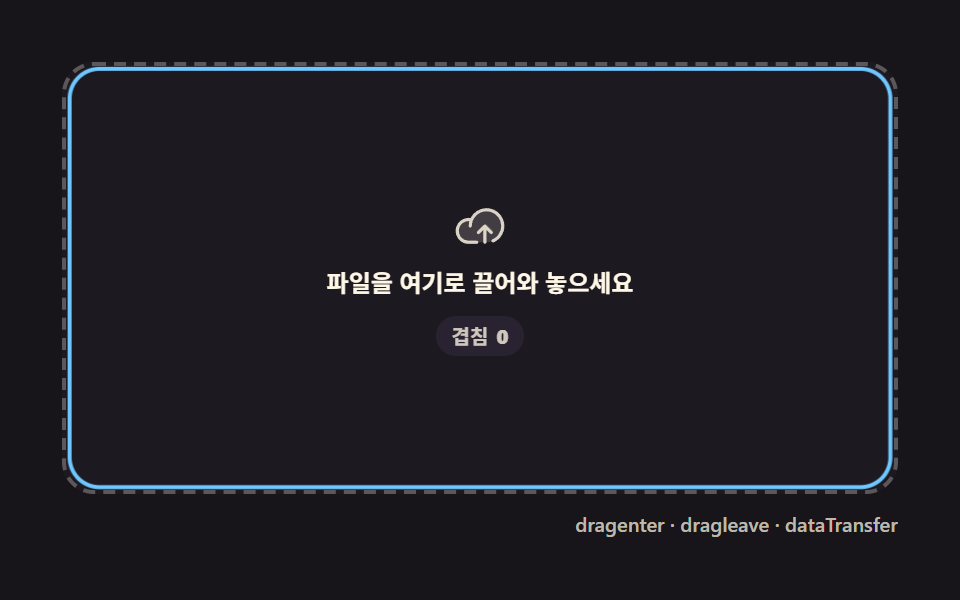 LoadersFile Upload Progress Bar Loader: 9 UI Demos
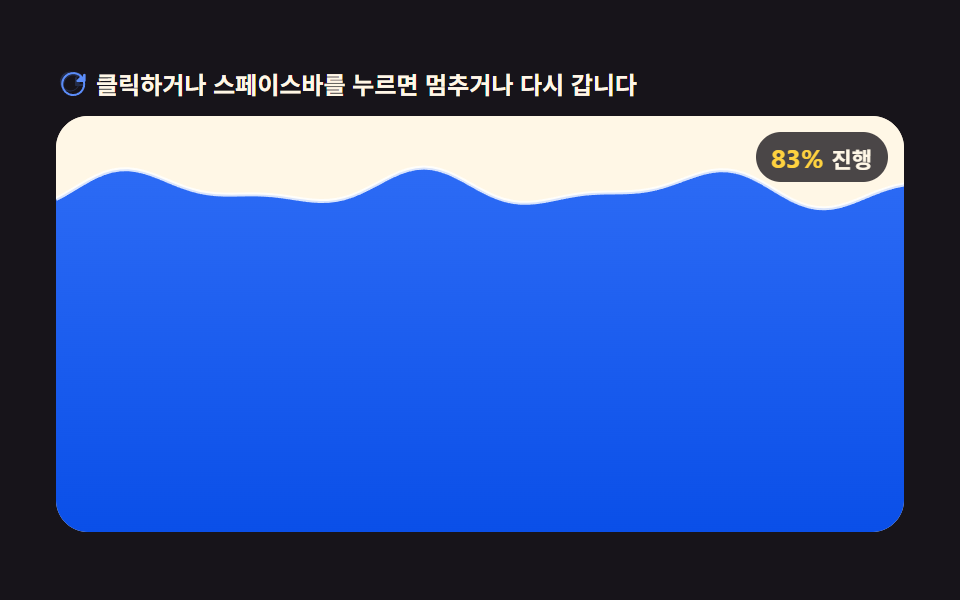 Loaders9 CSS Loading Animation Patterns, Canvas Physics
 Loaders9 CSS Skeleton Loading Screens, Copy-Paste Ready
 LoadersPage Loading Animation CSS: 9 Route-Change Demos
 LoadersPull to Refresh CSS: 9 Loading Patterns
 LoadersDownload Progress Bar: 9 Loading UI Patterns
 LoadersCSS Progress Bar: 9 Game-Style Fill Patterns
 LoadersBuffering Animation CSS — 9 Loading Patterns
 LoadersLoading Button UI — 9 States, Spinner to Success