CSS Progress Bar: 9 Game-Style Fill Patterns
CSS Progress Bar: One of nine narrows as its value drops while a red glow trails behind, one layers excess past its ceiling as a translucent overlay, and one
 01 game-gauge-bar-damage-flash-deplete
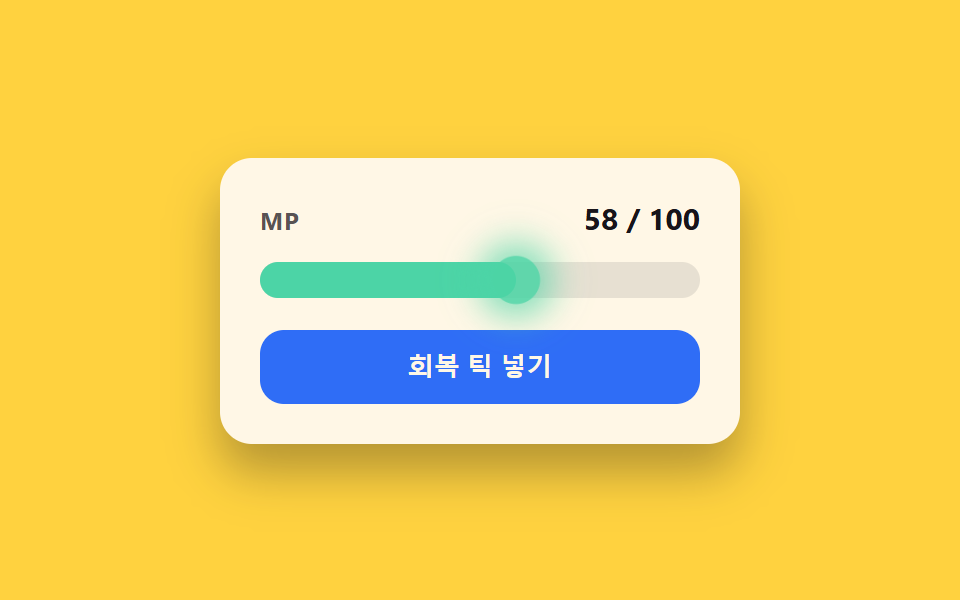 02 game-gauge-bar-regen-tick-glow
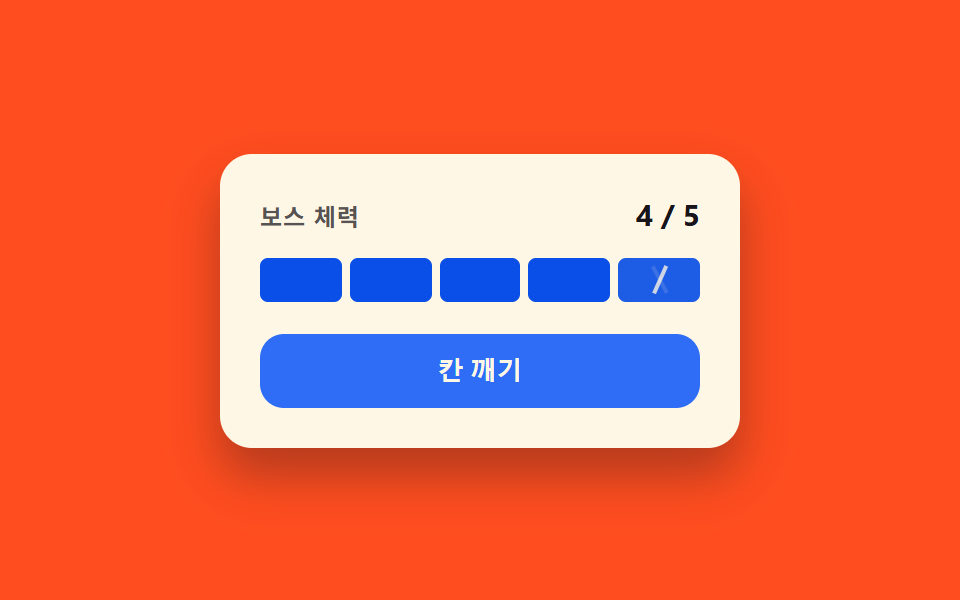 03 game-gauge-bar-segment-pip-crack
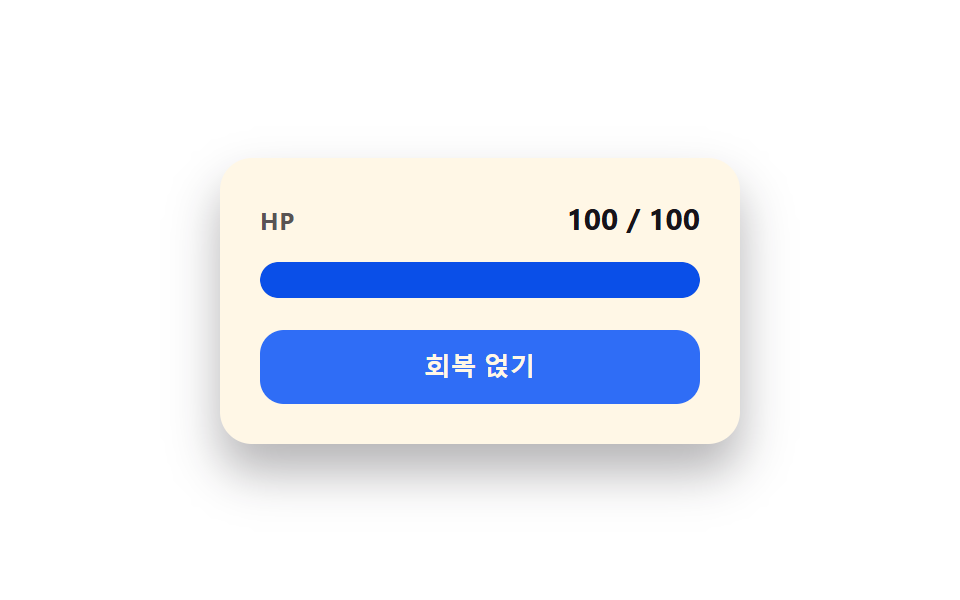 04 game-gauge-bar-overheal-shield-cap
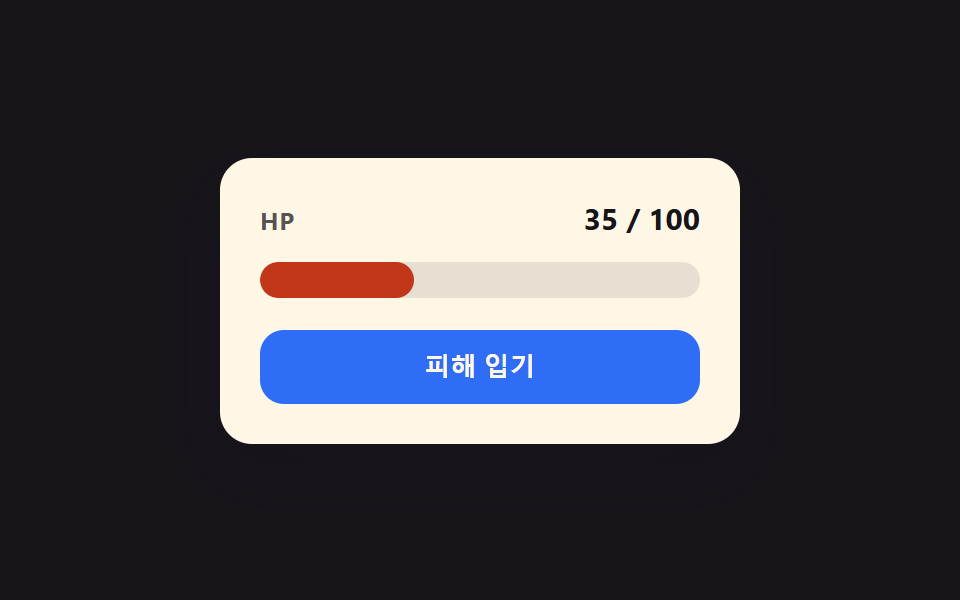 05 game-gauge-bar-critical-threshold-pulse
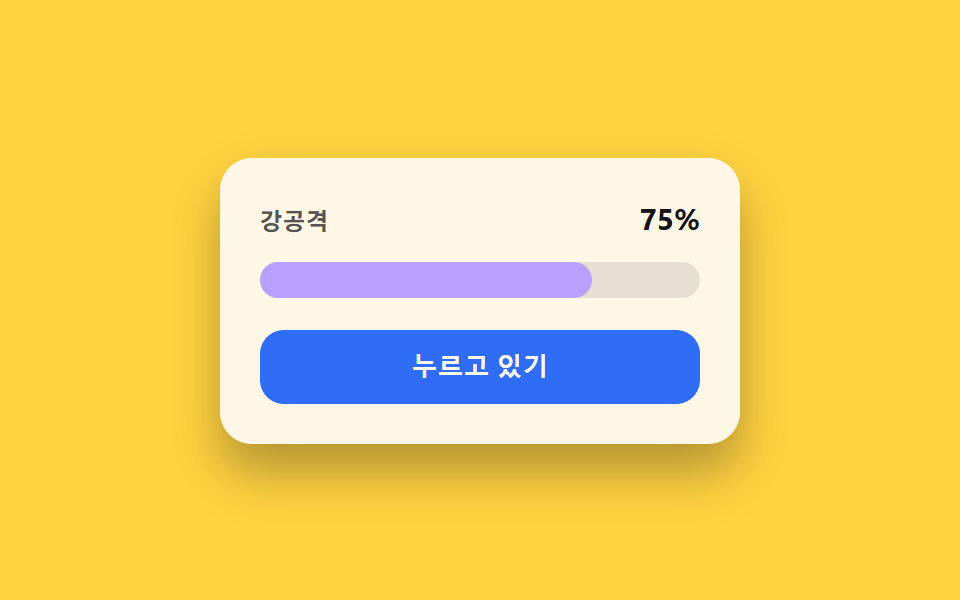 06 game-gauge-bar-charge-hold-release
 07 game-gauge-bar-multi-lane-compare
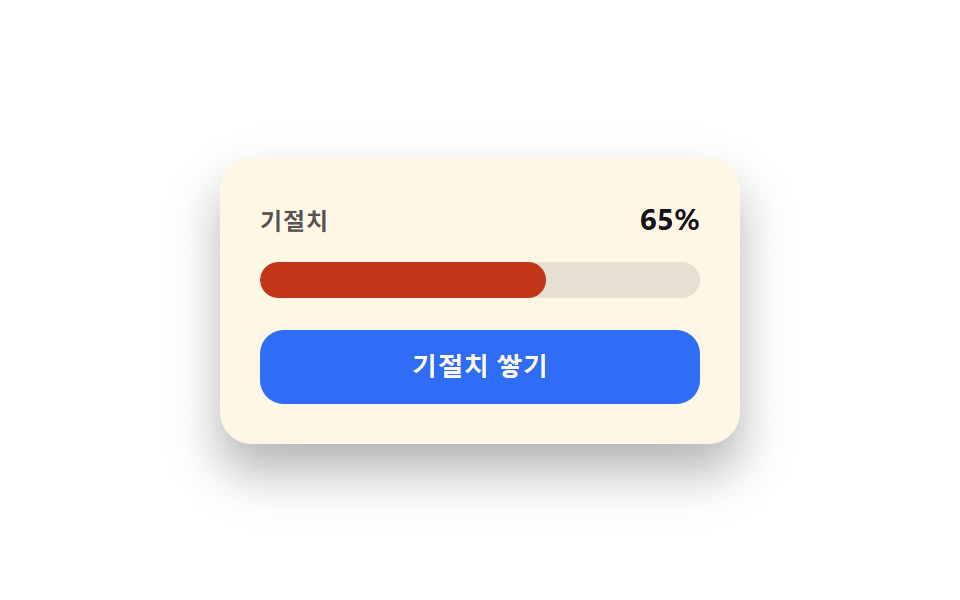 08 game-gauge-bar-stagger-break-snap
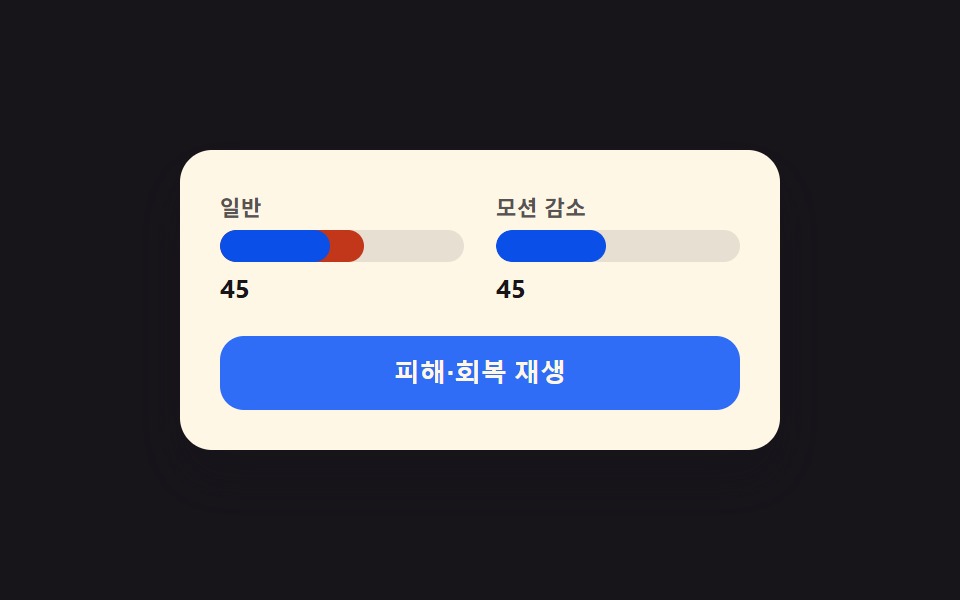 09 game-gauge-bar-reduced-motion-instant
Auto-plays · click a tile to jump to its section · all nine in one zip
- 01 Damage-flash deplete toggle — when a value drops, the bar narrows first while a red afterglow trails behind, narrowing more slowly
- 02 Regen-tick glow toggle — each time a value ticks upward at a fixed interval, a flash lights the bar's leading edge
- 03 Segment-pip crack toggle — the bar splits into pips, and dropping past one pip leaves a crack pattern on it
- 04 Overheal shield-cap toggle — when a value exceeds its ceiling, the excess appears as a translucent layer over the bar
- 05 Critical-threshold pulse toggle — once a value enters a set low range, the whole bar brightens and dims on a steady rhythm
- 06 Charge-hold-release toggle — a value slowly fills while held and empties all at once on release
- 07 Multi-lane compare toggle — two or more parallel bars fill to different values side by side
- 08 Stagger-break snap toggle — when a secondary value hits its ceiling, the bar shatters away all at once
- 09 Reduced-motion instant toggle — with reduced motion on, every animation from the prior eight bars snaps straight to its end value
None of the nine reaches out to a server, writes to localStorage, or calls Math.random anywhere in its script — each is a small, self-contained gauge bar built around one numeric state value and a short list of constants that decide exactly how a rise or fall in that value looks on screen. Because the scope stays this narrow, spotting which value actually moves — a health total, a value with a ceiling it can spike past, or a secondary meter that snaps instead of draining — is enough to tell which of these nine fits a given screen before any of the code gets opened.
Anatomy of nine patterns — which value changes and when
All nine run their own requestAnimationFrame loop, and none of them ever calls Math.random: item 07's four lanes move on a fixed sine wave (LANES stores each lane's own freq and phase), and the rest step through a hardcoded EVENTS, BUILD_EVENTS, or JOLTS array, so the same run plays out the same way on every visit. Six of the nine also compute a real decay or oscillation every frame rather than leaning on a CSS transition alone: item 01's trailHP eases toward the current value through an exponential LERP_RATE, item 02's edge glow and item 05's brightness pulse both fall off through Math.exp-based decay (GLOW_TAU and PERIOD_MIN/PERIOD_MAX), item 04's excess value bleeds back under the cap through DECAY_RATE, item 06's burstAt() multiplies an exponential decay by a cosine to shape the release spring's RELEASE_ZETA, and item 08's snapOpacity() spikes for SPIKE_DUR then falls linearly across DROP_DUR before a separate RECOVER_DUR ramps the bar back up. The other three settle differently: item 03's stateFor() steps a pip's crack and fill values off a fixed CRACK_DUR/STAGGER window with no ongoing decay, item 07 never actually stops moving because valuesAt() reads straight off each lane's sine wave on every single frame no matter what a visitor does, and item 09's right-hand bar skips per-frame calculation entirely, snapping straight to the target value with no in-between step at all. Every listener answers a real interaction and none comes from the autoplay script: eight of the nine — 01 through 05, 07, 08, and 09 — pair a click with a keydown for Enter or Space, and item 06 is the one outlier, wiring pointerdown, pointerup, pointerleave, and pointercancel alongside keydown and keyup so a press-and-hold gesture and its keyboard equivalent both register the same way — nine listener sets in total, and autoplay supplies none of them. All nine start in an isDemo autoplay state that feeds its own scripted array until the first click or keydown calls human(), which strips the is-demo class and stops the scripted feed for good — item 09 is the exception, since its whole point is a side-by-side contrast, so its left-hand loop keeps running under requestAnimationFrame even after a visitor takes over.
Code per pattern
01Damage-flash deplete toggle — when a value drops, the bar narrows first while a red afterglow trails behind, narrowing more slowly
The moment the value drops, the bar's width narrows first, and the leftover red width behind it shrinks more slowly to match. A combat screen's HP readout or any status bar meant to emphasize a sudden hit suits this pattern, since the red afterglow itself becomes the visual record of exactly how much was just lost.
<main class="stage">
<div class="gb is-demo" id="gb">
  <div class="gb__head">
    <span class="gb__label">HP</span>
    <span class="gb__value" id="gbValue">100 / 100</span>
  </div>
  <div class="gb__track" role="progressbar" aria-label="HP" aria-valuemin="0" aria-valuemax="100" aria-valuenow="100" id="gbTrack">
    <div class="gb__trail" id="gbTrail"></div>
    <div class="gb__fill" id="gbFill"></div>
    <div class="gb__flash" id="gbFlash"></div>
  </div>
  <button type="button" class="gb__hit" id="gbHit">Take Damage</button>
</div>
</main>
@use "../../../../site/static/demo-tokens" as *;
// 계산 겹: index.html loop() 이 매 프레임 잔상(trail) 값을 지수 평활로 본값에 수렴시키고
// 플래시는 감쇠 지수함수로 사그라든다 — 키프레임 반복이 아니라 시간 t 의 계산값이다.
@include stage($stage-ink);
.gb { width: 100%; max-width: 260px; background: $subject-cream; border-radius: $r-card; padding: $sp-5; box-shadow: $shadow-raised; box-sizing: border-box; }
.gb__head { display: flex; justify-content: space-between; align-items: baseline; margin-bottom: $sp-3; }
.gb__label { font-size: 12px; font-weight: 700; letter-spacing: .04em; color: rgba($subject-ink, .72); text-transform: uppercase; }
.gb__value { font-size: 15px; font-weight: 700; color: $subject-ink; }
.gb__track { position: relative; height: 18px; border-radius: $r-pill; background: rgba($subject-ink, .1); overflow: hidden; }
.gb__trail, .gb__fill {
position: absolute; left: 0; top: 0; height: 100%; border-radius: $r-pill;
will-change: width;
}
.gb__trail { background: $error; width: 100%; }
.gb__fill { background: $subject-blue-deep; width: 100%; z-index: 1; }
.gb__flash {
position: absolute; inset: 0; border-radius: $r-pill;
background: $subject-cream; opacity: 0; z-index: 2; pointer-events: none;
will-change: opacity;
}
.gb__hit {
margin-top: $sp-4; width: 100%; border: none; border-radius: $r-control;
background: $subject-blue; color: $subject-cream;
font-weight: 700; font-size: 13px; line-height: 1;
padding: $sp-3 0; cursor: pointer;
}
.gb__hit:active { box-shadow: $shadow-press; }
@media (max-width: 340px) {
.gb { max-width: 220px; padding: $sp-4; }
.gb__track { height: 15px; }
.gb__value { font-size: 13px; }
}
@media (prefers-reduced-motion: reduce) {
.gb__flash { display: none; }
}html, body {
margin: 0;
overflow: hidden;
}
.stage {
box-sizing: border-box;
min-height: 100vh;
display: grid;
place-items: center;
margin: 0;
background: #17141a;
font-family: -apple-system, "Segoe UI", "Noto Sans KR", sans-serif;
padding: clamp(8px, 4vw, 24px);
}
.gb {
width: 100%;
max-width: 260px;
background: #fff7e6;
border-radius: 16px;
padding: 20px;
box-shadow: 0 14px 24px rgba(23, 20, 26, 0.32);
box-sizing: border-box;
}
.gb__head {
display: flex;
justify-content: space-between;
align-items: baseline;
margin-bottom: 12px;
}
.gb__label {
font-size: 12px;
font-weight: 700;
letter-spacing: 0.04em;
color: rgba(23, 20, 26, 0.72);
text-transform: uppercase;
}
.gb__value {
font-size: 15px;
font-weight: 700;
color: #17141a;
}
.gb__track {
position: relative;
height: 18px;
border-radius: 999px;
background: rgba(23, 20, 26, 0.1);
overflow: hidden;
}
.gb__trail, .gb__fill {
position: absolute;
left: 0;
top: 0;
height: 100%;
border-radius: 999px;
will-change: width;
}
.gb__trail {
background: #c2361a;
width: 100%;
}
.gb__fill {
background: #0a4fe8;
width: 100%;
z-index: 1;
}
.gb__flash {
position: absolute;
inset: 0;
border-radius: 999px;
background: #fff7e6;
opacity: 0;
z-index: 2;
pointer-events: none;
will-change: opacity;
}
.gb__hit {
margin-top: 16px;
width: 100%;
border: none;
border-radius: 12px;
background: #2f6df6;
color: #fff7e6;
font-weight: 700;
font-size: 13px;
line-height: 1;
padding: 12px 0;
cursor: pointer;
}
.gb__hit:active {
box-shadow: 0 6px 12px rgba(23, 20, 26, 0.32);
}
@media (max-width: 340px) {
.gb {
max-width: 220px;
padding: 16px;
}
.gb__track {
height: 15px;
}
.gb__value {
font-size: 13px;
}
}
@media (prefers-reduced-motion: reduce) {
.gb__flash {
display: none;
}
}(function () {
var HP_MAX = 100;
// 계산 겹 상수: 시드 고정 전투 이벤트 배열 — [발생시각ms, 피해량]
var EVENTS = [[300, 24], [1100, 18], [2000, 28], [2900, 12]];
var CYCLE = 3800; // ms, 자동 루프 한 바퀴
var LERP_RATE = 0.006; // 계산 겹: 잔상이 본값을 따라가는 지수 평활 상수(프레임 독립)
var FLASH_TAU = 70; // ms, 플래시 감쇠 시간상수
var HIT_LIST = [24, 18, 28, 12, 20]; // 클릭(실사용자) 피해량 순환
var reduce = window.matchMedia('(prefers-reduced-motion: reduce)').matches;
var gb = document.getElementById('gb');
var track = document.getElementById('gbTrack');
var fill = document.getElementById('gbFill');
var trailEl = document.getElementById('gbTrail');
var flashEl = document.getElementById('gbFlash');
var valueEl = document.getElementById('gbValue');
var hitBtn = document.getElementById('gbHit');
var isDemo = true;
var mainHP = HP_MAX;
var trailHP = HP_MAX;
var flashStart = -9999;
var appliedIdx = 0;
var cycleStart = 0;
var lastTs = 0;
var hitIdx = 0;
function render() {
var mp = Math.max(0, Math.min(100, mainHP));
var tp = Math.max(0, Math.min(100, trailHP));
fill.style.width = mp.toFixed(2) + '%';
trailEl.style.width = tp.toFixed(2) + '%';
track.setAttribute('aria-valuenow', String(Math.round(mp)));
valueEl.textContent = Math.round(mp) + ' / ' + HP_MAX;
}
function applyHit(dmg, ts) {
trailHP = mainHP; // 잔상은 피해 직전 값에서 출발해 뒤늦게 따라간다
mainHP = Math.max(0, mainHP - dmg);
flashStart = ts;
}
function human() {
if (isDemo) { gb.classList.remove('is-demo'); isDemo = false; }
}
function onHit() {
human();
var now = performance.now();
if (mainHP <= 0) {
mainHP = HP_MAX; trailHP = HP_MAX; flashStart = -9999;
} else {
applyHit(HIT_LIST[hitIdx % HIT_LIST.length], now);
hitIdx++;
}
render();
}
hitBtn.addEventListener('click', onHit);
hitBtn.addEventListener('keydown', function (ev) {
if (ev.key !== 'Enter' && ev.key !== ' ') return;
ev.preventDefault();
onHit();
});
function loop(ts) {
if (!cycleStart) { cycleStart = ts; lastTs = ts; }
var dt = ts - lastTs;
lastTs = ts;
var elapsed = ts - cycleStart;
if (isDemo) {
if (elapsed >= CYCLE) {
cycleStart = ts;
elapsed = 0;
appliedIdx = 0;
mainHP = HP_MAX;
trailHP = HP_MAX;
flashStart = -9999;
}
while (appliedIdx < EVENTS.length && elapsed >= EVENTS[appliedIdx][0]) {
applyHit(EVENTS[appliedIdx][1], ts);
appliedIdx++;
}
}
// 계산 겹: 잔상 지수 평활 — dt(ms) 에 독립적으로 같은 반감기를 유지
trailHP += (mainHP - trailHP) * (1 - Math.exp(-LERP_RATE * dt));
var flash = Math.max(0, Math.exp(-(ts - flashStart) / FLASH_TAU));
flashEl.style.opacity = flash < 0.02 ? '0' : flash.toFixed(3);
render();
requestAnimationFrame(loop);
}
if (!reduce) {
requestAnimationFrame(loop);
} else {
render();
}
})();import { useEffect, useRef, useState } from 'react';
import styles from './GaugeBarDamageFlash.module.scss';
type Box<T> = { current: T };
const HP_MAX = 100;
// 계산 겹 상수: 시드 고정 전투 이벤트 배열 — [발생시각ms, 피해량]
const EVENTS: [number, number][] = [[300, 24], [1100, 18], [2000, 28], [2900, 12]];
const CYCLE = 3800; // ms, 자동 루프 한 바퀴
const LERP_RATE = 0.006; // 계산 겹: 잔상이 본값을 따라가는 지수 평활 상수(프레임 독립)
const FLASH_TAU = 70; // ms, 플래시 감쇠 시간상수
const HIT_LIST = [24, 18, 28, 12, 20]; // 클릭(실사용자) 피해량 순환
export default function GaugeBarDamageFlash() {
const fillRef = useRef(null) as unknown as Box<HTMLDivElement>;
const trailRef = useRef(null) as unknown as Box<HTMLDivElement>;
const flashRef = useRef(null) as unknown as Box<HTMLDivElement>;
const trackRef = useRef(null) as unknown as Box<HTMLDivElement>;
const isDemoRef = useRef(true) as unknown as Box<boolean>;
const [isDemo, setIsDemo] = useState(true);
const [value, setValue] = useState(HP_MAX);
const mainHPRef = useRef(HP_MAX) as unknown as Box<number>;
const trailHPRef = useRef(HP_MAX) as unknown as Box<number>;
const flashStartRef = useRef(-9999) as unknown as Box<number>;
const hitIdxRef = useRef(0) as unknown as Box<number>;
function human() {
isDemoRef.current = false;
setIsDemo(false);
}
function applyHit(dmg: number, ts: number) {
trailHPRef.current = mainHPRef.current; // 잔상은 피해 직전 값에서 출발해 뒤늦게 따라간다
mainHPRef.current = Math.max(0, mainHPRef.current - dmg);
flashStartRef.current = ts;
}
function render() {
const mp = Math.max(0, Math.min(100, mainHPRef.current));
const tp = Math.max(0, Math.min(100, trailHPRef.current));
const fill = fillRef.current;
const trail = trailRef.current;
const track = trackRef.current;
if (fill) fill.style.width = mp.toFixed(2) + '%';
if (trail) trail.style.width = tp.toFixed(2) + '%';
if (track) track.setAttribute('aria-valuenow', String(Math.round(mp)));
setValue(Math.round(mp));
}
useEffect(() => {
const reduce = window.matchMedia('(prefers-reduced-motion: reduce)').matches;
let cycleStart = 0;
let lastTs = 0;
let appliedIdx = 0;
let rafId = 0;
function loop(ts: number) {
if (!cycleStart) { cycleStart = ts; lastTs = ts; }
const dt = ts - lastTs;
lastTs = ts;
let elapsed = ts - cycleStart;
if (isDemoRef.current) {
if (elapsed >= CYCLE) {
cycleStart = ts;
elapsed = 0;
appliedIdx = 0;
mainHPRef.current = HP_MAX;
trailHPRef.current = HP_MAX;
flashStartRef.current = -9999;
}
while (appliedIdx < EVENTS.length && elapsed >= EVENTS[appliedIdx][0]) {
applyHit(EVENTS[appliedIdx][1], ts);
appliedIdx++;
}
}
// 계산 겹: 잔상 지수 평활 — dt(ms) 에 독립적으로 같은 반감기를 유지
trailHPRef.current += (mainHPRef.current - trailHPRef.current) * (1 - Math.exp(-LERP_RATE * dt));
const flash = Math.max(0, Math.exp(-(ts - flashStartRef.current) / FLASH_TAU));
const flashEl = flashRef.current;
if (flashEl) flashEl.style.opacity = flash < 0.02 ? '0' : flash.toFixed(3);
render();
rafId = requestAnimationFrame(loop);
}
if (!reduce) {
rafId = requestAnimationFrame(loop);
} else {
render();
}
return () => cancelAnimationFrame(rafId);
}, []);
function onHit() {
human();
const now = performance.now();
if (mainHPRef.current <= 0) {
mainHPRef.current = HP_MAX;
trailHPRef.current = HP_MAX;
flashStartRef.current = -9999;
} else {
applyHit(HIT_LIST[hitIdxRef.current % HIT_LIST.length], now);
hitIdxRef.current++;
}
render();
}
function onKeyDown(e: { key: string; preventDefault: () => void }) {
if (e.key !== 'Enter' && e.key !== ' ') return;
e.preventDefault();
onHit();
}
return (
<div className={`${styles.gb} ${isDemo ? styles.isDemo : ''}`}>
<div className={styles.gbHead}>
<span className={styles.gbLabel}>HP</span>
<span className={styles.gbValue}>{value} / {HP_MAX}</span>
</div>
<div
className={styles.gbTrack}
role="progressbar"
aria-label="HP"
aria-valuemin={0}
aria-valuemax={100}
aria-valuenow={value}
ref={trackRef}
>
<div className={styles.gbTrail} ref={trailRef} />
<div className={styles.gbFill} ref={fillRef} />
<div className={styles.gbFlash} ref={flashRef} />
</div>
<button type="button" className={styles.gbHit} onClick={onHit} onKeyDown={onKeyDown}>
피해 입기
</button>
</div>
);
}01 · Damage-flash deplete toggle — when a value drops, the bar narrows first while a red afterglow trails behind, narrowing more slowly — Measured area 2.853% · moving frames 21/23Original by GODRICH · SCSS and React ship in the zip · See the password
  function render() {
    var mp = Math.max(0, Math.min(100, mainHP));
    var tp = Math.max(0, Math.min(100, trailHP));
    fill.style.width = mp.toFixed(2) + '%';
    trailEl.style.width = tp.toFixed(2) + '%';
    track.setAttribute('aria-valuenow', String(Math.round(mp)));
    valueEl.textContent = Math.round(mp) + ' / ' + HP_MAX;
  }

  function applyHit(dmg, ts) {
    trailHP = mainHP; // the afterglow starts from the pre-hit value and catches up late
    mainHP = Math.max(0, mainHP - dmg);
    flashStart = ts;
  }
What the numbers say
Item 01 fills 2.85% of the frame cumulatively at a 97.7 average intensity while moving in 21 of 23 sampled frames, since applyHit() sets the trailing value equal to the pre-hit value the instant damage lands and every frame after that LERP_RATE eases it back down while FLASH_TAU fades the red flash — two constants doing all of the motion, with no CSS keyframe involved.
02Regen-tick glow toggle — each time a value ticks upward at a fixed interval, a flash lights the bar's leading edge
Each time the value steps up at a short interval, the brightness at the bar's leading edge spikes and then settles back down. A health or stamina readout under auto-regen, or a resource bar charging while idle, suits this pattern, since each small step becomes its own visible event instead of blending into one smooth rise.
<main class="stage">
<div class="gb is-demo" id="gb">
  <div class="gb__head">
    <span class="gb__label">MP</span>
    <span class="gb__value" id="gbValue">30 / 100</span>
  </div>
  <div class="gb__track" role="progressbar" aria-label="MP" aria-valuemin="0" aria-valuemax="100" aria-valuenow="30" id="gbTrack">
    <div class="gb__fill" id="gbFill"></div>
    <div class="gb__edge" id="gbEdge"></div>
  </div>
  <button type="button" class="gb__hit" id="gbTick">Add Regen Tick</button>
</div>
</main>
@use "../../../../site/static/demo-tokens" as *;
// 계산 겹: index.html tick() 이 고정 간격마다 값을 올리고, loop() 은 매 프레임
// 글로우 값을 exp(-dt/GLOW_TAU) 감쇠 공식으로 다시 계산해 밝기·번짐 두 속성에 동시에 먹인다.
@include stage($stage-yellow);
.gb { width: 100%; max-width: 260px; background: $subject-cream; border-radius: $r-card; padding: $sp-5; box-shadow: $shadow-raised; box-sizing: border-box; }
.gb__head { display: flex; justify-content: space-between; align-items: baseline; margin-bottom: $sp-3; }
.gb__label { font-size: 12px; font-weight: 700; letter-spacing: .04em; color: rgba($subject-ink, .72); text-transform: uppercase; }
.gb__value { font-size: 15px; font-weight: 700; color: $subject-ink; }
.gb__track { position: relative; height: 18px; border-radius: $r-pill; background: rgba($subject-ink, .1); overflow: visible; }
.gb__fill { position: absolute; left: 0; top: 0; height: 100%; width: 30%; border-radius: $r-pill; background: $subject-mint; will-change: width; }
.gb__edge {
position: absolute; top: 50%; left: 30%;
width: 14px; height: 14px; border-radius: 50%;
background: $subject-mint; transform: translate(-50%, -50%) scale(1);
box-shadow: 0 0 10px 4px rgba($subject-mint, .8);
opacity: .35; will-change: opacity, transform;
}
.gb__hit {
margin-top: $sp-4; width: 100%; border: none; border-radius: $r-control;
background: $subject-blue; color: $subject-cream;
font-weight: 700; font-size: 13px; line-height: 1;
padding: $sp-3 0; cursor: pointer;
}
.gb__hit:active { box-shadow: $shadow-press; }
@media (max-width: 340px) {
.gb { max-width: 220px; padding: $sp-4; }
.gb__track { height: 15px; }
.gb__value { font-size: 13px; }
}
@media (prefers-reduced-motion: reduce) {
.gb__edge { display: none; }
}html, body {
margin: 0;
overflow: hidden;
}
.stage {
box-sizing: border-box;
min-height: 100vh;
display: grid;
place-items: center;
margin: 0;
background: #ffd23f;
font-family: -apple-system, "Segoe UI", "Noto Sans KR", sans-serif;
padding: clamp(8px, 4vw, 24px);
}
.gb {
width: 100%;
max-width: 260px;
background: #fff7e6;
border-radius: 16px;
padding: 20px;
box-shadow: 0 14px 24px rgba(23, 20, 26, 0.32);
box-sizing: border-box;
}
.gb__head {
display: flex;
justify-content: space-between;
align-items: baseline;
margin-bottom: 12px;
}
.gb__label {
font-size: 12px;
font-weight: 700;
letter-spacing: 0.04em;
color: rgba(23, 20, 26, 0.72);
text-transform: uppercase;
}
.gb__value {
font-size: 15px;
font-weight: 700;
color: #17141a;
}
.gb__track {
position: relative;
height: 18px;
border-radius: 999px;
background: rgba(23, 20, 26, 0.1);
overflow: visible;
}
.gb__fill {
position: absolute;
left: 0;
top: 0;
height: 100%;
width: 30%;
border-radius: 999px;
background: #4cd4a6;
will-change: width;
}
.gb__edge {
position: absolute;
top: 50%;
left: 30%;
width: 14px;
height: 14px;
border-radius: 50%;
background: #4cd4a6;
transform: translate(-50%, -50%) scale(1);
box-shadow: 0 0 10px 4px rgba(76, 212, 166, 0.8);
opacity: 0.35;
will-change: opacity, transform;
}
.gb__hit {
margin-top: 16px;
width: 100%;
border: none;
border-radius: 12px;
background: #2f6df6;
color: #fff7e6;
font-weight: 700;
font-size: 13px;
line-height: 1;
padding: 12px 0;
cursor: pointer;
}
.gb__hit:active {
box-shadow: 0 6px 12px rgba(23, 20, 26, 0.32);
}
@media (max-width: 340px) {
.gb {
max-width: 220px;
padding: 16px;
}
.gb__track {
height: 15px;
}
.gb__value {
font-size: 13px;
}
}
@media (prefers-reduced-motion: reduce) {
.gb__edge {
display: none;
}
}(function () {
var RES_MAX = 100;
var START = 30; // 계산 겹 상수: 회복 시작값
var TICK_INTERVAL = 340; // ms, 자동 루프의 틱 간격
var TICK_AMOUNT = 7; // 틱마다 오르는 값
var GLOW_TAU = 150; // ms, 글로우 감쇠 시간상수
var PAUSE = 500; // ms, 가득 찬 뒤 다음 루프 전 대기
var reduce = window.matchMedia('(prefers-reduced-motion: reduce)').matches;
var gb = document.getElementById('gb');
var track = document.getElementById('gbTrack');
var fill = document.getElementById('gbFill');
var edge = document.getElementById('gbEdge');
var valueEl = document.getElementById('gbValue');
var tickBtn = document.getElementById('gbTick');
var TICK_COUNT = Math.ceil((RES_MAX - START) / TICK_AMOUNT); // 계산 겹: 간격에서 파생
var CYCLE = TICK_COUNT * TICK_INTERVAL + PAUSE;
var isDemo = true;
var value = START;
var glowStart = -9999;
var cycleStart = 0;
var lastTickIdx = -1;
function render(glow) {
var v = Math.max(0, Math.min(RES_MAX, value));
fill.style.width = v.toFixed(2) + '%';
edge.style.left = v.toFixed(2) + '%';
var g = glow < 0.02 ? 0 : glow;
// 계산 겹: 글로우 값이 밝기·번짐 두 CSS 값을 동시에 구동한다
edge.style.opacity = (0.35 + g * 0.65).toFixed(3);
edge.style.transform = 'translate(-50%, -50%) scale(' + (1 + g * 0.9).toFixed(3) + ')';
track.setAttribute('aria-valuenow', String(Math.round(v)));
valueEl.textContent = Math.round(v) + ' / ' + RES_MAX;
}
function tick(ts) {
value = Math.min(RES_MAX, value + TICK_AMOUNT);
glowStart = ts;
}
function human() {
if (isDemo) { gb.classList.remove('is-demo'); isDemo = false; }
}
tickBtn.addEventListener('click', function () {
human();
var now = performance.now();
if (value >= RES_MAX) { value = START; }
else { tick(now); }
render(1);
});
tickBtn.addEventListener('keydown', function (ev) {
if (ev.key !== 'Enter' && ev.key !== ' ') return;
ev.preventDefault();
tickBtn.click();
});
function loop(ts) {
if (!cycleStart) cycleStart = ts;
var elapsed = ts - cycleStart;
if (isDemo) {
if (elapsed >= CYCLE) {
cycleStart = ts; elapsed = 0; value = START; lastTickIdx = -1;
}
var idx = Math.floor(elapsed / TICK_INTERVAL);
if (idx > lastTickIdx && idx < TICK_COUNT) {
lastTickIdx = idx;
tick(ts);
}
}
var glow = Math.max(0, Math.exp(-(ts - glowStart) / GLOW_TAU));
render(glow);
requestAnimationFrame(loop);
}
if (!reduce) {
requestAnimationFrame(loop);
} else {
render(0);
}
})();import { useEffect, useRef, useState } from 'react';
import styles from './GaugeBarRegenTickGlow.module.scss';
type Box<T> = { current: T };
const RES_MAX = 100;
const START = 30; // 계산 겹 상수: 회복 시작값
const TICK_INTERVAL = 340; // ms, 자동 루프의 틱 간격
const TICK_AMOUNT = 7; // 틱마다 오르는 값
const GLOW_TAU = 150; // ms, 글로우 감쇠 시간상수
const PAUSE = 500; // ms, 가득 찬 뒤 다음 루프 전 대기
const TICK_COUNT = Math.ceil((RES_MAX - START) / TICK_AMOUNT); // 계산 겹: 간격에서 파생
const CYCLE = TICK_COUNT * TICK_INTERVAL + PAUSE;
export default function GaugeBarRegenTickGlow() {
const fillRef = useRef(null) as unknown as Box<HTMLDivElement>;
const edgeRef = useRef(null) as unknown as Box<HTMLDivElement>;
const trackRef = useRef(null) as unknown as Box<HTMLDivElement>;
const isDemoRef = useRef(true) as unknown as Box<boolean>;
const [isDemo, setIsDemo] = useState(true);
const [value, setValue] = useState(START);
const valueRef = useRef(START) as unknown as Box<number>;
const glowStartRef = useRef(-9999) as unknown as Box<number>;
function human() {
isDemoRef.current = false;
setIsDemo(false);
}
function tick(ts: number) {
valueRef.current = Math.min(RES_MAX, valueRef.current + TICK_AMOUNT);
glowStartRef.current = ts;
}
function render(glow: number) {
const v = Math.max(0, Math.min(RES_MAX, valueRef.current));
const fill = fillRef.current;
const edge = edgeRef.current;
const track = trackRef.current;
const g = glow < 0.02 ? 0 : glow;
if (fill) fill.style.width = v.toFixed(2) + '%';
if (edge) {
edge.style.left = v.toFixed(2) + '%';
// 계산 겹: 글로우 값이 밝기·번짐 두 CSS 값을 동시에 구동한다
edge.style.opacity = (0.35 + g * 0.65).toFixed(3);
edge.style.transform = 'translate(-50%, -50%) scale(' + (1 + g * 0.9).toFixed(3) + ')';
}
if (track) track.setAttribute('aria-valuenow', String(Math.round(v)));
setValue(Math.round(v));
}
useEffect(() => {
const reduce = window.matchMedia('(prefers-reduced-motion: reduce)').matches;
let cycleStart = 0;
let lastTickIdx = -1;
let rafId = 0;
function loop(ts: number) {
if (!cycleStart) cycleStart = ts;
let elapsed = ts - cycleStart;
if (isDemoRef.current) {
if (elapsed >= CYCLE) {
cycleStart = ts; elapsed = 0; valueRef.current = START; lastTickIdx = -1;
}
const idx = Math.floor(elapsed / TICK_INTERVAL);
if (idx > lastTickIdx && idx < TICK_COUNT) {
lastTickIdx = idx;
tick(ts);
}
}
const glow = Math.max(0, Math.exp(-(ts - glowStartRef.current) / GLOW_TAU));
render(glow);
rafId = requestAnimationFrame(loop);
}
if (!reduce) {
rafId = requestAnimationFrame(loop);
} else {
render(0);
}
return () => cancelAnimationFrame(rafId);
}, []);
function onTick() {
human();
if (valueRef.current >= RES_MAX) { valueRef.current = START; }
else { tick(performance.now()); }
render(1);
}
function onKeyDown(e: { key: string; preventDefault: () => void }) {
if (e.key !== 'Enter' && e.key !== ' ') return;
e.preventDefault();
onTick();
}
return (
<div className={`${styles.gb} ${isDemo ? styles.isDemo : ''}`}>
<div className={styles.gbHead}>
<span className={styles.gbLabel}>MP</span>
<span className={styles.gbValue}>{value} / {RES_MAX}</span>
</div>
<div
className={styles.gbTrack}
role="progressbar"
aria-label="MP"
aria-valuemin={0}
aria-valuemax={100}
aria-valuenow={value}
ref={trackRef}
>
<div className={styles.gbFill} ref={fillRef} />
<div className={styles.gbEdge} ref={edgeRef} />
</div>
<button type="button" className={styles.gbHit} onClick={onTick} onKeyDown={onKeyDown}>
회복 틱 넣기
</button>
</div>
);
}02 · Regen-tick glow toggle — each time a value ticks upward at a fixed interval, a flash lights the bar's leading edge — Measured area 5.433% · moving frames 23/23Original by GODRICH · SCSS and React ship in the zip · See the password
  function render(glow) {
    var v = Math.max(0, Math.min(RES_MAX, value));
    fill.style.width = v.toFixed(2) + '%';
    edge.style.left = v.toFixed(2) + '%';
    var g = glow < 0.02 ? 0 : glow;
    // calc layer: the glow value drives both the brightness and bloom CSS values at once
    edge.style.opacity = (0.35 + g * 0.65).toFixed(3);
    edge.style.transform = 'translate(-50%, -50%) scale(' + (1 + g * 0.9).toFixed(3) + ')';
    track.setAttribute('aria-valuenow', String(Math.round(v)));
    valueEl.textContent = Math.round(v) + ' / ' + RES_MAX;
  }

  function tick(ts) {
    value = Math.min(RES_MAX, value + TICK_AMOUNT);
    glowStart = ts;
  }

  function human() {
    if (isDemo) { gb.classList.remove('is-demo'); isDemo = false; }
  }
What the numbers say
Item 02 fills 5.43% of the frame cumulatively at a 39.9 average intensity while moving in all 23 of 23 sampled frames — the highest frame count of the nine — because even though the value itself only rises on the fixed TICK_INTERVAL schedule, GLOW_TAU's decay keeps recalculating the leading edge's brightness and scale on every tick in between.
03Segment-pip crack toggle — the bar splits into pips, and dropping past one pip leaves a crack pattern on it
The instant the value passes below one pip, that pip's crack-amount value increases while the pips beyond it lose their fill. A boss health bar's stage segments, or a lives/charges pip display, suits this pattern, since a cracked pip stays on screen as a visible record of exactly which hit broke it.
<main class="stage">
<div class="gb is-demo" id="gb">
  <div class="gb__head">
    <span class="gb__label">Boss HP</span>
    <span class="gb__value" id="gbValue">5 / 5</span>
  </div>
  <div class="gb__track" id="gbTrack" role="progressbar" aria-label="Boss HP" aria-valuemin="0" aria-valuemax="5" aria-valuenow="5"></div>
  <button type="button" class="gb__hit" id="gbBreak">Break Segment</button>
</div>
</main>
@use "../../../../site/static/demo-tokens" as *;
// 계산 겹: index.html stateFor() 가 각 칸이 깨진 시각과 현재 시각의 차(dt)로
// 균열 두 줄의 등장 시점(stagger)과 채움 투명도를 매 프레임 다시 계산한다.
@include stage($stage-orange);
.gb { width: 100%; max-width: 260px; background: $subject-cream; border-radius: $r-card; padding: $sp-5; box-shadow: $shadow-raised; box-sizing: border-box; }
.gb__head { display: flex; justify-content: space-between; align-items: baseline; margin-bottom: $sp-3; }
.gb__label { font-size: 12px; font-weight: 700; letter-spacing: .04em; color: rgba($subject-ink, .72); text-transform: uppercase; }
.gb__value { font-size: 15px; font-weight: 700; color: $subject-ink; }
.gb__track { display: grid; grid-template-columns: repeat(5, 1fr); gap: $sp-1; height: 22px; }
.gb__pip { position: relative; border-radius: $r-xs; background: rgba($subject-ink, .12); overflow: hidden; }
.gb__pipFill { position: absolute; inset: 0; background: $subject-blue-deep; opacity: 1; will-change: opacity; }
.gb__crack {
position: absolute; left: 50%; top: 50%; width: 2px; height: 70%;
background: $subject-cream; opacity: 0; will-change: opacity;
}
.gb__crack--a { transform: translate(-50%, -50%) rotate(24deg); }
.gb__crack--b { transform: translate(-50%, -50%) rotate(-28deg); }
.gb__hit {
margin-top: $sp-4; width: 100%; border: none; border-radius: $r-control;
background: $subject-blue; color: $subject-cream;
font-weight: 700; font-size: 13px; line-height: 1;
padding: $sp-3 0; cursor: pointer;
}
.gb__hit:active { box-shadow: $shadow-press; }
@media (max-width: 340px) {
.gb { max-width: 220px; padding: $sp-4; }
.gb__track { height: 18px; }
.gb__value { font-size: 13px; }
}
@media (prefers-reduced-motion: reduce) {
.gb__crack { display: none; }
}html, body {
margin: 0;
overflow: hidden;
}
.stage {
box-sizing: border-box;
min-height: 100vh;
display: grid;
place-items: center;
margin: 0;
background: #ff4d1f;
font-family: -apple-system, "Segoe UI", "Noto Sans KR", sans-serif;
padding: clamp(8px, 4vw, 24px);
}
.gb {
width: 100%;
max-width: 260px;
background: #fff7e6;
border-radius: 16px;
padding: 20px;
box-shadow: 0 14px 24px rgba(23, 20, 26, 0.32);
box-sizing: border-box;
}
.gb__head {
display: flex;
justify-content: space-between;
align-items: baseline;
margin-bottom: 12px;
}
.gb__label {
font-size: 12px;
font-weight: 700;
letter-spacing: 0.04em;
color: rgba(23, 20, 26, 0.72);
text-transform: uppercase;
}
.gb__value {
font-size: 15px;
font-weight: 700;
color: #17141a;
}
.gb__track {
display: grid;
grid-template-columns: repeat(5, 1fr);
gap: 4px;
height: 22px;
}
.gb__pip {
position: relative;
border-radius: 4px;
background: rgba(23, 20, 26, 0.12);
overflow: hidden;
}
.gb__pipFill {
position: absolute;
inset: 0;
background: #0a4fe8;
opacity: 1;
will-change: opacity;
}
.gb__crack {
position: absolute;
left: 50%;
top: 50%;
width: 2px;
height: 70%;
background: #fff7e6;
opacity: 0;
will-change: opacity;
}
.gb__crack--a {
transform: translate(-50%, -50%) rotate(24deg);
}
.gb__crack--b {
transform: translate(-50%, -50%) rotate(-28deg);
}
.gb__hit {
margin-top: 16px;
width: 100%;
border: none;
border-radius: 12px;
background: #2f6df6;
color: #fff7e6;
font-weight: 700;
font-size: 13px;
line-height: 1;
padding: 12px 0;
cursor: pointer;
}
.gb__hit:active {
box-shadow: 0 6px 12px rgba(23, 20, 26, 0.32);
}
@media (max-width: 340px) {
.gb {
max-width: 220px;
padding: 16px;
}
.gb__track {
height: 18px;
}
.gb__value {
font-size: 13px;
}
}
@media (prefers-reduced-motion: reduce) {
.gb__crack {
display: none;
}
}(function () {
var PIPS = 5; // 계산 겹 상수: 칸 개수
var EVENT_T = [400, 1300, 2200, 3100]; // ms, 자동 루프 안에서 칸이 깨지는 시각(PIPS-1 개)
var CRACK_DUR = 520; // ms, 한 칸이 다 깨지는 데 걸리는 시간
var STAGGER = 150; // ms, 균열 두 줄 사이 지연 — 칸 단위 stagger
var PAUSE = 500;
var CYCLE = EVENT_T[EVENT_T.length - 1] + CRACK_DUR + PAUSE;
var reduce = window.matchMedia('(prefers-reduced-motion: reduce)').matches;
var gb = document.getElementById('gb');
var track = document.getElementById('gbTrack');
var valueEl = document.getElementById('gbValue');
var breakBtn = document.getElementById('gbBreak');
var pips = [];
for (var i = 0; i < PIPS; i++) {
var pip = document.createElement('div');
pip.className = 'gb__pip';
var fillEl = document.createElement('div');
fillEl.className = 'gb__pipFill';
var c1 = document.createElement('div');
c1.className = 'gb__crack gb__crack--a';
var c2 = document.createElement('div');
c2.className = 'gb__crack gb__crack--b';
pip.appendChild(fillEl);
pip.appendChild(c1);
pip.appendChild(c2);
track.appendChild(pip);
pips.push({ el: pip, fill: fillEl, c1: c1, c2: c2 });
}
var isDemo = true;
var appliedIdx = 0; // 몇 칸이 깨지는 이벤트를 지났는가 (0..PIPS-1)
var eventTs = []; // 실제 깨진 시각 기록(자동·수동 공용)
var cycleStart = 0;
// 칸 pipIdx 는 오른쪽부터 먼저 깨진다: eventIndex = PIPS-1-pipIdx
  function stateFor(pipIdx, ts) {
    var eventIndex = PIPS - 1 - pipIdx;
    if (eventIndex < 0 || eventIndex >= appliedIdx) {
      return { c1: 0, c2: 0, fill: 1 };
    }
    var t0 = eventTs[eventIndex];
    var dt = Math.max(0, ts - t0);
    var c1 = Math.min(1, dt / (CRACK_DUR * 0.45));
    var c2 = Math.min(1, Math.max(0, dt - STAGGER) / (CRACK_DUR * 0.45));
    var fill = 1 - Math.min(1, Math.max(0, dt - STAGGER) / (CRACK_DUR - STAGGER));
    return { c1: c1, c2: c2, fill: fill };
  }
function render(ts) {
for (var i = 0; i < PIPS; i++) {
var s = stateFor(i, ts);
pips[i].fill.style.opacity = s.fill.toFixed(3);
pips[i].c1.style.opacity = s.c1.toFixed(3);
pips[i].c2.style.opacity = s.c2.toFixed(3);
}
var remaining = PIPS - appliedIdx;
valueEl.textContent = remaining + ' / ' + PIPS;
track.setAttribute('aria-valuenow', String(remaining));
}
function breakOne(ts) {
eventTs[appliedIdx] = ts;
appliedIdx++;
}
function human() {
if (isDemo) { gb.classList.remove('is-demo'); isDemo = false; }
}
breakBtn.addEventListener('click', function () {
human();
var now = performance.now();
if (appliedIdx >= PIPS - 1) { appliedIdx = 0; eventTs = []; }
else { breakOne(now); }
render(now);
});
breakBtn.addEventListener('keydown', function (ev) {
if (ev.key !== 'Enter' && ev.key !== ' ') return;
ev.preventDefault();
breakBtn.click();
});
function loop(ts) {
if (!cycleStart) cycleStart = ts;
var elapsed = ts - cycleStart;
if (isDemo) {
if (elapsed >= CYCLE) {
cycleStart = ts; elapsed = 0; appliedIdx = 0; eventTs = [];
}
for (var i = 0; i < EVENT_T.length; i++) {
if (elapsed >= EVENT_T[i] && appliedIdx <= i) {
eventTs[i] = cycleStart + EVENT_T[i];
appliedIdx = i + 1;
}
}
}
render(ts);
requestAnimationFrame(loop);
}
if (!reduce) {
requestAnimationFrame(loop);
} else {
render(0);
}
})();import { useEffect, useRef, useState } from 'react';
import styles from './GaugeBarSegmentPipCrack.module.scss';
type Box<T> = { current: T };
const PIPS = 5; // 계산 겹 상수: 칸 개수
const EVENT_T = [400, 1300, 2200, 3100]; // ms, 자동 루프 안에서 칸이 깨지는 시각(PIPS-1 개)
const CRACK_DUR = 520; // ms, 한 칸이 다 깨지는 데 걸리는 시간
const STAGGER = 150; // ms, 균열 두 줄 사이 지연 — 칸 단위 stagger
const PAUSE = 500;
const CYCLE = EVENT_T[EVENT_T.length - 1] + CRACK_DUR + PAUSE;
type PipState = { c1: number; c2: number; fill: number };
export default function GaugeBarSegmentPipCrack() {
const pipRefs = useRef(
Array.from({ length: PIPS }, () => ({ fill: null, c1: null, c2: null }))
) as unknown as Box<{ fill: HTMLDivElement | null; c1: HTMLDivElement | null; c2: HTMLDivElement | null }[]>;
const trackRef = useRef(null) as unknown as Box<HTMLDivElement>;
const isDemoRef = useRef(true) as unknown as Box<boolean>;
const [isDemo, setIsDemo] = useState(true);
const [remaining, setRemaining] = useState(PIPS);
const appliedIdxRef = useRef(0) as unknown as Box<number>;
const eventTsRef = useRef<number[]>([]) as unknown as Box<number[]>;
function human() {
isDemoRef.current = false;
setIsDemo(false);
}
// 칸 pipIdx 는 오른쪽부터 먼저 깨진다: eventIndex = PIPS-1-pipIdx
function stateFor(pipIdx: number, ts: number): PipState {
const eventIndex = PIPS - 1 - pipIdx;
if (eventIndex < 0 || eventIndex >= appliedIdxRef.current) {
return { c1: 0, c2: 0, fill: 1 };
}
const t0 = eventTsRef.current[eventIndex];
const dt = Math.max(0, ts - t0);
const c1 = Math.min(1, dt / (CRACK_DUR * 0.45));
const c2 = Math.min(1, Math.max(0, dt - STAGGER) / (CRACK_DUR * 0.45));
const fill = 1 - Math.min(1, Math.max(0, dt - STAGGER) / (CRACK_DUR - STAGGER));
return { c1, c2, fill };
}
function render(ts: number) {
for (let i = 0; i < PIPS; i++) {
const s = stateFor(i, ts);
const r = pipRefs.current[i];
if (r.fill) r.fill.style.opacity = s.fill.toFixed(3);
if (r.c1) r.c1.style.opacity = s.c1.toFixed(3);
if (r.c2) r.c2.style.opacity = s.c2.toFixed(3);
}
const rem = PIPS - appliedIdxRef.current;
const track = trackRef.current;
if (track) track.setAttribute('aria-valuenow', String(rem));
setRemaining(rem);
}
function breakOne(ts: number) {
eventTsRef.current[appliedIdxRef.current] = ts;
appliedIdxRef.current++;
}
useEffect(() => {
const reduce = window.matchMedia('(prefers-reduced-motion: reduce)').matches;
let cycleStart = 0;
let rafId = 0;
function loop(ts: number) {
if (!cycleStart) cycleStart = ts;
let elapsed = ts - cycleStart;
if (isDemoRef.current) {
if (elapsed >= CYCLE) {
cycleStart = ts; elapsed = 0; appliedIdxRef.current = 0; eventTsRef.current = [];
}
for (let i = 0; i < EVENT_T.length; i++) {
if (elapsed >= EVENT_T[i] && appliedIdxRef.current <= i) {
eventTsRef.current[i] = cycleStart + EVENT_T[i];
appliedIdxRef.current = i + 1;
}
}
}
render(ts);
rafId = requestAnimationFrame(loop);
}
if (!reduce) {
rafId = requestAnimationFrame(loop);
} else {
render(0);
}
return () => cancelAnimationFrame(rafId);
}, []);
function onBreak() {
human();
const now = performance.now();
if (appliedIdxRef.current >= PIPS - 1) { appliedIdxRef.current = 0; eventTsRef.current = []; }
else { breakOne(now); }
render(now);
}
function onKeyDown(e: { key: string; preventDefault: () => void }) {
if (e.key !== 'Enter' && e.key !== ' ') return;
e.preventDefault();
onBreak();
}
return (
<div className={`${styles.gb} ${isDemo ? styles.isDemo : ''}`}>
<div className={styles.gbHead}>
<span className={styles.gbLabel}>보스 체력</span>
<span className={styles.gbValue}>{remaining} / {PIPS}</span>
</div>
<div
className={styles.gbTrack}
role="progressbar"
aria-label="보스 체력"
aria-valuemin={0}
aria-valuemax={PIPS}
aria-valuenow={remaining}
ref={trackRef}
>
{Array.from({ length: PIPS }, (_, i) => (
<div className={styles.gbPip} key={i}>
<div
className={styles.gbPipFill}
ref={(el: HTMLDivElement | null) => { pipRefs.current[i].fill = el; }}
/>
<div
className={`${styles.gbCrack} ${styles.gbCrackA}`}
ref={(el: HTMLDivElement | null) => { pipRefs.current[i].c1 = el; }}
/>
<div
className={`${styles.gbCrack} ${styles.gbCrackB}`}
ref={(el: HTMLDivElement | null) => { pipRefs.current[i].c2 = el; }}
/>
</div>
))}
</div>
<button type="button" className={styles.gbHit} onClick={onBreak} onKeyDown={onKeyDown}>
칸 깨기
</button>
</div>
);
}03 · Segment-pip crack toggle — the bar splits into pips, and dropping past one pip leaves a crack pattern on it — Measured area 1.917% · moving frames 14/23Original by GODRICH · SCSS and React ship in the zip · See the password
function stateFor(pipIdx, ts) {
var eventIndex = PIPS - 1 - pipIdx;
if (eventIndex < 0 || eventIndex >= appliedIdx) {
return { c1: 0, c2: 0, fill: 1 };
}
var t0 = eventTs[eventIndex];
var dt = Math.max(0, ts - t0);
var c1 = Math.min(1, dt / (CRACK_DUR * 0.45));
var c2 = Math.min(1, Math.max(0, dt - STAGGER) / (CRACK_DUR * 0.45));
var fill = 1 - Math.min(1, Math.max(0, dt - STAGGER) / (CRACK_DUR - STAGGER));
return { c1: c1, c2: c2, fill: fill };
}
What the numbers say
Item 03 fills 1.92% of the frame cumulatively at a 71.8 average intensity while moving in 14 of 23 sampled frames, because stateFor() runs the identical CRACK_DUR/STAGGER math for every pip on every frame while only the pip whose event index falls inside the current appliedIdx window actually changes, and the rest return a flat { c1: 0, c2: 0, fill: 1 } every time.
04Overheal shield-cap toggle — when a value exceeds its ceiling, the excess appears as a translucent layer over the bar
Once the value passes its ceiling, the width of the excess appears as a translucent layer stacked over the existing bar. A health readout with a shield overlay, or a resource bar that has overflowed its cap, suits this pattern, since the overflow gets its own visible layer instead of disappearing into a bar that was already full.
<main class="stage">
<div class="gb is-demo" id="gb">
  <div class="gb__head">
    <span class="gb__label">HP</span>
    <span class="gb__value" id="gbValue">55 / 100</span>
  </div>
  <div class="gb__track" role="progressbar" aria-label="HP" aria-valuemin="0" aria-valuemax="100" aria-valuenow="55" id="gbTrack">
    <div class="gb__fill" id="gbFill"></div>
    <div class="gb__shield" id="gbShield"></div>
  </div>
  <button type="button" class="gb__hit" id="gbHeal">Add Overheal</button>
</div>
</main>
@use "../../../../site/static/demo-tokens" as *;
// 계산 겹: index.html loop() 이 매 프레임 상한 위 초과분을 exp(-DECAY_RATE*dt) 로
// 스스로 줄이고, 그 값에서 쉴드 겹의 폭·투명도를 다시 계산해 그린다.
@include stage($stage-paper);
.gb { width: 100%; max-width: 260px; background: $subject-cream; border-radius: $r-card; padding: $sp-5; box-shadow: $shadow-raised; box-sizing: border-box; }
.gb__head { display: flex; justify-content: space-between; align-items: baseline; margin-bottom: $sp-3; }
.gb__label { font-size: 12px; font-weight: 700; letter-spacing: .04em; color: rgba($subject-ink, .72); text-transform: uppercase; }
.gb__value { font-size: 15px; font-weight: 700; color: $subject-ink; }
.gb__track { position: relative; height: 18px; border-radius: $r-pill; background: rgba($subject-ink, .1); overflow: hidden; }
.gb__fill { position: absolute; left: 0; top: 0; height: 100%; width: 55%; border-radius: $r-pill; background: $subject-blue-deep; will-change: width; }
.gb__shield {
position: absolute; left: 0; top: 0; height: 100%; width: 0%;
border-radius: $r-pill; background: $subject-sky; opacity: 0; z-index: 1;
will-change: width, opacity;
}
.gb__hit {
margin-top: $sp-4; width: 100%; border: none; border-radius: $r-control;
background: $subject-blue; color: $subject-cream;
font-weight: 700; font-size: 13px; line-height: 1;
padding: $sp-3 0; cursor: pointer;
}
.gb__hit:active { box-shadow: $shadow-press; }
@media (max-width: 340px) {
.gb { max-width: 220px; padding: $sp-4; }
.gb__track { height: 15px; }
.gb__value { font-size: 13px; }
}
@media (prefers-reduced-motion: reduce) {
.gb__shield { display: none; }
}html, body {
margin: 0;
overflow: hidden;
}
.stage {
box-sizing: border-box;
min-height: 100vh;
display: grid;
place-items: center;
margin: 0;
background: #ffffff;
font-family: -apple-system, "Segoe UI", "Noto Sans KR", sans-serif;
padding: clamp(8px, 4vw, 24px);
}
.gb {
width: 100%;
max-width: 260px;
background: #fff7e6;
border-radius: 16px;
padding: 20px;
box-shadow: 0 14px 24px rgba(23, 20, 26, 0.32);
box-sizing: border-box;
}
.gb__head {
display: flex;
justify-content: space-between;
align-items: baseline;
margin-bottom: 12px;
}
.gb__label {
font-size: 12px;
font-weight: 700;
letter-spacing: 0.04em;
color: rgba(23, 20, 26, 0.72);
text-transform: uppercase;
}
.gb__value {
font-size: 15px;
font-weight: 700;
color: #17141a;
}
.gb__track {
position: relative;
height: 18px;
border-radius: 999px;
background: rgba(23, 20, 26, 0.1);
overflow: hidden;
}
.gb__fill {
position: absolute;
left: 0;
top: 0;
height: 100%;
width: 55%;
border-radius: 999px;
background: #0a4fe8;
will-change: width;
}
.gb__shield {
position: absolute;
left: 0;
top: 0;
height: 100%;
width: 0%;
border-radius: 999px;
background: #6ec8ff;
opacity: 0;
z-index: 1;
will-change: width, opacity;
}
.gb__hit {
margin-top: 16px;
width: 100%;
border: none;
border-radius: 12px;
background: #2f6df6;
color: #fff7e6;
font-weight: 700;
font-size: 13px;
line-height: 1;
padding: 12px 0;
cursor: pointer;
}
.gb__hit:active {
box-shadow: 0 6px 12px rgba(23, 20, 26, 0.32);
}
@media (max-width: 340px) {
.gb {
max-width: 220px;
padding: 16px;
}
.gb__track {
height: 15px;
}
.gb__value {
font-size: 13px;
}
}
@media (prefers-reduced-motion: reduce) {
.gb__shield {
display: none;
}
}(function () {
var HP_MAX = 100; // 상한
var OVERHEAL_CAP = 50; // 계산 겹 상수: 상한 위로 표시되는 쉴드 겹의 최대 폭 기준값
var START = 55;
var EVENTS = [[300, 45], [1300, 55], [2300, -25], [3200, -15]]; // ms, 값 변화(+회복/-피해)
var DECAY_RATE = 0.00065; // 계산 겹: 상한 위 초과분이 계속 스스로 줄어드는 비율(ms 당)
var reduce = window.matchMedia('(prefers-reduced-motion: reduce)').matches;
var gb = document.getElementById('gb');
var track = document.getElementById('gbTrack');
var fill = document.getElementById('gbFill');
var shield = document.getElementById('gbShield');
var valueEl = document.getElementById('gbValue');
var healBtn = document.getElementById('gbHeal');
var isDemo = true;
var value = START;
var appliedIdx = 0;
var cycleStart = 0;
var lastTs = 0;
function render() {
var base = Math.min(value, HP_MAX);
var excess = Math.max(0, value - HP_MAX);
var shieldRatio = Math.min(1, excess / OVERHEAL_CAP);
fill.style.width = base.toFixed(2) + '%';
// 계산 겹: 초과분 폭 = 상한 위 값 / 쉴드 표시 기준값 — 반투명 겹의 폭·투명도를 함께 구동
shield.style.width = (shieldRatio * 100).toFixed(2) + '%';
shield.style.opacity = shieldRatio < 0.02 ? '0' : (0.4 + shieldRatio * 0.5).toFixed(3);
track.setAttribute('aria-valuenow', String(Math.round(base)));
valueEl.textContent = Math.round(value) + ' / ' + HP_MAX;
}
function human() {
if (isDemo) { gb.classList.remove('is-demo'); isDemo = false; }
}
healBtn.addEventListener('click', function () {
human();
value = Math.max(0, Math.min(HP_MAX + OVERHEAL_CAP, value + 30));
render();
});
healBtn.addEventListener('keydown', function (ev) {
if (ev.key !== 'Enter' && ev.key !== ' ') return;
ev.preventDefault();
healBtn.click();
});
function loop(ts) {
if (!cycleStart) { cycleStart = ts; lastTs = ts; }
var dt = ts - lastTs;
lastTs = ts;
var elapsed = ts - cycleStart;
if (isDemo) {
if (elapsed >= EVENTS[EVENTS.length - 1][0] + 700) {
cycleStart = ts; elapsed = 0; appliedIdx = 0; value = START;
}
while (appliedIdx < EVENTS.length && elapsed >= EVENTS[appliedIdx][0]) {
value = Math.max(0, Math.min(HP_MAX + OVERHEAL_CAP, value + EVENTS[appliedIdx][1]));
appliedIdx++;
}
}
if (value > HP_MAX) {
value = HP_MAX + (value - HP_MAX) * Math.exp(-DECAY_RATE * dt);
}
render();
requestAnimationFrame(loop);
}
if (!reduce) {
requestAnimationFrame(loop);
} else {
render();
}
})();import { useEffect, useRef, useState } from 'react';
import styles from './GaugeBarOverhealShieldCap.module.scss';
type Box<T> = { current: T };
const HP_MAX = 100; // 상한
const OVERHEAL_CAP = 50; // 계산 겹 상수: 상한 위로 표시되는 쉴드 겹의 최대 폭 기준값
const START = 55;
const EVENTS: [number, number][] = [[300, 45], [1300, 55], [2300, -25], [3200, -15]]; // ms, 값 변화(+회복/-피해)
const DECAY_RATE = 0.00065; // 계산 겹: 상한 위 초과분이 계속 스스로 줄어드는 비율(ms 당)
export default function GaugeBarOverhealShieldCap() {
const fillRef = useRef(null) as unknown as Box<HTMLDivElement>;
const shieldRef = useRef(null) as unknown as Box<HTMLDivElement>;
const trackRef = useRef(null) as unknown as Box<HTMLDivElement>;
const isDemoRef = useRef(true) as unknown as Box<boolean>;
const [isDemo, setIsDemo] = useState(true);
const [value, setValue] = useState(START);
const valueRef = useRef(START) as unknown as Box<number>;
function human() {
isDemoRef.current = false;
setIsDemo(false);
}
function render() {
const v = valueRef.current;
const base = Math.min(v, HP_MAX);
const excess = Math.max(0, v - HP_MAX);
const shieldRatio = Math.min(1, excess / OVERHEAL_CAP);
const fill = fillRef.current;
const shield = shieldRef.current;
const track = trackRef.current;
if (fill) fill.style.width = base.toFixed(2) + '%';
// 계산 겹: 초과분 폭 = 상한 위 값 / 쉴드 표시 기준값 — 반투명 겹의 폭·투명도를 함께 구동
if (shield) {
shield.style.width = (shieldRatio * 100).toFixed(2) + '%';
shield.style.opacity = shieldRatio < 0.02 ? '0' : (0.4 + shieldRatio * 0.5).toFixed(3);
}
if (track) track.setAttribute('aria-valuenow', String(Math.round(base)));
setValue(Math.round(v));
}
useEffect(() => {
const reduce = window.matchMedia('(prefers-reduced-motion: reduce)').matches;
let cycleStart = 0;
let lastTs = 0;
let appliedIdx = 0;
let rafId = 0;
function loop(ts: number) {
if (!cycleStart) { cycleStart = ts; lastTs = ts; }
const dt = ts - lastTs;
lastTs = ts;
let elapsed = ts - cycleStart;
if (isDemoRef.current) {
if (elapsed >= EVENTS[EVENTS.length - 1][0] + 700) {
cycleStart = ts; elapsed = 0; appliedIdx = 0; valueRef.current = START;
}
while (appliedIdx < EVENTS.length && elapsed >= EVENTS[appliedIdx][0]) {
valueRef.current = Math.max(0, Math.min(HP_MAX + OVERHEAL_CAP, valueRef.current + EVENTS[appliedIdx][1]));
appliedIdx++;
}
}
if (valueRef.current > HP_MAX) {
valueRef.current = HP_MAX + (valueRef.current - HP_MAX) * Math.exp(-DECAY_RATE * dt);
}
render();
rafId = requestAnimationFrame(loop);
}
if (!reduce) {
rafId = requestAnimationFrame(loop);
} else {
render();
}
return () => cancelAnimationFrame(rafId);
}, []);
function onHeal() {
human();
valueRef.current = Math.max(0, Math.min(HP_MAX + OVERHEAL_CAP, valueRef.current + 30));
render();
}
function onKeyDown(e: { key: string; preventDefault: () => void }) {
if (e.key !== 'Enter' && e.key !== ' ') return;
e.preventDefault();
onHeal();
}
return (
<div className={`${styles.gb} ${isDemo ? styles.isDemo : ''}`}>
<div className={styles.gbHead}>
<span className={styles.gbLabel}>HP</span>
<span className={styles.gbValue}>{value} / {HP_MAX}</span>
</div>
<div
className={styles.gbTrack}
role="progressbar"
aria-label="HP"
aria-valuemin={0}
aria-valuemax={100}
aria-valuenow={Math.min(value, HP_MAX)}
ref={trackRef}
>
<div className={styles.gbFill} ref={fillRef} />
<div className={styles.gbShield} ref={shieldRef} />
</div>
<button type="button" className={styles.gbHit} onClick={onHeal} onKeyDown={onKeyDown}>
회복 얹기
</button>
</div>
);
}04 · Overheal shield-cap toggle — when a value exceeds its ceiling, the excess appears as a translucent layer over the bar — Measured area 2.868% · moving frames 13/23Original by GODRICH · SCSS and React ship in the zip · See the password
  function render() {
    var base = Math.min(value, HP_MAX);
    var excess = Math.max(0, value - HP_MAX);
    var shieldRatio = Math.min(1, excess / OVERHEAL_CAP);
    fill.style.width = base.toFixed(2) + '%';
    // calc layer: excess width = value above the cap / shield display basis — drives the translucent layer's width and opacity together
    shield.style.width = (shieldRatio * 100).toFixed(2) + '%';
    shield.style.opacity = shieldRatio < 0.02 ? '0' : (0.4 + shieldRatio * 0.5).toFixed(3);
    track.setAttribute('aria-valuenow', String(Math.round(base)));
    valueEl.textContent = Math.round(value) + ' / ' + HP_MAX;
  }
What the numbers say
Item 04 fills 2.87% of the frame cumulatively at a 99.7 average intensity while moving in 13 of 23 sampled frames, since OVERHEAL_CAP sets how far above 100 the shield layer can stretch and DECAY_RATE bleeds that excess back down on every frame until render() has nothing left above the cap to draw.
05Critical-threshold pulse toggle — once a value enters a set low range, the whole bar brightens and dims on a steady rhythm
Once the value falls below a set low boundary, the bar's brightness value starts rising and falling on a fixed rhythm. A low-health warning cue, or an alert bar for running out of time, suits this pattern, since the pulse itself becomes the warning rather than a separate banner or icon.
<main class="stage">
<div class="gb is-demo" id="gb">
  <div class="gb__head">
    <span class="gb__label">HP</span>
    <span class="gb__value" id="gbValue">70 / 100</span>
  </div>
  <div class="gb__track" role="progressbar" aria-label="HP" aria-valuemin="0" aria-valuemax="100" aria-valuenow="70" id="gbTrack">
    <div class="gb__fill" id="gbFill"></div>
  </div>
  <button type="button" class="gb__hit" id="gbHit">Take Damage</button>
</div>
</main>
@use "../../../../site/static/demo-tokens" as *;
// 계산 겹: index.html pulseFor() 가 잔량 v 에서 매 프레임 박동 주기·진폭을 반비례로 다시 계산한다
// (잔량이 낮을수록 주기는 짧고 진폭은 크다) — 고정 keyframe 반복이 아니다.
@include stage($stage-ink);
.gb { width: 100%; max-width: 260px; background: $subject-cream; border-radius: $r-card; padding: $sp-5; box-shadow: $shadow-raised; box-sizing: border-box; }
.gb__head { display: flex; justify-content: space-between; align-items: baseline; margin-bottom: $sp-3; }
.gb__label { font-size: 12px; font-weight: 700; letter-spacing: .04em; color: rgba($subject-ink, .72); text-transform: uppercase; }
.gb__value { font-size: 15px; font-weight: 700; color: $subject-ink; }
.gb__track { position: relative; height: 18px; border-radius: $r-pill; background: rgba($subject-ink, .1); overflow: hidden; }
.gb__fill {
position: absolute; left: 0; top: 0; height: 100%; width: 70%; border-radius: $r-pill;
background: $error; will-change: filter, box-shadow;
}
.gb__hit {
margin-top: $sp-4; width: 100%; border: none; border-radius: $r-control;
background: $subject-blue; color: $subject-cream;
font-weight: 700; font-size: 13px; line-height: 1;
padding: $sp-3 0; cursor: pointer;
}
.gb__hit:active { box-shadow: $shadow-press; }
@media (max-width: 340px) {
.gb { max-width: 220px; padding: $sp-4; }
.gb__track { height: 15px; }
.gb__value { font-size: 13px; }
}
@media (prefers-reduced-motion: reduce) {
.gb__fill { filter: none !important; box-shadow: none !important; }
}html, body {
margin: 0;
overflow: hidden;
}
.stage {
box-sizing: border-box;
min-height: 100vh;
display: grid;
place-items: center;
margin: 0;
background: #17141a;
font-family: -apple-system, "Segoe UI", "Noto Sans KR", sans-serif;
padding: clamp(8px, 4vw, 24px);
}
.gb {
width: 100%;
max-width: 260px;
background: #fff7e6;
border-radius: 16px;
padding: 20px;
box-shadow: 0 14px 24px rgba(23, 20, 26, 0.32);
box-sizing: border-box;
}
.gb__head {
display: flex;
justify-content: space-between;
align-items: baseline;
margin-bottom: 12px;
}
.gb__label {
font-size: 12px;
font-weight: 700;
letter-spacing: 0.04em;
color: rgba(23, 20, 26, 0.72);
text-transform: uppercase;
}
.gb__value {
font-size: 15px;
font-weight: 700;
color: #17141a;
}
.gb__track {
position: relative;
height: 18px;
border-radius: 999px;
background: rgba(23, 20, 26, 0.1);
overflow: hidden;
}
.gb__fill {
position: absolute;
left: 0;
top: 0;
height: 100%;
width: 70%;
border-radius: 999px;
background: #c2361a;
will-change: filter, box-shadow;
}
.gb__hit {
margin-top: 16px;
width: 100%;
border: none;
border-radius: 12px;
background: #2f6df6;
color: #fff7e6;
font-weight: 700;
font-size: 13px;
line-height: 1;
padding: 12px 0;
cursor: pointer;
}
.gb__hit:active {
box-shadow: 0 6px 12px rgba(23, 20, 26, 0.32);
}
@media (max-width: 340px) {
.gb {
max-width: 220px;
padding: 16px;
}
.gb__track {
height: 15px;
}
.gb__value {
font-size: 13px;
}
}
@media (prefers-reduced-motion: reduce) {
.gb__fill {
filter: none !important;
box-shadow: none !important;
}
}(function () {
var HP_MAX = 100;
var THRESHOLD = 30; // 계산 겹 상수: 위험 구간 진입 기준
var START = 70;
var EVENTS = [[400, -20], [1400, -15], [2200, -10], [3000, -15]]; // ms, 값 변화
var PERIOD_MAX = 900; // ms, 임계 진입 직후(잔량 많음) 박동 주기
var PERIOD_MIN = 280; // ms, 잔량 0 에 가까울 때 박동 주기
var AMP_MIN = 0.12; // 임계 진입 직후 박동 진폭
var AMP_MAX = 0.5; // 잔량 0 에 가까울 때 박동 진폭
var HIT_LIST = [20, 15, 10, 15, 20];
var reduce = window.matchMedia('(prefers-reduced-motion: reduce)').matches;
var gb = document.getElementById('gb');
var track = document.getElementById('gbTrack');
var fill = document.getElementById('gbFill');
var valueEl = document.getElementById('gbValue');
var hitBtn = document.getElementById('gbHit');
var isDemo = true;
var value = START;
var appliedIdx = 0;
var cycleStart = 0;
var hitIdx = 0;
function pulseFor(v, ts) {
if (v >= THRESHOLD) return { brightness: 1, glow: 0 };
// 계산 겹: 잔량이 낮을수록 박동 주기는 짧아지고 진폭은 커진다(반비례) — 매 프레임 v 에서 다시 계산
var ratio = (THRESHOLD - v) / THRESHOLD; // 0..1
var period = PERIOD_MAX - (PERIOD_MAX - PERIOD_MIN) * ratio;
var amp = AMP_MIN + (AMP_MAX - AMP_MIN) * ratio;
var phase = (ts % period) / period * Math.PI * 2;
var osc = Math.sin(phase);
return { brightness: 1 + amp * osc, glow: Math.max(0, osc) * amp };
}
function render(ts) {
var v = Math.max(0, Math.min(HP_MAX, value));
fill.style.width = v.toFixed(2) + '%';
var p = pulseFor(v, ts);
fill.style.filter = 'brightness(' + p.brightness.toFixed(3) + ')';
fill.style.boxShadow = p.glow > 0.02
? '0 0 ' + (6 + p.glow * 18).toFixed(1) + 'px ' + (p.glow * 6).toFixed(1) + 'px rgba(255,120,90,' + p.glow.toFixed(3) + ')'
: 'none';
track.setAttribute('aria-valuenow', String(Math.round(v)));
valueEl.textContent = Math.round(v) + ' / ' + HP_MAX;
}
function human() {
if (isDemo) { gb.classList.remove('is-demo'); isDemo = false; }
}
hitBtn.addEventListener('click', function () {
human();
if (value <= 0) { value = START; }
else { value = Math.max(0, value - HIT_LIST[hitIdx % HIT_LIST.length]); hitIdx++; }
render(performance.now());
});
hitBtn.addEventListener('keydown', function (ev) {
if (ev.key !== 'Enter' && ev.key !== ' ') return;
ev.preventDefault();
hitBtn.click();
});
function loop(ts) {
if (!cycleStart) cycleStart = ts;
var elapsed = ts - cycleStart;
if (isDemo) {
if (elapsed >= EVENTS[EVENTS.length - 1][0] + 1000) {
cycleStart = ts; elapsed = 0; appliedIdx = 0; value = START;
}
while (appliedIdx < EVENTS.length && elapsed >= EVENTS[appliedIdx][0]) {
value = Math.max(0, Math.min(HP_MAX, value + EVENTS[appliedIdx][1]));
appliedIdx++;
}
}
render(ts);
requestAnimationFrame(loop);
}
if (!reduce) {
requestAnimationFrame(loop);
} else {
render(0);
}
})();import { useEffect, useRef, useState } from 'react';
import styles from './GaugeBarCriticalPulse.module.scss';
type Box<T> = { current: T };
const HP_MAX = 100;
const THRESHOLD = 30; // 계산 겹 상수: 위험 구간 진입 기준
const START = 70;
const EVENTS: [number, number][] = [[400, -20], [1400, -15], [2200, -10], [3000, -15]]; // ms, 값 변화
const PERIOD_MAX = 900; // ms, 임계 진입 직후(잔량 많음) 박동 주기
const PERIOD_MIN = 280; // ms, 잔량 0 에 가까울 때 박동 주기
const AMP_MIN = 0.12; // 임계 진입 직후 박동 진폭
const AMP_MAX = 0.5; // 잔량 0 에 가까울 때 박동 진폭
const HIT_LIST = [20, 15, 10, 15, 20];
function pulseFor(v: number, ts: number) {
if (v >= THRESHOLD) return { brightness: 1, glow: 0 };
// 계산 겹: 잔량이 낮을수록 박동 주기는 짧아지고 진폭은 커진다(반비례) — 매 프레임 v 에서 다시 계산
const ratio = (THRESHOLD - v) / THRESHOLD; // 0..1
const period = PERIOD_MAX - (PERIOD_MAX - PERIOD_MIN) * ratio;
const amp = AMP_MIN + (AMP_MAX - AMP_MIN) * ratio;
const phase = ((ts % period) / period) * Math.PI * 2;
const osc = Math.sin(phase);
return { brightness: 1 + amp * osc, glow: Math.max(0, osc) * amp };
}
export default function GaugeBarCriticalPulse() {
const fillRef = useRef(null) as unknown as Box<HTMLDivElement>;
const trackRef = useRef(null) as unknown as Box<HTMLDivElement>;
const isDemoRef = useRef(true) as unknown as Box<boolean>;
const [isDemo, setIsDemo] = useState(true);
const [value, setValue] = useState(START);
const valueRef = useRef(START) as unknown as Box<number>;
const hitIdxRef = useRef(0) as unknown as Box<number>;
function human() {
isDemoRef.current = false;
setIsDemo(false);
}
function render(ts: number) {
const v = Math.max(0, Math.min(HP_MAX, valueRef.current));
const fill = fillRef.current;
const track = trackRef.current;
if (fill) {
fill.style.width = v.toFixed(2) + '%';
const p = pulseFor(v, ts);
fill.style.filter = 'brightness(' + p.brightness.toFixed(3) + ')';
fill.style.boxShadow = p.glow > 0.02
? '0 0 ' + (6 + p.glow * 18).toFixed(1) + 'px ' + (p.glow * 6).toFixed(1) + 'px rgba(255,120,90,' + p.glow.toFixed(3) + ')'
: 'none';
}
if (track) track.setAttribute('aria-valuenow', String(Math.round(v)));
setValue(Math.round(v));
}
useEffect(() => {
const reduce = window.matchMedia('(prefers-reduced-motion: reduce)').matches;
let cycleStart = 0;
let appliedIdx = 0;
let rafId = 0;
function loop(ts: number) {
if (!cycleStart) cycleStart = ts;
let elapsed = ts - cycleStart;
if (isDemoRef.current) {
if (elapsed >= EVENTS[EVENTS.length - 1][0] + 1000) {
cycleStart = ts; elapsed = 0; appliedIdx = 0; valueRef.current = START;
}
while (appliedIdx < EVENTS.length && elapsed >= EVENTS[appliedIdx][0]) {
valueRef.current = Math.max(0, Math.min(HP_MAX, valueRef.current + EVENTS[appliedIdx][1]));
appliedIdx++;
}
}
render(ts);
rafId = requestAnimationFrame(loop);
}
if (!reduce) {
rafId = requestAnimationFrame(loop);
} else {
render(0);
}
return () => cancelAnimationFrame(rafId);
}, []);
function onHit() {
human();
if (valueRef.current <= 0) { valueRef.current = START; }
else { valueRef.current = Math.max(0, valueRef.current - HIT_LIST[hitIdxRef.current % HIT_LIST.length]); hitIdxRef.current++; }
render(performance.now());
}
function onKeyDown(e: { key: string; preventDefault: () => void }) {
if (e.key !== 'Enter' && e.key !== ' ') return;
e.preventDefault();
onHit();
}
return (
<div className={`${styles.gb} ${isDemo ? styles.isDemo : ''}`}>
<div className={styles.gbHead}>
<span className={styles.gbLabel}>HP</span>
<span className={styles.gbValue}>{value} / {HP_MAX}</span>
</div>
<div
className={styles.gbTrack}
role="progressbar"
aria-label="HP"
aria-valuemin={0}
aria-valuemax={100}
aria-valuenow={value}
ref={trackRef}
>
<div className={styles.gbFill} ref={fillRef} />
</div>
<button type="button" className={styles.gbHit} onClick={onHit} onKeyDown={onKeyDown}>
피해 입기
</button>
</div>
);
}05 · Critical-threshold pulse toggle — once a value enters a set low range, the whole bar brightens and dims on a steady rhythm — Measured area 1.985% · moving frames 7/23Original by GODRICH · SCSS and React ship in the zip · See the password
  function pulseFor(v, ts) {
    if (v >= THRESHOLD) return { brightness: 1, glow: 0 };
    // calc layer: the lower the remaining value, the shorter the pulse period and the larger the amplitude (inverse) — recomputed from v every frame
    var ratio = (THRESHOLD - v) / THRESHOLD; // 0..1
    var period = PERIOD_MAX - (PERIOD_MAX - PERIOD_MIN) * ratio;
    var amp = AMP_MIN + (AMP_MAX - AMP_MIN) * ratio;
    var phase = (ts % period) / period * Math.PI * 2;
    var osc = Math.sin(phase);
    return { brightness: 1 + amp * osc, glow: Math.max(0, osc) * amp };
  }
What the numbers say
Item 05 fills 1.99% of the frame cumulatively at a 75.4 average intensity while moving in only 7 of 23 sampled frames — the fewest of the nine — because pulseFor() returns a flat { brightness: 1, glow: 0 } and does nothing at all until the value actually drops under THRESHOLD, at which point PERIOD_MIN's short cycle takes over only once the remaining value is close to zero.
06Charge-hold-release toggle — a value slowly fills while held and empties all at once on release
While held, the value fills at a set rate, and on release it drops straight to zero as a separate release flag switches on. A charged-attack fill indicator, or a charge-then-release resource bar, suits this pattern, since the release itself needs its own visible moment rather than just an instant reset.
<main class="stage">
<div class="gb is-demo" id="gb">
  <div class="gb__head">
    <span class="gb__label">Charge Attack</span>
    <span class="gb__value" id="gbValue">0%</span>
  </div>
  <div class="gb__track" role="progressbar" aria-label="Charge" aria-valuemin="0" aria-valuemax="100" aria-valuenow="0" id="gbTrack">
    <div class="gb__fill" id="gbFill"></div>
    <div class="gb__burst" id="gbBurst"></div>
  </div>
  <button type="button" class="gb__hit" id="gbCharge">Hold to Charge</button>
</div>
</main>
@use "../../../../site/static/demo-tokens" as *;
// 계산 겹: index.html burstAt() 이 감쇠 코사인 진동(스프링 방정식)으로 방출 순간의
// 링 크기·투명도를 매 프레임 계산한다 — 손을 떼는 순간 값은 즉시 0, 링만 스프링으로 남는다.
@include stage($stage-yellow);
.gb { width: 100%; max-width: 260px; background: $subject-cream; border-radius: $r-card; padding: $sp-5; box-shadow: $shadow-raised; box-sizing: border-box; }
.gb__head { display: flex; justify-content: space-between; align-items: baseline; margin-bottom: $sp-3; }
.gb__label { font-size: 12px; font-weight: 700; letter-spacing: .04em; color: rgba($subject-ink, .72); text-transform: uppercase; }
.gb__value { font-size: 15px; font-weight: 700; color: $subject-ink; }
.gb__track { position: relative; height: 18px; border-radius: $r-pill; background: rgba($subject-ink, .1); overflow: visible; }
.gb__fill { position: absolute; left: 0; top: 0; height: 100%; width: 0%; border-radius: $r-pill; background: $subject-lilac; will-change: width; }
.gb__burst {
position: absolute; top: 50%; left: 0%;
width: 16px; height: 16px; border-radius: 50%;
background: $subject-lilac; opacity: 0;
transform: translate(-50%, -50%) scale(0);
will-change: opacity, transform;
}
.gb__hit {
margin-top: $sp-4; width: 100%; border: none; border-radius: $r-control;
background: $subject-blue; color: $subject-cream;
font-weight: 700; font-size: 13px; line-height: 1;
padding: $sp-3 0; cursor: pointer; touch-action: none;
}
.gb__hit:active { box-shadow: $shadow-press; }
@media (max-width: 340px) {
.gb { max-width: 220px; padding: $sp-4; }
.gb__track { height: 15px; }
.gb__value { font-size: 13px; }
}
@media (prefers-reduced-motion: reduce) {
.gb__burst { display: none; }
}html, body {
margin: 0;
overflow: hidden;
}
.stage {
box-sizing: border-box;
min-height: 100vh;
display: grid;
place-items: center;
margin: 0;
background: #ffd23f;
font-family: -apple-system, "Segoe UI", "Noto Sans KR", sans-serif;
padding: clamp(8px, 4vw, 24px);
}
.gb {
width: 100%;
max-width: 260px;
background: #fff7e6;
border-radius: 16px;
padding: 20px;
box-shadow: 0 14px 24px rgba(23, 20, 26, 0.32);
box-sizing: border-box;
}
.gb__head {
display: flex;
justify-content: space-between;
align-items: baseline;
margin-bottom: 12px;
}
.gb__label {
font-size: 12px;
font-weight: 700;
letter-spacing: 0.04em;
color: rgba(23, 20, 26, 0.72);
text-transform: uppercase;
}
.gb__value {
font-size: 15px;
font-weight: 700;
color: #17141a;
}
.gb__track {
position: relative;
height: 18px;
border-radius: 999px;
background: rgba(23, 20, 26, 0.1);
overflow: visible;
}
.gb__fill {
position: absolute;
left: 0;
top: 0;
height: 100%;
width: 0%;
border-radius: 999px;
background: #b9a0ff;
will-change: width;
}
.gb__burst {
position: absolute;
top: 50%;
left: 0%;
width: 16px;
height: 16px;
border-radius: 50%;
background: #b9a0ff;
opacity: 0;
transform: translate(-50%, -50%) scale(0);
will-change: opacity, transform;
}
.gb__hit {
margin-top: 16px;
width: 100%;
border: none;
border-radius: 12px;
background: #2f6df6;
color: #fff7e6;
font-weight: 700;
font-size: 13px;
line-height: 1;
padding: 12px 0;
cursor: pointer;
touch-action: none;
}
.gb__hit:active {
box-shadow: 0 6px 12px rgba(23, 20, 26, 0.32);
}
@media (max-width: 340px) {
.gb {
max-width: 220px;
padding: 16px;
}
.gb__track {
height: 15px;
}
.gb__value {
font-size: 13px;
}
}
@media (prefers-reduced-motion: reduce) {
.gb__burst {
display: none;
}
}(function () {
var CHARGE_MAX = 100;
var CHARGE_RATE = 0.062; // 계산 겹 상수: ms 당 Charge
var HOLD_DUR = 1550; // ms, 자동 루프가 누르고 있는 시간
var RELEASE_DUR = 700; // ms, 방출 스프링 지속
var RELEASE_FREQ = 2 * Math.PI * 2.1 / RELEASE_DUR; // 계산 겹: 스프링 각속도
var RELEASE_ZETA = 3.6; // 계산 겹: 스프링 감쇠 상수
var PAUSE = 700;
var reduce = window.matchMedia('(prefers-reduced-motion: reduce)').matches;
var gb = document.getElementById('gb');
var track = document.getElementById('gbTrack');
var fill = document.getElementById('gbFill');
var burst = document.getElementById('gbBurst');
var valueEl = document.getElementById('gbValue');
var chargeBtn = document.getElementById('gbCharge');
var isDemo = true;
var value = 0;
var holding = false;
var holdStart = 0;
var releaseStart = -9999;
var releaseFromPct = 0;
var cycleStart = 0;
var demoPhase = 'charging'; // charging → released → pause
function burstAt(t) {
// 계산 겹: 방출 스프링 — 감쇠 코사인 진동으로 목표를 넘어섰다 되돌아오는 위치를 계산
if (t < 0 || t > RELEASE_DUR) return { scale: 0, alpha: 0 };
var x = t / RELEASE_DUR;
var amp = Math.exp(-RELEASE_ZETA * x);
var pos = 1 - amp * Math.cos(RELEASE_FREQ * t);
return { scale: 1 + pos * 1.1, alpha: Math.max(0, amp * 1.15) };
}
function render(ts) {
fill.style.width = value.toFixed(2) + '%';
valueEl.textContent = Math.round(value) + '%';
track.setAttribute('aria-valuenow', String(Math.round(value)));
var b = burstAt(ts - releaseStart);
burst.style.left = releaseFromPct.toFixed(2) + '%';
burst.style.opacity = b.alpha < 0.02 ? '0' : b.alpha.toFixed(3);
burst.style.transform = 'translate(-50%, -50%) scale(' + b.scale.toFixed(3) + ')';
}
function startCharge(ts) {
holding = true;
holdStart = ts;
}
function releaseCharge(ts) {
holding = false;
releaseFromPct = value;
releaseStart = ts;
value = 0;
}
function human() {
if (isDemo) { gb.classList.remove('is-demo'); isDemo = false; }
}
chargeBtn.addEventListener('pointerdown', function (ev) {
human();
startCharge(performance.now());
});
chargeBtn.addEventListener('pointerup', function () { if (holding) releaseCharge(performance.now()); });
chargeBtn.addEventListener('pointerleave', function () { if (holding) releaseCharge(performance.now()); });
chargeBtn.addEventListener('pointercancel', function () { if (holding) releaseCharge(performance.now()); });
chargeBtn.addEventListener('keydown', function (ev) {
if (ev.key !== 'Enter' && ev.key !== ' ') return;
ev.preventDefault();
if (!holding) { human(); startCharge(performance.now()); }
});
chargeBtn.addEventListener('keyup', function (ev) {
if (ev.key !== 'Enter' && ev.key !== ' ') return;
if (holding) releaseCharge(performance.now());
});
function loop(ts) {
if (!cycleStart) cycleStart = ts;
if (isDemo) {
var elapsed = ts - cycleStart;
if (demoPhase === 'charging' && elapsed >= HOLD_DUR) {
releaseFromPct = value;
releaseStart = ts;
value = 0;
demoPhase = 'released';
} else if (demoPhase === 'released' && ts - releaseStart >= RELEASE_DUR + PAUSE) {
cycleStart = ts;
demoPhase = 'charging';
value = 0;
} else if (demoPhase === 'charging') {
value = Math.min(CHARGE_MAX, elapsed * CHARGE_RATE);
}
} else if (holding) {
value = Math.min(CHARGE_MAX, (ts - holdStart) * CHARGE_RATE);
}
render(ts);
requestAnimationFrame(loop);
}
if (!reduce) {
requestAnimationFrame(loop);
} else {
render(0);
}
})();import { useEffect, useRef, useState } from 'react';
import styles from './GaugeBarChargeHoldRelease.module.scss';
type Box<T> = { current: T };
const CHARGE_MAX = 100;
const CHARGE_RATE = 0.062; // 계산 겹 상수: ms 당 충전량
const HOLD_DUR = 1550; // ms, 자동 루프가 누르고 있는 시간
const RELEASE_DUR = 700; // ms, 방출 스프링 지속
const RELEASE_FREQ = (2 * Math.PI * 2.1) / RELEASE_DUR; // 계산 겹: 스프링 각속도
const RELEASE_ZETA = 3.6; // 계산 겹: 스프링 감쇠 상수
const PAUSE = 700;
function burstAt(t: number) {
// 계산 겹: 방출 스프링 — 감쇠 코사인 진동으로 목표를 넘어섰다 되돌아오는 위치를 계산
if (t < 0 || t > RELEASE_DUR) return { scale: 0, alpha: 0 };
const x = t / RELEASE_DUR;
const amp = Math.exp(-RELEASE_ZETA * x);
const pos = 1 - amp * Math.cos(RELEASE_FREQ * t);
return { scale: 1 + pos * 1.1, alpha: Math.max(0, amp * 1.15) };
}
export default function GaugeBarChargeHoldRelease() {
const fillRef = useRef(null) as unknown as Box<HTMLDivElement>;
const burstRef = useRef(null) as unknown as Box<HTMLDivElement>;
const trackRef = useRef(null) as unknown as Box<HTMLDivElement>;
const isDemoRef = useRef(true) as unknown as Box<boolean>;
const [isDemo, setIsDemo] = useState(true);
const [value, setValue] = useState(0);
const valueRef = useRef(0) as unknown as Box<number>;
const holdingRef = useRef(false) as unknown as Box<boolean>;
const holdStartRef = useRef(0) as unknown as Box<number>;
const releaseStartRef = useRef(-9999) as unknown as Box<number>;
const releaseFromPctRef = useRef(0) as unknown as Box<number>;
function human() {
isDemoRef.current = false;
setIsDemo(false);
}
function render(ts: number) {
const fill = fillRef.current;
const burst = burstRef.current;
const track = trackRef.current;
if (fill) fill.style.width = valueRef.current.toFixed(2) + '%';
if (track) track.setAttribute('aria-valuenow', String(Math.round(valueRef.current)));
setValue(Math.round(valueRef.current));
const b = burstAt(ts - releaseStartRef.current);
if (burst) {
burst.style.left = releaseFromPctRef.current.toFixed(2) + '%';
burst.style.opacity = b.alpha < 0.02 ? '0' : b.alpha.toFixed(3);
burst.style.transform = 'translate(-50%, -50%) scale(' + b.scale.toFixed(3) + ')';
}
}
function startCharge(ts: number) {
holdingRef.current = true;
holdStartRef.current = ts;
}
function releaseCharge(ts: number) {
holdingRef.current = false;
releaseFromPctRef.current = valueRef.current;
releaseStartRef.current = ts;
valueRef.current = 0;
}
useEffect(() => {
const reduce = window.matchMedia('(prefers-reduced-motion: reduce)').matches;
let cycleStart = 0;
let demoPhase: 'charging' | 'released' = 'charging';
let rafId = 0;
function loop(ts: number) {
if (!cycleStart) cycleStart = ts;
if (isDemoRef.current) {
const elapsed = ts - cycleStart;
if (demoPhase === 'charging' && elapsed >= HOLD_DUR) {
releaseFromPctRef.current = valueRef.current;
releaseStartRef.current = ts;
valueRef.current = 0;
demoPhase = 'released';
} else if (demoPhase === 'released' && ts - releaseStartRef.current >= RELEASE_DUR + PAUSE) {
cycleStart = ts;
demoPhase = 'charging';
valueRef.current = 0;
} else if (demoPhase === 'charging') {
valueRef.current = Math.min(CHARGE_MAX, elapsed * CHARGE_RATE);
}
} else if (holdingRef.current) {
valueRef.current = Math.min(CHARGE_MAX, (ts - holdStartRef.current) * CHARGE_RATE);
}
render(ts);
rafId = requestAnimationFrame(loop);
}
if (!reduce) {
rafId = requestAnimationFrame(loop);
} else {
render(0);
}
return () => cancelAnimationFrame(rafId);
}, []);
function onPointerDown() {
human();
startCharge(performance.now());
}
function onPointerUp() {
if (holdingRef.current) releaseCharge(performance.now());
}
function onKeyDown(e: { key: string; preventDefault: () => void }) {
if (e.key !== 'Enter' && e.key !== ' ') return;
e.preventDefault();
if (!holdingRef.current) { human(); startCharge(performance.now()); }
}
function onKeyUp(e: { key: string }) {
if (e.key !== 'Enter' && e.key !== ' ') return;
if (holdingRef.current) releaseCharge(performance.now());
}
return (
<div className={`${styles.gb} ${isDemo ? styles.isDemo : ''}`}>
<div className={styles.gbHead}>
<span className={styles.gbLabel}>강공격</span>
<span className={styles.gbValue}>{value}%</span>
</div>
<div
className={styles.gbTrack}
role="progressbar"
aria-label="충전량"
aria-valuemin={0}
aria-valuemax={100}
aria-valuenow={value}
ref={trackRef}
>
<div className={styles.gbFill} ref={fillRef} />
<div className={styles.gbBurst} ref={burstRef} />
</div>
<button
type="button"
className={styles.gbHit}
onPointerDown={onPointerDown}
onPointerUp={onPointerUp}
onPointerLeave={onPointerUp}
onPointerCancel={onPointerUp}
onKeyDown={onKeyDown}
onKeyUp={onKeyUp}
>
누르고 있기
</button>
</div>
);
}06 · Charge-hold-release toggle — a value slowly fills while held and empties all at once on release — Measured area 3.328% · moving frames 14/23Original by GODRICH · SCSS and React ship in the zip · See the password
  function burstAt(t) {
    // calc layer: release spring — a decaying cosine oscillation computes the position overshooting the target and settling back
    if (t < 0 || t > RELEASE_DUR) return { scale: 0, alpha: 0 };
    var x = t / RELEASE_DUR;
    var amp = Math.exp(-RELEASE_ZETA * x);
    var pos = 1 - amp * Math.cos(RELEASE_FREQ * t);
    return { scale: 1 + pos * 1.1, alpha: Math.max(0, amp * 1.15) };
  }

  function render(ts) {
    fill.style.width = value.toFixed(2) + '%';
    valueEl.textContent = Math.round(value) + '%';
    track.setAttribute('aria-valuenow', String(Math.round(value)));
    var b = burstAt(ts - releaseStart);
    burst.style.left = releaseFromPct.toFixed(2) + '%';
    burst.style.opacity = b.alpha < 0.02 ? '0' : b.alpha.toFixed(3);
    burst.style.transform = 'translate(-50%, -50%) scale(' + b.scale.toFixed(3) + ')';
  }
What the numbers say
Item 06 fills 3.33% of the frame cumulatively at a 76.6 average intensity while moving in 14 of 23 sampled frames, since CHARGE_RATE decides how many percentage points fill per millisecond of holding and, once the button is released, burstAt() uses RELEASE_ZETA and RELEASE_FREQ to compute a decaying cosine overshoot rather than reading it off any CSS @keyframes block.
07Multi-lane compare toggle — two or more parallel bars fill to different values side by side
Each parallel bar's fill-width value rises at its own separate rate, so the gap between the bars widens or narrows. A readout comparing several targets' health on one screen, or a progress-ranking comparison, suits this pattern, since the moving gap itself tells the story faster than any of the numbers alone.
<main class="stage">
<div class="gb is-demo" id="gb">
  <div class="gb__head">
    <span class="gb__label">Progress Compare</span>
  </div>
  <div class="gb__lanes" id="gbLanes"></div>
  <button type="button" class="gb__hit" id="gbJolt">Shake Ranking</button>
</div>
</main>
@use "../../../../site/static/demo-tokens" as *;
// 계산 겹: index.html render() 가 매 프레임 4레인 값을 계산해 내림차순 정렬하고
// 선두·2위 차이만큼만 밝은 겹을 얹는다. 왕관 표시는 DOM 순서를 바꾸지 않고
// translateY 로 현재 선두 행에만 옮겨진다 — 값의 사인 궤적도 계산이다.
@include stage($stage-orange);
.gb { width: 100%; max-width: 280px; background: $subject-cream; border-radius: $r-card; padding: $sp-5; box-shadow: $shadow-raised; box-sizing: border-box; }
.gb__head { margin-bottom: $sp-3; }
.gb__label { font-size: 12px; font-weight: 700; letter-spacing: .04em; color: rgba($subject-ink, .72); text-transform: uppercase; }
.gb__lanes { position: relative; display: flex; flex-direction: column; gap: $sp-2; }
.gb__row { display: flex; align-items: center; gap: $sp-2; height: 22px; }
.gb__laneLabel { width: 14px; font-size: 12px; font-weight: 700; color: $subject-ink; flex: 0 0 auto; }
.gb__laneTrack { position: relative; flex: 1 1 auto; height: 10px; border-radius: $r-pill; background: rgba($subject-ink, .1); overflow: hidden; }
.gb__laneFill { position: absolute; left: 0; top: 0; height: 100%; width: 0%; border-radius: $r-pill; background: $subject-blue; will-change: width; }
.gb__laneFill--lead { background: $subject-blue-deep; }
.gb__laneLead {
position: absolute; top: 0; height: 100%; width: 0%; left: 0%;
background: $subject-mint; opacity: 0; will-change: width, left, opacity;
}
.gb__crown {
position: absolute; left: -2px; top: 0;
width: 0; height: 0; border-style: solid;
border-width: 5px 0 5px 7px;
border-color: transparent transparent transparent $subject-orange-deep;
transform: translateY(0px); will-change: transform;
}
.gb__hit {
margin-top: $sp-4; width: 100%; border: none; border-radius: $r-control;
background: $subject-blue; color: $subject-cream;
font-weight: 700; font-size: 13px; line-height: 1;
padding: $sp-3 0; cursor: pointer;
}
.gb__hit:active { box-shadow: $shadow-press; }
@media (max-width: 340px) {
.gb { max-width: 220px; padding: $sp-3; }
.gb__head { margin-bottom: $sp-2; }
.gb__label { font-size: 10px; }
.gb__lanes { gap: $sp-1; }
.gb__row { height: 14px; gap: $sp-1; }
.gb__laneLabel { font-size: 10px; }
.gb__crown { border-width: 4px 0 4px 6px; }
.gb__hit { margin-top: $sp-2; padding: $sp-2 0; font-size: 12px; }
}
@media (prefers-reduced-motion: reduce) {
.gb__laneFill, .gb__laneLead, .gb__crown { transition: none !important; }
}html, body {
margin: 0;
overflow: hidden;
}
.stage {
box-sizing: border-box;
min-height: 100vh;
display: grid;
place-items: center;
margin: 0;
background: #ff4d1f;
font-family: -apple-system, "Segoe UI", "Noto Sans KR", sans-serif;
padding: clamp(8px, 4vw, 24px);
}
.gb {
width: 100%;
max-width: 280px;
background: #fff7e6;
border-radius: 16px;
padding: 20px;
box-shadow: 0 14px 24px rgba(23, 20, 26, 0.32);
box-sizing: border-box;
}
.gb__head {
margin-bottom: 12px;
}
.gb__label {
font-size: 12px;
font-weight: 700;
letter-spacing: 0.04em;
color: rgba(23, 20, 26, 0.72);
text-transform: uppercase;
}
.gb__lanes {
position: relative;
display: flex;
flex-direction: column;
gap: 8px;
}
.gb__row {
display: flex;
align-items: center;
gap: 8px;
height: 22px;
}
.gb__laneLabel {
width: 14px;
font-size: 12px;
font-weight: 700;
color: #17141a;
flex: 0 0 auto;
}
.gb__laneTrack {
position: relative;
flex: 1 1 auto;
height: 10px;
border-radius: 999px;
background: rgba(23, 20, 26, 0.1);
overflow: hidden;
}
.gb__laneFill {
position: absolute;
left: 0;
top: 0;
height: 100%;
width: 0%;
border-radius: 999px;
background: #2f6df6;
will-change: width;
}
.gb__laneFill--lead {
background: #0a4fe8;
}
.gb__laneLead {
position: absolute;
top: 0;
height: 100%;
width: 0%;
left: 0%;
background: #4cd4a6;
opacity: 0;
will-change: width, left, opacity;
}
.gb__crown {
position: absolute;
left: -2px;
top: 0;
width: 0;
height: 0;
border-style: solid;
border-width: 5px 0 5px 7px;
border-color: transparent transparent transparent #c93000;
transform: translateY(0px);
will-change: transform;
}
.gb__hit {
margin-top: 16px;
width: 100%;
border: none;
border-radius: 12px;
background: #2f6df6;
color: #fff7e6;
font-weight: 700;
font-size: 13px;
line-height: 1;
padding: 12px 0;
cursor: pointer;
}
.gb__hit:active {
box-shadow: 0 6px 12px rgba(23, 20, 26, 0.32);
}
@media (max-width: 340px) {
.gb {
max-width: 220px;
padding: 12px;
}
.gb__head {
margin-bottom: 8px;
}
.gb__label {
font-size: 10px;
}
.gb__lanes {
gap: 4px;
}
.gb__row {
height: 14px;
gap: 4px;
}
.gb__laneLabel {
font-size: 10px;
}
.gb__crown {
border-width: 4px 0 4px 6px;
}
.gb__hit {
margin-top: 8px;
padding: 8px 0;
font-size: 12px;
}
}
@media (prefers-reduced-motion: reduce) {
.gb__laneFill, .gb__laneLead, .gb__crown {
transition: none !important;
}
}(function () {
// 계산 겹 상수: 레인마다 다른 위상·주파수의 사인 궤적 — 시드 고정, Math.random 미사용
var LANES = [
{ label: 'A', base: 55, amp: 22, freq: .55, phase: 0.0, offset: 0 },
{ label: 'B', base: 60, amp: 18, freq: .70, phase: 1.3, offset: 0 },
{ label: 'C', base: 45, amp: 25, freq: .40, phase: 2.8, offset: 0 },
{ label: 'D', base: 50, amp: 20, freq: .62, phase: 4.1, offset: 0 }
];
var JOLTS = [
[0, 0, 20, 0],
[-15, 0, 0, 18],
[0, 22, -10, 0],
[16, -12, 0, 0]
]; // 클릭마다 순환 적용되는 레인별 고정 오프셋 증가량
var reduce = window.matchMedia('(prefers-reduced-motion: reduce)').matches;
var gb = document.getElementById('gb');
var lanesEl = document.getElementById('gbLanes');
var joltBtn = document.getElementById('gbJolt');
var rows = LANES.map(function (l) {
var row = document.createElement('div');
row.className = 'gb__row';
var label = document.createElement('span');
label.className = 'gb__laneLabel';
label.textContent = l.label;
var track = document.createElement('div');
track.className = 'gb__laneTrack';
var fill = document.createElement('div');
fill.className = 'gb__laneFill';
var lead = document.createElement('div');
lead.className = 'gb__laneLead';
track.appendChild(fill);
track.appendChild(lead);
row.appendChild(label);
row.appendChild(track);
lanesEl.appendChild(row);
return { row: row, fill: fill, lead: lead };
});
var crown = document.createElement('div');
crown.className = 'gb__crown';
lanesEl.appendChild(crown);
// 계산 겹: 왕관을 옮기는 간격은 고정 px 이 아니라 실제 행 간격을 측정한 값이다 — 320px 폭에서
// 행 높이·행간이 좁아져도(미디어 쿼리) 왕관이 항상 정확히 다음 행 위에 앉는다.
var rowStep = rows.length > 1
? rows[1].row.getBoundingClientRect().top - rows[0].row.getBoundingClientRect().top
: rows[0].row.getBoundingClientRect().height;
var isDemo = true;
var joltIdx = 0;
function valuesAt(t) {
return LANES.map(function (l) {
var v = l.base + l.offset + l.amp * Math.sin(l.freq * t / 1000 + l.phase);
return Math.max(4, Math.min(100, v));
});
}
function human() {
if (isDemo) { gb.classList.remove('is-demo'); isDemo = false; }
}
joltBtn.addEventListener('click', function () {
human();
var d = JOLTS[joltIdx % JOLTS.length];
for (var i = 0; i < LANES.length; i++) LANES[i].offset += d[i];
joltIdx++;
});
joltBtn.addEventListener('keydown', function (ev) {
if (ev.key !== 'Enter' && ev.key !== ' ') return;
ev.preventDefault();
joltBtn.click();
});
function render(t) {
var values = valuesAt(t);
var sorted = values.slice().sort(function (a, b) { return b - a; });
var leaderVal = sorted[0];
var secondVal = sorted[1];
var leaderIdx = values.indexOf(leaderVal);
for (var i = 0; i < rows.length; i++) {
var v = values[i];
rows[i].fill.style.width = v.toFixed(2) + '%';
var isLeader = i === leaderIdx;
rows[i].fill.classList.toggle('gb__laneFill--lead', isLeader);
// 계산 겹: 선두와 2위의 값 차이만큼만 밝은 겹으로 얹어 "얼마나 앞섰는지" 를 보인다
if (isLeader && leaderVal - secondVal > 0.3) {
rows[i].lead.style.left = secondVal.toFixed(2) + '%';
rows[i].lead.style.width = (leaderVal - secondVal).toFixed(2) + '%';
rows[i].lead.style.opacity = '1';
} else {
rows[i].lead.style.opacity = '0';
}
}
// 계산 겹: translateY 로 왕관 표시를 현재 선두 레인 행으로 옮긴다(DOM 재배치 없이 순위만 계산)
crown.style.transform = 'translateY(' + (leaderIdx * rowStep) + 'px)';
}
function loop(ts) {
render(ts);
requestAnimationFrame(loop);
}
if (!reduce) {
requestAnimationFrame(loop);
} else {
render(0);
}
})();import { useEffect, useRef, useState } from 'react';
import styles from './GaugeBarMultiLaneCompare.module.scss';
type Box<T> = { current: T };
// 계산 겹 상수: 레인마다 다른 위상·주파수의 사인 궤적 — 시드 고정, Math.random 미사용
type Lane = { label: string; base: number; amp: number; freq: number; phase: number; offset: number };
const LANES_INIT: Lane[] = [
{ label: 'A', base: 55, amp: 22, freq: 0.55, phase: 0.0, offset: 0 },
{ label: 'B', base: 60, amp: 18, freq: 0.70, phase: 1.3, offset: 0 },
{ label: 'C', base: 45, amp: 25, freq: 0.40, phase: 2.8, offset: 0 },
{ label: 'D', base: 50, amp: 20, freq: 0.62, phase: 4.1, offset: 0 },
];
const JOLTS = [
[0, 0, 20, 0],
[-15, 0, 0, 18],
[0, 22, -10, 0],
[16, -12, 0, 0],
]; // 클릭마다 순환 적용되는 레인별 고정 오프셋 증가량
function valuesAt(lanes: Lane[], t: number) {
return lanes.map((l) => {
const v = l.base + l.offset + l.amp * Math.sin((l.freq * t) / 1000 + l.phase);
return Math.max(4, Math.min(100, v));
});
}
export default function GaugeBarMultiLaneCompare() {
const fillRefs = useRef(Array.from({ length: 4 }, () => null)) as unknown as Box<(HTMLDivElement | null)[]>;
const leadRefs = useRef(Array.from({ length: 4 }, () => null)) as unknown as Box<(HTMLDivElement | null)[]>;
const rowRefs = useRef(Array.from({ length: 4 }, () => null)) as unknown as Box<(HTMLDivElement | null)[]>;
const crownRef = useRef(null) as unknown as Box<HTMLDivElement>;
const isDemoRef = useRef(true) as unknown as Box<boolean>;
const [isDemo, setIsDemo] = useState(true);
const lanesRef = useRef(LANES_INIT.map((l) => ({ ...l }))) as unknown as Box<Lane[]>;
const joltIdxRef = useRef(0) as unknown as Box<number>;
// 계산 겹: 왕관 이동 간격은 고정 px 이 아니라 실제 행 간격을 측정한 값이다(vanilla 와 동일 원칙)
const rowStepRef = useRef(30) as unknown as Box<number>;
function human() {
isDemoRef.current = false;
setIsDemo(false);
}
function render(t: number) {
const lanes = lanesRef.current;
const values = valuesAt(lanes, t);
const sorted = values.slice().sort((a, b) => b - a);
const leaderVal = sorted[0];
const secondVal = sorted[1];
const leaderIdx = values.indexOf(leaderVal);
for (let i = 0; i < lanes.length; i++) {
const v = values[i];
const fill = fillRefs.current[i];
const lead = leadRefs.current[i];
const isLeader = i === leaderIdx;
if (fill) {
fill.style.width = v.toFixed(2) + '%';
fill.classList.toggle(styles.gbLaneFillLead, isLeader);
}
// 계산 겹: 선두와 2위의 값 차이만큼만 밝은 겹으로 얹어 "얼마나 앞섰는지" 를 보인다
if (lead) {
if (isLeader && leaderVal - secondVal > 0.3) {
lead.style.left = secondVal.toFixed(2) + '%';
lead.style.width = (leaderVal - secondVal).toFixed(2) + '%';
lead.style.opacity = '1';
} else {
lead.style.opacity = '0';
}
}
}
// 계산 겹: translateY 로 왕관 표시를 현재 선두 레인 행으로 옮긴다(DOM 재배치 없이 순위만 계산)
const crown = crownRef.current;
if (crown) crown.style.transform = 'translateY(' + leaderIdx * rowStepRef.current + 'px)';
}
useEffect(() => {
const rows = rowRefs.current;
if (rows[0] && rows[1]) {
rowStepRef.current = rows[1].getBoundingClientRect().top - rows[0].getBoundingClientRect().top;
} else if (rows[0]) {
rowStepRef.current = rows[0].getBoundingClientRect().height;
}
const reduce = window.matchMedia('(prefers-reduced-motion: reduce)').matches;
let rafId = 0;
function loop(ts: number) {
render(ts);
rafId = requestAnimationFrame(loop);
}
if (!reduce) {
rafId = requestAnimationFrame(loop);
} else {
render(0);
}
return () => cancelAnimationFrame(rafId);
}, []);
function onJolt() {
human();
const d = JOLTS[joltIdxRef.current % JOLTS.length];
const lanes = lanesRef.current;
for (let i = 0; i < lanes.length; i++) lanes[i].offset += d[i];
joltIdxRef.current++;
}
function onKeyDown(e: { key: string; preventDefault: () => void }) {
if (e.key !== 'Enter' && e.key !== ' ') return;
e.preventDefault();
onJolt();
}
return (
<div className={`${styles.gb} ${isDemo ? styles.isDemo : ''}`}>
<div className={styles.gbHead}>
<span className={styles.gbLabel}>진행도 비교</span>
</div>
<div className={styles.gbLanes}>
{LANES_INIT.map((l, i) => (
<div
className={styles.gbRow}
key={l.label}
ref={(el: HTMLDivElement | null) => { rowRefs.current[i] = el; }}
>
<span className={styles.gbLaneLabel}>{l.label}</span>
<div className={styles.gbLaneTrack}>
<div className={styles.gbLaneFill} ref={(el: HTMLDivElement | null) => { fillRefs.current[i] = el; }} />
<div className={styles.gbLaneLead} ref={(el: HTMLDivElement | null) => { leadRefs.current[i] = el; }} />
</div>
</div>
))}
<div className={styles.gbCrown} ref={crownRef} />
</div>
<button type="button" className={styles.gbHit} onClick={onJolt} onKeyDown={onKeyDown}>
순위 흔들기
</button>
</div>
);
}07 · Multi-lane compare toggle — two or more parallel bars fill to different values side by side — Measured area 2.979% · moving frames 23/23Original by GODRICH · SCSS and React ship in the zip · See the password
  function render(t) {
    var values = valuesAt(t);
    var sorted = values.slice().sort(function (a, b) { return b - a; });
    var leaderVal = sorted[0];
    var secondVal = sorted[1];
    var leaderIdx = values.indexOf(leaderVal);

    for (var i = 0; i < rows.length; i++) {
      var v = values[i];
      rows[i].fill.style.width = v.toFixed(2) + '%';
      var isLeader = i === leaderIdx;
      rows[i].fill.classList.toggle('gb__laneFill--lead', isLeader);
      // calc layer: layers only the value gap between the leader and second place as a bright overlay, to show "by how much" the leader is ahead
      if (isLeader && leaderVal - secondVal > 0.3) {
        rows[i].lead.style.left = secondVal.toFixed(2) + '%';
        rows[i].lead.style.width = (leaderVal - secondVal).toFixed(2) + '%';
        rows[i].lead.style.opacity = '1';
      } else {
        rows[i].lead.style.opacity = '0';
      }
    }
    // calc layer: moves the crown display to the current leader's row via translateY (no DOM reordering — only the ranking is computed)
    crown.style.transform = 'translateY(' + (leaderIdx * rowStep) + 'px)';
  }
What the numbers say
Item 07 fills 2.98% of the frame cumulatively at a 127.9 average intensity — second only to item 09's 136.1 — while moving in all 23 of 23 sampled frames, because valuesAt() reads every lane's sine wave on every single frame regardless of clicks, while JOLTS only adds a fixed offset to one lane per click and classList.toggle() simply marks whichever lane is currently ahead.
08Stagger-break snap toggle — when a secondary value hits its ceiling, the bar shatters away all at once
The instant the secondary value reaches its ceiling, that bar's opacity value spikes briefly then drops to zero and disappears. A secondary bar signaling a stagger/break state, or a resource readout that vanishes at its limit, suits this pattern, since the snap itself marks a hard stop rather than a gradual drain.
<main class="stage">
<div class="gb is-demo" id="gb">
  <div class="gb__head">
    <span class="gb__label">Stagger</span>
    <span class="gb__value" id="gbValue">0%</span>
  </div>
  <div class="gb__track" role="progressbar" aria-label="Stagger" aria-valuemin="0" aria-valuemax="100" aria-valuenow="0" id="gbTrack">
    <div class="gb__fill" id="gbFill"></div>
  </div>
  <button type="button" class="gb__hit" id="gbPoise">Build Stagger</button>
</div>
</main>
@use "../../../../site/static/demo-tokens" as *;
// 계산 겹: index.html snapOpacity() 가 상한 도달 시각부터의 dt 로 튐→낙하 두 구간의
// 불투명도를 계산하고, 회복 구간은 dt/RECOVER_DUR 비율로 폭·불투명도를 함께 되돌린다.
@include stage($stage-paper);
.gb { width: 100%; max-width: 260px; background: $subject-cream; border-radius: $r-card; padding: $sp-5; box-shadow: $shadow-raised; box-sizing: border-box; }
.gb__head { display: flex; justify-content: space-between; align-items: baseline; margin-bottom: $sp-3; }
.gb__label { font-size: 12px; font-weight: 700; letter-spacing: .04em; color: rgba($subject-ink, .72); text-transform: uppercase; }
.gb__value { font-size: 15px; font-weight: 700; color: $subject-ink; }
.gb__track { position: relative; height: 18px; border-radius: $r-pill; background: rgba($subject-ink, .1); overflow: hidden; }
.gb__fill {
position: absolute; left: 0; top: 0; height: 100%; width: 0%; border-radius: $r-pill;
background: $error; opacity: 1; will-change: width, opacity, transform;
}
.gb__hit {
margin-top: $sp-4; width: 100%; border: none; border-radius: $r-control;
background: $subject-blue; color: $subject-cream;
font-weight: 700; font-size: 13px; line-height: 1;
padding: $sp-3 0; cursor: pointer;
}
.gb__hit:active { box-shadow: $shadow-press; }
@media (max-width: 340px) {
.gb { max-width: 220px; padding: $sp-4; }
.gb__track { height: 15px; }
.gb__value { font-size: 13px; }
}
@media (prefers-reduced-motion: reduce) {
.gb__fill { transform: none !important; }
}html, body {
margin: 0;
overflow: hidden;
}
.stage {
box-sizing: border-box;
min-height: 100vh;
display: grid;
place-items: center;
margin: 0;
background: #ffffff;
font-family: -apple-system, "Segoe UI", "Noto Sans KR", sans-serif;
padding: clamp(8px, 4vw, 24px);
}
.gb {
width: 100%;
max-width: 260px;
background: #fff7e6;
border-radius: 16px;
padding: 20px;
box-shadow: 0 14px 24px rgba(23, 20, 26, 0.32);
box-sizing: border-box;
}
.gb__head {
display: flex;
justify-content: space-between;
align-items: baseline;
margin-bottom: 12px;
}
.gb__label {
font-size: 12px;
font-weight: 700;
letter-spacing: 0.04em;
color: rgba(23, 20, 26, 0.72);
text-transform: uppercase;
}
.gb__value {
font-size: 15px;
font-weight: 700;
color: #17141a;
}
.gb__track {
position: relative;
height: 18px;
border-radius: 999px;
background: rgba(23, 20, 26, 0.1);
overflow: hidden;
}
.gb__fill {
position: absolute;
left: 0;
top: 0;
height: 100%;
width: 0%;
border-radius: 999px;
background: #c2361a;
opacity: 1;
will-change: width, opacity, transform;
}
.gb__hit {
margin-top: 16px;
width: 100%;
border: none;
border-radius: 12px;
background: #2f6df6;
color: #fff7e6;
font-weight: 700;
font-size: 13px;
line-height: 1;
padding: 12px 0;
cursor: pointer;
}
.gb__hit:active {
box-shadow: 0 6px 12px rgba(23, 20, 26, 0.32);
}
@media (max-width: 340px) {
.gb {
max-width: 220px;
padding: 16px;
}
.gb__track {
height: 15px;
}
.gb__value {
font-size: 13px;
}
}
@media (prefers-reduced-motion: reduce) {
.gb__fill {
transform: none !important;
}
}(function () {
var STAGGER_MAX = 100;
var BUILD_EVENTS = [[300, 35], [1000, 30], [1700, 40]]; // ms, 자동 루프에서 기절치가 쌓이는 이벤트
var SPIKE_DUR = 130; // ms, 상한 도달 직후 불투명도가 튀는 구간
var DROP_DUR = 330; // ms, 그 뒤 0 으로 떨어지는 구간
var RECOVER_DUR = 950; // ms, 붕괴 후 다시 채워지는 구간
var PAUSE = 450;
var reduce = window.matchMedia('(prefers-reduced-motion: reduce)').matches;
var gb = document.getElementById('gb');
var track = document.getElementById('gbTrack');
var fill = document.getElementById('gbFill');
var valueEl = document.getElementById('gbValue');
var poiseBtn = document.getElementById('gbPoise');
var isDemo = true;
var appliedIdx = 0;
var value = 0;
var phase = 'build'; // build → snap → recover
var phaseStart = 0;
var cycleStart = 0;
var hitIdx = 0;
function snapOpacity(dt) {
// 계산 겹: 상한에 닿는 순간 불투명도가 짧게 튀었다가(스파이크) 감쇠 없이 선형으로 0까지 떨어진다
if (dt < SPIKE_DUR) return 1;
if (dt < SPIKE_DUR + DROP_DUR) return 1 - (dt - SPIKE_DUR) / DROP_DUR;
return 0;
}
function render(ts) {
var dtPhase = ts - phaseStart;
var opacity = 1, width = value, shake = 0;
if (phase === 'snap') {
opacity = snapOpacity(dtPhase);
shake = dtPhase < SPIKE_DUR ? Math.sin(dtPhase * .9) * 4 : 0;
width = STAGGER_MAX;
} else if (phase === 'recover') {
var r = Math.min(1, dtPhase / RECOVER_DUR);
opacity = r;
width = r * STAGGER_MAX * 0.9; // 계산 겹: 회복은 상한 근처(90%)까지만, 다음 타격이 마저 채운다
value = width;
}
fill.style.width = Math.max(0, Math.min(100, width)).toFixed(2) + '%';
fill.style.opacity = Math.max(0, Math.min(1, opacity)).toFixed(3);
fill.style.transform = 'translateX(' + shake.toFixed(2) + 'px)';
var shown = Math.round(Math.max(0, Math.min(100, width)));
track.setAttribute('aria-valuenow', String(shown));
valueEl.textContent = shown + '%';
}
function triggerSnap(ts) {
phase = 'snap';
phaseStart = ts;
}
function human() {
if (isDemo) { gb.classList.remove('is-demo'); isDemo = false; }
}
poiseBtn.addEventListener('click', function () {
human();
var now = performance.now();
if (phase === 'build') {
value = Math.min(STAGGER_MAX, value + [35, 30, 40, 35][hitIdx % 4]);
hitIdx++;
if (value >= STAGGER_MAX) triggerSnap(now);
} else if (phase === 'snap') {
// 스냅 도중엔 무시 — 붕괴가 끝나야 다시 쌓인다
} else {
phase = 'build'; value = 0; hitIdx = 0;
}
});
poiseBtn.addEventListener('keydown', function (ev) {
if (ev.key !== 'Enter' && ev.key !== ' ') return;
ev.preventDefault();
poiseBtn.click();
});
function loop(ts) {
if (!cycleStart) { cycleStart = ts; phaseStart = ts; }
if (isDemo) {
var elapsed = ts - cycleStart;
if (phase === 'build') {
while (appliedIdx < BUILD_EVENTS.length && elapsed >= BUILD_EVENTS[appliedIdx][0]) {
value = Math.min(STAGGER_MAX, value + BUILD_EVENTS[appliedIdx][1]);
appliedIdx++;
if (value >= STAGGER_MAX) triggerSnap(ts);
}
} else if (phase === 'snap' && ts - phaseStart >= SPIKE_DUR + DROP_DUR) {
phase = 'recover'; phaseStart = ts;
} else if (phase === 'recover' && ts - phaseStart >= RECOVER_DUR + PAUSE) {
cycleStart = ts; phaseStart = ts; phase = 'build'; appliedIdx = 0; value = 0;
}
}
render(ts);
requestAnimationFrame(loop);
}
if (!reduce) {
requestAnimationFrame(loop);
} else {
render(0);
}
})();import { useEffect, useRef, useState } from 'react';
import styles from './GaugeBarStaggerBreakSnap.module.scss';
type Box<T> = { current: T };
const STAGGER_MAX = 100;
const BUILD_EVENTS: [number, number][] = [[300, 35], [1000, 30], [1700, 40]]; // ms, 자동 루프에서 기절치가 쌓이는 이벤트
const SPIKE_DUR = 130; // ms, 상한 도달 직후 불투명도가 튀는 구간
const DROP_DUR = 330; // ms, 그 뒤 0 으로 떨어지는 구간
const RECOVER_DUR = 950; // ms, 붕괴 후 다시 채워지는 구간
const PAUSE = 450;
function snapOpacity(dt: number) {
// 계산 겹: 상한에 닿는 순간 불투명도가 짧게 튀었다가(스파이크) 감쇠 없이 선형으로 0까지 떨어진다
if (dt < SPIKE_DUR) return 1;
if (dt < SPIKE_DUR + DROP_DUR) return 1 - (dt - SPIKE_DUR) / DROP_DUR;
return 0;
}
export default function GaugeBarStaggerBreakSnap() {
const fillRef = useRef(null) as unknown as Box<HTMLDivElement>;
const trackRef = useRef(null) as unknown as Box<HTMLDivElement>;
const isDemoRef = useRef(true) as unknown as Box<boolean>;
const [isDemo, setIsDemo] = useState(true);
const [pct, setPct] = useState(0);
const valueRef = useRef(0) as unknown as Box<number>;
const phaseRef = useRef<'build' | 'snap' | 'recover'>('build') as unknown as Box<'build' | 'snap' | 'recover'>;
const phaseStartRef = useRef(0) as unknown as Box<number>;
const hitIdxRef = useRef(0) as unknown as Box<number>;
function human() {
isDemoRef.current = false;
setIsDemo(false);
}
function render(ts: number) {
const dtPhase = ts - phaseStartRef.current;
let opacity = 1;
let width = valueRef.current;
let shake = 0;
if (phaseRef.current === 'snap') {
opacity = snapOpacity(dtPhase);
shake = dtPhase < SPIKE_DUR ? Math.sin(dtPhase * 0.9) * 4 : 0;
width = STAGGER_MAX;
} else if (phaseRef.current === 'recover') {
const r = Math.min(1, dtPhase / RECOVER_DUR);
opacity = r;
width = r * STAGGER_MAX * 0.9; // 계산 겹: 회복은 상한 근처(90%)까지만, 다음 타격이 마저 채운다
valueRef.current = width;
}
const fill = fillRef.current;
const track = trackRef.current;
const clampedWidth = Math.max(0, Math.min(100, width));
if (fill) {
fill.style.width = clampedWidth.toFixed(2) + '%';
fill.style.opacity = Math.max(0, Math.min(1, opacity)).toFixed(3);
fill.style.transform = 'translateX(' + shake.toFixed(2) + 'px)';
}
const shown = Math.round(clampedWidth);
if (track) track.setAttribute('aria-valuenow', String(shown));
setPct(shown);
}
function triggerSnap(ts: number) {
phaseRef.current = 'snap';
phaseStartRef.current = ts;
}
useEffect(() => {
const reduce = window.matchMedia('(prefers-reduced-motion: reduce)').matches;
let cycleStart = 0;
let appliedIdx = 0;
let rafId = 0;
function loop(ts: number) {
if (!cycleStart) { cycleStart = ts; phaseStartRef.current = ts; }
if (isDemoRef.current) {
const elapsed = ts - cycleStart;
if (phaseRef.current === 'build') {
while (appliedIdx < BUILD_EVENTS.length && elapsed >= BUILD_EVENTS[appliedIdx][0]) {
valueRef.current = Math.min(STAGGER_MAX, valueRef.current + BUILD_EVENTS[appliedIdx][1]);
appliedIdx++;
if (valueRef.current >= STAGGER_MAX) triggerSnap(ts);
}
} else if (phaseRef.current === 'snap' && ts - phaseStartRef.current >= SPIKE_DUR + DROP_DUR) {
phaseRef.current = 'recover'; phaseStartRef.current = ts;
} else if (phaseRef.current === 'recover' && ts - phaseStartRef.current >= RECOVER_DUR + PAUSE) {
cycleStart = ts; phaseStartRef.current = ts; phaseRef.current = 'build'; appliedIdx = 0; valueRef.current = 0;
}
}
render(ts);
rafId = requestAnimationFrame(loop);
}
if (!reduce) {
rafId = requestAnimationFrame(loop);
} else {
render(0);
}
return () => cancelAnimationFrame(rafId);
}, []);
function onPoise() {
human();
const now = performance.now();
if (phaseRef.current === 'build') {
valueRef.current = Math.min(STAGGER_MAX, valueRef.current + [35, 30, 40, 35][hitIdxRef.current % 4]);
hitIdxRef.current++;
if (valueRef.current >= STAGGER_MAX) triggerSnap(now);
} else if (phaseRef.current === 'snap') {
// 스냅 도중엔 무시 — 붕괴가 끝나야 다시 쌓인다
} else {
phaseRef.current = 'build'; valueRef.current = 0; hitIdxRef.current = 0;
}
}
function onKeyDown(e: { key: string; preventDefault: () => void }) {
if (e.key !== 'Enter' && e.key !== ' ') return;
e.preventDefault();
onPoise();
}
return (
<div className={`${styles.gb} ${isDemo ? styles.isDemo : ''}`}>
<div className={styles.gbHead}>
<span className={styles.gbLabel}>기절치</span>
<span className={styles.gbValue}>{pct}%</span>
</div>
<div
className={styles.gbTrack}
role="progressbar"
aria-label="기절치"
aria-valuemin={0}
aria-valuemax={100}
aria-valuenow={pct}
ref={trackRef}
>
<div className={styles.gbFill} ref={fillRef} />
</div>
<button type="button" className={styles.gbHit} onClick={onPoise} onKeyDown={onKeyDown}>
기절치 쌓기
</button>
</div>
);
}08 · Stagger-break snap toggle — when a secondary value hits its ceiling, the bar shatters away all at once — Measured area 2.878% · moving frames 13/23Original by GODRICH · SCSS and React ship in the zip · See the password
  function render(ts) {
    var dtPhase = ts - phaseStart;
    var opacity = 1, width = value, shake = 0;

    if (phase === 'snap') {
      opacity = snapOpacity(dtPhase);
      shake = dtPhase < SPIKE_DUR ? Math.sin(dtPhase * .9) * 4 : 0;
      width = STAGGER_MAX;
    } else if (phase === 'recover') {
      var r = Math.min(1, dtPhase / RECOVER_DUR);
      opacity = r;
      width = r * STAGGER_MAX * 0.9; // calc layer: recovery only ramps up to near the cap (90%) — the next hit fills in the rest
      value = width;
    }

    fill.style.width = Math.max(0, Math.min(100, width)).toFixed(2) + '%';
    fill.style.opacity = Math.max(0, Math.min(1, opacity)).toFixed(3);
    fill.style.transform = 'translateX(' + shake.toFixed(2) + 'px)';
    var shown = Math.round(Math.max(0, Math.min(100, width)));
    track.setAttribute('aria-valuenow', String(shown));
    valueEl.textContent = shown + '%';
  }
What the numbers say
Item 08 fills 2.88% of the frame cumulatively at an 83.1 average intensity while moving in 13 of 23 sampled frames, since SPIKE_DUR holds the bar's opacity at 1 for a brief beat once the value hits its cap, DROP_DUR is how long the linear fall to zero takes after that, and RECOVER_DUR is the separate window render() uses to ramp the bar back up to 90% once it starts rebuilding.
09Reduced-motion instant toggle — with reduced motion on, every animation from the prior eight bars snaps straight to its end value
When the reduced-motion flag is on, all eight prior bars switch straight to their target value with no in-between steps. A screen for users with the accessibility setting on, or a dashboard that wants fewer animations, suits this pattern, since it exists specifically to show what changes rather than to demonstrate a look of its own.
<main class="stage">
<div class="gb is-demo" id="gb">
  <div class="gb__pair">
    <div class="gb__col">
      <span class="gb__colLabel">Normal</span>
      <div class="gb__track" role="progressbar" aria-label="HP Normal" aria-valuemin="0" aria-valuemax="100" aria-valuenow="70" id="trackNormal">
        <div class="gb__trail" id="trailNormal"></div>
        <div class="gb__fill" id="fillNormal"></div>
      </div>
      <span class="gb__value" id="valueNormal">70</span>
    </div>
    <div class="gb__col">
      <span class="gb__colLabel">Reduced Motion</span>
      <div class="gb__track" role="progressbar" aria-label="HP Reduced Motion" aria-valuemin="0" aria-valuemax="100" aria-valuenow="70" id="trackReduced">
        <div class="gb__fill gb__fill--instant" id="fillReduced"></div>
      </div>
      <span class="gb__value" id="valueReduced">70</span>
    </div>
  </div>
  <button type="button" class="gb__hit" id="gbReplay">Replay Damage/Heal</button>
</div>
</main>
@use "../../../../site/static/demo-tokens" as *;
// 계산 겹: index.html 이 같은 피해→회복 이벤트를 두 판에 동일하게 적용한다.
// '일반' 판만 trailValue 를 지수 평활로 뒤따르게 하고, '모션 감소' 판은 값을 그대로 대입한다.
// 이 항목의 자동 루프는 시스템 prefers-reduced-motion 과 무관하게 항상 돈다(대조 시연 목적).
@include stage($stage-ink);
.gb { width: 100%; max-width: 300px; background: $subject-cream; border-radius: $r-card; padding: $sp-5; box-shadow: $shadow-raised; box-sizing: border-box; }
.gb__pair { display: flex; gap: $sp-4; }
.gb__col { flex: 1 1 0; display: flex; flex-direction: column; gap: $sp-1; }
.gb__colLabel { font-size: 11px; font-weight: 700; letter-spacing: .03em; color: rgba($subject-ink, .72); text-transform: uppercase; }
.gb__value { font-size: 13px; font-weight: 700; color: $subject-ink; }
.gb__track { position: relative; height: 16px; border-radius: $r-pill; background: rgba($subject-ink, .1); overflow: hidden; }
.gb__trail, .gb__fill { position: absolute; left: 0; top: 0; height: 100%; border-radius: $r-pill; will-change: width; }
.gb__trail { background: $error; width: 70%; }
.gb__fill { background: $subject-blue-deep; width: 70%; z-index: 1; }
.gb__fill--instant { background: $subject-blue-deep; transition: none; }
.gb__hit {
margin-top: $sp-4; width: 100%; border: none; border-radius: $r-control;
background: $subject-blue; color: $subject-cream;
font-weight: 700; font-size: 13px; line-height: 1;
padding: $sp-3 0; cursor: pointer;
}
.gb__hit:active { box-shadow: $shadow-press; }
@media (max-width: 340px) {
.gb { max-width: 230px; padding: $sp-4; }
.gb__pair { gap: $sp-2; }
.gb__track { height: 13px; }
.gb__colLabel { font-size: 10px; }
}
@media (prefers-reduced-motion: reduce) {
// 시스템 설정이 켜져도 이 항목은 대조를 보여줘야 하므로 애니메이션을 끄지 않는다.
// 존재만으로 BD5 를 만족시키는 무동작 규칙 — 즉시 판은 원래도 transition 이 없다.
.gb__fill--instant { transition: none; }
}html, body {
margin: 0;
overflow: hidden;
}
.stage {
box-sizing: border-box;
min-height: 100vh;
display: grid;
place-items: center;
margin: 0;
background: #17141a;
font-family: -apple-system, "Segoe UI", "Noto Sans KR", sans-serif;
padding: clamp(8px, 4vw, 24px);
}
.gb {
width: 100%;
max-width: 300px;
background: #fff7e6;
border-radius: 16px;
padding: 20px;
box-shadow: 0 14px 24px rgba(23, 20, 26, 0.32);
box-sizing: border-box;
}
.gb__pair {
display: flex;
gap: 16px;
}
.gb__col {
flex: 1 1 0;
display: flex;
flex-direction: column;
gap: 4px;
}
.gb__colLabel {
font-size: 11px;
font-weight: 700;
letter-spacing: 0.03em;
color: rgba(23, 20, 26, 0.72);
text-transform: uppercase;
}
.gb__value {
font-size: 13px;
font-weight: 700;
color: #17141a;
}
.gb__track {
position: relative;
height: 16px;
border-radius: 999px;
background: rgba(23, 20, 26, 0.1);
overflow: hidden;
}
.gb__trail, .gb__fill {
position: absolute;
left: 0;
top: 0;
height: 100%;
border-radius: 999px;
will-change: width;
}
.gb__trail {
background: #c2361a;
width: 70%;
}
.gb__fill {
background: #0a4fe8;
width: 70%;
z-index: 1;
}
.gb__fill--instant {
background: #0a4fe8;
transition: none;
}
.gb__hit {
margin-top: 16px;
width: 100%;
border: none;
border-radius: 12px;
background: #2f6df6;
color: #fff7e6;
font-weight: 700;
font-size: 13px;
line-height: 1;
padding: 12px 0;
cursor: pointer;
}
.gb__hit:active {
box-shadow: 0 6px 12px rgba(23, 20, 26, 0.32);
}
@media (max-width: 340px) {
.gb {
max-width: 230px;
padding: 16px;
}
.gb__pair {
gap: 8px;
}
.gb__track {
height: 13px;
}
.gb__colLabel {
font-size: 10px;
}
}
@media (prefers-reduced-motion: reduce) {
.gb__fill--instant {
transition: none;
}
}(function () {
var HP_MAX = 100;
var START = 70;
var EVENTS = [[300, -25], [1300, -15], [2400, 20], [3300, 15]]; // ms, 두 판에 동일하게 적용되는 값 변화
var LERP_RATE = 0.006; // 계산 겹: 'Normal' 판 잔상이 본값을 따라가는 지수 평활 상수
var systemReduce = window.matchMedia('(prefers-reduced-motion: reduce)').matches;
var gb = document.getElementById('gb');
var fillNormal = document.getElementById('fillNormal');
var trailNormal = document.getElementById('trailNormal');
var valueNormalEl = document.getElementById('valueNormal');
var fillReduced = document.getElementById('fillReduced');
var valueReducedEl = document.getElementById('valueReduced');
var trackNormal = document.getElementById('trackNormal');
var trackReduced = document.getElementById('trackReduced');
var replayBtn = document.getElementById('gbReplay');
var isDemo = true;
var value = START;
var trailValue = START;
var appliedIdx = 0;
var cycleStart = 0;
var lastTs = 0;
function render() {
var v = Math.max(0, Math.min(100, value));
var tv = Math.max(0, Math.min(100, trailValue));
fillNormal.style.width = v.toFixed(2) + '%';
trailNormal.style.width = tv.toFixed(2) + '%';
valueNormalEl.textContent = Math.round(v);
trackNormal.setAttribute('aria-valuenow', String(Math.round(v)));
// 즉시 판: 잔상·전이 없이 같은 값으로 바로 스냅 — 계산이 아니라 대입
fillReduced.style.width = v.toFixed(2) + '%';
valueReducedEl.textContent = Math.round(v);
trackReduced.setAttribute('aria-valuenow', String(Math.round(v)));
}
function human() {
if (isDemo) { gb.classList.remove('is-demo'); isDemo = false; }
}
replayBtn.addEventListener('click', function () {
human();
cycleStart = 0; appliedIdx = 0; value = START; trailValue = START;
});
replayBtn.addEventListener('keydown', function (ev) {
if (ev.key !== 'Enter' && ev.key !== ' ') return;
ev.preventDefault();
replayBtn.click();
});
function loop(ts) {
if (!cycleStart) { cycleStart = ts; lastTs = ts; }
var dt = ts - lastTs;
lastTs = ts;
var elapsed = ts - cycleStart;
if (isDemo) {
if (elapsed >= EVENTS[EVENTS.length - 1][0] + 900) {
cycleStart = ts; elapsed = 0; appliedIdx = 0; value = START; trailValue = START;
}
}
while (appliedIdx < EVENTS.length && elapsed >= EVENTS[appliedIdx][0]) {
trailValue = value;
value = Math.max(0, Math.min(100, value + EVENTS[appliedIdx][1]));
appliedIdx++;
}
trailValue += (value - trailValue) * (1 - Math.exp(-LERP_RATE * dt));
render();
requestAnimationFrame(loop);
}
// 시스템 모션 감소가 켜져 있어도 이 항목은 대조를 보여주는 목적이라
// 'Normal' 판의 자동 루프는 계속 돈다 — 사람이 재생 버튼을 눌러도 멈추지 않는다(BD3 요구)
requestAnimationFrame(loop);
if (systemReduce) {
gb.setAttribute('data-system-reduce', 'true');
}
})();import { useEffect, useRef, useState } from 'react';
import styles from './GaugeBarReducedMotionInstant.module.scss';
type Box<T> = { current: T };
const HP_MAX = 100;
const START = 70;
const EVENTS: [number, number][] = [[300, -25], [1300, -15], [2400, 20], [3300, 15]]; // ms, 두 판에 동일하게 적용되는 값 변화
const LERP_RATE = 0.006; // 계산 겹: '일반' 판 잔상이 본값을 따라가는 지수 평활 상수
export default function GaugeBarReducedMotionInstant() {
const fillNormalRef = useRef(null) as unknown as Box<HTMLDivElement>;
const trailNormalRef = useRef(null) as unknown as Box<HTMLDivElement>;
const fillReducedRef = useRef(null) as unknown as Box<HTMLDivElement>;
const trackNormalRef = useRef(null) as unknown as Box<HTMLDivElement>;
const trackReducedRef = useRef(null) as unknown as Box<HTMLDivElement>;
const gbRef = useRef(null) as unknown as Box<HTMLDivElement>;
const isDemoRef = useRef(true) as unknown as Box<boolean>;
const [isDemo, setIsDemo] = useState(true);
const [valueNormal, setValueNormal] = useState(START);
const [valueReduced, setValueReduced] = useState(START);
const valueRef = useRef(START) as unknown as Box<number>;
const trailValueRef = useRef(START) as unknown as Box<number>;
const appliedIdxRef = useRef(0) as unknown as Box<number>;
const cycleStartRef = useRef(0) as unknown as Box<number>;
const lastTsRef = useRef(0) as unknown as Box<number>;
function human() {
isDemoRef.current = false;
setIsDemo(false);
}
function render() {
const v = Math.max(0, Math.min(100, valueRef.current));
const tv = Math.max(0, Math.min(100, trailValueRef.current));
const fillNormal = fillNormalRef.current;
const trailNormal = trailNormalRef.current;
const trackNormal = trackNormalRef.current;
if (fillNormal) fillNormal.style.width = v.toFixed(2) + '%';
if (trailNormal) trailNormal.style.width = tv.toFixed(2) + '%';
if (trackNormal) trackNormal.setAttribute('aria-valuenow', String(Math.round(v)));
setValueNormal(Math.round(v));
// 즉시 판: 잔상·전이 없이 같은 값으로 바로 스냅 — 계산이 아니라 대입
const fillReduced = fillReducedRef.current;
const trackReduced = trackReducedRef.current;
if (fillReduced) fillReduced.style.width = v.toFixed(2) + '%';
if (trackReduced) trackReduced.setAttribute('aria-valuenow', String(Math.round(v)));
setValueReduced(Math.round(v));
}
useEffect(() => {
const systemReduce = window.matchMedia('(prefers-reduced-motion: reduce)').matches;
let rafId = 0;
function loop(ts: number) {
if (!cycleStartRef.current) { cycleStartRef.current = ts; lastTsRef.current = ts; }
const dt = ts - lastTsRef.current;
lastTsRef.current = ts;
let elapsed = ts - cycleStartRef.current;
if (isDemoRef.current) {
if (elapsed >= EVENTS[EVENTS.length - 1][0] + 900) {
cycleStartRef.current = ts; elapsed = 0; appliedIdxRef.current = 0; valueRef.current = START; trailValueRef.current = START;
}
}
while (appliedIdxRef.current < EVENTS.length && elapsed >= EVENTS[appliedIdxRef.current][0]) {
trailValueRef.current = valueRef.current;
valueRef.current = Math.max(0, Math.min(100, valueRef.current + EVENTS[appliedIdxRef.current][1]));
appliedIdxRef.current++;
}
trailValueRef.current += (valueRef.current - trailValueRef.current) * (1 - Math.exp(-LERP_RATE * dt));
render();
rafId = requestAnimationFrame(loop);
}
// 시스템 모션 감소가 켜져 있어도 이 항목은 대조를 보여주는 목적이라
// '일반' 판의 자동 루프는 계속 돈다 — 사람이 재생 버튼을 눌러도 멈추지 않는다(BD3 요구)
rafId = requestAnimationFrame(loop);
if (systemReduce) {
gbRef.current?.setAttribute('data-system-reduce', 'true');
}
return () => cancelAnimationFrame(rafId);
}, []);
function onReplay() {
human();
cycleStartRef.current = 0; appliedIdxRef.current = 0; valueRef.current = START; trailValueRef.current = START;
}
function onKeyDown(e: { key: string; preventDefault: () => void }) {
if (e.key !== 'Enter' && e.key !== ' ') return;
e.preventDefault();
onReplay();
}
return (
<div className={`${styles.gb} ${isDemo ? styles.isDemo : ''}`} ref={gbRef}>
<div className={styles.gbPair}>
<div className={styles.gbCol}>
<span className={styles.gbColLabel}>일반</span>
<div
className={styles.gbTrack}
role="progressbar"
aria-label="HP 일반"
aria-valuemin={0}
aria-valuemax={100}
aria-valuenow={valueNormal}
ref={trackNormalRef}
>
<div className={styles.gbTrail} ref={trailNormalRef} />
<div className={styles.gbFill} ref={fillNormalRef} />
</div>
<span className={styles.gbValue}>{valueNormal}</span>
</div>
<div className={styles.gbCol}>
<span className={styles.gbColLabel}>모션 감소</span>
<div
className={styles.gbTrack}
role="progressbar"
aria-label="HP 모션 감소"
aria-valuemin={0}
aria-valuemax={100}
aria-valuenow={valueReduced}
ref={trackReducedRef}
>
<div className={`${styles.gbFill} ${styles.gbFillInstant}`} ref={fillReducedRef} />
</div>
<span className={styles.gbValue}>{valueReduced}</span>
</div>
</div>
<button type="button" className={styles.gbHit} onClick={onReplay} onKeyDown={onKeyDown}>
피해·회복 재생
</button>
</div>
);
}09 · Reduced-motion instant toggle — with reduced motion on, every animation from the prior eight bars snaps straight to its end value — Measured area 1.271% · moving frames 13/23Original by GODRICH · SCSS and React ship in the zip · See the password
  function render() {
    var v = Math.max(0, Math.min(100, value));
    var tv = Math.max(0, Math.min(100, trailValue));
    fillNormal.style.width = v.toFixed(2) + '%';
    trailNormal.style.width = tv.toFixed(2) + '%';
    valueNormalEl.textContent = Math.round(v);
    trackNormal.setAttribute('aria-valuenow', String(Math.round(v)));

    // instant side: snaps straight to the same value with no afterglow or transition — assignment, not calculation
    fillReduced.style.width = v.toFixed(2) + '%';
    valueReducedEl.textContent = Math.round(v);
    trackReduced.setAttribute('aria-valuenow', String(Math.round(v)));
  }
What the numbers say
Item 09 fills 1.27% of the frame cumulatively at a 136.1 average intensity — the highest intensity of the nine — while moving in 13 of 23 sampled frames, because only the left-hand normal bar carries LERP_RATE's exponential lag while the right-hand instant bar assigns the same value directly every frame, so the two visibly diverge only in the few frames right after an EVENTS change.
Where values fill and drain the bar — health, ceiling, secondary value basis
Item 01's applyHit() and FLASH_TAU 70ms are what separate a plain HP bar from this one: the main width snaps to the new, lower value the instant a hit lands, while the trailing red width stays at the old value and only catches up afterward through LERP_RATE's exponential ease — the gap between the two widths is the flash itself.
Item 04's OVERHEAL_CAP 50 and DECAY_RATE .00065 decide how far past 100 the value is allowed to sit and how fast it bleeds back down: render() turns any amount above HP_MAX into a translucent shield layer whose width and opacity both track excess / OVERHEAL_CAP, so the shield thins out on its own even without another hit landing.
Item 08's SPIKE_DUR 130ms, DROP_DUR 330ms, and RECOVER_DUR 950ms are the one set of constants in the nine that reshapes the bar's state rather than just its fill: once the secondary stagger value reaches STAGGER_MAX, snapOpacity() holds full opacity for SPIKE_DUR, drops linearly to zero across DROP_DUR, and only then does a separate RECOVER_DUR window let the bar climb back to 90% width, one hit short of breaking it again.
Looking past this single post, 9 CSS Progress Bar Circle Gauges, Copy-Paste Ready works a different axis — nine ways to style the same web progress bar (linear fill, striped, conic ring, half gauge, segmented steps) rather than nine ways a game-state event changes what a bar means. 9 SVG Progress Ring Widgets, Math Included keeps a stat-tracking purpose close to this post's own, but swaps the horizontal bar for a circular stat ring driven by stroke-dashoffset math instead of width. 9 Loading Screen Designs — Pretty CSS Loaders drops the value-driven fill entirely and treats the whole screen as a loading composition, closer to a mood than a measurement. Weighing these three against the nine css progress bar examples above is the quickest way to find which single constant is actually carrying a given build, and 273ynvg7 is what unlocks the zip sitting just below.
Where it breaks — rapid hits, large value jumps, reduced motion
None of the nine reads a value from outside itself — every change comes from the demo's own click, pointer, or keyboard handler, which is what keeps a css progress bar animation this deterministic to test even though the motion underneath is a hand-tuned physics model.
Clicking through the stagger snap
Item 08's poiseBtn click handler only does something while phase equals 'build' — its own comment notes that a click during 'snap' is ignored outright, and only once phase reaches 'recover' does a click reset the gauge back to zero and to 'build'. A visitor mashing the button right as the bar shatters gets nothing back for roughly SPIKE_DUR plus DROP_DUR, about 460ms, no matter how many times they click in that window.
A drag that leaves the charge button
Item 06 wires pointerleave and pointercancel to the exact same releaseCharge() call as pointerup, so a visitor who presses down, drags the pointer off the button, and lets go outside it still triggers a release — at whatever percentage CHARGE_RATE had reached the instant the pointer left, not the value they might expect from letting go cleanly.
Reduced motion
Items 01 through 08 each check matchMedia('(prefers-reduced-motion: reduce)') once at load and, if it matches, draw a single static frame and never start their requestAnimationFrame loop at all — the gauge shows its starting value and simply stops there. Item 09 is the deliberate exception: its own comment explains that the normal-side loop keeps running under requestAnimationFrame regardless of the system setting, because the item's whole purpose is to let a visitor compare the normal and reduced builds side by side rather than lose one of them to their own OS preference.
Three variants and accessibility
Charge-release spring, slower decay (RELEASE_ZETA 3.6 to 1.8) — lowering the damping constant from 3.6 to 1.8 makes the bar overshoot its resting point on release and bounce a few extra times before settling.
Damage afterglow, slower decay (FLASH_TAU 70 to 220) — stretching the decay-time value from 70 to 220 keeps the red afterglow bar lingering far longer before it fades away.
Stagger recharge, faster recovery (RECOVER_DUR 950 to 300) — cutting the recharge-time value from 950 to 300 makes the bar start refilling almost immediately after it shatters away.
| Variant | What changes | What it doesn't touch |
|---|---|---|
Charge-release spring, slower decay (RELEASE_ZETA 3.6→1.8) |
Item 06's release-burst overshoot count only | CHARGE_RATE, RELEASE_DUR, RELEASE_FREQ |
Damage afterglow, slower decay (FLASH_TAU 70→220) |
Item 01's trailing red bar's fade time only | LERP_RATE, HIT_LIST, CYCLE |
Stagger recharge, faster recovery (RECOVER_DUR 950→300) |
Item 08's post-break refill speed only | SPIKE_DUR, DROP_DUR, BUILD_EVENTS |
Eight of the nine — every one but item 07 — wrap their track in role="progressbar" with aria-valuemin, aria-valuemax, and an aria-valuenow that render() updates every frame, plus an aria-label naming what the value represents (HP, MP, Boss HP, Charge, Stagger, and item 09's paired HP Normal/HP Reduced Motion labels). Item 07 is the one exception: its four lanes carry no role or aria-valuenow at all, so a screen-reader visitor gets no readout of which lane is ahead beyond the crown's visual position — a real integration comparing several targets at once would need to add that itself. None of the nine sets a disabled attribute anywhere, and each button answers both a pointer/click event and its keyboard equivalent, so tab order never shifts with whatever phase a gauge happens to be in.
FAQ
Why does a css progress bar need nine different fill patterns instead of one generic bar?
Because the value driving a bar rarely means the same thing twice: a plain percentage, a value with a hard ceiling it can spike past, and a secondary meter that snaps instead of draining all call for a different transform. Naming the value first — health, overheal, or stagger — is what tells you which of these nine actually fits, before a single line of it gets copied.
Does item 06's charge-release burst come from a CSS @keyframes animation, or is it computed by hand?
It's computed, not keyframed. Every frame after the button releases, burstAt() multiplies an exponential decay term, Math.exp(-RELEASE_ZETA * x), by a cosine wave running at RELEASE_FREQ, so the overshoot-and-settle bounce comes straight from that formula rather than any @keyframes rule.
Does this set include a "css progress bar circle" style ring, or are all nine horizontal bars?
All nine here are horizontal — every one drives a width or opacity value, never a stroke-dasharray circle. 9 CSS Progress Bar Circle Gauges, Copy-Paste Ready, linked above, is the collection built around that circular shape instead.
Sources: MDN — Using CSS transitions · MDN — Window: requestAnimationFrame() method · MDN — prefers-reduced-motion · MDN — ARIA progressbar role
You might also like
 LoadersPull to Refresh CSS: 9 Loading Patterns
 LoadersDownload Progress Bar: 9 Loading UI Patterns
 LoadersChart Loading Animation — 9 Computed Patterns
 LoadersCSS 3D Cube Animation Loaders, 9 Patterns
 Loaders9 CSS Skeleton Loading Screens, Copy-Paste Ready
 Loaders9 CSS Loading Spinners: Copy-Paste, Single Element
 Loaders9 CSS Progress Bar Circle Gauges, Copy-Paste Ready
 Loaders9 CSS AI Chat Loading Animations to Copy-Paste
 Loaders9 Loading Screen Designs — Pretty CSS Loaders
 LoadersPage Loading Animation CSS: 9 Route-Change Demos