Date Picker UI: 9 Popover & Calendar Patterns
Date picker UI: One of nine opens a calendar popover when a focus value turns on, one fades out-of-range dates to unselectable, and one swaps that popover for
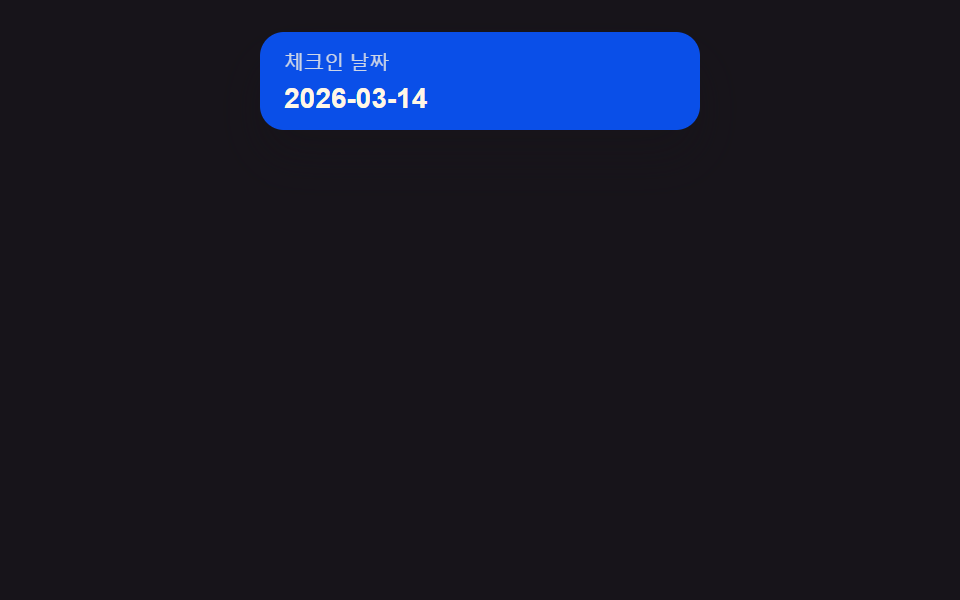 01 date-picker-input-popover-open
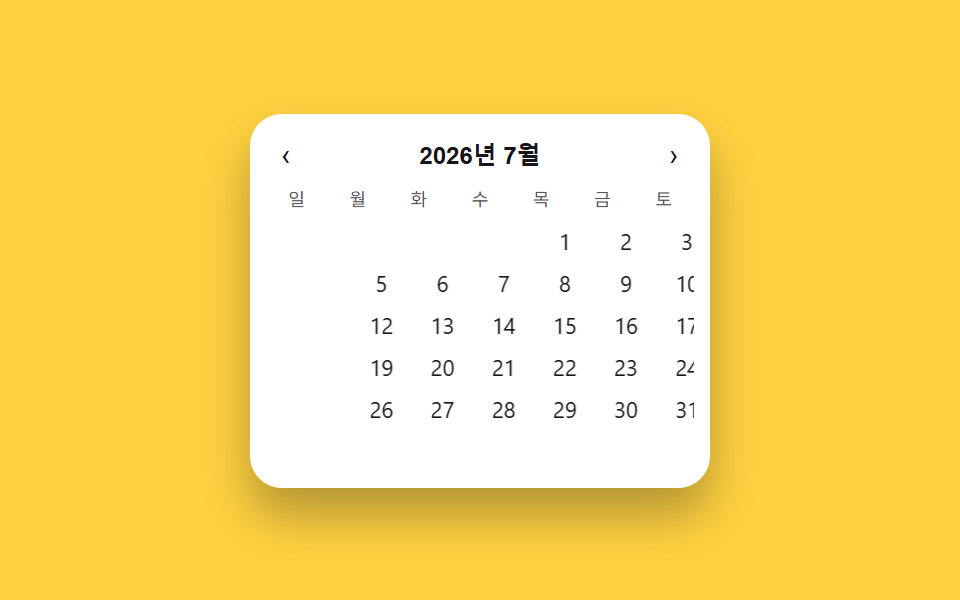 02 date-picker-month-year-quick-jump
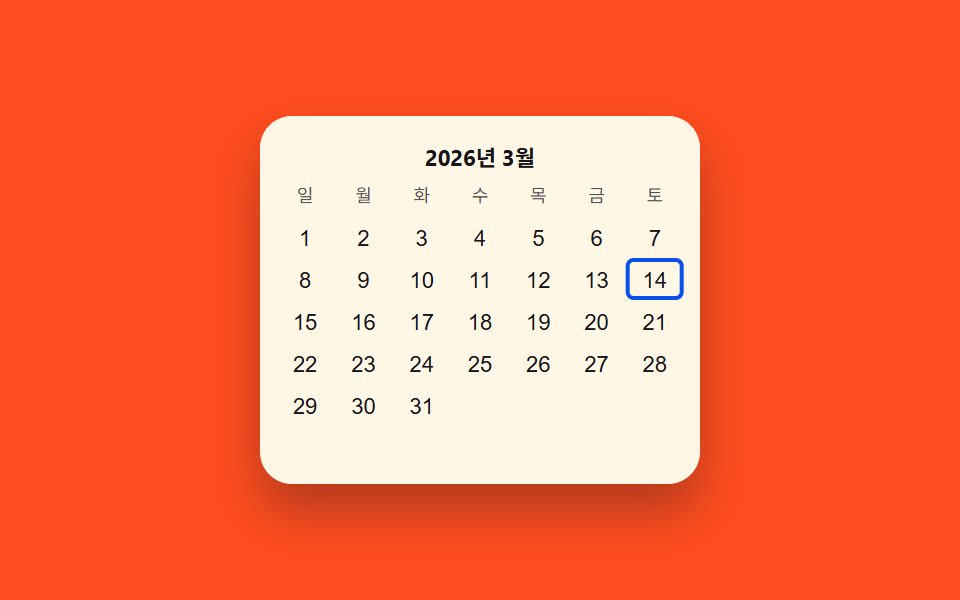 03 date-picker-keyboard-arrow-navigate
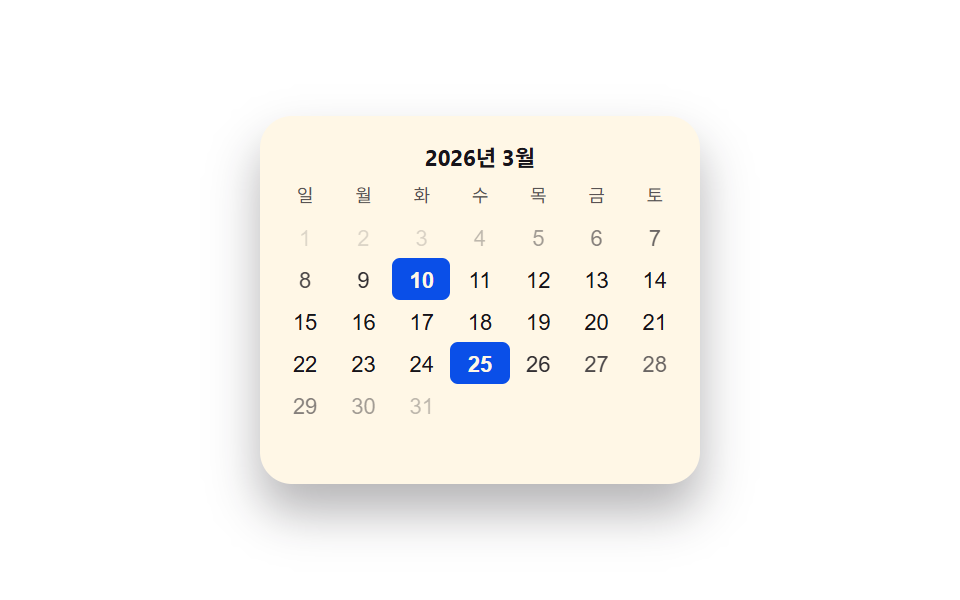 04 date-picker-min-max-fade-disabled
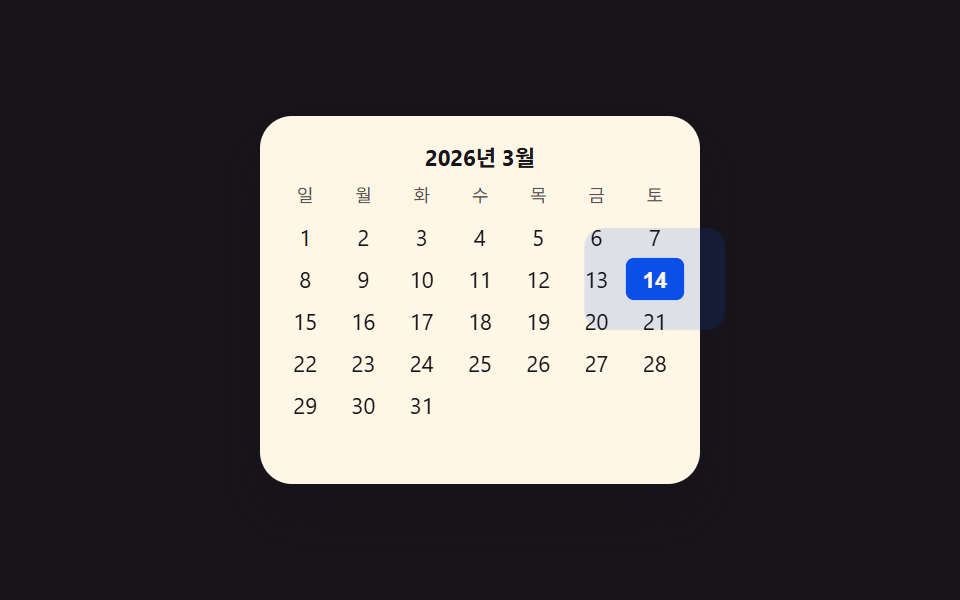 05 date-picker-today-pulse-badge
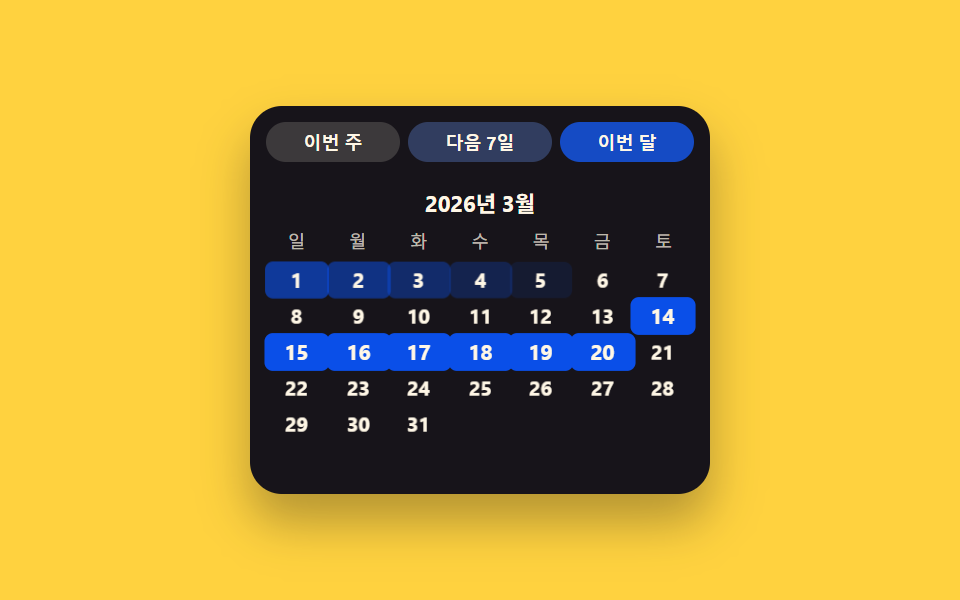 06 date-picker-preset-shortcut-chips
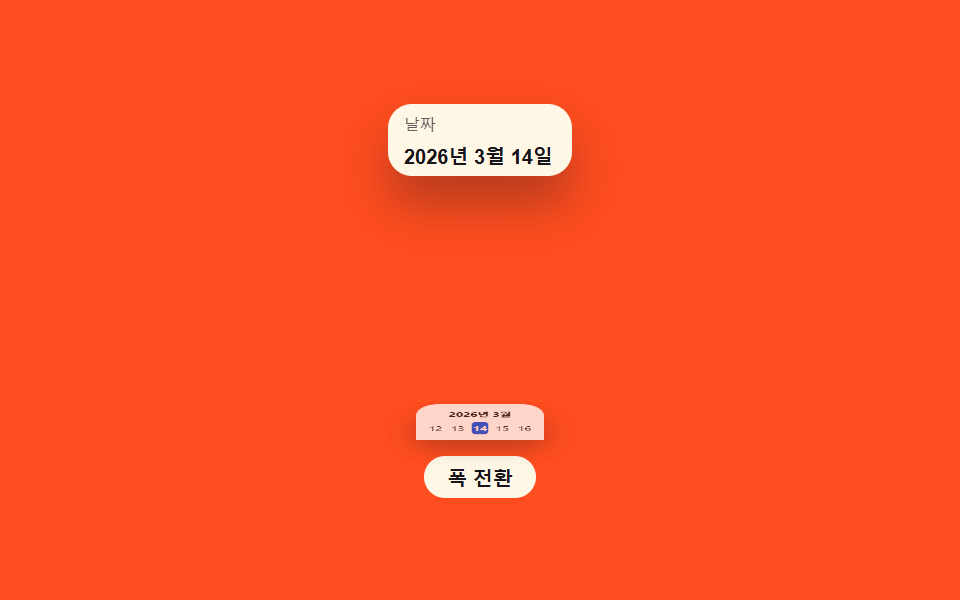 07 date-picker-mobile-sheet-swap
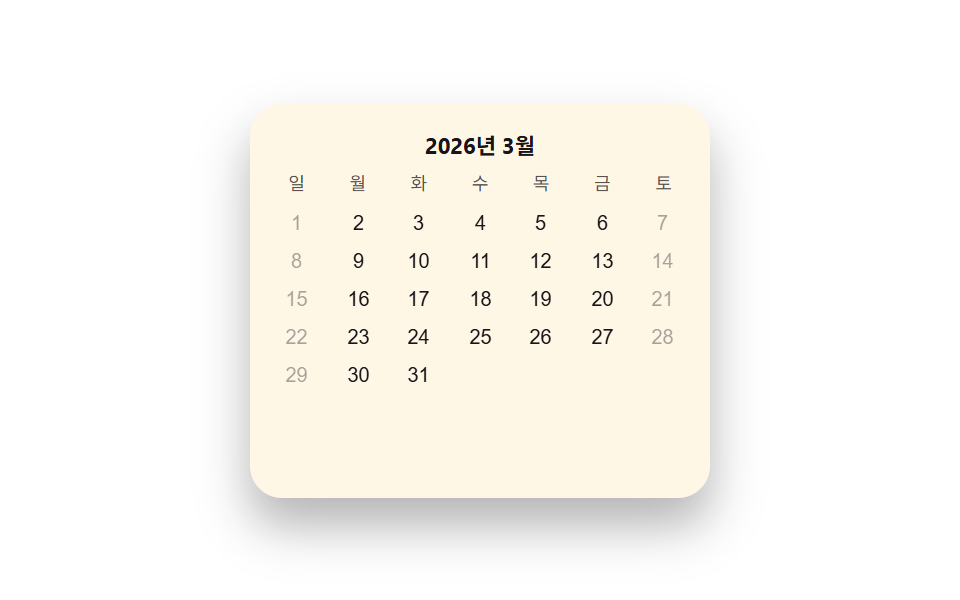 08 date-picker-invalid-shake-deny
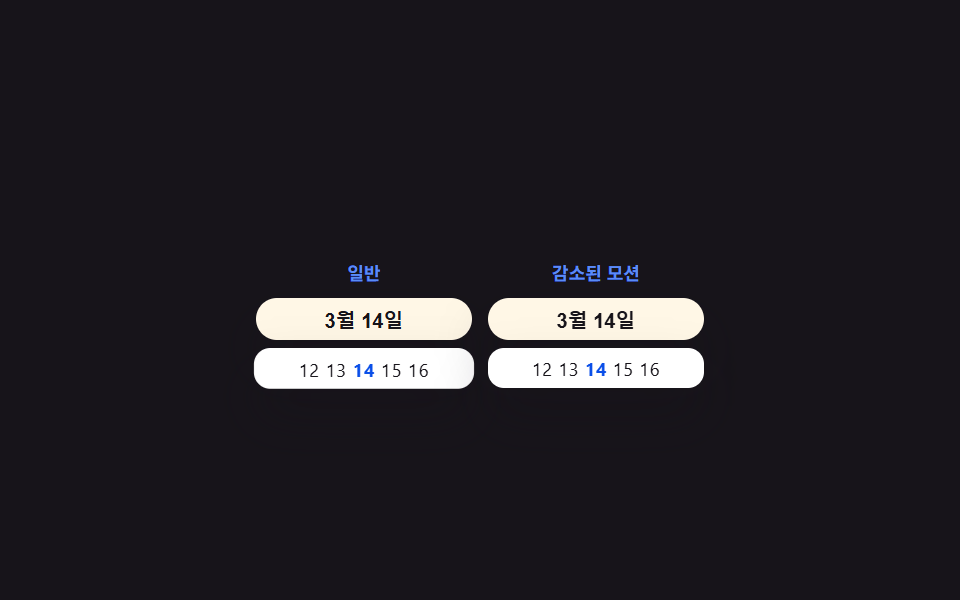 09 date-picker-reduced-motion
Auto-plays · click a tile to jump to its section · all nine in one zip
- 01 Input-popover value toggle — when an input's focus value turns on, a calendar unfolds as a popover, and folds away when it turns off
- 02 Month-year unit value toggle — when the display-unit value switches from month to year, several years can be skipped at once
- 03 Keyboard-arrow value toggle — each time a direction value changes, a highlighted-cell value moves across the grid
- 04 Out-of-range fade value toggle — dates beyond an allowed-range value gain a rising fade value that marks them unpickable
- 05 Today-marker value toggle — a ring around the cell holding today's value periodically grows while fading
- 06 Preset-chip value toggle — engaging a chip value sets the date value directly, skipping the grid
- 07 Sheet-swap value toggle — as the screen-width value narrows, a popover value changes into a bottom-sheet value that rises from below
- 08 Denial-shake value toggle — engaging a blocked value makes that cell's position value shake briefly side to side
- 09 Reduced-motion fallback toggle — when a reduced-motion value turns on, the popover, sheet, and shake values change instantly instead
None of these nine demos talk to a server, touch localStorage, or roll a random number — every one is a small custom date picker html css build driven by one boolean, string, or numeric state value plus a handful of constants deciding how that value's change looks on screen. That narrow scope is what makes a date-picker collection like this readable as a checklist: name the value that flips — focus, range, mode, or width — and the pattern names itself before the code is even open.
Anatomy of nine patterns — which value changes and when
Only two of the nine run a requestAnimationFrame loop: item 05's pulseAt() multiplies an exponential decay by a cosine oscillation every frame to drive the today-ring's scale and alpha, and item 08's shakeAt() runs the identical decay-times-cosine formula on a cell's translateX instead. Every other pattern settles through a single CSS transition, so constants like STAGGER, FADE_STEP, and SHAKE_ZETA describe an intended feel rather than anything recomputed frame by frame outside those two. Four of the nine measure real layout before painting: item 01's measureAnchor() reads the field's getBoundingClientRect() so the popover sits exactly ANCHOR_GAP pixels below its measured bottom edge, item 02's slideTo() reads the viewport's rendered width to size the month-to-month slide distance, item 03's moveRingTo() reads a focused cell's position to move the keyboard ring there, and item 07's measureMode() reads the viewport's rendered width against THRESHOLD to choose between a popover and a sheet. The other five — 04, 05, 06, 08, and 09 — work off fixed constants alone (FADE_STEP/FADE_FLOOR, DUR/ZETA/FREQ, PRESETS/STAGGER, SHAKE_ZETA/BANNER_MS, and a plain boolean swap) with no DOM measurement call, so nothing in their math adapts to viewport size the way the measured four do. Every listener answers a real interaction: items 04, 06, 07, 08, and 09 listen only for click; item 01 pairs a field click with a document keydown for Escape and a document click that closes the popover when the target lands outside it; item 02 pairs header and navigation click handlers with a keydown for the left and right arrow keys; item 03 combines focusin, a keydown that moves the cursor by 1 for the left and right arrows and by 7 for up and down, and click; and item 05 pairs a badge click with a keydown. Six of the nine — 01, 03, 04, 05, 06, and 08 — declare the identical fixed BASE = { y: 2026, m: 3, d: 14 } rather than call new Date(); item 02 fixes only a YEAR = 2026 constant, and items 07 and 09 hardcode their sample date straight into the markup instead — so today never actually changes no matter which of the nine is open or when the page loads.
Code per pattern
01Input-popover value toggle — when an input's focus value turns on, a calendar unfolds as a popover, and folds away when it turns off
As the focus value turns on, a popover unfolds below the input, its height overshooting the target slightly before settling, and folds back when the focus value turns off. A booking form's date field or a filter panel's period input suits this pattern, where the popover itself needs to feel anchored to the exact field that opened it.
<main class="stage">
<div class="dp is-demo" id="dp">
  <button type="button" class="dp__field" id="dpField" aria-haspopup="dialog" aria-expanded="false">
    <span class="dp__fieldLabel">Check-in date</span>
    <span class="dp__fieldValue" id="dpValue">2026-03-14</span>
  </button>
  <div class="dp__pop" id="dpPop" role="dialog" aria-label="Calendar" aria-hidden="true">
    <div class="dp__head"><span class="dp__label">March 2026</span></div>
    <div class="dp__weekday" aria-hidden="true">
      <span>Sun</span><span>Mon</span><span>Tue</span><span>Wed</span><span>Thu</span><span>Fri</span><span>Sat</span>
    </div>
    <div class="dp__grid" id="dpGrid"></div>
  </div>
</div>
</main>
@use "../../../../site/static/demo-tokens" as *;
// 계산 겹: 팝오버 위치는 index.html measureAnchor() 의 getBoundingClientRect 실측값으로 정해진다.
// 애니메이션은 그 자리에서 transform(scale)·opacity 만 — top/left 는 실측 뒤 한 번만 세팅되고 트윈하지 않는다.
@include stage($stage-ink);
// 계산 겹: 팝오버가 필드 아래로 실제 높이만큼 펼쳐지므로 무대는 위쪽에 붙여
// 열림 상태의 전체 높이가 480x300·320x200 두 화면 모두에 들어가게 한다.
.stage {
align-items: start;
padding-top: $sp-4;
}
.dp {
position: relative;
width: 100%;
max-width: 220px;
}
.dp__field {
display: grid;
gap: $sp-1;
width: 100%;
padding: $sp-2 $sp-3;
border: none;
border-radius: $r-control;
background: $subject-blue-deep;
color: $subject-cream;
text-align: left;
cursor: pointer;
box-shadow: $shadow-raised;
}
.dp__fieldLabel {
font-size: 10px;
opacity: .8;
}
.dp__fieldValue {
font-size: 14px;
font-weight: 700;
}
.dp__pop {
position: absolute;
z-index: 2;
box-sizing: border-box;
padding: $sp-2;
border-radius: $r-card;
background: $stage-paper;
box-shadow: $shadow-raised;
transform-origin: top center;
transform: scale(.85);
opacity: 0;
pointer-events: none;
transition: transform $dur-enter $ease-elastic, opacity $dur-quick $ease-out;
}
.dp--open .dp__pop {
transform: scale(1);
opacity: 1;
pointer-events: auto;
}
.dp__head {
text-align: center;
margin-bottom: $sp-1;
}
.dp__label {
font-size: 11px;
font-weight: 700;
color: $subject-ink;
}
.dp__weekday,
.dp__grid {
display: grid;
grid-template-columns: repeat(7, 1fr);
}
.dp__weekday span {
font-size: 9px;
text-align: center;
color: rgba($subject-ink, .72);
padding-bottom: $sp-1;
}
.dp__cell {
display: grid;
place-items: center;
height: 21px;
font-size: 11px;
color: $subject-ink;
border-radius: $r-xs;
}
.dp__cell--out {
visibility: hidden;
}
.dp__cell--today {
background: $subject-blue;
color: $subject-cream;
font-weight: 700;
}
@media (max-width: 340px) {
.stage { padding-top: $sp-2; }
.dp { max-width: 180px; }
.dp__field { padding: $sp-1 $sp-2; }
.dp__pop { padding: $sp-1; }
.dp__cell { height: 17px; font-size: 10px; }
.dp__weekday span { font-size: 8px; padding-bottom: 0; }
}
@media (prefers-reduced-motion: reduce) {
.dp__pop { transition: none; }
}html, body {
margin: 0;
overflow: hidden;
}
.stage {
box-sizing: border-box;
min-height: 100vh;
display: grid;
place-items: center;
margin: 0;
background: #17141a;
font-family: -apple-system, "Segoe UI", "Noto Sans KR", sans-serif;
padding: clamp(8px, 4vw, 24px);
}
.stage {
align-items: start;
padding-top: 16px;
}
.dp {
position: relative;
width: 100%;
max-width: 220px;
}
.dp__field {
display: grid;
gap: 4px;
width: 100%;
padding: 8px 12px;
border: none;
border-radius: 12px;
background: #0a4fe8;
color: #fff7e6;
text-align: left;
cursor: pointer;
box-shadow: 0 14px 24px rgba(23, 20, 26, 0.32);
}
.dp__fieldLabel {
font-size: 10px;
opacity: 0.8;
}
.dp__fieldValue {
font-size: 14px;
font-weight: 700;
}
.dp__pop {
position: absolute;
z-index: 2;
box-sizing: border-box;
padding: 8px;
border-radius: 16px;
background: #ffffff;
box-shadow: 0 14px 24px rgba(23, 20, 26, 0.32);
transform-origin: top center;
transform: scale(0.85);
opacity: 0;
pointer-events: none;
transition: transform 600ms cubic-bezier(0.34, 1.56, 0.64, 1), opacity 220ms ease-out;
}
.dp--open .dp__pop {
transform: scale(1);
opacity: 1;
pointer-events: auto;
}
.dp__head {
text-align: center;
margin-bottom: 4px;
}
.dp__label {
font-size: 11px;
font-weight: 700;
color: #17141a;
}
.dp__weekday,
.dp__grid {
display: grid;
grid-template-columns: repeat(7, 1fr);
}
.dp__weekday span {
font-size: 9px;
text-align: center;
color: rgba(23, 20, 26, 0.72);
padding-bottom: 4px;
}
.dp__cell {
display: grid;
place-items: center;
height: 21px;
font-size: 11px;
color: #17141a;
border-radius: 4px;
}
.dp__cell--out {
visibility: hidden;
}
.dp__cell--today {
background: #2f6df6;
color: #fff7e6;
font-weight: 700;
}
@media (max-width: 340px) {
.stage {
padding-top: 8px;
}
.dp {
max-width: 180px;
}
.dp__field {
padding: 4px 8px;
}
.dp__pop {
padding: 4px;
}
.dp__cell {
height: 17px;
font-size: 10px;
}
.dp__weekday span {
font-size: 8px;
padding-bottom: 0;
}
}
@media (prefers-reduced-motion: reduce) {
.dp__pop {
transition: none;
}
}(function () {
var BASE = { y: 2026, m: 3, d: 14 }; // 계산 겹 상수: 고정 오늘(Mon 1~12), new Date() 미사용
function isLeap(y) { return (y % 4 === 0 && y % 100 !== 0) || y % 400 === 0; }
function daysInMonth(y, m) {
var t = [31, isLeap(y) ? 29 : 28, 31, 30, 31, 30, 31, 31, 30, 31, 30, 31];
return t[m - 1];
}
function dow(y, m, d) { // Zeller 합동식 — 0=Sun ~ 6=Sat
var yy = y, mm = m;
if (mm < 3) { yy -= 1; mm += 12; }
var K = yy % 100, J = Math.floor(yy / 100);
var h = (d + Math.floor(13 * (mm + 1) / 5) + K + Math.floor(K / 4) + Math.floor(J / 4) - 2 * J) % 7;
h = ((h % 7) + 7) % 7;
return (h + 6) % 7;
}
var ANCHOR_GAP = 8; // 계산 겹: 필드 아래 팝오버 간격(px)
var dp = document.getElementById('dp');
var field = document.getElementById('dpField');
var pop = document.getElementById('dpPop');
var grid = document.getElementById('dpGrid');
var n = daysInMonth(BASE.y, BASE.m);
var lead = dow(BASE.y, BASE.m, 1);
for (var i = 0; i < lead; i++) {
var blank = document.createElement('span');
blank.className = 'dp__cell dp__cell--out';
grid.appendChild(blank);
}
for (var d = 1; d <= n; d++) {
var cell = document.createElement('span');
cell.className = 'dp__cell';
cell.textContent = String(d);
if (d === BASE.d) cell.classList.add('dp__cell--today');
grid.appendChild(cell);
}
function measureAnchor() {
// 계산 겹: 실측 위치 — 필드의 실제 렌더 폭·좌표를 읽어 팝오버를 그 자리에 앵커한다
var fr = field.getBoundingClientRect();
var pr = dp.getBoundingClientRect();
pop.style.left = (fr.left - pr.left) + 'px';
pop.style.top = (fr.bottom - pr.top + ANCHOR_GAP) + 'px';
pop.style.width = fr.width + 'px';
}
function setOpen(v) {
dp.classList.toggle('dp--open', v);
field.setAttribute('aria-expanded', v ? 'true' : 'false');
pop.setAttribute('aria-hidden', v ? 'false' : 'true');
if (v) measureAnchor();
}
function human() {
dp.classList.remove('is-demo');
stopAutoplay();
setOpen(!dp.classList.contains('dp--open'));
}
field.addEventListener('click', human);
document.addEventListener('keydown', function (e) {
if (e.key === 'Escape' && dp.classList.contains('dp--open')) { human(); }
});
document.addEventListener('click', function (e) {
if (dp.classList.contains('dp--open') && !dp.contains(e.target)) { human(); }
});
var open = false;
var autoTimer = null;
function stopAutoplay() { if (autoTimer) { clearInterval(autoTimer); autoTimer = null; } }
var reduce = window.matchMedia('(prefers-reduced-motion: reduce)').matches;
setOpen(false);
if (!reduce) {
autoTimer = setInterval(function () {
open = !open;
setOpen(open);
}, 1400);
}
})();import { useEffect, useRef, useState } from 'react';
import styles from './DatePickerPopoverOpen.module.scss';
type Box<T> = { current: T };
const BASE = { y: 2026, m: 3, d: 14 }; // 계산 겹 상수: 고정 오늘(월 1~12), new Date() 미사용
const ANCHOR_GAP = 8; // 계산 겹: 필드 아래 팝오버 간격(px)
const WEEKDAY = ['일', '월', '화', '수', '목', '금', '토'];
function isLeap(y: number) {
return (y % 4 === 0 && y % 100 !== 0) || y % 400 === 0;
}
function daysInMonth(y: number, m: number) {
const t = [31, isLeap(y) ? 29 : 28, 31, 30, 31, 30, 31, 31, 30, 31, 30, 31];
return t[m - 1];
}
function dow(y: number, m: number, d: number) { // Zeller 합동식 — 0=일 ~ 6=토
let yy = y;
let mm = m;
if (mm < 3) { yy -= 1; mm += 12; }
const K = yy % 100;
const J = Math.floor(yy / 100);
let h = (d + Math.floor((13 * (mm + 1)) / 5) + K + Math.floor(K / 4) + Math.floor(J / 4) - 2 * J) % 7;
h = ((h % 7) + 7) % 7;
return (h + 6) % 7;
}
function buildCells() {
const n = daysInMonth(BASE.y, BASE.m);
const lead = dow(BASE.y, BASE.m, 1);
const cells: { key: string; d: number | null; today: boolean }[] = [];
for (let i = 0; i < lead; i++) cells.push({ key: 'out' + i, d: null, today: false });
for (let d = 1; d <= n; d++) cells.push({ key: 'd' + d, d, today: d === BASE.d });
return cells;
}
export default function DatePickerPopoverOpen() {
const rootRef = useRef(null) as unknown as Box<HTMLDivElement>;
const fieldRef = useRef(null) as unknown as Box<HTMLButtonElement>;
const popRef = useRef(null) as unknown as Box<HTMLDivElement>;
const [isDemo, setIsDemo] = useState(true);
const [open, setOpen] = useState(false);
const cells = buildCells();
function measureAnchor() {
// 계산 겹: 실측 위치 — 필드의 실제 렌더 폭·좌표를 읽어 팝오버를 그 자리에 앵커한다
const field = fieldRef.current;
const root = rootRef.current;
const pop = popRef.current;
if (!field || !root || !pop) return;
const fr = field.getBoundingClientRect();
const pr = root.getBoundingClientRect();
pop.style.left = fr.left - pr.left + 'px';
pop.style.top = fr.bottom - pr.top + ANCHOR_GAP + 'px';
pop.style.width = fr.width + 'px';
}
function human() {
setIsDemo(false);
setOpen((v) => !v);
}
useEffect(() => {
if (open) measureAnchor();
}, [open]);
useEffect(() => {
function onKey(e: KeyboardEvent) {
if (e.key === 'Escape' && open) human();
}
function onDoc(e: MouseEvent) {
const root = rootRef.current;
if (open && root && !root.contains(e.target as Node)) human();
}
document.addEventListener('keydown', onKey);
document.addEventListener('click', onDoc);
return () => {
document.removeEventListener('keydown', onKey);
document.removeEventListener('click', onDoc);
};
}, [open]);
useEffect(() => {
const reduce = window.matchMedia('(prefers-reduced-motion: reduce)').matches;
if (!isDemo || reduce) return;
const timer = window.setInterval(() => {
setOpen((v) => !v);
}, 1400);
return () => window.clearInterval(timer);
}, [isDemo]);
return (
<div className={`${styles.dp} ${isDemo ? styles.isDemo : ''} ${open ? styles.dpOpen : ''}`} ref={rootRef}>
<button
type="button"
className={styles.dpField}
ref={fieldRef}
aria-haspopup="dialog"
aria-expanded={open}
onClick={human}
>
<span className={styles.dpFieldLabel}>체크인 날짜</span>
<span className={styles.dpFieldValue}>2026-03-14</span>
</button>
<div className={styles.dpPop} ref={popRef} role="dialog" aria-label="달력" aria-hidden={!open}>
<div className={styles.dpHead}><span className={styles.dpLabel}>2026년 3월</span></div>
<div className={styles.dpWeekday} aria-hidden="true">
{WEEKDAY.map((w) => <span key={w}>{w}</span>)}
</div>
<div className={styles.dpGrid}>
{cells.map((c) => (
<span
key={c.key}
className={`${styles.dpCell} ${c.d === null ? styles.dpCellOut : ''} ${c.today ? styles.dpCellToday : ''}`}
>
{c.d ?? ''}
</span>
))}
</div>
</div>
</div>
);
}01 · Input-popover value toggle — when an input's focus value turns on, a calendar unfolds as a popover, and folds away when it turns off — Measured area 25.682% · moving frames 8/23Original by GODRICH · SCSS and React ship in the zip · See the password
  function measureAnchor() {
    // calc layer: measured position — reads the field's real rendered rect and anchors the popover to it
    var fr = field.getBoundingClientRect();
    var pr = dp.getBoundingClientRect();
    pop.style.left = (fr.left - pr.left) + 'px';
    pop.style.top = (fr.bottom - pr.top + ANCHOR_GAP) + 'px';
    pop.style.width = fr.width + 'px';
  }

  function setOpen(v) {
    dp.classList.toggle('dp--open', v);
    field.setAttribute('aria-expanded', v ? 'true' : 'false');
    pop.setAttribute('aria-hidden', v ? 'false' : 'true');
    if (v) measureAnchor();
  }
What the numbers say
Item 01 fills 25.68% of the frame cumulatively at 84.3 average intensity while moving in 8 of 23 sampled frames, the popover's slight height overshoot past its target adding a beat of motion on top of a plain reveal.
02Month-year unit value toggle — when the display-unit value switches from month to year, several years can be skipped at once
Each time the center label value is engaged, the display-unit value toggles between month and year, and jumping while in year mode covers a larger span at once. A birth-date input or a period picker reaching for far-back records benefits from this pattern, since paging month by month to a decade-old date is its own kind of friction.
<main class="stage">
<div class="mj is-demo" id="mj">
  <div class="mj__bar">
    <button type="button" class="mj__nav" id="mjPrev" aria-label="Previous month">‹</button>
    <button type="button" class="mj__head" id="mjHead">March 2026</button>
    <button type="button" class="mj__nav" id="mjNext" aria-label="Next month">›</button>
  </div>
  <div class="mj__weekday" aria-hidden="true">
    <span>Sun</span><span>Mon</span><span>Tue</span><span>Wed</span><span>Thu</span><span>Fri</span><span>Sat</span>
  </div>
  <div class="mj__viewport" id="mjViewport">
    <div class="mj__grid" id="mjMonthGrid"></div>
  </div>
  <div class="mj__yearGrid" id="mjYearGrid"></div>
</div>
</main>
@use "../../../../site/static/demo-tokens" as *;
// 계산 겹: slideTo() 가 뷰포트 실측 폭(getBoundingClientRect)을 슬라이드 거리로,
// 목표-현재 월 오프셋의 부호를 슬라이드 방향으로 써서 translateX 를 계산한다.
@include stage($stage-yellow);
.mj {
width: 100%;
max-width: 230px;
background: $stage-paper;
border-radius: $r-card;
padding: $sp-2;
box-shadow: $shadow-raised;
box-sizing: border-box;
}
.mj__bar {
display: flex;
align-items: center;
justify-content: space-between;
margin-bottom: $sp-1;
}
.mj__nav {
width: 20px;
height: 20px;
display: grid;
place-items: center;
border: none;
border-radius: $r-xs;
background: transparent;
color: $subject-ink;
font-size: 14px;
cursor: pointer;
}
.mj__head {
border: none;
background: transparent;
color: $subject-ink;
font-size: 12px;
font-weight: 700;
cursor: pointer;
padding: $sp-1 $sp-2;
border-radius: $r-xs;
}
.mj__weekday {
display: grid;
grid-template-columns: repeat(7, 1fr);
margin-bottom: $sp-1;
}
.mj__weekday span {
font-size: 9px;
text-align: center;
color: rgba($subject-ink, .72);
}
.mj__viewport {
overflow: hidden;
}
.mj__grid {
display: grid;
grid-template-columns: repeat(7, 1fr);
grid-auto-rows: 21px;
transition: transform $dur-base $ease-spring;
}
.mj__cell {
display: grid;
place-items: center;
font-size: 11px;
color: $subject-ink;
border-radius: $r-xs;
}
.mj__cell--out {
visibility: hidden;
}
.mj__yearGrid {
display: none;
grid-template-columns: repeat(4, 1fr);
gap: $sp-1;
}
.mj--year .mj__weekday,
.mj--year .mj__viewport {
display: none;
}
.mj--year .mj__yearGrid {
display: grid;
}
.mj__ycell {
height: 26px;
display: grid;
place-items: center;
border: none;
border-radius: $r-xs;
background: $subject-blue;
color: $subject-cream;
font-size: 10px;
cursor: pointer;
}
.mj__ycell--now {
background: $subject-blue-deep;
}
@media (max-width: 340px) {
.mj { max-width: 190px; }
.mj__grid { grid-auto-rows: 17px; }
.mj__cell { font-size: 10px; }
.mj__ycell { height: 21px; font-size: 9px; }
.mj__weekday span { font-size: 8px; }
}
@media (prefers-reduced-motion: reduce) {
.mj__grid { transition: none; }
}html, body {
margin: 0;
overflow: hidden;
}
.stage {
box-sizing: border-box;
min-height: 100vh;
display: grid;
place-items: center;
margin: 0;
background: #ffd23f;
font-family: -apple-system, "Segoe UI", "Noto Sans KR", sans-serif;
padding: clamp(8px, 4vw, 24px);
}
.mj {
width: 100%;
max-width: 230px;
background: #ffffff;
border-radius: 16px;
padding: 8px;
box-shadow: 0 14px 24px rgba(23, 20, 26, 0.32);
box-sizing: border-box;
}
.mj__bar {
display: flex;
align-items: center;
justify-content: space-between;
margin-bottom: 4px;
}
.mj__nav {
width: 20px;
height: 20px;
display: grid;
place-items: center;
border: none;
border-radius: 4px;
background: transparent;
color: #17141a;
font-size: 14px;
cursor: pointer;
}
.mj__head {
border: none;
background: transparent;
color: #17141a;
font-size: 12px;
font-weight: 700;
cursor: pointer;
padding: 4px 8px;
border-radius: 4px;
}
.mj__weekday {
display: grid;
grid-template-columns: repeat(7, 1fr);
margin-bottom: 4px;
}
.mj__weekday span {
font-size: 9px;
text-align: center;
color: rgba(23, 20, 26, 0.72);
}
.mj__viewport {
overflow: hidden;
}
.mj__grid {
display: grid;
grid-template-columns: repeat(7, 1fr);
grid-auto-rows: 21px;
transition: transform 300ms cubic-bezier(0.2, 0.8, 0.2, 1);
}
.mj__cell {
display: grid;
place-items: center;
font-size: 11px;
color: #17141a;
border-radius: 4px;
}
.mj__cell--out {
visibility: hidden;
}
.mj__yearGrid {
display: none;
grid-template-columns: repeat(4, 1fr);
gap: 4px;
}
.mj--year .mj__weekday,
.mj--year .mj__viewport {
display: none;
}
.mj--year .mj__yearGrid {
display: grid;
}
.mj__ycell {
height: 26px;
display: grid;
place-items: center;
border: none;
border-radius: 4px;
background: #2f6df6;
color: #fff7e6;
font-size: 10px;
cursor: pointer;
}
.mj__ycell--now {
background: #0a4fe8;
}
@media (max-width: 340px) {
.mj {
max-width: 190px;
}
.mj__grid {
grid-auto-rows: 17px;
}
.mj__cell {
font-size: 10px;
}
.mj__ycell {
height: 21px;
font-size: 9px;
}
.mj__weekday span {
font-size: 8px;
}
}
@media (prefers-reduced-motion: reduce) {
.mj__grid {
transition: none;
}
}(function () {
var YEAR = 2026; // 계산 겹 상수: 연도 고정, new Date() 미사용
var MONTH_LABEL = ['Jan', 'Feb', 'Mar', 'Apr', 'May', 'Jun', 'Jul', 'Aug', 'Sep', 'Oct', 'Nov', 'Dec'];
var HEADER_LABEL = [
'January 2026', 'February 2026', 'March 2026', 'April 2026', 'May 2026', 'June 2026',
'July 2026', 'August 2026', 'September 2026', 'October 2026', 'November 2026', 'December 2026'
];
var AUTO_SEQ = [3, 7, 11, 3]; // 계산 겹: 자동재생이 도는 목표 Mon 순서, 오프셋 부호로 슬라이드 방향을 정한다
var CELL_TOTAL = 42; // 계산 겹: 6행 고정 — 월마다 칸 수가 달라도 뷰포트 높이가 흔들리지 않는다
function isLeap(y) { return (y % 4 === 0 && y % 100 !== 0) || y % 400 === 0; }
function daysInMonth(y, m) {
var t = [31, isLeap(y) ? 29 : 28, 31, 30, 31, 30, 31, 31, 30, 31, 30, 31];
return t[m - 1];
}
function dow(y, m, d) { // Zeller 합동식 — 0=Sun ~ 6=Sat
var yy = y, mm = m;
if (mm < 3) { yy -= 1; mm += 12; }
var K = yy % 100, J = Math.floor(yy / 100);
var h = (d + Math.floor(13 * (mm + 1) / 5) + K + Math.floor(K / 4) + Math.floor(J / 4) - 2 * J) % 7;
h = ((h % 7) + 7) % 7;
return (h + 6) % 7;
}
var root = document.getElementById('mj');
var head = document.getElementById('mjHead');
var prevBtn = document.getElementById('mjPrev');
var nextBtn = document.getElementById('mjNext');
var viewport = document.getElementById('mjViewport');
var monthGrid = document.getElementById('mjMonthGrid');
var yearGrid = document.getElementById('mjYearGrid');
var current = 3;
var mode = 'month';
function renderMonth(m) {
monthGrid.innerHTML = '';
var n = daysInMonth(YEAR, m);
var lead = dow(YEAR, m, 1);
var trail = CELL_TOTAL - lead - n;
var i, cell;
for (i = 0; i < lead; i++) {
cell = document.createElement('span');
cell.className = 'mj__cell mj__cell--out';
monthGrid.appendChild(cell);
}
for (var d = 1; d <= n; d++) {
cell = document.createElement('span');
cell.className = 'mj__cell';
cell.textContent = String(d);
monthGrid.appendChild(cell);
}
for (i = 0; i < trail; i++) {
cell = document.createElement('span');
cell.className = 'mj__cell mj__cell--out';
monthGrid.appendChild(cell);
}
}
function renderYear(highlight) {
yearGrid.innerHTML = '';
for (var i = 0; i < 12; i++) {
var btn = document.createElement('button');
btn.type = 'button';
btn.className = 'mj__ycell' + (i + 1 === highlight ? ' mj__ycell--now' : '');
btn.textContent = MONTH_LABEL[i];
btn.dataset.m = String(i + 1);
btn.addEventListener('click', function (e) {
human();
slideTo(parseInt(e.currentTarget.dataset.m, 10));
});
yearGrid.appendChild(btn);
}
}
function setHead(m) { head.textContent = HEADER_LABEL[m - 1]; }
function slideTo(target) {
// 계산 겹: 뷰포트 실측 폭을 슬라이드 거리로, 목표-현재 오프셋 부호를 슬라이드 방향으로 쓴다
var dist = viewport.getBoundingClientRect().width;
var dir = target >= current ? 1 : -1;
current = target;
renderMonth(current);
setHead(current);
root.classList.remove('mj--year');
mode = 'month';
monthGrid.style.transition = 'none';
monthGrid.style.transform = 'translateX(' + (dir * dist) + 'px)';
void monthGrid.offsetWidth;
monthGrid.style.transition = '';
monthGrid.style.transform = 'translateX(0)';
}
  function stepMonth(delta) {
    var target = current + delta;
    if (target < 1) target = 12;
    if (target > 12) target = 1;
    slideTo(target);
  }

  function toggleYear() {
    mode = mode === 'year' ? 'month' : 'year';
    root.classList.toggle('mj--year', mode === 'year');
    if (mode === 'year') renderYear(current);
  }
function human() {
root.classList.remove('is-demo');
stopAutoplay();
}
head.addEventListener('click', function () { human(); toggleYear(); });
prevBtn.addEventListener('click', function () { human(); stepMonth(-1); });
nextBtn.addEventListener('click', function () { human(); stepMonth(1); });
document.addEventListener('keydown', function (e) {
if (e.key === 'ArrowLeft') { human(); stepMonth(-1); }
if (e.key === 'ArrowRight') { human(); stepMonth(1); }
});
var seqIdx = 0;
var autoTimer = null;
function stopAutoplay() { if (autoTimer) { clearInterval(autoTimer); autoTimer = null; } }
function tick() {
// 자동재생은 슬라이드(transform 트랜지션)만 반복한다 — 연·Mon 전환 자체는
// display 즉시 전환이라 캡처 프레임에 순간 컷으로만 찍혀 움직인 프레임이 안 는다.
seqIdx = (seqIdx + 1) % AUTO_SEQ.length;
slideTo(AUTO_SEQ[seqIdx]);
}
renderMonth(current);
setHead(current);
var reduce = window.matchMedia('(prefers-reduced-motion: reduce)').matches;
if (!reduce) { autoTimer = setInterval(tick, 480); }
})();import { useEffect, useRef, useState } from 'react';
import styles from './DatePickerMonthYearJump.module.scss';
type Box<T> = { current: T };
const YEAR = 2026; // 계산 겹 상수: 연도 고정, new Date() 미사용
const MONTH_LABEL = ['1월', '2월', '3월', '4월', '5월', '6월', '7월', '8월', '9월', '10월', '11월', '12월'];
const HEADER_LABEL = [
'2026년 1월', '2026년 2월', '2026년 3월', '2026년 4월', '2026년 5월', '2026년 6월',
'2026년 7월', '2026년 8월', '2026년 9월', '2026년 10월', '2026년 11월', '2026년 12월',
];
const AUTO_SEQ = [3, 7, 11, 3]; // 계산 겹: 자동재생이 도는 목표 월 순서, 오프셋 부호로 슬라이드 방향을 정한다
const CELL_TOTAL = 42; // 계산 겹: 6행 고정 — 월마다 칸 수가 달라도 뷰포트 높이가 흔들리지 않는다
function isLeap(y: number) {
return (y % 4 === 0 && y % 100 !== 0) || y % 400 === 0;
}
function daysInMonth(y: number, m: number) {
const t = [31, isLeap(y) ? 29 : 28, 31, 30, 31, 30, 31, 31, 30, 31, 30, 31];
return t[m - 1];
}
function dow(y: number, m: number, d: number) { // Zeller 합동식 — 0=일 ~ 6=토
let yy = y;
let mm = m;
if (mm < 3) { yy -= 1; mm += 12; }
const K = yy % 100;
const J = Math.floor(yy / 100);
let h = (d + Math.floor((13 * (mm + 1)) / 5) + K + Math.floor(K / 4) + Math.floor(J / 4) - 2 * J) % 7;
h = ((h % 7) + 7) % 7;
return (h + 6) % 7;
}
function buildCells(m: number) {
const n = daysInMonth(YEAR, m);
const lead = dow(YEAR, m, 1);
const trail = CELL_TOTAL - lead - n;
const cells: { key: string; d: number | null }[] = [];
for (let i = 0; i < lead; i++) cells.push({ key: 'l' + i, d: null });
for (let d = 1; d <= n; d++) cells.push({ key: 'd' + d, d });
for (let i = 0; i < trail; i++) cells.push({ key: 't' + i, d: null });
return cells;
}
const WEEKDAY = ['일', '월', '화', '수', '목', '금', '토'];
export default function DatePickerMonthYearJump() {
const viewportRef = useRef(null) as unknown as Box<HTMLDivElement>;
const gridRef = useRef(null) as unknown as Box<HTMLDivElement>;
const [isDemo, setIsDemo] = useState(true);
const [mode, setMode] = useState<'month' | 'year'>('month');
const [current, setCurrent] = useState(3);
const seqIdxRef = useRef(0) as unknown as Box<number>;
function human() {
setIsDemo(false);
}
function slideTo(target: number) {
// 계산 겹: 뷰포트 실측 폭을 슬라이드 거리로, 목표-현재 월 오프셋 부호를 슬라이드 방향으로 쓴다
const viewport = viewportRef.current;
const grid = gridRef.current;
if (!viewport || !grid) { setCurrent(target); setMode('month'); return; }
const dist = viewport.getBoundingClientRect().width;
const dir = target >= current ? 1 : -1;
setCurrent(target);
setMode('month');
grid.style.transition = 'none';
grid.style.transform = 'translateX(' + dir * dist + 'px)';
void grid.offsetWidth;
grid.style.transition = '';
grid.style.transform = 'translateX(0)';
}
function stepMonth(delta: number) {
let target = current + delta;
if (target < 1) target = 12;
if (target > 12) target = 1;
slideTo(target);
}
useEffect(() => {
function onKey(e: KeyboardEvent) {
if (e.key === 'ArrowLeft') { human(); stepMonth(-1); }
if (e.key === 'ArrowRight') { human(); stepMonth(1); }
}
document.addEventListener('keydown', onKey);
return () => document.removeEventListener('keydown', onKey);
});
useEffect(() => {
const reduce = window.matchMedia('(prefers-reduced-motion: reduce)').matches;
if (!isDemo || reduce) return;
const timer = window.setInterval(() => {
seqIdxRef.current = (seqIdxRef.current + 1) % AUTO_SEQ.length;
slideTo(AUTO_SEQ[seqIdxRef.current]);
}, 480);
return () => window.clearInterval(timer);
// eslint-disable-next-line react-hooks/exhaustive-deps
}, [isDemo]);
const cells = buildCells(current);
return (
<div className={`${styles.mj} ${isDemo ? styles.isDemo : ''} ${mode === 'year' ? styles.mjYear : ''}`}>
<div className={styles.mjBar}>
<button type="button" className={styles.mjNav} aria-label="이전 달" onClick={() => { human(); stepMonth(-1); }}>‹</button>
<button
type="button"
className={styles.mjHead}
onClick={() => { human(); setMode((v) => (v === 'year' ? 'month' : 'year')); }}
>
{HEADER_LABEL[current - 1]}
</button>
<button type="button" className={styles.mjNav} aria-label="다음 달" onClick={() => { human(); stepMonth(1); }}>›</button>
</div>
<div className={styles.mjWeekday} aria-hidden="true">
{WEEKDAY.map((w) => <span key={w}>{w}</span>)}
</div>
<div className={styles.mjViewport} ref={viewportRef}>
<div className={styles.mjGrid} ref={gridRef}>
{cells.map((c) => (
<span key={c.key} className={`${styles.mjCell} ${c.d === null ? styles.mjCellOut : ''}`}>{c.d ?? ''}</span>
))}
</div>
</div>
<div className={styles.mjYearGrid}>
{MONTH_LABEL.map((label, i) => (
<button
type="button"
key={label}
className={`${styles.mjYcell} ${i + 1 === current ? styles.mjYcellNow : ''}`}
onClick={() => { human(); slideTo(i + 1); }}
>
{label}
</button>
))}
</div>
</div>
);
}02 · Month-year unit value toggle — when the display-unit value switches from month to year, several years can be skipped at once — Measured area 5.122% · moving frames 19/23Original by GODRICH · SCSS and React ship in the zip · See the password
function stepMonth(delta) {
var target = current + delta;
if (target < 1) target = 12;
if (target > 12) target = 1;
slideTo(target);
}
function toggleYear() {
mode = mode === 'year' ? 'month' : 'year';
root.classList.toggle('mj--year', mode === 'year');
if (mode === 'year') renderYear(current);
}
What the numbers say
Item 02 fills 5.12% of the frame at 109.6 average intensity while moving in 19 of 23 sampled frames, the sliding month view and the occasional switch into the year grid keeping motion running across nearly every sampled frame even while the visible area per frame stays small.
03Keyboard-arrow value toggle — each time a direction value changes, a highlighted-cell value moves across the grid
Each time the direction value changes, the highlighted-cell value moves to a neighboring cell, wrapping smoothly to the next row at the edge. A keyboard-first input form or an accessibility-first dashboard fits this pattern, since a mouse never has to touch the grid to reach any date in it.
<main class="stage">
<div class="kb is-demo" id="kb">
  <div class="kb__head"><span class="kb__label">March 2026</span></div>
  <div class="kb__weekday" aria-hidden="true">
    <span>Sun</span><span>Mon</span><span>Tue</span><span>Wed</span><span>Thu</span><span>Fri</span><span>Sat</span>
  </div>
  <div class="kb__gridWrap">
    <div class="kb__ring" id="kbRing"></div>
    <div class="kb__grid" id="kbGrid" role="grid" aria-label="Calendar"></div>
  </div>
</div>
</main>
@use "../../../../site/static/demo-tokens" as *;
// 계산 겹: moveRingTo() 가 포커스된 셀의 getBoundingClientRect 좌표를 읽어
// 링을 그 좌표로 translate 이동시킨다 — 셀 사이를 좌표값으로 보간하며 옮겨간다.
@include stage($stage-orange);
.kb {
width: 100%;
max-width: 220px;
background: $subject-cream;
border-radius: $r-card;
padding: $sp-2;
box-shadow: $shadow-raised;
box-sizing: border-box;
}
.kb__head {
text-align: center;
margin-bottom: $sp-1;
}
.kb__label {
font-size: 11px;
font-weight: 700;
color: $subject-ink;
}
.kb__weekday {
display: grid;
grid-template-columns: repeat(7, 1fr);
margin-bottom: $sp-1;
}
.kb__weekday span {
font-size: 9px;
text-align: center;
color: rgba($subject-ink, .72);
}
.kb__gridWrap {
position: relative;
}
.kb__grid {
display: grid;
grid-template-columns: repeat(7, 1fr);
grid-auto-rows: 21px;
position: relative;
z-index: 1;
}
.kb__cell {
display: grid;
place-items: center;
border: none;
background: transparent;
font-size: 11px;
color: $subject-ink;
border-radius: $r-xs;
cursor: pointer;
}
.kb__cell:focus {
outline: none;
}
.kb__cell--out {
visibility: hidden;
}
.kb__ring {
position: absolute;
top: 0;
left: 0;
z-index: 0;
border: 2px solid $subject-blue-deep;
border-radius: $r-xs;
box-sizing: border-box;
transition: transform $dur-base $ease-spring;
pointer-events: none;
}
@media (max-width: 340px) {
.kb { max-width: 180px; }
.kb__grid { grid-auto-rows: 17px; }
.kb__cell { font-size: 10px; }
.kb__weekday span { font-size: 8px; }
}
@media (prefers-reduced-motion: reduce) {
.kb__ring { transition: none; }
}html, body {
margin: 0;
overflow: hidden;
}
.stage {
box-sizing: border-box;
min-height: 100vh;
display: grid;
place-items: center;
margin: 0;
background: #ff4d1f;
font-family: -apple-system, "Segoe UI", "Noto Sans KR", sans-serif;
padding: clamp(8px, 4vw, 24px);
}
.kb {
width: 100%;
max-width: 220px;
background: #fff7e6;
border-radius: 16px;
padding: 8px;
box-shadow: 0 14px 24px rgba(23, 20, 26, 0.32);
box-sizing: border-box;
}
.kb__head {
text-align: center;
margin-bottom: 4px;
}
.kb__label {
font-size: 11px;
font-weight: 700;
color: #17141a;
}
.kb__weekday {
display: grid;
grid-template-columns: repeat(7, 1fr);
margin-bottom: 4px;
}
.kb__weekday span {
font-size: 9px;
text-align: center;
color: rgba(23, 20, 26, 0.72);
}
.kb__gridWrap {
position: relative;
}
.kb__grid {
display: grid;
grid-template-columns: repeat(7, 1fr);
grid-auto-rows: 21px;
position: relative;
z-index: 1;
}
.kb__cell {
display: grid;
place-items: center;
border: none;
background: transparent;
font-size: 11px;
color: #17141a;
border-radius: 4px;
cursor: pointer;
}
.kb__cell:focus {
outline: none;
}
.kb__cell--out {
visibility: hidden;
}
.kb__ring {
position: absolute;
top: 0;
left: 0;
z-index: 0;
border: 2px solid #0a4fe8;
border-radius: 4px;
box-sizing: border-box;
transition: transform 300ms cubic-bezier(0.2, 0.8, 0.2, 1);
pointer-events: none;
}
@media (max-width: 340px) {
.kb {
max-width: 180px;
}
.kb__grid {
grid-auto-rows: 17px;
}
.kb__cell {
font-size: 10px;
}
.kb__weekday span {
font-size: 8px;
}
}
@media (prefers-reduced-motion: reduce) {
.kb__ring {
transition: none;
}
}(function () {
var BASE = { y: 2026, m: 3, d: 14 }; // 계산 겹 상수: 고정 오늘, new Date() 미사용
var CELL_TOTAL = 42; // 6행 고정
var FOCUS_SEQ = [14, 15, 16, 23, 22, 21, 14]; // 계산 겹: 자동재생이 훑는 Date 순서
function isLeap(y) { return (y % 4 === 0 && y % 100 !== 0) || y % 400 === 0; }
function daysInMonth(y, m) {
var t = [31, isLeap(y) ? 29 : 28, 31, 30, 31, 30, 31, 31, 30, 31, 30, 31];
return t[m - 1];
}
function dow(y, m, d) { // Zeller 합동식 — 0=Sun ~ 6=Sat
var yy = y, mm = m;
if (mm < 3) { yy -= 1; mm += 12; }
var K = yy % 100, J = Math.floor(yy / 100);
var h = (d + Math.floor(13 * (mm + 1) / 5) + K + Math.floor(K / 4) + Math.floor(J / 4) - 2 * J) % 7;
h = ((h % 7) + 7) % 7;
return (h + 6) % 7;
}
var kb = document.getElementById('kb');
var grid = document.getElementById('kbGrid');
var ring = document.getElementById('kbRing');
var n = daysInMonth(BASE.y, BASE.m);
var lead = dow(BASE.y, BASE.m, 1);
var cellByDay = {};
var i, cell;
for (i = 0; i < lead; i++) {
cell = document.createElement('span');
cell.className = 'kb__cell kb__cell--out';
grid.appendChild(cell);
}
for (var d = 1; d <= n; d++) {
cell = document.createElement('button');
cell.type = 'button';
cell.className = 'kb__cell';
cell.textContent = String(d);
cell.dataset.day = String(d);
cell.tabIndex = d === BASE.d ? 0 : -1;
grid.appendChild(cell);
cellByDay[d] = cell;
}
var trail = CELL_TOTAL - lead - n;
for (i = 0; i < trail; i++) {
cell = document.createElement('span');
cell.className = 'kb__cell kb__cell--out';
grid.appendChild(cell);
}
var focusedDay = BASE.d;
var ringMeasured = false;
function moveRingTo(cellEl) {
// 계산 겹: 셀의 실제 렌더 좌표·크기를 실측해 링을 그 자리로 옮긴다(좌표 lerp 이동)
var cr = cellEl.getBoundingClientRect();
var gr = grid.getBoundingClientRect();
if (!ringMeasured) {
ring.style.width = cr.width + 'px';
ring.style.height = cr.height + 'px';
ringMeasured = true;
}
ring.style.transform = 'translate(' + (cr.left - gr.left) + 'px,' + (cr.top - gr.top) + 'px)';
}
grid.addEventListener('focusin', function (e) {
var cellEl = e.target.closest('.kb__cell');
if (!cellEl || !cellEl.dataset.day) return;
moveRingTo(cellEl);
});
function focusDay(target) {
if (target < 1) target = 1;
if (target > n) target = n;
var prev = cellByDay[focusedDay];
if (prev) prev.tabIndex = -1;
focusedDay = target;
var next = cellByDay[focusedDay];
next.tabIndex = 0;
next.focus({ preventScroll: true });
}
function human() {
kb.classList.remove('is-demo');
stopAutoplay();
}
  grid.addEventListener('keydown', function (e) {
    var delta = 0;
    if (e.key === 'ArrowRight') delta = 1;
    else if (e.key === 'ArrowLeft') delta = -1;
    else if (e.key === 'ArrowDown') delta = 7;
    else if (e.key === 'ArrowUp') delta = -7;
    else return;
    e.preventDefault();
    human();
    focusDay(focusedDay + delta);
  });
  grid.addEventListener('click', function (e) {
    var cellEl = e.target.closest('.kb__cell');
    if (!cellEl || !cellEl.dataset.day) return;
    human();
    focusDay(parseInt(cellEl.dataset.day, 10));
  });
var seqIdx = 0;
var autoTimer = null;
function stopAutoplay() { if (autoTimer) { clearInterval(autoTimer); autoTimer = null; } }
function tick() {
seqIdx = (seqIdx + 1) % FOCUS_SEQ.length;
focusDay(FOCUS_SEQ[seqIdx]);
}
cellByDay[BASE.d].focus({ preventScroll: true });
var reduce = window.matchMedia('(prefers-reduced-motion: reduce)').matches;
if (!reduce) { autoTimer = setInterval(tick, 500); }
})();import { useEffect, useRef, useState } from 'react';
import styles from './DatePickerKeyboardArrow.module.scss';
type Box<T> = { current: T };
const BASE = { y: 2026, m: 3, d: 14 }; // 계산 겹 상수: 고정 오늘, new Date() 미사용
const CELL_TOTAL = 42;
const FOCUS_SEQ = [14, 15, 16, 23, 22, 21, 14]; // 계산 겹: 자동재생이 훑는 날짜 순서
const WEEKDAY = ['일', '월', '화', '수', '목', '금', '토'];
function isLeap(y: number) {
return (y % 4 === 0 && y % 100 !== 0) || y % 400 === 0;
}
function daysInMonth(y: number, m: number) {
const t = [31, isLeap(y) ? 29 : 28, 31, 30, 31, 30, 31, 31, 30, 31, 30, 31];
return t[m - 1];
}
function dow(y: number, m: number, d: number) { // Zeller 합동식 — 0=일 ~ 6=토
let yy = y;
let mm = m;
if (mm < 3) { yy -= 1; mm += 12; }
const K = yy % 100;
const J = Math.floor(yy / 100);
let h = (d + Math.floor((13 * (mm + 1)) / 5) + K + Math.floor(K / 4) + Math.floor(J / 4) - 2 * J) % 7;
h = ((h % 7) + 7) % 7;
return (h + 6) % 7;
}
const N_DAYS = daysInMonth(BASE.y, BASE.m);
const LEAD = dow(BASE.y, BASE.m, 1);
const TRAIL = CELL_TOTAL - LEAD - N_DAYS;
export default function DatePickerKeyboardArrow() {
const gridRef = useRef(null) as unknown as Box<HTMLDivElement>;
const ringRef = useRef(null) as unknown as Box<HTMLDivElement>;
const cellRefs = useRef({}) as unknown as Box<Record<number, HTMLButtonElement>>;
const ringMeasuredRef = useRef(false) as unknown as Box<boolean>;
const [isDemo, setIsDemo] = useState(true);
const [focusedDay, setFocusedDay] = useState(BASE.d);
function human() {
setIsDemo(false);
}
function moveRingTo(cellEl: HTMLButtonElement) {
// 계산 겹: 셀의 실제 렌더 좌표·크기를 실측해 링을 그 자리로 옮긴다(좌표 lerp 이동)
const grid = gridRef.current;
const ring = ringRef.current;
if (!grid || !ring) return;
const cr = cellEl.getBoundingClientRect();
const gr = grid.getBoundingClientRect();
if (!ringMeasuredRef.current) {
ring.style.width = cr.width + 'px';
ring.style.height = cr.height + 'px';
ringMeasuredRef.current = true;
}
ring.style.transform = 'translate(' + (cr.left - gr.left) + 'px,' + (cr.top - gr.top) + 'px)';
}
function focusDay(target: number) {
let t = target;
if (t < 1) t = 1;
if (t > N_DAYS) t = N_DAYS;
setFocusedDay(t);
const el = cellRefs.current[t];
if (el) el.focus({ preventScroll: true });
}
useEffect(() => {
const el = cellRefs.current[focusedDay];
if (el) moveRingTo(el);
// eslint-disable-next-line react-hooks/exhaustive-deps
}, [focusedDay]);
useEffect(() => {
const el = cellRefs.current[BASE.d];
if (el) el.focus({ preventScroll: true });
// eslint-disable-next-line react-hooks/exhaustive-deps
}, []);
useEffect(() => {
const reduce = window.matchMedia('(prefers-reduced-motion: reduce)').matches;
if (!isDemo || reduce) return;
let seqIdx = 0;
const timer = window.setInterval(() => {
seqIdx = (seqIdx + 1) % FOCUS_SEQ.length;
focusDay(FOCUS_SEQ[seqIdx]);
}, 500);
return () => window.clearInterval(timer);
// eslint-disable-next-line react-hooks/exhaustive-deps
}, [isDemo]);
function onKeyDown(e: { key: string; preventDefault: () => void }) {
let delta = 0;
if (e.key === 'ArrowRight') delta = 1;
else if (e.key === 'ArrowLeft') delta = -1;
else if (e.key === 'ArrowDown') delta = 7;
else if (e.key === 'ArrowUp') delta = -7;
else return;
e.preventDefault();
human();
focusDay(focusedDay + delta);
}
const lead = Array.from({ length: LEAD }, (_, i) => <span key={'l' + i} className={`${styles.kbCell} ${styles.kbCellOut}`} />);
const days = Array.from({ length: N_DAYS }, (_, i) => {
const d = i + 1;
return (
<button
type="button"
key={'d' + d}
className={styles.kbCell}
tabIndex={d === focusedDay ? 0 : -1}
ref={(el: HTMLButtonElement | null) => { if (el) cellRefs.current[d] = el; }}
onClick={() => { human(); focusDay(d); }}
>
{d}
</button>
);
});
const trail = Array.from({ length: TRAIL }, (_, i) => <span key={'t' + i} className={`${styles.kbCell} ${styles.kbCellOut}`} />);
return (
<div className={`${styles.kb} ${isDemo ? styles.isDemo : ''}`}>
<div className={styles.kbHead}><span className={styles.kbLabel}>2026년 3월</span></div>
<div className={styles.kbWeekday} aria-hidden="true">
{WEEKDAY.map((w) => <span key={w}>{w}</span>)}
</div>
<div className={styles.kbGridWrap}>
<div className={styles.kbRing} ref={ringRef} />
<div className={styles.kbGrid} ref={gridRef} role="grid" aria-label="달력" onKeyDown={onKeyDown}>
{lead}{days}{trail}
</div>
</div>
</div>
);
}03 · Keyboard-arrow value toggle — each time a direction value changes, a highlighted-cell value moves across the grid — Measured area 2.131% · moving frames 8/23Original by GODRICH · SCSS and React ship in the zip · See the password
grid.addEventListener('keydown', function (e) {
var delta = 0;
if (e.key === 'ArrowRight') delta = 1;
else if (e.key === 'ArrowLeft') delta = -1;
else if (e.key === 'ArrowDown') delta = 7;
else if (e.key === 'ArrowUp') delta = -7;
else return;
e.preventDefault();
human();
focusDay(focusedDay + delta);
});
grid.addEventListener('click', function (e) {
var cellEl = e.target.closest('.kb__cell');
if (!cellEl || !cellEl.dataset.day) return;
human();
focusDay(parseInt(cellEl.dataset.day, 10));
});
What the numbers say
Item 03 fills a thin 2.13% of the frame at 111.3 average intensity across 8 of 23 frames, since only the ring travels from cell to cell while the grid itself never repaints.
04Out-of-range fade value toggle — dates beyond an allowed-range value gain a rising fade value that marks them unpickable
Cells outside the allowed-range value gain a rising fade value and lose their press-response value, standing apart from the rest. A restricted booking-window picker or a coupon-use date limited to a validity period suits this pattern, where an out-of-range date should read as unpickable at a glance rather than only on click.
<main class="stage">
<div class="mf is-demo" id="mf">
  <div class="mf__head"><span class="mf__label">March 2026</span></div>
  <div class="mf__weekday" aria-hidden="true">
    <span>Sun</span><span>Mon</span><span>Tue</span><span>Wed</span><span>Thu</span><span>Fri</span><span>Sat</span>
  </div>
  <div class="mf__grid" id="mfGrid"></div>
</div>
</main>
@use "../../../../site/static/demo-tokens" as *;
// 계산 겹: recompute() 가 각 날짜와 최소·최대 경계 사이의 거리를 계산해
// 범위 밖 셀의 opacity 를 그 거리만큼 낮춘다(선형 감쇠, 하한 있음).
@include stage($stage-paper);
.mf {
width: 100%;
max-width: 220px;
background: $subject-cream;
border-radius: $r-card;
padding: $sp-2;
box-shadow: $shadow-raised;
box-sizing: border-box;
}
.mf__head {
text-align: center;
margin-bottom: $sp-1;
}
.mf__label {
font-size: 11px;
font-weight: 700;
color: $subject-ink;
}
.mf__weekday {
display: grid;
grid-template-columns: repeat(7, 1fr);
margin-bottom: $sp-1;
}
.mf__weekday span {
font-size: 9px;
text-align: center;
color: rgba($subject-ink, .72);
}
.mf__grid {
display: grid;
grid-template-columns: repeat(7, 1fr);
grid-auto-rows: 21px;
}
.mf__cell {
display: grid;
place-items: center;
border: none;
background: transparent;
font-size: 11px;
color: $subject-ink;
border-radius: $r-xs;
cursor: pointer;
transition: opacity $dur-base $ease-out;
}
.mf__cell--out {
visibility: hidden;
}
.mf__cell--out-range {
cursor: default;
}
.mf__cell--bound {
background: $subject-blue-deep;
color: $subject-cream;
font-weight: 700;
}
@media (max-width: 340px) {
.mf { max-width: 180px; }
.mf__grid { grid-auto-rows: 17px; }
.mf__cell { font-size: 10px; }
.mf__weekday span { font-size: 8px; }
}
@media (prefers-reduced-motion: reduce) {
.mf__cell { transition: none; }
}html, body {
margin: 0;
overflow: hidden;
}
.stage {
box-sizing: border-box;
min-height: 100vh;
display: grid;
place-items: center;
margin: 0;
background: #ffffff;
font-family: -apple-system, "Segoe UI", "Noto Sans KR", sans-serif;
padding: clamp(8px, 4vw, 24px);
}
.mf {
width: 100%;
max-width: 220px;
background: #fff7e6;
border-radius: 16px;
padding: 8px;
box-shadow: 0 14px 24px rgba(23, 20, 26, 0.32);
box-sizing: border-box;
}
.mf__head {
text-align: center;
margin-bottom: 4px;
}
.mf__label {
font-size: 11px;
font-weight: 700;
color: #17141a;
}
.mf__weekday {
display: grid;
grid-template-columns: repeat(7, 1fr);
margin-bottom: 4px;
}
.mf__weekday span {
font-size: 9px;
text-align: center;
color: rgba(23, 20, 26, 0.72);
}
.mf__grid {
display: grid;
grid-template-columns: repeat(7, 1fr);
grid-auto-rows: 21px;
}
.mf__cell {
display: grid;
place-items: center;
border: none;
background: transparent;
font-size: 11px;
color: #17141a;
border-radius: 4px;
cursor: pointer;
transition: opacity 300ms ease-out;
}
.mf__cell--out {
visibility: hidden;
}
.mf__cell--out-range {
cursor: default;
}
.mf__cell--bound {
background: #0a4fe8;
color: #fff7e6;
font-weight: 700;
}
@media (max-width: 340px) {
.mf {
max-width: 180px;
}
.mf__grid {
grid-auto-rows: 17px;
}
.mf__cell {
font-size: 10px;
}
.mf__weekday span {
font-size: 8px;
}
}
@media (prefers-reduced-motion: reduce) {
.mf__cell {
transition: none;
}
}(function () {
var BASE = { y: 2026, m: 3, d: 14 }; // 계산 겹 상수: 고정 오늘, new Date() 미사용
var CELL_TOTAL = 42;
var FADE_STEP = .12; // 계산 겹: 경계에서 하루 멀어질 때마다 불투명도가 이만큼 줄어든다
var FADE_FLOOR = .15; // 계산 겹: 아무리 멀어도 이 아래로는 안 내려간다
var RANGE_SEQ = [[5, 20], [10, 25], [1, 12], [17, 29], [5, 20]]; // 계산 겹: 자동재생이 도는 최소·최대 순서
function isLeap(y) { return (y % 4 === 0 && y % 100 !== 0) || y % 400 === 0; }
function daysInMonth(y, m) {
var t = [31, isLeap(y) ? 29 : 28, 31, 30, 31, 30, 31, 31, 30, 31, 30, 31];
return t[m - 1];
}
function dow(y, m, d) { // Zeller 합동식 — 0=Sun ~ 6=Sat
var yy = y, mm = m;
if (mm < 3) { yy -= 1; mm += 12; }
var K = yy % 100, J = Math.floor(yy / 100);
var h = (d + Math.floor(13 * (mm + 1) / 5) + K + Math.floor(K / 4) + Math.floor(J / 4) - 2 * J) % 7;
h = ((h % 7) + 7) % 7;
return (h + 6) % 7;
}
var mf = document.getElementById('mf');
var grid = document.getElementById('mfGrid');
var n = daysInMonth(BASE.y, BASE.m);
var lead = dow(BASE.y, BASE.m, 1);
var cellByDay = {};
var i, cell;
for (i = 0; i < lead; i++) {
cell = document.createElement('span');
cell.className = 'mf__cell mf__cell--out';
grid.appendChild(cell);
}
for (var d = 1; d <= n; d++) {
cell = document.createElement('button');
cell.type = 'button';
cell.className = 'mf__cell';
cell.textContent = String(d);
cell.dataset.day = String(d);
grid.appendChild(cell);
cellByDay[d] = cell;
}
var trail = CELL_TOTAL - lead - n;
for (i = 0; i < trail; i++) {
cell = document.createElement('span');
cell.className = 'mf__cell mf__cell--out';
grid.appendChild(cell);
}
var min = 5, max = 20, pickStage = 'min';
function recompute() {
// 계산 겹: 범위 밖 각 셀은 경계로부터의 거리만큼 불투명도를 계산해 낮춘다
for (var day = 1; day <= n; day++) {
var c = cellByDay[day];
var distOut = day < min ? (min - day) : (day > max ? (day - max) : 0);
var opacity = distOut === 0 ? 1 : Math.max(FADE_FLOOR, 1 - distOut * FADE_STEP);
c.style.opacity = String(opacity);
c.classList.toggle('mf__cell--bound', day === min || day === max);
c.classList.toggle('mf__cell--out-range', distOut > 0);
}
}
function human() {
mf.classList.remove('is-demo');
stopAutoplay();
}
grid.addEventListener('click', function (e) {
var cellEl = e.target.closest('.mf__cell');
if (!cellEl || !cellEl.dataset.day) return;
human();
var day = parseInt(cellEl.dataset.day, 10);
if (pickStage === 'min') {
min = day; max = day; pickStage = 'max';
} else if (day >= min) {
max = day; pickStage = 'min';
} else {
min = day; max = day;
}
recompute();
});
var seqIdx = 0;
var autoTimer = null;
function stopAutoplay() { if (autoTimer) { clearInterval(autoTimer); autoTimer = null; } }
function tick() {
seqIdx = (seqIdx + 1) % RANGE_SEQ.length;
min = RANGE_SEQ[seqIdx][0];
max = RANGE_SEQ[seqIdx][1];
recompute();
}
recompute();
var reduce = window.matchMedia('(prefers-reduced-motion: reduce)').matches;
if (!reduce) { autoTimer = setInterval(tick, 700); }
})();import { useEffect, useState } from 'react';
import styles from './DatePickerMinMaxFade.module.scss';
const BASE = { y: 2026, m: 3, d: 14 }; // 계산 겹 상수: 고정 오늘, new Date() 미사용
const FADE_STEP = .12; // 계산 겹: 경계에서 하루 멀어질 때마다 불투명도가 이만큼 줄어든다
const FADE_FLOOR = .15; // 계산 겹: 아무리 멀어도 이 아래로는 안 내려간다
const RANGE_SEQ: [number, number][] = [[5, 20], [10, 25], [1, 12], [17, 29], [5, 20]]; // 계산 겹: 자동재생이 도는 최소·최대 순서
const WEEKDAY = ['일', '월', '화', '수', '목', '금', '토'];
function isLeap(y: number) {
return (y % 4 === 0 && y % 100 !== 0) || y % 400 === 0;
}
function daysInMonth(y: number, m: number) {
const t = [31, isLeap(y) ? 29 : 28, 31, 30, 31, 30, 31, 31, 30, 31, 30, 31];
return t[m - 1];
}
function dow(y: number, m: number, d: number) { // Zeller 합동식 — 0=일 ~ 6=토
let yy = y;
let mm = m;
if (mm < 3) { yy -= 1; mm += 12; }
const K = yy % 100;
const J = Math.floor(yy / 100);
let h = (d + Math.floor((13 * (mm + 1)) / 5) + K + Math.floor(K / 4) + Math.floor(J / 4) - 2 * J) % 7;
h = ((h % 7) + 7) % 7;
return (h + 6) % 7;
}
const CELL_TOTAL = 42;
const N_DAYS = daysInMonth(BASE.y, BASE.m);
const LEAD = dow(BASE.y, BASE.m, 1);
const TRAIL = CELL_TOTAL - LEAD - N_DAYS;
function fadeOf(day: number, min: number, max: number) {
// 계산 겹: 범위 밖 각 셀은 경계로부터의 거리만큼 불투명도를 계산해 낮춘다
const distOut = day < min ? min - day : day > max ? day - max : 0;
return distOut === 0 ? 1 : Math.max(FADE_FLOOR, 1 - distOut * FADE_STEP);
}
export default function DatePickerMinMaxFade() {
const [isDemo, setIsDemo] = useState(true);
const [min, setMin] = useState(5);
const [max, setMax] = useState(20);
const [pickStage, setPickStage] = useState<'min' | 'max'>('min');
function human() {
setIsDemo(false);
}
function onCellClick(day: number) {
human();
if (pickStage === 'min') {
setMin(day); setMax(day); setPickStage('max');
} else if (day >= min) {
setMax(day); setPickStage('min');
} else {
setMin(day); setMax(day);
}
}
useEffect(() => {
const reduce = window.matchMedia('(prefers-reduced-motion: reduce)').matches;
if (!isDemo || reduce) return;
let seqIdx = 0;
const timer = window.setInterval(() => {
seqIdx = (seqIdx + 1) % RANGE_SEQ.length;
setMin(RANGE_SEQ[seqIdx][0]);
setMax(RANGE_SEQ[seqIdx][1]);
}, 700);
return () => window.clearInterval(timer);
}, [isDemo]);
const lead = Array.from({ length: LEAD }, (_, i) => <span key={'l' + i} className={`${styles.mfCell} ${styles.mfCellOut}`} />);
const days = Array.from({ length: N_DAYS }, (_, i) => {
const d = i + 1;
const opacity = fadeOf(d, min, max);
const bound = d === min || d === max;
return (
<button
type="button"
key={'d' + d}
className={`${styles.mfCell} ${bound ? styles.mfCellBound : ''} ${opacity < 1 ? styles.mfCellOutRange : ''}`}
style={{ opacity }}
onClick={() => onCellClick(d)}
>
{d}
</button>
);
});
const trail = Array.from({ length: TRAIL }, (_, i) => <span key={'t' + i} className={`${styles.mfCell} ${styles.mfCellOut}`} />);
return (
<div className={`${styles.mf} ${isDemo ? styles.isDemo : ''}`}>
<div className={styles.mfHead}><span className={styles.mfLabel}>2026년 3월</span></div>
<div className={styles.mfWeekday} aria-hidden="true">
{WEEKDAY.map((w) => <span key={w}>{w}</span>)}
</div>
<div className={styles.mfGrid}>{lead}{days}{trail}</div>
</div>
);
}04 · Out-of-range fade value toggle — dates beyond an allowed-range value gain a rising fade value that marks them unpickable — Measured area 4.213% · moving frames 14/23Original by GODRICH · SCSS and React ship in the zip · See the password
  function recompute() {
    // calc layer: each out-of-range cell's opacity drops by its distance from the boundary
    for (var day = 1; day <= n; day++) {
      var c = cellByDay[day];
      var distOut = day < min ? (min - day) : (day > max ? (day - max) : 0);
      var opacity = distOut === 0 ? 1 : Math.max(FADE_FLOOR, 1 - distOut * FADE_STEP);
      c.style.opacity = String(opacity);
      c.classList.toggle('mf__cell--bound', day === min || day === max);
      c.classList.toggle('mf__cell--out-range', distOut > 0);
    }
  }
What the numbers say
Item 04 fills 4.21% of the frame at 83.8 average intensity while moving in 14 of 23 frames, the fade recalculation touching every day in the month each time the range's minimum or maximum changes rather than only the newly out-of-range cells.
05Today-marker value toggle — a ring around the cell holding today's value periodically grows while fading
A ring around the cell holding today's value grows and fades on a slow cycle while the badge itself pulses slightly in scale, staying distinct even when it overlaps a selected value. An attendance-check calendar or a schedule check near a due date benefits from this pattern, since today needs to stand out without ever being mistaken for the selected date.
<main class="stage">
<div class="tb is-demo" id="tb">
  <div class="tb__head"><span class="tb__label">March 2026</span></div>
  <div class="tb__weekday" aria-hidden="true">
    <span>Sun</span><span>Mon</span><span>Tue</span><span>Wed</span><span>Thu</span><span>Fri</span><span>Sat</span>
  </div>
  <div class="tb__grid" id="tbGrid"></div>
</div>
</main>
@use "../../../../site/static/demo-tokens" as *;
// 계산 겹: index.html loop() 이 감쇠 진동(지수 감쇠 x 코사인) 공식으로
// 배지 스케일과 링 확장/투명도를 매 프레임 계산한다 — 키프레임 반복이 아니다.
@include stage($stage-ink);
.tb { width: 100%; max-width: 220px; background: $subject-cream; border-radius: $r-card; padding: $sp-2; box-shadow: $shadow-raised; box-sizing: border-box; }
.tb__head { text-align: center; margin-bottom: $sp-1; }
.tb__label { font-size: 11px; font-weight: 700; color: $subject-ink; }
.tb__weekday, .tb__grid { display: grid; grid-template-columns: repeat(7, 1fr); }
.tb__weekday span { font-size: 9px; text-align: center; color: rgba($subject-ink, .72); padding-bottom: $sp-1; }
.tb__cellWrap { position: relative; display: grid; place-items: center; height: 21px; }
.tb__cell { display: grid; place-items: center; width: 100%; height: 100%; font-size: 11px; color: $subject-ink; border-radius: $r-xs; position: relative; z-index: 2; border: none; background: transparent; }
.tb__cell--out { visibility: hidden; }
.tb__cell--today { background: $subject-blue-deep; color: $subject-cream; font-weight: 700; }
.tb__ring {
position: absolute;
z-index: 1;
width: 100%;
height: 100%;
border-radius: $r-xs;
background: $subject-blue-deep;
pointer-events: none;
opacity: 0;
will-change: transform, opacity;
}
.tb__badge { position: relative; z-index: 2; }
@media (max-width: 340px) {
.tb { max-width: 180px; }
.tb__cellWrap { height: 17px; }
.tb__cell { font-size: 10px; }
.tb__weekday span { font-size: 8px; padding-bottom: 0; }
}
@media (prefers-reduced-motion: reduce) {
.tb__ring { display: none; }
}html, body {
margin: 0;
overflow: hidden;
}
.stage {
box-sizing: border-box;
min-height: 100vh;
display: grid;
place-items: center;
margin: 0;
background: #17141a;
font-family: -apple-system, "Segoe UI", "Noto Sans KR", sans-serif;
padding: clamp(8px, 4vw, 24px);
}
.tb {
width: 100%;
max-width: 220px;
background: #fff7e6;
border-radius: 16px;
padding: 8px;
box-shadow: 0 14px 24px rgba(23, 20, 26, 0.32);
box-sizing: border-box;
}
.tb__head {
text-align: center;
margin-bottom: 4px;
}
.tb__label {
font-size: 11px;
font-weight: 700;
color: #17141a;
}
.tb__weekday, .tb__grid {
display: grid;
grid-template-columns: repeat(7, 1fr);
}
.tb__weekday span {
font-size: 9px;
text-align: center;
color: rgba(23, 20, 26, 0.72);
padding-bottom: 4px;
}
.tb__cellWrap {
position: relative;
display: grid;
place-items: center;
height: 21px;
}
.tb__cell {
display: grid;
place-items: center;
width: 100%;
height: 100%;
font-size: 11px;
color: #17141a;
border-radius: 4px;
position: relative;
z-index: 2;
border: none;
background: transparent;
}
.tb__cell--out {
visibility: hidden;
}
.tb__cell--today {
background: #0a4fe8;
color: #fff7e6;
font-weight: 700;
}
.tb__ring {
position: absolute;
z-index: 1;
width: 100%;
height: 100%;
border-radius: 4px;
background: #0a4fe8;
pointer-events: none;
opacity: 0;
will-change: transform, opacity;
}
.tb__badge {
position: relative;
z-index: 2;
}
@media (max-width: 340px) {
.tb {
max-width: 180px;
}
.tb__cellWrap {
height: 17px;
}
.tb__cell {
font-size: 10px;
}
.tb__weekday span {
font-size: 8px;
padding-bottom: 0;
}
}
@media (prefers-reduced-motion: reduce) {
.tb__ring {
display: none;
}
}(function () {
var BASE = { y: 2026, m: 3, d: 14 }; // 계산 겹 상수: 고정 오늘, new Date() 미사용
var CELL_TOTAL = 42;
var CYCLE = 1500; // ms, 자동재생이 펄스를 다시 트는 간격
var DUR = 1100; // ms, 감쇠 진동 한 회가 잦아드는 데 걸리는 시간
var FREQ = 2 * Math.PI * 2.3 / DUR; // 계산 겹: 진동 각속도
var ZETA = 4.2; // 계산 겹: 감쇠 상수 — 클수록 빨리 잦아든다
function isLeap(y) { return (y % 4 === 0 && y % 100 !== 0) || y % 400 === 0; }
function daysInMonth(y, m) {
var t = [31, isLeap(y) ? 29 : 28, 31, 30, 31, 30, 31, 31, 30, 31, 30, 31];
return t[m - 1];
}
function dow(y, m, d) { // Zeller 합동식 — 0=Sun ~ 6=Sat
var yy = y, mm = m;
if (mm < 3) { yy -= 1; mm += 12; }
var K = yy % 100, J = Math.floor(yy / 100);
var h = (d + Math.floor(13 * (mm + 1) / 5) + K + Math.floor(K / 4) + Math.floor(J / 4) - 2 * J) % 7;
h = ((h % 7) + 7) % 7;
return (h + 6) % 7;
}
var tb = document.getElementById('tb');
var grid = document.getElementById('tbGrid');
var n = daysInMonth(BASE.y, BASE.m);
var lead = dow(BASE.y, BASE.m, 1);
var trail = CELL_TOTAL - lead - n;
var i, wrap, cell;
var ring = null, badgeCell = null;
for (i = 0; i < lead; i++) {
wrap = document.createElement('span');
wrap.className = 'tb__cellWrap';
cell = document.createElement('span');
cell.className = 'tb__cell tb__cell--out';
wrap.appendChild(cell);
grid.appendChild(wrap);
}
for (var d = 1; d <= n; d++) {
wrap = document.createElement('span');
wrap.className = 'tb__cellWrap';
if (d === BASE.d) {
ring = document.createElement('span');
ring.className = 'tb__ring';
wrap.appendChild(ring);
cell = document.createElement('button');
cell.type = 'button';
cell.className = 'tb__cell tb__cell--today tb__badge';
cell.textContent = String(d);
wrap.appendChild(cell);
badgeCell = cell;
} else {
cell = document.createElement('span');
cell.className = 'tb__cell';
cell.textContent = String(d);
wrap.appendChild(cell);
}
grid.appendChild(wrap);
}
for (i = 0; i < trail; i++) {
wrap = document.createElement('span');
wrap.className = 'tb__cellWrap';
cell = document.createElement('span');
cell.className = 'tb__cell tb__cell--out';
wrap.appendChild(cell);
grid.appendChild(wrap);
}
var isDemo = true;
var triggerTime = 0;
var rafId = null;
var reduce = window.matchMedia('(prefers-reduced-motion: reduce)').matches;
function pulseAt(t) {
// 계산 겹: 지수 감쇠 x 코사인 진동 — 스프링이 잦아드는 물리량을 그대로 계산한다
if (t < 0 || t > DUR) return { ring: 0, ringAlpha: 0, badge: 1 };
var x = t / DUR;
var amp = Math.exp(-ZETA * x);
var osc = Math.cos(FREQ * t);
var ringScale = 1 + 1.9 * (1 - amp);
var ringAlpha = Math.max(0, amp * .55);
var badgeScale = 1 + .16 * amp * osc;
return { ring: ringScale, ringAlpha: ringAlpha, badge: badgeScale };
}
function human() {
tb.classList.remove('is-demo');
isDemo = false;
}
function trigger(ts) {
triggerTime = ts;
}
function loop(ts) {
if (!triggerTime) triggerTime = ts;
var elapsed = ts - triggerTime;
if (isDemo && !reduce && elapsed > CYCLE) {
triggerTime = ts;
elapsed = 0;
}
var p = pulseAt(elapsed);
if (ring) {
ring.style.transform = 'scale(' + p.ring.toFixed(3) + ')';
ring.style.opacity = String(p.ringAlpha.toFixed(3));
}
if (badgeCell) {
badgeCell.style.transform = 'scale(' + p.badge.toFixed(3) + ')';
}
rafId = requestAnimationFrame(loop);
}
badgeCell.addEventListener('click', function (ev) {
human();
trigger(performance.now());
});
badgeCell.addEventListener('keydown', function (ev) {
if (ev.key !== 'Enter' && ev.key !== ' ') return;
ev.preventDefault();
human();
trigger(performance.now());
});
if (!reduce) {
rafId = requestAnimationFrame(loop);
} else if (ring) {
ring.style.display = 'none';
}
})();import { useEffect, useRef, useState } from 'react';
import styles from './DatePickerTodayPulse.module.scss';
type Box<T> = { current: T };
const BASE = { y: 2026, m: 3, d: 14 }; // 계산 겹 상수: 고정 오늘, new Date() 미사용
const CELL_TOTAL = 42;
const CYCLE = 1500; // ms, 자동재생이 펄스를 다시 트는 간격
const DUR = 1100; // ms, 감쇠 진동 한 회가 잦아드는 데 걸리는 시간
const FREQ = (2 * Math.PI * 2.3) / DUR; // 계산 겹: 진동 각속도
const ZETA = 4.2; // 계산 겹: 감쇠 상수 — 클수록 빨리 잦아든다
const WEEKDAY = ['일', '월', '화', '수', '목', '금', '토'];
function isLeap(y: number) {
return (y % 4 === 0 && y % 100 !== 0) || y % 400 === 0;
}
function daysInMonth(y: number, m: number) {
const t = [31, isLeap(y) ? 29 : 28, 31, 30, 31, 30, 31, 31, 30, 31, 30, 31];
return t[m - 1];
}
function dow(y: number, m: number, d: number) { // Zeller 합동식 — 0=일 ~ 6=토
let yy = y;
let mm = m;
if (mm < 3) { yy -= 1; mm += 12; }
const K = yy % 100;
const J = Math.floor(yy / 100);
let h = (d + Math.floor((13 * (mm + 1)) / 5) + K + Math.floor(K / 4) + Math.floor(J / 4) - 2 * J) % 7;
h = ((h % 7) + 7) % 7;
return (h + 6) % 7;
}
const N_DAYS = daysInMonth(BASE.y, BASE.m);
const LEAD = dow(BASE.y, BASE.m, 1);
const TRAIL = CELL_TOTAL - LEAD - N_DAYS;
function pulseAt(t: number) {
// 계산 겹: 지수 감쇠 x 코사인 진동 — 스프링이 잦아드는 물리량을 그대로 계산한다
if (t < 0 || t > DUR) return { ring: 0, ringAlpha: 0, badge: 1 };
const x = t / DUR;
const amp = Math.exp(-ZETA * x);
const osc = Math.cos(FREQ * t);
const ringScale = 1 + 1.9 * (1 - amp);
const ringAlpha = Math.max(0, amp * .55);
const badgeScale = 1 + .16 * amp * osc;
return { ring: ringScale, ringAlpha, badge: badgeScale };
}
export default function DatePickerTodayPulse() {
const ringRef = useRef(null) as unknown as Box<HTMLSpanElement>;
const badgeRef = useRef(null) as unknown as Box<HTMLButtonElement>;
const isDemoRef = useRef(true) as unknown as Box<boolean>;
const triggerRef = useRef(0) as unknown as Box<number>;
const [isDemo, setIsDemo] = useState(true);
function human() {
isDemoRef.current = false;
setIsDemo(false);
}
useEffect(() => {
const reduce = window.matchMedia('(prefers-reduced-motion: reduce)').matches;
if (reduce) return;
let rafId = 0;
function loop(ts: number) {
if (!triggerRef.current) triggerRef.current = ts;
let elapsed = ts - triggerRef.current;
if (isDemoRef.current && elapsed > CYCLE) {
triggerRef.current = ts;
elapsed = 0;
}
const p = pulseAt(elapsed);
const ring = ringRef.current;
const badge = badgeRef.current;
if (ring) {
ring.style.transform = 'scale(' + p.ring.toFixed(3) + ')';
ring.style.opacity = String(p.ringAlpha.toFixed(3));
}
if (badge) {
badge.style.transform = 'scale(' + p.badge.toFixed(3) + ')';
}
rafId = requestAnimationFrame(loop);
}
rafId = requestAnimationFrame(loop);
return () => cancelAnimationFrame(rafId);
}, []);
function retrigger() {
human();
triggerRef.current = performance.now();
}
function onKeyDown(e: { key: string; preventDefault: () => void }) {
if (e.key !== 'Enter' && e.key !== ' ') return;
e.preventDefault();
retrigger();
}
const lead = Array.from({ length: LEAD }, (_, i) => (
<span className={styles.tbCellWrap} key={'l' + i}><span className={styles.tbCell} /></span>
));
const days = Array.from({ length: N_DAYS }, (_, i) => {
const d = i + 1;
if (d === BASE.d) {
return (
<span className={styles.tbCellWrap} key={'d' + d}>
<span className={styles.tbRing} ref={ringRef} />
<button
type="button"
className={`${styles.tbCell} ${styles.tbCellToday} ${styles.tbBadge}`}
ref={badgeRef}
onClick={retrigger}
onKeyDown={onKeyDown}
>
{d}
</button>
</span>
);
}
return (
<span className={styles.tbCellWrap} key={'d' + d}><span className={styles.tbCell}>{d}</span></span>
);
});
const trail = Array.from({ length: TRAIL }, (_, i) => (
<span className={styles.tbCellWrap} key={'t' + i}><span className={styles.tbCell} /></span>
));
return (
<div className={`${styles.tb} ${isDemo ? styles.isDemo : ''}`}>
<div className={styles.tbHead}><span className={styles.tbLabel}>2026년 3월</span></div>
<div className={styles.tbWeekday} aria-hidden="true">
{WEEKDAY.map((w) => <span key={w}>{w}</span>)}
</div>
<div className={styles.tbGrid}>{lead}{days}{trail}</div>
</div>
);
}05 · Today-marker value toggle — a ring around the cell holding today's value periodically grows while fading — Measured area 3.242% · moving frames 16/23Original by GODRICH · SCSS and React ship in the zip · See the password
  function pulseAt(t) {
    // calc layer: exponential decay x cosine oscillation — computes the settling-spring quantity directly
    if (t < 0 || t > DUR) return { ring: 0, ringAlpha: 0, badge: 1 };
    var x = t / DUR;
    var amp = Math.exp(-ZETA * x);
    var osc = Math.cos(FREQ * t);
    var ringScale = 1 + 1.9 * (1 - amp);
    var ringAlpha = Math.max(0, amp * .55);
    var badgeScale = 1 + .16 * amp * osc;
    return { ring: ringScale, ringAlpha: ringAlpha, badge: badgeScale };
  }
What the numbers say
Item 05 fills a modest 3.24% of the frame at 38.3 average intensity across 16 of 23 frames — the low area is expected for a badge-sized effect, and the frame count stays high because pulseAt() keeps recomputing the decay-times-cosine formula across the full 1,100ms cycle rather than because much of the frame actually repaints.
06Preset-chip value toggle — engaging a chip value sets the date value directly, skipping the grid
When one chip value turns on, the date value is set directly without touching the grid, leaving only that chip's background value filled in to mark the choice. A report's quick period pick or a search filter's recent-range shortcut fits this pattern, where naming a range in words is faster than clicking its two endpoints.
<main class="stage">
<div class="ps is-demo" id="ps">
  <div class="ps__chips" id="psChips"></div>
  <div class="ps__head"><span class="ps__label">March 2026</span></div>
  <div class="ps__weekday" aria-hidden="true">
    <span>Sun</span><span>Mon</span><span>Tue</span><span>Wed</span><span>Thu</span><span>Fri</span><span>Sat</span>
  </div>
  <div class="ps__grid" id="psGrid"></div>
</div>
</main>
@use "../../../../site/static/demo-tokens" as *;
// 계산 겹: applyPreset() 이 선택 범위 시작으로부터 각 셀의 위치(pos)를 구해
// pos*STAGGER 만큼 transition-delay 를 매겨 순차 채움을 만든다.
@include stage($stage-yellow);
.ps { width: 100%; max-width: 230px; background: $subject-ink; border-radius: $r-card; padding: $sp-2; box-shadow: $shadow-raised; box-sizing: border-box; }
.ps__chips { display: flex; gap: $sp-1; margin-bottom: $sp-2; }
.ps__chip {
flex: 1 1 auto;
border: none;
border-radius: $r-pill;
padding: $sp-1 $sp-1;
font-size: 9px;
font-weight: 700;
color: $subject-cream;
background: rgba($subject-cream, .16);
cursor: pointer;
transition: background-color $dur-quick $ease-out;
}
.ps__chip--active { background: $subject-blue-deep; }
.ps__head { text-align: center; margin-bottom: $sp-1; }
.ps__label { font-size: 11px; font-weight: 700; color: $subject-cream; }
.ps__weekday, .ps__grid { display: grid; grid-template-columns: repeat(7, 1fr); }
.ps__weekday span { font-size: 9px; text-align: center; color: rgba($subject-cream, .72); padding-bottom: $sp-1; }
.ps__cell {
display: grid;
place-items: center;
height: 18px;
font-size: 10px;
color: $subject-cream;
border-radius: $r-xs;
border: none;
background: transparent;
transition: background-color $dur-base $ease-out, transform $dur-base $ease-out;
}
.ps__cell--out { visibility: hidden; }
.ps__cell--on { background: $subject-blue-deep; color: $subject-cream; font-weight: 700; transform: scale(1.05); }
@media (max-width: 340px) {
.ps { max-width: 190px; }
.ps__chip { font-size: 8px; padding: $sp-1 0; }
.ps__cell { height: 15px; font-size: 9px; }
.ps__weekday span { font-size: 8px; padding-bottom: 0; }
}
@media (prefers-reduced-motion: reduce) {
.ps__cell, .ps__chip { transition: none; }
}html, body {
margin: 0;
overflow: hidden;
}
.stage {
box-sizing: border-box;
min-height: 100vh;
display: grid;
place-items: center;
margin: 0;
background: #ffd23f;
font-family: -apple-system, "Segoe UI", "Noto Sans KR", sans-serif;
padding: clamp(8px, 4vw, 24px);
}
.ps {
width: 100%;
max-width: 230px;
background: #17141a;
border-radius: 16px;
padding: 8px;
box-shadow: 0 14px 24px rgba(23, 20, 26, 0.32);
box-sizing: border-box;
}
.ps__chips {
display: flex;
gap: 4px;
margin-bottom: 8px;
}
.ps__chip {
flex: 1 1 auto;
border: none;
border-radius: 999px;
padding: 4px 4px;
font-size: 9px;
font-weight: 700;
color: #fff7e6;
background: rgba(255, 247, 230, 0.16);
cursor: pointer;
transition: background-color 220ms ease-out;
}
.ps__chip--active {
background: #0a4fe8;
}
.ps__head {
text-align: center;
margin-bottom: 4px;
}
.ps__label {
font-size: 11px;
font-weight: 700;
color: #fff7e6;
}
.ps__weekday, .ps__grid {
display: grid;
grid-template-columns: repeat(7, 1fr);
}
.ps__weekday span {
font-size: 9px;
text-align: center;
color: rgba(255, 247, 230, 0.72);
padding-bottom: 4px;
}
.ps__cell {
display: grid;
place-items: center;
height: 18px;
font-size: 10px;
color: #fff7e6;
border-radius: 4px;
border: none;
background: transparent;
transition: background-color 300ms ease-out, transform 300ms ease-out;
}
.ps__cell--out {
visibility: hidden;
}
.ps__cell--on {
background: #0a4fe8;
color: #fff7e6;
font-weight: 700;
transform: scale(1.05);
}
@media (max-width: 340px) {
.ps {
max-width: 190px;
}
.ps__chip {
font-size: 8px;
padding: 4px 0;
}
.ps__cell {
height: 15px;
font-size: 9px;
}
.ps__weekday span {
font-size: 8px;
padding-bottom: 0;
}
}
@media (prefers-reduced-motion: reduce) {
.ps__cell, .ps__chip {
transition: none;
}
}(function () {
var BASE = { y: 2026, m: 3, d: 14 }; // 계산 겹 상수: 고정 오늘, new Date() 미사용
var CELL_TOTAL = 42;
var STAGGER = 28; // ms, 계산 겹: 범위 시작에서 이 셀까지의 위치 x STAGGER = 전환 지연
var PRESETS = [
{ id: 'week', label: 'This week', start: 8, end: 14 },
{ id: 'next7', label: 'Next 7 days', start: 14, end: 20 },
{ id: 'month', label: 'This month', start: 1, end: 31 }
];
function isLeap(y) { return (y % 4 === 0 && y % 100 !== 0) || y % 400 === 0; }
function daysInMonth(y, m) {
var t = [31, isLeap(y) ? 29 : 28, 31, 30, 31, 30, 31, 31, 30, 31, 30, 31];
return t[m - 1];
}
function dow(y, m, d) { // Zeller 합동식 — 0=Sun ~ 6=Sat
var yy = y, mm = m;
if (mm < 3) { yy -= 1; mm += 12; }
var K = yy % 100, J = Math.floor(yy / 100);
var h = (d + Math.floor(13 * (mm + 1) / 5) + K + Math.floor(K / 4) + Math.floor(J / 4) - 2 * J) % 7;
h = ((h % 7) + 7) % 7;
return (h + 6) % 7;
}
var ps = document.getElementById('ps');
var chipsWrap = document.getElementById('psChips');
var grid = document.getElementById('psGrid');
var n = daysInMonth(BASE.y, BASE.m);
var lead = dow(BASE.y, BASE.m, 1);
var trail = CELL_TOTAL - lead - n;
var cellByDay = {};
var i, cell;
for (i = 0; i < lead; i++) {
cell = document.createElement('span');
cell.className = 'ps__cell ps__cell--out';
grid.appendChild(cell);
}
for (var d = 1; d <= n; d++) {
cell = document.createElement('span');
cell.className = 'ps__cell';
cell.textContent = String(d);
grid.appendChild(cell);
cellByDay[d] = cell;
}
for (i = 0; i < trail; i++) {
cell = document.createElement('span');
cell.className = 'ps__cell ps__cell--out';
grid.appendChild(cell);
}
var chipEls = PRESETS.map(function (p, idx) {
var b = document.createElement('button');
b.type = 'button';
b.className = 'ps__chip';
b.textContent = p.label;
b.addEventListener('click', function () { human(); applyPreset(idx); });
chipsWrap.appendChild(b);
return b;
});
function applyPreset(idx) {
// 계산 겹: 선택 범위 시작으로부터의 위치(pos)만큼 전환 지연을 매겨 순차 채움을 만든다
var p = PRESETS[idx];
for (var day = 1; day <= n; day++) {
var c = cellByDay[day];
var inRange = day >= p.start && day <= p.end;
if (inRange) {
var pos = day - p.start;
c.style.transitionDelay = (pos * STAGGER) + 'ms';
} else {
c.style.transitionDelay = '0ms';
}
c.classList.toggle('ps__cell--on', inRange);
}
chipEls.forEach(function (el, i2) { el.classList.toggle('ps__chip--active', i2 === idx); });
}
function human() {
ps.classList.remove('is-demo');
stopAutoplay();
}
var seqIdx = -1;
var autoTimer = null;
function stopAutoplay() { if (autoTimer) { clearInterval(autoTimer); autoTimer = null; } }
function tick() {
seqIdx = (seqIdx + 1) % PRESETS.length;
applyPreset(seqIdx);
}
tick();
var reduce = window.matchMedia('(prefers-reduced-motion: reduce)').matches;
if (!reduce) { autoTimer = setInterval(tick, 650); }
})();import { useEffect, useRef, useState } from 'react';
import styles from './DatePickerPresetChips.module.scss';
type Box<T> = { current: T };
const BASE = { y: 2026, m: 3, d: 14 }; // 계산 겹 상수: 고정 오늘, new Date() 미사용
const CELL_TOTAL = 42;
const STAGGER = 28; // ms, 계산 겹: 범위 시작에서 이 셀까지의 위치 x STAGGER = 전환 지연
const PRESETS: { id: string; label: string; start: number; end: number }[] = [
{ id: 'week', label: '이번 주', start: 8, end: 14 },
{ id: 'next7', label: '다음 7일', start: 14, end: 20 },
{ id: 'month', label: '이번 달', start: 1, end: 31 },
];
const WEEKDAY = ['일', '월', '화', '수', '목', '금', '토'];
function isLeap(y: number) {
return (y % 4 === 0 && y % 100 !== 0) || y % 400 === 0;
}
function daysInMonth(y: number, m: number) {
const t = [31, isLeap(y) ? 29 : 28, 31, 30, 31, 30, 31, 31, 30, 31, 30, 31];
return t[m - 1];
}
function dow(y: number, m: number, d: number) { // Zeller 합동식 — 0=일 ~ 6=토
let yy = y;
let mm = m;
if (mm < 3) { yy -= 1; mm += 12; }
const K = yy % 100;
const J = Math.floor(yy / 100);
let h = (d + Math.floor((13 * (mm + 1)) / 5) + K + Math.floor(K / 4) + Math.floor(J / 4) - 2 * J) % 7;
h = ((h % 7) + 7) % 7;
return (h + 6) % 7;
}
const N_DAYS = daysInMonth(BASE.y, BASE.m);
const LEAD = dow(BASE.y, BASE.m, 1);
const TRAIL = CELL_TOTAL - LEAD - N_DAYS;
function delayOf(day: number, presetIdx: number) {
// 계산 겹: 선택 범위 시작으로부터의 위치(pos)만큼 전환 지연을 매겨 순차 채움을 만든다
const p = PRESETS[presetIdx];
if (day < p.start || day > p.end) return 0;
return (day - p.start) * STAGGER;
}
function inRangeOf(day: number, presetIdx: number) {
const p = PRESETS[presetIdx];
return day >= p.start && day <= p.end;
}
export default function DatePickerPresetChips() {
const isDemoRef = useRef(true) as unknown as Box<boolean>;
const [isDemo, setIsDemo] = useState(true);
const [presetIdx, setPresetIdx] = useState(0);
function human() {
isDemoRef.current = false;
setIsDemo(false);
}
useEffect(() => {
const reduce = window.matchMedia('(prefers-reduced-motion: reduce)').matches;
if (reduce) return;
let seqIdx = 0;
const timer = window.setInterval(() => {
if (!isDemoRef.current) return;
seqIdx = (seqIdx + 1) % PRESETS.length;
setPresetIdx(seqIdx);
}, 650);
return () => window.clearInterval(timer);
}, []);
function pickPreset(idx: number) {
human();
setPresetIdx(idx);
}
const lead = Array.from({ length: LEAD }, (_, i) => <span key={'l' + i} className={`${styles.psCell} ${styles.psCellOut}`} />);
const days = Array.from({ length: N_DAYS }, (_, i) => {
const d = i + 1;
const on = inRangeOf(d, presetIdx);
return (
<span
key={'d' + d}
className={`${styles.psCell} ${on ? styles.psCellOn : ''}`}
style={{ transitionDelay: delayOf(d, presetIdx) + 'ms' }}
>
{d}
</span>
);
});
const trail = Array.from({ length: TRAIL }, (_, i) => <span key={'t' + i} className={`${styles.psCell} ${styles.psCellOut}`} />);
return (
<div className={`${styles.ps} ${isDemo ? styles.isDemo : ''}`}>
<div className={styles.psChips}>
{PRESETS.map((p, idx) => (
<button
type="button"
key={p.id}
className={`${styles.psChip} ${idx === presetIdx ? styles.psChipActive : ''}`}
onClick={() => pickPreset(idx)}
>
{p.label}
</button>
))}
</div>
<div className={styles.psHead}><span className={styles.psLabel}>2026년 3월</span></div>
<div className={styles.psWeekday} aria-hidden="true">
{WEEKDAY.map((w) => <span key={w}>{w}</span>)}
</div>
<div className={styles.psGrid}>{lead}{days}{trail}</div>
</div>
);
}06 · Preset-chip value toggle — engaging a chip value sets the date value directly, skipping the grid — Measured area 11.493% · moving frames 18/23Original by GODRICH · SCSS and React ship in the zip · See the password
  function applyPreset(idx) {
    // calc layer: delays the transition by each cell's position from the range start, to fill in sequence
    var p = PRESETS[idx];
    for (var day = 1; day <= n; day++) {
      var c = cellByDay[day];
      var inRange = day >= p.start && day <= p.end;
      if (inRange) {
        var pos = day - p.start;
        c.style.transitionDelay = (pos * STAGGER) + 'ms';
      } else {
        c.style.transitionDelay = '0ms';
      }
      c.classList.toggle('ps__cell--on', inRange);
    }
    chipEls.forEach(function (el, i2) { el.classList.toggle('ps__chip--active', i2 === idx); });
  }
What the numbers say
Item 06 fills 11.49% of the frame at 63.8 average intensity while moving in 18 of 23 frames, the per-cell transition delay from applyPreset() spreading the background fill's motion across nearly every sampled frame instead of finishing in one step.
07Sheet-swap value toggle — as the screen-width value narrows, a popover value changes into a bottom-sheet value that rises from below
Once the screen-width value narrows past a threshold, the same calendar appears as a bottom sheet rising from below instead of a popover, and the width value is changed by engaging a button. A mobile booking app's date pick or a filter panel on a narrow screen fits this pattern, since a centered popover can run off a small screen's edges in a way a bottom sheet never does.
<main class="stage">
<div class="ms is-demo" id="ms">
  <div class="ms__viewport" id="msViewport">
    <button type="button" class="ms__field" id="msField">
      <span class="ms__fieldLabel">Date</span>
      <span class="ms__fieldValue">March 14, 2026</span>
    </button>
    <div class="ms__panel" id="msPanel">
      <div class="ms__panelHead">March 2026</div>
      <div class="ms__strip">
        <span class="ms__day">12</span><span class="ms__day">13</span><span class="ms__day ms__day--today">14</span><span class="ms__day">15</span><span class="ms__day">16</span>
      </div>
    </div>
  </div>
  <button type="button" class="ms__toggle" id="msToggle">Toggle width</button>
</div>
</main>
@use "../../../../site/static/demo-tokens" as *;
// 계산 겹: measureMode() 가 viewport 요소의 실측 폭(getBoundingClientRect)을 임계값과
// 비교해 popover(작은 카드)와 bottom-sheet(전체 폭) 두 형태 중 하나를 고른다.
@include stage($stage-orange);
.ms { position: relative; width: 100%; max-width: 230px; display: grid; gap: $sp-2; justify-items: center; }
.ms__viewport { position: relative; width: 200px; height: 168px; transition: width $dur-base $ease-spring; }
.ms__viewport--narrow { width: 92px; }
.ms__field {
position: absolute; top: 0; left: 0; right: 0;
display: grid; gap: $sp-1; padding: $sp-1 $sp-2;
border: none; border-radius: $r-control;
background: $subject-cream; color: $subject-ink; text-align: left; cursor: pointer;
box-shadow: $shadow-raised;
}
.ms__fieldLabel { font-size: 8px; opacity: .68; }
.ms__fieldValue { font-size: 10px; font-weight: 700; }
.ms__panel {
position: absolute;
left: 0; right: 0; bottom: 0;
box-sizing: border-box;
padding: $sp-2;
border-radius: $r-card $r-card 0 0;
background: $stage-paper;
box-shadow: $shadow-raised;
transform: scaleY(0);
transform-origin: bottom center;
opacity: 0;
pointer-events: none;
transition: transform $dur-enter $ease-elastic, opacity $dur-quick $ease-out;
}
.ms__panel.ms--open.ms__panel--popover { transform: scale(.6, .46); opacity: 1; pointer-events: auto; }
.ms__panel.ms--open.ms__panel--sheet { transform: scale(1, 1); opacity: 1; pointer-events: auto; }
.ms__panelHead { font-size: 9px; font-weight: 700; color: $subject-ink; text-align: center; margin-bottom: $sp-1; }
.ms__strip { display: flex; gap: $sp-1; justify-content: center; }
.ms__day { display: grid; place-items: center; width: 18px; height: 18px; font-size: 9px; color: $subject-ink; border-radius: $r-xs; }
.ms__day--today { background: $subject-blue-deep; color: $subject-cream; font-weight: 700; }
.ms__toggle {
border: none; border-radius: $r-pill; padding: $sp-1 $sp-3;
font-size: 10px; font-weight: 700; color: $subject-ink; background: $subject-cream; cursor: pointer;
}
@media (max-width: 340px) {
.ms { max-width: 170px; }
.ms__viewport { width: 150px; height: 140px; }
.ms__viewport--narrow { width: 76px; }
.ms__day { width: 15px; height: 15px; font-size: 8px; }
}
@media (prefers-reduced-motion: reduce) {
.ms__panel, .ms__viewport { transition: none; }
}html, body {
margin: 0;
overflow: hidden;
}
.stage {
box-sizing: border-box;
min-height: 100vh;
display: grid;
place-items: center;
margin: 0;
background: #ff4d1f;
font-family: -apple-system, "Segoe UI", "Noto Sans KR", sans-serif;
padding: clamp(8px, 4vw, 24px);
}
.ms {
position: relative;
width: 100%;
max-width: 230px;
display: grid;
gap: 8px;
justify-items: center;
}
.ms__viewport {
position: relative;
width: 200px;
height: 168px;
transition: width 300ms cubic-bezier(0.2, 0.8, 0.2, 1);
}
.ms__viewport--narrow {
width: 92px;
}
.ms__field {
position: absolute;
top: 0;
left: 0;
right: 0;
display: grid;
gap: 4px;
padding: 4px 8px;
border: none;
border-radius: 12px;
background: #fff7e6;
color: #17141a;
text-align: left;
cursor: pointer;
box-shadow: 0 14px 24px rgba(23, 20, 26, 0.32);
}
.ms__fieldLabel {
font-size: 8px;
opacity: 0.68;
}
.ms__fieldValue {
font-size: 10px;
font-weight: 700;
}
.ms__panel {
position: absolute;
left: 0;
right: 0;
bottom: 0;
box-sizing: border-box;
padding: 8px;
border-radius: 16px 16px 0 0;
background: #ffffff;
box-shadow: 0 14px 24px rgba(23, 20, 26, 0.32);
transform: scaleY(0);
transform-origin: bottom center;
opacity: 0;
pointer-events: none;
transition: transform 600ms cubic-bezier(0.34, 1.56, 0.64, 1), opacity 220ms ease-out;
}
.ms__panel.ms--open.ms__panel--popover {
transform: scale(0.6, 0.46);
opacity: 1;
pointer-events: auto;
}
.ms__panel.ms--open.ms__panel--sheet {
transform: scale(1, 1);
opacity: 1;
pointer-events: auto;
}
.ms__panelHead {
font-size: 9px;
font-weight: 700;
color: #17141a;
text-align: center;
margin-bottom: 4px;
}
.ms__strip {
display: flex;
gap: 4px;
justify-content: center;
}
.ms__day {
display: grid;
place-items: center;
width: 18px;
height: 18px;
font-size: 9px;
color: #17141a;
border-radius: 4px;
}
.ms__day--today {
background: #0a4fe8;
color: #fff7e6;
font-weight: 700;
}
.ms__toggle {
border: none;
border-radius: 999px;
padding: 4px 12px;
font-size: 10px;
font-weight: 700;
color: #17141a;
background: #fff7e6;
cursor: pointer;
}
@media (max-width: 340px) {
.ms {
max-width: 170px;
}
.ms__viewport {
width: 150px;
height: 140px;
}
.ms__viewport--narrow {
width: 76px;
}
.ms__day {
width: 15px;
height: 15px;
font-size: 8px;
}
}
@media (prefers-reduced-motion: reduce) {
.ms__panel, .ms__viewport {
transition: none;
}
}(function () {
var THRESHOLD = 140; // px, 계산 겹: 이 폭 미만이면 바텀시트로 본다
var ms = document.getElementById('ms');
var viewport = document.getElementById('msViewport');
var field = document.getElementById('msField');
var panel = document.getElementById('msPanel');
var toggleBtn = document.getElementById('msToggle');
var wide = true;
var open = false;
function measureMode() {
// 계산 겹: 뷰포트 요소의 실제 렌더 폭을 실측해 팝오버/시트 형태를 고른다
var w = viewport.getBoundingClientRect().width;
return w < THRESHOLD ? 'sheet' : 'popover';
}
function render() {
var mode = measureMode();
panel.classList.toggle('ms--open', open);
panel.classList.toggle('ms__panel--sheet', mode === 'sheet');
panel.classList.toggle('ms__panel--popover', mode === 'popover');
}
function human() {
ms.classList.remove('is-demo');
stopAutoplay();
}
field.addEventListener('click', function () {
human();
open = !open;
render();
});
toggleBtn.addEventListener('click', function () {
human();
wide = !wide;
viewport.classList.toggle('ms__viewport--narrow', !wide);
open = true;
render();
});
var steps = [
function () { wide = true; viewport.classList.remove('ms__viewport--narrow'); open = true; },
function () { wide = false; viewport.classList.add('ms__viewport--narrow'); open = true; },
function () { open = false; },
function () { wide = true; viewport.classList.remove('ms__viewport--narrow'); open = true; },
function () { wide = false; viewport.classList.add('ms__viewport--narrow'); open = true; },
function () { open = false; }
];
var stepIdx = -1;
var autoTimer = null;
function stopAutoplay() { if (autoTimer) { clearInterval(autoTimer); autoTimer = null; } }
function tick() {
stepIdx = (stepIdx + 1) % steps.length;
steps[stepIdx]();
render();
}
render();
var reduce = window.matchMedia('(prefers-reduced-motion: reduce)').matches;
if (!reduce) { autoTimer = setInterval(tick, 620); }
})();import { useEffect, useRef, useState } from 'react';
import styles from './DatePickerMobileSheetSwap.module.scss';
type Box<T> = { current: T };
const THRESHOLD = 140; // px, 계산 겹: 이 폭 미만이면 바텀시트로 본다
const DAYS = [12, 13, 14, 15, 16];
const TODAY = 14;
export default function DatePickerMobileSheetSwap() {
const viewportRef = useRef(null) as unknown as Box<HTMLDivElement>;
const wideRef = useRef(true) as unknown as Box<boolean>;
const openRef = useRef(false) as unknown as Box<boolean>;
const [isDemo, setIsDemo] = useState(true);
const [wide, setWide] = useState(true);
const [open, setOpen] = useState(false);
const [mode, setMode] = useState<'popover' | 'sheet'>('popover');
function human() {
setIsDemo(false);
}
function measureMode(): 'popover' | 'sheet' {
// 계산 겹: 뷰포트 요소의 실제 렌더 폭을 실측해 팝오버/시트 형태를 고른다
const el = viewportRef.current;
if (!el) return 'popover';
const w = el.getBoundingClientRect().width;
return w < THRESHOLD ? 'sheet' : 'popover';
}
useEffect(() => {
setMode(measureMode());
// eslint-disable-next-line react-hooks/exhaustive-deps
}, [wide]);
useEffect(() => {
const reduce = window.matchMedia('(prefers-reduced-motion: reduce)').matches;
if (reduce) return;
const steps: (() => void)[] = [
() => { wideRef.current = true; openRef.current = true; setWide(true); setOpen(true); },
() => { wideRef.current = false; openRef.current = true; setWide(false); setOpen(true); },
() => { openRef.current = false; setOpen(false); },
() => { wideRef.current = true; openRef.current = true; setWide(true); setOpen(true); },
() => { wideRef.current = false; openRef.current = true; setWide(false); setOpen(true); },
() => { openRef.current = false; setOpen(false); },
];
let stepIdx = -1;
const timer = window.setInterval(() => {
if (!isDemo) return;
stepIdx = (stepIdx + 1) % steps.length;
steps[stepIdx]();
}, 620);
return () => window.clearInterval(timer);
// eslint-disable-next-line react-hooks/exhaustive-deps
}, [isDemo]);
function onFieldClick() {
human();
setOpen((v) => !v);
}
function onToggleClick() {
human();
setWide((v) => !v);
setOpen(true);
}
return (
<div className={`${styles.ms} ${isDemo ? styles.isDemo : ''}`}>
<div className={`${styles.msViewport} ${!wide ? styles.msViewportNarrow : ''}`} ref={viewportRef}>
<button type="button" className={styles.msField} onClick={onFieldClick}>
<span className={styles.msFieldLabel}>날짜</span>
<span className={styles.msFieldValue}>2026년 3월 14일</span>
</button>
<div
className={`${styles.msPanel} ${open ? styles.isOpen : ''} ${mode === 'sheet' ? styles.msPanelSheet : styles.msPanelPopover}`}
>
<div className={styles.msPanelHead}>2026년 3월</div>
<div className={styles.msStrip}>
{DAYS.map((d) => (
<span key={d} className={`${styles.msDay} ${d === TODAY ? styles.msDayToday : ''}`}>{d}</span>
))}
</div>
</div>
</div>
<button type="button" className={styles.msToggle} onClick={onToggleClick}>폭 전환</button>
</div>
);
}07 · Sheet-swap value toggle — as the screen-width value narrows, a popover value changes into a bottom-sheet value that rises from below — Measured area 17.928% · moving frames 15/23Original by GODRICH · SCSS and React ship in the zip · See the password
  function measureMode() {
    // calc layer: measures the viewport element's real rendered width to pick popover or sheet
    var w = viewport.getBoundingClientRect().width;
    return w < THRESHOLD ? 'sheet' : 'popover';
  }

  function render() {
    var mode = measureMode();
    panel.classList.toggle('ms--open', open);
    panel.classList.toggle('ms__panel--sheet', mode === 'sheet');
    panel.classList.toggle('ms__panel--popover', mode === 'popover');
  }

  function human() {
    ms.classList.remove('is-demo');
    stopAutoplay();
  }

  field.addEventListener('click', function () {
    human();
    open = !open;
    render();
  });
What the numbers say
Item 07 fills 17.93% of the frame at 106.2 average intensity while moving in 15 of 23 frames, the sheet's slide up from below covering more area per frame than any other pattern in the set apart from item 01's popover reveal.
08Denial-shake value toggle — engaging a blocked value makes that cell's position value shake briefly side to side
Engaging a blocked value makes that cell's position value shake side to side briefly, while a notice banner's opacity value rises for a moment before fading back down. Preventing reselection of an already-booked date or flagging a closed submission day suits this pattern, where the shake reads as a direct answer to a specific click rather than a generic error state.
<main class="stage">
<div class="kd is-demo" id="kd">
  <div class="kd__head"><span class="kd__label">March 2026</span></div>
  <div class="kd__weekday" aria-hidden="true">
    <span>Sun</span><span>Mon</span><span>Tue</span><span>Wed</span><span>Thu</span><span>Fri</span><span>Sat</span>
  </div>
  <div class="kd__grid" id="kdGrid"></div>
  <div class="kd__banner" id="kdBanner">Weekends can't be selected</div>
</div>
</main>
@use "../../../../site/static/demo-tokens" as *;
// 계산 겹: 잘못된 날짜를 고르면 loop() 이 지수 감쇠 x 코사인 진동으로
// 그 셀의 translateX 를 흔들고(damped shake), 동시에 거부 배너를 띄운다.
@include stage($stage-paper);
.kd { width: 100%; max-width: 230px; background: $subject-cream; border-radius: $r-card; padding: $sp-2; box-shadow: $shadow-raised; box-sizing: border-box; }
.kd__head { text-align: center; margin-bottom: $sp-1; }
.kd__label { font-size: 11px; font-weight: 700; color: $subject-ink; }
.kd__weekday, .kd__grid { display: grid; grid-template-columns: repeat(7, 1fr); }
.kd__weekday span { font-size: 9px; text-align: center; color: rgba($subject-ink, .72); padding-bottom: $sp-1; }
.kd__cell {
display: grid; place-items: center; height: 19px; font-size: 10px; color: $subject-ink;
border-radius: $r-xs; border: none; background: transparent; cursor: pointer; will-change: transform;
}
.kd__cell--out { visibility: hidden; }
.kd__cell--invalid { color: rgba($subject-ink, .38); cursor: not-allowed; }
.kd__cell--selected { background: $subject-blue-deep; color: $subject-cream; font-weight: 700; }
.kd__banner {
margin-top: $sp-1;
padding: $sp-1 $sp-2;
border-radius: $r-xs;
background: $error-soft;
color: $error;
font-size: 9px;
font-weight: 700;
text-align: center;
opacity: 0;
transition: opacity $dur-quick $ease-out;
}
.kd__banner--show { opacity: 1; }
@media (max-width: 340px) {
.kd { max-width: 190px; }
.kd__cell { height: 16px; font-size: 9px; }
.kd__weekday span { font-size: 8px; padding-bottom: 0; }
.kd__banner { font-size: 8px; }
}
@media (prefers-reduced-motion: reduce) {
.kd__cell { transform: none !important; }
.kd__banner { transition: none; }
}html, body {
margin: 0;
overflow: hidden;
}
.stage {
box-sizing: border-box;
min-height: 100vh;
display: grid;
place-items: center;
margin: 0;
background: #ffffff;
font-family: -apple-system, "Segoe UI", "Noto Sans KR", sans-serif;
padding: clamp(8px, 4vw, 24px);
}
.kd {
width: 100%;
max-width: 230px;
background: #fff7e6;
border-radius: 16px;
padding: 8px;
box-shadow: 0 14px 24px rgba(23, 20, 26, 0.32);
box-sizing: border-box;
}
.kd__head {
text-align: center;
margin-bottom: 4px;
}
.kd__label {
font-size: 11px;
font-weight: 700;
color: #17141a;
}
.kd__weekday, .kd__grid {
display: grid;
grid-template-columns: repeat(7, 1fr);
}
.kd__weekday span {
font-size: 9px;
text-align: center;
color: rgba(23, 20, 26, 0.72);
padding-bottom: 4px;
}
.kd__cell {
display: grid;
place-items: center;
height: 19px;
font-size: 10px;
color: #17141a;
border-radius: 4px;
border: none;
background: transparent;
cursor: pointer;
will-change: transform;
}
.kd__cell--out {
visibility: hidden;
}
.kd__cell--invalid {
color: rgba(23, 20, 26, 0.38);
cursor: not-allowed;
}
.kd__cell--selected {
background: #0a4fe8;
color: #fff7e6;
font-weight: 700;
}
.kd__banner {
margin-top: 4px;
padding: 4px 8px;
border-radius: 4px;
background: #ffe0d8;
color: #c2361a;
font-size: 9px;
font-weight: 700;
text-align: center;
opacity: 0;
transition: opacity 220ms ease-out;
}
.kd__banner--show {
opacity: 1;
}
@media (max-width: 340px) {
.kd {
max-width: 190px;
}
.kd__cell {
height: 16px;
font-size: 9px;
}
.kd__weekday span {
font-size: 8px;
padding-bottom: 0;
}
.kd__banner {
font-size: 8px;
}
}
@media (prefers-reduced-motion: reduce) {
.kd__cell {
transform: none !important;
}
.kd__banner {
transition: none;
}
}(function () {
var BASE = { y: 2026, m: 3, d: 14 }; // 계산 겹 상수: 고정 오늘, new Date() 미사용
var CELL_TOTAL = 42;
var SHAKE_DUR = 420; // ms, 계산 겹: 감쇠 진동이 잦아드는 데 걸리는 시간
var SHAKE_FREQ = 2 * Math.PI * 3.4 / SHAKE_DUR; // 계산 겹: 흔들림 각속도
var SHAKE_ZETA = 6.5; // 계산 겹: 감쇠 상수
var SHAKE_AMP = 8; // px, 흔들림 최대 진폭
var BANNER_MS = 900; // ms, 거부 배너가 떠 있는 시간
function isLeap(y) { return (y % 4 === 0 && y % 100 !== 0) || y % 400 === 0; }
function daysInMonth(y, m) {
var t = [31, isLeap(y) ? 29 : 28, 31, 30, 31, 30, 31, 31, 30, 31, 30, 31];
return t[m - 1];
}
function dow(y, m, d) { // Zeller 합동식 — 0=Sun ~ 6=Sat
var yy = y, mm = m;
if (mm < 3) { yy -= 1; mm += 12; }
var K = yy % 100, J = Math.floor(yy / 100);
var h = (d + Math.floor(13 * (mm + 1) / 5) + K + Math.floor(K / 4) + Math.floor(J / 4) - 2 * J) % 7;
h = ((h % 7) + 7) % 7;
return (h + 6) % 7;
}
function isWeekend(y, m, d) {
var w = dow(y, m, d);
return w === 0 || w === 6;
}
var kd = document.getElementById('kd');
var grid = document.getElementById('kdGrid');
var banner = document.getElementById('kdBanner');
var n = daysInMonth(BASE.y, BASE.m);
var lead = dow(BASE.y, BASE.m, 1);
var trail = CELL_TOTAL - lead - n;
var cellByDay = {};
var invalidDays = [];
var i, cell;
for (i = 0; i < lead; i++) {
cell = document.createElement('span');
cell.className = 'kd__cell kd__cell--out';
grid.appendChild(cell);
}
for (var d = 1; d <= n; d++) {
var invalid = isWeekend(BASE.y, BASE.m, d);
cell = document.createElement('button');
cell.type = 'button';
cell.className = 'kd__cell' + (invalid ? ' kd__cell--invalid' : '');
cell.textContent = String(d);
cell.dataset.day = String(d);
if (invalid) { cell.dataset.invalid = '1'; invalidDays.push(d); }
grid.appendChild(cell);
cellByDay[d] = cell;
}
for (i = 0; i < trail; i++) {
cell = document.createElement('span');
cell.className = 'kd__cell kd__cell--out';
grid.appendChild(cell);
}
var selected = null;
var shakeTarget = null;
var shakeStart = 0;
var bannerTimer = null;
var rafId = null;
function shakeAt(t) {
// 계산 겹: 지수 감쇠 x 코사인 진동을 픽셀 오프셋으로 바꾼다
if (t < 0 || t > SHAKE_DUR) return 0;
var x = t / SHAKE_DUR;
var amp = Math.exp(-SHAKE_ZETA * x);
return SHAKE_AMP * amp * Math.cos(SHAKE_FREQ * t);
}
function loop(ts) {
if (shakeTarget) {
var elapsed = ts - shakeStart;
if (elapsed > SHAKE_DUR) {
shakeTarget.style.transform = '';
shakeTarget = null;
} else {
shakeTarget.style.transform = 'translateX(' + shakeAt(elapsed).toFixed(2) + 'px)';
}
}
rafId = requestAnimationFrame(loop);
}
function showBanner() {
banner.classList.add('kd__banner--show');
if (bannerTimer) clearTimeout(bannerTimer);
bannerTimer = setTimeout(function () { banner.classList.remove('kd__banner--show'); }, BANNER_MS);
}
function reject(day, ts) {
shakeTarget = cellByDay[day];
shakeStart = ts;
showBanner();
}
function selectDay(day) {
if (selected) cellByDay[selected].classList.remove('kd__cell--selected');
selected = day;
cellByDay[day].classList.add('kd__cell--selected');
}
function human() {
kd.classList.remove('is-demo');
stopAutoplay();
}
grid.addEventListener('click', function (e) {
var cellEl = e.target.closest('.kd__cell');
if (!cellEl || !cellEl.dataset.day) return;
human();
var day = parseInt(cellEl.dataset.day, 10);
if (cellEl.dataset.invalid) {
reject(day, performance.now());
} else {
selectDay(day);
}
});
var seqIdx = -1;
var autoTimer = null;
function stopAutoplay() { if (autoTimer) { clearInterval(autoTimer); autoTimer = null; } }
function tick(ts) {
seqIdx = (seqIdx + 1) % invalidDays.length;
reject(invalidDays[seqIdx], ts);
}
var reduce = window.matchMedia('(prefers-reduced-motion: reduce)').matches;
if (!reduce) {
rafId = requestAnimationFrame(loop);
autoTimer = setInterval(function () { tick(performance.now()); }, 480);
}
})();import { useEffect, useRef, useState } from 'react';
import styles from './DatePickerInvalidShake.module.scss';
type Box<T> = { current: T };
const BASE = { y: 2026, m: 3, d: 14 }; // 계산 겹 상수: 고정 오늘, new Date() 미사용
const CELL_TOTAL = 42;
const SHAKE_DUR = 420; // ms, 계산 겹: 감쇠 진동이 잦아드는 데 걸리는 시간
const SHAKE_FREQ = (2 * Math.PI * 3.4) / SHAKE_DUR; // 계산 겹: 흔들림 각속도
const SHAKE_ZETA = 6.5; // 계산 겹: 감쇠 상수
const SHAKE_AMP = 8; // px, 흔들림 최대 진폭
const BANNER_MS = 900; // ms, 거부 배너가 떠 있는 시간
const WEEKDAY = ['일', '월', '화', '수', '목', '금', '토'];
function isLeap(y: number) {
return (y % 4 === 0 && y % 100 !== 0) || y % 400 === 0;
}
function daysInMonth(y: number, m: number) {
const t = [31, isLeap(y) ? 29 : 28, 31, 30, 31, 30, 31, 31, 30, 31, 30, 31];
return t[m - 1];
}
function dow(y: number, m: number, d: number) { // Zeller 합동식 — 0=일 ~ 6=토
let yy = y;
let mm = m;
if (mm < 3) { yy -= 1; mm += 12; }
const K = yy % 100;
const J = Math.floor(yy / 100);
let h = (d + Math.floor((13 * (mm + 1)) / 5) + K + Math.floor(K / 4) + Math.floor(J / 4) - 2 * J) % 7;
h = ((h % 7) + 7) % 7;
return (h + 6) % 7;
}
function isWeekend(y: number, m: number, d: number) {
const w = dow(y, m, d);
return w === 0 || w === 6;
}
const N_DAYS = daysInMonth(BASE.y, BASE.m);
const LEAD = dow(BASE.y, BASE.m, 1);
const TRAIL = CELL_TOTAL - LEAD - N_DAYS;
const INVALID_DAYS: number[] = [];
for (let d = 1; d <= N_DAYS; d++) if (isWeekend(BASE.y, BASE.m, d)) INVALID_DAYS.push(d);
function shakeAt(t: number) {
// 계산 겹: 지수 감쇠 x 코사인 진동을 픽셀 오프셋으로 바꾼다
if (t < 0 || t > SHAKE_DUR) return 0;
const x = t / SHAKE_DUR;
const amp = Math.exp(-SHAKE_ZETA * x);
return SHAKE_AMP * amp * Math.cos(SHAKE_FREQ * t);
}
export default function DatePickerInvalidShake() {
const cellRefs = useRef({}) as unknown as Box<Record<number, HTMLButtonElement>>;
const shakeTargetRef = useRef(0) as unknown as Box<number>;
const shakeStartRef = useRef(0) as unknown as Box<number>;
const bannerTimerRef = useRef(0) as unknown as Box<number>;
const [isDemo, setIsDemo] = useState(true);
const [selected, setSelected] = useState<number | null>(null);
const [bannerShow, setBannerShow] = useState(false);
function human() {
setIsDemo(false);
}
function showBanner() {
setBannerShow(true);
window.clearTimeout(bannerTimerRef.current);
bannerTimerRef.current = window.setTimeout(() => setBannerShow(false), BANNER_MS);
}
function reject(day: number, ts: number) {
shakeTargetRef.current = day;
shakeStartRef.current = ts;
showBanner();
}
function onCellClick(day: number, invalid: boolean) {
human();
if (invalid) {
reject(day, performance.now());
} else {
setSelected(day);
}
}
useEffect(() => {
const reduce = window.matchMedia('(prefers-reduced-motion: reduce)').matches;
if (reduce) return;
let rafId = 0;
function loop(ts: number) {
const day = shakeTargetRef.current;
if (day) {
const elapsed = ts - shakeStartRef.current;
const el = cellRefs.current[day];
if (el) {
if (elapsed > SHAKE_DUR) {
el.style.transform = '';
shakeTargetRef.current = 0;
} else {
el.style.transform = 'translateX(' + shakeAt(elapsed).toFixed(2) + 'px)';
}
}
}
rafId = requestAnimationFrame(loop);
}
rafId = requestAnimationFrame(loop);
return () => cancelAnimationFrame(rafId);
}, []);
useEffect(() => {
const reduce = window.matchMedia('(prefers-reduced-motion: reduce)').matches;
if (reduce) return;
let seqIdx = -1;
const timer = window.setInterval(() => {
if (!isDemo) return;
seqIdx = (seqIdx + 1) % INVALID_DAYS.length;
reject(INVALID_DAYS[seqIdx], performance.now());
}, 480);
return () => window.clearInterval(timer);
// eslint-disable-next-line react-hooks/exhaustive-deps
}, [isDemo]);
const lead = Array.from({ length: LEAD }, (_, i) => <span key={'l' + i} className={`${styles.kdCell} ${styles.kdCellOut}`} />);
const days = Array.from({ length: N_DAYS }, (_, i) => {
const d = i + 1;
const invalid = isWeekend(BASE.y, BASE.m, d);
return (
<button
type="button"
key={'d' + d}
className={`${styles.kdCell} ${invalid ? styles.kdCellInvalid : ''} ${selected === d ? styles.kdCellSelected : ''}`}
ref={(el: HTMLButtonElement | null) => { if (el) cellRefs.current[d] = el; }}
onClick={() => onCellClick(d, invalid)}
>
{d}
</button>
);
});
const trail = Array.from({ length: TRAIL }, (_, i) => <span key={'t' + i} className={`${styles.kdCell} ${styles.kdCellOut}`} />);
return (
<div className={`${styles.kd} ${isDemo ? styles.isDemo : ''}`}>
<div className={styles.kdHead}><span className={styles.kdLabel}>2026년 3월</span></div>
<div className={styles.kdWeekday} aria-hidden="true">
{WEEKDAY.map((w) => <span key={w}>{w}</span>)}
</div>
<div className={styles.kdGrid}>{lead}{days}{trail}</div>
<div className={`${styles.kdBanner} ${bannerShow ? styles.kdBannerShow : ''}`}>주말은 선택할 수 없어요</div>
</div>
);
}08 · Denial-shake value toggle — engaging a blocked value makes that cell's position value shake briefly side to side — Measured area 3.376% · moving frames 16/23Original by GODRICH · SCSS and React ship in the zip · See the password
  function shakeAt(t) {
    // calc layer: turns exponential decay x cosine oscillation into a pixel offset
    if (t < 0 || t > SHAKE_DUR) return 0;
    var x = t / SHAKE_DUR;
    var amp = Math.exp(-SHAKE_ZETA * x);
    return SHAKE_AMP * amp * Math.cos(SHAKE_FREQ * t);
  }

  function loop(ts) {
    if (shakeTarget) {
      var elapsed = ts - shakeStart;
      if (elapsed > SHAKE_DUR) {
        shakeTarget.style.transform = '';
        shakeTarget = null;
      } else {
        shakeTarget.style.transform = 'translateX(' + shakeAt(elapsed).toFixed(2) + 'px)';
      }
    }
    rafId = requestAnimationFrame(loop);
  }
What the numbers say
Item 08 fills 3.38% of the frame at 39.3 average intensity across 16 of 23 frames — a number close to item 05's for the same reason: shakeAt() only offsets one cell's translateX and a banner's opacity, so the spring-damped physics runs for the full cycle without needing much frame area to show it.
09Reduced-motion fallback toggle — when a reduced-motion value turns on, the popover, sheet, and shake values change instantly instead
When the reduced-motion value turns on, every movement and shake value from the previous eight patterns is dropped, leaving only an instant show/hide value. A user with motion-minimizing settings on or a form screen on a low-power device is exactly who this pattern is for, since it is the one item built purely to demonstrate what the other eight fall back to.
<main class="stage">
<div class="rm is-demo" id="rm">
  <div class="rm__col">
    <span class="rm__tag">Normal</span>
    <div class="rm__mini">
      <button type="button" class="rm__field" id="rmNormalField">March 14</button>
      <div class="rm__pop rm__pop--normal" id="rmNormalPop">
        <div class="rm__popRow">12 13 <b>14</b> 15 16</div>
      </div>
    </div>
  </div>
  <div class="rm__col">
    <span class="rm__tag">Reduced motion</span>
    <div class="rm__mini">
      <button type="button" class="rm__field" id="rmReducedField">March 14</button>
      <div class="rm__pop rm__pop--reduced" id="rmReducedPop">
        <div class="rm__popRow">12 13 <b>14</b> 15 16</div>
      </div>
    </div>
  </div>
</div>
</main>
@use "../../../../site/static/demo-tokens" as *;
// 계산 겹: 같은 열림 흐름을 두 칸에 나란히 재생한다 — 왼쪽(일반)은 스프링 스케일,
// 오른쪽(감소된 모션)은 opacity 만. prefers-reduced-motion 실측정에서는 왼쪽도 opacity 만 쓴다.
@include stage($stage-ink);
.rm { display: flex; gap: $sp-2; width: 100%; max-width: 260px; justify-content: center; }
.rm__col { display: grid; gap: $sp-1; justify-items: center; }
.rm__tag { font-size: 9px; font-weight: 700; color: $subject-blue-light; }
.rm__mini { position: relative; width: 108px; }
.rm__field {
width: 100%; border: none; border-radius: $r-control; padding: $sp-1 $sp-2;
background: $subject-cream; color: $subject-ink; font-size: 10px; font-weight: 700; cursor: pointer;
box-shadow: $shadow-raised;
}
.rm__pop {
  position: absolute; top: 100%; left: 0; right: 0; margin-top: $sp-1;
  box-sizing: border-box; padding: $sp-1; border-radius: $r-sm;
  background: $stage-paper; box-shadow: $shadow-raised;
  opacity: 0; pointer-events: none;
}
.rm__pop--normal {
  transform: scale(.8);
  transform-origin: top center;
  transition: transform $dur-enter $ease-elastic, opacity $dur-quick $ease-out;
}
.rm__pop--normal.is-open { transform: scale(1); opacity: 1; pointer-events: auto; }
.rm__pop--reduced {
  transition: opacity $dur-quick $ease-out;
}
.rm__pop--reduced.is-open { opacity: 1; pointer-events: auto; }
.rm__popRow { font-size: 9px; color: $subject-ink; text-align: center; letter-spacing: .04em; }
.rm__popRow b { color: $subject-blue-deep; }
@media (max-width: 340px) {
.rm { max-width: 200px; gap: $sp-1; }
.rm__mini { width: 84px; }
.rm__field { font-size: 9px; }
.rm__popRow { font-size: 8px; }
}
@media (prefers-reduced-motion: reduce) {
.rm__pop--normal { transform: none; transition: opacity $dur-quick $ease-out; }
}html, body {
margin: 0;
overflow: hidden;
}
.stage {
box-sizing: border-box;
min-height: 100vh;
display: grid;
place-items: center;
margin: 0;
background: #17141a;
font-family: -apple-system, "Segoe UI", "Noto Sans KR", sans-serif;
padding: clamp(8px, 4vw, 24px);
}
.rm {
display: flex;
gap: 8px;
width: 100%;
max-width: 260px;
justify-content: center;
}
.rm__col {
display: grid;
gap: 4px;
justify-items: center;
}
.rm__tag {
font-size: 9px;
font-weight: 700;
color: #5b8cf8;
}
.rm__mini {
position: relative;
width: 108px;
}
.rm__field {
width: 100%;
border: none;
border-radius: 12px;
padding: 4px 8px;
background: #fff7e6;
color: #17141a;
font-size: 10px;
font-weight: 700;
cursor: pointer;
box-shadow: 0 14px 24px rgba(23, 20, 26, 0.32);
}
.rm__pop {
position: absolute;
top: 100%;
left: 0;
right: 0;
margin-top: 4px;
box-sizing: border-box;
padding: 4px;
border-radius: 8px;
background: #ffffff;
box-shadow: 0 14px 24px rgba(23, 20, 26, 0.32);
opacity: 0;
pointer-events: none;
}
.rm__pop--normal {
transform: scale(0.8);
transform-origin: top center;
transition: transform 600ms cubic-bezier(0.34, 1.56, 0.64, 1), opacity 220ms ease-out;
}
.rm__pop--normal.is-open {
transform: scale(1);
opacity: 1;
pointer-events: auto;
}
.rm__pop--reduced {
transition: opacity 220ms ease-out;
}
.rm__pop--reduced.is-open {
opacity: 1;
pointer-events: auto;
}
.rm__popRow {
font-size: 9px;
color: #17141a;
text-align: center;
letter-spacing: 0.04em;
}
.rm__popRow b {
color: #0a4fe8;
}
@media (max-width: 340px) {
.rm {
max-width: 200px;
gap: 4px;
}
.rm__mini {
width: 84px;
}
.rm__field {
font-size: 9px;
}
.rm__popRow {
font-size: 8px;
}
}
@media (prefers-reduced-motion: reduce) {
.rm__pop--normal {
transform: none;
transition: opacity 220ms ease-out;
}
}(function () {
var rm = document.getElementById('rm');
var normalField = document.getElementById('rmNormalField');
var reducedField = document.getElementById('rmReducedField');
var normalPop = document.getElementById('rmNormalPop');
var reducedPop = document.getElementById('rmReducedPop');
var open = false;
function render() {
normalPop.classList.toggle('is-open', open);
reducedPop.classList.toggle('is-open', open);
}
function human() {
rm.classList.remove('is-demo');
stopAutoplay();
}
function toggle() {
open = !open;
render();
}
normalField.addEventListener('click', function () { human(); toggle(); });
reducedField.addEventListener('click', function () { human(); toggle(); });
var autoTimer = null;
function stopAutoplay() { if (autoTimer) { clearInterval(autoTimer); autoTimer = null; } }
function tick() { toggle(); }
render();
var reduce = window.matchMedia('(prefers-reduced-motion: reduce)').matches;
if (!reduce) { autoTimer = setInterval(tick, 620); }
})();import { useEffect, useState } from 'react';
import styles from './DatePickerReducedMotion.module.scss';
export default function DatePickerReducedMotion() {
const [isDemo, setIsDemo] = useState(true);
const [open, setOpen] = useState(false);
function human() {
setIsDemo(false);
}
function toggle() {
setOpen((v) => !v);
}
useEffect(() => {
const reduce = window.matchMedia('(prefers-reduced-motion: reduce)').matches;
if (reduce) return;
const timer = window.setInterval(() => {
if (!isDemo) return;
setOpen((v) => !v);
}, 620);
return () => window.clearInterval(timer);
}, [isDemo]);
return (
<div className={`${styles.rm} ${isDemo ? styles.isDemo : ''}`}>
<div className={styles.rmCol}>
<span className={styles.rmTag}>일반</span>
<div className={styles.rmMini}>
<button
type="button"
className={styles.rmField}
onClick={() => { human(); toggle(); }}
>
3월 14일
</button>
<div className={`${styles.rmPop} ${styles.rmPopNormal} ${open ? styles.isOpen : ''}`}>
<div className={styles.rmPopRow}>12 13 <b>14</b> 15 16</div>
</div>
</div>
</div>
<div className={styles.rmCol}>
<span className={styles.rmTag}>감소된 모션</span>
<div className={styles.rmMini}>
<button
type="button"
className={styles.rmField}
onClick={() => { human(); toggle(); }}
>
3월 14일
</button>
<div className={`${styles.rmPop} ${styles.rmPopReduced} ${open ? styles.isOpen : ''}`}>
<div className={styles.rmPopRow}>12 13 <b>14</b> 15 16</div>
</div>
</div>
</div>
</div>
);
}09 · Reduced-motion fallback toggle — when a reduced-motion value turns on, the popover, sheet, and shake values change instantly instead — Measured area 3.151% · moving frames 15/23Original by GODRICH · SCSS and React ship in the zip · See the password
.rm__pop {
position: absolute; top: 100%; left: 0; right: 0; margin-top: $sp-1;
box-sizing: border-box; padding: $sp-1; border-radius: $r-sm;
background: $stage-paper; box-shadow: $shadow-raised;
opacity: 0; pointer-events: none;
}
.rm__pop--normal {
transform: scale(.8);
transform-origin: top center;
transition: transform $dur-enter $ease-elastic, opacity $dur-quick $ease-out;
}
.rm__pop--normal.is-open { transform: scale(1); opacity: 1; pointer-events: auto; }
.rm__pop--reduced {
transition: opacity $dur-quick $ease-out;
}
.rm__pop--reduced.is-open { opacity: 1; pointer-events: auto; }
What the numbers say
Item 09 fills 3.15% of the frame at 76.6 average intensity while moving in 15 of 23 frames, the side-by-side comparison changing only two small popovers rather than the full calendar grid either one contains.
Where values open and close the popover — focus, range, width basis
Item 01's field click and ANCHOR_GAP 8px open the calendar as a popover the moment the field is engaged, anchored by measureAnchor() to sit exactly ANCHOR_GAP pixels below the field's measured bottom edge; a document-level click outside the popover or an Escape keydown closes it again.
Item 04's FADE_STEP .12 and FADE_FLOOR .15 decide how sharply a date's opacity falls off once it steps outside the allowed min–max range — recompute() walks every day in the month and drops each out-of-range day's opacity by .12 per day of distance until it hits the .15 floor, which is the difference a considered date picker css makes over one that just switches a class with no in-between step.
Item 07's THRESHOLD 140px is the one value in the set that reshapes the whole picker rather than a detail inside it: measureMode() reads the viewport's rendered width, and once it drops under 140 the same calendar swaps from a popover anchored to the field into a bottom sheet that a separate toggle button raises and lowers.
Beyond this one post, 9 Date Range Picker UI Patterns — Copy-Paste works a different axis — two clicks fill a span between a start date and an end date across the same kind of month grid, instead of one field opening one popover for a single value the way these nine do. 9 css calendar design patterns that really move drops the field and the popover entirely and treats the whole calendar grid as the destination in its own right, where this post's grids are field-bound instances of that same month math. 9 time picker ui patterns, from a point to a span swaps the calendar for a clock face and a duration control, so its values move along hours and minutes rather than days and weeks. Comparing all three against this post is the fastest way to place a given date selector css on the right axis before writing a single line of it, and the zip below is what 2s5u3jbf unlocks.
Where it breaks — narrow screens, out-of-range input, reduced motion
None of the nine builds its field as a native <input type="date"> — every one is a button or a div driving a custom popover or sheet, which is exactly what lets a date input css build decide how the calendar opens instead of accepting whatever shape the browser's own picker happens to render.
The instant a date crosses the range boundary
Item 04's recompute() only runs when min or max changes through a grid click or the autoplay tick() — it is not wired to any external form field in this demo, so a real integration driving min/max from a separate input would need to call recompute() itself after every such change, or a date newly outside the range would keep its old, fully opaque appearance until the next click happens to trigger a redraw.
Narrow screens
All nine carry a @media (max-width: 340px) rule in their SCSS, but item 07 is the one pattern that can already change its layout shape well above that width: measureMode()'s THRESHOLD check swaps between a popover and a sheet class at 140px of viewport width, a breakpoint of its own that has nothing to do with the shared 340px rule the other eight rely on for padding and font-size.
Reduced motion
Every one of the nine checks matchMedia('(prefers-reduced-motion: reduce)') in JavaScript before starting its own auto-loop, and every one also ships a CSS @media (prefers-reduced-motion: reduce) block. Item 09 is the pair built specifically to show the difference side by side: rm__pop--normal transitions both transform and opacity, rm__pop--reduced transitions opacity alone, and the reduced-motion media block strips even the normal side down to that same opacity-only transition — so a reduced-motion visitor sees the identical instant-fade behavior on both halves of the comparison.
Three variants and accessibility
Today-ring, slow decay (ZETA 4.2 to 2.0) — lowering the damping constant keeps the ring pulsing outward and fading two or three extra times instead of settling in one cycle.
Shake-denial, slow decay (SHAKE_ZETA 6.5 to 3.0) — lowering the damping constant keeps the shake swinging side to side a few extra times before stopping, making the denial feel stronger.
Chip-fill stagger, slower spread (STAGGER 28 to 70) — stretching the delay makes the background fill visibly ripple cell by cell from the start day to the end day instead of coloring almost all at once.
| Variant | What changes | What it doesn't touch |
|---|---|---|
Today-ring, slow decay (ZETA 4.2 to 2.0) |
Item 05's ring pulse cycle count only | DUR, FREQ, the badge's own scale amplitude |
Shake-denial, slow decay (SHAKE_ZETA 6.5 to 3.0) |
Item 08's shake cycle count only | BANNER_MS, SHAKE_AMP, SHAKE_FREQ |
Chip-fill stagger, slower spread (STAGGER 28 to 70) |
Item 06's per-cell fill delay only | PRESETS, the active-chip class logic |
Across the nine, only items 01 and 03 reach for a non-native role: item 01's panel is role="dialog" with an aria-label, opened by a field carrying aria-haspopup and aria-expanded; item 03 is built on a role="grid" div with a roving tabIndex that hands focus to exactly one cell at a time, so arrow-key navigation matches what a native grid widget would announce for free. The decorative weekday-header row is aria-hidden in items 01, 02, 03, 04, 05, 06, and 08 (items 07 and 09 build no such row), and items 02 and 03 additionally label their controls with aria-label. None of the nine reach for a disabled attribute — even item 04's out-of-range dates stay focusable and simply fade in opacity — so keyboard focus order never depends on which value the range or the display mode currently holds.
FAQ
Why do people search for "date picker ui design" instead of typing a date straight into a text field?
Because a typed date invites format mismatches and typos across locales and browsers, and none of these nine even reach for a native <input type="date"> — every field here is a plain button that opens a calendar, so the picked value is always unambiguous regardless of how a visitor's own locale writes dates.
Does resizing the browser really change which of these nine becomes a bottom sheet?
Only item 07 does. measureMode() reads the viewport's rendered width every time render() runs, and once it drops under THRESHOLD's 140px the same markup switches from ms__panel--popover to ms__panel--sheet; the other eight keep one fixed presentation no matter how narrow the viewport gets.
Is item 05's today-ring animated with a CSS keyframe or hand-computed physics?
Hand-computed. pulseAt() multiplies an exponential decay, Math.exp(-ZETA * x), by a cosine oscillation, Math.cos(FREQ * t), on every animation frame to get the ring's scale and alpha plus the badge's own small scale pulse, so nothing about the motion comes from a CSS @keyframes block.
Sources: MDN — Using CSS transitions · MDN — Window: requestAnimationFrame() method · MDN — prefers-reduced-motion · W3C ARIA APG — Date Picker Dialog Pattern
You might also like
 Pickers9 time picker ui patterns, from a point to a span
 PickersCustom Color Picker: 9 JS Parts, No Library
 Pickers9 Segmented Control UI Patterns — Copy-Paste
 Pickers9 Date Range Picker UI Patterns — Copy-Paste
 PickersCSS Range Slider: 9 Physics-Grade Custom Sliders
 PickersDifficulty Selector UI — 9 Computed Patterns
 Pickers9 CSS Tab Panel Transition Patterns to Copy
 PickersCSS Waveform: 9 Peak Columns and Trim Pickers
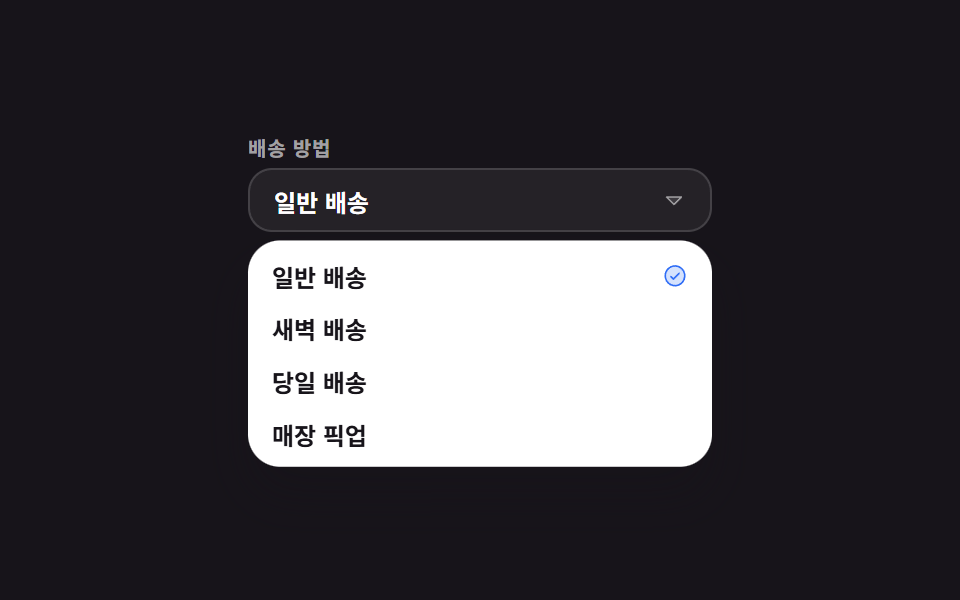 Pickers9 Select Dropdown Design Patterns That Really Open
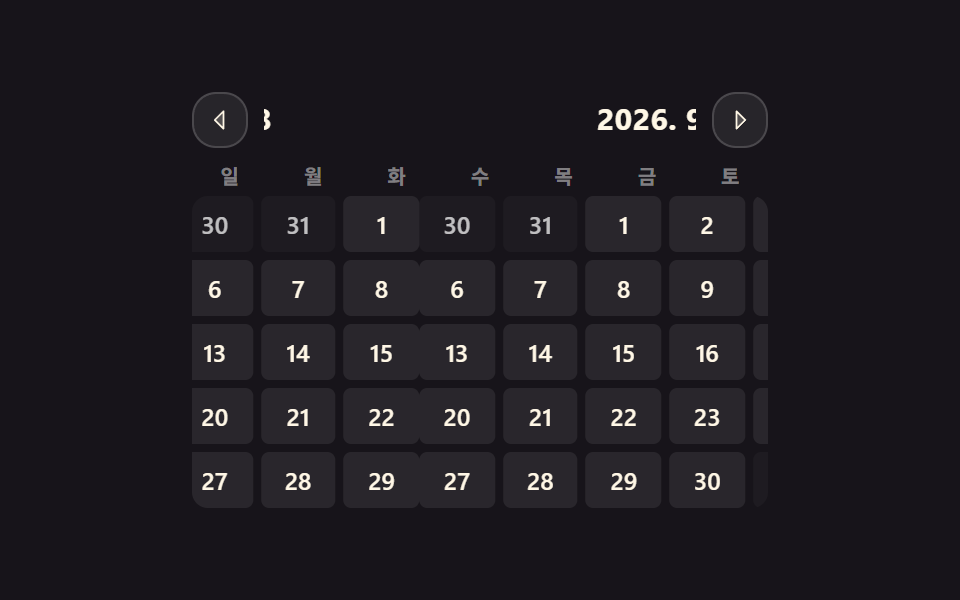 Pickers9 css calendar design patterns that really move