Emoji Picker: 9 Patterns by One Value
Nine emoji picker patterns: The panel flips upward only when the space-below value is smaller than its height, variants fan out only past a held-time value,
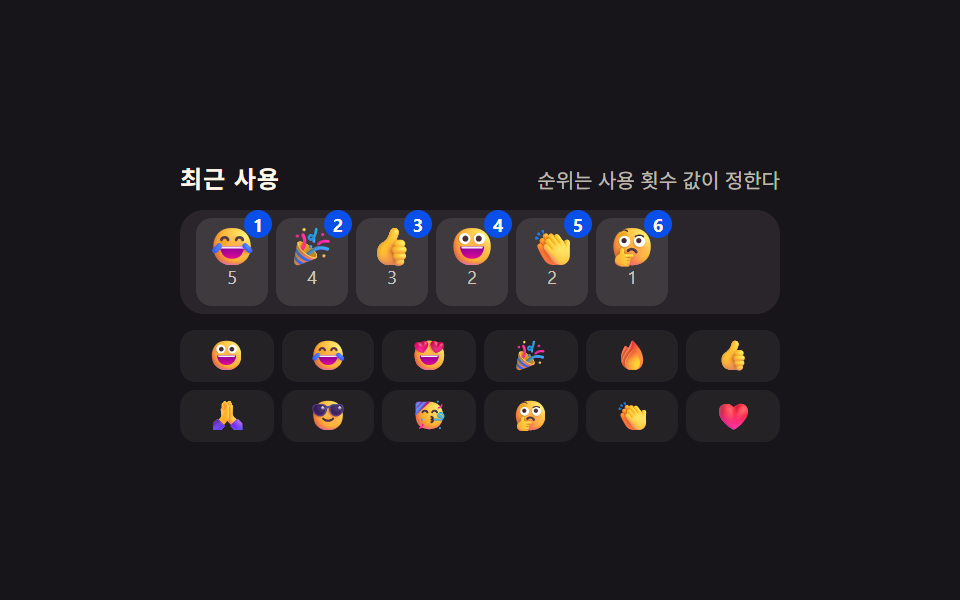 01 emoji-picker-recent-frequency-rank
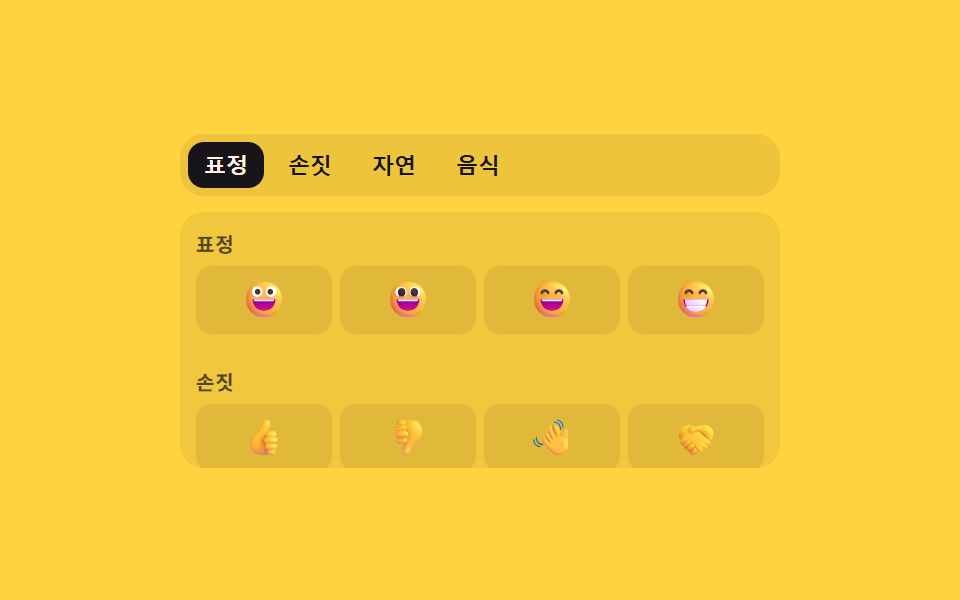 02 emoji-picker-category-index-scroll-sync
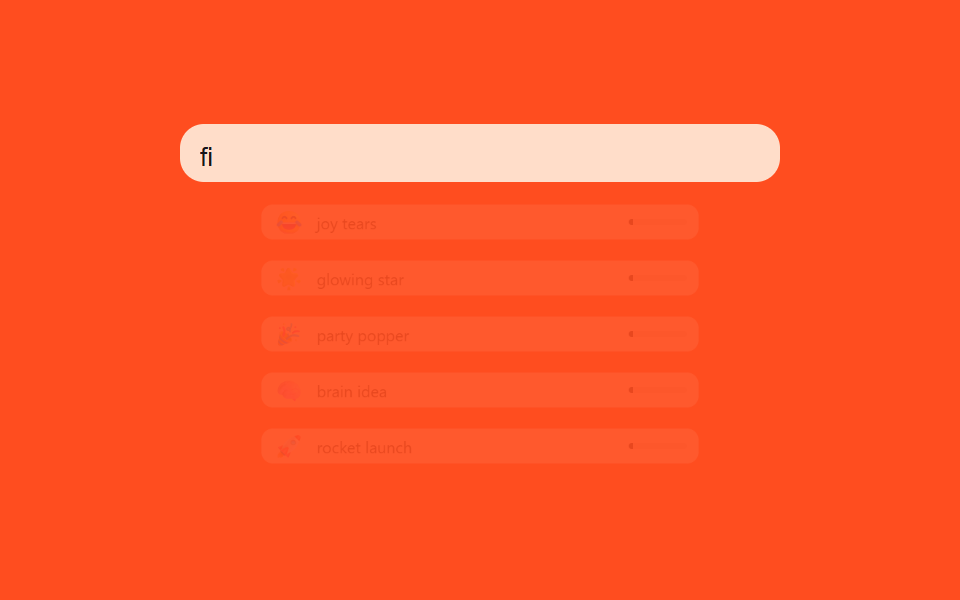 03 emoji-picker-search-fuzzy-match-score
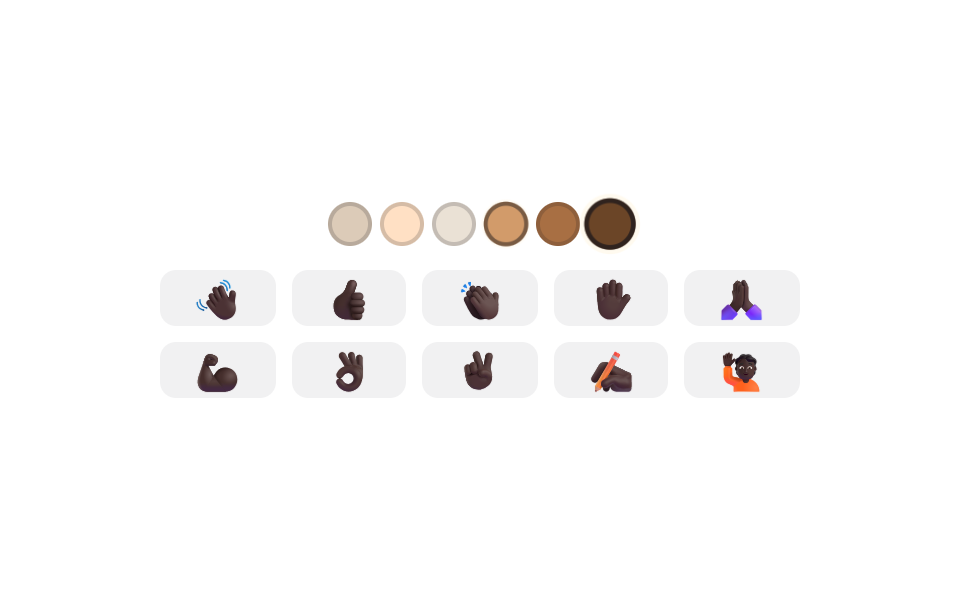 04 emoji-picker-skin-tone-modifier-swap
 05 emoji-picker-variant-longpress-fan
 06 emoji-picker-keyboard-arrow-grid-nav
 07 emoji-picker-anchor-position-flip
 08 emoji-picker-insert-cursor-position-preserve
 09 emoji-picker-reduced-motion-instant-panel
Auto-plays · click a tile to jump to its section · all nine in one zip
- 01 Recent Tab That Reorders by a Usage-Count Value
- 02 Category Switch Where Scroll Position and Tab Index Stay in Sync
- 03 Search That Ranks by a Similarity Score Between Typed Text and Name
- 04 Tone Swap Where a Chosen Tone Value Redraws a Whole Emoji Set
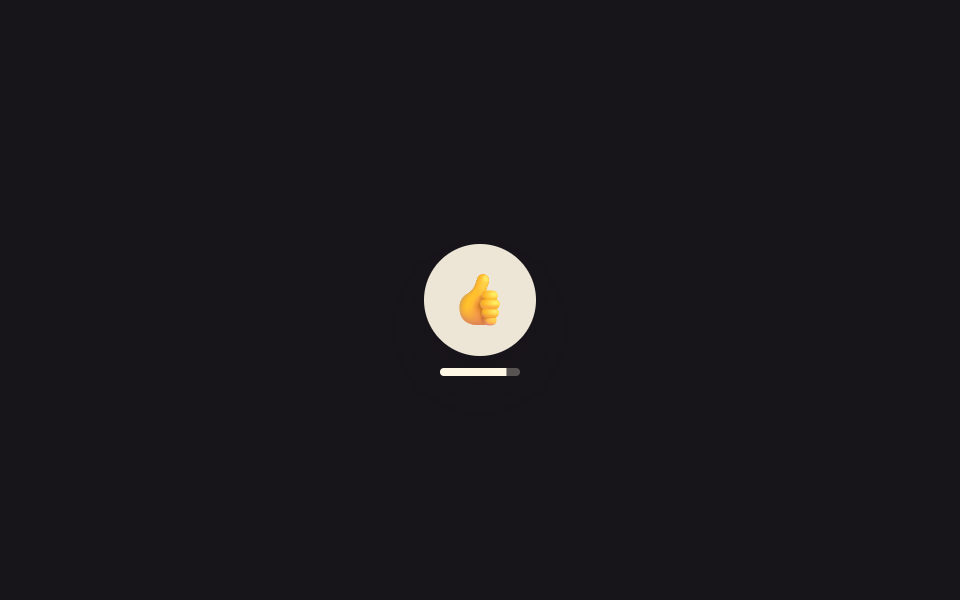
- 05 Long-Press That Fans Out Variants Once a Held-Time Value Crosses a Line
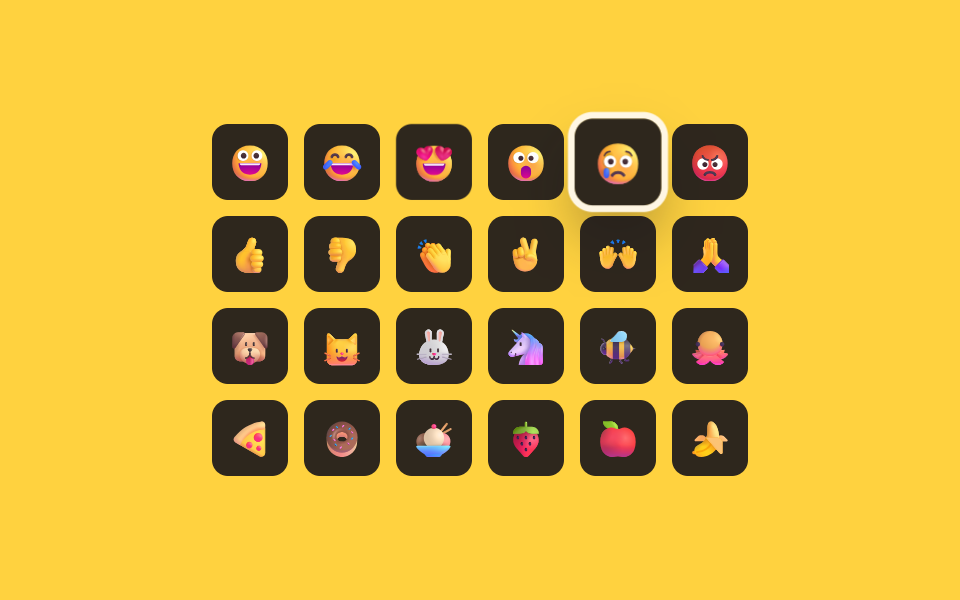
- 06 Keyboard Nav Where an Arrow-Key Value Moves Focus Across the Grid
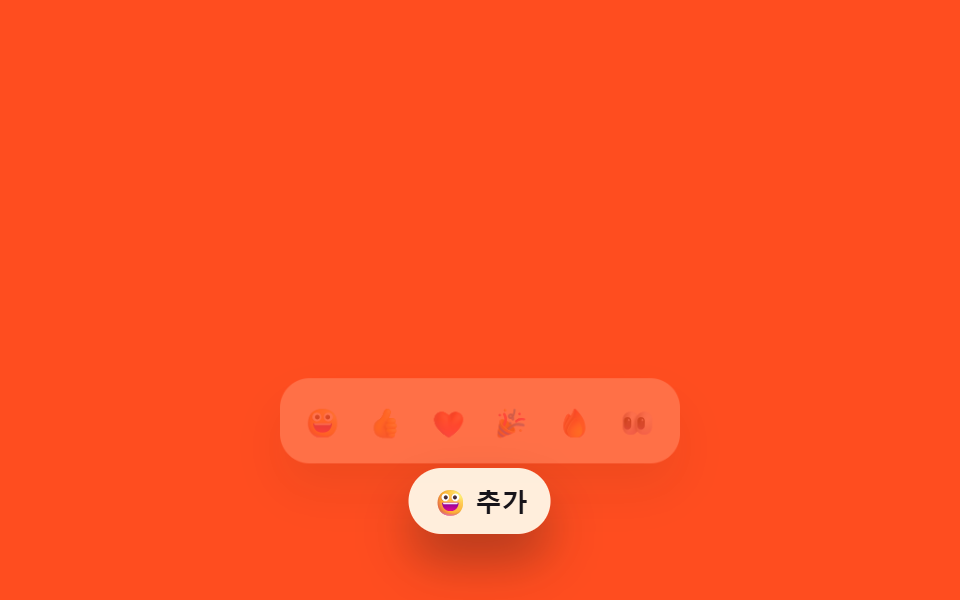
- 07 Anchor Placement That Flips Direction After Measuring Remaining Space
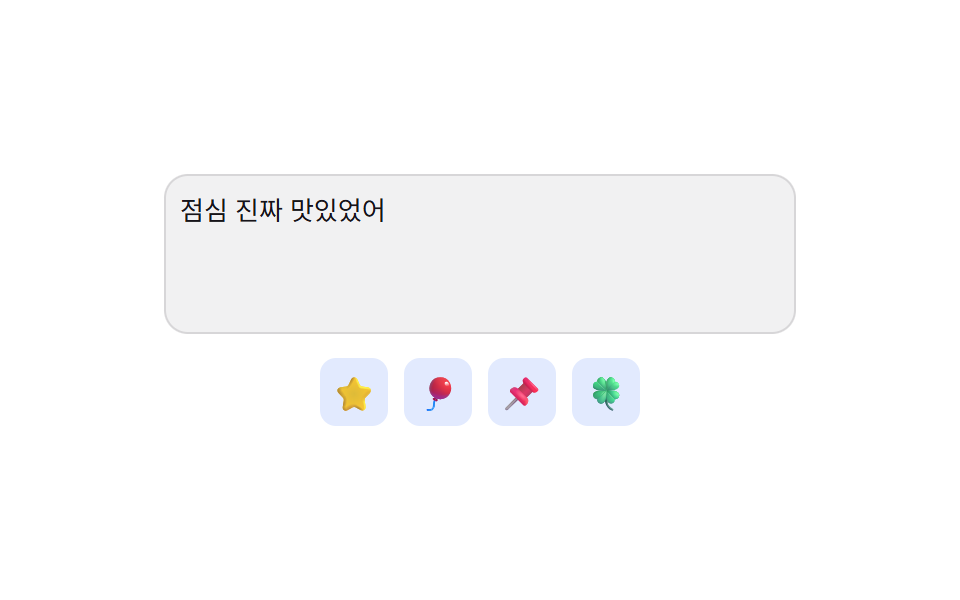
- 08 Insert That Lands Exactly at a Saved Cursor-Position Value
- 09 Panel That Skips the Open Animation After Detecting a Reduced-Motion Value
None of the nine emoji pickers below fetch or persist anything. localStorage is never touched — the recents list is just an in-memory array that gets overwritten on reload. Every emoji is a plain Unicode character, not an image sprite or a CDN glyph. The long-press timer in item 05 runs on raw event-timestamp deltas. None of the nine ever calls the real Clipboard API or Math.random. No library, no CDN script — each of the nine runs from a single standalone index.html.
How nine emoji picker patterns turn a held time or a leftover space into motion
Operate any of the nine and the same shape repeats: some value gets measured or counted, an emoji or the panel changes what it shows, and a short CSS transition carries the visible part. What differs is which value gets measured. Item 01 counts how many times an emoji was picked, item 06 combines the arrow key pressed with the measured column count of the grid, and item 07 measures the leftover space above and below the input. This kind of emoji picker ui design computes the value first and lets the CSS transition merely interpolate between the two resulting states — none of the nine are just a recycled entrance animation.
Comparing the nine emoji picker patterns by area, intensity, and moved frames
The table below comes straight from each item's 측정.json. Cumulative area sums the share of pixels that changed per frame, average intensity is the mean brightness delta of the pixels that changed, and moved frames counts how many of 23 sampled frames had any change at all. Because these are component-sized panels rather than full-screen scenes, motion only happens at the moment of picking, opening, or fanning out, so a pattern can have a small area but still move across many frames.
| # | Pattern | Cumulative area | Avg intensity | Moved frames |
|---|---|---|---|---|
| 01 | Recents tab reordered by a use-count value | 2.8% | 93.4 | 10/23 |
| 02 | Category tabs synced to a scroll-position value | 16.7% | 64.8 | 9/23 |
| 03 | Search ranked by a query-to-name similarity value | 33.4% | 137.6 | 16/23 |
| 04 | Tone swap that regrows the grid from a chosen tone value | 3.8% | 58.4 | 11/23 |
| 05 | Long-press that fans out once a threshold value is crossed | 5.3% | 116.4 | 20/23 |
| 06 | Keyboard grid nav driven by a measured column value | 6.2% | 63.1 | 12/23 |
| 07 | Anchored panel that flips based on a leftover-space value | 27.1% | 63.8 | 12/23 |
| 08 | Insert-at-cursor driven by a saved cursor-position value | 2.8% | 93.9 | 8/23 |
| 09 | Panel that renders instantly once a reduced-motion value is read | 10.6% | 157.4 | 10/23 |
01Recents tab reordered by a use-count value
Every pick increments that emoji's count inside counts, and rank() sorts by that value, largest first. renderRecent() reads each item's position with getBoundingClientRect before and after the reorder, then shifts anything that moved by the opposite delta and releases it — the FLIP technique, which relocates elements without ever destroying and recreating them.
<main class="stage">
<div class="ep is-demo" id="ep">
  <div class="ep__head">
    <span class="ep__label">Recently used</span>
    <span class="ep__sub" id="epSub">Usage count decides the order</span>
  </div>
  <ul class="ep__recent" id="epRecent" role="listbox" aria-label="Recently used emoji, by usage frequency"></ul>
  <div class="ep__all" role="listbox" aria-label="All emoji" id="epAll"></div>
  <p class="ep__sr" role="status" aria-live="polite" id="epLive"></p>
</div>
</main>
@use "../../../../site/static/demo-tokens" as *;
// 계산 겹: index.html rank() 가 사용 횟수 값(counts)을 내림차순으로 다시 정렬하고, renderRecent() 가
// FLIP(getBoundingClientRect 실측 → transform 되돌리기)로 그 재배치를 움직임으로 보여준다.
@include stage($stage-ink);
.ep { width: min(100%, 300px); display: flex; flex-direction: column; gap: $sp-2; }
.ep__head { display: flex; justify-content: space-between; align-items: baseline; }
.ep__label { font-size: 12px; font-weight: 700; color: $subject-cream; text-transform: uppercase; letter-spacing: .04em; }
.ep__sub { font-size: 10px; color: rgba($subject-cream, .72); }
.ep__recent {
list-style: none; margin: 0; padding: $sp-1 $sp-2; display: flex; flex-wrap: wrap; gap: $sp-1;
background: rgba($subject-cream, .08); border-radius: $r-control; min-height: 44px;
}
.ep__item {
position: relative; display: flex; flex-direction: column; align-items: center; gap: 0;
width: 36px; padding: $sp-1 0; border-radius: $r-sm; background: rgba($subject-cream, .1);
transition: transform $dur-base $ease-spring;
}
.ep__item--enter { animation: epPop $dur-quick $ease-pop; }
.ep__rank {
position: absolute; top: -4px; right: -2px; width: 14px; height: 14px; border-radius: $r-pill;
background: $subject-blue-deep; color: $subject-cream; font-size: 9px; font-weight: 700;
display: grid; place-items: center;
}
.ep__ch { font-size: 19px; line-height: 1; }
.ep__count { font-size: 9px; color: rgba($subject-cream, .74); }
.ep__all { display: grid; grid-template-columns: repeat(6, 1fr); grid-auto-rows: 26px; gap: $sp-1; }
.ep__all-btn {
border: none; background: rgba($subject-cream, .06); color: $subject-cream; border-radius: $r-sm;
font-size: 15px; line-height: 1; padding: 0; cursor: pointer; display: grid; place-items: center;
}
.ep__all-btn:hover, .ep__all-btn:focus-visible { background: rgba($subject-cream, .18); }
.ep__all-btn:focus-visible { outline: 2px solid $subject-blue-light; outline-offset: 1px; }
.ep__sr { position: absolute; width: 1px; height: 1px; overflow: hidden; clip: rect(0 0 0 0); margin: -1px; padding: 0; border: 0; }
@keyframes epPop { 0% { opacity: 0; transform: scale(.6); } 100% { opacity: 1; transform: scale(1); } }
@media (max-width: 340px) {
.ep { width: 100%; }
.ep__all { grid-template-columns: repeat(5, 1fr); }
}
@media (prefers-reduced-motion: reduce) {
.ep__item { transition: none; }
.ep__item--enter { animation: none; }
}html, body {
margin: 0;
overflow: hidden;
}
.stage {
box-sizing: border-box;
min-height: 100vh;
display: grid;
place-items: center;
margin: 0;
background: #17141a;
font-family: -apple-system, "Segoe UI", "Noto Sans KR", sans-serif;
padding: clamp(8px, 4vw, 24px);
}
.ep {
width: min(100%, 300px);
display: flex;
flex-direction: column;
gap: 8px;
}
.ep__head {
display: flex;
justify-content: space-between;
align-items: baseline;
}
.ep__label {
font-size: 12px;
font-weight: 700;
color: #fff7e6;
text-transform: uppercase;
letter-spacing: 0.04em;
}
.ep__sub {
font-size: 10px;
color: rgba(255, 247, 230, 0.72);
}
.ep__recent {
list-style: none;
margin: 0;
padding: 4px 8px;
display: flex;
flex-wrap: wrap;
gap: 4px;
background: rgba(255, 247, 230, 0.08);
border-radius: 12px;
min-height: 44px;
}
.ep__item {
position: relative;
display: flex;
flex-direction: column;
align-items: center;
gap: 0;
width: 36px;
padding: 4px 0;
border-radius: 8px;
background: rgba(255, 247, 230, 0.1);
transition: transform 300ms cubic-bezier(0.2, 0.8, 0.2, 1);
}
.ep__item--enter {
animation: epPop 220ms cubic-bezier(0.2, 1.4, 0.4, 1);
}
.ep__rank {
position: absolute;
top: -4px;
right: -2px;
width: 14px;
height: 14px;
border-radius: 999px;
background: #0a4fe8;
color: #fff7e6;
font-size: 9px;
font-weight: 700;
display: grid;
place-items: center;
}
.ep__ch {
font-size: 19px;
line-height: 1;
}
.ep__count {
font-size: 9px;
color: rgba(255, 247, 230, 0.74);
}
.ep__all {
display: grid;
grid-template-columns: repeat(6, 1fr);
grid-auto-rows: 26px;
gap: 4px;
}
.ep__all-btn {
border: none;
background: rgba(255, 247, 230, 0.06);
color: #fff7e6;
border-radius: 8px;
font-size: 15px;
line-height: 1;
padding: 0;
cursor: pointer;
display: grid;
place-items: center;
}
.ep__all-btn:hover, .ep__all-btn:focus-visible {
background: rgba(255, 247, 230, 0.18);
}
.ep__all-btn:focus-visible {
outline: 2px solid #5b8cf8;
outline-offset: 1px;
}
.ep__sr {
position: absolute;
width: 1px;
height: 1px;
overflow: hidden;
clip: rect(0 0 0 0);
margin: -1px;
padding: 0;
border: 0;
}
@keyframes epPop {
0% {
opacity: 0;
transform: scale(0.6);
}
100% {
opacity: 1;
transform: scale(1);
}
}
@media (max-width: 340px) {
.ep {
width: 100%;
}
.ep__all {
grid-template-columns: repeat(5, 1fr);
}
}
@media (prefers-reduced-motion: reduce) {
.ep__item {
transition: none;
}
.ep__item--enter {
animation: none;
}
}(function () {
var EMOJIS = [
{ ch: '\u{1F600}', key: 'smile', seed: 2 }, { ch: '\u{1F602}', key: 'joy', seed: 5 },
{ ch: '\u{1F60D}', key: 'heart-eyes', seed: 1 }, { ch: '\u{1F389}', key: 'party', seed: 4 },
{ ch: '\u{1F525}', key: 'fire', seed: 0 }, { ch: '\u{1F44D}', key: 'thumbs-up', seed: 3 },
{ ch: '\u{1F64F}', key: 'pray', seed: 0 }, { ch: '\u{1F60E}', key: 'cool', seed: 1 },
{ ch: '\u{1F973}', key: 'celebrate', seed: 0 }, { ch: '\u{1F914}', key: 'think', seed: 0 },
{ ch: '\u{1F44F}', key: 'clap', seed: 2 }, { ch: '\u{2764}\u{FE0F}', key: 'love', seed: 0 }
];
var RECENT_MAX = 6;
var counts = {}, lastPicked = {}, seq = 0;
EMOJIS.forEach(function (e) { counts[e.key] = e.seed; });
var recentEl = document.getElementById('epRecent');
var allEl = document.getElementById('epAll');
var live = document.getElementById('epLive');
var root = document.getElementById('ep');
function human() { if (root.classList.contains('is-demo')) root.classList.remove('is-demo'); }
// 계산 겹: used 횟수 값 내림차순, 동률이면 가장 최근에 고른 순으로 다시 줄을 세운다
function rank() {
return EMOJIS.slice().sort(function (a, b) {
var d = (counts[b.key] || 0) - (counts[a.key] || 0);
return d !== 0 ? d : (lastPicked[b.key] || 0) - (lastPicked[a.key] || 0);
}).slice(0, RECENT_MAX);
}
function fillItem(li, e, idx) {
li.dataset.key = e.key;
li.setAttribute('role', 'option');
li.setAttribute('aria-selected', 'false');
li.setAttribute('aria-label', e.key + ', used ' + (counts[e.key] || 0) + ' times, rank ' + (idx + 1));
li.innerHTML = '<b class="ep__rank">' + (idx + 1) + '</b><span class="ep__ch">' + e.ch + '</span><span class="ep__count">' + (counts[e.key] || 0) + '</span>';
}
// 계산 겹: FLIP — 재배치 전 위치를 실측(getBoundingClientRect)해 두고, 재배치 후 그 차이만큼
// transform 으로 되돌린 뒤 transition 으로 0 까지 풀어 "움직여 자리를 바꾸는" 것처럼 보이게 한다.
function renderRecent() {
    var before = {};
    Array.prototype.forEach.call(recentEl.children, function (li) { before[li.dataset.key] = li.getBoundingClientRect(); });
    var list = rank();
    recentEl.innerHTML = '';
    list.forEach(function (e, idx) {
      var li = document.createElement('li');
      li.className = 'ep__item';
      fillItem(li, e, idx);
      li.addEventListener('click', function () { human(); pick(e); });
      recentEl.appendChild(li);
    });
    Array.prototype.forEach.call(recentEl.children, function (li) {
      var b = before[li.dataset.key];
      if (!b) { li.classList.add('ep__item--enter'); requestAnimationFrame(function () { li.classList.remove('ep__item--enter'); }); return; }
      var a = li.getBoundingClientRect(), dx = b.left - a.left, dy = b.top - a.top;
      if (Math.abs(dx) > .5 || Math.abs(dy) > .5) {
        li.style.transition = 'none';
        li.style.transform = 'translate(' + dx + 'px,' + dy + 'px)';
        li.offsetHeight;
        li.style.transition = '';
        li.style.transform = '';
      }
    });
}
function pick(e) {
counts[e.key] = (counts[e.key] || 0) + 1;
lastPicked[e.key] = ++seq;
renderRecent();
live.textContent = e.ch + ' used ' + counts[e.key] + ' times · recent-use rank updated';
}
EMOJIS.forEach(function (e) {
var b = document.createElement('button');
b.type = 'button'; b.className = 'ep__all-btn'; b.setAttribute('role', 'option');
b.setAttribute('aria-selected', 'false'); b.setAttribute('aria-label', e.key);
b.textContent = e.ch;
b.addEventListener('click', function () { human(); pick(e); });
allEl.appendChild(b);
});
renderRecent();
var reduce = window.matchMedia('(prefers-reduced-motion: reduce)').matches;
var SEQ = [4, 6, 9, 4, 8, 6];
var i = 0, timer = 0;
function loop() {
if (!root.classList.contains('is-demo')) return;
pick(EMOJIS[SEQ[i % SEQ.length]]);
i++;
timer = window.setTimeout(loop, 420);
}
if (!reduce) { timer = window.setTimeout(loop, 380); }
else { root.classList.remove('is-demo'); }
})();// EmojiRecentFrequencyRank — vanilla 판(run/402/demo/01-emoji-picker-recent-frequency-rank/index.html) 의 React 포트.
// rank() 가 사용 횟수 값을 내림차순으로 정렬하고, useEffect 가 재배치 전 위치를 실측(getBoundingClientRect)해
// FLIP 으로 그 차이만큼 transform 되돌린 뒤 CSS transition 으로 0 까지 풀어 움직임을 만든다.
import { useEffect, useRef, useState } from "react";
import styles from "./EmojiRecentFrequencyRank.module.scss";
type Box<T> = { current: T };
type Emoji = { ch: string; key: string; seed: number };
const EMOJIS: Emoji[] = [
{ ch: "\u{1F600}", key: "smile", seed: 2 }, { ch: "\u{1F602}", key: "joy", seed: 5 },
{ ch: "\u{1F60D}", key: "heart-eyes", seed: 1 }, { ch: "\u{1F389}", key: "party", seed: 4 },
{ ch: "\u{1F525}", key: "fire", seed: 0 }, { ch: "\u{1F44D}", key: "thumbs-up", seed: 3 },
{ ch: "\u{1F64F}", key: "pray", seed: 0 }, { ch: "\u{1F60E}", key: "cool", seed: 1 },
{ ch: "\u{1F973}", key: "celebrate", seed: 0 }, { ch: "\u{1F914}", key: "think", seed: 0 },
{ ch: "\u{1F44F}", key: "clap", seed: 2 }, { ch: "\u{2764}\u{FE0F}", key: "love", seed: 0 },
];
const RECENT_MAX = 6;
const SEQ = [4, 6, 9, 4, 8, 6];
export default function EmojiRecentFrequencyRank() {
const countsRef = useRef({} as Record<string, number>) as unknown as Box<Record<string, number>>;
const lastPickedRef = useRef({} as Record<string, number>) as unknown as Box<Record<string, number>>;
const seqRef = useRef(0) as unknown as Box<number>;
const isDemoRef = useRef(true) as unknown as Box<boolean>;
const timerRef = useRef(0) as unknown as Box<number>;
const recentRef = useRef(null) as unknown as Box<HTMLUListElement>;
const rectsRef = useRef({} as Record<string, DOMRect>) as unknown as Box<Record<string, DOMRect>>;
if (Object.keys(countsRef.current).length === 0) {
EMOJIS.forEach((e) => { countsRef.current[e.key] = e.seed; });
}
const [tick, setTick] = useState(0);
const [isDemo, setIsDemo] = useState(true);
const [live, setLive] = useState("");
function rank(): Emoji[] {
const c = countsRef.current, lp = lastPickedRef.current;
return EMOJIS.slice().sort((a, b) => {
const d = (c[b.key] || 0) - (c[a.key] || 0);
return d !== 0 ? d : (lp[b.key] || 0) - (lp[a.key] || 0);
}).slice(0, RECENT_MAX);
}
function human() { if (isDemoRef.current) { isDemoRef.current = false; setIsDemo(false); } }
function pick(e: Emoji) {
if (recentRef.current) {
rectsRef.current = {};
Array.prototype.forEach.call(recentRef.current.children, (li: HTMLElement) => {
rectsRef.current[li.dataset.key as string] = li.getBoundingClientRect();
});
}
countsRef.current[e.key] = (countsRef.current[e.key] || 0) + 1;
lastPickedRef.current[e.key] = ++seqRef.current;
setLive(e.ch + " 사용 " + countsRef.current[e.key] + "회 · 최근 사용 순위 갱신");
setTick((t) => t + 1);
}
useEffect(() => {
if (!recentRef.current) return;
const before = rectsRef.current;
Array.prototype.forEach.call(recentRef.current.children, (li: HTMLElement) => {
const key = li.dataset.key as string, b = before[key];
if (!b) { li.classList.add(styles.itemEnter); requestAnimationFrame(() => li.classList.remove(styles.itemEnter)); return; }
const a = li.getBoundingClientRect(), dx = b.left - a.left, dy = b.top - a.top;
if (Math.abs(dx) > .5 || Math.abs(dy) > .5) {
li.style.transition = "none";
li.style.transform = "translate(" + dx + "px," + dy + "px)";
li.offsetHeight;
li.style.transition = "";
li.style.transform = "";
}
});
}, [tick]);
useEffect(() => {
const reduce = window.matchMedia("(prefers-reduced-motion: reduce)").matches;
let i = 0;
function loop() {
if (!isDemoRef.current) return;
pick(EMOJIS[SEQ[i % SEQ.length]]);
i++;
timerRef.current = window.setTimeout(loop, 420);
}
if (!reduce) { timerRef.current = window.setTimeout(loop, 380); }
else { isDemoRef.current = false; setIsDemo(false); }
return () => window.clearTimeout(timerRef.current);
// eslint-disable-next-line react-hooks/exhaustive-deps
}, []);
const list = rank();
return (
<main className={styles.stage}>
<div className={styles.ep + " " + (isDemo ? styles.isDemo : "")}>
<div className={styles.head}>
<span className={styles.label}>최근 사용</span>
<span className={styles.sub}>순위는 사용 횟수 값이 정한다</span>
</div>
<ul className={styles.recent} role="listbox" aria-label="최근 사용 이모지, 사용 빈도 순" ref={recentRef}>
{list.map((e, idx) => (
<li key={e.key} data-key={e.key} className={styles.item} role="option" aria-selected="false"
aria-label={e.key + ", 사용 " + (countsRef.current[e.key] || 0) + "회, 순위 " + (idx + 1)}
onClick={() => { human(); pick(e); }}>
<b className={styles.rank}>{idx + 1}</b>
<span className={styles.ch}>{e.ch}</span>
<span className={styles.count}>{countsRef.current[e.key] || 0}</span>
</li>
))}
</ul>
<div className={styles.all} role="listbox" aria-label="전체 이모지">
{EMOJIS.map((e) => (
<button key={e.key} type="button" className={styles.allBtn} role="option" aria-selected="false"
aria-label={e.key} onClick={() => { human(); pick(e); }}>{e.ch}</button>
))}
</div>
<p className={styles.sr} role="status" aria-live="polite">{live}</p>
</div>
</main>
);
}01 · Recent Tab That Reorders by a Usage-Count Value — Measured area 2.785% · moving frames 10/23Original by GODRICH · SCSS and React ship in the zip · See the password
var before = {};
Array.prototype.forEach.call(recentEl.children, function (li) { before[li.dataset.key] = li.getBoundingClientRect(); });
var list = rank();
recentEl.innerHTML = '';
list.forEach(function (e, idx) {
var li = document.createElement('li');
li.className = 'ep__item';
fillItem(li, e, idx);
li.addEventListener('click', function () { human(); pick(e); });
recentEl.appendChild(li);
});
Array.prototype.forEach.call(recentEl.children, function (li) {
var b = before[li.dataset.key];
if (!b) { li.classList.add('ep__item--enter'); requestAnimationFrame(function () { li.classList.remove('ep__item--enter'); }); return; }
var a = li.getBoundingClientRect(), dx = b.left - a.left, dy = b.top - a.top;
if (Math.abs(dx) > .5 || Math.abs(dy) > .5) {
li.style.transition = 'none';
li.style.transform = 'translate(' + dx + 'px,' + dy + 'px)';
li.offsetHeight;
li.style.transition = '';
li.style.transform = '';
}
});
02Category tabs synced to a scroll-position value
Drag the panel and onScroll() reads the distance value it has scrolled (scrollTop) and compares it against each section's offset to work out which category is now in view, then syncs the tab. Press a tab instead and goTo() scrolls the panel by that tab's index value, with a syncing flag that stops the scroll handler from immediately calling itself back.
<main class="stage">
<div class="cx is-demo" id="cx">
  <div class="cx__tabs" role="tablist" aria-label="Emoji categories" id="cxTabs">
    <span class="cx__ind" id="cxInd" aria-hidden="true"></span>
  </div>
  <div class="cx__panel" id="cxPanel" tabindex="0" aria-label="Emoji panel"></div>
  <p class="cx__sr" role="status" aria-live="polite" id="cxLive"></p>
</div>
</main>
@use "../../../../site/static/demo-tokens" as *;
// 계산 겹: index.html onScroll() 이 패널의 scrollTop(지나간 거리 값)을 섹션 오프셋과 비교해 카테고리
// 번호를 역산하고, goTo() 는 반대로 그 번호 × 섹션 오프셋으로 패널을 스크롤한다 — 둘이 늘 같은 자리를 가리킨다.
@include stage($stage-yellow);
.cx { width: min(100%, 300px); display: flex; flex-direction: column; gap: $sp-2; }
.cx__tabs {
position: relative; display: flex; gap: $sp-1; background: rgba($subject-ink, .08);
border-radius: $r-control; padding: $sp-1;
}
.cx__tab {
flex: 0 0 auto; border: none; background: transparent; color: $subject-ink; font-size: 11px; font-weight: 600;
padding: $sp-1 $sp-2; border-radius: $r-sm; cursor: pointer; position: relative; z-index: 1;
}
.cx__tab[aria-selected="true"] { color: $subject-cream; }
.cx__ind {
position: absolute; top: $sp-1; left: 0; height: calc(100% - #{$sp-1 * 2}); border-radius: $r-sm;
background: $subject-ink; transition: transform $dur-base $ease-spring, width $dur-base $ease-spring; z-index: 0;
}
.cx__panel { height: 128px; overflow-y: auto; border-radius: $r-control; background: rgba($subject-ink, .06); }
.cx__section { padding: $sp-2; }
.cx__h {
margin: 0 0 $sp-1; font-size: 10px; font-weight: 700; color: rgba($subject-ink, .72);
text-transform: uppercase; letter-spacing: .04em;
}
.cx__grid { display: grid; grid-template-columns: repeat(4, 1fr); gap: $sp-1; }
.cx__ch {
border: none; background: rgba($subject-ink, .08); border-radius: $r-sm; font-size: 18px; line-height: 1;
padding: $sp-2 0; cursor: pointer; display: grid; place-items: center;
}
.cx__ch:hover, .cx__ch:focus-visible { background: rgba($subject-ink, .18); }
.cx__ch:focus-visible { outline: 2px solid $subject-blue-deep; outline-offset: 1px; }
.cx__sr { position: absolute; width: 1px; height: 1px; overflow: hidden; clip: rect(0 0 0 0); margin: -1px; padding: 0; border: 0; }
@media (max-width: 340px) {
.cx { width: 100%; }
.cx__panel { height: 112px; }
}
@media (prefers-reduced-motion: reduce) {
.cx__ind { transition: none; }
}html, body {
margin: 0;
overflow: hidden;
}
.stage {
box-sizing: border-box;
min-height: 100vh;
display: grid;
place-items: center;
margin: 0;
background: #ffd23f;
font-family: -apple-system, "Segoe UI", "Noto Sans KR", sans-serif;
padding: clamp(8px, 4vw, 24px);
}
.cx {
width: min(100%, 300px);
display: flex;
flex-direction: column;
gap: 8px;
}
.cx__tabs {
position: relative;
display: flex;
gap: 4px;
background: rgba(23, 20, 26, 0.08);
border-radius: 12px;
padding: 4px;
}
.cx__tab {
flex: 0 0 auto;
border: none;
background: transparent;
color: #17141a;
font-size: 11px;
font-weight: 600;
padding: 4px 8px;
border-radius: 8px;
cursor: pointer;
position: relative;
z-index: 1;
}
.cx__tab[aria-selected=true] {
color: #fff7e6;
}
.cx__ind {
position: absolute;
top: 4px;
left: 0;
height: calc(100% - 8px);
border-radius: 8px;
background: #17141a;
transition: transform 300ms cubic-bezier(0.2, 0.8, 0.2, 1), width 300ms cubic-bezier(0.2, 0.8, 0.2, 1);
z-index: 0;
}
.cx__panel {
height: 128px;
overflow-y: auto;
border-radius: 12px;
background: rgba(23, 20, 26, 0.06);
}
.cx__section {
padding: 8px;
}
.cx__h {
margin: 0 0 4px;
font-size: 10px;
font-weight: 700;
color: rgba(23, 20, 26, 0.72);
text-transform: uppercase;
letter-spacing: 0.04em;
}
.cx__grid {
display: grid;
grid-template-columns: repeat(4, 1fr);
gap: 4px;
}
.cx__ch {
border: none;
background: rgba(23, 20, 26, 0.08);
border-radius: 8px;
font-size: 18px;
line-height: 1;
padding: 8px 0;
cursor: pointer;
display: grid;
place-items: center;
}
.cx__ch:hover, .cx__ch:focus-visible {
background: rgba(23, 20, 26, 0.18);
}
.cx__ch:focus-visible {
outline: 2px solid #0a4fe8;
outline-offset: 1px;
}
.cx__sr {
position: absolute;
width: 1px;
height: 1px;
overflow: hidden;
clip: rect(0 0 0 0);
margin: -1px;
padding: 0;
border: 0;
}
@media (max-width: 340px) {
.cx {
width: 100%;
}
.cx__panel {
height: 112px;
}
}
@media (prefers-reduced-motion: reduce) {
.cx__ind {
transition: none;
}
}(function () {
var CATS = [
{ id: 'smiley', name: 'Faces', emoji: ['\u{1F600}', '\u{1F603}', '\u{1F604}', '\u{1F601}'] },
{ id: 'gesture', name: 'Gestures', emoji: ['\u{1F44D}', '\u{1F44E}', '\u{1F44B}', '\u{1F91D}'] },
{ id: 'nature', name: 'Nature', emoji: ['\u{1F338}', '\u{1F319}', '\u{2B50}', '\u{1F308}'] },
{ id: 'food', name: 'Food', emoji: ['\u{1F355}', '\u{1F354}', '\u{1F369}', '\u{1F34E}'] }
];
var root = document.getElementById('cx');
var tabsEl = document.getElementById('cxTabs');
var panelEl = document.getElementById('cxPanel');
var indEl = document.getElementById('cxInd');
var live = document.getElementById('cxLive');
var tabs = [], sections = [];
var active = 0, syncing = false;
function human() { if (root.classList.contains('is-demo')) root.classList.remove('is-demo'); }
CATS.forEach(function (cat, i) {
var tab = document.createElement('button');
tab.type = 'button'; tab.className = 'cx__tab'; tab.id = 'cxTab' + i;
tab.setAttribute('role', 'tab');
tab.setAttribute('aria-selected', i === 0 ? 'true' : 'false');
tab.setAttribute('aria-controls', 'cxSec' + i);
tab.textContent = cat.name;
tab.addEventListener('click', function () { human(); goTo(i, false); });
tabsEl.appendChild(tab);
tabs.push(tab);
var sec = document.createElement('section');
sec.className = 'cx__section'; sec.id = 'cxSec' + i;
sec.setAttribute('role', 'region'); sec.setAttribute('aria-labelledby', 'cxTab' + i);
var h = document.createElement('h3'); h.className = 'cx__h'; h.textContent = cat.name;
var grid = document.createElement('div'); grid.className = 'cx__grid'; grid.setAttribute('role', 'listbox'); grid.setAttribute('aria-label', cat.name);
cat.emoji.forEach(function (ch) {
var b = document.createElement('button');
b.type = 'button'; b.className = 'cx__ch'; b.setAttribute('role', 'option'); b.setAttribute('aria-selected', 'false');
b.textContent = ch;
grid.appendChild(b);
});
sec.appendChild(h); sec.appendChild(grid);
panelEl.appendChild(sec);
sections.push(sec);
});
// 계산 겹: 탭을 누르면 그 탭의 번호 값 × 섹션 오프셋을 읽어 패널을 그 위치로 스크롤한다.
function goTo(i, silent) {
active = i;
var top = sections[i].offsetTop - panelEl.clientTop;
syncing = true;
panelEl.scrollTo({ top: top, behavior: reduce ? 'auto' : 'smooth' });
setActive(i);
window.setTimeout(function () { syncing = false; }, reduce ? 30 : 420);
if (!silent) live.textContent = CATS[i].name + ' category selected';
}
function setActive(i) {
tabs.forEach(function (t, k) { t.setAttribute('aria-selected', k === i ? 'true' : 'false'); });
var r = tabs[i].getBoundingClientRect(), pr = tabsEl.getBoundingClientRect();
indEl.style.width = r.width + 'px';
indEl.style.transform = 'translateX(' + (r.left - pr.left) + 'px)';
}
// 계산 겹: 패널을 손으로 내리면 지나간 거리 값(scrollTop)을 각 섹션의 오프셋과 비교해
// 지금 보이는 카테고리 번호를 역산하고, 그 번호로 탭 표시를 맞춘다.
function onScroll() {
if (syncing) return;
var dist = panelEl.scrollTop, i = 0;
for (var k = 0; k < sections.length; k++) {
if (sections[k].offsetTop - panelEl.clientTop <= dist + 18) i = k;
}
if (i !== active) { active = i; setActive(i); live.textContent = CATS[i].name + ' category now in view'; }
}
panelEl.addEventListener('scroll', function () { human(); onScroll(); });
var reduce = window.matchMedia('(prefers-reduced-motion: reduce)').matches;
setActive(0);
window.addEventListener('resize', function () { setActive(active); });
var SEQ = [1, 2, 3, 0, 2];
var i = 0, timer = 0;
function loop() {
if (!root.classList.contains('is-demo')) return;
goTo(SEQ[i % SEQ.length], true);
i++;
timer = window.setTimeout(loop, 780);
}
if (!reduce) { timer = window.setTimeout(loop, 500); }
else { root.classList.remove('is-demo'); }
})();// EmojiCategoryIndexScrollSync — vanilla 판(run/402/demo/02-.../index.html) 의 React 포트.
// onScroll() 이 패널의 scrollTop(지나간 거리 값)을 섹션 오프셋과 비교해 카테고리 번호를 역산하고,
// goTo() 는 반대로 그 번호 값으로 패널을 스크롤한다 — 둘은 항상 같은 자리를 가리킨다.
import { useEffect, useRef, useState } from "react";
import styles from "./EmojiCategoryIndexScrollSync.module.scss";
type Box<T> = { current: T };
type Cat = { id: string; name: string; emoji: string[] };
const CATS: Cat[] = [
{ id: "smiley", name: "표정", emoji: ["\u{1F600}", "\u{1F603}", "\u{1F604}", "\u{1F601}"] },
{ id: "gesture", name: "손짓", emoji: ["\u{1F44D}", "\u{1F44E}", "\u{1F44B}", "\u{1F91D}"] },
{ id: "nature", name: "자연", emoji: ["\u{1F338}", "\u{1F319}", "\u{2B50}", "\u{1F308}"] },
{ id: "food", name: "음식", emoji: ["\u{1F355}", "\u{1F354}", "\u{1F369}", "\u{1F34E}"] },
];
const SEQ = [1, 2, 3, 0, 2];
export default function EmojiCategoryIndexScrollSync() {
const [active, setActiveState] = useState(0);
const [isDemo, setIsDemo] = useState(true);
const [live, setLive] = useState("");
const [ind, setInd] = useState({ w: 0, x: 0 });
const isDemoRef = useRef(true) as unknown as Box<boolean>;
const syncingRef = useRef(false) as unknown as Box<boolean>;
const activeRef = useRef(0) as unknown as Box<number>;
const timerRef = useRef(0) as unknown as Box<number>;
const tabsRef = useRef(null) as unknown as Box<HTMLDivElement>;
const tabRefs = useRef([] as HTMLButtonElement[]) as unknown as Box<HTMLButtonElement[]>;
const panelRef = useRef(null) as unknown as Box<HTMLDivElement>;
const secRefs = useRef([] as HTMLDivElement[]) as unknown as Box<HTMLDivElement[]>;
function human() { if (isDemoRef.current) { isDemoRef.current = false; setIsDemo(false); } }
function measureInd(i: number) {
const tab = tabRefs.current[i], wrap = tabsRef.current;
if (!tab || !wrap) return;
const r = tab.getBoundingClientRect(), pr = wrap.getBoundingClientRect();
setInd({ w: r.width, x: r.left - pr.left });
}
function setActive(i: number) {
activeRef.current = i;
setActiveState(i);
measureInd(i);
}
function goTo(i: number, silent: boolean) {
const reduce = window.matchMedia("(prefers-reduced-motion: reduce)").matches;
const panel = panelRef.current, sec = secRefs.current[i];
if (panel && sec) {
syncingRef.current = true;
panel.scrollTo({ top: sec.offsetTop - panel.clientTop, behavior: reduce ? "auto" : "smooth" });
window.setTimeout(() => { syncingRef.current = false; }, reduce ? 30 : 420);
}
setActive(i);
if (!silent) setLive(CATS[i].name + " 카테고리로 이동");
}
function onScroll() {
human();
if (syncingRef.current) return;
const panel = panelRef.current;
if (!panel) return;
const dist = panel.scrollTop;
let i = 0;
for (let k = 0; k < secRefs.current.length; k++) {
const sec = secRefs.current[k];
if (sec && sec.offsetTop - panel.clientTop <= dist + 18) i = k;
}
if (i !== activeRef.current) { setActive(i); setLive(CATS[i].name + " 카테고리 보임"); }
}
useEffect(() => {
measureInd(0);
const onResize = () => measureInd(activeRef.current);
window.addEventListener("resize", onResize);
const reduce = window.matchMedia("(prefers-reduced-motion: reduce)").matches;
let i = 0;
function loop() {
if (!isDemoRef.current) return;
goTo(SEQ[i % SEQ.length], true);
i++;
timerRef.current = window.setTimeout(loop, 780);
}
if (!reduce) { timerRef.current = window.setTimeout(loop, 500); }
else { isDemoRef.current = false; setIsDemo(false); }
return () => { window.removeEventListener("resize", onResize); window.clearTimeout(timerRef.current); };
// eslint-disable-next-line react-hooks/exhaustive-deps
}, []);
return (
<main className={styles.stage}>
<div className={styles.cx + " " + (isDemo ? styles.isDemo : "")}>
<div className={styles.tabs} role="tablist" aria-label="이모지 카테고리" ref={tabsRef}>
<span className={styles.ind} aria-hidden="true" style={{ width: ind.w, transform: "translateX(" + ind.x + "px)" }} />
{CATS.map((cat, i) => (
<button key={cat.id} type="button" className={styles.tab} id={"cxTab" + i} role="tab"
aria-selected={active === i} aria-controls={"cxSec" + i}
ref={(el: HTMLButtonElement | null) => { if (el) tabRefs.current[i] = el; }}
onClick={() => { human(); goTo(i, false); }}>{cat.name}</button>
))}
</div>
<div className={styles.panel} tabIndex={0} aria-label="이모지 패널" ref={panelRef} onScroll={onScroll}>
{CATS.map((cat, i) => (
<section key={cat.id} className={styles.section} id={"cxSec" + i} role="region" aria-labelledby={"cxTab" + i}
ref={(el: HTMLDivElement | null) => { if (el) secRefs.current[i] = el; }}>
<h3 className={styles.h}>{cat.name}</h3>
<div className={styles.grid} role="listbox" aria-label={cat.name}>
{cat.emoji.map((ch, j) => (
<button key={j} type="button" className={styles.ch} role="option" aria-selected="false">{ch}</button>
))}
</div>
</section>
))}
</div>
<p className={styles.sr} role="status" aria-live="polite">{live}</p>
</div>
</main>
);
}02 · Category Switch Where Scroll Position and Tab Index Stay in Sync — Measured area 16.651% · moving frames 9/23Original by GODRICH · SCSS and React ship in the zip · See the password
  function setActive(i) {
    tabs.forEach(function (t, k) { t.setAttribute('aria-selected', k === i ? 'true' : 'false'); });
    var r = tabs[i].getBoundingClientRect(), pr = tabsEl.getBoundingClientRect();
    indEl.style.width = r.width + 'px';
    indEl.style.transform = 'translateX(' + (r.left - pr.left) + 'px)';
  }

  // calc layer: reads how far the panel has been dragged-scrolled (scrollTop) and compares it
  // against each section's offset to work out which category is now in view, then syncs the tab.
  function onScroll() {
    if (syncing) return;
    var dist = panelEl.scrollTop, i = 0;
    for (var k = 0; k < sections.length; k++) {
      if (sections[k].offsetTop - panelEl.clientTop <= dist + 18) i = k;
    }
    if (i !== active) { active = i; setActive(i); live.textContent = CATS[i].name + ' category now in view'; }
  }
  panelEl.addEventListener('scroll', function () { human(); onScroll(); });
03Search ranked by a query-to-name similarity value
score() is the emoji picker design behind the search box: it walks the query and the emoji's name together from the start, and every consecutive-match streak adds a larger and larger value to the running score. rank() sorts by that score, so names that are merely close, not identical, can still surface near the top.
<main class="stage">
<div class="fz is-demo" id="fz">
  <div class="fz__field">
    <input class="fz__input" id="fzInput" type="text" placeholder="Search emoji name" aria-label="Search emoji name" autocomplete="off">
  </div>
  <ul class="fz__list" id="fzList" role="listbox" aria-label="Search results"></ul>
  <p class="fz__sr" role="status" aria-live="polite" id="fzLive"></p>
</div>
</main>
@use "../../../../site/static/demo-tokens" as *;
// 계산 겹: index.html score() 가 입력 글자를 이름 글자열 안에서 순서대로 찾아가며 연속·위치 가중치로
// 유사도 값을 매기고, rank() 는 그 값 내림차순으로 다시 줄을 세운다(FLIP 로 재배치를 보여준다).
@include stage($stage-orange);
.fz { width: min(100%, 300px); display: flex; flex-direction: column; gap: $sp-2; }
.fz__field { background: rgba($subject-cream, .85); border-radius: $r-control; padding: $sp-1 $sp-2; }
.fz__input {
width: 100%; border: none; background: transparent; font-size: 13px; color: $subject-ink; outline: none;
}
.fz__input::placeholder { color: rgba($subject-ink, .55); }
.fz__list { list-style: none; margin: 0; padding: 0; display: flex; flex-direction: column; gap: $sp-1; max-height: 140px; overflow: hidden; }
.fz__item {
display: flex; align-items: center; gap: $sp-2; background: rgba($subject-cream, .7); border-radius: $r-sm;
padding: $sp-1 $sp-2; transition: transform $dur-base $ease-spring;
}
.fz__item--enter { animation: fzPop $dur-quick $ease-pop; }
.fz__item--exit { animation: fzOut $dur-quick $ease-pop forwards; }
.fz__ch { font-size: 16px; line-height: 1; }
.fz__name { font-size: 11px; color: $subject-ink; flex: 1 1 auto; }
// 계산 겹의 결과 값(유사도 s)을 정해진 배율로 그대로 막대 폭으로 바꿔 보여준다 — 값이 바뀔 때마다
// 폭이 전환되어, 순서가 안 바뀌는 글자에도 유사도 값 변화가 눈에 보인다.
.fz__bar { width: 40px; height: 4px; border-radius: $r-xs; background: rgba($subject-ink, .12); overflow: hidden; flex: 0 0 auto; }
.fz__barFill { display: block; height: 100%; width: 0%; background: $subject-ink; transition: width $dur-base $ease-spring; }
.fz__sr { position: absolute; width: 1px; height: 1px; overflow: hidden; clip: rect(0 0 0 0); margin: -1px; padding: 0; border: 0; }
@keyframes fzPop { 0% { opacity: 0; transform: scale(.7); } 100% { opacity: 1; transform: scale(1); } }
@keyframes fzOut { 0% { opacity: 1; transform: scale(1); } 100% { opacity: 0; transform: scale(.7); } }
@media (max-width: 340px) {
.fz { width: 100%; }
.fz__list { max-height: 120px; }
.fz__bar { width: 28px; }
}
@media (prefers-reduced-motion: reduce) {
.fz__item { transition: none; }
.fz__item--enter, .fz__item--exit { animation: none; }
.fz__barFill { transition: none; }
}html, body {
margin: 0;
overflow: hidden;
}
.stage {
box-sizing: border-box;
min-height: 100vh;
display: grid;
place-items: center;
margin: 0;
background: #ff4d1f;
font-family: -apple-system, "Segoe UI", "Noto Sans KR", sans-serif;
padding: clamp(8px, 4vw, 24px);
}
.fz {
width: min(100%, 300px);
display: flex;
flex-direction: column;
gap: 8px;
}
.fz__field {
background: rgba(255, 247, 230, 0.85);
border-radius: 12px;
padding: 4px 8px;
}
.fz__input {
width: 100%;
border: none;
background: transparent;
font-size: 13px;
color: #17141a;
outline: none;
}
.fz__input::placeholder {
color: rgba(23, 20, 26, 0.55);
}
.fz__list {
list-style: none;
margin: 0;
padding: 0;
display: flex;
flex-direction: column;
gap: 4px;
max-height: 140px;
overflow: hidden;
}
.fz__item {
display: flex;
align-items: center;
gap: 8px;
background: rgba(255, 247, 230, 0.7);
border-radius: 8px;
padding: 4px 8px;
transition: transform 300ms cubic-bezier(0.2, 0.8, 0.2, 1);
}
.fz__item--enter {
animation: fzPop 220ms cubic-bezier(0.2, 1.4, 0.4, 1);
}
.fz__item--exit {
animation: fzOut 220ms cubic-bezier(0.2, 1.4, 0.4, 1) forwards;
}
.fz__ch {
font-size: 16px;
line-height: 1;
}
.fz__name {
font-size: 11px;
color: #17141a;
flex: 1 1 auto;
}
.fz__bar {
width: 40px;
height: 4px;
border-radius: 4px;
background: rgba(23, 20, 26, 0.12);
overflow: hidden;
flex: 0 0 auto;
}
.fz__barFill {
display: block;
height: 100%;
width: 0%;
background: #17141a;
transition: width 300ms cubic-bezier(0.2, 0.8, 0.2, 1);
}
.fz__sr {
position: absolute;
width: 1px;
height: 1px;
overflow: hidden;
clip: rect(0 0 0 0);
margin: -1px;
padding: 0;
border: 0;
}
@keyframes fzPop {
0% {
opacity: 0;
transform: scale(0.7);
}
100% {
opacity: 1;
transform: scale(1);
}
}
@keyframes fzOut {
0% {
opacity: 1;
transform: scale(1);
}
100% {
opacity: 0;
transform: scale(0.7);
}
}
@media (max-width: 340px) {
.fz {
width: 100%;
}
.fz__list {
max-height: 120px;
}
.fz__bar {
width: 28px;
}
}
@media (prefers-reduced-motion: reduce) {
.fz__item {
transition: none;
}
.fz__item--enter, .fz__item--exit {
animation: none;
}
.fz__barFill {
transition: none;
}
}(function () {
var EMOJI_SEARCH_DEBOUNCE_MS = 200;
var ITEMS = [
{ ch: '\u{1F600}', name: 'grinning face' }, { ch: '\u{1F602}', name: 'joy tears' },
{ ch: '\u{1F525}', name: 'fire flame' }, { ch: '\u{1F31F}', name: 'glowing star' },
{ ch: '\u{1F389}', name: 'party popper' }, { ch: '\u{1F9E0}', name: 'brain idea' },
{ ch: '\u{1F680}', name: 'rocket launch' }, { ch: '\u{1F338}', name: 'cherry blossom' },
{ ch: '\u{1F4A7}', name: 'water drop' }, { ch: '\u{1F308}', name: 'rainbow arc' },
{ ch: '\u{1F52C}', name: 'science lab' }, { ch: '\u{1F9ED}', name: 'compass guide' }
];
var root = document.getElementById('fz');
var input = document.getElementById('fzInput');
var listEl = document.getElementById('fzList');
var live = document.getElementById('fzLive');
var timer = 0;
var synthetic = false;
function human() { if (synthetic) return; if (root.classList.contains('is-demo')) root.classList.remove('is-demo'); }
// 계산 겹: 입력 글자를 이름 글자열 안에서 순서대로 찾아가며, 연속으로 이어질수록·앞쪽에서
// 맞을수록 유사도 값을 더 높게 쳐서 완전히 같지 않아도 값 순서로 줄을 세운다.
  function score(query, name) {
    if (!query) return 1;
    var qi = 0, s = 0, streak = 0;
    for (var ni = 0; ni < name.length && qi < query.length; ni++) {
      if (name[ni] === query[qi]) {
        streak++;
        s += 1 + streak * 2 + (ni === 0 ? 4 : 0);
        qi++;
      } else {
        streak = 0;
      }
    }
    if (qi < query.length) return 0;
    return s;
  }

  function rank(query) {
    var q = query.trim().toLowerCase();
    return ITEMS.map(function (it) { return { it: it, s: score(q, it.name) }; })
      .filter(function (r) { return r.s > 0; })
      .sort(function (a, b) { return b.s - a.s; });
  }
var liByName = {};
var mounted = false;
// list 가 바뀔 때마다 통째로 다시 그리지 않는다 — 남는 항목은 위치만 옮기고(FLIP)
// 유사도 값으로 정한 막대 폭만 새로 매겨 전환시킨다. 그래야 값이 바뀔 때마다 화면이
// 계속 움직인다(키만 눌렀다 하면 순간 교체로 끝나던 것과 달리).
function renderList(query) {
var ranked = rank(query);
var keep = {};
var before = {};
Array.prototype.forEach.call(listEl.children, function (li) { before[li.dataset.name] = li.getBoundingClientRect(); });
ranked.forEach(function (r) {
var it = r.it, pct = Math.min(100, Math.max(8, Math.round(r.s * 3)));
keep[it.name] = true;
var li = liByName[it.name];
if (!li) {
li = document.createElement('li');
li.className = mounted ? 'fz__item fz__item--enter' : 'fz__item'; li.dataset.name = it.name;
li.setAttribute('role', 'option'); li.setAttribute('aria-selected', 'false');
li.innerHTML = '<span class="fz__ch">' + it.ch + '</span><span class="fz__name">' + it.name +
'</span><span class="fz__bar"><span class="fz__barFill"></span></span>';
liByName[it.name] = li;
listEl.appendChild(li);
if (mounted) {
requestAnimationFrame(function () {
li.classList.remove('fz__item--enter');
li.querySelector('.fz__barFill').style.width = pct + '%';
});
} else {
li.querySelector('.fz__barFill').style.width = pct + '%';
}
} else {
li.classList.remove('fz__item--exit');
listEl.appendChild(li);
li.querySelector('.fz__barFill').style.width = pct + '%';
}
});
Object.keys(liByName).forEach(function (name) {
if (keep[name]) return;
var li = liByName[name];
li.classList.add('fz__item--exit');
delete liByName[name];
window.setTimeout(function () { if (li.parentNode) li.parentNode.removeChild(li); }, 220);
});
Array.prototype.forEach.call(listEl.children, function (li) {
if (li.classList.contains('fz__item--enter') || li.classList.contains('fz__item--exit')) return;
var b = before[li.dataset.name];
if (!b) return;
var a = li.getBoundingClientRect(), dy = b.top - a.top;
if (Math.abs(dy) > .5) {
li.style.transition = 'none';
li.style.transform = 'translateY(' + dy + 'px)';
li.offsetHeight;
li.style.transition = '';
li.style.transform = '';
}
});
live.textContent = ranked.length + ' matches';
}
function onInput() {
human();
var q = input.value;
window.clearTimeout(timer);
timer = window.setTimeout(function () { renderList(q); }, reduce ? 0 : EMOJI_SEARCH_DEBOUNCE_MS);
}
input.addEventListener('input', onInput);
renderList('');
mounted = true;
var reduce = window.matchMedia('(prefers-reduced-motion: reduce)').matches;
var WORDS = ['fire', 'roc', 'star', 'gui', ''];
var STEP = 260;
var wi = 0, ci = 0, phase = 'type', loopTimer = 0;
function typeLoop() {
if (!root.classList.contains('is-demo')) return;
var word = WORDS[wi % WORDS.length];
if (phase === 'type') {
ci++;
input.value = word.slice(0, ci);
synthetic = true; input.dispatchEvent(new Event('input')); synthetic = false;
if (ci >= word.length) { phase = 'erase'; loopTimer = window.setTimeout(typeLoop, STEP + 200); return; }
loopTimer = window.setTimeout(typeLoop, STEP);
return;
}
ci--;
input.value = word.slice(0, Math.max(ci, 0));
synthetic = true; input.dispatchEvent(new Event('input')); synthetic = false;
if (ci <= 0) { phase = 'type'; wi++; loopTimer = window.setTimeout(typeLoop, STEP); return; }
loopTimer = window.setTimeout(typeLoop, STEP);
}
if (!reduce) { loopTimer = window.setTimeout(typeLoop, 200); }
else { root.classList.remove('is-demo'); }
})();// EmojiSearchFuzzyMatchScore — vanilla 판(run/402/demo/03-.../index.html) 의 React 포트.
// score() 는 입력 글자를 이름 글자열 안에서 순서대로 찾아가며 연속·위치 가중치로 유사도 값을 매기고,
// rank() 는 그 값 내림차순으로 줄을 세운다. 목록은 React 가 다시 그리지 않고(liByName 로 노드를 재사용)
// FLIP 재배치 + 유사도 값을 그대로 막대 폭으로 바꾼 전환만 imperative 하게 준다 — vanilla 와 동일 동작.
import { useEffect, useRef, useState } from "react";
import styles from "./EmojiSearchFuzzyMatchScore.module.scss";
type Box<T> = { current: T };
const EMOJI_SEARCH_DEBOUNCE_MS = 200;
type Item = { ch: string; name: string };
const ITEMS: Item[] = [
{ ch: "\u{1F600}", name: "grinning face" }, { ch: "\u{1F602}", name: "joy tears" },
{ ch: "\u{1F525}", name: "fire flame" }, { ch: "\u{1F31F}", name: "glowing star" },
{ ch: "\u{1F389}", name: "party popper" }, { ch: "\u{1F9E0}", name: "brain idea" },
{ ch: "\u{1F680}", name: "rocket launch" }, { ch: "\u{1F338}", name: "cherry blossom" },
{ ch: "\u{1F4A7}", name: "water drop" }, { ch: "\u{1F308}", name: "rainbow arc" },
{ ch: "\u{1F52C}", name: "science lab" }, { ch: "\u{1F9ED}", name: "compass guide" },
];
const WORDS = ["fire", "roc", "star", "gui", ""];
const STEP = 260;
// 계산 겹: index.html score() 와 동일 — 입력 글자를 이름 글자열 안에서 순서대로 찾아가며
// 연속으로 이어질수록·앞쪽에서 맞을수록 유사도 값을 더 높게 쳐서 완전히 같지 않아도 값 순서로 줄을 세운다.
function score(query: string, name: string): number {
if (!query) return 1;
let qi = 0, s = 0, streak = 0;
for (let ni = 0; ni < name.length && qi < query.length; ni++) {
if (name[ni] === query[qi]) {
streak++;
s += 1 + streak * 2 + (ni === 0 ? 4 : 0);
qi++;
} else {
streak = 0;
}
}
if (qi < query.length) return 0;
return s;
}
function rank(query: string): { it: Item; s: number }[] {
const q = query.trim().toLowerCase();
return ITEMS.map((it) => ({ it, s: score(q, it.name) }))
.filter((r) => r.s > 0)
.sort((a, b) => b.s - a.s);
}
export default function EmojiSearchFuzzyMatchScore() {
const [isDemo, setIsDemo] = useState(true);
const isDemoRef = useRef(true) as unknown as Box<boolean>;
const synthRef = useRef(false) as unknown as Box<boolean>;
const rootRef = useRef(null) as unknown as Box<HTMLDivElement>;
const inputRef = useRef(null) as unknown as Box<HTMLInputElement>;
const listRef = useRef(null) as unknown as Box<HTMLUListElement>;
const liveRef = useRef(null) as unknown as Box<HTMLParagraphElement>;
const liByNameRef = useRef({} as { [k: string]: HTMLLIElement }) as unknown as Box<{ [k: string]: HTMLLIElement }>;
const mountedRef = useRef(false) as unknown as Box<boolean>;
const timerRef = useRef(0) as unknown as Box<number>;
const loopTimerRef = useRef(0) as unknown as Box<number>;
const wiRef = useRef(0) as unknown as Box<number>;
const ciRef = useRef(0) as unknown as Box<number>;
const phaseRef = useRef("type") as unknown as Box<string>;
function human() {
if (synthRef.current) return;
if (isDemoRef.current) { isDemoRef.current = false; setIsDemo(false); }
}
function renderList(query: string) {
const listEl = listRef.current;
if (!listEl) return;
const liByName = liByNameRef.current;
const ranked = rank(query);
const keep: { [k: string]: boolean } = {};
const before: { [k: string]: DOMRect } = {};
Array.prototype.forEach.call(listEl.children, (li: HTMLLIElement) => { before[li.dataset.name as string] = li.getBoundingClientRect(); });
ranked.forEach((r) => {
const it = r.it, pct = Math.min(100, Math.max(8, Math.round(r.s * 3)));
keep[it.name] = true;
let li = liByName[it.name];
if (!li) {
li = document.createElement("li");
li.className = mountedRef.current ? styles.item + " " + styles.itemEnter : styles.item;
li.dataset.name = it.name;
li.setAttribute("role", "option"); li.setAttribute("aria-selected", "false");
li.innerHTML = '<span class="' + styles.ch + '">' + it.ch + '</span><span class="' + styles.name + '">' + it.name +
'</span><span class="' + styles.bar + '"><span class="' + styles.barFill + '"></span></span>';
liByName[it.name] = li;
listEl.appendChild(li);
if (mountedRef.current) {
requestAnimationFrame(() => {
li!.classList.remove(styles.itemEnter);
const fill = li!.querySelector("." + styles.barFill) as HTMLElement | null;
if (fill) fill.style.width = pct + "%";
});
} else {
const fill = li.querySelector("." + styles.barFill) as HTMLElement | null;
if (fill) fill.style.width = pct + "%";
}
} else {
li.classList.remove(styles.itemExit);
listEl.appendChild(li);
const fill = li.querySelector("." + styles.barFill) as HTMLElement | null;
if (fill) fill.style.width = pct + "%";
}
});
Object.keys(liByName).forEach((name) => {
if (keep[name]) return;
const li = liByName[name];
li.classList.add(styles.itemExit);
delete liByName[name];
window.setTimeout(() => { if (li.parentNode) li.parentNode.removeChild(li); }, 220);
});
Array.prototype.forEach.call(listEl.children, (li: HTMLLIElement) => {
if (li.classList.contains(styles.itemEnter) || li.classList.contains(styles.itemExit)) return;
const b = before[li.dataset.name as string];
if (!b) return;
const a = li.getBoundingClientRect(), dy = b.top - a.top;
if (Math.abs(dy) > 0.5) {
li.style.transition = "none";
li.style.transform = "translateY(" + dy + "px)";
li.offsetHeight;
li.style.transition = "";
li.style.transform = "";
}
});
if (liveRef.current) liveRef.current.textContent = ranked.length + "개 일치";
}
function onInput() {
human();
const q = inputRef.current ? inputRef.current.value : "";
const reduce = window.matchMedia("(prefers-reduced-motion: reduce)").matches;
window.clearTimeout(timerRef.current);
timerRef.current = window.setTimeout(() => { renderList(q); }, reduce ? 0 : EMOJI_SEARCH_DEBOUNCE_MS);
}
useEffect(() => {
renderList("");
mountedRef.current = true;
const reduce = window.matchMedia("(prefers-reduced-motion: reduce)").matches;
function typeLoop() {
if (!isDemoRef.current) return;
const input = inputRef.current;
if (!input) return;
const word = WORDS[wiRef.current % WORDS.length];
if (phaseRef.current === "type") {
ciRef.current++;
input.value = word.slice(0, ciRef.current);
synthRef.current = true; input.dispatchEvent(new Event("input")); synthRef.current = false;
if (ciRef.current >= word.length) { phaseRef.current = "erase"; loopTimerRef.current = window.setTimeout(typeLoop, STEP + 200); return; }
loopTimerRef.current = window.setTimeout(typeLoop, STEP);
return;
}
ciRef.current--;
input.value = word.slice(0, Math.max(ciRef.current, 0));
synthRef.current = true; input.dispatchEvent(new Event("input")); synthRef.current = false;
if (ciRef.current <= 0) { phaseRef.current = "type"; wiRef.current++; loopTimerRef.current = window.setTimeout(typeLoop, STEP); return; }
loopTimerRef.current = window.setTimeout(typeLoop, STEP);
}
if (!reduce) { loopTimerRef.current = window.setTimeout(typeLoop, 200); }
else { isDemoRef.current = false; setIsDemo(false); }
return () => { window.clearTimeout(timerRef.current); window.clearTimeout(loopTimerRef.current); };
// eslint-disable-next-line react-hooks/exhaustive-deps
}, []);
return (
<main className={styles.stage}>
<div className={styles.fz + " " + (isDemo ? styles.isDemo : "")} ref={rootRef}>
<div className={styles.field}>
<input className={styles.input} type="text" placeholder="이모지 이름 검색" aria-label="이모지 이름 검색"
autoComplete="off" ref={inputRef} onInput={onInput} />
</div>
<ul className={styles.list} role="listbox" aria-label="검색 결과" ref={listRef} />
<p className={styles.sr} role="status" aria-live="polite" ref={liveRef} />
</div>
</main>
);
}03 · Search That Ranks by a Similarity Score Between Typed Text and Name — Measured area 33.422% · moving frames 16/23Original by GODRICH · SCSS and React ship in the zip · See the password
function score(query, name) {
if (!query) return 1;
var qi = 0, s = 0, streak = 0;
for (var ni = 0; ni < name.length && qi < query.length; ni++) {
if (name[ni] === query[qi]) {
streak++;
s += 1 + streak * 2 + (ni === 0 ? 4 : 0);
qi++;
} else {
streak = 0;
}
}
if (qi < query.length) return 0;
return s;
}
function rank(query) {
var q = query.trim().toLowerCase();
return ITEMS.map(function (it) { return { it: it, s: score(q, it.name) }; })
.filter(function (r) { return r.s > 0; })
.sort(function (a, b) { return b.s - a.s; });
}
04Tone swap that regrows the grid from a chosen tone value
setTone() stores the chosen tone value, and every redraw renderGrid() passes that value into combine(), which concatenates the base emoji codepoint with a Fitzpatrick skin-tone modifier codepoint. Nothing swaps an image — the Unicode string itself is rebuilt on every pass.
<main class="stage">
<div class="tn is-demo" id="tn">
  <div class="tn__strip" role="radiogroup" aria-label="Tone selection" id="tnStrip"></div>
  <ul class="tn__grid" id="tnGrid"></ul>
  <p class="tn__sr" role="status" aria-live="polite" id="tnLive"></p>
</div>
</main>
@use "../../../../site/static/demo-tokens" as *;
// 계산 겹: index.html combine() 이 사람 형태 이모지의 코드포인트에 톤 수정자 코드포인트를 그대로
// 이어 붙여 새 문자를 만든다 — 미리 렌더한 다섯 벌 그림을 바꿔 끼우는 게 아니라 문자 자체를 조합한다.
@include stage($stage-paper);
.tn { width: min(100%, 320px); display: flex; flex-direction: column; gap: $sp-3; align-items: center; }
.tn__strip { display: flex; gap: $sp-1; }
.tn__swatch {
width: 22px; height: 22px; border-radius: 50%; border: none; padding: 0; cursor: pointer;
box-shadow: inset 0 0 0 2px rgba($subject-ink, .18); transition: transform $dur-quick $ease-spring, box-shadow $dur-quick $ease-out;
}
.tn__swatch--t0 { background: #dccbb8; }
.tn__swatch--t1 { background: #ffe0c4; }
.tn__swatch--t2 { background: #eae1d5; }
.tn__swatch--t3 { background: #d29b6a; }
.tn__swatch--t4 { background: #a86f43; }
.tn__swatch--t5 { background: #6b4527; }
.tn__swatch[aria-checked="true"] { transform: scale(1.18); box-shadow: inset 0 0 0 2px $subject-ink, 0 0 0 3px $subject-cream; }
.tn__grid {
list-style: none; margin: 0; padding: 0; display: grid; grid-template-columns: repeat(5, 1fr); gap: $sp-2;
width: 100%;
}
.tn__item { display: flex; align-items: center; justify-content: center; background: rgba($subject-ink, .06); border-radius: $r-sm; padding: $sp-1; }
.tn__ch { font-size: 20px; line-height: 1; display: inline-block; }
.tn__ch--swap { animation: tnPop $dur-quick $ease-pop; }
.tn__sr { position: absolute; width: 1px; height: 1px; overflow: hidden; clip: rect(0 0 0 0); margin: -1px; padding: 0; border: 0; }
@keyframes tnPop { 0% { opacity: .35; transform: scale(.72); } 100% { opacity: 1; transform: scale(1); } }
@media (max-width: 340px) {
.tn { width: 100%; }
.tn__grid { grid-template-columns: repeat(4, 1fr); }
.tn__ch { font-size: 17px; }
}
@media (prefers-reduced-motion: reduce) {
.tn__swatch { transition: none; }
.tn__ch--swap { animation: none; }
}html, body {
margin: 0;
overflow: hidden;
}
.stage {
box-sizing: border-box;
min-height: 100vh;
display: grid;
place-items: center;
margin: 0;
background: #ffffff;
font-family: -apple-system, "Segoe UI", "Noto Sans KR", sans-serif;
padding: clamp(8px, 4vw, 24px);
}
.tn {
width: min(100%, 320px);
display: flex;
flex-direction: column;
gap: 12px;
align-items: center;
}
.tn__strip {
display: flex;
gap: 4px;
}
.tn__swatch {
width: 22px;
height: 22px;
border-radius: 50%;
border: none;
padding: 0;
cursor: pointer;
box-shadow: inset 0 0 0 2px rgba(23, 20, 26, 0.18);
transition: transform 220ms cubic-bezier(0.2, 0.8, 0.2, 1), box-shadow 220ms ease-out;
}
.tn__swatch--t0 {
background: #dccbb8;
}
.tn__swatch--t1 {
background: #ffe0c4;
}
.tn__swatch--t2 {
background: #eae1d5;
}
.tn__swatch--t3 {
background: #d29b6a;
}
.tn__swatch--t4 {
background: #a86f43;
}
.tn__swatch--t5 {
background: #6b4527;
}
.tn__swatch[aria-checked=true] {
transform: scale(1.18);
box-shadow: inset 0 0 0 2px #17141a, 0 0 0 3px #fff7e6;
}
.tn__grid {
list-style: none;
margin: 0;
padding: 0;
display: grid;
grid-template-columns: repeat(5, 1fr);
gap: 8px;
width: 100%;
}
.tn__item {
display: flex;
align-items: center;
justify-content: center;
background: rgba(23, 20, 26, 0.06);
border-radius: 8px;
padding: 4px;
}
.tn__ch {
font-size: 20px;
line-height: 1;
display: inline-block;
}
.tn__ch--swap {
animation: tnPop 220ms cubic-bezier(0.2, 1.4, 0.4, 1);
}
.tn__sr {
position: absolute;
width: 1px;
height: 1px;
overflow: hidden;
clip: rect(0 0 0 0);
margin: -1px;
padding: 0;
border: 0;
}
@keyframes tnPop {
0% {
opacity: 0.35;
transform: scale(0.72);
}
100% {
opacity: 1;
transform: scale(1);
}
}
@media (max-width: 340px) {
.tn {
width: 100%;
}
.tn__grid {
grid-template-columns: repeat(4, 1fr);
}
.tn__ch {
font-size: 17px;
}
}
@media (prefers-reduced-motion: reduce) {
.tn__swatch {
transition: none;
}
.tn__ch--swap {
animation: none;
}
}(function () {
// 계산 겹: 사람 형태 이모지의 원본 코드포인트에 톤 수정자 코드포인트(U+1F3FB~U+1F3FF)를 이어 붙여
// 새 문자열을 만든다 — 미리 그려둔 다섯 벌을 갈아 끼우는 게 아니라 매번 코드포인트를 조합한다.
var EMOJI_TONE_MODIFIERS = ['\u{1F3FB}', '\u{1F3FC}', '\u{1F3FD}', '\u{1F3FE}', '\u{1F3FF}'];
var TONE_NAMES = ['Default', 'Tone 1', 'Tone 2', 'Tone 3', 'Tone 4', 'Tone 5'];
var BASES = [
{ cp: '\u{1F44B}', name: 'waving hand' }, { cp: '\u{1F44D}', name: 'thumbs up' },
{ cp: '\u{1F44F}', name: 'clapping hands' }, { cp: '\u{270B}', name: 'raised hand' },
{ cp: '\u{1F64F}', name: 'folded hands' }, { cp: '\u{1F4AA}', name: 'flexed bicep' },
{ cp: '\u{1F44C}', name: 'ok hand' }, { cp: '\u{270C}', name: 'victory hand' },
{ cp: '\u{270D}', name: 'writing hand' }, { cp: '\u{1F64B}', name: 'raising hand' }
];
function combine(base, toneIndex) {
if (toneIndex === 0) return base;
return base + EMOJI_TONE_MODIFIERS[toneIndex - 1];
}
var root = document.getElementById('tn');
var strip = document.getElementById('tnStrip');
var grid = document.getElementById('tnGrid');
var live = document.getElementById('tnLive');
var synthetic = false;
function human() { if (synthetic) return; if (root.classList.contains('is-demo')) root.classList.remove('is-demo'); }
var mounted = false;
var tone = 0;
var swatchEls = [];
function buildStrip() {
TONE_NAMES.forEach(function (label, i) {
var b = document.createElement('button');
b.type = 'button'; b.className = 'tn__swatch tn__swatch--t' + i;
b.setAttribute('role', 'radio'); b.setAttribute('aria-checked', i === 0 ? 'true' : 'false');
b.setAttribute('aria-label', label);
b.addEventListener('click', function () { human(); setTone(i); });
strip.appendChild(b);
swatchEls.push(b);
});
}
function buildGrid() {
BASES.forEach(function (it) {
var li = document.createElement('li');
li.className = 'tn__item'; li.dataset.base = it.cp;
li.innerHTML = '<span class="tn__ch"></span>';
grid.appendChild(li);
});
}
  function renderGrid() {
    Array.prototype.forEach.call(grid.children, function (li) {
      var ch = li.querySelector('.tn__ch');
      if (mounted) { ch.classList.remove('tn__ch--swap'); void ch.offsetWidth; ch.classList.add('tn__ch--swap'); }
      ch.textContent = combine(li.dataset.base, tone);
    });
  }

  function setTone(i) {
    tone = i;
    swatchEls.forEach(function (b, j) { b.setAttribute('aria-checked', j === i ? 'true' : 'false'); });
    renderGrid();
    live.textContent = TONE_NAMES[i] + '  selected, ' + BASES.length + ' updated';
  }
buildStrip();
buildGrid();
renderGrid();
mounted = true;
var reduce = window.matchMedia('(prefers-reduced-motion: reduce)').matches;
var order = [1, 3, 5, 2, 4, 0];
var oi = 0, loopTimer = 0;
function loop() {
if (!root.classList.contains('is-demo')) return;
synthetic = true; swatchEls[order[oi % order.length]].click(); synthetic = false;
oi++;
loopTimer = window.setTimeout(loop, 620);
}
if (!reduce) { loopTimer = window.setTimeout(loop, 500); }
else { root.classList.remove('is-demo'); }
})();// EmojiSkinToneModifierSwap — vanilla 판(run/402/demo/04-.../index.html) 의 React 포트.
// combine() 은 사람 형태 이모지의 원본 코드포인트에 톤 수정자 코드포인트(U+1F3FB~U+1F3FF)를 그대로
// 이어 붙여 새 문자를 만든다 — 다섯 벌을 미리 그려 바꿔 끼우지 않고 문자 자체를 조합한다.
import { useEffect, useRef, useState } from "react";
import styles from "./EmojiSkinToneModifierSwap.module.scss";
type Box<T> = { current: T };
const EMOJI_TONE_MODIFIERS = ["\u{1F3FB}", "\u{1F3FC}", "\u{1F3FD}", "\u{1F3FE}", "\u{1F3FF}"];
const TONE_NAMES = ["기본", "톤 1", "톤 2", "톤 3", "톤 4", "톤 5"];
const BASES = [
{ cp: "\u{1F44B}", name: "waving hand" }, { cp: "\u{1F44D}", name: "thumbs up" },
{ cp: "\u{1F44F}", name: "clapping hands" }, { cp: "\u{270B}", name: "raised hand" },
{ cp: "\u{1F64F}", name: "folded hands" }, { cp: "\u{1F4AA}", name: "flexed bicep" },
{ cp: "\u{1F44C}", name: "ok hand" }, { cp: "\u{270C}", name: "victory hand" },
{ cp: "\u{270D}", name: "writing hand" }, { cp: "\u{1F64B}", name: "raising hand" },
];
function combine(base: string, toneIndex: number): string {
if (toneIndex === 0) return base;
return base + EMOJI_TONE_MODIFIERS[toneIndex - 1];
}
export default function EmojiSkinToneModifierSwap() {
const [isDemo, setIsDemo] = useState(true);
const [tone, setToneState] = useState(0);
const [swapKey, setSwapKey] = useState(0);
const isDemoRef = useRef(true) as unknown as Box<boolean>;
const synthRef = useRef(false) as unknown as Box<boolean>;
const toneRef = useRef(0) as unknown as Box<number>;
const mountedRef = useRef(false) as unknown as Box<boolean>;
const liveRef = useRef(null) as unknown as Box<HTMLParagraphElement>;
const loopTimerRef = useRef(0) as unknown as Box<number>;
const swatchRefs = useRef({} as { [i: number]: HTMLButtonElement }) as unknown as Box<{ [i: number]: HTMLButtonElement }>;
function human() {
if (synthRef.current) return;
if (isDemoRef.current) { isDemoRef.current = false; setIsDemo(false); }
}
function setTone(i: number) {
toneRef.current = i;
setToneState(i);
if (mountedRef.current) setSwapKey((k) => k + 1);
if (liveRef.current) liveRef.current.textContent = TONE_NAMES[i] + " 선택됨, " + BASES.length + "개 갱신";
}
function onSwatchClick(i: number) {
human();
setTone(i);
}
useEffect(() => {
mountedRef.current = true;
const reduce = window.matchMedia("(prefers-reduced-motion: reduce)").matches;
const order = [1, 3, 5, 2, 4, 0];
let oi = 0;
function loop() {
if (!isDemoRef.current) return;
const i = order[oi % order.length];
const btn = swatchRefs.current[i];
synthRef.current = true;
if (btn) btn.click(); else onSwatchClick(i);
synthRef.current = false;
oi++;
loopTimerRef.current = window.setTimeout(loop, 620);
}
if (!reduce) { loopTimerRef.current = window.setTimeout(loop, 500); }
else { isDemoRef.current = false; setIsDemo(false); }
return () => window.clearTimeout(loopTimerRef.current);
// eslint-disable-next-line react-hooks/exhaustive-deps
}, []);
return (
<main className={styles.stage}>
<div className={styles.tn + " " + (isDemo ? styles.isDemo : "")}>
<div className={styles.strip} role="radiogroup" aria-label="톤 선택">
{TONE_NAMES.map((label, i) => (
<button
key={label}
type="button"
className={styles.swatch + " " + (styles as any)["swatchT" + i]}
role="radio"
aria-checked={tone === i}
aria-label={label}
ref={(el: HTMLButtonElement | null) => { if (el) swatchRefs.current[i] = el; }}
onClick={() => onSwatchClick(i)}
/>
))}
</div>
<ul className={styles.grid}>
{BASES.map((it) => (
<li key={it.name} className={styles.item}>
<span key={it.name + "-" + swapKey} className={styles.ch + " " + styles.chSwap}>{combine(it.cp, tone)}</span>
</li>
))}
</ul>
<p className={styles.sr} role="status" aria-live="polite" ref={liveRef} />
</div>
</main>
);
}04 · Tone Swap Where a Chosen Tone Value Redraws a Whole Emoji Set — Measured area 3.824% · moving frames 11/23Original by GODRICH · SCSS and React ship in the zip · See the password
function renderGrid() {
Array.prototype.forEach.call(grid.children, function (li) {
var ch = li.querySelector('.tn__ch');
if (mounted) { ch.classList.remove('tn__ch--swap'); void ch.offsetWidth; ch.classList.add('tn__ch--swap'); }
ch.textContent = combine(li.dataset.base, tone);
});
}
function setTone(i) {
tone = i;
swatchEls.forEach(function (b, j) { b.setAttribute('aria-checked', j === i ? 'true' : 'false'); });
renderGrid();
live.textContent = TONE_NAMES[i] + ' selected, ' + BASES.length + ' updated';
}
05Long-press that fans out once a threshold value is crossed
The instant a finger lands, press() starts tick() looping on requestAnimationFrame, comparing the elapsed time value against EMOJI_LONGPRESS_THRESHOLD_MS on every frame. openFan() only fires the moment that value crosses the threshold; release early and selectDefault() picks the base emoji instead.
<main class="stage">
<div class="lp is-demo" id="lp">
<div class="lp__wrap">
<div class="lp__fan" id="lpFan" role="menu" aria-label="Reaction variants" hidden></div>
<button class="lp__main" id="lpMain" type="button" aria-label="Like">
<span class="lp__mainCh" id="lpMainCh">👍</span>
<span class="lp__ring" aria-hidden="true"><span class="lp__ringFill" id="lpRingFill"></span></span>
</button>
</div>
<p class="lp__sr" role="status" aria-live="polite" id="lpLive"></p>
</div>
</main>@use "../../../../site/static/demo-tokens" as *;
// 계산 겹: index.html press()/tick() 이 pointerdown 시각을 performance.now() 로 저장해 두고
// 매 프레임 지금 시각과의 차(누른 시간 값)를 문턱과 비교한다 — 그 값을 링 채움 비율로 그대로 쓴다.
@include stage($stage-ink);
.lp { display: flex; flex-direction: column; align-items: center; gap: $sp-2; }
.lp__wrap { position: relative; display: flex; flex-direction: column; align-items: center; }
.lp__main {
position: relative; width: 56px; height: 56px; border-radius: 50%; border: none;
background: rgba($subject-cream, .92); display: flex; align-items: center; justify-content: center;
box-shadow: $shadow-raised; cursor: pointer; touch-action: none;
}
.lp__mainCh { font-size: 26px; line-height: 1; display: inline-block; }
.lp__mainCh--pop { animation: lpPop $dur-quick $ease-pop; }
.lp__ring { position: absolute; left: 8px; right: 8px; bottom: -10px; height: 4px; border-radius: $r-xs; background: rgba($subject-cream, .28); overflow: hidden; }
.lp__ringFill { display: block; width: 100%; height: 100%; background: $subject-cream; transform: scaleX(0); transform-origin: left center; }
// 부채꼴: 각 변형은 --i 로 받은 자기 순번만큼 회전해 자리를 잡고, 다시 반대로 회전해 글자를 세운다
// (rotate → translateY → rotate). transform·opacity 만 쓰므로 위치가 바뀌어도 레이아웃은 안 움직인다.
.lp__fan {
position: absolute; left: 50%; bottom: 100%; margin-bottom: $sp-2; width: 0; height: 0; list-style: none;
}
.lp__variant {
position: absolute; left: 0; top: 0; width: 40px; height: 40px; margin: -20px 0 0 -20px; border: none; border-radius: 50%;
background: rgba($subject-cream, .92); display: flex; align-items: center; justify-content: center; font-size: 18px;
box-shadow: $shadow-press; cursor: pointer; opacity: 0;
transform: rotate(calc((var(--i) - 2) * 20deg)) translateY(0) rotate(calc((var(--i) - 2) * -20deg)) scale(.5);
transition: transform $dur-base $ease-spring, opacity $dur-quick $ease-out, box-shadow $dur-quick $ease-out;
transition-delay: calc(var(--i) * 18ms);
}
.lp__fan--open .lp__variant {
opacity: 1;
transform: rotate(calc((var(--i) - 2) * 20deg)) translateY(-58px) rotate(calc((var(--i) - 2) * -20deg)) scale(1);
}
.lp__variant--hover { box-shadow: 0 0 0 3px $subject-cream, $shadow-raised; transform: rotate(calc((var(--i) - 2) * 20deg)) translateY(-64px) rotate(calc((var(--i) - 2) * -20deg)) scale(1.25) !important; }
.lp__sr { position: absolute; width: 1px; height: 1px; overflow: hidden; clip: rect(0 0 0 0); margin: -1px; padding: 0; border: 0; }
@keyframes lpPop { 0% { transform: scale(.6); } 60% { transform: scale(1.22); } 100% { transform: scale(1); } }
@media (max-width: 340px) {
.lp__main { width: 48px; height: 48px; }
.lp__mainCh { font-size: 22px; }
.lp__variant { width: 34px; height: 34px; margin: -17px 0 0 -17px; font-size: 15px; }
.lp__fan--open .lp__variant { transform: rotate(calc((var(--i) - 2) * 20deg)) translateY(-46px) rotate(calc((var(--i) - 2) * -20deg)) scale(1); }
}
@media (prefers-reduced-motion: reduce) {
.lp__mainCh--pop { animation: none; }
.lp__ringFill { transition: none; }
.lp__variant { transition: none; transition-delay: 0ms; }
}html, body {
margin: 0;
overflow: hidden;
}
.stage {
box-sizing: border-box;
min-height: 100vh;
display: grid;
place-items: center;
margin: 0;
background: #17141a;
font-family: -apple-system, "Segoe UI", "Noto Sans KR", sans-serif;
padding: clamp(8px, 4vw, 24px);
}
.lp {
display: flex;
flex-direction: column;
align-items: center;
gap: 8px;
}
.lp__wrap {
position: relative;
display: flex;
flex-direction: column;
align-items: center;
}
.lp__main {
position: relative;
width: 56px;
height: 56px;
border-radius: 50%;
border: none;
background: rgba(255, 247, 230, 0.92);
display: flex;
align-items: center;
justify-content: center;
box-shadow: 0 14px 24px rgba(23, 20, 26, 0.32);
cursor: pointer;
touch-action: none;
}
.lp__mainCh {
font-size: 26px;
line-height: 1;
display: inline-block;
}
.lp__mainCh--pop {
animation: lpPop 220ms cubic-bezier(0.2, 1.4, 0.4, 1);
}
.lp__ring {
position: absolute;
left: 8px;
right: 8px;
bottom: -10px;
height: 4px;
border-radius: 4px;
background: rgba(255, 247, 230, 0.28);
overflow: hidden;
}
.lp__ringFill {
display: block;
width: 100%;
height: 100%;
background: #fff7e6;
transform: scaleX(0);
transform-origin: left center;
}
.lp__fan {
position: absolute;
left: 50%;
bottom: 100%;
margin-bottom: 8px;
width: 0;
height: 0;
list-style: none;
}
.lp__variant {
position: absolute;
left: 0;
top: 0;
width: 40px;
height: 40px;
margin: -20px 0 0 -20px;
border: none;
border-radius: 50%;
background: rgba(255, 247, 230, 0.92);
display: flex;
align-items: center;
justify-content: center;
font-size: 18px;
box-shadow: 0 6px 12px rgba(23, 20, 26, 0.32);
cursor: pointer;
opacity: 0;
transform: rotate(calc((var(--i) - 2) * 20deg)) translateY(0) rotate(calc((var(--i) - 2) * -20deg)) scale(0.5);
transition: transform 300ms cubic-bezier(0.2, 0.8, 0.2, 1), opacity 220ms ease-out, box-shadow 220ms ease-out;
transition-delay: calc(var(--i) * 18ms);
}
.lp__fan--open .lp__variant {
opacity: 1;
transform: rotate(calc((var(--i) - 2) * 20deg)) translateY(-58px) rotate(calc((var(--i) - 2) * -20deg)) scale(1);
}
.lp__variant--hover {
box-shadow: 0 0 0 3px #fff7e6, 0 14px 24px rgba(23, 20, 26, 0.32);
transform: rotate(calc((var(--i) - 2) * 20deg)) translateY(-64px) rotate(calc((var(--i) - 2) * -20deg)) scale(1.25) !important;
}
.lp__sr {
position: absolute;
width: 1px;
height: 1px;
overflow: hidden;
clip: rect(0 0 0 0);
margin: -1px;
padding: 0;
border: 0;
}
@keyframes lpPop {
0% {
transform: scale(0.6);
}
60% {
transform: scale(1.22);
}
100% {
transform: scale(1);
}
}
@media (max-width: 340px) {
.lp__main {
width: 48px;
height: 48px;
}
.lp__mainCh {
font-size: 22px;
}
.lp__variant {
width: 34px;
height: 34px;
margin: -17px 0 0 -17px;
font-size: 15px;
}
.lp__fan--open .lp__variant {
transform: rotate(calc((var(--i) - 2) * 20deg)) translateY(-46px) rotate(calc((var(--i) - 2) * -20deg)) scale(1);
}
}
@media (prefers-reduced-motion: reduce) {
.lp__mainCh--pop {
animation: none;
}
.lp__ringFill {
transition: none;
}
.lp__variant {
transition: none;
transition-delay: 0ms;
}
}(function () {
var EMOJI_LONGPRESS_THRESHOLD_MS = 550;
var VARIANTS = [
{ ch: '\u{1F44D}', label: 'Like' }, { ch: '\u{2764}\u{FE0F}', label: 'Love' },
{ ch: '\u{1F602}', label: 'Haha' }, { ch: '\u{1F62E}', label: 'Wow' },
{ ch: '\u{1F622}', label: 'Sad' }
];
var root = document.getElementById('lp');
var main = document.getElementById('lpMain');
var mainCh = document.getElementById('lpMainCh');
var ringFill = document.getElementById('lpRingFill');
var fan = document.getElementById('lpFan');
var live = document.getElementById('lpLive');
var synthetic = false;
function human() { if (synthetic) return; if (root.classList.contains('is-demo')) root.classList.remove('is-demo'); }
var variantEls = [];
VARIANTS.forEach(function (v, i) {
var b = document.createElement('button');
b.type = 'button'; b.className = 'lp__variant'; b.dataset.i = String(i);
b.setAttribute('role', 'menuitem'); b.setAttribute('aria-label', v.label);
b.style.setProperty('--i', String(i));
b.textContent = v.ch;
fan.appendChild(b);
variantEls.push(b);
});
// 계산 겹: pointerdown 시각을 performance.now() 로 저장해 두고 매 프레임 지금 시각과의 차(누른
// 시간 값)를 문턱과 비교한다 — 그 값을 그대로 링 채움 비율로 써서 문턱까지 남은 거리를 보여주고,
// 값이 문턱을 넘는 순간에만 변형이 펼쳐진다.
var pressing = false, pressStart = 0, fanOpened = false, rafId = 0, hoverIndex = -1;
  function tick() {
    if (!pressing) return;
    var elapsed = performance.now() - pressStart;
    var pct = Math.min(1, elapsed / EMOJI_LONGPRESS_THRESHOLD_MS);
    ringFill.style.transform = 'scaleX(' + pct + ')';
    if (pct >= 1 && !fanOpened) openFan();
    rafId = requestAnimationFrame(tick);
  }

  function openFan() {
    fanOpened = true;
    fan.hidden = false;
    requestAnimationFrame(function () { fan.classList.add('lp__fan--open'); });
    live.textContent = 'Variants ' + VARIANTS.length + ' opened';
  }
function closeFan() {
fan.classList.remove('lp__fan--open');
variantEls.forEach(function (b) { b.classList.remove('lp__variant--hover'); });
hoverIndex = -1;
window.setTimeout(function () { if (!fanOpened) fan.hidden = true; }, 220);
}
function selectDefault() {
mainCh.classList.remove('lp__mainCh--pop'); void mainCh.offsetWidth; mainCh.classList.add('lp__mainCh--pop');
live.textContent = VARIANTS[0].label + ' selected';
}
function selectVariant(i) {
mainCh.textContent = VARIANTS[i].ch;
mainCh.classList.remove('lp__mainCh--pop'); void mainCh.offsetWidth; mainCh.classList.add('lp__mainCh--pop');
live.textContent = VARIANTS[i].label + ' selected';
}
function setHover(i) {
if (hoverIndex === i) return;
if (hoverIndex >= 0) variantEls[hoverIndex].classList.remove('lp__variant--hover');
hoverIndex = i;
if (i >= 0) variantEls[i].classList.add('lp__variant--hover');
}
function press() {
pressing = true; pressStart = performance.now(); fanOpened = false; hoverIndex = -1;
ringFill.style.transform = 'scaleX(0)';
rafId = requestAnimationFrame(tick);
}
function release() {
if (!pressing) return;
pressing = false;
cancelAnimationFrame(rafId);
ringFill.style.transform = 'scaleX(0)';
if (fanOpened) {
if (hoverIndex >= 0) selectVariant(hoverIndex); else live.textContent = 'Closed';
closeFan();
} else {
selectDefault();
}
}
main.addEventListener('pointerdown', function () { human(); press(); });
window.addEventListener('pointerup', function () { release(); });
main.addEventListener('pointercancel', function () { release(); });
var mounted = false;
var reduce = window.matchMedia('(prefers-reduced-motion: reduce)').matches;
var steps = [
{ hold: 240, hover: -1 },
{ hold: 780, hover: 1 },
{ hold: 240, hover: -1 },
{ hold: 900, hover: 3 }
];
var si = 0, loopTimer = 0;
function runStep() {
if (!root.classList.contains('is-demo')) return;
var s = steps[si % steps.length];
synthetic = true; main.dispatchEvent(new PointerEvent('pointerdown', { bubbles: true, pointerId: 1 })); synthetic = false;
var mid = Math.round(s.hold * .78);
window.setTimeout(function () {
if (s.hover >= 0 && fanOpened) setHover(s.hover);
}, mid);
window.setTimeout(function () {
synthetic = true; window.dispatchEvent(new PointerEvent('pointerup', { bubbles: true, pointerId: 1 })); synthetic = false;
si++;
loopTimer = window.setTimeout(runStep, 520);
}, s.hold);
}
if (!reduce) { loopTimer = window.setTimeout(runStep, 400); }
else { root.classList.remove('is-demo'); }
mounted = true;
})();// EmojiPickerVariantLongpressFan — vanilla 판(run/402/demo/05-.../index.html) 의 React 포트.
// 계산 겹: pointerdown 시각을 performance.now() 로 저장해 두고 매 프레임 지금 시각과의 차(누른
// 시간 값)를 문턱과 비교한다 — 그 값을 그대로 링 채움 비율로 써서, 값이 문턱을 넘는 순간에만
// 반응 변형이 부채꼴로 펼쳐진다.
import { useEffect, useRef, useState } from "react";
import styles from "./EmojiPickerVariantLongpressFan.module.scss";
type Box<T> = { current: T };
const EMOJI_LONGPRESS_THRESHOLD_MS = 550;
const VARIANTS = [
{ ch: "\u{1F44D}", label: "좋아요" },
{ ch: "\u{2764}\u{FE0F}", label: "사랑해요" },
{ ch: "\u{1F602}", label: "웃겨요" },
{ ch: "\u{1F62E}", label: "놀라워요" },
{ ch: "\u{1F622}", label: "슬퍼요" },
];
export default function EmojiPickerVariantLongpressFan() {
const [isDemo, setIsDemo] = useState(true);
const [fanOpen, setFanOpen] = useState(false);
const [hoverIndex, setHoverIndex] = useState(-1);
const [ch, setCh] = useState(VARIANTS[0].ch);
const [pop, setPop] = useState(0);
const isDemoRef = useRef(true) as unknown as Box<boolean>;
const synthRef = useRef(false) as unknown as Box<boolean>;
const pressingRef = useRef(false) as unknown as Box<boolean>;
const pressStartRef = useRef(0) as unknown as Box<number>;
const fanOpenedRef = useRef(false) as unknown as Box<boolean>;
const hoverIndexRef = useRef(-1) as unknown as Box<number>;
const rafRef = useRef(0) as unknown as Box<number>;
const loopTimerRef = useRef(0) as unknown as Box<number>;
const liveRef = useRef(null) as unknown as Box<HTMLParagraphElement>;
const ringRef = useRef(null) as unknown as Box<HTMLSpanElement>;
function human() {
if (synthRef.current) return;
if (isDemoRef.current) { isDemoRef.current = false; setIsDemo(false); }
}
function tick() {
if (!pressingRef.current) return;
const elapsed = performance.now() - pressStartRef.current;
const pct = Math.min(1, elapsed / EMOJI_LONGPRESS_THRESHOLD_MS);
if (ringRef.current) ringRef.current.style.transform = "scaleX(" + pct + ")";
if (pct >= 1 && !fanOpenedRef.current) openFan();
rafRef.current = requestAnimationFrame(tick);
}
function openFan() {
fanOpenedRef.current = true;
setFanOpen(true);
if (liveRef.current) liveRef.current.textContent = "변형 " + VARIANTS.length + "개 펼쳐짐";
}
function closeFan(commit: boolean) {
setFanOpen(false);
setHoverIndex(-1);
hoverIndexRef.current = -1;
if (!commit && liveRef.current) liveRef.current.textContent = "닫힘";
fanOpenedRef.current = false;
}
function selectDefault() {
setCh(VARIANTS[0].ch);
setPop((p) => p + 1);
if (liveRef.current) liveRef.current.textContent = VARIANTS[0].label + " 선택됨";
}
function selectVariant(i: number) {
setCh(VARIANTS[i].ch);
setPop((p) => p + 1);
if (liveRef.current) liveRef.current.textContent = VARIANTS[i].label + " 선택됨";
}
function setHover(i: number) {
if (hoverIndexRef.current === i) return;
hoverIndexRef.current = i;
setHoverIndex(i);
}
function press() {
pressingRef.current = true;
pressStartRef.current = performance.now();
fanOpenedRef.current = false;
hoverIndexRef.current = -1;
setHoverIndex(-1);
if (ringRef.current) ringRef.current.style.transform = "scaleX(0)";
rafRef.current = requestAnimationFrame(tick);
}
function release() {
if (!pressingRef.current) return;
pressingRef.current = false;
cancelAnimationFrame(rafRef.current);
if (ringRef.current) ringRef.current.style.transform = "scaleX(0)";
if (fanOpenedRef.current) {
const hi = hoverIndexRef.current;
if (hi >= 0) selectVariant(hi);
closeFan(hi >= 0);
} else {
selectDefault();
}
}
useEffect(() => {
function onUp() { release(); }
window.addEventListener("pointerup", onUp);
const reduce = window.matchMedia("(prefers-reduced-motion: reduce)").matches;
const steps = [
{ hold: 240, hover: -1 },
{ hold: 780, hover: 1 },
{ hold: 240, hover: -1 },
{ hold: 900, hover: 3 },
];
let si = 0;
function runStep() {
if (!isDemoRef.current) return;
const s = steps[si % steps.length];
synthRef.current = true; press(); synthRef.current = false;
const mid = Math.round(s.hold * 0.78);
window.setTimeout(() => { if (s.hover >= 0 && fanOpenedRef.current) setHover(s.hover); }, mid);
window.setTimeout(() => {
synthRef.current = true; release(); synthRef.current = false;
si++;
loopTimerRef.current = window.setTimeout(runStep, 520);
}, s.hold);
}
if (!reduce) { loopTimerRef.current = window.setTimeout(runStep, 400); }
else { isDemoRef.current = false; setIsDemo(false); }
return () => { window.removeEventListener("pointerup", onUp); window.clearTimeout(loopTimerRef.current); cancelAnimationFrame(rafRef.current); };
// eslint-disable-next-line react-hooks/exhaustive-deps
}, []);
return (
<main className={styles.stage}>
<div className={styles.lp + " " + (isDemo ? styles.isDemo : "")}>
<div className={styles.wrap}>
<div
className={styles.fan + " " + (fanOpen ? styles.fanOpen : "")}
role="menu"
aria-label="반응 변형"
hidden={!fanOpen && !isDemo}
>
{VARIANTS.map((v, i) => (
<button
key={v.label}
type="button"
className={styles.variant + " " + (hoverIndex === i ? styles.variantHover : "")}
role="menuitem"
aria-label={v.label}
style={{ "--i": i } as any}
>
{v.ch}
</button>
))}
</div>
<button
className={styles.main}
type="button"
aria-label="좋아요"
onPointerDown={() => { human(); press(); }}
onPointerCancel={() => release()}
>
<span key={pop} className={styles.mainCh + " " + styles.mainChPop}>{ch}</span>
<span className={styles.ring} aria-hidden="true">
<span className={styles.ringFill} ref={ringRef} />
</span>
</button>
</div>
<p className={styles.sr} role="status" aria-live="polite" ref={liveRef} />
</div>
</main>
);
}05 · Long-Press That Fans Out Variants Once a Held-Time Value Crosses a Line — Measured area 5.267% · moving frames 20/23Original by GODRICH · SCSS and React ship in the zip · See the password
function tick() {
if (!pressing) return;
var elapsed = performance.now() - pressStart;
var pct = Math.min(1, elapsed / EMOJI_LONGPRESS_THRESHOLD_MS);
ringFill.style.transform = 'scaleX(' + pct + ')';
if (pct >= 1 && !fanOpened) openFan();
rafId = requestAnimationFrame(tick);
}
function openFan() {
fanOpened = true;
fan.hidden = false;
requestAnimationFrame(function () { fan.classList.add('lp__fan--open'); });
live.textContent = 'Variants ' + VARIANTS.length + ' opened';
}
06Keyboard grid nav driven by a measured column value
measureCols() compares the getBoundingClientRect().top of neighboring cells to work out how many columns actually fit per row. move() combines the arrow key pressed with that measured column value to compute the next focus index, so ArrowDown lands on the real row below instead of some fixed offset.
<main class="stage">
<div class="kg is-demo" id="kg">
  <div class="kg__grid" id="kgGrid" role="grid" aria-label="Emoji grid"></div>
  <p class="kg__sr" role="status" aria-live="polite" id="kgLive"></p>
</div>
</main>
@use "../../../../site/static/demo-tokens" as *;
// 계산 겹: index.html measureCols() 가 첫 줄 칸들의 실제 렌더 top 값을 재서 지금 열 수를 구하고,
// move() 가 그 값으로 ArrowUp/Down 이 몇 칸을 건너뛸지 계산한다 — 열 수를 상수로 박아두지 않는다.
@include stage($stage-yellow);
.kg { display: flex; flex-direction: column; align-items: center; justify-content: center; }
.kg__grid {
display: grid; grid-template-columns: repeat(6, 1fr); gap: $sp-2;
}
.kg__cell {
width: 38px; height: 38px; border: none; border-radius: $r-sm;
background: rgba($subject-ink, .90); display: flex; align-items: center; justify-content: center;
font-size: 18px; cursor: pointer; outline: none;
transform: scale(1); transition: transform $dur-quick $ease-spring, box-shadow $dur-quick $ease-out;
}
.kg__cell--active { transform: scale(1.14); box-shadow: 0 0 0 3px $subject-cream, $shadow-raised; }
.kg__cell:focus-visible { box-shadow: 0 0 0 3px $subject-cream, $shadow-raised; }
.kg__sr { position: absolute; width: 1px; height: 1px; overflow: hidden; clip: rect(0 0 0 0); margin: -1px; padding: 0; border: 0; }
@media (max-width: 340px) {
.kg__grid { grid-template-columns: repeat(6, 1fr); gap: $sp-1; }
.kg__cell { width: 26px; height: 26px; font-size: 13px; }
}
@media (prefers-reduced-motion: reduce) {
.kg__cell { transition: none; }
}html, body {
margin: 0;
overflow: hidden;
}
.stage {
box-sizing: border-box;
min-height: 100vh;
display: grid;
place-items: center;
margin: 0;
background: #ffd23f;
font-family: -apple-system, "Segoe UI", "Noto Sans KR", sans-serif;
padding: clamp(8px, 4vw, 24px);
}
.kg {
display: flex;
flex-direction: column;
align-items: center;
justify-content: center;
}
.kg__grid {
display: grid;
grid-template-columns: repeat(6, 1fr);
gap: 8px;
}
.kg__cell {
width: 38px;
height: 38px;
border: none;
border-radius: 8px;
background: rgba(23, 20, 26, 0.9);
display: flex;
align-items: center;
justify-content: center;
font-size: 18px;
cursor: pointer;
outline: none;
transform: scale(1);
transition: transform 220ms cubic-bezier(0.2, 0.8, 0.2, 1), box-shadow 220ms ease-out;
}
.kg__cell--active {
transform: scale(1.14);
box-shadow: 0 0 0 3px #fff7e6, 0 14px 24px rgba(23, 20, 26, 0.32);
}
.kg__cell:focus-visible {
box-shadow: 0 0 0 3px #fff7e6, 0 14px 24px rgba(23, 20, 26, 0.32);
}
.kg__sr {
position: absolute;
width: 1px;
height: 1px;
overflow: hidden;
clip: rect(0 0 0 0);
margin: -1px;
padding: 0;
border: 0;
}
@media (max-width: 340px) {
.kg__grid {
grid-template-columns: repeat(6, 1fr);
gap: 4px;
}
.kg__cell {
width: 26px;
height: 26px;
font-size: 13px;
}
}
@media (prefers-reduced-motion: reduce) {
.kg__cell {
transition: none;
}
}(function () {
var EMOJIS = [
{ ch: '\u{1F600}', name: 'Smile' }, { ch: '\u{1F602}', name: 'Laugh' }, { ch: '\u{1F60D}', name: 'Heart eyes' },
{ ch: '\u{1F62E}', name: 'Surprised' }, { ch: '\u{1F622}', name: 'Crying' }, { ch: '\u{1F621}', name: 'Angry' },
{ ch: '\u{1F44D}', name: 'Like' }, { ch: '\u{1F44E}', name: 'Dislike' }, { ch: '\u{1F44F}', name: 'Clap' },
{ ch: '\u{270C}', name: 'Peace sign' }, { ch: '\u{1F64C}', name: 'Hooray' }, { ch: '\u{1F64F}', name: 'Pray' },
{ ch: '\u{1F436}', name: 'Dog' }, { ch: '\u{1F431}', name: 'Cat' }, { ch: '\u{1F430}', name: 'Rabbit' },
{ ch: '\u{1F984}', name: 'Unicorn' }, { ch: '\u{1F41D}', name: 'Bee' }, { ch: '\u{1F419}', name: 'Octopus' },
{ ch: '\u{1F355}', name: 'Pizza' }, { ch: '\u{1F369}', name: 'Donut' }, { ch: '\u{1F368}', name: 'Ice cream' },
{ ch: '\u{1F353}', name: 'Strawberry' }, { ch: '\u{1F34E}', name: 'Apple' }, { ch: '\u{1F34C}', name: 'Banana' }
];
var root = document.getElementById('kg');
var grid = document.getElementById('kgGrid');
var live = document.getElementById('kgLive');
var synthetic = false;
function human() { if (synthetic) return; if (root.classList.contains('is-demo')) root.classList.remove('is-demo'); }
var cells = [];
EMOJIS.forEach(function (e, i) {
var b = document.createElement('button');
b.type = 'button'; b.className = 'kg__cell'; b.setAttribute('role', 'gridcell');
b.setAttribute('aria-label', e.name); b.setAttribute('aria-selected', i === 0 ? 'true' : 'false');
b.tabIndex = i === 0 ? 0 : -1;
b.textContent = e.ch;
grid.appendChild(b);
cells.push(b);
});
cells[0].classList.add('kg__cell--active');
// 계산 겹: 방향키 하나가 옆 칸(±1)으로 갈지 줄(±열 수)로 건너뛸지는 격자의 실제 렌더 열 수에
// 달려 있다 — 열 수를 상수로 박아두지 않고, 첫 줄에 속한 칸들의 getBoundingClientRect().top 이
// 서로 같다는 사실로 지금 이 순간의 실제 열 수를 측정해서 그 값으로 이동 폭을 계산한다.
function measureCols() {
if (!cells.length) return 1;
var firstTop = cells[0].getBoundingClientRect().top;
var n = 0;
for (var i = 0; i < cells.length; i++) {
if (Math.abs(cells[i].getBoundingClientRect().top - firstTop) < 1) n++; else break;
}
return n || 1;
}
var focusIndex = 0;
function setFocus(i, announce) {
cells[focusIndex].tabIndex = -1;
cells[focusIndex].setAttribute('aria-selected', 'false');
cells[focusIndex].classList.remove('kg__cell--active');
focusIndex = i;
cells[focusIndex].tabIndex = 0;
cells[focusIndex].setAttribute('aria-selected', 'true');
cells[focusIndex].classList.add('kg__cell--active');
cells[focusIndex].focus({ preventScroll: true });
if (announce) {
var cols = measureCols();
var row = Math.floor(focusIndex / cols) + 1;
var col = (focusIndex % cols) + 1;
live.textContent = row + ' row ' + col + ' column, ' + EMOJIS[focusIndex].name;
}
}
  function move(key) {
    var cols = measureCols();
    var next = focusIndex;
    if (key === 'ArrowRight') next = focusIndex + 1;
    else if (key === 'ArrowLeft') next = focusIndex - 1;
    else if (key === 'ArrowDown') next = focusIndex + cols;
    else if (key === 'ArrowUp') next = focusIndex - cols;
    else if (key === 'Home') next = 0;
    else if (key === 'End') next = cells.length - 1;
    if (next < 0 || next >= cells.length) return;
    setFocus(next, true);
  }
var NAV_KEYS = ['ArrowRight', 'ArrowLeft', 'ArrowUp', 'ArrowDown', 'Home', 'End'];
grid.addEventListener('keydown', function (ev) {
if (NAV_KEYS.indexOf(ev.key) === -1) return;
ev.preventDefault();
human();
move(ev.key);
});
var reduce = window.matchMedia('(prefers-reduced-motion: reduce)').matches;
var steps = ['ArrowRight', 'ArrowRight', 'ArrowDown', 'ArrowDown', 'ArrowLeft', 'ArrowUp'];
var si = 0, loopTimer = 0;
function runStep() {
if (!root.classList.contains('is-demo')) return;
var key = steps[si % steps.length];
synthetic = true;
cells[focusIndex].dispatchEvent(new KeyboardEvent('keydown', { key: key, bubbles: true }));
synthetic = false;
si++;
loopTimer = window.setTimeout(runStep, 640);
}
if (!reduce) { loopTimer = window.setTimeout(runStep, 500); }
else { root.classList.remove('is-demo'); }
})();// EmojiPickerKeyboardArrowGridNav — vanilla 판(run/402/demo/06-.../index.html) 의 React 포트.
// 계산 겹: measureCols() 가 첫 줄 칸들의 실제 렌더 top 값을 재서 지금 열 수를 구하고, move() 가
// 그 값으로 ArrowUp/Down 이 몇 칸을 건너뛸지 계산한다 — 열 수를 상수로 박아두지 않는다.
import { useEffect, useRef, useState } from "react";
import styles from "./EmojiPickerKeyboardArrowGridNav.module.scss";
type Box<T> = { current: T };
const EMOJIS = [
{ ch: "\u{1F600}", name: "웃음" }, { ch: "\u{1F602}", name: "폭소" }, { ch: "\u{1F60D}", name: "하트눈" },
{ ch: "\u{1F62E}", name: "놀람" }, { ch: "\u{1F622}", name: "눈물" }, { ch: "\u{1F621}", name: "화남" },
{ ch: "\u{1F44D}", name: "좋아요" }, { ch: "\u{1F44E}", name: "싫어요" }, { ch: "\u{1F44F}", name: "박수" },
{ ch: "\u{270C}", name: "브이" }, { ch: "\u{1F64C}", name: "만세" }, { ch: "\u{1F64F}", name: "기도" },
{ ch: "\u{1F436}", name: "강아지" }, { ch: "\u{1F431}", name: "고양이" }, { ch: "\u{1F430}", name: "토끼" },
{ ch: "\u{1F984}", name: "유니콘" }, { ch: "\u{1F41D}", name: "꿀벌" }, { ch: "\u{1F419}", name: "문어" },
{ ch: "\u{1F355}", name: "피자" }, { ch: "\u{1F369}", name: "도넛" }, { ch: "\u{1F368}", name: "아이스크림" },
{ ch: "\u{1F353}", name: "딸기" }, { ch: "\u{1F34E}", name: "사과" }, { ch: "\u{1F34C}", name: "바나나" },
];
const NAV_KEYS = ["ArrowRight", "ArrowLeft", "ArrowUp", "ArrowDown", "Home", "End"];
export default function EmojiPickerKeyboardArrowGridNav() {
const [isDemo, setIsDemo] = useState(true);
const [focusIndex, setFocusIndexState] = useState(0);
const isDemoRef = useRef(true) as unknown as Box<boolean>;
const synthRef = useRef(false) as unknown as Box<boolean>;
const focusIndexRef = useRef(0) as unknown as Box<number>;
const liveRef = useRef(null) as unknown as Box<HTMLParagraphElement>;
const gridRef = useRef(null) as unknown as Box<HTMLDivElement>;
const loopTimerRef = useRef(0) as unknown as Box<number>;
const cellRefs = useRef({} as { [i: number]: HTMLButtonElement }) as unknown as Box<{ [i: number]: HTMLButtonElement }>;
function human() {
if (synthRef.current) return;
if (isDemoRef.current) { isDemoRef.current = false; setIsDemo(false); }
}
function measureCols(): number {
const n = EMOJIS.length;
if (n === 0) return 1;
const first = cellRefs.current[0];
if (!first) return 1;
const firstTop = first.getBoundingClientRect().top;
let cols = 0;
for (let i = 0; i < n; i++) {
const el = cellRefs.current[i];
if (!el) break;
if (Math.abs(el.getBoundingClientRect().top - firstTop) < 1) cols++; else break;
}
return cols || 1;
}
function setFocus(i: number, announce: boolean) {
focusIndexRef.current = i;
setFocusIndexState(i);
const el = cellRefs.current[i];
if (el) el.focus({ preventScroll: true });
if (announce && liveRef.current) {
const cols = measureCols();
const row = Math.floor(i / cols) + 1;
const col = (i % cols) + 1;
liveRef.current.textContent = row + "번째 줄 " + col + "번째 칸, " + EMOJIS[i].name;
}
}
function move(key: string) {
const cols = measureCols();
const cur = focusIndexRef.current;
let next = cur;
if (key === "ArrowRight") next = cur + 1;
else if (key === "ArrowLeft") next = cur - 1;
else if (key === "ArrowDown") next = cur + cols;
else if (key === "ArrowUp") next = cur - cols;
else if (key === "Home") next = 0;
else if (key === "End") next = EMOJIS.length - 1;
if (next < 0 || next >= EMOJIS.length) return;
setFocus(next, true);
}
function onKeyDown(ev: { key: string; preventDefault: () => void }) {
if (NAV_KEYS.indexOf(ev.key) === -1) return;
ev.preventDefault();
human();
move(ev.key);
}
useEffect(() => {
const reduce = window.matchMedia("(prefers-reduced-motion: reduce)").matches;
const steps = ["ArrowRight", "ArrowRight", "ArrowDown", "ArrowDown", "ArrowLeft", "ArrowUp"];
let si = 0;
function runStep() {
if (!isDemoRef.current) return;
const key = steps[si % steps.length];
const el = cellRefs.current[focusIndexRef.current];
synthRef.current = true;
if (el) el.dispatchEvent(new KeyboardEvent("keydown", { key: key, bubbles: true }));
synthRef.current = false;
si++;
loopTimerRef.current = window.setTimeout(runStep, 640);
}
if (!reduce) { loopTimerRef.current = window.setTimeout(runStep, 500); }
else { isDemoRef.current = false; setIsDemo(false); }
return () => window.clearTimeout(loopTimerRef.current);
// eslint-disable-next-line react-hooks/exhaustive-deps
}, []);
return (
<main className={styles.stage}>
<div className={styles.kg + " " + (isDemo ? styles.isDemo : "")}>
<div
className={styles.grid}
role="grid"
aria-label="이모지 격자"
ref={gridRef}
onKeyDown={onKeyDown}
>
{EMOJIS.map((e, i) => (
<button
key={e.name + i}
type="button"
className={styles.cell + " " + (focusIndex === i ? styles.cellActive : "")}
role="gridcell"
aria-label={e.name}
aria-selected={focusIndex === i}
tabIndex={focusIndex === i ? 0 : -1}
ref={(el: HTMLButtonElement | null) => { if (el) cellRefs.current[i] = el; }}
>
{e.ch}
</button>
))}
</div>
<p className={styles.sr} role="status" aria-live="polite" ref={liveRef} />
</div>
</main>
);
}06 · Keyboard Nav Where an Arrow-Key Value Moves Focus Across the Grid — Measured area 6.242% · moving frames 12/23Original by GODRICH · SCSS and React ship in the zip · See the password
function move(key) {
var cols = measureCols();
var next = focusIndex;
if (key === 'ArrowRight') next = focusIndex + 1;
else if (key === 'ArrowLeft') next = focusIndex - 1;
else if (key === 'ArrowDown') next = focusIndex + cols;
else if (key === 'ArrowUp') next = focusIndex - cols;
else if (key === 'Home') next = 0;
else if (key === 'End') next = cells.length - 1;
if (next < 0 || next >= cells.length) return;
setFocus(next, true);
}
07Anchored panel that flips based on a leftover-space value
measureAndPlace() measures the leftover space value above and below the trigger, and only when the space-below value has less than EMOJI_PANEL_FLIP_MARGIN_PX of clearance against the panel height does the panel flip to open above the input instead of below it.
<main class="stage">
<div class="af is-demo" id="af">
<div class="af__viewport" id="afViewport">
<div class="af__panel af__panel--below" id="afPanel" role="dialog" aria-label="Emoji panel" hidden>
<button class="af__pick" type="button">😀</button>
<button class="af__pick" type="button">👍</button>
<button class="af__pick" type="button">❤️</button>
<button class="af__pick" type="button">🎉</button>
<button class="af__pick" type="button">🔥</button>
<button class="af__pick" type="button">👀</button>
</div>
<button class="af__trigger af__trigger--low" id="afTrigger" type="button" aria-haspopup="true" aria-expanded="false">😀 Add</button>
</div>
<p class="af__sr" role="status" aria-live="polite" id="afLive"></p>
</div>
</main>@use "../../../../site/static/demo-tokens" as *;
// 계산 겹: index.html measureAndPlace() 가 뷰포트·입력창의 실제 렌더 좌표(getBoundingClientRect)와
// 패널의 실제 렌더 높이(offsetHeight)를 재서, 아래쪽 남은 공간이 패널 높이보다 작을 때만 위로 연다.
@include stage($stage-orange);
.af { position: relative; width: 100%; height: 100%; }
.af__viewport { position: absolute; inset: 0; }
.af__trigger {
position: absolute; left: 50%; transform: translateX(-50%);
padding: $sp-2 $sp-3; border: none; border-radius: $r-pill;
background: rgba($subject-cream, .95); color: $subject-ink; font-size: 13px; font-weight: 600;
cursor: pointer; box-shadow: $shadow-raised;
}
.af__trigger--low { bottom: 14px; }
.af__trigger--high { top: 14px; }
.af__panel {
position: absolute; left: 50%; display: flex; gap: $sp-1; padding: $sp-2; border-radius: $r-card;
background: rgba($subject-cream, .97); box-shadow: $shadow-raised;
transform: translate(-50%, var(--ty, 0)) scale(.92); opacity: 0; pointer-events: none;
transition: transform $dur-base $ease-spring, opacity $dur-quick $ease-out;
}
.af__panel--below { --ty: -8px; }
.af__panel--above { --ty: 8px; }
.af__panel--open { transform: translate(-50%, 0) scale(1); opacity: 1; pointer-events: auto; }
.af__pick {
width: 30px; height: 30px; border: none; border-radius: $r-sm; background: transparent;
font-size: 16px; cursor: pointer; display: flex; align-items: center; justify-content: center;
}
.af__sr { position: absolute; width: 1px; height: 1px; overflow: hidden; clip: rect(0 0 0 0); margin: -1px; padding: 0; border: 0; }
@media (max-width: 340px) {
.af__panel { gap: $sp-1; padding: $sp-1; }
.af__pick { width: 24px; height: 24px; font-size: 13px; }
}
@media (prefers-reduced-motion: reduce) {
.af__panel { transition: none; }
}html, body {
margin: 0;
overflow: hidden;
}
.stage {
box-sizing: border-box;
min-height: 100vh;
display: grid;
place-items: center;
margin: 0;
background: #ff4d1f;
font-family: -apple-system, "Segoe UI", "Noto Sans KR", sans-serif;
padding: clamp(8px, 4vw, 24px);
}
.af {
position: relative;
width: 100%;
height: 100%;
}
.af__viewport {
position: absolute;
inset: 0;
}
.af__trigger {
position: absolute;
left: 50%;
transform: translateX(-50%);
padding: 8px 12px;
border: none;
border-radius: 999px;
background: rgba(255, 247, 230, 0.95);
color: #17141a;
font-size: 13px;
font-weight: 600;
cursor: pointer;
box-shadow: 0 14px 24px rgba(23, 20, 26, 0.32);
}
.af__trigger--low {
bottom: 14px;
}
.af__trigger--high {
top: 14px;
}
.af__panel {
position: absolute;
left: 50%;
display: flex;
gap: 4px;
padding: 8px;
border-radius: 16px;
background: rgba(255, 247, 230, 0.97);
box-shadow: 0 14px 24px rgba(23, 20, 26, 0.32);
transform: translate(-50%, var(--ty, 0)) scale(0.92);
opacity: 0;
pointer-events: none;
transition: transform 300ms cubic-bezier(0.2, 0.8, 0.2, 1), opacity 220ms ease-out;
}
.af__panel--below {
--ty: -8px;
}
.af__panel--above {
--ty: 8px;
}
.af__panel--open {
transform: translate(-50%, 0) scale(1);
opacity: 1;
pointer-events: auto;
}
.af__pick {
width: 30px;
height: 30px;
border: none;
border-radius: 8px;
background: transparent;
font-size: 16px;
cursor: pointer;
display: flex;
align-items: center;
justify-content: center;
}
.af__sr {
position: absolute;
width: 1px;
height: 1px;
overflow: hidden;
clip: rect(0 0 0 0);
margin: -1px;
padding: 0;
border: 0;
}
@media (max-width: 340px) {
.af__panel {
gap: 4px;
padding: 4px;
}
.af__pick {
width: 24px;
height: 24px;
font-size: 13px;
}
}
@media (prefers-reduced-motion: reduce) {
.af__panel {
transition: none;
}
}(function () {
var EMOJI_PANEL_FLIP_MARGIN_PX = 8;
var root = document.getElementById('af');
var viewport = document.getElementById('afViewport');
var trigger = document.getElementById('afTrigger');
var panel = document.getElementById('afPanel');
var live = document.getElementById('afLive');
var synthetic = false;
function human() { if (synthetic) return; if (root.classList.contains('is-demo')) root.classList.remove('is-demo'); }
// 계산 겹: 입력창 위·아래로 남은 화면 공간 값을 실측(getBoundingClientRect)해 비교한다. 패널
// 높이도 짐작하지 않고 화면 밖(visibility:hidden)에서 한 번 펼쳐 실제 렌더 높이를 잰다. 아래쪽
// 공간 값이 패널 높이보다 여유값(EMOJI_PANEL_FLIP_MARGIN_PX)만큼도 안 남을 때만 위로 연다.
  function measureAndPlace() {
    var vpRect = viewport.getBoundingClientRect();
    var trRect = trigger.getBoundingClientRect();
    var wasHidden = panel.hidden;
    panel.style.visibility = 'hidden';
    panel.hidden = false;
    var panelH = panel.offsetHeight;
    panel.hidden = wasHidden;
    panel.style.visibility = '';
    var spaceBelow = vpRect.bottom - trRect.bottom;
    var spaceAbove = trRect.top - vpRect.top;
    var openAbove = (spaceBelow - EMOJI_PANEL_FLIP_MARGIN_PX) < panelH && spaceAbove > spaceBelow;
    panel.classList.toggle('af__panel--above', openAbove);
    panel.classList.toggle('af__panel--below', !openAbove);
    if (openAbove) {
      panel.style.bottom = (vpRect.bottom - trRect.top + EMOJI_PANEL_FLIP_MARGIN_PX) + 'px';
      panel.style.top = 'auto';
    } else {
      panel.style.top = (trRect.bottom - vpRect.top + EMOJI_PANEL_FLIP_MARGIN_PX) + 'px';
      panel.style.bottom = 'auto';
    }
    panel.style.left = (trRect.left + trRect.width / 2 - vpRect.left) + 'px';
    live.textContent = 'Space below ' + Math.round(spaceBelow) + 'px · above ' + Math.round(spaceAbove) + 'px, ' + (openAbove ? 'opened upward' : 'opened downward');
    return openAbove;
  }
function openPanel() {
measureAndPlace();
panel.hidden = false;
requestAnimationFrame(function () { panel.classList.add('af__panel--open'); });
trigger.setAttribute('aria-expanded', 'true');
}
function closePanel() {
panel.classList.remove('af__panel--open');
trigger.setAttribute('aria-expanded', 'false');
window.setTimeout(function () { if (!panel.classList.contains('af__panel--open')) panel.hidden = true; }, 220);
}
trigger.addEventListener('click', function () {
human();
if (panel.hidden) openPanel(); else closePanel();
});
window.addEventListener('resize', function () {
if (!panel.hidden) measureAndPlace();
});
function movePosition(low) {
trigger.classList.toggle('af__trigger--low', low);
trigger.classList.toggle('af__trigger--high', !low);
if (!panel.hidden) measureAndPlace();
}
var reduce = window.matchMedia('(prefers-reduced-motion: reduce)').matches;
var lowState = true, loopTimer = 0;
function runStep() {
if (!root.classList.contains('is-demo')) return;
movePosition(lowState);
lowState = !lowState;
synthetic = true; trigger.dispatchEvent(new MouseEvent('click', { bubbles: true })); synthetic = false;
window.setTimeout(function () {
synthetic = true; trigger.dispatchEvent(new MouseEvent('click', { bubbles: true })); synthetic = false;
loopTimer = window.setTimeout(runStep, 480);
}, 900);
}
if (!reduce) { loopTimer = window.setTimeout(runStep, 420); }
else { root.classList.remove('is-demo'); }
})();// EmojiPickerAnchorPositionFlip — vanilla 판(run/402/demo/07-.../index.html) 의 React 포트.
// 계산 겹: measureAndPlace() 가 뷰포트·입력창의 실제 렌더 좌표(getBoundingClientRect)와 패널의
// 실제 렌더 높이(offsetHeight)를 재서, 아래쪽 남은 공간이 패널 높이보다 작을 때만 위로 연다.
import { useEffect, useRef, useState } from "react";
import styles from "./EmojiPickerAnchorPositionFlip.module.scss";
type Box<T> = { current: T };
const EMOJI_PANEL_FLIP_MARGIN_PX = 8;
const PICKS = ["\u{1F600}", "\u{1F44D}", "\u{2764}\u{FE0F}", "\u{1F389}", "\u{1F525}", "\u{1F440}"];
export default function EmojiPickerAnchorPositionFlip() {
const [isDemo, setIsDemo] = useState(true);
const [open, setOpen] = useState(false);
const [above, setAbove] = useState(false);
const [low, setLow] = useState(true);
const [panelStyle, setPanelStyle] = useState<{ top?: string; bottom?: string; left?: string }>({});
const isDemoRef = useRef(true) as unknown as Box<boolean>;
const synthRef = useRef(false) as unknown as Box<boolean>;
const openRef = useRef(false) as unknown as Box<boolean>;
const lowRef = useRef(true) as unknown as Box<boolean>;
const liveRef = useRef(null) as unknown as Box<HTMLParagraphElement>;
const viewportRef = useRef(null) as unknown as Box<HTMLDivElement>;
const triggerRef = useRef(null) as unknown as Box<HTMLButtonElement>;
const panelRef = useRef(null) as unknown as Box<HTMLDivElement>;
const loopTimerRef = useRef(0) as unknown as Box<number>;
function human() {
if (synthRef.current) return;
if (isDemoRef.current) { isDemoRef.current = false; setIsDemo(false); }
}
function measureAndPlace(): boolean {
const vp = viewportRef.current, tr = triggerRef.current, pn = panelRef.current;
if (!vp || !tr || !pn) return false;
const vpRect = vp.getBoundingClientRect();
const trRect = tr.getBoundingClientRect();
const wasHidden = pn.hidden;
pn.style.visibility = "hidden";
pn.hidden = false;
const panelH = pn.offsetHeight;
pn.hidden = wasHidden;
pn.style.visibility = "";
const spaceBelow = vpRect.bottom - trRect.bottom;
const spaceAbove = trRect.top - vpRect.top;
const openAbove = (spaceBelow - EMOJI_PANEL_FLIP_MARGIN_PX) < panelH && spaceAbove > spaceBelow;
setAbove(openAbove);
const left = (trRect.left + trRect.width / 2 - vpRect.left) + "px";
if (openAbove) {
setPanelStyle({ bottom: (vpRect.bottom - trRect.top + EMOJI_PANEL_FLIP_MARGIN_PX) + "px", top: "auto", left: left });
} else {
setPanelStyle({ top: (trRect.bottom - vpRect.top + EMOJI_PANEL_FLIP_MARGIN_PX) + "px", bottom: "auto", left: left });
}
if (liveRef.current) {
liveRef.current.textContent = "남은 공간 아래 " + Math.round(spaceBelow) + "px · 위 " + Math.round(spaceAbove) + "px, " + (openAbove ? "위로 열림" : "아래로 열림");
}
return openAbove;
}
function togglePanel() {
human();
if (!openRef.current) {
measureAndPlace();
openRef.current = true;
setOpen(true);
} else {
openRef.current = false;
setOpen(false);
}
}
function movePosition(nextLow: boolean) {
lowRef.current = nextLow;
setLow(nextLow);
if (openRef.current) window.setTimeout(measureAndPlace, 0);
}
useEffect(() => {
function onResize() { if (openRef.current) measureAndPlace(); }
window.addEventListener("resize", onResize);
const reduce = window.matchMedia("(prefers-reduced-motion: reduce)").matches;
let lowState = true;
function runStep() {
if (!isDemoRef.current) return;
movePosition(lowState);
lowState = !lowState;
synthRef.current = true; togglePanel(); synthRef.current = false;
window.setTimeout(() => {
synthRef.current = true; togglePanel(); synthRef.current = false;
loopTimerRef.current = window.setTimeout(runStep, 480);
}, 900);
}
if (!reduce) { loopTimerRef.current = window.setTimeout(runStep, 420); }
else { isDemoRef.current = false; setIsDemo(false); }
return () => { window.removeEventListener("resize", onResize); window.clearTimeout(loopTimerRef.current); };
// eslint-disable-next-line react-hooks/exhaustive-deps
}, []);
return (
<main className={styles.stage}>
<div className={styles.af + " " + (isDemo ? styles.isDemo : "")}>
<div className={styles.viewport} ref={viewportRef}>
<div
className={
styles.panel + " " +
(above ? styles.panelAbove : styles.panelBelow) + " " +
(open ? styles.panelOpen : "")
}
role="dialog"
aria-label="이모지 패널"
hidden={!open}
ref={panelRef}
style={panelStyle}
>
{PICKS.map((p, i) => (
<button key={i} type="button" className={styles.pick}>{p}</button>
))}
</div>
<button
className={styles.trigger + " " + (low ? styles.triggerLow : styles.triggerHigh)}
type="button"
aria-haspopup="true"
aria-expanded={open}
ref={triggerRef}
onClick={togglePanel}
>
{"\u{1F600} 추가"}
</button>
</div>
<p className={styles.sr} role="status" aria-live="polite" ref={liveRef} />
</div>
</main>
);
}07 · Anchor Placement That Flips Direction After Measuring Remaining Space — Measured area 27.115% · moving frames 12/23Original by GODRICH · SCSS and React ship in the zip · See the password
function measureAndPlace() {
var vpRect = viewport.getBoundingClientRect();
var trRect = trigger.getBoundingClientRect();
var wasHidden = panel.hidden;
panel.style.visibility = 'hidden';
panel.hidden = false;
var panelH = panel.offsetHeight;
panel.hidden = wasHidden;
panel.style.visibility = '';
var spaceBelow = vpRect.bottom - trRect.bottom;
var spaceAbove = trRect.top - vpRect.top;
var openAbove = (spaceBelow - EMOJI_PANEL_FLIP_MARGIN_PX) < panelH && spaceAbove > spaceBelow;
panel.classList.toggle('af__panel--above', openAbove);
panel.classList.toggle('af__panel--below', !openAbove);
if (openAbove) {
panel.style.bottom = (vpRect.bottom - trRect.top + EMOJI_PANEL_FLIP_MARGIN_PX) + 'px';
panel.style.top = 'auto';
} else {
panel.style.top = (trRect.bottom - vpRect.top + EMOJI_PANEL_FLIP_MARGIN_PX) + 'px';
panel.style.bottom = 'auto';
}
panel.style.left = (trRect.left + trRect.width / 2 - vpRect.left) + 'px';
live.textContent = 'Space below ' + Math.round(spaceBelow) + 'px · above ' + Math.round(spaceAbove) + 'px, ' + (openAbove ? 'opened upward' : 'opened downward');
return openAbove;
}
08Insert-at-cursor driven by a saved cursor-position value
The instant the input loses focus, blur saves its selectionStart value into savedStart. Pick an emoji afterward and it lands right at the character that value pointed to, with setSelectionRange() moving the cursor to just past it, so nothing ever just gets pushed onto the end.
<main class="stage">
<div class="ip is-demo" id="ip">
<textarea class="ip__field" id="ipField" rows="3" aria-label="Message input"></textarea>
<div class="ip__panel" role="group" aria-label="Insert emoji">
<button class="ip__pick" type="button" aria-label="Star">⭐</button>
<button class="ip__pick" type="button" aria-label="Balloon">🎈</button>
<button class="ip__pick" type="button" aria-label="Pushpin">📌</button>
<button class="ip__pick" type="button" aria-label="Four-leaf clover">🍀</button>
</div>
<p class="ip__sr" role="status" aria-live="polite" id="ipLive"></p>
</div>
</main>@use "../../../../site/static/demo-tokens" as *;
// 계산 겹: index.html 이 blur 시각의 selectionStart/selectionEnd 값을 저장해 두고,
// 이모지를 고르면 그 값이 가리키던 글자 사이로 되돌아가 끼워 넣는다 — 끝에 붙이지 않는다.
@include stage($stage-paper);
.ip { display: flex; flex-direction: column; align-items: center; gap: $sp-3; width: 100%; padding: 0 $sp-3; }
.ip__field {
width: 100%; max-width: 300px; min-height: 64px; border: none; border-radius: $r-control;
background: rgba($subject-ink, .06); color: $subject-ink; font-size: 13px; line-height: 1.6;
padding: $sp-2; resize: none; box-shadow: 0 0 0 1px rgba($subject-ink, .12) inset;
font-family: inherit;
}
.ip__field:focus-visible { outline: 2px solid $subject-blue; outline-offset: 2px; }
.ip__panel { display: flex; gap: $sp-2; }
.ip__pick {
width: 34px; height: 34px; border: none; border-radius: $r-sm; background: rgba($subject-blue, .14);
font-size: 17px; cursor: pointer; display: flex; align-items: center; justify-content: center;
transform: scale(1); transition: transform $dur-quick $ease-spring, background $dur-quick $ease-out;
}
.ip__pick:hover, .ip__pick:focus-visible { background: rgba($subject-blue, .26); transform: scale(1.12); }
.ip__pick--pop { animation: ipPop $dur-quick $ease-pop; }
.ip__sr { position: absolute; width: 1px; height: 1px; overflow: hidden; clip: rect(0 0 0 0); margin: -1px; padding: 0; border: 0; }
@keyframes ipPop {
0% { transform: scale(.7); }
60% { transform: scale(1.22); }
100% { transform: scale(1); }
}
@media (max-width: 340px) {
.ip__field { max-width: 260px; min-height: 56px; font-size: 12px; }
.ip__pick { width: 28px; height: 28px; font-size: 14px; }
}
@media (prefers-reduced-motion: reduce) {
.ip__pick { transition: none; }
.ip__pick--pop { animation: none; }
}html, body {
margin: 0;
overflow: hidden;
}
.stage {
box-sizing: border-box;
min-height: 100vh;
display: grid;
place-items: center;
margin: 0;
background: #ffffff;
font-family: -apple-system, "Segoe UI", "Noto Sans KR", sans-serif;
padding: clamp(8px, 4vw, 24px);
}
.ip {
display: flex;
flex-direction: column;
align-items: center;
gap: 12px;
width: 100%;
padding: 0 12px;
}
.ip__field {
width: 100%;
max-width: 300px;
min-height: 64px;
border: none;
border-radius: 12px;
background: rgba(23, 20, 26, 0.06);
color: #17141a;
font-size: 13px;
line-height: 1.6;
padding: 8px;
resize: none;
box-shadow: 0 0 0 1px rgba(23, 20, 26, 0.12) inset;
font-family: inherit;
}
.ip__field:focus-visible {
outline: 2px solid #2f6df6;
outline-offset: 2px;
}
.ip__panel {
display: flex;
gap: 8px;
}
.ip__pick {
width: 34px;
height: 34px;
border: none;
border-radius: 8px;
background: rgba(47, 109, 246, 0.14);
font-size: 17px;
cursor: pointer;
display: flex;
align-items: center;
justify-content: center;
transform: scale(1);
transition: transform 220ms cubic-bezier(0.2, 0.8, 0.2, 1), background 220ms ease-out;
}
.ip__pick:hover, .ip__pick:focus-visible {
background: rgba(47, 109, 246, 0.26);
transform: scale(1.12);
}
.ip__pick--pop {
animation: ipPop 220ms cubic-bezier(0.2, 1.4, 0.4, 1);
}
.ip__sr {
position: absolute;
width: 1px;
height: 1px;
overflow: hidden;
clip: rect(0 0 0 0);
margin: -1px;
padding: 0;
border: 0;
}
@keyframes ipPop {
0% {
transform: scale(0.7);
}
60% {
transform: scale(1.22);
}
100% {
transform: scale(1);
}
}
@media (max-width: 340px) {
.ip__field {
max-width: 260px;
min-height: 56px;
font-size: 12px;
}
.ip__pick {
width: 28px;
height: 28px;
font-size: 14px;
}
}
@media (prefers-reduced-motion: reduce) {
.ip__pick {
transition: none;
}
.ip__pick--pop {
animation: none;
}
}(function () {
var root = document.getElementById('ip');
var field = document.getElementById('ipField');
var live = document.getElementById('ipLive');
var synthetic = false;
function human() { if (synthetic) return; if (root.classList.contains('is-demo')) root.classList.remove('is-demo'); }
// 계산 겹: 입력창이 초점을 잃기 직전(blur)에 selectionStart/selectionEnd 값을 저장해 두고,
// 이모지를 고르는 순간 그 값이 가리키던 chars 사이에 정확히 끼워 넣어 커서를 그 자리로 되돌린다.
// (끝에 이어붙이면 값을 안 쓴 것과 같다 — 저장된 위치 값을 실제로 읽어 쓰는 것이 계산 겹이다.)
var savedStart = 0;
var savedEnd = 0;
field.addEventListener('blur', function () {
savedStart = field.selectionStart;
savedEnd = field.selectionEnd;
});
field.addEventListener('input', function () {
live.textContent = 'chars ' + field.value.length + ' , cursor ' + field.selectionStart + 'th';
});
var picks = Array.prototype.slice.call(document.querySelectorAll('.ip__pick'));
  picks.forEach(function (btn) {
    btn.addEventListener('click', function () {
      human();
      var emoji = btn.textContent;
      var value = field.value;
      var before = value.slice(0, savedStart);
      var after = value.slice(savedEnd);
      field.value = before + emoji + after;
      var landAt = savedStart + emoji.length;
      field.focus({ preventScroll: true });
      field.setSelectionRange(landAt, landAt);
      savedStart = landAt;
      savedEnd = landAt;
      live.textContent = before.length + '-th character, cursor ' + landAt + '-th position';
      btn.classList.add('ip__pick--pop');
      window.setTimeout(function () { btn.classList.remove('ip__pick--pop'); }, 260);
    });
  });
var reduce = window.matchMedia('(prefers-reduced-motion: reduce)').matches;
var DEMO_TEXT = 'Lunch was really good';
var MID = 5;
var step = 0, loopTimer = 0;
function runStep() {
if (!root.classList.contains('is-demo')) return;
synthetic = true;
if (step % 2 === 0) {
field.value = DEMO_TEXT;
field.focus({ preventScroll: true });
field.setSelectionRange(MID, MID);
field.blur();
} else {
var idx = (step / 2) % picks.length | 0;
picks[idx].dispatchEvent(new MouseEvent('click', { bubbles: true }));
}
synthetic = false;
step++;
loopTimer = window.setTimeout(runStep, 620);
}
if (!reduce) { loopTimer = window.setTimeout(runStep, 480); }
else { root.classList.remove('is-demo'); }
})();// EmojiPickerInsertCursorPositionPreserve — vanilla 판(run/402/demo/08-.../index.html) 의 React 포트.
// 계산 겹: 입력창이 blur 되는 순간의 selectionStart/selectionEnd 값을 저장해 두고, 이모지를
// 고르면 그 값이 가리키던 글자 사이로 되돌아가 끼워 넣는다 — 끝에 이어붙이지 않는다.
import { useEffect, useRef, useState } from "react";
import styles from "./EmojiPickerInsertCursorPositionPreserve.module.scss";
type Box<T> = { current: T };
const PICKS = [
{ ch: "⭐", label: "별" },
{ ch: "\u{1F388}", label: "풍선" },
{ ch: "\u{1F4CC}", label: "압정" },
{ ch: "\u{1F340}", label: "네잎클로버" },
];
const DEMO_TEXT = "점심 진짜 맛있었어";
const MID = 5;
export default function EmojiPickerInsertCursorPositionPreserve() {
const [isDemo, setIsDemo] = useState(true);
const [value, setValue] = useState("");
const [live, setLive] = useState("");
const [popIndex, setPopIndex] = useState(-1);
const isDemoRef = useRef(true) as unknown as Box<boolean>;
const synthRef = useRef(false) as unknown as Box<boolean>;
const valueRef = useRef("") as unknown as Box<string>;
const savedStartRef = useRef(0) as unknown as Box<number>;
const savedEndRef = useRef(0) as unknown as Box<number>;
const fieldRef = useRef(null) as unknown as Box<HTMLTextAreaElement>;
const loopTimerRef = useRef(0) as unknown as Box<number>;
const popTimerRef = useRef(0) as unknown as Box<number>;
function human() {
if (synthRef.current) return;
if (isDemoRef.current) { isDemoRef.current = false; setIsDemo(false); }
}
function onBlur() {
const el = fieldRef.current;
if (!el) return;
savedStartRef.current = el.selectionStart;
savedEndRef.current = el.selectionEnd;
}
function onInput(e: { target: { value: string; selectionStart: number | null } }) {
valueRef.current = e.target.value;
setValue(e.target.value);
setLive("글자 " + e.target.value.length + "개, 커서 " + (e.target.selectionStart ?? 0) + "번째");
}
function pick(i: number) {
human();
const emoji = PICKS[i].ch;
const start = savedStartRef.current;
const end = savedEndRef.current;
const cur = valueRef.current;
const before = cur.slice(0, start);
const after = cur.slice(end);
const next = before + emoji + after;
valueRef.current = next;
setValue(next);
const landAt = start + emoji.length;
savedStartRef.current = landAt;
savedEndRef.current = landAt;
setLive(before.length + "번째 글자 뒤에 끼워짐, 커서 " + landAt + "번째로 이동");
const el = fieldRef.current;
if (el) {
window.setTimeout(() => {
el.focus({ preventScroll: true });
el.setSelectionRange(landAt, landAt);
}, 0);
}
setPopIndex(i);
window.clearTimeout(popTimerRef.current);
popTimerRef.current = window.setTimeout(() => setPopIndex(-1), 260);
}
useEffect(() => {
const reduce = window.matchMedia("(prefers-reduced-motion: reduce)").matches;
let step = 0;
function runStep() {
if (!isDemoRef.current) return;
synthRef.current = true;
if (step % 2 === 0) {
valueRef.current = DEMO_TEXT;
setValue(DEMO_TEXT);
const el = fieldRef.current;
if (el) {
el.focus({ preventScroll: true });
el.setSelectionRange(MID, MID);
el.blur();
} else {
savedStartRef.current = MID;
savedEndRef.current = MID;
}
} else {
const idx = Math.floor(step / 2) % PICKS.length;
pick(idx);
}
synthRef.current = false;
step++;
loopTimerRef.current = window.setTimeout(runStep, 620);
}
if (!reduce) { loopTimerRef.current = window.setTimeout(runStep, 480); }
else { isDemoRef.current = false; setIsDemo(false); }
return () => { window.clearTimeout(loopTimerRef.current); window.clearTimeout(popTimerRef.current); };
// eslint-disable-next-line react-hooks/exhaustive-deps
}, []);
return (
<main className={styles.stage}>
<div className={styles.ip + " " + (isDemo ? styles.isDemo : "")}>
<textarea
className={styles.field}
rows={3}
aria-label="메시지 입력"
ref={fieldRef}
value={value}
onChange={onInput}
onBlur={onBlur}
/>
<div className={styles.panel} role="group" aria-label="이모지 삽입">
{PICKS.map((p, i) => (
<button
key={i}
type="button"
className={styles.pick + " " + (popIndex === i ? styles.pickPop : "")}
aria-label={p.label}
onClick={() => pick(i)}
>
{p.ch}
</button>
))}
</div>
<p className={styles.sr} role="status" aria-live="polite">{live}</p>
</div>
</main>
);
}08 · Insert That Lands Exactly at a Saved Cursor-Position Value — Measured area 2.754% · moving frames 8/23Original by GODRICH · SCSS and React ship in the zip · See the password
picks.forEach(function (btn) {
btn.addEventListener('click', function () {
human();
var emoji = btn.textContent;
var value = field.value;
var before = value.slice(0, savedStart);
var after = value.slice(savedEnd);
field.value = before + emoji + after;
var landAt = savedStart + emoji.length;
field.focus({ preventScroll: true });
field.setSelectionRange(landAt, landAt);
savedStart = landAt;
savedEnd = landAt;
live.textContent = before.length + '-th character, cursor ' + landAt + '-th position';
btn.classList.add('ip__pick--pop');
window.setTimeout(function () { btn.classList.remove('ip__pick--pop'); }, 260);
});
});
09Panel that renders instantly once a reduced-motion value is read
applyMotionPref() reads matchMedia('(prefers-reduced-motion: reduce)') alongside a demo-only forcedReduce value, picks REDUCE_MOTION_DURATION_MS or NORMAL_MOTION_DURATION_MS, and writes that straight into panel.style.transitionDuration. When the value reads true, the entire expand transition is skipped, not just shortened.
<main class="stage">
<div class="rp is-demo" id="rp">
  <button class="rp__trigger" id="rpTrigger" type="button" aria-haspopup="true" aria-expanded="false">Settings</button>
  <div class="rp__panel" id="rpPanel" role="menu" hidden>
    <div class="rp__row" role="menuitem">Background pattern</div>
    <div class="rp__row" role="menuitem">Notification sound</div>
    <div class="rp__row" role="menuitem">Text size</div>
  </div>
  <p class="rp__badge" id="rpBadge">Reduced motion off</p>
  <p class="rp__sr" role="status" aria-live="polite" id="rpLive"></p>
</div>
</main>
@use "../../../../site/static/demo-tokens" as *;
// 계산 겹: index.html applyMotionPref() 가 matchMedia(prefers-reduced-motion).matches 값과
// 데모용 강제 값을 합쳐 지속시간(ms) 숫자를 계산해 패널에 인라인으로 놓는다.
@include stage($stage-ink);
.rp { display: flex; flex-direction: column; align-items: center; gap: $sp-2; position: relative; }
.rp__trigger {
padding: $sp-2 $sp-3; border: none; border-radius: $r-pill;
background: rgba($subject-cream, .92); color: $subject-ink; font-size: 13px; font-weight: 600;
cursor: pointer; box-shadow: $shadow-raised;
}
.rp__panel {
position: absolute; top: 100%; margin-top: $sp-2; left: 50%; min-width: 140px;
display: flex; flex-direction: column; gap: $sp-1; padding: $sp-2; border-radius: $r-card;
background: rgba($subject-cream, .97); box-shadow: $shadow-raised;
// 붙는 지점(트리거 아래)이 있는 요소라 원점을 위쪽 중앙에 둔다
transform-origin: top center;
transform: translateX(-50%) scale(.9); opacity: 0; pointer-events: none;
transition: transform $dur-base $ease-spring, opacity $dur-quick $ease-out;
}
// [hidden] 은 UA 스타일이 author .rp__panel 과 같은 특이도라 밀린다 — 명시로 되살린다
.rp__panel[hidden] { display: none; }
.rp__panel--open { transform: translateX(-50%) scale(1); opacity: 1; pointer-events: auto; }
.rp__row { padding: $sp-1 $sp-2; border-radius: $r-xs; color: $subject-ink; font-size: 12px; }
.rp__badge { font-size: 11px; color: rgba($subject-cream, .72); }
.rp__sr { position: absolute; width: 1px; height: 1px; overflow: hidden; clip: rect(0 0 0 0); margin: -1px; padding: 0; border: 0; }
@media (max-width: 340px) {
.rp__panel { min-width: 116px; }
.rp__trigger { font-size: 12px; padding: $sp-1 $sp-2; }
}
@media (prefers-reduced-motion: reduce) {
.rp__panel { transition: none !important; }
}html, body {
margin: 0;
overflow: hidden;
}
.stage {
box-sizing: border-box;
min-height: 100vh;
display: grid;
place-items: center;
margin: 0;
background: #17141a;
font-family: -apple-system, "Segoe UI", "Noto Sans KR", sans-serif;
padding: clamp(8px, 4vw, 24px);
}
.rp {
display: flex;
flex-direction: column;
align-items: center;
gap: 8px;
position: relative;
}
.rp__trigger {
padding: 8px 12px;
border: none;
border-radius: 999px;
background: rgba(255, 247, 230, 0.92);
color: #17141a;
font-size: 13px;
font-weight: 600;
cursor: pointer;
box-shadow: 0 14px 24px rgba(23, 20, 26, 0.32);
}
.rp__panel {
position: absolute;
top: 100%;
margin-top: 8px;
left: 50%;
min-width: 140px;
display: flex;
flex-direction: column;
gap: 4px;
padding: 8px;
border-radius: 16px;
background: rgba(255, 247, 230, 0.97);
box-shadow: 0 14px 24px rgba(23, 20, 26, 0.32);
transform-origin: top center;
transform: translateX(-50%) scale(0.9);
opacity: 0;
pointer-events: none;
transition: transform 300ms cubic-bezier(0.2, 0.8, 0.2, 1), opacity 220ms ease-out;
}
.rp__panel[hidden] {
display: none;
}
.rp__panel--open {
transform: translateX(-50%) scale(1);
opacity: 1;
pointer-events: auto;
}
.rp__row {
padding: 4px 8px;
border-radius: 4px;
color: #17141a;
font-size: 12px;
}
.rp__badge {
font-size: 11px;
color: rgba(255, 247, 230, 0.72);
}
.rp__sr {
position: absolute;
width: 1px;
height: 1px;
overflow: hidden;
clip: rect(0 0 0 0);
margin: -1px;
padding: 0;
border: 0;
}
@media (max-width: 340px) {
.rp__panel {
min-width: 116px;
}
.rp__trigger {
font-size: 12px;
padding: 4px 8px;
}
}
@media (prefers-reduced-motion: reduce) {
.rp__panel {
transition: none !important;
}
}(function () {
var root = document.getElementById('rp');
var trigger = document.getElementById('rpTrigger');
var panel = document.getElementById('rpPanel');
var badge = document.getElementById('rpBadge');
var live = document.getElementById('rpLive');
var synthetic = false;
function human() { if (synthetic) return; if (root.classList.contains('is-demo')) root.classList.remove('is-demo'); }
var REDUCE_MOTION_DURATION_MS = 0;
var NORMAL_MOTION_DURATION_MS = 240;
var reduceMQ = window.matchMedia('(prefers-reduced-motion: reduce)');
var forcedReduce = false;
// 계산 겹: 시스템의 Reduced motion 값(matchMedia.matches)과 데모용 강제 값(forcedReduce)을 합쳐
// 실제로 쓸 지속시간 값을 계산해 패널에 직접 놓는다 — 미디어쿼리 블록이 있고 없고가 아니라
// 그 값 자체를 읽어 duration 숫자를 정하고, 그 숫자를 배지·안내문에도 그대로 노출한다.
  function applyMotionPref() {
    var reduce = reduceMQ.matches || forcedReduce;
    var ms = reduce ? REDUCE_MOTION_DURATION_MS : NORMAL_MOTION_DURATION_MS;
    panel.style.transitionDuration = ms + 'ms';
    badge.textContent = 'Reduced motion ' + (reduce ? 'on' : 'off');
    return { reduce: reduce, ms: ms };
  }
  applyMotionPref();

  function openPanel() {
    var pref = applyMotionPref();
    panel.hidden = false;
    requestAnimationFrame(function () { panel.classList.add('rp__panel--open'); });
    trigger.setAttribute('aria-expanded', 'true');
    live.textContent = pref.ms + 'ms value: ' + (pref.reduce ? 'shown instantly' : 'opened');
  }
  function closePanel() {
    panel.classList.remove('rp__panel--open');
    trigger.setAttribute('aria-expanded', 'false');
    var pref = applyMotionPref();
    window.setTimeout(function () { if (!panel.classList.contains('rp__panel--open')) panel.hidden = true; }, pref.ms + 20);
  }
trigger.addEventListener('click', function () {
human();
if (panel.hidden) openPanel(); else closePanel();
});
if (typeof reduceMQ.addEventListener === 'function') {
reduceMQ.addEventListener('change', function () { forcedReduce = false; applyMotionPref(); });
}
var reduce = reduceMQ.matches;
var phase = 0, loopTimer = 0;
function runStep() {
if (!root.classList.contains('is-demo')) return;
synthetic = true;
if (phase % 4 === 0) { forcedReduce = false; applyMotionPref(); }
else if (phase % 4 === 2) { forcedReduce = true; applyMotionPref(); }
trigger.dispatchEvent(new MouseEvent('click', { bubbles: true }));
synthetic = false;
phase++;
loopTimer = window.setTimeout(runStep, 350);
}
if (!reduce) { loopTimer = window.setTimeout(runStep, 420); }
else { root.classList.remove('is-demo'); }
})();// EmojiPickerReducedMotionInstantPanel — vanilla 판(run/402/demo/09-.../index.html) 의 React 포트.
// 계산 겹: matchMedia(prefers-reduced-motion).matches 값과 데모용 강제 값을 합쳐 지속시간(ms)
// 숫자를 계산해 패널에 인라인으로 놓는다 — 미디어쿼리 블록의 존재 여부가 아니라 그 값 자체를 쓴다.
import { useEffect, useRef, useState } from "react";
import styles from "./EmojiPickerReducedMotionInstantPanel.module.scss";
type Box<T> = { current: T };
const REDUCE_MOTION_DURATION_MS = 0;
const NORMAL_MOTION_DURATION_MS = 240;
const ROWS = ["배경 무늬", "알림음", "글자 크기"];
export default function EmojiPickerReducedMotionInstantPanel() {
const [isDemo, setIsDemo] = useState(true);
const [open, setOpen] = useState(false);
const [hidden, setHidden] = useState(true);
const [reduceOn, setReduceOn] = useState(false);
const [live, setLive] = useState("");
const [durationMs, setDurationMs] = useState(NORMAL_MOTION_DURATION_MS);
const isDemoRef = useRef(true) as unknown as Box<boolean>;
const synthRef = useRef(false) as unknown as Box<boolean>;
const openRef = useRef(false) as unknown as Box<boolean>;
const forcedReduceRef = useRef(false) as unknown as Box<boolean>;
const hideTimerRef = useRef(0) as unknown as Box<number>;
const loopTimerRef = useRef(0) as unknown as Box<number>;
function human() {
if (synthRef.current) return;
if (isDemoRef.current) { isDemoRef.current = false; setIsDemo(false); }
}
function applyMotionPref(): { reduce: boolean; ms: number } {
const mq = window.matchMedia("(prefers-reduced-motion: reduce)");
const reduce = mq.matches || forcedReduceRef.current;
const ms = reduce ? REDUCE_MOTION_DURATION_MS : NORMAL_MOTION_DURATION_MS;
setDurationMs(ms);
setReduceOn(reduce);
return { reduce: reduce, ms: ms };
}
function openPanel() {
const pref = applyMotionPref();
setHidden(false);
window.setTimeout(() => setOpen(true), 0);
setLive(pref.ms + "ms 값으로 " + (pref.reduce ? "즉시 표시" : "펼쳐짐"));
}
function closePanel() {
setOpen(false);
const pref = applyMotionPref();
window.clearTimeout(hideTimerRef.current);
hideTimerRef.current = window.setTimeout(() => setHidden(true), pref.ms + 20);
}
function toggle() {
human();
if (!openRef.current) { openRef.current = true; openPanel(); }
else { openRef.current = false; closePanel(); }
}
useEffect(() => {
const mq = window.matchMedia("(prefers-reduced-motion: reduce)");
function onChange() { forcedReduceRef.current = false; applyMotionPref(); }
if (typeof mq.addEventListener === "function") mq.addEventListener("change", onChange);
const reduce = mq.matches;
let phase = 0;
function runStep() {
if (!isDemoRef.current) return;
synthRef.current = true;
if (phase % 4 === 0) { forcedReduceRef.current = false; applyMotionPref(); }
else if (phase % 4 === 2) { forcedReduceRef.current = true; applyMotionPref(); }
toggle();
synthRef.current = false;
phase++;
loopTimerRef.current = window.setTimeout(runStep, 350);
}
if (!reduce) { loopTimerRef.current = window.setTimeout(runStep, 420); }
else { isDemoRef.current = false; setIsDemo(false); }
return () => {
window.clearTimeout(loopTimerRef.current);
window.clearTimeout(hideTimerRef.current);
if (typeof mq.removeEventListener === "function") mq.removeEventListener("change", onChange);
};
// eslint-disable-next-line react-hooks/exhaustive-deps
}, []);
const panelStyle = { transitionDuration: durationMs + "ms" } as any;
return (
<main className={styles.stage}>
<div className={styles.rp + " " + (isDemo ? styles.isDemo : "")}>
<button
className={styles.trigger}
type="button"
aria-haspopup="true"
aria-expanded={open}
onClick={toggle}
>
설정
</button>
<div
className={styles.panel + " " + (open ? styles.panelOpen : "")}
role="menu"
hidden={hidden}
style={panelStyle}
>
{ROWS.map((r, i) => (
<div key={i} className={styles.row} role="menuitem">{r}</div>
))}
</div>
<p className={styles.badge}>{"동작 줄임 " + (reduceOn ? "켜짐" : "꺼짐")}</p>
<p className={styles.sr} role="status" aria-live="polite">{live}</p>
</div>
</main>
);
}09 · Panel That Skips the Open Animation After Detecting a Reduced-Motion Value — Measured area 10.636% · moving frames 10/23Original by GODRICH · SCSS and React ship in the zip · See the password
function applyMotionPref() {
var reduce = reduceMQ.matches || forcedReduce;
var ms = reduce ? REDUCE_MOTION_DURATION_MS : NORMAL_MOTION_DURATION_MS;
panel.style.transitionDuration = ms + 'ms';
badge.textContent = 'Reduced motion ' + (reduce ? 'on' : 'off');
return { reduce: reduce, ms: ms };
}
applyMotionPref();
function openPanel() {
var pref = applyMotionPref();
panel.hidden = false;
requestAnimationFrame(function () { panel.classList.add('rp__panel--open'); });
trigger.setAttribute('aria-expanded', 'true');
live.textContent = pref.ms + 'ms value: ' + (pref.reduce ? 'shown instantly' : 'opened');
}
function closePanel() {
panel.classList.remove('rp__panel--open');
trigger.setAttribute('aria-expanded', 'false');
var pref = applyMotionPref();
window.setTimeout(function () { if (!panel.classList.contains('rp__panel--open')) panel.hidden = true; }, pref.ms + 20);
}
What arrow-key grid nav and reduced-motion add to emoji picker accessibility
Item 06's single grid.addEventListener('keydown', move) catches the arrow keys, Home, and End together, and moves focus purely by reassigning tabindex and calling .focus({preventScroll:true}). That one listener is the entire reason a keyboard-only visitor can cross the grid edge to edge without ever touching a mouse, and an aria-live region writes the emoji's name on every move so a screen reader always announces the current cell. Item 09's applyMotionPref() reads the system's reduced-motion setting and, when true, feeds REDUCE_MOTION_DURATION_MS (0ms) straight into transitionDuration, so the expand transition is skipped outright — and none of the other eight patterns' looping auto-demo starts at all once prefers-reduced-motion reads true.
Where an emoji picker design actually earns its keep — search boxes, chat, comments
In a chat app's message field, no matter where the cursor sits mid-sentence, item 08's saved savedStart value remembers that exact spot, so a picked emoji lands where the cursor actually was instead of always at the end. On a social post composer that wants to keep one icon per emoji visible while still offering every skin tone or expression, item 05's long-press — where variants only fan out once the held time crosses a threshold — keeps the default view compact without hiding the deeper option.
In a comment box or forum post field where the candidate list runs long, item 03's similarity search surfaces close-but-not-exact name matches, so a visitor who doesn't remember the exact name still lands on the right emoji. The SCSS token set, all nine items ported to React, and builds of these three tuned variants ship together in a zip that opens with 8wfz3py4, typed in exactly as shown right next to it.
Three values that reshape how an emoji picker feels
| Variant | Value changed | What shifts |
|---|---|---|
| Tune the search debounce delay | 03 EMOJI_SEARCH_DEBOUNCE_MS 200ms → 400ms |
Shrink the delay value and results recompute on nearly every keystroke, flickering the list; stretch it and results only recompute once typing pauses, so the list settles. |
| Tune the long-press threshold time | 05 EMOJI_LONGPRESS_THRESHOLD_MS 550ms → 900ms |
Lower the threshold and a light tap opens variants by accident; raise it and only a genuinely long hold opens them, keeping short taps cleanly separate from picks. |
| Tune the panel flip margin | 07 EMOJI_PANEL_FLIP_MARGIN_PX 8px → 24px |
A larger margin value flips the panel upward earlier even when the space below still looks fine; near zero, the direction only changes when space is truly running out. |
The trap that breaks an always-open emoji picker — margin and long-press threshold
Push item 07's EMOJI_PANEL_FLIP_MARGIN_PX too close to zero and the flip decision only kicks in when the space below is genuinely borderline, so a small scroll can flip the panel up and down repeatedly. Push item 05's EMOJI_LONGPRESS_THRESHOLD_MS too short and a tap that was meant to just pick the default emoji instead opens the variant fan, breaking single-tap selection outright. Both break from a single value change, so tune them by feel with small steps, the way the two variant rows above do, rather than jumping to an extreme.
Why an emoji picker isn't a color picker, a tag input, or a segmented control
An emoji picker shares a similar panel UI with a color picker, a tag input, or a segmented control, but the value each one actually manipulates is different. Color Picker HTML Design: 9 Ways — From Wheel to Recent Swatches works over a continuous color space, where any position you land on resolves to exactly one color, but an emoji picker's candidates are a discrete set of Unicode characters, and nothing in a color picker computes a leftover-space value that flips where the panel itself opens the way item 07 does. Tag Input Chip UI: 9 Patterns keeps adding a new chip element on every entry, while an emoji picker never grows new elements after a pick — item 08 just inserts a character into the input that was already there. Segmented Control UI: 9 Patterns, Copy-Paste Ready picks exactly one option from a short fixed list, with tab-sync moments like item 02's category switching, but it never branches one option into a fanned-out sub-choice the way item 05's long-press does.
FAQ before you wire up an emoji picker
What value is an emoji picker design actually computing?
The Unicode characters themselves never change. Each pattern instead computes a display-only value — rank, scroll position, held time, or leftover space — and uses that value to decide where and how to draw the same fixed set of emoji.
Does item 05's long-press work the same on touch and with a mouse?
Yes. press() and release() are wired straight to the Pointer Events pointerdown, pointerup, and pointercancel, so the same EMOJI_LONGPRESS_THRESHOLD_MS value governs a long-press whether it comes from a finger or a mouse. The auto-demo just dispatches the same events synthetically.
Does item 08's insert position drift right after a window resize?
No. savedStart only updates when blur fires, and resizing the window never fires that event or touches the input's own selectionStart. The saved position stays correct until focus genuinely leaves the field again.
The prefers-reduced-motion media query is documented on MDN, and the full emoji codepoint set is catalogued in the Unicode Full Emoji List.
You might also like
 InputsCSS Input Design: 9 Form Widgets You Can Paste In
 Inputs9 Multi Step Form UI Patterns — Branch and Resume
 InputsCheckout Page Design — 9 Cart Patterns, No Library
 InputsNumber Stepper UI: 9 Interaction Patterns
 InputsCSS Custom Checkbox: 9 Interaction Patterns
 InputsDual Range Slider UI — 9 Two-Handle Patterns
 Inputs9 Tag Input UI Patterns With CSS Chips
 InputsStep Indicator UI: 9 Physics-Based Patterns
 InputsTextarea Character Counter: 9 Grapheme-Aware UIs
 InputsOTP Input UI: 9 States, Validation Included