9 Color Picker Design Patterns (Copy-Paste)
Nine color-picker UIs that compute: a point's angle turns into a hue, swatch brightness flips the check-icon color, and distance between recent colors
 01 color-picker-ios-wheel
 02 color-picker-material-slider
 03 color-picker-windows-spectrum
 04 color-picker-macos-crayon
 05 color-picker-figma-panel
 06 color-picker-hsl-sliders
 07 color-picker-swatch-chips
 08 color-picker-eyedropper
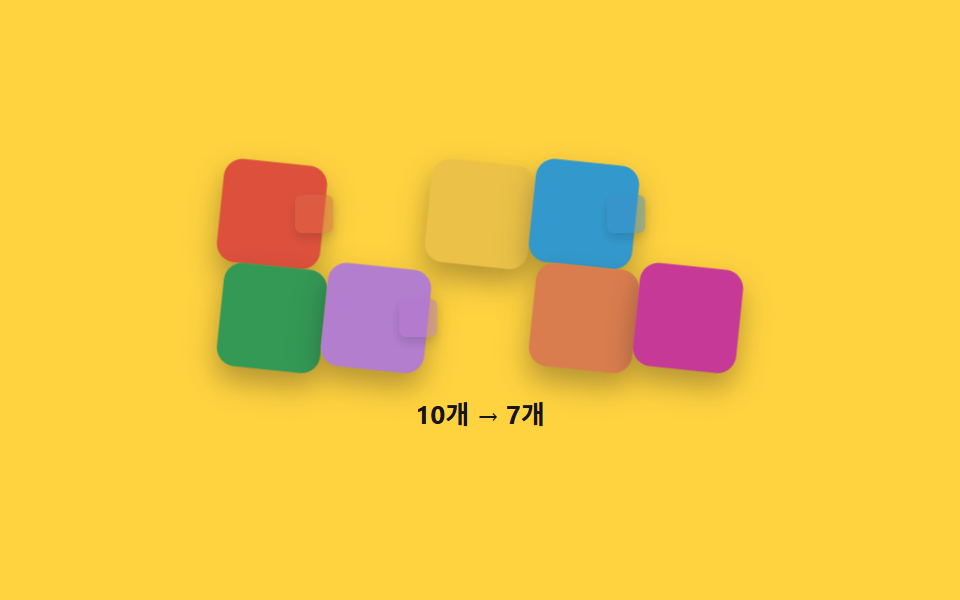 09 color-picker-recent-colors
Auto-plays · click a tile to jump to its section · all nine in one zip
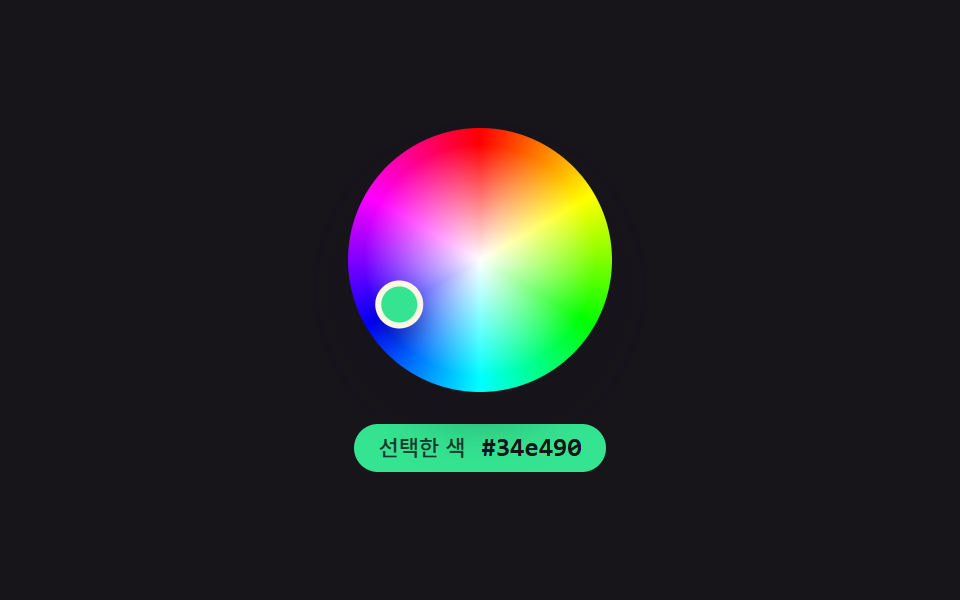
- 01 iOS wheel — a circular color picker that recomputes hue from a point's angle
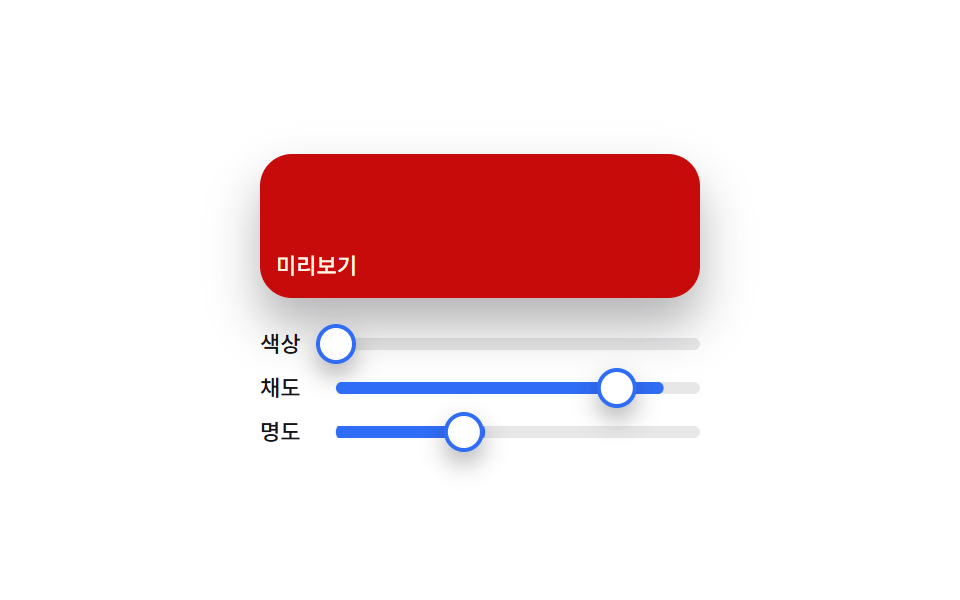
- 02 Material slider — a color picker that composes a preview color from three handle positions
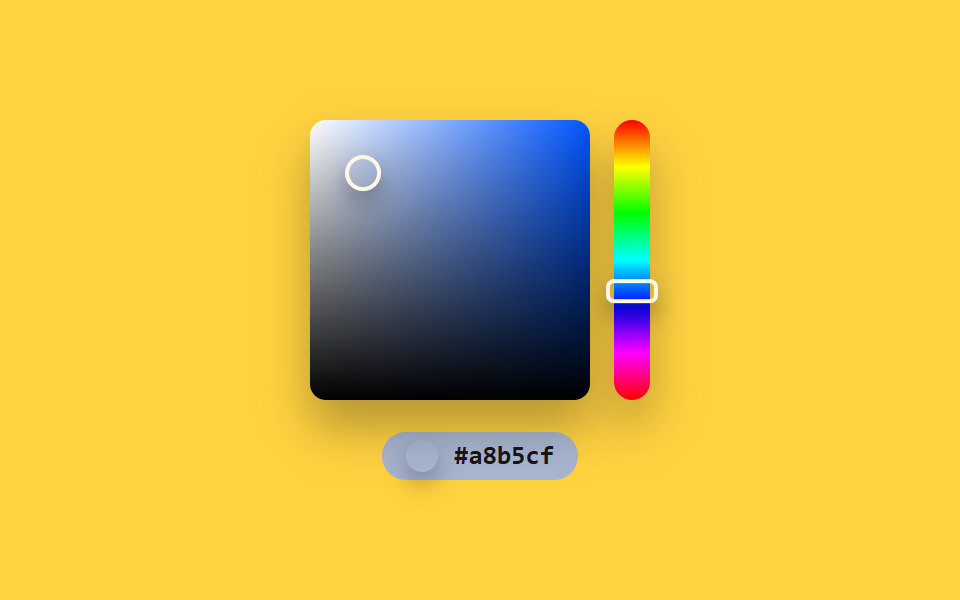
- 03 Windows spectrum — a color picker that splits a 2D position into saturation and lightness
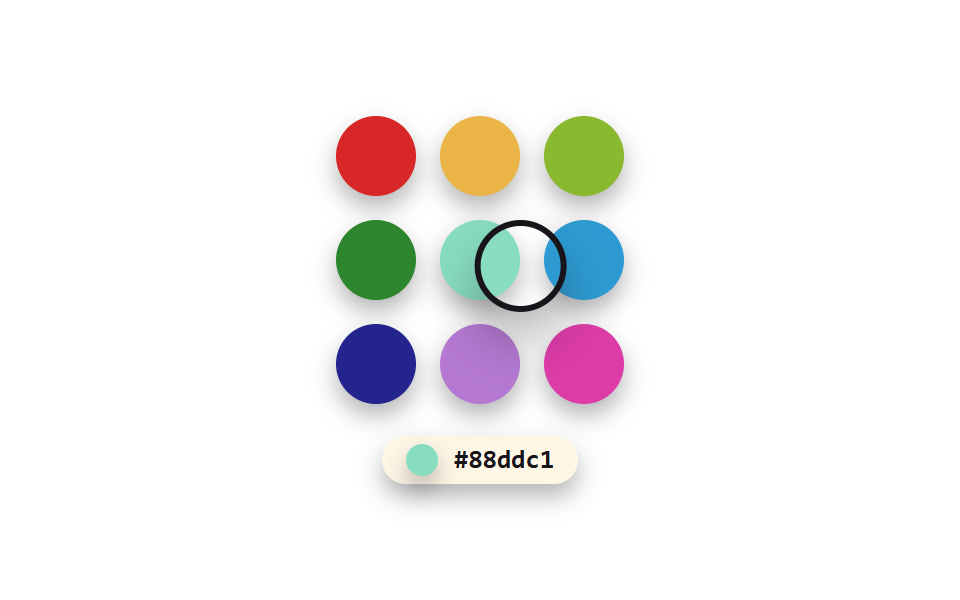
- 04 macOS crayon — a grid color picker that sets its border color from a brightness value
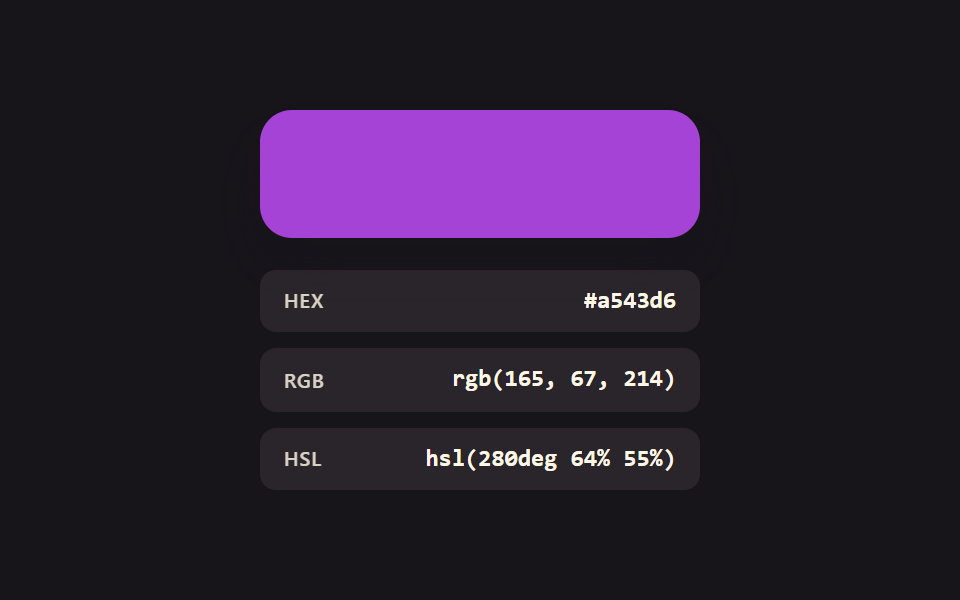
- 05 Figma panel — a color picker that keeps three notations recomputed in sync
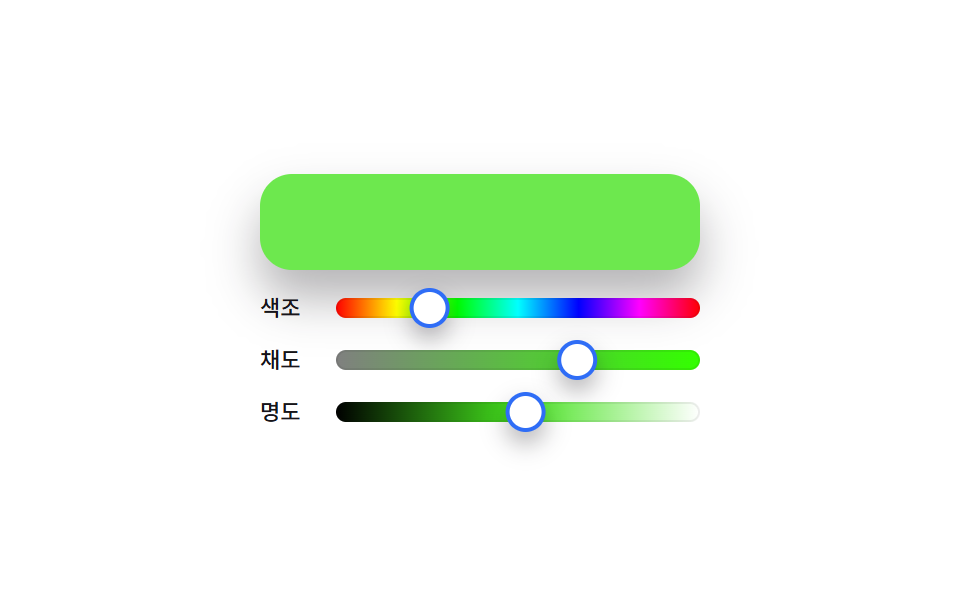
- 06 HSL sliders — a color picker that redraws track gradients whenever the hue value changes
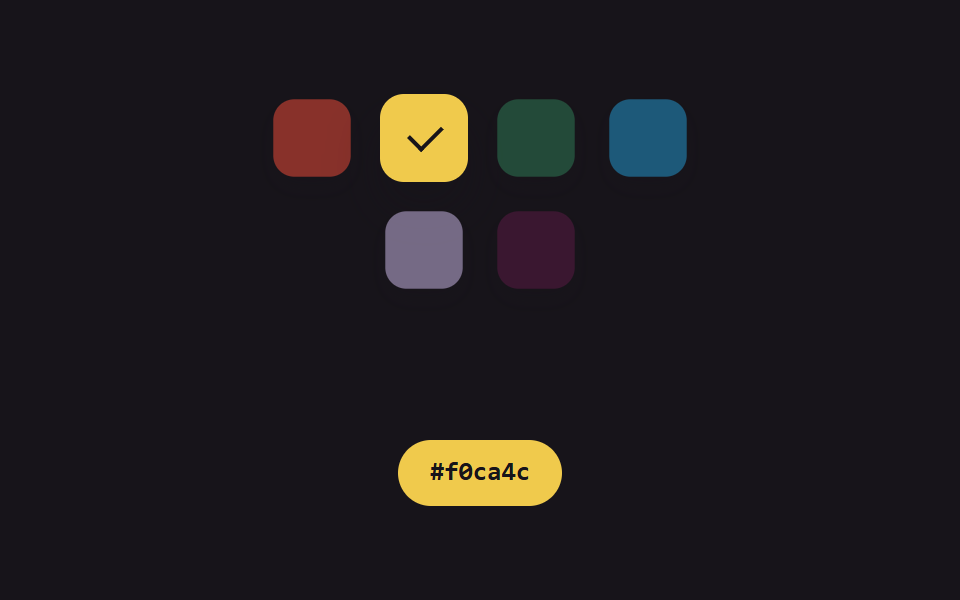
- 07 Swatch chips — a color picker that matches check-icon contrast to each swatch's brightness
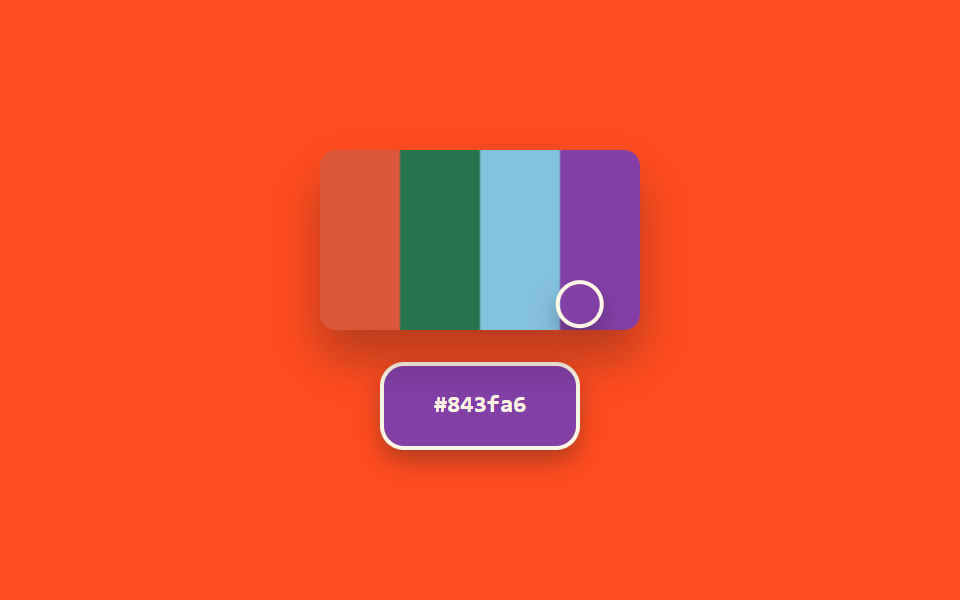
- 08 Eyedropper — a color picker that recomputes its preview from the extracted color's brightness
- 09 Recent colors — a list picker that merges near-duplicate colors by computed distance
Each of the nine screens below reproduces a color-picker convention as a working computation — "iOS-style wheel," "Material-style slider," and the other descriptive names in this post refer to the familiar layout convention each demo imitates, not to any platform's actual picker. None of the nine carries a listener that responds to real user input (0 of 9) — every one runs purely on requestAnimationFrame cycling on a fixed 2000-3000ms period, replaying pre-set waypoints and formulas so nothing is random and every playback reproduces the exact same scene. There is no browser EyeDropper API anywhere (item 08 samples canvas pixels with getImageData instead), no real image, and no real key or server — every color is a placeholder HSL value computed directly in code.
Anatomy of a color-picker UI — what nine screens compute
None of these nine screens parks a fixed color on the page and leaves it there. The same handful of arithmetic moves — an angle, a brightness score, a distance — keeps resurfacing under a different name, and once that is visible, all nine read as one idea wearing nine costumes.
Why the wheel's hue comes from an angle instead of a lookup table
Item 01 recomputes a point's angle in radians through Math.atan2 and turns that value directly into a hue, so the color under the handle is a consequence of geometry rather than a value someone typed in — a wheel whose hue was stored per position would drift the moment the trajectory changed.
Why brightness keeps deciding borders and icons across three screens
Items 04, 07, and 08 all run the same weighted-channel luma (r*299+g*587+b*114)/1000 and let the result pick a white or black ring, a dark or bright check icon, and a thin or thick border — one threshold trick, three different surfaces.
Why one distance formula shrinks the recent-colors list
Item 09 computes the Euclidean distance between RGB values in the list and merges anything closer than MERGE_DIST 30 into a single chip, so the count line reads 10 → 7 without anyone deciding the number by hand.
Code per screen
Each fence below is pasted directly from that screen's own index.html, and the zip's matching prompt fragment reconstructs the same file when fed to an AI coding tool.
01iOS wheel — a circular color picker that recomputes hue from a point's angle
A point's angle on the color wheel is recomputed in radians and turned directly into a hue value, while its distance from the center becomes the saturation at the same time; it suits mobile app color pickers and photo-editing tools.
<main class="stage">
<section class="panel">
  <div class="wheelWrap">
    <div class="wheel" id="wheel" role="slider" aria-label="Color wheel" aria-valuemin="0" aria-valuemax="360" aria-valuenow="0" aria-valuetext="">
      <div class="handle" id="handle"></div>
    </div>
  </div>
  <div class="readout" id="readout">
    <span class="readoutLabel">Selected color</span>
    <span class="readoutHex" id="hex">#000000</span>
  </div>
</section>
</main>
@use "../../../../site/static/demo-tokens" as *;
@include stage($stage-ink);
.panel {
display: flex;
flex-direction: column;
align-items: center;
gap: $sp-4;
}
.wheelWrap {
position: relative;
width: 132px;
height: 132px;
}
.wheel {
position: relative;
width: 100%;
height: 100%;
border-radius: $r-pill;
box-shadow: $shadow-raised;
background:
radial-gradient(circle at center, hsl(0, 0%, 100%) 0%, hsla(0, 0%, 100%, 0) 62%),
conic-gradient(
hsl(0, 100%, 50%), hsl(60, 100%, 50%), hsl(120, 100%, 50%),
hsl(180, 100%, 50%), hsl(240, 100%, 50%), hsl(300, 100%, 50%), hsl(360, 100%, 50%)
);
}
.handle {
position: absolute;
top: 50%;
left: 50%;
width: 18px;
height: 18px;
border-radius: $r-pill;
border: 3px solid $subject-cream;
box-shadow: $shadow-press;
transition: none;
}
.readout {
display: flex;
align-items: center;
gap: $sp-2;
padding: $sp-1 $sp-3;
border-radius: $r-pill;
background: $subject-blue-deep;
color: $subject-cream;
&.is-ink {
color: $subject-ink;
}
}
.readoutLabel {
font-family: -apple-system, "Segoe UI", "Noto Sans KR", sans-serif;
font-weight: 500;
font-size: 11px;
line-height: 1.3;
opacity: .84;
}
.readoutHex {
font-family: "Space Mono", ui-monospace, monospace;
font-weight: 700;
font-size: 13px;
line-height: 1.3;
}
@media (max-width: 340px) {
.wheelWrap { width: 100px; height: 100px; }
.handle { width: 14px; height: 14px; }
.readoutLabel { font-size: 10px; }
.readoutHex { font-size: 11px; }
}
@media (prefers-reduced-motion: reduce) {
.handle { transition: none; }
}html, body {
margin: 0;
overflow: hidden;
}
.stage {
box-sizing: border-box;
min-height: 100vh;
display: grid;
place-items: center;
margin: 0;
background: #17141a;
font-family: -apple-system, "Segoe UI", "Noto Sans KR", sans-serif;
padding: clamp(8px, 4vw, 24px);
}
.panel {
display: flex;
flex-direction: column;
align-items: center;
gap: 16px;
}
.wheelWrap {
position: relative;
width: 132px;
height: 132px;
}
.wheel {
position: relative;
width: 100%;
height: 100%;
border-radius: 999px;
box-shadow: 0 14px 24px rgba(23, 20, 26, 0.32);
background: radial-gradient(circle at center, hsl(0, 0%, 100%) 0%, hsla(0, 0%, 100%, 0) 62%), conic-gradient(hsl(0, 100%, 50%), hsl(60, 100%, 50%), hsl(120, 100%, 50%), hsl(180, 100%, 50%), hsl(240, 100%, 50%), hsl(300, 100%, 50%), hsl(0, 100%, 50%));
}
.handle {
position: absolute;
top: 50%;
left: 50%;
width: 18px;
height: 18px;
border-radius: 999px;
border: 3px solid #fff7e6;
box-shadow: 0 6px 12px rgba(23, 20, 26, 0.32);
transition: none;
}
.readout {
display: flex;
align-items: center;
gap: 8px;
padding: 4px 12px;
border-radius: 999px;
background: #0a4fe8;
color: #fff7e6;
}
.readout.is-ink {
color: #17141a;
}
.readoutLabel {
font-family: -apple-system, "Segoe UI", "Noto Sans KR", sans-serif;
font-weight: 500;
font-size: 11px;
line-height: 1.3;
opacity: 0.84;
}
.readoutHex {
font-family: "Space Mono", ui-monospace, monospace;
font-weight: 700;
font-size: 13px;
line-height: 1.3;
}
@media (max-width: 340px) {
.wheelWrap {
width: 100px;
height: 100px;
}
.handle {
width: 14px;
height: 14px;
}
.readoutLabel {
font-size: 10px;
}
.readoutHex {
font-size: 11px;
}
}
@media (prefers-reduced-motion: reduce) {
.handle {
transition: none;
}
}// iOS 휠(01) — 손잡이의 중심 기준 각도를 라디안으로 다시 구해 색조로,
// 중심에서의 거리를 반지름 비율로 다시 구해 채도로 바꾸는 원형 컬러피커.
// 실키·실서버 요청 없음 — 좌표 궤적은 고정 시나리오로 자동 재생한다.
(function () {
var wheelEl = document.getElementById('wheel');
var handleEl = document.getElementById('handle');
var hexEl = document.getElementById('hex');
var readoutEl = document.getElementById('readout');
if (!wheelEl || !handleEl || !hexEl || !readoutEl) return;
var reduce = window.matchMedia('(prefers-reduced-motion: reduce)').matches;
var RADIUS = 60;
var LIGHTNESS = 55;
var CYCLE_MS = 2000;
// 드래그 궤적 — 반지름이 계속 바뀌는 여섯 지점을 순서대로 지난다 (286 의 단순 회전과 다른 시연)
var WAYPOINTS = [
{ x: 52, y: 4 },
{ x: 24, y: 44 },
{ x: -30, y: 41 },
{ x: -56, y: -6 },
{ x: -9, y: -53 },
{ x: 36, y: -39 },
{ x: 52, y: 4 }
];
var SEG_MS = CYCLE_MS / (WAYPOINTS.length - 1);
function hslToRgb(h, s, l) {
s /= 100; l /= 100;
var k = function (n) { return (n + h / 30) % 12; };
var a = s * Math.min(l, 1 - l);
var f = function (n) { return l - a * Math.max(-1, Math.min(k(n) - 3, Math.min(9 - k(n), 1))); };
return [Math.round(f(0) * 255), Math.round(f(8) * 255), Math.round(f(4) * 255)];
}
function toHex(n) { return n.toString(16).padStart(2, '0'); }
function pointAt(t) {
var idx = Math.min(WAYPOINTS.length - 2, Math.floor(t / SEG_MS));
var frac = (t % SEG_MS) / SEG_MS;
var a = WAYPOINTS[idx];
var b = WAYPOINTS[idx + 1];
return { x: a.x + (b.x - a.x) * frac, y: a.y + (b.y - a.y) * frac };
}
  function apply(t) {
    var p = pointAt(t);
    var angle = Math.atan2(p.y, p.x);
    var hue = ((angle * 180 / Math.PI) + 360) % 360;
    var dist = Math.min(1, Math.hypot(p.x, p.y) / RADIUS);
    var sat = dist * 100;
    var rgb = hslToRgb(hue, sat, LIGHTNESS);
    var hex = '#' + toHex(rgb[0]) + toHex(rgb[1]) + toHex(rgb[2]);
    var brightness = (rgb[0] * 299 + rgb[1] * 587 + rgb[2] * 114) / 1000;
    var ink = brightness > 150;

    handleEl.style.transform = 'translate(-50%, -50%) translate(' + p.x.toFixed(2) + 'px, ' + p.y.toFixed(2) + 'px)';
    handleEl.style.background = hex;
    readoutEl.style.background = hex;
    readoutEl.classList.toggle('is-ink', ink);
    hexEl.textContent = hex;
    wheelEl.setAttribute('aria-valuenow', Math.round(hue));
    wheelEl.setAttribute('aria-valuetext', hex);
  }
if (reduce) {
apply(0);
return;
}
var start = null;
function loop(ts) {
if (start === null) start = ts;
var t = (ts - start) % CYCLE_MS;
apply(t);
requestAnimationFrame(loop);
}
requestAnimationFrame(loop);
})();import { useEffect, useRef } from "react";
import styles from "./ColorPickerIosWheel.module.scss";
// iOS 휠 — 손잡이의 중심 기준 각도를 색조로, 중심 거리를 채도로 다시 구하는 원형 컬러피커.
// 실키·실서버 요청 없음. 좌표 궤적은 고정 시나리오로 자동 재생한다.
const RADIUS = 60;
const LIGHTNESS = 55;
const CYCLE_MS = 2000;
const WAYPOINTS = [
{ x: 52, y: 4 },
{ x: 24, y: 44 },
{ x: -30, y: 41 },
{ x: -56, y: -6 },
{ x: -9, y: -53 },
{ x: 36, y: -39 },
{ x: 52, y: 4 },
];
const SEG_MS = CYCLE_MS / (WAYPOINTS.length - 1);
function hslToRgb(h: number, s: number, l: number): [number, number, number] {
s /= 100;
l /= 100;
const k = (n: number) => (n + h / 30) % 12;
const a = s * Math.min(l, 1 - l);
const f = (n: number) => l - a * Math.max(-1, Math.min(k(n) - 3, Math.min(9 - k(n), 1)));
return [Math.round(f(0) * 255), Math.round(f(8) * 255), Math.round(f(4) * 255)];
}
function toHex(n: number) {
return n.toString(16).padStart(2, "0");
}
function pointAt(t: number) {
const idx = Math.min(WAYPOINTS.length - 2, Math.floor(t / SEG_MS));
const frac = (t % SEG_MS) / SEG_MS;
const a = WAYPOINTS[idx];
const b = WAYPOINTS[idx + 1];
return { x: a.x + (b.x - a.x) * frac, y: a.y + (b.y - a.y) * frac };
}
export default function ColorPickerIosWheel() {
const wheelRef = useRef<HTMLDivElement>(null);
const handleRef = useRef<HTMLDivElement>(null);
const readoutRef = useRef<HTMLDivElement>(null);
const hexRef = useRef<HTMLSpanElement>(null);
useEffect(() => {
const wheel = wheelRef.current;
const handle = handleRef.current;
const readout = readoutRef.current;
const hexEl = hexRef.current;
if (!wheel || !handle || !readout || !hexEl) return;
const reduce = window.matchMedia("(prefers-reduced-motion: reduce)").matches;
function apply(t: number) {
const p = pointAt(t);
const angle = Math.atan2(p.y, p.x);
const hue = ((angle * 180) / Math.PI + 360) % 360;
const dist = Math.min(1, Math.hypot(p.x, p.y) / RADIUS);
const sat = dist * 100;
const rgb = hslToRgb(hue, sat, LIGHTNESS);
const hex = "#" + toHex(rgb[0]) + toHex(rgb[1]) + toHex(rgb[2]);
const brightness = (rgb[0] * 299 + rgb[1] * 587 + rgb[2] * 114) / 1000;
const ink = brightness > 150;
handle!.style.transform = `translate(-50%, -50%) translate(${p.x.toFixed(2)}px, ${p.y.toFixed(2)}px)`;
handle!.style.background = hex;
readout!.style.background = hex;
readout!.classList.toggle(styles.isInk, ink);
hexEl!.textContent = hex;
wheel!.setAttribute("aria-valuenow", String(Math.round(hue)));
wheel!.setAttribute("aria-valuetext", hex);
}
if (reduce) {
apply(0);
return;
}
let start: number | null = null;
let raf = 0;
function loop(ts: number) {
if (start === null) start = ts;
const t = (ts - start) % CYCLE_MS;
apply(t);
raf = requestAnimationFrame(loop);
}
raf = requestAnimationFrame(loop);
return () => cancelAnimationFrame(raf);
}, []);
return (
<div className={styles.stage}>
<section className={styles.panel}>
<div className={styles.wheelWrap}>
<div
className={styles.wheel}
ref={wheelRef}
role="slider"
aria-label="색상환"
aria-valuemin={0}
aria-valuemax={360}
aria-valuenow={0}
aria-valuetext=""
>
<div className={styles.handle} ref={handleRef} />
</div>
</div>
<div className={styles.readout} ref={readoutRef}>
<span className={styles.readoutLabel}>선택한 색</span>
<span className={styles.readoutHex} ref={hexRef}>#000000</span>
</div>
</section>
</div>
);
}01 · iOS wheel — a circular color picker that recomputes hue from a point's angle — Measured area 8.494% · moving frames 23/23Original by GODRICH · SCSS and React ship in the zip · See the password
What the numbers say
Cumulative area is 8.494% (max frame 3.083%, mean intensity 88.7) over all 23 of 23 frames — the handle is a small dot on a big wheel, so the footprint stays modest while the hue underneath it swings through the full circle.
function apply(t) {
var p = pointAt(t);
var angle = Math.atan2(p.y, p.x);
var hue = ((angle * 180 / Math.PI) + 360) % 360;
var dist = Math.min(1, Math.hypot(p.x, p.y) / RADIUS);
var sat = dist * 100;
var rgb = hslToRgb(hue, sat, LIGHTNESS);
var hex = '#' + toHex(rgb[0]) + toHex(rgb[1]) + toHex(rgb[2]);
var brightness = (rgb[0] * 299 + rgb[1] * 587 + rgb[2] * 114) / 1000;
var ink = brightness > 150;
handleEl.style.transform = 'translate(-50%, -50%) translate(' + p.x.toFixed(2) + 'px, ' + p.y.toFixed(2) + 'px)';
handleEl.style.background = hex;
readoutEl.style.background = hex;
readoutEl.classList.toggle('is-ink', ink);
hexEl.textContent = hex;
wheelEl.setAttribute('aria-valuenow', Math.round(hue));
wheelEl.setAttribute('aria-valuetext', hex);
}
The handle rides a six-waypoint trajectory whose radius keeps changing (this is what separates it from a plain rotation), RADIUS is 60, LIGHTNESS 55, and the whole cycle lasts CYCLE_MS 2000ms.
02Material slider — a color picker that composes a preview color from three handle positions
The position ratio of each of the hue, saturation, and lightness handles is recomputed into three separate values, and those three combine to recalculate the preview swatch's color every time; it suits design tool color panels and theme customizers.
<main class="stage">
<section class="panel">
  <div class="preview" id="preview">
    <span class="previewLabel">Preview</span>
  </div>
  <div class="sliders">
    <div class="row">
      <span class="rowLabel">Hue</span>
      <div class="track">
        <div class="fill fillHue" id="fillH"></div>
        <div class="thumb" id="thumbH" role="slider" aria-label="Hue" aria-valuemin="0" aria-valuemax="360" aria-valuenow="0"></div>
      </div>
    </div>
    <div class="row">
      <span class="rowLabel">Saturation</span>
      <div class="track">
        <div class="fill fillSat" id="fillS"></div>
        <div class="thumb" id="thumbS" role="slider" aria-label="Saturation" aria-valuemin="0" aria-valuemax="100" aria-valuenow="0"></div>
      </div>
    </div>
    <div class="row">
      <span class="rowLabel">Lightness</span>
      <div class="track">
        <div class="fill fillLight" id="fillL"></div>
        <div class="thumb" id="thumbL" role="slider" aria-label="Lightness" aria-valuemin="0" aria-valuemax="100" aria-valuenow="0"></div>
      </div>
    </div>
  </div>
</section>
</main>@use "../../../../site/static/demo-tokens" as *;
@include stage($stage-paper);
.panel {
display: flex;
flex-direction: column;
align-items: stretch;
gap: $sp-4;
width: 100%;
max-width: 220px;
}
.preview {
height: 56px;
border-radius: $r-card;
display: flex;
align-items: flex-end;
padding: $sp-2;
box-shadow: $shadow-raised;
color: $subject-cream;
&.is-ink {
color: $subject-ink;
}
}
.previewLabel {
font-family: -apple-system, "Segoe UI", "Noto Sans KR", sans-serif;
font-weight: 500;
font-size: 11px;
line-height: 1.3;
}
.sliders {
display: flex;
flex-direction: column;
gap: $sp-2;
}
.row {
display: flex;
align-items: center;
gap: $sp-2;
}
.rowLabel {
flex: 0 0 auto;
width: 30px;
color: $subject-ink;
font-family: -apple-system, "Segoe UI", "Noto Sans KR", sans-serif;
font-weight: 500;
font-size: 11px;
line-height: 1.3;
}
.track {
position: relative;
flex: 1 1 auto;
height: 6px;
border-radius: $r-pill;
background: rgba($subject-ink, .1);
}
.fill {
position: absolute;
inset: 0;
border-radius: $r-pill;
transform-origin: left center;
transform: scaleX(0);
}
.fillHue { background: $subject-blue; }
.fillSat { background: $subject-blue; }
.fillLight { background: $subject-blue; }
.thumb {
position: absolute;
top: 50%;
left: 0;
width: 16px;
height: 16px;
border-radius: $r-pill;
background: $stage-paper;
border: 2px solid $subject-blue;
box-shadow: $shadow-press;
}
@media (max-width: 340px) {
.panel { max-width: 168px; }
.preview { height: 44px; }
.rowLabel { width: 24px; font-size: 10px; }
}
@media (prefers-reduced-motion: reduce) {
.thumb { transition: none; }
}html, body {
margin: 0;
overflow: hidden;
}
.stage {
box-sizing: border-box;
min-height: 100vh;
display: grid;
place-items: center;
margin: 0;
background: #ffffff;
font-family: -apple-system, "Segoe UI", "Noto Sans KR", sans-serif;
padding: clamp(8px, 4vw, 24px);
}
.panel {
display: flex;
flex-direction: column;
align-items: stretch;
gap: 16px;
width: 100%;
max-width: 220px;
}
.preview {
height: 56px;
border-radius: 16px;
display: flex;
align-items: flex-end;
padding: 8px;
box-shadow: 0 14px 24px rgba(23, 20, 26, 0.32);
color: #fff7e6;
}
.preview.is-ink {
color: #17141a;
}
.previewLabel {
font-family: -apple-system, "Segoe UI", "Noto Sans KR", sans-serif;
font-weight: 500;
font-size: 11px;
line-height: 1.3;
}
.sliders {
display: flex;
flex-direction: column;
gap: 8px;
}
.row {
display: flex;
align-items: center;
gap: 8px;
}
.rowLabel {
flex: 0 0 auto;
width: 30px;
color: #17141a;
font-family: -apple-system, "Segoe UI", "Noto Sans KR", sans-serif;
font-weight: 500;
font-size: 11px;
line-height: 1.3;
}
.track {
position: relative;
flex: 1 1 auto;
height: 6px;
border-radius: 999px;
background: rgba(23, 20, 26, 0.1);
}
.fill {
position: absolute;
inset: 0;
border-radius: 999px;
transform-origin: left center;
transform: scaleX(0);
}
.fillHue {
background: #2f6df6;
}
.fillSat {
background: #2f6df6;
}
.fillLight {
background: #2f6df6;
}
.thumb {
position: absolute;
top: 50%;
left: 0;
width: 16px;
height: 16px;
border-radius: 999px;
background: #ffffff;
border: 2px solid #2f6df6;
box-shadow: 0 6px 12px rgba(23, 20, 26, 0.32);
}
@media (max-width: 340px) {
.panel {
max-width: 168px;
}
.preview {
height: 44px;
}
.rowLabel {
width: 24px;
font-size: 10px;
}
}
@media (prefers-reduced-motion: reduce) {
.thumb {
transition: none;
}
}// Material 슬라이더(02) — Hue·Saturation·Lightness 세 손잡이의 트랙 위치 비율을 각각 다시 구하고,
// 세 값을 합쳐 Preview 색을 매 프레임 다시 계산한다. 실키·실서버 요청 없음.
(function () {
var previewEl = document.getElementById('preview');
var thumbH = document.getElementById('thumbH');
var thumbS = document.getElementById('thumbS');
var thumbL = document.getElementById('thumbL');
var fillH = document.getElementById('fillH');
var fillS = document.getElementById('fillS');
var fillL = document.getElementById('fillL');
if (!previewEl || !thumbH || !thumbS || !thumbL || !fillH || !fillS || !fillL) return;
var reduce = window.matchMedia('(prefers-reduced-motion: reduce)').matches;
var CYCLE_MS = 2000;
var TRACK_W = 156;
function hslToRgb(h, s, l) {
s /= 100; l /= 100;
var k = function (n) { return (n + h / 30) % 12; };
var a = s * Math.min(l, 1 - l);
var f = function (n) { return l - a * Math.max(-1, Math.min(k(n) - 3, Math.min(9 - k(n), 1))); };
return [Math.round(f(0) * 255), Math.round(f(8) * 255), Math.round(f(4) * 255)];
}
  function valuesAt(t) {
    var p = t / CYCLE_MS;
    var h, s, l;
    if (p < 1 / 3) {
      var local = p / (1 / 3);
      h = local * 360; s = 60; l = 50;
    } else if (p < 2 / 3) {
      var local2 = (p - 1 / 3) / (1 / 3);
      h = 360; s = 20 + local2 * 70; l = 50;
    } else {
      var local3 = (p - 2 / 3) / (1 / 3);
      h = 360; s = 90; l = 20 + local3 * 60;
    }
    return { h: h % 360, s: s, l: l };
  }

  function setThumb(thumbEl, fillEl, ratio) {
    var x = ratio * TRACK_W;
    thumbEl.style.transform = 'translate(calc(-50% + ' + x.toFixed(2) + 'px), -50%)';
    fillEl.style.transform = 'scaleX(' + ratio.toFixed(4) + ')';
  }
function apply(t) {
var v = valuesAt(t);
setThumb(thumbH, fillH, v.h / 360);
setThumb(thumbS, fillS, v.s / 100);
setThumb(thumbL, fillL, v.l / 100);
var rgb = hslToRgb(v.h, v.s, v.l);
var brightness = (rgb[0] * 299 + rgb[1] * 587 + rgb[2] * 114) / 1000;
previewEl.style.background = 'hsl(' + v.h.toFixed(1) + 'deg ' + v.s.toFixed(1) + '% ' + v.l.toFixed(1) + '%)';
previewEl.classList.toggle('is-ink', brightness > 150);
thumbH.setAttribute('aria-valuenow', Math.round(v.h));
thumbS.setAttribute('aria-valuenow', Math.round(v.s));
thumbL.setAttribute('aria-valuenow', Math.round(v.l));
}
if (reduce) {
apply(0);
return;
}
var start = null;
function loop(ts) {
if (start === null) start = ts;
var t = (ts - start) % CYCLE_MS;
apply(t);
requestAnimationFrame(loop);
}
requestAnimationFrame(loop);
})();import { useEffect, useRef } from "react";
import styles from "./ColorPickerMaterialSlider.module.scss";
// Material 슬라이더 — 색조·채도·명도 세 손잡이의 트랙 위치 비율을 각각 다시 구하고
// 세 값을 합쳐 미리보기 색을 매 프레임 다시 계산한다. 실키·실서버 요청 없음.
const CYCLE_MS = 2000;
const TRACK_W = 156;
function hslToRgb(h: number, s: number, l: number): [number, number, number] {
s /= 100;
l /= 100;
const k = (n: number) => (n + h / 30) % 12;
const a = s * Math.min(l, 1 - l);
const f = (n: number) => l - a * Math.max(-1, Math.min(k(n) - 3, Math.min(9 - k(n), 1)));
return [Math.round(f(0) * 255), Math.round(f(8) * 255), Math.round(f(4) * 255)];
}
function valuesAt(t: number) {
const p = t / CYCLE_MS;
let h: number, s: number, l: number;
if (p < 1 / 3) {
const local = p / (1 / 3);
h = local * 360; s = 60; l = 50;
} else if (p < 2 / 3) {
const local2 = (p - 1 / 3) / (1 / 3);
h = 360; s = 20 + local2 * 70; l = 50;
} else {
const local3 = (p - 2 / 3) / (1 / 3);
h = 360; s = 90; l = 20 + local3 * 60;
}
return { h: h % 360, s, l };
}
export default function ColorPickerMaterialSlider() {
const previewRef = useRef<HTMLDivElement>(null);
const thumbHRef = useRef<HTMLDivElement>(null);
const thumbSRef = useRef<HTMLDivElement>(null);
const thumbLRef = useRef<HTMLDivElement>(null);
const fillHRef = useRef<HTMLDivElement>(null);
const fillSRef = useRef<HTMLDivElement>(null);
const fillLRef = useRef<HTMLDivElement>(null);
useEffect(() => {
const preview = previewRef.current;
const thumbH = thumbHRef.current;
const thumbS = thumbSRef.current;
const thumbL = thumbLRef.current;
const fillH = fillHRef.current;
const fillS = fillSRef.current;
const fillL = fillLRef.current;
if (!preview || !thumbH || !thumbS || !thumbL || !fillH || !fillS || !fillL) return;
const reduce = window.matchMedia("(prefers-reduced-motion: reduce)").matches;
function setThumb(thumbEl: HTMLDivElement, fillEl: HTMLDivElement, ratio: number) {
const x = ratio * TRACK_W;
thumbEl.style.transform = `translate(calc(-50% + ${x.toFixed(2)}px), -50%)`;
fillEl.style.transform = `scaleX(${ratio.toFixed(4)})`;
}
function apply(t: number) {
const v = valuesAt(t);
setThumb(thumbH!, fillH!, v.h / 360);
setThumb(thumbS!, fillS!, v.s / 100);
setThumb(thumbL!, fillL!, v.l / 100);
const rgb = hslToRgb(v.h, v.s, v.l);
const brightness = (rgb[0] * 299 + rgb[1] * 587 + rgb[2] * 114) / 1000;
preview!.style.background = `hsl(${v.h.toFixed(1)}deg ${v.s.toFixed(1)}% ${v.l.toFixed(1)}%)`;
preview!.classList.toggle(styles.isInk, brightness > 150);
thumbH!.setAttribute("aria-valuenow", String(Math.round(v.h)));
thumbS!.setAttribute("aria-valuenow", String(Math.round(v.s)));
thumbL!.setAttribute("aria-valuenow", String(Math.round(v.l)));
}
if (reduce) {
apply(0);
return;
}
let start: number | null = null;
let raf = 0;
function loop(ts: number) {
if (start === null) start = ts;
const t = (ts - start) % CYCLE_MS;
apply(t);
raf = requestAnimationFrame(loop);
}
raf = requestAnimationFrame(loop);
return () => cancelAnimationFrame(raf);
}, []);
return (
<div className={styles.stage}>
<section className={styles.panel}>
<div className={styles.preview} ref={previewRef}>
<span className={styles.previewLabel}>미리보기</span>
</div>
<div className={styles.sliders}>
<div className={styles.row}>
<span className={styles.rowLabel}>색상</span>
<div className={styles.track}>
<div className={`${styles.fill} ${styles.fillHue}`} ref={fillHRef} />
<div className={styles.thumb} ref={thumbHRef} role="slider" aria-label="색상" aria-valuemin={0} aria-valuemax={360} aria-valuenow={0} />
</div>
</div>
<div className={styles.row}>
<span className={styles.rowLabel}>채도</span>
<div className={styles.track}>
<div className={`${styles.fill} ${styles.fillSat}`} ref={fillSRef} />
<div className={styles.thumb} ref={thumbSRef} role="slider" aria-label="채도" aria-valuemin={0} aria-valuemax={100} aria-valuenow={0} />
</div>
</div>
<div className={styles.row}>
<span className={styles.rowLabel}>명도</span>
<div className={styles.track}>
<div className={`${styles.fill} ${styles.fillLight}`} ref={fillLRef} />
<div className={styles.thumb} ref={thumbLRef} role="slider" aria-label="명도" aria-valuemin={0} aria-valuemax={100} aria-valuenow={0} />
</div>
</div>
</div>
</section>
</div>
);
}02 · Material slider — a color picker that composes a preview color from three handle positions — Measured area 17.368% · moving frames 23/23Original by GODRICH · SCSS and React ship in the zip · See the password
What the numbers say
Cumulative area is the widest of the nine at 17.368% (max frame 13.353%, mean intensity 72.3) over all 23 of 23 frames — three thumbs and a preview swatch all repaint at once, so the measured footprint is the biggest in the set.
function valuesAt(t) {
var p = t / CYCLE_MS;
var h, s, l;
if (p < 1 / 3) {
var local = p / (1 / 3);
h = local * 360; s = 60; l = 50;
} else if (p < 2 / 3) {
var local2 = (p - 1 / 3) / (1 / 3);
h = 360; s = 20 + local2 * 70; l = 50;
} else {
var local3 = (p - 2 / 3) / (1 / 3);
h = 360; s = 90; l = 20 + local3 * 60;
}
return { h: h % 360, s: s, l: l };
}
function setThumb(thumbEl, fillEl, ratio) {
var x = ratio * TRACK_W;
thumbEl.style.transform = 'translate(calc(-50% + ' + x.toFixed(2) + 'px), -50%)';
fillEl.style.transform = 'scaleX(' + ratio.toFixed(4) + ')';
}
The three-segment valuesAt gives each third of the 2000ms cycle to one handle — hue first, then saturation, then lightness — and setThumb drives the track fill's scaleX from the same ratio so thumb and fill can never disagree.
03Windows spectrum — a color picker that splits a 2D position into saturation and lightness
A point's horizontal and vertical position ratio inside the square field is recomputed into separate saturation and lightness values, then combined with the hue bar's value to recalculate the final color every time; it suits graphics editor color dialogs and brand color assignment screens.
<main class="stage">
<section class="panel">
  <div class="board">
    <div class="square" id="square" style="--hue:0" role="slider" aria-label="Saturation/lightness area" aria-valuemin="0" aria-valuemax="100" aria-valuenow="0" aria-valuetext="">
      <div class="squareMarker" id="squareMarker"></div>
    </div>
    <div class="hueStrip" id="hueStrip" role="slider" aria-label="Hue" aria-valuemin="0" aria-valuemax="360" aria-valuenow="0">
      <div class="hueMarker" id="hueMarker"></div>
    </div>
  </div>
  <div class="readout" id="readout">
    <span class="swatch" id="swatch"></span>
    <span class="hex" id="hex">#000000</span>
  </div>
</section>
</main>
@use "../../../../site/static/demo-tokens" as *;
@include stage($stage-yellow);
.panel {
display: flex;
flex-direction: column;
align-items: center;
gap: $sp-4;
}
.board {
display: flex;
gap: $sp-3;
}
.square {
position: relative;
width: 140px;
height: 140px;
border-radius: $r-sm;
box-shadow: $shadow-raised;
background:
linear-gradient(to top, #000000 0%, rgba(0, 0, 0, 0) 100%),
linear-gradient(to right, #ffffff 0%, hsl(var(--hue) 100% 50%) 100%);
}
.squareMarker {
position: absolute;
top: 0;
left: 0;
width: 14px;
height: 14px;
border-radius: $r-pill;
border: 2px solid $subject-cream;
box-shadow: $shadow-press;
}
.hueStrip {
position: relative;
width: 18px;
height: 140px;
border-radius: $r-pill;
box-shadow: $shadow-raised;
background: linear-gradient(
to bottom,
hsl(0, 100%, 50%), hsl(60, 100%, 50%), hsl(120, 100%, 50%),
hsl(180, 100%, 50%), hsl(240, 100%, 50%), hsl(300, 100%, 50%), hsl(360, 100%, 50%)
);
}
.hueMarker {
position: absolute;
top: 0;
left: 50%;
width: 22px;
height: 8px;
border-radius: $r-xs;
border: 2px solid $subject-cream;
box-shadow: $shadow-press;
}
.readout {
display: flex;
align-items: center;
gap: $sp-2;
padding: $sp-1 $sp-3;
border-radius: $r-pill;
color: $subject-cream;
&.is-ink {
color: $subject-ink;
}
}
.swatch {
width: 16px;
height: 16px;
border-radius: $r-pill;
box-shadow: $shadow-press;
}
.hex {
font-family: "Space Mono", ui-monospace, monospace;
font-weight: 700;
font-size: 13px;
line-height: 1.3;
}
@media (max-width: 340px) {
.square { width: 108px; height: 108px; }
.hueStrip { height: 108px; }
}
@media (prefers-reduced-motion: reduce) {
.squareMarker,
.hueMarker { transition: none; }
}html, body {
margin: 0;
overflow: hidden;
}
.stage {
box-sizing: border-box;
min-height: 100vh;
display: grid;
place-items: center;
margin: 0;
background: #ffd23f;
font-family: -apple-system, "Segoe UI", "Noto Sans KR", sans-serif;
padding: clamp(8px, 4vw, 24px);
}
.panel {
display: flex;
flex-direction: column;
align-items: center;
gap: 16px;
}
.board {
display: flex;
gap: 12px;
}
.square {
position: relative;
width: 140px;
height: 140px;
border-radius: 8px;
box-shadow: 0 14px 24px rgba(23, 20, 26, 0.32);
background: linear-gradient(to top, #000000 0%, rgba(0, 0, 0, 0) 100%), linear-gradient(to right, #ffffff 0%, hsl(var(--hue), 100%, 50%) 100%);
}
.squareMarker {
position: absolute;
top: 0;
left: 0;
width: 14px;
height: 14px;
border-radius: 999px;
border: 2px solid #fff7e6;
box-shadow: 0 6px 12px rgba(23, 20, 26, 0.32);
}
.hueStrip {
position: relative;
width: 18px;
height: 140px;
border-radius: 999px;
box-shadow: 0 14px 24px rgba(23, 20, 26, 0.32);
background: linear-gradient(to bottom, hsl(0, 100%, 50%), hsl(60, 100%, 50%), hsl(120, 100%, 50%), hsl(180, 100%, 50%), hsl(240, 100%, 50%), hsl(300, 100%, 50%), hsl(0, 100%, 50%));
}
.hueMarker {
position: absolute;
top: 0;
left: 50%;
width: 22px;
height: 8px;
border-radius: 4px;
border: 2px solid #fff7e6;
box-shadow: 0 6px 12px rgba(23, 20, 26, 0.32);
}
.readout {
display: flex;
align-items: center;
gap: 8px;
padding: 4px 12px;
border-radius: 999px;
color: #fff7e6;
}
.readout.is-ink {
color: #17141a;
}
.swatch {
width: 16px;
height: 16px;
border-radius: 999px;
box-shadow: 0 6px 12px rgba(23, 20, 26, 0.32);
}
.hex {
font-family: "Space Mono", ui-monospace, monospace;
font-weight: 700;
font-size: 13px;
line-height: 1.3;
}
@media (max-width: 340px) {
.square {
width: 108px;
height: 108px;
}
.hueStrip {
height: 108px;
}
}
@media (prefers-reduced-motion: reduce) {
.squareMarker,
.hueMarker {
transition: none;
}
}// Windows 스펙트럼(03) — 사각 영역 안 지점의 가로·세로 비율을 Saturation·명도로, 옆 막대 값을 색조로
// 각각 다시 구해 매 프레임 최종 색을 합성한다. 실키·실서버 요청 없음.
(function () {
var squareEl = document.getElementById('square');
var squareMarkerEl = document.getElementById('squareMarker');
var hueStripEl = document.getElementById('hueStrip');
var hueMarkerEl = document.getElementById('hueMarker');
var readoutEl = document.getElementById('readout');
var swatchEl = document.getElementById('swatch');
var hexEl = document.getElementById('hex');
if (!squareEl || !squareMarkerEl || !hueStripEl || !hueMarkerEl || !readoutEl || !swatchEl || !hexEl) return;
var reduce = window.matchMedia('(prefers-reduced-motion: reduce)').matches;
var CYCLE_MS = 2400;
var SQUARE_W = 140;
var SQUARE_H = 140;
var STRIP_H = 140;
var WAYPOINTS = [
{ x: .15, y: .85 },
{ x: .85, y: .15 },
{ x: .5, y: .5 },
{ x: .15, y: .15 },
{ x: .85, y: .85 },
{ x: .15, y: .85 }
];
var SEG_MS = CYCLE_MS / (WAYPOINTS.length - 1);
function pointAt(t) {
var idx = Math.min(WAYPOINTS.length - 2, Math.floor(t / SEG_MS));
var frac = (t % SEG_MS) / SEG_MS;
var a = WAYPOINTS[idx];
var b = WAYPOINTS[idx + 1];
return { x: a.x + (b.x - a.x) * frac, y: a.y + (b.y - a.y) * frac };
}
function hsvToRgb(h, s, v) {
s /= 100; v /= 100;
var c = v * s;
var x = c * (1 - Math.abs(((h / 60) % 2) - 1));
var m = v - c;
var r, g, b;
if (h < 60) { r = c; g = x; b = 0; }
else if (h < 120) { r = x; g = c; b = 0; }
else if (h < 180) { r = 0; g = c; b = x; }
else if (h < 240) { r = 0; g = x; b = c; }
else if (h < 300) { r = x; g = 0; b = c; }
else { r = c; g = 0; b = x; }
return [Math.round((r + m) * 255), Math.round((g + m) * 255), Math.round((b + m) * 255)];
}
function toHex(n) {
return n.toString(16).padStart(2, '0');
}
  function apply(t) {
    var p = (t / CYCLE_MS) % 1;
    var pt = pointAt(t);
    var hue = p * 360;
    var sat = pt.x * 100;
    var val = (1 - pt.y) * 100;

    var rgb = hsvToRgb(hue, sat, val);
    var hex = '#' + toHex(rgb[0]) + toHex(rgb[1]) + toHex(rgb[2]);
    var brightness = (rgb[0] * 299 + rgb[1] * 587 + rgb[2] * 114) / 1000;
    var ink = brightness > 150;

    squareEl.style.setProperty('--hue', hue.toFixed(1));
    squareMarkerEl.style.transform = 'translate(-50%, -50%) translate(' + (pt.x * SQUARE_W).toFixed(2) + 'px, ' + (pt.y * SQUARE_H).toFixed(2) + 'px)';
    hueMarkerEl.style.transform = 'translate(-50%, -50%) translateY(' + ((hue / 360) * STRIP_H).toFixed(2) + 'px)';

    swatchEl.style.background = hex;
    readoutEl.style.background = hex;
    readoutEl.classList.toggle('is-ink', ink);
    hexEl.textContent = hex;

    squareEl.setAttribute('aria-valuenow', String(Math.round(val)));
    squareEl.setAttribute('aria-valuetext', hex);
    hueStripEl.setAttribute('aria-valuenow', String(Math.round(hue)));
  }
if (reduce) {
apply(0);
return;
}
var start = null;
function loop(ts) {
if (start === null) start = ts;
var t = (ts - start) % CYCLE_MS;
apply(t);
requestAnimationFrame(loop);
}
requestAnimationFrame(loop);
})();import { useEffect, useRef } from "react";
import styles from "./ColorPickerWindowsSpectrum.module.scss";
// Windows 스펙트럼 — 사각 영역 안 지점의 가로·세로 비율을 채도·명도로, 옆 막대 값을 색조로
// 각각 다시 구해 매 프레임 최종 색을 합성한다. 실키·실서버 요청 없음.
const CYCLE_MS = 2400;
const SQUARE_W = 140;
const SQUARE_H = 140;
const STRIP_H = 140;
const WAYPOINTS = [
{ x: .15, y: .85 },
{ x: .85, y: .15 },
{ x: .5, y: .5 },
{ x: .15, y: .15 },
{ x: .85, y: .85 },
{ x: .15, y: .85 },
];
const SEG_MS = CYCLE_MS / (WAYPOINTS.length - 1);
function pointAt(t: number) {
const idx = Math.min(WAYPOINTS.length - 2, Math.floor(t / SEG_MS));
const frac = (t % SEG_MS) / SEG_MS;
const a = WAYPOINTS[idx];
const b = WAYPOINTS[idx + 1];
return { x: a.x + (b.x - a.x) * frac, y: a.y + (b.y - a.y) * frac };
}
function hsvToRgb(h: number, s: number, v: number): [number, number, number] {
s /= 100;
v /= 100;
const c = v * s;
const x = c * (1 - Math.abs(((h / 60) % 2) - 1));
const m = v - c;
let r: number, g: number, b: number;
if (h < 60) { r = c; g = x; b = 0; }
else if (h < 120) { r = x; g = c; b = 0; }
else if (h < 180) { r = 0; g = c; b = x; }
else if (h < 240) { r = 0; g = x; b = c; }
else if (h < 300) { r = x; g = 0; b = c; }
else { r = c; g = 0; b = x; }
return [Math.round((r + m) * 255), Math.round((g + m) * 255), Math.round((b + m) * 255)];
}
function toHex(n: number) {
return n.toString(16).padStart(2, "0");
}
export default function ColorPickerWindowsSpectrum() {
const squareRef = useRef<HTMLDivElement>(null);
const squareMarkerRef = useRef<HTMLDivElement>(null);
const hueStripRef = useRef<HTMLDivElement>(null);
const hueMarkerRef = useRef<HTMLDivElement>(null);
const readoutRef = useRef<HTMLDivElement>(null);
const swatchRef = useRef<HTMLSpanElement>(null);
const hexRef = useRef<HTMLSpanElement>(null);
useEffect(() => {
const square = squareRef.current;
const squareMarker = squareMarkerRef.current;
const hueStrip = hueStripRef.current;
const hueMarker = hueMarkerRef.current;
const readout = readoutRef.current;
const swatch = swatchRef.current;
const hexEl = hexRef.current;
if (!square || !squareMarker || !hueStrip || !hueMarker || !readout || !swatch || !hexEl) return;
const reduce = window.matchMedia("(prefers-reduced-motion: reduce)").matches;
function apply(t: number) {
const p = (t / CYCLE_MS) % 1;
const pt = pointAt(t);
const hue = p * 360;
const sat = pt.x * 100;
const val = (1 - pt.y) * 100;
const rgb = hsvToRgb(hue, sat, val);
const hex = "#" + toHex(rgb[0]) + toHex(rgb[1]) + toHex(rgb[2]);
const brightness = (rgb[0] * 299 + rgb[1] * 587 + rgb[2] * 114) / 1000;
const ink = brightness > 150;
square!.style.setProperty("--hue", hue.toFixed(1));
squareMarker!.style.transform = `translate(-50%, -50%) translate(${(pt.x * SQUARE_W).toFixed(2)}px, ${(pt.y * SQUARE_H).toFixed(2)}px)`;
hueMarker!.style.transform = `translate(-50%, -50%) translateY(${((hue / 360) * STRIP_H).toFixed(2)}px)`;
swatch!.style.background = hex;
readout!.style.background = hex;
readout!.classList.toggle(styles.isInk, ink);
hexEl!.textContent = hex;
square!.setAttribute("aria-valuenow", String(Math.round(val)));
square!.setAttribute("aria-valuetext", hex);
hueStrip!.setAttribute("aria-valuenow", String(Math.round(hue)));
}
if (reduce) {
apply(0);
return;
}
let start: number | null = null;
let raf = 0;
function loop(ts: number) {
if (start === null) start = ts;
const t = (ts - start) % CYCLE_MS;
apply(t);
raf = requestAnimationFrame(loop);
}
raf = requestAnimationFrame(loop);
return () => cancelAnimationFrame(raf);
}, []);
return (
<div className={styles.stage}>
<section className={styles.panel}>
<div className={styles.board}>
<div
className={styles.square}
ref={squareRef}
role="slider"
aria-label="채도·명도 영역"
aria-valuemin={0}
aria-valuemax={100}
aria-valuenow={0}
aria-valuetext=""
>
<div className={styles.squareMarker} ref={squareMarkerRef} />
</div>
<div className={styles.hueStrip} ref={hueStripRef} role="slider" aria-label="색조" aria-valuemin={0} aria-valuemax={360} aria-valuenow={0}>
<div className={styles.hueMarker} ref={hueMarkerRef} />
</div>
</div>
<div className={styles.readout} ref={readoutRef}>
<span className={styles.swatch} ref={swatchRef} />
<span className={styles.hex} ref={hexRef}>#000000</span>
</div>
</section>
</div>
);
}03 · Windows spectrum — a color picker that splits a 2D position into saturation and lightness — Measured area 15.937% · moving frames 23/23Original by GODRICH · SCSS and React ship in the zip · See the password
What the numbers say
Mean intensity is the lowest of the nine at 38.1, with cumulative area 15.937% (max frame 9.836%) over all 23 of 23 frames — the marker crosses a wide 140×140 square slowly, so the per-frame pixel change is gentle rather than flashy.
function apply(t) {
var p = (t / CYCLE_MS) % 1;
var pt = pointAt(t);
var hue = p * 360;
var sat = pt.x * 100;
var val = (1 - pt.y) * 100;
var rgb = hsvToRgb(hue, sat, val);
var hex = '#' + toHex(rgb[0]) + toHex(rgb[1]) + toHex(rgb[2]);
var brightness = (rgb[0] * 299 + rgb[1] * 587 + rgb[2] * 114) / 1000;
var ink = brightness > 150;
squareEl.style.setProperty('--hue', hue.toFixed(1));
squareMarkerEl.style.transform = 'translate(-50%, -50%) translate(' + (pt.x * SQUARE_W).toFixed(2) + 'px, ' + (pt.y * SQUARE_H).toFixed(2) + 'px)';
hueMarkerEl.style.transform = 'translate(-50%, -50%) translateY(' + ((hue / 360) * STRIP_H).toFixed(2) + 'px)';
swatchEl.style.background = hex;
readoutEl.style.background = hex;
readoutEl.classList.toggle('is-ink', ink);
hexEl.textContent = hex;
squareEl.setAttribute('aria-valuenow', String(Math.round(val)));
squareEl.setAttribute('aria-valuetext', hex);
hueStripEl.setAttribute('aria-valuenow', String(Math.round(hue)));
}
Horizontal position becomes saturation, inverted vertical position becomes value, and the separate hue marker slides down its strip in step — CYCLE_MS is 2400ms here.
04macOS crayon — a grid color picker that sets its border color from a brightness value
The brightness value of the currently selected crayon color is computed, and the selection ring switches automatically to a white or black border depending on whether that value is low or high; it suits retro-style color palettes and casual app theme pickers.
<main class="stage">
<section class="panel">
  <div class="grid" id="grid" role="radiogroup" aria-label="Crayon palette">
    <span class="crayon" data-i="0" role="radio" aria-checked="false" aria-label="Crayon 1"></span>
    <span class="crayon" data-i="1" role="radio" aria-checked="false" aria-label="Crayon 2"></span>
    <span class="crayon" data-i="2" role="radio" aria-checked="false" aria-label="Crayon 3"></span>
    <span class="crayon" data-i="3" role="radio" aria-checked="false" aria-label="Crayon 4"></span>
    <span class="crayon" data-i="4" role="radio" aria-checked="false" aria-label="Crayon 5"></span>
    <span class="crayon" data-i="5" role="radio" aria-checked="false" aria-label="Crayon 6"></span>
    <span class="crayon" data-i="6" role="radio" aria-checked="false" aria-label="Crayon 7"></span>
    <span class="crayon" data-i="7" role="radio" aria-checked="false" aria-label="Crayon 8"></span>
    <span class="crayon" data-i="8" role="radio" aria-checked="false" aria-label="Crayon 9"></span>
    <div class="ring" id="ring"></div>
  </div>
  <div class="readout" id="readout">
    <span class="swatch" id="swatch"></span>
    <span class="hex" id="hex">#000000</span>
  </div>
</section>
</main>
@use "../../../../site/static/demo-tokens" as *;
@include stage($stage-paper);
.panel {
display: flex;
flex-direction: column;
align-items: center;
gap: $sp-4;
}
.grid {
position: relative;
display: grid;
grid-template-columns: repeat(3, 40px);
grid-template-rows: repeat(3, 40px);
gap: $sp-3;
}
.crayon {
width: 40px;
height: 40px;
border-radius: $r-pill;
box-shadow: $shadow-press;
}
.ring {
position: absolute;
top: 0;
left: 0;
width: 40px;
height: 40px;
border-radius: $r-pill;
border: 3px solid $subject-cream;
box-shadow: $shadow-raised;
pointer-events: none;
&.is-black-ring {
border-color: $subject-ink;
}
}
.readout {
display: flex;
align-items: center;
gap: $sp-2;
padding: $sp-1 $sp-3;
border-radius: $r-pill;
background: $subject-cream;
box-shadow: $shadow-press;
}
.swatch {
width: 16px;
height: 16px;
border-radius: $r-pill;
box-shadow: $shadow-press;
}
.hex {
color: $subject-ink;
font-family: "Space Mono", ui-monospace, monospace;
font-weight: 700;
font-size: 13px;
line-height: 1.3;
}
@media (max-width: 340px) {
.grid {
grid-template-columns: repeat(3, 32px);
grid-template-rows: repeat(3, 32px);
gap: $sp-2;
}
.crayon { width: 32px; height: 32px; }
.ring { width: 32px; height: 32px; }
}
@media (prefers-reduced-motion: reduce) {
.ring { transition: none; }
}html, body {
margin: 0;
overflow: hidden;
}
.stage {
box-sizing: border-box;
min-height: 100vh;
display: grid;
place-items: center;
margin: 0;
background: #ffffff;
font-family: -apple-system, "Segoe UI", "Noto Sans KR", sans-serif;
padding: clamp(8px, 4vw, 24px);
}
.panel {
display: flex;
flex-direction: column;
align-items: center;
gap: 16px;
}
.grid {
position: relative;
display: grid;
grid-template-columns: repeat(3, 40px);
grid-template-rows: repeat(3, 40px);
gap: 12px;
}
.crayon {
width: 40px;
height: 40px;
border-radius: 999px;
box-shadow: 0 6px 12px rgba(23, 20, 26, 0.32);
}
.ring {
position: absolute;
top: 0;
left: 0;
width: 40px;
height: 40px;
border-radius: 999px;
border: 3px solid #fff7e6;
box-shadow: 0 14px 24px rgba(23, 20, 26, 0.32);
pointer-events: none;
}
.ring.is-black-ring {
border-color: #17141a;
}
.readout {
display: flex;
align-items: center;
gap: 8px;
padding: 4px 12px;
border-radius: 999px;
background: #fff7e6;
box-shadow: 0 6px 12px rgba(23, 20, 26, 0.32);
}
.swatch {
width: 16px;
height: 16px;
border-radius: 999px;
box-shadow: 0 6px 12px rgba(23, 20, 26, 0.32);
}
.hex {
color: #17141a;
font-family: "Space Mono", ui-monospace, monospace;
font-weight: 700;
font-size: 13px;
line-height: 1.3;
}
@media (max-width: 340px) {
.grid {
grid-template-columns: repeat(3, 32px);
grid-template-rows: repeat(3, 32px);
gap: 8px;
}
.crayon {
width: 32px;
height: 32px;
}
.ring {
width: 32px;
height: 32px;
}
}
@media (prefers-reduced-motion: reduce) {
.ring {
transition: none;
}
}// macOS 크레용(04) — 선택된 크레용 색의 밝기 값을 계산해 그 값이 낮으면 흰색 테두리,
// 높으면 검은색 테두리로 선택 표시가 자동으로 바뀐다. 실키·실서버 요청 없음.
(function () {
var gridEl = document.getElementById('grid');
var ringEl = document.getElementById('ring');
var readoutEl = document.getElementById('readout');
var swatchEl = document.getElementById('swatch');
var hexEl = document.getElementById('hex');
var crayonEls = gridEl ? gridEl.querySelectorAll('.crayon') : [];
if (!gridEl || !ringEl || !readoutEl || !swatchEl || !hexEl || crayonEls.length !== 9) return;
var reduce = window.matchMedia('(prefers-reduced-motion: reduce)').matches;
var LUM_THRESHOLD = .6;
var CELL = 40;
var GAP = 12;
var STEP = CELL + GAP;
var CYCLE_MS = 2700;
var CRAYONS = [
{ h: 0, s: 70, l: 50 },
{ h: 40, s: 80, l: 60 },
{ h: 80, s: 60, l: 45 },
{ h: 120, s: 50, l: 35 },
{ h: 160, s: 55, l: 70 },
{ h: 200, s: 65, l: 50 },
{ h: 240, s: 60, l: 35 },
{ h: 280, s: 50, l: 65 },
{ h: 320, s: 70, l: 55 }
];
var ORDER = [0, 1, 2, 3, 4, 5, 6, 7, 8, 0];
var SEG_MS = CYCLE_MS / (ORDER.length - 1);
function hslToRgb(h, s, l) {
s /= 100; l /= 100;
var k = function (n) { return (n + h / 30) % 12; };
var a = s * Math.min(l, 1 - l);
var f = function (n) { return l - a * Math.max(-1, Math.min(k(n) - 3, Math.min(9 - k(n), 1))); };
return [Math.round(f(0) * 255), Math.round(f(8) * 255), Math.round(f(4) * 255)];
}
function toHex(n) {
return n.toString(16).padStart(2, '0');
}
function centerOf(i) {
var col = i % 3;
var row = Math.floor(i / 3);
return { x: col * STEP, y: row * STEP };
}
CRAYONS.forEach(function (c, i) {
var rgb = hslToRgb(c.h, c.s, c.l);
crayonEls[i].style.background = 'hsl(' + c.h + 'deg ' + c.s + '% ' + c.l + '%)';
crayonEls[i].dataset.hex = '#' + toHex(rgb[0]) + toHex(rgb[1]) + toHex(rgb[2]);
});
  function apply(t) {
    var idx = Math.min(ORDER.length - 2, Math.floor(t / SEG_MS));
    var frac = (t % SEG_MS) / SEG_MS;
    var a = centerOf(ORDER[idx]);
    var b = centerOf(ORDER[idx + 1]);
    var x = a.x + (b.x - a.x) * frac;
    var y = a.y + (b.y - a.y) * frac;
    ringEl.style.transform = 'translate(' + x.toFixed(2) + 'px, ' + y.toFixed(2) + 'px)';

    var selIndex = ORDER[frac < .5 ? idx : idx + 1];
    var c = CRAYONS[selIndex];
    var rgb = hslToRgb(c.h, c.s, c.l);
    var brightness = (rgb[0] * 299 + rgb[1] * 587 + rgb[2] * 114) / 1000 / 255;
    var white = brightness < LUM_THRESHOLD;
    ringEl.classList.toggle('is-white-ring', white);
    ringEl.classList.toggle('is-black-ring', !white);

    var hex = crayonEls[selIndex].dataset.hex;
    swatchEl.style.background = hex;
    hexEl.textContent = hex;

    for (var i = 0; i < crayonEls.length; i++) {
      crayonEls[i].setAttribute('aria-checked', i === selIndex ? 'true' : 'false');
    }
  }
if (reduce) {
apply(0);
return;
}
var start = null;
function loop(ts) {
if (start === null) start = ts;
var t = (ts - start) % CYCLE_MS;
apply(t);
requestAnimationFrame(loop);
}
requestAnimationFrame(loop);
})();import { useEffect, useRef } from "react";
import styles from "./ColorPickerMacosCrayon.module.scss";
// macOS 크레용 — 선택된 크레용 색의 밝기 값을 계산해 그 값이 낮으면 흰색 테두리,
// 높으면 검은색 테두리로 선택 표시가 자동으로 바뀐다. 실키·실서버 요청 없음.
const LUM_THRESHOLD = .6;
const CELL = 40;
const GAP = 12;
const STEP = CELL + GAP;
const CYCLE_MS = 2700;
const CRAYONS = [
{ h: 0, s: 70, l: 50 },
{ h: 40, s: 80, l: 60 },
{ h: 80, s: 60, l: 45 },
{ h: 120, s: 50, l: 35 },
{ h: 160, s: 55, l: 70 },
{ h: 200, s: 65, l: 50 },
{ h: 240, s: 60, l: 35 },
{ h: 280, s: 50, l: 65 },
{ h: 320, s: 70, l: 55 },
];
const ORDER = [0, 1, 2, 3, 4, 5, 6, 7, 8, 0];
const SEG_MS = CYCLE_MS / (ORDER.length - 1);
function hslToRgb(h: number, s: number, l: number): [number, number, number] {
s /= 100;
l /= 100;
const k = (n: number) => (n + h / 30) % 12;
const a = s * Math.min(l, 1 - l);
const f = (n: number) => l - a * Math.max(-1, Math.min(k(n) - 3, Math.min(9 - k(n), 1)));
return [Math.round(f(0) * 255), Math.round(f(8) * 255), Math.round(f(4) * 255)];
}
function toHex(n: number) {
return n.toString(16).padStart(2, "0");
}
function centerOf(i: number) {
const col = i % 3;
const row = Math.floor(i / 3);
return { x: col * STEP, y: row * STEP };
}
const CRAYON_HEX = CRAYONS.map((c) => {
const rgb = hslToRgb(c.h, c.s, c.l);
return "#" + toHex(rgb[0]) + toHex(rgb[1]) + toHex(rgb[2]);
});
export default function ColorPickerMacosCrayon() {
const gridRef = useRef<HTMLDivElement>(null);
const ringRef = useRef<HTMLDivElement>(null);
const crayonRef0 = useRef<HTMLSpanElement>(null);
const crayonRef1 = useRef<HTMLSpanElement>(null);
const crayonRef2 = useRef<HTMLSpanElement>(null);
const crayonRef3 = useRef<HTMLSpanElement>(null);
const crayonRef4 = useRef<HTMLSpanElement>(null);
const crayonRef5 = useRef<HTMLSpanElement>(null);
const crayonRef6 = useRef<HTMLSpanElement>(null);
const crayonRef7 = useRef<HTMLSpanElement>(null);
const crayonRef8 = useRef<HTMLSpanElement>(null);
const swatchRef = useRef<HTMLSpanElement>(null);
const hexRef = useRef<HTMLSpanElement>(null);
useEffect(() => {
const grid = gridRef.current;
const ring = ringRef.current;
const swatch = swatchRef.current;
const hexEl = hexRef.current;
const crayons = [
crayonRef0.current, crayonRef1.current, crayonRef2.current,
crayonRef3.current, crayonRef4.current, crayonRef5.current,
crayonRef6.current, crayonRef7.current, crayonRef8.current,
];
if (!grid || !ring || !swatch || !hexEl || crayons.some((c) => !c)) return;
const reduce = window.matchMedia("(prefers-reduced-motion: reduce)").matches;
function apply(t: number) {
const idx = Math.min(ORDER.length - 2, Math.floor(t / SEG_MS));
const frac = (t % SEG_MS) / SEG_MS;
const a = centerOf(ORDER[idx]);
const b = centerOf(ORDER[idx + 1]);
const x = a.x + (b.x - a.x) * frac;
const y = a.y + (b.y - a.y) * frac;
ring!.style.transform = `translate(${x.toFixed(2)}px, ${y.toFixed(2)}px)`;
const selIndex = ORDER[frac < .5 ? idx : idx + 1];
const c = CRAYONS[selIndex];
const rgb = hslToRgb(c.h, c.s, c.l);
const brightness = (rgb[0] * 299 + rgb[1] * 587 + rgb[2] * 114) / 1000 / 255;
const white = brightness < LUM_THRESHOLD;
ring!.classList.toggle(styles.isWhiteRing, white);
ring!.classList.toggle(styles.isBlackRing, !white);
const hex = CRAYON_HEX[selIndex];
swatch!.style.background = hex;
hexEl!.textContent = hex;
crayons.forEach((el, i) => el!.setAttribute("aria-checked", i === selIndex ? "true" : "false"));
}
if (reduce) {
apply(0);
return;
}
let start: number | null = null;
let raf = 0;
function loop(ts: number) {
if (start === null) start = ts;
const t = (ts - start) % CYCLE_MS;
apply(t);
raf = requestAnimationFrame(loop);
}
raf = requestAnimationFrame(loop);
return () => cancelAnimationFrame(raf);
}, []);
return (
<div className={styles.stage}>
<section className={styles.panel}>
<div className={styles.grid} ref={gridRef} role="radiogroup" aria-label="크레용 팔레트">
{[crayonRef0, crayonRef1, crayonRef2, crayonRef3, crayonRef4, crayonRef5, crayonRef6, crayonRef7, crayonRef8].map((r, i) => (
<span
key={i}
className={styles.crayon}
ref={r}
role="radio"
aria-checked="false"
aria-label={`크레용 ${i + 1}`}
style={{ background: `hsl(${CRAYONS[i].h}deg ${CRAYONS[i].s}% ${CRAYONS[i].l}%)` }}
/>
))}
<div className={styles.ring} ref={ringRef} />
</div>
<div className={styles.readout}>
<span className={styles.swatch} ref={swatchRef} />
<span className={styles.hex} ref={hexRef}>#000000</span>
</div>
</section>
</div>
);
}04 · macOS crayon — a grid color picker that sets its border color from a brightness value — Measured area 14.251% · moving frames 23/23Original by GODRICH · SCSS and React ship in the zip · See the password
What the numbers say
Cumulative area is 14.251% (max frame 2.598%, mean intensity 56.6) over all 23 of 23 frames — the ring glides continuously between crayon centers, so almost every frame moves even though the border flips only at the threshold.
function apply(t) {
var idx = Math.min(ORDER.length - 2, Math.floor(t / SEG_MS));
var frac = (t % SEG_MS) / SEG_MS;
var a = centerOf(ORDER[idx]);
var b = centerOf(ORDER[idx + 1]);
var x = a.x + (b.x - a.x) * frac;
var y = a.y + (b.y - a.y) * frac;
ringEl.style.transform = 'translate(' + x.toFixed(2) + 'px, ' + y.toFixed(2) + 'px)';
var selIndex = ORDER[frac < .5 ? idx : idx + 1];
var c = CRAYONS[selIndex];
var rgb = hslToRgb(c.h, c.s, c.l);
var brightness = (rgb[0] * 299 + rgb[1] * 587 + rgb[2] * 114) / 1000 / 255;
var white = brightness < LUM_THRESHOLD;
ringEl.classList.toggle('is-white-ring', white);
ringEl.classList.toggle('is-black-ring', !white);
var hex = crayonEls[selIndex].dataset.hex;
swatchEl.style.background = hex;
hexEl.textContent = hex;
for (var i = 0; i < crayonEls.length; i++) {
crayonEls[i].setAttribute('aria-checked', i === selIndex ? 'true' : 'false');
}
}
The luma lands on a 0-1 scale after the extra /255, LUM_THRESHOLD is .6 in this zip, and ORDER walks all nine crayons and back within CYCLE_MS 2700ms.
05Figma panel — a color picker that keeps three notations recomputed in sync
A single color value gets recalculated into HEX, RGB, and HSL notation at once, keeping all three fields pointed at exactly the same color; it suits design-collaboration tool color panels and design-token editors.
<main class="stage">
<section class="panel">
  <div class="swatch" id="swatch"></div>
  <dl class="fields">
    <div class="field">
      <dt class="fieldLabel">HEX</dt>
      <dd class="fieldValue" id="hexField">#000000</dd>
    </div>
    <div class="field">
      <dt class="fieldLabel">RGB</dt>
      <dd class="fieldValue" id="rgbField">rgb(0, 0, 0)</dd>
    </div>
    <div class="field">
      <dt class="fieldLabel">HSL</dt>
      <dd class="fieldValue" id="hslField">hsl(0deg 0% 0%)</dd>
    </div>
  </dl>
</section>
</main>
@use "../../../../site/static/demo-tokens" as *;
@include stage($stage-ink);
.panel {
display: flex;
flex-direction: column;
align-items: stretch;
gap: $sp-4;
width: 100%;
max-width: 220px;
}
.swatch {
height: 64px;
border-radius: $r-card;
box-shadow: $shadow-raised;
}
.fields {
display: flex;
flex-direction: column;
gap: $sp-2;
margin: 0;
}
.field {
display: flex;
align-items: center;
justify-content: space-between;
gap: $sp-2;
padding: $sp-2 $sp-3;
border-radius: $r-sm;
background: rgba($subject-cream, .08);
}
.fieldLabel {
margin: 0;
color: $subject-cream;
opacity: .82;
font-family: -apple-system, "Segoe UI", "Noto Sans KR", sans-serif;
font-weight: 600;
font-size: 10px;
line-height: 1.3;
letter-spacing: .04em;
}
.fieldValue {
margin: 0;
color: $subject-cream;
font-family: "Space Mono", ui-monospace, monospace;
font-weight: 700;
font-size: 12px;
line-height: 1.3;
}
@media (max-width: 340px) {
.panel { max-width: 168px; }
.swatch { height: 48px; }
.fieldValue { font-size: 11px; }
}
@media (prefers-reduced-motion: reduce) {
.swatch { transition: none; }
}html, body {
margin: 0;
overflow: hidden;
}
.stage {
box-sizing: border-box;
min-height: 100vh;
display: grid;
place-items: center;
margin: 0;
background: #17141a;
font-family: -apple-system, "Segoe UI", "Noto Sans KR", sans-serif;
padding: clamp(8px, 4vw, 24px);
}
.panel {
display: flex;
flex-direction: column;
align-items: stretch;
gap: 16px;
width: 100%;
max-width: 220px;
}
.swatch {
height: 64px;
border-radius: 16px;
box-shadow: 0 14px 24px rgba(23, 20, 26, 0.32);
}
.fields {
display: flex;
flex-direction: column;
gap: 8px;
margin: 0;
}
.field {
display: flex;
align-items: center;
justify-content: space-between;
gap: 8px;
padding: 8px 12px;
border-radius: 8px;
background: rgba(255, 247, 230, 0.08);
}
.fieldLabel {
margin: 0;
color: #fff7e6;
opacity: 0.82;
font-family: -apple-system, "Segoe UI", "Noto Sans KR", sans-serif;
font-weight: 600;
font-size: 10px;
line-height: 1.3;
letter-spacing: 0.04em;
}
.fieldValue {
margin: 0;
color: #fff7e6;
font-family: "Space Mono", ui-monospace, monospace;
font-weight: 700;
font-size: 12px;
line-height: 1.3;
}
@media (max-width: 340px) {
.panel {
max-width: 168px;
}
.swatch {
height: 48px;
}
.fieldValue {
font-size: 11px;
}
}
@media (prefers-reduced-motion: reduce) {
.swatch {
transition: none;
}
}// Figma 패널(05) — 하나의 색 값을 HEX·RGB·HSL 세 표기법으로 각각 다시 계산해,
// 세 필드가 항상 같은 색을 가리키도록 서로 맞춘다. 실키·실서버 요청 없음.
(function () {
var swatchEl = document.getElementById('swatch');
var hexField = document.getElementById('hexField');
var rgbField = document.getElementById('rgbField');
var hslField = document.getElementById('hslField');
if (!swatchEl || !hexField || !rgbField || !hslField) return;
var reduce = window.matchMedia('(prefers-reduced-motion: reduce)').matches;
var CYCLE_MS = 2600;
var PRESETS = [
{ h: 10, s: 72, l: 54 },
{ h: 70, s: 60, l: 48 },
{ h: 130, s: 55, l: 42 },
{ h: 190, s: 65, l: 50 },
{ h: 250, s: 60, l: 58 },
{ h: 310, s: 68, l: 52 },
{ h: 370, s: 72, l: 54 }
];
var SEG_MS = CYCLE_MS / (PRESETS.length - 1);
function hslToRgb(h, s, l) {
h = h % 360;
s /= 100; l /= 100;
var k = function (n) { return (n + h / 30) % 12; };
var a = s * Math.min(l, 1 - l);
var f = function (n) { return l - a * Math.max(-1, Math.min(k(n) - 3, Math.min(9 - k(n), 1))); };
return [Math.round(f(0) * 255), Math.round(f(8) * 255), Math.round(f(4) * 255)];
}
function toHex(n) {
return n.toString(16).padStart(2, '0');
}
  function apply(t) {
    var idx = Math.min(PRESETS.length - 2, Math.floor(t / SEG_MS));
    var frac = (t % SEG_MS) / SEG_MS;
    var a = PRESETS[idx];
    var b = PRESETS[idx + 1];
    var h = a.h + (b.h - a.h) * frac;
    var s = a.s + (b.s - a.s) * frac;
    var l = a.l + (b.l - a.l) * frac;
    var hMod = h % 360;

    var rgb = hslToRgb(h, s, l);
    var hex = '#' + toHex(rgb[0]) + toHex(rgb[1]) + toHex(rgb[2]);
    var hslStr = 'hsl(' + hMod.toFixed(0) + 'deg ' + s.toFixed(0) + '% ' + l.toFixed(0) + '%)';
    var rgbStr = 'rgb(' + rgb[0] + ', ' + rgb[1] + ', ' + rgb[2] + ')';

    swatchEl.style.background = hslStr;
    hexField.textContent = hex;
    rgbField.textContent = rgbStr;
    hslField.textContent = hslStr;
  }
if (reduce) {
apply(0);
return;
}
var start = null;
function loop(ts) {
if (start === null) start = ts;
var t = (ts - start) % CYCLE_MS;
apply(t);
requestAnimationFrame(loop);
}
requestAnimationFrame(loop);
})();import { useEffect, useRef } from "react";
import styles from "./ColorPickerFigmaPanel.module.scss";
// Figma 패널 — 하나의 색 값을 HEX·RGB·HSL 세 표기법으로 각각 다시 계산해,
// 세 필드가 항상 같은 색을 가리키도록 서로 맞춘다. 실키·실서버 요청 없음.
const CYCLE_MS = 2600;
const PRESETS = [
{ h: 10, s: 72, l: 54 },
{ h: 70, s: 60, l: 48 },
{ h: 130, s: 55, l: 42 },
{ h: 190, s: 65, l: 50 },
{ h: 250, s: 60, l: 58 },
{ h: 310, s: 68, l: 52 },
{ h: 370, s: 72, l: 54 },
];
const SEG_MS = CYCLE_MS / (PRESETS.length - 1);
function hslToRgb(h: number, s: number, l: number): [number, number, number] {
h = h % 360;
s /= 100;
l /= 100;
const k = (n: number) => (n + h / 30) % 12;
const a = s * Math.min(l, 1 - l);
const f = (n: number) => l - a * Math.max(-1, Math.min(k(n) - 3, Math.min(9 - k(n), 1)));
return [Math.round(f(0) * 255), Math.round(f(8) * 255), Math.round(f(4) * 255)];
}
function toHex(n: number) {
return n.toString(16).padStart(2, "0");
}
export default function ColorPickerFigmaPanel() {
const swatchRef = useRef<HTMLDivElement>(null);
const hexRef = useRef<HTMLElement>(null);
const rgbRef = useRef<HTMLElement>(null);
const hslRef = useRef<HTMLElement>(null);
useEffect(() => {
const swatch = swatchRef.current;
const hexField = hexRef.current;
const rgbField = rgbRef.current;
const hslField = hslRef.current;
if (!swatch || !hexField || !rgbField || !hslField) return;
const reduce = window.matchMedia("(prefers-reduced-motion: reduce)").matches;
function apply(t: number) {
const idx = Math.min(PRESETS.length - 2, Math.floor(t / SEG_MS));
const frac = (t % SEG_MS) / SEG_MS;
const a = PRESETS[idx];
const b = PRESETS[idx + 1];
const h = a.h + (b.h - a.h) * frac;
const s = a.s + (b.s - a.s) * frac;
const l = a.l + (b.l - a.l) * frac;
const hMod = h % 360;
const rgb = hslToRgb(h, s, l);
const hex = "#" + toHex(rgb[0]) + toHex(rgb[1]) + toHex(rgb[2]);
const hslStr = `hsl(${hMod.toFixed(0)}deg ${s.toFixed(0)}% ${l.toFixed(0)}%)`;
const rgbStr = `rgb(${rgb[0]}, ${rgb[1]}, ${rgb[2]})`;
swatch!.style.background = hslStr;
hexField!.textContent = hex;
rgbField!.textContent = rgbStr;
hslField!.textContent = hslStr;
}
if (reduce) {
apply(0);
return;
}
let start: number | null = null;
let raf = 0;
function loop(ts: number) {
if (start === null) start = ts;
const t = (ts - start) % CYCLE_MS;
apply(t);
raf = requestAnimationFrame(loop);
}
raf = requestAnimationFrame(loop);
return () => cancelAnimationFrame(raf);
}, []);
return (
<div className={styles.stage}>
<section className={styles.panel}>
<div className={styles.swatch} ref={swatchRef} />
<dl className={styles.fields}>
<div className={styles.field}>
<dt className={styles.fieldLabel}>HEX</dt>
<dd className={styles.fieldValue} ref={hexRef}>#000000</dd>
</div>
<div className={styles.field}>
<dt className={styles.fieldLabel}>RGB</dt>
<dd className={styles.fieldValue} ref={rgbRef}>rgb(0, 0, 0)</dd>
</div>
<div className={styles.field}>
<dt className={styles.fieldLabel}>HSL</dt>
<dd className={styles.fieldValue} ref={hslRef}>hsl(0deg 0% 0%)</dd>
</div>
</dl>
</section>
</div>
);
}05 · Figma panel — a color picker that keeps three notations recomputed in sync — Measured area 10.797% · moving frames 23/23Original by GODRICH · SCSS and React ship in the zip · See the password
What the numbers say
Cumulative area is 10.797% (max frame 10.31%, mean intensity 42.9) over all 23 of 23 frames — the swatch is the biggest single change surface, which suits a panel whose whole point is notation rather than travel.
function apply(t) {
var idx = Math.min(PRESETS.length - 2, Math.floor(t / SEG_MS));
var frac = (t % SEG_MS) / SEG_MS;
var a = PRESETS[idx];
var b = PRESETS[idx + 1];
var h = a.h + (b.h - a.h) * frac;
var s = a.s + (b.s - a.s) * frac;
var l = a.l + (b.l - a.l) * frac;
var hMod = h % 360;
var rgb = hslToRgb(h, s, l);
var hex = '#' + toHex(rgb[0]) + toHex(rgb[1]) + toHex(rgb[2]);
var hslStr = 'hsl(' + hMod.toFixed(0) + 'deg ' + s.toFixed(0) + '% ' + l.toFixed(0) + '%)';
var rgbStr = 'rgb(' + rgb[0] + ', ' + rgb[1] + ', ' + rgb[2] + ')';
swatchEl.style.background = hslStr;
hexField.textContent = hex;
rgbField.textContent = rgbStr;
hslField.textContent = hslStr;
}
Interpolation happens in HSL space across the 7 PRESETS entries (first and last are the same color at h 10 and h 370, so the loop is seamless), and all three fields are written from that one interpolation — nothing can drift because nothing is stored twice.
06HSL sliders — a color picker that redraws track gradients whenever the hue value changes
Every time the hue slider's value changes, the background gradient of the saturation and lightness slider tracks gets recalculated and redrawn so only the color range matching the current hue shows; it suits precision color-tuning panels and brand palette editing tools.
<main class="stage">
<section class="panel">
  <div class="preview" id="preview"></div>
  <div class="row">
    <span class="rowLabel">Hue</span>
    <div class="track hueTrack" id="hTrack">
      <div class="thumb" id="hThumb" role="slider" aria-label="Hue" aria-valuemin="0" aria-valuemax="360" aria-valuenow="0"></div>
    </div>
  </div>
  <div class="row">
    <span class="rowLabel">Saturation</span>
    <div class="track" id="sTrack">
      <div class="thumb" id="sThumb" role="slider" aria-label="Saturation" aria-valuemin="0" aria-valuemax="100" aria-valuenow="0"></div>
    </div>
  </div>
  <div class="row">
    <span class="rowLabel">Lightness</span>
    <div class="track" id="lTrack">
      <div class="thumb" id="lThumb" role="slider" aria-label="Lightness" aria-valuemin="0" aria-valuemax="100" aria-valuenow="0"></div>
    </div>
  </div>
</section>
</main>
@use "../../../../site/static/demo-tokens" as *;
@include stage($stage-paper);
.panel {
display: flex;
flex-direction: column;
align-items: stretch;
gap: $sp-3;
width: 100%;
max-width: 220px;
}
.preview {
height: 48px;
border-radius: $r-card;
box-shadow: $shadow-raised;
}
.row {
display: flex;
align-items: center;
gap: $sp-2;
}
.rowLabel {
flex: 0 0 auto;
width: 30px;
color: $subject-ink;
font-family: -apple-system, "Segoe UI", "Noto Sans KR", sans-serif;
font-weight: 500;
font-size: 11px;
line-height: 1.3;
}
.track {
position: relative;
flex: 1 1 auto;
height: 10px;
border-radius: $r-pill;
background: rgba($subject-ink, .1);
box-shadow: inset 0 0 0 1px rgba($subject-ink, .08);
}
.hueTrack {
background: linear-gradient(
to right,
hsl(0, 100%, 50%), hsl(60, 100%, 50%), hsl(120, 100%, 50%),
hsl(180, 100%, 50%), hsl(240, 100%, 50%), hsl(300, 100%, 50%), hsl(360, 100%, 50%)
);
}
.thumb {
position: absolute;
top: 50%;
left: 0;
width: 16px;
height: 16px;
border-radius: $r-pill;
background: $stage-paper;
border: 2px solid $subject-blue;
box-shadow: $shadow-press;
}
@media (max-width: 340px) {
.panel { max-width: 168px; }
.preview { height: 40px; }
.rowLabel { width: 24px; font-size: 10px; }
}
@media (prefers-reduced-motion: reduce) {
.thumb { transition: none; }
}html, body {
margin: 0;
overflow: hidden;
}
.stage {
box-sizing: border-box;
min-height: 100vh;
display: grid;
place-items: center;
margin: 0;
background: #ffffff;
font-family: -apple-system, "Segoe UI", "Noto Sans KR", sans-serif;
padding: clamp(8px, 4vw, 24px);
}
.panel {
display: flex;
flex-direction: column;
align-items: stretch;
gap: 12px;
width: 100%;
max-width: 220px;
}
.preview {
height: 48px;
border-radius: 16px;
box-shadow: 0 14px 24px rgba(23, 20, 26, 0.32);
}
.row {
display: flex;
align-items: center;
gap: 8px;
}
.rowLabel {
flex: 0 0 auto;
width: 30px;
color: #17141a;
font-family: -apple-system, "Segoe UI", "Noto Sans KR", sans-serif;
font-weight: 500;
font-size: 11px;
line-height: 1.3;
}
.track {
position: relative;
flex: 1 1 auto;
height: 10px;
border-radius: 999px;
background: rgba(23, 20, 26, 0.1);
box-shadow: inset 0 0 0 1px rgba(23, 20, 26, 0.08);
}
.hueTrack {
background: linear-gradient(to right, hsl(0, 100%, 50%), hsl(60, 100%, 50%), hsl(120, 100%, 50%), hsl(180, 100%, 50%), hsl(240, 100%, 50%), hsl(300, 100%, 50%), hsl(0, 100%, 50%));
}
.thumb {
position: absolute;
top: 50%;
left: 0;
width: 16px;
height: 16px;
border-radius: 999px;
background: #ffffff;
border: 2px solid #2f6df6;
box-shadow: 0 6px 12px rgba(23, 20, 26, 0.32);
}
@media (max-width: 340px) {
.panel {
max-width: 168px;
}
.preview {
height: 40px;
}
.rowLabel {
width: 24px;
font-size: 10px;
}
}
@media (prefers-reduced-motion: reduce) {
.thumb {
transition: none;
}
}// HSL 슬라이더(06) — Hue 슬라이더 값이 바뀔 때마다 Saturation·Lightness 트랙의 배경 그라디언트를
// GRADIENT_STEPS colors 정지점으로 다시 계산해 그린다. 실키·실서버 요청 없음.
(function () {
var previewEl = document.getElementById('preview');
var hTrack = document.getElementById('hTrack');
var sTrack = document.getElementById('sTrack');
var lTrack = document.getElementById('lTrack');
var hThumb = document.getElementById('hThumb');
var sThumb = document.getElementById('sThumb');
var lThumb = document.getElementById('lThumb');
if (!previewEl || !hTrack || !sTrack || !lTrack || !hThumb || !sThumb || !lThumb) return;
var reduce = window.matchMedia('(prefers-reduced-motion: reduce)').matches;
var CYCLE_MS = 3000;
var TRACK_W = 156;
  var GRADIENT_STEPS = 20;

  function buildGradient(stopFn) {
    var stops = [];
    for (var i = 0; i < GRADIENT_STEPS; i++) {
      var ratio = i / (GRADIENT_STEPS - 1);
      stops.push(stopFn(ratio) + ' ' + (ratio * 100).toFixed(1) + '%');
    }
    return 'linear-gradient(to right, ' + stops.join(', ') + ')';
  }

  function setThumb(thumbEl, ratio) {
    var x = ratio * TRACK_W;
    thumbEl.style.transform = 'translate(calc(-50% + ' + x.toFixed(2) + 'px), -50%)';
  }
function apply(t) {
var p = t / CYCLE_MS;
var hue = (p * 360) % 360;
var sat = 55 + Math.sin(p * Math.PI * 2 * 1.3) * 35;
var light = 50 + Math.sin(p * Math.PI * 2 * .9 + 1) * 25;
setThumb(hThumb, hue / 360);
setThumb(sThumb, sat / 100);
setThumb(lThumb, light / 100);
sTrack.style.background = buildGradient(function (r) {
return 'hsl(' + hue.toFixed(1) + 'deg ' + (r * 100).toFixed(1) + '% 50%)';
});
lTrack.style.background = buildGradient(function (r) {
return 'hsl(' + hue.toFixed(1) + 'deg ' + sat.toFixed(1) + '% ' + (r * 100).toFixed(1) + '%)';
});
previewEl.style.background = 'hsl(' + hue.toFixed(1) + 'deg ' + sat.toFixed(1) + '% ' + light.toFixed(1) + '%)';
hThumb.setAttribute('aria-valuenow', String(Math.round(hue)));
sThumb.setAttribute('aria-valuenow', String(Math.round(sat)));
lThumb.setAttribute('aria-valuenow', String(Math.round(light)));
}
if (reduce) {
apply(0);
return;
}
var start = null;
function loop(ts) {
if (start === null) start = ts;
var t = (ts - start) % CYCLE_MS;
apply(t);
requestAnimationFrame(loop);
}
requestAnimationFrame(loop);
})();import { useEffect, useRef } from "react";
import styles from "./ColorPickerHslSliders.module.scss";
// HSL 슬라이더 — 색조 슬라이더 값이 바뀔 때마다 채도·명도 트랙의 배경 그라디언트를
// GRADIENT_STEPS 개 정지점으로 다시 계산해 그린다. 실키·실서버 요청 없음.
const CYCLE_MS = 3000;
const TRACK_W = 156;
const GRADIENT_STEPS = 20;
function buildGradient(stopFn: (ratio: number) => string) {
const stops: string[] = [];
for (let i = 0; i < GRADIENT_STEPS; i++) {
const ratio = i / (GRADIENT_STEPS - 1);
stops.push(`${stopFn(ratio)} ${(ratio * 100).toFixed(1)}%`);
}
return `linear-gradient(to right, ${stops.join(", ")})`;
}
export default function ColorPickerHslSliders() {
const previewRef = useRef<HTMLDivElement>(null);
const sTrackRef = useRef<HTMLDivElement>(null);
const lTrackRef = useRef<HTMLDivElement>(null);
const hThumbRef = useRef<HTMLDivElement>(null);
const sThumbRef = useRef<HTMLDivElement>(null);
const lThumbRef = useRef<HTMLDivElement>(null);
useEffect(() => {
const preview = previewRef.current;
const sTrack = sTrackRef.current;
const lTrack = lTrackRef.current;
const hThumb = hThumbRef.current;
const sThumb = sThumbRef.current;
const lThumb = lThumbRef.current;
if (!preview || !sTrack || !lTrack || !hThumb || !sThumb || !lThumb) return;
const reduce = window.matchMedia("(prefers-reduced-motion: reduce)").matches;
function setThumb(thumbEl: HTMLDivElement, ratio: number) {
const x = ratio * TRACK_W;
thumbEl.style.transform = `translate(calc(-50% + ${x.toFixed(2)}px), -50%)`;
}
function apply(t: number) {
const p = t / CYCLE_MS;
const hue = (p * 360) % 360;
const sat = 55 + Math.sin(p * Math.PI * 2 * 1.3) * 35;
const light = 50 + Math.sin(p * Math.PI * 2 * .9 + 1) * 25;
setThumb(hThumb!, hue / 360);
setThumb(sThumb!, sat / 100);
setThumb(lThumb!, light / 100);
sTrack!.style.background = buildGradient((r) => `hsl(${hue.toFixed(1)}deg ${(r * 100).toFixed(1)}% 50%)`);
lTrack!.style.background = buildGradient((r) => `hsl(${hue.toFixed(1)}deg ${sat.toFixed(1)}% ${(r * 100).toFixed(1)}%)`);
preview!.style.background = `hsl(${hue.toFixed(1)}deg ${sat.toFixed(1)}% ${light.toFixed(1)}%)`;
hThumb!.setAttribute("aria-valuenow", String(Math.round(hue)));
sThumb!.setAttribute("aria-valuenow", String(Math.round(sat)));
lThumb!.setAttribute("aria-valuenow", String(Math.round(light)));
}
if (reduce) {
apply(0);
return;
}
let start: number | null = null;
let raf = 0;
function loop(ts: number) {
if (start === null) start = ts;
const t = (ts - start) % CYCLE_MS;
apply(t);
raf = requestAnimationFrame(loop);
}
raf = requestAnimationFrame(loop);
return () => cancelAnimationFrame(raf);
}, []);
return (
<div className={styles.stage}>
<section className={styles.panel}>
<div className={styles.preview} ref={previewRef} />
<div className={styles.row}>
<span className={styles.rowLabel}>색조</span>
<div className={`${styles.track} ${styles.hueTrack}`}>
<div className={styles.thumb} ref={hThumbRef} role="slider" aria-label="색조" aria-valuemin={0} aria-valuemax={360} aria-valuenow={0} />
</div>
</div>
<div className={styles.row}>
<span className={styles.rowLabel}>채도</span>
<div className={styles.track} ref={sTrackRef}>
<div className={styles.thumb} ref={sThumbRef} role="slider" aria-label="채도" aria-valuemin={0} aria-valuemax={100} aria-valuenow={0} />
</div>
</div>
<div className={styles.row}>
<span className={styles.rowLabel}>명도</span>
<div className={styles.track} ref={lTrackRef}>
<div className={styles.thumb} ref={lThumbRef} role="slider" aria-label="명도" aria-valuemin={0} aria-valuemax={100} aria-valuenow={0} />
</div>
</div>
</section>
</div>
);
}06 · HSL sliders — a color picker that redraws track gradients whenever the hue value changes — Measured area 15.53% · moving frames 23/23Original by GODRICH · SCSS and React ship in the zip · See the password
What the numbers say
Cumulative area is 15.53% (max frame 10.27%, mean intensity 44.5) over all 23 of 23 frames — two full-width tracks repainting their gradients every frame keeps the footprint high even though each stop is a small change.
var GRADIENT_STEPS = 20;
function buildGradient(stopFn) {
var stops = [];
for (var i = 0; i < GRADIENT_STEPS; i++) {
var ratio = i / (GRADIENT_STEPS - 1);
stops.push(stopFn(ratio) + ' ' + (ratio * 100).toFixed(1) + '%');
}
return 'linear-gradient(to right, ' + stops.join(', ') + ')';
}
function setThumb(thumbEl, ratio) {
var x = ratio * TRACK_W;
thumbEl.style.transform = 'translate(calc(-50% + ' + x.toFixed(2) + 'px), -50%)';
}
The saturation track's stops fix lightness at 50% and sweep saturation, the lightness track's stops hold the current saturation and sweep lightness, and the cycle (CYCLE_MS 3000ms) drives hue as (p*360)%360 with sine waves shaping the other two sliders.
07Swatch chips — a color picker that matches check-icon contrast to each swatch's brightness
The brightness value of each swatch chip's color is computed, and contrast is recalculated each time so a bright color gets a dark check icon while a dark color gets a bright one; it suits quick color-selection palettes and label and tag color pickers.
<main class="stage">
<section class="panel" role="radiogroup" aria-label="Color swatches">
  <span class="chip" data-i="0" role="radio" aria-checked="false" aria-label="Swatch 1">
    <span class="check"></span>
  </span>
  <span class="chip" data-i="1" role="radio" aria-checked="false" aria-label="Swatch 2">
    <span class="check"></span>
  </span>
  <span class="chip" data-i="2" role="radio" aria-checked="false" aria-label="Swatch 3">
    <span class="check"></span>
  </span>
  <span class="chip" data-i="3" role="radio" aria-checked="false" aria-label="Swatch 4">
    <span class="check"></span>
  </span>
  <span class="chip" data-i="4" role="radio" aria-checked="false" aria-label="Swatch 5">
    <span class="check"></span>
  </span>
  <span class="chip" data-i="5" role="radio" aria-checked="false" aria-label="Swatch 6">
    <span class="check"></span>
  </span>
</section>
<div class="readout" id="readout">
  <span class="hex" id="hex">#000000</span>
</div>
</main>@use "../../../../site/static/demo-tokens" as *;
@include stage($stage-ink);
.panel {
display: flex;
flex-wrap: wrap;
justify-content: center;
gap: $sp-3;
max-width: 220px;
margin: 0 0 $sp-4;
}
.chip {
position: relative;
width: 44px;
height: 44px;
border-radius: $r-control;
box-shadow: $shadow-press;
display: flex;
align-items: center;
justify-content: center;
opacity: .55;
transform: scale(.88);
&.is-selected {
opacity: 1;
transform: scale(1);
box-shadow: $shadow-raised;
}
}
.check {
width: 8px;
height: 14px;
border-right: 2px solid $subject-cream;
border-bottom: 2px solid $subject-cream;
transform: rotate(45deg) translate(-1px, -2px);
opacity: 0;
.is-selected & {
opacity: 1;
}
.is-selected.is-ink & {
border-color: $subject-ink;
}
}
.readout {
display: flex;
align-items: center;
justify-content: center;
padding: $sp-2 $sp-4;
border-radius: $r-pill;
color: $subject-cream;
&.is-ink {
color: $subject-ink;
}
}
.hex {
font-family: "Space Mono", ui-monospace, monospace;
font-weight: 700;
font-size: 13px;
line-height: 1.3;
}
@media (max-width: 340px) {
.panel { max-width: 168px; gap: $sp-2; }
.chip { width: 36px; height: 36px; }
}
@media (prefers-reduced-motion: reduce) {
.chip,
.check { transition: none; }
}html, body {
margin: 0;
overflow: hidden;
}
.stage {
box-sizing: border-box;
min-height: 100vh;
display: grid;
place-items: center;
margin: 0;
background: #17141a;
font-family: -apple-system, "Segoe UI", "Noto Sans KR", sans-serif;
padding: clamp(8px, 4vw, 24px);
}
.panel {
display: flex;
flex-wrap: wrap;
justify-content: center;
gap: 12px;
max-width: 220px;
margin: 0 0 16px;
}
.chip {
position: relative;
width: 44px;
height: 44px;
border-radius: 12px;
box-shadow: 0 6px 12px rgba(23, 20, 26, 0.32);
display: flex;
align-items: center;
justify-content: center;
opacity: 0.55;
transform: scale(0.88);
}
.chip.is-selected {
opacity: 1;
transform: scale(1);
box-shadow: 0 14px 24px rgba(23, 20, 26, 0.32);
}
.check {
width: 8px;
height: 14px;
border-right: 2px solid #fff7e6;
border-bottom: 2px solid #fff7e6;
transform: rotate(45deg) translate(-1px, -2px);
opacity: 0;
}
.is-selected .check {
opacity: 1;
}
.is-selected.is-ink .check {
border-color: #17141a;
}
.readout {
display: flex;
align-items: center;
justify-content: center;
padding: 8px 16px;
border-radius: 999px;
color: #fff7e6;
}
.readout.is-ink {
color: #17141a;
}
.hex {
font-family: "Space Mono", ui-monospace, monospace;
font-weight: 700;
font-size: 13px;
line-height: 1.3;
}
@media (max-width: 340px) {
.panel {
max-width: 168px;
gap: 8px;
}
.chip {
width: 36px;
height: 36px;
}
}
@media (prefers-reduced-motion: reduce) {
.chip,
.check {
transition: none;
}
}// 스와치 칩(07) — 각 칩 색의 밝기 값을 계산해, 밝은 색엔 어두운 체크 아이콘이
// 어두운 색엔 밝은 체크 아이콘이 뜨도록 대비를 매번 다시 맞춘다. 실키·실서버 요청 없음.
(function () {
var panelEl = document.querySelector('.panel');
var readoutEl = document.getElementById('readout');
var hexEl = document.getElementById('hex');
var chipEls = panelEl ? panelEl.querySelectorAll('.chip') : [];
if (!panelEl || !readoutEl || !hexEl || chipEls.length !== 6) return;
var reduce = window.matchMedia('(prefers-reduced-motion: reduce)').matches;
var CYCLE_MS = 2400;
var SWATCHES = [
{ h: 6, s: 78, l: 56 },
{ h: 46, s: 85, l: 62 },
{ h: 150, s: 45, l: 32 },
{ h: 200, s: 70, l: 46 },
{ h: 265, s: 40, l: 78 },
{ h: 320, s: 55, l: 22 }
];
var ORDER = [0, 1, 2, 3, 4, 5, 0];
var SEG_MS = CYCLE_MS / (ORDER.length - 1);
function hslToRgb(h, s, l) {
s /= 100; l /= 100;
var k = function (n) { return (n + h / 30) % 12; };
var a = s * Math.min(l, 1 - l);
var f = function (n) { return l - a * Math.max(-1, Math.min(k(n) - 3, Math.min(9 - k(n), 1))); };
return [Math.round(f(0) * 255), Math.round(f(8) * 255), Math.round(f(4) * 255)];
}
function toHex(n) {
return n.toString(16).padStart(2, '0');
}
var HEX = SWATCHES.map(function (c) {
var rgb = hslToRgb(c.h, c.s, c.l);
return { hex: '#' + toHex(rgb[0]) + toHex(rgb[1]) + toHex(rgb[2]), rgb: rgb };
});
SWATCHES.forEach(function (c, i) {
chipEls[i].style.background = 'hsl(' + c.h + 'deg ' + c.s + '% ' + c.l + '%)';
});
  function apply(t) {
    var idx = Math.min(ORDER.length - 2, Math.floor(t / SEG_MS));
    var frac = (t % SEG_MS) / SEG_MS;
    var selIndex = ORDER[frac < .5 ? idx : idx + 1];

    for (var i = 0; i < chipEls.length; i++) {
      var isSel = i === selIndex;
      var rgb = HEX[i].rgb;
      var brightness = (rgb[0] * 299 + rgb[1] * 587 + rgb[2] * 114) / 1000;
      var ink = brightness > 150;
      chipEls[i].classList.toggle('is-selected', isSel);
      chipEls[i].classList.toggle('is-ink', ink);
      chipEls[i].setAttribute('aria-checked', isSel ? 'true' : 'false');
    }

    hexEl.textContent = HEX[selIndex].hex;
    readoutEl.style.background = chipEls[selIndex].style.background;
    var selBrightness = (HEX[selIndex].rgb[0] * 299 + HEX[selIndex].rgb[1] * 587 + HEX[selIndex].rgb[2] * 114) / 1000;
    readoutEl.classList.toggle('is-ink', selBrightness > 150);
  }
if (reduce) {
apply(0);
return;
}
var start = null;
function loop(ts) {
if (start === null) start = ts;
var t = (ts - start) % CYCLE_MS;
apply(t);
requestAnimationFrame(loop);
}
requestAnimationFrame(loop);
})();import { useEffect, useRef } from "react";
import styles from "./ColorPickerSwatchChips.module.scss";
// 스와치 칩 — 각 칩 색의 밝기 값을 계산해, 밝은 색엔 어두운 체크 아이콘이
// 어두운 색엔 밝은 체크 아이콘이 뜨도록 대비를 매번 다시 맞춘다. 실키·실서버 요청 없음.
const CYCLE_MS = 2400;
const SWATCHES = [
{ h: 6, s: 78, l: 56 },
{ h: 46, s: 85, l: 62 },
{ h: 150, s: 45, l: 32 },
{ h: 200, s: 70, l: 46 },
{ h: 265, s: 40, l: 78 },
{ h: 320, s: 55, l: 22 },
];
const ORDER = [0, 1, 2, 3, 4, 5, 0];
const SEG_MS = CYCLE_MS / (ORDER.length - 1);
function hslToRgb(h: number, s: number, l: number): [number, number, number] {
s /= 100;
l /= 100;
const k = (n: number) => (n + h / 30) % 12;
const a = s * Math.min(l, 1 - l);
const f = (n: number) => l - a * Math.max(-1, Math.min(k(n) - 3, Math.min(9 - k(n), 1)));
return [Math.round(f(0) * 255), Math.round(f(8) * 255), Math.round(f(4) * 255)];
}
function toHex(n: number) {
return n.toString(16).padStart(2, "0");
}
const HEX = SWATCHES.map((c) => {
const rgb = hslToRgb(c.h, c.s, c.l);
return { hex: "#" + toHex(rgb[0]) + toHex(rgb[1]) + toHex(rgb[2]), rgb };
});
export default function ColorPickerSwatchChips() {
const panelRef = useRef<HTMLDivElement>(null);
const chip0 = useRef<HTMLSpanElement>(null);
const chip1 = useRef<HTMLSpanElement>(null);
const chip2 = useRef<HTMLSpanElement>(null);
const chip3 = useRef<HTMLSpanElement>(null);
const chip4 = useRef<HTMLSpanElement>(null);
const chip5 = useRef<HTMLSpanElement>(null);
const readoutRef = useRef<HTMLDivElement>(null);
const hexRef = useRef<HTMLSpanElement>(null);
useEffect(() => {
const panel = panelRef.current;
const readout = readoutRef.current;
const hexEl = hexRef.current;
const chips = [chip0.current, chip1.current, chip2.current, chip3.current, chip4.current, chip5.current];
if (!panel || !readout || !hexEl || chips.some((c) => !c)) return;
const reduce = window.matchMedia("(prefers-reduced-motion: reduce)").matches;
function apply(t: number) {
const idx = Math.min(ORDER.length - 2, Math.floor(t / SEG_MS));
const frac = (t % SEG_MS) / SEG_MS;
const selIndex = ORDER[frac < .5 ? idx : idx + 1];
chips.forEach((chip, i) => {
const isSel = i === selIndex;
const rgb = HEX[i].rgb;
const brightness = (rgb[0] * 299 + rgb[1] * 587 + rgb[2] * 114) / 1000;
const ink = brightness > 150;
chip!.classList.toggle(styles.isSelected, isSel);
chip!.classList.toggle(styles.isInk, ink);
chip!.setAttribute("aria-checked", isSel ? "true" : "false");
});
hexEl!.textContent = HEX[selIndex].hex;
readout!.style.background = `hsl(${SWATCHES[selIndex].h}deg ${SWATCHES[selIndex].s}% ${SWATCHES[selIndex].l}%)`;
const selBrightness = (HEX[selIndex].rgb[0] * 299 + HEX[selIndex].rgb[1] * 587 + HEX[selIndex].rgb[2] * 114) / 1000;
readout!.classList.toggle(styles.isInk, selBrightness > 150);
}
if (reduce) {
apply(0);
return;
}
let start: number | null = null;
let raf = 0;
function loop(ts: number) {
if (start === null) start = ts;
const t = (ts - start) % CYCLE_MS;
apply(t);
raf = requestAnimationFrame(loop);
}
raf = requestAnimationFrame(loop);
return () => cancelAnimationFrame(raf);
}, []);
const chipRefs = [chip0, chip1, chip2, chip3, chip4, chip5];
return (
<div className={styles.stage}>
<div className={styles.panel} ref={panelRef} role="radiogroup" aria-label="색상 스와치">
{chipRefs.map((r, i) => (
<span
key={i}
className={styles.chip}
ref={r}
role="radio"
aria-checked="false"
aria-label={`스와치 ${i + 1}`}
style={{ background: `hsl(${SWATCHES[i].h}deg ${SWATCHES[i].s}% ${SWATCHES[i].l}%)` }}
>
<span className={styles.check} />
</span>
))}
</div>
<div className={styles.readout} ref={readoutRef}>
<span className={styles.hex} ref={hexRef}>#000000</span>
</div>
</div>
);
}07 · Swatch chips — a color picker that matches check-icon contrast to each swatch's brightness — Measured area 9.408% · moving frames 7/23Original by GODRICH · SCSS and React ship in the zip · See the password
What the numbers say
Mean intensity is the highest of the nine at 116.1, with cumulative area 9.408% (max frame 4.298%) over 7 of 23 frames — chips switch discretely every 400ms (SEG_MS from the 2400ms cycle divided across the seven-entry ORDER), so the frames between switches hold still by design rather than by defect.
function apply(t) {
var idx = Math.min(ORDER.length - 2, Math.floor(t / SEG_MS));
var frac = (t % SEG_MS) / SEG_MS;
var selIndex = ORDER[frac < .5 ? idx : idx + 1];
for (var i = 0; i < chipEls.length; i++) {
var isSel = i === selIndex;
var rgb = HEX[i].rgb;
var brightness = (rgb[0] * 299 + rgb[1] * 587 + rgb[2] * 114) / 1000;
var ink = brightness > 150;
chipEls[i].classList.toggle('is-selected', isSel);
chipEls[i].classList.toggle('is-ink', ink);
chipEls[i].setAttribute('aria-checked', isSel ? 'true' : 'false');
}
hexEl.textContent = HEX[selIndex].hex;
readoutEl.style.background = chipEls[selIndex].style.background;
var selBrightness = (HEX[selIndex].rgb[0] * 299 + HEX[selIndex].rgb[1] * 587 + HEX[selIndex].rgb[2] * 114) / 1000;
readoutEl.classList.toggle('is-ink', selBrightness > 150);
}
The six SWATCHES span lightness 22% to 78%, so the check icon flips between dark and bright several times in one lap — the HEX lookup is precomputed once at startup, and only the classes and attributes change per frame.
08Eyedropper — a color picker that recomputes its preview from the extracted color's brightness
The brightness value of the color extracted from the screen is computed, and that value jointly resets both the preview swatch's text color and its border thickness; it suits screen color-extraction tools and design-QA color checks.
<main class="stage">
<section class="panel">
  <div class="screenWrap">
    <canvas class="screen" id="screen" width="160" height="90" aria-hidden="true"></canvas>
    <div class="loupe" id="loupe"></div>
  </div>
  <div class="preview" id="preview">
    <span class="hex" id="hex">#000000</span>
  </div>
</section>
</main>
@use "../../../../site/static/demo-tokens" as *;
@include stage($stage-orange);
.panel {
display: flex;
flex-direction: column;
align-items: center;
gap: $sp-4;
}
.screenWrap {
position: relative;
width: 160px;
height: 90px;
border-radius: $r-sm;
overflow: hidden;
box-shadow: $shadow-raised;
}
.screen {
display: block;
width: 160px;
height: 90px;
}
.loupe {
position: absolute;
top: 0;
left: 0;
width: 20px;
height: 20px;
border-radius: $r-pill;
border: 2px solid $subject-cream;
box-shadow: $shadow-press;
pointer-events: none;
}
.preview {
display: flex;
align-items: center;
justify-content: center;
width: 96px;
height: 40px;
border-radius: $r-control;
border-style: solid;
border-color: $subject-cream;
color: $subject-cream;
box-shadow: $shadow-press;
&.is-ink {
color: $subject-ink;
border-color: $subject-ink;
}
}
.hex {
font-family: "Space Mono", ui-monospace, monospace;
font-weight: 700;
font-size: 12px;
line-height: 1.3;
}
@media (prefers-reduced-motion: reduce) {
.loupe,
.preview { transition: none; }
}html, body {
margin: 0;
overflow: hidden;
}
.stage {
box-sizing: border-box;
min-height: 100vh;
display: grid;
place-items: center;
margin: 0;
background: #ff4d1f;
font-family: -apple-system, "Segoe UI", "Noto Sans KR", sans-serif;
padding: clamp(8px, 4vw, 24px);
}
.panel {
display: flex;
flex-direction: column;
align-items: center;
gap: 16px;
}
.screenWrap {
position: relative;
width: 160px;
height: 90px;
border-radius: 8px;
overflow: hidden;
box-shadow: 0 14px 24px rgba(23, 20, 26, 0.32);
}
.screen {
display: block;
width: 160px;
height: 90px;
}
.loupe {
position: absolute;
top: 0;
left: 0;
width: 20px;
height: 20px;
border-radius: 999px;
border: 2px solid #fff7e6;
box-shadow: 0 6px 12px rgba(23, 20, 26, 0.32);
pointer-events: none;
}
.preview {
display: flex;
align-items: center;
justify-content: center;
width: 96px;
height: 40px;
border-radius: 12px;
border-style: solid;
border-color: #fff7e6;
color: #fff7e6;
box-shadow: 0 6px 12px rgba(23, 20, 26, 0.32);
}
.preview.is-ink {
color: #17141a;
border-color: #17141a;
}
.hex {
font-family: "Space Mono", ui-monospace, monospace;
font-weight: 700;
font-size: 12px;
line-height: 1.3;
}
@media (prefers-reduced-motion: reduce) {
.loupe,
.preview {
transition: none;
}
}// 스포이드(08) — 캔버스에서 커서 위치의 실제 픽셀 값을 getImageData 로 추출해
// 밝기 값을 계산하고, 그 값에 따라 Preview 글자색과 테두리 두께를 함께 다시 정한다.
// 브라우저 EyeDropper API 는 지원 범위가 좁아 쓰지 않는다 — 캔버스 픽셀 샘플링 시뮬레이션.
// 실키·실서버 요청 없음.
(function () {
var screenEl = document.getElementById('screen');
var loupeEl = document.getElementById('loupe');
var previewEl = document.getElementById('preview');
var hexEl = document.getElementById('hex');
if (!screenEl || !loupeEl || !previewEl || !hexEl || !screenEl.getContext) return;
var ctx = screenEl.getContext('2d');
if (!ctx) return;
var reduce = window.matchMedia('(prefers-reduced-motion: reduce)').matches;
var CANVAS_W = 160;
var CANVAS_H = 90;
var CYCLE_MS = 2600;
var MIN_BORDER = 1;
var MAX_BORDER = 6;
var BANDS = [
{ x0: 0, x1: 40, h: 10, s: 70, l: 55 },
{ x0: 40, x1: 80, h: 150, s: 50, l: 30 },
{ x0: 80, x1: 120, h: 200, s: 60, l: 70 },
{ x0: 120, x1: 160, h: 280, s: 45, l: 45 }
];
BANDS.forEach(function (b) {
ctx.fillStyle = 'hsl(' + b.h + 'deg ' + b.s + '% ' + b.l + '%)';
ctx.fillRect(b.x0, 0, b.x1 - b.x0, CANVAS_H);
});
function toHex(n) {
return n.toString(16).padStart(2, '0');
}
  function apply(t) {
    var p = (t / CYCLE_MS) % 1;
    var triangle = p < .5 ? p * 2 : (1 - p) * 2;
    var x = 8 + triangle * (CANVAS_W - 16);
    var y = CANVAS_H / 2 + Math.sin(p * Math.PI * 4) * (CANVAS_H / 2 - 6);
    var xi = Math.max(0, Math.min(CANVAS_W - 1, Math.round(x)));
    var yi = Math.max(0, Math.min(CANVAS_H - 1, Math.round(y)));

    var pixel = ctx.getImageData(xi, yi, 1, 1).data;
    var r = pixel[0], g = pixel[1], b = pixel[2];
    var hex = '#' + toHex(r) + toHex(g) + toHex(b);
    var brightness = (r * 299 + g * 587 + b * 114) / 1000;
    var ink = brightness > 150;
    var borderPx = MIN_BORDER + (brightness / 255) * (MAX_BORDER - MIN_BORDER);

    loupeEl.style.transform = 'translate(-50%, -50%) translate(' + x.toFixed(2) + 'px, ' + y.toFixed(2) + 'px)';
    previewEl.style.background = hex;
    previewEl.style.borderWidth = borderPx.toFixed(1) + 'px';
    previewEl.classList.toggle('is-ink', ink);
    hexEl.textContent = hex;
  }
if (reduce) {
apply(0);
return;
}
var start = null;
function loop(ts) {
if (start === null) start = ts;
var t = (ts - start) % CYCLE_MS;
apply(t);
requestAnimationFrame(loop);
}
requestAnimationFrame(loop);
})();import { useEffect, useRef } from "react";
import styles from "./ColorPickerEyedropper.module.scss";
// 스포이드 — 캔버스에서 커서 위치의 실제 픽셀 값을 getImageData 로 추출해 밝기 값을
// 계산하고, 그 값에 따라 미리보기 글자색과 테두리 두께를 함께 다시 정한다.
// 브라우저 스포이드 API는 지원 범위가 좁아 쓰지 않는다 — 캔버스 픽셀 샘플링 시뮬레이션.
// 실키·실서버 요청 없음.
const CANVAS_W = 160;
const CANVAS_H = 90;
const CYCLE_MS = 2600;
const MIN_BORDER = 1;
const MAX_BORDER = 6;
const BANDS = [
{ x0: 0, x1: 40, h: 10, s: 70, l: 55 },
{ x0: 40, x1: 80, h: 150, s: 50, l: 30 },
{ x0: 80, x1: 120, h: 200, s: 60, l: 70 },
{ x0: 120, x1: 160, h: 280, s: 45, l: 45 },
];
function toHex(n: number) {
return n.toString(16).padStart(2, "0");
}
export default function ColorPickerEyedropper() {
const screenRef = useRef<HTMLCanvasElement>(null);
const loupeRef = useRef<HTMLDivElement>(null);
const previewRef = useRef<HTMLDivElement>(null);
const hexRef = useRef<HTMLSpanElement>(null);
useEffect(() => {
const screen = screenRef.current;
const loupe = loupeRef.current;
const preview = previewRef.current;
const hexEl = hexRef.current;
if (!screen || !loupe || !preview || !hexEl) return;
const ctx = screen.getContext("2d");
if (!ctx) return;
const reduce = window.matchMedia("(prefers-reduced-motion: reduce)").matches;
BANDS.forEach((b) => {
ctx.fillStyle = `hsl(${b.h}deg ${b.s}% ${b.l}%)`;
ctx.fillRect(b.x0, 0, b.x1 - b.x0, CANVAS_H);
});
function apply(t: number) {
const p = (t / CYCLE_MS) % 1;
const triangle = p < .5 ? p * 2 : (1 - p) * 2;
const x = 8 + triangle * (CANVAS_W - 16);
const y = CANVAS_H / 2 + Math.sin(p * Math.PI * 4) * (CANVAS_H / 2 - 6);
const xi = Math.max(0, Math.min(CANVAS_W - 1, Math.round(x)));
const yi = Math.max(0, Math.min(CANVAS_H - 1, Math.round(y)));
const pixel = ctx!.getImageData(xi, yi, 1, 1).data;
const r = pixel[0], g = pixel[1], b = pixel[2];
const hex = "#" + toHex(r) + toHex(g) + toHex(b);
const brightness = (r * 299 + g * 587 + b * 114) / 1000;
const ink = brightness > 150;
const borderPx = MIN_BORDER + (brightness / 255) * (MAX_BORDER - MIN_BORDER);
loupe!.style.transform = `translate(-50%, -50%) translate(${x.toFixed(2)}px, ${y.toFixed(2)}px)`;
preview!.style.background = hex;
preview!.style.borderWidth = `${borderPx.toFixed(1)}px`;
preview!.classList.toggle(styles.isInk, ink);
hexEl!.textContent = hex;
}
if (reduce) {
apply(0);
return;
}
let start: number | null = null;
let raf = 0;
function loop(ts: number) {
if (start === null) start = ts;
const t = (ts - start) % CYCLE_MS;
apply(t);
raf = requestAnimationFrame(loop);
}
raf = requestAnimationFrame(loop);
return () => cancelAnimationFrame(raf);
}, []);
return (
<div className={styles.stage}>
<section className={styles.panel}>
<div className={styles.screenWrap}>
<canvas className={styles.screen} ref={screenRef} width={CANVAS_W} height={CANVAS_H} aria-hidden="true" />
<div className={styles.loupe} ref={loupeRef} />
</div>
<div className={styles.preview} ref={previewRef}>
<span className={styles.hex} ref={hexRef}>#000000</span>
</div>
</section>
</div>
);
}08 · Eyedropper — a color picker that recomputes its preview from the extracted color's brightness — Measured area 8.365% · moving frames 23/23Original by GODRICH · SCSS and React ship in the zip · See the password
What the numbers say
Cumulative area is the smallest of the nine at 8.365% (max frame 4.43%, mean intensity 98.7) over all 23 of 23 frames — the loupe and preview are both small, but each band crossing swaps the preview color hard, which is why intensity still ranks second.
function apply(t) {
var p = (t / CYCLE_MS) % 1;
var triangle = p < .5 ? p * 2 : (1 - p) * 2;
var x = 8 + triangle * (CANVAS_W - 16);
var y = CANVAS_H / 2 + Math.sin(p * Math.PI * 4) * (CANVAS_H / 2 - 6);
var xi = Math.max(0, Math.min(CANVAS_W - 1, Math.round(x)));
var yi = Math.max(0, Math.min(CANVAS_H - 1, Math.round(y)));
var pixel = ctx.getImageData(xi, yi, 1, 1).data;
var r = pixel[0], g = pixel[1], b = pixel[2];
var hex = '#' + toHex(r) + toHex(g) + toHex(b);
var brightness = (r * 299 + g * 587 + b * 114) / 1000;
var ink = brightness > 150;
var borderPx = MIN_BORDER + (brightness / 255) * (MAX_BORDER - MIN_BORDER);
loupeEl.style.transform = 'translate(-50%, -50%) translate(' + x.toFixed(2) + 'px, ' + y.toFixed(2) + 'px)';
previewEl.style.background = hex;
previewEl.style.borderWidth = borderPx.toFixed(1) + 'px';
previewEl.classList.toggle('is-ink', ink);
hexEl.textContent = hex;
}
This demo reproduces the eyedropper convention as canvas sampling alone: the cursor rides a triangle path across four BANDS of flat HSL color painted onto a 160×90 canvas, getImageData reads the actual pixel at each rounded position, and the brightness maps onto a border between MIN_BORDER 1 and MAX_BORDER 6 pixels; the browser's EyeDropper API is nowhere in the file.
09Recent colors — a list picker that merges near-duplicate colors by computed distance
The distance between color values in the recent-colors list gets computed, and colors close enough by that distance are merged into one, shrinking how many chips show at once; it suits recent-color shortcuts for repeat tasks and document-editor color history.
<main class="stage">
<section class="panel">
  <div class="grid" id="grid" role="list" aria-label="Recently used colors">
    <span class="chip" data-i="0" role="img" aria-label="Recent color 1"></span>
    <span class="chip" data-i="1" role="img" aria-label="Recent color 2"></span>
    <span class="chip" data-i="2" role="img" aria-label="Recent color 3"></span>
    <span class="chip" data-i="3" role="img" aria-label="Recent color 4"></span>
    <span class="chip" data-i="4" role="img" aria-label="Recent color 5"></span>
    <span class="chip" data-i="5" role="img" aria-label="Recent color 6"></span>
    <span class="chip" data-i="6" role="img" aria-label="Recent color 7"></span>
    <span class="chip" data-i="7" role="img" aria-label="Recent color 8"></span>
    <span class="chip" data-i="8" role="img" aria-label="Recent color 9"></span>
    <span class="chip" data-i="9" role="img" aria-label="Recent color 10"></span>
  </div>
  <p class="count" id="count">10 → 10 colors</p>
</section>
</main>
@use "../../../../site/static/demo-tokens" as *;
@include stage($stage-yellow);
.panel {
display: flex;
flex-direction: column;
align-items: center;
gap: $sp-4;
}
.grid {
position: relative;
width: 252px;
height: 96px;
}
.chip {
position: absolute;
top: 0;
left: 0;
width: 44px;
height: 44px;
border-radius: $r-sm;
box-shadow: $shadow-press;
will-change: transform, opacity;
}
.count {
margin: 0;
font-family: -apple-system, "Segoe UI", "Noto Sans KR", sans-serif;
font-size: 13px;
font-weight: 700;
color: $subject-ink;
}
@media (prefers-reduced-motion: reduce) {
.chip { transition: none; }
}html, body {
margin: 0;
overflow: hidden;
}
.stage {
box-sizing: border-box;
min-height: 100vh;
display: grid;
place-items: center;
margin: 0;
background: #ffd23f;
font-family: -apple-system, "Segoe UI", "Noto Sans KR", sans-serif;
padding: clamp(8px, 4vw, 24px);
}
.panel {
display: flex;
flex-direction: column;
align-items: center;
gap: 16px;
}
.grid {
position: relative;
width: 252px;
height: 96px;
}
.chip {
position: absolute;
top: 0;
left: 0;
width: 44px;
height: 44px;
border-radius: 8px;
box-shadow: 0 6px 12px rgba(23, 20, 26, 0.32);
will-change: transform, opacity;
}
.count {
margin: 0;
font-family: -apple-system, "Segoe UI", "Noto Sans KR", sans-serif;
font-size: 13px;
font-weight: 700;
color: #17141a;
}
@media (prefers-reduced-motion: reduce) {
.chip {
transition: none;
}
}// 최근 Hue(09) — 목록 안 색상값 사이의 실제 거리를 계산해, 그 거리가 MERGE_DIST 보다
// 가까운 색끼리는 대표 하나로 합쳐 표시 개수를 줄인다. 실키·실서버 요청 없음.
(function () {
var gridEl = document.getElementById('grid');
var countEl = document.getElementById('count');
var chipEls = gridEl ? gridEl.querySelectorAll('.chip') : [];
if (!gridEl || !countEl || chipEls.length !== 10) return;
var reduce = window.matchMedia('(prefers-reduced-motion: reduce)').matches;
var MERGE_DIST = 30;
var CELL = 44;
var GAP = 8;
var STEP = CELL + GAP;
var COLS = 5;
var CYCLE_MS = 2800;
var RAW = [
{ h: 8, s: 70, l: 55 },
{ h: 12, s: 68, l: 57 },
{ h: 45, s: 80, l: 60 },
{ h: 200, s: 60, l: 50 },
{ h: 205, s: 58, l: 52 },
{ h: 140, s: 50, l: 40 },
{ h: 280, s: 45, l: 65 },
{ h: 283, s: 47, l: 63 },
{ h: 20, s: 65, l: 58 },
{ h: 320, s: 55, l: 50 }
];
function hslToRgb(h, s, l) {
s /= 100; l /= 100;
var k = function (n) { return (n + h / 30) % 12; };
var a = s * Math.min(l, 1 - l);
var f = function (n) { return l - a * Math.max(-1, Math.min(k(n) - 3, Math.min(9 - k(n), 1))); };
return [Math.round(f(0) * 255), Math.round(f(8) * 255), Math.round(f(4) * 255)];
}
function toHex(n) {
return n.toString(16).padStart(2, '0');
}
  function dist(a, b) {
    return Math.sqrt(
      Math.pow(a[0] - b[0], 2) + Math.pow(a[1] - b[1], 2) + Math.pow(a[2] - b[2], 2)
    );
  }

  var RGB = RAW.map(function (c) { return hslToRgb(c.h, c.s, c.l); });

  var kept = [];
  var groupOf = new Array(RAW.length);
  for (var i = 0; i < RAW.length; i++) {
    var found = -1;
    for (var j = 0; j < kept.length; j++) {
      if (dist(RGB[i], RGB[kept[j]]) < MERGE_DIST) { found = kept[j]; break; }
    }
    if (found === -1) {
      kept.push(i);
      groupOf[i] = i;
    } else {
      groupOf[i] = found;
    }
  }
function centerOf(i) {
var col = i % COLS;
var row = Math.floor(i / COLS);
return { x: col * STEP, y: row * STEP };
}
RAW.forEach(function (c, i) {
var rgb = RGB[i];
var hex = '#' + toHex(rgb[0]) + toHex(rgb[1]) + toHex(rgb[2]);
chipEls[i].style.background = hex;
});
countEl.textContent = RAW.length + ' → ' + kept.length + ' colors';
function apply(t) {
var p = (t / CYCLE_MS) % 1;
var mergeAmount = p < .5 ? p * 2 : (1 - p) * 2;
for (var i = 0; i < RAW.length; i++) {
var own = centerOf(i);
if (groupOf[i] === i) {
var pulse = 1 + .3 * mergeAmount;
var tilt = mergeAmount * 10;
chipEls[i].style.transform = 'translate(' + own.x.toFixed(2) + 'px, ' + own.y.toFixed(2) + 'px) scale(' + pulse.toFixed(3) + ') rotate(' + tilt.toFixed(2) + 'deg)';
chipEls[i].style.opacity = '1';
} else {
var target = centerOf(groupOf[i]);
var x = own.x + (target.x - own.x) * mergeAmount;
var y = own.y + (target.y - own.y) * mergeAmount;
var scale = 1 - .95 * mergeAmount;
var opacity = 1 - .9 * mergeAmount;
chipEls[i].style.transform = 'translate(' + x.toFixed(2) + 'px, ' + y.toFixed(2) + 'px) scale(' + scale.toFixed(3) + ')';
chipEls[i].style.opacity = opacity.toFixed(3);
}
}
}
if (reduce) {
apply(0);
return;
}
var start = null;
function loop(ts) {
if (start === null) start = ts;
var t = (ts - start) % CYCLE_MS;
apply(t);
requestAnimationFrame(loop);
}
requestAnimationFrame(loop);
})();import { useEffect, useRef } from "react";
import styles from "./ColorPickerRecentColors.module.scss";
// 최근 색상(09) — 목록 안 색상값 사이의 실제 거리를 계산해, 그 거리가 MERGE_DIST 보다
// 가까운 색끼리는 대표 하나로 합쳐 표시 개수를 줄인다. 실키·실서버 요청 없음.
const MERGE_DIST = 30;
const CELL = 44;
const GAP = 8;
const STEP = CELL + GAP;
const COLS = 5;
const CYCLE_MS = 2800;
const RAW = [
{ h: 8, s: 70, l: 55 },
{ h: 12, s: 68, l: 57 },
{ h: 45, s: 80, l: 60 },
{ h: 200, s: 60, l: 50 },
{ h: 205, s: 58, l: 52 },
{ h: 140, s: 50, l: 40 },
{ h: 280, s: 45, l: 65 },
{ h: 283, s: 47, l: 63 },
{ h: 20, s: 65, l: 58 },
{ h: 320, s: 55, l: 50 },
];
function hslToRgb(h: number, s: number, l: number): [number, number, number] {
s /= 100; l /= 100;
const k = (n: number) => (n + h / 30) % 12;
const a = s * Math.min(l, 1 - l);
const f = (n: number) => l - a * Math.max(-1, Math.min(k(n) - 3, Math.min(9 - k(n), 1)));
return [Math.round(f(0) * 255), Math.round(f(8) * 255), Math.round(f(4) * 255)];
}
function toHex(n: number) {
return n.toString(16).padStart(2, "0");
}
function dist(a: number[], b: number[]) {
return Math.sqrt(
Math.pow(a[0] - b[0], 2) + Math.pow(a[1] - b[1], 2) + Math.pow(a[2] - b[2], 2)
);
}
const RECENT_LABELS = [
"최근 색상 1", "최근 색상 2", "최근 색상 3", "최근 색상 4", "최근 색상 5",
"최근 색상 6", "최근 색상 7", "최근 색상 8", "최근 색상 9", "최근 색상 10",
];
const RGB = RAW.map((c) => hslToRgb(c.h, c.s, c.l));
const kept: number[] = [];
const groupOf: number[] = new Array(RAW.length);
for (let i = 0; i < RAW.length; i++) {
let found = -1;
for (let j = 0; j < kept.length; j++) {
if (dist(RGB[i], RGB[kept[j]]) < MERGE_DIST) { found = kept[j]; break; }
}
if (found === -1) {
kept.push(i);
groupOf[i] = i;
} else {
groupOf[i] = found;
}
}
function centerOf(i: number) {
const col = i % COLS;
const row = Math.floor(i / COLS);
return { x: col * STEP, y: row * STEP };
}
export default function ColorPickerRecentColors() {
const chipRef0 = useRef<HTMLSpanElement>(null);
const chipRef1 = useRef<HTMLSpanElement>(null);
const chipRef2 = useRef<HTMLSpanElement>(null);
const chipRef3 = useRef<HTMLSpanElement>(null);
const chipRef4 = useRef<HTMLSpanElement>(null);
const chipRef5 = useRef<HTMLSpanElement>(null);
const chipRef6 = useRef<HTMLSpanElement>(null);
const chipRef7 = useRef<HTMLSpanElement>(null);
const chipRef8 = useRef<HTMLSpanElement>(null);
const chipRef9 = useRef<HTMLSpanElement>(null);
const countRef = useRef<HTMLParagraphElement>(null);
const chipRefs = [chipRef0, chipRef1, chipRef2, chipRef3, chipRef4, chipRef5, chipRef6, chipRef7, chipRef8, chipRef9];
useEffect(() => {
const chips = chipRefs.map((r) => r.current);
const countEl = countRef.current;
if (chips.some((c) => !c) || !countEl) return;
const reduce = window.matchMedia("(prefers-reduced-motion: reduce)").matches;
RAW.forEach((_c, i) => {
const rgb = RGB[i];
const hex = "#" + toHex(rgb[0]) + toHex(rgb[1]) + toHex(rgb[2]);
chips[i]!.style.background = hex;
});
countEl.textContent = `${RAW.length}개 → ${kept.length}개`;
function apply(t: number) {
const p = (t / CYCLE_MS) % 1;
const mergeAmount = p < .5 ? p * 2 : (1 - p) * 2;
for (let i = 0; i < RAW.length; i++) {
const own = centerOf(i);
if (groupOf[i] === i) {
const pulse = 1 + .3 * mergeAmount;
const tilt = mergeAmount * 10;
chips[i]!.style.transform = `translate(${own.x.toFixed(2)}px, ${own.y.toFixed(2)}px) scale(${pulse.toFixed(3)}) rotate(${tilt.toFixed(2)}deg)`;
chips[i]!.style.opacity = "1";
} else {
const target = centerOf(groupOf[i]);
const x = own.x + (target.x - own.x) * mergeAmount;
const y = own.y + (target.y - own.y) * mergeAmount;
const scale = 1 - .95 * mergeAmount;
const opacity = 1 - .9 * mergeAmount;
chips[i]!.style.transform = `translate(${x.toFixed(2)}px, ${y.toFixed(2)}px) scale(${scale.toFixed(3)})`;
chips[i]!.style.opacity = opacity.toFixed(3);
}
}
}
if (reduce) {
apply(0);
return;
}
let start: number | null = null;
let raf = 0;
function loop(ts: number) {
if (start === null) start = ts;
const t = (ts - start) % CYCLE_MS;
apply(t);
raf = requestAnimationFrame(loop);
}
raf = requestAnimationFrame(loop);
return () => cancelAnimationFrame(raf);
// eslint-disable-next-line react-hooks/exhaustive-deps
}, []);
return (
<div className={styles.stage}>
<section className={styles.panel}>
<div className={styles.grid} role="list" aria-label="최근 사용한 색상 목록">
{chipRefs.map((r, i) => (
<span key={i} className={styles.chip} ref={r} role="img" aria-label={RECENT_LABELS[i]} />
))}
</div>
<p className={styles.count} ref={countRef}>10개 → 10개</p>
</section>
</div>
);
}09 · Recent colors — a list picker that merges near-duplicate colors by computed distance — Measured area 13.808% · moving frames 23/23Original by GODRICH · SCSS and React ship in the zip · See the password
What the numbers say
Cumulative area is 13.808% (max frame 4.094%, mean intensity 45.6) over all 23 of 23 frames — ten chips moving at once keeps the footprint high, while the merge itself is a smooth in-and-back-out pulse within CYCLE_MS 2800ms.
function dist(a, b) {
return Math.sqrt(
Math.pow(a[0] - b[0], 2) + Math.pow(a[1] - b[1], 2) + Math.pow(a[2] - b[2], 2)
);
}
var RGB = RAW.map(function (c) { return hslToRgb(c.h, c.s, c.l); });
var kept = [];
var groupOf = new Array(RAW.length);
for (var i = 0; i < RAW.length; i++) {
var found = -1;
for (var j = 0; j < kept.length; j++) {
if (dist(RGB[i], RGB[kept[j]]) < MERGE_DIST) { found = kept[j]; break; }
}
if (found === -1) {
kept.push(i);
groupOf[i] = i;
} else {
groupOf[i] = found;
}
}
The grouping runs once at startup in RGB space against MERGE_DIST 30: each of the 10 RAW colors either starts a new group or joins the first kept color within 30 units, duplicates then animate toward their group's cell while the count line rewrites itself — the number on screen is a result, never a setting.
Where this actually gets used — a brand palette editor and a product option screen
Someone building a design-system editor usually reaches for a color picker when a fixed brand palette already exists and now needs to be exposed for tweaking. Whether that editor looks more like item 01's ring or item 05's side-by-side panel of three formats depends on whether the person turning the dial is a designer or a developer.
A team building a product options screen runs into a different problem. Item 09's recent-colors list is meant to let someone reuse a color they just picked, but keeping every barely-different pick separate makes that list grow without bound — deciding where the merge distance sits is the real design question behind that one screen.
Both situations usually call for one or two of these computations lifted out on their own rather than the full set of nine wired in at once. Sorting out which of angle, brightness, or distance a given screen actually needs is the first step either way.
Where values reshape the screen — angle, brightness, distance
None of these nine screens holds a fixed visual waiting for a real user — the same value a real picker would produce is exactly what reshapes each screen here too.
Why the wheel never shows a color its geometry does not support
Because item 01 derives hue from atan2 and saturation from hypot(x,y)/RADIUS in the same breath, the readout can only ever show a color the handle's actual position implies — there is no stored color to fall back on, and clamping dist at 1 keeps the outer edge of the wheel from producing an impossible saturation over 100%.
Why three screens can share one brightness formula and still look unrelated
Items 04, 07, and 08 feed the same luma into a border flip, an icon flip, and a border thickness, so the shared arithmetic hides behind three different surfaces — this is the layer a color picker design system actually standardizes, not the widget shapes on top of it.
Why the recent-colors count can say 6 without anyone choosing 6
Item 09's 10 → 7 line is read straight off kept.length after the distance pass, so the merged count would change by itself if a single raw color moved — the count is a measurement of the palette, which is why a figma-style token panel benefits from the same pass.
Three variants, and what changes under reduced motion
| Variant | What changes | What it trades off |
|---|---|---|
| Crayon brightness threshold | Item 04's LUM_THRESHOLD from .5 to .6 |
At .5 the border flips often near mid-brightness colors and looks jittery; .6 shifts the flip point toward brighter colors, so the white ring stays on longer across the darker color group |
| Recent-colors merge distance | Item 09's MERGE_DIST from 10 to 30 |
At 10, barely different colors all stay separate and the list grows long; 30 merges similar colors well and shortens the list, but risks lumping genuinely different colors into one |
| HSL slider gradient steps | Item 06's GRADIENT_STEPS from 6 to 20 |
6 stops look stepped and blocky but cost less to redraw; 20 makes the transition smooth but adds more values to recompute every time the hue changes |
This zip ships the .6, 30, and 20 versions.
What reduced motion turns off, item by item
prefers-reduced-motion: reduce removes travel, not arithmetic, across all nine screens: each file checks window.matchMedia('(prefers-reduced-motion: reduce)') once, calls apply(0) a single time, and skips only the repeating loop — so the angle-to-hue conversion, the brightness-to-contrast flips, and the distance-to-merge grouping all still run and still paint their result. A color picker design css implementation that only animates its contrast without computing it would have nothing left under this setting; these nine do.
Where extreme colors and repeated picks break the math
Three spots in this set show what the recompute step does when the input value sits right at a boundary instead of comfortably inside one.
Why near-black and near-white readouts strain their own ink rule
The brightness > 150 ink flip that items 01, 03, 07, and 08 rely on is a two-way split, so a color sitting almost exactly at the boundary (a mid-gray around #969696) makes text and border hover between states — fine for a demo, worth a wider hysteresis gap in a production picker.
Why picking the same color twice still shows two chips at merge distance 10
At the 10-unit end of item 09's variant range, two visually identical picks whose HSL-to-RGB rounding differs by a few units stay separate because the distance never reaches the threshold — raising MERGE_DIST to 30 is what pulls near-identical repeats together, at the cost of merging genuinely different neighbors.
Why zero alpha is outside what these nine compute
Every screen here computes fully opaque colors — hsl() with no alpha channel anywhere — so a picker that must show a transparency slider needs its own fourth track and a checkerboard backing, which is exactly the boundary this set stops at. The code for all nine screens, including the merge pass and the threshold branches, sits behind 59xbym8t in the zip linked from this post.
AI prompt for these screens
The zip carries one prompt fragment per screen, spelling out that screen's constants and the single value it recomputes, ready to hand to a coding assistant.
What to build: an eyedropper-style color picker that rides a fixed cursor
trajectory across four flat-color bands painted on a 160x90 canvas, reads
the actual pixel at each position with getImageData, computes the pixel's
brightness, and uses that value to jointly reset the preview swatch's text
color and border thickness. No EyeDropper API, no real image, no real key
or server anywhere.
Feeding that block to a coding assistant reproduces item 08's sampling loop — same BANDS, same MIN_BORDER and MAX_BORDER — without anyone retyping a line, and all nine prompt fragments sit in the zip lined up one-to-one against their index.html files.
Accessibility across all nine
Every screen keeps its ARIA state in step with the computed color: item 01 writes the hue into aria-valuenow and the hex into aria-valuetext on the wheel, item 02 rounds all three handle values into their sliders' aria-valuenow, and items 04 and 07 toggle aria-checked on each radio as the selection moves — a screen reader lands on the same value a sighted visitor sees, not a stale one. Browsing a color picker design codepen collection can't show this part: what a screen keeps recomputing after the first paint, not what the first paint looks like.
Questions before you wire up a picker
Are these color picker design patterns free to use in a commercial project?
Yes — every one of the nine screens is plain HTML, CSS, and vanilla JS with zero third-party code, so there is no license or attribution to track down before shipping it in client work.
Why does the swatch-chip item move in only 7 of 23 frames?
Item 07's ORDER holds each of its seven entries for SEG_MS 400ms, so the capture's frame deltas fall between discrete chip switches — the held frames are the picker sitting on one selection, which is the correct behavior for a chip list rather than a tracking error.
Do these demos use the browser's EyeDropper API?
No — item 08 paints four flat-color bands onto its own canvas and reads the pixel under its cursor with getImageData, which reproduces the sampling behavior without depending on the EyeDropper API's availability in any particular browser.
Sources: MDN — prefers-reduced-motion · MDN — getImageData · MDN — hsl() color value · MDN — ARIA attributes
Where this set differs from a parts-bin post that assembles one custom picker from nine JS building blocks is the axis: that post builds a single working picker from parts, while this one recomputes nine platform-style picker conventions as standalone screens. The distance and threshold math here also runs in the opposite direction in a collection of copy-paste date range picker UI patterns, where what gets recomputed is a date selection rather than a color, and the three-handle ratio composition of item 02 shares its arithmetic with nine physics-grade range slider designs built for value selection instead of color.
You might also like
 InputsNumber Stepper UI: 9 Interaction Patterns
 InputsOTP Input UI: 9 States, Validation Included
 InputsCSS Input Design: 9 Form Widgets You Can Paste In
 InputsRegister Form Design: 9 Keyboard-Friendly Inputs
 Inputs9 Form Validation UI Patterns — As You Type
 Inputs9 Multi Step Form UI Patterns — Branch and Resume
 InputsCheckout Page Design — 9 Cart Patterns, No Library
 InputsAutocomplete Input: 9 Search Dropdowns
 InputsPassword Strength Meter UI: 9 Calculation Patterns
 InputsCredit Card Input UI: 9 Patterns