CSS Input Design: 9 Form Widgets You Can Paste In
CSS input design means the small form fields — phone numbers, card numbers, quantities, tags — that fill checkout and signup forms but need a little JavaScript
Five of the nine (tags, auto-grow, drag-drop, resend timer, inline validation) rarely show up in animation libraries — you mostly meet them on real product screens instead.
 01 phone-format
 02 card-number
 03 currency-input
 04 quantity-stepper
 05 tag-input
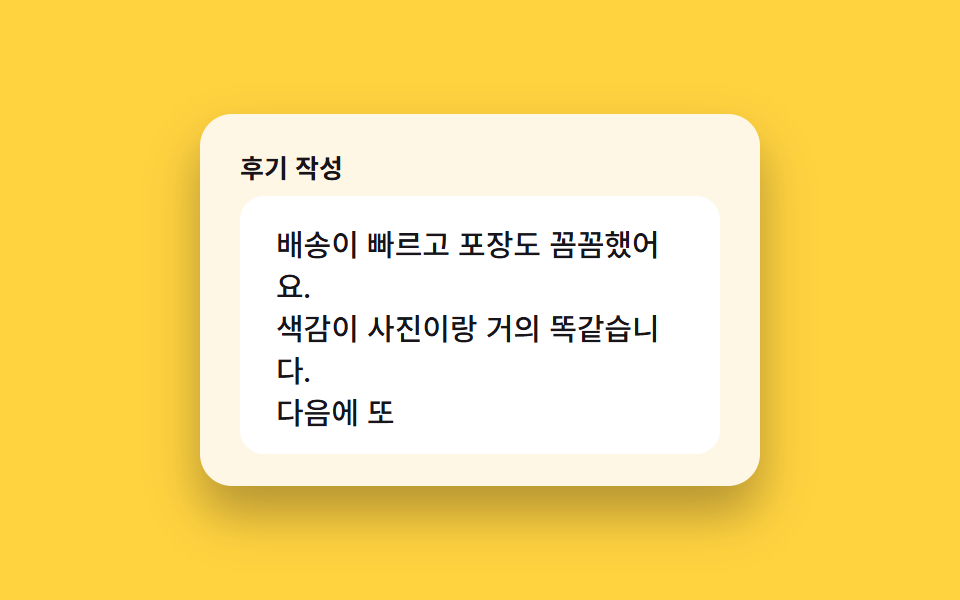 06 textarea-autogrow
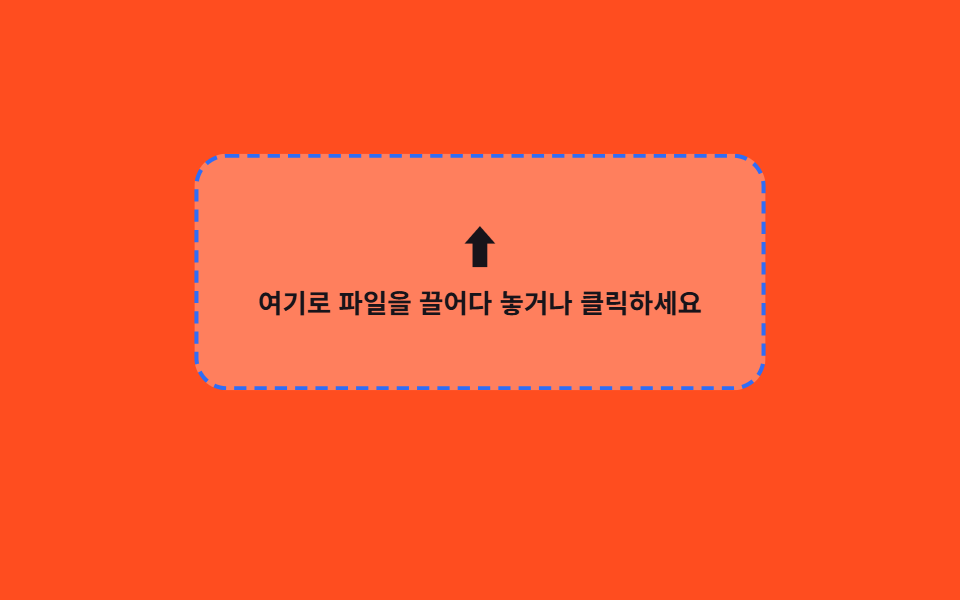 07 file-dropzone
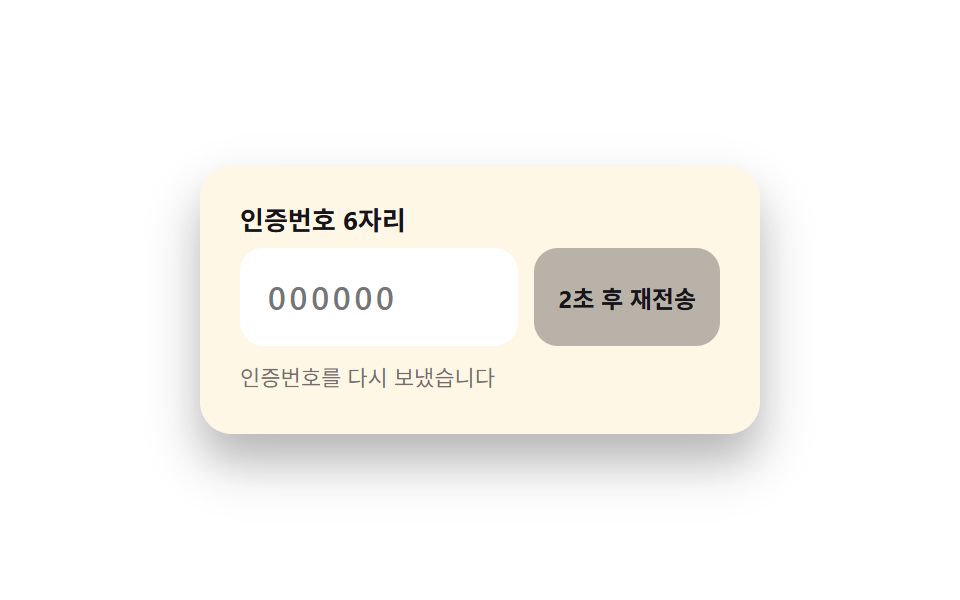 08 otp-resend
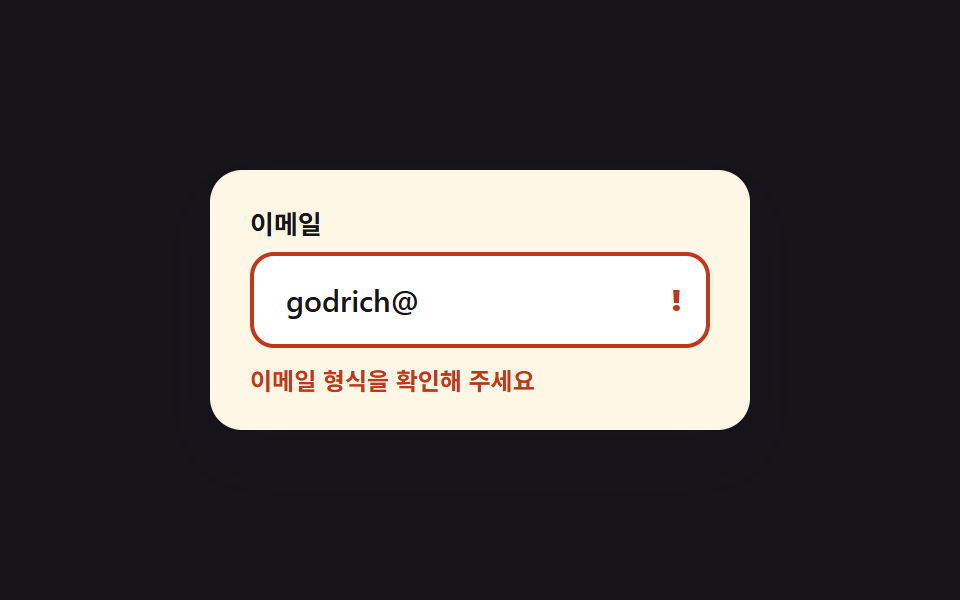 09 inline-validation
Auto-plays · click a tile to jump to its section · all nine in one zip
- 01 Auto-hyphen phone number
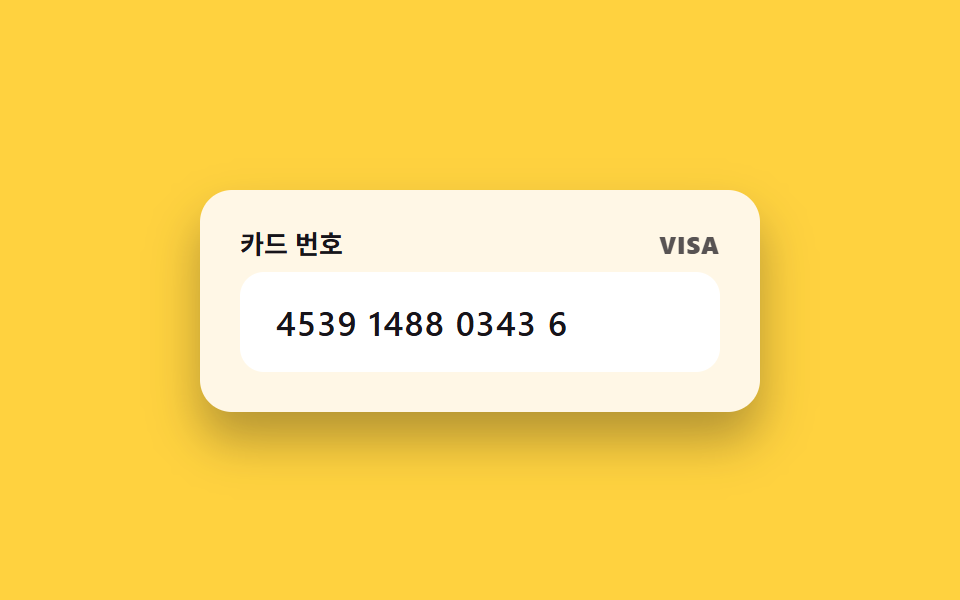
- 02 Card number 4-digit grouping
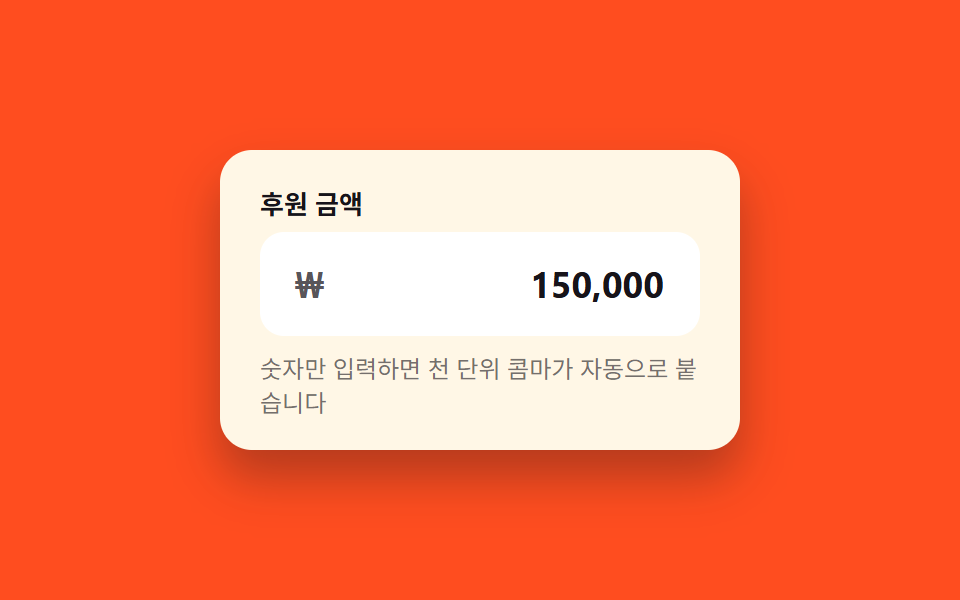
- 03 Currency input with auto comma
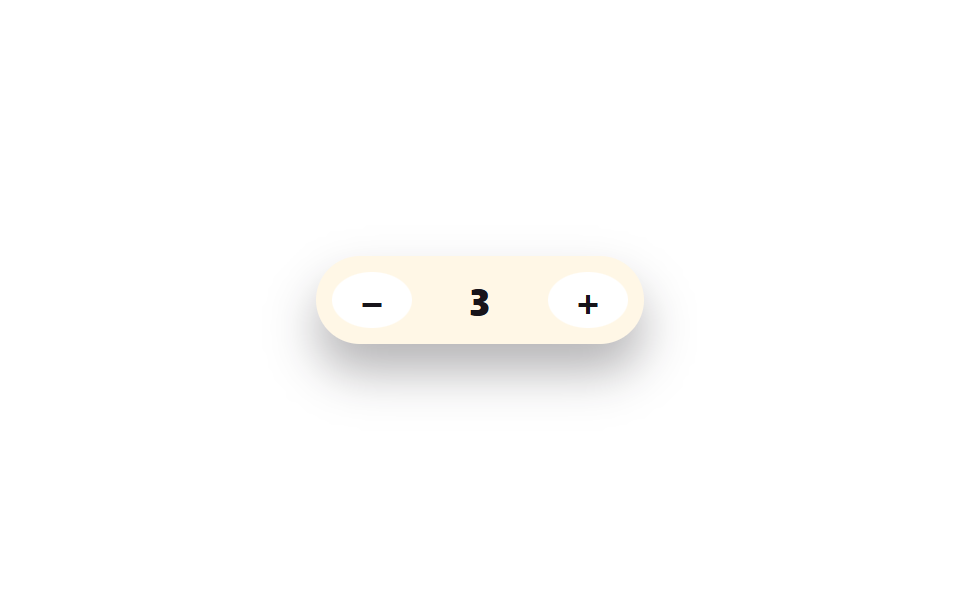
- 04 Quantity +/- stepper
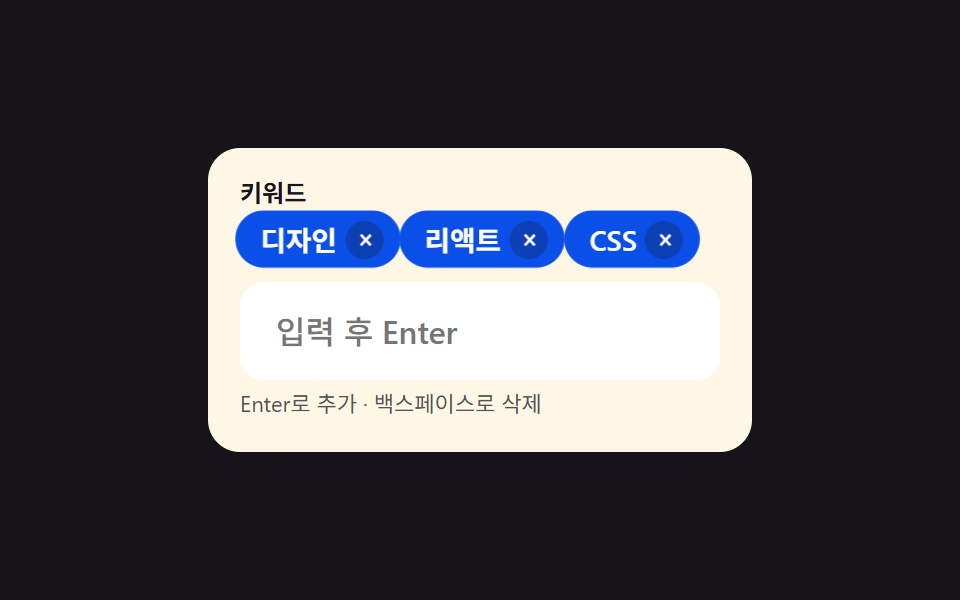
- 05 Tag input
- 06 Auto-growing textarea
- 07 Drag-and-drop file dropzone
- 08 OTP resend timer button
- 09 Inline input validation
The nine pieces of css input box design are ordered by how a form actually gets filled out, not by popularity: contact and payment details first (01–03), quantity and tags next (04–05), notes and attachments after that (06–07), and identity verification plus final validation last (08–09). Narrow it down to six digit boxes and you get OTP Input UI; line the same fields up on a signup screen and you get Register Form Design.
| # | Widget | When you'd use it |
|---|---|---|
| 01 | Auto-hyphen phone number | Signup contact, shipping phone |
| 02 | Card number 4-digit grouping | Checkout card field |
| 03 | Currency input with auto comma | Donation, quote amount |
| 04 | Quantity +/- stepper | Cart quantity, booking guests |
| 05 | Tag input | Keywords, multiple recipients |
| 06 | Auto-growing textarea | Review, support message |
| 07 | Drag-and-drop file dropzone | Profile photo, attachments |
| 08 | OTP resend timer button | Phone or email re-verification |
| 09 | Inline input validation | Email, password validation |
01Auto-hyphen phone number
What changes in a css input field design
Type digits only and hyphens land in the right spot automatically, like 010-1234-5678.
<main class="stage">
  <div class="field is-demo" id="field">
    <label class="field__label" for="phone-input">Phone number</label>
    <input class="field__input" id="phone-input" type="tel" inputmode="numeric" autocomplete="tel-national" placeholder="010-0000-0000" aria-describedby="phone-hint" maxlength="13">
    <p class="field__hint" id="phone-hint">Type digits only — hyphens are added automatically</p>
  </div>
</main>
@use "../../../../site/static/demo-tokens" as *;
// ── 변수 3개 ──────────────────────────────────────────
$duration: $dur-quick; // 포커스 링 전환 시간
$easing: $ease-out; // 포커스 링 전환 이징
$color: $subject-blue; // 포커스 링 색
// ── 데모 무대 ──────────────────────────────────────────
@include stage($stage-ink);
.field {
box-sizing: border-box;
width: min(260px, 84vw);
background: $subject-cream;
border-radius: $r-card;
padding: $sp-5 $sp-5 $sp-4;
box-shadow: $shadow-raised;
&__label {
display: block;
margin: 0 0 $sp-2;
font-weight: 700;
font-size: 13px;
line-height: 1;
font-family: inherit;
color: $stage-ink;
}
&__input {
box-sizing: border-box;
width: 100%;
border: 2px solid transparent;
border-radius: $r-control;
padding: $sp-3 $sp-4;
font-weight: 600;
font-size: clamp(15px, 4.4vw, 18px);
letter-spacing: .02em;
font-family: inherit;
color: $stage-ink;
background: #fff;
transition: border-color $duration $easing, box-shadow $duration $easing;
&:focus {
outline: none;
border-color: $color;
box-shadow: 0 0 0 3px rgba(47, 109, 246, .18);
}
}
&__hint {
margin: $sp-2 0 0;
font-size: 12px;
line-height: 1.4;
font-family: inherit;
color: rgba(23, 20, 26, .6);
}
}
// ── 접근성: 모션 축소 시 포커스 링 전환을 즉시 처리 ────────────
@media (prefers-reduced-motion: reduce) {
.field__input { transition: none; }
}html, body {
margin: 0;
overflow: hidden;
}
.stage {
box-sizing: border-box;
min-height: 100vh;
display: grid;
place-items: center;
margin: 0;
background: #17141a;
font-family: -apple-system, "Segoe UI", "Noto Sans KR", sans-serif;
padding: clamp(8px, 4vw, 24px);
}
.field {
box-sizing: border-box;
width: min(260px, 84vw);
background: #fff7e6;
border-radius: 16px;
padding: 20px 20px 16px;
box-shadow: 0 14px 24px rgba(23, 20, 26, 0.32);
}
.field__label {
display: block;
margin: 0 0 8px;
font-weight: 700;
font-size: 13px;
line-height: 1;
font-family: inherit;
color: #17141a;
}
.field__input {
box-sizing: border-box;
width: 100%;
border: 2px solid transparent;
border-radius: 12px;
padding: 12px 16px;
font-weight: 600;
font-size: clamp(15px, 4.4vw, 18px);
letter-spacing: 0.02em;
font-family: inherit;
color: #17141a;
background: #fff;
transition: border-color 220ms ease-out, box-shadow 220ms ease-out;
}
.field__input:focus {
outline: none;
border-color: #2f6df6;
box-shadow: 0 0 0 3px rgba(47, 109, 246, 0.18);
}
.field__hint {
margin: 8px 0 0;
font-size: 12px;
line-height: 1.4;
font-family: inherit;
color: rgba(23, 20, 26, 0.6);
}
@media (prefers-reduced-motion: reduce) {
.field__input {
transition: none;
}
}(function () {
var field = document.getElementById('field');
var input = document.getElementById('phone-input');
function format(digits) {
digits = digits.replace(/\D/g, '').slice(0, 11);
if (digits.length < 4) return digits;
if (digits.length < 8) return digits.slice(0, 3) + '-' + digits.slice(3);
return digits.slice(0, 3) + '-' + digits.slice(3, 7) + '-' + digits.slice(7);
}
input.addEventListener('input', function () {
input.value = format(input.value);
});
function stopDemo() {
if (!field.classList.contains('is-demo')) return;
field.classList.remove('is-demo');
clearInterval(timer);
input.value = '';
}
input.addEventListener('pointerdown', stopDemo);
input.addEventListener('keydown', stopDemo);
var digits = '01012345678';
var i = 0;
var timer = setInterval(function () {
if (i > digits.length) { i = 0; input.value = ''; return; }
input.value = format(digits.slice(0, i));
i++;
}, 160);
})();import { useRef, useState } from "react";
import styles from "./PhoneFormat.module.scss";
export type PhoneFormatProps = {
label?: string;
hint?: string;
color?: string;
};
function format(raw: string): string {
const d = raw.replace(/\D/g, "").slice(0, 11);
if (d.length < 4) return d;
if (d.length < 8) return `${d.slice(0, 3)}-${d.slice(3)}`;
return `${d.slice(0, 3)}-${d.slice(3, 7)}-${d.slice(7)}`;
}
export default function PhoneFormat({
label = "전화번호",
hint = "숫자만 입력해도 하이픈이 자동으로 들어갑니다",
color = "#2f6df6",
}: PhoneFormatProps) {
const [value, setValue] = useState("");
const id = useRef("phone-input-" + Math.random().toString(36).slice(2)).current;
return (
<div className={styles.field} style={{ ["--color" as string]: color }}>
<label className={styles.label} htmlFor={id}>{label}</label>
<input
className={styles.input}
id={id}
type="tel"
inputMode="numeric"
autoComplete="tel-national"
placeholder="010-0000-0000"
maxLength={13}
value={value}
aria-describedby={id + "-hint"}
onChange={(e: any) => setValue(format(e.target.value))}
/>
<p className={styles.hint} id={id + "-hint"}>{hint}</p>
</div>
);
}01 · Auto-hyphen phone number — Measured area 0.857% · moving frames 15/23Original by GODRICH · SCSS and React ship in the zip · See the password
Where to look in the code
Pasting a full number reformats it the same way.
function format(raw) {
  const d = raw.replace(/\D/g, "").slice(0, 11);
  if (d.length < 4) return d;
  if (d.length < 8) return d.slice(0, 3) + "-" + d.slice(3);
  return d.slice(0, 3) + "-" + d.slice(3, 7) + "-" + d.slice(7);
}
input.addEventListener("input", () => {
  input.value = format(input.value);
});
02Card number 4-digit grouping
What happens on screen
A space is inserted every four digits as you type, so the number reads like a real card.
<main class="stage">
  <div class="field is-demo" id="field">
    <div class="field__top">
      <label class="field__label" for="card-input">Card number</label>
      <span class="field__brand" id="brand" aria-hidden="true"></span>
    </div>
    <input class="field__input" id="card-input" type="text" inputmode="numeric" autocomplete="cc-number" placeholder="0000 0000 0000 0000" maxlength="19">
  </div>
</main>
@use "../../../../site/static/demo-tokens" as *;
// ── 변수 3개 ──────────────────────────────────────────
$duration: $dur-instant; // 브랜드 라벨이 나타나는 시간
$easing: $ease-out;
$color: $stage-ink; // 브랜드 라벨 색
// ── 데모 무대 ──────────────────────────────────────────
@include stage($stage-yellow);
.field {
box-sizing: border-box;
width: min(280px, 86vw);
background: $subject-cream;
border-radius: $r-card;
padding: $sp-5;
box-shadow: $shadow-raised;
&__top {
display: flex;
align-items: baseline;
justify-content: space-between;
gap: $sp-2;
margin: 0 0 $sp-2;
}
&__label {
font-weight: 700;
font-size: 13px;
line-height: 1;
font-family: inherit;
color: $stage-ink;
}
&__brand {
font-weight: 800;
font-size: 12px;
line-height: 1;
font-family: inherit;
letter-spacing: .04em;
color: $color;
opacity: 0;
transition: opacity $duration $easing;
&:not(:empty) { opacity: .72; } // 흐린 글자 알파 하한 .72 — 크림 면 위 6.9:1
}
&__input {
box-sizing: border-box;
width: 100%;
border: 2px solid transparent;
border-radius: $r-control;
padding: $sp-3 $sp-4;
font-weight: 600;
font-size: clamp(14px, 4.4vw, 17px);
letter-spacing: .04em;
font-family: inherit;
color: $stage-ink;
background: #fff;
transition: border-color $duration $easing;
&:focus {
outline: none;
border-color: $subject-blue;
}
}
}
@media (prefers-reduced-motion: reduce) {
.field__brand, .field__input { transition: none; }
}html, body {
margin: 0;
overflow: hidden;
}
.stage {
box-sizing: border-box;
min-height: 100vh;
display: grid;
place-items: center;
margin: 0;
background: #ffd23f;
font-family: -apple-system, "Segoe UI", "Noto Sans KR", sans-serif;
padding: clamp(8px, 4vw, 24px);
}
.field {
box-sizing: border-box;
width: min(280px, 86vw);
background: #fff7e6;
border-radius: 16px;
padding: 20px;
box-shadow: 0 14px 24px rgba(23, 20, 26, 0.32);
}
.field__top {
display: flex;
align-items: baseline;
justify-content: space-between;
gap: 8px;
margin: 0 0 8px;
}
.field__label {
font-weight: 700;
font-size: 13px;
line-height: 1;
font-family: inherit;
color: #17141a;
}
.field__brand {
font-weight: 800;
font-size: 12px;
line-height: 1;
font-family: inherit;
letter-spacing: 0.04em;
color: #17141a;
opacity: 0;
transition: opacity 140ms ease-out;
}
.field__brand:not(:empty) {
opacity: 0.72;
}
.field__input {
box-sizing: border-box;
width: 100%;
border: 2px solid transparent;
border-radius: 12px;
padding: 12px 16px;
font-weight: 600;
font-size: clamp(14px, 4.4vw, 17px);
letter-spacing: 0.04em;
font-family: inherit;
color: #17141a;
background: #fff;
transition: border-color 140ms ease-out;
}
.field__input:focus {
outline: none;
border-color: #2f6df6;
}
@media (prefers-reduced-motion: reduce) {
.field__brand, .field__input {
transition: none;
}
}(function () {
var field = document.getElementById('field');
var input = document.getElementById('card-input');
var brand = document.getElementById('brand');
function brandOf(d) {
if (d[0] === '4') return 'VISA';
if (/^5[1-5]/.test(d)) return 'Mastercard';
if (/^3[47]/.test(d)) return 'AMEX';
return '';
}
function format(v) {
var d = v.replace(/\D/g, '').slice(0, 16);
var groups = d.match(/.{1,4}/g) || [];
brand.textContent = brandOf(d);
return groups.join(' ');
}
input.addEventListener('input', function () {
input.value = format(input.value);
});
function stopDemo() {
if (!field.classList.contains('is-demo')) return;
field.classList.remove('is-demo');
clearInterval(timer);
input.value = ''; brand.textContent = '';
}
input.addEventListener('pointerdown', stopDemo);
input.addEventListener('keydown', stopDemo);
var digits = '4539148803436467';
var i = 0;
var timer = setInterval(function () {
if (i > digits.length) { i = 0; input.value = ''; brand.textContent = ''; return; }
input.value = format(digits.slice(0, i));
i++;
}, 110);
})();import { useRef, useState } from "react";
import styles from "./CardNumber.module.scss";
export type CardNumberProps = {
label?: string;
};
function brandOf(d: string): string {
if (d[0] === "4") return "VISA";
if (/^5[1-5]/.test(d)) return "Mastercard";
if (/^3[47]/.test(d)) return "AMEX";
return "";
}
function format(raw: string): { value: string; brand: string } {
const d = raw.replace(/\D/g, "").slice(0, 16);
const groups = d.match(/.{1,4}/g) || [];
return { value: groups.join(" "), brand: brandOf(d) };
}
export default function CardNumber({ label = "카드 번호" }: CardNumberProps) {
const [value, setValue] = useState("");
const [brand, setBrand] = useState("");
const id = useRef("card-input-" + Math.random().toString(36).slice(2)).current;
return (
<div className={styles.field}>
<div className={styles.top}>
<label className={styles.label} htmlFor={id}>{label}</label>
<span className={styles.brand}>{brand}</span>
</div>
<input
className={styles.input}
id={id}
type="text"
inputMode="numeric"
autoComplete="cc-number"
placeholder="0000 0000 0000 0000"
maxLength={19}
value={value}
onChange={(e: any) => {
const r = format(e.target.value);
setValue(r.value);
setBrand(r.brand);
}}
/>
</div>
);
}02 · Card number 4-digit grouping — Measured area 1.293% · moving frames 22/23Original by GODRICH · SCSS and React ship in the zip · See the password
How to read the code
The first digit also flags VISA, Mastercard, or AMEX.
function format(raw) {
  const d = raw.replace(/\D/g, "").slice(0, 16);
  const groups = d.match(/.{1,4}/g) || [];
  return groups.join(" ");
}
function brandOf(d) {
  if (d[0] === "4") return "VISA";
  if (/^5[1-5]/.test(d)) return "Mastercard";
  return "";
}
03Currency input with auto comma
What moves
Type digits into a currency-prefixed field and thousands separators appear automatically.
<main class="stage">
  <div class="field is-demo" id="field">
    <label class="field__label" for="amount-input">Donation amount</label>
    <div class="field__frame">
      <span class="field__prefix" aria-hidden="true">₩</span>
      <input class="field__input" id="amount-input" type="text" inputmode="numeric" placeholder="0" aria-describedby="amount-hint">
    </div>
    <p class="field__hint" id="amount-hint">Type digits and thousands separators are added automatically</p>
  </div>
</main>
@use "../../../../site/static/demo-tokens" as *;
// ── 변수 3개 ──────────────────────────────────────────
$duration: $dur-quick;
$easing: $ease-out;
$color: $subject-blue;
// ── 데모 무대 ──────────────────────────────────────────
@include stage($stage-orange);
.field {
box-sizing: border-box;
width: min(260px, 84vw);
background: $subject-cream;
border-radius: $r-card;
padding: $sp-5 $sp-5 $sp-4;
box-shadow: $shadow-raised;
&__label {
display: block;
margin: 0 0 $sp-2;
font-weight: 700;
font-size: 13px;
line-height: 1;
font-family: inherit;
color: $stage-ink;
}
&__frame {
display: flex;
align-items: center;
gap: $sp-2;
border: 2px solid transparent;
border-radius: $r-control;
padding: $sp-3 $sp-4;
background: #fff;
transition: border-color $duration $easing;
&:focus-within { border-color: $color; }
}
&__prefix {
font-weight: 700;
font-size: clamp(15px, 4.4vw, 18px);
font-family: inherit;
color: rgba(23, 20, 26, .72);
}
&__input {
box-sizing: border-box;
flex: 1 1 auto;
min-width: 0;
border: 0;
padding: 0;
text-align: right;
font-weight: 700;
font-size: clamp(15px, 4.4vw, 18px);
font-family: inherit;
color: $stage-ink;
background: transparent;
&:focus { outline: none; }
}
&__hint {
margin: $sp-2 0 0;
font-size: 12px;
line-height: 1.4;
font-family: inherit;
color: rgba(23, 20, 26, .6);
}
}
@media (prefers-reduced-motion: reduce) {
.field__frame { transition: none; }
}html, body {
margin: 0;
overflow: hidden;
}
.stage {
box-sizing: border-box;
min-height: 100vh;
display: grid;
place-items: center;
margin: 0;
background: #ff4d1f;
font-family: -apple-system, "Segoe UI", "Noto Sans KR", sans-serif;
padding: clamp(8px, 4vw, 24px);
}
.field {
box-sizing: border-box;
width: min(260px, 84vw);
background: #fff7e6;
border-radius: 16px;
padding: 20px 20px 16px;
box-shadow: 0 14px 24px rgba(23, 20, 26, 0.32);
}
.field__label {
display: block;
margin: 0 0 8px;
font-weight: 700;
font-size: 13px;
line-height: 1;
font-family: inherit;
color: #17141a;
}
.field__frame {
display: flex;
align-items: center;
gap: 8px;
border: 2px solid transparent;
border-radius: 12px;
padding: 12px 16px;
background: #fff;
transition: border-color 220ms ease-out;
}
.field__frame:focus-within {
border-color: #2f6df6;
}
.field__prefix {
font-weight: 700;
font-size: clamp(15px, 4.4vw, 18px);
font-family: inherit;
color: rgba(23, 20, 26, 0.72);
}
.field__input {
box-sizing: border-box;
flex: 1 1 auto;
min-width: 0;
border: 0;
padding: 0;
text-align: right;
font-weight: 700;
font-size: clamp(15px, 4.4vw, 18px);
font-family: inherit;
color: #17141a;
background: transparent;
}
.field__input:focus {
outline: none;
}
.field__hint {
margin: 8px 0 0;
font-size: 12px;
line-height: 1.4;
font-family: inherit;
color: rgba(23, 20, 26, 0.6);
}
@media (prefers-reduced-motion: reduce) {
.field__frame {
transition: none;
}
}(function () {
var field = document.getElementById('field');
var input = document.getElementById('amount-input');
function format(v) {
var d = v.replace(/\D/g, '').replace(/^0+(?=\d)/, '').slice(0, 12);
return d ? Number(d).toLocaleString('ko-KR') : '';
}
input.addEventListener('input', function () {
input.value = format(input.value);
});
function stopDemo() {
if (!field.classList.contains('is-demo')) return;
field.classList.remove('is-demo');
clearInterval(timer);
input.value = '';
}
input.addEventListener('pointerdown', stopDemo);
input.addEventListener('keydown', stopDemo);
var digits = '1500000';
var i = 0;
var timer = setInterval(function () {
if (i > digits.length) { i = 0; input.value = ''; return; }
input.value = format(digits.slice(0, i));
i++;
}, 190);
})();import { useRef, useState } from "react";
import styles from "./CurrencyInput.module.scss";
export type CurrencyInputProps = {
label?: string;
hint?: string;
symbol?: string;
};
function format(raw: string): string {
const d = raw.replace(/\D/g, "").replace(/^0+(?=\d)/, "").slice(0, 12);
return d ? Number(d).toLocaleString("ko-KR") : "";
}
export default function CurrencyInput({
label = "후원 금액",
hint = "숫자만 입력하면 천 단위 콤마가 자동으로 붙습니다",
symbol = "₩",
}: CurrencyInputProps) {
const [value, setValue] = useState("");
const id = useRef("amount-input-" + Math.random().toString(36).slice(2)).current;
return (
<div className={styles.field}>
<label className={styles.label} htmlFor={id}>{label}</label>
<div className={styles.frame}>
<span className={styles.prefix} aria-hidden="true">{symbol}</span>
<input
className={styles.input}
id={id}
type="text"
inputMode="numeric"
placeholder="0"
aria-describedby={id + "-hint"}
value={value}
onChange={(e: any) => setValue(format(e.target.value))}
/>
</div>
<p className={styles.hint} id={id + "-hint"}>{hint}</p>
</div>
);
}03 · Currency input with auto comma — Measured area 0.557% · moving frames 12/23Original by GODRICH · SCSS and React ship in the zip · See the password
What to change
Leading zeros are stripped along the way.
function format(raw) {
  const d = raw.replace(/\D/g, "").replace(/^0+(?=\d)/, "").slice(0, 12);
  return d ? Number(d).toLocaleString("en-US") : "";
}
input.addEventListener("input", () => {
  input.value = format(input.value);
});
04Quantity +/- stepper
What you see
Each tap changes the number in the middle by one, and the minus button dims and stops responding once the minimum (1) is reached.
<main class="stage">
  <div class="stepper is-demo" id="stepper" role="group" aria-label="Select quantity">
    <button class="stepper__btn" id="minus" type="button" aria-label="Decrease quantity">−</button>
    <input class="stepper__value" id="value" type="text" inputmode="numeric" pattern="[0-9]*" value="1" aria-label="Quantity">
    <button class="stepper__btn" id="plus" type="button" aria-label="Increase quantity">+</button>
  </div>
  <span id="announce" class="sr-only" aria-live="polite"></span>
</main>
@use "../../../../site/static/demo-tokens" as *;
// ── 변수 3개 ──────────────────────────────────────────
$duration: $dur-instant; // 버튼 눌림 전환 시간
$easing: $ease-out;
$color: $stage-ink; // 값 글자 색
// ── 데모 무대 ──────────────────────────────────────────
@include stage($stage-paper);
.sr-only {
position: absolute; width: 1px; height: 1px;
padding: 0; margin: -1px; overflow: hidden;
clip: rect(0, 0, 0, 0); white-space: nowrap; border: 0;
}
.stepper {
display: flex;
align-items: stretch;
gap: $sp-2;
background: $subject-cream;
border-radius: $r-pill;
padding: $sp-2;
box-shadow: $shadow-raised;
&__btn {
box-sizing: border-box;
width: 40px;
border: 0;
border-radius: 50%;
background: #fff;
color: $color;
font-size: 20px;
font-weight: 700;
line-height: 1;
font-family: inherit;
cursor: pointer;
transition: transform $duration $easing, opacity $duration $easing;
&:active:not(:disabled) { transform: scale(.9); }
&:disabled { opacity: .35; cursor: not-allowed; }
&:focus-visible { outline: 2px solid $subject-blue; outline-offset: 2px; }
}
&__value {
box-sizing: border-box;
width: 52px;
border: 0;
background: transparent;
text-align: center;
font-weight: 800;
font-size: clamp(16px, 4.6vw, 19px);
font-family: inherit;
color: $color;
&:focus { outline: none; }
}
}
@media (prefers-reduced-motion: reduce) {
.stepper__btn { transition: none; }
}html, body {
margin: 0;
overflow: hidden;
}
.stage {
box-sizing: border-box;
min-height: 100vh;
display: grid;
place-items: center;
margin: 0;
background: #ffffff;
font-family: -apple-system, "Segoe UI", "Noto Sans KR", sans-serif;
padding: clamp(8px, 4vw, 24px);
}
.sr-only {
position: absolute;
width: 1px;
height: 1px;
padding: 0;
margin: -1px;
overflow: hidden;
clip: rect(0, 0, 0, 0);
white-space: nowrap;
border: 0;
}
.stepper {
display: flex;
align-items: stretch;
gap: 8px;
background: #fff7e6;
border-radius: 999px;
padding: 8px;
box-shadow: 0 14px 24px rgba(23, 20, 26, 0.32);
}
.stepper__btn {
box-sizing: border-box;
width: 40px;
border: 0;
border-radius: 50%;
background: #fff;
color: #17141a;
font-size: 20px;
font-weight: 700;
line-height: 1;
font-family: inherit;
cursor: pointer;
transition: transform 140ms ease-out, opacity 140ms ease-out;
}
.stepper__btn:active:not(:disabled) {
transform: scale(0.9);
}
.stepper__btn:disabled {
opacity: 0.35;
cursor: not-allowed;
}
.stepper__btn:focus-visible {
outline: 2px solid #2f6df6;
outline-offset: 2px;
}
.stepper__value {
box-sizing: border-box;
width: 52px;
border: 0;
background: transparent;
text-align: center;
font-weight: 800;
font-size: clamp(16px, 4.6vw, 19px);
font-family: inherit;
color: #17141a;
}
.stepper__value:focus {
outline: none;
}
@media (prefers-reduced-motion: reduce) {
.stepper__btn {
transition: none;
}
}(function () {
var wrap = document.getElementById('stepper');
var minus = document.getElementById('minus');
var plus = document.getElementById('plus');
var value = document.getElementById('value');
var announce = document.getElementById('announce');
var MIN = 1, MAX = 99;
var n = 1;
function render() {
value.value = n;
minus.disabled = n <= MIN;
plus.disabled = n >= MAX;
announce.textContent = 'Quantity ' + n + ' items';
}
function set(v) { n = Math.min(MAX, Math.max(MIN, v)); render(); }
minus.addEventListener('click', function () { stopDemo(); set(n - 1); });
plus.addEventListener('click', function () { stopDemo(); set(n + 1); });
value.addEventListener('change', function () { stopDemo(); set(parseInt(value.value, 10) || MIN); });
value.addEventListener('pointerdown', stopDemo);
function stopDemo() {
if (!wrap.classList.contains('is-demo')) return;
wrap.classList.remove('is-demo');
clearInterval(timer);
}
var dir = 1;
var timer = setInterval(function () {
if (n >= 6) dir = -1;
if (n <= 1) dir = 1;
set(n + dir);
}, 260);
render();
})();import { useState } from "react";
import styles from "./QuantityStepper.module.scss";
export type QuantityStepperProps = {
min?: number;
max?: number;
initial?: number;
onChange?: (n: number) => void;
};
export default function QuantityStepper({
min = 1,
max = 99,
initial = 1,
onChange,
}: QuantityStepperProps) {
const [n, setN] = useState(initial);
const set = (v: number) => {
const next = Math.min(max, Math.max(min, v));
setN(next);
onChange?.(next);
};
return (
<div className={styles.stepper} role="group" aria-label="수량 선택">
<button
type="button"
className={styles.btn}
aria-label="수량 줄이기"
disabled={n <= min}
onClick={() => set(n - 1)}
>
−
</button>
<input
className={styles.value}
type="text"
inputMode="numeric"
pattern="[0-9]*"
aria-label="수량"
value={n}
onChange={(e: any) => set(parseInt(e.target.value, 10) || min)}
/>
<button
type="button"
className={styles.btn}
aria-label="수량 늘리기"
disabled={n >= max}
onClick={() => set(n + 1)}
>
+
</button>
<span className={styles.srOnly} aria-live="polite">{`수량 ${n}개`}</span>
</div>
);
}04 · Quantity +/- stepper — Measured area 0.676% · moving frames 12/23Original by GODRICH · SCSS and React ship in the zip · See the password
Where to look in the code
const MIN = 1, MAX = 99;
function set(v) {
  n = Math.min(MAX, Math.max(MIN, v));
  value.value = n;
  minus.disabled = n <= MIN;
  plus.disabled = n >= MAX;
}
minus.addEventListener("click", () => set(n - 1));
plus.addEventListener("click", () => set(n + 1));
05Tag input
What happens on screen
Type text and press Enter to turn it into a pill-shaped tag; pressing Backspace on an empty field removes the last tag.
<main class="stage">
  <div class="tags is-demo" id="wrap">
    <label class="tags__label" for="tag-input">Keywords</label>
    <ul class="tags__list" id="list" aria-label="Added tags"></ul>
    <input class="tags__input" id="tag-input" type="text" placeholder="Type and press Enter" aria-describedby="tag-hint">
    <p class="tags__hint" id="tag-hint">Enter to add · Backspace to remove</p>
  </div>
</main>
@use "../../../../site/static/demo-tokens" as *;
// ── 변수 3개 ──────────────────────────────────────────
$duration: $dur-quick; // 태그가 나타나는 시간
$easing: $ease-pop; // 팝 이징
$color: $subject-blue; // 태그 배경 색
// ── 데모 무대 ──────────────────────────────────────────
@include stage($stage-ink);
.tags {
box-sizing: border-box;
width: min(272px, 84vw);
background: $subject-cream;
border-radius: $r-card;
padding: $sp-4;
box-shadow: $shadow-raised;
&__label {
display: block;
margin: 0 0 $sp-1;
font-weight: 700;
font-size: 12px;
line-height: 1;
font-family: inherit;
color: $stage-ink;
}
&__list {
display: flex;
flex-wrap: wrap;
gap: $sp-1;
margin: 0 0 $sp-2;
padding: 0;
list-style: none;
min-height: 24px;
}
&__chip {
display: flex;
align-items: center;
gap: $sp-1;
background: $subject-blue-deep; // 크림 면 위 칩 — 흰 글자가 4.5 넘게 deep 면(6.37:1)
color: $stage-paper;
border-radius: $r-pill;
padding: $sp-1 $sp-2 $sp-1 $sp-3;
font-size: 13px;
font-weight: 600;
font-family: inherit;
}
&__remove {
border: 0;
background: rgba(23, 20, 26, .25);
color: $stage-paper;
width: 18px;
height: 18px;
border-radius: 50%;
line-height: 1;
font-size: 12px;
cursor: pointer;
transition: background $duration $easing;
&:hover, &:focus-visible { background: rgba(255, 255, 255, .45); }
}
&__input {
box-sizing: border-box;
width: 100%;
border: 2px solid transparent;
border-radius: $r-control;
padding: $sp-3 $sp-4;
font-weight: 500;
font-size: clamp(14px, 4.2vw, 16px);
font-family: inherit;
color: $stage-ink;
background: #fff;
transition: border-color $duration $easing;
&:focus { outline: none; border-color: $color; }
}
&__hint {
margin: $sp-1 0 0;
font-size: 11px;
line-height: 1.4;
font-family: inherit;
color: rgba(23, 20, 26, .72);
}
}
.tags.is-demo .tags__chip { animation: pop $duration $easing both; }
@keyframes pop {
0% { transform: scale(.5); opacity: 0; }
70% { transform: scale(1.06); opacity: 1; }
100% { transform: scale(1); opacity: 1; }
}
@media (prefers-reduced-motion: reduce) {
.tags__chip { animation: none; }
.tags__input, .tags__remove { transition: none; }
}html, body {
margin: 0;
overflow: hidden;
}
.stage {
box-sizing: border-box;
min-height: 100vh;
display: grid;
place-items: center;
margin: 0;
background: #17141a;
font-family: -apple-system, "Segoe UI", "Noto Sans KR", sans-serif;
padding: clamp(8px, 4vw, 24px);
}
.tags {
box-sizing: border-box;
width: min(272px, 84vw);
background: #fff7e6;
border-radius: 16px;
padding: 16px;
box-shadow: 0 14px 24px rgba(23, 20, 26, 0.32);
}
.tags__label {
display: block;
margin: 0 0 4px;
font-weight: 700;
font-size: 12px;
line-height: 1;
font-family: inherit;
color: #17141a;
}
.tags__list {
display: flex;
flex-wrap: wrap;
gap: 4px;
margin: 0 0 8px;
padding: 0;
list-style: none;
min-height: 24px;
}
.tags__chip {
display: flex;
align-items: center;
gap: 4px;
background: #0a4fe8;
color: #ffffff;
border-radius: 999px;
padding: 4px 8px 4px 12px;
font-size: 13px;
font-weight: 600;
font-family: inherit;
}
.tags__remove {
border: 0;
background: rgba(23, 20, 26, 0.25);
color: #ffffff;
width: 18px;
height: 18px;
border-radius: 50%;
line-height: 1;
font-size: 12px;
cursor: pointer;
transition: background 220ms cubic-bezier(0.2, 1.4, 0.4, 1);
}
.tags__remove:hover, .tags__remove:focus-visible {
background: rgba(255, 255, 255, 0.45);
}
.tags__input {
box-sizing: border-box;
width: 100%;
border: 2px solid transparent;
border-radius: 12px;
padding: 12px 16px;
font-weight: 500;
font-size: clamp(14px, 4.2vw, 16px);
font-family: inherit;
color: #17141a;
background: #fff;
transition: border-color 220ms cubic-bezier(0.2, 1.4, 0.4, 1);
}
.tags__input:focus {
outline: none;
border-color: #2f6df6;
}
.tags__hint {
margin: 4px 0 0;
font-size: 11px;
line-height: 1.4;
font-family: inherit;
color: rgba(23, 20, 26, 0.72);
}
.tags.is-demo .tags__chip {
animation: pop 220ms cubic-bezier(0.2, 1.4, 0.4, 1) both;
}
@keyframes pop {
0% {
transform: scale(0.5);
opacity: 0;
}
70% {
transform: scale(1.06);
opacity: 1;
}
100% {
transform: scale(1);
opacity: 1;
}
}
@media (prefers-reduced-motion: reduce) {
.tags__chip {
animation: none;
}
.tags__input, .tags__remove {
transition: none;
}
}(function () {
var wrap = document.getElementById('wrap');
var list = document.getElementById('list');
var input = document.getElementById('tag-input');
var tags = [];
function render() {
list.innerHTML = '';
tags.forEach(function (t, idx) {
var li = document.createElement('li');
li.className = 'tags__chip';
var span = document.createElement('span');
span.textContent = t;
var btn = document.createElement('button');
btn.type = 'button';
btn.className = 'tags__remove';
btn.setAttribute('aria-label', t + ' — remove tag');
btn.textContent = '×';
btn.addEventListener('click', function () { stopDemo(); tags.splice(idx, 1); render(); });
li.appendChild(span); li.appendChild(btn);
list.appendChild(li);
});
}
function add(t) { t = t.trim(); if (t) { tags.push(t); render(); } }
input.addEventListener('keydown', function (e) {
if (e.key === 'Enter' || e.key === ',') {
e.preventDefault(); stopDemo(); add(input.value); input.value = '';
} else if (e.key === 'Backspace' && !input.value && tags.length) {
stopDemo(); tags.pop(); render();
}
});
input.addEventListener('pointerdown', stopDemo);
function stopDemo() {
if (!wrap.classList.contains('is-demo')) return;
wrap.classList.remove('is-demo');
clearInterval(timer);
}
var script = ['Design', 'React', 'CSS', 'Responsive'];
var step = 0, chars = '', paused = false;
var timer = setInterval(function () {
if (paused) return;
var word = script[step];
if (chars.length < word.length) {
chars += word[chars.length];
input.value = chars;
} else {
add(chars); input.value = ''; chars = ''; step++;
if (step >= script.length) {
paused = true;
setTimeout(function () { tags = []; step = 0; paused = false; render(); }, 500);
}
}
}, 140);
})();import { useState } from "react";
import styles from "./TagInput.module.scss";
export type TagInputProps = {
label?: string;
initialTags?: string[];
};
export default function TagInput({ label = "키워드", initialTags = [] }: TagInputProps) {
const [tags, setTags] = useState<string[]>(initialTags);
const [draft, setDraft] = useState("");
const add = (t: string) => {
const v = t.trim();
if (v) setTags((prev) => [...prev, v]);
};
const onKeyDown = (e: { key: string; preventDefault: () => void }) => {
if (e.key === "Enter" || e.key === ",") {
e.preventDefault();
add(draft);
setDraft("");
} else if (e.key === "Backspace" && !draft && tags.length) {
setTags((prev) => prev.slice(0, -1));
}
};
return (
<div className={styles.tags}>
<label className={styles.label}>{label}</label>
<ul className={styles.list} aria-label="추가된 태그">
{tags.map((t, i) => (
<li key={t + i} className={styles.chip}>
<span>{t}</span>
<button
type="button"
className={styles.remove}
aria-label={`${t} 태그 삭제`}
onClick={() => setTags((prev) => prev.filter((_, idx) => idx !== i))}
>
×
</button>
</li>
))}
</ul>
<input
className={styles.input}
type="text"
placeholder="입력 후 Enter"
value={draft}
onChange={(e: any) => setDraft(e.target.value)}
onKeyDown={onKeyDown}
/>
</div>
);
}05 · Tag input — Measured area 21.44% · moving frames 19/23Original by GODRICH · SCSS and React ship in the zip · See the password
How to read the code
input.addEventListener("keydown", (e) => {
  if (e.key === "Enter" || e.key === ",") {
    e.preventDefault();
    if (input.value.trim()) tags.push(input.value.trim());
    input.value = "";
    render();
  } else if (e.key === "Backspace" && !input.value && tags.length) {
    tags.pop();
    render();
  }
});
06Auto-growing textarea
What moves
As lines are added, the box itself grows taller instead of scrolling, only switching to a scrollbar past a set max height (132px).
<main class="stage">
  <div class="grow is-demo" id="wrap">
    <label class="grow__label" for="review">Write a review</label>
    <textarea class="grow__area" id="review" rows="1" placeholder="Tell us how this product worked for you"></textarea>
  </div>
</main>
@use "../../../../site/static/demo-tokens" as *;
// ── 변수 3개 ──────────────────────────────────────────
$duration: $dur-quick; // 높이가 늘어나는 시간
$easing: $ease-out;
$color: $subject-blue; // 포커스 테두리 색
// ── 데모 무대 ──────────────────────────────────────────
@include stage($stage-yellow);
.grow {
box-sizing: border-box;
width: min(280px, 86vw);
background: $subject-cream;
border-radius: $r-card;
padding: $sp-5 $sp-5 $sp-4;
box-shadow: $shadow-raised;
&__label {
display: block;
margin: 0 0 $sp-2;
font-weight: 700;
font-size: 13px;
line-height: 1;
font-family: inherit;
color: $stage-ink;
}
&__area {
box-sizing: border-box;
display: block;
width: 100%;
min-height: 40px;
max-height: 132px;
resize: none;
overflow-y: auto;
border: 2px solid transparent;
border-radius: $r-control;
padding: $sp-3 $sp-4;
font-weight: 500;
font-size: clamp(13px, 3.8vw, 15px);
line-height: 1.4;
font-family: inherit;
color: $stage-ink;
background: #fff;
transition: height $duration $easing, border-color $duration $easing;
&:focus { outline: none; border-color: $color; }
}
}
@media (prefers-reduced-motion: reduce) {
.grow__area { transition: none; }
}html, body {
margin: 0;
overflow: hidden;
}
.stage {
box-sizing: border-box;
min-height: 100vh;
display: grid;
place-items: center;
margin: 0;
background: #ffd23f;
font-family: -apple-system, "Segoe UI", "Noto Sans KR", sans-serif;
padding: clamp(8px, 4vw, 24px);
}
.grow {
box-sizing: border-box;
width: min(280px, 86vw);
background: #fff7e6;
border-radius: 16px;
padding: 20px 20px 16px;
box-shadow: 0 14px 24px rgba(23, 20, 26, 0.32);
}
.grow__label {
display: block;
margin: 0 0 8px;
font-weight: 700;
font-size: 13px;
line-height: 1;
font-family: inherit;
color: #17141a;
}
.grow__area {
box-sizing: border-box;
display: block;
width: 100%;
min-height: 40px;
max-height: 132px;
resize: none;
overflow-y: auto;
border: 2px solid transparent;
border-radius: 12px;
padding: 12px 16px;
font-weight: 500;
font-size: clamp(13px, 3.8vw, 15px);
line-height: 1.4;
font-family: inherit;
color: #17141a;
background: #fff;
transition: height 220ms ease-out, border-color 220ms ease-out;
}
.grow__area:focus {
outline: none;
border-color: #2f6df6;
}
@media (prefers-reduced-motion: reduce) {
.grow__area {
transition: none;
}
}(function () {
var wrap = document.getElementById('wrap');
var area = document.getElementById('review');
var MAX = 132;
function resize() {
area.style.height = 'auto';
area.style.height = Math.min(area.scrollHeight, MAX) + 'px';
}
area.addEventListener('input', resize);
function stopDemo() {
if (!wrap.classList.contains('is-demo')) return;
wrap.classList.remove('is-demo');
clearInterval(timer);
}
area.addEventListener('pointerdown', stopDemo);
area.addEventListener('keydown', stopDemo);
var full = 'The delivery was fast and the packaging was careful.\\nThe colors look almost exactly like the photos.\\nI will order again, thank you!';
var i = 0;
var timer = setInterval(function () {
if (i > full.length) { i = 0; area.value = ''; resize(); return; }
area.value = full.slice(0, i);
resize();
i += 2;
}, 90);
})();import { useRef, useState } from "react";
import styles from "./TextareaAutogrow.module.scss";
export type TextareaAutogrowProps = {
label?: string;
placeholder?: string;
maxHeight?: number;
};
export default function TextareaAutogrow({
label = "후기 작성",
placeholder = "이 상품을 써 본 느낌을 알려주세요",
maxHeight = 132,
}: TextareaAutogrowProps) {
const [value, setValue] = useState("");
const ref = useRef<HTMLTextAreaElement | null>(null);
const resize = () => {
const el = ref.current;
if (!el) return;
el.style.height = "auto";
el.style.height = Math.min(el.scrollHeight, maxHeight) + "px";
};
return (
<div className={styles.grow}>
<label className={styles.label}>{label}</label>
<textarea
ref={ref}
className={styles.area}
rows={1}
placeholder={placeholder}
value={value}
style={{ maxHeight }}
onChange={(e: any) => {
setValue(e.target.value);
resize();
}}
/>
</div>
);
}06 · Auto-growing textarea — Measured area 36.821% · moving frames 23/23Original by GODRICH · SCSS and React ship in the zip · See the password
What to change
function resize() {
  // reset to auto first, or the height never shrinks back down
  area.style.height = "auto";
  const next = Math.min(area.scrollHeight, 132);
  area.style.height = next + "px";
}
area.addEventListener("input", resize);
07Drag-and-drop file dropzone
What you see
Dragging a file over the zone thickens its border, and dropping it turns the filename into a chip.
<main class="stage">
  <div class="drop is-demo" id="drop">
    <label class="drop__zone" for="file-input" id="zone">
      <span class="drop__icon" aria-hidden="true">⬆</span>
      <span class="drop__text">Drag a file here or click to browse</span>
      <input class="drop__input" type="file" id="file-input">
    </label>
    <p class="drop__file" id="filename" aria-live="polite"></p>
  </div>
</main>
@use "../../../../site/static/demo-tokens" as *;
// ── 변수 3개 ──────────────────────────────────────────
$duration: $dur-quick; // 테두리·배경 전환 시간
$easing: $ease-out;
$color: $subject-blue; // 드래그 중 강조 색
// ── 데모 무대 ──────────────────────────────────────────
@include stage($stage-orange);
.drop {
box-sizing: border-box;
width: min(280px, 86vw);
}
.drop__zone {
box-sizing: border-box;
display: flex;
flex-direction: column;
align-items: center;
gap: $sp-2;
width: 100%;
border: 2px dashed rgba(255, 255, 255, .7);
border-radius: $r-card;
padding: $sp-8 $sp-4;
cursor: pointer;
background: rgba(255, 255, 255, .12);
transition: border-color $duration $easing, background $duration $easing, transform $duration $easing;
&.is-over {
border-color: $color;
background: rgba(255, 255, 255, .28);
transform: scale(1.02);
}
&:focus-within { outline: 2px solid $color; outline-offset: 3px; }
}
.drop__icon {
font-size: 22px;
line-height: 1;
color: $stage-ink;
}
.drop__text {
font-weight: 600;
font-size: 13px;
line-height: 1.4;
text-align: center;
font-family: inherit;
color: $stage-ink;
}
.drop__input {
position: absolute;
width: 1px; height: 1px;
padding: 0; margin: -1px; overflow: hidden;
clip: rect(0, 0, 0, 0); white-space: nowrap; border: 0;
}
.drop__file {
margin: $sp-2 0 0;
min-height: 16px;
font-weight: 600;
font-size: 12px;
font-family: inherit;
color: $stage-ink;
border-radius: $r-xs;
display: inline-block;
&:not(:empty) { background: $subject-cream; padding: $sp-1 $sp-2; }
}
@media (prefers-reduced-motion: reduce) {
.drop__zone { transition: none; }
}html, body {
margin: 0;
overflow: hidden;
}
.stage {
box-sizing: border-box;
min-height: 100vh;
display: grid;
place-items: center;
margin: 0;
background: #ff4d1f;
font-family: -apple-system, "Segoe UI", "Noto Sans KR", sans-serif;
padding: clamp(8px, 4vw, 24px);
}
.drop {
box-sizing: border-box;
width: min(280px, 86vw);
}
.drop__zone {
box-sizing: border-box;
display: flex;
flex-direction: column;
align-items: center;
gap: 8px;
width: 100%;
border: 2px dashed rgba(255, 255, 255, 0.7);
border-radius: 16px;
padding: 32px 16px;
cursor: pointer;
background: rgba(255, 255, 255, 0.12);
transition: border-color 220ms ease-out, background 220ms ease-out, transform 220ms ease-out;
}
.drop__zone.is-over {
border-color: #2f6df6;
background: rgba(255, 255, 255, 0.28);
transform: scale(1.02);
}
.drop__zone:focus-within {
outline: 2px solid #2f6df6;
outline-offset: 3px;
}
.drop__icon {
font-size: 22px;
line-height: 1;
color: #17141a;
}
.drop__text {
font-weight: 600;
font-size: 13px;
line-height: 1.4;
text-align: center;
font-family: inherit;
color: #17141a;
}
.drop__input {
position: absolute;
width: 1px;
height: 1px;
padding: 0;
margin: -1px;
overflow: hidden;
clip: rect(0, 0, 0, 0);
white-space: nowrap;
border: 0;
}
.drop__file {
margin: 8px 0 0;
min-height: 16px;
font-weight: 600;
font-size: 12px;
font-family: inherit;
color: #17141a;
border-radius: 4px;
display: inline-block;
}
.drop__file:not(:empty) {
background: #fff7e6;
padding: 4px 8px;
}
@media (prefers-reduced-motion: reduce) {
.drop__zone {
transition: none;
}
}(function () {
var wrap = document.getElementById('drop');
var zone = document.getElementById('zone');
var input = document.getElementById('file-input');
var filename = document.getElementById('filename');
['dragenter', 'dragover'].forEach(function (ev) {
zone.addEventListener(ev, function (e) { e.preventDefault(); stopDemo(); zone.classList.add('is-over'); });
});
['dragleave', 'dragend'].forEach(function (ev) {
zone.addEventListener(ev, function () { zone.classList.remove('is-over'); });
});
zone.addEventListener('drop', function (e) {
e.preventDefault(); stopDemo();
zone.classList.remove('is-over');
var f = e.dataTransfer && e.dataTransfer.files[0];
if (f) show(f.name);
});
input.addEventListener('change', function () {
stopDemo();
if (input.files[0]) show(input.files[0].name);
});
input.addEventListener('pointerdown', stopDemo);
function show(name) { filename.textContent = 'Selected: ' + name; }
function stopDemo() {
if (!wrap.classList.contains('is-demo')) return;
wrap.classList.remove('is-demo');
clearInterval(timer);
zone.classList.remove('is-over');
filename.textContent = '';
}
var phase = 0;
var timer = setInterval(function () {
phase = (phase + 1) % 6;
if (phase === 1) { zone.classList.add('is-over'); filename.textContent = ''; }
else if (phase === 3) { zone.classList.remove('is-over'); show('design-draft.png'); }
else if (phase === 5) { filename.textContent = ''; }
}, 320);
})();import { useRef, useState } from "react";
import styles from "./FileDropzone.module.scss";
export type FileDropzoneProps = {
text?: string;
onFile?: (file: File) => void;
};
export default function FileDropzone({
text = "여기로 파일을 끌어다 놓거나 클릭하세요",
onFile,
}: FileDropzoneProps) {
const [over, setOver] = useState(false);
const [name, setName] = useState("");
const inputRef = useRef<HTMLInputElement | null>(null);
const handleFile = (f?: File) => {
if (!f) return;
setName(f.name);
onFile?.(f);
};
return (
<div className={styles.drop}>
<label
className={over ? `${styles.zone} ${styles.over}` : styles.zone}
onDragEnter={(e: any) => { e.preventDefault(); setOver(true); }}
onDragOver={(e: any) => { e.preventDefault(); setOver(true); }}
onDragLeave={() => setOver(false)}
onDrop={(e: any) => {
e.preventDefault();
setOver(false);
handleFile(e.dataTransfer?.files?.[0]);
}}
>
<span className={styles.icon} aria-hidden="true">⬆</span>
<span className={styles.text}>{text}</span>
<input
ref={inputRef}
className={styles.input}
type="file"
onChange={(e: any) => handleFile(e.target.files?.[0])}
/>
</label>
<p className={styles.file} aria-live="polite">{name ? `선택됨: ${name}` : ""}</p>
</div>
);
}07 · Drag-and-drop file dropzone — Measured area 26.096% · moving frames 10/23Original by GODRICH · SCSS and React ship in the zip · See the password
Where to look in the code
Clicking still opens the normal file picker.
zone.addEventListener("dragover", (e) => {
  e.preventDefault();
  zone.classList.add("is-over");
});
zone.addEventListener("drop", (e) => {
  e.preventDefault();
  zone.classList.remove("is-over");
  const file = e.dataTransfer.files[0];
  if (file) filename.textContent = "Selected: " + file.name;
});
08OTP resend timer button
What happens on screen
Tapping resend disables the button for 60 seconds while the remaining count ticks down on the button label itself, then re-enables at zero.
<main class="stage">
  <div class="otp is-demo" id="otp">
    <label class="otp__label" for="otp-input">6-digit verification code</label>
    <div class="otp__row">
      <input class="otp__input" id="otp-input" type="text" inputmode="numeric" maxlength="6" placeholder="000000" autocomplete="one-time-code">
      <button class="otp__resend" id="resend" type="button">Resend</button>
    </div>
    <p class="otp__status" id="status" aria-live="polite"></p>
  </div>
</main>
@use "../../../../site/static/demo-tokens" as *;
// ── 변수 3개 ──────────────────────────────────────────
$duration: $dur-instant;
$easing: $ease-out;
$color: $subject-blue; // 버튼 활성 색
// ── 데모 무대 ──────────────────────────────────────────
@include stage($stage-paper);
.otp {
box-sizing: border-box;
width: min(280px, 86vw);
background: $subject-cream;
border-radius: $r-card;
padding: $sp-5;
box-shadow: $shadow-raised;
&__label {
display: block;
margin: 0 0 $sp-2;
font-weight: 700;
font-size: 13px;
line-height: 1;
font-family: inherit;
color: $stage-ink;
}
&__row {
display: flex;
gap: $sp-2;
}
&__input {
box-sizing: border-box;
flex: 1 1 auto;
min-width: 0;
border: 2px solid transparent;
border-radius: $r-control;
padding: $sp-3 $sp-3;
font-weight: 600;
font-size: clamp(14px, 4.2vw, 16px);
letter-spacing: .12em;
font-family: inherit;
color: $stage-ink;
background: #fff;
&:focus { outline: none; border-color: $color; }
}
&__resend {
box-sizing: border-box;
flex: 0 0 auto;
border: 0;
border-radius: $r-control;
padding: 0 $sp-3;
font-weight: 700;
font-size: 12px;
font-family: inherit;
color: $stage-paper;
background: $color;
cursor: pointer;
transition: background $duration $easing, opacity $duration $easing;
&:disabled { background: rgba(23, 20, 26, .3); color: $subject-ink; cursor: not-allowed; } // 반투명 먹 위 흰 글자 2.10:1 → 잉크 8.76:1
&:focus-visible { outline: 2px solid $stage-ink; outline-offset: 2px; }
}
&__status {
margin: $sp-2 0 0;
min-height: 14px;
font-size: 11px;
line-height: 1.4;
font-family: inherit;
color: rgba(23, 20, 26, .6);
}
}
@media (prefers-reduced-motion: reduce) {
.otp__resend { transition: none; }
}html, body {
margin: 0;
overflow: hidden;
}
.stage {
box-sizing: border-box;
min-height: 100vh;
display: grid;
place-items: center;
margin: 0;
background: #ffffff;
font-family: -apple-system, "Segoe UI", "Noto Sans KR", sans-serif;
padding: clamp(8px, 4vw, 24px);
}
.otp {
box-sizing: border-box;
width: min(280px, 86vw);
background: #fff7e6;
border-radius: 16px;
padding: 20px;
box-shadow: 0 14px 24px rgba(23, 20, 26, 0.32);
}
.otp__label {
display: block;
margin: 0 0 8px;
font-weight: 700;
font-size: 13px;
line-height: 1;
font-family: inherit;
color: #17141a;
}
.otp__row {
display: flex;
gap: 8px;
}
.otp__input {
box-sizing: border-box;
flex: 1 1 auto;
min-width: 0;
border: 2px solid transparent;
border-radius: 12px;
padding: 12px 12px;
font-weight: 600;
font-size: clamp(14px, 4.2vw, 16px);
letter-spacing: 0.12em;
font-family: inherit;
color: #17141a;
background: #fff;
}
.otp__input:focus {
outline: none;
border-color: #2f6df6;
}
.otp__resend {
box-sizing: border-box;
flex: 0 0 auto;
border: 0;
border-radius: 12px;
padding: 0 12px;
font-weight: 700;
font-size: 12px;
font-family: inherit;
color: #ffffff;
background: #2f6df6;
cursor: pointer;
transition: background 140ms ease-out, opacity 140ms ease-out;
}
.otp__resend:disabled {
background: rgba(23, 20, 26, 0.3);
color: #17141a;
cursor: not-allowed;
}
.otp__resend:focus-visible {
outline: 2px solid #17141a;
outline-offset: 2px;
}
.otp__status {
margin: 8px 0 0;
min-height: 14px;
font-size: 11px;
line-height: 1.4;
font-family: inherit;
color: rgba(23, 20, 26, 0.6);
}
@media (prefers-reduced-motion: reduce) {
.otp__resend {
transition: none;
}
}(function () {
var wrap = document.getElementById('otp');
var input = document.getElementById('otp-input');
var btn = document.getElementById('resend');
var status = document.getElementById('status');
var tickTimer = null;
function cooldown(seconds, tickMs, onDone) {
clearInterval(tickTimer);
var left = seconds;
btn.disabled = true;
btn.textContent = left + 's until resend';
status.textContent = 'We sent a new code';
tickTimer = setInterval(function () {
left--;
if (left <= 0) {
clearInterval(tickTimer);
btn.disabled = false;
btn.textContent = 'Resend';
if (onDone) onDone();
} else {
btn.textContent = left + 's until resend';
}
}, tickMs);
}
function demoLoop() {
if (!wrap.classList.contains('is-demo')) return;
cooldown(8, 190, function () { setTimeout(demoLoop, 260); });
}
btn.addEventListener('click', function () {
stopDemo();
cooldown(60, 1000);
});
input.addEventListener('pointerdown', stopDemo);
function stopDemo() {
if (!wrap.classList.contains('is-demo')) return;
wrap.classList.remove('is-demo');
clearInterval(tickTimer);
btn.disabled = false;
btn.textContent = 'Resend';
status.textContent = '';
}
demoLoop();
})();import { useEffect, useRef, useState } from "react";
import styles from "./OtpResend.module.scss";
export type OtpResendProps = {
seconds?: number;
onResend?: () => void;
};
export default function OtpResend({ seconds = 60, onResend }: OtpResendProps) {
const [code, setCode] = useState("");
const [left, setLeft] = useState(0);
const [status, setStatus] = useState("");
const timer = useRef<ReturnType<typeof setInterval> | null>(null);
useEffect(() => {
return () => { if (timer.current) clearInterval(timer.current); };
}, []);
const resend = () => {
onResend?.();
setStatus("인증번호를 다시 보냈습니다");
setLeft(seconds);
if (timer.current) clearInterval(timer.current);
timer.current = setInterval(() => {
setLeft((prev) => {
if (prev <= 1) {
if (timer.current) clearInterval(timer.current);
return 0;
}
return prev - 1;
});
}, 1000);
};
return (
<div className={styles.otp}>
<label className={styles.label} htmlFor="otp-code">인증번호 6자리</label>
<div className={styles.row}>
<input
className={styles.input}
id="otp-code"
type="text"
inputMode="numeric"
maxLength={6}
placeholder="000000"
autoComplete="one-time-code"
value={code}
onChange={(e: any) => setCode(e.target.value.replace(/\D/g, ""))}
/>
<button
type="button"
className={styles.resend}
disabled={left > 0}
onClick={resend}
>
{left > 0 ? `${left}초 후 재전송` : "재전송"}
</button>
</div>
<p className={styles.status} aria-live="polite">{status}</p>
</div>
);
}08 · OTP resend timer button — Measured area 3.449% · moving frames 15/23Original by GODRICH · SCSS and React ship in the zip · See the password
How to read the code
function cooldown(seconds) {
  let left = seconds;
  btn.disabled = true;
  btn.textContent = left + "s to resend";
  const t = setInterval(() => {
    left--;
    if (left <= 0) {
      clearInterval(t);
      btn.disabled = false;
      btn.textContent = "Resend";
    } else {
      btn.textContent = left + "s to resend";
    }
  }, 1000);
}
09Inline input validation
What moves
While typing, a green check appears the moment the email format is valid, or a red message if it isn't.
<main class="stage">
  <div class="valid is-demo" id="wrap">
    <label class="valid__label" for="email-input">Email</label>
    <div class="valid__frame" id="frame">
      <input class="valid__input" id="email-input" type="email" placeholder="[email protected]" aria-describedby="email-msg">
      <span class="valid__icon" id="icon" aria-hidden="true"></span>
    </div>
    <p class="valid__msg" id="email-msg" role="status"></p>
  </div>
</main>
@use "../../../../site/static/demo-tokens" as *;
// ── 변수 3개 ──────────────────────────────────────────
$duration: $dur-quick;
$easing: $ease-pop;
$color: $error; // 오류 색 (성공은 토큰 blue 대신 아래 green 사용)
$ok: #4b976b;
// ── 데모 무대 ──────────────────────────────────────────
@include stage($stage-ink);
.valid {
box-sizing: border-box;
width: min(270px, 86vw);
background: $subject-cream;
border-radius: $r-card;
padding: $sp-5 $sp-5 $sp-4;
box-shadow: $shadow-raised;
&__label {
display: block;
margin: 0 0 $sp-2;
font-weight: 700;
font-size: 13px;
line-height: 1;
font-family: inherit;
color: $stage-ink;
}
&__frame {
position: relative;
border: 2px solid transparent;
border-radius: $r-control;
background: #fff;
transition: border-color $duration $easing;
&.is-ok { border-color: $ok; }
&.is-bad { border-color: $color; }
}
&__input {
box-sizing: border-box;
width: 100%;
border: 0;
border-radius: inherit;
padding: $sp-3 $sp-8 $sp-3 $sp-4;
font-weight: 500;
font-size: clamp(13px, 3.8vw, 15px);
font-family: inherit;
color: $stage-ink;
background: transparent;
&:focus { outline: none; }
}
&__icon {
position: absolute;
right: $sp-3;
top: 50%;
transform: translateY(-50%) scale(0);
font-weight: 800;
font-size: 15px;
line-height: 1;
transition: transform $duration $easing;
}
&__frame.is-ok &__icon { color: $ok; transform: translateY(-50%) scale(1); }
&__frame.is-bad &__icon { color: $color; transform: translateY(-50%) scale(1); }
&__msg {
margin: $sp-2 0 0;
min-height: 14px;
font-size: 12px;
line-height: 1.4;
font-weight: 600;
font-family: inherit;
color: $color;
}
}
@media (prefers-reduced-motion: reduce) {
.valid__frame, .valid__icon { transition: none; }
}html, body {
margin: 0;
overflow: hidden;
}
.stage {
box-sizing: border-box;
min-height: 100vh;
display: grid;
place-items: center;
margin: 0;
background: #17141a;
font-family: -apple-system, "Segoe UI", "Noto Sans KR", sans-serif;
padding: clamp(8px, 4vw, 24px);
}
.valid {
box-sizing: border-box;
width: min(270px, 86vw);
background: #fff7e6;
border-radius: 16px;
padding: 20px 20px 16px;
box-shadow: 0 14px 24px rgba(23, 20, 26, 0.32);
}
.valid__label {
display: block;
margin: 0 0 8px;
font-weight: 700;
font-size: 13px;
line-height: 1;
font-family: inherit;
color: #17141a;
}
.valid__frame {
position: relative;
border: 2px solid transparent;
border-radius: 12px;
background: #fff;
transition: border-color 220ms cubic-bezier(0.2, 1.4, 0.4, 1);
}
.valid__frame.is-ok {
border-color: #4b976b;
}
.valid__frame.is-bad {
border-color: #c2361a;
}
.valid__input {
box-sizing: border-box;
width: 100%;
border: 0;
border-radius: inherit;
padding: 12px 32px 12px 16px;
font-weight: 500;
font-size: clamp(13px, 3.8vw, 15px);
font-family: inherit;
color: #17141a;
background: transparent;
}
.valid__input:focus {
outline: none;
}
.valid__icon {
position: absolute;
right: 12px;
top: 50%;
transform: translateY(-50%) scale(0);
font-weight: 800;
font-size: 15px;
line-height: 1;
transition: transform 220ms cubic-bezier(0.2, 1.4, 0.4, 1);
}
.valid__frame.is-ok .valid__icon {
color: #4b976b;
transform: translateY(-50%) scale(1);
}
.valid__frame.is-bad .valid__icon {
color: #c2361a;
transform: translateY(-50%) scale(1);
}
.valid__msg {
margin: 8px 0 0;
min-height: 14px;
font-size: 12px;
line-height: 1.4;
font-weight: 600;
font-family: inherit;
color: #c2361a;
}
@media (prefers-reduced-motion: reduce) {
.valid__frame, .valid__icon {
transition: none;
}
}(function () {
var wrap = document.getElementById('wrap');
var frame = document.getElementById('frame');
var input = document.getElementById('email-input');
var icon = document.getElementById('icon');
var msg = document.getElementById('email-msg');
var RE = /^[^\s@]+@[^\s@]+\.[^\s@]+$/;
function check(v) {
frame.classList.remove('is-ok', 'is-bad');
if (!v) { icon.textContent = ''; msg.textContent = ''; return; }
if (RE.test(v)) {
frame.classList.add('is-ok'); icon.textContent = '✓'; msg.textContent = '';
} else {
frame.classList.add('is-bad'); icon.textContent = '!'; msg.textContent = 'Check the email format';
}
}
input.addEventListener('input', function () { check(input.value); });
input.addEventListener('pointerdown', stopDemo);
input.addEventListener('keydown', stopDemo);
function stopDemo() {
if (!wrap.classList.contains('is-demo')) return;
wrap.classList.remove('is-demo');
clearInterval(timer);
input.value = ''; check('');
}
var script = ['g', 'go', 'god', 'godrich', 'godrich@', 'godrich@mail', '[email protected]'];
var i = 0;
var timer = setInterval(function () {
if (i >= script.length) { i = 0; input.value = ''; check(''); return; }
input.value = script[i]; check(script[i]); i++;
}, 260);
})();import { useState } from "react";
import styles from "./InlineValidation.module.scss";
export type InlineValidationProps = {
label?: string;
};
const RE = /^[^\s@]+@[^\s@]+\.[^\s@]+$/;
export default function InlineValidation({ label = "이메일" }: InlineValidationProps) {
const [value, setValue] = useState("");
const state = value === "" ? "idle" : RE.test(value) ? "ok" : "bad";
return (
<div className={styles.valid}>
<label className={styles.label} htmlFor="email-field">{label}</label>
<div className={`${styles.frame} ${state === "ok" ? styles.ok : ""} ${state === "bad" ? styles.badState : ""}`}>
<input
className={styles.input}
id="email-field"
type="email"
placeholder="[email protected]"
aria-describedby="email-field-msg"
value={value}
onChange={(e: any) => setValue(e.target.value)}
/>
<span className={styles.icon} aria-hidden="true">
{state === "ok" ? "✓" : state === "bad" ? "!" : ""}
</span>
</div>
<p className={styles.msg} id="email-field-msg" role="status">
{state === "bad" ? "이메일 형식을 확인해 주세요" : ""}
</p>
</div>
);
}09 · Inline input validation — Measured area 3.935% · moving frames 14/23Original by GODRICH · SCSS and React ship in the zip · See the password
What to change
An empty field shows nothing at all.
const RE = /^[^\s@]+@[^\s@]+\.[^\s@]+$/;
input.addEventListener("input", () => {
  const v = input.value;
  frame.classList.remove("is-ok", "is-bad");
  if (!v) { icon.textContent = ""; msg.textContent = ""; return; }
  if (RE.test(v)) { frame.classList.add("is-ok"); icon.textContent = "✓"; }
  else { frame.classList.add("is-bad"); icon.textContent = "!"; msg.textContent = "Check the email format"; }
});
Where this breaks — one real trap
01, 02, and 03 all share the same trap. Whenever you rewrite input.value wholesale, like input.value = format(value), the browser resets the caret to the very end of the string. Click into the middle of an already-formatted number to fix a digit, and the next keystroke sends the caret flying back to the end anyway. For short phone or card numbers this barely matters, but for anything you expect people to edit at length, MDN's HTMLInputElement.setSelectionRange docs show how to save the caret position before reformatting and restore it after. When typing gives way to picking, 9 Date Range Picker UI Patterns takes the next widget slot. The password for the zip holding all nine files — working vanilla JS and a React version each — is puc8udvv — grab it with the button below.
07's drag-and-drop hides a similar gotcha. Skip calling preventDefault() on the dragover event and the browser falls back to its default behavior (opening the file in a new tab), which means drop never fires at all. The snippet above handles that on purpose.
Accessibility
Every field pairs a label with its input through for, and 04's stepper announces the new count ("Quantity 3") through a visually hidden aria-live region so screen reader users hear the change without seeing the number. 08's resend button reports completion through an aria-live="polite" status line, and 09's validation message uses role="status" so it updates quietly only when the value actually changes. 07's file input stays reachable by Tab and opens the native picker with Enter or Space, so the whole flow works without a mouse. Every color and border transition also honors prefers-reduced-motion, per MDN's docs.
@media (prefers-reduced-motion: reduce) {
  .field__input, .drop__zone, .valid__frame { transition: none; }
}
More form-input pieces live in OTP Input UI: 9 States, and the about page explains what this site is for.
FAQ
Can I drop these nine straight into a React project?
Yes. The zip's react/ folder has a .tsx and a .module.scss for every item, ported from the same logic as the vanilla JS in vanilla/. You mostly just pass in a color or label string as props.
Does auto-formatting the card number affect payment security at all?
No. What's shown here only groups digits into a readable 4-digit pattern on screen — actually handling or storing card data is the payment processor's job, and this formatting never sends anything to a server. Judging each entry as it's typed, right before submit, is the job of 9 Form Validation UI Patterns.
In a css html form design, does the numeric keyboard pop up automatically on mobile for the phone and card fields?
Yes, inputmode="numeric" tells most mobile browsers to show the numeric keypad instead of the full keyboard. It's only a hint though, so behavior can vary slightly between browsers.
You might also like
 InputsCheckout Page Design — 9 Cart Patterns, No Library
 InputsDual Range Slider UI — 9 Two-Handle Patterns
 Inputs9 Multi Step Form UI Patterns — Branch and Resume
 InputsNumber Stepper UI: 9 Interaction Patterns
 InputsCredit Card Input UI: 9 Patterns
 InputsCSS Custom Checkbox: 9 Interaction Patterns
 Inputs9 Tag Input UI Patterns With CSS Chips
 InputsEmoji Picker: 9 Patterns by One Value
 InputsStep Indicator UI: 9 Physics-Based Patterns
 InputsTextarea Character Counter: 9 Grapheme-Aware UIs