9 Transactional Email Templates You Can Copy-Paste
Transactional email templates are the emails a product sends automatically — a welcome note, a receipt, a reset link.
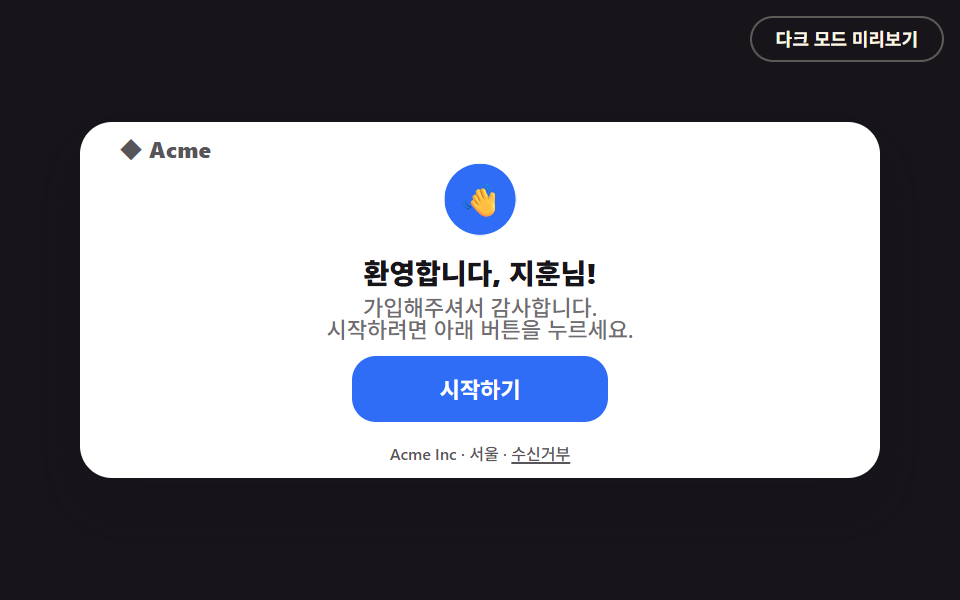 01 welcome
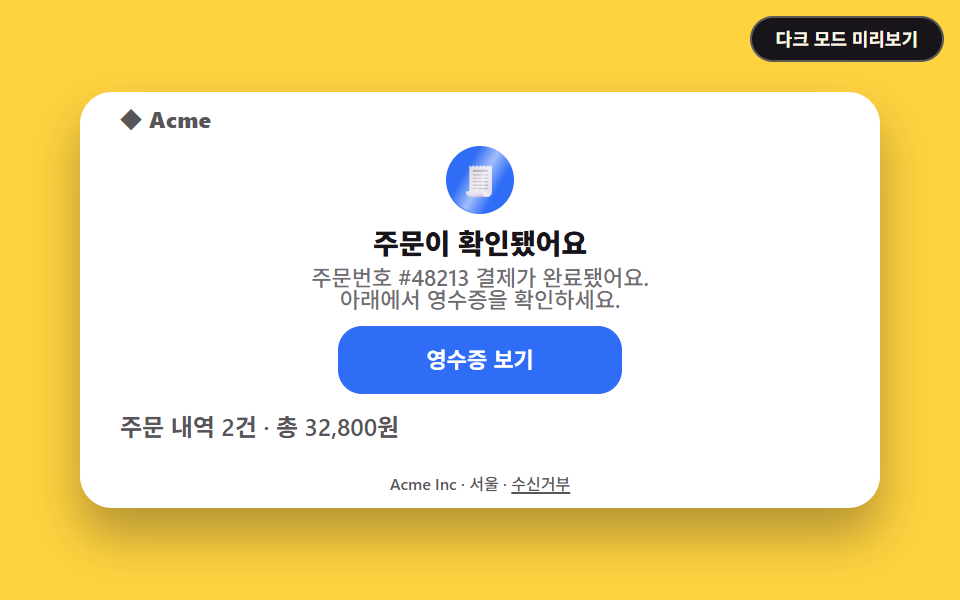 02 receipt
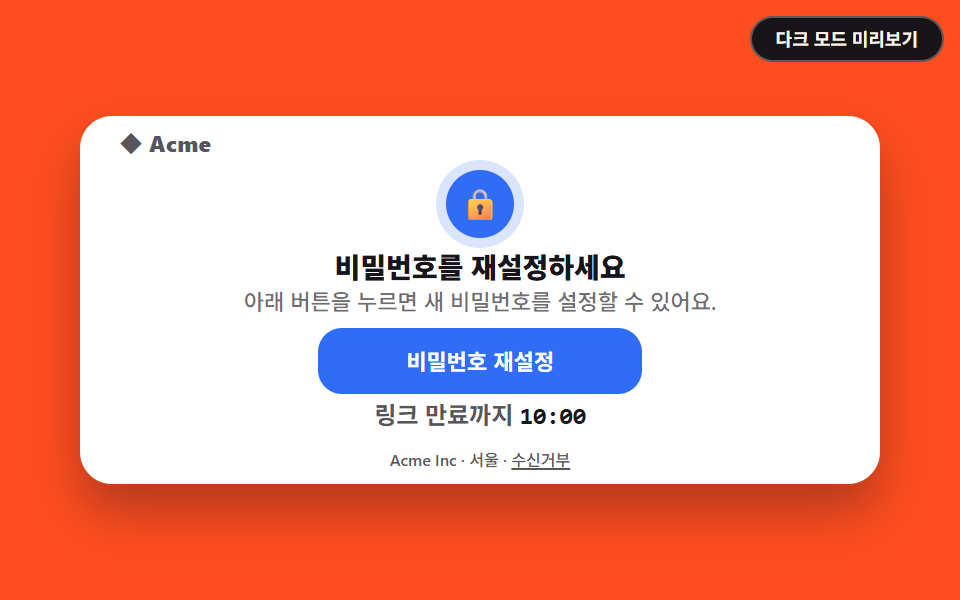 03 password-reset
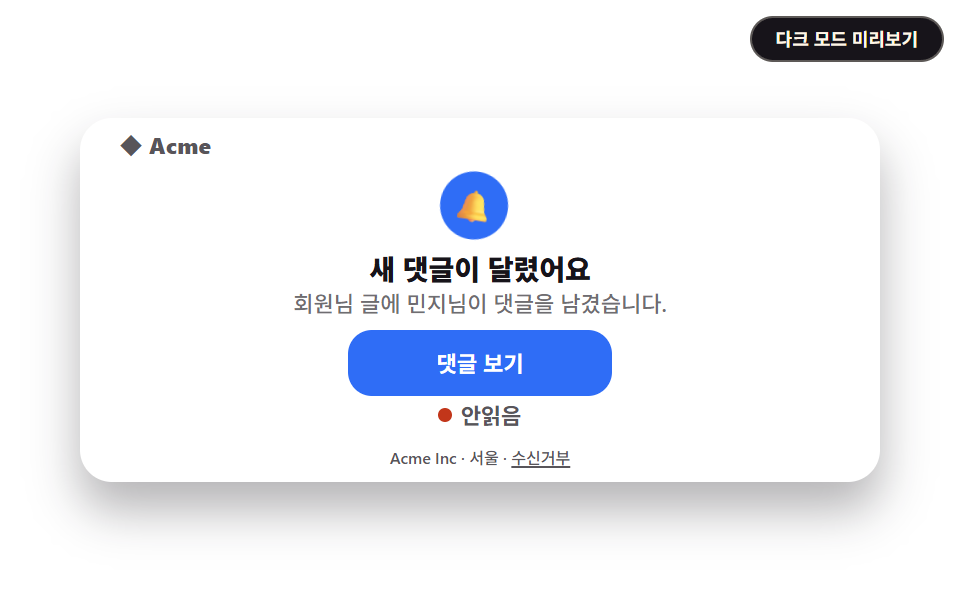 04 notification
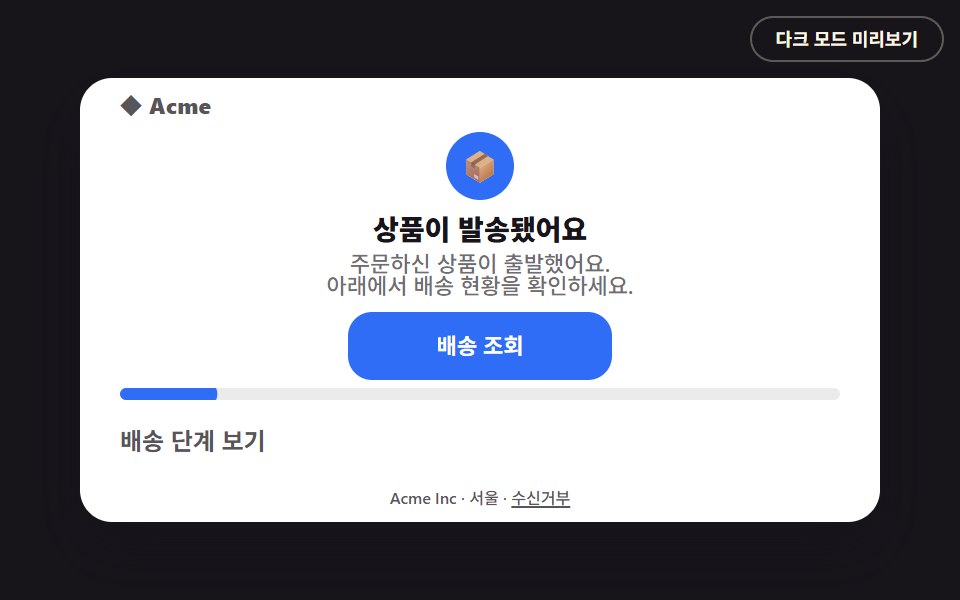 05 shipping
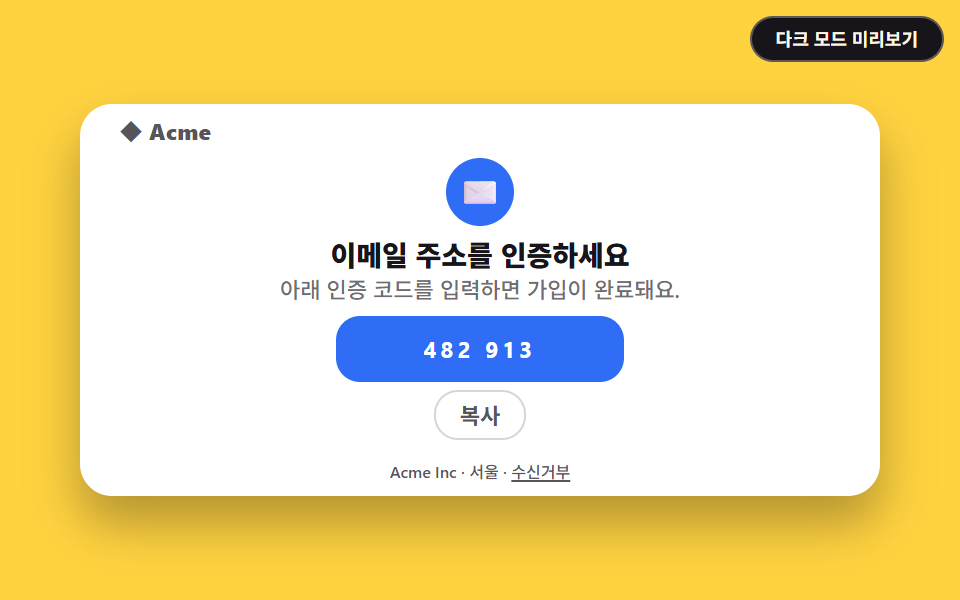 06 email-verification
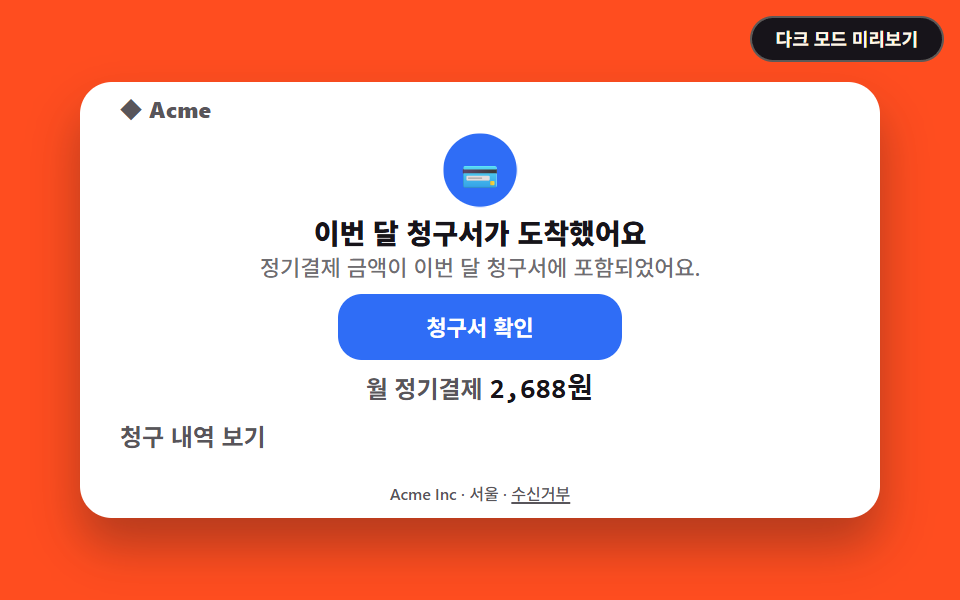 07 invoice
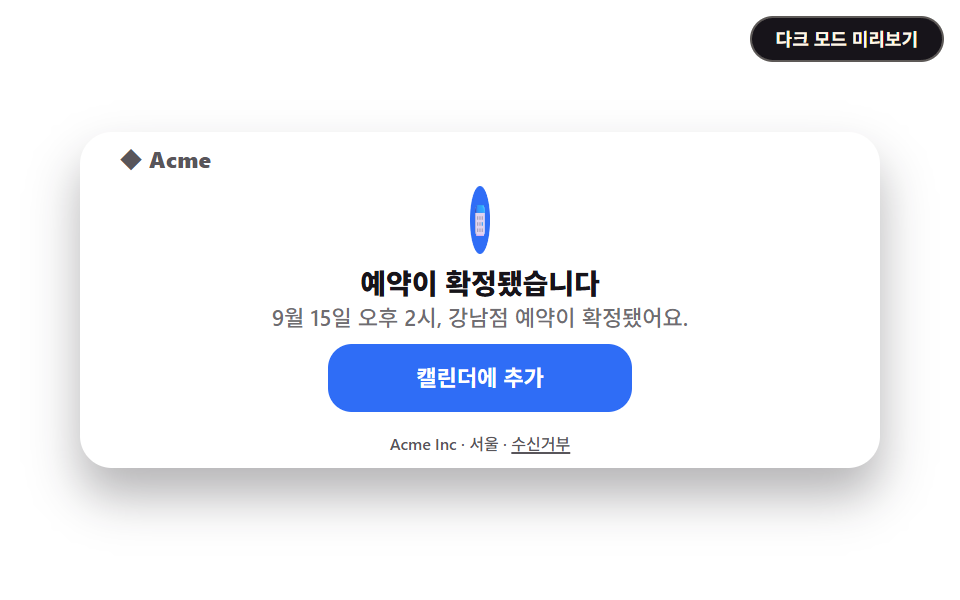 08 appointment-confirmation
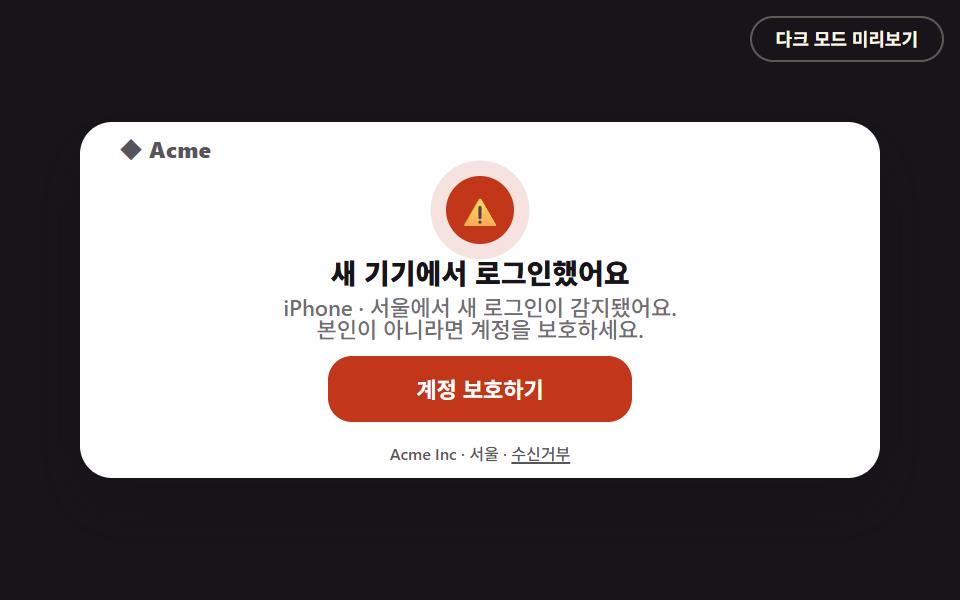 09 security-alert
Auto-plays · click a tile to jump to its section · all nine in one zip
- 01 Welcome email
- 02 Receipt / order confirmation email
- 03 Password reset email
- 04 Notification email
- 05 Shipping update email
- 06 Email verification code
- 07 Invoice / subscription billing email
- 08 Appointment confirmation email
- 09 Security alert email
The order follows what a single user actually goes through, not popularity: the welcome email right after signup, the receipt from a first purchase, password reset and a verification code when an account gets forgotten, a routine notification, a shipping update after buying something, a monthly invoice, a booking confirmation, and finally a security alert when something looks off. All nine share the same <table role="presentation"> skeleton and a max-width: 400px fluid card, so they drop into an ESP's HTML paste box faster than reworking a welcome email template html download. The same table skeleton aimed at regular sends is Marketing Email Design, and the perk-collecting side of stamps and spinners is Coupon Design.
01Welcome email
What a transactional email design shows first
The first email a signup triggers automatically.
<main class="stage">
<div class="ema is-demo" id="ema">
<!--[if mso]>
<table role="presentation" width="100%" cellpadding="0" cellspacing="0"><tr><td>
<![endif]-->
<table role="presentation" width="100%" cellpadding="0" cellspacing="0" class="ema__table">
<tr><td align="center" class="ema__wrap">
<table role="presentation" width="100%" cellpadding="0" cellspacing="0" class="ema__card" style="max-width:400px">
<tr><td class="ema__brand">◆ Acme</td></tr>
<tr><td align="center" class="ema__hero"><span class="ema__badge" aria-hidden="true">👋</span></td></tr>
<tr><td align="center" class="ema__title">Welcome, Jihoon!</td></tr>
<tr><td align="center" class="ema__body">Thanks for signing up.<br>Tap the button below to get started.</td></tr>
<tr><td align="center" class="ema__ctawrap">
<table role="presentation" cellpadding="0" cellspacing="0"><tr>
<td class="ema__ctabtn"><a href="#" role="button" class="ema__cta" id="cta">Get started</a></td>
</tr></table>
</td></tr>

<tr><td align="center" class="ema__footer">Acme Inc · Seoul · <a href="#" class="ema__unsub">Unsubscribe</a></td></tr>
</table>
</td></tr>
</table>
<!--[if mso]>
</td></tr></table>
<![endif]-->
</div>
<button type="button" class="ema-darktoggle" id="darktoggle" aria-pressed="false">Preview dark mode</button>
</main>@use "../../../../site/static/demo-tokens" as *;
$duration: $dur-base;
$easing: $ease-spring;
$color: $subject-blue;
@include stage($stage-ink);
.stage { position: relative; }
.ema { width: min(100%, 400px); }
.ema__table { border-collapse: collapse; }
.ema__wrap { padding: 0; }
.ema__card {
border-collapse: collapse; background: $stage-paper; border-radius: $r-card;
box-shadow: $shadow-raised; overflow: hidden;
}
.ema__card td { padding: $sp-1 $sp-5; font-family: -apple-system, "Segoe UI", "Noto Sans KR", sans-serif; -webkit-text-size-adjust: 100%; line-height: 1; }
.ema__brand { font-weight: 800; font-size: 11px; line-height: 1;
font-family: inherit; color: rgba($subject-ink, .72); letter-spacing: .02em; padding-top: $sp-2 !important; }
.ema__hero { padding-top: $sp-1 !important; padding-bottom: $sp-1 !important; }
.ema__badge {
display: inline-flex; align-items: center; justify-content: center;
width: clamp(26px, 8vw, 34px); height: clamp(26px, 8vw, 34px);
border-radius: 50%; background: $subject-blue; font-size: clamp(13px, 4vw, 16px); line-height: 1;
}
.ema__title { font-weight: 800; font-size: clamp(12px, 3.6vw, 14px); line-height: 1.25;
font-family: inherit; color: $subject-ink; padding-top: $sp-1 !important; padding-bottom: $sp-1 !important; }
.ema__body { font-weight: 500; font-size: clamp(10px, 3vw, 11px); line-height: 1.4;
font-family: inherit; color: rgba(23,20,26,.62); padding-top: 0 !important; padding-bottom: $sp-1 !important; }
.ema__ctawrap { padding-top: $sp-1 !important; padding-bottom: $sp-1 !important; }
.ema__ctabtn { border-radius: $r-control; background: $subject-blue; }
.ema__cta {
display: inline-block; padding: $sp-1 $sp-6; font-weight: 700; font-size: 11px; line-height: 1.6;
font-family: inherit;
color: $stage-paper; text-decoration: none; border-radius: $r-control;
}
.ema__footer { font-weight: 500; font-size: 8px; line-height: 1.4;
font-family: inherit; color: rgba($subject-ink, .72); padding-top: $sp-2 !important; padding-bottom: $sp-2 !important; }
.ema__footer a { color: inherit; }
// ── 다크모드 미리보기(수동 토글) + prefers-color-scheme(자동) — 실제 이메일 클라이언트 지원 흉내
.ema.is-dark .ema__card { background: $stage-ink; }
.ema.is-dark .ema__title { color: $subject-cream; }
.ema.is-dark .ema__body,
.ema.is-dark .ema__footer { color: rgba(255,247,230,.6); }
.ema.is-dark .ema__brand { color: rgba(255,247,230,.7); }
@media (prefers-color-scheme: dark) {
.ema__card { background: $stage-ink; }
.ema__title { color: $subject-cream; }
.ema__body, .ema__footer { color: rgba(255,247,230,.6); }
.ema__brand { color: rgba(255,247,230,.7); }
}
// 레이아웃 흐름에서 빼 카드 높이에 영향을 주지 않는다 (480×300 무대에 맞추려고)
.ema-darktoggle {
position: absolute; top: $sp-2; right: $sp-2;
background: $stage-ink; border: 1px solid rgba(255,247,230,.3);
color: $subject-cream; border-radius: $r-pill; padding: $sp-1 $sp-3; font-weight: 600; font-size: 9px; line-height: 1.4;
font-family: inherit; cursor: pointer;
font-family: inherit;
}
.ema.is-demo .ema__badge { animation: ema-bounce 2s ease-in-out infinite; }
@keyframes ema-bounce { 0%, 15% { transform: translateY(0) scale(1); } 30% { transform: translateY(-7px) scale(1.06); } 45%, 65% { transform: translateY(0) scale(1); } 100% { transform: translateY(0) scale(1); } }
// 320×200 폰 실측(BD9 규칙)에서 6개 항목(추가 줄이 있는 02·03·04·05·06·07)이 10~46px 넘쳐
// 행마다 세로 패딩을 !important 로 다시 줄인다 (가로 폭만 줄이던 첫 시도로는 안 됐다 — 실측 2026-09-11)
@media (max-width: 340px), (max-height: 220px) {
.ema__card td { padding-left: $sp-3; padding-right: $sp-3; padding-top: 0; padding-bottom: 0; }
.ema__brand { padding-top: 0 !important; font-size: 9px !important; }
.ema__hero { padding-top: 0 !important; padding-bottom: 0 !important; }
.ema__badge { width: 22px; height: 22px; font-size: 11px; }
.ema__title { font-size: 10px !important; padding-top: 0 !important; padding-bottom: 0 !important; }
.ema__body { font-size: 8px !important; padding-bottom: 0 !important; }
.ema__ctawrap { padding-top: 0 !important; padding-bottom: 0 !important; }
.ema__cta { padding: 0 $sp-5 !important; }
.ema__footer { font-size: 7px !important; padding-top: $sp-1 !important; padding-bottom: $sp-1 !important; }
.ema-darktoggle { font-size: 8px; padding: 0 $sp-2; top: $sp-1; right: $sp-1; }
// 항목별 "extra" 줄(펼침 버튼·카운트다운·안읽음·복사·금액) 공통 압축 — 해당 클래스가 없는 항목엔 영향 없음
.ema__detailtoggle, .ema__countdown, .ema__unreadrow, .ema__amount, .ema__copyrow, .ema__steprow {
padding-top: 0 !important; padding-bottom: 0 !important; font-size: 9px !important;
}
.ema__li { padding: 0 $sp-3 !important; font-size: 9px !important; }
.ema__track { margin-bottom: 0 !important; }
.ema__copybtn { padding: 0 $sp-2 !important; }
}
@media (prefers-reduced-motion: reduce) {
.ema.is-demo .ema__badge,
.ema.is-demo .ema__fill,
.ema.is-demo .ema__badge::after { animation: none !important; }
.ema__detail, .ema__card, .ema__cta { transition: none; }
}html, body {
margin: 0;
overflow: hidden;
}
.stage {
box-sizing: border-box;
min-height: 100vh;
display: grid;
place-items: center;
margin: 0;
background: #17141a;
font-family: -apple-system, "Segoe UI", "Noto Sans KR", sans-serif;
padding: clamp(8px, 4vw, 24px);
}
.stage {
position: relative;
}
.ema {
width: min(100%, 400px);
}
.ema__table {
border-collapse: collapse;
}
.ema__wrap {
padding: 0;
}
.ema__card {
border-collapse: collapse;
background: #ffffff;
border-radius: 16px;
box-shadow: 0 14px 24px rgba(23, 20, 26, 0.32);
overflow: hidden;
}
.ema__card td {
padding: 4px 20px;
font-family: -apple-system, "Segoe UI", "Noto Sans KR", sans-serif;
-webkit-text-size-adjust: 100%;
line-height: 1;
}
.ema__brand {
font-weight: 800;
font-size: 11px;
line-height: 1;
font-family: inherit;
color: rgba(23, 20, 26, 0.72);
letter-spacing: 0.02em;
padding-top: 8px !important;
}
.ema__hero {
padding-top: 4px !important;
padding-bottom: 4px !important;
}
.ema__badge {
display: inline-flex;
align-items: center;
justify-content: center;
width: clamp(26px, 8vw, 34px);
height: clamp(26px, 8vw, 34px);
border-radius: 50%;
background: #2f6df6;
font-size: clamp(13px, 4vw, 16px);
line-height: 1;
}
.ema__title {
font-weight: 800;
font-size: clamp(12px, 3.6vw, 14px);
line-height: 1.25;
font-family: inherit;
color: #17141a;
padding-top: 4px !important;
padding-bottom: 4px !important;
}
.ema__body {
font-weight: 500;
font-size: clamp(10px, 3vw, 11px);
line-height: 1.4;
font-family: inherit;
color: rgba(23, 20, 26, 0.62);
padding-top: 0 !important;
padding-bottom: 4px !important;
}
.ema__ctawrap {
padding-top: 4px !important;
padding-bottom: 4px !important;
}
.ema__ctabtn {
border-radius: 12px;
background: #2f6df6;
}
.ema__cta {
display: inline-block;
padding: 4px 24px;
font-weight: 700;
font-size: 11px;
line-height: 1.6;
font-family: inherit;
color: #ffffff;
text-decoration: none;
border-radius: 12px;
}
.ema__footer {
font-weight: 500;
font-size: 8px;
line-height: 1.4;
font-family: inherit;
color: rgba(23, 20, 26, 0.72);
padding-top: 8px !important;
padding-bottom: 8px !important;
}
.ema__footer a {
color: inherit;
}
.ema.is-dark .ema__card {
background: #17141a;
}
.ema.is-dark .ema__title {
color: #fff7e6;
}
.ema.is-dark .ema__body,
.ema.is-dark .ema__footer {
color: rgba(255, 247, 230, 0.6);
}
.ema.is-dark .ema__brand {
color: rgba(255, 247, 230, 0.7);
}
@media (prefers-color-scheme: dark) {
.ema__card {
background: #17141a;
}
.ema__title {
color: #fff7e6;
}
.ema__body, .ema__footer {
color: rgba(255, 247, 230, 0.6);
}
.ema__brand {
color: rgba(255, 247, 230, 0.7);
}
}
.ema-darktoggle {
position: absolute;
top: 8px;
right: 8px;
background: #17141a;
border: 1px solid rgba(255, 247, 230, 0.3);
color: #fff7e6;
border-radius: 999px;
padding: 4px 12px;
font-weight: 600;
font-size: 9px;
line-height: 1.4;
font-family: inherit;
cursor: pointer;
font-family: inherit;
}
.ema.is-demo .ema__badge {
animation: ema-bounce 2s ease-in-out infinite;
}
@keyframes ema-bounce {
0%, 15% {
transform: translateY(0) scale(1);
}
30% {
transform: translateY(-7px) scale(1.06);
}
45%, 65% {
transform: translateY(0) scale(1);
}
100% {
transform: translateY(0) scale(1);
}
}
@media (max-width: 340px), (max-height: 220px) {
.ema__card td {
padding-left: 12px;
padding-right: 12px;
padding-top: 0;
padding-bottom: 0;
}
.ema__brand {
padding-top: 0 !important;
font-size: 9px !important;
}
.ema__hero {
padding-top: 0 !important;
padding-bottom: 0 !important;
}
.ema__badge {
width: 22px;
height: 22px;
font-size: 11px;
}
.ema__title {
font-size: 10px !important;
padding-top: 0 !important;
padding-bottom: 0 !important;
}
.ema__body {
font-size: 8px !important;
padding-bottom: 0 !important;
}
.ema__ctawrap {
padding-top: 0 !important;
padding-bottom: 0 !important;
}
.ema__cta {
padding: 0 20px !important;
}
.ema__footer {
font-size: 7px !important;
padding-top: 4px !important;
padding-bottom: 4px !important;
}
.ema-darktoggle {
font-size: 8px;
padding: 0 8px;
top: 4px;
right: 4px;
}
.ema__detailtoggle, .ema__countdown, .ema__unreadrow, .ema__amount, .ema__copyrow, .ema__steprow {
padding-top: 0 !important;
padding-bottom: 0 !important;
font-size: 9px !important;
}
.ema__li {
padding: 0 12px !important;
font-size: 9px !important;
}
.ema__track {
margin-bottom: 0 !important;
}
.ema__copybtn {
padding: 0 8px !important;
}
}
@media (prefers-reduced-motion: reduce) {
.ema.is-demo .ema__badge,
.ema.is-demo .ema__fill,
.ema.is-demo .ema__badge::after {
animation: none !important;
}
.ema__detail, .ema__card, .ema__cta {
transition: none;
}
}var ema = document.getElementById('ema');
var cta = document.getElementById('cta');
var darktoggle = document.getElementById('darktoggle');
darktoggle.addEventListener('click', function () {
var on = ema.classList.toggle('is-dark');
darktoggle.setAttribute('aria-pressed', String(on));
});
cta.addEventListener('click', function (e) {
e.preventDefault();
ema.classList.remove('is-demo');
var on = ema.classList.toggle('is-done');
cta.setAttribute('aria-pressed', String(on));
cta.textContent = on ? 'Started ✓' : 'Get started';
});import { useState, useEffect, useRef } from "react";
import styles from "./Welcome.module.scss";
export type WelcomeProps = { duration?: number; easing?: string; color?: string };
export default function Welcome({ duration = 300, easing = "cubic-bezier(.2,.8,.2,1)", color = "#2f6df6" }: WelcomeProps) {
const [dark, setDark] = useState(false);
const [open, setOpen] = useState(false);
const [done, setDone] = useState(false);
return (
<main className={styles.stage} style={{ background: "#17141a" }}>
<div className={`${styles.ema}`}>
<div className={`${styles.card} ${dark ? styles.dark : ""}`}>
<div className={styles.row + " " + styles.brand}>◆ Acme</div>
<div className={styles.hero}>
<span className={`${styles.badge} ${styles.anim}`} style={{ background: "#2f6df6", animationName: "bounce", animationDuration: "2s", animationTimingFunction: "ease-in-out", animationIterationCount: "infinite" }} aria-hidden="true">👋</span>
</div>
<div className={styles.title}>환영합니다, 지훈님!</div>
<div className={styles.body}>가입해주셔서 감사합니다.<br/>시작하려면 아래 버튼을 누르세요.</div>
<div className={styles.ctawrap}>
<a href="#" role="button" className={styles.cta} style={{ background: "#2f6df6" }} onClick={(e: { preventDefault: () => void }) => { e.preventDefault(); setDone((v) => !v); }}>{done ? "시작했어요 ✓" : "시작하기"}</a>
</div>
<div className={styles.footer}>Acme Inc · 서울 · <a href="#">수신거부</a></div>
</div>
<button type="button" className={styles.darktoggle} aria-pressed={dark} onClick={() => setDark((v) => !v)}>다크 모드 미리보기</button>
</div>
</main>
);
}01 · Welcome email — Measured area 0.631% · moving frames 9/23Original by GODRICH · SCSS and React ship in the zip · See the password
Where to look in the code
The badge bounces gently every two seconds, and clicking the button flips its label to "Started ✓" right where it sits.
<table role="presentation" width="100%" cellpadding="0" cellspacing="0" class="ema__card" style="max-width:400px">
<tr><td class="ema__brand">◆ Acme</td></tr>
<tr><td align="center" class="ema__hero"><span class="ema__badge">👋</span></td></tr>
<tr><td align="center" class="ema__title">Welcome, Jihoon!</td></tr>
<tr><td align="center" class="ema__ctawrap">
  <a href="#" role="button" class="ema__cta" id="cta">Get started</a>
</td></tr>
</table>
02Receipt / order confirmation email
What happens on screen
Sent right after checkout completes.
<main class="stage">
<div class="ema is-demo" id="ema">
<!--[if mso]>
<table role="presentation" width="100%" cellpadding="0" cellspacing="0"><tr><td>
<![endif]-->
<table role="presentation" width="100%" cellpadding="0" cellspacing="0" class="ema__table">
<tr><td align="center" class="ema__wrap">
<table role="presentation" width="100%" cellpadding="0" cellspacing="0" class="ema__card" style="max-width:400px">
<tr><td class="ema__brand">◆ Acme</td></tr>
<tr><td align="center" class="ema__hero"><span class="ema__badge" aria-hidden="true">🧾</span></td></tr>
<tr><td align="center" class="ema__title">Your order is confirmed</td></tr>
<tr><td align="center" class="ema__body">Payment for order #48213 is complete.<br>Check your receipt below.</td></tr>
<tr><td align="center" class="ema__ctawrap">
<table role="presentation" cellpadding="0" cellspacing="0"><tr>
<td class="ema__ctabtn"><a href="#" role="button" class="ema__cta" id="cta">View receipt</a></td>
</tr></table>
</td></tr>
<tr><td class="ema__detailrow"><button type="button" class="ema__detailtoggle" id="detailtoggle" aria-expanded="false" aria-controls="detail">2 items · 32,800 won total</button><div class="ema__detail" id="detail"><div class="ema__detailin"><div class="ema__li"><span>Basic T-shirt · 1</span><span>18,900 won</span></div><div class="ema__li"><span>Sock set · 1</span><span>13,900 won</span></div></div></div></td></tr>
<tr><td align="center" class="ema__footer">Acme Inc · Seoul · <a href="#" class="ema__unsub">Unsubscribe</a></td></tr>
</table>
</td></tr>
</table>
<!--[if mso]>
</td></tr></table>
<![endif]-->
</div>
<button type="button" class="ema-darktoggle" id="darktoggle" aria-pressed="false">Preview dark mode</button>
</main>@use "../../../../site/static/demo-tokens" as *;
$duration: $dur-base;
$easing: $ease-spring;
$color: $subject-blue;
@include stage($stage-yellow);
.stage { position: relative; }
.ema { width: min(100%, 400px); }
.ema__table { border-collapse: collapse; }
.ema__wrap { padding: 0; }
.ema__card {
border-collapse: collapse; background: $stage-paper; border-radius: $r-card;
box-shadow: $shadow-raised; overflow: hidden;
}
.ema__card td { padding: $sp-1 $sp-5; font-family: -apple-system, "Segoe UI", "Noto Sans KR", sans-serif; -webkit-text-size-adjust: 100%; line-height: 1; }
.ema__brand { font-weight: 800; font-size: 11px; line-height: 1;
font-family: inherit; color: rgba($subject-ink, .72); letter-spacing: .02em; padding-top: $sp-2 !important; }
.ema__hero { padding-top: $sp-1 !important; padding-bottom: $sp-1 !important; }
.ema__badge {
display: inline-flex; align-items: center; justify-content: center;
width: clamp(26px, 8vw, 34px); height: clamp(26px, 8vw, 34px);
border-radius: 50%; background: $subject-blue; font-size: clamp(13px, 4vw, 16px); line-height: 1;
}
.ema__title { font-weight: 800; font-size: clamp(12px, 3.6vw, 14px); line-height: 1.25;
font-family: inherit; color: $subject-ink; padding-top: $sp-1 !important; padding-bottom: $sp-1 !important; }
.ema__body { font-weight: 500; font-size: clamp(10px, 3vw, 11px); line-height: 1.4;
font-family: inherit; color: rgba(23,20,26,.62); padding-top: 0 !important; padding-bottom: $sp-1 !important; }
.ema__ctawrap { padding-top: $sp-1 !important; padding-bottom: $sp-1 !important; }
.ema__ctabtn { border-radius: $r-control; background: $subject-blue; }
.ema__cta {
display: inline-block; padding: $sp-1 $sp-6; font-weight: 700; font-size: 11px; line-height: 1.6;
font-family: inherit;
color: $stage-paper; text-decoration: none; border-radius: $r-control;
}
.ema__footer { font-weight: 500; font-size: 8px; line-height: 1.4;
font-family: inherit; color: rgba($subject-ink, .72); padding-top: $sp-2 !important; padding-bottom: $sp-2 !important; }
.ema__footer a { color: inherit; }
// ── 다크모드 미리보기(수동 토글) + prefers-color-scheme(자동) — 실제 이메일 클라이언트 지원 흉내
.ema.is-dark .ema__card { background: $stage-ink; }
.ema.is-dark .ema__title { color: $subject-cream; }
.ema.is-dark .ema__body,
.ema.is-dark .ema__footer { color: rgba(255,247,230,.6); }
.ema.is-dark .ema__brand { color: rgba(255,247,230,.7); }
// 다크 카드 위 추가 줄 — 밝은 모드의 rgba($subject-ink,.72) 가 그대로 남으면 잉크 면 위 잉크 글자(1.00:1)라 안 보인다 (2026-09-13 대비 스캔)
.ema.is-dark .ema__detailtoggle, .ema.is-dark .ema__li { color: rgba(255,247,230,.72); }
@media (prefers-color-scheme: dark) {
.ema__card { background: $stage-ink; }
.ema__title { color: $subject-cream; }
.ema__body, .ema__footer { color: rgba(255,247,230,.6); }
.ema__brand { color: rgba(255,247,230,.7); }
.ema__detailtoggle, .ema__li { color: rgba(255,247,230,.72); }
}
// 레이아웃 흐름에서 빼 카드 높이에 영향을 주지 않는다 (480×300 무대에 맞추려고)
.ema-darktoggle {
position: absolute; top: $sp-2; right: $sp-2;
background: $stage-ink; border: 1px solid rgba(255,247,230,.3);
color: $subject-cream; border-radius: $r-pill; padding: $sp-1 $sp-3; font-weight: 600; font-size: 9px; line-height: 1.4;
font-family: inherit; cursor: pointer;
font-family: inherit;
}
.ema__badge { position: relative; overflow: hidden; }
.ema.is-demo .ema__badge::after {
content: ""; position: absolute; inset: 0; border-radius: 50%;
background: linear-gradient(120deg, transparent 30%, rgba(255,255,255,.55) 50%, transparent 70%);
transform: translateX(-120%);
}
.ema.is-demo .ema__badge::after { animation: ema-sweep 2s linear infinite; }
@keyframes ema-sweep { 0% { transform: translateX(-120%); } 90%, 100% { transform: translateX(120%); } }
.ema__detailrow { padding-top: 0 !important; }
.ema__detailtoggle {
width: 100%; text-align: left; background: none; border: none; cursor: pointer;
font-weight: 600; font-size: 12px; line-height: 1.4;
font-family: inherit; color: rgba($subject-ink, .72); padding: $sp-1 0;
}
.ema__detail { display: grid; grid-template-rows: 0fr; transition: grid-template-rows $dur-base $ease-spring; }
.ema__detailin { overflow: hidden; }
.ema.is-open .ema__detail { grid-template-rows: 1fr; }
.ema__li { display: flex; justify-content: space-between; font-weight: 500; font-size: 11px; line-height: 1.6;
font-family: inherit; color: rgba($subject-ink, .72); padding: $sp-1 0; border-top: 1px solid rgba(0,0,0,.06); }
// 320×200 폰 실측(BD9 규칙)에서 6개 항목(추가 줄이 있는 02·03·04·05·06·07)이 10~46px 넘쳐
// 행마다 세로 패딩을 !important 로 다시 줄인다 (가로 폭만 줄이던 첫 시도로는 안 됐다 — 실측 2026-09-11)
@media (max-width: 340px), (max-height: 220px) {
.ema__card td { padding-left: $sp-3; padding-right: $sp-3; padding-top: 0; padding-bottom: 0; }
.ema__brand { padding-top: 0 !important; font-size: 9px !important; }
.ema__hero { padding-top: 0 !important; padding-bottom: 0 !important; }
.ema__badge { width: 22px; height: 22px; font-size: 11px; }
.ema__title { font-size: 10px !important; padding-top: 0 !important; padding-bottom: 0 !important; }
.ema__body { font-size: 8px !important; padding-bottom: 0 !important; }
.ema__ctawrap { padding-top: 0 !important; padding-bottom: 0 !important; }
.ema__cta { padding: 0 $sp-5 !important; }
.ema__footer { font-size: 7px !important; padding-top: $sp-1 !important; padding-bottom: $sp-1 !important; }
.ema-darktoggle { font-size: 8px; padding: 0 $sp-2; top: $sp-1; right: $sp-1; }
// 항목별 "extra" 줄(펼침 버튼·카운트다운·안읽음·복사·금액) 공통 압축 — 해당 클래스가 없는 항목엔 영향 없음
.ema__detailtoggle, .ema__countdown, .ema__unreadrow, .ema__amount, .ema__copyrow, .ema__steprow {
padding-top: 0 !important; padding-bottom: 0 !important; font-size: 9px !important;
}
.ema__li { padding: 0 $sp-3 !important; font-size: 9px !important; }
.ema__track { margin-bottom: 0 !important; }
.ema__copybtn { padding: 0 $sp-2 !important; }
}
@media (prefers-reduced-motion: reduce) {
.ema.is-demo .ema__badge,
.ema.is-demo .ema__fill,
.ema.is-demo .ema__badge::after { animation: none !important; }
.ema__detail, .ema__card, .ema__cta { transition: none; }
}html, body {
margin: 0;
overflow: hidden;
}
.stage {
box-sizing: border-box;
min-height: 100vh;
display: grid;
place-items: center;
margin: 0;
background: #ffd23f;
font-family: -apple-system, "Segoe UI", "Noto Sans KR", sans-serif;
padding: clamp(8px, 4vw, 24px);
}
.stage {
position: relative;
}
.ema {
width: min(100%, 400px);
}
.ema__table {
border-collapse: collapse;
}
.ema__wrap {
padding: 0;
}
.ema__card {
border-collapse: collapse;
background: #ffffff;
border-radius: 16px;
box-shadow: 0 14px 24px rgba(23, 20, 26, 0.32);
overflow: hidden;
}
.ema__card td {
padding: 4px 20px;
font-family: -apple-system, "Segoe UI", "Noto Sans KR", sans-serif;
-webkit-text-size-adjust: 100%;
line-height: 1;
}
.ema__brand {
font-weight: 800;
font-size: 11px;
line-height: 1;
font-family: inherit;
color: rgba(23, 20, 26, 0.72);
letter-spacing: 0.02em;
padding-top: 8px !important;
}
.ema__hero {
padding-top: 4px !important;
padding-bottom: 4px !important;
}
.ema__badge {
display: inline-flex;
align-items: center;
justify-content: center;
width: clamp(26px, 8vw, 34px);
height: clamp(26px, 8vw, 34px);
border-radius: 50%;
background: #2f6df6;
font-size: clamp(13px, 4vw, 16px);
line-height: 1;
}
.ema__title {
font-weight: 800;
font-size: clamp(12px, 3.6vw, 14px);
line-height: 1.25;
font-family: inherit;
color: #17141a;
padding-top: 4px !important;
padding-bottom: 4px !important;
}
.ema__body {
font-weight: 500;
font-size: clamp(10px, 3vw, 11px);
line-height: 1.4;
font-family: inherit;
color: rgba(23, 20, 26, 0.62);
padding-top: 0 !important;
padding-bottom: 4px !important;
}
.ema__ctawrap {
padding-top: 4px !important;
padding-bottom: 4px !important;
}
.ema__ctabtn {
border-radius: 12px;
background: #2f6df6;
}
.ema__cta {
display: inline-block;
padding: 4px 24px;
font-weight: 700;
font-size: 11px;
line-height: 1.6;
font-family: inherit;
color: #ffffff;
text-decoration: none;
border-radius: 12px;
}
.ema__footer {
font-weight: 500;
font-size: 8px;
line-height: 1.4;
font-family: inherit;
color: rgba(23, 20, 26, 0.72);
padding-top: 8px !important;
padding-bottom: 8px !important;
}
.ema__footer a {
color: inherit;
}
.ema.is-dark .ema__card {
background: #17141a;
}
.ema.is-dark .ema__title {
color: #fff7e6;
}
.ema.is-dark .ema__body,
.ema.is-dark .ema__footer {
color: rgba(255, 247, 230, 0.6);
}
.ema.is-dark .ema__brand {
color: rgba(255, 247, 230, 0.7);
}
.ema.is-dark .ema__detailtoggle, .ema.is-dark .ema__li {
color: rgba(255, 247, 230, 0.72);
}
@media (prefers-color-scheme: dark) {
.ema__card {
background: #17141a;
}
.ema__title {
color: #fff7e6;
}
.ema__body, .ema__footer {
color: rgba(255, 247, 230, 0.6);
}
.ema__brand {
color: rgba(255, 247, 230, 0.7);
}
.ema__detailtoggle, .ema__li {
color: rgba(255, 247, 230, 0.72);
}
}
.ema-darktoggle {
position: absolute;
top: 8px;
right: 8px;
background: #17141a;
border: 1px solid rgba(255, 247, 230, 0.3);
color: #fff7e6;
border-radius: 999px;
padding: 4px 12px;
font-weight: 600;
font-size: 9px;
line-height: 1.4;
font-family: inherit;
cursor: pointer;
font-family: inherit;
}
.ema__badge {
position: relative;
overflow: hidden;
}
.ema.is-demo .ema__badge::after {
content: "";
position: absolute;
inset: 0;
border-radius: 50%;
background: linear-gradient(120deg, transparent 30%, rgba(255, 255, 255, 0.55) 50%, transparent 70%);
transform: translateX(-120%);
}
.ema.is-demo .ema__badge::after {
animation: ema-sweep 2s linear infinite;
}
@keyframes ema-sweep {
0% {
transform: translateX(-120%);
}
90%, 100% {
transform: translateX(120%);
}
}
.ema__detailrow {
padding-top: 0 !important;
}
.ema__detailtoggle {
width: 100%;
text-align: left;
background: none;
border: none;
cursor: pointer;
font-weight: 600;
font-size: 12px;
line-height: 1.4;
font-family: inherit;
color: rgba(23, 20, 26, 0.72);
padding: 4px 0;
}
.ema__detail {
display: grid;
grid-template-rows: 0fr;
transition: grid-template-rows 300ms cubic-bezier(0.2, 0.8, 0.2, 1);
}
.ema__detailin {
overflow: hidden;
}
.ema.is-open .ema__detail {
grid-template-rows: 1fr;
}
.ema__li {
display: flex;
justify-content: space-between;
font-weight: 500;
font-size: 11px;
line-height: 1.6;
font-family: inherit;
color: rgba(23, 20, 26, 0.72);
padding: 4px 0;
border-top: 1px solid rgba(0, 0, 0, 0.06);
}
@media (max-width: 340px), (max-height: 220px) {
.ema__card td {
padding-left: 12px;
padding-right: 12px;
padding-top: 0;
padding-bottom: 0;
}
.ema__brand {
padding-top: 0 !important;
font-size: 9px !important;
}
.ema__hero {
padding-top: 0 !important;
padding-bottom: 0 !important;
}
.ema__badge {
width: 22px;
height: 22px;
font-size: 11px;
}
.ema__title {
font-size: 10px !important;
padding-top: 0 !important;
padding-bottom: 0 !important;
}
.ema__body {
font-size: 8px !important;
padding-bottom: 0 !important;
}
.ema__ctawrap {
padding-top: 0 !important;
padding-bottom: 0 !important;
}
.ema__cta {
padding: 0 20px !important;
}
.ema__footer {
font-size: 7px !important;
padding-top: 4px !important;
padding-bottom: 4px !important;
}
.ema-darktoggle {
font-size: 8px;
padding: 0 8px;
top: 4px;
right: 4px;
}
.ema__detailtoggle, .ema__countdown, .ema__unreadrow, .ema__amount, .ema__copyrow, .ema__steprow {
padding-top: 0 !important;
padding-bottom: 0 !important;
font-size: 9px !important;
}
.ema__li {
padding: 0 12px !important;
font-size: 9px !important;
}
.ema__track {
margin-bottom: 0 !important;
}
.ema__copybtn {
padding: 0 8px !important;
}
}
@media (prefers-reduced-motion: reduce) {
.ema.is-demo .ema__badge,
.ema.is-demo .ema__fill,
.ema.is-demo .ema__badge::after {
animation: none !important;
}
.ema__detail, .ema__card, .ema__cta {
transition: none;
}
}var ema = document.getElementById('ema');
var cta = document.getElementById('cta');
var darktoggle = document.getElementById('darktoggle');
darktoggle.addEventListener('click', function () {
var on = ema.classList.toggle('is-dark');
darktoggle.setAttribute('aria-pressed', String(on));
});
var dt = document.getElementById('detailtoggle');
dt.addEventListener('click', function () {
ema.classList.remove('is-demo');
var open = ema.classList.toggle('is-open');
dt.setAttribute('aria-expanded', String(open));
});import { useState, useEffect, useRef } from "react";
import styles from "./Receipt.module.scss";
export type ReceiptProps = { duration?: number; easing?: string; color?: string };
export default function Receipt({ duration = 300, easing = "cubic-bezier(.2,.8,.2,1)", color = "#2f6df6" }: ReceiptProps) {
const [dark, setDark] = useState(false);
const [open, setOpen] = useState(false);
return (
<main className={styles.stage} style={{ background: "#ffd23f" }}>
<div className={`${styles.ema}`}>
<div className={`${styles.card} ${dark ? styles.dark : ""}`}>
<div className={styles.row + " " + styles.brand}>◆ Acme</div>
<div className={styles.hero}>
<span className={`${styles.badge} ${styles.anim}`} style={{ background: "#2f6df6", animationName: "flash", animationDuration: "2s", animationTimingFunction: "linear", animationIterationCount: "infinite" }} aria-hidden="true">🧾</span>
</div>
<div className={styles.title}>주문이 확인됐어요</div>
<div className={styles.body}>주문번호 #48213 결제가 완료됐어요.<br/>아래에서 영수증을 확인하세요.</div>
<div className={styles.ctawrap}>
<a href="#" role="button" className={styles.cta} style={{ background: "#2f6df6" }} onClick={(e: { preventDefault: () => void }) => { e.preventDefault(); }}>{"영수증 보기"}</a>
</div>
<div className={styles.row}>
<button type="button" className={styles.detailtoggle} aria-expanded={open} onClick={() => setOpen((v) => !v)}>주문 내역 2건 · 총 32,800원</button>
<div className={`${styles.detail} ${open ? styles.open : ""}`}><div className={styles.detailin}>
<div className={styles.li}><span>기본 티셔츠 · 1개</span><span>18,900원</span></div>
<div className={styles.li}><span>양말 세트 · 1개</span><span>13,900원</span></div>
</div></div>
</div>
<div className={styles.footer}>Acme Inc · 서울 · <a href="#">수신거부</a></div>
</div>
<button type="button" className={styles.darktoggle} aria-pressed={dark} onClick={() => setDark((v) => !v)}>다크 모드 미리보기</button>
</div>
</main>
);
}02 · Receipt / order confirmation email — Measured area 0.637% · moving frames 16/23Original by GODRICH · SCSS and React ship in the zip · See the password
How to read the code
Tapping "view receipt" flips grid-template-rows from 0fr to 1fr, actually expanding two order lines.
.ema__detail {
  display: grid;
  grid-template-rows: 0fr;
  transition: grid-template-rows $dur-base $ease-spring;
}
.ema.is-open .ema__detail { grid-template-rows: 1fr; }
.ema__detailin { overflow: hidden; }
03Password reset email
What moves
A real countdown ticks the link's expiry from 10:00 down to zero. setInterval shaves a second off every tick and redraws the mm:ss string.
<main class="stage">
<div class="ema is-demo" id="ema">
<!--[if mso]>
<table role="presentation" width="100%" cellpadding="0" cellspacing="0"><tr><td>
<![endif]-->
<table role="presentation" width="100%" cellpadding="0" cellspacing="0" class="ema__table">
<tr><td align="center" class="ema__wrap">
<table role="presentation" width="100%" cellpadding="0" cellspacing="0" class="ema__card" style="max-width:400px">
<tr><td class="ema__brand">◆ Acme</td></tr>
<tr><td align="center" class="ema__hero"><span class="ema__badge" aria-hidden="true">🔒</span></td></tr>
<tr><td align="center" class="ema__title">Reset your password</td></tr>
<tr><td align="center" class="ema__body">Tap the button below to set a new password.</td></tr>
<tr><td align="center" class="ema__ctawrap">
<table role="presentation" cellpadding="0" cellspacing="0"><tr>
<td class="ema__ctabtn"><a href="#" role="button" class="ema__cta" id="cta">Reset password</a></td>
</tr></table>
</td></tr>
<tr><td align="center" class="ema__countdown">Link expires in <span id="cd">10:00</span></td></tr>
<tr><td align="center" class="ema__footer">Acme Inc · Seoul · <a href="#" class="ema__unsub">Unsubscribe</a></td></tr>
</table>
</td></tr>
</table>
<!--[if mso]>
</td></tr></table>
<![endif]-->
</div>
<button type="button" class="ema-darktoggle" id="darktoggle" aria-pressed="false">Preview dark mode</button>
</main>@use "../../../../site/static/demo-tokens" as *;
$duration: $dur-base;
$easing: $ease-spring;
$color: $subject-blue;
@include stage($stage-orange);
.stage { position: relative; }
.ema { width: min(100%, 400px); }
.ema__table { border-collapse: collapse; }
.ema__wrap { padding: 0; }
.ema__card {
border-collapse: collapse; background: $stage-paper; border-radius: $r-card;
box-shadow: $shadow-raised; overflow: hidden;
}
.ema__card td { padding: $sp-1 $sp-5; font-family: -apple-system, "Segoe UI", "Noto Sans KR", sans-serif; -webkit-text-size-adjust: 100%; line-height: 1; }
.ema__brand { font-weight: 800; font-size: 11px; line-height: 1;
font-family: inherit; color: rgba($subject-ink, .72); letter-spacing: .02em; padding-top: $sp-2 !important; }
.ema__hero { padding-top: $sp-1 !important; padding-bottom: $sp-1 !important; }
.ema__badge {
display: inline-flex; align-items: center; justify-content: center;
width: clamp(26px, 8vw, 34px); height: clamp(26px, 8vw, 34px);
border-radius: 50%; background: $subject-blue; font-size: clamp(13px, 4vw, 16px); line-height: 1;
}
.ema__title { font-weight: 800; font-size: clamp(12px, 3.6vw, 14px); line-height: 1.25;
font-family: inherit; color: $subject-ink; padding-top: $sp-1 !important; padding-bottom: $sp-1 !important; }
.ema__body { font-weight: 500; font-size: clamp(10px, 3vw, 11px); line-height: 1.4;
font-family: inherit; color: rgba(23,20,26,.62); padding-top: 0 !important; padding-bottom: $sp-1 !important; }
.ema__ctawrap { padding-top: $sp-1 !important; padding-bottom: $sp-1 !important; }
.ema__ctabtn { border-radius: $r-control; background: $subject-blue; }
.ema__cta {
display: inline-block; padding: $sp-1 $sp-6; font-weight: 700; font-size: 11px; line-height: 1.6;
font-family: inherit;
color: $stage-paper; text-decoration: none; border-radius: $r-control;
}
.ema__footer { font-weight: 500; font-size: 8px; line-height: 1.4;
font-family: inherit; color: rgba($subject-ink, .72); padding-top: $sp-2 !important; padding-bottom: $sp-2 !important; }
.ema__footer a { color: inherit; }
// ── 다크모드 미리보기(수동 토글) + prefers-color-scheme(자동) — 실제 이메일 클라이언트 지원 흉내
.ema.is-dark .ema__card { background: $stage-ink; }
.ema.is-dark .ema__title { color: $subject-cream; }
.ema.is-dark .ema__body,
.ema.is-dark .ema__footer { color: rgba(255,247,230,.6); }
.ema.is-dark .ema__brand { color: rgba(255,247,230,.7); }
// 다크 카드 위 추가 줄 — 밝은 모드의 rgba($subject-ink,.72) 가 그대로 남으면 잉크 면 위 잉크 글자(1.00:1)라 안 보인다 (2026-09-13 대비 스캔)
.ema.is-dark .ema__countdown { color: rgba(255,247,230,.72); }
.ema.is-dark .ema__countdown span { color: $subject-cream; }
@media (prefers-color-scheme: dark) {
.ema__card { background: $stage-ink; }
.ema__title { color: $subject-cream; }
.ema__body, .ema__footer { color: rgba(255,247,230,.6); }
.ema__brand { color: rgba(255,247,230,.7); }
.ema__countdown { color: rgba(255,247,230,.72); }
.ema__countdown span { color: $subject-cream; }
}
// 레이아웃 흐름에서 빼 카드 높이에 영향을 주지 않는다 (480×300 무대에 맞추려고)
.ema-darktoggle {
position: absolute; top: $sp-2; right: $sp-2;
background: $stage-ink; border: 1px solid rgba(255,247,230,.3);
color: $subject-cream; border-radius: $r-pill; padding: $sp-1 $sp-3; font-weight: 600; font-size: 9px; line-height: 1.4;
font-family: inherit; cursor: pointer;
font-family: inherit;
}
.ema.is-demo .ema__badge { animation: ema-pulse 2s ease-in-out infinite; }
@keyframes ema-pulse { 0%, 100% { box-shadow: 0 0 0 0 rgba(47,109,246,.35); } 50% { box-shadow: 0 0 0 10px rgba(47,109,246,0); } }
.ema__countdown { font-weight: 600; font-size: 12px; line-height: 1.4;
font-family: inherit; color: rgba($subject-ink, .72); padding-top: 0 !important; }
.ema__countdown span { font-family: "Space Mono", monospace; color: $subject-ink; font-weight: 700; }
// 320×200 폰 실측(BD9 규칙)에서 6개 항목(추가 줄이 있는 02·03·04·05·06·07)이 10~46px 넘쳐
// 행마다 세로 패딩을 !important 로 다시 줄인다 (가로 폭만 줄이던 첫 시도로는 안 됐다 — 실측 2026-09-11)
@media (max-width: 340px), (max-height: 220px) {
.ema__card td { padding-left: $sp-3; padding-right: $sp-3; padding-top: 0; padding-bottom: 0; }
.ema__brand { padding-top: 0 !important; font-size: 9px !important; }
.ema__hero { padding-top: 0 !important; padding-bottom: 0 !important; }
.ema__badge { width: 22px; height: 22px; font-size: 11px; }
.ema__title { font-size: 10px !important; padding-top: 0 !important; padding-bottom: 0 !important; }
.ema__body { font-size: 8px !important; padding-bottom: 0 !important; }
.ema__ctawrap { padding-top: 0 !important; padding-bottom: 0 !important; }
.ema__cta { padding: 0 $sp-5 !important; }
.ema__footer { font-size: 7px !important; padding-top: $sp-1 !important; padding-bottom: $sp-1 !important; }
.ema-darktoggle { font-size: 8px; padding: 0 $sp-2; top: $sp-1; right: $sp-1; }
// 항목별 "extra" 줄(펼침 버튼·카운트다운·안읽음·복사·금액) 공통 압축 — 해당 클래스가 없는 항목엔 영향 없음
.ema__detailtoggle, .ema__countdown, .ema__unreadrow, .ema__amount, .ema__copyrow, .ema__steprow {
padding-top: 0 !important; padding-bottom: 0 !important; font-size: 9px !important;
}
.ema__li { padding: 0 $sp-3 !important; font-size: 9px !important; }
.ema__track { margin-bottom: 0 !important; }
.ema__copybtn { padding: 0 $sp-2 !important; }
}
@media (prefers-reduced-motion: reduce) {
.ema.is-demo .ema__badge,
.ema.is-demo .ema__fill,
.ema.is-demo .ema__badge::after { animation: none !important; }
.ema__detail, .ema__card, .ema__cta { transition: none; }
}html, body {
margin: 0;
overflow: hidden;
}
.stage {
box-sizing: border-box;
min-height: 100vh;
display: grid;
place-items: center;
margin: 0;
background: #ff4d1f;
font-family: -apple-system, "Segoe UI", "Noto Sans KR", sans-serif;
padding: clamp(8px, 4vw, 24px);
}
.stage {
position: relative;
}
.ema {
width: min(100%, 400px);
}
.ema__table {
border-collapse: collapse;
}
.ema__wrap {
padding: 0;
}
.ema__card {
border-collapse: collapse;
background: #ffffff;
border-radius: 16px;
box-shadow: 0 14px 24px rgba(23, 20, 26, 0.32);
overflow: hidden;
}
.ema__card td {
padding: 4px 20px;
font-family: -apple-system, "Segoe UI", "Noto Sans KR", sans-serif;
-webkit-text-size-adjust: 100%;
line-height: 1;
}
.ema__brand {
font-weight: 800;
font-size: 11px;
line-height: 1;
font-family: inherit;
color: rgba(23, 20, 26, 0.72);
letter-spacing: 0.02em;
padding-top: 8px !important;
}
.ema__hero {
padding-top: 4px !important;
padding-bottom: 4px !important;
}
.ema__badge {
display: inline-flex;
align-items: center;
justify-content: center;
width: clamp(26px, 8vw, 34px);
height: clamp(26px, 8vw, 34px);
border-radius: 50%;
background: #2f6df6;
font-size: clamp(13px, 4vw, 16px);
line-height: 1;
}
.ema__title {
font-weight: 800;
font-size: clamp(12px, 3.6vw, 14px);
line-height: 1.25;
font-family: inherit;
color: #17141a;
padding-top: 4px !important;
padding-bottom: 4px !important;
}
.ema__body {
font-weight: 500;
font-size: clamp(10px, 3vw, 11px);
line-height: 1.4;
font-family: inherit;
color: rgba(23, 20, 26, 0.62);
padding-top: 0 !important;
padding-bottom: 4px !important;
}
.ema__ctawrap {
padding-top: 4px !important;
padding-bottom: 4px !important;
}
.ema__ctabtn {
border-radius: 12px;
background: #2f6df6;
}
.ema__cta {
display: inline-block;
padding: 4px 24px;
font-weight: 700;
font-size: 11px;
line-height: 1.6;
font-family: inherit;
color: #ffffff;
text-decoration: none;
border-radius: 12px;
}
.ema__footer {
font-weight: 500;
font-size: 8px;
line-height: 1.4;
font-family: inherit;
color: rgba(23, 20, 26, 0.72);
padding-top: 8px !important;
padding-bottom: 8px !important;
}
.ema__footer a {
color: inherit;
}
.ema.is-dark .ema__card {
background: #17141a;
}
.ema.is-dark .ema__title {
color: #fff7e6;
}
.ema.is-dark .ema__body,
.ema.is-dark .ema__footer {
color: rgba(255, 247, 230, 0.6);
}
.ema.is-dark .ema__brand {
color: rgba(255, 247, 230, 0.7);
}
.ema.is-dark .ema__countdown {
color: rgba(255, 247, 230, 0.72);
}
.ema.is-dark .ema__countdown span {
color: #fff7e6;
}
@media (prefers-color-scheme: dark) {
.ema__card {
background: #17141a;
}
.ema__title {
color: #fff7e6;
}
.ema__body, .ema__footer {
color: rgba(255, 247, 230, 0.6);
}
.ema__brand {
color: rgba(255, 247, 230, 0.7);
}
.ema__countdown {
color: rgba(255, 247, 230, 0.72);
}
.ema__countdown span {
color: #fff7e6;
}
}
.ema-darktoggle {
position: absolute;
top: 8px;
right: 8px;
background: #17141a;
border: 1px solid rgba(255, 247, 230, 0.3);
color: #fff7e6;
border-radius: 999px;
padding: 4px 12px;
font-weight: 600;
font-size: 9px;
line-height: 1.4;
font-family: inherit;
cursor: pointer;
font-family: inherit;
}
.ema.is-demo .ema__badge {
animation: ema-pulse 2s ease-in-out infinite;
}
@keyframes ema-pulse {
0%, 100% {
box-shadow: 0 0 0 0 rgba(47, 109, 246, 0.35);
}
50% {
box-shadow: 0 0 0 10px rgba(47, 109, 246, 0);
}
}
.ema__countdown {
font-weight: 600;
font-size: 12px;
line-height: 1.4;
font-family: inherit;
color: rgba(23, 20, 26, 0.72);
padding-top: 0 !important;
}
.ema__countdown span {
font-family: "Space Mono", monospace;
color: #17141a;
font-weight: 700;
}
@media (max-width: 340px), (max-height: 220px) {
.ema__card td {
padding-left: 12px;
padding-right: 12px;
padding-top: 0;
padding-bottom: 0;
}
.ema__brand {
padding-top: 0 !important;
font-size: 9px !important;
}
.ema__hero {
padding-top: 0 !important;
padding-bottom: 0 !important;
}
.ema__badge {
width: 22px;
height: 22px;
font-size: 11px;
}
.ema__title {
font-size: 10px !important;
padding-top: 0 !important;
padding-bottom: 0 !important;
}
.ema__body {
font-size: 8px !important;
padding-bottom: 0 !important;
}
.ema__ctawrap {
padding-top: 0 !important;
padding-bottom: 0 !important;
}
.ema__cta {
padding: 0 20px !important;
}
.ema__footer {
font-size: 7px !important;
padding-top: 4px !important;
padding-bottom: 4px !important;
}
.ema-darktoggle {
font-size: 8px;
padding: 0 8px;
top: 4px;
right: 4px;
}
.ema__detailtoggle, .ema__countdown, .ema__unreadrow, .ema__amount, .ema__copyrow, .ema__steprow {
padding-top: 0 !important;
padding-bottom: 0 !important;
font-size: 9px !important;
}
.ema__li {
padding: 0 12px !important;
font-size: 9px !important;
}
.ema__track {
margin-bottom: 0 !important;
}
.ema__copybtn {
padding: 0 8px !important;
}
}
@media (prefers-reduced-motion: reduce) {
.ema.is-demo .ema__badge,
.ema.is-demo .ema__fill,
.ema.is-demo .ema__badge::after {
animation: none !important;
}
.ema__detail, .ema__card, .ema__cta {
transition: none;
}
}var ema = document.getElementById('ema');
var cta = document.getElementById('cta');
var darktoggle = document.getElementById('darktoggle');
darktoggle.addEventListener('click', function () {
var on = ema.classList.toggle('is-dark');
darktoggle.setAttribute('aria-pressed', String(on));
});
var cd = document.getElementById('cd');
var left = 600;
setInterval(function () {
  if (left <= 0) return;
  left -= 1;
  var m = Math.floor(left / 60), s = left % 60;
  cd.textContent = (m < 10 ? '0' : '') + m + ':' + (s < 10 ? '0' : '') + s;
}, 1000);import { useState, useEffect, useRef } from "react";
import styles from "./PasswordReset.module.scss";
export type PasswordResetProps = { duration?: number; easing?: string; color?: string };
export default function PasswordReset({ duration = 300, easing = "cubic-bezier(.2,.8,.2,1)", color = "#2f6df6" }: PasswordResetProps) {
const [dark, setDark] = useState(false);
const [open, setOpen] = useState(false);
const [left, setLeft] = useState(600);
useEffect(() => { const t = setInterval(() => setLeft((v) => (v > 0 ? v - 1 : v)), 1000); return () => clearInterval(t); }, []);
const mm = String(Math.floor(left / 60)).padStart(2, "0");
const ss = String(left % 60).padStart(2, "0");
return (
<main className={styles.stage} style={{ background: "#ff4d1f" }}>
<div className={`${styles.ema}`}>
<div className={`${styles.card} ${dark ? styles.dark : ""}`}>
<div className={styles.row + " " + styles.brand}>◆ Acme</div>
<div className={styles.hero}>
<span className={`${styles.badge} ${styles.anim}`} style={{ background: "#2f6df6", animationName: "pulse", animationDuration: "2s", animationTimingFunction: "ease-in-out", animationIterationCount: "infinite" }} aria-hidden="true">🔒</span>
</div>
<div className={styles.title}>비밀번호를 재설정하세요</div>
<div className={styles.body}>아래 버튼을 누르면 새 비밀번호를 설정할 수 있어요.</div>
<div className={styles.ctawrap}>
<a href="#" role="button" className={styles.cta} style={{ background: "#2f6df6" }} onClick={(e: { preventDefault: () => void }) => { e.preventDefault(); }}>{"비밀번호 재설정"}</a>
</div>
<div className={styles.row} style={{ textAlign: "center" }}>만료까지 <b>{mm}:{ss}</b></div>
<div className={styles.footer}>Acme Inc · 서울 · <a href="#">수신거부</a></div>
</div>
<button type="button" className={styles.darktoggle} aria-pressed={dark} onClick={() => setDark((v) => !v)}>다크 모드 미리보기</button>
</div>
</main>
);
}03 · Password reset email — Measured area 0.825% · moving frames 16/23Original by GODRICH · SCSS and React ship in the zip · See the password
What to change
var left = 600;
setInterval(function () {
if (left <= 0) return;
left -= 1;
var m = Math.floor(left / 60), s = left % 60;
cd.textContent = (m < 10 ? '0' : '') + m + ':' + (s < 10 ? '0' : '') + s;
}, 1000);
04Notification email
What you see
The generic notification that shows up most often — a comment, a mention.
<main class="stage">
<div class="ema is-demo" id="ema">
<!--[if mso]>
<table role="presentation" width="100%" cellpadding="0" cellspacing="0"><tr><td>
<![endif]-->
<table role="presentation" width="100%" cellpadding="0" cellspacing="0" class="ema__table">
<tr><td align="center" class="ema__wrap">
<table role="presentation" width="100%" cellpadding="0" cellspacing="0" class="ema__card" style="max-width:400px">
<tr><td class="ema__brand">◆ Acme</td></tr>
<tr><td align="center" class="ema__hero"><span class="ema__badge" aria-hidden="true">🔔</span></td></tr>
<tr><td align="center" class="ema__title">You have a new comment</td></tr>
<tr><td align="center" class="ema__body">Minji left a comment on your post.</td></tr>
<tr><td align="center" class="ema__ctawrap">
<table role="presentation" cellpadding="0" cellspacing="0"><tr>
<td class="ema__ctabtn"><a href="#" role="button" class="ema__cta" id="cta">View comment</a></td>
</tr></table>
</td></tr>
<tr><td class="ema__unreadrow"><span class="ema__dot" id="dot" aria-hidden="true"></span> Unread</td></tr>
<tr><td align="center" class="ema__footer">Acme Inc · Seoul · <a href="#" class="ema__unsub">Unsubscribe</a></td></tr>
</table>
</td></tr>
</table>
<!--[if mso]>
</td></tr></table>
<![endif]-->
</div>
<button type="button" class="ema-darktoggle" id="darktoggle" aria-pressed="false">Preview dark mode</button>
</main>@use "../../../../site/static/demo-tokens" as *;
$duration: $dur-base;
$easing: $ease-spring;
$color: $subject-blue;
@include stage($stage-paper);
.stage { position: relative; }
.ema { width: min(100%, 400px); }
.ema__table { border-collapse: collapse; }
.ema__wrap { padding: 0; }
.ema__card {
border-collapse: collapse; background: $stage-paper; border-radius: $r-card;
box-shadow: $shadow-raised; overflow: hidden;
}
.ema__card td { padding: $sp-1 $sp-5; font-family: -apple-system, "Segoe UI", "Noto Sans KR", sans-serif; -webkit-text-size-adjust: 100%; line-height: 1; }
.ema__brand { font-weight: 800; font-size: 11px; line-height: 1;
font-family: inherit; color: rgba($subject-ink, .72); letter-spacing: .02em; padding-top: $sp-2 !important; }
.ema__hero { padding-top: $sp-1 !important; padding-bottom: $sp-1 !important; }
.ema__badge {
display: inline-flex; align-items: center; justify-content: center;
width: clamp(26px, 8vw, 34px); height: clamp(26px, 8vw, 34px);
border-radius: 50%; background: $subject-blue; font-size: clamp(13px, 4vw, 16px); line-height: 1;
}
.ema__title { font-weight: 800; font-size: clamp(12px, 3.6vw, 14px); line-height: 1.25;
font-family: inherit; color: $subject-ink; padding-top: $sp-1 !important; padding-bottom: $sp-1 !important; }
.ema__body { font-weight: 500; font-size: clamp(10px, 3vw, 11px); line-height: 1.4;
font-family: inherit; color: rgba(23,20,26,.62); padding-top: 0 !important; padding-bottom: $sp-1 !important; }
.ema__ctawrap { padding-top: $sp-1 !important; padding-bottom: $sp-1 !important; }
.ema__ctabtn { border-radius: $r-control; background: $subject-blue; }
.ema__cta {
display: inline-block; padding: $sp-1 $sp-6; font-weight: 700; font-size: 11px; line-height: 1.6;
font-family: inherit;
color: $stage-paper; text-decoration: none; border-radius: $r-control;
}
.ema__footer { font-weight: 500; font-size: 8px; line-height: 1.4;
font-family: inherit; color: rgba($subject-ink, .72); padding-top: $sp-2 !important; padding-bottom: $sp-2 !important; }
.ema__footer a { color: inherit; }
// ── 다크모드 미리보기(수동 토글) + prefers-color-scheme(자동) — 실제 이메일 클라이언트 지원 흉내
.ema.is-dark .ema__card { background: $stage-ink; }
.ema.is-dark .ema__title { color: $subject-cream; }
.ema.is-dark .ema__body,
.ema.is-dark .ema__footer { color: rgba(255,247,230,.6); }
.ema.is-dark .ema__brand { color: rgba(255,247,230,.7); }
// 다크 카드 위 추가 줄 — 밝은 모드의 rgba($subject-ink,.72) 가 그대로 남으면 잉크 면 위 잉크 글자(1.00:1)라 안 보인다 (2026-09-13 대비 스캔)
.ema.is-dark .ema__unreadrow { color: rgba(255,247,230,.72); }
@media (prefers-color-scheme: dark) {
.ema__card { background: $stage-ink; }
.ema__title { color: $subject-cream; }
.ema__body, .ema__footer { color: rgba(255,247,230,.6); }
.ema__brand { color: rgba(255,247,230,.7); }
.ema__unreadrow { color: rgba(255,247,230,.72); }
}
// 레이아웃 흐름에서 빼 카드 높이에 영향을 주지 않는다 (480×300 무대에 맞추려고)
.ema-darktoggle {
position: absolute; top: $sp-2; right: $sp-2;
background: $stage-ink; border: 1px solid rgba(255,247,230,.3);
color: $subject-cream; border-radius: $r-pill; padding: $sp-1 $sp-3; font-weight: 600; font-size: 9px; line-height: 1.4;
font-family: inherit; cursor: pointer;
font-family: inherit;
}
.ema.is-demo .ema__badge { animation: ema-shake 2s ease-in-out infinite; transform-origin: top center; } // 규칙8: 배지 흔들림 위 중심 피벗
@keyframes ema-shake { 0%, 15%, 100% { transform: rotate(0); } 20% { transform: rotate(-12deg); } 25% { transform: rotate(10deg); } 30% { transform: rotate(-8deg); } 35% { transform: rotate(5deg); } 40% { transform: rotate(0); } }
.ema__unreadrow { font-weight: 600; font-size: 11px; line-height: 1.4;
font-family: inherit; color: rgba($subject-ink, .72); padding-top: 0 !important; display: flex; align-items: center; gap: $sp-1; justify-content: center; }
.ema__dot { width: 7px; height: 7px; border-radius: 50%; background: $error; display: inline-block; }
.ema.is-read .ema__dot { display: none; }
// 320×200 폰 실측(BD9 규칙)에서 6개 항목(추가 줄이 있는 02·03·04·05·06·07)이 10~46px 넘쳐
// 행마다 세로 패딩을 !important 로 다시 줄인다 (가로 폭만 줄이던 첫 시도로는 안 됐다 — 실측 2026-09-11)
@media (max-width: 340px), (max-height: 220px) {
.ema__card td { padding-left: $sp-3; padding-right: $sp-3; padding-top: 0; padding-bottom: 0; }
.ema__brand { padding-top: 0 !important; font-size: 9px !important; }
.ema__hero { padding-top: 0 !important; padding-bottom: 0 !important; }
.ema__badge { width: 22px; height: 22px; font-size: 11px; }
.ema__title { font-size: 10px !important; padding-top: 0 !important; padding-bottom: 0 !important; }
.ema__body { font-size: 8px !important; padding-bottom: 0 !important; }
.ema__ctawrap { padding-top: 0 !important; padding-bottom: 0 !important; }
.ema__cta { padding: 0 $sp-5 !important; }
.ema__footer { font-size: 7px !important; padding-top: $sp-1 !important; padding-bottom: $sp-1 !important; }
.ema-darktoggle { font-size: 8px; padding: 0 $sp-2; top: $sp-1; right: $sp-1; }
// 항목별 "extra" 줄(펼침 버튼·카운트다운·안읽음·복사·금액) 공통 압축 — 해당 클래스가 없는 항목엔 영향 없음
.ema__detailtoggle, .ema__countdown, .ema__unreadrow, .ema__amount, .ema__copyrow, .ema__steprow {
padding-top: 0 !important; padding-bottom: 0 !important; font-size: 9px !important;
}
.ema__li { padding: 0 $sp-3 !important; font-size: 9px !important; }
.ema__track { margin-bottom: 0 !important; }
.ema__copybtn { padding: 0 $sp-2 !important; }
}
@media (prefers-reduced-motion: reduce) {
.ema.is-demo .ema__badge,
.ema.is-demo .ema__fill,
.ema.is-demo .ema__badge::after { animation: none !important; }
.ema__detail, .ema__card, .ema__cta { transition: none; }
}html, body {
margin: 0;
overflow: hidden;
}
.stage {
box-sizing: border-box;
min-height: 100vh;
display: grid;
place-items: center;
margin: 0;
background: #ffffff;
font-family: -apple-system, "Segoe UI", "Noto Sans KR", sans-serif;
padding: clamp(8px, 4vw, 24px);
}
.stage {
position: relative;
}
.ema {
width: min(100%, 400px);
}
.ema__table {
border-collapse: collapse;
}
.ema__wrap {
padding: 0;
}
.ema__card {
border-collapse: collapse;
background: #ffffff;
border-radius: 16px;
box-shadow: 0 14px 24px rgba(23, 20, 26, 0.32);
overflow: hidden;
}
.ema__card td {
padding: 4px 20px;
font-family: -apple-system, "Segoe UI", "Noto Sans KR", sans-serif;
-webkit-text-size-adjust: 100%;
line-height: 1;
}
.ema__brand {
font-weight: 800;
font-size: 11px;
line-height: 1;
font-family: inherit;
color: rgba(23, 20, 26, 0.72);
letter-spacing: 0.02em;
padding-top: 8px !important;
}
.ema__hero {
padding-top: 4px !important;
padding-bottom: 4px !important;
}
.ema__badge {
display: inline-flex;
align-items: center;
justify-content: center;
width: clamp(26px, 8vw, 34px);
height: clamp(26px, 8vw, 34px);
border-radius: 50%;
background: #2f6df6;
font-size: clamp(13px, 4vw, 16px);
line-height: 1;
}
.ema__title {
font-weight: 800;
font-size: clamp(12px, 3.6vw, 14px);
line-height: 1.25;
font-family: inherit;
color: #17141a;
padding-top: 4px !important;
padding-bottom: 4px !important;
}
.ema__body {
font-weight: 500;
font-size: clamp(10px, 3vw, 11px);
line-height: 1.4;
font-family: inherit;
color: rgba(23, 20, 26, 0.62);
padding-top: 0 !important;
padding-bottom: 4px !important;
}
.ema__ctawrap {
padding-top: 4px !important;
padding-bottom: 4px !important;
}
.ema__ctabtn {
border-radius: 12px;
background: #2f6df6;
}
.ema__cta {
display: inline-block;
padding: 4px 24px;
font-weight: 700;
font-size: 11px;
line-height: 1.6;
font-family: inherit;
color: #ffffff;
text-decoration: none;
border-radius: 12px;
}
.ema__footer {
font-weight: 500;
font-size: 8px;
line-height: 1.4;
font-family: inherit;
color: rgba(23, 20, 26, 0.72);
padding-top: 8px !important;
padding-bottom: 8px !important;
}
.ema__footer a {
color: inherit;
}
.ema.is-dark .ema__card {
background: #17141a;
}
.ema.is-dark .ema__title {
color: #fff7e6;
}
.ema.is-dark .ema__body,
.ema.is-dark .ema__footer {
color: rgba(255, 247, 230, 0.6);
}
.ema.is-dark .ema__brand {
color: rgba(255, 247, 230, 0.7);
}
.ema.is-dark .ema__unreadrow {
color: rgba(255, 247, 230, 0.72);
}
@media (prefers-color-scheme: dark) {
.ema__card {
background: #17141a;
}
.ema__title {
color: #fff7e6;
}
.ema__body, .ema__footer {
color: rgba(255, 247, 230, 0.6);
}
.ema__brand {
color: rgba(255, 247, 230, 0.7);
}
.ema__unreadrow {
color: rgba(255, 247, 230, 0.72);
}
}
.ema-darktoggle {
position: absolute;
top: 8px;
right: 8px;
background: #17141a;
border: 1px solid rgba(255, 247, 230, 0.3);
color: #fff7e6;
border-radius: 999px;
padding: 4px 12px;
font-weight: 600;
font-size: 9px;
line-height: 1.4;
font-family: inherit;
cursor: pointer;
font-family: inherit;
}
.ema.is-demo .ema__badge {
animation: ema-shake 2s ease-in-out infinite;
transform-origin: top center;
}
@keyframes ema-shake {
0%, 15%, 100% {
transform: rotate(0);
}
20% {
transform: rotate(-12deg);
}
25% {
transform: rotate(10deg);
}
30% {
transform: rotate(-8deg);
}
35% {
transform: rotate(5deg);
}
40% {
transform: rotate(0);
}
}
.ema__unreadrow {
font-weight: 600;
font-size: 11px;
line-height: 1.4;
font-family: inherit;
color: rgba(23, 20, 26, 0.72);
padding-top: 0 !important;
display: flex;
align-items: center;
gap: 4px;
justify-content: center;
}
.ema__dot {
width: 7px;
height: 7px;
border-radius: 50%;
background: #c2361a;
display: inline-block;
}
.ema.is-read .ema__dot {
display: none;
}
@media (max-width: 340px), (max-height: 220px) {
.ema__card td {
padding-left: 12px;
padding-right: 12px;
padding-top: 0;
padding-bottom: 0;
}
.ema__brand {
padding-top: 0 !important;
font-size: 9px !important;
}
.ema__hero {
padding-top: 0 !important;
padding-bottom: 0 !important;
}
.ema__badge {
width: 22px;
height: 22px;
font-size: 11px;
}
.ema__title {
font-size: 10px !important;
padding-top: 0 !important;
padding-bottom: 0 !important;
}
.ema__body {
font-size: 8px !important;
padding-bottom: 0 !important;
}
.ema__ctawrap {
padding-top: 0 !important;
padding-bottom: 0 !important;
}
.ema__cta {
padding: 0 20px !important;
}
.ema__footer {
font-size: 7px !important;
padding-top: 4px !important;
padding-bottom: 4px !important;
}
.ema-darktoggle {
font-size: 8px;
padding: 0 8px;
top: 4px;
right: 4px;
}
.ema__detailtoggle, .ema__countdown, .ema__unreadrow, .ema__amount, .ema__copyrow, .ema__steprow {
padding-top: 0 !important;
padding-bottom: 0 !important;
font-size: 9px !important;
}
.ema__li {
padding: 0 12px !important;
font-size: 9px !important;
}
.ema__track {
margin-bottom: 0 !important;
}
.ema__copybtn {
padding: 0 8px !important;
}
}
@media (prefers-reduced-motion: reduce) {
.ema.is-demo .ema__badge,
.ema.is-demo .ema__fill,
.ema.is-demo .ema__badge::after {
animation: none !important;
}
.ema__detail, .ema__card, .ema__cta {
transition: none;
}
}var ema = document.getElementById('ema');
var cta = document.getElementById('cta');
var darktoggle = document.getElementById('darktoggle');
darktoggle.addEventListener('click', function () {
var on = ema.classList.toggle('is-dark');
darktoggle.setAttribute('aria-pressed', String(on));
});
cta.addEventListener('click', function (e) {
  e.preventDefault();
  ema.classList.remove('is-demo');
  ema.classList.add('is-read');
  cta.textContent = 'Read';
});import { useState, useEffect, useRef } from "react";
import styles from "./Notification.module.scss";
export type NotificationProps = { duration?: number; easing?: string; color?: string };
export default function Notification({ duration = 300, easing = "cubic-bezier(.2,.8,.2,1)", color = "#2f6df6" }: NotificationProps) {
const [dark, setDark] = useState(false);
const [open, setOpen] = useState(false);
const [read, setRead] = useState(false);
return (
<main className={styles.stage} style={{ background: "#ffffff" }}>
<div className={`${styles.ema}`}>
<div className={`${styles.card} ${dark ? styles.dark : ""}`}>
<div className={styles.row + " " + styles.brand}>◆ Acme</div>
<div className={styles.hero}>
<span className={`${styles.badge} ${styles.anim}`} style={{ background: "#2f6df6", animationName: "shake", animationDuration: "2s", animationTimingFunction: "ease-in-out", animationIterationCount: "infinite" }} aria-hidden="true">🔔</span>
</div>
<div className={styles.title}>새 댓글이 달렸어요</div>
<div className={styles.body}>회원님 글에 민지님이 댓글을 남겼습니다.</div>
<div className={styles.ctawrap}>
<a href="#" role="button" className={styles.cta} style={{ background: "#2f6df6" }} onClick={(e: { preventDefault: () => void }) => { e.preventDefault(); setRead(true); }}>{read ? "읽음" : "댓글 보기"}</a>
</div>
<div className={styles.row} style={{ textAlign: "center", display: read ? "none" : "flex", justifyContent: "center", gap: 4 }}><span style={{ width: 7, height: 7, borderRadius: "50%", background: "#c2361a", display: "inline-block" }} /> 안읽음</div>
<div className={styles.footer}>Acme Inc · 서울 · <a href="#">수신거부</a></div>
</div>
<button type="button" className={styles.darktoggle} aria-pressed={dark} onClick={() => setDark((v) => !v)}>다크 모드 미리보기</button>
</div>
</main>
);
}04 · Notification email — Measured area 0.604% · moving frames 7/23Original by GODRICH · SCSS and React ship in the zip · See the password
Where to look in the code
Clicking "view comment" makes the unread dot actually vanish and swaps the label to "read".
cta.addEventListener('click', function (e) {
e.preventDefault();
ema.classList.remove('is-demo');
ema.classList.add('is-read');
cta.textContent = 'Read';
});
05Shipping update email
What happens on screen
The progress bar auto-fills on a two-second loop, and clicking "track shipment" expands the real three-step delivery timeline.
<main class="stage">
<div class="ema is-demo" id="ema">
<!--[if mso]>
<table role="presentation" width="100%" cellpadding="0" cellspacing="0"><tr><td>
<![endif]-->
<table role="presentation" width="100%" cellpadding="0" cellspacing="0" class="ema__table">
<tr><td align="center" class="ema__wrap">
<table role="presentation" width="100%" cellpadding="0" cellspacing="0" class="ema__card" style="max-width:400px">
<tr><td class="ema__brand">◆ Acme</td></tr>
<tr><td align="center" class="ema__hero"><span class="ema__badge" aria-hidden="true">📦</span></td></tr>
<tr><td align="center" class="ema__title">Your order has shipped</td></tr>
<tr><td align="center" class="ema__body">Your order is on its way.<br>Check the delivery status below.</td></tr>
<tr><td align="center" class="ema__ctawrap">
<table role="presentation" cellpadding="0" cellspacing="0"><tr>
<td class="ema__ctabtn"><a href="#" role="button" class="ema__cta" id="cta">Track shipment</a></td>
</tr></table>
</td></tr>
<tr><td class="ema__steprow"><div class="ema__track" aria-hidden="true"><span class="ema__fill" id="fill"></span></div><button type="button" class="ema__detailtoggle" id="detailtoggle" aria-expanded="false" aria-controls="detail">View delivery steps</button><div class="ema__detail" id="detail"><div class="ema__detailin"><div class="ema__li"><span>Preparing</span><span>Done</span></div><div class="ema__li"><span>Shipped</span><span>In progress</span></div><div class="ema__li"><span>Delivered</span><span>Waiting</span></div></div></div></td></tr>
<tr><td align="center" class="ema__footer">Acme Inc · Seoul · <a href="#" class="ema__unsub">Unsubscribe</a></td></tr>
</table>
</td></tr>
</table>
<!--[if mso]>
</td></tr></table>
<![endif]-->
</div>
<button type="button" class="ema-darktoggle" id="darktoggle" aria-pressed="false">Preview dark mode</button>
</main>@use "../../../../site/static/demo-tokens" as *;
$duration: $dur-base;
$easing: $ease-spring;
$color: $subject-blue;
@include stage($stage-ink);
.stage { position: relative; }
.ema { width: min(100%, 400px); }
.ema__table { border-collapse: collapse; }
.ema__wrap { padding: 0; }
.ema__card {
border-collapse: collapse; background: $stage-paper; border-radius: $r-card;
box-shadow: $shadow-raised; overflow: hidden;
}
.ema__card td { padding: $sp-1 $sp-5; font-family: -apple-system, "Segoe UI", "Noto Sans KR", sans-serif; -webkit-text-size-adjust: 100%; line-height: 1; }
.ema__brand { font-weight: 800; font-size: 11px; line-height: 1;
font-family: inherit; color: rgba($subject-ink, .72); letter-spacing: .02em; padding-top: $sp-2 !important; }
.ema__hero { padding-top: $sp-1 !important; padding-bottom: $sp-1 !important; }
.ema__badge {
display: inline-flex; align-items: center; justify-content: center;
width: clamp(26px, 8vw, 34px); height: clamp(26px, 8vw, 34px);
border-radius: 50%; background: $subject-blue; font-size: clamp(13px, 4vw, 16px); line-height: 1;
}
.ema__title { font-weight: 800; font-size: clamp(12px, 3.6vw, 14px); line-height: 1.25;
font-family: inherit; color: $subject-ink; padding-top: $sp-1 !important; padding-bottom: $sp-1 !important; }
.ema__body { font-weight: 500; font-size: clamp(10px, 3vw, 11px); line-height: 1.4;
font-family: inherit; color: rgba(23,20,26,.62); padding-top: 0 !important; padding-bottom: $sp-1 !important; }
.ema__ctawrap { padding-top: $sp-1 !important; padding-bottom: $sp-1 !important; }
.ema__ctabtn { border-radius: $r-control; background: $subject-blue; }
.ema__cta {
display: inline-block; padding: $sp-1 $sp-6; font-weight: 700; font-size: 11px; line-height: 1.6;
font-family: inherit;
color: $stage-paper; text-decoration: none; border-radius: $r-control;
}
.ema__footer { font-weight: 500; font-size: 8px; line-height: 1.4;
font-family: inherit; color: rgba($subject-ink, .72); padding-top: $sp-2 !important; padding-bottom: $sp-2 !important; }
.ema__footer a { color: inherit; }
// ── 다크모드 미리보기(수동 토글) + prefers-color-scheme(자동) — 실제 이메일 클라이언트 지원 흉내
.ema.is-dark .ema__card { background: $stage-ink; }
.ema.is-dark .ema__title { color: $subject-cream; }
.ema.is-dark .ema__body,
.ema.is-dark .ema__footer { color: rgba(255,247,230,.6); }
.ema.is-dark .ema__brand { color: rgba(255,247,230,.7); }
// 다크 카드 위 추가 줄 — 밝은 모드의 rgba($subject-ink,.72) 가 그대로 남으면 잉크 면 위 잉크 글자(1.00:1)라 안 보인다 (2026-09-13 대비 스캔)
.ema.is-dark .ema__detailtoggle, .ema.is-dark .ema__li { color: rgba(255,247,230,.72); }
@media (prefers-color-scheme: dark) {
.ema__card { background: $stage-ink; }
.ema__title { color: $subject-cream; }
.ema__body, .ema__footer { color: rgba(255,247,230,.6); }
.ema__brand { color: rgba(255,247,230,.7); }
.ema__detailtoggle, .ema__li { color: rgba(255,247,230,.72); }
}
// 레이아웃 흐름에서 빼 카드 높이에 영향을 주지 않는다 (480×300 무대에 맞추려고)
.ema-darktoggle {
position: absolute; top: $sp-2; right: $sp-2;
background: $stage-ink; border: 1px solid rgba(255,247,230,.3);
color: $subject-cream; border-radius: $r-pill; padding: $sp-1 $sp-3; font-weight: 600; font-size: 9px; line-height: 1.4;
font-family: inherit; cursor: pointer;
font-family: inherit;
}
.ema__steprow { padding-top: 0 !important; }
.ema__track { height: 6px; border-radius: $r-pill; background: rgba(0,0,0,.08); overflow: hidden; margin-bottom: $sp-2; }
.ema__fill { display: block; height: 100%; width: 32%; border-radius: $r-pill; background: $subject-blue; transform-origin: left; } // 규칙8: 배송 단계 막대 좌측 채움
.ema.is-demo .ema__fill { animation: ema-progress 2s ease-in-out infinite; }
@keyframes ema-progress { 0%, 15% { transform: scaleX(.18); } 55%, 70% { transform: scaleX(.86); } 100% { transform: scaleX(.18); } }
.ema__detailtoggle {
width: 100%; text-align: left; background: none; border: none; cursor: pointer;
font-weight: 600; font-size: 12px; line-height: 1.4;
font-family: inherit; color: rgba($subject-ink, .72); padding: $sp-1 0;
}
.ema__detail { display: grid; grid-template-rows: 0fr; transition: grid-template-rows $dur-base $ease-spring; }
.ema__detailin { overflow: hidden; }
.ema.is-open .ema__detail { grid-template-rows: 1fr; }
.ema__li { display: flex; justify-content: space-between; font-weight: 500; font-size: 11px; line-height: 1.6;
font-family: inherit; color: rgba($subject-ink, .72); padding: $sp-1 0; border-top: 1px solid rgba(0,0,0,.06); }
// 320×200 폰 실측(BD9 규칙)에서 6개 항목(추가 줄이 있는 02·03·04·05·06·07)이 10~46px 넘쳐
// 행마다 세로 패딩을 !important 로 다시 줄인다 (가로 폭만 줄이던 첫 시도로는 안 됐다 — 실측 2026-09-11)
@media (max-width: 340px), (max-height: 220px) {
.ema__card td { padding-left: $sp-3; padding-right: $sp-3; padding-top: 0; padding-bottom: 0; }
.ema__brand { padding-top: 0 !important; font-size: 9px !important; }
.ema__hero { padding-top: 0 !important; padding-bottom: 0 !important; }
.ema__badge { width: 22px; height: 22px; font-size: 11px; }
.ema__title { font-size: 10px !important; padding-top: 0 !important; padding-bottom: 0 !important; }
.ema__body { font-size: 8px !important; padding-bottom: 0 !important; }
.ema__ctawrap { padding-top: 0 !important; padding-bottom: 0 !important; }
.ema__cta { padding: 0 $sp-5 !important; }
.ema__footer { font-size: 7px !important; padding-top: $sp-1 !important; padding-bottom: $sp-1 !important; }
.ema-darktoggle { font-size: 8px; padding: 0 $sp-2; top: $sp-1; right: $sp-1; }
// 항목별 "extra" 줄(펼침 버튼·카운트다운·안읽음·복사·금액) 공통 압축 — 해당 클래스가 없는 항목엔 영향 없음
.ema__detailtoggle, .ema__countdown, .ema__unreadrow, .ema__amount, .ema__copyrow, .ema__steprow {
padding-top: 0 !important; padding-bottom: 0 !important; font-size: 9px !important;
}
.ema__li { padding: 0 $sp-3 !important; font-size: 9px !important; }
.ema__track { margin-bottom: 0 !important; }
.ema__copybtn { padding: 0 $sp-2 !important; }
}
@media (prefers-reduced-motion: reduce) {
.ema.is-demo .ema__badge,
.ema.is-demo .ema__fill,
.ema.is-demo .ema__badge::after { animation: none !important; }
.ema__detail, .ema__card, .ema__cta { transition: none; }
}html, body {
margin: 0;
overflow: hidden;
}
.stage {
box-sizing: border-box;
min-height: 100vh;
display: grid;
place-items: center;
margin: 0;
background: #17141a;
font-family: -apple-system, "Segoe UI", "Noto Sans KR", sans-serif;
padding: clamp(8px, 4vw, 24px);
}
.stage {
position: relative;
}
.ema {
width: min(100%, 400px);
}
.ema__table {
border-collapse: collapse;
}
.ema__wrap {
padding: 0;
}
.ema__card {
border-collapse: collapse;
background: #ffffff;
border-radius: 16px;
box-shadow: 0 14px 24px rgba(23, 20, 26, 0.32);
overflow: hidden;
}
.ema__card td {
padding: 4px 20px;
font-family: -apple-system, "Segoe UI", "Noto Sans KR", sans-serif;
-webkit-text-size-adjust: 100%;
line-height: 1;
}
.ema__brand {
font-weight: 800;
font-size: 11px;
line-height: 1;
font-family: inherit;
color: rgba(23, 20, 26, 0.72);
letter-spacing: 0.02em;
padding-top: 8px !important;
}
.ema__hero {
padding-top: 4px !important;
padding-bottom: 4px !important;
}
.ema__badge {
display: inline-flex;
align-items: center;
justify-content: center;
width: clamp(26px, 8vw, 34px);
height: clamp(26px, 8vw, 34px);
border-radius: 50%;
background: #2f6df6;
font-size: clamp(13px, 4vw, 16px);
line-height: 1;
}
.ema__title {
font-weight: 800;
font-size: clamp(12px, 3.6vw, 14px);
line-height: 1.25;
font-family: inherit;
color: #17141a;
padding-top: 4px !important;
padding-bottom: 4px !important;
}
.ema__body {
font-weight: 500;
font-size: clamp(10px, 3vw, 11px);
line-height: 1.4;
font-family: inherit;
color: rgba(23, 20, 26, 0.62);
padding-top: 0 !important;
padding-bottom: 4px !important;
}
.ema__ctawrap {
padding-top: 4px !important;
padding-bottom: 4px !important;
}
.ema__ctabtn {
border-radius: 12px;
background: #2f6df6;
}
.ema__cta {
display: inline-block;
padding: 4px 24px;
font-weight: 700;
font-size: 11px;
line-height: 1.6;
font-family: inherit;
color: #ffffff;
text-decoration: none;
border-radius: 12px;
}
.ema__footer {
font-weight: 500;
font-size: 8px;
line-height: 1.4;
font-family: inherit;
color: rgba(23, 20, 26, 0.72);
padding-top: 8px !important;
padding-bottom: 8px !important;
}
.ema__footer a {
color: inherit;
}
.ema.is-dark .ema__card {
background: #17141a;
}
.ema.is-dark .ema__title {
color: #fff7e6;
}
.ema.is-dark .ema__body,
.ema.is-dark .ema__footer {
color: rgba(255, 247, 230, 0.6);
}
.ema.is-dark .ema__brand {
color: rgba(255, 247, 230, 0.7);
}
.ema.is-dark .ema__detailtoggle, .ema.is-dark .ema__li {
color: rgba(255, 247, 230, 0.72);
}
@media (prefers-color-scheme: dark) {
.ema__card {
background: #17141a;
}
.ema__title {
color: #fff7e6;
}
.ema__body, .ema__footer {
color: rgba(255, 247, 230, 0.6);
}
.ema__brand {
color: rgba(255, 247, 230, 0.7);
}
.ema__detailtoggle, .ema__li {
color: rgba(255, 247, 230, 0.72);
}
}
.ema-darktoggle {
position: absolute;
top: 8px;
right: 8px;
background: #17141a;
border: 1px solid rgba(255, 247, 230, 0.3);
color: #fff7e6;
border-radius: 999px;
padding: 4px 12px;
font-weight: 600;
font-size: 9px;
line-height: 1.4;
font-family: inherit;
cursor: pointer;
font-family: inherit;
}
.ema__steprow {
padding-top: 0 !important;
}
.ema__track {
height: 6px;
border-radius: 999px;
background: rgba(0, 0, 0, 0.08);
overflow: hidden;
margin-bottom: 8px;
}
.ema__fill {
display: block;
height: 100%;
width: 32%;
border-radius: 999px;
background: #2f6df6;
transform-origin: left;
}
.ema.is-demo .ema__fill {
animation: ema-progress 2s ease-in-out infinite;
}
@keyframes ema-progress {
0%, 15% {
transform: scaleX(0.18);
}
55%, 70% {
transform: scaleX(0.86);
}
100% {
transform: scaleX(0.18);
}
}
.ema__detailtoggle {
width: 100%;
text-align: left;
background: none;
border: none;
cursor: pointer;
font-weight: 600;
font-size: 12px;
line-height: 1.4;
font-family: inherit;
color: rgba(23, 20, 26, 0.72);
padding: 4px 0;
}
.ema__detail {
display: grid;
grid-template-rows: 0fr;
transition: grid-template-rows 300ms cubic-bezier(0.2, 0.8, 0.2, 1);
}
.ema__detailin {
overflow: hidden;
}
.ema.is-open .ema__detail {
grid-template-rows: 1fr;
}
.ema__li {
display: flex;
justify-content: space-between;
font-weight: 500;
font-size: 11px;
line-height: 1.6;
font-family: inherit;
color: rgba(23, 20, 26, 0.72);
padding: 4px 0;
border-top: 1px solid rgba(0, 0, 0, 0.06);
}
@media (max-width: 340px), (max-height: 220px) {
.ema__card td {
padding-left: 12px;
padding-right: 12px;
padding-top: 0;
padding-bottom: 0;
}
.ema__brand {
padding-top: 0 !important;
font-size: 9px !important;
}
.ema__hero {
padding-top: 0 !important;
padding-bottom: 0 !important;
}
.ema__badge {
width: 22px;
height: 22px;
font-size: 11px;
}
.ema__title {
font-size: 10px !important;
padding-top: 0 !important;
padding-bottom: 0 !important;
}
.ema__body {
font-size: 8px !important;
padding-bottom: 0 !important;
}
.ema__ctawrap {
padding-top: 0 !important;
padding-bottom: 0 !important;
}
.ema__cta {
padding: 0 20px !important;
}
.ema__footer {
font-size: 7px !important;
padding-top: 4px !important;
padding-bottom: 4px !important;
}
.ema-darktoggle {
font-size: 8px;
padding: 0 8px;
top: 4px;
right: 4px;
}
.ema__detailtoggle, .ema__countdown, .ema__unreadrow, .ema__amount, .ema__copyrow, .ema__steprow {
padding-top: 0 !important;
padding-bottom: 0 !important;
font-size: 9px !important;
}
.ema__li {
padding: 0 12px !important;
font-size: 9px !important;
}
.ema__track {
margin-bottom: 0 !important;
}
.ema__copybtn {
padding: 0 8px !important;
}
}
@media (prefers-reduced-motion: reduce) {
.ema.is-demo .ema__badge,
.ema.is-demo .ema__fill,
.ema.is-demo .ema__badge::after {
animation: none !important;
}
.ema__detail, .ema__card, .ema__cta {
transition: none;
}
}var ema = document.getElementById('ema');
var cta = document.getElementById('cta');
var darktoggle = document.getElementById('darktoggle');
darktoggle.addEventListener('click', function () {
var on = ema.classList.toggle('is-dark');
darktoggle.setAttribute('aria-pressed', String(on));
});
var dt = document.getElementById('detailtoggle');
dt.addEventListener('click', function () {
ema.classList.remove('is-demo');
var open = ema.classList.toggle('is-open');
dt.setAttribute('aria-expanded', String(open));
});import { useState, useEffect, useRef } from "react";
import styles from "./Shipping.module.scss";
export type ShippingProps = { duration?: number; easing?: string; color?: string };
export default function Shipping({ duration = 300, easing = "cubic-bezier(.2,.8,.2,1)", color = "#2f6df6" }: ShippingProps) {
const [dark, setDark] = useState(false);
const [open, setOpen] = useState(false);
return (
<main className={styles.stage} style={{ background: "#17141a" }}>
<div className={`${styles.ema}`}>
<div className={`${styles.card} ${dark ? styles.dark : ""}`}>
<div className={styles.row + " " + styles.brand}>◆ Acme</div>
<div className={styles.hero}>
<span className={styles.badge} style={{ background: "#2f6df6" }} aria-hidden="true">📦</span>
</div>
<div className={styles.title}>상품이 발송됐어요</div>
<div className={styles.body}>주문하신 상품이 출발했어요.<br/>아래에서 배송 현황을 확인하세요.</div>
<div className={styles.ctawrap}>
<a href="#" role="button" className={styles.cta} style={{ background: "#2f6df6" }} onClick={(e: { preventDefault: () => void }) => { e.preventDefault(); }}>{"배송 조회"}</a>
</div>
<div className={styles.row}>
<div style={{ height: 6, borderRadius: 999, background: "rgba(0,0,0,.08)", overflow: "hidden", marginBottom: 8 }}>
<span className={styles.anim} style={{ display: "block", height: "100%", width: "32%", borderRadius: 999, background: color, transformOrigin: "left", animationName: "progress", animationDuration: "2s", animationTimingFunction: "ease-in-out", animationIterationCount: "infinite" }} />
</div>
<button type="button" className={styles.detailtoggle} aria-expanded={open} onClick={() => setOpen((v) => !v)}>배송 단계 보기</button>
<div className={`${styles.detail} ${open ? styles.open : ""}`}><div className={styles.detailin}>
<div className={styles.li}><span>상품 준비</span><span>완료</span></div>
<div className={styles.li}><span>발송</span><span>진행중</span></div>
<div className={styles.li}><span>배송 완료</span><span>대기</span></div>
</div></div>
</div>
<div className={styles.footer}>Acme Inc · 서울 · <a href="#">수신거부</a></div>
</div>
<button type="button" className={styles.darktoggle} aria-pressed={dark} onClick={() => setDark((v) => !v)}>다크 모드 미리보기</button>
</div>
</main>
);
}05 · Shipping update email — Measured area 0.343% · moving frames 17/23Original by GODRICH · SCSS and React ship in the zip · See the password
How to read the code
It fills with transform: scaleX(), not width, so it never forces a layout recalc.
.ema__fill { transform-origin: left; }
.ema.is-demo .ema__fill { animation: ema-progress 2s ease-in-out infinite; }
@keyframes ema-progress {
  0%, 15%   { transform: scaleX(.18); }
  55%, 70%  { transform: scaleX(.86); }
  100%      { transform: scaleX(.18); }
}
06Email verification code
What moves
The code's letter-spacing breathes in and out on a loop, and the copy button really puts it on the clipboard.
<main class="stage">
<div class="ema is-demo" id="ema">
<!--[if mso]>
<table role="presentation" width="100%" cellpadding="0" cellspacing="0"><tr><td>
<![endif]-->
<table role="presentation" width="100%" cellpadding="0" cellspacing="0" class="ema__table">
<tr><td align="center" class="ema__wrap">
<table role="presentation" width="100%" cellpadding="0" cellspacing="0" class="ema__card" style="max-width:400px">
<tr><td class="ema__brand">◆ Acme</td></tr>
<tr><td align="center" class="ema__hero"><span class="ema__badge" aria-hidden="true">✉️</span></td></tr>
<tr><td align="center" class="ema__title">Verify your email address</td></tr>
<tr><td align="center" class="ema__body">Enter the code below to finish signing up.</td></tr>
<tr><td align="center" class="ema__ctawrap">
<table role="presentation" cellpadding="0" cellspacing="0"><tr>
<td class="ema__ctabtn"><a href="#" role="button" class="ema__cta" id="cta">482 913</a></td>
</tr></table>
</td></tr>
<tr><td align="center" class="ema__copyrow"><button type="button" class="ema__copybtn" id="copybtn">Copy <span id="copystate" aria-live="polite"></span></button></td></tr>
<tr><td align="center" class="ema__footer">Acme Inc · Seoul · <a href="#" class="ema__unsub">Unsubscribe</a></td></tr>
</table>
</td></tr>
</table>
<!--[if mso]>
</td></tr></table>
<![endif]-->
</div>
<button type="button" class="ema-darktoggle" id="darktoggle" aria-pressed="false">Preview dark mode</button>
</main>@use "../../../../site/static/demo-tokens" as *;
$duration: $dur-base;
$easing: $ease-spring;
$color: $subject-blue;
@include stage($stage-yellow);
.stage { position: relative; }
.ema { width: min(100%, 400px); }
.ema__table { border-collapse: collapse; }
.ema__wrap { padding: 0; }
.ema__card {
border-collapse: collapse; background: $stage-paper; border-radius: $r-card;
box-shadow: $shadow-raised; overflow: hidden;
}
.ema__card td { padding: $sp-1 $sp-5; font-family: -apple-system, "Segoe UI", "Noto Sans KR", sans-serif; -webkit-text-size-adjust: 100%; line-height: 1; }
.ema__brand { font-weight: 800; font-size: 11px; line-height: 1;
font-family: inherit; color: rgba($subject-ink, .72); letter-spacing: .02em; padding-top: $sp-2 !important; }
.ema__hero { padding-top: $sp-1 !important; padding-bottom: $sp-1 !important; }
.ema__badge {
display: inline-flex; align-items: center; justify-content: center;
width: clamp(26px, 8vw, 34px); height: clamp(26px, 8vw, 34px);
border-radius: 50%; background: $subject-blue; font-size: clamp(13px, 4vw, 16px); line-height: 1;
}
.ema__title { font-weight: 800; font-size: clamp(12px, 3.6vw, 14px); line-height: 1.25;
font-family: inherit; color: $subject-ink; padding-top: $sp-1 !important; padding-bottom: $sp-1 !important; }
.ema__body { font-weight: 500; font-size: clamp(10px, 3vw, 11px); line-height: 1.4;
font-family: inherit; color: rgba(23,20,26,.62); padding-top: 0 !important; padding-bottom: $sp-1 !important; }
.ema__ctawrap { padding-top: $sp-1 !important; padding-bottom: $sp-1 !important; }
.ema__ctabtn { border-radius: $r-control; background: $subject-blue; }
.ema__cta {
display: inline-block; padding: $sp-1 $sp-6; font-weight: 700; font-size: 11px; line-height: 1.6;
font-family: inherit;
color: $stage-paper; text-decoration: none; border-radius: $r-control;
}
.ema__footer { font-weight: 500; font-size: 8px; line-height: 1.4;
font-family: inherit; color: rgba($subject-ink, .72); padding-top: $sp-2 !important; padding-bottom: $sp-2 !important; }
.ema__footer a { color: inherit; }
// ── 다크모드 미리보기(수동 토글) + prefers-color-scheme(자동) — 실제 이메일 클라이언트 지원 흉내
.ema.is-dark .ema__card { background: $stage-ink; }
.ema.is-dark .ema__title { color: $subject-cream; }
.ema.is-dark .ema__body,
.ema.is-dark .ema__footer { color: rgba(255,247,230,.6); }
.ema.is-dark .ema__brand { color: rgba(255,247,230,.7); }
// 다크 카드 위 추가 줄 — 밝은 모드의 rgba($subject-ink,.72) 가 그대로 남으면 잉크 면 위 잉크 글자(1.00:1)라 안 보인다 (2026-09-13 대비 스캔)
.ema.is-dark .ema__copybtn { color: rgba(255,247,230,.72); }
@media (prefers-color-scheme: dark) {
.ema__card { background: $stage-ink; }
.ema__title { color: $subject-cream; }
.ema__body, .ema__footer { color: rgba(255,247,230,.6); }
.ema__brand { color: rgba(255,247,230,.7); }
.ema__copybtn { color: rgba(255,247,230,.72); }
}
// 레이아웃 흐름에서 빼 카드 높이에 영향을 주지 않는다 (480×300 무대에 맞추려고)
.ema-darktoggle {
position: absolute; top: $sp-2; right: $sp-2;
background: $stage-ink; border: 1px solid rgba(255,247,230,.3);
color: $subject-cream; border-radius: $r-pill; padding: $sp-1 $sp-3; font-weight: 600; font-size: 9px; line-height: 1.4;
font-family: inherit; cursor: pointer;
font-family: inherit;
}
.ema__copyrow { padding-top: 0 !important; }
.ema__copybtn { background: none; border: 1px solid rgba(0,0,0,.16); border-radius: $r-control; padding: $sp-1 $sp-3; font-weight: 600; font-size: 11px; line-height: 1.4;
font-family: inherit; color: rgba($subject-ink, .72); cursor: pointer; }
.ema.is-demo .ema__cta { animation: ema-stagger 2s ease-in-out infinite; }
@keyframes ema-stagger { 0%, 15% { letter-spacing: 0; } 50%, 65% { letter-spacing: 3px; } 100% { letter-spacing: 0; } }
// 320×200 폰 실측(BD9 규칙)에서 6개 항목(추가 줄이 있는 02·03·04·05·06·07)이 10~46px 넘쳐
// 행마다 세로 패딩을 !important 로 다시 줄인다 (가로 폭만 줄이던 첫 시도로는 안 됐다 — 실측 2026-09-11)
@media (max-width: 340px), (max-height: 220px) {
.ema__card td { padding-left: $sp-3; padding-right: $sp-3; padding-top: 0; padding-bottom: 0; }
.ema__brand { padding-top: 0 !important; font-size: 9px !important; }
.ema__hero { padding-top: 0 !important; padding-bottom: 0 !important; }
.ema__badge { width: 22px; height: 22px; font-size: 11px; }
.ema__title { font-size: 10px !important; padding-top: 0 !important; padding-bottom: 0 !important; }
.ema__body { font-size: 8px !important; padding-bottom: 0 !important; }
.ema__ctawrap { padding-top: 0 !important; padding-bottom: 0 !important; }
.ema__cta { padding: 0 $sp-5 !important; }
.ema__footer { font-size: 7px !important; padding-top: $sp-1 !important; padding-bottom: $sp-1 !important; }
.ema-darktoggle { font-size: 8px; padding: 0 $sp-2; top: $sp-1; right: $sp-1; }
// 항목별 "extra" 줄(펼침 버튼·카운트다운·안읽음·복사·금액) 공통 압축 — 해당 클래스가 없는 항목엔 영향 없음
.ema__detailtoggle, .ema__countdown, .ema__unreadrow, .ema__amount, .ema__copyrow, .ema__steprow {
padding-top: 0 !important; padding-bottom: 0 !important; font-size: 9px !important;
}
.ema__li { padding: 0 $sp-3 !important; font-size: 9px !important; }
.ema__track { margin-bottom: 0 !important; }
.ema__copybtn { padding: 0 $sp-2 !important; }
}
@media (prefers-reduced-motion: reduce) {
.ema.is-demo .ema__badge,
.ema.is-demo .ema__fill,
.ema.is-demo .ema__badge::after { animation: none !important; }
.ema__detail, .ema__card, .ema__cta { transition: none; }
}html, body {
margin: 0;
overflow: hidden;
}
.stage {
box-sizing: border-box;
min-height: 100vh;
display: grid;
place-items: center;
margin: 0;
background: #ffd23f;
font-family: -apple-system, "Segoe UI", "Noto Sans KR", sans-serif;
padding: clamp(8px, 4vw, 24px);
}
.stage {
position: relative;
}
.ema {
width: min(100%, 400px);
}
.ema__table {
border-collapse: collapse;
}
.ema__wrap {
padding: 0;
}
.ema__card {
border-collapse: collapse;
background: #ffffff;
border-radius: 16px;
box-shadow: 0 14px 24px rgba(23, 20, 26, 0.32);
overflow: hidden;
}
.ema__card td {
padding: 4px 20px;
font-family: -apple-system, "Segoe UI", "Noto Sans KR", sans-serif;
-webkit-text-size-adjust: 100%;
line-height: 1;
}
.ema__brand {
font-weight: 800;
font-size: 11px;
line-height: 1;
font-family: inherit;
color: rgba(23, 20, 26, 0.72);
letter-spacing: 0.02em;
padding-top: 8px !important;
}
.ema__hero {
padding-top: 4px !important;
padding-bottom: 4px !important;
}
.ema__badge {
display: inline-flex;
align-items: center;
justify-content: center;
width: clamp(26px, 8vw, 34px);
height: clamp(26px, 8vw, 34px);
border-radius: 50%;
background: #2f6df6;
font-size: clamp(13px, 4vw, 16px);
line-height: 1;
}
.ema__title {
font-weight: 800;
font-size: clamp(12px, 3.6vw, 14px);
line-height: 1.25;
font-family: inherit;
color: #17141a;
padding-top: 4px !important;
padding-bottom: 4px !important;
}
.ema__body {
font-weight: 500;
font-size: clamp(10px, 3vw, 11px);
line-height: 1.4;
font-family: inherit;
color: rgba(23, 20, 26, 0.62);
padding-top: 0 !important;
padding-bottom: 4px !important;
}
.ema__ctawrap {
padding-top: 4px !important;
padding-bottom: 4px !important;
}
.ema__ctabtn {
border-radius: 12px;
background: #2f6df6;
}
.ema__cta {
display: inline-block;
padding: 4px 24px;
font-weight: 700;
font-size: 11px;
line-height: 1.6;
font-family: inherit;
color: #ffffff;
text-decoration: none;
border-radius: 12px;
}
.ema__footer {
font-weight: 500;
font-size: 8px;
line-height: 1.4;
font-family: inherit;
color: rgba(23, 20, 26, 0.72);
padding-top: 8px !important;
padding-bottom: 8px !important;
}
.ema__footer a {
color: inherit;
}
.ema.is-dark .ema__card {
background: #17141a;
}
.ema.is-dark .ema__title {
color: #fff7e6;
}
.ema.is-dark .ema__body,
.ema.is-dark .ema__footer {
color: rgba(255, 247, 230, 0.6);
}
.ema.is-dark .ema__brand {
color: rgba(255, 247, 230, 0.7);
}
.ema.is-dark .ema__copybtn {
color: rgba(255, 247, 230, 0.72);
}
@media (prefers-color-scheme: dark) {
.ema__card {
background: #17141a;
}
.ema__title {
color: #fff7e6;
}
.ema__body, .ema__footer {
color: rgba(255, 247, 230, 0.6);
}
.ema__brand {
color: rgba(255, 247, 230, 0.7);
}
.ema__copybtn {
color: rgba(255, 247, 230, 0.72);
}
}
.ema-darktoggle {
position: absolute;
top: 8px;
right: 8px;
background: #17141a;
border: 1px solid rgba(255, 247, 230, 0.3);
color: #fff7e6;
border-radius: 999px;
padding: 4px 12px;
font-weight: 600;
font-size: 9px;
line-height: 1.4;
font-family: inherit;
cursor: pointer;
font-family: inherit;
}
.ema__copyrow {
padding-top: 0 !important;
}
.ema__copybtn {
background: none;
border: 1px solid rgba(0, 0, 0, 0.16);
border-radius: 12px;
padding: 4px 12px;
font-weight: 600;
font-size: 11px;
line-height: 1.4;
font-family: inherit;
color: rgba(23, 20, 26, 0.72);
cursor: pointer;
}
.ema.is-demo .ema__cta {
animation: ema-stagger 2s ease-in-out infinite;
}
@keyframes ema-stagger {
0%, 15% {
letter-spacing: 0;
}
50%, 65% {
letter-spacing: 3px;
}
100% {
letter-spacing: 0;
}
}
@media (max-width: 340px), (max-height: 220px) {
.ema__card td {
padding-left: 12px;
padding-right: 12px;
padding-top: 0;
padding-bottom: 0;
}
.ema__brand {
padding-top: 0 !important;
font-size: 9px !important;
}
.ema__hero {
padding-top: 0 !important;
padding-bottom: 0 !important;
}
.ema__badge {
width: 22px;
height: 22px;
font-size: 11px;
}
.ema__title {
font-size: 10px !important;
padding-top: 0 !important;
padding-bottom: 0 !important;
}
.ema__body {
font-size: 8px !important;
padding-bottom: 0 !important;
}
.ema__ctawrap {
padding-top: 0 !important;
padding-bottom: 0 !important;
}
.ema__cta {
padding: 0 20px !important;
}
.ema__footer {
font-size: 7px !important;
padding-top: 4px !important;
padding-bottom: 4px !important;
}
.ema-darktoggle {
font-size: 8px;
padding: 0 8px;
top: 4px;
right: 4px;
}
.ema__detailtoggle, .ema__countdown, .ema__unreadrow, .ema__amount, .ema__copyrow, .ema__steprow {
padding-top: 0 !important;
padding-bottom: 0 !important;
font-size: 9px !important;
}
.ema__li {
padding: 0 12px !important;
font-size: 9px !important;
}
.ema__track {
margin-bottom: 0 !important;
}
.ema__copybtn {
padding: 0 8px !important;
}
}
@media (prefers-reduced-motion: reduce) {
.ema.is-demo .ema__badge,
.ema.is-demo .ema__fill,
.ema.is-demo .ema__badge::after {
animation: none !important;
}
.ema__detail, .ema__card, .ema__cta {
transition: none;
}
}var ema = document.getElementById('ema');
var cta = document.getElementById('cta');
var darktoggle = document.getElementById('darktoggle');
darktoggle.addEventListener('click', function () {
var on = ema.classList.toggle('is-dark');
darktoggle.setAttribute('aria-pressed', String(on));
});
var copybtn = document.getElementById('copybtn');
var copystate = document.getElementById('copystate');
copybtn.addEventListener('click', function () {
var code = cta.textContent.trim();
var ok = false;
if (navigator.clipboard && navigator.clipboard.writeText) {
navigator.clipboard.writeText(code);
ok = true;
} else {
// 클립보드 API 가 없는 환경(오래된 웹뷰 등) 폴백 — 숨김 textarea + execCommand 로 실제 Copy
var ta = document.createElement('textarea');
ta.value = code; ta.style.position = 'fixed'; ta.style.opacity = '0';
document.body.appendChild(ta); ta.select();
try { ok = document.execCommand('copy'); } catch (e) { ok = false; }
document.body.removeChild(ta);
}
copystate.textContent = ok ? 'Copied' : 'Copy failed — select it manually';
setTimeout(function () { copystate.textContent = ''; }, 1500);
});import { useState, useEffect, useRef } from "react";
import styles from "./EmailVerification.module.scss";
export type EmailVerificationProps = { duration?: number; easing?: string; color?: string };
export default function EmailVerification({ duration = 300, easing = "cubic-bezier(.2,.8,.2,1)", color = "#2f6df6" }: EmailVerificationProps) {
const [dark, setDark] = useState(false);
const [open, setOpen] = useState(false);
const [copyState, setCopyState] = useState("");
const code = "482 913";
function copyCode() {
let ok = false;
if (navigator.clipboard && navigator.clipboard.writeText) {
navigator.clipboard.writeText(code); ok = true;
} else {
const ta = document.createElement("textarea");
ta.value = code; ta.style.position = "fixed"; ta.style.opacity = "0";
document.body.appendChild(ta); ta.select();
try { ok = document.execCommand("copy"); } catch (e) { ok = false; }
document.body.removeChild(ta);
}
setCopyState(ok ? "복사됨" : "복사 실패 — 직접 선택하세요");
setTimeout(() => setCopyState(""), 1500);
}
return (
<main className={styles.stage} style={{ background: "#ffd23f" }}>
<div className={`${styles.ema}`}>
<div className={`${styles.card} ${dark ? styles.dark : ""}`}>
<div className={styles.row + " " + styles.brand}>◆ Acme</div>
<div className={styles.hero}>
<span className={styles.badge} style={{ background: "#2f6df6" }} aria-hidden="true">✉️</span>
</div>
<div className={styles.title}>이메일 주소를 인증하세요</div>
<div className={styles.body}>아래 인증 코드를 입력하면 가입이 완료돼요.</div>
<div className={styles.ctawrap}>
<a href="#" role="button" className={styles.cta} style={{ background: "#2f6df6", animationName: "stagger", animationDuration: "2s", animationTimingFunction: "ease-in-out", animationIterationCount: "infinite" }} onClick={(e: { preventDefault: () => void }) => { e.preventDefault(); }}>{"482 913"}</a>
</div>
<div className={styles.row} style={{ textAlign: "center" }}>
<button type="button" className={styles.detailtoggle} style={{ display: "inline-block", width: "auto", border: "1px solid rgba(0,0,0,.16)", borderRadius: 12, padding: "4px 12px" }}
onClick={copyCode}>
복사 {copyState}
</button>
</div>
<div className={styles.footer}>Acme Inc · 서울 · <a href="#">수신거부</a></div>
</div>
<button type="button" className={styles.darktoggle} aria-pressed={dark} onClick={() => setDark((v) => !v)}>다크 모드 미리보기</button>
</div>
</main>
);
}06 · Email verification code — Measured area 0.803% · moving frames 16/23Original by GODRICH · SCSS and React ship in the zip · See the password
What to change
When navigator.clipboard is missing (older webviews), it falls back to a hidden <textarea> plus document.execCommand('copy') — and shows an honest "copy failed" if even that fails.
function copyCode(code) {
  var ok = false;
  if (navigator.clipboard && navigator.clipboard.writeText) {
    navigator.clipboard.writeText(code); ok = true;
  } else {
    var ta = document.createElement('textarea');
    ta.value = code; ta.style.position = 'fixed'; ta.style.opacity = '0';
    document.body.appendChild(ta); ta.select();
    try { ok = document.execCommand('copy'); } catch (e) { ok = false; }
    document.body.removeChild(ta);
  }
  copystate.textContent = ok ? 'Copied' : 'Copy failed — select it manually';
}
07Invoice / subscription billing email
What you see
The billed amount actually counts up from 0 to 12,900 won via requestAnimationFrame, and clicking through expands a line-item breakdown.
<main class="stage">
<div class="ema is-demo" id="ema">
<!--[if mso]>
<table role="presentation" width="100%" cellpadding="0" cellspacing="0"><tr><td>
<![endif]-->
<table role="presentation" width="100%" cellpadding="0" cellspacing="0" class="ema__table">
<tr><td align="center" class="ema__wrap">
<table role="presentation" width="100%" cellpadding="0" cellspacing="0" class="ema__card" style="max-width:400px">
<tr><td class="ema__brand">◆ Acme</td></tr>
<tr><td align="center" class="ema__hero"><span class="ema__badge" aria-hidden="true">💳</span></td></tr>
<tr><td align="center" class="ema__title">This month's invoice has arrived</td></tr>
<tr><td align="center" class="ema__body">Your subscription charge is included in this month's invoice.</td></tr>
<tr><td align="center" class="ema__ctawrap">
<table role="presentation" cellpadding="0" cellspacing="0"><tr>
<td class="ema__ctabtn"><a href="#" role="button" class="ema__cta" id="cta">View invoice</a></td>
</tr></table>
</td></tr>
<tr><td align="center" class="ema__amount">Monthly subscription <b id="amt">₩0</b></td></tr><tr><td class="ema__detailrow"><button type="button" class="ema__detailtoggle" id="detailtoggle" aria-expanded="false" aria-controls="detail">View billing details</button><div class="ema__detail" id="detail"><div class="ema__detailin"><div class="ema__li"><span>Acme Pro monthly</span><span>12,900 won</span></div></div></div></td></tr>
<tr><td align="center" class="ema__footer">Acme Inc · Seoul · <a href="#" class="ema__unsub">Unsubscribe</a></td></tr>
</table>
</td></tr>
</table>
<!--[if mso]>
</td></tr></table>
<![endif]-->
</div>
<button type="button" class="ema-darktoggle" id="darktoggle" aria-pressed="false">Preview dark mode</button>
</main>@use "../../../../site/static/demo-tokens" as *;
$duration: $dur-base;
$easing: $ease-spring;
$color: $subject-blue;
@include stage($stage-orange);
.stage { position: relative; }
.ema { width: min(100%, 400px); }
.ema__table { border-collapse: collapse; }
.ema__wrap { padding: 0; }
.ema__card {
border-collapse: collapse; background: $stage-paper; border-radius: $r-card;
box-shadow: $shadow-raised; overflow: hidden;
}
.ema__card td { padding: $sp-1 $sp-5; font-family: -apple-system, "Segoe UI", "Noto Sans KR", sans-serif; -webkit-text-size-adjust: 100%; line-height: 1; }
.ema__brand { font-weight: 800; font-size: 11px; line-height: 1;
font-family: inherit; color: rgba($subject-ink, .72); letter-spacing: .02em; padding-top: $sp-2 !important; }
.ema__hero { padding-top: $sp-1 !important; padding-bottom: $sp-1 !important; }
.ema__badge {
display: inline-flex; align-items: center; justify-content: center;
width: clamp(26px, 8vw, 34px); height: clamp(26px, 8vw, 34px);
border-radius: 50%; background: $subject-blue; font-size: clamp(13px, 4vw, 16px); line-height: 1;
}
.ema__title { font-weight: 800; font-size: clamp(12px, 3.6vw, 14px); line-height: 1.25;
font-family: inherit; color: $subject-ink; padding-top: $sp-1 !important; padding-bottom: $sp-1 !important; }
.ema__body { font-weight: 500; font-size: clamp(10px, 3vw, 11px); line-height: 1.4;
font-family: inherit; color: rgba(23,20,26,.62); padding-top: 0 !important; padding-bottom: $sp-1 !important; }
.ema__ctawrap { padding-top: $sp-1 !important; padding-bottom: $sp-1 !important; }
.ema__ctabtn { border-radius: $r-control; background: $subject-blue; }
.ema__cta {
display: inline-block; padding: $sp-1 $sp-6; font-weight: 700; font-size: 11px; line-height: 1.6;
font-family: inherit;
color: $stage-paper; text-decoration: none; border-radius: $r-control;
}
.ema__footer { font-weight: 500; font-size: 8px; line-height: 1.4;
font-family: inherit; color: rgba($subject-ink, .72); padding-top: $sp-2 !important; padding-bottom: $sp-2 !important; }
.ema__footer a { color: inherit; }
// ── 다크모드 미리보기(수동 토글) + prefers-color-scheme(자동) — 실제 이메일 클라이언트 지원 흉내
.ema.is-dark .ema__card { background: $stage-ink; }
.ema.is-dark .ema__title { color: $subject-cream; }
.ema.is-dark .ema__body,
.ema.is-dark .ema__footer { color: rgba(255,247,230,.6); }
.ema.is-dark .ema__brand { color: rgba(255,247,230,.7); }
// 다크 카드 위 추가 줄 — 밝은 모드의 rgba($subject-ink,.72) 가 그대로 남으면 잉크 면 위 잉크 글자(1.00:1)라 안 보인다 (2026-09-13 대비 스캔)
.ema.is-dark .ema__amount, .ema.is-dark .ema__detailtoggle, .ema.is-dark .ema__li { color: rgba(255,247,230,.72); }
.ema.is-dark .ema__amount b { color: $subject-cream; }
@media (prefers-color-scheme: dark) {
.ema__card { background: $stage-ink; }
.ema__title { color: $subject-cream; }
.ema__body, .ema__footer { color: rgba(255,247,230,.6); }
.ema__brand { color: rgba(255,247,230,.7); }
.ema__amount, .ema__detailtoggle, .ema__li { color: rgba(255,247,230,.72); }
.ema__amount b { color: $subject-cream; }
}
// 레이아웃 흐름에서 빼 카드 높이에 영향을 주지 않는다 (480×300 무대에 맞추려고)
.ema-darktoggle {
position: absolute; top: $sp-2; right: $sp-2;
background: $stage-ink; border: 1px solid rgba(255,247,230,.3);
color: $subject-cream; border-radius: $r-pill; padding: $sp-1 $sp-3; font-weight: 600; font-size: 9px; line-height: 1.4;
font-family: inherit; cursor: pointer;
font-family: inherit;
}
.ema.is-demo .ema__badge { animation: ema-counterpulse 2s ease-in-out infinite; }
@keyframes ema-counterpulse { 0%, 100% { transform: scale(1); } 50% { transform: scale(1.08); } }
.ema__amount { font-weight: 600; font-size: 12px; line-height: 1.5;
font-family: inherit; color: rgba($subject-ink, .72); }
.ema__amount b { font-family: "Space Mono", monospace; color: $subject-ink; font-size: 14px; }
.ema__detailrow { padding-top: 0 !important; }
.ema__detailtoggle { width: 100%; text-align: left; background: none; border: none; cursor: pointer; font-weight: 600; font-size: 12px; line-height: 1.4;
font-family: inherit; color: rgba($subject-ink, .72); padding: $sp-1 0; }
.ema__detail { display: grid; grid-template-rows: 0fr; transition: grid-template-rows $dur-base $ease-spring; }
.ema__detailin { overflow: hidden; }
.ema.is-open .ema__detail { grid-template-rows: 1fr; }
.ema__li { display: flex; justify-content: space-between; font-weight: 500; font-size: 11px; line-height: 1.6;
font-family: inherit; color: rgba($subject-ink, .72); padding: $sp-1 0; border-top: 1px solid rgba(0,0,0,.06); }
// 320×200 폰 실측(BD9 규칙)에서 6개 항목(추가 줄이 있는 02·03·04·05·06·07)이 10~46px 넘쳐
// 행마다 세로 패딩을 !important 로 다시 줄인다 (가로 폭만 줄이던 첫 시도로는 안 됐다 — 실측 2026-09-11)
@media (max-width: 340px), (max-height: 220px) {
.ema__card td { padding-left: $sp-3; padding-right: $sp-3; padding-top: 0; padding-bottom: 0; }
.ema__brand { padding-top: 0 !important; font-size: 9px !important; }
.ema__hero { padding-top: 0 !important; padding-bottom: 0 !important; }
.ema__badge { width: 22px; height: 22px; font-size: 11px; }
.ema__title { font-size: 10px !important; padding-top: 0 !important; padding-bottom: 0 !important; }
.ema__body { font-size: 8px !important; padding-bottom: 0 !important; }
.ema__ctawrap { padding-top: 0 !important; padding-bottom: 0 !important; }
.ema__cta { padding: 0 $sp-5 !important; }
.ema__footer { font-size: 7px !important; padding-top: $sp-1 !important; padding-bottom: $sp-1 !important; }
.ema-darktoggle { font-size: 8px; padding: 0 $sp-2; top: $sp-1; right: $sp-1; }
// 항목별 "extra" 줄(펼침 버튼·카운트다운·안읽음·복사·금액) 공통 압축 — 해당 클래스가 없는 항목엔 영향 없음
.ema__detailtoggle, .ema__countdown, .ema__unreadrow, .ema__amount, .ema__copyrow, .ema__steprow {
padding-top: 0 !important; padding-bottom: 0 !important; font-size: 9px !important;
}
.ema__li { padding: 0 $sp-3 !important; font-size: 9px !important; }
.ema__track { margin-bottom: 0 !important; }
.ema__copybtn { padding: 0 $sp-2 !important; }
}
@media (prefers-reduced-motion: reduce) {
.ema.is-demo .ema__badge,
.ema.is-demo .ema__fill,
.ema.is-demo .ema__badge::after { animation: none !important; }
.ema__detail, .ema__card, .ema__cta { transition: none; }
}html, body {
margin: 0;
overflow: hidden;
}
.stage {
box-sizing: border-box;
min-height: 100vh;
display: grid;
place-items: center;
margin: 0;
background: #ff4d1f;
font-family: -apple-system, "Segoe UI", "Noto Sans KR", sans-serif;
padding: clamp(8px, 4vw, 24px);
}
.stage {
position: relative;
}
.ema {
width: min(100%, 400px);
}
.ema__table {
border-collapse: collapse;
}
.ema__wrap {
padding: 0;
}
.ema__card {
border-collapse: collapse;
background: #ffffff;
border-radius: 16px;
box-shadow: 0 14px 24px rgba(23, 20, 26, 0.32);
overflow: hidden;
}
.ema__card td {
padding: 4px 20px;
font-family: -apple-system, "Segoe UI", "Noto Sans KR", sans-serif;
-webkit-text-size-adjust: 100%;
line-height: 1;
}
.ema__brand {
font-weight: 800;
font-size: 11px;
line-height: 1;
font-family: inherit;
color: rgba(23, 20, 26, 0.72);
letter-spacing: 0.02em;
padding-top: 8px !important;
}
.ema__hero {
padding-top: 4px !important;
padding-bottom: 4px !important;
}
.ema__badge {
display: inline-flex;
align-items: center;
justify-content: center;
width: clamp(26px, 8vw, 34px);
height: clamp(26px, 8vw, 34px);
border-radius: 50%;
background: #2f6df6;
font-size: clamp(13px, 4vw, 16px);
line-height: 1;
}
.ema__title {
font-weight: 800;
font-size: clamp(12px, 3.6vw, 14px);
line-height: 1.25;
font-family: inherit;
color: #17141a;
padding-top: 4px !important;
padding-bottom: 4px !important;
}
.ema__body {
font-weight: 500;
font-size: clamp(10px, 3vw, 11px);
line-height: 1.4;
font-family: inherit;
color: rgba(23, 20, 26, 0.62);
padding-top: 0 !important;
padding-bottom: 4px !important;
}
.ema__ctawrap {
padding-top: 4px !important;
padding-bottom: 4px !important;
}
.ema__ctabtn {
border-radius: 12px;
background: #2f6df6;
}
.ema__cta {
display: inline-block;
padding: 4px 24px;
font-weight: 700;
font-size: 11px;
line-height: 1.6;
font-family: inherit;
color: #ffffff;
text-decoration: none;
border-radius: 12px;
}
.ema__footer {
font-weight: 500;
font-size: 8px;
line-height: 1.4;
font-family: inherit;
color: rgba(23, 20, 26, 0.72);
padding-top: 8px !important;
padding-bottom: 8px !important;
}
.ema__footer a {
color: inherit;
}
.ema.is-dark .ema__card {
background: #17141a;
}
.ema.is-dark .ema__title {
color: #fff7e6;
}
.ema.is-dark .ema__body,
.ema.is-dark .ema__footer {
color: rgba(255, 247, 230, 0.6);
}
.ema.is-dark .ema__brand {
color: rgba(255, 247, 230, 0.7);
}
.ema.is-dark .ema__amount, .ema.is-dark .ema__detailtoggle, .ema.is-dark .ema__li {
color: rgba(255, 247, 230, 0.72);
}
.ema.is-dark .ema__amount b {
color: #fff7e6;
}
@media (prefers-color-scheme: dark) {
.ema__card {
background: #17141a;
}
.ema__title {
color: #fff7e6;
}
.ema__body, .ema__footer {
color: rgba(255, 247, 230, 0.6);
}
.ema__brand {
color: rgba(255, 247, 230, 0.7);
}
.ema__amount, .ema__detailtoggle, .ema__li {
color: rgba(255, 247, 230, 0.72);
}
.ema__amount b {
color: #fff7e6;
}
}
.ema-darktoggle {
position: absolute;
top: 8px;
right: 8px;
background: #17141a;
border: 1px solid rgba(255, 247, 230, 0.3);
color: #fff7e6;
border-radius: 999px;
padding: 4px 12px;
font-weight: 600;
font-size: 9px;
line-height: 1.4;
font-family: inherit;
cursor: pointer;
font-family: inherit;
}
.ema.is-demo .ema__badge {
animation: ema-counterpulse 2s ease-in-out infinite;
}
@keyframes ema-counterpulse {
0%, 100% {
transform: scale(1);
}
50% {
transform: scale(1.08);
}
}
.ema__amount {
font-weight: 600;
font-size: 12px;
line-height: 1.5;
font-family: inherit;
color: rgba(23, 20, 26, 0.72);
}
.ema__amount b {
font-family: "Space Mono", monospace;
color: #17141a;
font-size: 14px;
}
.ema__detailrow {
padding-top: 0 !important;
}
.ema__detailtoggle {
width: 100%;
text-align: left;
background: none;
border: none;
cursor: pointer;
font-weight: 600;
font-size: 12px;
line-height: 1.4;
font-family: inherit;
color: rgba(23, 20, 26, 0.72);
padding: 4px 0;
}
.ema__detail {
display: grid;
grid-template-rows: 0fr;
transition: grid-template-rows 300ms cubic-bezier(0.2, 0.8, 0.2, 1);
}
.ema__detailin {
overflow: hidden;
}
.ema.is-open .ema__detail {
grid-template-rows: 1fr;
}
.ema__li {
display: flex;
justify-content: space-between;
font-weight: 500;
font-size: 11px;
line-height: 1.6;
font-family: inherit;
color: rgba(23, 20, 26, 0.72);
padding: 4px 0;
border-top: 1px solid rgba(0, 0, 0, 0.06);
}
@media (max-width: 340px), (max-height: 220px) {
.ema__card td {
padding-left: 12px;
padding-right: 12px;
padding-top: 0;
padding-bottom: 0;
}
.ema__brand {
padding-top: 0 !important;
font-size: 9px !important;
}
.ema__hero {
padding-top: 0 !important;
padding-bottom: 0 !important;
}
.ema__badge {
width: 22px;
height: 22px;
font-size: 11px;
}
.ema__title {
font-size: 10px !important;
padding-top: 0 !important;
padding-bottom: 0 !important;
}
.ema__body {
font-size: 8px !important;
padding-bottom: 0 !important;
}
.ema__ctawrap {
padding-top: 0 !important;
padding-bottom: 0 !important;
}
.ema__cta {
padding: 0 20px !important;
}
.ema__footer {
font-size: 7px !important;
padding-top: 4px !important;
padding-bottom: 4px !important;
}
.ema-darktoggle {
font-size: 8px;
padding: 0 8px;
top: 4px;
right: 4px;
}
.ema__detailtoggle, .ema__countdown, .ema__unreadrow, .ema__amount, .ema__copyrow, .ema__steprow {
padding-top: 0 !important;
padding-bottom: 0 !important;
font-size: 9px !important;
}
.ema__li {
padding: 0 12px !important;
font-size: 9px !important;
}
.ema__track {
margin-bottom: 0 !important;
}
.ema__copybtn {
padding: 0 8px !important;
}
}
@media (prefers-reduced-motion: reduce) {
.ema.is-demo .ema__badge,
.ema.is-demo .ema__fill,
.ema.is-demo .ema__badge::after {
animation: none !important;
}
.ema__detail, .ema__card, .ema__cta {
transition: none;
}
}var ema = document.getElementById('ema');
var cta = document.getElementById('cta');
var darktoggle = document.getElementById('darktoggle');
darktoggle.addEventListener('click', function () {
var on = ema.classList.toggle('is-dark');
darktoggle.setAttribute('aria-pressed', String(on));
});
var amt = document.getElementById('amt');
var target = 12900, cur = 0;
var t0 = null;
function step(ts) {
if (!t0) t0 = ts;
var p = Math.min(1, (ts - t0) / 1200);
cur = Math.round(target * p);
amt.textContent = cur.toLocaleString('ko-KR') + ' won';
if (p < 1) requestAnimationFrame(step);
}
requestAnimationFrame(step);
var dt = document.getElementById('detailtoggle');
dt.addEventListener('click', function () {
ema.classList.remove('is-demo');
var open = ema.classList.toggle('is-open');
dt.setAttribute('aria-expanded', String(open));
});import { useState, useEffect, useRef } from "react";
import styles from "./Invoice.module.scss";
export type InvoiceProps = { duration?: number; easing?: string; color?: string };
export default function Invoice({ duration = 300, easing = "cubic-bezier(.2,.8,.2,1)", color = "#2f6df6" }: InvoiceProps) {
const [dark, setDark] = useState(false);
const [open, setOpen] = useState(false);
const [amt, setAmt] = useState(0);
const raf = useRef<number | null>(null);
useEffect(() => {
const t0 = performance.now();
const tick = (ts: number) => { const p = Math.min(1, (ts - t0) / 1200); setAmt(Math.round(12900 * p)); if (p < 1) raf.current = requestAnimationFrame(tick); };
raf.current = requestAnimationFrame(tick);
return () => { if (raf.current) cancelAnimationFrame(raf.current); };
}, []);
return (
<main className={styles.stage} style={{ background: "#ff4d1f" }}>
<div className={`${styles.ema}`}>
<div className={`${styles.card} ${dark ? styles.dark : ""}`}>
<div className={styles.row + " " + styles.brand}>◆ Acme</div>
<div className={styles.hero}>
<span className={`${styles.badge} ${styles.anim}`} style={{ background: "#2f6df6", animationName: "counterpulse", animationDuration: "2s", animationTimingFunction: "ease-in-out", animationIterationCount: "infinite" }} aria-hidden="true">💳</span>
</div>
<div className={styles.title}>이번 달 청구서가 도착했어요</div>
<div className={styles.body}>정기결제 금액이 이번 달 청구서에 포함되었어요.</div>
<div className={styles.ctawrap}>
<a href="#" role="button" className={styles.cta} style={{ background: "#2f6df6" }} onClick={(e: { preventDefault: () => void }) => { e.preventDefault(); }}>{"청구서 확인"}</a>
</div>
<div className={styles.row} style={{ textAlign: "center" }}>월 정기결제 <b>{amt.toLocaleString("ko-KR")}원</b></div>
<div className={styles.row}>
<button type="button" className={styles.detailtoggle} aria-expanded={open} onClick={() => setOpen((v) => !v)}>청구 내역 보기</button>
<div className={`${styles.detail} ${open ? styles.open : ""}`}><div className={styles.detailin}>
<div className={styles.li}><span>Acme Pro 월간</span><span>12,900원</span></div>
</div></div>
</div>
<div className={styles.footer}>Acme Inc · 서울 · <a href="#">수신거부</a></div>
</div>
<button type="button" className={styles.darktoggle} aria-pressed={dark} onClick={() => setDark((v) => !v)}>다크 모드 미리보기</button>
</div>
</main>
);
}07 · Invoice / subscription billing email — Measured area 1.118% · moving frames 23/23Original by GODRICH · SCSS and React ship in the zip · See the password
Where to look in the code
var target = 12900, t0 = null;
function step(ts) {
  if (!t0) t0 = ts;
  var p = Math.min(1, (ts - t0) / 1200);
  amt.textContent = Math.round(target * p).toLocaleString('ko-KR') + ' won';
  if (p < 1) requestAnimationFrame(step);
}
requestAnimationFrame(step);
08Appointment confirmation email
What happens on screen
The date badge flips over with rotateY every two seconds, and "add to calendar" really swaps its label to "Added ✓" on click.
<main class="stage">
<div class="ema is-demo" id="ema">
<!--[if mso]>
<table role="presentation" width="100%" cellpadding="0" cellspacing="0"><tr><td>
<![endif]-->
<table role="presentation" width="100%" cellpadding="0" cellspacing="0" class="ema__table">
<tr><td align="center" class="ema__wrap">
<table role="presentation" width="100%" cellpadding="0" cellspacing="0" class="ema__card" style="max-width:400px">
<tr><td class="ema__brand">◆ Acme</td></tr>
<tr><td align="center" class="ema__hero"><span class="ema__badge" aria-hidden="true">📅</span></td></tr>
<tr><td align="center" class="ema__title">Your appointment is confirmed</td></tr>
<tr><td align="center" class="ema__body">Confirmed for Sep 15, 2pm at the Gangnam branch.</td></tr>
<tr><td align="center" class="ema__ctawrap">
<table role="presentation" cellpadding="0" cellspacing="0"><tr>
<td class="ema__ctabtn"><a href="#" role="button" class="ema__cta" id="cta">Add to calendar</a></td>
</tr></table>
</td></tr>

<tr><td align="center" class="ema__footer">Acme Inc · Seoul · <a href="#" class="ema__unsub">Unsubscribe</a></td></tr>
</table>
</td></tr>
</table>
<!--[if mso]>
</td></tr></table>
<![endif]-->
</div>
<button type="button" class="ema-darktoggle" id="darktoggle" aria-pressed="false">Preview dark mode</button>
</main>@use "../../../../site/static/demo-tokens" as *;
$duration: $dur-base;
$easing: $ease-spring;
$color: $subject-blue;
@include stage($stage-paper);
.stage { position: relative; }
.ema { width: min(100%, 400px); }
.ema__table { border-collapse: collapse; }
.ema__wrap { padding: 0; }
.ema__card {
border-collapse: collapse; background: $stage-paper; border-radius: $r-card;
box-shadow: $shadow-raised; overflow: hidden;
}
.ema__card td { padding: $sp-1 $sp-5; font-family: -apple-system, "Segoe UI", "Noto Sans KR", sans-serif; -webkit-text-size-adjust: 100%; line-height: 1; }
.ema__brand { font-weight: 800; font-size: 11px; line-height: 1;
font-family: inherit; color: rgba($subject-ink, .72); letter-spacing: .02em; padding-top: $sp-2 !important; }
.ema__hero { padding-top: $sp-1 !important; padding-bottom: $sp-1 !important; }
.ema__badge {
display: inline-flex; align-items: center; justify-content: center;
width: clamp(26px, 8vw, 34px); height: clamp(26px, 8vw, 34px);
border-radius: 50%; background: $subject-blue; font-size: clamp(13px, 4vw, 16px); line-height: 1;
}
.ema__title { font-weight: 800; font-size: clamp(12px, 3.6vw, 14px); line-height: 1.25;
font-family: inherit; color: $subject-ink; padding-top: $sp-1 !important; padding-bottom: $sp-1 !important; }
.ema__body { font-weight: 500; font-size: clamp(10px, 3vw, 11px); line-height: 1.4;
font-family: inherit; color: rgba(23,20,26,.62); padding-top: 0 !important; padding-bottom: $sp-1 !important; }
.ema__ctawrap { padding-top: $sp-1 !important; padding-bottom: $sp-1 !important; }
.ema__ctabtn { border-radius: $r-control; background: $subject-blue; }
.ema__cta {
display: inline-block; padding: $sp-1 $sp-6; font-weight: 700; font-size: 11px; line-height: 1.6;
font-family: inherit;
color: $stage-paper; text-decoration: none; border-radius: $r-control;
}
.ema__footer { font-weight: 500; font-size: 8px; line-height: 1.4;
font-family: inherit; color: rgba($subject-ink, .72); padding-top: $sp-2 !important; padding-bottom: $sp-2 !important; }
.ema__footer a { color: inherit; }
// ── 다크모드 미리보기(수동 토글) + prefers-color-scheme(자동) — 실제 이메일 클라이언트 지원 흉내
.ema.is-dark .ema__card { background: $stage-ink; }
.ema.is-dark .ema__title { color: $subject-cream; }
.ema.is-dark .ema__body,
.ema.is-dark .ema__footer { color: rgba(255,247,230,.6); }
.ema.is-dark .ema__brand { color: rgba(255,247,230,.7); }
@media (prefers-color-scheme: dark) {
.ema__card { background: $stage-ink; }
.ema__title { color: $subject-cream; }
.ema__body, .ema__footer { color: rgba(255,247,230,.6); }
.ema__brand { color: rgba(255,247,230,.7); }
}
// 레이아웃 흐름에서 빼 카드 높이에 영향을 주지 않는다 (480×300 무대에 맞추려고)
.ema-darktoggle {
position: absolute; top: $sp-2; right: $sp-2;
background: $stage-ink; border: 1px solid rgba(255,247,230,.3);
color: $subject-cream; border-radius: $r-pill; padding: $sp-1 $sp-3; font-weight: 600; font-size: 9px; line-height: 1.4;
font-family: inherit; cursor: pointer;
font-family: inherit;
}
.ema__badge { transform-style: preserve-3d; }
.ema.is-demo .ema__badge { animation: ema-flip 2s ease-in-out infinite; }
@keyframes ema-flip {
  0%, 20%  { transform: rotateY(0); }
  50%, 65% { transform: rotateY(180deg); }
  100%     { transform: rotateY(360deg); }
}
// 320×200 폰 실측(BD9 규칙)에서 6개 항목(추가 줄이 있는 02·03·04·05·06·07)이 10~46px 넘쳐
// 행마다 세로 패딩을 !important 로 다시 줄인다 (가로 폭만 줄이던 첫 시도로는 안 됐다 — 실측 2026-09-11)
@media (max-width: 340px), (max-height: 220px) {
.ema__card td { padding-left: $sp-3; padding-right: $sp-3; padding-top: 0; padding-bottom: 0; }
.ema__brand { padding-top: 0 !important; font-size: 9px !important; }
.ema__hero { padding-top: 0 !important; padding-bottom: 0 !important; }
.ema__badge { width: 22px; height: 22px; font-size: 11px; }
.ema__title { font-size: 10px !important; padding-top: 0 !important; padding-bottom: 0 !important; }
.ema__body { font-size: 8px !important; padding-bottom: 0 !important; }
.ema__ctawrap { padding-top: 0 !important; padding-bottom: 0 !important; }
.ema__cta { padding: 0 $sp-5 !important; }
.ema__footer { font-size: 7px !important; padding-top: $sp-1 !important; padding-bottom: $sp-1 !important; }
.ema-darktoggle { font-size: 8px; padding: 0 $sp-2; top: $sp-1; right: $sp-1; }
// 항목별 "extra" 줄(펼침 버튼·카운트다운·안읽음·복사·금액) 공통 압축 — 해당 클래스가 없는 항목엔 영향 없음
.ema__detailtoggle, .ema__countdown, .ema__unreadrow, .ema__amount, .ema__copyrow, .ema__steprow {
padding-top: 0 !important; padding-bottom: 0 !important; font-size: 9px !important;
}
.ema__li { padding: 0 $sp-3 !important; font-size: 9px !important; }
.ema__track { margin-bottom: 0 !important; }
.ema__copybtn { padding: 0 $sp-2 !important; }
}
@media (prefers-reduced-motion: reduce) {
.ema.is-demo .ema__badge,
.ema.is-demo .ema__fill,
.ema.is-demo .ema__badge::after { animation: none !important; }
.ema__detail, .ema__card, .ema__cta { transition: none; }
}html, body {
margin: 0;
overflow: hidden;
}
.stage {
box-sizing: border-box;
min-height: 100vh;
display: grid;
place-items: center;
margin: 0;
background: #ffffff;
font-family: -apple-system, "Segoe UI", "Noto Sans KR", sans-serif;
padding: clamp(8px, 4vw, 24px);
}
.stage {
position: relative;
}
.ema {
width: min(100%, 400px);
}
.ema__table {
border-collapse: collapse;
}
.ema__wrap {
padding: 0;
}
.ema__card {
border-collapse: collapse;
background: #ffffff;
border-radius: 16px;
box-shadow: 0 14px 24px rgba(23, 20, 26, 0.32);
overflow: hidden;
}
.ema__card td {
padding: 4px 20px;
font-family: -apple-system, "Segoe UI", "Noto Sans KR", sans-serif;
-webkit-text-size-adjust: 100%;
line-height: 1;
}
.ema__brand {
font-weight: 800;
font-size: 11px;
line-height: 1;
font-family: inherit;
color: rgba(23, 20, 26, 0.72);
letter-spacing: 0.02em;
padding-top: 8px !important;
}
.ema__hero {
padding-top: 4px !important;
padding-bottom: 4px !important;
}
.ema__badge {
display: inline-flex;
align-items: center;
justify-content: center;
width: clamp(26px, 8vw, 34px);
height: clamp(26px, 8vw, 34px);
border-radius: 50%;
background: #2f6df6;
font-size: clamp(13px, 4vw, 16px);
line-height: 1;
}
.ema__title {
font-weight: 800;
font-size: clamp(12px, 3.6vw, 14px);
line-height: 1.25;
font-family: inherit;
color: #17141a;
padding-top: 4px !important;
padding-bottom: 4px !important;
}
.ema__body {
font-weight: 500;
font-size: clamp(10px, 3vw, 11px);
line-height: 1.4;
font-family: inherit;
color: rgba(23, 20, 26, 0.62);
padding-top: 0 !important;
padding-bottom: 4px !important;
}
.ema__ctawrap {
padding-top: 4px !important;
padding-bottom: 4px !important;
}
.ema__ctabtn {
border-radius: 12px;
background: #2f6df6;
}
.ema__cta {
display: inline-block;
padding: 4px 24px;
font-weight: 700;
font-size: 11px;
line-height: 1.6;
font-family: inherit;
color: #ffffff;
text-decoration: none;
border-radius: 12px;
}
.ema__footer {
font-weight: 500;
font-size: 8px;
line-height: 1.4;
font-family: inherit;
color: rgba(23, 20, 26, 0.72);
padding-top: 8px !important;
padding-bottom: 8px !important;
}
.ema__footer a {
color: inherit;
}
.ema.is-dark .ema__card {
background: #17141a;
}
.ema.is-dark .ema__title {
color: #fff7e6;
}
.ema.is-dark .ema__body,
.ema.is-dark .ema__footer {
color: rgba(255, 247, 230, 0.6);
}
.ema.is-dark .ema__brand {
color: rgba(255, 247, 230, 0.7);
}
@media (prefers-color-scheme: dark) {
.ema__card {
background: #17141a;
}
.ema__title {
color: #fff7e6;
}
.ema__body, .ema__footer {
color: rgba(255, 247, 230, 0.6);
}
.ema__brand {
color: rgba(255, 247, 230, 0.7);
}
}
.ema-darktoggle {
position: absolute;
top: 8px;
right: 8px;
background: #17141a;
border: 1px solid rgba(255, 247, 230, 0.3);
color: #fff7e6;
border-radius: 999px;
padding: 4px 12px;
font-weight: 600;
font-size: 9px;
line-height: 1.4;
font-family: inherit;
cursor: pointer;
font-family: inherit;
}
.ema__badge {
transform-style: preserve-3d;
}
.ema.is-demo .ema__badge {
animation: ema-flip 2s ease-in-out infinite;
}
@keyframes ema-flip {
0%, 20% {
transform: rotateY(0);
}
50%, 65% {
transform: rotateY(180deg);
}
100% {
transform: rotateY(360deg);
}
}
@media (max-width: 340px), (max-height: 220px) {
.ema__card td {
padding-left: 12px;
padding-right: 12px;
padding-top: 0;
padding-bottom: 0;
}
.ema__brand {
padding-top: 0 !important;
font-size: 9px !important;
}
.ema__hero {
padding-top: 0 !important;
padding-bottom: 0 !important;
}
.ema__badge {
width: 22px;
height: 22px;
font-size: 11px;
}
.ema__title {
font-size: 10px !important;
padding-top: 0 !important;
padding-bottom: 0 !important;
}
.ema__body {
font-size: 8px !important;
padding-bottom: 0 !important;
}
.ema__ctawrap {
padding-top: 0 !important;
padding-bottom: 0 !important;
}
.ema__cta {
padding: 0 20px !important;
}
.ema__footer {
font-size: 7px !important;
padding-top: 4px !important;
padding-bottom: 4px !important;
}
.ema-darktoggle {
font-size: 8px;
padding: 0 8px;
top: 4px;
right: 4px;
}
.ema__detailtoggle, .ema__countdown, .ema__unreadrow, .ema__amount, .ema__copyrow, .ema__steprow {
padding-top: 0 !important;
padding-bottom: 0 !important;
font-size: 9px !important;
}
.ema__li {
padding: 0 12px !important;
font-size: 9px !important;
}
.ema__track {
margin-bottom: 0 !important;
}
.ema__copybtn {
padding: 0 8px !important;
}
}
@media (prefers-reduced-motion: reduce) {
.ema.is-demo .ema__badge,
.ema.is-demo .ema__fill,
.ema.is-demo .ema__badge::after {
animation: none !important;
}
.ema__detail, .ema__card, .ema__cta {
transition: none;
}
}var ema = document.getElementById('ema');
var cta = document.getElementById('cta');
var darktoggle = document.getElementById('darktoggle');
darktoggle.addEventListener('click', function () {
var on = ema.classList.toggle('is-dark');
darktoggle.setAttribute('aria-pressed', String(on));
});
cta.addEventListener('click', function (e) {
e.preventDefault();
ema.classList.remove('is-demo');
var on = ema.classList.toggle('is-done');
cta.setAttribute('aria-pressed', String(on));
cta.textContent = on ? 'Added ✓' : 'Add to calendar';
});import { useState, useEffect, useRef } from "react";
import styles from "./AppointmentConfirmation.module.scss";
export type AppointmentConfirmationProps = { duration?: number; easing?: string; color?: string };
export default function AppointmentConfirmation({ duration = 300, easing = "cubic-bezier(.2,.8,.2,1)", color = "#2f6df6" }: AppointmentConfirmationProps) {
const [dark, setDark] = useState(false);
const [open, setOpen] = useState(false);
const [done, setDone] = useState(false);
return (
<main className={styles.stage} style={{ background: "#ffffff" }}>
<div className={`${styles.ema}`}>
<div className={`${styles.card} ${dark ? styles.dark : ""}`}>
<div className={styles.row + " " + styles.brand}>◆ Acme</div>
<div className={styles.hero}>
<span className={`${styles.badge} ${styles.anim}`} style={{ background: "#2f6df6", animationName: "flip", animationDuration: "2s", animationTimingFunction: "ease-in-out", animationIterationCount: "infinite" }} aria-hidden="true">📅</span>
</div>
<div className={styles.title}>예약이 확정됐습니다</div>
<div className={styles.body}>9월 15일 오후 2시, 강남점 예약이 확정됐어요.</div>
<div className={styles.ctawrap}>
<a href="#" role="button" className={styles.cta} style={{ background: "#2f6df6" }} onClick={(e: { preventDefault: () => void }) => { e.preventDefault(); setDone((v) => !v); }}>{done ? "추가됨 ✓" : "캘린더에 추가"}</a>
</div>
<div className={styles.footer}>Acme Inc · 서울 · <a href="#">수신거부</a></div>
</div>
<button type="button" className={styles.darktoggle} aria-pressed={dark} onClick={() => setDark((v) => !v)}>다크 모드 미리보기</button>
</div>
</main>
);
}08 · Appointment confirmation email — Measured area 0.619% · moving frames 14/23Original by GODRICH · SCSS and React ship in the zip · See the password
How to read the code
.ema__badge { transform-style: preserve-3d; }
.ema.is-demo .ema__badge { animation: ema-flip 2s ease-in-out infinite; }
@keyframes ema-flip {
0%, 20% { transform: rotateY(0); }
50%, 65% { transform: rotateY(180deg); }
100% { transform: rotateY(360deg); }
}
09Security alert email
What moves
The new-login badge glows in the $error token color on a loop, and clicking through flips the button to "Protected ✓" — welcome to security alerts, and the only one of the nine that trades brand blue for a warning color, because reassurance and a threat shouldn't look the same.
<main class="stage">
<div class="ema is-demo" id="ema">
<!--[if mso]>
<table role="presentation" width="100%" cellpadding="0" cellspacing="0"><tr><td>
<![endif]-->
<table role="presentation" width="100%" cellpadding="0" cellspacing="0" class="ema__table">
<tr><td align="center" class="ema__wrap">
<table role="presentation" width="100%" cellpadding="0" cellspacing="0" class="ema__card" style="max-width:400px">
<tr><td class="ema__brand">◆ Acme</td></tr>
<tr><td align="center" class="ema__hero"><span class="ema__badge" aria-hidden="true">⚠️</span></td></tr>
<tr><td align="center" class="ema__title">New sign-in from a device</td></tr>
<tr><td align="center" class="ema__body">A new sign-in was detected — iPhone · Seoul.<br>If this wasn't you, secure your account.</td></tr>
<tr><td align="center" class="ema__ctawrap">
<table role="presentation" cellpadding="0" cellspacing="0"><tr>
<td class="ema__ctabtn"><a href="#" role="button" class="ema__cta" id="cta">Secure my account</a></td>
</tr></table>
</td></tr>

<tr><td align="center" class="ema__footer">Acme Inc · Seoul · <a href="#" class="ema__unsub">Unsubscribe</a></td></tr>
</table>
</td></tr>
</table>
<!--[if mso]>
</td></tr></table>
<![endif]-->
</div>
<button type="button" class="ema-darktoggle" id="darktoggle" aria-pressed="false">Preview dark mode</button>
</main>@use "../../../../site/static/demo-tokens" as *;
$duration: $dur-base;
$easing: $ease-spring;
$color: $subject-blue;
@include stage($stage-ink);
.stage { position: relative; }
.ema { width: min(100%, 400px); }
.ema__table { border-collapse: collapse; }
.ema__wrap { padding: 0; }
.ema__card {
border-collapse: collapse; background: $stage-paper; border-radius: $r-card;
box-shadow: $shadow-raised; overflow: hidden;
}
.ema__card td { padding: $sp-1 $sp-5; font-family: -apple-system, "Segoe UI", "Noto Sans KR", sans-serif; -webkit-text-size-adjust: 100%; line-height: 1; }
.ema__brand { font-weight: 800; font-size: 11px; line-height: 1;
font-family: inherit; color: rgba($subject-ink, .72); letter-spacing: .02em; padding-top: $sp-2 !important; }
.ema__hero { padding-top: $sp-1 !important; padding-bottom: $sp-1 !important; }
.ema__badge {
display: inline-flex; align-items: center; justify-content: center;
width: clamp(26px, 8vw, 34px); height: clamp(26px, 8vw, 34px);
border-radius: 50%; background: $error; font-size: clamp(13px, 4vw, 16px); line-height: 1;
}
.ema__title { font-weight: 800; font-size: clamp(12px, 3.6vw, 14px); line-height: 1.25;
font-family: inherit; color: $subject-ink; padding-top: $sp-1 !important; padding-bottom: $sp-1 !important; }
.ema__body { font-weight: 500; font-size: clamp(10px, 3vw, 11px); line-height: 1.4;
font-family: inherit; color: rgba(23,20,26,.62); padding-top: 0 !important; padding-bottom: $sp-1 !important; }
.ema__ctawrap { padding-top: $sp-1 !important; padding-bottom: $sp-1 !important; }
.ema__ctabtn { border-radius: $r-control; background: $error; }
.ema__cta {
display: inline-block; padding: $sp-1 $sp-6; font-weight: 700; font-size: 11px; line-height: 1.6;
font-family: inherit;
color: $stage-paper; text-decoration: none; border-radius: $r-control;
}
.ema__footer { font-weight: 500; font-size: 8px; line-height: 1.4;
font-family: inherit; color: rgba($subject-ink, .72); padding-top: $sp-2 !important; padding-bottom: $sp-2 !important; }
.ema__footer a { color: inherit; }
// ── 다크모드 미리보기(수동 토글) + prefers-color-scheme(자동) — 실제 이메일 클라이언트 지원 흉내
.ema.is-dark .ema__card { background: $stage-ink; }
.ema.is-dark .ema__title { color: $subject-cream; }
.ema.is-dark .ema__body,
.ema.is-dark .ema__footer { color: rgba(255,247,230,.6); }
.ema.is-dark .ema__brand { color: rgba(255,247,230,.7); }
@media (prefers-color-scheme: dark) {
.ema__card { background: $stage-ink; }
.ema__title { color: $subject-cream; }
.ema__body, .ema__footer { color: rgba(255,247,230,.6); }
.ema__brand { color: rgba(255,247,230,.7); }
}
// 레이아웃 흐름에서 빼 카드 높이에 영향을 주지 않는다 (480×300 무대에 맞추려고)
.ema-darktoggle {
position: absolute; top: $sp-2; right: $sp-2;
background: $stage-ink; border: 1px solid rgba(255,247,230,.3);
color: $subject-cream; border-radius: $r-pill; padding: $sp-1 $sp-3; font-weight: 600; font-size: 9px; line-height: 1.4;
font-family: inherit; cursor: pointer;
font-family: inherit;
}
.ema.is-demo .ema__badge { animation: ema-glow 2s ease-in-out infinite; }
@keyframes ema-glow { 0%, 100% { box-shadow: 0 0 0 0 rgba(194,54,26,.4); } 50% { box-shadow: 0 0 0 12px rgba(194,54,26,0); } }
// 320×200 폰 실측(BD9 규칙)에서 6개 항목(추가 줄이 있는 02·03·04·05·06·07)이 10~46px 넘쳐
// 행마다 세로 패딩을 !important 로 다시 줄인다 (가로 폭만 줄이던 첫 시도로는 안 됐다 — 실측 2026-09-11)
@media (max-width: 340px), (max-height: 220px) {
.ema__card td { padding-left: $sp-3; padding-right: $sp-3; padding-top: 0; padding-bottom: 0; }
.ema__brand { padding-top: 0 !important; font-size: 9px !important; }
.ema__hero { padding-top: 0 !important; padding-bottom: 0 !important; }
.ema__badge { width: 22px; height: 22px; font-size: 11px; }
.ema__title { font-size: 10px !important; padding-top: 0 !important; padding-bottom: 0 !important; }
.ema__body { font-size: 8px !important; padding-bottom: 0 !important; }
.ema__ctawrap { padding-top: 0 !important; padding-bottom: 0 !important; }
.ema__cta { padding: 0 $sp-5 !important; }
.ema__footer { font-size: 7px !important; padding-top: $sp-1 !important; padding-bottom: $sp-1 !important; }
.ema-darktoggle { font-size: 8px; padding: 0 $sp-2; top: $sp-1; right: $sp-1; }
// 항목별 "extra" 줄(펼침 버튼·카운트다운·안읽음·복사·금액) 공통 압축 — 해당 클래스가 없는 항목엔 영향 없음
.ema__detailtoggle, .ema__countdown, .ema__unreadrow, .ema__amount, .ema__copyrow, .ema__steprow {
padding-top: 0 !important; padding-bottom: 0 !important; font-size: 9px !important;
}
.ema__li { padding: 0 $sp-3 !important; font-size: 9px !important; }
.ema__track { margin-bottom: 0 !important; }
.ema__copybtn { padding: 0 $sp-2 !important; }
}
@media (prefers-reduced-motion: reduce) {
.ema.is-demo .ema__badge,
.ema.is-demo .ema__fill,
.ema.is-demo .ema__badge::after { animation: none !important; }
.ema__detail, .ema__card, .ema__cta { transition: none; }
}html, body {
margin: 0;
overflow: hidden;
}
.stage {
box-sizing: border-box;
min-height: 100vh;
display: grid;
place-items: center;
margin: 0;
background: #17141a;
font-family: -apple-system, "Segoe UI", "Noto Sans KR", sans-serif;
padding: clamp(8px, 4vw, 24px);
}
.stage {
position: relative;
}
.ema {
width: min(100%, 400px);
}
.ema__table {
border-collapse: collapse;
}
.ema__wrap {
padding: 0;
}
.ema__card {
border-collapse: collapse;
background: #ffffff;
border-radius: 16px;
box-shadow: 0 14px 24px rgba(23, 20, 26, 0.32);
overflow: hidden;
}
.ema__card td {
padding: 4px 20px;
font-family: -apple-system, "Segoe UI", "Noto Sans KR", sans-serif;
-webkit-text-size-adjust: 100%;
line-height: 1;
}
.ema__brand {
font-weight: 800;
font-size: 11px;
line-height: 1;
font-family: inherit;
color: rgba(23, 20, 26, 0.72);
letter-spacing: 0.02em;
padding-top: 8px !important;
}
.ema__hero {
padding-top: 4px !important;
padding-bottom: 4px !important;
}
.ema__badge {
display: inline-flex;
align-items: center;
justify-content: center;
width: clamp(26px, 8vw, 34px);
height: clamp(26px, 8vw, 34px);
border-radius: 50%;
background: #c2361a;
font-size: clamp(13px, 4vw, 16px);
line-height: 1;
}
.ema__title {
font-weight: 800;
font-size: clamp(12px, 3.6vw, 14px);
line-height: 1.25;
font-family: inherit;
color: #17141a;
padding-top: 4px !important;
padding-bottom: 4px !important;
}
.ema__body {
font-weight: 500;
font-size: clamp(10px, 3vw, 11px);
line-height: 1.4;
font-family: inherit;
color: rgba(23, 20, 26, 0.62);
padding-top: 0 !important;
padding-bottom: 4px !important;
}
.ema__ctawrap {
padding-top: 4px !important;
padding-bottom: 4px !important;
}
.ema__ctabtn {
border-radius: 12px;
background: #c2361a;
}
.ema__cta {
display: inline-block;
padding: 4px 24px;
font-weight: 700;
font-size: 11px;
line-height: 1.6;
font-family: inherit;
color: #ffffff;
text-decoration: none;
border-radius: 12px;
}
.ema__footer {
font-weight: 500;
font-size: 8px;
line-height: 1.4;
font-family: inherit;
color: rgba(23, 20, 26, 0.72);
padding-top: 8px !important;
padding-bottom: 8px !important;
}
.ema__footer a {
color: inherit;
}
.ema.is-dark .ema__card {
background: #17141a;
}
.ema.is-dark .ema__title {
color: #fff7e6;
}
.ema.is-dark .ema__body,
.ema.is-dark .ema__footer {
color: rgba(255, 247, 230, 0.6);
}
.ema.is-dark .ema__brand {
color: rgba(255, 247, 230, 0.7);
}
@media (prefers-color-scheme: dark) {
.ema__card {
background: #17141a;
}
.ema__title {
color: #fff7e6;
}
.ema__body, .ema__footer {
color: rgba(255, 247, 230, 0.6);
}
.ema__brand {
color: rgba(255, 247, 230, 0.7);
}
}
.ema-darktoggle {
position: absolute;
top: 8px;
right: 8px;
background: #17141a;
border: 1px solid rgba(255, 247, 230, 0.3);
color: #fff7e6;
border-radius: 999px;
padding: 4px 12px;
font-weight: 600;
font-size: 9px;
line-height: 1.4;
font-family: inherit;
cursor: pointer;
font-family: inherit;
}
.ema.is-demo .ema__badge {
animation: ema-glow 2s ease-in-out infinite;
}
@keyframes ema-glow {
0%, 100% {
box-shadow: 0 0 0 0 rgba(194, 54, 26, 0.4);
}
50% {
box-shadow: 0 0 0 12px rgba(194, 54, 26, 0);
}
}
@media (max-width: 340px), (max-height: 220px) {
.ema__card td {
padding-left: 12px;
padding-right: 12px;
padding-top: 0;
padding-bottom: 0;
}
.ema__brand {
padding-top: 0 !important;
font-size: 9px !important;
}
.ema__hero {
padding-top: 0 !important;
padding-bottom: 0 !important;
}
.ema__badge {
width: 22px;
height: 22px;
font-size: 11px;
}
.ema__title {
font-size: 10px !important;
padding-top: 0 !important;
padding-bottom: 0 !important;
}
.ema__body {
font-size: 8px !important;
padding-bottom: 0 !important;
}
.ema__ctawrap {
padding-top: 0 !important;
padding-bottom: 0 !important;
}
.ema__cta {
padding: 0 20px !important;
}
.ema__footer {
font-size: 7px !important;
padding-top: 4px !important;
padding-bottom: 4px !important;
}
.ema-darktoggle {
font-size: 8px;
padding: 0 8px;
top: 4px;
right: 4px;
}
.ema__detailtoggle, .ema__countdown, .ema__unreadrow, .ema__amount, .ema__copyrow, .ema__steprow {
padding-top: 0 !important;
padding-bottom: 0 !important;
font-size: 9px !important;
}
.ema__li {
padding: 0 12px !important;
font-size: 9px !important;
}
.ema__track {
margin-bottom: 0 !important;
}
.ema__copybtn {
padding: 0 8px !important;
}
}
@media (prefers-reduced-motion: reduce) {
.ema.is-demo .ema__badge,
.ema.is-demo .ema__fill,
.ema.is-demo .ema__badge::after {
animation: none !important;
}
.ema__detail, .ema__card, .ema__cta {
transition: none;
}
}var ema = document.getElementById('ema');
var cta = document.getElementById('cta');
var darktoggle = document.getElementById('darktoggle');
darktoggle.addEventListener('click', function () {
var on = ema.classList.toggle('is-dark');
darktoggle.setAttribute('aria-pressed', String(on));
});
cta.addEventListener('click', function (e) {
e.preventDefault();
ema.classList.remove('is-demo');
var on = ema.classList.toggle('is-done');
cta.setAttribute('aria-pressed', String(on));
cta.textContent = on ? 'Protected ✓' : 'Secure my account';
});import { useState, useEffect, useRef } from "react";
import styles from "./SecurityAlert.module.scss";
export type SecurityAlertProps = { duration?: number; easing?: string; color?: string };
export default function SecurityAlert({ duration = 300, easing = "cubic-bezier(.2,.8,.2,1)", color = "#2f6df6" }: SecurityAlertProps) {
const [dark, setDark] = useState(false);
const [open, setOpen] = useState(false);
const [done, setDone] = useState(false);
return (
<main className={styles.stage} style={{ background: "#17141a" }}>
<div className={`${styles.ema}`}>
<div className={`${styles.card} ${dark ? styles.dark : ""}`}>
<div className={styles.row + " " + styles.brand}>◆ Acme</div>
<div className={styles.hero}>
<span className={`${styles.badge} ${styles.anim}`} style={{ background: "#c2361a", animationName: "glow", animationDuration: "2s", animationTimingFunction: "ease-in-out", animationIterationCount: "infinite" }} aria-hidden="true">⚠️</span>
</div>
<div className={styles.title}>새 기기에서 로그인했어요</div>
<div className={styles.body}>iPhone · 서울에서 새 로그인이 감지됐어요.<br/>본인이 아니라면 계정을 보호하세요.</div>
<div className={styles.ctawrap}>
<a href="#" role="button" className={styles.cta} style={{ background: "#c2361a" }} onClick={(e: { preventDefault: () => void }) => { e.preventDefault(); setDone((v) => !v); }}>{done ? "보호 완료됨 ✓" : "계정 보호하기"}</a>
</div>
<div className={styles.footer}>Acme Inc · 서울 · <a href="#">수신거부</a></div>
</div>
<button type="button" className={styles.darktoggle} aria-pressed={dark} onClick={() => setDark((v) => !v)}>다크 모드 미리보기</button>
</div>
</main>
);
}09 · Security alert email — Measured area 0.878% · moving frames 15/23Original by GODRICH · SCSS and React ship in the zip · See the password
What to change
.ema.is-demo .ema__badge { animation: ema-glow 2s ease-in-out infinite; }
@keyframes ema-glow {
  0%, 100% { box-shadow: 0 0 0 0 rgba(194, 54, 26, .4); }
  50%      { box-shadow: 0 0 0 12px rgba(194, 54, 26, 0); }
}
Where it breaks — the trap
The biggest trap is that Outlook's desktop rendering engine (Word, not a browser) supports no @keyframes, no flexbox, and little modern CSS. That's why every one of the nine is laid out with <table role="presentation">, with width="100%" and style="max-width:400px" together so the card still holds its shape in clients that render fixed table widths. The same reasoning is behind the <!--[if mso]> / <![endif]--> conditional comment pair wrapping each card in its own Outlook-only table. The second trap actually bit us in the code — writing font: 700 12px/1 inherit; makes inherit an invalid value in the font-family slot, which silently kills the whole declaration and falls back to the browser default (around 13px). Moving font-family onto its own line and leaving font: 700 12px/1; behind does not revive it either, because a shorthand with no family is still invalid — the fix is to drop the shorthand and write font-weight: 700; font-size: 12px; line-height: 1; as separate properties, letting the family inherit, or else to name a real font family inside the shorthand. The third was size: all nine first overflowed the 480×300 stage enough to trigger a scrollbar, which cutting cell padding from 8px to 4px and pulling the dark-mode button out of the card's layout with position: absolute fixed — but the six with an extra row (a toggle button, a countdown, a progress track) still overflowed the 320×200 phone check by 10 to 46px until that row's own inner padding got the same treatment. The fourth was item 02's shimmer — it originally moved for only 0.7 of the 2-second loop, registering just 4 of 23 measured frames as "moving" (the floor is 6); stretching the moving window to 1.8 seconds brought it up to 16. The web-page counterpart — a card that stands one person up on a page rather than inside a mail body — is 9 Profile Card Design Styles. The vanilla version inside the zip, opened with 4m43f23g, reflects all four fixes.
Accessibility
All nine turn off the badge and progress-bar loop animations under prefers-reduced-motion: reduce (flip, pulse, glow, and the fill all get animation: none !important), while the actual state changes a click produces — marked read, expanded, done — stay intact. Every button is a real <button> or role="button" link, so keyboard focus plus Enter/Space work, and expandable rows carry aria-expanded while toggle buttons carry aria-pressed. The verification code's copy feedback (06) sits in aria-live="polite", so a screen reader announces "copied" without moving focus. Dark mode ships both ways: a manual toggle button and <meta name="color-scheme" content="light dark"> plus @media (prefers-color-scheme: dark), so clients that honor system dark mode get it without the button.
More email templates live in the template category, and what this site covers overall is on the about page. Client-by-client CSS support is worth checking at Can I email before any of these ship for real.
FAQ
Can I paste these transactional email templates html files into an email service and send them?
Yes — that's what they're built for. The vanilla version in the zip is table-based layout plus near-inline styles plus a max-width:400px fluid card, so it drops straight into the HTML paste box in Mailchimp, SendGrid, or Resend. 400px is a narrower width chosen for a compact transactional card rather than a newsletter — change the max-width value if you need something wider. Always re-check Can I email against whatever client your recipients actually use before sending. The web-side twin of the login card that travels by mail is 9 Login Form Design Patterns.
Why are eight of the nine blue and only 09 red?
Eight share the brand blue ($subject-blue) on the CTA and badge, so they read as one company's mail. Only the security alert (09) uses the error token ($error) instead — an email meant to make someone pause shouldn't use the same color as one meant to reassure them.
Is the dark-mode preview button the same as real dark mode support?
Yes, same rules. The button toggles an .is-dark class that forces the exact background and text-color rules the @media (prefers-color-scheme: dark) block already applies automatically — so what the button shows is what a client like Apple Mail or Outlook.com renders on its own when the system is in dark mode.
You might also like
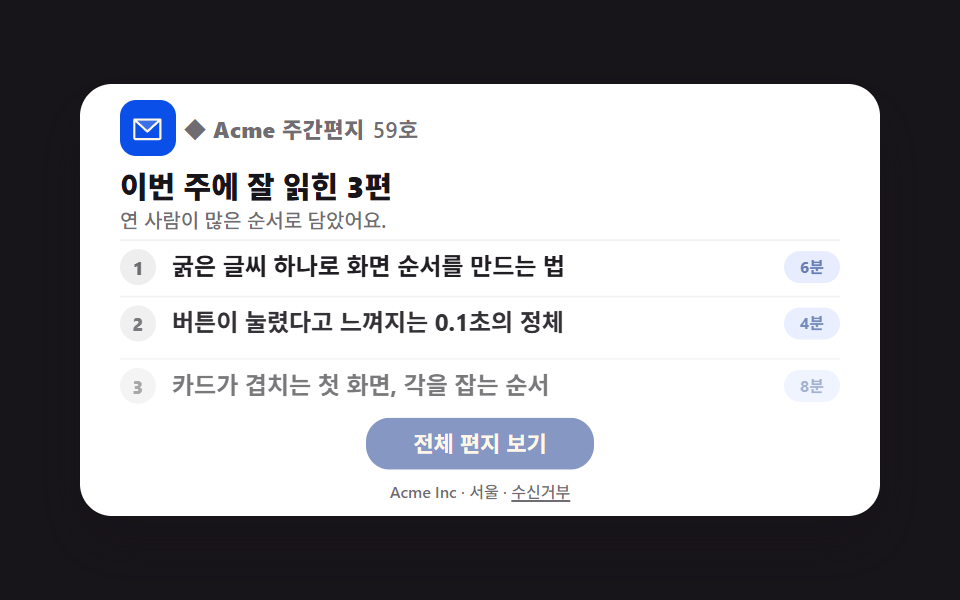 HTML emailMarketing Email Design: 9 Templates, Outlook-Safe
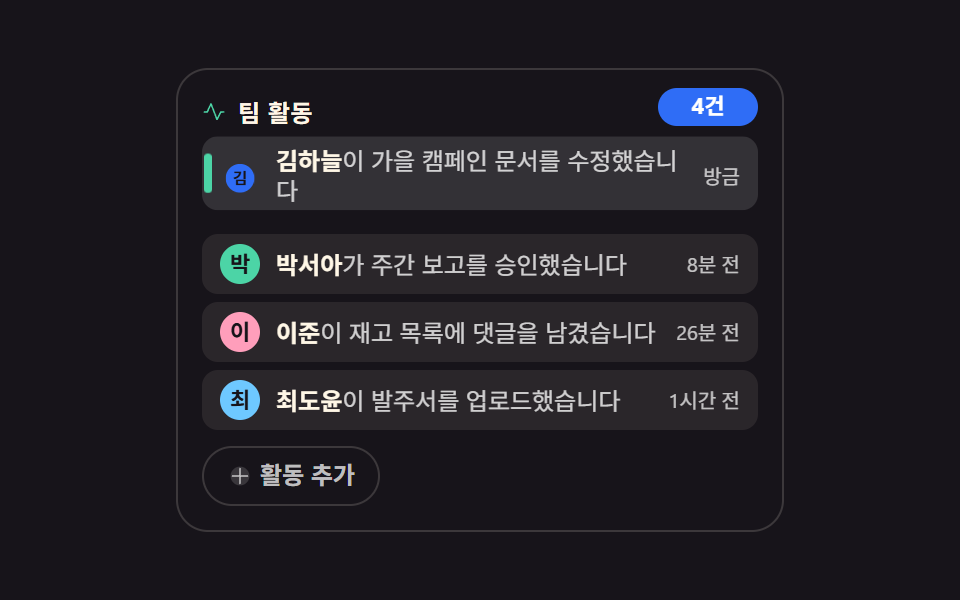 Embeds9 Activity Feed UI Widgets — Sidebar-Ready Lists
 Landing sectionsTestimonial Section Design: 9 Social Proof Blocks
 Dashboard UIStock Ticker UI: 9 Live Price Widgets, No API Key
 Dashboard UIDashboard Sidebar Design + 9 Widget UI Pieces
 Feedback9 CSS Badge Design Ideas — New, Sale, Verified
 GalleriesPortfolio Gallery HTML CSS: 9 UI Patterns
 Embeds9 Social Share Button Design Embed Widgets
 FeedbackToast Notification UI: 9 Stacking Patterns
 Landing sectionsPricing Table Design: 9 Live Interactions