Marketing Email Design: 9 Templates, Outlook-Safe
Marketing email design shapes the emails you send to sell — newsletters, coupons, countdowns, reminders.
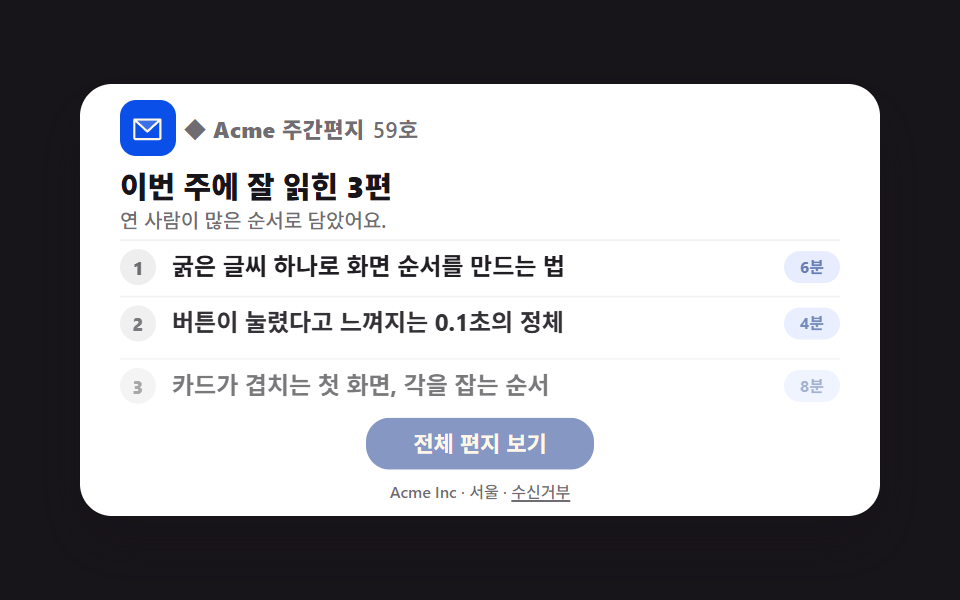 01 newsletter
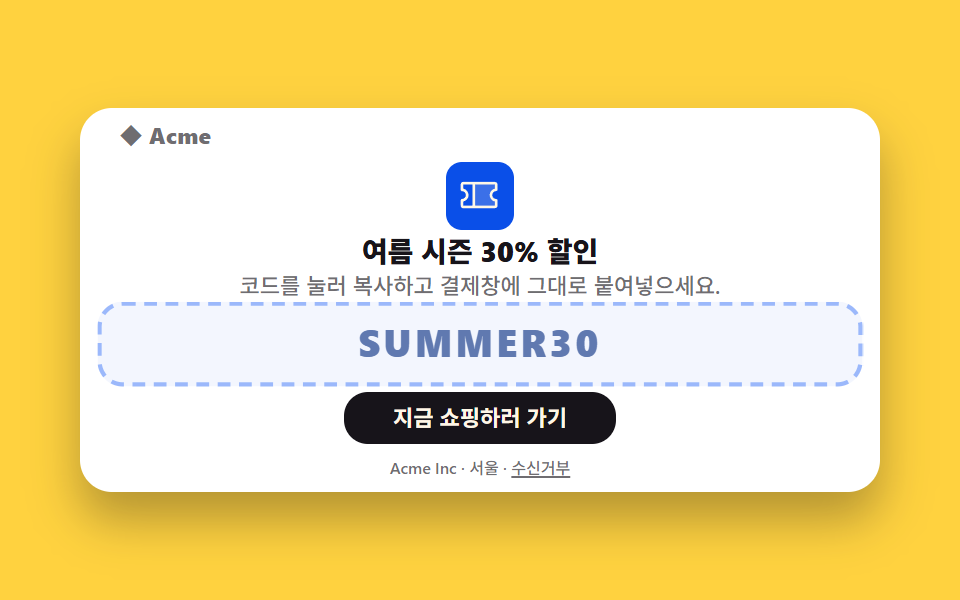 02 promo
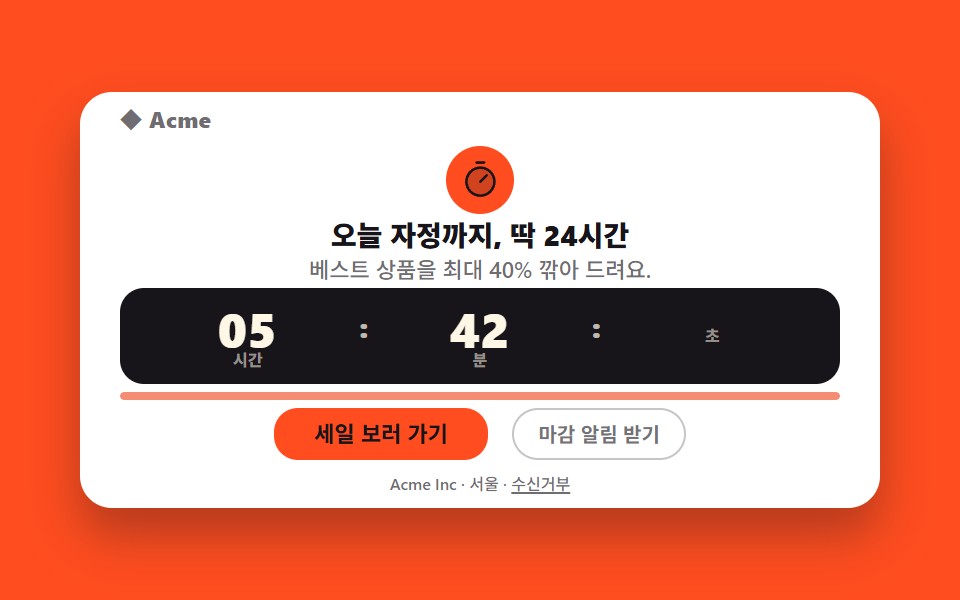 03 flash-sale
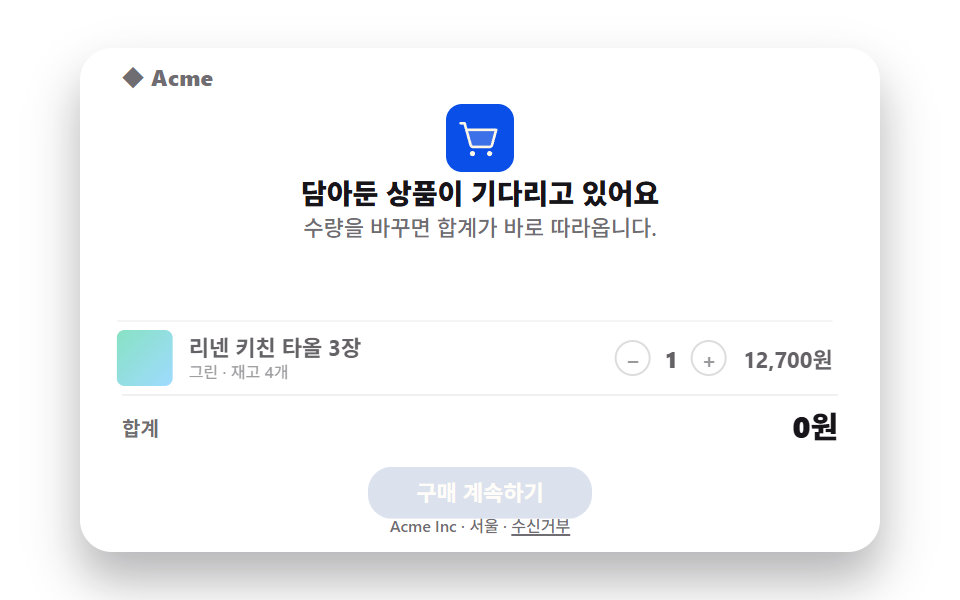 04 abandoned-cart
 05 event-invite
 06 onboarding
 07 survey
 08 reengagement
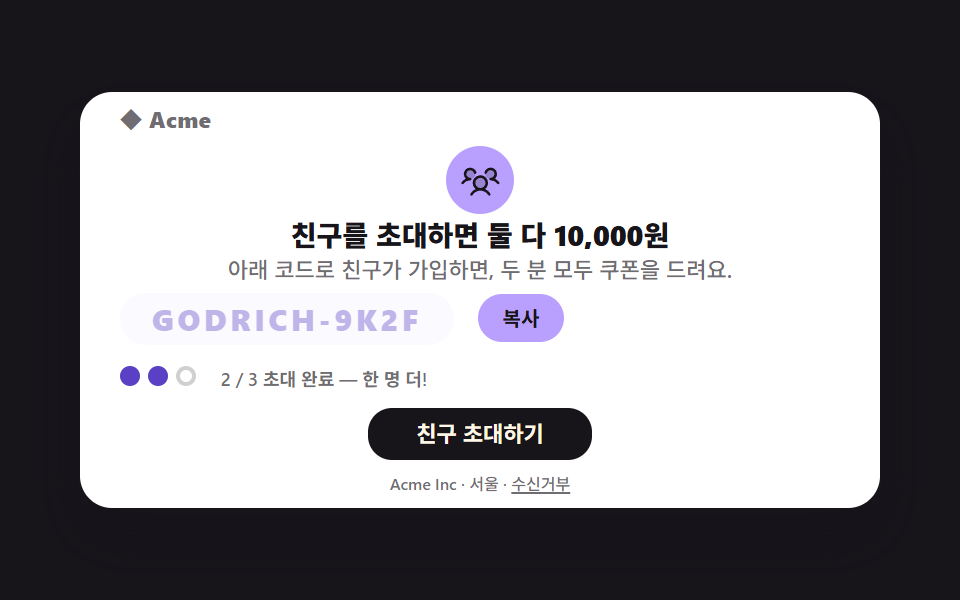 09 referral
Auto-plays · click a tile to jump to its section · all nine in one zip
- 01 Newsletter digest
- 02 Discount coupon email
- 03 Flash sale countdown strip
- 04 Abandoned cart reminder
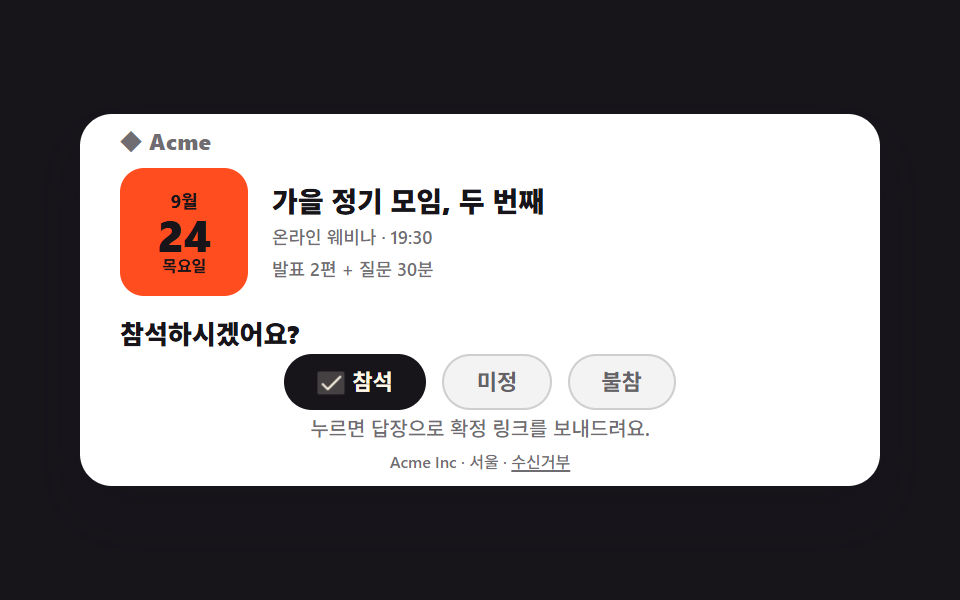
- 05 Event invite with RSVP
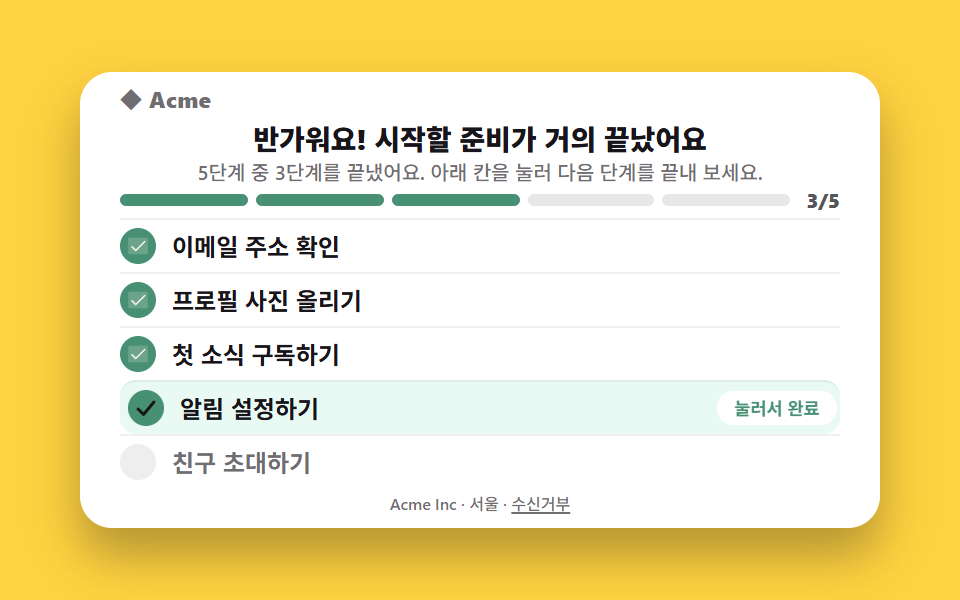
- 06 Onboarding checklist
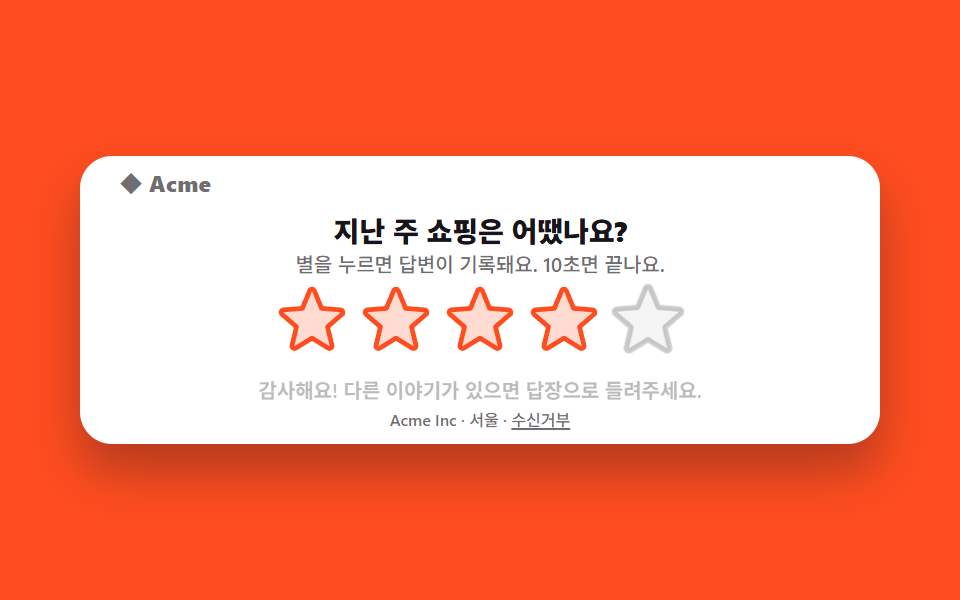
- 07 Star rating survey email
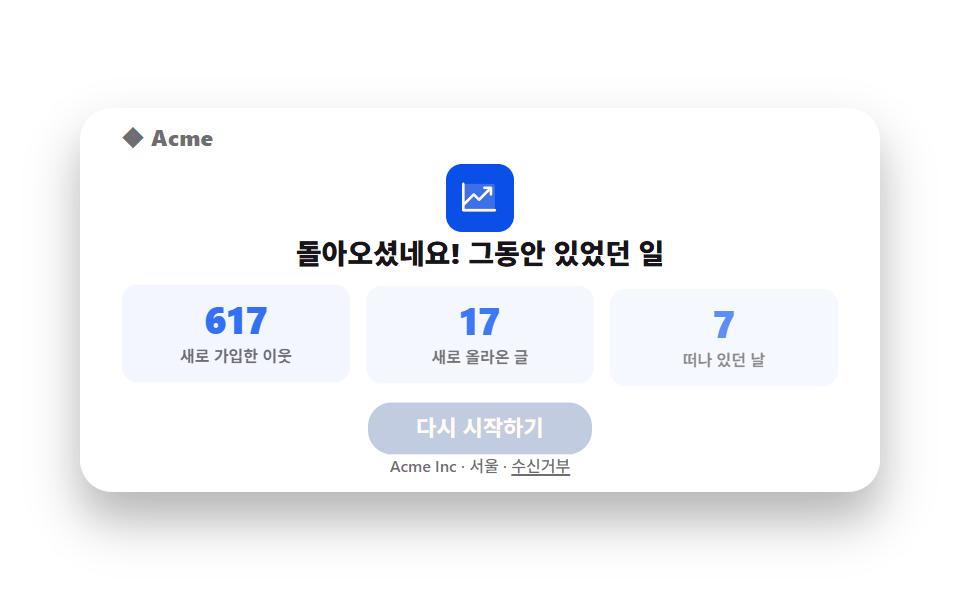
- 08 Win-back email
- 09 Referral invite email
The order of these marketing email design examples is not a trend list; it is the order in which one person receives your mail. It opens with what arrives on a schedule — a digest where three story rows rise in turn (01). Next come the three that make buying easier: a coupon code you tap to copy (02), a countdown strip whose bar drains toward its right edge (03), and the cart someone left behind, shown back to them (04). Then the three that ask about the relationship: an RSVP row of three buttons (05), the post-signup checklist (06), and a one-tap star survey (07). The last two bring people back and spread the word — missed-while-away numbers that roll up (08) and a referral code with two of three invite dots filled (09). Stage colors rotate through three ink, two yellow, two orange and two paper so no two neighbors glare. Receipts, shipping notices and security alerts — the emails that arrive after a purchase — already live in 9 Transactional Email Templates; this edition is about the mail you send to sell, which comes first. The block of unsubscribe and legal links at the very bottom is a problem the web shares, and footer design patterns map that axis.
01Newsletter digest
What these marketing email templates show
Three story rows rise from below, 120ms apart, each carrying a reading-time badge so the reader can pick what to open first. Tapping a row marks it read, and because the rows stay standing for most of the loop, no captured frame is an empty screen (changed area 10.68%, 13 of 23 frames move).
<main class="stage">
<div class="mk is-demo" id="mk">
<table role="presentation" width="100%" cellpadding="0" cellspacing="0" class="mk__table">
<tr><td align="center" class="mk__wrap">
<table role="presentation" width="100%" cellpadding="0" cellspacing="0" class="mk__card" style="max-width:400px">
<tr><td class="mk__brand">
  <span class="mk__brandmark" aria-hidden="true"><svg xmlns="http://www.w3.org/2000/svg" viewBox="0 0 256 256" fill="currentColor" class="mk__ico"><path d="M224,56l-96,88L32,56Z" opacity="0.2"/><path d="M224,48H32a8,8,0,0,0-8,8V192a16,16,0,0,0,16,16H216a16,16,0,0,0,16-16V56A8,8,0,0,0,224,48ZM203.43,64,128,133.15,52.57,64ZM216,192H40V74.19l82.59,75.71a8,8,0,0,0,10.82,0L216,74.19V192Z"/></svg></span>
  ◆ Acme Weekly <span class="mk__issue">No. 59</span>
</td></tr>
<tr><td class="mk__title">The 3 most-read stories this week</td></tr>
<tr><td class="mk__sub">Ordered by how many people read them.</td></tr>
<tr><td class="mk__rows">
  <button type="button" class="mk__row" aria-pressed="false">
    <span class="mk__num" aria-hidden="true">1</span>
    <span class="mk__head">How one bold line sets the whole page order</span>
    <span class="mk__time">6 min</span>
  </button>
  <button type="button" class="mk__row" aria-pressed="false">
    <span class="mk__num" aria-hidden="true">2</span>
    <span class="mk__head">The 0.1s that makes a button feel pressed</span>
    <span class="mk__time">4 min</span>
  </button>
  <button type="button" class="mk__row" aria-pressed="false">
    <span class="mk__num" aria-hidden="true">3</span>
    <span class="mk__head">A card-stack first screen: finding the angles</span>
    <span class="mk__time">8 min</span>
  </button>
</td></tr>
<tr><td align="center" class="mk__ctawrap"><a href="#" role="button" class="mk__cta">Read the full letter</a></td></tr>
<tr><td align="center" class="mk__footer">Acme Inc · Seoul · <a href="#" class="mk__unsub">Unsubscribe</a></td></tr>
</table>
</td></tr>
</table>
</div>
</main>@use "../../../../site/static/demo-tokens" as *;
$duration: $dur-base;
$easing: $ease-spring;
$color: $subject-blue-deep;
@include stage($stage-ink);
.stage { position: relative; }
.mk { width: min(100%, 400px); }
.mk__table { border-collapse: collapse; }
.mk__wrap { padding: 0; }
.mk__card {
border-collapse: collapse; background: $stage-paper; border-radius: $r-card;
box-shadow: $shadow-raised; overflow: hidden;
}
.mk__card td { padding: $sp-1 $sp-5; font-family: -apple-system, "Segoe UI", "Noto Sans KR", sans-serif; -webkit-text-size-adjust: 100%; line-height: 1; }
.mk__brand {
font-weight: 800; font-size: 11px; line-height: 1; color: rgba(23,20,26,.62);
letter-spacing: .02em; padding-top: $sp-2 !important;
display: flex; align-items: center; gap: $sp-1;
}
.mk__brandmark {
display: inline-flex; align-items: center; justify-content: center;
width: clamp(22px, 6vw, 28px); height: clamp(22px, 6vw, 28px); border-radius: $r-sm;
background: #0a4fe8; color: $subject-cream; flex: 0 0 auto;
}
.mk__ico { width: 62%; height: 62%; }
.mk__issue { font-weight: 600; color: rgba(23,20,26,.62); }
.mk__title { font-weight: 800; font-size: clamp(12px, 3.6vw, 15px); line-height: 1.25; color: $subject-ink; padding-top: $sp-1 !important; }
.mk__sub { font-weight: 500; font-size: clamp(9px, 2.8vw, 10px); line-height: 1.4; color: rgba(23,20,26,.62); padding-top: 0 !important; padding-bottom: $sp-1 !important; }
.mk__rows { padding-top: 0 !important; padding-bottom: 0 !important; }
.mk__row {
display: grid; grid-template-columns: auto 1fr auto; align-items: center; gap: $sp-2;
width: 100%; text-align: left; background: none; border: none; cursor: pointer;
font-family: inherit; padding: $sp-1 0; border-top: 1px solid rgba(0,0,0,.06);
}
.mk__num {
display: inline-flex; align-items: center; justify-content: center;
width: 18px; height: 18px; border-radius: 50%; background: rgba(23,20,26,.08);
font-weight: 800; font-size: 9px; line-height: 1; color: rgba(23,20,26,.62);
}
.mk__head { font-weight: 700; font-size: clamp(10px, 3vw, 12px); line-height: 1.3; color: $subject-ink; }
.mk__time {
font-weight: 700; font-size: 8px; line-height: 1; color: #6079b0;
background: rgba(47,109,246,.12); border-radius: $r-pill; padding: $sp-1 $sp-2; white-space: nowrap;
}
.mk__row.is-read .mk__head { color: rgba(23,20,26,.62); }
.mk__row.is-read .mk__time { color: rgba(23,20,26,.62); background: rgba(23,20,26,.06); }
.mk__ctawrap { padding-top: $sp-2 !important; padding-bottom: $sp-1 !important; }
.mk__cta {
display: inline-block; padding: $sp-1 $sp-6; font-weight: 700; font-size: 11px; line-height: 1.6;
font-family: inherit; color: $subject-cream; text-decoration: none; border-radius: $r-control;
background: #7c90be; // CTA 파랑을 어둡게 — 크림 글자 4.25:1 미달이라 5.29:1 로 (279 선례)
}
.mk__footer { font-weight: 500; font-size: 8px; line-height: 1.4; color: rgba(23,20,26,.62); padding-top: $sp-1 !important; padding-bottom: $sp-2 !important; }
.mk__footer a { color: inherit; }
// ── 미리보기 루프: 세 줄이 아래에서 차례로 올라온다 (2s 주기, 복귀는 88% 안)
.mk.is-demo .mk__row { animation-name: nlRise; animation-duration: 2s; animation-timing-function: $easing; animation-iteration-count: infinite; }
.mk.is-demo .mk__row:nth-child(2) { animation-delay: 120ms; animation-fill-mode: backwards; }
.mk.is-demo .mk__row:nth-child(3) { animation-delay: 240ms; animation-fill-mode: backwards; }
.mk.is-demo .mk__cta { animation-name: nlCta; animation-duration: 2s; animation-timing-function: $ease-pop; animation-iteration-count: infinite; }
@keyframes nlRise {
0% { opacity: 0; transform: translateY(14px); }
30% { opacity: 1; transform: translateY(0); }
80% { opacity: 1; transform: translateY(0); }
88% { opacity: 0; transform: translateY(8px); }
100% { opacity: 0; transform: translateY(14px); }
}
@keyframes nlCta {
0%, 10% { opacity: .35; transform: translateY(8px); }
40% { opacity: 1; transform: translateY(0); }
85% { opacity: 1; transform: translateY(0); }
92% { opacity: .35; transform: translateY(8px); }
100% { opacity: .35; transform: translateY(8px); }
}
// ── 320×200 폰 실측 대비 압축 (BD9)
@media (max-width: 340px), (max-height: 220px) {
.mk__card td { padding-left: $sp-3; padding-right: $sp-3; padding-top: 0; padding-bottom: 0; }
.mk__brand { padding-top: 0 !important; font-size: 9px !important; }
.mk__brandmark { width: 18px; height: 18px; }
.mk__title { font-size: 11px !important; padding-top: $sp-1 !important; }
.mk__sub { font-size: 8px !important; padding-bottom: 0 !important; }
.mk__head { font-size: 9px !important; }
.mk__num { width: 14px; height: 14px; font-size: 8px; }
.mk__time { font-size: 7px !important; padding: 0 $sp-1 !important; }
.mk__cta { padding: 0 $sp-5 !important; font-size: 10px !important; }
.mk__footer { font-size: 7px !important; padding-top: 0 !important; padding-bottom: $sp-1 !important; }
}
@media (prefers-reduced-motion: reduce) {
.mk.is-demo .mk__row,
.mk.is-demo .mk__cta { animation: none !important; opacity: 1; transform: none; }
}html, body {
margin: 0;
overflow: hidden;
}
.stage {
box-sizing: border-box;
min-height: 100vh;
display: grid;
place-items: center;
margin: 0;
background: #17141a;
font-family: -apple-system, "Segoe UI", "Noto Sans KR", sans-serif;
padding: clamp(8px, 4vw, 24px);
}
.stage {
position: relative;
}
.mk {
width: min(100%, 400px);
}
.mk__table {
border-collapse: collapse;
}
.mk__wrap {
padding: 0;
}
.mk__card {
border-collapse: collapse;
background: #ffffff;
border-radius: 16px;
box-shadow: 0 14px 24px rgba(23, 20, 26, 0.32);
overflow: hidden;
}
.mk__card td {
padding: 4px 20px;
font-family: -apple-system, "Segoe UI", "Noto Sans KR", sans-serif;
-webkit-text-size-adjust: 100%;
line-height: 1;
}
.mk__brand {
font-weight: 800;
font-size: 11px;
line-height: 1;
color: rgba(23, 20, 26, 0.62);
letter-spacing: 0.02em;
padding-top: 8px !important;
display: flex;
align-items: center;
gap: 4px;
}
.mk__brandmark {
display: inline-flex;
align-items: center;
justify-content: center;
width: clamp(22px, 6vw, 28px);
height: clamp(22px, 6vw, 28px);
border-radius: 8px;
background: #0a4fe8;
color: #fff7e6;
flex: 0 0 auto;
}
.mk__ico {
width: 62%;
height: 62%;
}
.mk__issue {
font-weight: 600;
color: rgba(23, 20, 26, 0.62);
}
.mk__title {
font-weight: 800;
font-size: clamp(12px, 3.6vw, 15px);
line-height: 1.25;
color: #17141a;
padding-top: 4px !important;
}
.mk__sub {
font-weight: 500;
font-size: clamp(9px, 2.8vw, 10px);
line-height: 1.4;
color: rgba(23, 20, 26, 0.62);
padding-top: 0 !important;
padding-bottom: 4px !important;
}
.mk__rows {
padding-top: 0 !important;
padding-bottom: 0 !important;
}
.mk__row {
display: grid;
grid-template-columns: auto 1fr auto;
align-items: center;
gap: 8px;
width: 100%;
text-align: left;
background: none;
border: none;
cursor: pointer;
font-family: inherit;
padding: 4px 0;
border-top: 1px solid rgba(0, 0, 0, 0.06);
}
.mk__num {
display: inline-flex;
align-items: center;
justify-content: center;
width: 18px;
height: 18px;
border-radius: 50%;
background: rgba(23, 20, 26, 0.08);
font-weight: 800;
font-size: 9px;
line-height: 1;
color: rgba(23, 20, 26, 0.62);
}
.mk__head {
font-weight: 700;
font-size: clamp(10px, 3vw, 12px);
line-height: 1.3;
color: #17141a;
}
.mk__time {
font-weight: 700;
font-size: 8px;
line-height: 1;
color: #6079b0;
background: rgba(47, 109, 246, 0.12);
border-radius: 999px;
padding: 4px 8px;
white-space: nowrap;
}
.mk__row.is-read .mk__head {
color: rgba(23, 20, 26, 0.62);
}
.mk__row.is-read .mk__time {
color: rgba(23, 20, 26, 0.62);
background: rgba(23, 20, 26, 0.06);
}
.mk__ctawrap {
padding-top: 8px !important;
padding-bottom: 4px !important;
}
.mk__cta {
display: inline-block;
padding: 4px 24px;
font-weight: 700;
font-size: 11px;
line-height: 1.6;
font-family: inherit;
color: #fff7e6;
text-decoration: none;
border-radius: 12px;
background: #7c90be;
}
.mk__footer {
font-weight: 500;
font-size: 8px;
line-height: 1.4;
color: rgba(23, 20, 26, 0.62);
padding-top: 4px !important;
padding-bottom: 8px !important;
}
.mk__footer a {
color: inherit;
}
.mk.is-demo .mk__row {
animation-name: nlRise;
animation-duration: 2s;
animation-timing-function: cubic-bezier(0.2, 0.8, 0.2, 1);
animation-iteration-count: infinite;
}
.mk.is-demo .mk__row:nth-child(2) {
animation-delay: 120ms;
animation-fill-mode: backwards;
}
.mk.is-demo .mk__row:nth-child(3) {
animation-delay: 240ms;
animation-fill-mode: backwards;
}
.mk.is-demo .mk__cta {
animation-name: nlCta;
animation-duration: 2s;
animation-timing-function: cubic-bezier(0.2, 1.4, 0.4, 1);
animation-iteration-count: infinite;
}
@keyframes nlRise {
0% {
opacity: 0;
transform: translateY(14px);
}
30% {
opacity: 1;
transform: translateY(0);
}
80% {
opacity: 1;
transform: translateY(0);
}
88% {
opacity: 0;
transform: translateY(8px);
}
100% {
opacity: 0;
transform: translateY(14px);
}
}
@keyframes nlCta {
0%, 10% {
opacity: 0.35;
transform: translateY(8px);
}
40% {
opacity: 1;
transform: translateY(0);
}
85% {
opacity: 1;
transform: translateY(0);
}
92% {
opacity: 0.35;
transform: translateY(8px);
}
100% {
opacity: 0.35;
transform: translateY(8px);
}
}
@media (max-width: 340px), (max-height: 220px) {
.mk__card td {
padding-left: 12px;
padding-right: 12px;
padding-top: 0;
padding-bottom: 0;
}
.mk__brand {
padding-top: 0 !important;
font-size: 9px !important;
}
.mk__brandmark {
width: 18px;
height: 18px;
}
.mk__title {
font-size: 11px !important;
padding-top: 4px !important;
}
.mk__sub {
font-size: 8px !important;
padding-bottom: 0 !important;
}
.mk__head {
font-size: 9px !important;
}
.mk__num {
width: 14px;
height: 14px;
font-size: 8px;
}
.mk__time {
font-size: 7px !important;
padding: 0 4px !important;
}
.mk__cta {
padding: 0 20px !important;
font-size: 10px !important;
}
.mk__footer {
font-size: 7px !important;
padding-top: 0 !important;
padding-bottom: 4px !important;
}
}
@media (prefers-reduced-motion: reduce) {
.mk.is-demo .mk__row,
.mk.is-demo .mk__cta {
animation: none !important;
opacity: 1;
transform: none;
}
}var mk = document.getElementById('mk');
var rows = document.querySelectorAll('.mk__row');
for (var i = 0; i < rows.length; i++) {
rows[i].addEventListener('click', function () {
mk.classList.remove('is-demo');
this.classList.toggle('is-read');
var wasRead = this.classList.contains('is-read');
this.setAttribute('aria-pressed', String(wasRead));
var timeBadge = this.querySelector('.mk__time');
timeBadge.textContent = wasRead ? 'Read' : this.getAttribute('data-time');
});
}
var times = document.querySelectorAll('.mk__time');
for (var j = 0; j < times.length; j++) {
times[j].parentNode.setAttribute('data-time', times[j].textContent);
}import { useState } from "react";
import styles from "./NewsletterDigest.module.scss";
export type NewsletterDigestProps = { duration?: number; easing?: string; color?: string };
const HEADLINES = [
{ head: "굵은 글씨 하나로 화면 순서를 만드는 법", time: "6분" },
{ head: "버튼이 눌렸다고 느껴지는 0.1초의 정체", time: "4분" },
{ head: "카드가 겹치는 첫 화면, 각을 잡는 순서", time: "8분" },
];
export default function NewsletterDigest({ duration = 300, easing = "cubic-bezier(.2,.8,.2,1)", color = "#0a4fe8" }: NewsletterDigestProps) {
const [demo, setDemo] = useState(true);
const [read, setRead] = useState<boolean[]>([false, false, false]);
return (
<main className={styles.stage}>
<div className={styles.mk}>
<div className={styles.card}>
<div className={styles.brand}>
<span className={styles.brandmark} aria-hidden="true">
<svg xmlns="http://www.w3.org/2000/svg" viewBox="0 0 256 256" fill="currentColor" className={styles.ico}><path d="M224,56l-96,88L32,56Z" opacity="0.2"/><path d="M224,48H32a8,8,0,0,0-8,8V192a16,16,0,0,0,16,16H216a16,16,0,0,0,16-16V56A8,8,0,0,0,224,48ZM203.43,64,128,133.15,52.57,64ZM216,192H40V74.19l82.59,75.71a8,8,0,0,0,10.82,0L216,74.19V192Z"/></svg>
</span>
◆ Acme 주간편지 <span className={styles.issue}>59호</span>
</div>
<div className={styles.title}>이번 주에 잘 읽힌 3편</div>
<div className={styles.sub}>연 사람이 많은 순서로 담았어요.</div>
<div className={styles.rows}>
{HEADLINES.map((h, i) => (
<button
key={h.head}
type="button"
className={`${styles.row} ${read[i] ? styles.isRead : ""}`}
style={demo ? { animationName: "nlRise", animationDuration: "2s", animationTimingFunction: easing, animationIterationCount: "infinite", animationDelay: `${i * 120}ms`, animationFillMode: "backwards" } : undefined}
aria-pressed={read[i]}
onClick={() => { setDemo(false); setRead((r) => r.map((v, j) => (j === i ? !v : v))); }}
>
<span className={styles.num} aria-hidden="true">{i + 1}</span>
<span className={styles.head}>{h.head}</span>
<span className={styles.time}>{read[i] ? "읽음" : h.time}</span>
</button>
))}
</div>
<div className={styles.ctawrap}>
<a href="#" role="button" className={styles.cta} style={{ background: "#2a5fd8" }} onClick={(e: { preventDefault: () => void }) => { e.preventDefault(); }}>전체 편지 보기</a>
</div>
<div className={styles.footer}>Acme Inc · 서울 · <a href="#" className={styles.unsub}>수신거부</a></div>
</div>
</div>
</main>
);
}01 · Newsletter digest — Measured area 10.677% · moving frames 13/23Original by GODRICH · SCSS and React ship in the zip · See the password
Where to look in the code
Weekly newsletters and content subscription emails.
// rows rise in turn — delayed rows need backwards or they flash complete at frame 0
.mk.is-demo .mk__row {
  animation-name: nlRise;
  animation-duration: 2s;
  animation-timing-function: $easing;
  animation-iteration-count: infinite;
}
.mk.is-demo .mk__row:nth-child(2) { animation-delay: 120ms; animation-fill-mode: backwards; }
.mk.is-demo .mk__row:nth-child(3) { animation-delay: 240ms; animation-fill-mode: backwards; }

@keyframes nlRise {
  0%   { opacity: 0; transform: translateY(14px); }
  30%  { opacity: 1; transform: translateY(0); }
  80%  { opacity: 1; transform: translateY(0); }
  88%  { opacity: 0; transform: translateY(8px); }
  100% { opacity: 0; transform: translateY(14px); }
}
02Discount coupon email
What happens on screen
Tapping the code inside the dashed box runs navigator.clipboard.writeText, flips the label to Copied in a single frame, and reports the result through an aria-live region. In the loop the box swells once and settles, pointing at where the code lives.
<main class="stage">
<div class="mk is-demo" id="mk">
<table role="presentation" width="100%" cellpadding="0" cellspacing="0" class="mk__table">
<tr><td align="center" class="mk__wrap">
<table role="presentation" width="100%" cellpadding="0" cellspacing="0" class="mk__card" style="max-width:400px">
<tr><td class="mk__brand">◆ Acme</td></tr>
<tr><td align="center" class="mk__hero">
  <span class="mk__badge" aria-hidden="true"><svg xmlns="http://www.w3.org/2000/svg" viewBox="0 0 256 256" fill="currentColor" class="mk__ico"><path d="M200,128a32,32,0,0,0,32,32v32a8,8,0,0,1-8,8H96V56H224a8,8,0,0,1,8,8V96A32,32,0,0,0,200,128Z" opacity="0.2"/><path d="M232,104a8,8,0,0,0,8-8V64a16,16,0,0,0-16-16H32A16,16,0,0,0,16,64V96a8,8,0,0,0,8,8,24,24,0,0,1,0,48,8,8,0,0,0-8,8v32a16,16,0,0,0,16,16H224a16,16,0,0,0,16-16V160a8,8,0,0,0-8-8,24,24,0,0,1,0-48ZM32,167.2a40,40,0,0,0,0-78.4V64H88V192H32Zm192,0V192H104V64H224V88.8a40,40,0,0,0,0,78.4Z"/></svg></span>
</td></tr>
<tr><td align="center" class="mk__title">Summer sale, 30% off</td></tr>
<tr><td align="center" class="mk__body">Tap the code to copy, then paste it at checkout.</td></tr>
<tr><td class="mk__couponrow">
  <button type="button" class="mk__coupon" id="coupon" aria-label="Copy coupon code SUMMER30">
    <span class="mk__codelabel" id="codelabel">SUMMER30</span>
    <span class="mk__donelabel" aria-hidden="true">Copied</span>
  </button>
</td></tr>
<tr><td align="center" class="mk__ctawrap"><a href="#" role="button" class="mk__cta">Shop now</a></td></tr>
<tr><td align="center" class="mk__live" id="live" aria-live="polite"></td></tr>
<tr><td align="center" class="mk__footer">Acme Inc · Seoul · <a href="#" class="mk__unsub">Unsubscribe</a></td></tr>
</table>
</td></tr>
</table>
</div>
</main>@use "../../../../site/static/demo-tokens" as *;
$duration: $dur-base;
$easing: $ease-pop;
$color: $subject-blue-deep;
@include stage($stage-yellow);
.stage { position: relative; }
.mk { width: min(100%, 400px); }
.mk__table { border-collapse: collapse; }
.mk__wrap { padding: 0; }
.mk__card {
border-collapse: collapse; background: $stage-paper; border-radius: $r-card;
box-shadow: $shadow-raised; overflow: hidden;
}
.mk__card td { padding: $sp-1 $sp-5; font-family: -apple-system, "Segoe UI", "Noto Sans KR", sans-serif; -webkit-text-size-adjust: 100%; line-height: 1; }
.mk__brand { font-weight: 800; font-size: 11px; line-height: 1; color: rgba(23,20,26,.62); letter-spacing: .02em; padding-top: $sp-2 !important; }
.mk__hero { padding-top: $sp-1 !important; padding-bottom: 0 !important; }
.mk__badge {
display: inline-flex; align-items: center; justify-content: center;
width: clamp(26px, 8vw, 34px); height: clamp(26px, 8vw, 34px); border-radius: $r-sm;
background: #0a4fe8; color: $subject-cream;
}
.mk__ico { width: 62%; height: 62%; }
.mk__title { font-weight: 800; font-size: clamp(12px, 3.6vw, 14px); line-height: 1.25; color: $subject-ink; padding-top: $sp-1 !important; }
.mk__body { font-weight: 500; font-size: clamp(10px, 3vw, 11px); line-height: 1.4; color: rgba(23,20,26,.62); padding-top: 0 !important; padding-bottom: $sp-1 !important; }
.mk__couponrow { padding-top: 0 !important; padding-bottom: $sp-1 !important; }
.mk__coupon {
position: relative; display: flex; width: 100%; align-items: center; justify-content: center;
background: rgba(47,109,246,.06); border: 2px dashed rgba(47,109,246,.45); border-radius: $r-control;
cursor: pointer; font-family: inherit; padding: $sp-2 $sp-4;
}
.mk__codelabel, .mk__donelabel {
font-weight: 800; font-size: clamp(14px, 4.4vw, 18px); line-height: 1.1; letter-spacing: .08em; color: #6079b0;
}
.mk__donelabel { position: absolute; inset: 0; display: flex; align-items: center; justify-content: center; visibility: hidden; color: $subject-ink; }
.mk__coupon.is-copied .mk__codelabel { visibility: hidden; }
.mk__coupon.is-copied .mk__donelabel { visibility: visible; }
.mk__coupon:focus-visible { outline: 2px solid $subject-ink; outline-offset: 2px; }
.mk__ctawrap { padding-top: 0 !important; padding-bottom: $sp-1 !important; }
.mk__cta {
display: inline-block; padding: $sp-1 $sp-6; font-weight: 700; font-size: 11px; line-height: 1.6;
font-family: inherit; color: $subject-cream; text-decoration: none; border-radius: $r-control;
background: $subject-ink;
}
.mk__live { font-weight: 600; font-size: 9px; line-height: 1.4; color: rgba(23,20,26,.62); padding: 0 !important; min-height: 12px; }
.mk__footer { font-weight: 500; font-size: 8px; line-height: 1.4; color: rgba(23,20,26,.62); padding-top: $sp-1 !important; padding-bottom: $sp-2 !important; }
.mk__footer a { color: inherit; }
// ── 미리보기 루프: 상자가 한 번 커졌다 돌아오고(부드럽게), 글자는 코드→복사됨 로 한 프레임에 컷 (2s 주기, 복귀 85%)
.mk.is-demo .mk__coupon { animation-name: prPop; animation-duration: 2s; animation-timing-function: cubic-bezier(.2, 1.4, .4, 1); animation-iteration-count: infinite; }
.mk.is-demo .mk__codelabel { animation-name: prCode; animation-duration: 2s; animation-timing-function: steps(1, end); animation-iteration-count: infinite; }
.mk.is-demo .mk__donelabel { animation-name: prDone; animation-duration: 2s; animation-timing-function: steps(1, end); animation-iteration-count: infinite; }
.mk.is-demo .mk__badge { animation-name: prBeat; animation-duration: 2s; animation-timing-function: $ease-pop; animation-iteration-count: infinite; }
@keyframes prPop {
0%, 12% { transform: scale(1); }
20% { transform: scale(1.06); }
30%, 100% { transform: scale(1); }
}
@keyframes prCode {
0%, 44% { visibility: visible; }
45%, 84% { visibility: hidden; }
85%, 100% { visibility: visible; }
}
@keyframes prDone {
0%, 44% { visibility: hidden; }
45%, 84% { visibility: visible; }
85%, 100% { visibility: hidden; }
}
@keyframes prBeat {
0%, 40% { transform: scale(1); }
50% { transform: scale(1.12); }
62%, 100% { transform: scale(1); }
}
// ── 320×200 폰 실측 대비 압축 (BD9)
@media (max-width: 340px), (max-height: 220px) {
.mk__card td { padding-left: $sp-3; padding-right: $sp-3; padding-top: 0; padding-bottom: 0; }
.mk__brand { padding-top: 0 !important; font-size: 9px !important; }
.mk__badge { width: 22px; height: 22px; }
.mk__title { font-size: 11px !important; padding-top: 0 !important; }
.mk__body { font-size: 8px !important; padding-bottom: 0 !important; }
.mk__coupon { padding: $sp-1 $sp-3 !important; }
.mk__codelabel, .mk__donelabel { font-size: 12px !important; }
.mk__cta { padding: 0 $sp-5 !important; font-size: 10px !important; }
.mk__live { min-height: 0; font-size: 8px !important; }
.mk__footer { font-size: 7px !important; padding-top: 0 !important; padding-bottom: $sp-1 !important; }
}
@media (prefers-reduced-motion: reduce) {
.mk.is-demo .mk__coupon,
.mk.is-demo .mk__codelabel,
.mk.is-demo .mk__donelabel,
.mk.is-demo .mk__badge { animation: none !important; }
}html, body {
margin: 0;
overflow: hidden;
}
.stage {
box-sizing: border-box;
min-height: 100vh;
display: grid;
place-items: center;
margin: 0;
background: #ffd23f;
font-family: -apple-system, "Segoe UI", "Noto Sans KR", sans-serif;
padding: clamp(8px, 4vw, 24px);
}
.stage {
position: relative;
}
.mk {
width: min(100%, 400px);
}
.mk__table {
border-collapse: collapse;
}
.mk__wrap {
padding: 0;
}
.mk__card {
border-collapse: collapse;
background: #ffffff;
border-radius: 16px;
box-shadow: 0 14px 24px rgba(23, 20, 26, 0.32);
overflow: hidden;
}
.mk__card td {
padding: 4px 20px;
font-family: -apple-system, "Segoe UI", "Noto Sans KR", sans-serif;
-webkit-text-size-adjust: 100%;
line-height: 1;
}
.mk__brand {
font-weight: 800;
font-size: 11px;
line-height: 1;
color: rgba(23, 20, 26, 0.62);
letter-spacing: 0.02em;
padding-top: 8px !important;
}
.mk__hero {
padding-top: 4px !important;
padding-bottom: 0 !important;
}
.mk__badge {
display: inline-flex;
align-items: center;
justify-content: center;
width: clamp(26px, 8vw, 34px);
height: clamp(26px, 8vw, 34px);
border-radius: 8px;
background: #0a4fe8;
color: #fff7e6;
}
.mk__ico {
width: 62%;
height: 62%;
}
.mk__title {
font-weight: 800;
font-size: clamp(12px, 3.6vw, 14px);
line-height: 1.25;
color: #17141a;
padding-top: 4px !important;
}
.mk__body {
font-weight: 500;
font-size: clamp(10px, 3vw, 11px);
line-height: 1.4;
color: rgba(23, 20, 26, 0.62);
padding-top: 0 !important;
padding-bottom: 4px !important;
}
.mk__couponrow {
padding-top: 0 !important;
padding-bottom: 4px !important;
}
.mk__coupon {
position: relative;
display: flex;
width: 100%;
align-items: center;
justify-content: center;
background: rgba(47, 109, 246, 0.06);
border: 2px dashed rgba(47, 109, 246, 0.45);
border-radius: 12px;
cursor: pointer;
font-family: inherit;
padding: 8px 16px;
}
.mk__codelabel, .mk__donelabel {
font-weight: 800;
font-size: clamp(14px, 4.4vw, 18px);
line-height: 1.1;
letter-spacing: 0.08em;
color: #6079b0;
}
.mk__donelabel {
position: absolute;
inset: 0;
display: flex;
align-items: center;
justify-content: center;
visibility: hidden;
color: #17141a;
}
.mk__coupon.is-copied .mk__codelabel {
visibility: hidden;
}
.mk__coupon.is-copied .mk__donelabel {
visibility: visible;
}
.mk__coupon:focus-visible {
outline: 2px solid #17141a;
outline-offset: 2px;
}
.mk__ctawrap {
padding-top: 0 !important;
padding-bottom: 4px !important;
}
.mk__cta {
display: inline-block;
padding: 4px 24px;
font-weight: 700;
font-size: 11px;
line-height: 1.6;
font-family: inherit;
color: #fff7e6;
text-decoration: none;
border-radius: 12px;
background: #17141a;
}
.mk__live {
font-weight: 600;
font-size: 9px;
line-height: 1.4;
color: rgba(23, 20, 26, 0.62);
padding: 0 !important;
min-height: 12px;
}
.mk__footer {
font-weight: 500;
font-size: 8px;
line-height: 1.4;
color: rgba(23, 20, 26, 0.62);
padding-top: 4px !important;
padding-bottom: 8px !important;
}
.mk__footer a {
color: inherit;
}
.mk.is-demo .mk__coupon {
animation-name: prPop;
animation-duration: 2s;
animation-timing-function: cubic-bezier(0.2, 1.4, 0.4, 1);
animation-iteration-count: infinite;
}
.mk.is-demo .mk__codelabel {
animation-name: prCode;
animation-duration: 2s;
animation-timing-function: steps(1, end);
animation-iteration-count: infinite;
}
.mk.is-demo .mk__donelabel {
animation-name: prDone;
animation-duration: 2s;
animation-timing-function: steps(1, end);
animation-iteration-count: infinite;
}
.mk.is-demo .mk__badge {
animation-name: prBeat;
animation-duration: 2s;
animation-timing-function: cubic-bezier(0.2, 1.4, 0.4, 1);
animation-iteration-count: infinite;
}
@keyframes prPop {
0%, 12% {
transform: scale(1);
}
20% {
transform: scale(1.06);
}
30%, 100% {
transform: scale(1);
}
}
@keyframes prCode {
0%, 44% {
visibility: visible;
}
45%, 84% {
visibility: hidden;
}
85%, 100% {
visibility: visible;
}
}
@keyframes prDone {
0%, 44% {
visibility: hidden;
}
45%, 84% {
visibility: visible;
}
85%, 100% {
visibility: hidden;
}
}
@keyframes prBeat {
0%, 40% {
transform: scale(1);
}
50% {
transform: scale(1.12);
}
62%, 100% {
transform: scale(1);
}
}
@media (max-width: 340px), (max-height: 220px) {
.mk__card td {
padding-left: 12px;
padding-right: 12px;
padding-top: 0;
padding-bottom: 0;
}
.mk__brand {
padding-top: 0 !important;
font-size: 9px !important;
}
.mk__badge {
width: 22px;
height: 22px;
}
.mk__title {
font-size: 11px !important;
padding-top: 0 !important;
}
.mk__body {
font-size: 8px !important;
padding-bottom: 0 !important;
}
.mk__coupon {
padding: 4px 12px !important;
}
.mk__codelabel, .mk__donelabel {
font-size: 12px !important;
}
.mk__cta {
padding: 0 20px !important;
font-size: 10px !important;
}
.mk__live {
min-height: 0;
font-size: 8px !important;
}
.mk__footer {
font-size: 7px !important;
padding-top: 0 !important;
padding-bottom: 4px !important;
}
}
@media (prefers-reduced-motion: reduce) {
.mk.is-demo .mk__coupon,
.mk.is-demo .mk__codelabel,
.mk.is-demo .mk__donelabel,
.mk.is-demo .mk__badge {
animation: none !important;
}
}var mk = document.getElementById('mk');
var coupon = document.getElementById('coupon');
var codelabel = document.getElementById('codelabel');
var live = document.getElementById('live');
coupon.addEventListener('click', function () {
  mk.classList.remove('is-demo');
  coupon.classList.add('is-copied');
  live.textContent = 'Code copied';
  if (navigator.clipboard && navigator.clipboard.writeText) {
    navigator.clipboard.writeText('SUMMER30').then(function () {}, function () {
      live.textContent = 'Copy failed — select it manually';
      coupon.classList.remove('is-copied');
    });
  }
});import { useState } from "react";
import styles from "./PromoCoupon.module.scss";
export type PromoCouponProps = { duration?: number; easing?: string; color?: string };
export default function PromoCoupon({ duration = 300, easing = "cubic-bezier(.2,1.4,.4,1)", color = "#0a4fe8" }: PromoCouponProps) {
const [demo, setDemo] = useState(true);
const [copied, setCopied] = useState(false);
const [live, setLive] = useState("");
const copyCode = () => {
setDemo(false);
setCopied(true);
setLive("코드를 복사했어요");
if (navigator.clipboard && navigator.clipboard.writeText) {
navigator.clipboard.writeText("SUMMER30").then(
() => {},
() => { setLive("복사 실패 — 코드를 직접 선택하세요"); setCopied(false); }
);
}
};
return (
<main className={styles.stage}>
<div className={styles.mk}>
<div className={styles.card}>
<div className={styles.brand}>◆ Acme</div>
<div className={styles.hero}>
<span className={styles.badge} style={{ background: color }} aria-hidden="true">
<svg xmlns="http://www.w3.org/2000/svg" viewBox="0 0 256 256" fill="currentColor" className={styles.ico}><path d="M200,128a32,32,0,0,0,32,32v32a8,8,0,0,1-8,8H96V56H224a8,8,0,0,1,8,8V96A32,32,0,0,0,200,128Z" opacity="0.2"/><path d="M232,104a8,8,0,0,0,8-8V64a16,16,0,0,0-16-16H32A16,16,0,0,0,16,64V96a8,8,0,0,0,8,8,24,24,0,0,1,0,48,8,8,0,0,0-8,8v32a16,16,0,0,0,16,16H224a16,16,0,0,0,16-16V160a8,8,0,0,0-8-8,24,24,0,0,1,0-48ZM32,167.2a40,40,0,0,0,0-78.4V64H88V192H32Zm192,0V192H104V64H224V88.8a40,40,0,0,0,0,78.4Z"/></svg>
</span>
</div>
<div className={styles.title}>여름 시즌 30% 할인</div>
<div className={styles.body}>코드를 눌러 복사하고 결제창에 그대로 붙여넣으세요.</div>
<div className={styles.couponrow}>
<button
type="button"
className={`${styles.coupon} ${copied ? styles.isCopied : ""}`}
style={demo ? { animationName: "prPop", animationDuration: "2s", animationTimingFunction: easing, animationIterationCount: "infinite", transitionDuration: `${duration}ms` } : { transitionDuration: `${duration}ms` }}
aria-label="쿠폰 코드 SUMMER30 복사"
onClick={copyCode}
>
<span className={styles.codelabel} style={demo ? { animationName: "prCode", animationDuration: "2s", animationTimingFunction: "steps(1, end)", animationIterationCount: "infinite" } : undefined}>SUMMER30</span>
<span className={styles.donelabel} style={demo ? { animationName: "prDone", animationDuration: "2s", animationTimingFunction: "steps(1, end)", animationIterationCount: "infinite" } : undefined} aria-hidden="true">복사됨</span>
</button>
</div>
<div className={styles.ctawrap}>
<a href="#" role="button" className={styles.cta} onClick={(e: { preventDefault: () => void }) => { e.preventDefault(); }}>지금 쇼핑하러 가기</a>
</div>
<div className={styles.live} aria-live="polite">{live}</div>
<div className={styles.footer}>Acme Inc · 서울 · <a href="#" className={styles.unsub}>수신거부</a></div>
</div>
</div>
</main>
);
}02 · Discount coupon email — Measured area 3.929% · moving frames 12/23Original by GODRICH · SCSS and React ship in the zip · See the password
How to read the code
Seasonal sale announcements and first-purchase coupons.
coupon.addEventListener('click', function () {
mk.classList.remove('is-demo');
coupon.classList.add('is-copied');
live.textContent = 'Code copied';
if (navigator.clipboard && navigator.clipboard.writeText) {
navigator.clipboard.writeText('SUMMER30').then(function () {}, function () {
live.textContent = 'Copy failed — select it manually';
coupon.classList.remove('is-copied');
});
}
});
03Flash sale countdown strip
What moves
The seconds cell swaps three stacked values with steps(1, end) cuts — never a crossfade, so no ghost digits — while the bar beneath drains with transform-origin: right. Twenty-two of 23 captured frames move — second only to 08, where all 23 do.
<main class="stage">
<div class="mk is-demo" id="mk">
<table role="presentation" width="100%" cellpadding="0" cellspacing="0" class="mk__table">
<tr><td align="center" class="mk__wrap">
<table role="presentation" width="100%" cellpadding="0" cellspacing="0" class="mk__card" style="max-width:400px">
<tr><td class="mk__brand">◆ Acme</td></tr>
<tr><td align="center" class="mk__hero">
  <span class="mk__badge" aria-hidden="true"><svg xmlns="http://www.w3.org/2000/svg" viewBox="0 0 256 256" fill="currentColor" class="mk__ico"><path d="M216,136a88,88,0,1,1-88-88A88,88,0,0,1,216,136Z" opacity="0.2"/><path d="M128,40a96,96,0,1,0,96,96A96.11,96.11,0,0,0,128,40Zm0,176a80,80,0,1,1,80-80A80.09,80.09,0,0,1,128,216ZM173.66,90.34a8,8,0,0,1,0,11.32l-40,40a8,8,0,0,1-11.32-11.32l40-40A8,8,0,0,1,173.66,90.34ZM96,16a8,8,0,0,1,8-8h48a8,8,0,0,1,0,16H104A8,8,0,0,1,96,16Z"/></svg></span>
</td></tr>
<tr><td align="center" class="mk__title">Until midnight today — 24 hours sharp</td></tr>
<tr><td align="center" class="mk__body">Best sellers up to 40% off.</td></tr>
<tr><td class="mk__countrow">
  <div class="mk__count" role="timer" aria-label="5 hours 42 minutes 08 seconds left">
    <div class="mk__cell">
      <span class="mk__digits">05</span>
      <span class="mk__unit">HRS</span>
    </div>
    <span class="mk__colon" aria-hidden="true">:</span>
    <div class="mk__cell">
      <span class="mk__digits">42</span>
      <span class="mk__unit">MIN</span>
    </div>
    <span class="mk__colon" aria-hidden="true">:</span>
    <div class="mk__cell mk__cellsec">
      <span class="mk__digits" aria-hidden="true">
        <span class="mk__d1">08</span><span class="mk__d2">07</span><span class="mk__d3">06</span>
      </span>
      <span class="mk__unit">SEC</span>
    </div>
  </div>
  <div class="mk__bar" aria-hidden="true"><span class="mk__fill"></span></div>
</td></tr>
<tr><td align="center" class="mk__ctawrap">
  <a href="#" role="button" class="mk__cta">See the sale</a>
  <button type="button" class="mk__remind" id="remind" aria-pressed="false">Get deadline alerts</button>
</td></tr>
<tr><td align="center" class="mk__footer">Acme Inc · Seoul · <a href="#" class="mk__unsub">Unsubscribe</a></td></tr>
</table>
</td></tr>
</table>
</div>
</main>@use "../../../../site/static/demo-tokens" as *;
$duration: $dur-base;
$easing: $ease-out;
$color: $stage-orange;
@include stage($stage-orange);
.stage { position: relative; }
.mk { width: min(100%, 400px); }
.mk__table { border-collapse: collapse; }
.mk__wrap { padding: 0; }
.mk__card {
border-collapse: collapse; background: $stage-paper; border-radius: $r-card;
box-shadow: $shadow-raised; overflow: hidden;
}
.mk__card td { padding: $sp-1 $sp-5; font-family: -apple-system, "Segoe UI", "Noto Sans KR", sans-serif; -webkit-text-size-adjust: 100%; line-height: 1; }
.mk__brand { font-weight: 800; font-size: 11px; line-height: 1; color: rgba(23,20,26,.62); letter-spacing: .02em; padding-top: $sp-2 !important; }
.mk__hero { padding-top: $sp-1 !important; padding-bottom: 0 !important; }
.mk__badge {
display: inline-flex; align-items: center; justify-content: center;
width: clamp(26px, 8vw, 34px); height: clamp(26px, 8vw, 34px); border-radius: 50%;
background: $stage-orange; color: $subject-ink;
}
.mk__ico { width: 60%; height: 60%; }
.mk__title { font-weight: 800; font-size: clamp(12px, 3.6vw, 14px); line-height: 1.25; color: $subject-ink; padding-top: $sp-1 !important; }
.mk__body { font-weight: 500; font-size: clamp(10px, 3vw, 11px); line-height: 1.4; color: rgba(23,20,26,.62); padding-top: 0 !important; padding-bottom: $sp-1 !important; }
.mk__countrow { padding-top: 0 !important; padding-bottom: $sp-1 !important; }
.mk__count {
display: grid; grid-template-columns: 1fr auto 1fr auto 1fr; align-items: center; gap: $sp-1;
background: $subject-ink; border-radius: $r-control; padding: $sp-2 $sp-3;
}
.mk__cell { display: flex; flex-direction: column; align-items: center; gap: 0; }
.mk__digits {
position: relative; font-weight: 800; font-size: clamp(18px, 6vw, 24px); line-height: 1;
color: $subject-cream; font-variant-numeric: tabular-nums; letter-spacing: .02em;
}
.mk__unit { font-weight: 600; font-size: 8px; line-height: 1; color: rgba(255,247,230,.55); }
.mk__colon { font-weight: 800; font-size: 14px; line-height: 1; color: rgba($subject-cream, .72); padding-bottom: $sp-2; }
// 초 칸은 겹쳐 놓은 세 장을 steps 로 한 프레임에 교체한다 (교차 페이드 금지 — 유령 프레임)
.mk__cellsec .mk__digits { }
.mk__d1, .mk__d2, .mk__d3 { position: absolute; inset: 0; display: flex; justify-content: center; }
.mk__d2, .mk__d3 { visibility: hidden; }
.mk__bar {
margin-top: $sp-1; height: 4px; border-radius: $r-pill; background: rgba(23,20,26,.1); overflow: hidden;
}
.mk__fill { display: block; height: 100%; border-radius: $r-pill; background: $stage-orange; transform-origin: right; } // 규칙8: 카운트다운 막대 우측 감소
.mk__ctawrap { padding-top: 0 !important; padding-bottom: $sp-1 !important; }
.mk__cta {
display: inline-block; padding: $sp-1 $sp-5; font-weight: 700; font-size: 11px; line-height: 1.6;
font-family: inherit; color: $subject-ink; text-decoration: none; border-radius: $r-control;
background: $stage-orange;
}
.mk__remind {
display: inline-block; padding: $sp-1 $sp-3; margin-left: $sp-2; font-weight: 700; font-size: 10px; line-height: 1.6;
font-family: inherit; color: rgba(23,20,26,.6); background: none; border: 1px solid rgba(23,20,26,.25);
border-radius: $r-pill; cursor: pointer;
}
.mk__remind.is-on { color: $subject-cream; background: $subject-ink; border-color: $subject-ink; }
.mk__footer { font-weight: 500; font-size: 8px; line-height: 1.4; color: rgba(23,20,26,.62); padding-top: $sp-1 !important; padding-bottom: $sp-2 !important; }
.mk__footer a { color: inherit; }
// ── 미리보기 루프: 초 숫자는 steps(1,end) 컷 교체, 막대는 transform-origin: right 기준으로 줄어든다 (2s 주기, 복귀 85%)
.mk.is-demo .mk__d1 { animation-name: fsD1; animation-duration: 2s; animation-timing-function: steps(1, end); animation-iteration-count: infinite; }
.mk.is-demo .mk__d2 { animation-name: fsD2; animation-duration: 2s; animation-timing-function: steps(1, end); animation-iteration-count: infinite; }
.mk.is-demo .mk__d3 { animation-name: fsD3; animation-duration: 2s; animation-timing-function: steps(1, end); animation-iteration-count: infinite; }
.mk.is-demo .mk__fill { animation-name: fsBar; animation-duration: 2s; animation-timing-function: linear; animation-iteration-count: infinite; }
.mk.is-demo .mk__badge { animation-name: fsTick; animation-duration: 2s; animation-timing-function: $ease-pop; animation-iteration-count: infinite; }
@keyframes fsD1 {
0%, 32% { visibility: visible; }
33%, 100% { visibility: hidden; }
}
@keyframes fsD2 {
0%, 32% { visibility: hidden; }
33%, 65% { visibility: visible; }
66%, 100% { visibility: hidden; }
}
@keyframes fsD3 {
0%, 65% { visibility: hidden; }
66%, 84% { visibility: visible; }
85%, 100% { visibility: hidden; }
}
@keyframes fsBar {
0% { transform: scaleX(1); }
78% { transform: scaleX(.16); }
82% { opacity: 0; transform: scaleX(.16); }
84% { opacity: 0; transform: scaleX(1); }
90%, 100% { opacity: 1; transform: scaleX(1); }
}
@keyframes fsTick {
0%, 8% { transform: scale(1); }
14% { transform: scale(1.1); }
22%, 100% { transform: scale(1); }
}
// ── 320×200 폰 실측 대비 압축 (BD9)
@media (max-width: 340px), (max-height: 220px) {
.mk__card td { padding-left: $sp-3; padding-right: $sp-3; padding-top: 0; padding-bottom: 0; }
.mk__brand { padding-top: 0 !important; font-size: 9px !important; }
.mk__badge { width: 22px; height: 22px; }
.mk__title { font-size: 11px !important; padding-top: 0 !important; }
.mk__body { font-size: 8px !important; padding-bottom: 0 !important; }
.mk__digits { font-size: 15px !important; }
.mk__unit { font-size: 7px !important; }
.mk__count { padding: $sp-1 $sp-2 !important; }
.mk__cta { padding: 0 $sp-3 !important; font-size: 10px !important; }
.mk__remind { padding: 0 $sp-2 !important; margin-left: $sp-1 !important; font-size: 9px !important; }
.mk__footer { font-size: 7px !important; padding-top: 0 !important; padding-bottom: $sp-1 !important; }
}
@media (prefers-reduced-motion: reduce) {
.mk.is-demo .mk__d1,
.mk.is-demo .mk__d2,
.mk.is-demo .mk__d3,
.mk.is-demo .mk__fill,
.mk.is-demo .mk__badge { animation: none !important; }
.mk__d1 { visibility: visible; }
}html, body {
margin: 0;
overflow: hidden;
}
.stage {
box-sizing: border-box;
min-height: 100vh;
display: grid;
place-items: center;
margin: 0;
background: #ff4d1f;
font-family: -apple-system, "Segoe UI", "Noto Sans KR", sans-serif;
padding: clamp(8px, 4vw, 24px);
}
.stage {
position: relative;
}
.mk {
width: min(100%, 400px);
}
.mk__table {
border-collapse: collapse;
}
.mk__wrap {
padding: 0;
}
.mk__card {
border-collapse: collapse;
background: #ffffff;
border-radius: 16px;
box-shadow: 0 14px 24px rgba(23, 20, 26, 0.32);
overflow: hidden;
}
.mk__card td {
padding: 4px 20px;
font-family: -apple-system, "Segoe UI", "Noto Sans KR", sans-serif;
-webkit-text-size-adjust: 100%;
line-height: 1;
}
.mk__brand {
font-weight: 800;
font-size: 11px;
line-height: 1;
color: rgba(23, 20, 26, 0.62);
letter-spacing: 0.02em;
padding-top: 8px !important;
}
.mk__hero {
padding-top: 4px !important;
padding-bottom: 0 !important;
}
.mk__badge {
display: inline-flex;
align-items: center;
justify-content: center;
width: clamp(26px, 8vw, 34px);
height: clamp(26px, 8vw, 34px);
border-radius: 50%;
background: #ff4d1f;
color: #17141a;
}
.mk__ico {
width: 60%;
height: 60%;
}
.mk__title {
font-weight: 800;
font-size: clamp(12px, 3.6vw, 14px);
line-height: 1.25;
color: #17141a;
padding-top: 4px !important;
}
.mk__body {
font-weight: 500;
font-size: clamp(10px, 3vw, 11px);
line-height: 1.4;
color: rgba(23, 20, 26, 0.62);
padding-top: 0 !important;
padding-bottom: 4px !important;
}
.mk__countrow {
padding-top: 0 !important;
padding-bottom: 4px !important;
}
.mk__count {
display: grid;
grid-template-columns: 1fr auto 1fr auto 1fr;
align-items: center;
gap: 4px;
background: #17141a;
border-radius: 12px;
padding: 8px 12px;
}
.mk__cell {
display: flex;
flex-direction: column;
align-items: center;
gap: 0;
}
.mk__digits {
position: relative;
font-weight: 800;
font-size: clamp(18px, 6vw, 24px);
line-height: 1;
color: #fff7e6;
font-variant-numeric: tabular-nums;
letter-spacing: 0.02em;
}
.mk__unit {
font-weight: 600;
font-size: 8px;
line-height: 1;
color: rgba(255, 247, 230, 0.55);
}
.mk__colon {
font-weight: 800;
font-size: 14px;
line-height: 1;
color: rgba(255, 247, 230, 0.72);
padding-bottom: 8px;
}
.mk__d1, .mk__d2, .mk__d3 {
position: absolute;
inset: 0;
display: flex;
justify-content: center;
}
.mk__d2, .mk__d3 {
visibility: hidden;
}
.mk__bar {
margin-top: 4px;
height: 4px;
border-radius: 999px;
background: rgba(23, 20, 26, 0.1);
overflow: hidden;
}
.mk__fill {
display: block;
height: 100%;
border-radius: 999px;
background: #ff4d1f;
transform-origin: right;
}
.mk__ctawrap {
padding-top: 0 !important;
padding-bottom: 4px !important;
}
.mk__cta {
display: inline-block;
padding: 4px 20px;
font-weight: 700;
font-size: 11px;
line-height: 1.6;
font-family: inherit;
color: #17141a;
text-decoration: none;
border-radius: 12px;
background: #ff4d1f;
}
.mk__remind {
display: inline-block;
padding: 4px 12px;
margin-left: 8px;
font-weight: 700;
font-size: 10px;
line-height: 1.6;
font-family: inherit;
color: rgba(23, 20, 26, 0.6);
background: none;
border: 1px solid rgba(23, 20, 26, 0.25);
border-radius: 999px;
cursor: pointer;
}
.mk__remind.is-on {
color: #fff7e6;
background: #17141a;
border-color: #17141a;
}
.mk__footer {
font-weight: 500;
font-size: 8px;
line-height: 1.4;
color: rgba(23, 20, 26, 0.62);
padding-top: 4px !important;
padding-bottom: 8px !important;
}
.mk__footer a {
color: inherit;
}
.mk.is-demo .mk__d1 {
animation-name: fsD1;
animation-duration: 2s;
animation-timing-function: steps(1, end);
animation-iteration-count: infinite;
}
.mk.is-demo .mk__d2 {
animation-name: fsD2;
animation-duration: 2s;
animation-timing-function: steps(1, end);
animation-iteration-count: infinite;
}
.mk.is-demo .mk__d3 {
animation-name: fsD3;
animation-duration: 2s;
animation-timing-function: steps(1, end);
animation-iteration-count: infinite;
}
.mk.is-demo .mk__fill {
animation-name: fsBar;
animation-duration: 2s;
animation-timing-function: linear;
animation-iteration-count: infinite;
}
.mk.is-demo .mk__badge {
animation-name: fsTick;
animation-duration: 2s;
animation-timing-function: cubic-bezier(0.2, 1.4, 0.4, 1);
animation-iteration-count: infinite;
}
@keyframes fsD1 {
0%, 32% {
visibility: visible;
}
33%, 100% {
visibility: hidden;
}
}
@keyframes fsD2 {
0%, 32% {
visibility: hidden;
}
33%, 65% {
visibility: visible;
}
66%, 100% {
visibility: hidden;
}
}
@keyframes fsD3 {
0%, 65% {
visibility: hidden;
}
66%, 84% {
visibility: visible;
}
85%, 100% {
visibility: hidden;
}
}
@keyframes fsBar {
0% {
transform: scaleX(1);
}
78% {
transform: scaleX(0.16);
}
82% {
opacity: 0;
transform: scaleX(0.16);
}
84% {
opacity: 0;
transform: scaleX(1);
}
90%, 100% {
opacity: 1;
transform: scaleX(1);
}
}
@keyframes fsTick {
0%, 8% {
transform: scale(1);
}
14% {
transform: scale(1.1);
}
22%, 100% {
transform: scale(1);
}
}
@media (max-width: 340px), (max-height: 220px) {
.mk__card td {
padding-left: 12px;
padding-right: 12px;
padding-top: 0;
padding-bottom: 0;
}
.mk__brand {
padding-top: 0 !important;
font-size: 9px !important;
}
.mk__badge {
width: 22px;
height: 22px;
}
.mk__title {
font-size: 11px !important;
padding-top: 0 !important;
}
.mk__body {
font-size: 8px !important;
padding-bottom: 0 !important;
}
.mk__digits {
font-size: 15px !important;
}
.mk__unit {
font-size: 7px !important;
}
.mk__count {
padding: 4px 8px !important;
}
.mk__cta {
padding: 0 12px !important;
font-size: 10px !important;
}
.mk__remind {
padding: 0 8px !important;
margin-left: 4px !important;
font-size: 9px !important;
}
.mk__footer {
font-size: 7px !important;
padding-top: 0 !important;
padding-bottom: 4px !important;
}
}
@media (prefers-reduced-motion: reduce) {
.mk.is-demo .mk__d1,
.mk.is-demo .mk__d2,
.mk.is-demo .mk__d3,
.mk.is-demo .mk__fill,
.mk.is-demo .mk__badge {
animation: none !important;
}
.mk__d1 {
visibility: visible;
}
}var mk = document.getElementById('mk');
var remind = document.getElementById('remind');
remind.addEventListener('click', function () {
mk.classList.remove('is-demo');
var on = remind.classList.toggle('is-on');
remind.setAttribute('aria-pressed', String(on));
remind.textContent = on ? 'Alerts on' : 'Get deadline alerts';
});import { useState } from "react";
import styles from "./FlashSaleCountdown.module.scss";
export type FlashSaleCountdownProps = { duration?: number; easing?: string; color?: string };
export default function FlashSaleCountdown({ duration = 300, easing = "ease-out", color = "#ff4d1f" }: FlashSaleCountdownProps) {
const [demo, setDemo] = useState(true);
const [on, setOn] = useState(false);
return (
<main className={styles.stage}>
<div className={styles.mk}>
<div className={styles.card}>
<div className={styles.brand}>◆ Acme</div>
<div className={styles.hero}>
<span className={styles.badge} style={{ background: color }} aria-hidden="true">
<svg xmlns="http://www.w3.org/2000/svg" viewBox="0 0 256 256" fill="currentColor" className={styles.ico}><path d="M216,136a88,88,0,1,1-88-88A88,88,0,0,1,216,136Z" opacity="0.2"/><path d="M128,40a96,96,0,1,0,96,96A96.11,96.11,0,0,0,128,40Zm0,176a80,80,0,1,1,80-80A80.09,80.09,0,0,1,128,216ZM173.66,90.34a8,8,0,0,1,0,11.32l-40,40a8,8,0,0,1-11.32-11.32l40-40A8,8,0,0,1,173.66,90.34ZM96,16a8,8,0,0,1,8-8h48a8,8,0,0,1,0,16H104A8,8,0,0,1,96,16Z"/></svg>
</span>
</div>
<div className={styles.title}>오늘 자정까지, 딱 24시간</div>
<div className={styles.body}>베스트 상품을 최대 40% 깎아 드려요.</div>
<div className={styles.countrow}>
<div className={styles.count} role="timer" aria-label="남은 시간 5시간 42분 08초">
<div className={styles.cell}>
<span className={styles.digits}>05</span>
<span className={styles.unit}>시간</span>
</div>
<span className={styles.colon} aria-hidden="true">:</span>
<div className={styles.cell}>
<span className={styles.digits}>42</span>
<span className={styles.unit}>분</span>
</div>
<span className={styles.colon} aria-hidden="true">:</span>
<div className={styles.cell}>
<span className={styles.digits} aria-hidden="true">
<span className={styles.d1} style={demo ? { animationName: "fsD1", animationDuration: "2s", animationTimingFunction: "steps(1, end)", animationIterationCount: "infinite" } : undefined}>08</span>
<span className={styles.d2} style={demo ? { animationName: "fsD2", animationDuration: "2s", animationTimingFunction: "steps(1, end)", animationIterationCount: "infinite" } : undefined}>07</span>
<span className={styles.d3} style={demo ? { animationName: "fsD3", animationDuration: "2s", animationTimingFunction: "steps(1, end)", animationIterationCount: "infinite" } : undefined}>06</span>
</span>
<span className={styles.unit}>초</span>
</div>
</div>
<div className={styles.bar} aria-hidden="true">
<span className={styles.fill} style={{ background: color, ...(demo ? { animationName: "fsBar", animationDuration: "2s", animationTimingFunction: easing, animationIterationCount: "infinite", transformOrigin: "right" } : { transformOrigin: "right", transitionDuration: `${duration}ms` }) }}></span>
</div>
</div>
<div className={styles.ctawrap}>
<a href="#" role="button" className={styles.cta} style={{ background: color }} onClick={(e: { preventDefault: () => void }) => { e.preventDefault(); }}>세일 보러 가기</a>
<button type="button" className={`${styles.remind} ${on ? styles.isOn : ""}`} aria-pressed={on} onClick={() => { setDemo(false); setOn((v) => !v); }}>{on ? "알림 켜짐" : "마감 알림 받기"}</button>
</div>
<div className={styles.footer}>Acme Inc · 서울 · <a href="#" className={styles.unsub}>수신거부</a></div>
</div>
</div>
</main>
);
}03 · Flash sale countdown strip — Measured area 1.715% · moving frames 22/23Original by GODRICH · SCSS and React ship in the zip · See the password
What to change
Flash sale blasts and deadline reminders.
// seconds swap — three stacked layers exchanged only by steps cuts (crossfade forbidden)
.mk.is-demo .mk__d1 { animation-name: fsD1; animation-duration: 2s;
  animation-timing-function: steps(1, end); animation-iteration-count: infinite; }
.mk.is-demo .mk__d2 { animation-name: fsD2; animation-duration: 2s;
  animation-timing-function: steps(1, end); animation-iteration-count: infinite; }
.mk.is-demo .mk__d3 { animation-name: fsD3; animation-duration: 2s;
  animation-timing-function: steps(1, end); animation-iteration-count: infinite; }
.mk.is-demo .mk__fill { animation-name: fsBar; animation-duration: 2s;
  animation-timing-function: linear; animation-iteration-count: infinite; }

@keyframes fsBar {
  0%  { transform: scaleX(1); }
  78% { transform: scaleX(.16); }
  82% { opacity: 0; transform: scaleX(.16); }
  84% { opacity: 0; transform: scaleX(1); }
  90%, 100% { opacity: 1; transform: scaleX(1); }
}
04Abandoned cart reminder
What you see
Two saved item rows slide in from the left and the total cuts from ₩0 to ₩41,600 in one frame. The quantity steppers are real: every tap has the script recompute the total, re-rendered by toLocaleString, and the slide-in covers a changed area of 8.11%.
<main class="stage">
<div class="mk is-demo" id="mk">
<table role="presentation" width="100%" cellpadding="0" cellspacing="0" class="mk__table">
<tr><td align="center" class="mk__wrap">
<table role="presentation" width="100%" cellpadding="0" cellspacing="0" class="mk__card" style="max-width:400px">
<tr><td class="mk__brand">◆ Acme</td></tr>
<tr><td align="center" class="mk__hero">
  <span class="mk__badge" aria-hidden="true"><svg xmlns="http://www.w3.org/2000/svg" viewBox="0 0 256 256" fill="currentColor" class="mk__ico"><path d="M232,72l-25.63,92.28A16,16,0,0,1,191,176H92.16a16,16,0,0,1-15.41-11.72L51.11,72Z" opacity="0.2"/><path d="M104,216a16,16,0,1,1-16-16A16,16,0,0,1,104,216Zm88-16a16,16,0,1,0,16,16A16,16,0,0,0,192,200ZM239.71,74.14l-25.64,92.28A24.06,24.06,0,0,1,191,184H92.16A24.06,24.06,0,0,1,69,166.42L33.92,40H16a8,8,0,0,1,0-16H40a8,8,0,0,1,7.71,5.86L57.19,64H232a8,8,0,0,1,7.71,10.14ZM221.47,80H61.64l22.81,82.14A8,8,0,0,0,92.16,168H191a8,8,0,0,0,7.71-5.86Z"/></svg></span>
</td></tr>
<tr><td align="center" class="mk__title">Your saved items are waiting</td></tr>
<tr><td align="center" class="mk__body">Change a quantity and the total follows instantly.</td></tr>
<tr><td class="mk__items">
  <div class="mk__item" data-price="28900">
    <span class="mk__thumb mk__thumba" aria-hidden="true"></span>
    <span class="mk__meta">
      <span class="mk__name">Kitchen knife stand</span>
      <span class="mk__opt">Cream · 1 on the way</span>
    </span>
    <span class="mk__qty">
      <button type="button" class="mk__step" data-dir="-1" aria-label="Decrease quantity">−</button>
      <span class="mk__n">1</span>
      <button type="button" class="mk__step" data-dir="1" aria-label="Increase quantity">+</button>
    </span>
    <span class="mk__price" data-unit="₩28,900">₩28,900</span>
  </div>
  <div class="mk__item" data-price="12700">
    <span class="mk__thumb mk__thumbb" aria-hidden="true"></span>
    <span class="mk__meta">
      <span class="mk__name">Linen kitchen towels, 3-pack</span>
      <span class="mk__opt">Green · 4 in stock</span>
    </span>
    <span class="mk__qty">
      <button type="button" class="mk__step" data-dir="-1" aria-label="Decrease quantity">−</button>
      <span class="mk__n">1</span>
      <button type="button" class="mk__step" data-dir="1" aria-label="Increase quantity">+</button>
    </span>
    <span class="mk__price" data-unit="₩12,700">₩12,700</span>
  </div>
  <div class="mk__total">
    <span class="mk__totallabel">Total</span>
    <span class="mk__totalval">
      <span class="mk__t0">₩0</span>
      <span class="mk__t1" id="total">₩41,600</span>
    </span>
  </div>
</td></tr>
<tr><td align="center" class="mk__ctawrap"><a href="#" role="button" class="mk__cta">Continue to checkout</a></td></tr>
<tr><td align="center" class="mk__footer">Acme Inc · Seoul · <a href="#" class="mk__unsub">Unsubscribe</a></td></tr>
</table>
</td></tr>
</table>
</div>
</main>@use "../../../../site/static/demo-tokens" as *;
$duration: $dur-base;
$easing: $ease-spring;
$color: $subject-blue-deep;
@include stage($stage-paper);
.stage { position: relative; }
.mk { width: min(100%, 400px); }
.mk__table { border-collapse: collapse; }
.mk__wrap { padding: 0; }
.mk__card {
border-collapse: collapse; background: $stage-paper; border-radius: $r-card;
box-shadow: $shadow-raised; border: 1px solid rgba(23,20,26,.1); overflow: hidden;
}
.mk__card td { padding: $sp-1 $sp-5; font-family: -apple-system, "Segoe UI", "Noto Sans KR", sans-serif; -webkit-text-size-adjust: 100%; line-height: 1; }
.mk__brand { font-weight: 800; font-size: 11px; line-height: 1; color: rgba(23,20,26,.62); letter-spacing: .02em; padding-top: $sp-2 !important; }
.mk__hero { padding-top: $sp-1 !important; padding-bottom: 0 !important; }
.mk__badge {
display: inline-flex; align-items: center; justify-content: center;
width: clamp(26px, 8vw, 34px); height: clamp(26px, 8vw, 34px); border-radius: $r-sm;
background: #0a4fe8; color: $subject-cream;
}
.mk__ico { width: 62%; height: 62%; }
.mk__title { font-weight: 800; font-size: clamp(12px, 3.6vw, 14px); line-height: 1.25; color: $subject-ink; padding-top: $sp-1 !important; }
.mk__body { font-weight: 500; font-size: clamp(10px, 3vw, 11px); line-height: 1.4; color: rgba(23,20,26,.62); padding-top: 0 !important; padding-bottom: $sp-1 !important; }
.mk__items { padding-top: 0 !important; padding-bottom: 0 !important; }
.mk__item {
display: grid; grid-template-columns: auto 1fr auto auto; align-items: center; gap: $sp-2;
padding: $sp-1 0; border-top: 1px solid rgba(0,0,0,.06);
}
.mk__thumb { width: clamp(22px, 6vw, 28px); height: clamp(22px, 6vw, 28px); border-radius: $r-xs; }
.mk__thumba { background: linear-gradient(135deg, $subject-lilac, $subject-sky); }
.mk__thumbb { background: linear-gradient(135deg, $subject-mint, $subject-sky); }
.mk__meta { display: flex; flex-direction: column; gap: 0; min-width: 0; }
.mk__name { font-weight: 700; font-size: clamp(10px, 3vw, 11px); line-height: 1.2; color: $subject-ink; }
.mk__opt { font-weight: 500; font-size: 8px; line-height: 1.3; color: rgba(23,20,26,.62); }
.mk__qty { display: inline-flex; align-items: center; gap: $sp-1; }
.mk__step {
width: 18px; height: 18px; border-radius: 50%; border: 1px solid rgba(23,20,26,.22);
background: none; cursor: pointer; font-family: inherit; font-weight: 700; font-size: 11px; line-height: 1;
color: rgba(23,20,26,.65); padding: 0;
}
.mk__step:hover { background: rgba(23,20,26,.06); }
.mk__n { font-weight: 800; font-size: 11px; line-height: 1; color: $subject-ink; min-width: 12px; text-align: center; }
.mk__price { font-weight: 700; font-size: clamp(10px, 3vw, 11px); line-height: 1; color: $subject-ink; font-variant-numeric: tabular-nums; }
.mk__total {
display: flex; align-items: center; justify-content: space-between;
padding: $sp-2 0 $sp-1; border-top: 1px solid rgba(0,0,0,.06);
}
.mk__totallabel { font-weight: 700; font-size: 10px; line-height: 1; color: rgba(23,20,26,.62); }
.mk__totalval { position: relative; font-weight: 800; font-size: clamp(12px, 3.8vw, 15px); line-height: 1; color: $subject-ink; font-variant-numeric: tabular-nums; }
.mk__t0 { position: absolute; right: 0; top: 0; visibility: hidden; }
.mk__t1 { }
.mk__ctawrap { padding-top: 0 !important; padding-bottom: $sp-1 !important; }
.mk__cta {
display: inline-block; padding: $sp-1 $sp-6; font-weight: 700; font-size: 11px; line-height: 1.6;
font-family: inherit; color: $subject-cream; text-decoration: none; border-radius: $r-control;
background: #7c90be; // CTA 파랑을 어둡게 — 크림 글자 4.25:1 미달이라 5.29:1 로 (279 선례)
}
.mk__footer { font-weight: 500; font-size: 8px; line-height: 1.4; color: rgba(23,20,26,.62); padding-top: $sp-1 !important; padding-bottom: $sp-2 !important; }
.mk__footer a { color: inherit; }
// ── 미리보기 루프: 상품 줄이 왼쪽에서 밀려 들어오고, 합계는 0원→41,600원 으로 한 프레임에 컷 (2s 주기, 복귀 86%)
.mk.is-demo .mk__item { animation-name: acSlide; animation-duration: 2s; animation-timing-function: $easing; animation-iteration-count: infinite; }
.mk.is-demo .mk__item:nth-child(2) { animation-delay: 140ms; animation-fill-mode: backwards; }
.mk.is-demo .mk__t0 { animation-name: acT0; animation-duration: 2s; animation-timing-function: steps(1, end); animation-iteration-count: infinite; }
.mk.is-demo .mk__t1 { animation-name: acT1; animation-duration: 2s; animation-timing-function: steps(1, end); animation-iteration-count: infinite; }
.mk.is-demo .mk__cta { animation-name: acCta; animation-duration: 2s; animation-timing-function: $ease-pop; animation-iteration-count: infinite; }
@keyframes acSlide {
0% { opacity: 0; transform: translateX(-16px); }
32% { opacity: 1; transform: translateX(0); }
80% { opacity: 1; transform: translateX(0); }
86% { opacity: 0; transform: translateX(-8px); }
100% { opacity: 0; transform: translateX(-16px); }
}
@keyframes acT0 {
0%, 44% { visibility: visible; }
45%, 85% { visibility: hidden; }
86%, 100% { visibility: visible; }
}
@keyframes acT1 {
0%, 44% { visibility: hidden; }
45%, 85% { visibility: visible; }
86%, 100% { visibility: hidden; }
}
@keyframes acCta {
0%, 42% { opacity: .3; transform: translateY(8px); }
70% { opacity: 1; transform: translateY(0); }
84% { opacity: 1; transform: translateY(0); }
90%, 100% { opacity: .3; transform: translateY(8px); }
}
// ── 320×200 폰 실측 대비 압축 (BD9)
@media (max-width: 340px), (max-height: 220px) {
.mk__card td { padding-left: $sp-3; padding-right: $sp-3; padding-top: 0; padding-bottom: 0; }
.mk__brand { padding-top: 0 !important; font-size: 9px !important; }
.mk__badge { width: 22px; height: 22px; }
.mk__title { font-size: 11px !important; padding-top: 0 !important; }
.mk__body { font-size: 8px !important; padding-bottom: 0 !important; }
.mk__thumb { width: 18px; height: 18px; }
.mk__name { font-size: 9px !important; }
.mk__opt { font-size: 7px !important; }
.mk__step { width: 14px; height: 14px; font-size: 9px; }
.mk__price { font-size: 9px !important; }
.mk__total { padding-top: $sp-1 !important; padding-bottom: 0 !important; }
.mk__totalval { font-size: 11px !important; }
.mk__cta { padding: 0 $sp-5 !important; font-size: 10px !important; }
.mk__footer { font-size: 7px !important; padding-top: 0 !important; padding-bottom: $sp-1 !important; }
}
@media (prefers-reduced-motion: reduce) {
.mk.is-demo .mk__item,
.mk.is-demo .mk__t0,
.mk.is-demo .mk__t1,
.mk.is-demo .mk__cta { animation: none !important; opacity: 1; transform: none; }
}html, body {
margin: 0;
overflow: hidden;
}
.stage {
box-sizing: border-box;
min-height: 100vh;
display: grid;
place-items: center;
margin: 0;
background: #ffffff;
font-family: -apple-system, "Segoe UI", "Noto Sans KR", sans-serif;
padding: clamp(8px, 4vw, 24px);
}
.stage {
position: relative;
}
.mk {
width: min(100%, 400px);
}
.mk__table {
border-collapse: collapse;
}
.mk__wrap {
padding: 0;
}
.mk__card {
border-collapse: collapse;
background: #ffffff;
border-radius: 16px;
box-shadow: 0 14px 24px rgba(23, 20, 26, 0.32);
border: 1px solid rgba(23, 20, 26, 0.1);
overflow: hidden;
}
.mk__card td {
padding: 4px 20px;
font-family: -apple-system, "Segoe UI", "Noto Sans KR", sans-serif;
-webkit-text-size-adjust: 100%;
line-height: 1;
}
.mk__brand {
font-weight: 800;
font-size: 11px;
line-height: 1;
color: rgba(23, 20, 26, 0.62);
letter-spacing: 0.02em;
padding-top: 8px !important;
}
.mk__hero {
padding-top: 4px !important;
padding-bottom: 0 !important;
}
.mk__badge {
display: inline-flex;
align-items: center;
justify-content: center;
width: clamp(26px, 8vw, 34px);
height: clamp(26px, 8vw, 34px);
border-radius: 8px;
background: #0a4fe8;
color: #fff7e6;
}
.mk__ico {
width: 62%;
height: 62%;
}
.mk__title {
font-weight: 800;
font-size: clamp(12px, 3.6vw, 14px);
line-height: 1.25;
color: #17141a;
padding-top: 4px !important;
}
.mk__body {
font-weight: 500;
font-size: clamp(10px, 3vw, 11px);
line-height: 1.4;
color: rgba(23, 20, 26, 0.62);
padding-top: 0 !important;
padding-bottom: 4px !important;
}
.mk__items {
padding-top: 0 !important;
padding-bottom: 0 !important;
}
.mk__item {
display: grid;
grid-template-columns: auto 1fr auto auto;
align-items: center;
gap: 8px;
padding: 4px 0;
border-top: 1px solid rgba(0, 0, 0, 0.06);
}
.mk__thumb {
width: clamp(22px, 6vw, 28px);
height: clamp(22px, 6vw, 28px);
border-radius: 4px;
}
.mk__thumba {
background: linear-gradient(135deg, #b9a0ff, #6ec8ff);
}
.mk__thumbb {
background: linear-gradient(135deg, #4cd4a6, #6ec8ff);
}
.mk__meta {
display: flex;
flex-direction: column;
gap: 0;
min-width: 0;
}
.mk__name {
font-weight: 700;
font-size: clamp(10px, 3vw, 11px);
line-height: 1.2;
color: #17141a;
}
.mk__opt {
font-weight: 500;
font-size: 8px;
line-height: 1.3;
color: rgba(23, 20, 26, 0.62);
}
.mk__qty {
display: inline-flex;
align-items: center;
gap: 4px;
}
.mk__step {
width: 18px;
height: 18px;
border-radius: 50%;
border: 1px solid rgba(23, 20, 26, 0.22);
background: none;
cursor: pointer;
font-family: inherit;
font-weight: 700;
font-size: 11px;
line-height: 1;
color: rgba(23, 20, 26, 0.65);
padding: 0;
}
.mk__step:hover {
background: rgba(23, 20, 26, 0.06);
}
.mk__n {
font-weight: 800;
font-size: 11px;
line-height: 1;
color: #17141a;
min-width: 12px;
text-align: center;
}
.mk__price {
font-weight: 700;
font-size: clamp(10px, 3vw, 11px);
line-height: 1;
color: #17141a;
font-variant-numeric: tabular-nums;
}
.mk__total {
display: flex;
align-items: center;
justify-content: space-between;
padding: 8px 0 4px;
border-top: 1px solid rgba(0, 0, 0, 0.06);
}
.mk__totallabel {
font-weight: 700;
font-size: 10px;
line-height: 1;
color: rgba(23, 20, 26, 0.62);
}
.mk__totalval {
position: relative;
font-weight: 800;
font-size: clamp(12px, 3.8vw, 15px);
line-height: 1;
color: #17141a;
font-variant-numeric: tabular-nums;
}
.mk__t0 {
position: absolute;
right: 0;
top: 0;
visibility: hidden;
}
.mk__ctawrap {
padding-top: 0 !important;
padding-bottom: 4px !important;
}
.mk__cta {
display: inline-block;
padding: 4px 24px;
font-weight: 700;
font-size: 11px;
line-height: 1.6;
font-family: inherit;
color: #fff7e6;
text-decoration: none;
border-radius: 12px;
background: #7c90be;
}
.mk__footer {
font-weight: 500;
font-size: 8px;
line-height: 1.4;
color: rgba(23, 20, 26, 0.62);
padding-top: 4px !important;
padding-bottom: 8px !important;
}
.mk__footer a {
color: inherit;
}
.mk.is-demo .mk__item {
animation-name: acSlide;
animation-duration: 2s;
animation-timing-function: cubic-bezier(0.2, 0.8, 0.2, 1);
animation-iteration-count: infinite;
}
.mk.is-demo .mk__item:nth-child(2) {
animation-delay: 140ms;
animation-fill-mode: backwards;
}
.mk.is-demo .mk__t0 {
animation-name: acT0;
animation-duration: 2s;
animation-timing-function: steps(1, end);
animation-iteration-count: infinite;
}
.mk.is-demo .mk__t1 {
animation-name: acT1;
animation-duration: 2s;
animation-timing-function: steps(1, end);
animation-iteration-count: infinite;
}
.mk.is-demo .mk__cta {
animation-name: acCta;
animation-duration: 2s;
animation-timing-function: cubic-bezier(0.2, 1.4, 0.4, 1);
animation-iteration-count: infinite;
}
@keyframes acSlide {
0% {
opacity: 0;
transform: translateX(-16px);
}
32% {
opacity: 1;
transform: translateX(0);
}
80% {
opacity: 1;
transform: translateX(0);
}
86% {
opacity: 0;
transform: translateX(-8px);
}
100% {
opacity: 0;
transform: translateX(-16px);
}
}
@keyframes acT0 {
0%, 44% {
visibility: visible;
}
45%, 85% {
visibility: hidden;
}
86%, 100% {
visibility: visible;
}
}
@keyframes acT1 {
0%, 44% {
visibility: hidden;
}
45%, 85% {
visibility: visible;
}
86%, 100% {
visibility: hidden;
}
}
@keyframes acCta {
0%, 42% {
opacity: 0.3;
transform: translateY(8px);
}
70% {
opacity: 1;
transform: translateY(0);
}
84% {
opacity: 1;
transform: translateY(0);
}
90%, 100% {
opacity: 0.3;
transform: translateY(8px);
}
}
@media (max-width: 340px), (max-height: 220px) {
.mk__card td {
padding-left: 12px;
padding-right: 12px;
padding-top: 0;
padding-bottom: 0;
}
.mk__brand {
padding-top: 0 !important;
font-size: 9px !important;
}
.mk__badge {
width: 22px;
height: 22px;
}
.mk__title {
font-size: 11px !important;
padding-top: 0 !important;
}
.mk__body {
font-size: 8px !important;
padding-bottom: 0 !important;
}
.mk__thumb {
width: 18px;
height: 18px;
}
.mk__name {
font-size: 9px !important;
}
.mk__opt {
font-size: 7px !important;
}
.mk__step {
width: 14px;
height: 14px;
font-size: 9px;
}
.mk__price {
font-size: 9px !important;
}
.mk__total {
padding-top: 4px !important;
padding-bottom: 0 !important;
}
.mk__totalval {
font-size: 11px !important;
}
.mk__cta {
padding: 0 20px !important;
font-size: 10px !important;
}
.mk__footer {
font-size: 7px !important;
padding-top: 0 !important;
padding-bottom: 4px !important;
}
}
@media (prefers-reduced-motion: reduce) {
.mk.is-demo .mk__item,
.mk.is-demo .mk__t0,
.mk.is-demo .mk__t1,
.mk.is-demo .mk__cta {
animation: none !important;
opacity: 1;
transform: none;
}
}var mk = document.getElementById('mk');
var total = document.getElementById('total');
// 금액 표기는 페이지 언어를 따라간다 (ko KRW · en ₩ · ja ウォン) — 문구 사전이 바꾼 글자와 어긋나지 않게
function money(n) {
var lang = document.documentElement.lang || 'ko';
var digits = n.toLocaleString('ko-KR');
if (lang === 'ja') { return digits + 'ウォン'; }
if (lang === 'en') { return '₩' + digits; }
return digits + ' KRW';
}
function recompute() {
var items = document.querySelectorAll('.mk__item');
var sum = 0;
for (var i = 0; i < items.length; i++) {
var qty = parseInt(items[i].querySelector('.mk__n').textContent, 10) || 0;
sum += qty * parseInt(items[i].getAttribute('data-price'), 10);
}
total.textContent = money(sum);
}
var steps = document.querySelectorAll('.mk__step');
for (var s = 0; s < steps.length; s++) {
steps[s].addEventListener('click', function () {
mk.classList.remove('is-demo');
var item = this.closest('.mk__item');
var n = item.querySelector('.mk__n');
var next = (parseInt(n.textContent, 10) || 0) + parseInt(this.getAttribute('data-dir'), 10);
if (next < 1) { next = 1; }
if (next > 9) { next = 9; }
n.textContent = String(next);
item.querySelector('.mk__price').textContent = money(next * parseInt(item.getAttribute('data-price'), 10));
recompute();
});
}import { useState } from "react";
import styles from "./AbandonedCart.module.scss";
export type AbandonedCartProps = { duration?: number; easing?: string; color?: string };
type Item = { name: string; opt: string; price: number; thumb: string };
const ITEMS: Item[] = [
{ name: "주방 칼 다이 스탠드", opt: "크림 · 1개 입고 예정", price: 28900, thumb: "a" },
{ name: "리넨 키친 타올 3장", opt: "그린 · 재고 4개", price: 12700, thumb: "b" },
];
function money(n: number): string {
const lang = document.documentElement.lang || "ko";
const digits = n.toLocaleString("ko-KR");
if (lang === "ja") { return digits + "ウォン"; }
if (lang === "en") { return "₩" + digits; }
return digits + "원";
}
export default function AbandonedCart({ duration = 300, easing = "cubic-bezier(.2,.8,.2,1)", color = "#0a4fe8" }: AbandonedCartProps) {
const [demo, setDemo] = useState(true);
const [qtys, setQtys] = useState<number[]>([1, 1]);
const total = qtys.reduce((sum, q, i) => sum + q * ITEMS[i].price, 0);
const step = (i: number, dir: number) => {
setDemo(false);
setQtys((qs) => qs.map((q, j) => (j === i ? Math.min(9, Math.max(1, q + dir)) : q)));
};
return (
<main className={styles.stage}>
<div className={styles.mk}>
<div className={styles.card}>
<div className={styles.brand}>◆ Acme</div>
<div className={styles.hero}>
<span className={styles.badge} style={{ background: color }} aria-hidden="true">
<svg xmlns="http://www.w3.org/2000/svg" viewBox="0 0 256 256" fill="currentColor" className={styles.ico}><path d="M232,72l-25.63,92.28A16,16,0,0,1,191,176H92.16a16,16,0,0,1-15.41-11.72L51.11,72Z" opacity="0.2"/><path d="M104,216a16,16,0,1,1-16-16A16,16,0,0,1,104,216Zm88-16a16,16,0,1,0,16,16A16,16,0,0,0,192,200ZM239.71,74.14l-25.64,92.28A24.06,24.06,0,0,1,191,184H92.16A24.06,24.06,0,0,1,69,166.42L33.92,40H16a8,8,0,0,1,0-16H40a8,8,0,0,1,7.71,5.86L57.19,64H232a8,8,0,0,1,7.71,10.14ZM221.47,80H61.64l22.81,82.14A8,8,0,0,0,92.16,168H191a8,8,0,0,0,7.71-5.86Z"/></svg>
</span>
</div>
<div className={styles.title}>담아둔 상품이 기다리고 있어요</div>
<div className={styles.body}>수량을 바꾸면 합계가 바로 따라옵니다.</div>
<div className={styles.items}>
{ITEMS.map((it, i) => (
<div key={it.name} className={styles.item} style={demo ? { animationName: "acSlide", animationDuration: "2s", animationTimingFunction: easing, animationIterationCount: "infinite", animationDelay: `${i * 140}ms`, animationFillMode: "backwards" } : undefined}>
<span className={`${styles.thumb} ${it.thumb === "a" ? styles.thumbA : styles.thumbB}`} aria-hidden="true"></span>
<span className={styles.meta}>
<span className={styles.name}>{it.name}</span>
<span className={styles.opt}>{it.opt}</span>
</span>
<span className={styles.qty}>
<button type="button" className={styles.stepBtn} aria-label="수량 줄이기" onClick={() => step(i, -1)}>−</button>
<span className={styles.n}>{qtys[i]}</span>
<button type="button" className={styles.stepBtn} aria-label="수량 늘리기" onClick={() => step(i, 1)}>+</button>
</span>
<span className={styles.price}>{money(qtys[i] * it.price)}</span>
</div>
))}
<div className={styles.total}>
<span className={styles.totalLabel}>합계</span>
<span className={styles.totalVal}>{money(total)}</span>
</div>
</div>
<div className={styles.ctawrap}>
<a href="#" role="button" className={styles.cta} style={{ background: "#2a5fd8" }} onClick={(e: { preventDefault: () => void }) => { e.preventDefault(); }}>구매 계속하기</a>
</div>
<div className={styles.footer}>Acme Inc · 서울 · <a href="#" className={styles.unsub}>수신거부</a></div>
</div>
</div>
</main>
);
}04 · Abandoned cart reminder — Measured area 8.108% · moving frames 16/23Original by GODRICH · SCSS and React ship in the zip · See the password
Where to look in the code
Store cart reminders and back-in-stock notices.
// money notation follows the page language (ko 원 · en ₩ · ja ウォン)
function money(n) {
  var lang = document.documentElement.lang || 'ko';
  var digits = n.toLocaleString('ko-KR');
  if (lang === 'ja') { return digits + 'ウォン'; }
  if (lang === 'en') { return '₩' + digits; }
  return digits + ' KRW';
}

function recompute() {
  var items = document.querySelectorAll('.mk__item');
  var sum = 0;
  for (var i = 0; i < items.length; i++) {
    var qty = parseInt(items[i].querySelector('.mk__n').textContent, 10) || 0;
    sum += qty * parseInt(items[i].getAttribute('data-price'), 10);
  }
  total.textContent = money(sum);
}
05Event invite with RSVP
What happens on screen
Three buttons — going, maybe, no — stand beside the date card, and in the loop the yes button cuts to its pressed state as a check icon pops. The pressed state is real: aria-pressed carries the choice, and pressing one option deselects the previous.
<main class="stage">
<div class="mk is-demo" id="mk">
<table role="presentation" width="100%" cellpadding="0" cellspacing="0" class="mk__table">
<tr><td align="center" class="mk__wrap">
<table role="presentation" width="100%" cellpadding="0" cellspacing="0" class="mk__card" style="max-width:400px">
<tr><td class="mk__brand">◆ Acme</td></tr>
<tr><td class="mk__evrow">
  <div class="mk__datecard" aria-hidden="true">
    <span class="mk__month">SEP</span>
    <span class="mk__day">24</span>
    <span class="mk__weekday">THU</span>
  </div>
  <div class="mk__evinfo">
    <span class="mk__evtitle">Fall meetup, the second one</span>
    <span class="mk__meta">Online webinar · 7:30 PM</span>
    <span class="mk__meta">2 talks + 30-min Q&A</span>
  </div>
</td></tr>
<tr><td class="mk__title">Will you join?</td></tr>
<tr><td align="center" class="mk__rsvp">
  <button type="button" class="mk__opt mk__yes" aria-pressed="false">
    <span class="mk__check" aria-hidden="true"><svg xmlns="http://www.w3.org/2000/svg" viewBox="0 0 256 256" fill="currentColor" class="mk__ico"><path d="M232,56V200a16,16,0,0,1-16,16H40a16,16,0,0,1-16-16V56A16,16,0,0,1,40,40H216A16,16,0,0,1,232,56Z" opacity="0.2"/><path d="M205.66,85.66l-96,96a8,8,0,0,1-11.32,0l-40-40a8,8,0,0,1,11.32-11.32L104,164.69l90.34-90.35a8,8,0,0,1,11.32,11.32Z"/></svg></span>
    Going
  </button>
  <button type="button" class="mk__opt" aria-pressed="false">Maybe</button>
  <button type="button" class="mk__opt" aria-pressed="false">No</button>
</td></tr>
<tr><td align="center" class="mk__body">Tap one and the confirmation link arrives by reply.</td></tr>
<tr><td align="center" class="mk__footer">Acme Inc · Seoul · <a href="#" class="mk__unsub">Unsubscribe</a></td></tr>
</table>
</td></tr>
</table>
</div>
</main>@use "../../../../site/static/demo-tokens" as *;
$duration: $dur-base;
$easing: $ease-pop;
$color: $stage-orange;
@include stage($stage-ink);
.stage { position: relative; }
.mk { width: min(100%, 400px); }
.mk__table { border-collapse: collapse; }
.mk__wrap { padding: 0; }
.mk__card {
border-collapse: collapse; background: $stage-paper; border-radius: $r-card;
box-shadow: $shadow-raised; overflow: hidden;
}
.mk__card td { padding: $sp-1 $sp-5; font-family: -apple-system, "Segoe UI", "Noto Sans KR", sans-serif; -webkit-text-size-adjust: 100%; line-height: 1; }
.mk__brand { font-weight: 800; font-size: 11px; line-height: 1; color: rgba(23,20,26,.62); letter-spacing: .02em; padding-top: $sp-2 !important; }
.mk__evrow { display: flex; align-items: center; gap: $sp-3; padding-top: $sp-1 !important; }
.mk__datecard {
display: flex; flex-direction: column; align-items: center; justify-content: center; gap: 0;
width: clamp(52px, 16vw, 64px); height: clamp(52px, 16vw, 64px);
background: $stage-orange; border-radius: $r-control; color: $subject-ink;
}
.mk__month { font-weight: 700; font-size: 9px; line-height: 1.2; }
.mk__day { font-weight: 800; font-size: clamp(18px, 6vw, 22px); line-height: 1; }
.mk__weekday { font-weight: 600; font-size: 8px; line-height: 1.2; }
.mk__evinfo { display: flex; flex-direction: column; gap: $sp-1; min-width: 0; }
.mk__evtitle { font-weight: 800; font-size: clamp(12px, 3.8vw, 14px); line-height: 1.25; color: $subject-ink; }
.mk__meta { font-weight: 500; font-size: 9px; line-height: 1.3; color: rgba(23,20,26,.62); }
.mk__title { font-weight: 800; font-size: clamp(11px, 3.4vw, 13px); line-height: 1.3; color: $subject-ink; padding-top: $sp-2 !important; }
.mk__rsvp { display: flex; justify-content: center; gap: $sp-2; padding-top: 0 !important; padding-bottom: $sp-1 !important; }
.mk__opt {
display: inline-flex; align-items: center; justify-content: center; gap: $sp-1;
font-family: inherit; font-weight: 700; font-size: 11px; line-height: 1.6;
padding: $sp-1 $sp-4; border-radius: $r-pill; cursor: pointer;
color: rgba(23,20,26,.65); background: rgba(23,20,26,.05); border: 1px solid rgba(23,20,26,.16);
}
.mk__opt:hover { background: rgba(23,20,26,.09); }
.mk__check { display: none; line-height: 0; }
.mk__ico { width: 13px; height: 13px; }
.mk__opt.is-on {
color: $subject-cream; background: $subject-ink; border-color: $subject-ink;
}
.mk__opt.is-on .mk__check { display: inline-flex; }
.mk__opt:focus-visible { outline: 2px solid $stage-orange; outline-offset: 2px; }
.mk__body { font-weight: 500; font-size: clamp(9px, 2.8vw, 10px); line-height: 1.4; color: rgba(23,20,26,.62); padding-top: 0 !important; }
.mk__footer { font-weight: 500; font-size: 8px; line-height: 1.4; color: rgba(23,20,26,.62); padding-top: $sp-1 !important; padding-bottom: $sp-2 !important; }
.mk__footer a { color: inherit; }
// ── 미리보기 루프: 참석 버튼이 눌린 상태로 한 프레임에 컷 전환되고 체크가 튀어 오른다 (2s 주기, 복귀 85%)
// 실제 클릭은 부드러운 전환(is-on 클래스) — 컷은 격자 미리보기 루프에만 쓴다
.mk.is-demo .mk__yes { animation-name: evYes; animation-duration: 2s; animation-timing-function: steps(1, end); animation-iteration-count: infinite; }
.mk.is-demo .mk__yes .mk__check { display: inline-flex; }
.mk.is-demo .mk__yes .mk__check { animation-name: evCheck; animation-duration: 2s; animation-timing-function: cubic-bezier(.2, 1.4, .4, 1); animation-iteration-count: infinite; }
.mk.is-demo .mk__datecard { animation-name: evTilt; animation-duration: 2s; animation-timing-function: $ease-pop; animation-iteration-count: infinite; }
@keyframes evYes {
0%, 34% { color: rgba(23,20,26,.65); background: rgba(23,20,26,.05); border-color: rgba(23,20,26,.16); }
35%, 84% { color: $subject-cream; background: $subject-ink; border-color: $subject-ink; }
85%, 100% { color: rgba(23,20,26,.65); background: rgba(23,20,26,.05); border-color: rgba(23,20,26,.16); }
}
@keyframes evCheck {
0%, 34% { transform: scale(0); }
44% { transform: scale(1.25); }
52%, 84% { transform: scale(1); }
85%, 100% { transform: scale(0); }
}
@keyframes evTilt {
0%, 10% { transform: rotate(0deg) scale(1); }
16% { transform: rotate(-3deg) scale(1.05); }
24%, 100% { transform: rotate(0deg) scale(1); }
}
// ── 320×200 폰 실측 대비 압축 (BD9)
@media (max-width: 340px), (max-height: 220px) {
.mk__card td { padding-left: $sp-3; padding-right: $sp-3; padding-top: 0; padding-bottom: 0; }
.mk__brand { padding-top: 0 !important; font-size: 9px !important; }
.mk__datecard { width: 44px; height: 44px; }
.mk__day { font-size: 15px !important; }
.mk__evtitle { font-size: 10px !important; }
.mk__meta { font-size: 8px !important; }
.mk__evrow { padding-top: $sp-1 !important; }
.mk__title { padding-top: $sp-1 !important; font-size: 10px !important; }
.mk__opt { padding: 0 $sp-3 !important; font-size: 10px !important; }
.mk__body { font-size: 8px !important; }
.mk__footer { font-size: 7px !important; padding-top: 0 !important; padding-bottom: $sp-1 !important; }
}
@media (prefers-reduced-motion: reduce) {
.mk.is-demo .mk__yes,
.mk.is-demo .mk__yes .mk__check,
.mk.is-demo .mk__datecard { animation: none !important; }
.mk.is-demo .mk__yes .mk__check { transform: scale(1); }
}html, body {
margin: 0;
overflow: hidden;
}
.stage {
box-sizing: border-box;
min-height: 100vh;
display: grid;
place-items: center;
margin: 0;
background: #17141a;
font-family: -apple-system, "Segoe UI", "Noto Sans KR", sans-serif;
padding: clamp(8px, 4vw, 24px);
}
.stage {
position: relative;
}
.mk {
width: min(100%, 400px);
}
.mk__table {
border-collapse: collapse;
}
.mk__wrap {
padding: 0;
}
.mk__card {
border-collapse: collapse;
background: #ffffff;
border-radius: 16px;
box-shadow: 0 14px 24px rgba(23, 20, 26, 0.32);
overflow: hidden;
}
.mk__card td {
padding: 4px 20px;
font-family: -apple-system, "Segoe UI", "Noto Sans KR", sans-serif;
-webkit-text-size-adjust: 100%;
line-height: 1;
}
.mk__brand {
font-weight: 800;
font-size: 11px;
line-height: 1;
color: rgba(23, 20, 26, 0.62);
letter-spacing: 0.02em;
padding-top: 8px !important;
}
.mk__evrow {
display: flex;
align-items: center;
gap: 12px;
padding-top: 4px !important;
}
.mk__datecard {
display: flex;
flex-direction: column;
align-items: center;
justify-content: center;
gap: 0;
width: clamp(52px, 16vw, 64px);
height: clamp(52px, 16vw, 64px);
background: #ff4d1f;
border-radius: 12px;
color: #17141a;
}
.mk__month {
font-weight: 700;
font-size: 9px;
line-height: 1.2;
}
.mk__day {
font-weight: 800;
font-size: clamp(18px, 6vw, 22px);
line-height: 1;
}
.mk__weekday {
font-weight: 600;
font-size: 8px;
line-height: 1.2;
}
.mk__evinfo {
display: flex;
flex-direction: column;
gap: 4px;
min-width: 0;
}
.mk__evtitle {
font-weight: 800;
font-size: clamp(12px, 3.8vw, 14px);
line-height: 1.25;
color: #17141a;
}
.mk__meta {
font-weight: 500;
font-size: 9px;
line-height: 1.3;
color: rgba(23, 20, 26, 0.62);
}
.mk__title {
font-weight: 800;
font-size: clamp(11px, 3.4vw, 13px);
line-height: 1.3;
color: #17141a;
padding-top: 8px !important;
}
.mk__rsvp {
display: flex;
justify-content: center;
gap: 8px;
padding-top: 0 !important;
padding-bottom: 4px !important;
}
.mk__opt {
display: inline-flex;
align-items: center;
justify-content: center;
gap: 4px;
font-family: inherit;
font-weight: 700;
font-size: 11px;
line-height: 1.6;
padding: 4px 16px;
border-radius: 999px;
cursor: pointer;
color: rgba(23, 20, 26, 0.65);
background: rgba(23, 20, 26, 0.05);
border: 1px solid rgba(23, 20, 26, 0.16);
}
.mk__opt:hover {
background: rgba(23, 20, 26, 0.09);
}
.mk__check {
display: none;
line-height: 0;
}
.mk__ico {
width: 13px;
height: 13px;
}
.mk__opt.is-on {
color: #fff7e6;
background: #17141a;
border-color: #17141a;
}
.mk__opt.is-on .mk__check {
display: inline-flex;
}
.mk__opt:focus-visible {
outline: 2px solid #ff4d1f;
outline-offset: 2px;
}
.mk__body {
font-weight: 500;
font-size: clamp(9px, 2.8vw, 10px);
line-height: 1.4;
color: rgba(23, 20, 26, 0.62);
padding-top: 0 !important;
}
.mk__footer {
font-weight: 500;
font-size: 8px;
line-height: 1.4;
color: rgba(23, 20, 26, 0.62);
padding-top: 4px !important;
padding-bottom: 8px !important;
}
.mk__footer a {
color: inherit;
}
.mk.is-demo .mk__yes {
animation-name: evYes;
animation-duration: 2s;
animation-timing-function: steps(1, end);
animation-iteration-count: infinite;
}
.mk.is-demo .mk__yes .mk__check {
display: inline-flex;
}
.mk.is-demo .mk__yes .mk__check {
animation-name: evCheck;
animation-duration: 2s;
animation-timing-function: cubic-bezier(0.2, 1.4, 0.4, 1);
animation-iteration-count: infinite;
}
.mk.is-demo .mk__datecard {
animation-name: evTilt;
animation-duration: 2s;
animation-timing-function: cubic-bezier(0.2, 1.4, 0.4, 1);
animation-iteration-count: infinite;
}
@keyframes evYes {
0%, 34% {
color: rgba(23, 20, 26, 0.65);
background: rgba(23, 20, 26, 0.05);
border-color: rgba(23, 20, 26, 0.16);
}
35%, 84% {
color: #fff7e6;
background: #17141a;
border-color: #17141a;
}
85%, 100% {
color: rgba(23, 20, 26, 0.65);
background: rgba(23, 20, 26, 0.05);
border-color: rgba(23, 20, 26, 0.16);
}
}
@keyframes evCheck {
0%, 34% {
transform: scale(0);
}
44% {
transform: scale(1.25);
}
52%, 84% {
transform: scale(1);
}
85%, 100% {
transform: scale(0);
}
}
@keyframes evTilt {
0%, 10% {
transform: rotate(0deg) scale(1);
}
16% {
transform: rotate(-3deg) scale(1.05);
}
24%, 100% {
transform: rotate(0deg) scale(1);
}
}
@media (max-width: 340px), (max-height: 220px) {
.mk__card td {
padding-left: 12px;
padding-right: 12px;
padding-top: 0;
padding-bottom: 0;
}
.mk__brand {
padding-top: 0 !important;
font-size: 9px !important;
}
.mk__datecard {
width: 44px;
height: 44px;
}
.mk__day {
font-size: 15px !important;
}
.mk__evtitle {
font-size: 10px !important;
}
.mk__meta {
font-size: 8px !important;
}
.mk__evrow {
padding-top: 4px !important;
}
.mk__title {
padding-top: 4px !important;
font-size: 10px !important;
}
.mk__opt {
padding: 0 12px !important;
font-size: 10px !important;
}
.mk__body {
font-size: 8px !important;
}
.mk__footer {
font-size: 7px !important;
padding-top: 0 !important;
padding-bottom: 4px !important;
}
}
@media (prefers-reduced-motion: reduce) {
.mk.is-demo .mk__yes,
.mk.is-demo .mk__yes .mk__check,
.mk.is-demo .mk__datecard {
animation: none !important;
}
.mk.is-demo .mk__yes .mk__check {
transform: scale(1);
}
}var mk = document.getElementById('mk');
var opts = document.querySelectorAll('.mk__opt');
for (var i = 0; i < opts.length; i++) {
opts[i].addEventListener('click', function () {
mk.classList.remove('is-demo');
var on = this.classList.contains('is-on');
for (var j = 0; j < opts.length; j++) {
opts[j].classList.remove('is-on');
opts[j].setAttribute('aria-pressed', 'false');
}
if (!on) {
this.classList.add('is-on');
this.setAttribute('aria-pressed', 'true');
}
});
}import { useState } from "react";
import styles from "./EventInvite.module.scss";
export type EventInviteProps = { duration?: number; easing?: string; color?: string };
export default function EventInvite({ duration = 300, easing = "cubic-bezier(.2,1.4,.4,1)", color = "#ff4d1f" }: EventInviteProps) {
const [demo, setDemo] = useState(true);
const [pick, setPick] = useState(-1);
return (
<main className={styles.stage}>
<div className={styles.mk}>
<div className={styles.card}>
<div className={styles.brand}>◆ Acme</div>
<div className={styles.evrow}>
<div className={styles.datecard} style={{ background: color }} aria-hidden="true">
<span className={styles.month}>9월</span>
<span className={styles.day}>24</span>
<span className={styles.weekday}>목요일</span>
</div>
<div className={styles.evinfo}>
<span className={styles.evtitle}>가을 정기 모임, 두 번째</span>
<span className={styles.meta}>온라인 웨비나 · 19:30</span>
<span className={styles.meta}>발표 2편 + 질문 30분</span>
</div>
</div>
<div className={styles.title}>참석하시겠어요?</div>
<div className={styles.rsvp}>
{["참석", "미정", "불참"].map((label, i) => (
<button
key={label}
type="button"
className={`${styles.opt} ${i === 0 ? styles.yes : ""} ${pick === i ? styles.isOn : ""}`}
style={demo && i === 0 ? { animationName: "evYes", animationDuration: "2s", animationTimingFunction: "steps(1, end)", animationIterationCount: "infinite", transitionDuration: `${duration}ms` } : { transitionDuration: `${duration}ms` }}
aria-pressed={pick === i}
onClick={() => { setDemo(false); setPick((p) => (p === i ? -1 : i)); }}
>
{i === 0 ? (
<span className={styles.check} style={demo ? { animationName: "evCheck", animationDuration: "2s", animationTimingFunction: easing, animationIterationCount: "infinite" } : undefined} aria-hidden="true">
<svg xmlns="http://www.w3.org/2000/svg" viewBox="0 0 256 256" fill="currentColor" className={styles.ico}><path d="M232,56V200a16,16,0,0,1-16,16H40a16,16,0,0,1-16-16V56A16,16,0,0,1,40,40H216A16,16,0,0,1,232,56Z" opacity="0.2"/><path d="M205.66,85.66l-96,96a8,8,0,0,1-11.32,0l-40-40a8,8,0,0,1,11.32-11.32L104,164.69l90.34-90.35a8,8,0,0,1,11.32,11.32Z"/></svg>
</span>
) : null}
{label}
</button>
))}
</div>
<div className={styles.body}>누르면 답장으로 확정 링크를 보내드려요.</div>
<div className={styles.footer}>Acme Inc · 서울 · <a href="#" className={styles.unsub}>수신거부</a></div>
</div>
</div>
</main>
);
}05 · Event invite with RSVP — Measured area 2.231% · moving frames 10/23Original by GODRICH · SCSS and React ship in the zip · See the password
How to read the code
Webinar invitations and booking confirmations.
// yes-button cut — real clicks get a smooth is-on transition, the cut is for the grid loop only
.mk.is-demo .mk__yes {
  animation-name: evYes;
  animation-duration: 2s;
  animation-timing-function: steps(1, end);
  animation-iteration-count: infinite;
}
.mk.is-demo .mk__yes .mk__check {
  animation-name: evCheck;
  animation-duration: 2s;
  animation-timing-function: cubic-bezier(.2, 1.4, .4, 1);
  animation-iteration-count: infinite;
}

@keyframes evCheck {
  0%, 34%  { transform: scale(0); }
  44%      { transform: scale(1.25); }
  52%, 84% { transform: scale(1); }
  85%, 100% { transform: scale(0); }
}
06Onboarding checklist
What moves
A five-cell progress bar sits filled to three while the check on the fourth row draws itself along stroke-dashoffset. Pressing the row actually completes it: the fourth cell fills and aria-valuenow moves from 60 to 80. The bar is laid out as grid-template-columns: repeat(5, 1fr) so gauge cells stay exactly equal.
<main class="stage">
<div class="mk is-demo" id="mk">
<table role="presentation" width="100%" cellpadding="0" cellspacing="0" class="mk__table">
<tr><td align="center" class="mk__wrap">
<table role="presentation" width="100%" cellpadding="0" cellspacing="0" class="mk__card" style="max-width:400px">
<tr><td class="mk__brand">◆ Acme</td></tr>
<tr><td align="center" class="mk__title">Welcome! You are almost set up</td></tr>
<tr><td align="center" class="mk__body">3 of 5 steps done. Tap the row below to finish the next one.</td></tr>
<tr><td class="mk__barrow">
  <div class="mk__bar" role="progressbar" aria-valuenow="60" aria-valuemin="0" aria-valuemax="100" aria-label="Setup progress" id="bar">
    <span class="mk__seg is-fill"></span><span class="mk__seg is-fill"></span><span class="mk__seg is-fill"></span><span class="mk__seg" id="seg4"></span><span class="mk__seg"></span>
  </div>
  <span class="mk__barlabel"><span id="nowpct">3</span>/5</span>
</td></tr>
<tr><td class="mk__list">
  <div class="mk__step2 is-done">
    <span class="mk__done" aria-hidden="true"><svg xmlns="http://www.w3.org/2000/svg" viewBox="0 0 256 256" fill="currentColor" class="mk__ico"><path d="M232,56V200a16,16,0,0,1-16,16H40a16,16,0,0,1-16-16V56A16,16,0,0,1,40,40H216A16,16,0,0,1,232,56Z" opacity="0.2"/><path d="M205.66,85.66l-96,96a8,8,0,0,1-11.32,0l-40-40a8,8,0,0,1,11.32-11.32L104,164.69l90.34-90.35a8,8,0,0,1,11.32,11.32Z"/></svg></span>
    <span class="mk__label">Confirm your email</span>
  </div>
  <div class="mk__step2 is-done">
    <span class="mk__done" aria-hidden="true"><svg xmlns="http://www.w3.org/2000/svg" viewBox="0 0 256 256" fill="currentColor" class="mk__ico"><path d="M232,56V200a16,16,0,0,1-16,16H40a16,16,0,0,1-16-16V56A16,16,0,0,1,40,40H216A16,16,0,0,1,232,56Z" opacity="0.2"/><path d="M205.66,85.66l-96,96a8,8,0,0,1-11.32,0l-40-40a8,8,0,0,1,11.32-11.32L104,164.69l90.34-90.35a8,8,0,0,1,11.32,11.32Z"/></svg></span>
    <span class="mk__label">Upload a profile photo</span>
  </div>
  <div class="mk__step2 is-done">
    <span class="mk__done" aria-hidden="true"><svg xmlns="http://www.w3.org/2000/svg" viewBox="0 0 256 256" fill="currentColor" class="mk__ico"><path d="M232,56V200a16,16,0,0,1-16,16H40a16,16,0,0,1-16-16V56A16,16,0,0,1,40,40H216A16,16,0,0,1,232,56Z" opacity="0.2"/><path d="M205.66,85.66l-96,96a8,8,0,0,1-11.32,0l-40-40a8,8,0,0,1,11.32-11.32L104,164.69l90.34-90.35a8,8,0,0,1,11.32,11.32Z"/></svg></span>
    <span class="mk__label">Subscribe to the first digest</span>
  </div>
  <button type="button" class="mk__step2 mk__next" id="next" aria-pressed="false">
    <span class="mk__draw" aria-hidden="true"><svg viewBox="0 0 24 24" class="mk__drawsvg"><polyline class="mk__line" pathLength="1" points="4,13 9.5,18.5 20,6" fill="none" stroke="currentColor" stroke-width="3" stroke-linecap="round" stroke-linejoin="round"/></svg></span>
    <span class="mk__label">Turn on notifications</span>
    <span class="mk__hint">Tap to complete</span>
  </button>
  <div class="mk__step2 is-todo">
    <span class="mk__todo" aria-hidden="true"></span>
    <span class="mk__label">Invite a friend</span>
  </div>
</td></tr>
<tr><td align="center" class="mk__footer">Acme Inc · Seoul · <a href="#" class="mk__unsub">Unsubscribe</a></td></tr>
</table>
</td></tr>
</table>
</div>
</main>@use "../../../../site/static/demo-tokens" as *;
$duration: $dur-enter;
$easing: $ease-out;
$grass: #479074;
$color: $grass;
@include stage($stage-yellow);
.stage { position: relative; }
.mk { width: min(100%, 400px); }
.mk__table { border-collapse: collapse; }
.mk__wrap { padding: 0; }
.mk__card {
border-collapse: collapse; background: $stage-paper; border-radius: $r-card;
box-shadow: $shadow-raised; overflow: hidden;
}
.mk__card td { padding: $sp-1 $sp-5; font-family: -apple-system, "Segoe UI", "Noto Sans KR", sans-serif; -webkit-text-size-adjust: 100%; line-height: 1; }
.mk__brand { font-weight: 800; font-size: 11px; line-height: 1; color: rgba(23,20,26,.62); letter-spacing: .02em; padding-top: $sp-2 !important; }
.mk__title { font-weight: 800; font-size: clamp(12px, 3.6vw, 14px); line-height: 1.25; color: $subject-ink; padding-top: $sp-1 !important; }
.mk__body { font-weight: 500; font-size: clamp(9px, 2.8vw, 10px); line-height: 1.4; color: rgba(23,20,26,.62); padding-top: 0 !important; padding-bottom: $sp-1 !important; }
.mk__barrow { display: flex; align-items: center; gap: $sp-2; padding-top: 0 !important; padding-bottom: 0 !important; }
.mk__bar {
display: grid; grid-template-columns: repeat(5, 1fr); gap: $sp-1; flex: 1;
}
.mk__seg { height: 6px; border-radius: $r-pill; background: rgba(23,20,26,.1); }
.mk__seg.is-fill { background: $grass; }
.mk__barlabel { font-weight: 800; font-size: 10px; line-height: 1; color: rgba($subject-ink, .72); font-variant-numeric: tabular-nums; white-space: nowrap; }
.mk__list { padding-top: $sp-1 !important; padding-bottom: 0 !important; }
.mk__step2 {
display: flex; align-items: center; gap: $sp-2; width: 100%; text-align: left;
background: none; border: none; cursor: default; font-family: inherit;
padding: $sp-1 0; border-top: 1px solid rgba(0,0,0,.06);
}
.mk__done, .mk__draw, .mk__todo {
display: inline-flex; align-items: center; justify-content: center; flex: 0 0 auto;
width: 18px; height: 18px; border-radius: 50%;
}
.mk__done { background: $grass; color: $subject-cream; }
.mk__ico { width: 12px; height: 12px; }
.mk__todo { background: rgba(23,20,26,.07); }
.mk__label { font-weight: 700; font-size: clamp(10px, 3vw, 12px); line-height: 1.2; color: rgba(23,20,26,.62); }
.is-done .mk__label { color: $subject-ink; }
.mk__next { cursor: pointer; background: rgba(76,212,166,.12); border-radius: $r-sm; padding-left: $sp-1; padding-right: $sp-1; }
.mk__next .mk__label { color: $subject-ink; }
.mk__draw { background: rgba(76,212,166,.3); color: $subject-ink; }
.mk__drawsvg { width: 12px; height: 12px; }
.mk__line { stroke-dasharray: 1; stroke-dashoffset: 1; }
.mk__next.is-done .mk__draw { background: $grass; }
.mk__next.is-done .mk__line { stroke-dashoffset: 0; }
.mk__next.is-done .mk__hint { visibility: hidden; }
.mk__hint { margin-left: auto; font-weight: 700; font-size: 8px; line-height: 1; color: $grass; background: $stage-paper; border-radius: $r-pill; padding: $sp-1 $sp-2; white-space: nowrap; }
.mk__next:focus-visible { outline: 2px solid $subject-ink; outline-offset: 2px; border-radius: $r-sm; }
.mk__next:hover { background: rgba(76,212,166,.2); }
.mk__footer { font-weight: 500; font-size: 8px; line-height: 1.4; color: rgba(23,20,26,.62); padding-top: $sp-1 !important; padding-bottom: $sp-2 !important; }
.mk__footer a { color: inherit; }
// ── 미리보기 루프: 네 번째 줄 체크가 선을 따라 그려지고(0.6s), 힌트 알약이 맥박 (2s 주기, 복귀 86%)
.mk.is-demo .mk__line { animation-name: obDraw; animation-duration: 2s; animation-timing-function: $ease-out; animation-iteration-count: infinite; }
.mk.is-demo .mk__draw { animation-name: obFill; animation-duration: 2s; animation-timing-function: steps(1, end); animation-iteration-count: infinite; }
.mk.is-demo .mk__hint { animation-name: obHint; animation-duration: 2s; animation-timing-function: $ease-pop; animation-iteration-count: infinite; }
@keyframes obDraw {
0%, 8% { stroke-dashoffset: 1; }
38% { stroke-dashoffset: 0; }
84% { stroke-dashoffset: 0; }
86%, 100% { stroke-dashoffset: 1; }
}
@keyframes obFill {
0%, 8% { background: rgba(76,212,166,.3); }
38%, 84% { background: #479074; }
86%, 100% { background: rgba(76,212,166,.3); }
}
@keyframes obHint {
0%, 40% { transform: scale(1); }
50% { transform: scale(1.12); }
60%, 84% { transform: scale(1); }
86%, 100% { transform: scale(1); }
}
// ── 320×200 폰 실측 대비 압축 (BD9)
@media (max-width: 340px), (max-height: 220px) {
.mk__card td { padding-left: $sp-3; padding-right: $sp-3; padding-top: 0; padding-bottom: 0; }
.mk__brand { padding-top: 0 !important; font-size: 9px !important; }
.mk__title { font-size: 11px !important; padding-top: 0 !important; }
.mk__body { font-size: 8px !important; padding-bottom: 0 !important; }
.mk__seg { height: 4px; }
.mk__label { font-size: 9px !important; }
.mk__step2 { padding: 0 !important; }
.mk__hint { font-size: 7px !important; padding: 0 $sp-1 !important; }
.mk__footer { font-size: 7px !important; padding-top: 0 !important; padding-bottom: $sp-1 !important; }
}
@media (prefers-reduced-motion: reduce) {
.mk.is-demo .mk__line,
.mk.is-demo .mk__draw,
.mk.is-demo .mk__hint { animation: none !important; }
.mk.is-demo .mk__line { stroke-dashoffset: 0; }
.mk.is-demo .mk__draw { background: $grass; }
}html, body {
margin: 0;
overflow: hidden;
}
.stage {
box-sizing: border-box;
min-height: 100vh;
display: grid;
place-items: center;
margin: 0;
background: #ffd23f;
font-family: -apple-system, "Segoe UI", "Noto Sans KR", sans-serif;
padding: clamp(8px, 4vw, 24px);
}
.stage {
position: relative;
}
.mk {
width: min(100%, 400px);
}
.mk__table {
border-collapse: collapse;
}
.mk__wrap {
padding: 0;
}
.mk__card {
border-collapse: collapse;
background: #ffffff;
border-radius: 16px;
box-shadow: 0 14px 24px rgba(23, 20, 26, 0.32);
overflow: hidden;
}
.mk__card td {
padding: 4px 20px;
font-family: -apple-system, "Segoe UI", "Noto Sans KR", sans-serif;
-webkit-text-size-adjust: 100%;
line-height: 1;
}
.mk__brand {
font-weight: 800;
font-size: 11px;
line-height: 1;
color: rgba(23, 20, 26, 0.62);
letter-spacing: 0.02em;
padding-top: 8px !important;
}
.mk__title {
font-weight: 800;
font-size: clamp(12px, 3.6vw, 14px);
line-height: 1.25;
color: #17141a;
padding-top: 4px !important;
}
.mk__body {
font-weight: 500;
font-size: clamp(9px, 2.8vw, 10px);
line-height: 1.4;
color: rgba(23, 20, 26, 0.62);
padding-top: 0 !important;
padding-bottom: 4px !important;
}
.mk__barrow {
display: flex;
align-items: center;
gap: 8px;
padding-top: 0 !important;
padding-bottom: 0 !important;
}
.mk__bar {
display: grid;
grid-template-columns: repeat(5, 1fr);
gap: 4px;
flex: 1;
}
.mk__seg {
height: 6px;
border-radius: 999px;
background: rgba(23, 20, 26, 0.1);
}
.mk__seg.is-fill {
background: #479074;
}
.mk__barlabel {
font-weight: 800;
font-size: 10px;
line-height: 1;
color: rgba(23, 20, 26, 0.72);
font-variant-numeric: tabular-nums;
white-space: nowrap;
}
.mk__list {
padding-top: 4px !important;
padding-bottom: 0 !important;
}
.mk__step2 {
display: flex;
align-items: center;
gap: 8px;
width: 100%;
text-align: left;
background: none;
border: none;
cursor: default;
font-family: inherit;
padding: 4px 0;
border-top: 1px solid rgba(0, 0, 0, 0.06);
}
.mk__done, .mk__draw, .mk__todo {
display: inline-flex;
align-items: center;
justify-content: center;
flex: 0 0 auto;
width: 18px;
height: 18px;
border-radius: 50%;
}
.mk__done {
background: #479074;
color: #fff7e6;
}
.mk__ico {
width: 12px;
height: 12px;
}
.mk__todo {
background: rgba(23, 20, 26, 0.07);
}
.mk__label {
font-weight: 700;
font-size: clamp(10px, 3vw, 12px);
line-height: 1.2;
color: rgba(23, 20, 26, 0.62);
}
.is-done .mk__label {
color: #17141a;
}
.mk__next {
cursor: pointer;
background: rgba(76, 212, 166, 0.12);
border-radius: 8px;
padding-left: 4px;
padding-right: 4px;
}
.mk__next .mk__label {
color: #17141a;
}
.mk__draw {
background: rgba(76, 212, 166, 0.3);
color: #17141a;
}
.mk__drawsvg {
width: 12px;
height: 12px;
}
.mk__line {
stroke-dasharray: 1;
stroke-dashoffset: 1;
}
.mk__next.is-done .mk__draw {
background: #479074;
}
.mk__next.is-done .mk__line {
stroke-dashoffset: 0;
}
.mk__next.is-done .mk__hint {
visibility: hidden;
}
.mk__hint {
margin-left: auto;
font-weight: 700;
font-size: 8px;
line-height: 1;
color: #479074;
background: #ffffff;
border-radius: 999px;
padding: 4px 8px;
white-space: nowrap;
}
.mk__next:focus-visible {
outline: 2px solid #17141a;
outline-offset: 2px;
border-radius: 8px;
}
.mk__next:hover {
background: rgba(76, 212, 166, 0.2);
}
.mk__footer {
font-weight: 500;
font-size: 8px;
line-height: 1.4;
color: rgba(23, 20, 26, 0.62);
padding-top: 4px !important;
padding-bottom: 8px !important;
}
.mk__footer a {
color: inherit;
}
.mk.is-demo .mk__line {
animation-name: obDraw;
animation-duration: 2s;
animation-timing-function: ease-out;
animation-iteration-count: infinite;
}
.mk.is-demo .mk__draw {
animation-name: obFill;
animation-duration: 2s;
animation-timing-function: steps(1, end);
animation-iteration-count: infinite;
}
.mk.is-demo .mk__hint {
animation-name: obHint;
animation-duration: 2s;
animation-timing-function: cubic-bezier(0.2, 1.4, 0.4, 1);
animation-iteration-count: infinite;
}
@keyframes obDraw {
0%, 8% {
stroke-dashoffset: 1;
}
38% {
stroke-dashoffset: 0;
}
84% {
stroke-dashoffset: 0;
}
86%, 100% {
stroke-dashoffset: 1;
}
}
@keyframes obFill {
0%, 8% {
background: rgba(76, 212, 166, 0.3);
}
38%, 84% {
background: #479074;
}
86%, 100% {
background: rgba(76, 212, 166, 0.3);
}
}
@keyframes obHint {
0%, 40% {
transform: scale(1);
}
50% {
transform: scale(1.12);
}
60%, 84% {
transform: scale(1);
}
86%, 100% {
transform: scale(1);
}
}
@media (max-width: 340px), (max-height: 220px) {
.mk__card td {
padding-left: 12px;
padding-right: 12px;
padding-top: 0;
padding-bottom: 0;
}
.mk__brand {
padding-top: 0 !important;
font-size: 9px !important;
}
.mk__title {
font-size: 11px !important;
padding-top: 0 !important;
}
.mk__body {
font-size: 8px !important;
padding-bottom: 0 !important;
}
.mk__seg {
height: 4px;
}
.mk__label {
font-size: 9px !important;
}
.mk__step2 {
padding: 0 !important;
}
.mk__hint {
font-size: 7px !important;
padding: 0 4px !important;
}
.mk__footer {
font-size: 7px !important;
padding-top: 0 !important;
padding-bottom: 4px !important;
}
}
@media (prefers-reduced-motion: reduce) {
.mk.is-demo .mk__line,
.mk.is-demo .mk__draw,
.mk.is-demo .mk__hint {
animation: none !important;
}
.mk.is-demo .mk__line {
stroke-dashoffset: 0;
}
.mk.is-demo .mk__draw {
background: #479074;
}
}var mk = document.getElementById('mk');
var next = document.getElementById('next');
var seg4 = document.getElementById('seg4');
var bar = document.getElementById('bar');
var nowpct = document.getElementById('nowpct');
next.addEventListener('click', function () {
mk.classList.remove('is-demo');
var done = next.classList.toggle('is-done');
next.setAttribute('aria-pressed', String(done));
seg4.classList.toggle('is-fill', done);
bar.setAttribute('aria-valuenow', done ? '80' : '60');
nowpct.textContent = done ? '4' : '3';
});import { useState } from "react";
import styles from "./OnboardingChecklist.module.scss";
export type OnboardingChecklistProps = { duration?: number; easing?: string; color?: string };
const DONE = ["이메일 주소 확인", "프로필 사진 올리기", "첫 소식 구독하기"];
const NEXT = "알림 설정하기";
const TODO = "친구 초대하기";
export default function OnboardingChecklist({ duration = 600, easing = "ease-out", color = "#0f7a52" }: OnboardingChecklistProps) {
const [demo, setDemo] = useState(true);
const [done4, setDone4] = useState(false);
const steps = 3 + (done4 ? 1 : 0);
return (
<main className={styles.stage}>
<div className={styles.mk}>
<div className={styles.card}>
<div className={styles.brand}>◆ Acme</div>
<div className={styles.title}>반가워요! 시작할 준비가 거의 끝났어요</div>
<div className={styles.body}>5단계 중 3단계를 끝냈어요. 아래 칸을 눌러 다음 단계를 끝내 보세요.</div>
<div className={styles.barrow}>
<div className={styles.bar} role="progressbar" aria-valuenow={steps * 20} aria-valuemin={0} aria-valuemax={100} aria-label="시작 단계 진행률">
{[0, 1, 2, 3, 4].map((i) => (
<span key={i} className={`${styles.seg} ${(i < 3 || (i === 3 && done4)) ? styles.isFill : ""}`}></span>
))}
</div>
<span className={styles.barlabel}>{steps}/5</span>
</div>
<div className={styles.list}>
{DONE.map((label) => (
<div key={label} className={`${styles.stepRow} ${styles.isDone}`}>
<span className={styles.done} style={{ background: "#0f7a52" }} aria-hidden="true">
<svg xmlns="http://www.w3.org/2000/svg" viewBox="0 0 256 256" fill="currentColor" className={styles.ico}><path d="M232,56V200a16,16,0,0,1-16,16H40a16,16,0,0,1-16-16V56A16,16,0,0,1,40,40H216A16,16,0,0,1,232,56Z" opacity="0.2"/><path d="M205.66,85.66l-96,96a8,8,0,0,1-11.32,0l-40-40a8,8,0,0,1,11.32-11.32L104,164.69l90.34-90.35a8,8,0,0,1,11.32,11.32Z"/></svg>
</span>
<span className={styles.label}>{label}</span>
</div>
))}
<button
type="button"
className={`${styles.stepRow} ${styles.next} ${done4 ? styles.isDone : ""}`}
aria-pressed={done4}
onClick={() => { setDemo(false); setDone4((v) => !v); }}
>
<span className={styles.draw} style={{ ...(demo ? { animationName: "obFill", animationDuration: "2s", animationTimingFunction: "steps(1, end)", animationIterationCount: "infinite", background: color } : (done4 ? { background: "#0f7a52" } : {})) }} aria-hidden="true">
<svg viewBox="0 0 24 24" className={styles.drawsvg}><polyline className={styles.line} pathLength="1" points="4,13 9.5,18.5 20,6" fill="none" stroke="currentColor" stroke-width="3" stroke-linecap="round" stroke-linejoin="round" style={demo ? { animationName: "obDraw", animationDuration: "2s", animationTimingFunction: easing, animationIterationCount: "infinite" } : undefined} /></svg>
</span>
<span className={styles.label}>{NEXT}</span>
<span className={styles.hint} style={demo ? { animationName: "obHint", animationDuration: "2s", animationTimingFunction: easing, animationIterationCount: "infinite" } : undefined}>눌러서 완료</span>
</button>
<div className={`${styles.stepRow} ${styles.isTodo}`}>
<span className={styles.todo} aria-hidden="true"></span>
<span className={styles.label}>{TODO}</span>
</div>
</div>
<div className={styles.footer}>Acme Inc · 서울 · <a href="#" className={styles.unsub}>수신거부</a></div>
</div>
</div>
</main>
);
}06 · Onboarding checklist — Measured area 0.528% · moving frames 14/23Original by GODRICH · SCSS and React ship in the zip · See the password
What to change
Post-signup drip emails and feature series.
.mk__line { stroke-dasharray: 1; stroke-dashoffset: 1; }
.mk__next.is-done .mk__line { stroke-dashoffset: 0; }

// preview loop: the check draws along its stroke from 8% to 38%
.mk.is-demo .mk__line {
  animation-name: obDraw;
  animation-duration: 2s;
  animation-timing-function: $ease-out;
  animation-iteration-count: infinite;
}

@keyframes obDraw {
  0%, 8%    { stroke-dashoffset: 1; }
  38%       { stroke-dashoffset: 0; }
  84%       { stroke-dashoffset: 0; }
  86%, 100% { stroke-dashoffset: 1; }
}
07Star rating survey email
What you see
Five stars fill from the left, 160ms apart, and stop at the fourth; a thank-you line then rises so the answer finishes inside the email. The stars are radios inside role="radiogroup", so screen readers hear a choice; tapping one fills everything to its left and the line becomes your score.
<main class="stage">
<div class="mk is-demo" id="mk">
<table role="presentation" width="100%" cellpadding="0" cellspacing="0" class="mk__table">
<tr><td align="center" class="mk__wrap">
<table role="presentation" width="100%" cellpadding="0" cellspacing="0" class="mk__card" style="max-width:400px">
<tr><td class="mk__brand">◆ Acme</td></tr>
<tr><td align="center" class="mk__title">How was last week's shopping?</td></tr>
<tr><td align="center" class="mk__body">Tap a star to record your answer. Takes 10 seconds.</td></tr>
<tr><td align="center" class="mk__starsrow">
  <div class="mk__stars" role="radiogroup" aria-label="Rating out of 5 stars" id="stars">
    <button type="button" class="mk__star" role="radio" aria-checked="false" aria-label="1 star"><svg xmlns="http://www.w3.org/2000/svg" viewBox="0 0 256 256" fill="currentColor" class="mk__ico"><path d="M229.06,108.79l-48.7,42,14.88,62.79a8.4,8.4,0,0,1-12.52,9.17L128,189.09,73.28,222.74a8.4,8.4,0,0,1-12.52-9.17l14.88-62.79-48.7-42A8.46,8.46,0,0,1,31.73,94L95.64,88.8l24.62-59.6a8.36,8.36,0,0,1,15.48,0l24.62,59.6L224.27,94A8.46,8.46,0,0,1,229.06,108.79Z" opacity="0.2"/><path d="M239.18,97.26A16.38,16.38,0,0,0,224.92,86l-59-4.76L143.14,26.15a16.36,16.36,0,0,0-30.27,0L90.11,81.23,31.08,86a16.46,16.46,0,0,0-9.37,28.86l45,38.83L53,211.75a16.38,16.38,0,0,0,24.5,17.82L128,198.49l50.53,31.08A16.4,16.4,0,0,0,203,211.75l-13.76-58.07,45-38.83A16.43,16.43,0,0,0,239.18,97.26Zm-15.34,5.47-48.7,42a8,8,0,0,0-2.56,7.91l14.88,62.8a.37.37,0,0,1-.17.48c-.18.14-.23.11-.38,0l-54.72-33.65a8,8,0,0,0-8.38,0L69.09,215.94c-.15.09-.19.12-.38,0a.37.37,0,0,1-.17-.48l14.88-62.8a8,8,0,0,0-2.56-7.91l-48.7-42c-.12-.1-.23-.19-.13-.5s.18-.27.33-.29l63.92-5.16A8,8,0,0,0,103,91.86l24.62-59.61c.08-.17.11-.25.35-.25s.27.08.35.25L153,91.86a8,8,0,0,0,6.75,4.92l63.92,5.16c.15,0,.24,0,.33.29S224,102.63,223.84,102.73Z"/></svg></button>
    <button type="button" class="mk__star" role="radio" aria-checked="false" aria-label="2 stars"><svg xmlns="http://www.w3.org/2000/svg" viewBox="0 0 256 256" fill="currentColor" class="mk__ico"><path d="M229.06,108.79l-48.7,42,14.88,62.79a8.4,8.4,0,0,1-12.52,9.17L128,189.09,73.28,222.74a8.4,8.4,0,0,1-12.52-9.17l14.88-62.79-48.7-42A8.46,8.46,0,0,1,31.73,94L95.64,88.8l24.62-59.6a8.36,8.36,0,0,1,15.48,0l24.62,59.6L224.27,94A8.46,8.46,0,0,1,229.06,108.79Z" opacity="0.2"/><path d="M239.18,97.26A16.38,16.38,0,0,0,224.92,86l-59-4.76L143.14,26.15a16.36,16.36,0,0,0-30.27,0L90.11,81.23,31.08,86a16.46,16.46,0,0,0-9.37,28.86l45,38.83L53,211.75a16.38,16.38,0,0,0,24.5,17.82L128,198.49l50.53,31.08A16.4,16.4,0,0,0,203,211.75l-13.76-58.07,45-38.83A16.43,16.43,0,0,0,239.18,97.26Zm-15.34,5.47-48.7,42a8,8,0,0,0-2.56,7.91l14.88,62.8a.37.37,0,0,1-.17.48c-.18.14-.23.11-.38,0l-54.72-33.65a8,8,0,0,0-8.38,0L69.09,215.94c-.15.09-.19.12-.38,0a.37.37,0,0,1-.17-.48l14.88-62.8a8,8,0,0,0-2.56-7.91l-48.7-42c-.12-.1-.23-.19-.13-.5s.18-.27.33-.29l63.92-5.16A8,8,0,0,0,103,91.86l24.62-59.61c.08-.17.11-.25.35-.25s.27.08.35.25L153,91.86a8,8,0,0,0,6.75,4.92l63.92,5.16c.15,0,.24,0,.33.29S224,102.63,223.84,102.73Z"/></svg></button>
    <button type="button" class="mk__star" role="radio" aria-checked="false" aria-label="3 stars"><svg xmlns="http://www.w3.org/2000/svg" viewBox="0 0 256 256" fill="currentColor" class="mk__ico"><path d="M229.06,108.79l-48.7,42,14.88,62.79a8.4,8.4,0,0,1-12.52,9.17L128,189.09,73.28,222.74a8.4,8.4,0,0,1-12.52-9.17l14.88-62.79-48.7-42A8.46,8.46,0,0,1,31.73,94L95.64,88.8l24.62-59.6a8.36,8.36,0,0,1,15.48,0l24.62,59.6L224.27,94A8.46,8.46,0,0,1,229.06,108.79Z" opacity="0.2"/><path d="M239.18,97.26A16.38,16.38,0,0,0,224.92,86l-59-4.76L143.14,26.15a16.36,16.36,0,0,0-30.27,0L90.11,81.23,31.08,86a16.46,16.46,0,0,0-9.37,28.86l45,38.83L53,211.75a16.38,16.38,0,0,0,24.5,17.82L128,198.49l50.53,31.08A16.4,16.4,0,0,0,203,211.75l-13.76-58.07,45-38.83A16.43,16.43,0,0,0,239.18,97.26Zm-15.34,5.47-48.7,42a8,8,0,0,0-2.56,7.91l14.88,62.8a.37.37,0,0,1-.17.48c-.18.14-.23.11-.38,0l-54.72-33.65a8,8,0,0,0-8.38,0L69.09,215.94c-.15.09-.19.12-.38,0a.37.37,0,0,1-.17-.48l14.88-62.8a8,8,0,0,0-2.56-7.91l-48.7-42c-.12-.1-.23-.19-.13-.5s.18-.27.33-.29l63.92-5.16A8,8,0,0,0,103,91.86l24.62-59.61c.08-.17.11-.25.35-.25s.27.08.35.25L153,91.86a8,8,0,0,0,6.75,4.92l63.92,5.16c.15,0,.24,0,.33.29S224,102.63,223.84,102.73Z"/></svg></button>
    <button type="button" class="mk__star" role="radio" aria-checked="false" aria-label="4 stars"><svg xmlns="http://www.w3.org/2000/svg" viewBox="0 0 256 256" fill="currentColor" class="mk__ico"><path d="M229.06,108.79l-48.7,42,14.88,62.79a8.4,8.4,0,0,1-12.52,9.17L128,189.09,73.28,222.74a8.4,8.4,0,0,1-12.52-9.17l14.88-62.79-48.7-42A8.46,8.46,0,0,1,31.73,94L95.64,88.8l24.62-59.6a8.36,8.36,0,0,1,15.48,0l24.62,59.6L224.27,94A8.46,8.46,0,0,1,229.06,108.79Z" opacity="0.2"/><path d="M239.18,97.26A16.38,16.38,0,0,0,224.92,86l-59-4.76L143.14,26.15a16.36,16.36,0,0,0-30.27,0L90.11,81.23,31.08,86a16.46,16.46,0,0,0-9.37,28.86l45,38.83L53,211.75a16.38,16.38,0,0,0,24.5,17.82L128,198.49l50.53,31.08A16.4,16.4,0,0,0,203,211.75l-13.76-58.07,45-38.83A16.43,16.43,0,0,0,239.18,97.26Zm-15.34,5.47-48.7,42a8,8,0,0,0-2.56,7.91l14.88,62.8a.37.37,0,0,1-.17.48c-.18.14-.23.11-.38,0l-54.72-33.65a8,8,0,0,0-8.38,0L69.09,215.94c-.15.09-.19.12-.38,0a.37.37,0,0,1-.17-.48l14.88-62.8a8,8,0,0,0-2.56-7.91l-48.7-42c-.12-.1-.23-.19-.13-.5s.18-.27.33-.29l63.92-5.16A8,8,0,0,0,103,91.86l24.62-59.61c.08-.17.11-.25.35-.25s.27.08.35.25L153,91.86a8,8,0,0,0,6.75,4.92l63.92,5.16c.15,0,.24,0,.33.29S224,102.63,223.84,102.73Z"/></svg></button>
    <button type="button" class="mk__star" role="radio" aria-checked="false" aria-label="5 stars"><svg xmlns="http://www.w3.org/2000/svg" viewBox="0 0 256 256" fill="currentColor" class="mk__ico"><path d="M229.06,108.79l-48.7,42,14.88,62.79a8.4,8.4,0,0,1-12.52,9.17L128,189.09,73.28,222.74a8.4,8.4,0,0,1-12.52-9.17l14.88-62.79-48.7-42A8.46,8.46,0,0,1,31.73,94L95.64,88.8l24.62-59.6a8.36,8.36,0,0,1,15.48,0l24.62,59.6L224.27,94A8.46,8.46,0,0,1,229.06,108.79Z" opacity="0.2"/><path d="M239.18,97.26A16.38,16.38,0,0,0,224.92,86l-59-4.76L143.14,26.15a16.36,16.36,0,0,0-30.27,0L90.11,81.23,31.08,86a16.46,16.46,0,0,0-9.37,28.86l45,38.83L53,211.75a16.38,16.38,0,0,0,24.5,17.82L128,198.49l50.53,31.08A16.4,16.4,0,0,0,203,211.75l-13.76-58.07,45-38.83A16.43,16.43,0,0,0,239.18,97.26Zm-15.34,5.47-48.7,42a8,8,0,0,0-2.56,7.91l14.88,62.8a.37.37,0,0,1-.17.48c-.18.14-.23.11-.38,0l-54.72-33.65a8,8,0,0,0-8.38,0L69.09,215.94c-.15.09-.19.12-.38,0a.37.37,0,0,1-.17-.48l14.88-62.8a8,8,0,0,0-2.56-7.91l-48.7-42c-.12-.1-.23-.19-.13-.5s.18-.27.33-.29l63.92-5.16A8,8,0,0,0,103,91.86l24.62-59.61c.08-.17.11-.25.35-.25s.27.08.35.25L153,91.86a8,8,0,0,0,6.75,4.92l63.92,5.16c.15,0,.24,0,.33.29S224,102.63,223.84,102.73Z"/></svg></button>
  </div>
</td></tr>
<tr><td align="center" class="mk__thanks"><span class="mk__thankline" id="thankline">Thank you! Reply with anything else you want to share.</span></td></tr>
<tr><td align="center" class="mk__footer">Acme Inc · Seoul · <a href="#" class="mk__unsub">Unsubscribe</a></td></tr>
</table>
</td></tr>
</table>
</div>
</main>
@use "../../../../site/static/demo-tokens" as *;
$duration: $dur-quick;
$easing: $ease-out;
$color: $stage-orange;
@include stage($stage-orange);
.stage { position: relative; }
.mk { width: min(100%, 400px); }
.mk__table { border-collapse: collapse; }
.mk__wrap { padding: 0; }
.mk__card {
border-collapse: collapse; background: $stage-paper; border-radius: $r-card;
box-shadow: $shadow-raised; overflow: hidden;
}
.mk__card td { padding: $sp-1 $sp-5; font-family: -apple-system, "Segoe UI", "Noto Sans KR", sans-serif; -webkit-text-size-adjust: 100%; line-height: 1; }
.mk__brand { font-weight: 800; font-size: 11px; line-height: 1; color: rgba(23,20,26,.62); letter-spacing: .02em; padding-top: $sp-2 !important; }
.mk__title { font-weight: 800; font-size: clamp(12px, 3.6vw, 14px); line-height: 1.25; color: $subject-ink; padding-top: $sp-2 !important; }
.mk__body { font-weight: 500; font-size: clamp(9px, 2.8vw, 10px); line-height: 1.4; color: rgba(23,20,26,.62); padding-top: 0 !important; padding-bottom: $sp-1 !important; }
.mk__starsrow { padding-top: 0 !important; padding-bottom: 0 !important; }
.mk__stars { display: inline-flex; gap: $sp-1; }
.mk__star {
display: inline-flex; align-items: center; justify-content: center;
width: clamp(28px, 9vw, 38px); height: clamp(28px, 9vw, 38px);
background: none; border: none; cursor: pointer; padding: 0; font-family: inherit;
color: rgba(23,20,26,.22);
}
.mk__ico { width: 100%; height: 100%; }
.mk__star.is-fill { color: $stage-orange; }
.mk__star:hover { color: rgba(23,20,26,.4); }
.mk__star.is-fill:hover { color: $stage-orange; }
.mk__star:focus-visible { outline: 2px solid $subject-ink; outline-offset: 2px; border-radius: $r-xs; }
.mk__thanks { padding-top: $sp-1 !important; padding-bottom: 0 !important; min-height: 28px; }
.mk__thankline { font-weight: 600; font-size: clamp(9px, 2.8vw, 10px); line-height: 1.4; color: rgba(23,20,26,.62); }
.mk__footer { font-weight: 500; font-size: 8px; line-height: 1.4; color: rgba(23,20,26,.62); padding-top: $sp-1 !important; padding-bottom: $sp-2 !important; }
.mk__footer a { color: inherit; }
// ── 미리보기 루프: 별이 왼쪽부터 차례로 채워지다 네 번째에서 멈추고, 감사 문구가 올라온다 (2s 주기, 복귀 86%)
.mk.is-demo .mk__star:nth-child(1) { animation-name: svFill; animation-duration: 2s; animation-timing-function: steps(1, end); animation-iteration-count: infinite; animation-delay: 120ms; }
.mk.is-demo .mk__star:nth-child(2) { animation-name: svFill; animation-duration: 2s; animation-timing-function: steps(1, end); animation-iteration-count: infinite; animation-delay: 280ms; }
.mk.is-demo .mk__star:nth-child(3) { animation-name: svFill; animation-duration: 2s; animation-timing-function: steps(1, end); animation-iteration-count: infinite; animation-delay: 440ms; }
.mk.is-demo .mk__star:nth-child(4) { animation-name: svFill; animation-duration: 2s; animation-timing-function: steps(1, end); animation-iteration-count: infinite; animation-delay: 600ms; }
.mk.is-demo .mk__star:nth-child(5) { animation-name: svPop; animation-duration: 2s; animation-timing-function: $ease-pop; animation-iteration-count: infinite; }
.mk.is-demo .mk__thankline { animation-name: svThanks; animation-duration: 2s; animation-timing-function: $ease-out; animation-iteration-count: infinite; }
@keyframes svFill {
0% { color: rgba(23,20,26,.22); }
30%, 84% { color: $stage-orange; }
86%, 100% { color: rgba(23,20,26,.22); }
}
@keyframes svPop {
0%, 56% { transform: scale(1); }
62% { transform: scale(1.14); }
70%, 100% { transform: scale(1); }
}
@keyframes svThanks {
0%, 58% { opacity: 0; transform: translateY(6px); }
72% { opacity: 1; transform: translateY(0); }
84% { opacity: 1; transform: translateY(0); }
90%, 100% { opacity: 0; transform: translateY(6px); }
}
// ── 320×200 폰 실측 대비 압축 (BD9)
@media (max-width: 340px), (max-height: 220px) {
.mk__card td { padding-left: $sp-3; padding-right: $sp-3; padding-top: 0; padding-bottom: 0; }
.mk__brand { padding-top: 0 !important; font-size: 9px !important; }
.mk__title { font-size: 11px !important; padding-top: $sp-1 !important; }
.mk__body { font-size: 8px !important; padding-bottom: 0 !important; }
.mk__star { width: 24px; height: 24px; }
.mk__thanks { min-height: 0; padding-top: 0 !important; }
.mk__thankline { font-size: 8px !important; }
.mk__footer { font-size: 7px !important; padding-top: 0 !important; padding-bottom: $sp-1 !important; }
}
@media (prefers-reduced-motion: reduce) {
.mk.is-demo .mk__star,
.mk.is-demo .mk__thankline { animation: none !important; }
}html, body {
margin: 0;
overflow: hidden;
}
.stage {
box-sizing: border-box;
min-height: 100vh;
display: grid;
place-items: center;
margin: 0;
background: #ff4d1f;
font-family: -apple-system, "Segoe UI", "Noto Sans KR", sans-serif;
padding: clamp(8px, 4vw, 24px);
}
.stage {
position: relative;
}
.mk {
width: min(100%, 400px);
}
.mk__table {
border-collapse: collapse;
}
.mk__wrap {
padding: 0;
}
.mk__card {
border-collapse: collapse;
background: #ffffff;
border-radius: 16px;
box-shadow: 0 14px 24px rgba(23, 20, 26, 0.32);
overflow: hidden;
}
.mk__card td {
padding: 4px 20px;
font-family: -apple-system, "Segoe UI", "Noto Sans KR", sans-serif;
-webkit-text-size-adjust: 100%;
line-height: 1;
}
.mk__brand {
font-weight: 800;
font-size: 11px;
line-height: 1;
color: rgba(23, 20, 26, 0.62);
letter-spacing: 0.02em;
padding-top: 8px !important;
}
.mk__title {
font-weight: 800;
font-size: clamp(12px, 3.6vw, 14px);
line-height: 1.25;
color: #17141a;
padding-top: 8px !important;
}
.mk__body {
font-weight: 500;
font-size: clamp(9px, 2.8vw, 10px);
line-height: 1.4;
color: rgba(23, 20, 26, 0.62);
padding-top: 0 !important;
padding-bottom: 4px !important;
}
.mk__starsrow {
padding-top: 0 !important;
padding-bottom: 0 !important;
}
.mk__stars {
display: inline-flex;
gap: 4px;
}
.mk__star {
display: inline-flex;
align-items: center;
justify-content: center;
width: clamp(28px, 9vw, 38px);
height: clamp(28px, 9vw, 38px);
background: none;
border: none;
cursor: pointer;
padding: 0;
font-family: inherit;
color: rgba(23, 20, 26, 0.22);
}
.mk__ico {
width: 100%;
height: 100%;
}
.mk__star.is-fill {
color: #ff4d1f;
}
.mk__star:hover {
color: rgba(23, 20, 26, 0.4);
}
.mk__star.is-fill:hover {
color: #ff4d1f;
}
.mk__star:focus-visible {
outline: 2px solid #17141a;
outline-offset: 2px;
border-radius: 4px;
}
.mk__thanks {
padding-top: 4px !important;
padding-bottom: 0 !important;
min-height: 28px;
}
.mk__thankline {
font-weight: 600;
font-size: clamp(9px, 2.8vw, 10px);
line-height: 1.4;
color: rgba(23, 20, 26, 0.62);
}
.mk__footer {
font-weight: 500;
font-size: 8px;
line-height: 1.4;
color: rgba(23, 20, 26, 0.62);
padding-top: 4px !important;
padding-bottom: 8px !important;
}
.mk__footer a {
color: inherit;
}
.mk.is-demo .mk__star:nth-child(1) {
animation-name: svFill;
animation-duration: 2s;
animation-timing-function: steps(1, end);
animation-iteration-count: infinite;
animation-delay: 120ms;
}
.mk.is-demo .mk__star:nth-child(2) {
animation-name: svFill;
animation-duration: 2s;
animation-timing-function: steps(1, end);
animation-iteration-count: infinite;
animation-delay: 280ms;
}
.mk.is-demo .mk__star:nth-child(3) {
animation-name: svFill;
animation-duration: 2s;
animation-timing-function: steps(1, end);
animation-iteration-count: infinite;
animation-delay: 440ms;
}
.mk.is-demo .mk__star:nth-child(4) {
animation-name: svFill;
animation-duration: 2s;
animation-timing-function: steps(1, end);
animation-iteration-count: infinite;
animation-delay: 600ms;
}
.mk.is-demo .mk__star:nth-child(5) {
animation-name: svPop;
animation-duration: 2s;
animation-timing-function: cubic-bezier(0.2, 1.4, 0.4, 1);
animation-iteration-count: infinite;
}
.mk.is-demo .mk__thankline {
animation-name: svThanks;
animation-duration: 2s;
animation-timing-function: ease-out;
animation-iteration-count: infinite;
}
@keyframes svFill {
0% {
color: rgba(23, 20, 26, 0.22);
}
30%, 84% {
color: #ff4d1f;
}
86%, 100% {
color: rgba(23, 20, 26, 0.22);
}
}
@keyframes svPop {
0%, 56% {
transform: scale(1);
}
62% {
transform: scale(1.14);
}
70%, 100% {
transform: scale(1);
}
}
@keyframes svThanks {
0%, 58% {
opacity: 0;
transform: translateY(6px);
}
72% {
opacity: 1;
transform: translateY(0);
}
84% {
opacity: 1;
transform: translateY(0);
}
90%, 100% {
opacity: 0;
transform: translateY(6px);
}
}
@media (max-width: 340px), (max-height: 220px) {
.mk__card td {
padding-left: 12px;
padding-right: 12px;
padding-top: 0;
padding-bottom: 0;
}
.mk__brand {
padding-top: 0 !important;
font-size: 9px !important;
}
.mk__title {
font-size: 11px !important;
padding-top: 4px !important;
}
.mk__body {
font-size: 8px !important;
padding-bottom: 0 !important;
}
.mk__star {
width: 24px;
height: 24px;
}
.mk__thanks {
min-height: 0;
padding-top: 0 !important;
}
.mk__thankline {
font-size: 8px !important;
}
.mk__footer {
font-size: 7px !important;
padding-top: 0 !important;
padding-bottom: 4px !important;
}
}
@media (prefers-reduced-motion: reduce) {
.mk.is-demo .mk__star,
.mk.is-demo .mk__thankline {
animation: none !important;
}
}var mk = document.getElementById('mk');
var stars = document.querySelectorAll('.mk__star');
var thankline = document.getElementById('thankline');
for (var i = 0; i < stars.length; i++) {
stars[i].addEventListener('click', function () {
mk.classList.remove('is-demo');
var idx = Array.prototype.indexOf.call(stars, this);
for (var j = 0; j < stars.length; j++) {
stars[j].classList.toggle('is-fill', j <= idx);
stars[j].setAttribute('aria-checked', String(j === idx));
}
thankline.textContent = (idx + 1) + ' — thanks for rating!';
});
}import { useState } from "react";
import styles from "./StarSurvey.module.scss";
export type StarSurveyProps = { duration?: number; easing?: string; color?: string };
function StarIcon() {
return (
<svg xmlns="http://www.w3.org/2000/svg" viewBox="0 0 256 256" fill="currentColor" className={styles.ico}>
<path d="M229.06,108.79l-48.7,42,14.88,62.79a8.4,8.4,0,0,1-12.52,9.17L128,189.09,73.28,222.74a8.4,8.4,0,0,1-12.52-9.17l14.88-62.79-48.7-42A8.46,8.46,0,0,1,31.73,94L95.64,88.8l24.62-59.6a8.36,8.36,0,0,1,15.48,0l24.62,59.6L224.27,94A8.46,8.46,0,0,1,229.06,108.79Z" opacity="0.2" />
<path d="M239.18,97.26A16.38,16.38,0,0,0,224.92,86l-59-4.76L143.14,26.15a16.36,16.36,0,0,0-30.27,0L90.11,81.23,31.08,86a16.46,16.46,0,0,0-9.37,28.86l45,38.83L53,211.75a16.38,16.38,0,0,0,24.5,17.82L128,198.49l50.53,31.08A16.4,16.4,0,0,0,203,211.75l-13.76-58.07,45-38.83A16.43,16.43,0,0,0,239.18,97.26Zm-15.34,5.47-48.7,42a8,8,0,0,0-2.56,7.91l14.88,62.8a.37.37,0,0,1-.17.48c-.18.14-.23.11-.38,0l-54.72-33.65a8,8,0,0,0-8.38,0L69.09,215.94c-.15.09-.19.12-.38,0a.37.37,0,0,1-.17-.48l14.88-62.8a8,8,0,0,0-2.56-7.91l-48.7-42c-.12-.1-.23-.19-.13-.5s.18-.27.33-.29l63.92-5.16A8,8,0,0,0,103,91.86l24.62-59.61c.08-.17.11-.25.35-.25s.27.08.35.25L153,91.86a8,8,0,0,0,6.75,4.92l63.92,5.16c.15,0,.24,0,.33.29S224,102.63,223.84,102.73Z" />
</svg>
);
}
export default function StarSurvey({ duration = 220, easing = "ease-out", color = "#ff4d1f" }: StarSurveyProps) {
const [demo, setDemo] = useState(true);
const [rating, setRating] = useState(0);
return (
<main className={styles.stage}>
<div className={styles.mk}>
<div className={styles.card}>
<div className={styles.brand}>◆ Acme</div>
<div className={styles.title}>지난 주 쇼핑은 어땠나요?</div>
<div className={styles.body}>별을 누르면 답변이 기록돼요. 10초면 끝나요.</div>
<div className={styles.starsrow}>
<div className={styles.stars} role="radiogroup" aria-label="별점 5점 만점">
{[1, 2, 3, 4, 5].map((n) => (
<button
key={n}
type="button"
className={`${styles.star} ${n <= rating ? styles.isFill : ""}`}
style={{
color: n <= rating ? color : undefined,
...(demo ? { animationName: n < 5 ? "svFill" : "svPop", animationDuration: "2s", animationTimingFunction: n < 5 ? "steps(1, end)" : easing, animationIterationCount: "infinite", animationDelay: `${[120, 280, 440, 600, 0][n - 1]}ms` } : {}),
}}
role="radio"
aria-checked={rating === n}
aria-label={`${n}점`}
onClick={() => { setDemo(false); setRating((r) => (r === n ? 0 : n)); }}
>
<StarIcon />
</button>
))}
</div>
</div>
<div className={styles.thanks}>
<span className={styles.thankline} style={demo ? { animationName: "svThanks", animationDuration: "2s", animationTimingFunction: easing, animationIterationCount: "infinite" } : undefined}>
{rating > 0 ? `${rating}점을 주셨네요, 감사합니다.` : "감사해요! 다른 이야기가 있으면 답장으로 들려주세요."}
</span>
</div>
<div className={styles.footer}>Acme Inc · 서울 · <a href="#" className={styles.unsub}>수신거부</a></div>
</div>
</div>
</main>
);
}07 · Star rating survey email — Measured area 2.924% · moving frames 10/23Original by GODRICH · SCSS and React ship in the zip · See the password
Where to look in the code
Post-purchase satisfaction surveys and NPS collection.
.mk.is-demo .mk__star:nth-child(1) { animation-name: svFill; animation-duration: 2s;
  animation-timing-function: steps(1, end); animation-iteration-count: infinite; animation-delay: 120ms; }
.mk.is-demo .mk__star:nth-child(2) { animation-name: svFill; animation-duration: 2s;
  animation-timing-function: steps(1, end); animation-iteration-count: infinite; animation-delay: 280ms; }
.mk.is-demo .mk__star:nth-child(3) { animation-name: svFill; animation-duration: 2s;
  animation-timing-function: steps(1, end); animation-iteration-count: infinite; animation-delay: 440ms; }
.mk.is-demo .mk__star:nth-child(4) { animation-name: svFill; animation-duration: 2s;
  animation-timing-function: steps(1, end); animation-iteration-count: infinite; animation-delay: 600ms; }

@keyframes svFill {
  0%        { color: rgba(23,20,26,.22); }
  30%, 84%  { color: $stage-orange; }
  86%, 100% { color: rgba(23,20,26,.22); }
}
08Win-back email
What happens on screen
Three stat cells roll from zero to their real values with requestAnimationFrame over 1.1s while the button rises below. All 23 captured frames move because the digits are still rolling; when the system prefers dark, a prefers-color-scheme block flips the card and lifts the numbers to sky blue.
<main class="stage">
<div class="mk is-demo" id="mk">
<table role="presentation" width="100%" cellpadding="0" cellspacing="0" class="mk__table">
<tr><td align="center" class="mk__wrap">
<table role="presentation" width="100%" cellpadding="0" cellspacing="0" class="mk__card" style="max-width:400px">
<tr><td class="mk__brand">◆ Acme</td></tr>
<tr><td align="center" class="mk__hero">
  <span class="mk__badge" aria-hidden="true"><svg xmlns="http://www.w3.org/2000/svg" viewBox="0 0 256 256" fill="currentColor" class="mk__ico"><path d="M224,64V208H32V48H208A16,16,0,0,1,224,64Z" opacity="0.2"/><path d="M232,208a8,8,0,0,1-8,8H32a8,8,0,0,1-8-8V48a8,8,0,0,1,16,0V156.69l50.34-50.35a8,8,0,0,1,11.32,0L128,132.69,180.69,80H160a8,8,0,0,1,0-16h40a8,8,0,0,1,8,8v40a8,8,0,0,1-16,0V91.31l-58.34,58.35a8,8,0,0,1-11.32,0L96,123.31l-56,56V200H224A8,8,0,0,1,232,208Z"/></svg></span>
</td></tr>
<tr><td align="center" class="mk__title">Welcome back! Here is what you missed</td></tr>
<tr><td class="mk__stats">
  <div class="mk__stat">
    <span class="mk__num" data-target="1280">0</span>
    <span class="mk__statlabel">New neighbors joined</span>
  </div>
  <div class="mk__stat">
    <span class="mk__num" data-target="36">0</span>
    <span class="mk__statlabel">New posts</span>
  </div>
  <div class="mk__stat">
    <span class="mk__num" data-target="14">0</span>
    <span class="mk__statlabel">Days away</span>
  </div>
</td></tr>
<tr><td align="center" class="mk__ctawrap"><a href="#" role="button" class="mk__cta">Start again</a></td></tr>
<tr><td align="center" class="mk__footer">Acme Inc · Seoul · <a href="#" class="mk__unsub">Unsubscribe</a></td></tr>
</table>
</td></tr>
</table>
</div>
</main>@use "../../../../site/static/demo-tokens" as *;
$duration: $dur-enter;
$easing: $ease-spring;
$color: $subject-blue-deep;
@include stage($stage-paper);
.stage { position: relative; }
.mk { width: min(100%, 400px); }
.mk__table { border-collapse: collapse; }
.mk__wrap { padding: 0; }
.mk__card {
border-collapse: collapse; background: $stage-paper; border-radius: $r-card;
box-shadow: $shadow-raised; border: 1px solid rgba(23,20,26,.1); overflow: hidden;
}
.mk__card td { padding: $sp-1 $sp-5; font-family: -apple-system, "Segoe UI", "Noto Sans KR", sans-serif; -webkit-text-size-adjust: 100%; line-height: 1; }
.mk__brand { font-weight: 800; font-size: 11px; line-height: 1; color: rgba(23,20,26,.62); letter-spacing: .02em; padding-top: $sp-2 !important; }
.mk__hero { padding-top: $sp-1 !important; padding-bottom: 0 !important; }
.mk__badge {
display: inline-flex; align-items: center; justify-content: center;
width: clamp(26px, 8vw, 34px); height: clamp(26px, 8vw, 34px); border-radius: $r-sm;
background: #0a4fe8; color: $subject-cream;
}
.mk__ico { width: 62%; height: 62%; }
.mk__title { font-weight: 800; font-size: clamp(12px, 3.6vw, 14px); line-height: 1.25; color: $subject-ink; padding-top: $sp-1 !important; padding-bottom: $sp-2 !important; }
.mk__stats {
display: grid; grid-template-columns: repeat(3, 1fr); gap: $sp-2;
padding-top: 0 !important; padding-bottom: $sp-1 !important;
}
.mk__stat {
display: flex; flex-direction: column; align-items: center; gap: $sp-1;
background: rgba(47,109,246,.06); border-radius: $r-sm; padding: $sp-2 $sp-1;
}
.mk__num { font-weight: 800; font-size: clamp(14px, 4.6vw, 19px); line-height: 1; color: $subject-blue; font-variant-numeric: tabular-nums; }
.mk__statlabel { font-weight: 600; font-size: 8px; line-height: 1.3; color: rgba(23,20,26,.62); text-align: center; }
.mk__ctawrap { padding-top: 0 !important; padding-bottom: $sp-1 !important; }
.mk__cta {
display: inline-block; padding: $sp-1 $sp-6; font-weight: 700; font-size: 11px; line-height: 1.6;
font-family: inherit; color: $subject-cream; text-decoration: none; border-radius: $r-control;
background: #7c90be; // CTA 파랑을 어둡게 — 크림 글자 4.25:1 미달이라 5.29:1 로 (279 선례)
}
.mk__footer { font-weight: 500; font-size: 8px; line-height: 1.4; color: rgba(23,20,26,.62); padding-top: $sp-1 !important; padding-bottom: $sp-2 !important; }
.mk__footer a { color: inherit; }
// ── 다크 모드: 시스템 설정을 따라가는 판 (prefers-color-scheme) — 메일 앱 다크 테마 흉내
@media (prefers-color-scheme: dark) {
.mk__card { background: $stage-ink; border-color: rgba(255,247,230,.14); }
.mk__brand { color: rgba(255,247,230,.7); }
.mk__title { color: $subject-cream; }
.mk__stat { background: rgba(255,247,230,.08); }
.mk__num { color: $subject-sky; }
.mk__statlabel { color: rgba(255,247,230,.55); }
.mk__footer { color: rgba(255,247,230,.4); }
}
// ── 미리보기 루프: 통계 칸이 살짝 떠오르고 CTA 가 숨쉰다 (2s 주기, 복귀 86%)
// 숫자 굴러 오르기(0→값)는 requestAnimationFrame 스크립트가 담당 — CSS 시계 밖 실시간
.mk.is-demo .mk__stat { animation-name: rgRise; animation-duration: 2s; animation-timing-function: $easing; animation-iteration-count: infinite; }
.mk.is-demo .mk__stat:nth-child(2) { animation-delay: 100ms; }
.mk.is-demo .mk__stat:nth-child(3) { animation-delay: 200ms; }
.mk.is-demo .mk__cta { animation-name: rgBreath; animation-duration: 2s; animation-timing-function: $ease-out; animation-iteration-count: infinite; }
@keyframes rgRise {
0% { opacity: 0; transform: translateY(10px); }
26% { opacity: 1; transform: translateY(0); }
82% { opacity: 1; transform: translateY(0); }
86% { opacity: 0; transform: translateY(6px); }
100% { opacity: 0; transform: translateY(10px); }
}
@keyframes rgBreath {
0%, 12% { opacity: .3; transform: translateY(8px); }
44% { opacity: 1; transform: translateY(0); }
60% { transform: translateY(0) scale(1.03); }
76% { opacity: 1; transform: translateY(0) scale(1); }
84%, 100% { opacity: .3; transform: translateY(8px) scale(1); }
}
// ── 320×200 폰 실측 대비 압축 (BD9)
@media (max-width: 340px), (max-height: 220px) {
.mk__card td { padding-left: $sp-3; padding-right: $sp-3; padding-top: 0; padding-bottom: 0; }
.mk__brand { padding-top: 0 !important; font-size: 9px !important; }
.mk__badge { width: 22px; height: 22px; }
.mk__title { font-size: 11px !important; padding-top: 0 !important; padding-bottom: $sp-1 !important; }
.mk__num { font-size: 13px !important; }
.mk__statlabel { font-size: 7px !important; }
.mk__stat { padding: $sp-1 0 !important; }
.mk__cta { padding: 0 $sp-5 !important; font-size: 10px !important; }
.mk__footer { font-size: 7px !important; padding-top: 0 !important; padding-bottom: $sp-1 !important; }
}
@media (prefers-reduced-motion: reduce) {
.mk.is-demo .mk__stat,
.mk.is-demo .mk__cta { animation: none !important; opacity: 1; transform: none; }
}html, body {
margin: 0;
overflow: hidden;
}
.stage {
box-sizing: border-box;
min-height: 100vh;
display: grid;
place-items: center;
margin: 0;
background: #ffffff;
font-family: -apple-system, "Segoe UI", "Noto Sans KR", sans-serif;
padding: clamp(8px, 4vw, 24px);
}
.stage {
position: relative;
}
.mk {
width: min(100%, 400px);
}
.mk__table {
border-collapse: collapse;
}
.mk__wrap {
padding: 0;
}
.mk__card {
border-collapse: collapse;
background: #ffffff;
border-radius: 16px;
box-shadow: 0 14px 24px rgba(23, 20, 26, 0.32);
border: 1px solid rgba(23, 20, 26, 0.1);
overflow: hidden;
}
.mk__card td {
padding: 4px 20px;
font-family: -apple-system, "Segoe UI", "Noto Sans KR", sans-serif;
-webkit-text-size-adjust: 100%;
line-height: 1;
}
.mk__brand {
font-weight: 800;
font-size: 11px;
line-height: 1;
color: rgba(23, 20, 26, 0.62);
letter-spacing: 0.02em;
padding-top: 8px !important;
}
.mk__hero {
padding-top: 4px !important;
padding-bottom: 0 !important;
}
.mk__badge {
display: inline-flex;
align-items: center;
justify-content: center;
width: clamp(26px, 8vw, 34px);
height: clamp(26px, 8vw, 34px);
border-radius: 8px;
background: #0a4fe8;
color: #fff7e6;
}
.mk__ico {
width: 62%;
height: 62%;
}
.mk__title {
font-weight: 800;
font-size: clamp(12px, 3.6vw, 14px);
line-height: 1.25;
color: #17141a;
padding-top: 4px !important;
padding-bottom: 8px !important;
}
.mk__stats {
display: grid;
grid-template-columns: repeat(3, 1fr);
gap: 8px;
padding-top: 0 !important;
padding-bottom: 4px !important;
}
.mk__stat {
display: flex;
flex-direction: column;
align-items: center;
gap: 4px;
background: rgba(47, 109, 246, 0.06);
border-radius: 8px;
padding: 8px 4px;
}
.mk__num {
font-weight: 800;
font-size: clamp(14px, 4.6vw, 19px);
line-height: 1;
color: #2f6df6;
font-variant-numeric: tabular-nums;
}
.mk__statlabel {
font-weight: 600;
font-size: 8px;
line-height: 1.3;
color: rgba(23, 20, 26, 0.62);
text-align: center;
}
.mk__ctawrap {
padding-top: 0 !important;
padding-bottom: 4px !important;
}
.mk__cta {
display: inline-block;
padding: 4px 24px;
font-weight: 700;
font-size: 11px;
line-height: 1.6;
font-family: inherit;
color: #fff7e6;
text-decoration: none;
border-radius: 12px;
background: #7c90be;
}
.mk__footer {
font-weight: 500;
font-size: 8px;
line-height: 1.4;
color: rgba(23, 20, 26, 0.62);
padding-top: 4px !important;
padding-bottom: 8px !important;
}
.mk__footer a {
color: inherit;
}
@media (prefers-color-scheme: dark) {
.mk__card {
background: #17141a;
border-color: rgba(255, 247, 230, 0.14);
}
.mk__brand {
color: rgba(255, 247, 230, 0.7);
}
.mk__title {
color: #fff7e6;
}
.mk__stat {
background: rgba(255, 247, 230, 0.08);
}
.mk__num {
color: #6ec8ff;
}
.mk__statlabel {
color: rgba(255, 247, 230, 0.55);
}
.mk__footer {
color: rgba(255, 247, 230, 0.4);
}
}
.mk.is-demo .mk__stat {
animation-name: rgRise;
animation-duration: 2s;
animation-timing-function: cubic-bezier(0.2, 0.8, 0.2, 1);
animation-iteration-count: infinite;
}
.mk.is-demo .mk__stat:nth-child(2) {
animation-delay: 100ms;
}
.mk.is-demo .mk__stat:nth-child(3) {
animation-delay: 200ms;
}
.mk.is-demo .mk__cta {
animation-name: rgBreath;
animation-duration: 2s;
animation-timing-function: ease-out;
animation-iteration-count: infinite;
}
@keyframes rgRise {
0% {
opacity: 0;
transform: translateY(10px);
}
26% {
opacity: 1;
transform: translateY(0);
}
82% {
opacity: 1;
transform: translateY(0);
}
86% {
opacity: 0;
transform: translateY(6px);
}
100% {
opacity: 0;
transform: translateY(10px);
}
}
@keyframes rgBreath {
0%, 12% {
opacity: 0.3;
transform: translateY(8px);
}
44% {
opacity: 1;
transform: translateY(0);
}
60% {
transform: translateY(0) scale(1.03);
}
76% {
opacity: 1;
transform: translateY(0) scale(1);
}
84%, 100% {
opacity: 0.3;
transform: translateY(8px) scale(1);
}
}
@media (max-width: 340px), (max-height: 220px) {
.mk__card td {
padding-left: 12px;
padding-right: 12px;
padding-top: 0;
padding-bottom: 0;
}
.mk__brand {
padding-top: 0 !important;
font-size: 9px !important;
}
.mk__badge {
width: 22px;
height: 22px;
}
.mk__title {
font-size: 11px !important;
padding-top: 0 !important;
padding-bottom: 4px !important;
}
.mk__num {
font-size: 13px !important;
}
.mk__statlabel {
font-size: 7px !important;
}
.mk__stat {
padding: 4px 0 !important;
}
.mk__cta {
padding: 0 20px !important;
font-size: 10px !important;
}
.mk__footer {
font-size: 7px !important;
padding-top: 0 !important;
padding-bottom: 4px !important;
}
}
@media (prefers-reduced-motion: reduce) {
.mk.is-demo .mk__stat,
.mk.is-demo .mk__cta {
animation: none !important;
opacity: 1;
transform: none;
}
}var counters = document.querySelectorAll('.mk__num');
var DURATION = 1100;
for (var c = 0; c < counters.length; c++) {
counters[c].setAttribute('data-start', String(performance.now()));
}
function rollNumber(now) {
var allDone = true;
for (var i = 0; i < counters.length; i++) {
var el = counters[i];
var target = parseInt(el.getAttribute('data-target'), 10);
var started = parseFloat(el.getAttribute('data-start'));
var t = Math.min(1, (now - started) / DURATION);
var eased = 1 - Math.pow(1 - t, 3);
el.textContent = Math.round(target * eased).toLocaleString('ko-KR');
if (t < 1) { allDone = false; }
}
if (!allDone) { requestAnimationFrame(rollNumber); }
}
requestAnimationFrame(rollNumber);import { useEffect, useRef, useState } from "react";
import styles from "./WinbackStats.module.scss";
export type WinbackStatsProps = { duration?: number; easing?: string; color?: string };
const STATS = [
{ target: 1280, label: "새로 가입한 이웃" },
{ target: 36, label: "새로 올라온 글" },
{ target: 14, label: "떠나 있던 날" },
];
export default function WinbackStats({ duration = 600, easing = "cubic-bezier(.2,.8,.2,1)", color = "#0a4fe8" }: WinbackStatsProps) {
const [demo, setDemo] = useState(true);
const [vals, setVals] = useState<number[]>([0, 0, 0]);
const startRef = useRef<number | null>(null);
const rafRef = useRef<number | null>(null);
const rollMs = 1100;
useEffect(() => {
const roll = (now: number) => {
if (startRef.current === null) { startRef.current = now; }
const t = Math.min(1, (now - startRef.current) / rollMs);
const eased = 1 - Math.pow(1 - t, 3);
setVals(STATS.map((s) => Math.round(s.target * eased)));
if (t < 1) { rafRef.current = requestAnimationFrame(roll); }
};
rafRef.current = requestAnimationFrame(roll);
return () => { if (rafRef.current !== null) { cancelAnimationFrame(rafRef.current); } };
}, []);
return (
<main className={styles.stage}>
<div className={styles.mk}>
<div className={styles.card}>
<div className={styles.brand}>◆ Acme</div>
<div className={styles.hero}>
<span className={styles.badge} style={{ background: color }} aria-hidden="true">
<svg xmlns="http://www.w3.org/2000/svg" viewBox="0 0 256 256" fill="currentColor" className={styles.ico}><path d="M224,64V208H32V48H208A16,16,0,0,1,224,64Z" opacity="0.2"/><path d="M232,208a8,8,0,0,1-8,8H32a8,8,0,0,1-8-8V48a8,8,0,0,1,16,0V156.69l50.34-50.35a8,8,0,0,1,11.32,0L128,132.69,180.69,80H160a8,8,0,0,1,0-16h40a8,8,0,0,1,8,8v40a8,8,0,0,1-16,0V91.31l-58.34,58.35a8,8,0,0,1-11.32,0L96,123.31l-56,56V200H224A8,8,0,0,1,232,208Z"/></svg>
</span>
</div>
<div className={styles.title}>돌아오셨네요! 그동안 있었던 일</div>
<div className={styles.stats}>
{STATS.map((s, i) => (
<div key={s.label} className={styles.stat} style={demo ? { animationName: "rgRise", animationDuration: "2s", animationTimingFunction: easing, animationIterationCount: "infinite", animationDelay: `${i * 100}ms` } : undefined}>
<span className={styles.num} style={{ color: color }}>{vals[i].toLocaleString("ko-KR")}</span>
<span className={styles.statlabel}>{s.label}</span>
</div>
))}
</div>
<div className={styles.ctawrap}>
<a href="#" role="button" className={styles.cta} style={{ background: "#2a5fd8", ...(demo ? { animationName: "rgBreath", animationDuration: "2s", animationTimingFunction: easing, animationIterationCount: "infinite" } : {}) }} onClick={(e: { preventDefault: () => void }) => { e.preventDefault(); setDemo(false); }}>다시 시작하기</a>
</div>
<div className={styles.footer}>Acme Inc · 서울 · <a href="#" className={styles.unsub}>수신거부</a></div>
</div>
</div>
</main>
);
}08 · Win-back email — Measured area 4.815% · moving frames 23/23Original by GODRICH · SCSS and React ship in the zip · See the password
How to read the code
Dormant-user reactivation and subscription renewal notices.
var counters = document.querySelectorAll('.mk__num');
var DURATION = 1100;
for (var c = 0; c < counters.length; c++) {
  counters[c].setAttribute('data-start', String(performance.now()));
}
function rollNumber(now) {
  var allDone = true;
  for (var i = 0; i < counters.length; i++) {
    var el = counters[i];
    var target = parseInt(el.getAttribute('data-target'), 10);
    var started = parseFloat(el.getAttribute('data-start'));
    var t = Math.min(1, (now - started) / DURATION);
    var eased = 1 - Math.pow(1 - t, 3);
    el.textContent = Math.round(target * eased).toLocaleString('ko-KR');
    if (t < 1) { allDone = false; }
  }
  if (!allDone) { requestAnimationFrame(rollNumber); }
}
requestAnimationFrame(rollNumber);
09Referral invite email
What moves
Three dots beneath the referral code pill fill up to the second and leave the third empty — one more invite finishes the reward. The delayed dots carry animation-fill-mode: backwards so nothing flashes complete at frame 0, and a copy button beside the code reports the result to an aria-live region.
<main class="stage">
<div class="mk is-demo" id="mk">
<table role="presentation" width="100%" cellpadding="0" cellspacing="0" class="mk__table">
<tr><td align="center" class="mk__wrap">
<table role="presentation" width="100%" cellpadding="0" cellspacing="0" class="mk__card" style="max-width:400px">
<tr><td class="mk__brand">◆ Acme</td></tr>
<tr><td align="center" class="mk__hero">
  <span class="mk__badge" aria-hidden="true"><svg xmlns="http://www.w3.org/2000/svg" viewBox="0 0 256 256" fill="currentColor" class="mk__ico"><path d="M168,144a40,40,0,1,1-40-40A40,40,0,0,1,168,144ZM64,56A32,32,0,1,0,96,88,32,32,0,0,0,64,56Zm128,0a32,32,0,1,0,32,32A32,32,0,0,0,192,56Z" opacity="0.2"/><path d="M244.8,150.4a8,8,0,0,1-11.2-1.6A51.6,51.6,0,0,0,192,128a8,8,0,0,1,0-16,24,24,0,1,0-23.24-30,8,8,0,1,1-15.5-4A40,40,0,1,1,219,117.51a67.94,67.94,0,0,1,27.43,21.68A8,8,0,0,1,244.8,150.4ZM190.92,212a8,8,0,1,1-13.85,8,57,57,0,0,0-98.15,0,8,8,0,1,1-13.84-8,72.06,72.06,0,0,1,33.74-29.92,48,48,0,1,1,58.36,0A72.06,72.06,0,0,1,190.92,212ZM128,176a32,32,0,1,0-32-32A32,32,0,0,0,128,176ZM72,120a8,8,0,0,0-8-8A24,24,0,1,1,87.24,82a8,8,0,1,0,15.5-4A40,40,0,1,0,37,117.51,67.94,67.94,0,0,0,9.6,139.19a8,8,0,1,0,12.8,9.61A51.6,51.6,0,0,1,64,128,8,8,0,0,0,72,120Z"/></svg></span>
</td></tr>
<tr><td align="center" class="mk__title">Invite a friend, get 10,000 each</td></tr>
<tr><td align="center" class="mk__body">When a friend signs up with this code, you both get a coupon.</td></tr>
<tr><td class="mk__coderow">
  <span class="mk__code" id="code">GODRICH-9K2F</span>
  <button type="button" class="mk__copy" id="copybtn" aria-label="Copy referral code">Copy</button>
</td></tr>
<tr><td class="mk__dotsrow">
  <div class="mk__dots" role="img" aria-label="2 of 3 invites done">
    <span class="mk__dot mk__dotfill d1"></span>
    <span class="mk__dot mk__dotfill d2"></span>
    <span class="mk__dot"></span>
  </div>
  <span class="mk__dotslabel">2 / 3 invited — one more!</span>
</td></tr>
<tr><td align="center" class="mk__ctawrap"><a href="#" role="button" class="mk__cta">Invite a friend</a></td></tr>
<tr><td align="center" class="mk__live" id="live" aria-live="polite"></td></tr>
<tr><td align="center" class="mk__footer">Acme Inc · Seoul · <a href="#" class="mk__unsub">Unsubscribe</a></td></tr>
</table>
</td></tr>
</table>
</div>
</main>@use "../../../../site/static/demo-tokens" as *;
$duration: $dur-base;
$easing: $ease-pop;
$color: $subject-lilac;
@include stage($stage-ink);
.stage { position: relative; }
.mk { width: min(100%, 400px); }
.mk__table { border-collapse: collapse; }
.mk__wrap { padding: 0; }
.mk__card {
border-collapse: collapse; background: $stage-paper; border-radius: $r-card;
box-shadow: $shadow-raised; overflow: hidden;
}
.mk__card td { padding: $sp-1 $sp-5; font-family: -apple-system, "Segoe UI", "Noto Sans KR", sans-serif; -webkit-text-size-adjust: 100%; line-height: 1; }
.mk__brand { font-weight: 800; font-size: 11px; line-height: 1; color: rgba(23,20,26,.62); letter-spacing: .02em; padding-top: $sp-2 !important; }
.mk__hero { padding-top: $sp-1 !important; padding-bottom: 0 !important; }
.mk__badge {
display: inline-flex; align-items: center; justify-content: center;
width: clamp(26px, 8vw, 34px); height: clamp(26px, 8vw, 34px); border-radius: 50%;
background: $subject-lilac; color: $subject-ink;
}
.mk__ico { width: 60%; height: 60%; }
.mk__title { font-weight: 800; font-size: clamp(12px, 3.6vw, 14px); line-height: 1.25; color: $subject-ink; padding-top: $sp-1 !important; }
.mk__body { font-weight: 500; font-size: clamp(10px, 3vw, 11px); line-height: 1.4; color: rgba(23,20,26,.62); padding-top: 0 !important; padding-bottom: $sp-1 !important; }
.mk__coderow { padding-top: 0 !important; padding-bottom: 0 !important; }
.mk__code {
display: inline-block; font-weight: 800; font-size: clamp(12px, 3.8vw, 15px); line-height: 1.2;
letter-spacing: .12em; color: #5b3fc4; background: rgba(185,160,255,.14);
border-radius: $r-pill; padding: $sp-1 $sp-4; font-variant-numeric: tabular-nums;
}
.mk__copy {
display: inline-block; margin-left: $sp-2; font-family: inherit; font-weight: 700; font-size: 10px; line-height: 1.6;
color: $subject-ink; background: $subject-lilac; border: none; border-radius: $r-pill;
padding: $sp-1 $sp-3; cursor: pointer;
}
.mk__copy:focus-visible { outline: 2px solid $subject-ink; outline-offset: 2px; }
.mk__dotsrow { padding-top: $sp-2 !important; padding-bottom: 0 !important; }
.mk__dots { display: inline-flex; align-items: center; gap: $sp-1; }
.mk__dot {
width: 10px; height: 10px; border-radius: 50%; background: none;
border: 2px solid rgba(23,20,26,.2); box-sizing: border-box;
}
.mk__dotfill { border-color: #5b3fc4; background: #5b3fc4; }
.mk__dotslabel { margin-left: $sp-2; font-weight: 600; font-size: 9px; line-height: 1.3; color: rgba(23,20,26,.62); }
.mk__ctawrap { padding-top: $sp-2 !important; padding-bottom: $sp-1 !important; }
.mk__cta {
display: inline-block; padding: $sp-1 $sp-6; font-weight: 700; font-size: 11px; line-height: 1.6;
font-family: inherit; color: $subject-cream; text-decoration: none; border-radius: $r-control;
background: $subject-ink;
}
.mk__live { font-weight: 600; font-size: 9px; line-height: 1.4; color: rgba(23,20,26,.62); padding: 0 !important; min-height: 12px; }
.mk__footer { font-weight: 500; font-size: 8px; line-height: 1.4; color: rgba(23,20,26,.62); padding-top: $sp-1 !important; padding-bottom: $sp-2 !important; }
.mk__footer a { color: inherit; }
// ── 미리보기 루프: 점 두 개가 차례로 차오르고(셋째는 비어 있음), 코드 알약이 살짝 숨쉰다 (2s 주기, 복귀 88%)
.mk.is-demo .d1 { animation-name: rfDot; animation-duration: 2s; animation-timing-function: $ease-pop; animation-iteration-count: infinite; animation-delay: 160ms; animation-fill-mode: backwards; }
.mk.is-demo .d2 { animation-name: rfDot; animation-duration: 2s; animation-timing-function: $ease-pop; animation-iteration-count: infinite; animation-delay: 380ms; animation-fill-mode: backwards; }
.mk.is-demo .mk__code { animation-name: rfPill; animation-duration: 2s; animation-timing-function: $ease-out; animation-iteration-count: infinite; }
@keyframes rfDot {
0% { transform: scale(0); background: transparent; border-color: rgba(23,20,26,.2); }
18%, 84% { transform: scale(1); background: #5b3fc4; border-color: #5b3fc4; }
88%, 100% { transform: scale(0); background: transparent; border-color: rgba(23,20,26,.2); }
}
@keyframes rfPill {
0%, 12% { transform: translateY(4px); opacity: 0; }
30%, 84% { transform: translateY(0); opacity: 1; }
92%, 100% { transform: translateY(4px); opacity: 0; }
}
// ── 320×200 폰 실측 대비 압축 (BD9)
@media (max-width: 340px), (max-height: 220px) {
.mk__card td { padding-left: $sp-3; padding-right: $sp-3; padding-top: 0; padding-bottom: 0; }
.mk__brand { padding-top: 0 !important; font-size: 9px !important; }
.mk__badge { width: 22px; height: 22px; }
.mk__title { font-size: 11px !important; padding-top: 0 !important; }
.mk__body { font-size: 8px !important; padding-bottom: 0 !important; }
.mk__code { font-size: 10px !important; padding: 0 $sp-3 !important; }
.mk__copy { font-size: 9px !important; padding: 0 $sp-2 !important; margin-left: $sp-1 !important; }
.mk__dot { width: 8px; height: 8px; }
.mk__dotslabel { font-size: 8px !important; }
.mk__dotsrow { padding-top: $sp-1 !important; }
.mk__ctawrap { padding-top: $sp-1 !important; }
.mk__cta { padding: 0 $sp-5 !important; font-size: 10px !important; }
.mk__live { min-height: 0; font-size: 8px !important; }
.mk__footer { font-size: 7px !important; padding-top: 0 !important; padding-bottom: $sp-1 !important; }
}
@media (prefers-reduced-motion: reduce) {
.mk.is-demo .d1,
.mk.is-demo .d2,
.mk.is-demo .mk__code { animation: none !important; transform: none; opacity: 1; }
}html, body {
margin: 0;
overflow: hidden;
}
.stage {
box-sizing: border-box;
min-height: 100vh;
display: grid;
place-items: center;
margin: 0;
background: #17141a;
font-family: -apple-system, "Segoe UI", "Noto Sans KR", sans-serif;
padding: clamp(8px, 4vw, 24px);
}
.stage {
position: relative;
}
.mk {
width: min(100%, 400px);
}
.mk__table {
border-collapse: collapse;
}
.mk__wrap {
padding: 0;
}
.mk__card {
border-collapse: collapse;
background: #ffffff;
border-radius: 16px;
box-shadow: 0 14px 24px rgba(23, 20, 26, 0.32);
overflow: hidden;
}
.mk__card td {
padding: 4px 20px;
font-family: -apple-system, "Segoe UI", "Noto Sans KR", sans-serif;
-webkit-text-size-adjust: 100%;
line-height: 1;
}
.mk__brand {
font-weight: 800;
font-size: 11px;
line-height: 1;
color: rgba(23, 20, 26, 0.62);
letter-spacing: 0.02em;
padding-top: 8px !important;
}
.mk__hero {
padding-top: 4px !important;
padding-bottom: 0 !important;
}
.mk__badge {
display: inline-flex;
align-items: center;
justify-content: center;
width: clamp(26px, 8vw, 34px);
height: clamp(26px, 8vw, 34px);
border-radius: 50%;
background: #b9a0ff;
color: #17141a;
}
.mk__ico {
width: 60%;
height: 60%;
}
.mk__title {
font-weight: 800;
font-size: clamp(12px, 3.6vw, 14px);
line-height: 1.25;
color: #17141a;
padding-top: 4px !important;
}
.mk__body {
font-weight: 500;
font-size: clamp(10px, 3vw, 11px);
line-height: 1.4;
color: rgba(23, 20, 26, 0.62);
padding-top: 0 !important;
padding-bottom: 4px !important;
}
.mk__coderow {
padding-top: 0 !important;
padding-bottom: 0 !important;
}
.mk__code {
display: inline-block;
font-weight: 800;
font-size: clamp(12px, 3.8vw, 15px);
line-height: 1.2;
letter-spacing: 0.12em;
color: #5b3fc4;
background: rgba(185, 160, 255, 0.14);
border-radius: 999px;
padding: 4px 16px;
font-variant-numeric: tabular-nums;
}
.mk__copy {
display: inline-block;
margin-left: 8px;
font-family: inherit;
font-weight: 700;
font-size: 10px;
line-height: 1.6;
color: #17141a;
background: #b9a0ff;
border: none;
border-radius: 999px;
padding: 4px 12px;
cursor: pointer;
}
.mk__copy:focus-visible {
outline: 2px solid #17141a;
outline-offset: 2px;
}
.mk__dotsrow {
padding-top: 8px !important;
padding-bottom: 0 !important;
}
.mk__dots {
display: inline-flex;
align-items: center;
gap: 4px;
}
.mk__dot {
width: 10px;
height: 10px;
border-radius: 50%;
background: none;
border: 2px solid rgba(23, 20, 26, 0.2);
box-sizing: border-box;
}
.mk__dotfill {
border-color: #5b3fc4;
background: #5b3fc4;
}
.mk__dotslabel {
margin-left: 8px;
font-weight: 600;
font-size: 9px;
line-height: 1.3;
color: rgba(23, 20, 26, 0.62);
}
.mk__ctawrap {
padding-top: 8px !important;
padding-bottom: 4px !important;
}
.mk__cta {
display: inline-block;
padding: 4px 24px;
font-weight: 700;
font-size: 11px;
line-height: 1.6;
font-family: inherit;
color: #fff7e6;
text-decoration: none;
border-radius: 12px;
background: #17141a;
}
.mk__live {
font-weight: 600;
font-size: 9px;
line-height: 1.4;
color: rgba(23, 20, 26, 0.62);
padding: 0 !important;
min-height: 12px;
}
.mk__footer {
font-weight: 500;
font-size: 8px;
line-height: 1.4;
color: rgba(23, 20, 26, 0.62);
padding-top: 4px !important;
padding-bottom: 8px !important;
}
.mk__footer a {
color: inherit;
}
.mk.is-demo .d1 {
animation-name: rfDot;
animation-duration: 2s;
animation-timing-function: cubic-bezier(0.2, 1.4, 0.4, 1);
animation-iteration-count: infinite;
animation-delay: 160ms;
animation-fill-mode: backwards;
}
.mk.is-demo .d2 {
animation-name: rfDot;
animation-duration: 2s;
animation-timing-function: cubic-bezier(0.2, 1.4, 0.4, 1);
animation-iteration-count: infinite;
animation-delay: 380ms;
animation-fill-mode: backwards;
}
.mk.is-demo .mk__code {
animation-name: rfPill;
animation-duration: 2s;
animation-timing-function: ease-out;
animation-iteration-count: infinite;
}
@keyframes rfDot {
0% {
transform: scale(0);
background: transparent;
border-color: rgba(23, 20, 26, 0.2);
}
18%, 84% {
transform: scale(1);
background: #5b3fc4;
border-color: #5b3fc4;
}
88%, 100% {
transform: scale(0);
background: transparent;
border-color: rgba(23, 20, 26, 0.2);
}
}
@keyframes rfPill {
0%, 12% {
transform: translateY(4px);
opacity: 0;
}
30%, 84% {
transform: translateY(0);
opacity: 1;
}
92%, 100% {
transform: translateY(4px);
opacity: 0;
}
}
@media (max-width: 340px), (max-height: 220px) {
.mk__card td {
padding-left: 12px;
padding-right: 12px;
padding-top: 0;
padding-bottom: 0;
}
.mk__brand {
padding-top: 0 !important;
font-size: 9px !important;
}
.mk__badge {
width: 22px;
height: 22px;
}
.mk__title {
font-size: 11px !important;
padding-top: 0 !important;
}
.mk__body {
font-size: 8px !important;
padding-bottom: 0 !important;
}
.mk__code {
font-size: 10px !important;
padding: 0 12px !important;
}
.mk__copy {
font-size: 9px !important;
padding: 0 8px !important;
margin-left: 4px !important;
}
.mk__dot {
width: 8px;
height: 8px;
}
.mk__dotslabel {
font-size: 8px !important;
}
.mk__dotsrow {
padding-top: 4px !important;
}
.mk__ctawrap {
padding-top: 4px !important;
}
.mk__cta {
padding: 0 20px !important;
font-size: 10px !important;
}
.mk__live {
min-height: 0;
font-size: 8px !important;
}
.mk__footer {
font-size: 7px !important;
padding-top: 0 !important;
padding-bottom: 4px !important;
}
}
@media (prefers-reduced-motion: reduce) {
.mk.is-demo .d1,
.mk.is-demo .d2,
.mk.is-demo .mk__code {
animation: none !important;
transform: none;
opacity: 1;
}
}var mk = document.getElementById('mk');
var copybtn = document.getElementById('copybtn');
var live = document.getElementById('live');
copybtn.addEventListener('click', function () {
mk.classList.remove('is-demo');
if (navigator.clipboard && navigator.clipboard.writeText) {
navigator.clipboard.writeText('GODRICH-9K2F').then(function () {
copybtn.textContent = 'Copied';
live.textContent = 'Code copied';
}, function () {
live.textContent = 'Copy failed — select it manually';
});
}
});import { useState } from "react";
import styles from "./ReferralInvite.module.scss";
export type ReferralInviteProps = { duration?: number; easing?: string; color?: string };
export default function ReferralInvite({ duration = 300, easing = "cubic-bezier(.2,1.4,.4,1)", color = "#b9a0ff" }: ReferralInviteProps) {
const [demo, setDemo] = useState(true);
const [copied, setCopied] = useState(false);
const [live, setLive] = useState("");
const copyCode = () => {
setDemo(false);
if (navigator.clipboard && navigator.clipboard.writeText) {
navigator.clipboard.writeText("GODRICH-9K2F").then(
() => { setCopied(true); setLive("코드를 복사했어요"); },
() => { setLive("복사 실패 — 코드를 직접 선택하세요"); }
);
}
};
return (
<main className={styles.stage}>
<div className={styles.mk}>
<div className={styles.card}>
<div className={styles.brand}>◆ Acme</div>
<div className={styles.hero}>
<span className={styles.badge} style={{ background: color }} aria-hidden="true">
<svg xmlns="http://www.w3.org/2000/svg" viewBox="0 0 256 256" fill="currentColor" className={styles.ico}><path d="M168,144a40,40,0,1,1-40-40A40,40,0,0,1,168,144ZM64,56A32,32,0,1,0,96,88,32,32,0,0,0,64,56Zm128,0a32,32,0,1,0,32,32A32,32,0,0,0,192,56Z" opacity="0.2"/><path d="M244.8,150.4a8,8,0,0,1-11.2-1.6A51.6,51.6,0,0,0,192,128a8,8,0,0,1,0-16,24,24,0,1,0-23.24-30,8,8,0,1,1-15.5-4A40,40,0,1,1,219,117.51a67.94,67.94,0,0,1,27.43,21.68A8,8,0,0,1,244.8,150.4ZM190.92,212a8,8,0,1,1-13.85,8,57,57,0,0,0-98.15,0,8,8,0,1,1-13.84-8,72.06,72.06,0,0,1,33.74-29.92,48,48,0,1,1,58.36,0A72.06,72.06,0,0,1,190.92,212ZM128,176a32,32,0,1,0-32-32A32,32,0,0,0,128,176ZM72,120a8,8,0,0,0-8-8A24,24,0,1,1,87.24,82a8,8,0,1,0,15.5-4A40,40,0,1,0,37,117.51,67.94,67.94,0,0,0,9.6,139.19a8,8,0,1,0,12.8,9.61A51.6,51.6,0,0,1,64,128,8,8,0,0,0,72,120Z"/></svg>
</span>
</div>
<div className={styles.title}>친구를 초대하면 둘 다 10,000원</div>
<div className={styles.body}>아래 코드로 친구가 가입하면, 두 분 모두 쿠폰을 드려요.</div>
<div className={styles.coderow}>
<span className={styles.code} style={demo ? { animationName: "rfPill", animationDuration: "2s", animationTimingFunction: easing, animationIterationCount: "infinite" } : undefined}>GODRICH-9K2F</span>
<button type="button" className={styles.copy} style={{ background: color }} aria-label="추천 코드 복사" onClick={copyCode}>{copied ? "복사됨" : "복사"}</button>
</div>
<div className={styles.dotsrow}>
<div className={styles.dots} role="img" aria-label="초대 3칸 중 2칸 완료">
{[0, 1, 2].map((i) => (
<span
key={i}
className={`${styles.dot} ${i < 2 ? styles.dotFill : ""} ${demo && i === 0 ? styles.d1 : ""} ${demo && i === 1 ? styles.d2 : ""}`}
style={demo && i < 2 ? { animationName: "rfDot", animationDuration: "2s", animationTimingFunction: easing, animationIterationCount: "infinite", animationDelay: `${i === 0 ? 160 : 380}ms`, animationFillMode: "backwards" } : undefined}
></span>
))}
</div>
<span className={styles.dotslabel}>2 / 3 초대 완료 — 한 명 더!</span>
</div>
<div className={styles.ctawrap}>
<a href="#" role="button" className={styles.cta} onClick={(e: { preventDefault: () => void }) => { e.preventDefault(); }}>친구 초대하기</a>
</div>
<div className={styles.live} aria-live="polite">{live}</div>
<div className={styles.footer}>Acme Inc · 서울 · <a href="#" className={styles.unsub}>수신거부</a></div>
</div>
</div>
</main>
);
}09 · Referral invite email — Measured area 3.049% · moving frames 11/23Original by GODRICH · SCSS and React ship in the zip · See the password
What to change
Referral campaigns and reward progress notices.
// two dots fill in turn — the pill's wide letter-spacing keeps the code legible at a glance
.mk.is-demo .d1 { animation-name: rfDot; animation-duration: 2s;
  animation-timing-function: $ease-pop; animation-iteration-count: infinite;
  animation-delay: 160ms; animation-fill-mode: backwards; }
.mk.is-demo .d2 { animation-name: rfDot; animation-duration: 2s;
  animation-timing-function: $ease-pop; animation-iteration-count: infinite;
  animation-delay: 380ms; animation-fill-mode: backwards; }

@keyframes rfDot {
  0%        { transform: scale(0); background: transparent; border-color: rgba(23,20,26,.2); }
  18%, 84%  { transform: scale(1); background: #5b3fc4; border-color: #5b3fc4; }
  88%, 100% { transform: scale(0); background: transparent; border-color: rgba(23,20,26,.2); }
}
Where it breaks — the trap
This genre breaks in mail apps, not browsers. You cannot ship these loops in the mail body as-is: per caniemail (tested 2026-04-07), only 24.39% of mail environments fully support CSS animation — 31.71% counting partial support. So all nine were completed as static markup first: with the preview loop (.is-demo) stripped away, every number, total, check and button still stands in place, and the loop you see in the grid is a web-preview layer on top. In the mail itself that static state is the body; loops live on the web version and landing pages. Support is fractured even inside the supporting half — 1&1 webmail cannot parse % keyframes and LaPoste and SFR mis-prefix @keyframes — the same page records both — so sticking to from/to frames is cheap armor. Dark mode is harsher: prefers-color-scheme support sits at 41.86%, Yahoo! Mail and AOL strip the query outright, and newer Outlook builds substitute their own data attributes (data-ogsc and friends). That is why 08 keeps the light card as the base and lifts its numbers to sky blue on the dark tiles (8.07:1) inside the dark block.
The second trap was a string the script writes back. The 04 total started life as a single toLocaleString('ko-KR') + '원' — but the phrase dictionary that translates the en and ja pages does its replacement once, and the moment a reader taps a stepper, the recomputed total comes back in Korean. Dictionary substitution covers first paint; every recalculation belongs to the script. A small money() helper that reads document.documentElement.lang and switches the notation (원·₩·ウォン) fixed all three locales at once. A spacing rule tripped in the same spot — a 2px gap between cells failed the 4px-grid check, and dropping it to 0 restored the rhythm. Mail cards are narrow enough that a couple of stray pixels make a table column visibly stutter, so the grid matters more here than on a browser page.
The third trap was the total's cut. Swapping ₩0 for ₩41,600 first went through a fade between two stacked labels, and every middle frame was a half-overlapped ghost amount. Exchanging them with steps(1, end) leaves exactly two states and no ghosts, while the two item rows sliding in beside it keep the frame count healthy at 17 of 23. Since the capture window is 2s, every loop period is a divisor of 2s and every return lands by 86–88%, before the last sampled frame. Sections that build trust on a page rather than in a mail are gathered in landing sections that build trust. The nine finished sources behind these fixes live in the archive, and the password to open it is gf6nh9h4.
Accessibility
Colors were computed with the WCAG 2.1 relative-luminance formula, not eyeballed; only passing combinations carry text. The bottom four rows are combinations this palette refuses to use as text.
| Foreground | Background | Measured | Verdict |
|---|---|---|---|
| Ink #17141a | White card #ffffff | 18.24:1 | pass |
| Ink 62% (composited #6f6d71) | White card | 5.12:1 | pass |
| Deep blue #1d4fbb | Coupon fill composited #f3f6fe | 6.73:1 | pass |
| Cream #fff7e6 | CTA blue #2a5fd8 (01·04·08 text) | 5.29:1 | pass |
| Cream #fff7e6 | Ink #17141a (countdown digits) | 17.11:1 | pass |
| Ink #17141a | Orange #ff4d1f (CTA, date card) | 5.50:1 | pass |
| Grass #0f7a52 | White card (progress bar) | 5.35:1 | pass |
| Cream #fff7e6 | Grass #0f7a52 (check icons) | 5.02:1 | pass |
| Deep violet #5b3fc4 | White card (dots) · pill fill composited (code) | 7.11 · 6.44:1 | pass |
| Ink #17141a | Lilac #b9a0ff (copy button text) | 8.28:1 | pass |
| Sky #6ec8ff | Tile composite #2a262a (dark-mode numbers) | 8.07:1 | pass |
| Cream 55% composited | Tile composite #2a262a (dark-mode labels) | 5.28:1 | pass |
| Orange #ff4d1f | White card | 3.32:1 | passes 3:1 as a filled star (graphic) — never as text |
| Cream #fff7e6 | Orange #ff4d1f | 3.11:1 | fail — never used as text |
| Lilac #b9a0ff | White card | 2.20:1 | fail — never used as text |
| Mint #4cd4a6 | White card | 1.86:1 | fail — thumbnail decoration only |
Under reduced motion (prefers-reduced-motion: reduce) all nine stop their loops and keep every value. 01 stands with all rows risen; 02 keeps the code readable; 03 freezes on the first seconds value with a full bar; 04 shows items and total complete; 05 rests the buttons unpressed with the check in place; 06 parks the fourth check drawn and completes for real on press; 07 returns the stars to gray and scores on tap; 08 stops the card's rise while its script-rolled digits still count up; 09 fixes the two filled dots.
Screen-reader plumbing: the card skeleton is a table marked role="presentation" so it is not read as a data table, and everything pressable is a button that answers to Enter. In 03 the remaining time reads as one role="timer" line with an aria-label while the stacked digit layers stay aria-hidden. The 04 steppers carry separate increase/decrease aria-labels; the 05 choices report through aria-pressed; the 06 bar reports aria-valuenow; the 07 stars are radios inside a radiogroup. Copy results in 02 and 09 land in an aria-live region, and stars and buttons show keyboard position with a :focus-visible ring. Support figures follow caniemail's CSS animation survey and prefers-color-scheme survey, the clipboard API follows MDN's Clipboard.writeText, and contrast follows W3C's minimum contrast explanation. Browse more marketing-mail material in the commerce category, the after-purchase side in 9 Transactional Email Templates, and how this site verifies code in the about page.
FAQ
Do these promotional email design animations run inside mail apps?
The motion belongs to the web preview, not the mail body. caniemail (tested 2026-04-07) puts full CSS-animation support at 24.39% of mail environments, 31.71% with partial support, so the static state is what you send. All nine are complete screens with the loop stripped, so they ship as mail directly and come alive on landing pages. Moving this static skeleton onto a store counter screen is what kiosk order screens work out at finger size.
What breaks first in Outlook?
Dark mode. prefers-color-scheme reaches 41.86% of mail environments; Yahoo! Mail and AOL delete the query, and newer Outlook builds substitute proprietary data attributes, per caniemail. Keep the light theme as the base and layer the dark one on top — 08 shows that structure.
How do these split from transactional emails?
Receipts, shipping and security alerts live in 9 Transactional Email Templates; this edition covers what you send to sell — newsletters, coupons, reminders. Real campaigns braid them: pack with 01, pull with 02, catch with 04. The dividing line is that transactional mail puts information first and marketing mail puts one action first.
You might also like
 HTML email9 Transactional Email Templates You Can Copy-Paste
 Landing sectionsTestimonial Section Design: 9 Social Proof Blocks
 Buttons9 CSS Button Animations (SCSS + React, copy-paste)
 Dashboard UIDashboard Sidebar Design + 9 Widget UI Pieces
 Landing sectionsPricing Table Design: 9 Live Interactions
 Landing sectionsLanding Page Conversion: 9 Sections That Convert
 Landing sectionsHero Section Design: 9 Patterns, No JS Libraries
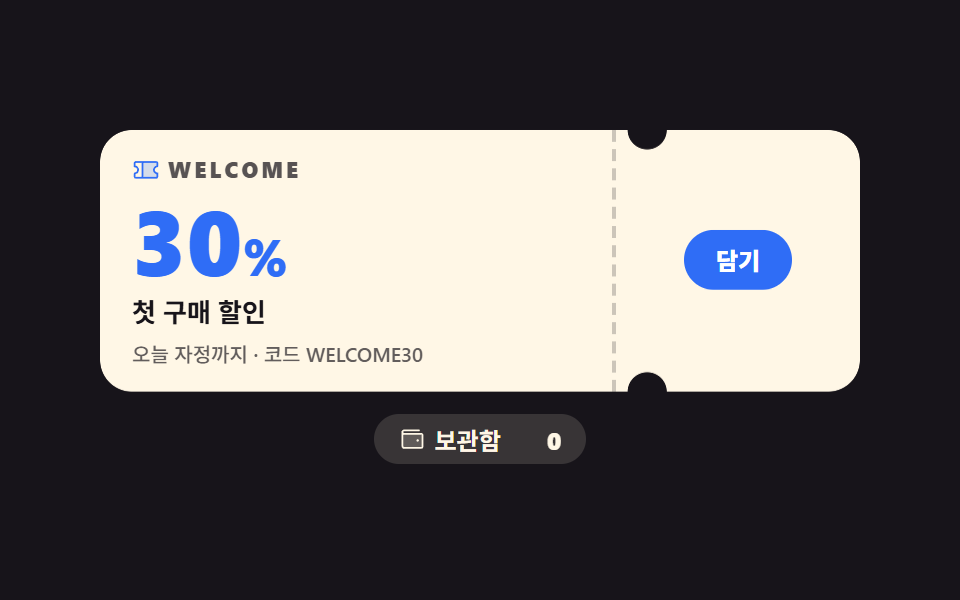 Landing sectionsCoupon Design: 9 CSS Coupons, Stamp to Spin
 baseCSS Typography Playground: 9 Demos, No Webfonts
 Transitions9 CSS Modal Animation Patterns, No Library Needed