9 CSS Button Animations (SCSS + React, copy-paste)
A CSS button animation is a small motion that tells the user a button noticed them: hover, press, wait, fail, or confirm.
 01 ripple
 02 hover-lift
 03 hover-underline
 04 magnetic
 05 gradient-border
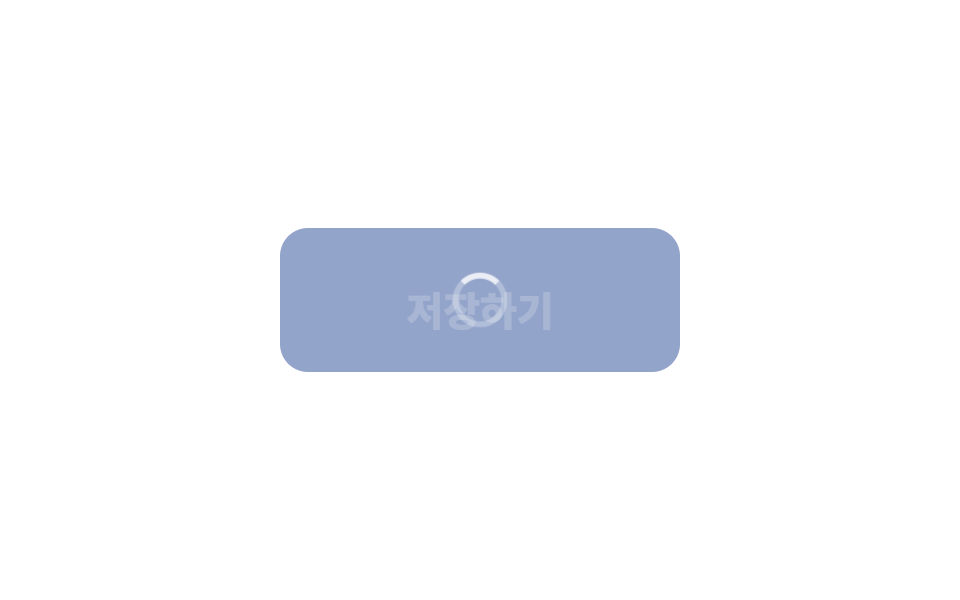 06 loading-state
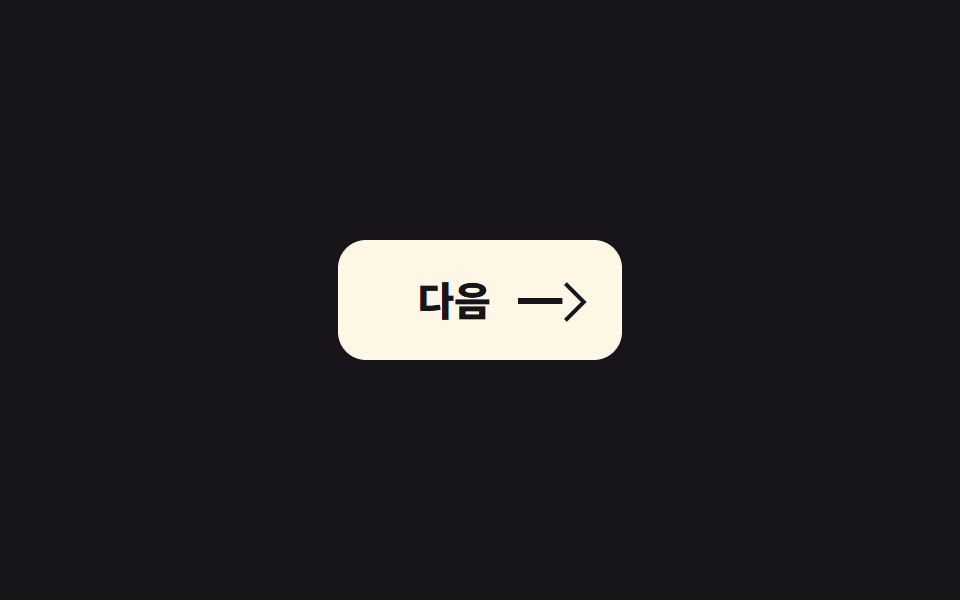 07 icon-morph
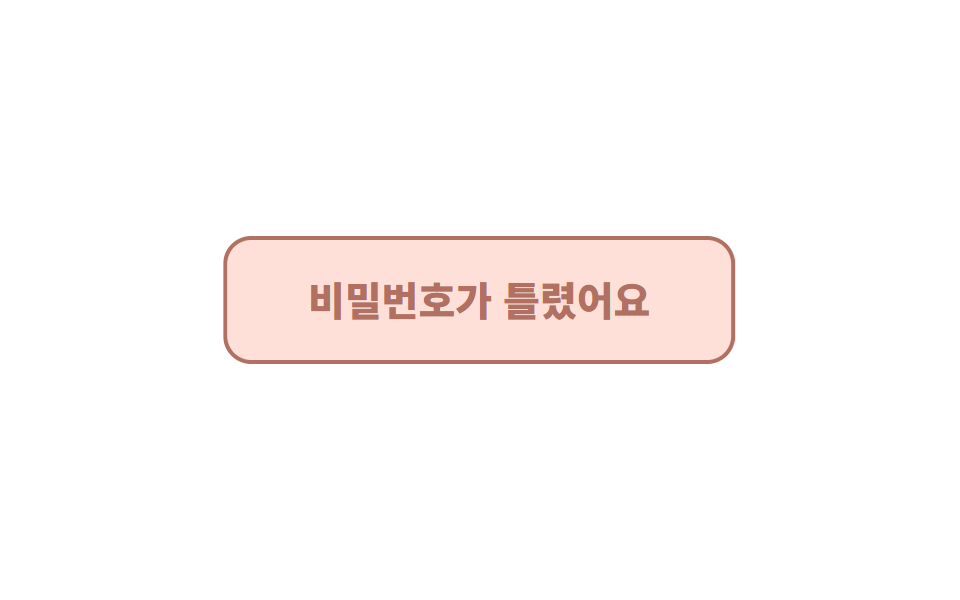 08 shake
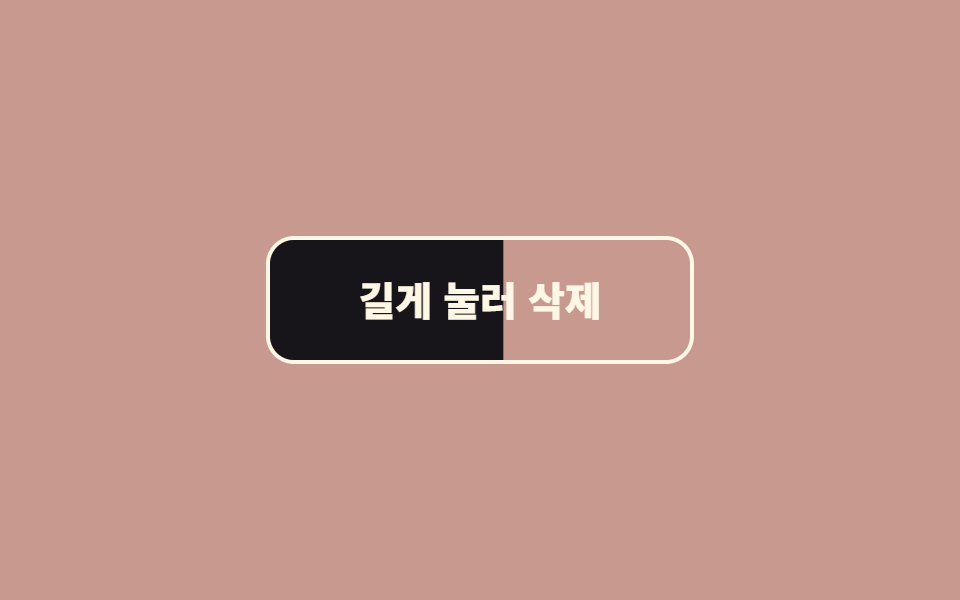 09 hold-to-confirm
Auto-plays · click a tile to jump to its section · all nine in one zip
- 01 Ripple
- 02 Lift
- 03 Underline slide
- 04 Magnetic
- 05 Rotating border
- 06 Loading state
- 07 Arrow push
- 08 Shake
- 09 Hold to confirm
The order isn't "most popular first." It's the order a button lives through: it has to get noticed (01 through 05), respond to a press (06 and 07), admit a failure (08), and ask twice before doing something dangerous (09). Try them in the grid above; each section shows only the core lines, and the complete files are in the zip. If the button's look matters more right now than its motion, the css button design set is the page to open first, and when the wait in 06 grows into a whole screen, the CSS skeleton loading screens carry it from there.
01Ripple
What you see
A circular wave spreads out from the click point and fades.
<main class="stage">
  <button class="btn is-demo" type="button">Checkout</button>
</main>
// ── 변수 3개. 변형은 이것만 바꾼다 ──────────────────────────
$duration: 600ms; // 물결이 다 퍼지는 시간
$easing: cubic-bezier(.2, .8, .2, 1); // 처음 빠르고 끝은 부드럽게
$color: #93a4ca; // 버튼 색
$ripple: rgba(255, 255, 255, .6); // 물결 색 (밝은 버튼이면 어둡게)
// ── 데모 무대 (zip 에서 지워도 된다) ──────────────────────────
html, body { margin: 0; overflow: hidden; } // iframe 안에서 스크롤바가 생기지 않게 (실측 2026-09-09: body 여백 8px 이 100vh 를 넘겼다)
.stage {
min-height: 100vh;
display: grid;
place-items: center;
margin: 0;
background: #17141a; // 무대 색. zip 에서 지워도 된다
font-family: -apple-system, "Segoe UI", "Noto Sans KR", sans-serif;
}
// ── 버튼 ──────────────────────────────────────────────
.btn {
position: relative; // 물결의 기준
overflow: hidden; // 물결이 버튼 밖으로 안 나가게
isolation: isolate; // 물결이 버튼 배경 위에서만 섞이게
border: 0;
border-radius: 14px;
padding: 24px 64px;
font-weight: 600;
font-size: 22px;
line-height: 1;
font-family: inherit;
color: #fff;
background: $color;
cursor: pointer;
-webkit-tap-highlight-color: transparent; // 모바일 회색 깜빡임 제거
transition: filter 150ms;
&:hover { filter: brightness(1.06); }
&:active { filter: brightness(.96); }
&::after {
content: "";
position: absolute;
left: var(--x, 50%);
top: var(--y, 50%);
width: var(--d, 0);
height: var(--d, 0);
border-radius: 50%;
background: $ripple;
transform: translate(-50%, -50%) scale(0); // 크기는 transform 으로만 바꾼다
opacity: 0;
pointer-events: none;
}
&.is-rippling::after {
animation: ripple $duration $easing forwards;
}
// 데모 · 문서용: 가운데서 2초마다 자동 반복. 실제 클릭보다 느리게 퍼져서 원이 보인다
// (실측 2026-09-09: 320px 원이 134px 버튼 위에선 두 프레임 만에 다 덮여 "밝아짐" 으로만 보였다)
&.is-demo::after {
--d: 520px;
animation: ripple-loop 2s ease-out infinite;
}
}
@keyframes ripple {
from { transform: translate(-50%, -50%) scale(0); opacity: 1; }
to { transform: translate(-50%, -50%) scale(1); opacity: 0; }
}
@keyframes ripple-loop {
0% { transform: translate(-50%, -50%) scale(0); opacity: 1; }
40% { transform: translate(-50%, -50%) scale(.7); opacity: .85; }
60% { transform: translate(-50%, -50%) scale(1); opacity: 0; }
100% { transform: translate(-50%, -50%) scale(1); opacity: 0; }
}
// ── 접근성: 움직임 줄이기 설정이면 물결 대신 밝기만 ────────────
@media (prefers-reduced-motion: reduce) {
.btn::after { animation: none !important; opacity: 0; }
.btn:active { filter: brightness(.88); }
}html, body {
margin: 0;
overflow: hidden;
}
.stage {
min-height: 100vh;
display: grid;
place-items: center;
margin: 0;
background: #17141a;
font-family: -apple-system, "Segoe UI", "Noto Sans KR", sans-serif;
}
.btn {
position: relative;
overflow: hidden;
isolation: isolate;
border: 0;
border-radius: 14px;
padding: 24px 64px;
font-weight: 600;
font-size: 22px;
line-height: 1;
font-family: inherit;
color: #fff;
background: #93a4ca;
cursor: pointer;
-webkit-tap-highlight-color: transparent;
transition: filter 150ms;
}
.btn:hover {
filter: brightness(1.06);
}
.btn:active {
filter: brightness(0.96);
}
.btn::after {
content: "";
position: absolute;
left: var(--x, 50%);
top: var(--y, 50%);
width: var(--d, 0);
height: var(--d, 0);
border-radius: 50%;
background: rgba(255, 255, 255, 0.6);
transform: translate(-50%, -50%) scale(0);
opacity: 0;
pointer-events: none;
}
.btn.is-rippling::after {
animation: ripple 600ms cubic-bezier(0.2, 0.8, 0.2, 1) forwards;
}
.btn.is-demo::after {
--d: 520px;
animation: ripple-loop 2s ease-out infinite;
}
@keyframes ripple {
from {
transform: translate(-50%, -50%) scale(0);
opacity: 1;
}
to {
transform: translate(-50%, -50%) scale(1);
opacity: 0;
}
}
@keyframes ripple-loop {
0% {
transform: translate(-50%, -50%) scale(0);
opacity: 1;
}
40% {
transform: translate(-50%, -50%) scale(0.7);
opacity: 0.85;
}
60% {
transform: translate(-50%, -50%) scale(1);
opacity: 0;
}
100% {
transform: translate(-50%, -50%) scale(1);
opacity: 0;
}
}
@media (prefers-reduced-motion: reduce) {
.btn::after {
animation: none !important;
opacity: 0;
}
.btn:active {
filter: brightness(0.88);
}
}// 클릭한 자리에서 물결이 시작되게 좌표를 CSS 변수로 넘긴다. 데모(.is-demo)는 가운데서 자동 반복.
document.querySelectorAll('.btn').forEach(function (b) {
b.addEventListener('pointerdown', function (e) {
var r = b.getBoundingClientRect();
var d = Math.max(r.width, r.height) * 2;
b.style.setProperty('--x', (e.clientX - r.left) + 'px');
b.style.setProperty('--y', (e.clientY - r.top) + 'px');
b.style.setProperty('--d', d + 'px');
b.classList.remove('is-demo');
b.classList.remove('is-rippling');
void b.offsetWidth; // 애니메이션 재시작
b.classList.add('is-rippling');
});
b.addEventListener('animationend', function () { b.classList.remove('is-rippling'); });
});import { useCallback, useState } from "react";
import type { CSSProperties, MouseEvent, ReactNode } from "react";
import styles from "./RippleButton.module.scss";
export type RippleButtonProps = {
children: ReactNode;
/** 물결이 다 퍼지는 시간 (기본 600ms) */
duration?: number;
/** CSS easing (기본 cubic-bezier(.2,.8,.2,1)) */
easing?: string;
/** 버튼 색 */
color?: string;
/** 물결 색. 밝은 버튼이면 rgba(0,0,0,.18) */
ripple?: string;
onClick?: (e: MouseEvent<HTMLButtonElement>) => void;
type?: "button" | "submit";
className?: string;
};
type Vars = CSSProperties & {
"--duration"?: string;
"--easing"?: string;
"--color"?: string;
"--ripple"?: string;
"--x"?: string;
"--y"?: string;
"--d"?: string;
};
export default function RippleButton({
children,
duration = 600,
easing = "cubic-bezier(.2,.8,.2,1)",
color = "#2f6df6",
ripple = "rgba(255,255,255,.6)",
onClick,
type = "button",
className = "",
}: RippleButtonProps) {
const [pos, setPos] = useState<{ x: number; y: number; d: number; key: number } | null>(null);
const handle = useCallback(
(e: MouseEvent<HTMLButtonElement>) => {
const r = e.currentTarget.getBoundingClientRect();
const d = Math.max(r.width, r.height) * 2;
setPos({ x: e.clientX - r.left, y: e.clientY - r.top, d, key: Date.now() });
onClick?.(e);
},
[onClick]
);
const vars: Vars = {
"--duration": `${duration}ms`,
"--easing": easing,
"--color": color,
"--ripple": ripple,
...(pos ? { "--x": `${pos.x}px`, "--y": `${pos.y}px`, "--d": `${pos.d}px` } : {}),
};
return (
<button type={type} className={`${styles.btn} ${className}`} style={vars} onClick={handle}>
{children}
{pos && <span key={pos.key} className={styles.ripple} aria-hidden="true" />}
</button>
);
}01 · Ripple — Measured area 9.62% · moving frames 6/23Original by GODRICH · SCSS and React ship in the zip · See the password
Where it fits
Use it on pay and confirm buttons, where the press has to feel like it landed.
.btn {
  position: relative; overflow: hidden; isolation: isolate;
  &::after {
    content: ""; position: absolute;
    left: var(--x, 50%); top: var(--y, 50%);
    width: var(--d, 0); height: var(--d, 0);
    border-radius: 50%; background: $ripple;
    transform: translate(-50%, -50%) scale(0); opacity: 0;
  }
  &.is-rippling::after { animation: ripple $duration $easing forwards; }
}
@keyframes ripple { to { transform: translate(-50%, -50%) scale(1); opacity: 0; } }
02Lift
The motion
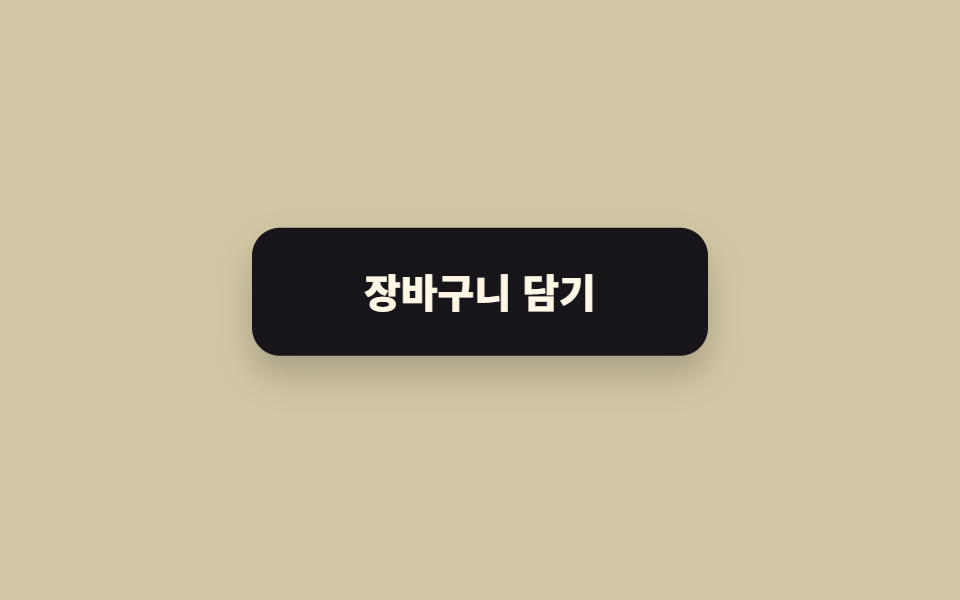
The button rises 6px on hover, and its shadow grows.
<main class="stage"><button class="btn is-demo" type="button">Add to cart</button></main>// ── 변수 3개 ──────────────────────────────────────────
$lift: 6px; // 얼마나 뜨나
$duration: 220ms;
$shadow: rgba(23, 20, 26, .32); // 그림자 색. 없애려면 transparent
html, body { margin: 0; overflow: hidden; } // iframe 안에서 스크롤바가 생기지 않게 (실측 2026-09-09: body 여백 8px 이 100vh 를 넘겼다)
.stage { min-height: 100vh; display: grid; place-items: center; margin: 0; background: #d2c7a4; font-family: -apple-system, "Segoe UI", "Noto Sans KR", sans-serif; }
.btn {
border: 0;
border-radius: 14px;
padding: 22px 56px;
font-weight: 800;
font-size: 20px;
line-height: 1;
font-family: inherit;
color: #fff7e6;
background: #17141a;
cursor: pointer;
will-change: transform;
transition: transform $duration cubic-bezier(.2, .8, .2, 1), box-shadow $duration;
&:hover, &:focus-visible { transform: translateY(-$lift); box-shadow: 0 14px 24px $shadow; }
&:active { transform: translateY(-2px); box-shadow: 0 6px 12px $shadow; }
// 데모 · 문서용 자동 반복
&.is-demo { animation: lift-loop 2s ease-in-out infinite; }
}
@keyframes lift-loop {
0%, 15% { transform: translateY(0); box-shadow: 0 0 0 rgba(23, 20, 26, 0); }
45%, 70% { transform: translateY(-$lift); box-shadow: 0 14px 24px $shadow; }
100% { transform: translateY(0); box-shadow: 0 0 0 rgba(23, 20, 26, 0); }
}
@media (prefers-reduced-motion: reduce) {
.btn, .btn.is-demo { transition: none; animation: none; }
.btn:hover { box-shadow: 0 14px 24px $shadow; } // 뜨지 않고 그림자만
}html, body {
margin: 0;
overflow: hidden;
}
.stage {
min-height: 100vh;
display: grid;
place-items: center;
margin: 0;
background: #d2c7a4;
font-family: -apple-system, "Segoe UI", "Noto Sans KR", sans-serif;
}
.btn {
border: 0;
border-radius: 14px;
padding: 22px 56px;
font-weight: 800;
font-size: 20px;
line-height: 1;
font-family: inherit;
color: #fff7e6;
background: #17141a;
cursor: pointer;
will-change: transform;
transition: transform 220ms cubic-bezier(0.2, 0.8, 0.2, 1), box-shadow 220ms;
}
.btn:hover, .btn:focus-visible {
transform: translateY(-6px);
box-shadow: 0 14px 24px rgba(23, 20, 26, 0.32);
}
.btn:active {
transform: translateY(-2px);
box-shadow: 0 6px 12px rgba(23, 20, 26, 0.32);
}
.btn.is-demo {
animation: lift-loop 2s ease-in-out infinite;
}
@keyframes lift-loop {
0%, 15% {
transform: translateY(0);
box-shadow: 0 0 0 rgba(23, 20, 26, 0);
}
45%, 70% {
transform: translateY(-6px);
box-shadow: 0 14px 24px rgba(23, 20, 26, 0.32);
}
100% {
transform: translateY(0);
box-shadow: 0 0 0 rgba(23, 20, 26, 0);
}
}
@media (prefers-reduced-motion: reduce) {
.btn, .btn.is-demo {
transition: none;
animation: none;
}
.btn:hover {
box-shadow: 0 14px 24px rgba(23, 20, 26, 0.32);
}
}// 데모(.is-demo)는 자동 반복. 사람이 올리면 진짜 호버로 넘어간다.
document.querySelectorAll('.btn').forEach(function (b) {
b.addEventListener('pointerenter', function () { b.classList.remove('is-demo'); });
});import type { CSSProperties, ReactNode } from "react";
import styles from "./LiftButton.module.scss";
export type LiftButtonProps = { children: ReactNode; lift?: number; duration?: number; shadow?: string; onClick?: () => void };
export default function LiftButton({ children, lift = 6, duration = 220, shadow = "rgba(23,20,26,.32)", onClick }: LiftButtonProps) {
const vars = { "--lift": `${lift}px`, "--duration": `${duration}ms`, "--shadow": shadow } as CSSProperties;
return (
<button type="button" className={styles.btn} style={vars} onClick={onClick}>
{children}
</button>
);
}02 · Lift — Measured area 6.583% · moving frames 13/23Original by GODRICH · SCSS and React ship in the zip · See the password
Where a css button hover animation belongs
It suits card-style buttons and add-to-cart buttons, anywhere the button should feel like something you can pick up.
$lift: 6px; $duration: 220ms; $shadow: rgba(23, 20, 26, .32);
.btn {
  will-change: transform;
  transition: transform $duration cubic-bezier(.2, .8, .2, 1), box-shadow $duration;
  &:hover, &:focus-visible { transform: translateY(-$lift); box-shadow: 0 14px 24px $shadow; }
  &:active { transform: translateY(-2px); box-shadow: 0 6px 12px $shadow; }
}
03Underline slide
What it does
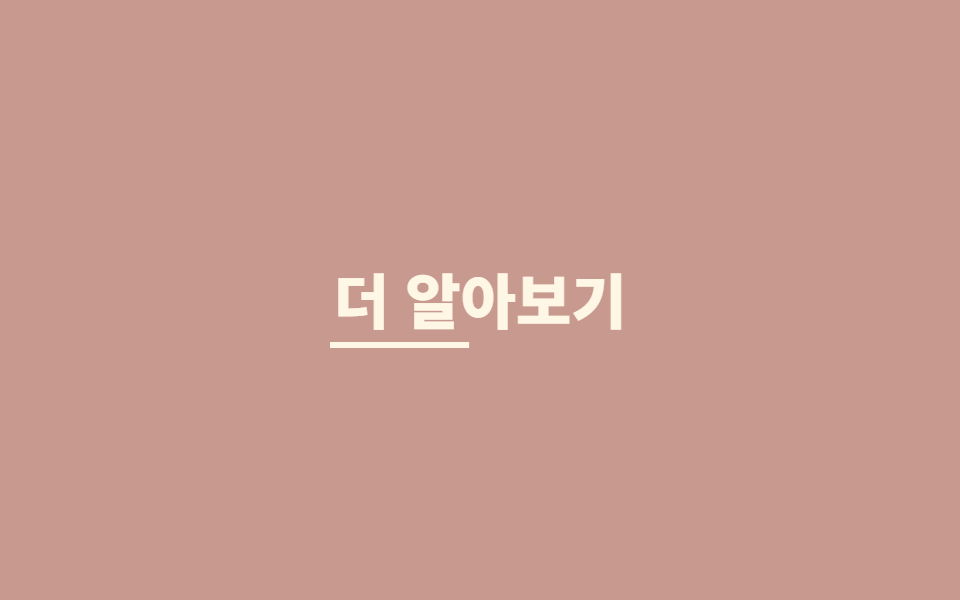
The underline draws in from the left and, when the cursor leaves, slides out to the right.
<main class="stage"><a class="link is-demo" href="#">Learn more</a></main>// ── 변수 3개 ──────────────────────────────────────────
$thickness: 3px;
$duration: 260ms;
$color: #fff7e6;
html, body { margin: 0; overflow: hidden; } // iframe 안에서 스크롤바가 생기지 않게 (실측 2026-09-09: body 여백 8px 이 100vh 를 넘겼다)
.stage { min-height: 100vh; display: grid; place-items: center; margin: 0; background: #c89a8f; font-family: -apple-system, "Segoe UI", "Noto Sans KR", sans-serif; }
.link {
position: relative;
display: inline-block;
padding: 6px 2px;
font-weight: 800;
font-size: 30px;
line-height: 1.2;
font-family: inherit;
color: $color;
text-decoration: none;
&::after {
content: "";
position: absolute;
left: 0; right: 0; bottom: 0;
height: $thickness;
background: currentColor;
transform: scaleX(0);
transform-origin: right; // 떠날 때는 오른쪽으로 빠진다
transition: transform $duration cubic-bezier(.2, .8, .2, 1);
}
&:hover::after, &:focus-visible::after {
transform: scaleX(1);
transform-origin: left; // 들어올 때는 왼쪽에서 그어진다
}
&.is-demo::after { animation: underline-loop 2s cubic-bezier(.2, .8, .2, 1) infinite; }
}
@keyframes underline-loop {
0% { transform: scaleX(0); transform-origin: left; } // 규칙8: 언더라인 왼쪽 진입
35%, 55% { transform: scaleX(1); transform-origin: left; } // 규칙8: 언더라인 유지 좌기준
56% { transform: scaleX(1); transform-origin: right; } // 규칙8: 기준 오른쪽으로 전환
90%, 100% { transform: scaleX(0); transform-origin: right; } // 규칙8: 언더라인 오른쪽 소멸
}
@media (prefers-reduced-motion: reduce) {
.link::after, .link.is-demo::after { transition: none; animation: none; }
.link:hover::after { transform: scaleX(1); }
}html, body {
margin: 0;
overflow: hidden;
}
.stage {
min-height: 100vh;
display: grid;
place-items: center;
margin: 0;
background: #c89a8f;
font-family: -apple-system, "Segoe UI", "Noto Sans KR", sans-serif;
}
.link {
position: relative;
display: inline-block;
padding: 6px 2px;
font-weight: 800;
font-size: 30px;
line-height: 1.2;
font-family: inherit;
color: #fff7e6;
text-decoration: none;
}
.link::after {
content: "";
position: absolute;
left: 0;
right: 0;
bottom: 0;
height: 3px;
background: currentColor;
transform: scaleX(0);
transform-origin: right;
transition: transform 260ms cubic-bezier(0.2, 0.8, 0.2, 1);
}
.link:hover::after, .link:focus-visible::after {
transform: scaleX(1);
transform-origin: left;
}
.link.is-demo::after {
animation: underline-loop 2s cubic-bezier(0.2, 0.8, 0.2, 1) infinite;
}
@keyframes underline-loop {
0% {
transform: scaleX(0);
transform-origin: left;
}
35%, 55% {
transform: scaleX(1);
transform-origin: left;
}
56% {
transform: scaleX(1);
transform-origin: right;
}
90%, 100% {
transform: scaleX(0);
transform-origin: right;
}
}
@media (prefers-reduced-motion: reduce) {
.link::after, .link.is-demo::after {
transition: none;
animation: none;
}
.link:hover::after {
transform: scaleX(1);
}
}document.querySelectorAll('.link').forEach(function (b) {
b.addEventListener('pointerenter', function () { b.classList.remove('is-demo'); });
b.addEventListener('click', function (e) { e.preventDefault(); });
});import type { CSSProperties, ReactNode } from "react";
import styles from "./UnderlineLink.module.scss";
export type UnderlineLinkProps = { children: ReactNode; href: string; thickness?: number; duration?: number; color?: string };
export default function UnderlineLink({ children, href, thickness = 3, duration = 260, color = "currentColor" }: UnderlineLinkProps) {
const vars = { "--thickness": `${thickness}px`, "--duration": `${duration}ms`, "--color": color } as CSSProperties;
return (
<a className={styles.link} href={href} style={vars}>
{children}
</a>
);
}03 · Underline slide — Measured area 0.339% · moving frames 16/23Original by GODRICH · SCSS and React ship in the zip · See the password
When to use it
Use it for text links and navigation.
.link::after {
  content: ""; position: absolute; left: 0; right: 0; bottom: 0;
  height: $thickness; background: currentColor;
  transform: scaleX(0); transform-origin: right;
  transition: transform $duration cubic-bezier(.2, .8, .2, 1);
}
.link:hover::after { transform: scaleX(1); transform-origin: left; }
04Magnetic
What you see
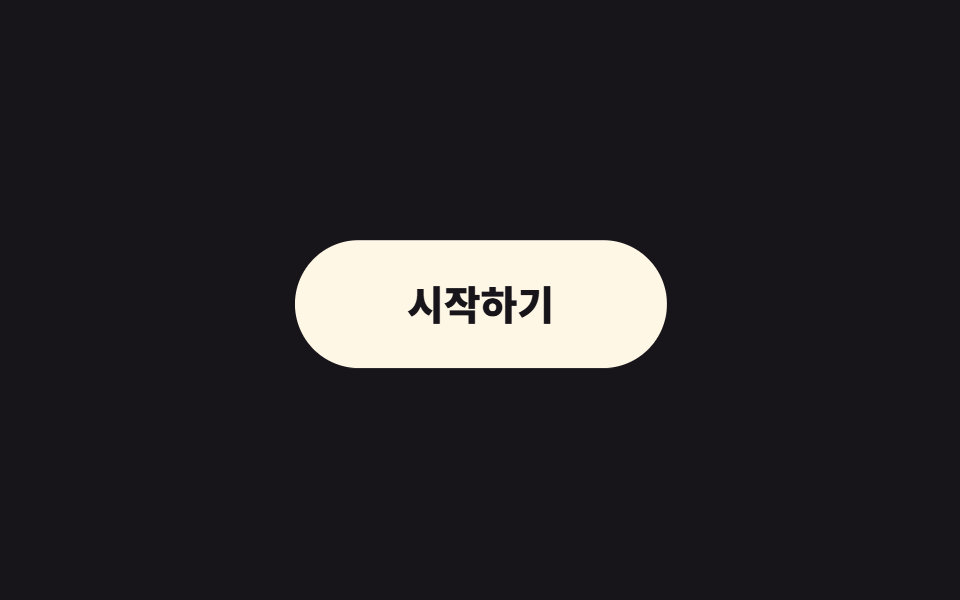
When the cursor comes within a set radius, the button drifts toward it.
<main class="stage">
  <span class="cursor is-demo" aria-hidden="true"></span>
  <button class="btn is-demo" type="button">Get started</button>
</main>
// ── 변수 3개 (JS 가 --radius --strength 를 읽는다) ─────────
$radius: 120px; // 이 안에 들어오면 끌린다
$strength: .35; // 1 이면 커서에 붙는다
$duration: 160ms;
html, body { margin: 0; overflow: hidden; } // iframe 안에서 스크롤바가 생기지 않게 (실측 2026-09-09: body 여백 8px 이 100vh 를 넘겼다)
.stage { min-height: 100vh; display: grid; place-items: center; margin: 0; background: #17141a; font-family: -apple-system, "Segoe UI", "Noto Sans KR", sans-serif; position: relative; }
.btn {
--radius: #{$radius};
--strength: #{$strength};
border: 0;
border-radius: 999px;
padding: 22px 56px;
font-weight: 800;
font-size: 20px;
line-height: 1;
font-family: inherit;
color: #17141a;
background: #fff7e6;
cursor: pointer;
will-change: transform;
transition: transform $duration ease-out; // 커서를 따라가는 부드러움
&.is-demo { animation: magnet-loop 2s ease-in-out infinite; }
}
// 데모용 가짜 커서. zip 에서는 지운다
.cursor {
position: absolute;
left: 50%; top: 50%;
width: 14px; height: 14px;
border-radius: 50%;
background: #d2c7a4;
pointer-events: none;
&.is-demo { animation: cursor-loop 2s ease-in-out infinite; }
}
@keyframes magnet-loop {
0% { transform: translate(0, 0); }
30% { transform: translate(18px, -10px); }
60% { transform: translate(-14px, 12px); }
100% { transform: translate(0, 0); }
}
@keyframes cursor-loop {
0% { transform: translate(-50%, -50%) translate(0, 0); }
30% { transform: translate(-50%, -50%) translate(52px, -28px); }
60% { transform: translate(-50%, -50%) translate(-40px, 34px); }
100% { transform: translate(-50%, -50%) translate(0, 0); }
}
@media (prefers-reduced-motion: reduce) {
.btn, .btn.is-demo, .cursor.is-demo { transition: none; animation: none; transform: none !important; }
}html, body {
margin: 0;
overflow: hidden;
}
.stage {
min-height: 100vh;
display: grid;
place-items: center;
margin: 0;
background: #17141a;
font-family: -apple-system, "Segoe UI", "Noto Sans KR", sans-serif;
position: relative;
}
.btn {
--radius: 120px;
--strength: 0.35;
border: 0;
border-radius: 999px;
padding: 22px 56px;
font-weight: 800;
font-size: 20px;
line-height: 1;
font-family: inherit;
color: #17141a;
background: #fff7e6;
cursor: pointer;
will-change: transform;
transition: transform 160ms ease-out;
}
.btn.is-demo {
animation: magnet-loop 2s ease-in-out infinite;
}
.cursor {
position: absolute;
left: 50%;
top: 50%;
width: 14px;
height: 14px;
border-radius: 50%;
background: #d2c7a4;
pointer-events: none;
}
.cursor.is-demo {
animation: cursor-loop 2s ease-in-out infinite;
}
@keyframes magnet-loop {
0% {
transform: translate(0, 0);
}
30% {
transform: translate(18px, -10px);
}
60% {
transform: translate(-14px, 12px);
}
100% {
transform: translate(0, 0);
}
}
@keyframes cursor-loop {
0% {
transform: translate(-50%, -50%) translate(0, 0);
}
30% {
transform: translate(-50%, -50%) translate(52px, -28px);
}
60% {
transform: translate(-50%, -50%) translate(-40px, 34px);
}
100% {
transform: translate(-50%, -50%) translate(0, 0);
}
}
@media (prefers-reduced-motion: reduce) {
.btn, .btn.is-demo, .cursor.is-demo {
transition: none;
animation: none;
transform: none !important;
}
}// 커서가 반경(radius) 안에 오면 버튼이 커서 쪽으로 strength 만큼 끌려온다. 값은 CSS 변수로 읽는다.
var btn = document.querySelector('.btn'), cur = document.querySelector('.cursor');
var cs = getComputedStyle(btn);
var radius = parseFloat(cs.getPropertyValue('--radius')) || 120;
var strength = parseFloat(cs.getPropertyValue('--strength')) || 0.35;
document.addEventListener('pointermove', function (e) {
btn.classList.remove('is-demo'); cur.classList.remove('is-demo'); cur.style.display = 'none';
var r = btn.getBoundingClientRect();
var dx = e.clientX - (r.left + r.width / 2), dy = e.clientY - (r.top + r.height / 2);
var d = Math.hypot(dx, dy);
if (d < radius) btn.style.transform = 'translate(' + dx * strength + 'px,' + dy * strength + 'px)';
else btn.style.transform = '';
});import { useEffect, useRef } from "react";
import type { CSSProperties, ReactNode } from "react";
import styles from "./MagneticButton.module.scss";
export type MagneticButtonProps = { children: ReactNode; radius?: number; strength?: number; duration?: number; onClick?: () => void };
export default function MagneticButton({ children, radius = 120, strength = 0.35, duration = 160, onClick }: MagneticButtonProps) {
const ref = useRef<HTMLButtonElement>(null);
useEffect(() => {
const el = ref.current;
if (!el) return;
const move = (e: PointerEvent) => {
const r = el.getBoundingClientRect();
const dx = e.clientX - (r.left + r.width / 2), dy = e.clientY - (r.top + r.height / 2);
el.style.transform = Math.hypot(dx, dy) < radius ? `translate(${dx * strength}px, ${dy * strength}px)` : "";
};
document.addEventListener("pointermove", move);
return () => document.removeEventListener("pointermove", move);
}, [radius, strength]);
const vars = { "--duration": `${duration}ms` } as CSSProperties;
return (
<button ref={ref} type="button" className={styles.btn} style={vars} onClick={onClick}>
{children}
</button>
);
}04 · Magnetic — Measured area 9.387% · moving frames 23/23Original by GODRICH · SCSS and React ship in the zip · See the password
Where it fits
Use it on a landing page's single call to action; two of these on one screen turn the page into a toy.
document.addEventListener('pointermove', function (e) {
  var r = btn.getBoundingClientRect();
  var dx = e.clientX - (r.left + r.width / 2), dy = e.clientY - (r.top + r.height / 2);
  if (Math.hypot(dx, dy) < radius) btn.style.transform = 'translate(' + dx * strength + 'px,' + dy * strength + 'px)';
  else btn.style.transform = '';
});
05Rotating border
The motion
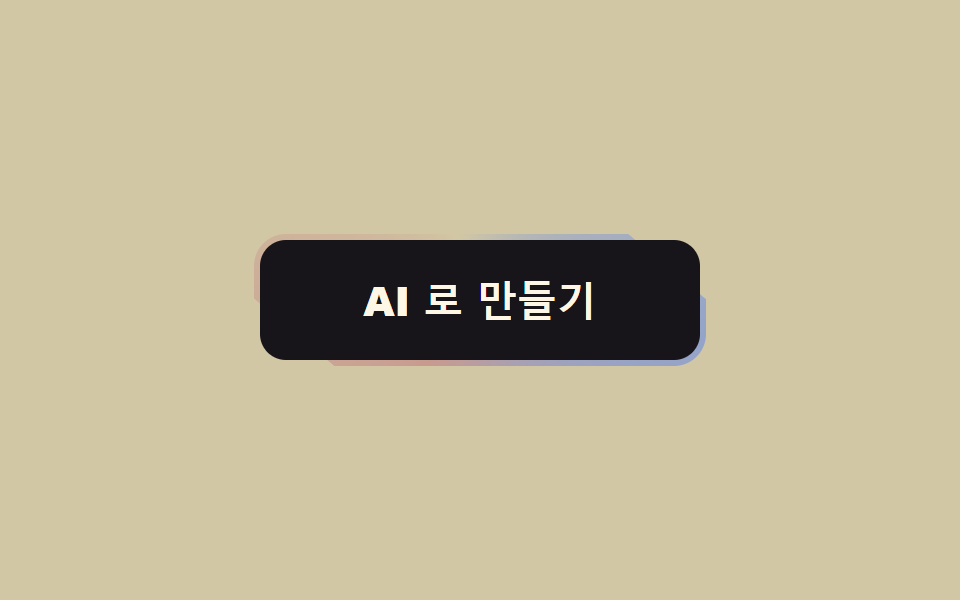
A gradient border spins continuously around the button.
<main class="stage"><button class="btn" type="button"><span class="btn__in">Create with AI</span></button></main>// ── 변수 3개 ──────────────────────────────────────────
$duration: 3s; // 한 바퀴
$border: 3px;
$colors: #c89a8f, #d2c7a4, #93a4ca, #c89a8f; // 처음과 끝이 같아야 이음새가 없다
html, body { margin: 0; overflow: hidden; } // iframe 안에서 스크롤바가 생기지 않게 (실측 2026-09-09: body 여백 8px 이 100vh 를 넘겼다)
.stage { min-height: 100vh; display: grid; place-items: center; margin: 0; background: #d2c7a4; font-family: -apple-system, "Segoe UI", "Noto Sans KR", sans-serif; }
.btn {
position: relative;
overflow: hidden; // 도는 그라데이션을 버튼 모양으로 자른다
isolation: isolate;
border: 0;
border-radius: 16px;
padding: $border; // 이 두께가 테두리다
background: transparent;
cursor: pointer;
&::before {
content: "";
position: absolute;
inset: -60%; // 회전해도 모서리가 비지 않게 크게
background: conic-gradient(from 0deg, $colors);
animation: spin $duration linear infinite;
z-index: -1;
}
}
.btn__in {
display: block;
border-radius: 13px;
padding: 20px 52px;
font-weight: 800;
font-size: 20px;
line-height: 1;
font-family: inherit;
color: #fff7e6;
background: #17141a; // 안쪽을 덮어서 테두리만 보이게
}
@keyframes spin { to { transform: rotate(360deg); } }
@media (prefers-reduced-motion: reduce) {
.btn::before { animation: none; } // 정지된 그라데이션 테두리로 남는다
}html, body {
margin: 0;
overflow: hidden;
}
.stage {
min-height: 100vh;
display: grid;
place-items: center;
margin: 0;
background: #d2c7a4;
font-family: -apple-system, "Segoe UI", "Noto Sans KR", sans-serif;
}
.btn {
position: relative;
overflow: hidden;
isolation: isolate;
border: 0;
border-radius: 16px;
padding: 3px;
background: transparent;
cursor: pointer;
}
.btn::before {
content: "";
position: absolute;
inset: -60%;
background: conic-gradient(from 0deg, #c89a8f, #d2c7a4, #93a4ca, #c89a8f);
animation: spin 3s linear infinite;
z-index: -1;
}
.btn__in {
display: block;
border-radius: 13px;
padding: 20px 52px;
font-weight: 800;
font-size: 20px;
line-height: 1;
font-family: inherit;
color: #fff7e6;
background: #17141a;
}
@keyframes spin {
to {
transform: rotate(360deg);
}
}
@media (prefers-reduced-motion: reduce) {
.btn::before {
animation: none;
}
}import type { CSSProperties, ReactNode } from "react";
import styles from "./GradientBorderButton.module.scss";
export type GradientBorderButtonProps = { children: ReactNode; duration?: number; border?: number; colors?: string[]; onClick?: () => void };
export default function GradientBorderButton({ children, duration = 3000, border = 3, colors = ["#ff4d1f", "#ffd23f", "#2f6df6", "#ff4d1f"], onClick }: GradientBorderButtonProps) {
const vars = { "--duration": `${duration}ms`, "--border": `${border}px`, "--colors": colors.join(", ") } as CSSProperties;
return (
<button type="button" className={styles.btn} style={vars} onClick={onClick}>
<span className={styles.inner}>{children}</span>
</button>
);
}05 · Rotating border — Measured area 1.17% · moving frames 17/23Original by GODRICH · SCSS and React ship in the zip · See the password
Good places for it
Use it on the one button that has to look special, such as an AI or premium feature.
.btn {
  position: relative; overflow: hidden; isolation: isolate;
  padding: $border; border-radius: 16px;
  &::before {
    content: ""; position: absolute; inset: -60%;
    background: conic-gradient(from 0deg, $colors);
    animation: spin $duration linear infinite; z-index: -1;
  }
}
.btn__in { display: block; border-radius: 13px; background: #17141a; }
@keyframes spin { to { transform: rotate(360deg); } }
06Loading state
What it does
On press, the label fades out and a spinner fades in.
<main class="stage">
  <button class="btn is-demo" type="button"><span class="btn__label">Save</span><span class="btn__spin" aria-hidden="true"></span></button>
</main>
// ── 변수 3개 ──────────────────────────────────────────
$duration: 300ms; // 글자 ↔ 스피너 교체
$spin: 800ms; // 스피너 한 바퀴
$color: #93a4ca;
html, body { margin: 0; overflow: hidden; } // iframe 안에서 스크롤바가 생기지 않게 (실측 2026-09-09: body 여백 8px 이 100vh 를 넘겼다)
.stage { min-height: 100vh; display: grid; place-items: center; margin: 0; background: #ffffff; font-family: -apple-system, "Segoe UI", "Noto Sans KR", sans-serif; }
.btn {
position: relative;
display: grid;
place-items: center;
min-width: 200px; // 폭을 유지한다 — 줄어들면 옆 요소가 밀린다
border: 0;
border-radius: 14px;
padding: 22px 40px;
font-weight: 800;
font-size: 20px;
line-height: 1;
font-family: inherit;
color: #fff;
background: $color;
cursor: pointer;
&__label, &__spin { grid-area: 1 / 1; transition: opacity $duration, transform $duration; }
&__spin {
width: 22px; height: 22px;
border-radius: 50%;
border: 3px solid rgba(255, 255, 255, .35);
border-top-color: #fff;
opacity: 0;
transform: scale(.6);
animation: spin $spin linear infinite;
}
&.is-loading &__label { opacity: 0; transform: translateY(6px); }
&.is-loading &__spin { opacity: 1; transform: scale(1); }
&.is-demo &__label { animation: label-loop 2s ease infinite; }
&.is-demo &__spin { animation: spin $spin linear infinite, spin-loop 2s ease infinite; }
}
@keyframes spin { to { transform: rotate(360deg); } }
@keyframes label-loop { 0%, 30% { opacity: 1; transform: none; } 45%, 80% { opacity: 0; transform: translateY(6px); } 95%, 100% { opacity: 1; transform: none; } }
@keyframes spin-loop { 0%, 30% { opacity: 0; } 45%, 80% { opacity: 1; } 95%, 100% { opacity: 0; } }
@media (prefers-reduced-motion: reduce) {
.btn__label, .btn__spin { transition: none; animation: none !important; }
.btn.is-loading .btn__spin { opacity: 1; transform: none; border-top-color: rgba(255, 255, 255, .35); } // 돌지 않는 링
}html, body {
margin: 0;
overflow: hidden;
}
.stage {
min-height: 100vh;
display: grid;
place-items: center;
margin: 0;
background: #ffffff;
font-family: -apple-system, "Segoe UI", "Noto Sans KR", sans-serif;
}
.btn {
position: relative;
display: grid;
place-items: center;
min-width: 200px;
border: 0;
border-radius: 14px;
padding: 22px 40px;
font-weight: 800;
font-size: 20px;
line-height: 1;
font-family: inherit;
color: #fff;
background: #93a4ca;
cursor: pointer;
}
.btn__label, .btn__spin {
grid-area: 1/1;
transition: opacity 300ms, transform 300ms;
}
.btn__spin {
width: 22px;
height: 22px;
border-radius: 50%;
border: 3px solid rgba(255, 255, 255, 0.35);
border-top-color: #fff;
opacity: 0;
transform: scale(0.6);
animation: spin 800ms linear infinite;
}
.btn.is-loading .btn__label {
opacity: 0;
transform: translateY(6px);
}
.btn.is-loading .btn__spin {
opacity: 1;
transform: scale(1);
}
.btn.is-demo .btn__label {
animation: label-loop 2s ease infinite;
}
.btn.is-demo .btn__spin {
animation: spin 800ms linear infinite, spin-loop 2s ease infinite;
}
@keyframes spin {
to {
transform: rotate(360deg);
}
}
@keyframes label-loop {
0%, 30% {
opacity: 1;
transform: none;
}
45%, 80% {
opacity: 0;
transform: translateY(6px);
}
95%, 100% {
opacity: 1;
transform: none;
}
}
@keyframes spin-loop {
0%, 30% {
opacity: 0;
}
45%, 80% {
opacity: 1;
}
95%, 100% {
opacity: 0;
}
}
@media (prefers-reduced-motion: reduce) {
.btn__label, .btn__spin {
transition: none;
animation: none !important;
}
.btn.is-loading .btn__spin {
opacity: 1;
transform: none;
border-top-color: rgba(255, 255, 255, 0.35);
}
}// 누르면 로딩 → 1.5초 뒤 원래대로. 실제로는 fetch 가 끝났을 때 is-loading 을 뺀다.
var b = document.querySelector('.btn');
b.addEventListener('click', function () {
b.classList.remove('is-demo'); b.classList.add('is-loading'); b.disabled = true;
setTimeout(function () { b.classList.remove('is-loading'); b.disabled = false; }, 1500);
});import type { CSSProperties, ReactNode } from "react";
import styles from "./LoadingButton.module.scss";
export type LoadingButtonProps = { children: ReactNode; loading: boolean; duration?: number; spin?: number; color?: string; onClick?: () => void };
export default function LoadingButton({ children, loading, duration = 300, spin = 800, color = "#2f6df6", onClick }: LoadingButtonProps) {
const vars = { "--duration": `${duration}ms`, "--spin": `${spin}ms`, "--color": color } as CSSProperties;
return (
<button type="button" className={`${styles.btn} ${loading ? styles.loading : ""}`} style={vars} disabled={loading} aria-busy={loading} onClick={onClick}>
<span className={styles.label}>{children}</span>
<span className={styles.spinner} aria-hidden="true" />
</button>
);
}06 · Loading state — Measured area 1.013% · moving frames 15/23Original by GODRICH · SCSS and React ship in the zip · See the password
When to use it
Use it for save and submit buttons, and keep the width fixed so the elements next to it don't shift.
.btn { display: grid; place-items: center; min-width: 200px; }
.btn__label, .btn__spin { grid-area: 1 / 1; transition: opacity $duration, transform $duration; }
.btn__spin {
  width: 22px; height: 22px; border-radius: 50%;
  border: 3px solid rgba(255, 255, 255, .35); border-top-color: #fff;
  opacity: 0; transform: scale(.6); animation: spin $spin linear infinite;
}
.btn.is-loading .btn__label { opacity: 0; transform: translateY(6px); }
.btn.is-loading .btn__spin  { opacity: 1; transform: scale(1); }
07Arrow push
What you see
On hover, the arrow line stretches and the head pushes to the right.
<main class="stage">
  <button class="btn is-demo" type="button">Next<span class="arrow" aria-hidden="true"><i class="arrow__line"></i><i class="arrow__head"></i></span></button>
</main>
// ── 변수 3개 ──────────────────────────────────────────
$push: 8px; // 화살표가 얼마나 밀리나
$duration: 240ms;
$color: #17141a;
html, body { margin: 0; overflow: hidden; } // iframe 안에서 스크롤바가 생기지 않게 (실측 2026-09-09: body 여백 8px 이 100vh 를 넘겼다)
.stage { min-height: 100vh; display: grid; place-items: center; margin: 0; background: #17141a; font-family: -apple-system, "Segoe UI", "Noto Sans KR", sans-serif; }
.btn {
display: inline-flex;
align-items: center;
gap: 14px;
border: 0;
border-radius: 14px;
padding: 20px 26px 20px 40px;
font-weight: 800;
font-size: 20px;
line-height: 1;
font-family: inherit;
color: $color;
background: #fff7e6;
cursor: pointer;
}
// 화살표 = 선 + 머리. 선은 늘어나고(scaleX) 머리는 밀린다(translateX)
.arrow { position: relative; width: 26px; height: 16px; display: block; }
.arrow__line, .arrow__head { position: absolute; display: block; background: currentColor; }
.arrow__line { left: 0; top: 7px; width: 100%; height: 2.5px; transform-origin: left; transform: scaleX(.55); transition: transform $duration cubic-bezier(.2, .8, .2, 1); } // 규칙8: 화살표 선 왼쪽으로 늘어남
.arrow__head { right: 0; top: 2px; width: 12px; height: 12px; background: transparent; border-top: 2.5px solid currentColor; border-right: 2.5px solid currentColor; transform: rotate(45deg); transition: transform $duration cubic-bezier(.2, .8, .2, 1); }
.btn:hover .arrow__line, .btn:focus-visible .arrow__line { transform: scaleX(1); }
.btn:hover .arrow__head, .btn:focus-visible .arrow__head { transform: rotate(45deg) translate($push * .7, -$push * .7); }
.btn.is-demo .arrow__line { animation: line-loop 2s cubic-bezier(.2, .8, .2, 1) infinite; }
.btn.is-demo .arrow__head { animation: head-loop 2s cubic-bezier(.2, .8, .2, 1) infinite; }
@keyframes line-loop { 0%, 20% { transform: scaleX(.55); } 45%, 70% { transform: scaleX(1); } 100% { transform: scaleX(.55); } }
@keyframes head-loop { 0%, 20% { transform: rotate(45deg); } 45%, 70% { transform: rotate(45deg) translate($push * .7, -$push * .7); } 100% { transform: rotate(45deg); } }
@media (prefers-reduced-motion: reduce) {
.arrow__line, .arrow__head { transition: none; animation: none !important; }
}html, body {
margin: 0;
overflow: hidden;
}
.stage {
min-height: 100vh;
display: grid;
place-items: center;
margin: 0;
background: #17141a;
font-family: -apple-system, "Segoe UI", "Noto Sans KR", sans-serif;
}
.btn {
display: inline-flex;
align-items: center;
gap: 14px;
border: 0;
border-radius: 14px;
padding: 20px 26px 20px 40px;
font-weight: 800;
font-size: 20px;
line-height: 1;
font-family: inherit;
color: #17141a;
background: #fff7e6;
cursor: pointer;
}
.arrow {
position: relative;
width: 26px;
height: 16px;
display: block;
}
.arrow__line, .arrow__head {
position: absolute;
display: block;
background: currentColor;
}
.arrow__line {
left: 0;
top: 7px;
width: 100%;
height: 2.5px;
transform-origin: left;
transform: scaleX(0.55);
transition: transform 240ms cubic-bezier(0.2, 0.8, 0.2, 1);
}
.arrow__head {
right: 0;
top: 2px;
width: 12px;
height: 12px;
background: transparent;
border-top: 2.5px solid currentColor;
border-right: 2.5px solid currentColor;
transform: rotate(45deg);
transition: transform 240ms cubic-bezier(0.2, 0.8, 0.2, 1);
}
.btn:hover .arrow__line, .btn:focus-visible .arrow__line {
transform: scaleX(1);
}
.btn:hover .arrow__head, .btn:focus-visible .arrow__head {
transform: rotate(45deg) translate(5.6px, -5.6px);
}
.btn.is-demo .arrow__line {
animation: line-loop 2s cubic-bezier(0.2, 0.8, 0.2, 1) infinite;
}
.btn.is-demo .arrow__head {
animation: head-loop 2s cubic-bezier(0.2, 0.8, 0.2, 1) infinite;
}
@keyframes line-loop {
0%, 20% {
transform: scaleX(0.55);
}
45%, 70% {
transform: scaleX(1);
}
100% {
transform: scaleX(0.55);
}
}
@keyframes head-loop {
0%, 20% {
transform: rotate(45deg);
}
45%, 70% {
transform: rotate(45deg) translate(5.6px, -5.6px);
}
100% {
transform: rotate(45deg);
}
}
@media (prefers-reduced-motion: reduce) {
.arrow__line, .arrow__head {
transition: none;
animation: none !important;
}
}document.querySelectorAll('.btn').forEach(function (b) { b.addEventListener('pointerenter', function () { b.classList.remove('is-demo'); }); });import type { CSSProperties, ReactNode } from "react";
import styles from "./ArrowButton.module.scss";
export type ArrowButtonProps = { children: ReactNode; push?: number; duration?: number; onClick?: () => void };
export default function ArrowButton({ children, push = 8, duration = 240, onClick }: ArrowButtonProps) {
const vars = { "--push": `${push}px`, "--duration": `${duration}ms` } as CSSProperties;
return (
<button type="button" className={styles.btn} style={vars} onClick={onClick}>
{children}
<span className={styles.arrow} aria-hidden="true"><i className={styles.line} /><i className={styles.head} /></span>
</button>
);
}07 · Arrow push — Measured area 0.186% · moving frames 14/23Original by GODRICH · SCSS and React ship in the zip · See the password
Where it fits
Use it for next, more, and continue; the arrow is just one line and one rotated corner, so no icon font is needed.
.arrow__line { transform-origin: left; transform: scaleX(.55); transition: transform $duration; }
.arrow__head {
  width: 12px; height: 12px;
  border-top: 2.5px solid currentColor; border-right: 2.5px solid currentColor;
  transform: rotate(45deg); transition: transform $duration;
}
.btn:hover .arrow__line { transform: scaleX(1); }
.btn:hover .arrow__head { transform: rotate(45deg) translate($push * .7, -$push * .7); }
08Shake
The motion
On error, the button shakes side to side three times and stops.
<main class="stage"><button class="btn is-demo" type="button">That password doesn't look right.</button></main>// ── 변수 3개 ──────────────────────────────────────────
$amount: 6px; // 흔들리는 폭
$duration: 420ms;
$color: #b27062;
html, body { margin: 0; overflow: hidden; } // iframe 안에서 스크롤바가 생기지 않게 (실측 2026-09-09: body 여백 8px 이 100vh 를 넘겼다)
.stage { min-height: 100vh; display: grid; place-items: center; margin: 0; background: #ffffff; font-family: -apple-system, "Segoe UI", "Noto Sans KR", sans-serif; }
.btn {
border: 2.5px solid $color;
border-radius: 14px;
padding: 20px 40px;
font-weight: 800;
font-size: 20px;
line-height: 1;
font-family: inherit;
color: $color;
background: #ffe0d8;
cursor: pointer;
&.is-shaking { animation: shake $duration cubic-bezier(.36, .07, .19, .97) both; }
&.is-demo { animation: shake-loop 2s cubic-bezier(.36, .07, .19, .97) infinite; }
}
// 세 번 흔들고 멈춘다. 다섯 번 넘으면 화난 것처럼 보인다
@keyframes shake {
10%, 90% { transform: translateX(-$amount * .5); }
20%, 80% { transform: translateX($amount); }
30%, 70% { transform: translateX(-$amount); }
40%, 60% { transform: translateX($amount * .7); }
50% { transform: translateX(-$amount * .7); }
}
@keyframes shake-loop {
0%, 60% { transform: translateX(0); }
62%, 78% { transform: translateX(-$amount * .5); }
64%, 76% { transform: translateX($amount); }
66%, 74% { transform: translateX(-$amount); }
68%, 72% { transform: translateX($amount * .7); }
70% { transform: translateX(-$amount * .7); }
80%, 100% { transform: translateX(0); }
}
@media (prefers-reduced-motion: reduce) {
.btn.is-shaking, .btn.is-demo { animation: none; }
.btn.is-shaking { background: $color; color: #fff; } // 흔들림 대신 색으로 알린다
}html, body {
margin: 0;
overflow: hidden;
}
.stage {
min-height: 100vh;
display: grid;
place-items: center;
margin: 0;
background: #ffffff;
font-family: -apple-system, "Segoe UI", "Noto Sans KR", sans-serif;
}
.btn {
border: 2.5px solid #b27062;
border-radius: 14px;
padding: 20px 40px;
font-weight: 800;
font-size: 20px;
line-height: 1;
font-family: inherit;
color: #b27062;
background: #ffe0d8;
cursor: pointer;
}
.btn.is-shaking {
animation: shake 420ms cubic-bezier(0.36, 0.07, 0.19, 0.97) both;
}
.btn.is-demo {
animation: shake-loop 2s cubic-bezier(0.36, 0.07, 0.19, 0.97) infinite;
}
@keyframes shake {
10%, 90% {
transform: translateX(-3px);
}
20%, 80% {
transform: translateX(6px);
}
30%, 70% {
transform: translateX(-6px);
}
40%, 60% {
transform: translateX(4.2px);
}
50% {
transform: translateX(-4.2px);
}
}
@keyframes shake-loop {
0%, 60% {
transform: translateX(0);
}
62%, 78% {
transform: translateX(-3px);
}
64%, 76% {
transform: translateX(6px);
}
66%, 74% {
transform: translateX(-6px);
}
68%, 72% {
transform: translateX(4.2px);
}
70% {
transform: translateX(-4.2px);
}
80%, 100% {
transform: translateX(0);
}
}
@media (prefers-reduced-motion: reduce) {
.btn.is-shaking, .btn.is-demo {
animation: none;
}
.btn.is-shaking {
background: #b27062;
color: #fff;
}
}// 누를 때마다 다시 흔든다. 실제로는 검증 실패 시 is-shaking 을 켠다.
var b = document.querySelector('.btn');
b.addEventListener('click', function () {
b.classList.remove('is-demo'); b.classList.remove('is-shaking'); void b.offsetWidth; b.classList.add('is-shaking');
});
b.addEventListener('animationend', function () { b.classList.remove('is-shaking'); });import { useState } from "react";
import type { CSSProperties, ReactNode } from "react";
import styles from "./ShakeButton.module.scss";
export type ShakeButtonProps = { children: ReactNode; shakeKey: number; amount?: number; duration?: number; color?: string; onClick?: () => void };
/** shakeKey 를 바꾸면(예: 실패 횟수) 다시 흔든다. */
export default function ShakeButton({ children, shakeKey, amount = 6, duration = 420, color = "#c2361a", onClick }: ShakeButtonProps) {
const [last, setLast] = useState<number>(0);
const vars = { "--amount": `${amount}px`, "--duration": `${duration}ms`, "--color": color } as CSSProperties;
const shaking = shakeKey > 0 && shakeKey !== last;
return (
<button key={shakeKey} type="button" className={`${styles.btn} ${shaking ? styles.shaking : ""}`} style={vars} onClick={onClick} onAnimationEnd={() => setLast(shakeKey)}>
{children}
</button>
);
}08 · Shake — Measured area 2.381% · moving frames 6/23Original by GODRICH · SCSS and React ship in the zip · See the password
Good places for it
Use it for a failed login or invalid input; anything more than five shakes reads as angry.
.btn.is-shaking { animation: shake $duration cubic-bezier(.36, .07, .19, .97) both; }
@keyframes shake {
  10%, 90% { transform: translateX(-$amount * .5); }
  20%, 80% { transform: translateX($amount); }
  30%, 70% { transform: translateX(-$amount); }
  40%, 60% { transform: translateX($amount * .7); }
  50%      { transform: translateX(-$amount * .7); }
}
09Hold to confirm
What it does
The background fills while you hold the button, and the action fires once it's full; release early and it resets.
<main class="stage"><button class="btn is-demo" type="button"><span class="btn__fill" aria-hidden="true"></span><span class="btn__label">Hold to delete</span></button></main>// ── 변수 3개 ──────────────────────────────────────────
$hold: 1.2s; // 이만큼 누르고 있어야 실행된다
$color: #fff7e6;
$fill: #17141a;
html, body { margin: 0; overflow: hidden; } // iframe 안에서 스크롤바가 생기지 않게 (실측 2026-09-09: body 여백 8px 이 100vh 를 넘겼다)
.stage { min-height: 100vh; display: grid; place-items: center; margin: 0; background: #c89a8f; font-family: -apple-system, "Segoe UI", "Noto Sans KR", sans-serif; }
.btn {
position: relative;
overflow: hidden;
isolation: isolate;
border: 2.5px solid $color;
border-radius: 14px;
padding: 20px 44px;
font-weight: 800;
font-size: 20px;
line-height: 1;
font-family: inherit;
color: $color;
background: transparent;
cursor: pointer;
user-select: none;
-webkit-user-select: none;
touch-action: none; // 모바일에서 길게 누를 때 스크롤·메뉴가 안 뜨게
&__fill {
position: absolute; inset: 0;
background: $fill;
transform: scaleX(0);
transform-origin: left; // 왼쪽에서 차오른다. 세로면 bottom + scaleY
z-index: -1;
transition: transform 200ms ease-out; // 떼면 되돌아가는 속도
}
&.is-holding &__fill { animation: fill $hold linear forwards; }
&.is-done &__fill { transform: scaleX(1); }
&.is-done { color: $color; }
&__label { position: relative; }
&.is-demo &__fill { animation: fill-loop 2s linear infinite; }
}
@keyframes fill { from { transform: scaleX(0); } to { transform: scaleX(1); } }
@keyframes fill-loop { 0%, 10% { transform: scaleX(0); } 70%, 85% { transform: scaleX(1); } 100% { transform: scaleX(0); } }
@media (prefers-reduced-motion: reduce) {
.btn__fill { transition: none; }
.btn.is-demo .btn__fill { animation: none; }
.btn.is-holding .btn__fill { animation-duration: $hold; } // 길게 누르기 자체는 유지 — 안전장치라 뺄 수 없다
}html, body {
margin: 0;
overflow: hidden;
}
.stage {
min-height: 100vh;
display: grid;
place-items: center;
margin: 0;
background: #c89a8f;
font-family: -apple-system, "Segoe UI", "Noto Sans KR", sans-serif;
}
.btn {
position: relative;
overflow: hidden;
isolation: isolate;
border: 2.5px solid #fff7e6;
border-radius: 14px;
padding: 20px 44px;
font-weight: 800;
font-size: 20px;
line-height: 1;
font-family: inherit;
color: #fff7e6;
background: transparent;
cursor: pointer;
user-select: none;
-webkit-user-select: none;
touch-action: none;
}
.btn__fill {
position: absolute;
inset: 0;
background: #17141a;
transform: scaleX(0);
transform-origin: left;
z-index: -1;
transition: transform 200ms ease-out;
}
.btn.is-holding .btn__fill {
animation: fill 1.2s linear forwards;
}
.btn.is-done .btn__fill {
transform: scaleX(1);
}
.btn.is-done {
color: #fff7e6;
}
.btn__label {
position: relative;
}
.btn.is-demo .btn__fill {
animation: fill-loop 2s linear infinite;
}
@keyframes fill {
from {
transform: scaleX(0);
}
to {
transform: scaleX(1);
}
}
@keyframes fill-loop {
0%, 10% {
transform: scaleX(0);
}
70%, 85% {
transform: scaleX(1);
}
100% {
transform: scaleX(0);
}
}
@media (prefers-reduced-motion: reduce) {
.btn__fill {
transition: none;
}
.btn.is-demo .btn__fill {
animation: none;
}
.btn.is-holding .btn__fill {
animation-duration: 1.2s;
}
}// 누르고 있는 동안 채워진다. 끝까지 차면 실행. 중간에 떼면 되돌아간다.
var b = document.querySelector('.btn'), label = b.querySelector('.btn__label'), done = false;
function start(e) { if (done) return; b.classList.remove('is-demo'); b.classList.add('is-holding'); }
function stop() { if (!done) b.classList.remove('is-holding'); }
b.addEventListener('pointerdown', start);
b.addEventListener('pointerup', stop); b.addEventListener('pointerleave', stop); b.addEventListener('pointercancel', stop);
b.querySelector('.btn__fill').addEventListener('animationend', function (e) {
if (e.animationName !== 'fill') return;
done = true; label.textContent = 'Deleted'; b.classList.add('is-done');
setTimeout(function () { done = false; label.textContent = 'Hold to delete'; b.classList.remove('is-done', 'is-holding'); }, 1400);
});import { useState } from "react";
import type { CSSProperties, ReactNode } from "react";
import styles from "./HoldButton.module.scss";
export type HoldButtonProps = { children: ReactNode; doneLabel?: ReactNode; hold?: number; color?: string; fill?: string; onConfirm: () => void };
/** 누르고 있는 동안 차오르고, 다 차면 onConfirm. 중간에 떼면 되돌아간다. */
export default function HoldButton({ children, doneLabel = "완료", hold = 1200, color = "#fff7e6", fill = "#17141a", onConfirm }: HoldButtonProps) {
const [holding, setHolding] = useState<boolean>(false);
const [done, setDone] = useState<boolean>(false);
const vars = { "--hold": `${hold}ms`, "--color": color, "--fill": fill } as CSSProperties;
const cls = `${styles.btn} ${holding ? styles.holding : ""} ${done ? styles.done : ""}`;
return (
<button type="button" className={cls} style={vars}
onPointerDown={() => !done && setHolding(true)} onPointerUp={() => setHolding(false)} onPointerLeave={() => setHolding(false)} onPointerCancel={() => setHolding(false)}>
<span className={styles.fill} aria-hidden="true" onAnimationEnd={() => { if (holding) { setDone(true); onConfirm(); } }} />
<span className={styles.label}>{done ? doneLabel : children}</span>
</button>
);
}09 · Hold to confirm — Measured area 8.162% · moving frames 18/23Original by GODRICH · SCSS and React ship in the zip · See the password
When to use it
Use it for delete or unsubscribe instead of a confirmation modal. JS adds is-holding on pointerdown and removes it on pointerup, and the fill animation's animationend event is the signal to fire.
.btn__fill {
  position: absolute; inset: 0; background: $fill;
  transform: scaleX(0); transform-origin: left; z-index: -1;
  transition: transform 200ms ease-out;
}
.btn.is-holding .btn__fill { animation: fill $hold linear forwards; }
@keyframes fill { from { transform: scaleX(0); } to { transform: scaleX(1); } }
Where it breaks: three traps
Why only transform and opacity
All nine animate only transform and opacity, and that's deliberate. Animating width or top forces the browser to recompute layout every frame, while transform and opacity are handled entirely in the compositing step. MDN's animation performance guide recommends those two properties for exactly this reason. The tempting mistake is in 06, where a css button loading animation shrinks the button while it waits: that breaks the rule and shoves the elements next to it around. Keep the width fixed and change only what's inside.
Trap two — size
The second trap is size. The first time I built 01, I set a 320px ripple on a small button, and the circle covered the whole button in two frames, so it read as a quick flash instead of a wave. Compute the ripple diameter as twice the button's longer side, and don't go below 600ms. Those values are already baked into the nine files, and the archive password is xu8ewsq8 if you want them now.
Trap three — touch
The third trap is touch. 02, 03, and 07 depend on hover, which doesn't exist on phones. The files in the zip attach the same motion to :focus-visible, and on touch devices the :active state stands in for hover. Once more of your buttons have to say "still waiting" the way 06's ring does, the AI chat loading animations treat that whole waiting stretch as the subject rather than a button state.
Accessibility
Reduced motion
All nine, down to the css button click animation in 01, handle prefers-reduced-motion: reduce. The rule is to remove the motion but keep the feedback: 02 keeps the shadow without lifting, 06 shows a static ring, and 08 changes color instead of shaking. 09 is the exception: holding to confirm is a safety mechanism rather than decoration, so the fill stays. Browser support for the media query is listed on MDN prefers-reduced-motion.
@media (prefers-reduced-motion: reduce) {
  .btn.is-demo, .btn.is-shaking { animation: none; }
  .btn:hover { transform: none; }
}
More button and loader collections live in the CSS animations category, and you can read what this site is about on the about page.
FAQ
Can I use all nine css button animation examples in one project?
You can, but keep it to two kinds per screen. 04 (magnetic) and 05 (rotating border) are "one special button" effects, so use each at most once per page. The rest are tied to specific situations, so they rarely collide. If you want one more standout control on the same screen, a state switch like the dark mode toggle animations reads differently enough from 04 and 05 to sit beside them.
What replaces class toggling in React?
The components in the zip's react/ folder take state as props: loading for 06, a shakeKey failure counter for 08, and an onConfirm callback for 09. The SCSS modules only read var() values, so you pass the three variables in as props.
The animation looks janky. What do I check first?
First, make sure nothing other than transform and opacity is animating. Then add will-change: transform to the moving element only; putting it on everything makes things slower, not faster.
You might also like
 Buttons9 button state css patterns, loading to done
 Buttons9 button hover effects css that award sites reuse
 Buttons9 css button design ideas — candy, push, loading
 ButtonsCTA Button Design: 9 Interaction Patterns
 ButtonsButton Press Animation UI: 9 Calculation Patterns
 ButtonsExpanding Button UI: 9 Shape-Morph Patterns
 ButtonsButton Group CSS: 9 Adjoined Patterns
 Buttons9 CSS 3D Button Effects — Copy-paste Ready
 ButtonsSend Button Animation CSS: 9 Fold-and-Fly Buttons
 Transitions9 CSS Modal Animation Patterns, No Library Needed