CTA Button Design: 9 Interaction Patterns
One shadow length value grows and shrinks with hover state, one perimeter progress value depletes to zero over time, and one confirms only once a dragged
 01 cta-btn-long-shadow-retro
 02 cta-btn-glitch-split
 03 cta-btn-confetti-burst
 04 cta-btn-progress-ring-countdown
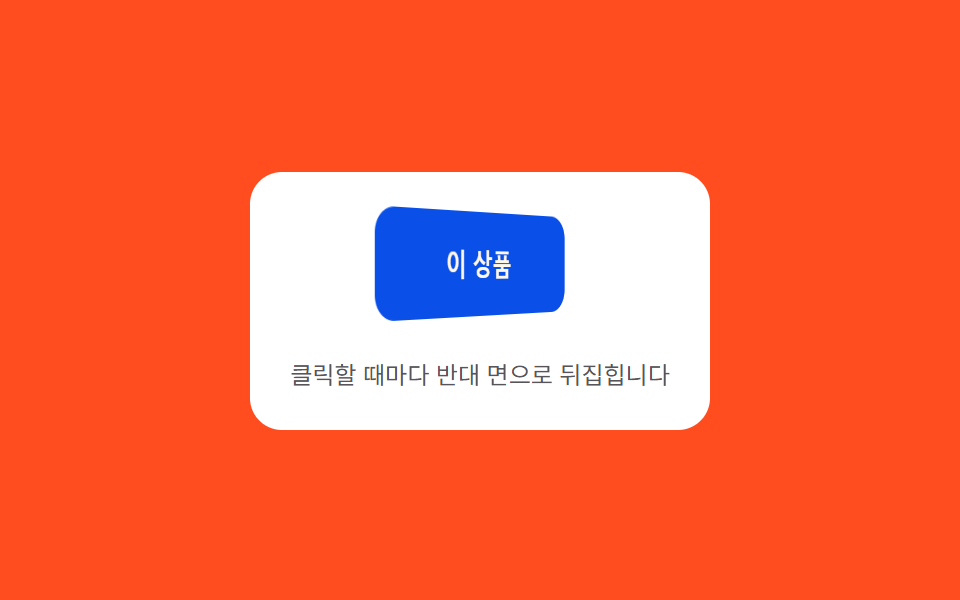 05 cta-btn-flip-3d-face
 06 cta-btn-drag-confirm-slide
 07 cta-btn-typewriter-reveal
 08 cta-btn-skeleton-shimmer
 09 cta-btn-vu-meter-tap
Auto-plays · click a tile to jump to its section · all nine in one zip
- 01 Long-shadow retro — a button whose trailing shadow length value extends and retracts with hover state
- 02 Split offset — a button whose stacked text layers momentarily offset in position value before realigning
- 03 Burst scatter — pieces scatter from the click point at differing angle values before fading
- 04 Perimeter countdown — a button whose surrounding perimeter progress value depletes over a set duration
- 05 3D flip face — a button whose rotation value turns to 180 degrees on click, revealing its opposite face
- 06 Drag-to-confirm — a button that reaches a confirmed state once a dragged position value passes a threshold
- 07 Sequential reveal — a button whose second phrase appears character by character following an order value on hover
- 08 Flowing wait — a button whose surface brightness value sweeps in one direction while content isn't ready
- 09 Bar response — a button where several bars' height values jump by differing amounts on each click before settling
None of the nine ever reach a payment processor or a real notification service — 09's tap is a simulated meter reading, not a real Web Audio capture, and nothing in the set calls fetch. Every one of the nine also answers something a visitor actually does: 01 and 07 answer a hovered or focused state through mouseenter/mouseleave and focus/blur, 02 answers a hovered or focused state through mouseenter and focus plus a click, 03, 04, 08, and 09 answer a plain click, 05 answers a click plus keydown, and 06 answers a dragged pointerdown-pointermove-pointerup sequence — not one of the nine only plays on autoplay.
Anatomy of nine patterns — which value changes and when
Nine patterns split into three ways of turning a hover, a click, or a drag into a value worth animating, and skipping this layer is what makes a cta button animation collection read as nine identically colored rectangles instead of nine small calculators built into a single button.
Why three patterns solve a physics or trig equation directly from elapsed time
03, 05, and 08 never touch a bounded progress ratio at all — each one solves a time-based equation instead. 03's tick() integrates GRAVITY (420) and DRAG (0.985) into every particle's velocity each frame, so the scatter reads as thrown debris settling under real gravity rather than a scripted arc. 05's ease() plugs elapsed seconds into a sine term that decays by DECAY (9) while oscillating at FREQ (14), which is what lets the flipped face swing past 180 degrees before it settles. 08's frame() runs elapsed time through easeInOutSine() to sweep a highlight band back and forth on a fixed CYCLE (1100ms), never a straight linear scrub.
Why three patterns pull a value toward a moving target with the same smoothing shape
01, 06, and 09 all repeat one shape: a difference between a target and a current value gets multiplied by a fixed factor and added back every frame until the gap closes. 01's step() eases the shadow's len toward target by diff * 0.28. 06's settle() eases a dragged pos back toward 0 or 1 by diff * 0.3 once the pointer releases. 09's tick() eases each bar's height back down toward MIN_H by diff * DECAY (0.14) after a tap pushes it up. Only the factor and the target differ between the three.
Why three patterns key their motion to an index, a tick count, or a time ratio instead
02, 04, and 07 each compute a value from something other than a physics term. 02's runGlitch() checks elapsed ticks against a fixed TICK (40ms) and DURATION (320ms) pair to decide when to reset the offset. 04's frame() divides elapsed time by DURATION (1500ms) into a 0-1 progress ratio that drives strokeDashoffset directly. 07's per-character delay is keyed to each character's own index through Math.pow(i, 0.82) * BASE, not to elapsed time at all — the last character on screen, at index 9, waits over 400ms longer than the first no matter how fast the frame loop runs.
Code per pattern
01Long-shadow retro — a button whose trailing shadow length value extends and retracts with hover state
The shadow's length value grows toward a target length once the button enters a hovered state, and returns to its original length value once the hovered state ends.
<main class="stage">
<div class="ctalsr is-demo" id="ctalsr">
  <div class="ctalsr__panel">
    <button class="ctalsr__btn" id="ctalsrBtn" type="button">Get started now</button>
    <span class="ctalsr__hint">Hover to extend the shadow length</span>
  </div>
</div>
</main>
@use "../../../../site/static/demo-tokens" as *;
// 계산 겹(색·거리 보간)은 JS 에 있다 — 여기는 정적 배치만.
@include stage($stage-yellow);
.stage { position: relative; }
.ctalsr__panel {
display: flex;
flex-direction: column;
align-items: center;
gap: $sp-4;
padding: $sp-5;
border-radius: $r-card;
background: $stage-paper;
}
.ctalsr__btn {
border: 0;
border-radius: $r-control;
background: $subject-blue-deep;
color: $subject-cream;
font-family: inherit;
font-weight: 700;
font-size: 16px;
padding: $sp-4 $sp-5;
cursor: pointer;
}
.ctalsr__hint {
color: rgba($subject-ink, .72);
font-size: 12px;
text-align: center;
}
@media (max-width: 340px) {
.ctalsr__panel { padding: $sp-4; gap: $sp-3; }
.ctalsr__btn { padding: $sp-3 $sp-4; font-size: 14px; }
}
@media (prefers-reduced-motion: reduce) {
.ctalsr__btn { transition: none !important; }
}html, body {
margin: 0;
overflow: hidden;
}
.stage {
box-sizing: border-box;
min-height: 100vh;
display: grid;
place-items: center;
margin: 0;
background: #ffd23f;
font-family: -apple-system, "Segoe UI", "Noto Sans KR", sans-serif;
padding: clamp(8px, 4vw, 24px);
}
.stage {
position: relative;
}
.ctalsr__panel {
display: flex;
flex-direction: column;
align-items: center;
gap: 16px;
padding: 20px;
border-radius: 16px;
background: #ffffff;
}
.ctalsr__btn {
border: 0;
border-radius: 12px;
background: #0a4fe8;
color: #fff7e6;
font-family: inherit;
font-weight: 700;
font-size: 16px;
padding: 16px 20px;
cursor: pointer;
}
.ctalsr__hint {
color: rgba(23, 20, 26, 0.72);
font-size: 12px;
text-align: center;
}
@media (max-width: 340px) {
.ctalsr__panel {
padding: 16px;
gap: 12px;
}
.ctalsr__btn {
padding: 12px 16px;
font-size: 14px;
}
}
@media (prefers-reduced-motion: reduce) {
.ctalsr__btn {
transition: none !important;
}
}(function () {
var root = document.getElementById('ctalsr');
var btn = document.getElementById('ctalsrBtn');
// 계산 겹: 그림자 길이 값을 매 프레임 목표로 선형 보간(0.28)해 부드럽게 좇고,
// 그 길이만큼 45도 방향(dx=dy=1px)으로 레이어를 쌓아 box-shadow 문자열을 만든다.
// 레이어마다 색을 옅은 파랑에서 짙은 잉크색으로 선형 보간해 원근감을 준다.
var MAXLEN = 22;
var C_NEAR = [47, 109, 246]; // $subject-blue
var C_FAR = [23, 20, 26]; // $subject-ink
var len = 0, target = 0, raf = null;
function lerp(a, b, t) { return a + (b - a) * t; }
function buildShadow(l) {
  var n = Math.round(l);
  if (n <= 0) { return 'none'; }
  var parts = [];
  for (var i = 1; i <= n; i++) {
    var t = i / n;
    var r = Math.round(lerp(C_NEAR[0], C_FAR[0], t));
    var g = Math.round(lerp(C_NEAR[1], C_FAR[1], t));
    var b = Math.round(lerp(C_NEAR[2], C_FAR[2], t));
    parts.push(i + 'px ' + i + 'px 0 rgb(' + r + ',' + g + ',' + b + ')');
  }
  return parts.join(',');
}

function step() {
  var diff = target - len;
  len += diff * 0.28;
  if (Math.abs(diff) < 0.05) { len = target; }
  btn.style.boxShadow = buildShadow(len);
  if (Math.abs(target - len) > 0.05) {
    raf = requestAnimationFrame(step);
  } else {
    raf = null;
  }
}
function go(to) {
target = to;
if (raf === null) { raf = requestAnimationFrame(step); }
}
function wireReal() {
btn.addEventListener('mouseenter', function () { root.classList.remove('is-demo'); stopAutoplay(); go(MAXLEN); });
btn.addEventListener('mouseleave', function () { go(0); });
btn.addEventListener('focus', function () { root.classList.remove('is-demo'); stopAutoplay(); go(MAXLEN); });
btn.addEventListener('blur', function () { go(0); });
}
wireReal();
var hovered = false;
var autoplayTimer = null;
function autoplayTick() { hovered = !hovered; go(hovered ? MAXLEN : 0); }
function stopAutoplay() { if (autoplayTimer) { clearInterval(autoplayTimer); autoplayTimer = null; } }
var reduce = window.matchMedia('(prefers-reduced-motion: reduce)').matches;
if (!reduce) { autoplayTimer = setInterval(autoplayTick, 700); }
btn.style.boxShadow = 'none';
})();import { useEffect, useRef } from "react";
import styles from "./CtaBtnLongShadowRetro.module.scss";
export type CtaBtnLongShadowRetroProps = {
color?: string;
};
export default function CtaBtnLongShadowRetro({
color = "#0a4fe8",
}: CtaBtnLongShadowRetroProps) {
const rootRef = useRef<HTMLDivElement | null>(null);
useEffect(() => {
const root = rootRef.current;
if (!root) return;
const btn = root.querySelector<HTMLButtonElement>(`.${styles.btn}`);
if (!btn) return;
// 계산 겹: 그림자 길이 값을 매 프레임 목표로 선형 보간(0.28)해 부드럽게 좇고,
// 그 길이만큼 45도 방향(dx=dy=1px)으로 레이어를 쌓아 box-shadow 문자열을 만든다.
const MAXLEN = 22;
const C_NEAR: [number, number, number] = [47, 109, 246];
const C_FAR: [number, number, number] = [23, 20, 26];
let len = 0;
let target = 0;
let raf: number | null = null;
function lerp(a: number, b: number, t: number) { return a + (b - a) * t; }
function buildShadow(l: number) {
const n = Math.round(l);
if (n <= 0) return "none";
const parts: string[] = [];
for (let i = 1; i <= n; i++) {
const t = i / n;
const r = Math.round(lerp(C_NEAR[0], C_FAR[0], t));
const g = Math.round(lerp(C_NEAR[1], C_FAR[1], t));
const b = Math.round(lerp(C_NEAR[2], C_FAR[2], t));
parts.push(i + "px " + i + "px 0 rgb(" + r + "," + g + "," + b + ")");
}
return parts.join(",");
}
function step() {
const diff = target - len;
len += diff * 0.28;
if (Math.abs(diff) < 0.05) { len = target; }
btn!.style.boxShadow = buildShadow(len);
if (Math.abs(target - len) > 0.05) {
raf = requestAnimationFrame(step);
} else {
raf = null;
}
}
function go(to: number) {
target = to;
if (raf === null) { raf = requestAnimationFrame(step); }
}
function onEnter() { stopAutoplay(); go(MAXLEN); }
function onLeave() { go(0); }
btn.addEventListener("mouseenter", onEnter);
btn.addEventListener("mouseleave", onLeave);
btn.addEventListener("focus", onEnter);
btn.addEventListener("blur", onLeave);
let hovered = false;
let autoplayTimer: number | null = null;
function autoplayTick() { hovered = !hovered; go(hovered ? MAXLEN : 0); }
function stopAutoplay() { if (autoplayTimer !== null) { window.clearInterval(autoplayTimer); autoplayTimer = null; } }
const reduce = window.matchMedia("(prefers-reduced-motion: reduce)").matches;
if (!reduce) { autoplayTimer = window.setInterval(autoplayTick, 700); }
btn.style.boxShadow = "none";
return () => {
stopAutoplay();
if (raf !== null) { cancelAnimationFrame(raf); }
btn.removeEventListener("mouseenter", onEnter);
btn.removeEventListener("mouseleave", onLeave);
btn.removeEventListener("focus", onEnter);
btn.removeEventListener("blur", onLeave);
};
}, []);
return (
<div ref={rootRef} className={styles.stage}>
<div className={styles.panel}>
<button className={styles.btn} type="button" style={{ background: color }}>
지금 시작하기
</button>
<span className={styles.hint}>호버하면 그림자 길이가 늘어납니다</span>
</div>
</div>
);
}01 · Long-shadow retro — a button whose trailing shadow length value extends and retracts with hover state — Measured area 2.695% · moving frames 8/23Original by GODRICH · SCSS and React ship in the zip · See the password
What the numbers say
Across 23 tracked frames, 01 moves on 8 of them, covering 2.70% cumulative area at a 166.3 average intensity — the visible change is a stack of 1px-offset shadow layers recolored from a near color toward a far color, and the diff * 0.28 smoothing in step() is what keeps the shadow easing toward its target length instead of snapping there in one frame.
function buildShadow(l) {
var n = Math.round(l);
if (n <= 0) { return 'none'; }
var parts = [];
for (var i = 1; i <= n; i++) {
var t = i / n;
var r = Math.round(lerp(C_NEAR[0], C_FAR[0], t));
var g = Math.round(lerp(C_NEAR[1], C_FAR[1], t));
var b = Math.round(lerp(C_NEAR[2], C_FAR[2], t));
parts.push(i + 'px ' + i + 'px 0 rgb(' + r + ',' + g + ',' + b + ')');
}
return parts.join(',');
}
function step() {
var diff = target - len;
len += diff * 0.28;
if (Math.abs(diff) < 0.05) { len = target; }
btn.style.boxShadow = buildShadow(len);
if (Math.abs(target - len) > 0.05) {
raf = requestAnimationFrame(step);
} else {
raf = null;
}
}
02Split offset — a button whose stacked text layers momentarily offset in position value before realigning
The moment a hovered state begins, the position value of two stacked text layers offsets by a set distance for an instant, then returns to the same position value once a set duration passes.
<main class="stage">
<div class="ctagls is-demo" id="ctagls">
  <div class="ctagls__panel">
    <button class="ctagls__btn" id="ctaglsBtn" type="button">
      <span class="ctagls__layer ctagls__layer--a" id="ctaglsA">Buy limited edition</span>
      <span class="ctagls__layer ctagls__layer--b" id="ctaglsB" aria-hidden="true">Buy limited edition</span>
    </button>
    <span class="ctagls__hint">Hover to briefly offset the text layers</span>
  </div>
</div>
</main>
@use "../../../../site/static/demo-tokens" as *;
// 계산 겹(시드 난수 어긋남)은 JS 에 있다 — 여기는 정적 배치·색만.
@include stage($stage-ink);
.stage { position: relative; }
.ctagls__panel {
display: flex;
flex-direction: column;
align-items: center;
gap: $sp-4;
padding: $sp-5;
border-radius: $r-card;
background: $tick-panel;
}
.ctagls__btn {
position: relative;
border: 0;
border-radius: $r-control;
background: $subject-pink;
padding: $sp-4 $sp-5;
cursor: pointer;
overflow: hidden;
}
.ctagls__layer {
display: block;
font-family: inherit;
font-weight: 700;
font-size: 16px;
color: $subject-ink;
white-space: nowrap;
}
.ctagls__layer--b {
position: absolute;
inset: 0;
display: flex;
align-items: center;
justify-content: center;
color: $subject-blue-light;
mix-blend-mode: screen;
}
.ctagls__hint {
color: $tick-mute;
font-size: 12px;
text-align: center;
}
@media (max-width: 340px) {
.ctagls__panel { padding: $sp-4; gap: $sp-3; }
.ctagls__btn { padding: $sp-3 $sp-4; }
.ctagls__layer { font-size: 14px; }
}
@media (prefers-reduced-motion: reduce) {
.ctagls__layer { transition: none !important; }
}html, body {
margin: 0;
overflow: hidden;
}
.stage {
box-sizing: border-box;
min-height: 100vh;
display: grid;
place-items: center;
margin: 0;
background: #17141a;
font-family: -apple-system, "Segoe UI", "Noto Sans KR", sans-serif;
padding: clamp(8px, 4vw, 24px);
}
.stage {
position: relative;
}
.ctagls__panel {
display: flex;
flex-direction: column;
align-items: center;
gap: 16px;
padding: 20px;
border-radius: 16px;
background: #231f28;
}
.ctagls__btn {
position: relative;
border: 0;
border-radius: 12px;
background: #ff9ebb;
padding: 16px 20px;
cursor: pointer;
overflow: hidden;
}
.ctagls__layer {
display: block;
font-family: inherit;
font-weight: 700;
font-size: 16px;
color: #17141a;
white-space: nowrap;
}
.ctagls__layer--b {
position: absolute;
inset: 0;
display: flex;
align-items: center;
justify-content: center;
color: #5b8cf8;
mix-blend-mode: screen;
}
.ctagls__hint {
color: #9a93a6;
font-size: 12px;
text-align: center;
}
@media (max-width: 340px) {
.ctagls__panel {
padding: 16px;
gap: 12px;
}
.ctagls__btn {
padding: 12px 16px;
}
.ctagls__layer {
font-size: 14px;
}
}
@media (prefers-reduced-motion: reduce) {
.ctagls__layer {
transition: none !important;
}
}(function () {
var root = document.getElementById('ctagls');
var btn = document.getElementById('ctaglsBtn');
var layerA = document.getElementById('ctaglsA');
var layerB = document.getElementById('ctaglsB');
// 계산 겹: mulberry32 시드 난수로 어긋남 폭을 매 틱 정하고, 정해진 시간(320ms) 동안
// TICK 간격으로 흔들다가 마지막엔 반드시 0 으로 되돌린다 — 재생마다 같은 시드로 같은 패턴.
var SEED = 20260920;
function mulberry32(a) {
return function () {
a |= 0; a = (a + 0x6D2B79F5) | 0;
var t = Math.imul(a ^ (a >>> 15), 1 | a);
t = (t + Math.imul(t ^ (t >>> 7), 61 | t)) ^ t;
return ((t ^ (t >>> 14)) >>> 0) / 4294967296;
};
}
var rng = mulberry32(SEED);
var DURATION = 320, TICK = 40;
var glitchTimer = null;
function runGlitch() {
  if (glitchTimer) { return; }
  var elapsed = 0;
  glitchTimer = setInterval(function () {
    elapsed += TICK;
    if (elapsed >= DURATION) {
      clearInterval(glitchTimer); glitchTimer = null;
      layerA.style.transform = 'translate(0px,0px)';
      layerB.style.transform = 'translate(0px,0px)';
      return;
    }
    var ax = (rng() - 0.5) * 10;
    var ay = (rng() - 0.5) * 4;
    var bx = (rng() - 0.5) * 10;
    var by = (rng() - 0.5) * 4;
    layerA.style.transform = 'translate(' + ax.toFixed(1) + 'px,' + ay.toFixed(1) + 'px)';
    layerB.style.transform = 'translate(' + bx.toFixed(1) + 'px,' + by.toFixed(1) + 'px)';
  }, TICK);
}
function wireReal() {
btn.addEventListener('mouseenter', function () { root.classList.remove('is-demo'); stopAutoplay(); runGlitch(); });
btn.addEventListener('focus', function () { root.classList.remove('is-demo'); stopAutoplay(); runGlitch(); });
btn.addEventListener('click', function () { runGlitch(); });
}
wireReal();
var autoplayTimer = null;
function stopAutoplay() { if (autoplayTimer) { clearInterval(autoplayTimer); autoplayTimer = null; } }
var reduce = window.matchMedia('(prefers-reduced-motion: reduce)').matches;
if (!reduce) { autoplayTimer = setInterval(runGlitch, 900); }
})();import { useEffect, useRef } from "react";
import styles from "./CtaBtnGlitchSplit.module.scss";
export type CtaBtnGlitchSplitProps = {
color?: string;
};
export default function CtaBtnGlitchSplit({
color = "#5b8cf8",
}: CtaBtnGlitchSplitProps) {
const rootRef = useRef<HTMLDivElement | null>(null);
useEffect(() => {
const root = rootRef.current;
if (!root) return;
const btn = root.querySelector<HTMLButtonElement>(`.${styles.btn}`);
const layerA = root.querySelector<HTMLSpanElement>(`.${styles.layerA}`);
const layerB = root.querySelector<HTMLSpanElement>(`.${styles.layerB}`);
if (!btn || !layerA || !layerB) return;
// 계산 겹: mulberry32 시드 난수로 어긋남 폭을 매 틱 정하고, 정해진 시간(320ms) 동안
// TICK 간격으로 흔들다가 마지막엔 반드시 0 으로 되돌린다 — 재생마다 같은 시드로 같은 패턴.
const SEED = 20260920;
function mulberry32(a: number) {
return function () {
a |= 0; a = (a + 0x6d2b79f5) | 0;
let t = Math.imul(a ^ (a >>> 15), 1 | a);
t = (t + Math.imul(t ^ (t >>> 7), 61 | t)) ^ t;
return ((t ^ (t >>> 14)) >>> 0) / 4294967296;
};
}
const rng = mulberry32(SEED);
const DURATION = 320, TICK = 40;
let glitchTimer: number | null = null;
function runGlitch() {
if (glitchTimer !== null) return;
let elapsed = 0;
glitchTimer = window.setInterval(() => {
elapsed += TICK;
if (elapsed >= DURATION) {
if (glitchTimer !== null) { window.clearInterval(glitchTimer); glitchTimer = null; }
layerA!.style.transform = "translate(0px,0px)";
layerB!.style.transform = "translate(0px,0px)";
return;
}
const ax = (rng() - 0.5) * 10;
const ay = (rng() - 0.5) * 4;
const bx = (rng() - 0.5) * 10;
const by = (rng() - 0.5) * 4;
layerA!.style.transform = "translate(" + ax.toFixed(1) + "px," + ay.toFixed(1) + "px)";
layerB!.style.transform = "translate(" + bx.toFixed(1) + "px," + by.toFixed(1) + "px)";
}, TICK);
}
function onEnter() { stopAutoplay(); runGlitch(); }
function onClick() { runGlitch(); }
btn.addEventListener("mouseenter", onEnter);
btn.addEventListener("focus", onEnter);
btn.addEventListener("click", onClick);
let autoplayTimer: number | null = null;
function stopAutoplay() { if (autoplayTimer !== null) { window.clearInterval(autoplayTimer); autoplayTimer = null; } }
const reduce = window.matchMedia("(prefers-reduced-motion: reduce)").matches;
if (!reduce) { autoplayTimer = window.setInterval(runGlitch, 900); }
return () => {
stopAutoplay();
if (glitchTimer !== null) { window.clearInterval(glitchTimer); }
btn.removeEventListener("mouseenter", onEnter);
btn.removeEventListener("focus", onEnter);
btn.removeEventListener("click", onClick);
};
}, []);
return (
<div ref={rootRef} className={styles.stage}>
<div className={styles.panel}>
<button className={styles.btn} type="button">
<span className={styles.layerA}>한정판 구매</span>
<span className={styles.layerB} aria-hidden="true" style={{ color }}>한정판 구매</span>
</button>
<span className={styles.hint}>호버하면 텍스트 층이 잠깐 어긋납니다</span>
</div>
</div>
);
}02 · Split offset — a button whose stacked text layers momentarily offset in position value before realigning — Measured area 0.914% · moving frames 7/23Original by GODRICH · SCSS and React ship in the zip · See the password
What the numbers say
Across 23 tracked frames, 02 moves on 7 of them, covering 0.91% cumulative area at a 115.5 average intensity — runGlitch() reads a seeded mulberry32() generator every TICK (40ms) until DURATION (320ms) elapses, so a fixed SEED reproduces the identical offset sequence on every hover instead of a different glitch each time.
function runGlitch() {
if (glitchTimer) { return; }
var elapsed = 0;
glitchTimer = setInterval(function () {
elapsed += TICK;
if (elapsed >= DURATION) {
clearInterval(glitchTimer); glitchTimer = null;
layerA.style.transform = 'translate(0px,0px)';
layerB.style.transform = 'translate(0px,0px)';
return;
}
var ax = (rng() - 0.5) * 10;
var ay = (rng() - 0.5) * 4;
var bx = (rng() - 0.5) * 10;
var by = (rng() - 0.5) * 4;
layerA.style.transform = 'translate(' + ax.toFixed(1) + 'px,' + ay.toFixed(1) + 'px)';
layerB.style.transform = 'translate(' + bx.toFixed(1) + 'px,' + by.toFixed(1) + 'px)';
}, TICK);
}
03Burst scatter — pieces scatter from the click point at differing angle values before fading
Starting from the click point, several pieces spread out each with a different angle value and speed value, and their opacity value drops over time until they reach a faded state.
<main class="stage">
<div class="ctacfb is-demo" id="ctacfb">
  <div class="ctacfb__panel">
    <div class="ctacfb__wrap">
      <canvas class="ctacfb__canvas" id="ctacfbCanvas" width="220" height="120"></canvas>
      <button class="ctacfb__btn" id="ctacfbBtn" type="button">Complete purchase</button>
    </div>
    <span class="ctacfb__hint">Click to scatter pieces in every direction</span>
  </div>
</div>
</main>
@use "../../../../site/static/demo-tokens" as *;
// 계산 겹(중력·감쇠·회전)은 JS 캔버스에 있다 — 여기는 정적 배치만.
@include stage($stage-orange);
.stage { position: relative; }
.ctacfb__panel {
display: flex;
flex-direction: column;
align-items: center;
gap: $sp-3;
padding: $sp-5;
border-radius: $r-card;
background: $stage-paper;
}
.ctacfb__wrap {
position: relative;
width: 220px;
height: 120px;
display: grid;
place-items: center;
}
.ctacfb__canvas {
position: absolute;
inset: 0;
pointer-events: none;
}
.ctacfb__btn {
position: relative;
z-index: 1;
border: 0;
border-radius: $r-control;
background: $subject-blue-deep;
color: $subject-cream;
font-family: inherit;
font-weight: 700;
font-size: 15px;
padding: $sp-3 $sp-5;
cursor: pointer;
}
.ctacfb__hint {
color: rgba($subject-ink, .72);
font-size: 12px;
text-align: center;
}
@media (max-width: 340px) {
.ctacfb__panel { padding: $sp-4; gap: $sp-2; }
.ctacfb__wrap { width: 180px; height: 100px; }
.ctacfb__btn { padding: $sp-2 $sp-4; font-size: 14px; }
}
@media (prefers-reduced-motion: reduce) {
.ctacfb__btn { transition: none !important; }
}html, body {
margin: 0;
overflow: hidden;
}
.stage {
box-sizing: border-box;
min-height: 100vh;
display: grid;
place-items: center;
margin: 0;
background: #ff4d1f;
font-family: -apple-system, "Segoe UI", "Noto Sans KR", sans-serif;
padding: clamp(8px, 4vw, 24px);
}
.stage {
position: relative;
}
.ctacfb__panel {
display: flex;
flex-direction: column;
align-items: center;
gap: 12px;
padding: 20px;
border-radius: 16px;
background: #ffffff;
}
.ctacfb__wrap {
position: relative;
width: 220px;
height: 120px;
display: grid;
place-items: center;
}
.ctacfb__canvas {
position: absolute;
inset: 0;
pointer-events: none;
}
.ctacfb__btn {
position: relative;
z-index: 1;
border: 0;
border-radius: 12px;
background: #0a4fe8;
color: #fff7e6;
font-family: inherit;
font-weight: 700;
font-size: 15px;
padding: 12px 20px;
cursor: pointer;
}
.ctacfb__hint {
color: rgba(23, 20, 26, 0.72);
font-size: 12px;
text-align: center;
}
@media (max-width: 340px) {
.ctacfb__panel {
padding: 16px;
gap: 8px;
}
.ctacfb__wrap {
width: 180px;
height: 100px;
}
.ctacfb__btn {
padding: 8px 16px;
font-size: 14px;
}
}
@media (prefers-reduced-motion: reduce) {
.ctacfb__btn {
transition: none !important;
}
}(function () {
var root = document.getElementById('ctacfb');
var btn = document.getElementById('ctacfbBtn');
var canvas = document.getElementById('ctacfbCanvas');
var ctx = canvas.getContext('2d');
var COLORS = ['#5b8cf8', '#ff9ebb', '#4cd4a6', '#b9a0ff'];
// 계산 겹: 조각마다 각도·속도 값을 난수로 부여하고, 매 프레임 중력(GRAVITY)을 속도에
// 더하고 속도에 감쇠(DRAG)를 곱해 궤적을 계산한다. 회전 값도 각자 다른 속도로 누적하고
// 투명도 값은 남은 수명 비율로 계산해 사라진다.
var GRAVITY = 420, DRAG = 0.985, LIFE = 900;
var particles = [];
var raf = null, lastT = 0;
function burst() {
  var cx = canvas.width / 2, cy = canvas.height * 0.35;
  particles = [];
  for (var i = 0; i < 18; i++) {
    var angle = (Math.PI * 2 * i) / 18 + (Math.random() - 0.5) * 0.5;
    var speed = 90 + Math.random() * 110;
    particles.push({
      x: cx, y: cy,
      vx: Math.cos(angle) * speed,
      vy: Math.sin(angle) * speed - 60,
      rot: Math.random() * Math.PI,
      vrot: (Math.random() - 0.5) * 10,
      color: COLORS[i % COLORS.length],
      age: 0
    });
  }
  if (!raf) { lastT = performance.now(); raf = requestAnimationFrame(tick); }
}
function tick(now) {
var dt = Math.min((now - lastT) / 1000, 0.05);
lastT = now;
ctx.clearRect(0, 0, canvas.width, canvas.height);
var alive = false;
for (var i = 0; i < particles.length; i++) {
var p = particles[i];
p.age += dt * 1000;
if (p.age >= LIFE) { continue; }
alive = true;
p.vy += GRAVITY * dt;
p.vx *= DRAG; p.vy *= DRAG;
p.x += p.vx * dt; p.y += p.vy * dt;
p.rot += p.vrot * dt;
var op = Math.max(0, 1 - p.age / LIFE);
ctx.save();
ctx.globalAlpha = op;
ctx.translate(p.x, p.y);
ctx.rotate(p.rot);
ctx.fillStyle = p.color;
ctx.fillRect(-4, -3, 8, 6);
ctx.restore();
}
if (alive) {
raf = requestAnimationFrame(tick);
} else {
raf = null;
}
}
function wireReal() {
btn.addEventListener('click', function () { root.classList.remove('is-demo'); stopAutoplay(); burst(); });
}
wireReal();
var autoplayTimer = null;
function stopAutoplay() { if (autoplayTimer) { clearInterval(autoplayTimer); autoplayTimer = null; } }
var reduce = window.matchMedia('(prefers-reduced-motion: reduce)').matches;
if (!reduce) { autoplayTimer = setInterval(burst, 1100); }
})();import { useEffect, useRef } from "react";
import styles from "./CtaBtnConfettiBurst.module.scss";
type Particle = {
x: number; y: number; vx: number; vy: number;
rot: number; vrot: number; color: string; age: number;
};
export type CtaBtnConfettiBurstProps = {
color?: string;
};
export default function CtaBtnConfettiBurst({
color = "#0a4fe8",
}: CtaBtnConfettiBurstProps) {
const rootRef = useRef<HTMLDivElement | null>(null);
useEffect(() => {
const root = rootRef.current;
if (!root) return;
const btn = root.querySelector<HTMLButtonElement>(`.${styles.btn}`);
const canvas = root.querySelector<HTMLCanvasElement>(`.${styles.canvas}`);
if (!btn || !canvas) return;
const ctx = canvas.getContext("2d");
if (!ctx) return;
const COLORS = ["#5b8cf8", "#ff9ebb", "#4cd4a6", "#b9a0ff"];
// 계산 겹: 조각마다 각도·속도 값을 난수로 부여하고, 매 프레임 중력(GRAVITY)을 속도에
// 더하고 속도에 감쇠(DRAG)를 곱해 궤적을 계산한다. 회전 값도 각자 다른 속도로 누적하고
// 투명도 값은 남은 수명 비율로 계산해 사라진다.
const GRAVITY = 420, DRAG = 0.985, LIFE = 900;
let particles: Particle[] = [];
let raf: number | null = null;
let lastT = 0;
function burst() {
const cx = canvas!.width / 2, cy = canvas!.height * 0.35;
particles = [];
for (let i = 0; i < 18; i++) {
const angle = (Math.PI * 2 * i) / 18 + (Math.random() - 0.5) * 0.5;
const speed = 90 + Math.random() * 110;
particles.push({
x: cx, y: cy,
vx: Math.cos(angle) * speed,
vy: Math.sin(angle) * speed - 60,
rot: Math.random() * Math.PI,
vrot: (Math.random() - 0.5) * 10,
color: COLORS[i % COLORS.length],
age: 0,
});
}
if (raf === null) { lastT = performance.now(); raf = requestAnimationFrame(tick); }
}
function tick(now: number) {
const dt = Math.min((now - lastT) / 1000, 0.05);
lastT = now;
ctx!.clearRect(0, 0, canvas!.width, canvas!.height);
let alive = false;
for (const p of particles) {
p.age += dt * 1000;
if (p.age >= LIFE) continue;
alive = true;
p.vy += GRAVITY * dt;
p.vx *= DRAG; p.vy *= DRAG;
p.x += p.vx * dt; p.y += p.vy * dt;
p.rot += p.vrot * dt;
const op = Math.max(0, 1 - p.age / LIFE);
ctx!.save();
ctx!.globalAlpha = op;
ctx!.translate(p.x, p.y);
ctx!.rotate(p.rot);
ctx!.fillStyle = p.color;
ctx!.fillRect(-4, -3, 8, 6);
ctx!.restore();
}
raf = alive ? requestAnimationFrame(tick) : null;
}
function onClick() { stopAutoplay(); burst(); }
btn.addEventListener("click", onClick);
let autoplayTimer: number | null = null;
function stopAutoplay() { if (autoplayTimer !== null) { window.clearInterval(autoplayTimer); autoplayTimer = null; } }
const reduce = window.matchMedia("(prefers-reduced-motion: reduce)").matches;
if (!reduce) { autoplayTimer = window.setInterval(burst, 1100); }
return () => {
stopAutoplay();
if (raf !== null) { cancelAnimationFrame(raf); }
btn.removeEventListener("click", onClick);
};
}, []);
return (
<div ref={rootRef} className={styles.stage}>
<div className={styles.panel}>
<div className={styles.wrap}>
<canvas className={styles.canvas} width={220} height={120} />
<button className={styles.btn} type="button" style={{ background: color }}>구매 완료</button>
</div>
<span className={styles.hint}>클릭하면 조각이 사방으로 흩어집니다</span>
</div>
</div>
);
}03 · Burst scatter — pieces scatter from the click point at differing angle values before fading — Measured area 3.59% · moving frames 15/23Original by GODRICH · SCSS and React ship in the zip · See the password
What the numbers say
Across 23 tracked frames, 03 moves on 15 of them, covering 3.59% cumulative area at a 62.8 average intensity — burst() launches 18 particles at differing angle and speed values from the click point, and tick() integrates GRAVITY (420) and DRAG (0.985) into each particle's velocity every frame until LIFE (900ms) fades it out.
function burst() {
var cx = canvas.width / 2, cy = canvas.height * 0.35;
particles = [];
for (var i = 0; i < 18; i++) {
var angle = (Math.PI * 2 * i) / 18 + (Math.random() - 0.5) * 0.5;
var speed = 90 + Math.random() * 110;
particles.push({
x: cx, y: cy,
vx: Math.cos(angle) * speed,
vy: Math.sin(angle) * speed - 60,
rot: Math.random() * Math.PI,
vrot: (Math.random() - 0.5) * 10,
color: COLORS[i % COLORS.length],
age: 0
});
}
if (!raf) { lastT = performance.now(); raf = requestAnimationFrame(tick); }
}
04Perimeter countdown — a button whose surrounding perimeter progress value depletes over a set duration
The progress value of the perimeter surrounding the button decreases from its starting value to zero over a set duration, and once that value reaches zero it moves to a set action.
<main class="stage">
<div class="ctaprc is-demo" id="ctaprc">
  <div class="ctaprc__panel">
    <div class="ctaprc__wrap">
      <svg class="ctaprc__ring" viewBox="0 0 84 84" id="ctaprcSvg">
        <circle class="ctaprc__track" cx="42" cy="42" r="38"></circle>
        <circle class="ctaprc__bar" id="ctaprcBar" cx="42" cy="42" r="38"></circle>
      </svg>
      <button class="ctaprc__btn" id="ctaprcBtn" type="button">Next step</button>
    </div>
    <span class="ctaprc__hint">Click and it automatically moves to the next step after 1.5 seconds</span>
  </div>
</div>
</main>
@use "../../../../site/static/demo-tokens" as *;
// 계산 겹(둘레·dashoffset 산술)은 JS 에 있다 — 여기는 정적 배치만.
@include stage($stage-yellow);
.stage { position: relative; }
.ctaprc__panel {
display: flex;
flex-direction: column;
align-items: center;
gap: $sp-4;
padding: $sp-5;
border-radius: $r-card;
background: $stage-paper;
}
.ctaprc__wrap {
position: relative;
width: 92px;
height: 92px;
display: grid;
place-items: center;
}
.ctaprc__ring {
position: absolute;
inset: 0;
width: 92px;
height: 92px;
transform: rotate(-90deg);
}
.ctaprc__track {
fill: none;
stroke: rgba($subject-ink, .12);
stroke-width: 6;
}
.ctaprc__bar {
fill: none;
stroke: $subject-blue-deep;
stroke-width: 6;
stroke-linecap: round;
}
.ctaprc__btn {
position: relative;
border: 0;
border-radius: $r-pill;
background: $subject-blue-deep;
color: $subject-cream;
font-family: inherit;
font-weight: 700;
font-size: 12px;
width: 68px;
height: 68px;
cursor: pointer;
}
.ctaprc__hint {
color: rgba($subject-ink, .72);
font-size: 12px;
text-align: center;
}
@media (max-width: 340px) {
.ctaprc__panel { padding: $sp-4; gap: $sp-3; }
.ctaprc__wrap { width: 76px; height: 76px; }
.ctaprc__ring { width: 76px; height: 76px; }
.ctaprc__btn { width: 56px; height: 56px; font-size: 11px; }
}
@media (prefers-reduced-motion: reduce) {
.ctaprc__ring { transition: none !important; }
}html, body {
margin: 0;
overflow: hidden;
}
.stage {
box-sizing: border-box;
min-height: 100vh;
display: grid;
place-items: center;
margin: 0;
background: #ffd23f;
font-family: -apple-system, "Segoe UI", "Noto Sans KR", sans-serif;
padding: clamp(8px, 4vw, 24px);
}
.stage {
position: relative;
}
.ctaprc__panel {
display: flex;
flex-direction: column;
align-items: center;
gap: 16px;
padding: 20px;
border-radius: 16px;
background: #ffffff;
}
.ctaprc__wrap {
position: relative;
width: 92px;
height: 92px;
display: grid;
place-items: center;
}
.ctaprc__ring {
position: absolute;
inset: 0;
width: 92px;
height: 92px;
transform: rotate(-90deg);
}
.ctaprc__track {
fill: none;
stroke: rgba(23, 20, 26, 0.12);
stroke-width: 6;
}
.ctaprc__bar {
fill: none;
stroke: #0a4fe8;
stroke-width: 6;
stroke-linecap: round;
}
.ctaprc__btn {
position: relative;
border: 0;
border-radius: 999px;
background: #0a4fe8;
color: #fff7e6;
font-family: inherit;
font-weight: 700;
font-size: 12px;
width: 68px;
height: 68px;
cursor: pointer;
}
.ctaprc__hint {
color: rgba(23, 20, 26, 0.72);
font-size: 12px;
text-align: center;
}
@media (max-width: 340px) {
.ctaprc__panel {
padding: 16px;
gap: 12px;
}
.ctaprc__wrap {
width: 76px;
height: 76px;
}
.ctaprc__ring {
width: 76px;
height: 76px;
}
.ctaprc__btn {
width: 56px;
height: 56px;
font-size: 11px;
}
}
@media (prefers-reduced-motion: reduce) {
.ctaprc__ring {
transition: none !important;
}
}(function () {
var root = document.getElementById('ctaprc');
var btn = document.getElementById('ctaprcBtn');
var bar = document.getElementById('ctaprcBar');
// 계산 겹: 반지름(r)으로 둘레(circumference = 2*PI*r)를 구하고, 남은 시간 비율(progress)을
// stroke-dashoffset = circumference * (1 - progress) 산술로 매 프레임 다시 그린다.
var R = 38;
var CIRC = 2 * Math.PI * R;
bar.style.strokeDasharray = CIRC.toFixed(2);
var DURATION = 1500;
var raf = null, startT = 0, running = false;
function frame(now) {
  var t = now - startT;
  var progress = Math.min(1, t / DURATION);
  var offset = CIRC * (1 - progress);
  bar.style.strokeDashoffset = offset.toFixed(2);
  if (progress < 1) {
    raf = requestAnimationFrame(frame);
  } else {
    running = false; raf = null;
    btn.textContent = 'Completed';
    setTimeout(function () { btn.textContent = 'Next step'; bar.style.strokeDashoffset = CIRC.toFixed(2); }, 500);
  }
}
function startCountdown() {
  if (running) { return; }
  running = true;
  startT = performance.now();
  raf = requestAnimationFrame(frame);
}
function wireReal() {
btn.addEventListener('click', function () { root.classList.remove('is-demo'); stopAutoplay(); startCountdown(); });
}
wireReal();
bar.style.strokeDashoffset = CIRC.toFixed(2);
var autoplayTimer = null;
function stopAutoplay() { if (autoplayTimer) { clearInterval(autoplayTimer); autoplayTimer = null; } }
var reduce = window.matchMedia('(prefers-reduced-motion: reduce)').matches;
if (!reduce) { startCountdown(); autoplayTimer = setInterval(startCountdown, 2000); }
})();import { useEffect, useRef } from "react";
import styles from "./CtaBtnProgressRingCountdown.module.scss";
export type CtaBtnProgressRingCountdownProps = {
color?: string;
};
export default function CtaBtnProgressRingCountdown({
color = "#0a4fe8",
}: CtaBtnProgressRingCountdownProps) {
const rootRef = useRef<HTMLDivElement | null>(null);
useEffect(() => {
const root = rootRef.current;
if (!root) return;
const btn = root.querySelector<HTMLButtonElement>(`.${styles.btn}`);
const bar = root.querySelector<SVGCircleElement>(`.${styles.bar}`);
if (!btn || !bar) return;
// 계산 겹: 반지름(r)으로 둘레(circumference = 2*PI*r)를 구하고, 남은 시간 비율(progress)을
// stroke-dashoffset = circumference * (1 - progress) 산술로 매 프레임 다시 그린다.
const R = 38;
const CIRC = 2 * Math.PI * R;
bar.style.strokeDasharray = CIRC.toFixed(2);
bar.style.strokeDashoffset = CIRC.toFixed(2);
const DURATION = 1500;
let raf: number | null = null;
let startT = 0;
let running = false;
function frame(now: number) {
const t = now - startT;
const progress = Math.min(1, t / DURATION);
const offset = CIRC * (1 - progress);
bar!.style.strokeDashoffset = offset.toFixed(2);
if (progress < 1) {
raf = requestAnimationFrame(frame);
} else {
running = false; raf = null;
btn!.textContent = "완료됨";
window.setTimeout(() => { btn!.textContent = "다음 단계"; bar!.style.strokeDashoffset = CIRC.toFixed(2); }, 500);
}
}
function startCountdown() {
if (running) return;
running = true;
startT = performance.now();
raf = requestAnimationFrame(frame);
}
function onClick() { stopAutoplay(); startCountdown(); }
btn.addEventListener("click", onClick);
let autoplayTimer: number | null = null;
function stopAutoplay() { if (autoplayTimer !== null) { window.clearInterval(autoplayTimer); autoplayTimer = null; } }
const reduce = window.matchMedia("(prefers-reduced-motion: reduce)").matches;
if (!reduce) { startCountdown(); autoplayTimer = window.setInterval(startCountdown, 2000); }
return () => {
stopAutoplay();
if (raf !== null) { cancelAnimationFrame(raf); }
btn.removeEventListener("click", onClick);
};
}, []);
return (
<div ref={rootRef} className={styles.stage}>
<div className={styles.panel}>
<div className={styles.wrap}>
<svg className={styles.ring} viewBox="0 0 84 84">
<circle className={styles.track} cx={42} cy={42} r={38} />
<circle className={styles.bar} cx={42} cy={42} r={38} style={{ stroke: color }} />
</svg>
<button className={styles.btn} type="button" style={{ background: color }}>다음 단계</button>
</div>
<span className={styles.hint}>클릭하면 1.5초 뒤 자동으로 다음 단계로 넘어갑니다</span>
</div>
</div>
);
}04 · Perimeter countdown — a button whose surrounding perimeter progress value depletes over a set duration — Measured area 1.598% · moving frames 20/23Original by GODRICH · SCSS and React ship in the zip · See the password
What the numbers say
Across 23 tracked frames, 04 moves on 20 of them, covering 1.60% cumulative area at a 150.9 average intensity — frame() divides elapsed time by DURATION (1500ms) into a 0-1 progress ratio that drives the ring's strokeDashoffset down from the full circumference to zero, and reaching zero is what fires the completion label below.
function frame(now) {
var t = now - startT;
var progress = Math.min(1, t / DURATION);
var offset = CIRC * (1 - progress);
bar.style.strokeDashoffset = offset.toFixed(2);
if (progress < 1) {
raf = requestAnimationFrame(frame);
} else {
running = false; raf = null;
btn.textContent = 'Completed';
setTimeout(function () { btn.textContent = 'Next step'; bar.style.strokeDashoffset = CIRC.toFixed(2); }, 500);
}
}
function startCountdown() {
if (running) { return; }
running = true;
startT = performance.now();
raf = requestAnimationFrame(frame);
}
053D flip face — a button whose rotation value turns to 180 degrees on click, revealing its opposite face
On click, the button's rotation value turns until it reaches 180 degrees, revealing the opposite face, passing through a state where the rotation value slightly overshoots the target before settling back.
<main class="stage">
<div class="ctaflp is-demo" id="ctaflp">
  <div class="ctaflp__panel">
    <div class="ctaflp__scene">
      <button class="ctaflp__btn" id="ctaflpBtn" type="button">
        <span class="ctaflp__face ctaflp__face--front">This item</span>
        <span class="ctaflp__face ctaflp__face--back">That item</span>
      </button>
    </div>
    <span class="ctaflp__hint">Each click flips to the opposite face</span>
  </div>
</div>
</main>
@use "../../../../site/static/demo-tokens" as *;
// 계산 겹(오버슈트 감쇠 진동)은 JS 에 있다 — 여기는 정적 배치·원근만.
@include stage($stage-orange);
.stage { position: relative; }
.ctaflp__panel {
display: flex;
flex-direction: column;
align-items: center;
gap: $sp-4;
padding: $sp-5;
border-radius: $r-card;
background: $stage-paper;
}
.ctaflp__scene {
perspective: 480px;
}
.ctaflp__btn {
position: relative;
width: 140px;
height: 52px;
border: 0;
border-radius: $r-control;
background: none;
padding: 0;
cursor: pointer;
transform-style: preserve-3d;
}
.ctaflp__face {
position: absolute;
inset: 0;
display: grid;
place-items: center;
border-radius: $r-control;
font-family: inherit;
font-weight: 700;
font-size: 15px;
backface-visibility: hidden;
}
.ctaflp__face--front {
background: $subject-blue-deep;
color: $subject-cream;
}
.ctaflp__face--back {
background: $subject-lilac;
color: $subject-ink;
transform: rotateY(180deg);
}
.ctaflp__hint {
color: rgba($subject-ink, .72);
font-size: 12px;
text-align: center;
}
@media (max-width: 340px) {
.ctaflp__panel { padding: $sp-4; gap: $sp-3; }
.ctaflp__btn { width: 120px; height: 46px; }
.ctaflp__face { font-size: 14px; }
}
@media (prefers-reduced-motion: reduce) {
.ctaflp__btn { transition: none !important; }
}html, body {
margin: 0;
overflow: hidden;
}
.stage {
box-sizing: border-box;
min-height: 100vh;
display: grid;
place-items: center;
margin: 0;
background: #ff4d1f;
font-family: -apple-system, "Segoe UI", "Noto Sans KR", sans-serif;
padding: clamp(8px, 4vw, 24px);
}
.stage {
position: relative;
}
.ctaflp__panel {
display: flex;
flex-direction: column;
align-items: center;
gap: 16px;
padding: 20px;
border-radius: 16px;
background: #ffffff;
}
.ctaflp__scene {
perspective: 480px;
}
.ctaflp__btn {
position: relative;
width: 140px;
height: 52px;
border: 0;
border-radius: 12px;
background: none;
padding: 0;
cursor: pointer;
transform-style: preserve-3d;
}
.ctaflp__face {
position: absolute;
inset: 0;
display: grid;
place-items: center;
border-radius: 12px;
font-family: inherit;
font-weight: 700;
font-size: 15px;
backface-visibility: hidden;
}
.ctaflp__face--front {
background: #0a4fe8;
color: #fff7e6;
}
.ctaflp__face--back {
background: #b9a0ff;
color: #17141a;
transform: rotateY(180deg);
}
.ctaflp__hint {
color: rgba(23, 20, 26, 0.72);
font-size: 12px;
text-align: center;
}
@media (max-width: 340px) {
.ctaflp__panel {
padding: 16px;
gap: 12px;
}
.ctaflp__btn {
width: 120px;
height: 46px;
}
.ctaflp__face {
font-size: 14px;
}
}
@media (prefers-reduced-motion: reduce) {
.ctaflp__btn {
transition: none !important;
}
}(function () {
var root = document.getElementById('ctaflp');
var btn = document.getElementById('ctaflpBtn');
// 계산 겹: 회전 값이 목표(180도 배수)를 향해 감쇠 진동식으로 접근한다 —
// 매 프레임 목표를 살짝 넘었다가(오버슈트) 스프링 곡선으로 제자리에 앉는다.
var current = 0, base = 0, raf = null, startT = 0;
var OVERSHOOT_DEG = 18, FREQ = 14, DECAY = 9, DUR = 500;
function ease(tSec) {
  if (tSec <= 0) { return 0; }
  var settle = 1 - Math.exp(-DECAY * tSec);
  var wobble = Math.sin(tSec * FREQ) * Math.exp(-DECAY * tSec) * (OVERSHOOT_DEG / 180);
  return settle + wobble;
}
function frame(now) {
  var t = (now - startT) / 1000;
  var p = Math.min(1, ease(t));
  current = base + p * 180;
  btn.style.transform = 'rotateY(' + current.toFixed(2) + 'deg)';
  if (t < DUR / 1000) {
    raf = requestAnimationFrame(frame);
  } else {
    base = base + 180;
    current = base;
    btn.style.transform = 'rotateY(' + current.toFixed(2) + 'deg)';
    raf = null;
  }
}
function flip() {
if (raf) { return; }
startT = performance.now();
raf = requestAnimationFrame(frame);
}
function wireReal() {
btn.addEventListener('click', function () { root.classList.remove('is-demo'); stopAutoplay(); flip(); });
btn.addEventListener('keydown', function (e) {
if (e.key === 'Enter' || e.key === ' ') { root.classList.remove('is-demo'); stopAutoplay(); flip(); }
});
}
wireReal();
var autoplayTimer = null;
function stopAutoplay() { if (autoplayTimer) { clearInterval(autoplayTimer); autoplayTimer = null; } }
var reduce = window.matchMedia('(prefers-reduced-motion: reduce)').matches;
if (!reduce) { autoplayTimer = setInterval(flip, 700); }
})();import { useEffect, useRef } from "react";
import styles from "./CtaBtnFlip3dFace.module.scss";
export type CtaBtnFlip3dFaceProps = {
color?: string;
};
export default function CtaBtnFlip3dFace({
color = "#0a4fe8",
}: CtaBtnFlip3dFaceProps) {
const rootRef = useRef<HTMLDivElement | null>(null);
useEffect(() => {
const root = rootRef.current;
if (!root) return;
const btn = root.querySelector<HTMLButtonElement>(`.${styles.btn}`);
if (!btn) return;
// 계산 겹: 회전 값이 목표(180도 배수)를 향해 감쇠 진동식으로 접근한다 —
// 매 프레임 목표를 살짝 넘었다가(오버슈트) 스프링 곡선으로 제자리에 앉는다.
let base = 0;
let raf: number | null = null;
let startT = 0;
const OVERSHOOT_DEG = 18, FREQ = 14, DECAY = 9, DUR = 500;
function ease(tSec: number) {
if (tSec <= 0) return 0;
const settle = 1 - Math.exp(-DECAY * tSec);
const wobble = Math.sin(tSec * FREQ) * Math.exp(-DECAY * tSec) * (OVERSHOOT_DEG / 180);
return settle + wobble;
}
function frame(now: number) {
const t = (now - startT) / 1000;
const p = Math.min(1, ease(t));
const current = base + p * 180;
btn!.style.transform = "rotateY(" + current.toFixed(2) + "deg)";
if (t < DUR / 1000) {
raf = requestAnimationFrame(frame);
} else {
base = base + 180;
btn!.style.transform = "rotateY(" + base.toFixed(2) + "deg)";
raf = null;
}
}
function flip() {
if (raf !== null) return;
startT = performance.now();
raf = requestAnimationFrame(frame);
}
function onClick() { stopAutoplay(); flip(); }
function onKeydown(e: KeyboardEvent) { if (e.key === "Enter" || e.key === " ") { stopAutoplay(); flip(); } }
btn.addEventListener("click", onClick);
btn.addEventListener("keydown", onKeydown);
let autoplayTimer: number | null = null;
function stopAutoplay() { if (autoplayTimer !== null) { window.clearInterval(autoplayTimer); autoplayTimer = null; } }
const reduce = window.matchMedia("(prefers-reduced-motion: reduce)").matches;
if (!reduce) { autoplayTimer = window.setInterval(flip, 700); }
return () => {
stopAutoplay();
if (raf !== null) { cancelAnimationFrame(raf); }
btn.removeEventListener("click", onClick);
btn.removeEventListener("keydown", onKeydown);
};
}, []);
return (
<div ref={rootRef} className={styles.stage}>
<div className={styles.panel}>
<div className={styles.scene}>
<button className={styles.btn} type="button">
<span className={styles.faceFront} style={{ background: color }}>이 상품</span>
<span className={styles.faceBack}>저 상품</span>
</button>
</div>
<span className={styles.hint}>클릭할 때마다 반대 면으로 뒤집힙니다</span>
</div>
</div>
);
}05 · 3D flip face — a button whose rotation value turns to 180 degrees on click, revealing its opposite face — Measured area 5.267% · moving frames 16/23Original by GODRICH · SCSS and React ship in the zip · See the password
What the numbers say
Across 23 tracked frames, 05 moves on 16 of them, covering 5.27% cumulative area at a 110.7 average intensity — ease() folds elapsed seconds into a sine term scaled by OVERSHOOT_DEG (18) and damped by DECAY (9) at a frequency of FREQ (14), so the face's rotateY() value swings past 180 degrees before it settles, all inside a fixed DUR (500ms).
function ease(tSec) {
if (tSec <= 0) { return 0; }
var settle = 1 - Math.exp(-DECAY * tSec);
var wobble = Math.sin(tSec * FREQ) * Math.exp(-DECAY * tSec) * (OVERSHOOT_DEG / 180);
return settle + wobble;
}
function frame(now) {
var t = (now - startT) / 1000;
var p = Math.min(1, ease(t));
current = base + p * 180;
btn.style.transform = 'rotateY(' + current.toFixed(2) + 'deg)';
if (t < DUR / 1000) {
raf = requestAnimationFrame(frame);
} else {
base = base + 180;
current = base;
btn.style.transform = 'rotateY(' + current.toFixed(2) + 'deg)';
raf = null;
}
}
06Drag-to-confirm — a button that reaches a confirmed state once a dragged position value passes a threshold
Once the dragged position value passes a set threshold value, it changes to a confirmed state; if released while still below the threshold, the position value returns to its starting place.
<main class="stage">
<div class="ctadcs is-demo" id="ctadcs">
  <div class="ctadcs__panel">
    <div class="ctadcs__track" id="ctadcsTrack">
      <span class="ctadcs__trackLabel">Slide to confirm payment</span>
      <button class="ctadcs__thumb" id="ctadcsThumb" type="button" aria-label="Slide to confirm"></button>
    </div>
    <span class="ctadcs__hint" id="ctadcsHint">Must pass the 70% threshold to confirm</span>
  </div>
</div>
</main>
@use "../../../../site/static/demo-tokens" as *;
// 계산 겹(임계 판정·스프링 복귀)은 JS 에 있다 — 여기는 정적 배치만.
@include stage($stage-yellow);
.stage { position: relative; }
.ctadcs__panel {
display: flex;
flex-direction: column;
align-items: center;
gap: $sp-3;
padding: $sp-5;
border-radius: $r-card;
background: $stage-paper;
}
.ctadcs__track {
position: relative;
width: 220px;
height: 48px;
border-radius: $r-pill;
background: $subject-cream;
display: flex;
align-items: center;
padding: $sp-1;
}
.ctadcs__trackLabel {
position: absolute;
inset: 0;
display: grid;
place-items: center;
color: rgba($subject-ink, .5);
font-size: 13px;
font-weight: 700;
pointer-events: none;
}
.ctadcs__thumb {
position: relative;
width: 40px;
height: 40px;
border: 0;
border-radius: $r-pill;
background: $subject-blue-deep;
cursor: grab;
touch-action: none;
}
.ctadcs__hint {
color: rgba($subject-ink, .72);
font-size: 12px;
text-align: center;
}
@media (max-width: 340px) {
.ctadcs__panel { padding: $sp-4; gap: $sp-2; }
.ctadcs__track { width: 180px; height: 44px; }
.ctadcs__thumb { width: 36px; height: 36px; }
}
@media (prefers-reduced-motion: reduce) {
.ctadcs__thumb { transition: none !important; }
}html, body {
margin: 0;
overflow: hidden;
}
.stage {
box-sizing: border-box;
min-height: 100vh;
display: grid;
place-items: center;
margin: 0;
background: #ffd23f;
font-family: -apple-system, "Segoe UI", "Noto Sans KR", sans-serif;
padding: clamp(8px, 4vw, 24px);
}
.stage {
position: relative;
}
.ctadcs__panel {
display: flex;
flex-direction: column;
align-items: center;
gap: 12px;
padding: 20px;
border-radius: 16px;
background: #ffffff;
}
.ctadcs__track {
position: relative;
width: 220px;
height: 48px;
border-radius: 999px;
background: #fff7e6;
display: flex;
align-items: center;
padding: 4px;
}
.ctadcs__trackLabel {
position: absolute;
inset: 0;
display: grid;
place-items: center;
color: rgba(23, 20, 26, 0.5);
font-size: 13px;
font-weight: 700;
pointer-events: none;
}
.ctadcs__thumb {
position: relative;
width: 40px;
height: 40px;
border: 0;
border-radius: 999px;
background: #0a4fe8;
cursor: grab;
touch-action: none;
}
.ctadcs__hint {
color: rgba(23, 20, 26, 0.72);
font-size: 12px;
text-align: center;
}
@media (max-width: 340px) {
.ctadcs__panel {
padding: 16px;
gap: 8px;
}
.ctadcs__track {
width: 180px;
height: 44px;
}
.ctadcs__thumb {
width: 36px;
height: 36px;
}
}
@media (prefers-reduced-motion: reduce) {
.ctadcs__thumb {
transition: none !important;
}
}(function () {
var root = document.getElementById('ctadcs');
var track = document.getElementById('ctadcsTrack');
var thumb = document.getElementById('ctadcsThumb');
var hint = document.getElementById('ctadcsHint');
// 계산 겹: 끄는 위치 값을 트랙 폭 대비 비율(0~1)로 clamp 하고, THRESH(0.7)를 넘겼는지로
// 확정 여부를 가른다. 기준 미달로 놓이면 목표(0)까지 매 프레임 lerp(관성 없는 스프링 복귀)한다.
var THRESH = 0.7;
var pos = 0, target = 0, raf = null, confirmed = false;
var THUMB_W = 40;
function maxTravel() { return track.clientWidth - THUMB_W - 8; }
function apply(p) {
var mt = maxTravel();
thumb.style.transform = 'translateX(' + (p * mt).toFixed(1) + 'px)';
}
function settle() {
  var diff = target - pos;
  pos += diff * 0.3;
  if (Math.abs(diff) < 0.002) { pos = target; }
  apply(pos);
  if (Math.abs(target - pos) > 0.002) {
    raf = requestAnimationFrame(settle);
  } else {
    raf = null;
  }
}
function goTo(p) {
target = p;
if (raf === null) { raf = requestAnimationFrame(settle); }
}
function release(p) {
if (p >= THRESH) {
confirmed = true;
goTo(1);
hint.textContent = 'Confirmed';
setTimeout(function () { confirmed = false; goTo(0); hint.textContent = 'Must pass the 70% threshold to confirm'; }, 500);
} else {
goTo(0);
}
}
var dragging = false, startX = 0, startPos = 0;
function onDown(clientX) {
if (confirmed) { return; }
dragging = true; startX = clientX; startPos = pos;
if (raf) { cancelAnimationFrame(raf); raf = null; }
}
function onMove(clientX) {
if (!dragging) { return; }
var mt = maxTravel();
var dp = (clientX - startX) / mt;
pos = Math.max(0, Math.min(1, startPos + dp));
apply(pos);
}
function onUp() {
if (!dragging) { return; }
dragging = false;
release(pos);
}
function wireReal() {
thumb.addEventListener('pointerdown', function (e) { root.classList.remove('is-demo'); stopAutoplay(); onDown(e.clientX); });
window.addEventListener('pointermove', function (e) { onMove(e.clientX); });
window.addEventListener('pointerup', onUp);
}
wireReal();
apply(0);
// 자동 루프: 실제 드래그 대신 목표 값을 단계적으로 옮겨 같은 release() 판정 로직을 탄다.
var autoTarget = 0, autoTimer = null;
function autoTick() {
autoTarget = autoTarget >= 1 ? 0 : Math.min(1, autoTarget + 0.35);
pos = autoTarget;
apply(pos);
if (autoTarget >= 1) { release(1); }
}
var reduce = window.matchMedia('(prefers-reduced-motion: reduce)').matches;
function stopAutoplay() { if (autoTimer) { clearInterval(autoTimer); autoTimer = null; } }
if (!reduce) { autoTimer = setInterval(autoTick, 220); }
})();import { useEffect, useRef } from "react";
import styles from "./CtaBtnDragConfirmSlide.module.scss";
export type CtaBtnDragConfirmSlideProps = {
color?: string;
};
export default function CtaBtnDragConfirmSlide({
color = "#0a4fe8",
}: CtaBtnDragConfirmSlideProps) {
const rootRef = useRef<HTMLDivElement | null>(null);
useEffect(() => {
const root = rootRef.current;
if (!root) return;
const track = root.querySelector<HTMLDivElement>(`.${styles.track}`);
const thumb = root.querySelector<HTMLButtonElement>(`.${styles.thumb}`);
const hint = root.querySelector<HTMLSpanElement>(`.${styles.hint}`);
if (!track || !thumb || !hint) return;
// 계산 겹: 끄는 위치 값을 트랙 폭 대비 비율(0~1)로 clamp 하고, THRESH(0.7)를 넘겼는지로
// 확정 여부를 가른다. 기준 미달로 놓이면 목표(0)까지 매 프레임 lerp(스프링 복귀)한다.
const THRESH = 0.7;
const THUMB_W = 40;
let pos = 0, target = 0, raf: number | null = null, confirmed = false;
function maxTravel() { return track!.clientWidth - THUMB_W - 8; }
function apply(p: number) {
const mt = maxTravel();
thumb!.style.transform = "translateX(" + (p * mt).toFixed(1) + "px)";
}
function settle() {
const diff = target - pos;
pos += diff * 0.3;
if (Math.abs(diff) < 0.002) { pos = target; }
apply(pos);
raf = Math.abs(target - pos) > 0.002 ? requestAnimationFrame(settle) : null;
}
function goTo(p: number) {
target = p;
if (raf === null) { raf = requestAnimationFrame(settle); }
}
function release(p: number) {
if (p >= THRESH) {
confirmed = true;
goTo(1);
hint!.textContent = "확정되었습니다";
window.setTimeout(() => { confirmed = false; goTo(0); hint!.textContent = "기준(70%)을 넘겨야 확정됩니다"; }, 500);
} else {
goTo(0);
}
}
let dragging = false, startX = 0, startPos = 0;
function onDown(clientX: number) {
if (confirmed) return;
dragging = true; startX = clientX; startPos = pos;
if (raf !== null) { cancelAnimationFrame(raf); raf = null; }
}
function onMove(clientX: number) {
if (!dragging) return;
const mt = maxTravel();
const dp = (clientX - startX) / mt;
pos = Math.max(0, Math.min(1, startPos + dp));
apply(pos);
}
function onUp() {
if (!dragging) return;
dragging = false;
release(pos);
}
function onPointerDown(e: PointerEvent) { stopAutoplay(); onDown(e.clientX); }
function onPointerMove(e: PointerEvent) { onMove(e.clientX); }
thumb.addEventListener("pointerdown", onPointerDown);
window.addEventListener("pointermove", onPointerMove);
window.addEventListener("pointerup", onUp);
apply(0);
let autoTarget = 0, autoTimer: number | null = null;
function autoTick() {
autoTarget = autoTarget >= 1 ? 0 : Math.min(1, autoTarget + 0.35);
pos = autoTarget;
apply(pos);
if (autoTarget >= 1) { release(1); }
}
function stopAutoplay() { if (autoTimer !== null) { window.clearInterval(autoTimer); autoTimer = null; } }
const reduce = window.matchMedia("(prefers-reduced-motion: reduce)").matches;
if (!reduce) { autoTimer = window.setInterval(autoTick, 220); }
return () => {
stopAutoplay();
if (raf !== null) { cancelAnimationFrame(raf); }
thumb.removeEventListener("pointerdown", onPointerDown);
window.removeEventListener("pointermove", onPointerMove);
window.removeEventListener("pointerup", onUp);
};
}, []);
return (
<div ref={rootRef} className={styles.stage}>
<div className={styles.panel}>
<div className={styles.track}>
<span className={styles.trackLabel}>밀어서 결제 확정</span>
<button className={styles.thumb} type="button" aria-label="밀어서 확정" style={{ background: color }} />
</div>
<span className={styles.hint}>기준(70%)을 넘겨야 확정됩니다</span>
</div>
</div>
);
}06 · Drag-to-confirm — a button that reaches a confirmed state once a dragged position value passes a threshold — Measured area 5.158% · moving frames 16/23Original by GODRICH · SCSS and React ship in the zip · See the password
What the numbers say
Across 23 tracked frames, 06 moves on 16 of them, covering 5.16% cumulative area at a 218.7 average intensity — the highest intensity of the nine, since a dragged 40px handle repaints on every pointermove, and once released below THRESH (0.7) this same diff * 0.3 smoothing eases the handle back to its start instead of leaving it wherever the pointer let go.
function settle() {
var diff = target - pos;
pos += diff * 0.3;
if (Math.abs(diff) < 0.002) { pos = target; }
apply(pos);
if (Math.abs(target - pos) > 0.002) {
raf = requestAnimationFrame(settle);
} else {
raf = null;
}
}
07Sequential reveal — a button whose second phrase appears character by character following an order value on hover
Once a hovered state begins, each character of the second phrase appears in turn after a delay proportional to its own order value, and once the hovered state ends it returns to the first phrase.
<main class="stage">
<div class="ctatwr is-demo" id="ctatwr">
  <div class="ctatwr__panel">
    <button class="ctatwr__btn" id="ctatwrBtn" type="button">
      <span class="ctatwr__phrase ctatwr__phrase--first" id="ctatwrFirst">Learn more</span>
      <span class="ctatwr__phrase ctatwr__phrase--second" id="ctatwrSecond" aria-hidden="true"></span>
    </button>
    <span class="ctatwr__hint">Hover and the second phrase appears character by character</span>
  </div>
</div>
</main>
@use "../../../../site/static/demo-tokens" as *;
// 계산 겹(글자별 가변 지연)은 JS 에 있다 — 여기는 정적 배치만.
@include stage($stage-ink);
.stage { position: relative; }
.ctatwr__panel {
display: flex;
flex-direction: column;
align-items: center;
gap: $sp-4;
padding: $sp-5;
border-radius: $r-card;
background: $tick-panel;
}
.ctatwr__btn {
position: relative;
border: 0;
border-radius: $r-control;
background: $subject-mint;
color: $subject-ink;
font-family: inherit;
font-weight: 700;
font-size: 15px;
padding: $sp-4 $sp-5;
min-width: 168px;
cursor: pointer;
display: grid;
}
.ctatwr__phrase {
grid-area: 1 / 1;
}
.ctatwr__phrase--first {
opacity: 1;
transition: opacity $dur-quick $ease-out;
}
.ctatwr__phrase--first.is-hidden {
opacity: 0;
}
.ctatwr__phrase--second {
display: flex;
}
.ctatwr__phrase--second span {
opacity: 0;
transform: translateY(3px);
transition: opacity $dur-instant $ease-out, transform $dur-instant $ease-out;
}
.ctatwr__phrase--second.is-shown span {
opacity: 1;
transform: translateY(0);
}
.ctatwr__hint {
color: $tick-mute;
font-size: 12px;
text-align: center;
}
@media (max-width: 340px) {
.ctatwr__panel { padding: $sp-4; gap: $sp-3; }
.ctatwr__btn { padding: $sp-3 $sp-4; font-size: 14px; min-width: 148px; }
}
@media (prefers-reduced-motion: reduce) {
.ctatwr__phrase--second span { transition: none !important; }
}html, body {
margin: 0;
overflow: hidden;
}
.stage {
box-sizing: border-box;
min-height: 100vh;
display: grid;
place-items: center;
margin: 0;
background: #17141a;
font-family: -apple-system, "Segoe UI", "Noto Sans KR", sans-serif;
padding: clamp(8px, 4vw, 24px);
}
.stage {
position: relative;
}
.ctatwr__panel {
display: flex;
flex-direction: column;
align-items: center;
gap: 16px;
padding: 20px;
border-radius: 16px;
background: #231f28;
}
.ctatwr__btn {
position: relative;
border: 0;
border-radius: 12px;
background: #4cd4a6;
color: #17141a;
font-family: inherit;
font-weight: 700;
font-size: 15px;
padding: 16px 20px;
min-width: 168px;
cursor: pointer;
display: grid;
}
.ctatwr__phrase {
grid-area: 1/1;
}
.ctatwr__phrase--first {
opacity: 1;
transition: opacity 220ms ease-out;
}
.ctatwr__phrase--first.is-hidden {
opacity: 0;
}
.ctatwr__phrase--second {
display: flex;
}
.ctatwr__phrase--second span {
opacity: 0;
transform: translateY(3px);
transition: opacity 140ms ease-out, transform 140ms ease-out;
}
.ctatwr__phrase--second.is-shown span {
opacity: 1;
transform: translateY(0);
}
.ctatwr__hint {
color: #9a93a6;
font-size: 12px;
text-align: center;
}
@media (max-width: 340px) {
.ctatwr__panel {
padding: 16px;
gap: 12px;
}
.ctatwr__btn {
padding: 12px 16px;
font-size: 14px;
min-width: 148px;
}
}
@media (prefers-reduced-motion: reduce) {
.ctatwr__phrase--second span {
transition: none !important;
}
}(function () {
var root = document.getElementById('ctatwr');
var btn = document.getElementById('ctatwrBtn');
var first = document.getElementById('ctatwrFirst');
var second = document.getElementById('ctatwrSecond');
var TEXT = '30% off right now';
// 계산 겹: 각 글자의 등장 지연 값을 순서(i) 의 0.82제곱에 비례하게 계산해
// 뒤로 갈수록 지연 간격이 좁아지는(가속하는) 타자기 리듬을 만든다.
var BASE = 70;
TEXT.split('').forEach(function (ch, i) {
  var span = document.createElement('span');
  span.textContent = ch === ' ' ? ' ' : ch;
  span.style.transitionDelay = (Math.pow(i, 0.82) * BASE).toFixed(0) + 'ms';
  second.appendChild(span);
});
var maxDelay = Math.pow(TEXT.length - 1, 0.82) * BASE + 260;

function reveal() {
  second.classList.add('is-shown');
  first.classList.add('is-hidden');
}
function hide() {
  second.classList.remove('is-shown');
  first.classList.remove('is-hidden');
}
function wireReal() {
btn.addEventListener('mouseenter', function () { root.classList.remove('is-demo'); stopAutoplay(); reveal(); });
btn.addEventListener('mouseleave', hide);
btn.addEventListener('focus', function () { root.classList.remove('is-demo'); stopAutoplay(); reveal(); });
btn.addEventListener('blur', hide);
}
wireReal();
var shown = false, autoplayTimer = null;
function autoplayTick() { shown = !shown; if (shown) { reveal(); } else { hide(); } }
function stopAutoplay() { if (autoplayTimer) { clearInterval(autoplayTimer); autoplayTimer = null; } }
var reduce = window.matchMedia('(prefers-reduced-motion: reduce)').matches;
if (!reduce) { autoplayTimer = setInterval(autoplayTick, maxDelay + 500); }
})();import { useEffect, useRef } from "react";
import styles from "./CtaBtnTypewriterReveal.module.scss";
export type CtaBtnTypewriterRevealProps = {
color?: string;
};
export default function CtaBtnTypewriterReveal({
color = "#4cd4a6",
}: CtaBtnTypewriterRevealProps) {
const rootRef = useRef<HTMLDivElement | null>(null);
useEffect(() => {
const root = rootRef.current;
if (!root) return;
const btn = root.querySelector<HTMLButtonElement>(`.${styles.btn}`);
const first = root.querySelector<HTMLSpanElement>(`.${styles.first}`);
const second = root.querySelector<HTMLSpanElement>(`.${styles.second}`);
if (!btn || !first || !second) return;
const TEXT = "지금 30% 할인중";
// 계산 겹: 각 글자의 등장 지연 값을 순서(i) 의 0.82제곱에 비례하게 계산해
// 뒤로 갈수록 지연 간격이 좁아지는(가속하는) 타자기 리듬을 만든다.
const BASE = 70;
TEXT.split("").forEach((ch, i) => {
const span = document.createElement("span");
span.textContent = ch === " " ? " " : ch;
span.style.transitionDelay = (Math.pow(i, 0.82) * BASE).toFixed(0) + "ms";
second.appendChild(span);
});
const maxDelay = Math.pow(TEXT.length - 1, 0.82) * BASE + 260;
function reveal() { second!.classList.add(styles.isShown); first!.classList.add(styles.isHidden); }
function hide() { second!.classList.remove(styles.isShown); first!.classList.remove(styles.isHidden); }
function onEnter() { stopAutoplay(); reveal(); }
btn.addEventListener("mouseenter", onEnter);
btn.addEventListener("mouseleave", hide);
btn.addEventListener("focus", onEnter);
btn.addEventListener("blur", hide);
let shown = false;
let autoplayTimer: number | null = null;
function autoplayTick() { shown = !shown; if (shown) { reveal(); } else { hide(); } }
function stopAutoplay() { if (autoplayTimer !== null) { window.clearInterval(autoplayTimer); autoplayTimer = null; } }
const reduce = window.matchMedia("(prefers-reduced-motion: reduce)").matches;
if (!reduce) { autoplayTimer = window.setInterval(autoplayTick, maxDelay + 500); }
return () => {
stopAutoplay();
btn.removeEventListener("mouseenter", onEnter);
btn.removeEventListener("mouseleave", hide);
btn.removeEventListener("focus", onEnter);
btn.removeEventListener("blur", hide);
};
}, []);
return (
<div ref={rootRef} className={styles.stage}>
<div className={styles.panel}>
<button className={styles.btn} type="button" style={{ background: color }}>
<span className={styles.first}>더 알아보기</span>
<span className={styles.second} aria-hidden="true" />
</button>
<span className={styles.hint}>호버하면 두 번째 문구가 한 글자씩 나타납니다</span>
</div>
</div>
);
}07 · Sequential reveal — a button whose second phrase appears character by character following an order value on hover — Measured area 0.943% · moving frames 10/23Original by GODRICH · SCSS and React ship in the zip · See the password
What the numbers say
Across 23 tracked frames, 07 moves on 10 of them, covering 0.94% cumulative area at a 64.6 average intensity — each character's own index feeds Math.pow(i, 0.82) * BASE (70) to set its own transitionDelay, so the phrase reveals left to right at a slightly slowing pace instead of every character firing on the same delay.
TEXT.split('').forEach(function (ch, i) {
var span = document.createElement('span');
span.textContent = ch === ' ' ? ' ' : ch;
span.style.transitionDelay = (Math.pow(i, 0.82) * BASE).toFixed(0) + 'ms';
second.appendChild(span);
});
var maxDelay = Math.pow(TEXT.length - 1, 0.82) * BASE + 260;
function reveal() {
second.classList.add('is-shown');
first.classList.add('is-hidden');
}
function hide() {
second.classList.remove('is-shown');
first.classList.remove('is-hidden');
}
08Flowing wait — a button whose surface brightness value sweeps in one direction while content isn't ready
While the content is in a not-ready state, the surface's brightness value repeatedly sweeps from one end to the other, and once the content reaches a ready state the sweep stops and the real content appears.
<main class="stage">
<div class="ctaskm is-demo" id="ctaskm">
  <div class="ctaskm__panel">
    <button class="ctaskm__btn ctaskm__btn--loading" id="ctaskmBtn" type="button">
      <span class="ctaskm__sweep" id="ctaskmSweep"></span>
      <span class="ctaskm__label" id="ctaskmLabel">Submit the form</span>
    </button>
    <span class="ctaskm__hint">Click and it switches to a submission-pending state</span>
  </div>
</div>
</main>
@use "../../../../site/static/demo-tokens" as *;
// 계산 겹(sweep 위치의 sin 가감속)은 JS 에 있다 — 여기는 정적 배치만.
@include stage($stage-yellow);
.stage { position: relative; }
.ctaskm__panel {
display: flex;
flex-direction: column;
align-items: center;
gap: $sp-4;
padding: $sp-5;
border-radius: $r-card;
background: $stage-paper;
}
.ctaskm__btn {
position: relative;
overflow: hidden;
border: 0;
border-radius: $r-control;
background: $subject-sky;
color: $subject-ink;
font-family: inherit;
font-weight: 700;
font-size: 15px;
padding: $sp-4 $sp-5;
min-width: 168px;
cursor: pointer;
}
.ctaskm__btn--loading {
background: rgba($subject-sky, .45);
}
.ctaskm__sweep {
position: absolute;
top: 0;
bottom: 0;
left: 0;
width: 34%;
background: linear-gradient(90deg, rgba(255, 255, 255, 0) 0%, rgba(255, 255, 255, .75) 50%, rgba(255, 255, 255, 0) 100%);
pointer-events: none;
}
.ctaskm__label {
position: relative;
transition: opacity $dur-quick $ease-out;
}
.ctaskm__hint {
color: rgba($subject-ink, .72);
font-size: 12px;
text-align: center;
}
@media (max-width: 340px) {
.ctaskm__panel { padding: $sp-4; gap: $sp-3; }
.ctaskm__btn { padding: $sp-3 $sp-4; font-size: 14px; min-width: 148px; }
}
@media (prefers-reduced-motion: reduce) {
.ctaskm__label { transition: none !important; }
}html, body {
margin: 0;
overflow: hidden;
}
.stage {
box-sizing: border-box;
min-height: 100vh;
display: grid;
place-items: center;
margin: 0;
background: #ffd23f;
font-family: -apple-system, "Segoe UI", "Noto Sans KR", sans-serif;
padding: clamp(8px, 4vw, 24px);
}
.stage {
position: relative;
}
.ctaskm__panel {
display: flex;
flex-direction: column;
align-items: center;
gap: 16px;
padding: 20px;
border-radius: 16px;
background: #ffffff;
}
.ctaskm__btn {
position: relative;
overflow: hidden;
border: 0;
border-radius: 12px;
background: #6ec8ff;
color: #17141a;
font-family: inherit;
font-weight: 700;
font-size: 15px;
padding: 16px 20px;
min-width: 168px;
cursor: pointer;
}
.ctaskm__btn--loading {
background: rgba(110, 200, 255, 0.45);
}
.ctaskm__sweep {
position: absolute;
top: 0;
bottom: 0;
left: 0;
width: 34%;
background: linear-gradient(90deg, rgba(255, 255, 255, 0) 0%, rgba(255, 255, 255, 0.75) 50%, rgba(255, 255, 255, 0) 100%);
pointer-events: none;
}
.ctaskm__label {
position: relative;
transition: opacity 220ms ease-out;
}
.ctaskm__hint {
color: rgba(23, 20, 26, 0.72);
font-size: 12px;
text-align: center;
}
@media (max-width: 340px) {
.ctaskm__panel {
padding: 16px;
gap: 12px;
}
.ctaskm__btn {
padding: 12px 16px;
font-size: 14px;
min-width: 148px;
}
}
@media (prefers-reduced-motion: reduce) {
.ctaskm__label {
transition: none !important;
}
}(function () {
var root = document.getElementById('ctaskm');
var btn = document.getElementById('ctaskmBtn');
var sweep = document.getElementById('ctaskmSweep');
var label = document.getElementById('ctaskmLabel');
// 계산 겹: sweep 의 가로 위치 값을 ease-in-out(사인 곡선)으로 매 프레임 계산해
// 한쪽 끝(-BAND)에서 반대쪽 끝(100+BAND)까지 흐르게 한다 — 등속 CSS keyframe 이 아니라
// 위치 자체를 sin() 로 가감속시킨다.
var BAND = 34, CYCLE = 1100;
var raf = null, startT = 0, loading = false;
function easeInOutSine(t) { return -(Math.cos(Math.PI * t) - 1) / 2; }

function frame(now) {
  var t = ((now - startT) % CYCLE) / CYCLE;
  var e = easeInOutSine(t);
  var pos = -BAND + e * (100 + BAND * 2);
  sweep.style.transform = 'translateX(' + pos.toFixed(1) + '%)';
  if (loading) { raf = requestAnimationFrame(frame); } else { raf = null; }
}
function startLoading() {
if (loading) { return; }
loading = true;
btn.classList.add('ctaskm__btn--loading');
label.style.opacity = '0';
startT = performance.now();
raf = requestAnimationFrame(frame);
setTimeout(function () {
loading = false;
btn.classList.remove('ctaskm__btn--loading');
label.style.opacity = '1';
label.textContent = 'Submission complete';
setTimeout(function () { label.textContent = 'Submit the form'; }, 500);
}, 1400);
}
function wireReal() {
btn.addEventListener('click', function () { root.classList.remove('is-demo'); stopAutoplay(); startLoading(); });
}
wireReal();
var autoplayTimer = null;
function stopAutoplay() { if (autoplayTimer) { clearInterval(autoplayTimer); autoplayTimer = null; } }
var reduce = window.matchMedia('(prefers-reduced-motion: reduce)').matches;
if (!reduce) { startLoading(); autoplayTimer = setInterval(startLoading, 2000); }
})();import { useEffect, useRef } from "react";
import styles from "./CtaBtnSkeletonShimmer.module.scss";
export type CtaBtnSkeletonShimmerProps = {
color?: string;
};
export default function CtaBtnSkeletonShimmer({
color = "#8fd3ff",
}: CtaBtnSkeletonShimmerProps) {
const rootRef = useRef<HTMLDivElement | null>(null);
useEffect(() => {
const root = rootRef.current;
if (!root) return;
const btn = root.querySelector<HTMLButtonElement>(`.${styles.btn}`);
const sweep = root.querySelector<HTMLSpanElement>(`.${styles.sweep}`);
const label = root.querySelector<HTMLSpanElement>(`.${styles.label}`);
if (!btn || !sweep || !label) return;
// 계산 겹: sweep 의 가로 위치 값을 ease-in-out(사인 곡선)으로 매 프레임 계산해
// 한쪽 끝(-BAND)에서 반대쪽 끝(100+BAND)까지 흐르게 한다 — 등속 CSS keyframe 이 아니라
// 위치 자체를 sin() 로 가감속시킨다.
const BAND = 34, CYCLE = 1100;
let raf: number | null = null, startT = 0, loading = false;
function easeInOutSine(t: number) { return -(Math.cos(Math.PI * t) - 1) / 2; }
function frame(now: number) {
const t = ((now - startT) % CYCLE) / CYCLE;
const e = easeInOutSine(t);
const pos = -BAND + e * (100 + BAND * 2);
sweep!.style.transform = "translateX(" + pos.toFixed(1) + "%)";
raf = loading ? requestAnimationFrame(frame) : null;
}
function startLoading() {
if (loading) return;
loading = true;
btn!.classList.add(styles.isLoading);
label!.style.opacity = "0";
startT = performance.now();
raf = requestAnimationFrame(frame);
window.setTimeout(() => {
loading = false;
btn!.classList.remove(styles.isLoading);
label!.style.opacity = "1";
label!.textContent = "제출 완료";
window.setTimeout(() => { label!.textContent = "양식 제출하기"; }, 500);
}, 1400);
}
function onClick() { stopAutoplay(); startLoading(); }
btn.addEventListener("click", onClick);
let autoplayTimer: number | null = null;
function stopAutoplay() { if (autoplayTimer !== null) { window.clearInterval(autoplayTimer); autoplayTimer = null; } }
const reduce = window.matchMedia("(prefers-reduced-motion: reduce)").matches;
if (!reduce) { startLoading(); autoplayTimer = window.setInterval(startLoading, 2000); }
return () => {
stopAutoplay();
if (raf !== null) cancelAnimationFrame(raf);
btn.removeEventListener("click", onClick);
};
}, []);
return (
<div ref={rootRef} className={styles.stage}>
<div className={styles.panel}>
<button className={`${styles.btn} ${styles.isLoading}`} type="button" style={{ background: color }}>
<span className={styles.sweep} />
<span className={styles.label}>양식 제출하기</span>
</button>
<span className={styles.hint}>클릭하면 제출 대기 상태로 바뀝니다</span>
</div>
</div>
);
}08 · Flowing wait — a button whose surface brightness value sweeps in one direction while content isn't ready — Measured area 6.108% · moving frames 20/23Original by GODRICH · SCSS and React ship in the zip · See the password
What the numbers say
Across 23 tracked frames, 08 moves on 20 of them, covering 6.11% cumulative area at the lowest average intensity of the nine, 38.7 — easeInOutSine() eases a highlight band 34% wide back and forth across a fixed CYCLE (1100ms), a low-contrast sweep that covers more of the button's surface over time than any other item here without ever reading as a sharp change.
function easeInOutSine(t) { return -(Math.cos(Math.PI * t) - 1) / 2; }
function frame(now) {
var t = ((now - startT) % CYCLE) / CYCLE;
var e = easeInOutSine(t);
var pos = -BAND + e * (100 + BAND * 2);
sweep.style.transform = 'translateX(' + pos.toFixed(1) + '%)';
if (loading) { raf = requestAnimationFrame(frame); } else { raf = null; }
}
09Bar response — a button where several bars' height values jump by differing amounts on each click before settling
On each click, the height value of each of several arranged bars jumps by a differing amount, and over time each bar's height value decreases until it settles back to its starting height.
<main class="stage">
<div class="ctavum is-demo" id="ctavum">
  <div class="ctavum__panel">
    <button class="ctavum__btn" id="ctavumBtn" type="button">
      <span class="ctavum__bars" id="ctavumBars"></span>
      <span class="ctavum__label">Turn on notification sound</span>
    </button>
    <span class="ctavum__hint">Each click makes the bars jump then settle</span>
  </div>
</div>
</main>
@use "../../../../site/static/demo-tokens" as *;
// 계산 겹(피크-감쇠 곡선)은 JS 에 있다 — 여기는 정적 배치만.
@include stage($stage-ink);
.stage { position: relative; }
.ctavum__panel {
display: flex;
flex-direction: column;
align-items: center;
gap: $sp-4;
padding: $sp-5;
border-radius: $r-card;
background: $tick-panel;
}
.ctavum__btn {
display: flex;
flex-direction: column;
align-items: center;
gap: $sp-3;
border: 0;
border-radius: $r-control;
background: $subject-ink;
padding: $sp-4 $sp-5;
cursor: pointer;
}
.ctavum__bars {
display: flex;
align-items: flex-end;
gap: 4px;
height: 40px;
}
.ctavum__bar {
width: 6px;
height: 14%;
border-radius: $r-xs;
background: $tick-up;
}
.ctavum__bar:nth-child(4),
.ctavum__bar:nth-child(5) {
background: $tick-down;
}
.ctavum__label {
color: $subject-cream;
font-family: inherit;
font-weight: 700;
font-size: 13px;
}
.ctavum__hint {
color: $tick-mute;
font-size: 12px;
text-align: center;
}
@media (max-width: 340px) {
.ctavum__panel { padding: $sp-4; gap: $sp-3; }
.ctavum__btn { padding: $sp-3 $sp-4; }
.ctavum__bars { height: 34px; }
}
@media (prefers-reduced-motion: reduce) {
.ctavum__bar { transition: none !important; }
}html, body {
margin: 0;
overflow: hidden;
}
.stage {
box-sizing: border-box;
min-height: 100vh;
display: grid;
place-items: center;
margin: 0;
background: #17141a;
font-family: -apple-system, "Segoe UI", "Noto Sans KR", sans-serif;
padding: clamp(8px, 4vw, 24px);
}
.stage {
position: relative;
}
.ctavum__panel {
display: flex;
flex-direction: column;
align-items: center;
gap: 16px;
padding: 20px;
border-radius: 16px;
background: #231f28;
}
.ctavum__btn {
display: flex;
flex-direction: column;
align-items: center;
gap: 12px;
border: 0;
border-radius: 12px;
background: #17141a;
padding: 16px 20px;
cursor: pointer;
}
.ctavum__bars {
display: flex;
align-items: flex-end;
gap: 4px;
height: 40px;
}
.ctavum__bar {
width: 6px;
height: 14%;
border-radius: 4px;
background: #3ddc97;
}
.ctavum__bar:nth-child(4),
.ctavum__bar:nth-child(5) {
background: #ff7a5e;
}
.ctavum__label {
color: #fff7e6;
font-family: inherit;
font-weight: 700;
font-size: 13px;
}
.ctavum__hint {
color: #9a93a6;
font-size: 12px;
text-align: center;
}
@media (max-width: 340px) {
.ctavum__panel {
padding: 16px;
gap: 12px;
}
.ctavum__btn {
padding: 12px 16px;
}
.ctavum__bars {
height: 34px;
}
}
@media (prefers-reduced-motion: reduce) {
.ctavum__bar {
transition: none !important;
}
}(function () {
var root = document.getElementById('ctavum');
var btn = document.getElementById('ctavumBtn');
var barsWrap = document.getElementById('ctavumBars');
var N = 5;
var bars = [];
for (var i = 0; i < N; i++) {
var el = document.createElement('span');
el.className = 'ctavum__bar';
barsWrap.appendChild(el);
bars.push({ el: el, h: 0.14 });
}
// 계산 겹: 클릭마다 막대별 목표 높이 값을 서로 다른 난수로 정하고, 매 프레임
// 현재 높이에서 목표까지 감쇠(DECAY)시켜 실제 VU 미터의 피크-감쇠 곡선을 흉내낸다.
var DECAY = 0.14, MIN_H = 0.14;
var raf = null;
function render() {
for (var i = 0; i < N; i++) {
bars[i].el.style.height = (bars[i].h * 100).toFixed(1) + '%';
}
}
function tick() {
  var moving = false;
  for (var i = 0; i < N; i++) {
    var b = bars[i];
    var diff = MIN_H - b.h;
    if (b.h > MIN_H) {
      b.h += diff * DECAY;
      if (b.h - MIN_H > 0.004) { moving = true; } else { b.h = MIN_H; }
    }
  }
  render();
  if (moving) { raf = requestAnimationFrame(tick); } else { raf = null; }
}
function hit() {
  for (var i = 0; i < N; i++) {
    bars[i].h = Math.max(bars[i].h, MIN_H + Math.random() * 0.82);
  }
  render();
  if (!raf) { raf = requestAnimationFrame(tick); }
}
function wireReal() {
btn.addEventListener('click', function () { root.classList.remove('is-demo'); stopAutoplay(); hit(); });
}
wireReal();
render();
var autoplayTimer = null;
function stopAutoplay() { if (autoplayTimer) { clearInterval(autoplayTimer); autoplayTimer = null; } }
var reduce = window.matchMedia('(prefers-reduced-motion: reduce)').matches;
if (!reduce) { hit(); autoplayTimer = setInterval(hit, 420); }
})();import { useEffect, useRef } from "react";
import styles from "./CtaBtnVuMeterTap.module.scss";
export type CtaBtnVuMeterTapProps = {
color?: string;
};
const N = 5;
export default function CtaBtnVuMeterTap({
color = "#4cd4a6",
}: CtaBtnVuMeterTapProps) {
const rootRef = useRef<HTMLDivElement | null>(null);
useEffect(() => {
const root = rootRef.current;
if (!root) return;
const btn = root.querySelector<HTMLButtonElement>(`.${styles.btn}`);
const barsWrap = root.querySelector<HTMLSpanElement>(`.${styles.bars}`);
const hint = root.querySelector<HTMLSpanElement>(`.${styles.hint}`);
if (!btn || !barsWrap || !hint) return;
const bars: { el: HTMLSpanElement; h: number }[] = [];
for (let i = 0; i < N; i++) {
const el = document.createElement("span");
el.className = styles.bar;
barsWrap.appendChild(el);
bars.push({ el, h: 0.14 });
}
// 계산 겹: 클릭마다 막대별 목표 높이 값을 서로 다른 난수로 정하고, 매 프레임
// 현재 높이에서 목표까지 감쇠(DECAY)시켜 실제 VU 미터의 피크-감쇠 곡선을 흉내낸다.
const DECAY = 0.14;
const MIN_H = 0.14;
let raf: number | null = null;
function render() {
for (let i = 0; i < N; i++) {
bars[i].el.style.height = (bars[i].h * 100).toFixed(1) + "%";
}
}
function tick() {
let moving = false;
for (let i = 0; i < N; i++) {
const b = bars[i];
const diff = MIN_H - b.h;
if (b.h > MIN_H) {
b.h += diff * DECAY;
if (b.h - MIN_H > 0.004) { moving = true; } else { b.h = MIN_H; }
}
}
render();
raf = moving ? requestAnimationFrame(tick) : null;
}
function hit() {
for (let i = 0; i < N; i++) {
bars[i].h = Math.max(bars[i].h, MIN_H + Math.random() * 0.82);
}
render();
if (raf === null) { raf = requestAnimationFrame(tick); }
}
function onClick() { stopAutoplay(); hit(); }
btn.addEventListener("click", onClick);
render();
let autoplayTimer: number | null = null;
function stopAutoplay() { if (autoplayTimer !== null) { window.clearInterval(autoplayTimer); autoplayTimer = null; } }
const reduce = window.matchMedia("(prefers-reduced-motion: reduce)").matches;
if (!reduce) { hit(); autoplayTimer = window.setInterval(hit, 420); }
return () => {
stopAutoplay();
if (raf !== null) cancelAnimationFrame(raf);
btn.removeEventListener("click", onClick);
};
}, []);
return (
<div ref={rootRef} className={styles.stage}>
<div className={styles.panel}>
<button className={styles.btn} type="button" style={{ background: color }}>
<span className={styles.bars} />
<span className={styles.label}>알림음 켜기</span>
</button>
<span className={styles.hint}>클릭할 때마다 막대가 튀었다가 가라앉습니다</span>
</div>
</div>
);
}09 · Bar response — a button where several bars' height values jump by differing amounts on each click before settling — Measured area 0.293% · moving frames 23/23Original by GODRICH · SCSS and React ship in the zip · See the password
What the numbers say
Across 23 tracked frames, 09 moves on all 23 of them, covering 0.29% cumulative area at a 170.7 average intensity — hit() jumps each bar to a random height above MIN_H (0.14) on every click, and tick()'s diff * DECAY (0.14) pull-back never fully stops within the tracked window, which is why this pattern alone never settles into a static frame.
function tick() {
var moving = false;
for (var i = 0; i < N; i++) {
var b = bars[i];
var diff = MIN_H - b.h;
if (b.h > MIN_H) {
b.h += diff * DECAY;
if (b.h - MIN_H > 0.004) { moving = true; } else { b.h = MIN_H; }
}
}
render();
if (moving) { raf = requestAnimationFrame(tick); } else { raf = null; }
}
function hit() {
for (var i = 0; i < N; i++) {
bars[i].h = Math.max(bars[i].h, MIN_H + Math.random() * 0.82);
}
render();
if (!raf) { raf = requestAnimationFrame(tick); }
}
Where values reshape a pattern — length, progress, and position thresholds
Three constants decide how a pattern feels without changing what it does — swap them and the same hover, click, or drag still lands on the same end state, just along a different path.
Why 06's THRESH decides how far a drag must travel, not how it feels while dragging
onUp() compares the released pos against THRESH (0.7) — above it, the drag confirms; below it, settle() eases the handle back to zero using the exact same diff * 0.3 factor either way. Drop THRESH to 0.4 and the same drag confirms just under halfway across the track, so a light nudge is enough where 0.7 needed a firm pull to the far end.
Why 09's DECAY decides how long a bar's bounce lingers, not how high it jumps
hit() always jumps a bar to the same random ceiling above MIN_H regardless of DECAY — that constant only shapes how fast tick() pulls the bar back down afterward. At 0.14 a struck bar settles over several visible frames; raised to 0.45, the same jump height falls back within two or three frames, reading as sharper and more percussive.
Why 05's OVERSHOOT_DEG decides how far the flip wobbles past 180deg, not how long the flip takes
ease()'s wobble term multiplies OVERSHOOT_DEG / 180 against a decaying sine, while DUR (500ms) alone sets how long the whole flip takes regardless of that value. At 18 the face swings past 180 degrees to nearly 198 before settling back; at 4 it barely overshoots at all, reading as a stiffer, more mechanical rotation.
Where it breaks — rapid clicks, short hovers, releasing midway
What happens on a rapid click
03's burst() replaces the whole particles array on every click, so clicking again mid-burst discards the still-falling pieces from the previous click instead of adding to them. 04's startCountdown() guards with an early return while running is true, so a second click during an active countdown does nothing until the ring finishes. 09's hit() is built for exactly this case — each tap takes the larger of the bar's current height or a fresh random target, so a fast second tap during settle only raises a bar that hasn't yet fallen back to MIN_H.
What happens on a hover shorter than the transition
01's step() keeps easing len toward whatever target was last set — 0 once hover ends — so a hover cut short mid-ease just reverses direction rather than resetting instantly. 07's slowest character, at index 9, waits over 400ms longer than the first before its own transitionDelay fires, so a hover shorter than that window can end and call hide() while some characters of the second phrase haven't appeared yet.
What happens if a drag is released before the threshold
06's onUp() checks pos against THRESH only at the moment of release; below it, settle() eases pos back toward 0 using smoothing the drag itself never applies — the pointermove handler moves the handle by the pointer's raw position with no easing at all, so an active drag tracks the pointer exactly while a released, unconfirmed one animates back on its own.
Where this set differs from 9 CSS Button Animations (SCSS + React, copy-paste), 9 button hover effects css that award sites reuse, and 9 button state css patterns, loading to done is which moment each set actually recomputes something in response to. That first set plays a single transform or opacity change tied to one moment — hover, press, wait, fail, confirm — without folding a dragged distance or a click count into the animation itself. The hover-effect set sorts its nine signals by what each one communicates on entry and exit, but none of them carry a bounded progress ratio or a threshold a visitor can cross partway through. The state-feedback set writes its state into a single ARIA attribute as a button locks, spins, and resolves, closer to what 04's countdown does internally, but that set never derives its animation from a continuously dragged or repeatedly clicked value the way 06 and 09 do here. All nine source files behind this set, unlocked with the password t6t4u9yp, drop straight into a real call-to-action once the placeholder copy above is swapped for a real one.
Three variants and accessibility
Only three of these nine cta button styles expose a constant worth turning into a shipped variant — not because the other six lack tunable numbers, but because THRESH, DECAY, and OVERSHOOT_DEG are the three where a single value change most visibly reshapes how the interaction feels rather than just how fast it plays.
| Variant | What changes | What it trades off |
|---|---|---|
| 06's THRESH from 0.7 to 0.4 | The drag needs to cross less of the track before it confirms | At 0.7 a visitor must pull past most of the track to feel sure the drag will confirm; at 0.4 the same drag locks in just past a third of the way, trading that certainty for a lighter touch |
| 09's DECAY from 0.14 to 0.45 | A struck bar falls back to its resting height faster | At 0.14 the bounce lingers across several frames like a soft strike; at 0.45 the same jump snaps back almost immediately, reading as a harder, more percussive tap |
| 05's OVERSHOOT_DEG from 18 to 4 | The flipped face wobbles past 180 degrees by a smaller margin | At 18 the reveal has a springy, slightly loose feel; at 4 the same flip reads closer to a stiff, mechanical rotation with almost no bounce |
All nine check window.matchMedia('(prefers-reduced-motion: reduce)').matches before starting their own autoplay preview loop — 01, 02, 03, 05, 06, and 07 wait for that loop's first interval tick before animating at all, while 04, 08, and 09 call startCountdown(), startLoading(), and hit() once immediately after the check passes, so the ring, the sweep, and the bars all move the instant the page loads rather than waiting on the interval. wireReal() itself carries no reduced-motion check anywhere in the set, so every hover, click, or drag still plays its full animation by hand regardless of that setting. 02's second glitch layer and 07's second reveal phrase both carry aria-hidden, since each one duplicates text a screen reader already announces once through the visible layer. 06's handle is the only one of the nine with its own aria-label; the rest rely on the button's own visible text as their accessible name.
FAQ
Are these button microinteractions built with any animation library?
No — all nine run on plain requestAnimationFrame, setInterval, or CSS transition with zero external dependencies, so pasting the HTML, SCSS, and JS in as-is is enough to see the same motion running locally.
Do any of the nine call a real payment, analytics, or notification API?
No — every value here is computed locally and rendered straight to the page. 09's meter is a simulated response to a tap, not a real Web Audio reading, and nothing in the set calls fetch or reaches an external service.
Is this a reference to read, or code meant to be pasted into a button?
It's meant to be pasted in — each of the nine is 25 lines or fewer of the core computation shown above, and the invented labels and colors are the only parts meant to be swapped for a real product's own copy and palette.
Sources: MDN — CSS transition · MDN — Window.requestAnimationFrame · MDN — transform-function: rotateY() · MDN — prefers-reduced-motion
You might also like
 Buttons9 CSS Button Animations (SCSS + React, copy-paste)
 Buttons9 button hover effects css that award sites reuse
 ButtonsButton Press Animation UI: 9 Calculation Patterns
 Buttons9 CSS 3D Button Effects — Copy-paste Ready
 Buttons9 css button design ideas — candy, push, loading
 Buttons9 button state css patterns, loading to done
 ButtonsButton Group CSS: 9 Adjoined Patterns
 ButtonsButton Click Effect CSS: 9 Canvas Pixel Patterns
 ButtonsCSS Button Hover Effects — 9 Proximity Patterns
 ButtonsCSS Button Color Transition: 9 Hover Demos