Number Stepper UI: 9 Interaction Patterns
One stepper shortens its repeat interval the longer it stays pressed, one settles past its limit along a spring curve, and one keeps advancing a few steps by
 01 number-stepper-press-hold-repeat
 02 number-stepper-longpress-acceleration
 03 number-stepper-min-max-clamp-bounce
 04 number-stepper-scroll-wheel-delta
 05 number-stepper-drag-vertical-inertia
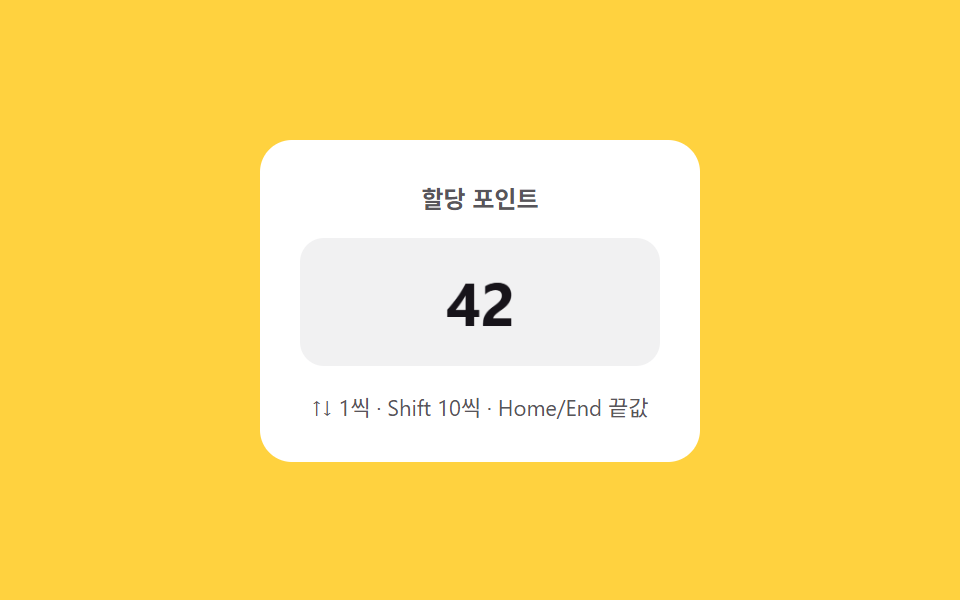 06 number-stepper-keyboard-shift-jump
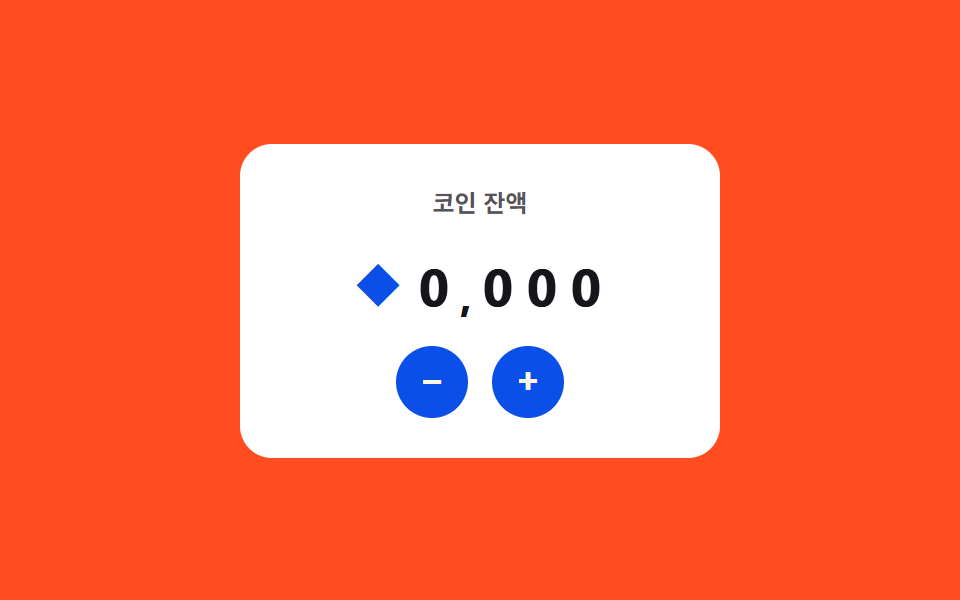 07 number-stepper-currency-live-format
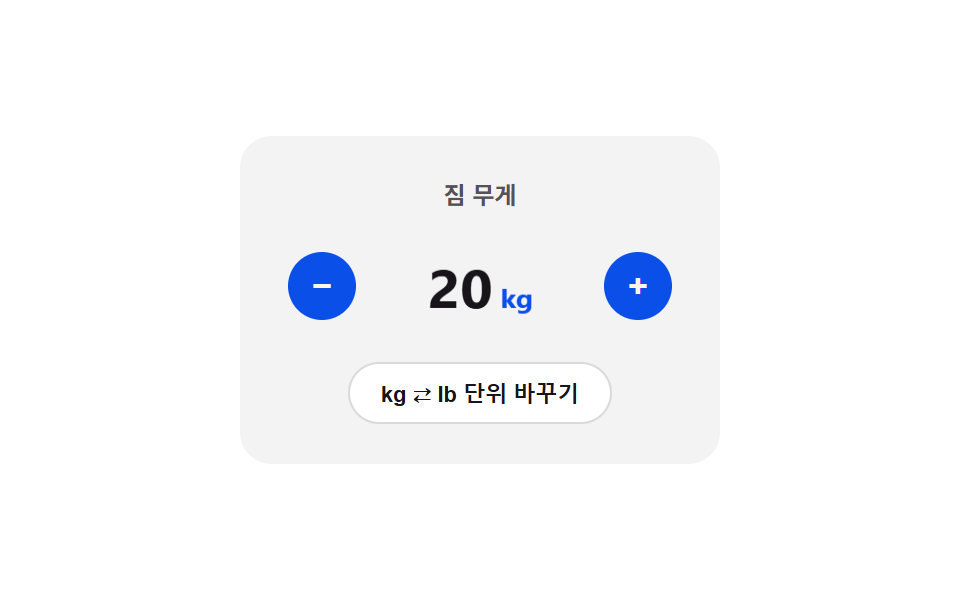 08 number-stepper-unit-toggle-crossfade
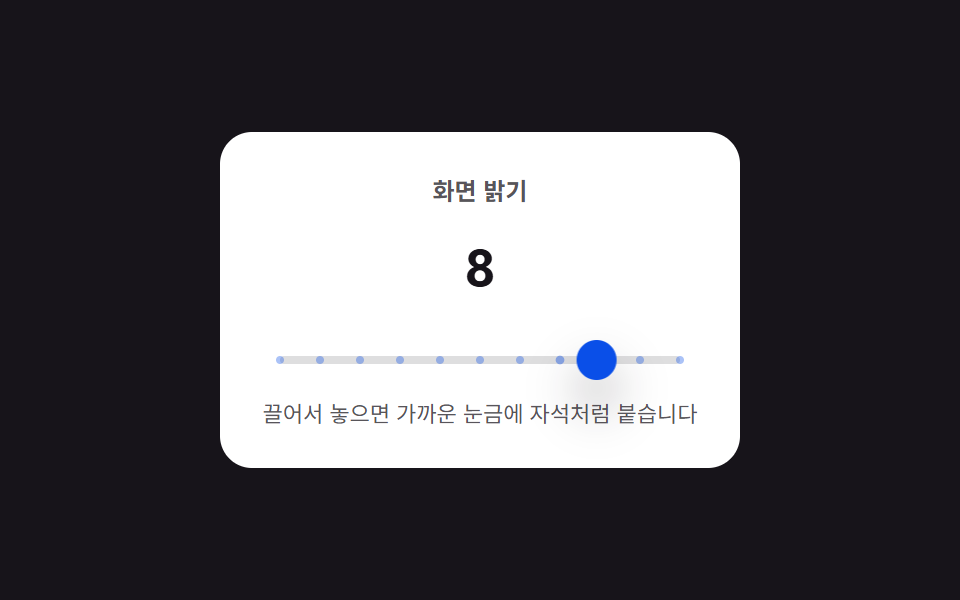 09 number-stepper-tick-mark-snap
Auto-plays · click a tile to jump to its section · all nine in one zip
- 01 Press-and-hold repeat — a stepper whose value keeps changing at a fixed interval while held
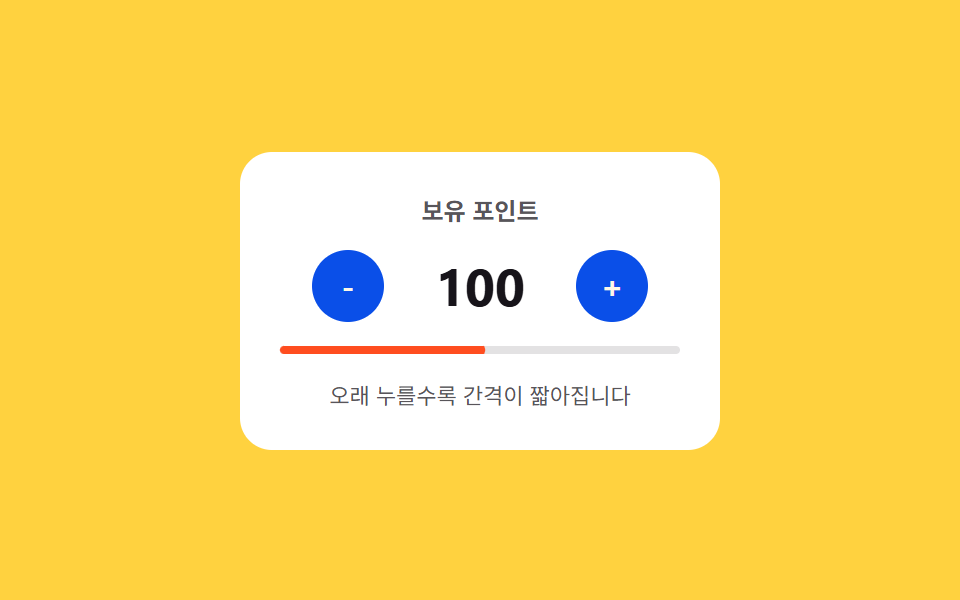
- 02 Long-press acceleration — a stepper whose interval value shortens the longer it stays pressed
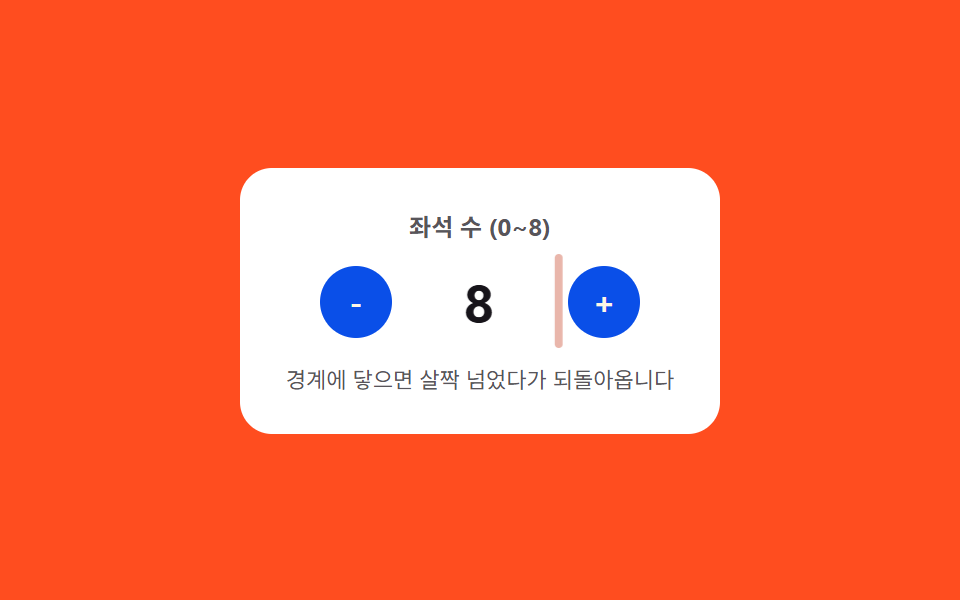
- 03 Limit bounce — a stepper value that overshoots its min or max slightly before settling along a spring curve
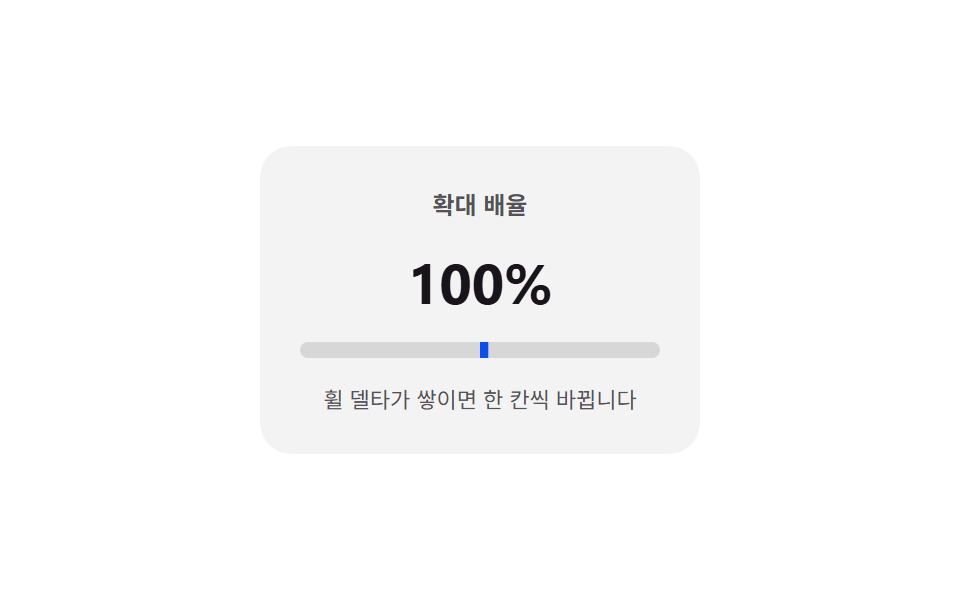
- 04 Wheel delta — a stepper whose value changes by the amount and direction the wheel moves over it
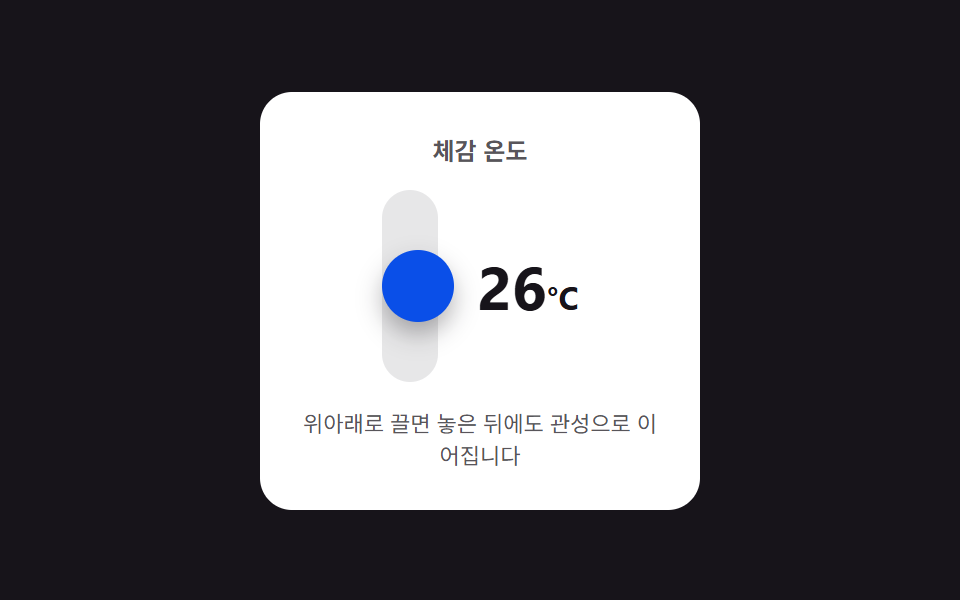
- 05 Vertical drag inertia — a stepper that changes with drag distance and keeps advancing a few steps after release
- 06 Keyboard jump — arrow keys change the value by one unit, a modifier key by a larger unit
- 07 Live currency format — a stepper that recomputes digit-grouping positions every time its value changes
- 08 Unit toggle flip — the card folds over and the display value switches at the 90-degree point once the unit enters a changed state
- 09 Tick-mark snap — a value between set tick marks is pulled to the nearest tick value
None of the nine ever send a real order or price anywhere — 07's coin balance and 08's kg-to-lb conversion both compute locally, and nothing in the set calls fetch or reaches a payment or inventory API. Every one of the nine also answers something a visitor actually does: 01 and 02 answer a held pointerdown through pointerup, pointerleave, and pointercancel, 03, 07, and 08 answer a plain click, 04 answers wheel, 05 and 09 answer a pointerdown-pointermove-pointerup-pointercancel drag, and 06 answers keydown — not one of the nine only plays on autoplay.
Anatomy of nine patterns — when interval, distance, and tick values recompute
Nine patterns split into three ways of turning a held button, a drag, or a keystroke into a value worth animating, and skipping this layer is what makes a number stepper ui pattern read as nine identical +/- buttons instead of nine small calculators built into a single number stepper component.
Why three patterns solve a physics equation directly from elapsed time or force
03, 05, and 09 never touch a bounded progress ratio at all — each one solves a physics-style equation instead. 03's overshoot plugs the time elapsed since a boundary was hit into a decaying sine wave, so the seat count can swing past its edge before settling back, something a plain clamp alone cannot produce. 05's endDrag decays the pointer's release velocity by an exponential friction term every frame and keeps folding the shrinking result into the temperature value until it drops below a threshold. 09's springSettle recomputes a spring force — target distance times STIFF, damped by DAMP — every frame until the handle has actually arrived at the nearest tick, not just approximately close to it.
Why three patterns recompute an interval or threshold from a changing input, not the value itself
01, 02, and 04 never change how far a single step moves — each one instead recomputes when the next step is allowed to fire. 01's ringFrame keeps the repeat interval fixed at INTERVAL but recalculates, every frame, how much of that interval has elapsed so it can redraw the ring around whichever button is held. 02's currentInterval shortens that same kind of interval itself, computing START * DECAY^ticks fresh on every tick so the wait between changes keeps shrinking the longer the button stays held. 04's applyDelta never fires on a timer at all — it accumulates wheel movement into a residual value and only commits a step once that residual crosses THRESH.
Why three patterns compute a transform value keyed to jump size, digit place, or flip angle
06, 07, and 08 each key their motion to something other than a plain elapsed-time ratio. 06's jump takes the log of the jump size itself — Math.log2(1 + Math.abs(delta)) — to size how far and how long a ghost after-image slides, so a Home/End jump leaves a longer, slower-fading trail than a single arrow-key step, while the increment unit itself stays a plain 1-or-10 choice from the Shift key. 07's startColumnRoll multiplies each digit's place by CASCADE to delay its own roll, so the ones column always starts rolling before the thousands column does. 08's flipToggle takes the absolute cosine of the flip angle to compute how thin the card gets, and swaps the unit at the exact frame that thinness reaches zero at the 90-degree point.
Code per pattern — how does each value get computed?
01Press-and-hold repeat — a stepper whose value keeps changing at a fixed interval while held
Once a button enters a held state, its quantity value keeps changing by one unit every INTERVAL, while a separate ring redraw recomputes how close the next tick is on every animation frame.
<main class="stage">
<div class="nsphr is-demo" id="nsphr">
  <div class="nsphr__panel">
    <span class="nsphr__label">Stock quantity</span>
    <div class="nsphr__row">
      <button class="nsphr__btn nsphr__btn--minus" id="nsphrMinus" type="button" aria-label="Decrease quantity">
        <svg class="nsphr__ring" viewBox="0 0 32 32" aria-hidden="true">
          <circle class="nsphr__ringTrack" cx="16" cy="16" r="14"></circle>
          <circle class="nsphr__ringFill" id="nsphrRingMinus" cx="16" cy="16" r="14"></circle>
        </svg>
        <span>-</span>
      </button>
      <span class="nsphr__value" id="nsphrValue">12</span>
      <button class="nsphr__btn nsphr__btn--plus" id="nsphrPlus" type="button" aria-label="Increase quantity">
        <svg class="nsphr__ring" viewBox="0 0 32 32" aria-hidden="true">
          <circle class="nsphr__ringTrack" cx="16" cy="16" r="14"></circle>
          <circle class="nsphr__ringFill" id="nsphrRingPlus" cx="16" cy="16" r="14"></circle>
        </svg>
        <span>+</span>
      </button>
    </div>
    <span class="nsphr__hint" id="nsphrHint">Hold it down and the value changes by 1 every 220ms</span>
  </div>
</div>
</main>@use "../../../../site/static/demo-tokens" as *;
// 계산 겹: 반복 간격(220ms)은 고정이지만 다음 반복까지 남은 시간을 매 프레임 계산해
// 버튼 둘레 링(stroke-dashoffset)에 대입한다 — 정적 트윈이 아니라 실시간 카운트다운이다.
$duration: $dur-quick;
$easing: $ease-out;
$color: $subject-blue-deep;
@include stage($stage-ink);
.stage { position: relative; }
.nsphr {
width: min(240px, 70vw);
}
.nsphr__panel {
display: flex;
flex-direction: column;
align-items: center;
gap: $sp-3;
padding: $sp-5;
border-radius: $r-card;
background: $stage-paper;
}
.nsphr__label {
color: rgba($subject-ink, .72);
font-weight: 700;
font-size: 12px;
}
.nsphr__row {
display: flex;
align-items: center;
gap: $sp-4;
}
.nsphr__btn {
position: relative;
width: 40px;
height: 40px;
border: 0;
border-radius: $r-pill;
background: $color;
color: $subject-cream;
font-family: inherit;
font-weight: 700;
font-size: 18px;
line-height: 1;
display: grid;
place-items: center;
cursor: pointer;
touch-action: none;
}
.nsphr__ring {
position: absolute;
inset: 0;
width: 100%;
height: 100%;
transform: rotate(-90deg);
pointer-events: none;
}
.nsphr__ringTrack {
fill: none;
stroke: rgba($subject-cream, .28);
stroke-width: 2;
}
.nsphr__ringFill {
fill: none;
stroke: $subject-cream;
stroke-width: 2;
stroke-linecap: round;
}
.nsphr__value {
min-width: 48px;
text-align: center;
color: $subject-ink;
font-weight: 700;
font-size: 28px;
font-variant-numeric: tabular-nums;
}
.nsphr__hint {
color: rgba($subject-ink, .72);
font-size: 11px;
text-align: center;
}
@media (max-width: 340px) {
.nsphr__panel { padding: $sp-4; gap: $sp-2; }
.nsphr__btn { width: 36px; height: 36px; font-size: 16px; }
.nsphr__value { font-size: 24px; }
}
@media (prefers-reduced-motion: reduce) {
.nsphr__ringFill { transition: none !important; }
}html, body {
margin: 0;
overflow: hidden;
}
.stage {
box-sizing: border-box;
min-height: 100vh;
display: grid;
place-items: center;
margin: 0;
background: #17141a;
font-family: -apple-system, "Segoe UI", "Noto Sans KR", sans-serif;
padding: clamp(8px, 4vw, 24px);
}
.stage {
position: relative;
}
.nsphr {
width: min(240px, 70vw);
}
.nsphr__panel {
display: flex;
flex-direction: column;
align-items: center;
gap: 12px;
padding: 20px;
border-radius: 16px;
background: #ffffff;
}
.nsphr__label {
color: rgba(23, 20, 26, 0.72);
font-weight: 700;
font-size: 12px;
}
.nsphr__row {
display: flex;
align-items: center;
gap: 16px;
}
.nsphr__btn {
position: relative;
width: 40px;
height: 40px;
border: 0;
border-radius: 999px;
background: #0a4fe8;
color: #fff7e6;
font-family: inherit;
font-weight: 700;
font-size: 18px;
line-height: 1;
display: grid;
place-items: center;
cursor: pointer;
touch-action: none;
}
.nsphr__ring {
position: absolute;
inset: 0;
width: 100%;
height: 100%;
transform: rotate(-90deg);
pointer-events: none;
}
.nsphr__ringTrack {
fill: none;
stroke: rgba(255, 247, 230, 0.28);
stroke-width: 2;
}
.nsphr__ringFill {
fill: none;
stroke: #fff7e6;
stroke-width: 2;
stroke-linecap: round;
}
.nsphr__value {
min-width: 48px;
text-align: center;
color: #17141a;
font-weight: 700;
font-size: 28px;
font-variant-numeric: tabular-nums;
}
.nsphr__hint {
color: rgba(23, 20, 26, 0.72);
font-size: 11px;
text-align: center;
}
@media (max-width: 340px) {
.nsphr__panel {
padding: 16px;
gap: 8px;
}
.nsphr__btn {
width: 36px;
height: 36px;
font-size: 16px;
}
.nsphr__value {
font-size: 24px;
}
}
@media (prefers-reduced-motion: reduce) {
.nsphr__ringFill {
transition: none !important;
}
}(function () {
var root = document.getElementById('nsphr');
var valueEl = document.getElementById('nsphrValue');
var minusBtn = document.getElementById('nsphrMinus');
var plusBtn = document.getElementById('nsphrPlus');
var ringMinus = document.getElementById('nsphrRingMinus');
var ringPlus = document.getElementById('nsphrRingPlus');
var CIRC = 2 * Math.PI * 14;
[ringMinus, ringPlus].forEach(function (r) { r.style.strokeDasharray = CIRC.toFixed(2); });
var MIN = 0, MAX = 30, DELAY = 380, INTERVAL = 220;
var value = 12;
var held = null;
var lastTick = 0;
var repeatTimer = null;
var delayTimer = null;
function render() { valueEl.textContent = String(value); }
function step(dir) {
value = Math.max(MIN, Math.min(MAX, value + dir));
render();
lastTick = performance.now();
}
// 계산 겹: 반복 간격 자체는 고정(220ms)이지만, 다음 반복까지 남은 시간을 매 프레임 다시 계산해
// 링(stroke-dashoffset)에 대입한다 — 정적 트윈이 아니라 "다음 틱까지 몇 %"를 실시간으로 그린다.
function ringFrame() {
var now = performance.now();
var p = held ? Math.min(1, (now - lastTick) / INTERVAL) : 0;
var offset = CIRC * (1 - p);
ringMinus.style.strokeDashoffset = (held === 'minus' ? offset : CIRC).toFixed(2);
ringPlus.style.strokeDashoffset = (held === 'plus' ? offset : CIRC).toFixed(2);
requestAnimationFrame(ringFrame);
}
requestAnimationFrame(ringFrame);
function start(dir) {
stop();
held = dir > 0 ? 'plus' : 'minus';
step(dir);
delayTimer = setTimeout(function () {
repeatTimer = setInterval(function () { step(dir); }, INTERVAL);
}, DELAY);
}
function stop() {
held = null;
if (delayTimer) { clearTimeout(delayTimer); delayTimer = null; }
if (repeatTimer) { clearInterval(repeatTimer); repeatTimer = null; }
}
function wireReal(btn, dir) {
btn.addEventListener('pointerdown', function (e) {
root.classList.remove('is-demo'); stopAutoplay();
e.preventDefault(); start(dir);
});
['pointerup', 'pointerleave', 'pointercancel'].forEach(function (ev) {
btn.addEventListener(ev, stop);
});
}
wireReal(minusBtn, -1);
wireReal(plusBtn, 1);
var autoplayTimer = null;
function autoplayCycle() {
start(1);
setTimeout(stop, 1000);
setTimeout(function () { start(-1); }, 1400);
setTimeout(stop, 2400);
}
function stopAutoplay() { if (autoplayTimer) { clearInterval(autoplayTimer); autoplayTimer = null; } }
var reduce = window.matchMedia('(prefers-reduced-motion: reduce)').matches;
if (!reduce) {
autoplayCycle();
autoplayTimer = setInterval(autoplayCycle, 2800);
}
render();
})();import { useEffect, useRef } from "react";
import styles from "./NumberStepperPressHoldRepeat.module.scss";
export type NumberStepperPressHoldRepeatProps = {
color?: string;
};
export default function NumberStepperPressHoldRepeat({
color = "#0a4fe8",
}: NumberStepperPressHoldRepeatProps) {
const rootRef = useRef<HTMLDivElement | null>(null);
useEffect(() => {
const root = rootRef.current;
if (!root) return;
const valueEl = root.querySelector<HTMLSpanElement>(`.${styles.value}`);
const minusBtn = root.querySelector<HTMLButtonElement>(`.${styles.btnMinus}`);
const plusBtn = root.querySelector<HTMLButtonElement>(`.${styles.btnPlus}`);
const ringMinus = root.querySelector<SVGCircleElement>(`.${styles.ringMinus}`);
const ringPlus = root.querySelector<SVGCircleElement>(`.${styles.ringPlus}`);
if (!valueEl || !minusBtn || !plusBtn || !ringMinus || !ringPlus) return;
const CIRC = 2 * Math.PI * 14;
[ringMinus, ringPlus].forEach((r) => { r.style.strokeDasharray = CIRC.toFixed(2); });
const MIN = 0, MAX = 30, DELAY = 380, INTERVAL = 220;
let value = 12;
let held: "plus" | "minus" | null = null;
let lastTick = 0;
let repeatTimer: ReturnType<typeof setInterval> | null = null;
let delayTimer: ReturnType<typeof setTimeout> | null = null;
let ringRaf: number | null = null;
function render() { valueEl!.textContent = String(value); }
function step(dir: number) {
value = Math.max(MIN, Math.min(MAX, value + dir));
render();
lastTick = performance.now();
}
// 계산 겹: 반복 간격(220ms)은 고정이지만 다음 반복까지 남은 시간을 매 프레임 계산해
// 링(stroke-dashoffset)에 대입한다 — 정적 트윈이 아니라 실시간 카운트다운이다.
function ringFrame() {
const now = performance.now();
const p = held ? Math.min(1, (now - lastTick) / INTERVAL) : 0;
const offset = CIRC * (1 - p);
ringMinus!.style.strokeDashoffset = (held === "minus" ? offset : CIRC).toFixed(2);
ringPlus!.style.strokeDashoffset = (held === "plus" ? offset : CIRC).toFixed(2);
ringRaf = requestAnimationFrame(ringFrame);
}
ringRaf = requestAnimationFrame(ringFrame);
function start(dir: number) {
stop();
held = dir > 0 ? "plus" : "minus";
step(dir);
delayTimer = setTimeout(() => {
repeatTimer = setInterval(() => step(dir), INTERVAL);
}, DELAY);
}
function stop() {
held = null;
if (delayTimer) { clearTimeout(delayTimer); delayTimer = null; }
if (repeatTimer) { clearInterval(repeatTimer); repeatTimer = null; }
}
function stopAutoplay() {
if (autoplayTimer) { clearInterval(autoplayTimer); autoplayTimer = null; }
}
function wireReal(btn: HTMLButtonElement, dir: number) {
const onDown = (e: PointerEvent) => {
root!.classList.remove(styles.isDemo);
stopAutoplay();
e.preventDefault();
start(dir);
};
btn.addEventListener("pointerdown", onDown);
["pointerup", "pointerleave", "pointercancel"].forEach((ev) => btn.addEventListener(ev, stop));
return () => {
btn.removeEventListener("pointerdown", onDown);
["pointerup", "pointerleave", "pointercancel"].forEach((ev) => btn.removeEventListener(ev, stop));
};
}
const cleanMinus = wireReal(minusBtn, -1);
const cleanPlus = wireReal(plusBtn, 1);
let autoplayTimer: ReturnType<typeof setInterval> | null = null;
function autoplayCycle() {
start(1);
setTimeout(stop, 1000);
setTimeout(() => start(-1), 1400);
setTimeout(stop, 2400);
}
const reduce = window.matchMedia("(prefers-reduced-motion: reduce)").matches;
if (!reduce) {
autoplayCycle();
autoplayTimer = setInterval(autoplayCycle, 2800);
}
render();
return () => {
stopAutoplay();
stop();
if (ringRaf) cancelAnimationFrame(ringRaf);
cleanMinus();
cleanPlus();
};
}, []);
return (
<div ref={rootRef} className={`${styles.stage} ${styles.isDemo}`} style={{ ["--color" as string]: color }}>
<div className={styles.panel}>
<span className={styles.label}>재고 수량</span>
<div className={styles.row}>
<button className={`${styles.btn} ${styles.btnMinus}`} type="button" aria-label="수량 줄이기">
<svg className={styles.ring} viewBox="0 0 32 32" aria-hidden="true">
<circle className={styles.ringTrack} cx={16} cy={16} r={14} />
<circle className={`${styles.ringFill} ${styles.ringMinus}`} cx={16} cy={16} r={14} />
</svg>
<span>-</span>
</button>
<span className={styles.value}>12</span>
<button className={`${styles.btn} ${styles.btnPlus}`} type="button" aria-label="수량 늘리기">
<svg className={styles.ring} viewBox="0 0 32 32" aria-hidden="true">
<circle className={styles.ringTrack} cx={16} cy={16} r={14} />
<circle className={`${styles.ringFill} ${styles.ringPlus}`} cx={16} cy={16} r={14} />
</svg>
<span>+</span>
</button>
</div>
<span className={styles.hint}>누르고 있으면 220ms마다 1씩 바뀝니다</span>
</div>
</div>
);
}01 · Press-and-hold repeat — a stepper whose value keeps changing at a fixed interval while held — Measured area 0.705% · moving frames 14/23Original by GODRICH · SCSS and React ship in the zip · See the password
What the numbers say
Across 23 tracked frames, 01 moves on 14 of them, covering 0.71% cumulative area at a 136.2 average intensity — modest next to a full scene, since the visible change is a two-digit number and a thin ring stroke, and its DELAY (380ms) and INTERVAL (220ms) constants only ever touch two small SVG rings and a text node.
var MIN = 0, MAX = 30, DELAY = 380, INTERVAL = 220;
var value = 12;
var held = null;
var lastTick = 0;
var repeatTimer = null;
var delayTimer = null;

function render() { valueEl.textContent = String(value); }

function step(dir) {
  value = Math.max(MIN, Math.min(MAX, value + dir));
  render();
  lastTick = performance.now();
}

// calc layer: the repeat interval itself stays fixed at INTERVAL, but the time left until the next
// tick gets recomputed every frame and fed into the ring's stroke-dashoffset — not a static tween.
function ringFrame() {
  var now = performance.now();
  var p = held ? Math.min(1, (now - lastTick) / INTERVAL) : 0;
  var offset = CIRC * (1 - p);
  ringMinus.style.strokeDashoffset = (held === 'minus' ? offset : CIRC).toFixed(2);
  ringPlus.style.strokeDashoffset = (held === 'plus' ? offset : CIRC).toFixed(2);
  requestAnimationFrame(ringFrame);
}
02Long-press acceleration — a stepper whose interval value shortens the longer it stays pressed
Holding a button keeps the interval value shrinking on an exponential curve toward a floor, so the same one-second hold changes far more points near the end of the hold than at the start.
<main class="stage">
<div class="nspla is-demo" id="nspla">
  <div class="nspla__panel">
    <span class="nspla__label">Points balance</span>
    <div class="nspla__row">
      <button class="nspla__btn" id="nsplaMinus" type="button" aria-label="Decrease points">-</button>
      <span class="nspla__value" id="nsplaValue">80</span>
      <button class="nspla__btn" id="nsplaPlus" type="button" aria-label="Increase points">+</button>
    </div>
    <div class="nspla__meter">
      <span class="nspla__meterFill" id="nsplaMeterFill"></span>
    </div>
    <span class="nspla__hint">The longer you hold, the shorter the interval gets</span>
  </div>
</div>
</main>
@use "../../../../site/static/demo-tokens" as *;
// 계산 겹: 반복 간격을 START*DECAY^ticks 로 매 틱 다시 계산한다(지수 감쇠, 바닥 FLOOR) —
// 고정 주기가 아니라 누른 시간에 따라 간격 자체가 줄어든다. 속도 막대는 그 간격을 scaleX 로 보여준다.
$duration: $dur-instant;
$easing: $ease-out;
$color: $subject-blue-deep;
@include stage($stage-yellow);
.stage { position: relative; }
.nspla {
width: min(240px, 70vw);
}
.nspla__panel {
display: flex;
flex-direction: column;
align-items: center;
gap: $sp-3;
padding: $sp-5;
border-radius: $r-card;
background: $stage-paper;
}
.nspla__label {
color: rgba($subject-ink, .72);
font-weight: 700;
font-size: 12px;
}
.nspla__row {
display: flex;
align-items: center;
gap: $sp-4;
}
.nspla__btn {
width: 36px;
height: 36px;
border: 0;
border-radius: $r-pill;
background: $color;
color: $subject-cream;
font-family: inherit;
font-weight: 700;
font-size: 16px;
line-height: 1;
display: grid;
place-items: center;
cursor: pointer;
touch-action: none;
}
.nspla__value {
min-width: 64px;
text-align: center;
color: $subject-ink;
font-weight: 700;
font-size: 26px;
font-variant-numeric: tabular-nums;
}
.nspla__meter {
width: 100%;
height: $sp-1;
border-radius: $r-xs;
background: rgba($subject-ink, .12);
overflow: hidden;
}
.nspla__meterFill {
display: block;
width: 100%;
height: 100%;
border-radius: $r-xs;
background: $stage-orange;
transform: scaleX(0);
transform-origin: left center;
}
.nspla__hint {
color: rgba($subject-ink, .72);
font-size: 11px;
text-align: center;
}
@media (max-width: 340px) {
.nspla__panel { padding: $sp-4; gap: $sp-2; }
.nspla__btn { width: 32px; height: 32px; font-size: 14px; }
.nspla__value { font-size: 22px; }
}
@media (prefers-reduced-motion: reduce) {
.nspla__meterFill { transition: none !important; }
}html, body {
margin: 0;
overflow: hidden;
}
.stage {
box-sizing: border-box;
min-height: 100vh;
display: grid;
place-items: center;
margin: 0;
background: #ffd23f;
font-family: -apple-system, "Segoe UI", "Noto Sans KR", sans-serif;
padding: clamp(8px, 4vw, 24px);
}
.stage {
position: relative;
}
.nspla {
width: min(240px, 70vw);
}
.nspla__panel {
display: flex;
flex-direction: column;
align-items: center;
gap: 12px;
padding: 20px;
border-radius: 16px;
background: #ffffff;
}
.nspla__label {
color: rgba(23, 20, 26, 0.72);
font-weight: 700;
font-size: 12px;
}
.nspla__row {
display: flex;
align-items: center;
gap: 16px;
}
.nspla__btn {
width: 36px;
height: 36px;
border: 0;
border-radius: 999px;
background: #0a4fe8;
color: #fff7e6;
font-family: inherit;
font-weight: 700;
font-size: 16px;
line-height: 1;
display: grid;
place-items: center;
cursor: pointer;
touch-action: none;
}
.nspla__value {
min-width: 64px;
text-align: center;
color: #17141a;
font-weight: 700;
font-size: 26px;
font-variant-numeric: tabular-nums;
}
.nspla__meter {
width: 100%;
height: 4px;
border-radius: 4px;
background: rgba(23, 20, 26, 0.12);
overflow: hidden;
}
.nspla__meterFill {
display: block;
width: 100%;
height: 100%;
border-radius: 4px;
background: #ff4d1f;
transform: scaleX(0);
transform-origin: left center;
}
.nspla__hint {
color: rgba(23, 20, 26, 0.72);
font-size: 11px;
text-align: center;
}
@media (max-width: 340px) {
.nspla__panel {
padding: 16px;
gap: 8px;
}
.nspla__btn {
width: 32px;
height: 32px;
font-size: 14px;
}
.nspla__value {
font-size: 22px;
}
}
@media (prefers-reduced-motion: reduce) {
.nspla__meterFill {
transition: none !important;
}
}(function () {
var root = document.getElementById('nspla');
var valueEl = document.getElementById('nsplaValue');
var minusBtn = document.getElementById('nsplaMinus');
var plusBtn = document.getElementById('nsplaPlus');
var meterFill = document.getElementById('nsplaMeterFill');
var MIN = 0, MAX = 500, START = 480, FLOOR = 60, DECAY = 0.82;
var value = 80;
var timer = null;
var ticks = 0;
function render() { valueEl.textContent = String(value); }
// 계산 겹: 반복 간격을 START*DECAY^ticks 로 매 틱 다시 계산한다(지수 감쇠, 바닥은 FLOOR) —
// setInterval 고정 주기가 아니라 재귀 setTimeout 으로 간격 자체를 갱신한다.
function currentInterval() {
return Math.max(FLOOR, START * Math.pow(DECAY, ticks));
}
function paintMeter() {
var iv = currentInterval();
var speed = (START - iv) / (START - FLOOR); // 0(느림) ~ 1(가장 빠름)
meterFill.style.transform = 'scaleX(' + speed.toFixed(3) + ')';
}
function scheduleNext(dir) {
timer = setTimeout(function () {
value = Math.max(MIN, Math.min(MAX, value + dir * 5));
render();
ticks += 1;
paintMeter();
scheduleNext(dir);
}, currentInterval());
}
function start(dir) {
stop();
ticks = 0;
value = Math.max(MIN, Math.min(MAX, value + dir * 5));
render();
paintMeter();
scheduleNext(dir);
}
function stop() {
if (timer) { clearTimeout(timer); timer = null; }
ticks = 0;
meterFill.style.transform = 'scaleX(0)';
}
function wireReal(btn, dir) {
btn.addEventListener('pointerdown', function (e) {
root.classList.remove('is-demo'); stopAutoplay();
e.preventDefault(); start(dir);
});
['pointerup', 'pointerleave', 'pointercancel'].forEach(function (ev) {
btn.addEventListener(ev, stop);
});
}
wireReal(minusBtn, -1);
wireReal(plusBtn, 1);
var autoplayTimer = null;
function autoplayCycle() {
start(1);
setTimeout(stop, 1900);
setTimeout(function () { start(-1); }, 2300);
setTimeout(stop, 4200);
}
function stopAutoplay() { if (autoplayTimer) { clearInterval(autoplayTimer); autoplayTimer = null; } }
var reduce = window.matchMedia('(prefers-reduced-motion: reduce)').matches;
if (!reduce) {
autoplayCycle();
autoplayTimer = setInterval(autoplayCycle, 4700);
}
render();
})();import { useEffect, useRef } from "react";
import styles from "./NumberStepperLongpressAcceleration.module.scss";
export type NumberStepperLongpressAccelerationProps = {
color?: string;
};
export default function NumberStepperLongpressAcceleration({
color = "#0a4fe8",
}: NumberStepperLongpressAccelerationProps) {
const rootRef = useRef<HTMLDivElement | null>(null);
useEffect(() => {
const root = rootRef.current;
if (!root) return;
const valueEl = root.querySelector<HTMLSpanElement>(`.${styles.value}`);
const minusBtn = root.querySelector<HTMLButtonElement>(`.${styles.btnMinus}`);
const plusBtn = root.querySelector<HTMLButtonElement>(`.${styles.btnPlus}`);
const meterFill = root.querySelector<HTMLSpanElement>(`.${styles.meterFill}`);
if (!valueEl || !minusBtn || !plusBtn || !meterFill) return;
const MIN = 0, MAX = 500, START = 480, FLOOR = 60, DECAY = 0.82;
let value = 80;
let timer: ReturnType<typeof setTimeout> | null = null;
let ticks = 0;
function render() { valueEl!.textContent = String(value); }
// 계산 겹: 반복 간격을 START*DECAY^ticks 로 매 틱 다시 계산한다(지수 감쇠, 바닥은 FLOOR) —
// setInterval 고정 주기가 아니라 재귀 setTimeout 으로 간격 자체를 갱신한다.
function currentInterval() {
return Math.max(FLOOR, START * Math.pow(DECAY, ticks));
}
function paintMeter() {
const iv = currentInterval();
const speed = (START - iv) / (START - FLOOR);
meterFill!.style.transform = "scaleX(" + speed.toFixed(3) + ")";
}
function scheduleNext(dir: number) {
timer = setTimeout(() => {
value = Math.max(MIN, Math.min(MAX, value + dir * 5));
render();
ticks += 1;
paintMeter();
scheduleNext(dir);
}, currentInterval());
}
function start(dir: number) {
stop();
ticks = 0;
value = Math.max(MIN, Math.min(MAX, value + dir * 5));
render();
paintMeter();
scheduleNext(dir);
}
function stop() {
if (timer) { clearTimeout(timer); timer = null; }
ticks = 0;
meterFill!.style.transform = "scaleX(0)";
}
function stopAutoplay() {
if (autoplayTimer) { clearInterval(autoplayTimer); autoplayTimer = null; }
}
function wireReal(btn: HTMLButtonElement, dir: number) {
const onDown = (e: PointerEvent) => {
root!.classList.remove(styles.isDemo);
stopAutoplay();
e.preventDefault();
start(dir);
};
btn.addEventListener("pointerdown", onDown);
["pointerup", "pointerleave", "pointercancel"].forEach((ev) => btn.addEventListener(ev, stop));
return () => {
btn.removeEventListener("pointerdown", onDown);
["pointerup", "pointerleave", "pointercancel"].forEach((ev) => btn.removeEventListener(ev, stop));
};
}
const cleanMinus = wireReal(minusBtn, -1);
const cleanPlus = wireReal(plusBtn, 1);
let autoplayTimer: ReturnType<typeof setInterval> | null = null;
function autoplayCycle() {
start(1);
setTimeout(stop, 1900);
setTimeout(() => start(-1), 2300);
setTimeout(stop, 4200);
}
const reduce = window.matchMedia("(prefers-reduced-motion: reduce)").matches;
if (!reduce) {
autoplayCycle();
autoplayTimer = setInterval(autoplayCycle, 4700);
}
render();
return () => {
stopAutoplay();
stop();
cleanMinus();
cleanPlus();
};
}, []);
return (
<div ref={rootRef} className={`${styles.stage} ${styles.isDemo}`} style={{ ["--color" as string]: color }}>
<div className={styles.panel}>
<span className={styles.label}>보유 포인트</span>
<div className={styles.row}>
<button className={`${styles.btn} ${styles.btnMinus}`} type="button" aria-label="포인트 줄이기">-</button>
<span className={styles.value}>80</span>
<button className={`${styles.btn} ${styles.btnPlus}`} type="button" aria-label="포인트 늘리기">+</button>
</div>
<div className={styles.meter}>
<span className={styles.meterFill} />
</div>
<span className={styles.hint}>오래 누를수록 간격이 짧아집니다</span>
</div>
</div>
);
}02 · Long-press acceleration — a stepper whose interval value shortens the longer it stays pressed — Measured area 0.872% · moving frames 8/23Original by GODRICH · SCSS and React ship in the zip · See the password
What the numbers say
02 covers 0.87% cumulative area at 171.0 average intensity across 8 of 23 frames — the meter bar's scaleX repaint plus the digit swap edges out 01's plainer ring redraw, because paintMeter recomputes the bar's fill every tick rather than every frame.
var timer = null;
var ticks = 0;

function render() { valueEl.textContent = String(value); }

// calc layer: the interval is recomputed every tick as START*DECAY^ticks (exponential decay, floored
// at FLOOR) — not a fixed setInterval period but a recursive setTimeout that updates the interval itself.
function currentInterval() {
  return Math.max(FLOOR, START * Math.pow(DECAY, ticks));
}
function paintMeter() {
  var iv = currentInterval();
  var speed = (START - iv) / (START - FLOOR); // 0 (slowest) to 1 (fastest)
  meterFill.style.transform = 'scaleX(' + speed.toFixed(3) + ')';
}

function scheduleNext(dir) {
  timer = setTimeout(function () {
    value = Math.max(MIN, Math.min(MAX, value + dir * 5));
    render();
    ticks += 1;
    paintMeter();
    scheduleNext(dir);
  }, currentInterval());
}
03Limit bounce — a stepper value that overshoots its min or max slightly before settling along a spring curve
Reaching the seat count's edge doesn't just stop the value — the number's position swings past that edge and back along a decaying sine wave before it holds still.
<main class="stage">
<div class="nspcb is-demo" id="nspcb">
  <div class="nspcb__panel">
    <span class="nspcb__label">Seat count (0–8)</span>
    <div class="nspcb__row">
      <button class="nspcb__btn" id="nspcbMinus" type="button" aria-label="Decrease seats">-</button>
      <span class="nspcb__valueWrap">
        <span class="nspcb__edge" id="nspcbEdgeLeft"></span>
        <span class="nspcb__value" id="nspcbValue">4</span>
        <span class="nspcb__edge" id="nspcbEdgeRight"></span>
      </span>
      <button class="nspcb__btn" id="nspcbPlus" type="button" aria-label="Increase seats">+</button>
    </div>
    <span class="nspcb__hint">It overshoots slightly at the edge, then settles back</span>
  </div>
</div>
</main>
@use "../../../../site/static/demo-tokens" as *;
// 계산 겹: 경계(0·8)에 닿는 순간부터 지난 시간(t)에 감쇠 사인파를 매 프레임 계산해
// translateX 에 대입한다 — 목표를 살짝 넘었다가 스프링 곡선을 따라 되돌아온다.
$duration: $dur-quick;
$easing: $ease-elastic;
$color: $error;
@include stage($stage-orange);
.stage { position: relative; }
.nspcb {
width: min(240px, 70vw);
}
.nspcb__panel {
display: flex;
flex-direction: column;
align-items: center;
gap: $sp-3;
padding: $sp-5;
border-radius: $r-card;
background: $stage-paper;
}
.nspcb__label {
color: rgba($subject-ink, .72);
font-weight: 700;
font-size: 12px;
}
.nspcb__row {
display: flex;
align-items: center;
gap: $sp-4;
}
.nspcb__btn {
width: 36px;
height: 36px;
border: 0;
border-radius: $r-pill;
background: $subject-blue-deep;
color: $subject-cream;
font-family: inherit;
font-weight: 700;
font-size: 16px;
line-height: 1;
display: grid;
place-items: center;
cursor: pointer;
}
.nspcb__valueWrap {
position: relative;
display: inline-flex;
align-items: center;
min-width: 56px;
justify-content: center;
will-change: transform;
}
.nspcb__value {
color: $subject-ink;
font-weight: 700;
font-size: 26px;
font-variant-numeric: tabular-nums;
}
.nspcb__edge {
position: absolute;
top: -6px;
bottom: -6px;
width: 4px;
border-radius: $r-xs;
background: $color;
opacity: 0;
}
.nspcb__edge:first-child { left: -14px; }
.nspcb__edge:last-child { right: -14px; }
.nspcb__hint {
color: rgba($subject-ink, .72);
font-size: 11px;
text-align: center;
}
@media (max-width: 340px) {
.nspcb__panel { padding: $sp-4; gap: $sp-2; }
.nspcb__btn { width: 32px; height: 32px; font-size: 14px; }
.nspcb__value { font-size: 22px; }
}
@media (prefers-reduced-motion: reduce) {
.nspcb__valueWrap { transition: none !important; }
}html, body {
margin: 0;
overflow: hidden;
}
.stage {
box-sizing: border-box;
min-height: 100vh;
display: grid;
place-items: center;
margin: 0;
background: #ff4d1f;
font-family: -apple-system, "Segoe UI", "Noto Sans KR", sans-serif;
padding: clamp(8px, 4vw, 24px);
}
.stage {
position: relative;
}
.nspcb {
width: min(240px, 70vw);
}
.nspcb__panel {
display: flex;
flex-direction: column;
align-items: center;
gap: 12px;
padding: 20px;
border-radius: 16px;
background: #ffffff;
}
.nspcb__label {
color: rgba(23, 20, 26, 0.72);
font-weight: 700;
font-size: 12px;
}
.nspcb__row {
display: flex;
align-items: center;
gap: 16px;
}
.nspcb__btn {
width: 36px;
height: 36px;
border: 0;
border-radius: 999px;
background: #0a4fe8;
color: #fff7e6;
font-family: inherit;
font-weight: 700;
font-size: 16px;
line-height: 1;
display: grid;
place-items: center;
cursor: pointer;
}
.nspcb__valueWrap {
position: relative;
display: inline-flex;
align-items: center;
min-width: 56px;
justify-content: center;
will-change: transform;
}
.nspcb__value {
color: #17141a;
font-weight: 700;
font-size: 26px;
font-variant-numeric: tabular-nums;
}
.nspcb__edge {
position: absolute;
top: -6px;
bottom: -6px;
width: 4px;
border-radius: 4px;
background: #c2361a;
opacity: 0;
}
.nspcb__edge:first-child {
left: -14px;
}
.nspcb__edge:last-child {
right: -14px;
}
.nspcb__hint {
color: rgba(23, 20, 26, 0.72);
font-size: 11px;
text-align: center;
}
@media (max-width: 340px) {
.nspcb__panel {
padding: 16px;
gap: 8px;
}
.nspcb__btn {
width: 32px;
height: 32px;
font-size: 14px;
}
.nspcb__value {
font-size: 22px;
}
}
@media (prefers-reduced-motion: reduce) {
.nspcb__valueWrap {
transition: none !important;
}
}(function () {
var root = document.getElementById('nspcb');
var valueEl = document.getElementById('nspcbValue');
var wrapEl = valueEl.parentNode;
var minusBtn = document.getElementById('nspcbMinus');
var plusBtn = document.getElementById('nspcbPlus');
var edgeLeft = document.getElementById('nspcbEdgeLeft');
var edgeRight = document.getElementById('nspcbEdgeRight');
var MIN = 0, MAX = 8;
var value = 4;
var raf = null;
function render() { valueEl.textContent = String(value); }
// 계산 겹: 경계에 닿는 순간부터 지난 시간(t)에 감쇠 사인파를 매 프레임 계산해
// translateX 에 대입한다 — 목표 지점을 살짝 넘었다가 스프링 곡선으로 되돌아온다.
var AMPLITUDE = 10, FREQ = 16, DECAY = 10;
function overshoot(tSec) {
if (tSec <= 0) { return 0; }
return AMPLITUDE * Math.sin(tSec * FREQ) * Math.exp(-DECAY * tSec);
}
function bounce(dir) {
var edge = dir > 0 ? edgeRight : edgeLeft;
var start = performance.now();
if (raf) { cancelAnimationFrame(raf); }
function frame(now) {
var t = (now - start) / 1000;
var px = dir * overshoot(t);
wrapEl.style.transform = 'translateX(' + px.toFixed(2) + 'px)';
var op = Math.max(0, 1 - t / 0.4);
edge.style.opacity = op.toFixed(3);
if (t < 0.45) {
raf = requestAnimationFrame(frame);
} else {
wrapEl.style.transform = 'translateX(0px)';
edge.style.opacity = '0';
raf = null;
}
}
raf = requestAnimationFrame(frame);
}
function step(dir) {
var next = value + dir;
if (next > MAX || next < MIN) {
bounce(dir);
return;
}
value = next;
render();
}
function wireReal(btn, dir) {
btn.addEventListener('click', function () {
root.classList.remove('is-demo'); stopAutoplay();
step(dir);
});
}
wireReal(minusBtn, -1);
wireReal(plusBtn, 1);
var seq = [1, 1, 1, 1, 1, 1, 1, -1, -1, -1, -1, -1, -1, -1, -1, -1];
var idx = 0;
var autoplayTimer = null;
function autoplayTick() {
step(seq[idx % seq.length]);
idx += 1;
}
function stopAutoplay() { if (autoplayTimer) { clearInterval(autoplayTimer); autoplayTimer = null; } }
var reduce = window.matchMedia('(prefers-reduced-motion: reduce)').matches;
if (!reduce) {
autoplayTimer = setInterval(autoplayTick, 260);
}
render();
})();import { useEffect, useRef } from "react";
import styles from "./NumberStepperMinMaxClampBounce.module.scss";
export type NumberStepperMinMaxClampBounceProps = {
color?: string;
};
export default function NumberStepperMinMaxClampBounce({
color = "#c2361a",
}: NumberStepperMinMaxClampBounceProps) {
const rootRef = useRef<HTMLDivElement | null>(null);
useEffect(() => {
const root = rootRef.current;
if (!root) return;
const valueEl = root.querySelector<HTMLSpanElement>(`.${styles.value}`);
const wrapEl = root.querySelector<HTMLSpanElement>(`.${styles.valueWrap}`);
const minusBtn = root.querySelector<HTMLButtonElement>(`.${styles.btnMinus}`);
const plusBtn = root.querySelector<HTMLButtonElement>(`.${styles.btnPlus}`);
const edgeLeft = root.querySelector<HTMLSpanElement>(`.${styles.edgeLeft}`);
const edgeRight = root.querySelector<HTMLSpanElement>(`.${styles.edgeRight}`);
if (!valueEl || !wrapEl || !minusBtn || !plusBtn || !edgeLeft || !edgeRight) return;
const MIN = 0, MAX = 8;
let value = 4;
let raf: number | null = null;
function render() { valueEl!.textContent = String(value); }
// 계산 겹: 경계에 닿는 순간부터 지난 시간(t)에 감쇠 사인파를 매 프레임 계산해
// translateX 에 대입한다 — 목표 지점을 살짝 넘었다가 스프링 곡선으로 되돌아온다.
const AMPLITUDE = 10, FREQ = 16, DECAY = 10;
function overshoot(tSec: number) {
if (tSec <= 0) { return 0; }
return AMPLITUDE * Math.sin(tSec * FREQ) * Math.exp(-DECAY * tSec);
}
function bounce(dir: number) {
const edge = dir > 0 ? edgeRight! : edgeLeft!;
const start = performance.now();
if (raf) { cancelAnimationFrame(raf); }
function frame(now: number) {
const t = (now - start) / 1000;
const px = dir * overshoot(t);
wrapEl!.style.transform = "translateX(" + px.toFixed(2) + "px)";
const op = Math.max(0, 1 - t / 0.4);
edge.style.opacity = op.toFixed(3);
if (t < 0.45) {
raf = requestAnimationFrame(frame);
} else {
wrapEl!.style.transform = "translateX(0px)";
edge.style.opacity = "0";
raf = null;
}
}
raf = requestAnimationFrame(frame);
}
function step(dir: number) {
const next = value + dir;
if (next > MAX || next < MIN) {
bounce(dir);
return;
}
value = next;
render();
}
function wireReal(btn: HTMLButtonElement, dir: number) {
const onClick = () => {
root!.classList.remove(styles.isDemo);
stopAutoplay();
step(dir);
};
btn.addEventListener("click", onClick);
return () => btn.removeEventListener("click", onClick);
}
const cleanMinus = wireReal(minusBtn, -1);
const cleanPlus = wireReal(plusBtn, 1);
const seq = [1, 1, 1, 1, 1, 1, 1, -1, -1, -1, -1, -1, -1, -1, -1, -1];
let idx = 0;
let autoplayTimer: ReturnType<typeof setInterval> | null = null;
function autoplayTick() {
step(seq[idx % seq.length]);
idx += 1;
}
function stopAutoplay() {
if (autoplayTimer) { clearInterval(autoplayTimer); autoplayTimer = null; }
}
const reduce = window.matchMedia("(prefers-reduced-motion: reduce)").matches;
if (!reduce) {
autoplayTimer = setInterval(autoplayTick, 260);
}
render();
return () => {
stopAutoplay();
if (raf) cancelAnimationFrame(raf);
cleanMinus();
cleanPlus();
};
}, []);
return (
<div ref={rootRef} className={`${styles.stage} ${styles.isDemo}`} style={{ ["--color" as string]: color }}>
<div className={styles.panel}>
<span className={styles.label}>좌석 수 (0~8)</span>
<div className={styles.row}>
<button className={`${styles.btn} ${styles.btnMinus}`} type="button" aria-label="좌석 줄이기">-</button>
<span className={styles.valueWrap}>
<span className={`${styles.edge} ${styles.edgeLeft}`} />
<span className={styles.value}>4</span>
<span className={`${styles.edge} ${styles.edgeRight}`} />
</span>
<button className={`${styles.btn} ${styles.btnPlus}`} type="button" aria-label="좌석 늘리기">+</button>
</div>
<span className={styles.hint}>경계에 닿으면 살짝 넘었다가 되돌아옵니다</span>
</div>
</div>
);
}03 · Limit bounce — a stepper value that overshoots its min or max slightly before settling along a spring curve — Measured area 0.547% · moving frames 15/23Original by GODRICH · SCSS and React ship in the zip · See the password
What the numbers say
03 moves on 15 of 23 frames, the most of any pattern here, covering 0.55% cumulative area at 126.0 average intensity, because overshoot's decaying sine keeps repainting translateX well after a plain clamp would already have stopped.
// calc layer: from the instant the boundary is hit, a decaying sine wave is recomputed every frame from
// elapsed time (t) and fed into translateX — the value overshoots its target slightly before a spring curve pulls it back.
var AMPLITUDE = 10, FREQ = 16, DECAY = 10;
function overshoot(tSec) {
  if (tSec <= 0) { return 0; }
  return AMPLITUDE * Math.sin(tSec * FREQ) * Math.exp(-DECAY * tSec);
}
04Wheel delta — a stepper whose value changes by the amount and direction the wheel moves over it
Every wheel tick over the zoom panel adds to a residual value, and only once that residual crosses THRESH does the displayed percentage actually move.
<main class="stage">
<div class="nspwd is-demo" id="nspwd">
  <div class="nspwd__panel">
    <span class="nspwd__label">Zoom level</span>
    <span class="nspwd__value" id="nspwdValue">100%</span>
    <div class="nspwd__track">
      <span class="nspwd__fillDown" id="nspwdFillDown"></span>
      <span class="nspwd__mid"></span>
      <span class="nspwd__fillUp" id="nspwdFillUp"></span>
    </div>
    <span class="nspwd__hint">Once the wheel delta accumulates, it steps by one</span>
  </div>
</div>
</main>
@use "../../../../site/static/demo-tokens" as *;
// 계산 겹: 휠 delta 를 잔여값에 누적하다 문턱을 넘을 때만 한 칸 커밋하고, 남은 잔여값은
// 매 프레임 마찰(0.9배)로 감쇠시킨다 — 트랙 채움은 scaleX 로 그 잔여값을 실시간 표시한다.
$duration: $dur-instant;
$easing: $ease-out;
$color: $subject-blue-deep;
@include stage($stage-paper);
.stage { position: relative; }
.nspwd {
width: min(220px, 68vw);
}
.nspwd__panel {
display: flex;
flex-direction: column;
align-items: center;
gap: $sp-3;
padding: $sp-5;
border-radius: $r-card;
background: rgba($subject-ink, .05);
}
.nspwd__label {
color: rgba($subject-ink, .72);
font-weight: 700;
font-size: 12px;
}
.nspwd__value {
color: $subject-ink;
font-weight: 700;
font-size: 28px;
font-variant-numeric: tabular-nums;
}
.nspwd__track {
position: relative;
width: 100%;
height: $sp-2;
border-radius: $r-xs;
background: rgba($subject-ink, .12);
display: flex;
overflow: hidden;
}
.nspwd__fillDown,
.nspwd__fillUp {
display: block;
width: 50%;
height: 100%;
background: $color;
transform: scaleX(0);
}
.nspwd__fillDown { transform-origin: right center; }
.nspwd__fillUp { transform-origin: left center; }
.nspwd__mid {
position: absolute;
left: 50%;
top: -3px;
bottom: -3px;
width: 2px;
background: $subject-ink;
opacity: .3;
}
.nspwd__hint {
color: rgba($subject-ink, .72);
font-size: 11px;
text-align: center;
}
@media (max-width: 340px) {
.nspwd__panel { padding: $sp-4; gap: $sp-2; }
.nspwd__value { font-size: 24px; }
}
@media (prefers-reduced-motion: reduce) {
.nspwd__fillUp, .nspwd__fillDown { transition: none !important; }
}html, body {
margin: 0;
overflow: hidden;
}
.stage {
box-sizing: border-box;
min-height: 100vh;
display: grid;
place-items: center;
margin: 0;
background: #ffffff;
font-family: -apple-system, "Segoe UI", "Noto Sans KR", sans-serif;
padding: clamp(8px, 4vw, 24px);
}
.stage {
position: relative;
}
.nspwd {
width: min(220px, 68vw);
}
.nspwd__panel {
display: flex;
flex-direction: column;
align-items: center;
gap: 12px;
padding: 20px;
border-radius: 16px;
background: rgba(23, 20, 26, 0.05);
}
.nspwd__label {
color: rgba(23, 20, 26, 0.72);
font-weight: 700;
font-size: 12px;
}
.nspwd__value {
color: #17141a;
font-weight: 700;
font-size: 28px;
font-variant-numeric: tabular-nums;
}
.nspwd__track {
position: relative;
width: 100%;
height: 8px;
border-radius: 4px;
background: rgba(23, 20, 26, 0.12);
display: flex;
overflow: hidden;
}
.nspwd__fillDown,
.nspwd__fillUp {
display: block;
width: 50%;
height: 100%;
background: #0a4fe8;
transform: scaleX(0);
}
.nspwd__fillDown {
transform-origin: right center;
}
.nspwd__fillUp {
transform-origin: left center;
}
.nspwd__mid {
position: absolute;
left: 50%;
top: -3px;
bottom: -3px;
width: 2px;
background: #17141a;
opacity: 0.3;
}
.nspwd__hint {
color: rgba(23, 20, 26, 0.72);
font-size: 11px;
text-align: center;
}
@media (max-width: 340px) {
.nspwd__panel {
padding: 16px;
gap: 8px;
}
.nspwd__value {
font-size: 24px;
}
}
@media (prefers-reduced-motion: reduce) {
.nspwd__fillUp, .nspwd__fillDown {
transition: none !important;
}
}(function () {
var root = document.getElementById('nspwd');
var panel = root.querySelector('.nspwd__panel');
var valueEl = document.getElementById('nspwdValue');
var fillUp = document.getElementById('nspwdFillUp');
var fillDown = document.getElementById('nspwdFillDown');
var MIN = 50, MAX = 200, STEP = 10, THRESH = 60;
var value = 100;
var residual = 0;
function render() { valueEl.textContent = value + '%'; }
function paintTrack() {
var p = Math.min(1, Math.abs(residual) / THRESH);
fillUp.style.transform = 'scaleX(' + (residual > 0 ? p : 0).toFixed(3) + ')';
fillDown.style.transform = 'scaleX(' + (residual < 0 ? p : 0).toFixed(3) + ')';
}
// 계산 겹: 휠 delta 를 잔여값(residual)에 누적하다가 문턱(THRESH)을 넘을 때만 한 칸 커밋한다.
// 커밋되지 않은 잔여값은 매 프레임 마찰(0.9배)로 감쇠시켜 손을 놓아도 서서히 0으로 가라앉는다.
function applyDelta(dy) {
residual += dy;
while (residual >= THRESH) {
value = Math.min(MAX, value + STEP);
residual -= THRESH;
render();
}
while (residual <= -THRESH) {
value = Math.max(MIN, value - STEP);
residual += THRESH;
render();
}
paintTrack();
}
function decayFrame() {
if (Math.abs(residual) > 0.5) {
residual *= 0.90;
paintTrack();
} else if (residual !== 0) {
residual = 0;
paintTrack();
}
requestAnimationFrame(decayFrame);
}
requestAnimationFrame(decayFrame);
panel.addEventListener('wheel', function (e) {
root.classList.remove('is-demo'); stopAutoplay();
e.preventDefault();
applyDelta(e.deltaY);
}, { passive: false });
var seq = [16, 16, 16, 16, -16, -16, -16, -16];
var idx = 0;
var autoplayTimer = null;
function stopAutoplay() { if (autoplayTimer) { clearInterval(autoplayTimer); autoplayTimer = null; } }
var reduce = window.matchMedia('(prefers-reduced-motion: reduce)').matches;
if (!reduce) {
autoplayTimer = setInterval(function () {
applyDelta(seq[idx % seq.length]);
idx += 1;
}, 180);
}
render();
})();import { useEffect, useRef } from "react";
import styles from "./NumberStepperScrollWheelDelta.module.scss";
export type NumberStepperScrollWheelDeltaProps = {
color?: string;
};
export default function NumberStepperScrollWheelDelta({
color = "#0a4fe8",
}: NumberStepperScrollWheelDeltaProps) {
const rootRef = useRef<HTMLDivElement | null>(null);
useEffect(() => {
const root = rootRef.current;
if (!root) return;
const panel = root.querySelector<HTMLDivElement>(`.${styles.panel}`);
const valueEl = root.querySelector<HTMLSpanElement>(`.${styles.value}`);
const fillUp = root.querySelector<HTMLSpanElement>(`.${styles.fillUp}`);
const fillDown = root.querySelector<HTMLSpanElement>(`.${styles.fillDown}`);
if (!panel || !valueEl || !fillUp || !fillDown) return;
const MIN = 50, MAX = 200, STEP = 10, THRESH = 60;
let value = 100;
let residual = 0;
let rafId: number | null = null;
function render() { valueEl!.textContent = value + "%"; }
function paintTrack() {
const p = Math.min(1, Math.abs(residual) / THRESH);
fillUp!.style.transform = "scaleX(" + (residual > 0 ? p : 0).toFixed(3) + ")";
fillDown!.style.transform = "scaleX(" + (residual < 0 ? p : 0).toFixed(3) + ")";
}
// 계산 겹: 휠 delta 를 잔여값(residual)에 누적하다가 문턱(THRESH)을 넘을 때만 한 칸 커밋한다.
// 커밋되지 않은 잔여값은 매 프레임 마찰(0.9배)로 감쇠시켜 손을 놓아도 서서히 0으로 가라앉는다.
function applyDelta(dy: number) {
residual += dy;
while (residual >= THRESH) {
value = Math.min(MAX, value + STEP);
residual -= THRESH;
render();
}
while (residual <= -THRESH) {
value = Math.max(MIN, value - STEP);
residual += THRESH;
render();
}
paintTrack();
}
function decayFrame() {
if (Math.abs(residual) > 0.5) {
residual *= 0.90;
paintTrack();
} else if (residual !== 0) {
residual = 0;
paintTrack();
}
rafId = requestAnimationFrame(decayFrame);
}
rafId = requestAnimationFrame(decayFrame);
const onWheel = (e: WheelEvent) => {
root!.classList.remove(styles.isDemo);
stopAutoplay();
e.preventDefault();
applyDelta(e.deltaY);
};
panel.addEventListener("wheel", onWheel, { passive: false });
const seq = [16, 16, 16, 16, -16, -16, -16, -16];
let idx = 0;
let autoplayTimer: ReturnType<typeof setInterval> | null = null;
function stopAutoplay() {
if (autoplayTimer) { clearInterval(autoplayTimer); autoplayTimer = null; }
}
const reduce = window.matchMedia("(prefers-reduced-motion: reduce)").matches;
if (!reduce) {
autoplayTimer = setInterval(() => {
applyDelta(seq[idx % seq.length]);
idx += 1;
}, 180);
}
render();
return () => {
stopAutoplay();
if (rafId) cancelAnimationFrame(rafId);
panel!.removeEventListener("wheel", onWheel);
};
}, []);
return (
<div ref={rootRef} className={`${styles.stage} ${styles.isDemo}`} style={{ ["--color" as string]: color }}>
<div className={styles.panel}>
<span className={styles.label}>확대 배율</span>
<span className={styles.value}>100%</span>
<div className={styles.track}>
<span className={styles.fillDown} />
<span className={styles.mid} />
<span className={styles.fillUp} />
</div>
<span className={styles.hint}>휠 델타가 쌓이면 한 칸씩 바뀝니다</span>
</div>
</div>
);
}04 · Wheel delta — a stepper whose value changes by the amount and direction the wheel moves over it — Measured area 0.333% · moving frames 23/23Original by GODRICH · SCSS and React ship in the zip · See the password
What the numbers say
04's 0.33% cumulative area is the lowest of the nine even though it moves on all 23 tracked frames, because decayFrame repaints a thin fill bar by a fraction of a pixel on most frames instead of swapping the whole number.
function render() { valueEl.textContent = value + '%'; }
function paintTrack() {
  var p = Math.min(1, Math.abs(residual) / THRESH);
  fillUp.style.transform = 'scaleX(' + (residual > 0 ? p : 0).toFixed(3) + ')';
  fillDown.style.transform = 'scaleX(' + (residual < 0 ? p : 0).toFixed(3) + ')';
}

// calc layer: wheel delta accumulates into a residual value and only commits one step once that
// residual crosses THRESH. An uncommitted residual decays by 0.9x every frame, settling to 0 on its own.
function applyDelta(dy) {
  residual += dy;
  while (residual >= THRESH) {
    value = Math.min(MAX, value + STEP);
    residual -= THRESH;
    render();
  }
  while (residual <= -THRESH) {
    value = Math.max(MIN, value - STEP);
    residual += THRESH;
    render();
  }
  paintTrack();
}
05Vertical drag inertia — a stepper that changes with drag distance and keeps advancing a few steps after release
Dragging the handle changes the temperature value one step per STEP_PX, and releasing it hands the last recorded velocity to a friction loop that keeps advancing the value for a few more frames.
<main class="stage">
<div class="nspdi is-demo" id="nspdi">
  <div class="nspdi__panel">
    <span class="nspdi__label">Feels-like temperature</span>
    <div class="nspdi__body">
      <div class="nspdi__track">
        <span class="nspdi__handle" id="nspdiHandle"></span>
      </div>
      <span class="nspdi__value" id="nspdiValue">20<small>°C</small></span>
    </div>
    <span class="nspdi__hint">Drag it up or down — it keeps coasting on inertia after you let go</span>
  </div>
</div>
</main>
@use "../../../../site/static/demo-tokens" as *;
// 계산 겹: 손을 놓는 순간의 속도(px/ms)에 지수 마찰을 매 프레임 곱해 감쇠시키고, 감쇠 중 이동한
// 가상 거리를 20px 단위로 값에 계속 반영한다 — 놓은 뒤에도 관성으로 몇 단계 더 이어진다.
$duration: $dur-base;
$easing: $ease-spring;
$color: $subject-blue-deep;
@include stage($stage-ink);
.stage { position: relative; }
.nspdi {
width: min(220px, 68vw);
}
.nspdi__panel {
display: flex;
flex-direction: column;
align-items: center;
gap: $sp-3;
padding: $sp-5;
border-radius: $r-card;
background: $stage-paper;
}
.nspdi__label {
color: rgba($subject-ink, .72);
font-weight: 700;
font-size: 12px;
}
.nspdi__body {
display: flex;
align-items: center;
gap: $sp-5;
}
.nspdi__track {
position: relative;
width: 28px;
height: 96px;
border-radius: $r-pill;
background: rgba($subject-ink, .10);
display: grid;
place-items: center;
touch-action: none;
}
.nspdi__handle {
width: 36px;
height: 36px;
border-radius: $r-pill;
background: $color;
box-shadow: $shadow-press;
cursor: grab;
transform: translateY(0);
transition: box-shadow $dur-quick $easing;
}
.nspdi__handle--active {
cursor: grabbing;
box-shadow: $shadow-raised;
}
.nspdi__value {
color: $subject-ink;
font-weight: 700;
font-size: 30px;
font-variant-numeric: tabular-nums;
small { font-size: 16px; font-weight: 700; }
}
.nspdi__hint {
color: rgba($subject-ink, .72);
font-size: 11px;
text-align: center;
}
@media (max-width: 340px) {
.nspdi__panel { padding: $sp-3; gap: $sp-1; }
.nspdi__track { height: 64px; }
.nspdi__value { font-size: 22px; }
.nspdi__hint { font-size: 10px; }
}
@media (prefers-reduced-motion: reduce) {
.nspdi__handle { transition: none !important; }
}html, body {
margin: 0;
overflow: hidden;
}
.stage {
box-sizing: border-box;
min-height: 100vh;
display: grid;
place-items: center;
margin: 0;
background: #17141a;
font-family: -apple-system, "Segoe UI", "Noto Sans KR", sans-serif;
padding: clamp(8px, 4vw, 24px);
}
.stage {
position: relative;
}
.nspdi {
width: min(220px, 68vw);
}
.nspdi__panel {
display: flex;
flex-direction: column;
align-items: center;
gap: 12px;
padding: 20px;
border-radius: 16px;
background: #ffffff;
}
.nspdi__label {
color: rgba(23, 20, 26, 0.72);
font-weight: 700;
font-size: 12px;
}
.nspdi__body {
display: flex;
align-items: center;
gap: 20px;
}
.nspdi__track {
position: relative;
width: 28px;
height: 96px;
border-radius: 999px;
background: rgba(23, 20, 26, 0.1);
display: grid;
place-items: center;
touch-action: none;
}
.nspdi__handle {
width: 36px;
height: 36px;
border-radius: 999px;
background: #0a4fe8;
box-shadow: 0 6px 12px rgba(23, 20, 26, 0.32);
cursor: grab;
transform: translateY(0);
transition: box-shadow 220ms cubic-bezier(0.2, 0.8, 0.2, 1);
}
.nspdi__handle--active {
cursor: grabbing;
box-shadow: 0 14px 24px rgba(23, 20, 26, 0.32);
}
.nspdi__value {
color: #17141a;
font-weight: 700;
font-size: 30px;
font-variant-numeric: tabular-nums;
}
.nspdi__value small {
font-size: 16px;
font-weight: 700;
}
.nspdi__hint {
color: rgba(23, 20, 26, 0.72);
font-size: 11px;
text-align: center;
}
@media (max-width: 340px) {
.nspdi__panel {
padding: 12px;
gap: 4px;
}
.nspdi__track {
height: 64px;
}
.nspdi__value {
font-size: 22px;
}
.nspdi__hint {
font-size: 10px;
}
}
@media (prefers-reduced-motion: reduce) {
.nspdi__handle {
transition: none !important;
}
}(function () {
var root = document.getElementById('nspdi');
var handle = document.getElementById('nspdiHandle');
var valueEl = document.getElementById('nspdiValue');
var MIN = -10, MAX = 40, STEP_PX = 20, MAX_OFFSET = 34;
var value = 20;
var dragging = false;
var startY = 0, startValue = 0, lastY = 0, lastT = 0, vel = 0;
var inertiaRaf = null;
function render() { valueEl.innerHTML = value + '<small>°C</small>'; }
function setHandle(px) {
var c = Math.max(-MAX_OFFSET, Math.min(MAX_OFFSET, px));
handle.style.transform = 'translateY(' + c.toFixed(1) + 'px)';
}
function beginDrag(y) {
if (inertiaRaf) { cancelAnimationFrame(inertiaRaf); inertiaRaf = null; }
dragging = true;
startY = y; startValue = value; lastY = y; lastT = performance.now(); vel = 0;
handle.classList.add('nspdi__handle--active');
}
function moveDrag(y) {
var now = performance.now();
var dtMove = Math.max(1, now - lastT);
vel = (y - lastY) / dtMove;
lastY = y; lastT = now;
var dy = y - startY;
value = Math.max(MIN, Math.min(MAX, startValue - Math.round(dy / STEP_PX)));
render();
setHandle(dy);
}
// 계산 겹: 놓는 순간의 속도(px/ms)에 지수 마찰(FRICTION)을 매 프레임 곱해 감쇠시키고,
// 감쇠 중 이동한 가상 거리(virtual)를 20px 단위로 값에 계속 반영한다 — 손을 놓아도 몇 단계 더 이어진다.
var FRICTION = 6.2;
function endDrag() {
  dragging = false;
  handle.classList.remove('nspdi__handle--active');
  var baseValue = value;
  var virtual = 0;
  var v = vel;
  var last = performance.now();
  function frame(now) {
    var dt = now - last; last = now;
    v *= Math.exp(-FRICTION * dt / 1000);
    virtual += v * dt;
    value = Math.max(MIN, Math.min(MAX, baseValue - Math.round(virtual / STEP_PX)));
    render();
    setHandle(virtual);
    if (Math.abs(v) > 0.02) {
      inertiaRaf = requestAnimationFrame(frame);
    } else {
      setHandle(0);
      inertiaRaf = null;
    }
  }
  inertiaRaf = requestAnimationFrame(frame);
}
handle.addEventListener('pointerdown', function (e) {
root.classList.remove('is-demo'); stopAutoplay();
e.preventDefault();
handle.setPointerCapture(e.pointerId);
beginDrag(e.clientY);
});
handle.addEventListener('pointermove', function (e) { if (dragging) { moveDrag(e.clientY); } });
['pointerup', 'pointercancel'].forEach(function (ev) {
handle.addEventListener(ev, function () { if (dragging) { endDrag(); } });
});
var autoplayTimer = null;
function autoplayFling(vpx) {
vel = vpx;
value = 20;
render();
endDrag();
}
function stopAutoplay() { if (autoplayTimer) { clearInterval(autoplayTimer); autoplayTimer = null; } }
var reduce = window.matchMedia('(prefers-reduced-motion: reduce)').matches;
if (!reduce) {
autoplayFling(-0.85);
autoplayTimer = setInterval(function () {
autoplayFling(Math.random() > 0.5 ? -0.85 : 0.85);
}, 1900);
}
render();
})();import { useEffect, useRef } from "react";
import styles from "./NumberStepperDragVerticalInertia.module.scss";
export type NumberStepperDragVerticalInertiaProps = {
color?: string;
};
export default function NumberStepperDragVerticalInertia({
color = "#0a4fe8",
}: NumberStepperDragVerticalInertiaProps) {
const rootRef = useRef<HTMLDivElement | null>(null);
useEffect(() => {
const root = rootRef.current;
if (!root) return;
const handle = root.querySelector<HTMLSpanElement>(`.${styles.handle}`);
const valueEl = root.querySelector<HTMLSpanElement>(`.${styles.value}`);
if (!handle || !valueEl) return;
const MIN = -10, MAX = 40, STEP_PX = 20, MAX_OFFSET = 34;
let value = 20;
let dragging = false;
let startY = 0, startValue = 0, lastY = 0, lastT = 0, vel = 0;
let inertiaRaf: number | null = null;
function render() { valueEl!.innerHTML = value + "<small>°C</small>"; }
function setHandle(px: number) {
const c = Math.max(-MAX_OFFSET, Math.min(MAX_OFFSET, px));
handle!.style.transform = "translateY(" + c.toFixed(1) + "px)";
}
function beginDrag(y: number) {
if (inertiaRaf) { cancelAnimationFrame(inertiaRaf); inertiaRaf = null; }
dragging = true;
startY = y; startValue = value; lastY = y; lastT = performance.now(); vel = 0;
handle!.classList.add(styles.handleActive);
}
function moveDrag(y: number) {
const now = performance.now();
const dtMove = Math.max(1, now - lastT);
vel = (y - lastY) / dtMove;
lastY = y; lastT = now;
const dy = y - startY;
value = Math.max(MIN, Math.min(MAX, startValue - Math.round(dy / STEP_PX)));
render();
setHandle(dy);
}
// 계산 겹: 놓는 순간의 속도(px/ms)에 지수 마찰(FRICTION)을 매 프레임 곱해 감쇠시키고,
// 감쇠 중 이동한 가상 거리(virtual)를 20px 단위로 값에 계속 반영한다 — 손을 놓아도 몇 단계 더 이어진다.
const FRICTION = 6.2;
function endDrag() {
dragging = false;
handle!.classList.remove(styles.handleActive);
const baseValue = value;
let virtual = 0;
let v = vel;
let last = performance.now();
function frame(now: number) {
const dt = now - last; last = now;
v *= Math.exp(-FRICTION * dt / 1000);
virtual += v * dt;
value = Math.max(MIN, Math.min(MAX, baseValue - Math.round(virtual / STEP_PX)));
render();
setHandle(virtual);
if (Math.abs(v) > 0.02) {
inertiaRaf = requestAnimationFrame(frame);
} else {
setHandle(0);
inertiaRaf = null;
}
}
inertiaRaf = requestAnimationFrame(frame);
}
const onDown = (e: PointerEvent) => {
root!.classList.remove(styles.isDemo);
stopAutoplay();
e.preventDefault();
handle!.setPointerCapture(e.pointerId);
beginDrag(e.clientY);
};
const onMove = (e: PointerEvent) => { if (dragging) { moveDrag(e.clientY); } };
const onUp = () => { if (dragging) { endDrag(); } };
handle.addEventListener("pointerdown", onDown);
handle.addEventListener("pointermove", onMove);
handle.addEventListener("pointerup", onUp);
handle.addEventListener("pointercancel", onUp);
let autoplayTimer: ReturnType<typeof setInterval> | null = null;
function autoplayFling(vpx: number) {
vel = vpx;
value = 20;
render();
endDrag();
}
function stopAutoplay() {
if (autoplayTimer) { clearInterval(autoplayTimer); autoplayTimer = null; }
}
const reduce = window.matchMedia("(prefers-reduced-motion: reduce)").matches;
if (!reduce) {
autoplayFling(-0.85);
autoplayTimer = setInterval(() => {
autoplayFling(Math.random() > 0.5 ? -0.85 : 0.85);
}, 1900);
}
render();
return () => {
stopAutoplay();
if (inertiaRaf) cancelAnimationFrame(inertiaRaf);
handle!.removeEventListener("pointerdown", onDown);
handle!.removeEventListener("pointermove", onMove);
handle!.removeEventListener("pointerup", onUp);
handle!.removeEventListener("pointercancel", onUp);
};
}, []);
return (
<div ref={rootRef} className={`${styles.stage} ${styles.isDemo}`} style={{ ["--color" as string]: color }}>
<div className={styles.panel}>
<span className={styles.label}>체감 온도</span>
<div className={styles.body}>
<div className={styles.track}>
<span className={styles.handle} />
</div>
<span className={styles.value}>20<small>°C</small></span>
</div>
<span className={styles.hint}>위아래로 끌면 놓은 뒤에도 관성으로 이어집니다</span>
</div>
</div>
);
}05 · Vertical drag inertia — a stepper that changes with drag distance and keeps advancing a few steps after release — Measured area 3.352% · moving frames 6/23Original by GODRICH · SCSS and React ship in the zip · See the password
What the numbers say
05 covers the widest area of the nine at 3.35% cumulative area and 154.7 average intensity across 6 of 23 frames, because a full vertical handle travel plus its post-release inertia repaints far more pixels per active frame than a click ever could.
var FRICTION = 6.2;
function endDrag() {
dragging = false;
handle.classList.remove('nspdi__handle--active');
var baseValue = value;
var virtual = 0;
var v = vel;
var last = performance.now();
function frame(now) {
var dt = now - last; last = now;
v *= Math.exp(-FRICTION * dt / 1000);
virtual += v * dt;
value = Math.max(MIN, Math.min(MAX, baseValue - Math.round(virtual / STEP_PX)));
render();
setHandle(virtual);
if (Math.abs(v) > 0.02) {
inertiaRaf = requestAnimationFrame(frame);
} else {
setHandle(0);
inertiaRaf = null;
}
}
inertiaRaf = requestAnimationFrame(frame);
}
06Keyboard jump — arrow keys change the value by one unit, a modifier key by a larger unit
An arrow key changes the point total by one unit; the same arrow key held with Shift changes it by ten, and a fading ghost number behind the live value slides to mark how far that jump just moved it.
<main class="stage">
<div class="nspkj is-demo" id="nspkj">
  <div class="nspkj__panel">
    <span class="nspkj__label">Allocated points</span>
    <div class="nspkj__stage" tabindex="0" role="spinbutton" aria-valuemin="0" aria-valuemax="200" id="nspkjBox" aria-label="Adjust points — arrow keys move by 1, Shift+arrow by 10">
      <span class="nspkj__ghost" id="nspkjGhost"></span>
      <span class="nspkj__value" id="nspkjValue">40</span>
    </div>
    <span class="nspkj__hint">↑↓ by 1 · Shift by 10 · Home/End for min/max</span>
  </div>
</div>
</main>
@use "../../../../site/static/demo-tokens" as *;
// 계산 겹: 점프 폭(delta)의 로그값으로 잔상(ghost)의 이동 거리를 계산한다 — 1씩 바뀌면
// 잔상이 살짝, Home/End 처럼 크게 뛰면 더 멀리·더 오래 미끄러지며 사라진다(고정 키프레임 아님).
$duration: $dur-quick;
$easing: $ease-pop;
$color: $subject-blue-deep;
@include stage($stage-yellow);
.stage { position: relative; }
.nspkj {
width: min(220px, 68vw);
}
.nspkj__panel {
display: flex;
flex-direction: column;
align-items: center;
gap: $sp-3;
padding: $sp-5;
border-radius: $r-card;
background: $stage-paper;
}
.nspkj__label {
color: rgba($subject-ink, .72);
font-weight: 700;
font-size: 12px;
}
.nspkj__stage {
position: relative;
display: grid;
place-items: center;
width: 100%;
height: 64px;
border-radius: $r-control;
background: rgba($subject-ink, .06);
outline: none;
overflow: hidden;
&:focus-visible {
box-shadow: inset 0 0 0 2px $color;
}
}
.nspkj__ghost {
position: absolute;
color: rgba($subject-ink, .40);
font-weight: 700;
font-size: 26px;
font-variant-numeric: tabular-nums;
opacity: 0;
pointer-events: none;
will-change: transform, opacity;
}
.nspkj__value {
position: relative;
color: $subject-ink;
font-weight: 700;
font-size: 30px;
font-variant-numeric: tabular-nums;
transition: transform $duration $easing;
will-change: transform;
}
.nspkj__hint {
color: rgba($subject-ink, .72);
font-size: 11px;
text-align: center;
}
@media (max-width: 340px) {
.nspkj__panel { padding: $sp-4; gap: $sp-2; }
.nspkj__stage { height: 54px; }
.nspkj__value { font-size: 26px; }
.nspkj__ghost { font-size: 22px; }
}
@media (prefers-reduced-motion: reduce) {
.nspkj__value { transition: none !important; }
.nspkj__ghost { transition: none !important; }
}html, body {
margin: 0;
overflow: hidden;
}
.stage {
box-sizing: border-box;
min-height: 100vh;
display: grid;
place-items: center;
margin: 0;
background: #ffd23f;
font-family: -apple-system, "Segoe UI", "Noto Sans KR", sans-serif;
padding: clamp(8px, 4vw, 24px);
}
.stage {
position: relative;
}
.nspkj {
width: min(220px, 68vw);
}
.nspkj__panel {
display: flex;
flex-direction: column;
align-items: center;
gap: 12px;
padding: 20px;
border-radius: 16px;
background: #ffffff;
}
.nspkj__label {
color: rgba(23, 20, 26, 0.72);
font-weight: 700;
font-size: 12px;
}
.nspkj__stage {
position: relative;
display: grid;
place-items: center;
width: 100%;
height: 64px;
border-radius: 12px;
background: rgba(23, 20, 26, 0.06);
outline: none;
overflow: hidden;
}
.nspkj__stage:focus-visible {
box-shadow: inset 0 0 0 2px #0a4fe8;
}
.nspkj__ghost {
position: absolute;
color: rgba(23, 20, 26, 0.4);
font-weight: 700;
font-size: 26px;
font-variant-numeric: tabular-nums;
opacity: 0;
pointer-events: none;
will-change: transform, opacity;
}
.nspkj__value {
position: relative;
color: #17141a;
font-weight: 700;
font-size: 30px;
font-variant-numeric: tabular-nums;
transition: transform 220ms cubic-bezier(0.2, 1.4, 0.4, 1);
will-change: transform;
}
.nspkj__hint {
color: rgba(23, 20, 26, 0.72);
font-size: 11px;
text-align: center;
}
@media (max-width: 340px) {
.nspkj__panel {
padding: 16px;
gap: 8px;
}
.nspkj__stage {
height: 54px;
}
.nspkj__value {
font-size: 26px;
}
.nspkj__ghost {
font-size: 22px;
}
}
@media (prefers-reduced-motion: reduce) {
.nspkj__value {
transition: none !important;
}
.nspkj__ghost {
transition: none !important;
}
}(function () {
var root = document.getElementById('nspkj');
var box = document.getElementById('nspkjBox');
var valueEl = document.getElementById('nspkjValue');
var ghost = document.getElementById('nspkjGhost');
var MIN = 0, MAX = 200;
var value = 40;
var raf = null;
function render() { valueEl.textContent = String(value); }
// 계산 겹: 점프 폭(delta)의 로그값으로 잔상 이동 거리를 계산한다 — 1씩 바뀌면 살짝,
// Home/End 처럼 크게 뛰면 잔상이 더 멀리 더 오래 미끄러지며 사라진다(고정 키프레임이 아니다).
function jump(oldVal, delta) {
  ghost.textContent = String(oldVal);
  var dist = Math.min(46, 12 + Math.log2(1 + Math.abs(delta)) * 13);
  var dir = delta >= 0 ? -1 : 1;
  var dur = Math.min(520, 220 + Math.abs(delta));
  var start = performance.now();
  if (raf) { cancelAnimationFrame(raf); }
  ghost.style.opacity = '1';
  function frame(now) {
    var t = Math.min(1, (now - start) / dur);
    var eased = 1 - Math.pow(1 - t, 3);
    ghost.style.transform = 'translateY(' + (dir * dist * eased).toFixed(1) + 'px)';
    ghost.style.opacity = (1 - eased).toFixed(3);
    if (t < 1) {
      raf = requestAnimationFrame(frame);
    } else {
      ghost.style.opacity = '0';
      raf = null;
    }
  }
  raf = requestAnimationFrame(frame);
  valueEl.style.transform = 'scale(1.12)';
  setTimeout(function () { valueEl.style.transform = 'scale(1)'; }, 30);
}
function commit(next) {
next = Math.max(MIN, Math.min(MAX, next));
if (next === value) { return; }
var delta = next - value;
var old = value;
value = next;
render();
jump(old, delta);
}
box.addEventListener('keydown', function (e) {
root.classList.remove('is-demo'); stopAutoplay();
if (e.key === 'ArrowUp') { commit(value + (e.shiftKey ? 10 : 1)); e.preventDefault(); }
else if (e.key === 'ArrowDown') { commit(value - (e.shiftKey ? 10 : 1)); e.preventDefault(); }
else if (e.key === 'Home') { commit(MIN); e.preventDefault(); }
else if (e.key === 'End') { commit(MAX); e.preventDefault(); }
});
var seq = [1, 1, 10, -1, -200, 200, -10];
var idx = 0;
var autoplayTimer = null;
function stopAutoplay() { if (autoplayTimer) { clearInterval(autoplayTimer); autoplayTimer = null; } }
var reduce = window.matchMedia('(prefers-reduced-motion: reduce)').matches;
if (!reduce) {
autoplayTimer = setInterval(function () {
var d = seq[idx % seq.length];
idx += 1;
commit(d <= -100 ? MIN : d >= 100 ? MAX : value + d);
}, 620);
}
render();
})();import { useEffect, useRef } from "react";
import styles from "./NumberStepperKeyboardShiftJump.module.scss";
export type NumberStepperKeyboardShiftJumpProps = {
color?: string;
};
export default function NumberStepperKeyboardShiftJump({
color = "#0a4fe8",
}: NumberStepperKeyboardShiftJumpProps) {
const rootRef = useRef<HTMLDivElement | null>(null);
useEffect(() => {
const root = rootRef.current;
if (!root) return;
const box = root.querySelector<HTMLDivElement>(`.${styles.box}`);
const valueEl = root.querySelector<HTMLSpanElement>(`.${styles.value}`);
const ghost = root.querySelector<HTMLSpanElement>(`.${styles.ghost}`);
if (!box || !valueEl || !ghost) return;
const MIN = 0, MAX = 200;
let value = 40;
let raf: number | null = null;
function render() { valueEl!.textContent = String(value); }
// 계산 겹: 점프 폭(delta)의 로그값으로 잔상 이동 거리를 계산한다 — 1씩 바뀌면 살짝,
// Home/End 처럼 크게 뛰면 잔상이 더 멀리 더 오래 미끄러지며 사라진다(고정 키프레임이 아니다).
function jump(oldVal: number, delta: number) {
ghost!.textContent = String(oldVal);
const dist = Math.min(46, 12 + Math.log2(1 + Math.abs(delta)) * 13);
const dir = delta >= 0 ? -1 : 1;
const dur = Math.min(520, 220 + Math.abs(delta));
const start = performance.now();
if (raf) { cancelAnimationFrame(raf); }
ghost!.style.opacity = "1";
function frame(now: number) {
const t = Math.min(1, (now - start) / dur);
const eased = 1 - Math.pow(1 - t, 3);
ghost!.style.transform = "translateY(" + (dir * dist * eased).toFixed(1) + "px)";
ghost!.style.opacity = (1 - eased).toFixed(3);
if (t < 1) {
raf = requestAnimationFrame(frame);
} else {
ghost!.style.opacity = "0";
raf = null;
}
}
raf = requestAnimationFrame(frame);
valueEl!.style.transform = "scale(1.12)";
setTimeout(() => { valueEl!.style.transform = "scale(1)"; }, 30);
}
function commit(next: number) {
next = Math.max(MIN, Math.min(MAX, next));
if (next === value) { return; }
const delta = next - value;
const old = value;
value = next;
render();
jump(old, delta);
}
const onKeydown = (e: KeyboardEvent) => {
root!.classList.remove(styles.isDemo);
stopAutoplay();
if (e.key === "ArrowUp") { commit(value + (e.shiftKey ? 10 : 1)); e.preventDefault(); }
else if (e.key === "ArrowDown") { commit(value - (e.shiftKey ? 10 : 1)); e.preventDefault(); }
else if (e.key === "Home") { commit(MIN); e.preventDefault(); }
else if (e.key === "End") { commit(MAX); e.preventDefault(); }
};
box.addEventListener("keydown", onKeydown);
const seq = [1, 1, 10, -1, -200, 200, -10];
let idx = 0;
let autoplayTimer: ReturnType<typeof setInterval> | null = null;
function stopAutoplay() {
if (autoplayTimer) { clearInterval(autoplayTimer); autoplayTimer = null; }
}
const reduce = window.matchMedia("(prefers-reduced-motion: reduce)").matches;
if (!reduce) {
autoplayTimer = setInterval(() => {
const d = seq[idx % seq.length];
idx += 1;
commit(d <= -100 ? MIN : d >= 100 ? MAX : value + d);
}, 620);
}
render();
return () => {
stopAutoplay();
if (raf) cancelAnimationFrame(raf);
box!.removeEventListener("keydown", onKeydown);
};
}, []);
return (
<div ref={rootRef} className={`${styles.stage} ${styles.isDemo}`} style={{ ["--color" as string]: color }}>
<div className={styles.panel}>
<span className={styles.label}>할당 포인트</span>
<div
className={styles.box}
tabIndex={0}
role="spinbutton"
aria-valuemin={0}
aria-valuemax={200}
aria-label="포인트 조절, 화살표는 1씩 Shift+화살표는 10씩"
>
<span className={styles.ghost} />
<span className={styles.value}>40</span>
</div>
<span className={styles.hint}>↑↓ 1씩 · Shift 10씩 · Home/End 끝값</span>
</div>
</div>
);
}06 · Keyboard jump — arrow keys change the value by one unit, a modifier key by a larger unit — Measured area 0.785% · moving frames 9/23Original by GODRICH · SCSS and React ship in the zip · See the password
What the numbers say
06 covers 0.79% cumulative area at the lowest average intensity of the nine, 59.6, across 9 of 23 frames, because the ghost trail spends most of a jump fading in opacity rather than moving far in position.
function jump(oldVal, delta) {
ghost.textContent = String(oldVal);
var dist = Math.min(46, 12 + Math.log2(1 + Math.abs(delta)) * 13);
var dir = delta >= 0 ? -1 : 1;
var dur = Math.min(520, 220 + Math.abs(delta));
var start = performance.now();
if (raf) { cancelAnimationFrame(raf); }
ghost.style.opacity = '1';
function frame(now) {
var t = Math.min(1, (now - start) / dur);
var eased = 1 - Math.pow(1 - t, 3);
ghost.style.transform = 'translateY(' + (dir * dist * eased).toFixed(1) + 'px)';
ghost.style.opacity = (1 - eased).toFixed(3);
if (t < 1) {
raf = requestAnimationFrame(frame);
} else {
ghost.style.opacity = '0';
raf = null;
}
}
raf = requestAnimationFrame(frame);
valueEl.style.transform = 'scale(1.12)';
setTimeout(function () { valueEl.style.transform = 'scale(1)'; }, 30);
}
07Live currency format — a stepper that recomputes digit-grouping positions every time its value changes
Every step recomputes which of the four digit columns actually changed, and only those columns roll to their new digit while the others hold still.
<main class="stage">
<div class="nspcf is-demo" id="nspcf">
  <div class="nspcf__panel">
    <span class="nspcf__label">Coin balance</span>
    <div class="nspcf__amount">
      <span class="nspcf__symbol">◆</span>
      <span class="nspcf__col" data-col="0"><span class="nspcf__digit nspcf__digit--old">0</span><span class="nspcf__digit nspcf__digit--new">0</span></span>
      <span class="nspcf__comma">,</span>
      <span class="nspcf__col" data-col="1"><span class="nspcf__digit nspcf__digit--old">0</span><span class="nspcf__digit nspcf__digit--new">0</span></span>
      <span class="nspcf__col" data-col="2"><span class="nspcf__digit nspcf__digit--old">0</span><span class="nspcf__digit nspcf__digit--new">0</span></span>
      <span class="nspcf__col" data-col="3"><span class="nspcf__digit nspcf__digit--old">0</span><span class="nspcf__digit nspcf__digit--new">0</span></span>
    </div>
    <div class="nspcf__row">
      <button class="nspcf__btn" id="nspcfMinus" aria-label="Decrease by 250" type="button">−</button>
      <button class="nspcf__btn" id="nspcfPlus" aria-label="Increase by 250" type="button">+</button>
    </div>
  </div>
</div>
</main>
@use "../../../../site/static/demo-tokens" as *;
// 계산 겹: 자릿수(place)가 클수록 굴러가는 시작을 늦추고(delay) 더 오래 돈다(duration) —
// 1의 자리가 먼저 넘어가고 그 여파가 왼쪽 자리로 번지는 기계식 계기판 캐스케이드.
$duration: $dur-quick;
$easing: $ease-out;
$color: $subject-blue-deep;
@include stage($stage-orange);
.stage { position: relative; }
.nspcf {
width: min(240px, 70vw);
}
.nspcf__panel {
display: flex;
flex-direction: column;
align-items: center;
gap: $sp-4;
padding: $sp-5;
border-radius: $r-card;
background: $stage-paper;
}
.nspcf__label {
color: rgba($subject-ink, .72);
font-weight: 700;
font-size: 12px;
}
.nspcf__amount {
display: flex;
align-items: center;
gap: $sp-1;
}
.nspcf__symbol {
color: $color;
font-weight: 700;
font-size: 22px;
margin-right: $sp-1;
}
.nspcf__col {
position: relative;
display: inline-block;
width: 18px;
height: 32px;
overflow: hidden;
}
.nspcf__digit {
position: absolute;
inset: 0;
display: grid;
place-items: center;
color: $subject-ink;
font-weight: 700;
font-size: 26px;
font-variant-numeric: tabular-nums;
will-change: transform;
}
.nspcf__comma {
color: $subject-ink;
font-weight: 700;
font-size: 22px;
transform: translateY(6px);
}
.nspcf__row {
display: flex;
gap: $sp-3;
}
.nspcf__btn {
width: 36px;
height: 36px;
border: 0;
border-radius: $r-pill;
background: $color;
color: $subject-cream;
font-size: 18px;
font-weight: 700;
line-height: 1;
cursor: pointer;
&:active { transform: scale(.92); }
}
@media (max-width: 340px) {
.nspcf__panel { padding: $sp-4; gap: $sp-3; }
.nspcf__symbol { font-size: 18px; }
.nspcf__digit { font-size: 22px; }
.nspcf__col { width: 15px; height: 28px; }
.nspcf__btn { width: 32px; height: 32px; }
}
@media (prefers-reduced-motion: reduce) {
.nspcf__digit { transition: none !important; }
}html, body {
margin: 0;
overflow: hidden;
}
.stage {
box-sizing: border-box;
min-height: 100vh;
display: grid;
place-items: center;
margin: 0;
background: #ff4d1f;
font-family: -apple-system, "Segoe UI", "Noto Sans KR", sans-serif;
padding: clamp(8px, 4vw, 24px);
}
.stage {
position: relative;
}
.nspcf {
width: min(240px, 70vw);
}
.nspcf__panel {
display: flex;
flex-direction: column;
align-items: center;
gap: 16px;
padding: 20px;
border-radius: 16px;
background: #ffffff;
}
.nspcf__label {
color: rgba(23, 20, 26, 0.72);
font-weight: 700;
font-size: 12px;
}
.nspcf__amount {
display: flex;
align-items: center;
gap: 4px;
}
.nspcf__symbol {
color: #0a4fe8;
font-weight: 700;
font-size: 22px;
margin-right: 4px;
}
.nspcf__col {
position: relative;
display: inline-block;
width: 18px;
height: 32px;
overflow: hidden;
}
.nspcf__digit {
position: absolute;
inset: 0;
display: grid;
place-items: center;
color: #17141a;
font-weight: 700;
font-size: 26px;
font-variant-numeric: tabular-nums;
will-change: transform;
}
.nspcf__comma {
color: #17141a;
font-weight: 700;
font-size: 22px;
transform: translateY(6px);
}
.nspcf__row {
display: flex;
gap: 12px;
}
.nspcf__btn {
width: 36px;
height: 36px;
border: 0;
border-radius: 999px;
background: #0a4fe8;
color: #fff7e6;
font-size: 18px;
font-weight: 700;
line-height: 1;
cursor: pointer;
}
.nspcf__btn:active {
transform: scale(0.92);
}
@media (max-width: 340px) {
.nspcf__panel {
padding: 16px;
gap: 12px;
}
.nspcf__symbol {
font-size: 18px;
}
.nspcf__digit {
font-size: 22px;
}
.nspcf__col {
width: 15px;
height: 28px;
}
.nspcf__btn {
width: 32px;
height: 32px;
}
}
@media (prefers-reduced-motion: reduce) {
.nspcf__digit {
transition: none !important;
}
}(function () {
var root = document.getElementById('nspcf');
var btnPlus = document.getElementById('nspcfPlus');
var btnMinus = document.getElementById('nspcfMinus');
var cols = Array.prototype.slice.call(root.querySelectorAll('.nspcf__col'));
var MIN = 0, MAX = 9999, STEP = 250;
var value = 0;
var H = 32;
function toDigits(n) {
var s = ('0000' + n).slice(-4);
return [+s[0], +s[1], +s[2], +s[3]];
}
// 계산 겹: 자릿수(place)가 클수록 굴러가는 시작을 더 늦추고(delay) 더 오래 돈다(duration) —
// 실제 기계식 계기판처럼 1의 자리가 먼저 넘어가고 그 여파가 왼쪽으로 번져 간다.
var CASCADE = 60, BASE_DUR = 220;
function startColumnRoll(colEl, oldD, newD, dir, place) {
  var oldEl = colEl.querySelector('.nspcf__digit--old');
  var newEl = colEl.querySelector('.nspcf__digit--new');
  var delay = place * CASCADE;
  var duration = BASE_DUR + place * 40;
  newEl.textContent = String(newD);
  newEl.style.transform = 'translateY(' + (dir * H) + 'px)';
  setTimeout(function () {
    var start = performance.now();
    function frame(now) {
      var t = Math.min(1, (now - start) / duration);
      var eased = 1 - Math.pow(1 - t, 3);
      oldEl.style.transform = 'translateY(' + (dir * H * eased).toFixed(1) + 'px)';
      newEl.style.transform = 'translateY(' + (dir * H * (eased - 1)).toFixed(1) + 'px)';
      if (t < 1) {
        requestAnimationFrame(frame);
      } else {
        oldEl.textContent = String(newD);
        oldEl.style.transform = 'translateY(0)';
        newEl.style.transform = 'translateY(' + (dir * H) + 'px)';
      }
    }
    requestAnimationFrame(frame);
  }, delay);
}
function commit(next) {
next = Math.max(MIN, Math.min(MAX, next));
if (next === value) { return; }
var dir = next > value ? 1 : -1;
var oldDigits = toDigits(value);
var newDigits = toDigits(next);
value = next;
for (var i = 0; i < 4; i++) {
if (oldDigits[i] !== newDigits[i]) {
startColumnRoll(cols[i], oldDigits[i], newDigits[i], dir, 3 - i);
}
}
}
btnPlus.addEventListener('click', function () { root.classList.remove('is-demo'); stopAutoplay(); commit(value + STEP); });
btnMinus.addEventListener('click', function () { root.classList.remove('is-demo'); stopAutoplay(); commit(value - STEP); });
var seq = [250, 750, 1750, 4000, 9999, 0, 3333];
var idx = 0;
var autoplayTimer = null;
function stopAutoplay() { if (autoplayTimer) { clearInterval(autoplayTimer); autoplayTimer = null; } }
var reduce = window.matchMedia('(prefers-reduced-motion: reduce)').matches;
if (!reduce) {
autoplayTimer = setInterval(function () {
commit(seq[idx % seq.length]);
idx += 1;
}, 1000);
}
})();import { useEffect, useRef } from "react";
import styles from "./NumberStepperCurrencyLiveFormat.module.scss";
export type NumberStepperCurrencyLiveFormatProps = {
color?: string;
};
export default function NumberStepperCurrencyLiveFormat({
color = "#0a4fe8",
}: NumberStepperCurrencyLiveFormatProps) {
const rootRef = useRef<HTMLDivElement | null>(null);
useEffect(() => {
const root = rootRef.current;
if (!root) return;
const btnPlus = root.querySelector<HTMLButtonElement>(`.${styles.btnPlus}`);
const btnMinus = root.querySelector<HTMLButtonElement>(`.${styles.btnMinus}`);
const cols = Array.from(root.querySelectorAll<HTMLSpanElement>(`.${styles.col}`));
if (!btnPlus || !btnMinus || cols.length !== 4) return;
const MIN = 0, MAX = 9999, STEP = 250;
let value = 0;
const H = 32;
function toDigits(n: number) {
const s = ("0000" + n).slice(-4);
return [+s[0], +s[1], +s[2], +s[3]];
}
// 계산 겹: 자릿수(place)가 클수록 굴러가는 시작을 더 늦추고(delay) 더 오래 돈다(duration) —
// 실제 기계식 계기판처럼 1의 자리가 먼저 넘어가고 그 여파가 왼쪽으로 번져 간다.
const CASCADE = 60, BASE_DUR = 220;
function startColumnRoll(colEl: HTMLSpanElement, newD: number, dir: number, place: number) {
const oldEl = colEl.querySelector<HTMLSpanElement>(`.${styles.digitOld}`);
const newEl = colEl.querySelector<HTMLSpanElement>(`.${styles.digitNew}`);
if (!oldEl || !newEl) return;
const delay = place * CASCADE;
const duration = BASE_DUR + place * 40;
newEl.textContent = String(newD);
newEl.style.transform = "translateY(" + dir * H + "px)";
setTimeout(() => {
const start = performance.now();
function frame(now: number) {
const t = Math.min(1, (now - start) / duration);
const eased = 1 - Math.pow(1 - t, 3);
oldEl!.style.transform = "translateY(" + (dir * H * eased).toFixed(1) + "px)";
newEl!.style.transform = "translateY(" + (dir * H * (eased - 1)).toFixed(1) + "px)";
if (t < 1) {
requestAnimationFrame(frame);
} else {
oldEl!.textContent = String(newD);
oldEl!.style.transform = "translateY(0)";
newEl!.style.transform = "translateY(" + dir * H + "px)";
}
}
requestAnimationFrame(frame);
}, delay);
}
function commit(next: number) {
next = Math.max(MIN, Math.min(MAX, next));
if (next === value) { return; }
const dir = next > value ? 1 : -1;
const oldDigits = toDigits(value);
const newDigits = toDigits(next);
value = next;
for (let i = 0; i < 4; i++) {
if (oldDigits[i] !== newDigits[i]) {
startColumnRoll(cols[i], newDigits[i], dir, 3 - i);
}
}
}
const onPlus = () => { root!.classList.remove(styles.isDemo); stopAutoplay(); commit(value + STEP); };
const onMinus = () => { root!.classList.remove(styles.isDemo); stopAutoplay(); commit(value - STEP); };
btnPlus.addEventListener("click", onPlus);
btnMinus.addEventListener("click", onMinus);
const seq = [250, 750, 1750, 4000, 9999, 0, 3333];
let idx = 0;
let autoplayTimer: ReturnType<typeof setInterval> | null = null;
function stopAutoplay() {
if (autoplayTimer) { clearInterval(autoplayTimer); autoplayTimer = null; }
}
const reduce = window.matchMedia("(prefers-reduced-motion: reduce)").matches;
if (!reduce) {
autoplayTimer = setInterval(() => {
commit(seq[idx % seq.length]);
idx += 1;
}, 1000);
}
return () => {
stopAutoplay();
btnPlus!.removeEventListener("click", onPlus);
btnMinus!.removeEventListener("click", onMinus);
};
}, []);
return (
<div ref={rootRef} className={`${styles.stage} ${styles.isDemo}`} style={{ ["--color" as string]: color }}>
<div className={styles.panel}>
<span className={styles.label}>코인 잔액</span>
<div className={styles.amount}>
<span className={styles.symbol}>◆</span>
<span className={styles.col}>
<span className={`${styles.digit} ${styles.digitOld}`}>0</span>
<span className={`${styles.digit} ${styles.digitNew}`}>0</span>
</span>
<span className={styles.comma}>,</span>
<span className={styles.col}>
<span className={`${styles.digit} ${styles.digitOld}`}>0</span>
<span className={`${styles.digit} ${styles.digitNew}`}>0</span>
</span>
<span className={styles.col}>
<span className={`${styles.digit} ${styles.digitOld}`}>0</span>
<span className={`${styles.digit} ${styles.digitNew}`}>0</span>
</span>
<span className={styles.col}>
<span className={`${styles.digit} ${styles.digitOld}`}>0</span>
<span className={`${styles.digit} ${styles.digitNew}`}>0</span>
</span>
</div>
<div className={styles.row}>
<button className={`${styles.btn} ${styles.btnMinus}`} aria-label="250 감소" type="button">−</button>
<button className={`${styles.btn} ${styles.btnPlus}`} aria-label="250 증가" type="button">+</button>
</div>
</div>
</div>
);
}07 · Live currency format — a stepper that recomputes digit-grouping positions every time its value changes — Measured area 0.493% · moving frames 8/23Original by GODRICH · SCSS and React ship in the zip · See the password
What the numbers say
07 covers 0.49% cumulative area at 125.7 average intensity across 8 of 23 frames, because CASCADE staggers each column's start by 60ms per place so the four columns never all repaint on the same frame.
function startColumnRoll(colEl, oldD, newD, dir, place) {
var oldEl = colEl.querySelector('.nspcf__digit--old');
var newEl = colEl.querySelector('.nspcf__digit--new');
var delay = place * CASCADE;
var duration = BASE_DUR + place * 40;
newEl.textContent = String(newD);
newEl.style.transform = 'translateY(' + (dir * H) + 'px)';
setTimeout(function () {
var start = performance.now();
function frame(now) {
var t = Math.min(1, (now - start) / duration);
var eased = 1 - Math.pow(1 - t, 3);
oldEl.style.transform = 'translateY(' + (dir * H * eased).toFixed(1) + 'px)';
newEl.style.transform = 'translateY(' + (dir * H * (eased - 1)).toFixed(1) + 'px)';
if (t < 1) {
requestAnimationFrame(frame);
} else {
oldEl.textContent = String(newD);
oldEl.style.transform = 'translateY(0)';
newEl.style.transform = 'translateY(' + (dir * H) + 'px)';
}
}
requestAnimationFrame(frame);
}, delay);
}
08Unit toggle flip — the card folds over and the display value switches at the 90-degree point once the unit enters a changed state
Toggling the unit doesn't fade one label into another — a flip card recomputes its own vertical scale from the cosine of the flip angle and swaps kg for lb at the exact frame that scale bottoms out, a flip cut rather than an overlapping fade.
<main class="stage">
<div class="nsputc is-demo" id="nsputc">
  <div class="nsputc__panel">
    <span class="nsputc__label">Luggage weight</span>
    <div class="nsputc__row">
      <button class="nsputc__btn" id="nsputcMinus" aria-label="Decrease by 1" type="button">−</button>
      <div class="nsputc__flipBox" id="nsputcFlipBox">
        <span class="nsputc__value" id="nsputcValue">20<small id="nsputcUnit">kg</small></span>
      </div>
      <button class="nsputc__btn" id="nsputcPlus" aria-label="Increase by 1" type="button">+</button>
    </div>
    <button class="nsputc__toggle" id="nsputcToggle" type="button">Switch unit kg ⇄ lb</button>
  </div>
</div>
</main>
@use "../../../../site/static/demo-tokens" as *;
// 계산 겹: 카드가 0~180도 도는 동안 |cos(angle)| 로 세로 비율을 계산해 90도에서 두께 0 —
// 그 한 프레임에 진짜 환산식(factor 곱)으로 값을 바꿔 끼운다. 흐려지는 크로스페이드가 아니다.
$duration: $dur-base;
$easing: $ease-out;
$color: $subject-blue-deep;
@include stage($stage-paper);
.stage { position: relative; }
.nsputc {
width: min(240px, 70vw);
}
.nsputc__panel {
display: flex;
flex-direction: column;
align-items: center;
gap: $sp-4;
padding: $sp-5;
border-radius: $r-card;
background: rgba($subject-ink, .05);
}
.nsputc__label {
color: rgba($subject-ink, .72);
font-weight: 700;
font-size: 12px;
}
.nsputc__row {
display: flex;
align-items: center;
gap: $sp-4;
}
.nsputc__flipBox {
width: 92px;
height: 44px;
display: grid;
place-items: center;
will-change: transform;
}
.nsputc__value {
color: $subject-ink;
font-weight: 700;
font-size: 28px;
font-variant-numeric: tabular-nums;
transition: transform $duration $easing;
will-change: transform;
small {
margin-left: $sp-1;
font-size: 14px;
font-weight: 700;
color: $color;
}
}
.nsputc__btn {
width: 34px;
height: 34px;
border: 0;
border-radius: $r-pill;
background: $color;
color: $subject-cream;
font-size: 17px;
font-weight: 700;
line-height: 1;
cursor: pointer;
flex: 0 0 auto;
&:active { transform: scale(.92); }
}
.nsputc__toggle {
border: 0;
border-radius: $r-pill;
padding: $sp-2 $sp-4;
background: $stage-paper;
box-shadow: inset 0 0 0 1px rgba($subject-ink, .16);
color: $subject-ink;
font-size: 11px;
font-weight: 700;
cursor: pointer;
}
@media (max-width: 340px) {
.nsputc__panel { padding: $sp-4; gap: $sp-3; }
.nsputc__value { font-size: 24px; }
.nsputc__flipBox { width: 78px; height: 38px; }
.nsputc__btn { width: 30px; height: 30px; }
}
@media (prefers-reduced-motion: reduce) {
.nsputc__value { transition: none !important; }
}html, body {
margin: 0;
overflow: hidden;
}
.stage {
box-sizing: border-box;
min-height: 100vh;
display: grid;
place-items: center;
margin: 0;
background: #ffffff;
font-family: -apple-system, "Segoe UI", "Noto Sans KR", sans-serif;
padding: clamp(8px, 4vw, 24px);
}
.stage {
position: relative;
}
.nsputc {
width: min(240px, 70vw);
}
.nsputc__panel {
display: flex;
flex-direction: column;
align-items: center;
gap: 16px;
padding: 20px;
border-radius: 16px;
background: rgba(23, 20, 26, 0.05);
}
.nsputc__label {
color: rgba(23, 20, 26, 0.72);
font-weight: 700;
font-size: 12px;
}
.nsputc__row {
display: flex;
align-items: center;
gap: 16px;
}
.nsputc__flipBox {
width: 92px;
height: 44px;
display: grid;
place-items: center;
will-change: transform;
}
.nsputc__value {
color: #17141a;
font-weight: 700;
font-size: 28px;
font-variant-numeric: tabular-nums;
transition: transform 300ms ease-out;
will-change: transform;
}
.nsputc__value small {
margin-left: 4px;
font-size: 14px;
font-weight: 700;
color: #0a4fe8;
}
.nsputc__btn {
width: 34px;
height: 34px;
border: 0;
border-radius: 999px;
background: #0a4fe8;
color: #fff7e6;
font-size: 17px;
font-weight: 700;
line-height: 1;
cursor: pointer;
flex: 0 0 auto;
}
.nsputc__btn:active {
transform: scale(0.92);
}
.nsputc__toggle {
border: 0;
border-radius: 999px;
padding: 8px 16px;
background: #ffffff;
box-shadow: inset 0 0 0 1px rgba(23, 20, 26, 0.16);
color: #17141a;
font-size: 11px;
font-weight: 700;
cursor: pointer;
}
@media (max-width: 340px) {
.nsputc__panel {
padding: 16px;
gap: 12px;
}
.nsputc__value {
font-size: 24px;
}
.nsputc__flipBox {
width: 78px;
height: 38px;
}
.nsputc__btn {
width: 30px;
height: 30px;
}
}
@media (prefers-reduced-motion: reduce) {
.nsputc__value {
transition: none !important;
}
}(function () {
var root = document.getElementById('nsputc');
var btnPlus = document.getElementById('nsputcPlus');
var btnMinus = document.getElementById('nsputcMinus');
var btnToggle = document.getElementById('nsputcToggle');
var flipBox = document.getElementById('nsputcFlipBox');
var valueEl = document.getElementById('nsputcValue');
var unitEl = document.getElementById('nsputcUnit');
var MIN_KG = 1, MAX_KG = 200, STEP_KG = 1;
var FACTOR = 2.20462;
var baseKg = 20;
var unit = 'kg';
var flipRaf = null;
function displayValue() {
if (unit === 'kg') { return String(baseKg); }
return (Math.round(baseKg * FACTOR * 10) / 10).toFixed(1);
}
function render() {
valueEl.firstChild.textContent = displayValue();
unitEl.textContent = unit;
}
function bump() {
valueEl.style.transform = 'scale(1.1)';
setTimeout(function () { valueEl.style.transform = 'scale(1)'; }, 90);
}
function setKg(next) {
next = Math.max(MIN_KG, Math.min(MAX_KG, next));
if (next === baseKg) { return; }
baseKg = next;
render();
bump();
}
// 계산 겹: 카드가 0~180도 도는 동안 |cos(angle)| 로 세로 비율을 계산해 90도 지점에서
// 두께가 0 이 되게 만들고, 그 순간(딱 한 프레임)에 값을 실제 환산식(factor 곱)으로 바꿔 끼운다 —
// 겹쳐서 흐려지는 크로스페이드가 아니라 진짜로 "뒤집혀서 바뀌는" 컷이다.
function flipToggle() {
  if (flipRaf) { cancelAnimationFrame(flipRaf); }
  var duration = 340;
  var start = performance.now();
  var swapped = false;
  function frame(now) {
    var t = Math.min(1, (now - start) / duration);
    var angle = t * Math.PI;
    var scaleY = Math.abs(Math.cos(angle));
    flipBox.style.transform = 'scaleY(' + Math.max(0.06, scaleY).toFixed(3) + ')';
    if (!swapped && t >= 0.5) {
      unit = unit === 'kg' ? 'lb' : 'kg';
      render();
      swapped = true;
    }
    if (t < 1) {
      flipRaf = requestAnimationFrame(frame);
    } else {
      flipBox.style.transform = 'scaleY(1)';
      flipRaf = null;
    }
  }
  flipRaf = requestAnimationFrame(frame);
}
btnPlus.addEventListener('click', function () { root.classList.remove('is-demo'); stopAutoplay(); setKg(baseKg + STEP_KG); });
btnMinus.addEventListener('click', function () { root.classList.remove('is-demo'); stopAutoplay(); setKg(baseKg - STEP_KG); });
btnToggle.addEventListener('click', function () { root.classList.remove('is-demo'); stopAutoplay(); flipToggle(); });
var seq = ['bump', 'bump', 'flip', 'bump', 'flip', 'bump'];
var idx = 0;
var autoplayTimer = null;
function stopAutoplay() { if (autoplayTimer) { clearInterval(autoplayTimer); autoplayTimer = null; } }
var reduce = window.matchMedia('(prefers-reduced-motion: reduce)').matches;
if (!reduce) {
autoplayTimer = setInterval(function () {
var op = seq[idx % seq.length];
idx += 1;
if (op === 'flip') { flipToggle(); } else { setKg(baseKg + (Math.random() > 0.5 ? 3 : -3)); }
}, 700);
}
render();
})();import { useEffect, useRef } from "react";
import styles from "./NumberStepperUnitToggleCrossfade.module.scss";
export type NumberStepperUnitToggleCrossfadeProps = {
color?: string;
};
export default function NumberStepperUnitToggleCrossfade({
color = "#0a4fe8",
}: NumberStepperUnitToggleCrossfadeProps) {
const rootRef = useRef<HTMLDivElement | null>(null);
useEffect(() => {
const root = rootRef.current;
if (!root) return;
const btnPlus = root.querySelector<HTMLButtonElement>(`.${styles.btnPlus}`);
const btnMinus = root.querySelector<HTMLButtonElement>(`.${styles.btnMinus}`);
const btnToggle = root.querySelector<HTMLButtonElement>(`.${styles.toggle}`);
const flipBox = root.querySelector<HTMLDivElement>(`.${styles.flipBox}`);
const valueEl = root.querySelector<HTMLSpanElement>(`.${styles.value}`);
const unitEl = root.querySelector<HTMLElement>(`.${styles.unit}`);
if (!btnPlus || !btnMinus || !btnToggle || !flipBox || !valueEl || !unitEl) return;
const MIN_KG = 1, MAX_KG = 200, STEP_KG = 1;
const FACTOR = 2.20462;
let baseKg = 20;
let unit: "kg" | "lb" = "kg";
let flipRaf: number | null = null;
function displayValue() {
if (unit === "kg") { return String(baseKg); }
return (Math.round(baseKg * FACTOR * 10) / 10).toFixed(1);
}
function render() {
valueEl!.firstChild!.textContent = displayValue();
unitEl!.textContent = unit;
}
function bump() {
valueEl!.style.transform = "scale(1.1)";
setTimeout(() => { valueEl!.style.transform = "scale(1)"; }, 90);
}
function setKg(next: number) {
next = Math.max(MIN_KG, Math.min(MAX_KG, next));
if (next === baseKg) { return; }
baseKg = next;
render();
bump();
}
// 계산 겹: 카드가 0~180도 도는 동안 |cos(angle)| 로 세로 비율을 계산해 90도 지점에서
// 두께가 0 이 되게 만들고, 그 순간(딱 한 프레임)에 값을 실제 환산식(factor 곱)으로 바꿔 끼운다 —
// 겹쳐서 흐려지는 크로스페이드가 아니라 진짜로 "뒤집혀서 바뀌는" 컷이다.
function flipToggle() {
if (flipRaf) { cancelAnimationFrame(flipRaf); }
const duration = 340;
const start = performance.now();
let swapped = false;
function frame(now: number) {
const t = Math.min(1, (now - start) / duration);
const angle = t * Math.PI;
const scaleY = Math.abs(Math.cos(angle));
flipBox!.style.transform = "scaleY(" + Math.max(0.06, scaleY).toFixed(3) + ")";
if (!swapped && t >= 0.5) {
unit = unit === "kg" ? "lb" : "kg";
render();
swapped = true;
}
if (t < 1) {
flipRaf = requestAnimationFrame(frame);
} else {
flipBox!.style.transform = "scaleY(1)";
flipRaf = null;
}
}
flipRaf = requestAnimationFrame(frame);
}
const onPlus = () => { root!.classList.remove(styles.isDemo); stopAutoplay(); setKg(baseKg + STEP_KG); };
const onMinus = () => { root!.classList.remove(styles.isDemo); stopAutoplay(); setKg(baseKg - STEP_KG); };
const onToggle = () => { root!.classList.remove(styles.isDemo); stopAutoplay(); flipToggle(); };
btnPlus.addEventListener("click", onPlus);
btnMinus.addEventListener("click", onMinus);
btnToggle.addEventListener("click", onToggle);
const seq = ["bump", "bump", "flip", "bump", "flip", "bump"];
let idx = 0;
let autoplayTimer: ReturnType<typeof setInterval> | null = null;
function stopAutoplay() {
if (autoplayTimer) { clearInterval(autoplayTimer); autoplayTimer = null; }
}
const reduce = window.matchMedia("(prefers-reduced-motion: reduce)").matches;
if (!reduce) {
autoplayTimer = setInterval(() => {
const op = seq[idx % seq.length];
idx += 1;
if (op === "flip") { flipToggle(); } else { setKg(baseKg + (Math.random() > 0.5 ? 3 : -3)); }
}, 700);
}
render();
return () => {
stopAutoplay();
if (flipRaf) cancelAnimationFrame(flipRaf);
btnPlus!.removeEventListener("click", onPlus);
btnMinus!.removeEventListener("click", onMinus);
btnToggle!.removeEventListener("click", onToggle);
};
}, []);
return (
<div ref={rootRef} className={`${styles.stage} ${styles.isDemo}`} style={{ ["--color" as string]: color }}>
<div className={styles.panel}>
<span className={styles.label}>짐 무게</span>
<div className={styles.row}>
<button className={`${styles.btn} ${styles.btnMinus}`} aria-label="1 감소" type="button">−</button>
<div className={styles.flipBox}>
<span className={styles.value}>20<small className={styles.unit}>kg</small></span>
</div>
<button className={`${styles.btn} ${styles.btnPlus}`} aria-label="1 증가" type="button">+</button>
</div>
<button className={styles.toggle} type="button">kg ⇄ lb 단위 바꾸기</button>
</div>
</div>
);
}08 · Unit toggle flip — the card folds over and the display value switches at the 90-degree point once the unit enters a changed state — Measured area 0.93% · moving frames 12/23Original by GODRICH · SCSS and React ship in the zip · See the password
What the numbers say
08 covers 0.93% cumulative area at 79.1 average intensity across 12 of 23 frames, more active frames than any pattern except 04, because every plus, minus, and toggle press each redraws the flip card or bumps the weight value.
function flipToggle() {
if (flipRaf) { cancelAnimationFrame(flipRaf); }
var duration = 340;
var start = performance.now();
var swapped = false;
function frame(now) {
var t = Math.min(1, (now - start) / duration);
var angle = t * Math.PI;
var scaleY = Math.abs(Math.cos(angle));
flipBox.style.transform = 'scaleY(' + Math.max(0.06, scaleY).toFixed(3) + ')';
if (!swapped && t >= 0.5) {
unit = unit === 'kg' ? 'lb' : 'kg';
render();
swapped = true;
}
if (t < 1) {
flipRaf = requestAnimationFrame(frame);
} else {
flipBox.style.transform = 'scaleY(1)';
flipRaf = null;
}
}
flipRaf = requestAnimationFrame(frame);
}
09Tick-mark snap — a value between set tick marks is pulled to the nearest tick value
Releasing the handle anywhere between two ticks starts a spring force that pulls it toward whichever tick sits closer, not toward a fixed direction.
<main class="stage">
<div class="nspts is-demo" id="nspts">
  <div class="nspts__panel">
    <span class="nspts__label">Screen brightness</span>
    <span class="nspts__value" id="nsptsValue">5</span>
    <div class="nspts__track" id="nsptsTrack">
      <span class="nspts__tick" data-i="0"></span>
      <span class="nspts__tick" data-i="1"></span>
      <span class="nspts__tick" data-i="2"></span>
      <span class="nspts__tick" data-i="3"></span>
      <span class="nspts__tick" data-i="4"></span>
      <span class="nspts__tick" data-i="5"></span>
      <span class="nspts__tick" data-i="6"></span>
      <span class="nspts__tick" data-i="7"></span>
      <span class="nspts__tick" data-i="8"></span>
      <span class="nspts__tick" data-i="9"></span>
      <span class="nspts__tick" data-i="10"></span>
      <span class="nspts__handle" id="nsptsHandle"></span>
    </div>
    <span class="nspts__hint">Drag and release — it snaps to the nearest tick like a magnet</span>
  </div>
</div>
</main>
@use "../../../../site/static/demo-tokens" as *;
// 계산 겹: 손을 놓은 위치에서 가장 가까운 눈금까지 매 프레임 스프링 힘(거리*강성 - 속도*감쇠)을
// 계산해 자석처럼 빨려 들어가게 한다 — 드래그 중에도 눈금 근접도로 인력을 미리 섞는다.
$duration: $dur-quick;
$easing: $ease-spring;
$color: $subject-cream;
@include stage($stage-ink);
.stage { position: relative; }
.nspts {
width: min(260px, 76vw);
}
.nspts__panel {
display: flex;
flex-direction: column;
align-items: center;
gap: $sp-3;
padding: $sp-5;
border-radius: $r-card;
background: $stage-paper;
}
.nspts__label {
color: rgba($subject-ink, .72);
font-weight: 700;
font-size: 12px;
}
.nspts__value {
color: $subject-ink;
font-weight: 700;
font-size: 26px;
font-variant-numeric: tabular-nums;
}
.nspts__track {
position: relative;
width: 200px;
height: 4px;
border-radius: $r-xs;
background: rgba($subject-ink, .14);
margin: $sp-4 0 $sp-1;
}
.nspts__tick {
position: absolute;
top: 50%;
left: 0;
width: 4px;
height: 4px;
border-radius: $r-pill;
background: $subject-blue-deep;
transform: translate(-50%, -50%);
transform-origin: center;
@for $i from 0 through 10 {
&[data-i="#{$i}"] { left: calc(#{$i} / 10 * 100%); }
}
}
.nspts__handle {
position: absolute;
top: 50%;
left: 0;
width: 20px;
height: 20px;
border-radius: $r-pill;
background: $subject-blue-deep;
box-shadow: $shadow-raised;
cursor: grab;
touch-action: none;
will-change: transform;
transform: translate(-50%, -50%);
&:active { cursor: grabbing; }
}
.nspts__hint {
color: rgba($subject-ink, .72);
font-size: 11px;
text-align: center;
}
@media (max-width: 340px) {
.nspts__panel { padding: $sp-4; gap: $sp-2; }
.nspts__track { width: 160px; }
.nspts__value { font-size: 22px; }
}
@media (prefers-reduced-motion: reduce) {
.nspts__handle, .nspts__tick { transition: none !important; }
}html, body {
margin: 0;
overflow: hidden;
}
.stage {
box-sizing: border-box;
min-height: 100vh;
display: grid;
place-items: center;
margin: 0;
background: #17141a;
font-family: -apple-system, "Segoe UI", "Noto Sans KR", sans-serif;
padding: clamp(8px, 4vw, 24px);
}
.stage {
position: relative;
}
.nspts {
width: min(260px, 76vw);
}
.nspts__panel {
display: flex;
flex-direction: column;
align-items: center;
gap: 12px;
padding: 20px;
border-radius: 16px;
background: #ffffff;
}
.nspts__label {
color: rgba(23, 20, 26, 0.72);
font-weight: 700;
font-size: 12px;
}
.nspts__value {
color: #17141a;
font-weight: 700;
font-size: 26px;
font-variant-numeric: tabular-nums;
}
.nspts__track {
position: relative;
width: 200px;
height: 4px;
border-radius: 4px;
background: rgba(23, 20, 26, 0.14);
margin: 16px 0 4px;
}
.nspts__tick {
position: absolute;
top: 50%;
left: 0;
width: 4px;
height: 4px;
border-radius: 999px;
background: #0a4fe8;
transform: translate(-50%, -50%);
transform-origin: center;
}
.nspts__tick[data-i="0"] {
left: calc(0 / 10 * 100%);
}
.nspts__tick[data-i="1"] {
left: calc(1 / 10 * 100%);
}
.nspts__tick[data-i="2"] {
left: calc(2 / 10 * 100%);
}
.nspts__tick[data-i="3"] {
left: calc(3 / 10 * 100%);
}
.nspts__tick[data-i="4"] {
left: calc(4 / 10 * 100%);
}
.nspts__tick[data-i="5"] {
left: calc(5 / 10 * 100%);
}
.nspts__tick[data-i="6"] {
left: calc(6 / 10 * 100%);
}
.nspts__tick[data-i="7"] {
left: calc(7 / 10 * 100%);
}
.nspts__tick[data-i="8"] {
left: calc(8 / 10 * 100%);
}
.nspts__tick[data-i="9"] {
left: calc(9 / 10 * 100%);
}
.nspts__tick[data-i="10"] {
left: calc(10 / 10 * 100%);
}
.nspts__handle {
position: absolute;
top: 50%;
left: 0;
width: 20px;
height: 20px;
border-radius: 999px;
background: #0a4fe8;
box-shadow: 0 14px 24px rgba(23, 20, 26, 0.32);
cursor: grab;
touch-action: none;
will-change: transform;
transform: translate(-50%, -50%);
}
.nspts__handle:active {
cursor: grabbing;
}
.nspts__hint {
color: rgba(23, 20, 26, 0.72);
font-size: 11px;
text-align: center;
}
@media (max-width: 340px) {
.nspts__panel {
padding: 16px;
gap: 8px;
}
.nspts__track {
width: 160px;
}
.nspts__value {
font-size: 22px;
}
}
@media (prefers-reduced-motion: reduce) {
.nspts__handle, .nspts__tick {
transition: none !important;
}
}(function () {
var root = document.getElementById('nspts');
var track = document.getElementById('nsptsTrack');
var handle = document.getElementById('nsptsHandle');
var valueEl = document.getElementById('nsptsValue');
var ticks = Array.prototype.slice.call(track.querySelectorAll('.nspts__tick'));
var TICK_COUNT = 11, TRACK_W = 200, GAP = TRACK_W / (TICK_COUNT - 1);
var currentX = 5 * GAP;
var dragging = false, startClientX = 0, startX = 0, settleRaf = null;
function xToIndex(x) { return Math.max(0, Math.min(10, Math.round(x / GAP))); }
function nearestTickX(x) { return xToIndex(x) * GAP; }
function paint(x) {
handle.style.transform = 'translate(-50%, -50%) translateX(' + x.toFixed(1) + 'px)';
for (var i = 0; i < ticks.length; i++) {
var tx = i * GAP;
var d = Math.abs(x - tx);
var proximity = Math.max(0, 1 - d / GAP);
ticks[i].style.transform = 'translate(-50%, -50%) scale(' + (1 + proximity * 0.9).toFixed(2) + ')';
ticks[i].style.opacity = (0.35 + proximity * 0.65).toFixed(2);
}
valueEl.textContent = String(xToIndex(x));
}
// 계산 겹: 놓는 순간의 위치(x0)에서 가장 가까운 눈금(target)까지 매 프레임 스프링 힘
// (거리 * 강성 - 속도 * 감쇠)을 계산해 자석처럼 서서히 빨려 들어가게 만든다.
var STIFF = 0.28, DAMP = 0.62;
function springSettle(x0, target) {
  if (settleRaf) { cancelAnimationFrame(settleRaf); }
  var x = x0, v = 0;
  function frame() {
    var force = (target - x) * STIFF;
    v = (v + force) * DAMP;
    x += v;
    paint(x);
    if (Math.abs(target - x) > 0.3 || Math.abs(v) > 0.2) {
      settleRaf = requestAnimationFrame(frame);
    } else {
      x = target;
      paint(x);
      currentX = x;
      settleRaf = null;
    }
  }
  settleRaf = requestAnimationFrame(frame);
}
function moveTo(clientX) {
var raw = Math.max(0, Math.min(TRACK_W, startX + (clientX - startClientX)));
// 계산 겹: 가장 가까운 눈금까지 거리 비율로 자석 인력 세기(pull)를 계산해
// 손가락 위치와 눈금 사이를 보간한다 — 드래그 중에도 살짝 끌려간다.
var tx = nearestTickX(raw);
var dist = Math.abs(raw - tx);
var pull = Math.max(0, 1 - dist / (GAP * 0.9));
var x = raw + (tx - raw) * pull * 0.55;
currentX = x;
paint(x);
}
handle.addEventListener('pointerdown', function (e) {
root.classList.remove('is-demo'); stopAutoplay();
if (settleRaf) { cancelAnimationFrame(settleRaf); settleRaf = null; }
dragging = true;
startClientX = e.clientX;
startX = currentX;
handle.setPointerCapture(e.pointerId);
});
handle.addEventListener('pointermove', function (e) { if (dragging) { moveTo(e.clientX); } });
['pointerup', 'pointercancel'].forEach(function (ev) {
handle.addEventListener(ev, function () {
if (!dragging) { return; }
dragging = false;
springSettle(currentX, nearestTickX(currentX));
});
});
var seq = [3, 8, 1, 6, 9, 2, 5];
var idx = 0;
var autoplayTimer = null;
function stopAutoplay() { if (autoplayTimer) { clearInterval(autoplayTimer); autoplayTimer = null; } }
var reduce = window.matchMedia('(prefers-reduced-motion: reduce)').matches;
if (!reduce) {
autoplayTimer = setInterval(function () {
springSettle(currentX, seq[idx % seq.length] * GAP);
idx += 1;
}, 850);
}
paint(currentX);
})();import { useEffect, useRef } from "react";
import styles from "./NumberStepperTickMarkSnap.module.scss";
export type NumberStepperTickMarkSnapProps = {
color?: string;
};
export default function NumberStepperTickMarkSnap({
color = "#0a4fe8",
}: NumberStepperTickMarkSnapProps) {
const rootRef = useRef<HTMLDivElement | null>(null);
useEffect(() => {
const root = rootRef.current;
if (!root) return;
const track = root.querySelector<HTMLDivElement>(`.${styles.track}`);
const handle = root.querySelector<HTMLSpanElement>(`.${styles.handle}`);
const valueEl = root.querySelector<HTMLSpanElement>(`.${styles.value}`);
const ticks = track ? Array.from(track.querySelectorAll<HTMLSpanElement>(`.${styles.tick}`)) : [];
if (!track || !handle || !valueEl || ticks.length !== 11) return;
const TICK_COUNT = 11, TRACK_W = 200, GAP = TRACK_W / (TICK_COUNT - 1);
let currentX = 5 * GAP;
let dragging = false, startClientX = 0, startX = 0, settleRaf: number | null = null;
function xToIndex(x: number) { return Math.max(0, Math.min(10, Math.round(x / GAP))); }
function nearestTickX(x: number) { return xToIndex(x) * GAP; }
function paint(x: number) {
handle!.style.transform = "translate(-50%, -50%) translateX(" + x.toFixed(1) + "px)";
for (let i = 0; i < ticks.length; i++) {
const tx = i * GAP;
const d = Math.abs(x - tx);
const proximity = Math.max(0, 1 - d / GAP);
ticks[i].style.transform = "translate(-50%, -50%) scale(" + (1 + proximity * 0.9).toFixed(2) + ")";
ticks[i].style.opacity = (0.35 + proximity * 0.65).toFixed(2);
}
valueEl!.textContent = String(xToIndex(x));
}
// 계산 겹: 놓는 순간의 위치(x0)에서 가장 가까운 눈금(target)까지 매 프레임 스프링 힘
// (거리 * 강성 - 속도 * 감쇠)을 계산해 자석처럼 서서히 빨려 들어가게 만든다.
const STIFF = 0.28, DAMP = 0.62;
function springSettle(x0: number, target: number) {
if (settleRaf) { cancelAnimationFrame(settleRaf); }
let x = x0, v = 0;
function frame() {
const force = (target - x) * STIFF;
v = (v + force) * DAMP;
x += v;
paint(x);
if (Math.abs(target - x) > 0.3 || Math.abs(v) > 0.2) {
settleRaf = requestAnimationFrame(frame);
} else {
x = target;
paint(x);
currentX = x;
settleRaf = null;
}
}
settleRaf = requestAnimationFrame(frame);
}
function moveTo(clientX: number) {
const raw = Math.max(0, Math.min(TRACK_W, startX + (clientX - startClientX)));
// 계산 겹: 가장 가까운 눈금까지 거리 비율로 자석 인력 세기(pull)를 계산해
// 손가락 위치와 눈금 사이를 보간한다 — 드래그 중에도 살짝 끌려간다.
const tx = nearestTickX(raw);
const dist = Math.abs(raw - tx);
const pull = Math.max(0, 1 - dist / (GAP * 0.9));
const x = raw + (tx - raw) * pull * 0.55;
currentX = x;
paint(x);
}
const onDown = (e: PointerEvent) => {
root!.classList.remove(styles.isDemo);
stopAutoplay();
if (settleRaf) { cancelAnimationFrame(settleRaf); settleRaf = null; }
dragging = true;
startClientX = e.clientX;
startX = currentX;
handle!.setPointerCapture(e.pointerId);
};
const onMove = (e: PointerEvent) => { if (dragging) { moveTo(e.clientX); } };
const onUp = () => {
if (!dragging) { return; }
dragging = false;
springSettle(currentX, nearestTickX(currentX));
};
handle.addEventListener("pointerdown", onDown);
handle.addEventListener("pointermove", onMove);
handle.addEventListener("pointerup", onUp);
handle.addEventListener("pointercancel", onUp);
const seq = [3, 8, 1, 6, 9, 2, 5];
let idx = 0;
let autoplayTimer: ReturnType<typeof setInterval> | null = null;
function stopAutoplay() {
if (autoplayTimer) { clearInterval(autoplayTimer); autoplayTimer = null; }
}
const reduce = window.matchMedia("(prefers-reduced-motion: reduce)").matches;
if (!reduce) {
autoplayTimer = setInterval(() => {
springSettle(currentX, seq[idx % seq.length] * GAP);
idx += 1;
}, 850);
}
paint(currentX);
return () => {
stopAutoplay();
if (settleRaf) cancelAnimationFrame(settleRaf);
handle!.removeEventListener("pointerdown", onDown);
handle!.removeEventListener("pointermove", onMove);
handle!.removeEventListener("pointerup", onUp);
handle!.removeEventListener("pointercancel", onUp);
};
}, []);
return (
<div ref={rootRef} className={`${styles.stage} ${styles.isDemo}`} style={{ ["--color" as string]: color }}>
<div className={styles.panel}>
<span className={styles.label}>화면 밝기</span>
<span className={styles.value}>5</span>
<div className={styles.track}>
{Array.from({ length: 11 }).map((_, i) => (
<span key={i} className={styles.tick} data-i={i} />
))}
<span className={styles.handle} />
</div>
<span className={styles.hint}>끌어서 놓으면 가까운 눈금에 자석처럼 붙습니다</span>
</div>
</div>
);
}09 · Tick-mark snap — a value between set tick marks is pulled to the nearest tick value — Measured area 3.068% · moving frames 12/23Original by GODRICH · SCSS and React ship in the zip · See the password
What the numbers say
09 covers 3.07% cumulative area at 110.9 average intensity across 12 of 23 frames — close behind 05's drag for total coverage even though it's the smallest component in the set — because eleven ticks resize and fade in paint on every frame the handle or the spring is moving, not just the handle itself.
var STIFF = 0.28, DAMP = 0.62;
function springSettle(x0, target) {
if (settleRaf) { cancelAnimationFrame(settleRaf); }
var x = x0, v = 0;
function frame() {
var force = (target - x) * STIFF;
v = (v + force) * DAMP;
x += v;
paint(x);
if (Math.abs(target - x) > 0.3 || Math.abs(v) > 0.2) {
settleRaf = requestAnimationFrame(frame);
} else {
x = target;
paint(x);
currentX = x;
settleRaf = null;
}
}
settleRaf = requestAnimationFrame(frame);
}
Where values reshape a pattern — acceleration factor, resistance curve, snap interval
Three constants decide how a pattern feels without ever deciding what a pattern does — swap them and the same click, drag, or tick still lands on the same final value, just along a different path.
Why 02's DECAY factor decides how fast the interval shrinks, not whether the button repeats at all
currentInterval() returns START * DECAY^ticks, clamped at FLOOR. A DECAY close to 1 barely shrinks the wait between changes even after dozens of ticks, while a DECAY far from 1 collapses it to FLOOR almost immediately — but the repeat itself, the fact that scheduleNext keeps calling itself at all, comes from the recursive setTimeout, not from this constant.
Why 05's FRICTION constant decides how long inertia coasts, not how far a single drag can travel
endDrag() multiplies the release velocity by Math.exp(-FRICTION * dt / 1000) every frame, so a small FRICTION lets the temperature value keep coasting for many more frames after release. A single drag's own distance, by contrast, is a direct 1:1 mapping through STEP_PX inside moveDrag, unrelated to FRICTION at all.
Why 09's STIFF and DAMP constants decide how it snaps, not which tick it snaps to
nearestTickX() already picked the target tick from raw pixel distance before springSettle ever runs. STIFF and DAMP only shape the force and damping of the path the handle takes to reach that already-chosen target — a low STIFF drifts toward it, a high STIFF snaps hard, but neither can redirect it toward a different tick.
Where it breaks — rapid taps, large digit counts, out-of-range input
What a fast double-click does to 03's overshoot animation before it finishes settling
bounce(dir) cancels any running raf the instant it's called again, so a second click at the boundary while the first overshoot is still mid-flight discards that progress and restarts the sine wave from t = 0 — the seat count visibly snaps back to zero offset before swinging out again, rather than blending the two overshoots together.
What happens once 07's value tries to cross four digits
commit() clamps every step to MAX = 9999, and toDigits() always slices the last four characters of a zero-padded string. That clamp is what keeps the coin balance safe — remove it to track a real five-digit balance and toDigits would silently drop the leading digit instead of rolling a fifth column into view.
What happens once 04's accumulated wheel residual pushes the value past MAX or MIN
applyDelta() clamps the committed value with Math.min/Math.max, but the while loop still drains residual by THRESH on every extra tick regardless of that clamp. Scroll past the zoom level's ceiling and the fill bar keeps flashing up and back down each time it crosses the threshold, even though the displayed percentage has already stopped moving.
Where this set differs from CSS Input Design: 9 Form Widgets You Can Paste In, 9 Color Picker Design Patterns (Copy-Paste), and 9 CSS Number Counter Animations — Copy-Paste Ready is which value each set actually recomputes on every interaction, and all nine source files behind this set, unlocked with the password a3azqrsb, are ready to drop into a real quantity field once you swap the invented labels for a real product name. That input set mostly recomputes a field's own validation or formatting state, not a bounded quantity driven by a hold, a drag, or a wheel. The color picker set recomputes a hue, saturation, or position value from a wheel or pointer move, but nothing in it clamps against a numeric MIN and MAX the way every increment decrement button here does. The counter set recomputes a single displayed number through a one-shot easing tween triggered once by scroll or load, never by the repeated hold-drag-wheel-key input this number stepper html set answers on every interaction.
Three variants and accessibility
The zip ships one value per constant, but each of these three can be swapped for a very different feel without touching the surrounding markup.
| Variant | What changes | What it trades off |
|---|---|---|
| 07's CASCADE from 60ms to 140ms | Digit columns start rolling further apart in time | At 60ms the whole number changes as one block; at 140ms the gap between the ones and thousands place becomes visible, reading like a mechanical counter rolling over one column at a time |
| 09's STIFF from 0.28 to 0.5 | The spring pulls the handle toward its tick harder | At 0.28 the handle drifts toward the nearest tick over several frames after release; at 0.5 the same distance gets pulled in far faster, so the snap feels immediate, like a magnet grabbing the handle |
| 05's FRICTION from 6.2 to 3 | The post-release coast decays more slowly | At 6.2 the velocity dies almost as soon as the drag ends, settling one or two steps later; at 3 the decay slows down and the value keeps coasting through several more steps before it stops |
This zip ships the 220ms, 0.28, and 6.2 values shown throughout the code above — dropping in a faster CASCADE, a stiffer STIFF, or a lower FRICTION is a one-line constant change, not a rewrite.
Why prefers-reduced-motion still leaves every computed value reachable by hand
All nine check window.matchMedia('(prefers-reduced-motion: reduce)').matches before starting their own autoplay preview loop, so a reduced-motion visitor who presses, drags, scrolls, or types by hand still reaches the same recomputed value — only the demo's self-playing loop is what stops. 01's ring SVGs are the only purely decorative repaint in the set marked aria-hidden. 01, 02, 03, 07, and 08 sit behind a button that already carries its own aria-label — "Decrease quantity," "Increase points," "Decrease seats" — and 06's role="spinbutton" box carries its own aria-valuemin and aria-valuemax instead of a label, so each announces one state per control rather than a duplicate for the animation layered under it. 04's wheel panel, 05's drag handle, and 09's drag handle carry no aria-label of their own, so a screen reader visitor has only the surrounding label text to find them — the weakest accessibility link in this set.
FAQ
Should a number stepper ui pattern start with press-and-hold repeat or keyboard support first?
Start with keyboard support — 06's arrow-key and Home/End handling costs nothing extra once commit() already clamps the value, and a visitor who can't hold a pointer down long enough for 01 or 02 to matter can still reach every value 06 reaches. Press-and-hold repeat is worth adding once the range is wide enough that single clicks alone would take dozens of presses.
Do any of these nine patterns validate or submit a real quantity to a server?
No — every value here is clamped by a local MIN/MAX pair and rendered straight to the page; nothing in the set calls fetch, checks real stock, or submits an order, and the coin balance, seat count, and luggage weight are all invented numbers rather than pulled from a real catalog.
Is this collection a reference to read, or code meant to be pasted into a form?
It's meant to be pasted in rather than only read — each of the nine is 25 lines or fewer of the core computation shown above, none of the nine reaches outside itself for a library, and the local value, MIN, and MAX variables are the only part meant to be replaced with a real field's own state.
Sources: MDN — Element: wheel event · MDN — Window.requestAnimationFrame · MDN — Intl.NumberFormat · MDN — ARIA spinbutton role · MDN — prefers-reduced-motion
You might also like
 Inputs9 Multi Step Form UI Patterns — Branch and Resume
 InputsCheckout Page Design — 9 Cart Patterns, No Library
 InputsCSS Custom Checkbox: 9 Interaction Patterns
 InputsDual Range Slider UI — 9 Two-Handle Patterns
 InputsCSS Input Design: 9 Form Widgets You Can Paste In
 Inputs9 Form Validation UI Patterns — As You Type
 InputsAutocomplete Input: 9 Search Dropdowns
 Inputs9 Color Picker Design Patterns (Copy-Paste)
 InputsPassword Strength Meter UI: 9 Calculation Patterns
 InputsCredit Card Input UI: 9 Patterns