Autocomplete Input: 9 Search Dropdowns
Autocomplete input, explained: Bolds where letters sit in each suggestion, debounces requests, cycles the list by keyboard.
 01 search-autocomplete-highlight-match
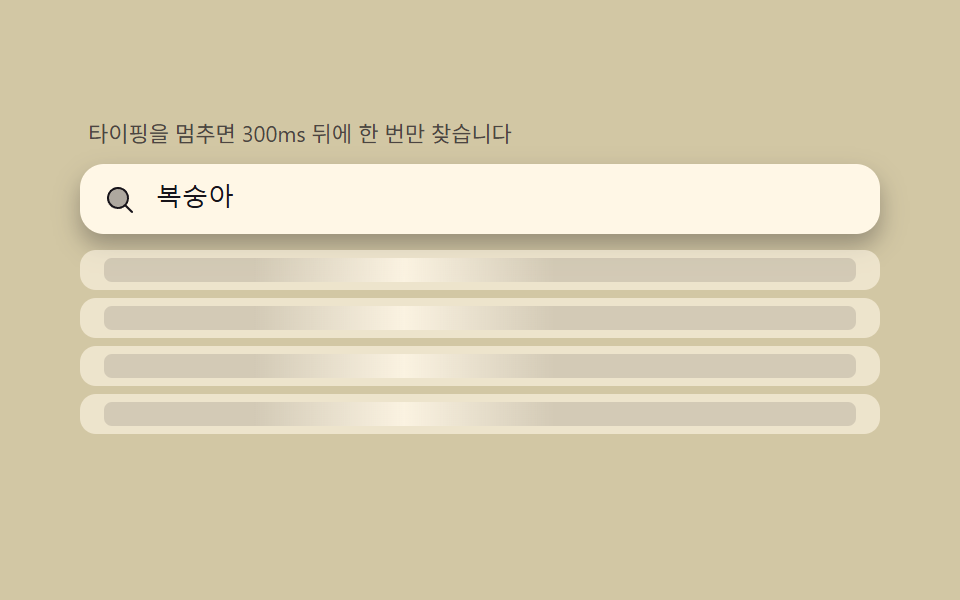 02 search-autocomplete-debounce-shimmer
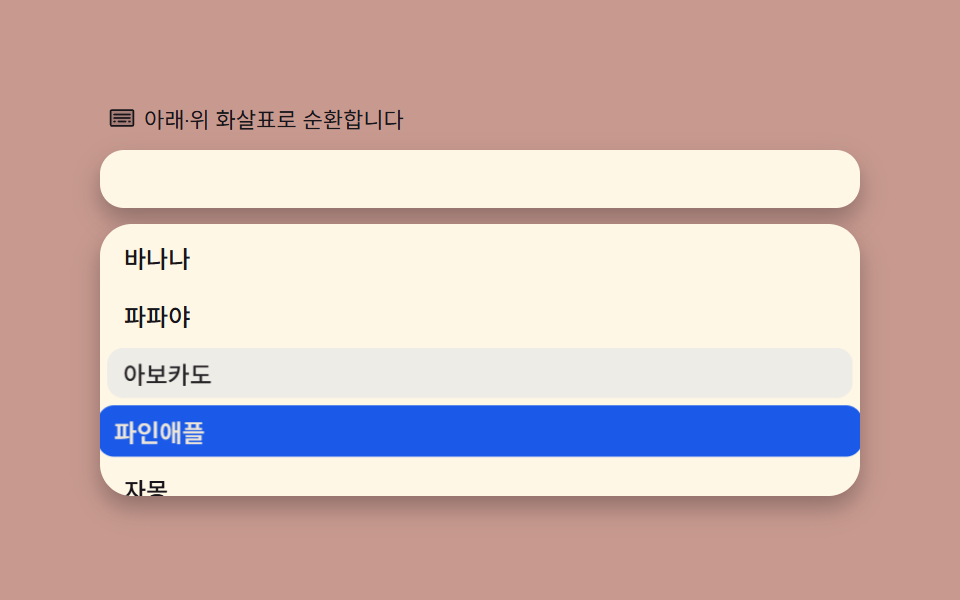 03 search-autocomplete-keyboard-nav-wrap
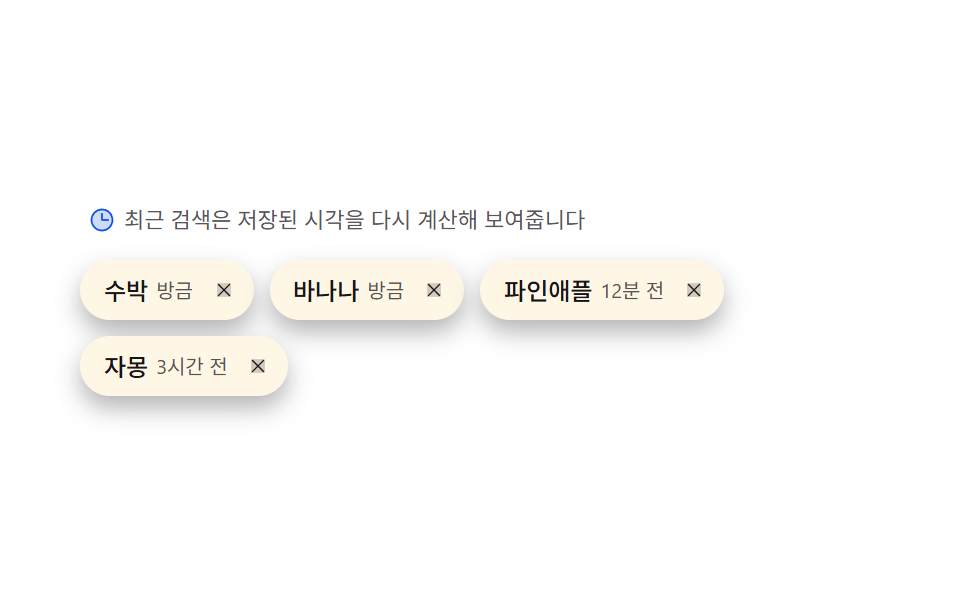 04 search-autocomplete-recent-chip-recency
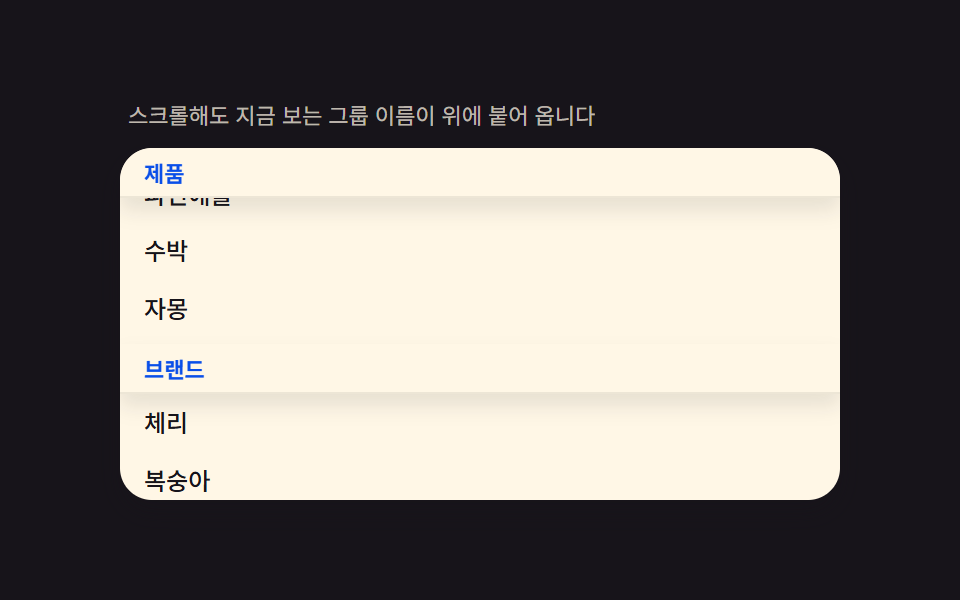 05 search-autocomplete-grouped-sticky-header
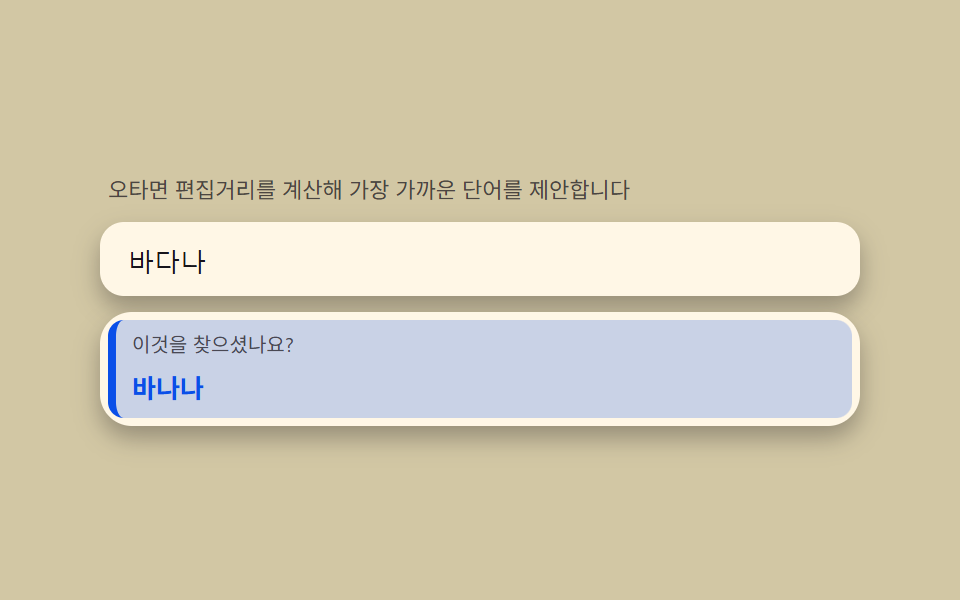 06 search-autocomplete-typo-suggest-distance
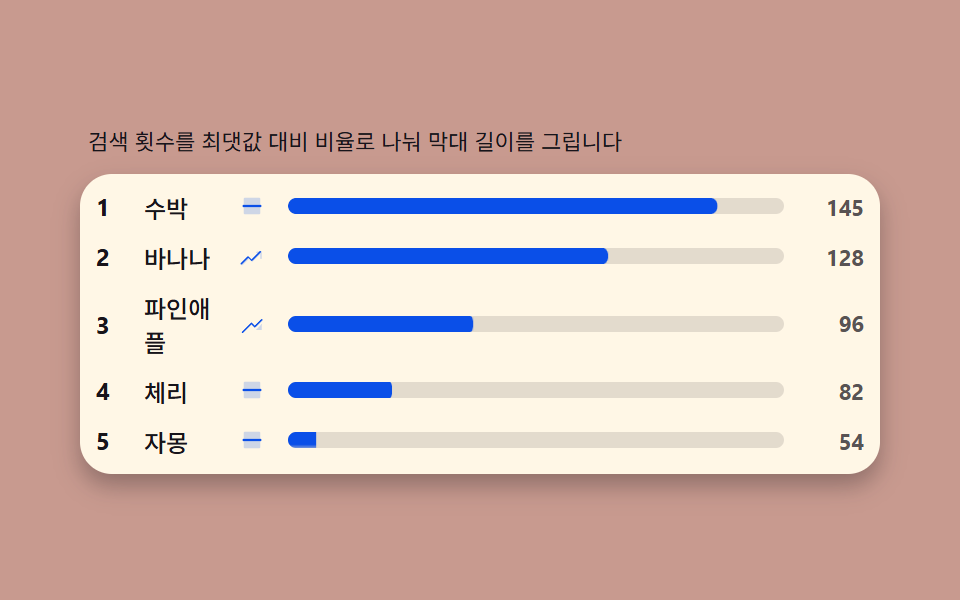 07 search-autocomplete-trending-count-bar
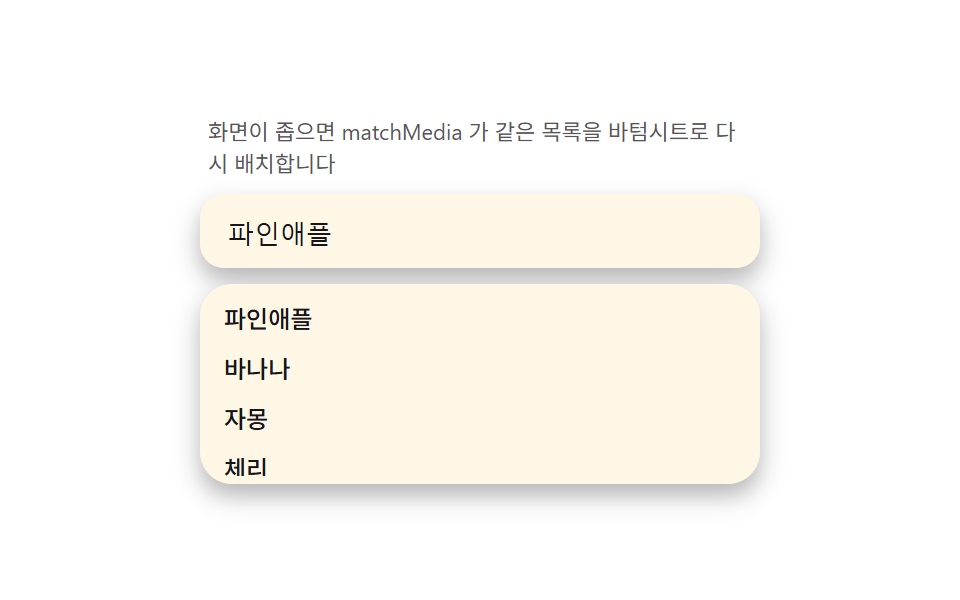 08 search-autocomplete-mobile-sheet-morph
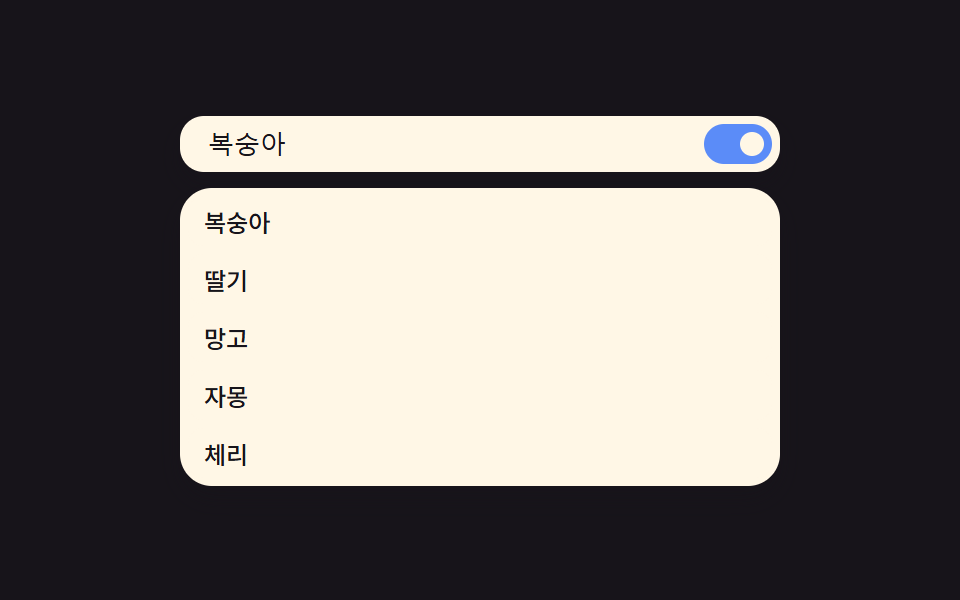 09 search-autocomplete-reduced-motion-static
Auto-plays · click a tile to jump to its section · all nine in one zip
- 01 Match highlight — locating the typed letters inside each suggestion and bolding that span
- 02 Debounce shimmer — gathering input for 300ms while the list shimmers as a waiting state
- 03 Keyboard cycling — picking items with arrows and wrapping to the far end via mod arithmetic
- 04 Recent-search chips — recomputing stored timestamps into '3 min ago, 2 days ago' labels
- 05 Grouped sticky headers — splitting the list into groups whose headers pin on scroll
- 06 Typo suggest — computing edit distance to float a 'did you mean?' row
- 07 Trending bars — scaling search counts against the max into ranked bars
- 08 Mobile sheet morph — the dropdown reshaping into a bottom sheet under a media query
- 09 Reduced motion — killing shimmer and stagger for a list that appears instantly
Nine builds follow. Five of them — highlighting, debounce, keyboard cycling, typo suggest, and reduced motion — keep the same three-layer shape underneath: the input, the ul[role=listbox], and the selection state, all wrapped in one role="combobox" container. The other four swap that live text input for a list that opens on its own — a chip row, a scrolling group, a ranked table, a bottom sheet — while still building on ul[role=listbox] rows wherever the pattern allows. On top of whichever shape an item uses sits one computed layer: substring highlighting, a debounce ticket, Levenshtein edit distance, mod-wrap keyboard cycling, or a ratio-to-scale bar. The order below moves from the layer closest to what you type (highlighting a match) to the ones that touch scrolling, storage, and viewport geometry, so each item reuses a pattern the one before it already set up.
Demo
All nine dropdowns replay a fixed typing sequence off a performance.now() clock rather than Math.random() or a CSS @keyframes loop, so the same letters land on screen in the same order every time the page loads. A real keystroke — keydown, pointerdown, or beforeinput depending on the item — stops that replay immediately and hands control back to whoever is actually typing, which is the same switch every item below relies on to stay honest about what's scripted and what's live.
Anatomy of autocomplete — the input, list and selection layers, and the aria-combobox structure
The three roles you must not collapse
A working autocomplete is three elements, not one div with a click handler: the outer wrapper carries role="combobox", aria-expanded, and aria-haspopup="listbox"; the native input inside it keeps role="searchbox" and aria-autocomplete="list"; and the suggestions live in a plain ul[role="listbox"] of li[role="option"] rows. Collapsing any of those three into a styled <div> is what silently drops keyboard support and screen-reader announcements, since assistive tech is reading the roles, not the CSS.
Where the selection state actually lives
Item 03 is the one built entirely around that state, and it makes the point for the rest of this post: "which row is active" is never just a CSS :hover — it's a JavaScript index written onto aria-activedescendant on the input itself, so a screen reader announces the highlighted row without focus ever leaving the text field. Every keyboard, pointer, and autoplay path inside that item writes to the same index, which is what its wraparound math depends on.
Code per search box in nine steps
Paste any one item's prompt from the zip into an AI coding tool and it rebuilds the same screen — the block under each item below is trimmed straight out of that item's index.html, the same file that ships inside the password-protected download.
01Match highlight — locating the typed letters inside each suggestion and bolding that span
An autocomplete that only bolds the first occurrence of a query breaks the moment a word repeats a letter pair, so this one keeps searching until indexOf runs out of string.
Why the loop keeps calling indexOf
Stopping after one String.indexOf call would miss every match after the first, so the loop below re-enters at idx + query.length and only gives up once indexOf returns -1 for the rest of the string.
<main class="stage">
<div class="hl" id="hl">
  <p class="hl__hint">Finds where your letters appear in each candidate and bolds them.</p>
  <div class="hl__field" role="combobox" aria-expanded="false" aria-owns="hlList" aria-haspopup="listbox" id="hlField">
    <svg class="hl__ic" viewBox="0 0 256 256" aria-hidden="true"><g fill="currentColor"><path d="M192 112a80 80 0 1 1-80-80a80 80 0 0 1 80 80" opacity=".35"/><path d="m229.66 218.34l-50.06-50.06a88.21 88.21 0 1 0-11.32 11.31l50.06 50.07a8 8 0 0 0 11.32-11.32M40 112a72 72 0 1 1 72 72a72.08 72.08 0 0 1-72-72"/></g></svg>
    <input class="hl__input" id="hlInput" type="text" role="searchbox" aria-autocomplete="list" aria-controls="hlList" aria-label="Search fruit" autocomplete="off">
  </div>
  <ul class="hl__list" id="hlList" role="listbox" aria-label="Candidate list"></ul>
  <p class="hl__meta"><b class="hl__tag" id="hlCount">8</b><span class="hl__unit" id="hlUnitText"> total</span></p>
</div>
</main>
@use "../../../../site/static/demo-tokens" as *;
$duration: $dur-quick;
$easing: $ease-out;
$color: $subject-blue-deep;
// 파스텔 강조(도구/파스텔.py to_pastel 결과: 채도 .34 · 명도 +.11, $subject-blue 기준)
$p-blue: #93a4ca;
@include stage($stage-ink);
.hl {
width: 100%;
max-width: 400px;
display: flex;
flex-direction: column;
gap: $sp-2;
}
.hl__hint {
margin: 0;
padding: 0 $sp-1;
font-weight: 400;
font-size: 11px;
line-height: 1.4;
color: rgba($subject-cream, .72);
}
.hl__field {
display: flex;
align-items: center;
gap: $sp-2;
background: $subject-cream;
border-radius: $r-control;
padding: $sp-2 $sp-3;
box-shadow: $shadow-press;
}
.hl__ic {
width: 16px;
height: 16px;
flex: 0 0 auto;
color: $subject-ink;
}
.hl__input {
flex: 1 1 auto;
min-width: 0;
border: 0;
outline: 0;
background: transparent;
font-weight: 500;
font-size: 13px;
line-height: 1.3;
color: $subject-ink;
caret-color: $color;
}
.hl__list {
margin: 0;
padding: $sp-1;
list-style: none;
display: flex;
flex-direction: column;
gap: $sp-1;
max-height: 132px;
overflow-y: auto;
background: $subject-cream;
border-radius: $r-card;
box-shadow: $shadow-press;
}
.hl__item {
padding: $sp-1 $sp-2;
border-radius: $r-sm;
background: transparent;
color: rgba($subject-ink, .72);
font-weight: 500;
font-size: 12px;
line-height: 1.5;
transform: scale(1);
transform-origin: center;
transition: transform $duration $easing, background-color $duration $easing, color $duration $easing;
}
.hl__item.is-hit {
background: $color;
color: $subject-cream;
transform: scale(1.02);
}
.hl__mark {
background: $p-blue;
color: $subject-ink;
border-radius: $r-xs;
padding: 0 $sp-1;
}
.hl__meta {
margin: 0;
padding: 0 $sp-1;
display: flex;
align-items: baseline;
gap: $sp-1;
}
.hl__tag {
font-weight: 700;
font-size: 14px;
color: $subject-cream;
}
.hl__unit {
font-weight: 400;
font-size: 11px;
color: rgba($subject-cream, .72);
}
@media (max-width: 340px) {
.hl { max-width: 280px; }
.hl__item { font-size: 11px; }
.hl__list { max-height: 70px; }
}
@media (prefers-reduced-motion: reduce) {
.hl__item {
transition: none;
}
}html, body {
margin: 0;
overflow: hidden;
}
.stage {
box-sizing: border-box;
min-height: 100vh;
display: grid;
place-items: center;
margin: 0;
background: #17141a;
font-family: -apple-system, "Segoe UI", "Noto Sans KR", sans-serif;
padding: clamp(8px, 4vw, 24px);
}
.hl {
width: 100%;
max-width: 400px;
display: flex;
flex-direction: column;
gap: 8px;
}
.hl__hint {
margin: 0;
padding: 0 4px;
font-weight: 400;
font-size: 11px;
line-height: 1.4;
color: rgba(255, 247, 230, 0.72);
}
.hl__field {
display: flex;
align-items: center;
gap: 8px;
background: #fff7e6;
border-radius: 12px;
padding: 8px 12px;
box-shadow: 0 6px 12px rgba(23, 20, 26, 0.32);
}
.hl__ic {
width: 16px;
height: 16px;
flex: 0 0 auto;
color: #17141a;
}
.hl__input {
flex: 1 1 auto;
min-width: 0;
border: 0;
outline: 0;
background: transparent;
font-weight: 500;
font-size: 13px;
line-height: 1.3;
color: #17141a;
caret-color: #0a4fe8;
}
.hl__list {
margin: 0;
padding: 4px;
list-style: none;
display: flex;
flex-direction: column;
gap: 4px;
max-height: 132px;
overflow-y: auto;
background: #fff7e6;
border-radius: 16px;
box-shadow: 0 6px 12px rgba(23, 20, 26, 0.32);
}
.hl__item {
padding: 4px 8px;
border-radius: 8px;
background: transparent;
color: rgba(23, 20, 26, 0.72);
font-weight: 500;
font-size: 12px;
line-height: 1.5;
transform: scale(1);
transform-origin: center;
transition: transform 220ms ease-out, background-color 220ms ease-out, color 220ms ease-out;
}
.hl__item.is-hit {
background: #0a4fe8;
color: #fff7e6;
transform: scale(1.02);
}
.hl__mark {
background: #93a4ca;
color: #17141a;
border-radius: 4px;
padding: 0 4px;
}
.hl__meta {
margin: 0;
padding: 0 4px;
display: flex;
align-items: baseline;
gap: 4px;
}
.hl__tag {
font-weight: 700;
font-size: 14px;
color: #fff7e6;
}
.hl__unit {
font-weight: 400;
font-size: 11px;
color: rgba(255, 247, 230, 0.72);
}
@media (max-width: 340px) {
.hl {
max-width: 280px;
}
.hl__item {
font-size: 11px;
}
.hl__list {
max-height: 70px;
}
}
@media (prefers-reduced-motion: reduce) {
.hl__item {
transition: none;
}
}// 일치 하이라이트(01) — 제안 문자열에서 입력어의 첫 일치 위치를 indexOf 로 찾아
// <mark> 로 감싸고, 그 뒤부터 다시 찾아 모든 일치를 강조한다(다중 일치). 비교는
// toLowerCase 로 통일해 대소문자를 무시한다. 자동 시연은 performance.now() 시계로
// 타이핑 시퀀스를 재생한다(CSS @keyframes 없음).
(function () {
var field = document.getElementById('hlField');
var input = document.getElementById('hlInput');
var list = document.getElementById('hlList');
var countEl = document.getElementById('hlCount');
var unitEl = document.getElementById('hlUnitText');
if (!field || !input || !list || !countEl) return;
var WORDS = ['banana', 'papaya', 'avocado', 'pineapple', 'grapefruit', 'cherry', 'peach', 'watermelon'];
function escapeHtml(s) {
return s.replace(/[&<>]/g, function (c) { return c === '&' ? '&' : c === '<' ? '<' : '>'; });
}
function highlightAll(text, query) {
  if (!query) return escapeHtml(text);
  var lowerText = text.toLowerCase();
  var lowerQuery = query.toLowerCase();
  var out = '', i = 0;
  while (i < text.length) {
    var idx = lowerText.indexOf(lowerQuery, i);
    if (idx === -1) { out += escapeHtml(text.slice(i)); break; }
    out += escapeHtml(text.slice(i, idx));
    out += '<mark class="hl__mark">' + escapeHtml(text.slice(idx, idx + query.length)) + '</mark>';
    i = idx + query.length;
  }
  return out;
}
function render(query) {
var matched = 0;
var rows = WORDS.map(function (w) {
var hit = query && w.toLowerCase().indexOf(query.toLowerCase()) !== -1;
if (hit) matched++;
return '<li class="hl__item' + (hit ? ' is-hit' : ' is-dim') + '" role="option">' + highlightAll(w, query) + '</li>';
});
list.innerHTML = rows.join('');
countEl.textContent = String(query ? matched : WORDS.length);
unitEl.textContent = query ? ' matches' : ' candidates';
field.setAttribute('aria-expanded', query ? 'true' : 'false');
}
render('');
var reduce = window.matchMedia('(prefers-reduced-motion: reduce)').matches;
var playing = true;
function stop() { playing = false; }
function onUserInput() { stop(); render(input.value); }
input.addEventListener('input', onUserInput);
input.addEventListener('keydown', stop);
input.addEventListener('pointerdown', stop);
var STEPS = [
{ q: '', ms: 220 },
{ q: 'pa', ms: 360 },
{ q: 'paya', ms: 520 },
{ q: 'paya', ms: 260 },
{ q: '', ms: 220 },
{ q: 'wa', ms: 360 },
{ q: 'watermelon', ms: 520 }
];
if (reduce) {
input.value = STEPS[2].q;
render(STEPS[2].q);
} else {
var seg = 0, segStart = performance.now();
(function step(now) {
if (playing) {
var elapsed = now - segStart;
if (elapsed >= STEPS[seg].ms) {
seg = (seg + 1) % STEPS.length;
segStart = now;
}
var q = STEPS[seg].q;
if (input.value !== q) { input.value = q; render(q); }
}
requestAnimationFrame(step);
})(segStart);
}
})();// SearchAutocompleteHighlightMatch — vanilla 판(run/335/demo/01-search-autocomplete-highlight-match/index.html)
// 의 React 포트. indexOf 로 입력어의 첫 일치 위치를 찾아 <mark> 로 감싸고, 그 뒤부터 다시
// 찾아 모든 일치를 강조한다(다중 일치). 비교는 toLowerCase 로 통일해 대소문자를 무시한다.
// CSS @keyframes 는 없다 — 자동 시연은 performance.now() 시계로 타이핑 시퀀스를 재생한다.
import { useEffect, useRef } from "react";
import styles from "./SearchAutocompleteHighlightMatch.module.scss";
export type SearchAutocompleteHighlightMatchProps = {
duration?: string;
easing?: string;
color?: string;
};
type Box<T> = { current: T };
const HINT = "입력한 글자가 후보 어디에 있는지 찾아 굵게 칠합니다";
const ARIA_LABEL = "과일 검색";
const ARIA_LIST_LABEL = "후보 목록";
const WORDS = ["바나나", "파파야", "아보카도", "파인애플", "자몽", "체리", "복숭아", "수박"];
type Step = { q: string; ms: number };
const STEPS: Step[] = [
{ q: "", ms: 220 },
{ q: "파", ms: 360 },
{ q: "파야", ms: 520 },
{ q: "파야", ms: 260 },
{ q: "", ms: 220 },
{ q: "수", ms: 360 },
{ q: "수박", ms: 520 }
];
function escapeHtml(s: string): string {
return s.replace(/[&<>]/g, (c) => (c === "&" ? "&" : c === "<" ? "<" : ">"));
}
function highlightAll(text: string, query: string): string {
if (!query) return escapeHtml(text);
const lowerText = text.toLowerCase();
const lowerQuery = query.toLowerCase();
let out = "";
let i = 0;
while (i < text.length) {
const idx = lowerText.indexOf(lowerQuery, i);
if (idx === -1) {
out += escapeHtml(text.slice(i));
break;
}
out += escapeHtml(text.slice(i, idx));
out += '<mark class="' + styles.mark + '">' + escapeHtml(text.slice(idx, idx + query.length)) + "</mark>";
i = idx + query.length;
}
return out;
}
export default function SearchAutocompleteHighlightMatch({
duration = "220ms",
easing = "ease-out",
color = "#0a4fe8"
}: SearchAutocompleteHighlightMatchProps) {
const fieldRef = useRef<HTMLDivElement | null>(null);
const inputRef = useRef<HTMLInputElement | null>(null);
const listRef = useRef<HTMLUListElement | null>(null);
const rafRef = useRef(0) as Box<number>;
useEffect(() => {
const field = fieldRef.current;
const input = inputRef.current;
const list = listRef.current;
if (!field || !input || !list) return;
function render(query: string): void {
const rows = WORDS.map((w) => {
const hit = query !== "" && w.toLowerCase().indexOf(query.toLowerCase()) !== -1;
return '<li class="' + styles.item + (hit ? " " + styles.isHit : "") + '" role="option">' + highlightAll(w, query) + "</li>";
});
list!.innerHTML = rows.join("");
field!.setAttribute("aria-expanded", query ? "true" : "false");
}
render("");
const reduce = window.matchMedia("(prefers-reduced-motion: reduce)").matches;
let playing = true;
function stop(): void {
playing = false;
}
function onUserInput(): void {
stop();
render(input!.value);
}
input.addEventListener("input", onUserInput);
input.addEventListener("keydown", stop);
input.addEventListener("pointerdown", stop);
if (reduce) {
input.value = STEPS[2].q;
render(STEPS[2].q);
} else {
let seg = 0;
let segStart = performance.now();
const step = (now: number): void => {
if (playing) {
const elapsed = now - segStart;
if (elapsed >= STEPS[seg].ms) {
seg = (seg + 1) % STEPS.length;
segStart = now;
}
const q = STEPS[seg].q;
if (input!.value !== q) {
input!.value = q;
render(q);
}
}
rafRef.current = requestAnimationFrame(step);
};
rafRef.current = requestAnimationFrame(step);
}
return () => {
cancelAnimationFrame(rafRef.current);
input.removeEventListener("input", onUserInput);
input.removeEventListener("keydown", stop);
input.removeEventListener("pointerdown", stop);
};
// eslint-disable-next-line react-hooks/exhaustive-deps
}, []);
return (
<main className={styles.stage}>
<div className={styles.hl}>
<p className={styles.hint}>{HINT}</p>
<div
className={styles.field}
ref={fieldRef}
role="combobox"
aria-expanded="false"
aria-owns="hlListReact"
aria-haspopup="listbox"
>
<svg className={styles.ic} viewBox="0 0 256 256" aria-hidden="true">
<g fill="currentColor">
<path d="M192 112a80 80 0 1 1-80-80a80 80 0 0 1 80 80" opacity=".2" />
<path d="m229.66 218.34l-50.06-50.06a88.21 88.21 0 1 0-11.32 11.31l50.06 50.07a8 8 0 0 0 11.32-11.32M40 112a72 72 0 1 1 72 72a72.08 72.08 0 0 1-72-72" />
</g>
</svg>
<input
className={styles.input}
ref={inputRef}
type="text"
role="searchbox"
aria-autocomplete="list"
aria-controls="hlListReact"
aria-label={ARIA_LABEL}
autoComplete="off"
style={{ caretColor: color, transitionDuration: duration, transitionTimingFunction: easing }}
/>
</div>
<ul className={styles.list} id="hlListReact" ref={listRef} role="listbox" aria-label={ARIA_LIST_LABEL} />
</div>
</main>
);
}01 · Match highlight — locating the typed letters inside each suggestion and bolding that span — Measured area 15.731% · moving frames 6/23Original by GODRICH · SCSS and React ship in the zip · See the password
What the numbers say
Painted area comes out at 15.73% (peak frame 15.64%, average intensity 177.2), moving on 6 of its 23 frame-to-frame comparisons — a low number that's expected here, since the autoplay sequence for this item spends real segments sitting on an empty query between typed words.
function highlightAll(text, query) {
if (!query) return escapeHtml(text);
var lowerText = text.toLowerCase();
var lowerQuery = query.toLowerCase();
var out = '', i = 0;
while (i < text.length) {
var idx = lowerText.indexOf(lowerQuery, i);
if (idx === -1) { out += escapeHtml(text.slice(i)); break; }
out += escapeHtml(text.slice(i, idx));
out += '<mark class="hl__mark">' + escapeHtml(text.slice(idx, idx + query.length)) + '</mark>';
i = idx + query.length;
}
return out;
}
02Debounce shimmer — gathering input for 300ms while the list shimmers as a waiting state
Recomputing a search on every single keystroke wastes calls the moment someone types fast, so this item resets a DEBOUNCE_MS timer on each key and only fires once typing pauses.
The ticket that outruns a late response
Resetting the timer alone isn't enough, because a slow response can still land after a newer one — so every fire stamps an incrementing pendingId, and a response gets discarded outright the instant its own ticket no longer matches the latest one.
<main class="stage">
<div class="db" id="db">
  <p class="db__hint">Waits 300ms after you stop typing, then searches just once.</p>
  <div class="db__field" role="combobox" aria-expanded="false" aria-owns="dbList" aria-haspopup="listbox" id="dbField">
    <svg class="db__ic" viewBox="0 0 256 256" aria-hidden="true"><g fill="currentColor"><path d="M192 112a80 80 0 1 1-80-80a80 80 0 0 1 80 80" opacity=".35"/><path d="m229.66 218.34l-50.06-50.06a88.21 88.21 0 1 0-11.32 11.31l50.06 50.07a8 8 0 0 0 11.32-11.32M40 112a72 72 0 1 1 72 72a72.08 72.08 0 0 1-72-72"/></g></svg>
    <input class="db__input" id="dbInput" type="text" role="searchbox" aria-autocomplete="list" aria-controls="dbList" aria-label="Search fruit" autocomplete="off">
  </div>
  <ul class="db__list" id="dbList" role="listbox" aria-label="Candidate list"></ul>
</div>
</main>
@use "../../../../site/static/demo-tokens" as *;
$duration: $dur-base;
$easing: $ease-out;
$color: $subject-ink;
// 파스텔 무대(도구/파스텔.py to_pastel 결과: 채도 .34 · 명도 +.11, $stage-yellow 기준)
$p-yellow: #d2c7a4;
@include stage($p-yellow);
.db {
width: 100%;
max-width: 400px;
display: flex;
flex-direction: column;
gap: $sp-2;
}
.db__hint {
margin: 0;
padding: 0 $sp-1;
font-weight: 400;
font-size: 11px;
line-height: 1.4;
color: rgba($subject-ink, .72);
}
.db__field {
display: flex;
align-items: center;
gap: $sp-2;
background: $subject-cream;
border-radius: $r-control;
padding: $sp-2 $sp-3;
box-shadow: $shadow-press;
}
.db__ic {
width: 16px;
height: 16px;
flex: 0 0 auto;
color: $subject-ink;
}
.db__input {
flex: 1 1 auto;
min-width: 0;
border: 0;
outline: 0;
background: transparent;
font-weight: 500;
font-size: 13px;
line-height: 1.3;
color: $subject-ink;
caret-color: $color;
}
.db__list {
margin: 0;
padding: 0;
list-style: none;
display: flex;
flex-direction: column;
gap: $sp-1;
min-height: 116px;
}
.db__item {
padding: $sp-1 $sp-3;
border-radius: $r-sm;
background: $subject-cream;
font-weight: 500;
font-size: 12px;
line-height: 1.6;
color: $subject-ink;
}
.db__item--empty {
color: rgba($subject-ink, .72);
font-weight: 400;
}
.db__item--skel {
background: rgba($subject-cream, .6);
overflow: hidden;
position: relative;
}
.db__bar {
display: block;
height: 12px;
border-radius: $r-xs;
background: rgba($subject-ink, .12);
overflow: hidden;
position: relative;
}
.db__sweep {
position: absolute;
top: 0;
left: 0;
width: 40%;
height: 100%;
background: linear-gradient(90deg, rgba($subject-cream, 0), rgba($subject-cream, .9), rgba($subject-cream, 0));
transform: translateX(-120%);
will-change: transform;
}
@media (max-width: 340px) {
.db { max-width: 280px; }
.db__item { font-size: 11px; }
.db__list { min-height: 80px; }
}
@media (prefers-reduced-motion: reduce) {
.db__sweep {
display: none;
}
.db__bar {
background: rgba($subject-ink, .2);
}
}html, body {
margin: 0;
overflow: hidden;
}
.stage {
box-sizing: border-box;
min-height: 100vh;
display: grid;
place-items: center;
margin: 0;
background: #d2c7a4;
font-family: -apple-system, "Segoe UI", "Noto Sans KR", sans-serif;
padding: clamp(8px, 4vw, 24px);
}
.db {
width: 100%;
max-width: 400px;
display: flex;
flex-direction: column;
gap: 8px;
}
.db__hint {
margin: 0;
padding: 0 4px;
font-weight: 400;
font-size: 11px;
line-height: 1.4;
color: rgba(23, 20, 26, 0.72);
}
.db__field {
display: flex;
align-items: center;
gap: 8px;
background: #fff7e6;
border-radius: 12px;
padding: 8px 12px;
box-shadow: 0 6px 12px rgba(23, 20, 26, 0.32);
}
.db__ic {
width: 16px;
height: 16px;
flex: 0 0 auto;
color: #17141a;
}
.db__input {
flex: 1 1 auto;
min-width: 0;
border: 0;
outline: 0;
background: transparent;
font-weight: 500;
font-size: 13px;
line-height: 1.3;
color: #17141a;
caret-color: #17141a;
}
.db__list {
margin: 0;
padding: 0;
list-style: none;
display: flex;
flex-direction: column;
gap: 4px;
min-height: 116px;
}
.db__item {
padding: 4px 12px;
border-radius: 8px;
background: #fff7e6;
font-weight: 500;
font-size: 12px;
line-height: 1.6;
color: #17141a;
}
.db__item--empty {
color: rgba(23, 20, 26, 0.72);
font-weight: 400;
}
.db__item--skel {
background: rgba(255, 247, 230, 0.6);
overflow: hidden;
position: relative;
}
.db__bar {
display: block;
height: 12px;
border-radius: 4px;
background: rgba(23, 20, 26, 0.12);
overflow: hidden;
position: relative;
}
.db__sweep {
position: absolute;
top: 0;
left: 0;
width: 40%;
height: 100%;
background: linear-gradient(90deg, rgba(255, 247, 230, 0), rgba(255, 247, 230, 0.9), rgba(255, 247, 230, 0));
transform: translateX(-120%);
will-change: transform;
}
@media (max-width: 340px) {
.db {
max-width: 280px;
}
.db__item {
font-size: 11px;
}
.db__list {
min-height: 80px;
}
}
@media (prefers-reduced-motion: reduce) {
.db__sweep {
display: none;
}
.db__bar {
background: rgba(23, 20, 26, 0.2);
}
}// 디바운스 스켈레톤(02) — 키 입력마다 타이머를 지운 뒤 새로 건다(디바운스). 대기 중엔
// 스켈레톤 행을 보이고, 타이머가 실제로 만료된 뒤에만 가짜 지연(FAKE_LATENCY_MS) 후 결과를
// 반영한다. 요청마다 번호를 매겨(pendingId) 응답이 도착했을 때 그 번호가 최신이 아니면
// 버린다(진행 중 요청 폐기 패턴) — 사용자가 다시 타이핑해 새 요청을 보냈는데 이전 응답이
// 늦게 와도 화면을 덮어쓰지 않는다.
(function () {
var field = document.getElementById('dbField');
var input = document.getElementById('dbInput');
var list = document.getElementById('dbList');
if (!field || !input || !list) return;
var WORDS = ['banana', 'papaya', 'avocado', 'pineapple', 'grapefruit', 'cherry', 'peach', 'watermelon'];
var DEBOUNCE_MS = 300;
var FAKE_LATENCY_MS = 220;
var SKELETON_ROWS = 4;
var reduce = window.matchMedia('(prefers-reduced-motion: reduce)').matches;
var pendingId = 0;
var debounceTimer = null;
var state = 'idle';
var results = [];
function renderSkeleton() {
var rows = [];
for (var i = 0; i < SKELETON_ROWS; i++) {
rows.push('<li class="db__item db__item--skel" aria-hidden="true"><span class="db__bar"><span class="db__sweep"></span></span></li>');
}
list.innerHTML = rows.join('');
field.setAttribute('aria-expanded', 'true');
}
function renderResults(query) {
if (!results.length) {
list.innerHTML = '<li class="db__item db__item--empty">No matching fruit.</li>';
field.setAttribute('aria-expanded', 'true');
return;
}
list.innerHTML = results.map(function (w) {
return '<li class="db__item" role="option">' + w + '</li>';
}).join('');
field.setAttribute('aria-expanded', 'true');
}
function renderIdle() {
list.innerHTML = '';
field.setAttribute('aria-expanded', 'false');
}
function onChange(value) {
    clearTimeout(debounceTimer);
    pendingId++;
    var myId = pendingId;
    if (!value) {
      state = 'idle';
      renderIdle();
      return;
    }
    state = 'loading';
    renderSkeleton();
    debounceTimer = setTimeout(function () {
      setTimeout(function () {
        if (myId !== pendingId) return;
        var q = value.toLowerCase();
        results = WORDS.filter(function (w) { return w.toLowerCase().indexOf(q) !== -1; });
        state = 'done';
        renderResults(value);
      }, FAKE_LATENCY_MS);
    }, DEBOUNCE_MS);
  }
renderIdle();
var playing = true;
function stop() { playing = false; }
input.addEventListener('input', function () { stop(); onChange(input.value); });
input.addEventListener('keydown', stop);
input.addEventListener('pointerdown', stop);
var KEY_INTERVAL_MS = 120;
var READ_HOLD_MS = 500;
var CLEAR_MS = 150;
var WORD_SEQUENCE = ['peach', 'grapefruit'];
function typeWord(word, cb) {
var i = 0;
(function nextChar() {
if (!playing) return;
i++;
input.value = word.slice(0, i);
onChange(input.value);
if (i < word.length) setTimeout(nextChar, KEY_INTERVAL_MS);
else setTimeout(cb, READ_HOLD_MS);
})();
}
function clearInput(cb) {
if (!playing) return;
input.value = '';
onChange('');
setTimeout(cb, CLEAR_MS);
}
function loopPlay(qi) {
if (!playing) return;
var word = WORD_SEQUENCE[qi % WORD_SEQUENCE.length];
typeWord(word, function () { clearInput(function () { loopPlay(qi + 1); }); });
}
if (reduce) {
input.value = WORD_SEQUENCE[0];
onChange(WORD_SEQUENCE[0]);
} else {
loopPlay(0);
(function sweep() {
var bars = list.querySelectorAll('.db__sweep');
var t = (performance.now() % 900) / 900;
var x = -120 + t * 240;
for (var i = 0; i < bars.length; i++) bars[i].style.transform = 'translateX(' + x + '%)';
requestAnimationFrame(sweep);
})();
}
})();// SearchAutocompleteDebounceShimmer — vanilla 판(run/335/demo/02-search-autocomplete-debounce-shimmer/index.html)
// 의 React 포트. 키 입력마다 타이머를 지운 뒤 새로 건다(디바운스). 대기 중엔 스켈레톤 행을
// 보이고, 타이머가 실제로 만료된 뒤에만 가짜 지연(FAKE_LATENCY_MS) 후 결과를 반영한다.
// 요청마다 번호를 매겨(pendingId) 응답이 도착했을 때 그 번호가 최신이 아니면 버린다.
import { useEffect, useRef } from "react";
import styles from "./SearchAutocompleteDebounceShimmer.module.scss";
export type SearchAutocompleteDebounceShimmerProps = {
duration?: string;
easing?: string;
color?: string;
};
type Box<T> = { current: T };
const HINT = "타이핑을 멈추면 300ms 뒤에 한 번만 찾습니다";
const ARIA_LABEL = "과일 검색";
const ARIA_LIST_LABEL = "후보 목록";
const EMPTY_TEXT = "일치하는 과일이 없습니다";
const WORDS = ["바나나", "파파야", "아보카도", "파인애플", "자몽", "체리", "복숭아", "수박"];
const DEBOUNCE_MS = 300;
const FAKE_LATENCY_MS = 220;
const SKELETON_ROWS = 4;
const KEY_INTERVAL_MS = 120;
const READ_HOLD_MS = 500;
const CLEAR_MS = 150;
const WORD_SEQUENCE = ["복숭아", "자몽"];
export default function SearchAutocompleteDebounceShimmer({
duration = "300ms",
easing = "ease-out",
color = "#17141a"
}: SearchAutocompleteDebounceShimmerProps) {
const fieldRef = useRef<HTMLDivElement | null>(null);
const inputRef = useRef<HTMLInputElement | null>(null);
const listRef = useRef<HTMLUListElement | null>(null);
const rafRef = useRef(0) as Box<number>;
useEffect(() => {
const field = fieldRef.current;
const input = inputRef.current;
const list = listRef.current;
if (!field || !input || !list) return;
let pendingId = 0;
let debounceTimer: ReturnType<typeof setTimeout> | null = null;
let results: string[] = [];
function renderSkeleton(): void {
const rows: string[] = [];
for (let i = 0; i < SKELETON_ROWS; i++) {
rows.push(
'<li class="' + styles.item + " " + styles.itemSkel + '" aria-hidden="true"><span class="' + styles.bar + '"><span class="' + styles.sweep + '"></span></span></li>'
);
}
list!.innerHTML = rows.join("");
field!.setAttribute("aria-expanded", "true");
}
function renderResults(): void {
if (!results.length) {
list!.innerHTML = '<li class="' + styles.item + " " + styles.itemEmpty + '">' + EMPTY_TEXT + "</li>";
field!.setAttribute("aria-expanded", "true");
return;
}
list!.innerHTML = results.map((w) => '<li class="' + styles.item + '" role="option">' + w + "</li>").join("");
field!.setAttribute("aria-expanded", "true");
}
function renderIdle(): void {
list!.innerHTML = "";
field!.setAttribute("aria-expanded", "false");
}
function onChange(value: string): void {
if (debounceTimer) clearTimeout(debounceTimer);
pendingId++;
const myId = pendingId;
if (!value) {
renderIdle();
return;
}
renderSkeleton();
debounceTimer = setTimeout(() => {
setTimeout(() => {
if (myId !== pendingId) return;
const q = value.toLowerCase();
results = WORDS.filter((w) => w.toLowerCase().indexOf(q) !== -1);
renderResults();
}, FAKE_LATENCY_MS);
}, DEBOUNCE_MS);
}
renderIdle();
let playing = true;
function stop(): void {
playing = false;
}
function onUserInput(): void {
stop();
onChange(input!.value);
}
input.addEventListener("input", onUserInput);
input.addEventListener("keydown", stop);
input.addEventListener("pointerdown", stop);
function typeWord(word: string, cb: () => void): void {
let i = 0;
const nextChar = (): void => {
if (!playing) return;
i++;
input!.value = word.slice(0, i);
onChange(input!.value);
if (i < word.length) setTimeout(nextChar, KEY_INTERVAL_MS);
else setTimeout(cb, READ_HOLD_MS);
};
nextChar();
}
function clearInput(cb: () => void): void {
if (!playing) return;
input!.value = "";
onChange("");
setTimeout(cb, CLEAR_MS);
}
function loopPlay(qi: number): void {
if (!playing) return;
const word = WORD_SEQUENCE[qi % WORD_SEQUENCE.length];
typeWord(word, () => {
clearInput(() => loopPlay(qi + 1));
});
}
const reduce = window.matchMedia("(prefers-reduced-motion: reduce)").matches;
if (reduce) {
input.value = WORD_SEQUENCE[0];
onChange(WORD_SEQUENCE[0]);
} else {
loopPlay(0);
const sweep = (): void => {
const bars = list!.querySelectorAll<HTMLElement>("." + styles.sweep);
const t = (performance.now() % 900) / 900;
const x = -120 + t * 240;
bars.forEach((b) => {
b.style.transform = "translateX(" + x + "%)";
});
rafRef.current = requestAnimationFrame(sweep);
};
rafRef.current = requestAnimationFrame(sweep);
}
return () => {
cancelAnimationFrame(rafRef.current);
if (debounceTimer) clearTimeout(debounceTimer);
input.removeEventListener("input", onUserInput);
input.removeEventListener("keydown", stop);
input.removeEventListener("pointerdown", stop);
};
// eslint-disable-next-line react-hooks/exhaustive-deps
}, []);
return (
<main className={styles.stage}>
<div className={styles.db}>
<p className={styles.hint}>{HINT}</p>
<div
className={styles.field}
ref={fieldRef}
role="combobox"
aria-expanded="false"
aria-owns="dbListReact"
aria-haspopup="listbox"
>
<svg className={styles.ic} viewBox="0 0 256 256" aria-hidden="true">
<g fill="currentColor">
<path d="M192 112a80 80 0 1 1-80-80a80 80 0 0 1 80 80" opacity=".2" />
<path d="m229.66 218.34l-50.06-50.06a88.21 88.21 0 1 0-11.32 11.31l50.06 50.07a8 8 0 0 0 11.32-11.32M40 112a72 72 0 1 1 72 72a72.08 72.08 0 0 1-72-72" />
</g>
</svg>
<input
className={styles.input}
ref={inputRef}
type="text"
role="searchbox"
aria-autocomplete="list"
aria-controls="dbListReact"
aria-label={ARIA_LABEL}
autoComplete="off"
style={{ caretColor: color, transitionDuration: duration, transitionTimingFunction: easing }}
/>
</div>
<ul className={styles.list} id="dbListReact" ref={listRef} role="listbox" aria-label={ARIA_LIST_LABEL} />
</div>
</main>
);
}02 · Debounce shimmer — gathering input for 300ms while the list shimmers as a waiting state — Measured area 22.247% · moving frames 22/23Original by GODRICH · SCSS and React ship in the zip · See the password
What the numbers say
Painted area is 22.25% (peak frame 22.22%), the calmest average intensity of the nine at 33.3, and it moves on 22 of 23 comparisons as the shimmer sweep runs the whole time the timer is waiting.
function onChange(value) {
clearTimeout(debounceTimer);
pendingId++;
var myId = pendingId;
if (!value) {
state = 'idle';
renderIdle();
return;
}
state = 'loading';
renderSkeleton();
debounceTimer = setTimeout(function () {
setTimeout(function () {
if (myId !== pendingId) return;
var q = value.toLowerCase();
results = WORDS.filter(function (w) { return w.toLowerCase().indexOf(q) !== -1; });
state = 'done';
renderResults(value);
}, FAKE_LATENCY_MS);
}, DEBOUNCE_MS);
}
03Keyboard cycling — picking items with arrows and wrapping to the far end via mod arithmetic
Clamping the active row with Math.min/Math.max leaves keyboard users stuck at the edges, so this item wraps the index back around instead of stopping there.
One index, three things updated at once
activeIndex is the only number that moves, and updating it in one place keeps the highlighted class, the aria-activedescendant id, and the scrollIntoView call from ever drifting out of sync with each other.
<main class="stage">
<div class="kb" id="kb">
  <p class="kb__hint">
    <svg class="kb__ic" viewBox="0 0 256 256" aria-hidden="true"><g fill="currentColor"><path d="M232 64v128a8 8 0 0 1-8 8H32a8 8 0 0 1-8-8V64a8 8 0 0 1 8-8h192a8 8 0 0 1 8 8" opacity=".2"/><path d="M224 48H32a16 16 0 0 0-16 16v128a16 16 0 0 0 16 16h192a16 16 0 0 0 16-16V64a16 16 0 0 0-16-16m0 144H32V64h192zm-16-64a8 8 0 0 1-8 8H56a8 8 0 0 1 0-16h144a8 8 0 0 1 8 8m0-32a8 8 0 0 1-8 8H56a8 8 0 0 1 0-16h144a8 8 0 0 1 8 8M72 160a8 8 0 0 1-8 8h-8a8 8 0 0 1 0-16h8a8 8 0 0 1 8 8m96 0a8 8 0 0 1-8 8H96a8 8 0 0 1 0-16h64a8 8 0 0 1 8 8m40 0a8 8 0 0 1-8 8h-8a8 8 0 0 1 0-16h8a8 8 0 0 1 8 8"/></g></svg>
    Cycle through the list with the up and down arrow keys.
  </p>
  <div class="kb__field" role="combobox" aria-expanded="true" aria-owns="kbList" aria-haspopup="listbox" id="kbField">
    <input class="kb__input" id="kbInput" type="text" role="searchbox" aria-autocomplete="list" aria-controls="kbList" aria-label="Browse fruit list" aria-activedescendant="kb-opt-0" autocomplete="off" readonly>
  </div>
  <ul class="kb__list" id="kbList" role="listbox" aria-label="Fruit list"></ul>
</div>
</main>
@use "../../../../site/static/demo-tokens" as *;
$duration: $dur-quick;
$easing: $ease-spring;
$color: $subject-blue-deep;
// 파스텔 무대(도구/파스텔.py to_pastel 결과: 채도 .34 · 명도 +.11, $stage-orange 기준)
$p-orange: #c89a8f;
@include stage($p-orange);
.kb {
width: 100%;
max-width: 380px;
display: flex;
flex-direction: column;
gap: $sp-2;
}
.kb__hint {
margin: 0;
padding: 0 $sp-1;
display: flex;
align-items: center;
gap: $sp-1;
font-weight: 400;
font-size: 11px;
line-height: 1.4;
color: $subject-ink;
}
.kb__ic {
width: 14px;
height: 14px;
flex: 0 0 auto;
}
.kb__field {
background: $subject-cream;
border-radius: $r-control;
padding: $sp-1 $sp-3;
box-shadow: $shadow-press;
}
.kb__input {
width: 100%;
border: 0;
outline: 0;
background: transparent;
font-weight: 500;
font-size: 12px;
color: $subject-ink;
caret-color: $color;
}
.kb__list {
margin: 0;
padding: $sp-1;
list-style: none;
display: flex;
flex-direction: column;
gap: $sp-1;
height: 128px;
overflow-y: auto;
background: $subject-cream;
border-radius: $r-card;
box-shadow: $shadow-press;
}
.kb__item {
padding: $sp-1 $sp-2;
border-radius: $r-sm;
font-weight: 500;
font-size: 12px;
color: $subject-ink;
background: transparent;
transform: scale(1);
transform-origin: center;
transition: transform $duration $easing, background-color $duration $easing, color $duration $easing;
}
.kb__item.is-active {
background: $color;
color: $subject-cream;
transform: scale(1.03);
}
@media (max-width: 340px) {
.kb { max-width: 260px; }
.kb__list { height: 96px; }
}
@media (prefers-reduced-motion: reduce) {
.kb__item {
transition: none;
}
}html, body {
margin: 0;
overflow: hidden;
}
.stage {
box-sizing: border-box;
min-height: 100vh;
display: grid;
place-items: center;
margin: 0;
background: #c89a8f;
font-family: -apple-system, "Segoe UI", "Noto Sans KR", sans-serif;
padding: clamp(8px, 4vw, 24px);
}
.kb {
width: 100%;
max-width: 380px;
display: flex;
flex-direction: column;
gap: 8px;
}
.kb__hint {
margin: 0;
padding: 0 4px;
display: flex;
align-items: center;
gap: 4px;
font-weight: 400;
font-size: 11px;
line-height: 1.4;
color: #17141a;
}
.kb__ic {
width: 14px;
height: 14px;
flex: 0 0 auto;
}
.kb__field {
background: #fff7e6;
border-radius: 12px;
padding: 4px 12px;
box-shadow: 0 6px 12px rgba(23, 20, 26, 0.32);
}
.kb__input {
width: 100%;
border: 0;
outline: 0;
background: transparent;
font-weight: 500;
font-size: 12px;
color: #17141a;
caret-color: #0a4fe8;
}
.kb__list {
margin: 0;
padding: 4px;
list-style: none;
display: flex;
flex-direction: column;
gap: 4px;
height: 128px;
overflow-y: auto;
background: #fff7e6;
border-radius: 16px;
box-shadow: 0 6px 12px rgba(23, 20, 26, 0.32);
}
.kb__item {
padding: 4px 8px;
border-radius: 8px;
font-weight: 500;
font-size: 12px;
color: #17141a;
background: transparent;
transform: scale(1);
transform-origin: center;
transition: transform 220ms cubic-bezier(0.2, 0.8, 0.2, 1), background-color 220ms cubic-bezier(0.2, 0.8, 0.2, 1), color 220ms cubic-bezier(0.2, 0.8, 0.2, 1);
}
.kb__item.is-active {
background: #0a4fe8;
color: #fff7e6;
transform: scale(1.03);
}
@media (max-width: 340px) {
.kb {
max-width: 260px;
}
.kb__list {
height: 96px;
}
}
@media (prefers-reduced-motion: reduce) {
.kb__item {
transition: none;
}
}// 키보드 순환 탐색(03) — 활성 인덱스는 항상 (i + delta + 길이) % 길이 로 계산해
// 배열 양 끝에서 반대쪽으로 순환한다(음수 나머지를 피하려 길이를 한 번 더 더한다).
// aria-activedescendant 로 지금 활성 항목을 스크린리더에 알리고, scrollIntoView 의
// block:'nearest' 로 필요한 최소 거리만 스크롤한다(항상 맨 위로 당기지 않는다).
(function () {
var field = document.getElementById('kbField');
var input = document.getElementById('kbInput');
var list = document.getElementById('kbList');
if (!field || !input || !list) return;
var WORDS = ['banana', 'papaya', 'avocado', 'pineapple', 'grapefruit', 'cherry', 'peach', 'watermelon', 'strawberry', 'mango'];
var activeIndex = 0;
list.innerHTML = WORDS.map(function (w, i) {
return '<li class="kb__item" role="option" id="kb-opt-' + i + '">' + w + '</li>';
}).join('');
var items = list.querySelectorAll('.kb__item');
function updateActive() {
    for (var i = 0; i < items.length; i++) items[i].classList.remove('is-active');
    var el = items[activeIndex];
    if (!el) return;
    el.classList.add('is-active');
    input.setAttribute('aria-activedescendant', el.id);
    el.scrollIntoView({ block: 'nearest' });
  }

  function moveActive(delta) {
    activeIndex = (activeIndex + delta + WORDS.length) % WORDS.length;
    updateActive();
  }
updateActive();
var playing = true;
function stop() { playing = false; }
function onKeydown(e) {
stop();
if (e.key === 'ArrowDown') { e.preventDefault(); moveActive(1); }
else if (e.key === 'ArrowUp') { e.preventDefault(); moveActive(-1); }
}
input.addEventListener('keydown', onKeydown);
input.addEventListener('pointerdown', stop);
var reduce = window.matchMedia('(prefers-reduced-motion: reduce)').matches;
var STEP_MS = reduce ? 0 : 230;
if (STEP_MS > 0) {
var last = performance.now();
(function tick(now) {
if (playing) {
if (now - last >= STEP_MS) {
moveActive(1);
last = now;
}
}
requestAnimationFrame(tick);
})(last);
}
})();// SearchAutocompleteKeyboardNavWrap — vanilla 판(run/335/demo/03-search-autocomplete-keyboard-nav-wrap/index.html)
// 의 React 포트. 활성 인덱스는 항상 (i + delta + 길이) % 길이 로 계산해 배열 양 끝에서
// 반대쪽으로 순환한다. aria-activedescendant 로 활성 항목을 알리고 scrollIntoView 의
// block:'nearest' 로 필요한 최소 거리만 스크롤한다.
import { useEffect, useRef } from "react";
import styles from "./SearchAutocompleteKeyboardNavWrap.module.scss";
export type SearchAutocompleteKeyboardNavWrapProps = {
duration?: string;
easing?: string;
color?: string;
};
type Box<T> = { current: T };
const HINT = "아래 · 위 화살표로 순환합니다";
const ARIA_LABEL = "과일 목록 탐색";
const ARIA_LIST_LABEL = "과일 목록";
const WORDS = ["바나나", "파파야", "아보카도", "파인애플", "자몽", "체리", "복숭아", "수박", "딸기", "망고"];
const STEP_MS = 230;
export default function SearchAutocompleteKeyboardNavWrap({
duration = "220ms",
easing = "cubic-bezier(.2,.8,.2,1)",
color = "#0a4fe8"
}: SearchAutocompleteKeyboardNavWrapProps) {
const inputRef = useRef<HTMLInputElement | null>(null);
const listRef = useRef<HTMLUListElement | null>(null);
const rafRef = useRef(0) as Box<number>;
useEffect(() => {
const input = inputRef.current;
const list = listRef.current;
if (!input || !list) return;
list.innerHTML = WORDS.map((w, i) => '<li class="' + styles.item + '" role="option" id="kb-opt-react-' + i + '">' + w + "</li>").join("");
const items = list.querySelectorAll<HTMLElement>("." + styles.item);
let activeIndex = 0;
function updateActive(): void {
items.forEach((el) => el.classList.remove(styles.isActive));
const el = items[activeIndex];
if (!el) return;
el.classList.add(styles.isActive);
input!.setAttribute("aria-activedescendant", el.id);
el.scrollIntoView({ block: "nearest" });
}
function moveActive(delta: number): void {
activeIndex = (activeIndex + delta + WORDS.length) % WORDS.length;
updateActive();
}
updateActive();
let playing = true;
function stop(): void {
playing = false;
}
function onKeydown(e: KeyboardEvent): void {
stop();
if (e.key === "ArrowDown") {
e.preventDefault();
moveActive(1);
} else if (e.key === "ArrowUp") {
e.preventDefault();
moveActive(-1);
}
}
input.addEventListener("keydown", onKeydown);
input.addEventListener("pointerdown", stop);
const reduce = window.matchMedia("(prefers-reduced-motion: reduce)").matches;
if (!reduce) {
let last = performance.now();
const tick = (now: number): void => {
if (playing) {
if (now - last >= STEP_MS) {
moveActive(1);
last = now;
}
}
rafRef.current = requestAnimationFrame(tick);
};
rafRef.current = requestAnimationFrame(tick);
}
return () => {
cancelAnimationFrame(rafRef.current);
input.removeEventListener("keydown", onKeydown);
input.removeEventListener("pointerdown", stop);
};
// eslint-disable-next-line react-hooks/exhaustive-deps
}, []);
return (
<main className={styles.stage}>
<div className={styles.kb}>
<p className={styles.hint}>
<svg className={styles.ic} viewBox="0 0 256 256" aria-hidden="true">
<g fill="currentColor">
<path d="M232 64v128a8 8 0 0 1-8 8H32a8 8 0 0 1-8-8V64a8 8 0 0 1 8-8h192a8 8 0 0 1 8 8" opacity=".2" />
<path d="M224 48H32a16 16 0 0 0-16 16v128a16 16 0 0 0 16 16h192a16 16 0 0 0 16-16V64a16 16 0 0 0-16-16m0 144H32V64h192zm-16-64a8 8 0 0 1-8 8H56a8 8 0 0 1 0-16h144a8 8 0 0 1 8 8m0-32a8 8 0 0 1-8 8H56a8 8 0 0 1 0-16h144a8 8 0 0 1 8 8M72 160a8 8 0 0 1-8 8h-8a8 8 0 0 1 0-16h8a8 8 0 0 1 8 8m96 0a8 8 0 0 1-8 8H96a8 8 0 0 1 0-16h64a8 8 0 0 1 8 8m40 0a8 8 0 0 1-8 8h-8a8 8 0 0 1 0-16h8a8 8 0 0 1 8 8" />
</g>
</svg>
{HINT}
</p>
<div className={styles.field}>
<input
className={styles.input}
ref={inputRef}
type="text"
role="searchbox"
aria-autocomplete="list"
aria-controls="kbListReact"
aria-label={ARIA_LABEL}
aria-activedescendant="kb-opt-react-0"
autoComplete="off"
readOnly
style={{ caretColor: color, transitionDuration: duration, transitionTimingFunction: easing }}
/>
</div>
<ul className={styles.list} id="kbListReact" ref={listRef} role="listbox" aria-label={ARIA_LIST_LABEL} />
</div>
</main>
);
}03 · Keyboard cycling — picking items with arrows and wrapping to the far end via mod arithmetic — Measured area 35.733% · moving frames 23/23Original by GODRICH · SCSS and React ship in the zip · See the password
What the numbers say
This is the item most in motion — painted area 35.73% (peak frame 15.11%), average intensity 94.6, moving on all 23 of 23 comparisons as the autoplay's STEP_MS timer keeps stepping the active row forward.
function updateActive() {
for (var i = 0; i < items.length; i++) items[i].classList.remove('is-active');
var el = items[activeIndex];
if (!el) return;
el.classList.add('is-active');
input.setAttribute('aria-activedescendant', el.id);
el.scrollIntoView({ block: 'nearest' });
}
function moveActive(delta) {
activeIndex = (activeIndex + delta + WORDS.length) % WORDS.length;
updateActive();
}
04Recent-search chips — recomputing stored timestamps into '3 min ago, 2 days ago' labels
A relative-time label saved once at write time goes stale the second the clock keeps running, so this item's chips look up their raw timestamp fresh every time the list opens.
Minutes, hours, and days, not a library
Dividing now - ts by the named MIN, HOUR, and DAY constants in order — smallest bucket first — is the entire relative-time engine here, and it's cheap enough to rerun on every render instead of caching a formatted string.
<main class="stage">
<div class="rc" id="rc">
  <p class="rc__hint">
    <svg class="rc__ic" viewBox="0 0 256 256" aria-hidden="true"><g fill="currentColor"><path d="M224 128a96 96 0 1 1-96-96a96 96 0 0 1 96 96" opacity=".2"/><path d="M128 24a104 104 0 1 0 104 104A104.11 104.11 0 0 0 128 24m0 192a88 88 0 1 1 88-88a88.1 88.1 0 0 1-88 88m64-88a8 8 0 0 1-8 8h-56a8 8 0 0 1-8-8V72a8 8 0 0 1 16 0v48h48a8 8 0 0 1 8 8"/></g></svg>
    Recent searches recompute their saved timestamp every time you open the list.
  </p>
  <ul class="rc__list" id="rcList" aria-label="Recent searches"></ul>
</div>
</main>
@use "../../../../site/static/demo-tokens" as *;
$duration: $dur-enter;
$easing: $ease-out;
$color: $subject-blue-deep;
@include stage($stage-paper);
.rc {
width: 100%;
max-width: 400px;
display: flex;
flex-direction: column;
gap: $sp-3;
}
.rc__hint {
margin: 0;
padding: 0 $sp-1;
display: flex;
align-items: center;
gap: $sp-1;
font-weight: 400;
font-size: 11px;
line-height: 1.4;
color: rgba($subject-ink, .72);
}
.rc__ic {
width: 14px;
height: 14px;
flex: 0 0 auto;
color: $color;
}
.rc__list {
margin: 0;
padding: 0;
list-style: none;
display: flex;
flex-wrap: wrap;
gap: $sp-2;
}
.rc__chip {
--chip-i: 0;
display: flex;
align-items: center;
gap: $sp-1;
padding: $sp-1 $sp-1 $sp-1 $sp-3;
border-radius: $r-pill;
background: $subject-cream;
box-shadow: $shadow-press;
transition: transform $duration $easing, opacity $duration $easing, background-color $duration $easing;
}
.rc__chip--flash {
background: $color;
.rc__q,
.rc__time {
color: $subject-cream;
}
}
.rc__q {
font-weight: 500;
font-size: 12px;
color: $subject-ink;
}
.rc__time {
font-weight: 400;
font-size: 10px;
color: rgba($subject-ink, .72);
}
.rc__del {
display: inline-flex;
align-items: center;
justify-content: center;
width: 22px;
height: 22px;
border: 0;
border-radius: 50%;
background: transparent;
color: $subject-ink;
cursor: pointer;
transition: background-color $duration $easing;
}
.rc__del:hover,
.rc__del:focus-visible {
background: rgba($subject-ink, .12);
}
.rc__delic {
width: 12px;
height: 12px;
}
@media (max-width: 340px) {
.rc { max-width: 260px; }
.rc__q { font-size: 11px; }
}
@media (prefers-reduced-motion: reduce) {
.rc__chip {
transition: none;
}
}html, body {
margin: 0;
overflow: hidden;
}
.stage {
box-sizing: border-box;
min-height: 100vh;
display: grid;
place-items: center;
margin: 0;
background: #ffffff;
font-family: -apple-system, "Segoe UI", "Noto Sans KR", sans-serif;
padding: clamp(8px, 4vw, 24px);
}
.rc {
width: 100%;
max-width: 400px;
display: flex;
flex-direction: column;
gap: 12px;
}
.rc__hint {
margin: 0;
padding: 0 4px;
display: flex;
align-items: center;
gap: 4px;
font-weight: 400;
font-size: 11px;
line-height: 1.4;
color: rgba(23, 20, 26, 0.72);
}
.rc__ic {
width: 14px;
height: 14px;
flex: 0 0 auto;
color: #0a4fe8;
}
.rc__list {
margin: 0;
padding: 0;
list-style: none;
display: flex;
flex-wrap: wrap;
gap: 8px;
}
.rc__chip {
--chip-i: 0;
display: flex;
align-items: center;
gap: 4px;
padding: 4px 4px 4px 12px;
border-radius: 999px;
background: #fff7e6;
box-shadow: 0 6px 12px rgba(23, 20, 26, 0.32);
transition: transform 600ms ease-out, opacity 600ms ease-out, background-color 600ms ease-out;
}
.rc__chip--flash {
background: #0a4fe8;
}
.rc__chip--flash .rc__q,
.rc__chip--flash .rc__time {
color: #fff7e6;
}
.rc__q {
font-weight: 500;
font-size: 12px;
color: #17141a;
}
.rc__time {
font-weight: 400;
font-size: 10px;
color: rgba(23, 20, 26, 0.72);
}
.rc__del {
display: inline-flex;
align-items: center;
justify-content: center;
width: 22px;
height: 22px;
border: 0;
border-radius: 50%;
background: transparent;
color: #17141a;
cursor: pointer;
transition: background-color 600ms ease-out;
}
.rc__del:hover,
.rc__del:focus-visible {
background: rgba(23, 20, 26, 0.12);
}
.rc__delic {
width: 12px;
height: 12px;
}
@media (max-width: 340px) {
.rc {
max-width: 260px;
}
.rc__q {
font-size: 11px;
}
}
@media (prefers-reduced-motion: reduce) {
.rc__chip {
transition: none;
}
}// Recent searches 칩(04) — 검색어마다 {q, ts} 를 저장해 두고, 열 때마다 now-ts 를 분·시간·일
// 버킷으로 다시 계산해 상대 시각 라벨을 만든다. 중복 검색어는 ts 만 now 로 갱신해 맨
// 앞으로 옮기고(FLIP), 칩을 지우면 남은 칩들이 옛 위치→새 위치 델타만큼 스케일·이동
// 트윈으로 좁혀진다(getBoundingClientRect 두 번 재서 델타 계산).
(function () {
var list = document.getElementById('rcList');
if (!list) return;
var MIN = 60000, HOUR = 3600000, DAY = 86400000;
var STORE_KEY = 'rc-recent-demo';
var now = Date.now();
var seed = [
{ q: 'banana', ts: now - 45 * 1000 },
{ q: 'watermelon', ts: now - 40 * MIN },
{ q: 'pineapple', ts: now - 12 * MIN },
{ q: 'grapefruit', ts: now - 3 * HOUR },
{ q: 'cherry', ts: now - 2 * DAY }
];
function loadItems() {
try {
var raw = window.localStorage.getItem(STORE_KEY);
if (!raw) return seed.slice();
var parsed = JSON.parse(raw);
if (Array.isArray(parsed) && parsed.length) return parsed;
} catch (e) { /* 저장소 접근 불가 시 시드로 대체 */ }
return seed.slice();
}
function saveItems() {
try { window.localStorage.setItem(STORE_KEY, JSON.stringify(items)); } catch (e) { /* 무시 */ }
}
var items = loadItems();
function label(delta) {
  if (delta < MIN) return 'Just now';
  if (delta < HOUR) return Math.floor(delta / MIN) + ' min ago';
  if (delta < DAY) return Math.floor(delta / HOUR) + ' hr ago';
  return Math.floor(delta / DAY) + ' day ago';
}
function render() {
var nowTick = Date.now();
var rows = items.map(function (it, i) {
return '<li class="rc__chip" data-i="' + i + '"><span class="rc__q">' + it.q +
'</span><span class="rc__time">' + label(nowTick - it.ts) + '</span>' +
'<button class="rc__del" type="button" data-i="' + i + '" aria-label="Delete">' +
'<svg class="rc__delic" viewBox="0 0 256 256" aria-hidden="true"><g fill="currentColor"><path d="M216 56v144a16 16 0 0 1-16 16H56a16 16 0 0 1-16-16V56a16 16 0 0 1 16-16h144a16 16 0 0 1 16 16" opacity=".2"/><path d="M205.66 194.34a8 8 0 0 1-11.32 11.32L128 139.31l-66.34 66.35a8 8 0 0 1-11.32-11.32L116.69 128L50.34 61.66a8 8 0 0 1 11.32-11.32L128 116.69l66.34-66.35a8 8 0 0 1 11.32 11.32L139.31 128Z"/></g></svg>' +
'</button></li>';
});
list.innerHTML = rows.join('');
}
render();
function measure() {
var m = {};
var chips = list.querySelectorAll('.rc__chip');
chips.forEach(function (el) { m[el.getAttribute('data-i')] = el.getBoundingClientRect(); });
return m;
}
function flip(before) {
var chips = list.querySelectorAll('.rc__chip');
chips.forEach(function (el) {
var i = el.getAttribute('data-i');
var b = before[i];
if (!b) { el.style.transform = 'scale(.6)'; el.style.opacity = '0'; }
else {
var a = el.getBoundingClientRect();
var dx = b.left - a.left, dy = b.top - a.top;
if (dx || dy) {
el.style.transition = 'none';
el.style.transform = 'translate(' + dx + 'px,' + dy + 'px)';
el.getBoundingClientRect();
}
}
requestAnimationFrame(function () {
el.style.transition = '';
el.style.transform = '';
el.style.opacity = '';
});
});
}
function bump(q) {
var before = measure();
var idx = items.findIndex(function (it) { return it.q === q; });
if (idx === -1) return;
items[idx].ts = Date.now();
var moved = items.splice(idx, 1)[0];
items.unshift(moved);
saveItems();
render();
flip(before);
var frontEl = list.querySelector('.rc__chip[data-i="0"]');
if (frontEl) {
frontEl.classList.add('rc__chip--flash');
setTimeout(function () { frontEl.classList.remove('rc__chip--flash'); }, 480);
}
}
function removeAt(q) {
var before = measure();
items = items.filter(function (it) { return it.q !== q; });
saveItems();
render();
flip(before);
}
var playing = true;
function stop() { playing = false; }
list.addEventListener('click', function (e) {
var btn = e.target.closest ? e.target.closest('.rc__del') : null;
if (!btn) return;
stop();
var i = Number(btn.getAttribute('data-i'));
var it = items[i];
if (it) removeAt(it.q);
});
list.addEventListener('pointerdown', function (e) {
if (!e.target.closest || !e.target.closest('.rc__del')) stop();
});
var reduce = window.matchMedia('(prefers-reduced-motion: reduce)').matches;
if (!reduce && playing) {
var STEPS = [
{ at: 300, fn: function () { bump('watermelon'); } },
{ at: 1000, fn: function () { removeAt('cherry'); } }
];
STEPS.forEach(function (s) {
setTimeout(function () { if (playing) s.fn(); }, s.at);
});
setTimeout(function () {
if (!playing) return;
items = [
{ q: 'banana', ts: Date.now() - 45 * 1000 },
{ q: 'watermelon', ts: Date.now() - 40 * MIN },
{ q: 'pineapple', ts: Date.now() - 12 * MIN },
{ q: 'grapefruit', ts: Date.now() - 3 * HOUR },
{ q: 'cherry', ts: Date.now() - 2 * DAY }
];
saveItems();
render();
}, 1750);
}
})();// SearchAutocompleteRecentChipRecency — vanilla 판(run/335/demo/04-search-autocomplete-recent-chip-recency/index.html)
// 의 React 포트. {q, ts} 를 저장해 두고 열 때마다 now-ts 를 분·시간·일 버킷으로 다시
// 계산해 상대 시각 라벨을 만든다. 중복 검색어는 ts 만 now 로 갱신해 맨 앞으로 옮기고
// (FLIP), 칩을 지우면 남은 칩들이 옛 위치→새 위치 델타만큼 트윈으로 좁혀진다.
import { useEffect, useRef } from "react";
import styles from "./SearchAutocompleteRecentChipRecency.module.scss";
export type SearchAutocompleteRecentChipRecencyProps = {
duration?: string;
easing?: string;
color?: string;
};
type Item = { q: string; ts: number };
const HINT = "최근 검색은 저장된 시각을 다시 계산해 보여줍니다";
const ARIA_LABEL = "최근 검색";
const DELETE_LABEL = "삭제";
const STORE_KEY = "rc-recent-demo-react";
const MIN = 60000;
const HOUR = 3600000;
const DAY = 86400000;
const ICON_CLOCK =
'<svg viewBox="0 0 256 256" aria-hidden="true"><g fill="currentColor"><path d="M224 128a96 96 0 1 1-96-96a96 96 0 0 1 96 96" opacity=".2"/><path d="M128 24a104 104 0 1 0 104 104A104.11 104.11 0 0 0 128 24m0 192a88 88 0 1 1 88-88a88.1 88.1 0 0 1-88 88m64-88a8 8 0 0 1-8 8h-56a8 8 0 0 1-8-8V72a8 8 0 0 1 16 0v48h48a8 8 0 0 1 8 8"/></g></svg>';
const ICON_X =
'<svg viewBox="0 0 256 256" aria-hidden="true"><g fill="currentColor"><path d="M216 56v144a16 16 0 0 1-16 16H56a16 16 0 0 1-16-16V56a16 16 0 0 1 16-16h144a16 16 0 0 1 16 16" opacity=".2"/><path d="M205.66 194.34a8 8 0 0 1-11.32 11.32L128 139.31l-66.34 66.35a8 8 0 0 1-11.32-11.32L116.69 128L50.34 61.66a8 8 0 0 1 11.32-11.32L128 116.69l66.34-66.35a8 8 0 0 1 11.32 11.32L139.31 128Z"/></g></svg>';
function label(delta: number): string {
if (delta < MIN) return "방금";
if (delta < HOUR) return Math.floor(delta / MIN) + "분 전";
if (delta < DAY) return Math.floor(delta / HOUR) + "시간 전";
return Math.floor(delta / DAY) + "일 전";
}
function seedItems(): Item[] {
const now = Date.now();
return [
{ q: "바나나", ts: now - 45 * 1000 },
{ q: "수박", ts: now - 40 * MIN },
{ q: "파인애플", ts: now - 12 * MIN },
{ q: "자몽", ts: now - 3 * HOUR },
{ q: "체리", ts: now - 2 * DAY }
];
}
function loadItems(): Item[] {
try {
const raw = window.localStorage.getItem(STORE_KEY);
if (!raw) return seedItems();
const parsed = JSON.parse(raw) as Item[];
if (Array.isArray(parsed) && parsed.length) return parsed;
} catch (e) {
/* 저장소 접근 불가 시 시드로 대체 */
}
return seedItems();
}
export default function SearchAutocompleteRecentChipRecency({
duration = "600ms",
easing = "ease-out",
color = "#0a4fe8"
}: SearchAutocompleteRecentChipRecencyProps) {
const listRef = useRef<HTMLUListElement | null>(null);
useEffect(() => {
const list = listRef.current;
if (!list) return;
let items = loadItems();
function saveItems(): void {
try {
window.localStorage.setItem(STORE_KEY, JSON.stringify(items));
} catch (e) {
/* 무시 */
}
}
function render(): void {
const nowTick = Date.now();
list!.innerHTML = items
.map(
(it, i) =>
'<li class="' + styles.chip + '" data-i="' + i + '"><span class="' + styles.q + '">' + it.q +
'</span><span class="' + styles.time + '">' + label(nowTick - it.ts) + '</span>' +
'<button class="' + styles.del + '" type="button" data-i="' + i + '" aria-label="' + DELETE_LABEL + '">' +
'<span class="' + styles.delic + '">' + ICON_X + "</span></button></li>"
)
.join("");
}
render();
function measure(): Record<string, DOMRect> {
const m: Record<string, DOMRect> = {};
list!.querySelectorAll<HTMLElement>("." + styles.chip).forEach((el) => {
const i = el.getAttribute("data-i");
if (i) m[i] = el.getBoundingClientRect();
});
return m;
}
function flip(before: Record<string, DOMRect>): void {
const chips = list!.querySelectorAll<HTMLElement>("." + styles.chip);
chips.forEach((el) => {
const i = el.getAttribute("data-i") || "";
const b = before[i];
if (!b) {
el.style.transform = "scale(.6)";
el.style.opacity = "0";
} else {
const a = el.getBoundingClientRect();
const dx = b.left - a.left;
const dy = b.top - a.top;
if (dx || dy) {
el.style.transition = "none";
el.style.transform = "translate(" + dx + "px," + dy + "px)";
el.getBoundingClientRect();
}
}
requestAnimationFrame(() => {
el.style.transition = "";
el.style.transform = "";
el.style.opacity = "";
});
});
}
function bump(q: string): void {
const before = measure();
const idx = items.findIndex((it) => it.q === q);
if (idx === -1) return;
items[idx].ts = Date.now();
const moved = items.splice(idx, 1)[0];
items.unshift(moved);
saveItems();
render();
flip(before);
const frontEl = list!.querySelector<HTMLElement>('.' + styles.chip + '[data-i="0"]');
if (frontEl) {
frontEl.classList.add(styles.chipFlash);
setTimeout(() => frontEl.classList.remove(styles.chipFlash), 480);
}
}
function removeAt(q: string): void {
const before = measure();
items = items.filter((it) => it.q !== q);
saveItems();
render();
flip(before);
}
let playing = true;
function stop(): void {
playing = false;
}
function onClick(e: MouseEvent): void {
const target = e.target as HTMLElement;
const btn = target.closest ? (target.closest("." + styles.del) as HTMLElement | null) : null;
if (!btn) return;
stop();
const i = Number(btn.getAttribute("data-i"));
const it = items[i];
if (it) removeAt(it.q);
}
function onPointerDown(e: PointerEvent): void {
const target = e.target as HTMLElement;
if (!target.closest || !target.closest("." + styles.del)) stop();
}
list.addEventListener("click", onClick);
list.addEventListener("pointerdown", onPointerDown);
const reduce = window.matchMedia("(prefers-reduced-motion: reduce)").matches;
const timers: number[] = [];
if (!reduce) {
timers.push(window.setTimeout(() => { if (playing) bump("수박"); }, 300));
timers.push(window.setTimeout(() => { if (playing) removeAt("체리"); }, 1000));
timers.push(
window.setTimeout(() => {
if (!playing) return;
items = seedItems();
saveItems();
render();
}, 1750)
);
}
return () => {
timers.forEach((t) => window.clearTimeout(t));
list.removeEventListener("click", onClick);
list.removeEventListener("pointerdown", onPointerDown);
};
// eslint-disable-next-line react-hooks/exhaustive-deps
}, []);
return (
<main className={styles.stage}>
<div className={styles.rc}>
<p className={styles.hint}>
<span className={styles.ic} dangerouslySetInnerHTML={{ __html: ICON_CLOCK }} />
{HINT}
</p>
<ul
className={styles.list}
ref={listRef}
aria-label={ARIA_LABEL}
style={{ transitionDuration: duration, transitionTimingFunction: easing, caretColor: color }}
/>
</div>
</main>
);
}04 · Recent-search chips — recomputing stored timestamps into '3 min ago, 2 days ago' labels — Measured area 7.149% · moving frames 7/23Original by GODRICH · SCSS and React ship in the zip · See the password
What the numbers say
Painted area sits at 7.15% (peak frame 5.85%, average intensity 59.8) and moves on only 7 of 23 comparisons, which tracks with the autoplay here bumping and deleting a couple of chips rather than repainting the whole row on every frame.
function label(delta) {
if (delta < MIN) return 'Just now';
if (delta < HOUR) return Math.floor(delta / MIN) + ' min ago';
if (delta < DAY) return Math.floor(delta / HOUR) + ' hr ago';
return Math.floor(delta / DAY) + ' day ago';
}
05Grouped sticky headers — splitting the list into groups whose headers pin on scroll
position: sticky alone pins a header in place, but it doesn't tell you how close the next group is to shoving it out, so this item adds a measurement pass on top of the CSS.
Turning scroll position into a shadow
Every scroll event re-measures the gap between the current header and the next one with getBoundingClientRect(), turns that gap into a ratio between 0 and 1, and feeds the same ratio into both the header's box-shadow alpha and its bottom-border alpha.
<main class="stage">
<div class="gh" id="gh">
  <p class="gh__hint">The name of the group you're viewing sticks to the top as you scroll.</p>
  <div class="gh__list" id="ghList" role="listbox" aria-label="Grouped list" tabindex="0">
    <div class="gh__group" role="group" aria-label="Products">
      <div class="gh__head" id="ghHead0">Products</div>
      <ul class="gh__rows">
        <li class="gh__item" role="option">banana</li>
        <li class="gh__item" role="option">pineapple</li>
        <li class="gh__item" role="option">watermelon</li>
        <li class="gh__item" role="option">grapefruit</li>
      </ul>
    </div>
    <div class="gh__group" role="group" aria-label="Brands">
      <div class="gh__head" id="ghHead1">Brands</div>
      <ul class="gh__rows">
        <li class="gh__item" role="option">cherry</li>
        <li class="gh__item" role="option">peach</li>
        <li class="gh__item" role="option">strawberry</li>
      </ul>
    </div>
    <div class="gh__group" role="group" aria-label="Categories">
      <div class="gh__head" id="ghHead2">Categories</div>
      <ul class="gh__rows">
        <li class="gh__item" role="option">avocado</li>
        <li class="gh__item" role="option">mango</li>
        <li class="gh__item" role="option">papaya</li>
      </ul>
    </div>
  </div>
</div>
</main>@use "../../../../site/static/demo-tokens" as *;
$duration: $dur-base;
$easing: $ease-out;
$color: $subject-blue-deep;
@include stage($stage-ink);
.gh {
width: 100%;
max-width: 360px;
display: flex;
flex-direction: column;
gap: $sp-2;
}
.gh__hint {
margin: 0;
padding: 0 $sp-1;
font-weight: 400;
font-size: 11px;
line-height: 1.4;
color: rgba($subject-cream, .72);
}
.gh__list {
height: 176px;
overflow-y: auto;
background: $subject-cream;
border-radius: $r-card;
box-shadow: $shadow-press;
position: relative;
}
.gh__group {
&:first-child .gh__head {
border-top-left-radius: $r-card;
border-top-right-radius: $r-card;
}
}
.gh__head {
position: sticky;
top: 0;
z-index: 1;
padding: $sp-1 $sp-3;
background: $subject-cream;
border-bottom: 1px solid rgba($subject-ink, .08);
font-weight: 600;
font-size: 11px;
color: $color;
transition: box-shadow $duration $easing, border-color $duration $easing;
}
.gh__rows {
margin: 0;
padding: 0 $sp-1 $sp-1;
list-style: none;
}
.gh__item {
padding: $sp-1 $sp-2;
border-radius: $r-sm;
font-weight: 500;
font-size: 12px;
line-height: 1.7;
color: $subject-ink;
}
@media (max-width: 340px) {
.gh { max-width: 240px; }
.gh__list { height: 124px; }
}
@media (prefers-reduced-motion: reduce) {
.gh__head {
transition: none;
}
}html, body {
margin: 0;
overflow: hidden;
}
.stage {
box-sizing: border-box;
min-height: 100vh;
display: grid;
place-items: center;
margin: 0;
background: #17141a;
font-family: -apple-system, "Segoe UI", "Noto Sans KR", sans-serif;
padding: clamp(8px, 4vw, 24px);
}
.gh {
width: 100%;
max-width: 360px;
display: flex;
flex-direction: column;
gap: 8px;
}
.gh__hint {
margin: 0;
padding: 0 4px;
font-weight: 400;
font-size: 11px;
line-height: 1.4;
color: rgba(255, 247, 230, 0.72);
}
.gh__list {
height: 176px;
overflow-y: auto;
background: #fff7e6;
border-radius: 16px;
box-shadow: 0 6px 12px rgba(23, 20, 26, 0.32);
position: relative;
}
.gh__group:first-child .gh__head {
border-top-left-radius: 16px;
border-top-right-radius: 16px;
}
.gh__head {
position: sticky;
top: 0;
z-index: 1;
padding: 4px 12px;
background: #fff7e6;
border-bottom: 1px solid rgba(23, 20, 26, 0.08);
font-weight: 600;
font-size: 11px;
color: #0a4fe8;
transition: box-shadow 300ms ease-out, border-color 300ms ease-out;
}
.gh__rows {
margin: 0;
padding: 0 4px 4px;
list-style: none;
}
.gh__item {
padding: 4px 8px;
border-radius: 8px;
font-weight: 500;
font-size: 12px;
line-height: 1.7;
color: #17141a;
}
@media (max-width: 340px) {
.gh {
max-width: 240px;
}
.gh__list {
height: 124px;
}
}
@media (prefers-reduced-motion: reduce) {
.gh__head {
transition: none;
}
}// 그룹 고정 헤더(05) — 각 그룹 헤더는 CSS position: sticky 로 스크롤 컨테이너 상단에
// 붙는다. 계산 층은 그 위에 얹는다: 다음 헤더가 현재 헤더를 밀어내기 직전 구간을
// getBoundingClientRect 로 매 프레임 재서 overlapRatio(0~1) 를 구하고, 그 값을 그림자
// 진하기(box-shadow alpha)로 환산해 "곧 교체된다"를 시각적으로 앞당겨 보여준다.
(function () {
var list = document.getElementById('ghList');
if (!list) return;
var heads = Array.prototype.slice.call(list.querySelectorAll('.gh__head'));
function applyShadow(i, ratio) {
    var head = heads[i];
    if (!head) return;
    var alpha = 0.10 + 0.28 * ratio;
    head.style.boxShadow = '0 6px 10px rgba(23,20,26,' + alpha.toFixed(3) + ')';
    head.style.borderBottomColor = 'rgba(23,20,26,' + (0.08 + 0.4 * ratio).toFixed(3) + ')';
  }

  function measureStuck() {
    var listTop = list.getBoundingClientRect().top;
    for (var i = 0; i < heads.length; i++) {
      var next = heads[i + 1];
      if (!next) { applyShadow(i, 0); continue; }
      var headH = heads[i].offsetHeight;
      var nextTop = next.getBoundingClientRect().top - listTop;
      var ratio = 1 - Math.min(1, Math.max(0, (nextTop - headH) / headH));
      ratio = Math.min(1, Math.max(0, ratio));
      applyShadow(i, ratio);
    }
  }
measureStuck();
var playing = true;
function stop() { playing = false; }
list.addEventListener('wheel', stop, { passive: true });
list.addEventListener('pointerdown', stop);
list.addEventListener('scroll', measureStuck, { passive: true });
var reduce = window.matchMedia('(prefers-reduced-motion: reduce)').matches;
if (!reduce) {
var period = 2000;
var start = performance.now();
(function tick(now) {
if (playing) {
var t = (now - start) % period;
var half = period / 2;
var p = t < half ? (t / half) : ((period - t) / half);
var max = list.scrollHeight - list.clientHeight;
list.scrollTop = p * max;
measureStuck();
}
requestAnimationFrame(tick);
})(start);
}
})();// SearchAutocompleteGroupedStickyHeader — vanilla 판(run/335/demo/05-search-autocomplete-grouped-sticky-header/index.html)
// 의 React 포트. 각 그룹 헤더는 CSS position: sticky 로 붙는다. 계산 층은 다음 헤더가
// 현재 헤더를 밀어내기 직전 구간을 getBoundingClientRect 로 매 프레임 재서
// overlapRatio(0~1) 를 구하고, 그 값을 그림자 진하기로 환산해 시각적으로 앞당겨 보여준다.
import { useEffect, useRef } from "react";
import styles from "./SearchAutocompleteGroupedStickyHeader.module.scss";
export type SearchAutocompleteGroupedStickyHeaderProps = {
duration?: string;
easing?: string;
color?: string;
};
const HINT = "스크롤해도 지금 보는 그룹 이름이 위에 붙어 옵니다";
const LIST_LABEL = "그룹 목록";
const GROUPS: { label: string; items: string[] }[] = [
{ label: "제품", items: ["바나나", "파인애플", "수박", "자몽"] },
{ label: "브랜드", items: ["체리", "복숭아", "딸기"] },
{ label: "카테고리", items: ["아보카도", "망고", "파파야"] }
];
export default function SearchAutocompleteGroupedStickyHeader({
duration = "300ms",
easing = "ease-out",
color = "#0a4fe8"
}: SearchAutocompleteGroupedStickyHeaderProps) {
const listRef = useRef<HTMLDivElement | null>(null);
useEffect(() => {
const list = listRef.current;
if (!list) return;
const heads = Array.prototype.slice.call(list.querySelectorAll<HTMLElement>("." + styles.head)) as HTMLElement[];
function applyShadow(i: number, ratio: number): void {
const head = heads[i];
if (!head) return;
const alpha = 0.1 + 0.28 * ratio;
head.style.boxShadow = "0 6px 10px rgba(23,20,26," + alpha.toFixed(3) + ")";
head.style.borderBottomColor = "rgba(23,20,26," + (0.08 + 0.4 * ratio).toFixed(3) + ")";
}
function measureStuck(): void {
const listTop = list!.getBoundingClientRect().top;
for (let i = 0; i < heads.length; i++) {
const next = heads[i + 1];
if (!next) {
applyShadow(i, 0);
continue;
}
const headH = heads[i].offsetHeight;
const nextTop = next.getBoundingClientRect().top - listTop;
let ratio = 1 - Math.min(1, Math.max(0, (nextTop - headH) / headH));
ratio = Math.min(1, Math.max(0, ratio));
applyShadow(i, ratio);
}
}
measureStuck();
let playing = true;
function stop(): void {
playing = false;
}
list.addEventListener("wheel", stop, { passive: true });
list.addEventListener("pointerdown", stop);
list.addEventListener("scroll", measureStuck, { passive: true });
const reduce = window.matchMedia("(prefers-reduced-motion: reduce)").matches;
let raf = 0;
if (!reduce) {
const period = 2000;
const start = performance.now();
const tick = (now: number): void => {
if (playing) {
const t = (now - start) % period;
const half = period / 2;
const p = t < half ? t / half : (period - t) / half;
const max = list!.scrollHeight - list!.clientHeight;
list!.scrollTop = p * max;
measureStuck();
}
raf = requestAnimationFrame(tick);
};
raf = requestAnimationFrame(tick);
}
return () => {
cancelAnimationFrame(raf);
list.removeEventListener("wheel", stop);
list.removeEventListener("pointerdown", stop);
list.removeEventListener("scroll", measureStuck);
};
// eslint-disable-next-line react-hooks/exhaustive-deps
}, []);
return (
<main className={styles.stage}>
<div className={styles.gh}>
<p className={styles.hint}>{HINT}</p>
<div
className={styles.list}
ref={listRef}
role="listbox"
aria-label={LIST_LABEL}
tabIndex={0}
style={{ transitionDuration: duration, transitionTimingFunction: easing, caretColor: color }}
>
{GROUPS.map((g, gi) => (
<div className={styles.group} role="group" aria-label={g.label} key={g.label}>
<div className={styles.head} id={"gh-head-react-" + gi}>
{g.label}
</div>
<ul className={styles.rows}>
{g.items.map((it) => (
<li className={styles.item} role="option" key={it}>
{it}
</li>
))}
</ul>
</div>
))}
</div>
</div>
</main>
);
}05 · Grouped sticky headers — splitting the list into groups whose headers pin on scroll — Measured area 34.696% · moving frames 23/23Original by GODRICH · SCSS and React ship in the zip · See the password
What the numbers say
Painted area reaches 34.70% (peak frame 10.13%, average intensity 59.6), moving on all 23 of 23 comparisons because the demo's autoplay scrolls the list itself instead of waiting for a pointer.
function applyShadow(i, ratio) {
var head = heads[i];
if (!head) return;
var alpha = 0.10 + 0.28 * ratio;
head.style.boxShadow = '0 6px 10px rgba(23,20,26,' + alpha.toFixed(3) + ')';
head.style.borderBottomColor = 'rgba(23,20,26,' + (0.08 + 0.4 * ratio).toFixed(3) + ')';
}
function measureStuck() {
var listTop = list.getBoundingClientRect().top;
for (var i = 0; i < heads.length; i++) {
var next = heads[i + 1];
if (!next) { applyShadow(i, 0); continue; }
var headH = heads[i].offsetHeight;
var nextTop = next.getBoundingClientRect().top - listTop;
var ratio = 1 - Math.min(1, Math.max(0, (nextTop - headH) / headH));
ratio = Math.min(1, Math.max(0, ratio));
applyShadow(i, ratio);
}
}
06Typo suggest — computing edit distance to float a 'did you mean?' row
Comparing raw, unnormalized strings lets a stray capital letter or trailing space inflate a typo's distance for no real reason, so both sides get normalized before anything is measured.
The DP table underneath 'did you mean'
Levenshtein distance here is a plain 2D dp[i][j] table — the minimum of an insert, a delete, and a substitute at each cell — and a "did you mean?" row only appears when the closest candidate lands between 1 and the named THRESHOLD, never above it.
<main class="stage">
<div class="ty" id="ty">
  <p class="ty__hint">If it's a typo, it calculates the edit distance and suggests the closest word.</p>
  <div class="ty__field" role="combobox" aria-expanded="false" aria-owns="tyList" aria-haspopup="listbox" id="tyField">
    <input class="ty__input" id="tyInput" type="text" role="searchbox" aria-autocomplete="list" aria-controls="tyList" aria-label="Search fruit" autocomplete="off" readonly>
  </div>
  <ul class="ty__list" id="tyList" role="listbox" aria-label="Candidate list"></ul>
</div>
</main>
@use "../../../../site/static/demo-tokens" as *;
$duration: $dur-quick;
$easing: $ease-out;
$color: $subject-blue-deep;
// 파스텔 무대(도구/파스텔.py to_pastel 결과: 채도 .34 · 명도 +.11, $stage-yellow 기준)
$p-yellow: #d2c7a4;
@include stage($p-yellow);
.ty {
width: 100%;
max-width: 380px;
display: flex;
flex-direction: column;
gap: $sp-2;
}
.ty__hint {
margin: 0;
padding: 0 $sp-1;
font-weight: 400;
font-size: 11px;
line-height: 1.4;
color: rgba($subject-ink, .72);
}
.ty__field {
background: $subject-cream;
border-radius: $r-control;
padding: $sp-2 $sp-3;
box-shadow: $shadow-press;
}
.ty__input {
width: 100%;
border: 0;
outline: 0;
background: transparent;
font-weight: 500;
font-size: 13px;
color: $subject-ink;
caret-color: $color;
}
.ty__list {
margin: 0;
padding: $sp-1;
list-style: none;
display: flex;
flex-direction: column;
gap: $sp-1;
max-height: 132px;
overflow-y: auto;
background: $subject-cream;
border-radius: $r-card;
box-shadow: $shadow-press;
}
.ty__item {
padding: $sp-1 $sp-2;
border-radius: $r-sm;
font-weight: 500;
font-size: 12px;
line-height: 1.6;
color: $subject-ink;
}
.ty__item.is-exact {
background: $color;
color: $subject-cream;
}
.ty__item--empty {
color: rgba($subject-ink, .72);
font-weight: 400;
}
.ty__item--typo {
--emph: 1;
display: flex;
flex-direction: column;
gap: $sp-1;
border-left: calc(2px + 2px * var(--emph)) solid $color;
padding-left: $sp-2;
border-radius: $r-sm;
transition: background-color $duration $easing, border-left-width $duration $easing;
}
.ty__typoLabel {
font-weight: 400;
font-size: 10px;
color: rgba($subject-ink, .72);
}
.ty__typoWord {
font-weight: 700;
font-size: 13px;
color: $color;
}
@media (max-width: 340px) {
.ty { max-width: 260px; }
.ty__list { max-height: 100px; }
}
@media (prefers-reduced-motion: reduce) {
.ty__item--typo {
transition: none;
}
}html, body {
margin: 0;
overflow: hidden;
}
.stage {
box-sizing: border-box;
min-height: 100vh;
display: grid;
place-items: center;
margin: 0;
background: #d2c7a4;
font-family: -apple-system, "Segoe UI", "Noto Sans KR", sans-serif;
padding: clamp(8px, 4vw, 24px);
}
.ty {
width: 100%;
max-width: 380px;
display: flex;
flex-direction: column;
gap: 8px;
}
.ty__hint {
margin: 0;
padding: 0 4px;
font-weight: 400;
font-size: 11px;
line-height: 1.4;
color: rgba(23, 20, 26, 0.72);
}
.ty__field {
background: #fff7e6;
border-radius: 12px;
padding: 8px 12px;
box-shadow: 0 6px 12px rgba(23, 20, 26, 0.32);
}
.ty__input {
width: 100%;
border: 0;
outline: 0;
background: transparent;
font-weight: 500;
font-size: 13px;
color: #17141a;
caret-color: #0a4fe8;
}
.ty__list {
margin: 0;
padding: 4px;
list-style: none;
display: flex;
flex-direction: column;
gap: 4px;
max-height: 132px;
overflow-y: auto;
background: #fff7e6;
border-radius: 16px;
box-shadow: 0 6px 12px rgba(23, 20, 26, 0.32);
}
.ty__item {
padding: 4px 8px;
border-radius: 8px;
font-weight: 500;
font-size: 12px;
line-height: 1.6;
color: #17141a;
}
.ty__item.is-exact {
background: #0a4fe8;
color: #fff7e6;
}
.ty__item--empty {
color: rgba(23, 20, 26, 0.72);
font-weight: 400;
}
.ty__item--typo {
--emph: 1;
display: flex;
flex-direction: column;
gap: 4px;
border-left: calc(2px + 2px * var(--emph)) solid #0a4fe8;
padding-left: 8px;
border-radius: 8px;
transition: background-color 220ms ease-out, border-left-width 220ms ease-out;
}
.ty__typoLabel {
font-weight: 400;
font-size: 10px;
color: rgba(23, 20, 26, 0.72);
}
.ty__typoWord {
font-weight: 700;
font-size: 13px;
color: #0a4fe8;
}
@media (max-width: 340px) {
.ty {
max-width: 260px;
}
.ty__list {
max-height: 100px;
}
}
@media (prefers-reduced-motion: reduce) {
.ty__item--typo {
transition: none;
}
}// 오타 제안(06) — 입력어와 후보 각각 사이의 레벤슈타인 편집거리를 2차원 DP 표로 계산해
// 최소 거리 후보를 찾는다. 거리 0 이면 정확히 일치, 1~THRESHOLD 이면 "Did you mean this?"
// 줄에 원래 단어를 제안, 그보다 크면 무시한다. 비교 전 toLowerCase + trim 으로
// 대소문자·공백을 정규화한 뒤 다시 거리를 잰다.
(function () {
var field = document.getElementById('tyField');
var input = document.getElementById('tyInput');
var list = document.getElementById('tyList');
if (!field || !input || !list) return;
var WORDS = ['banana', 'papaya', 'avocado', 'pineapple', 'grapefruit', 'cherry', 'peach', 'watermelon', 'strawberry', 'mango'];
var THRESHOLD = 2;
function normalize(s) {
return s.toLowerCase().trim();
}
function editDistance(a, b) {
    var m = a.length, n = b.length;
    var dp = [];
    for (var i = 0; i <= m; i++) { dp.push([i]); }
    for (var j = 0; j <= n; j++) { dp[0][j] = j; }
    for (i = 1; i <= m; i++) {
      for (j = 1; j <= n; j++) {
        if (a[i - 1] === b[j - 1]) dp[i][j] = dp[i - 1][j - 1];
        else {
          dp[i][j] = 1 + Math.min(dp[i - 1][j], dp[i][j - 1], dp[i - 1][j - 1]);
        }
      }
    }
    return dp[m][n];
  }
function nearest(query) {
var q = normalize(query);
var best = null, bestDist = Infinity;
WORDS.forEach(function (w) {
var d = editDistance(q, normalize(w));
if (d < bestDist) { bestDist = d; best = w; }
});
return { word: best, dist: bestDist };
}
function render(query) {
if (!query) {
list.innerHTML = WORDS.map(function (w) {
return '<li class="ty__item" role="option">' + w + '</li>';
}).join('');
field.setAttribute('aria-expanded', 'false');
return;
}
var q = normalize(query);
var exact = WORDS.filter(function (w) { return normalize(w).indexOf(q) !== -1; });
var rows = '';
if (exact.length) {
rows = exact.map(function (w) {
return '<li class="ty__item is-exact" role="option">' + w + '</li>';
}).join('');
} else {
var n = nearest(query);
if (n.dist >= 1 && n.dist <= THRESHOLD) {
var emph = (THRESHOLD - n.dist + 1) / THRESHOLD;
var alpha = (0.08 + 0.14 * emph).toFixed(3);
rows = '<li class="ty__item ty__item--typo" role="option" aria-live="polite" style="--emph:' + emph.toFixed(2) + ';background:rgba(10,79,232,' + alpha + ')">' +
'<span class="ty__typoLabel">Did you mean this?</span>' +
'<span class="ty__typoWord">' + n.word + '</span></li>';
} else {
rows = '<li class="ty__item ty__item--empty">No matching fruit.</li>';
}
}
list.innerHTML = rows;
field.setAttribute('aria-expanded', 'true');
}
render('');
var reduce = window.matchMedia('(prefers-reduced-motion: reduce)').matches;
var playing = true;
function stop() { playing = false; }
input.addEventListener('beforeinput', stop);
input.addEventListener('input', function () { render(input.value); });
input.addEventListener('pointerdown', stop);
var STEPS = [
{ q: '', ms: 260 },
{ q: 'banana', ms: 420 },
{ q: 'bandna', ms: 560 },
{ q: '', ms: 220 },
{ q: 'watermelon', ms: 420 },
{ q: 'watermellon', ms: 560 }
];
if (reduce) {
input.value = STEPS[2].q;
render(STEPS[2].q);
} else {
var seg = 0, segStart = performance.now();
(function step(now) {
if (playing) {
var elapsed = now - segStart;
if (elapsed >= STEPS[seg].ms) {
seg = (seg + 1) % STEPS.length;
segStart = now;
}
var q = STEPS[seg].q;
if (input.value !== q) { input.value = q; render(q); }
}
requestAnimationFrame(step);
})(segStart);
}
})();// SearchAutocompleteTypoSuggestDistance — vanilla 판(run/335/demo/06-search-autocomplete-typo-suggest-distance/index.html)
// 의 React 포트. 입력어와 후보 사이의 레벤슈타인 편집거리를 2차원 DP 표로 계산해
// 최소 거리 후보를 찾는다. 거리 0 이면 정확히 일치, 1~THRESHOLD 이면 "이것을
// 찾으셨나요?" 줄에 원래 단어를 제안한다.
import { useEffect, useRef } from "react";
import styles from "./SearchAutocompleteTypoSuggestDistance.module.scss";
export type SearchAutocompleteTypoSuggestDistanceProps = {
duration?: string;
easing?: string;
color?: string;
};
const HINT = "오타면 편집거리를 계산해 가장 가까운 단어를 제안합니다";
const ARIA_LABEL = "과일 검색";
const LIST_LABEL = "후보 목록";
const DID_YOU_MEAN = "이것을 찾으셨나요?";
const NO_MATCH = "일치하는 과일이 없습니다";
const WORDS = ["바나나", "파파야", "아보카도", "파인애플", "자몽", "체리", "복숭아", "수박", "딸기", "망고"];
const THRESHOLD = 2;
function normalize(s: string): string {
return s.toLowerCase().trim();
}
function editDistance(a: string, b: string): number {
const m = a.length;
const n = b.length;
const dp: number[][] = [];
for (let i = 0; i <= m; i++) {
dp.push([i]);
}
for (let j = 0; j <= n; j++) {
dp[0][j] = j;
}
for (let i = 1; i <= m; i++) {
for (let j = 1; j <= n; j++) {
if (a[i - 1] === b[j - 1]) dp[i][j] = dp[i - 1][j - 1];
else dp[i][j] = 1 + Math.min(dp[i - 1][j], dp[i][j - 1], dp[i - 1][j - 1]);
}
}
return dp[m][n];
}
function nearest(query: string): { word: string; dist: number } {
const q = normalize(query);
let best = "";
let bestDist = Infinity;
WORDS.forEach((w) => {
const d = editDistance(q, normalize(w));
if (d < bestDist) {
bestDist = d;
best = w;
}
});
return { word: best, dist: bestDist };
}
const STEPS: { q: string; ms: number }[] = [
{ q: "", ms: 260 },
{ q: "바나나", ms: 420 },
{ q: "바다나", ms: 560 },
{ q: "", ms: 220 },
{ q: "수박", ms: 420 },
{ q: "슈박", ms: 560 }
];
export default function SearchAutocompleteTypoSuggestDistance({
duration = "220ms",
easing = "ease-out",
color = "#0a4fe8"
}: SearchAutocompleteTypoSuggestDistanceProps) {
const fieldRef = useRef<HTMLDivElement | null>(null);
const inputRef = useRef<HTMLInputElement | null>(null);
const listRef = useRef<HTMLUListElement | null>(null);
useEffect(() => {
const field = fieldRef.current;
const input = inputRef.current;
const list = listRef.current;
if (!field || !input || !list) return;
function render(query: string): void {
if (!query) {
list!.innerHTML = WORDS.map((w) => '<li class="' + styles.item + '" role="option">' + w + "</li>").join("");
field!.setAttribute("aria-expanded", "false");
return;
}
const q = normalize(query);
const exact = WORDS.filter((w) => normalize(w).indexOf(q) !== -1);
let rows = "";
if (exact.length) {
rows = exact.map((w) => '<li class="' + styles.item + " " + styles.isExact + '" role="option">' + w + "</li>").join("");
} else {
const n = nearest(query);
if (n.dist >= 1 && n.dist <= THRESHOLD) {
const emph = (THRESHOLD - n.dist + 1) / THRESHOLD;
const alpha = (0.08 + 0.14 * emph).toFixed(3);
rows =
'<li class="' + styles.item + " " + styles.itemTypo + '" role="option" aria-live="polite" style="--emph:' +
emph.toFixed(2) + ";background:rgba(10,79,232," + alpha + ')">' +
'<span class="' + styles.typoLabel + '">' + DID_YOU_MEAN + "</span>" +
'<span class="' + styles.typoWord + '">' + n.word + "</span></li>";
} else {
rows = '<li class="' + styles.item + " " + styles.itemEmpty + '">' + NO_MATCH + "</li>";
}
}
list!.innerHTML = rows;
field!.setAttribute("aria-expanded", "true");
}
render("");
const reduce = window.matchMedia("(prefers-reduced-motion: reduce)").matches;
let playing = true;
function stop(): void {
playing = false;
}
function onInput(): void {
render(input!.value);
}
input.addEventListener("beforeinput", stop);
input.addEventListener("input", onInput);
input.addEventListener("pointerdown", stop);
let raf = 0;
if (reduce) {
input.value = STEPS[2].q;
render(STEPS[2].q);
} else {
let seg = 0;
let segStart = performance.now();
const step = (now: number): void => {
if (playing) {
const elapsed = now - segStart;
if (elapsed >= STEPS[seg].ms) {
seg = (seg + 1) % STEPS.length;
segStart = now;
}
const q = STEPS[seg].q;
if (input!.value !== q) {
input!.value = q;
render(q);
}
}
raf = requestAnimationFrame(step);
};
raf = requestAnimationFrame(step);
}
return () => {
cancelAnimationFrame(raf);
input.removeEventListener("beforeinput", stop);
input.removeEventListener("input", onInput);
input.removeEventListener("pointerdown", stop);
};
// eslint-disable-next-line react-hooks/exhaustive-deps
}, []);
return (
<main className={styles.stage}>
<div className={styles.ty}>
<p className={styles.hint}>{HINT}</p>
<div className={styles.field} ref={fieldRef} role="combobox" aria-expanded="false" aria-owns="tyListReact" aria-haspopup="listbox">
<input
className={styles.input}
ref={inputRef}
type="text"
role="searchbox"
aria-autocomplete="list"
aria-controls="tyListReact"
aria-label={ARIA_LABEL}
autoComplete="off"
readOnly
style={{ caretColor: color, transitionDuration: duration, transitionTimingFunction: easing }}
/>
</div>
<ul className={styles.list} id="tyListReact" ref={listRef} role="listbox" aria-label={LIST_LABEL} />
</div>
</main>
);
}06 · Typo suggest — computing edit distance to float a 'did you mean?' row — Measured area 45.977% · moving frames 7/23Original by GODRICH · SCSS and React ship in the zip · See the password
What the numbers say
Painted area is the widest of the nine at 45.98% (peak frame 42.20%, average intensity 89.8), but it moves on only 7 of 23 comparisons since the sequence here holds on a full typo string for most of its playback before the DP table has anything new to resolve.
function editDistance(a, b) {
var m = a.length, n = b.length;
var dp = [];
for (var i = 0; i <= m; i++) { dp.push([i]); }
for (var j = 0; j <= n; j++) { dp[0][j] = j; }
for (i = 1; i <= m; i++) {
for (j = 1; j <= n; j++) {
if (a[i - 1] === b[j - 1]) dp[i][j] = dp[i - 1][j - 1];
else {
dp[i][j] = 1 + Math.min(dp[i - 1][j], dp[i][j - 1], dp[i - 1][j - 1]);
}
}
}
return dp[m][n];
}
07Trending bars — scaling search counts against the max into ranked bars
Hardcoding a bar's pixel width means remeasuring by hand every time the underlying counts change, so this item stores a ratio instead of a width.
One ratio, read by both the bar and the arrow
Each row divides its own count by the list's max into a 0-to-1 ratio, writes it to a --ratio custom property that transform: scaleX() reads directly, while a separate deltaIcon() compares prevRank to the freshly sorted currRank to decide which arrow to draw.
<main class="stage">
<div class="tr" id="tr">
  <p class="tr__hint">Draws each bar's length as a ratio of its search count to the highest count.</p>
  <ul class="tr__list" id="trList" role="listbox" aria-label="Trending searches"></ul>
</div>
</main>
@use "../../../../site/static/demo-tokens" as *;
$duration: $dur-enter;
$easing: $ease-out;
$color: $subject-blue-deep;
// 파스텔 무대(도구/파스텔.py to_pastel 결과: 채도 .34 · 명도 +.11, $stage-orange 기준)
$p-orange: #c89a8f;
@include stage($p-orange);
.tr {
width: 100%;
max-width: 400px;
display: flex;
flex-direction: column;
gap: $sp-2;
}
.tr__hint {
margin: 0;
padding: 0 $sp-1;
font-weight: 400;
font-size: 11px;
line-height: 1.4;
color: $subject-ink;
}
.tr__list {
margin: 0;
padding: $sp-2;
list-style: none;
display: flex;
flex-direction: column;
gap: $sp-2;
background: $subject-cream;
border-radius: $r-card;
box-shadow: $shadow-press;
}
.tr__row {
display: grid;
grid-template-columns: 16px 40px 16px 1fr 32px;
align-items: center;
gap: $sp-2;
}
.tr__rank {
font-weight: 700;
font-size: 12px;
color: $subject-ink;
}
.tr__q {
font-weight: 500;
font-size: 12px;
color: $subject-ink;
}
.tr__delta {
display: inline-flex;
}
.tr__delta_ic {
width: 12px;
height: 12px;
color: $color;
}
.tr__track {
position: relative;
height: 8px;
border-radius: $r-xs;
background: rgba($subject-ink, .12);
overflow: hidden;
}
.tr__bar {
position: absolute;
inset: 0;
border-radius: $r-xs;
background: $color;
// 채움 막대는 시작 변(왼쪽)에서 자라야 하므로 origin 을 중심이 아니라 좌변에 둔다
transform-origin: left center;
transform: scaleX(0);
transition-property: transform;
transition-duration: $duration;
transition-timing-function: $easing;
transition-delay: calc(var(--i) * 90ms);
}
.is-demo .tr__bar {
transform: scaleX(var(--ratio));
}
.tr__count {
text-align: right;
font-weight: 700;
font-size: 11px;
color: rgba($subject-ink, .72);
}
@media (max-width: 340px) {
.tr { max-width: 260px; }
.tr__row { grid-template-columns: 14px 34px 14px 1fr 28px; }
.tr__list { max-height: 108px; overflow-y: auto; }
}
@media (prefers-reduced-motion: reduce) {
.tr__bar {
transition: none;
transform: scaleX(var(--ratio));
}
}html, body {
margin: 0;
overflow: hidden;
}
.stage {
box-sizing: border-box;
min-height: 100vh;
display: grid;
place-items: center;
margin: 0;
background: #c89a8f;
font-family: -apple-system, "Segoe UI", "Noto Sans KR", sans-serif;
padding: clamp(8px, 4vw, 24px);
}
.tr {
width: 100%;
max-width: 400px;
display: flex;
flex-direction: column;
gap: 8px;
}
.tr__hint {
margin: 0;
padding: 0 4px;
font-weight: 400;
font-size: 11px;
line-height: 1.4;
color: #17141a;
}
.tr__list {
margin: 0;
padding: 8px;
list-style: none;
display: flex;
flex-direction: column;
gap: 8px;
background: #fff7e6;
border-radius: 16px;
box-shadow: 0 6px 12px rgba(23, 20, 26, 0.32);
}
.tr__row {
display: grid;
grid-template-columns: 16px 40px 16px 1fr 32px;
align-items: center;
gap: 8px;
}
.tr__rank {
font-weight: 700;
font-size: 12px;
color: #17141a;
}
.tr__q {
font-weight: 500;
font-size: 12px;
color: #17141a;
}
.tr__delta {
display: inline-flex;
}
.tr__delta_ic {
width: 12px;
height: 12px;
color: #0a4fe8;
}
.tr__track {
position: relative;
height: 8px;
border-radius: 4px;
background: rgba(23, 20, 26, 0.12);
overflow: hidden;
}
.tr__bar {
position: absolute;
inset: 0;
border-radius: 4px;
background: #0a4fe8;
transform-origin: left center;
transform: scaleX(0);
transition-property: transform;
transition-duration: 600ms;
transition-timing-function: ease-out;
transition-delay: calc(var(--i) * 90ms);
}
.is-demo .tr__bar {
transform: scaleX(var(--ratio));
}
.tr__count {
text-align: right;
font-weight: 700;
font-size: 11px;
color: rgba(23, 20, 26, 0.72);
}
@media (max-width: 340px) {
.tr {
max-width: 260px;
}
.tr__row {
grid-template-columns: 14px 34px 14px 1fr 28px;
}
.tr__list {
max-height: 108px;
overflow-y: auto;
}
}
@media (prefers-reduced-motion: reduce) {
.tr__bar {
transition: none;
transform: scaleX(var(--ratio));
}
}// 인기 급상승 막대(07) — 각 검색어의 count 를 목록 안 최댓값으로 나눠 0~1 비율을
// 만들고, 그 값을 transform: scaleX(ratio) 로 막대 길이에 그대로 맵핑한다(계산 층).
// 순위 변동은 이전 순위-현재 순위의 부호로 오름/내림/변동없음 화살표를 고른다.
// 등장 시 순서대로 차오르는 스태거는 animation-delay 를 index 마다 다르게 준다.
(function () {
var list = document.getElementById('trList');
if (!list) return;
var DATA = [
{ q: 'watermelon', count: 145, prevRank: 1 },
{ q: 'banana', count: 128, prevRank: 3 },
{ q: 'pineapple', count: 96, prevRank: 2 },
{ q: 'cherry', count: 82, prevRank: 4 },
{ q: 'grapefruit', count: 54, prevRank: 5 }
];
var max = DATA.reduce(function (m, d) { return Math.max(m, d.count); }, 0);
var ranked = DATA.slice().sort(function (a, b) { return b.count - a.count; });
var ICON_UP = '<svg class="tr__delta_ic" viewBox="0 0 256 256" aria-hidden="true"><g fill="currentColor"><path d="M232 88v64a8 8 0 0 1-16 0v-44.7l-79.4 79.4a8 8 0 0 1-11.3 0L96 157.3l-68.7 68.7a8 8 0 0 1-11.3-11.3l74-74a8 8 0 0 1 11.3 0L131 170.3l73.7-73.7H180a8 8 0 0 1 0-16h44a8 8 0 0 1 8 7.4Z" opacity=".2"/><path d="m226.83 82.83l-96 96a8 8 0 0 1-11.32 0L88 147.31l-68.83 68.84a8 8 0 0 1-11.32-11.32l72-72a8 8 0 0 1 11.32 0L122 164.69l89.66-89.69a8 8 0 0 1 11.31 0a8 8 0 0 1 0 11.31Z"/></g></svg>';
var ICON_DOWN = '<svg class="tr__delta_ic" viewBox="0 0 256 256" aria-hidden="true"><g fill="currentColor"><path d="M232 128v64h-64Z" opacity=".2"/><path d="M235.06 120.61a8 8 0 0 1-1.19 9.19l-96 96a8 8 0 0 1-11.32 0L88 187.31l-68.83 68.84a8 8 0 0 1-11.32-11.32l72-72a8 8 0 0 1 11.32 0L133 214.69l89.66-89.69a8 8 0 0 1 12.4-4.39ZM128 32a8 8 0 0 0-8 8v128a8 8 0 0 0 16 0V40a8 8 0 0 0-8-8" opacity="0"/><path d="m235.66 90.34l-72 72a8 8 0 0 1-11.32 0L122 132.69l-89.66 89.65a8 8 0 0 1-11.32-11.32l96-96a8 8 0 0 1 11.32 0L158 145.31l68.34-68.35a8 8 0 0 1 11.32 11.38Z"/></g></svg>';
var ICON_FLAT = '<svg class="tr__delta_ic" viewBox="0 0 256 256" aria-hidden="true"><g fill="currentColor"><path d="M216 56v144a16 16 0 0 1-16 16H56a16 16 0 0 1-16-16V56a16 16 0 0 1 16-16h144a16 16 0 0 1 16 16" opacity=".2"/><path d="M228 128a12 12 0 0 1-12 12H40a12 12 0 0 1 0-24h176a12 12 0 0 1 12 12"/></g></svg>';
function deltaIcon(prevRank, currRank) {
if (prevRank > currRank) return ICON_UP;
if (prevRank < currRank) return ICON_DOWN;
return ICON_FLAT;
}
function render() {
    var rows = ranked.map(function (d, i) {
      var currRank = i + 1;
      var ratio = d.count / max;
      return '<li class="tr__row" role="option" style="--i:' + i + '">' +
        '<span class="tr__rank">' + currRank + '</span>' +
        '<span class="tr__q">' + d.q + '</span>' +
        '<span class="tr__delta">' + deltaIcon(d.prevRank, currRank) + '</span>' +
        '<span class="tr__track"><span class="tr__bar" style="--ratio:' + ratio.toFixed(3) + '"></span></span>' +
        '<span class="tr__count">' + d.count + '</span>' +
        '</li>';
    });
    list.innerHTML = rows.join('');
  }
render();
var playing = true;
function stop() {
playing = false;
list.classList.remove('is-demo');
}
list.addEventListener('pointerdown', stop);
var reduce = window.matchMedia('(prefers-reduced-motion: reduce)').matches;
if (!reduce) {
var period = 2000;
function loopOn() {
if (!playing) return;
list.classList.remove('is-demo');
requestAnimationFrame(function () {
requestAnimationFrame(function () {
if (playing) list.classList.add('is-demo');
});
});
}
loopOn();
setInterval(loopOn, period);
} else {
list.classList.add('is-demo');
}
})();// SearchAutocompleteTrendingCountBar — vanilla 판(run/335/demo/07-search-autocomplete-trending-count-bar/index.html)
// 의 React 포트. count 를 목록 안 최댓값으로 나눈 ratio 를 transform: scaleX(ratio) 로
// 막대 길이에 맵핑한다. 순위 변동은 prevRank-currRank 부호로 오름/내림/변동없음
// 화살표를 고른다. 스태거는 transition-delay 를 index 마다 다르게 주고, .is-demo 를
// 매 루프 뗐다 다시 붙여 트랜지션을 재발동한다.
import { useEffect, useRef } from "react";
import styles from "./SearchAutocompleteTrendingCountBar.module.scss";
export type SearchAutocompleteTrendingCountBarProps = {
duration?: string;
easing?: string;
color?: string;
};
const HINT = "검색 횟수를 최댓값 대비 비율로 나눠 막대 길이를 그립니다";
const LIST_LABEL = "인기 검색어";
type Row = { q: string; count: number; prevRank: number };
const DATA: Row[] = [
{ q: "수박", count: 145, prevRank: 1 },
{ q: "바나나", count: 128, prevRank: 3 },
{ q: "파인애플", count: 96, prevRank: 2 },
{ q: "체리", count: 82, prevRank: 4 },
{ q: "자몽", count: 54, prevRank: 5 }
];
const ICON_UP =
'<svg class="' + "trDeltaIc" + '" viewBox="0 0 256 256" aria-hidden="true"><g fill="currentColor"><path d="M232 88v64a8 8 0 0 1-16 0v-44.7l-79.4 79.4a8 8 0 0 1-11.3 0L96 157.3l-68.7 68.7a8 8 0 0 1-11.3-11.3l74-74a8 8 0 0 1 11.3 0L131 170.3l73.7-73.7H180a8 8 0 0 1 0-16h44a8 8 0 0 1 8 7.4Z" opacity=".2"/><path d="m226.83 82.83l-96 96a8 8 0 0 1-11.32 0L88 147.31l-68.83 68.84a8 8 0 0 1-11.32-11.32l72-72a8 8 0 0 1 11.32 0L122 164.69l89.66-89.69a8 8 0 0 1 11.31 0a8 8 0 0 1 0 11.31Z"/></g></svg>';
const ICON_DOWN =
'<svg class="' + "trDeltaIc" + '" viewBox="0 0 256 256" aria-hidden="true"><g fill="currentColor"><path d="M232 128v64h-64Z" opacity=".2"/><path d="M235.06 120.61a8 8 0 0 1-1.19 9.19l-96 96a8 8 0 0 1-11.32 0L88 187.31l-68.83 68.84a8 8 0 0 1-11.32-11.32l72-72a8 8 0 0 1 11.32 0L133 214.69l89.66-89.69a8 8 0 0 1 12.4-4.39ZM128 32a8 8 0 0 0-8 8v128a8 8 0 0 0 16 0V40a8 8 0 0 0-8-8" opacity="0"/><path d="m235.66 90.34l-72 72a8 8 0 0 1-11.32 0L122 132.69l-89.66 89.65a8 8 0 0 1-11.32-11.32l96-96a8 8 0 0 1 11.32 0L158 145.31l68.34-68.35a8 8 0 0 1 11.32 11.38Z"/></g></svg>';
const ICON_FLAT =
'<svg class="' + "trDeltaIc" + '" viewBox="0 0 256 256" aria-hidden="true"><g fill="currentColor"><path d="M216 56v144a16 16 0 0 1-16 16H56a16 16 0 0 1-16-16V56a16 16 0 0 1 16-16h144a16 16 0 0 1 16 16" opacity=".2"/><path d="M228 128a12 12 0 0 1-12 12H40a12 12 0 0 1 0-24h176a12 12 0 0 1 12 12"/></g></svg>';
function deltaIcon(prevRank: number, currRank: number): string {
if (prevRank > currRank) return ICON_UP;
if (prevRank < currRank) return ICON_DOWN;
return ICON_FLAT;
}
const max = DATA.reduce((m, d) => Math.max(m, d.count), 0);
const ranked = DATA.slice().sort((a, b) => b.count - a.count);
export default function SearchAutocompleteTrendingCountBar({
duration = "600ms",
easing = "ease-out",
color = "#0a4fe8"
}: SearchAutocompleteTrendingCountBarProps) {
const listRef = useRef<HTMLUListElement | null>(null);
useEffect(() => {
const list = listRef.current;
if (!list) return;
function render(): void {
const rows = ranked.map((d, i) => {
const currRank = i + 1;
const ratio = d.count / max;
return (
'<li class="' + styles.row + '" role="option" style="--i:' + i + '">' +
'<span class="' + styles.rank + '">' + currRank + "</span>" +
'<span class="' + styles.q + '">' + d.q + "</span>" +
'<span class="' + styles.delta + '">' + deltaIcon(d.prevRank, currRank).replace('class="trDeltaIc"', 'class="' + styles.deltaIc + '"') + "</span>" +
'<span class="' + styles.track + '"><span class="' + styles.bar + '" style="--ratio:' + ratio.toFixed(3) + '"></span></span>' +
'<span class="' + styles.count + '">' + d.count + "</span></li>"
);
});
list!.innerHTML = rows.join("");
}
render();
let playing = true;
function stop(): void {
playing = false;
list!.classList.remove(styles.isDemo);
}
list.addEventListener("pointerdown", stop);
const reduce = window.matchMedia("(prefers-reduced-motion: reduce)").matches;
let interval = 0;
let raf1 = 0;
let raf2 = 0;
if (!reduce) {
const period = 2000;
const loopOn = (): void => {
if (!playing) return;
list!.classList.remove(styles.isDemo);
raf1 = requestAnimationFrame(() => {
raf2 = requestAnimationFrame(() => {
if (playing) list!.classList.add(styles.isDemo);
});
});
};
loopOn();
interval = window.setInterval(loopOn, period);
} else {
list.classList.add(styles.isDemo);
}
return () => {
window.clearInterval(interval);
cancelAnimationFrame(raf1);
cancelAnimationFrame(raf2);
list.removeEventListener("pointerdown", stop);
};
// eslint-disable-next-line react-hooks/exhaustive-deps
}, []);
return (
<main className={styles.stage}>
<div className={styles.tr}>
<p className={styles.hint}>{HINT}</p>
<ul
className={styles.list}
ref={listRef}
role="listbox"
aria-label={LIST_LABEL}
style={{ transitionDuration: duration, transitionTimingFunction: easing, caretColor: color }}
/>
</div>
</main>
);
}07 · Trending bars — scaling search counts against the max into ranked bars — Measured area 4.804% · moving frames 12/23Original by GODRICH · SCSS and React ship in the zip · See the password
What the numbers say
This is the smallest footprint of the nine — painted area 4.80% (peak frame 0.77%) — but also the brightest average intensity at 184.9, moving on 12 of 23 comparisons as the entrance stagger fills each bar in rank order.
function render() {
var rows = ranked.map(function (d, i) {
var currRank = i + 1;
var ratio = d.count / max;
return '<li class="tr__row" role="option" style="--i:' + i + '">' +
'<span class="tr__rank">' + currRank + '</span>' +
'<span class="tr__q">' + d.q + '</span>' +
'<span class="tr__delta">' + deltaIcon(d.prevRank, currRank) + '</span>' +
'<span class="tr__track"><span class="tr__bar" style="--ratio:' + ratio.toFixed(3) + '"></span></span>' +
'<span class="tr__count">' + d.count + '</span>' +
'</li>';
});
list.innerHTML = rows.join('');
}
08Mobile sheet morph — the dropdown reshaping into a bottom sheet under a media query
A dropdown that stays a fixed-position box on a 340px-wide screen ends up half off-canvas, so this item swaps the same list markup into a bottom-sheet layout under a width query instead of shipping two separate components.
A lerp standing in for a keyboard that isn't there
window.visualViewport can report exactly how many pixels a real virtual keyboard has eaten, but that number is zero during an automated capture — so a current/target pair is nudged toward each other by 12% every frame and written to a --kb custom property the sheet's height reads through calc().
<main class="stage">
<div class="ms" id="ms">
  <p class="ms__hint">When the screen is narrow, matchMedia rearranges the same list into a bottom sheet.</p>
  <div class="ms__field">
    <input class="ms__input" type="text" value="pineapple" readonly aria-label="Search fruit">
  </div>
  <div class="ms__sheet" id="msSheet">
    <span class="ms__handle" aria-hidden="true"></span>
    <ul class="ms__list" id="msList" role="listbox" aria-label="Suggestion list"></ul>
  </div>
</div>
</main>
@use "../../../../site/static/demo-tokens" as *;
$duration: $dur-base;
$easing: $ease-out;
$color: $subject-blue-deep;
@include stage($stage-paper);
.ms {
width: 100%;
max-width: 280px;
margin: 0 auto;
display: flex;
flex-direction: column;
gap: $sp-2;
}
.ms__hint {
margin: 0;
padding: 0 $sp-1;
font-weight: 400;
font-size: 11px;
line-height: 1.4;
color: rgba($subject-ink, .72);
}
.ms__field {
background: $subject-cream;
border-radius: $r-control;
padding: $sp-2 $sp-3;
box-shadow: $shadow-press;
}
.ms__input {
width: 100%;
border: 0;
outline: 0;
background: transparent;
font-weight: 500;
font-size: 13px;
color: $subject-ink;
}
.ms__sheet {
background: $subject-cream;
border-radius: $r-card;
box-shadow: $shadow-press;
padding: $sp-1;
}
.ms__handle {
display: none;
width: 32px;
height: 4px;
margin: 0 auto $sp-1;
border-radius: $r-xs;
background: rgba($subject-ink, .24);
}
.ms__list {
margin: 0;
padding: 0;
list-style: none;
overflow-y: hidden;
max-height: calc(28px + 64px * var(--kb, 0));
}
.ms__item {
padding: $sp-1 $sp-2;
border-radius: $r-sm;
font-weight: 500;
font-size: 12px;
color: $subject-ink;
}
.is-sheet .ms {
position: relative;
height: 130px;
}
.is-sheet .ms__hint {
display: none;
}
.is-sheet .ms__sheet {
position: absolute;
left: 0;
right: 0;
bottom: 0;
border-bottom-left-radius: 0;
border-bottom-right-radius: 0;
box-shadow: $shadow-raised;
}
.is-sheet .ms__handle {
display: block;
}
@media (max-width: 340px) {
.ms { max-width: 220px; }
.ms__input { font-size: 12px; }
}
@media (prefers-reduced-motion: reduce) {
.ms__list {
transition: none;
}
}html, body {
margin: 0;
overflow: hidden;
}
.stage {
box-sizing: border-box;
min-height: 100vh;
display: grid;
place-items: center;
margin: 0;
background: #ffffff;
font-family: -apple-system, "Segoe UI", "Noto Sans KR", sans-serif;
padding: clamp(8px, 4vw, 24px);
}
.ms {
width: 100%;
max-width: 280px;
margin: 0 auto;
display: flex;
flex-direction: column;
gap: 8px;
}
.ms__hint {
margin: 0;
padding: 0 4px;
font-weight: 400;
font-size: 11px;
line-height: 1.4;
color: rgba(23, 20, 26, 0.72);
}
.ms__field {
background: #fff7e6;
border-radius: 12px;
padding: 8px 12px;
box-shadow: 0 6px 12px rgba(23, 20, 26, 0.32);
}
.ms__input {
width: 100%;
border: 0;
outline: 0;
background: transparent;
font-weight: 500;
font-size: 13px;
color: #17141a;
}
.ms__sheet {
background: #fff7e6;
border-radius: 16px;
box-shadow: 0 6px 12px rgba(23, 20, 26, 0.32);
padding: 4px;
}
.ms__handle {
display: none;
width: 32px;
height: 4px;
margin: 0 auto 4px;
border-radius: 4px;
background: rgba(23, 20, 26, 0.24);
}
.ms__list {
margin: 0;
padding: 0;
list-style: none;
overflow-y: hidden;
max-height: calc(28px + 64px * var(--kb, 0));
}
.ms__item {
padding: 4px 8px;
border-radius: 8px;
font-weight: 500;
font-size: 12px;
color: #17141a;
}
.is-sheet .ms {
position: relative;
height: 130px;
}
.is-sheet .ms__hint {
display: none;
}
.is-sheet .ms__sheet {
position: absolute;
left: 0;
right: 0;
bottom: 0;
border-bottom-left-radius: 0;
border-bottom-right-radius: 0;
box-shadow: 0 14px 24px rgba(23, 20, 26, 0.32);
}
.is-sheet .ms__handle {
display: block;
}
@media (max-width: 340px) {
.ms {
max-width: 220px;
}
.ms__input {
font-size: 12px;
}
}
@media (prefers-reduced-motion: reduce) {
.ms__list {
transition: none;
}
}// 모바일 시트 변신(08) — matchMedia(340px) 로 좁은 화면을 감지해 같은 목록 DOM 을
// 인라인 드롭다운/바텀시트로 재배치한다(root 클래스 토글, 진짜 API). 가상 키보드는
// 정적 캡처에서 실제로 열리지 않으니, window.visualViewport 로 실측한 높이(있으면
// innerHeight 와의 차)를 기본값으로 삼고 그 위에 스크립트로 만든 0→1 목표값을
// lerp(관성 보간)로 뒤쫓게 해 "키보드가 밀어 올리는" 느낌을 재현한다 — 목록의
// max-height 를 --kb 변수로 calc() 에 물린다.
(function () {
var root = document.getElementById('ms');
var sheet = document.getElementById('msSheet');
var list = document.getElementById('msList');
if (!root || !sheet || !list) return;
var WORDS = ['pineapple', 'banana', 'grapefruit', 'cherry', 'watermelon', 'mango'];
list.innerHTML = WORDS.map(function (w) {
return '<li class="ms__item" role="option">' + w + '</li>';
}).join('');
var mq = window.matchMedia('(max-width: 340px)');
function applyLayout(m) { root.classList.toggle('is-sheet', m.matches); }
applyLayout(mq);
if (mq.addEventListener) mq.addEventListener('change', applyLayout);
else if (mq.addListener) mq.addListener(applyLayout);
var vv = window.visualViewport;
function realKbPx() {
if (!vv) return 0;
return Math.max(0, window.innerHeight - vv.height);
}
// 정적 캡처에서는 realKbPx() 가 대부분 0 이라 화면에 보이는 열림·닫힘은
// 아래 목표값 lerp 가 만든다 — 실제 기기에서는 이 값이 목표값을 대신한다.
var current = 0, target = 0;
var lastFlip = 0;
function tick(now) {
    if (now - lastFlip > 900) {
      target = target === 0 ? 1 : 0;
      lastFlip = now;
    }
    current += (target - current) * 0.12;
    sheet.style.setProperty('--kb', current.toFixed(4));
    if (playing) requestAnimationFrame(tick);
  }
var playing = true;
function stop() {
playing = false;
sheet.style.setProperty('--kb', '0');
}
root.addEventListener('pointerdown', stop);
var reduce = window.matchMedia('(prefers-reduced-motion: reduce)').matches;
if (reduce) {
sheet.style.setProperty('--kb', String(realKbPx() > 0 ? 1 : 0.4));
} else {
requestAnimationFrame(function (t) { lastFlip = t; tick(t); });
}
})();// SearchAutocompleteMobileSheetMorph — vanilla 판(run/335/demo/08-search-autocomplete-mobile-sheet-morph/index.html)
// 의 React 포트. matchMedia(340px) 로 좁은 화면을 감지해 같은 목록 DOM 을 인라인
// 드롭다운/바텀시트로 재배치한다(root 클래스 토글, 진짜 API). visualViewport 로
// 실측한 키보드 높이를 기본값으로 삼고, 그 위에 스크립트가 만든 0→1 목표값을
// lerp(관성 보간)로 뒤쫓게 해 "키보드가 밀어 올리는" 느낌을 재현한다 — 목록의
// max-height 를 --kb 변수로 calc() 에 물린다.
import { useEffect, useRef } from "react";
import styles from "./SearchAutocompleteMobileSheetMorph.module.scss";
export type SearchAutocompleteMobileSheetMorphProps = {
duration?: string;
easing?: string;
color?: string;
};
const HINT = "화면이 좁으면 matchMedia 가 같은 목록을 바텀시트로 다시 배치합니다";
const ARIA_LABEL = "과일 검색";
const LIST_LABEL = "제안 목록";
const WORDS = ["파인애플", "바나나", "자몽", "체리", "수박", "망고"];
export default function SearchAutocompleteMobileSheetMorph({
duration = "300ms",
easing = "ease-out",
color = "#0a4fe8"
}: SearchAutocompleteMobileSheetMorphProps) {
const rootRef = useRef<HTMLDivElement | null>(null);
const sheetRef = useRef<HTMLDivElement | null>(null);
const listRef = useRef<HTMLUListElement | null>(null);
useEffect(() => {
const root = rootRef.current;
const sheet = sheetRef.current;
const list = listRef.current;
if (!root || !sheet || !list) return;
list.innerHTML = WORDS.map((w) => '<li class="' + styles.item + '" role="option">' + w + "</li>").join("");
const mq = window.matchMedia("(max-width: 340px)");
function applyLayout(m: MediaQueryList | MediaQueryListEvent): void {
root!.classList.toggle(styles.isSheet, m.matches);
}
applyLayout(mq);
const mqAny = mq as MediaQueryList & { addListener?: (cb: (m: MediaQueryListEvent) => void) => void; removeListener?: (cb: (m: MediaQueryListEvent) => void) => void };
if (mq.addEventListener) mq.addEventListener("change", applyLayout);
else if (mqAny.addListener) mqAny.addListener(applyLayout);
const vv = window.visualViewport;
function realKbPx(): number {
if (!vv) return 0;
return Math.max(0, window.innerHeight - vv.height);
}
// 정적 캡처에서는 realKbPx() 가 대부분 0 이라 화면에 보이는 열림·닫힘은
// 아래 목표값 lerp 가 만든다 — 실제 기기에서는 이 값이 목표값을 대신한다.
let current = 0;
let target = 0;
let lastFlip = 0;
let playing = true;
let raf = 0;
function tick(now: number): void {
if (now - lastFlip > 900) {
target = target === 0 ? 1 : 0;
lastFlip = now;
}
current += (target - current) * 0.12;
sheet!.style.setProperty("--kb", current.toFixed(4));
if (playing) raf = requestAnimationFrame(tick);
}
function stop(): void {
playing = false;
sheet!.style.setProperty("--kb", "0");
}
root.addEventListener("pointerdown", stop);
const reduce = window.matchMedia("(prefers-reduced-motion: reduce)").matches;
if (reduce) {
sheet.style.setProperty("--kb", String(realKbPx() > 0 ? 1 : 0.4));
} else {
raf = requestAnimationFrame((t) => {
lastFlip = t;
tick(t);
});
}
return () => {
playing = false;
cancelAnimationFrame(raf);
root.removeEventListener("pointerdown", stop);
if (mq.removeEventListener) mq.removeEventListener("change", applyLayout);
else if (mqAny.removeListener) mqAny.removeListener(applyLayout);
};
// eslint-disable-next-line react-hooks/exhaustive-deps
}, []);
return (
<main className={styles.stage}>
<div className={styles.ms} ref={rootRef}>
<p className={styles.hint}>{HINT}</p>
<div className={styles.field}>
<input
className={styles.input}
type="text"
defaultValue="파인애플"
readOnly
aria-label={ARIA_LABEL}
style={{ caretColor: color, transitionDuration: duration, transitionTimingFunction: easing }}
/>
</div>
<div className={styles.sheet} ref={sheetRef}>
<span className={styles.handle} aria-hidden="true" />
<ul className={styles.list} ref={listRef} role="listbox" aria-label={LIST_LABEL} />
</div>
</div>
</main>
);
}08 · Mobile sheet morph — the dropdown reshaping into a bottom sheet under a media query — Measured area 29.61% · moving frames 13/23Original by GODRICH · SCSS and React ship in the zip · See the password
What the numbers say
Painted area lands at 29.61% (peak frame 16.47%, average intensity 66.5), moving on 13 of 23 comparisons as the sheet's height cycles open and closed on its own timer.
function tick(now) {
if (now - lastFlip > 900) {
target = target === 0 ? 1 : 0;
lastFlip = now;
}
current += (target - current) * 0.12;
sheet.style.setProperty('--kb', current.toFixed(4));
if (playing) requestAnimationFrame(tick);
}
09Reduced motion — killing shimmer and stagger for a list that appears instantly
Hiding a whole feature for prefers-reduced-motion users is the wrong read of that setting, so this item only zeroes the timing that makes rows appear one after another.
The delay is the only thing that changes
Each row's entrance delay is index * STEP_MS, written onto --delay; flipping reduced to true just sets STEP_MS to 0 in that same formula, so the identical list of rows appears in the identical order, only without the stagger between them.
<main class="stage">
<div class="rm" id="rm">
  <div class="rm__row">
    <input class="rm__input" type="text" value="peach" readonly aria-label="Search fruit" aria-expanded="false" id="rmInput" role="combobox" aria-owns="rmList" aria-haspopup="listbox">
    <button class="rm__switch" type="button" role="switch" aria-checked="false" id="rmSwitch" aria-label="Reduce motion">
      <span class="rm__knob"></span>
    </button>
  </div>
  <ul class="rm__list" id="rmList" role="listbox" aria-label="Suggestion list"></ul>
</div>
</main>
@use "../../../../site/static/demo-tokens" as *;
$duration: $dur-base;
$easing: $ease-out;
$color: $subject-blue-light;
@include stage($stage-ink);
.rm {
width: 100%;
max-width: 300px;
display: flex;
flex-direction: column;
gap: $sp-2;
}
.rm__row {
display: flex;
align-items: center;
gap: $sp-2;
background: $subject-cream;
border-radius: $r-control;
padding: $sp-1 $sp-1 $sp-1 $sp-3;
box-shadow: $shadow-press;
}
.rm__input {
flex: 1 1 auto;
min-width: 0;
border: 0;
outline: 0;
background: transparent;
font-weight: 500;
font-size: 13px;
color: $subject-ink;
}
.rm__switch {
flex: 0 0 auto;
width: 34px;
height: 20px;
border: 0;
border-radius: $r-pill;
background: rgba($subject-ink, .24);
padding: $sp-1;
cursor: pointer;
transition: background-color $duration $easing;
}
.rm__knob {
display: block;
width: 12px;
height: 12px;
border-radius: 50%;
background: $subject-cream;
transform: translateX(0);
transition: transform $duration $easing;
}
.is-reduced .rm__switch {
background: $color;
}
.is-reduced .rm__knob {
transform: translateX(14px);
}
.rm__list {
margin: 0;
padding: $sp-1;
list-style: none;
display: flex;
flex-direction: column;
gap: $sp-1;
background: $subject-cream;
border-radius: $r-card;
box-shadow: $shadow-press;
min-height: 40px;
}
.rm__item {
padding: $sp-1 $sp-2;
border-radius: $r-sm;
font-weight: 500;
font-size: 12px;
color: $subject-ink;
background: $color;
opacity: 0;
transform: translateY(16px);
transition-property: opacity, transform, background-color;
transition-duration: $duration;
transition-timing-function: $easing;
transition-delay: var(--delay, 0ms);
}
.is-open .rm__item {
opacity: 1;
transform: translateY(0);
background: $subject-cream;
}
.is-reduced .rm__item {
transition-duration: $dur-instant;
}
@media (max-width: 340px) {
.rm { max-width: 240px; }
.rm__input { font-size: 12px; }
.rm__list { max-height: 116px; overflow-y: auto; }
}
@media (prefers-reduced-motion: reduce) {
.rm__item {
transition: none !important;
}
}html, body {
margin: 0;
overflow: hidden;
}
.stage {
box-sizing: border-box;
min-height: 100vh;
display: grid;
place-items: center;
margin: 0;
background: #17141a;
font-family: -apple-system, "Segoe UI", "Noto Sans KR", sans-serif;
padding: clamp(8px, 4vw, 24px);
}
.rm {
width: 100%;
max-width: 300px;
display: flex;
flex-direction: column;
gap: 8px;
}
.rm__row {
display: flex;
align-items: center;
gap: 8px;
background: #fff7e6;
border-radius: 12px;
padding: 4px 4px 4px 12px;
box-shadow: 0 6px 12px rgba(23, 20, 26, 0.32);
}
.rm__input {
flex: 1 1 auto;
min-width: 0;
border: 0;
outline: 0;
background: transparent;
font-weight: 500;
font-size: 13px;
color: #17141a;
}
.rm__switch {
flex: 0 0 auto;
width: 34px;
height: 20px;
border: 0;
border-radius: 999px;
background: rgba(23, 20, 26, 0.24);
padding: 4px;
cursor: pointer;
transition: background-color 300ms ease-out;
}
.rm__knob {
display: block;
width: 12px;
height: 12px;
border-radius: 50%;
background: #fff7e6;
transform: translateX(0);
transition: transform 300ms ease-out;
}
.is-reduced .rm__switch {
background: #5b8cf8;
}
.is-reduced .rm__knob {
transform: translateX(14px);
}
.rm__list {
margin: 0;
padding: 4px;
list-style: none;
display: flex;
flex-direction: column;
gap: 4px;
background: #fff7e6;
border-radius: 16px;
box-shadow: 0 6px 12px rgba(23, 20, 26, 0.32);
min-height: 40px;
}
.rm__item {
padding: 4px 8px;
border-radius: 8px;
font-weight: 500;
font-size: 12px;
color: #17141a;
background: #5b8cf8;
opacity: 0;
transform: translateY(16px);
transition-property: opacity, transform, background-color;
transition-duration: 300ms;
transition-timing-function: ease-out;
transition-delay: var(--delay, 0ms);
}
.is-open .rm__item {
opacity: 1;
transform: translateY(0);
background: #fff7e6;
}
.is-reduced .rm__item {
transition-duration: 140ms;
}
@media (max-width: 340px) {
.rm {
max-width: 240px;
}
.rm__input {
font-size: 12px;
}
.rm__list {
max-height: 116px;
overflow-y: auto;
}
}
@media (prefers-reduced-motion: reduce) {
.rm__item {
transition: none !important;
}
}// 리듀스 모션(09) — 항목마다 등장 지연을 index * step 으로 계산해 순서대로 뜨는
// 스태거를 만들고, prefers-reduced-motion(matchMedia 실제 감지) 이거나 스위치가
// 켜지면 step 을 0 으로 눌러 같은 목록이 지연 없이 한 번에 뜬다 — 기능은 그대로,
// 모션만 사라진다. 디바운스 대기 시간(요청 절약) 은 모션과 무관하므로 건드리지 않는다.
(function () {
var root = document.getElementById('rm');
var input = document.getElementById('rmInput');
var list = document.getElementById('rmList');
var switchBtn = document.getElementById('rmSwitch');
if (!root || !input || !list || !switchBtn) return;
var WORDS = ['peach', 'strawberry', 'mango', 'grapefruit', 'cherry'];
var STEP_MS = 50;
var systemReduced = window.matchMedia('(prefers-reduced-motion: reduce)').matches;
var reduced = systemReduced;
function setSwitch(on) {
reduced = on;
switchBtn.setAttribute('aria-checked', on ? 'true' : 'false');
root.classList.toggle('is-reduced', on);
}
setSwitch(reduced);
function close() {
input.setAttribute('aria-expanded', 'false');
list.innerHTML = '';
}
function open() {
    var step = reduced ? 0 : STEP_MS;
    list.innerHTML = WORDS.map(function (w, i) {
      return '<li class="rm__item" role="option" style="--delay:' + (i * step) + 'ms">' + w + '</li>';
    }).join('');
    input.setAttribute('aria-expanded', 'true');
    requestAnimationFrame(function () {
      requestAnimationFrame(function () {
        list.classList.add('is-open');
      });
    });
  }
function reopen() {
list.classList.remove('is-open');
close();
requestAnimationFrame(function () { open(); });
}
open();
list.classList.add('is-open');
var playing = true;
function stop() { playing = false; }
switchBtn.addEventListener('click', function () {
stop();
setSwitch(!reduced);
reopen();
});
root.addEventListener('pointerdown', function (e) {
if (e.target !== switchBtn && !switchBtn.contains(e.target)) stop();
});
if (!systemReduced && playing) {
setInterval(function () {
if (!playing) return;
setSwitch(!reduced);
reopen();
}, 500);
}
})();// SearchAutocompleteReducedMotionStatic — vanilla 판(run/335/demo/09-search-autocomplete-reduced-motion-static/index.html)
// 의 React 포트. 항목마다 등장 지연을 index * step 으로 계산해 순서대로 뜨는 스태거를
// 만들고, prefers-reduced-motion(matchMedia 실제 감지) 이거나 스위치가 켜지면 step 을
// 0 으로 눌러 같은 목록이 지연 없이 한 번에 뜬다 — 기능은 그대로, 모션만 사라진다.
import { useEffect, useRef } from "react";
import styles from "./SearchAutocompleteReducedMotionStatic.module.scss";
export type SearchAutocompleteReducedMotionStaticProps = {
duration?: string;
easing?: string;
color?: string;
};
const ARIA_LABEL = "과일 검색";
const SWITCH_LABEL = "모션 줄이기";
const LIST_LABEL = "제안 목록";
const WORDS = ["복숭아", "딸기", "망고", "자몽", "체리"];
const STEP_MS = 50;
export default function SearchAutocompleteReducedMotionStatic({
duration = "300ms",
easing = "ease-out",
color = "#5b8cf8"
}: SearchAutocompleteReducedMotionStaticProps) {
const rootRef = useRef<HTMLDivElement | null>(null);
const inputRef = useRef<HTMLInputElement | null>(null);
const listRef = useRef<HTMLUListElement | null>(null);
const switchRef = useRef<HTMLButtonElement | null>(null);
useEffect(() => {
const root = rootRef.current;
const input = inputRef.current;
const list = listRef.current;
const switchBtn = switchRef.current;
if (!root || !input || !list || !switchBtn) return;
const systemReduced = window.matchMedia("(prefers-reduced-motion: reduce)").matches;
let reduced = systemReduced;
function setSwitch(on: boolean): void {
reduced = on;
switchBtn!.setAttribute("aria-checked", on ? "true" : "false");
root!.classList.toggle(styles.isReduced, on);
}
setSwitch(reduced);
function close(): void {
input!.setAttribute("aria-expanded", "false");
list!.innerHTML = "";
}
function open(): void {
const step = reduced ? 0 : STEP_MS;
list!.innerHTML = WORDS.map(
(w, i) => '<li class="' + styles.item + '" role="option" style="--delay:' + i * step + 'ms">' + w + "</li>"
).join("");
input!.setAttribute("aria-expanded", "true");
requestAnimationFrame(() => {
requestAnimationFrame(() => {
list!.classList.add(styles.isOpen);
});
});
}
function reopen(): void {
list!.classList.remove(styles.isOpen);
close();
requestAnimationFrame(() => {
open();
});
}
open();
list.classList.add(styles.isOpen);
let playing = true;
function stop(): void {
playing = false;
}
function onSwitchClick(): void {
stop();
setSwitch(!reduced);
reopen();
}
function onPointerDown(e: PointerEvent): void {
const target = e.target as Node;
if (target !== switchBtn && !switchBtn!.contains(target)) stop();
}
switchBtn.addEventListener("click", onSwitchClick);
root.addEventListener("pointerdown", onPointerDown);
let interval = 0;
if (!systemReduced) {
interval = window.setInterval(() => {
if (!playing) return;
setSwitch(!reduced);
reopen();
}, 500);
}
return () => {
playing = false;
window.clearInterval(interval);
switchBtn.removeEventListener("click", onSwitchClick);
root.removeEventListener("pointerdown", onPointerDown);
};
// eslint-disable-next-line react-hooks/exhaustive-deps
}, []);
return (
<main className={styles.stage}>
<div className={styles.rm} ref={rootRef}>
<div className={styles.row}>
<input
className={styles.input}
ref={inputRef}
type="text"
defaultValue="복숭아"
readOnly
aria-label={ARIA_LABEL}
aria-expanded="false"
role="combobox"
aria-owns="rm09ListReact"
aria-haspopup="listbox"
style={{ caretColor: color, transitionDuration: duration, transitionTimingFunction: easing }}
/>
<button className={styles.switch} ref={switchRef} type="button" role="switch" aria-checked="false" aria-label={SWITCH_LABEL}>
<span className={styles.knob} />
</button>
</div>
<ul className={styles.list} id="rm09ListReact" ref={listRef} role="listbox" aria-label={LIST_LABEL} />
</div>
</main>
);
}09 · Reduced motion — killing shimmer and stagger for a list that appears instantly — Measured area 30.961% · moving frames 20/23Original by GODRICH · SCSS and React ship in the zip · See the password
What the numbers say
Painted area is 30.96% (peak frame 27.44%, average intensity 47.1), moving on 20 of 23 comparisons as the on-screen switch flips reduced back and forth on its own timer to demonstrate both states.
function open() {
var step = reduced ? 0 : STEP_MS;
list.innerHTML = WORDS.map(function (w, i) {
return '<li class="rm__item" role="option" style="--delay:' + (i * step) + 'ms">' + w + '</li>';
}).join('');
input.setAttribute('aria-expanded', 'true');
requestAnimationFrame(function () {
requestAnimationFrame(function () {
list.classList.add('is-open');
});
});
}
The list is math — substring match, edit distance, and ranking score formulas
Substring, edit distance, and ratio — three cheap formulas
Every item that reshapes the list above reduces to one of three small computations run fresh each time: a repeated indexOf scan for highlighting, a 2D edit-distance table for typo suggestions, or a value / max ratio for anything that draws a bar. None of the three needs more than a handful of variables, which is exactly why an autocomplete search dropdown can afford to rerun them on every keystroke instead of caching a precomputed answer.
Why none of this gets cached once and reused
A cached highlight position, a cached edit distance, or a cached ratio is only correct for the data it was computed against, and an autocomplete input field's data — what's typed, what's stored, what's currently ranked — changes on nearly every interaction; a slider like the one that writes a single --pct value into a custom property every frame instead of computing it once makes the same trade for the same reason. The moment any of these nine cached a result instead of recomputing it, a second keystroke or a second scroll would start showing a stale answer without any visible error to flag it.
Where these nine actually sit
A site-wide search bar in the header, a product search box on a storefront, and the document search on a help center are the three spots that ask for autocomplete most. Item 01's match highlight fits a product search where visitors need to see exactly where their letters landed, and item 04's recent-search chips fit a help center where people search the same terms again and again.
For a search box where trending terms shift constantly, item 07's trending bar ranks what's spiking right now. All three screens share the same requirement: the list has to recompute on every keystroke, so a structure that bundles debouncing with the ranking math fits them without extra work.
Where it breaks — mobile keyboards, IME, and scroll traps
Mobile keyboards and the visualViewport gap
Item 08's own source comment is blunt about this: realKbPx() reads window.visualViewport correctly on a real phone, but that value stays at 0 during an automated screenshot capture, since no virtual keyboard actually opens — which is why the visible sheet motion in this post's demo comes from the scripted current/target lerp standing in for a keyboard height that isn't really there. Anyone wiring this into a real mobile form should expect the opposite split on a device: visualViewport will report a real number the instant the keyboard opens, and the lerp becomes decoration on top of that real value rather than a substitute for it.
IME composition and IME-safe listeners
Item 06 attaches its autoplay-stopping listener to beforeinput rather than keydown, which matters the moment a query is typed through an IME — a composed character can fire several beforeinput and input events before the syllable is actually finished, and a naive keydown-only listener like item 01's would miss the composition entirely. The debounce in item 02 sidesteps the same trap for a different reason: resetting its timer on input rather than trying to guess when a keystroke is "done" means a mid-composition burst just keeps pushing the timer forward instead of firing early on an incomplete word — the fix an autocomplete search dropdown that only listens for keyup would still need to make. The full nine-item source, both plain and React, sits behind 8gshpuef in the zip linked below, the same way the entrance-timing math in the roulette wheel post ships behind its own password rather than as a live-editable snippet.
Slow the shimmer and the cycle, and accessibility gets sorted out with it
| Variant | What changes | What it trades off |
|---|---|---|
| Debounce wait time | Item 02's DEBOUNCE_MS from 300 to 500 |
300ms reacts the instant fast typing pauses; 500ms cuts requests by more than half and only refreshes the list once typing has genuinely settled |
| Typo-match distance | Item 06's THRESHOLD from 2 to 1 |
2 lets "aple" match both "apple" and "maple"; narrowing to 1 leaves only the single most confident correction, so suggestions turn conservative |
| Maximum visible rows | Item 01's WORDS list from 8 to 12 |
8 fits on screen at a glance; 12 introduces scrolling and brings item 05's header overlap and item 07's ranked bars fully to life, since a short list never gives either computation anything to show |
Reduced motion, item by item
prefers-reduced-motion: reduce turns off the shimmer, the stagger, and the autoplay loop in every one of the nine items without touching what each one actually computes: item 01 lands directly on its target query instead of stepping through the typing sequence, item 03 sets STEP_MS to 0 so the arrow-key wraparound math still runs on a real press, item 05 stops the scripted scroll but leaves measureStuck() wired to every real scroll event, and item 09 — built entirely around this switch — simply removes the index * STEP_MS delay from its own formula. A reduced-motion visitor still gets substring highlighting, the debounce ticket, the edit-distance table, and the ratio-to-scale bars; the only thing that disappears is the time each one takes to arrive.
Three questions that keep coming up about this search box
Does an autocomplete input field need a component library to work like this?
No — all nine items are vanilla HTML, CSS, and JavaScript with no framework and no CDN, and the full source for every one, plus matching React versions, ships inside the password-protected zip linked from this post.
Why does the keyboard-cycling item wrap instead of stopping at the last row?
Because activeIndex = (activeIndex + delta + WORDS.length) % WORDS.length never clamps — pressing the down arrow past the last suggestion returns to the first one in the same motion a real search box's users expect, and aria-activedescendant updates in that same frame so a screen reader announces the wrap too.
Can a javascript autocomplete search dropdown stay accessible with the mouse unplugged?
It depends which of the nine you mean. Items 01 and 02 take a real typed query with nothing decorative standing in for the input, and item 03 pairs a real keydown handler with aria-activedescendant so a screen reader announces the active row while scrollIntoView({block:'nearest'}) keeps it in view — a keyboard user never has to touch a pointer there. The rest of this post's items swap that live interaction for a fixed demo state so the autoplay can show off the computed layer on its own; wiring one into a real search box just means adding back the same focus and keydown handling item 03 already demonstrates.
Sources: MDN — ARIA combobox role · MDN — aria-activedescendant · MDN — prefers-reduced-motion · MDN — beforeinput event
You might also like
 InputsCredit Card Input UI: 9 Patterns
 InputsCSS Calculator Design: 9 Inputs, Unit Converter UI
 Inputs9 Form Validation UI Patterns — As You Type
 Inputs9 Multi Step Form UI Patterns — Branch and Resume
 InputsCheckout Page Design — 9 Cart Patterns, No Library
 InputsNumber Stepper UI: 9 Interaction Patterns
 InputsPassword Strength Meter UI: 9 Calculation Patterns
 InputsCSS Custom Checkbox: 9 Interaction Patterns
 InputsDual Range Slider UI — 9 Two-Handle Patterns
 Inputs9 Tag Input UI Patterns With CSS Chips