9 Tag Input UI Patterns With CSS Chips
It starts where a chip list shows a +3 badge -- a row-width value collapses the overflow, a pasted string splits by a delimiter value, and a character-count
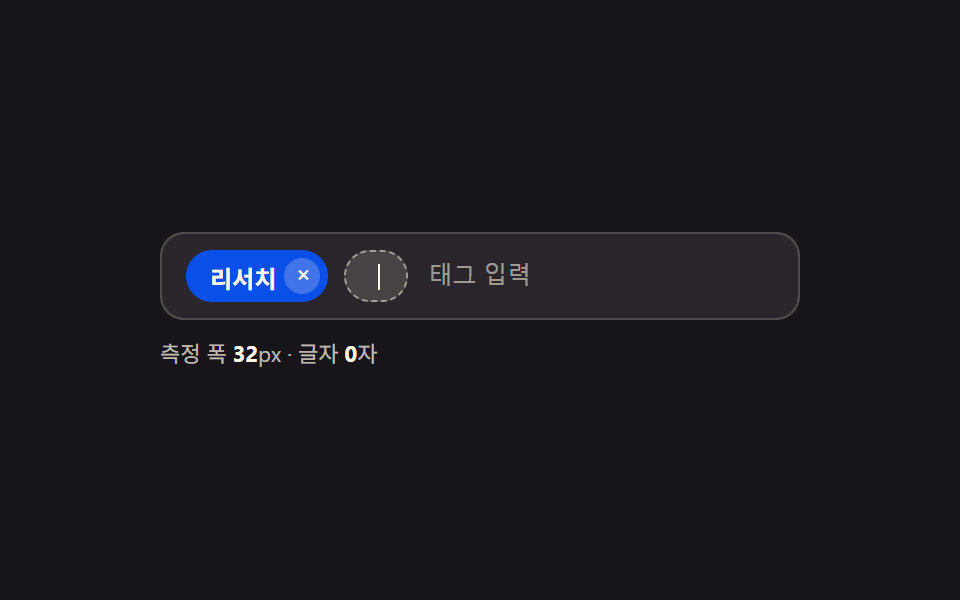 01 tag-input-chip-width-autosize
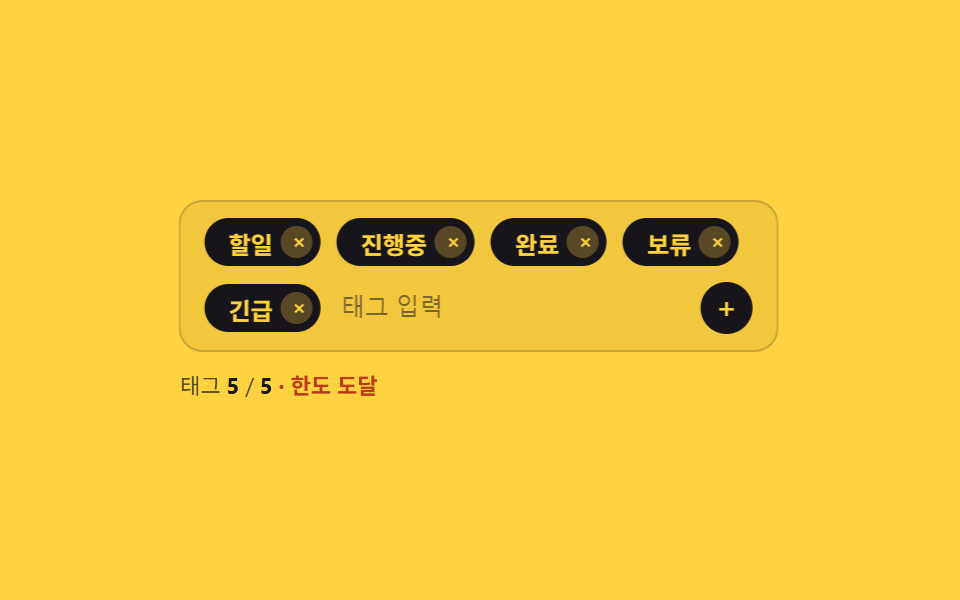 02 tag-input-max-count-shake-block
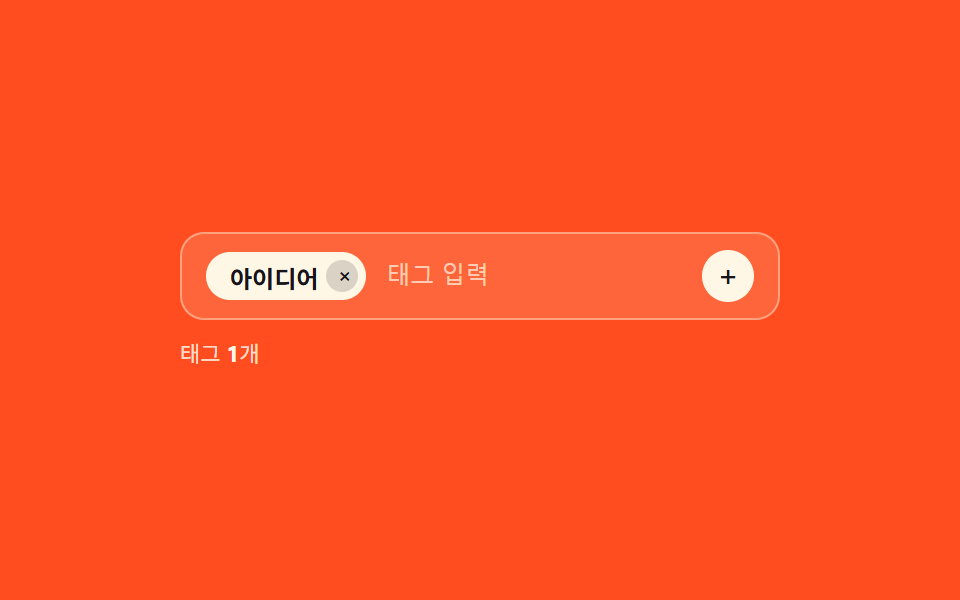 03 tag-input-duplicate-highlight-merge
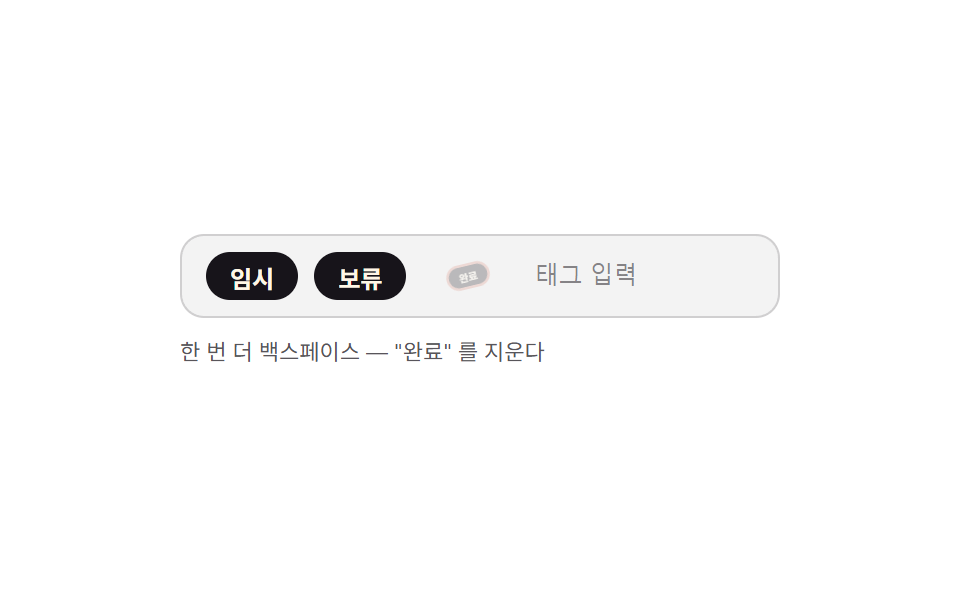 04 tag-input-keyboard-backspace-select-delete
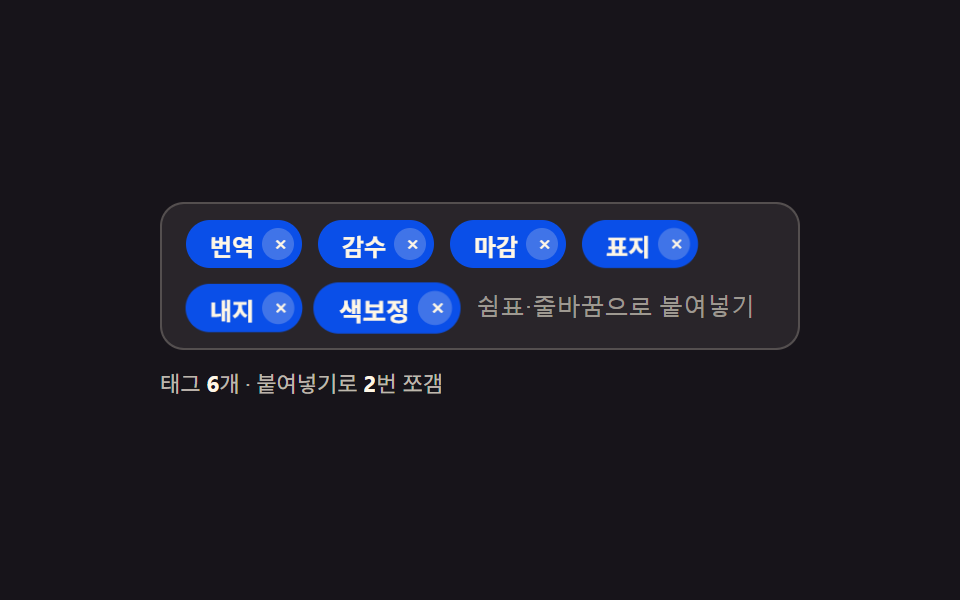 05 tag-input-paste-split-comma
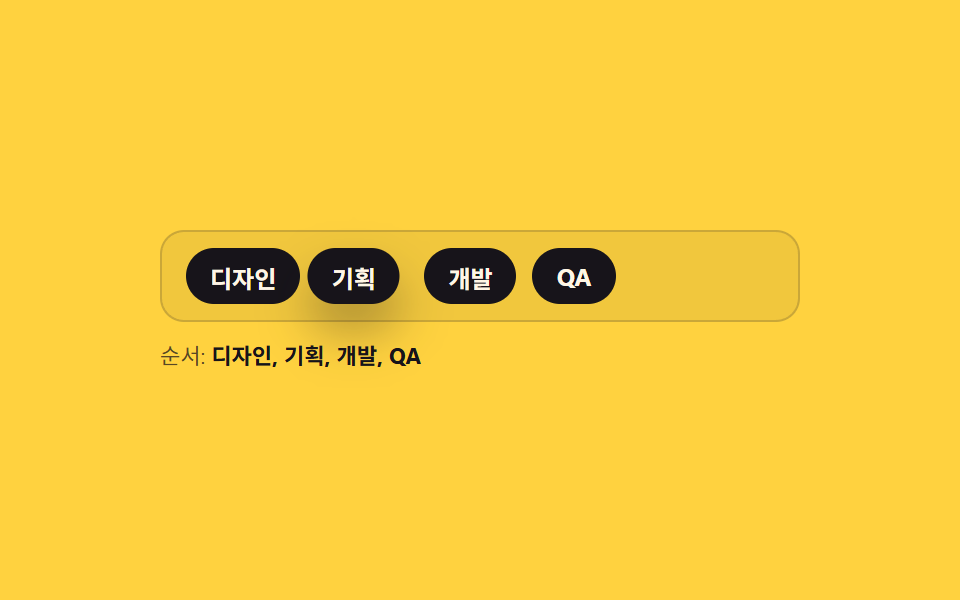 06 tag-input-drag-reorder-chip
 07 tag-input-color-random-hash
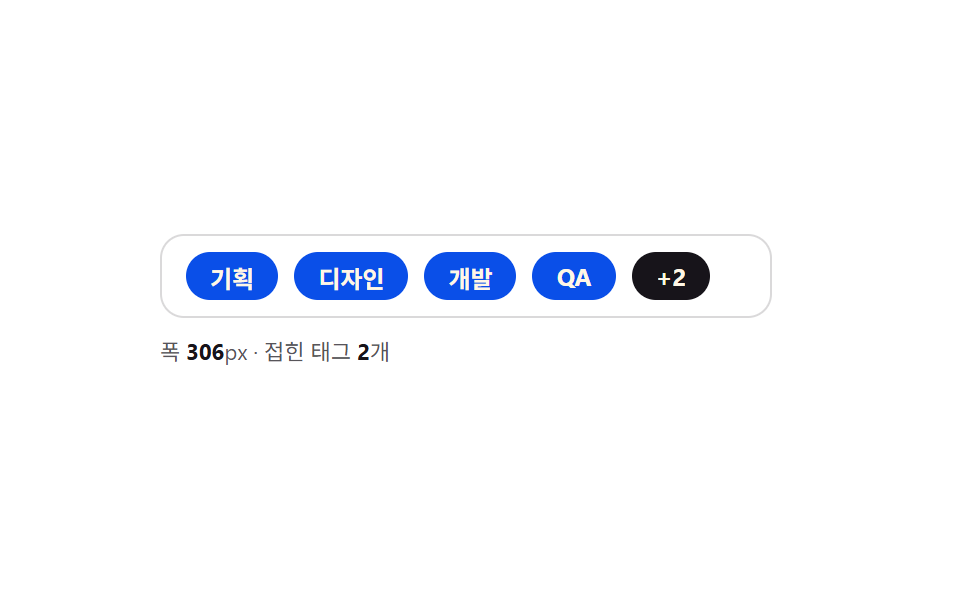 08 tag-input-overflow-row-collapse
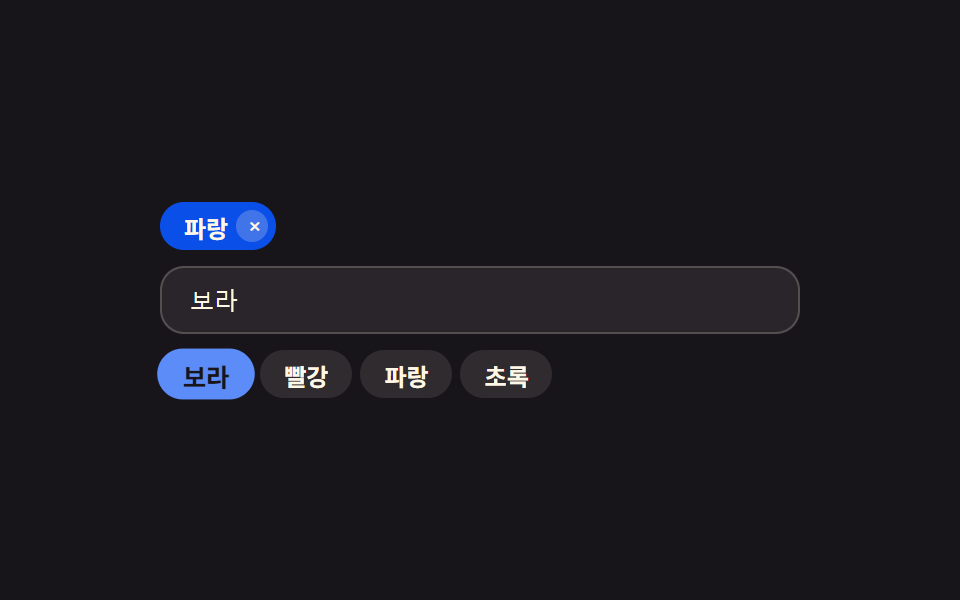 09 tag-input-autocomplete-suggest-chip
Auto-plays · click a tile to jump to its section · all nine in one zip
- 01 Tag Chip That Widens As You Type More Characters
- 02 Tag Input That Shakes and Blocks Past Its Chip Limit
- 03 Tag Input Where a Repeated Word Flashes Its Existing Chip
- 04 Tag Input That Needs Two Backspaces to Delete a Chip
- 05 Tag Input That Splits a Pasted List Into Chips at Once
- 06 Tag Input Whose Chips Reorder by Drag
- 07 Tag Input Whose Chip Color Comes From Its Text Alone
- 08 Tag Input That Collapses Overflow Chips Into a +N Badge
- 09 Tag Input That Ranks Suggestions by Closeness to What You Typed
None of the nine tag inputs below fetch, save, or remember anything real — there's no localStorage, no real clock, and nothing calls Math.random. The autocomplete candidates in pattern 09 are a fixed array baked into the HTML, pattern 07's colors come from summing character codes, and pattern 05's automatic paste demo dispatches a fake paste event with a string already attached to it rather than touching the real Clipboard API. Nothing here reaches for a library or a CDN script either — every one of the nine is a single index.html a browser can run cold.
How Nine css Tag Input Patterns Turn One Keystroke Into a Chip
Type into any of the nine fields and the same shape repeats: something is measured or counted, a chip element is created or changed, and a short CSS transition carries the visible part. What differs is the thing being measured. Pattern 01 measures the pixel width of the text you just typed with canvas.measureText. Pattern 02 counts how many chips already exist. Pattern 06 measures where your pointer sits relative to a neighboring chip's center. A tag input ui built this way isn't nine coats of the same enter-animation — it's nine different values deciding what the chip does next, with the CSS transition only ever asked to interpolate between two states that JavaScript already computed.
Six of the nine (01, 02, 03, 06, 07, 08) run a requestAnimationFrame call at least once, usually to apply a measured value on the next paint or to redraw a drag position; 09 also schedules its preview loop through requestAnimationFrame. Patterns 04 and 05 skip the frame loop entirely — a Backspace press or a paste event updates state and calls render once, synchronously, with the CSS transition on the chip's own class handling the visible motion.
How Nine Tag Chip Patterns Compare on Area, Intensity, and Moved Frames
These numbers come from this article's own render pass over the nine 480×300 demos, frame by frame: cumulative area is how much of the frame changed pixel-by-pixel across the whole run, average intensity is the mean size of that change where it happened, and moved frames is how many of the 23 frame-to-frame comparisons actually differed from the one before. A component bar like a chip list isn't meant to fill the frame the way a full-screen scene does — motion here only fires at the moments a chip enters, merges, shakes, or reflows, so a low cumulative area next to a high moved-frame count usually means frequent, small updates rather than one long continuous animation.
| # | Pattern | Cumulative area | Avg intensity | Moved frames |
|---|---|---|---|---|
| 01 | Width autosize | 1.5% | 93.0 | 10/23 |
| 02 | Max-count shake | 13.4% | 119.6 | 15/23 |
| 03 | Duplicate merge | 11.5% | 80.4 | 9/23 |
| 04 | Two-step backspace | 3.4% | 81.3 | 16/23 |
| 05 | Paste split | 14.6% | 66.1 | 17/23 |
| 06 | Drag reorder | 7.9% | 99.7 | 16/23 |
| 07 | Color hash | 11.9% | 114.5 | 9/23 |
| 08 | Overflow badge | 2.4% | 121.3 | 6/23 |
| 09 | Autocomplete rank | 3.2% | 163.7 | 6/23 |
Pattern 05 tops the table because a single paste replaces the whole row at once — several chips appear in one frame instead of one at a time. Patterns 08 and 09 have the lowest moved-frame counts on purpose: an overflow badge only has something to recompute when the row width or the chip count changes, and a ranked suggestion list only re-sorts on a keystroke, so most of their 23 comparisons are identical frames with nothing to report.
Code Per Pattern, Copied Straight Out of index.html
Each block below is the exact function that owns that pattern's calculated value, pulled from its own index.html with nothing merged, renamed, or reflowed.
01Character-count Value Widens a Typing Chip
Every keystroke first estimates the draft chip's width from text.length * WIDTH_PER_CHAR, an approximation cheap enough to apply in the same frame it's typed. A hidden <canvas> context then measures the real glyph width with measureText, and a requestAnimationFrame callback swaps in that precise width one frame later, so the guess never lingers long enough to look wrong.
<main class="stage">
<div class="ti is-demo" id="ti">
  <div class="ti__row" id="tiRow">
    <span class="ti__chip" id="tiChip0"><span class="ti__chipText">Research</span><button type="button" class="ti__chipX" aria-label="Remove tag: Research">×</button></span>
    <span class="ti__draft" id="tiDraft" aria-hidden="true"><span class="ti__draftText" id="tiDraftText"></span><span class="ti__caret"></span></span>
    <input type="text" class="ti__input" id="tiInput" aria-label="Tag input, chip width grows with character count" placeholder="Tag input">
  </div>
  <p class="ti__meta">Measured width <b id="tiW">0</b>px · chars <b id="tiN">0</b> chars</p>
  <p class="ti__sr" role="status" aria-live="polite" id="tiLive"></p>
</div>
</main>
@use "../../../../site/static/demo-tokens" as *;
// 계산 겹: index.html applyWidth() 가 키 입력마다 두 단계로 폭을 정한다 — ① WIDTH_PER_CHAR 어림값을 즉시 적용해
// 입력이 끊기지 않게 하고 ② 다음 애니메이션 프레임에 canvas measureText 로 잰 실제 글리프 폭으로 보정한다.
// .ti__draft 의 width 전환만 애니메이션하고 레이아웃은 flex 로 흐른다.
@include stage($stage-ink);
.ti { width: min(100%, 320px); display: flex; flex-direction: column; gap: $sp-2; }
.ti__row {
display: flex; flex-wrap: wrap; align-items: center; gap: $sp-2;
background: rgba($subject-cream, .08); border: 1px solid rgba($subject-cream, .18);
border-radius: $r-control; padding: $sp-2 $sp-3;
}
.ti__chip {
display: inline-flex; align-items: center; gap: $sp-1; height: 26px; padding: 0 $sp-1 0 $sp-3;
background: $subject-blue-deep; color: $subject-cream; border-radius: $r-pill;
font-size: 12px; font-weight: 700; white-space: nowrap;
transform: scale(1); opacity: 1; transition: transform $dur-quick $ease-pop, opacity $dur-quick $ease-out;
}
.ti__chip--enter { transform: scale(.6); opacity: 0; }
.ti__chipX {
width: 18px; height: 18px; border: none; border-radius: 50%; background: rgba($subject-cream, .22);
color: $subject-cream; font-size: 12px; line-height: 1; cursor: pointer; display: grid; place-items: center;
}
.ti__chipX:focus-visible { outline: 2px solid $subject-cream; outline-offset: 2px; }
.ti__draft {
display: inline-flex; align-items: center; height: 26px; padding: 0 $sp-3; box-sizing: border-box;
background: rgba($subject-cream, .14); border: 1px dashed rgba($subject-cream, .5); border-radius: $r-pill;
color: $subject-cream; font-size: 12px; font-weight: 700; overflow: hidden;
width: 32px; transition: width $dur-quick $ease-out;
}
.ti__draftText { white-space: nowrap; }
.ti__caret { width: 1px; height: 13px; background: $subject-cream; margin-left: $sp-1; animation: tiBlink 1s steps(1, end) infinite; }
.ti__input {
flex: 1 1 80px; min-width: 60px; border: none; background: transparent; color: $subject-cream;
font-size: 12px; outline: none; caret-color: transparent;
}
.ti__input::placeholder { color: rgba($subject-cream, .55); }
.ti__meta { margin: 0; font-size: 11px; color: rgba($subject-cream, .72); }
.ti__meta b { color: $subject-cream; font-weight: 700; }
.ti__sr {
position: absolute; width: 1px; height: 1px; overflow: hidden; clip: rect(0 0 0 0); margin: -1px; padding: 0; border: 0;
}
@keyframes tiBlink { 0%, 50% { opacity: 1; } 50.01%, 100% { opacity: 0; } }
@media (max-width: 340px) {
.ti { width: 100%; }
.ti__row { padding: $sp-2; }
}
@media (prefers-reduced-motion: reduce) {
.ti__draft { transition: none; }
.ti__chip { transition: none; }
.ti__caret { animation: none; }
}html, body {
margin: 0;
overflow: hidden;
}
.stage {
box-sizing: border-box;
min-height: 100vh;
display: grid;
place-items: center;
margin: 0;
background: #17141a;
font-family: -apple-system, "Segoe UI", "Noto Sans KR", sans-serif;
padding: clamp(8px, 4vw, 24px);
}
.ti {
width: min(100%, 320px);
display: flex;
flex-direction: column;
gap: 8px;
}
.ti__row {
display: flex;
flex-wrap: wrap;
align-items: center;
gap: 8px;
background: rgba(255, 247, 230, 0.08);
border: 1px solid rgba(255, 247, 230, 0.18);
border-radius: 12px;
padding: 8px 12px;
}
.ti__chip {
display: inline-flex;
align-items: center;
gap: 4px;
height: 26px;
padding: 0 4px 0 12px;
background: #0a4fe8;
color: #fff7e6;
border-radius: 999px;
font-size: 12px;
font-weight: 700;
white-space: nowrap;
transform: scale(1);
opacity: 1;
transition: transform 220ms cubic-bezier(0.2, 1.4, 0.4, 1), opacity 220ms ease-out;
}
.ti__chip--enter {
transform: scale(0.6);
opacity: 0;
}
.ti__chipX {
width: 18px;
height: 18px;
border: none;
border-radius: 50%;
background: rgba(255, 247, 230, 0.22);
color: #fff7e6;
font-size: 12px;
line-height: 1;
cursor: pointer;
display: grid;
place-items: center;
}
.ti__chipX:focus-visible {
outline: 2px solid #fff7e6;
outline-offset: 2px;
}
.ti__draft {
display: inline-flex;
align-items: center;
height: 26px;
padding: 0 12px;
box-sizing: border-box;
background: rgba(255, 247, 230, 0.14);
border: 1px dashed rgba(255, 247, 230, 0.5);
border-radius: 999px;
color: #fff7e6;
font-size: 12px;
font-weight: 700;
overflow: hidden;
width: 32px;
transition: width 220ms ease-out;
}
.ti__draftText {
white-space: nowrap;
}
.ti__caret {
width: 1px;
height: 13px;
background: #fff7e6;
margin-left: 4px;
animation: tiBlink 1s steps(1, end) infinite;
}
.ti__input {
flex: 1 1 80px;
min-width: 60px;
border: none;
background: transparent;
color: #fff7e6;
font-size: 12px;
outline: none;
caret-color: transparent;
}
.ti__input::placeholder {
color: rgba(255, 247, 230, 0.55);
}
.ti__meta {
margin: 0;
font-size: 11px;
color: rgba(255, 247, 230, 0.72);
}
.ti__meta b {
color: #fff7e6;
font-weight: 700;
}
.ti__sr {
position: absolute;
width: 1px;
height: 1px;
overflow: hidden;
clip: rect(0 0 0 0);
margin: -1px;
padding: 0;
border: 0;
}
@keyframes tiBlink {
0%, 50% {
opacity: 1;
}
50.01%, 100% {
opacity: 0;
}
}
@media (max-width: 340px) {
.ti {
width: 100%;
}
.ti__row {
padding: 8px;
}
}
@media (prefers-reduced-motion: reduce) {
.ti__draft {
transition: none;
}
.ti__chip {
transition: none;
}
.ti__caret {
animation: none;
}
}(function () {
var WIDTH_PER_CHAR = 6.4; // 계산 겹 상수: 정밀 측정 전에 즉시 보여줄 어림 Width(글자당 px) — 다음 프레임에 canvas measureText 실측값으로 보정된다
var CH_PAD = 24; // 좌우 안쪽 여백 합
var MIN_W = 32, MAX_W = 208;
var WORDS = ['Prototype', 'Wireframe', 'Draft'];
var TYPE_MS = 130, HOLD_MS = 560, GAP_MS = 420;
var reduce = window.matchMedia('(prefers-reduced-motion: reduce)').matches;
var root = document.getElementById('ti');
var draft = document.getElementById('tiDraft');
var draftText = document.getElementById('tiDraftText');
var input = document.getElementById('tiInput');
var wOut = document.getElementById('tiW');
var nOut = document.getElementById('tiN');
var live = document.getElementById('tiLive');
var row = document.getElementById('tiRow');
var chipSeq = 0;
var canvas = document.createElement('canvas');
var ctx = canvas.getContext('2d');
function syncFont() {
var cs = window.getComputedStyle(draftText);
ctx.font = cs.fontWeight + ' ' + cs.fontSize + ' ' + cs.fontFamily;
}
function measureWidth(text) {
// 계산 겹: canvas measureText 로 실제 글리프 폭을 잰다 — 글자 수 곱셈 추정이 아니다
return ctx.measureText(text).width;
}
var target = '';
function applyWidth(text, precise) {
var guess = Math.min(MAX_W, Math.max(MIN_W, text.length * WIDTH_PER_CHAR + CH_PAD));
draft.style.width = guess.toFixed(1) + 'px';
if (precise) {
syncFont();
var real = Math.min(MAX_W, Math.max(MIN_W, measureWidth(text) + CH_PAD));
requestAnimationFrame(function () {
draft.style.width = real.toFixed(1) + 'px';
wOut.textContent = Math.round(real);
});
} else {
wOut.textContent = Math.round(guess);
}
nOut.textContent = text.length;
}
function render() {
draftText.textContent = target;
applyWidth(target, true);
}
function commit(text) {
if (!text) return;
chipSeq++;
var chip = document.createElement('span');
chip.className = 'ti__chip ti__chip--enter';
chip.id = 'tiChip' + chipSeq;
var t = document.createElement('span');
t.className = 'ti__chipText';
t.textContent = text;
var x = document.createElement('button');
x.type = 'button';
x.className = 'ti__chipX';
x.setAttribute('aria-label', 'Remove tag: ' + text);
x.addEventListener('click', function () { human(); chip.remove(); announce(); });
chip.appendChild(t);
chip.appendChild(x);
row.insertBefore(chip, draft);
requestAnimationFrame(function () { chip.classList.remove('ti__chip--enter'); });
announce();
}
function announce() {
live.textContent = 'Tags ' + row.querySelectorAll('.ti__chip').length + ' ';
}
function human() {
if (root.classList.contains('is-demo')) { root.classList.remove('is-demo'); }
}
input.addEventListener('input', function () {
human();
target = input.value;
render();
});
input.addEventListener('keydown', function (e) {
if (e.key === 'Enter' && input.value.trim()) {
human();
commit(input.value.trim());
input.value = '';
target = '';
render();
}
});
var timer = 0;
function schedule(fn, ms) { timer = window.setTimeout(fn, ms); }
function typeLoop(wi, ci) {
if (!root.classList.contains('is-demo')) return;
var word = WORDS[wi % WORDS.length];
if (ci <= word.length) {
target = word.slice(0, ci);
render();
schedule(function () { typeLoop(wi, ci + 1); }, TYPE_MS);
} else {
schedule(function () {
if (!root.classList.contains('is-demo')) return;
commit(word);
target = '';
render();
schedule(function () { typeLoop(wi + 1, 0); }, GAP_MS);
}, HOLD_MS);
}
}
render();
announce();
if (!reduce) {
schedule(function () { typeLoop(0, 0); }, 320);
} else {
root.classList.remove('is-demo');
}
})();// TagChipWidthAutosize — vanilla 판(run/397/demo/01-tag-input-chip-width-autosize/index.html) 의 React 포트.
// applyWidth() 가 키 입력마다 WIDTH_PER_CHAR 어림값을 즉시 적용하고, 다음 프레임에 canvas measureText 로
// 잰 실제 글리프 폭으로 보정한다. reduce 에서도 input/keydown 은 render() 를 즉시 한 번 부른다.
import { useEffect, useRef, useState } from "react";
import styles from "./TagChipWidthAutosize.module.scss";
type Box<T> = { current: T };
type ChangeEvt = { target: { value: string } };
type KeyEvt = { key: string };
const WIDTH_PER_CHAR = 6.4; // 계산 겹 상수: 정밀 측정 전 즉시 보여줄 어림 폭(글자당 px)
const CH_PAD = 24;
const MIN_W = 32, MAX_W = 208;
const WORDS = ["프로토타입", "와이어프레임", "초안"];
const TYPE_MS = 130, HOLD_MS = 560, GAP_MS = 420;
type Chip = { id: number; text: string; entering: boolean };
export default function TagChipWidthAutosize() {
const rootRef = useRef(null) as unknown as Box<HTMLDivElement>;
const draftTextRef = useRef(null) as unknown as Box<HTMLSpanElement>;
const inputRef = useRef(null) as unknown as Box<HTMLInputElement>;
const canvasRef = useRef(null) as unknown as Box<HTMLCanvasElement | null>;
const timerRef = useRef(0) as unknown as Box<number>;
const seqRef = useRef(1) as unknown as Box<number>;
const isDemoRef = useRef(true) as unknown as Box<boolean>;
const [chips, setChips] = useState<Chip[]>([{ id: 0, text: "리서치", entering: false }]);
const [draft, setDraft] = useState("");
const [draftW, setDraftW] = useState(MIN_W);
const [measuredW, setMeasuredW] = useState(0);
const [isDemo, setIsDemo] = useState(true);
const [live, setLive] = useState("태그 1개");
function measureWidth(text: string): number {
if (!canvasRef.current) canvasRef.current = document.createElement("canvas");
const ctx = canvasRef.current.getContext("2d");
if (!ctx || !draftTextRef.current) return text.length * WIDTH_PER_CHAR;
const cs = window.getComputedStyle(draftTextRef.current);
ctx.font = cs.fontWeight + " " + cs.fontSize + " " + cs.fontFamily;
return ctx.measureText(text).width;
}
function render(text: string) {
const guess = Math.min(MAX_W, Math.max(MIN_W, text.length * WIDTH_PER_CHAR + CH_PAD));
setDraft(text);
setDraftW(guess);
setMeasuredW(Math.round(guess));
requestAnimationFrame(() => {
const real = Math.min(MAX_W, Math.max(MIN_W, measureWidth(text) + CH_PAD));
setDraftW(real);
setMeasuredW(Math.round(real));
});
}
function human() {
if (isDemoRef.current) { isDemoRef.current = false; setIsDemo(false); }
}
function commit(text: string) {
if (!text) return;
const id = seqRef.current++;
setChips((cs) => [...cs, { id, text, entering: true }]);
window.setTimeout(() => {
setChips((cs) => cs.map((c) => (c.id === id ? { ...c, entering: false } : c)));
}, 20);
}
useEffect(() => {
setLive("태그 " + chips.length + "개");
}, [chips.length]);
useEffect(() => {
const reduce = window.matchMedia("(prefers-reduced-motion: reduce)").matches;
function typeLoop(wi: number, ci: number) {
if (!isDemoRef.current) return;
const word = WORDS[wi % WORDS.length];
if (ci <= word.length) {
render(word.slice(0, ci));
timerRef.current = window.setTimeout(() => typeLoop(wi, ci + 1), TYPE_MS);
} else {
timerRef.current = window.setTimeout(() => {
if (!isDemoRef.current) return;
commit(word);
render("");
timerRef.current = window.setTimeout(() => typeLoop(wi + 1, 0), GAP_MS);
}, HOLD_MS);
}
}
if (!reduce) {
timerRef.current = window.setTimeout(() => typeLoop(0, 0), 320);
} else {
isDemoRef.current = false;
setIsDemo(false);
}
return () => window.clearTimeout(timerRef.current);
// eslint-disable-next-line react-hooks/exhaustive-deps
}, []);
function onInput(e: ChangeEvt) {
human();
render(e.target.value);
}
function onKeyDown(e: KeyEvt) {
if (e.key === "Enter" && draft.trim()) {
human();
commit(draft.trim());
render("");
}
}
function removeChip(id: number) {
human();
setChips((cs) => cs.filter((c) => c.id !== id));
}
return (
<main className={styles.stage}>
<div className={styles.ti + " " + (isDemo ? styles.isDemo : "")} ref={rootRef}>
<div className={styles.row}>
{chips.map((c) => (
<span key={c.id} className={styles.chip + (c.entering ? " " + styles.chipEnter : "")}>
<span className={styles.chipText}>{c.text}</span>
<button type="button" className={styles.chipX} aria-label={"태그 삭제: " + c.text} onClick={() => removeChip(c.id)}>×</button>
</span>
))}
<span className={styles.draft} style={{ width: draftW + "px" }} aria-hidden="true">
<span className={styles.draftText} ref={draftTextRef}>{draft}</span>
<span className={styles.caret} />
</span>
<input
type="text" className={styles.input} aria-label="태그 입력, 글자 수만큼 칩 폭이 늘어난다"
placeholder="태그 입력" ref={inputRef} value={draft} onChange={onInput} onKeyDown={onKeyDown}
/>
</div>
<p className={styles.meta}>측정 폭 <b>{measuredW}</b>px · 글자 <b>{draft.length}</b>자</p>
<p className={styles.sr} role="status" aria-live="polite">{live}</p>
</div>
</main>
);
}01 · Tag Chip That Widens As You Type More Characters — Measured area 1.497% · moving frames 10/23Original by GODRICH · SCSS and React ship in the zip · See the password
  function measureWidth(text) {
    // calc layer: canvas measureText reads the real glyph width — not a character-count multiplication
    return ctx.measureText(text).width;
  }

  var target = '';
  function applyWidth(text, precise) {
    var guess = Math.min(MAX_W, Math.max(MIN_W, text.length * WIDTH_PER_CHAR + CH_PAD));
    draft.style.width = guess.toFixed(1) + 'px';
    if (precise) {
      syncFont();
      var real = Math.min(MAX_W, Math.max(MIN_W, measureWidth(text) + CH_PAD));
      requestAnimationFrame(function () {
        draft.style.width = real.toFixed(1) + 'px';
        wOut.textContent = Math.round(real);
      });
    } else {
      wOut.textContent = Math.round(guess);
    }
    nOut.textContent = text.length;
  }
02Chip-count Value Shakes an Input Past Its Limit
count() re-reads the live .tm__chip elements in the row on every add attempt instead of trusting a cached number, and that count is compared against MAX_COUNT before a chip is ever created. Once the field is full, block() removes and immediately re-adds the same shake class — forcing a reflow with void row.offsetWidth in between — so pressing Enter at the limit replays the same short shake every time instead of animating only once.
<main class="stage">
<div class="tm is-demo" id="tm">
  <div class="tm__row" id="tmRow">
    <input type="text" class="tm__input" id="tmInput" aria-label="Tag input, shakes when the limit is reached" placeholder="Tag input">
    <button type="button" class="tm__add" id="tmAdd" aria-label="Add tag">+</button>
  </div>
  <p class="tm__meta">Tags <b id="tmCount">0</b> / <b id="tmMax">5</b><span class="tm__warn" id="tmWarn" hidden> · limit reached</span></p>
  <p class="tm__sr" role="alert" id="tmLive"></p>
</div>
</main>
@use "../../../../site/static/demo-tokens" as *;
// 계산 겹: block() 이 count() 를 MAX_COUNT 와 비교해 이미 한도면 칩을 만들지 않고
// .tm__row--shake 을 다시 건다(reflow 로 재생 보장). 진폭이 줄어드는 5단 스프링 오프셋으로
// 감쇠 진동을 흉내낸다 — 단순 좌우 2단 흔들림이 아니다.
@include stage($stage-yellow);
.tm { width: min(100%, 300px); display: flex; flex-direction: column; gap: $sp-2; }
.tm__row {
display: flex; flex-wrap: wrap; align-items: center; gap: $sp-2;
background: rgba($subject-ink, .06); border: 1px solid rgba($subject-ink, .18);
border-radius: $r-control; padding: $sp-2 $sp-3;
}
.tm__row--shake { animation: tmShake $dur-enter $ease-spring 1; }
.tm__input {
flex: 1 1 auto; min-width: 0; border: none; background: transparent; color: $subject-ink;
font-size: 12px; outline: none;
}
.tm__input::placeholder { color: rgba($subject-ink, .55); }
.tm__add {
flex: 0 0 auto; width: 26px; height: 26px; border: none; border-radius: 50%;
background: $subject-ink; color: $stage-yellow; font-size: 15px; line-height: 1; cursor: pointer;
display: grid; place-items: center; transition: transform $dur-instant $ease-out;
}
.tm__add:active { transform: scale(.88); }
.tm__add:focus-visible { outline: 2px solid $subject-ink; outline-offset: 2px; }
.tm__chip {
display: inline-flex; align-items: center; gap: $sp-1; height: 24px; padding: 0 $sp-1 0 $sp-3;
background: $subject-ink; color: $stage-yellow; border-radius: $r-pill;
font-size: 12px; font-weight: 700; white-space: nowrap;
transform: scale(1); opacity: 1; transition: transform $dur-quick $ease-pop, opacity $dur-quick $ease-out;
}
.tm__chip--enter { transform: scale(.6); opacity: 0; }
.tm__chipX {
width: 16px; height: 16px; border: none; border-radius: 50%; background: rgba($stage-yellow, .28);
color: $stage-yellow; font-size: 11px; line-height: 1; cursor: pointer; display: grid; place-items: center;
}
.tm__chipX:focus-visible { outline: 2px solid $subject-ink; outline-offset: 2px; }
.tm__meta { margin: 0; font-size: 11px; color: rgba($subject-ink, .72); }
.tm__meta b { color: $subject-ink; font-weight: 700; }
.tm__warn { color: $error; font-weight: 700; }
.tm__sr {
position: absolute; width: 1px; height: 1px; overflow: hidden; clip: rect(0 0 0 0); margin: -1px; padding: 0; border: 0;
}
// 감쇠 스프링: 진폭이 8→5→3→1→0px 로 줄며 좌우로 흔들린다(단순 2단 shake 가 아니다)
@keyframes tmShake {
0% { transform: translateX(0); }
8% { transform: translateX(-8px); }
18% { transform: translateX(7px); }
30% { transform: translateX(-5px); }
44% { transform: translateX(4px); }
58% { transform: translateX(-3px); }
72% { transform: translateX(2px); }
86% { transform: translateX(-1px); }
100% { transform: translateX(0); }
}
@media (max-width: 340px) {
.tm { width: 100%; }
.tm__row { padding: $sp-2; }
}
@media (prefers-reduced-motion: reduce) {
.tm__row--shake { animation: none; }
.tm__chip { transition: none; }
.tm__add { transition: none; }
}html, body {
margin: 0;
overflow: hidden;
}
.stage {
box-sizing: border-box;
min-height: 100vh;
display: grid;
place-items: center;
margin: 0;
background: #ffd23f;
font-family: -apple-system, "Segoe UI", "Noto Sans KR", sans-serif;
padding: clamp(8px, 4vw, 24px);
}
.tm {
width: min(100%, 300px);
display: flex;
flex-direction: column;
gap: 8px;
}
.tm__row {
display: flex;
flex-wrap: wrap;
align-items: center;
gap: 8px;
background: rgba(23, 20, 26, 0.06);
border: 1px solid rgba(23, 20, 26, 0.18);
border-radius: 12px;
padding: 8px 12px;
}
.tm__row--shake {
animation: tmShake 600ms cubic-bezier(0.2, 0.8, 0.2, 1) 1;
}
.tm__input {
flex: 1 1 auto;
min-width: 0;
border: none;
background: transparent;
color: #17141a;
font-size: 12px;
outline: none;
}
.tm__input::placeholder {
color: rgba(23, 20, 26, 0.55);
}
.tm__add {
flex: 0 0 auto;
width: 26px;
height: 26px;
border: none;
border-radius: 50%;
background: #17141a;
color: #ffd23f;
font-size: 15px;
line-height: 1;
cursor: pointer;
display: grid;
place-items: center;
transition: transform 140ms ease-out;
}
.tm__add:active {
transform: scale(0.88);
}
.tm__add:focus-visible {
outline: 2px solid #17141a;
outline-offset: 2px;
}
.tm__chip {
display: inline-flex;
align-items: center;
gap: 4px;
height: 24px;
padding: 0 4px 0 12px;
background: #17141a;
color: #ffd23f;
border-radius: 999px;
font-size: 12px;
font-weight: 700;
white-space: nowrap;
transform: scale(1);
opacity: 1;
transition: transform 220ms cubic-bezier(0.2, 1.4, 0.4, 1), opacity 220ms ease-out;
}
.tm__chip--enter {
transform: scale(0.6);
opacity: 0;
}
.tm__chipX {
width: 16px;
height: 16px;
border: none;
border-radius: 50%;
background: rgba(255, 210, 63, 0.28);
color: #ffd23f;
font-size: 11px;
line-height: 1;
cursor: pointer;
display: grid;
place-items: center;
}
.tm__chipX:focus-visible {
outline: 2px solid #17141a;
outline-offset: 2px;
}
.tm__meta {
margin: 0;
font-size: 11px;
color: rgba(23, 20, 26, 0.72);
}
.tm__meta b {
color: #17141a;
font-weight: 700;
}
.tm__warn {
color: #c2361a;
font-weight: 700;
}
.tm__sr {
position: absolute;
width: 1px;
height: 1px;
overflow: hidden;
clip: rect(0 0 0 0);
margin: -1px;
padding: 0;
border: 0;
}
@keyframes tmShake {
0% {
transform: translateX(0);
}
8% {
transform: translateX(-8px);
}
18% {
transform: translateX(7px);
}
30% {
transform: translateX(-5px);
}
44% {
transform: translateX(4px);
}
58% {
transform: translateX(-3px);
}
72% {
transform: translateX(2px);
}
86% {
transform: translateX(-1px);
}
100% {
transform: translateX(0);
}
}
@media (max-width: 340px) {
.tm {
width: 100%;
}
.tm__row {
padding: 8px;
}
}
@media (prefers-reduced-motion: reduce) {
.tm__row--shake {
animation: none;
}
.tm__chip {
transition: none;
}
.tm__add {
transition: none;
}
}(function () {
var MAX_COUNT = 5; // 계산 겹 상수: 이 개수와 매번 비교해 한도를 판정한다
var WORDS = ['To-do', 'In progress', 'Done', 'On hold', 'Urgent'];
var OVER_WORD = 'Confirm';
var ADD_MS = 180, PAUSE_MS = 900;
var reduce = window.matchMedia('(prefers-reduced-motion: reduce)').matches;
var root = document.getElementById('tm');
var row = document.getElementById('tmRow');
var input = document.getElementById('tmInput');
var addBtn = document.getElementById('tmAdd');
var countEl = document.getElementById('tmCount');
var warnEl = document.getElementById('tmWarn');
var live = document.getElementById('tmLive');
var seq = 0;
function count() { return row.querySelectorAll('.tm__chip').length; }
function render() {
countEl.textContent = count();
warnEl.hidden = count() < MAX_COUNT;
}
function human() { if (root.classList.contains('is-demo')) root.classList.remove('is-demo'); }
function block() {
// 계산 겹: 개수를 MAX_COUNT 와 비교해 이미 한도라면 칩을 만들지 않고 스프링 흔들림만 재생한다
row.classList.remove('tm__row--shake');
void row.offsetWidth; // 리플로우 — 같은 클래스를 다시 걸어도 애니메이션이 재생되게
row.classList.add('tm__row--shake');
live.textContent = 'Tags ' + MAX_COUNT + ' limit reached';
if (reduce) render();
}
function add(text) {
if (!text) return;
if (count() >= MAX_COUNT) { block(); return; }
seq++;
var chip = document.createElement('span');
chip.className = 'tm__chip tm__chip--enter';
chip.id = 'tmChip' + seq;
chip.innerHTML = '<span class="tm__chipText"></span><button type="button" class="tm__chipX">×</button>';
chip.querySelector('.tm__chipText').textContent = text;
chip.querySelector('.tm__chipX').setAttribute('aria-label', 'Remove tag: ' + text);
chip.querySelector('.tm__chipX').addEventListener('click', function () { human(); chip.remove(); render(); });
row.insertBefore(chip, input);
requestAnimationFrame(function () { chip.classList.remove('tm__chip--enter'); });
render();
live.textContent = text + ' added · tags ' + count() + ' ';
}
addBtn.addEventListener('click', function () { human(); add(input.value.trim()); input.value = ''; });
input.addEventListener('keydown', function (e) {
if (e.key === 'Enter' && input.value.trim()) { human(); add(input.value.trim()); input.value = ''; }
});
var timer = 0;
function schedule(fn, ms) { timer = window.setTimeout(fn, ms); }
function loop(i) {
if (!root.classList.contains('is-demo')) return;
if (i < WORDS.length) {
add(WORDS[i]);
schedule(function () { loop(i + 1); }, ADD_MS);
} else if (i === WORDS.length) {
add(OVER_WORD); // 한도에 닿아 block() 이 대신 실행된다
schedule(function () { loop(i + 1); }, PAUSE_MS);
} else {
row.querySelectorAll('.tm__chip').forEach(function (c) { c.remove(); });
render();
schedule(function () { loop(0); }, ADD_MS);
}
}
render();
if (!reduce) {
schedule(function () { loop(0); }, 320);
} else {
root.classList.remove('is-demo');
}
})();// TagMaxCountShakeBlock — vanilla 판(run/397/demo/02-tag-input-max-count-shake-block/index.html) 의 React 포트.
// block() 이 count 를 MAX_COUNT 와 비교해 이미 한도면 칩을 만들지 않고 감쇠 스프링 shake 클래스를 다시 건다
// (키를 바꿔 리마운트시켜 CSS 애니메이션이 매번 재생되게 한다 — reflow 트릭의 React 버전).
import { useEffect, useRef, useState } from "react";
import styles from "./TagMaxCountShakeBlock.module.scss";
type Box<T> = { current: T };
type ChangeEvt = { target: { value: string } };
type KeyEvt = { key: string };
const MAX_COUNT = 5; // 계산 겹 상수: 이 개수와 매번 비교해 한도를 판정한다
const WORDS = ["할일", "진행중", "완료", "보류", "긴급"];
const OVER_WORD = "확인";
const ADD_MS = 180, PAUSE_MS = 900;
type Chip = { id: number; text: string; entering: boolean };
export default function TagMaxCountShakeBlock() {
const timerRef = useRef(0) as unknown as Box<number>;
const seqRef = useRef(1) as unknown as Box<number>;
const shakeSeqRef = useRef(0) as unknown as Box<number>;
const isDemoRef = useRef(true) as unknown as Box<boolean>;
const [chips, setChips] = useState<Chip[]>([]);
const [draft, setDraft] = useState("");
const [shakeKey, setShakeKey] = useState(0);
const [warn, setWarn] = useState(false);
const [isDemo, setIsDemo] = useState(true);
const [live, setLive] = useState("");
function human() {
if (isDemoRef.current) { isDemoRef.current = false; setIsDemo(false); }
}
function block() {
// 계산 겹: 현재 개수를 MAX_COUNT 와 비교해 이미 한도라면 칩을 만들지 않고 스프링 흔들림만 재생한다
shakeSeqRef.current++;
setShakeKey(shakeSeqRef.current);
setLive("태그 " + MAX_COUNT + "개 한도에 닿았다");
}
function add(text: string) {
if (!text) return;
setChips((cs) => {
if (cs.length >= MAX_COUNT) { block(); return cs; }
const id = seqRef.current++;
setLive(text + " 추가 · 태그 " + (cs.length + 1) + "개");
window.setTimeout(() => {
setChips((cs2) => cs2.map((c) => (c.id === id ? { ...c, entering: false } : c)));
}, 20);
return [...cs, { id, text, entering: true }];
});
}
function removeChip(id: number) {
human();
setChips((cs) => cs.filter((c) => c.id !== id));
}
useEffect(() => {
setWarn(chips.length >= MAX_COUNT);
}, [chips.length]);
useEffect(() => {
const reduce = window.matchMedia("(prefers-reduced-motion: reduce)").matches;
function loop(i: number) {
if (!isDemoRef.current) return;
if (i < WORDS.length) {
add(WORDS[i]);
timerRef.current = window.setTimeout(() => loop(i + 1), ADD_MS);
} else if (i === WORDS.length) {
add(OVER_WORD);
timerRef.current = window.setTimeout(() => loop(i + 1), PAUSE_MS);
} else {
setChips([]);
timerRef.current = window.setTimeout(() => loop(0), ADD_MS);
}
}
if (!reduce) {
timerRef.current = window.setTimeout(() => loop(0), 320);
} else {
isDemoRef.current = false;
setIsDemo(false);
}
return () => window.clearTimeout(timerRef.current);
// eslint-disable-next-line react-hooks/exhaustive-deps
}, []);
function onAdd() { human(); add(draft.trim()); setDraft(""); }
function onInput(e: ChangeEvt) { setDraft(e.target.value); }
function onKeyDown(e: KeyEvt) {
if (e.key === "Enter" && draft.trim()) { human(); add(draft.trim()); setDraft(""); }
}
return (
<main className={styles.stage}>
<div className={styles.tm + " " + (isDemo ? styles.isDemo : "")}>
<div key={shakeKey} className={styles.row + (shakeKey ? " " + styles.rowShake : "")}>
{chips.map((c) => (
<span key={c.id} className={styles.chip + (c.entering ? " " + styles.chipEnter : "")}>
<span>{c.text}</span>
<button type="button" className={styles.chipX} aria-label={"태그 삭제: " + c.text} onClick={() => removeChip(c.id)}>×</button>
</span>
))}
<input
type="text" className={styles.input} aria-label="태그 입력, 한도에 닿으면 칸이 흔들린다"
placeholder="태그 입력" value={draft} onChange={onInput} onKeyDown={onKeyDown}
/>
<button type="button" className={styles.add} aria-label="태그 추가" onClick={onAdd}>+</button>
</div>
<p className={styles.meta}>
태그 <b>{chips.length}</b> / <b>{MAX_COUNT}</b>
{warn ? <span className={styles.warn}> · 한도 도달</span> : null}
</p>
<p className={styles.sr} role="alert">{live}</p>
</div>
</main>
);
}02 · Tag Input That Shakes and Blocks Past Its Chip Limit — Measured area 13.369% · moving frames 15/23Original by GODRICH · SCSS and React ship in the zip · See the password
  function count() { return row.querySelectorAll('.tm__chip').length; }

  function render() {
    countEl.textContent = count();
    warnEl.hidden = count() < MAX_COUNT;
  }

  function human() { if (root.classList.contains('is-demo')) root.classList.remove('is-demo'); }

  function block() {
    // calc layer: compares the count against MAX_COUNT and, past the limit, replays the spring shake instead of adding a chip
    row.classList.remove('tm__row--shake');
    void row.offsetWidth; // reflow — reapplying the same class needs one or the animation won't replay
    row.classList.add('tm__row--shake');
    live.textContent = 'Tags ' + MAX_COUNT + ' limit reached';
    if (reduce) render();
  }
03Normalized-text Value Flashes a Duplicate Chip Instead of Adding One
findDup runs the typed text and every existing chip's stored text through the same norm() function — trim, then lowercase — before comparing them, so "Draft" and " draft " both match a chip already reading "draft". When a match turns up, merge() never touches the DOM chip count; it just re-triggers a fade-and-return pulse on the existing chip through the same remove-class/reflow/add-class sequence pattern 02 uses for its shake.
<main class="stage">
<div class="td is-demo" id="td">
  <div class="td__row" id="tdRow">
    <input type="text" class="td__input" id="tdInput" aria-label="Tag input, an existing chip glows instead of duplicating" placeholder="Tag input">
    <button type="button" class="td__add" id="tdAdd" aria-label="Add tag">+</button>
  </div>
  <p class="td__meta">Tags <b id="tdCount">0</b> <span class="td__dup" id="tdDup" hidden> · already exists</span></p>
  <p class="td__sr" role="status" aria-live="polite" id="tdLive"></p>
</div>
</main>
@use "../../../../site/static/demo-tokens" as *;
// 계산 겹: findDup() 이 입력 문자열을 정규화(trim+lowercase)해 기존 칩 전부와 견준다.
// 같은 게 있으면 새 칩을 만들지 않고 그 칩에 td__chip--merge 를 다시 걸어(reflow) 감쇠 펄스 +
// 링 글로우를 재생한다 — 병합은 "새로 안 만든다"이지 두 칩을 하나로 접는 연출이 아니다.
@include stage($stage-orange);
.td { width: min(100%, 300px); display: flex; flex-direction: column; gap: $sp-2; }
.td__row {
display: flex; flex-wrap: wrap; align-items: center; gap: $sp-2;
background: rgba($subject-cream, .14); border: 1px solid rgba($subject-cream, .4);
border-radius: $r-control; padding: $sp-2 $sp-3;
}
.td__input {
flex: 1 1 auto; min-width: 0; border: none; background: transparent; color: $subject-cream;
font-size: 12px; outline: none;
}
.td__input::placeholder { color: rgba($subject-cream, .7); }
.td__add {
flex: 0 0 auto; width: 26px; height: 26px; border: none; border-radius: 50%;
background: $subject-cream; color: $subject-ink; font-size: 15px; line-height: 1; cursor: pointer;
display: grid; place-items: center; transition: transform $dur-instant $ease-out;
}
.td__add:active { transform: scale(.88); }
.td__add:focus-visible { outline: 2px solid $subject-ink; outline-offset: 2px; }
.td__chip {
display: inline-flex; align-items: center; gap: $sp-1; height: 24px; padding: 0 $sp-1 0 $sp-3;
background: $subject-cream; color: $subject-ink; border-radius: $r-pill;
font-size: 12px; font-weight: 700; white-space: nowrap;
transform: scale(1); opacity: 1; transition: transform $dur-quick $ease-pop, opacity $dur-quick $ease-out;
}
.td__chip--enter { transform: scale(.6); opacity: 0; }
.td__chip--merge { animation: tdMerge $dur-enter $ease-spring 1; }
.td__chipX {
width: 16px; height: 16px; border: none; border-radius: 50%; background: rgba($subject-ink, .16);
color: $subject-ink; font-size: 11px; line-height: 1; cursor: pointer; display: grid; place-items: center;
}
.td__chipX:focus-visible { outline: 2px solid $subject-ink; outline-offset: 2px; }
.td__meta { margin: 0; font-size: 11px; color: rgba($subject-cream, .85); }
.td__meta b { color: $subject-cream; font-weight: 700; }
.td__dup { color: $subject-cream; font-weight: 700; }
.td__sr {
position: absolute; width: 1px; height: 1px; overflow: hidden; clip: rect(0 0 0 0); margin: -1px; padding: 0; border: 0;
}
// 감쇠 스프링 펄스 + 링 글로우: 크기가 1→1.16→0.95→1.05→1 로 오버슈트하며 그림자 링이 함께 사그라든다
@keyframes tdMerge {
0% { transform: scale(1); box-shadow: 0 0 0 0 rgba($subject-blue-deep, 0); }
14% { transform: scale(1.16); box-shadow: 0 0 0 6px rgba($subject-blue-deep, .45); }
32% { transform: scale(.95); box-shadow: 0 0 0 3px rgba($subject-blue-deep, .3); }
50% { transform: scale(1.05); box-shadow: 0 0 0 5px rgba($subject-blue-deep, .18); }
70% { transform: scale(.99); box-shadow: 0 0 0 2px rgba($subject-blue-deep, .1); }
100% { transform: scale(1); box-shadow: 0 0 0 0 rgba($subject-blue-deep, 0); }
}
@media (max-width: 340px) {
.td { width: 100%; }
.td__row { padding: $sp-2; }
}
@media (prefers-reduced-motion: reduce) {
.td__chip { transition: none; }
.td__chip--merge { animation: none; }
.td__add { transition: none; }
}html, body {
margin: 0;
overflow: hidden;
}
.stage {
box-sizing: border-box;
min-height: 100vh;
display: grid;
place-items: center;
margin: 0;
background: #ff4d1f;
font-family: -apple-system, "Segoe UI", "Noto Sans KR", sans-serif;
padding: clamp(8px, 4vw, 24px);
}
.td {
width: min(100%, 300px);
display: flex;
flex-direction: column;
gap: 8px;
}
.td__row {
display: flex;
flex-wrap: wrap;
align-items: center;
gap: 8px;
background: rgba(255, 247, 230, 0.14);
border: 1px solid rgba(255, 247, 230, 0.4);
border-radius: 12px;
padding: 8px 12px;
}
.td__input {
flex: 1 1 auto;
min-width: 0;
border: none;
background: transparent;
color: #fff7e6;
font-size: 12px;
outline: none;
}
.td__input::placeholder {
color: rgba(255, 247, 230, 0.7);
}
.td__add {
flex: 0 0 auto;
width: 26px;
height: 26px;
border: none;
border-radius: 50%;
background: #fff7e6;
color: #17141a;
font-size: 15px;
line-height: 1;
cursor: pointer;
display: grid;
place-items: center;
transition: transform 140ms ease-out;
}
.td__add:active {
transform: scale(0.88);
}
.td__add:focus-visible {
outline: 2px solid #17141a;
outline-offset: 2px;
}
.td__chip {
display: inline-flex;
align-items: center;
gap: 4px;
height: 24px;
padding: 0 4px 0 12px;
background: #fff7e6;
color: #17141a;
border-radius: 999px;
font-size: 12px;
font-weight: 700;
white-space: nowrap;
transform: scale(1);
opacity: 1;
transition: transform 220ms cubic-bezier(0.2, 1.4, 0.4, 1), opacity 220ms ease-out;
}
.td__chip--enter {
transform: scale(0.6);
opacity: 0;
}
.td__chip--merge {
animation: tdMerge 600ms cubic-bezier(0.2, 0.8, 0.2, 1) 1;
}
.td__chipX {
width: 16px;
height: 16px;
border: none;
border-radius: 50%;
background: rgba(23, 20, 26, 0.16);
color: #17141a;
font-size: 11px;
line-height: 1;
cursor: pointer;
display: grid;
place-items: center;
}
.td__chipX:focus-visible {
outline: 2px solid #17141a;
outline-offset: 2px;
}
.td__meta {
margin: 0;
font-size: 11px;
color: rgba(255, 247, 230, 0.85);
}
.td__meta b {
color: #fff7e6;
font-weight: 700;
}
.td__dup {
color: #fff7e6;
font-weight: 700;
}
.td__sr {
position: absolute;
width: 1px;
height: 1px;
overflow: hidden;
clip: rect(0 0 0 0);
margin: -1px;
padding: 0;
border: 0;
}
@keyframes tdMerge {
0% {
transform: scale(1);
box-shadow: 0 0 0 0 rgba(10, 79, 232, 0);
}
14% {
transform: scale(1.16);
box-shadow: 0 0 0 6px rgba(10, 79, 232, 0.45);
}
32% {
transform: scale(0.95);
box-shadow: 0 0 0 3px rgba(10, 79, 232, 0.3);
}
50% {
transform: scale(1.05);
box-shadow: 0 0 0 5px rgba(10, 79, 232, 0.18);
}
70% {
transform: scale(0.99);
box-shadow: 0 0 0 2px rgba(10, 79, 232, 0.1);
}
100% {
transform: scale(1);
box-shadow: 0 0 0 0 rgba(10, 79, 232, 0);
}
}
@media (max-width: 340px) {
.td {
width: 100%;
}
.td__row {
padding: 8px;
}
}
@media (prefers-reduced-motion: reduce) {
.td__chip {
transition: none;
}
.td__chip--merge {
animation: none;
}
.td__add {
transition: none;
}
}(function () {
var WORDS = ['Idea', 'Draft', 'Idea', 'Review'];
var ADD_MS = 620, PAUSE_MS = 900;
var reduce = window.matchMedia('(prefers-reduced-motion: reduce)').matches;
var root = document.getElementById('td');
var row = document.getElementById('tdRow');
var input = document.getElementById('tdInput');
var addBtn = document.getElementById('tdAdd');
var countEl = document.getElementById('tdCount');
var dupEl = document.getElementById('tdDup');
var live = document.getElementById('tdLive');
var seq = 0;
function norm(text) { return text.trim().toLowerCase(); }
function chips() { return Array.prototype.slice.call(row.querySelectorAll('.td__chip')); }
function render() { countEl.textContent = chips().length; }
function human() { if (root.classList.contains('is-demo')) root.classList.remove('is-demo'); }
function findDup(text) {
// 계산 겹: 정규화한 문자열을 기존 칩 전부와 견줘 같은 것을 찾는다 — 대소문자·앞뒤 공백은 다르게 치지 않는다
var key = norm(text);
var list = chips();
for (var i = 0; i < list.length; i++) {
if (norm(list[i].dataset.text) === key) return list[i];
}
return null;
}
function merge(chip) {
// 계산 겹: 새 칩을 만들지 않고 이미 있는 칩에 감쇠 스프링 펄스를 다시 건다(reflow 로 재생 보장)
chip.classList.remove('td__chip--merge');
void chip.offsetWidth;
chip.classList.add('td__chip--merge');
dupEl.hidden = false;
live.textContent = chip.dataset.text + ' already exists';
if (reduce) render();
}
function add(text) {
if (!text) return;
var dup = findDup(text);
if (dup) { merge(dup); return; }
dupEl.hidden = true;
seq++;
var chip = document.createElement('span');
chip.className = 'td__chip td__chip--enter';
chip.id = 'tdChip' + seq;
chip.dataset.text = text;
chip.innerHTML = '<span class="td__chipText"></span><button type="button" class="td__chipX">×</button>';
chip.querySelector('.td__chipText').textContent = text;
chip.querySelector('.td__chipX').setAttribute('aria-label', 'Remove tag: ' + text);
chip.querySelector('.td__chipX').addEventListener('click', function () { human(); chip.remove(); render(); });
row.insertBefore(chip, input);
requestAnimationFrame(function () { chip.classList.remove('td__chip--enter'); });
render();
live.textContent = text + ' added · tags ' + chips().length + ' ';
}
addBtn.addEventListener('click', function () { human(); add(input.value.trim()); input.value = ''; });
input.addEventListener('keydown', function (e) {
if (e.key === 'Enter' && input.value.trim()) { human(); add(input.value.trim()); input.value = ''; }
});
var timer = 0;
function schedule(fn, ms) { timer = window.setTimeout(fn, ms); }
function loop(i) {
if (!root.classList.contains('is-demo')) return;
if (i < WORDS.length) {
add(WORDS[i]);
schedule(function () { loop(i + 1); }, ADD_MS);
} else {
chips().forEach(function (c) { c.remove(); });
dupEl.hidden = true;
render();
schedule(function () { loop(0); }, PAUSE_MS);
}
}
render();
if (!reduce) {
schedule(function () { loop(0); }, 260);
} else {
root.classList.remove('is-demo');
}
})();// TagDuplicateHighlightMerge — vanilla 판(run/397/demo/03-tag-input-duplicate-highlight-merge/index.html) 의 React 포트.
// findDup() 이 정규화(trim+lowercase)해 기존 칩과 견준다 — 같은 게 있으면 새로 안 만들고
// 그 칩의 merge key 를 올려 재생(리마운트)시켜 감쇠 펄스+글로우를 다시 건다.
import { useEffect, useRef, useState } from "react";
import styles from "./TagDuplicateHighlightMerge.module.scss";
type Box<T> = { current: T };
type ChangeEvt = { target: { value: string } };
type KeyEvt = { key: string };
const WORDS = ["아이디어", "초안", "아이디어", "검토"];
const ADD_MS = 620, PAUSE_MS = 900;
type Chip = { id: number; text: string; entering: boolean; mergeKey: number };
function norm(text: string): string {
return text.trim().toLowerCase();
}
export default function TagDuplicateHighlightMerge() {
const timerRef = useRef(0) as unknown as Box<number>;
const seqRef = useRef(1) as unknown as Box<number>;
const mergeSeqRef = useRef(0) as unknown as Box<number>;
const isDemoRef = useRef(true) as unknown as Box<boolean>;
const chipsRef = useRef<Chip[]>([]) as unknown as Box<Chip[]>;
const [chips, setChips] = useState<Chip[]>([]);
const [draft, setDraft] = useState("");
const [dup, setDup] = useState(false);
const [isDemo, setIsDemo] = useState(true);
const [live, setLive] = useState("");
useEffect(() => { chipsRef.current = chips; }, [chips]);
function human() {
if (isDemoRef.current) { isDemoRef.current = false; setIsDemo(false); }
}
function add(text: string) {
if (!text) return;
const key = norm(text);
const found = chipsRef.current.find((c) => norm(c.text) === key);
if (found) {
// 계산 겹: 새 칩을 만들지 않고 있는 칩의 mergeKey 만 올려 펄스를 다시 재생한다
mergeSeqRef.current++;
const mk = mergeSeqRef.current;
setChips((cs) => cs.map((c) => (c.id === found.id ? { ...c, mergeKey: mk } : c)));
setDup(true);
setLive(found.text + " 은 이미 있다");
return;
}
setDup(false);
const id = seqRef.current++;
setChips((cs) => [...cs, { id, text, entering: true, mergeKey: 0 }]);
setLive(text + " 추가 · 태그 " + (chipsRef.current.length + 1) + "개");
window.setTimeout(() => {
setChips((cs) => cs.map((c) => (c.id === id ? { ...c, entering: false } : c)));
}, 20);
}
function removeChip(id: number) {
human();
setChips((cs) => cs.filter((c) => c.id !== id));
}
useEffect(() => {
const reduce = window.matchMedia("(prefers-reduced-motion: reduce)").matches;
function loop(i: number) {
if (!isDemoRef.current) return;
if (i < WORDS.length) {
add(WORDS[i]);
timerRef.current = window.setTimeout(() => loop(i + 1), ADD_MS);
} else {
setChips([]);
setDup(false);
timerRef.current = window.setTimeout(() => loop(0), PAUSE_MS);
}
}
if (!reduce) {
timerRef.current = window.setTimeout(() => loop(0), 260);
} else {
isDemoRef.current = false;
setIsDemo(false);
}
return () => window.clearTimeout(timerRef.current);
// eslint-disable-next-line react-hooks/exhaustive-deps
}, []);
function onAdd() { human(); add(draft.trim()); setDraft(""); }
function onInput(e: ChangeEvt) { setDraft(e.target.value); }
function onKeyDown(e: KeyEvt) {
if (e.key === "Enter" && draft.trim()) { human(); add(draft.trim()); setDraft(""); }
}
return (
<main className={styles.stage}>
<div className={styles.td + " " + (isDemo ? styles.isDemo : "")}>
<div className={styles.row}>
{chips.map((c) => (
<span
key={c.id + "-" + c.mergeKey}
className={styles.chip + (c.entering ? " " + styles.chipEnter : "") + (c.mergeKey ? " " + styles.chipMerge : "")}
>
<span>{c.text}</span>
<button type="button" className={styles.chipX} aria-label={"태그 삭제: " + c.text} onClick={() => removeChip(c.id)}>×</button>
</span>
))}
<input
type="text" className={styles.input} aria-label="태그 입력, 이미 있으면 새로 만들지 않고 그 칩이 빛난다"
placeholder="태그 입력" value={draft} onChange={onInput} onKeyDown={onKeyDown}
/>
<button type="button" className={styles.add} aria-label="태그 추가" onClick={onAdd}>+</button>
</div>
<p className={styles.meta}>
태그 <b>{chips.length}</b>개
{dup ? <span className={styles.dup}> · 이미 있음</span> : null}
</p>
<p className={styles.sr} role="status">{live}</p>
</div>
</main>
);
}03 · Tag Input Where a Repeated Word Flashes Its Existing Chip — Measured area 11.464% · moving frames 9/23Original by GODRICH · SCSS and React ship in the zip · See the password
  function norm(text) { return text.trim().toLowerCase(); }
  function chips() { return Array.prototype.slice.call(row.querySelectorAll('.td__chip')); }
  function render() { countEl.textContent = chips().length; }
  function human() { if (root.classList.contains('is-demo')) root.classList.remove('is-demo'); }

  function findDup(text) {
    // calc layer: compares the normalized text against every existing chip — case and surrounding space don't count as different
    var key = norm(text);
    var list = chips();
    for (var i = 0; i < list.length; i++) {
      if (norm(list[i].dataset.text) === key) return list[i];
    }
    return null;
  }

  function merge(chip) {
    // calc layer: no new chip is made — the matching one gets a brief spring pulse instead (reflow guarantees it replays)
    chip.classList.remove('td__chip--merge');
    void chip.offsetWidth;
    chip.classList.add('td__chip--merge');
    dupEl.hidden = false;
    live.textContent = chip.dataset.text + ' already exists';
    if (reduce) render();
  }
04Two-step Backspace Value Selects Before It Deletes a Chip
backspaceStep() only fires when the text field is already empty — a Backspace with text still in the field falls through to the browser's own default deletion. From there, the function checks whether the last chip is already the selected one: the first empty-field Backspace calls select() and stops, the second calls remove(). Nothing is deleted on the first press; the chip's own class just switches to a selected state so the next keystroke has somewhere to land.
<main class="stage">
<div class="tb is-demo" id="tb">
  <div class="tb__row" id="tbRow">
    <span class="tb__chip" id="tbChip0" data-text="Temp"><span class="tb__chipText">Temp</span></span>
    <span class="tb__chip" id="tbChip1" data-text="On hold"><span class="tb__chipText">On hold</span></span>
    <span class="tb__chip" id="tbChip2" data-text="Done"><span class="tb__chipText">Done</span></span>
    <input type="text" class="tb__input" id="tbInput" aria-label="Tag input, press backspace twice on an empty field to delete the last chip" placeholder="Tag input">
  </div>
  <p class="tb__meta" id="tbHint">Backspace on empty field — first press selects</p>
  <p class="tb__sr" role="status" aria-live="polite" id="tbLive"></p>
</div>
</main>
@use "../../../../site/static/demo-tokens" as *;
// 계산 겹: backspaceStep() 이 입력이 비어 있을 때만 반응해 2단으로 나눈다 — ① 선택(고르기, 링 표시)
// ② 같은 칩에서 한 번 더 누르면 삭제(회전+수축 퇴장). 다른 키를 누르거나 글자를 입력하면 선택이 풀린다.
@include stage($stage-paper);
.tb { width: min(100%, 300px); display: flex; flex-direction: column; gap: $sp-2; }
.tb__row {
display: flex; flex-wrap: wrap; align-items: center; gap: $sp-2;
background: rgba($subject-ink, .05); border: 1px solid rgba($subject-ink, .16);
border-radius: $r-control; padding: $sp-2 $sp-3;
}
.tb__input {
flex: 1 1 60px; min-width: 40px; border: none; background: transparent; color: $subject-ink;
font-size: 12px; outline: none;
}
.tb__input::placeholder { color: rgba($subject-ink, .5); }
.tb__chip {
display: inline-flex; align-items: center; height: 24px; padding: 0 $sp-3;
background: $subject-ink; color: $subject-cream; border-radius: $r-pill;
font-size: 12px; font-weight: 700; white-space: nowrap;
box-shadow: 0 0 0 0 rgba($error, 0);
transform: scale(1) rotate(0deg); opacity: 1;
transition: box-shadow $dur-quick $ease-out, transform $dur-base $ease-spring, opacity $dur-base $ease-out;
}
.tb__chip--selected { box-shadow: 0 0 0 3px rgba($error, .55); }
.tb__chip--exit { transform: scale(.4) rotate(-14deg); opacity: 0; }
.tb__meta { margin: 0; font-size: 11px; color: rgba($subject-ink, .72); min-height: 14px; }
.tb__sr {
position: absolute; width: 1px; height: 1px; overflow: hidden; clip: rect(0 0 0 0); margin: -1px; padding: 0; border: 0;
}
@media (max-width: 340px) {
.tb { width: 100%; }
.tb__row { padding: $sp-2; }
}
@media (prefers-reduced-motion: reduce) {
.tb__chip { transition: none; }
}html, body {
margin: 0;
overflow: hidden;
}
.stage {
box-sizing: border-box;
min-height: 100vh;
display: grid;
place-items: center;
margin: 0;
background: #ffffff;
font-family: -apple-system, "Segoe UI", "Noto Sans KR", sans-serif;
padding: clamp(8px, 4vw, 24px);
}
.tb {
width: min(100%, 300px);
display: flex;
flex-direction: column;
gap: 8px;
}
.tb__row {
display: flex;
flex-wrap: wrap;
align-items: center;
gap: 8px;
background: rgba(23, 20, 26, 0.05);
border: 1px solid rgba(23, 20, 26, 0.16);
border-radius: 12px;
padding: 8px 12px;
}
.tb__input {
flex: 1 1 60px;
min-width: 40px;
border: none;
background: transparent;
color: #17141a;
font-size: 12px;
outline: none;
}
.tb__input::placeholder {
color: rgba(23, 20, 26, 0.5);
}
.tb__chip {
display: inline-flex;
align-items: center;
height: 24px;
padding: 0 12px;
background: #17141a;
color: #fff7e6;
border-radius: 999px;
font-size: 12px;
font-weight: 700;
white-space: nowrap;
box-shadow: 0 0 0 0 rgba(194, 54, 26, 0);
transform: scale(1) rotate(0deg);
opacity: 1;
transition: box-shadow 220ms ease-out, transform 300ms cubic-bezier(0.2, 0.8, 0.2, 1), opacity 300ms ease-out;
}
.tb__chip--selected {
box-shadow: 0 0 0 3px rgba(194, 54, 26, 0.55);
}
.tb__chip--exit {
transform: scale(0.4) rotate(-14deg);
opacity: 0;
}
.tb__meta {
margin: 0;
font-size: 11px;
color: rgba(23, 20, 26, 0.72);
min-height: 14px;
}
.tb__sr {
position: absolute;
width: 1px;
height: 1px;
overflow: hidden;
clip: rect(0 0 0 0);
margin: -1px;
padding: 0;
border: 0;
}
@media (max-width: 340px) {
.tb {
width: 100%;
}
.tb__row {
padding: 8px;
}
}
@media (prefers-reduced-motion: reduce) {
.tb__chip {
transition: none;
}
}(function () {
var HOLD_MS = 620, GAP_MS = 420, PAUSE_MS = 900;
var reduce = window.matchMedia('(prefers-reduced-motion: reduce)').matches;
var root = document.getElementById('tb');
var row = document.getElementById('tbRow');
var input = document.getElementById('tbInput');
var hint = document.getElementById('tbHint');
var live = document.getElementById('tbLive');
var selectedId = null;
var refillSeq = 0;
function chips() { return Array.prototype.slice.call(row.querySelectorAll('.tb__chip')); }
function lastChip() { var l = chips(); return l.length ? l[l.length - 1] : null; }
function human() { if (root.classList.contains('is-demo')) root.classList.remove('is-demo'); }
function clearSelect() {
if (selectedId) {
var el = document.getElementById(selectedId);
if (el) el.classList.remove('tb__chip--selected');
selectedId = null;
hint.textContent = 'Backspace on empty field — first press selects';
}
}
function select(chip) {
// 계산 겹 1단: 선택은 지우기 전 단계 — 어떤 칩이 지워질지 눈에 보이게 표시만 한다
clearSelect();
chip.classList.add('tb__chip--selected');
selectedId = chip.id;
hint.textContent = 'Backspace once more — "' + chip.dataset.text + '" is removed';
live.textContent = chip.dataset.text + ' selected';
}
function remove(chip) {
// 계산 겹 2단: 선택된 칩에만 퇴장 애니메이션(회전+수축)을 걸고 끝난 뒤 DOM 에서 뗀다
selectedId = null;
chip.classList.add('tb__chip--exit');
var text = chip.dataset.text;
window.setTimeout(function () {
chip.remove();
hint.textContent = 'Backspace on empty field — first press selects';
live.textContent = text + ' removed · tags ' + chips().length + ' ';
}, reduce ? 0 : 320);
}
function backspaceStep() {
// 계산 겹: 입력칸이 비어 있을 때만 반응한다 — 글자가 있으면 브라우저 기본 지우기에 맡긴다
if (input.value) return;
var last = lastChip();
if (!last) return;
if (selectedId === last.id) { remove(last); }
else { select(last); }
}
input.addEventListener('keydown', function (e) {
if (e.key === 'Backspace') { human(); backspaceStep(); }
else if (selectedId) { clearSelect(); }
});
input.addEventListener('input', function () { human(); if (input.value) clearSelect(); });
var timer = 0;
function schedule(fn, ms) { timer = window.setTimeout(fn, ms); }
function loop() {
if (!root.classList.contains('is-demo')) return;
if (lastChip()) {
backspaceStep();
schedule(function () {
if (!root.classList.contains('is-demo')) return;
if (lastChip() && selectedId) { backspaceStep(); }
schedule(loop, GAP_MS);
}, HOLD_MS);
} else {
schedule(function () {
var seed = ['Temp', 'On hold', 'Done'];
seed.forEach(function (t, i) {
var chip = document.createElement('span');
chip.className = 'tb__chip';
chip.id = 'tbChip' + (++refillSeq);
chip.dataset.text = t;
chip.innerHTML = '<span class="tb__chipText"></span>';
chip.querySelector('.tb__chipText').textContent = t;
row.insertBefore(chip, input);
});
schedule(loop, GAP_MS);
}, PAUSE_MS);
}
}
if (!reduce) {
schedule(loop, 280);
} else {
root.classList.remove('is-demo');
}
})();// TagBackspaceSelectDelete — vanilla 판(run/397/demo/04-tag-input-keyboard-backspace-select-delete/index.html) 의 React 포트.
// backspaceStep() 은 입력이 비어 있을 때만 반응한다 — ① 첫 백스페이스는 마지막 칩을 선택(링 표시)
// ② 선택된 채로 한 번 더 누르면 그 칩만 회전+수축 퇴장한다. 다른 키·글자 입력은 선택을 지운다.
import { useEffect, useRef, useState } from "react";
import styles from "./TagBackspaceSelectDelete.module.scss";
type Box<T> = { current: T };
type ChangeEvt = { target: { value: string } };
type KeyEvt = { key: string };
const HOLD_MS = 620, GAP_MS = 420, PAUSE_MS = 900;
const SEED = ["임시", "보류", "완료"];
type Chip = { id: number; text: string; exiting: boolean };
export default function TagBackspaceSelectDelete() {
const timerRef = useRef(0) as unknown as Box<number>;
const seqRef = useRef(1) as unknown as Box<number>;
const isDemoRef = useRef(true) as unknown as Box<boolean>;
const chipsRef = useRef<Chip[]>([]) as unknown as Box<Chip[]>;
const selectedRef = useRef<number | null>(null) as unknown as Box<number | null>;
const draftRef = useRef("") as unknown as Box<string>;
const [chips, setChips] = useState<Chip[]>(() =>
SEED.map((t) => ({ id: seqRef.current++, text: t, exiting: false }))
);
const [selected, setSelected] = useState<number | null>(null);
const [draft, setDraft] = useState("");
const [isDemo, setIsDemo] = useState(true);
const [hint, setHint] = useState('빈 칸에서 백스페이스 — 첫 번째는 고른다');
const [live, setLive] = useState("");
useEffect(() => { chipsRef.current = chips; }, [chips]);
useEffect(() => { selectedRef.current = selected; }, [selected]);
useEffect(() => { draftRef.current = draft; }, [draft]);
function human() {
if (isDemoRef.current) { isDemoRef.current = false; setIsDemo(false); }
}
function clearSelect() {
if (selectedRef.current !== null) {
setSelected(null);
setHint('빈 칸에서 백스페이스 — 첫 번째는 고른다');
}
}
function select(chip: Chip) {
// 계산 겹 1단: 선택은 지우기 전 단계 — 어떤 칩이 지워질지 링으로만 보여준다
setSelected(chip.id);
setHint('한 번 더 백스페이스 — "' + chip.text + '" 를 지운다');
setLive(chip.text + " 선택됨");
}
function remove(chip: Chip) {
// 계산 겹 2단: 선택된 칩에만 퇴장(회전+수축)을 걸고 끝난 뒤 목록에서 뗀다
setSelected(null);
setChips((cs) => cs.map((c) => (c.id === chip.id ? { ...c, exiting: true } : c)));
const reduce = window.matchMedia("(prefers-reduced-motion: reduce)").matches;
window.setTimeout(() => {
setChips((cs) => cs.filter((c) => c.id !== chip.id));
setHint('빈 칸에서 백스페이스 — 첫 번째는 고른다');
setLive(chip.text + " 삭제됨 · 태그 " + (chipsRef.current.length - 1) + "개");
}, reduce ? 0 : 320);
}
function backspaceStep() {
if (draftRef.current) return;
const list = chipsRef.current;
if (!list.length) return;
const last = list[list.length - 1];
if (selectedRef.current === last.id) remove(last);
else select(last);
}
function onKeyDown(e: KeyEvt) {
human();
if (e.key === "Backspace") backspaceStep();
else if (selectedRef.current !== null) clearSelect();
}
function onInput(e: ChangeEvt) {
human();
setDraft(e.target.value);
if (e.target.value) clearSelect();
}
useEffect(() => {
const reduce = window.matchMedia("(prefers-reduced-motion: reduce)").matches;
function loop() {
if (!isDemoRef.current) return;
if (chipsRef.current.length) {
backspaceStep();
timerRef.current = window.setTimeout(() => {
if (!isDemoRef.current) return;
if (chipsRef.current.length && selectedRef.current !== null) backspaceStep();
timerRef.current = window.setTimeout(loop, GAP_MS);
}, HOLD_MS);
} else {
timerRef.current = window.setTimeout(() => {
setChips(SEED.map((t) => ({ id: seqRef.current++, text: t, exiting: false })));
timerRef.current = window.setTimeout(loop, GAP_MS);
}, PAUSE_MS);
}
}
if (!reduce) {
timerRef.current = window.setTimeout(loop, 280);
} else {
isDemoRef.current = false;
setIsDemo(false);
}
return () => window.clearTimeout(timerRef.current);
// eslint-disable-next-line react-hooks/exhaustive-deps
}, []);
return (
<main className={styles.stage}>
<div className={styles.tb + " " + (isDemo ? styles.isDemo : "")}>
<div className={styles.row}>
{chips.map((c) => (
<span
key={c.id}
className={
styles.chip +
(selected === c.id ? " " + styles.chipSelected : "") +
(c.exiting ? " " + styles.chipExit : "")
}
>
{c.text}
</span>
))}
<input
type="text" className={styles.input} aria-label="태그 입력, 빈 칸에서 백스페이스를 두 번 누르면 마지막 칩이 지워진다"
placeholder="태그 입력" value={draft} onChange={onInput} onKeyDown={onKeyDown}
/>
</div>
<p className={styles.meta}>{hint}</p>
<p className={styles.sr} role="status">{live}</p>
</div>
</main>
);
}04 · Tag Input That Needs Two Backspaces to Delete a Chip — Measured area 3.374% · moving frames 16/23Original by GODRICH · SCSS and React ship in the zip · See the password
  function remove(chip) {
    // calc layer, step 2: only the selected chip gets the exit animation (rotate + shrink), then it leaves the DOM once that finishes
    selectedId = null;
    chip.classList.add('tb__chip--exit');
    var text = chip.dataset.text;
    window.setTimeout(function () {
      chip.remove();
      hint.textContent = 'Backspace on empty field — first press selects';
      live.textContent = text + ' removed · tags ' + chips().length + ' ';
    }, reduce ? 0 : 320);
  }

  function backspaceStep() {
    // calc layer: only reacts when the field is empty — text still in the field falls through to the browser's own delete
    if (input.value) return;
    var last = lastChip();
    if (!last) return;
    if (selectedId === last.id) { remove(last); }
    else { select(last); }
  }
05Delimiter-pattern Value Splits a Paste Into Many Chips
handlePaste reads e.clipboardData.getData('text/plain') and calls preventDefault() so the raw text never lands in the input box itself. DELIM_PATTERN then splits that string on commas and newlines in one pass, .filter(Boolean) drops any empty pieces a trailing delimiter would leave behind, and every surviving piece becomes its own staggered chip in the same tick. The automatic demo doesn't actually touch your system clipboard — it builds a synthetic ClipboardEvent-like object with a fixed string already attached and dispatches that, since a script can't silently read or write the real clipboard without a user gesture.
<main class="stage">
<div class="tp is-demo" id="tp">
  <div class="tp__row" id="tpRow">
    <input type="text" class="tp__input" id="tpInput" aria-label="Tag input, pasted text splits on commas and line breaks" placeholder="Paste, split by comma/line break">
  </div>
  <p class="tp__meta">Tags <b id="tpCount">0</b> · split by paste <b id="tpSplit">0</b> times</p>
  <p class="tp__sr" role="status" aria-live="polite" id="tpLive"></p>
</div>
</main>
@use "../../../../site/static/demo-tokens" as *;
// 계산 겹: handlePaste() 가 clipboardData 문자열을 DELIM_PATTERN(쉼표·줄바꿈)으로 쪼개 조각 수만큼
// 칩을 만든다. 각 칩은 자기 순번(--i)만큼 등장을 늦춰(stagger) "한 번에 쪼개졌다"는 파동이 보이게 한다 —
// 자동 데모는 navigator.clipboard 를 읽지 않고 DataTransfer 로 흉내낸 진짜 paste 이벤트를 쓴다.
@include stage($stage-ink);
.tp { width: min(100%, 320px); display: flex; flex-direction: column; gap: $sp-2; }
.tp__row {
display: flex; flex-wrap: wrap; align-items: center; gap: $sp-2;
background: rgba($subject-cream, .08); border: 1px solid rgba($subject-cream, .2);
border-radius: $r-control; padding: $sp-2 $sp-3;
}
.tp__input {
flex: 1 1 100px; min-width: 60px; border: none; background: transparent; color: $subject-cream;
font-size: 12px; outline: none;
}
.tp__input::placeholder { color: rgba($subject-cream, .55); }
.tp__chip {
display: inline-flex; align-items: center; gap: $sp-1; height: 24px; padding: 0 $sp-1 0 $sp-3;
background: $subject-blue-deep; color: $subject-cream; border-radius: $r-pill;
font-size: 12px; font-weight: 700; white-space: nowrap;
animation-duration: $dur-enter; animation-timing-function: $ease-spring; animation-fill-mode: both;
}
.tp__chip--enter { animation-name: tpChipIn; animation-delay: calc(var(--i, 0) * 90ms); }
.tp__chipX {
width: 16px; height: 16px; border: none; border-radius: 50%; background: rgba($subject-cream, .22);
color: $subject-cream; font-size: 11px; line-height: 1; cursor: pointer; display: grid; place-items: center;
}
.tp__chipX:focus-visible { outline: 2px solid $subject-cream; outline-offset: 2px; }
.tp__meta { margin: 0; font-size: 11px; color: rgba($subject-cream, .72); }
.tp__meta b { color: $subject-cream; font-weight: 700; }
.tp__sr {
position: absolute; width: 1px; height: 1px; overflow: hidden; clip: rect(0 0 0 0); margin: -1px; padding: 0; border: 0;
}
@keyframes tpChipIn {
0% { transform: scale(.4) translateY(6px); opacity: 0; }
60% { transform: scale(1.08) translateY(0); opacity: 1; }
100% { transform: scale(1) translateY(0); opacity: 1; }
}
@media (max-width: 340px) {
.tp { width: 100%; }
.tp__row { padding: $sp-2; }
}
@media (prefers-reduced-motion: reduce) {
.tp__chip--enter { animation: none; }
}html, body {
margin: 0;
overflow: hidden;
}
.stage {
box-sizing: border-box;
min-height: 100vh;
display: grid;
place-items: center;
margin: 0;
background: #17141a;
font-family: -apple-system, "Segoe UI", "Noto Sans KR", sans-serif;
padding: clamp(8px, 4vw, 24px);
}
.tp {
width: min(100%, 320px);
display: flex;
flex-direction: column;
gap: 8px;
}
.tp__row {
display: flex;
flex-wrap: wrap;
align-items: center;
gap: 8px;
background: rgba(255, 247, 230, 0.08);
border: 1px solid rgba(255, 247, 230, 0.2);
border-radius: 12px;
padding: 8px 12px;
}
.tp__input {
flex: 1 1 100px;
min-width: 60px;
border: none;
background: transparent;
color: #fff7e6;
font-size: 12px;
outline: none;
}
.tp__input::placeholder {
color: rgba(255, 247, 230, 0.55);
}
.tp__chip {
display: inline-flex;
align-items: center;
gap: 4px;
height: 24px;
padding: 0 4px 0 12px;
background: #0a4fe8;
color: #fff7e6;
border-radius: 999px;
font-size: 12px;
font-weight: 700;
white-space: nowrap;
animation-duration: 600ms;
animation-timing-function: cubic-bezier(0.2, 0.8, 0.2, 1);
animation-fill-mode: both;
}
.tp__chip--enter {
animation-name: tpChipIn;
animation-delay: calc(var(--i, 0) * 90ms);
}
.tp__chipX {
width: 16px;
height: 16px;
border: none;
border-radius: 50%;
background: rgba(255, 247, 230, 0.22);
color: #fff7e6;
font-size: 11px;
line-height: 1;
cursor: pointer;
display: grid;
place-items: center;
}
.tp__chipX:focus-visible {
outline: 2px solid #fff7e6;
outline-offset: 2px;
}
.tp__meta {
margin: 0;
font-size: 11px;
color: rgba(255, 247, 230, 0.72);
}
.tp__meta b {
color: #fff7e6;
font-weight: 700;
}
.tp__sr {
position: absolute;
width: 1px;
height: 1px;
overflow: hidden;
clip: rect(0 0 0 0);
margin: -1px;
padding: 0;
border: 0;
}
@keyframes tpChipIn {
0% {
transform: scale(0.4) translateY(6px);
opacity: 0;
}
60% {
transform: scale(1.08) translateY(0);
opacity: 1;
}
100% {
transform: scale(1) translateY(0);
opacity: 1;
}
}
@media (max-width: 340px) {
.tp {
width: 100%;
}
.tp__row {
padding: 8px;
}
}
@media (prefers-reduced-motion: reduce) {
.tp__chip--enter {
animation: none;
}
}(function () {
var DELIM_PATTERN = /[,\n]+/; // 계산 겹 상수: 쉼표·줄바꿈을 구분자로 삼아 붙여넣은 글을 쪼갠다
var PASTES = ['translate,review\\ndeadline', 'cover,pages,color-correct'];
var HOLD_MS = 1100, PAUSE_MS = 900;
var reduce = window.matchMedia('(prefers-reduced-motion: reduce)').matches;
var root = document.getElementById('tp');
var row = document.getElementById('tpRow');
var input = document.getElementById('tpInput');
var countEl = document.getElementById('tpCount');
var splitEl = document.getElementById('tpSplit');
var live = document.getElementById('tpLive');
var seq = 0, splitCount = 0;
function chips() { return row.querySelectorAll('.tp__chip').length; }
function render() { countEl.textContent = chips(); splitEl.textContent = splitCount; }
function human() { if (root.classList.contains('is-demo')) root.classList.remove('is-demo'); }
function addChip(text, stagger) {
seq++;
var chip = document.createElement('span');
chip.className = 'tp__chip tp__chip--enter';
chip.id = 'tpChip' + seq;
chip.style.setProperty('--i', stagger);
chip.innerHTML = '<span class="tp__chipText"></span><button type="button" class="tp__chipX">×</button>';
chip.querySelector('.tp__chipText').textContent = text;
chip.querySelector('.tp__chipX').setAttribute('aria-label', 'Remove tag: ' + text);
chip.querySelector('.tp__chipX').addEventListener('click', function () { human(); chip.remove(); render(); });
row.insertBefore(chip, input);
}
function handlePaste(e) {
// 계산 겹: paste 이벤트의 clipboardData 에서 글을 꺼내 구분자로 쪼갠다 — navigator.clipboard 를 읽지 않는다
// e.isTrusted 로 진짜 사용자 붙여넣기와 자동 데모의 흉내 이벤트(dispatchEvent)를 가른다
if (e.isTrusted) human();
e.preventDefault();
var text = e.clipboardData ? e.clipboardData.getData('text/plain') : '';
var parts = text.split(DELIM_PATTERN).map(function (s) { return s.trim(); }).filter(Boolean);
if (parts.length > 1) splitCount++;
parts.forEach(function (p, i) { addChip(p, i); });
input.value = '';
render();
live.textContent = parts.length + ' tags split';
}
input.addEventListener('paste', handlePaste);
input.addEventListener('keydown', function (e) {
if (e.key === 'Enter' && input.value.trim()) {
human();
addChip(input.value.trim(), 0);
input.value = '';
render();
}
});
function simulatePaste(text) {
// 자동 데모 전용: 실제 클립보드를 읽지 않고 DataTransfer 를 직접 만들어 진짜 paste 이벤트를 흉내낸다
// (human() 을 부르지 않는다 — 이건 사람의 입력이 아니라 자동 재생이다)
var dt = null;
try { dt = new DataTransfer(); dt.setData('text/plain', text); } catch (err) { dt = null; }
if (dt) {
var ev = new ClipboardEvent('paste', { clipboardData: dt, bubbles: true, cancelable: true });
input.dispatchEvent(ev);
} else {
handlePaste({ clipboardData: { getData: function () { return text; } }, preventDefault: function () {} });
}
}
var timer = 0;
function schedule(fn, ms) { timer = window.setTimeout(fn, ms); }
function loop(i) {
if (!root.classList.contains('is-demo')) return;
if (i < PASTES.length) {
simulatePaste(PASTES[i]);
schedule(function () { loop(i + 1); }, HOLD_MS);
} else {
row.querySelectorAll('.tp__chip').forEach(function (c) { c.remove(); });
splitCount = 0;
render();
schedule(function () { loop(0); }, PAUSE_MS);
}
}
render();
if (!reduce) {
schedule(function () { loop(0); }, 300);
} else {
root.classList.remove('is-demo');
}
})();// TagPasteSplitComma — vanilla 판(run/397/demo/05-tag-input-paste-split-comma/index.html) 의 React 포트.
// handlePaste() 는 브라우저가 주는 ClipboardEvent.clipboardData 만 읽는다(navigator.clipboard 는 안 쓴다).
// 자동 데모는 DataTransfer 로 진짜 paste 이벤트를 흉내내고, e.isTrusted 로 사람의 붙여넣기와 가른다.
import { useEffect, useRef, useState } from "react";
import styles from "./TagPasteSplitComma.module.scss";
type Box<T> = { current: T };
type KeyEvt = { key: string };
type ChangeEvt = { target: { value: string } };
type PasteEvt = { isTrusted?: boolean; clipboardData: { getData(t: string): string } | null; preventDefault(): void };
const DELIM_PATTERN = /[,\n]+/; // 계산 겹 상수: 쉼표·줄바꿈을 구분자로 삼아 붙여넣은 글을 쪼갠다
const PASTES = ["번역,감수\n마감", "표지,내지,색보정"];
const HOLD_MS = 1100, PAUSE_MS = 900;
type Chip = { id: number; text: string; i: number };
export default function TagPasteSplitComma() {
const timerRef = useRef(0) as unknown as Box<number>;
const seqRef = useRef(1) as unknown as Box<number>;
const isDemoRef = useRef(true) as unknown as Box<boolean>;
const inputRef = useRef(null) as unknown as Box<HTMLInputElement>;
const [chips, setChips] = useState<Chip[]>([]);
const [draft, setDraft] = useState("");
const [splitCount, setSplitCount] = useState(0);
const [isDemo, setIsDemo] = useState(true);
const [live, setLive] = useState("");
function human() {
if (isDemoRef.current) { isDemoRef.current = false; setIsDemo(false); }
}
function addParts(parts: string[]) {
setChips((cs) => {
let id = seqRef.current;
const added = parts.map((p, i) => ({ id: id++, text: p, i }));
seqRef.current = id;
return [...cs, ...added];
});
}
function handlePaste(e: PasteEvt) {
if (e.isTrusted) human();
e.preventDefault();
const text = e.clipboardData ? e.clipboardData.getData("text/plain") : "";
const parts = text.split(DELIM_PATTERN).map((s) => s.trim()).filter(Boolean);
if (parts.length > 1) setSplitCount((n) => n + 1);
addParts(parts);
setDraft("");
setLive(parts.length + "개 태그로 쪼갬");
}
function simulatePaste(text: string) {
// 자동 데모 전용: DataTransfer 로 흉내낸 진짜 paste 이벤트 — clipboard 를 읽지 않는다
const el = inputRef.current;
if (!el) return;
let dt: DataTransfer | null = null;
try { dt = new DataTransfer(); dt.setData("text/plain", text); } catch { dt = null; }
if (dt) {
const ev = new ClipboardEvent("paste", { clipboardData: dt, bubbles: true, cancelable: true });
el.dispatchEvent(ev);
} else {
handlePaste({ clipboardData: { getData: () => text }, preventDefault: () => {} });
}
}
function removeChip(id: number) {
human();
setChips((cs) => cs.filter((c) => c.id !== id));
}
function onKeyDown(e: KeyEvt) {
if (e.key === "Enter" && draft.trim()) {
human();
addParts([draft.trim()]);
setDraft("");
}
}
useEffect(() => {
const reduce = window.matchMedia("(prefers-reduced-motion: reduce)").matches;
function loop(i: number) {
if (!isDemoRef.current) return;
if (i < PASTES.length) {
simulatePaste(PASTES[i]);
timerRef.current = window.setTimeout(() => loop(i + 1), HOLD_MS);
} else {
setChips([]);
setSplitCount(0);
timerRef.current = window.setTimeout(() => loop(0), PAUSE_MS);
}
}
if (!reduce) {
timerRef.current = window.setTimeout(() => loop(0), 300);
} else {
isDemoRef.current = false;
setIsDemo(false);
}
return () => window.clearTimeout(timerRef.current);
// eslint-disable-next-line react-hooks/exhaustive-deps
}, []);
return (
<main className={styles.stage}>
<div className={styles.tp + " " + (isDemo ? styles.isDemo : "")}>
<div className={styles.row}>
{chips.map((c) => (
<span key={c.id} className={styles.chip} style={{ "--i": c.i } as any}>
<span>{c.text}</span>
<button type="button" className={styles.chipX} aria-label={"태그 삭제: " + c.text} onClick={() => removeChip(c.id)}>×</button>
</span>
))}
<input
type="text" className={styles.input} aria-label="태그 입력, 붙여넣으면 쉼표·줄바꿈으로 쪼갠다"
placeholder="쉼표·줄바꿈으로 붙여넣기" ref={inputRef} value={draft}
onChange={(e: ChangeEvt) => setDraft(e.target.value)} onKeyDown={onKeyDown} onPaste={handlePaste}
/>
</div>
<p className={styles.meta}>태그 <b>{chips.length}</b>개 · 붙여넣기로 <b>{splitCount}</b>번 쪼갬</p>
<p className={styles.sr} role="status">{live}</p>
</div>
</main>
);
}05 · Tag Input That Splits a Pasted List Into Chips at Once — Measured area 14.601% · moving frames 17/23Original by GODRICH · SCSS and React ship in the zip · See the password
  function handlePaste(e) {
    // calc layer: pulls text from the paste event's clipboardData and splits it by the delimiter — navigator.clipboard is never read
    // e.isTrusted tells a real user paste apart from the automatic demo's dispatched imitation event
    if (e.isTrusted) human();
    e.preventDefault();
    var text = e.clipboardData ? e.clipboardData.getData('text/plain') : '';
    var parts = text.split(DELIM_PATTERN).map(function (s) { return s.trim(); }).filter(Boolean);
    if (parts.length > 1) splitCount++;
    parts.forEach(function (p, i) { addChip(p, i); });
    input.value = '';
    render();
    live.textContent = parts.length + ' tags split';
  }
06Drag-position Value Swaps Two Chips Mid-reorder
While a chip is held, checkSwap() compares the dragged chip's current horizontal center against its immediate neighbors' centers on every pointermove. Crossing a neighbor's center — not its edge — triggers doSwap(), which reorders the two elements in the DOM immediately and then measures the pixel difference the swap caused (oldLeft - newLeft) to fold into swapCompensation, so the dragged chip's translateX stays glued to the pointer instead of visibly jumping when the DOM order changes underneath it.
<main class="stage">
<div class="dr is-demo" id="dr">
  <ul class="dr__row" id="drRow" role="listbox" aria-label="Tag order, drag to reorder">
    <li class="dr__chip" id="drChip0" role="option" aria-selected="false" tabindex="0" data-word="Planning">Planning</li>
    <li class="dr__chip" id="drChip1" role="option" aria-selected="false" tabindex="0" data-word="Design">Design</li>
    <li class="dr__chip" id="drChip2" role="option" aria-selected="false" tabindex="0" data-word="Dev">Dev</li>
    <li class="dr__chip" id="drChip3" role="option" aria-selected="false" tabindex="0" data-word="QA">QA</li>
  </ul>
  <p class="dr__meta">Order: <b id="drOrder">Plan, Design, Dev, QA</b></p>
  <p class="dr__sr" role="status" aria-live="polite" id="drLive"></p>
</div>
</main>
@use "../../../../site/static/demo-tokens" as *;
// 계산 겹: 잡은 칩의 화면 중심 x 를 이웃 칩들의 중심 x 와 pointermove 마다 비교해, 지나치는 순간에만
// DOM 순서를 바꾼다(checkSwap). 순서가 바뀔 때 생기는 레이아웃 이동만큼 translateX 를 보정(swapCompensation)해
// 커서 밑에서 칩이 끊기지 않고 이어진다.
@include stage($stage-yellow);
.dr { width: min(100%, 320px); display: flex; flex-direction: column; gap: $sp-2; }
.dr__row {
list-style: none; margin: 0; padding: $sp-2 $sp-3; display: flex; align-items: center; gap: $sp-2;
background: rgba($subject-ink, .06); border: 1px solid rgba($subject-ink, .18);
border-radius: $r-control;
}
.dr__chip {
display: inline-flex; align-items: center; height: 28px; padding: 0 $sp-3;
background: $subject-ink; color: $subject-cream; border-radius: $r-pill;
font-size: 12px; font-weight: 700; white-space: nowrap; cursor: grab;
touch-action: none; user-select: none;
box-shadow: 0 0 0 0 rgba($subject-ink, 0);
transition: box-shadow $dur-quick $ease-out;
}
.dr__chip:focus-visible { outline: 2px solid $subject-ink; outline-offset: 2px; }
.dr__chip--dragging {
cursor: grabbing; position: relative; z-index: 2;
box-shadow: $shadow-raised;
transition: none;
}
.dr__meta { margin: 0; font-size: 11px; color: rgba($subject-ink, .72); }
.dr__meta b { color: $subject-ink; font-weight: 700; }
.dr__sr {
position: absolute; width: 1px; height: 1px; overflow: hidden; clip: rect(0 0 0 0); margin: -1px; padding: 0; border: 0;
}
@media (max-width: 340px) {
.dr { width: 100%; }
.dr__row { padding: $sp-2; flex-wrap: wrap; }
}
@media (prefers-reduced-motion: reduce) {
.dr__chip { transition: none; }
}html, body {
margin: 0;
overflow: hidden;
}
.stage {
box-sizing: border-box;
min-height: 100vh;
display: grid;
place-items: center;
margin: 0;
background: #ffd23f;
font-family: -apple-system, "Segoe UI", "Noto Sans KR", sans-serif;
padding: clamp(8px, 4vw, 24px);
}
.dr {
width: min(100%, 320px);
display: flex;
flex-direction: column;
gap: 8px;
}
.dr__row {
list-style: none;
margin: 0;
padding: 8px 12px;
display: flex;
align-items: center;
gap: 8px;
background: rgba(23, 20, 26, 0.06);
border: 1px solid rgba(23, 20, 26, 0.18);
border-radius: 12px;
}
.dr__chip {
display: inline-flex;
align-items: center;
height: 28px;
padding: 0 12px;
background: #17141a;
color: #fff7e6;
border-radius: 999px;
font-size: 12px;
font-weight: 700;
white-space: nowrap;
cursor: grab;
touch-action: none;
user-select: none;
box-shadow: 0 0 0 0 rgba(23, 20, 26, 0);
transition: box-shadow 220ms ease-out;
}
.dr__chip:focus-visible {
outline: 2px solid #17141a;
outline-offset: 2px;
}
.dr__chip--dragging {
cursor: grabbing;
position: relative;
z-index: 2;
box-shadow: 0 14px 24px rgba(23, 20, 26, 0.32);
transition: none;
}
.dr__meta {
margin: 0;
font-size: 11px;
color: rgba(23, 20, 26, 0.72);
}
.dr__meta b {
color: #17141a;
font-weight: 700;
}
.dr__sr {
position: absolute;
width: 1px;
height: 1px;
overflow: hidden;
clip: rect(0 0 0 0);
margin: -1px;
padding: 0;
border: 0;
}
@media (max-width: 340px) {
.dr {
width: 100%;
}
.dr__row {
padding: 8px;
flex-wrap: wrap;
}
}
@media (prefers-reduced-motion: reduce) {
.dr__chip {
transition: none;
}
}(function () {
var HOLD_MS = 700, BACK_MS = 700, PAUSE_MS = 500;
var reduce = window.matchMedia('(prefers-reduced-motion: reduce)').matches;
var root = document.getElementById('dr');
var row = document.getElementById('drRow');
var orderEl = document.getElementById('drOrder');
var live = document.getElementById('drLive');
function human() { if (root.classList.contains('is-demo')) root.classList.remove('is-demo'); }
function orderText() {
return Array.prototype.map.call(row.children, function (c) { return c.dataset.word; }).join(', ');
}
function renderOrder() { orderEl.textContent = orderText(); }
var dragEl = null, startClientX = 0, swapCompensation = 0, lastDx = 0, dragging = false;
function applyTransform(dx) {
lastDx = dx;
dragEl.style.transform = 'translateX(' + (dx + swapCompensation) + 'px)';
}
// 계산 겹: 잡은 칩의 화면 중심 x 를 이웃 칩의 중심 x 와 계속 비교해, 지나치는 순간에만 DOM 순서를 바꾼다.
  function checkSwap() {
    var dr = dragEl.getBoundingClientRect();
    var dragCenter = dr.left + dr.width / 2;
    var prev = dragEl.previousElementSibling;
    if (prev) {
      var pr = prev.getBoundingClientRect();
      if (dragCenter < pr.left + pr.width / 2) { doSwap(prev, true); return; }
    }
    var next = dragEl.nextElementSibling;
    if (next) {
      var nr = next.getBoundingClientRect();
      if (dragCenter > nr.left + nr.width / 2) { doSwap(next, false); return; }
    }
  }

  function doSwap(sibling, moveBefore) {
    var oldLeft = dragEl.offsetLeft;
    if (moveBefore) { row.insertBefore(dragEl, sibling); }
    else { row.insertBefore(sibling, dragEl); }
    var newLeft = dragEl.offsetLeft;
    swapCompensation += (oldLeft - newLeft);
    applyTransform(lastDx);
    renderOrder();
    live.textContent = orderText();
  }
function onPointerMove(e) {
if (!dragging) return;
e.preventDefault();
applyTransform(e.clientX - startClientX);
checkSwap();
}
function onPointerUp() {
if (!dragging) return;
dragging = false;
dragEl.classList.remove('dr__chip--dragging');
dragEl.style.transform = '';
swapCompensation = 0;
document.removeEventListener('pointermove', onPointerMove);
document.removeEventListener('pointerup', onPointerUp);
dragEl = null;
}
function startDrag(chip, clientX, trusted) {
if (trusted) human();
dragging = true;
dragEl = chip;
startClientX = clientX;
swapCompensation = 0;
chip.classList.add('dr__chip--dragging');
document.addEventListener('pointermove', onPointerMove);
document.addEventListener('pointerup', onPointerUp);
}
Array.prototype.forEach.call(row.children, function (chip) {
chip.addEventListener('pointerdown', function (e) {
startDrag(chip, e.clientX, e.isTrusted);
});
chip.addEventListener('keydown', function (e) {
if (e.key !== 'ArrowLeft' && e.key !== 'ArrowRight') return;
human();
var sib = e.key === 'ArrowLeft' ? chip.previousElementSibling : chip.nextElementSibling;
if (!sib) return;
if (e.key === 'ArrowLeft') row.insertBefore(chip, sib); else row.insertBefore(sib, chip);
renderOrder();
live.textContent = orderText();
chip.focus({ preventScroll: true });
});
});
var timer = 0;
function schedule(fn, ms) { timer = window.setTimeout(fn, ms); }
function simFrom(chip, fromX, toX, ms, cb) {
var t0 = null;
function step(ts) {
if (!root.classList.contains('is-demo')) return;
if (t0 === null) t0 = ts;
var p = Math.min(1, (ts - t0) / ms);
var x = fromX + (toX - fromX) * p;
dragEl && onPointerMove({ clientX: x, preventDefault: function () {} });
if (p < 1) { requestAnimationFrame(step); } else { cb && cb(); }
}
requestAnimationFrame(step);
}
function loop() {
if (!root.classList.contains('is-demo')) return;
var chip = row.children[0];
var r0 = chip.getBoundingClientRect();
var startX = r0.left + r0.width / 2;
var endX = startX + 170;
startDrag(chip, startX, false);
simFrom(chip, startX, endX, HOLD_MS, function () {
onPointerUp();
schedule(function () {
if (!root.classList.contains('is-demo')) return;
var back = row.children[row.children.length - 1];
var rb = back.getBoundingClientRect();
var bStart = rb.left + rb.width / 2;
var bEnd = bStart - 170;
startDrag(back, bStart, false);
simFrom(back, bStart, bEnd, BACK_MS, function () {
onPointerUp();
schedule(loop, PAUSE_MS);
});
}, PAUSE_MS);
});
}
renderOrder();
if (!reduce) {
schedule(loop, 300);
} else {
root.classList.remove('is-demo');
}
})();// TagDragReorderChip — vanilla 판(run/397/demo/06-tag-input-drag-reorder-chip/index.html) 의 React 포트.
// 계산 겹(드래그 중심 x 대 이웃 중심 x 비교 + 순서 교체 시 위치 보정)은 vanilla 와 같은 값.
// 실사용 경로는 pointerdown/pointermove/pointerup — navigator.clipboard 등 금지 API 는 쓰지 않는다.
import { useEffect, useRef, useState } from "react";
import styles from "./TagDragReorderChip.module.scss";
type Box<T> = { current: T };
type PointerEvt = { clientX: number; isTrusted?: boolean; preventDefault(): void };
type KeyEvt = { key: string };
type Chip = { id: number; word: string };
const WORDS = ["기획", "디자인", "개발", "QA"];
const HOLD_MS = 700, BACK_MS = 700, PAUSE_MS = 500;
export default function TagDragReorderChip() {
const rowRef = useRef(null) as unknown as Box<HTMLUListElement>;
const chipRefs = useRef({} as { [id: number]: HTMLLIElement }) as unknown as Box<{ [id: number]: HTMLLIElement }>;
const orderRef = useRef(WORDS.map((w, i) => ({ id: i, word: w }))) as unknown as Box<Chip[]>;
const isDemoRef = useRef(true) as unknown as Box<boolean>;
const dragIdRef = useRef(-1) as unknown as Box<number>;
const startClientXRef = useRef(0) as unknown as Box<number>;
const swapCompRef = useRef(0) as unknown as Box<number>;
const lastDxRef = useRef(0) as unknown as Box<number>;
const timerRef = useRef(0) as unknown as Box<number>;
const [chips, setChips] = useState<Chip[]>(orderRef.current);
const [draggingId, setDraggingId] = useState(-1);
const [isDemo, setIsDemo] = useState(true);
const [live, setLive] = useState("");
function human() {
if (isDemoRef.current) { isDemoRef.current = false; setIsDemo(false); }
}
function orderText(list: Chip[]) { return list.map((c) => c.word).join(", "); }
function applyTransform(dx: number) {
lastDxRef.current = dx;
const el = chipRefs.current[dragIdRef.current];
if (el) el.style.transform = "translateX(" + (dx + swapCompRef.current) + "px)";
}
function checkSwap() {
const el = chipRefs.current[dragIdRef.current];
if (!el) return;
const dr = el.getBoundingClientRect();
const dragCenter = dr.left + dr.width / 2;
const list = orderRef.current;
const idx = list.findIndex((c) => c.id === dragIdRef.current);
if (idx > 0) {
const prevEl = chipRefs.current[list[idx - 1].id];
const pr = prevEl.getBoundingClientRect();
if (dragCenter < pr.left + pr.width / 2) { doSwap(idx, idx - 1); return; }
}
if (idx < list.length - 1) {
const nextEl = chipRefs.current[list[idx + 1].id];
const nr = nextEl.getBoundingClientRect();
if (dragCenter > nr.left + nr.width / 2) { doSwap(idx, idx + 1); return; }
}
}
function doSwap(a: number, b: number) {
const el = chipRefs.current[dragIdRef.current];
const oldLeft = el.offsetLeft;
const list = orderRef.current.slice();
const tmp = list[a]; list[a] = list[b]; list[b] = tmp;
orderRef.current = list;
setChips(list);
setLive(orderText(list));
// 레이아웃 반영 뒤(다음 tick) 위치 보정 — DOM 순서가 실제로 바뀐 뒤라야 offsetLeft 가 새 값이다
requestAnimationFrame(() => {
const newLeft = el.offsetLeft;
swapCompRef.current += oldLeft - newLeft;
applyTransform(lastDxRef.current);
});
}
function onPointerMove(e: PointerEvt) {
if (dragIdRef.current < 0) return;
e.preventDefault();
applyTransform(e.clientX - startClientXRef.current);
checkSwap();
}
function onPointerUp() {
if (dragIdRef.current < 0) return;
const el = chipRefs.current[dragIdRef.current];
if (el) el.style.transform = "";
dragIdRef.current = -1;
setDraggingId(-1);
swapCompRef.current = 0;
window.removeEventListener("pointermove", onPointerMove as unknown as EventListener);
window.removeEventListener("pointerup", onPointerUp as unknown as EventListener);
}
function startDrag(id: number, clientX: number, trusted: boolean) {
if (trusted) human();
dragIdRef.current = id;
setDraggingId(id);
startClientXRef.current = clientX;
swapCompRef.current = 0;
window.addEventListener("pointermove", onPointerMove as unknown as EventListener);
window.addEventListener("pointerup", onPointerUp as unknown as EventListener);
}
function onKeyDown(chip: Chip, e: KeyEvt) {
if (e.key !== "ArrowLeft" && e.key !== "ArrowRight") return;
human();
const list = orderRef.current;
const idx = list.findIndex((c) => c.id === chip.id);
const j = e.key === "ArrowLeft" ? idx - 1 : idx + 1;
if (j < 0 || j >= list.length) return;
const next = list.slice();
const tmp = next[idx]; next[idx] = next[j]; next[j] = tmp;
orderRef.current = next;
setChips(next);
setLive(orderText(next));
}
useEffect(() => {
const reduce = window.matchMedia("(prefers-reduced-motion: reduce)").matches;
function simFrom(id: number, fromX: number, toX: number, ms: number, cb: () => void) {
let t0 = 0;
function step(ts: number) {
if (!isDemoRef.current) return;
if (!t0) t0 = ts;
const p = Math.min(1, (ts - t0) / ms);
const x = fromX + (toX - fromX) * p;
onPointerMove({ clientX: x, isTrusted: false, preventDefault: () => {} });
if (p < 1) requestAnimationFrame(step); else cb();
}
requestAnimationFrame(step);
}
function loop() {
if (!isDemoRef.current) return;
const first = orderRef.current[0];
const el = chipRefs.current[first.id];
if (!el) return;
const r0 = el.getBoundingClientRect();
const startX = r0.left + r0.width / 2;
const endX = startX + 170;
startDrag(first.id, startX, false);
simFrom(first.id, startX, endX, HOLD_MS, () => {
onPointerUp();
timerRef.current = window.setTimeout(() => {
if (!isDemoRef.current) return;
const list = orderRef.current;
const last = list[list.length - 1];
const elB = chipRefs.current[last.id];
if (!elB) return;
const rb = elB.getBoundingClientRect();
const bStart = rb.left + rb.width / 2;
const bEnd = bStart - 170;
startDrag(last.id, bStart, false);
simFrom(last.id, bStart, bEnd, BACK_MS, () => {
onPointerUp();
timerRef.current = window.setTimeout(loop, PAUSE_MS);
});
}, PAUSE_MS);
});
}
if (!reduce) {
timerRef.current = window.setTimeout(loop, 300);
} else {
isDemoRef.current = false;
setIsDemo(false);
}
return () => {
window.clearTimeout(timerRef.current);
window.removeEventListener("pointermove", onPointerMove as unknown as EventListener);
window.removeEventListener("pointerup", onPointerUp as unknown as EventListener);
};
// eslint-disable-next-line react-hooks/exhaustive-deps
}, []);
return (
<main className={styles.stage}>
<div className={styles.dr + " " + (isDemo ? styles.isDemo : "")}>
<ul className={styles.row} ref={rowRef} role="listbox" aria-label="태그 순서, 드래그로 바꾸기">
{chips.map((c) => (
<li
key={c.id}
ref={(el: HTMLLIElement | null) => { if (el) chipRefs.current[c.id] = el; }}
className={styles.chip + " " + (draggingId === c.id ? styles.chipDragging : "")}
role="option" aria-selected="false" tabIndex={0}
onPointerDown={(e: PointerEvt) => startDrag(c.id, e.clientX, !!e.isTrusted)}
onKeyDown={(e: KeyEvt) => onKeyDown(c, e)}
>
{c.word}
</li>
))}
</ul>
<p className={styles.meta}>순서: <b>{orderText(chips)}</b></p>
<p className={styles.sr} role="status">{live}</p>
</div>
</main>
);
}06 · Tag Input Whose Chips Reorder by Drag — Measured area 7.892% · moving frames 16/23Original by GODRICH · SCSS and React ship in the zip · See the password
function checkSwap() {
var dr = dragEl.getBoundingClientRect();
var dragCenter = dr.left + dr.width / 2;
var prev = dragEl.previousElementSibling;
if (prev) {
var pr = prev.getBoundingClientRect();
if (dragCenter < pr.left + pr.width / 2) { doSwap(prev, true); return; }
}
var next = dragEl.nextElementSibling;
if (next) {
var nr = next.getBoundingClientRect();
if (dragCenter > nr.left + nr.width / 2) { doSwap(next, false); return; }
}
}
function doSwap(sibling, moveBefore) {
var oldLeft = dragEl.offsetLeft;
if (moveBefore) { row.insertBefore(dragEl, sibling); }
else { row.insertBefore(sibling, dragEl); }
var newLeft = dragEl.offsetLeft;
swapCompensation += (oldLeft - newLeft);
applyTransform(lastDx);
renderOrder();
live.textContent = orderText();
}
07Character-hash Value Colors a Chip From Its Own Text
hashIndex multiplies each character's code point by its position, sums the results, and takes the remainder against PALETTE_LEN. That remainder becomes a class suffix — tc__chip--c0 through tc__chip--c5 — so the color comes entirely from the text itself: retype the same word tomorrow and hashIndex returns the same remainder, which is why this needs no stored color map and no Math.random anywhere in the file.
<main class="stage">
<div class="tc is-demo" id="tc">
  <div class="tc__row" id="tcRow">
    <input type="text" class="tc__input" id="tcInput" aria-label="Tag input, color is decided by the letters" placeholder="Type a tag, then Enter">
  </div>
  <p class="tc__meta"><b id="tcCount">0</b> · same letters always get the same color</p>
  <p class="tc__sr" role="status" aria-live="polite" id="tcLive"></p>
</div>
</main>
@use "../../../../site/static/demo-tokens" as *;
// 계산 겹: hashIndex() 가 글자 코드값의 가중합을 팔레트 개수로 나눈 나머지를 골라 칩 색을 정한다.
// 팔레트는 이 항목 전용 값(6색, 파스텔) — 글자가 같으면 나머지도 같아 언제나 같은 색을 받는다.
@include stage($stage-orange);
$hash-c0: #d7e6ff;
$hash-c1: #ffd9ec;
$hash-c2: #d7f3df;
$hash-c3: #e8dcfa;
$hash-c4: #ffedbf;
$hash-c5: #cdf1ea;
.tc { width: min(100%, 320px); display: flex; flex-direction: column; gap: $sp-2; }
.tc__row {
display: flex; flex-wrap: wrap; align-items: center; gap: $sp-2;
background: rgba($subject-cream, .14); border: 1px solid rgba($subject-cream, .34);
border-radius: $r-control; padding: $sp-2 $sp-3;
}
.tc__input {
flex: 1 1 100px; min-width: 60px; border: none; background: transparent; color: $subject-cream;
font-size: 12px; outline: none;
}
.tc__input::placeholder { color: rgba($subject-cream, .68); }
.tc__chip {
display: inline-flex; align-items: center; gap: $sp-1; height: 24px; padding: 0 $sp-1 0 $sp-3;
color: $subject-ink; border-radius: $r-pill;
font-size: 12px; font-weight: 700; white-space: nowrap;
transform: scale(1); opacity: 1;
transition: transform $dur-enter $ease-spring, opacity $dur-base $ease-out;
}
.tc__chip--enter { transform: scale(.4); opacity: 0; }
.tc__chip--c0 { background: $hash-c0; }
.tc__chip--c1 { background: $hash-c1; }
.tc__chip--c2 { background: $hash-c2; }
.tc__chip--c3 { background: $hash-c3; }
.tc__chip--c4 { background: $hash-c4; }
.tc__chip--c5 { background: $hash-c5; }
.tc__chipX {
width: 16px; height: 16px; border: none; border-radius: 50%; background: rgba($subject-ink, .18);
color: $subject-ink; font-size: 11px; line-height: 1; cursor: pointer; display: grid; place-items: center;
}
.tc__chipX:focus-visible { outline: 2px solid $subject-ink; outline-offset: 2px; }
.tc__meta { margin: 0; font-size: 11px; color: rgba($subject-cream, .8); }
.tc__meta b { color: $subject-cream; font-weight: 700; }
.tc__sr {
position: absolute; width: 1px; height: 1px; overflow: hidden; clip: rect(0 0 0 0); margin: -1px; padding: 0; border: 0;
}
@media (max-width: 340px) {
.tc { width: 100%; }
.tc__row { padding: $sp-2; }
}
@media (prefers-reduced-motion: reduce) {
.tc__chip { transition: none; }
}html, body {
margin: 0;
overflow: hidden;
}
.stage {
box-sizing: border-box;
min-height: 100vh;
display: grid;
place-items: center;
margin: 0;
background: #ff4d1f;
font-family: -apple-system, "Segoe UI", "Noto Sans KR", sans-serif;
padding: clamp(8px, 4vw, 24px);
}
.tc {
width: min(100%, 320px);
display: flex;
flex-direction: column;
gap: 8px;
}
.tc__row {
display: flex;
flex-wrap: wrap;
align-items: center;
gap: 8px;
background: rgba(255, 247, 230, 0.14);
border: 1px solid rgba(255, 247, 230, 0.34);
border-radius: 12px;
padding: 8px 12px;
}
.tc__input {
flex: 1 1 100px;
min-width: 60px;
border: none;
background: transparent;
color: #fff7e6;
font-size: 12px;
outline: none;
}
.tc__input::placeholder {
color: rgba(255, 247, 230, 0.68);
}
.tc__chip {
display: inline-flex;
align-items: center;
gap: 4px;
height: 24px;
padding: 0 4px 0 12px;
color: #17141a;
border-radius: 999px;
font-size: 12px;
font-weight: 700;
white-space: nowrap;
transform: scale(1);
opacity: 1;
transition: transform 600ms cubic-bezier(0.2, 0.8, 0.2, 1), opacity 300ms ease-out;
}
.tc__chip--enter {
transform: scale(0.4);
opacity: 0;
}
.tc__chip--c0 {
background: #d7e6ff;
}
.tc__chip--c1 {
background: #ffd9ec;
}
.tc__chip--c2 {
background: #d7f3df;
}
.tc__chip--c3 {
background: #e8dcfa;
}
.tc__chip--c4 {
background: #ffedbf;
}
.tc__chip--c5 {
background: #cdf1ea;
}
.tc__chipX {
width: 16px;
height: 16px;
border: none;
border-radius: 50%;
background: rgba(23, 20, 26, 0.18);
color: #17141a;
font-size: 11px;
line-height: 1;
cursor: pointer;
display: grid;
place-items: center;
}
.tc__chipX:focus-visible {
outline: 2px solid #17141a;
outline-offset: 2px;
}
.tc__meta {
margin: 0;
font-size: 11px;
color: rgba(255, 247, 230, 0.8);
}
.tc__meta b {
color: #fff7e6;
font-weight: 700;
}
.tc__sr {
position: absolute;
width: 1px;
height: 1px;
overflow: hidden;
clip: rect(0 0 0 0);
margin: -1px;
padding: 0;
border: 0;
}
@media (max-width: 340px) {
.tc {
width: 100%;
}
.tc__row {
padding: 8px;
}
}
@media (prefers-reduced-motion: reduce) {
.tc__chip {
transition: none;
}
}(function () {
var PALETTE_LEN = 6; // 계산 겹 상수: 팔레트 색 개수 — 해시의 나머지 범위
var WORDS = ['Cafe', 'Sunset', 'Sea', 'Cafe'];
var TYPE_MS = 90, HOLD_MS = 600, PAUSE_MS = 900;
var reduce = window.matchMedia('(prefers-reduced-motion: reduce)').matches;
var root = document.getElementById('tc');
var row = document.getElementById('tcRow');
var input = document.getElementById('tcInput');
var countEl = document.getElementById('tcCount');
var live = document.getElementById('tcLive');
var seq = 0;
function human() { if (root.classList.contains('is-demo')) root.classList.remove('is-demo'); }
function chips() { return row.querySelectorAll('.tc__chip').length; }
function render() { countEl.textContent = chips(); }
// 계산 겹: 글자 코드값을 더한 합을 팔레트 개수로 나눈 나머지로 색을 고른다 — 같은 글자는 언제나 같은 나머지다
function hashIndex(text) {
var h = 0;
for (var i = 0; i < text.length; i++) { h += text.charCodeAt(i) * (i + 1); }
return h % PALETTE_LEN;
}
function addChip(text) {
seq++;
var idx = hashIndex(text);
var chip = document.createElement('span');
chip.className = 'tc__chip tc__chip--enter tc__chip--c' + idx;
chip.id = 'tcChip' + seq;
chip.innerHTML = '<span class="tc__chipText"></span><button type="button" class="tc__chipX">×</button>';
chip.querySelector('.tc__chipText').textContent = text;
chip.querySelector('.tc__chipX').setAttribute('aria-label', 'Remove tag: ' + text);
chip.querySelector('.tc__chipX').addEventListener('click', function () { human(); chip.remove(); render(); });
row.insertBefore(chip, input);
requestAnimationFrame(function () { chip.classList.remove('tc__chip--enter'); });
render();
live.textContent = text + ' tag, ' + (idx + 1) + 'th color';
}
function addFromInput() {
var v = input.value.trim();
if (!v) return;
addChip(v);
input.value = '';
}
input.addEventListener('keydown', function (e) {
if (e.key === 'Enter' && input.value.trim()) { human(); addFromInput(); }
});
var timer = 0;
function schedule(fn, ms) { timer = window.setTimeout(fn, ms); }
function typeWord(word, i, cb) {
if (!root.classList.contains('is-demo')) return;
if (i <= word.length) {
input.value = word.slice(0, i);
schedule(function () { typeWord(word, i + 1, cb); }, TYPE_MS);
} else {
addFromInput();
schedule(cb, HOLD_MS);
}
}
function loop(i) {
if (!root.classList.contains('is-demo')) return;
if (i < WORDS.length) {
typeWord(WORDS[i], 0, function () { loop(i + 1); });
} else {
row.querySelectorAll('.tc__chip').forEach(function (c) { c.remove(); });
render();
schedule(function () { loop(0); }, PAUSE_MS);
}
}
render();
if (!reduce) {
schedule(function () { loop(0); }, 300);
} else {
root.classList.remove('is-demo');
}
})();// TagColorRandomHash — vanilla 판(run/397/demo/07-tag-input-color-random-hash/index.html) 의 React 포트.
// 계산 겹(hashIndex: 글자 코드값 가중합의 나머지로 팔레트 색 고르기)은 vanilla 와 같은 값.
import { useEffect, useRef, useState } from "react";
import styles from "./TagColorRandomHash.module.scss";
type Box<T> = { current: T };
type KeyEvt = { key: string };
type ChangeEvt = { target: { value: string } };
const PALETTE_LEN = 6; // 계산 겹 상수: 팔레트 색 개수 — 해시의 나머지 범위
const WORDS = ["카페", "노을", "바다", "카페"];
const TYPE_MS = 90, HOLD_MS = 600, PAUSE_MS = 900;
function hashIndex(text: string) {
let h = 0;
for (let i = 0; i < text.length; i++) h += text.charCodeAt(i) * (i + 1);
return h % PALETTE_LEN;
}
type Chip = { id: number; text: string; idx: number; enter: boolean };
export default function TagColorRandomHash() {
const timerRef = useRef(0) as unknown as Box<number>;
const seqRef = useRef(1) as unknown as Box<number>;
const isDemoRef = useRef(true) as unknown as Box<boolean>;
const [chips, setChips] = useState<Chip[]>([]);
const [draft, setDraft] = useState("");
const [isDemo, setIsDemo] = useState(true);
const [live, setLive] = useState("");
function human() {
if (isDemoRef.current) { isDemoRef.current = false; setIsDemo(false); }
}
function addChip(text: string) {
const idx = hashIndex(text);
const id = seqRef.current++;
setChips((cs) => [...cs, { id, text, idx, enter: true }]);
setLive(text + " 태그, " + (idx + 1) + "번째 색");
window.setTimeout(() => {
setChips((cs) => cs.map((c) => (c.id === id ? { ...c, enter: false } : c)));
}, 20);
}
function removeChip(id: number) {
human();
setChips((cs) => cs.filter((c) => c.id !== id));
}
function onKeyDown(e: KeyEvt) {
if (e.key === "Enter" && draft.trim()) {
human();
addChip(draft.trim());
setDraft("");
}
}
useEffect(() => {
const reduce = window.matchMedia("(prefers-reduced-motion: reduce)").matches;
function typeWord(word: string, i: number, cb: () => void) {
if (!isDemoRef.current) return;
if (i <= word.length) {
setDraft(word.slice(0, i));
timerRef.current = window.setTimeout(() => typeWord(word, i + 1, cb), TYPE_MS);
} else {
addChip(word);
setDraft("");
timerRef.current = window.setTimeout(cb, HOLD_MS);
}
}
function loop(i: number) {
if (!isDemoRef.current) return;
if (i < WORDS.length) {
typeWord(WORDS[i], 0, () => loop(i + 1));
} else {
setChips([]);
timerRef.current = window.setTimeout(() => loop(0), PAUSE_MS);
}
}
if (!reduce) {
timerRef.current = window.setTimeout(() => loop(0), 300);
} else {
isDemoRef.current = false;
setIsDemo(false);
}
return () => window.clearTimeout(timerRef.current);
// eslint-disable-next-line react-hooks/exhaustive-deps
}, []);
const palette = [styles.c0, styles.c1, styles.c2, styles.c3, styles.c4, styles.c5];
return (
<main className={styles.stage}>
<div className={styles.tc + " " + (isDemo ? styles.isDemo : "")}>
<div className={styles.row}>
{chips.map((c) => (
<span
key={c.id}
className={styles.chip + " " + palette[c.idx] + " " + (c.enter ? styles.chipEnter : "")}
>
<span>{c.text}</span>
<button type="button" className={styles.chipX} aria-label={"태그 삭제: " + c.text} onClick={() => removeChip(c.id)}>×</button>
</span>
))}
<input
type="text" className={styles.input} aria-label="태그 입력, 글자로 색이 정해진다"
placeholder="태그 입력 후 Enter" value={draft}
onChange={(e: ChangeEvt) => setDraft(e.target.value)} onKeyDown={onKeyDown}
/>
</div>
<p className={styles.meta}><b>{chips.length}</b>개 · 같은 글자는 항상 같은 색</p>
<p className={styles.sr} role="status">{live}</p>
</div>
</main>
);
}07 · Tag Input Whose Chip Color Comes From Its Text Alone — Measured area 11.941% · moving frames 9/23Original by GODRICH · SCSS and React ship in the zip · See the password
  // calc layer: sums character codes into one number and takes it modulo the palette size — the same text always lands on the same remainder
  function hashIndex(text) {
    var h = 0;
    for (var i = 0; i < text.length; i++) { h += text.charCodeAt(i) * (i + 1); }
    return h % PALETTE_LEN;
  }

  function addChip(text) {
    seq++;
    var idx = hashIndex(text);
    var chip = document.createElement('span');
    chip.className = 'tc__chip tc__chip--enter tc__chip--c' + idx;
    chip.id = 'tcChip' + seq;
    chip.innerHTML = '<span class="tc__chipText"></span><button type="button" class="tc__chipX">×</button>';
    chip.querySelector('.tc__chipText').textContent = text;
    chip.querySelector('.tc__chipX').setAttribute('aria-label', 'Remove tag: ' + text);
    chip.querySelector('.tc__chipX').addEventListener('click', function () { human(); chip.remove(); render(); });
    row.insertBefore(chip, input);
    requestAnimationFrame(function () { chip.classList.remove('tc__chip--enter'); });
    render();
    live.textContent = text + ' tag, ' + (idx + 1) + 'th color';
  }
08Row-width Value Folds Overflow Chips Into a Badge
relayout() clears every chip's display first so every width can be measured fresh, then walks the chips again, adding each one's rendered width plus a gap to a running sum. Before accepting a chip it also checks whether a reserved width for the "+N" badge (BADGE_RESERVE) still fits in what's left of the row — a chip only counts as shown if the chip and that reserve both clear the container's width. Everything past the break point gets display: none, and the badge text is written from a plain subtraction: chip count minus shown count.
<main class="stage">
<div class="ov is-demo" id="ov">
  <div class="ov__viewport" id="ovViewport">
    <div class="ov__row" id="ovRow" role="list" aria-label="Tag list, collapses when narrow">
      <span class="ov__chip" role="listitem">Planning</span>
      <span class="ov__chip" role="listitem">Design</span>
      <span class="ov__chip" role="listitem">Dev</span>
      <span class="ov__chip" role="listitem">QA</span>
      <span class="ov__chip" role="listitem">Marketing</span>
      <span class="ov__chip" role="listitem">Sales</span>
      <span class="ov__badge" id="ovBadge" role="listitem">+0</span>
    </div>
  </div>
  <p class="ov__meta">Width <b id="ovWidth">0</b>px · folded tags <b id="ovHidden">0</b> </p>
  <p class="ov__sr" role="status" aria-live="polite" id="ovLive"></p>
</div>
</main>
@use "../../../../site/static/demo-tokens" as *;
// 계산 겹: relayout() 이 뷰포트 폭을 칩 누적 너비합 + 배지 예약폭과 매 프레임(리사이즈 중) 비교해
// 넘치는 지점부터 칩을 감추고 감춘 개수를 배지에 적는다. 뷰포트는 max-width 로 좁아졌다 넓어졌다 한다.
@include stage($stage-paper);
.ov { width: min(100%, 320px); display: flex; flex-direction: column; gap: $sp-2; }
.ov__viewport {
max-width: 280px; overflow: hidden;
transition: max-width $dur-enter $ease-spring;
border: 1px solid rgba($subject-ink, .16); border-radius: $r-control;
padding: $sp-2 $sp-3; cursor: pointer;
}
.ov__viewport--narrow { max-width: 130px; }
.ov__row { display: flex; flex-wrap: nowrap; align-items: center; gap: $sp-2; }
.ov__chip {
flex: 0 0 auto;
display: inline-flex; align-items: center; height: 24px; padding: 0 $sp-3;
background: $subject-blue-deep; color: $subject-cream; border-radius: $r-pill;
font-size: 12px; font-weight: 700; white-space: nowrap;
}
.ov__badge {
flex: 0 0 auto;
display: inline-flex; align-items: center; height: 24px; padding: 0 $sp-3;
background: $subject-ink; color: $subject-cream; border-radius: $r-pill;
font-size: 12px; font-weight: 700; white-space: nowrap;
transform: scale(.4); opacity: 0;
transition: transform $dur-quick $ease-spring, opacity $dur-quick $ease-out;
}
.ov__badge--show { transform: scale(1); opacity: 1; }
.ov__meta { margin: 0; font-size: 11px; color: rgba($subject-ink, .72); }
.ov__meta b { color: $subject-ink; font-weight: 700; }
.ov__sr {
position: absolute; width: 1px; height: 1px; overflow: hidden; clip: rect(0 0 0 0); margin: -1px; padding: 0; border: 0;
}
@media (max-width: 340px) {
.ov { width: 100%; }
.ov__viewport { max-width: 100%; }
.ov__viewport--narrow { max-width: 130px; }
}
@media (prefers-reduced-motion: reduce) {
.ov__viewport { transition: none; }
.ov__badge { transition: none; }
}html, body {
margin: 0;
overflow: hidden;
}
.stage {
box-sizing: border-box;
min-height: 100vh;
display: grid;
place-items: center;
margin: 0;
background: #ffffff;
font-family: -apple-system, "Segoe UI", "Noto Sans KR", sans-serif;
padding: clamp(8px, 4vw, 24px);
}
.ov {
width: min(100%, 320px);
display: flex;
flex-direction: column;
gap: 8px;
}
.ov__viewport {
max-width: 280px;
overflow: hidden;
transition: max-width 600ms cubic-bezier(0.2, 0.8, 0.2, 1);
border: 1px solid rgba(23, 20, 26, 0.16);
border-radius: 12px;
padding: 8px 12px;
cursor: pointer;
}
.ov__viewport--narrow {
max-width: 130px;
}
.ov__row {
display: flex;
flex-wrap: nowrap;
align-items: center;
gap: 8px;
}
.ov__chip {
flex: 0 0 auto;
display: inline-flex;
align-items: center;
height: 24px;
padding: 0 12px;
background: #0a4fe8;
color: #fff7e6;
border-radius: 999px;
font-size: 12px;
font-weight: 700;
white-space: nowrap;
}
.ov__badge {
flex: 0 0 auto;
display: inline-flex;
align-items: center;
height: 24px;
padding: 0 12px;
background: #17141a;
color: #fff7e6;
border-radius: 999px;
font-size: 12px;
font-weight: 700;
white-space: nowrap;
transform: scale(0.4);
opacity: 0;
transition: transform 220ms cubic-bezier(0.2, 0.8, 0.2, 1), opacity 220ms ease-out;
}
.ov__badge--show {
transform: scale(1);
opacity: 1;
}
.ov__meta {
margin: 0;
font-size: 11px;
color: rgba(23, 20, 26, 0.72);
}
.ov__meta b {
color: #17141a;
font-weight: 700;
}
.ov__sr {
position: absolute;
width: 1px;
height: 1px;
overflow: hidden;
clip: rect(0 0 0 0);
margin: -1px;
padding: 0;
border: 0;
}
@media (max-width: 340px) {
.ov {
width: 100%;
}
.ov__viewport {
max-width: 100%;
}
.ov__viewport--narrow {
max-width: 130px;
}
}
@media (prefers-reduced-motion: reduce) {
.ov__viewport {
transition: none;
}
.ov__badge {
transition: none;
}
}(function () {
var BADGE_RESERVE = 34; // 계산 겹 상수: 배지 자리 예약폭(px) — 실측 렌더폭 기준 어림
var GAP = 8;
var WIDE_MS = 900, NARROW_MS = 900, PAUSE_MS = 500;
var reduce = window.matchMedia('(prefers-reduced-motion: reduce)').matches;
var root = document.getElementById('ov');
var viewport = document.getElementById('ovViewport');
var row = document.getElementById('ovRow');
var badge = document.getElementById('ovBadge');
var widthEl = document.getElementById('ovWidth');
var hiddenEl = document.getElementById('ovHidden');
var live = document.getElementById('ovLive');
function human() { if (root.classList.contains('is-demo')) root.classList.remove('is-demo'); }
// 계산 겹: 뷰포트 폭을 칩들의 누적 너비합과 계속 비교해, 다음 칩(+배지 자리)이 넘치는 지점부터 감춘다.
function relayout() {
var chips = Array.prototype.slice.call(row.querySelectorAll('.ov__chip'));
var containerWidth = viewport.getBoundingClientRect().width;
    var sum = 0, shown = 0;
    for (var i = 0; i < chips.length; i++) {
      chips[i].style.display = '';
    }
    for (i = 0; i < chips.length; i++) {
      var w = chips[i].getBoundingClientRect().width;
      var addGap = shown > 0 ? GAP : 0;
      var withThis = sum + addGap + w;
      var remaining = chips.length - (i + 1);
      var reserve = remaining > 0 ? GAP + BADGE_RESERVE : 0;
      if (withThis + reserve <= containerWidth) { sum = withThis; shown++; }
      else { break; }
    }
    for (var j = shown; j < chips.length; j++) { chips[j].style.display = 'none'; }
    var hidden = chips.length - shown;
    if (hidden > 0) {
      badge.textContent = '+' + hidden;
      badge.classList.add('ov__badge--show');
    } else {
      badge.classList.remove('ov__badge--show');
    }
    widthEl.textContent = Math.round(containerWidth);
hiddenEl.textContent = hidden;
live.textContent = hidden > 0 ? hidden + ' tags folded' : 'All shown';
}
var ro = window.ResizeObserver ? new ResizeObserver(function () { relayout(); }) : null;
if (ro) ro.observe(viewport);
var timer = 0, rafId = 0;
function schedule(fn, ms) { timer = window.setTimeout(fn, ms); }
function pollDuring(ms, cb) {
var t0 = null;
function step(ts) {
if (!root.classList.contains('is-demo')) return;
if (t0 === null) t0 = ts;
relayout();
if (ts - t0 < ms) { rafId = requestAnimationFrame(step); } else { relayout(); cb(); }
}
rafId = requestAnimationFrame(step);
}
function loop() {
if (!root.classList.contains('is-demo')) return;
viewport.classList.add('ov__viewport--narrow');
pollDuring(NARROW_MS, function () {
schedule(function () {
if (!root.classList.contains('is-demo')) return;
viewport.classList.remove('ov__viewport--narrow');
pollDuring(WIDE_MS, function () { schedule(loop, PAUSE_MS); });
}, PAUSE_MS);
});
}
viewport.addEventListener('click', function () { human(); viewport.classList.toggle('ov__viewport--narrow'); relayout(); });
window.addEventListener('resize', relayout);
relayout();
if (!reduce) {
schedule(loop, 300);
} else {
root.classList.remove('is-demo');
}
})();// TagOverflowRowCollapse — vanilla 판(run/397/demo/08-tag-input-overflow-row-collapse/index.html) 의 React 포트.
// 계산 겹(뷰포트 폭 대 칩 누적 너비합 + 배지 예약폭 비교)은 vanilla 와 같은 값.
import { useEffect, useRef, useState } from "react";
import styles from "./TagOverflowRowCollapse.module.scss";
type Box<T> = { current: T };
const BADGE_RESERVE = 34; // 계산 겹 상수: 배지 자리 예약폭(px)
const GAP = 8;
const WORDS = ["기획", "디자인", "개발", "QA", "마케팅", "영업"];
const WIDE_MS = 900, NARROW_MS = 900, PAUSE_MS = 500;
export default function TagOverflowRowCollapse() {
const viewportRef = useRef(null) as unknown as Box<HTMLDivElement>;
const rowRef = useRef(null) as unknown as Box<HTMLDivElement>;
const isDemoRef = useRef(true) as unknown as Box<boolean>;
const timerRef = useRef(0) as unknown as Box<number>;
const rafRef = useRef(0) as unknown as Box<number>;
const [isDemo, setIsDemo] = useState(true);
const [narrow, setNarrow] = useState(false);
const [width, setWidth] = useState(0);
const [hidden, setHidden] = useState(0);
const [visibleCount, setVisibleCount] = useState(WORDS.length);
const [live, setLive] = useState("");
function human() {
if (isDemoRef.current) { isDemoRef.current = false; setIsDemo(false); }
}
function relayout() {
const viewport = viewportRef.current;
const row = rowRef.current;
if (!viewport || !row) return;
const chips = Array.prototype.slice.call(row.querySelectorAll("[data-chip]")) as HTMLElement[];
const containerWidth = viewport.getBoundingClientRect().width;
let sum = 0, shown = 0;
for (let i = 0; i < chips.length; i++) {
const w = chips[i].getBoundingClientRect().width;
const addGap = shown > 0 ? GAP : 0;
const withThis = sum + addGap + w;
const remaining = chips.length - (i + 1);
const reserve = remaining > 0 ? GAP + BADGE_RESERVE : 0;
if (withThis + reserve <= containerWidth) { sum = withThis; shown++; } else break;
}
setVisibleCount(shown);
setWidth(Math.round(containerWidth));
setHidden(chips.length - shown);
setLive(chips.length - shown > 0 ? (chips.length - shown) + "개 태그 접힘" : "전체 표시");
}
useEffect(() => {
relayout();
const ro = window.ResizeObserver ? new ResizeObserver(() => relayout()) : null;
if (ro && viewportRef.current) ro.observe(viewportRef.current);
window.addEventListener("resize", relayout);
return () => { if (ro) ro.disconnect(); window.removeEventListener("resize", relayout); };
}, [narrow]);
useEffect(() => {
const reduce = window.matchMedia("(prefers-reduced-motion: reduce)").matches;
function pollDuring(ms: number, cb: () => void) {
let t0 = 0;
function step(ts: number) {
if (!isDemoRef.current) return;
if (!t0) t0 = ts;
relayout();
if (ts - t0 < ms) { rafRef.current = requestAnimationFrame(step); } else { relayout(); cb(); }
}
rafRef.current = requestAnimationFrame(step);
}
function loop() {
if (!isDemoRef.current) return;
setNarrow(true);
pollDuring(NARROW_MS, () => {
timerRef.current = window.setTimeout(() => {
if (!isDemoRef.current) return;
setNarrow(false);
pollDuring(WIDE_MS, () => { timerRef.current = window.setTimeout(loop, PAUSE_MS); });
}, PAUSE_MS);
});
}
if (!reduce) {
timerRef.current = window.setTimeout(loop, 300);
} else {
isDemoRef.current = false;
setIsDemo(false);
}
return () => { window.clearTimeout(timerRef.current); cancelAnimationFrame(rafRef.current); };
// eslint-disable-next-line react-hooks/exhaustive-deps
}, []);
function onClick() {
human();
setNarrow((n) => !n);
}
return (
<main className={styles.stage}>
<div className={styles.ov + " " + (isDemo ? styles.isDemo : "")}>
<div
className={styles.viewport + " " + (narrow ? styles.viewportNarrow : "")}
ref={viewportRef} onClick={onClick}
>
<div className={styles.row} ref={rowRef} role="list" aria-label="태그 목록, 좁아지면 접힘">
{WORDS.map((w, i) => (
<span key={w + i} data-chip className={styles.chip + " " + (i >= visibleCount ? styles.chipHidden : "")} role="listitem">{w}</span>
))}
<span className={styles.badge + " " + (hidden > 0 ? styles.badgeShow : "")} role="listitem">{"+" + hidden}</span>
</div>
</div>
<p className={styles.meta}>폭 <b>{width}</b>px · 접힌 태그 <b>{hidden}</b>개</p>
<p className={styles.sr} role="status">{live}</p>
</div>
</main>
);
}08 · Tag Input That Collapses Overflow Chips Into a +N Badge — Measured area 2.418% · moving frames 6/23Original by GODRICH · SCSS and React ship in the zip · See the password
var sum = 0, shown = 0;
for (var i = 0; i < chips.length; i++) {
chips[i].style.display = '';
}
for (i = 0; i < chips.length; i++) {
var w = chips[i].getBoundingClientRect().width;
var addGap = shown > 0 ? GAP : 0;
var withThis = sum + addGap + w;
var remaining = chips.length - (i + 1);
var reserve = remaining > 0 ? GAP + BADGE_RESERVE : 0;
if (withThis + reserve <= containerWidth) { sum = withThis; shown++; }
else { break; }
}
for (var j = shown; j < chips.length; j++) { chips[j].style.display = 'none'; }
var hidden = chips.length - shown;
if (hidden > 0) {
badge.textContent = '+' + hidden;
badge.classList.add('ov__badge--show');
} else {
badge.classList.remove('ov__badge--show');
}
widthEl.textContent = Math.round(containerWidth);
09Overlap-score Value Ranks Autocomplete Chips
score() counts how many characters the typed query and a candidate word share, consuming each matched character from a small frequency table so a repeated letter can't be counted twice. renderList runs every fixed candidate through that score, sorts the array by score descending, and keeps only the top TOP_N — so the list above the input isn't just filtered, it's reordered on every keystroke, and the top match gets a --lead class the moment its score clears zero.
<main class="stage">
<div class="as is-demo" id="as">
  <div class="as__chips" id="asChips"></div>
  <div class="as__row">
    <input type="text" class="as__input" id="asInput" aria-label="Tag search, suggestions ranked by overlapping letters" placeholder="Search tags">
  </div>
  <ul class="as__list" id="asList" role="listbox" aria-label="Suggested tags"></ul>
  <p class="as__sr" role="status" aria-live="polite" id="asLive"></p>
</div>
</main>
@use "../../../../site/static/demo-tokens" as *;
// 계산 겹: score() 가 입력 글자 풀과 후보 글자를 하나씩 대조해 겹치는 개수를 점수로 매기고,
// renderList() 가 점수 내림차순으로 후보를 다시 늘어놓는다. 맨 위 후보를 클릭(또는 Enter)하면 칩이 된다.
@include stage($stage-ink);
.as { width: min(100%, 320px); display: flex; flex-direction: column; gap: $sp-2; }
.as__chips {
display: flex; flex-wrap: wrap; gap: $sp-1;
min-height: 24px;
}
.as__chip {
display: inline-flex; align-items: center; gap: $sp-1; height: 24px; padding: 0 $sp-1 0 $sp-3;
background: $subject-blue-deep; color: $subject-cream; border-radius: $r-pill;
font-size: 12px; font-weight: 700; white-space: nowrap;
transform: scale(1); opacity: 1;
transition: transform $dur-base $ease-spring, opacity $dur-base $ease-out;
}
.as__chip--enter { transform: scale(.4); opacity: 0; }
.as__chipX {
width: 16px; height: 16px; border: none; border-radius: 50%; background: rgba($subject-cream, .22);
color: $subject-cream; font-size: 11px; line-height: 1; cursor: pointer; display: grid; place-items: center;
}
.as__chipX:focus-visible { outline: 2px solid $subject-cream; outline-offset: 2px; }
.as__row {
display: flex; align-items: center;
background: rgba($subject-cream, .08); border: 1px solid rgba($subject-cream, .2);
border-radius: $r-control; padding: $sp-2 $sp-3;
}
.as__input {
flex: 1 1 auto; border: none; background: transparent; color: $subject-cream;
font-size: 12px; outline: none;
}
.as__input::placeholder { color: rgba($subject-cream, .55); }
.as__list {
list-style: none; margin: 0; padding: 0; display: flex; flex-wrap: wrap; gap: $sp-1;
}
.as__opt {
display: inline-flex; align-items: center; height: 24px; padding: 0 $sp-3;
background: rgba($subject-cream, .1); color: $subject-cream; border-radius: $r-pill;
font-size: 12px; font-weight: 600; cursor: pointer;
transition: transform $dur-quick $ease-spring, background $dur-quick $ease-out;
}
.as__opt:focus-visible { outline: 2px solid $subject-cream; outline-offset: 2px; }
.as__opt--lead {
background: $subject-blue-light; color: $subject-ink; font-weight: 700;
transform: scale(1.06);
}
.as__sr {
position: absolute; width: 1px; height: 1px; overflow: hidden; clip: rect(0 0 0 0); margin: -1px; padding: 0; border: 0;
}
@media (max-width: 340px) {
.as { width: 100%; }
.as__row { padding: $sp-2; }
}
@media (prefers-reduced-motion: reduce) {
.as__chip { transition: none; }
.as__opt { transition: none; }
}html, body {
margin: 0;
overflow: hidden;
}
.stage {
box-sizing: border-box;
min-height: 100vh;
display: grid;
place-items: center;
margin: 0;
background: #17141a;
font-family: -apple-system, "Segoe UI", "Noto Sans KR", sans-serif;
padding: clamp(8px, 4vw, 24px);
}
.as {
width: min(100%, 320px);
display: flex;
flex-direction: column;
gap: 8px;
}
.as__chips {
display: flex;
flex-wrap: wrap;
gap: 4px;
min-height: 24px;
}
.as__chip {
display: inline-flex;
align-items: center;
gap: 4px;
height: 24px;
padding: 0 4px 0 12px;
background: #0a4fe8;
color: #fff7e6;
border-radius: 999px;
font-size: 12px;
font-weight: 700;
white-space: nowrap;
transform: scale(1);
opacity: 1;
transition: transform 300ms cubic-bezier(0.2, 0.8, 0.2, 1), opacity 300ms ease-out;
}
.as__chip--enter {
transform: scale(0.4);
opacity: 0;
}
.as__chipX {
width: 16px;
height: 16px;
border: none;
border-radius: 50%;
background: rgba(255, 247, 230, 0.22);
color: #fff7e6;
font-size: 11px;
line-height: 1;
cursor: pointer;
display: grid;
place-items: center;
}
.as__chipX:focus-visible {
outline: 2px solid #fff7e6;
outline-offset: 2px;
}
.as__row {
display: flex;
align-items: center;
background: rgba(255, 247, 230, 0.08);
border: 1px solid rgba(255, 247, 230, 0.2);
border-radius: 12px;
padding: 8px 12px;
}
.as__input {
flex: 1 1 auto;
border: none;
background: transparent;
color: #fff7e6;
font-size: 12px;
outline: none;
}
.as__input::placeholder {
color: rgba(255, 247, 230, 0.55);
}
.as__list {
list-style: none;
margin: 0;
padding: 0;
display: flex;
flex-wrap: wrap;
gap: 4px;
}
.as__opt {
display: inline-flex;
align-items: center;
height: 24px;
padding: 0 12px;
background: rgba(255, 247, 230, 0.1);
color: #fff7e6;
border-radius: 999px;
font-size: 12px;
font-weight: 600;
cursor: pointer;
transition: transform 220ms cubic-bezier(0.2, 0.8, 0.2, 1), background 220ms ease-out;
}
.as__opt:focus-visible {
outline: 2px solid #fff7e6;
outline-offset: 2px;
}
.as__opt--lead {
background: #5b8cf8;
color: #17141a;
font-weight: 700;
transform: scale(1.06);
}
.as__sr {
position: absolute;
width: 1px;
height: 1px;
overflow: hidden;
clip: rect(0 0 0 0);
margin: -1px;
padding: 0;
border: 0;
}
@media (max-width: 340px) {
.as {
width: 100%;
}
.as__row {
padding: 8px;
}
}
@media (prefers-reduced-motion: reduce) {
.as__chip {
transition: none;
}
.as__opt {
transition: none;
}
}(function () {
var CANDIDATES = ['Red', 'Blue', 'Green', 'Yellow', 'Purple', 'Orange', 'White', 'Black'];
var TOP_N = 4;
var TYPE_SEQUENCE = ['Blue', 'Purple'];
var TYPE_MS = 130, HOLD_MS = 500, PAUSE_MS = 900;
var reduce = window.matchMedia('(prefers-reduced-motion: reduce)').matches;
var root = document.getElementById('as');
var chipsWrap = document.getElementById('asChips');
var input = document.getElementById('asInput');
var list = document.getElementById('asList');
var live = document.getElementById('asLive');
var seq = 0;
function human() { if (root.classList.contains('is-demo')) root.classList.remove('is-demo'); }
// 계산 겹: 입력 글자와 후보 글자를 하나씩 겹치는 개수로 세어 점수를 매기고, 점수 내림차순으로 다시 늘어놓는다.
function score(query, cand) {
if (!query) return 0;
var pool = {};
for (var i = 0; i < query.length; i++) { var c = query[i]; pool[c] = (pool[c] || 0) + 1; }
var s = 0;
for (var j = 0; j < cand.length; j++) {
var ch = cand[j];
if (pool[ch] > 0) { s++; pool[ch]--; }
}
return s;
}
function addChip(text) {
seq++;
var chip = document.createElement('span');
chip.className = 'as__chip as__chip--enter';
chip.id = 'asChip' + seq;
chip.innerHTML = '<span class="as__chipText"></span><button type="button" class="as__chipX">×</button>';
chip.querySelector('.as__chipText').textContent = text;
chip.querySelector('.as__chipX').setAttribute('aria-label', 'Remove tag: ' + text);
chip.querySelector('.as__chipX').addEventListener('click', function () { human(); chip.remove(); });
chipsWrap.appendChild(chip);
requestAnimationFrame(function () { chip.classList.remove('as__chip--enter'); });
}
function commit(text) {
addChip(text);
input.value = '';
renderList('');
live.textContent = text + ' tag added';
}
  function renderList(query) {
    var scored = CANDIDATES.map(function (c) { return { text: c, score: score(query, c) }; });
    scored.sort(function (a, b) { return b.score - a.score; });
    var top = scored.slice(0, TOP_N);
    list.innerHTML = '';
    top.forEach(function (item, i) {
      var li = document.createElement('li');
      li.className = 'as__opt' + (i === 0 && item.score > 0 ? ' as__opt--lead' : '');
      li.setAttribute('role', 'option');
      li.setAttribute('tabindex', '0');
      li.textContent = item.text;
      li.addEventListener('click', function (e) { if (e.isTrusted) human(); commit(item.text); });
      li.addEventListener('keydown', function (e) { if (e.key === 'Enter') { human(); commit(item.text); } });
      list.appendChild(li);
    });
  }
input.addEventListener('input', function (e) { if (e.isTrusted) human(); renderList(input.value); });
input.addEventListener('keydown', function (e) {
if (e.key === 'Enter' && input.value.trim()) { human(); commit(input.value.trim()); }
});
var timer = 0;
function schedule(fn, ms) { timer = window.setTimeout(fn, ms); }
function setInputValue(v) {
input.value = v;
renderList(v);
}
function typeWord(word, i, cb) {
if (!root.classList.contains('is-demo')) return;
if (i <= word.length) {
setInputValue(word.slice(0, i));
schedule(function () { typeWord(word, i + 1, cb); }, TYPE_MS);
} else {
schedule(cb, HOLD_MS);
}
}
function loop(i) {
if (!root.classList.contains('is-demo')) return;
if (i < TYPE_SEQUENCE.length) {
typeWord(TYPE_SEQUENCE[i], 0, function () {
var lead = list.querySelector('.as__opt--lead');
var text = lead ? lead.textContent : TYPE_SEQUENCE[i];
commit(text);
schedule(function () { loop(i + 1); }, HOLD_MS);
});
} else {
chipsWrap.querySelectorAll('.as__chip').forEach(function (c) { c.remove(); });
schedule(function () { loop(0); }, PAUSE_MS);
}
}
renderList('');
if (!reduce) {
schedule(function () { loop(0); }, 300);
} else {
root.classList.remove('is-demo');
}
})();// TagAutocompleteSuggestChip — vanilla 판(run/397/demo/09-tag-input-autocomplete-suggest-chip/index.html) 의 React 포트.
// 계산 겹(score: 겹치는 글자 수 계산 → 점수 내림차순 재정렬)은 vanilla 와 같은 값.
import { useEffect, useRef, useState } from "react";
import styles from "./TagAutocompleteSuggestChip.module.scss";
type Box<T> = { current: T };
type KeyEvt = { key: string };
type ChangeEvt = { target: { value: string } };
type ClickEvt = { isTrusted?: boolean };
const CANDIDATES = ["빨강", "파랑", "초록", "노랑", "보라", "주황", "하양", "검정"];
const TOP_N = 4;
const TYPE_SEQUENCE = ["파랑", "보라"];
const TYPE_MS = 130, HOLD_MS = 500, PAUSE_MS = 900;
function score(query: string, cand: string) {
if (!query) return 0;
const pool: { [k: string]: number } = {};
for (let i = 0; i < query.length; i++) { const c = query[i]; pool[c] = (pool[c] || 0) + 1; }
let s = 0;
for (let j = 0; j < cand.length; j++) {
const ch = cand[j];
if (pool[ch] > 0) { s++; pool[ch]--; }
}
return s;
}
type Chip = { id: number; text: string; enter: boolean };
export default function TagAutocompleteSuggestChip() {
const timerRef = useRef(0) as unknown as Box<number>;
const seqRef = useRef(1) as unknown as Box<number>;
const isDemoRef = useRef(true) as unknown as Box<boolean>;
const queryRef = useRef("") as unknown as Box<string>;
const [chips, setChips] = useState<Chip[]>([]);
const [query, setQuery] = useState("");
const [isDemo, setIsDemo] = useState(true);
const [live, setLive] = useState("");
function human() {
if (isDemoRef.current) { isDemoRef.current = false; setIsDemo(false); }
}
const scored = CANDIDATES.map((c) => ({ text: c, score: score(query, c) }))
.sort((a, b) => b.score - a.score)
.slice(0, TOP_N);
function addChip(text: string) {
const id = seqRef.current++;
setChips((cs) => [...cs, { id, text, enter: true }]);
window.setTimeout(() => {
setChips((cs) => cs.map((c) => (c.id === id ? { ...c, enter: false } : c)));
}, 20);
}
function removeChip(id: number) {
human();
setChips((cs) => cs.filter((c) => c.id !== id));
}
function commit(text: string) {
addChip(text);
setQuery("");
queryRef.current = "";
setLive(text + " 태그 추가");
}
function onInputChange(e: ChangeEvt) {
human();
setQuery(e.target.value);
queryRef.current = e.target.value;
}
function onKeyDown(e: KeyEvt) {
if (e.key === "Enter" && query.trim()) { human(); commit(query.trim()); }
}
function onOptClick(text: string, e: ClickEvt) {
if (e.isTrusted) human();
commit(text);
}
useEffect(() => {
const reduce = window.matchMedia("(prefers-reduced-motion: reduce)").matches;
function setInputValue(v: string) {
queryRef.current = v;
setQuery(v);
}
function typeWord(word: string, i: number, cb: () => void) {
if (!isDemoRef.current) return;
if (i <= word.length) {
setInputValue(word.slice(0, i));
timerRef.current = window.setTimeout(() => typeWord(word, i + 1, cb), TYPE_MS);
} else {
timerRef.current = window.setTimeout(cb, HOLD_MS);
}
}
function loop(i: number) {
if (!isDemoRef.current) return;
if (i < TYPE_SEQUENCE.length) {
typeWord(TYPE_SEQUENCE[i], 0, () => {
const leadList = CANDIDATES.map((c) => ({ text: c, score: score(queryRef.current, c) }))
.sort((a, b) => b.score - a.score);
const lead = leadList[0] && leadList[0].score > 0 ? leadList[0].text : TYPE_SEQUENCE[i];
commit(lead);
timerRef.current = window.setTimeout(() => loop(i + 1), HOLD_MS);
});
} else {
setChips([]);
timerRef.current = window.setTimeout(() => loop(0), PAUSE_MS);
}
}
if (!reduce) {
timerRef.current = window.setTimeout(() => loop(0), 300);
} else {
isDemoRef.current = false;
setIsDemo(false);
}
return () => window.clearTimeout(timerRef.current);
// eslint-disable-next-line react-hooks/exhaustive-deps
}, []);
return (
<main className={styles.stage}>
<div className={styles.as + " " + (isDemo ? styles.isDemo : "")}>
<div className={styles.chips}>
{chips.map((c) => (
<span key={c.id} className={styles.chip + " " + (c.enter ? styles.chipEnter : "")}>
<span>{c.text}</span>
<button type="button" className={styles.chipX} aria-label={"태그 삭제: " + c.text} onClick={() => removeChip(c.id)}>×</button>
</span>
))}
</div>
<div className={styles.row}>
<input
type="text" className={styles.input} aria-label="태그 검색, 겹치는 글자 순 추천"
placeholder="태그 검색" value={query} onChange={onInputChange} onKeyDown={onKeyDown}
/>
</div>
<ul className={styles.list} role="listbox" aria-label="추천 태그">
{scored.map((item, i) => (
<li
key={item.text}
className={styles.opt + " " + (i === 0 && item.score > 0 ? styles.optLead : "")}
role="option" tabIndex={0}
onClick={(e: ClickEvt) => onOptClick(item.text, e)}
onKeyDown={(e: KeyEvt) => { if (e.key === "Enter") { human(); commit(item.text); } }}
>
{item.text}
</li>
))}
</ul>
<p className={styles.sr} role="status">{live}</p>
</div>
</main>
);
}09 · Tag Input That Ranks Suggestions by Closeness to What You Typed — Measured area 3.226% · moving frames 6/23Original by GODRICH · SCSS and React ship in the zip · See the password
function renderList(query) {
var scored = CANDIDATES.map(function (c) { return { text: c, score: score(query, c) }; });
scored.sort(function (a, b) { return b.score - a.score; });
var top = scored.slice(0, TOP_N);
list.innerHTML = '';
top.forEach(function (item, i) {
var li = document.createElement('li');
li.className = 'as__opt' + (i === 0 && item.score > 0 ? ' as__opt--lead' : '');
li.setAttribute('role', 'option');
li.setAttribute('tabindex', '0');
li.textContent = item.text;
li.addEventListener('click', function (e) { if (e.isTrusted) human(); commit(item.text); });
li.addEventListener('keydown', function (e) { if (e.key === 'Enter') { human(); commit(item.text); } });
list.appendChild(li);
});
}
What Two Backspace Taps and an aria-live Count Give Back to Accessibility
Pattern 04's two-step Backspace exists for keyboard users specifically: a mouse user can already see which chip they're about to remove, but a keyboard user pressing Backspace in an empty field has no such preview, so the first press has to make the target visible (select() adds a selected class and updates a hint line) before the second press is allowed to act on it. Every one of the nine also carries a screen-reader-only live region — eight use role="status" aria-live="polite" for routine count updates ("3 tags," "split into 4 tags"), while pattern 02 switches to role="alert" for its limit message specifically, since a blocked add is closer to an error than a status update.
Reduced motion is checked once per pattern with window.matchMedia('(prefers-reduced-motion: reduce)').matches, stored in a reduce flag read for the rest of the file rather than re-queried on every event. When it's true, the automatic preview sequence never runs at all, and the moment a real input happens the pattern renders its end state once and stops — pattern 02's shake and pattern 03's merge pulse both skip straight to render() instead of playing the class-toggle animation, so the count and the duplicate warning still update, just without the motion carrying the news.
The full set — SCSS tokens, the React port of all nine, and the three variant builds — sits in a zip that opens with kq4849c2, typed in by hand rather than copied from wherever it's shown in plain text nearby.
Where a Search Filter, an Email Field, and a Blog Editor Actually Use This
Pattern 01's width-fit chip suits a live search filter or a small metadata field where every character of screen space matters — a fixed-width chip either truncates a long tag or wastes space around a short one, and neither looks intentional. Pattern 05's paste-split earns its keep anywhere someone arrives with a list already made: pasting a spreadsheet column of emails or SKUs into a single field and getting nine chips back in one paste beats typing Enter nine times, and it's the one pattern here that has to reckon with real clipboard content instead of typed keystrokes.
Pattern 08's overflow badge belongs in exactly the places screen space is fixed and the tag count isn't — a product card, a narrow sidebar filter, a mobile list row — where showing every tag would either wrap the layout or crowd out the content next to it. And pattern 09's ranked suggestions solve a different problem than autocomplete usually does: it isn't trying to complete what you're typing, it's trying to steer you back toward tags that already exist, which matters most in a CMS or a blog editor where "photography" and "photos" as separate tags quietly fragment a whole tagging system.
Where a Fixed Delimiter List Breaks a Semicolon-joined Paste
DELIM_PATTERN in pattern 05 only recognizes commas and newlines by default — paste in a list joined with semicolons instead and the whole string lands as one long chip, because nothing in the regex tells it a semicolon means "stop here." The fix (see the variant table below) is one character added to the character class, not a rewrite of the split logic; the same one-character fix applies for teams whose data uses pipes or tabs instead. Pattern 03's norm() has a narrower version of the same trap: it only trims whitespace and lowercases, so it treats "co-working" and "coworking" as different tags even though a human reader would likely mean the same thing by both — catching that needs an explicit synonym list, which none of these nine ships with on purpose, since guessing at synonyms wrong is worse than not guessing at all.
What Changes When Chip Width, Delimiter, or Badge Reserve Moves
| Variant | Changed value | What it feels like |
|---|---|---|
| Adjust the chip width-per-character value | 01 WIDTH_PER_CHAR 6.4 → 9.5 |
WIDTH_PER_CHAR is the per-character px guess used for the very first paint before canvas measureText arrives -- raising it from 6.4 to 9.5 makes the chip render wider at that first instant, and the next-frame measureText correction still narrows it to the real glyph width. |
| Adjust the paste delimiter-pattern value | 05 DELIM_PATTERN /[,\n]+/ → /[,;\n]+/ |
DELIM_PATTERN is the regex that splits pasted text into chips -- adding a semicolon alongside comma and newline means semicolon-joined text also splits into multiple chips on the same paste. |
| Adjust the overflow row-threshold value | 08 BADGE_RESERVE 34 → 54 |
BADGE_RESERVE is the width (px) relayout() reserves for the "+N" badge -- raising it from 34 to 54 leaves less room in the same row for chips before they fold, so fewer chips stay visible and the badge appears sooner. |
None of the three touches layout or event wiring — each is one constant inside a function that already exists, and the calculation it feeds keeps working exactly the same way with the new number.
How These Nine Differ From an Input Field and a Select Dropdown, and Where to Find More Tagging UI Examples
CSS Input Design: 9 Form Widgets You Can Paste In covers a single text field reacting to its own state — focus, validity, a floating label — never producing more than one committed value at a time. A tag input ui design turns that around: every one of these nine is really managing a small list, not a single field, and most of the calculated value (width, index, score) exists to answer "where does this new item go relative to the ones already there," a question a plain input field never has to ask.
9 Select Dropdown Design Patterns That Really Open and Autocomplete Input: 9 Search Dropdowns are the closer relatives — pattern 09's ranked suggestion list is a sibling of the fuzzy-matching work in that autocomplete piece, just scored by raw character overlap instead of edit distance, and committing a suggestion here creates a chip instead of filling a single field. Readers comparing tagging ui examples across all three posts will notice the dropdown pieces solve "which one option did you mean," while this one keeps solving "how many did you mean, and in what shape."
Questions Worth Answering Before You Wire Up a Tag Input UI
Does pattern 05 actually read my clipboard?
Only during a real paste. The event handler reads e.clipboardData, which the browser fills in only in response to an actual paste gesture — the automatic demo on this page fakes that same event with a fixed string attached, since a script has no way to read or write your system clipboard on its own.
Why does pattern 03 flash the old chip instead of just ignoring the duplicate?
Silently ignoring it would leave someone wondering whether their keystroke registered at all. merge() replaying a brief pulse on the chip that already exists answers the question without adding a second element that would make the tag count wrong.
Can pattern 08's badge count be wrong after a window resize?
No — relayout() re-measures every chip's getBoundingClientRect() width against the current containerWidth on every call, and a resize listener calls it again whenever the viewport changes, so the shown-versus-hidden split and the badge number are recomputed from scratch rather than cached from the last layout.
MDN's paste event reference documents the clipboardData property pattern 05 reads before splitting on DELIM_PATTERN.
You might also like
 InputsOTP Input UI: 9 States, Validation Included
 InputsCSS Input Design: 9 Form Widgets You Can Paste In
 InputsRegister Form Design: 9 Keyboard-Friendly Inputs
 Inputs9 Multi Step Form UI Patterns — Branch and Resume
 InputsCheckout Page Design — 9 Cart Patterns, No Library
 InputsAutocomplete Input: 9 Search Dropdowns
 InputsNumber Stepper UI: 9 Interaction Patterns
 InputsCredit Card Input UI: 9 Patterns
 InputsCSS Custom Checkbox: 9 Interaction Patterns
 InputsDual Range Slider UI — 9 Two-Handle Patterns