9 CSS Page Transition Effects, Canvas Particles
These css page transition effects: Measure the vortex pull radius first, then time how many frames particles need to reach center -- magnetic-converge derives
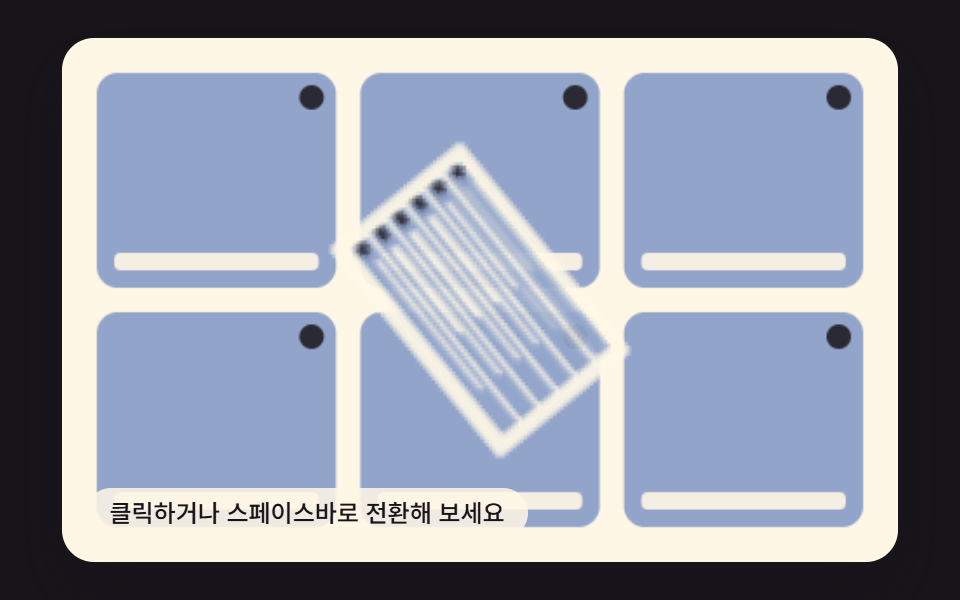 01 particle-field-transition-vortex-suck-in
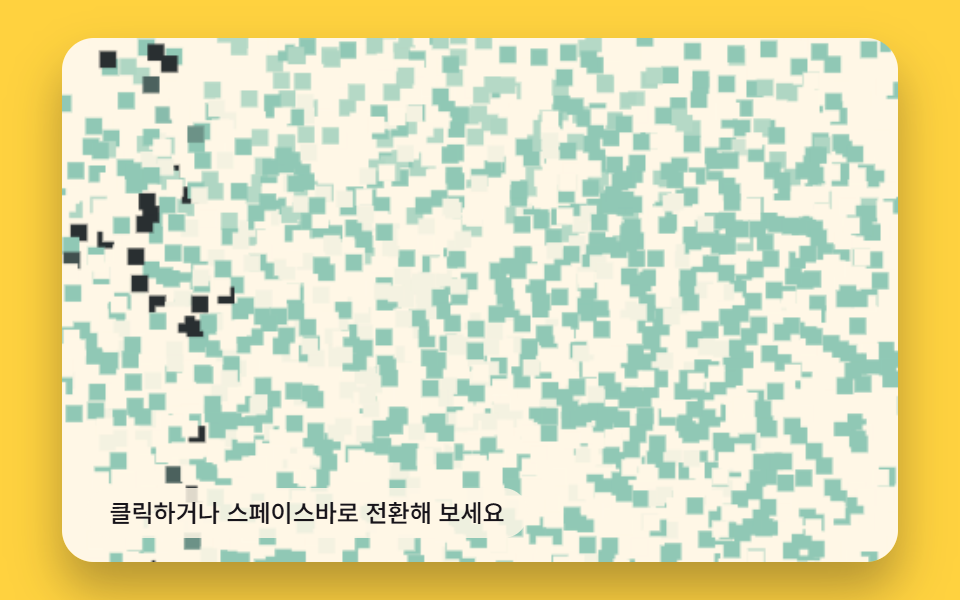 02 particle-field-transition-magnetic-converge-swap
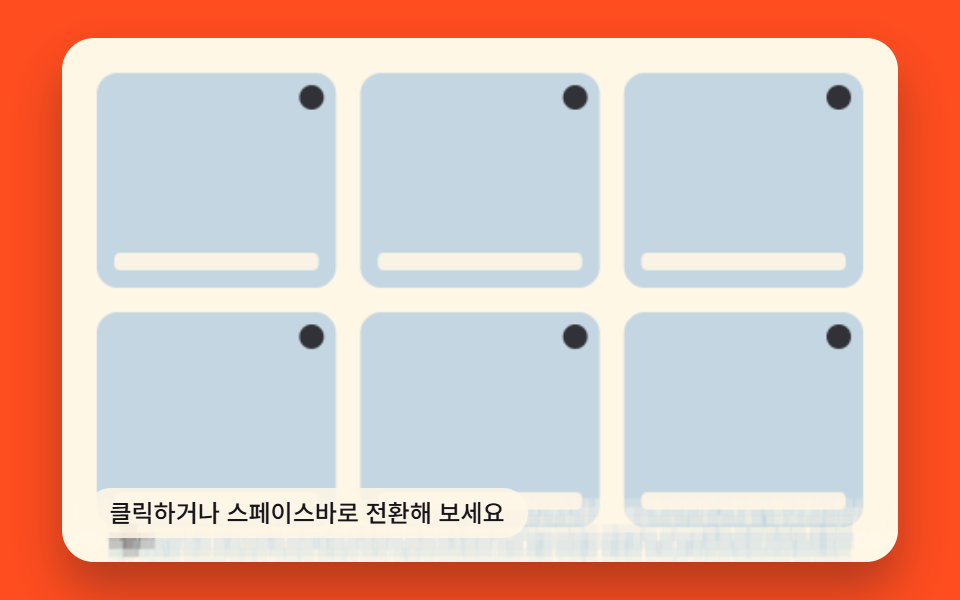 03 particle-field-transition-gravity-collapse-fall
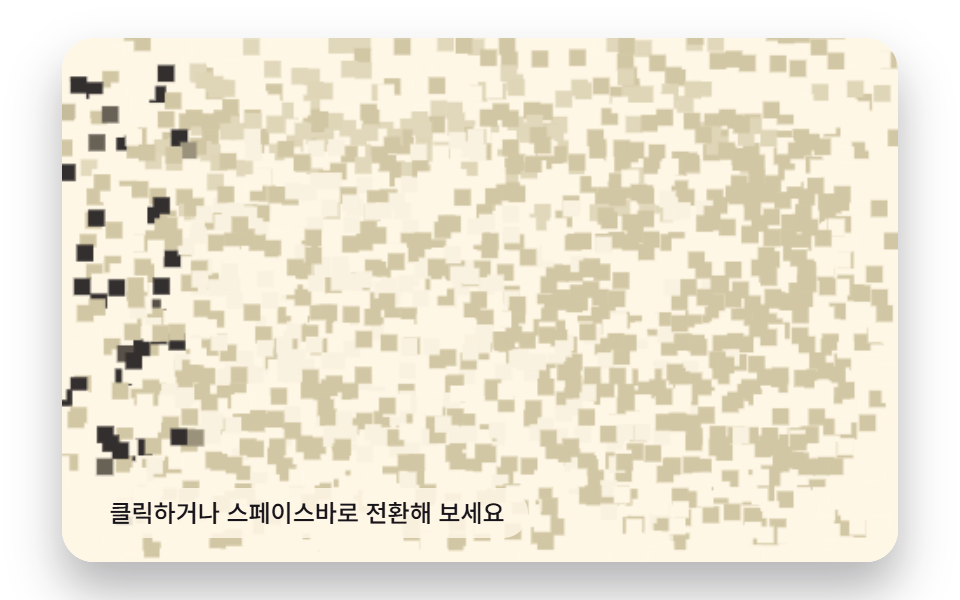 04 particle-field-transition-flock-swarm-handoff
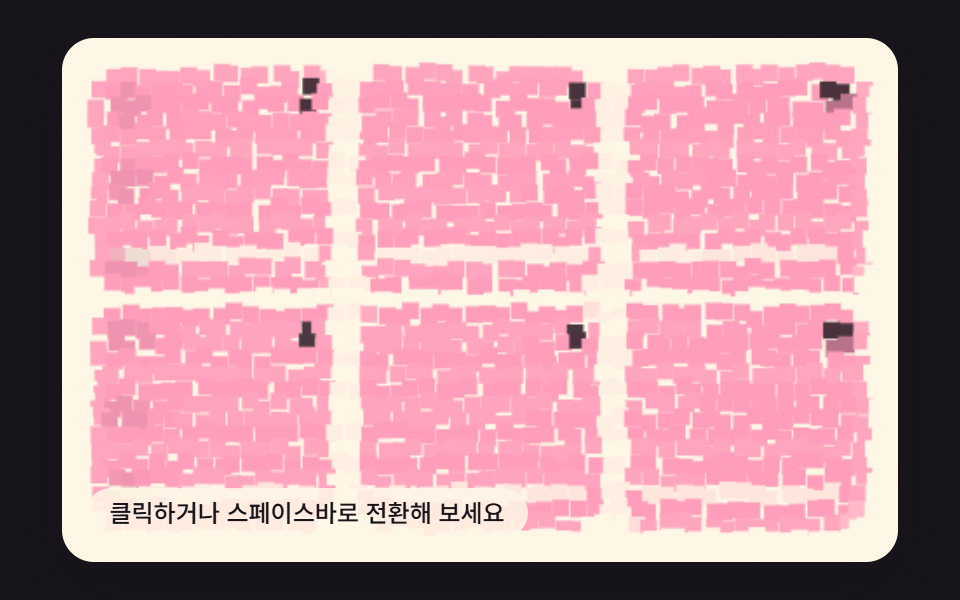 05 particle-field-transition-spring-scatter-settle
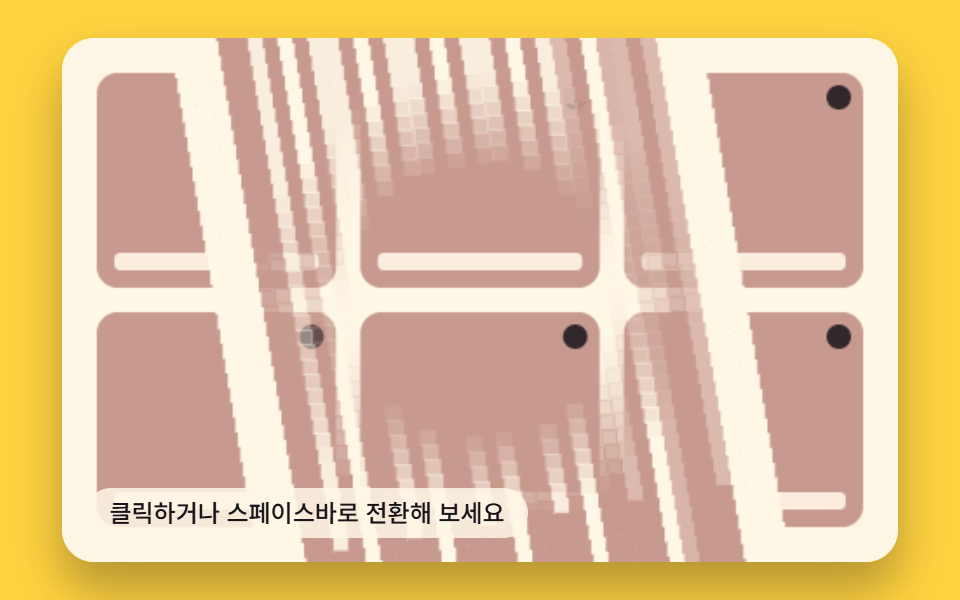 06 particle-field-transition-orbit-spiral-wipe
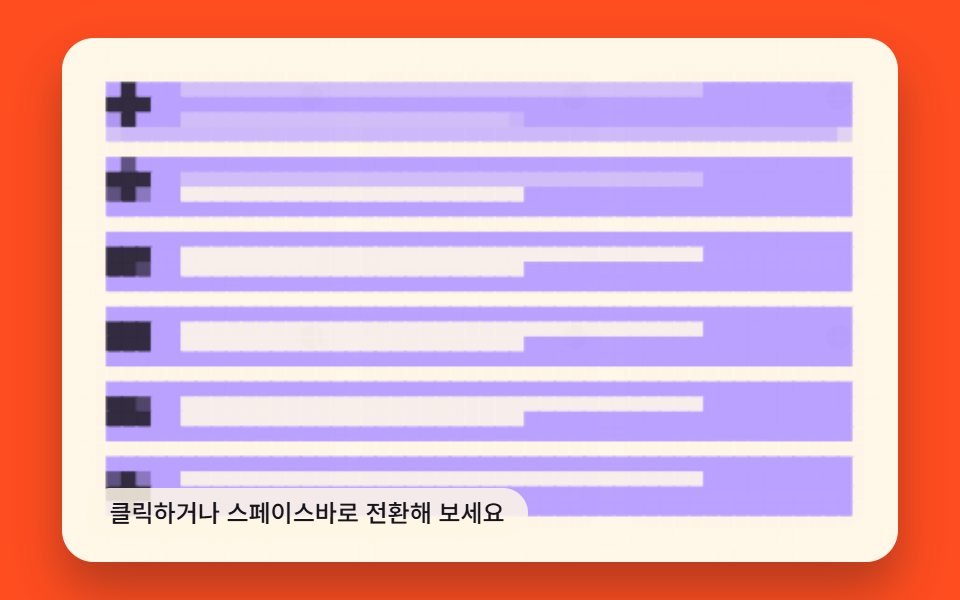 07 particle-field-transition-noise-drift-dissolve
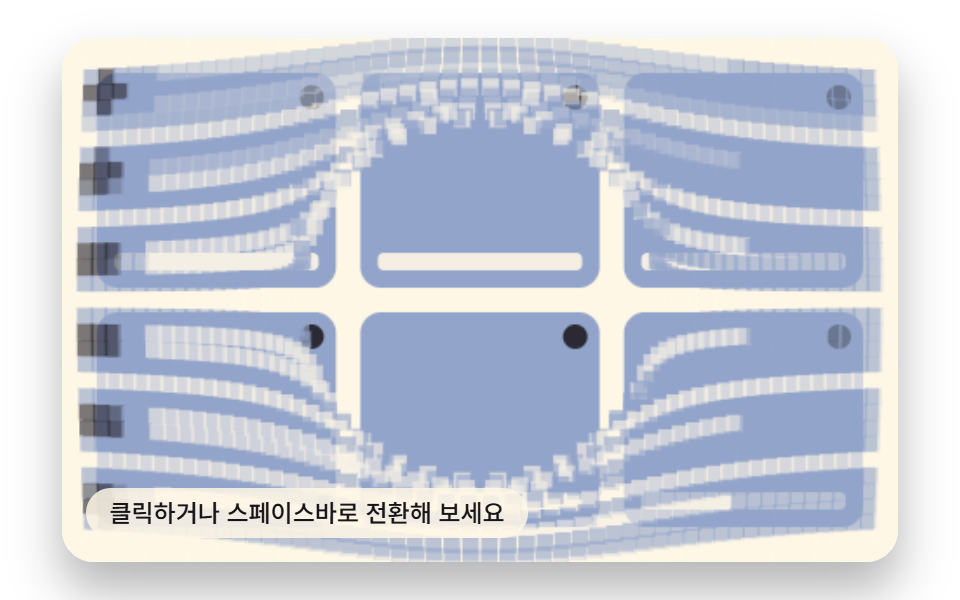 08 particle-field-transition-repulsion-burst-open
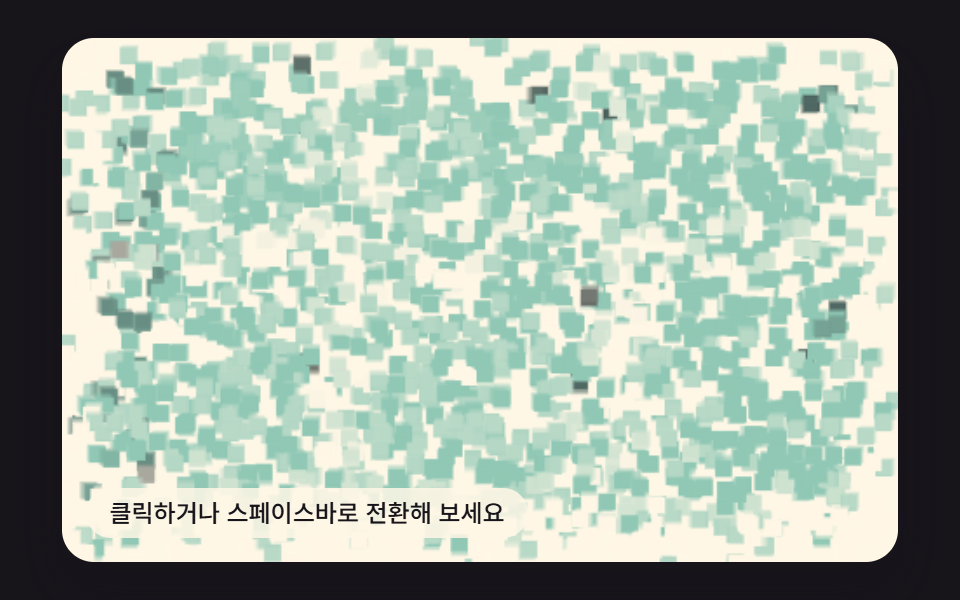 09 particle-field-transition-lerp-trail-reform
Auto-plays · click a tile to jump to its section · all nine in one zip
- 01 Transition a Vortex Pull-strength Value Sucks the Screen Away
- 02 Transition a Magnetic Pull-strength Value Assembles In
- 03 Transition a Gravity-acceleration Value Collapses the Screen
- 04 Transition Flocking-rule Values Reshape the Swarm Handoff
- 05 Transition a Spring-stiffness Value Scatters Then Settles
- 06 Transition an Angular-speed Value Spirals a Wipe
- 07 Transition a Noise-field Value Drifts a Dissolve
- 08 Transition a Repulsion-force Value Bursts the Screen Open
- 09 Transition a Lerp-t Value Reforms the Screen With Trails
01 opens with the simplest force — a single radial pull toward the center — before 02 and 04 swap that for a two-phase regroup, 03 drops the grid straight down, 05 and 09 add oscillation and trailing copies, 06 and 07 replace straight motion with angle and noise fields, and 08 closes on an outward burst, so each pattern adds exactly one more kind of physics on top of the last.
Nine Canvas Screens Where a Number Replaces the CSS transition: Property
Each of the nine tiles is its own <canvas> running its own requestAnimationFrame loop; a css page transition animation like this reads as one moving picture, but every frame is a fresh RENDER(p) call that walks 1,960 particles and writes rectangles, not a browser interpolating a CSS value between two keyframes. Click a tile, press Enter or Space on it, or resize the window, and the same RENDER(p) function redraws that tile's current progress — there's no transitionend event anywhere behind these nine, because there's no CSS transition running underneath any of them. Before you touch anything, each tile free-runs a two-second preview loop on its own; the first click or key press switches it into a screen you actually control.
Where 1,960 Particles Break the Frame Budget Before a Particle Transition Effect Can Run
Every one of the nine packs the same 56-column, 35-row grid — 1,960 cells — and drawParticleRect fills a rounded rectangle for each cell on every frame, so before any pull, spring, or orbit math even runs, the canvas has already committed to 1,960 path fills a frame; pattern 09 quadruples that to 7,840, because its trail keeps four lagging copies (TRAIL_SAMPLES = 4) of every particle alive at once. That budget is also where a rebuild breaks the reveal: 01, 03, 06, 07, and 08 draw the full destination scene onto the canvas first (ctx.drawImage(sceneBCanvas, 0, 0)) and then paint the outgoing particles on top of it, fading and moving them away to expose what's already sitting underneath — copy that drawImage call into 02, 04, 05, or 09 and the destination screen shows up the instant the transition starts, because those four never draw the incoming scene as a whole image; they only ever hold 1,960 separate color values that swap or blend per particle. Mixing the two approaches ends up either revealing the destination too early or never revealing it at all.
How Nine Particle Transitions Compare on Area, Intensity, and Moved Frames
The numbers below come straight from this article's own measurement pass over the nine canvases, frame by frame — cumulative area is how much of the 480×300 frame changed across the run, average intensity is the mean pixel delta where it changed, and moved frames counts how many of the 23 frame-to-frame deltas actually differed from the last.
| # | Pattern | Cumulative area | Avg intensity | Moved frames |
|---|---|---|---|---|
| 01 | Vortex pull | 58.3% | 61.1 | 22/23 |
| 02 | Magnetic converge | 73.5% | 74.1 | 23/23 |
| 03 | Gravity collapse | 60.1% | 35.3 | 19/23 |
| 04 | Flock swarm | 70.6% | 51.3 | 23/23 |
| 05 | Spring settle | 64.4% | 43.0 | 22/23 |
| 06 | Orbit spiral wipe | 69.0% | 55.1 | 21/23 |
| 07 | Noise drift | 56.7% | 27.7 | 23/23 |
| 08 | Repulsion burst | 56.9% | 31.8 | 23/23 |
| 09 | Lerp trail reform | 64.1% | 40.0 | 23/23 |
Nine Numbers, Nine Different Physics Formulas Behind getImageData
PRECOMPUTE() runs once per tile: it paints the outgoing and incoming screens to two off-screen canvases, calls getImageData on both, and for every one of the 1,960 grid cells stores that cell's two colors plus its distance and angle from the canvas center. From there each RENDER(p) below turns one plain number — the progress value p, from 0 to 1 — into a position, a color, and an alpha for every particle, using nothing but the formula printed under its own heading.
01Vortex Pull-strength Value Sucks the Screen Away
A pull-strength value of 1.6 sets the exponent in (1 − p)^1.6, the formula that shrinks each particle's distance from the canvas center toward zero; a twist value of 3.4 multiplies p² into the angle, so the spin speeds up exactly as the radius collapses, not at a constant rate. It reveals the destination screen drawn underneath as the 1,960 source particles spiral into the center and fade, which reads well behind a menu switch or a modal-close.
<main class="stage">
  <div class="rv is-demo" tabindex="0" role="button" aria-label="List screen -- click or press space to switch to the grid screen">
    <canvas class="rv__cv" width="480" height="300"></canvas>
    <p class="rv__hint">Click or press space to transition</p>
  </div>
</main>
@use "../../../../site/static/demo-tokens" as *;
$duration: $dur-enter;
$easing: $ease-spring;
$color: $subject-blue;
@include stage($stage-ink);
.rv {
position: relative;
// 스테이지 패딩(clamp(8px,4vw,24px), 200~600px 구간 4vw 선형)을 뺀 가용 높이(100vh-8vw)의
// 1.6배가 가용 폭(92vw)보다 항상 작다(320·480 폭 실측) — 높이가 실제 상한이라 폭을 그 값으로 직접 잡는다
width: min(92vw, calc(160vh - 12.8vw));
aspect-ratio: 480 / 300;
margin: 0 auto;
border-radius: $r-card;
overflow: hidden;
cursor: pointer;
box-shadow: $shadow-raised;
outline-offset: 4px;
&:focus-visible {
outline: 3px solid $subject-ink;
}
}
.rv__cv {
display: block;
width: 100%;
height: 100%;
}
.rv__hint {
position: absolute;
left: $sp-3;
bottom: $sp-3;
margin: 0;
padding: $sp-1 $sp-3;
border-radius: $r-pill;
font-size: 12px;
line-height: 1.4;
font-weight: 500;
background: rgba(255, 247, 230, .85);
color: $subject-ink;
pointer-events: none;
}
@media (prefers-reduced-motion: reduce) {
// 정지 프레임만 렌더 — 자동 루프는 JS 의 matchMedia 분기가 생략한다 (BD5)
.rv {
cursor: pointer;
}
}html, body {
margin: 0;
overflow: hidden;
}
.stage {
box-sizing: border-box;
min-height: 100vh;
display: grid;
place-items: center;
margin: 0;
background: #17141a;
font-family: -apple-system, "Segoe UI", "Noto Sans KR", sans-serif;
padding: clamp(8px, 4vw, 24px);
}
.rv {
position: relative;
width: min(92vw, 160vh - 12.8vw);
aspect-ratio: 480/300;
margin: 0 auto;
border-radius: 16px;
overflow: hidden;
cursor: pointer;
box-shadow: 0 14px 24px rgba(23, 20, 26, 0.32);
outline-offset: 4px;
}
.rv:focus-visible {
outline: 3px solid #17141a;
}
.rv__cv {
display: block;
width: 100%;
height: 100%;
}
.rv__hint {
position: absolute;
left: 12px;
bottom: 12px;
margin: 0;
padding: 4px 12px;
border-radius: 999px;
font-size: 12px;
line-height: 1.4;
font-weight: 500;
background: rgba(255, 247, 230, 0.85);
color: #17141a;
pointer-events: none;
}
@media (prefers-reduced-motion: reduce) {
.rv {
cursor: pointer;
}
}(function(){
'use strict';
function makeLcg(seed){
let s = seed >>> 0;
return function(){
s = (s * 1664525 + 1013904223) >>> 0;
return s / 4294967296;
};
}
const W = 480, H = 300;
const CENTER_X = W / 2, CENTER_Y = H / 2;
const COLS = 56, ROWS = 35;
const SEED = 39601;
const rnd = makeLcg(SEED);
const PANEL_BG = '#fff7e6';
const INK = '#17141a';
const ACCENT = '#93a4ca';
function clampN(v, a, b){ return v < a ? a : (v > b ? b : v); }
function easeInOut(t){ return t < 0.5 ? 2 * t * t : 1 - Math.pow(-2 * t + 2, 2) / 2; }
function roundRectPath(g, x, y, w, h, r){
const rr = Math.min(r, w / 2, h / 2);
g.beginPath();
g.moveTo(x + rr, y);
g.arcTo(x + w, y, x + w, y + h, rr);
g.arcTo(x + w, y + h, x, y + h, rr);
g.arcTo(x, y + h, x, y, rr);
g.arcTo(x, y, x + w, y, rr);
g.closePath();
}
function paintList(g){
g.fillStyle = PANEL_BG;
g.fillRect(0, 0, W, H);
const rows = 6, padX = 22, padY = 18;
const rowH = (H - padY * 2) / rows;
for (let i = 0; i < rows; i++){
const y = padY + i * rowH + rowH * 0.12;
const h = rowH * 0.76;
g.fillStyle = ACCENT;
roundRectPath(g, padX, y, W - padX * 2, h, 10);
g.fill();
g.fillStyle = INK;
g.globalAlpha = 0.85;
g.beginPath();
g.arc(padX + h / 2, y + h / 2, h * 0.32, 0, Math.PI * 2);
g.fill();
g.globalAlpha = 1;
const barX = padX + h + 14;
const barW = W - padX * 2 - h - 14;
g.fillStyle = PANEL_BG;
g.globalAlpha = 0.9;
roundRectPath(g, barX, y + h * 0.22, barW * 0.78, h * 0.2, 4);
g.fill();
roundRectPath(g, barX, y + h * 0.56, barW * 0.5, h * 0.16, 4);
g.fill();
g.globalAlpha = 1;
}
}
function paintGrid(g){
g.fillStyle = PANEL_BG;
g.fillRect(0, 0, W, H);
const cols = 3, rows = 2, pad = 20, gap = 14;
const tileW = (W - pad * 2 - gap * (cols - 1)) / cols;
const tileH = (H - pad * 2 - gap * (rows - 1)) / rows;
for (let r = 0; r < rows; r++){
for (let c = 0; c < cols; c++){
const x = pad + c * (tileW + gap), y = pad + r * (tileH + gap);
g.fillStyle = ACCENT;
roundRectPath(g, x, y, tileW, tileH, 12);
g.fill();
g.fillStyle = INK;
g.globalAlpha = 0.85;
g.beginPath();
g.arc(x + tileW - 14, y + 14, 7, 0, Math.PI * 2);
g.fill();
g.globalAlpha = 1;
g.fillStyle = PANEL_BG;
g.globalAlpha = 0.9;
roundRectPath(g, x + 10, y + tileH - 20, tileW - 20, 10, 4);
g.fill();
g.globalAlpha = 1;
}
}
}
function drawParticleRect(g, x, y, w, h, rgb, alpha){
if (alpha <= 0.01) return;
g.globalAlpha = alpha;
g.fillStyle = 'rgb(' + (rgb[0] | 0) + ',' + (rgb[1] | 0) + ',' + (rgb[2] | 0) + ')';
g.fillRect(x, y, w, h);
g.globalAlpha = 1;
}
const PULL_STRENGTH = 1.6; // 변형 01 전값(후 3.2) — 반지름 감소 지수. 클수록 (1-p)^n 이 가팔라 더 적은 p 안에 중심(r=0)에 닿는다
const TWIST = 3.4; // 반지름이 줄수록(=(1-p)^n) 같은 p 증분이 더 큰 각도 변화를 만들도록 p^2 로 가속 — 각운동량 보존형 소용돌이 근사
let particles = [];
let sceneBCanvas = null;
let MAX_R = 0;
function sampleCanvas(cv){
return cv.getContext('2d').getImageData(0, 0, W, H).data;
}
function PRECOMPUTE(){
const a = document.createElement('canvas'); a.width = W; a.height = H;
const b = document.createElement('canvas'); b.width = W; b.height = H;
paintList(a.getContext('2d'));
paintGrid(b.getContext('2d'));
const da = sampleCanvas(a);
const db = sampleCanvas(b);
sceneBCanvas = b;
const cellW = W / COLS, cellH = H / ROWS;
const pts = [];
MAX_R = 0;
for (let j = 0; j < ROWS; j++){
for (let i = 0; i < COLS; i++){
const cx = (i + 0.5) * cellW, cy = (j + 0.5) * cellH;
const px = clampN(Math.round(cx), 0, W - 1);
const py = clampN(Math.round(cy), 0, H - 1);
const idx = (py * W + px) * 4;
const ca = [da[idx], da[idx + 1], da[idx + 2]];
const cb = [db[idx], db[idx + 1], db[idx + 2]];
const dx = cx - CENTER_X, dy = cy - CENTER_Y;
const r0 = Math.sqrt(dx * dx + dy * dy);
const ang0 = Math.atan2(dy, dx);
if (r0 > MAX_R) MAX_R = r0;
pts.push({ gx: i, gy: j, cx, cy, cellW, cellH, ca, cb, r0, ang0, seed: rnd(), seed2: rnd() });
}
}
particles = pts;
}
  function RENDER(p){
    ctx.clearRect(0, 0, W, H);
    ctx.drawImage(sceneBCanvas, 0, 0);
    const gap = 1;
    const shrink = Math.pow(1 - p, PULL_STRENGTH);
    for (let k = 0; k < particles.length; k++){
      const q = particles[k];
      const rp = q.r0 * shrink;
      const ang = q.ang0 + TWIST * p * p;
      const cx2 = CENTER_X + rp * Math.cos(ang);
      const cy2 = CENTER_Y + rp * Math.sin(ang);
      const alpha = clampN(1 - p * 1.08, 0, 1);
      const scale = 0.35 + 0.65 * shrink;
      const w = q.cellW * scale + gap, h = q.cellH * scale + gap;
      drawParticleRect(ctx, cx2 - w / 2, cy2 - h / 2, w, h, q.ca, alpha);
    }
  }
const rootEl = document.querySelector('.rv');
const cvEl = document.querySelector('.rv__cv');
const ctx = cvEl.getContext('2d');
const ARIA_LIST = 'List screen -- click or press space to switch to the grid screen';
const ARIA_GRID = 'Grid screen -- click or press space to switch to the list screen';
function updateAria(prog){
rootEl.setAttribute('aria-label', prog < 0.5 ? ARIA_LIST : ARIA_GRID);
}
let progress = 0;
let playing = false, playStart = 0, playFrom = 0, playTo = 0;
const PLAY_MS = 600;
function human(){ rootEl.classList.remove('is-demo'); }
function play(target){
playing = true; playFrom = progress; playTo = target; playStart = performance.now();
}
function stepPlay(now){
const t = clampN((now - playStart) / PLAY_MS, 0, 1);
progress = playFrom + (playTo - playFrom) * easeInOut(t);
RENDER(progress);
updateAria(progress);
if (t >= 1){ playing = false; progress = playTo; }
}
const DRIVE_PERIOD_MS = 2000;
const driveStart = performance.now();
function triangle(t){
const u = (t % DRIVE_PERIOD_MS) / DRIVE_PERIOD_MS;
return u < 0.5 ? u * 2 : 2 - u * 2;
}
const reduceMQ = window.matchMedia('(prefers-reduced-motion: reduce)');
function onActivate(e){
if (e.type === 'keydown' && e.key !== 'Enter' && e.key !== ' ') return;
if (e.type === 'keydown') e.preventDefault();
human();
const target = progress < 0.5 ? 1 : 0;
if (reduceMQ.matches){
progress = target;
RENDER(progress);
updateAria(progress);
} else {
play(target);
}
}
function frame(now){
if (!reduceMQ.matches){
if (playing){
stepPlay(now);
} else if (rootEl.classList.contains('is-demo')){
progress = triangle(now - driveStart);
RENDER(progress);
updateAria(progress);
}
requestAnimationFrame(frame);
}
}
function onResize(){ RENDER(progress); }
rootEl.addEventListener('click', onActivate);
rootEl.addEventListener('keydown', onActivate);
window.addEventListener('resize', onResize);
PRECOMPUTE();
updateAria(progress);
if (reduceMQ.matches){
RENDER(progress);
} else {
requestAnimationFrame(frame);
}
})();import { useEffect, useRef } from 'react';
import styles from './VortexSuckIn.module.scss';
interface Particle {
gx: number; gy: number; cx: number; cy: number;
cellW: number; cellH: number;
ca: number[]; cb: number[];
r0: number; ang0: number;
seed: number; seed2: number;
}
function makeLcg(seed: number): () => number {
let s = seed >>> 0;
return function(){
s = (s * 1664525 + 1013904223) >>> 0;
return s / 4294967296;
};
}
const W = 480, H = 300;
const CENTER_X = W / 2, CENTER_Y = H / 2;
const COLS = 56, ROWS = 35;
const SEED = 39601;
const rnd = makeLcg(SEED);
const PANEL_BG = '#fff7e6';
const INK = '#17141a';
const ACCENT = '#93a4ca';
function clampN(v: number, a: number, b: number): number { return v < a ? a : (v > b ? b : v); }
function easeInOut(t: number): number { return t < 0.5 ? 2 * t * t : 1 - Math.pow(-2 * t + 2, 2) / 2; }
function roundRectPath(g: CanvasRenderingContext2D, x: number, y: number, w: number, h: number, r: number): void {
const rr = Math.min(r, w / 2, h / 2);
g.beginPath();
g.moveTo(x + rr, y);
g.arcTo(x + w, y, x + w, y + h, rr);
g.arcTo(x + w, y + h, x, y + h, rr);
g.arcTo(x, y + h, x, y, rr);
g.arcTo(x, y, x + w, y, rr);
g.closePath();
}
function paintList(g: CanvasRenderingContext2D): void {
g.fillStyle = PANEL_BG;
g.fillRect(0, 0, W, H);
const rows = 6, padX = 22, padY = 18;
const rowH = (H - padY * 2) / rows;
for (let i = 0; i < rows; i++){
const y = padY + i * rowH + rowH * 0.12;
const h = rowH * 0.76;
g.fillStyle = ACCENT;
roundRectPath(g, padX, y, W - padX * 2, h, 10);
g.fill();
g.fillStyle = INK;
g.globalAlpha = 0.85;
g.beginPath();
g.arc(padX + h / 2, y + h / 2, h * 0.32, 0, Math.PI * 2);
g.fill();
g.globalAlpha = 1;
const barX = padX + h + 14;
const barW = W - padX * 2 - h - 14;
g.fillStyle = PANEL_BG;
g.globalAlpha = 0.9;
roundRectPath(g, barX, y + h * 0.22, barW * 0.78, h * 0.2, 4);
g.fill();
roundRectPath(g, barX, y + h * 0.56, barW * 0.5, h * 0.16, 4);
g.fill();
g.globalAlpha = 1;
}
}
function paintGrid(g: CanvasRenderingContext2D): void {
g.fillStyle = PANEL_BG;
g.fillRect(0, 0, W, H);
const cols = 3, rows = 2, pad = 20, gap = 14;
const tileW = (W - pad * 2 - gap * (cols - 1)) / cols;
const tileH = (H - pad * 2 - gap * (rows - 1)) / rows;
for (let r = 0; r < rows; r++){
for (let c = 0; c < cols; c++){
const x = pad + c * (tileW + gap), y = pad + r * (tileH + gap);
g.fillStyle = ACCENT;
roundRectPath(g, x, y, tileW, tileH, 12);
g.fill();
g.fillStyle = INK;
g.globalAlpha = 0.85;
g.beginPath();
g.arc(x + tileW - 14, y + 14, 7, 0, Math.PI * 2);
g.fill();
g.globalAlpha = 1;
g.fillStyle = PANEL_BG;
g.globalAlpha = 0.9;
roundRectPath(g, x + 10, y + tileH - 20, tileW - 20, 10, 4);
g.fill();
g.globalAlpha = 1;
}
}
}
function drawParticleRect(g: CanvasRenderingContext2D, x: number, y: number, w: number, h: number, rgb: number[], alpha: number): void {
if (alpha <= 0.01) return;
g.globalAlpha = alpha;
g.fillStyle = 'rgb(' + (rgb[0] | 0) + ',' + (rgb[1] | 0) + ',' + (rgb[2] | 0) + ')';
g.fillRect(x, y, w, h);
g.globalAlpha = 1;
}
const PULL_STRENGTH = 1.6; // 변형 01 전값(후 3.2) — 반지름 감소 지수. 클수록 (1-p)^n 이 가팔라 더 적은 p 안에 중심(r=0)에 닿는다
const TWIST = 3.4; // 반지름이 줄수록(=(1-p)^n) 같은 p 증분이 더 큰 각도 변화를 만들도록 p^2 로 가속 — 각운동량 보존형 소용돌이 근사
let particles: Particle[] = [];
let sceneBCanvas!: HTMLCanvasElement;
let MAX_R = 0;
let ctx!: CanvasRenderingContext2D;
function ctx2d(cv: HTMLCanvasElement): CanvasRenderingContext2D {
const c = cv.getContext('2d');
if (!c) throw new Error('no 2d context');
return c;
}
function sampleCanvas(cv: HTMLCanvasElement): Uint8ClampedArray {
return ctx2d(cv).getImageData(0, 0, W, H).data;
}
function PRECOMPUTE(): void {
const a = document.createElement('canvas'); a.width = W; a.height = H;
const b = document.createElement('canvas'); b.width = W; b.height = H;
paintList(ctx2d(a));
paintGrid(ctx2d(b));
const da = sampleCanvas(a);
const db = sampleCanvas(b);
sceneBCanvas = b;
const cellW = W / COLS, cellH = H / ROWS;
const pts: Particle[] = [];
MAX_R = 0;
for (let j = 0; j < ROWS; j++){
for (let i = 0; i < COLS; i++){
const cx = (i + 0.5) * cellW, cy = (j + 0.5) * cellH;
const px = clampN(Math.round(cx), 0, W - 1);
const py = clampN(Math.round(cy), 0, H - 1);
const idx = (py * W + px) * 4;
const ca = [da[idx], da[idx + 1], da[idx + 2]];
const cb = [db[idx], db[idx + 1], db[idx + 2]];
const dx = cx - CENTER_X, dy = cy - CENTER_Y;
const r0 = Math.sqrt(dx * dx + dy * dy);
const ang0 = Math.atan2(dy, dx);
if (r0 > MAX_R) MAX_R = r0;
pts.push({ gx: i, gy: j, cx, cy, cellW, cellH, ca, cb, r0, ang0, seed: rnd(), seed2: rnd() });
}
}
particles = pts;
}
function RENDER(p: number): void {
ctx.clearRect(0, 0, W, H);
ctx.drawImage(sceneBCanvas, 0, 0);
const gap = 1;
const shrink = Math.pow(1 - p, PULL_STRENGTH);
for (let k = 0; k < particles.length; k++){
const q = particles[k];
const rp = q.r0 * shrink;
const ang = q.ang0 + TWIST * p * p;
const cx2 = CENTER_X + rp * Math.cos(ang);
const cy2 = CENTER_Y + rp * Math.sin(ang);
const alpha = clampN(1 - p * 1.08, 0, 1);
const scale = 0.35 + 0.65 * shrink;
const w = q.cellW * scale + gap, h = q.cellH * scale + gap;
drawParticleRect(ctx, cx2 - w / 2, cy2 - h / 2, w, h, q.ca, alpha);
}
}
export default function VortexSuckIn(){
const rootRef = useRef<HTMLDivElement | null>(null);
const cvRef = useRef<HTMLCanvasElement | null>(null);
useEffect(() => {
const root = rootRef.current;
const cv = cvRef.current;
if (!root || !cv) return;
const rootEl: HTMLDivElement = root;
const cvEl: HTMLCanvasElement = cv;
ctx = ctx2d(cvEl);
const ARIA_LIST = '리스트 화면 — 클릭하거나 스페이스바로 그리드 화면으로 전환';
const ARIA_GRID = '그리드 화면 — 클릭하거나 스페이스바로 리스트 화면으로 전환';
function updateAria(prog: number): void {
rootEl.setAttribute('aria-label', prog < 0.5 ? ARIA_LIST : ARIA_GRID);
}
let progress = 0;
let playing = false, playStart = 0, playFrom = 0, playTo = 0;
const PLAY_MS = 600;
function human(): void { rootEl.classList.remove('is-demo'); }
function play(target: number): void {
playing = true; playFrom = progress; playTo = target; playStart = performance.now();
}
function stepPlay(now: number): void {
const t = clampN((now - playStart) / PLAY_MS, 0, 1);
progress = playFrom + (playTo - playFrom) * easeInOut(t);
RENDER(progress);
updateAria(progress);
if (t >= 1){ playing = false; progress = playTo; }
}
const DRIVE_PERIOD_MS = 2000;
const driveStart = performance.now();
function triangle(t: number): number {
const u = (t % DRIVE_PERIOD_MS) / DRIVE_PERIOD_MS;
return u < 0.5 ? u * 2 : 2 - u * 2;
}
const reduceMQ = window.matchMedia('(prefers-reduced-motion: reduce)');
let rafId = 0;
function onActivate(e: Event): void {
if (e.type === 'keydown'){
const ke = e as KeyboardEvent;
if (ke.key !== 'Enter' && ke.key !== ' ') return;
ke.preventDefault();
}
human();
const target = progress < 0.5 ? 1 : 0;
if (reduceMQ.matches){
progress = target;
RENDER(progress);
updateAria(progress);
} else {
play(target);
}
}
function frame(now: number): void {
if (!reduceMQ.matches){
if (playing){
stepPlay(now);
} else if (rootEl.classList.contains('is-demo')){
progress = triangle(now - driveStart);
RENDER(progress);
updateAria(progress);
}
rafId = requestAnimationFrame(frame);
}
}
function onResize(): void { RENDER(progress); }
rootEl.addEventListener('click', onActivate);
rootEl.addEventListener('keydown', onActivate);
window.addEventListener('resize', onResize);
PRECOMPUTE();
updateAria(progress);
if (reduceMQ.matches){
RENDER(progress);
} else {
rafId = requestAnimationFrame(frame);
}
return () => {
rootEl.removeEventListener('click', onActivate);
rootEl.removeEventListener('keydown', onActivate);
window.removeEventListener('resize', onResize);
if (rafId) cancelAnimationFrame(rafId);
};
}, []);
return (
<main className={styles.stage}>
<div ref={rootRef} className={`${styles.rv} is-demo`} tabIndex={0} role="button" aria-label="리스트 화면 — 클릭하거나 스페이스바로 그리드 화면으로 전환">
<canvas ref={cvRef} className={styles.rv__cv} width={480} height={300} />
<p className={styles.rv__hint}>클릭하거나 스페이스바로 전환해 보세요</p>
</div>
</main>
);
}01 · Transition a Vortex Pull-strength Value Sucks the Screen Away — Measured area 58.349% · moving frames 22/23Original by GODRICH · SCSS and React ship in the zip · See the password
function RENDER(p){
ctx.clearRect(0, 0, W, H);
ctx.drawImage(sceneBCanvas, 0, 0);
const gap = 1;
const shrink = Math.pow(1 - p, PULL_STRENGTH);
for (let k = 0; k < particles.length; k++){
const q = particles[k];
const rp = q.r0 * shrink;
const ang = q.ang0 + TWIST * p * p;
const cx2 = CENTER_X + rp * Math.cos(ang);
const cy2 = CENTER_Y + rp * Math.sin(ang);
const alpha = clampN(1 - p * 1.08, 0, 1);
const scale = 0.35 + 0.65 * shrink;
const w = q.cellW * scale + gap, h = q.cellH * scale + gap;
drawParticleRect(ctx, cx2 - w / 2, cy2 - h / 2, w, h, q.ca, alpha);
}
}
02Magnetic Pull-strength Value Assembles the Screen In
For the first half of the run each particle drifts up to 26–72 px from its grid cell in a fixed random direction; past the midpoint a magnetic-strength value of 2.2 pulls it back to that exact cell while its color jumps in one step from the outgoing screen's value to the incoming one, never a gradual blend. Nothing behind the particles is ever a full destination image — only 1,960 separate colors are — which fits a landing-hero entrance or a dashboard-widget load.
<main class="stage">
  <div class="rv is-demo" tabindex="0" role="button" aria-label="List screen -- click or press space to switch to the grid screen">
    <canvas class="rv__cv" width="480" height="300"></canvas>
    <p class="rv__hint">Click or press space to transition</p>
  </div>
</main>
@use "../../../../site/static/demo-tokens" as *;
$duration: $dur-enter;
$easing: $ease-spring;
$color: $subject-blue;
@include stage($stage-yellow);
.rv {
position: relative;
// 스테이지 패딩(clamp(8px,4vw,24px), 200~600px 구간 4vw 선형)을 뺀 가용 높이(100vh-8vw)의
// 1.6배가 가용 폭(92vw)보다 항상 작다(320·480 폭 실측) — 높이가 실제 상한이라 폭을 그 값으로 직접 잡는다
width: min(92vw, calc(160vh - 12.8vw));
aspect-ratio: 480 / 300;
margin: 0 auto;
border-radius: $r-card;
overflow: hidden;
cursor: pointer;
box-shadow: $shadow-raised;
outline-offset: 4px;
&:focus-visible {
outline: 3px solid $subject-ink;
}
}
.rv__cv {
display: block;
width: 100%;
height: 100%;
}
.rv__hint {
position: absolute;
left: $sp-3;
bottom: $sp-3;
margin: 0;
padding: $sp-1 $sp-3;
border-radius: $r-pill;
font-size: 12px;
line-height: 1.4;
font-weight: 500;
background: rgba(255, 247, 230, .85);
color: $subject-ink;
pointer-events: none;
}
@media (prefers-reduced-motion: reduce) {
// 정지 프레임만 렌더 — 자동 루프는 JS 의 matchMedia 분기가 생략한다 (BD5)
.rv {
cursor: pointer;
}
}html, body {
margin: 0;
overflow: hidden;
}
.stage {
box-sizing: border-box;
min-height: 100vh;
display: grid;
place-items: center;
margin: 0;
background: #ffd23f;
font-family: -apple-system, "Segoe UI", "Noto Sans KR", sans-serif;
padding: clamp(8px, 4vw, 24px);
}
.rv {
position: relative;
width: min(92vw, 160vh - 12.8vw);
aspect-ratio: 480/300;
margin: 0 auto;
border-radius: 16px;
overflow: hidden;
cursor: pointer;
box-shadow: 0 14px 24px rgba(23, 20, 26, 0.32);
outline-offset: 4px;
}
.rv:focus-visible {
outline: 3px solid #17141a;
}
.rv__cv {
display: block;
width: 100%;
height: 100%;
}
.rv__hint {
position: absolute;
left: 12px;
bottom: 12px;
margin: 0;
padding: 4px 12px;
border-radius: 999px;
font-size: 12px;
line-height: 1.4;
font-weight: 500;
background: rgba(255, 247, 230, 0.85);
color: #17141a;
pointer-events: none;
}
@media (prefers-reduced-motion: reduce) {
.rv {
cursor: pointer;
}
}(function(){
'use strict';
function makeLcg(seed){
let s = seed >>> 0;
return function(){
s = (s * 1664525 + 1013904223) >>> 0;
return s / 4294967296;
};
}
const W = 480, H = 300;
const CENTER_X = W / 2, CENTER_Y = H / 2;
const COLS = 56, ROWS = 35;
const SEED = 39602;
const rnd = makeLcg(SEED);
const PANEL_BG = '#fff7e6';
const INK = '#17141a';
const ACCENT = '#90c8b5';
function clampN(v, a, b){ return v < a ? a : (v > b ? b : v); }
function easeInOut(t){ return t < 0.5 ? 2 * t * t : 1 - Math.pow(-2 * t + 2, 2) / 2; }
function roundRectPath(g, x, y, w, h, r){
const rr = Math.min(r, w / 2, h / 2);
g.beginPath();
g.moveTo(x + rr, y);
g.arcTo(x + w, y, x + w, y + h, rr);
g.arcTo(x + w, y + h, x, y + h, rr);
g.arcTo(x, y + h, x, y, rr);
g.arcTo(x, y, x + w, y, rr);
g.closePath();
}
function paintList(g){
g.fillStyle = PANEL_BG;
g.fillRect(0, 0, W, H);
const rows = 6, padX = 22, padY = 18;
const rowH = (H - padY * 2) / rows;
for (let i = 0; i < rows; i++){
const y = padY + i * rowH + rowH * 0.12;
const h = rowH * 0.76;
g.fillStyle = ACCENT;
roundRectPath(g, padX, y, W - padX * 2, h, 10);
g.fill();
g.fillStyle = INK;
g.globalAlpha = 0.85;
g.beginPath();
g.arc(padX + h / 2, y + h / 2, h * 0.32, 0, Math.PI * 2);
g.fill();
g.globalAlpha = 1;
const barX = padX + h + 14;
const barW = W - padX * 2 - h - 14;
g.fillStyle = PANEL_BG;
g.globalAlpha = 0.9;
roundRectPath(g, barX, y + h * 0.22, barW * 0.78, h * 0.2, 4);
g.fill();
roundRectPath(g, barX, y + h * 0.56, barW * 0.5, h * 0.16, 4);
g.fill();
g.globalAlpha = 1;
}
}
function paintGrid(g){
g.fillStyle = PANEL_BG;
g.fillRect(0, 0, W, H);
const cols = 3, rows = 2, pad = 20, gap = 14;
const tileW = (W - pad * 2 - gap * (cols - 1)) / cols;
const tileH = (H - pad * 2 - gap * (rows - 1)) / rows;
for (let r = 0; r < rows; r++){
for (let c = 0; c < cols; c++){
const x = pad + c * (tileW + gap), y = pad + r * (tileH + gap);
g.fillStyle = ACCENT;
roundRectPath(g, x, y, tileW, tileH, 12);
g.fill();
g.fillStyle = INK;
g.globalAlpha = 0.85;
g.beginPath();
g.arc(x + tileW - 14, y + 14, 7, 0, Math.PI * 2);
g.fill();
g.globalAlpha = 1;
g.fillStyle = PANEL_BG;
g.globalAlpha = 0.9;
roundRectPath(g, x + 10, y + tileH - 20, tileW - 20, 10, 4);
g.fill();
g.globalAlpha = 1;
}
}
}
function drawParticleRect(g, x, y, w, h, rgb, alpha){
if (alpha <= 0.01) return;
g.globalAlpha = alpha;
g.fillStyle = 'rgb(' + (rgb[0] | 0) + ',' + (rgb[1] | 0) + ',' + (rgb[2] | 0) + ')';
g.fillRect(x, y, w, h);
g.globalAlpha = 1;
}
const MAGNETIC_STRENGTH = 2.2; // 수렴(복귀) 구간의 스냅 지수 — 클수록 절반 이후 제자리로 더 빠르게 당겨진다(수렴 속도)
let particles = [];
let sceneBCanvas = null;
let MAX_R = 0;
function sampleCanvas(cv){
return cv.getContext('2d').getImageData(0, 0, W, H).data;
}
function PRECOMPUTE(){
const a = document.createElement('canvas'); a.width = W; a.height = H;
const b = document.createElement('canvas'); b.width = W; b.height = H;
paintList(a.getContext('2d'));
paintGrid(b.getContext('2d'));
const da = sampleCanvas(a);
const db = sampleCanvas(b);
sceneBCanvas = b;
const cellW = W / COLS, cellH = H / ROWS;
const pts = [];
MAX_R = 0;
for (let j = 0; j < ROWS; j++){
for (let i = 0; i < COLS; i++){
const cx = (i + 0.5) * cellW, cy = (j + 0.5) * cellH;
const px = clampN(Math.round(cx), 0, W - 1);
const py = clampN(Math.round(cy), 0, H - 1);
const idx = (py * W + px) * 4;
const ca = [da[idx], da[idx + 1], da[idx + 2]];
const cb = [db[idx], db[idx + 1], db[idx + 2]];
const dx = cx - CENTER_X, dy = cy - CENTER_Y;
const r0 = Math.sqrt(dx * dx + dy * dy);
const ang0 = Math.atan2(dy, dx);
if (r0 > MAX_R) MAX_R = r0;
pts.push({ gx: i, gy: j, cx, cy, cellW, cellH, ca, cb, r0, ang0, seed: rnd(), seed2: rnd() });
}
}
particles = pts;
}
  function RENDER(p){
    ctx.fillStyle = PANEL_BG;
    ctx.fillRect(0, 0, W, H);
    const gap = 1;
    for (let k = 0; k < particles.length; k++){
      const q = particles[k];
      let env;
      if (p < 0.5){
        const u = p * 2;
        env = u * (2 - u);
      } else {
        const v = (p - 0.5) * 2;
        env = 1 - (1 - Math.pow(1 - v, MAGNETIC_STRENGTH));
      }
      const dirAng = q.seed2 * Math.PI * 2;
      const mag = 26 + q.seed * 46;
      const x = q.cx + Math.cos(dirAng) * mag * env;
      const y = q.cy + Math.sin(dirAng) * mag * env;
      const col = p < 0.5 ? q.ca : q.cb;
      const w = q.cellW + gap, h = q.cellH + gap;
      drawParticleRect(ctx, x - w / 2, y - h / 2, w, h, col, 1);
    }
  }
const rootEl = document.querySelector('.rv');
const cvEl = document.querySelector('.rv__cv');
const ctx = cvEl.getContext('2d');
const ARIA_LIST = 'List screen -- click or press space to switch to the grid screen';
const ARIA_GRID = 'Grid screen -- click or press space to switch to the list screen';
function updateAria(prog){
rootEl.setAttribute('aria-label', prog < 0.5 ? ARIA_LIST : ARIA_GRID);
}
let progress = 0;
let playing = false, playStart = 0, playFrom = 0, playTo = 0;
const PLAY_MS = 600;
function human(){ rootEl.classList.remove('is-demo'); }
function play(target){
playing = true; playFrom = progress; playTo = target; playStart = performance.now();
}
function stepPlay(now){
const t = clampN((now - playStart) / PLAY_MS, 0, 1);
progress = playFrom + (playTo - playFrom) * easeInOut(t);
RENDER(progress);
updateAria(progress);
if (t >= 1){ playing = false; progress = playTo; }
}
const DRIVE_PERIOD_MS = 2000;
const driveStart = performance.now();
function triangle(t){
const u = (t % DRIVE_PERIOD_MS) / DRIVE_PERIOD_MS;
return u < 0.5 ? u * 2 : 2 - u * 2;
}
const reduceMQ = window.matchMedia('(prefers-reduced-motion: reduce)');
function onActivate(e){
if (e.type === 'keydown' && e.key !== 'Enter' && e.key !== ' ') return;
if (e.type === 'keydown') e.preventDefault();
human();
const target = progress < 0.5 ? 1 : 0;
if (reduceMQ.matches){
progress = target;
RENDER(progress);
updateAria(progress);
} else {
play(target);
}
}
function frame(now){
if (!reduceMQ.matches){
if (playing){
stepPlay(now);
} else if (rootEl.classList.contains('is-demo')){
progress = triangle(now - driveStart);
RENDER(progress);
updateAria(progress);
}
requestAnimationFrame(frame);
}
}
function onResize(){ RENDER(progress); }
rootEl.addEventListener('click', onActivate);
rootEl.addEventListener('keydown', onActivate);
window.addEventListener('resize', onResize);
PRECOMPUTE();
updateAria(progress);
if (reduceMQ.matches){
RENDER(progress);
} else {
requestAnimationFrame(frame);
}
})();import { useEffect, useRef } from 'react';
import styles from './MagneticConvergeSwap.module.scss';
interface Particle {
gx: number; gy: number; cx: number; cy: number;
cellW: number; cellH: number;
ca: number[]; cb: number[];
r0: number; ang0: number;
seed: number; seed2: number;
}
function makeLcg(seed: number): () => number {
let s = seed >>> 0;
return function(){
s = (s * 1664525 + 1013904223) >>> 0;
return s / 4294967296;
};
}
const W = 480, H = 300;
const CENTER_X = W / 2, CENTER_Y = H / 2;
const COLS = 56, ROWS = 35;
const SEED = 39602;
const rnd = makeLcg(SEED);
const PANEL_BG = '#fff7e6';
const INK = '#17141a';
const ACCENT = '#90c8b5';
function clampN(v: number, a: number, b: number): number { return v < a ? a : (v > b ? b : v); }
function easeInOut(t: number): number { return t < 0.5 ? 2 * t * t : 1 - Math.pow(-2 * t + 2, 2) / 2; }
function roundRectPath(g: CanvasRenderingContext2D, x: number, y: number, w: number, h: number, r: number): void {
const rr = Math.min(r, w / 2, h / 2);
g.beginPath();
g.moveTo(x + rr, y);
g.arcTo(x + w, y, x + w, y + h, rr);
g.arcTo(x + w, y + h, x, y + h, rr);
g.arcTo(x, y + h, x, y, rr);
g.arcTo(x, y, x + w, y, rr);
g.closePath();
}
function paintList(g: CanvasRenderingContext2D): void {
g.fillStyle = PANEL_BG;
g.fillRect(0, 0, W, H);
const rows = 6, padX = 22, padY = 18;
const rowH = (H - padY * 2) / rows;
for (let i = 0; i < rows; i++){
const y = padY + i * rowH + rowH * 0.12;
const h = rowH * 0.76;
g.fillStyle = ACCENT;
roundRectPath(g, padX, y, W - padX * 2, h, 10);
g.fill();
g.fillStyle = INK;
g.globalAlpha = 0.85;
g.beginPath();
g.arc(padX + h / 2, y + h / 2, h * 0.32, 0, Math.PI * 2);
g.fill();
g.globalAlpha = 1;
const barX = padX + h + 14;
const barW = W - padX * 2 - h - 14;
g.fillStyle = PANEL_BG;
g.globalAlpha = 0.9;
roundRectPath(g, barX, y + h * 0.22, barW * 0.78, h * 0.2, 4);
g.fill();
roundRectPath(g, barX, y + h * 0.56, barW * 0.5, h * 0.16, 4);
g.fill();
g.globalAlpha = 1;
}
}
function paintGrid(g: CanvasRenderingContext2D): void {
g.fillStyle = PANEL_BG;
g.fillRect(0, 0, W, H);
const cols = 3, rows = 2, pad = 20, gap = 14;
const tileW = (W - pad * 2 - gap * (cols - 1)) / cols;
const tileH = (H - pad * 2 - gap * (rows - 1)) / rows;
for (let r = 0; r < rows; r++){
for (let c = 0; c < cols; c++){
const x = pad + c * (tileW + gap), y = pad + r * (tileH + gap);
g.fillStyle = ACCENT;
roundRectPath(g, x, y, tileW, tileH, 12);
g.fill();
g.fillStyle = INK;
g.globalAlpha = 0.85;
g.beginPath();
g.arc(x + tileW - 14, y + 14, 7, 0, Math.PI * 2);
g.fill();
g.globalAlpha = 1;
g.fillStyle = PANEL_BG;
g.globalAlpha = 0.9;
roundRectPath(g, x + 10, y + tileH - 20, tileW - 20, 10, 4);
g.fill();
g.globalAlpha = 1;
}
}
}
function drawParticleRect(g: CanvasRenderingContext2D, x: number, y: number, w: number, h: number, rgb: number[], alpha: number): void {
if (alpha <= 0.01) return;
g.globalAlpha = alpha;
g.fillStyle = 'rgb(' + (rgb[0] | 0) + ',' + (rgb[1] | 0) + ',' + (rgb[2] | 0) + ')';
g.fillRect(x, y, w, h);
g.globalAlpha = 1;
}
const MAGNETIC_STRENGTH = 2.2; // 수렴(복귀) 구간의 스냅 지수 — 클수록 절반 이후 제자리로 더 빠르게 당겨진다(수렴 속도)
let particles: Particle[] = [];
let sceneBCanvas!: HTMLCanvasElement;
let MAX_R = 0;
let ctx!: CanvasRenderingContext2D;
function ctx2d(cv: HTMLCanvasElement): CanvasRenderingContext2D {
const c = cv.getContext('2d');
if (!c) throw new Error('no 2d context');
return c;
}
function sampleCanvas(cv: HTMLCanvasElement): Uint8ClampedArray {
return ctx2d(cv).getImageData(0, 0, W, H).data;
}
function PRECOMPUTE(): void {
const a = document.createElement('canvas'); a.width = W; a.height = H;
const b = document.createElement('canvas'); b.width = W; b.height = H;
paintList(ctx2d(a));
paintGrid(ctx2d(b));
const da = sampleCanvas(a);
const db = sampleCanvas(b);
sceneBCanvas = b;
const cellW = W / COLS, cellH = H / ROWS;
const pts: Particle[] = [];
MAX_R = 0;
for (let j = 0; j < ROWS; j++){
for (let i = 0; i < COLS; i++){
const cx = (i + 0.5) * cellW, cy = (j + 0.5) * cellH;
const px = clampN(Math.round(cx), 0, W - 1);
const py = clampN(Math.round(cy), 0, H - 1);
const idx = (py * W + px) * 4;
const ca = [da[idx], da[idx + 1], da[idx + 2]];
const cb = [db[idx], db[idx + 1], db[idx + 2]];
const dx = cx - CENTER_X, dy = cy - CENTER_Y;
const r0 = Math.sqrt(dx * dx + dy * dy);
const ang0 = Math.atan2(dy, dx);
if (r0 > MAX_R) MAX_R = r0;
pts.push({ gx: i, gy: j, cx, cy, cellW, cellH, ca, cb, r0, ang0, seed: rnd(), seed2: rnd() });
}
}
particles = pts;
}
function RENDER(p: number): void {
ctx.fillStyle = PANEL_BG;
ctx.fillRect(0, 0, W, H);
const gap = 1;
for (let k = 0; k < particles.length; k++){
const q = particles[k];
let env;
if (p < 0.5){
const u = p * 2;
env = u * (2 - u);
} else {
const v = (p - 0.5) * 2;
env = 1 - (1 - Math.pow(1 - v, MAGNETIC_STRENGTH));
}
const dirAng = q.seed2 * Math.PI * 2;
const mag = 26 + q.seed * 46;
const x = q.cx + Math.cos(dirAng) * mag * env;
const y = q.cy + Math.sin(dirAng) * mag * env;
const col = p < 0.5 ? q.ca : q.cb;
const w = q.cellW + gap, h = q.cellH + gap;
drawParticleRect(ctx, x - w / 2, y - h / 2, w, h, col, 1);
}
}
export default function MagneticConvergeSwap(){
const rootRef = useRef<HTMLDivElement | null>(null);
const cvRef = useRef<HTMLCanvasElement | null>(null);
useEffect(() => {
const root = rootRef.current;
const cv = cvRef.current;
if (!root || !cv) return;
const rootEl: HTMLDivElement = root;
const cvEl: HTMLCanvasElement = cv;
ctx = ctx2d(cvEl);
const ARIA_LIST = '리스트 화면 — 클릭하거나 스페이스바로 그리드 화면으로 전환';
const ARIA_GRID = '그리드 화면 — 클릭하거나 스페이스바로 리스트 화면으로 전환';
function updateAria(prog: number): void {
rootEl.setAttribute('aria-label', prog < 0.5 ? ARIA_LIST : ARIA_GRID);
}
let progress = 0;
let playing = false, playStart = 0, playFrom = 0, playTo = 0;
const PLAY_MS = 600;
function human(): void { rootEl.classList.remove('is-demo'); }
function play(target: number): void {
playing = true; playFrom = progress; playTo = target; playStart = performance.now();
}
function stepPlay(now: number): void {
const t = clampN((now - playStart) / PLAY_MS, 0, 1);
progress = playFrom + (playTo - playFrom) * easeInOut(t);
RENDER(progress);
updateAria(progress);
if (t >= 1){ playing = false; progress = playTo; }
}
const DRIVE_PERIOD_MS = 2000;
const driveStart = performance.now();
function triangle(t: number): number {
const u = (t % DRIVE_PERIOD_MS) / DRIVE_PERIOD_MS;
return u < 0.5 ? u * 2 : 2 - u * 2;
}
const reduceMQ = window.matchMedia('(prefers-reduced-motion: reduce)');
let rafId = 0;
function onActivate(e: Event): void {
if (e.type === 'keydown'){
const ke = e as KeyboardEvent;
if (ke.key !== 'Enter' && ke.key !== ' ') return;
ke.preventDefault();
}
human();
const target = progress < 0.5 ? 1 : 0;
if (reduceMQ.matches){
progress = target;
RENDER(progress);
updateAria(progress);
} else {
play(target);
}
}
function frame(now: number): void {
if (!reduceMQ.matches){
if (playing){
stepPlay(now);
} else if (rootEl.classList.contains('is-demo')){
progress = triangle(now - driveStart);
RENDER(progress);
updateAria(progress);
}
rafId = requestAnimationFrame(frame);
}
}
function onResize(): void { RENDER(progress); }
rootEl.addEventListener('click', onActivate);
rootEl.addEventListener('keydown', onActivate);
window.addEventListener('resize', onResize);
PRECOMPUTE();
updateAria(progress);
if (reduceMQ.matches){
RENDER(progress);
} else {
rafId = requestAnimationFrame(frame);
}
return () => {
rootEl.removeEventListener('click', onActivate);
rootEl.removeEventListener('keydown', onActivate);
window.removeEventListener('resize', onResize);
if (rafId) cancelAnimationFrame(rafId);
};
}, []);
return (
<main className={styles.stage}>
<div ref={rootRef} className={`${styles.rv} is-demo`} tabIndex={0} role="button" aria-label="리스트 화면 — 클릭하거나 스페이스바로 그리드 화면으로 전환">
<canvas ref={cvRef} className={styles.rv__cv} width={480} height={300} />
<p className={styles.rv__hint}>클릭하거나 스페이스바로 전환해 보세요</p>
</div>
</main>
);
}02 · Transition a Magnetic Pull-strength Value Assembles In — Measured area 73.549% · moving frames 23/23Original by GODRICH · SCSS and React ship in the zip · See the password
function RENDER(p){
ctx.fillStyle = PANEL_BG;
ctx.fillRect(0, 0, W, H);
const gap = 1;
for (let k = 0; k < particles.length; k++){
const q = particles[k];
let env;
if (p < 0.5){
const u = p * 2;
env = u * (2 - u);
} else {
const v = (p - 0.5) * 2;
env = 1 - (1 - Math.pow(1 - v, MAGNETIC_STRENGTH));
}
const dirAng = q.seed2 * Math.PI * 2;
const mag = 26 + q.seed * 46;
const x = q.cx + Math.cos(dirAng) * mag * env;
const y = q.cy + Math.sin(dirAng) * mag * env;
const col = p < 0.5 ? q.ca : q.cb;
const w = q.cellW + gap, h = q.cellH + gap;
drawParticleRect(ctx, x - w / 2, y - h / 2, w, h, col, 1);
}
}
03Gravity-acceleration Value Collapses the Screen
A gravity-acceleration value of 2.0 drives fall = 2.0 · lp² · (H · 0.95) — the closed-form s = ½at² — but lp itself is delayed per row by up to half the run, so the top row starts falling immediately while the bottom row waits; that stagger is also why only 19 of 23 frames register as moved, the lowest of the nine, since the lower rows barely move at the start. It clears from the top down and fits a settings-panel close or an alert dismissal.
<main class="stage">
  <div class="rv is-demo" tabindex="0" role="button" aria-label="List screen -- click or press space to switch to the grid screen">
    <canvas class="rv__cv" width="480" height="300"></canvas>
    <p class="rv__hint">Click or press space to transition</p>
  </div>
</main>
@use "../../../../site/static/demo-tokens" as *;
$duration: $dur-enter;
$easing: $ease-spring;
$color: $subject-blue;
@include stage($stage-orange);
.rv {
position: relative;
// 스테이지 패딩(clamp(8px,4vw,24px), 200~600px 구간 4vw 선형)을 뺀 가용 높이(100vh-8vw)의
// 1.6배가 가용 폭(92vw)보다 항상 작다(320·480 폭 실측) — 높이가 실제 상한이라 폭을 그 값으로 직접 잡는다
width: min(92vw, calc(160vh - 12.8vw));
aspect-ratio: 480 / 300;
margin: 0 auto;
border-radius: $r-card;
overflow: hidden;
cursor: pointer;
box-shadow: $shadow-raised;
outline-offset: 4px;
&:focus-visible {
outline: 3px solid $subject-ink;
}
}
.rv__cv {
display: block;
width: 100%;
height: 100%;
}
.rv__hint {
position: absolute;
left: $sp-3;
bottom: $sp-3;
margin: 0;
padding: $sp-1 $sp-3;
border-radius: $r-pill;
font-size: 12px;
line-height: 1.4;
font-weight: 500;
background: rgba(255, 247, 230, .85);
color: $subject-ink;
pointer-events: none;
}
@media (prefers-reduced-motion: reduce) {
// 정지 프레임만 렌더 — 자동 루프는 JS 의 matchMedia 분기가 생략한다 (BD5)
.rv {
cursor: pointer;
}
}html, body {
margin: 0;
overflow: hidden;
}
.stage {
box-sizing: border-box;
min-height: 100vh;
display: grid;
place-items: center;
margin: 0;
background: #ff4d1f;
font-family: -apple-system, "Segoe UI", "Noto Sans KR", sans-serif;
padding: clamp(8px, 4vw, 24px);
}
.rv {
position: relative;
width: min(92vw, 160vh - 12.8vw);
aspect-ratio: 480/300;
margin: 0 auto;
border-radius: 16px;
overflow: hidden;
cursor: pointer;
box-shadow: 0 14px 24px rgba(23, 20, 26, 0.32);
outline-offset: 4px;
}
.rv:focus-visible {
outline: 3px solid #17141a;
}
.rv__cv {
display: block;
width: 100%;
height: 100%;
}
.rv__hint {
position: absolute;
left: 12px;
bottom: 12px;
margin: 0;
padding: 4px 12px;
border-radius: 999px;
font-size: 12px;
line-height: 1.4;
font-weight: 500;
background: rgba(255, 247, 230, 0.85);
color: #17141a;
pointer-events: none;
}
@media (prefers-reduced-motion: reduce) {
.rv {
cursor: pointer;
}
}(function(){
'use strict';
function makeLcg(seed){
let s = seed >>> 0;
return function(){
s = (s * 1664525 + 1013904223) >>> 0;
return s / 4294967296;
};
}
const W = 480, H = 300;
const CENTER_X = W / 2, CENTER_Y = H / 2;
const COLS = 56, ROWS = 35;
const SEED = 39603;
const rnd = makeLcg(SEED);
const PANEL_BG = '#fff7e6';
const INK = '#17141a';
const ACCENT = '#c3d6e2';
function clampN(v, a, b){ return v < a ? a : (v > b ? b : v); }
function easeInOut(t){ return t < 0.5 ? 2 * t * t : 1 - Math.pow(-2 * t + 2, 2) / 2; }
function roundRectPath(g, x, y, w, h, r){
const rr = Math.min(r, w / 2, h / 2);
g.beginPath();
g.moveTo(x + rr, y);
g.arcTo(x + w, y, x + w, y + h, rr);
g.arcTo(x + w, y + h, x, y + h, rr);
g.arcTo(x, y + h, x, y, rr);
g.arcTo(x, y, x + w, y, rr);
g.closePath();
}
function paintList(g){
g.fillStyle = PANEL_BG;
g.fillRect(0, 0, W, H);
const rows = 6, padX = 22, padY = 18;
const rowH = (H - padY * 2) / rows;
for (let i = 0; i < rows; i++){
const y = padY + i * rowH + rowH * 0.12;
const h = rowH * 0.76;
g.fillStyle = ACCENT;
roundRectPath(g, padX, y, W - padX * 2, h, 10);
g.fill();
g.fillStyle = INK;
g.globalAlpha = 0.85;
g.beginPath();
g.arc(padX + h / 2, y + h / 2, h * 0.32, 0, Math.PI * 2);
g.fill();
g.globalAlpha = 1;
const barX = padX + h + 14;
const barW = W - padX * 2 - h - 14;
g.fillStyle = PANEL_BG;
g.globalAlpha = 0.9;
roundRectPath(g, barX, y + h * 0.22, barW * 0.78, h * 0.2, 4);
g.fill();
roundRectPath(g, barX, y + h * 0.56, barW * 0.5, h * 0.16, 4);
g.fill();
g.globalAlpha = 1;
}
}
function paintGrid(g){
g.fillStyle = PANEL_BG;
g.fillRect(0, 0, W, H);
const cols = 3, rows = 2, pad = 20, gap = 14;
const tileW = (W - pad * 2 - gap * (cols - 1)) / cols;
const tileH = (H - pad * 2 - gap * (rows - 1)) / rows;
for (let r = 0; r < rows; r++){
for (let c = 0; c < cols; c++){
const x = pad + c * (tileW + gap), y = pad + r * (tileH + gap);
g.fillStyle = ACCENT;
roundRectPath(g, x, y, tileW, tileH, 12);
g.fill();
g.fillStyle = INK;
g.globalAlpha = 0.85;
g.beginPath();
g.arc(x + tileW - 14, y + 14, 7, 0, Math.PI * 2);
g.fill();
g.globalAlpha = 1;
g.fillStyle = PANEL_BG;
g.globalAlpha = 0.9;
roundRectPath(g, x + 10, y + tileH - 20, tileW - 20, 10, 4);
g.fill();
g.globalAlpha = 1;
}
}
}
function drawParticleRect(g, x, y, w, h, rgb, alpha){
if (alpha <= 0.01) return;
g.globalAlpha = alpha;
g.fillStyle = 'rgb(' + (rgb[0] | 0) + ',' + (rgb[1] | 0) + ',' + (rgb[2] | 0) + ')';
g.fillRect(x, y, w, h);
g.globalAlpha = 1;
}
const GRAV_ACCEL = 2.0; // 낙하거리 = GRAV_ACCEL * lp^2 * 화면높이 — s = 0.5·a·t^2 닫힌형
let particles = [];
let sceneBCanvas = null;
let MAX_R = 0;
function sampleCanvas(cv){
return cv.getContext('2d').getImageData(0, 0, W, H).data;
}
function PRECOMPUTE(){
const a = document.createElement('canvas'); a.width = W; a.height = H;
const b = document.createElement('canvas'); b.width = W; b.height = H;
paintList(a.getContext('2d'));
paintGrid(b.getContext('2d'));
const da = sampleCanvas(a);
const db = sampleCanvas(b);
sceneBCanvas = b;
const cellW = W / COLS, cellH = H / ROWS;
const pts = [];
MAX_R = 0;
for (let j = 0; j < ROWS; j++){
for (let i = 0; i < COLS; i++){
const cx = (i + 0.5) * cellW, cy = (j + 0.5) * cellH;
const px = clampN(Math.round(cx), 0, W - 1);
const py = clampN(Math.round(cy), 0, H - 1);
const idx = (py * W + px) * 4;
const ca = [da[idx], da[idx + 1], da[idx + 2]];
const cb = [db[idx], db[idx + 1], db[idx + 2]];
const dx = cx - CENTER_X, dy = cy - CENTER_Y;
const r0 = Math.sqrt(dx * dx + dy * dy);
const ang0 = Math.atan2(dy, dx);
if (r0 > MAX_R) MAX_R = r0;
pts.push({ gx: i, gy: j, cx, cy, cellW, cellH, ca, cb, r0, ang0, seed: rnd(), seed2: rnd() });
}
}
particles = pts;
}
  function RENDER(p){
    ctx.clearRect(0, 0, W, H);
    ctx.drawImage(sceneBCanvas, 0, 0);
    const gap = 1;
    for (let k = 0; k < particles.length; k++){
      const q = particles[k];
      const rowDelay = (q.gy / ROWS) * 0.5;
      const lp = clampN((p - rowDelay) / (1 - rowDelay + 1e-6), 0, 1);
      const fall = GRAV_ACCEL * lp * lp * (H * 0.95);
      const wobble = Math.sin(lp * Math.PI * 3 + q.seed * 6.28) * 3 * lp;
      const x = q.cx + wobble;
      const y = q.cy + fall;
      const alpha = clampN(1 - lp * 1.1, 0, 1);
      const w = q.cellW + gap, h = q.cellH + gap;
      drawParticleRect(ctx, x - w / 2, y - h / 2, w, h, q.ca, alpha);
    }
  }
const rootEl = document.querySelector('.rv');
const cvEl = document.querySelector('.rv__cv');
const ctx = cvEl.getContext('2d');
const ARIA_LIST = 'List screen -- click or press space to switch to the grid screen';
const ARIA_GRID = 'Grid screen -- click or press space to switch to the list screen';
function updateAria(prog){
rootEl.setAttribute('aria-label', prog < 0.5 ? ARIA_LIST : ARIA_GRID);
}
let progress = 0;
let playing = false, playStart = 0, playFrom = 0, playTo = 0;
const PLAY_MS = 600;
function human(){ rootEl.classList.remove('is-demo'); }
function play(target){
playing = true; playFrom = progress; playTo = target; playStart = performance.now();
}
function stepPlay(now){
const t = clampN((now - playStart) / PLAY_MS, 0, 1);
progress = playFrom + (playTo - playFrom) * easeInOut(t);
RENDER(progress);
updateAria(progress);
if (t >= 1){ playing = false; progress = playTo; }
}
const DRIVE_PERIOD_MS = 2000;
const driveStart = performance.now();
function triangle(t){
const u = (t % DRIVE_PERIOD_MS) / DRIVE_PERIOD_MS;
return u < 0.5 ? u * 2 : 2 - u * 2;
}
const reduceMQ = window.matchMedia('(prefers-reduced-motion: reduce)');
function onActivate(e){
if (e.type === 'keydown' && e.key !== 'Enter' && e.key !== ' ') return;
if (e.type === 'keydown') e.preventDefault();
human();
const target = progress < 0.5 ? 1 : 0;
if (reduceMQ.matches){
progress = target;
RENDER(progress);
updateAria(progress);
} else {
play(target);
}
}
function frame(now){
if (!reduceMQ.matches){
if (playing){
stepPlay(now);
} else if (rootEl.classList.contains('is-demo')){
progress = triangle(now - driveStart);
RENDER(progress);
updateAria(progress);
}
requestAnimationFrame(frame);
}
}
function onResize(){ RENDER(progress); }
rootEl.addEventListener('click', onActivate);
rootEl.addEventListener('keydown', onActivate);
window.addEventListener('resize', onResize);
PRECOMPUTE();
updateAria(progress);
if (reduceMQ.matches){
RENDER(progress);
} else {
requestAnimationFrame(frame);
}
})();import { useEffect, useRef } from 'react';
import styles from './GravityCollapseFall.module.scss';
interface Particle {
gx: number; gy: number; cx: number; cy: number;
cellW: number; cellH: number;
ca: number[]; cb: number[];
r0: number; ang0: number;
seed: number; seed2: number;
}
function makeLcg(seed: number): () => number {
let s = seed >>> 0;
return function(){
s = (s * 1664525 + 1013904223) >>> 0;
return s / 4294967296;
};
}
const W = 480, H = 300;
const CENTER_X = W / 2, CENTER_Y = H / 2;
const COLS = 56, ROWS = 35;
const SEED = 39603;
const rnd = makeLcg(SEED);
const PANEL_BG = '#fff7e6';
const INK = '#17141a';
const ACCENT = '#c3d6e2';
function clampN(v: number, a: number, b: number): number { return v < a ? a : (v > b ? b : v); }
function easeInOut(t: number): number { return t < 0.5 ? 2 * t * t : 1 - Math.pow(-2 * t + 2, 2) / 2; }
function roundRectPath(g: CanvasRenderingContext2D, x: number, y: number, w: number, h: number, r: number): void {
const rr = Math.min(r, w / 2, h / 2);
g.beginPath();
g.moveTo(x + rr, y);
g.arcTo(x + w, y, x + w, y + h, rr);
g.arcTo(x + w, y + h, x, y + h, rr);
g.arcTo(x, y + h, x, y, rr);
g.arcTo(x, y, x + w, y, rr);
g.closePath();
}
function paintList(g: CanvasRenderingContext2D): void {
g.fillStyle = PANEL_BG;
g.fillRect(0, 0, W, H);
const rows = 6, padX = 22, padY = 18;
const rowH = (H - padY * 2) / rows;
for (let i = 0; i < rows; i++){
const y = padY + i * rowH + rowH * 0.12;
const h = rowH * 0.76;
g.fillStyle = ACCENT;
roundRectPath(g, padX, y, W - padX * 2, h, 10);
g.fill();
g.fillStyle = INK;
g.globalAlpha = 0.85;
g.beginPath();
g.arc(padX + h / 2, y + h / 2, h * 0.32, 0, Math.PI * 2);
g.fill();
g.globalAlpha = 1;
const barX = padX + h + 14;
const barW = W - padX * 2 - h - 14;
g.fillStyle = PANEL_BG;
g.globalAlpha = 0.9;
roundRectPath(g, barX, y + h * 0.22, barW * 0.78, h * 0.2, 4);
g.fill();
roundRectPath(g, barX, y + h * 0.56, barW * 0.5, h * 0.16, 4);
g.fill();
g.globalAlpha = 1;
}
}
function paintGrid(g: CanvasRenderingContext2D): void {
g.fillStyle = PANEL_BG;
g.fillRect(0, 0, W, H);
const cols = 3, rows = 2, pad = 20, gap = 14;
const tileW = (W - pad * 2 - gap * (cols - 1)) / cols;
const tileH = (H - pad * 2 - gap * (rows - 1)) / rows;
for (let r = 0; r < rows; r++){
for (let c = 0; c < cols; c++){
const x = pad + c * (tileW + gap), y = pad + r * (tileH + gap);
g.fillStyle = ACCENT;
roundRectPath(g, x, y, tileW, tileH, 12);
g.fill();
g.fillStyle = INK;
g.globalAlpha = 0.85;
g.beginPath();
g.arc(x + tileW - 14, y + 14, 7, 0, Math.PI * 2);
g.fill();
g.globalAlpha = 1;
g.fillStyle = PANEL_BG;
g.globalAlpha = 0.9;
roundRectPath(g, x + 10, y + tileH - 20, tileW - 20, 10, 4);
g.fill();
g.globalAlpha = 1;
}
}
}
function drawParticleRect(g: CanvasRenderingContext2D, x: number, y: number, w: number, h: number, rgb: number[], alpha: number): void {
if (alpha <= 0.01) return;
g.globalAlpha = alpha;
g.fillStyle = 'rgb(' + (rgb[0] | 0) + ',' + (rgb[1] | 0) + ',' + (rgb[2] | 0) + ')';
g.fillRect(x, y, w, h);
g.globalAlpha = 1;
}
const GRAV_ACCEL = 2.0; // 낙하거리 = GRAV_ACCEL * lp^2 * 화면높이 — s = 0.5·a·t^2 닫힌형
let particles: Particle[] = [];
let sceneBCanvas!: HTMLCanvasElement;
let MAX_R = 0;
let ctx!: CanvasRenderingContext2D;
function ctx2d(cv: HTMLCanvasElement): CanvasRenderingContext2D {
const c = cv.getContext('2d');
if (!c) throw new Error('no 2d context');
return c;
}
function sampleCanvas(cv: HTMLCanvasElement): Uint8ClampedArray {
return ctx2d(cv).getImageData(0, 0, W, H).data;
}
function PRECOMPUTE(): void {
const a = document.createElement('canvas'); a.width = W; a.height = H;
const b = document.createElement('canvas'); b.width = W; b.height = H;
paintList(ctx2d(a));
paintGrid(ctx2d(b));
const da = sampleCanvas(a);
const db = sampleCanvas(b);
sceneBCanvas = b;
const cellW = W / COLS, cellH = H / ROWS;
const pts: Particle[] = [];
MAX_R = 0;
for (let j = 0; j < ROWS; j++){
for (let i = 0; i < COLS; i++){
const cx = (i + 0.5) * cellW, cy = (j + 0.5) * cellH;
const px = clampN(Math.round(cx), 0, W - 1);
const py = clampN(Math.round(cy), 0, H - 1);
const idx = (py * W + px) * 4;
const ca = [da[idx], da[idx + 1], da[idx + 2]];
const cb = [db[idx], db[idx + 1], db[idx + 2]];
const dx = cx - CENTER_X, dy = cy - CENTER_Y;
const r0 = Math.sqrt(dx * dx + dy * dy);
const ang0 = Math.atan2(dy, dx);
if (r0 > MAX_R) MAX_R = r0;
pts.push({ gx: i, gy: j, cx, cy, cellW, cellH, ca, cb, r0, ang0, seed: rnd(), seed2: rnd() });
}
}
particles = pts;
}
function RENDER(p: number): void {
ctx.clearRect(0, 0, W, H);
ctx.drawImage(sceneBCanvas, 0, 0);
const gap = 1;
for (let k = 0; k < particles.length; k++){
const q = particles[k];
const rowDelay = (q.gy / ROWS) * 0.5;
const lp = clampN((p - rowDelay) / (1 - rowDelay + 1e-6), 0, 1);
const fall = GRAV_ACCEL * lp * lp * (H * 0.95);
const wobble = Math.sin(lp * Math.PI * 3 + q.seed * 6.28) * 3 * lp;
const x = q.cx + wobble;
const y = q.cy + fall;
const alpha = clampN(1 - lp * 1.1, 0, 1);
const w = q.cellW + gap, h = q.cellH + gap;
drawParticleRect(ctx, x - w / 2, y - h / 2, w, h, q.ca, alpha);
}
}
export default function GravityCollapseFall(){
const rootRef = useRef<HTMLDivElement | null>(null);
const cvRef = useRef<HTMLCanvasElement | null>(null);
useEffect(() => {
const root = rootRef.current;
const cv = cvRef.current;
if (!root || !cv) return;
const rootEl: HTMLDivElement = root;
const cvEl: HTMLCanvasElement = cv;
ctx = ctx2d(cvEl);
const ARIA_LIST = '리스트 화면 — 클릭하거나 스페이스바로 그리드 화면으로 전환';
const ARIA_GRID = '그리드 화면 — 클릭하거나 스페이스바로 리스트 화면으로 전환';
function updateAria(prog: number): void {
rootEl.setAttribute('aria-label', prog < 0.5 ? ARIA_LIST : ARIA_GRID);
}
let progress = 0;
let playing = false, playStart = 0, playFrom = 0, playTo = 0;
const PLAY_MS = 600;
function human(): void { rootEl.classList.remove('is-demo'); }
function play(target: number): void {
playing = true; playFrom = progress; playTo = target; playStart = performance.now();
}
function stepPlay(now: number): void {
const t = clampN((now - playStart) / PLAY_MS, 0, 1);
progress = playFrom + (playTo - playFrom) * easeInOut(t);
RENDER(progress);
updateAria(progress);
if (t >= 1){ playing = false; progress = playTo; }
}
const DRIVE_PERIOD_MS = 2000;
const driveStart = performance.now();
function triangle(t: number): number {
const u = (t % DRIVE_PERIOD_MS) / DRIVE_PERIOD_MS;
return u < 0.5 ? u * 2 : 2 - u * 2;
}
const reduceMQ = window.matchMedia('(prefers-reduced-motion: reduce)');
let rafId = 0;
function onActivate(e: Event): void {
if (e.type === 'keydown'){
const ke = e as KeyboardEvent;
if (ke.key !== 'Enter' && ke.key !== ' ') return;
ke.preventDefault();
}
human();
const target = progress < 0.5 ? 1 : 0;
if (reduceMQ.matches){
progress = target;
RENDER(progress);
updateAria(progress);
} else {
play(target);
}
}
function frame(now: number): void {
if (!reduceMQ.matches){
if (playing){
stepPlay(now);
} else if (rootEl.classList.contains('is-demo')){
progress = triangle(now - driveStart);
RENDER(progress);
updateAria(progress);
}
rafId = requestAnimationFrame(frame);
}
}
function onResize(): void { RENDER(progress); }
rootEl.addEventListener('click', onActivate);
rootEl.addEventListener('keydown', onActivate);
window.addEventListener('resize', onResize);
PRECOMPUTE();
updateAria(progress);
if (reduceMQ.matches){
RENDER(progress);
} else {
rafId = requestAnimationFrame(frame);
}
return () => {
rootEl.removeEventListener('click', onActivate);
rootEl.removeEventListener('keydown', onActivate);
window.removeEventListener('resize', onResize);
if (rafId) cancelAnimationFrame(rafId);
};
}, []);
return (
<main className={styles.stage}>
<div ref={rootRef} className={`${styles.rv} is-demo`} tabIndex={0} role="button" aria-label="리스트 화면 — 클릭하거나 스페이스바로 그리드 화면으로 전환">
<canvas ref={cvRef} className={styles.rv__cv} width={480} height={300} />
<p className={styles.rv__hint}>클릭하거나 스페이스바로 전환해 보세요</p>
</div>
</main>
);
}03 · Transition a Gravity-acceleration Value Collapses the Screen — Measured area 60.113% · moving frames 19/23Original by GODRICH · SCSS and React ship in the zip · See the password
function RENDER(p){
ctx.clearRect(0, 0, W, H);
ctx.drawImage(sceneBCanvas, 0, 0);
const gap = 1;
for (let k = 0; k < particles.length; k++){
const q = particles[k];
const rowDelay = (q.gy / ROWS) * 0.5;
const lp = clampN((p - rowDelay) / (1 - rowDelay + 1e-6), 0, 1);
const fall = GRAV_ACCEL * lp * lp * (H * 0.95);
const wobble = Math.sin(lp * Math.PI * 3 + q.seed * 6.28) * 3 * lp;
const x = q.cx + wobble;
const y = q.cy + fall;
const alpha = clampN(1 - lp * 1.1, 0, 1);
const w = q.cellW + gap, h = q.cellH + gap;
drawParticleRect(ctx, x - w / 2, y - h / 2, w, h, q.ca, alpha);
}
}
04Flocking-rule Values Reshape the Swarm Handoff
A separation-weight value of 1.0 scales how far each particle drifts from its grid cell — one of six clusters, each with its own fixed angle — out to a peak at the midpoint and back, while the color underneath still swaps in one step from outgoing to incoming at p = 0.5. Six clusters moving by different radii read as loose sub-groups breaking formation and re-forming, which suits a tab switch or an onboarding-step advance.
<main class="stage">
  <div class="rv is-demo" tabindex="0" role="button" aria-label="List screen -- click or press space to switch to the grid screen">
    <canvas class="rv__cv" width="480" height="300"></canvas>
    <p class="rv__hint">Click or press space to transition</p>
  </div>
</main>
@use "../../../../site/static/demo-tokens" as *;
$duration: $dur-enter;
$easing: $ease-spring;
$color: $subject-blue;
@include stage($stage-paper);
.rv {
position: relative;
// 스테이지 패딩(clamp(8px,4vw,24px), 200~600px 구간 4vw 선형)을 뺀 가용 높이(100vh-8vw)의
// 1.6배가 가용 폭(92vw)보다 항상 작다(320·480 폭 실측) — 높이가 실제 상한이라 폭을 그 값으로 직접 잡는다
width: min(92vw, calc(160vh - 12.8vw));
aspect-ratio: 480 / 300;
margin: 0 auto;
border-radius: $r-card;
overflow: hidden;
cursor: pointer;
box-shadow: $shadow-raised;
outline-offset: 4px;
&:focus-visible {
outline: 3px solid $subject-ink;
}
}
.rv__cv {
display: block;
width: 100%;
height: 100%;
}
.rv__hint {
position: absolute;
left: $sp-3;
bottom: $sp-3;
margin: 0;
padding: $sp-1 $sp-3;
border-radius: $r-pill;
font-size: 12px;
line-height: 1.4;
font-weight: 500;
background: rgba(255, 247, 230, .85);
color: $subject-ink;
pointer-events: none;
}
@media (prefers-reduced-motion: reduce) {
// 정지 프레임만 렌더 — 자동 루프는 JS 의 matchMedia 분기가 생략한다 (BD5)
.rv {
cursor: pointer;
}
}html, body {
margin: 0;
overflow: hidden;
}
.stage {
box-sizing: border-box;
min-height: 100vh;
display: grid;
place-items: center;
margin: 0;
background: #ffffff;
font-family: -apple-system, "Segoe UI", "Noto Sans KR", sans-serif;
padding: clamp(8px, 4vw, 24px);
}
.rv {
position: relative;
width: min(92vw, 160vh - 12.8vw);
aspect-ratio: 480/300;
margin: 0 auto;
border-radius: 16px;
overflow: hidden;
cursor: pointer;
box-shadow: 0 14px 24px rgba(23, 20, 26, 0.32);
outline-offset: 4px;
}
.rv:focus-visible {
outline: 3px solid #17141a;
}
.rv__cv {
display: block;
width: 100%;
height: 100%;
}
.rv__hint {
position: absolute;
left: 12px;
bottom: 12px;
margin: 0;
padding: 4px 12px;
border-radius: 999px;
font-size: 12px;
line-height: 1.4;
font-weight: 500;
background: rgba(255, 247, 230, 0.85);
color: #17141a;
pointer-events: none;
}
@media (prefers-reduced-motion: reduce) {
.rv {
cursor: pointer;
}
}(function(){
'use strict';
function makeLcg(seed){
let s = seed >>> 0;
return function(){
s = (s * 1664525 + 1013904223) >>> 0;
return s / 4294967296;
};
}
const W = 480, H = 300;
const CENTER_X = W / 2, CENTER_Y = H / 2;
const COLS = 56, ROWS = 35;
const SEED = 39604;
const rnd = makeLcg(SEED);
const PANEL_BG = '#fff7e6';
const INK = '#17141a';
const ACCENT = '#d2c7a4';
function clampN(v, a, b){ return v < a ? a : (v > b ? b : v); }
function easeInOut(t){ return t < 0.5 ? 2 * t * t : 1 - Math.pow(-2 * t + 2, 2) / 2; }
function roundRectPath(g, x, y, w, h, r){
const rr = Math.min(r, w / 2, h / 2);
g.beginPath();
g.moveTo(x + rr, y);
g.arcTo(x + w, y, x + w, y + h, rr);
g.arcTo(x + w, y + h, x, y + h, rr);
g.arcTo(x, y + h, x, y, rr);
g.arcTo(x, y, x + w, y, rr);
g.closePath();
}
function paintList(g){
g.fillStyle = PANEL_BG;
g.fillRect(0, 0, W, H);
const rows = 6, padX = 22, padY = 18;
const rowH = (H - padY * 2) / rows;
for (let i = 0; i < rows; i++){
const y = padY + i * rowH + rowH * 0.12;
const h = rowH * 0.76;
g.fillStyle = ACCENT;
roundRectPath(g, padX, y, W - padX * 2, h, 10);
g.fill();
g.fillStyle = INK;
g.globalAlpha = 0.85;
g.beginPath();
g.arc(padX + h / 2, y + h / 2, h * 0.32, 0, Math.PI * 2);
g.fill();
g.globalAlpha = 1;
const barX = padX + h + 14;
const barW = W - padX * 2 - h - 14;
g.fillStyle = PANEL_BG;
g.globalAlpha = 0.9;
roundRectPath(g, barX, y + h * 0.22, barW * 0.78, h * 0.2, 4);
g.fill();
roundRectPath(g, barX, y + h * 0.56, barW * 0.5, h * 0.16, 4);
g.fill();
g.globalAlpha = 1;
}
}
function paintGrid(g){
g.fillStyle = PANEL_BG;
g.fillRect(0, 0, W, H);
const cols = 3, rows = 2, pad = 20, gap = 14;
const tileW = (W - pad * 2 - gap * (cols - 1)) / cols;
const tileH = (H - pad * 2 - gap * (rows - 1)) / rows;
for (let r = 0; r < rows; r++){
for (let c = 0; c < cols; c++){
const x = pad + c * (tileW + gap), y = pad + r * (tileH + gap);
g.fillStyle = ACCENT;
roundRectPath(g, x, y, tileW, tileH, 12);
g.fill();
g.fillStyle = INK;
g.globalAlpha = 0.85;
g.beginPath();
g.arc(x + tileW - 14, y + 14, 7, 0, Math.PI * 2);
g.fill();
g.globalAlpha = 1;
g.fillStyle = PANEL_BG;
g.globalAlpha = 0.9;
roundRectPath(g, x + 10, y + tileH - 20, tileW - 20, 10, 4);
g.fill();
g.globalAlpha = 1;
}
}
}
function drawParticleRect(g, x, y, w, h, rgb, alpha){
if (alpha <= 0.01) return;
g.globalAlpha = alpha;
g.fillStyle = 'rgb(' + (rgb[0] | 0) + ',' + (rgb[1] | 0) + ',' + (rgb[2] | 0) + ')';
g.fillRect(x, y, w, h);
g.globalAlpha = 1;
}
const SEPARATION_WEIGHT = 1.0; // 변형 04 전값(후 0.4) — 군집 분리 오프셋 배율. 낮을수록 대형이 촘촘해진다
const CLUSTER_COUNT = 6; // 무리를 나누는 고정 군집 수
let particles = [];
let sceneBCanvas = null;
let MAX_R = 0;
function sampleCanvas(cv){
return cv.getContext('2d').getImageData(0, 0, W, H).data;
}
function PRECOMPUTE(){
const a = document.createElement('canvas'); a.width = W; a.height = H;
const b = document.createElement('canvas'); b.width = W; b.height = H;
paintList(a.getContext('2d'));
paintGrid(b.getContext('2d'));
const da = sampleCanvas(a);
const db = sampleCanvas(b);
sceneBCanvas = b;
const cellW = W / COLS, cellH = H / ROWS;
const pts = [];
MAX_R = 0;
for (let j = 0; j < ROWS; j++){
for (let i = 0; i < COLS; i++){
const cx = (i + 0.5) * cellW, cy = (j + 0.5) * cellH;
const px = clampN(Math.round(cx), 0, W - 1);
const py = clampN(Math.round(cy), 0, H - 1);
const idx = (py * W + px) * 4;
const ca = [da[idx], da[idx + 1], da[idx + 2]];
const cb = [db[idx], db[idx + 1], db[idx + 2]];
const dx = cx - CENTER_X, dy = cy - CENTER_Y;
const r0 = Math.sqrt(dx * dx + dy * dy);
const ang0 = Math.atan2(dy, dx);
if (r0 > MAX_R) MAX_R = r0;
pts.push({ gx: i, gy: j, cx, cy, cellW, cellH, ca, cb, r0, ang0, seed: rnd(), seed2: rnd() });
}
}
particles = pts;
}
  function RENDER(p){
    ctx.fillStyle = PANEL_BG;
    ctx.fillRect(0, 0, W, H);
    const gap = 1;
    for (let k = 0; k < particles.length; k++){
      const q = particles[k];
      const cluster = Math.floor(q.seed * CLUSTER_COUNT) % CLUSTER_COUNT;
      const clusterAng = (cluster / CLUSTER_COUNT) * Math.PI * 2 + q.seed2 * 0.4;
      const env = 4 * p * (1 - p);
      const mag = SEPARATION_WEIGHT * (28 + cluster * 7 + q.seed2 * 14);
      const x = q.cx + Math.cos(clusterAng) * mag * env;
      const y = q.cy + Math.sin(clusterAng) * mag * env;
      const col = p < 0.5 ? q.ca : q.cb;
      const w = q.cellW + gap, h = q.cellH + gap;
      drawParticleRect(ctx, x - w / 2, y - h / 2, w, h, col, 1);
    }
  }
const rootEl = document.querySelector('.rv');
const cvEl = document.querySelector('.rv__cv');
const ctx = cvEl.getContext('2d');
const ARIA_LIST = 'List screen -- click or press space to switch to the grid screen';
const ARIA_GRID = 'Grid screen -- click or press space to switch to the list screen';
function updateAria(prog){
rootEl.setAttribute('aria-label', prog < 0.5 ? ARIA_LIST : ARIA_GRID);
}
let progress = 0;
let playing = false, playStart = 0, playFrom = 0, playTo = 0;
const PLAY_MS = 600;
function human(){ rootEl.classList.remove('is-demo'); }
function play(target){
playing = true; playFrom = progress; playTo = target; playStart = performance.now();
}
function stepPlay(now){
const t = clampN((now - playStart) / PLAY_MS, 0, 1);
progress = playFrom + (playTo - playFrom) * easeInOut(t);
RENDER(progress);
updateAria(progress);
if (t >= 1){ playing = false; progress = playTo; }
}
const DRIVE_PERIOD_MS = 2000;
const driveStart = performance.now();
function triangle(t){
const u = (t % DRIVE_PERIOD_MS) / DRIVE_PERIOD_MS;
return u < 0.5 ? u * 2 : 2 - u * 2;
}
const reduceMQ = window.matchMedia('(prefers-reduced-motion: reduce)');
function onActivate(e){
if (e.type === 'keydown' && e.key !== 'Enter' && e.key !== ' ') return;
if (e.type === 'keydown') e.preventDefault();
human();
const target = progress < 0.5 ? 1 : 0;
if (reduceMQ.matches){
progress = target;
RENDER(progress);
updateAria(progress);
} else {
play(target);
}
}
function frame(now){
if (!reduceMQ.matches){
if (playing){
stepPlay(now);
} else if (rootEl.classList.contains('is-demo')){
progress = triangle(now - driveStart);
RENDER(progress);
updateAria(progress);
}
requestAnimationFrame(frame);
}
}
function onResize(){ RENDER(progress); }
rootEl.addEventListener('click', onActivate);
rootEl.addEventListener('keydown', onActivate);
window.addEventListener('resize', onResize);
PRECOMPUTE();
updateAria(progress);
if (reduceMQ.matches){
RENDER(progress);
} else {
requestAnimationFrame(frame);
}
})();import { useEffect, useRef } from 'react';
import styles from './FlockSwarmHandoff.module.scss';
interface Particle {
gx: number; gy: number; cx: number; cy: number;
cellW: number; cellH: number;
ca: number[]; cb: number[];
r0: number; ang0: number;
seed: number; seed2: number;
}
function makeLcg(seed: number): () => number {
let s = seed >>> 0;
return function(){
s = (s * 1664525 + 1013904223) >>> 0;
return s / 4294967296;
};
}
const W = 480, H = 300;
const CENTER_X = W / 2, CENTER_Y = H / 2;
const COLS = 56, ROWS = 35;
const SEED = 39604;
const rnd = makeLcg(SEED);
const PANEL_BG = '#fff7e6';
const INK = '#17141a';
const ACCENT = '#d2c7a4';
function clampN(v: number, a: number, b: number): number { return v < a ? a : (v > b ? b : v); }
function easeInOut(t: number): number { return t < 0.5 ? 2 * t * t : 1 - Math.pow(-2 * t + 2, 2) / 2; }
function roundRectPath(g: CanvasRenderingContext2D, x: number, y: number, w: number, h: number, r: number): void {
const rr = Math.min(r, w / 2, h / 2);
g.beginPath();
g.moveTo(x + rr, y);
g.arcTo(x + w, y, x + w, y + h, rr);
g.arcTo(x + w, y + h, x, y + h, rr);
g.arcTo(x, y + h, x, y, rr);
g.arcTo(x, y, x + w, y, rr);
g.closePath();
}
function paintList(g: CanvasRenderingContext2D): void {
g.fillStyle = PANEL_BG;
g.fillRect(0, 0, W, H);
const rows = 6, padX = 22, padY = 18;
const rowH = (H - padY * 2) / rows;
for (let i = 0; i < rows; i++){
const y = padY + i * rowH + rowH * 0.12;
const h = rowH * 0.76;
g.fillStyle = ACCENT;
roundRectPath(g, padX, y, W - padX * 2, h, 10);
g.fill();
g.fillStyle = INK;
g.globalAlpha = 0.85;
g.beginPath();
g.arc(padX + h / 2, y + h / 2, h * 0.32, 0, Math.PI * 2);
g.fill();
g.globalAlpha = 1;
const barX = padX + h + 14;
const barW = W - padX * 2 - h - 14;
g.fillStyle = PANEL_BG;
g.globalAlpha = 0.9;
roundRectPath(g, barX, y + h * 0.22, barW * 0.78, h * 0.2, 4);
g.fill();
roundRectPath(g, barX, y + h * 0.56, barW * 0.5, h * 0.16, 4);
g.fill();
g.globalAlpha = 1;
}
}
function paintGrid(g: CanvasRenderingContext2D): void {
g.fillStyle = PANEL_BG;
g.fillRect(0, 0, W, H);
const cols = 3, rows = 2, pad = 20, gap = 14;
const tileW = (W - pad * 2 - gap * (cols - 1)) / cols;
const tileH = (H - pad * 2 - gap * (rows - 1)) / rows;
for (let r = 0; r < rows; r++){
for (let c = 0; c < cols; c++){
const x = pad + c * (tileW + gap), y = pad + r * (tileH + gap);
g.fillStyle = ACCENT;
roundRectPath(g, x, y, tileW, tileH, 12);
g.fill();
g.fillStyle = INK;
g.globalAlpha = 0.85;
g.beginPath();
g.arc(x + tileW - 14, y + 14, 7, 0, Math.PI * 2);
g.fill();
g.globalAlpha = 1;
g.fillStyle = PANEL_BG;
g.globalAlpha = 0.9;
roundRectPath(g, x + 10, y + tileH - 20, tileW - 20, 10, 4);
g.fill();
g.globalAlpha = 1;
}
}
}
function drawParticleRect(g: CanvasRenderingContext2D, x: number, y: number, w: number, h: number, rgb: number[], alpha: number): void {
if (alpha <= 0.01) return;
g.globalAlpha = alpha;
g.fillStyle = 'rgb(' + (rgb[0] | 0) + ',' + (rgb[1] | 0) + ',' + (rgb[2] | 0) + ')';
g.fillRect(x, y, w, h);
g.globalAlpha = 1;
}
const SEPARATION_WEIGHT = 1.0; // 변형 04 전값(후 0.4) — 군집 분리 오프셋 배율. 낮을수록 대형이 촘촘해진다
const CLUSTER_COUNT = 6; // 무리를 나누는 고정 군집 수
let particles: Particle[] = [];
let sceneBCanvas!: HTMLCanvasElement;
let MAX_R = 0;
let ctx!: CanvasRenderingContext2D;
function ctx2d(cv: HTMLCanvasElement): CanvasRenderingContext2D {
const c = cv.getContext('2d');
if (!c) throw new Error('no 2d context');
return c;
}
function sampleCanvas(cv: HTMLCanvasElement): Uint8ClampedArray {
return ctx2d(cv).getImageData(0, 0, W, H).data;
}
function PRECOMPUTE(): void {
const a = document.createElement('canvas'); a.width = W; a.height = H;
const b = document.createElement('canvas'); b.width = W; b.height = H;
paintList(ctx2d(a));
paintGrid(ctx2d(b));
const da = sampleCanvas(a);
const db = sampleCanvas(b);
sceneBCanvas = b;
const cellW = W / COLS, cellH = H / ROWS;
const pts: Particle[] = [];
MAX_R = 0;
for (let j = 0; j < ROWS; j++){
for (let i = 0; i < COLS; i++){
const cx = (i + 0.5) * cellW, cy = (j + 0.5) * cellH;
const px = clampN(Math.round(cx), 0, W - 1);
const py = clampN(Math.round(cy), 0, H - 1);
const idx = (py * W + px) * 4;
const ca = [da[idx], da[idx + 1], da[idx + 2]];
const cb = [db[idx], db[idx + 1], db[idx + 2]];
const dx = cx - CENTER_X, dy = cy - CENTER_Y;
const r0 = Math.sqrt(dx * dx + dy * dy);
const ang0 = Math.atan2(dy, dx);
if (r0 > MAX_R) MAX_R = r0;
pts.push({ gx: i, gy: j, cx, cy, cellW, cellH, ca, cb, r0, ang0, seed: rnd(), seed2: rnd() });
}
}
particles = pts;
}
function RENDER(p: number): void {
ctx.fillStyle = PANEL_BG;
ctx.fillRect(0, 0, W, H);
const gap = 1;
for (let k = 0; k < particles.length; k++){
const q = particles[k];
const cluster = Math.floor(q.seed * CLUSTER_COUNT) % CLUSTER_COUNT;
const clusterAng = (cluster / CLUSTER_COUNT) * Math.PI * 2 + q.seed2 * 0.4;
const env = 4 * p * (1 - p);
const mag = SEPARATION_WEIGHT * (28 + cluster * 7 + q.seed2 * 14);
const x = q.cx + Math.cos(clusterAng) * mag * env;
const y = q.cy + Math.sin(clusterAng) * mag * env;
const col = p < 0.5 ? q.ca : q.cb;
const w = q.cellW + gap, h = q.cellH + gap;
drawParticleRect(ctx, x - w / 2, y - h / 2, w, h, col, 1);
}
}
export default function FlockSwarmHandoff(){
const rootRef = useRef<HTMLDivElement | null>(null);
const cvRef = useRef<HTMLCanvasElement | null>(null);
useEffect(() => {
const root = rootRef.current;
const cv = cvRef.current;
if (!root || !cv) return;
const rootEl: HTMLDivElement = root;
const cvEl: HTMLCanvasElement = cv;
ctx = ctx2d(cvEl);
const ARIA_LIST = '리스트 화면 — 클릭하거나 스페이스바로 그리드 화면으로 전환';
const ARIA_GRID = '그리드 화면 — 클릭하거나 스페이스바로 리스트 화면으로 전환';
function updateAria(prog: number): void {
rootEl.setAttribute('aria-label', prog < 0.5 ? ARIA_LIST : ARIA_GRID);
}
let progress = 0;
let playing = false, playStart = 0, playFrom = 0, playTo = 0;
const PLAY_MS = 600;
function human(): void { rootEl.classList.remove('is-demo'); }
function play(target: number): void {
playing = true; playFrom = progress; playTo = target; playStart = performance.now();
}
function stepPlay(now: number): void {
const t = clampN((now - playStart) / PLAY_MS, 0, 1);
progress = playFrom + (playTo - playFrom) * easeInOut(t);
RENDER(progress);
updateAria(progress);
if (t >= 1){ playing = false; progress = playTo; }
}
const DRIVE_PERIOD_MS = 2000;
const driveStart = performance.now();
function triangle(t: number): number {
const u = (t % DRIVE_PERIOD_MS) / DRIVE_PERIOD_MS;
return u < 0.5 ? u * 2 : 2 - u * 2;
}
const reduceMQ = window.matchMedia('(prefers-reduced-motion: reduce)');
let rafId = 0;
function onActivate(e: Event): void {
if (e.type === 'keydown'){
const ke = e as KeyboardEvent;
if (ke.key !== 'Enter' && ke.key !== ' ') return;
ke.preventDefault();
}
human();
const target = progress < 0.5 ? 1 : 0;
if (reduceMQ.matches){
progress = target;
RENDER(progress);
updateAria(progress);
} else {
play(target);
}
}
function frame(now: number): void {
if (!reduceMQ.matches){
if (playing){
stepPlay(now);
} else if (rootEl.classList.contains('is-demo')){
progress = triangle(now - driveStart);
RENDER(progress);
updateAria(progress);
}
rafId = requestAnimationFrame(frame);
}
}
function onResize(): void { RENDER(progress); }
rootEl.addEventListener('click', onActivate);
rootEl.addEventListener('keydown', onActivate);
window.addEventListener('resize', onResize);
PRECOMPUTE();
updateAria(progress);
if (reduceMQ.matches){
RENDER(progress);
} else {
rafId = requestAnimationFrame(frame);
}
return () => {
rootEl.removeEventListener('click', onActivate);
rootEl.removeEventListener('keydown', onActivate);
window.removeEventListener('resize', onResize);
if (rafId) cancelAnimationFrame(rafId);
};
}, []);
return (
<main className={styles.stage}>
<div ref={rootRef} className={`${styles.rv} is-demo`} tabIndex={0} role="button" aria-label="리스트 화면 — 클릭하거나 스페이스바로 그리드 화면으로 전환">
<canvas ref={cvRef} className={styles.rv__cv} width={480} height={300} />
<p className={styles.rv__hint}>클릭하거나 스페이스바로 전환해 보세요</p>
</div>
</main>
);
}04 · Transition Flocking-rule Values Reshape the Swarm Handoff — Measured area 70.649% · moving frames 23/23Original by GODRICH · SCSS and React ship in the zip · See the password
function RENDER(p){
ctx.fillStyle = PANEL_BG;
ctx.fillRect(0, 0, W, H);
const gap = 1;
for (let k = 0; k < particles.length; k++){
const q = particles[k];
const cluster = Math.floor(q.seed * CLUSTER_COUNT) % CLUSTER_COUNT;
const clusterAng = (cluster / CLUSTER_COUNT) * Math.PI * 2 + q.seed2 * 0.4;
const env = 4 * p * (1 - p);
const mag = SEPARATION_WEIGHT * (28 + cluster * 7 + q.seed2 * 14);
const x = q.cx + Math.cos(clusterAng) * mag * env;
const y = q.cy + Math.sin(clusterAng) * mag * env;
const col = p < 0.5 ? q.ca : q.cb;
const w = q.cellW + gap, h = q.cellH + gap;
drawParticleRect(ctx, x - w / 2, y - h / 2, w, h, col, 1);
}
}
05Spring-stiffness Value Scatters Then Settles
A spring-stiffness value of 13 and a damping value of 0.32 feed the textbook damped-oscillator formula ωd = ωn√(1 − ζ²), and every particle's displacement is that decaying sine wave — exp(−ζωn·p) · sin(ωd·p) — while its color eases continuously toward the destination as the decay term falls toward zero, instead of snapping at the midpoint like 02 and 04 do. It suits a card-swipe transition or a notification-badge swap, where a little overshoot reads as physical rather than mechanical.
<main class="stage">
  <div class="rv is-demo" tabindex="0" role="button" aria-label="List screen -- click or press space to switch to the grid screen">
    <canvas class="rv__cv" width="480" height="300"></canvas>
    <p class="rv__hint">Click or press space to transition</p>
  </div>
</main>
@use "../../../../site/static/demo-tokens" as *;
$duration: $dur-enter;
$easing: $ease-spring;
$color: $subject-blue;
@include stage($stage-ink);
.rv {
position: relative;
// 스테이지 패딩(clamp(8px,4vw,24px), 200~600px 구간 4vw 선형)을 뺀 가용 높이(100vh-8vw)의
// 1.6배가 가용 폭(92vw)보다 항상 작다(320·480 폭 실측) — 높이가 실제 상한이라 폭을 그 값으로 직접 잡는다
width: min(92vw, calc(160vh - 12.8vw));
aspect-ratio: 480 / 300;
margin: 0 auto;
border-radius: $r-card;
overflow: hidden;
cursor: pointer;
box-shadow: $shadow-raised;
outline-offset: 4px;
&:focus-visible {
outline: 3px solid $subject-ink;
}
}
.rv__cv {
display: block;
width: 100%;
height: 100%;
}
.rv__hint {
position: absolute;
left: $sp-3;
bottom: $sp-3;
margin: 0;
padding: $sp-1 $sp-3;
border-radius: $r-pill;
font-size: 12px;
line-height: 1.4;
font-weight: 500;
background: rgba(255, 247, 230, .85);
color: $subject-ink;
pointer-events: none;
}
@media (prefers-reduced-motion: reduce) {
// 정지 프레임만 렌더 — 자동 루프는 JS 의 matchMedia 분기가 생략한다 (BD5)
.rv {
cursor: pointer;
}
}html, body {
margin: 0;
overflow: hidden;
}
.stage {
box-sizing: border-box;
min-height: 100vh;
display: grid;
place-items: center;
margin: 0;
background: #17141a;
font-family: -apple-system, "Segoe UI", "Noto Sans KR", sans-serif;
padding: clamp(8px, 4vw, 24px);
}
.rv {
position: relative;
width: min(92vw, 160vh - 12.8vw);
aspect-ratio: 480/300;
margin: 0 auto;
border-radius: 16px;
overflow: hidden;
cursor: pointer;
box-shadow: 0 14px 24px rgba(23, 20, 26, 0.32);
outline-offset: 4px;
}
.rv:focus-visible {
outline: 3px solid #17141a;
}
.rv__cv {
display: block;
width: 100%;
height: 100%;
}
.rv__hint {
position: absolute;
left: 12px;
bottom: 12px;
margin: 0;
padding: 4px 12px;
border-radius: 999px;
font-size: 12px;
line-height: 1.4;
font-weight: 500;
background: rgba(255, 247, 230, 0.85);
color: #17141a;
pointer-events: none;
}
@media (prefers-reduced-motion: reduce) {
.rv {
cursor: pointer;
}
}(function(){
'use strict';
function makeLcg(seed){
let s = seed >>> 0;
return function(){
s = (s * 1664525 + 1013904223) >>> 0;
return s / 4294967296;
};
}
const W = 480, H = 300;
const CENTER_X = W / 2, CENTER_Y = H / 2;
const COLS = 56, ROWS = 35;
const SEED = 39605;
const rnd = makeLcg(SEED);
const PANEL_BG = '#fff7e6';
const INK = '#17141a';
const ACCENT = '#ff9ebb';
function clampN(v, a, b){ return v < a ? a : (v > b ? b : v); }
function easeInOut(t){ return t < 0.5 ? 2 * t * t : 1 - Math.pow(-2 * t + 2, 2) / 2; }
function roundRectPath(g, x, y, w, h, r){
const rr = Math.min(r, w / 2, h / 2);
g.beginPath();
g.moveTo(x + rr, y);
g.arcTo(x + w, y, x + w, y + h, rr);
g.arcTo(x + w, y + h, x, y + h, rr);
g.arcTo(x, y + h, x, y, rr);
g.arcTo(x, y, x + w, y, rr);
g.closePath();
}
function paintList(g){
g.fillStyle = PANEL_BG;
g.fillRect(0, 0, W, H);
const rows = 6, padX = 22, padY = 18;
const rowH = (H - padY * 2) / rows;
for (let i = 0; i < rows; i++){
const y = padY + i * rowH + rowH * 0.12;
const h = rowH * 0.76;
g.fillStyle = ACCENT;
roundRectPath(g, padX, y, W - padX * 2, h, 10);
g.fill();
g.fillStyle = INK;
g.globalAlpha = 0.85;
g.beginPath();
g.arc(padX + h / 2, y + h / 2, h * 0.32, 0, Math.PI * 2);
g.fill();
g.globalAlpha = 1;
const barX = padX + h + 14;
const barW = W - padX * 2 - h - 14;
g.fillStyle = PANEL_BG;
g.globalAlpha = 0.9;
roundRectPath(g, barX, y + h * 0.22, barW * 0.78, h * 0.2, 4);
g.fill();
roundRectPath(g, barX, y + h * 0.56, barW * 0.5, h * 0.16, 4);
g.fill();
g.globalAlpha = 1;
}
}
function paintGrid(g){
g.fillStyle = PANEL_BG;
g.fillRect(0, 0, W, H);
const cols = 3, rows = 2, pad = 20, gap = 14;
const tileW = (W - pad * 2 - gap * (cols - 1)) / cols;
const tileH = (H - pad * 2 - gap * (rows - 1)) / rows;
for (let r = 0; r < rows; r++){
for (let c = 0; c < cols; c++){
const x = pad + c * (tileW + gap), y = pad + r * (tileH + gap);
g.fillStyle = ACCENT;
roundRectPath(g, x, y, tileW, tileH, 12);
g.fill();
g.fillStyle = INK;
g.globalAlpha = 0.85;
g.beginPath();
g.arc(x + tileW - 14, y + 14, 7, 0, Math.PI * 2);
g.fill();
g.globalAlpha = 1;
g.fillStyle = PANEL_BG;
g.globalAlpha = 0.9;
roundRectPath(g, x + 10, y + tileH - 20, tileW - 20, 10, 4);
g.fill();
g.globalAlpha = 1;
}
}
}
function drawParticleRect(g, x, y, w, h, rgb, alpha){
if (alpha <= 0.01) return;
g.globalAlpha = alpha;
g.fillStyle = 'rgb(' + (rgb[0] | 0) + ',' + (rgb[1] | 0) + ',' + (rgb[2] | 0) + ')';
g.fillRect(x, y, w, h);
g.globalAlpha = 1;
}
const SPRING_K = 13; // 각진동수(rad) — 클수록 정착 전 진동이 촘촘하다
const DAMPING = 0.32; // 감쇠비(zeta) — 클수록 빨리 잦아든다
let particles = [];
let sceneBCanvas = null;
let MAX_R = 0;
function sampleCanvas(cv){
return cv.getContext('2d').getImageData(0, 0, W, H).data;
}
function PRECOMPUTE(){
const a = document.createElement('canvas'); a.width = W; a.height = H;
const b = document.createElement('canvas'); b.width = W; b.height = H;
paintList(a.getContext('2d'));
paintGrid(b.getContext('2d'));
const da = sampleCanvas(a);
const db = sampleCanvas(b);
sceneBCanvas = b;
const cellW = W / COLS, cellH = H / ROWS;
const pts = [];
MAX_R = 0;
for (let j = 0; j < ROWS; j++){
for (let i = 0; i < COLS; i++){
const cx = (i + 0.5) * cellW, cy = (j + 0.5) * cellH;
const px = clampN(Math.round(cx), 0, W - 1);
const py = clampN(Math.round(cy), 0, H - 1);
const idx = (py * W + px) * 4;
const ca = [da[idx], da[idx + 1], da[idx + 2]];
const cb = [db[idx], db[idx + 1], db[idx + 2]];
const dx = cx - CENTER_X, dy = cy - CENTER_Y;
const r0 = Math.sqrt(dx * dx + dy * dy);
const ang0 = Math.atan2(dy, dx);
if (r0 > MAX_R) MAX_R = r0;
pts.push({ gx: i, gy: j, cx, cy, cellW, cellH, ca, cb, r0, ang0, seed: rnd(), seed2: rnd() });
}
}
particles = pts;
}
  function RENDER(p){
    ctx.fillStyle = PANEL_BG;
    ctx.fillRect(0, 0, W, H);
    const gap = 1;
    const wd = SPRING_K * Math.sqrt(Math.max(0.05, 1 - DAMPING * DAMPING));
    for (let k = 0; k < particles.length; k++){
      const q = particles[k];
      const wdi = wd * (0.85 + q.seed2 * 0.3);
      const decay = Math.exp(-DAMPING * SPRING_K * p);
      const env = decay * Math.sin(wdi * p);
      const dirAng = q.seed * Math.PI * 2;
      const mag = 16 + q.seed2 * 26;
      const x = q.cx + Math.cos(dirAng) * mag * env;
      const y = q.cy + Math.sin(dirAng) * mag * env;
      const mixT = clampN(1 - decay, 0, 1);
      const col = [
        q.ca[0] + (q.cb[0] - q.ca[0]) * mixT,
        q.ca[1] + (q.cb[1] - q.ca[1]) * mixT,
        q.ca[2] + (q.cb[2] - q.ca[2]) * mixT
      ];
      const w = q.cellW + gap, h = q.cellH + gap;
      drawParticleRect(ctx, x - w / 2, y - h / 2, w, h, col, 1);
    }
  }
const rootEl = document.querySelector('.rv');
const cvEl = document.querySelector('.rv__cv');
const ctx = cvEl.getContext('2d');
const ARIA_LIST = 'List screen -- click or press space to switch to the grid screen';
const ARIA_GRID = 'Grid screen -- click or press space to switch to the list screen';
function updateAria(prog){
rootEl.setAttribute('aria-label', prog < 0.5 ? ARIA_LIST : ARIA_GRID);
}
let progress = 0;
let playing = false, playStart = 0, playFrom = 0, playTo = 0;
const PLAY_MS = 600;
function human(){ rootEl.classList.remove('is-demo'); }
function play(target){
playing = true; playFrom = progress; playTo = target; playStart = performance.now();
}
function stepPlay(now){
const t = clampN((now - playStart) / PLAY_MS, 0, 1);
progress = playFrom + (playTo - playFrom) * easeInOut(t);
RENDER(progress);
updateAria(progress);
if (t >= 1){ playing = false; progress = playTo; }
}
const DRIVE_PERIOD_MS = 2000;
const driveStart = performance.now();
function triangle(t){
const u = (t % DRIVE_PERIOD_MS) / DRIVE_PERIOD_MS;
return u < 0.5 ? u * 2 : 2 - u * 2;
}
const reduceMQ = window.matchMedia('(prefers-reduced-motion: reduce)');
function onActivate(e){
if (e.type === 'keydown' && e.key !== 'Enter' && e.key !== ' ') return;
if (e.type === 'keydown') e.preventDefault();
human();
const target = progress < 0.5 ? 1 : 0;
if (reduceMQ.matches){
progress = target;
RENDER(progress);
updateAria(progress);
} else {
play(target);
}
}
function frame(now){
if (!reduceMQ.matches){
if (playing){
stepPlay(now);
} else if (rootEl.classList.contains('is-demo')){
progress = triangle(now - driveStart);
RENDER(progress);
updateAria(progress);
}
requestAnimationFrame(frame);
}
}
function onResize(){ RENDER(progress); }
rootEl.addEventListener('click', onActivate);
rootEl.addEventListener('keydown', onActivate);
window.addEventListener('resize', onResize);
PRECOMPUTE();
updateAria(progress);
if (reduceMQ.matches){
RENDER(progress);
} else {
requestAnimationFrame(frame);
}
})();import { useEffect, useRef } from 'react';
import styles from './SpringScatterSettle.module.scss';
interface Particle {
gx: number; gy: number; cx: number; cy: number;
cellW: number; cellH: number;
ca: number[]; cb: number[];
r0: number; ang0: number;
seed: number; seed2: number;
}
function makeLcg(seed: number): () => number {
let s = seed >>> 0;
return function(){
s = (s * 1664525 + 1013904223) >>> 0;
return s / 4294967296;
};
}
const W = 480, H = 300;
const CENTER_X = W / 2, CENTER_Y = H / 2;
const COLS = 56, ROWS = 35;
const SEED = 39605;
const rnd = makeLcg(SEED);
const PANEL_BG = '#fff7e6';
const INK = '#17141a';
const ACCENT = '#ff9ebb';
function clampN(v: number, a: number, b: number): number { return v < a ? a : (v > b ? b : v); }
function easeInOut(t: number): number { return t < 0.5 ? 2 * t * t : 1 - Math.pow(-2 * t + 2, 2) / 2; }
function roundRectPath(g: CanvasRenderingContext2D, x: number, y: number, w: number, h: number, r: number): void {
const rr = Math.min(r, w / 2, h / 2);
g.beginPath();
g.moveTo(x + rr, y);
g.arcTo(x + w, y, x + w, y + h, rr);
g.arcTo(x + w, y + h, x, y + h, rr);
g.arcTo(x, y + h, x, y, rr);
g.arcTo(x, y, x + w, y, rr);
g.closePath();
}
function paintList(g: CanvasRenderingContext2D): void {
g.fillStyle = PANEL_BG;
g.fillRect(0, 0, W, H);
const rows = 6, padX = 22, padY = 18;
const rowH = (H - padY * 2) / rows;
for (let i = 0; i < rows; i++){
const y = padY + i * rowH + rowH * 0.12;
const h = rowH * 0.76;
g.fillStyle = ACCENT;
roundRectPath(g, padX, y, W - padX * 2, h, 10);
g.fill();
g.fillStyle = INK;
g.globalAlpha = 0.85;
g.beginPath();
g.arc(padX + h / 2, y + h / 2, h * 0.32, 0, Math.PI * 2);
g.fill();
g.globalAlpha = 1;
const barX = padX + h + 14;
const barW = W - padX * 2 - h - 14;
g.fillStyle = PANEL_BG;
g.globalAlpha = 0.9;
roundRectPath(g, barX, y + h * 0.22, barW * 0.78, h * 0.2, 4);
g.fill();
roundRectPath(g, barX, y + h * 0.56, barW * 0.5, h * 0.16, 4);
g.fill();
g.globalAlpha = 1;
}
}
function paintGrid(g: CanvasRenderingContext2D): void {
g.fillStyle = PANEL_BG;
g.fillRect(0, 0, W, H);
const cols = 3, rows = 2, pad = 20, gap = 14;
const tileW = (W - pad * 2 - gap * (cols - 1)) / cols;
const tileH = (H - pad * 2 - gap * (rows - 1)) / rows;
for (let r = 0; r < rows; r++){
for (let c = 0; c < cols; c++){
const x = pad + c * (tileW + gap), y = pad + r * (tileH + gap);
g.fillStyle = ACCENT;
roundRectPath(g, x, y, tileW, tileH, 12);
g.fill();
g.fillStyle = INK;
g.globalAlpha = 0.85;
g.beginPath();
g.arc(x + tileW - 14, y + 14, 7, 0, Math.PI * 2);
g.fill();
g.globalAlpha = 1;
g.fillStyle = PANEL_BG;
g.globalAlpha = 0.9;
roundRectPath(g, x + 10, y + tileH - 20, tileW - 20, 10, 4);
g.fill();
g.globalAlpha = 1;
}
}
}
function drawParticleRect(g: CanvasRenderingContext2D, x: number, y: number, w: number, h: number, rgb: number[], alpha: number): void {
if (alpha <= 0.01) return;
g.globalAlpha = alpha;
g.fillStyle = 'rgb(' + (rgb[0] | 0) + ',' + (rgb[1] | 0) + ',' + (rgb[2] | 0) + ')';
g.fillRect(x, y, w, h);
g.globalAlpha = 1;
}
const SPRING_K = 13; // 각진동수(rad) — 클수록 정착 전 진동이 촘촘하다
const DAMPING = 0.32; // 감쇠비(zeta) — 클수록 빨리 잦아든다
let particles: Particle[] = [];
let sceneBCanvas!: HTMLCanvasElement;
let MAX_R = 0;
let ctx!: CanvasRenderingContext2D;
function ctx2d(cv: HTMLCanvasElement): CanvasRenderingContext2D {
const c = cv.getContext('2d');
if (!c) throw new Error('no 2d context');
return c;
}
function sampleCanvas(cv: HTMLCanvasElement): Uint8ClampedArray {
return ctx2d(cv).getImageData(0, 0, W, H).data;
}
function PRECOMPUTE(): void {
const a = document.createElement('canvas'); a.width = W; a.height = H;
const b = document.createElement('canvas'); b.width = W; b.height = H;
paintList(ctx2d(a));
paintGrid(ctx2d(b));
const da = sampleCanvas(a);
const db = sampleCanvas(b);
sceneBCanvas = b;
const cellW = W / COLS, cellH = H / ROWS;
const pts: Particle[] = [];
MAX_R = 0;
for (let j = 0; j < ROWS; j++){
for (let i = 0; i < COLS; i++){
const cx = (i + 0.5) * cellW, cy = (j + 0.5) * cellH;
const px = clampN(Math.round(cx), 0, W - 1);
const py = clampN(Math.round(cy), 0, H - 1);
const idx = (py * W + px) * 4;
const ca = [da[idx], da[idx + 1], da[idx + 2]];
const cb = [db[idx], db[idx + 1], db[idx + 2]];
const dx = cx - CENTER_X, dy = cy - CENTER_Y;
const r0 = Math.sqrt(dx * dx + dy * dy);
const ang0 = Math.atan2(dy, dx);
if (r0 > MAX_R) MAX_R = r0;
pts.push({ gx: i, gy: j, cx, cy, cellW, cellH, ca, cb, r0, ang0, seed: rnd(), seed2: rnd() });
}
}
particles = pts;
}
function RENDER(p: number): void {
ctx.fillStyle = PANEL_BG;
ctx.fillRect(0, 0, W, H);
const gap = 1;
const wd = SPRING_K * Math.sqrt(Math.max(0.05, 1 - DAMPING * DAMPING));
for (let k = 0; k < particles.length; k++){
const q = particles[k];
const wdi = wd * (0.85 + q.seed2 * 0.3);
const decay = Math.exp(-DAMPING * SPRING_K * p);
const env = decay * Math.sin(wdi * p);
const dirAng = q.seed * Math.PI * 2;
const mag = 16 + q.seed2 * 26;
const x = q.cx + Math.cos(dirAng) * mag * env;
const y = q.cy + Math.sin(dirAng) * mag * env;
const mixT = clampN(1 - decay, 0, 1);
const col = [
q.ca[0] + (q.cb[0] - q.ca[0]) * mixT,
q.ca[1] + (q.cb[1] - q.ca[1]) * mixT,
q.ca[2] + (q.cb[2] - q.ca[2]) * mixT
];
const w = q.cellW + gap, h = q.cellH + gap;
drawParticleRect(ctx, x - w / 2, y - h / 2, w, h, col, 1);
}
}
export default function SpringScatterSettle(){
const rootRef = useRef<HTMLDivElement | null>(null);
const cvRef = useRef<HTMLCanvasElement | null>(null);
useEffect(() => {
const root = rootRef.current;
const cv = cvRef.current;
if (!root || !cv) return;
const rootEl: HTMLDivElement = root;
const cvEl: HTMLCanvasElement = cv;
ctx = ctx2d(cvEl);
const ARIA_LIST = '리스트 화면 — 클릭하거나 스페이스바로 그리드 화면으로 전환';
const ARIA_GRID = '그리드 화면 — 클릭하거나 스페이스바로 리스트 화면으로 전환';
function updateAria(prog: number): void {
rootEl.setAttribute('aria-label', prog < 0.5 ? ARIA_LIST : ARIA_GRID);
}
let progress = 0;
let playing = false, playStart = 0, playFrom = 0, playTo = 0;
const PLAY_MS = 600;
function human(): void { rootEl.classList.remove('is-demo'); }
function play(target: number): void {
playing = true; playFrom = progress; playTo = target; playStart = performance.now();
}
function stepPlay(now: number): void {
const t = clampN((now - playStart) / PLAY_MS, 0, 1);
progress = playFrom + (playTo - playFrom) * easeInOut(t);
RENDER(progress);
updateAria(progress);
if (t >= 1){ playing = false; progress = playTo; }
}
const DRIVE_PERIOD_MS = 2000;
const driveStart = performance.now();
function triangle(t: number): number {
const u = (t % DRIVE_PERIOD_MS) / DRIVE_PERIOD_MS;
return u < 0.5 ? u * 2 : 2 - u * 2;
}
const reduceMQ = window.matchMedia('(prefers-reduced-motion: reduce)');
let rafId = 0;
function onActivate(e: Event): void {
if (e.type === 'keydown'){
const ke = e as KeyboardEvent;
if (ke.key !== 'Enter' && ke.key !== ' ') return;
ke.preventDefault();
}
human();
const target = progress < 0.5 ? 1 : 0;
if (reduceMQ.matches){
progress = target;
RENDER(progress);
updateAria(progress);
} else {
play(target);
}
}
function frame(now: number): void {
if (!reduceMQ.matches){
if (playing){
stepPlay(now);
} else if (rootEl.classList.contains('is-demo')){
progress = triangle(now - driveStart);
RENDER(progress);
updateAria(progress);
}
rafId = requestAnimationFrame(frame);
}
}
function onResize(): void { RENDER(progress); }
rootEl.addEventListener('click', onActivate);
rootEl.addEventListener('keydown', onActivate);
window.addEventListener('resize', onResize);
PRECOMPUTE();
updateAria(progress);
if (reduceMQ.matches){
RENDER(progress);
} else {
rafId = requestAnimationFrame(frame);
}
return () => {
rootEl.removeEventListener('click', onActivate);
rootEl.removeEventListener('keydown', onActivate);
window.removeEventListener('resize', onResize);
if (rafId) cancelAnimationFrame(rafId);
};
}, []);
return (
<main className={styles.stage}>
<div ref={rootRef} className={`${styles.rv} is-demo`} tabIndex={0} role="button" aria-label="리스트 화면 — 클릭하거나 스페이스바로 그리드 화면으로 전환">
<canvas ref={cvRef} className={styles.rv__cv} width={480} height={300} />
<p className={styles.rv__hint}>클릭하거나 스페이스바로 전환해 보세요</p>
</div>
</main>
);
}05 · Transition a Spring-stiffness Value Scatters Then Settles — Measured area 64.357% · moving frames 22/23Original by GODRICH · SCSS and React ship in the zip · See the password
function RENDER(p){
ctx.fillStyle = PANEL_BG;
ctx.fillRect(0, 0, W, H);
const gap = 1;
const wd = SPRING_K * Math.sqrt(Math.max(0.05, 1 - DAMPING * DAMPING));
for (let k = 0; k < particles.length; k++){
const q = particles[k];
const wdi = wd * (0.85 + q.seed2 * 0.3);
const decay = Math.exp(-DAMPING * SPRING_K * p);
const env = decay * Math.sin(wdi * p);
const dirAng = q.seed * Math.PI * 2;
const mag = 16 + q.seed2 * 26;
const x = q.cx + Math.cos(dirAng) * mag * env;
const y = q.cy + Math.sin(dirAng) * mag * env;
const mixT = clampN(1 - decay, 0, 1);
const col = [
q.ca[0] + (q.cb[0] - q.ca[0]) * mixT,
q.ca[1] + (q.cb[1] - q.ca[1]) * mixT,
q.ca[2] + (q.cb[2] - q.ca[2]) * mixT
];
const w = q.cellW + gap, h = q.cellH + gap;
drawParticleRect(ctx, x - w / 2, y - h / 2, w, h, col, 1);
}
}
06Angular-speed Value Spirals a Wipe
An angular-speed value of 4.0 turns every particle around its own fixed radius at angle0 + 4.0·p, and a fixed reveal-span value of 3.0 divides by that speed to set how much of the run each particle gets before it starts fading — 0.75 of the run at this speed — so particles closer to the center cross their fade threshold earlier and the wipe clears inward-out as a spiral rather than in a straight line. That order fits a fullscreen-menu open or an image-gallery transition.
<main class="stage">
  <div class="rv is-demo" tabindex="0" role="button" aria-label="List screen -- click or press space to switch to the grid screen">
    <canvas class="rv__cv" width="480" height="300"></canvas>
    <p class="rv__hint">Click or press space to transition</p>
  </div>
</main>
@use "../../../../site/static/demo-tokens" as *;
$duration: $dur-enter;
$easing: $ease-spring;
$color: $subject-blue;
@include stage($stage-yellow);
.rv {
position: relative;
// 스테이지 패딩(clamp(8px,4vw,24px), 200~600px 구간 4vw 선형)을 뺀 가용 높이(100vh-8vw)의
// 1.6배가 가용 폭(92vw)보다 항상 작다(320·480 폭 실측) — 높이가 실제 상한이라 폭을 그 값으로 직접 잡는다
width: min(92vw, calc(160vh - 12.8vw));
aspect-ratio: 480 / 300;
margin: 0 auto;
border-radius: $r-card;
overflow: hidden;
cursor: pointer;
box-shadow: $shadow-raised;
outline-offset: 4px;
&:focus-visible {
outline: 3px solid $subject-ink;
}
}
.rv__cv {
display: block;
width: 100%;
height: 100%;
}
.rv__hint {
position: absolute;
left: $sp-3;
bottom: $sp-3;
margin: 0;
padding: $sp-1 $sp-3;
border-radius: $r-pill;
font-size: 12px;
line-height: 1.4;
font-weight: 500;
background: rgba(255, 247, 230, .85);
color: $subject-ink;
pointer-events: none;
}
@media (prefers-reduced-motion: reduce) {
// 정지 프레임만 렌더 — 자동 루프는 JS 의 matchMedia 분기가 생략한다 (BD5)
.rv {
cursor: pointer;
}
}html, body {
margin: 0;
overflow: hidden;
}
.stage {
box-sizing: border-box;
min-height: 100vh;
display: grid;
place-items: center;
margin: 0;
background: #ffd23f;
font-family: -apple-system, "Segoe UI", "Noto Sans KR", sans-serif;
padding: clamp(8px, 4vw, 24px);
}
.rv {
position: relative;
width: min(92vw, 160vh - 12.8vw);
aspect-ratio: 480/300;
margin: 0 auto;
border-radius: 16px;
overflow: hidden;
cursor: pointer;
box-shadow: 0 14px 24px rgba(23, 20, 26, 0.32);
outline-offset: 4px;
}
.rv:focus-visible {
outline: 3px solid #17141a;
}
.rv__cv {
display: block;
width: 100%;
height: 100%;
}
.rv__hint {
position: absolute;
left: 12px;
bottom: 12px;
margin: 0;
padding: 4px 12px;
border-radius: 999px;
font-size: 12px;
line-height: 1.4;
font-weight: 500;
background: rgba(255, 247, 230, 0.85);
color: #17141a;
pointer-events: none;
}
@media (prefers-reduced-motion: reduce) {
.rv {
cursor: pointer;
}
}(function(){
'use strict';
function makeLcg(seed){
let s = seed >>> 0;
return function(){
s = (s * 1664525 + 1013904223) >>> 0;
return s / 4294967296;
};
}
const W = 480, H = 300;
const CENTER_X = W / 2, CENTER_Y = H / 2;
const COLS = 56, ROWS = 35;
const SEED = 39606;
const rnd = makeLcg(SEED);
const PANEL_BG = '#fff7e6';
const INK = '#17141a';
const ACCENT = '#c89a8f';
function clampN(v, a, b){ return v < a ? a : (v > b ? b : v); }
function easeInOut(t){ return t < 0.5 ? 2 * t * t : 1 - Math.pow(-2 * t + 2, 2) / 2; }
function roundRectPath(g, x, y, w, h, r){
const rr = Math.min(r, w / 2, h / 2);
g.beginPath();
g.moveTo(x + rr, y);
g.arcTo(x + w, y, x + w, y + h, rr);
g.arcTo(x + w, y + h, x, y + h, rr);
g.arcTo(x, y + h, x, y, rr);
g.arcTo(x, y, x + w, y, rr);
g.closePath();
}
function paintList(g){
g.fillStyle = PANEL_BG;
g.fillRect(0, 0, W, H);
const rows = 6, padX = 22, padY = 18;
const rowH = (H - padY * 2) / rows;
for (let i = 0; i < rows; i++){
const y = padY + i * rowH + rowH * 0.12;
const h = rowH * 0.76;
g.fillStyle = ACCENT;
roundRectPath(g, padX, y, W - padX * 2, h, 10);
g.fill();
g.fillStyle = INK;
g.globalAlpha = 0.85;
g.beginPath();
g.arc(padX + h / 2, y + h / 2, h * 0.32, 0, Math.PI * 2);
g.fill();
g.globalAlpha = 1;
const barX = padX + h + 14;
const barW = W - padX * 2 - h - 14;
g.fillStyle = PANEL_BG;
g.globalAlpha = 0.9;
roundRectPath(g, barX, y + h * 0.22, barW * 0.78, h * 0.2, 4);
g.fill();
roundRectPath(g, barX, y + h * 0.56, barW * 0.5, h * 0.16, 4);
g.fill();
g.globalAlpha = 1;
}
}
function paintGrid(g){
g.fillStyle = PANEL_BG;
g.fillRect(0, 0, W, H);
const cols = 3, rows = 2, pad = 20, gap = 14;
const tileW = (W - pad * 2 - gap * (cols - 1)) / cols;
const tileH = (H - pad * 2 - gap * (rows - 1)) / rows;
for (let r = 0; r < rows; r++){
for (let c = 0; c < cols; c++){
const x = pad + c * (tileW + gap), y = pad + r * (tileH + gap);
g.fillStyle = ACCENT;
roundRectPath(g, x, y, tileW, tileH, 12);
g.fill();
g.fillStyle = INK;
g.globalAlpha = 0.85;
g.beginPath();
g.arc(x + tileW - 14, y + 14, 7, 0, Math.PI * 2);
g.fill();
g.globalAlpha = 1;
g.fillStyle = PANEL_BG;
g.globalAlpha = 0.9;
roundRectPath(g, x + 10, y + tileH - 20, tileW - 20, 10, 4);
g.fill();
g.globalAlpha = 1;
}
}
}
function drawParticleRect(g, x, y, w, h, rgb, alpha){
if (alpha <= 0.01) return;
g.globalAlpha = alpha;
g.fillStyle = 'rgb(' + (rgb[0] | 0) + ',' + (rgb[1] | 0) + ',' + (rgb[2] | 0) + ')';
g.fillRect(x, y, w, h);
g.globalAlpha = 1;
}
const ANGULAR_SPEED = 4.0; // 변형 06 전값(후 8.0) — 회전 각속도. 클수록 노출 문턱(threshold)에 더 빨리 도달해 와이프가 짧게 끝난다
const REVEAL_SPAN = 3.0; // 반지름 0~최대에 걸쳐 배분하는 회전각 예산(고정)
let particles = [];
let sceneBCanvas = null;
let MAX_R = 0;
function sampleCanvas(cv){
return cv.getContext('2d').getImageData(0, 0, W, H).data;
}
function PRECOMPUTE(){
const a = document.createElement('canvas'); a.width = W; a.height = H;
const b = document.createElement('canvas'); b.width = W; b.height = H;
paintList(a.getContext('2d'));
paintGrid(b.getContext('2d'));
const da = sampleCanvas(a);
const db = sampleCanvas(b);
sceneBCanvas = b;
const cellW = W / COLS, cellH = H / ROWS;
const pts = [];
MAX_R = 0;
for (let j = 0; j < ROWS; j++){
for (let i = 0; i < COLS; i++){
const cx = (i + 0.5) * cellW, cy = (j + 0.5) * cellH;
const px = clampN(Math.round(cx), 0, W - 1);
const py = clampN(Math.round(cy), 0, H - 1);
const idx = (py * W + px) * 4;
const ca = [da[idx], da[idx + 1], da[idx + 2]];
const cb = [db[idx], db[idx + 1], db[idx + 2]];
const dx = cx - CENTER_X, dy = cy - CENTER_Y;
const r0 = Math.sqrt(dx * dx + dy * dy);
const ang0 = Math.atan2(dy, dx);
if (r0 > MAX_R) MAX_R = r0;
pts.push({ gx: i, gy: j, cx, cy, cellW, cellH, ca, cb, r0, ang0, seed: rnd(), seed2: rnd() });
}
}
particles = pts;
}
  function RENDER(p){
    ctx.clearRect(0, 0, W, H);
    ctx.drawImage(sceneBCanvas, 0, 0);
    const gap = 1;
    const spanP = clampN(REVEAL_SPAN / ANGULAR_SPEED, 0.2, 0.8);
    const fadeWidth = 0.15;
    for (let k = 0; k < particles.length; k++){
      const q = particles[k];
      const ang = q.ang0 + ANGULAR_SPEED * p;
      const x = CENTER_X + q.r0 * Math.cos(ang);
      const y = CENTER_Y + q.r0 * Math.sin(ang);
      const threshold = (q.r0 / (MAX_R || 1)) * spanP;
      const lp = clampN((p - threshold) / fadeWidth, 0, 1);
      const alpha = clampN(1 - lp * 1.05, 0, 1);
      const w = q.cellW + gap, h = q.cellH + gap;
      drawParticleRect(ctx, x - w / 2, y - h / 2, w, h, q.ca, alpha);
    }
  }
const rootEl = document.querySelector('.rv');
const cvEl = document.querySelector('.rv__cv');
const ctx = cvEl.getContext('2d');
const ARIA_LIST = 'List screen -- click or press space to switch to the grid screen';
const ARIA_GRID = 'Grid screen -- click or press space to switch to the list screen';
function updateAria(prog){
rootEl.setAttribute('aria-label', prog < 0.5 ? ARIA_LIST : ARIA_GRID);
}
let progress = 0;
let playing = false, playStart = 0, playFrom = 0, playTo = 0;
const PLAY_MS = 600;
function human(){ rootEl.classList.remove('is-demo'); }
function play(target){
playing = true; playFrom = progress; playTo = target; playStart = performance.now();
}
function stepPlay(now){
const t = clampN((now - playStart) / PLAY_MS, 0, 1);
progress = playFrom + (playTo - playFrom) * easeInOut(t);
RENDER(progress);
updateAria(progress);
if (t >= 1){ playing = false; progress = playTo; }
}
const DRIVE_PERIOD_MS = 2000;
const driveStart = performance.now();
function triangle(t){
const u = (t % DRIVE_PERIOD_MS) / DRIVE_PERIOD_MS;
return u < 0.5 ? u * 2 : 2 - u * 2;
}
const reduceMQ = window.matchMedia('(prefers-reduced-motion: reduce)');
function onActivate(e){
if (e.type === 'keydown' && e.key !== 'Enter' && e.key !== ' ') return;
if (e.type === 'keydown') e.preventDefault();
human();
const target = progress < 0.5 ? 1 : 0;
if (reduceMQ.matches){
progress = target;
RENDER(progress);
updateAria(progress);
} else {
play(target);
}
}
function frame(now){
if (!reduceMQ.matches){
if (playing){
stepPlay(now);
} else if (rootEl.classList.contains('is-demo')){
progress = triangle(now - driveStart);
RENDER(progress);
updateAria(progress);
}
requestAnimationFrame(frame);
}
}
function onResize(){ RENDER(progress); }
rootEl.addEventListener('click', onActivate);
rootEl.addEventListener('keydown', onActivate);
window.addEventListener('resize', onResize);
PRECOMPUTE();
updateAria(progress);
if (reduceMQ.matches){
RENDER(progress);
} else {
requestAnimationFrame(frame);
}
})();import { useEffect, useRef } from 'react';
import styles from './OrbitSpiralWipe.module.scss';
interface Particle {
gx: number; gy: number; cx: number; cy: number;
cellW: number; cellH: number;
ca: number[]; cb: number[];
r0: number; ang0: number;
seed: number; seed2: number;
}
function makeLcg(seed: number): () => number {
let s = seed >>> 0;
return function(){
s = (s * 1664525 + 1013904223) >>> 0;
return s / 4294967296;
};
}
const W = 480, H = 300;
const CENTER_X = W / 2, CENTER_Y = H / 2;
const COLS = 56, ROWS = 35;
const SEED = 39606;
const rnd = makeLcg(SEED);
const PANEL_BG = '#fff7e6';
const INK = '#17141a';
const ACCENT = '#c89a8f';
function clampN(v: number, a: number, b: number): number { return v < a ? a : (v > b ? b : v); }
function easeInOut(t: number): number { return t < 0.5 ? 2 * t * t : 1 - Math.pow(-2 * t + 2, 2) / 2; }
function roundRectPath(g: CanvasRenderingContext2D, x: number, y: number, w: number, h: number, r: number): void {
const rr = Math.min(r, w / 2, h / 2);
g.beginPath();
g.moveTo(x + rr, y);
g.arcTo(x + w, y, x + w, y + h, rr);
g.arcTo(x + w, y + h, x, y + h, rr);
g.arcTo(x, y + h, x, y, rr);
g.arcTo(x, y, x + w, y, rr);
g.closePath();
}
function paintList(g: CanvasRenderingContext2D): void {
g.fillStyle = PANEL_BG;
g.fillRect(0, 0, W, H);
const rows = 6, padX = 22, padY = 18;
const rowH = (H - padY * 2) / rows;
for (let i = 0; i < rows; i++){
const y = padY + i * rowH + rowH * 0.12;
const h = rowH * 0.76;
g.fillStyle = ACCENT;
roundRectPath(g, padX, y, W - padX * 2, h, 10);
g.fill();
g.fillStyle = INK;
g.globalAlpha = 0.85;
g.beginPath();
g.arc(padX + h / 2, y + h / 2, h * 0.32, 0, Math.PI * 2);
g.fill();
g.globalAlpha = 1;
const barX = padX + h + 14;
const barW = W - padX * 2 - h - 14;
g.fillStyle = PANEL_BG;
g.globalAlpha = 0.9;
roundRectPath(g, barX, y + h * 0.22, barW * 0.78, h * 0.2, 4);
g.fill();
roundRectPath(g, barX, y + h * 0.56, barW * 0.5, h * 0.16, 4);
g.fill();
g.globalAlpha = 1;
}
}
function paintGrid(g: CanvasRenderingContext2D): void {
g.fillStyle = PANEL_BG;
g.fillRect(0, 0, W, H);
const cols = 3, rows = 2, pad = 20, gap = 14;
const tileW = (W - pad * 2 - gap * (cols - 1)) / cols;
const tileH = (H - pad * 2 - gap * (rows - 1)) / rows;
for (let r = 0; r < rows; r++){
for (let c = 0; c < cols; c++){
const x = pad + c * (tileW + gap), y = pad + r * (tileH + gap);
g.fillStyle = ACCENT;
roundRectPath(g, x, y, tileW, tileH, 12);
g.fill();
g.fillStyle = INK;
g.globalAlpha = 0.85;
g.beginPath();
g.arc(x + tileW - 14, y + 14, 7, 0, Math.PI * 2);
g.fill();
g.globalAlpha = 1;
g.fillStyle = PANEL_BG;
g.globalAlpha = 0.9;
roundRectPath(g, x + 10, y + tileH - 20, tileW - 20, 10, 4);
g.fill();
g.globalAlpha = 1;
}
}
}
function drawParticleRect(g: CanvasRenderingContext2D, x: number, y: number, w: number, h: number, rgb: number[], alpha: number): void {
if (alpha <= 0.01) return;
g.globalAlpha = alpha;
g.fillStyle = 'rgb(' + (rgb[0] | 0) + ',' + (rgb[1] | 0) + ',' + (rgb[2] | 0) + ')';
g.fillRect(x, y, w, h);
g.globalAlpha = 1;
}
const ANGULAR_SPEED = 4.0; // 변형 06 전값(후 8.0) — 회전 각속도. 클수록 노출 문턱(threshold)에 더 빨리 도달해 와이프가 짧게 끝난다
const REVEAL_SPAN = 3.0; // 반지름 0~최대에 걸쳐 배분하는 회전각 예산(고정)
let particles: Particle[] = [];
let sceneBCanvas!: HTMLCanvasElement;
let MAX_R = 0;
let ctx!: CanvasRenderingContext2D;
function ctx2d(cv: HTMLCanvasElement): CanvasRenderingContext2D {
const c = cv.getContext('2d');
if (!c) throw new Error('no 2d context');
return c;
}
function sampleCanvas(cv: HTMLCanvasElement): Uint8ClampedArray {
return ctx2d(cv).getImageData(0, 0, W, H).data;
}
function PRECOMPUTE(): void {
const a = document.createElement('canvas'); a.width = W; a.height = H;
const b = document.createElement('canvas'); b.width = W; b.height = H;
paintList(ctx2d(a));
paintGrid(ctx2d(b));
const da = sampleCanvas(a);
const db = sampleCanvas(b);
sceneBCanvas = b;
const cellW = W / COLS, cellH = H / ROWS;
const pts: Particle[] = [];
MAX_R = 0;
for (let j = 0; j < ROWS; j++){
for (let i = 0; i < COLS; i++){
const cx = (i + 0.5) * cellW, cy = (j + 0.5) * cellH;
const px = clampN(Math.round(cx), 0, W - 1);
const py = clampN(Math.round(cy), 0, H - 1);
const idx = (py * W + px) * 4;
const ca = [da[idx], da[idx + 1], da[idx + 2]];
const cb = [db[idx], db[idx + 1], db[idx + 2]];
const dx = cx - CENTER_X, dy = cy - CENTER_Y;
const r0 = Math.sqrt(dx * dx + dy * dy);
const ang0 = Math.atan2(dy, dx);
if (r0 > MAX_R) MAX_R = r0;
pts.push({ gx: i, gy: j, cx, cy, cellW, cellH, ca, cb, r0, ang0, seed: rnd(), seed2: rnd() });
}
}
particles = pts;
}
function RENDER(p: number): void {
ctx.clearRect(0, 0, W, H);
ctx.drawImage(sceneBCanvas, 0, 0);
const gap = 1;
const spanP = clampN(REVEAL_SPAN / ANGULAR_SPEED, 0.2, 0.8);
const fadeWidth = 0.15;
for (let k = 0; k < particles.length; k++){
const q = particles[k];
const ang = q.ang0 + ANGULAR_SPEED * p;
const x = CENTER_X + q.r0 * Math.cos(ang);
const y = CENTER_Y + q.r0 * Math.sin(ang);
const threshold = (q.r0 / (MAX_R || 1)) * spanP;
const lp = clampN((p - threshold) / fadeWidth, 0, 1);
const alpha = clampN(1 - lp * 1.05, 0, 1);
const w = q.cellW + gap, h = q.cellH + gap;
drawParticleRect(ctx, x - w / 2, y - h / 2, w, h, q.ca, alpha);
}
}
export default function OrbitSpiralWipe(){
const rootRef = useRef<HTMLDivElement | null>(null);
const cvRef = useRef<HTMLCanvasElement | null>(null);
useEffect(() => {
const root = rootRef.current;
const cv = cvRef.current;
if (!root || !cv) return;
const rootEl: HTMLDivElement = root;
const cvEl: HTMLCanvasElement = cv;
ctx = ctx2d(cvEl);
const ARIA_LIST = '리스트 화면 — 클릭하거나 스페이스바로 그리드 화면으로 전환';
const ARIA_GRID = '그리드 화면 — 클릭하거나 스페이스바로 리스트 화면으로 전환';
function updateAria(prog: number): void {
rootEl.setAttribute('aria-label', prog < 0.5 ? ARIA_LIST : ARIA_GRID);
}
let progress = 0;
let playing = false, playStart = 0, playFrom = 0, playTo = 0;
const PLAY_MS = 600;
function human(): void { rootEl.classList.remove('is-demo'); }
function play(target: number): void {
playing = true; playFrom = progress; playTo = target; playStart = performance.now();
}
function stepPlay(now: number): void {
const t = clampN((now - playStart) / PLAY_MS, 0, 1);
progress = playFrom + (playTo - playFrom) * easeInOut(t);
RENDER(progress);
updateAria(progress);
if (t >= 1){ playing = false; progress = playTo; }
}
const DRIVE_PERIOD_MS = 2000;
const driveStart = performance.now();
function triangle(t: number): number {
const u = (t % DRIVE_PERIOD_MS) / DRIVE_PERIOD_MS;
return u < 0.5 ? u * 2 : 2 - u * 2;
}
const reduceMQ = window.matchMedia('(prefers-reduced-motion: reduce)');
let rafId = 0;
function onActivate(e: Event): void {
if (e.type === 'keydown'){
const ke = e as KeyboardEvent;
if (ke.key !== 'Enter' && ke.key !== ' ') return;
ke.preventDefault();
}
human();
const target = progress < 0.5 ? 1 : 0;
if (reduceMQ.matches){
progress = target;
RENDER(progress);
updateAria(progress);
} else {
play(target);
}
}
function frame(now: number): void {
if (!reduceMQ.matches){
if (playing){
stepPlay(now);
} else if (rootEl.classList.contains('is-demo')){
progress = triangle(now - driveStart);
RENDER(progress);
updateAria(progress);
}
rafId = requestAnimationFrame(frame);
}
}
function onResize(): void { RENDER(progress); }
rootEl.addEventListener('click', onActivate);
rootEl.addEventListener('keydown', onActivate);
window.addEventListener('resize', onResize);
PRECOMPUTE();
updateAria(progress);
if (reduceMQ.matches){
RENDER(progress);
} else {
rafId = requestAnimationFrame(frame);
}
return () => {
rootEl.removeEventListener('click', onActivate);
rootEl.removeEventListener('keydown', onActivate);
window.removeEventListener('resize', onResize);
if (rafId) cancelAnimationFrame(rafId);
};
}, []);
return (
<main className={styles.stage}>
<div ref={rootRef} className={`${styles.rv} is-demo`} tabIndex={0} role="button" aria-label="리스트 화면 — 클릭하거나 스페이스바로 그리드 화면으로 전환">
<canvas ref={cvRef} className={styles.rv__cv} width={480} height={300} />
<p className={styles.rv__hint}>클릭하거나 스페이스바로 전환해 보세요</p>
</div>
</main>
);
}06 · Transition an Angular-speed Value Spirals a Wipe — Measured area 69.013% · moving frames 21/23Original by GODRICH · SCSS and React ship in the zip · See the password
function RENDER(p){
ctx.clearRect(0, 0, W, H);
ctx.drawImage(sceneBCanvas, 0, 0);
const gap = 1;
const spanP = clampN(REVEAL_SPAN / ANGULAR_SPEED, 0.2, 0.8);
const fadeWidth = 0.15;
for (let k = 0; k < particles.length; k++){
const q = particles[k];
const ang = q.ang0 + ANGULAR_SPEED * p;
const x = CENTER_X + q.r0 * Math.cos(ang);
const y = CENTER_Y + q.r0 * Math.sin(ang);
const threshold = (q.r0 / (MAX_R || 1)) * spanP;
const lp = clampN((p - threshold) / fadeWidth, 0, 1);
const alpha = clampN(1 - lp * 1.05, 0, 1);
const w = q.cellW + gap, h = q.cellH + gap;
drawParticleRect(ctx, x - w / 2, y - h / 2, w, h, q.ca, alpha);
}
}
07Noise-field Value Drifts a Dissolve
A drift-speed value of 46 scales how far each particle moves, but the direction it moves in comes from summing two low-frequency sine and cosine waves read at that particle's own screen position, so neighboring particles drift in nearly the same direction while particles across the canvas drift apart — a cheap stand-in for a real 2D noise field. Distance grows with p², so the dissolve accelerates as it goes, and it's the lowest-area, lowest-intensity pattern of the nine, which suits a hero-background swap or a dark-mode toggle where a heavier effect would fight the content.
<main class="stage">
  <div class="rv is-demo" tabindex="0" role="button" aria-label="List screen -- click or press space to switch to the grid screen">
    <canvas class="rv__cv" width="480" height="300"></canvas>
    <p class="rv__hint">Click or press space to transition</p>
  </div>
</main>
@use "../../../../site/static/demo-tokens" as *;
$duration: $dur-enter;
$easing: $ease-spring;
$color: $subject-blue;
@include stage($stage-orange);
.rv {
position: relative;
// 스테이지 패딩(clamp(8px,4vw,24px), 200~600px 구간 4vw 선형)을 뺀 가용 높이(100vh-8vw)의
// 1.6배가 가용 폭(92vw)보다 항상 작다(320·480 폭 실측) — 높이가 실제 상한이라 폭을 그 값으로 직접 잡는다
width: min(92vw, calc(160vh - 12.8vw));
aspect-ratio: 480 / 300;
margin: 0 auto;
border-radius: $r-card;
overflow: hidden;
cursor: pointer;
box-shadow: $shadow-raised;
outline-offset: 4px;
&:focus-visible {
outline: 3px solid $subject-ink;
}
}
.rv__cv {
display: block;
width: 100%;
height: 100%;
}
.rv__hint {
position: absolute;
left: $sp-3;
bottom: $sp-3;
margin: 0;
padding: $sp-1 $sp-3;
border-radius: $r-pill;
font-size: 12px;
line-height: 1.4;
font-weight: 500;
background: rgba(255, 247, 230, .85);
color: $subject-ink;
pointer-events: none;
}
@media (prefers-reduced-motion: reduce) {
// 정지 프레임만 렌더 — 자동 루프는 JS 의 matchMedia 분기가 생략한다 (BD5)
.rv {
cursor: pointer;
}
}html, body {
margin: 0;
overflow: hidden;
}
.stage {
box-sizing: border-box;
min-height: 100vh;
display: grid;
place-items: center;
margin: 0;
background: #ff4d1f;
font-family: -apple-system, "Segoe UI", "Noto Sans KR", sans-serif;
padding: clamp(8px, 4vw, 24px);
}
.rv {
position: relative;
width: min(92vw, 160vh - 12.8vw);
aspect-ratio: 480/300;
margin: 0 auto;
border-radius: 16px;
overflow: hidden;
cursor: pointer;
box-shadow: 0 14px 24px rgba(23, 20, 26, 0.32);
outline-offset: 4px;
}
.rv:focus-visible {
outline: 3px solid #17141a;
}
.rv__cv {
display: block;
width: 100%;
height: 100%;
}
.rv__hint {
position: absolute;
left: 12px;
bottom: 12px;
margin: 0;
padding: 4px 12px;
border-radius: 999px;
font-size: 12px;
line-height: 1.4;
font-weight: 500;
background: rgba(255, 247, 230, 0.85);
color: #17141a;
pointer-events: none;
}
@media (prefers-reduced-motion: reduce) {
.rv {
cursor: pointer;
}
}(function(){
'use strict';
function makeLcg(seed){
let s = seed >>> 0;
return function(){
s = (s * 1664525 + 1013904223) >>> 0;
return s / 4294967296;
};
}
const W = 480, H = 300;
const CENTER_X = W / 2, CENTER_Y = H / 2;
const COLS = 56, ROWS = 35;
const SEED = 39607;
const rnd = makeLcg(SEED);
const PANEL_BG = '#fff7e6';
const INK = '#17141a';
const ACCENT = '#b9a0ff';
function clampN(v, a, b){ return v < a ? a : (v > b ? b : v); }
function easeInOut(t){ return t < 0.5 ? 2 * t * t : 1 - Math.pow(-2 * t + 2, 2) / 2; }
function roundRectPath(g, x, y, w, h, r){
const rr = Math.min(r, w / 2, h / 2);
g.beginPath();
g.moveTo(x + rr, y);
g.arcTo(x + w, y, x + w, y + h, rr);
g.arcTo(x + w, y + h, x, y + h, rr);
g.arcTo(x, y + h, x, y, rr);
g.arcTo(x, y, x + w, y, rr);
g.closePath();
}
function paintList(g){
g.fillStyle = PANEL_BG;
g.fillRect(0, 0, W, H);
const rows = 6, padX = 22, padY = 18;
const rowH = (H - padY * 2) / rows;
for (let i = 0; i < rows; i++){
const y = padY + i * rowH + rowH * 0.12;
const h = rowH * 0.76;
g.fillStyle = ACCENT;
roundRectPath(g, padX, y, W - padX * 2, h, 10);
g.fill();
g.fillStyle = INK;
g.globalAlpha = 0.85;
g.beginPath();
g.arc(padX + h / 2, y + h / 2, h * 0.32, 0, Math.PI * 2);
g.fill();
g.globalAlpha = 1;
const barX = padX + h + 14;
const barW = W - padX * 2 - h - 14;
g.fillStyle = PANEL_BG;
g.globalAlpha = 0.9;
roundRectPath(g, barX, y + h * 0.22, barW * 0.78, h * 0.2, 4);
g.fill();
roundRectPath(g, barX, y + h * 0.56, barW * 0.5, h * 0.16, 4);
g.fill();
g.globalAlpha = 1;
}
}
function paintGrid(g){
g.fillStyle = PANEL_BG;
g.fillRect(0, 0, W, H);
const cols = 3, rows = 2, pad = 20, gap = 14;
const tileW = (W - pad * 2 - gap * (cols - 1)) / cols;
const tileH = (H - pad * 2 - gap * (rows - 1)) / rows;
for (let r = 0; r < rows; r++){
for (let c = 0; c < cols; c++){
const x = pad + c * (tileW + gap), y = pad + r * (tileH + gap);
g.fillStyle = ACCENT;
roundRectPath(g, x, y, tileW, tileH, 12);
g.fill();
g.fillStyle = INK;
g.globalAlpha = 0.85;
g.beginPath();
g.arc(x + tileW - 14, y + 14, 7, 0, Math.PI * 2);
g.fill();
g.globalAlpha = 1;
g.fillStyle = PANEL_BG;
g.globalAlpha = 0.9;
roundRectPath(g, x + 10, y + tileH - 20, tileW - 20, 10, 4);
g.fill();
g.globalAlpha = 1;
}
}
}
function drawParticleRect(g, x, y, w, h, rgb, alpha){
if (alpha <= 0.01) return;
g.globalAlpha = alpha;
g.fillStyle = 'rgb(' + (rgb[0] | 0) + ',' + (rgb[1] | 0) + ',' + (rgb[2] | 0) + ')';
g.fillRect(x, y, w, h);
g.globalAlpha = 1;
}
const DRIFT_SPEED = 46; // px 스케일 — 노이즈 방향으로의 표류 속도 계수
let particles = [];
let sceneBCanvas = null;
let MAX_R = 0;
function sampleCanvas(cv){
return cv.getContext('2d').getImageData(0, 0, W, H).data;
}
function PRECOMPUTE(){
const a = document.createElement('canvas'); a.width = W; a.height = H;
const b = document.createElement('canvas'); b.width = W; b.height = H;
paintList(a.getContext('2d'));
paintGrid(b.getContext('2d'));
const da = sampleCanvas(a);
const db = sampleCanvas(b);
sceneBCanvas = b;
const cellW = W / COLS, cellH = H / ROWS;
const pts = [];
MAX_R = 0;
for (let j = 0; j < ROWS; j++){
for (let i = 0; i < COLS; i++){
const cx = (i + 0.5) * cellW, cy = (j + 0.5) * cellH;
const px = clampN(Math.round(cx), 0, W - 1);
const py = clampN(Math.round(cy), 0, H - 1);
const idx = (py * W + px) * 4;
const ca = [da[idx], da[idx + 1], da[idx + 2]];
const cb = [db[idx], db[idx + 1], db[idx + 2]];
const dx = cx - CENTER_X, dy = cy - CENTER_Y;
const r0 = Math.sqrt(dx * dx + dy * dy);
const ang0 = Math.atan2(dy, dx);
if (r0 > MAX_R) MAX_R = r0;
pts.push({ gx: i, gy: j, cx, cy, cellW, cellH, ca, cb, r0, ang0, seed: rnd(), seed2: rnd() });
}
}
particles = pts;
}
  function RENDER(p){
    ctx.clearRect(0, 0, W, H);
    ctx.drawImage(sceneBCanvas, 0, 0);
    const gap = 1;
    for (let k = 0; k < particles.length; k++){
      const q = particles[k];
      const noiseAngle = Math.sin(q.cx * 0.045) + Math.cos(q.cy * 0.05) + q.seed * 1.2 - 0.6;
      const speed = DRIFT_SPEED * (0.6 + q.seed2 * 0.8);
      const dist = speed * p * p;
      const x = q.cx + Math.cos(noiseAngle) * dist;
      const y = q.cy + Math.sin(noiseAngle) * dist;
      const alpha = clampN(1 - p * 1.05, 0, 1);
      const w = q.cellW + gap, h = q.cellH + gap;
      drawParticleRect(ctx, x - w / 2, y - h / 2, w, h, q.ca, alpha);
    }
  }
const rootEl = document.querySelector('.rv');
const cvEl = document.querySelector('.rv__cv');
const ctx = cvEl.getContext('2d');
const ARIA_LIST = 'List screen -- click or press space to switch to the grid screen';
const ARIA_GRID = 'Grid screen -- click or press space to switch to the list screen';
function updateAria(prog){
rootEl.setAttribute('aria-label', prog < 0.5 ? ARIA_LIST : ARIA_GRID);
}
let progress = 0;
let playing = false, playStart = 0, playFrom = 0, playTo = 0;
const PLAY_MS = 600;
function human(){ rootEl.classList.remove('is-demo'); }
function play(target){
playing = true; playFrom = progress; playTo = target; playStart = performance.now();
}
function stepPlay(now){
const t = clampN((now - playStart) / PLAY_MS, 0, 1);
progress = playFrom + (playTo - playFrom) * easeInOut(t);
RENDER(progress);
updateAria(progress);
if (t >= 1){ playing = false; progress = playTo; }
}
const DRIVE_PERIOD_MS = 2000;
const driveStart = performance.now();
function triangle(t){
const u = (t % DRIVE_PERIOD_MS) / DRIVE_PERIOD_MS;
return u < 0.5 ? u * 2 : 2 - u * 2;
}
const reduceMQ = window.matchMedia('(prefers-reduced-motion: reduce)');
function onActivate(e){
if (e.type === 'keydown' && e.key !== 'Enter' && e.key !== ' ') return;
if (e.type === 'keydown') e.preventDefault();
human();
const target = progress < 0.5 ? 1 : 0;
if (reduceMQ.matches){
progress = target;
RENDER(progress);
updateAria(progress);
} else {
play(target);
}
}
function frame(now){
if (!reduceMQ.matches){
if (playing){
stepPlay(now);
} else if (rootEl.classList.contains('is-demo')){
progress = triangle(now - driveStart);
RENDER(progress);
updateAria(progress);
}
requestAnimationFrame(frame);
}
}
function onResize(){ RENDER(progress); }
rootEl.addEventListener('click', onActivate);
rootEl.addEventListener('keydown', onActivate);
window.addEventListener('resize', onResize);
PRECOMPUTE();
updateAria(progress);
if (reduceMQ.matches){
RENDER(progress);
} else {
requestAnimationFrame(frame);
}
})();import { useEffect, useRef } from 'react';
import styles from './NoiseDriftDissolve.module.scss';
interface Particle {
gx: number; gy: number; cx: number; cy: number;
cellW: number; cellH: number;
ca: number[]; cb: number[];
r0: number; ang0: number;
seed: number; seed2: number;
}
function makeLcg(seed: number): () => number {
let s = seed >>> 0;
return function(){
s = (s * 1664525 + 1013904223) >>> 0;
return s / 4294967296;
};
}
const W = 480, H = 300;
const CENTER_X = W / 2, CENTER_Y = H / 2;
const COLS = 56, ROWS = 35;
const SEED = 39607;
const rnd = makeLcg(SEED);
const PANEL_BG = '#fff7e6';
const INK = '#17141a';
const ACCENT = '#b9a0ff';
function clampN(v: number, a: number, b: number): number { return v < a ? a : (v > b ? b : v); }
function easeInOut(t: number): number { return t < 0.5 ? 2 * t * t : 1 - Math.pow(-2 * t + 2, 2) / 2; }
function roundRectPath(g: CanvasRenderingContext2D, x: number, y: number, w: number, h: number, r: number): void {
const rr = Math.min(r, w / 2, h / 2);
g.beginPath();
g.moveTo(x + rr, y);
g.arcTo(x + w, y, x + w, y + h, rr);
g.arcTo(x + w, y + h, x, y + h, rr);
g.arcTo(x, y + h, x, y, rr);
g.arcTo(x, y, x + w, y, rr);
g.closePath();
}
function paintList(g: CanvasRenderingContext2D): void {
g.fillStyle = PANEL_BG;
g.fillRect(0, 0, W, H);
const rows = 6, padX = 22, padY = 18;
const rowH = (H - padY * 2) / rows;
for (let i = 0; i < rows; i++){
const y = padY + i * rowH + rowH * 0.12;
const h = rowH * 0.76;
g.fillStyle = ACCENT;
roundRectPath(g, padX, y, W - padX * 2, h, 10);
g.fill();
g.fillStyle = INK;
g.globalAlpha = 0.85;
g.beginPath();
g.arc(padX + h / 2, y + h / 2, h * 0.32, 0, Math.PI * 2);
g.fill();
g.globalAlpha = 1;
const barX = padX + h + 14;
const barW = W - padX * 2 - h - 14;
g.fillStyle = PANEL_BG;
g.globalAlpha = 0.9;
roundRectPath(g, barX, y + h * 0.22, barW * 0.78, h * 0.2, 4);
g.fill();
roundRectPath(g, barX, y + h * 0.56, barW * 0.5, h * 0.16, 4);
g.fill();
g.globalAlpha = 1;
}
}
function paintGrid(g: CanvasRenderingContext2D): void {
g.fillStyle = PANEL_BG;
g.fillRect(0, 0, W, H);
const cols = 3, rows = 2, pad = 20, gap = 14;
const tileW = (W - pad * 2 - gap * (cols - 1)) / cols;
const tileH = (H - pad * 2 - gap * (rows - 1)) / rows;
for (let r = 0; r < rows; r++){
for (let c = 0; c < cols; c++){
const x = pad + c * (tileW + gap), y = pad + r * (tileH + gap);
g.fillStyle = ACCENT;
roundRectPath(g, x, y, tileW, tileH, 12);
g.fill();
g.fillStyle = INK;
g.globalAlpha = 0.85;
g.beginPath();
g.arc(x + tileW - 14, y + 14, 7, 0, Math.PI * 2);
g.fill();
g.globalAlpha = 1;
g.fillStyle = PANEL_BG;
g.globalAlpha = 0.9;
roundRectPath(g, x + 10, y + tileH - 20, tileW - 20, 10, 4);
g.fill();
g.globalAlpha = 1;
}
}
}
function drawParticleRect(g: CanvasRenderingContext2D, x: number, y: number, w: number, h: number, rgb: number[], alpha: number): void {
if (alpha <= 0.01) return;
g.globalAlpha = alpha;
g.fillStyle = 'rgb(' + (rgb[0] | 0) + ',' + (rgb[1] | 0) + ',' + (rgb[2] | 0) + ')';
g.fillRect(x, y, w, h);
g.globalAlpha = 1;
}
const DRIFT_SPEED = 46; // px 스케일 — 노이즈 방향으로의 표류 속도 계수
let particles: Particle[] = [];
let sceneBCanvas!: HTMLCanvasElement;
let MAX_R = 0;
let ctx!: CanvasRenderingContext2D;
function ctx2d(cv: HTMLCanvasElement): CanvasRenderingContext2D {
const c = cv.getContext('2d');
if (!c) throw new Error('no 2d context');
return c;
}
function sampleCanvas(cv: HTMLCanvasElement): Uint8ClampedArray {
return ctx2d(cv).getImageData(0, 0, W, H).data;
}
function PRECOMPUTE(): void {
const a = document.createElement('canvas'); a.width = W; a.height = H;
const b = document.createElement('canvas'); b.width = W; b.height = H;
paintList(ctx2d(a));
paintGrid(ctx2d(b));
const da = sampleCanvas(a);
const db = sampleCanvas(b);
sceneBCanvas = b;
const cellW = W / COLS, cellH = H / ROWS;
const pts: Particle[] = [];
MAX_R = 0;
for (let j = 0; j < ROWS; j++){
for (let i = 0; i < COLS; i++){
const cx = (i + 0.5) * cellW, cy = (j + 0.5) * cellH;
const px = clampN(Math.round(cx), 0, W - 1);
const py = clampN(Math.round(cy), 0, H - 1);
const idx = (py * W + px) * 4;
const ca = [da[idx], da[idx + 1], da[idx + 2]];
const cb = [db[idx], db[idx + 1], db[idx + 2]];
const dx = cx - CENTER_X, dy = cy - CENTER_Y;
const r0 = Math.sqrt(dx * dx + dy * dy);
const ang0 = Math.atan2(dy, dx);
if (r0 > MAX_R) MAX_R = r0;
pts.push({ gx: i, gy: j, cx, cy, cellW, cellH, ca, cb, r0, ang0, seed: rnd(), seed2: rnd() });
}
}
particles = pts;
}
function RENDER(p: number): void {
ctx.clearRect(0, 0, W, H);
ctx.drawImage(sceneBCanvas, 0, 0);
const gap = 1;
for (let k = 0; k < particles.length; k++){
const q = particles[k];
const noiseAngle = Math.sin(q.cx * 0.045) + Math.cos(q.cy * 0.05) + q.seed * 1.2 - 0.6;
const speed = DRIFT_SPEED * (0.6 + q.seed2 * 0.8);
const dist = speed * p * p;
const x = q.cx + Math.cos(noiseAngle) * dist;
const y = q.cy + Math.sin(noiseAngle) * dist;
const alpha = clampN(1 - p * 1.05, 0, 1);
const w = q.cellW + gap, h = q.cellH + gap;
drawParticleRect(ctx, x - w / 2, y - h / 2, w, h, q.ca, alpha);
}
}
export default function NoiseDriftDissolve(){
const rootRef = useRef<HTMLDivElement | null>(null);
const cvRef = useRef<HTMLCanvasElement | null>(null);
useEffect(() => {
const root = rootRef.current;
const cv = cvRef.current;
if (!root || !cv) return;
const rootEl: HTMLDivElement = root;
const cvEl: HTMLCanvasElement = cv;
ctx = ctx2d(cvEl);
const ARIA_LIST = '리스트 화면 — 클릭하거나 스페이스바로 그리드 화면으로 전환';
const ARIA_GRID = '그리드 화면 — 클릭하거나 스페이스바로 리스트 화면으로 전환';
function updateAria(prog: number): void {
rootEl.setAttribute('aria-label', prog < 0.5 ? ARIA_LIST : ARIA_GRID);
}
let progress = 0;
let playing = false, playStart = 0, playFrom = 0, playTo = 0;
const PLAY_MS = 600;
function human(): void { rootEl.classList.remove('is-demo'); }
function play(target: number): void {
playing = true; playFrom = progress; playTo = target; playStart = performance.now();
}
function stepPlay(now: number): void {
const t = clampN((now - playStart) / PLAY_MS, 0, 1);
progress = playFrom + (playTo - playFrom) * easeInOut(t);
RENDER(progress);
updateAria(progress);
if (t >= 1){ playing = false; progress = playTo; }
}
const DRIVE_PERIOD_MS = 2000;
const driveStart = performance.now();
function triangle(t: number): number {
const u = (t % DRIVE_PERIOD_MS) / DRIVE_PERIOD_MS;
return u < 0.5 ? u * 2 : 2 - u * 2;
}
const reduceMQ = window.matchMedia('(prefers-reduced-motion: reduce)');
let rafId = 0;
function onActivate(e: Event): void {
if (e.type === 'keydown'){
const ke = e as KeyboardEvent;
if (ke.key !== 'Enter' && ke.key !== ' ') return;
ke.preventDefault();
}
human();
const target = progress < 0.5 ? 1 : 0;
if (reduceMQ.matches){
progress = target;
RENDER(progress);
updateAria(progress);
} else {
play(target);
}
}
function frame(now: number): void {
if (!reduceMQ.matches){
if (playing){
stepPlay(now);
} else if (rootEl.classList.contains('is-demo')){
progress = triangle(now - driveStart);
RENDER(progress);
updateAria(progress);
}
rafId = requestAnimationFrame(frame);
}
}
function onResize(): void { RENDER(progress); }
rootEl.addEventListener('click', onActivate);
rootEl.addEventListener('keydown', onActivate);
window.addEventListener('resize', onResize);
PRECOMPUTE();
updateAria(progress);
if (reduceMQ.matches){
RENDER(progress);
} else {
rafId = requestAnimationFrame(frame);
}
return () => {
rootEl.removeEventListener('click', onActivate);
rootEl.removeEventListener('keydown', onActivate);
window.removeEventListener('resize', onResize);
if (rafId) cancelAnimationFrame(rafId);
};
}, []);
return (
<main className={styles.stage}>
<div ref={rootRef} className={`${styles.rv} is-demo`} tabIndex={0} role="button" aria-label="리스트 화면 — 클릭하거나 스페이스바로 그리드 화면으로 전환">
<canvas ref={cvRef} className={styles.rv__cv} width={480} height={300} />
<p className={styles.rv__hint}>클릭하거나 스페이스바로 전환해 보세요</p>
</div>
</main>
);
}07 · Transition a Noise-field Value Drifts a Dissolve — Measured area 56.724% · moving frames 23/23Original by GODRICH · SCSS and React ship in the zip · See the password
function RENDER(p){
ctx.clearRect(0, 0, W, H);
ctx.drawImage(sceneBCanvas, 0, 0);
const gap = 1;
for (let k = 0; k < particles.length; k++){
const q = particles[k];
const noiseAngle = Math.sin(q.cx * 0.045) + Math.cos(q.cy * 0.05) + q.seed * 1.2 - 0.6;
const speed = DRIFT_SPEED * (0.6 + q.seed2 * 0.8);
const dist = speed * p * p;
const x = q.cx + Math.cos(noiseAngle) * dist;
const y = q.cy + Math.sin(noiseAngle) * dist;
const alpha = clampN(1 - p * 1.05, 0, 1);
const w = q.cellW + gap, h = q.cellH + gap;
drawParticleRect(ctx, x - w / 2, y - h / 2, w, h, q.ca, alpha);
}
}
08Repulsion-force Value Bursts the Screen Open
A repulsion-force value of 5,200 divides by each particle's starting distance from the center plus 20, so a particle that starts at the exact center gets an impulse of 260 while one further out gets far less — the closer to the center, the harder the burst — and a cubic ease-out spends most of that impulse in the opening frames. Particles keep their original angle and only grow outward in radius, which reads as an explosion rather than a scatter, and fits a splash-screen exit or a success-modal reveal.
<main class="stage">
  <div class="rv is-demo" tabindex="0" role="button" aria-label="List screen -- click or press space to switch to the grid screen">
    <canvas class="rv__cv" width="480" height="300"></canvas>
    <p class="rv__hint">Click or press space to transition</p>
  </div>
</main>
@use "../../../../site/static/demo-tokens" as *;
$duration: $dur-enter;
$easing: $ease-spring;
$color: $subject-blue;
@include stage($stage-paper);
.rv {
position: relative;
// 스테이지 패딩(clamp(8px,4vw,24px), 200~600px 구간 4vw 선형)을 뺀 가용 높이(100vh-8vw)의
// 1.6배가 가용 폭(92vw)보다 항상 작다(320·480 폭 실측) — 높이가 실제 상한이라 폭을 그 값으로 직접 잡는다
width: min(92vw, calc(160vh - 12.8vw));
aspect-ratio: 480 / 300;
margin: 0 auto;
border-radius: $r-card;
overflow: hidden;
cursor: pointer;
box-shadow: $shadow-raised;
outline-offset: 4px;
&:focus-visible {
outline: 3px solid $subject-ink;
}
}
.rv__cv {
display: block;
width: 100%;
height: 100%;
}
.rv__hint {
position: absolute;
left: $sp-3;
bottom: $sp-3;
margin: 0;
padding: $sp-1 $sp-3;
border-radius: $r-pill;
font-size: 12px;
line-height: 1.4;
font-weight: 500;
background: rgba(255, 247, 230, .85);
color: $subject-ink;
pointer-events: none;
}
@media (prefers-reduced-motion: reduce) {
// 정지 프레임만 렌더 — 자동 루프는 JS 의 matchMedia 분기가 생략한다 (BD5)
.rv {
cursor: pointer;
}
}html, body {
margin: 0;
overflow: hidden;
}
.stage {
box-sizing: border-box;
min-height: 100vh;
display: grid;
place-items: center;
margin: 0;
background: #ffffff;
font-family: -apple-system, "Segoe UI", "Noto Sans KR", sans-serif;
padding: clamp(8px, 4vw, 24px);
}
.rv {
position: relative;
width: min(92vw, 160vh - 12.8vw);
aspect-ratio: 480/300;
margin: 0 auto;
border-radius: 16px;
overflow: hidden;
cursor: pointer;
box-shadow: 0 14px 24px rgba(23, 20, 26, 0.32);
outline-offset: 4px;
}
.rv:focus-visible {
outline: 3px solid #17141a;
}
.rv__cv {
display: block;
width: 100%;
height: 100%;
}
.rv__hint {
position: absolute;
left: 12px;
bottom: 12px;
margin: 0;
padding: 4px 12px;
border-radius: 999px;
font-size: 12px;
line-height: 1.4;
font-weight: 500;
background: rgba(255, 247, 230, 0.85);
color: #17141a;
pointer-events: none;
}
@media (prefers-reduced-motion: reduce) {
.rv {
cursor: pointer;
}
}(function(){
'use strict';
function makeLcg(seed){
let s = seed >>> 0;
return function(){
s = (s * 1664525 + 1013904223) >>> 0;
return s / 4294967296;
};
}
const W = 480, H = 300;
const CENTER_X = W / 2, CENTER_Y = H / 2;
const COLS = 56, ROWS = 35;
const SEED = 39608;
const rnd = makeLcg(SEED);
const PANEL_BG = '#fff7e6';
const INK = '#17141a';
const ACCENT = '#93a4ca';
function clampN(v, a, b){ return v < a ? a : (v > b ? b : v); }
function easeInOut(t){ return t < 0.5 ? 2 * t * t : 1 - Math.pow(-2 * t + 2, 2) / 2; }
function roundRectPath(g, x, y, w, h, r){
const rr = Math.min(r, w / 2, h / 2);
g.beginPath();
g.moveTo(x + rr, y);
g.arcTo(x + w, y, x + w, y + h, rr);
g.arcTo(x + w, y + h, x, y + h, rr);
g.arcTo(x, y + h, x, y, rr);
g.arcTo(x, y, x + w, y, rr);
g.closePath();
}
function paintList(g){
g.fillStyle = PANEL_BG;
g.fillRect(0, 0, W, H);
const rows = 6, padX = 22, padY = 18;
const rowH = (H - padY * 2) / rows;
for (let i = 0; i < rows; i++){
const y = padY + i * rowH + rowH * 0.12;
const h = rowH * 0.76;
g.fillStyle = ACCENT;
roundRectPath(g, padX, y, W - padX * 2, h, 10);
g.fill();
g.fillStyle = INK;
g.globalAlpha = 0.85;
g.beginPath();
g.arc(padX + h / 2, y + h / 2, h * 0.32, 0, Math.PI * 2);
g.fill();
g.globalAlpha = 1;
const barX = padX + h + 14;
const barW = W - padX * 2 - h - 14;
g.fillStyle = PANEL_BG;
g.globalAlpha = 0.9;
roundRectPath(g, barX, y + h * 0.22, barW * 0.78, h * 0.2, 4);
g.fill();
roundRectPath(g, barX, y + h * 0.56, barW * 0.5, h * 0.16, 4);
g.fill();
g.globalAlpha = 1;
}
}
function paintGrid(g){
g.fillStyle = PANEL_BG;
g.fillRect(0, 0, W, H);
const cols = 3, rows = 2, pad = 20, gap = 14;
const tileW = (W - pad * 2 - gap * (cols - 1)) / cols;
const tileH = (H - pad * 2 - gap * (rows - 1)) / rows;
for (let r = 0; r < rows; r++){
for (let c = 0; c < cols; c++){
const x = pad + c * (tileW + gap), y = pad + r * (tileH + gap);
g.fillStyle = ACCENT;
roundRectPath(g, x, y, tileW, tileH, 12);
g.fill();
g.fillStyle = INK;
g.globalAlpha = 0.85;
g.beginPath();
g.arc(x + tileW - 14, y + 14, 7, 0, Math.PI * 2);
g.fill();
g.globalAlpha = 1;
g.fillStyle = PANEL_BG;
g.globalAlpha = 0.9;
roundRectPath(g, x + 10, y + tileH - 20, tileW - 20, 10, 4);
g.fill();
g.globalAlpha = 1;
}
}
}
function drawParticleRect(g, x, y, w, h, rgb, alpha){
if (alpha <= 0.01) return;
g.globalAlpha = alpha;
g.fillStyle = 'rgb(' + (rgb[0] | 0) + ',' + (rgb[1] | 0) + ',' + (rgb[2] | 0) + ')';
g.fillRect(x, y, w, h);
g.globalAlpha = 1;
}
const BURST_FORCE = 5200; // 거리 반비례 충격량 계수 — BURST_FORCE/(r0+20) 로 중심 근처일수록 크게 튄다
let particles = [];
let sceneBCanvas = null;
let MAX_R = 0;
function sampleCanvas(cv){
return cv.getContext('2d').getImageData(0, 0, W, H).data;
}
function PRECOMPUTE(){
const a = document.createElement('canvas'); a.width = W; a.height = H;
const b = document.createElement('canvas'); b.width = W; b.height = H;
paintList(a.getContext('2d'));
paintGrid(b.getContext('2d'));
const da = sampleCanvas(a);
const db = sampleCanvas(b);
sceneBCanvas = b;
const cellW = W / COLS, cellH = H / ROWS;
const pts = [];
MAX_R = 0;
for (let j = 0; j < ROWS; j++){
for (let i = 0; i < COLS; i++){
const cx = (i + 0.5) * cellW, cy = (j + 0.5) * cellH;
const px = clampN(Math.round(cx), 0, W - 1);
const py = clampN(Math.round(cy), 0, H - 1);
const idx = (py * W + px) * 4;
const ca = [da[idx], da[idx + 1], da[idx + 2]];
const cb = [db[idx], db[idx + 1], db[idx + 2]];
const dx = cx - CENTER_X, dy = cy - CENTER_Y;
const r0 = Math.sqrt(dx * dx + dy * dy);
const ang0 = Math.atan2(dy, dx);
if (r0 > MAX_R) MAX_R = r0;
pts.push({ gx: i, gy: j, cx, cy, cellW, cellH, ca, cb, r0, ang0, seed: rnd(), seed2: rnd() });
}
}
particles = pts;
}
  function RENDER(p){
    ctx.clearRect(0, 0, W, H);
    ctx.drawImage(sceneBCanvas, 0, 0);
    const gap = 1;
    const ease = 1 - Math.pow(1 - p, 3);
    for (let k = 0; k < particles.length; k++){
      const q = particles[k];
      const impulse = BURST_FORCE / (q.r0 + 20);
      const dist = impulse * ease;
      const newR = q.r0 + dist;
      const x = CENTER_X + newR * Math.cos(q.ang0);
      const y = CENTER_Y + newR * Math.sin(q.ang0);
      const alpha = clampN(1 - p * 1.05, 0, 1);
      const w = q.cellW + gap, h = q.cellH + gap;
      drawParticleRect(ctx, x - w / 2, y - h / 2, w, h, q.ca, alpha);
    }
  }
const rootEl = document.querySelector('.rv');
const cvEl = document.querySelector('.rv__cv');
const ctx = cvEl.getContext('2d');
const ARIA_LIST = 'List screen -- click or press space to switch to the grid screen';
const ARIA_GRID = 'Grid screen -- click or press space to switch to the list screen';
function updateAria(prog){
rootEl.setAttribute('aria-label', prog < 0.5 ? ARIA_LIST : ARIA_GRID);
}
let progress = 0;
let playing = false, playStart = 0, playFrom = 0, playTo = 0;
const PLAY_MS = 600;
function human(){ rootEl.classList.remove('is-demo'); }
function play(target){
playing = true; playFrom = progress; playTo = target; playStart = performance.now();
}
function stepPlay(now){
const t = clampN((now - playStart) / PLAY_MS, 0, 1);
progress = playFrom + (playTo - playFrom) * easeInOut(t);
RENDER(progress);
updateAria(progress);
if (t >= 1){ playing = false; progress = playTo; }
}
const DRIVE_PERIOD_MS = 2000;
const driveStart = performance.now();
function triangle(t){
const u = (t % DRIVE_PERIOD_MS) / DRIVE_PERIOD_MS;
return u < 0.5 ? u * 2 : 2 - u * 2;
}
const reduceMQ = window.matchMedia('(prefers-reduced-motion: reduce)');
function onActivate(e){
if (e.type === 'keydown' && e.key !== 'Enter' && e.key !== ' ') return;
if (e.type === 'keydown') e.preventDefault();
human();
const target = progress < 0.5 ? 1 : 0;
if (reduceMQ.matches){
progress = target;
RENDER(progress);
updateAria(progress);
} else {
play(target);
}
}
function frame(now){
if (!reduceMQ.matches){
if (playing){
stepPlay(now);
} else if (rootEl.classList.contains('is-demo')){
progress = triangle(now - driveStart);
RENDER(progress);
updateAria(progress);
}
requestAnimationFrame(frame);
}
}
function onResize(){ RENDER(progress); }
rootEl.addEventListener('click', onActivate);
rootEl.addEventListener('keydown', onActivate);
window.addEventListener('resize', onResize);
PRECOMPUTE();
updateAria(progress);
if (reduceMQ.matches){
RENDER(progress);
} else {
requestAnimationFrame(frame);
}
})();import { useEffect, useRef } from 'react';
import styles from './RepulsionBurstOpen.module.scss';
interface Particle {
gx: number; gy: number; cx: number; cy: number;
cellW: number; cellH: number;
ca: number[]; cb: number[];
r0: number; ang0: number;
seed: number; seed2: number;
}
function makeLcg(seed: number): () => number {
let s = seed >>> 0;
return function(){
s = (s * 1664525 + 1013904223) >>> 0;
return s / 4294967296;
};
}
const W = 480, H = 300;
const CENTER_X = W / 2, CENTER_Y = H / 2;
const COLS = 56, ROWS = 35;
const SEED = 39608;
const rnd = makeLcg(SEED);
const PANEL_BG = '#fff7e6';
const INK = '#17141a';
const ACCENT = '#93a4ca';
function clampN(v: number, a: number, b: number): number { return v < a ? a : (v > b ? b : v); }
function easeInOut(t: number): number { return t < 0.5 ? 2 * t * t : 1 - Math.pow(-2 * t + 2, 2) / 2; }
function roundRectPath(g: CanvasRenderingContext2D, x: number, y: number, w: number, h: number, r: number): void {
const rr = Math.min(r, w / 2, h / 2);
g.beginPath();
g.moveTo(x + rr, y);
g.arcTo(x + w, y, x + w, y + h, rr);
g.arcTo(x + w, y + h, x, y + h, rr);
g.arcTo(x, y + h, x, y, rr);
g.arcTo(x, y, x + w, y, rr);
g.closePath();
}
function paintList(g: CanvasRenderingContext2D): void {
g.fillStyle = PANEL_BG;
g.fillRect(0, 0, W, H);
const rows = 6, padX = 22, padY = 18;
const rowH = (H - padY * 2) / rows;
for (let i = 0; i < rows; i++){
const y = padY + i * rowH + rowH * 0.12;
const h = rowH * 0.76;
g.fillStyle = ACCENT;
roundRectPath(g, padX, y, W - padX * 2, h, 10);
g.fill();
g.fillStyle = INK;
g.globalAlpha = 0.85;
g.beginPath();
g.arc(padX + h / 2, y + h / 2, h * 0.32, 0, Math.PI * 2);
g.fill();
g.globalAlpha = 1;
const barX = padX + h + 14;
const barW = W - padX * 2 - h - 14;
g.fillStyle = PANEL_BG;
g.globalAlpha = 0.9;
roundRectPath(g, barX, y + h * 0.22, barW * 0.78, h * 0.2, 4);
g.fill();
roundRectPath(g, barX, y + h * 0.56, barW * 0.5, h * 0.16, 4);
g.fill();
g.globalAlpha = 1;
}
}
function paintGrid(g: CanvasRenderingContext2D): void {
g.fillStyle = PANEL_BG;
g.fillRect(0, 0, W, H);
const cols = 3, rows = 2, pad = 20, gap = 14;
const tileW = (W - pad * 2 - gap * (cols - 1)) / cols;
const tileH = (H - pad * 2 - gap * (rows - 1)) / rows;
for (let r = 0; r < rows; r++){
for (let c = 0; c < cols; c++){
const x = pad + c * (tileW + gap), y = pad + r * (tileH + gap);
g.fillStyle = ACCENT;
roundRectPath(g, x, y, tileW, tileH, 12);
g.fill();
g.fillStyle = INK;
g.globalAlpha = 0.85;
g.beginPath();
g.arc(x + tileW - 14, y + 14, 7, 0, Math.PI * 2);
g.fill();
g.globalAlpha = 1;
g.fillStyle = PANEL_BG;
g.globalAlpha = 0.9;
roundRectPath(g, x + 10, y + tileH - 20, tileW - 20, 10, 4);
g.fill();
g.globalAlpha = 1;
}
}
}
function drawParticleRect(g: CanvasRenderingContext2D, x: number, y: number, w: number, h: number, rgb: number[], alpha: number): void {
if (alpha <= 0.01) return;
g.globalAlpha = alpha;
g.fillStyle = 'rgb(' + (rgb[0] | 0) + ',' + (rgb[1] | 0) + ',' + (rgb[2] | 0) + ')';
g.fillRect(x, y, w, h);
g.globalAlpha = 1;
}
const BURST_FORCE = 5200; // 거리 반비례 충격량 계수 — BURST_FORCE/(r0+20) 로 중심 근처일수록 크게 튄다
let particles: Particle[] = [];
let sceneBCanvas!: HTMLCanvasElement;
let MAX_R = 0;
let ctx!: CanvasRenderingContext2D;
function ctx2d(cv: HTMLCanvasElement): CanvasRenderingContext2D {
const c = cv.getContext('2d');
if (!c) throw new Error('no 2d context');
return c;
}
function sampleCanvas(cv: HTMLCanvasElement): Uint8ClampedArray {
return ctx2d(cv).getImageData(0, 0, W, H).data;
}
function PRECOMPUTE(): void {
const a = document.createElement('canvas'); a.width = W; a.height = H;
const b = document.createElement('canvas'); b.width = W; b.height = H;
paintList(ctx2d(a));
paintGrid(ctx2d(b));
const da = sampleCanvas(a);
const db = sampleCanvas(b);
sceneBCanvas = b;
const cellW = W / COLS, cellH = H / ROWS;
const pts: Particle[] = [];
MAX_R = 0;
for (let j = 0; j < ROWS; j++){
for (let i = 0; i < COLS; i++){
const cx = (i + 0.5) * cellW, cy = (j + 0.5) * cellH;
const px = clampN(Math.round(cx), 0, W - 1);
const py = clampN(Math.round(cy), 0, H - 1);
const idx = (py * W + px) * 4;
const ca = [da[idx], da[idx + 1], da[idx + 2]];
const cb = [db[idx], db[idx + 1], db[idx + 2]];
const dx = cx - CENTER_X, dy = cy - CENTER_Y;
const r0 = Math.sqrt(dx * dx + dy * dy);
const ang0 = Math.atan2(dy, dx);
if (r0 > MAX_R) MAX_R = r0;
pts.push({ gx: i, gy: j, cx, cy, cellW, cellH, ca, cb, r0, ang0, seed: rnd(), seed2: rnd() });
}
}
particles = pts;
}
function RENDER(p: number): void {
ctx.clearRect(0, 0, W, H);
ctx.drawImage(sceneBCanvas, 0, 0);
const gap = 1;
const ease = 1 - Math.pow(1 - p, 3);
for (let k = 0; k < particles.length; k++){
const q = particles[k];
const impulse = BURST_FORCE / (q.r0 + 20);
const dist = impulse * ease;
const newR = q.r0 + dist;
const x = CENTER_X + newR * Math.cos(q.ang0);
const y = CENTER_Y + newR * Math.sin(q.ang0);
const alpha = clampN(1 - p * 1.05, 0, 1);
const w = q.cellW + gap, h = q.cellH + gap;
drawParticleRect(ctx, x - w / 2, y - h / 2, w, h, q.ca, alpha);
}
}
export default function RepulsionBurstOpen(){
const rootRef = useRef<HTMLDivElement | null>(null);
const cvRef = useRef<HTMLCanvasElement | null>(null);
useEffect(() => {
const root = rootRef.current;
const cv = cvRef.current;
if (!root || !cv) return;
const rootEl: HTMLDivElement = root;
const cvEl: HTMLCanvasElement = cv;
ctx = ctx2d(cvEl);
const ARIA_LIST = '리스트 화면 — 클릭하거나 스페이스바로 그리드 화면으로 전환';
const ARIA_GRID = '그리드 화면 — 클릭하거나 스페이스바로 리스트 화면으로 전환';
function updateAria(prog: number): void {
rootEl.setAttribute('aria-label', prog < 0.5 ? ARIA_LIST : ARIA_GRID);
}
let progress = 0;
let playing = false, playStart = 0, playFrom = 0, playTo = 0;
const PLAY_MS = 600;
function human(): void { rootEl.classList.remove('is-demo'); }
function play(target: number): void {
playing = true; playFrom = progress; playTo = target; playStart = performance.now();
}
function stepPlay(now: number): void {
const t = clampN((now - playStart) / PLAY_MS, 0, 1);
progress = playFrom + (playTo - playFrom) * easeInOut(t);
RENDER(progress);
updateAria(progress);
if (t >= 1){ playing = false; progress = playTo; }
}
const DRIVE_PERIOD_MS = 2000;
const driveStart = performance.now();
function triangle(t: number): number {
const u = (t % DRIVE_PERIOD_MS) / DRIVE_PERIOD_MS;
return u < 0.5 ? u * 2 : 2 - u * 2;
}
const reduceMQ = window.matchMedia('(prefers-reduced-motion: reduce)');
let rafId = 0;
function onActivate(e: Event): void {
if (e.type === 'keydown'){
const ke = e as KeyboardEvent;
if (ke.key !== 'Enter' && ke.key !== ' ') return;
ke.preventDefault();
}
human();
const target = progress < 0.5 ? 1 : 0;
if (reduceMQ.matches){
progress = target;
RENDER(progress);
updateAria(progress);
} else {
play(target);
}
}
function frame(now: number): void {
if (!reduceMQ.matches){
if (playing){
stepPlay(now);
} else if (rootEl.classList.contains('is-demo')){
progress = triangle(now - driveStart);
RENDER(progress);
updateAria(progress);
}
rafId = requestAnimationFrame(frame);
}
}
function onResize(): void { RENDER(progress); }
rootEl.addEventListener('click', onActivate);
rootEl.addEventListener('keydown', onActivate);
window.addEventListener('resize', onResize);
PRECOMPUTE();
updateAria(progress);
if (reduceMQ.matches){
RENDER(progress);
} else {
rafId = requestAnimationFrame(frame);
}
return () => {
rootEl.removeEventListener('click', onActivate);
rootEl.removeEventListener('keydown', onActivate);
window.removeEventListener('resize', onResize);
if (rafId) cancelAnimationFrame(rafId);
};
}, []);
return (
<main className={styles.stage}>
<div ref={rootRef} className={`${styles.rv} is-demo`} tabIndex={0} role="button" aria-label="리스트 화면 — 클릭하거나 스페이스바로 그리드 화면으로 전환">
<canvas ref={cvRef} className={styles.rv__cv} width={480} height={300} />
<p className={styles.rv__hint}>클릭하거나 스페이스바로 전환해 보세요</p>
</div>
</main>
);
}08 · Transition a Repulsion-force Value Bursts the Screen Open — Measured area 56.887% · moving frames 23/23Original by GODRICH · SCSS and React ship in the zip · See the password
function RENDER(p){
ctx.clearRect(0, 0, W, H);
ctx.drawImage(sceneBCanvas, 0, 0);
const gap = 1;
const ease = 1 - Math.pow(1 - p, 3);
for (let k = 0; k < particles.length; k++){
const q = particles[k];
const impulse = BURST_FORCE / (q.r0 + 20);
const dist = impulse * ease;
const newR = q.r0 + dist;
const x = CENTER_X + newR * Math.cos(q.ang0);
const y = CENTER_Y + newR * Math.sin(q.ang0);
const alpha = clampN(1 - p * 1.05, 0, 1);
const w = q.cellW + gap, h = q.cellH + gap;
drawParticleRect(ctx, x - w / 2, y - h / 2, w, h, q.ca, alpha);
}
}
09Lerp-t Value Reforms the Screen With Trails
Each particle keeps a fixed sideways bulge — up to 38 px, scaled per particle — and on every frame it draws four copies of itself, staggered 0.055 of the run apart (TRAIL_SAMPLES = 4), with the trailing three fading toward 41%, 27%, and 13% opacity while their color eases from the outgoing value to the incoming one. Those four extra fills a frame are also why 09 is the most expensive of the nine to render, as the frame-budget section above works out, and the streak it leaves suits a route change or a carousel slide.
<main class="stage">
  <div class="rv is-demo" tabindex="0" role="button" aria-label="List screen -- click or press space to switch to the grid screen">
    <canvas class="rv__cv" width="480" height="300"></canvas>
    <p class="rv__hint">Click or press space to transition</p>
  </div>
</main>
@use "../../../../site/static/demo-tokens" as *;
$duration: $dur-enter;
$easing: $ease-spring;
$color: $subject-blue;
@include stage($stage-ink);
.rv {
position: relative;
// 스테이지 패딩(clamp(8px,4vw,24px), 200~600px 구간 4vw 선형)을 뺀 가용 높이(100vh-8vw)의
// 1.6배가 가용 폭(92vw)보다 항상 작다(320·480 폭 실측) — 높이가 실제 상한이라 폭을 그 값으로 직접 잡는다
width: min(92vw, calc(160vh - 12.8vw));
aspect-ratio: 480 / 300;
margin: 0 auto;
border-radius: $r-card;
overflow: hidden;
cursor: pointer;
box-shadow: $shadow-raised;
outline-offset: 4px;
&:focus-visible {
outline: 3px solid $subject-ink;
}
}
.rv__cv {
display: block;
width: 100%;
height: 100%;
}
.rv__hint {
position: absolute;
left: $sp-3;
bottom: $sp-3;
margin: 0;
padding: $sp-1 $sp-3;
border-radius: $r-pill;
font-size: 12px;
line-height: 1.4;
font-weight: 500;
background: rgba(255, 247, 230, .85);
color: $subject-ink;
pointer-events: none;
}
@media (prefers-reduced-motion: reduce) {
// 정지 프레임만 렌더 — 자동 루프는 JS 의 matchMedia 분기가 생략한다 (BD5)
.rv {
cursor: pointer;
}
}html, body {
margin: 0;
overflow: hidden;
}
.stage {
box-sizing: border-box;
min-height: 100vh;
display: grid;
place-items: center;
margin: 0;
background: #17141a;
font-family: -apple-system, "Segoe UI", "Noto Sans KR", sans-serif;
padding: clamp(8px, 4vw, 24px);
}
.rv {
position: relative;
width: min(92vw, 160vh - 12.8vw);
aspect-ratio: 480/300;
margin: 0 auto;
border-radius: 16px;
overflow: hidden;
cursor: pointer;
box-shadow: 0 14px 24px rgba(23, 20, 26, 0.32);
outline-offset: 4px;
}
.rv:focus-visible {
outline: 3px solid #17141a;
}
.rv__cv {
display: block;
width: 100%;
height: 100%;
}
.rv__hint {
position: absolute;
left: 12px;
bottom: 12px;
margin: 0;
padding: 4px 12px;
border-radius: 999px;
font-size: 12px;
line-height: 1.4;
font-weight: 500;
background: rgba(255, 247, 230, 0.85);
color: #17141a;
pointer-events: none;
}
@media (prefers-reduced-motion: reduce) {
.rv {
cursor: pointer;
}
}(function(){
'use strict';
function makeLcg(seed){
let s = seed >>> 0;
return function(){
s = (s * 1664525 + 1013904223) >>> 0;
return s / 4294967296;
};
}
const W = 480, H = 300;
const CENTER_X = W / 2, CENTER_Y = H / 2;
const COLS = 56, ROWS = 35;
const SEED = 39609;
const rnd = makeLcg(SEED);
const PANEL_BG = '#fff7e6';
const INK = '#17141a';
const ACCENT = '#90c8b5';
function clampN(v, a, b){ return v < a ? a : (v > b ? b : v); }
function easeInOut(t){ return t < 0.5 ? 2 * t * t : 1 - Math.pow(-2 * t + 2, 2) / 2; }
function roundRectPath(g, x, y, w, h, r){
const rr = Math.min(r, w / 2, h / 2);
g.beginPath();
g.moveTo(x + rr, y);
g.arcTo(x + w, y, x + w, y + h, rr);
g.arcTo(x + w, y + h, x, y + h, rr);
g.arcTo(x, y + h, x, y, rr);
g.arcTo(x, y, x + w, y, rr);
g.closePath();
}
function paintList(g){
g.fillStyle = PANEL_BG;
g.fillRect(0, 0, W, H);
const rows = 6, padX = 22, padY = 18;
const rowH = (H - padY * 2) / rows;
for (let i = 0; i < rows; i++){
const y = padY + i * rowH + rowH * 0.12;
const h = rowH * 0.76;
g.fillStyle = ACCENT;
roundRectPath(g, padX, y, W - padX * 2, h, 10);
g.fill();
g.fillStyle = INK;
g.globalAlpha = 0.85;
g.beginPath();
g.arc(padX + h / 2, y + h / 2, h * 0.32, 0, Math.PI * 2);
g.fill();
g.globalAlpha = 1;
const barX = padX + h + 14;
const barW = W - padX * 2 - h - 14;
g.fillStyle = PANEL_BG;
g.globalAlpha = 0.9;
roundRectPath(g, barX, y + h * 0.22, barW * 0.78, h * 0.2, 4);
g.fill();
roundRectPath(g, barX, y + h * 0.56, barW * 0.5, h * 0.16, 4);
g.fill();
g.globalAlpha = 1;
}
}
function paintGrid(g){
g.fillStyle = PANEL_BG;
g.fillRect(0, 0, W, H);
const cols = 3, rows = 2, pad = 20, gap = 14;
const tileW = (W - pad * 2 - gap * (cols - 1)) / cols;
const tileH = (H - pad * 2 - gap * (rows - 1)) / rows;
for (let r = 0; r < rows; r++){
for (let c = 0; c < cols; c++){
const x = pad + c * (tileW + gap), y = pad + r * (tileH + gap);
g.fillStyle = ACCENT;
roundRectPath(g, x, y, tileW, tileH, 12);
g.fill();
g.fillStyle = INK;
g.globalAlpha = 0.85;
g.beginPath();
g.arc(x + tileW - 14, y + 14, 7, 0, Math.PI * 2);
g.fill();
g.globalAlpha = 1;
g.fillStyle = PANEL_BG;
g.globalAlpha = 0.9;
roundRectPath(g, x + 10, y + tileH - 20, tileW - 20, 10, 4);
g.fill();
g.globalAlpha = 1;
}
}
}
function drawParticleRect(g, x, y, w, h, rgb, alpha){
if (alpha <= 0.01) return;
g.globalAlpha = alpha;
g.fillStyle = 'rgb(' + (rgb[0] | 0) + ',' + (rgb[1] | 0) + ',' + (rgb[2] | 0) + ')';
g.fillRect(x, y, w, h);
g.globalAlpha = 1;
}
const TRAIL_BULGE = 38; // 시작=끝 좌표가 같은 입자가 그리는 베지어 굽이 반경 계수
const TRAIL_SAMPLES = 4; // 잔상 샘플 수
let particles = [];
let sceneBCanvas = null;
let MAX_R = 0;
function sampleCanvas(cv){
return cv.getContext('2d').getImageData(0, 0, W, H).data;
}
function PRECOMPUTE(){
const a = document.createElement('canvas'); a.width = W; a.height = H;
const b = document.createElement('canvas'); b.width = W; b.height = H;
paintList(a.getContext('2d'));
paintGrid(b.getContext('2d'));
const da = sampleCanvas(a);
const db = sampleCanvas(b);
sceneBCanvas = b;
const cellW = W / COLS, cellH = H / ROWS;
const pts = [];
MAX_R = 0;
for (let j = 0; j < ROWS; j++){
for (let i = 0; i < COLS; i++){
const cx = (i + 0.5) * cellW, cy = (j + 0.5) * cellH;
const px = clampN(Math.round(cx), 0, W - 1);
const py = clampN(Math.round(cy), 0, H - 1);
const idx = (py * W + px) * 4;
const ca = [da[idx], da[idx + 1], da[idx + 2]];
const cb = [db[idx], db[idx + 1], db[idx + 2]];
const dx = cx - CENTER_X, dy = cy - CENTER_Y;
const r0 = Math.sqrt(dx * dx + dy * dy);
const ang0 = Math.atan2(dy, dx);
if (r0 > MAX_R) MAX_R = r0;
pts.push({ gx: i, gy: j, cx, cy, cellW, cellH, ca, cb, r0, ang0, seed: rnd(), seed2: rnd() });
}
}
particles = pts;
}
  function RENDER(p){
    ctx.fillStyle = PANEL_BG;
    ctx.fillRect(0, 0, W, H);
    const gap = 1;
    for (let k = 0; k < particles.length; k++){
      const q = particles[k];
      const bulgeAng = q.seed * Math.PI * 2;
      const bulgeMag = TRAIL_BULGE * (0.5 + q.seed2);
      for (let s = 0; s < TRAIL_SAMPLES; s++){
        const t = clampN(p - s * 0.055, 0, 1);
        const bulge = 2 * t * (1 - t);
        const x = q.cx + Math.cos(bulgeAng) * bulgeMag * bulge;
        const y = q.cy + Math.sin(bulgeAng) * bulgeMag * bulge;
        const col = [
          q.ca[0] + (q.cb[0] - q.ca[0]) * t,
          q.ca[1] + (q.cb[1] - q.ca[1]) * t,
          q.ca[2] + (q.cb[2] - q.ca[2]) * t
        ];
        const alpha = s === 0 ? 1 : clampN(0.55 - s * 0.14, 0, 1);
        const w = q.cellW + gap, h = q.cellH + gap;
        drawParticleRect(ctx, x - w / 2, y - h / 2, w, h, col, alpha);
      }
    }
  }
const rootEl = document.querySelector('.rv');
const cvEl = document.querySelector('.rv__cv');
const ctx = cvEl.getContext('2d');
const ARIA_LIST = 'List screen -- click or press space to switch to the grid screen';
const ARIA_GRID = 'Grid screen -- click or press space to switch to the list screen';
function updateAria(prog){
rootEl.setAttribute('aria-label', prog < 0.5 ? ARIA_LIST : ARIA_GRID);
}
let progress = 0;
let playing = false, playStart = 0, playFrom = 0, playTo = 0;
const PLAY_MS = 600;
function human(){ rootEl.classList.remove('is-demo'); }
function play(target){
playing = true; playFrom = progress; playTo = target; playStart = performance.now();
}
function stepPlay(now){
const t = clampN((now - playStart) / PLAY_MS, 0, 1);
progress = playFrom + (playTo - playFrom) * easeInOut(t);
RENDER(progress);
updateAria(progress);
if (t >= 1){ playing = false; progress = playTo; }
}
const DRIVE_PERIOD_MS = 2000;
const driveStart = performance.now();
function triangle(t){
const u = (t % DRIVE_PERIOD_MS) / DRIVE_PERIOD_MS;
return u < 0.5 ? u * 2 : 2 - u * 2;
}
const reduceMQ = window.matchMedia('(prefers-reduced-motion: reduce)');
function onActivate(e){
if (e.type === 'keydown' && e.key !== 'Enter' && e.key !== ' ') return;
if (e.type === 'keydown') e.preventDefault();
human();
const target = progress < 0.5 ? 1 : 0;
if (reduceMQ.matches){
progress = target;
RENDER(progress);
updateAria(progress);
} else {
play(target);
}
}
function frame(now){
if (!reduceMQ.matches){
if (playing){
stepPlay(now);
} else if (rootEl.classList.contains('is-demo')){
progress = triangle(now - driveStart);
RENDER(progress);
updateAria(progress);
}
requestAnimationFrame(frame);
}
}
function onResize(){ RENDER(progress); }
rootEl.addEventListener('click', onActivate);
rootEl.addEventListener('keydown', onActivate);
window.addEventListener('resize', onResize);
PRECOMPUTE();
updateAria(progress);
if (reduceMQ.matches){
RENDER(progress);
} else {
requestAnimationFrame(frame);
}
})();import { useEffect, useRef } from 'react';
import styles from './LerpTrailReform.module.scss';
interface Particle {
gx: number; gy: number; cx: number; cy: number;
cellW: number; cellH: number;
ca: number[]; cb: number[];
r0: number; ang0: number;
seed: number; seed2: number;
}
function makeLcg(seed: number): () => number {
let s = seed >>> 0;
return function(){
s = (s * 1664525 + 1013904223) >>> 0;
return s / 4294967296;
};
}
const W = 480, H = 300;
const CENTER_X = W / 2, CENTER_Y = H / 2;
const COLS = 56, ROWS = 35;
const SEED = 39609;
const rnd = makeLcg(SEED);
const PANEL_BG = '#fff7e6';
const INK = '#17141a';
const ACCENT = '#90c8b5';
function clampN(v: number, a: number, b: number): number { return v < a ? a : (v > b ? b : v); }
function easeInOut(t: number): number { return t < 0.5 ? 2 * t * t : 1 - Math.pow(-2 * t + 2, 2) / 2; }
function roundRectPath(g: CanvasRenderingContext2D, x: number, y: number, w: number, h: number, r: number): void {
const rr = Math.min(r, w / 2, h / 2);
g.beginPath();
g.moveTo(x + rr, y);
g.arcTo(x + w, y, x + w, y + h, rr);
g.arcTo(x + w, y + h, x, y + h, rr);
g.arcTo(x, y + h, x, y, rr);
g.arcTo(x, y, x + w, y, rr);
g.closePath();
}
function paintList(g: CanvasRenderingContext2D): void {
g.fillStyle = PANEL_BG;
g.fillRect(0, 0, W, H);
const rows = 6, padX = 22, padY = 18;
const rowH = (H - padY * 2) / rows;
for (let i = 0; i < rows; i++){
const y = padY + i * rowH + rowH * 0.12;
const h = rowH * 0.76;
g.fillStyle = ACCENT;
roundRectPath(g, padX, y, W - padX * 2, h, 10);
g.fill();
g.fillStyle = INK;
g.globalAlpha = 0.85;
g.beginPath();
g.arc(padX + h / 2, y + h / 2, h * 0.32, 0, Math.PI * 2);
g.fill();
g.globalAlpha = 1;
const barX = padX + h + 14;
const barW = W - padX * 2 - h - 14;
g.fillStyle = PANEL_BG;
g.globalAlpha = 0.9;
roundRectPath(g, barX, y + h * 0.22, barW * 0.78, h * 0.2, 4);
g.fill();
roundRectPath(g, barX, y + h * 0.56, barW * 0.5, h * 0.16, 4);
g.fill();
g.globalAlpha = 1;
}
}
function paintGrid(g: CanvasRenderingContext2D): void {
g.fillStyle = PANEL_BG;
g.fillRect(0, 0, W, H);
const cols = 3, rows = 2, pad = 20, gap = 14;
const tileW = (W - pad * 2 - gap * (cols - 1)) / cols;
const tileH = (H - pad * 2 - gap * (rows - 1)) / rows;
for (let r = 0; r < rows; r++){
for (let c = 0; c < cols; c++){
const x = pad + c * (tileW + gap), y = pad + r * (tileH + gap);
g.fillStyle = ACCENT;
roundRectPath(g, x, y, tileW, tileH, 12);
g.fill();
g.fillStyle = INK;
g.globalAlpha = 0.85;
g.beginPath();
g.arc(x + tileW - 14, y + 14, 7, 0, Math.PI * 2);
g.fill();
g.globalAlpha = 1;
g.fillStyle = PANEL_BG;
g.globalAlpha = 0.9;
roundRectPath(g, x + 10, y + tileH - 20, tileW - 20, 10, 4);
g.fill();
g.globalAlpha = 1;
}
}
}
function drawParticleRect(g: CanvasRenderingContext2D, x: number, y: number, w: number, h: number, rgb: number[], alpha: number): void {
if (alpha <= 0.01) return;
g.globalAlpha = alpha;
g.fillStyle = 'rgb(' + (rgb[0] | 0) + ',' + (rgb[1] | 0) + ',' + (rgb[2] | 0) + ')';
g.fillRect(x, y, w, h);
g.globalAlpha = 1;
}
const TRAIL_BULGE = 38; // 시작=끝 좌표가 같은 입자가 그리는 베지어 굽이 반경 계수
const TRAIL_SAMPLES = 4; // 잔상 샘플 수
let particles: Particle[] = [];
let sceneBCanvas!: HTMLCanvasElement;
let MAX_R = 0;
let ctx!: CanvasRenderingContext2D;
function ctx2d(cv: HTMLCanvasElement): CanvasRenderingContext2D {
const c = cv.getContext('2d');
if (!c) throw new Error('no 2d context');
return c;
}
function sampleCanvas(cv: HTMLCanvasElement): Uint8ClampedArray {
return ctx2d(cv).getImageData(0, 0, W, H).data;
}
function PRECOMPUTE(): void {
const a = document.createElement('canvas'); a.width = W; a.height = H;
const b = document.createElement('canvas'); b.width = W; b.height = H;
paintList(ctx2d(a));
paintGrid(ctx2d(b));
const da = sampleCanvas(a);
const db = sampleCanvas(b);
sceneBCanvas = b;
const cellW = W / COLS, cellH = H / ROWS;
const pts: Particle[] = [];
MAX_R = 0;
for (let j = 0; j < ROWS; j++){
for (let i = 0; i < COLS; i++){
const cx = (i + 0.5) * cellW, cy = (j + 0.5) * cellH;
const px = clampN(Math.round(cx), 0, W - 1);
const py = clampN(Math.round(cy), 0, H - 1);
const idx = (py * W + px) * 4;
const ca = [da[idx], da[idx + 1], da[idx + 2]];
const cb = [db[idx], db[idx + 1], db[idx + 2]];
const dx = cx - CENTER_X, dy = cy - CENTER_Y;
const r0 = Math.sqrt(dx * dx + dy * dy);
const ang0 = Math.atan2(dy, dx);
if (r0 > MAX_R) MAX_R = r0;
pts.push({ gx: i, gy: j, cx, cy, cellW, cellH, ca, cb, r0, ang0, seed: rnd(), seed2: rnd() });
}
}
particles = pts;
}
function RENDER(p: number): void {
ctx.fillStyle = PANEL_BG;
ctx.fillRect(0, 0, W, H);
const gap = 1;
for (let k = 0; k < particles.length; k++){
const q = particles[k];
const bulgeAng = q.seed * Math.PI * 2;
const bulgeMag = TRAIL_BULGE * (0.5 + q.seed2);
for (let s = 0; s < TRAIL_SAMPLES; s++){
const t = clampN(p - s * 0.055, 0, 1);
const bulge = 2 * t * (1 - t);
const x = q.cx + Math.cos(bulgeAng) * bulgeMag * bulge;
const y = q.cy + Math.sin(bulgeAng) * bulgeMag * bulge;
const col = [
q.ca[0] + (q.cb[0] - q.ca[0]) * t,
q.ca[1] + (q.cb[1] - q.ca[1]) * t,
q.ca[2] + (q.cb[2] - q.ca[2]) * t
];
const alpha = s === 0 ? 1 : clampN(0.55 - s * 0.14, 0, 1);
const w = q.cellW + gap, h = q.cellH + gap;
drawParticleRect(ctx, x - w / 2, y - h / 2, w, h, col, alpha);
}
}
}
export default function LerpTrailReform(){
const rootRef = useRef<HTMLDivElement | null>(null);
const cvRef = useRef<HTMLCanvasElement | null>(null);
useEffect(() => {
const root = rootRef.current;
const cv = cvRef.current;
if (!root || !cv) return;
const rootEl: HTMLDivElement = root;
const cvEl: HTMLCanvasElement = cv;
ctx = ctx2d(cvEl);
const ARIA_LIST = '리스트 화면 — 클릭하거나 스페이스바로 그리드 화면으로 전환';
const ARIA_GRID = '그리드 화면 — 클릭하거나 스페이스바로 리스트 화면으로 전환';
function updateAria(prog: number): void {
rootEl.setAttribute('aria-label', prog < 0.5 ? ARIA_LIST : ARIA_GRID);
}
let progress = 0;
let playing = false, playStart = 0, playFrom = 0, playTo = 0;
const PLAY_MS = 600;
function human(): void { rootEl.classList.remove('is-demo'); }
function play(target: number): void {
playing = true; playFrom = progress; playTo = target; playStart = performance.now();
}
function stepPlay(now: number): void {
const t = clampN((now - playStart) / PLAY_MS, 0, 1);
progress = playFrom + (playTo - playFrom) * easeInOut(t);
RENDER(progress);
updateAria(progress);
if (t >= 1){ playing = false; progress = playTo; }
}
const DRIVE_PERIOD_MS = 2000;
const driveStart = performance.now();
function triangle(t: number): number {
const u = (t % DRIVE_PERIOD_MS) / DRIVE_PERIOD_MS;
return u < 0.5 ? u * 2 : 2 - u * 2;
}
const reduceMQ = window.matchMedia('(prefers-reduced-motion: reduce)');
let rafId = 0;
function onActivate(e: Event): void {
if (e.type === 'keydown'){
const ke = e as KeyboardEvent;
if (ke.key !== 'Enter' && ke.key !== ' ') return;
ke.preventDefault();
}
human();
const target = progress < 0.5 ? 1 : 0;
if (reduceMQ.matches){
progress = target;
RENDER(progress);
updateAria(progress);
} else {
play(target);
}
}
function frame(now: number): void {
if (!reduceMQ.matches){
if (playing){
stepPlay(now);
} else if (rootEl.classList.contains('is-demo')){
progress = triangle(now - driveStart);
RENDER(progress);
updateAria(progress);
}
rafId = requestAnimationFrame(frame);
}
}
function onResize(): void { RENDER(progress); }
rootEl.addEventListener('click', onActivate);
rootEl.addEventListener('keydown', onActivate);
window.addEventListener('resize', onResize);
PRECOMPUTE();
updateAria(progress);
if (reduceMQ.matches){
RENDER(progress);
} else {
rafId = requestAnimationFrame(frame);
}
return () => {
rootEl.removeEventListener('click', onActivate);
rootEl.removeEventListener('keydown', onActivate);
window.removeEventListener('resize', onResize);
if (rafId) cancelAnimationFrame(rafId);
};
}, []);
return (
<main className={styles.stage}>
<div ref={rootRef} className={`${styles.rv} is-demo`} tabIndex={0} role="button" aria-label="리스트 화면 — 클릭하거나 스페이스바로 그리드 화면으로 전환">
<canvas ref={cvRef} className={styles.rv__cv} width={480} height={300} />
<p className={styles.rv__hint}>클릭하거나 스페이스바로 전환해 보세요</p>
</div>
</main>
);
}09 · Transition a Lerp-t Value Reforms the Screen With Trails — Measured area 64.065% · moving frames 23/23Original by GODRICH · SCSS and React ship in the zip · See the password
function RENDER(p){
ctx.fillStyle = PANEL_BG;
ctx.fillRect(0, 0, W, H);
const gap = 1;
for (let k = 0; k < particles.length; k++){
const q = particles[k];
const bulgeAng = q.seed * Math.PI * 2;
const bulgeMag = TRAIL_BULGE * (0.5 + q.seed2);
for (let s = 0; s < TRAIL_SAMPLES; s++){
const t = clampN(p - s * 0.055, 0, 1);
const bulge = 2 * t * (1 - t);
const x = q.cx + Math.cos(bulgeAng) * bulgeMag * bulge;
const y = q.cy + Math.sin(bulgeAng) * bulgeMag * bulge;
const col = [
q.ca[0] + (q.cb[0] - q.ca[0]) * t,
q.ca[1] + (q.cb[1] - q.ca[1]) * t,
q.ca[2] + (q.cb[2] - q.ca[2]) * t
];
const alpha = s === 0 ? 1 : clampN(0.55 - s * 0.14, 0, 1);
const w = q.cellW + gap, h = q.cellH + gap;
drawParticleRect(ctx, x - w / 2, y - h / 2, w, h, col, alpha);
}
}
}
What Changes When Pull Strength, Separation Weight, or Angular Speed Moves
All three variants below change one constant and nothing else — same grid, same particle count, same event handlers — so the felt difference comes entirely from the number.
| Variant | Changed value | What it feels like |
|---|---|---|
| Adjust the vortex pull-strength value | 01 PULL_STRENGTH 1.6 → 3.2 |
Doubling the exponent makes (1 − p)^n collapse to zero over a smaller slice of p, so the particles reach the center sooner and the suck-in reads shorter and harder. |
| Adjust the flock separation-weight value | 04 SEPARATION_WEIGHT 1.0 → 0.4 |
Cutting the weight to 0.4 shrinks every cluster's offset radius, so the six sub-groups stay closer together and the swarm reforms in a tighter huddle instead of a loose scatter. |
| Adjust the orbit angular-speed value | 06 ANGULAR_SPEED 4.0 → 8.0 |
Doubling the angular speed sweeps twice the angle per unit of p, so spanP (REVEAL_SPAN / ANGULAR_SPEED) shrinks from 0.75 to 0.375 and the spiral wipe finishes in about half the run. |
What prefers-reduced-motion Removes From All Nine — an Accessibility Note
Every tile checks window.matchMedia('(prefers-reduced-motion: reduce)') once. When it matches, the free-running two-second preview never starts, and clicking or pressing Enter or Space jumps progress straight to its target and calls RENDER(progress) a single time — the frame still updates, but nothing tweens between the two values. Focus still lands on the tile through tabindex="0" and role="button", and its aria-label swaps between the two screen descriptions on every RENDER call regardless of motion preference, so a keyboard user always knows which screen is showing without needing to watch anything move.
Every RENDER(p) printed above is one function out of roughly 250 lines per tile; PRECOMPUTE(), the shared paintList/paintGrid scene painters, and the SCSS and React versions of all nine sit in a zip that opens with hfj36935, the same password across every pattern on this page.
Where a Menu Close, a Dashboard Load, and a Route Change Actually Use This
01's vortex suck-in reads naturally behind closing a menu or dismissing a modal — the content the user was just looking at gets pulled toward one point instead of just disappearing, so the close still feels like it happened to something specific. 02's magnetic converge does the opposite job well: a dashboard widget or a landing hero that needs to look like it assembled itself out of nothing, rather than faded in, benefits from particles snapping home from random directions instead of one smooth entrance curve.
09's trailing reform fits a route change inside a single-page app or a carousel slide, where the streak left behind gives a sense of direction — which screen came from where — that a straight cut or a plain fade can't match. None of these three needs a full page reload to run a particle transition effect like this; each one only needs the two canvases it already paints for its own list and grid states.
How This Differs From a Reveal Wipe and a Glitch Split
Image Reveal Effect CSS — 9 Canvas-computed Wipes tests a single mask front sweeping across the whole 480×300 frame — a diagonal edge, a radial sweep, a threshold test per pixel — where one boundary decides which side of the frame is old and which is new. These nine never compute a boundary at all; there are 1,960 independent particle objects, each with its own stored position, color, and phase, and the "reveal" is just what's left after enough of them have moved or faded. Anyone browsing for more transition effects css examples that lean on a single sweeping edge instead of a particle count should open that pair next.
9 CSS Glitch Effect Transitions (No Codepen) stays inside getImageData/putImageData at the byte level — it reads every pixel's channels and writes a new byte array back, so a row can shift three pixels without ever becoming an object of its own. This article throws that per-pixel precision away on purpose: a whole 480×300 screen becomes exactly 1,960 rectangles, coarse enough that each one can carry its own velocity, angle, and spring state, which a single byte can't hold. For loading states rather than screen changes, 9 CSS Loading Animation Patterns, Canvas Physics runs the same particle idea against a spinner instead of two screens, and 9 CSS Page Transitions — No Library, Pure CSS is the version of this idea with zero canvas and zero JavaScript, just view-transition-name and keyframes.
Questions Worth Answering Before You Wire Up a Particle Transition Effect
Is this the same as a css page transition animation library?
No — there's no library, no WebGL, and no CDN script behind any of the nine; each pattern is getImageData, one seeded generator (makeLcg), and requestAnimationFrame, all inside a single HTML file.
Why does pattern 03 collapse from the top down instead of falling as one piece?
Because it delays each row's local progress by (row / 35) · 0.5, so the bottom row doesn't start converting distance into fall until the top row is already halfway down the canvas — that stagger is also why it's the only pattern with fewer than 21 of 23 frames moved.
Can I swap the 480×300 canvas for a full-page background?
Yes, but recompute COLS and ROWS for the new pixel count first — 1,960 particles already commits to 1,960 rectangle fills a frame at this size, and a full-page canvas without recalculating the grid will multiply that cost past what requestAnimationFrame can hold at 60fps.
For a source outside this site: MDN's prefers-reduced-motion reference covers exactly the media query all nine tiles check before their preview loop starts.
You might also like
 Transitions9 mega menu ui patterns, link list to site map
 Transitions9 CSS Modal Animation Patterns, No Library Needed
 TransitionsCart Drawer UI Patterns: 9 Motion Techniques
 TransitionsImage Reveal Effect CSS — 9 Canvas-computed Wipes
 Transitions9 CSS Page Transitions — No Library, Pure CSS
 Transitions9 CSS Hamburger Menu Animations, No Library
 Transitions9 Filter UI Patterns (Panel Slide to Chip Remove)
 TransitionsCSS Bottom Navigation Bar: 9 Transition Patterns
 TransitionsCarousel Slider UI Design — 9 Transitions
 Transitions9 CSS Glitch Effect Transitions (No Codepen)