9 CSS Glitch Effect Transitions (No Codepen)
This is a css glitch effect: An offset value pulls RGB channels apart on load, then back together.
 01 glitch-transition-image-load-rgb-split
 02 glitch-transition-scanline-displace
 03 glitch-transition-block-shuffle
 04 glitch-transition-pixel-sort-reveal
 05 glitch-transition-static-noise-burst
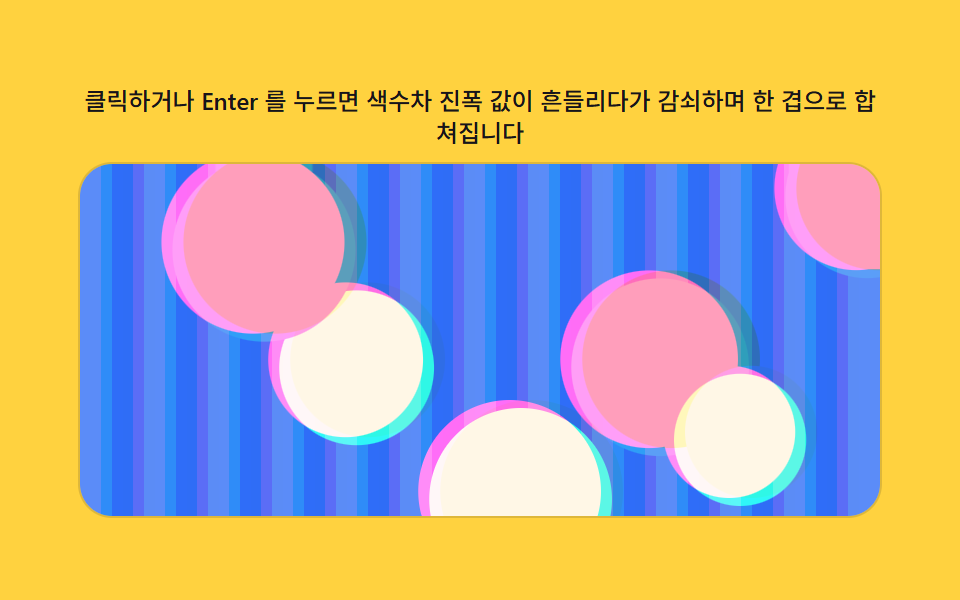 06 glitch-transition-chromatic-drift
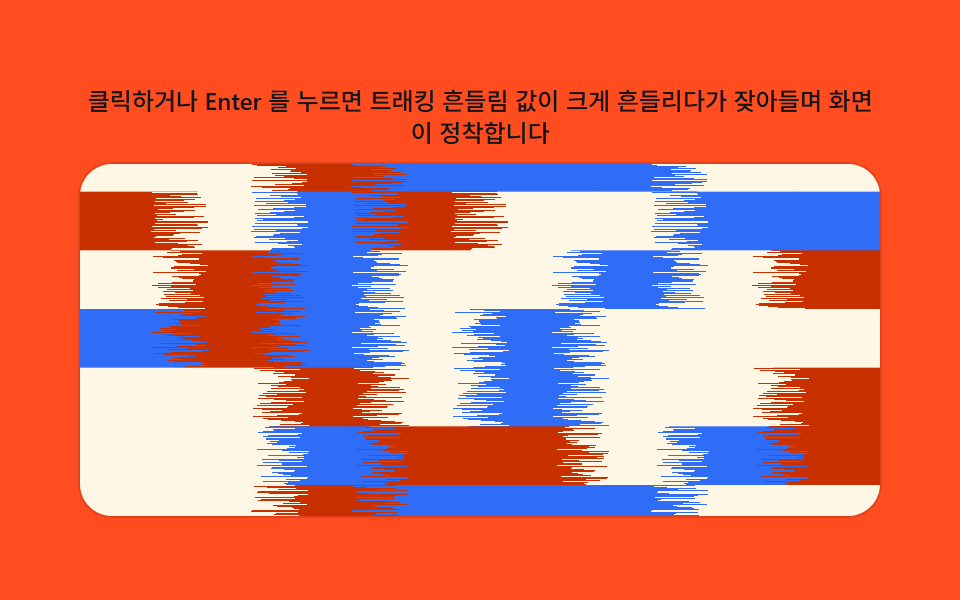 07 glitch-transition-tape-tracking-wobble
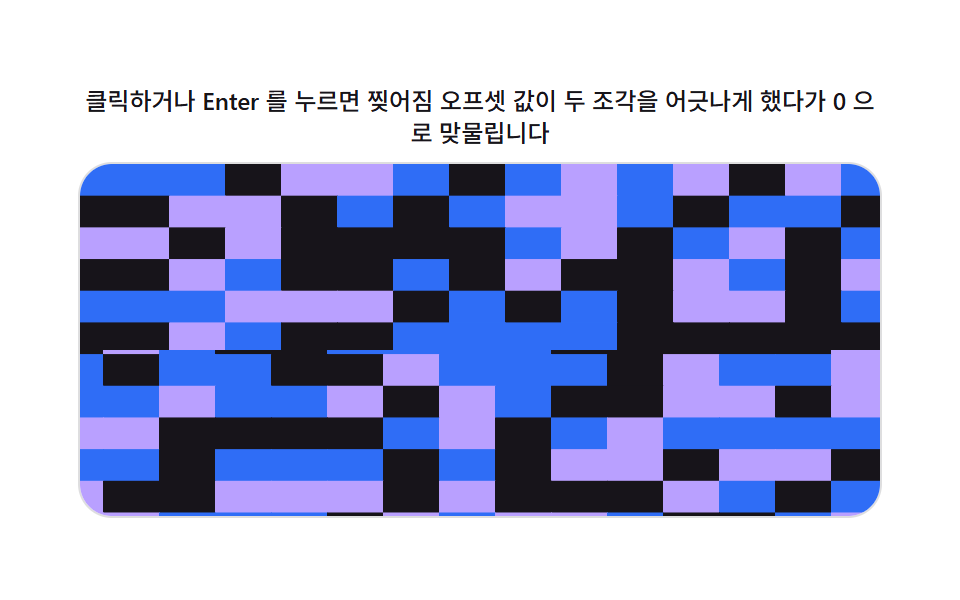 08 glitch-transition-digital-tear
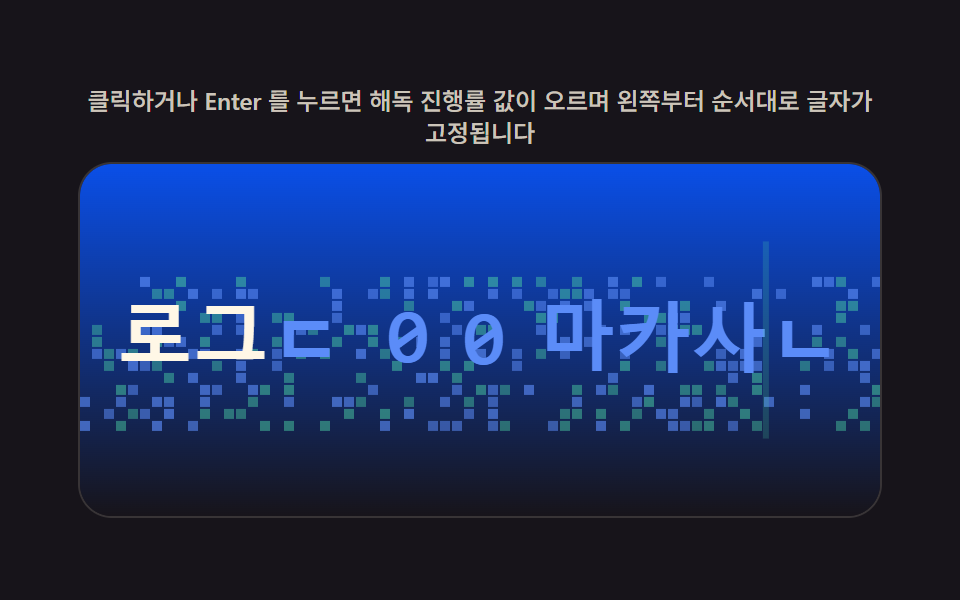 09 glitch-transition-text-decode-scramble
Auto-plays · click a tile to jump to its section · all nine in one zip
- 01 Image Transition Where a Channel-offset Value Splits Then Rejoins
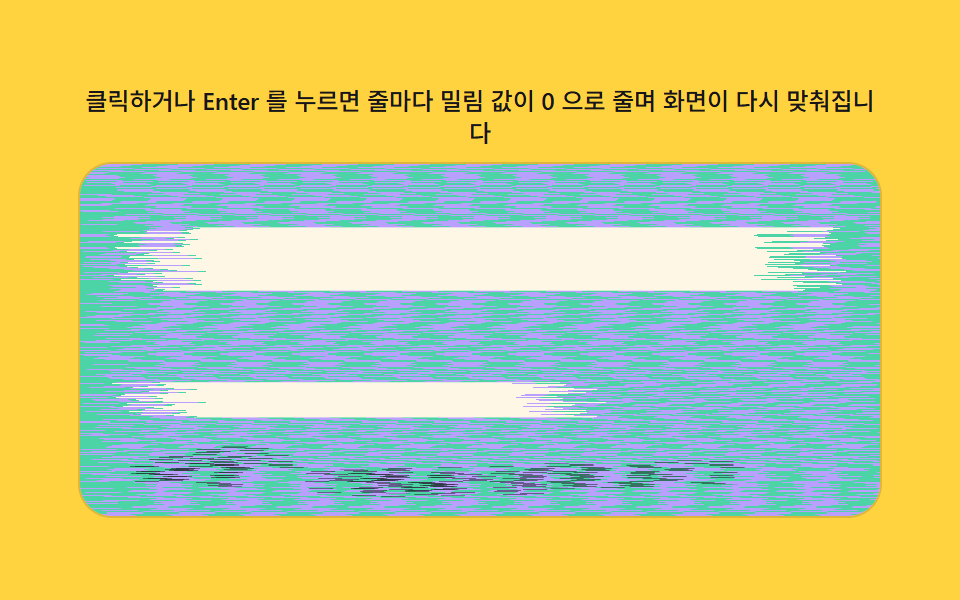
- 02 Screen Transition Where Row-displacement Values Settle Back
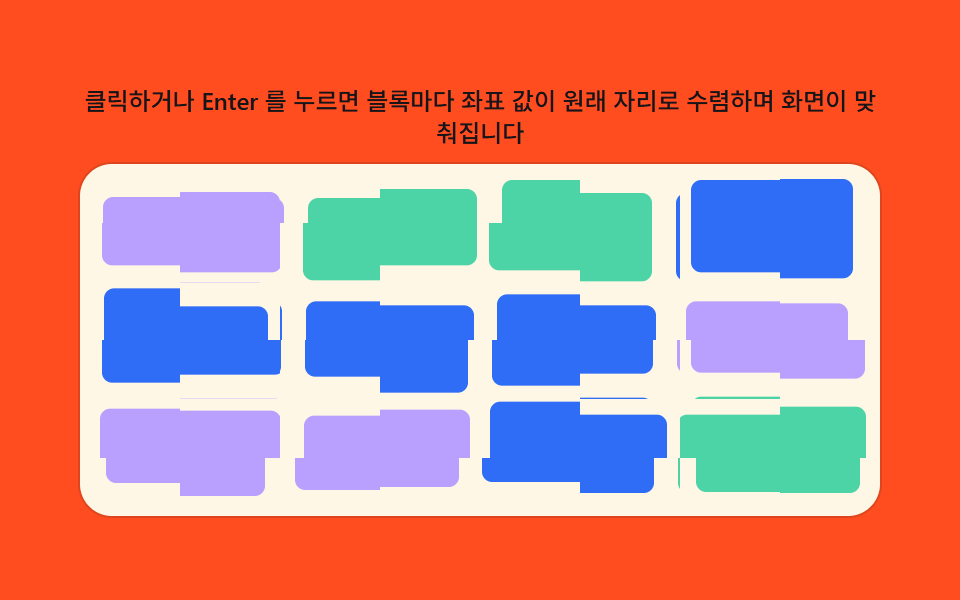
- 03 Screen Transition Where Block-coordinate Values Scatter Then Match
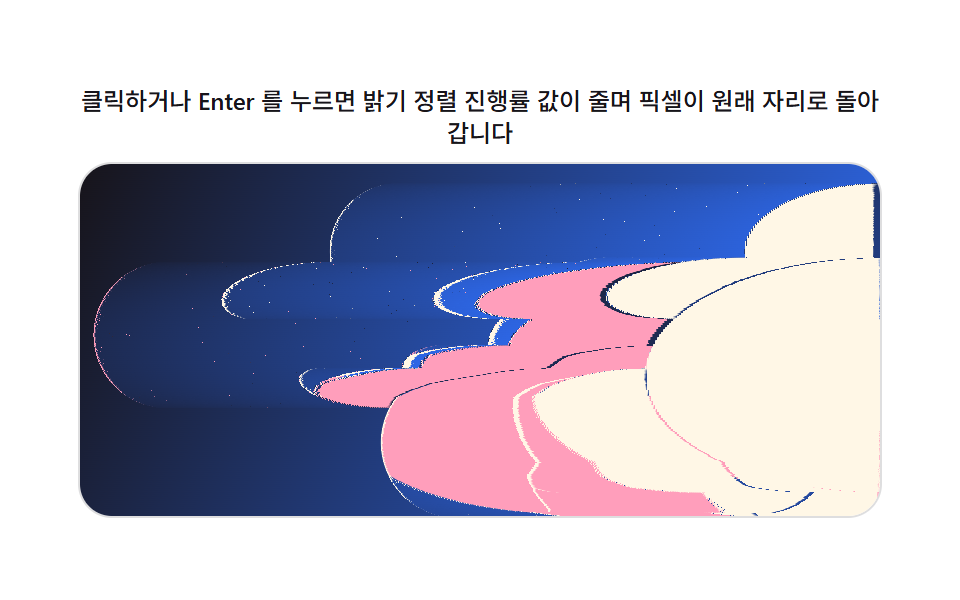
- 04 Image Transition Where a Brightness-sort Progress Value Reverses
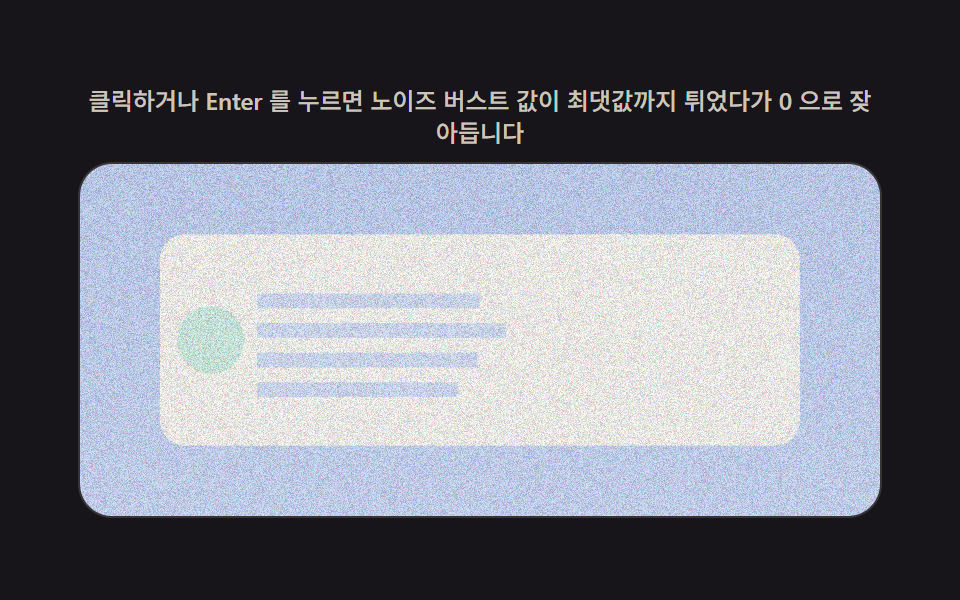
- 05 Content Transition Where a Noise-intensity Value Fades Out
- 06 Screen Transition Where a Chromatic-aberration Amplitude Value Decays
- 07 Screen Transition Where a Tracking-wobble Value Settles
- 08 Screen Transition Where a Tear-offset Value Locks Back Together
- 09 Text Transition Where a Decode-progress Value Resolves Real Letters
Nine is not an arbitrary round number of patterns here — the order moves from a single loaded image (01) through screen-wide slices (02, 03), a brightness-driven reveal (04), a short content flash (05), two color-only drifts (06, 07), a hard structural split (08), and finally a text-only transition (09), so each one demonstrates one more way a plain JavaScript number can drive a canvas frame.
Demo
The 3×3 grid above is nine independent canvas elements, each running its own requestAnimationFrame loop. This isn't a css glitch effect codepen embed pointing at someone else's pen — every tile is this article's own canvas, and the exact code behind it is printed under each pattern below. Click a tile, press Enter or Space on it, or resize the window, and that tile's RENDER(p) function walks the pixel buffer for the frame at hand; nothing here waits on a CSS transitionend event, because there is no CSS transition running underneath any of it.
Why Nine Glitch Transitions Compute Every Pixel Instead of Animating a Property
A CSS transition can only interpolate a property's own value — a color, an offset, an opacity — from one number to another. It can't read a single pixel's byte, decide which source pixel to copy in its place, or sort a row of pixels by brightness. getImageData hands the canvas the raw byte array for a frame, and putImageData writes a new one back, so the nine patterns below can each drive that per-pixel choice from one plain number, p, recomputed every animation frame. None of the nine reach for Math.random either: a seeded generator (makeLcg) builds any fixed layout — block offsets, row jitter, noise seeds — once, so the same pattern replays identically every time instead of reshuffling on each run. There's no library, no WebGL context, and no CDN script anywhere in the nine files behind this article.
Anatomy of Nine CSS Glitch Effect Transitions — Where the Calculation Runs
The screen-recording measurements below come straight from the nine demo files, not an estimate: cumulative area is how much of the canvas changed across the whole transition, average intensity is the average per-pixel byte difference where it changed, and frames moved counts how many of the 23 frame-to-frame deltas actually moved a pixel.
| # | Pattern | Cumulative area | Avg. intensity | Frames moved |
|---|---|---|---|---|
| 01 | Image Transition Where a Channel-offset Value Splits Then Rejoins | 48.7% | 45.8 | 23 of 23 |
| 02 | Screen Transition Where Row-displacement Values Settle Back | 28.9% | 105.9 | 23 of 23 |
| 03 | Screen Transition Where Block-coordinate Values Scatter Then Match | 32.6% | 134.4 | 23 of 23 |
| 04 | Image Transition Where a Brightness-sort Progress Value Reverses | 28.2% | 149.6 | 23 of 23 |
| 05 | Content Transition Where a Noise-intensity Value Fades Out | 48.8% | 29.7 | 22 of 23 |
| 06 | Screen Transition Where a Chromatic-aberration Amplitude Value Decays | 38.4% | 74.9 | 23 of 23 |
| 07 | Screen Transition Where a Tracking-wobble Value Settles | 44.6% | 212.2 | 23 of 23 |
| 08 | Screen Transition Where a Tear-offset Value Locks Back Together | 37.6% | 195.6 | 21 of 23 |
| 09 | Text Transition Where a Decode-progress Value Resolves Real Letters | 19.3% | 50.6 | 22 of 23 |
Code Per Pattern
Each pattern below runs the same three-step shape — read the source frame, compute a destination byte, write it back — with a different rule for step two. The ranges are pulled straight from the demo source, unmodified.
01Image Transition Where a Channel-offset Value Splits Then Rejoins
A channel-offset value pushes the red and blue channels apart the instant the image appears while green stays anchored; ROW_JITTER varies that offset per row so the split doesn't read as one flat shear, and BRIGHT_PULSE and GHOST_MIX add a short brightness pulse and a ghosted overlap as the channels pull apart. Click the tile, or tab to it and press Enter, to replay the load.
<main class="stage">
<div class="rv is-demo" id="rv">
  <p class="rv__hint"><span>Click or press Enter and the channel-offset value grows then shrinks to 0 as the image lines back up</span></p>
  <div class="rv__panel" id="panel" tabindex="0" role="button" aria-label="Replay image transition that splits and rejoins by channel-offset value">
    <canvas class="rv__cv" id="cv" aria-hidden="true"></canvas>
  </div>
</div>
</main>
@use "../../../../site/static/demo-tokens" as *;
// 계산 겹(채널 어긋남 렌더)은 index.html 의 PRECOMPUTE()/RENDER() 에 있다. 여기는 무대·레이아웃만.
$duration: $dur-loop;
$easing: $ease-out;
$color: $subject-sky;
@include stage($stage-ink);
.rv {
--scene-bg1: #{$subject-blue};
--scene-bg2: #{$subject-sky};
--scene-card: #{$subject-cream};
--scene-dot1: #{$subject-pink};
--scene-dot2: #{$subject-mint};
--accent: #{$color};
display: flex;
flex-direction: column;
align-items: center;
gap: $sp-2;
width: min(400px, 92vw);
}
.rv__hint {
margin: 0;
color: rgba($subject-cream, .78);
font-size: 12px;
font-weight: 500;
line-height: 1.35;
text-align: center;
}
.rv__panel {
position: relative;
width: 100%;
height: 176px;
border-radius: $r-card;
overflow: hidden;
cursor: pointer;
box-shadow: 0 0 0 1px rgba($subject-cream, .14);
transition: box-shadow $duration $easing;
}
.rv__panel:hover {
box-shadow: 0 0 0 1px $color;
}
.rv__panel:focus-visible {
outline: 2px solid $color;
outline-offset: 2px;
}
.rv__cv {
display: block;
width: 100%;
height: 100%;
}
@media (max-width: 340px) {
.rv__hint { font-size: 11px; }
.rv__panel, .rv__cv { height: 120px; }
}
@media (prefers-reduced-motion: reduce) {
.rv__panel { transition: none; }
}html, body {
margin: 0;
overflow: hidden;
}
.stage {
box-sizing: border-box;
min-height: 100vh;
display: grid;
place-items: center;
margin: 0;
background: #17141a;
font-family: -apple-system, "Segoe UI", "Noto Sans KR", sans-serif;
padding: clamp(8px, 4vw, 24px);
}
.rv {
--scene-bg1: #2f6df6;
--scene-bg2: #6ec8ff;
--scene-card: #fff7e6;
--scene-dot1: #ff9ebb;
--scene-dot2: #4cd4a6;
--accent: #6ec8ff;
display: flex;
flex-direction: column;
align-items: center;
gap: 8px;
width: min(400px, 92vw);
}
.rv__hint {
margin: 0;
color: rgba(255, 247, 230, 0.78);
font-size: 12px;
font-weight: 500;
line-height: 1.35;
text-align: center;
}
.rv__panel {
position: relative;
width: 100%;
height: 176px;
border-radius: 16px;
overflow: hidden;
cursor: pointer;
box-shadow: 0 0 0 1px rgba(255, 247, 230, 0.14);
transition: box-shadow 2s ease-out;
}
.rv__panel:hover {
box-shadow: 0 0 0 1px #6ec8ff;
}
.rv__panel:focus-visible {
outline: 2px solid #6ec8ff;
outline-offset: 2px;
}
.rv__cv {
display: block;
width: 100%;
height: 100%;
}
@media (max-width: 340px) {
.rv__hint {
font-size: 11px;
}
.rv__panel, .rv__cv {
height: 120px;
}
}
@media (prefers-reduced-motion: reduce) {
.rv__panel {
transition: none;
}
}(function () {
var root = document.getElementById('rv');
var panel = document.getElementById('panel');
var cv = document.getElementById('cv');
var ctx = cv.getContext('2d');
var reduce = window.matchMedia('(prefers-reduced-motion: reduce)').matches;
var isDemo = true;
// 결정론 난수 — Math.random 을 쓰지 않는다. LCG(선형합동생성기) 하나로 장면을 만든다.
function makeLcg(seed) {
var s = seed >>> 0;
return function () { s = (s * 1664525 + 1013904223) >>> 0; return s / 4294967296; };
}
var css = getComputedStyle(root);
function tok(name, fb) { var v = css.getPropertyValue(name); return v ? (v.trim() || fb) : fb; }
var BG1 = tok('--scene-bg1', '#2f6df6');
var BG2 = tok('--scene-bg2', '#6ec8ff');
var CARD = tok('--scene-card', '#fff7e6');
var DOT1 = tok('--scene-dot1', '#ff9ebb');
var DOT2 = tok('--scene-dot2', '#4cd4a6');
var W = 0, H = 0, dpr = 1;
var buf = document.createElement('canvas');
var bctx = buf.getContext('2d');
// 장면(제품 상세 이미지 자리) — 전부 캔버스로 직접 그린다. 외부 사진·파일 0.
function paintScene(bc, w, h, seed) {
var rng = makeLcg(seed);
var g = bc.createLinearGradient(0, 0, w, h);
g.addColorStop(0, BG1); g.addColorStop(1, BG2);
bc.fillStyle = g;
bc.fillRect(0, 0, w, h);
var cw = w * 0.62, ch = h * 0.62, cx = (w - cw) / 2, cy = (h - ch) / 2;
bc.fillStyle = CARD;
bc.beginPath();
if (bc.roundRect) bc.roundRect(cx, cy, cw, ch, Math.min(cw, ch) * 0.08);
else bc.rect(cx, cy, cw, ch);
bc.fill();
for (var i = 0; i < 5; i++) {
bc.fillStyle = i % 2 ? DOT1 : DOT2;
var r = Math.min(cw, ch) * (0.06 + rng() * 0.07);
bc.beginPath();
bc.arc(cx + r + rng() * (cw - r * 2), cy + r + rng() * (ch - r * 2), r, 0, Math.PI * 2);
bc.fill();
}
}
var SEED = 301;
var PLAY_MS = 700;
var RGB_OFFSET_MAX = 24; // 채널 어긋남 최대치(px) — 변형: 24 -> 60(로드 순간 더 크게 벌어졌다 돌아온다)
var ROW_JITTER = 0.55; // 행마다 어긋남 배율을 흔드는 진폭(0~1) — 채널 분리가 장면 전체에 걸치게
var BRIGHT_PULSE = 0.22; // 전환 중 배경 밝기 펄스 진폭
var GHOST_MIX = 0.28; // 분리된 채널의 고스트 겹침 비율(알파 겹침 강화)
var data, outImg, rowJitter;
function PRECOMPUTE() {
var iw = cv.width, ih = cv.height;
data = bctx.getImageData(0, 0, iw, ih).data;
outImg = ctx.createImageData(iw, ih);
var rng = makeLcg(SEED + 7);
rowJitter = new Float32Array(ih);
for (var y = 0; y < ih; y++) rowJitter[y] = 1 + (rng() * 2 - 1) * ROW_JITTER;
}
function clampI(v, lo, hi) { return v < lo ? lo : (v > hi ? hi : v); }
function RENDER(p) {
var iw = cv.width, ih = cv.height;
var offset = Math.round(RGB_OFFSET_MAX * dpr * p);
var voffset = Math.round(offset / 2);
var o = outImg.data;
if (offset === 0) {
for (var i = 0; i < data.length; i++) o[i] = data[i];
ctx.putImageData(outImg, 0, 0);
return;
}
    var pulse = 1 + BRIGHT_PULSE * Math.sin(Math.PI * p);
    for (var y = 0; y < ih; y++) {
      var rowOffset = Math.round(offset * rowJitter[y]);
      var gy = clampI(y - voffset, 0, ih - 1);
      for (var x = 0; x < iw; x++) {
        var rx = clampI(x - rowOffset, 0, iw - 1);
        var bx = clampI(x + rowOffset, 0, iw - 1);
        var rx2 = clampI(x - Math.round(rowOffset * 1.6), 0, iw - 1);
        var bx2 = clampI(x + Math.round(rowOffset * 1.6), 0, iw - 1);
        var k = (y * iw + x) * 4;
        var kr = (y * iw + rx) * 4;
        var kr2 = (y * iw + rx2) * 4;
        var kg = (gy * iw + x) * 4;
        var kb = (y * iw + bx) * 4;
        var kb2 = (y * iw + bx2) * 4;
        o[k] = clampI(Math.round((data[kr] * (1 - GHOST_MIX) + data[kr2] * GHOST_MIX) * pulse), 0, 255);
        o[k + 1] = clampI(Math.round(data[kg + 1] * pulse), 0, 255);
        o[k + 2] = clampI(Math.round((data[kb + 2] * (1 - GHOST_MIX) + data[kb2 + 2] * GHOST_MIX) * pulse), 0, 255);
        o[k + 3] = 255;
      }
    }
ctx.putImageData(outImg, 0, 0);
}
function fit() {
var r = panel.getBoundingClientRect();
dpr = window.devicePixelRatio || 1;
W = r.width; H = r.height;
cv.width = Math.round(W * dpr); cv.height = Math.round(H * dpr);
ctx.setTransform(1, 0, 0, 1, 0, 0);
buf.width = cv.width; buf.height = cv.height;
bctx.setTransform(1, 0, 0, 1, 0, 0);
paintScene(bctx, buf.width, buf.height, SEED);
PRECOMPUTE();
}
function human() { if (isDemo) { root.classList.remove('is-demo'); isDemo = false; } }
var progress = 0, target = 0, playT0 = 0, playFrom = 0, playing = false;
function easeInOut(t) { return t < 0.5 ? 2 * t * t : 1 - Math.pow(-2 * t + 2, 2) / 2; }
function play() {
// 실사용 경로 — 클릭·Enter·Space 로 채널 어긋남 값을 다시 흔든다.
human();
playFrom = progress; target = progress < 0.5 ? 1 : 0;
playT0 = 0; playing = true;
}
function stepPlay(now) {
if (!playing) return;
if (!playT0) playT0 = now;
var t = Math.min(1, (now - playT0) / PLAY_MS);
progress = playFrom + (target - playFrom) * easeInOut(t);
if (t >= 1) { playing = false; progress = target; }
}
var DRIVE_PERIOD_MS = 2000; // 렌더 캐처 창(설정 초=2.0)과 같은 주기 — 시연 전용
var driveStart = 0;
function triangle(frac) { return frac < 0.5 ? frac * 2 : 2 - frac * 2; }
function driveTick(now) {
if (!driveStart) driveStart = now;
if (isDemo) {
var frac = ((now - driveStart) % DRIVE_PERIOD_MS) / DRIVE_PERIOD_MS;
progress = triangle(frac);
}
requestAnimationFrame(driveTick);
}
function frame(now) {
stepPlay(now);
RENDER(progress);
requestAnimationFrame(frame);
}
window.addEventListener('resize', fit);
fit();
if (reduce) {
root.classList.add('is-still');
progress = 0; RENDER(progress);
panel.addEventListener('click', function () { human(); progress = progress < 0.5 ? 1 : 0; RENDER(progress); });
panel.addEventListener('keydown', function (e) {
if (e.key === 'Enter' || e.key === ' ') { e.preventDefault(); human(); progress = progress < 0.5 ? 1 : 0; RENDER(progress); }
});
} else {
panel.addEventListener('click', play);
panel.addEventListener('keydown', function (e) {
if (e.key === 'Enter' || e.key === ' ') { e.preventDefault(); play(); }
});
requestAnimationFrame(frame);
requestAnimationFrame(driveTick);
}
})();import { useEffect, useRef } from "react";
import styles from "./RgbSplit.module.scss";
export default function RgbSplit() {
const rootRef = useRef<HTMLDivElement | null>(null);
const panelRef = useRef<HTMLDivElement | null>(null);
const cvRef = useRef<HTMLCanvasElement | null>(null);
useEffect(() => {
const root = rootRef.current;
const panel = panelRef.current;
const cv = cvRef.current;
if (!root || !panel || !cv) return;
const ctx = cv.getContext("2d");
if (!ctx) return;
const reduce = window.matchMedia("(prefers-reduced-motion: reduce)").matches;
let isDemo = true;
// 결정론 난수 — Math.random 을 쓰지 않는다. LCG(선형합동생성기) 하나로 장면을 만든다.
function makeLcg(seed: number) {
let s = seed >>> 0;
return function () {
s = (s * 1664525 + 1013904223) >>> 0;
return s / 4294967296;
};
}
const css = getComputedStyle(root);
function tok(name: string, fb: string) {
const v = css.getPropertyValue(name);
return v ? v.trim() || fb : fb;
}
const BG1 = tok("--scene-bg1", "#2f6df6");
const BG2 = tok("--scene-bg2", "#6ec8ff");
const CARD = tok("--scene-card", "#fff7e6");
const DOT1 = tok("--scene-dot1", "#ff9ebb");
const DOT2 = tok("--scene-dot2", "#4cd4a6");
let W = 0;
let H = 0;
let dpr = 1;
const buf = document.createElement("canvas");
const bctx = buf.getContext("2d");
if (!bctx) return;
// 장면(제품 상세 이미지 자리) — 전부 캔버스로 직접 그린다. 외부 사진·파일 0.
function paintScene(bc: CanvasRenderingContext2D, w: number, h: number, seed: number) {
const rng = makeLcg(seed);
const g = bc.createLinearGradient(0, 0, w, h);
g.addColorStop(0, BG1);
g.addColorStop(1, BG2);
bc.fillStyle = g;
bc.fillRect(0, 0, w, h);
const cw = w * 0.62;
const ch = h * 0.62;
const cx = (w - cw) / 2;
const cy = (h - ch) / 2;
bc.fillStyle = CARD;
bc.beginPath();
const rr = (bc as CanvasRenderingContext2D & { roundRect?: (x: number, y: number, w: number, h: number, r: number) => void }).roundRect;
if (rr) rr.call(bc, cx, cy, cw, ch, Math.min(cw, ch) * 0.08);
else bc.rect(cx, cy, cw, ch);
bc.fill();
for (let i = 0; i < 5; i++) {
bc.fillStyle = i % 2 ? DOT1 : DOT2;
const r = Math.min(cw, ch) * (0.06 + rng() * 0.07);
bc.beginPath();
bc.arc(cx + r + rng() * (cw - r * 2), cy + r + rng() * (ch - r * 2), r, 0, Math.PI * 2);
bc.fill();
}
}
const SEED = 301;
const PLAY_MS = 700;
const RGB_OFFSET_MAX = 24; // 채널 어긋남 최대치(px) — 변형: 24 -> 60(로드 순간 더 크게 벌어졌다 돌아온다)
const ROW_JITTER = 0.55; // 행마다 어긋남 배율을 흔드는 진폭(0~1) — 채널 분리가 장면 전체에 걸치게
const BRIGHT_PULSE = 0.22; // 전환 중 배경 밝기 펄스 진폭
const GHOST_MIX = 0.28; // 분리된 채널의 고스트 겹침 비율(알파 겹침 강화)
let data: Uint8ClampedArray | null = null;
let outImg: ImageData | null = null;
let rowJitter: Float32Array | null = null;
function PRECOMPUTE() {
const iw = cv!.width;
const ih = cv!.height;
data = bctx!.getImageData(0, 0, iw, ih).data;
outImg = ctx!.createImageData(iw, ih);
const rng = makeLcg(SEED + 7);
const rj = new Float32Array(ih);
for (let y = 0; y < ih; y++) rj[y] = 1 + (rng() * 2 - 1) * ROW_JITTER;
rowJitter = rj;
}
function clampI(v: number, lo: number, hi: number) {
return v < lo ? lo : v > hi ? hi : v;
}
function RENDER(p: number) {
const iw = cv!.width;
const ih = cv!.height;
const offset = Math.round(RGB_OFFSET_MAX * dpr * p);
const voffset = Math.round(offset / 2);
const o = outImg!.data;
const d = data!;
const rj = rowJitter!;
if (offset === 0) {
for (let i = 0; i < d.length; i++) o[i] = d[i];
ctx!.putImageData(outImg!, 0, 0);
return;
}
const pulse = 1 + BRIGHT_PULSE * Math.sin(Math.PI * p);
for (let y = 0; y < ih; y++) {
const rowOffset = Math.round(offset * rj[y]);
const gy = clampI(y - voffset, 0, ih - 1);
for (let x = 0; x < iw; x++) {
const rx = clampI(x - rowOffset, 0, iw - 1);
const bx = clampI(x + rowOffset, 0, iw - 1);
const rx2 = clampI(x - Math.round(rowOffset * 1.6), 0, iw - 1);
const bx2 = clampI(x + Math.round(rowOffset * 1.6), 0, iw - 1);
const k = (y * iw + x) * 4;
const kr = (y * iw + rx) * 4;
const kr2 = (y * iw + rx2) * 4;
const kg = (gy * iw + x) * 4;
const kb = (y * iw + bx) * 4;
const kb2 = (y * iw + bx2) * 4;
o[k] = clampI(Math.round((d[kr] * (1 - GHOST_MIX) + d[kr2] * GHOST_MIX) * pulse), 0, 255);
o[k + 1] = clampI(Math.round(d[kg + 1] * pulse), 0, 255);
o[k + 2] = clampI(Math.round((d[kb + 2] * (1 - GHOST_MIX) + d[kb2 + 2] * GHOST_MIX) * pulse), 0, 255);
o[k + 3] = 255;
}
}
ctx!.putImageData(outImg!, 0, 0);
}
function fit() {
const r = panel!.getBoundingClientRect();
dpr = window.devicePixelRatio || 1;
W = r.width;
H = r.height;
cv!.width = Math.round(W * dpr);
cv!.height = Math.round(H * dpr);
ctx!.setTransform(1, 0, 0, 1, 0, 0);
buf.width = cv!.width;
buf.height = cv!.height;
bctx!.setTransform(1, 0, 0, 1, 0, 0);
paintScene(bctx!, buf.width, buf.height, SEED);
PRECOMPUTE();
}
function human() {
if (isDemo) {
root!.classList.remove("is-demo");
isDemo = false;
}
}
let progress = 0;
let target = 0;
let playT0 = 0;
let playFrom = 0;
let playing = false;
function easeInOut(t: number) {
return t < 0.5 ? 2 * t * t : 1 - Math.pow(-2 * t + 2, 2) / 2;
}
function play() {
// 실사용 경로 — 클릭·Enter·Space 로 채널 어긋남 값을 다시 흔든다.
human();
playFrom = progress;
target = progress < 0.5 ? 1 : 0;
playT0 = 0;
playing = true;
}
function stepPlay(now: number) {
if (!playing) return;
if (!playT0) playT0 = now;
const t = Math.min(1, (now - playT0) / PLAY_MS);
progress = playFrom + (target - playFrom) * easeInOut(t);
if (t >= 1) {
playing = false;
progress = target;
}
}
const DRIVE_PERIOD_MS = 2000; // 렌더 캐처 창(설정 초=2.0)과 같은 주기 — 시연 전용
let driveStart = 0;
let rafFrame = 0;
let rafDrive = 0;
function triangle(frac: number) {
return frac < 0.5 ? frac * 2 : 2 - frac * 2;
}
function driveTick(now: number) {
if (!driveStart) driveStart = now;
if (isDemo) {
const frac = ((now - driveStart) % DRIVE_PERIOD_MS) / DRIVE_PERIOD_MS;
progress = triangle(frac);
}
rafDrive = requestAnimationFrame(driveTick);
}
function frame(now: number) {
stepPlay(now);
RENDER(progress);
rafFrame = requestAnimationFrame(frame);
}
function onClick() {
play();
}
function onKeyDown(e: Event) {
const ke = e as KeyboardEvent;
if (ke.key === "Enter" || ke.key === " ") {
ke.preventDefault();
play();
}
}
function onClickReduce() {
human();
progress = progress < 0.5 ? 1 : 0;
RENDER(progress);
}
function onKeyDownReduce(e: Event) {
const ke = e as KeyboardEvent;
if (ke.key === "Enter" || ke.key === " ") {
ke.preventDefault();
human();
progress = progress < 0.5 ? 1 : 0;
RENDER(progress);
}
}
window.addEventListener("resize", fit);
fit();
if (reduce) {
root.classList.add("is-still");
progress = 0;
RENDER(progress);
panel.addEventListener("click", onClickReduce);
panel.addEventListener("keydown", onKeyDownReduce);
} else {
panel.addEventListener("click", onClick);
panel.addEventListener("keydown", onKeyDown);
rafFrame = requestAnimationFrame(frame);
rafDrive = requestAnimationFrame(driveTick);
}
return () => {
window.removeEventListener("resize", fit);
cancelAnimationFrame(rafFrame);
cancelAnimationFrame(rafDrive);
if (reduce) {
panel.removeEventListener("click", onClickReduce);
panel.removeEventListener("keydown", onKeyDownReduce);
} else {
panel.removeEventListener("click", onClick);
panel.removeEventListener("keydown", onKeyDown);
}
};
}, []);
return (
<main className={styles.stage}>
<div className={`${styles.root} is-demo`} ref={rootRef}>
<p className={styles.hint}>
<span>클릭하거나 Enter 를 누르면 채널 어긋남 값이 커졌다가 0 으로 줄며 이미지가 다시 맞춰집니다</span>
</p>
<div
className={styles.panel}
ref={panelRef}
tabIndex={0}
role="button"
aria-label="채널 어긋남 값으로 갈라졌다 합쳐지는 이미지 전환 다시 재생"
>
<canvas className={styles.cv} ref={cvRef} aria-hidden="true" />
</div>
</div>
</main>
);
}01 · Image Transition Where a Channel-offset Value Splits Then Rejoins — Measured area 48.733% · moving frames 23/23Original by GODRICH · SCSS and React ship in the zip · See the password
var pulse = 1 + BRIGHT_PULSE * Math.sin(Math.PI * p);
for (var y = 0; y < ih; y++) {
var rowOffset = Math.round(offset * rowJitter[y]);
var gy = clampI(y - voffset, 0, ih - 1);
for (var x = 0; x < iw; x++) {
var rx = clampI(x - rowOffset, 0, iw - 1);
var bx = clampI(x + rowOffset, 0, iw - 1);
var rx2 = clampI(x - Math.round(rowOffset * 1.6), 0, iw - 1);
var bx2 = clampI(x + Math.round(rowOffset * 1.6), 0, iw - 1);
var k = (y * iw + x) * 4;
var kr = (y * iw + rx) * 4;
var kr2 = (y * iw + rx2) * 4;
var kg = (gy * iw + x) * 4;
var kb = (y * iw + bx) * 4;
var kb2 = (y * iw + bx2) * 4;
o[k] = clampI(Math.round((data[kr] * (1 - GHOST_MIX) + data[kr2] * GHOST_MIX) * pulse), 0, 255);
o[k + 1] = clampI(Math.round(data[kg + 1] * pulse), 0, 255);
o[k + 2] = clampI(Math.round((data[kb + 2] * (1 - GHOST_MIX) + data[kb2 + 2] * GHOST_MIX) * pulse), 0, 255);
o[k + 3] = 255;
}
}
02Screen Transition Where Row-displacement Values Settle Back
PRECOMPUTE() rolls a fixed rowOffsets value for every row with the seeded RNG once, and RENDER(p) multiplies each row's stored offset by the current progress before copying pixels from the shifted source row into place. Because the offsets are computed once and only scaled by p, the same jagged shape returns on every replay instead of reshuffling.
<main class="stage">
<div class="rv is-demo" id="rv">
  <p class="rv__hint"><span>Click or press Enter and each row's shift value shrinks to 0 as the screen lines back up</span></p>
  <div class="rv__panel" id="panel" tabindex="0" role="button" aria-label="Replay screen transition where row-shift value finds its place again">
    <canvas class="rv__cv" id="cv" aria-hidden="true"></canvas>
  </div>
</div>
</main>
@use "../../../../site/static/demo-tokens" as *;
// 계산 겹(줄 밀림 렌더)은 index.html 의 PRECOMPUTE()/RENDER() 에 있다. 여기는 무대·레이아웃만.
$duration: $dur-loop;
$easing: $ease-out;
$color: $subject-blue-deep;
@include stage($stage-yellow);
.rv {
--scene-bg1: #{$subject-lilac};
--scene-bg2: #{$subject-mint};
--scene-bar: #{$subject-cream};
--scene-dot: #{$subject-ink};
--accent: #{$color};
display: flex;
flex-direction: column;
align-items: center;
gap: $sp-2;
width: min(400px, 92vw);
}
.rv__hint {
margin: 0;
color: $subject-ink;
font-size: 12px;
font-weight: 500;
line-height: 1.35;
text-align: center;
}
.rv__panel {
position: relative;
width: 100%;
height: 176px;
border-radius: $r-card;
overflow: hidden;
cursor: pointer;
box-shadow: 0 0 0 1px rgba($subject-ink, .14);
transition: box-shadow $duration $easing;
}
.rv__panel:hover {
box-shadow: 0 0 0 1px $color;
}
.rv__panel:focus-visible {
outline: 2px solid $color;
outline-offset: 2px;
}
.rv__cv {
display: block;
width: 100%;
height: 100%;
}
@media (max-width: 340px) {
.rv__hint { font-size: 11px; }
.rv__panel, .rv__cv { height: 120px; }
}
@media (prefers-reduced-motion: reduce) {
.rv__panel { transition: none; }
}html, body {
margin: 0;
overflow: hidden;
}
.stage {
box-sizing: border-box;
min-height: 100vh;
display: grid;
place-items: center;
margin: 0;
background: #ffd23f;
font-family: -apple-system, "Segoe UI", "Noto Sans KR", sans-serif;
padding: clamp(8px, 4vw, 24px);
}
.rv {
--scene-bg1: #b9a0ff;
--scene-bg2: #4cd4a6;
--scene-bar: #fff7e6;
--scene-dot: #17141a;
--accent: #0a4fe8;
display: flex;
flex-direction: column;
align-items: center;
gap: 8px;
width: min(400px, 92vw);
}
.rv__hint {
margin: 0;
color: #17141a;
font-size: 12px;
font-weight: 500;
line-height: 1.35;
text-align: center;
}
.rv__panel {
position: relative;
width: 100%;
height: 176px;
border-radius: 16px;
overflow: hidden;
cursor: pointer;
box-shadow: 0 0 0 1px rgba(23, 20, 26, 0.14);
transition: box-shadow 2s ease-out;
}
.rv__panel:hover {
box-shadow: 0 0 0 1px #0a4fe8;
}
.rv__panel:focus-visible {
outline: 2px solid #0a4fe8;
outline-offset: 2px;
}
.rv__cv {
display: block;
width: 100%;
height: 100%;
}
@media (max-width: 340px) {
.rv__hint {
font-size: 11px;
}
.rv__panel, .rv__cv {
height: 120px;
}
}
@media (prefers-reduced-motion: reduce) {
.rv__panel {
transition: none;
}
}(function () {
var root = document.getElementById('rv');
var panel = document.getElementById('panel');
var cv = document.getElementById('cv');
var ctx = cv.getContext('2d');
var reduce = window.matchMedia('(prefers-reduced-motion: reduce)').matches;
var isDemo = true;
// 결정론 난수 — Math.random 을 쓰지 않는다. LCG(선형합동생성기) 하나로 장면·줄 밀림 값을 만든다.
function makeLcg(seed) {
var s = seed >>> 0;
return function () { s = (s * 1664525 + 1013904223) >>> 0; return s / 4294967296; };
}
var css = getComputedStyle(root);
function tok(name, fb) { var v = css.getPropertyValue(name); return v ? (v.trim() || fb) : fb; }
var BG1 = tok('--scene-bg1', '#b9a0ff');
var BG2 = tok('--scene-bg2', '#4cd4a6');
var BAR = tok('--scene-bar', '#fff7e6');
var DOT = tok('--scene-dot', '#17141a');
var W = 0, H = 0, dpr = 1;
var buf = document.createElement('canvas');
var bctx = buf.getContext('2d');
// 장면(섹션 슬라이드 배경 자리) — 전부 캔버스로 직접 그린다. 외부 사진·파일 0.
// 세로 줄무늬 바탕 — 가로줄이 옆으로 밀리면 줄무늬 경계가 어긋나 보이도록 가로 방향 결을 준다.
function paintScene(bc, w, h, seed) {
var rng = makeLcg(seed);
var stripeW = Math.max(6, w * 0.045);
for (var x = 0; x < w; x += stripeW) {
bc.fillStyle = Math.floor(x / stripeW) % 2 ? BG1 : BG2;
bc.fillRect(x, 0, stripeW + 1, h);
}
bc.fillStyle = BAR;
bc.fillRect(w * 0.1, h * 0.18, w * 0.8, h * 0.18);
bc.fillRect(w * 0.1, h * 0.62, w * 0.5, h * 0.1);
for (var i = 0; i < 10; i++) {
bc.fillStyle = DOT;
bc.globalAlpha = 0.5;
bc.fillRect(rng() * w, h * 0.8 + rng() * h * 0.12, w * 0.03, w * 0.03);
}
bc.globalAlpha = 1;
}
var SEED = 401;
var PLAY_MS = 620;
var ROW_OFFSET_MAX = 34; // 줄 밀림 최댓값(px) — 변형: 34 -> 60(첫 프레임 어긋남이 더 크게 튄다)
var data, outImg, iw, ih, rowOffsets;
  function PRECOMPUTE() {
    iw = cv.width; ih = cv.height;
    data = bctx.getImageData(0, 0, iw, ih).data;
    outImg = ctx.createImageData(iw, ih);
    var rng = makeLcg(SEED + 7);
    rowOffsets = new Float32Array(ih);
    for (var y = 0; y < ih; y++) rowOffsets[y] = (rng() * 2 - 1) * ROW_OFFSET_MAX * dpr;
  }

  function clampI(v, lo, hi) { return v < lo ? lo : (v > hi ? hi : v); }

  function RENDER(p) {
    var o = outImg.data;
    for (var y = 0; y < ih; y++) {
      var shift = Math.round(rowOffsets[y] * p);
      var rowBase = y * iw;
      for (var x = 0; x < iw; x++) {
        var sx = clampI(x - shift, 0, iw - 1);
        var k = (rowBase + x) * 4;
        var sk = (rowBase + sx) * 4;
        o[k] = data[sk]; o[k + 1] = data[sk + 1]; o[k + 2] = data[sk + 2]; o[k + 3] = 255;
      }
    }
    ctx.putImageData(outImg, 0, 0);
  }
function fit() {
var r = panel.getBoundingClientRect();
dpr = window.devicePixelRatio || 1;
W = r.width; H = r.height;
cv.width = Math.round(W * dpr); cv.height = Math.round(H * dpr);
buf.width = cv.width; buf.height = cv.height;
paintScene(bctx, buf.width, buf.height, SEED);
PRECOMPUTE();
}
function human() { if (isDemo) { root.classList.remove('is-demo'); isDemo = false; } }
var progress = 0, target = 0, playT0 = 0, playFrom = 0, playing = false;
function easeInOut(t) { return t < 0.5 ? 2 * t * t : 1 - Math.pow(-2 * t + 2, 2) / 2; }
function play() {
human();
playFrom = progress; target = progress < 0.5 ? 1 : 0;
playT0 = 0; playing = true;
}
function stepPlay(now) {
if (!playing) return;
if (!playT0) playT0 = now;
var t = Math.min(1, (now - playT0) / PLAY_MS);
progress = playFrom + (target - playFrom) * easeInOut(t);
if (t >= 1) { playing = false; progress = target; }
}
var DRIVE_PERIOD_MS = 2000;
var driveStart = 0;
function triangle(frac) { return frac < 0.5 ? frac * 2 : 2 - frac * 2; }
function driveTick(now) {
if (!driveStart) driveStart = now;
if (isDemo) {
var frac = ((now - driveStart) % DRIVE_PERIOD_MS) / DRIVE_PERIOD_MS;
progress = triangle(frac);
}
requestAnimationFrame(driveTick);
}
function frame(now) {
stepPlay(now);
RENDER(progress);
requestAnimationFrame(frame);
}
window.addEventListener('resize', fit);
fit();
if (reduce) {
root.classList.add('is-still');
progress = 0; RENDER(progress);
panel.addEventListener('click', function () { human(); progress = progress < 0.5 ? 1 : 0; RENDER(progress); });
panel.addEventListener('keydown', function (e) {
if (e.key === 'Enter' || e.key === ' ') { e.preventDefault(); human(); progress = progress < 0.5 ? 1 : 0; RENDER(progress); }
});
} else {
panel.addEventListener('click', play);
panel.addEventListener('keydown', function (e) {
if (e.key === 'Enter' || e.key === ' ') { e.preventDefault(); play(); }
});
requestAnimationFrame(frame);
requestAnimationFrame(driveTick);
}
})();import { useEffect, useRef } from "react";
import styles from "./ScanlineDisplace.module.scss";
export default function ScanlineDisplace() {
const rootRef = useRef<HTMLDivElement | null>(null);
const panelRef = useRef<HTMLDivElement | null>(null);
const cvRef = useRef<HTMLCanvasElement | null>(null);
useEffect(() => {
const root = rootRef.current;
const panel = panelRef.current;
const cv = cvRef.current;
if (!root || !panel || !cv) return;
const ctx = cv.getContext("2d");
if (!ctx) return;
const reduce = window.matchMedia("(prefers-reduced-motion: reduce)").matches;
let isDemo = true;
// 결정론 난수 — Math.random 을 쓰지 않는다. LCG(선형합동생성기) 하나로 장면·줄 밀림 값을 만든다.
function makeLcg(seed: number) {
let s = seed >>> 0;
return function () {
s = (s * 1664525 + 1013904223) >>> 0;
return s / 4294967296;
};
}
const css = getComputedStyle(root);
function tok(name: string, fb: string) {
const v = css.getPropertyValue(name);
return v ? v.trim() || fb : fb;
}
const BG1 = tok("--scene-bg1", "#b9a0ff");
const BG2 = tok("--scene-bg2", "#4cd4a6");
const BAR = tok("--scene-bar", "#fff7e6");
const DOT = tok("--scene-dot", "#17141a");
let W = 0;
let H = 0;
let dpr = 1;
const buf = document.createElement("canvas");
const bctx = buf.getContext("2d");
if (!bctx) return;
// 장면(섹션 슬라이드 배경 자리) — 전부 캔버스로 직접 그린다. 외부 사진·파일 0.
// 세로 줄무늬 바탕 — 가로줄이 옆으로 밀리면 줄무늬 경계가 어긋나 보이도록 가로 방향 결을 준다.
function paintScene(bc: CanvasRenderingContext2D, w: number, h: number, seed: number) {
const rng = makeLcg(seed);
const stripeW = Math.max(6, w * 0.045);
for (let x = 0; x < w; x += stripeW) {
bc.fillStyle = Math.floor(x / stripeW) % 2 ? BG1 : BG2;
bc.fillRect(x, 0, stripeW + 1, h);
}
bc.fillStyle = BAR;
bc.fillRect(w * 0.1, h * 0.18, w * 0.8, h * 0.18);
bc.fillRect(w * 0.1, h * 0.62, w * 0.5, h * 0.1);
for (let i = 0; i < 10; i++) {
bc.fillStyle = DOT;
bc.globalAlpha = 0.5;
bc.fillRect(rng() * w, h * 0.8 + rng() * h * 0.12, w * 0.03, w * 0.03);
}
bc.globalAlpha = 1;
}
const SEED = 401;
const PLAY_MS = 620;
const ROW_OFFSET_MAX = 34; // 줄 밀림 최댓값(px) — 변형: 34 -> 60(첫 프레임 어긋남이 더 크게 튄다)
let data: Uint8ClampedArray | null = null;
let outImg: ImageData | null = null;
let iw = 0;
let ih = 0;
let rowOffsets: Float32Array | null = null;
function PRECOMPUTE() {
iw = cv!.width;
ih = cv!.height;
data = bctx!.getImageData(0, 0, iw, ih).data;
outImg = ctx!.createImageData(iw, ih);
const rng = makeLcg(SEED + 7);
rowOffsets = new Float32Array(ih);
for (let y = 0; y < ih; y++) rowOffsets[y] = (rng() * 2 - 1) * ROW_OFFSET_MAX * dpr;
}
function clampI(v: number, lo: number, hi: number) {
return v < lo ? lo : v > hi ? hi : v;
}
function RENDER(p: number) {
const o = outImg!.data;
const d = data!;
const ro = rowOffsets!;
for (let y = 0; y < ih; y++) {
const shift = Math.round(ro[y] * p);
const rowBase = y * iw;
for (let x = 0; x < iw; x++) {
const sx = clampI(x - shift, 0, iw - 1);
const k = (rowBase + x) * 4;
const sk = (rowBase + sx) * 4;
o[k] = d[sk];
o[k + 1] = d[sk + 1];
o[k + 2] = d[sk + 2];
o[k + 3] = 255;
}
}
ctx!.putImageData(outImg!, 0, 0);
}
function fit() {
const r = panel!.getBoundingClientRect();
dpr = window.devicePixelRatio || 1;
W = r.width;
H = r.height;
cv!.width = Math.round(W * dpr);
cv!.height = Math.round(H * dpr);
buf.width = cv!.width;
buf.height = cv!.height;
paintScene(bctx!, buf.width, buf.height, SEED);
PRECOMPUTE();
}
function human() {
if (isDemo) {
root!.classList.remove("is-demo");
isDemo = false;
}
}
let progress = 0;
let target = 0;
let playT0 = 0;
let playFrom = 0;
let playing = false;
function easeInOut(t: number) {
return t < 0.5 ? 2 * t * t : 1 - Math.pow(-2 * t + 2, 2) / 2;
}
function play() {
human();
playFrom = progress;
target = progress < 0.5 ? 1 : 0;
playT0 = 0;
playing = true;
}
function stepPlay(now: number) {
if (!playing) return;
if (!playT0) playT0 = now;
const t = Math.min(1, (now - playT0) / PLAY_MS);
progress = playFrom + (target - playFrom) * easeInOut(t);
if (t >= 1) {
playing = false;
progress = target;
}
}
const DRIVE_PERIOD_MS = 2000;
let driveStart = 0;
let rafFrame = 0;
let rafDrive = 0;
function triangle(frac: number) {
return frac < 0.5 ? frac * 2 : 2 - frac * 2;
}
function driveTick(now: number) {
if (!driveStart) driveStart = now;
if (isDemo) {
const frac = ((now - driveStart) % DRIVE_PERIOD_MS) / DRIVE_PERIOD_MS;
progress = triangle(frac);
}
rafDrive = requestAnimationFrame(driveTick);
}
function frame(now: number) {
stepPlay(now);
RENDER(progress);
rafFrame = requestAnimationFrame(frame);
}
function onClick() {
play();
}
function onKeyDown(e: Event) {
const ke = e as KeyboardEvent;
if (ke.key === "Enter" || ke.key === " ") {
ke.preventDefault();
play();
}
}
function onClickReduce() {
human();
progress = progress < 0.5 ? 1 : 0;
RENDER(progress);
}
function onKeyDownReduce(e: Event) {
const ke = e as KeyboardEvent;
if (ke.key === "Enter" || ke.key === " ") {
ke.preventDefault();
human();
progress = progress < 0.5 ? 1 : 0;
RENDER(progress);
}
}
window.addEventListener("resize", fit);
fit();
if (reduce) {
root.classList.add("is-still");
progress = 0;
RENDER(progress);
panel.addEventListener("click", onClickReduce);
panel.addEventListener("keydown", onKeyDownReduce);
} else {
panel.addEventListener("click", onClick);
panel.addEventListener("keydown", onKeyDown);
rafFrame = requestAnimationFrame(frame);
rafDrive = requestAnimationFrame(driveTick);
}
return () => {
window.removeEventListener("resize", fit);
cancelAnimationFrame(rafFrame);
cancelAnimationFrame(rafDrive);
if (reduce) {
panel.removeEventListener("click", onClickReduce);
panel.removeEventListener("keydown", onKeyDownReduce);
} else {
panel.removeEventListener("click", onClick);
panel.removeEventListener("keydown", onKeyDown);
}
};
}, []);
return (
<main className={styles.stage}>
<div className={`${styles.root} is-demo`} ref={rootRef}>
<p className={styles.hint}>
<span>클릭하거나 Enter 를 누르면 줄마다 밀림 값이 0 으로 줄며 화면이 다시 맞춰집니다</span>
</p>
<div
className={styles.panel}
ref={panelRef}
tabIndex={0}
role="button"
aria-label="가로줄 밀림 값이 자리를 되찾는 화면 전환 다시 재생"
>
<canvas className={styles.cv} ref={cvRef} aria-hidden="true" />
</div>
</div>
</main>
);
}02 · Screen Transition Where Row-displacement Values Settle Back — Measured area 28.934% · moving frames 23/23Original by GODRICH · SCSS and React ship in the zip · See the password
function PRECOMPUTE() {
iw = cv.width; ih = cv.height;
data = bctx.getImageData(0, 0, iw, ih).data;
outImg = ctx.createImageData(iw, ih);
var rng = makeLcg(SEED + 7);
rowOffsets = new Float32Array(ih);
for (var y = 0; y < ih; y++) rowOffsets[y] = (rng() * 2 - 1) * ROW_OFFSET_MAX * dpr;
}
function clampI(v, lo, hi) { return v < lo ? lo : (v > hi ? hi : v); }
function RENDER(p) {
var o = outImg.data;
for (var y = 0; y < ih; y++) {
var shift = Math.round(rowOffsets[y] * p);
var rowBase = y * iw;
for (var x = 0; x < iw; x++) {
var sx = clampI(x - shift, 0, iw - 1);
var k = (rowBase + x) * 4;
var sk = (rowBase + sx) * 4;
o[k] = data[sk]; o[k + 1] = data[sk + 1]; o[k + 2] = data[sk + 2]; o[k + 3] = 255;
}
}
ctx.putImageData(outImg, 0, 0);
}
03Screen Transition Where Block-coordinate Values Scatter Then Match
The canvas splits into BLOCK_ROWS by BLOCK_COLS squares, and each block gets its own blockDx/blockDy scatter distance computed once; RENDER(p) works from p back toward zero, so every block's pixels sample from a shrinking offset until the block lands on its real coordinate. Resize the window and the same block grid rebuilds at the new size.
<main class="stage">
<div class="rv is-demo" id="rv">
  <p class="rv__hint"><span>Click or press Enter and each block's coordinate value converges back to its original spot as the screen settles</span></p>
  <div class="rv__panel" id="panel" tabindex="0" role="button" aria-label="Replay screen transition where block-coordinate value scatters and settles">
    <canvas class="rv__cv" id="cv" aria-hidden="true"></canvas>
  </div>
</div>
</main>
@use "../../../../site/static/demo-tokens" as *;
// 계산 겹(블록 뒤섞임 렌더)은 index.html 의 PRECOMPUTE()/RENDER() 에 있다. 여기는 무대·레이아웃만.
$duration: $dur-loop;
$easing: $ease-out;
$color: $subject-ink;
@include stage($stage-orange);
.rv {
--scene-bg: #{$subject-cream};
--scene-card1: #{$subject-blue};
--scene-card2: #{$subject-lilac};
--scene-card3: #{$subject-mint};
--accent: #{$color};
display: flex;
flex-direction: column;
align-items: center;
gap: $sp-2;
width: min(400px, 92vw);
}
.rv__hint {
margin: 0;
color: $subject-ink;
font-size: 12px;
font-weight: 500;
line-height: 1.35;
text-align: center;
}
.rv__panel {
position: relative;
width: 100%;
height: 176px;
border-radius: $r-card;
overflow: hidden;
cursor: pointer;
box-shadow: 0 0 0 1px rgba($subject-ink, .14);
transition: box-shadow $duration $easing;
}
.rv__panel:hover {
box-shadow: 0 0 0 1px $color;
}
.rv__panel:focus-visible {
outline: 2px solid $color;
outline-offset: 2px;
}
.rv__cv {
display: block;
width: 100%;
height: 100%;
}
@media (max-width: 340px) {
.rv__hint { font-size: 11px; }
.rv__panel, .rv__cv { height: 120px; }
}
@media (prefers-reduced-motion: reduce) {
.rv__panel { transition: none; }
}html, body {
margin: 0;
overflow: hidden;
}
.stage {
box-sizing: border-box;
min-height: 100vh;
display: grid;
place-items: center;
margin: 0;
background: #ff4d1f;
font-family: -apple-system, "Segoe UI", "Noto Sans KR", sans-serif;
padding: clamp(8px, 4vw, 24px);
}
.rv {
--scene-bg: #fff7e6;
--scene-card1: #2f6df6;
--scene-card2: #b9a0ff;
--scene-card3: #4cd4a6;
--accent: #17141a;
display: flex;
flex-direction: column;
align-items: center;
gap: 8px;
width: min(400px, 92vw);
}
.rv__hint {
margin: 0;
color: #17141a;
font-size: 12px;
font-weight: 500;
line-height: 1.35;
text-align: center;
}
.rv__panel {
position: relative;
width: 100%;
height: 176px;
border-radius: 16px;
overflow: hidden;
cursor: pointer;
box-shadow: 0 0 0 1px rgba(23, 20, 26, 0.14);
transition: box-shadow 2s ease-out;
}
.rv__panel:hover {
box-shadow: 0 0 0 1px #17141a;
}
.rv__panel:focus-visible {
outline: 2px solid #17141a;
outline-offset: 2px;
}
.rv__cv {
display: block;
width: 100%;
height: 100%;
}
@media (max-width: 340px) {
.rv__hint {
font-size: 11px;
}
.rv__panel, .rv__cv {
height: 120px;
}
}
@media (prefers-reduced-motion: reduce) {
.rv__panel {
transition: none;
}
}(function () {
var root = document.getElementById('rv');
var panel = document.getElementById('panel');
var cv = document.getElementById('cv');
var ctx = cv.getContext('2d');
var reduce = window.matchMedia('(prefers-reduced-motion: reduce)').matches;
var isDemo = true;
// 결정론 난수 — Math.random 을 쓰지 않는다. LCG(선형합동생성기) 하나로 장면·블록 좌표 값을 만든다.
function makeLcg(seed) {
var s = seed >>> 0;
return function () { s = (s * 1664525 + 1013904223) >>> 0; return s / 4294967296; };
}
var css = getComputedStyle(root);
function tok(name, fb) { var v = css.getPropertyValue(name); return v ? (v.trim() || fb) : fb; }
var BG = tok('--scene-bg', '#fff7e6');
var CARD1 = tok('--scene-card1', '#2f6df6');
var CARD2 = tok('--scene-card2', '#b9a0ff');
var CARD3 = tok('--scene-card3', '#4cd4a6');
var W = 0, H = 0, dpr = 1;
var buf = document.createElement('canvas');
var bctx = buf.getContext('2d');
// 장면(갤러리 카드 그리드 자리) — 전부 캔버스로 직접 그린다. 외부 사진·파일 0.
function paintScene(bc, w, h, seed) {
var rng = makeLcg(seed);
bc.fillStyle = BG;
bc.fillRect(0, 0, w, h);
var cols = 4, rows = 3, pad = w * 0.03;
var cw = (w - pad * (cols + 1)) / cols, ch = (h - pad * (rows + 1)) / rows;
var palette = [CARD1, CARD2, CARD3];
for (var r = 0; r < rows; r++) {
for (var c = 0; c < cols; c++) {
bc.fillStyle = palette[Math.floor(rng() * palette.length)];
var x = pad + c * (cw + pad), y = pad + r * (ch + pad);
bc.beginPath();
if (bc.roundRect) bc.roundRect(x, y, cw, ch, Math.min(cw, ch) * 0.12);
else bc.rect(x, y, cw, ch);
bc.fill();
}
}
}
var SEED = 501;
var PLAY_MS = 640;
var BLOCK_COLS = 8, BLOCK_ROWS = 6;
var BLOCK_OFFSET_MAX = 46; // 블록 뒤섞임 좌표 최댓값(px) — 변형: 46 -> 70(더 멀리 흩어졌다 모인다)
var data, outImg, iw, ih, blockW, blockH, blockDx, blockDy;
function PRECOMPUTE() {
iw = cv.width; ih = cv.height;
data = bctx.getImageData(0, 0, iw, ih).data;
outImg = ctx.createImageData(iw, ih);
blockW = iw / BLOCK_COLS; blockH = ih / BLOCK_ROWS;
var n = BLOCK_COLS * BLOCK_ROWS;
var rng = makeLcg(SEED + 13);
blockDx = new Float32Array(n); blockDy = new Float32Array(n);
for (var i = 0; i < n; i++) {
blockDx[i] = (rng() * 2 - 1) * BLOCK_OFFSET_MAX * dpr;
blockDy[i] = (rng() * 2 - 1) * BLOCK_OFFSET_MAX * dpr;
}
}
function clampI(v, lo, hi) { return v < lo ? lo : (v > hi ? hi : v); }
  function RENDER(p) {
    var o = outImg.data;
    for (var y = 0; y < ih; y++) {
      var by = Math.min(BLOCK_ROWS - 1, Math.floor(y / blockH));
      for (var x = 0; x < iw; x++) {
        var bx = Math.min(BLOCK_COLS - 1, Math.floor(x / blockW));
        var bi = by * BLOCK_COLS + bx;
        var sx = clampI(Math.round(x - blockDx[bi] * p), 0, iw - 1);
        var sy = clampI(Math.round(y - blockDy[bi] * p), 0, ih - 1);
        var k = (y * iw + x) * 4;
        var sk = (sy * iw + sx) * 4;
        o[k] = data[sk]; o[k + 1] = data[sk + 1]; o[k + 2] = data[sk + 2]; o[k + 3] = 255;
      }
    }
    ctx.putImageData(outImg, 0, 0);
  }
function fit() {
var r = panel.getBoundingClientRect();
dpr = window.devicePixelRatio || 1;
W = r.width; H = r.height;
cv.width = Math.round(W * dpr); cv.height = Math.round(H * dpr);
buf.width = cv.width; buf.height = cv.height;
paintScene(bctx, buf.width, buf.height, SEED);
PRECOMPUTE();
}
function human() { if (isDemo) { root.classList.remove('is-demo'); isDemo = false; } }
var progress = 0, target = 0, playT0 = 0, playFrom = 0, playing = false;
function easeInOut(t) { return t < 0.5 ? 2 * t * t : 1 - Math.pow(-2 * t + 2, 2) / 2; }
function play() {
human();
playFrom = progress; target = progress < 0.5 ? 1 : 0;
playT0 = 0; playing = true;
}
function stepPlay(now) {
if (!playing) return;
if (!playT0) playT0 = now;
var t = Math.min(1, (now - playT0) / PLAY_MS);
progress = playFrom + (target - playFrom) * easeInOut(t);
if (t >= 1) { playing = false; progress = target; }
}
var DRIVE_PERIOD_MS = 2000;
var driveStart = 0;
function triangle(frac) { return frac < 0.5 ? frac * 2 : 2 - frac * 2; }
function driveTick(now) {
if (!driveStart) driveStart = now;
if (isDemo) {
var frac = ((now - driveStart) % DRIVE_PERIOD_MS) / DRIVE_PERIOD_MS;
progress = triangle(frac);
}
requestAnimationFrame(driveTick);
}
function frame(now) {
stepPlay(now);
RENDER(progress);
requestAnimationFrame(frame);
}
window.addEventListener('resize', fit);
fit();
if (reduce) {
root.classList.add('is-still');
progress = 0; RENDER(progress);
panel.addEventListener('click', function () { human(); progress = progress < 0.5 ? 1 : 0; RENDER(progress); });
panel.addEventListener('keydown', function (e) {
if (e.key === 'Enter' || e.key === ' ') { e.preventDefault(); human(); progress = progress < 0.5 ? 1 : 0; RENDER(progress); }
});
} else {
panel.addEventListener('click', play);
panel.addEventListener('keydown', function (e) {
if (e.key === 'Enter' || e.key === ' ') { e.preventDefault(); play(); }
});
requestAnimationFrame(frame);
requestAnimationFrame(driveTick);
}
})();import { useEffect, useRef } from "react";
import styles from "./BlockShuffle.module.scss";
export default function BlockShuffle() {
const rootRef = useRef<HTMLDivElement | null>(null);
const panelRef = useRef<HTMLDivElement | null>(null);
const cvRef = useRef<HTMLCanvasElement | null>(null);
useEffect(() => {
const root = rootRef.current;
const panel = panelRef.current;
const cv = cvRef.current;
if (!root || !panel || !cv) return;
const ctx = cv.getContext("2d");
if (!ctx) return;
const reduce = window.matchMedia("(prefers-reduced-motion: reduce)").matches;
let isDemo = true;
// 결정론 난수 — Math.random 을 쓰지 않는다. LCG(선형합동생성기) 하나로 장면·블록 좌표 값을 만든다.
function makeLcg(seed: number) {
let s = seed >>> 0;
return function () {
s = (s * 1664525 + 1013904223) >>> 0;
return s / 4294967296;
};
}
const css = getComputedStyle(root);
function tok(name: string, fb: string) {
const v = css.getPropertyValue(name);
return v ? v.trim() || fb : fb;
}
const BG = tok("--scene-bg", "#fff7e6");
const CARD1 = tok("--scene-card1", "#2f6df6");
const CARD2 = tok("--scene-card2", "#b9a0ff");
const CARD3 = tok("--scene-card3", "#4cd4a6");
let W = 0;
let H = 0;
let dpr = 1;
const buf = document.createElement("canvas");
const bctx = buf.getContext("2d");
if (!bctx) return;
// 장면(갤러리 카드 그리드 자리) — 전부 캔버스로 직접 그린다. 외부 사진·파일 0.
function paintScene(bc: CanvasRenderingContext2D, w: number, h: number, seed: number) {
const rng = makeLcg(seed);
bc.fillStyle = BG;
bc.fillRect(0, 0, w, h);
const cols = 4;
const rows = 3;
const pad = w * 0.03;
const cw = (w - pad * (cols + 1)) / cols;
const ch = (h - pad * (rows + 1)) / rows;
const palette = [CARD1, CARD2, CARD3];
for (let r = 0; r < rows; r++) {
for (let c = 0; c < cols; c++) {
bc.fillStyle = palette[Math.floor(rng() * palette.length)];
const x = pad + c * (cw + pad);
const y = pad + r * (ch + pad);
bc.beginPath();
const rr = (bc as CanvasRenderingContext2D & { roundRect?: (x: number, y: number, w: number, h: number, r: number) => void }).roundRect;
if (rr) rr.call(bc, x, y, cw, ch, Math.min(cw, ch) * 0.12);
else bc.rect(x, y, cw, ch);
bc.fill();
}
}
}
const SEED = 501;
const PLAY_MS = 640;
const BLOCK_COLS = 8;
const BLOCK_ROWS = 6;
const BLOCK_OFFSET_MAX = 46; // 블록 뒤섞임 좌표 최댓값(px) — 변형: 46 -> 70(더 멀리 흩어졌다 모인다)
let data: Uint8ClampedArray | null = null;
let outImg: ImageData | null = null;
let iw = 0;
let ih = 0;
let blockW = 0;
let blockH = 0;
let blockDx: Float32Array | null = null;
let blockDy: Float32Array | null = null;
function PRECOMPUTE() {
iw = cv!.width;
ih = cv!.height;
data = bctx!.getImageData(0, 0, iw, ih).data;
outImg = ctx!.createImageData(iw, ih);
blockW = iw / BLOCK_COLS;
blockH = ih / BLOCK_ROWS;
const n = BLOCK_COLS * BLOCK_ROWS;
const rng = makeLcg(SEED + 13);
blockDx = new Float32Array(n);
blockDy = new Float32Array(n);
for (let i = 0; i < n; i++) {
blockDx[i] = (rng() * 2 - 1) * BLOCK_OFFSET_MAX * dpr;
blockDy[i] = (rng() * 2 - 1) * BLOCK_OFFSET_MAX * dpr;
}
}
function clampI(v: number, lo: number, hi: number) {
return v < lo ? lo : v > hi ? hi : v;
}
function RENDER(p: number) {
const o = outImg!.data;
const d = data!;
const dx = blockDx!;
const dy = blockDy!;
for (let y = 0; y < ih; y++) {
const by = Math.min(BLOCK_ROWS - 1, Math.floor(y / blockH));
for (let x = 0; x < iw; x++) {
const bx = Math.min(BLOCK_COLS - 1, Math.floor(x / blockW));
const bi = by * BLOCK_COLS + bx;
const sx = clampI(Math.round(x - dx[bi] * p), 0, iw - 1);
const sy = clampI(Math.round(y - dy[bi] * p), 0, ih - 1);
const k = (y * iw + x) * 4;
const sk = (sy * iw + sx) * 4;
o[k] = d[sk];
o[k + 1] = d[sk + 1];
o[k + 2] = d[sk + 2];
o[k + 3] = 255;
}
}
ctx!.putImageData(outImg!, 0, 0);
}
function fit() {
const r = panel!.getBoundingClientRect();
dpr = window.devicePixelRatio || 1;
W = r.width;
H = r.height;
cv!.width = Math.round(W * dpr);
cv!.height = Math.round(H * dpr);
buf.width = cv!.width;
buf.height = cv!.height;
paintScene(bctx!, buf.width, buf.height, SEED);
PRECOMPUTE();
}
function human() {
if (isDemo) {
root!.classList.remove("is-demo");
isDemo = false;
}
}
let progress = 0;
let target = 0;
let playT0 = 0;
let playFrom = 0;
let playing = false;
function easeInOut(t: number) {
return t < 0.5 ? 2 * t * t : 1 - Math.pow(-2 * t + 2, 2) / 2;
}
function play() {
human();
playFrom = progress;
target = progress < 0.5 ? 1 : 0;
playT0 = 0;
playing = true;
}
function stepPlay(now: number) {
if (!playing) return;
if (!playT0) playT0 = now;
const t = Math.min(1, (now - playT0) / PLAY_MS);
progress = playFrom + (target - playFrom) * easeInOut(t);
if (t >= 1) {
playing = false;
progress = target;
}
}
const DRIVE_PERIOD_MS = 2000;
let driveStart = 0;
let rafFrame = 0;
let rafDrive = 0;
function triangle(frac: number) {
return frac < 0.5 ? frac * 2 : 2 - frac * 2;
}
function driveTick(now: number) {
if (!driveStart) driveStart = now;
if (isDemo) {
const frac = ((now - driveStart) % DRIVE_PERIOD_MS) / DRIVE_PERIOD_MS;
progress = triangle(frac);
}
rafDrive = requestAnimationFrame(driveTick);
}
function frame(now: number) {
stepPlay(now);
RENDER(progress);
rafFrame = requestAnimationFrame(frame);
}
function onClick() {
play();
}
function onKeyDown(e: Event) {
const ke = e as KeyboardEvent;
if (ke.key === "Enter" || ke.key === " ") {
ke.preventDefault();
play();
}
}
function onClickReduce() {
human();
progress = progress < 0.5 ? 1 : 0;
RENDER(progress);
}
function onKeyDownReduce(e: Event) {
const ke = e as KeyboardEvent;
if (ke.key === "Enter" || ke.key === " ") {
ke.preventDefault();
human();
progress = progress < 0.5 ? 1 : 0;
RENDER(progress);
}
}
window.addEventListener("resize", fit);
fit();
if (reduce) {
root.classList.add("is-still");
progress = 0;
RENDER(progress);
panel.addEventListener("click", onClickReduce);
panel.addEventListener("keydown", onKeyDownReduce);
} else {
panel.addEventListener("click", onClick);
panel.addEventListener("keydown", onKeyDown);
rafFrame = requestAnimationFrame(frame);
rafDrive = requestAnimationFrame(driveTick);
}
return () => {
window.removeEventListener("resize", fit);
cancelAnimationFrame(rafFrame);
cancelAnimationFrame(rafDrive);
if (reduce) {
panel.removeEventListener("click", onClickReduce);
panel.removeEventListener("keydown", onKeyDownReduce);
} else {
panel.removeEventListener("click", onClick);
panel.removeEventListener("keydown", onKeyDown);
}
};
}, []);
return (
<main className={styles.stage}>
<div className={`${styles.root} is-demo`} ref={rootRef}>
<p className={styles.hint}>
<span>클릭하거나 Enter 를 누르면 블록마다 좌표 값이 원래 자리로 수렴하며 화면이 맞춰집니다</span>
</p>
<div
className={styles.panel}
ref={panelRef}
tabIndex={0}
role="button"
aria-label="블록 좌표 값이 흩어졌다 맞춰지는 화면 전환 다시 재생"
>
<canvas className={styles.cv} ref={cvRef} aria-hidden="true" />
</div>
</div>
</main>
);
}03 · Screen Transition Where Block-coordinate Values Scatter Then Match — Measured area 32.552% · moving frames 23/23Original by GODRICH · SCSS and React ship in the zip · See the password
function RENDER(p) {
var o = outImg.data;
for (var y = 0; y < ih; y++) {
var by = Math.min(BLOCK_ROWS - 1, Math.floor(y / blockH));
for (var x = 0; x < iw; x++) {
var bx = Math.min(BLOCK_COLS - 1, Math.floor(x / blockW));
var bi = by * BLOCK_COLS + bx;
var sx = clampI(Math.round(x - blockDx[bi] * p), 0, iw - 1);
var sy = clampI(Math.round(y - blockDy[bi] * p), 0, ih - 1);
var k = (y * iw + x) * 4;
var sk = (sy * iw + sx) * 4;
o[k] = data[sk]; o[k + 1] = data[sk + 1]; o[k + 2] = data[sk + 2]; o[k + 3] = 255;
}
}
ctx.putImageData(outImg, 0, 0);
}
04Image Transition Where a Brightness-sort Progress Value Reverses
PRECOMPUTE() reads every pixel's brightness in a row and sorts that row's x-positions by it into sortedIdx, so the darkest and brightest pixels end up grouped at opposite ends; a progress value then blends between that sorted order and the true order as it drops, which is what produces the streaked bands before the image locks into focus.
<main class="stage">
<div class="rv is-demo" id="rv">
  <p class="rv__hint"><span>Click or press Enter and the brightness-sort progress value drops as pixels return to their original places</span></p>
  <div class="rv__panel" id="panel" tabindex="0" role="button" aria-label="Replay image transition reversed by brightness-sort progress value">
    <canvas class="rv__cv" id="cv" aria-hidden="true"></canvas>
  </div>
</div>
</main>
@use "../../../../site/static/demo-tokens" as *;
// 계산 겹(밝기 정렬 렌더)은 index.html 의 PRECOMPUTE()/RENDER() 에 있다. 여기는 무대·레이아웃만.
$duration: $dur-loop;
$easing: $ease-out;
$color: $subject-blue-deep;
@include stage($stage-paper);
.rv {
--scene-bg1: #{$subject-ink};
--scene-bg2: #{$subject-blue};
--scene-blob1: #{$subject-pink};
--scene-blob2: #{$subject-cream};
--accent: #{$color};
display: flex;
flex-direction: column;
align-items: center;
gap: $sp-2;
width: min(400px, 92vw);
}
.rv__hint {
margin: 0;
color: $subject-ink;
font-size: 12px;
font-weight: 500;
line-height: 1.35;
text-align: center;
}
.rv__panel {
position: relative;
width: 100%;
height: 176px;
border-radius: $r-card;
overflow: hidden;
cursor: pointer;
box-shadow: 0 0 0 1px rgba($subject-ink, .14);
transition: box-shadow $duration $easing;
}
.rv__panel:hover {
box-shadow: 0 0 0 1px $color;
}
.rv__panel:focus-visible {
outline: 2px solid $color;
outline-offset: 2px;
}
.rv__cv {
display: block;
width: 100%;
height: 100%;
}
@media (max-width: 340px) {
.rv__hint { font-size: 11px; }
.rv__panel, .rv__cv { height: 120px; }
}
@media (prefers-reduced-motion: reduce) {
.rv__panel { transition: none; }
}html, body {
margin: 0;
overflow: hidden;
}
.stage {
box-sizing: border-box;
min-height: 100vh;
display: grid;
place-items: center;
margin: 0;
background: #ffffff;
font-family: -apple-system, "Segoe UI", "Noto Sans KR", sans-serif;
padding: clamp(8px, 4vw, 24px);
}
.rv {
--scene-bg1: #17141a;
--scene-bg2: #2f6df6;
--scene-blob1: #ff9ebb;
--scene-blob2: #fff7e6;
--accent: #0a4fe8;
display: flex;
flex-direction: column;
align-items: center;
gap: 8px;
width: min(400px, 92vw);
}
.rv__hint {
margin: 0;
color: #17141a;
font-size: 12px;
font-weight: 500;
line-height: 1.35;
text-align: center;
}
.rv__panel {
position: relative;
width: 100%;
height: 176px;
border-radius: 16px;
overflow: hidden;
cursor: pointer;
box-shadow: 0 0 0 1px rgba(23, 20, 26, 0.14);
transition: box-shadow 2s ease-out;
}
.rv__panel:hover {
box-shadow: 0 0 0 1px #0a4fe8;
}
.rv__panel:focus-visible {
outline: 2px solid #0a4fe8;
outline-offset: 2px;
}
.rv__cv {
display: block;
width: 100%;
height: 100%;
}
@media (max-width: 340px) {
.rv__hint {
font-size: 11px;
}
.rv__panel, .rv__cv {
height: 120px;
}
}
@media (prefers-reduced-motion: reduce) {
.rv__panel {
transition: none;
}
}(function () {
var root = document.getElementById('rv');
var panel = document.getElementById('panel');
var cv = document.getElementById('cv');
var ctx = cv.getContext('2d');
var reduce = window.matchMedia('(prefers-reduced-motion: reduce)').matches;
var isDemo = true;
// 결정론 난수 — Math.random 을 쓰지 않는다. LCG(선형합동생성기) 하나로 장면을 만든다.
function makeLcg(seed) {
var s = seed >>> 0;
return function () { s = (s * 1664525 + 1013904223) >>> 0; return s / 4294967296; };
}
var css = getComputedStyle(root);
function tok(name, fb) { var v = css.getPropertyValue(name); return v ? (v.trim() || fb) : fb; }
var BG1 = tok('--scene-bg1', '#17141a');
var BG2 = tok('--scene-bg2', '#2f6df6');
var BLOB1 = tok('--scene-blob1', '#ff9ebb');
var BLOB2 = tok('--scene-blob2', '#fff7e6');
var W = 0, H = 0, dpr = 1;
var buf = document.createElement('canvas');
var bctx = buf.getContext('2d');
// 장면(전시 갤러리 아트워크 자리) — 전부 캔버스로 직접 그린다. 외부 사진·파일 0.
function paintScene(bc, w, h, seed) {
var rng = makeLcg(seed);
var g = bc.createLinearGradient(0, 0, w, h);
g.addColorStop(0, BG1); g.addColorStop(1, BG2);
bc.fillStyle = g;
bc.fillRect(0, 0, w, h);
for (var i = 0; i < 7; i++) {
bc.fillStyle = i % 2 ? BLOB1 : BLOB2;
bc.beginPath();
bc.arc(rng() * w, rng() * h, w * (0.06 + rng() * 0.1), 0, Math.PI * 2);
bc.fill();
}
}
var SEED = 601;
var PLAY_MS = 680;
var data, outImg, iw, ih, sortedIdx;
function brightness(k) { return 0.299 * data[k] + 0.587 * data[k + 1] + 0.114 * data[k + 2]; }
  function PRECOMPUTE() {
    iw = cv.width; ih = cv.height;
    data = bctx.getImageData(0, 0, iw, ih).data;
    outImg = ctx.createImageData(iw, ih);
    sortedIdx = [];
    for (var y = 0; y < ih; y++) {
      var row = new Int32Array(iw);
      var order = [];
      for (var x = 0; x < iw; x++) order.push(x);
      var base = y * iw;
      order.sort(function (a, b) { return brightness((base + a) * 4) - brightness((base + b) * 4); });
      for (var j = 0; j < iw; j++) row[j] = order[j];
      sortedIdx.push(row);
    }
  }
function clampI(v, lo, hi) { return v < lo ? lo : (v > hi ? hi : v); }
function RENDER(p) {
var o = outImg.data;
for (var y = 0; y < ih; y++) {
var row = sortedIdx[y];
var base = y * iw;
for (var x = 0; x < iw; x++) {
var si = row[x];
var sx = clampI(Math.round(x + (si - x) * p), 0, iw - 1);
var k = (base + x) * 4;
var sk = (base + sx) * 4;
o[k] = data[sk]; o[k + 1] = data[sk + 1]; o[k + 2] = data[sk + 2]; o[k + 3] = 255;
}
}
ctx.putImageData(outImg, 0, 0);
}
function fit() {
var r = panel.getBoundingClientRect();
dpr = window.devicePixelRatio || 1;
W = r.width; H = r.height;
cv.width = Math.round(W * dpr); cv.height = Math.round(H * dpr);
buf.width = cv.width; buf.height = cv.height;
paintScene(bctx, buf.width, buf.height, SEED);
PRECOMPUTE();
}
function human() { if (isDemo) { root.classList.remove('is-demo'); isDemo = false; } }
var progress = 0, target = 0, playT0 = 0, playFrom = 0, playing = false;
function easeInOut(t) { return t < 0.5 ? 2 * t * t : 1 - Math.pow(-2 * t + 2, 2) / 2; }
function play() {
human();
playFrom = progress; target = progress < 0.5 ? 1 : 0;
playT0 = 0; playing = true;
}
function stepPlay(now) {
if (!playing) return;
if (!playT0) playT0 = now;
var t = Math.min(1, (now - playT0) / PLAY_MS);
progress = playFrom + (target - playFrom) * easeInOut(t);
if (t >= 1) { playing = false; progress = target; }
}
var DRIVE_PERIOD_MS = 2000;
var driveStart = 0;
function triangle(frac) { return frac < 0.5 ? frac * 2 : 2 - frac * 2; }
function driveTick(now) {
if (!driveStart) driveStart = now;
if (isDemo) {
var frac = ((now - driveStart) % DRIVE_PERIOD_MS) / DRIVE_PERIOD_MS;
progress = triangle(frac);
}
requestAnimationFrame(driveTick);
}
function frame(now) {
stepPlay(now);
RENDER(progress);
requestAnimationFrame(frame);
}
window.addEventListener('resize', fit);
fit();
if (reduce) {
root.classList.add('is-still');
progress = 0; RENDER(progress);
panel.addEventListener('click', function () { human(); progress = progress < 0.5 ? 1 : 0; RENDER(progress); });
panel.addEventListener('keydown', function (e) {
if (e.key === 'Enter' || e.key === ' ') { e.preventDefault(); human(); progress = progress < 0.5 ? 1 : 0; RENDER(progress); }
});
} else {
panel.addEventListener('click', play);
panel.addEventListener('keydown', function (e) {
if (e.key === 'Enter' || e.key === ' ') { e.preventDefault(); play(); }
});
requestAnimationFrame(frame);
requestAnimationFrame(driveTick);
}
})();import { useEffect, useRef } from "react";
import styles from "./PixelSortReveal.module.scss";
export default function PixelSortReveal() {
const rootRef = useRef<HTMLDivElement | null>(null);
const panelRef = useRef<HTMLDivElement | null>(null);
const cvRef = useRef<HTMLCanvasElement | null>(null);
useEffect(() => {
const root = rootRef.current;
const panel = panelRef.current;
const cv = cvRef.current;
if (!root || !panel || !cv) return;
const ctx = cv.getContext("2d");
if (!ctx) return;
const reduce = window.matchMedia("(prefers-reduced-motion: reduce)").matches;
let isDemo = true;
// 결정론 난수 — Math.random 을 쓰지 않는다. LCG(선형합동생성기) 하나로 장면을 만든다.
function makeLcg(seed: number) {
let s = seed >>> 0;
return function () {
s = (s * 1664525 + 1013904223) >>> 0;
return s / 4294967296;
};
}
const css = getComputedStyle(root);
function tok(name: string, fb: string) {
const v = css.getPropertyValue(name);
return v ? v.trim() || fb : fb;
}
const BG1 = tok("--scene-bg1", "#17141a");
const BG2 = tok("--scene-bg2", "#2f6df6");
const BLOB1 = tok("--scene-blob1", "#ff9ebb");
const BLOB2 = tok("--scene-blob2", "#fff7e6");
let W = 0;
let H = 0;
let dpr = 1;
const buf = document.createElement("canvas");
const bctx = buf.getContext("2d");
if (!bctx) return;
// 장면(전시 갤러리 아트워크 자리) — 전부 캔버스로 직접 그린다. 외부 사진·파일 0.
function paintScene(bc: CanvasRenderingContext2D, w: number, h: number, seed: number) {
const rng = makeLcg(seed);
const g = bc.createLinearGradient(0, 0, w, h);
g.addColorStop(0, BG1);
g.addColorStop(1, BG2);
bc.fillStyle = g;
bc.fillRect(0, 0, w, h);
for (let i = 0; i < 7; i++) {
bc.fillStyle = i % 2 ? BLOB1 : BLOB2;
bc.beginPath();
bc.arc(rng() * w, rng() * h, w * (0.06 + rng() * 0.1), 0, Math.PI * 2);
bc.fill();
}
}
const SEED = 601;
const PLAY_MS = 680;
let data: Uint8ClampedArray | null = null;
let outImg: ImageData | null = null;
let iw = 0;
let ih = 0;
let sortedIdx: Int32Array[] = [];
function brightness(d: Uint8ClampedArray, k: number) {
return 0.299 * d[k] + 0.587 * d[k + 1] + 0.114 * d[k + 2];
}
function PRECOMPUTE() {
iw = cv!.width;
ih = cv!.height;
data = bctx!.getImageData(0, 0, iw, ih).data;
outImg = ctx!.createImageData(iw, ih);
const d = data!;
sortedIdx = [];
for (let y = 0; y < ih; y++) {
const row = new Int32Array(iw);
const order: number[] = [];
for (let x = 0; x < iw; x++) order.push(x);
const base = y * iw;
order.sort((a, b) => brightness(d, (base + a) * 4) - brightness(d, (base + b) * 4));
for (let j = 0; j < iw; j++) row[j] = order[j];
sortedIdx.push(row);
}
}
function clampI(v: number, lo: number, hi: number) {
return v < lo ? lo : v > hi ? hi : v;
}
function RENDER(p: number) {
const o = outImg!.data;
const d = data!;
for (let y = 0; y < ih; y++) {
const row = sortedIdx[y];
const base = y * iw;
for (let x = 0; x < iw; x++) {
const si = row[x];
const sx = clampI(Math.round(x + (si - x) * p), 0, iw - 1);
const k = (base + x) * 4;
const sk = (base + sx) * 4;
o[k] = d[sk];
o[k + 1] = d[sk + 1];
o[k + 2] = d[sk + 2];
o[k + 3] = 255;
}
}
ctx!.putImageData(outImg!, 0, 0);
}
function fit() {
const r = panel!.getBoundingClientRect();
dpr = window.devicePixelRatio || 1;
W = r.width;
H = r.height;
cv!.width = Math.round(W * dpr);
cv!.height = Math.round(H * dpr);
buf.width = cv!.width;
buf.height = cv!.height;
paintScene(bctx!, buf.width, buf.height, SEED);
PRECOMPUTE();
}
function human() {
if (isDemo) {
root!.classList.remove("is-demo");
isDemo = false;
}
}
let progress = 0;
let target = 0;
let playT0 = 0;
let playFrom = 0;
let playing = false;
function easeInOut(t: number) {
return t < 0.5 ? 2 * t * t : 1 - Math.pow(-2 * t + 2, 2) / 2;
}
function play() {
human();
playFrom = progress;
target = progress < 0.5 ? 1 : 0;
playT0 = 0;
playing = true;
}
function stepPlay(now: number) {
if (!playing) return;
if (!playT0) playT0 = now;
const t = Math.min(1, (now - playT0) / PLAY_MS);
progress = playFrom + (target - playFrom) * easeInOut(t);
if (t >= 1) {
playing = false;
progress = target;
}
}
const DRIVE_PERIOD_MS = 2000;
let driveStart = 0;
let rafFrame = 0;
let rafDrive = 0;
function triangle(frac: number) {
return frac < 0.5 ? frac * 2 : 2 - frac * 2;
}
function driveTick(now: number) {
if (!driveStart) driveStart = now;
if (isDemo) {
const frac = ((now - driveStart) % DRIVE_PERIOD_MS) / DRIVE_PERIOD_MS;
progress = triangle(frac);
}
rafDrive = requestAnimationFrame(driveTick);
}
function frame(now: number) {
stepPlay(now);
RENDER(progress);
rafFrame = requestAnimationFrame(frame);
}
function onClick() {
play();
}
function onKeyDown(e: Event) {
const ke = e as KeyboardEvent;
if (ke.key === "Enter" || ke.key === " ") {
ke.preventDefault();
play();
}
}
function onClickReduce() {
human();
progress = progress < 0.5 ? 1 : 0;
RENDER(progress);
}
function onKeyDownReduce(e: Event) {
const ke = e as KeyboardEvent;
if (ke.key === "Enter" || ke.key === " ") {
ke.preventDefault();
human();
progress = progress < 0.5 ? 1 : 0;
RENDER(progress);
}
}
window.addEventListener("resize", fit);
fit();
if (reduce) {
root.classList.add("is-still");
progress = 0;
RENDER(progress);
panel.addEventListener("click", onClickReduce);
panel.addEventListener("keydown", onKeyDownReduce);
} else {
panel.addEventListener("click", onClick);
panel.addEventListener("keydown", onKeyDown);
rafFrame = requestAnimationFrame(frame);
rafDrive = requestAnimationFrame(driveTick);
}
return () => {
window.removeEventListener("resize", fit);
cancelAnimationFrame(rafFrame);
cancelAnimationFrame(rafDrive);
if (reduce) {
panel.removeEventListener("click", onClickReduce);
panel.removeEventListener("keydown", onKeyDownReduce);
} else {
panel.removeEventListener("click", onClick);
panel.removeEventListener("keydown", onKeyDown);
}
};
}, []);
return (
<main className={styles.stage}>
<div className={`${styles.root} is-demo`} ref={rootRef}>
<p className={styles.hint}>
<span>클릭하거나 Enter 를 누르면 밝기 정렬 진행률 값이 줄며 픽셀이 원래 자리로 돌아갑니다</span>
</p>
<div
className={styles.panel}
ref={panelRef}
tabIndex={0}
role="button"
aria-label="밝기 정렬 진행률 값이 되돌리는 이미지 전환 다시 재생"
>
<canvas className={styles.cv} ref={cvRef} aria-hidden="true" />
</div>
</div>
</main>
);
}04 · Image Transition Where a Brightness-sort Progress Value Reverses — Measured area 28.2% · moving frames 23/23Original by GODRICH · SCSS and React ship in the zip · See the password
function PRECOMPUTE() {
iw = cv.width; ih = cv.height;
data = bctx.getImageData(0, 0, iw, ih).data;
outImg = ctx.createImageData(iw, ih);
sortedIdx = [];
for (var y = 0; y < ih; y++) {
var row = new Int32Array(iw);
var order = [];
for (var x = 0; x < iw; x++) order.push(x);
var base = y * iw;
order.sort(function (a, b) { return brightness((base + a) * 4) - brightness((base + b) * 4); });
for (var j = 0; j < iw; j++) row[j] = order[j];
sortedIdx.push(row);
}
}
05Content Transition Where a Noise-intensity Value Fades Out
Every pixel gets its own noise color from hash01 — a deterministic hash of the pixel's coordinates and the current frame count, not Math.random — and that noise color blends against the real pixel by a value p that spikes toward 1 and fades back. Turning NOISE_BURST_DURATION up only changes how many frames p spends near 1 before the content underneath becomes clear again.
<main class="stage">
<div class="nb is-demo" id="nb">
  <p class="nb__hint"><span>Click or press Enter and the noise-burst value spikes to its maximum then settles back down to 0</span></p>
  <div class="nb__panel" id="panel" tabindex="0" role="button" aria-label="Replay notification banner transition where noise-burst value fades out">
    <canvas class="nb__cv" id="cv" aria-hidden="true"></canvas>
  </div>
</div>
</main>
@use "../../../../site/static/demo-tokens" as *;
// 계산 겹(노이즈 버스트 렌더)은 index.html 의 PRECOMPUTE()/RENDER() 에 있다. 여기는 무대·레이아웃만.
$duration: $dur-loop;
$easing: $ease-out;
$color: $subject-cream;
@include stage($stage-ink);
.nb {
--scene-bg1: #{$subject-blue-deep};
--scene-bg2: #{$subject-blue};
--scene-card: #{$subject-cream};
--scene-icon: #{$subject-mint};
--scene-line: #{$subject-blue-light};
--accent: #{$color};
display: flex;
flex-direction: column;
align-items: center;
gap: $sp-2;
width: min(400px, 92vw);
}
.nb__hint {
margin: 0;
color: rgba($subject-cream, .78);
font-size: 12px;
font-weight: 500;
line-height: 1.35;
text-align: center;
}
.nb__panel {
position: relative;
width: 100%;
height: 176px;
border-radius: $r-card;
overflow: hidden;
cursor: pointer;
box-shadow: 0 0 0 1px rgba($subject-cream, .14);
transition: box-shadow $duration $easing;
}
.nb__panel:hover {
box-shadow: 0 0 0 1px $color;
}
.nb__panel:focus-visible {
outline: 2px solid $color;
outline-offset: 2px;
}
.nb__cv {
display: block;
width: 100%;
height: 100%;
}
@media (max-width: 340px) {
.nb__hint { font-size: 11px; }
.nb__panel, .nb__cv { height: 120px; }
}
@media (prefers-reduced-motion: reduce) {
.nb__panel { transition: none; }
}html, body {
margin: 0;
overflow: hidden;
}
.stage {
box-sizing: border-box;
min-height: 100vh;
display: grid;
place-items: center;
margin: 0;
background: #17141a;
font-family: -apple-system, "Segoe UI", "Noto Sans KR", sans-serif;
padding: clamp(8px, 4vw, 24px);
}
.nb {
--scene-bg1: #0a4fe8;
--scene-bg2: #2f6df6;
--scene-card: #fff7e6;
--scene-icon: #4cd4a6;
--scene-line: #5b8cf8;
--accent: #fff7e6;
display: flex;
flex-direction: column;
align-items: center;
gap: 8px;
width: min(400px, 92vw);
}
.nb__hint {
margin: 0;
color: rgba(255, 247, 230, 0.78);
font-size: 12px;
font-weight: 500;
line-height: 1.35;
text-align: center;
}
.nb__panel {
position: relative;
width: 100%;
height: 176px;
border-radius: 16px;
overflow: hidden;
cursor: pointer;
box-shadow: 0 0 0 1px rgba(255, 247, 230, 0.14);
transition: box-shadow 2s ease-out;
}
.nb__panel:hover {
box-shadow: 0 0 0 1px #fff7e6;
}
.nb__panel:focus-visible {
outline: 2px solid #fff7e6;
outline-offset: 2px;
}
.nb__cv {
display: block;
width: 100%;
height: 100%;
}
@media (max-width: 340px) {
.nb__hint {
font-size: 11px;
}
.nb__panel, .nb__cv {
height: 120px;
}
}
@media (prefers-reduced-motion: reduce) {
.nb__panel {
transition: none;
}
}(function () {
var root = document.getElementById('nb');
var panel = document.getElementById('panel');
var cv = document.getElementById('cv');
var ctx = cv.getContext('2d');
var reduce = window.matchMedia('(prefers-reduced-motion: reduce)').matches;
var isDemo = true;
// 결정론 난수 — Math.random 을 쓰지 않는다. LCG(선형합동생성기) 하나로 장면을 만든다.
function makeLcg(seed) {
var s = seed >>> 0;
return function () { s = (s * 1664525 + 1013904223) >>> 0; return s / 4294967296; };
}
var css = getComputedStyle(root);
function tok(name, fb) { var v = css.getPropertyValue(name); return v ? (v.trim() || fb) : fb; }
var BG1 = tok('--scene-bg1', '#1c2f66');
var BG2 = tok('--scene-bg2', '#2f6df6');
var CARD = tok('--scene-card', '#fff7e6');
var ICON = tok('--scene-icon', '#8be6c4');
var LINE = tok('--scene-line', '#9fc3ff');
var W = 0, H = 0, dpr = 1;
var buf = document.createElement('canvas');
var bctx = buf.getContext('2d');
// 장면(알림 배너가 탭 위에 뜬 자리) — 전부 캔버스로 직접 그린다. 외부 사진·파일 0.
function paintScene(bc, w, h, seed) {
var rng = makeLcg(seed);
var g = bc.createLinearGradient(0, 0, 0, h);
g.addColorStop(0, BG1); g.addColorStop(1, BG2);
bc.fillStyle = g;
bc.fillRect(0, 0, w, h);
var bx = w * 0.1, by = h * 0.2, bw = w * 0.8, bh = h * 0.6, r = Math.min(bw, bh) * 0.12;
bc.fillStyle = CARD;
if (bc.roundRect) { bc.beginPath(); bc.roundRect(bx, by, bw, bh, r); bc.fill(); }
else { bc.fillRect(bx, by, bw, bh); }
bc.fillStyle = ICON;
bc.beginPath();
bc.arc(bx + bh * 0.24, by + bh * 0.5, bh * 0.16, 0, Math.PI * 2);
bc.fill();
bc.fillStyle = LINE;
for (var i = 0; i < 4; i++) {
var lw = bw * (0.42 - rng() * 0.14);
var ly = by + bh * 0.28 + i * bh * 0.14;
bc.fillRect(bx + bh * 0.46, ly, lw, bh * 0.07);
}
}
var SEED = 705;
var NOISE_BURST_DURATION = 560;
var data, outImg, iw, ih;
function PRECOMPUTE() {
iw = cv.width; ih = cv.height;
data = bctx.getImageData(0, 0, iw, ih).data;
outImg = ctx.createImageData(iw, ih);
}
function hash01(n) {
n = (n ^ 61) ^ (n >>> 16);
n = (n + (n << 3)) | 0;
n = n ^ (n >>> 4);
n = Math.imul(n, 0x27d4eb2d);
n = n ^ (n >>> 15);
return (n >>> 0) / 4294967295;
}
var frameCounter = 0;
function clamp255(v) { return v < 0 ? 0 : (v > 255 ? 255 : v); }
function RENDER(p) {
frameCounter = (frameCounter + 1) >>> 0;
var o = outImg.data;
var fSalt = Math.imul(frameCounter, 2246822519) >>> 0;
    for (var y = 0; y < ih; y++) {
      var ySalt = Math.imul(y, 668265263) >>> 0;
      var base = y * iw;
      for (var x = 0; x < iw; x++) {
        var seed = (Math.imul(x, 374761393) ^ ySalt ^ fSalt) >>> 0;
        var h0 = hash01(seed);
        var h1 = hash01(seed ^ 0x9e3779b9);
        var h2 = hash01(seed ^ 0x85ebca6b);
        var h3 = hash01(seed ^ 0xc2b2ae35);
        var g = 198 + h0 * 57;
        var nr = clamp255(g + (h1 - 0.5) * 60);
        var ng = clamp255(g + (h2 - 0.5) * 60);
        var nb = clamp255(g + (h3 - 0.5) * 60);
        var k = (base + x) * 4;
        o[k] = data[k] * (1 - p) + nr * p;
        o[k + 1] = data[k + 1] * (1 - p) + ng * p;
        o[k + 2] = data[k + 2] * (1 - p) + nb * p;
        o[k + 3] = 255;
      }
    }
ctx.putImageData(outImg, 0, 0);
}
function fit() {
var r = panel.getBoundingClientRect();
dpr = window.devicePixelRatio || 1;
W = r.width; H = r.height;
cv.width = Math.round(W * dpr); cv.height = Math.round(H * dpr);
buf.width = cv.width; buf.height = cv.height;
paintScene(bctx, buf.width, buf.height, SEED);
PRECOMPUTE();
}
function human() { if (isDemo) { root.classList.remove('is-demo'); isDemo = false; } }
var progress = 0, target = 0, playT0 = 0, playFrom = 0, playing = false;
function easeInOut(t) { return t < 0.5 ? 2 * t * t : 1 - Math.pow(-2 * t + 2, 2) / 2; }
function play() {
human();
playFrom = progress; target = progress < 0.5 ? 1 : 0;
playT0 = 0; playing = true;
}
function stepPlay(now) {
if (!playing) return;
if (!playT0) playT0 = now;
var t = Math.min(1, (now - playT0) / NOISE_BURST_DURATION);
progress = playFrom + (target - playFrom) * easeInOut(t);
if (t >= 1) { playing = false; progress = target; }
}
var DRIVE_PERIOD_MS = 2000;
var driveStart = 0;
function triangle(frac) { return frac < 0.5 ? frac * 2 : 2 - frac * 2; }
function driveTick(now) {
if (!driveStart) driveStart = now;
if (isDemo) {
var frac = ((now - driveStart) % DRIVE_PERIOD_MS) / DRIVE_PERIOD_MS;
progress = triangle(frac);
}
requestAnimationFrame(driveTick);
}
function frame(now) {
stepPlay(now);
RENDER(progress);
requestAnimationFrame(frame);
}
window.addEventListener('resize', fit);
fit();
if (reduce) {
root.classList.add('is-still');
progress = 0; RENDER(progress);
panel.addEventListener('click', function () { human(); progress = progress < 0.5 ? 1 : 0; RENDER(progress); });
panel.addEventListener('keydown', function (e) {
if (e.key === 'Enter' || e.key === ' ') { e.preventDefault(); human(); progress = progress < 0.5 ? 1 : 0; RENDER(progress); }
});
} else {
panel.addEventListener('click', play);
panel.addEventListener('keydown', function (e) {
if (e.key === 'Enter' || e.key === ' ') { e.preventDefault(); play(); }
});
requestAnimationFrame(frame);
requestAnimationFrame(driveTick);
}
})();import { useEffect, useRef } from "react";
import styles from "./NoiseBurst.module.scss";
export default function NoiseBurst() {
const rootRef = useRef<HTMLDivElement | null>(null);
const panelRef = useRef<HTMLDivElement | null>(null);
const cvRef = useRef<HTMLCanvasElement | null>(null);
useEffect(() => {
const root = rootRef.current;
const panel = panelRef.current;
const cv = cvRef.current;
if (!root || !panel || !cv) return;
const ctx = cv.getContext("2d");
if (!ctx) return;
const reduce = window.matchMedia("(prefers-reduced-motion: reduce)").matches;
let isDemo = true;
// 결정론 난수 — Math.random 을 쓰지 않는다. LCG(선형합동생성기) 하나로 장면을 만든다.
function makeLcg(seed: number) {
let s = seed >>> 0;
return function () {
s = (s * 1664525 + 1013904223) >>> 0;
return s / 4294967296;
};
}
const css = getComputedStyle(root);
function tok(name: string, fb: string) {
const v = css.getPropertyValue(name);
return v ? v.trim() || fb : fb;
}
const BG1 = tok("--scene-bg1", "#1c2f66");
const BG2 = tok("--scene-bg2", "#2f6df6");
const CARD = tok("--scene-card", "#fff7e6");
const ICON = tok("--scene-icon", "#8be6c4");
const LINE = tok("--scene-line", "#9fc3ff");
let W = 0;
let H = 0;
let dpr = 1;
const buf = document.createElement("canvas");
const bctx = buf.getContext("2d");
if (!bctx) return;
// 장면(알림 배너가 탭 위에 뜬 자리) — 전부 캔버스로 직접 그린다. 외부 사진·파일 0.
function paintScene(bc: CanvasRenderingContext2D, w: number, h: number, seed: number) {
const rng = makeLcg(seed);
const g = bc.createLinearGradient(0, 0, 0, h);
g.addColorStop(0, BG1);
g.addColorStop(1, BG2);
bc.fillStyle = g;
bc.fillRect(0, 0, w, h);
const bx = w * 0.1;
const by = h * 0.2;
const bw = w * 0.8;
const bh = h * 0.6;
const r = Math.min(bw, bh) * 0.12;
bc.fillStyle = CARD;
if ((bc as any).roundRect) {
bc.beginPath();
(bc as any).roundRect(bx, by, bw, bh, r);
bc.fill();
} else {
bc.fillRect(bx, by, bw, bh);
}
bc.fillStyle = ICON;
bc.beginPath();
bc.arc(bx + bh * 0.24, by + bh * 0.5, bh * 0.16, 0, Math.PI * 2);
bc.fill();
bc.fillStyle = LINE;
for (let i = 0; i < 4; i++) {
const lw = bw * (0.42 - rng() * 0.14);
const ly = by + bh * 0.28 + i * bh * 0.14;
bc.fillRect(bx + bh * 0.46, ly, lw, bh * 0.07);
}
}
const SEED = 705;
const NOISE_BURST_DURATION = 560;
let data: Uint8ClampedArray | null = null;
let outImg: ImageData | null = null;
let iw = 0;
let ih = 0;
function PRECOMPUTE() {
iw = cv!.width;
ih = cv!.height;
data = bctx!.getImageData(0, 0, iw, ih).data;
outImg = ctx!.createImageData(iw, ih);
}
function hash01(n: number) {
n = (n ^ 61) ^ (n >>> 16);
n = (n + (n << 3)) | 0;
n = n ^ (n >>> 4);
n = Math.imul(n, 0x27d4eb2d);
n = n ^ (n >>> 15);
return (n >>> 0) / 4294967295;
}
let frameCounter = 0;
function clamp255(v: number) {
return v < 0 ? 0 : v > 255 ? 255 : v;
}
function RENDER(p: number) {
frameCounter = (frameCounter + 1) >>> 0;
const o = outImg!.data;
const d = data!;
const fSalt = Math.imul(frameCounter, 2246822519) >>> 0;
for (let y = 0; y < ih; y++) {
const ySalt = Math.imul(y, 668265263) >>> 0;
const base = y * iw;
for (let x = 0; x < iw; x++) {
const seed = (Math.imul(x, 374761393) ^ ySalt ^ fSalt) >>> 0;
const h0 = hash01(seed);
const h1 = hash01(seed ^ 0x9e3779b9);
const h2 = hash01(seed ^ 0x85ebca6b);
const h3 = hash01(seed ^ 0xc2b2ae35);
const g = 198 + h0 * 57;
const nr = clamp255(g + (h1 - 0.5) * 60);
const ng = clamp255(g + (h2 - 0.5) * 60);
const nb = clamp255(g + (h3 - 0.5) * 60);
const k = (base + x) * 4;
o[k] = d[k] * (1 - p) + nr * p;
o[k + 1] = d[k + 1] * (1 - p) + ng * p;
o[k + 2] = d[k + 2] * (1 - p) + nb * p;
o[k + 3] = 255;
}
}
ctx!.putImageData(outImg!, 0, 0);
}
function fit() {
const r = panel!.getBoundingClientRect();
dpr = window.devicePixelRatio || 1;
W = r.width;
H = r.height;
cv!.width = Math.round(W * dpr);
cv!.height = Math.round(H * dpr);
buf.width = cv!.width;
buf.height = cv!.height;
paintScene(bctx!, buf.width, buf.height, SEED);
PRECOMPUTE();
}
function human() {
if (isDemo) {
root!.classList.remove("is-demo");
isDemo = false;
}
}
let progress = 0;
let target = 0;
let playT0 = 0;
let playFrom = 0;
let playing = false;
function easeInOut(t: number) {
return t < 0.5 ? 2 * t * t : 1 - Math.pow(-2 * t + 2, 2) / 2;
}
function play() {
human();
playFrom = progress;
target = progress < 0.5 ? 1 : 0;
playT0 = 0;
playing = true;
}
function stepPlay(now: number) {
if (!playing) return;
if (!playT0) playT0 = now;
const t = Math.min(1, (now - playT0) / NOISE_BURST_DURATION);
progress = playFrom + (target - playFrom) * easeInOut(t);
if (t >= 1) {
playing = false;
progress = target;
}
}
const DRIVE_PERIOD_MS = 2000;
let driveStart = 0;
let rafFrame = 0;
let rafDrive = 0;
function triangle(frac: number) {
return frac < 0.5 ? frac * 2 : 2 - frac * 2;
}
function driveTick(now: number) {
if (!driveStart) driveStart = now;
if (isDemo) {
const frac = ((now - driveStart) % DRIVE_PERIOD_MS) / DRIVE_PERIOD_MS;
progress = triangle(frac);
}
rafDrive = requestAnimationFrame(driveTick);
}
function frame(now: number) {
stepPlay(now);
RENDER(progress);
rafFrame = requestAnimationFrame(frame);
}
function onClick() {
play();
}
function onKeyDown(e: Event) {
const ke = e as KeyboardEvent;
if (ke.key === "Enter" || ke.key === " ") {
ke.preventDefault();
play();
}
}
function onClickReduce() {
human();
progress = progress < 0.5 ? 1 : 0;
RENDER(progress);
}
function onKeyDownReduce(e: Event) {
const ke = e as KeyboardEvent;
if (ke.key === "Enter" || ke.key === " ") {
ke.preventDefault();
human();
progress = progress < 0.5 ? 1 : 0;
RENDER(progress);
}
}
window.addEventListener("resize", fit);
fit();
if (reduce) {
root.classList.add("is-still");
progress = 0;
RENDER(progress);
panel.addEventListener("click", onClickReduce);
panel.addEventListener("keydown", onKeyDownReduce);
} else {
panel.addEventListener("click", onClick);
panel.addEventListener("keydown", onKeyDown);
rafFrame = requestAnimationFrame(frame);
rafDrive = requestAnimationFrame(driveTick);
}
return () => {
window.removeEventListener("resize", fit);
cancelAnimationFrame(rafFrame);
cancelAnimationFrame(rafDrive);
if (reduce) {
panel.removeEventListener("click", onClickReduce);
panel.removeEventListener("keydown", onKeyDownReduce);
} else {
panel.removeEventListener("click", onClick);
panel.removeEventListener("keydown", onKeyDown);
}
};
}, []);
return (
<main className={styles.stage}>
<div className={`${styles.root} is-demo`} ref={rootRef}>
<p className={styles.hint}>
<span>클릭하거나 Enter 를 누르면 노이즈 버스트 값이 최댓값까지 튀었다가 0 으로 잦아듭니다</span>
</p>
<div
className={styles.panel}
ref={panelRef}
tabIndex={0}
role="button"
aria-label="노이즈 버스트 값이 사그라드는 알림 배너 전환 다시 재생"
>
<canvas className={styles.cv} ref={cvRef} aria-hidden="true" />
</div>
</div>
</main>
);
}05 · Content Transition Where a Noise-intensity Value Fades Out — Measured area 48.761% · moving frames 22/23Original by GODRICH · SCSS and React ship in the zip · See the password
for (var y = 0; y < ih; y++) {
var ySalt = Math.imul(y, 668265263) >>> 0;
var base = y * iw;
for (var x = 0; x < iw; x++) {
var seed = (Math.imul(x, 374761393) ^ ySalt ^ fSalt) >>> 0;
var h0 = hash01(seed);
var h1 = hash01(seed ^ 0x9e3779b9);
var h2 = hash01(seed ^ 0x85ebca6b);
var h3 = hash01(seed ^ 0xc2b2ae35);
var g = 198 + h0 * 57;
var nr = clamp255(g + (h1 - 0.5) * 60);
var ng = clamp255(g + (h2 - 0.5) * 60);
var nb = clamp255(g + (h3 - 0.5) * 60);
var k = (base + x) * 4;
o[k] = data[k] * (1 - p) + nr * p;
o[k + 1] = data[k + 1] * (1 - p) + ng * p;
o[k + 2] = data[k + 2] * (1 - p) + nb * p;
o[k + 3] = 255;
}
}
06Screen Transition Where a Chromatic-aberration Amplitude Value Decays
dxR, dxB, and dyG hold a per-channel pixel offset built from CHROMATIC_DRIFT_AMPLITUDE, and RENDER(p) samples red, green, and blue from three different source coordinates before writing them into the same output pixel, which is what separates the channels in the first place. An easeInOut curve decays that amplitude back toward zero rather than cutting it instantly, so the merge reads as a settle instead of a snap.
<main class="stage">
<div class="cd is-demo" id="cd">
  <p class="cd__hint"><span>Click or press Enter and the chromatic-aberration amplitude value shakes then decays back into a single layer</span></p>
  <div class="cd__panel" id="panel" tabindex="0" role="button" aria-label="Replay background transition where chromatic-aberration amplitude value decays and settles">
    <canvas class="cd__cv" id="cv" aria-hidden="true"></canvas>
  </div>
</div>
</main>
@use "../../../../site/static/demo-tokens" as *;
// 계산 겹(색수차 흔들림 렌더)은 index.html 의 PRECOMPUTE()/RENDER() 에 있다. 여기는 무대·레이아웃만.
$duration: $dur-loop;
$easing: $ease-out;
$color: $subject-ink;
@include stage($stage-yellow);
.cd {
--scene-bg1: #{$subject-blue};
--scene-bg2: #{$subject-blue-light};
--scene-dot1: #{$subject-pink};
--scene-dot2: #{$subject-cream};
--accent: #{$color};
display: flex;
flex-direction: column;
align-items: center;
gap: $sp-2;
width: min(400px, 92vw);
}
.cd__hint {
margin: 0;
color: $subject-ink;
font-size: 12px;
font-weight: 500;
line-height: 1.35;
text-align: center;
}
.cd__panel {
position: relative;
width: 100%;
height: 176px;
border-radius: $r-card;
overflow: hidden;
cursor: pointer;
box-shadow: 0 0 0 1px rgba($subject-ink, .14);
transition: box-shadow $duration $easing;
}
.cd__panel:hover {
box-shadow: 0 0 0 1px $color;
}
.cd__panel:focus-visible {
outline: 2px solid $color;
outline-offset: 2px;
}
.cd__cv {
display: block;
width: 100%;
height: 100%;
}
@media (max-width: 340px) {
.cd__hint { font-size: 11px; }
.cd__panel, .cd__cv { height: 120px; }
}
@media (prefers-reduced-motion: reduce) {
.cd__panel { transition: none; }
}html, body {
margin: 0;
overflow: hidden;
}
.stage {
box-sizing: border-box;
min-height: 100vh;
display: grid;
place-items: center;
margin: 0;
background: #ffd23f;
font-family: -apple-system, "Segoe UI", "Noto Sans KR", sans-serif;
padding: clamp(8px, 4vw, 24px);
}
.cd {
--scene-bg1: #2f6df6;
--scene-bg2: #5b8cf8;
--scene-dot1: #ff9ebb;
--scene-dot2: #fff7e6;
--accent: #17141a;
display: flex;
flex-direction: column;
align-items: center;
gap: 8px;
width: min(400px, 92vw);
}
.cd__hint {
margin: 0;
color: #17141a;
font-size: 12px;
font-weight: 500;
line-height: 1.35;
text-align: center;
}
.cd__panel {
position: relative;
width: 100%;
height: 176px;
border-radius: 16px;
overflow: hidden;
cursor: pointer;
box-shadow: 0 0 0 1px rgba(23, 20, 26, 0.14);
transition: box-shadow 2s ease-out;
}
.cd__panel:hover {
box-shadow: 0 0 0 1px #17141a;
}
.cd__panel:focus-visible {
outline: 2px solid #17141a;
outline-offset: 2px;
}
.cd__cv {
display: block;
width: 100%;
height: 100%;
}
@media (max-width: 340px) {
.cd__hint {
font-size: 11px;
}
.cd__panel, .cd__cv {
height: 120px;
}
}
@media (prefers-reduced-motion: reduce) {
.cd__panel {
transition: none;
}
}(function () {
var root = document.getElementById('cd');
var panel = document.getElementById('panel');
var cv = document.getElementById('cv');
var ctx = cv.getContext('2d');
var reduce = window.matchMedia('(prefers-reduced-motion: reduce)').matches;
var isDemo = true;
// 결정론 난수 — Math.random 을 쓰지 않는다. LCG(선형합동생성기) 하나로 장면을 만든다.
function makeLcg(seed) {
var s = seed >>> 0;
return function () { s = (s * 1664525 + 1013904223) >>> 0; return s / 4294967296; };
}
var css = getComputedStyle(root);
function tok(name, fb) { var v = css.getPropertyValue(name); return v ? (v.trim() || fb) : fb; }
var BG1 = tok('--scene-bg1', '#2f6df6');
var BG2 = tok('--scene-bg2', '#9fc3ff');
var DOT1 = tok('--scene-dot1', '#ff9ebb');
var DOT2 = tok('--scene-dot2', '#fff7e6');
var W = 0, H = 0, dpr = 1;
var buf = document.createElement('canvas');
var bctx = buf.getContext('2d');
// 장면(라이브 스트림 히어로 배경 자리) — 세로 줄무늬 결로 채널 흔들림이 또렷이 드러나게 한다.
function paintScene(bc, w, h, seed) {
var rng = makeLcg(seed);
var stripeW = Math.max(5, w * 0.04);
for (var x = 0; x < w; x += stripeW) {
bc.fillStyle = (Math.floor(x / stripeW) % 2) ? BG1 : BG2;
bc.fillRect(x, 0, stripeW, h);
}
for (var i = 0; i < 6; i++) {
bc.fillStyle = i % 2 ? DOT1 : DOT2;
bc.beginPath();
bc.arc(rng() * w, rng() * h, w * (0.05 + rng() * 0.08), 0, Math.PI * 2);
bc.fill();
}
}
var SEED = 812;
var CHROMATIC_DRIFT_AMPLITUDE = 20;
var data, outImg, iw, ih;
function PRECOMPUTE() {
iw = cv.width; ih = cv.height;
data = bctx.getImageData(0, 0, iw, ih).data;
outImg = ctx.createImageData(iw, ih);
}
function clampI(v, lo, hi) { return v < lo ? lo : (v > hi ? hi : v); }
var PLAY_MS = 720;
var phase = 0;
function RENDER(p) {
phase += 0.42;
var amp = CHROMATIC_DRIFT_AMPLITUDE * dpr * p;
var dxR = Math.round(amp * Math.sin(phase));
var dxB = Math.round(amp * Math.sin(phase + Math.PI));
var dyG = Math.round(amp * 0.4 * Math.sin(phase * 1.3 + 1.1));
var o = outImg.data;
    for (var y = 0; y < ih; y++) {
      var base = y * iw;
      var gy = clampI(y + dyG, 0, ih - 1);
      var gBase = gy * iw;
      for (var x = 0; x < iw; x++) {
        var rx = clampI(x - dxR, 0, iw - 1);
        var gx = clampI(x, 0, iw - 1);
        var bx = clampI(x - dxB, 0, iw - 1);
        var k = (base + x) * 4;
        var kr = (base + rx) * 4;
        var kg = (gBase + gx) * 4;
        var kb = (base + bx) * 4;
        o[k] = data[kr];
        o[k + 1] = data[kg + 1];
        o[k + 2] = data[kb + 2];
        o[k + 3] = 255;
      }
    }
ctx.putImageData(outImg, 0, 0);
}
function fit() {
var r = panel.getBoundingClientRect();
dpr = window.devicePixelRatio || 1;
W = r.width; H = r.height;
cv.width = Math.round(W * dpr); cv.height = Math.round(H * dpr);
buf.width = cv.width; buf.height = cv.height;
paintScene(bctx, buf.width, buf.height, SEED);
PRECOMPUTE();
}
function human() { if (isDemo) { root.classList.remove('is-demo'); isDemo = false; } }
var progress = 0, target = 0, playT0 = 0, playFrom = 0, playing = false;
function easeInOut(t) { return t < 0.5 ? 2 * t * t : 1 - Math.pow(-2 * t + 2, 2) / 2; }
function play() {
human();
playFrom = progress; target = progress < 0.5 ? 1 : 0;
playT0 = 0; playing = true;
}
function stepPlay(now) {
if (!playing) return;
if (!playT0) playT0 = now;
var t = Math.min(1, (now - playT0) / PLAY_MS);
progress = playFrom + (target - playFrom) * easeInOut(t);
if (t >= 1) { playing = false; progress = target; }
}
var DRIVE_PERIOD_MS = 2000;
var driveStart = 0;
function triangle(frac) { return frac < 0.5 ? frac * 2 : 2 - frac * 2; }
function driveTick(now) {
if (!driveStart) driveStart = now;
if (isDemo) {
var frac = ((now - driveStart) % DRIVE_PERIOD_MS) / DRIVE_PERIOD_MS;
progress = triangle(frac);
}
requestAnimationFrame(driveTick);
}
function frame(now) {
stepPlay(now);
RENDER(progress);
requestAnimationFrame(frame);
}
window.addEventListener('resize', fit);
fit();
if (reduce) {
root.classList.add('is-still');
progress = 0; RENDER(progress);
panel.addEventListener('click', function () { human(); progress = progress < 0.5 ? 1 : 0; RENDER(progress); });
panel.addEventListener('keydown', function (e) {
if (e.key === 'Enter' || e.key === ' ') { e.preventDefault(); human(); progress = progress < 0.5 ? 1 : 0; RENDER(progress); }
});
} else {
panel.addEventListener('click', play);
panel.addEventListener('keydown', function (e) {
if (e.key === 'Enter' || e.key === ' ') { e.preventDefault(); play(); }
});
requestAnimationFrame(frame);
requestAnimationFrame(driveTick);
}
})();import { useEffect, useRef } from "react";
import styles from "./ChromaticDrift.module.scss";
export default function ChromaticDrift() {
const rootRef = useRef<HTMLDivElement | null>(null);
const panelRef = useRef<HTMLDivElement | null>(null);
const cvRef = useRef<HTMLCanvasElement | null>(null);
useEffect(() => {
const root = rootRef.current;
const panel = panelRef.current;
const cv = cvRef.current;
if (!root || !panel || !cv) return;
const ctx = cv.getContext("2d");
if (!ctx) return;
const reduce = window.matchMedia("(prefers-reduced-motion: reduce)").matches;
let isDemo = true;
// 결정론 난수 — Math.random 을 쓰지 않는다. LCG(선형합동생성기) 하나로 장면을 만든다.
function makeLcg(seed: number) {
let s = seed >>> 0;
return function () {
s = (s * 1664525 + 1013904223) >>> 0;
return s / 4294967296;
};
}
const css = getComputedStyle(root);
function tok(name: string, fb: string) {
const v = css.getPropertyValue(name);
return v ? v.trim() || fb : fb;
}
const BG1 = tok("--scene-bg1", "#2f6df6");
const BG2 = tok("--scene-bg2", "#9fc3ff");
const DOT1 = tok("--scene-dot1", "#ff9ebb");
const DOT2 = tok("--scene-dot2", "#fff7e6");
let W = 0;
let H = 0;
let dpr = 1;
const buf = document.createElement("canvas");
const bctx = buf.getContext("2d");
if (!bctx) return;
// 장면(라이브 스트림 히어로 배경 자리) — 세로 줄무늬 결로 채널 흔들림이 또렷이 드러나게 한다.
function paintScene(bc: CanvasRenderingContext2D, w: number, h: number, seed: number) {
const rng = makeLcg(seed);
const stripeW = Math.max(5, w * 0.04);
for (let x = 0; x < w; x += stripeW) {
bc.fillStyle = Math.floor(x / stripeW) % 2 ? BG1 : BG2;
bc.fillRect(x, 0, stripeW, h);
}
for (let i = 0; i < 6; i++) {
bc.fillStyle = i % 2 ? DOT1 : DOT2;
bc.beginPath();
bc.arc(rng() * w, rng() * h, w * (0.05 + rng() * 0.08), 0, Math.PI * 2);
bc.fill();
}
}
const SEED = 812;
const CHROMATIC_DRIFT_AMPLITUDE = 20;
let data: Uint8ClampedArray | null = null;
let outImg: ImageData | null = null;
let iw = 0;
let ih = 0;
function PRECOMPUTE() {
iw = cv!.width;
ih = cv!.height;
data = bctx!.getImageData(0, 0, iw, ih).data;
outImg = ctx!.createImageData(iw, ih);
}
function clampI(v: number, lo: number, hi: number) {
return v < lo ? lo : v > hi ? hi : v;
}
const PLAY_MS = 720;
let phase = 0;
function RENDER(p: number) {
phase += 0.42;
const amp = CHROMATIC_DRIFT_AMPLITUDE * dpr * p;
const dxR = Math.round(amp * Math.sin(phase));
const dxB = Math.round(amp * Math.sin(phase + Math.PI));
const dyG = Math.round(amp * 0.4 * Math.sin(phase * 1.3 + 1.1));
const o = outImg!.data;
const d = data!;
for (let y = 0; y < ih; y++) {
const base = y * iw;
const gy = clampI(y + dyG, 0, ih - 1);
const gBase = gy * iw;
for (let x = 0; x < iw; x++) {
const rx = clampI(x - dxR, 0, iw - 1);
const gx = clampI(x, 0, iw - 1);
const bx = clampI(x - dxB, 0, iw - 1);
const k = (base + x) * 4;
const kr = (base + rx) * 4;
const kg = (gBase + gx) * 4;
const kb = (base + bx) * 4;
o[k] = d[kr];
o[k + 1] = d[kg + 1];
o[k + 2] = d[kb + 2];
o[k + 3] = 255;
}
}
ctx!.putImageData(outImg!, 0, 0);
}
function fit() {
const r = panel!.getBoundingClientRect();
dpr = window.devicePixelRatio || 1;
W = r.width;
H = r.height;
cv!.width = Math.round(W * dpr);
cv!.height = Math.round(H * dpr);
buf.width = cv!.width;
buf.height = cv!.height;
paintScene(bctx!, buf.width, buf.height, SEED);
PRECOMPUTE();
}
function human() {
if (isDemo) {
root!.classList.remove("is-demo");
isDemo = false;
}
}
let progress = 0;
let target = 0;
let playT0 = 0;
let playFrom = 0;
let playing = false;
function easeInOut(t: number) {
return t < 0.5 ? 2 * t * t : 1 - Math.pow(-2 * t + 2, 2) / 2;
}
function play() {
human();
playFrom = progress;
target = progress < 0.5 ? 1 : 0;
playT0 = 0;
playing = true;
}
function stepPlay(now: number) {
if (!playing) return;
if (!playT0) playT0 = now;
const t = Math.min(1, (now - playT0) / PLAY_MS);
progress = playFrom + (target - playFrom) * easeInOut(t);
if (t >= 1) {
playing = false;
progress = target;
}
}
const DRIVE_PERIOD_MS = 2000;
let driveStart = 0;
let rafFrame = 0;
let rafDrive = 0;
function triangle(frac: number) {
return frac < 0.5 ? frac * 2 : 2 - frac * 2;
}
function driveTick(now: number) {
if (!driveStart) driveStart = now;
if (isDemo) {
const frac = ((now - driveStart) % DRIVE_PERIOD_MS) / DRIVE_PERIOD_MS;
progress = triangle(frac);
}
rafDrive = requestAnimationFrame(driveTick);
}
function frame(now: number) {
stepPlay(now);
RENDER(progress);
rafFrame = requestAnimationFrame(frame);
}
function onClick() {
play();
}
function onKeyDown(e: Event) {
const ke = e as KeyboardEvent;
if (ke.key === "Enter" || ke.key === " ") {
ke.preventDefault();
play();
}
}
function onClickReduce() {
human();
progress = progress < 0.5 ? 1 : 0;
RENDER(progress);
}
function onKeyDownReduce(e: Event) {
const ke = e as KeyboardEvent;
if (ke.key === "Enter" || ke.key === " ") {
ke.preventDefault();
human();
progress = progress < 0.5 ? 1 : 0;
RENDER(progress);
}
}
window.addEventListener("resize", fit);
fit();
if (reduce) {
root.classList.add("is-still");
progress = 0;
RENDER(progress);
panel.addEventListener("click", onClickReduce);
panel.addEventListener("keydown", onKeyDownReduce);
} else {
panel.addEventListener("click", onClick);
panel.addEventListener("keydown", onKeyDown);
rafFrame = requestAnimationFrame(frame);
rafDrive = requestAnimationFrame(driveTick);
}
return () => {
window.removeEventListener("resize", fit);
cancelAnimationFrame(rafFrame);
cancelAnimationFrame(rafDrive);
if (reduce) {
panel.removeEventListener("click", onClickReduce);
panel.removeEventListener("keydown", onKeyDownReduce);
} else {
panel.removeEventListener("click", onClick);
panel.removeEventListener("keydown", onKeyDown);
}
};
}, []);
return (
<main className={styles.stage}>
<div className={`${styles.root} is-demo`} ref={rootRef}>
<p className={styles.hint}>
<span>클릭하거나 Enter 를 누르면 색수차 진폭 값이 흔들리다가 감쇠하며 한 겹으로 합쳐집니다</span>
</p>
<div
className={styles.panel}
ref={panelRef}
tabIndex={0}
role="button"
aria-label="색수차 진폭 값이 감쇠하며 안정되는 배경 전환 다시 재생"
>
<canvas className={styles.cv} ref={cvRef} aria-hidden="true" />
</div>
</div>
</main>
);
}06 · Screen Transition Where a Chromatic-aberration Amplitude Value Decays — Measured area 38.372% · moving frames 23/23Original by GODRICH · SCSS and React ship in the zip · See the password
for (var y = 0; y < ih; y++) {
var base = y * iw;
var gy = clampI(y + dyG, 0, ih - 1);
var gBase = gy * iw;
for (var x = 0; x < iw; x++) {
var rx = clampI(x - dxR, 0, iw - 1);
var gx = clampI(x, 0, iw - 1);
var bx = clampI(x - dxB, 0, iw - 1);
var k = (base + x) * 4;
var kr = (base + rx) * 4;
var kg = (gBase + gx) * 4;
var kb = (base + bx) * 4;
o[k] = data[kr];
o[k + 1] = data[kg + 1];
o[k + 2] = data[kb + 2];
o[k + 3] = 255;
}
}
07Screen Transition Where a Tracking-wobble Value Settles
A wobble value drives rollY up and down on a sine wave, so RENDER(p) reads every row from a vertically wrapped source position — wrap() keeps that row index inside the canvas instead of running off the edge — and adds a smaller per-row jitterX from the same hash01 pattern that item 05 uses. TAPE_WOBBLE_AMPLITUDE sets how far that sine wave can push a row before the value dies down to a steady image.
<main class="stage">
<div class="tw is-demo" id="tw">
  <p class="tw__hint"><span>Click or press Enter and the tracking-wobble value swings widely then settles as the screen steadies</span></p>
  <div class="tw__panel" id="panel" tabindex="0" role="button" aria-label="Replay intro transition where tape-tracking wobble value settles down">
    <canvas class="tw__cv" id="cv" aria-hidden="true"></canvas>
  </div>
</div>
</main>
@use "../../../../site/static/demo-tokens" as *;
// 계산 겹(테이프 트래킹 렌더)은 index.html 의 PRECOMPUTE()/RENDER() 에 있다. 여기는 무대·레이아웃만.
$duration: $dur-loop;
$easing: $ease-out;
$color: $subject-ink;
@include stage($stage-orange);
.tw {
--scene-tile1: #{$subject-orange-deep};
--scene-tile2: #{$subject-cream};
--scene-tile3: #{$subject-blue};
--accent: #{$color};
display: flex;
flex-direction: column;
align-items: center;
gap: $sp-2;
width: min(400px, 92vw);
}
.tw__hint {
margin: 0;
color: $subject-ink;
font-size: 12px;
font-weight: 500;
line-height: 1.35;
text-align: center;
}
.tw__panel {
position: relative;
width: 100%;
height: 176px;
border-radius: $r-card;
overflow: hidden;
cursor: pointer;
box-shadow: 0 0 0 1px rgba($subject-ink, .14);
transition: box-shadow $duration $easing;
}
.tw__panel:hover {
box-shadow: 0 0 0 1px $color;
}
.tw__panel:focus-visible {
outline: 2px solid $color;
outline-offset: 2px;
}
.tw__cv {
display: block;
width: 100%;
height: 100%;
}
@media (max-width: 340px) {
.tw__hint { font-size: 11px; }
.tw__panel, .tw__cv { height: 120px; }
}
@media (prefers-reduced-motion: reduce) {
.tw__panel { transition: none; }
}html, body {
margin: 0;
overflow: hidden;
}
.stage {
box-sizing: border-box;
min-height: 100vh;
display: grid;
place-items: center;
margin: 0;
background: #ff4d1f;
font-family: -apple-system, "Segoe UI", "Noto Sans KR", sans-serif;
padding: clamp(8px, 4vw, 24px);
}
.tw {
--scene-tile1: #c93000;
--scene-tile2: #fff7e6;
--scene-tile3: #2f6df6;
--accent: #17141a;
display: flex;
flex-direction: column;
align-items: center;
gap: 8px;
width: min(400px, 92vw);
}
.tw__hint {
margin: 0;
color: #17141a;
font-size: 12px;
font-weight: 500;
line-height: 1.35;
text-align: center;
}
.tw__panel {
position: relative;
width: 100%;
height: 176px;
border-radius: 16px;
overflow: hidden;
cursor: pointer;
box-shadow: 0 0 0 1px rgba(23, 20, 26, 0.14);
transition: box-shadow 2s ease-out;
}
.tw__panel:hover {
box-shadow: 0 0 0 1px #17141a;
}
.tw__panel:focus-visible {
outline: 2px solid #17141a;
outline-offset: 2px;
}
.tw__cv {
display: block;
width: 100%;
height: 100%;
}
@media (max-width: 340px) {
.tw__hint {
font-size: 11px;
}
.tw__panel, .tw__cv {
height: 120px;
}
}
@media (prefers-reduced-motion: reduce) {
.tw__panel {
transition: none;
}
}(function () {
var root = document.getElementById('tw');
var panel = document.getElementById('panel');
var cv = document.getElementById('cv');
var ctx = cv.getContext('2d');
var reduce = window.matchMedia('(prefers-reduced-motion: reduce)').matches;
var isDemo = true;
// 결정론 난수 — Math.random 을 쓰지 않는다. LCG(선형합동생성기) 하나로 장면을 만든다.
function makeLcg(seed) {
var s = seed >>> 0;
return function () { s = (s * 1664525 + 1013904223) >>> 0; return s / 4294967296; };
}
var css = getComputedStyle(root);
function tok(name, fb) { var v = css.getPropertyValue(name); return v ? (v.trim() || fb) : fb; }
var TILE1 = tok('--scene-tile1', '#f4a340');
var TILE2 = tok('--scene-tile2', '#fff7e6');
var TILE3 = tok('--scene-tile3', '#2f6df6');
var W = 0, H = 0, dpr = 1;
var buf = document.createElement('canvas');
var bctx = buf.getContext('2d');
// 장면(레트로 인트로 타이틀 카드 자리) — 격자 타일로 가로·세로 흔들림이 모두 드러나게 한다.
function paintScene(bc, w, h, seed) {
var rng = makeLcg(seed);
var cols = 8, rows = 6;
var tw = w / cols, th = h / rows;
for (var r = 0; r < rows; r++) {
for (var c = 0; c < cols; c++) {
var v = rng();
bc.fillStyle = v < 0.34 ? TILE1 : (v < 0.67 ? TILE2 : TILE3);
bc.fillRect(c * tw, r * th, tw + 1, th + 1);
}
}
}
var SEED = 919;
var TAPE_WOBBLE_AMPLITUDE = 40;
var TAPE_JITTER_AMPLITUDE = 16;
var data, outImg, iw, ih;
function PRECOMPUTE() {
iw = cv.width; ih = cv.height;
data = bctx.getImageData(0, 0, iw, ih).data;
outImg = ctx.createImageData(iw, ih);
}
function hash01(n) {
n = (n ^ 61) ^ (n >>> 16);
n = (n + (n << 3)) | 0;
n = n ^ (n >>> 4);
n = Math.imul(n, 0x27d4eb2d);
n = n ^ (n >>> 15);
return (n >>> 0) / 4294967295;
}
function clampI(v, lo, hi) { return v < lo ? lo : (v > hi ? hi : v); }
function wrap(v, m) { var r = v % m; return r < 0 ? r + m : r; }
var PLAY_MS = 640;
var phaseRoll = 0;
var frameCounter = 0;
  function RENDER(p) {
    phaseRoll += 0.33;
    frameCounter = (frameCounter + 1) >>> 0;
    var rollY = Math.round(TAPE_WOBBLE_AMPLITUDE * dpr * p * Math.sin(phaseRoll));
    var fSalt = Math.imul(frameCounter, 2246822519) >>> 0;
    var o = outImg.data;
    for (var y = 0; y < ih; y++) {
      var srcY = wrap(y - rollY, ih);
      var jh = hash01((Math.imul(srcY, 668265263) ^ fSalt) >>> 0);
      var jitterX = Math.round(TAPE_JITTER_AMPLITUDE * dpr * p * (jh * 2 - 1));
      var base = y * iw;
      var srcBase = srcY * iw;
      for (var x = 0; x < iw; x++) {
        var sx = clampI(x - jitterX, 0, iw - 1);
        var k = (base + x) * 4;
        var sk = (srcBase + sx) * 4;
        o[k] = data[sk]; o[k + 1] = data[sk + 1]; o[k + 2] = data[sk + 2]; o[k + 3] = 255;
      }
    }
    ctx.putImageData(outImg, 0, 0);
  }
function fit() {
var r = panel.getBoundingClientRect();
dpr = window.devicePixelRatio || 1;
W = r.width; H = r.height;
cv.width = Math.round(W * dpr); cv.height = Math.round(H * dpr);
buf.width = cv.width; buf.height = cv.height;
paintScene(bctx, buf.width, buf.height, SEED);
PRECOMPUTE();
}
function human() { if (isDemo) { root.classList.remove('is-demo'); isDemo = false; } }
var progress = 0, target = 0, playT0 = 0, playFrom = 0, playing = false;
function easeInOut(t) { return t < 0.5 ? 2 * t * t : 1 - Math.pow(-2 * t + 2, 2) / 2; }
function play() {
human();
playFrom = progress; target = progress < 0.5 ? 1 : 0;
playT0 = 0; playing = true;
}
function stepPlay(now) {
if (!playing) return;
if (!playT0) playT0 = now;
var t = Math.min(1, (now - playT0) / PLAY_MS);
progress = playFrom + (target - playFrom) * easeInOut(t);
if (t >= 1) { playing = false; progress = target; }
}
var DRIVE_PERIOD_MS = 2000;
var driveStart = 0;
function triangle(frac) { return frac < 0.5 ? frac * 2 : 2 - frac * 2; }
function driveTick(now) {
if (!driveStart) driveStart = now;
if (isDemo) {
var frac = ((now - driveStart) % DRIVE_PERIOD_MS) / DRIVE_PERIOD_MS;
progress = triangle(frac);
}
requestAnimationFrame(driveTick);
}
function frame(now) {
stepPlay(now);
RENDER(progress);
requestAnimationFrame(frame);
}
window.addEventListener('resize', fit);
fit();
if (reduce) {
root.classList.add('is-still');
progress = 0; RENDER(progress);
panel.addEventListener('click', function () { human(); progress = progress < 0.5 ? 1 : 0; RENDER(progress); });
panel.addEventListener('keydown', function (e) {
if (e.key === 'Enter' || e.key === ' ') { e.preventDefault(); human(); progress = progress < 0.5 ? 1 : 0; RENDER(progress); }
});
} else {
panel.addEventListener('click', play);
panel.addEventListener('keydown', function (e) {
if (e.key === 'Enter' || e.key === ' ') { e.preventDefault(); play(); }
});
requestAnimationFrame(frame);
requestAnimationFrame(driveTick);
}
})();import { useEffect, useRef } from "react";
import styles from "./TapeTrackingWobble.module.scss";
export default function TapeTrackingWobble() {
const rootRef = useRef<HTMLDivElement | null>(null);
const panelRef = useRef<HTMLDivElement | null>(null);
const cvRef = useRef<HTMLCanvasElement | null>(null);
useEffect(() => {
const root = rootRef.current;
const panel = panelRef.current;
const cv = cvRef.current;
if (!root || !panel || !cv) return;
const ctx = cv.getContext("2d");
if (!ctx) return;
const reduce = window.matchMedia("(prefers-reduced-motion: reduce)").matches;
let isDemo = true;
// 결정론 난수 — Math.random 을 쓰지 않는다. LCG(선형합동생성기) 하나로 장면을 만든다.
function makeLcg(seed: number) {
let s = seed >>> 0;
return function () {
s = (s * 1664525 + 1013904223) >>> 0;
return s / 4294967296;
};
}
const css = getComputedStyle(root);
function tok(name: string, fb: string) {
const v = css.getPropertyValue(name);
return v ? v.trim() || fb : fb;
}
const TILE1 = tok("--scene-tile1", "#f4a340");
const TILE2 = tok("--scene-tile2", "#fff7e6");
const TILE3 = tok("--scene-tile3", "#2f6df6");
let W = 0;
let H = 0;
let dpr = 1;
const buf = document.createElement("canvas");
const bctx = buf.getContext("2d");
if (!bctx) return;
// 장면(레트로 인트로 타이틀 카드 자리) — 격자 타일로 가로·세로 흔들림이 모두 드러나게 한다.
function paintScene(bc: CanvasRenderingContext2D, w: number, h: number, seed: number) {
const rng = makeLcg(seed);
const cols = 8;
const rows = 6;
const tw = w / cols;
const th = h / rows;
for (let r = 0; r < rows; r++) {
for (let c = 0; c < cols; c++) {
const v = rng();
bc.fillStyle = v < 0.34 ? TILE1 : v < 0.67 ? TILE2 : TILE3;
bc.fillRect(c * tw, r * th, tw + 1, th + 1);
}
}
}
const SEED = 919;
const TAPE_WOBBLE_AMPLITUDE = 40;
const TAPE_JITTER_AMPLITUDE = 16;
let data: Uint8ClampedArray | null = null;
let outImg: ImageData | null = null;
let iw = 0;
let ih = 0;
function PRECOMPUTE() {
iw = cv!.width;
ih = cv!.height;
data = bctx!.getImageData(0, 0, iw, ih).data;
outImg = ctx!.createImageData(iw, ih);
}
function hash01(n: number) {
n = (n ^ 61) ^ (n >>> 16);
n = (n + (n << 3)) | 0;
n = n ^ (n >>> 4);
n = Math.imul(n, 0x27d4eb2d);
n = n ^ (n >>> 15);
return (n >>> 0) / 4294967295;
}
function clampI(v: number, lo: number, hi: number) {
return v < lo ? lo : v > hi ? hi : v;
}
function wrap(v: number, m: number) {
const r = v % m;
return r < 0 ? r + m : r;
}
const PLAY_MS = 640;
let phaseRoll = 0;
let frameCounter = 0;
function RENDER(p: number) {
phaseRoll += 0.33;
frameCounter = (frameCounter + 1) >>> 0;
const rollY = Math.round(TAPE_WOBBLE_AMPLITUDE * dpr * p * Math.sin(phaseRoll));
const fSalt = Math.imul(frameCounter, 2246822519) >>> 0;
const o = outImg!.data;
const d = data!;
for (let y = 0; y < ih; y++) {
const srcY = wrap(y - rollY, ih);
const jh = hash01((Math.imul(srcY, 668265263) ^ fSalt) >>> 0);
const jitterX = Math.round(TAPE_JITTER_AMPLITUDE * dpr * p * (jh * 2 - 1));
const base = y * iw;
const srcBase = srcY * iw;
for (let x = 0; x < iw; x++) {
const sx = clampI(x - jitterX, 0, iw - 1);
const k = (base + x) * 4;
const sk = (srcBase + sx) * 4;
o[k] = d[sk];
o[k + 1] = d[sk + 1];
o[k + 2] = d[sk + 2];
o[k + 3] = 255;
}
}
ctx!.putImageData(outImg!, 0, 0);
}
function fit() {
const r = panel!.getBoundingClientRect();
dpr = window.devicePixelRatio || 1;
W = r.width;
H = r.height;
cv!.width = Math.round(W * dpr);
cv!.height = Math.round(H * dpr);
buf.width = cv!.width;
buf.height = cv!.height;
paintScene(bctx!, buf.width, buf.height, SEED);
PRECOMPUTE();
}
function human() {
if (isDemo) {
root!.classList.remove("is-demo");
isDemo = false;
}
}
let progress = 0;
let target = 0;
let playT0 = 0;
let playFrom = 0;
let playing = false;
function easeInOut(t: number) {
return t < 0.5 ? 2 * t * t : 1 - Math.pow(-2 * t + 2, 2) / 2;
}
function play() {
human();
playFrom = progress;
target = progress < 0.5 ? 1 : 0;
playT0 = 0;
playing = true;
}
function stepPlay(now: number) {
if (!playing) return;
if (!playT0) playT0 = now;
const t = Math.min(1, (now - playT0) / PLAY_MS);
progress = playFrom + (target - playFrom) * easeInOut(t);
if (t >= 1) {
playing = false;
progress = target;
}
}
const DRIVE_PERIOD_MS = 2000;
let driveStart = 0;
let rafFrame = 0;
let rafDrive = 0;
function triangle(frac: number) {
return frac < 0.5 ? frac * 2 : 2 - frac * 2;
}
function driveTick(now: number) {
if (!driveStart) driveStart = now;
if (isDemo) {
const frac = ((now - driveStart) % DRIVE_PERIOD_MS) / DRIVE_PERIOD_MS;
progress = triangle(frac);
}
rafDrive = requestAnimationFrame(driveTick);
}
function frame(now: number) {
stepPlay(now);
RENDER(progress);
rafFrame = requestAnimationFrame(frame);
}
function onClick() {
play();
}
function onKeyDown(e: Event) {
const ke = e as KeyboardEvent;
if (ke.key === "Enter" || ke.key === " ") {
ke.preventDefault();
play();
}
}
function onClickReduce() {
human();
progress = progress < 0.5 ? 1 : 0;
RENDER(progress);
}
function onKeyDownReduce(e: Event) {
const ke = e as KeyboardEvent;
if (ke.key === "Enter" || ke.key === " ") {
ke.preventDefault();
human();
progress = progress < 0.5 ? 1 : 0;
RENDER(progress);
}
}
window.addEventListener("resize", fit);
fit();
if (reduce) {
root.classList.add("is-still");
progress = 0;
RENDER(progress);
panel.addEventListener("click", onClickReduce);
panel.addEventListener("keydown", onKeyDownReduce);
} else {
panel.addEventListener("click", onClick);
panel.addEventListener("keydown", onKeyDown);
rafFrame = requestAnimationFrame(frame);
rafDrive = requestAnimationFrame(driveTick);
}
return () => {
window.removeEventListener("resize", fit);
cancelAnimationFrame(rafFrame);
cancelAnimationFrame(rafDrive);
if (reduce) {
panel.removeEventListener("click", onClickReduce);
panel.removeEventListener("keydown", onKeyDownReduce);
} else {
panel.removeEventListener("click", onClick);
panel.removeEventListener("keydown", onKeyDown);
}
};
}, []);
return (
<main className={styles.stage}>
<div className={`${styles.root} is-demo`} ref={rootRef}>
<p className={styles.hint}>
<span>클릭하거나 Enter 를 누르면 트래킹 흔들림 값이 크게 흔들리다가 잦아들며 화면이 정착합니다</span>
</p>
<div
className={styles.panel}
ref={panelRef}
tabIndex={0}
role="button"
aria-label="테이프 트래킹 흔들림 값이 정착하는 인트로 전환 다시 재생"
>
<canvas className={styles.cv} ref={cvRef} aria-hidden="true" />
</div>
</div>
</main>
);
}07 · Screen Transition Where a Tracking-wobble Value Settles — Measured area 44.612% · moving frames 23/23Original by GODRICH · SCSS and React ship in the zip · See the password
function RENDER(p) {
phaseRoll += 0.33;
frameCounter = (frameCounter + 1) >>> 0;
var rollY = Math.round(TAPE_WOBBLE_AMPLITUDE * dpr * p * Math.sin(phaseRoll));
var fSalt = Math.imul(frameCounter, 2246822519) >>> 0;
var o = outImg.data;
for (var y = 0; y < ih; y++) {
var srcY = wrap(y - rollY, ih);
var jh = hash01((Math.imul(srcY, 668265263) ^ fSalt) >>> 0);
var jitterX = Math.round(TAPE_JITTER_AMPLITUDE * dpr * p * (jh * 2 - 1));
var base = y * iw;
var srcBase = srcY * iw;
for (var x = 0; x < iw; x++) {
var sx = clampI(x - jitterX, 0, iw - 1);
var k = (base + x) * 4;
var sk = (srcBase + sx) * 4;
o[k] = data[sk]; o[k + 1] = data[sk + 1]; o[k + 2] = data[sk + 2]; o[k + 3] = 255;
}
}
ctx.putImageData(outImg, 0, 0);
}
08Screen Transition Where a Tear-offset Value Locks Back Together
tearY splits the canvas into a top half and a bottom half once, and a single tear-offset value shifts the two halves in opposite directions; RENDER(p) scales that offset by p, so as p drops to zero the two fragments slide back until every row lines up and the halves read as one screen again. An error state or a full-screen menu can reuse the same split for an abrupt swap.
<main class="stage">
<div class="dt is-demo" id="dt">
  <p class="dt__hint"><span>Click or press Enter and the tear-offset value pulls the two halves apart then locks them back at 0</span></p>
  <div class="dt__panel" id="panel" tabindex="0" role="button" aria-label="Replay fullscreen menu transition where tear-offset value locks back together">
    <canvas class="dt__cv" id="cv" aria-hidden="true"></canvas>
  </div>
</div>
</main>
@use "../../../../site/static/demo-tokens" as *;
// 계산 겹(찢어짐 오프셋 렌더)은 index.html 의 PRECOMPUTE()/RENDER() 에 있다. 여기는 무대·레이아웃만.
$duration: $dur-loop;
$easing: $ease-out;
$color: $subject-blue-deep;
@include stage($stage-paper);
.dt {
--scene-bar1: #{$subject-ink};
--scene-bar2: #{$subject-blue};
--scene-bar3: #{$subject-lilac};
--accent: #{$color};
display: flex;
flex-direction: column;
align-items: center;
gap: $sp-2;
width: min(400px, 92vw);
}
.dt__hint {
margin: 0;
color: $subject-ink;
font-size: 12px;
font-weight: 500;
line-height: 1.35;
text-align: center;
}
.dt__panel {
position: relative;
width: 100%;
height: 176px;
border-radius: $r-card;
overflow: hidden;
cursor: pointer;
box-shadow: 0 0 0 1px rgba($subject-ink, .14);
transition: box-shadow $duration $easing;
}
.dt__panel:hover {
box-shadow: 0 0 0 1px $color;
}
.dt__panel:focus-visible {
outline: 2px solid $color;
outline-offset: 2px;
}
.dt__cv {
display: block;
width: 100%;
height: 100%;
}
@media (max-width: 340px) {
.dt__hint { font-size: 11px; }
.dt__panel, .dt__cv { height: 120px; }
}
@media (prefers-reduced-motion: reduce) {
.dt__panel { transition: none; }
}html, body {
margin: 0;
overflow: hidden;
}
.stage {
box-sizing: border-box;
min-height: 100vh;
display: grid;
place-items: center;
margin: 0;
background: #ffffff;
font-family: -apple-system, "Segoe UI", "Noto Sans KR", sans-serif;
padding: clamp(8px, 4vw, 24px);
}
.dt {
--scene-bar1: #17141a;
--scene-bar2: #2f6df6;
--scene-bar3: #b9a0ff;
--accent: #0a4fe8;
display: flex;
flex-direction: column;
align-items: center;
gap: 8px;
width: min(400px, 92vw);
}
.dt__hint {
margin: 0;
color: #17141a;
font-size: 12px;
font-weight: 500;
line-height: 1.35;
text-align: center;
}
.dt__panel {
position: relative;
width: 100%;
height: 176px;
border-radius: 16px;
overflow: hidden;
cursor: pointer;
box-shadow: 0 0 0 1px rgba(23, 20, 26, 0.14);
transition: box-shadow 2s ease-out;
}
.dt__panel:hover {
box-shadow: 0 0 0 1px #0a4fe8;
}
.dt__panel:focus-visible {
outline: 2px solid #0a4fe8;
outline-offset: 2px;
}
.dt__cv {
display: block;
width: 100%;
height: 100%;
}
@media (max-width: 340px) {
.dt__hint {
font-size: 11px;
}
.dt__panel, .dt__cv {
height: 120px;
}
}
@media (prefers-reduced-motion: reduce) {
.dt__panel {
transition: none;
}
}(function () {
var root = document.getElementById('dt');
var panel = document.getElementById('panel');
var cv = document.getElementById('cv');
var ctx = cv.getContext('2d');
var reduce = window.matchMedia('(prefers-reduced-motion: reduce)').matches;
var isDemo = true;
// 결정론 난수 — Math.random 을 쓰지 않는다. LCG(선형합동생성기) 하나로 장면을 만든다.
function makeLcg(seed) {
var s = seed >>> 0;
return function () { s = (s * 1664525 + 1013904223) >>> 0; return s / 4294967296; };
}
var css = getComputedStyle(root);
function tok(name, fb) { var v = css.getPropertyValue(name); return v ? (v.trim() || fb) : fb; }
var BAR1 = tok('--scene-bar1', '#17141a');
var BAR2 = tok('--scene-bar2', '#2f6df6');
var BAR3 = tok('--scene-bar3', '#c9b8ff');
var W = 0, H = 0, dpr = 1;
var buf = document.createElement('canvas');
var bctx = buf.getContext('2d');
// 장면(풀스크린 메뉴 목록 자리) — 행·열 모두 색이 바뀌는 타일 결이라 가로 어긋남이 또렷이 드러난다.
function paintScene(bc, w, h, seed) {
var rng = makeLcg(seed);
var barH = Math.max(10, h * 0.09);
var chunkW = Math.max(8, w * 0.07);
for (var y = 0; y < h; y += barH) {
for (var x = 0; x < w; x += chunkW) {
var v = rng();
bc.fillStyle = v < 0.34 ? BAR1 : (v < 0.67 ? BAR2 : BAR3);
bc.fillRect(x, y, chunkW + 1, barH + 1);
}
}
}
var SEED = 1027;
var TEAR_OFFSET_MAX = 52;
var data, outImg, iw, ih, tearY;
function PRECOMPUTE() {
iw = cv.width; ih = cv.height;
data = bctx.getImageData(0, 0, iw, ih).data;
outImg = ctx.createImageData(iw, ih);
var rng = makeLcg(SEED + 3);
tearY = Math.round(ih * (0.4 + rng() * 0.2));
}
function clampI(v, lo, hi) { return v < lo ? lo : (v > hi ? hi : v); }
  function RENDER(p) {
    var off = Math.round(TEAR_OFFSET_MAX * dpr * p);
    var o = outImg.data;
    for (var y = 0; y < ih; y++) {
      var dx = y < tearY ? off : -off;
      var base = y * iw;
      for (var x = 0; x < iw; x++) {
        var sx = clampI(x - dx, 0, iw - 1);
        var k = (base + x) * 4;
        var sk = (base + sx) * 4;
        o[k] = data[sk]; o[k + 1] = data[sk + 1]; o[k + 2] = data[sk + 2]; o[k + 3] = 255;
      }
    }
    ctx.putImageData(outImg, 0, 0);
  }
function fit() {
var r = panel.getBoundingClientRect();
dpr = window.devicePixelRatio || 1;
W = r.width; H = r.height;
cv.width = Math.round(W * dpr); cv.height = Math.round(H * dpr);
buf.width = cv.width; buf.height = cv.height;
paintScene(bctx, buf.width, buf.height, SEED);
PRECOMPUTE();
}
function human() { if (isDemo) { root.classList.remove('is-demo'); isDemo = false; } }
var progress = 0, target = 0, playT0 = 0, playFrom = 0, playing = false;
var PLAY_MS = 620;
function easeInOut(t) { return t < 0.5 ? 2 * t * t : 1 - Math.pow(-2 * t + 2, 2) / 2; }
function play() {
human();
playFrom = progress; target = progress < 0.5 ? 1 : 0;
playT0 = 0; playing = true;
}
function stepPlay(now) {
if (!playing) return;
if (!playT0) playT0 = now;
var t = Math.min(1, (now - playT0) / PLAY_MS);
progress = playFrom + (target - playFrom) * easeInOut(t);
if (t >= 1) { playing = false; progress = target; }
}
var DRIVE_PERIOD_MS = 2000;
var driveStart = 0;
function triangle(frac) { return frac < 0.5 ? frac * 2 : 2 - frac * 2; }
function driveTick(now) {
if (!driveStart) driveStart = now;
if (isDemo) {
var frac = ((now - driveStart) % DRIVE_PERIOD_MS) / DRIVE_PERIOD_MS;
progress = triangle(frac);
}
requestAnimationFrame(driveTick);
}
function frame(now) {
stepPlay(now);
RENDER(progress);
requestAnimationFrame(frame);
}
window.addEventListener('resize', fit);
fit();
if (reduce) {
root.classList.add('is-still');
progress = 0; RENDER(progress);
panel.addEventListener('click', function () { human(); progress = progress < 0.5 ? 1 : 0; RENDER(progress); });
panel.addEventListener('keydown', function (e) {
if (e.key === 'Enter' || e.key === ' ') { e.preventDefault(); human(); progress = progress < 0.5 ? 1 : 0; RENDER(progress); }
});
} else {
panel.addEventListener('click', play);
panel.addEventListener('keydown', function (e) {
if (e.key === 'Enter' || e.key === ' ') { e.preventDefault(); play(); }
});
requestAnimationFrame(frame);
requestAnimationFrame(driveTick);
}
})();import { useEffect, useRef } from "react";
import styles from "./DigitalTear.module.scss";
export default function DigitalTear() {
const rootRef = useRef<HTMLDivElement | null>(null);
const panelRef = useRef<HTMLDivElement | null>(null);
const cvRef = useRef<HTMLCanvasElement | null>(null);
useEffect(() => {
const root = rootRef.current;
const panel = panelRef.current;
const cv = cvRef.current;
if (!root || !panel || !cv) return;
const ctx = cv.getContext("2d");
if (!ctx) return;
const reduce = window.matchMedia("(prefers-reduced-motion: reduce)").matches;
let isDemo = true;
// 결정론 난수 — Math.random 을 쓰지 않는다. LCG(선형합동생성기) 하나로 장면을 만든다.
function makeLcg(seed: number) {
let s = seed >>> 0;
return function () {
s = (s * 1664525 + 1013904223) >>> 0;
return s / 4294967296;
};
}
const css = getComputedStyle(root);
function tok(name: string, fb: string) {
const v = css.getPropertyValue(name);
return v ? v.trim() || fb : fb;
}
const BAR1 = tok("--scene-bar1", "#17141a");
const BAR2 = tok("--scene-bar2", "#2f6df6");
const BAR3 = tok("--scene-bar3", "#c9b8ff");
let W = 0;
let H = 0;
let dpr = 1;
const buf = document.createElement("canvas");
const bctx = buf.getContext("2d");
if (!bctx) return;
// 장면(풀스크린 메뉴 목록 자리) — 행·열 모두 색이 바뀌는 타일 결이라 가로 어긋남이 또렷이 드러난다.
function paintScene(bc: CanvasRenderingContext2D, w: number, h: number, seed: number) {
const rng = makeLcg(seed);
const barH = Math.max(10, h * 0.09);
const chunkW = Math.max(8, w * 0.07);
for (let y = 0; y < h; y += barH) {
for (let x = 0; x < w; x += chunkW) {
const v = rng();
bc.fillStyle = v < 0.34 ? BAR1 : v < 0.67 ? BAR2 : BAR3;
bc.fillRect(x, y, chunkW + 1, barH + 1);
}
}
}
const SEED = 1027;
const TEAR_OFFSET_MAX = 52;
let data: Uint8ClampedArray | null = null;
let outImg: ImageData | null = null;
let iw = 0;
let ih = 0;
let tearY = 0;
function PRECOMPUTE() {
iw = cv!.width;
ih = cv!.height;
data = bctx!.getImageData(0, 0, iw, ih).data;
outImg = ctx!.createImageData(iw, ih);
const rng = makeLcg(SEED + 3);
tearY = Math.round(ih * (0.4 + rng() * 0.2));
}
function clampI(v: number, lo: number, hi: number) {
return v < lo ? lo : v > hi ? hi : v;
}
function RENDER(p: number) {
const off = Math.round(TEAR_OFFSET_MAX * dpr * p);
const o = outImg!.data;
const d = data!;
for (let y = 0; y < ih; y++) {
const dx = y < tearY ? off : -off;
const base = y * iw;
for (let x = 0; x < iw; x++) {
const sx = clampI(x - dx, 0, iw - 1);
const k = (base + x) * 4;
const sk = (base + sx) * 4;
o[k] = d[sk];
o[k + 1] = d[sk + 1];
o[k + 2] = d[sk + 2];
o[k + 3] = 255;
}
}
ctx!.putImageData(outImg!, 0, 0);
}
function fit() {
const r = panel!.getBoundingClientRect();
dpr = window.devicePixelRatio || 1;
W = r.width;
H = r.height;
cv!.width = Math.round(W * dpr);
cv!.height = Math.round(H * dpr);
buf.width = cv!.width;
buf.height = cv!.height;
paintScene(bctx!, buf.width, buf.height, SEED);
PRECOMPUTE();
}
function human() {
if (isDemo) {
root!.classList.remove("is-demo");
isDemo = false;
}
}
let progress = 0;
let target = 0;
let playT0 = 0;
let playFrom = 0;
let playing = false;
const PLAY_MS = 620;
function easeInOut(t: number) {
return t < 0.5 ? 2 * t * t : 1 - Math.pow(-2 * t + 2, 2) / 2;
}
function play() {
human();
playFrom = progress;
target = progress < 0.5 ? 1 : 0;
playT0 = 0;
playing = true;
}
function stepPlay(now: number) {
if (!playing) return;
if (!playT0) playT0 = now;
const t = Math.min(1, (now - playT0) / PLAY_MS);
progress = playFrom + (target - playFrom) * easeInOut(t);
if (t >= 1) {
playing = false;
progress = target;
}
}
const DRIVE_PERIOD_MS = 2000;
let driveStart = 0;
let rafFrame = 0;
let rafDrive = 0;
function triangle(frac: number) {
return frac < 0.5 ? frac * 2 : 2 - frac * 2;
}
function driveTick(now: number) {
if (!driveStart) driveStart = now;
if (isDemo) {
const frac = ((now - driveStart) % DRIVE_PERIOD_MS) / DRIVE_PERIOD_MS;
progress = triangle(frac);
}
rafDrive = requestAnimationFrame(driveTick);
}
function frame(now: number) {
stepPlay(now);
RENDER(progress);
rafFrame = requestAnimationFrame(frame);
}
function onClick() {
play();
}
function onKeyDown(e: Event) {
const ke = e as KeyboardEvent;
if (ke.key === "Enter" || ke.key === " ") {
ke.preventDefault();
play();
}
}
function onClickReduce() {
human();
progress = progress < 0.5 ? 1 : 0;
RENDER(progress);
}
function onKeyDownReduce(e: Event) {
const ke = e as KeyboardEvent;
if (ke.key === "Enter" || ke.key === " ") {
ke.preventDefault();
human();
progress = progress < 0.5 ? 1 : 0;
RENDER(progress);
}
}
window.addEventListener("resize", fit);
fit();
if (reduce) {
root.classList.add("is-still");
progress = 0;
RENDER(progress);
panel.addEventListener("click", onClickReduce);
panel.addEventListener("keydown", onKeyDownReduce);
} else {
panel.addEventListener("click", onClick);
panel.addEventListener("keydown", onKeyDown);
rafFrame = requestAnimationFrame(frame);
rafDrive = requestAnimationFrame(driveTick);
}
return () => {
window.removeEventListener("resize", fit);
cancelAnimationFrame(rafFrame);
cancelAnimationFrame(rafDrive);
if (reduce) {
panel.removeEventListener("click", onClickReduce);
panel.removeEventListener("keydown", onKeyDownReduce);
} else {
panel.removeEventListener("click", onClick);
panel.removeEventListener("keydown", onKeyDown);
}
};
}, []);
return (
<main className={styles.stage}>
<div className={`${styles.root} is-demo`} ref={rootRef}>
<p className={styles.hint}>
<span>클릭하거나 Enter 를 누르면 찢어짐 오프셋 값이 두 조각을 어긋나게 했다가 0 으로 맞물립니다</span>
</p>
<div
className={styles.panel}
ref={panelRef}
tabIndex={0}
role="button"
aria-label="찢어짐 오프셋 값이 맞물리는 풀스크린 메뉴 전환 다시 재생"
>
<canvas className={styles.cv} ref={cvRef} aria-hidden="true" />
</div>
</div>
</main>
);
}08 · Screen Transition Where a Tear-offset Value Locks Back Together — Measured area 37.565% · moving frames 21/23Original by GODRICH · SCSS and React ship in the zip · See the password
function RENDER(p) {
var off = Math.round(TEAR_OFFSET_MAX * dpr * p);
var o = outImg.data;
for (var y = 0; y < ih; y++) {
var dx = y < tearY ? off : -off;
var base = y * iw;
for (var x = 0; x < iw; x++) {
var sx = clampI(x - dx, 0, iw - 1);
var k = (base + x) * 4;
var sk = (base + sx) * 4;
o[k] = data[sk]; o[k + 1] = data[sk + 1]; o[k + 2] = data[sk + 2]; o[k + 3] = 255;
}
}
ctx.putImageData(outImg, 0, 0);
}
09Text Transition Where a Decode-progress Value Resolves Real Letters
Instead of getImageData, RENDER(p) draws straight with ctx.fillText: a decode-progress value compares against DECODE_SPEED for each character index, and until a character's turn comes up it draws a random pool character from POOL at a small hash-driven jitter offset in GHOST_COLOR, then switches to the real character in TEXT_COLOR once resolved. Lowering DECODE_SPEED stretches how many frames a character spends scrambled before it locks in from the left.
<main class="stage">
<div class="ds is-demo" id="ds">
  <p class="ds__hint"><span>Click or press Enter and the decode-progress value rises as characters lock in one by one from the left</span></p>
  <div class="ds__panel" id="panel" tabindex="0" role="button" aria-label="Replay headline transition where decode-progress value locks in from the left">
    <canvas class="ds__cv" id="cv" aria-hidden="true"></canvas>
  </div>
</div>
</main>
@use "../../../../site/static/demo-tokens" as *;
// 계산 겹(해독 진행률 렌더)은 index.html 의 PRECOMPUTE()/RENDER() 에 있다. 여기는 무대·레이아웃만.
$duration: $dur-loop;
$easing: $ease-out;
$color: $subject-cream;
@include stage($stage-ink);
.ds {
--scene-bg1: #{$subject-blue-deep};
--scene-bg2: #{$subject-ink};
--scene-text: #{$subject-cream};
--scene-ghost: #{$subject-blue-light};
--scene-bar: #{$subject-mint};
--accent: #{$color};
display: flex;
flex-direction: column;
align-items: center;
gap: $sp-2;
width: min(400px, 92vw);
}
.ds__hint {
margin: 0;
color: rgba($subject-cream, .78);
font-size: 12px;
font-weight: 500;
line-height: 1.35;
text-align: center;
}
.ds__panel {
position: relative;
width: 100%;
height: 176px;
border-radius: $r-card;
overflow: hidden;
cursor: pointer;
box-shadow: 0 0 0 1px rgba($subject-cream, .14);
transition: box-shadow $duration $easing;
}
.ds__panel:hover {
box-shadow: 0 0 0 1px $color;
}
.ds__panel:focus-visible {
outline: 2px solid $color;
outline-offset: 2px;
}
.ds__cv {
display: block;
width: 100%;
height: 100%;
}
@media (max-width: 340px) {
.ds__hint { font-size: 11px; }
.ds__panel, .ds__cv { height: 120px; }
}
@media (prefers-reduced-motion: reduce) {
.ds__panel { transition: none; }
}html, body {
margin: 0;
overflow: hidden;
}
.stage {
box-sizing: border-box;
min-height: 100vh;
display: grid;
place-items: center;
margin: 0;
background: #17141a;
font-family: -apple-system, "Segoe UI", "Noto Sans KR", sans-serif;
padding: clamp(8px, 4vw, 24px);
}
.ds {
--scene-bg1: #0a4fe8;
--scene-bg2: #17141a;
--scene-text: #fff7e6;
--scene-ghost: #5b8cf8;
--scene-bar: #4cd4a6;
--accent: #fff7e6;
display: flex;
flex-direction: column;
align-items: center;
gap: 8px;
width: min(400px, 92vw);
}
.ds__hint {
margin: 0;
color: rgba(255, 247, 230, 0.78);
font-size: 12px;
font-weight: 500;
line-height: 1.35;
text-align: center;
}
.ds__panel {
position: relative;
width: 100%;
height: 176px;
border-radius: 16px;
overflow: hidden;
cursor: pointer;
box-shadow: 0 0 0 1px rgba(255, 247, 230, 0.14);
transition: box-shadow 2s ease-out;
}
.ds__panel:hover {
box-shadow: 0 0 0 1px #fff7e6;
}
.ds__panel:focus-visible {
outline: 2px solid #fff7e6;
outline-offset: 2px;
}
.ds__cv {
display: block;
width: 100%;
height: 100%;
}
@media (max-width: 340px) {
.ds__hint {
font-size: 11px;
}
.ds__panel, .ds__cv {
height: 120px;
}
}
@media (prefers-reduced-motion: reduce) {
.ds__panel {
transition: none;
}
}(function () {
var root = document.getElementById('ds');
var panel = document.getElementById('panel');
var cv = document.getElementById('cv');
var ctx = cv.getContext('2d');
var reduce = window.matchMedia('(prefers-reduced-motion: reduce)').matches;
var isDemo = true;
var css = getComputedStyle(root);
function tok(name, fb) { var v = css.getPropertyValue(name); return v ? (v.trim() || fb) : fb; }
var BG1 = tok('--scene-bg1', '#1c2f66');
var BG2 = tok('--scene-bg2', '#17141a');
var TEXT_COLOR = tok('--scene-text', '#fff7e6');
var GHOST_COLOR = tok('--scene-ghost', '#8ea0d8');
var BAR_COLOR = tok('--scene-bar', '#8be6c4');
var TEXT = 'Login successful';
var POOL = 'ABCDEFGHIJKLMNOP#@$%&01239'.split('');
var W = 0, H = 0, dpr = 1, iw = 0, ih = 0;
var SEED = 1133;
var DECODE_SPEED = 1.7;
var BLOCK = 6; // 스캔라인/블록 노이즈 격자 폭(px) — SEED 로 흔든다
var chars = TEXT.split('');
var charX = [];
var fontSize = 20;
var baselineY = 0;
function hash01(n) {
n = (n ^ 61) ^ (n >>> 16);
n = (n + (n << 3)) | 0;
n = n ^ (n >>> 4);
n = Math.imul(n, 0x27d4eb2d);
n = n ^ (n >>> 15);
return (n >>> 0) / 4294967295;
}
function PRECOMPUTE() {
fontSize = Math.max(18, Math.min(38, iw / 8));
ctx.font = '700 ' + fontSize + 'px ui-monospace, monospace';
var widths = chars.map(function (c) { return ctx.measureText(c).width; });
var total = widths.reduce(function (a, b) { return a + b; }, 0);
var maxW = iw * 0.94;
if (total > maxW && total > 0) {
fontSize = Math.max(14, fontSize * (maxW / total));
ctx.font = '700 ' + fontSize + 'px ui-monospace, monospace';
widths = chars.map(function (c) { return ctx.measureText(c).width; });
total = widths.reduce(function (a, b) { return a + b; }, 0);
}
var startX = (iw - total) / 2;
charX = [];
var x = startX;
for (var i = 0; i < chars.length; i++) { charX.push(x); x += widths[i]; }
baselineY = ih / 2 + fontSize * 0.32;
}
var frameCounter = 0;
var phase = 0;
// 해독 중인 글자 뒤로 깔리는 스캔라인/블록 노이즈 — 진행률만큼 폭이 줄며 면적을 만든다
function drawNoiseBand(p) {
if (p <= 0.02) return;
var bandTop = baselineY - fontSize * 1.15;
var bandH = fontSize * 1.9;
var rows = Math.max(1, Math.ceil(bandH / BLOCK));
var cols = Math.max(1, Math.ceil(iw / BLOCK));
for (var r = 0; r < rows; r++) {
var by = bandTop + r * BLOCK;
for (var c = 0; c < cols; c++) {
var bx = c * BLOCK;
var s = (Math.imul(c + 1, 668265263) ^ Math.imul(r + 1, 2246822519) ^ Math.imul(frameCounter, 3266489917) ^ SEED) >>> 0;
var v = hash01(s);
if (v < 0.34) {
ctx.fillStyle = v < 0.14 ? BAR_COLOR : GHOST_COLOR;
ctx.globalAlpha = (0.55 + v) * p * 0.85;
ctx.fillRect(bx, by, BLOCK - 1, BLOCK - 1);
}
}
}
ctx.globalAlpha = 1;
}
function RENDER(p) {
frameCounter = (frameCounter + 1) >>> 0;
phase += 0.3;
var decodeFrac = 1 - p;
var n = chars.length;
var g = ctx.createLinearGradient(0, 0, 0, ih);
g.addColorStop(0, BG1); g.addColorStop(1, BG2);
ctx.fillStyle = g;
ctx.fillRect(0, 0, iw, ih);
drawNoiseBand(p);
var boundaryX = charX[0];
ctx.font = '700 ' + fontSize + 'px ui-monospace, monospace';
ctx.textBaseline = 'alphabetic';
    for (var i = 0; i < n; i++) {
      var resolved = decodeFrac * DECODE_SPEED * n >= (i + 1);
      var ch = chars[i];
      var drawCh = ch;
      var jy = 0;
      if (!resolved && ch !== ' ') {
        var seed = (Math.imul(i + 1, 2654435761) ^ Math.imul(frameCounter, 2246822519) ^ SEED) >>> 0;
        var hIdx = Math.floor(hash01(seed) * POOL.length);
        drawCh = POOL[hIdx];
        jy = Math.round((hash01(seed ^ 0x9e3779b9) - 0.5) * 5 * p);
        ctx.fillStyle = GHOST_COLOR;
        boundaryX = charX[i];
      } else {
        ctx.fillStyle = TEXT_COLOR;
      }
      ctx.fillText(drawCh, charX[i], baselineY + jy);
    }
if (p > 0.02) {
var pulse = 0.35 + 0.25 * Math.sin(phase);
ctx.fillStyle = BAR_COLOR;
ctx.globalAlpha = pulse * p;
ctx.fillRect(boundaryX - 2, ih * 0.22, 3, ih * 0.56);
ctx.globalAlpha = 1;
}
}
function fit() {
var r = panel.getBoundingClientRect();
dpr = window.devicePixelRatio || 1;
W = r.width; H = r.height;
cv.width = Math.round(W * dpr); cv.height = Math.round(H * dpr);
ctx.setTransform(dpr, 0, 0, dpr, 0, 0);
iw = W; ih = H;
PRECOMPUTE();
}
function human() { if (isDemo) { root.classList.remove('is-demo'); isDemo = false; } }
var progress = 0, target = 0, playT0 = 0, playFrom = 0, playing = false;
var PLAY_MS = 900;
function easeInOut(t) { return t < 0.5 ? 2 * t * t : 1 - Math.pow(-2 * t + 2, 2) / 2; }
function play() {
human();
playFrom = progress; target = progress < 0.5 ? 1 : 0;
playT0 = 0; playing = true;
}
function stepPlay(now) {
if (!playing) return;
if (!playT0) playT0 = now;
var t = Math.min(1, (now - playT0) / PLAY_MS);
progress = playFrom + (target - playFrom) * easeInOut(t);
if (t >= 1) { playing = false; progress = target; }
}
var DRIVE_PERIOD_MS = 2000;
var driveStart = 0;
function triangle(frac) { return frac < 0.5 ? frac * 2 : 2 - frac * 2; }
function driveTick(now) {
if (!driveStart) driveStart = now;
if (isDemo) {
var frac = ((now - driveStart) % DRIVE_PERIOD_MS) / DRIVE_PERIOD_MS;
progress = triangle(frac);
}
requestAnimationFrame(driveTick);
}
function frame(now) {
stepPlay(now);
RENDER(progress);
requestAnimationFrame(frame);
}
window.addEventListener('resize', fit);
fit();
if (reduce) {
root.classList.add('is-still');
progress = 0; RENDER(progress);
panel.addEventListener('click', function () { human(); progress = progress < 0.5 ? 1 : 0; RENDER(progress); });
panel.addEventListener('keydown', function (e) {
if (e.key === 'Enter' || e.key === ' ') { e.preventDefault(); human(); progress = progress < 0.5 ? 1 : 0; RENDER(progress); }
});
} else {
panel.addEventListener('click', play);
panel.addEventListener('keydown', function (e) {
if (e.key === 'Enter' || e.key === ' ') { e.preventDefault(); play(); }
});
requestAnimationFrame(frame);
requestAnimationFrame(driveTick);
}
})();import { useEffect, useRef } from "react";
import styles from "./TextDecodeScramble.module.scss";
export default function TextDecodeScramble() {
const rootRef = useRef<HTMLDivElement | null>(null);
const panelRef = useRef<HTMLDivElement | null>(null);
const cvRef = useRef<HTMLCanvasElement | null>(null);
useEffect(() => {
const root = rootRef.current;
const panel = panelRef.current;
const cv = cvRef.current;
if (!root || !panel || !cv) return;
const ctx = cv.getContext("2d");
if (!ctx) return;
const reduce = window.matchMedia("(prefers-reduced-motion: reduce)").matches;
let isDemo = true;
const css = getComputedStyle(root);
function tok(name: string, fb: string) {
const v = css.getPropertyValue(name);
return v ? v.trim() || fb : fb;
}
const BG1 = tok("--scene-bg1", "#1c2f66");
const BG2 = tok("--scene-bg2", "#17141a");
const TEXT_COLOR = tok("--scene-text", "#fff7e6");
const GHOST_COLOR = tok("--scene-ghost", "#8ea0d8");
const BAR_COLOR = tok("--scene-bar", "#8be6c4");
const TEXT = "로그인 성공했습니다";
const POOL = "가나다라마바사아자차카타파하ㄱㄴㄷㄹㅁㅂㅅㅇ#@$%&01239".split("");
let W = 0;
let H = 0;
let dpr = 1;
let iw = 0;
let ih = 0;
const SEED = 1133;
const DECODE_SPEED = 1.7;
const BLOCK = 6; // 스캔라인/블록 노이즈 격자 폭(px) — SEED 로 흔든다
const chars = TEXT.split("");
let charX: number[] = [];
let fontSize = 20;
let baselineY = 0;
function hash01(n: number) {
n = (n ^ 61) ^ (n >>> 16);
n = (n + (n << 3)) | 0;
n = n ^ (n >>> 4);
n = Math.imul(n, 0x27d4eb2d);
n = n ^ (n >>> 15);
return (n >>> 0) / 4294967295;
}
function PRECOMPUTE() {
fontSize = Math.max(18, Math.min(38, iw / 8));
ctx!.font = "700 " + fontSize + "px ui-monospace, monospace";
let widths = chars.map((c) => ctx!.measureText(c).width);
let total = widths.reduce((a, b) => a + b, 0);
const maxW = iw * 0.94;
if (total > maxW && total > 0) {
fontSize = Math.max(14, fontSize * (maxW / total));
ctx!.font = "700 " + fontSize + "px ui-monospace, monospace";
widths = chars.map((c) => ctx!.measureText(c).width);
total = widths.reduce((a, b) => a + b, 0);
}
const startX = (iw - total) / 2;
charX = [];
let x = startX;
for (let i = 0; i < chars.length; i++) {
charX.push(x);
x += widths[i];
}
baselineY = ih / 2 + fontSize * 0.32;
}
let frameCounter = 0;
let phase = 0;
// 해독 중인 글자 뒤로 깔리는 스캔라인/블록 노이즈 — 진행률만큼 폭이 줄며 면적을 만든다
function drawNoiseBand(p: number) {
if (p <= 0.02) return;
const bandTop = baselineY - fontSize * 1.15;
const bandH = fontSize * 1.9;
const rows = Math.max(1, Math.ceil(bandH / BLOCK));
const cols = Math.max(1, Math.ceil(iw / BLOCK));
for (let r = 0; r < rows; r++) {
const by = bandTop + r * BLOCK;
for (let c = 0; c < cols; c++) {
const bx = c * BLOCK;
const s = (Math.imul(c + 1, 668265263) ^ Math.imul(r + 1, 2246822519) ^ Math.imul(frameCounter, 3266489917) ^ SEED) >>> 0;
const v = hash01(s);
if (v < 0.34) {
ctx!.fillStyle = v < 0.14 ? BAR_COLOR : GHOST_COLOR;
ctx!.globalAlpha = (0.55 + v) * p * 0.85;
ctx!.fillRect(bx, by, BLOCK - 1, BLOCK - 1);
}
}
}
ctx!.globalAlpha = 1;
}
function RENDER(p: number) {
frameCounter = (frameCounter + 1) >>> 0;
phase += 0.3;
const decodeFrac = 1 - p;
const n = chars.length;
const g = ctx!.createLinearGradient(0, 0, 0, ih);
g.addColorStop(0, BG1);
g.addColorStop(1, BG2);
ctx!.fillStyle = g;
ctx!.fillRect(0, 0, iw, ih);
drawNoiseBand(p);
let boundaryX = charX[0];
ctx!.font = "700 " + fontSize + "px ui-monospace, monospace";
ctx!.textBaseline = "alphabetic";
for (let i = 0; i < n; i++) {
const resolved = decodeFrac * DECODE_SPEED * n >= i + 1;
const ch = chars[i];
let drawCh = ch;
let jy = 0;
if (!resolved && ch !== " ") {
const seed = (Math.imul(i + 1, 2654435761) ^ Math.imul(frameCounter, 2246822519) ^ SEED) >>> 0;
const hIdx = Math.floor(hash01(seed) * POOL.length);
drawCh = POOL[hIdx];
jy = Math.round((hash01(seed ^ 0x9e3779b9) - 0.5) * 5 * p);
ctx!.fillStyle = GHOST_COLOR;
boundaryX = charX[i];
} else {
ctx!.fillStyle = TEXT_COLOR;
}
ctx!.fillText(drawCh, charX[i], baselineY + jy);
}
if (p > 0.02) {
const pulse = 0.35 + 0.25 * Math.sin(phase);
ctx!.fillStyle = BAR_COLOR;
ctx!.globalAlpha = pulse * p;
ctx!.fillRect(boundaryX - 2, ih * 0.22, 3, ih * 0.56);
ctx!.globalAlpha = 1;
}
}
function fit() {
const r = panel!.getBoundingClientRect();
dpr = window.devicePixelRatio || 1;
W = r.width;
H = r.height;
cv!.width = Math.round(W * dpr);
cv!.height = Math.round(H * dpr);
ctx!.setTransform(dpr, 0, 0, dpr, 0, 0);
iw = W;
ih = H;
PRECOMPUTE();
}
function human() {
if (isDemo) {
root!.classList.remove("is-demo");
isDemo = false;
}
}
let progress = 0;
let target = 0;
let playT0 = 0;
let playFrom = 0;
let playing = false;
const PLAY_MS = 900;
function easeInOut(t: number) {
return t < 0.5 ? 2 * t * t : 1 - Math.pow(-2 * t + 2, 2) / 2;
}
function play() {
human();
playFrom = progress;
target = progress < 0.5 ? 1 : 0;
playT0 = 0;
playing = true;
}
function stepPlay(now: number) {
if (!playing) return;
if (!playT0) playT0 = now;
const t = Math.min(1, (now - playT0) / PLAY_MS);
progress = playFrom + (target - playFrom) * easeInOut(t);
if (t >= 1) {
playing = false;
progress = target;
}
}
const DRIVE_PERIOD_MS = 2000;
let driveStart = 0;
let rafFrame = 0;
let rafDrive = 0;
function triangle(frac: number) {
return frac < 0.5 ? frac * 2 : 2 - frac * 2;
}
function driveTick(now: number) {
if (!driveStart) driveStart = now;
if (isDemo) {
const frac = ((now - driveStart) % DRIVE_PERIOD_MS) / DRIVE_PERIOD_MS;
progress = triangle(frac);
}
rafDrive = requestAnimationFrame(driveTick);
}
function frame(now: number) {
stepPlay(now);
RENDER(progress);
rafFrame = requestAnimationFrame(frame);
}
function onClick() {
play();
}
function onKeyDown(e: Event) {
const ke = e as KeyboardEvent;
if (ke.key === "Enter" || ke.key === " ") {
ke.preventDefault();
play();
}
}
function onClickReduce() {
human();
progress = progress < 0.5 ? 1 : 0;
RENDER(progress);
}
function onKeyDownReduce(e: Event) {
const ke = e as KeyboardEvent;
if (ke.key === "Enter" || ke.key === " ") {
ke.preventDefault();
human();
progress = progress < 0.5 ? 1 : 0;
RENDER(progress);
}
}
window.addEventListener("resize", fit);
fit();
if (reduce) {
root.classList.add("is-still");
progress = 0;
RENDER(progress);
panel.addEventListener("click", onClickReduce);
panel.addEventListener("keydown", onKeyDownReduce);
} else {
panel.addEventListener("click", onClick);
panel.addEventListener("keydown", onKeyDown);
rafFrame = requestAnimationFrame(frame);
rafDrive = requestAnimationFrame(driveTick);
}
return () => {
window.removeEventListener("resize", fit);
cancelAnimationFrame(rafFrame);
cancelAnimationFrame(rafDrive);
if (reduce) {
panel.removeEventListener("click", onClickReduce);
panel.removeEventListener("keydown", onKeyDownReduce);
} else {
panel.removeEventListener("click", onClick);
panel.removeEventListener("keydown", onKeyDown);
}
};
}, []);
return (
<main className={styles.stage}>
<div className={`${styles.root} is-demo`} ref={rootRef}>
<p className={styles.hint}>
<span>클릭하거나 Enter 를 누르면 해독 진행률 값이 오르며 왼쪽부터 순서대로 글자가 고정됩니다</span>
</p>
<div
className={styles.panel}
ref={panelRef}
tabIndex={0}
role="button"
aria-label="해독 진행률 값이 왼쪽부터 고정되는 헤드라인 전환 다시 재생"
>
<canvas className={styles.cv} ref={cvRef} aria-hidden="true" />
</div>
</div>
</main>
);
}09 · Text Transition Where a Decode-progress Value Resolves Real Letters — Measured area 19.26% · moving frames 22/23Original by GODRICH · SCSS and React ship in the zip · See the password
for (var i = 0; i < n; i++) {
var resolved = decodeFrac * DECODE_SPEED * n >= (i + 1);
var ch = chars[i];
var drawCh = ch;
var jy = 0;
if (!resolved && ch !== ' ') {
var seed = (Math.imul(i + 1, 2654435761) ^ Math.imul(frameCounter, 2246822519) ^ SEED) >>> 0;
var hIdx = Math.floor(hash01(seed) * POOL.length);
drawCh = POOL[hIdx];
jy = Math.round((hash01(seed ^ 0x9e3779b9) - 0.5) * 5 * p);
ctx.fillStyle = GHOST_COLOR;
boundaryX = charX[i];
} else {
ctx.fillStyle = TEXT_COLOR;
}
ctx.fillText(drawCh, charX[i], baselineY + jy);
}
What Changes When RGB_OFFSET_MAX, NOISE_BURST_DURATION, or DECODE_SPEED Moves
Three constants below were each moved once to see how far a single number can push the feel of a pattern without touching anything else in the file.
| Variant | Changed value | What it feels like |
|---|---|---|
| Adjust the maximum RGB-channel offset value | 01 RGB_OFFSET_MAX 24px → 60px | Raising the maximum from 24px to 60px widens how far the R/B channels split apart at load before returning to 0, making the split feel rougher. |
| Adjust the noise-burst duration value | 05 NOISE_BURST_DURATION 560ms → 900ms | Lengthening the duration from 560ms to 900ms makes the noise take longer to fade, so the white-out lingers longer. |
| Adjust the text decode-speed value | 09 DECODE_SPEED 1.7 → 1.0 | Lowering the decode speed from 1.7 to 1.0 increases the number of frames each character spends scrambled before resolving, visibly slowing the left-to-right lock-in. |
A Product Image, a Notification Banner, and a Login Message Actually Use These
Pattern 01's channel split is built for a moment where a real image is loading in — a product detail image or a portfolio thumbnail — because it only needs the loaded bitmap itself, not a second image to cut away to. Swap the click trigger for a css glitch effect on hover interaction instead, and the same RENDER(p) runs on pointer-enter on the thumbnail rather than a click.
Pattern 05's noise burst reads best on a short, low-stakes content change — a tab switch or a notification banner sliding in — because a full second of static would read as an error rather than a transition; that's also why NOISE_BURST_DURATION defaults to well under a second rather than over one.
Pattern 09 is the one built for words: a hero headline on load, or a login-success message replacing a spinner. Nothing about DECODE_SPEED or POOL depends on a specific string, so the same decode can run on any short line of text a screen needs to reveal one letter at a time.
Where a CSS Glitch Effect Breaks — Motion, Contrast, and Keyboard Users
Every one of the nine reads prefers-reduced-motion once when the page loads, not on every frame, and when that media query reports reduce it renders a single still frame — RENDER(0.5) or RENDER(1) depending on the pattern — instead of looping; none of the nine animate on a timer that ignores the setting. Where it actually breaks: pattern 07's wobble and pattern 03's block scatter both move the largest share of the canvas, so on an underpowered device the frame time can slip enough that a settle starts to look like a stutter — keep BLOCK_ROWS and BLOCK_COLS modest if the target screen is wide. Every clickable tile also carries role="button", tabindex="0", and an aria-label, and the same handler answers a click, an Enter key, and a Space key, so a keyboard-only visitor can replay any of the nine without a mouse. The nine source files, one per pattern, sit behind 8mgtprm2 in the same folder as this article's demo — open one before widening a value, since a tear or a scatter that reads fine at its default offset can clip off-canvas at a much larger one.
Three Variants and Accessibility
All three variants in the table above only change one numeric constant, so none of them add new motion a screen didn't already have — raising RGB_OFFSET_MAX from 24px to 60px or slowing DECODE_SPEED from 1.7 to 1.0 changes how far or how long a pattern moves, not whether it moves under reduced motion, since the reduced-motion branch reads the same RENDER(p) function at a fixed p no matter which constant is in play. Accessibility here isn't a separate variant to turn on; it's the same function every variant already calls, just evaluated once instead of on a loop.
Where Can You Find a CSS Glitch Effect Generator Like This One?
A generator can hand you a working keyframe animation quickly, which is useful for a first draft, but every pattern here reads a JavaScript value on every animation frame instead of interpolating a CSS property — the only way pattern 04's brightness sort or pattern 09's per-character decode can work at all, since a generator built around CSS keyframes has no pixel buffer to sort and no character array to decode. What a generator also tends to skip is the reduced-motion branch and the keyboard handling covered above, both of which depend on reading a value once at load rather than only emitting a transition.
FAQ
Can I use this as a css glitch effect text animation for a headline?
Yes — pattern 09 is built exactly for that: point charX and POOL at a headline string instead of the demo text, and the same decode-progress value scrambles then resolves the new letters without touching RENDER(p) itself.
Why does pattern 05's noise look different from pattern 06's color drift?
Pattern 05 blends a random noise color into every pixel by a fading value, while pattern 06 only samples red, green, and blue from three different source coordinates — one adds a color that isn't in the image, the other only rearranges colors that already are.
Do any of the nine patterns need a library or a CDN script?
No — every pattern runs on getImageData, putImageData, and a seeded pseudo-random generator written in the same file, with no WebGL context and no external script tag anywhere in the nine demos.
Sources: MDN — getImageData · MDN — putImageData · MDN — requestAnimationFrame · MDN — prefers-reduced-motion · MDN — mix-blend-mode
Related reading: Image Reveal Effect CSS — 9 Canvas-computed Wipes · 9 CSS Screen Transition Animation Effects · 9 Perlin Noise Animations, No Libraries, Pure Math — the first shares this post's getImageData/putImageData spine but reveals one static image instead of switching between two screens, the second covers screen transitions built with CSS alone and no canvas pixel work, and the third's value-noise math is the same category of per-pixel randomness that pattern 05's noise burst uses over a much shorter duration.
You might also like
 TransitionsCarousel Slider UI Design — 9 Transitions
 TransitionsImage Reveal Effect CSS — 9 Canvas-computed Wipes
 Transitions9 Filter UI Patterns (Panel Slide to Chip Remove)
 TransitionsCart Drawer UI Patterns: 9 Motion Techniques
 TransitionsFlipbook Animation: 9 Canvas Page Flip Scenes
 Transitions9 CSS Modal Animation Patterns, No Library Needed
 Transitions9 mega menu ui patterns, link list to site map
 TransitionsContext Menu UI: 9 Right-Click Menu Patterns
 TransitionsCollapsible Table Row: 9 UI Patterns
 TransitionsCSS Bottom Navigation Bar: 9 Transition Patterns