CSS Calculator Design: 9 Inputs, Unit Converter UI
Among nine css calculator design inputs, one draws a QR grid from a text value, one fills a ring gauge from a birthdate value, and one redraws a time value
 01 temp-convert-gradient-thermometer
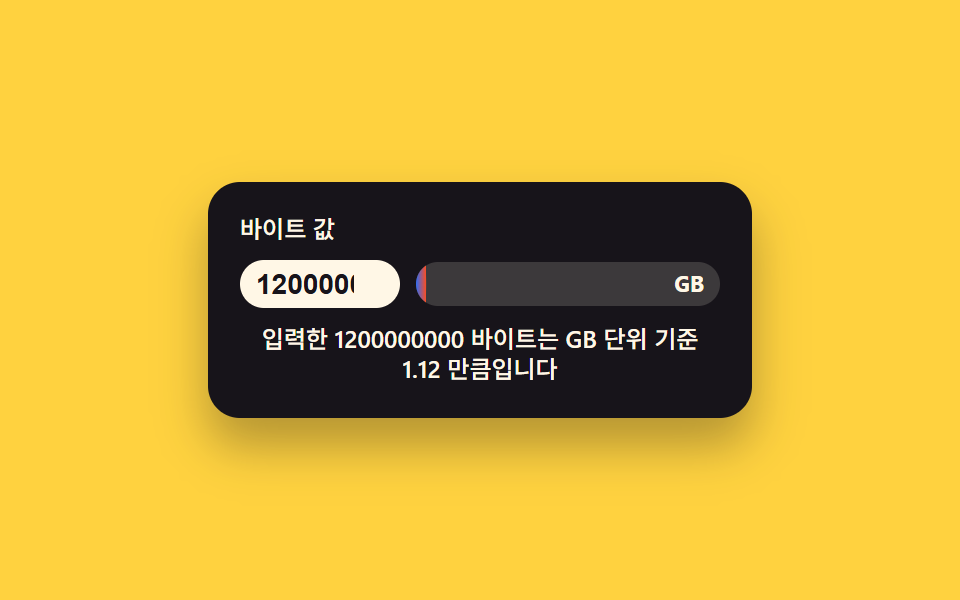 02 filesize-unit-live-badge
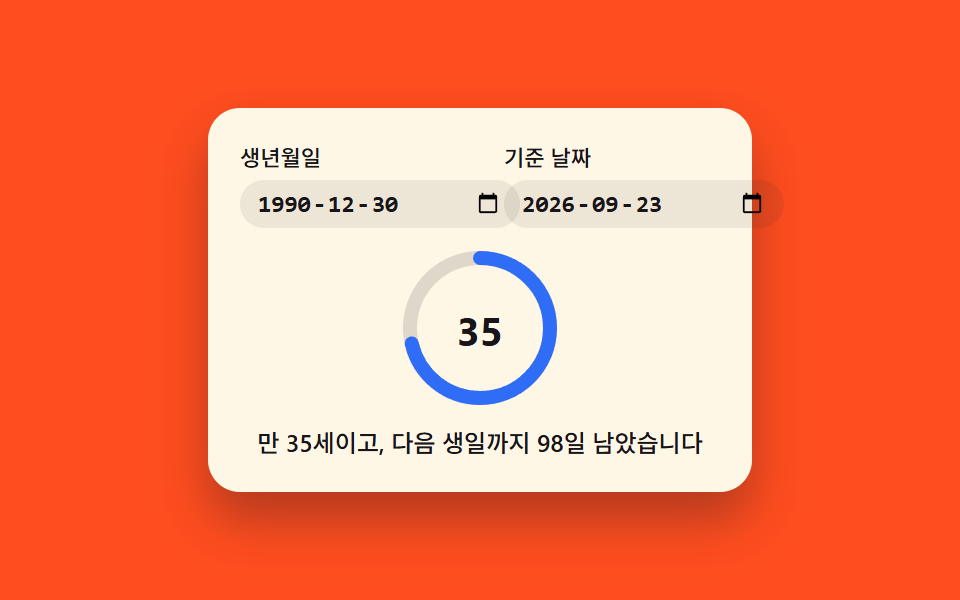 03 birthdate-age-ring-countdown
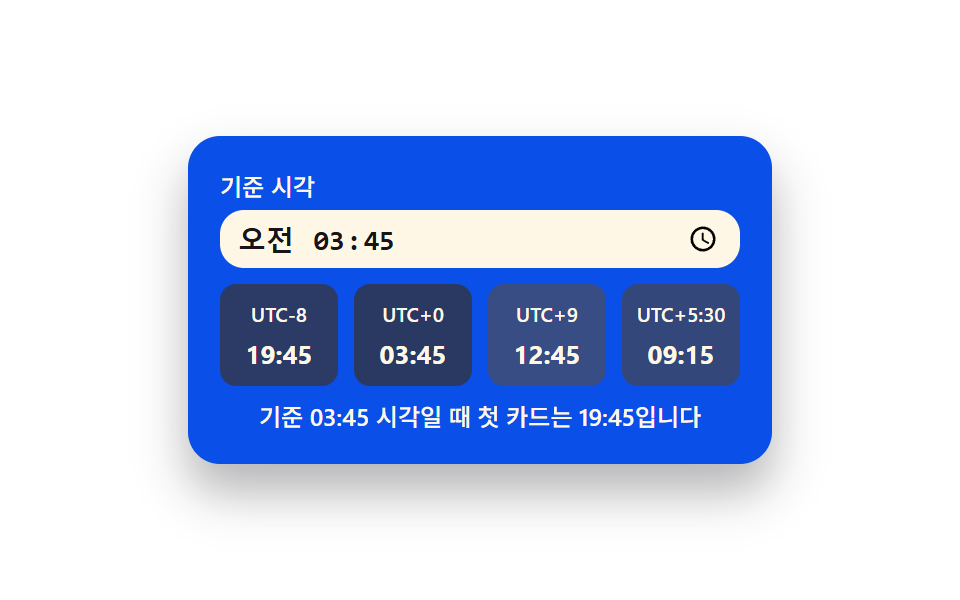 04 timezone-convert-card-stack
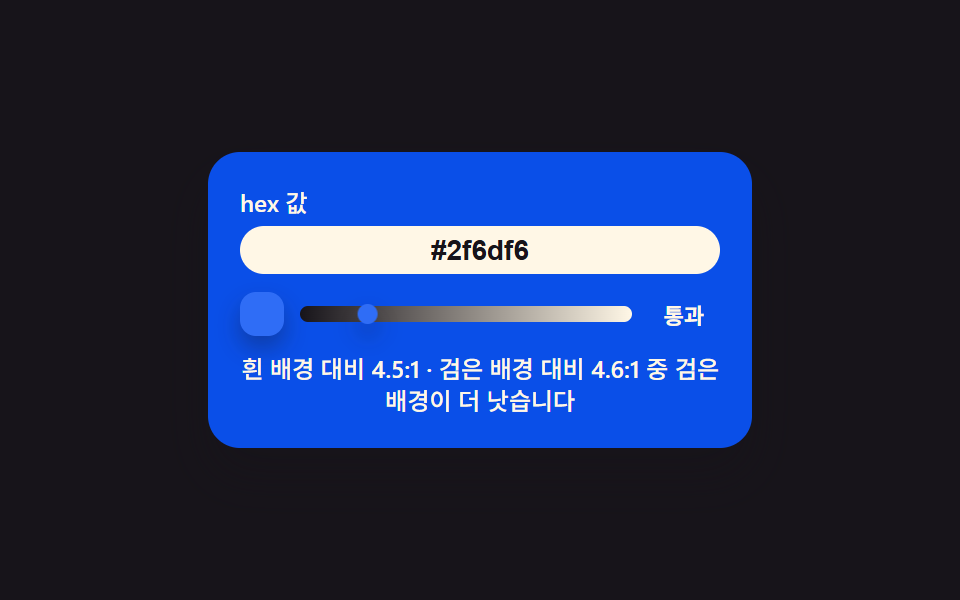 05 color-contrast-live-badge
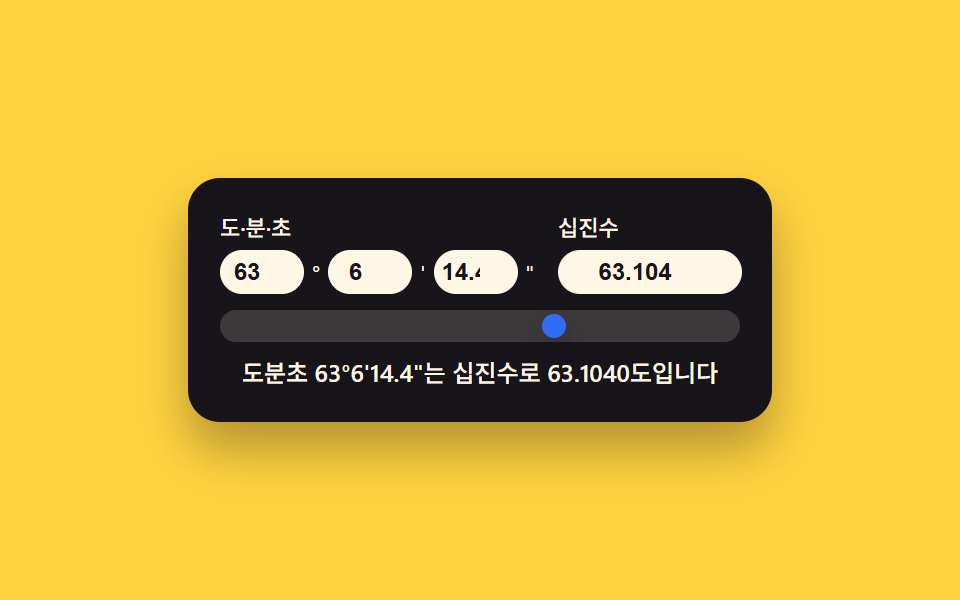 06 geo-coord-dms-decimal-sync
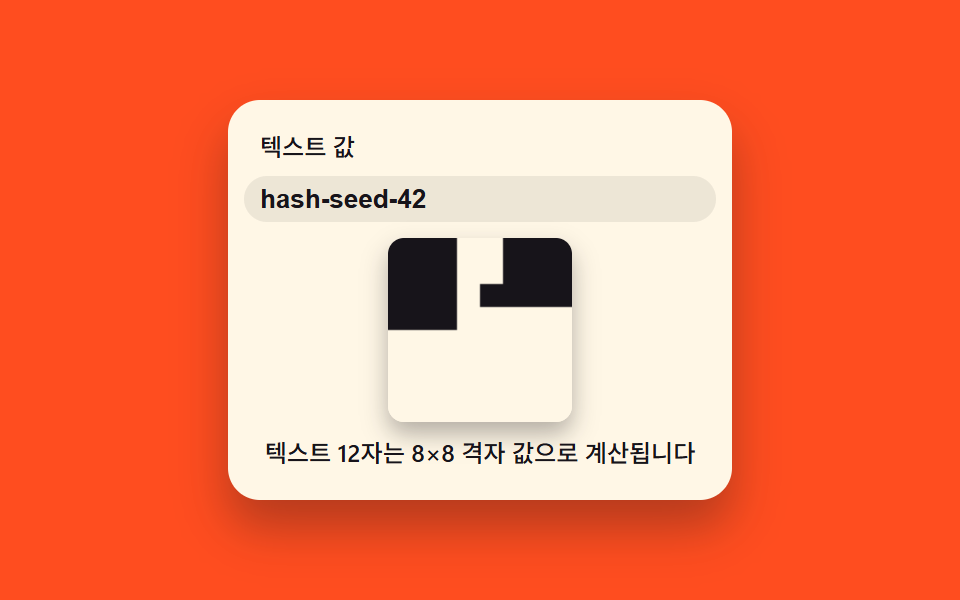 07 text-qr-canvas-live-draw
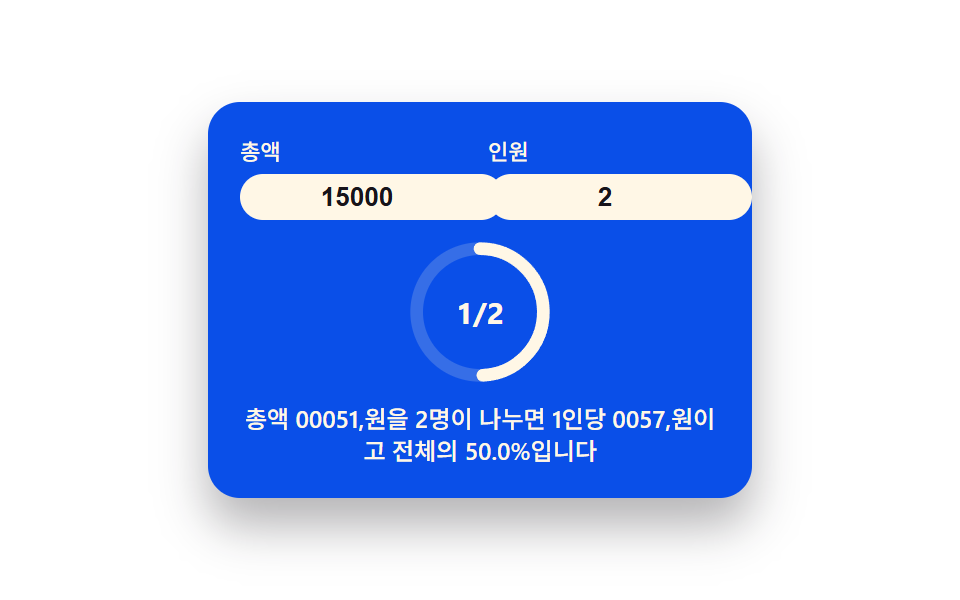 08 tip-split-ring-calculator
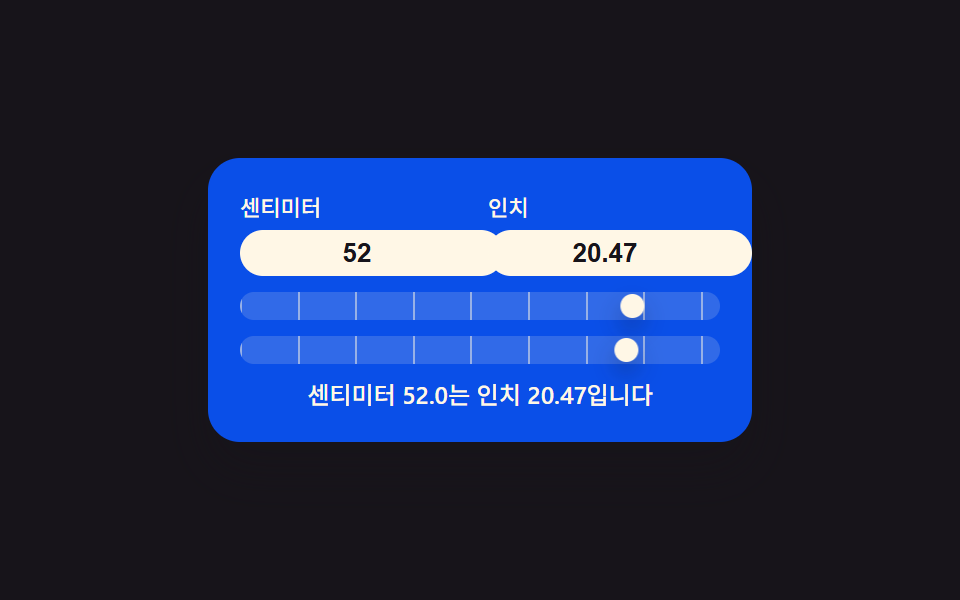 09 length-unit-live-convert-scale
Auto-plays · click a tile to jump to its section · all nine in one zip
- 01 Gradient Thermometer Input Filled by a Temperature Value
- 02 File-size Badge That Picks Its Own Unit From a Byte Value
- 03 D-day Ring Filled From a Birthdate Value
- 04 Timezone Cards Split From a Single Time Value
- 05 Contrast Badge That Crosses a Pass Line From a Hex Value
- 06 Coordinate Input Synced Between Two Notations From One Value
- 07 QR Canvas Scattered Into a Grid From a Text Value
- 08 Tip-split Ring That Divides a Share From a Headcount Value
- 09 Unit Scale Where a Length Value Pushes Two Rulers Together
Nine ways to turn a single typed number into a picture sit in this set, and every one keeps that picture attached to the field you're editing: a Celsius value that slides a handle up a gradient scale, a byte count that decides its own unit before filling a badge, a birthdate that fills a ring by the day, a clock time that redraws four labeled cards at once, a hex value that crosses a pass line on a badge, a pair of geographic fields that stay in sync no matter which one you touch, a string that gets hashed into a QR-style grid on canvas, a bill split among however many people a headcount value gives, and a length that pushes two rulers together. None of the nine reach for a full html css calculator design kit or a math library — every pattern below is one input listener, one small named function, and a target/rendered pair that requestAnimationFrame nudges into place.
Type a Value, Watch Pattern 01 Answer
<main class="stage">
<div class="tc is-demo" id="tc">
  <label class="tc__cap" for="tcC">Celsius value</label>
  <div class="tc__body">
    <input class="tc__input" id="tcC" type="number" inputmode="decimal" step="0.5" min="-10" max="40" value="22" aria-label="Entering a Celsius value also calculates Fahrenheit and moves the scale handle" aria-describedby="tcReadout">
    <div class="tc__scale" aria-hidden="true">
      <div class="tc__track"></div>
      <div class="tc__handle" id="tcHandle"></div>
    </div>
  </div>
  <p class="tc__readout" id="tcReadout" role="status" aria-live="polite"></p>
</div>
</main>
@use "../../../../site/static/demo-tokens" as *;
// 계산 겹(섭씨->화씨, 위치 산출)은 index.html 의 celsiusToFahrenheit()/applyValue() 에 있다. 여기는 무대·레이아웃만.
$duration: $dur-loop;
$easing: $ease-spring;
$color: $subject-cream;
@include stage($stage-ink);
.tc {
display: flex;
flex-direction: column;
align-items: center;
gap: $sp-2;
width: min(220px, 84vw);
background: $subject-blue-deep;
border-radius: $r-card;
padding: $sp-4;
box-shadow: $shadow-raised;
}
.tc__cap {
margin: 0;
color: $color;
font-size: 12px;
font-weight: 500;
line-height: 1.2;
}
.tc__body {
display: flex;
align-items: center;
gap: $sp-2;
}
.tc__input {
width: 68px;
border: 0;
border-radius: $r-control;
padding: $sp-1 $sp-2;
background: $subject-cream;
color: $subject-ink;
font-weight: 700;
font-size: 15px;
text-align: center;
}
.tc__input:focus-visible {
outline: 2px solid $color;
outline-offset: 2px;
}
.tc__scale {
position: relative;
width: 20px;
height: 92px;
border-radius: $r-pill;
}
.tc__track {
position: absolute;
inset: 0;
border-radius: $r-pill;
background: linear-gradient(to top, $subject-blue, $stage-orange);
}
.tc__handle {
position: absolute;
top: 0;
left: 50%;
width: 14px;
height: 14px;
margin-left: -7px;
border-radius: 50%;
background: $subject-cream;
box-shadow: $shadow-press;
transition: box-shadow $duration $easing;
will-change: transform;
}
.tc__readout {
margin: 0;
color: $color;
font-size: 12px;
font-weight: 500;
line-height: 1.3;
text-align: center;
}
@media (max-width: 340px) {
.tc { padding: $sp-3; gap: $sp-1; width: min(200px, 84vw); }
.tc__cap { font-size: 10px; }
.tc__body { gap: $sp-1; }
.tc__input { width: 56px; padding: $sp-1; font-size: 13px; }
.tc__scale { height: 56px; width: 16px; }
.tc__handle { width: 12px; height: 12px; margin-left: -6px; }
.tc__readout { font-size: 10px; }
}
@media (prefers-reduced-motion: reduce) {
.tc__handle { transition: none; }
}html, body {
margin: 0;
overflow: hidden;
}
.stage {
box-sizing: border-box;
min-height: 100vh;
display: grid;
place-items: center;
margin: 0;
background: #17141a;
font-family: -apple-system, "Segoe UI", "Noto Sans KR", sans-serif;
padding: clamp(8px, 4vw, 24px);
}
.tc {
display: flex;
flex-direction: column;
align-items: center;
gap: 8px;
width: min(220px, 84vw);
background: #0a4fe8;
border-radius: 16px;
padding: 16px;
box-shadow: 0 14px 24px rgba(23, 20, 26, 0.32);
}
.tc__cap {
margin: 0;
color: #fff7e6;
font-size: 12px;
font-weight: 500;
line-height: 1.2;
}
.tc__body {
display: flex;
align-items: center;
gap: 8px;
}
.tc__input {
width: 68px;
border: 0;
border-radius: 12px;
padding: 4px 8px;
background: #fff7e6;
color: #17141a;
font-weight: 700;
font-size: 15px;
text-align: center;
}
.tc__input:focus-visible {
outline: 2px solid #fff7e6;
outline-offset: 2px;
}
.tc__scale {
position: relative;
width: 20px;
height: 92px;
border-radius: 999px;
}
.tc__track {
position: absolute;
inset: 0;
border-radius: 999px;
background: linear-gradient(to top, #2f6df6, #ff4d1f);
}
.tc__handle {
position: absolute;
top: 0;
left: 50%;
width: 14px;
height: 14px;
margin-left: -7px;
border-radius: 50%;
background: #fff7e6;
box-shadow: 0 6px 12px rgba(23, 20, 26, 0.32);
transition: box-shadow 2s cubic-bezier(0.2, 0.8, 0.2, 1);
will-change: transform;
}
.tc__readout {
margin: 0;
color: #fff7e6;
font-size: 12px;
font-weight: 500;
line-height: 1.3;
text-align: center;
}
@media (max-width: 340px) {
.tc {
padding: 12px;
gap: 4px;
width: min(200px, 84vw);
}
.tc__cap {
font-size: 10px;
}
.tc__body {
gap: 4px;
}
.tc__input {
width: 56px;
padding: 4px;
font-size: 13px;
}
.tc__scale {
height: 56px;
width: 16px;
}
.tc__handle {
width: 12px;
height: 12px;
margin-left: -6px;
}
.tc__readout {
font-size: 10px;
}
}
@media (prefers-reduced-motion: reduce) {
.tc__handle {
transition: none;
}
}(function () {
var root = document.getElementById('tc');
var input = document.getElementById('tcC');
var handle = document.getElementById('tcHandle');
var scale = handle.parentElement;
var readout = document.getElementById('tcReadout');
var reduce = window.matchMedia('(prefers-reduced-motion: reduce)').matches;
var isDemo = true;
function human() { if (isDemo) { root.classList.remove('is-demo'); isDemo = false; } }
var MIN_C = -10, MAX_C = 40;
// 계산 한 겹 — Celsius -> 화씨, 그리고 눈금 위 위치(0~1)
function celsiusToFahrenheit(c) { return c * 9 / 5 + 32; }
function clamp01(v) { return v < 0 ? 0 : v > 1 ? 1 : v; }
var SENT_PREFIX = 'Celsius ', SENT_MID = ' degrees is Fahrenheit ', SENT_SUFFIX = ' degrees.';
var targetT = 0, renderedT = 0;
var LERP_RATE = 0.14; // 변형 01: 낮추면 손잡이가 값 변화를 더 천천히 뒤따라간다
function readValue() {
var c = parseFloat(input.value);
return isNaN(c) ? 0 : c;
}
function applyValue(c) {
var f = celsiusToFahrenheit(c);
targetT = clamp01((c - MIN_C) / (MAX_C - MIN_C));
readout.textContent = SENT_PREFIX + c.toFixed(1) + SENT_MID + f.toFixed(1) + SENT_SUFFIX;
if (reduce) { renderedT = targetT; paint(); }
}
function paint() {
var trackH = scale.clientHeight - handle.offsetHeight;
var y = (1 - renderedT) * trackH;
handle.style.transform = 'translateY(' + y.toFixed(1) + 'px)';
}
input.addEventListener('input', function () { human(); applyValue(readValue()); });
input.addEventListener('change', function () { human(); applyValue(readValue()); });
var DEMO_VALUES = [-4, 8, 22, 31, 38, 14];
var DRIVE_PERIOD_MS = 2000; // 렌더 캐처 창(설정 초=2.0)과 같은 주기 — 시연 전용
var driveStart = 0, lastIdx = -1;
function driveTick(now) {
if (!driveStart) driveStart = now;
if (isDemo) {
var frac = ((now - driveStart) % DRIVE_PERIOD_MS) / DRIVE_PERIOD_MS;
var idx = Math.floor(frac * DEMO_VALUES.length);
if (idx !== lastIdx) {
lastIdx = idx;
input.value = DEMO_VALUES[idx];
applyValue(DEMO_VALUES[idx]);
}
}
requestAnimationFrame(driveTick);
}
function frame() {
renderedT += (targetT - renderedT) * LERP_RATE;
paint();
requestAnimationFrame(frame);
}
window.addEventListener('resize', paint);
applyValue(readValue());
if (!reduce) {
requestAnimationFrame(driveTick);
requestAnimationFrame(frame);
}
})();import { useEffect, useRef } from "react";
import styles from "./GradientThermometer.module.scss";
export default function GradientThermometer() {
const rootRef = useRef<HTMLDivElement | null>(null);
const inputRef = useRef<HTMLInputElement | null>(null);
const handleRef = useRef<HTMLDivElement | null>(null);
const readoutRef = useRef<HTMLParagraphElement | null>(null);
useEffect(() => {
const root = rootRef.current;
const input = inputRef.current;
const handle = handleRef.current;
const readout = readoutRef.current;
if (!root || !input || !handle || !readout) return;
const scale = handle.parentElement as HTMLDivElement;
const reduce = window.matchMedia("(prefers-reduced-motion: reduce)").matches;
let isDemo = true;
function human() {
if (isDemo) {
root!.classList.remove("is-demo");
isDemo = false;
}
}
const MIN_C = -10;
const MAX_C = 40;
function celsiusToFahrenheit(c: number) {
return (c * 9) / 5 + 32;
}
function clamp01(v: number) {
return v < 0 ? 0 : v > 1 ? 1 : v;
}
const SENT_PREFIX = "섭씨 ";
const SENT_MID = "도는 화씨 ";
const SENT_SUFFIX = "도입니다";
let targetT = 0;
let renderedT = 0;
const LERP_RATE = 0.14;
function readValue() {
const c = parseFloat(input!.value);
return isNaN(c) ? 0 : c;
}
function applyValue(c: number) {
const f = celsiusToFahrenheit(c);
targetT = clamp01((c - MIN_C) / (MAX_C - MIN_C));
readout!.textContent = SENT_PREFIX + c.toFixed(1) + SENT_MID + f.toFixed(1) + SENT_SUFFIX;
if (reduce) {
renderedT = targetT;
paint();
}
}
function paint() {
const trackH = scale.clientHeight - handle!.offsetHeight;
const y = (1 - renderedT) * trackH;
handle!.style.transform = "translateY(" + y.toFixed(1) + "px)";
}
function onInput() {
human();
applyValue(readValue());
}
input.addEventListener("input", onInput);
input.addEventListener("change", onInput);
const DEMO_VALUES = [-4, 8, 22, 31, 38, 14];
const DRIVE_PERIOD_MS = 2000;
let driveStart = 0;
let lastIdx = -1;
let rafDrive = 0;
function driveTick(now: number) {
if (!driveStart) driveStart = now;
if (isDemo) {
const frac = ((now - driveStart) % DRIVE_PERIOD_MS) / DRIVE_PERIOD_MS;
const idx = Math.floor(frac * DEMO_VALUES.length);
if (idx !== lastIdx) {
lastIdx = idx;
input!.value = String(DEMO_VALUES[idx]);
applyValue(DEMO_VALUES[idx]);
}
}
rafDrive = requestAnimationFrame(driveTick);
}
let rafFrame = 0;
function frame() {
renderedT += (targetT - renderedT) * LERP_RATE;
paint();
rafFrame = requestAnimationFrame(frame);
}
window.addEventListener("resize", paint);
applyValue(readValue());
if (!reduce) {
rafDrive = requestAnimationFrame(driveTick);
rafFrame = requestAnimationFrame(frame);
}
return () => {
input.removeEventListener("input", onInput);
input.removeEventListener("change", onInput);
window.removeEventListener("resize", paint);
if (rafDrive) cancelAnimationFrame(rafDrive);
if (rafFrame) cancelAnimationFrame(rafFrame);
};
}, []);
return (
<div ref={rootRef} className={`${styles.tc} is-demo`}>
<label className={styles.cap} htmlFor="tcCReact">
섭씨 값
</label>
<div className={styles.body}>
<input
ref={inputRef}
className={styles.input}
id="tcCReact"
type="number"
inputMode="decimal"
step={0.5}
min={-10}
max={40}
defaultValue={22}
aria-label="섭씨 값을 입력하면 화씨로 함께 계산해 눈금 손잡이를 옮깁니다"
aria-describedby="tcReadoutReact"
/>
<div className={styles.scale} aria-hidden="true">
<div className={styles.track} />
<div ref={handleRef} className={styles.handle} />
</div>
</div>
<p ref={readoutRef} className={styles.readout} id="tcReadoutReact" role="status" aria-live="polite" />
</div>
);
}01 · Gradient Thermometer Input Filled by a Temperature Value — Measured area 2.117% · moving frames 23/23Original by GODRICH · SCSS and React ship in the zip · See the password
Pattern 01 above needs nothing beyond a celsiusToFahrenheit function and a renderedT value that requestAnimationFrame eases toward whatever applyValue just computed from the typed Celsius reading. The remaining eight patterns sit further down, each next to its own code block.
How the Nine Calculator Inputs Compare, Measured
| # | Pattern | Cumulative area | Avg. intensity | Frames moved |
|---|---|---|---|---|
| 01 | Gradient thermometer input | 2.117% | 119.9 | 23/23 |
| 02 | File-size unit badge | 13.481% | 113.3 | 23/23 |
| 03 | Birthdate age ring | 2.981% | 122.3 | 23/23 |
| 04 | Timezone card stack | 9.295% | 93.0 | 9/23 |
| 05 | Color contrast badge | 4.078% | 109.2 | 23/23 |
| 06 | Geo coordinate sync | 3.172% | 151.9 | 23/23 |
| 07 | Text-to-QR canvas | 4.272% | 202.8 | 23/23 |
| 08 | Tip-split ring | 3.385% | 116.8 | 23/23 |
| 09 | Length unit scale | 5.763% | 123.3 | 23/23 |
Pattern 02's badge covers the most area of the nine at 13.481%, well ahead of pattern 01's thermometer handle at 2.117%, the smallest in the set. Pattern 04 stands apart in the last column: only 9 of its 23 captured frames counted as moved, well under the 23/23 the other eight patterns reach.
One field driving one shape — 01, 02, 05, 07
A single typed value feeds one visual in these four: a temperature into a handle position, a byte count into a fill ratio, a hex code into a pass/fail badge, a string into a hashed grid.
Two typed fields folded into one number — 03, 08
A birthdate plus a reference date becomes an age and a countdown in 03; a total plus a headcount becomes a per-person share in 08 — both need two fields before either output means anything.
One value driving several outputs, or two fields kept in sync — 04, 06, 09
Pattern 04 spreads one typed time across four cards at once. Patterns 06 and 09 go the other way: editing either of two paired fields writes the other one back, so neither field is ever the "real" source.
Nine Small Functions, Each With Its Own requestAnimationFrame Loop
Every code block below is a contiguous slice straight out of that pattern's index.html — the named calculation function or two, plus the constant right above them where one exists.
01Gradient Thermometer Input Filled by a Temperature Value
Typing a Celsius value into pattern 01 computes the matching Fahrenheit reading with celsiusToFahrenheit and eases a handle up a gradient scale toward that value's position. LERP_RATE sets how quickly renderedT catches up to a freshly typed target, so a lower rate makes the handle trail further behind a fast edit.
<main class="stage">
<div class="tc is-demo" id="tc">
  <label class="tc__cap" for="tcC">Celsius value</label>
  <div class="tc__body">
    <input class="tc__input" id="tcC" type="number" inputmode="decimal" step="0.5" min="-10" max="40" value="22" aria-label="Entering a Celsius value also calculates Fahrenheit and moves the scale handle" aria-describedby="tcReadout">
    <div class="tc__scale" aria-hidden="true">
      <div class="tc__track"></div>
      <div class="tc__handle" id="tcHandle"></div>
    </div>
  </div>
  <p class="tc__readout" id="tcReadout" role="status" aria-live="polite"></p>
</div>
</main>
@use "../../../../site/static/demo-tokens" as *;
// 계산 겹(섭씨->화씨, 위치 산출)은 index.html 의 celsiusToFahrenheit()/applyValue() 에 있다. 여기는 무대·레이아웃만.
$duration: $dur-loop;
$easing: $ease-spring;
$color: $subject-cream;
@include stage($stage-ink);
.tc {
display: flex;
flex-direction: column;
align-items: center;
gap: $sp-2;
width: min(220px, 84vw);
background: $subject-blue-deep;
border-radius: $r-card;
padding: $sp-4;
box-shadow: $shadow-raised;
}
.tc__cap {
margin: 0;
color: $color;
font-size: 12px;
font-weight: 500;
line-height: 1.2;
}
.tc__body {
display: flex;
align-items: center;
gap: $sp-2;
}
.tc__input {
width: 68px;
border: 0;
border-radius: $r-control;
padding: $sp-1 $sp-2;
background: $subject-cream;
color: $subject-ink;
font-weight: 700;
font-size: 15px;
text-align: center;
}
.tc__input:focus-visible {
outline: 2px solid $color;
outline-offset: 2px;
}
.tc__scale {
position: relative;
width: 20px;
height: 92px;
border-radius: $r-pill;
}
.tc__track {
position: absolute;
inset: 0;
border-radius: $r-pill;
background: linear-gradient(to top, $subject-blue, $stage-orange);
}
.tc__handle {
position: absolute;
top: 0;
left: 50%;
width: 14px;
height: 14px;
margin-left: -7px;
border-radius: 50%;
background: $subject-cream;
box-shadow: $shadow-press;
transition: box-shadow $duration $easing;
will-change: transform;
}
.tc__readout {
margin: 0;
color: $color;
font-size: 12px;
font-weight: 500;
line-height: 1.3;
text-align: center;
}
@media (max-width: 340px) {
.tc { padding: $sp-3; gap: $sp-1; width: min(200px, 84vw); }
.tc__cap { font-size: 10px; }
.tc__body { gap: $sp-1; }
.tc__input { width: 56px; padding: $sp-1; font-size: 13px; }
.tc__scale { height: 56px; width: 16px; }
.tc__handle { width: 12px; height: 12px; margin-left: -6px; }
.tc__readout { font-size: 10px; }
}
@media (prefers-reduced-motion: reduce) {
.tc__handle { transition: none; }
}html, body {
margin: 0;
overflow: hidden;
}
.stage {
box-sizing: border-box;
min-height: 100vh;
display: grid;
place-items: center;
margin: 0;
background: #17141a;
font-family: -apple-system, "Segoe UI", "Noto Sans KR", sans-serif;
padding: clamp(8px, 4vw, 24px);
}
.tc {
display: flex;
flex-direction: column;
align-items: center;
gap: 8px;
width: min(220px, 84vw);
background: #0a4fe8;
border-radius: 16px;
padding: 16px;
box-shadow: 0 14px 24px rgba(23, 20, 26, 0.32);
}
.tc__cap {
margin: 0;
color: #fff7e6;
font-size: 12px;
font-weight: 500;
line-height: 1.2;
}
.tc__body {
display: flex;
align-items: center;
gap: 8px;
}
.tc__input {
width: 68px;
border: 0;
border-radius: 12px;
padding: 4px 8px;
background: #fff7e6;
color: #17141a;
font-weight: 700;
font-size: 15px;
text-align: center;
}
.tc__input:focus-visible {
outline: 2px solid #fff7e6;
outline-offset: 2px;
}
.tc__scale {
position: relative;
width: 20px;
height: 92px;
border-radius: 999px;
}
.tc__track {
position: absolute;
inset: 0;
border-radius: 999px;
background: linear-gradient(to top, #2f6df6, #ff4d1f);
}
.tc__handle {
position: absolute;
top: 0;
left: 50%;
width: 14px;
height: 14px;
margin-left: -7px;
border-radius: 50%;
background: #fff7e6;
box-shadow: 0 6px 12px rgba(23, 20, 26, 0.32);
transition: box-shadow 2s cubic-bezier(0.2, 0.8, 0.2, 1);
will-change: transform;
}
.tc__readout {
margin: 0;
color: #fff7e6;
font-size: 12px;
font-weight: 500;
line-height: 1.3;
text-align: center;
}
@media (max-width: 340px) {
.tc {
padding: 12px;
gap: 4px;
width: min(200px, 84vw);
}
.tc__cap {
font-size: 10px;
}
.tc__body {
gap: 4px;
}
.tc__input {
width: 56px;
padding: 4px;
font-size: 13px;
}
.tc__scale {
height: 56px;
width: 16px;
}
.tc__handle {
width: 12px;
height: 12px;
margin-left: -6px;
}
.tc__readout {
font-size: 10px;
}
}
@media (prefers-reduced-motion: reduce) {
.tc__handle {
transition: none;
}
}(function () {
var root = document.getElementById('tc');
var input = document.getElementById('tcC');
var handle = document.getElementById('tcHandle');
var scale = handle.parentElement;
var readout = document.getElementById('tcReadout');
var reduce = window.matchMedia('(prefers-reduced-motion: reduce)').matches;
var isDemo = true;
function human() { if (isDemo) { root.classList.remove('is-demo'); isDemo = false; } }
var MIN_C = -10, MAX_C = 40;
// 계산 한 겹 — Celsius -> 화씨, 그리고 눈금 위 위치(0~1)
function celsiusToFahrenheit(c) { return c * 9 / 5 + 32; }
function clamp01(v) { return v < 0 ? 0 : v > 1 ? 1 : v; }
var SENT_PREFIX = 'Celsius ', SENT_MID = ' degrees is Fahrenheit ', SENT_SUFFIX = ' degrees.';
var targetT = 0, renderedT = 0;
var LERP_RATE = 0.14; // 변형 01: 낮추면 손잡이가 값 변화를 더 천천히 뒤따라간다
function readValue() {
var c = parseFloat(input.value);
return isNaN(c) ? 0 : c;
}
function applyValue(c) {
var f = celsiusToFahrenheit(c);
targetT = clamp01((c - MIN_C) / (MAX_C - MIN_C));
readout.textContent = SENT_PREFIX + c.toFixed(1) + SENT_MID + f.toFixed(1) + SENT_SUFFIX;
if (reduce) { renderedT = targetT; paint(); }
}
function paint() {
var trackH = scale.clientHeight - handle.offsetHeight;
var y = (1 - renderedT) * trackH;
handle.style.transform = 'translateY(' + y.toFixed(1) + 'px)';
}
input.addEventListener('input', function () { human(); applyValue(readValue()); });
input.addEventListener('change', function () { human(); applyValue(readValue()); });
var DEMO_VALUES = [-4, 8, 22, 31, 38, 14];
var DRIVE_PERIOD_MS = 2000; // 렌더 캐처 창(설정 초=2.0)과 같은 주기 — 시연 전용
var driveStart = 0, lastIdx = -1;
function driveTick(now) {
if (!driveStart) driveStart = now;
if (isDemo) {
var frac = ((now - driveStart) % DRIVE_PERIOD_MS) / DRIVE_PERIOD_MS;
var idx = Math.floor(frac * DEMO_VALUES.length);
if (idx !== lastIdx) {
lastIdx = idx;
input.value = DEMO_VALUES[idx];
applyValue(DEMO_VALUES[idx]);
}
}
requestAnimationFrame(driveTick);
}
function frame() {
renderedT += (targetT - renderedT) * LERP_RATE;
paint();
requestAnimationFrame(frame);
}
window.addEventListener('resize', paint);
applyValue(readValue());
if (!reduce) {
requestAnimationFrame(driveTick);
requestAnimationFrame(frame);
}
})();import { useEffect, useRef } from "react";
import styles from "./GradientThermometer.module.scss";
export default function GradientThermometer() {
const rootRef = useRef<HTMLDivElement | null>(null);
const inputRef = useRef<HTMLInputElement | null>(null);
const handleRef = useRef<HTMLDivElement | null>(null);
const readoutRef = useRef<HTMLParagraphElement | null>(null);
useEffect(() => {
const root = rootRef.current;
const input = inputRef.current;
const handle = handleRef.current;
const readout = readoutRef.current;
if (!root || !input || !handle || !readout) return;
const scale = handle.parentElement as HTMLDivElement;
const reduce = window.matchMedia("(prefers-reduced-motion: reduce)").matches;
let isDemo = true;
function human() {
if (isDemo) {
root!.classList.remove("is-demo");
isDemo = false;
}
}
const MIN_C = -10;
const MAX_C = 40;
function celsiusToFahrenheit(c: number) {
return (c * 9) / 5 + 32;
}
function clamp01(v: number) {
return v < 0 ? 0 : v > 1 ? 1 : v;
}
const SENT_PREFIX = "섭씨 ";
const SENT_MID = "도는 화씨 ";
const SENT_SUFFIX = "도입니다";
let targetT = 0;
let renderedT = 0;
const LERP_RATE = 0.14;
function readValue() {
const c = parseFloat(input!.value);
return isNaN(c) ? 0 : c;
}
function applyValue(c: number) {
const f = celsiusToFahrenheit(c);
targetT = clamp01((c - MIN_C) / (MAX_C - MIN_C));
readout!.textContent = SENT_PREFIX + c.toFixed(1) + SENT_MID + f.toFixed(1) + SENT_SUFFIX;
if (reduce) {
renderedT = targetT;
paint();
}
}
function paint() {
const trackH = scale.clientHeight - handle!.offsetHeight;
const y = (1 - renderedT) * trackH;
handle!.style.transform = "translateY(" + y.toFixed(1) + "px)";
}
function onInput() {
human();
applyValue(readValue());
}
input.addEventListener("input", onInput);
input.addEventListener("change", onInput);
const DEMO_VALUES = [-4, 8, 22, 31, 38, 14];
const DRIVE_PERIOD_MS = 2000;
let driveStart = 0;
let lastIdx = -1;
let rafDrive = 0;
function driveTick(now: number) {
if (!driveStart) driveStart = now;
if (isDemo) {
const frac = ((now - driveStart) % DRIVE_PERIOD_MS) / DRIVE_PERIOD_MS;
const idx = Math.floor(frac * DEMO_VALUES.length);
if (idx !== lastIdx) {
lastIdx = idx;
input!.value = String(DEMO_VALUES[idx]);
applyValue(DEMO_VALUES[idx]);
}
}
rafDrive = requestAnimationFrame(driveTick);
}
let rafFrame = 0;
function frame() {
renderedT += (targetT - renderedT) * LERP_RATE;
paint();
rafFrame = requestAnimationFrame(frame);
}
window.addEventListener("resize", paint);
applyValue(readValue());
if (!reduce) {
rafDrive = requestAnimationFrame(driveTick);
rafFrame = requestAnimationFrame(frame);
}
return () => {
input.removeEventListener("input", onInput);
input.removeEventListener("change", onInput);
window.removeEventListener("resize", paint);
if (rafDrive) cancelAnimationFrame(rafDrive);
if (rafFrame) cancelAnimationFrame(rafFrame);
};
}, []);
return (
<div ref={rootRef} className={`${styles.tc} is-demo`}>
<label className={styles.cap} htmlFor="tcCReact">
섭씨 값
</label>
<div className={styles.body}>
<input
ref={inputRef}
className={styles.input}
id="tcCReact"
type="number"
inputMode="decimal"
step={0.5}
min={-10}
max={40}
defaultValue={22}
aria-label="섭씨 값을 입력하면 화씨로 함께 계산해 눈금 손잡이를 옮깁니다"
aria-describedby="tcReadoutReact"
/>
<div className={styles.scale} aria-hidden="true">
<div className={styles.track} />
<div ref={handleRef} className={styles.handle} />
</div>
</div>
<p ref={readoutRef} className={styles.readout} id="tcReadoutReact" role="status" aria-live="polite" />
</div>
);
}01 · Gradient Thermometer Input Filled by a Temperature Value — Measured area 2.117% · moving frames 23/23Original by GODRICH · SCSS and React ship in the zip · See the password
  function celsiusToFahrenheit(c) { return c * 9 / 5 + 32; }
  function clamp01(v) { return v < 0 ? 0 : v > 1 ? 1 : v; }

  var SENT_PREFIX = 'Celsius ', SENT_MID = ' degrees is Fahrenheit ', SENT_SUFFIX = ' degrees.';

  var targetT = 0, renderedT = 0;
  var LERP_RATE = 0.14; // variant 01: lowering this makes the handle trail further behind a value change

  function readValue() {
    var c = parseFloat(input.value);
    return isNaN(c) ? 0 : c;
  }

  function applyValue(c) {
    var f = celsiusToFahrenheit(c);
    targetT = clamp01((c - MIN_C) / (MAX_C - MIN_C));
    readout.textContent = SENT_PREFIX + c.toFixed(1) + SENT_MID + f.toFixed(1) + SENT_SUFFIX;
    if (reduce) { renderedT = targetT; paint(); }
  }

  function paint() {
    var trackH = scale.clientHeight - handle.offsetHeight;
    var y = (1 - renderedT) * trackH;
    handle.style.transform = 'translateY(' + y.toFixed(1) + 'px)';
  }
02File-size Badge That Picks Its Own Unit From a Byte Value
digitsOf counts the digits in a typed byte value and pickUnit uses that count to choose B, KB, MB, or GB, then fillRatio scales the value inside that unit to fill a bar. Because the unit switch happens at fixed digit counts, the bar's fill can drop sharply the moment a value crosses into a new unit — more on that further down.
<main class="stage">
<div class="fb is-demo" id="fb">
  <label class="fb__cap" for="fbBytes">Byte value</label>
  <div class="fb__body">
    <input class="fb__input" id="fbBytes" type="number" inputmode="numeric" min="0" step="1" value="483" aria-label="Entering a byte value calculates the digit count, picks a unit, and fills the bar" aria-describedby="fbReadout">
    <div class="fb__badge" aria-hidden="true">
      <div class="fb__bar" id="fbBar"></div>
      <span class="fb__unit" id="fbUnit">B</span>
    </div>
  </div>
  <p class="fb__readout" id="fbReadout" role="status" aria-live="polite"></p>
</div>
</main>
@use "../../../../site/static/demo-tokens" as *;
// 계산 겹(자릿수->단위 선택, 채움 비율)은 index.html 의 pickUnit()/fillRatio() 에 있다. 여기는 무대·레이아웃만.
$duration: $dur-loop;
$easing: $ease-spring;
$color: $subject-cream;
@include stage($stage-yellow);
.fb {
display: flex;
flex-direction: column;
align-items: stretch;
gap: $sp-2;
width: min(240px, 84vw);
background: $subject-ink;
border-radius: $r-card;
padding: $sp-4;
box-shadow: $shadow-raised;
}
.fb__cap {
margin: 0;
color: $color;
font-size: 12px;
font-weight: 500;
line-height: 1.2;
}
.fb__body {
display: flex;
align-items: center;
gap: $sp-2;
}
.fb__input {
width: 64px;
flex: 0 0 auto;
border: 0;
border-radius: $r-control;
padding: $sp-1 $sp-2;
background: $subject-cream;
color: $subject-ink;
font-weight: 700;
font-size: 14px;
text-align: center;
}
.fb__input:focus-visible {
outline: 2px solid $color;
outline-offset: 2px;
}
.fb__badge {
position: relative;
flex: 1 1 auto;
height: 22px;
border-radius: $r-pill;
background: rgba($subject-cream, .16);
overflow: hidden;
display: flex;
align-items: center;
justify-content: flex-end;
padding: 0 $sp-2;
}
.fb__bar {
position: absolute;
inset: 0;
border-radius: $r-pill;
background: linear-gradient(to right, $subject-blue, $stage-orange);
transform-origin: left center;
transform: scaleX(0);
will-change: transform;
transition: box-shadow $duration $easing;
}
.fb__unit {
position: relative;
color: $subject-cream;
font-size: 11px;
font-weight: 700;
}
.fb__readout {
margin: 0;
color: $color;
font-size: 12px;
font-weight: 500;
line-height: 1.3;
text-align: center;
}
@media (max-width: 340px) {
.fb { padding: $sp-3; gap: $sp-1; width: min(220px, 84vw); }
.fb__cap { font-size: 10px; }
.fb__body { gap: $sp-1; }
.fb__input { width: 52px; padding: $sp-1; font-size: 12px; }
.fb__badge { height: 18px; padding: 0 $sp-1; }
.fb__unit { font-size: 10px; }
.fb__readout { font-size: 10px; }
}
@media (prefers-reduced-motion: reduce) {
.fb__bar { transition: none; }
}html, body {
margin: 0;
overflow: hidden;
}
.stage {
box-sizing: border-box;
min-height: 100vh;
display: grid;
place-items: center;
margin: 0;
background: #ffd23f;
font-family: -apple-system, "Segoe UI", "Noto Sans KR", sans-serif;
padding: clamp(8px, 4vw, 24px);
}
.fb {
display: flex;
flex-direction: column;
align-items: stretch;
gap: 8px;
width: min(240px, 84vw);
background: #17141a;
border-radius: 16px;
padding: 16px;
box-shadow: 0 14px 24px rgba(23, 20, 26, 0.32);
}
.fb__cap {
margin: 0;
color: #fff7e6;
font-size: 12px;
font-weight: 500;
line-height: 1.2;
}
.fb__body {
display: flex;
align-items: center;
gap: 8px;
}
.fb__input {
width: 64px;
flex: 0 0 auto;
border: 0;
border-radius: 12px;
padding: 4px 8px;
background: #fff7e6;
color: #17141a;
font-weight: 700;
font-size: 14px;
text-align: center;
}
.fb__input:focus-visible {
outline: 2px solid #fff7e6;
outline-offset: 2px;
}
.fb__badge {
position: relative;
flex: 1 1 auto;
height: 22px;
border-radius: 999px;
background: rgba(255, 247, 230, 0.16);
overflow: hidden;
display: flex;
align-items: center;
justify-content: flex-end;
padding: 0 8px;
}
.fb__bar {
position: absolute;
inset: 0;
border-radius: 999px;
background: linear-gradient(to right, #2f6df6, #ff4d1f);
transform-origin: left center;
transform: scaleX(0);
will-change: transform;
transition: box-shadow 2s cubic-bezier(0.2, 0.8, 0.2, 1);
}
.fb__unit {
position: relative;
color: #fff7e6;
font-size: 11px;
font-weight: 700;
}
.fb__readout {
margin: 0;
color: #fff7e6;
font-size: 12px;
font-weight: 500;
line-height: 1.3;
text-align: center;
}
@media (max-width: 340px) {
.fb {
padding: 12px;
gap: 4px;
width: min(220px, 84vw);
}
.fb__cap {
font-size: 10px;
}
.fb__body {
gap: 4px;
}
.fb__input {
width: 52px;
padding: 4px;
font-size: 12px;
}
.fb__badge {
height: 18px;
padding: 0 4px;
}
.fb__unit {
font-size: 10px;
}
.fb__readout {
font-size: 10px;
}
}
@media (prefers-reduced-motion: reduce) {
.fb__bar {
transition: none;
}
}(function () {
var root = document.getElementById('fb');
var input = document.getElementById('fbBytes');
var bar = document.getElementById('fbBar');
var unitEl = document.getElementById('fbUnit');
var readout = document.getElementById('fbReadout');
var reduce = window.matchMedia('(prefers-reduced-motion: reduce)').matches;
var isDemo = true;
function human() { if (isDemo) { root.classList.remove('is-demo'); isDemo = false; } }
function clamp01(v) { return v < 0 ? 0 : v > 1 ? 1 : v; }
// 계산 한 겹 — 자릿수로 단위를 고르고(digitsOf/pickUnit), 그 단위 안에서 채움 비율(fillRatio)을 구한다
function digitsOf(n) {
n = Math.floor(Math.abs(n));
return n === 0 ? 1 : String(n).length;
}
function pickUnit(bytes) {
var d = digitsOf(bytes);
if (d <= 3) return { name: 'B', pow: 0 };
if (d <= 6) return { name: 'KB', pow: 1 };
if (d <= 9) return { name: 'MB', pow: 2 };
return { name: 'GB', pow: 3 };
}
function fillRatio(bytes, unit) {
var v = bytes / Math.pow(1024, unit.pow);
return clamp01(v / 1024);
}
var SENT_PREFIX = 'The entered ', SENT_MID1 = ' bytes, in ', SENT_MID2 = ', equal ', SENT_SUFFIX = '.';
var targetR = 0, renderedR = 0;
var LERP_RATE = 0.16; // 변형 02: 낮추면 막대가 값 변화를 더 천천히 뒤따라간다
function readValue() {
var n = parseFloat(input.value);
return isNaN(n) || n < 0 ? 0 : n;
}
function applyValue(bytes) {
var unit = pickUnit(bytes);
var valueInUnit = bytes / Math.pow(1024, unit.pow);
targetR = fillRatio(bytes, unit);
unitEl.textContent = unit.name;
readout.textContent = SENT_PREFIX + bytes + SENT_MID1 + unit.name + SENT_MID2 + valueInUnit.toFixed(2) + SENT_SUFFIX;
if (reduce) { renderedR = targetR; paint(); }
}
function paint() {
bar.style.transform = 'scaleX(' + renderedR.toFixed(4) + ')';
}
input.addEventListener('input', function () { human(); applyValue(readValue()); });
input.addEventListener('change', function () { human(); applyValue(readValue()); });
var DEMO_VALUES = [7, 320, 4821, 88320, 2748000, 91000000, 1200000000, 15000000000];
var DRIVE_PERIOD_MS = 2000;
var driveStart = 0, lastIdx = -1;
function driveTick(now) {
if (!driveStart) driveStart = now;
if (isDemo) {
var frac = ((now - driveStart) % DRIVE_PERIOD_MS) / DRIVE_PERIOD_MS;
var idx = Math.floor(frac * DEMO_VALUES.length);
if (idx !== lastIdx) { lastIdx = idx; input.value = DEMO_VALUES[idx]; applyValue(DEMO_VALUES[idx]); }
}
requestAnimationFrame(driveTick);
}
function frame() { renderedR += (targetR - renderedR) * LERP_RATE; paint(); requestAnimationFrame(frame); }
applyValue(readValue());
if (!reduce) { requestAnimationFrame(driveTick); requestAnimationFrame(frame); }
})();import { useEffect, useRef } from "react";
import styles from "./FilesizeUnitBadge.module.scss";
export default function FilesizeUnitBadge() {
const rootRef = useRef<HTMLDivElement | null>(null);
const inputRef = useRef<HTMLInputElement | null>(null);
const barRef = useRef<HTMLDivElement | null>(null);
const unitRef = useRef<HTMLSpanElement | null>(null);
const readoutRef = useRef<HTMLParagraphElement | null>(null);
useEffect(() => {
const root = rootRef.current;
const input = inputRef.current;
const bar = barRef.current;
const unitEl = unitRef.current;
const readout = readoutRef.current;
if (!root || !input || !bar || !unitEl || !readout) return;
const reduce = window.matchMedia("(prefers-reduced-motion: reduce)").matches;
let isDemo = true;
function human() {
if (isDemo) {
root!.classList.remove("is-demo");
isDemo = false;
}
}
function clamp01(v: number) {
return v < 0 ? 0 : v > 1 ? 1 : v;
}
type Unit = { name: string; pow: number };
function digitsOf(n: number) {
n = Math.floor(Math.abs(n));
return n === 0 ? 1 : String(n).length;
}
function pickUnit(bytes: number): Unit {
const d = digitsOf(bytes);
if (d <= 3) return { name: "B", pow: 0 };
if (d <= 6) return { name: "KB", pow: 1 };
if (d <= 9) return { name: "MB", pow: 2 };
return { name: "GB", pow: 3 };
}
function fillRatio(bytes: number, unit: Unit) {
const v = bytes / Math.pow(1024, unit.pow);
return clamp01(v / 1024);
}
const SENT_PREFIX = "입력한 ";
const SENT_MID1 = " 바이트는 ";
const SENT_MID2 = " 단위 기준 ";
const SENT_SUFFIX = " 만큼입니다";
let targetR = 0;
let renderedR = 0;
const LERP_RATE = 0.16;
function readValue() {
const n = parseFloat(input!.value);
return isNaN(n) || n < 0 ? 0 : n;
}
function applyValue(bytes: number) {
const unit = pickUnit(bytes);
const valueInUnit = bytes / Math.pow(1024, unit.pow);
targetR = fillRatio(bytes, unit);
unitEl!.textContent = unit.name;
readout!.textContent =
SENT_PREFIX + bytes + SENT_MID1 + unit.name + SENT_MID2 + valueInUnit.toFixed(2) + SENT_SUFFIX;
if (reduce) {
renderedR = targetR;
paint();
}
}
function paint() {
bar!.style.transform = "scaleX(" + renderedR.toFixed(4) + ")";
}
function onInput() {
human();
applyValue(readValue());
}
input.addEventListener("input", onInput);
input.addEventListener("change", onInput);
const DEMO_VALUES = [7, 320, 4821, 88320, 2748000, 91000000, 1200000000, 15000000000];
const DRIVE_PERIOD_MS = 2000;
let driveStart = 0;
let lastIdx = -1;
let rafDrive = 0;
function driveTick(now: number) {
if (!driveStart) driveStart = now;
if (isDemo) {
const frac = ((now - driveStart) % DRIVE_PERIOD_MS) / DRIVE_PERIOD_MS;
const idx = Math.floor(frac * DEMO_VALUES.length);
if (idx !== lastIdx) {
lastIdx = idx;
input!.value = String(DEMO_VALUES[idx]);
applyValue(DEMO_VALUES[idx]);
}
}
rafDrive = requestAnimationFrame(driveTick);
}
let rafFrame = 0;
function frame() {
renderedR += (targetR - renderedR) * LERP_RATE;
paint();
rafFrame = requestAnimationFrame(frame);
}
applyValue(readValue());
if (!reduce) {
rafDrive = requestAnimationFrame(driveTick);
rafFrame = requestAnimationFrame(frame);
}
return () => {
input.removeEventListener("input", onInput);
input.removeEventListener("change", onInput);
if (rafDrive) cancelAnimationFrame(rafDrive);
if (rafFrame) cancelAnimationFrame(rafFrame);
};
}, []);
return (
<div ref={rootRef} className={`${styles.fb} is-demo`}>
<label className={styles.cap} htmlFor="fbBytesReact">
바이트 값
</label>
<div className={styles.body}>
<input
ref={inputRef}
className={styles.input}
id="fbBytesReact"
type="number"
inputMode="numeric"
min={0}
step={1}
defaultValue={483}
aria-label="바이트 값을 입력하면 자릿수를 계산해 단위를 고르고 막대를 채웁니다"
aria-describedby="fbReadoutReact"
/>
<div className={styles.badge} aria-hidden="true">
<div ref={barRef} className={styles.bar} />
<span ref={unitRef} className={styles.unit}>B</span>
</div>
</div>
<p ref={readoutRef} className={styles.readout} id="fbReadoutReact" role="status" aria-live="polite" />
</div>
);
}02 · File-size Badge That Picks Its Own Unit From a Byte Value — Measured area 13.481% · moving frames 23/23Original by GODRICH · SCSS and React ship in the zip · See the password
  function fillRatio(bytes, unit) {
    var v = bytes / Math.pow(1024, unit.pow);
    return clamp01(v / 1024);
  }

  var SENT_PREFIX = 'The entered ', SENT_MID1 = ' bytes, in ', SENT_MID2 = ', equal ', SENT_SUFFIX = '.';

  var targetR = 0, renderedR = 0;
  var LERP_RATE = 0.16; // variant 02: lowering this makes the bar trail further behind a value change

  function readValue() {
    var n = parseFloat(input.value);
    return isNaN(n) || n < 0 ? 0 : n;
  }

  function applyValue(bytes) {
    var unit = pickUnit(bytes);
    var valueInUnit = bytes / Math.pow(1024, unit.pow);
    targetR = fillRatio(bytes, unit);
    unitEl.textContent = unit.name;
    readout.textContent = SENT_PREFIX + bytes + SENT_MID1 + unit.name + SENT_MID2 + valueInUnit.toFixed(2) + SENT_SUFFIX;
    if (reduce) { renderedR = targetR; paint(); }
  }
03D-day Ring Filled From a Birthdate Value
Both a typed birthdate and a typed reference date feed daysBetween, which works from Date.UTC on the year/month/day parts rather than the browser's current clock, so the ring reads the same way no matter when the page loads. ageAt and nextBirthdayGap split that day count into an age and a countdown, and the ring fills by how close the next birthday sits.
<main class="stage">
<div class="ar is-demo" id="ar">
  <div class="ar__fields">
    <label class="ar__field">
      <span class="ar__cap">Date of birth</span>
      <input class="ar__input" id="arBirth" type="date" value="1996-04-12" aria-describedby="arReadout">
    </label>
    <label class="ar__field">
      <span class="ar__cap">Reference date</span>
      <input class="ar__input" id="arToday" type="date" value="2026-09-23" aria-describedby="arReadout">
    </label>
  </div>
  <div class="ar__ring" aria-hidden="true">
    <svg viewBox="0 0 72 72">
      <circle class="ar__track" cx="36" cy="36" r="30"></circle>
      <circle class="ar__fill" id="arFill" cx="36" cy="36" r="30"></circle>
    </svg>
    <span class="ar__age" id="arAge">30</span>
  </div>
  <p class="ar__readout" id="arReadout" role="status" aria-live="polite"></p>
</div>
</main>
@use "../../../../site/static/demo-tokens" as *;
// 계산 겹(나이·디데이 산출, 링 채움 비율)은 index.html 의 ageAt()/nextBirthdayGap() 에 있다. 여기는 무대·레이아웃만.
$duration: $dur-loop;
$easing: $ease-spring;
$color: $subject-ink;
@include stage($stage-orange);
.ar {
display: flex;
flex-direction: column;
align-items: center;
gap: $sp-2;
width: min(240px, 84vw);
background: $subject-cream;
border-radius: $r-card;
padding: $sp-4;
box-shadow: $shadow-raised;
}
.ar__fields {
display: flex;
gap: $sp-2;
width: 100%;
}
.ar__field {
display: flex;
flex-direction: column;
gap: $sp-1;
flex: 1 1 0;
}
.ar__cap {
color: $color;
font-size: 11px;
font-weight: 500;
}
.ar__input {
width: 100%;
border: 0;
border-radius: $r-control;
padding: $sp-1 $sp-2;
background: rgba($subject-ink, .08);
color: $subject-ink;
font-weight: 600;
font-size: 12px;
}
.ar__input:focus-visible {
outline: 2px solid $subject-blue;
outline-offset: 2px;
}
.ar__ring {
position: relative;
width: 84px;
height: 84px;
}
.ar__ring svg {
width: 100%;
height: 100%;
transform: rotate(-90deg);
}
.ar__track {
fill: none;
stroke: rgba($subject-ink, .14);
stroke-width: 6;
}
.ar__fill {
fill: none;
stroke: $subject-blue;
stroke-width: 6;
stroke-linecap: round;
transition: box-shadow $duration $easing;
will-change: stroke-dashoffset;
}
.ar__age {
position: absolute;
inset: 0;
display: flex;
align-items: center;
justify-content: center;
color: $color;
font-size: 20px;
font-weight: 700;
}
.ar__readout {
margin: 0;
color: $color;
font-size: 12px;
font-weight: 500;
line-height: 1.3;
text-align: center;
}
@media (max-width: 340px) {
.ar { padding: $sp-3; gap: $sp-1; width: min(220px, 84vw); }
.ar__cap { font-size: 10px; }
.ar__input { font-size: 11px; }
.ar__ring { width: 56px; height: 56px; }
.ar__age { font-size: 16px; }
.ar__readout { font-size: 10px; }
}
@media (prefers-reduced-motion: reduce) {
.ar__fill { transition: none; }
}html, body {
margin: 0;
overflow: hidden;
}
.stage {
box-sizing: border-box;
min-height: 100vh;
display: grid;
place-items: center;
margin: 0;
background: #ff4d1f;
font-family: -apple-system, "Segoe UI", "Noto Sans KR", sans-serif;
padding: clamp(8px, 4vw, 24px);
}
.ar {
display: flex;
flex-direction: column;
align-items: center;
gap: 8px;
width: min(240px, 84vw);
background: #fff7e6;
border-radius: 16px;
padding: 16px;
box-shadow: 0 14px 24px rgba(23, 20, 26, 0.32);
}
.ar__fields {
display: flex;
gap: 8px;
width: 100%;
}
.ar__field {
display: flex;
flex-direction: column;
gap: 4px;
flex: 1 1 0;
}
.ar__cap {
color: #17141a;
font-size: 11px;
font-weight: 500;
}
.ar__input {
width: 100%;
border: 0;
border-radius: 12px;
padding: 4px 8px;
background: rgba(23, 20, 26, 0.08);
color: #17141a;
font-weight: 600;
font-size: 12px;
}
.ar__input:focus-visible {
outline: 2px solid #2f6df6;
outline-offset: 2px;
}
.ar__ring {
position: relative;
width: 84px;
height: 84px;
}
.ar__ring svg {
width: 100%;
height: 100%;
transform: rotate(-90deg);
}
.ar__track {
fill: none;
stroke: rgba(23, 20, 26, 0.14);
stroke-width: 6;
}
.ar__fill {
fill: none;
stroke: #2f6df6;
stroke-width: 6;
stroke-linecap: round;
transition: box-shadow 2s cubic-bezier(0.2, 0.8, 0.2, 1);
will-change: stroke-dashoffset;
}
.ar__age {
position: absolute;
inset: 0;
display: flex;
align-items: center;
justify-content: center;
color: #17141a;
font-size: 20px;
font-weight: 700;
}
.ar__readout {
margin: 0;
color: #17141a;
font-size: 12px;
font-weight: 500;
line-height: 1.3;
text-align: center;
}
@media (max-width: 340px) {
.ar {
padding: 12px;
gap: 4px;
width: min(220px, 84vw);
}
.ar__cap {
font-size: 10px;
}
.ar__input {
font-size: 11px;
}
.ar__ring {
width: 56px;
height: 56px;
}
.ar__age {
font-size: 16px;
}
.ar__readout {
font-size: 10px;
}
}
@media (prefers-reduced-motion: reduce) {
.ar__fill {
transition: none;
}
}(function () {
var root = document.getElementById('ar');
var birthInput = document.getElementById('arBirth');
var refInput = document.getElementById('arToday');
var fill = document.getElementById('arFill');
var ageEl = document.getElementById('arAge');
var readout = document.getElementById('arReadout');
var reduce = window.matchMedia('(prefers-reduced-motion: reduce)').matches;
var isDemo = true;
function human() { if (isDemo) { root.classList.remove('is-demo'); isDemo = false; } }
var RADIUS = 30;
var CIRCUMFERENCE = 2 * Math.PI * RADIUS;
fill.style.strokeDasharray = CIRCUMFERENCE.toFixed(2);
function clamp01(v) { return v < 0 ? 0 : v > 1 ? 1 : v; }
function parseYmd(s) {
var p = s.split('-');
return { y: parseInt(p[0], 10), m: parseInt(p[1], 10), d: parseInt(p[2], 10) };
}
function daysBetween(a, b) {
var msPerDay = 86400000;
var da = Date.UTC(a.y, a.m - 1, a.d);
var db = Date.UTC(b.y, b.m - 1, b.d);
return Math.round((db - da) / msPerDay);
}
// 계산 한 겹 — Date of birth·기준일 두 값의 날짜 차이로 나이와 다음 생일까지 남은 날, 그 비율(링 채움)을 구한다
function ageAt(birth, ref) {
var age = ref.y - birth.y;
var hadBirthdayThisYear = (ref.m > birth.m) || (ref.m === birth.m && ref.d >= birth.d);
if (!hadBirthdayThisYear) age -= 1;
return age;
}
function nextBirthdayGap(birth, ref) {
var nextY = ref.y;
var thisYearBday = { y: ref.y, m: birth.m, d: birth.d };
var gapThisYear = daysBetween(ref, thisYearBday);
if (gapThisYear < 0) { nextY = ref.y + 1; }
var target = { y: nextY, m: birth.m, d: birth.d };
return daysBetween(ref, target);
}
var SENT_PREFIX = 'You are ', SENT_MID = ' years old, and the next birthday is in ', SENT_SUFFIX = ' days.';
var targetT = 0, renderedT = 0;
var LERP_RATE = 0.13; // 변형 03: 낮추면 링이 값 변화를 더 천천히 뒤따라간다
function applyValues() {
var birth = parseYmd(birthInput.value);
var ref = parseYmd(refInput.value);
var age = ageAt(birth, ref);
var gap = nextBirthdayGap(birth, ref);
var yearLen = 365.2425;
targetT = clamp01(1 - gap / yearLen);
ageEl.textContent = age;
readout.textContent = SENT_PREFIX + age + SENT_MID + gap + SENT_SUFFIX;
if (reduce) { renderedT = targetT; paint(); }
}
function paint() {
var offset = CIRCUMFERENCE * (1 - renderedT);
fill.style.strokeDashoffset = offset.toFixed(2);
}
birthInput.addEventListener('input', function () { human(); applyValues(); });
birthInput.addEventListener('change', function () { human(); applyValues(); });
refInput.addEventListener('input', function () { human(); applyValues(); });
refInput.addEventListener('change', function () { human(); applyValues(); });
var DEMO_BIRTHDAYS = ['1996-04-12', '1990-12-30', '2001-09-24', '1988-02-05', '2015-06-18'];
var DRIVE_PERIOD_MS = 2000;
var driveStart = 0, lastIdx = -1;
function driveTick(now) {
if (!driveStart) driveStart = now;
if (isDemo) {
var frac = ((now - driveStart) % DRIVE_PERIOD_MS) / DRIVE_PERIOD_MS;
var idx = Math.floor(frac * DEMO_BIRTHDAYS.length);
if (idx !== lastIdx) { lastIdx = idx; birthInput.value = DEMO_BIRTHDAYS[idx]; applyValues(); }
}
requestAnimationFrame(driveTick);
}
function frame() { renderedT += (targetT - renderedT) * LERP_RATE; paint(); requestAnimationFrame(frame); }
applyValues();
if (!reduce) { requestAnimationFrame(driveTick); requestAnimationFrame(frame); }
})();import { useEffect, useRef } from "react";
import styles from "./AgeRingCountdown.module.scss";
type Ymd = { y: number; m: number; d: number };
export default function AgeRingCountdown() {
const rootRef = useRef<HTMLDivElement | null>(null);
const birthRef = useRef<HTMLInputElement | null>(null);
const refRef = useRef<HTMLInputElement | null>(null);
const fillRef = useRef<SVGCircleElement | null>(null);
const ageRef = useRef<HTMLSpanElement | null>(null);
const readoutRef = useRef<HTMLParagraphElement | null>(null);
useEffect(() => {
const root = rootRef.current;
const birthInput = birthRef.current;
const refInput = refRef.current;
const fill = fillRef.current;
const ageEl = ageRef.current;
const readout = readoutRef.current;
if (!root || !birthInput || !refInput || !fill || !ageEl || !readout) return;
const reduce = window.matchMedia("(prefers-reduced-motion: reduce)").matches;
let isDemo = true;
function human() {
if (isDemo) {
root!.classList.remove("is-demo");
isDemo = false;
}
}
const RADIUS = 30;
const CIRCUMFERENCE = 2 * Math.PI * RADIUS;
fill.style.strokeDasharray = CIRCUMFERENCE.toFixed(2);
function clamp01(v: number) {
return v < 0 ? 0 : v > 1 ? 1 : v;
}
function parseYmd(s: string): Ymd {
const p = s.split("-");
return { y: parseInt(p[0], 10), m: parseInt(p[1], 10), d: parseInt(p[2], 10) };
}
function daysBetween(a: Ymd, b: Ymd) {
const msPerDay = 86400000;
const da = Date.UTC(a.y, a.m - 1, a.d);
const db = Date.UTC(b.y, b.m - 1, b.d);
return Math.round((db - da) / msPerDay);
}
function ageAt(birth: Ymd, ref: Ymd) {
let age = ref.y - birth.y;
const hadBirthdayThisYear = ref.m > birth.m || (ref.m === birth.m && ref.d >= birth.d);
if (!hadBirthdayThisYear) age -= 1;
return age;
}
function nextBirthdayGap(birth: Ymd, ref: Ymd) {
let nextY = ref.y;
const thisYearBday: Ymd = { y: ref.y, m: birth.m, d: birth.d };
const gapThisYear = daysBetween(ref, thisYearBday);
if (gapThisYear < 0) nextY = ref.y + 1;
const target: Ymd = { y: nextY, m: birth.m, d: birth.d };
return daysBetween(ref, target);
}
const SENT_PREFIX = "만 ";
const SENT_MID = "세이고, 다음 생일까지 ";
const SENT_SUFFIX = "일 남았습니다";
let targetT = 0;
let renderedT = 0;
const LERP_RATE = 0.13;
function applyValues() {
const birth = parseYmd(birthInput!.value);
const ref = parseYmd(refInput!.value);
const age = ageAt(birth, ref);
const gap = nextBirthdayGap(birth, ref);
const yearLen = 365.2425;
targetT = clamp01(1 - gap / yearLen);
ageEl!.textContent = String(age);
readout!.textContent = SENT_PREFIX + age + SENT_MID + gap + SENT_SUFFIX;
if (reduce) {
renderedT = targetT;
paint();
}
}
function paint() {
const offset = CIRCUMFERENCE * (1 - renderedT);
fill!.style.strokeDashoffset = offset.toFixed(2);
}
function onInput() {
human();
applyValues();
}
birthInput.addEventListener("input", onInput);
birthInput.addEventListener("change", onInput);
refInput.addEventListener("input", onInput);
refInput.addEventListener("change", onInput);
const DEMO_BIRTHDAYS = ["1996-04-12", "1990-12-30", "2001-09-24", "1988-02-05", "2015-06-18"];
const DRIVE_PERIOD_MS = 2000;
let driveStart = 0;
let lastIdx = -1;
let rafDrive = 0;
function driveTick(now: number) {
if (!driveStart) driveStart = now;
if (isDemo) {
const frac = ((now - driveStart) % DRIVE_PERIOD_MS) / DRIVE_PERIOD_MS;
const idx = Math.floor(frac * DEMO_BIRTHDAYS.length);
if (idx !== lastIdx) {
lastIdx = idx;
birthInput!.value = DEMO_BIRTHDAYS[idx];
applyValues();
}
}
rafDrive = requestAnimationFrame(driveTick);
}
let rafFrame = 0;
function frame() {
renderedT += (targetT - renderedT) * LERP_RATE;
paint();
rafFrame = requestAnimationFrame(frame);
}
applyValues();
if (!reduce) {
rafDrive = requestAnimationFrame(driveTick);
rafFrame = requestAnimationFrame(frame);
}
return () => {
birthInput.removeEventListener("input", onInput);
birthInput.removeEventListener("change", onInput);
refInput.removeEventListener("input", onInput);
refInput.removeEventListener("change", onInput);
if (rafDrive) cancelAnimationFrame(rafDrive);
if (rafFrame) cancelAnimationFrame(rafFrame);
};
}, []);
return (
<div ref={rootRef} className={`${styles.ar} is-demo`}>
<div className={styles.fields}>
<label className={styles.field}>
<span className={styles.cap}>생년월일</span>
<input ref={birthRef} className={styles.input} type="date" defaultValue="1996-04-12" aria-describedby="arReadoutReact" />
</label>
<label className={styles.field}>
<span className={styles.cap}>기준 날짜</span>
<input ref={refRef} className={styles.input} type="date" defaultValue="2026-09-23" aria-describedby="arReadoutReact" />
</label>
</div>
<div className={styles.ring} aria-hidden="true">
<svg viewBox="0 0 72 72">
<circle className={styles.track} cx={36} cy={36} r={30} />
<circle ref={fillRef} className={styles.fill} cx={36} cy={36} r={30} />
</svg>
<span ref={ageRef} className={styles.age}>30</span>
</div>
<p ref={readoutRef} className={styles.readout} id="arReadoutReact" role="status" aria-live="polite" />
</div>
);
}03 · D-day Ring Filled From a Birthdate Value — Measured area 2.981% · moving frames 23/23Original by GODRICH · SCSS and React ship in the zip · See the password
  function daysBetween(a, b) {
    var msPerDay = 86400000;
    var da = Date.UTC(a.y, a.m - 1, a.d);
    var db = Date.UTC(b.y, b.m - 1, b.d);
    return Math.round((db - da) / msPerDay);
  }
  // one layer of calculation — from a birthdate and a reference date, get the age and days to the next birthday, then a ring-fill ratio
  function ageAt(birth, ref) {
    var age = ref.y - birth.y;
    var hadBirthdayThisYear = (ref.m > birth.m) || (ref.m === birth.m && ref.d >= birth.d);
    if (!hadBirthdayThisYear) age -= 1;
    return age;
  }
  function nextBirthdayGap(birth, ref) {
    var nextY = ref.y;
    var thisYearBday = { y: ref.y, m: birth.m, d: birth.d };
    var gapThisYear = daysBetween(ref, thisYearBday);
    if (gapThisYear < 0) { nextY = ref.y + 1; }
    var target = { y: nextY, m: birth.m, d: birth.d };
    return daysBetween(ref, target);
  }

  var SENT_PREFIX = 'You are ', SENT_MID = ' years old, and the next birthday is in ', SENT_SUFFIX = ' days.';

  var targetT = 0, renderedT = 0;
04Timezone Cards Split From a Single Time Value
One typed time value runs through addOffsetMinutes once per card, each with its own fixed UTC offset in hours rather than a city name, and isDaytime/brightnessOf dim or brighten each card to match. Only the offset numbers ever change, so no card claims to know a real place — just a UTC+9 or UTC-8 label.
<main class="stage">
<div class="tz is-demo" id="tz">
  <label class="tz__field">
    <span class="tz__cap">Reference time</span>
    <input class="tz__input" id="tzBase" type="time" step="60" value="09:30" aria-describedby="tzReadout">
  </label>
  <div class="tz__cards" id="tzCards" aria-hidden="true"></div>
  <p class="tz__readout" id="tzReadout" role="status" aria-live="polite"></p>
</div>
</main>
@use "../../../../site/static/demo-tokens" as *;
// 계산 겹(오프셋 합산, 낮·밤 판정과 밝기)은 index.html 의 addOffsetMinutes()/brightnessOf() 에 있다. 여기는 무대·레이아웃만.
$duration: $dur-loop;
$easing: $ease-spring;
$color: $subject-cream;
@include stage($stage-paper);
.tz {
display: flex;
flex-direction: column;
align-items: stretch;
gap: $sp-2;
width: min(260px, 88vw);
background: $subject-blue-deep;
border-radius: $r-card;
padding: $sp-4;
box-shadow: $shadow-raised;
}
.tz__field {
display: flex;
flex-direction: column;
gap: $sp-1;
}
.tz__cap {
color: $color;
font-size: 12px;
font-weight: 500;
}
.tz__input {
border: 0;
border-radius: $r-control;
padding: $sp-1 $sp-2;
background: $subject-cream;
color: $subject-ink;
font-weight: 600;
font-size: 14px;
}
.tz__input:focus-visible {
outline: 2px solid $color;
outline-offset: 2px;
}
.tz__cards {
display: grid;
grid-template-columns: repeat(4, 1fr);
gap: $sp-2;
}
.tz__card {
--b: 0;
display: flex;
flex-direction: column;
align-items: center;
gap: $sp-1;
border-radius: $r-sm;
padding: $sp-2 $sp-1;
background: hsl(224 40% calc(16% + var(--b) * 22%));
transition: box-shadow $duration $easing;
}
.tz__offset {
color: $color;
font-size: 10px;
font-weight: 600;
}
.tz__time {
color: $color;
font-size: 13px;
font-weight: 700;
}
.tz__readout {
margin: 0;
color: $color;
font-size: 12px;
font-weight: 500;
line-height: 1.3;
text-align: center;
}
@media (max-width: 340px) {
.tz { padding: $sp-3; gap: $sp-1; width: min(220px, 84vw); }
.tz__cap { font-size: 10px; }
.tz__input { font-size: 12px; }
.tz__cards { grid-template-columns: repeat(2, 1fr); gap: $sp-1; }
.tz__card { padding: $sp-1; gap: $sp-1; }
.tz__offset { font-size: 9px; }
.tz__time { font-size: 12px; }
.tz__readout { font-size: 10px; }
}
@media (prefers-reduced-motion: reduce) {
.tz__card { transition: none; }
}html, body {
margin: 0;
overflow: hidden;
}
.stage {
box-sizing: border-box;
min-height: 100vh;
display: grid;
place-items: center;
margin: 0;
background: #ffffff;
font-family: -apple-system, "Segoe UI", "Noto Sans KR", sans-serif;
padding: clamp(8px, 4vw, 24px);
}
.tz {
display: flex;
flex-direction: column;
align-items: stretch;
gap: 8px;
width: min(260px, 88vw);
background: #0a4fe8;
border-radius: 16px;
padding: 16px;
box-shadow: 0 14px 24px rgba(23, 20, 26, 0.32);
}
.tz__field {
display: flex;
flex-direction: column;
gap: 4px;
}
.tz__cap {
color: #fff7e6;
font-size: 12px;
font-weight: 500;
}
.tz__input {
border: 0;
border-radius: 12px;
padding: 4px 8px;
background: #fff7e6;
color: #17141a;
font-weight: 600;
font-size: 14px;
}
.tz__input:focus-visible {
outline: 2px solid #fff7e6;
outline-offset: 2px;
}
.tz__cards {
display: grid;
grid-template-columns: repeat(4, 1fr);
gap: 8px;
}
.tz__card {
--b: 0;
display: flex;
flex-direction: column;
align-items: center;
gap: 4px;
border-radius: 8px;
padding: 8px 4px;
background: hsl(224, 40%, calc(16% + var(--b) * 22%));
transition: box-shadow 2s cubic-bezier(0.2, 0.8, 0.2, 1);
}
.tz__offset {
color: #fff7e6;
font-size: 10px;
font-weight: 600;
}
.tz__time {
color: #fff7e6;
font-size: 13px;
font-weight: 700;
}
.tz__readout {
margin: 0;
color: #fff7e6;
font-size: 12px;
font-weight: 500;
line-height: 1.3;
text-align: center;
}
@media (max-width: 340px) {
.tz {
padding: 12px;
gap: 4px;
width: min(220px, 84vw);
}
.tz__cap {
font-size: 10px;
}
.tz__input {
font-size: 12px;
}
.tz__cards {
grid-template-columns: repeat(2, 1fr);
gap: 4px;
}
.tz__card {
padding: 4px;
gap: 4px;
}
.tz__offset {
font-size: 9px;
}
.tz__time {
font-size: 12px;
}
.tz__readout {
font-size: 10px;
}
}
@media (prefers-reduced-motion: reduce) {
.tz__card {
transition: none;
}
}(function () {
var root = document.getElementById('tz');
var input = document.getElementById('tzBase');
var cardsBox = document.getElementById('tzCards');
var readout = document.getElementById('tzReadout');
var reduce = window.matchMedia('(prefers-reduced-motion: reduce)').matches;
var isDemo = true;
function human() { if (isDemo) { root.classList.remove('is-demo'); isDemo = false; } }
// 카드마다 UTC 오프셋(시)You are 쓴다 — 도시·국가 이름 없음
var OFFSETS = [-8, 0, 9, 5.5];
var cards = OFFSETS.map(function (off) {
var el = document.createElement('div');
el.className = 'tz__card';
el.innerHTML = '<span class="tz__offset"></span><span class="tz__time"></span>';
cardsBox.appendChild(el);
return { off: off, el: el, offsetEl: el.querySelector('.tz__offset'), timeEl: el.querySelector('.tz__time') };
});
function pad2(n) { return (n < 10 ? '0' : '') + n; }
function formatOffset(off) {
var sign = off >= 0 ? '+' : '-';
var abs = Math.abs(off);
var h = Math.floor(abs);
var m = Math.round((abs - h) * 60);
return 'UTC' + sign + h + (m ? ':' + pad2(m) : '');
}
// 계산 한 겹 — Reference time(분) 에 오프셋(분)을 더해 각 카드 시각을 구하고, 시간대를 낮·밤으로 판정해 밝기를 정한다
function addOffsetMinutes(baseMinutes, offsetHours) {
var total = (baseMinutes + offsetHours * 60) % 1440;
if (total < 0) total += 1440;
return total;
}
function isDaytime(minutes) { return minutes >= 360 && minutes < 1080; }
function brightnessOf(minutes) {
var distFromNoon = Math.abs(minutes - 720) / 720;
return clamp01(1 - distFromNoon * 0.7);
}
function clamp01(v) { return v < 0 ? 0 : v > 1 ? 1 : v; }
var SENT_PREFIX = 'At reference ', SENT_MID = ' time, the first card shows ', SENT_SUFFIX = '.';
var targets = cards.map(function () { return 0; });
var rendered = cards.map(function () { return 0; });
var LERP_RATE = 0.15; // 변형 04: 낮추면 카드 밝기가 값 변화를 더 천천히 뒤따라간다
function readBaseMinutes() {
var parts = input.value.split(':');
var h = parseInt(parts[0], 10) || 0;
var m = parseInt(parts[1], 10) || 0;
return h * 60 + m;
}
function applyValue(baseMinutes) {
cards.forEach(function (card, i) {
var minutes = addOffsetMinutes(baseMinutes, card.off);
var h = Math.floor(minutes / 60);
var m = Math.floor(minutes % 60);
card.offsetEl.textContent = formatOffset(card.off);
card.timeEl.textContent = pad2(h) + ':' + pad2(m);
card.el.classList.toggle('is-night', !isDaytime(minutes));
targets[i] = brightnessOf(minutes);
if (reduce) { rendered[i] = targets[i]; }
});
var bh = Math.floor(baseMinutes / 60), bm = Math.floor(baseMinutes % 60);
var first = cards[0];
var firstMinutes = addOffsetMinutes(baseMinutes, first.off);
var fh = Math.floor(firstMinutes / 60), fm = Math.floor(firstMinutes % 60);
readout.textContent = SENT_PREFIX + pad2(bh) + ':' + pad2(bm) + SENT_MID + pad2(fh) + ':' + pad2(fm) + SENT_SUFFIX;
if (reduce) paint();
}
function paint() {
cards.forEach(function (card, i) {
card.el.style.setProperty('--b', rendered[i].toFixed(3));
});
}
input.addEventListener('input', function () { human(); applyValue(readBaseMinutes()); });
input.addEventListener('change', function () { human(); applyValue(readBaseMinutes()); });
var DEMO_TIMES = ['09:30', '14:00', '23:15', '03:45', '18:20'];
var DRIVE_PERIOD_MS = 2000;
var driveStart = 0, lastIdx = -1;
function driveTick(now) {
if (!driveStart) driveStart = now;
if (isDemo) {
var frac = ((now - driveStart) % DRIVE_PERIOD_MS) / DRIVE_PERIOD_MS;
var idx = Math.floor(frac * DEMO_TIMES.length);
if (idx !== lastIdx) { lastIdx = idx; input.value = DEMO_TIMES[idx]; applyValue(readBaseMinutes()); }
}
requestAnimationFrame(driveTick);
}
function frame() {
rendered = rendered.map(function (v, i) { return v + (targets[i] - v) * LERP_RATE; });
paint();
requestAnimationFrame(frame);
}
applyValue(readBaseMinutes());
if (!reduce) { requestAnimationFrame(driveTick); requestAnimationFrame(frame); }
})();import { useEffect, useRef } from "react";
import styles from "./TimezoneCardStack.module.scss";
const OFFSETS = [-8, 0, 9, 5.5];
type CardRow = { off: number; el: HTMLDivElement; offsetEl: HTMLElement; timeEl: HTMLElement };
export default function TimezoneCardStack() {
const rootRef = useRef<HTMLDivElement | null>(null);
const inputRef = useRef<HTMLInputElement | null>(null);
const cardsBoxRef = useRef<HTMLDivElement | null>(null);
const readoutRef = useRef<HTMLParagraphElement | null>(null);
useEffect(() => {
const root = rootRef.current;
const input = inputRef.current;
const cardsBox = cardsBoxRef.current;
const readout = readoutRef.current;
if (!root || !input || !cardsBox || !readout) return;
const reduce = window.matchMedia("(prefers-reduced-motion: reduce)").matches;
let isDemo = true;
const cards: CardRow[] = OFFSETS.map((off) => {
const el = document.createElement("div");
el.className = styles.card;
const offsetEl = document.createElement("span");
offsetEl.className = styles.offset;
const timeEl = document.createElement("span");
timeEl.className = styles.time;
el.appendChild(offsetEl);
el.appendChild(timeEl);
cardsBox.appendChild(el);
return { off, el, offsetEl, timeEl };
});
function human() {
if (isDemo) {
root!.classList.remove("is-demo");
isDemo = false;
}
}
function pad2(n: number) {
return (n < 10 ? "0" : "") + n;
}
function formatOffset(off: number) {
const sign = off >= 0 ? "+" : "-";
const abs = Math.abs(off);
const h = Math.floor(abs);
const m = Math.round((abs - h) * 60);
return "UTC" + sign + h + (m ? ":" + pad2(m) : "");
}
function addOffsetMinutes(baseMinutes: number, offsetHours: number) {
let total = (baseMinutes + offsetHours * 60) % 1440;
if (total < 0) total += 1440;
return total;
}
function isDaytime(minutes: number) {
return minutes >= 360 && minutes < 1080;
}
function clamp01(v: number) {
return v < 0 ? 0 : v > 1 ? 1 : v;
}
function brightnessOf(minutes: number) {
const distFromNoon = Math.abs(minutes - 720) / 720;
return clamp01(1 - distFromNoon * 0.7);
}
const SENT_PREFIX = "기준 ";
const SENT_MID = " 시각일 때 첫 카드는 ";
const SENT_SUFFIX = "입니다";
let targets = OFFSETS.map(() => 0);
let rendered = OFFSETS.map(() => 0);
const LERP_RATE = 0.15;
function readBaseMinutes() {
const parts = input!.value.split(":");
const h = parseInt(parts[0], 10) || 0;
const m = parseInt(parts[1], 10) || 0;
return h * 60 + m;
}
function applyValue(baseMinutes: number) {
cards.forEach((card, i) => {
const minutes = addOffsetMinutes(baseMinutes, card.off);
const h = Math.floor(minutes / 60);
const m = Math.floor(minutes % 60);
card.offsetEl.textContent = formatOffset(card.off);
card.timeEl.textContent = pad2(h) + ":" + pad2(m);
card.el.classList.toggle("is-night", !isDaytime(minutes));
targets[i] = brightnessOf(minutes);
if (reduce) rendered[i] = targets[i];
});
const bh = Math.floor(baseMinutes / 60);
const bm = Math.floor(baseMinutes % 60);
const first = cards[0];
const firstMinutes = addOffsetMinutes(baseMinutes, first.off);
const fh = Math.floor(firstMinutes / 60);
const fm = Math.floor(firstMinutes % 60);
readout!.textContent =
SENT_PREFIX + pad2(bh) + ":" + pad2(bm) + SENT_MID + pad2(fh) + ":" + pad2(fm) + SENT_SUFFIX;
if (reduce) paint();
}
function paint() {
cards.forEach((card, i) => {
card.el.style.setProperty("--b", rendered[i].toFixed(3));
});
}
function onInput() {
human();
applyValue(readBaseMinutes());
}
input.addEventListener("input", onInput);
input.addEventListener("change", onInput);
const DEMO_TIMES = ["09:30", "14:00", "23:15", "03:45", "18:20"];
const DRIVE_PERIOD_MS = 2000;
let driveStart = 0;
let lastIdx = -1;
let rafDrive = 0;
function driveTick(now: number) {
if (!driveStart) driveStart = now;
if (isDemo) {
const frac = ((now - driveStart) % DRIVE_PERIOD_MS) / DRIVE_PERIOD_MS;
const idx = Math.floor(frac * DEMO_TIMES.length);
if (idx !== lastIdx) {
lastIdx = idx;
input!.value = DEMO_TIMES[idx];
applyValue(readBaseMinutes());
}
}
rafDrive = requestAnimationFrame(driveTick);
}
let rafFrame = 0;
function frame() {
rendered = rendered.map((v, i) => v + (targets[i] - v) * LERP_RATE);
paint();
rafFrame = requestAnimationFrame(frame);
}
applyValue(readBaseMinutes());
if (!reduce) {
rafDrive = requestAnimationFrame(driveTick);
rafFrame = requestAnimationFrame(frame);
}
return () => {
input.removeEventListener("input", onInput);
input.removeEventListener("change", onInput);
if (rafDrive) cancelAnimationFrame(rafDrive);
if (rafFrame) cancelAnimationFrame(rafFrame);
};
}, []);
return (
<div ref={rootRef} className={`${styles.tz} is-demo`}>
<label className={styles.field}>
<span className={styles.cap}>기준 시각</span>
<input ref={inputRef} className={styles.input} type="time" step={60} defaultValue="09:30" aria-describedby="tzReadoutReact" />
</label>
<div ref={cardsBoxRef} className={styles.cards} aria-hidden="true" />
<p ref={readoutRef} className={styles.readout} id="tzReadoutReact" role="status" aria-live="polite" />
</div>
);
}04 · Timezone Cards Split From a Single Time Value — Measured area 9.295% · moving frames 9/23Original by GODRICH · SCSS and React ship in the zip · See the password
  function pad2(n) { return (n < 10 ? '0' : '') + n; }
  function formatOffset(off) {
    var sign = off >= 0 ? '+' : '-';
    var abs = Math.abs(off);
    var h = Math.floor(abs);
    var m = Math.round((abs - h) * 60);
    return 'UTC' + sign + h + (m ? ':' + pad2(m) : '');
  }
  // one layer of calculation — add an offset in minutes to a base time in minutes for each card, then judge day/night for brightness
  function addOffsetMinutes(baseMinutes, offsetHours) {
    var total = (baseMinutes + offsetHours * 60) % 1440;
    if (total < 0) total += 1440;
    return total;
  }
  function isDaytime(minutes) { return minutes >= 360 && minutes < 1080; }
  function brightnessOf(minutes) {
    var distFromNoon = Math.abs(minutes - 720) / 720;
    return clamp01(1 - distFromNoon * 0.7);
  }
  function clamp01(v) { return v < 0 ? 0 : v > 1 ? 1 : v; }

  var SENT_PREFIX = 'At reference ', SENT_MID = ' time, the first card shows ', SENT_SUFFIX = '.';

  var targets = cards.map(function () { return 0; });
  var rendered = cards.map(function () { return 0; });
05Contrast Badge That Crosses a Pass Line From a Hex Value
hexToRgb and relativeLuminance turn a typed hex value into the gamma-corrected luminance the WCAG formula expects, and contrastRatio checks it against both white and black to find the better pairing. The badge only flips to a pass state once the better of those two ratios clears 4.5:1.
<main class="stage">
<div class="cc is-demo" id="cc">
  <label class="cc__field">
    <span class="cc__cap">hex value</span>
    <input class="cc__input" id="ccHex" type="text" maxlength="7" value="#ff5b3c" aria-describedby="ccReadout">
  </label>
  <div class="cc__badge" aria-hidden="true">
    <span class="cc__swatch" id="ccSwatch"></span>
    <div class="cc__lum" id="ccLum">
      <div class="cc__lumMark" id="ccLumMark"></div>
    </div>
    <span class="cc__status" id="ccStatus">Pass</span>
  </div>
  <p class="cc__readout" id="ccReadout" role="status" aria-live="polite"></p>
</div>
</main>
@use "../../../../site/static/demo-tokens" as *;
// 계산 겹(상대휘도·대비 공식)은 index.html 의 relativeLuminance()/contrastRatio() 에 있다. 여기는 무대·레이아웃만.
$duration: $dur-quick;
$easing: $ease-spring;
$color: $subject-cream;
@include stage($stage-ink);
.cc {
display: flex;
flex-direction: column;
align-items: stretch;
gap: $sp-2;
width: min(240px, 84vw);
background: $subject-blue-deep;
border-radius: $r-card;
padding: $sp-4;
box-shadow: $shadow-raised;
}
.cc__field {
display: flex;
flex-direction: column;
gap: $sp-1;
}
.cc__cap {
color: $color;
font-size: 12px;
font-weight: 500;
}
.cc__input {
border: 0;
border-radius: $r-control;
padding: $sp-1 $sp-2;
background: $subject-cream;
color: $subject-ink;
font-weight: 600;
font-size: 14px;
text-align: center;
}
.cc__input:focus-visible {
outline: 2px solid $color;
outline-offset: 2px;
}
.cc__badge {
display: flex;
align-items: center;
gap: $sp-2;
}
.cc__swatch {
flex: 0 0 auto;
width: 22px;
height: 22px;
border-radius: $r-sm;
box-shadow: $shadow-press;
}
.cc__lum {
position: relative;
flex: 1 1 auto;
height: 8px;
border-radius: $r-pill;
background: linear-gradient(to right, $stage-ink, $subject-cream);
}
.cc__lumMark {
position: absolute;
top: 50%;
left: 0;
width: 10px;
height: 10px;
margin-top: -5px;
border-radius: 50%;
background: $subject-blue;
box-shadow: $shadow-press;
will-change: transform;
}
.cc__status {
flex: 0 0 auto;
border-radius: $r-pill;
padding: $sp-1 $sp-2;
font-size: 11px;
font-weight: 700;
color: $subject-cream;
background: $subject-blue-deep;
transition: background-color $duration $easing;
}
.cc__status.is-pass {
background: $subject-blue-deep;
}
.cc__status.is-fail {
background: $error;
}
.cc__readout {
margin: 0;
color: $color;
font-size: 12px;
font-weight: 500;
line-height: 1.3;
text-align: center;
}
@media (max-width: 340px) {
.cc { padding: $sp-3; gap: $sp-1; width: min(220px, 84vw); }
.cc__cap { font-size: 10px; }
.cc__input { font-size: 12px; }
.cc__swatch { width: 18px; height: 18px; }
.cc__status { font-size: 10px; padding: $sp-1; }
.cc__readout { font-size: 10px; }
}
@media (prefers-reduced-motion: reduce) {
.cc__status { transition: none; }
}html, body {
margin: 0;
overflow: hidden;
}
.stage {
box-sizing: border-box;
min-height: 100vh;
display: grid;
place-items: center;
margin: 0;
background: #17141a;
font-family: -apple-system, "Segoe UI", "Noto Sans KR", sans-serif;
padding: clamp(8px, 4vw, 24px);
}
.cc {
display: flex;
flex-direction: column;
align-items: stretch;
gap: 8px;
width: min(240px, 84vw);
background: #0a4fe8;
border-radius: 16px;
padding: 16px;
box-shadow: 0 14px 24px rgba(23, 20, 26, 0.32);
}
.cc__field {
display: flex;
flex-direction: column;
gap: 4px;
}
.cc__cap {
color: #fff7e6;
font-size: 12px;
font-weight: 500;
}
.cc__input {
border: 0;
border-radius: 12px;
padding: 4px 8px;
background: #fff7e6;
color: #17141a;
font-weight: 600;
font-size: 14px;
text-align: center;
}
.cc__input:focus-visible {
outline: 2px solid #fff7e6;
outline-offset: 2px;
}
.cc__badge {
display: flex;
align-items: center;
gap: 8px;
}
.cc__swatch {
flex: 0 0 auto;
width: 22px;
height: 22px;
border-radius: 8px;
box-shadow: 0 6px 12px rgba(23, 20, 26, 0.32);
}
.cc__lum {
position: relative;
flex: 1 1 auto;
height: 8px;
border-radius: 999px;
background: linear-gradient(to right, #17141a, #fff7e6);
}
.cc__lumMark {
position: absolute;
top: 50%;
left: 0;
width: 10px;
height: 10px;
margin-top: -5px;
border-radius: 50%;
background: #2f6df6;
box-shadow: 0 6px 12px rgba(23, 20, 26, 0.32);
will-change: transform;
}
.cc__status {
flex: 0 0 auto;
border-radius: 999px;
padding: 4px 8px;
font-size: 11px;
font-weight: 700;
color: #fff7e6;
background: #0a4fe8;
transition: background-color 220ms cubic-bezier(0.2, 0.8, 0.2, 1);
}
.cc__status.is-pass {
background: #0a4fe8;
}
.cc__status.is-fail {
background: #c2361a;
}
.cc__readout {
margin: 0;
color: #fff7e6;
font-size: 12px;
font-weight: 500;
line-height: 1.3;
text-align: center;
}
@media (max-width: 340px) {
.cc {
padding: 12px;
gap: 4px;
width: min(220px, 84vw);
}
.cc__cap {
font-size: 10px;
}
.cc__input {
font-size: 12px;
}
.cc__swatch {
width: 18px;
height: 18px;
}
.cc__status {
font-size: 10px;
padding: 4px;
}
.cc__readout {
font-size: 10px;
}
}
@media (prefers-reduced-motion: reduce) {
.cc__status {
transition: none;
}
}(function () {
var root = document.getElementById('cc');
var input = document.getElementById('ccHex');
var swatch = document.getElementById('ccSwatch');
var lumBox = document.getElementById('ccLum');
var lumMark = document.getElementById('ccLumMark');
var statusEl = document.getElementById('ccStatus');
var readout = document.getElementById('ccReadout');
var reduce = window.matchMedia('(prefers-reduced-motion: reduce)').matches;
var isDemo = true;
function human() { if (isDemo) { root.classList.remove('is-demo'); isDemo = false; } }
var PASS_THRESHOLD = 4.5; // WCAG AA 본문 글자 At reference
function hexToRgb(hex) {
var m = /^#?([0-9a-f]{6})$/i.exec(hex || '');
if (!m) return { r: 255, g: 91, b: 60 };
var n = parseInt(m[1], 16);
return { r: (n >> 16) & 255, g: (n >> 8) & 255, b: n & 255 };
}
// 계산 한 겹 — sRGB 감마 보정 상대휘도와 WCAG 대비 공식
function relativeLuminance(rgb) {
function chan(c) {
var v = c / 255;
return v <= 0.03928 ? v / 12.92 : Math.pow((v + 0.055) / 1.055, 2.4);
}
return 0.2126 * chan(rgb.r) + 0.7152 * chan(rgb.g) + 0.0722 * chan(rgb.b);
}
function contrastRatio(l1, l2) {
var hi = Math.max(l1, l2), lo = Math.min(l1, l2);
return (hi + 0.05) / (lo + 0.05);
}
function clamp01(v) { return v < 0 ? 0 : v > 1 ? 1 : v; }
var SENT_PREFIX = 'White-background contrast ', SENT_MID1 = ':1 · black-background contrast ', SENT_MID2 = ':1 — ', SENT_SUFFIX = ' is better.';
var targetX = 0, renderedX = 0;
var LERP_RATE = 0.17; // 변형 05: 낮추면 표시가 값 변화를 더 천천히 뒤따라간다
function applyValue(hex) {
var rgb = hexToRgb(hex);
var L = relativeLuminance(rgb);
var whiteContrast = contrastRatio(L, 1);
var blackContrast = contrastRatio(L, 0);
var best = Math.max(whiteContrast, blackContrast);
var bestName = whiteContrast >= blackContrast ? 'white background' : 'black background';
var pass = best >= PASS_THRESHOLD;
swatch.style.background = '#' + ('000000' + ((rgb.r << 16) | (rgb.g << 8) | rgb.b).toString(16)).slice(-6);
statusEl.textContent = pass ? 'Pass' : 'Fail';
statusEl.classList.toggle('is-pass', pass);
statusEl.classList.toggle('is-fail', !pass);
var trackW = lumBox.clientWidth - lumMark.offsetWidth;
targetX = clamp01(L) * trackW;
readout.textContent = SENT_PREFIX + whiteContrast.toFixed(1) + SENT_MID1 + blackContrast.toFixed(1) + SENT_MID2 + bestName + SENT_SUFFIX;
if (reduce) { renderedX = targetX; paint(); }
}
function paint() {
lumMark.style.transform = 'translateX(' + renderedX.toFixed(1) + 'px)';
}
input.addEventListener('input', function () { human(); applyValue(input.value); });
input.addEventListener('change', function () { human(); applyValue(input.value); });
var DEMO_HEXES = ['#ff5b3c', '#2f6df6', '#ffd23f', '#17141a', '#fff7e6', '#8e2287'];
var DRIVE_PERIOD_MS = 2000;
var driveStart = 0, lastIdx = -1;
function driveTick(now) {
if (!driveStart) driveStart = now;
if (isDemo) {
var frac = ((now - driveStart) % DRIVE_PERIOD_MS) / DRIVE_PERIOD_MS;
var idx = Math.floor(frac * DEMO_HEXES.length);
if (idx !== lastIdx) { lastIdx = idx; input.value = DEMO_HEXES[idx]; applyValue(DEMO_HEXES[idx]); }
}
requestAnimationFrame(driveTick);
}
function frame() { renderedX += (targetX - renderedX) * LERP_RATE; paint(); requestAnimationFrame(frame); }
window.addEventListener('resize', function () { applyValue(input.value); });
applyValue(input.value);
if (!reduce) { requestAnimationFrame(driveTick); requestAnimationFrame(frame); }
})();import { useEffect, useRef } from "react";
import styles from "./ContrastBadge.module.scss";
type Rgb = { r: number; g: number; b: number };
export default function ContrastBadge() {
const rootRef = useRef<HTMLDivElement | null>(null);
const inputRef = useRef<HTMLInputElement | null>(null);
const swatchRef = useRef<HTMLSpanElement | null>(null);
const lumBoxRef = useRef<HTMLDivElement | null>(null);
const lumMarkRef = useRef<HTMLDivElement | null>(null);
const statusRef = useRef<HTMLSpanElement | null>(null);
const readoutRef = useRef<HTMLParagraphElement | null>(null);
useEffect(() => {
const root = rootRef.current;
const input = inputRef.current;
const swatch = swatchRef.current;
const lumBox = lumBoxRef.current;
const lumMark = lumMarkRef.current;
const statusEl = statusRef.current;
const readout = readoutRef.current;
if (!root || !input || !swatch || !lumBox || !lumMark || !statusEl || !readout) return;
const reduce = window.matchMedia("(prefers-reduced-motion: reduce)").matches;
let isDemo = true;
function human() {
if (isDemo) {
root!.classList.remove("is-demo");
isDemo = false;
}
}
const PASS_THRESHOLD = 4.5;
function hexToRgb(hex: string): Rgb {
const m = /^#?([0-9a-f]{6})$/i.exec(hex || "");
if (!m) return { r: 255, g: 91, b: 60 };
const n = parseInt(m[1], 16);
return { r: (n >> 16) & 255, g: (n >> 8) & 255, b: n & 255 };
}
function relativeLuminance(rgb: Rgb) {
function chan(c: number) {
const v = c / 255;
return v <= 0.03928 ? v / 12.92 : Math.pow((v + 0.055) / 1.055, 2.4);
}
return 0.2126 * chan(rgb.r) + 0.7152 * chan(rgb.g) + 0.0722 * chan(rgb.b);
}
function contrastRatio(l1: number, l2: number) {
const hi = Math.max(l1, l2);
const lo = Math.min(l1, l2);
return (hi + 0.05) / (lo + 0.05);
}
function clamp01(v: number) {
return v < 0 ? 0 : v > 1 ? 1 : v;
}
const SENT_PREFIX = "흰 배경 대비 ";
const SENT_MID1 = ":1 · 검은 배경 대비 ";
const SENT_MID2 = ":1 중 ";
const SENT_SUFFIX = "이 더 낫습니다";
let targetX = 0;
let renderedX = 0;
const LERP_RATE = 0.17;
function applyValue(hex: string) {
const rgb = hexToRgb(hex);
const L = relativeLuminance(rgb);
const whiteContrast = contrastRatio(L, 1);
const blackContrast = contrastRatio(L, 0);
const best = Math.max(whiteContrast, blackContrast);
const bestName = whiteContrast >= blackContrast ? "흰 배경" : "검은 배경";
const pass = best >= PASS_THRESHOLD;
swatch!.style.background = "#" + ("000000" + (((rgb.r << 16) | (rgb.g << 8) | rgb.b) >>> 0).toString(16)).slice(-6);
statusEl!.textContent = pass ? "통과" : "미달";
statusEl!.classList.toggle("is-pass", pass);
statusEl!.classList.toggle("is-fail", !pass);
const trackW = lumBox!.clientWidth - lumMark!.offsetWidth;
targetX = clamp01(L) * trackW;
readout!.textContent =
SENT_PREFIX + whiteContrast.toFixed(1) + SENT_MID1 + blackContrast.toFixed(1) + SENT_MID2 + bestName + SENT_SUFFIX;
if (reduce) {
renderedX = targetX;
paint();
}
}
function paint() {
lumMark!.style.transform = "translateX(" + renderedX.toFixed(1) + "px)";
}
function onInput() {
human();
applyValue(input!.value);
}
input.addEventListener("input", onInput);
input.addEventListener("change", onInput);
const DEMO_HEXES = ["#ff5b3c", "#2f6df6", "#ffd23f", "#17141a", "#fff7e6", "#8e2287"];
const DRIVE_PERIOD_MS = 2000;
let driveStart = 0;
let lastIdx = -1;
let rafDrive = 0;
function driveTick(now: number) {
if (!driveStart) driveStart = now;
if (isDemo) {
const frac = ((now - driveStart) % DRIVE_PERIOD_MS) / DRIVE_PERIOD_MS;
const idx = Math.floor(frac * DEMO_HEXES.length);
if (idx !== lastIdx) {
lastIdx = idx;
input!.value = DEMO_HEXES[idx];
applyValue(DEMO_HEXES[idx]);
}
}
rafDrive = requestAnimationFrame(driveTick);
}
let rafFrame = 0;
function frame() {
renderedX += (targetX - renderedX) * LERP_RATE;
paint();
rafFrame = requestAnimationFrame(frame);
}
function onResize() {
applyValue(input!.value);
}
window.addEventListener("resize", onResize);
applyValue(input.value);
if (!reduce) {
rafDrive = requestAnimationFrame(driveTick);
rafFrame = requestAnimationFrame(frame);
}
return () => {
input.removeEventListener("input", onInput);
input.removeEventListener("change", onInput);
window.removeEventListener("resize", onResize);
if (rafDrive) cancelAnimationFrame(rafDrive);
if (rafFrame) cancelAnimationFrame(rafFrame);
};
}, []);
return (
<div ref={rootRef} className={`${styles.cc} is-demo`}>
<label className={styles.field}>
<span className={styles.cap}>hex 값</span>
<input ref={inputRef} className={styles.input} type="text" maxLength={7} defaultValue="#ff5b3c" aria-describedby="ccReadoutReact" />
</label>
<div className={styles.badge} aria-hidden="true">
<span ref={swatchRef} className={styles.swatch} />
<div ref={lumBoxRef} className={styles.lum}>
<div ref={lumMarkRef} className={styles.lumMark} />
</div>
<span ref={statusRef} className={styles.status}>통과</span>
</div>
<p ref={readoutRef} className={styles.readout} id="ccReadoutReact" role="status" aria-live="polite" />
</div>
);
}05 · Contrast Badge That Crosses a Pass Line From a Hex Value — Measured area 4.078% · moving frames 23/23Original by GODRICH · SCSS and React ship in the zip · See the password
  var PASS_THRESHOLD = 4.5; // WCAG AA body-text threshold

  function hexToRgb(hex) {
    var m = /^#?([0-9a-f]{6})$/i.exec(hex || '');
    if (!m) return { r: 255, g: 91, b: 60 };
    var n = parseInt(m[1], 16);
    return { r: (n >> 16) & 255, g: (n >> 8) & 255, b: n & 255 };
  }
  // one layer of calculation — sRGB gamma-corrected relative luminance, then the WCAG contrast formula
  function relativeLuminance(rgb) {
    function chan(c) {
      var v = c / 255;
      return v <= 0.03928 ? v / 12.92 : Math.pow((v + 0.055) / 1.055, 2.4);
    }
    return 0.2126 * chan(rgb.r) + 0.7152 * chan(rgb.g) + 0.0722 * chan(rgb.b);
  }
  function contrastRatio(l1, l2) {
    var hi = Math.max(l1, l2), lo = Math.min(l1, l2);
    return (hi + 0.05) / (lo + 0.05);
  }
  function clamp01(v) { return v < 0 ? 0 : v > 1 ? 1 : v; }

  var SENT_PREFIX = 'White-background contrast ', SENT_MID1 = ':1 · black-background contrast ', SENT_MID2 = ':1 — ', SENT_SUFFIX = ' is better.';

  var targetX = 0, renderedX = 0;
06Coordinate Input Synced Between Two Notations From One Value
Editing the degrees, minutes, or seconds fields runs dmsToDecimal and writes the result into the decimal field; editing the decimal field runs decimalToDms the other way. Either direction ends at the same paintCommon call, so the marker on the scale always matches whichever field was typed last.
<main class="stage">
<div class="gc is-demo" id="gc">
  <div class="gc__fields">
    <div class="gc__field">
      <span class="gc__cap">Deg / Min / Sec</span>
      <div class="gc__dms">
        <input class="gc__deg" id="gcDeg" type="number" step="1" min="-90" max="90" value="37" aria-label="Entering the degree value also calculates the decimal coordinate with minutes/seconds and moves the scale position" aria-describedby="gcReadout">
        <span aria-hidden="true">°</span>
        <input class="gc__min" id="gcMin" type="number" step="1" min="0" max="59" value="33" aria-label="Entering the minute value also calculates the decimal coordinate with degrees/seconds and moves the scale position" aria-describedby="gcReadout">
        <span aria-hidden="true">'</span>
        <input class="gc__sec" id="gcSec" type="number" step="0.1" min="0" max="59.9" value="12.0" aria-label="Entering the second value also calculates the decimal coordinate with degrees/minutes and moves the scale position" aria-describedby="gcReadout">
        <span aria-hidden="true">"</span>
      </div>
    </div>
    <div class="gc__field">
      <span class="gc__cap">Decimal</span>
      <input class="gc__dec" id="gcDec" type="number" step="0.0001" min="-90" max="90" value="37.5533" aria-label="Entering the decimal coordinate value also calculates degrees/minutes/seconds and moves the scale position" aria-describedby="gcReadout">
    </div>
  </div>
  <div class="gc__scale" aria-hidden="true">
    <div class="gc__track"></div>
    <div class="gc__marker" id="gcMarker"></div>
  </div>
  <p class="gc__readout" id="gcReadout" role="status" aria-live="polite"></p>
</div>
</main>@use "../../../../site/static/demo-tokens" as *;
// 계산 겹(도분초<->십진수 상호변환, 눈금 위치 산출)은 index.html 의 dmsToDecimal()/decimalToDms() 에 있다. 여기는 무대·레이아웃만.
$duration: $dur-loop;
$easing: $ease-spring;
$color: $subject-cream;
@include stage($stage-yellow);
.gc {
display: flex;
flex-direction: column;
align-items: stretch;
gap: $sp-2;
width: min(260px, 88vw);
background: $subject-ink;
border-radius: $r-card;
padding: $sp-4;
box-shadow: $shadow-raised;
}
.gc__fields {
display: flex;
gap: $sp-3;
width: 100%;
}
.gc__field {
display: flex;
flex-direction: column;
gap: $sp-1;
}
.gc__field:first-child {
flex: 1 1 auto;
}
.gc__field:last-child {
flex: 0 0 auto;
}
.gc__cap {
color: $color;
font-size: 11px;
font-weight: 500;
}
.gc__dms {
display: flex;
align-items: center;
gap: $sp-1;
color: $color;
font-size: 11px;
}
.gc__deg,
.gc__min,
.gc__sec {
width: 34px;
border: 0;
border-radius: $r-control;
padding: $sp-1;
background: $subject-cream;
color: $subject-ink;
font-weight: 700;
font-size: 12px;
text-align: center;
}
.gc__dec {
width: 76px;
border: 0;
border-radius: $r-control;
padding: $sp-1 $sp-2;
background: $subject-cream;
color: $subject-ink;
font-weight: 700;
font-size: 12px;
text-align: center;
}
.gc__deg:focus-visible,
.gc__min:focus-visible,
.gc__sec:focus-visible,
.gc__dec:focus-visible {
outline: 2px solid $color;
outline-offset: 2px;
}
.gc__scale {
position: relative;
height: 16px;
border-radius: $r-pill;
}
.gc__track {
position: absolute;
inset: 0;
border-radius: $r-pill;
background: rgba($subject-cream, .16);
}
.gc__marker {
position: absolute;
top: 50%;
left: 0;
width: 12px;
height: 12px;
margin-top: -6px;
border-radius: 50%;
background: $subject-blue;
box-shadow: $shadow-press;
transition: box-shadow $duration $easing;
will-change: transform;
}
.gc__readout {
margin: 0;
color: $color;
font-size: 12px;
font-weight: 500;
line-height: 1.3;
text-align: center;
}
@media (max-width: 340px) {
.gc { padding: $sp-3; gap: $sp-1; width: min(230px, 88vw); }
.gc__fields { gap: $sp-2; }
.gc__cap { font-size: 10px; }
.gc__deg, .gc__min, .gc__sec { width: 28px; font-size: 11px; }
.gc__dec { width: 64px; font-size: 11px; }
.gc__scale { height: 14px; }
.gc__marker { width: 10px; height: 10px; margin-top: -5px; }
.gc__readout { font-size: 10px; }
}
@media (prefers-reduced-motion: reduce) {
.gc__marker { transition: none; }
}html, body {
margin: 0;
overflow: hidden;
}
.stage {
box-sizing: border-box;
min-height: 100vh;
display: grid;
place-items: center;
margin: 0;
background: #ffd23f;
font-family: -apple-system, "Segoe UI", "Noto Sans KR", sans-serif;
padding: clamp(8px, 4vw, 24px);
}
.gc {
display: flex;
flex-direction: column;
align-items: stretch;
gap: 8px;
width: min(260px, 88vw);
background: #17141a;
border-radius: 16px;
padding: 16px;
box-shadow: 0 14px 24px rgba(23, 20, 26, 0.32);
}
.gc__fields {
display: flex;
gap: 12px;
width: 100%;
}
.gc__field {
display: flex;
flex-direction: column;
gap: 4px;
}
.gc__field:first-child {
flex: 1 1 auto;
}
.gc__field:last-child {
flex: 0 0 auto;
}
.gc__cap {
color: #fff7e6;
font-size: 11px;
font-weight: 500;
}
.gc__dms {
display: flex;
align-items: center;
gap: 4px;
color: #fff7e6;
font-size: 11px;
}
.gc__deg,
.gc__min,
.gc__sec {
width: 34px;
border: 0;
border-radius: 12px;
padding: 4px;
background: #fff7e6;
color: #17141a;
font-weight: 700;
font-size: 12px;
text-align: center;
}
.gc__dec {
width: 76px;
border: 0;
border-radius: 12px;
padding: 4px 8px;
background: #fff7e6;
color: #17141a;
font-weight: 700;
font-size: 12px;
text-align: center;
}
.gc__deg:focus-visible,
.gc__min:focus-visible,
.gc__sec:focus-visible,
.gc__dec:focus-visible {
outline: 2px solid #fff7e6;
outline-offset: 2px;
}
.gc__scale {
position: relative;
height: 16px;
border-radius: 999px;
}
.gc__track {
position: absolute;
inset: 0;
border-radius: 999px;
background: rgba(255, 247, 230, 0.16);
}
.gc__marker {
position: absolute;
top: 50%;
left: 0;
width: 12px;
height: 12px;
margin-top: -6px;
border-radius: 50%;
background: #2f6df6;
box-shadow: 0 6px 12px rgba(23, 20, 26, 0.32);
transition: box-shadow 2s cubic-bezier(0.2, 0.8, 0.2, 1);
will-change: transform;
}
.gc__readout {
margin: 0;
color: #fff7e6;
font-size: 12px;
font-weight: 500;
line-height: 1.3;
text-align: center;
}
@media (max-width: 340px) {
.gc {
padding: 12px;
gap: 4px;
width: min(230px, 88vw);
}
.gc__fields {
gap: 8px;
}
.gc__cap {
font-size: 10px;
}
.gc__deg, .gc__min, .gc__sec {
width: 28px;
font-size: 11px;
}
.gc__dec {
width: 64px;
font-size: 11px;
}
.gc__scale {
height: 14px;
}
.gc__marker {
width: 10px;
height: 10px;
margin-top: -5px;
}
.gc__readout {
font-size: 10px;
}
}
@media (prefers-reduced-motion: reduce) {
.gc__marker {
transition: none;
}
}(function () {
var root = document.getElementById('gc');
var degInput = document.getElementById('gcDeg');
var minInput = document.getElementById('gcMin');
var secInput = document.getElementById('gcSec');
var decInput = document.getElementById('gcDec');
var marker = document.getElementById('gcMarker');
var track = marker.parentElement;
var readout = document.getElementById('gcReadout');
var reduce = window.matchMedia('(prefers-reduced-motion: reduce)').matches;
var isDemo = true;
function human() { if (isDemo) { root.classList.remove('is-demo'); isDemo = false; } }
var RANGE = 90;
// 계산 한 겹 — DMS <-> Decimal 상호 변환, 눈금 위 위치(0~1)
function dmsToDecimal(deg, min, sec) {
var sign = deg < 0 ? -1 : 1;
return sign * (Math.abs(deg) + min / 60 + sec / 3600);
}
function decimalToDms(dec) {
var sign = dec < 0 ? -1 : 1;
var abs = Math.abs(dec);
var deg = Math.floor(abs);
var minFull = (abs - deg) * 60;
var min = Math.floor(minFull);
var sec = (minFull - min) * 60;
return { deg: sign * deg, min: min, sec: sec };
}
function clamp01(v) { return v < 0 ? 0 : v > 1 ? 1 : v; }
var SENT_PREFIX = 'DMS ', SENT_MID = ' converts to decimal ', SENT_SUFFIX = ' degrees.';
var targetX = 0, renderedX = 0;
var LERP_RATE = 0.15;
function paintCommon(dec) {
targetX = clamp01((dec + RANGE) / (RANGE * 2));
if (reduce) { renderedX = targetX; paint(); }
}
function readSentence(deg, min, sec, dec) {
readout.textContent = SENT_PREFIX + deg + '°' + min + "'" + sec.toFixed(1) + '"' + SENT_MID + dec.toFixed(4) + SENT_SUFFIX;
}
function applyFromDms() {
var deg = parseFloat(degInput.value); if (isNaN(deg)) deg = 0;
var min = parseFloat(minInput.value); if (isNaN(min)) min = 0;
var sec = parseFloat(secInput.value); if (isNaN(sec)) sec = 0;
var dec = dmsToDecimal(deg, min, sec);
decInput.value = dec.toFixed(4);
readSentence(deg, min, sec, dec);
paintCommon(dec);
}
function applyFromDecimal() {
var dec = parseFloat(decInput.value); if (isNaN(dec)) dec = 0;
var dms = decimalToDms(dec);
degInput.value = dms.deg;
minInput.value = dms.min;
secInput.value = dms.sec.toFixed(1);
readSentence(dms.deg, dms.min, dms.sec, dec);
paintCommon(dec);
}
function paint() {
var trackW = track.clientWidth - marker.offsetWidth;
var x = renderedX * trackW;
marker.style.transform = 'translateX(' + x.toFixed(1) + 'px)';
}
function onDmsInput() { human(); applyFromDms(); }
function onDecInput() { human(); applyFromDecimal(); }
degInput.addEventListener('input', onDmsInput);
degInput.addEventListener('change', onDmsInput);
minInput.addEventListener('input', onDmsInput);
minInput.addEventListener('change', onDmsInput);
secInput.addEventListener('input', onDmsInput);
secInput.addEventListener('change', onDmsInput);
decInput.addEventListener('input', onDecInput);
decInput.addEventListener('change', onDecInput);
var DEMO_VALUES = [12.5, 45.75, -8.333, 63.104, -51.9, 29.7801];
var DRIVE_PERIOD_MS = 2000;
var driveStart = 0, lastIdx = -1;
function driveTick(now) {
if (!driveStart) driveStart = now;
if (isDemo) {
var frac = ((now - driveStart) % DRIVE_PERIOD_MS) / DRIVE_PERIOD_MS;
var idx = Math.floor(frac * DEMO_VALUES.length);
if (idx !== lastIdx) {
lastIdx = idx;
decInput.value = DEMO_VALUES[idx];
applyFromDecimal();
}
}
requestAnimationFrame(driveTick);
}
function frame() {
renderedX += (targetX - renderedX) * LERP_RATE;
paint();
requestAnimationFrame(frame);
}
window.addEventListener('resize', paint);
applyFromDecimal();
if (!reduce) {
requestAnimationFrame(driveTick);
requestAnimationFrame(frame);
}
})();import { useEffect, useRef } from "react";
import styles from "./GeoCoordSync.module.scss";
export default function GeoCoordSync() {
const rootRef = useRef<HTMLDivElement | null>(null);
const degRef = useRef<HTMLInputElement | null>(null);
const minRef = useRef<HTMLInputElement | null>(null);
const secRef = useRef<HTMLInputElement | null>(null);
const decRef = useRef<HTMLInputElement | null>(null);
const markerRef = useRef<HTMLDivElement | null>(null);
const readoutRef = useRef<HTMLParagraphElement | null>(null);
useEffect(() => {
const root = rootRef.current;
const degInput = degRef.current;
const minInput = minRef.current;
const secInput = secRef.current;
const decInput = decRef.current;
const marker = markerRef.current;
const readout = readoutRef.current;
if (!root || !degInput || !minInput || !secInput || !decInput || !marker || !readout) return;
const track = marker.parentElement as HTMLDivElement;
const reduce = window.matchMedia("(prefers-reduced-motion: reduce)").matches;
let isDemo = true;
function human() {
if (isDemo) {
root!.classList.remove("is-demo");
isDemo = false;
}
}
const RANGE = 90;
function dmsToDecimal(deg: number, min: number, sec: number) {
const sign = deg < 0 ? -1 : 1;
return sign * (Math.abs(deg) + min / 60 + sec / 3600);
}
function decimalToDms(dec: number) {
const sign = dec < 0 ? -1 : 1;
const abs = Math.abs(dec);
const deg = Math.floor(abs);
const minFull = (abs - deg) * 60;
const min = Math.floor(minFull);
const sec = (minFull - min) * 60;
return { deg: sign * deg, min, sec };
}
function clamp01(v: number) {
return v < 0 ? 0 : v > 1 ? 1 : v;
}
const SENT_PREFIX = "도분초 ";
const SENT_MID = "는 십진수로 ";
const SENT_SUFFIX = "도입니다";
let targetX = 0;
let renderedX = 0;
const LERP_RATE = 0.15;
function paintCommon(dec: number) {
targetX = clamp01((dec + RANGE) / (RANGE * 2));
if (reduce) {
renderedX = targetX;
paint();
}
}
function readSentence(deg: number, min: number, sec: number, dec: number) {
readout!.textContent =
SENT_PREFIX + deg + "°" + min + "'" + sec.toFixed(1) + '"' + SENT_MID + dec.toFixed(4) + SENT_SUFFIX;
}
function applyFromDms() {
let deg = parseFloat(degInput!.value); if (isNaN(deg)) deg = 0;
let min = parseFloat(minInput!.value); if (isNaN(min)) min = 0;
let sec = parseFloat(secInput!.value); if (isNaN(sec)) sec = 0;
const dec = dmsToDecimal(deg, min, sec);
decInput!.value = dec.toFixed(4);
readSentence(deg, min, sec, dec);
paintCommon(dec);
}
function applyFromDecimal() {
let dec = parseFloat(decInput!.value); if (isNaN(dec)) dec = 0;
const dms = decimalToDms(dec);
degInput!.value = String(dms.deg);
minInput!.value = String(dms.min);
secInput!.value = dms.sec.toFixed(1);
readSentence(dms.deg, dms.min, dms.sec, dec);
paintCommon(dec);
}
function paint() {
const trackW = track.clientWidth - marker!.offsetWidth;
const x = renderedX * trackW;
marker!.style.transform = "translateX(" + x.toFixed(1) + "px)";
}
function onDmsInput() {
human();
applyFromDms();
}
function onDecInput() {
human();
applyFromDecimal();
}
degInput.addEventListener("input", onDmsInput);
degInput.addEventListener("change", onDmsInput);
minInput.addEventListener("input", onDmsInput);
minInput.addEventListener("change", onDmsInput);
secInput.addEventListener("input", onDmsInput);
secInput.addEventListener("change", onDmsInput);
decInput.addEventListener("input", onDecInput);
decInput.addEventListener("change", onDecInput);
const DEMO_VALUES = [12.5, 45.75, -8.333, 63.104, -51.9, 29.7801];
const DRIVE_PERIOD_MS = 2000;
let driveStart = 0;
let lastIdx = -1;
let rafDrive = 0;
function driveTick(now: number) {
if (!driveStart) driveStart = now;
if (isDemo) {
const frac = ((now - driveStart) % DRIVE_PERIOD_MS) / DRIVE_PERIOD_MS;
const idx = Math.floor(frac * DEMO_VALUES.length);
if (idx !== lastIdx) {
lastIdx = idx;
decInput!.value = String(DEMO_VALUES[idx]);
applyFromDecimal();
}
}
rafDrive = requestAnimationFrame(driveTick);
}
let rafFrame = 0;
function frame() {
renderedX += (targetX - renderedX) * LERP_RATE;
paint();
rafFrame = requestAnimationFrame(frame);
}
window.addEventListener("resize", paint);
applyFromDecimal();
if (!reduce) {
rafDrive = requestAnimationFrame(driveTick);
rafFrame = requestAnimationFrame(frame);
}
return () => {
degInput.removeEventListener("input", onDmsInput);
degInput.removeEventListener("change", onDmsInput);
minInput.removeEventListener("input", onDmsInput);
minInput.removeEventListener("change", onDmsInput);
secInput.removeEventListener("input", onDmsInput);
secInput.removeEventListener("change", onDmsInput);
decInput.removeEventListener("input", onDecInput);
decInput.removeEventListener("change", onDecInput);
window.removeEventListener("resize", paint);
if (rafDrive) cancelAnimationFrame(rafDrive);
if (rafFrame) cancelAnimationFrame(rafFrame);
};
}, []);
return (
<div ref={rootRef} className={`${styles.root} is-demo`}>
<div className={styles.fields}>
<div className={styles.field}>
<span className={styles.cap}>도·분·초</span>
<div className={styles.dms}>
<input
ref={degRef}
className={styles.deg}
type="number"
step={1}
min={-90}
max={90}
defaultValue={37}
aria-label="도 값 — 분·초와 함께 십진수 좌표로 계산해 눈금 위치를 옮깁니다"
aria-describedby="gcReadoutReact"
/>
<span aria-hidden="true">°</span>
<input
ref={minRef}
className={styles.min}
type="number"
step={1}
min={0}
max={59}
defaultValue={33}
aria-label="분 값 — 도·초와 함께 십진수 좌표로 계산해 눈금 위치를 옮깁니다"
aria-describedby="gcReadoutReact"
/>
<span aria-hidden="true">'</span>
<input
ref={secRef}
className={styles.sec}
type="number"
step={0.1}
min={0}
max={59.9}
defaultValue={12.0}
aria-label="초 값 — 도·분과 함께 십진수 좌표로 계산해 눈금 위치를 옮깁니다"
aria-describedby="gcReadoutReact"
/>
<span aria-hidden="true">"</span>
</div>
</div>
<div className={styles.field}>
<span className={styles.cap}>십진수</span>
<input
ref={decRef}
className={styles.dec}
type="number"
step={0.0001}
min={-90}
max={90}
defaultValue={37.5533}
aria-label="십진수 좌표 값을 입력하면 도·분·초로 함께 계산해 눈금 위치를 옮깁니다"
aria-describedby="gcReadoutReact"
/>
</div>
</div>
<div className={styles.scale} aria-hidden="true">
<div className={styles.track} />
<div ref={markerRef} className={styles.marker} />
</div>
<p ref={readoutRef} className={styles.readout} id="gcReadoutReact" role="status" aria-live="polite" />
</div>
);
}06 · Coordinate Input Synced Between Two Notations From One Value — Measured area 3.172% · moving frames 23/23Original by GODRICH · SCSS and React ship in the zip · See the password
  // one layer of calculation — degrees/minutes/seconds to decimal and back, then a position on the scale (0 to 1)
  function dmsToDecimal(deg, min, sec) {
    var sign = deg < 0 ? -1 : 1;
    return sign * (Math.abs(deg) + min / 60 + sec / 3600);
  }
  function decimalToDms(dec) {
    var sign = dec < 0 ? -1 : 1;
    var abs = Math.abs(dec);
    var deg = Math.floor(abs);
    var minFull = (abs - deg) * 60;
    var min = Math.floor(minFull);
    var sec = (minFull - min) * 60;
    return { deg: sign * deg, min: min, sec: sec };
  }
  function clamp01(v) { return v < 0 ? 0 : v > 1 ? 1 : v; }

  var SENT_PREFIX = 'DMS ', SENT_MID = ' converts to decimal ', SENT_SUFFIX = ' degrees.';

  var targetX = 0, renderedX = 0;
  var LERP_RATE = 0.15;

  function paintCommon(dec) {
    targetX = clamp01((dec + RANGE) / (RANGE * 2));
    if (reduce) { renderedX = targetX; paint(); }
  }
07QR Canvas Scattered Into a Grid From a Text Value
hashStr folds a typed text value into one integer, and cellOn mixes that hash with each cell's index to decide black or white — it is a QR-style grid, not a real, scannable QR code. GRID_MAX caps how many cells computeGrid will ever draw across, so grids stop growing once the typed text gets long enough.
<main class="stage">
<div class="tq is-demo" id="tq">
  <label class="tq__cap" for="tqText">Text value</label>
  <input class="tq__input" id="tqText" type="text" maxlength="18" value="hello world" aria-label="Entering a text value draws a hash-computed QR-style grid on the canvas" aria-describedby="tqReadout">
  <canvas class="tq__canvas" id="tqCanvas" width="120" height="120" aria-hidden="true"></canvas>
  <p class="tq__readout" id="tqReadout" role="status" aria-live="polite"></p>
</div>
</main>
@use "../../../../site/static/demo-tokens" as *;
// 계산 겹(해시->격자 값, 시간 경과에 따른 공개 칸 수)은 index.html 의 computeGrid()/frame() 에 있다. 여기는 무대·레이아웃만.
$duration: $dur-loop;
$easing: $ease-spring;
$color: $subject-ink;
@include stage($stage-orange);
.tq {
display: flex;
flex-direction: column;
align-items: center;
gap: $sp-2;
width: min(220px, 84vw);
background: $subject-cream;
border-radius: $r-card;
padding: $sp-4;
box-shadow: $shadow-raised;
}
.tq__cap {
margin: 0;
align-self: flex-start;
color: $color;
font-size: 12px;
font-weight: 500;
line-height: 1.2;
}
.tq__input {
width: 100%;
border: 0;
border-radius: $r-control;
padding: $sp-1 $sp-2;
background: rgba($subject-ink, .08);
color: $subject-ink;
font-weight: 600;
font-size: 13px;
}
.tq__input:focus-visible {
outline: 2px solid $subject-blue;
outline-offset: 2px;
}
.tq__canvas {
width: 92px;
height: 92px;
border-radius: $r-sm;
box-shadow: $shadow-press;
transition: box-shadow $duration $easing;
}
.tq__readout {
margin: 0;
color: $color;
font-size: 12px;
font-weight: 500;
line-height: 1.3;
text-align: center;
}
@media (max-width: 340px) {
.tq { padding: $sp-3; gap: $sp-1; width: min(200px, 84vw); }
.tq__cap { font-size: 10px; }
.tq__input { font-size: 12px; }
.tq__canvas { width: 64px; height: 64px; }
.tq__readout { font-size: 10px; }
}
@media (prefers-reduced-motion: reduce) {
.tq__canvas { transition: none; }
}html, body {
margin: 0;
overflow: hidden;
}
.stage {
box-sizing: border-box;
min-height: 100vh;
display: grid;
place-items: center;
margin: 0;
background: #ff4d1f;
font-family: -apple-system, "Segoe UI", "Noto Sans KR", sans-serif;
padding: clamp(8px, 4vw, 24px);
}
.tq {
display: flex;
flex-direction: column;
align-items: center;
gap: 8px;
width: min(220px, 84vw);
background: #fff7e6;
border-radius: 16px;
padding: 16px;
box-shadow: 0 14px 24px rgba(23, 20, 26, 0.32);
}
.tq__cap {
margin: 0;
align-self: flex-start;
color: #17141a;
font-size: 12px;
font-weight: 500;
line-height: 1.2;
}
.tq__input {
width: 100%;
border: 0;
border-radius: 12px;
padding: 4px 8px;
background: rgba(23, 20, 26, 0.08);
color: #17141a;
font-weight: 600;
font-size: 13px;
}
.tq__input:focus-visible {
outline: 2px solid #2f6df6;
outline-offset: 2px;
}
.tq__canvas {
width: 92px;
height: 92px;
border-radius: 8px;
box-shadow: 0 6px 12px rgba(23, 20, 26, 0.32);
transition: box-shadow 2s cubic-bezier(0.2, 0.8, 0.2, 1);
}
.tq__readout {
margin: 0;
color: #17141a;
font-size: 12px;
font-weight: 500;
line-height: 1.3;
text-align: center;
}
@media (max-width: 340px) {
.tq {
padding: 12px;
gap: 4px;
width: min(200px, 84vw);
}
.tq__cap {
font-size: 10px;
}
.tq__input {
font-size: 12px;
}
.tq__canvas {
width: 64px;
height: 64px;
}
.tq__readout {
font-size: 10px;
}
}
@media (prefers-reduced-motion: reduce) {
.tq__canvas {
transition: none;
}
}(function () {
var root = document.getElementById('tq');
var input = document.getElementById('tqText');
var canvas = document.getElementById('tqCanvas');
var ctx = canvas.getContext('2d');
var readout = document.getElementById('tqReadout');
var reduce = window.matchMedia('(prefers-reduced-motion: reduce)').matches;
var isDemo = true;
function human() { if (isDemo) { root.classList.remove('is-demo'); isDemo = false; } }
// 계산 한 겹 — Text -> 결정적 해시 -> 격자 값(흑백), QR 인코딩이 아니라 QR풍 패턴이다
function hashStr(s) {
var h = 2166136261;
for (var i = 0; i < s.length; i++) {
h ^= s.charCodeAt(i);
h = (h * 16777619) >>> 0;
}
return h >>> 0;
}
function cellOn(hash, i) {
var x = (hash ^ Math.imul(i + 1, 2654435761)) >>> 0;
x = (x ^ (x >>> 15)) >>> 0;
return (x & 1) === 1;
}
var GRID_MAX = 12; // 변형 07: 키우면 글자 수가 많을 때 격자 칸 수(=캔버스를 채우는 칸 크기)가 더 커진다
function computeGrid(text) {
var hash = hashStr(text);
var gridSize = Math.min(GRID_MAX, Math.max(4, 4 + Math.floor(text.length / 3)));
var total = gridSize * gridSize;
var finderSize = Math.min(3, gridSize - 1);
var cells = new Array(total);
for (var r = 0; r < gridSize; r++) {
for (var c = 0; c < gridSize; c++) {
var i = r * gridSize + c;
var inFinder = (r < finderSize && c < finderSize) ||
(r < finderSize && c >= gridSize - finderSize) ||
(r >= gridSize - finderSize && c < finderSize);
cells[i] = inFinder ? true : cellOn(hash, i);
}
}
return { gridSize: gridSize, cells: cells, total: total };
}
var SENT_PREFIX = 'Text ', SENT_MID1 = ' characters compute to a ', SENT_MID2 = '×', SENT_SUFFIX = ' grid.';
var grid = computeGrid(input.value);
var revealTarget = grid.total;
var revealStartNow = performance.now();
var CELLS_PER_SEC = 90;
function recompute(text) {
grid = computeGrid(text);
revealTarget = grid.total;
revealStartNow = performance.now();
readout.textContent = SENT_PREFIX + text.length + SENT_MID1 + grid.gridSize + SENT_MID2 + grid.gridSize + SENT_SUFFIX;
if (reduce) { draw(grid.total); }
}
function draw(revealedCount) {
var size = canvas.width;
var cell = size / grid.gridSize;
ctx.clearRect(0, 0, size, size);
ctx.fillStyle = '#fff7e6';
ctx.fillRect(0, 0, size, size);
ctx.fillStyle = '#17141a';
for (var i = 0; i < grid.total && i < revealedCount; i++) {
if (!grid.cells[i]) continue;
var r = Math.floor(i / grid.gridSize);
var c = i % grid.gridSize;
ctx.fillRect(c * cell, r * cell, Math.ceil(cell), Math.ceil(cell));
}
}
function onInput() { human(); recompute(input.value); }
input.addEventListener('input', onInput);
input.addEventListener('change', onInput);
var DEMO_VALUES = ['hello world', 'abcdef123456', 'sample-input-07', 'pattern-grid-x9', 'hash-seed-42', 'demo-text-string'];
var DRIVE_PERIOD_MS = 2000;
var driveStart = 0, lastIdx = -1;
function driveTick(now) {
if (!driveStart) driveStart = now;
if (isDemo) {
var frac = ((now - driveStart) % DRIVE_PERIOD_MS) / DRIVE_PERIOD_MS;
var idx = Math.floor(frac * DEMO_VALUES.length);
if (idx !== lastIdx) {
lastIdx = idx;
input.value = DEMO_VALUES[idx];
recompute(DEMO_VALUES[idx]);
}
}
requestAnimationFrame(driveTick);
}
function frame(now) {
if (!reduce) {
var elapsedSec = Math.max(0, (now - revealStartNow) / 1000);
var revealedCount = Math.min(grid.total, Math.floor(elapsedSec * CELLS_PER_SEC));
draw(revealedCount);
}
requestAnimationFrame(frame);
}
readout.textContent = SENT_PREFIX + input.value.length + SENT_MID1 + grid.gridSize + SENT_MID2 + grid.gridSize + SENT_SUFFIX;
if (reduce) { draw(grid.total); }
if (!reduce) {
requestAnimationFrame(driveTick);
requestAnimationFrame(frame);
}
})();import { useEffect, useRef } from "react";
import styles from "./QrCanvasDraw.module.scss";
type Grid = { gridSize: number; cells: boolean[]; total: number };
export default function QrCanvasDraw() {
const rootRef = useRef<HTMLDivElement | null>(null);
const inputRef = useRef<HTMLInputElement | null>(null);
const canvasRef = useRef<HTMLCanvasElement | null>(null);
const readoutRef = useRef<HTMLParagraphElement | null>(null);
useEffect(() => {
const root = rootRef.current;
const input = inputRef.current;
const canvas = canvasRef.current;
const readout = readoutRef.current;
if (!root || !input || !canvas || !readout) return;
const ctx = canvas.getContext("2d");
if (!ctx) return;
const reduce = window.matchMedia("(prefers-reduced-motion: reduce)").matches;
let isDemo = true;
function human() {
if (isDemo) {
root!.classList.remove("is-demo");
isDemo = false;
}
}
function hashStr(s: string) {
let h = 2166136261;
for (let i = 0; i < s.length; i++) {
h ^= s.charCodeAt(i);
h = (h * 16777619) >>> 0;
}
return h >>> 0;
}
function cellOn(hash: number, i: number) {
let x = (hash ^ Math.imul(i + 1, 2654435761)) >>> 0;
x = (x ^ (x >>> 15)) >>> 0;
return (x & 1) === 1;
}
const GRID_MAX = 12; // 변형 07: 키우면 글자 수가 많을 때 격자 칸 수(=캔버스를 채우는 칸 크기)가 더 커진다
function computeGrid(text: string): Grid {
const hash = hashStr(text);
const gridSize = Math.min(GRID_MAX, Math.max(4, 4 + Math.floor(text.length / 3)));
const total = gridSize * gridSize;
const finderSize = Math.min(3, gridSize - 1);
const cells: boolean[] = new Array(total);
for (let r = 0; r < gridSize; r++) {
for (let c = 0; c < gridSize; c++) {
const i = r * gridSize + c;
const inFinder =
(r < finderSize && c < finderSize) ||
(r < finderSize && c >= gridSize - finderSize) ||
(r >= gridSize - finderSize && c < finderSize);
cells[i] = inFinder ? true : cellOn(hash, i);
}
}
return { gridSize, cells, total };
}
const SENT_PREFIX = "텍스트 ";
const SENT_MID1 = "자는 ";
const SENT_MID2 = "×";
const SENT_SUFFIX = " 격자 값으로 계산됩니다";
let grid = computeGrid(input.value);
const CELLS_PER_SEC = 90;
let revealStartNow = performance.now();
function recompute(text: string) {
grid = computeGrid(text);
revealStartNow = performance.now();
readout!.textContent =
SENT_PREFIX + text.length + SENT_MID1 + grid.gridSize + SENT_MID2 + grid.gridSize + SENT_SUFFIX;
if (reduce) draw(grid.total);
}
function draw(revealedCount: number) {
const size = canvas!.width;
const cell = size / grid.gridSize;
ctx!.clearRect(0, 0, size, size);
ctx!.fillStyle = "#fff7e6";
ctx!.fillRect(0, 0, size, size);
ctx!.fillStyle = "#17141a";
for (let i = 0; i < grid.total && i < revealedCount; i++) {
if (!grid.cells[i]) continue;
const r = Math.floor(i / grid.gridSize);
const c = i % grid.gridSize;
ctx!.fillRect(c * cell, r * cell, Math.ceil(cell), Math.ceil(cell));
}
}
function onInput() {
human();
recompute(input!.value);
}
input.addEventListener("input", onInput);
input.addEventListener("change", onInput);
const DEMO_VALUES = ["hello world", "abcdef123456", "sample-input-07", "pattern-grid-x9", "hash-seed-42", "demo-text-string"];
const DRIVE_PERIOD_MS = 2000;
let driveStart = 0;
let lastIdx = -1;
let rafDrive = 0;
function driveTick(now: number) {
if (!driveStart) driveStart = now;
if (isDemo) {
const frac = ((now - driveStart) % DRIVE_PERIOD_MS) / DRIVE_PERIOD_MS;
const idx = Math.floor(frac * DEMO_VALUES.length);
if (idx !== lastIdx) {
lastIdx = idx;
input!.value = DEMO_VALUES[idx];
recompute(DEMO_VALUES[idx]);
}
}
rafDrive = requestAnimationFrame(driveTick);
}
let rafFrame = 0;
function frame(now: number) {
if (!reduce) {
const elapsedSec = Math.max(0, (now - revealStartNow) / 1000);
const revealedCount = Math.min(grid.total, Math.floor(elapsedSec * CELLS_PER_SEC));
draw(revealedCount);
}
rafFrame = requestAnimationFrame(frame);
}
readout.textContent =
SENT_PREFIX + input.value.length + SENT_MID1 + grid.gridSize + SENT_MID2 + grid.gridSize + SENT_SUFFIX;
if (reduce) draw(grid.total);
if (!reduce) {
rafDrive = requestAnimationFrame(driveTick);
rafFrame = requestAnimationFrame(frame);
}
return () => {
input.removeEventListener("input", onInput);
input.removeEventListener("change", onInput);
if (rafDrive) cancelAnimationFrame(rafDrive);
if (rafFrame) cancelAnimationFrame(rafFrame);
};
}, []);
return (
<div ref={rootRef} className={`${styles.root} is-demo`}>
<label className={styles.cap} htmlFor="tqTextReact">
텍스트 값
</label>
<input
ref={inputRef}
className={styles.input}
id="tqTextReact"
type="text"
maxLength={18}
defaultValue="hello world"
aria-label="텍스트 값을 입력하면 해시로 계산한 QR풍 격자를 캔버스에 그립니다"
aria-describedby="tqReadoutReact"
/>
<canvas ref={canvasRef} className={styles.canvas} width={120} height={120} aria-hidden="true" />
<p ref={readoutRef} className={styles.readout} id="tqReadoutReact" role="status" aria-live="polite" />
</div>
);
}07 · QR Canvas Scattered Into a Grid From a Text Value — Measured area 4.272% · moving frames 23/23Original by GODRICH · SCSS and React ship in the zip · See the password
  function hashStr(s) {
    var h = 2166136261;
    for (var i = 0; i < s.length; i++) {
      h ^= s.charCodeAt(i);
      h = (h * 16777619) >>> 0;
    }
    return h >>> 0;
  }
  function cellOn(hash, i) {
    var x = (hash ^ Math.imul(i + 1, 2654435761)) >>> 0;
    x = (x ^ (x >>> 15)) >>> 0;
    return (x & 1) === 1;
  }
  var GRID_MAX = 12; // variant 07: raising this makes the grid draw more cells across once the text gets long
08Tip-split Ring That Divides a Share From a Headcount Value
perPersonShare divides a typed total by a typed headcount, and shareFraction turns that headcount into the ring's fill fraction, so the ring always reads 1 divided by however many people are entered. formatNumber only touches the display string — it re-inserts thousands separators without changing the math underneath.
<main class="stage">
<div class="ts is-demo" id="ts">
  <div class="ts__fields">
    <div class="ts__field">
      <span class="ts__cap">Total amount</span>
      <input class="ts__total" id="tsTotal" type="number" inputmode="numeric" min="0" step="1000" value="42000" aria-label="Entering the total amount also calculates the per-person share with the headcount and fills the ring segment" aria-describedby="tsReadout">
    </div>
    <div class="ts__field">
      <span class="ts__cap">Headcount</span>
      <input class="ts__count" id="tsCount" type="number" inputmode="numeric" min="1" max="12" step="1" value="3" aria-label="Entering the headcount also calculates the per-person share with the total amount and fills the ring segment" aria-describedby="tsReadout">
    </div>
  </div>
  <div class="ts__ring">
    <svg viewBox="0 0 72 72" aria-hidden="true">
      <circle class="ts__track" cx="36" cy="36" r="30"></circle>
      <circle class="ts__fill" id="tsFill" cx="36" cy="36" r="30"></circle>
    </svg>
    <span class="ts__share" id="tsShare" aria-hidden="true"></span>
  </div>
  <p class="ts__readout" id="tsReadout" role="status" aria-live="polite"></p>
</div>
</main>
@use "../../../../site/static/demo-tokens" as *;
// 계산 겹(1인당 분담액, 링 조각 비율)은 index.html 의 perPersonShare()/shareFraction() 에 있다. 여기는 무대·레이아웃만.
$duration: $dur-loop;
$easing: $ease-spring;
$color: $subject-cream;
@include stage($stage-paper);
.ts {
display: flex;
flex-direction: column;
align-items: center;
gap: $sp-2;
width: min(240px, 84vw);
background: $subject-blue-deep;
border-radius: $r-card;
padding: $sp-4;
box-shadow: $shadow-raised;
}
.ts__fields {
display: flex;
gap: $sp-2;
width: 100%;
}
.ts__field {
display: flex;
flex-direction: column;
gap: $sp-1;
flex: 1 1 0;
}
.ts__cap {
color: $color;
font-size: 11px;
font-weight: 500;
}
.ts__total,
.ts__count {
width: 100%;
border: 0;
border-radius: $r-control;
padding: $sp-1 $sp-2;
background: $subject-cream;
color: $subject-ink;
font-weight: 700;
font-size: 13px;
text-align: center;
}
.ts__total:focus-visible,
.ts__count:focus-visible {
outline: 2px solid $color;
outline-offset: 2px;
}
.ts__ring {
position: relative;
width: 76px;
height: 76px;
}
.ts__ring svg {
width: 100%;
height: 100%;
transform: rotate(-90deg);
}
.ts__track {
fill: none;
stroke: rgba($subject-cream, .18);
stroke-width: 6;
}
.ts__fill {
fill: none;
stroke: $subject-cream;
stroke-width: 6;
stroke-linecap: round;
transition: box-shadow $duration $easing;
will-change: stroke-dashoffset;
}
.ts__share {
position: absolute;
inset: 0;
display: flex;
align-items: center;
justify-content: center;
color: $color;
font-size: 15px;
font-weight: 700;
}
.ts__readout {
margin: 0;
color: $color;
font-size: 12px;
font-weight: 500;
line-height: 1.3;
text-align: center;
}
@media (max-width: 340px) {
.ts { padding: $sp-3; gap: $sp-1; width: min(220px, 84vw); }
.ts__fields { gap: $sp-1; }
.ts__cap { font-size: 10px; }
.ts__total, .ts__count { font-size: 11px; }
.ts__ring { width: 56px; height: 56px; }
.ts__share { font-size: 12px; }
.ts__readout { font-size: 10px; }
}
@media (prefers-reduced-motion: reduce) {
.ts__fill { transition: none; }
}html, body {
margin: 0;
overflow: hidden;
}
.stage {
box-sizing: border-box;
min-height: 100vh;
display: grid;
place-items: center;
margin: 0;
background: #ffffff;
font-family: -apple-system, "Segoe UI", "Noto Sans KR", sans-serif;
padding: clamp(8px, 4vw, 24px);
}
.ts {
display: flex;
flex-direction: column;
align-items: center;
gap: 8px;
width: min(240px, 84vw);
background: #0a4fe8;
border-radius: 16px;
padding: 16px;
box-shadow: 0 14px 24px rgba(23, 20, 26, 0.32);
}
.ts__fields {
display: flex;
gap: 8px;
width: 100%;
}
.ts__field {
display: flex;
flex-direction: column;
gap: 4px;
flex: 1 1 0;
}
.ts__cap {
color: #fff7e6;
font-size: 11px;
font-weight: 500;
}
.ts__total,
.ts__count {
width: 100%;
border: 0;
border-radius: 12px;
padding: 4px 8px;
background: #fff7e6;
color: #17141a;
font-weight: 700;
font-size: 13px;
text-align: center;
}
.ts__total:focus-visible,
.ts__count:focus-visible {
outline: 2px solid #fff7e6;
outline-offset: 2px;
}
.ts__ring {
position: relative;
width: 76px;
height: 76px;
}
.ts__ring svg {
width: 100%;
height: 100%;
transform: rotate(-90deg);
}
.ts__track {
fill: none;
stroke: rgba(255, 247, 230, 0.18);
stroke-width: 6;
}
.ts__fill {
fill: none;
stroke: #fff7e6;
stroke-width: 6;
stroke-linecap: round;
transition: box-shadow 2s cubic-bezier(0.2, 0.8, 0.2, 1);
will-change: stroke-dashoffset;
}
.ts__share {
position: absolute;
inset: 0;
display: flex;
align-items: center;
justify-content: center;
color: #fff7e6;
font-size: 15px;
font-weight: 700;
}
.ts__readout {
margin: 0;
color: #fff7e6;
font-size: 12px;
font-weight: 500;
line-height: 1.3;
text-align: center;
}
@media (max-width: 340px) {
.ts {
padding: 12px;
gap: 4px;
width: min(220px, 84vw);
}
.ts__fields {
gap: 4px;
}
.ts__cap {
font-size: 10px;
}
.ts__total, .ts__count {
font-size: 11px;
}
.ts__ring {
width: 56px;
height: 56px;
}
.ts__share {
font-size: 12px;
}
.ts__readout {
font-size: 10px;
}
}
@media (prefers-reduced-motion: reduce) {
.ts__fill {
transition: none;
}
}(function () {
var root = document.getElementById('ts');
var totalInput = document.getElementById('tsTotal');
var countInput = document.getElementById('tsCount');
var fill = document.getElementById('tsFill');
var shareEl = document.getElementById('tsShare');
var readout = document.getElementById('tsReadout');
var reduce = window.matchMedia('(prefers-reduced-motion: reduce)').matches;
var isDemo = true;
function human() { if (isDemo) { root.classList.remove('is-demo'); isDemo = false; } }
var RADIUS = 30;
var CIRCUMFERENCE = 2 * Math.PI * RADIUS;
fill.style.strokeDasharray = CIRCUMFERENCE.toFixed(2);
// 계산 한 겹 — 1인당 분담액, 링 조각 비율(=1/Headcount)
function perPersonShare(total, n) { return n > 0 ? total / n : 0; }
  function shareFraction(n) { return n > 0 ? 1 / n : 0; }
  function formatNumber(v) {
    var s = Math.round(v).toString();
    var out = '';
    for (var i = 0; i < s.length; i++) {
      var pos = s.length - i;
      out = s[i] + out;
      if (pos > 1 && (pos - 1) % 3 === 0) out += ',';
    }
    return out;
  }

  var SENT_PREFIX = 'Total ', SENT_MID1 = ' split among ', SENT_MID2 = ' people gives ', SENT_MID3 = ' per person, which is ', SENT_SUFFIX = '% of the total.';

  var targetF = 0, renderedF = 0;
  var LERP_RATE = 0.15;

  function applyValue(total, n) {
    var share = perPersonShare(total, n);
    var frac = shareFraction(n);
    targetF = frac;
    shareEl.textContent = '1/' + n;
    readout.textContent = SENT_PREFIX + formatNumber(total) + SENT_MID1 + n + SENT_MID2 + formatNumber(share) + SENT_MID3 + (frac * 100).toFixed(1) + SENT_SUFFIX;
    if (reduce) { renderedF = targetF; paint(); }
  }
function paint() {
var offset = CIRCUMFERENCE * (1 - renderedF);
fill.style.strokeDashoffset = offset.toFixed(2);
}
function readValues() {
var total = parseFloat(totalInput.value); if (isNaN(total) || total < 0) total = 0;
var n = parseInt(countInput.value, 10); if (isNaN(n) || n < 1) n = 1;
return { total: total, n: n };
}
function onInput() { human(); var v = readValues(); applyValue(v.total, v.n); }
totalInput.addEventListener('input', onInput);
totalInput.addEventListener('change', onInput);
countInput.addEventListener('input', onInput);
countInput.addEventListener('change', onInput);
var DEMO_VALUES = [
{ total: 42000, n: 3 },
{ total: 15000, n: 2 },
{ total: 88000, n: 5 },
{ total: 120000, n: 4 },
{ total: 9600, n: 6 },
{ total: 250000, n: 8 }
];
var DRIVE_PERIOD_MS = 2000;
var driveStart = 0, lastIdx = -1;
function driveTick(now) {
if (!driveStart) driveStart = now;
if (isDemo) {
var frac = ((now - driveStart) % DRIVE_PERIOD_MS) / DRIVE_PERIOD_MS;
var idx = Math.floor(frac * DEMO_VALUES.length);
if (idx !== lastIdx) {
lastIdx = idx;
totalInput.value = DEMO_VALUES[idx].total;
countInput.value = DEMO_VALUES[idx].n;
applyValue(DEMO_VALUES[idx].total, DEMO_VALUES[idx].n);
}
}
requestAnimationFrame(driveTick);
}
function frame() {
renderedF += (targetF - renderedF) * LERP_RATE;
paint();
requestAnimationFrame(frame);
}
var init = readValues();
applyValue(init.total, init.n);
if (!reduce) {
requestAnimationFrame(driveTick);
requestAnimationFrame(frame);
}
})();import { useEffect, useRef } from "react";
import styles from "./TipSplitRing.module.scss";
export default function TipSplitRing() {
const rootRef = useRef<HTMLDivElement | null>(null);
const totalRef = useRef<HTMLInputElement | null>(null);
const countRef = useRef<HTMLInputElement | null>(null);
const fillRef = useRef<SVGCircleElement | null>(null);
const shareRef = useRef<HTMLSpanElement | null>(null);
const readoutRef = useRef<HTMLParagraphElement | null>(null);
useEffect(() => {
const root = rootRef.current;
const totalInput = totalRef.current;
const countInput = countRef.current;
const fill = fillRef.current;
const shareEl = shareRef.current;
const readout = readoutRef.current;
if (!root || !totalInput || !countInput || !fill || !shareEl || !readout) return;
const reduce = window.matchMedia("(prefers-reduced-motion: reduce)").matches;
let isDemo = true;
function human() {
if (isDemo) {
root!.classList.remove("is-demo");
isDemo = false;
}
}
const RADIUS = 30;
const CIRCUMFERENCE = 2 * Math.PI * RADIUS;
fill.style.strokeDasharray = CIRCUMFERENCE.toFixed(2);
function perPersonShare(total: number, n: number) {
return n > 0 ? total / n : 0;
}
function shareFraction(n: number) {
return n > 0 ? 1 / n : 0;
}
function formatNumber(v: number) {
const s = Math.round(v).toString();
let out = "";
for (let i = 0; i < s.length; i++) {
const pos = s.length - i;
out = s[i] + out;
if (pos > 1 && (pos - 1) % 3 === 0) out += ",";
}
return out;
}
const SENT_PREFIX = "총액 ";
const SENT_MID1 = "원을 ";
const SENT_MID2 = "명이 나누면 1인당 ";
const SENT_MID3 = "원이고 전체의 ";
const SENT_SUFFIX = "%입니다";
let targetF = 0;
let renderedF = 0;
const LERP_RATE = 0.15;
function applyValue(total: number, n: number) {
const share = perPersonShare(total, n);
const frac = shareFraction(n);
targetF = frac;
shareEl!.textContent = "1/" + n;
readout!.textContent =
SENT_PREFIX + formatNumber(total) + SENT_MID1 + n + SENT_MID2 + formatNumber(share) + SENT_MID3 + (frac * 100).toFixed(1) + SENT_SUFFIX;
if (reduce) {
renderedF = targetF;
paint();
}
}
function paint() {
const offset = CIRCUMFERENCE * (1 - renderedF);
fill!.style.strokeDashoffset = offset.toFixed(2);
}
function readValues() {
let total = parseFloat(totalInput!.value); if (isNaN(total) || total < 0) total = 0;
let n = parseInt(countInput!.value, 10); if (isNaN(n) || n < 1) n = 1;
return { total, n };
}
function onInput() {
human();
const v = readValues();
applyValue(v.total, v.n);
}
totalInput.addEventListener("input", onInput);
totalInput.addEventListener("change", onInput);
countInput.addEventListener("input", onInput);
countInput.addEventListener("change", onInput);
const DEMO_VALUES = [
{ total: 42000, n: 3 },
{ total: 15000, n: 2 },
{ total: 88000, n: 5 },
{ total: 120000, n: 4 },
{ total: 9600, n: 6 },
{ total: 250000, n: 8 },
];
const DRIVE_PERIOD_MS = 2000;
let driveStart = 0;
let lastIdx = -1;
let rafDrive = 0;
function driveTick(now: number) {
if (!driveStart) driveStart = now;
if (isDemo) {
const frac = ((now - driveStart) % DRIVE_PERIOD_MS) / DRIVE_PERIOD_MS;
const idx = Math.floor(frac * DEMO_VALUES.length);
if (idx !== lastIdx) {
lastIdx = idx;
totalInput!.value = String(DEMO_VALUES[idx].total);
countInput!.value = String(DEMO_VALUES[idx].n);
applyValue(DEMO_VALUES[idx].total, DEMO_VALUES[idx].n);
}
}
rafDrive = requestAnimationFrame(driveTick);
}
let rafFrame = 0;
function frame() {
renderedF += (targetF - renderedF) * LERP_RATE;
paint();
rafFrame = requestAnimationFrame(frame);
}
const init = readValues();
applyValue(init.total, init.n);
if (!reduce) {
rafDrive = requestAnimationFrame(driveTick);
rafFrame = requestAnimationFrame(frame);
}
return () => {
totalInput.removeEventListener("input", onInput);
totalInput.removeEventListener("change", onInput);
countInput.removeEventListener("input", onInput);
countInput.removeEventListener("change", onInput);
if (rafDrive) cancelAnimationFrame(rafDrive);
if (rafFrame) cancelAnimationFrame(rafFrame);
};
}, []);
return (
<div ref={rootRef} className={`${styles.root} is-demo`}>
<div className={styles.fields}>
<div className={styles.field}>
<span className={styles.cap}>총액</span>
<input
ref={totalRef}
className={styles.total}
type="number"
inputMode="numeric"
min={0}
step={1000}
defaultValue={42000}
aria-label="총액 값을 입력하면 인원 값과 함께 1인당 분담액을 계산해 링 조각을 채웁니다"
aria-describedby="tsReadoutReact"
/>
</div>
<div className={styles.field}>
<span className={styles.cap}>인원</span>
<input
ref={countRef}
className={styles.count}
type="number"
inputMode="numeric"
min={1}
max={12}
step={1}
defaultValue={3}
aria-label="인원 값을 입력하면 총액과 함께 1인당 분담액을 계산해 링 조각을 채웁니다"
aria-describedby="tsReadoutReact"
/>
</div>
</div>
<div className={styles.ring}>
<svg viewBox="0 0 72 72" aria-hidden="true">
<circle className={styles.track} cx={36} cy={36} r={30} />
<circle ref={fillRef} className={styles.fill} cx={36} cy={36} r={30} />
</svg>
<span ref={shareRef} className={styles.share} aria-hidden="true" />
</div>
<p ref={readoutRef} className={styles.readout} id="tsReadoutReact" role="status" aria-live="polite" />
</div>
);
}08 · Tip-split Ring That Divides a Share From a Headcount Value — Measured area 3.385% · moving frames 23/23Original by GODRICH · SCSS and React ship in the zip · See the password
function shareFraction(n) { return n > 0 ? 1 / n : 0; }
function formatNumber(v) {
var s = Math.round(v).toString();
var out = '';
for (var i = 0; i < s.length; i++) {
var pos = s.length - i;
out = s[i] + out;
if (pos > 1 && (pos - 1) % 3 === 0) out += ',';
}
return out;
}
var SENT_PREFIX = 'Total ', SENT_MID1 = ' split among ', SENT_MID2 = ' people gives ', SENT_MID3 = ' per person, which is ', SENT_SUFFIX = '% of the total.';
var targetF = 0, renderedF = 0;
var LERP_RATE = 0.15;
function applyValue(total, n) {
var share = perPersonShare(total, n);
var frac = shareFraction(n);
targetF = frac;
shareEl.textContent = '1/' + n;
readout.textContent = SENT_PREFIX + formatNumber(total) + SENT_MID1 + n + SENT_MID2 + formatNumber(share) + SENT_MID3 + (frac * 100).toFixed(1) + SENT_SUFFIX;
if (reduce) { renderedF = targetF; paint(); }
}
09Unit Scale Where a Length Value Pushes Two Rulers Together
Typing into the centimeter field runs cmToInch and moves both markers via applyFromCm; typing into the inch field runs inchToCm the other way. Both rulers share one LERP_RATE, so a typed change always reaches its new position on both scales at the same pace.
<main class="stage">
<div class="lu is-demo" id="lu">
  <div class="lu__fields">
    <label class="lu__field">
      <span class="lu__cap">Centimeters</span>
      <input class="lu__cm" id="luCm" type="number" inputmode="decimal" step="0.5" min="0" max="60" value="30" aria-label="Entering a centimeter value also calculates inches and moves the position on both rulers" aria-describedby="luReadout">
    </label>
    <label class="lu__field">
      <span class="lu__cap">Inches</span>
      <input class="lu__in" id="luIn" type="number" inputmode="decimal" step="0.1" min="0" max="24" value="11.8" aria-label="Entering an inch value also calculates centimeters and moves the position on both rulers" aria-describedby="luReadout">
    </label>
  </div>
  <div class="lu__rulers" aria-hidden="true">
    <div class="lu__ruler lu__ruler--cm">
      <div class="lu__track"></div>
      <div class="lu__marker" id="luMarkCm"></div>
    </div>
    <div class="lu__ruler lu__ruler--in">
      <div class="lu__track"></div>
      <div class="lu__marker" id="luMarkIn"></div>
    </div>
  </div>
  <p class="lu__readout" id="luReadout" role="status" aria-live="polite"></p>
</div>
</main>@use "../../../../site/static/demo-tokens" as *;
// 계산 겹(cm<->inch 상호변환, 두 눈금 위치 산출)은 index.html 의 cmToInch()/inchToCm() 에 있다. 여기는 무대·레이아웃만.
$duration: $dur-loop;
$easing: $ease-spring;
$color: $subject-cream;
@include stage($stage-ink);
.lu {
display: flex;
flex-direction: column;
align-items: stretch;
gap: $sp-2;
width: min(240px, 84vw);
background: $subject-blue-deep;
border-radius: $r-card;
padding: $sp-4;
box-shadow: $shadow-raised;
}
.lu__fields {
display: flex;
gap: $sp-2;
}
.lu__field {
display: flex;
flex-direction: column;
gap: $sp-1;
flex: 1 1 0;
}
.lu__cap {
color: $color;
font-size: 11px;
font-weight: 500;
}
.lu__cm,
.lu__in {
width: 100%;
border: 0;
border-radius: $r-control;
padding: $sp-1 $sp-2;
background: $subject-cream;
color: $subject-ink;
font-weight: 700;
font-size: 13px;
text-align: center;
}
.lu__cm:focus-visible,
.lu__in:focus-visible {
outline: 2px solid $color;
outline-offset: 2px;
}
.lu__rulers {
display: flex;
flex-direction: column;
gap: $sp-2;
}
.lu__ruler {
position: relative;
height: 14px;
}
.lu__track {
position: absolute;
inset: 0;
border-radius: $r-pill;
background:
repeating-linear-gradient(
to right,
rgba($subject-cream, .5) 0 1px,
transparent 1px 12%
),
rgba($subject-cream, .16);
}
.lu__marker {
position: absolute;
top: 50%;
left: 0;
width: 12px;
height: 12px;
margin-top: -6px;
border-radius: 50%;
background: $subject-cream;
box-shadow: $shadow-press;
transition: box-shadow $duration $easing;
will-change: transform;
}
.lu__readout {
margin: 0;
color: $color;
font-size: 12px;
font-weight: 500;
line-height: 1.3;
text-align: center;
}
@media (max-width: 340px) {
.lu { padding: $sp-3; gap: $sp-1; width: min(220px, 84vw); }
.lu__fields { gap: $sp-1; }
.lu__cap { font-size: 10px; }
.lu__cm, .lu__in { font-size: 11px; }
.lu__rulers { gap: $sp-1; }
.lu__ruler { height: 12px; }
.lu__marker { width: 10px; height: 10px; margin-top: -5px; }
.lu__readout { font-size: 10px; }
}
@media (prefers-reduced-motion: reduce) {
.lu__marker { transition: none; }
}html, body {
margin: 0;
overflow: hidden;
}
.stage {
box-sizing: border-box;
min-height: 100vh;
display: grid;
place-items: center;
margin: 0;
background: #17141a;
font-family: -apple-system, "Segoe UI", "Noto Sans KR", sans-serif;
padding: clamp(8px, 4vw, 24px);
}
.lu {
display: flex;
flex-direction: column;
align-items: stretch;
gap: 8px;
width: min(240px, 84vw);
background: #0a4fe8;
border-radius: 16px;
padding: 16px;
box-shadow: 0 14px 24px rgba(23, 20, 26, 0.32);
}
.lu__fields {
display: flex;
gap: 8px;
}
.lu__field {
display: flex;
flex-direction: column;
gap: 4px;
flex: 1 1 0;
}
.lu__cap {
color: #fff7e6;
font-size: 11px;
font-weight: 500;
}
.lu__cm,
.lu__in {
width: 100%;
border: 0;
border-radius: 12px;
padding: 4px 8px;
background: #fff7e6;
color: #17141a;
font-weight: 700;
font-size: 13px;
text-align: center;
}
.lu__cm:focus-visible,
.lu__in:focus-visible {
outline: 2px solid #fff7e6;
outline-offset: 2px;
}
.lu__rulers {
display: flex;
flex-direction: column;
gap: 8px;
}
.lu__ruler {
position: relative;
height: 14px;
}
.lu__track {
position: absolute;
inset: 0;
border-radius: 999px;
background: repeating-linear-gradient(to right, rgba(255, 247, 230, 0.5) 0 1px, transparent 1px 12%), rgba(255, 247, 230, 0.16);
}
.lu__marker {
position: absolute;
top: 50%;
left: 0;
width: 12px;
height: 12px;
margin-top: -6px;
border-radius: 50%;
background: #fff7e6;
box-shadow: 0 6px 12px rgba(23, 20, 26, 0.32);
transition: box-shadow 2s cubic-bezier(0.2, 0.8, 0.2, 1);
will-change: transform;
}
.lu__readout {
margin: 0;
color: #fff7e6;
font-size: 12px;
font-weight: 500;
line-height: 1.3;
text-align: center;
}
@media (max-width: 340px) {
.lu {
padding: 12px;
gap: 4px;
width: min(220px, 84vw);
}
.lu__fields {
gap: 4px;
}
.lu__cap {
font-size: 10px;
}
.lu__cm, .lu__in {
font-size: 11px;
}
.lu__rulers {
gap: 4px;
}
.lu__ruler {
height: 12px;
}
.lu__marker {
width: 10px;
height: 10px;
margin-top: -5px;
}
.lu__readout {
font-size: 10px;
}
}
@media (prefers-reduced-motion: reduce) {
.lu__marker {
transition: none;
}
}(function () {
var root = document.getElementById('lu');
var cmInput = document.getElementById('luCm');
var inInput = document.getElementById('luIn');
var markCm = document.getElementById('luMarkCm');
var markIn = document.getElementById('luMarkIn');
var readout = document.getElementById('luReadout');
var reduce = window.matchMedia('(prefers-reduced-motion: reduce)').matches;
var isDemo = true;
function human() { if (isDemo) { root.classList.remove('is-demo'); isDemo = false; } }
var CM_MAX = 60, IN_MAX = 24;
// 계산 한 겹 — cm<->inch 상호 변환, 각 눈금 위 위치(0~1)
function cmToInch(cm) { return cm / 2.54; }
function inchToCm(inch) { return inch * 2.54; }
function clamp01(v) { return v < 0 ? 0 : v > 1 ? 1 : v; }
var SENT_PREFIX = 'Centimeters ', SENT_MID = ' convert to inches ', SENT_SUFFIX = '.';
var targetCm = 0, renderedCm = 0, targetIn = 0, renderedIn = 0;
var LERP_RATE = 0.15;
function readSentence(cm, inch) {
readout.textContent = SENT_PREFIX + cm.toFixed(1) + SENT_MID + inch.toFixed(2) + SENT_SUFFIX;
}
function applyFromCm() {
var cm = parseFloat(cmInput.value); if (isNaN(cm) || cm < 0) cm = 0;
var inch = cmToInch(cm);
inInput.value = inch.toFixed(2);
targetCm = clamp01(cm / CM_MAX);
targetIn = clamp01(inch / IN_MAX);
readSentence(cm, inch);
if (reduce) { renderedCm = targetCm; renderedIn = targetIn; paint(); }
}
function applyFromIn() {
var inch = parseFloat(inInput.value); if (isNaN(inch) || inch < 0) inch = 0;
var cm = inchToCm(inch);
cmInput.value = cm.toFixed(1);
targetCm = clamp01(cm / CM_MAX);
targetIn = clamp01(inch / IN_MAX);
readSentence(cm, inch);
if (reduce) { renderedCm = targetCm; renderedIn = targetIn; paint(); }
}
function paint() {
var trackCmW = markCm.parentElement.clientWidth - markCm.offsetWidth;
var trackInW = markIn.parentElement.clientWidth - markIn.offsetWidth;
markCm.style.transform = 'translateX(' + (renderedCm * trackCmW).toFixed(1) + 'px)';
markIn.style.transform = 'translateX(' + (renderedIn * trackInW).toFixed(1) + 'px)';
}
function onCmInput() { human(); applyFromCm(); }
function onInInput() { human(); applyFromIn(); }
cmInput.addEventListener('input', onCmInput);
cmInput.addEventListener('change', onCmInput);
inInput.addEventListener('input', onInInput);
inInput.addEventListener('change', onInInput);
var DEMO_VALUES = [8, 15, 30, 45.5, 52, 22.5];
var DRIVE_PERIOD_MS = 2000;
var driveStart = 0, lastIdx = -1;
function driveTick(now) {
if (!driveStart) driveStart = now;
if (isDemo) {
var frac = ((now - driveStart) % DRIVE_PERIOD_MS) / DRIVE_PERIOD_MS;
var idx = Math.floor(frac * DEMO_VALUES.length);
if (idx !== lastIdx) {
lastIdx = idx;
cmInput.value = DEMO_VALUES[idx];
applyFromCm();
}
}
requestAnimationFrame(driveTick);
}
function frame() {
renderedCm += (targetCm - renderedCm) * LERP_RATE;
renderedIn += (targetIn - renderedIn) * LERP_RATE;
paint();
requestAnimationFrame(frame);
}
window.addEventListener('resize', paint);
applyFromCm();
if (!reduce) {
requestAnimationFrame(driveTick);
requestAnimationFrame(frame);
}
})();import { useEffect, useRef } from "react";
import styles from "./LengthUnitScale.module.scss";
export default function LengthUnitScale() {
const rootRef = useRef<HTMLDivElement | null>(null);
const cmRef = useRef<HTMLInputElement | null>(null);
const inRef = useRef<HTMLInputElement | null>(null);
const markCmRef = useRef<HTMLDivElement | null>(null);
const markInRef = useRef<HTMLDivElement | null>(null);
const readoutRef = useRef<HTMLParagraphElement | null>(null);
useEffect(() => {
const root = rootRef.current;
const cmInput = cmRef.current;
const inInput = inRef.current;
const markCm = markCmRef.current;
const markIn = markInRef.current;
const readout = readoutRef.current;
if (!root || !cmInput || !inInput || !markCm || !markIn || !readout) return;
const reduce = window.matchMedia("(prefers-reduced-motion: reduce)").matches;
let isDemo = true;
function human() {
if (isDemo) {
root!.classList.remove("is-demo");
isDemo = false;
}
}
const CM_MAX = 60;
const IN_MAX = 24;
function cmToInch(cm: number) {
return cm / 2.54;
}
function inchToCm(inch: number) {
return inch * 2.54;
}
function clamp01(v: number) {
return v < 0 ? 0 : v > 1 ? 1 : v;
}
const SENT_PREFIX = "센티미터 ";
const SENT_MID = "는 인치 ";
const SENT_SUFFIX = "입니다";
let targetCm = 0;
let renderedCm = 0;
let targetIn = 0;
let renderedIn = 0;
const LERP_RATE = 0.15;
function readSentence(cm: number, inch: number) {
readout!.textContent = SENT_PREFIX + cm.toFixed(1) + SENT_MID + inch.toFixed(2) + SENT_SUFFIX;
}
function applyFromCm() {
let cm = parseFloat(cmInput!.value); if (isNaN(cm) || cm < 0) cm = 0;
const inch = cmToInch(cm);
inInput!.value = inch.toFixed(2);
targetCm = clamp01(cm / CM_MAX);
targetIn = clamp01(inch / IN_MAX);
readSentence(cm, inch);
if (reduce) {
renderedCm = targetCm;
renderedIn = targetIn;
paint();
}
}
function applyFromIn() {
let inch = parseFloat(inInput!.value); if (isNaN(inch) || inch < 0) inch = 0;
const cm = inchToCm(inch);
cmInput!.value = cm.toFixed(1);
targetCm = clamp01(cm / CM_MAX);
targetIn = clamp01(inch / IN_MAX);
readSentence(cm, inch);
if (reduce) {
renderedCm = targetCm;
renderedIn = targetIn;
paint();
}
}
function paint() {
const trackCmW = (markCm!.parentElement as HTMLDivElement).clientWidth - markCm!.offsetWidth;
const trackInW = (markIn!.parentElement as HTMLDivElement).clientWidth - markIn!.offsetWidth;
markCm!.style.transform = "translateX(" + (renderedCm * trackCmW).toFixed(1) + "px)";
markIn!.style.transform = "translateX(" + (renderedIn * trackInW).toFixed(1) + "px)";
}
function onCmInput() {
human();
applyFromCm();
}
function onInInput() {
human();
applyFromIn();
}
cmInput.addEventListener("input", onCmInput);
cmInput.addEventListener("change", onCmInput);
inInput.addEventListener("input", onInInput);
inInput.addEventListener("change", onInInput);
const DEMO_VALUES = [8, 15, 30, 45.5, 52, 22.5];
const DRIVE_PERIOD_MS = 2000;
let driveStart = 0;
let lastIdx = -1;
let rafDrive = 0;
function driveTick(now: number) {
if (!driveStart) driveStart = now;
if (isDemo) {
const frac = ((now - driveStart) % DRIVE_PERIOD_MS) / DRIVE_PERIOD_MS;
const idx = Math.floor(frac * DEMO_VALUES.length);
if (idx !== lastIdx) {
lastIdx = idx;
cmInput!.value = String(DEMO_VALUES[idx]);
applyFromCm();
}
}
rafDrive = requestAnimationFrame(driveTick);
}
let rafFrame = 0;
function frame() {
renderedCm += (targetCm - renderedCm) * LERP_RATE;
renderedIn += (targetIn - renderedIn) * LERP_RATE;
paint();
rafFrame = requestAnimationFrame(frame);
}
window.addEventListener("resize", paint);
applyFromCm();
if (!reduce) {
rafDrive = requestAnimationFrame(driveTick);
rafFrame = requestAnimationFrame(frame);
}
return () => {
cmInput.removeEventListener("input", onCmInput);
cmInput.removeEventListener("change", onCmInput);
inInput.removeEventListener("input", onInInput);
inInput.removeEventListener("change", onInInput);
window.removeEventListener("resize", paint);
if (rafDrive) cancelAnimationFrame(rafDrive);
if (rafFrame) cancelAnimationFrame(rafFrame);
};
}, []);
return (
<div ref={rootRef} className={`${styles.root} is-demo`}>
<div className={styles.fields}>
<label className={styles.field}>
<span className={styles.cap}>센티미터</span>
<input
ref={cmRef}
className={styles.cm}
type="number"
inputMode="decimal"
step={0.5}
min={0}
max={60}
defaultValue={30}
aria-label="센티미터 값을 입력하면 인치로 함께 계산해 두 눈금 위 위치를 옮깁니다"
aria-describedby="luReadoutReact"
/>
</label>
<label className={styles.field}>
<span className={styles.cap}>인치</span>
<input
ref={inRef}
className={styles.inch}
type="number"
inputMode="decimal"
step={0.1}
min={0}
max={24}
defaultValue={11.8}
aria-label="인치 값을 입력하면 센티미터로 함께 계산해 두 눈금 위 위치를 옮깁니다"
aria-describedby="luReadoutReact"
/>
</label>
</div>
<div className={styles.rulers} aria-hidden="true">
<div className={styles.ruler}>
<div className={styles.track} />
<div ref={markCmRef} className={styles.marker} />
</div>
<div className={styles.ruler}>
<div className={styles.track} />
<div ref={markInRef} className={styles.marker} />
</div>
</div>
<p ref={readoutRef} className={styles.readout} id="luReadoutReact" role="status" aria-live="polite" />
</div>
);
}09 · Unit Scale Where a Length Value Pushes Two Rulers Together — Measured area 5.763% · moving frames 23/23Original by GODRICH · SCSS and React ship in the zip · See the password
  var CM_MAX = 60, IN_MAX = 24;
  // one layer of calculation — cm to inch and back, then a position on each ruler (0 to 1)
  function cmToInch(cm) { return cm / 2.54; }
  function inchToCm(inch) { return inch * 2.54; }
  function clamp01(v) { return v < 0 ? 0 : v > 1 ? 1 : v; }

  var SENT_PREFIX = 'Centimeters ', SENT_MID = ' convert to inches ', SENT_SUFFIX = '.';

  var targetCm = 0, renderedCm = 0, targetIn = 0, renderedIn = 0;
  var LERP_RATE = 0.15;

  function readSentence(cm, inch) {
    readout.textContent = SENT_PREFIX + cm.toFixed(1) + SENT_MID + inch.toFixed(2) + SENT_SUFFIX;
  }

  function applyFromCm() {
    var cm = parseFloat(cmInput.value); if (isNaN(cm) || cm < 0) cm = 0;
    var inch = cmToInch(cm);
    inInput.value = inch.toFixed(2);
    targetCm = clamp01(cm / CM_MAX);
    targetIn = clamp01(inch / IN_MAX);
    readSentence(cm, inch);
    if (reduce) { renderedCm = targetCm; renderedIn = targetIn; paint(); }
  }
Is There a css input design example Collection Like This One Somewhere?
Most css input design example pages online turn up as either a single static mockup or a color picker with no calculation behind it at all. The nine patterns above sit in a different spot: a small named function reads a typed value on every input/change event, and a requestAnimationFrame loop eases a rendered value toward whatever that function just produced — no charting library, no date-math package, no CDN script, just the zip below and a browser.
Where a Calculator-style Input Actually Earns Its Keep
A file upload form rarely needs to show a raw byte count — pattern 02's unit-picking badge matches what most upload widgets show once a file is queued, and only the demo's own input value would need to be swapped for whatever number the real upload step already holds.
A meeting scheduler for a distributed team is the more literal use for pattern 04 — typing one proposed time and reading four offset-labeled cards back is faster than opening four separate clocks, though a production version would need real participant offsets rather than four fixed ones. Pattern 08's per-person split fits the same slot inside a receipt-splitting screen: type a total and a headcount, and the ring communicates the split instantly instead of making someone do the division by hand.
Pattern 09's paired rulers solve a small unit converter ui design problem the same way pattern 06's paired coordinate fields do — neither field should ever look more "correct" than the other, since a person editing centimeters and a person editing inches are both just as likely to be the one who's right.
Where It Breaks — a Digit Boundary in Pattern 02
Type 999 into pattern 02 and the badge reads roughly 97.6% full, since digitsOf still counts three digits and pickUnit keeps it in the B unit. Type 1000 — one byte more — and digitsOf now counts four digits, pickUnit switches the unit to KB, and fillRatio divides the same value by 1024 in the new unit, so the bar drops to well under 1% full even though the underlying byte count barely changed. Nothing in the code is wrong here; the bar was only ever built to read as "how close to filling this particular unit," and a unit switch resets what "full" means without any transition to soften it.
All nine also check prefers-reduced-motion once at load: when it's on, every applyValue/paintCommon call sets the rendered value straight to its target and skips the frame loop, so a reduced-motion visitor sees the finished ring, bar, or grid immediately instead of watching it ease in. Nine small functions and nine listeners are short enough to read end to end in the files themselves, which is the fastest way to check that behavior — the zip below opens with the password eaaz4gef.
What Happens When LERP_RATE or GRID_MAX Move
Eight of the nine patterns share the same shape: a target-style value gets set the moment a field fires input or change, and a frame loop nudges a rendered-style value toward it by LERP_RATE on every tick. That rate sits between 0.13 (pattern 03's ring) and 0.17 (pattern 05's contrast badge) across the set, so the ring is the slowest of the eight to settle and the contrast badge the quickest. Pattern 07 skips that shape entirely — instead of easing a rendered value toward a target, computeGrid reads the whole typed string and works out every cell's value in one synchronous pass, then draw reveals those cells on canvas at a fixed 90-per-second rate, so a longer string means more cells and a correspondingly longer reveal, not a faster or slower catch-up rate.
01 — LERP_RATE
Lowering this from 0.14 to 0.08 makes the gradient handle trail further behind a fast Celsius edit, so a quick typed change is visibly still catching up a moment after the keystroke instead of landing right away.
03 — LERP_RATE
Lowering this from 0.13 to 0.07 slows the age ring the same way — already the slowest-settling of the eight lerp-based patterns at its base rate, cutting it roughly in half stretches that settle time out further still.
07 — GRID_MAX
Raising this from 12 to 18 lets computeGrid draw up to 18 cells across instead of 12 once a typed string is long enough to need it, so long strings get a visibly denser grid instead of being capped at the same 12-wide pattern as a short one.
| Variant | Changed value | What it feels like |
|---|---|---|
| 01 LERP_RATE 0.14 → 0.08 | Thermometer easing rate roughly halves | The handle takes noticeably longer to arrive at a freshly typed temperature instead of catching up almost immediately |
| 03 LERP_RATE 0.13 → 0.07 | Age-ring easing rate roughly halves | The ring's fill trails a newly typed birthdate or reference date for longer before settling into its final arc |
| 07 GRID_MAX 12 → 18 | Grid cell cap rises from 12 to 18 | Long typed strings draw a denser 18-wide grid instead of being capped at 12, while short strings look about the same either way |
Three Variants, and What reduced-motion Removes
The table above already covers the three confirmed variants — 01's and 03's LERP_RATE, and 07's GRID_MAX — and each one edits exactly that single constant while every listener and the prefers-reduced-motion branch stays identical to its base pattern. A variant's index.html is the base file with only that one number changed, so the accessibility behavior documented above needs no re-checking per variant.
FAQ
Is pattern 07's grid a real QR code I can scan?
No — hashStr and cellOn produce a QR-style pattern of black and white cells from a deterministic hash of the typed text, not an actual QR encoding, so no scanner will read anything meaningful out of it.
Why does pattern 04 label its cards with UTC offsets instead of city names?
Because the demo only ever computes an offset in minutes through addOffsetMinutes — it never looks up which city sits at which offset, so labeling a card with a real city would claim more than the code actually knows.
Do any of these nine need a math or date library to run?
No — an input field design css codepen might reach for a date-math package or a big-number library, but every calculation here is a small named function like daysBetween or contrastRatio sitting in the same file as the input listener that calls it.
Sources: MDN — CanvasRenderingContext2D · MDN — Intl.DateTimeFormat · MDN — Date · MDN — requestAnimationFrame · MDN — prefers-reduced-motion
Related reading: Number Stepper UI: 9 Interaction Patterns · Custom Color Picker: 9 JS Parts, No Library · CSS Chart Design: 9 SVG Graphs, No Library — the first shares this post's one-small-function-per-input shape on stepper controls rather than calculators, the second updates a visual from a live value the same way without any library either, and the third draws its nine graphs from typed or generated data with the same no-library, no-CDN rule this post follows.
You might also like
 InputsAutocomplete Input: 9 Search Dropdowns
 InputsCredit Card Input UI: 9 Patterns
 InputsCSS Floating Label: 9 Inputs on Spring Physics
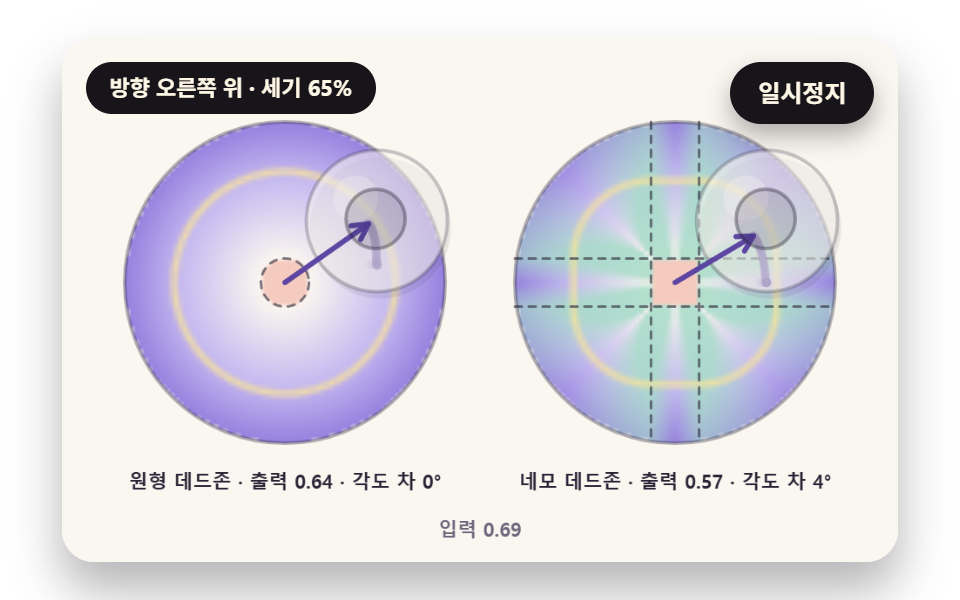 InputsVirtual Joystick JavaScript: 9 Touch Scenes
 Inputs9 Form Validation UI Patterns — As You Type
 Inputs9 Multi Step Form UI Patterns — Branch and Resume
 InputsCheckout Page Design — 9 Cart Patterns, No Library
 InputsNumber Stepper UI: 9 Interaction Patterns
 InputsPassword Strength Meter UI: 9 Calculation Patterns
 InputsCSS Custom Checkbox: 9 Interaction Patterns