Send Button Animation CSS: 9 Fold-and-Fly Buttons
A send button should show that something left — 01 folds into a paper plane that banks along a curve, 02 springs back as its shadow tracks the height, and 08
Every one of the nine boards holds a single real <button> element. What changes from board to board is how far the motion travels once that button is pressed, from a rebound inside its own outline to a chat bubble that lands three rows up.
Press Nine Send Buttons and Make Them Fail on Purpose
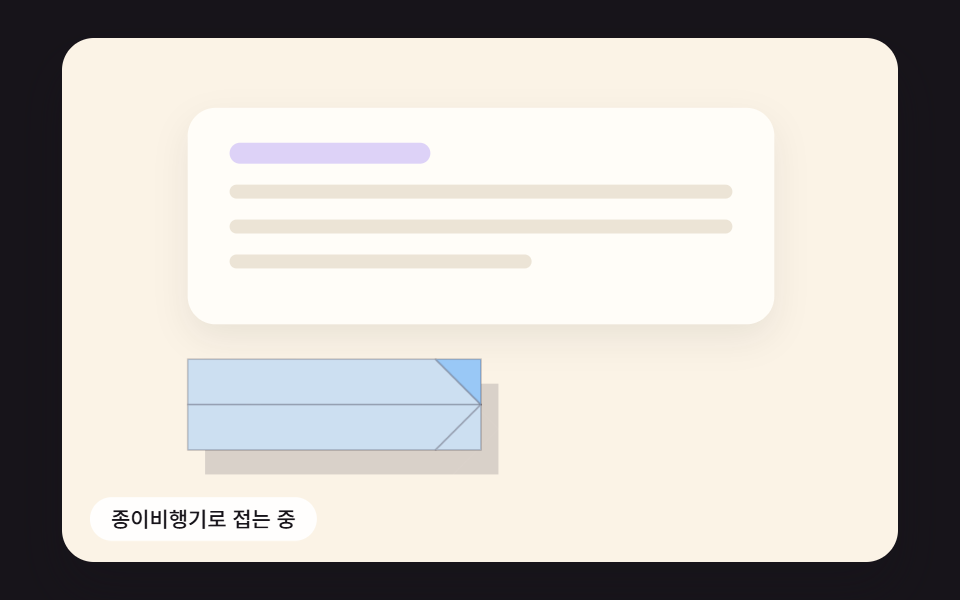 01 send-btn-paper-plane-fold-flight
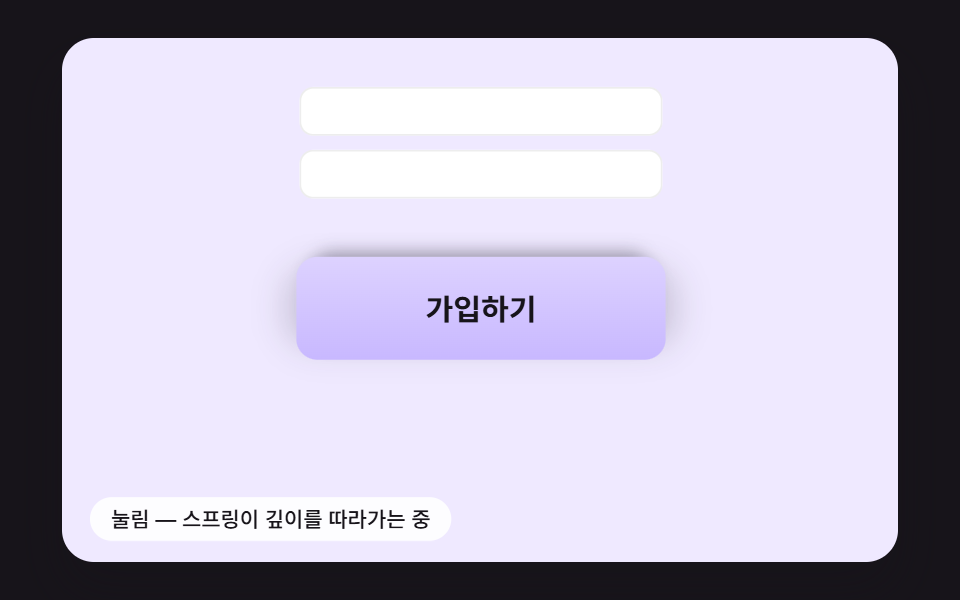 02 send-btn-spring-press-shadow
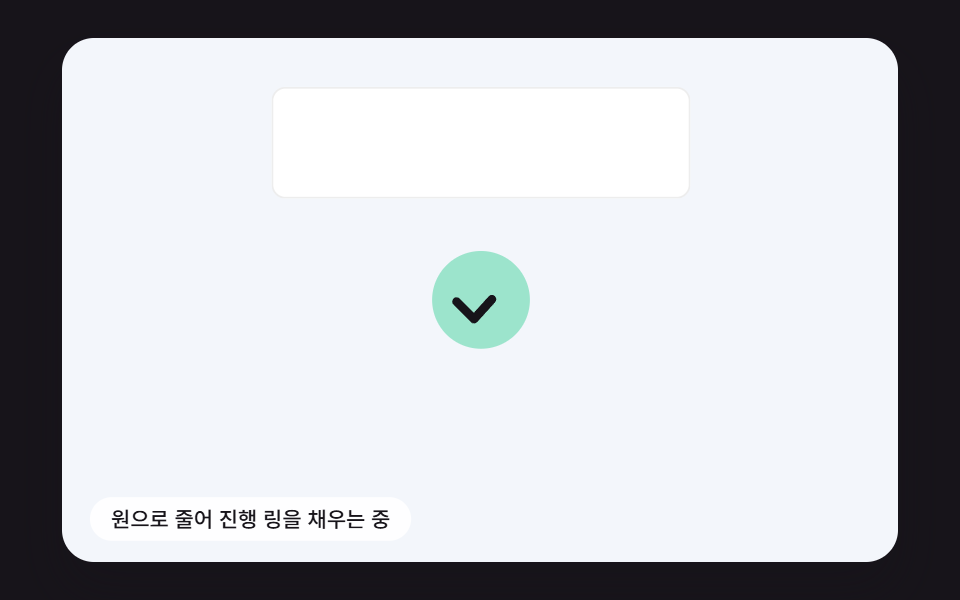 03 send-btn-ring-progress-check-draw
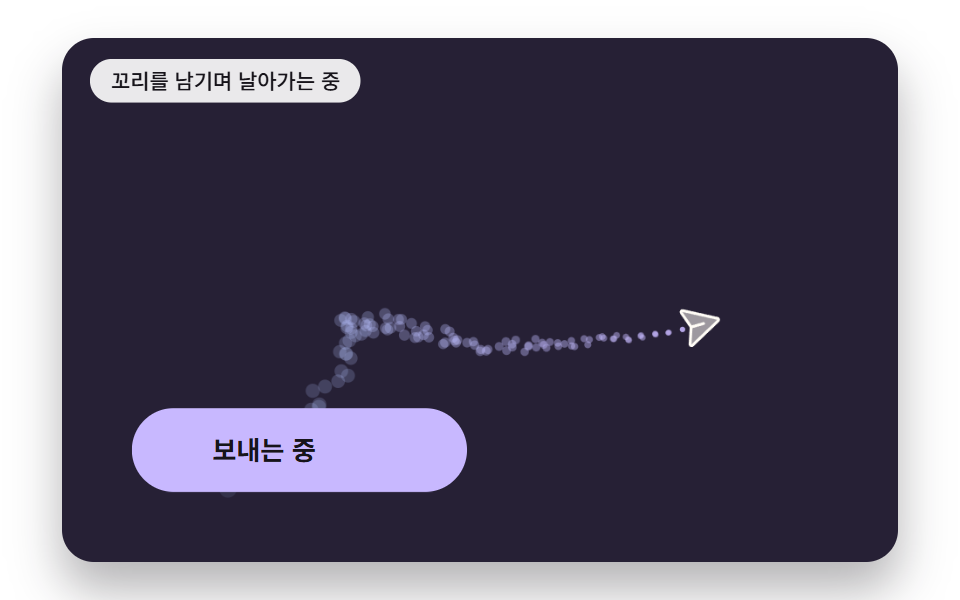 04 send-btn-trail-drag-noise
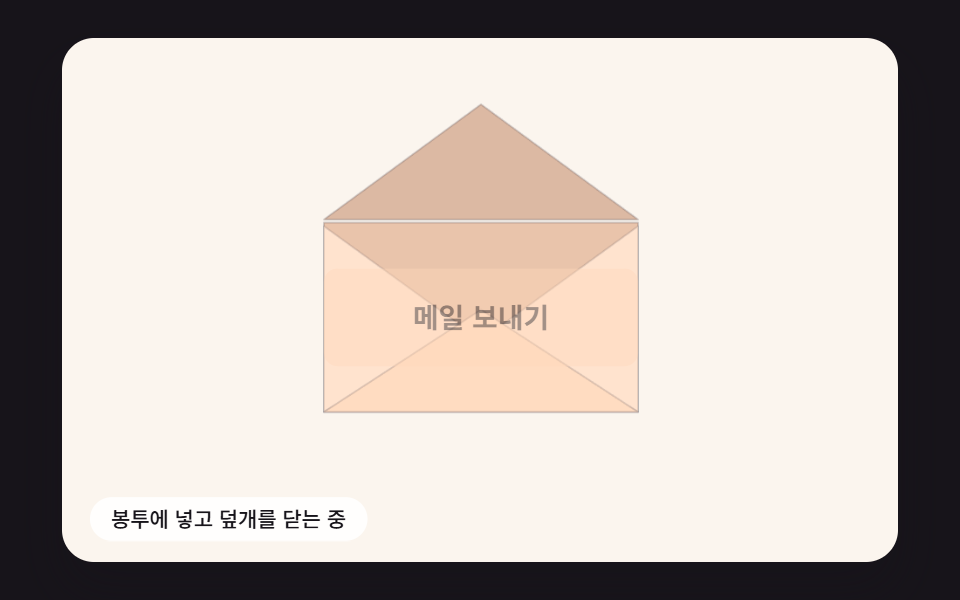 05 send-btn-envelope-flap-seal
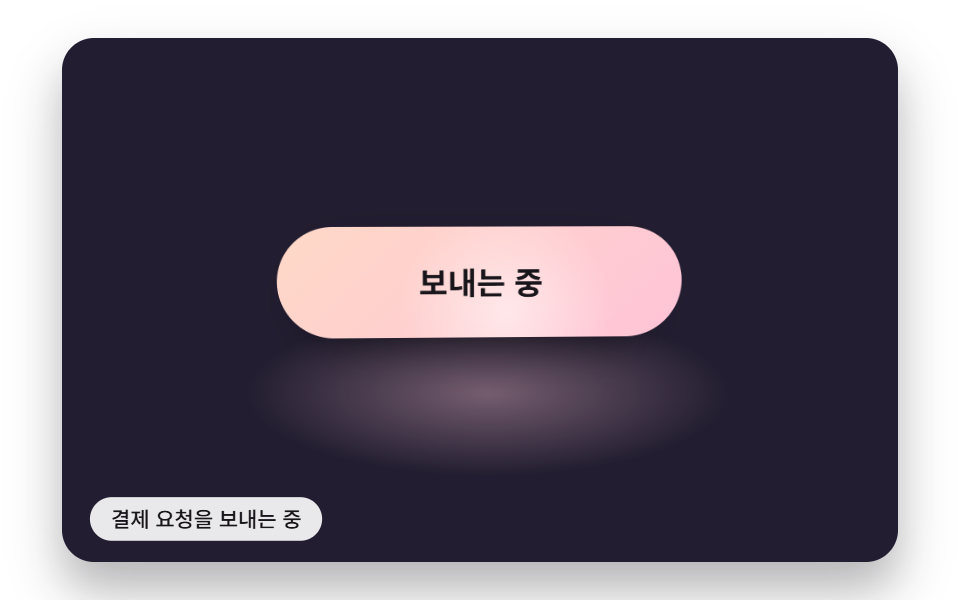 06 send-btn-gloss-sweep-pointer
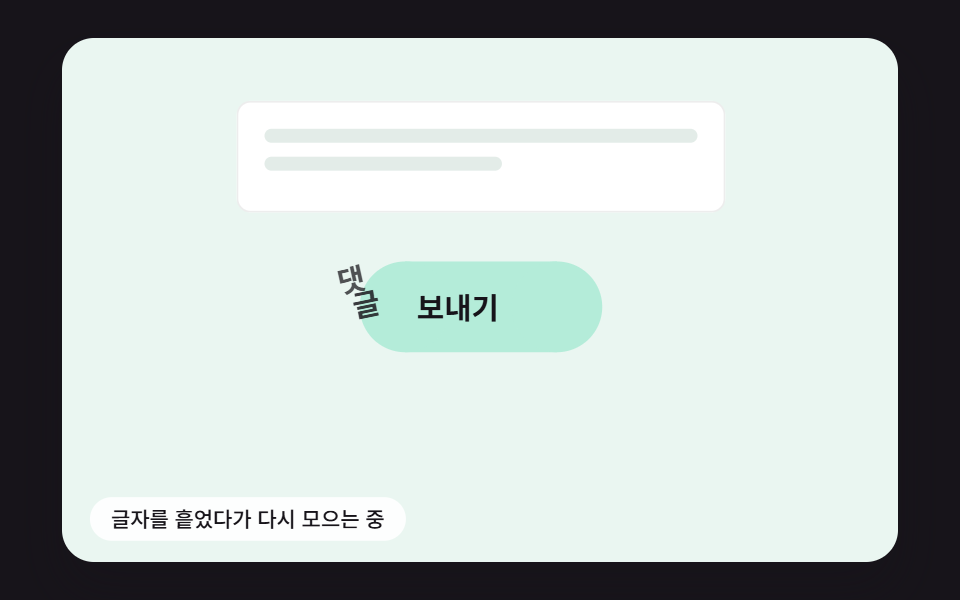 07 send-btn-label-letter-scatter
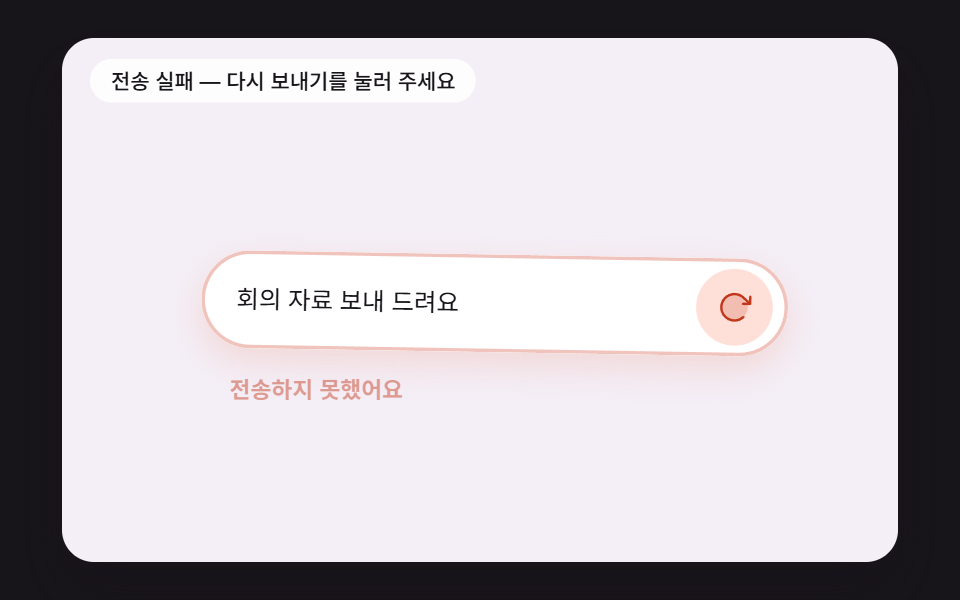 08 send-btn-fail-damped-shake
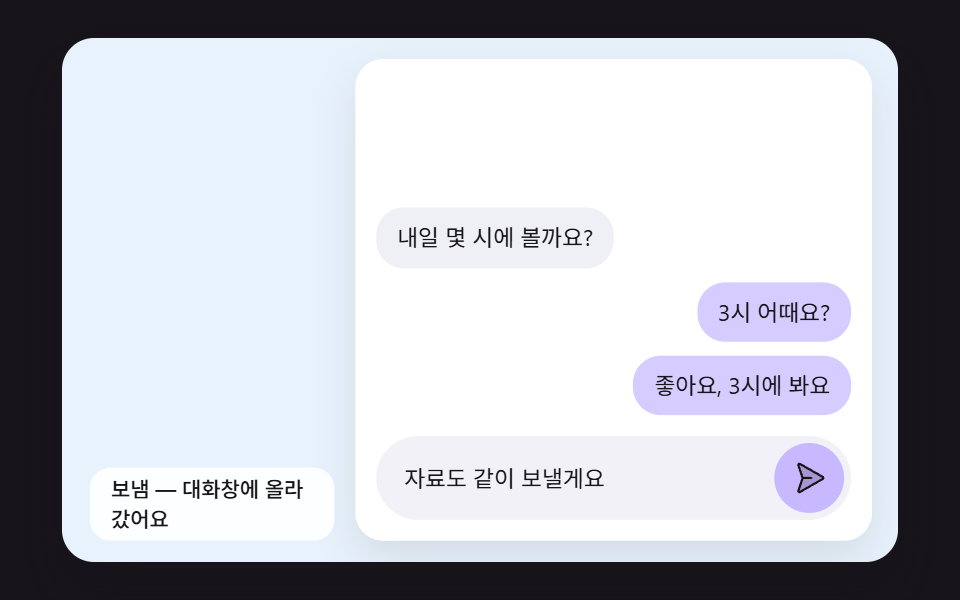 09 send-btn-bubble-arc-to-thread
Auto-plays · click a tile to jump to its section · all nine in one zip
- 01 A Send Button That Folds Into a Paper Plane and Banks Along a Curve
- 02 A Submit Button That Springs Back While Its Shadow Tracks the Height
- 03 A Button That Shrinks to a Circle, Runs a Progress Ring and Ends in a Check
- 04 Trail Particles That Scatter With Air Drag and Noise Behind the Flight
- 05 A Mail Send Button That Becomes an Envelope, Folds Its Flap and Seals
- 06 A Button With a Gloss Band While Sending and a Highlight That Follows the Pointer Tilt
- 07 A Button Label Whose Letters Scatter One by One and Regather as Sent
- 08 A Button That Reports a Failed Send With a Fading Shake and Turns Into Retry
- 09 A Chat Bubble That Arcs From the Send Button and Lands in the Thread
Until you touch a board, it presses its own button on a timer and then resets (02 every 1.3 seconds, 01, 05 and 06 every 3 seconds). One tap or one key press inside a board ends that loop (on 06, just moving the pointer over the board is enough), puts the button back in its starting state and leaves every following press to you. Item 08 is rigged so its first attempt fails: press it once to watch the shake, then press again to follow the retry through to its mint success state.
Send Button Animation CSS in 9 Buttons: Fold, Spring, Progress Ring, Trail, Envelope, Gloss, Letters, Shake and Chat Bubble
The order follows how far the motion spreads from the button. Items 01 to 03 change the button body itself by folding it, pressing it and shrinking it into a circle; 04 and 05 send something away from it, a plane or an envelope; 06 and 07 touch only the light on its surface and the letters of its label; and 08 and 09 move the input row and the chat thread along with it.
Fixed 16ms steps in place of keyframes
The nine stylesheets contain no @keyframes rule, and the only transition in them is transition: none !important inside the reduced-motion block. Script does all of the moving. Timestamps from requestAnimationFrame are added up (capped at 100ms per frame), a fixed 16ms step named FIXED_DT runs up to six times per frame, and the board is drawn once after those steps. Springs, drag and inertia land on different numbers when the step size changes, so the step is fixed to give the same overshoot and the same settle time on screens with different refresh rates. The shared header of all nine files defines a seeded makeRng, yet only 03, 04 and 07 call it, 03 for its lumpy progress, 04 for particle spread and 07 through its noise.
A 480 by 300 scene shrunk as one piece
Each button and its surroundings are laid out on a 480 by 300 px scene, and fitScene() takes the box width divided by 480 as k and applies scale(k) to the whole scene. In a 480 by 300 window, k measured 0.8729. Pointer positions and element measurements go the other way, divided by k to return to scene coordinates, and the four canvas items (01, 02, 04 and 05) cap the device pixel ratio at 2.
What a two-second capture recorded for each button
The renderer filmed each board for two seconds at 480 by 300, took 24 stills, and compared every still with the one before it. That makes 23 comparisons per board, so the moving-frame column counts out of 23.
| Item | Accumulated area | Moving frames | Mean intensity |
|---|---|---|---|
| 01 Paper plane fold and flight | 12.5% | 21/23 | 38.3 |
| 02 Spring press and shadow | 9.2% | 13/23 | 50.7 |
| 03 Circle, progress ring and check | 10.9% | 20/23 | 50.4 |
| 04 Drag and noise trail | 14.1% | 22/23 | 68.3 |
| 05 Envelope flap and seal | 24.4% | 18/23 | 43.6 |
| 06 Gloss band and tilt highlight | 17.1% | 23/23 | 43.7 |
| 07 Letter scatter and regather | 4.2% | 13/23 | 87.7 |
| 08 Failure shake | 6.1% | 15/23 | 55.6 |
| 09 Chat bubble arc | 22.2% | 18/23 | 72.2 |
Three items stay under 10% area: 02, 07 and 08. All three move inside the footprint of the button itself, so a small area is the expected result rather than a weak one. The site's reference piece, the canvas water drop and black hole scenes, fills the whole frame with computation; a button is judged instead by refinement inside a small face, meaning the spring overshoot at release, a shadow that drifts and blurs with height, a tilt that trails the pointer by a beat, a gloss band crossing the face, and a noise direction read separately for each letter.
Why Should a Send Button Keep Moving After It Is Pressed?
A button that sits still after a press makes people doubt the press, and many of them press again. A contact form, a sign-up or checkout confirmation, a comment box and a chat input all leave a short gap between the press and the result, and that gap can show only three states: sending, sent, or not sent.
The nine items split those states between them. The ring in 03 and the gloss band in 06 cover sending; the flying paper of 01 and 04, the envelope of 05, the swapped label of 07 and the bubble that lands in 09 cover sent; 08 reports not sent with a shake and then turns into a retry. A chat box is where a send message button animation earns its keep, because the bubble in 09 shows the message arriving in the thread, which a label change cannot do. Item 02 handles the moment before any result, the feel of the press itself.
Choose by how heavy the screen is. On a checkout, where a second press can mean a second charge, the right kind of submit button animation css stays inside the button's footprint, like the short rebound of 02 or the ring of 03. On an inquiry form or an invite, where the finished send is the reward, the larger scenes of 01, 04 and 05 fit better.
01A Send Button That Folds Into a Paper Plane and Banks Along a Curve
Pressing splits the 168 by 52 button face into four facets that fold in three stages of 240, 240 and 300ms: two corners flip 180° around their fold lines, then the upper and lower halves rise ±64° around the center line, narrowing the 52px face into a 22.8px V-shaped plane. For the next 1,100ms the plane flies a cubic Bezier curve out to depth 320, turning its nose to the angle of the curve's derivative, while its floor shadow slides from 10px to 35.6px down and to the right and fades from 0.16 to 0.064 opacity. It suits a contact form where the send should read as one scene, and a half-transparent mint placeholder covers the button's spot during the flight so no empty hole is left behind.
<main class="stage">
<div class="sb is-demo" id="sb">
  <div class="sb__scene" data-role="scene">
    <div class="pp__card" aria-hidden="true">
      <span class="pp__line pp__line--title"></span>
      <span class="pp__line"></span>
      <span class="pp__line"></span>
      <span class="pp__line pp__line--short"></span>
    </div>
    <canvas class="sb__canvas" data-role="canvas" width="480" height="300" aria-hidden="true"></canvas>
    <button class="pp__send" data-role="send" type="button"><svg xmlns="http://www.w3.org/2000/svg" class="pp__icon" aria-hidden="true" focusable="false" viewBox="0 0 256 256"><g fill="currentColor"><path d="m223.69 42.18l-58.22 192a8 8 0 0 1-14.92 1.25L108 148l-87.42-42.55a8 8 0 0 1 1.25-14.92l192-58.22a8 8 0 0 1 9.86 9.87" opacity=".2"/><path d="M227.32 28.68a16 16 0 0 0-15.66-4.08h-.15L19.57 82.84a16 16 0 0 0-2.49 29.8L102 154l41.3 84.87a15.86 15.86 0 0 0 14.44 9.13q.69 0 1.38-.06a15.88 15.88 0 0 0 14-11.51l58.2-191.94v-.15a16 16 0 0 0-4-15.66m-69.49 203.17l-.05.14v-.07l-40.06-82.3l48-48a8 8 0 0 0-11.31-11.31l-48 48l-82.33-40.06h-.07h.14L216 40Z"/></g></svg><span class="pp__label" data-role="label">Send</span></button>
    <p class="sb__status" data-role="status" aria-live="off">Ready to send</p>
  </div>
</div>
</main>
@use "../../../../site/static/demo-tokens" as *;
@include stage($stage-ink);
.sb {
position: relative;
width: min(92vw, calc(160vh - 12.8vw));
aspect-ratio: 480 / 300;
margin: 0 auto;
border-radius: $r-card;
overflow: hidden;
box-shadow: $shadow-raised;
}
// 장면 판 — 480×300 좌표로 짜 두고 스크립트가 상자 폭에 맞춰 scale 한다.
// 기준점이 왼쪽 위 모서리인 이유: 판이 상자 왼쪽 위에 붙어 있어 모서리 기준으로 줄여야 줄인 판이 상자와 겹친다
.sb__scene {
position: absolute;
left: 0;
top: 0;
width: 480px;
height: 300px;
transform-origin: 0 0;
}
.sb__canvas {
position: absolute;
left: 0;
top: 0;
width: 480px;
height: 300px;
pointer-events: none;
}
.sb__status {
position: absolute;
left: $sp-4;
bottom: $sp-3;
box-sizing: border-box;
max-width: 260px;
margin: 0;
padding: $sp-1 $sp-3;
border-radius: $r-pill;
background: rgba(255, 255, 255, .9);
color: $subject-ink;
font-weight: 500;
font-size: 12px;
line-height: 1.4;
pointer-events: none;
}
.sb__status--top {
top: $sp-3;
bottom: auto;
}
.sb__status--side {
max-width: 140px;
border-radius: $r-control;
}
.sb { background: #fbf3e6; }
// 문의 카드 — 글자 대신 회색 줄로 내용 자리만 보인다
.pp__card {
position: absolute;
left: 72px;
top: 40px;
width: 336px;
height: 124px;
box-sizing: border-box;
padding: $sp-5 $sp-6;
border-radius: $r-card;
background: #fffdf8;
box-shadow: 0 8px 20px rgba(23, 20, 26, .08);
display: flex;
flex-direction: column;
gap: $sp-3;
}
.pp__line {
display: block;
height: 8px;
border-radius: $r-pill;
background: #ece4d6;
}
.pp__line--title {
width: 40%;
height: 12px;
background: #ddd2f7;
}
.pp__line--short { width: 60%; }
// 버튼 자리 = 스크립트의 BTN_CX 156 · BTN_CY 210 (왼쪽 72 + 너비 절반 84, 위 184 + 높이 절반 26)
.pp__send {
position: absolute;
left: 72px;
top: 184px;
width: 168px;
height: 52px;
margin: 0;
padding: 0 $sp-4;
border: 0;
border-radius: $r-sm;
background: #9ed0ff;
color: $subject-ink;
font: inherit;
font-weight: 700;
font-size: 16px;
line-height: 1;
display: flex;
align-items: center;
justify-content: center;
gap: $sp-2;
cursor: pointer;
}
.pp__send.is-sent { background: #b4ecd9; }
.pp__send:focus-visible {
outline: 3px solid $subject-ink;
outline-offset: 3px;
}
.pp__icon {
width: 20px;
height: 20px;
flex: none;
}
@media (max-width: 340px) {
// 이 폭에서는 장면이 0.6 배 남짓으로 줄어든다 — 상태 줄 글자를 키워 줄인 뒤에도 읽히게 한다
.sb__status { font-size: 16px; }
}
@media (prefers-reduced-motion: reduce) {
// 움직임은 전부 스크립트가 그리고, 스크립트는 reduce 에서 루프를 돌리지 않고 결과 상태만 둔다. CSS 쪽 전환도 막아 둔다
.sb__scene * {
transition: none !important;
animation: none !important;
}
}html, body {
margin: 0;
overflow: hidden;
}
.stage {
box-sizing: border-box;
min-height: 100vh;
display: grid;
place-items: center;
margin: 0;
background: #17141a;
font-family: -apple-system, "Segoe UI", "Noto Sans KR", sans-serif;
padding: clamp(8px, 4vw, 24px);
}
.sb {
position: relative;
width: min(92vw, 160vh - 12.8vw);
aspect-ratio: 480/300;
margin: 0 auto;
border-radius: 16px;
overflow: hidden;
box-shadow: 0 14px 24px rgba(23, 20, 26, 0.32);
}
.sb__scene {
position: absolute;
left: 0;
top: 0;
width: 480px;
height: 300px;
transform-origin: 0 0;
}
.sb__canvas {
position: absolute;
left: 0;
top: 0;
width: 480px;
height: 300px;
pointer-events: none;
}
.sb__status {
position: absolute;
left: 16px;
bottom: 12px;
box-sizing: border-box;
max-width: 260px;
margin: 0;
padding: 4px 12px;
border-radius: 999px;
background: rgba(255, 255, 255, 0.9);
color: #17141a;
font-weight: 500;
font-size: 12px;
line-height: 1.4;
pointer-events: none;
}
.sb__status--top {
top: 12px;
bottom: auto;
}
.sb__status--side {
max-width: 140px;
border-radius: 12px;
}
.sb {
background: #fbf3e6;
}
.pp__card {
position: absolute;
left: 72px;
top: 40px;
width: 336px;
height: 124px;
box-sizing: border-box;
padding: 20px 24px;
border-radius: 16px;
background: #fffdf8;
box-shadow: 0 8px 20px rgba(23, 20, 26, 0.08);
display: flex;
flex-direction: column;
gap: 12px;
}
.pp__line {
display: block;
height: 8px;
border-radius: 999px;
background: #ece4d6;
}
.pp__line--title {
width: 40%;
height: 12px;
background: #ddd2f7;
}
.pp__line--short {
width: 60%;
}
.pp__send {
position: absolute;
left: 72px;
top: 184px;
width: 168px;
height: 52px;
margin: 0;
padding: 0 16px;
border: 0;
border-radius: 8px;
background: #9ed0ff;
color: #17141a;
font: inherit;
font-weight: 700;
font-size: 16px;
line-height: 1;
display: flex;
align-items: center;
justify-content: center;
gap: 8px;
cursor: pointer;
}
.pp__send.is-sent {
background: #b4ecd9;
}
.pp__send:focus-visible {
outline: 3px solid #17141a;
outline-offset: 3px;
}
.pp__icon {
width: 20px;
height: 20px;
flex: none;
}
@media (max-width: 340px) {
.sb__status {
font-size: 16px;
}
}
@media (prefers-reduced-motion: reduce) {
.sb__scene * {
transition: none !important;
animation: none !important;
}
}(function () {
const root = document.getElementById("sb");
if (!root) return;
const W = 480;
const H = 300;
const FIXED_DT = 16;
// 파스텔 팔레트 — 캔버스와 스크립트가 칠하는 색은 여기서만 고른다 (scss 쪽 색은 demo-tokens)
const INK = [38, 33, 52];
const PAPER = [255, 252, 246];
const CREAM = [255, 243, 224];
const SKY = [158, 208, 255];
const LILAC = [200, 184, 255];
const MINT = [156, 228, 204];
const PINK = [255, 182, 204];
const PEACH = [255, 214, 184];
function clamp(v, lo, hi) { return v < lo ? lo : (v > hi ? hi : v); }
function lerp(a, b, t) { return a + (b - a) * t; }
function easeOut(x) { const c = clamp(x, 0, 1); return 1 - Math.pow(1 - c, 3); }
function easeInOut(x) {
const c = clamp(x, 0, 1);
return c < 0.5 ? 4 * c * c * c : 1 - Math.pow(-2 * c + 2, 3) / 2;
}
function rgba(c, a) {
return 'rgba(' + Math.round(c[0]) + ',' + Math.round(c[1]) + ',' + Math.round(c[2]) + ',' + clamp(a, 0, 1).toFixed(3) + ')';
}
function mix(a, b, t) { return [lerp(a[0], b[0], t), lerp(a[1], b[1], t), lerp(a[2], b[2], t)]; }
// 시드 고정 난수 — 같은 시드면 같은 값이 다시 나온다 (32비트 정수 섞기)
function makeRng(seed) {
let s = seed >>> 0;
return function () {
s = (s + 0x6d2b79f5) >>> 0;
let t = s;
t = Math.imul(t ^ (t >>> 15), t | 1);
t ^= t + Math.imul(t ^ (t >>> 7), t | 61);
return ((t ^ (t >>> 14)) >>> 0) / 4294967296;
};
}
const sceneEl = root.querySelector('[data-role="scene"]');
const statusEl = root.querySelector('[data-role="status"]');
if (!sceneEl || !statusEl) {
return;
}
const scene = sceneEl;
const status = statusEl;
const reduceQuery = window.matchMedia('(prefers-reduced-motion: reduce)');
const still = reduceQuery.matches;
const resizeHooks = [];
// 자동 시연 중인가 — 사람이 처음 만지는 순간 시연을 멈추고 처음 상태로 돌린 뒤 상태 줄을 읽어 주기 시작한다
let demo = root.classList.contains('is-demo');
function wake() {
if (!demo) {
return;
}
demo = false;
root.classList.remove('is-demo');
status.setAttribute('aria-live', 'polite');
resetIdle();
}
function say(text) {
if (status.textContent !== text) {
status.textContent = text;
}
}
// 장면 배율 — 480×300 좌표로 짠 판을 상자 폭에 맞춰 통째로 줄인다
let k = 1;
function fitScene() {
const w = root.clientWidth;
k = w > 0 ? w / W : 1;
scene.style.transform = 'scale(' + k.toFixed(4) + ')';
}
// 화면 좌표(CSS px) → 장면 좌표(480×300). 줄인 배율 k 로 나눠야 판 안의 위치가 된다
function toScene(clientX, clientY) {
const r = root.getBoundingClientRect();
return [(clientX - r.left) / k, (clientY - r.top) / k];
}
// 캡처 단계에서 듣는다 — 버튼 자신의 pointerdown 보다 먼저 시연을 끝내야 사람의 첫 누름이 처음 상태에서 시작한다
root.addEventListener('pointerdown', wake, true);
root.addEventListener('keydown', wake, true);
const canvasEl = root.querySelector('[data-role="canvas"]');
const ctxRaw = canvasEl ? canvasEl.getContext('2d') : null;
if (!canvasEl || !ctxRaw) {
return;
}
const cv = canvasEl;
const ctx = ctxRaw;
let dprNow = 1;
function fitCanvas() {
// 배율은 2 에서 자른다 — 배율 3 기기에서 화소가 2.25배로 늘어 프레임마다 일이 그만큼 커지지 않게
const dpr = Math.min(window.devicePixelRatio || 1, 2);
dprNow = dpr;
cv.width = Math.round(W * dpr);
cv.height = Math.round(H * dpr);
ctx.setTransform(dpr, 0, 0, dpr, 0, 0);
}
fitCanvas();
resizeHooks.push(fitCanvas);
// 버튼 자리(장면 px) — scss 의 .pp__send 위치·크기와 같은 값이어야 접기 시작 순간 종이가 버튼과 겹친다
const BTN_CX = 156;
const BTN_CY = 210;
// 종이 한 장 = 버튼 면 168×52. 가운데가 원점이고 u 는 기수 쪽(오른쪽), v 는 아래쪽, w 는 화면 안쪽(멀어지는 쪽)
// 면 네 장 — 0 위 모서리 삼각형 · 1 아래 모서리 삼각형 · 2 위 몸통 · 3 아래 몸통
const FACETS = [
[[84, 0], [84, -26], [58, -26]],
[[84, 0], [84, 26], [58, 26]],
[[-84, -26], [58, -26], [84, 0], [-84, 0]],
[[-84, 0], [84, 0], [58, 26], [-84, 26]],
];
// 접기 순서 — 접는 선(a 에서 b 로)을 축으로 그 선에 붙은 면의 꼭짓점을 deg 만큼 돌린다. 앞 단계가 끝난 자리 위에서 다음 단계가 돈다
const FOLD_STEPS = [
{ ms: 240, hinges: [{ a: [84, 0], b: [58, -26], deg: -180, facets: [0] }] },
{ ms: 240, hinges: [{ a: [84, 0], b: [58, 26], deg: 180, facets: [1] }] },
{ ms: 300, hinges: [{ a: [-84, 0], b: [84, 0], deg: 64, facets: [0, 2] }, { a: [-84, 0], b: [84, 0], deg: -64, facets: [1, 3] }] },
];
const FOLD_TOTAL = FOLD_STEPS.reduce(function (s, f) { return s + f.ms; }, 0);
// 3차 베지어 조종점 네 개 [x, y, 깊이] — 버튼 자리에서 출발해 오른쪽 아래로 처졌다가 위로 감아 올라 멀어진다
const FLIGHT_CTRL = [[156, 210, 0], [318, 268, 30], [352, 64, 150], [560, 26, 320]];
// 선회율(초당 기수가 도는 라디안)에 곱해 날개 기울기(라디안)를 만드는 계수
const BANK_GAIN = 0.3;
const BANK_MAX = 0.95;
const FLIGHT_MS = 1100;
const PRESS_MS = 110;
const BACK_MS = 320;
const FOCAL = 620;
const CAM_X = 240;
const CAM_Y = 150;
const DEMO_CYCLE = 3000;
const TXT_IDLE = 'Send';
const TXT_SENT = 'Sent';
const TXT_READY = 'Ready to send';
const TXT_FOLD = 'Folding into a paper plane';
const TXT_FLY = 'Flying along the curve';
const TXT_DONE = 'Sent — your inquiry was received';
const sendEl = root.querySelector('[data-role="send"]');
const labelEl = root.querySelector('[data-role="label"]');
if (!sendEl || !labelEl) {
return;
}
const send = sendEl;
const label = labelEl;
let phase = 'idle';
let pt = 0;
let bank = 0;
let demoNext = 200;
// 꼭짓점 p 를 점 a 를 지나는 단위 축 d 둘레로 ang 라디안 돌린다 (로드리게스 회전)
function rotateAround(p, a, d, ang) {
const vx = p[0] - a[0];
const vy = p[1] - a[1];
const vz = p[2] - a[2];
const c = Math.cos(ang);
const s = Math.sin(ang);
const dot = d[0] * vx + d[1] * vy + d[2] * vz;
const cx = d[1] * vz - d[2] * vy;
const cy = d[2] * vx - d[0] * vz;
const cz = d[0] * vy - d[1] * vx;
return [
a[0] + vx * c + cx * s + d[0] * dot * (1 - c),
a[1] + vy * c + cy * s + d[1] * dot * (1 - c),
a[2] + vz * c + cz * s + d[2] * dot * (1 - c),
];
}
// 접기 시각 t(ms) 의 면 네 장 꼭짓점 — 단계마다 진행률을 easeInOut 으로 깎아 접는 선 둘레로 돌린다
    function foldedFacets(t) {
        const out = FACETS.map(function (f) {
            return f.map(function (q) { return [q[0], q[1], 0]; });
        });
        let start = 0;
        for (const st of FOLD_STEPS) {
            const p = easeInOut((t - start) / st.ms);
            start += st.ms;
            if (p <= 0) {
                continue;
            }
            for (const hg of st.hinges) {
                const a = [hg.a[0], hg.a[1], 0];
                const len = Math.hypot(hg.b[0] - hg.a[0], hg.b[1] - hg.a[1]);
                const d = [(hg.b[0] - hg.a[0]) / len, (hg.b[1] - hg.a[1]) / len, 0];
                const ang = hg.deg * p * Math.PI / 180;
                for (const fi of hg.facets) {
                    out[fi] = out[fi].map(function (q) { return rotateAround(q, a, d, ang); });
                }
            }
        }
        return out;
    }
function bezier(t) {
const u = 1 - t;
const b0 = u * u * u;
const b1 = 3 * u * u * t;
const b2 = 3 * u * t * t;
const b3 = t * t * t;
const c = FLIGHT_CTRL;
return [
b0 * c[0][0] + b1 * c[1][0] + b2 * c[2][0] + b3 * c[3][0],
b0 * c[0][1] + b1 * c[1][1] + b2 * c[2][1] + b3 * c[3][1],
b0 * c[0][2] + b1 * c[1][2] + b2 * c[2][2] + b3 * c[3][2],
];
}
// 접선 = 베지어를 t 로 미분한 것. 화면 평면 성분의 각도가 기수 방향이다
function headingAt(t) {
const u = 1 - t;
const c = FLIGHT_CTRL;
const dx = 3 * u * u * (c[1][0] - c[0][0]) + 6 * u * t * (c[2][0] - c[1][0]) + 3 * t * t * (c[3][0] - c[2][0]);
const dy = 3 * u * u * (c[1][1] - c[0][1]) + 6 * u * t * (c[2][1] - c[1][1]) + 3 * t * t * (c[3][1] - c[2][1]);
return Math.atan2(dy, dx);
}
// 비행 진행률 → 곡선 매개변수. 출발은 느리고 갈수록 빨라진다
function flightParam(p) { return Math.pow(clamp(p, 0, 1), 1.45); }
// 목표 기울기 = 선회율 × BANK_GAIN. 선회율은 앞뒤 1% 지점의 기수 각도 차를 그 사이 시간으로 나눈 값
function bankTarget(p) {
const p0 = clamp(p - 0.01, 0, 1);
const p1 = clamp(p + 0.01, 0, 1);
let dh = headingAt(flightParam(p1)) - headingAt(flightParam(p0));
if (dh > Math.PI) {
dh -= Math.PI * 2;
}
if (dh < -Math.PI) {
dh += Math.PI * 2;
}
const rate = dh / ((p1 - p0) * FLIGHT_MS / 1000);
return clamp(rate * BANK_GAIN, -BANK_MAX, BANK_MAX);
}
// 원근 투영 — 깊이 z 만큼 멀어지면 화면 가운데 쪽으로 FOCAL/(FOCAL+z) 배 당겨진다
function project(p) {
const s = FOCAL / (FOCAL + p[2]);
return [CAM_X + (p[0] - CAM_X) * s, CAM_Y + (p[1] - CAM_Y) * s];
}
// 접힌 면을 날개 기울기(u 축 둘레) → 기수 회전(화면 평면) → 자리 이동 순서로 옮긴다
function place(q, pos, heading, roll, scale) {
const u = q[0] * scale;
const v = q[1] * scale;
const w = q[2] * scale;
const v2 = v * Math.cos(roll) - w * Math.sin(roll);
const w2 = v * Math.sin(roll) + w * Math.cos(roll);
const ch = Math.cos(heading);
const sh = Math.sin(heading);
return [pos[0] + u * ch - v2 * sh, pos[1] + u * sh + v2 * ch, pos[2] + w2];
}
const LIGHT = [-0.35, -0.55, -0.76];
// 바닥 그림자 — 같은 면을 깊이 z 에 비례해 오른쪽 아래로 밀어(10 + 0.08z) 옅게 칠한다. 멀어질수록 그림자가 떨어지고 옅어진다
function drawShadow(facets, pos, heading, roll, scale) {
const off = 10 + pos[2] * 0.08;
ctx.fillStyle = rgba(INK, clamp(0.16 - pos[2] * 0.0003, 0.05, 0.16));
for (const f of facets) {
ctx.beginPath();
f.forEach(function (q, j) {
const s = project(place(q, pos, heading, roll, scale));
if (j === 0) {
ctx.moveTo(s[0] + off, s[1] + off * 1.4);
}
else {
ctx.lineTo(s[0] + off, s[1] + off * 1.4);
}
});
ctx.closePath();
ctx.fill();
}
}
function drawPlane(facets, pos, heading, roll, scale) {
drawShadow(facets, pos, heading, roll, scale);
const items = facets.map(function (f, i) {
const pts = f.map(function (q) { return place(q, pos, heading, roll, scale); });
let z = 0;
for (const p of pts) {
z += p[2];
}
// 접혀 올라온 모서리 두 장은 몸통과 같은 평면에 눕는다 — 0.8 만큼 앞으로 쳐서 늘 몸통 위에 그린다
return { pts: pts, key: z / pts.length - (i < 2 ? 0.8 : 0), i: i };
});
// 화가 알고리즘 — 먼 면부터 칠해 가까운 면이 덮게 한다
items.sort(function (a, b) { return b.key - a.key; });
for (const it of items) {
const p = it.pts;
const ax = p[1][0] - p[0][0], ay = p[1][1] - p[0][1], az = p[1][2] - p[0][2];
const bx = p[2][0] - p[0][0], by = p[2][1] - p[0][1], bz = p[2][2] - p[0][2];
let nx = ay * bz - az * by;
let ny = az * bx - ax * bz;
let nz = ax * by - ay * bx;
const nl = Math.hypot(nx, ny, nz) || 1;
nx /= nl;
ny /= nl;
nz /= nl;
const ll = Math.hypot(LIGHT[0], LIGHT[1], LIGHT[2]);
const lit = Math.abs(nx * LIGHT[0] + ny * LIGHT[1] + nz * LIGHT[2]) / ll;
const back = nz > 0;
const base = back ? mix(SKY, PAPER, 0.55) : SKY;
const shade = mix(mix(base, INK, 0.28), base, 0.35 + 0.65 * lit);
ctx.beginPath();
const s0 = project(p[0]);
ctx.moveTo(s0[0], s0[1]);
for (let j = 1; j < p.length; j += 1) {
const s = project(p[j]);
ctx.lineTo(s[0], s[1]);
}
ctx.closePath();
ctx.fillStyle = rgba(shade, 1);
ctx.fill();
ctx.strokeStyle = rgba(INK, 0.22);
ctx.lineWidth = 1;
ctx.lineJoin = 'round';
ctx.stroke();
}
}
function drawTrail(tNow) {
for (let t = 0; t < tNow; t += 0.018) {
const p = project(bezier(t));
const fade = 1 - (tNow - t) / Math.max(tNow, 0.001);
ctx.fillStyle = rgba(INK, 0.08 + 0.22 * fade);
ctx.beginPath();
ctx.arc(p[0], p[1], 1.6, 0, Math.PI * 2);
ctx.fill();
}
}
// 자리표시 — 버튼 자리(72, 184, 168×52)를 Sent 색(scss 의 #b4ecd9)으로 옅게
const SENT = [180, 236, 217];
const GHOST_ALPHA = 0.5;
function drawGhost(a) {
if (a <= 0.01) {
return;
}
ctx.fillStyle = rgba(SENT, a);
ctx.beginPath();
ctx.roundRect(BTN_CX - 84, BTN_CY - 26, 168, 52, 8);
ctx.fill();
}
function setButton(scale, alpha, labelAlpha) {
send.style.transform = scale === 1 ? '' : 'scale(' + scale.toFixed(3) + ')';
send.style.opacity = alpha === 1 ? '' : alpha.toFixed(3);
label.style.opacity = labelAlpha === 1 ? '' : labelAlpha.toFixed(3);
}
function resetIdle() {
phase = 'idle';
pt = 0;
bank = 0;
label.textContent = TXT_IDLE;
send.classList.remove('is-sent');
setButton(1, 1, 1);
say(TXT_READY);
}
function finish() {
phase = 'done';
pt = 0;
label.textContent = TXT_SENT;
send.classList.add('is-sent');
setButton(1, 1, 1);
say(TXT_DONE);
}
function settle() { finish(); }
function press() {
if (phase !== 'idle' && phase !== 'done') {
return;
}
if (still) {
finish();
return;
}
if (phase === 'done') {
resetIdle();
}
phase = 'press';
pt = 0;
say(TXT_FOLD);
}
function step() {
if (phase === 'idle' || phase === 'done') {
return;
}
pt += FIXED_DT;
if (phase === 'press' && pt >= PRESS_MS) {
phase = 'fold';
pt = 0;
}
else if (phase === 'fold' && pt >= FOLD_TOTAL) {
phase = 'fly';
pt = 0;
say(TXT_FLY);
}
else if (phase === 'fly') {
const p = pt / FLIGHT_MS;
// 기울기는 목표로 곧장 꺾지 않고 프레임마다 25% 씩 다가간다 — 날개가 바람을 타듯 넘어간다
bank += (bankTarget(p) - bank) * 0.25;
if (pt >= FLIGHT_MS) {
phase = 'back';
pt = 0;
label.textContent = TXT_SENT;
send.classList.add('is-sent');
}
}
else if (phase === 'back' && pt >= BACK_MS) {
finish();
}
}
function demoTick(t) {
if (t < demoNext) {
return;
}
demoNext += DEMO_CYCLE;
resetIdle();
press();
}
function draw() {
ctx.clearRect(0, 0, W, H);
if (phase === 'press') {
const p = pt / PRESS_MS;
setButton(1 - 0.06 * Math.sin(p * Math.PI), 1, 1 - p);
}
else if (phase === 'fold') {
setButton(1, 0, 0);
const h0 = headingAt(0) * easeInOut(pt / FOLD_TOTAL);
drawPlane(foldedFacets(pt), [BTN_CX, BTN_CY, 0], h0, 0, 1);
}
else if (phase === 'fly') {
setButton(1, 0, 0);
const p = clamp(pt / FLIGHT_MS, 0, 1);
const t = flightParam(p);
// 비운 자리는 날기 시작과 함께 Sent 색 자리표시로 채운다 — 어느 프레임에서도 버튼 자리가 빈 구멍이 아니다
drawGhost(GHOST_ALPHA * easeOut(p / 0.3));
drawTrail(t);
drawPlane(foldedFacets(FOLD_TOTAL), bezier(t), headingAt(t), bank, lerp(1, 0.62, easeOut(p / 0.4)));
}
else if (phase === 'back') {
const p = clamp(pt / BACK_MS, 0, 1);
drawGhost(GHOST_ALPHA * (1 - p));
// 되돌아오는 버튼은 0.9 에서 시작해 1 을 살짝 넘었다 돌아온다 (뒤로 당기는 이징)
const c = 1.7;
const e = 1 + (c + 1) * Math.pow(p - 1, 3) + c * Math.pow(p - 1, 2);
setButton(lerp(0.9, 1, e), lerp(GHOST_ALPHA, 1, p), 1);
}
}
send.addEventListener('click', function () { press(); });
resetIdle();
let rafId = 0;
let lastTs = -1;
let acc = 0;
let clock = 0;
function onResize() {
fitScene();
for (const f of resizeHooks) {
f();
}
draw();
}
fitScene();
window.addEventListener('resize', onResize);
function frame(ts) {
if (lastTs < 0) {
lastTs = ts;
}
// 탭이 숨었다 돌아와도 한 번에 100ms 까지만 따라잡는다 — 순간이동 대신 이어서 움직인다
acc += Math.min(ts - lastTs, 100);
lastTs = ts;
let n = 0;
while (acc >= FIXED_DT && n < 6) {
clock += FIXED_DT;
if (demo) {
demoTick(clock);
}
step();
acc -= FIXED_DT;
n += 1;
}
draw();
rafId = window.requestAnimationFrame(frame);
}
if (still) {
settle();
draw();
}
else {
rafId = window.requestAnimationFrame(frame);
}
return function () {
window.cancelAnimationFrame(rafId);
window.removeEventListener('resize', onResize);
};
})();// SendPaperPlaneFoldFlight - vanilla 판(01-send-btn-paper-plane-fold-flight) 의 React 포트. 같은 계산을 useEffect 안에서 돌린다.
import { useEffect, useRef } from "react";
import styles from "./SendPaperPlaneFoldFlight.module.scss";
const cx = (s: string): string => s.split(" ").map((n) => styles[n] ?? n).join(" ");
export default function SendPaperPlaneFoldFlight() {
const rootRef = useRef<HTMLDivElement | null>(null);
useEffect(() => {
const rootEl = rootRef.current;
if (!rootEl) return;
const root: HTMLElement = rootEl;
type RGB = [number, number, number];
const W = 480;
const H = 300;
const FIXED_DT = 16;
// 파스텔 팔레트 — 캔버스와 스크립트가 칠하는 색은 여기서만 고른다 (scss 쪽 색은 demo-tokens)
const INK: RGB = [38, 33, 52];
const PAPER: RGB = [255, 252, 246];
const CREAM: RGB = [255, 243, 224];
const SKY: RGB = [158, 208, 255];
const LILAC: RGB = [200, 184, 255];
const MINT: RGB = [156, 228, 204];
const PINK: RGB = [255, 182, 204];
const PEACH: RGB = [255, 214, 184];
function clamp(v: number, lo: number, hi: number): number { return v < lo ? lo : (v > hi ? hi : v); }
function lerp(a: number, b: number, t: number): number { return a + (b - a) * t; }
function easeOut(x: number): number { const c = clamp(x, 0, 1); return 1 - Math.pow(1 - c, 3); }
function easeInOut(x: number): number {
const c = clamp(x, 0, 1);
return c < 0.5 ? 4 * c * c * c : 1 - Math.pow(-2 * c + 2, 3) / 2;
}
function rgba(c: RGB, a: number): string {
return 'rgba(' + Math.round(c[0]) + ',' + Math.round(c[1]) + ',' + Math.round(c[2]) + ',' + clamp(a, 0, 1).toFixed(3) + ')';
}
function mix(a: RGB, b: RGB, t: number): RGB { return [lerp(a[0], b[0], t), lerp(a[1], b[1], t), lerp(a[2], b[2], t)]; }
// 시드 고정 난수 — 같은 시드면 같은 값이 다시 나온다 (32비트 정수 섞기)
function makeRng(seed: number): () => number {
let s = seed >>> 0;
return function (): number {
s = (s + 0x6d2b79f5) >>> 0;
let t = s;
t = Math.imul(t ^ (t >>> 15), t | 1);
t ^= t + Math.imul(t ^ (t >>> 7), t | 61);
return ((t ^ (t >>> 14)) >>> 0) / 4294967296;
};
}
const sceneEl = root.querySelector('[data-role="scene"]') as HTMLElement | null;
const statusEl = root.querySelector('[data-role="status"]') as HTMLElement | null;
if (!sceneEl || !statusEl) { return; }
const scene: HTMLElement = sceneEl;
const status: HTMLElement = statusEl;
const reduceQuery = window.matchMedia('(prefers-reduced-motion: reduce)');
const still = reduceQuery.matches;
const resizeHooks: Array<() => void> = [];
// 자동 시연 중인가 — 사람이 처음 만지는 순간 시연을 멈추고 처음 상태로 돌린 뒤 상태 줄을 읽어 주기 시작한다
let demo = root.classList.contains('is-demo');
function wake(): void {
if (!demo) { return; }
demo = false;
root.classList.remove('is-demo');
status.setAttribute('aria-live', 'polite');
resetIdle();
}
function say(text: string): void {
if (status.textContent !== text) { status.textContent = text; }
}
// 장면 배율 — 480×300 좌표로 짠 판을 상자 폭에 맞춰 통째로 줄인다
let k = 1;
function fitScene(): void {
const w = root.clientWidth;
k = w > 0 ? w / W : 1;
scene.style.transform = 'scale(' + k.toFixed(4) + ')';
}
// 화면 좌표(CSS px) → 장면 좌표(480×300). 줄인 배율 k 로 나눠야 판 안의 위치가 된다
function toScene(clientX: number, clientY: number): [number, number] {
const r = root.getBoundingClientRect();
return [(clientX - r.left) / k, (clientY - r.top) / k];
}
// 캡처 단계에서 듣는다 — 버튼 자신의 pointerdown 보다 먼저 시연을 끝내야 사람의 첫 누름이 처음 상태에서 시작한다
root.addEventListener('pointerdown', wake, true);
root.addEventListener('keydown', wake, true);
const canvasEl = root.querySelector('[data-role="canvas"]') as HTMLCanvasElement | null;
const ctxRaw = canvasEl ? canvasEl.getContext('2d') : null;
if (!canvasEl || !ctxRaw) { return; }
const cv: HTMLCanvasElement = canvasEl;
const ctx: CanvasRenderingContext2D = ctxRaw;
let dprNow = 1;
function fitCanvas(): void {
// 배율은 2 에서 자른다 — 배율 3 기기에서 화소가 2.25배로 늘어 프레임마다 일이 그만큼 커지지 않게
const dpr = Math.min(window.devicePixelRatio || 1, 2);
dprNow = dpr;
cv.width = Math.round(W * dpr);
cv.height = Math.round(H * dpr);
ctx.setTransform(dpr, 0, 0, dpr, 0, 0);
}
fitCanvas();
resizeHooks.push(fitCanvas);
type V3 = [number, number, number];
type Hinge = { a: [number, number]; b: [number, number]; deg: number; facets: number[] };
type FoldStep = { ms: number; hinges: Hinge[] };
type Phase = 'idle' | 'press' | 'fold' | 'fly' | 'back' | 'done';
// 버튼 자리(장면 px) — scss 의 .pp__send 위치·크기와 같은 값이어야 접기 시작 순간 종이가 버튼과 겹친다
const BTN_CX = 156;
const BTN_CY = 210;
// 종이 한 장 = 버튼 면 168×52. 가운데가 원점이고 u 는 기수 쪽(오른쪽), v 는 아래쪽, w 는 화면 안쪽(멀어지는 쪽)
// 면 네 장 — 0 위 모서리 삼각형 · 1 아래 모서리 삼각형 · 2 위 몸통 · 3 아래 몸통
const FACETS: Array<Array<[number, number]>> = [
[[84, 0], [84, -26], [58, -26]],
[[84, 0], [84, 26], [58, 26]],
[[-84, -26], [58, -26], [84, 0], [-84, 0]],
[[-84, 0], [84, 0], [58, 26], [-84, 26]],
];
// 접기 순서 — 접는 선(a 에서 b 로)을 축으로 그 선에 붙은 면의 꼭짓점을 deg 만큼 돌린다. 앞 단계가 끝난 자리 위에서 다음 단계가 돈다
const FOLD_STEPS: FoldStep[] = [
{ ms: 240, hinges: [{ a: [84, 0], b: [58, -26], deg: -180, facets: [0] }] },
{ ms: 240, hinges: [{ a: [84, 0], b: [58, 26], deg: 180, facets: [1] }] },
{ ms: 300, hinges: [{ a: [-84, 0], b: [84, 0], deg: 64, facets: [0, 2] }, { a: [-84, 0], b: [84, 0], deg: -64, facets: [1, 3] }] },
];
const FOLD_TOTAL = FOLD_STEPS.reduce(function (s: number, f: FoldStep): number { return s + f.ms; }, 0);
// 3차 베지어 조종점 네 개 [x, y, 깊이] — 버튼 자리에서 출발해 오른쪽 아래로 처졌다가 위로 감아 올라 멀어진다
const FLIGHT_CTRL: V3[] = [[156, 210, 0], [318, 268, 30], [352, 64, 150], [560, 26, 320]];
// 선회율(초당 기수가 도는 라디안)에 곱해 날개 기울기(라디안)를 만드는 계수
const BANK_GAIN = 0.3;
const BANK_MAX = 0.95;
const FLIGHT_MS = 1100;
const PRESS_MS = 110;
const BACK_MS = 320;
const FOCAL = 620;
const CAM_X = 240;
const CAM_Y = 150;
const DEMO_CYCLE = 3000;
const TXT_IDLE = '보내기';
const TXT_SENT = '보냈어요';
const TXT_READY = '보낼 준비 됨';
const TXT_FOLD = '종이비행기로 접는 중';
const TXT_FLY = '곡선을 따라 날아가는 중';
const TXT_DONE = '보냄 — 문의가 접수됐어요';
const sendEl = root.querySelector('[data-role="send"]') as HTMLButtonElement | null;
const labelEl = root.querySelector('[data-role="label"]') as HTMLElement | null;
if (!sendEl || !labelEl) { return; }
const send: HTMLButtonElement = sendEl;
const label: HTMLElement = labelEl;
let phase: Phase = 'idle';
let pt = 0;
let bank = 0;
let demoNext = 200;
// 꼭짓점 p 를 점 a 를 지나는 단위 축 d 둘레로 ang 라디안 돌린다 (로드리게스 회전)
function rotateAround(p: V3, a: V3, d: V3, ang: number): V3 {
const vx = p[0] - a[0];
const vy = p[1] - a[1];
const vz = p[2] - a[2];
const c = Math.cos(ang);
const s = Math.sin(ang);
const dot = d[0] * vx + d[1] * vy + d[2] * vz;
const cx = d[1] * vz - d[2] * vy;
const cy = d[2] * vx - d[0] * vz;
const cz = d[0] * vy - d[1] * vx;
return [
a[0] + vx * c + cx * s + d[0] * dot * (1 - c),
a[1] + vy * c + cy * s + d[1] * dot * (1 - c),
a[2] + vz * c + cz * s + d[2] * dot * (1 - c),
];
}
// 접기 시각 t(ms) 의 면 네 장 꼭짓점 — 단계마다 진행률을 easeInOut 으로 깎아 접는 선 둘레로 돌린다
function foldedFacets(t: number): V3[][] {
const out: V3[][] = FACETS.map(function (f: Array<[number, number]>): V3[] {
return f.map(function (q: [number, number]): V3 { return [q[0], q[1], 0]; });
});
let start = 0;
for (const st of FOLD_STEPS) {
const p = easeInOut((t - start) / st.ms);
start += st.ms;
if (p <= 0) { continue; }
for (const hg of st.hinges) {
const a: V3 = [hg.a[0], hg.a[1], 0];
const len = Math.hypot(hg.b[0] - hg.a[0], hg.b[1] - hg.a[1]);
const d: V3 = [(hg.b[0] - hg.a[0]) / len, (hg.b[1] - hg.a[1]) / len, 0];
const ang = hg.deg * p * Math.PI / 180;
for (const fi of hg.facets) {
out[fi] = out[fi].map(function (q: V3): V3 { return rotateAround(q, a, d, ang); });
}
}
}
return out;
}
function bezier(t: number): V3 {
const u = 1 - t;
const b0 = u * u * u;
const b1 = 3 * u * u * t;
const b2 = 3 * u * t * t;
const b3 = t * t * t;
const c = FLIGHT_CTRL;
return [
b0 * c[0][0] + b1 * c[1][0] + b2 * c[2][0] + b3 * c[3][0],
b0 * c[0][1] + b1 * c[1][1] + b2 * c[2][1] + b3 * c[3][1],
b0 * c[0][2] + b1 * c[1][2] + b2 * c[2][2] + b3 * c[3][2],
];
}
// 접선 = 베지어를 t 로 미분한 것. 화면 평면 성분의 각도가 기수 방향이다
function headingAt(t: number): number {
const u = 1 - t;
const c = FLIGHT_CTRL;
const dx = 3 * u * u * (c[1][0] - c[0][0]) + 6 * u * t * (c[2][0] - c[1][0]) + 3 * t * t * (c[3][0] - c[2][0]);
const dy = 3 * u * u * (c[1][1] - c[0][1]) + 6 * u * t * (c[2][1] - c[1][1]) + 3 * t * t * (c[3][1] - c[2][1]);
return Math.atan2(dy, dx);
}
// 비행 진행률 → 곡선 매개변수. 출발은 느리고 갈수록 빨라진다
function flightParam(p: number): number { return Math.pow(clamp(p, 0, 1), 1.45); }
// 목표 기울기 = 선회율 × BANK_GAIN. 선회율은 앞뒤 1% 지점의 기수 각도 차를 그 사이 시간으로 나눈 값
function bankTarget(p: number): number {
const p0 = clamp(p - 0.01, 0, 1);
const p1 = clamp(p + 0.01, 0, 1);
let dh = headingAt(flightParam(p1)) - headingAt(flightParam(p0));
if (dh > Math.PI) { dh -= Math.PI * 2; }
if (dh < -Math.PI) { dh += Math.PI * 2; }
const rate = dh / ((p1 - p0) * FLIGHT_MS / 1000);
return clamp(rate * BANK_GAIN, -BANK_MAX, BANK_MAX);
}
// 원근 투영 — 깊이 z 만큼 멀어지면 화면 가운데 쪽으로 FOCAL/(FOCAL+z) 배 당겨진다
function project(p: V3): [number, number] {
const s = FOCAL / (FOCAL + p[2]);
return [CAM_X + (p[0] - CAM_X) * s, CAM_Y + (p[1] - CAM_Y) * s];
}
// 접힌 면을 날개 기울기(u 축 둘레) → 기수 회전(화면 평면) → 자리 이동 순서로 옮긴다
function place(q: V3, pos: V3, heading: number, roll: number, scale: number): V3 {
const u = q[0] * scale;
const v = q[1] * scale;
const w = q[2] * scale;
const v2 = v * Math.cos(roll) - w * Math.sin(roll);
const w2 = v * Math.sin(roll) + w * Math.cos(roll);
const ch = Math.cos(heading);
const sh = Math.sin(heading);
return [pos[0] + u * ch - v2 * sh, pos[1] + u * sh + v2 * ch, pos[2] + w2];
}
const LIGHT: V3 = [-0.35, -0.55, -0.76];
// 바닥 그림자 — 같은 면을 깊이 z 에 비례해 오른쪽 아래로 밀어(10 + 0.08z) 옅게 칠한다. 멀어질수록 그림자가 떨어지고 옅어진다
function drawShadow(facets: V3[][], pos: V3, heading: number, roll: number, scale: number): void {
const off = 10 + pos[2] * 0.08;
ctx.fillStyle = rgba(INK, clamp(0.16 - pos[2] * 0.0003, 0.05, 0.16));
for (const f of facets) {
ctx.beginPath();
f.forEach(function (q: V3, j: number): void {
const s = project(place(q, pos, heading, roll, scale));
if (j === 0) { ctx.moveTo(s[0] + off, s[1] + off * 1.4); } else { ctx.lineTo(s[0] + off, s[1] + off * 1.4); }
});
ctx.closePath();
ctx.fill();
}
}
function drawPlane(facets: V3[][], pos: V3, heading: number, roll: number, scale: number): void {
drawShadow(facets, pos, heading, roll, scale);
const items = facets.map(function (f: V3[], i: number): { pts: V3[]; key: number; i: number } {
const pts = f.map(function (q: V3): V3 { return place(q, pos, heading, roll, scale); });
let z = 0;
for (const p of pts) { z += p[2]; }
// 접혀 올라온 모서리 두 장은 몸통과 같은 평면에 눕는다 — 0.8 만큼 앞으로 쳐서 늘 몸통 위에 그린다
return { pts: pts, key: z / pts.length - (i < 2 ? 0.8 : 0), i: i };
});
// 화가 알고리즘 — 먼 면부터 칠해 가까운 면이 덮게 한다
items.sort(function (a, b): number { return b.key - a.key; });
for (const it of items) {
const p = it.pts;
const ax = p[1][0] - p[0][0], ay = p[1][1] - p[0][1], az = p[1][2] - p[0][2];
const bx = p[2][0] - p[0][0], by = p[2][1] - p[0][1], bz = p[2][2] - p[0][2];
let nx = ay * bz - az * by;
let ny = az * bx - ax * bz;
let nz = ax * by - ay * bx;
const nl = Math.hypot(nx, ny, nz) || 1;
nx /= nl; ny /= nl; nz /= nl;
const ll = Math.hypot(LIGHT[0], LIGHT[1], LIGHT[2]);
const lit = Math.abs(nx * LIGHT[0] + ny * LIGHT[1] + nz * LIGHT[2]) / ll;
const back = nz > 0;
const base = back ? mix(SKY, PAPER, 0.55) : SKY;
const shade = mix(mix(base, INK, 0.28), base, 0.35 + 0.65 * lit);
ctx.beginPath();
const s0 = project(p[0]);
ctx.moveTo(s0[0], s0[1]);
for (let j = 1; j < p.length; j += 1) {
const s = project(p[j]);
ctx.lineTo(s[0], s[1]);
}
ctx.closePath();
ctx.fillStyle = rgba(shade, 1);
ctx.fill();
ctx.strokeStyle = rgba(INK, 0.22);
ctx.lineWidth = 1;
ctx.lineJoin = 'round';
ctx.stroke();
}
}
function drawTrail(tNow: number): void {
for (let t = 0; t < tNow; t += 0.018) {
const p = project(bezier(t));
const fade = 1 - (tNow - t) / Math.max(tNow, 0.001);
ctx.fillStyle = rgba(INK, 0.08 + 0.22 * fade);
ctx.beginPath();
ctx.arc(p[0], p[1], 1.6, 0, Math.PI * 2);
ctx.fill();
}
}
// 자리표시 — 버튼 자리(72, 184, 168×52)를 보냄 색(scss 의 #b4ecd9)으로 옅게
const SENT: RGB = [180, 236, 217];
const GHOST_ALPHA = 0.5;
function drawGhost(a: number): void {
if (a <= 0.01) { return; }
ctx.fillStyle = rgba(SENT, a);
ctx.beginPath();
ctx.roundRect(BTN_CX - 84, BTN_CY - 26, 168, 52, 8);
ctx.fill();
}
function setButton(scale: number, alpha: number, labelAlpha: number): void {
send.style.transform = scale === 1 ? '' : 'scale(' + scale.toFixed(3) + ')';
send.style.opacity = alpha === 1 ? '' : alpha.toFixed(3);
label.style.opacity = labelAlpha === 1 ? '' : labelAlpha.toFixed(3);
}
function resetIdle(): void {
phase = 'idle';
pt = 0;
bank = 0;
label.textContent = TXT_IDLE;
send.classList.remove('is-sent');
setButton(1, 1, 1);
say(TXT_READY);
}
function finish(): void {
phase = 'done';
pt = 0;
label.textContent = TXT_SENT;
send.classList.add('is-sent');
setButton(1, 1, 1);
say(TXT_DONE);
}
function settle(): void { finish(); }
function press(): void {
if (phase !== 'idle' && phase !== 'done') { return; }
if (still) { finish(); return; }
if (phase === 'done') { resetIdle(); }
phase = 'press';
pt = 0;
say(TXT_FOLD);
}
function step(): void {
if (phase === 'idle' || phase === 'done') { return; }
pt += FIXED_DT;
if (phase === 'press' && pt >= PRESS_MS) { phase = 'fold'; pt = 0; }
else if (phase === 'fold' && pt >= FOLD_TOTAL) { phase = 'fly'; pt = 0; say(TXT_FLY); }
else if (phase === 'fly') {
const p = pt / FLIGHT_MS;
// 기울기는 목표로 곧장 꺾지 않고 프레임마다 25% 씩 다가간다 — 날개가 바람을 타듯 넘어간다
bank += (bankTarget(p) - bank) * 0.25;
if (pt >= FLIGHT_MS) {
phase = 'back';
pt = 0;
label.textContent = TXT_SENT;
send.classList.add('is-sent');
}
} else if (phase === 'back' && pt >= BACK_MS) { finish(); }
}
function demoTick(t: number): void {
if (t < demoNext) { return; }
demoNext += DEMO_CYCLE;
resetIdle();
press();
}
function draw(): void {
ctx.clearRect(0, 0, W, H);
if (phase === 'press') {
const p = pt / PRESS_MS;
setButton(1 - 0.06 * Math.sin(p * Math.PI), 1, 1 - p);
} else if (phase === 'fold') {
setButton(1, 0, 0);
const h0 = headingAt(0) * easeInOut(pt / FOLD_TOTAL);
drawPlane(foldedFacets(pt), [BTN_CX, BTN_CY, 0], h0, 0, 1);
} else if (phase === 'fly') {
setButton(1, 0, 0);
const p = clamp(pt / FLIGHT_MS, 0, 1);
const t = flightParam(p);
// 비운 자리는 날기 시작과 함께 보냄 색 자리표시로 채운다 — 어느 프레임에서도 버튼 자리가 빈 구멍이 아니다
drawGhost(GHOST_ALPHA * easeOut(p / 0.3));
drawTrail(t);
drawPlane(foldedFacets(FOLD_TOTAL), bezier(t), headingAt(t), bank, lerp(1, 0.62, easeOut(p / 0.4)));
} else if (phase === 'back') {
const p = clamp(pt / BACK_MS, 0, 1);
drawGhost(GHOST_ALPHA * (1 - p));
// 되돌아오는 버튼은 0.9 에서 시작해 1 을 살짝 넘었다 돌아온다 (뒤로 당기는 이징)
const c = 1.7;
const e = 1 + (c + 1) * Math.pow(p - 1, 3) + c * Math.pow(p - 1, 2);
setButton(lerp(0.9, 1, e), lerp(GHOST_ALPHA, 1, p), 1);
}
}
send.addEventListener('click', function (): void { press(); });
resetIdle();
let rafId = 0;
let lastTs = -1;
let acc = 0;
let clock = 0;
function onResize(): void {
fitScene();
for (const f of resizeHooks) { f(); }
draw();
}
fitScene();
window.addEventListener('resize', onResize);
function frame(ts: number): void {
if (lastTs < 0) { lastTs = ts; }
// 탭이 숨었다 돌아와도 한 번에 100ms 까지만 따라잡는다 — 순간이동 대신 이어서 움직인다
acc += Math.min(ts - lastTs, 100);
lastTs = ts;
let n = 0;
while (acc >= FIXED_DT && n < 6) {
clock += FIXED_DT;
if (demo) { demoTick(clock); }
step();
acc -= FIXED_DT;
n += 1;
}
draw();
rafId = window.requestAnimationFrame(frame);
}
if (still) {
settle();
draw();
} else {
rafId = window.requestAnimationFrame(frame);
}
return function (): void {
window.cancelAnimationFrame(rafId);
window.removeEventListener('resize', onResize);
};
}, []);
return (
<div className={cx("sb") + " is-demo"} ref={rootRef}>
<div className={cx("sb__scene")} data-role="scene">
<div className={cx("pp__card")} aria-hidden="true">
<span className={cx("pp__line pp__line--title")}></span>
<span className={cx("pp__line")}></span>
<span className={cx("pp__line")}></span>
<span className={cx("pp__line pp__line--short")}></span>
</div>
<canvas className={cx("sb__canvas")} data-role="canvas" width={480} height={300} aria-hidden="true"></canvas>
<button className={cx("pp__send")} data-role="send" type="button"><svg xmlns="http://www.w3.org/2000/svg" className={cx("pp__icon")} aria-hidden="true" focusable="false" viewBox="0 0 256 256"><g fill="currentColor"><path d="m223.69 42.18l-58.22 192a8 8 0 0 1-14.92 1.25L108 148l-87.42-42.55a8 8 0 0 1 1.25-14.92l192-58.22a8 8 0 0 1 9.86 9.87" opacity=".2"/><path d="M227.32 28.68a16 16 0 0 0-15.66-4.08h-.15L19.57 82.84a16 16 0 0 0-2.49 29.8L102 154l41.3 84.87a15.86 15.86 0 0 0 14.44 9.13q.69 0 1.38-.06a15.88 15.88 0 0 0 14-11.51l58.2-191.94v-.15a16 16 0 0 0-4-15.66m-69.49 203.17l-.05.14v-.07l-40.06-82.3l48-48a8 8 0 0 0-11.31-11.31l-48 48l-82.33-40.06h-.07h.14L216 40Z"/></g></svg><span className={cx("pp__label")} data-role="label">보내기</span></button>
<p className={cx("sb__status")} data-role="status" aria-live="off">보낼 준비 됨</p>
</div>
</div>
);
}01 · A Send Button That Folds Into a Paper Plane and Banks Along a Curve — Measured area 12.511% · moving frames 21/23Original by GODRICH · SCSS and React ship in the zip · See the password
function foldedFacets(t) {
const out = FACETS.map(function (f) {
return f.map(function (q) { return [q[0], q[1], 0]; });
});
let start = 0;
for (const st of FOLD_STEPS) {
const p = easeInOut((t - start) / st.ms);
start += st.ms;
if (p <= 0) {
continue;
}
for (const hg of st.hinges) {
const a = [hg.a[0], hg.a[1], 0];
const len = Math.hypot(hg.b[0] - hg.a[0], hg.b[1] - hg.a[1]);
const d = [(hg.b[0] - hg.a[0]) / len, (hg.b[1] - hg.a[1]) / len, 0];
const ang = hg.deg * p * Math.PI / 180;
for (const fi of hg.facets) {
out[fi] = out[fi].map(function (q) { return rotateAround(q, a, d, ang); });
}
}
}
return out;
}
    // Floor shadow — shift the same facets down and right in proportion to depth z (10 + 0.08z) and paint them lighter. The farther away, the more the shadow drops and fades
    function drawShadow(facets, pos, heading, roll, scale) {
        const off = 10 + pos[2] * 0.08;
        ctx.fillStyle = rgba(INK, clamp(0.16 - pos[2] * 0.0003, 0.05, 0.16));
        for (const f of facets) {
            ctx.beginPath();
            f.forEach(function (q, j) {
                const s = project(place(q, pos, heading, roll, scale));
                if (j === 0) {
                    ctx.moveTo(s[0] + off, s[1] + off * 1.4);
                }
                else {
                    ctx.lineTo(s[0] + off, s[1] + off * 1.4);
                }
            });
            ctx.closePath();
            ctx.fill();
        }
    }
02A Submit Button That Springs Back While Its Shadow Tracks the Height
While it is held, the target depth moves to 12px and a spring with stiffness 520 and damping ratio 0.45 is integrated every 16ms, so on release the face rises 2.04px (17.0%) past its rest height and settles inside ±0.5px after 208ms. The shadow recomputes its offset as 2 + 0.85h, its blur as 4 + 1.6h and its opacity from the face height h alone, tightening from 15.6px and 29.6px at rest to 5.4px and 10.4px at full press, and the button widens by as much as it squashes vertically, in proportion to velocity, so its area holds. It fits sign-up and payment confirm buttons where the press should feel physical, and after the click only the label changes, to Signed up, while the color stays as it was.
<main class="stage">
<div class="sb is-demo" id="sb">
  <div class="sb__scene" data-role="scene">
    <span class="sp__field sp__field--a" aria-hidden="true"></span>
    <span class="sp__field sp__field--b" aria-hidden="true"></span>
    <canvas class="sb__canvas" data-role="canvas" width="480" height="300" aria-hidden="true"></canvas>
    <button class="sp__send" data-role="send" type="button"><span class="sp__label" data-role="label">Sign up</span></button>
    <p class="sb__status" data-role="status" aria-live="off">Ready to send</p>
  </div>
</div>
</main>
@use "../../../../site/static/demo-tokens" as *;
@include stage($stage-ink);
.sb {
position: relative;
width: min(92vw, calc(160vh - 12.8vw));
aspect-ratio: 480 / 300;
margin: 0 auto;
border-radius: $r-card;
overflow: hidden;
box-shadow: $shadow-raised;
}
// 장면 판 — 480×300 좌표로 짜 두고 스크립트가 상자 폭에 맞춰 scale 한다.
// 기준점이 왼쪽 위 모서리인 이유: 판이 상자 왼쪽 위에 붙어 있어 모서리 기준으로 줄여야 줄인 판이 상자와 겹친다
.sb__scene {
position: absolute;
left: 0;
top: 0;
width: 480px;
height: 300px;
transform-origin: 0 0;
}
.sb__canvas {
position: absolute;
left: 0;
top: 0;
width: 480px;
height: 300px;
pointer-events: none;
}
.sb__status {
position: absolute;
left: $sp-4;
bottom: $sp-3;
box-sizing: border-box;
max-width: 260px;
margin: 0;
padding: $sp-1 $sp-3;
border-radius: $r-pill;
background: rgba(255, 255, 255, .9);
color: $subject-ink;
font-weight: 500;
font-size: 12px;
line-height: 1.4;
pointer-events: none;
}
.sb__status--top {
top: $sp-3;
bottom: auto;
}
.sb__status--side {
max-width: 140px;
border-radius: $r-control;
}
.sb { background: #efe9ff; }
.sp__field {
position: absolute;
left: 136px;
width: 208px;
height: 28px;
border-radius: $r-sm;
background: #ffffff;
box-shadow: inset 0 0 0 1px rgba(23, 20, 26, .08);
}
.sp__field--a { top: 28px; }
.sp__field--b { top: 64px; }
// 버튼 자리 = 스크립트의 BTN_CX 240 · BTN_CY 142 · 208×60. 그림자는 그 아래 캔버스가 그린다
.sp__send {
position: absolute;
left: 136px;
top: 112px;
width: 208px;
height: 60px;
margin: 0;
padding: 0;
border: 0;
border-radius: $r-control;
background: linear-gradient(180deg, #ddd2ff, #c8b8ff);
color: $subject-ink;
font: inherit;
font-weight: 700;
font-size: 17px;
line-height: 1;
cursor: pointer;
touch-action: manipulation;
}
.sp__send:focus-visible {
outline: 3px solid $subject-ink;
outline-offset: 3px;
}
@media (max-width: 340px) {
// 이 폭에서는 장면이 0.6 배 남짓으로 줄어든다 — 상태 줄 글자를 키워 줄인 뒤에도 읽히게 한다
.sb__status { font-size: 16px; }
}
@media (prefers-reduced-motion: reduce) {
// 움직임은 전부 스크립트가 그리고, 스크립트는 reduce 에서 루프를 돌리지 않고 결과 상태만 둔다. CSS 쪽 전환도 막아 둔다
.sb__scene * {
transition: none !important;
animation: none !important;
}
}html, body {
margin: 0;
overflow: hidden;
}
.stage {
box-sizing: border-box;
min-height: 100vh;
display: grid;
place-items: center;
margin: 0;
background: #17141a;
font-family: -apple-system, "Segoe UI", "Noto Sans KR", sans-serif;
padding: clamp(8px, 4vw, 24px);
}
.sb {
position: relative;
width: min(92vw, 160vh - 12.8vw);
aspect-ratio: 480/300;
margin: 0 auto;
border-radius: 16px;
overflow: hidden;
box-shadow: 0 14px 24px rgba(23, 20, 26, 0.32);
}
.sb__scene {
position: absolute;
left: 0;
top: 0;
width: 480px;
height: 300px;
transform-origin: 0 0;
}
.sb__canvas {
position: absolute;
left: 0;
top: 0;
width: 480px;
height: 300px;
pointer-events: none;
}
.sb__status {
position: absolute;
left: 16px;
bottom: 12px;
box-sizing: border-box;
max-width: 260px;
margin: 0;
padding: 4px 12px;
border-radius: 999px;
background: rgba(255, 255, 255, 0.9);
color: #17141a;
font-weight: 500;
font-size: 12px;
line-height: 1.4;
pointer-events: none;
}
.sb__status--top {
top: 12px;
bottom: auto;
}
.sb__status--side {
max-width: 140px;
border-radius: 12px;
}
.sb {
background: #efe9ff;
}
.sp__field {
position: absolute;
left: 136px;
width: 208px;
height: 28px;
border-radius: 8px;
background: #ffffff;
box-shadow: inset 0 0 0 1px rgba(23, 20, 26, 0.08);
}
.sp__field--a {
top: 28px;
}
.sp__field--b {
top: 64px;
}
.sp__send {
position: absolute;
left: 136px;
top: 112px;
width: 208px;
height: 60px;
margin: 0;
padding: 0;
border: 0;
border-radius: 12px;
background: linear-gradient(180deg, #ddd2ff, #c8b8ff);
color: #17141a;
font: inherit;
font-weight: 700;
font-size: 17px;
line-height: 1;
cursor: pointer;
touch-action: manipulation;
}
.sp__send:focus-visible {
outline: 3px solid #17141a;
outline-offset: 3px;
}
@media (max-width: 340px) {
.sb__status {
font-size: 16px;
}
}
@media (prefers-reduced-motion: reduce) {
.sb__scene * {
transition: none !important;
animation: none !important;
}
}(function () {
const root = document.getElementById("sb");
if (!root) return;
const W = 480;
const H = 300;
const FIXED_DT = 16;
// 파스텔 팔레트 — 캔버스와 스크립트가 칠하는 색은 여기서만 고른다 (scss 쪽 색은 demo-tokens)
const INK = [38, 33, 52];
const PAPER = [255, 252, 246];
const CREAM = [255, 243, 224];
const SKY = [158, 208, 255];
const LILAC = [200, 184, 255];
const MINT = [156, 228, 204];
const PINK = [255, 182, 204];
const PEACH = [255, 214, 184];
function clamp(v, lo, hi) { return v < lo ? lo : (v > hi ? hi : v); }
function lerp(a, b, t) { return a + (b - a) * t; }
function easeOut(x) { const c = clamp(x, 0, 1); return 1 - Math.pow(1 - c, 3); }
function easeInOut(x) {
const c = clamp(x, 0, 1);
return c < 0.5 ? 4 * c * c * c : 1 - Math.pow(-2 * c + 2, 3) / 2;
}
function rgba(c, a) {
return 'rgba(' + Math.round(c[0]) + ',' + Math.round(c[1]) + ',' + Math.round(c[2]) + ',' + clamp(a, 0, 1).toFixed(3) + ')';
}
function mix(a, b, t) { return [lerp(a[0], b[0], t), lerp(a[1], b[1], t), lerp(a[2], b[2], t)]; }
// 시드 고정 난수 — 같은 시드면 같은 값이 다시 나온다 (32비트 정수 섞기)
function makeRng(seed) {
let s = seed >>> 0;
return function () {
s = (s + 0x6d2b79f5) >>> 0;
let t = s;
t = Math.imul(t ^ (t >>> 15), t | 1);
t ^= t + Math.imul(t ^ (t >>> 7), t | 61);
return ((t ^ (t >>> 14)) >>> 0) / 4294967296;
};
}
const sceneEl = root.querySelector('[data-role="scene"]');
const statusEl = root.querySelector('[data-role="status"]');
if (!sceneEl || !statusEl) {
return;
}
const scene = sceneEl;
const status = statusEl;
const reduceQuery = window.matchMedia('(prefers-reduced-motion: reduce)');
const still = reduceQuery.matches;
const resizeHooks = [];
// 자동 시연 중인가 — 사람이 처음 만지는 순간 시연을 멈추고 처음 상태로 돌린 뒤 상태 줄을 읽어 주기 시작한다
let demo = root.classList.contains('is-demo');
function wake() {
if (!demo) {
return;
}
demo = false;
root.classList.remove('is-demo');
status.setAttribute('aria-live', 'polite');
resetIdle();
}
function say(text) {
if (status.textContent !== text) {
status.textContent = text;
}
}
// 장면 배율 — 480×300 좌표로 짠 판을 상자 폭에 맞춰 통째로 줄인다
let k = 1;
function fitScene() {
const w = root.clientWidth;
k = w > 0 ? w / W : 1;
scene.style.transform = 'scale(' + k.toFixed(4) + ')';
}
// 화면 좌표(CSS px) → 장면 좌표(480×300). 줄인 배율 k 로 나눠야 판 안의 위치가 된다
function toScene(clientX, clientY) {
const r = root.getBoundingClientRect();
return [(clientX - r.left) / k, (clientY - r.top) / k];
}
// 캡처 단계에서 듣는다 — 버튼 자신의 pointerdown 보다 먼저 시연을 끝내야 사람의 첫 누름이 처음 상태에서 시작한다
root.addEventListener('pointerdown', wake, true);
root.addEventListener('keydown', wake, true);
const canvasEl = root.querySelector('[data-role="canvas"]');
const ctxRaw = canvasEl ? canvasEl.getContext('2d') : null;
if (!canvasEl || !ctxRaw) {
return;
}
const cv = canvasEl;
const ctx = ctxRaw;
let dprNow = 1;
function fitCanvas() {
// 배율은 2 에서 자른다 — 배율 3 기기에서 화소가 2.25배로 늘어 프레임마다 일이 그만큼 커지지 않게
const dpr = Math.min(window.devicePixelRatio || 1, 2);
dprNow = dpr;
cv.width = Math.round(W * dpr);
cv.height = Math.round(H * dpr);
ctx.setTransform(dpr, 0, 0, dpr, 0, 0);
}
fitCanvas();
resizeHooks.push(fitCanvas);
// 감쇠 스프링 한 걸음 — 질량 1, 강성 stiff, 감쇠비 zeta. 속도를 먼저 바꾸고 그 속도로 위치를 옮긴다(반암시적 오일러)
function springStep(s, stiff, zeta, dtMs) {
const dt = dtMs / 1000;
const c = 2 * zeta * Math.sqrt(stiff);
const a = -stiff * (s.x - s.target) - c * s.v;
s.v += a * dt;
s.x += s.v * dt;
}
// 버튼 자리(장면 px) — scss 의 .sp__send 위치·크기와 같은 값
const BTN_CX = 240;
const BTN_CY = 142;
const BTN_W = 208;
const BTN_H = 60;
// 감쇠 스프링 강성(1/s²) — 고유 각진동수 √520 ≈ 22.8 rad/s
const SPRING_K = 520;
// 감쇠비 — 1 이면 넘치지 않고 멈추고, 낮출수록 더 넘치고 더 오래 출렁인다
const SPRING_DAMP = 0.45;
// 쉴 때 버튼 면이 바닥에서 떠 있는 높이(px). 그림자 거리·흐림·진하기가 이 높이에서 다시 계산된다
const SHADOW_LIFT_PX = 16;
// 누르면 목표 깊이가 이만큼(px) 내려간다
const PRESS_DEPTH = 12;
const HOLD_MS = 180;
const DEMO_CYCLE = 1300;
const TXT_IDLE = 'Sign up';
const TXT_SENT = 'Signed up';
const TXT_READY = 'Ready to send';
const TXT_DOWN = 'Pressed — the spring is chasing the depth';
const TXT_DONE = 'Sent — sign-up received';
const sendEl = root.querySelector('[data-role="send"]');
const labelEl = root.querySelector('[data-role="label"]');
if (!sendEl || !labelEl) {
return;
}
const send = sendEl;
const label = labelEl;
// x = 눌린 깊이(px, 아래가 +). 목표만 바꾸고 위치는 스프링이 프레임마다 따라간다
const depth = { x: 0, v: 0, target: 0 };
let down = false;
let demoNext = 200;
let releaseAt = -1;
// 그림자 세 값 — 면의 높이 h(px)에 비례한다. 높을수록 멀리·흐리게·옅게
function shadowOffset(h) { return 2 + h * 0.85; }
function shadowBlur(h) { return 4 + h * 1.6; }
function shadowAlpha(h) { return clamp(0.42 - h * 0.012, 0.12, 0.42); }
function pressDown() {
if (down) {
return;
}
down = true;
depth.target = PRESS_DEPTH;
if (still) {
depth.x = PRESS_DEPTH;
depth.v = 0;
}
say(TXT_DOWN);
}
function release() {
if (!down) {
return;
}
down = false;
depth.target = 0;
if (still) {
depth.x = 0;
depth.v = 0;
}
}
function submit() {
label.textContent = TXT_SENT;
say(TXT_DONE);
}
function resetIdle() {
down = false;
releaseAt = -1;
depth.x = 0;
depth.v = 0;
depth.target = 0;
label.textContent = TXT_IDLE;
say(TXT_READY);
}
function settle() {
resetIdle();
submit();
}
function step() {
if (still) {
return;
}
springStep(depth, SPRING_K, SPRING_DAMP, FIXED_DT);
}
function demoTick(t) {
if (releaseAt >= 0 && t >= releaseAt) {
releaseAt = -1;
release();
submit();
}
if (t < demoNext) {
return;
}
demoNext += DEMO_CYCLE;
resetIdle();
pressDown();
releaseAt = t + HOLD_MS;
}
function draw() {
const h = SHADOW_LIFT_PX - depth.x;
// 빠르게 움직이는 동안만 세로로 살짝 늘고 줄어든다 — 가로는 넓이를 지키게 역수
const sy = 1 - clamp(depth.v * 0.00018, -0.05, 0.05);
send.style.transform = 'translateY(' + depth.x.toFixed(2) + 'px) scale(' + (1 / sy).toFixed(4) + ',' + sy.toFixed(4) + ')';
ctx.clearRect(0, 0, W, H);
const off = 1000;
ctx.save();
// 그림자만 남기는 꼼수 — 판 밖(왼쪽 1000px)에 그린 사각형의 그림자를 제자리로 옮겨 온다. shadow 값은 기기 화소 단위라 배율을 곱한다
ctx.shadowColor = rgba(INK, shadowAlpha(h));
ctx.shadowBlur = shadowBlur(h) * dprNow;
ctx.shadowOffsetX = off * dprNow;
ctx.shadowOffsetY = shadowOffset(h) * dprNow;
ctx.fillStyle = rgba(INK, 1);
const w = BTN_W - 12 + h * 0.4;
const y = BTN_CY - BTN_H / 2 + 6;
ctx.beginPath();
ctx.roundRect(BTN_CX - w / 2 - off, y, w, BTN_H - 8, 14);
ctx.fill();
// 둘째 겹 = 넓게 퍼지는 주변 그림자. 같은 높이 h 에서 거리 4 + 1.4h · 흐림 8 + 3h 로 — 높이가 바뀌면 바닥 넓은 면의 톤이 함께 바뀐다
ctx.shadowColor = rgba(INK, 0.16);
ctx.shadowBlur = (8 + h * 3) * dprNow;
ctx.shadowOffsetY = (4 + h * 1.4) * dprNow;
ctx.beginPath();
ctx.roundRect(BTN_CX - (w + 30) / 2 - off, y + 4, w + 30, BTN_H - 12, 18);
ctx.fill();
ctx.restore();
}
send.addEventListener('pointerdown', function () { pressDown(); });
send.addEventListener('pointerup', function () { release(); });
send.addEventListener('pointerleave', function () { release(); });
send.addEventListener('pointercancel', function () { release(); });
send.addEventListener('keydown', function (ev) {
if ((ev.key === ' ' || ev.key === 'Enter') && !ev.repeat) {
pressDown();
}
});
send.addEventListener('keyup', function (ev) {
if (ev.key === ' ' || ev.key === 'Enter') {
release();
}
});
send.addEventListener('click', function () { submit(); });
resetIdle();
let rafId = 0;
let lastTs = -1;
let acc = 0;
let clock = 0;
function onResize() {
fitScene();
for (const f of resizeHooks) {
f();
}
draw();
}
fitScene();
window.addEventListener('resize', onResize);
function frame(ts) {
if (lastTs < 0) {
lastTs = ts;
}
// 탭이 숨었다 돌아와도 한 번에 100ms 까지만 따라잡는다 — 순간이동 대신 이어서 움직인다
acc += Math.min(ts - lastTs, 100);
lastTs = ts;
let n = 0;
while (acc >= FIXED_DT && n < 6) {
clock += FIXED_DT;
if (demo) {
demoTick(clock);
}
step();
acc -= FIXED_DT;
n += 1;
}
draw();
rafId = window.requestAnimationFrame(frame);
}
if (still) {
settle();
draw();
}
else {
rafId = window.requestAnimationFrame(frame);
}
return function () {
window.cancelAnimationFrame(rafId);
window.removeEventListener('resize', onResize);
};
})();// SendSpringPressShadow - vanilla 판(02-send-btn-spring-press-shadow) 의 React 포트. 같은 계산을 useEffect 안에서 돌린다.
import { useEffect, useRef } from "react";
import styles from "./SendSpringPressShadow.module.scss";
const cx = (s: string): string => s.split(" ").map((n) => styles[n] ?? n).join(" ");
export default function SendSpringPressShadow() {
const rootRef = useRef<HTMLDivElement | null>(null);
useEffect(() => {
const rootEl = rootRef.current;
if (!rootEl) return;
const root: HTMLElement = rootEl;
type RGB = [number, number, number];
const W = 480;
const H = 300;
const FIXED_DT = 16;
// 파스텔 팔레트 — 캔버스와 스크립트가 칠하는 색은 여기서만 고른다 (scss 쪽 색은 demo-tokens)
const INK: RGB = [38, 33, 52];
const PAPER: RGB = [255, 252, 246];
const CREAM: RGB = [255, 243, 224];
const SKY: RGB = [158, 208, 255];
const LILAC: RGB = [200, 184, 255];
const MINT: RGB = [156, 228, 204];
const PINK: RGB = [255, 182, 204];
const PEACH: RGB = [255, 214, 184];
function clamp(v: number, lo: number, hi: number): number { return v < lo ? lo : (v > hi ? hi : v); }
function lerp(a: number, b: number, t: number): number { return a + (b - a) * t; }
function easeOut(x: number): number { const c = clamp(x, 0, 1); return 1 - Math.pow(1 - c, 3); }
function easeInOut(x: number): number {
const c = clamp(x, 0, 1);
return c < 0.5 ? 4 * c * c * c : 1 - Math.pow(-2 * c + 2, 3) / 2;
}
function rgba(c: RGB, a: number): string {
return 'rgba(' + Math.round(c[0]) + ',' + Math.round(c[1]) + ',' + Math.round(c[2]) + ',' + clamp(a, 0, 1).toFixed(3) + ')';
}
function mix(a: RGB, b: RGB, t: number): RGB { return [lerp(a[0], b[0], t), lerp(a[1], b[1], t), lerp(a[2], b[2], t)]; }
// 시드 고정 난수 — 같은 시드면 같은 값이 다시 나온다 (32비트 정수 섞기)
function makeRng(seed: number): () => number {
let s = seed >>> 0;
return function (): number {
s = (s + 0x6d2b79f5) >>> 0;
let t = s;
t = Math.imul(t ^ (t >>> 15), t | 1);
t ^= t + Math.imul(t ^ (t >>> 7), t | 61);
return ((t ^ (t >>> 14)) >>> 0) / 4294967296;
};
}
const sceneEl = root.querySelector('[data-role="scene"]') as HTMLElement | null;
const statusEl = root.querySelector('[data-role="status"]') as HTMLElement | null;
if (!sceneEl || !statusEl) { return; }
const scene: HTMLElement = sceneEl;
const status: HTMLElement = statusEl;
const reduceQuery = window.matchMedia('(prefers-reduced-motion: reduce)');
const still = reduceQuery.matches;
const resizeHooks: Array<() => void> = [];
// 자동 시연 중인가 — 사람이 처음 만지는 순간 시연을 멈추고 처음 상태로 돌린 뒤 상태 줄을 읽어 주기 시작한다
let demo = root.classList.contains('is-demo');
function wake(): void {
if (!demo) { return; }
demo = false;
root.classList.remove('is-demo');
status.setAttribute('aria-live', 'polite');
resetIdle();
}
function say(text: string): void {
if (status.textContent !== text) { status.textContent = text; }
}
// 장면 배율 — 480×300 좌표로 짠 판을 상자 폭에 맞춰 통째로 줄인다
let k = 1;
function fitScene(): void {
const w = root.clientWidth;
k = w > 0 ? w / W : 1;
scene.style.transform = 'scale(' + k.toFixed(4) + ')';
}
// 화면 좌표(CSS px) → 장면 좌표(480×300). 줄인 배율 k 로 나눠야 판 안의 위치가 된다
function toScene(clientX: number, clientY: number): [number, number] {
const r = root.getBoundingClientRect();
return [(clientX - r.left) / k, (clientY - r.top) / k];
}
// 캡처 단계에서 듣는다 — 버튼 자신의 pointerdown 보다 먼저 시연을 끝내야 사람의 첫 누름이 처음 상태에서 시작한다
root.addEventListener('pointerdown', wake, true);
root.addEventListener('keydown', wake, true);
const canvasEl = root.querySelector('[data-role="canvas"]') as HTMLCanvasElement | null;
const ctxRaw = canvasEl ? canvasEl.getContext('2d') : null;
if (!canvasEl || !ctxRaw) { return; }
const cv: HTMLCanvasElement = canvasEl;
const ctx: CanvasRenderingContext2D = ctxRaw;
let dprNow = 1;
function fitCanvas(): void {
// 배율은 2 에서 자른다 — 배율 3 기기에서 화소가 2.25배로 늘어 프레임마다 일이 그만큼 커지지 않게
const dpr = Math.min(window.devicePixelRatio || 1, 2);
dprNow = dpr;
cv.width = Math.round(W * dpr);
cv.height = Math.round(H * dpr);
ctx.setTransform(dpr, 0, 0, dpr, 0, 0);
}
fitCanvas();
resizeHooks.push(fitCanvas);
type Spring = { x: number; v: number; target: number };
// 감쇠 스프링 한 걸음 — 질량 1, 강성 stiff, 감쇠비 zeta. 속도를 먼저 바꾸고 그 속도로 위치를 옮긴다(반암시적 오일러)
function springStep(s: Spring, stiff: number, zeta: number, dtMs: number): void {
const dt = dtMs / 1000;
const c = 2 * zeta * Math.sqrt(stiff);
const a = -stiff * (s.x - s.target) - c * s.v;
s.v += a * dt;
s.x += s.v * dt;
}
// 버튼 자리(장면 px) — scss 의 .sp__send 위치·크기와 같은 값
const BTN_CX = 240;
const BTN_CY = 142;
const BTN_W = 208;
const BTN_H = 60;
// 감쇠 스프링 강성(1/s²) — 고유 각진동수 √520 ≈ 22.8 rad/s
const SPRING_K = 520;
// 감쇠비 — 1 이면 넘치지 않고 멈추고, 낮출수록 더 넘치고 더 오래 출렁인다
const SPRING_DAMP = 0.45;
// 쉴 때 버튼 면이 바닥에서 떠 있는 높이(px). 그림자 거리·흐림·진하기가 이 높이에서 다시 계산된다
const SHADOW_LIFT_PX = 16;
// 누르면 목표 깊이가 이만큼(px) 내려간다
const PRESS_DEPTH = 12;
const HOLD_MS = 180;
const DEMO_CYCLE = 1300;
const TXT_IDLE = '가입하기';
const TXT_SENT = '신청 완료';
const TXT_READY = '보낼 준비 됨';
const TXT_DOWN = '눌림 — 스프링이 깊이를 따라가는 중';
const TXT_DONE = '보냄 — 가입 신청을 받았어요';
const sendEl = root.querySelector('[data-role="send"]') as HTMLButtonElement | null;
const labelEl = root.querySelector('[data-role="label"]') as HTMLElement | null;
if (!sendEl || !labelEl) { return; }
const send: HTMLButtonElement = sendEl;
const label: HTMLElement = labelEl;
// x = 눌린 깊이(px, 아래가 +). 목표만 바꾸고 위치는 스프링이 프레임마다 따라간다
const depth: Spring = { x: 0, v: 0, target: 0 };
let down = false;
let demoNext = 200;
let releaseAt = -1;
// 그림자 세 값 — 면의 높이 h(px)에 비례한다. 높을수록 멀리·흐리게·옅게
function shadowOffset(h: number): number { return 2 + h * 0.85; }
function shadowBlur(h: number): number { return 4 + h * 1.6; }
function shadowAlpha(h: number): number { return clamp(0.42 - h * 0.012, 0.12, 0.42); }
function pressDown(): void {
if (down) { return; }
down = true;
depth.target = PRESS_DEPTH;
if (still) { depth.x = PRESS_DEPTH; depth.v = 0; }
say(TXT_DOWN);
}
function release(): void {
if (!down) { return; }
down = false;
depth.target = 0;
if (still) { depth.x = 0; depth.v = 0; }
}
function submit(): void {
label.textContent = TXT_SENT;
say(TXT_DONE);
}
function resetIdle(): void {
down = false;
releaseAt = -1;
depth.x = 0;
depth.v = 0;
depth.target = 0;
label.textContent = TXT_IDLE;
say(TXT_READY);
}
function settle(): void {
resetIdle();
submit();
}
function step(): void {
if (still) { return; }
springStep(depth, SPRING_K, SPRING_DAMP, FIXED_DT);
}
function demoTick(t: number): void {
if (releaseAt >= 0 && t >= releaseAt) {
releaseAt = -1;
release();
submit();
}
if (t < demoNext) { return; }
demoNext += DEMO_CYCLE;
resetIdle();
pressDown();
releaseAt = t + HOLD_MS;
}
function draw(): void {
const h = SHADOW_LIFT_PX - depth.x;
// 빠르게 움직이는 동안만 세로로 살짝 늘고 줄어든다 — 가로는 넓이를 지키게 역수
const sy = 1 - clamp(depth.v * 0.00018, -0.05, 0.05);
send.style.transform = 'translateY(' + depth.x.toFixed(2) + 'px) scale(' + (1 / sy).toFixed(4) + ',' + sy.toFixed(4) + ')';
ctx.clearRect(0, 0, W, H);
const off = 1000;
ctx.save();
// 그림자만 남기는 꼼수 — 판 밖(왼쪽 1000px)에 그린 사각형의 그림자를 제자리로 옮겨 온다. shadow 값은 기기 화소 단위라 배율을 곱한다
ctx.shadowColor = rgba(INK, shadowAlpha(h));
ctx.shadowBlur = shadowBlur(h) * dprNow;
ctx.shadowOffsetX = off * dprNow;
ctx.shadowOffsetY = shadowOffset(h) * dprNow;
ctx.fillStyle = rgba(INK, 1);
const w = BTN_W - 12 + h * 0.4;
const y = BTN_CY - BTN_H / 2 + 6;
ctx.beginPath();
ctx.roundRect(BTN_CX - w / 2 - off, y, w, BTN_H - 8, 14);
ctx.fill();
// 둘째 겹 = 넓게 퍼지는 주변 그림자. 같은 높이 h 에서 거리 4 + 1.4h · 흐림 8 + 3h 로 — 높이가 바뀌면 바닥 넓은 면의 톤이 함께 바뀐다
ctx.shadowColor = rgba(INK, 0.16);
ctx.shadowBlur = (8 + h * 3) * dprNow;
ctx.shadowOffsetY = (4 + h * 1.4) * dprNow;
ctx.beginPath();
ctx.roundRect(BTN_CX - (w + 30) / 2 - off, y + 4, w + 30, BTN_H - 12, 18);
ctx.fill();
ctx.restore();
}
send.addEventListener('pointerdown', function (): void { pressDown(); });
send.addEventListener('pointerup', function (): void { release(); });
send.addEventListener('pointerleave', function (): void { release(); });
send.addEventListener('pointercancel', function (): void { release(); });
send.addEventListener('keydown', function (ev: KeyboardEvent): void {
if ((ev.key === ' ' || ev.key === 'Enter') && !ev.repeat) { pressDown(); }
});
send.addEventListener('keyup', function (ev: KeyboardEvent): void {
if (ev.key === ' ' || ev.key === 'Enter') { release(); }
});
send.addEventListener('click', function (): void { submit(); });
resetIdle();
let rafId = 0;
let lastTs = -1;
let acc = 0;
let clock = 0;
function onResize(): void {
fitScene();
for (const f of resizeHooks) { f(); }
draw();
}
fitScene();
window.addEventListener('resize', onResize);
function frame(ts: number): void {
if (lastTs < 0) { lastTs = ts; }
// 탭이 숨었다 돌아와도 한 번에 100ms 까지만 따라잡는다 — 순간이동 대신 이어서 움직인다
acc += Math.min(ts - lastTs, 100);
lastTs = ts;
let n = 0;
while (acc >= FIXED_DT && n < 6) {
clock += FIXED_DT;
if (demo) { demoTick(clock); }
step();
acc -= FIXED_DT;
n += 1;
}
draw();
rafId = window.requestAnimationFrame(frame);
}
if (still) {
settle();
draw();
} else {
rafId = window.requestAnimationFrame(frame);
}
return function (): void {
window.cancelAnimationFrame(rafId);
window.removeEventListener('resize', onResize);
};
}, []);
return (
<div className={cx("sb") + " is-demo"} ref={rootRef}>
<div className={cx("sb__scene")} data-role="scene">
<span className={cx("sp__field sp__field--a")} aria-hidden="true"></span>
<span className={cx("sp__field sp__field--b")} aria-hidden="true"></span>
<canvas className={cx("sb__canvas")} data-role="canvas" width={480} height={300} aria-hidden="true"></canvas>
<button className={cx("sp__send")} data-role="send" type="button"><span className={cx("sp__label")} data-role="label">가입하기</span></button>
<p className={cx("sb__status")} data-role="status" aria-live="off">보낼 준비 됨</p>
</div>
</div>
);
}02 · A Submit Button That Springs Back While Its Shadow Tracks the Height — Measured area 9.168% · moving frames 13/23Original by GODRICH · SCSS and React ship in the zip · See the password
    // One damped-spring step — mass 1, stiffness stiff, damping ratio zeta. Velocity changes first, then position moves by that velocity (semi-implicit Euler)
    function springStep(s, stiff, zeta, dtMs) {
        const dt = dtMs / 1000;
        const c = 2 * zeta * Math.sqrt(stiff);
        const a = -stiff * (s.x - s.target) - c * s.v;
        s.v += a * dt;
        s.x += s.v * dt;
    }
    // Three shadow values — proportional to the face height h (px). Higher means farther, blurrier and lighter
    function shadowOffset(h) { return 2 + h * 0.85; }
    function shadowBlur(h) { return 4 + h * 1.6; }
    function shadowAlpha(h) { return clamp(0.42 - h * 0.012, 0.12, 0.42); }
03A Button That Shrinks to a Circle, Runs a Progress Ring and Ends in a Check
Pressing shrinks the 192 by 56 pill into a 56 by 56 circle over 360ms while holding its center, and a ring of radius 36 and stroke width 4 around it reveals its line by setting stroke-dashoffset to the circumference 226.19 × (1 − progress). Progress fills in lumps driven by a seed-466 random source and the ring chases it, closing 30% of the remaining gap each step; once it is full, the face fills with color for 160ms and a check 42.46 units long is drawn at constant speed over 300ms, reaching its bend at 99.9ms. It fits save and form-submit waits, and the first press reaches the Submitted state at 1,952ms, of which 1,120ms is the ring filling up.
<main class="stage">
<div class="sb is-demo" id="sb">
  <div class="sb__scene" data-role="scene">
    <span class="rg__area" aria-hidden="true"></span>
    <button class="rg__send" data-role="send" type="button">
      <svg class="rg__svg" viewBox="0 0 240 100" aria-hidden="true" focusable="false">
        <circle class="rg__halo" data-role="halo" cx="120" cy="50" r="40" fill="#e6dfff"/>
        <rect class="rg__body" data-role="body" x="24" y="22" width="192" height="56" rx="28" fill="#c8b8ff"/>
        <circle class="rg__track" data-role="track" cx="120" cy="50" r="36" fill="none" stroke-width="4"/>
        <circle class="rg__ring" data-role="ring" cx="120" cy="50" r="36" fill="none" stroke-width="4" stroke-linecap="round" transform="rotate(-90 120 50)"/>
        <polyline class="rg__check" data-role="check" points="106,51 116,61 135,40" fill="none" stroke-width="5" stroke-linecap="round" stroke-linejoin="round"/>
      </svg>
      <span class="rg__label" data-role="label">Submit</span>
    </button>
    <p class="sb__status" data-role="status" aria-live="off">Ready to submit</p>
  </div>
</div>
</main>
@use "../../../../site/static/demo-tokens" as *;
@include stage($stage-ink);
.sb {
position: relative;
width: min(92vw, calc(160vh - 12.8vw));
aspect-ratio: 480 / 300;
margin: 0 auto;
border-radius: $r-card;
overflow: hidden;
box-shadow: $shadow-raised;
}
// 장면 판 — 480×300 좌표로 짜 두고 스크립트가 상자 폭에 맞춰 scale 한다.
// 기준점이 왼쪽 위 모서리인 이유: 판이 상자 왼쪽 위에 붙어 있어 모서리 기준으로 줄여야 줄인 판이 상자와 겹친다
.sb__scene {
position: absolute;
left: 0;
top: 0;
width: 480px;
height: 300px;
transform-origin: 0 0;
}
.sb__canvas {
position: absolute;
left: 0;
top: 0;
width: 480px;
height: 300px;
pointer-events: none;
}
.sb__status {
position: absolute;
left: $sp-4;
bottom: $sp-3;
box-sizing: border-box;
max-width: 260px;
margin: 0;
padding: $sp-1 $sp-3;
border-radius: $r-pill;
background: rgba(255, 255, 255, .9);
color: $subject-ink;
font-weight: 500;
font-size: 12px;
line-height: 1.4;
pointer-events: none;
}
.sb__status--top {
top: $sp-3;
bottom: auto;
}
.sb__status--side {
max-width: 140px;
border-radius: $r-control;
}
.sb { background: #f3f6fb; }
.rg__area {
position: absolute;
left: 120px;
top: 28px;
width: 240px;
height: 64px;
border-radius: $r-sm;
background: #ffffff;
box-shadow: inset 0 0 0 1px rgba(23, 20, 26, .08);
}
// 버튼 = svg 판 240×100 (링이 알약보다 크게 돌아도 판 안에 든다)
.rg__send {
position: absolute;
left: 120px;
top: 100px;
width: 240px;
height: 100px;
margin: 0;
padding: 0;
border: 0;
background: none;
color: $subject-ink;
font: inherit;
cursor: pointer;
}
.rg__svg {
position: absolute;
left: 0;
top: 0;
width: 240px;
height: 100px;
overflow: visible;
}
.rg__track { stroke: rgba(23, 20, 26, .12); }
.rg__ring { stroke: #6f63b8; }
.rg__check { stroke: $subject-ink; }
.rg__send:focus-visible { outline: none; }
.rg__send:focus-visible .rg__body {
stroke: $subject-ink;
stroke-width: 3;
}
.rg__label {
position: absolute;
left: 0;
top: 0;
width: 100%;
height: 100%;
display: flex;
align-items: center;
justify-content: center;
font-weight: 700;
font-size: 17px;
line-height: 1;
pointer-events: none;
}
@media (max-width: 340px) {
// 이 폭에서는 장면이 0.6 배 남짓으로 줄어든다 — 상태 줄 글자를 키워 줄인 뒤에도 읽히게 한다
.sb__status { font-size: 16px; }
}
@media (prefers-reduced-motion: reduce) {
// 움직임은 전부 스크립트가 그리고, 스크립트는 reduce 에서 루프를 돌리지 않고 결과 상태만 둔다. CSS 쪽 전환도 막아 둔다
.sb__scene * {
transition: none !important;
animation: none !important;
}
}html, body {
margin: 0;
overflow: hidden;
}
.stage {
box-sizing: border-box;
min-height: 100vh;
display: grid;
place-items: center;
margin: 0;
background: #17141a;
font-family: -apple-system, "Segoe UI", "Noto Sans KR", sans-serif;
padding: clamp(8px, 4vw, 24px);
}
.sb {
position: relative;
width: min(92vw, 160vh - 12.8vw);
aspect-ratio: 480/300;
margin: 0 auto;
border-radius: 16px;
overflow: hidden;
box-shadow: 0 14px 24px rgba(23, 20, 26, 0.32);
}
.sb__scene {
position: absolute;
left: 0;
top: 0;
width: 480px;
height: 300px;
transform-origin: 0 0;
}
.sb__canvas {
position: absolute;
left: 0;
top: 0;
width: 480px;
height: 300px;
pointer-events: none;
}
.sb__status {
position: absolute;
left: 16px;
bottom: 12px;
box-sizing: border-box;
max-width: 260px;
margin: 0;
padding: 4px 12px;
border-radius: 999px;
background: rgba(255, 255, 255, 0.9);
color: #17141a;
font-weight: 500;
font-size: 12px;
line-height: 1.4;
pointer-events: none;
}
.sb__status--top {
top: 12px;
bottom: auto;
}
.sb__status--side {
max-width: 140px;
border-radius: 12px;
}
.sb {
background: #f3f6fb;
}
.rg__area {
position: absolute;
left: 120px;
top: 28px;
width: 240px;
height: 64px;
border-radius: 8px;
background: #ffffff;
box-shadow: inset 0 0 0 1px rgba(23, 20, 26, 0.08);
}
.rg__send {
position: absolute;
left: 120px;
top: 100px;
width: 240px;
height: 100px;
margin: 0;
padding: 0;
border: 0;
background: none;
color: #17141a;
font: inherit;
cursor: pointer;
}
.rg__svg {
position: absolute;
left: 0;
top: 0;
width: 240px;
height: 100px;
overflow: visible;
}
.rg__track {
stroke: rgba(23, 20, 26, 0.12);
}
.rg__ring {
stroke: #6f63b8;
}
.rg__check {
stroke: #17141a;
}
.rg__send:focus-visible {
outline: none;
}
.rg__send:focus-visible .rg__body {
stroke: #17141a;
stroke-width: 3;
}
.rg__label {
position: absolute;
left: 0;
top: 0;
width: 100%;
height: 100%;
display: flex;
align-items: center;
justify-content: center;
font-weight: 700;
font-size: 17px;
line-height: 1;
pointer-events: none;
}
@media (max-width: 340px) {
.sb__status {
font-size: 16px;
}
}
@media (prefers-reduced-motion: reduce) {
.sb__scene * {
transition: none !important;
animation: none !important;
}
}(function () {
const root = document.getElementById("sb");
if (!root) return;
const W = 480;
const H = 300;
const FIXED_DT = 16;
// 파스텔 팔레트 — 캔버스와 스크립트가 칠하는 색은 여기서만 고른다 (scss 쪽 색은 demo-tokens)
const INK = [38, 33, 52];
const PAPER = [255, 252, 246];
const CREAM = [255, 243, 224];
const SKY = [158, 208, 255];
const LILAC = [200, 184, 255];
const MINT = [156, 228, 204];
const PINK = [255, 182, 204];
const PEACH = [255, 214, 184];
function clamp(v, lo, hi) { return v < lo ? lo : (v > hi ? hi : v); }
function lerp(a, b, t) { return a + (b - a) * t; }
function easeOut(x) { const c = clamp(x, 0, 1); return 1 - Math.pow(1 - c, 3); }
function easeInOut(x) {
const c = clamp(x, 0, 1);
return c < 0.5 ? 4 * c * c * c : 1 - Math.pow(-2 * c + 2, 3) / 2;
}
function rgba(c, a) {
return 'rgba(' + Math.round(c[0]) + ',' + Math.round(c[1]) + ',' + Math.round(c[2]) + ',' + clamp(a, 0, 1).toFixed(3) + ')';
}
function mix(a, b, t) { return [lerp(a[0], b[0], t), lerp(a[1], b[1], t), lerp(a[2], b[2], t)]; }
// 시드 고정 난수 — 같은 시드면 같은 값이 다시 나온다 (32비트 정수 섞기)
function makeRng(seed) {
let s = seed >>> 0;
return function () {
s = (s + 0x6d2b79f5) >>> 0;
let t = s;
t = Math.imul(t ^ (t >>> 15), t | 1);
t ^= t + Math.imul(t ^ (t >>> 7), t | 61);
return ((t ^ (t >>> 14)) >>> 0) / 4294967296;
};
}
const sceneEl = root.querySelector('[data-role="scene"]');
const statusEl = root.querySelector('[data-role="status"]');
if (!sceneEl || !statusEl) {
return;
}
const scene = sceneEl;
const status = statusEl;
const reduceQuery = window.matchMedia('(prefers-reduced-motion: reduce)');
const still = reduceQuery.matches;
const resizeHooks = [];
// 자동 시연 중인가 — 사람이 처음 만지는 순간 시연을 멈추고 처음 상태로 돌린 뒤 상태 줄을 읽어 주기 시작한다
let demo = root.classList.contains('is-demo');
function wake() {
if (!demo) {
return;
}
demo = false;
root.classList.remove('is-demo');
status.setAttribute('aria-live', 'polite');
resetIdle();
}
function say(text) {
if (status.textContent !== text) {
status.textContent = text;
}
}
// 장면 배율 — 480×300 좌표로 짠 판을 상자 폭에 맞춰 통째로 줄인다
let k = 1;
function fitScene() {
const w = root.clientWidth;
k = w > 0 ? w / W : 1;
scene.style.transform = 'scale(' + k.toFixed(4) + ')';
}
// 화면 좌표(CSS px) → 장면 좌표(480×300). 줄인 배율 k 로 나눠야 판 안의 위치가 된다
function toScene(clientX, clientY) {
const r = root.getBoundingClientRect();
return [(clientX - r.left) / k, (clientY - r.top) / k];
}
// 캡처 단계에서 듣는다 — 버튼 자신의 pointerdown 보다 먼저 시연을 끝내야 사람의 첫 누름이 처음 상태에서 시작한다
root.addEventListener('pointerdown', wake, true);
root.addEventListener('keydown', wake, true);
// 알약 버튼 크기(px) — svg 안 좌표. 원으로 줄면 너비가 높이와 같아진다
const PILL_W = 192;
const PILL_H = 56;
const SVG_CX = 120;
const SVG_CY = 50;
// 알약 너비가 높이(원)까지 줄어드는 시간
const SHRINK_MS = 360;
// 진행 링 선 두께(px). 링 반지름 = 원 반지름 28 + 틈 6 + 두께의 절반
const RING_STROKE = 4;
const RING_R = PILL_H / 2 + 6 + RING_STROKE / 2;
// 둘레 길이 = 2πr. 진행률만큼만 선을 드러내려면 dasharray 를 둘레로, dashoffset 을 둘레 × (1 − 진행률)로 둔다
const RING_C = 2 * Math.PI * RING_R;
// 체크 표시를 다 긋는 시간 — 경로 길이에 정비례로 펜이 움직여 두 획의 길이 비율대로 시간이 나뉜다
const CHECK_DRAW_MS = 300;
const PROGRESS_MS = 1000;
const FILL_MS = 160;
const DEMO_CYCLE = 2400;
const TXT_IDLE = 'Submit';
const TXT_DONE = 'Submitted';
const TXT_READY = 'Ready to submit';
const TXT_LOAD = 'Shrinking to a circle and filling the ring';
const TXT_FINISH = 'Submitted — we emailed your reference number';
const sendEl = root.querySelector('[data-role="send"]');
const labelEl = root.querySelector('[data-role="label"]');
const bodyEl = root.querySelector('[data-role="body"]');
const trackEl = root.querySelector('[data-role="track"]');
const ringEl = root.querySelector('[data-role="ring"]');
const checkEl = root.querySelector('[data-role="check"]');
const haloEl = root.querySelector('[data-role="halo"]');
if (!sendEl || !labelEl || !bodyEl || !trackEl || !ringEl || !checkEl || !haloEl) {
return;
}
const halo = haloEl;
const send = sendEl;
const label = labelEl;
const body = bodyEl;
const track = trackEl;
const ring = ringEl;
const check = checkEl;
// 체크 경로 길이 — 브라우저가 재 준 값(getTotalLength)을 쓰고, 못 재면 두 획 길이의 합으로
const CHECK_PTS = [[106, 51], [116, 61], [135, 40]];
function pathLength(pts) {
let s = 0;
for (let i = 1; i < pts.length; i += 1) {
s += Math.hypot(pts[i][0] - pts[i - 1][0], pts[i][1] - pts[i - 1][1]);
}
return s;
}
const checkLen = typeof check.getTotalLength === 'function' ? check.getTotalLength() : pathLength(CHECK_PTS);
const rng = makeRng(466);
let phase = 'idle';
let pt = 0;
let progress = 0;
let shown = 0;
let demoNext = 200;
function setNum(el, name, v) { el.setAttribute(name, v.toFixed(2)); }
// 알약 너비 w 로 몸통을 다시 그린다 — 가운데를 지키려면 x 도 함께 옮긴다
function setPill(w) {
setNum(body, 'x', SVG_CX - w / 2);
setNum(body, 'width', w);
}
function setRing(p) { setNum(ring, 'stroke-dashoffset', RING_C * (1 - clamp(p, 0, 1))); }
function setCheck(p) {
setNum(check, 'stroke-dashoffset', checkLen * (1 - clamp(p, 0, 1)));
// 길이 0 인 대시에도 둥근 끝(round cap)이 점 하나로 찍힌다 — 긋기 전에는 아예 숨긴다
check.style.opacity = p <= 0 ? '0' : '';
}
function setFill(t) { body.setAttribute('fill', rgba(mix(LILAC, MINT, clamp(t, 0, 1)), 1)); }
function setRingAlpha(a) {
ring.style.opacity = a.toFixed(3);
track.style.opacity = a.toFixed(3);
}
// 후광 — 링이 보여 주는 진행률 하나로 반지름(RING_R + 4 → + 38)과 진하기를 같이 정한다. 진행이 원 밖 넓은 면까지 번진다
function setHalo(p, a) {
setNum(halo, 'r', RING_R + 4 + 34 * clamp(p, 0, 1));
halo.style.opacity = clamp(a, 0, 1).toFixed(3);
}
function resetIdle() {
phase = 'idle';
pt = 0;
progress = 0;
shown = 0;
setPill(PILL_W);
setFill(0);
setRing(0);
setRingAlpha(0);
setHalo(0, 0);
setCheck(0);
label.textContent = TXT_IDLE;
label.style.opacity = '';
say(TXT_READY);
}
function finish() {
phase = 'done';
pt = 0;
setPill(PILL_H);
setFill(1);
setRingAlpha(0);
setHalo(1, 0);
setCheck(1);
label.textContent = TXT_DONE;
label.style.opacity = '0';
say(TXT_FINISH);
}
function settle() { finish(); }
function press() {
if (phase !== 'idle' && phase !== 'done') {
return;
}
if (still) {
finish();
return;
}
resetIdle();
phase = 'shrink';
say(TXT_LOAD);
}
function step() {
if (phase === 'idle' || phase === 'done') {
return;
}
pt += FIXED_DT;
if (phase === 'shrink' && pt >= SHRINK_MS) {
phase = 'load';
pt = 0;
}
else if (phase === 'load') {
// 업로드는 고르게 차지 않는다 — 걸음마다 평균 속도의 0.35~1.65 배로 더해 덩어리지게 찬다
progress = Math.min(1, progress + (FIXED_DT / PROGRESS_MS) * (0.35 + 1.3 * rng()));
// 링은 진행률로 바로 튀지 않고 남은 차이의 30% 씩 다가간다
shown += (progress - shown) * 0.3;
if (progress >= 1 && shown > 0.995) {
shown = 1;
phase = 'fill';
pt = 0;
}
}
else if (phase === 'fill' && pt >= FILL_MS) {
phase = 'check';
pt = 0;
label.textContent = TXT_DONE;
}
else if (phase === 'check' && pt >= CHECK_DRAW_MS) {
finish();
}
}
function demoTick(t) {
if (t < demoNext) {
return;
}
demoNext += DEMO_CYCLE;
resetIdle();
press();
}
function draw() {
if (phase === 'shrink') {
const p = easeInOut(pt / SHRINK_MS);
setPill(lerp(PILL_W, PILL_H, p));
label.style.opacity = clamp(1 - p * 2, 0, 1).toFixed(3);
setRingAlpha(p);
setHalo(0, p * 0.9);
}
else if (phase === 'load') {
setRing(shown);
setHalo(shown, 0.9 - 0.3 * shown);
}
else if (phase === 'fill') {
const p = pt / FILL_MS;
setRing(1);
setFill(p);
setRingAlpha(1 - p);
setHalo(1, 0.6 * (1 - p));
}
else if (phase === 'check') {
setRingAlpha(0);
setHalo(1, 0);
setFill(1);
setCheck(pt / CHECK_DRAW_MS);
}
}
setNum(ring, 'r', RING_R);
setNum(track, 'r', RING_R);
setNum(ring, 'stroke-width', RING_STROKE);
setNum(track, 'stroke-width', RING_STROKE);
ring.setAttribute('stroke-dasharray', RING_C.toFixed(2));
check.setAttribute('stroke-dasharray', checkLen.toFixed(2));
send.addEventListener('click', function () { press(); });
resetIdle();
let rafId = 0;
let lastTs = -1;
let acc = 0;
let clock = 0;
function onResize() {
fitScene();
for (const f of resizeHooks) {
f();
}
draw();
}
fitScene();
window.addEventListener('resize', onResize);
function frame(ts) {
if (lastTs < 0) {
lastTs = ts;
}
// 탭이 숨었다 돌아와도 한 번에 100ms 까지만 따라잡는다 — 순간이동 대신 이어서 움직인다
acc += Math.min(ts - lastTs, 100);
lastTs = ts;
let n = 0;
while (acc >= FIXED_DT && n < 6) {
clock += FIXED_DT;
if (demo) {
demoTick(clock);
}
step();
acc -= FIXED_DT;
n += 1;
}
draw();
rafId = window.requestAnimationFrame(frame);
}
if (still) {
settle();
draw();
}
else {
rafId = window.requestAnimationFrame(frame);
}
return function () {
window.cancelAnimationFrame(rafId);
window.removeEventListener('resize', onResize);
};
})();// SendRingProgressCheckDraw - vanilla 판(03-send-btn-ring-progress-check-draw) 의 React 포트. 같은 계산을 useEffect 안에서 돌린다.
import { useEffect, useRef } from "react";
import styles from "./SendRingProgressCheckDraw.module.scss";
const cx = (s: string): string => s.split(" ").map((n) => styles[n] ?? n).join(" ");
export default function SendRingProgressCheckDraw() {
const rootRef = useRef<HTMLDivElement | null>(null);
useEffect(() => {
const rootEl = rootRef.current;
if (!rootEl) return;
const root: HTMLElement = rootEl;
type RGB = [number, number, number];
const W = 480;
const H = 300;
const FIXED_DT = 16;
// 파스텔 팔레트 — 캔버스와 스크립트가 칠하는 색은 여기서만 고른다 (scss 쪽 색은 demo-tokens)
const INK: RGB = [38, 33, 52];
const PAPER: RGB = [255, 252, 246];
const CREAM: RGB = [255, 243, 224];
const SKY: RGB = [158, 208, 255];
const LILAC: RGB = [200, 184, 255];
const MINT: RGB = [156, 228, 204];
const PINK: RGB = [255, 182, 204];
const PEACH: RGB = [255, 214, 184];
function clamp(v: number, lo: number, hi: number): number { return v < lo ? lo : (v > hi ? hi : v); }
function lerp(a: number, b: number, t: number): number { return a + (b - a) * t; }
function easeOut(x: number): number { const c = clamp(x, 0, 1); return 1 - Math.pow(1 - c, 3); }
function easeInOut(x: number): number {
const c = clamp(x, 0, 1);
return c < 0.5 ? 4 * c * c * c : 1 - Math.pow(-2 * c + 2, 3) / 2;
}
function rgba(c: RGB, a: number): string {
return 'rgba(' + Math.round(c[0]) + ',' + Math.round(c[1]) + ',' + Math.round(c[2]) + ',' + clamp(a, 0, 1).toFixed(3) + ')';
}
function mix(a: RGB, b: RGB, t: number): RGB { return [lerp(a[0], b[0], t), lerp(a[1], b[1], t), lerp(a[2], b[2], t)]; }
// 시드 고정 난수 — 같은 시드면 같은 값이 다시 나온다 (32비트 정수 섞기)
function makeRng(seed: number): () => number {
let s = seed >>> 0;
return function (): number {
s = (s + 0x6d2b79f5) >>> 0;
let t = s;
t = Math.imul(t ^ (t >>> 15), t | 1);
t ^= t + Math.imul(t ^ (t >>> 7), t | 61);
return ((t ^ (t >>> 14)) >>> 0) / 4294967296;
};
}
const sceneEl = root.querySelector('[data-role="scene"]') as HTMLElement | null;
const statusEl = root.querySelector('[data-role="status"]') as HTMLElement | null;
if (!sceneEl || !statusEl) { return; }
const scene: HTMLElement = sceneEl;
const status: HTMLElement = statusEl;
const reduceQuery = window.matchMedia('(prefers-reduced-motion: reduce)');
const still = reduceQuery.matches;
const resizeHooks: Array<() => void> = [];
// 자동 시연 중인가 — 사람이 처음 만지는 순간 시연을 멈추고 처음 상태로 돌린 뒤 상태 줄을 읽어 주기 시작한다
let demo = root.classList.contains('is-demo');
function wake(): void {
if (!demo) { return; }
demo = false;
root.classList.remove('is-demo');
status.setAttribute('aria-live', 'polite');
resetIdle();
}
function say(text: string): void {
if (status.textContent !== text) { status.textContent = text; }
}
// 장면 배율 — 480×300 좌표로 짠 판을 상자 폭에 맞춰 통째로 줄인다
let k = 1;
function fitScene(): void {
const w = root.clientWidth;
k = w > 0 ? w / W : 1;
scene.style.transform = 'scale(' + k.toFixed(4) + ')';
}
// 화면 좌표(CSS px) → 장면 좌표(480×300). 줄인 배율 k 로 나눠야 판 안의 위치가 된다
function toScene(clientX: number, clientY: number): [number, number] {
const r = root.getBoundingClientRect();
return [(clientX - r.left) / k, (clientY - r.top) / k];
}
// 캡처 단계에서 듣는다 — 버튼 자신의 pointerdown 보다 먼저 시연을 끝내야 사람의 첫 누름이 처음 상태에서 시작한다
root.addEventListener('pointerdown', wake, true);
root.addEventListener('keydown', wake, true);
type Phase = 'idle' | 'shrink' | 'load' | 'fill' | 'check' | 'done';
// 알약 버튼 크기(px) — svg 안 좌표. 원으로 줄면 너비가 높이와 같아진다
const PILL_W = 192;
const PILL_H = 56;
const SVG_CX = 120;
const SVG_CY = 50;
// 알약 너비가 높이(원)까지 줄어드는 시간
const SHRINK_MS = 360;
// 진행 링 선 두께(px). 링 반지름 = 원 반지름 28 + 틈 6 + 두께의 절반
const RING_STROKE = 4;
const RING_R = PILL_H / 2 + 6 + RING_STROKE / 2;
// 둘레 길이 = 2πr. 진행률만큼만 선을 드러내려면 dasharray 를 둘레로, dashoffset 을 둘레 × (1 − 진행률)로 둔다
const RING_C = 2 * Math.PI * RING_R;
// 체크 표시를 다 긋는 시간 — 경로 길이에 정비례로 펜이 움직여 두 획의 길이 비율대로 시간이 나뉜다
const CHECK_DRAW_MS = 300;
const PROGRESS_MS = 1000;
const FILL_MS = 160;
const DEMO_CYCLE = 2400;
const TXT_IDLE = '제출하기';
const TXT_DONE = '제출 완료';
const TXT_READY = '제출할 준비 됨';
const TXT_LOAD = '원으로 줄어 진행 링을 채우는 중';
const TXT_FINISH = '제출 완료 — 접수 번호를 메일로 보냈어요';
const sendEl = root.querySelector('[data-role="send"]') as HTMLButtonElement | null;
const labelEl = root.querySelector('[data-role="label"]') as HTMLElement | null;
const bodyEl = root.querySelector('[data-role="body"]') as SVGRectElement | null;
const trackEl = root.querySelector('[data-role="track"]') as SVGCircleElement | null;
const ringEl = root.querySelector('[data-role="ring"]') as SVGCircleElement | null;
const checkEl = root.querySelector('[data-role="check"]') as SVGPolylineElement | null;
const haloEl = root.querySelector('[data-role="halo"]') as SVGCircleElement | null;
if (!sendEl || !labelEl || !bodyEl || !trackEl || !ringEl || !checkEl || !haloEl) { return; }
const halo: SVGCircleElement = haloEl;
const send: HTMLButtonElement = sendEl;
const label: HTMLElement = labelEl;
const body: SVGRectElement = bodyEl;
const track: SVGCircleElement = trackEl;
const ring: SVGCircleElement = ringEl;
const check: SVGPolylineElement = checkEl;
// 체크 경로 길이 — 브라우저가 재 준 값(getTotalLength)을 쓰고, 못 재면 두 획 길이의 합으로
const CHECK_PTS: Array<[number, number]> = [[106, 51], [116, 61], [135, 40]];
function pathLength(pts: Array<[number, number]>): number {
let s = 0;
for (let i = 1; i < pts.length; i += 1) { s += Math.hypot(pts[i][0] - pts[i - 1][0], pts[i][1] - pts[i - 1][1]); }
return s;
}
const checkLen = typeof check.getTotalLength === 'function' ? check.getTotalLength() : pathLength(CHECK_PTS);
const rng = makeRng(466);
let phase: Phase = 'idle';
let pt = 0;
let progress = 0;
let shown = 0;
let demoNext = 200;
function setNum(el: Element, name: string, v: number): void { el.setAttribute(name, v.toFixed(2)); }
// 알약 너비 w 로 몸통을 다시 그린다 — 가운데를 지키려면 x 도 함께 옮긴다
function setPill(w: number): void {
setNum(body, 'x', SVG_CX - w / 2);
setNum(body, 'width', w);
}
function setRing(p: number): void { setNum(ring, 'stroke-dashoffset', RING_C * (1 - clamp(p, 0, 1))); }
function setCheck(p: number): void {
setNum(check, 'stroke-dashoffset', checkLen * (1 - clamp(p, 0, 1)));
// 길이 0 인 대시에도 둥근 끝(round cap)이 점 하나로 찍힌다 — 긋기 전에는 아예 숨긴다
check.style.opacity = p <= 0 ? '0' : '';
}
function setFill(t: number): void { body.setAttribute('fill', rgba(mix(LILAC, MINT, clamp(t, 0, 1)), 1)); }
function setRingAlpha(a: number): void {
ring.style.opacity = a.toFixed(3);
track.style.opacity = a.toFixed(3);
}
// 후광 — 링이 보여 주는 진행률 하나로 반지름(RING_R + 4 → + 38)과 진하기를 같이 정한다. 진행이 원 밖 넓은 면까지 번진다
function setHalo(p: number, a: number): void {
setNum(halo, 'r', RING_R + 4 + 34 * clamp(p, 0, 1));
halo.style.opacity = clamp(a, 0, 1).toFixed(3);
}
function resetIdle(): void {
phase = 'idle';
pt = 0;
progress = 0;
shown = 0;
setPill(PILL_W);
setFill(0);
setRing(0);
setRingAlpha(0);
setHalo(0, 0);
setCheck(0);
label.textContent = TXT_IDLE;
label.style.opacity = '';
say(TXT_READY);
}
function finish(): void {
phase = 'done';
pt = 0;
setPill(PILL_H);
setFill(1);
setRingAlpha(0);
setHalo(1, 0);
setCheck(1);
label.textContent = TXT_DONE;
label.style.opacity = '0';
say(TXT_FINISH);
}
function settle(): void { finish(); }
function press(): void {
if (phase !== 'idle' && phase !== 'done') { return; }
if (still) { finish(); return; }
resetIdle();
phase = 'shrink';
say(TXT_LOAD);
}
function step(): void {
if (phase === 'idle' || phase === 'done') { return; }
pt += FIXED_DT;
if (phase === 'shrink' && pt >= SHRINK_MS) { phase = 'load'; pt = 0; }
else if (phase === 'load') {
// 업로드는 고르게 차지 않는다 — 걸음마다 평균 속도의 0.35~1.65 배로 더해 덩어리지게 찬다
progress = Math.min(1, progress + (FIXED_DT / PROGRESS_MS) * (0.35 + 1.3 * rng()));
// 링은 진행률로 바로 튀지 않고 남은 차이의 30% 씩 다가간다
shown += (progress - shown) * 0.3;
if (progress >= 1 && shown > 0.995) { shown = 1; phase = 'fill'; pt = 0; }
} else if (phase === 'fill' && pt >= FILL_MS) { phase = 'check'; pt = 0; label.textContent = TXT_DONE; }
else if (phase === 'check' && pt >= CHECK_DRAW_MS) { finish(); }
}
function demoTick(t: number): void {
if (t < demoNext) { return; }
demoNext += DEMO_CYCLE;
resetIdle();
press();
}
function draw(): void {
if (phase === 'shrink') {
const p = easeInOut(pt / SHRINK_MS);
setPill(lerp(PILL_W, PILL_H, p));
label.style.opacity = clamp(1 - p * 2, 0, 1).toFixed(3);
setRingAlpha(p);
setHalo(0, p * 0.9);
} else if (phase === 'load') {
setRing(shown);
setHalo(shown, 0.9 - 0.3 * shown);
} else if (phase === 'fill') {
const p = pt / FILL_MS;
setRing(1);
setFill(p);
setRingAlpha(1 - p);
setHalo(1, 0.6 * (1 - p));
} else if (phase === 'check') {
setRingAlpha(0);
setHalo(1, 0);
setFill(1);
setCheck(pt / CHECK_DRAW_MS);
}
}
setNum(ring, 'r', RING_R);
setNum(track, 'r', RING_R);
setNum(ring, 'stroke-width', RING_STROKE);
setNum(track, 'stroke-width', RING_STROKE);
ring.setAttribute('stroke-dasharray', RING_C.toFixed(2));
check.setAttribute('stroke-dasharray', checkLen.toFixed(2));
send.addEventListener('click', function (): void { press(); });
resetIdle();
let rafId = 0;
let lastTs = -1;
let acc = 0;
let clock = 0;
function onResize(): void {
fitScene();
for (const f of resizeHooks) { f(); }
draw();
}
fitScene();
window.addEventListener('resize', onResize);
function frame(ts: number): void {
if (lastTs < 0) { lastTs = ts; }
// 탭이 숨었다 돌아와도 한 번에 100ms 까지만 따라잡는다 — 순간이동 대신 이어서 움직인다
acc += Math.min(ts - lastTs, 100);
lastTs = ts;
let n = 0;
while (acc >= FIXED_DT && n < 6) {
clock += FIXED_DT;
if (demo) { demoTick(clock); }
step();
acc -= FIXED_DT;
n += 1;
}
draw();
rafId = window.requestAnimationFrame(frame);
}
if (still) {
settle();
draw();
} else {
rafId = window.requestAnimationFrame(frame);
}
return function (): void {
window.cancelAnimationFrame(rafId);
window.removeEventListener('resize', onResize);
};
}, []);
return (
<div className={cx("sb") + " is-demo"} ref={rootRef}>
<div className={cx("sb__scene")} data-role="scene">
<span className={cx("rg__area")} aria-hidden="true"></span>
<button className={cx("rg__send")} data-role="send" type="button">
<svg className={cx("rg__svg")} viewBox="0 0 240 100" aria-hidden="true" focusable="false">
<circle className={cx("rg__halo")} data-role="halo" cx="120" cy="50" r="40" fill="#e6dfff"/>
<rect className={cx("rg__body")} data-role="body" x="24" y="22" width="192" height="56" rx="28" fill="#c8b8ff"/>
<circle className={cx("rg__track")} data-role="track" cx="120" cy="50" r="36" fill="none" strokeWidth="4"/>
<circle className={cx("rg__ring")} data-role="ring" cx="120" cy="50" r="36" fill="none" strokeWidth="4" strokeLinecap="round" transform="rotate(-90 120 50)"/>
<polyline className={cx("rg__check")} data-role="check" points="106,51 116,61 135,40" fill="none" strokeWidth="5" strokeLinecap="round" strokeLinejoin="round"/>
</svg>
<span className={cx("rg__label")} data-role="label">제출하기</span>
</button>
<p className={cx("sb__status")} data-role="status" aria-live="off">제출할 준비 됨</p>
</div>
</div>
);
}03 · A Button That Shrinks to a Circle, Runs a Progress Ring and Ends in a Check — Measured area 10.944% · moving frames 20/23Original by GODRICH · SCSS and React ship in the zip · See the password
    // Redraw the body at pill width w — move x along with it to keep the center in place
    function setPill(w) {
        setNum(body, 'x', SVG_CX - w / 2);
        setNum(body, 'width', w);
    }
    function setRing(p) { setNum(ring, 'stroke-dashoffset', RING_C * (1 - clamp(p, 0, 1))); }
    function setCheck(p) {
        setNum(check, 'stroke-dashoffset', checkLen * (1 - clamp(p, 0, 1)));
        // A zero-length dash still prints its round cap as a dot — hide the check entirely until drawing starts
        check.style.opacity = p <= 0 ? '0' : '';
    }
    function setFill(t) { body.setAttribute('fill', rgba(mix(LILAC, MINT, clamp(t, 0, 1)), 1)); }
    function setRingAlpha(a) {
        ring.style.opacity = a.toFixed(3);
        track.style.opacity = a.toFixed(3);
    }
    // Halo — the progress the ring shows sets both radius (RING_R + 4 → + 38) and opacity. Progress spreads to the wide area outside the circle
    function setHalo(p, a) {
        setNum(halo, 'r', RING_R + 4 + 34 * clamp(p, 0, 1));
        halo.style.opacity = clamp(a, 0, 1).toFixed(3);
    }
04Trail Particles That Scatter With Air Drag and Noise Behind the Flight
The plane leaving the button travels a cubic Bezier path for 1,150ms and drops three particles per step against its direction of travel, and each particle's speed is multiplied by 0.955 every step, so it halves in 241ms. A 2D value noise read at the particle's position picks the push direction while the strength stays fixed at 0.06, which lets 100 particles released from one point drift an average of 62.6px over their 69-step life and spread out like smoke. It suits newsletter sign-ups and invite sends; the flight spawns 207 particles into a pool of 150 slots, so the pool is already full mid-flight and the oldest slots get overwritten first.
<main class="stage">
<div class="sb is-demo" id="sb">
  <div class="sb__scene" data-role="scene">
    <canvas class="sb__canvas" data-role="canvas" width="480" height="300" aria-hidden="true"></canvas>
    <button class="tr__send" data-role="send" type="button"><svg xmlns="http://www.w3.org/2000/svg" class="tr__icon" data-role="icon" aria-hidden="true" focusable="false" viewBox="0 0 256 256"><g fill="currentColor"><path d="m223.69 42.18l-58.22 192a8 8 0 0 1-14.92 1.25L108 148l-87.42-42.55a8 8 0 0 1 1.25-14.92l192-58.22a8 8 0 0 1 9.86 9.87" opacity=".2"/><path d="M227.32 28.68a16 16 0 0 0-15.66-4.08h-.15L19.57 82.84a16 16 0 0 0-2.49 29.8L102 154l41.3 84.87a15.86 15.86 0 0 0 14.44 9.13q.69 0 1.38-.06a15.88 15.88 0 0 0 14-11.51l58.2-191.94v-.15a16 16 0 0 0-4-15.66m-69.49 203.17l-.05.14v-.07l-40.06-82.3l48-48a8 8 0 0 0-11.31-11.31l-48 48l-82.33-40.06h-.07h.14L216 40Z"/></g></svg><span class="tr__label" data-role="label">Send invite</span></button>
    <p class="sb__status sb__status--top" data-role="status" aria-live="off">Ready to send</p>
  </div>
</div>
</main>
@use "../../../../site/static/demo-tokens" as *;
@include stage($stage-paper);
.sb {
position: relative;
width: min(92vw, calc(160vh - 12.8vw));
aspect-ratio: 480 / 300;
margin: 0 auto;
border-radius: $r-card;
overflow: hidden;
box-shadow: $shadow-raised;
}
// 장면 판 — 480×300 좌표로 짜 두고 스크립트가 상자 폭에 맞춰 scale 한다.
// 기준점이 왼쪽 위 모서리인 이유: 판이 상자 왼쪽 위에 붙어 있어 모서리 기준으로 줄여야 줄인 판이 상자와 겹친다
.sb__scene {
position: absolute;
left: 0;
top: 0;
width: 480px;
height: 300px;
transform-origin: 0 0;
}
.sb__canvas {
position: absolute;
left: 0;
top: 0;
width: 480px;
height: 300px;
pointer-events: none;
}
.sb__status {
position: absolute;
left: $sp-4;
bottom: $sp-3;
box-sizing: border-box;
max-width: 260px;
margin: 0;
padding: $sp-1 $sp-3;
border-radius: $r-pill;
background: rgba(255, 255, 255, .9);
color: $subject-ink;
font-weight: 500;
font-size: 12px;
line-height: 1.4;
pointer-events: none;
}
.sb__status--top {
top: $sp-3;
bottom: auto;
}
.sb__status--side {
max-width: 140px;
border-radius: $r-control;
}
.sb { background: #262035; }
// 버튼 안 아이콘 가운데 = 스크립트 PATH 첫 점 (66, 236) — 왼쪽 40 + 안쪽 여백 16 + 아이콘 절반 11
.tr__send {
position: absolute;
left: 40px;
top: 212px;
width: 192px;
height: 48px;
margin: 0;
padding: 0 $sp-4;
border: 0;
border-radius: $r-pill;
background: #c8b8ff;
color: $subject-ink;
font: inherit;
font-weight: 700;
font-size: 15px;
line-height: 1;
display: flex;
align-items: center;
gap: $sp-2;
cursor: pointer;
}
.tr__send.is-sent { background: #b4ecd9; }
.tr__send:focus-visible {
outline: 3px solid #ffffff;
outline-offset: 3px;
}
.tr__icon {
width: 22px;
height: 22px;
flex: none;
}
@media (max-width: 340px) {
// 이 폭에서는 장면이 0.6 배 남짓으로 줄어든다 — 상태 줄 글자를 키워 줄인 뒤에도 읽히게 한다
.sb__status { font-size: 16px; }
}
@media (prefers-reduced-motion: reduce) {
// 움직임은 전부 스크립트가 그리고, 스크립트는 reduce 에서 루프를 돌리지 않고 결과 상태만 둔다. CSS 쪽 전환도 막아 둔다
.sb__scene * {
transition: none !important;
animation: none !important;
}
}html, body {
margin: 0;
overflow: hidden;
}
.stage {
box-sizing: border-box;
min-height: 100vh;
display: grid;
place-items: center;
margin: 0;
background: #ffffff;
font-family: -apple-system, "Segoe UI", "Noto Sans KR", sans-serif;
padding: clamp(8px, 4vw, 24px);
}
.sb {
position: relative;
width: min(92vw, 160vh - 12.8vw);
aspect-ratio: 480/300;
margin: 0 auto;
border-radius: 16px;
overflow: hidden;
box-shadow: 0 14px 24px rgba(23, 20, 26, 0.32);
}
.sb__scene {
position: absolute;
left: 0;
top: 0;
width: 480px;
height: 300px;
transform-origin: 0 0;
}
.sb__canvas {
position: absolute;
left: 0;
top: 0;
width: 480px;
height: 300px;
pointer-events: none;
}
.sb__status {
position: absolute;
left: 16px;
bottom: 12px;
box-sizing: border-box;
max-width: 260px;
margin: 0;
padding: 4px 12px;
border-radius: 999px;
background: rgba(255, 255, 255, 0.9);
color: #17141a;
font-weight: 500;
font-size: 12px;
line-height: 1.4;
pointer-events: none;
}
.sb__status--top {
top: 12px;
bottom: auto;
}
.sb__status--side {
max-width: 140px;
border-radius: 12px;
}
.sb {
background: #262035;
}
.tr__send {
position: absolute;
left: 40px;
top: 212px;
width: 192px;
height: 48px;
margin: 0;
padding: 0 16px;
border: 0;
border-radius: 999px;
background: #c8b8ff;
color: #17141a;
font: inherit;
font-weight: 700;
font-size: 15px;
line-height: 1;
display: flex;
align-items: center;
gap: 8px;
cursor: pointer;
}
.tr__send.is-sent {
background: #b4ecd9;
}
.tr__send:focus-visible {
outline: 3px solid #ffffff;
outline-offset: 3px;
}
.tr__icon {
width: 22px;
height: 22px;
flex: none;
}
@media (max-width: 340px) {
.sb__status {
font-size: 16px;
}
}
@media (prefers-reduced-motion: reduce) {
.sb__scene * {
transition: none !important;
animation: none !important;
}
}(function () {
const root = document.getElementById("sb");
if (!root) return;
const W = 480;
const H = 300;
const FIXED_DT = 16;
// 파스텔 팔레트 — 캔버스와 스크립트가 칠하는 색은 여기서만 고른다 (scss 쪽 색은 demo-tokens)
const INK = [38, 33, 52];
const PAPER = [255, 252, 246];
const CREAM = [255, 243, 224];
const SKY = [158, 208, 255];
const LILAC = [200, 184, 255];
const MINT = [156, 228, 204];
const PINK = [255, 182, 204];
const PEACH = [255, 214, 184];
function clamp(v, lo, hi) { return v < lo ? lo : (v > hi ? hi : v); }
function lerp(a, b, t) { return a + (b - a) * t; }
function easeOut(x) { const c = clamp(x, 0, 1); return 1 - Math.pow(1 - c, 3); }
function easeInOut(x) {
const c = clamp(x, 0, 1);
return c < 0.5 ? 4 * c * c * c : 1 - Math.pow(-2 * c + 2, 3) / 2;
}
function rgba(c, a) {
return 'rgba(' + Math.round(c[0]) + ',' + Math.round(c[1]) + ',' + Math.round(c[2]) + ',' + clamp(a, 0, 1).toFixed(3) + ')';
}
function mix(a, b, t) { return [lerp(a[0], b[0], t), lerp(a[1], b[1], t), lerp(a[2], b[2], t)]; }
// 시드 고정 난수 — 같은 시드면 같은 값이 다시 나온다 (32비트 정수 섞기)
function makeRng(seed) {
let s = seed >>> 0;
return function () {
s = (s + 0x6d2b79f5) >>> 0;
let t = s;
t = Math.imul(t ^ (t >>> 15), t | 1);
t ^= t + Math.imul(t ^ (t >>> 7), t | 61);
return ((t ^ (t >>> 14)) >>> 0) / 4294967296;
};
}
const sceneEl = root.querySelector('[data-role="scene"]');
const statusEl = root.querySelector('[data-role="status"]');
if (!sceneEl || !statusEl) {
return;
}
const scene = sceneEl;
const status = statusEl;
const reduceQuery = window.matchMedia('(prefers-reduced-motion: reduce)');
const still = reduceQuery.matches;
const resizeHooks = [];
// 자동 시연 중인가 — 사람이 처음 만지는 순간 시연을 멈추고 처음 상태로 돌린 뒤 상태 줄을 읽어 주기 시작한다
let demo = root.classList.contains('is-demo');
function wake() {
if (!demo) {
return;
}
demo = false;
root.classList.remove('is-demo');
status.setAttribute('aria-live', 'polite');
resetIdle();
}
function say(text) {
if (status.textContent !== text) {
status.textContent = text;
}
}
// 장면 배율 — 480×300 좌표로 짠 판을 상자 폭에 맞춰 통째로 줄인다
let k = 1;
function fitScene() {
const w = root.clientWidth;
k = w > 0 ? w / W : 1;
scene.style.transform = 'scale(' + k.toFixed(4) + ')';
}
// 화면 좌표(CSS px) → 장면 좌표(480×300). 줄인 배율 k 로 나눠야 판 안의 위치가 된다
function toScene(clientX, clientY) {
const r = root.getBoundingClientRect();
return [(clientX - r.left) / k, (clientY - r.top) / k];
}
// 캡처 단계에서 듣는다 — 버튼 자신의 pointerdown 보다 먼저 시연을 끝내야 사람의 첫 누름이 처음 상태에서 시작한다
root.addEventListener('pointerdown', wake, true);
root.addEventListener('keydown', wake, true);
const canvasEl = root.querySelector('[data-role="canvas"]');
const ctxRaw = canvasEl ? canvasEl.getContext('2d') : null;
if (!canvasEl || !ctxRaw) {
return;
}
const cv = canvasEl;
const ctx = ctxRaw;
let dprNow = 1;
function fitCanvas() {
// 배율은 2 에서 자른다 — 배율 3 기기에서 화소가 2.25배로 늘어 프레임마다 일이 그만큼 커지지 않게
const dpr = Math.min(window.devicePixelRatio || 1, 2);
dprNow = dpr;
cv.width = Math.round(W * dpr);
cv.height = Math.round(H * dpr);
ctx.setTransform(dpr, 0, 0, dpr, 0, 0);
}
fitCanvas();
resizeHooks.push(fitCanvas);
// 2D 값 노이즈 — 격자점마다 시드 난수 값을 두고 사이를 부드럽게 보간한다. 결과는 -1~1
function makeNoise(seed) {
const rng = makeRng(seed);
const perm = new Uint8Array(512);
const vals = new Float32Array(256);
for (let i = 0; i < 256; i += 1) {
vals[i] = rng() * 2 - 1;
perm[i] = i;
}
for (let i = 255; i > 0; i -= 1) {
const j = Math.floor(rng() * (i + 1));
const t = perm[i];
perm[i] = perm[j];
perm[j] = t;
}
for (let i = 0; i < 256; i += 1) {
perm[i + 256] = perm[i];
}
function at(xi, yi) { return vals[perm[(xi & 255) + perm[yi & 255]]]; }
return function (x, y) {
const xi = Math.floor(x);
const yi = Math.floor(y);
const fx = x - xi;
const fy = y - yi;
const u = fx * fx * (3 - 2 * fx);
const v = fy * fy * (3 - 2 * fy);
const a = lerp(at(xi, yi), at(xi + 1, yi), u);
const b = lerp(at(xi, yi + 1), at(xi + 1, yi + 1), u);
return lerp(a, b, v);
};
}
// 꼬리 입자 풀 크기 — 이 수를 넘으면 가장 오래된 입자 자리부터 다시 쓴다
const TRAIL_COUNT = 150;
// 공기 저항 — 16ms 한 걸음마다 속도에 곱한다. 1 에 가까울수록 멀리 미끄러진다
const AIR_DRAG = 0.955;
// 노이즈 장이 입자를 미는 세기(px/걸음²). 장의 값이 방향(0~2π)이 된다
const TRAIL_NOISE = 0.06;
const NOISE_SCALE = 0.011;
const NOISE_DRIFT = 0.00045;
const LIFE_MS = 1100;
const SPAWN_PER_STEP = 3;
const FLY_MS = 1150;
const DEMO_CYCLE = 2400;
// 비행 경로 — 버튼 안 아이콘 자리에서 출발하는 3차 베지어 S 곡선
const PATH = [[66, 236], [250, 96], [318, 270], [520, 58]];
// 날아가는 종이비행기 모양 = 버튼 아이콘과 같은 Phosphor paper-plane-tilt 경로(256 격자)
const PLANE_FILL = 'm223.69 42.18l-58.22 192a8 8 0 0 1-14.92 1.25L108 148l-87.42-42.55a8 8 0 0 1 1.25-14.92l192-58.22a8 8 0 0 1 9.86 9.87';
const PLANE_LINE = 'M227.32 28.68a16 16 0 0 0-15.66-4.08h-.15L19.57 82.84a16 16 0 0 0-2.49 29.8L102 154l41.3 84.87a15.86 15.86 0 0 0 14.44 9.13q.69 0 1.38-.06a15.88 15.88 0 0 0 14-11.51l58.2-191.94v-.15a16 16 0 0 0-4-15.66m-69.49 203.17l-.05.14v-.07l-40.06-82.3l48-48a8 8 0 0 0-11.31-11.31l-48 48l-82.33-40.06h-.07h.14L216 40Z';
const TXT_IDLE = 'Send invite';
const TXT_SENDING = 'Sending';
const TXT_SENT = 'Sent';
const TXT_READY = 'Ready to send';
const TXT_FLY = 'Flying off with a trail';
const TXT_DONE = 'Sent — the invite is on its way';
const sendEl = root.querySelector('[data-role="send"]');
const labelEl = root.querySelector('[data-role="label"]');
const iconEl = root.querySelector('[data-role="icon"]');
if (!sendEl || !labelEl || !iconEl) {
return;
}
const send = sendEl;
const label = labelEl;
const icon = iconEl;
const planeFill = new Path2D(PLANE_FILL);
const planeLine = new Path2D(PLANE_LINE);
const noise = makeNoise(466);
const rng = makeRng(4660);
const px = new Float32Array(TRAIL_COUNT);
const py = new Float32Array(TRAIL_COUNT);
const vx = new Float32Array(TRAIL_COUNT);
const vy = new Float32Array(TRAIL_COUNT);
const age = new Float32Array(TRAIL_COUNT);
const alive = new Uint8Array(TRAIL_COUNT);
let head = 0;
let phase = 'idle';
let pt = 0;
let fieldT = 0;
let demoNext = 200;
function pathAt(t) {
const u = 1 - t;
const a = u * u * u, b = 3 * u * u * t, c = 3 * u * t * t, d = t * t * t;
return [a * PATH[0][0] + b * PATH[1][0] + c * PATH[2][0] + d * PATH[3][0], a * PATH[0][1] + b * PATH[1][1] + c * PATH[2][1] + d * PATH[3][1]];
}
function pathDir(t) {
const u = 1 - t;
const dx = 3 * u * u * (PATH[1][0] - PATH[0][0]) + 6 * u * t * (PATH[2][0] - PATH[1][0]) + 3 * t * t * (PATH[3][0] - PATH[2][0]);
const dy = 3 * u * u * (PATH[1][1] - PATH[0][1]) + 6 * u * t * (PATH[2][1] - PATH[1][1]) + 3 * t * t * (PATH[3][1] - PATH[2][1]);
const l = Math.hypot(dx, dy) || 1;
return [dx / l, dy / l];
}
function flyParam(p) { return Math.pow(clamp(p, 0, 1), 1.3); }
// 입자 하나를 꼬리 자리에 떨어뜨린다 — 진행 반대쪽으로 조금, 옆으로 시드 난수만큼 흩뿌린다
function spawn(pos, dir) {
const i = head;
head = (head + 1) % TRAIL_COUNT;
const side = (rng() - 0.5) * 0.9;
const back = 0.6 + rng() * 0.8;
px[i] = pos[0] - dir[0] * 8;
py[i] = pos[1] - dir[1] * 8;
vx[i] = -dir[0] * back - dir[1] * side;
vy[i] = -dir[1] * back + dir[0] * side;
age[i] = 0;
alive[i] = 1;
}
// 한 걸음 — 속도에 저항을 곱해 줄이고, 그 자리 노이즈 값이 가리키는 방향으로 민 뒤 옮긴다
function advance(i) {
vx[i] *= AIR_DRAG;
vy[i] *= AIR_DRAG;
const ang = noise(px[i] * NOISE_SCALE, py[i] * NOISE_SCALE + fieldT * NOISE_DRIFT) * Math.PI * 2;
vx[i] += Math.cos(ang) * TRAIL_NOISE;
vy[i] += Math.sin(ang) * TRAIL_NOISE - 0.004;
px[i] += vx[i];
py[i] += vy[i];
age[i] += FIXED_DT;
if (age[i] >= LIFE_MS) {
alive[i] = 0;
}
}
function aliveCount() {
let n = 0;
for (let i = 0; i < TRAIL_COUNT; i += 1) {
n += alive[i];
}
return n;
}
function setIcon(a, s) {
icon.style.opacity = a === 1 ? '' : a.toFixed(3);
icon.style.transform = s === 1 ? '' : 'scale(' + s.toFixed(3) + ')';
}
function resetIdle() {
phase = 'idle';
pt = 0;
alive.fill(0);
label.textContent = TXT_IDLE;
send.classList.remove('is-sent');
setIcon(1, 1);
say(TXT_READY);
}
function finish() {
phase = 'done';
pt = 0;
alive.fill(0);
label.textContent = TXT_SENT;
send.classList.add('is-sent');
setIcon(1, 1);
say(TXT_DONE);
}
function settle() { finish(); }
function press() {
if (phase !== 'idle' && phase !== 'done') {
return;
}
if (still) {
finish();
return;
}
resetIdle();
phase = 'fly';
label.textContent = TXT_SENDING;
setIcon(0, 1);
say(TXT_FLY);
}
function step() {
fieldT += FIXED_DT;
for (let i = 0; i < TRAIL_COUNT; i += 1) {
if (alive[i] === 1) {
advance(i);
}
}
if (phase === 'idle' || phase === 'done') {
return;
}
pt += FIXED_DT;
if (phase === 'fly') {
const t = flyParam(pt / FLY_MS);
const pos = pathAt(t);
const dir = pathDir(t);
if (pos[0] < W + 10) {
for (let s = 0; s < SPAWN_PER_STEP; s += 1) {
spawn(pos, dir);
}
}
if (pt >= FLY_MS) {
phase = 'drift';
pt = 0;
label.textContent = TXT_SENT;
send.classList.add('is-sent');
}
}
else if (phase === 'drift' && aliveCount() === 0) {
finish();
}
}
function demoTick(t) {
if (t < demoNext) {
return;
}
demoNext += DEMO_CYCLE;
resetIdle();
press();
}
function draw() {
ctx.clearRect(0, 0, W, H);
for (let i = 0; i < TRAIL_COUNT; i += 1) {
if (alive[i] === 0) {
continue;
}
const f = age[i] / LIFE_MS;
ctx.fillStyle = rgba(mix(LILAC, SKY, f), 0.5 * Math.pow(1 - f, 1.3));
ctx.beginPath();
ctx.arc(px[i], py[i], 1.5 + 5 * f, 0, Math.PI * 2);
ctx.fill();
}
if (phase === 'fly') {
const t = flyParam(pt / FLY_MS);
const pos = pathAt(t);
const dir = pathDir(t);
ctx.save();
ctx.translate(pos[0], pos[1]);
// 아이콘 기수는 오른쪽 위(−45°)를 본다 — 진행 각도에 45° 를 더해 기수를 접선에 맞춘다
ctx.rotate(Math.atan2(dir[1], dir[0]) + Math.PI / 4);
ctx.scale(26 / 256, 26 / 256);
ctx.translate(-128, -128);
ctx.fillStyle = rgba(PAPER, 0.55);
ctx.fill(planeFill);
ctx.fillStyle = rgba(PAPER, 1);
ctx.fill(planeLine);
ctx.restore();
}
else if (phase === 'drift') {
const p = clamp(pt / 260, 0, 1);
setIcon(p, lerp(0.4, 1, easeOut(p)));
}
}
send.addEventListener('click', function () { press(); });
resetIdle();
let rafId = 0;
let lastTs = -1;
let acc = 0;
let clock = 0;
function onResize() {
fitScene();
for (const f of resizeHooks) {
f();
}
draw();
}
fitScene();
window.addEventListener('resize', onResize);
function frame(ts) {
if (lastTs < 0) {
lastTs = ts;
}
// 탭이 숨었다 돌아와도 한 번에 100ms 까지만 따라잡는다 — 순간이동 대신 이어서 움직인다
acc += Math.min(ts - lastTs, 100);
lastTs = ts;
let n = 0;
while (acc >= FIXED_DT && n < 6) {
clock += FIXED_DT;
if (demo) {
demoTick(clock);
}
step();
acc -= FIXED_DT;
n += 1;
}
draw();
rafId = window.requestAnimationFrame(frame);
}
if (still) {
settle();
draw();
}
else {
rafId = window.requestAnimationFrame(frame);
}
return function () {
window.cancelAnimationFrame(rafId);
window.removeEventListener('resize', onResize);
};
})();// SendTrailDragNoise - vanilla 판(04-send-btn-trail-drag-noise) 의 React 포트. 같은 계산을 useEffect 안에서 돌린다.
import { useEffect, useRef } from "react";
import styles from "./SendTrailDragNoise.module.scss";
const cx = (s: string): string => s.split(" ").map((n) => styles[n] ?? n).join(" ");
export default function SendTrailDragNoise() {
const rootRef = useRef<HTMLDivElement | null>(null);
useEffect(() => {
const rootEl = rootRef.current;
if (!rootEl) return;
const root: HTMLElement = rootEl;
type RGB = [number, number, number];
const W = 480;
const H = 300;
const FIXED_DT = 16;
// 파스텔 팔레트 — 캔버스와 스크립트가 칠하는 색은 여기서만 고른다 (scss 쪽 색은 demo-tokens)
const INK: RGB = [38, 33, 52];
const PAPER: RGB = [255, 252, 246];
const CREAM: RGB = [255, 243, 224];
const SKY: RGB = [158, 208, 255];
const LILAC: RGB = [200, 184, 255];
const MINT: RGB = [156, 228, 204];
const PINK: RGB = [255, 182, 204];
const PEACH: RGB = [255, 214, 184];
function clamp(v: number, lo: number, hi: number): number { return v < lo ? lo : (v > hi ? hi : v); }
function lerp(a: number, b: number, t: number): number { return a + (b - a) * t; }
function easeOut(x: number): number { const c = clamp(x, 0, 1); return 1 - Math.pow(1 - c, 3); }
function easeInOut(x: number): number {
const c = clamp(x, 0, 1);
return c < 0.5 ? 4 * c * c * c : 1 - Math.pow(-2 * c + 2, 3) / 2;
}
function rgba(c: RGB, a: number): string {
return 'rgba(' + Math.round(c[0]) + ',' + Math.round(c[1]) + ',' + Math.round(c[2]) + ',' + clamp(a, 0, 1).toFixed(3) + ')';
}
function mix(a: RGB, b: RGB, t: number): RGB { return [lerp(a[0], b[0], t), lerp(a[1], b[1], t), lerp(a[2], b[2], t)]; }
// 시드 고정 난수 — 같은 시드면 같은 값이 다시 나온다 (32비트 정수 섞기)
function makeRng(seed: number): () => number {
let s = seed >>> 0;
return function (): number {
s = (s + 0x6d2b79f5) >>> 0;
let t = s;
t = Math.imul(t ^ (t >>> 15), t | 1);
t ^= t + Math.imul(t ^ (t >>> 7), t | 61);
return ((t ^ (t >>> 14)) >>> 0) / 4294967296;
};
}
const sceneEl = root.querySelector('[data-role="scene"]') as HTMLElement | null;
const statusEl = root.querySelector('[data-role="status"]') as HTMLElement | null;
if (!sceneEl || !statusEl) { return; }
const scene: HTMLElement = sceneEl;
const status: HTMLElement = statusEl;
const reduceQuery = window.matchMedia('(prefers-reduced-motion: reduce)');
const still = reduceQuery.matches;
const resizeHooks: Array<() => void> = [];
// 자동 시연 중인가 — 사람이 처음 만지는 순간 시연을 멈추고 처음 상태로 돌린 뒤 상태 줄을 읽어 주기 시작한다
let demo = root.classList.contains('is-demo');
function wake(): void {
if (!demo) { return; }
demo = false;
root.classList.remove('is-demo');
status.setAttribute('aria-live', 'polite');
resetIdle();
}
function say(text: string): void {
if (status.textContent !== text) { status.textContent = text; }
}
// 장면 배율 — 480×300 좌표로 짠 판을 상자 폭에 맞춰 통째로 줄인다
let k = 1;
function fitScene(): void {
const w = root.clientWidth;
k = w > 0 ? w / W : 1;
scene.style.transform = 'scale(' + k.toFixed(4) + ')';
}
// 화면 좌표(CSS px) → 장면 좌표(480×300). 줄인 배율 k 로 나눠야 판 안의 위치가 된다
function toScene(clientX: number, clientY: number): [number, number] {
const r = root.getBoundingClientRect();
return [(clientX - r.left) / k, (clientY - r.top) / k];
}
// 캡처 단계에서 듣는다 — 버튼 자신의 pointerdown 보다 먼저 시연을 끝내야 사람의 첫 누름이 처음 상태에서 시작한다
root.addEventListener('pointerdown', wake, true);
root.addEventListener('keydown', wake, true);
const canvasEl = root.querySelector('[data-role="canvas"]') as HTMLCanvasElement | null;
const ctxRaw = canvasEl ? canvasEl.getContext('2d') : null;
if (!canvasEl || !ctxRaw) { return; }
const cv: HTMLCanvasElement = canvasEl;
const ctx: CanvasRenderingContext2D = ctxRaw;
let dprNow = 1;
function fitCanvas(): void {
// 배율은 2 에서 자른다 — 배율 3 기기에서 화소가 2.25배로 늘어 프레임마다 일이 그만큼 커지지 않게
const dpr = Math.min(window.devicePixelRatio || 1, 2);
dprNow = dpr;
cv.width = Math.round(W * dpr);
cv.height = Math.round(H * dpr);
ctx.setTransform(dpr, 0, 0, dpr, 0, 0);
}
fitCanvas();
resizeHooks.push(fitCanvas);
// 2D 값 노이즈 — 격자점마다 시드 난수 값을 두고 사이를 부드럽게 보간한다. 결과는 -1~1
function makeNoise(seed: number): (x: number, y: number) => number {
const rng = makeRng(seed);
const perm = new Uint8Array(512);
const vals = new Float32Array(256);
for (let i = 0; i < 256; i += 1) { vals[i] = rng() * 2 - 1; perm[i] = i; }
for (let i = 255; i > 0; i -= 1) {
const j = Math.floor(rng() * (i + 1));
const t = perm[i];
perm[i] = perm[j];
perm[j] = t;
}
for (let i = 0; i < 256; i += 1) { perm[i + 256] = perm[i]; }
function at(xi: number, yi: number): number { return vals[perm[(xi & 255) + perm[yi & 255]]]; }
return function (x: number, y: number): number {
const xi = Math.floor(x);
const yi = Math.floor(y);
const fx = x - xi;
const fy = y - yi;
const u = fx * fx * (3 - 2 * fx);
const v = fy * fy * (3 - 2 * fy);
const a = lerp(at(xi, yi), at(xi + 1, yi), u);
const b = lerp(at(xi, yi + 1), at(xi + 1, yi + 1), u);
return lerp(a, b, v);
};
}
type Phase = 'idle' | 'fly' | 'drift' | 'done';
type V2 = [number, number];
// 꼬리 입자 풀 크기 — 이 수를 넘으면 가장 오래된 입자 자리부터 다시 쓴다
const TRAIL_COUNT = 150;
// 공기 저항 — 16ms 한 걸음마다 속도에 곱한다. 1 에 가까울수록 멀리 미끄러진다
const AIR_DRAG = 0.955;
// 노이즈 장이 입자를 미는 세기(px/걸음²). 장의 값이 방향(0~2π)이 된다
const TRAIL_NOISE = 0.06;
const NOISE_SCALE = 0.011;
const NOISE_DRIFT = 0.00045;
const LIFE_MS = 1100;
const SPAWN_PER_STEP = 3;
const FLY_MS = 1150;
const DEMO_CYCLE = 2400;
// 비행 경로 — 버튼 안 아이콘 자리에서 출발하는 3차 베지어 S 곡선
const PATH: V2[] = [[66, 236], [250, 96], [318, 270], [520, 58]];
// 날아가는 종이비행기 모양 = 버튼 아이콘과 같은 Phosphor paper-plane-tilt 경로(256 격자)
const PLANE_FILL = 'm223.69 42.18l-58.22 192a8 8 0 0 1-14.92 1.25L108 148l-87.42-42.55a8 8 0 0 1 1.25-14.92l192-58.22a8 8 0 0 1 9.86 9.87';
const PLANE_LINE = 'M227.32 28.68a16 16 0 0 0-15.66-4.08h-.15L19.57 82.84a16 16 0 0 0-2.49 29.8L102 154l41.3 84.87a15.86 15.86 0 0 0 14.44 9.13q.69 0 1.38-.06a15.88 15.88 0 0 0 14-11.51l58.2-191.94v-.15a16 16 0 0 0-4-15.66m-69.49 203.17l-.05.14v-.07l-40.06-82.3l48-48a8 8 0 0 0-11.31-11.31l-48 48l-82.33-40.06h-.07h.14L216 40Z';
const TXT_IDLE = '초대장 보내기';
const TXT_SENDING = '보내는 중';
const TXT_SENT = '보냈어요';
const TXT_READY = '보낼 준비 됨';
const TXT_FLY = '꼬리를 남기며 날아가는 중';
const TXT_DONE = '보냄 — 초대장이 출발했어요';
const sendEl = root.querySelector('[data-role="send"]') as HTMLButtonElement | null;
const labelEl = root.querySelector('[data-role="label"]') as HTMLElement | null;
const iconEl = root.querySelector('[data-role="icon"]') as SVGElement | null;
if (!sendEl || !labelEl || !iconEl) { return; }
const send: HTMLButtonElement = sendEl;
const label: HTMLElement = labelEl;
const icon: SVGElement = iconEl;
const planeFill = new Path2D(PLANE_FILL);
const planeLine = new Path2D(PLANE_LINE);
const noise = makeNoise(466);
const rng = makeRng(4660);
const px = new Float32Array(TRAIL_COUNT);
const py = new Float32Array(TRAIL_COUNT);
const vx = new Float32Array(TRAIL_COUNT);
const vy = new Float32Array(TRAIL_COUNT);
const age = new Float32Array(TRAIL_COUNT);
const alive = new Uint8Array(TRAIL_COUNT);
let head = 0;
let phase: Phase = 'idle';
let pt = 0;
let fieldT = 0;
let demoNext = 200;
function pathAt(t: number): V2 {
const u = 1 - t;
const a = u * u * u, b = 3 * u * u * t, c = 3 * u * t * t, d = t * t * t;
return [a * PATH[0][0] + b * PATH[1][0] + c * PATH[2][0] + d * PATH[3][0], a * PATH[0][1] + b * PATH[1][1] + c * PATH[2][1] + d * PATH[3][1]];
}
function pathDir(t: number): V2 {
const u = 1 - t;
const dx = 3 * u * u * (PATH[1][0] - PATH[0][0]) + 6 * u * t * (PATH[2][0] - PATH[1][0]) + 3 * t * t * (PATH[3][0] - PATH[2][0]);
const dy = 3 * u * u * (PATH[1][1] - PATH[0][1]) + 6 * u * t * (PATH[2][1] - PATH[1][1]) + 3 * t * t * (PATH[3][1] - PATH[2][1]);
const l = Math.hypot(dx, dy) || 1;
return [dx / l, dy / l];
}
function flyParam(p: number): number { return Math.pow(clamp(p, 0, 1), 1.3); }
// 입자 하나를 꼬리 자리에 떨어뜨린다 — 진행 반대쪽으로 조금, 옆으로 시드 난수만큼 흩뿌린다
function spawn(pos: V2, dir: V2): void {
const i = head;
head = (head + 1) % TRAIL_COUNT;
const side = (rng() - 0.5) * 0.9;
const back = 0.6 + rng() * 0.8;
px[i] = pos[0] - dir[0] * 8;
py[i] = pos[1] - dir[1] * 8;
vx[i] = -dir[0] * back - dir[1] * side;
vy[i] = -dir[1] * back + dir[0] * side;
age[i] = 0;
alive[i] = 1;
}
// 한 걸음 — 속도에 저항을 곱해 줄이고, 그 자리 노이즈 값이 가리키는 방향으로 민 뒤 옮긴다
function advance(i: number): void {
vx[i] *= AIR_DRAG;
vy[i] *= AIR_DRAG;
const ang = noise(px[i] * NOISE_SCALE, py[i] * NOISE_SCALE + fieldT * NOISE_DRIFT) * Math.PI * 2;
vx[i] += Math.cos(ang) * TRAIL_NOISE;
vy[i] += Math.sin(ang) * TRAIL_NOISE - 0.004;
px[i] += vx[i];
py[i] += vy[i];
age[i] += FIXED_DT;
if (age[i] >= LIFE_MS) { alive[i] = 0; }
}
function aliveCount(): number {
let n = 0;
for (let i = 0; i < TRAIL_COUNT; i += 1) { n += alive[i]; }
return n;
}
function setIcon(a: number, s: number): void {
icon.style.opacity = a === 1 ? '' : a.toFixed(3);
icon.style.transform = s === 1 ? '' : 'scale(' + s.toFixed(3) + ')';
}
function resetIdle(): void {
phase = 'idle';
pt = 0;
alive.fill(0);
label.textContent = TXT_IDLE;
send.classList.remove('is-sent');
setIcon(1, 1);
say(TXT_READY);
}
function finish(): void {
phase = 'done';
pt = 0;
alive.fill(0);
label.textContent = TXT_SENT;
send.classList.add('is-sent');
setIcon(1, 1);
say(TXT_DONE);
}
function settle(): void { finish(); }
function press(): void {
if (phase !== 'idle' && phase !== 'done') { return; }
if (still) { finish(); return; }
resetIdle();
phase = 'fly';
label.textContent = TXT_SENDING;
setIcon(0, 1);
say(TXT_FLY);
}
function step(): void {
fieldT += FIXED_DT;
for (let i = 0; i < TRAIL_COUNT; i += 1) { if (alive[i] === 1) { advance(i); } }
if (phase === 'idle' || phase === 'done') { return; }
pt += FIXED_DT;
if (phase === 'fly') {
const t = flyParam(pt / FLY_MS);
const pos = pathAt(t);
const dir = pathDir(t);
if (pos[0] < W + 10) { for (let s = 0; s < SPAWN_PER_STEP; s += 1) { spawn(pos, dir); } }
if (pt >= FLY_MS) {
phase = 'drift';
pt = 0;
label.textContent = TXT_SENT;
send.classList.add('is-sent');
}
} else if (phase === 'drift' && aliveCount() === 0) {
finish();
}
}
function demoTick(t: number): void {
if (t < demoNext) { return; }
demoNext += DEMO_CYCLE;
resetIdle();
press();
}
function draw(): void {
ctx.clearRect(0, 0, W, H);
for (let i = 0; i < TRAIL_COUNT; i += 1) {
if (alive[i] === 0) { continue; }
const f = age[i] / LIFE_MS;
ctx.fillStyle = rgba(mix(LILAC, SKY, f), 0.5 * Math.pow(1 - f, 1.3));
ctx.beginPath();
ctx.arc(px[i], py[i], 1.5 + 5 * f, 0, Math.PI * 2);
ctx.fill();
}
if (phase === 'fly') {
const t = flyParam(pt / FLY_MS);
const pos = pathAt(t);
const dir = pathDir(t);
ctx.save();
ctx.translate(pos[0], pos[1]);
// 아이콘 기수는 오른쪽 위(−45°)를 본다 — 진행 각도에 45° 를 더해 기수를 접선에 맞춘다
ctx.rotate(Math.atan2(dir[1], dir[0]) + Math.PI / 4);
ctx.scale(26 / 256, 26 / 256);
ctx.translate(-128, -128);
ctx.fillStyle = rgba(PAPER, 0.55);
ctx.fill(planeFill);
ctx.fillStyle = rgba(PAPER, 1);
ctx.fill(planeLine);
ctx.restore();
} else if (phase === 'drift') {
const p = clamp(pt / 260, 0, 1);
setIcon(p, lerp(0.4, 1, easeOut(p)));
}
}
send.addEventListener('click', function (): void { press(); });
resetIdle();
let rafId = 0;
let lastTs = -1;
let acc = 0;
let clock = 0;
function onResize(): void {
fitScene();
for (const f of resizeHooks) { f(); }
draw();
}
fitScene();
window.addEventListener('resize', onResize);
function frame(ts: number): void {
if (lastTs < 0) { lastTs = ts; }
// 탭이 숨었다 돌아와도 한 번에 100ms 까지만 따라잡는다 — 순간이동 대신 이어서 움직인다
acc += Math.min(ts - lastTs, 100);
lastTs = ts;
let n = 0;
while (acc >= FIXED_DT && n < 6) {
clock += FIXED_DT;
if (demo) { demoTick(clock); }
step();
acc -= FIXED_DT;
n += 1;
}
draw();
rafId = window.requestAnimationFrame(frame);
}
if (still) {
settle();
draw();
} else {
rafId = window.requestAnimationFrame(frame);
}
return function (): void {
window.cancelAnimationFrame(rafId);
window.removeEventListener('resize', onResize);
};
}, []);
return (
<div className={cx("sb") + " is-demo"} ref={rootRef}>
<div className={cx("sb__scene")} data-role="scene">
<canvas className={cx("sb__canvas")} data-role="canvas" width={480} height={300} aria-hidden="true"></canvas>
<button className={cx("tr__send")} data-role="send" type="button"><svg xmlns="http://www.w3.org/2000/svg" className={cx("tr__icon")} data-role="icon" aria-hidden="true" focusable="false" viewBox="0 0 256 256"><g fill="currentColor"><path d="m223.69 42.18l-58.22 192a8 8 0 0 1-14.92 1.25L108 148l-87.42-42.55a8 8 0 0 1 1.25-14.92l192-58.22a8 8 0 0 1 9.86 9.87" opacity=".2"/><path d="M227.32 28.68a16 16 0 0 0-15.66-4.08h-.15L19.57 82.84a16 16 0 0 0-2.49 29.8L102 154l41.3 84.87a15.86 15.86 0 0 0 14.44 9.13q.69 0 1.38-.06a15.88 15.88 0 0 0 14-11.51l58.2-191.94v-.15a16 16 0 0 0-4-15.66m-69.49 203.17l-.05.14v-.07l-40.06-82.3l48-48a8 8 0 0 0-11.31-11.31l-48 48l-82.33-40.06h-.07h.14L216 40Z"/></g></svg><span className={cx("tr__label")} data-role="label">초대장 보내기</span></button>
<p className={cx("sb__status sb__status--top")} data-role="status" aria-live="off">보낼 준비 됨</p>
</div>
</div>
);
}04 · Trail Particles That Scatter With Air Drag and Noise Behind the Flight — Measured area 14.133% · moving frames 22/23Original by GODRICH · SCSS and React ship in the zip · See the password
    // One step — shrink the velocity by drag, push toward the direction the local noise value points, then move
    function advance(i) {
        vx[i] *= AIR_DRAG;
        vy[i] *= AIR_DRAG;
        const ang = noise(px[i] * NOISE_SCALE, py[i] * NOISE_SCALE + fieldT * NOISE_DRIFT) * Math.PI * 2;
        vx[i] += Math.cos(ang) * TRAIL_NOISE;
        vy[i] += Math.sin(ang) * TRAIL_NOISE - 0.004;
        px[i] += vx[i];
        py[i] += vy[i];
        age[i] += FIXED_DT;
        if (age[i] >= LIFE_MS) {
            alive[i] = 0;
        }
    }
05A Mail Send Button That Becomes an Envelope, Folds Its Flap and Seals
The button stretches into a 180 by 112 envelope over 160ms to take in the letter, then the triangular flap closes from 180° to 0° around its top edge in 480ms, its tip projected with a focal length of 500 so that at 90° it bulges 66 toward the viewer. At 240ms, the moment the flap passes 90°, drawing switches from the inside color behind the body to the outside color on top, and the seal sticker, driven by a spring that starts with a velocity of 12, swells to 1.41 times its size before settling at 1. It fits email sends and inquiry-received screens, and one complete send takes 2,060ms.
<main class="stage">
<div class="sb is-demo" id="sb">
  <div class="sb__scene" data-role="scene">
    <canvas class="sb__canvas" data-role="canvas" width="480" height="300" aria-hidden="true"></canvas>
    <button class="ev__send" data-role="send" type="button"><span class="ev__label" data-role="label">Send email</span></button>
    <p class="sb__status" data-role="status" aria-live="off">Ready to send</p>
  </div>
</div>
</main>
@use "../../../../site/static/demo-tokens" as *;
@include stage($stage-ink);
.sb {
position: relative;
width: min(92vw, calc(160vh - 12.8vw));
aspect-ratio: 480 / 300;
margin: 0 auto;
border-radius: $r-card;
overflow: hidden;
box-shadow: $shadow-raised;
}
// 장면 판 — 480×300 좌표로 짜 두고 스크립트가 상자 폭에 맞춰 scale 한다.
// 기준점이 왼쪽 위 모서리인 이유: 판이 상자 왼쪽 위에 붙어 있어 모서리 기준으로 줄여야 줄인 판이 상자와 겹친다
.sb__scene {
position: absolute;
left: 0;
top: 0;
width: 480px;
height: 300px;
transform-origin: 0 0;
}
.sb__canvas {
position: absolute;
left: 0;
top: 0;
width: 480px;
height: 300px;
pointer-events: none;
}
.sb__status {
position: absolute;
left: $sp-4;
bottom: $sp-3;
box-sizing: border-box;
max-width: 260px;
margin: 0;
padding: $sp-1 $sp-3;
border-radius: $r-pill;
background: rgba(255, 255, 255, .9);
color: $subject-ink;
font-weight: 500;
font-size: 12px;
line-height: 1.4;
pointer-events: none;
}
.sb__status--top {
top: $sp-3;
bottom: auto;
}
.sb__status--side {
max-width: 140px;
border-radius: $r-control;
}
.sb { background: #fbf5ee; }
// 버튼 자리 = 봉투 가운데 (ECX 240, ECY 160) · 180×56 — 누르면 같은 너비의 봉투로 늘어난다
.ev__send {
position: absolute;
left: 150px;
top: 132px;
width: 180px;
height: 56px;
margin: 0;
padding: 0;
border: 0;
border-radius: $r-sm;
background: #ffd6b8;
color: $subject-ink;
font: inherit;
font-weight: 700;
font-size: 16px;
line-height: 1;
cursor: pointer;
}
.ev__send.is-sent { background: #b4ecd9; }
.ev__send:focus-visible {
outline: 3px solid $subject-ink;
outline-offset: 3px;
}
@media (max-width: 340px) {
// 이 폭에서는 장면이 0.6 배 남짓으로 줄어든다 — 상태 줄 글자를 키워 줄인 뒤에도 읽히게 한다
.sb__status { font-size: 16px; }
}
@media (prefers-reduced-motion: reduce) {
// 움직임은 전부 스크립트가 그리고, 스크립트는 reduce 에서 루프를 돌리지 않고 결과 상태만 둔다. CSS 쪽 전환도 막아 둔다
.sb__scene * {
transition: none !important;
animation: none !important;
}
}html, body {
margin: 0;
overflow: hidden;
}
.stage {
box-sizing: border-box;
min-height: 100vh;
display: grid;
place-items: center;
margin: 0;
background: #17141a;
font-family: -apple-system, "Segoe UI", "Noto Sans KR", sans-serif;
padding: clamp(8px, 4vw, 24px);
}
.sb {
position: relative;
width: min(92vw, 160vh - 12.8vw);
aspect-ratio: 480/300;
margin: 0 auto;
border-radius: 16px;
overflow: hidden;
box-shadow: 0 14px 24px rgba(23, 20, 26, 0.32);
}
.sb__scene {
position: absolute;
left: 0;
top: 0;
width: 480px;
height: 300px;
transform-origin: 0 0;
}
.sb__canvas {
position: absolute;
left: 0;
top: 0;
width: 480px;
height: 300px;
pointer-events: none;
}
.sb__status {
position: absolute;
left: 16px;
bottom: 12px;
box-sizing: border-box;
max-width: 260px;
margin: 0;
padding: 4px 12px;
border-radius: 999px;
background: rgba(255, 255, 255, 0.9);
color: #17141a;
font-weight: 500;
font-size: 12px;
line-height: 1.4;
pointer-events: none;
}
.sb__status--top {
top: 12px;
bottom: auto;
}
.sb__status--side {
max-width: 140px;
border-radius: 12px;
}
.sb {
background: #fbf5ee;
}
.ev__send {
position: absolute;
left: 150px;
top: 132px;
width: 180px;
height: 56px;
margin: 0;
padding: 0;
border: 0;
border-radius: 8px;
background: #ffd6b8;
color: #17141a;
font: inherit;
font-weight: 700;
font-size: 16px;
line-height: 1;
cursor: pointer;
}
.ev__send.is-sent {
background: #b4ecd9;
}
.ev__send:focus-visible {
outline: 3px solid #17141a;
outline-offset: 3px;
}
@media (max-width: 340px) {
.sb__status {
font-size: 16px;
}
}
@media (prefers-reduced-motion: reduce) {
.sb__scene * {
transition: none !important;
animation: none !important;
}
}(function () {
const root = document.getElementById("sb");
if (!root) return;
const W = 480;
const H = 300;
const FIXED_DT = 16;
// 파스텔 팔레트 — 캔버스와 스크립트가 칠하는 색은 여기서만 고른다 (scss 쪽 색은 demo-tokens)
const INK = [38, 33, 52];
const PAPER = [255, 252, 246];
const CREAM = [255, 243, 224];
const SKY = [158, 208, 255];
const LILAC = [200, 184, 255];
const MINT = [156, 228, 204];
const PINK = [255, 182, 204];
const PEACH = [255, 214, 184];
function clamp(v, lo, hi) { return v < lo ? lo : (v > hi ? hi : v); }
function lerp(a, b, t) { return a + (b - a) * t; }
function easeOut(x) { const c = clamp(x, 0, 1); return 1 - Math.pow(1 - c, 3); }
function easeInOut(x) {
const c = clamp(x, 0, 1);
return c < 0.5 ? 4 * c * c * c : 1 - Math.pow(-2 * c + 2, 3) / 2;
}
function rgba(c, a) {
return 'rgba(' + Math.round(c[0]) + ',' + Math.round(c[1]) + ',' + Math.round(c[2]) + ',' + clamp(a, 0, 1).toFixed(3) + ')';
}
function mix(a, b, t) { return [lerp(a[0], b[0], t), lerp(a[1], b[1], t), lerp(a[2], b[2], t)]; }
// 시드 고정 난수 — 같은 시드면 같은 값이 다시 나온다 (32비트 정수 섞기)
function makeRng(seed) {
let s = seed >>> 0;
return function () {
s = (s + 0x6d2b79f5) >>> 0;
let t = s;
t = Math.imul(t ^ (t >>> 15), t | 1);
t ^= t + Math.imul(t ^ (t >>> 7), t | 61);
return ((t ^ (t >>> 14)) >>> 0) / 4294967296;
};
}
const sceneEl = root.querySelector('[data-role="scene"]');
const statusEl = root.querySelector('[data-role="status"]');
if (!sceneEl || !statusEl) {
return;
}
const scene = sceneEl;
const status = statusEl;
const reduceQuery = window.matchMedia('(prefers-reduced-motion: reduce)');
const still = reduceQuery.matches;
const resizeHooks = [];
// 자동 시연 중인가 — 사람이 처음 만지는 순간 시연을 멈추고 처음 상태로 돌린 뒤 상태 줄을 읽어 주기 시작한다
let demo = root.classList.contains('is-demo');
function wake() {
if (!demo) {
return;
}
demo = false;
root.classList.remove('is-demo');
status.setAttribute('aria-live', 'polite');
resetIdle();
}
function say(text) {
if (status.textContent !== text) {
status.textContent = text;
}
}
// 장면 배율 — 480×300 좌표로 짠 판을 상자 폭에 맞춰 통째로 줄인다
let k = 1;
function fitScene() {
const w = root.clientWidth;
k = w > 0 ? w / W : 1;
scene.style.transform = 'scale(' + k.toFixed(4) + ')';
}
// 화면 좌표(CSS px) → 장면 좌표(480×300). 줄인 배율 k 로 나눠야 판 안의 위치가 된다
function toScene(clientX, clientY) {
const r = root.getBoundingClientRect();
return [(clientX - r.left) / k, (clientY - r.top) / k];
}
// 캡처 단계에서 듣는다 — 버튼 자신의 pointerdown 보다 먼저 시연을 끝내야 사람의 첫 누름이 처음 상태에서 시작한다
root.addEventListener('pointerdown', wake, true);
root.addEventListener('keydown', wake, true);
const canvasEl = root.querySelector('[data-role="canvas"]');
const ctxRaw = canvasEl ? canvasEl.getContext('2d') : null;
if (!canvasEl || !ctxRaw) {
return;
}
const cv = canvasEl;
const ctx = ctxRaw;
let dprNow = 1;
function fitCanvas() {
// 배율은 2 에서 자른다 — 배율 3 기기에서 화소가 2.25배로 늘어 프레임마다 일이 그만큼 커지지 않게
const dpr = Math.min(window.devicePixelRatio || 1, 2);
dprNow = dpr;
cv.width = Math.round(W * dpr);
cv.height = Math.round(H * dpr);
ctx.setTransform(dpr, 0, 0, dpr, 0, 0);
}
fitCanvas();
resizeHooks.push(fitCanvas);
// 감쇠 스프링 한 걸음 — 질량 1, 강성 stiff, 감쇠비 zeta. 속도를 먼저 바꾸고 그 속도로 위치를 옮긴다(반암시적 오일러)
function springStep(s, stiff, zeta, dtMs) {
const dt = dtMs / 1000;
const c = 2 * zeta * Math.sqrt(stiff);
const a = -stiff * (s.x - s.target) - c * s.v;
s.v += a * dt;
s.x += s.v * dt;
}
// 봉투(장면 px) — 버튼 180×56 이 같은 너비의 봉투 180×112 로 늘어난다
const EX = 150;
const EY = 104;
const EW = 180;
const EH = 112;
const BTN_H = 56;
const ECX = EX + EW / 2;
const ECY = EY + EH / 2;
// 덮개 회전 각 — 180° 는 위로 활짝 열린 자리, 0° 는 앞면에 닫힌 자리. 윗변이 회전축이다
const FLAP_DEG = 180;
// 덮개가 180° 에서 0° 까지 닫히는 시간
const FLAP_MS = 480;
// 봉인 스티커 스프링에 처음 주는 속도(1/s) — 클수록 크기 1 을 더 넘었다 돌아온다
const SEAL_POP = 12;
const SEAL_K = 420;
const SEAL_ZETA = 0.32;
const FLAP_H = 66;
const FOCAL = 500;
const MORPH_MS = 160;
const LETTER_MS = 360;
const SEAL_MS = 360;
const AWAY_MS = 420;
const BACK_MS = 280;
const DEMO_CYCLE = 3000;
const TXT_IDLE = 'Send email';
const TXT_SENT = 'Sent';
const TXT_READY = 'Ready to send';
const TXT_FOLD = 'Sealing it in the envelope';
const TXT_DONE = 'Sent — we got your email';
const sendEl = root.querySelector('[data-role="send"]');
const labelEl = root.querySelector('[data-role="label"]');
if (!sendEl || !labelEl) {
return;
}
const send = sendEl;
const label = labelEl;
const seal = { x: 0, v: 0, target: 1 };
let phase = 'idle';
let pt = 0;
let demoNext = 200;
function project(p) {
const s = FOCAL / (FOCAL + p[2]);
return [ECX + (p[0] - ECX) * s, ECY + (p[1] - ECY) * s];
}
// 덮개 끝점 — 윗변(y = EY)을 축으로 deg 만큼 세운다. 90° 에서 화면 쪽(z 음수)으로 가장 튀어나온다
function flapTip(deg) {
const a = deg * Math.PI / 180;
return [ECX, EY + FLAP_H * Math.cos(a), -FLAP_H * Math.sin(a)];
}
// 90° 를 넘었는가 — 넘으면 덮개의 안쪽 면이 보이고 몸통 뒤에 그린다
function flapInsideVisible(deg) { return deg > 90; }
function flapDegAt(t) { return FLAP_DEG * (1 - easeInOut(t / FLAP_MS)); }
function poly(pts, fill, line) {
ctx.beginPath();
ctx.moveTo(pts[0][0], pts[0][1]);
for (let i = 1; i < pts.length; i += 1) {
ctx.lineTo(pts[i][0], pts[i][1]);
}
ctx.closePath();
ctx.fillStyle = fill;
ctx.fill();
ctx.strokeStyle = line;
ctx.lineWidth = 1;
ctx.lineJoin = 'round';
ctx.stroke();
}
function drawFlap(deg) {
const tip = project(flapTip(deg));
const shade = 0.78 + 0.22 * Math.abs(Math.cos(deg * Math.PI / 180));
const base = flapInsideVisible(deg) ? mix(PEACH, INK, 0.16) : PEACH;
poly([[EX, EY], [EX + EW, EY], tip], rgba(mix(mix(base, INK, 0.3), base, shade), 1), rgba(INK, 0.2));
}
function drawLetter(top) {
ctx.fillStyle = rgba(PAPER, 1);
ctx.fillRect(EX + 12, top, EW - 24, 92);
ctx.fillStyle = rgba(LILAC, 0.9);
ctx.fillRect(EX + 26, top + 16, 72, 6);
ctx.fillStyle = rgba(INK, 0.16);
ctx.fillRect(EX + 26, top + 30, 124, 4);
ctx.fillRect(EX + 26, top + 40, 104, 4);
}
function drawEnvelope(h, letterTop, deg, sealScale) {
const top = ECY - h / 2;
const bottom = ECY + h / 2;
if (flapInsideVisible(deg)) {
drawFlap(deg);
}
poly([[EX, top], [EX + EW, top], [EX + EW, bottom], [EX, bottom]], rgba(mix(PEACH, INK, 0.1), 1), rgba(INK, 0.2));
if (letterTop < 900) {
drawLetter(letterTop);
}
// 앞 주머니 — 양옆 삼각형 두 장 + 아래 삼각형 한 장
const mid = top + h * 0.58;
poly([[EX, top + 2], [ECX - 6, mid], [EX, bottom]], rgba(mix(PEACH, PAPER, 0.35), 1), rgba(INK, 0.14));
poly([[EX + EW, top + 2], [ECX + 6, mid], [EX + EW, bottom]], rgba(mix(PEACH, PAPER, 0.35), 1), rgba(INK, 0.14));
poly([[EX, bottom], [ECX, top + h * 0.46], [EX + EW, bottom]], rgba(mix(PEACH, PAPER, 0.15), 1), rgba(INK, 0.16));
if (!flapInsideVisible(deg)) {
drawFlap(deg);
}
if (sealScale > 0.01) {
const tip = flapTip(0);
ctx.save();
ctx.translate(tip[0], tip[1]);
ctx.scale(sealScale, sealScale);
ctx.fillStyle = rgba(PINK, 1);
ctx.beginPath();
ctx.arc(0, 0, 13, 0, Math.PI * 2);
ctx.fill();
ctx.strokeStyle = rgba(PAPER, 0.95);
ctx.lineWidth = 2;
ctx.beginPath();
ctx.arc(0, 0, 7.5, 0, Math.PI * 2);
ctx.stroke();
ctx.restore();
}
}
// 자리표시 — 버튼 자리(150, 132, 180×56)를 Sent 색(scss 의 #b4ecd9)으로 옅게
const SENT = [180, 236, 217];
const GHOST_ALPHA = 0.5;
function drawGhost(a) {
if (a <= 0.01) {
return;
}
ctx.fillStyle = rgba(SENT, a);
ctx.beginPath();
ctx.roundRect(EX, ECY - BTN_H / 2, EW, BTN_H, 8);
ctx.fill();
}
function setButton(scale, alpha) {
send.style.transform = scale === 1 ? '' : 'scale(' + scale.toFixed(3) + ')';
send.style.opacity = alpha === 1 ? '' : alpha.toFixed(3);
}
function resetIdle() {
phase = 'idle';
pt = 0;
seal.x = 0;
seal.v = 0;
label.textContent = TXT_IDLE;
send.classList.remove('is-sent');
setButton(1, 1);
say(TXT_READY);
}
function finish() {
phase = 'done';
pt = 0;
label.textContent = TXT_SENT;
send.classList.add('is-sent');
setButton(1, 1);
say(TXT_DONE);
}
function settle() { finish(); }
function press() {
if (phase !== 'idle' && phase !== 'done') {
return;
}
if (still) {
finish();
return;
}
resetIdle();
phase = 'morph';
say(TXT_FOLD);
}
function step() {
if (phase === 'idle' || phase === 'done') {
return;
}
pt += FIXED_DT;
if (phase === 'morph' && pt >= MORPH_MS) {
phase = 'letter';
pt = 0;
}
else if (phase === 'letter' && pt >= LETTER_MS) {
phase = 'flap';
pt = 0;
}
else if (phase === 'flap' && pt >= FLAP_MS) {
phase = 'seal';
pt = 0;
seal.x = 0;
seal.v = SEAL_POP;
}
else if (phase === 'seal') {
springStep(seal, SEAL_K, SEAL_ZETA, FIXED_DT);
if (pt >= SEAL_MS) {
phase = 'away';
pt = 0;
}
}
else if (phase === 'away' && pt >= AWAY_MS) {
phase = 'back';
pt = 0;
label.textContent = TXT_SENT;
send.classList.add('is-sent');
}
else if (phase === 'back' && pt >= BACK_MS) {
finish();
}
}
function demoTick(t) {
if (t < demoNext) {
return;
}
demoNext += DEMO_CYCLE;
resetIdle();
press();
}
function draw() {
ctx.clearRect(0, 0, W, H);
if (phase === 'idle' || phase === 'done') {
return;
}
if (phase === 'back') {
const p = clamp(pt / BACK_MS, 0, 1);
drawGhost(GHOST_ALPHA * (1 - p));
setButton(lerp(0.94, 1, easeOut(p)), lerp(GHOST_ALPHA, 1, p));
return;
}
// 봉투가 떠나는 동안 버튼 자리를 Sent 색 자리표시로 채운다 — 떠난 뒤 프레임이 빈 구멍이 아니다
if (phase === 'away') {
drawGhost(GHOST_ALPHA * easeOut(pt / AWAY_MS));
}
setButton(1, phase === 'morph' ? 1 - pt / MORPH_MS : 0);
let h = EH;
let letterTop = EY + 12;
let deg = 0;
let sealScale = 1;
if (phase === 'morph') {
h = lerp(BTN_H, EH, easeOut(pt / MORPH_MS));
letterTop = 1000;
deg = FLAP_DEG;
sealScale = 0;
}
else if (phase === 'letter') {
// 편지가 봉투 위 바깥에서 내려와 주머니 안으로 들어간다
letterTop = lerp(EY - 96, EY + 12, easeInOut(pt / LETTER_MS));
deg = FLAP_DEG;
sealScale = 0;
}
else if (phase === 'flap') {
deg = flapDegAt(pt);
sealScale = 0;
}
else if (phase === 'seal') {
sealScale = Math.max(0, seal.x);
}
if (phase === 'away') {
const p = pt / AWAY_MS;
const e = p * p;
ctx.save();
ctx.translate(ECX + 300 * e, ECY - 70 * e);
ctx.rotate(-0.16 * e);
ctx.scale(1 - 0.35 * e, 1 - 0.35 * e);
ctx.translate(-ECX, -ECY);
drawEnvelope(h, letterTop, deg, sealScale);
ctx.restore();
}
else {
drawEnvelope(h, letterTop, deg, sealScale);
}
}
send.addEventListener('click', function () { press(); });
resetIdle();
let rafId = 0;
let lastTs = -1;
let acc = 0;
let clock = 0;
function onResize() {
fitScene();
for (const f of resizeHooks) {
f();
}
draw();
}
fitScene();
window.addEventListener('resize', onResize);
function frame(ts) {
if (lastTs < 0) {
lastTs = ts;
}
// 탭이 숨었다 돌아와도 한 번에 100ms 까지만 따라잡는다 — 순간이동 대신 이어서 움직인다
acc += Math.min(ts - lastTs, 100);
lastTs = ts;
let n = 0;
while (acc >= FIXED_DT && n < 6) {
clock += FIXED_DT;
if (demo) {
demoTick(clock);
}
step();
acc -= FIXED_DT;
n += 1;
}
draw();
rafId = window.requestAnimationFrame(frame);
}
if (still) {
settle();
draw();
}
else {
rafId = window.requestAnimationFrame(frame);
}
return function () {
window.cancelAnimationFrame(rafId);
window.removeEventListener('resize', onResize);
};
})();// SendEnvelopeFlapSeal - vanilla 판(05-send-btn-envelope-flap-seal) 의 React 포트. 같은 계산을 useEffect 안에서 돌린다.
import { useEffect, useRef } from "react";
import styles from "./SendEnvelopeFlapSeal.module.scss";
const cx = (s: string): string => s.split(" ").map((n) => styles[n] ?? n).join(" ");
export default function SendEnvelopeFlapSeal() {
const rootRef = useRef<HTMLDivElement | null>(null);
useEffect(() => {
const rootEl = rootRef.current;
if (!rootEl) return;
const root: HTMLElement = rootEl;
type RGB = [number, number, number];
const W = 480;
const H = 300;
const FIXED_DT = 16;
// 파스텔 팔레트 — 캔버스와 스크립트가 칠하는 색은 여기서만 고른다 (scss 쪽 색은 demo-tokens)
const INK: RGB = [38, 33, 52];
const PAPER: RGB = [255, 252, 246];
const CREAM: RGB = [255, 243, 224];
const SKY: RGB = [158, 208, 255];
const LILAC: RGB = [200, 184, 255];
const MINT: RGB = [156, 228, 204];
const PINK: RGB = [255, 182, 204];
const PEACH: RGB = [255, 214, 184];
function clamp(v: number, lo: number, hi: number): number { return v < lo ? lo : (v > hi ? hi : v); }
function lerp(a: number, b: number, t: number): number { return a + (b - a) * t; }
function easeOut(x: number): number { const c = clamp(x, 0, 1); return 1 - Math.pow(1 - c, 3); }
function easeInOut(x: number): number {
const c = clamp(x, 0, 1);
return c < 0.5 ? 4 * c * c * c : 1 - Math.pow(-2 * c + 2, 3) / 2;
}
function rgba(c: RGB, a: number): string {
return 'rgba(' + Math.round(c[0]) + ',' + Math.round(c[1]) + ',' + Math.round(c[2]) + ',' + clamp(a, 0, 1).toFixed(3) + ')';
}
function mix(a: RGB, b: RGB, t: number): RGB { return [lerp(a[0], b[0], t), lerp(a[1], b[1], t), lerp(a[2], b[2], t)]; }
// 시드 고정 난수 — 같은 시드면 같은 값이 다시 나온다 (32비트 정수 섞기)
function makeRng(seed: number): () => number {
let s = seed >>> 0;
return function (): number {
s = (s + 0x6d2b79f5) >>> 0;
let t = s;
t = Math.imul(t ^ (t >>> 15), t | 1);
t ^= t + Math.imul(t ^ (t >>> 7), t | 61);
return ((t ^ (t >>> 14)) >>> 0) / 4294967296;
};
}
const sceneEl = root.querySelector('[data-role="scene"]') as HTMLElement | null;
const statusEl = root.querySelector('[data-role="status"]') as HTMLElement | null;
if (!sceneEl || !statusEl) { return; }
const scene: HTMLElement = sceneEl;
const status: HTMLElement = statusEl;
const reduceQuery = window.matchMedia('(prefers-reduced-motion: reduce)');
const still = reduceQuery.matches;
const resizeHooks: Array<() => void> = [];
// 자동 시연 중인가 — 사람이 처음 만지는 순간 시연을 멈추고 처음 상태로 돌린 뒤 상태 줄을 읽어 주기 시작한다
let demo = root.classList.contains('is-demo');
function wake(): void {
if (!demo) { return; }
demo = false;
root.classList.remove('is-demo');
status.setAttribute('aria-live', 'polite');
resetIdle();
}
function say(text: string): void {
if (status.textContent !== text) { status.textContent = text; }
}
// 장면 배율 — 480×300 좌표로 짠 판을 상자 폭에 맞춰 통째로 줄인다
let k = 1;
function fitScene(): void {
const w = root.clientWidth;
k = w > 0 ? w / W : 1;
scene.style.transform = 'scale(' + k.toFixed(4) + ')';
}
// 화면 좌표(CSS px) → 장면 좌표(480×300). 줄인 배율 k 로 나눠야 판 안의 위치가 된다
function toScene(clientX: number, clientY: number): [number, number] {
const r = root.getBoundingClientRect();
return [(clientX - r.left) / k, (clientY - r.top) / k];
}
// 캡처 단계에서 듣는다 — 버튼 자신의 pointerdown 보다 먼저 시연을 끝내야 사람의 첫 누름이 처음 상태에서 시작한다
root.addEventListener('pointerdown', wake, true);
root.addEventListener('keydown', wake, true);
const canvasEl = root.querySelector('[data-role="canvas"]') as HTMLCanvasElement | null;
const ctxRaw = canvasEl ? canvasEl.getContext('2d') : null;
if (!canvasEl || !ctxRaw) { return; }
const cv: HTMLCanvasElement = canvasEl;
const ctx: CanvasRenderingContext2D = ctxRaw;
let dprNow = 1;
function fitCanvas(): void {
// 배율은 2 에서 자른다 — 배율 3 기기에서 화소가 2.25배로 늘어 프레임마다 일이 그만큼 커지지 않게
const dpr = Math.min(window.devicePixelRatio || 1, 2);
dprNow = dpr;
cv.width = Math.round(W * dpr);
cv.height = Math.round(H * dpr);
ctx.setTransform(dpr, 0, 0, dpr, 0, 0);
}
fitCanvas();
resizeHooks.push(fitCanvas);
type Spring = { x: number; v: number; target: number };
// 감쇠 스프링 한 걸음 — 질량 1, 강성 stiff, 감쇠비 zeta. 속도를 먼저 바꾸고 그 속도로 위치를 옮긴다(반암시적 오일러)
function springStep(s: Spring, stiff: number, zeta: number, dtMs: number): void {
const dt = dtMs / 1000;
const c = 2 * zeta * Math.sqrt(stiff);
const a = -stiff * (s.x - s.target) - c * s.v;
s.v += a * dt;
s.x += s.v * dt;
}
type Phase = 'idle' | 'morph' | 'letter' | 'flap' | 'seal' | 'away' | 'back' | 'done';
type V3 = [number, number, number];
// 봉투(장면 px) — 버튼 180×56 이 같은 너비의 봉투 180×112 로 늘어난다
const EX = 150;
const EY = 104;
const EW = 180;
const EH = 112;
const BTN_H = 56;
const ECX = EX + EW / 2;
const ECY = EY + EH / 2;
// 덮개 회전 각 — 180° 는 위로 활짝 열린 자리, 0° 는 앞면에 닫힌 자리. 윗변이 회전축이다
const FLAP_DEG = 180;
// 덮개가 180° 에서 0° 까지 닫히는 시간
const FLAP_MS = 480;
// 봉인 스티커 스프링에 처음 주는 속도(1/s) — 클수록 크기 1 을 더 넘었다 돌아온다
const SEAL_POP = 12;
const SEAL_K = 420;
const SEAL_ZETA = 0.32;
const FLAP_H = 66;
const FOCAL = 500;
const MORPH_MS = 160;
const LETTER_MS = 360;
const SEAL_MS = 360;
const AWAY_MS = 420;
const BACK_MS = 280;
const DEMO_CYCLE = 3000;
const TXT_IDLE = '메일 보내기';
const TXT_SENT = '보냈어요';
const TXT_READY = '보낼 준비 됨';
const TXT_FOLD = '봉투에 넣고 덮개를 닫는 중';
const TXT_DONE = '보냄 — 문의 메일을 받았어요';
const sendEl = root.querySelector('[data-role="send"]') as HTMLButtonElement | null;
const labelEl = root.querySelector('[data-role="label"]') as HTMLElement | null;
if (!sendEl || !labelEl) { return; }
const send: HTMLButtonElement = sendEl;
const label: HTMLElement = labelEl;
const seal: Spring = { x: 0, v: 0, target: 1 };
let phase: Phase = 'idle';
let pt = 0;
let demoNext = 200;
function project(p: V3): [number, number] {
const s = FOCAL / (FOCAL + p[2]);
return [ECX + (p[0] - ECX) * s, ECY + (p[1] - ECY) * s];
}
// 덮개 끝점 — 윗변(y = EY)을 축으로 deg 만큼 세운다. 90° 에서 화면 쪽(z 음수)으로 가장 튀어나온다
function flapTip(deg: number): V3 {
const a = deg * Math.PI / 180;
return [ECX, EY + FLAP_H * Math.cos(a), -FLAP_H * Math.sin(a)];
}
// 90° 를 넘었는가 — 넘으면 덮개의 안쪽 면이 보이고 몸통 뒤에 그린다
function flapInsideVisible(deg: number): boolean { return deg > 90; }
function flapDegAt(t: number): number { return FLAP_DEG * (1 - easeInOut(t / FLAP_MS)); }
function poly(pts: Array<[number, number]>, fill: string, line: string): void {
ctx.beginPath();
ctx.moveTo(pts[0][0], pts[0][1]);
for (let i = 1; i < pts.length; i += 1) { ctx.lineTo(pts[i][0], pts[i][1]); }
ctx.closePath();
ctx.fillStyle = fill;
ctx.fill();
ctx.strokeStyle = line;
ctx.lineWidth = 1;
ctx.lineJoin = 'round';
ctx.stroke();
}
function drawFlap(deg: number): void {
const tip = project(flapTip(deg));
const shade = 0.78 + 0.22 * Math.abs(Math.cos(deg * Math.PI / 180));
const base = flapInsideVisible(deg) ? mix(PEACH, INK, 0.16) : PEACH;
poly([[EX, EY], [EX + EW, EY], tip], rgba(mix(mix(base, INK, 0.3), base, shade), 1), rgba(INK, 0.2));
}
function drawLetter(top: number): void {
ctx.fillStyle = rgba(PAPER, 1);
ctx.fillRect(EX + 12, top, EW - 24, 92);
ctx.fillStyle = rgba(LILAC, 0.9);
ctx.fillRect(EX + 26, top + 16, 72, 6);
ctx.fillStyle = rgba(INK, 0.16);
ctx.fillRect(EX + 26, top + 30, 124, 4);
ctx.fillRect(EX + 26, top + 40, 104, 4);
}
function drawEnvelope(h: number, letterTop: number, deg: number, sealScale: number): void {
const top = ECY - h / 2;
const bottom = ECY + h / 2;
if (flapInsideVisible(deg)) { drawFlap(deg); }
poly([[EX, top], [EX + EW, top], [EX + EW, bottom], [EX, bottom]], rgba(mix(PEACH, INK, 0.1), 1), rgba(INK, 0.2));
if (letterTop < 900) { drawLetter(letterTop); }
// 앞 주머니 — 양옆 삼각형 두 장 + 아래 삼각형 한 장
const mid = top + h * 0.58;
poly([[EX, top + 2], [ECX - 6, mid], [EX, bottom]], rgba(mix(PEACH, PAPER, 0.35), 1), rgba(INK, 0.14));
poly([[EX + EW, top + 2], [ECX + 6, mid], [EX + EW, bottom]], rgba(mix(PEACH, PAPER, 0.35), 1), rgba(INK, 0.14));
poly([[EX, bottom], [ECX, top + h * 0.46], [EX + EW, bottom]], rgba(mix(PEACH, PAPER, 0.15), 1), rgba(INK, 0.16));
if (!flapInsideVisible(deg)) { drawFlap(deg); }
if (sealScale > 0.01) {
const tip = flapTip(0);
ctx.save();
ctx.translate(tip[0], tip[1]);
ctx.scale(sealScale, sealScale);
ctx.fillStyle = rgba(PINK, 1);
ctx.beginPath();
ctx.arc(0, 0, 13, 0, Math.PI * 2);
ctx.fill();
ctx.strokeStyle = rgba(PAPER, 0.95);
ctx.lineWidth = 2;
ctx.beginPath();
ctx.arc(0, 0, 7.5, 0, Math.PI * 2);
ctx.stroke();
ctx.restore();
}
}
// 자리표시 — 버튼 자리(150, 132, 180×56)를 보냄 색(scss 의 #b4ecd9)으로 옅게
const SENT: RGB = [180, 236, 217];
const GHOST_ALPHA = 0.5;
function drawGhost(a: number): void {
if (a <= 0.01) { return; }
ctx.fillStyle = rgba(SENT, a);
ctx.beginPath();
ctx.roundRect(EX, ECY - BTN_H / 2, EW, BTN_H, 8);
ctx.fill();
}
function setButton(scale: number, alpha: number): void {
send.style.transform = scale === 1 ? '' : 'scale(' + scale.toFixed(3) + ')';
send.style.opacity = alpha === 1 ? '' : alpha.toFixed(3);
}
function resetIdle(): void {
phase = 'idle';
pt = 0;
seal.x = 0;
seal.v = 0;
label.textContent = TXT_IDLE;
send.classList.remove('is-sent');
setButton(1, 1);
say(TXT_READY);
}
function finish(): void {
phase = 'done';
pt = 0;
label.textContent = TXT_SENT;
send.classList.add('is-sent');
setButton(1, 1);
say(TXT_DONE);
}
function settle(): void { finish(); }
function press(): void {
if (phase !== 'idle' && phase !== 'done') { return; }
if (still) { finish(); return; }
resetIdle();
phase = 'morph';
say(TXT_FOLD);
}
function step(): void {
if (phase === 'idle' || phase === 'done') { return; }
pt += FIXED_DT;
if (phase === 'morph' && pt >= MORPH_MS) { phase = 'letter'; pt = 0; }
else if (phase === 'letter' && pt >= LETTER_MS) { phase = 'flap'; pt = 0; }
else if (phase === 'flap' && pt >= FLAP_MS) { phase = 'seal'; pt = 0; seal.x = 0; seal.v = SEAL_POP; }
else if (phase === 'seal') {
springStep(seal, SEAL_K, SEAL_ZETA, FIXED_DT);
if (pt >= SEAL_MS) { phase = 'away'; pt = 0; }
} else if (phase === 'away' && pt >= AWAY_MS) {
phase = 'back';
pt = 0;
label.textContent = TXT_SENT;
send.classList.add('is-sent');
} else if (phase === 'back' && pt >= BACK_MS) { finish(); }
}
function demoTick(t: number): void {
if (t < demoNext) { return; }
demoNext += DEMO_CYCLE;
resetIdle();
press();
}
function draw(): void {
ctx.clearRect(0, 0, W, H);
if (phase === 'idle' || phase === 'done') { return; }
if (phase === 'back') {
const p = clamp(pt / BACK_MS, 0, 1);
drawGhost(GHOST_ALPHA * (1 - p));
setButton(lerp(0.94, 1, easeOut(p)), lerp(GHOST_ALPHA, 1, p));
return;
}
// 봉투가 떠나는 동안 버튼 자리를 보냄 색 자리표시로 채운다 — 떠난 뒤 프레임이 빈 구멍이 아니다
if (phase === 'away') { drawGhost(GHOST_ALPHA * easeOut(pt / AWAY_MS)); }
setButton(1, phase === 'morph' ? 1 - pt / MORPH_MS : 0);
let h = EH;
let letterTop = EY + 12;
let deg = 0;
let sealScale = 1;
if (phase === 'morph') {
h = lerp(BTN_H, EH, easeOut(pt / MORPH_MS));
letterTop = 1000;
deg = FLAP_DEG;
sealScale = 0;
} else if (phase === 'letter') {
// 편지가 봉투 위 바깥에서 내려와 주머니 안으로 들어간다
letterTop = lerp(EY - 96, EY + 12, easeInOut(pt / LETTER_MS));
deg = FLAP_DEG;
sealScale = 0;
} else if (phase === 'flap') {
deg = flapDegAt(pt);
sealScale = 0;
} else if (phase === 'seal') {
sealScale = Math.max(0, seal.x);
}
if (phase === 'away') {
const p = pt / AWAY_MS;
const e = p * p;
ctx.save();
ctx.translate(ECX + 300 * e, ECY - 70 * e);
ctx.rotate(-0.16 * e);
ctx.scale(1 - 0.35 * e, 1 - 0.35 * e);
ctx.translate(-ECX, -ECY);
drawEnvelope(h, letterTop, deg, sealScale);
ctx.restore();
} else {
drawEnvelope(h, letterTop, deg, sealScale);
}
}
send.addEventListener('click', function (): void { press(); });
resetIdle();
let rafId = 0;
let lastTs = -1;
let acc = 0;
let clock = 0;
function onResize(): void {
fitScene();
for (const f of resizeHooks) { f(); }
draw();
}
fitScene();
window.addEventListener('resize', onResize);
function frame(ts: number): void {
if (lastTs < 0) { lastTs = ts; }
// 탭이 숨었다 돌아와도 한 번에 100ms 까지만 따라잡는다 — 순간이동 대신 이어서 움직인다
acc += Math.min(ts - lastTs, 100);
lastTs = ts;
let n = 0;
while (acc >= FIXED_DT && n < 6) {
clock += FIXED_DT;
if (demo) { demoTick(clock); }
step();
acc -= FIXED_DT;
n += 1;
}
draw();
rafId = window.requestAnimationFrame(frame);
}
if (still) {
settle();
draw();
} else {
rafId = window.requestAnimationFrame(frame);
}
return function (): void {
window.cancelAnimationFrame(rafId);
window.removeEventListener('resize', onResize);
};
}, []);
return (
<div className={cx("sb") + " is-demo"} ref={rootRef}>
<div className={cx("sb__scene")} data-role="scene">
<canvas className={cx("sb__canvas")} data-role="canvas" width={480} height={300} aria-hidden="true"></canvas>
<button className={cx("ev__send")} data-role="send" type="button"><span className={cx("ev__label")} data-role="label">메일 보내기</span></button>
<p className={cx("sb__status")} data-role="status" aria-live="off">보낼 준비 됨</p>
</div>
</div>
);
}05 · A Mail Send Button That Becomes an Envelope, Folds Its Flap and Seals — Measured area 24.408% · moving frames 18/23Original by GODRICH · SCSS and React ship in the zip · See the password
    // Flap tip — raise it by deg around the top edge (y = EY). At 90° it sticks out furthest toward the screen (negative z)
    function flapTip(deg) {
        const a = deg * Math.PI / 180;
        return [ECX, EY + FLAP_H * Math.cos(a), -FLAP_H * Math.sin(a)];
    }
    // Past 90°? Then the inside of the flap shows and it is drawn behind the body
    function flapInsideVisible(deg) { return deg > 90; }
    function flapDegAt(t) { return FLAP_DEG * (1 - easeInOut(t / FLAP_MS)); }
06A Button With a Gloss Band While Sending and a Highlight That Follows the Pointer Tilt
During the 1,700ms of sending, a 46-wide gloss band slanted by skewX(-22deg) crosses the button from −92px to 278px every 820ms, and the button tilts up to 14° toward the pointer by closing 12% of the remaining gap each step, with the target measured from the button center and normalized by half the width plus 40 and half the height plus 60. The highlight center is recomputed from that lagging tilt rather than from the pointer, so when the tilt trails the demo pointer by up to 2.8° the light trails by the same amount and the two stay lined up. It suits checkout and premium upgrade buttons that need to hold the eye; reaching 90% of the target tilt takes 304ms, and the target drops back to 0 once the pointer leaves the board.
<main class="stage">
<div class="sb is-demo" id="sb">
  <div class="sb__scene" data-role="scene">
    <span class="gl__glow" data-role="glow" aria-hidden="true"></span>
    <span class="gl__shadow" data-role="shadow" aria-hidden="true"></span>
    <button class="gl__send" data-role="send" type="button">
      <span class="gl__spot" data-role="spot" aria-hidden="true"></span>
      <span class="gl__gloss" data-role="gloss" aria-hidden="true"></span>
      <span class="gl__label" data-role="label">Pay now</span>
    </button>
    <p class="sb__status" data-role="status" aria-live="off">Ready to pay</p>
  </div>
</div>
</main>
@use "../../../../site/static/demo-tokens" as *;
@include stage($stage-paper);
.sb {
position: relative;
width: min(92vw, calc(160vh - 12.8vw));
aspect-ratio: 480 / 300;
margin: 0 auto;
border-radius: $r-card;
overflow: hidden;
box-shadow: $shadow-raised;
}
// 장면 판 — 480×300 좌표로 짜 두고 스크립트가 상자 폭에 맞춰 scale 한다.
// 기준점이 왼쪽 위 모서리인 이유: 판이 상자 왼쪽 위에 붙어 있어 모서리 기준으로 줄여야 줄인 판이 상자와 겹친다
.sb__scene {
position: absolute;
left: 0;
top: 0;
width: 480px;
height: 300px;
transform-origin: 0 0;
}
.sb__canvas {
position: absolute;
left: 0;
top: 0;
width: 480px;
height: 300px;
pointer-events: none;
}
.sb__status {
position: absolute;
left: $sp-4;
bottom: $sp-3;
box-sizing: border-box;
max-width: 260px;
margin: 0;
padding: $sp-1 $sp-3;
border-radius: $r-pill;
background: rgba(255, 255, 255, .9);
color: $subject-ink;
font-weight: 500;
font-size: 12px;
line-height: 1.4;
pointer-events: none;
}
.sb__status--top {
top: $sp-3;
bottom: auto;
}
.sb__status--side {
max-width: 140px;
border-radius: $r-control;
}
.sb { background: #221d30; }
// 바닥 반사 — 진하기·위치는 스크립트가 광택 띠 진행률과 기울기에서 정한다
.gl__glow {
position: absolute;
left: 100px;
top: 150px;
width: 280px;
height: 96px;
border-radius: 50%;
background: radial-gradient(ellipse at center, rgba(255, 200, 216, .55), rgba(255, 200, 216, 0) 70%);
opacity: .2;
}
.gl__shadow {
position: absolute;
left: 140px;
top: 116px;
width: 200px;
height: 52px;
border-radius: $r-pill;
background: rgba(0, 0, 0, .5);
filter: blur(12px);
}
// 버튼 자리 = 스크립트의 BTN_CX 240 · BTN_CY 140 · 232×64
.gl__send {
position: absolute;
left: 124px;
top: 108px;
width: 232px;
height: 64px;
margin: 0;
padding: 0;
border: 0;
border-radius: $r-pill;
overflow: hidden;
background: linear-gradient(135deg, #ffd9c7, #ffc4d8);
color: $subject-ink;
font: inherit;
font-weight: 700;
font-size: 18px;
line-height: 1;
cursor: pointer;
}
.gl__send:focus-visible {
outline: 3px solid #ffffff;
outline-offset: 4px;
}
// 반사광 — 위치는 스크립트가 기울기에서 계산한 translate 로만 옮긴다
.gl__spot {
position: absolute;
left: 0;
top: 0;
width: 140px;
height: 140px;
border-radius: 50%;
background: radial-gradient(circle, rgba(255, 255, 255, .8), rgba(255, 255, 255, 0) 62%);
pointer-events: none;
}
.gl__gloss {
position: absolute;
left: 0;
top: -12px;
width: 46px;
height: 88px;
background: linear-gradient(90deg, rgba(255, 255, 255, 0), rgba(255, 255, 255, .75), rgba(255, 255, 255, 0));
pointer-events: none;
}
.gl__label {
position: relative;
pointer-events: none;
}
@media (max-width: 340px) {
// 이 폭에서는 장면이 0.6 배 남짓으로 줄어든다 — 상태 줄 글자를 키워 줄인 뒤에도 읽히게 한다
.sb__status { font-size: 16px; }
}
@media (prefers-reduced-motion: reduce) {
// 움직임은 전부 스크립트가 그리고, 스크립트는 reduce 에서 루프를 돌리지 않고 결과 상태만 둔다. CSS 쪽 전환도 막아 둔다
.sb__scene * {
transition: none !important;
animation: none !important;
}
}html, body {
margin: 0;
overflow: hidden;
}
.stage {
box-sizing: border-box;
min-height: 100vh;
display: grid;
place-items: center;
margin: 0;
background: #ffffff;
font-family: -apple-system, "Segoe UI", "Noto Sans KR", sans-serif;
padding: clamp(8px, 4vw, 24px);
}
.sb {
position: relative;
width: min(92vw, 160vh - 12.8vw);
aspect-ratio: 480/300;
margin: 0 auto;
border-radius: 16px;
overflow: hidden;
box-shadow: 0 14px 24px rgba(23, 20, 26, 0.32);
}
.sb__scene {
position: absolute;
left: 0;
top: 0;
width: 480px;
height: 300px;
transform-origin: 0 0;
}
.sb__canvas {
position: absolute;
left: 0;
top: 0;
width: 480px;
height: 300px;
pointer-events: none;
}
.sb__status {
position: absolute;
left: 16px;
bottom: 12px;
box-sizing: border-box;
max-width: 260px;
margin: 0;
padding: 4px 12px;
border-radius: 999px;
background: rgba(255, 255, 255, 0.9);
color: #17141a;
font-weight: 500;
font-size: 12px;
line-height: 1.4;
pointer-events: none;
}
.sb__status--top {
top: 12px;
bottom: auto;
}
.sb__status--side {
max-width: 140px;
border-radius: 12px;
}
.sb {
background: #221d30;
}
.gl__glow {
position: absolute;
left: 100px;
top: 150px;
width: 280px;
height: 96px;
border-radius: 50%;
background: radial-gradient(ellipse at center, rgba(255, 200, 216, 0.55), rgba(255, 200, 216, 0) 70%);
opacity: 0.2;
}
.gl__shadow {
position: absolute;
left: 140px;
top: 116px;
width: 200px;
height: 52px;
border-radius: 999px;
background: rgba(0, 0, 0, 0.5);
filter: blur(12px);
}
.gl__send {
position: absolute;
left: 124px;
top: 108px;
width: 232px;
height: 64px;
margin: 0;
padding: 0;
border: 0;
border-radius: 999px;
overflow: hidden;
background: linear-gradient(135deg, #ffd9c7, #ffc4d8);
color: #17141a;
font: inherit;
font-weight: 700;
font-size: 18px;
line-height: 1;
cursor: pointer;
}
.gl__send:focus-visible {
outline: 3px solid #ffffff;
outline-offset: 4px;
}
.gl__spot {
position: absolute;
left: 0;
top: 0;
width: 140px;
height: 140px;
border-radius: 50%;
background: radial-gradient(circle, rgba(255, 255, 255, 0.8), rgba(255, 255, 255, 0) 62%);
pointer-events: none;
}
.gl__gloss {
position: absolute;
left: 0;
top: -12px;
width: 46px;
height: 88px;
background: linear-gradient(90deg, rgba(255, 255, 255, 0), rgba(255, 255, 255, 0.75), rgba(255, 255, 255, 0));
pointer-events: none;
}
.gl__label {
position: relative;
pointer-events: none;
}
@media (max-width: 340px) {
.sb__status {
font-size: 16px;
}
}
@media (prefers-reduced-motion: reduce) {
.sb__scene * {
transition: none !important;
animation: none !important;
}
}(function () {
const root = document.getElementById("sb");
if (!root) return;
const W = 480;
const H = 300;
const FIXED_DT = 16;
// 파스텔 팔레트 — 캔버스와 스크립트가 칠하는 색은 여기서만 고른다 (scss 쪽 색은 demo-tokens)
const INK = [38, 33, 52];
const PAPER = [255, 252, 246];
const CREAM = [255, 243, 224];
const SKY = [158, 208, 255];
const LILAC = [200, 184, 255];
const MINT = [156, 228, 204];
const PINK = [255, 182, 204];
const PEACH = [255, 214, 184];
function clamp(v, lo, hi) { return v < lo ? lo : (v > hi ? hi : v); }
function lerp(a, b, t) { return a + (b - a) * t; }
function easeOut(x) { const c = clamp(x, 0, 1); return 1 - Math.pow(1 - c, 3); }
function easeInOut(x) {
const c = clamp(x, 0, 1);
return c < 0.5 ? 4 * c * c * c : 1 - Math.pow(-2 * c + 2, 3) / 2;
}
function rgba(c, a) {
return 'rgba(' + Math.round(c[0]) + ',' + Math.round(c[1]) + ',' + Math.round(c[2]) + ',' + clamp(a, 0, 1).toFixed(3) + ')';
}
function mix(a, b, t) { return [lerp(a[0], b[0], t), lerp(a[1], b[1], t), lerp(a[2], b[2], t)]; }
// 시드 고정 난수 — 같은 시드면 같은 값이 다시 나온다 (32비트 정수 섞기)
function makeRng(seed) {
let s = seed >>> 0;
return function () {
s = (s + 0x6d2b79f5) >>> 0;
let t = s;
t = Math.imul(t ^ (t >>> 15), t | 1);
t ^= t + Math.imul(t ^ (t >>> 7), t | 61);
return ((t ^ (t >>> 14)) >>> 0) / 4294967296;
};
}
const sceneEl = root.querySelector('[data-role="scene"]');
const statusEl = root.querySelector('[data-role="status"]');
if (!sceneEl || !statusEl) {
return;
}
const scene = sceneEl;
const status = statusEl;
const reduceQuery = window.matchMedia('(prefers-reduced-motion: reduce)');
const still = reduceQuery.matches;
const resizeHooks = [];
// 자동 시연 중인가 — 사람이 처음 만지는 순간 시연을 멈추고 처음 상태로 돌린 뒤 상태 줄을 읽어 주기 시작한다
let demo = root.classList.contains('is-demo');
function wake() {
if (!demo) {
return;
}
demo = false;
root.classList.remove('is-demo');
status.setAttribute('aria-live', 'polite');
resetIdle();
}
function say(text) {
if (status.textContent !== text) {
status.textContent = text;
}
}
// 장면 배율 — 480×300 좌표로 짠 판을 상자 폭에 맞춰 통째로 줄인다
let k = 1;
function fitScene() {
const w = root.clientWidth;
k = w > 0 ? w / W : 1;
scene.style.transform = 'scale(' + k.toFixed(4) + ')';
}
// 화면 좌표(CSS px) → 장면 좌표(480×300). 줄인 배율 k 로 나눠야 판 안의 위치가 된다
function toScene(clientX, clientY) {
const r = root.getBoundingClientRect();
return [(clientX - r.left) / k, (clientY - r.top) / k];
}
// 캡처 단계에서 듣는다 — 버튼 자신의 pointerdown 보다 먼저 시연을 끝내야 사람의 첫 누름이 처음 상태에서 시작한다
root.addEventListener('pointerdown', wake, true);
root.addEventListener('keydown', wake, true);
// 버튼 자리(장면 px) — scss 의 .gl__send 위치·크기와 같은 값
const BTN_CX = 240;
const BTN_CY = 140;
const BTN_W = 232;
const BTN_H = 64;
// 광택 띠가 버튼을 한 번 가로지르는 시간
const SWEEP_MS = 820;
// 광택 띠 너비(px) — 대각으로 기울여(skewX −22°) 지나간다
const GLOSS_WIDTH = 46;
// 기울기가 포인터 쪽으로 다가가는 비율 — 16ms 한 걸음마다 남은 거리의 12% 만큼 간다(관성 lerp)
const TILT_LERP = 0.12;
const TILT_MAX_DEG = 14;
const SPOT = 140;
const SEND_MS = 1700;
const DEMO_CYCLE = 3000;
const TXT_IDLE = 'Pay now';
const TXT_SENDING = 'Sending';
const TXT_SENT = 'Paid';
const TXT_READY = 'Ready to pay';
const TXT_SEND = 'Sending the payment request';
const TXT_DONE = 'Paid — receipt sent by email';
const sendEl = root.querySelector('[data-role="send"]');
const labelEl = root.querySelector('[data-role="label"]');
const glossEl = root.querySelector('[data-role="gloss"]');
const spotEl = root.querySelector('[data-role="spot"]');
const shadowEl = root.querySelector('[data-role="shadow"]');
const glowEl = root.querySelector('[data-role="glow"]');
if (!sendEl || !labelEl || !glossEl || !spotEl || !shadowEl || !glowEl) {
return;
}
const glow = glowEl;
const send = sendEl;
const label = labelEl;
const gloss = glossEl;
const spot = spotEl;
const shadow = shadowEl;
let phase = 'idle';
let pt = 0;
let tx = 0;
let ty = 0;
let gx = 0;
let gy = 0;
let demoNext = 200;
// 관성 lerp 한 걸음 — 목표로 곧장 가지 않고 남은 거리의 TILT_LERP 만큼만 간다
function follow(cur, goal) { return cur + (goal - cur) * TILT_LERP; }
// 광택 띠의 x — 한 번 지나가는 동안 왼쪽 밖(−2×너비)에서 오른쪽 밖(버튼 너비 + 너비)까지
function glossX(t) {
const p = (t % SWEEP_MS) / SWEEP_MS;
return lerp(-GLOSS_WIDTH * 2, BTN_W + GLOSS_WIDTH, easeInOut(p));
}
// 하이라이트 중심 — 포인터가 아니라 지금의 기울기(tx, ty)에서 다시 계산한다. 그래서 반사광도 늦게 따라온다
function spotCenter() { return [BTN_W / 2 + tx * BTN_W * 0.38, BTN_H / 2 + ty * BTN_H * 0.5]; }
function resetIdle() {
phase = 'idle';
pt = 0;
label.textContent = TXT_IDLE;
say(TXT_READY);
}
function finish() {
phase = 'done';
pt = 0;
label.textContent = TXT_SENT;
say(TXT_DONE);
}
function settle() { finish(); }
function press() {
if (phase === 'sending') {
return;
}
if (still) {
finish();
return;
}
phase = 'sending';
pt = 0;
label.textContent = TXT_SENDING;
say(TXT_SEND);
}
function aim(clientX, clientY) {
const p = toScene(clientX, clientY);
gx = clamp((p[0] - BTN_CX) / (BTN_W / 2 + 40), -1, 1);
gy = clamp((p[1] - BTN_CY) / (BTN_H / 2 + 60), -1, 1);
}
function step() {
if (still) {
tx = gx;
ty = gy;
return;
}
tx = follow(tx, gx);
ty = follow(ty, gy);
if (phase !== 'sending') {
return;
}
pt += FIXED_DT;
if (pt >= SEND_MS) {
finish();
}
}
function demoTick(t) {
// 시연 포인터 — 버튼 둘레를 리사주 곡선으로 돈다
gx = 0.85 * Math.cos(t * 0.0021);
gy = 0.7 * Math.sin(t * 0.0033);
if (t < demoNext) {
return;
}
demoNext += DEMO_CYCLE;
resetIdle();
press();
}
function draw() {
send.style.transform = 'perspective(520px) rotateX(' + (-ty * TILT_MAX_DEG).toFixed(2) + 'deg) rotateY(' + (tx * TILT_MAX_DEG).toFixed(2) + 'deg)';
const c = spotCenter();
spot.style.transform = 'translate(' + (c[0] - SPOT / 2).toFixed(1) + 'px,' + (c[1] - SPOT / 2).toFixed(1) + 'px)';
spot.style.opacity = (0.45 + 0.4 * Math.min(1, Math.hypot(tx, ty))).toFixed(3);
// 그림자는 기울기 반대쪽으로 크게(가로 22px·세로 14px) 밀린다 — 같은 tx·ty 가 버튼 밖 넓은 바닥까지 전파된다
shadow.style.transform = 'translate(' + (-tx * 22).toFixed(1) + 'px,' + (14 - ty * 14).toFixed(1) + 'px) scale(' + (1 - Math.hypot(tx, ty) * 0.05).toFixed(3) + ')';
// 바닥 반사 — 광택 띠가 버튼 가운데를 지날 때 가장 밝다(띠 진행률의 사인). 위치는 기울기 쪽으로
let band = 0;
if (phase === 'sending') {
band = Math.sin(Math.PI * ((pt % SWEEP_MS) / SWEEP_MS));
}
glow.style.transform = 'translate(' + (tx * 24).toFixed(1) + 'px,' + (ty * 10).toFixed(1) + 'px)';
glow.style.opacity = (0.2 + 0.6 * band).toFixed(3);
if (phase === 'sending') {
gloss.style.opacity = '';
gloss.style.transform = 'translateX(' + glossX(pt).toFixed(1) + 'px) skewX(-22deg)';
}
else {
gloss.style.opacity = '0';
}
}
gloss.style.width = GLOSS_WIDTH + 'px';
root.addEventListener('pointermove', function (ev) { wake(); aim(ev.clientX, ev.clientY); });
root.addEventListener('pointerleave', function () { gx = 0; gy = 0; });
send.addEventListener('click', function () { press(); });
resetIdle();
let rafId = 0;
let lastTs = -1;
let acc = 0;
let clock = 0;
function onResize() {
fitScene();
for (const f of resizeHooks) {
f();
}
draw();
}
fitScene();
window.addEventListener('resize', onResize);
function frame(ts) {
if (lastTs < 0) {
lastTs = ts;
}
// 탭이 숨었다 돌아와도 한 번에 100ms 까지만 따라잡는다 — 순간이동 대신 이어서 움직인다
acc += Math.min(ts - lastTs, 100);
lastTs = ts;
let n = 0;
while (acc >= FIXED_DT && n < 6) {
clock += FIXED_DT;
if (demo) {
demoTick(clock);
}
step();
acc -= FIXED_DT;
n += 1;
}
draw();
rafId = window.requestAnimationFrame(frame);
}
if (still) {
settle();
draw();
}
else {
rafId = window.requestAnimationFrame(frame);
}
return function () {
window.cancelAnimationFrame(rafId);
window.removeEventListener('resize', onResize);
};
})();// SendGlossSweepPointer - vanilla 판(06-send-btn-gloss-sweep-pointer) 의 React 포트. 같은 계산을 useEffect 안에서 돌린다.
import { useEffect, useRef } from "react";
import styles from "./SendGlossSweepPointer.module.scss";
const cx = (s: string): string => s.split(" ").map((n) => styles[n] ?? n).join(" ");
export default function SendGlossSweepPointer() {
const rootRef = useRef<HTMLDivElement | null>(null);
useEffect(() => {
const rootEl = rootRef.current;
if (!rootEl) return;
const root: HTMLElement = rootEl;
type RGB = [number, number, number];
const W = 480;
const H = 300;
const FIXED_DT = 16;
// 파스텔 팔레트 — 캔버스와 스크립트가 칠하는 색은 여기서만 고른다 (scss 쪽 색은 demo-tokens)
const INK: RGB = [38, 33, 52];
const PAPER: RGB = [255, 252, 246];
const CREAM: RGB = [255, 243, 224];
const SKY: RGB = [158, 208, 255];
const LILAC: RGB = [200, 184, 255];
const MINT: RGB = [156, 228, 204];
const PINK: RGB = [255, 182, 204];
const PEACH: RGB = [255, 214, 184];
function clamp(v: number, lo: number, hi: number): number { return v < lo ? lo : (v > hi ? hi : v); }
function lerp(a: number, b: number, t: number): number { return a + (b - a) * t; }
function easeOut(x: number): number { const c = clamp(x, 0, 1); return 1 - Math.pow(1 - c, 3); }
function easeInOut(x: number): number {
const c = clamp(x, 0, 1);
return c < 0.5 ? 4 * c * c * c : 1 - Math.pow(-2 * c + 2, 3) / 2;
}
function rgba(c: RGB, a: number): string {
return 'rgba(' + Math.round(c[0]) + ',' + Math.round(c[1]) + ',' + Math.round(c[2]) + ',' + clamp(a, 0, 1).toFixed(3) + ')';
}
function mix(a: RGB, b: RGB, t: number): RGB { return [lerp(a[0], b[0], t), lerp(a[1], b[1], t), lerp(a[2], b[2], t)]; }
// 시드 고정 난수 — 같은 시드면 같은 값이 다시 나온다 (32비트 정수 섞기)
function makeRng(seed: number): () => number {
let s = seed >>> 0;
return function (): number {
s = (s + 0x6d2b79f5) >>> 0;
let t = s;
t = Math.imul(t ^ (t >>> 15), t | 1);
t ^= t + Math.imul(t ^ (t >>> 7), t | 61);
return ((t ^ (t >>> 14)) >>> 0) / 4294967296;
};
}
const sceneEl = root.querySelector('[data-role="scene"]') as HTMLElement | null;
const statusEl = root.querySelector('[data-role="status"]') as HTMLElement | null;
if (!sceneEl || !statusEl) { return; }
const scene: HTMLElement = sceneEl;
const status: HTMLElement = statusEl;
const reduceQuery = window.matchMedia('(prefers-reduced-motion: reduce)');
const still = reduceQuery.matches;
const resizeHooks: Array<() => void> = [];
// 자동 시연 중인가 — 사람이 처음 만지는 순간 시연을 멈추고 처음 상태로 돌린 뒤 상태 줄을 읽어 주기 시작한다
let demo = root.classList.contains('is-demo');
function wake(): void {
if (!demo) { return; }
demo = false;
root.classList.remove('is-demo');
status.setAttribute('aria-live', 'polite');
resetIdle();
}
function say(text: string): void {
if (status.textContent !== text) { status.textContent = text; }
}
// 장면 배율 — 480×300 좌표로 짠 판을 상자 폭에 맞춰 통째로 줄인다
let k = 1;
function fitScene(): void {
const w = root.clientWidth;
k = w > 0 ? w / W : 1;
scene.style.transform = 'scale(' + k.toFixed(4) + ')';
}
// 화면 좌표(CSS px) → 장면 좌표(480×300). 줄인 배율 k 로 나눠야 판 안의 위치가 된다
function toScene(clientX: number, clientY: number): [number, number] {
const r = root.getBoundingClientRect();
return [(clientX - r.left) / k, (clientY - r.top) / k];
}
// 캡처 단계에서 듣는다 — 버튼 자신의 pointerdown 보다 먼저 시연을 끝내야 사람의 첫 누름이 처음 상태에서 시작한다
root.addEventListener('pointerdown', wake, true);
root.addEventListener('keydown', wake, true);
type Phase = 'idle' | 'sending' | 'done';
// 버튼 자리(장면 px) — scss 의 .gl__send 위치·크기와 같은 값
const BTN_CX = 240;
const BTN_CY = 140;
const BTN_W = 232;
const BTN_H = 64;
// 광택 띠가 버튼을 한 번 가로지르는 시간
const SWEEP_MS = 820;
// 광택 띠 너비(px) — 대각으로 기울여(skewX −22°) 지나간다
const GLOSS_WIDTH = 46;
// 기울기가 포인터 쪽으로 다가가는 비율 — 16ms 한 걸음마다 남은 거리의 12% 만큼 간다(관성 lerp)
const TILT_LERP = 0.12;
const TILT_MAX_DEG = 14;
const SPOT = 140;
const SEND_MS = 1700;
const DEMO_CYCLE = 3000;
const TXT_IDLE = '결제하기';
const TXT_SENDING = '보내는 중';
const TXT_SENT = '결제 완료';
const TXT_READY = '결제할 준비 됨';
const TXT_SEND = '결제 요청을 보내는 중';
const TXT_DONE = '결제 완료 — 영수증을 메일로 보냈어요';
const sendEl = root.querySelector('[data-role="send"]') as HTMLButtonElement | null;
const labelEl = root.querySelector('[data-role="label"]') as HTMLElement | null;
const glossEl = root.querySelector('[data-role="gloss"]') as HTMLElement | null;
const spotEl = root.querySelector('[data-role="spot"]') as HTMLElement | null;
const shadowEl = root.querySelector('[data-role="shadow"]') as HTMLElement | null;
const glowEl = root.querySelector('[data-role="glow"]') as HTMLElement | null;
if (!sendEl || !labelEl || !glossEl || !spotEl || !shadowEl || !glowEl) { return; }
const glow: HTMLElement = glowEl;
const send: HTMLButtonElement = sendEl;
const label: HTMLElement = labelEl;
const gloss: HTMLElement = glossEl;
const spot: HTMLElement = spotEl;
const shadow: HTMLElement = shadowEl;
let phase: Phase = 'idle';
let pt = 0;
let tx = 0;
let ty = 0;
let gx = 0;
let gy = 0;
let demoNext = 200;
// 관성 lerp 한 걸음 — 목표로 곧장 가지 않고 남은 거리의 TILT_LERP 만큼만 간다
function follow(cur: number, goal: number): number { return cur + (goal - cur) * TILT_LERP; }
// 광택 띠의 x — 한 번 지나가는 동안 왼쪽 밖(−2×너비)에서 오른쪽 밖(버튼 너비 + 너비)까지
function glossX(t: number): number {
const p = (t % SWEEP_MS) / SWEEP_MS;
return lerp(-GLOSS_WIDTH * 2, BTN_W + GLOSS_WIDTH, easeInOut(p));
}
// 하이라이트 중심 — 포인터가 아니라 지금의 기울기(tx, ty)에서 다시 계산한다. 그래서 반사광도 늦게 따라온다
function spotCenter(): [number, number] { return [BTN_W / 2 + tx * BTN_W * 0.38, BTN_H / 2 + ty * BTN_H * 0.5]; }
function resetIdle(): void {
phase = 'idle';
pt = 0;
label.textContent = TXT_IDLE;
say(TXT_READY);
}
function finish(): void {
phase = 'done';
pt = 0;
label.textContent = TXT_SENT;
say(TXT_DONE);
}
function settle(): void { finish(); }
function press(): void {
if (phase === 'sending') { return; }
if (still) { finish(); return; }
phase = 'sending';
pt = 0;
label.textContent = TXT_SENDING;
say(TXT_SEND);
}
function aim(clientX: number, clientY: number): void {
const p = toScene(clientX, clientY);
gx = clamp((p[0] - BTN_CX) / (BTN_W / 2 + 40), -1, 1);
gy = clamp((p[1] - BTN_CY) / (BTN_H / 2 + 60), -1, 1);
}
function step(): void {
if (still) { tx = gx; ty = gy; return; }
tx = follow(tx, gx);
ty = follow(ty, gy);
if (phase !== 'sending') { return; }
pt += FIXED_DT;
if (pt >= SEND_MS) { finish(); }
}
function demoTick(t: number): void {
// 시연 포인터 — 버튼 둘레를 리사주 곡선으로 돈다
gx = 0.85 * Math.cos(t * 0.0021);
gy = 0.7 * Math.sin(t * 0.0033);
if (t < demoNext) { return; }
demoNext += DEMO_CYCLE;
resetIdle();
press();
}
function draw(): void {
send.style.transform = 'perspective(520px) rotateX(' + (-ty * TILT_MAX_DEG).toFixed(2) + 'deg) rotateY(' + (tx * TILT_MAX_DEG).toFixed(2) + 'deg)';
const c = spotCenter();
spot.style.transform = 'translate(' + (c[0] - SPOT / 2).toFixed(1) + 'px,' + (c[1] - SPOT / 2).toFixed(1) + 'px)';
spot.style.opacity = (0.45 + 0.4 * Math.min(1, Math.hypot(tx, ty))).toFixed(3);
// 그림자는 기울기 반대쪽으로 크게(가로 22px·세로 14px) 밀린다 — 같은 tx·ty 가 버튼 밖 넓은 바닥까지 전파된다
shadow.style.transform = 'translate(' + (-tx * 22).toFixed(1) + 'px,' + (14 - ty * 14).toFixed(1) + 'px) scale(' + (1 - Math.hypot(tx, ty) * 0.05).toFixed(3) + ')';
// 바닥 반사 — 광택 띠가 버튼 가운데를 지날 때 가장 밝다(띠 진행률의 사인). 위치는 기울기 쪽으로
let band = 0;
if (phase === 'sending') { band = Math.sin(Math.PI * ((pt % SWEEP_MS) / SWEEP_MS)); }
glow.style.transform = 'translate(' + (tx * 24).toFixed(1) + 'px,' + (ty * 10).toFixed(1) + 'px)';
glow.style.opacity = (0.2 + 0.6 * band).toFixed(3);
if (phase === 'sending') {
gloss.style.opacity = '';
gloss.style.transform = 'translateX(' + glossX(pt).toFixed(1) + 'px) skewX(-22deg)';
} else {
gloss.style.opacity = '0';
}
}
gloss.style.width = GLOSS_WIDTH + 'px';
root.addEventListener('pointermove', function (ev: PointerEvent): void { wake(); aim(ev.clientX, ev.clientY); });
root.addEventListener('pointerleave', function (): void { gx = 0; gy = 0; });
send.addEventListener('click', function (): void { press(); });
resetIdle();
let rafId = 0;
let lastTs = -1;
let acc = 0;
let clock = 0;
function onResize(): void {
fitScene();
for (const f of resizeHooks) { f(); }
draw();
}
fitScene();
window.addEventListener('resize', onResize);
function frame(ts: number): void {
if (lastTs < 0) { lastTs = ts; }
// 탭이 숨었다 돌아와도 한 번에 100ms 까지만 따라잡는다 — 순간이동 대신 이어서 움직인다
acc += Math.min(ts - lastTs, 100);
lastTs = ts;
let n = 0;
while (acc >= FIXED_DT && n < 6) {
clock += FIXED_DT;
if (demo) { demoTick(clock); }
step();
acc -= FIXED_DT;
n += 1;
}
draw();
rafId = window.requestAnimationFrame(frame);
}
if (still) {
settle();
draw();
} else {
rafId = window.requestAnimationFrame(frame);
}
return function (): void {
window.cancelAnimationFrame(rafId);
window.removeEventListener('resize', onResize);
};
}, []);
return (
<div className={cx("sb") + " is-demo"} ref={rootRef}>
<div className={cx("sb__scene")} data-role="scene">
<span className={cx("gl__glow")} data-role="glow" aria-hidden="true"></span>
<span className={cx("gl__shadow")} data-role="shadow" aria-hidden="true"></span>
<button className={cx("gl__send")} data-role="send" type="button">
<span className={cx("gl__spot")} data-role="spot" aria-hidden="true"></span>
<span className={cx("gl__gloss")} data-role="gloss" aria-hidden="true"></span>
<span className={cx("gl__label")} data-role="label">결제하기</span>
</button>
<p className={cx("sb__status")} data-role="status" aria-live="off">결제할 준비 됨</p>
</div>
</div>
);
}06 · A Button With a Gloss Band While Sending and a Highlight That Follows the Pointer Tilt — Measured area 17.132% · moving frames 23/23Original by GODRICH · SCSS and React ship in the zip · See the password
    // One inertial lerp step — go only TILT_LERP of the remaining distance instead of jumping to the goal
    function follow(cur, goal) { return cur + (goal - cur) * TILT_LERP; }
    // Gloss band x — in one pass, from outside on the left (−2 × width) to outside on the right (button width + width)
    function glossX(t) {
        const p = (t % SWEEP_MS) / SWEEP_MS;
        return lerp(-GLOSS_WIDTH * 2, BTN_W + GLOSS_WIDTH, easeInOut(p));
    }
    // Highlight center — computed from the current tilt (tx, ty), not from the pointer. That is why the reflection lags as well
    function spotCenter() { return [BTN_W / 2 + tx * BTN_W * 0.38, BTN_H / 2 + ty * BTN_H * 0.5]; }
07A Button Label Whose Letters Scatter One by One and Regather as Sent
The script splits the label into single letters and scatters them 34ms apart, reading each letter's direction, distance and spin from noise tied to its index, so every letter of Post comment flies its own way, anywhere from 25.3px to 46px, turning up to 40°. The new label Sent comes in from the opposite side along the damped cosine springLeft, overshooting by 25.9% at 186ms and keeping only 0.9% at 520ms, and the pill width rides the same curve while its two round ends move on their own so they do not stretch into ovals. It fits comment posts and feedback sends; the swap time is 140 + characters × 34 + 520, so changing to the four letters of Sent takes 796ms and changing back to the twelve characters of Post comment, space included, takes 1,068ms.
<main class="stage">
<div class="sb is-demo" id="sb">
  <div class="sb__scene" data-role="scene">
    <span class="lt__box" aria-hidden="true"><span class="lt__line"></span><span class="lt__line lt__line--short"></span></span>
    <button class="lt__send" data-role="send" type="button">
      <span class="lt__pill" aria-hidden="true">
        <span class="lt__mid" data-role="mid"></span>
        <span class="lt__cap" data-role="capl"></span>
        <span class="lt__cap" data-role="capr"></span>
      </span>
      <span class="lt__letters" data-role="letters" data-glyph="lt__glyph"></span>
    </button>
    <p class="sb__status" data-role="status" aria-live="off">Ready to post</p>
  </div>
</div>
</main>
@use "../../../../site/static/demo-tokens" as *;
@include stage($stage-ink);
.sb {
position: relative;
width: min(92vw, calc(160vh - 12.8vw));
aspect-ratio: 480 / 300;
margin: 0 auto;
border-radius: $r-card;
overflow: hidden;
box-shadow: $shadow-raised;
}
// 장면 판 — 480×300 좌표로 짜 두고 스크립트가 상자 폭에 맞춰 scale 한다.
// 기준점이 왼쪽 위 모서리인 이유: 판이 상자 왼쪽 위에 붙어 있어 모서리 기준으로 줄여야 줄인 판이 상자와 겹친다
.sb__scene {
position: absolute;
left: 0;
top: 0;
width: 480px;
height: 300px;
transform-origin: 0 0;
}
.sb__canvas {
position: absolute;
left: 0;
top: 0;
width: 480px;
height: 300px;
pointer-events: none;
}
.sb__status {
position: absolute;
left: $sp-4;
bottom: $sp-3;
box-sizing: border-box;
max-width: 260px;
margin: 0;
padding: $sp-1 $sp-3;
border-radius: $r-pill;
background: rgba(255, 255, 255, .9);
color: $subject-ink;
font-weight: 500;
font-size: 12px;
line-height: 1.4;
pointer-events: none;
}
.sb__status--top {
top: $sp-3;
bottom: auto;
}
.sb__status--side {
max-width: 140px;
border-radius: $r-control;
}
.sb { background: #eaf6f1; }
.lt__box {
position: absolute;
left: 100px;
top: 36px;
width: 280px;
height: 64px;
box-sizing: border-box;
padding: $sp-4;
border-radius: $r-sm;
background: #ffffff;
box-shadow: inset 0 0 0 1px rgba(23, 20, 26, .08);
display: flex;
flex-direction: column;
gap: $sp-2;
}
.lt__line {
display: block;
height: 8px;
border-radius: $r-pill;
background: #e3ece8;
}
.lt__line--short { width: 55%; }
// 버튼 판 = 가운데 x 240 기준. 너비는 스크립트가 두 문구 중 긴 쪽에 맞춰 한 번 정한다
.lt__send {
position: absolute;
left: 100px;
top: 128px;
width: 280px;
height: 52px;
margin: 0;
padding: 0;
border: 0;
border-radius: $r-pill;
background: none;
color: $subject-ink;
font: inherit;
cursor: pointer;
}
.lt__send:focus-visible {
outline: 3px solid $subject-ink;
outline-offset: 3px;
}
// 알약 = 가운데 몸통(scaleX) + 양끝 반원 두 개(translateX). 셋 다 판 가운데에 겹쳐 두고 스크립트가 벌린다
.lt__pill {
position: absolute;
left: 0;
top: 0;
width: 100%;
height: 100%;
pointer-events: none;
}
.lt__mid,
.lt__cap {
position: absolute;
top: 0;
height: 52px;
background: #b4ecd9;
}
.lt__mid {
left: calc(50% - 50px);
width: 100px;
}
.lt__cap {
left: calc(50% - 26px);
width: 52px;
border-radius: 50%;
}
.lt__letters {
position: absolute;
left: 0;
top: 0;
width: 100%;
height: 100%;
display: flex;
align-items: center;
justify-content: center;
pointer-events: none;
}
.lt__glyph {
display: inline-block;
font-weight: 700;
font-size: 17px;
line-height: 1;
white-space: pre;
}
@media (max-width: 340px) {
// 이 폭에서는 장면이 0.6 배 남짓으로 줄어든다 — 상태 줄 글자를 키워 줄인 뒤에도 읽히게 한다
.sb__status { font-size: 16px; }
}
@media (prefers-reduced-motion: reduce) {
// 움직임은 전부 스크립트가 그리고, 스크립트는 reduce 에서 루프를 돌리지 않고 결과 상태만 둔다. CSS 쪽 전환도 막아 둔다
.sb__scene * {
transition: none !important;
animation: none !important;
}
}html, body {
margin: 0;
overflow: hidden;
}
.stage {
box-sizing: border-box;
min-height: 100vh;
display: grid;
place-items: center;
margin: 0;
background: #17141a;
font-family: -apple-system, "Segoe UI", "Noto Sans KR", sans-serif;
padding: clamp(8px, 4vw, 24px);
}
.sb {
position: relative;
width: min(92vw, 160vh - 12.8vw);
aspect-ratio: 480/300;
margin: 0 auto;
border-radius: 16px;
overflow: hidden;
box-shadow: 0 14px 24px rgba(23, 20, 26, 0.32);
}
.sb__scene {
position: absolute;
left: 0;
top: 0;
width: 480px;
height: 300px;
transform-origin: 0 0;
}
.sb__canvas {
position: absolute;
left: 0;
top: 0;
width: 480px;
height: 300px;
pointer-events: none;
}
.sb__status {
position: absolute;
left: 16px;
bottom: 12px;
box-sizing: border-box;
max-width: 260px;
margin: 0;
padding: 4px 12px;
border-radius: 999px;
background: rgba(255, 255, 255, 0.9);
color: #17141a;
font-weight: 500;
font-size: 12px;
line-height: 1.4;
pointer-events: none;
}
.sb__status--top {
top: 12px;
bottom: auto;
}
.sb__status--side {
max-width: 140px;
border-radius: 12px;
}
.sb {
background: #eaf6f1;
}
.lt__box {
position: absolute;
left: 100px;
top: 36px;
width: 280px;
height: 64px;
box-sizing: border-box;
padding: 16px;
border-radius: 8px;
background: #ffffff;
box-shadow: inset 0 0 0 1px rgba(23, 20, 26, 0.08);
display: flex;
flex-direction: column;
gap: 8px;
}
.lt__line {
display: block;
height: 8px;
border-radius: 999px;
background: #e3ece8;
}
.lt__line--short {
width: 55%;
}
.lt__send {
position: absolute;
left: 100px;
top: 128px;
width: 280px;
height: 52px;
margin: 0;
padding: 0;
border: 0;
border-radius: 999px;
background: none;
color: #17141a;
font: inherit;
cursor: pointer;
}
.lt__send:focus-visible {
outline: 3px solid #17141a;
outline-offset: 3px;
}
.lt__pill {
position: absolute;
left: 0;
top: 0;
width: 100%;
height: 100%;
pointer-events: none;
}
.lt__mid,
.lt__cap {
position: absolute;
top: 0;
height: 52px;
background: #b4ecd9;
}
.lt__mid {
left: calc(50% - 50px);
width: 100px;
}
.lt__cap {
left: calc(50% - 26px);
width: 52px;
border-radius: 50%;
}
.lt__letters {
position: absolute;
left: 0;
top: 0;
width: 100%;
height: 100%;
display: flex;
align-items: center;
justify-content: center;
pointer-events: none;
}
.lt__glyph {
display: inline-block;
font-weight: 700;
font-size: 17px;
line-height: 1;
white-space: pre;
}
@media (max-width: 340px) {
.sb__status {
font-size: 16px;
}
}
@media (prefers-reduced-motion: reduce) {
.sb__scene * {
transition: none !important;
animation: none !important;
}
}(function () {
const root = document.getElementById("sb");
if (!root) return;
const W = 480;
const H = 300;
const FIXED_DT = 16;
// 파스텔 팔레트 — 캔버스와 스크립트가 칠하는 색은 여기서만 고른다 (scss 쪽 색은 demo-tokens)
const INK = [38, 33, 52];
const PAPER = [255, 252, 246];
const CREAM = [255, 243, 224];
const SKY = [158, 208, 255];
const LILAC = [200, 184, 255];
const MINT = [156, 228, 204];
const PINK = [255, 182, 204];
const PEACH = [255, 214, 184];
function clamp(v, lo, hi) { return v < lo ? lo : (v > hi ? hi : v); }
function lerp(a, b, t) { return a + (b - a) * t; }
function easeOut(x) { const c = clamp(x, 0, 1); return 1 - Math.pow(1 - c, 3); }
function easeInOut(x) {
const c = clamp(x, 0, 1);
return c < 0.5 ? 4 * c * c * c : 1 - Math.pow(-2 * c + 2, 3) / 2;
}
function rgba(c, a) {
return 'rgba(' + Math.round(c[0]) + ',' + Math.round(c[1]) + ',' + Math.round(c[2]) + ',' + clamp(a, 0, 1).toFixed(3) + ')';
}
function mix(a, b, t) { return [lerp(a[0], b[0], t), lerp(a[1], b[1], t), lerp(a[2], b[2], t)]; }
// 시드 고정 난수 — 같은 시드면 같은 값이 다시 나온다 (32비트 정수 섞기)
function makeRng(seed) {
let s = seed >>> 0;
return function () {
s = (s + 0x6d2b79f5) >>> 0;
let t = s;
t = Math.imul(t ^ (t >>> 15), t | 1);
t ^= t + Math.imul(t ^ (t >>> 7), t | 61);
return ((t ^ (t >>> 14)) >>> 0) / 4294967296;
};
}
const sceneEl = root.querySelector('[data-role="scene"]');
const statusEl = root.querySelector('[data-role="status"]');
if (!sceneEl || !statusEl) {
return;
}
const scene = sceneEl;
const status = statusEl;
const reduceQuery = window.matchMedia('(prefers-reduced-motion: reduce)');
const still = reduceQuery.matches;
const resizeHooks = [];
// 자동 시연 중인가 — 사람이 처음 만지는 순간 시연을 멈추고 처음 상태로 돌린 뒤 상태 줄을 읽어 주기 시작한다
let demo = root.classList.contains('is-demo');
function wake() {
if (!demo) {
return;
}
demo = false;
root.classList.remove('is-demo');
status.setAttribute('aria-live', 'polite');
resetIdle();
}
function say(text) {
if (status.textContent !== text) {
status.textContent = text;
}
}
// 장면 배율 — 480×300 좌표로 짠 판을 상자 폭에 맞춰 통째로 줄인다
let k = 1;
function fitScene() {
const w = root.clientWidth;
k = w > 0 ? w / W : 1;
scene.style.transform = 'scale(' + k.toFixed(4) + ')';
}
// 화면 좌표(CSS px) → 장면 좌표(480×300). 줄인 배율 k 로 나눠야 판 안의 위치가 된다
function toScene(clientX, clientY) {
const r = root.getBoundingClientRect();
return [(clientX - r.left) / k, (clientY - r.top) / k];
}
// 캡처 단계에서 듣는다 — 버튼 자신의 pointerdown 보다 먼저 시연을 끝내야 사람의 첫 누름이 처음 상태에서 시작한다
root.addEventListener('pointerdown', wake, true);
root.addEventListener('keydown', wake, true);
// 2D 값 노이즈 — 격자점마다 시드 난수 값을 두고 사이를 부드럽게 보간한다. 결과는 -1~1
function makeNoise(seed) {
const rng = makeRng(seed);
const perm = new Uint8Array(512);
const vals = new Float32Array(256);
for (let i = 0; i < 256; i += 1) {
vals[i] = rng() * 2 - 1;
perm[i] = i;
}
for (let i = 255; i > 0; i -= 1) {
const j = Math.floor(rng() * (i + 1));
const t = perm[i];
perm[i] = perm[j];
perm[j] = t;
}
for (let i = 0; i < 256; i += 1) {
perm[i + 256] = perm[i];
}
function at(xi, yi) { return vals[perm[(xi & 255) + perm[yi & 255]]]; }
return function (x, y) {
const xi = Math.floor(x);
const yi = Math.floor(y);
const fx = x - xi;
const fy = y - yi;
const u = fx * fx * (3 - 2 * fx);
const v = fy * fy * (3 - 2 * fy);
const a = lerp(at(xi, yi), at(xi + 1, yi), u);
const b = lerp(at(xi, yi + 1), at(xi + 1, yi + 1), u);
return lerp(a, b, v);
};
}
const BTN_H = 52;
// 알약 가운데 몸통의 기준 너비(px) — scaleX 로 늘이고 양끝 반원은 따로 옮긴다
const MID_BASE = 100;
const PAD_X = 28;
// 글자 사이 출발 시차
const LETTER_STAGGER_MS = 34;
// 흩어지는 거리(px) — 글자마다 노이즈로 0.55~1 배
const SCATTER_AMP = 46;
// 새 글자가 스프링으로 제자리에 드는 시간 — 흔들림 폭이 처음의 3% 밑으로 줄어드는 시각
const REGATHER_MS = 520;
const REGATHER_ZETA = 0.42;
const REGATHER_DELAY = 140;
const SCATTER_MS = 360;
const DEMO_CYCLE = 2000;
const TXT_IDLE = 'Post comment';
const TXT_SENT = 'Sent';
const TXT_READY = 'Ready to post';
const TXT_SWAP = 'Scattering and regathering the letters';
const TXT_DONE = 'Sent — your comment is up';
const TXT_BACK = 'Ready for a new comment';
const sendEl = root.querySelector('[data-role="send"]');
const lettersEl = root.querySelector('[data-role="letters"]');
const capLEl = root.querySelector('[data-role="capl"]');
const capREl = root.querySelector('[data-role="capr"]');
const midEl = root.querySelector('[data-role="mid"]');
if (!sendEl || !lettersEl || !capLEl || !capREl || !midEl) {
return;
}
const send = sendEl;
const letters = lettersEl;
const capL = capLEl;
const capR = capREl;
const mid = midEl;
const noise = makeNoise(466);
// 스프링 감쇠 곡선의 두 값 — REGATHER_MS 에 폭이 3% 가 되게 감쇠율을 정하고, 감쇠비로 진동수를 낸다
const decayRate = Math.log(1 / 0.03) / REGATHER_MS;
const omegaD = (decayRate / REGATHER_ZETA) * Math.sqrt(1 - REGATHER_ZETA * REGATHER_ZETA);
let phase = 'idle';
let pt = 0;
let sent = false;
let oldGlyphs = [];
let newGlyphs = [];
let w0 = 0;
let w1 = 0;
let demoNext = 200;
// 남은 변위 비율 — 1 에서 시작해 진동하며 0 으로. 감쇠 사인(코사인) 하나로 스프링 해를 그린다
function springLeft(t) {
if (t <= 0) {
return 1;
}
return Math.exp(-decayRate * t) * Math.cos(omegaD * t);
}
// 글자 i 의 흩어질 방향·거리·회전 — 같은 시드면 같은 글자는 같은 쪽으로 난다
function scatterOf(i, row) {
const a = -Math.PI / 2 + noise(i * 0.61, row) * Math.PI * 0.9;
const d = SCATTER_AMP * (0.55 + 0.45 * (noise(i * 0.61, row + 7.3) * 0.5 + 0.5));
return [Math.cos(a) * d, Math.sin(a) * d, noise(i * 0.61, row + 13.1) * 40];
}
function makeLayer(text, row) {
const out = [];
Array.from(text).forEach(function (ch, i) {
const s = document.createElement('span');
s.className = letters.getAttribute('data-glyph') || '';
s.textContent = ch === ' ' ? ' ' : ch;
letters.appendChild(s);
const v = scatterOf(i, row);
out.push({ el: s, ox: v[0], oy: v[1], rot: v[2] });
});
return out;
}
function layerWidth(gs) {
let w = 0;
for (const g of gs) {
w += g.el.getBoundingClientRect().width / k;
}
return w > 0 ? w : gs.length * 14;
}
// 알약 너비 w — 양끝 반원은 ±(w/2 − 높이/2) 로 옮기고 가운데만 scaleX 로 늘인다(모서리가 늘어나 찌그러지지 않는다)
function setPill(w) {
const half = Math.max(0, w / 2 - BTN_H / 2);
capL.style.transform = 'translateX(' + (-half).toFixed(2) + 'px)';
capR.style.transform = 'translateX(' + half.toFixed(2) + 'px)';
mid.style.transform = 'scaleX(' + ((half * 2) / MID_BASE).toFixed(4) + ')';
}
function clearLetters() {
while (letters.firstChild) {
letters.removeChild(letters.firstChild);
}
}
function showLabel(text) {
clearLetters();
oldGlyphs = makeLayer(text, 0.5);
w0 = layerWidth(oldGlyphs) + PAD_X * 2;
setPill(w0);
send.setAttribute('aria-label', text);
}
// 버튼 판 너비 — 두 문구 중 긴 쪽 알약에 맞춰 한 번 정한다(포커스 테두리가 알약을 감싸게). 가운데 x 240 은 그대로
function fitButton() {
const probe = makeLayer(TXT_SENT, 9.9);
const w = Math.ceil(Math.max(layerWidth(probe) + PAD_X * 2, w0));
for (const g of probe) {
letters.removeChild(g.el);
}
send.style.width = w + 'px';
send.style.left = (W / 2 - w / 2).toFixed(1) + 'px';
}
function resetIdle() {
phase = 'idle';
pt = 0;
sent = false;
newGlyphs = [];
showLabel(TXT_IDLE);
fitButton();
say(TXT_READY);
}
function finish() {
phase = 'done';
pt = 0;
showLabel(sent ? TXT_SENT : TXT_IDLE);
say(sent ? TXT_DONE : TXT_BACK);
}
function settle() {
sent = true;
finish();
}
function press() {
if (phase === 'swap') {
return;
}
sent = !sent;
if (still) {
finish();
return;
}
const next = sent ? TXT_SENT : TXT_IDLE;
for (const g of oldGlyphs) {
g.el.setAttribute('aria-hidden', 'true');
}
newGlyphs = makeLayer(next, 3.7);
w1 = layerWidth(newGlyphs) + PAD_X * 2;
send.setAttribute('aria-label', next);
phase = 'swap';
pt = 0;
say(TXT_SWAP);
}
function swapEnd() {
return REGATHER_DELAY + newGlyphs.length * LETTER_STAGGER_MS + REGATHER_MS;
}
function step() {
if (phase !== 'swap') {
return;
}
pt += FIXED_DT;
if (pt >= swapEnd()) {
finish();
}
}
function demoTick(t) {
if (t < demoNext) {
return;
}
demoNext += DEMO_CYCLE;
if (phase === 'swap') {
finish();
}
press();
}
function draw() {
if (phase !== 'swap') {
return;
}
oldGlyphs.forEach(function (g, i) {
const p = clamp((pt - i * LETTER_STAGGER_MS) / SCATTER_MS, 0, 1);
const e = easeOut(p);
g.el.style.transform = 'translate(' + (g.ox * e).toFixed(2) + 'px,' + (g.oy * e + 18 * p * p).toFixed(2) + 'px) rotate(' + (g.rot * e).toFixed(1) + 'deg)';
g.el.style.opacity = (1 - p).toFixed(3);
});
newGlyphs.forEach(function (g, j) {
const tau = pt - REGATHER_DELAY - j * LETTER_STAGGER_MS;
const f = springLeft(tau);
// 새 글자는 흩어질 방향의 반대편에서 들어온다
g.el.style.transform = 'translate(' + (-g.ox * f).toFixed(2) + 'px,' + (-g.oy * f).toFixed(2) + 'px) rotate(' + (-g.rot * f).toFixed(1) + 'deg)';
g.el.style.opacity = clamp(tau / 120, 0, 1).toFixed(3);
});
// 너비도 같은 스프링 곡선으로 — 새 너비를 살짝 지나쳤다가 돌아온다
setPill(w1 + (w0 - w1) * springLeft(pt - REGATHER_DELAY));
}
send.addEventListener('click', function () { press(); });
resetIdle();
let rafId = 0;
let lastTs = -1;
let acc = 0;
let clock = 0;
function onResize() {
fitScene();
for (const f of resizeHooks) {
f();
}
draw();
}
fitScene();
window.addEventListener('resize', onResize);
function frame(ts) {
if (lastTs < 0) {
lastTs = ts;
}
// 탭이 숨었다 돌아와도 한 번에 100ms 까지만 따라잡는다 — 순간이동 대신 이어서 움직인다
acc += Math.min(ts - lastTs, 100);
lastTs = ts;
let n = 0;
while (acc >= FIXED_DT && n < 6) {
clock += FIXED_DT;
if (demo) {
demoTick(clock);
}
step();
acc -= FIXED_DT;
n += 1;
}
draw();
rafId = window.requestAnimationFrame(frame);
}
if (still) {
settle();
draw();
}
else {
rafId = window.requestAnimationFrame(frame);
}
return function () {
window.cancelAnimationFrame(rafId);
window.removeEventListener('resize', onResize);
};
})();// SendLabelLetterScatter - vanilla 판(07-send-btn-label-letter-scatter) 의 React 포트. 같은 계산을 useEffect 안에서 돌린다.
import { useEffect, useRef } from "react";
import styles from "./SendLabelLetterScatter.module.scss";
const cx = (s: string): string => s.split(" ").map((n) => styles[n] ?? n).join(" ");
export default function SendLabelLetterScatter() {
const rootRef = useRef<HTMLDivElement | null>(null);
useEffect(() => {
const rootEl = rootRef.current;
if (!rootEl) return;
const root: HTMLElement = rootEl;
type RGB = [number, number, number];
const W = 480;
const H = 300;
const FIXED_DT = 16;
// 파스텔 팔레트 — 캔버스와 스크립트가 칠하는 색은 여기서만 고른다 (scss 쪽 색은 demo-tokens)
const INK: RGB = [38, 33, 52];
const PAPER: RGB = [255, 252, 246];
const CREAM: RGB = [255, 243, 224];
const SKY: RGB = [158, 208, 255];
const LILAC: RGB = [200, 184, 255];
const MINT: RGB = [156, 228, 204];
const PINK: RGB = [255, 182, 204];
const PEACH: RGB = [255, 214, 184];
function clamp(v: number, lo: number, hi: number): number { return v < lo ? lo : (v > hi ? hi : v); }
function lerp(a: number, b: number, t: number): number { return a + (b - a) * t; }
function easeOut(x: number): number { const c = clamp(x, 0, 1); return 1 - Math.pow(1 - c, 3); }
function easeInOut(x: number): number {
const c = clamp(x, 0, 1);
return c < 0.5 ? 4 * c * c * c : 1 - Math.pow(-2 * c + 2, 3) / 2;
}
function rgba(c: RGB, a: number): string {
return 'rgba(' + Math.round(c[0]) + ',' + Math.round(c[1]) + ',' + Math.round(c[2]) + ',' + clamp(a, 0, 1).toFixed(3) + ')';
}
function mix(a: RGB, b: RGB, t: number): RGB { return [lerp(a[0], b[0], t), lerp(a[1], b[1], t), lerp(a[2], b[2], t)]; }
// 시드 고정 난수 — 같은 시드면 같은 값이 다시 나온다 (32비트 정수 섞기)
function makeRng(seed: number): () => number {
let s = seed >>> 0;
return function (): number {
s = (s + 0x6d2b79f5) >>> 0;
let t = s;
t = Math.imul(t ^ (t >>> 15), t | 1);
t ^= t + Math.imul(t ^ (t >>> 7), t | 61);
return ((t ^ (t >>> 14)) >>> 0) / 4294967296;
};
}
const sceneEl = root.querySelector('[data-role="scene"]') as HTMLElement | null;
const statusEl = root.querySelector('[data-role="status"]') as HTMLElement | null;
if (!sceneEl || !statusEl) { return; }
const scene: HTMLElement = sceneEl;
const status: HTMLElement = statusEl;
const reduceQuery = window.matchMedia('(prefers-reduced-motion: reduce)');
const still = reduceQuery.matches;
const resizeHooks: Array<() => void> = [];
// 자동 시연 중인가 — 사람이 처음 만지는 순간 시연을 멈추고 처음 상태로 돌린 뒤 상태 줄을 읽어 주기 시작한다
let demo = root.classList.contains('is-demo');
function wake(): void {
if (!demo) { return; }
demo = false;
root.classList.remove('is-demo');
status.setAttribute('aria-live', 'polite');
resetIdle();
}
function say(text: string): void {
if (status.textContent !== text) { status.textContent = text; }
}
// 장면 배율 — 480×300 좌표로 짠 판을 상자 폭에 맞춰 통째로 줄인다
let k = 1;
function fitScene(): void {
const w = root.clientWidth;
k = w > 0 ? w / W : 1;
scene.style.transform = 'scale(' + k.toFixed(4) + ')';
}
// 화면 좌표(CSS px) → 장면 좌표(480×300). 줄인 배율 k 로 나눠야 판 안의 위치가 된다
function toScene(clientX: number, clientY: number): [number, number] {
const r = root.getBoundingClientRect();
return [(clientX - r.left) / k, (clientY - r.top) / k];
}
// 캡처 단계에서 듣는다 — 버튼 자신의 pointerdown 보다 먼저 시연을 끝내야 사람의 첫 누름이 처음 상태에서 시작한다
root.addEventListener('pointerdown', wake, true);
root.addEventListener('keydown', wake, true);
// 2D 값 노이즈 — 격자점마다 시드 난수 값을 두고 사이를 부드럽게 보간한다. 결과는 -1~1
function makeNoise(seed: number): (x: number, y: number) => number {
const rng = makeRng(seed);
const perm = new Uint8Array(512);
const vals = new Float32Array(256);
for (let i = 0; i < 256; i += 1) { vals[i] = rng() * 2 - 1; perm[i] = i; }
for (let i = 255; i > 0; i -= 1) {
const j = Math.floor(rng() * (i + 1));
const t = perm[i];
perm[i] = perm[j];
perm[j] = t;
}
for (let i = 0; i < 256; i += 1) { perm[i + 256] = perm[i]; }
function at(xi: number, yi: number): number { return vals[perm[(xi & 255) + perm[yi & 255]]]; }
return function (x: number, y: number): number {
const xi = Math.floor(x);
const yi = Math.floor(y);
const fx = x - xi;
const fy = y - yi;
const u = fx * fx * (3 - 2 * fx);
const v = fy * fy * (3 - 2 * fy);
const a = lerp(at(xi, yi), at(xi + 1, yi), u);
const b = lerp(at(xi, yi + 1), at(xi + 1, yi + 1), u);
return lerp(a, b, v);
};
}
type Glyph = { el: HTMLElement; ox: number; oy: number; rot: number };
type Phase = 'idle' | 'swap' | 'done';
const BTN_H = 52;
// 알약 가운데 몸통의 기준 너비(px) — scaleX 로 늘이고 양끝 반원은 따로 옮긴다
const MID_BASE = 100;
const PAD_X = 28;
// 글자 사이 출발 시차
const LETTER_STAGGER_MS = 34;
// 흩어지는 거리(px) — 글자마다 노이즈로 0.55~1 배
const SCATTER_AMP = 46;
// 새 글자가 스프링으로 제자리에 드는 시간 — 흔들림 폭이 처음의 3% 밑으로 줄어드는 시각
const REGATHER_MS = 520;
const REGATHER_ZETA = 0.42;
const REGATHER_DELAY = 140;
const SCATTER_MS = 360;
const DEMO_CYCLE = 2000;
const TXT_IDLE = '댓글 보내기';
const TXT_SENT = '보냈어요';
const TXT_READY = '댓글을 보낼 준비 됨';
const TXT_SWAP = '글자를 흩었다가 다시 모으는 중';
const TXT_DONE = '보냄 — 댓글이 올라갔어요';
const TXT_BACK = '새 댓글을 쓸 준비 됨';
const sendEl = root.querySelector('[data-role="send"]') as HTMLButtonElement | null;
const lettersEl = root.querySelector('[data-role="letters"]') as HTMLElement | null;
const capLEl = root.querySelector('[data-role="capl"]') as HTMLElement | null;
const capREl = root.querySelector('[data-role="capr"]') as HTMLElement | null;
const midEl = root.querySelector('[data-role="mid"]') as HTMLElement | null;
if (!sendEl || !lettersEl || !capLEl || !capREl || !midEl) { return; }
const send: HTMLButtonElement = sendEl;
const letters: HTMLElement = lettersEl;
const capL: HTMLElement = capLEl;
const capR: HTMLElement = capREl;
const mid: HTMLElement = midEl;
const noise = makeNoise(466);
// 스프링 감쇠 곡선의 두 값 — REGATHER_MS 에 폭이 3% 가 되게 감쇠율을 정하고, 감쇠비로 진동수를 낸다
const decayRate = Math.log(1 / 0.03) / REGATHER_MS;
const omegaD = (decayRate / REGATHER_ZETA) * Math.sqrt(1 - REGATHER_ZETA * REGATHER_ZETA);
let phase: Phase = 'idle';
let pt = 0;
let sent = false;
let oldGlyphs: Glyph[] = [];
let newGlyphs: Glyph[] = [];
let w0 = 0;
let w1 = 0;
let demoNext = 200;
// 남은 변위 비율 — 1 에서 시작해 진동하며 0 으로. 감쇠 사인(코사인) 하나로 스프링 해를 그린다
function springLeft(t: number): number {
if (t <= 0) { return 1; }
return Math.exp(-decayRate * t) * Math.cos(omegaD * t);
}
// 글자 i 의 흩어질 방향·거리·회전 — 같은 시드면 같은 글자는 같은 쪽으로 난다
function scatterOf(i: number, row: number): [number, number, number] {
const a = -Math.PI / 2 + noise(i * 0.61, row) * Math.PI * 0.9;
const d = SCATTER_AMP * (0.55 + 0.45 * (noise(i * 0.61, row + 7.3) * 0.5 + 0.5));
return [Math.cos(a) * d, Math.sin(a) * d, noise(i * 0.61, row + 13.1) * 40];
}
function makeLayer(text: string, row: number): Glyph[] {
const out: Glyph[] = [];
Array.from(text).forEach(function (ch: string, i: number): void {
const s = document.createElement('span');
s.className = letters.getAttribute('data-glyph') || '';
s.textContent = ch === ' ' ? ' ' : ch;
letters.appendChild(s);
const v = scatterOf(i, row);
out.push({ el: s, ox: v[0], oy: v[1], rot: v[2] });
});
return out;
}
function layerWidth(gs: Glyph[]): number {
let w = 0;
for (const g of gs) { w += g.el.getBoundingClientRect().width / k; }
return w > 0 ? w : gs.length * 14;
}
// 알약 너비 w — 양끝 반원은 ±(w/2 − 높이/2) 로 옮기고 가운데만 scaleX 로 늘인다(모서리가 늘어나 찌그러지지 않는다)
function setPill(w: number): void {
const half = Math.max(0, w / 2 - BTN_H / 2);
capL.style.transform = 'translateX(' + (-half).toFixed(2) + 'px)';
capR.style.transform = 'translateX(' + half.toFixed(2) + 'px)';
mid.style.transform = 'scaleX(' + ((half * 2) / MID_BASE).toFixed(4) + ')';
}
function clearLetters(): void {
while (letters.firstChild) { letters.removeChild(letters.firstChild); }
}
function showLabel(text: string): void {
clearLetters();
oldGlyphs = makeLayer(text, 0.5);
w0 = layerWidth(oldGlyphs) + PAD_X * 2;
setPill(w0);
send.setAttribute('aria-label', text);
}
// 버튼 판 너비 — 두 문구 중 긴 쪽 알약에 맞춰 한 번 정한다(포커스 테두리가 알약을 감싸게). 가운데 x 240 은 그대로
function fitButton(): void {
const probe = makeLayer(TXT_SENT, 9.9);
const w = Math.ceil(Math.max(layerWidth(probe) + PAD_X * 2, w0));
for (const g of probe) { letters.removeChild(g.el); }
send.style.width = w + 'px';
send.style.left = (W / 2 - w / 2).toFixed(1) + 'px';
}
function resetIdle(): void {
phase = 'idle';
pt = 0;
sent = false;
newGlyphs = [];
showLabel(TXT_IDLE);
fitButton();
say(TXT_READY);
}
function finish(): void {
phase = 'done';
pt = 0;
showLabel(sent ? TXT_SENT : TXT_IDLE);
say(sent ? TXT_DONE : TXT_BACK);
}
function settle(): void {
sent = true;
finish();
}
function press(): void {
if (phase === 'swap') { return; }
sent = !sent;
if (still) { finish(); return; }
const next = sent ? TXT_SENT : TXT_IDLE;
for (const g of oldGlyphs) { g.el.setAttribute('aria-hidden', 'true'); }
newGlyphs = makeLayer(next, 3.7);
w1 = layerWidth(newGlyphs) + PAD_X * 2;
send.setAttribute('aria-label', next);
phase = 'swap';
pt = 0;
say(TXT_SWAP);
}
function swapEnd(): number {
return REGATHER_DELAY + newGlyphs.length * LETTER_STAGGER_MS + REGATHER_MS;
}
function step(): void {
if (phase !== 'swap') { return; }
pt += FIXED_DT;
if (pt >= swapEnd()) { finish(); }
}
function demoTick(t: number): void {
if (t < demoNext) { return; }
demoNext += DEMO_CYCLE;
if (phase === 'swap') { finish(); }
press();
}
function draw(): void {
if (phase !== 'swap') { return; }
oldGlyphs.forEach(function (g: Glyph, i: number): void {
const p = clamp((pt - i * LETTER_STAGGER_MS) / SCATTER_MS, 0, 1);
const e = easeOut(p);
g.el.style.transform = 'translate(' + (g.ox * e).toFixed(2) + 'px,' + (g.oy * e + 18 * p * p).toFixed(2) + 'px) rotate(' + (g.rot * e).toFixed(1) + 'deg)';
g.el.style.opacity = (1 - p).toFixed(3);
});
newGlyphs.forEach(function (g: Glyph, j: number): void {
const tau = pt - REGATHER_DELAY - j * LETTER_STAGGER_MS;
const f = springLeft(tau);
// 새 글자는 흩어질 방향의 반대편에서 들어온다
g.el.style.transform = 'translate(' + (-g.ox * f).toFixed(2) + 'px,' + (-g.oy * f).toFixed(2) + 'px) rotate(' + (-g.rot * f).toFixed(1) + 'deg)';
g.el.style.opacity = clamp(tau / 120, 0, 1).toFixed(3);
});
// 너비도 같은 스프링 곡선으로 — 새 너비를 살짝 지나쳤다가 돌아온다
setPill(w1 + (w0 - w1) * springLeft(pt - REGATHER_DELAY));
}
send.addEventListener('click', function (): void { press(); });
resetIdle();
let rafId = 0;
let lastTs = -1;
let acc = 0;
let clock = 0;
function onResize(): void {
fitScene();
for (const f of resizeHooks) { f(); }
draw();
}
fitScene();
window.addEventListener('resize', onResize);
function frame(ts: number): void {
if (lastTs < 0) { lastTs = ts; }
// 탭이 숨었다 돌아와도 한 번에 100ms 까지만 따라잡는다 — 순간이동 대신 이어서 움직인다
acc += Math.min(ts - lastTs, 100);
lastTs = ts;
let n = 0;
while (acc >= FIXED_DT && n < 6) {
clock += FIXED_DT;
if (demo) { demoTick(clock); }
step();
acc -= FIXED_DT;
n += 1;
}
draw();
rafId = window.requestAnimationFrame(frame);
}
if (still) {
settle();
draw();
} else {
rafId = window.requestAnimationFrame(frame);
}
return function (): void {
window.cancelAnimationFrame(rafId);
window.removeEventListener('resize', onResize);
};
}, []);
return (
<div className={cx("sb") + " is-demo"} ref={rootRef}>
<div className={cx("sb__scene")} data-role="scene">
<span className={cx("lt__box")} aria-hidden="true"><span className={cx("lt__line")}></span><span className={cx("lt__line lt__line--short")}></span></span>
<button className={cx("lt__send")} data-role="send" type="button">
<span className={cx("lt__pill")} aria-hidden="true">
<span className={cx("lt__mid")} data-role="mid"></span>
<span className={cx("lt__cap")} data-role="capl"></span>
<span className={cx("lt__cap")} data-role="capr"></span>
</span>
<span className={cx("lt__letters")} data-role="letters" data-glyph={cx("lt__glyph")}></span>
</button>
<p className={cx("sb__status")} data-role="status" aria-live="off">댓글을 보낼 준비 됨</p>
</div>
</div>
);
}07 · A Button Label Whose Letters Scatter One by One and Regather as Sent — Measured area 4.192% · moving frames 13/23Original by GODRICH · SCSS and React ship in the zip · See the password
    // Remaining displacement ratio — starts at 1 and swings down to 0. One damped sine (cosine) draws the spring solution
    function springLeft(t) {
        if (t <= 0) {
            return 1;
        }
        return Math.exp(-decayRate * t) * Math.cos(omegaD * t);
    }
    // Scatter direction, distance and spin for letter i — with the same seed, the same letter flies the same way
    function scatterOf(i, row) {
        const a = -Math.PI / 2 + noise(i * 0.61, row) * Math.PI * 0.9;
        const d = SCATTER_AMP * (0.55 + 0.45 * (noise(i * 0.61, row + 7.3) * 0.5 + 0.5));
        return [Math.cos(a) * d, Math.sin(a) * d, noise(i * 0.61, row + 13.1) * 40];
    }
08A Button That Reports a Failed Send With a Fading Shake and Turns Into Retry
The first attempt shows sending for 420ms and then fails, and the whole 336px input row shakes by 12·e^(−6τ)·sin(2π·8τ), opening with a first peak of 10.0px and dying out over 4.9 back-and-forth swings in 615ms. The stop time is worked out from the decay rate as the moment the swing width drops below 0.3px, and the send button follows the shake on a spring with stiffness 3600 and damping ratio 0.5, drifting at most 0.62px away from the row. It fits network errors and missing-field alerts, and a second press runs the retry, which succeeds and finishes in mint.
<main class="stage">
<div class="sb is-demo" id="sb">
  <div class="sb__scene" data-role="scene">
    <div class="sh__bar" data-role="bar">
      <span class="sh__text">Sending the meeting notes</span>
      <button class="sh__send" data-role="send" type="button" aria-label="Send message"><svg xmlns="http://www.w3.org/2000/svg" class="sh__icon" data-role="icon-send" aria-hidden="true" focusable="false" viewBox="0 0 256 256"><g fill="currentColor"><path d="M227.91 134.86L59.93 231a8 8 0 0 1-11.44-9.67L80 128L48.49 34.72a8 8 0 0 1 11.44-9.67l168 95.85a8 8 0 0 1-.02 13.96" opacity=".2"/><path d="m231.87 114l-168-95.89a16 16 0 0 0-22.95 19.23L71.55 128l-30.63 90.67A16 16 0 0 0 56 240a16.15 16.15 0 0 0 7.93-2.1l167.92-96.05a16 16 0 0 0 .05-27.89ZM56 224a.6.6 0 0 0 0-.12L85.74 136H144a8 8 0 0 0 0-16H85.74L56.06 32.16A.5.5 0 0 0 56 32l168 95.83Z"/></g></svg><svg xmlns="http://www.w3.org/2000/svg" class="sh__icon" data-role="icon-retry" aria-hidden="true" focusable="false" viewBox="0 0 256 256"><g fill="currentColor"><path d="M216 128a88 88 0 1 1-88-88a88 88 0 0 1 88 88" opacity=".2"/><path d="M240 56v48a8 8 0 0 1-8 8h-48a8 8 0 0 1 0-16h27.4l-26.59-24.36l-.25-.24a80 80 0 1 0-1.67 114.78a8 8 0 0 1 11 11.63A95.44 95.44 0 0 1 128 224h-1.32a96 96 0 1 1 69.07-164L224 85.8V56a8 8 0 1 1 16 0"/></g></svg></button>
    </div>
    <p class="sh__note" data-role="note">Could not send</p>
    <p class="sb__status sb__status--top" data-role="status" aria-live="off">Ready to send</p>
  </div>
</div>
</main>
@use "../../../../site/static/demo-tokens" as *;
@include stage($stage-ink);
.sb {
position: relative;
width: min(92vw, calc(160vh - 12.8vw));
aspect-ratio: 480 / 300;
margin: 0 auto;
border-radius: $r-card;
overflow: hidden;
box-shadow: $shadow-raised;
}
// 장면 판 — 480×300 좌표로 짜 두고 스크립트가 상자 폭에 맞춰 scale 한다.
// 기준점이 왼쪽 위 모서리인 이유: 판이 상자 왼쪽 위에 붙어 있어 모서리 기준으로 줄여야 줄인 판이 상자와 겹친다
.sb__scene {
position: absolute;
left: 0;
top: 0;
width: 480px;
height: 300px;
transform-origin: 0 0;
}
.sb__canvas {
position: absolute;
left: 0;
top: 0;
width: 480px;
height: 300px;
pointer-events: none;
}
.sb__status {
position: absolute;
left: $sp-4;
bottom: $sp-3;
box-sizing: border-box;
max-width: 260px;
margin: 0;
padding: $sp-1 $sp-3;
border-radius: $r-pill;
background: rgba(255, 255, 255, .9);
color: $subject-ink;
font-weight: 500;
font-size: 12px;
line-height: 1.4;
pointer-events: none;
}
.sb__status--top {
top: $sp-3;
bottom: auto;
}
.sb__status--side {
max-width: 140px;
border-radius: $r-control;
}
.sb { background: #f4eef6; }
.sh__bar {
position: absolute;
left: 72px;
top: 124px;
width: 336px;
height: 56px;
box-sizing: border-box;
padding: 0 $sp-2 0 $sp-5;
border-radius: $r-pill;
background: #ffffff;
box-shadow: inset 0 0 0 2px rgba(23, 20, 26, .08), 0 8px 18px rgba(23, 20, 26, .08);
display: flex;
align-items: center;
gap: $sp-3;
}
.sh__bar.is-fail { box-shadow: inset 0 0 0 2px #f0c4bc, 0 8px 18px rgba(240, 196, 188, .5); }
.sh__bar.is-ok { box-shadow: inset 0 0 0 2px #a9e3cf, 0 8px 18px rgba(23, 20, 26, .08); }
.sh__text {
flex: 1 1 auto;
min-width: 0;
overflow: hidden;
color: $subject-ink;
font-size: 14px;
line-height: 1.3;
white-space: nowrap;
text-overflow: ellipsis;
}
.sh__send {
position: relative;
flex: none;
width: 44px;
height: 44px;
margin: 0;
padding: 0;
border: 0;
border-radius: 50%;
background: #c8b8ff;
color: $subject-ink;
cursor: pointer;
}
.sh__bar.is-fail .sh__send {
background: $error-soft;
color: $error;
}
.sh__bar.is-ok .sh__send { background: #b4ecd9; }
.sh__send:focus-visible {
outline: 3px solid $subject-ink;
outline-offset: 3px;
}
.sh__icon {
position: absolute;
left: 11px;
top: 11px;
width: 22px;
height: 22px;
}
.sh__note {
position: absolute;
left: 96px;
top: 192px;
margin: 0;
color: $error;
font-weight: 700;
font-size: 13px;
line-height: 1.4;
}
@media (max-width: 340px) {
// 이 폭에서는 장면이 0.6 배 남짓으로 줄어든다 — 상태 줄 글자를 키워 줄인 뒤에도 읽히게 한다
.sb__status { font-size: 16px; }
}
@media (prefers-reduced-motion: reduce) {
// 움직임은 전부 스크립트가 그리고, 스크립트는 reduce 에서 루프를 돌리지 않고 결과 상태만 둔다. CSS 쪽 전환도 막아 둔다
.sb__scene * {
transition: none !important;
animation: none !important;
}
}html, body {
margin: 0;
overflow: hidden;
}
.stage {
box-sizing: border-box;
min-height: 100vh;
display: grid;
place-items: center;
margin: 0;
background: #17141a;
font-family: -apple-system, "Segoe UI", "Noto Sans KR", sans-serif;
padding: clamp(8px, 4vw, 24px);
}
.sb {
position: relative;
width: min(92vw, 160vh - 12.8vw);
aspect-ratio: 480/300;
margin: 0 auto;
border-radius: 16px;
overflow: hidden;
box-shadow: 0 14px 24px rgba(23, 20, 26, 0.32);
}
.sb__scene {
position: absolute;
left: 0;
top: 0;
width: 480px;
height: 300px;
transform-origin: 0 0;
}
.sb__canvas {
position: absolute;
left: 0;
top: 0;
width: 480px;
height: 300px;
pointer-events: none;
}
.sb__status {
position: absolute;
left: 16px;
bottom: 12px;
box-sizing: border-box;
max-width: 260px;
margin: 0;
padding: 4px 12px;
border-radius: 999px;
background: rgba(255, 255, 255, 0.9);
color: #17141a;
font-weight: 500;
font-size: 12px;
line-height: 1.4;
pointer-events: none;
}
.sb__status--top {
top: 12px;
bottom: auto;
}
.sb__status--side {
max-width: 140px;
border-radius: 12px;
}
.sb {
background: #f4eef6;
}
.sh__bar {
position: absolute;
left: 72px;
top: 124px;
width: 336px;
height: 56px;
box-sizing: border-box;
padding: 0 8px 0 20px;
border-radius: 999px;
background: #ffffff;
box-shadow: inset 0 0 0 2px rgba(23, 20, 26, 0.08), 0 8px 18px rgba(23, 20, 26, 0.08);
display: flex;
align-items: center;
gap: 12px;
}
.sh__bar.is-fail {
box-shadow: inset 0 0 0 2px #f0c4bc, 0 8px 18px rgba(240, 196, 188, 0.5);
}
.sh__bar.is-ok {
box-shadow: inset 0 0 0 2px #a9e3cf, 0 8px 18px rgba(23, 20, 26, 0.08);
}
.sh__text {
flex: 1 1 auto;
min-width: 0;
overflow: hidden;
color: #17141a;
font-size: 14px;
line-height: 1.3;
white-space: nowrap;
text-overflow: ellipsis;
}
.sh__send {
position: relative;
flex: none;
width: 44px;
height: 44px;
margin: 0;
padding: 0;
border: 0;
border-radius: 50%;
background: #c8b8ff;
color: #17141a;
cursor: pointer;
}
.sh__bar.is-fail .sh__send {
background: #ffe0d8;
color: #c2361a;
}
.sh__bar.is-ok .sh__send {
background: #b4ecd9;
}
.sh__send:focus-visible {
outline: 3px solid #17141a;
outline-offset: 3px;
}
.sh__icon {
position: absolute;
left: 11px;
top: 11px;
width: 22px;
height: 22px;
}
.sh__note {
position: absolute;
left: 96px;
top: 192px;
margin: 0;
color: #c2361a;
font-weight: 700;
font-size: 13px;
line-height: 1.4;
}
@media (max-width: 340px) {
.sb__status {
font-size: 16px;
}
}
@media (prefers-reduced-motion: reduce) {
.sb__scene * {
transition: none !important;
animation: none !important;
}
}(function () {
const root = document.getElementById("sb");
if (!root) return;
const W = 480;
const H = 300;
const FIXED_DT = 16;
// 파스텔 팔레트 — 캔버스와 스크립트가 칠하는 색은 여기서만 고른다 (scss 쪽 색은 demo-tokens)
const INK = [38, 33, 52];
const PAPER = [255, 252, 246];
const CREAM = [255, 243, 224];
const SKY = [158, 208, 255];
const LILAC = [200, 184, 255];
const MINT = [156, 228, 204];
const PINK = [255, 182, 204];
const PEACH = [255, 214, 184];
function clamp(v, lo, hi) { return v < lo ? lo : (v > hi ? hi : v); }
function lerp(a, b, t) { return a + (b - a) * t; }
function easeOut(x) { const c = clamp(x, 0, 1); return 1 - Math.pow(1 - c, 3); }
function easeInOut(x) {
const c = clamp(x, 0, 1);
return c < 0.5 ? 4 * c * c * c : 1 - Math.pow(-2 * c + 2, 3) / 2;
}
function rgba(c, a) {
return 'rgba(' + Math.round(c[0]) + ',' + Math.round(c[1]) + ',' + Math.round(c[2]) + ',' + clamp(a, 0, 1).toFixed(3) + ')';
}
function mix(a, b, t) { return [lerp(a[0], b[0], t), lerp(a[1], b[1], t), lerp(a[2], b[2], t)]; }
// 시드 고정 난수 — 같은 시드면 같은 값이 다시 나온다 (32비트 정수 섞기)
function makeRng(seed) {
let s = seed >>> 0;
return function () {
s = (s + 0x6d2b79f5) >>> 0;
let t = s;
t = Math.imul(t ^ (t >>> 15), t | 1);
t ^= t + Math.imul(t ^ (t >>> 7), t | 61);
return ((t ^ (t >>> 14)) >>> 0) / 4294967296;
};
}
const sceneEl = root.querySelector('[data-role="scene"]');
const statusEl = root.querySelector('[data-role="status"]');
if (!sceneEl || !statusEl) {
return;
}
const scene = sceneEl;
const status = statusEl;
const reduceQuery = window.matchMedia('(prefers-reduced-motion: reduce)');
const still = reduceQuery.matches;
const resizeHooks = [];
// 자동 시연 중인가 — 사람이 처음 만지는 순간 시연을 멈추고 처음 상태로 돌린 뒤 상태 줄을 읽어 주기 시작한다
let demo = root.classList.contains('is-demo');
function wake() {
if (!demo) {
return;
}
demo = false;
root.classList.remove('is-demo');
status.setAttribute('aria-live', 'polite');
resetIdle();
}
function say(text) {
if (status.textContent !== text) {
status.textContent = text;
}
}
// 장면 배율 — 480×300 좌표로 짠 판을 상자 폭에 맞춰 통째로 줄인다
let k = 1;
function fitScene() {
const w = root.clientWidth;
k = w > 0 ? w / W : 1;
scene.style.transform = 'scale(' + k.toFixed(4) + ')';
}
// 화면 좌표(CSS px) → 장면 좌표(480×300). 줄인 배율 k 로 나눠야 판 안의 위치가 된다
function toScene(clientX, clientY) {
const r = root.getBoundingClientRect();
return [(clientX - r.left) / k, (clientY - r.top) / k];
}
// 캡처 단계에서 듣는다 — 버튼 자신의 pointerdown 보다 먼저 시연을 끝내야 사람의 첫 누름이 처음 상태에서 시작한다
root.addEventListener('pointerdown', wake, true);
root.addEventListener('keydown', wake, true);
// 감쇠 스프링 한 걸음 — 질량 1, 강성 stiff, 감쇠비 zeta. 속도를 먼저 바꾸고 그 속도로 위치를 옮긴다(반암시적 오일러)
function springStep(s, stiff, zeta, dtMs) {
const dt = dtMs / 1000;
const c = 2 * zeta * Math.sqrt(stiff);
const a = -stiff * (s.x - s.target) - c * s.v;
s.v += a * dt;
s.x += s.v * dt;
}
// 처음 흔들림 폭(px)
const SHAKE_AMP_PX = 12;
// 지수 감쇠율(1/s) — 폭이 반으로 줄어드는 시간 = ln2 / SHAKE_DECAY
const SHAKE_DECAY = 6;
// 초당 왕복 수
const SHAKE_HZ = 8;
// 흔들림이 끝났다고 보는 폭(px) — 이 밑으로 줄어드는 시각까지만 흔든다
const SHAKE_REST_PX = 0.3;
const SHAKE_MS = Math.ceil(Math.log(SHAKE_AMP_PX / SHAKE_REST_PX) / SHAKE_DECAY * 1000);
// Send 버튼은 입력줄에 스프링으로 매달려 한 발 늦게 따라온다 — 강성을 낮추면 따라오지 못하고 제자리에 남는다
const LAG_K = 3600;
const LAG_ZETA = 0.5;
const SEND_MS = 420;
const DEMO_CYCLE = 3200;
const DEMO_RETRY_AT = 1400;
const TXT_READY = 'Ready to send';
const TXT_SENDING = 'Sending';
const TXT_FAIL = 'Send failed — press Retry';
const TXT_DONE = 'Sent — the retry went through';
const TXT_ARIA_SEND = 'Send message';
const TXT_ARIA_RETRY = 'Retry';
const TXT_ARIA_SENT = 'Sent';
const barEl = root.querySelector('[data-role="bar"]');
const sendEl = root.querySelector('[data-role="send"]');
const noteEl = root.querySelector('[data-role="note"]');
const iconSendEl = root.querySelector('[data-role="icon-send"]');
const iconRetryEl = root.querySelector('[data-role="icon-retry"]');
if (!barEl || !sendEl || !noteEl || !iconSendEl || !iconRetryEl) {
return;
}
const bar = barEl;
const send = sendEl;
const note = noteEl;
const iconSend = iconSendEl;
const iconRetry = iconRetryEl;
const lag = { x: 0, v: 0, target: 0 };
let phase = 'idle';
let pt = 0;
let attempt = 0;
let demoStart = -1;
let retryDone = false;
// 흔들림 식 — 사인파를 지수로 줄어드는 봉투 안에 넣는다. tau 는 초
function shakeOffset(tau) {
return SHAKE_AMP_PX * Math.exp(-SHAKE_DECAY * tau) * Math.sin(2 * Math.PI * SHAKE_HZ * tau);
}
function shakeEnvelope(tau) { return Math.exp(-SHAKE_DECAY * tau); }
function setState(cls, aria) {
bar.classList.remove('is-fail', 'is-ok');
if (cls) {
bar.classList.add(cls);
}
send.setAttribute('aria-label', aria);
const retry = cls === 'is-fail';
iconSend.style.opacity = retry ? '0' : '';
iconRetry.style.opacity = retry ? '' : '0';
}
function resetIdle() {
phase = 'idle';
pt = 0;
attempt = 0;
lag.x = 0;
lag.v = 0;
lag.target = 0;
setState('', TXT_ARIA_SEND);
note.style.opacity = '0';
bar.style.transform = '';
send.style.transform = '';
say(TXT_READY);
}
function fail() {
setState('is-fail', TXT_ARIA_RETRY);
note.style.opacity = '';
say(TXT_FAIL);
}
function succeed() {
phase = 'done';
pt = 0;
setState('is-ok', TXT_ARIA_SENT);
note.style.opacity = '0';
say(TXT_DONE);
}
function settle() {
resetIdle();
attempt = 1;
phase = 'failed';
fail();
}
function press() {
if (phase === 'sending' || phase === 'shake') {
return;
}
if (phase === 'done') {
resetIdle();
return;
}
attempt += 1;
if (still) {
// 줄인 움직임 — 흔들지 않고 결과 상태로 바로 간다
if (attempt === 1) {
phase = 'failed';
fail();
}
else {
succeed();
}
return;
}
phase = 'sending';
pt = 0;
say(TXT_SENDING);
}
function step() {
if (phase === 'sending') {
pt += FIXED_DT;
if (pt >= SEND_MS) {
pt = 0;
// 첫 시도는 실패, 다시 보내기는 성공 — 실패 화면을 보여 주는 시연 순서
if (attempt === 1) {
phase = 'shake';
fail();
}
else {
succeed();
}
}
}
else if (phase === 'shake') {
pt += FIXED_DT;
if (pt >= SHAKE_MS) {
phase = 'failed';
pt = 0;
}
}
lag.target = phase === 'shake' ? shakeOffset(pt / 1000) : 0;
springStep(lag, LAG_K, LAG_ZETA, FIXED_DT);
}
function demoTick(t) {
// 첫 시연은 200ms 뒤에 — 렌더 하네스가 로드 직후를 따로 재는 구간을 비운다
if (t < 200) {
return;
}
if (demoStart < 0 || t - demoStart >= DEMO_CYCLE) {
demoStart = t;
retryDone = false;
resetIdle();
press();
}
else if (!retryDone && t - demoStart >= DEMO_RETRY_AT) {
retryDone = true;
press();
}
}
function draw() {
const x = phase === 'shake' ? shakeOffset(pt / 1000) : 0;
// 기울기도 같은 값에서 — 밀린 쪽으로 x × 0.12° 만큼 고개를 돌린다
bar.style.transform = x === 0 ? '' : 'translateX(' + x.toFixed(2) + 'px) rotate(' + (x * 0.12).toFixed(2) + 'deg)';
let nudge = 0;
if (phase === 'sending') {
nudge = Math.sin(Math.PI * pt / SEND_MS) * 6;
}
const rel = lag.x - x + nudge;
send.style.transform = Math.abs(rel) < 0.01 ? '' : 'translateX(' + rel.toFixed(2) + 'px)';
if (phase === 'shake') {
note.style.opacity = clamp(1 - shakeEnvelope(pt / 1000) * 0.6, 0, 1).toFixed(3);
}
}
send.addEventListener('click', function () { press(); });
resetIdle();
let rafId = 0;
let lastTs = -1;
let acc = 0;
let clock = 0;
function onResize() {
fitScene();
for (const f of resizeHooks) {
f();
}
draw();
}
fitScene();
window.addEventListener('resize', onResize);
function frame(ts) {
if (lastTs < 0) {
lastTs = ts;
}
// 탭이 숨었다 돌아와도 한 번에 100ms 까지만 따라잡는다 — 순간이동 대신 이어서 움직인다
acc += Math.min(ts - lastTs, 100);
lastTs = ts;
let n = 0;
while (acc >= FIXED_DT && n < 6) {
clock += FIXED_DT;
if (demo) {
demoTick(clock);
}
step();
acc -= FIXED_DT;
n += 1;
}
draw();
rafId = window.requestAnimationFrame(frame);
}
if (still) {
settle();
draw();
}
else {
rafId = window.requestAnimationFrame(frame);
}
return function () {
window.cancelAnimationFrame(rafId);
window.removeEventListener('resize', onResize);
};
})();// SendFailDampedShake - vanilla 판(08-send-btn-fail-damped-shake) 의 React 포트. 같은 계산을 useEffect 안에서 돌린다.
import { useEffect, useRef } from "react";
import styles from "./SendFailDampedShake.module.scss";
const cx = (s: string): string => s.split(" ").map((n) => styles[n] ?? n).join(" ");
export default function SendFailDampedShake() {
const rootRef = useRef<HTMLDivElement | null>(null);
useEffect(() => {
const rootEl = rootRef.current;
if (!rootEl) return;
const root: HTMLElement = rootEl;
type RGB = [number, number, number];
const W = 480;
const H = 300;
const FIXED_DT = 16;
// 파스텔 팔레트 — 캔버스와 스크립트가 칠하는 색은 여기서만 고른다 (scss 쪽 색은 demo-tokens)
const INK: RGB = [38, 33, 52];
const PAPER: RGB = [255, 252, 246];
const CREAM: RGB = [255, 243, 224];
const SKY: RGB = [158, 208, 255];
const LILAC: RGB = [200, 184, 255];
const MINT: RGB = [156, 228, 204];
const PINK: RGB = [255, 182, 204];
const PEACH: RGB = [255, 214, 184];
function clamp(v: number, lo: number, hi: number): number { return v < lo ? lo : (v > hi ? hi : v); }
function lerp(a: number, b: number, t: number): number { return a + (b - a) * t; }
function easeOut(x: number): number { const c = clamp(x, 0, 1); return 1 - Math.pow(1 - c, 3); }
function easeInOut(x: number): number {
const c = clamp(x, 0, 1);
return c < 0.5 ? 4 * c * c * c : 1 - Math.pow(-2 * c + 2, 3) / 2;
}
function rgba(c: RGB, a: number): string {
return 'rgba(' + Math.round(c[0]) + ',' + Math.round(c[1]) + ',' + Math.round(c[2]) + ',' + clamp(a, 0, 1).toFixed(3) + ')';
}
function mix(a: RGB, b: RGB, t: number): RGB { return [lerp(a[0], b[0], t), lerp(a[1], b[1], t), lerp(a[2], b[2], t)]; }
// 시드 고정 난수 — 같은 시드면 같은 값이 다시 나온다 (32비트 정수 섞기)
function makeRng(seed: number): () => number {
let s = seed >>> 0;
return function (): number {
s = (s + 0x6d2b79f5) >>> 0;
let t = s;
t = Math.imul(t ^ (t >>> 15), t | 1);
t ^= t + Math.imul(t ^ (t >>> 7), t | 61);
return ((t ^ (t >>> 14)) >>> 0) / 4294967296;
};
}
const sceneEl = root.querySelector('[data-role="scene"]') as HTMLElement | null;
const statusEl = root.querySelector('[data-role="status"]') as HTMLElement | null;
if (!sceneEl || !statusEl) { return; }
const scene: HTMLElement = sceneEl;
const status: HTMLElement = statusEl;
const reduceQuery = window.matchMedia('(prefers-reduced-motion: reduce)');
const still = reduceQuery.matches;
const resizeHooks: Array<() => void> = [];
// 자동 시연 중인가 — 사람이 처음 만지는 순간 시연을 멈추고 처음 상태로 돌린 뒤 상태 줄을 읽어 주기 시작한다
let demo = root.classList.contains('is-demo');
function wake(): void {
if (!demo) { return; }
demo = false;
root.classList.remove('is-demo');
status.setAttribute('aria-live', 'polite');
resetIdle();
}
function say(text: string): void {
if (status.textContent !== text) { status.textContent = text; }
}
// 장면 배율 — 480×300 좌표로 짠 판을 상자 폭에 맞춰 통째로 줄인다
let k = 1;
function fitScene(): void {
const w = root.clientWidth;
k = w > 0 ? w / W : 1;
scene.style.transform = 'scale(' + k.toFixed(4) + ')';
}
// 화면 좌표(CSS px) → 장면 좌표(480×300). 줄인 배율 k 로 나눠야 판 안의 위치가 된다
function toScene(clientX: number, clientY: number): [number, number] {
const r = root.getBoundingClientRect();
return [(clientX - r.left) / k, (clientY - r.top) / k];
}
// 캡처 단계에서 듣는다 — 버튼 자신의 pointerdown 보다 먼저 시연을 끝내야 사람의 첫 누름이 처음 상태에서 시작한다
root.addEventListener('pointerdown', wake, true);
root.addEventListener('keydown', wake, true);
type Spring = { x: number; v: number; target: number };
// 감쇠 스프링 한 걸음 — 질량 1, 강성 stiff, 감쇠비 zeta. 속도를 먼저 바꾸고 그 속도로 위치를 옮긴다(반암시적 오일러)
function springStep(s: Spring, stiff: number, zeta: number, dtMs: number): void {
const dt = dtMs / 1000;
const c = 2 * zeta * Math.sqrt(stiff);
const a = -stiff * (s.x - s.target) - c * s.v;
s.v += a * dt;
s.x += s.v * dt;
}
type Phase = 'idle' | 'sending' | 'shake' | 'failed' | 'done';
// 처음 흔들림 폭(px)
const SHAKE_AMP_PX = 12;
// 지수 감쇠율(1/s) — 폭이 반으로 줄어드는 시간 = ln2 / SHAKE_DECAY
const SHAKE_DECAY = 6;
// 초당 왕복 수
const SHAKE_HZ = 8;
// 흔들림이 끝났다고 보는 폭(px) — 이 밑으로 줄어드는 시각까지만 흔든다
const SHAKE_REST_PX = 0.3;
const SHAKE_MS = Math.ceil(Math.log(SHAKE_AMP_PX / SHAKE_REST_PX) / SHAKE_DECAY * 1000);
// 보내기 버튼은 입력줄에 스프링으로 매달려 한 발 늦게 따라온다 — 강성을 낮추면 따라오지 못하고 제자리에 남는다
const LAG_K = 3600;
const LAG_ZETA = 0.5;
const SEND_MS = 420;
const DEMO_CYCLE = 3200;
const DEMO_RETRY_AT = 1400;
const TXT_READY = '보낼 준비 됨';
const TXT_SENDING = '보내는 중';
const TXT_FAIL = '전송 실패 — 다시 보내기를 눌러 주세요';
const TXT_DONE = '보냄 — 다시 보내기에 성공했어요';
const TXT_ARIA_SEND = '메시지 보내기';
const TXT_ARIA_RETRY = '다시 보내기';
const TXT_ARIA_SENT = '보냄';
const barEl = root.querySelector('[data-role="bar"]') as HTMLElement | null;
const sendEl = root.querySelector('[data-role="send"]') as HTMLButtonElement | null;
const noteEl = root.querySelector('[data-role="note"]') as HTMLElement | null;
const iconSendEl = root.querySelector('[data-role="icon-send"]') as SVGElement | null;
const iconRetryEl = root.querySelector('[data-role="icon-retry"]') as SVGElement | null;
if (!barEl || !sendEl || !noteEl || !iconSendEl || !iconRetryEl) { return; }
const bar: HTMLElement = barEl;
const send: HTMLButtonElement = sendEl;
const note: HTMLElement = noteEl;
const iconSend: SVGElement = iconSendEl;
const iconRetry: SVGElement = iconRetryEl;
const lag: Spring = { x: 0, v: 0, target: 0 };
let phase: Phase = 'idle';
let pt = 0;
let attempt = 0;
let demoStart = -1;
let retryDone = false;
// 흔들림 식 — 사인파를 지수로 줄어드는 봉투 안에 넣는다. tau 는 초
function shakeOffset(tau: number): number {
return SHAKE_AMP_PX * Math.exp(-SHAKE_DECAY * tau) * Math.sin(2 * Math.PI * SHAKE_HZ * tau);
}
function shakeEnvelope(tau: number): number { return Math.exp(-SHAKE_DECAY * tau); }
function setState(cls: string, aria: string): void {
bar.classList.remove('is-fail', 'is-ok');
if (cls) { bar.classList.add(cls); }
send.setAttribute('aria-label', aria);
const retry = cls === 'is-fail';
iconSend.style.opacity = retry ? '0' : '';
iconRetry.style.opacity = retry ? '' : '0';
}
function resetIdle(): void {
phase = 'idle';
pt = 0;
attempt = 0;
lag.x = 0;
lag.v = 0;
lag.target = 0;
setState('', TXT_ARIA_SEND);
note.style.opacity = '0';
bar.style.transform = '';
send.style.transform = '';
say(TXT_READY);
}
function fail(): void {
setState('is-fail', TXT_ARIA_RETRY);
note.style.opacity = '';
say(TXT_FAIL);
}
function succeed(): void {
phase = 'done';
pt = 0;
setState('is-ok', TXT_ARIA_SENT);
note.style.opacity = '0';
say(TXT_DONE);
}
function settle(): void {
resetIdle();
attempt = 1;
phase = 'failed';
fail();
}
function press(): void {
if (phase === 'sending' || phase === 'shake') { return; }
if (phase === 'done') { resetIdle(); return; }
attempt += 1;
if (still) {
// 줄인 움직임 — 흔들지 않고 결과 상태로 바로 간다
if (attempt === 1) { phase = 'failed'; fail(); } else { succeed(); }
return;
}
phase = 'sending';
pt = 0;
say(TXT_SENDING);
}
function step(): void {
if (phase === 'sending') {
pt += FIXED_DT;
if (pt >= SEND_MS) {
pt = 0;
// 첫 시도는 실패, 다시 보내기는 성공 — 실패 화면을 보여 주는 시연 순서
if (attempt === 1) { phase = 'shake'; fail(); } else { succeed(); }
}
} else if (phase === 'shake') {
pt += FIXED_DT;
if (pt >= SHAKE_MS) { phase = 'failed'; pt = 0; }
}
lag.target = phase === 'shake' ? shakeOffset(pt / 1000) : 0;
springStep(lag, LAG_K, LAG_ZETA, FIXED_DT);
}
function demoTick(t: number): void {
// 첫 시연은 200ms 뒤에 — 렌더 하네스가 로드 직후를 따로 재는 구간을 비운다
if (t < 200) { return; }
if (demoStart < 0 || t - demoStart >= DEMO_CYCLE) {
demoStart = t;
retryDone = false;
resetIdle();
press();
} else if (!retryDone && t - demoStart >= DEMO_RETRY_AT) {
retryDone = true;
press();
}
}
function draw(): void {
const x = phase === 'shake' ? shakeOffset(pt / 1000) : 0;
// 기울기도 같은 값에서 — 밀린 쪽으로 x × 0.12° 만큼 고개를 돌린다
bar.style.transform = x === 0 ? '' : 'translateX(' + x.toFixed(2) + 'px) rotate(' + (x * 0.12).toFixed(2) + 'deg)';
let nudge = 0;
if (phase === 'sending') { nudge = Math.sin(Math.PI * pt / SEND_MS) * 6; }
const rel = lag.x - x + nudge;
send.style.transform = Math.abs(rel) < 0.01 ? '' : 'translateX(' + rel.toFixed(2) + 'px)';
if (phase === 'shake') {
note.style.opacity = clamp(1 - shakeEnvelope(pt / 1000) * 0.6, 0, 1).toFixed(3);
}
}
send.addEventListener('click', function (): void { press(); });
resetIdle();
let rafId = 0;
let lastTs = -1;
let acc = 0;
let clock = 0;
function onResize(): void {
fitScene();
for (const f of resizeHooks) { f(); }
draw();
}
fitScene();
window.addEventListener('resize', onResize);
function frame(ts: number): void {
if (lastTs < 0) { lastTs = ts; }
// 탭이 숨었다 돌아와도 한 번에 100ms 까지만 따라잡는다 — 순간이동 대신 이어서 움직인다
acc += Math.min(ts - lastTs, 100);
lastTs = ts;
let n = 0;
while (acc >= FIXED_DT && n < 6) {
clock += FIXED_DT;
if (demo) { demoTick(clock); }
step();
acc -= FIXED_DT;
n += 1;
}
draw();
rafId = window.requestAnimationFrame(frame);
}
if (still) {
settle();
draw();
} else {
rafId = window.requestAnimationFrame(frame);
}
return function (): void {
window.cancelAnimationFrame(rafId);
window.removeEventListener('resize', onResize);
};
}, []);
return (
<div className={cx("sb") + " is-demo"} ref={rootRef}>
<div className={cx("sb__scene")} data-role="scene">
<div className={cx("sh__bar")} data-role="bar">
<span className={cx("sh__text")}>회의 자료 보내 드려요</span>
<button className={cx("sh__send")} data-role="send" type="button" aria-label="메시지 보내기"><svg xmlns="http://www.w3.org/2000/svg" className={cx("sh__icon")} data-role="icon-send" aria-hidden="true" focusable="false" viewBox="0 0 256 256"><g fill="currentColor"><path d="M227.91 134.86L59.93 231a8 8 0 0 1-11.44-9.67L80 128L48.49 34.72a8 8 0 0 1 11.44-9.67l168 95.85a8 8 0 0 1-.02 13.96" opacity=".2"/><path d="m231.87 114l-168-95.89a16 16 0 0 0-22.95 19.23L71.55 128l-30.63 90.67A16 16 0 0 0 56 240a16.15 16.15 0 0 0 7.93-2.1l167.92-96.05a16 16 0 0 0 .05-27.89ZM56 224a.6.6 0 0 0 0-.12L85.74 136H144a8 8 0 0 0 0-16H85.74L56.06 32.16A.5.5 0 0 0 56 32l168 95.83Z"/></g></svg><svg xmlns="http://www.w3.org/2000/svg" className={cx("sh__icon")} data-role="icon-retry" aria-hidden="true" focusable="false" viewBox="0 0 256 256"><g fill="currentColor"><path d="M216 128a88 88 0 1 1-88-88a88 88 0 0 1 88 88" opacity=".2"/><path d="M240 56v48a8 8 0 0 1-8 8h-48a8 8 0 0 1 0-16h27.4l-26.59-24.36l-.25-.24a80 80 0 1 0-1.67 114.78a8 8 0 0 1 11 11.63A95.44 95.44 0 0 1 128 224h-1.32a96 96 0 1 1 69.07-164L224 85.8V56a8 8 0 1 1 16 0"/></g></svg></button>
</div>
<p className={cx("sh__note")} data-role="note">전송하지 못했어요</p>
<p className={cx("sb__status sb__status--top")} data-role="status" aria-live="off">보낼 준비 됨</p>
</div>
</div>
);
}08 · A Button That Reports a Failed Send With a Fading Shake and Turns Into Retry — Measured area 6.092% · moving frames 15/23Original by GODRICH · SCSS and React ship in the zip · See the password
    // Starting shake width (px)
    const SHAKE_AMP_PX = 12;
    // Exponential decay rate (1/s) — time for the width to halve = ln2 / SHAKE_DECAY
    const SHAKE_DECAY = 6;
    // Swings per second
    const SHAKE_HZ = 8;
    // Width at which the shake counts as finished (px) — shake only until the width falls below this
    const SHAKE_REST_PX = 0.3;
    const SHAKE_MS = Math.ceil(Math.log(SHAKE_AMP_PX / SHAKE_REST_PX) / SHAKE_DECAY * 1000);
    // Shake formula — a sine wave placed inside an exponentially shrinking envelope. tau is in seconds
    function shakeOffset(tau) {
        return SHAKE_AMP_PX * Math.exp(-SHAKE_DECAY * tau) * Math.sin(2 * Math.PI * SHAKE_HZ * tau);
    }
    function shakeEnvelope(tau) { return Math.exp(-SHAKE_DECAY * tau); }
09A Chat Bubble That Arcs From the Send Button and Lands in the Thread
Pressing measures where the draft text sits in the input (First), attaches the bubble to the thread, measures where it landed (Last), then offsets the bubble back by the difference and releases it along a parabola over 560ms. Vertically it adds 80·4p(1−p) on top of the straight line, exactly 80px higher at the halfway point, and on landing it squashes to 0.78 tall by 1.282 wide to keep its area, turns slightly tall at 84ms and is back to its own shape by 300ms. It fits chat widgets and support windows, and the bubbles already in the thread slide up over 260ms with the same measure-then-invert approach.
<main class="stage">
<div class="sb is-demo" id="sb">
  <div class="sb__scene" data-role="scene">
    <div class="ch__panel">
      <div class="ch__thread" data-role="thread" data-bubble="ch__bubble ch__bubble--me">
        <p class="ch__bubble">What time tomorrow?</p>
        <p class="ch__bubble ch__bubble--me">How about 3?</p>
      </div>
      <div class="ch__composer">
        <span class="ch__draft" data-role="draft">Great, see you at 3</span>
        <button class="ch__send" data-role="send" type="button" aria-label="Send: Great, see you at 3"><svg xmlns="http://www.w3.org/2000/svg" class="ch__icon" aria-hidden="true" focusable="false" viewBox="0 0 256 256"><g fill="currentColor"><path d="M227.91 134.86L59.93 231a8 8 0 0 1-11.44-9.67L80 128L48.49 34.72a8 8 0 0 1 11.44-9.67l168 95.85a8 8 0 0 1-.02 13.96" opacity=".2"/><path d="m231.87 114l-168-95.89a16 16 0 0 0-22.95 19.23L71.55 128l-30.63 90.67A16 16 0 0 0 56 240a16.15 16.15 0 0 0 7.93-2.1l167.92-96.05a16 16 0 0 0 .05-27.89ZM56 224a.6.6 0 0 0 0-.12L85.74 136H144a8 8 0 0 0 0-16H85.74L56.06 32.16A.5.5 0 0 0 56 32l168 95.83Z"/></g></svg></button>
      </div>
    </div>
    <p class="sb__status sb__status--side" data-role="status" aria-live="off">Ready to send</p>
  </div>
</div>
</main>
@use "../../../../site/static/demo-tokens" as *;
@include stage($stage-ink);
.sb {
position: relative;
width: min(92vw, calc(160vh - 12.8vw));
aspect-ratio: 480 / 300;
margin: 0 auto;
border-radius: $r-card;
overflow: hidden;
box-shadow: $shadow-raised;
}
// 장면 판 — 480×300 좌표로 짜 두고 스크립트가 상자 폭에 맞춰 scale 한다.
// 기준점이 왼쪽 위 모서리인 이유: 판이 상자 왼쪽 위에 붙어 있어 모서리 기준으로 줄여야 줄인 판이 상자와 겹친다
.sb__scene {
position: absolute;
left: 0;
top: 0;
width: 480px;
height: 300px;
transform-origin: 0 0;
}
.sb__canvas {
position: absolute;
left: 0;
top: 0;
width: 480px;
height: 300px;
pointer-events: none;
}
.sb__status {
position: absolute;
left: $sp-4;
bottom: $sp-3;
box-sizing: border-box;
max-width: 260px;
margin: 0;
padding: $sp-1 $sp-3;
border-radius: $r-pill;
background: rgba(255, 255, 255, .9);
color: $subject-ink;
font-weight: 500;
font-size: 12px;
line-height: 1.4;
pointer-events: none;
}
.sb__status--top {
top: $sp-3;
bottom: auto;
}
.sb__status--side {
max-width: 140px;
border-radius: $r-control;
}
.sb { background: #e8f2fc; }
.ch__panel {
position: absolute;
left: 168px;
top: 12px;
width: 296px;
height: 276px;
border-radius: $r-card;
overflow: hidden;
background: #ffffff;
box-shadow: 0 10px 24px rgba(23, 20, 26, .1);
}
// 말풍선 줄 — 아래(최신)부터 쌓는다. 날아오는 말풍선이 판 밖에서 출발하므로 여기서는 자르지 않는다
.ch__thread {
position: absolute;
left: $sp-3;
right: $sp-3;
top: $sp-3;
bottom: 72px;
display: flex;
flex-direction: column;
justify-content: flex-end;
gap: $sp-2;
}
.ch__bubble {
align-self: flex-start;
max-width: 200px;
margin: 0;
padding: $sp-2 $sp-3;
border-radius: $r-card;
background: #eef0f5;
color: $subject-ink;
font-size: 13px;
line-height: 1.4;
}
// 내 말풍선은 아래 변으로 내려앉는다 — 납작해질 때 바닥에 붙은 채 눌려야 해서 기준점을 아래 가운데에 둔다
.ch__bubble--me {
align-self: flex-end;
background: #d6ccff;
transform-origin: 50% 100%;
}
.ch__composer {
position: absolute;
left: $sp-3;
right: $sp-3;
bottom: $sp-3;
height: 48px;
box-sizing: border-box;
padding: 0 $sp-1 0 $sp-4;
border-radius: $r-pill;
background: #f3f1f8;
display: flex;
align-items: center;
gap: $sp-2;
}
.ch__draft {
flex: 1 1 auto;
min-width: 0;
overflow: hidden;
color: $subject-ink;
font-size: 13px;
line-height: 1.3;
white-space: nowrap;
text-overflow: ellipsis;
}
.ch__send {
position: relative;
flex: none;
width: 40px;
height: 40px;
margin: 0;
padding: 0;
border: 0;
border-radius: 50%;
background: #c8b8ff;
color: $subject-ink;
cursor: pointer;
}
.ch__send:focus-visible {
outline: 3px solid $subject-ink;
outline-offset: 2px;
}
.ch__icon {
position: absolute;
left: 10px;
top: 10px;
width: 20px;
height: 20px;
}
@media (max-width: 340px) {
// 이 폭에서는 장면이 0.6 배 남짓으로 줄어든다 — 상태 줄 글자를 키워 줄인 뒤에도 읽히게 한다
.sb__status { font-size: 16px; }
}
@media (prefers-reduced-motion: reduce) {
// 움직임은 전부 스크립트가 그리고, 스크립트는 reduce 에서 루프를 돌리지 않고 결과 상태만 둔다. CSS 쪽 전환도 막아 둔다
.sb__scene * {
transition: none !important;
animation: none !important;
}
}html, body {
margin: 0;
overflow: hidden;
}
.stage {
box-sizing: border-box;
min-height: 100vh;
display: grid;
place-items: center;
margin: 0;
background: #17141a;
font-family: -apple-system, "Segoe UI", "Noto Sans KR", sans-serif;
padding: clamp(8px, 4vw, 24px);
}
.sb {
position: relative;
width: min(92vw, 160vh - 12.8vw);
aspect-ratio: 480/300;
margin: 0 auto;
border-radius: 16px;
overflow: hidden;
box-shadow: 0 14px 24px rgba(23, 20, 26, 0.32);
}
.sb__scene {
position: absolute;
left: 0;
top: 0;
width: 480px;
height: 300px;
transform-origin: 0 0;
}
.sb__canvas {
position: absolute;
left: 0;
top: 0;
width: 480px;
height: 300px;
pointer-events: none;
}
.sb__status {
position: absolute;
left: 16px;
bottom: 12px;
box-sizing: border-box;
max-width: 260px;
margin: 0;
padding: 4px 12px;
border-radius: 999px;
background: rgba(255, 255, 255, 0.9);
color: #17141a;
font-weight: 500;
font-size: 12px;
line-height: 1.4;
pointer-events: none;
}
.sb__status--top {
top: 12px;
bottom: auto;
}
.sb__status--side {
max-width: 140px;
border-radius: 12px;
}
.sb {
background: #e8f2fc;
}
.ch__panel {
position: absolute;
left: 168px;
top: 12px;
width: 296px;
height: 276px;
border-radius: 16px;
overflow: hidden;
background: #ffffff;
box-shadow: 0 10px 24px rgba(23, 20, 26, 0.1);
}
.ch__thread {
position: absolute;
left: 12px;
right: 12px;
top: 12px;
bottom: 72px;
display: flex;
flex-direction: column;
justify-content: flex-end;
gap: 8px;
}
.ch__bubble {
align-self: flex-start;
max-width: 200px;
margin: 0;
padding: 8px 12px;
border-radius: 16px;
background: #eef0f5;
color: #17141a;
font-size: 13px;
line-height: 1.4;
}
.ch__bubble--me {
align-self: flex-end;
background: #d6ccff;
transform-origin: 50% 100%;
}
.ch__composer {
position: absolute;
left: 12px;
right: 12px;
bottom: 12px;
height: 48px;
box-sizing: border-box;
padding: 0 4px 0 16px;
border-radius: 999px;
background: #f3f1f8;
display: flex;
align-items: center;
gap: 8px;
}
.ch__draft {
flex: 1 1 auto;
min-width: 0;
overflow: hidden;
color: #17141a;
font-size: 13px;
line-height: 1.3;
white-space: nowrap;
text-overflow: ellipsis;
}
.ch__send {
position: relative;
flex: none;
width: 40px;
height: 40px;
margin: 0;
padding: 0;
border: 0;
border-radius: 50%;
background: #c8b8ff;
color: #17141a;
cursor: pointer;
}
.ch__send:focus-visible {
outline: 3px solid #17141a;
outline-offset: 2px;
}
.ch__icon {
position: absolute;
left: 10px;
top: 10px;
width: 20px;
height: 20px;
}
@media (max-width: 340px) {
.sb__status {
font-size: 16px;
}
}
@media (prefers-reduced-motion: reduce) {
.sb__scene * {
transition: none !important;
animation: none !important;
}
}(function () {
const root = document.getElementById("sb");
if (!root) return;
const W = 480;
const H = 300;
const FIXED_DT = 16;
// 파스텔 팔레트 — 캔버스와 스크립트가 칠하는 색은 여기서만 고른다 (scss 쪽 색은 demo-tokens)
const INK = [38, 33, 52];
const PAPER = [255, 252, 246];
const CREAM = [255, 243, 224];
const SKY = [158, 208, 255];
const LILAC = [200, 184, 255];
const MINT = [156, 228, 204];
const PINK = [255, 182, 204];
const PEACH = [255, 214, 184];
function clamp(v, lo, hi) { return v < lo ? lo : (v > hi ? hi : v); }
function lerp(a, b, t) { return a + (b - a) * t; }
function easeOut(x) { const c = clamp(x, 0, 1); return 1 - Math.pow(1 - c, 3); }
function easeInOut(x) {
const c = clamp(x, 0, 1);
return c < 0.5 ? 4 * c * c * c : 1 - Math.pow(-2 * c + 2, 3) / 2;
}
function rgba(c, a) {
return 'rgba(' + Math.round(c[0]) + ',' + Math.round(c[1]) + ',' + Math.round(c[2]) + ',' + clamp(a, 0, 1).toFixed(3) + ')';
}
function mix(a, b, t) { return [lerp(a[0], b[0], t), lerp(a[1], b[1], t), lerp(a[2], b[2], t)]; }
// 시드 고정 난수 — 같은 시드면 같은 값이 다시 나온다 (32비트 정수 섞기)
function makeRng(seed) {
let s = seed >>> 0;
return function () {
s = (s + 0x6d2b79f5) >>> 0;
let t = s;
t = Math.imul(t ^ (t >>> 15), t | 1);
t ^= t + Math.imul(t ^ (t >>> 7), t | 61);
return ((t ^ (t >>> 14)) >>> 0) / 4294967296;
};
}
const sceneEl = root.querySelector('[data-role="scene"]');
const statusEl = root.querySelector('[data-role="status"]');
if (!sceneEl || !statusEl) {
return;
}
const scene = sceneEl;
const status = statusEl;
const reduceQuery = window.matchMedia('(prefers-reduced-motion: reduce)');
const still = reduceQuery.matches;
const resizeHooks = [];
// 자동 시연 중인가 — 사람이 처음 만지는 순간 시연을 멈추고 처음 상태로 돌린 뒤 상태 줄을 읽어 주기 시작한다
let demo = root.classList.contains('is-demo');
function wake() {
if (!demo) {
return;
}
demo = false;
root.classList.remove('is-demo');
status.setAttribute('aria-live', 'polite');
resetIdle();
}
function say(text) {
if (status.textContent !== text) {
status.textContent = text;
}
}
// 장면 배율 — 480×300 좌표로 짠 판을 상자 폭에 맞춰 통째로 줄인다
let k = 1;
function fitScene() {
const w = root.clientWidth;
k = w > 0 ? w / W : 1;
scene.style.transform = 'scale(' + k.toFixed(4) + ')';
}
// 화면 좌표(CSS px) → 장면 좌표(480×300). 줄인 배율 k 로 나눠야 판 안의 위치가 된다
function toScene(clientX, clientY) {
const r = root.getBoundingClientRect();
return [(clientX - r.left) / k, (clientY - r.top) / k];
}
// 캡처 단계에서 듣는다 — 버튼 자신의 pointerdown 보다 먼저 시연을 끝내야 사람의 첫 누름이 처음 상태에서 시작한다
root.addEventListener('pointerdown', wake, true);
root.addEventListener('keydown', wake, true);
// 포물선 꼭대기가 직선 경로보다 위로 솟는 높이(px)
const ARC_HEIGHT = 80;
// 입력창에서 대화창 도착 자리까지 날아가는 시간
const FLIP_MS = 560;
// 착지 납작함 — 내려앉는 순간 세로 비율이 1 − LAND_SQUASH, 가로는 넓이를 지키게 1/(1 − LAND_SQUASH)
const LAND_SQUASH = 0.22;
const SQUASH_MS = 300;
const SHIFT_MS = 260;
const MAX_MINE = 3;
const DEMO_CYCLE = 1250;
const MESSAGES = ['Great, see you at 3', 'I will send the files too', 'I will text when I arrive'];
const TXT_READY = 'Ready to send';
const TXT_FLY = 'The bubble is flying into the thread';
const TXT_DONE = 'Sent — it is in the thread';
const threadEl = root.querySelector('[data-role="thread"]');
const draftEl = root.querySelector('[data-role="draft"]');
const sendEl = root.querySelector('[data-role="send"]');
if (!threadEl || !draftEl || !sendEl) {
return;
}
const thread = threadEl;
const draft = draftEl;
const send = sendEl;
const bubbleClass = thread.getAttribute('data-bubble') || '';
let flights = [];
let shifts = [];
let mine = [];
let msgIndex = 0;
let draftT = 9999;
let demoNext = 200;
// 날아가는 동안의 자리 — 가로는 시간에 정비례, 세로는 직선 위에 4h·p(1−p) 를 더해 포물선이 된다
function arcOffset(dx, dy, p) {
return [dx * (1 - p), dy * (1 - p) - ARC_HEIGHT * 4 * p * (1 - p)];
}
// 착지 뒤 tau(ms) 의 납작함 — 감쇠 코사인. 처음엔 납작, 1/3 지점에서 살짝 길쭉, 끝에 0
function squashAt(tau) {
if (tau < 0 || tau >= SQUASH_MS) {
return 0;
}
return LAND_SQUASH * Math.exp(-5 * tau / SQUASH_MS) * Math.cos(3 * Math.PI * tau / SQUASH_MS);
}
function centerOf(el) {
const r = el.getBoundingClientRect();
return [(r.left + r.width / 2) / k, (r.top + r.height / 2) / k];
}
function setDraft(text) {
draft.textContent = text;
send.setAttribute('aria-label', 'Send: ' + text);
}
function sendNow() {
const text = draft.textContent || '';
if (!text) {
return;
}
// 오래된 내 말풍선은 측정 전에 뺀다 — 빼고 나서 재야 남은 말풍선의 위치 변화가 한 번에 잡힌다
if (mine.length >= MAX_MINE) {
const old = mine.shift();
if (old && old.parentNode) {
old.parentNode.removeChild(old);
}
flights = flights.filter(function (f) { return f.el !== old; });
shifts = shifts.filter(function (s) { return s.el !== old; });
}
// First — 입력창 글자 자리와 지금 말풍선들의 세로 위치
const first = centerOf(draft);
const before = [];
const kids = thread.children;
for (let i = 0; i < kids.length; i += 1) {
const el = kids[i];
before.push([el, centerOf(el)[1]]);
}
const b = document.createElement('p');
b.className = bubbleClass;
b.textContent = text;
thread.appendChild(b);
mine.push(b);
// Last — 대화창에 들어간 자리. Invert — 그 차이만큼 거꾸로 옮겨 두고, Play — 0 으로 풀어 준다
const last = centerOf(b);
for (const pair of before) {
const dy = pair[1] - centerOf(pair[0])[1];
if (Math.abs(dy) > 0.5) {
shifts = shifts.filter(function (s) { return s.el !== pair[0]; });
shifts.push({ el: pair[0], dy: dy, t: still ? SHIFT_MS : 0 });
}
}
flights.push({ el: b, dx: first[0] - last[0], dy: first[1] - last[1], t: still ? FLIP_MS + SQUASH_MS : 0 });
msgIndex = (msgIndex + 1) % MESSAGES.length;
setDraft(MESSAGES[msgIndex]);
draftT = still ? 9999 : 0;
say(still ? TXT_DONE : TXT_FLY);
}
function clearMine() {
for (const el of mine) {
if (el.parentNode) {
el.parentNode.removeChild(el);
}
}
mine = [];
flights = [];
shifts = [];
}
function resetIdle() {
clearMine();
msgIndex = 0;
draftT = 9999;
setDraft(MESSAGES[0]);
draft.style.opacity = '';
say(TXT_READY);
}
function settle() {
resetIdle();
sendNow();
draw();
}
function step() {
for (const f of flights) {
f.t += FIXED_DT;
}
for (const s of shifts) {
s.t += FIXED_DT;
}
draftT += FIXED_DT;
const before = flights.length;
flights = flights.filter(function (f) {
if (f.t < FLIP_MS + SQUASH_MS) {
return true;
}
f.el.style.transform = '';
return false;
});
shifts = shifts.filter(function (s) {
if (s.t < SHIFT_MS) {
return true;
}
s.el.style.transform = '';
return false;
});
if (before > 0 && flights.length === 0) {
say(TXT_DONE);
}
}
function demoTick(t) {
if (t < demoNext) {
return;
}
demoNext += DEMO_CYCLE;
if (mine.length >= MAX_MINE) {
resetIdle();
}
sendNow();
}
function draw() {
for (const s of shifts) {
const e = 1 - easeOut(s.t / SHIFT_MS);
s.el.style.transform = 'translateY(' + (s.dy * e).toFixed(2) + 'px)';
}
for (const f of flights) {
if (f.t < FLIP_MS) {
const p = f.t / FLIP_MS;
const o = arcOffset(f.dx, f.dy, p);
f.el.style.transform = 'translate(' + o[0].toFixed(2) + 'px,' + o[1].toFixed(2) + 'px) scale(' + lerp(0.86, 1, p).toFixed(3) + ')';
}
else {
const s = squashAt(f.t - FLIP_MS);
f.el.style.transform = 'scale(' + (1 / (1 - s)).toFixed(4) + ',' + (1 - s).toFixed(4) + ')';
}
}
if (draftT < 300) {
draft.style.opacity = clamp(draftT / 300, 0, 1).toFixed(3);
}
else if (draft.style.opacity !== '') {
draft.style.opacity = '';
}
}
send.addEventListener('click', function () { sendNow(); });
resetIdle();
let rafId = 0;
let lastTs = -1;
let acc = 0;
let clock = 0;
function onResize() {
fitScene();
for (const f of resizeHooks) {
f();
}
draw();
}
fitScene();
window.addEventListener('resize', onResize);
function frame(ts) {
if (lastTs < 0) {
lastTs = ts;
}
// 탭이 숨었다 돌아와도 한 번에 100ms 까지만 따라잡는다 — 순간이동 대신 이어서 움직인다
acc += Math.min(ts - lastTs, 100);
lastTs = ts;
let n = 0;
while (acc >= FIXED_DT && n < 6) {
clock += FIXED_DT;
if (demo) {
demoTick(clock);
}
step();
acc -= FIXED_DT;
n += 1;
}
draw();
rafId = window.requestAnimationFrame(frame);
}
if (still) {
settle();
draw();
}
else {
rafId = window.requestAnimationFrame(frame);
}
return function () {
window.cancelAnimationFrame(rafId);
window.removeEventListener('resize', onResize);
};
})();// SendBubbleArcToThread - vanilla 판(09-send-btn-bubble-arc-to-thread) 의 React 포트. 같은 계산을 useEffect 안에서 돌린다.
import { useEffect, useRef } from "react";
import styles from "./SendBubbleArcToThread.module.scss";
const cx = (s: string): string => s.split(" ").map((n) => styles[n] ?? n).join(" ");
export default function SendBubbleArcToThread() {
const rootRef = useRef<HTMLDivElement | null>(null);
useEffect(() => {
const rootEl = rootRef.current;
if (!rootEl) return;
const root: HTMLElement = rootEl;
type RGB = [number, number, number];
const W = 480;
const H = 300;
const FIXED_DT = 16;
// 파스텔 팔레트 — 캔버스와 스크립트가 칠하는 색은 여기서만 고른다 (scss 쪽 색은 demo-tokens)
const INK: RGB = [38, 33, 52];
const PAPER: RGB = [255, 252, 246];
const CREAM: RGB = [255, 243, 224];
const SKY: RGB = [158, 208, 255];
const LILAC: RGB = [200, 184, 255];
const MINT: RGB = [156, 228, 204];
const PINK: RGB = [255, 182, 204];
const PEACH: RGB = [255, 214, 184];
function clamp(v: number, lo: number, hi: number): number { return v < lo ? lo : (v > hi ? hi : v); }
function lerp(a: number, b: number, t: number): number { return a + (b - a) * t; }
function easeOut(x: number): number { const c = clamp(x, 0, 1); return 1 - Math.pow(1 - c, 3); }
function easeInOut(x: number): number {
const c = clamp(x, 0, 1);
return c < 0.5 ? 4 * c * c * c : 1 - Math.pow(-2 * c + 2, 3) / 2;
}
function rgba(c: RGB, a: number): string {
return 'rgba(' + Math.round(c[0]) + ',' + Math.round(c[1]) + ',' + Math.round(c[2]) + ',' + clamp(a, 0, 1).toFixed(3) + ')';
}
function mix(a: RGB, b: RGB, t: number): RGB { return [lerp(a[0], b[0], t), lerp(a[1], b[1], t), lerp(a[2], b[2], t)]; }
// 시드 고정 난수 — 같은 시드면 같은 값이 다시 나온다 (32비트 정수 섞기)
function makeRng(seed: number): () => number {
let s = seed >>> 0;
return function (): number {
s = (s + 0x6d2b79f5) >>> 0;
let t = s;
t = Math.imul(t ^ (t >>> 15), t | 1);
t ^= t + Math.imul(t ^ (t >>> 7), t | 61);
return ((t ^ (t >>> 14)) >>> 0) / 4294967296;
};
}
const sceneEl = root.querySelector('[data-role="scene"]') as HTMLElement | null;
const statusEl = root.querySelector('[data-role="status"]') as HTMLElement | null;
if (!sceneEl || !statusEl) { return; }
const scene: HTMLElement = sceneEl;
const status: HTMLElement = statusEl;
const reduceQuery = window.matchMedia('(prefers-reduced-motion: reduce)');
const still = reduceQuery.matches;
const resizeHooks: Array<() => void> = [];
// 자동 시연 중인가 — 사람이 처음 만지는 순간 시연을 멈추고 처음 상태로 돌린 뒤 상태 줄을 읽어 주기 시작한다
let demo = root.classList.contains('is-demo');
function wake(): void {
if (!demo) { return; }
demo = false;
root.classList.remove('is-demo');
status.setAttribute('aria-live', 'polite');
resetIdle();
}
function say(text: string): void {
if (status.textContent !== text) { status.textContent = text; }
}
// 장면 배율 — 480×300 좌표로 짠 판을 상자 폭에 맞춰 통째로 줄인다
let k = 1;
function fitScene(): void {
const w = root.clientWidth;
k = w > 0 ? w / W : 1;
scene.style.transform = 'scale(' + k.toFixed(4) + ')';
}
// 화면 좌표(CSS px) → 장면 좌표(480×300). 줄인 배율 k 로 나눠야 판 안의 위치가 된다
function toScene(clientX: number, clientY: number): [number, number] {
const r = root.getBoundingClientRect();
return [(clientX - r.left) / k, (clientY - r.top) / k];
}
// 캡처 단계에서 듣는다 — 버튼 자신의 pointerdown 보다 먼저 시연을 끝내야 사람의 첫 누름이 처음 상태에서 시작한다
root.addEventListener('pointerdown', wake, true);
root.addEventListener('keydown', wake, true);
type Flight = { el: HTMLElement; dx: number; dy: number; t: number };
type Shift = { el: HTMLElement; dy: number; t: number };
// 포물선 꼭대기가 직선 경로보다 위로 솟는 높이(px)
const ARC_HEIGHT = 80;
// 입력창에서 대화창 도착 자리까지 날아가는 시간
const FLIP_MS = 560;
// 착지 납작함 — 내려앉는 순간 세로 비율이 1 − LAND_SQUASH, 가로는 넓이를 지키게 1/(1 − LAND_SQUASH)
const LAND_SQUASH = 0.22;
const SQUASH_MS = 300;
const SHIFT_MS = 260;
const MAX_MINE = 3;
const DEMO_CYCLE = 1250;
const MESSAGES = ['좋아요, 3시에 봐요', '자료도 같이 보낼게요', '도착하면 연락할게요'];
const TXT_READY = '보낼 준비 됨';
const TXT_FLY = '말풍선이 대화창으로 날아가는 중';
const TXT_DONE = '보냄 — 대화창에 올라갔어요';
const threadEl = root.querySelector('[data-role="thread"]') as HTMLElement | null;
const draftEl = root.querySelector('[data-role="draft"]') as HTMLElement | null;
const sendEl = root.querySelector('[data-role="send"]') as HTMLButtonElement | null;
if (!threadEl || !draftEl || !sendEl) { return; }
const thread: HTMLElement = threadEl;
const draft: HTMLElement = draftEl;
const send: HTMLButtonElement = sendEl;
const bubbleClass = thread.getAttribute('data-bubble') || '';
let flights: Flight[] = [];
let shifts: Shift[] = [];
let mine: HTMLElement[] = [];
let msgIndex = 0;
let draftT = 9999;
let demoNext = 200;
// 날아가는 동안의 자리 — 가로는 시간에 정비례, 세로는 직선 위에 4h·p(1−p) 를 더해 포물선이 된다
function arcOffset(dx: number, dy: number, p: number): [number, number] {
return [dx * (1 - p), dy * (1 - p) - ARC_HEIGHT * 4 * p * (1 - p)];
}
// 착지 뒤 tau(ms) 의 납작함 — 감쇠 코사인. 처음엔 납작, 1/3 지점에서 살짝 길쭉, 끝에 0
function squashAt(tau: number): number {
if (tau < 0 || tau >= SQUASH_MS) { return 0; }
return LAND_SQUASH * Math.exp(-5 * tau / SQUASH_MS) * Math.cos(3 * Math.PI * tau / SQUASH_MS);
}
function centerOf(el: HTMLElement): [number, number] {
const r = el.getBoundingClientRect();
return [(r.left + r.width / 2) / k, (r.top + r.height / 2) / k];
}
function setDraft(text: string): void {
draft.textContent = text;
send.setAttribute('aria-label', '보내기: ' + text);
}
function sendNow(): void {
const text = draft.textContent || '';
if (!text) { return; }
// 오래된 내 말풍선은 측정 전에 뺀다 — 빼고 나서 재야 남은 말풍선의 위치 변화가 한 번에 잡힌다
if (mine.length >= MAX_MINE) {
const old = mine.shift();
if (old && old.parentNode) { old.parentNode.removeChild(old); }
flights = flights.filter(function (f: Flight): boolean { return f.el !== old; });
shifts = shifts.filter(function (s: Shift): boolean { return s.el !== old; });
}
// First — 입력창 글자 자리와 지금 말풍선들의 세로 위치
const first = centerOf(draft);
const before: Array<[HTMLElement, number]> = [];
const kids = thread.children;
for (let i = 0; i < kids.length; i += 1) {
const el = kids[i] as HTMLElement;
before.push([el, centerOf(el)[1]]);
}
const b = document.createElement('p');
b.className = bubbleClass;
b.textContent = text;
thread.appendChild(b);
mine.push(b);
// Last — 대화창에 들어간 자리. Invert — 그 차이만큼 거꾸로 옮겨 두고, Play — 0 으로 풀어 준다
const last = centerOf(b);
for (const pair of before) {
const dy = pair[1] - centerOf(pair[0])[1];
if (Math.abs(dy) > 0.5) {
shifts = shifts.filter(function (s: Shift): boolean { return s.el !== pair[0]; });
shifts.push({ el: pair[0], dy: dy, t: still ? SHIFT_MS : 0 });
}
}
flights.push({ el: b, dx: first[0] - last[0], dy: first[1] - last[1], t: still ? FLIP_MS + SQUASH_MS : 0 });
msgIndex = (msgIndex + 1) % MESSAGES.length;
setDraft(MESSAGES[msgIndex]);
draftT = still ? 9999 : 0;
say(still ? TXT_DONE : TXT_FLY);
}
function clearMine(): void {
for (const el of mine) { if (el.parentNode) { el.parentNode.removeChild(el); } }
mine = [];
flights = [];
shifts = [];
}
function resetIdle(): void {
clearMine();
msgIndex = 0;
draftT = 9999;
setDraft(MESSAGES[0]);
draft.style.opacity = '';
say(TXT_READY);
}
function settle(): void {
resetIdle();
sendNow();
draw();
}
function step(): void {
for (const f of flights) { f.t += FIXED_DT; }
for (const s of shifts) { s.t += FIXED_DT; }
draftT += FIXED_DT;
const before = flights.length;
flights = flights.filter(function (f: Flight): boolean {
if (f.t < FLIP_MS + SQUASH_MS) { return true; }
f.el.style.transform = '';
return false;
});
shifts = shifts.filter(function (s: Shift): boolean {
if (s.t < SHIFT_MS) { return true; }
s.el.style.transform = '';
return false;
});
if (before > 0 && flights.length === 0) { say(TXT_DONE); }
}
function demoTick(t: number): void {
if (t < demoNext) { return; }
demoNext += DEMO_CYCLE;
if (mine.length >= MAX_MINE) { resetIdle(); }
sendNow();
}
function draw(): void {
for (const s of shifts) {
const e = 1 - easeOut(s.t / SHIFT_MS);
s.el.style.transform = 'translateY(' + (s.dy * e).toFixed(2) + 'px)';
}
for (const f of flights) {
if (f.t < FLIP_MS) {
const p = f.t / FLIP_MS;
const o = arcOffset(f.dx, f.dy, p);
f.el.style.transform = 'translate(' + o[0].toFixed(2) + 'px,' + o[1].toFixed(2) + 'px) scale(' + lerp(0.86, 1, p).toFixed(3) + ')';
} else {
const s = squashAt(f.t - FLIP_MS);
f.el.style.transform = 'scale(' + (1 / (1 - s)).toFixed(4) + ',' + (1 - s).toFixed(4) + ')';
}
}
if (draftT < 300) {
draft.style.opacity = clamp(draftT / 300, 0, 1).toFixed(3);
} else if (draft.style.opacity !== '') {
draft.style.opacity = '';
}
}
send.addEventListener('click', function (): void { sendNow(); });
resetIdle();
let rafId = 0;
let lastTs = -1;
let acc = 0;
let clock = 0;
function onResize(): void {
fitScene();
for (const f of resizeHooks) { f(); }
draw();
}
fitScene();
window.addEventListener('resize', onResize);
function frame(ts: number): void {
if (lastTs < 0) { lastTs = ts; }
// 탭이 숨었다 돌아와도 한 번에 100ms 까지만 따라잡는다 — 순간이동 대신 이어서 움직인다
acc += Math.min(ts - lastTs, 100);
lastTs = ts;
let n = 0;
while (acc >= FIXED_DT && n < 6) {
clock += FIXED_DT;
if (demo) { demoTick(clock); }
step();
acc -= FIXED_DT;
n += 1;
}
draw();
rafId = window.requestAnimationFrame(frame);
}
if (still) {
settle();
draw();
} else {
rafId = window.requestAnimationFrame(frame);
}
return function (): void {
window.cancelAnimationFrame(rafId);
window.removeEventListener('resize', onResize);
};
}, []);
return (
<div className={cx("sb") + " is-demo"} ref={rootRef}>
<div className={cx("sb__scene")} data-role="scene">
<div className={cx("ch__panel")}>
<div className={cx("ch__thread")} data-role="thread" data-bubble={cx("ch__bubble ch__bubble--me")}>
<p className={cx("ch__bubble")}>내일 몇 시에 볼까요?</p>
<p className={cx("ch__bubble ch__bubble--me")}>3시 어때요?</p>
</div>
<div className={cx("ch__composer")}>
<span className={cx("ch__draft")} data-role="draft">좋아요, 3시에 봐요</span>
<button className={cx("ch__send")} data-role="send" type="button" aria-label="보내기: 좋아요, 3시에 봐요"><svg xmlns="http://www.w3.org/2000/svg" className={cx("ch__icon")} aria-hidden="true" focusable="false" viewBox="0 0 256 256"><g fill="currentColor"><path d="M227.91 134.86L59.93 231a8 8 0 0 1-11.44-9.67L80 128L48.49 34.72a8 8 0 0 1 11.44-9.67l168 95.85a8 8 0 0 1-.02 13.96" opacity=".2"/><path d="m231.87 114l-168-95.89a16 16 0 0 0-22.95 19.23L71.55 128l-30.63 90.67A16 16 0 0 0 56 240a16.15 16.15 0 0 0 7.93-2.1l167.92-96.05a16 16 0 0 0 .05-27.89ZM56 224a.6.6 0 0 0 0-.12L85.74 136H144a8 8 0 0 0 0-16H85.74L56.06 32.16A.5.5 0 0 0 56 32l168 95.83Z"/></g></svg></button>
</div>
</div>
<p className={cx("sb__status sb__status--side")} data-role="status" aria-live="off">보낼 준비 됨</p>
</div>
</div>
);
}09 · A Chat Bubble That Arcs From the Send Button and Lands in the Thread — Measured area 22.231% · moving frames 18/23Original by GODRICH · SCSS and React ship in the zip · See the password
    // Position during flight — horizontal is linear in time, vertical adds 4h·p(1−p) above the straight line to form a parabola
    function arcOffset(dx, dy, p) {
        return [dx * (1 - p), dy * (1 - p) - ARC_HEIGHT * 4 * p * (1 - p)];
    }
    // Squash at tau (ms) after landing — a damped cosine. Flat at first, slightly tall a third of the way in, 0 at the end
    function squashAt(tau) {
        if (tau < 0 || tau >= SQUASH_MS) {
            return 0;
        }
        return LAND_SQUASH * Math.exp(-5 * tau / SQUASH_MS) * Math.cos(3 * Math.PI * tau / SQUASH_MS);
    }
How Do You Find the Angle a Paper Plane Turns Its Nose Along a Curve?
The flight in 01 runs on two angles. One is the heading, the direction the nose points, and the other is the bank, how far the wings roll to one side.
The heading comes from the tangent of the curve
Differentiating the cubic Bezier position once with respect to its parameter gives the direction of travel at that point, and passing its two screen-plane components to Math.atan2 turns that direction into an angle. On this path the nose starts at +19.7°, reaches its lowest value of −41.9° at curve parameter 0.54, and ends at −10.4°. Progress is raised to the power 1.45 before it is used as the parameter, so the plane leaves slowly and gathers speed, and on the same curve the nose turns gently at first and quickly near the end.
    // Tangent = the Bezier differentiated by t. The angle of its screen-plane components is the heading
    function headingAt(t) {
        const u = 1 - t;
        const c = FLIGHT_CTRL;
        const dx = 3 * u * u * (c[1][0] - c[0][0]) + 6 * u * t * (c[2][0] - c[1][0]) + 3 * t * t * (c[3][0] - c[2][0]);
        const dy = 3 * u * u * (c[1][1] - c[0][1]) + 6 * u * t * (c[2][1] - c[1][1]) + 3 * t * t * (c[3][1] - c[2][1]);
        return Math.atan2(dy, dx);
    }
The bank follows how fast the heading turns
Take the heading at the points 1% before and 1% after on the curve, divide the difference by the time between them, and the result is the turn rate per second; multiplying it by BANK_GAIN 0.3 gives the target bank. The wings do not jump to that target but close 25% of the remaining gap every 16ms step, which keeps them steady where the curve switches the direction it bends. The bank drawn on screen after that smoothing reached, across the 68 steps of the flight, −39.4° at 400ms and +38.7° at 1088ms.
    // Target bank = turn rate × BANK_GAIN. Turn rate is the heading difference between the points 1% either side, divided by the time between them
    function bankTarget(p) {
        const p0 = clamp(p - 0.01, 0, 1);
        const p1 = clamp(p + 0.01, 0, 1);
        let dh = headingAt(flightParam(p1)) - headingAt(flightParam(p0));
        if (dh > Math.PI) {
            dh -= Math.PI * 2;
        }
        if (dh < -Math.PI) {
            dh += Math.PI * 2;
        }
        const rate = dh / ((p1 - p0) * FLIGHT_MS / 1000);
        return clamp(rate * BANK_GAIN, -BANK_MAX, BANK_MAX);
    }
Two different quantities are at work here. The target bank, the value before smoothing, peaks at 41.6° in absolute terms, while the wing angle you see tops out near ±39° because it closes only a quarter of the gap per 16ms step. The BANK_MAX clamp of 0.95rad (54.4°) acts on the target, and on this path it does not engage for a single step: lowering it to 50° to flatten the wings leaves the screen unchanged, and only a value below 41.6° gives the clamp any work to do.
Depth sets both the size and the drawing order
Each facet corner reaches the screen through a perspective projection with a focal length of 620, so at the endpoint, depth 320, it shrinks to 620/940 = 0.66 of its size and lands at screen position (451.1, 68.2). On top of that, the size is reduced separately from 1 to 0.62 during the first 40% of the flight. The four facets are painted from the farthest average depth to the nearest, their brightness comes from the dot product of the facet normal and the light direction, and a facet seen from behind takes the inner paper color.
Double Clicks, Slow Responses, Narrow Screens — Where Send Button Motion Breaks
Each case below was found by following the branches in the source and then confirmed with numbers by calling the functions on their own.
A second press in the middle of the motion
Items 01, 03, 04 and 05 accept a press only in the idle or done state; 06 drops presses while sending, 07 while its label is changing, and 08 while sending or shaking. Two items do not block repeat presses. Item 02 ignores only the repeated keydown events that arrive while a key is held down and otherwise just writes the same label again on each press, which causes no harm. Item 09 launches a new bubble on every press, and once three of your own bubbles (MAX_MINE) are in the thread it removes the oldest one before attaching the next, even if that bubble is still in flight. Wired into a real chat, it needs its own rule for presses that arrive before the request has finished.
A response that arrives faster or slower than the motion
No board sends a network request. The lumpy fill of the ring in 03 is imitated with a seeded random source, and the failure in 08 is decided by nothing more than being the first attempt. Item 01 has to play all of 110 + 780 + 1100 + 320 = 2,310ms before the button returns, so a response that comes back in 0.3 seconds still leaves the user watching a 2.3-second scene. When wiring these up, feed the real progress ratio into 03, attach the failure branch of 08 to the request result, and decide for long scenes like 01 and 05 whether they loop while waiting or play through to the end.
A 16ms step that disagrees with the formula
Solving 02 with the closed-form answer for a damping ratio of 0.45 gives a 20.5% overshoot, while integrating it in fixed 16ms steps gives 17.0%, because a larger step shaves off overshoot. At a damping ratio of 0.2 the two nearly agree, 52.7% from the formula and 52.4% from the steps. Raising stiffness is the riskier direction: while building 08, a button spring at stiffness 6400 and damping ratio 0.6 made the integration blow up, and stiffness 900 with damping ratio 0.3 could not keep up with a row swinging 8 times per second, leaving the button 10px off and stuck near its starting spot.
Coordinates off by a factor of k on a narrow screen
Because the scene is shrunk with scale(k), getBoundingClientRect returns coordinates on the shrunken screen. If centerOf in 09 did not divide those values by k, the distance between the input and the landing spot would be off by a factor of k and the bubble would take off from the wrong place. Each of the nine stylesheets also carries one max-width: 340px media query.
Two facets on the same plane that flicker every frame
The corner triangles folded in 01 end up lying on the same plane as the body, at depth 0. Sorting by average depth alone would swap their order from frame to frame and make them flicker, so the source biases both corner facets by −0.8 to keep them on top of the body. The flap in 05 is the same kind of problem, which is why it swaps its drawing order directly at 90°.
A round cap on a line of zero length
The check in 03 is stroked with stroke-linecap: round, so even a dash of length 0 shows its round end as a single dot. Before drawing starts, its opacity is held at 0 to hide that dot. If you change the ring radius, confirm that the circumference RING_C is still computed from the radius formula, or the end of the ring will stop short or overlap itself.
To set up the cases above yourself by changing the damping or shake constants, open the downloaded archive with 8vmkz6v4. It holds an index.html and style.scss pair for each button, and the constants worth changing are gathered by name near the top of each script.
Spring Damping, Shake Decay and Arc Height to Try, and Accessibility for the Sending State
| Name | Value | Feel |
|---|---|---|
| Lower the spring damping | 02 SPRING_DAMP 0.45 → 0.2 | The overshoot grows from 17.0% (2.0px) to 52.4% (6.3px), the peaks rising more than 0.5px above rest go from 1 to 2, and the time to settle stretches from 0.21s to 0.58s. |
| Raise the shake decay | 08 SHAKE_DECAY 6 → 12 | The time for the width to halve drops from 0.116s to 0.058s, the width at 0.3s falls from 17% of the start to 3%, and the shake time shrinks from 615ms to 308ms. The first peak also drops from 10.0px to 8.5px. |
| Raise the arc height | 09 ARC_HEIGHT 80 → 160 | The rise above the straight path exactly doubles; on screen the top of the bubble climbs from about 56px to about 135px above the landing spot, and the initial upward speed goes from 0.67 to 1.24px/ms, about 1.9 times. |
All nine are a real <button type="button">, so Tab reaches them and Enter or Space presses them. Item 02 also listens to keydown and keyup on its own, so a keyboard press lowers and raises the depth and shadow the same way a finger does. The focus ring is drawn with :focus-visible on all nine, and 03, which shrinks into a circle, draws that ring on its svg body instead of the button box. Items 07, 08 and 09, which end up with only an icon or a changing label, have their aria-label updated by the script as well: 08 reads Send message, then Retry, then Sent, and 09 reads Send: followed by the draft text.
The status line on each board is set to aria-live="off" while the demo runs, so a screen reader does not announce the demo's changes, and it switches to polite on the first press or key from a person. The board root catches that first input in the capture phase, so the demo is cleared before the button's own handler runs.
Each board checks prefers-reduced-motion once, through matchMedia, when it starts. With the setting on, it does not start the frame loop at all and settle() puts the result state in place. A press in that state skips the folding or shaking and jumps to the next result. Item 08 starts out already in its failed state with Retry showing, and the first press takes it to success. Whether a message went out stays readable from text and color without any motion. No board listens for a change to that setting, so switching it while the page is open takes effect after a reload.
Can Paper Plane Animation CSS Rules Alone Produce This Send Effect?
These buttons were not built that way. The stylesheet handles layout, the origin for shrinking the scene, the focus ring and the reduced-motion block, and every moving value is changed by script through transform, opacity, SVG attributes or a canvas. A keyframe plays back a timetable fixed before it starts, but the overshoot in 02 comes from the depth and speed at the moment of release, the highlight in 06 from the current tilt, and the facet order in 01 from that frame's depth. A timetable drawn in advance has no slot to take in those values.
If the plane only needs to fly in a straight line and shrink, transform keyframes and perspective can imitate it. Once the paper has to fold with its faces flipping and its wings have to roll with each bend in the curve, computing inside a requestAnimationFrame loop takes less code. The check length in 03 is measured with getTotalLength, and where that function is missing the script adds up the segment lengths itself.
Neighboring pieces cover related ground: the same spring and progress display on download buttons, the ways a pressed value returns in button press physics, state changes from spinner to success check in button loading states, and canvas bursts from the click point in button click effects.
Questions That Come Up When Wiring a Paper Plane Animation Into a Form
Does 02 actually send a sign-up form, the way most submit button css examples do?
Not as it stands. The button is type="button", so it does not submit a form even inside one, and its click handler only changes the label to Signed up and announces it in the status line. Change type to submit, or send the form yourself inside the submit() function; the press depth and shadow run from pointerdown and keydown on their own, so they stay as they are.
Where do I change 08 so it shakes only when a real request fails?
Inside step(), at the point where the 420ms of sending ends, two lines route to fail() when attempt === 1 and to succeed() otherwise, and that is the demo's result. Replace that condition with the result of your request, and keep phase at sending until the result arrives. The shake width, decay and swing count change through the three constants SHAKE_AMP_PX, SHAKE_DECAY and SHAKE_HZ, and the shake duration is recomputed from those values by itself.
Do the letters in 07 still scatter with a label in another language?
They do. The label is not pre-split in the html; the script breaks it into single characters with Array.from, so it runs with any number of letters, and spaces are swapped for non-breaking spaces so they do not collapse to zero width. The board width of the button is set once to fit the longer of the two labels, so changing the labels also changes the size of the focus ring to match.
You might also like
 Buttons9 CSS Button Animations (SCSS + React, copy-paste)
 Buttons9 button state css patterns, loading to done
 Buttons9 button hover effects css that award sites reuse
 ButtonsCTA Button Design: 9 Interaction Patterns
 ButtonsButton Press Animation UI: 9 Calculation Patterns
 ButtonsExpanding Button UI: 9 Shape-Morph Patterns
 Buttons9 CSS 3D Button Effects — Copy-paste Ready
 ButtonsButton Click Effect CSS: 9 Canvas Pixel Patterns
 ButtonsCSS Download Button: 9 Demos With Springs and Arcs
 Buttons9 css button design ideas — candy, push, loading