CSS Download Button: 9 Demos With Springs and Arcs
A css download button that only swaps its label leaves a stiff arrow, steps in progress and no sign of where the file went — scenes 01, 02 and 03 compute each.
See All Nine Download Button Scenes Running on This Page
The grid below follows one download from the press to the failure. While nobody touches a cell it replays a short scripted run every two seconds, and the first pointer move or key press stops that script and hands the same calculation to you. No file is fetched anywhere, so what you watch is only how a button can move.
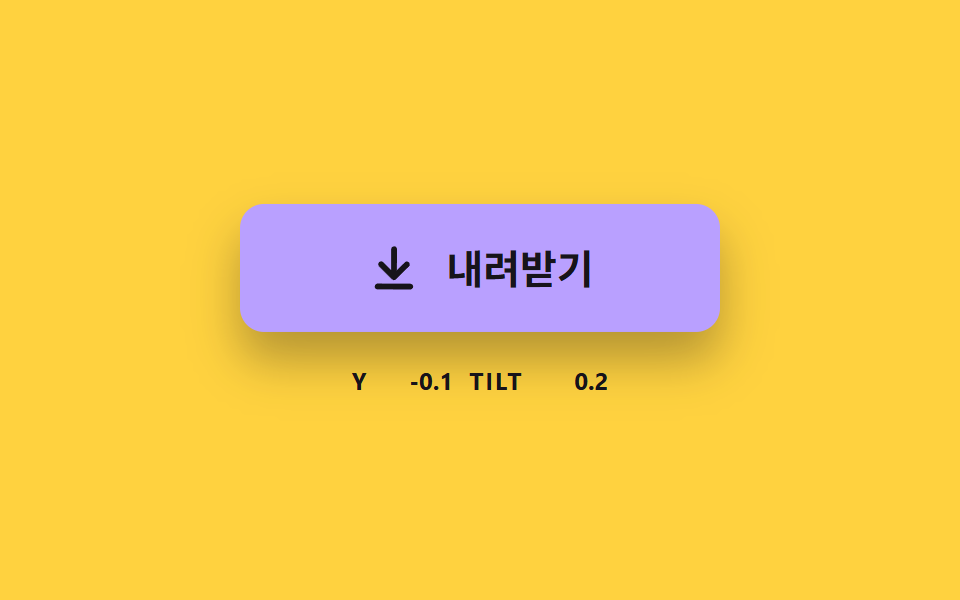 01 dlbtn-arrow-sink-spring
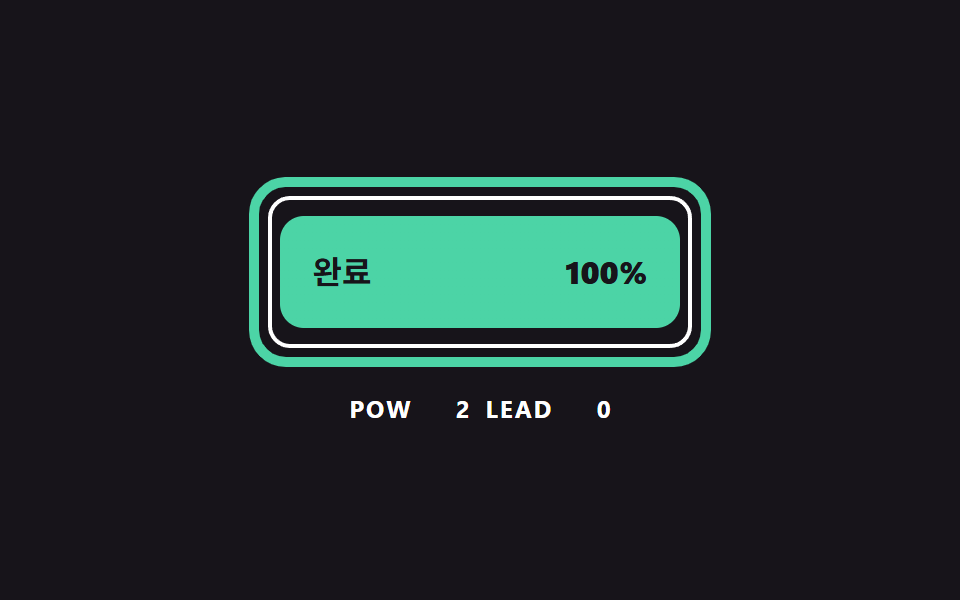 02 dlbtn-ring-progress-curve
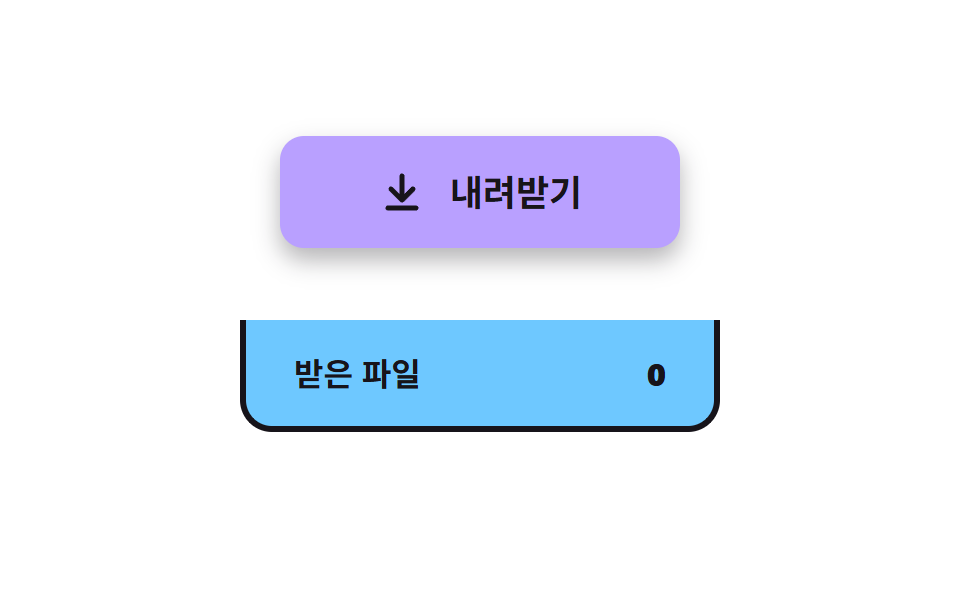 03 dlbtn-file-fly-tray
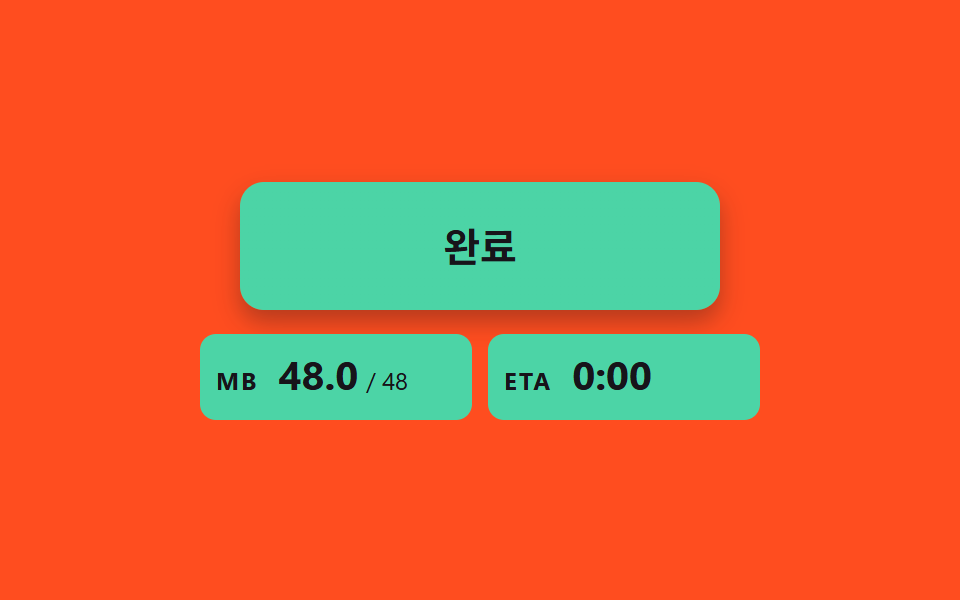 04 dlbtn-size-count-estimate
 05 dlbtn-liquid-level-wave
 06 dlbtn-check-stroke-morph
 07 dlbtn-format-split-menu
 08 dlbtn-error-retry-decay
 09 dlbtn-magnet-sheen-hover
Auto-plays · click a tile to jump to its section · all nine in one zip
- 01 An Arrow That Sinks and Springs Back
- 02 A Border Ring Filled by a Progress Curve
- 03 A File That Flies Into the Tray
- 04 A Chip That Counts Up the Received Size
- 05 A Liquid Level That Rises With Progress
- 06 A Finish Where the Arrow Becomes a Check by Stroke Length
- 07 A Split Button That Picks the Format
- 08 A Button That Fails, Decays and Retries
- 09 A Button That Leans to the Cursor and Gleams
CSS Download Button: 9 Demos Where Spring, Curve and Path Are Computed
The nine scenes are ordered the way a download unfolds. Scene 01 is the press, where the arrow sinks and springs back, and 02 fills a ring along a curve instead of a straight line. Scene 03 sends the file into a tray, 04 counts the received size up, and 05 raises a liquid level. Scene 06 turns the arrow into a check, 07 lets you pick a format from a split button, 08 shakes and retries after a failure, and 09 leans toward the cursor with a sheen.
Where These Buttons Fit
Any page that hands out a file with one click can use them, such as a resource library or a product page with a brochure. A page that serves large files needs the progress of 02 and 04 first, while a page where people collect several downloads wants the tray of 03. A document that exists in more than one format wants the split button of 07. In every case the state of the download is reduced to one number, and the shape on screen is calculated from that number.
How This Set Differs From Neighboring Posts
9 button state css patterns, loading to done covers how a button changes after the press, and Download Progress Bar: 9 Loading UI Patterns covers a list where files pile up while they download. This set hangs all nine scenes on one button and asks which calculation moves it through press, progress, arrival, completion and failure.
Code for Each Download Button Technique
Each scene is built on a native <button>, and the motion is painted from values that JS recomputes every frame in a requestAnimationFrame loop, so no CSS transition or keyframe is involved. If you were looking for download button css code to copy, the snippets are the exact source lines that do the moving, taken as one unbroken stretch from each scene and with the on-screen words switched to English. No library or CDN is loaded anywhere.
01An Arrow That Sinks and Springs Back
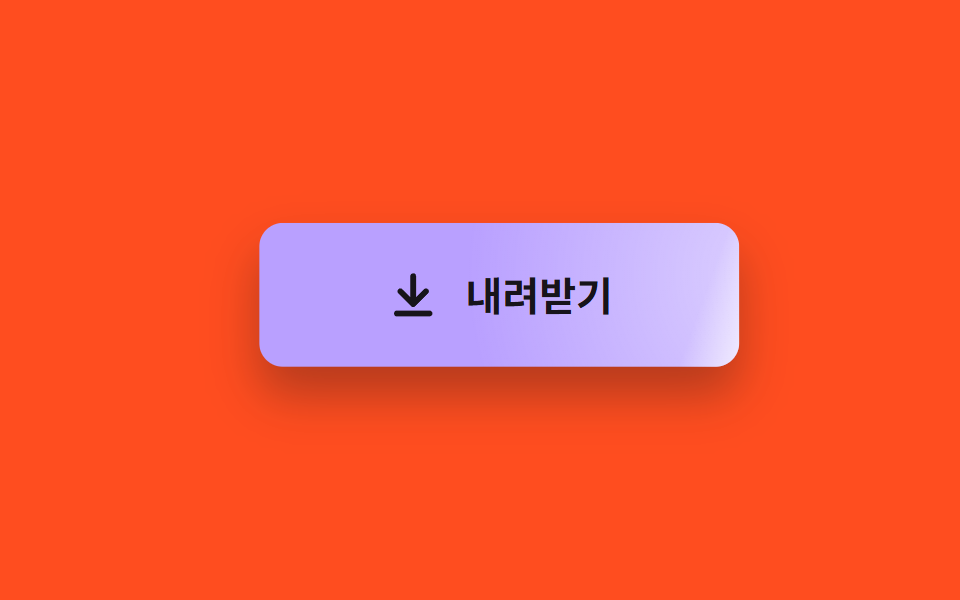
Pressing sinks the arrow by SINK_PX 10 and tilts it up to 14 degrees toward the horizontal spot where the press landed, and both values come from integrating a spring equation in steps of 8 ms or less. With SPRING_K 120 and SPRING_DAMP 9 the damping ratio is about 0.41, so the arrow passes its rest point by roughly 24% of the sink depth before settling. In the render it reached 13.3% cumulative area at a mean intensity of 72.3 and moved in 23/23 frames.
<main class="stage">
<div class="sk is-demo" id="skRoot">
  <button class="sk__btn" id="skBtn" type="button">
    <svg class="sk__icon" id="skIcon" viewBox="0 0 24 24" aria-hidden="true"><path d="M12 4v11M6.5 10.5 12 16l5.5-5.5M5 20h14"/></svg>
    <span>Download</span>
  </button>
  <p class="sk__meta"><span class="sk__tag">Y</span> <b id="skY">0.0</b> <span class="sk__tag">TILT</span> <b id="skTilt">0.0</b></p>
</div>
</main>
@use "../../../../site/static/demo-tokens" as *;
// 핵심: 눌림 깊이는 CSS transition 이 아니라 JS 가 스프링 방정식으로 적분한 값이다.
// 그 값 하나(--p)가 버튼 색 · 그림자 길이 · 화살표 위치를 함께 끈다.
$sink-face: $subject-lilac;
$sink-deep: $subject-pink;
@include stage($stage-yellow);
.sk {
width: min(100%, 280px);
display: grid;
gap: $sp-4;
justify-items: center;
}
.sk__btn {
--p: 0;
box-sizing: border-box;
width: 240px;
max-width: 100%;
height: 64px;
display: inline-flex;
align-items: center;
justify-content: center;
gap: $sp-3;
border: 0;
border-radius: $r-control;
background: color-mix(in srgb, #{$sink-face}, #{$sink-deep} calc(var(--p) * 100%));
box-shadow: 0 calc(14px - 8px * var(--p)) calc(24px - 12px * var(--p)) rgba($subject-ink, .32);
color: $subject-ink;
font-family: inherit;
font-size: 20px;
font-weight: 700;
line-height: 24px;
cursor: pointer;
}
.sk__btn:focus-visible { outline: 3px solid $subject-ink; outline-offset: 3px; }
.sk__icon {
width: 28px;
height: 28px;
fill: none;
stroke: currentColor;
stroke-width: 2.5;
stroke-linecap: round;
stroke-linejoin: round;
}
.sk__meta {
margin: 0;
display: flex;
align-items: baseline;
gap: $sp-2;
font-size: 12px;
line-height: 16px;
color: $subject-ink;
}
.sk__tag { font-weight: 700; letter-spacing: .08em; }
.sk__meta b { min-width: 5ch; text-align: right; font-variant-numeric: tabular-nums; }
@media (prefers-reduced-motion: reduce) {
.sk__btn { transition: none; }
}html, body {
margin: 0;
overflow: hidden;
}
.stage {
box-sizing: border-box;
min-height: 100vh;
display: grid;
place-items: center;
margin: 0;
background: #ffd23f;
font-family: -apple-system, "Segoe UI", "Noto Sans KR", sans-serif;
padding: clamp(8px, 4vw, 24px);
}
.sk {
width: min(100%, 280px);
display: grid;
gap: 16px;
justify-items: center;
}
.sk__btn {
--p: 0;
box-sizing: border-box;
width: 240px;
max-width: 100%;
height: 64px;
display: inline-flex;
align-items: center;
justify-content: center;
gap: 12px;
border: 0;
border-radius: 12px;
background: color-mix(in srgb, #b9a0ff, #ff9ebb calc(var(--p) * 100%));
box-shadow: 0 calc(14px - 8px * var(--p)) calc(24px - 12px * var(--p)) rgba(23, 20, 26, 0.32);
color: #17141a;
font-family: inherit;
font-size: 20px;
font-weight: 700;
line-height: 24px;
cursor: pointer;
}
.sk__btn:focus-visible {
outline: 3px solid #17141a;
outline-offset: 3px;
}
.sk__icon {
width: 28px;
height: 28px;
fill: none;
stroke: currentColor;
stroke-width: 2.5;
stroke-linecap: round;
stroke-linejoin: round;
}
.sk__meta {
margin: 0;
display: flex;
align-items: baseline;
gap: 8px;
font-size: 12px;
line-height: 16px;
color: #17141a;
}
.sk__tag {
font-weight: 700;
letter-spacing: 0.08em;
}
.sk__meta b {
min-width: 5ch;
text-align: right;
font-variant-numeric: tabular-nums;
}
@media (prefers-reduced-motion: reduce) {
.sk__btn {
transition: none;
}
}(function () {
// 기법: 눌림 깊이와 기울기를 스프링 방정식 x'' = -K (x - 목표) - D x' 로 매 프레임 적분한다.
// 감쇠가 약해서 화살표는 제자리를 지나쳤다가 한 번 더 출렁이고 멈춘다 (CSS transition 으로는 못 만드는 곡선).
var SINK_PX = 10;
var SPRING_K = 120;
var SPRING_DAMP = 9;
var TILT_MAX = 14;
var START_MS = 200;
var HOLD_MS = 560;
var CYCLE_MS = 2000;
var root = document.getElementById('skRoot');
var btn = document.getElementById('skBtn');
var icon = document.getElementById('skIcon');
var yEl = document.getElementById('skY');
var tiltEl = document.getElementById('skTilt');
var reduce = window.matchMedia('(prefers-reduced-motion: reduce)').matches;
var y = 0;
var vy = 0;
var tilt = 0;
var vt = 0;
var pressed = false;
var side = 0;
var t0 = null;
var lastTs = null;
function clamp(v, lo, hi) { return Math.max(lo, Math.min(hi, v)); }
function stopDemo() { root.classList.remove('is-demo'); }
function goal(now) {
if (root.classList.contains('is-demo') && now >= START_MS) {
var ph = (now - START_MS) % CYCLE_MS;
return { depth: ph < HOLD_MS ? SINK_PX : 0, lean: ph < HOLD_MS ? -0.8 : (ph < 1100 ? 0.8 : 0) };
}
return { depth: pressed ? SINK_PX : 0, lean: side };
}
  function integrate(dt, g) {
    var n = Math.ceil(dt / 0.008);
    var h = dt / n;
    for (var i = 0; i < n; i += 1) {
      vy += (-SPRING_K * (y - g.depth) - SPRING_DAMP * vy) * h;
      y += vy * h;
      vt += (-SPRING_K * (tilt - g.lean * TILT_MAX) - SPRING_DAMP * vt) * h;
      tilt += vt * h;
    }
  }

  function render() {
    var p = clamp(y / SINK_PX, -0.3, 1);
    icon.style.transform = 'translateY(' + y.toFixed(2) + 'px) rotate(' + tilt.toFixed(2) + 'deg)';
    btn.style.transform = 'translateY(' + (y * 0.3).toFixed(2) + 'px)';
    btn.style.setProperty('--p', p.toFixed(3));
    yEl.textContent = y.toFixed(1);
    tiltEl.textContent = tilt.toFixed(1);
  }
function snap() {
var g = goal(0);
y = g.depth; vy = 0; tilt = g.lean * TILT_MAX; vt = 0;
render();
}
function press() { stopDemo(); pressed = true; if (reduce) snap(); }
function release() { pressed = false; if (reduce) snap(); }
btn.addEventListener('pointerdown', function (e) {
var r = btn.getBoundingClientRect();
side = clamp((e.clientX - r.left - r.width / 2) / (r.width / 2), -1, 1);
press();
});
btn.addEventListener('pointerup', release);
btn.addEventListener('pointerleave', release);
btn.addEventListener('pointercancel', release);
btn.addEventListener('keydown', function (e) {
if ((e.key === 'Enter' || e.key === ' ') && !e.repeat) { side = 0; press(); }
});
btn.addEventListener('keyup', function (e) { if (e.key === 'Enter' || e.key === ' ') release(); });
btn.addEventListener('blur', release);
function tick(ts) {
if (t0 === null) t0 = ts;
var now = ts - t0;
var dt = lastTs === null ? 0.016 : Math.min(0.05, (ts - lastTs) / 1000);
lastTs = ts;
integrate(dt, goal(now));
render();
requestAnimationFrame(tick);
}
if (reduce) {
stopDemo();
render();
} else {
requestAnimationFrame(tick);
}
})();// SinkArrowButton — vanilla 판(01-dlbtn-arrow-sink-spring) 의 React 포트.
// 눌림 깊이와 기울기를 스프링 방정식으로 매 프레임 적분한다. CSS transition 은 쓰지 않는다.
import { useEffect, useRef } from "react";
import styles from "./SinkArrowButton.module.scss";
const SINK_PX = 10;
const SPRING_K = 120;
const SPRING_DAMP = 9;
const TILT_MAX = 14;
const START_MS = 200;
const HOLD_MS = 560;
const CYCLE_MS = 2000;
type Goal = { depth: number; lean: number };
function clamp(v: number, lo: number, hi: number): number {
return Math.max(lo, Math.min(hi, v));
}
export default function SinkArrowButton() {
const btnRef = useRef<HTMLButtonElement | null>(null);
const iconRef = useRef<SVGSVGElement | null>(null);
const yRef = useRef<HTMLElement | null>(null);
const tiltRef = useRef<HTMLElement | null>(null);
useEffect(() => {
const btn = btnRef.current;
const icon = iconRef.current;
const yEl = yRef.current;
const tiltEl = tiltRef.current;
if (!btn || !icon || !yEl || !tiltEl) return;
const reduce = window.matchMedia("(prefers-reduced-motion: reduce)").matches;
let demo = !reduce;
let y = 0;
let vy = 0;
let tilt = 0;
let vt = 0;
let pressed = false;
let side = 0;
let t0: number | null = null;
let lastTs: number | null = null;
let raf = 0;
const goal = (now: number): Goal => {
if (demo && now >= START_MS) {
const ph = (now - START_MS) % CYCLE_MS;
return { depth: ph < HOLD_MS ? SINK_PX : 0, lean: ph < HOLD_MS ? -0.8 : ph < 1100 ? 0.8 : 0 };
}
return { depth: pressed ? SINK_PX : 0, lean: side };
};
const integrate = (dt: number, g: Goal): void => {
const n = Math.ceil(dt / 0.008);
const h = dt / n;
for (let i = 0; i < n; i += 1) {
vy += (-SPRING_K * (y - g.depth) - SPRING_DAMP * vy) * h;
y += vy * h;
vt += (-SPRING_K * (tilt - g.lean * TILT_MAX) - SPRING_DAMP * vt) * h;
tilt += vt * h;
}
};
const render = (): void => {
const p = clamp(y / SINK_PX, -0.3, 1);
icon.style.transform = `translateY(${y.toFixed(2)}px) rotate(${tilt.toFixed(2)}deg)`;
btn.style.transform = `translateY(${(y * 0.3).toFixed(2)}px)`;
btn.style.setProperty("--p", p.toFixed(3));
yEl.textContent = y.toFixed(1);
tiltEl.textContent = tilt.toFixed(1);
};
const snap = (): void => {
const g = goal(0);
y = g.depth; vy = 0; tilt = g.lean * TILT_MAX; vt = 0;
render();
};
const press = (): void => { demo = false; pressed = true; if (reduce) snap(); };
const release = (): void => { pressed = false; if (reduce) snap(); };
const onDown = (e: PointerEvent): void => {
const r = btn.getBoundingClientRect();
side = clamp((e.clientX - r.left - r.width / 2) / (r.width / 2), -1, 1);
press();
};
const onKeyDown = (e: KeyboardEvent): void => {
if ((e.key === "Enter" || e.key === " ") && !e.repeat) { side = 0; press(); }
};
const onKeyUp = (e: KeyboardEvent): void => { if (e.key === "Enter" || e.key === " ") release(); };
btn.addEventListener("pointerdown", onDown);
btn.addEventListener("pointerup", release);
btn.addEventListener("pointerleave", release);
btn.addEventListener("pointercancel", release);
btn.addEventListener("keydown", onKeyDown);
btn.addEventListener("keyup", onKeyUp);
btn.addEventListener("blur", release);
function tick(ts: number): void {
if (t0 === null) t0 = ts;
const now = ts - t0;
const dt = lastTs === null ? 0.016 : Math.min(0.05, (ts - lastTs) / 1000);
lastTs = ts;
integrate(dt, goal(now));
render();
raf = requestAnimationFrame(tick);
}
if (reduce) render();
else raf = requestAnimationFrame(tick);
return () => {
cancelAnimationFrame(raf);
btn.removeEventListener("pointerdown", onDown);
btn.removeEventListener("pointerup", release);
btn.removeEventListener("pointerleave", release);
btn.removeEventListener("pointercancel", release);
btn.removeEventListener("keydown", onKeyDown);
btn.removeEventListener("keyup", onKeyUp);
btn.removeEventListener("blur", release);
};
}, []);
return (
<main className={styles.stage}>
<div className={styles.sk}>
<button className={styles.sk__btn} type="button" ref={btnRef}>
<svg className={styles.sk__icon} viewBox="0 0 24 24" aria-hidden="true" ref={iconRef}>
<path d="M12 4v11M6.5 10.5 12 16l5.5-5.5M5 20h14" />
</svg>
<span>내려받기</span>
</button>
<p className={styles.sk__meta}>
<span className={styles.sk__tag}>Y</span> <b ref={yRef}>0.0</b> <span className={styles.sk__tag}>TILT</span> <b ref={tiltRef}>0.0</b>
</p>
</div>
</main>
);
}01 · An Arrow That Sinks and Springs Back — Measured area 13.29% · moving frames 23/23Original by GODRICH · SCSS and React ship in the zip · See the password
function integrate(dt, g) {
var n = Math.ceil(dt / 0.008);
var h = dt / n;
for (var i = 0; i < n; i += 1) {
vy += (-SPRING_K * (y - g.depth) - SPRING_DAMP * vy) * h;
y += vy * h;
vt += (-SPRING_K * (tilt - g.lean * TILT_MAX) - SPRING_DAMP * vt) * h;
tilt += vt * h;
}
}
function render() {
var p = clamp(y / SINK_PX, -0.3, 1);
icon.style.transform = 'translateY(' + y.toFixed(2) + 'px) rotate(' + tilt.toFixed(2) + 'deg)';
btn.style.transform = 'translateY(' + (y * 0.3).toFixed(2) + 'px)';
btn.style.setProperty('--p', p.toFixed(3));
yEl.textContent = y.toFixed(1);
tiltEl.textContent = tilt.toFixed(1);
}
02A Border Ring Filled by a Progress Curve
A thick ring follows ringCurve(u) = 1 - (1 - u)^CURVE_POW while a thin inner ring follows the even progress u, and both are drawn by moving stroke-dashoffset on a path whose pathLength is 100. With CURVE_POW 2 the thick ring leads the thin one by at most 25 points, at u 0.5, and it never falls behind. Here the ring covered 11.1% cumulative area at an intensity of 117.5 and moved in 19/23 frames.
<main class="stage">
<div class="rg is-demo" id="rgRoot">
  <div class="rg__wrap" id="rgBar" role="progressbar" aria-labelledby="rgLabel" aria-valuemin="0" aria-valuemax="100" aria-valuenow="0" aria-valuetext="0%">
    <svg class="rg__svg" viewBox="0 0 232 96" aria-hidden="true">
      <rect class="rg__ghost" id="rgGhost" x="11" y="11" width="210" height="74" pathLength="100"/>
      <rect class="rg__ring" id="rgRing" x="3" y="3" width="226" height="90" pathLength="100"/>
    </svg>
    <button class="rg__btn" id="rgBtn" type="button"><span id="rgLabel">Download</span><b id="rgPct">0%</b></button>
  </div>
  <p class="rg__meta"><span class="rg__tag">POW</span> <b id="rgPow">2</b> <span class="rg__tag">LEAD</span> <b id="rgLead">0</b></p>
</div>
</main>
@use "../../../../site/static/demo-tokens" as *;
// 핵심: 링 길이는 SVG stroke-dashoffset, 값은 JS 가 곡선으로 계산한다. 버튼 안 채움도 같은 진행률(--f)을 쓴다.
$ring-face: $subject-sky;
$ring-fill: $subject-mint;
@include stage($stage-ink);
.rg {
width: min(100%, 280px);
display: grid;
gap: $sp-3;
justify-items: center;
}
.rg__wrap {
position: relative;
width: 232px;
max-width: 100%;
aspect-ratio: 232 / 96;
}
.rg__svg {
position: absolute;
inset: 0;
width: 100%;
height: 100%;
}
.rg__ring, .rg__ghost {
fill: none;
stroke-dasharray: 100 100;
stroke-dashoffset: 100;
stroke-linecap: round;
}
.rg__ring { stroke: $subject-mint; stroke-width: 5; }
.rg__ghost { stroke: $stage-paper; stroke-width: 2; }
.rg__btn {
--f: 0;
position: absolute;
left: 7%;
right: 7%;
top: 21%;
bottom: 21%;
box-sizing: border-box;
display: flex;
align-items: center;
justify-content: space-between;
padding: 0 $sp-4;
border: 0;
border-radius: $r-control;
background: linear-gradient(90deg, #{$ring-fill} calc(var(--f) * 100%), #{$ring-face} calc(var(--f) * 100%));
color: $subject-ink;
font-family: inherit;
font-size: 16px;
font-weight: 700;
line-height: 24px;
cursor: pointer;
}
.rg__btn:focus-visible { outline: 3px solid $stage-paper; outline-offset: 4px; }
.rg__btn b { font-variant-numeric: tabular-nums; }
.rg__meta {
margin: 0;
display: flex;
align-items: baseline;
gap: $sp-2;
font-size: 12px;
line-height: 16px;
color: $stage-paper;
}
.rg__tag { font-weight: 700; letter-spacing: .08em; }
.rg__meta b { min-width: 3ch; text-align: right; font-variant-numeric: tabular-nums; }
@media (prefers-reduced-motion: reduce) {
.rg__btn { transition: none; }
}html, body {
margin: 0;
overflow: hidden;
}
.stage {
box-sizing: border-box;
min-height: 100vh;
display: grid;
place-items: center;
margin: 0;
background: #17141a;
font-family: -apple-system, "Segoe UI", "Noto Sans KR", sans-serif;
padding: clamp(8px, 4vw, 24px);
}
.rg {
width: min(100%, 280px);
display: grid;
gap: 12px;
justify-items: center;
}
.rg__wrap {
position: relative;
width: 232px;
max-width: 100%;
aspect-ratio: 232/96;
}
.rg__svg {
position: absolute;
inset: 0;
width: 100%;
height: 100%;
}
.rg__ring, .rg__ghost {
fill: none;
stroke-dasharray: 100 100;
stroke-dashoffset: 100;
stroke-linecap: round;
}
.rg__ring {
stroke: #4cd4a6;
stroke-width: 5;
}
.rg__ghost {
stroke: #ffffff;
stroke-width: 2;
}
.rg__btn {
--f: 0;
position: absolute;
left: 7%;
right: 7%;
top: 21%;
bottom: 21%;
box-sizing: border-box;
display: flex;
align-items: center;
justify-content: space-between;
padding: 0 16px;
border: 0;
border-radius: 12px;
background: linear-gradient(90deg, #4cd4a6 calc(var(--f) * 100%), #6ec8ff calc(var(--f) * 100%));
color: #17141a;
font-family: inherit;
font-size: 16px;
font-weight: 700;
line-height: 24px;
cursor: pointer;
}
.rg__btn:focus-visible {
outline: 3px solid #ffffff;
outline-offset: 4px;
}
.rg__btn b {
font-variant-numeric: tabular-nums;
}
.rg__meta {
margin: 0;
display: flex;
align-items: baseline;
gap: 8px;
font-size: 12px;
line-height: 16px;
color: #ffffff;
}
.rg__tag {
font-weight: 700;
letter-spacing: 0.08em;
}
.rg__meta b {
min-width: 3ch;
text-align: right;
font-variant-numeric: tabular-nums;
}
@media (prefers-reduced-motion: reduce) {
.rg__btn {
transition: none;
}
}(function () {
// 기법: 진행률을 시간에 비례시키지 않고 곡선 p = 1 - (1 - u)^CURVE_POW 로 계산한다 (u 는 시간 비율).
// 굵은 링 = 곡선 진행률, 가는 안쪽 링 = 같은 시간의 균일 진행률. 둘의 차이(LEAD)가 곡선이 앞서는 만큼이다.
var CURVE_POW = 2;
var RING_R = 16;
var RUN_MS = 1400;
var START_MS = 200;
var CYCLE_MS = 2000;
var root = document.getElementById('rgRoot');
var bar = document.getElementById('rgBar');
var btn = document.getElementById('rgBtn');
var ring = document.getElementById('rgRing');
var ghost = document.getElementById('rgGhost');
var labelEl = document.getElementById('rgLabel');
var pctEl = document.getElementById('rgPct');
var powEl = document.getElementById('rgPow');
var leadEl = document.getElementById('rgLead');
var reduce = window.matchMedia('(prefers-reduced-motion: reduce)').matches;
var clock = 0;
var runStart = null;
var t0 = null;
var lastTs = null;
function ringCurve(u) { return 1 - Math.pow(1 - u, CURVE_POW); }
function stopDemo() { root.classList.remove('is-demo'); }
ring.setAttribute('rx', String(RING_R));
ghost.setAttribute('rx', String(RING_R - 6));
powEl.textContent = String(CURVE_POW);
function startOf(now) {
if (root.classList.contains('is-demo')) {
return now < START_MS ? null : START_MS + Math.floor((now - START_MS) / CYCLE_MS) * CYCLE_MS;
}
return runStart === 'done' ? null : runStart;
}
  function render(now) {
    var s = startOf(now);
    var u = s === null ? 0 : Math.max(0, Math.min(1, (now - s) / RUN_MS));
    if (reduce && runStart === 'done') u = 1;
    var p = ringCurve(u);
    var pct = Math.round(p * 100);
    ring.style.strokeDashoffset = String((100 - p * 100).toFixed(2));
    ghost.style.strokeDashoffset = String((100 - u * 100).toFixed(2));
    ring.style.opacity = p < 0.004 ? '0' : '1';
    ghost.style.opacity = u < 0.004 ? '0' : '1';
    btn.style.setProperty('--f', p.toFixed(3));
    pctEl.textContent = pct + '%';
    leadEl.textContent = String(Math.round((p - u) * 100));
    labelEl.textContent = u >= 1 ? 'Done' : (u > 0 ? 'Receiving' : 'Download');
    bar.setAttribute('aria-valuenow', String(pct));
    bar.setAttribute('aria-valuetext', pct + '%');
  }
function activate() {
stopDemo();
if (reduce) { runStart = 'done'; render(clock); return; }
if (runStart !== null && runStart !== 'done' && clock - runStart < RUN_MS) return;
runStart = clock;
}
btn.addEventListener('click', activate);
function tick(ts) {
if (t0 === null) t0 = ts;
clock = ts - t0;
lastTs = ts;
render(clock);
requestAnimationFrame(tick);
}
if (reduce) {
stopDemo();
render(0);
} else {
requestAnimationFrame(tick);
}
})();// RingProgressButton — vanilla 판(02-dlbtn-ring-progress-curve) 의 React 포트.
// 진행률은 곡선 p = 1 - (1 - u)^CURVE_POW 로 계산한다. 굵은 링 = 곡선, 가는 링 = 같은 시간의 균일 진행률.
import { useEffect, useRef } from "react";
import styles from "./RingProgressButton.module.scss";
const CURVE_POW = 2;
const RING_R = 16;
const RUN_MS = 1400;
const START_MS = 200;
const CYCLE_MS = 2000;
type Start = number | "done" | null;
function ringCurve(u: number): number {
return 1 - Math.pow(1 - u, CURVE_POW);
}
export default function RingProgressButton() {
const barRef = useRef<HTMLDivElement | null>(null);
const btnRef = useRef<HTMLButtonElement | null>(null);
const ringRef = useRef<SVGRectElement | null>(null);
const ghostRef = useRef<SVGRectElement | null>(null);
const labelRef = useRef<HTMLSpanElement | null>(null);
const pctRef = useRef<HTMLElement | null>(null);
const leadRef = useRef<HTMLElement | null>(null);
useEffect(() => {
const bar = barRef.current;
const btn = btnRef.current;
const ring = ringRef.current;
const ghost = ghostRef.current;
const labelEl = labelRef.current;
const pctEl = pctRef.current;
const leadEl = leadRef.current;
if (!bar || !btn || !ring || !ghost || !labelEl || !pctEl || !leadEl) return;
const reduce = window.matchMedia("(prefers-reduced-motion: reduce)").matches;
let demo = !reduce;
let clock = 0;
let runStart: Start = null;
let t0: number | null = null;
let raf = 0;
ring.setAttribute("rx", String(RING_R));
ghost.setAttribute("rx", String(RING_R - 6));
const startOf = (now: number): number | null => {
if (demo) return now < START_MS ? null : START_MS + Math.floor((now - START_MS) / CYCLE_MS) * CYCLE_MS;
return runStart === "done" ? null : runStart;
};
const render = (now: number): void => {
const s = startOf(now);
let u = s === null ? 0 : Math.max(0, Math.min(1, (now - s) / RUN_MS));
if (reduce && runStart === "done") u = 1;
const p = ringCurve(u);
const pct = Math.round(p * 100);
ring.style.strokeDashoffset = (100 - p * 100).toFixed(2);
ghost.style.strokeDashoffset = (100 - u * 100).toFixed(2);
ring.style.opacity = p < 0.004 ? "0" : "1";
ghost.style.opacity = u < 0.004 ? "0" : "1";
btn.style.setProperty("--f", p.toFixed(3));
pctEl.textContent = pct + "%";
leadEl.textContent = String(Math.round((p - u) * 100));
labelEl.textContent = u >= 1 ? "완료" : u > 0 ? "받는 중" : "내려받기";
bar.setAttribute("aria-valuenow", String(pct));
bar.setAttribute("aria-valuetext", pct + "%");
};
const activate = (): void => {
demo = false;
if (reduce) { runStart = "done"; render(clock); return; }
if (typeof runStart === "number" && clock - runStart < RUN_MS) return;
runStart = clock;
};
btn.addEventListener("click", activate);
function tick(ts: number): void {
if (t0 === null) t0 = ts;
clock = ts - t0;
render(clock);
raf = requestAnimationFrame(tick);
}
if (reduce) render(0);
else raf = requestAnimationFrame(tick);
return () => {
cancelAnimationFrame(raf);
btn.removeEventListener("click", activate);
};
}, []);
return (
<main className={styles.stage}>
<div className={styles.rg}>
<div className={styles.rg__wrap} ref={barRef} role="progressbar" aria-labelledby="rgLabel" aria-valuemin={0} aria-valuemax={100} aria-valuenow={0} aria-valuetext="0%">
<svg className={styles.rg__svg} viewBox="0 0 232 96" aria-hidden="true">
<rect className={styles.rg__ghost} ref={ghostRef} x="11" y="11" width="210" height="74" pathLength="100" />
<rect className={styles.rg__ring} ref={ringRef} x="3" y="3" width="226" height="90" pathLength="100" />
</svg>
<button className={styles.rg__btn} type="button" ref={btnRef}>
<span id="rgLabel" ref={labelRef}>내려받기</span>
<b ref={pctRef}>0%</b>
</button>
</div>
<p className={styles.rg__meta}>
<span className={styles.rg__tag}>POW</span> <b>{CURVE_POW}</b> <span className={styles.rg__tag}>LEAD</span> <b ref={leadRef}>0</b>
</p>
</div>
</main>
);
}02 · A Border Ring Filled by a Progress Curve — Measured area 11.07% · moving frames 19/23Original by GODRICH · SCSS and React ship in the zip · See the password
function render(now) {
var s = startOf(now);
var u = s === null ? 0 : Math.max(0, Math.min(1, (now - s) / RUN_MS));
if (reduce && runStart === 'done') u = 1;
var p = ringCurve(u);
var pct = Math.round(p * 100);
ring.style.strokeDashoffset = String((100 - p * 100).toFixed(2));
ghost.style.strokeDashoffset = String((100 - u * 100).toFixed(2));
ring.style.opacity = p < 0.004 ? '0' : '1';
ghost.style.opacity = u < 0.004 ? '0' : '1';
btn.style.setProperty('--f', p.toFixed(3));
pctEl.textContent = pct + '%';
leadEl.textContent = String(Math.round((p - u) * 100));
labelEl.textContent = u >= 1 ? 'Done' : (u > 0 ? 'Receiving' : 'Download');
bar.setAttribute('aria-valuenow', String(pct));
bar.setAttribute('aria-valuetext', pct + '%');
}
03A File That Flies Into the Tray
The file icon follows a quadratic Bezier path over FLY_MS 700, bending by at most ARC_HEIGHT 56 px, while it turns up to 28 degrees and shrinks from full size to 0.55. On arrival the tray is pushed down by TRAY_BOUNCE 14 px and a spring with a damping ratio of about 0.37 brings it back, so it makes several decaying bounces rather than one. This scene measured 11.8% cumulative area, intensity 101.2 and 21/23 moving frames.
<main class="stage">
<div class="fl is-demo" id="flRoot">
  <button class="fl__btn" id="flBtn" type="button">
    <svg class="fl__icon" viewBox="0 0 24 24" aria-hidden="true"><path d="M12 4v11M6.5 10.5 12 16l5.5-5.5M5 20h14"/></svg>
    <span>Download</span>
  </button>
  <svg class="fl__file" id="flFile" viewBox="0 0 24 24" aria-hidden="true"><path d="M7 3h7l5 5v13H7zM14 3v5h5"/></svg>
  <div class="fl__tray" id="flTray" role="status"><span>Received</span><b id="flCount">0</b></div>
</div>
</main>
@use "../../../../site/static/demo-tokens" as *;
// 핵심: 파일은 JS 가 베지어 곡선 위 좌표를 계산해 transform 으로 옮긴다. 도착한 순간 트레이가 스프링으로 튄다.
$fly-face: $subject-lilac;
$fly-tray: $subject-sky;
$fly-land: $subject-mint;
@include stage($stage-paper);
.fl {
position: relative;
width: 240px;
max-width: 100%;
height: 164px;
}
.fl__btn {
position: absolute;
left: 20px;
right: 20px;
top: 0;
box-sizing: border-box;
height: 56px;
display: flex;
align-items: center;
justify-content: center;
gap: $sp-3;
border: 0;
border-radius: $r-control;
background: $fly-face;
box-shadow: $shadow-press;
color: $subject-ink;
font-family: inherit;
font-size: 18px;
font-weight: 700;
line-height: 24px;
cursor: pointer;
}
.fl__btn:focus-visible { outline: 3px solid $subject-ink; outline-offset: 3px; }
.fl__icon {
width: 24px;
height: 24px;
fill: none;
stroke: currentColor;
stroke-width: 2.5;
stroke-linecap: round;
stroke-linejoin: round;
}
.fl__file {
position: absolute;
left: 0;
top: 0;
width: 28px;
height: 28px;
opacity: 0;
fill: $stage-paper;
stroke: $subject-ink;
stroke-width: 2;
stroke-linejoin: round;
pointer-events: none;
}
.fl__tray {
--h: 0;
position: absolute;
left: 0;
right: 0;
top: 92px;
box-sizing: border-box;
height: 56px;
display: flex;
align-items: center;
justify-content: space-between;
padding: 0 $sp-6;
border: 3px solid $subject-ink;
border-top-width: 0;
border-radius: 0 0 $r-card $r-card;
background: color-mix(in srgb, #{$fly-tray}, #{$fly-land} calc(var(--h) * 100%));
color: $subject-ink;
font-size: 16px;
font-weight: 700;
line-height: 24px;
}
.fl__tray b { min-width: 3ch; text-align: right; font-variant-numeric: tabular-nums; }
@media (prefers-reduced-motion: reduce) {
.fl__tray { transition: none; }
}html, body {
margin: 0;
overflow: hidden;
}
.stage {
box-sizing: border-box;
min-height: 100vh;
display: grid;
place-items: center;
margin: 0;
background: #ffffff;
font-family: -apple-system, "Segoe UI", "Noto Sans KR", sans-serif;
padding: clamp(8px, 4vw, 24px);
}
.fl {
position: relative;
width: 240px;
max-width: 100%;
height: 164px;
}
.fl__btn {
position: absolute;
left: 20px;
right: 20px;
top: 0;
box-sizing: border-box;
height: 56px;
display: flex;
align-items: center;
justify-content: center;
gap: 12px;
border: 0;
border-radius: 12px;
background: #b9a0ff;
box-shadow: 0 6px 12px rgba(23, 20, 26, 0.32);
color: #17141a;
font-family: inherit;
font-size: 18px;
font-weight: 700;
line-height: 24px;
cursor: pointer;
}
.fl__btn:focus-visible {
outline: 3px solid #17141a;
outline-offset: 3px;
}
.fl__icon {
width: 24px;
height: 24px;
fill: none;
stroke: currentColor;
stroke-width: 2.5;
stroke-linecap: round;
stroke-linejoin: round;
}
.fl__file {
position: absolute;
left: 0;
top: 0;
width: 28px;
height: 28px;
opacity: 0;
fill: #ffffff;
stroke: #17141a;
stroke-width: 2;
stroke-linejoin: round;
pointer-events: none;
}
.fl__tray {
--h: 0;
position: absolute;
left: 0;
right: 0;
top: 92px;
box-sizing: border-box;
height: 56px;
display: flex;
align-items: center;
justify-content: space-between;
padding: 0 24px;
border: 3px solid #17141a;
border-top-width: 0;
border-radius: 0 0 16px 16px;
background: color-mix(in srgb, #6ec8ff, #4cd4a6 calc(var(--h) * 100%));
color: #17141a;
font-size: 16px;
font-weight: 700;
line-height: 24px;
}
.fl__tray b {
min-width: 3ch;
text-align: right;
font-variant-numeric: tabular-nums;
}
@media (prefers-reduced-motion: reduce) {
.fl__tray {
transition: none;
}
}(function () {
// 기법: 파일 아이콘은 2차 베지어 곡선 B(t) = (1-t)^2 P0 + 2(1-t)t P1 + t^2 P2 위를 날아간다.
// 제어점 P1 을 옆으로 ARC_HEIGHT 만큼 밀어 활처럼 휘게 하고, 도착하면 트레이를 TRAY_BOUNCE 만큼 눌러 스프링으로 되돌린다.
var FLY_MS = 700;
var ARC_HEIGHT = 56;
var TRAY_BOUNCE = 14;
var TRAY_K = 180;
var TRAY_DAMP = 10;
var START_MS = 200;
var CYCLE_MS = 2000;
var root = document.getElementById('flRoot');
var btn = document.getElementById('flBtn');
var file = document.getElementById('flFile');
var tray = document.getElementById('flTray');
var countEl = document.getElementById('flCount');
var reduce = window.matchMedia('(prefers-reduced-motion: reduce)').matches;
var clock = 0;
var flightStart = null;
var count = 0;
var ty = 0;
var tv = 0;
var lastCycle = -1;
var t0 = null;
var lastTs = null;
function stopDemo() { root.classList.remove('is-demo'); }
function ease(t) { return t < 0.5 ? 4 * t * t * t : 1 - Math.pow(-2 * t + 2, 3) / 2; }
function geometry() {
var w = root.clientWidth;
var b = btn.offsetTop + btn.offsetHeight / 2;
var tr = tray.offsetTop + tray.offsetHeight / 2;
return { x: w / 2, y0: b, y2: tr };
}
function land() {
count += 1;
ty = TRAY_BOUNCE;
tv = 0;
flightStart = null;
}
  function renderFile(now) {
    if (flightStart === null) { file.style.opacity = '0'; return; }
    var t = Math.min(1, (now - flightStart) / FLY_MS);
    var e = ease(t);
    var g = geometry();
    var cx = g.x + 2 * ARC_HEIGHT;
    var cy = (g.y0 + g.y2) / 2;
    var x = (1 - e) * (1 - e) * g.x + 2 * (1 - e) * e * cx + e * e * g.x;
    var y = (1 - e) * (1 - e) * g.y0 + 2 * (1 - e) * e * cy + e * e * g.y2;
    var rot = 28 * Math.sin(Math.PI * e);
    var sc = 1 - 0.45 * e;
    file.style.opacity = t > 0.9 ? String((1 - t) * 10) : '1';
    file.style.transform = 'translate(' + (x - 14).toFixed(1) + 'px,' + (y - 14).toFixed(1) + 'px) rotate(' + rot.toFixed(1) + 'deg) scale(' + sc.toFixed(3) + ')';
  }

  function renderTray() {
    tray.style.transform = 'translateY(' + ty.toFixed(2) + 'px)';
    tray.style.setProperty('--h', Math.max(0, Math.min(1, ty / TRAY_BOUNCE)).toFixed(3));
    countEl.textContent = String(count);
  }
function activate() {
stopDemo();
if (reduce) { count += 1; renderTray(); return; }
if (flightStart === null) flightStart = clock;
}
btn.addEventListener('click', activate);
function tick(ts) {
if (t0 === null) t0 = ts;
clock = ts - t0;
var dt = lastTs === null ? 0.016 : Math.min(0.05, (ts - lastTs) / 1000);
lastTs = ts;
if (root.classList.contains('is-demo') && clock >= START_MS) {
var cyc = Math.floor((clock - START_MS) / CYCLE_MS);
if (cyc > lastCycle) { lastCycle = cyc; count = 0; flightStart = START_MS + cyc * CYCLE_MS; }
}
if (flightStart !== null && clock - flightStart >= FLY_MS) land();
var n = Math.ceil(dt / 0.008);
var h = dt / n;
for (var i = 0; i < n; i += 1) {
tv += (-TRAY_K * ty - TRAY_DAMP * tv) * h;
ty += tv * h;
}
renderFile(clock);
renderTray();
requestAnimationFrame(tick);
}
if (reduce) {
stopDemo();
renderTray();
} else {
requestAnimationFrame(tick);
}
})();// FlyTrayButton — vanilla 판(03-dlbtn-file-fly-tray) 의 React 포트.
// 파일 아이콘은 2차 베지어 곡선 위를 날고, 도착하면 트레이가 TRAY_BOUNCE 만큼 눌렸다가 스프링으로 돌아온다.
import { useEffect, useRef } from "react";
import styles from "./FlyTrayButton.module.scss";
const FLY_MS = 700;
const ARC_HEIGHT = 56;
const TRAY_BOUNCE = 14;
const TRAY_K = 180;
const TRAY_DAMP = 10;
const START_MS = 200;
const CYCLE_MS = 2000;
function ease(t: number): number {
return t < 0.5 ? 4 * t * t * t : 1 - Math.pow(-2 * t + 2, 3) / 2;
}
export default function FlyTrayButton() {
const rootRef = useRef<HTMLDivElement | null>(null);
const btnRef = useRef<HTMLButtonElement | null>(null);
const fileRef = useRef<SVGSVGElement | null>(null);
const trayRef = useRef<HTMLDivElement | null>(null);
const countRef = useRef<HTMLElement | null>(null);
useEffect(() => {
const root = rootRef.current;
const btn = btnRef.current;
const file = fileRef.current;
const tray = trayRef.current;
const countEl = countRef.current;
if (!root || !btn || !file || !tray || !countEl) return;
const reduce = window.matchMedia("(prefers-reduced-motion: reduce)").matches;
let demo = !reduce;
let clock = 0;
let flightStart: number | null = null;
let count = 0;
let ty = 0;
let tv = 0;
let lastCycle = -1;
let t0: number | null = null;
let lastTs: number | null = null;
let raf = 0;
const land = (): void => { count += 1; ty = TRAY_BOUNCE; tv = 0; flightStart = null; };
const renderFile = (now: number): void => {
if (flightStart === null) { file.style.opacity = "0"; return; }
const t = Math.min(1, (now - flightStart) / FLY_MS);
const e = ease(t);
const gx = root.clientWidth / 2;
const y0 = btn.offsetTop + btn.offsetHeight / 2;
const y2 = tray.offsetTop + tray.offsetHeight / 2;
const cx = gx + 2 * ARC_HEIGHT;
const cy = (y0 + y2) / 2;
const x = (1 - e) * (1 - e) * gx + 2 * (1 - e) * e * cx + e * e * gx;
const y = (1 - e) * (1 - e) * y0 + 2 * (1 - e) * e * cy + e * e * y2;
const rot = 28 * Math.sin(Math.PI * e);
const sc = 1 - 0.45 * e;
file.style.opacity = t > 0.9 ? String((1 - t) * 10) : "1";
file.style.transform = `translate(${(x - 14).toFixed(1)}px,${(y - 14).toFixed(1)}px) rotate(${rot.toFixed(1)}deg) scale(${sc.toFixed(3)})`;
};
const renderTray = (): void => {
tray.style.transform = `translateY(${ty.toFixed(2)}px)`;
tray.style.setProperty("--h", Math.max(0, Math.min(1, ty / TRAY_BOUNCE)).toFixed(3));
countEl.textContent = String(count);
};
const activate = (): void => {
demo = false;
if (reduce) { count += 1; renderTray(); return; }
if (flightStart === null) flightStart = clock;
};
btn.addEventListener("click", activate);
function tick(ts: number): void {
if (t0 === null) t0 = ts;
clock = ts - t0;
const dt = lastTs === null ? 0.016 : Math.min(0.05, (ts - lastTs) / 1000);
lastTs = ts;
if (demo && clock >= START_MS) {
const cyc = Math.floor((clock - START_MS) / CYCLE_MS);
if (cyc > lastCycle) { lastCycle = cyc; count = 0; flightStart = START_MS + cyc * CYCLE_MS; }
}
if (flightStart !== null && clock - flightStart >= FLY_MS) land();
const n = Math.ceil(dt / 0.008);
const h = dt / n;
for (let i = 0; i < n; i += 1) {
tv += (-TRAY_K * ty - TRAY_DAMP * tv) * h;
ty += tv * h;
}
renderFile(clock);
renderTray();
raf = requestAnimationFrame(tick);
}
if (reduce) renderTray();
else raf = requestAnimationFrame(tick);
return () => {
cancelAnimationFrame(raf);
btn.removeEventListener("click", activate);
};
}, []);
return (
<main className={styles.stage}>
<div className={styles.fl} ref={rootRef}>
<button className={styles.fl__btn} type="button" ref={btnRef}>
<svg className={styles.fl__icon} viewBox="0 0 24 24" aria-hidden="true">
<path d="M12 4v11M6.5 10.5 12 16l5.5-5.5M5 20h14" />
</svg>
<span>내려받기</span>
</button>
<svg className={styles.fl__file} viewBox="0 0 24 24" aria-hidden="true" ref={fileRef}>
<path d="M7 3h7l5 5v13H7zM14 3v5h5" />
</svg>
<div className={styles.fl__tray} role="status" ref={trayRef}>
<span>받은 파일</span>
<b ref={countRef}>0</b>
</div>
</div>
</main>
);
}03 · A File That Flies Into the Tray — Measured area 11.791% · moving frames 21/23Original by GODRICH · SCSS and React ship in the zip · See the password
function renderFile(now) {
if (flightStart === null) { file.style.opacity = '0'; return; }
var t = Math.min(1, (now - flightStart) / FLY_MS);
var e = ease(t);
var g = geometry();
var cx = g.x + 2 * ARC_HEIGHT;
var cy = (g.y0 + g.y2) / 2;
var x = (1 - e) * (1 - e) * g.x + 2 * (1 - e) * e * cx + e * e * g.x;
var y = (1 - e) * (1 - e) * g.y0 + 2 * (1 - e) * e * cy + e * e * g.y2;
var rot = 28 * Math.sin(Math.PI * e);
var sc = 1 - 0.45 * e;
file.style.opacity = t > 0.9 ? String((1 - t) * 10) : '1';
file.style.transform = 'translate(' + (x - 14).toFixed(1) + 'px,' + (y - 14).toFixed(1) + 'px) rotate(' + rot.toFixed(1) + 'deg) scale(' + sc.toFixed(3) + ')';
}
function renderTray() {
tray.style.transform = 'translateY(' + ty.toFixed(2) + 'px)';
tray.style.setProperty('--h', Math.max(0, Math.min(1, ty / TRAY_BOUNCE)).toFixed(3));
countEl.textContent = String(count);
}
04A Chip That Counts Up the Received Size
The received size is TARGET_MB x (1 - (1 - u)^COUNT_EASE), so the number climbs fast and slows near the end, and the time left is the remaining amount divided by the average speed so far. The 48 MB and 2 minutes are constants chosen for the demo, not a measured network. It scored 18.6% cumulative area at an intensity of 80.9 and moved in 19/23 frames.
<main class="stage">
<div class="sz is-demo" id="szRoot">
  <button class="sz__btn" id="szBtn" type="button"><span id="szLabel">Download</span></button>
  <div class="sz__chips">
    <p class="sz__chip"><span class="sz__tag">MB</span> <b id="szGot">0.0</b><span class="sz__of">/ 48</span></p>
    <p class="sz__chip"><span class="sz__tag">ETA</span> <b id="szEta">--:--</b></p>
  </div>
  <p class="sz__sr" id="szStatus" role="status"></p>
</div>
</main>
@use "../../../../site/static/demo-tokens" as *;
// 핵심: 숫자 두 개(받은 크기 · 남은 시간)와 버튼 안 채움이 같은 계산값 하나에서 나온다.
$sz-face: $subject-lilac;
$sz-fill: $subject-mint;
@include stage($stage-orange);
.sz {
--f: 0;
width: min(100%, 280px);
display: grid;
gap: $sp-3;
justify-items: center;
}
.sz__btn {
box-sizing: border-box;
width: 240px;
max-width: 100%;
height: 64px;
border: 0;
border-radius: $r-control;
background: linear-gradient(90deg, #{$sz-fill} calc(var(--f) * 100%), #{$sz-face} calc(var(--f) * 100%));
box-shadow: $shadow-press;
color: $subject-ink;
font-family: inherit;
font-size: 20px;
font-weight: 700;
line-height: 24px;
cursor: pointer;
}
.sz__btn:focus-visible { outline: 3px solid $subject-ink; outline-offset: 3px; }
.sz__chips {
width: 100%;
display: grid;
grid-template-columns: 1fr 1fr;
gap: $sp-2;
}
.sz__chip {
margin: 0;
box-sizing: border-box;
display: flex;
align-items: baseline;
gap: $sp-1;
padding: $sp-2;
border-radius: $r-sm;
background: color-mix(in srgb, #{$subject-cream}, #{$sz-fill} calc(var(--f) * 100%));
color: $subject-ink;
font-size: 14px;
line-height: 24px;
}
.sz__tag { font-size: 12px; font-weight: 700; letter-spacing: .08em; }
.sz__chip b { min-width: 4ch; font-size: 20px; text-align: right; font-variant-numeric: tabular-nums; }
.sz__of { font-size: 12px; }
.sz__sr {
position: absolute;
width: 1px;
height: 1px;
margin: -1px;
overflow: hidden;
clip-path: inset(50%);
white-space: nowrap;
}
@media (prefers-reduced-motion: reduce) {
.sz__btn { transition: none; }
}html, body {
margin: 0;
overflow: hidden;
}
.stage {
box-sizing: border-box;
min-height: 100vh;
display: grid;
place-items: center;
margin: 0;
background: #ff4d1f;
font-family: -apple-system, "Segoe UI", "Noto Sans KR", sans-serif;
padding: clamp(8px, 4vw, 24px);
}
.sz {
--f: 0;
width: min(100%, 280px);
display: grid;
gap: 12px;
justify-items: center;
}
.sz__btn {
box-sizing: border-box;
width: 240px;
max-width: 100%;
height: 64px;
border: 0;
border-radius: 12px;
background: linear-gradient(90deg, #4cd4a6 calc(var(--f) * 100%), #b9a0ff calc(var(--f) * 100%));
box-shadow: 0 6px 12px rgba(23, 20, 26, 0.32);
color: #17141a;
font-family: inherit;
font-size: 20px;
font-weight: 700;
line-height: 24px;
cursor: pointer;
}
.sz__btn:focus-visible {
outline: 3px solid #17141a;
outline-offset: 3px;
}
.sz__chips {
width: 100%;
display: grid;
grid-template-columns: 1fr 1fr;
gap: 8px;
}
.sz__chip {
margin: 0;
box-sizing: border-box;
display: flex;
align-items: baseline;
gap: 4px;
padding: 8px;
border-radius: 8px;
background: color-mix(in srgb, #fff7e6, #4cd4a6 calc(var(--f) * 100%));
color: #17141a;
font-size: 14px;
line-height: 24px;
}
.sz__tag {
font-size: 12px;
font-weight: 700;
letter-spacing: 0.08em;
}
.sz__chip b {
min-width: 4ch;
font-size: 20px;
text-align: right;
font-variant-numeric: tabular-nums;
}
.sz__of {
font-size: 12px;
}
.sz__sr {
position: absolute;
width: 1px;
height: 1px;
margin: -1px;
overflow: hidden;
clip-path: inset(50%);
white-space: nowrap;
}
@media (prefers-reduced-motion: reduce) {
.sz__btn {
transition: none;
}
}(function () {
// 기법: 받은 크기 = TARGET_MB x (1 - (1 - u)^COUNT_EASE) 로 감속하며 올라간다 (u 는 시간 비율).
// 남은 시간 = 남은 양 / 지금까지의 평균 속도. 평균 속도가 시간에 따라 변하므로 ETA 는 시작 때 가장 크고 끝에서 0 이 된다.
var TARGET_MB = 48;
var ETA_MIN = 2;
var COUNT_EASE = 3;
var RUN_MS = 1500;
var START_MS = 200;
var CYCLE_MS = 2000;
var root = document.getElementById('szRoot');
var btn = document.getElementById('szBtn');
var labelEl = document.getElementById('szLabel');
var gotEl = document.getElementById('szGot');
var etaEl = document.getElementById('szEta');
var statusEl = document.getElementById('szStatus');
var reduce = window.matchMedia('(prefers-reduced-motion: reduce)').matches;
var clock = 0;
var runStart = null;
var finished = false;
var announced = false;
var t0 = null;
function stopDemo() { root.classList.remove('is-demo'); }
function two(n) { return n < 10 ? '0' + n : String(n); }
function startOf(now) {
if (root.classList.contains('is-demo')) {
return now < START_MS ? null : START_MS + Math.floor((now - START_MS) / CYCLE_MS) * CYCLE_MS;
}
return runStart;
}
  function render(now) {
    var s = startOf(now);
    var u = s === null ? 0 : Math.max(0, Math.min(1, (now - s) / RUN_MS));
    if (reduce && finished) u = 1;
    var got = TARGET_MB * (1 - Math.pow(1 - u, COUNT_EASE));
    var eta = '--:--';
    if (u > 0) {
      var elapsedSec = Math.max(u, 0.004) * ETA_MIN * 60;
      var avg = Math.max(got, 0.01) / elapsedSec;
      var left = Math.round((TARGET_MB - got) / avg);
      eta = Math.floor(left / 60) + ':' + two(left % 60);
    }
    root.style.setProperty('--f', (got / TARGET_MB).toFixed(3));
    gotEl.textContent = got.toFixed(1);
    etaEl.textContent = eta;
    labelEl.textContent = u >= 1 ? 'Done' : (u > 0 ? 'Receiving' : 'Download');
    if (u >= 1 && !announced) { announced = true; statusEl.textContent = 'Download complete'; }
    if (u < 1 && announced) { announced = false; statusEl.textContent = ''; }
  }
function activate() {
stopDemo();
if (reduce) { finished = true; render(clock); return; }
if (runStart !== null && clock - runStart < RUN_MS) return;
runStart = clock;
}
btn.addEventListener('click', activate);
function tick(ts) {
if (t0 === null) t0 = ts;
clock = ts - t0;
render(clock);
requestAnimationFrame(tick);
}
if (reduce) {
stopDemo();
render(0);
} else {
requestAnimationFrame(tick);
}
})();// SizeCountButton — vanilla 판(04-dlbtn-size-count-estimate) 의 React 포트.
// 받은 크기는 TARGET_MB x (1 - (1 - u)^COUNT_EASE) 로 감속하며 오르고, 남은 시간은 남은 양 / 평균 속도 로 계산한다.
import { useEffect, useRef } from "react";
import styles from "./SizeCountButton.module.scss";
const TARGET_MB = 48;
const ETA_MIN = 2;
const COUNT_EASE = 3;
const RUN_MS = 1500;
const START_MS = 200;
const CYCLE_MS = 2000;
function two(n: number): string {
return n < 10 ? "0" + n : String(n);
}
export default function SizeCountButton() {
const rootRef = useRef<HTMLDivElement | null>(null);
const btnRef = useRef<HTMLButtonElement | null>(null);
const labelRef = useRef<HTMLSpanElement | null>(null);
const gotRef = useRef<HTMLElement | null>(null);
const etaRef = useRef<HTMLElement | null>(null);
const statusRef = useRef<HTMLParagraphElement | null>(null);
useEffect(() => {
const root = rootRef.current;
const btn = btnRef.current;
const labelEl = labelRef.current;
const gotEl = gotRef.current;
const etaEl = etaRef.current;
const statusEl = statusRef.current;
if (!root || !btn || !labelEl || !gotEl || !etaEl || !statusEl) return;
const reduce = window.matchMedia("(prefers-reduced-motion: reduce)").matches;
let demo = !reduce;
let clock = 0;
let runStart: number | null = null;
let finished = false;
let announced = false;
let t0: number | null = null;
let raf = 0;
const startOf = (now: number): number | null => {
if (demo) return now < START_MS ? null : START_MS + Math.floor((now - START_MS) / CYCLE_MS) * CYCLE_MS;
return runStart;
};
const render = (now: number): void => {
const s = startOf(now);
let u = s === null ? 0 : Math.max(0, Math.min(1, (now - s) / RUN_MS));
if (reduce && finished) u = 1;
const got = TARGET_MB * (1 - Math.pow(1 - u, COUNT_EASE));
let eta = "--:--";
if (u > 0) {
const elapsedSec = Math.max(u, 0.004) * ETA_MIN * 60;
const avg = Math.max(got, 0.01) / elapsedSec;
const left = Math.round((TARGET_MB - got) / avg);
eta = Math.floor(left / 60) + ":" + two(left % 60);
}
root.style.setProperty("--f", (got / TARGET_MB).toFixed(3));
gotEl.textContent = got.toFixed(1);
etaEl.textContent = eta;
labelEl.textContent = u >= 1 ? "완료" : u > 0 ? "받는 중" : "내려받기";
if (u >= 1 && !announced) { announced = true; statusEl.textContent = "받기 완료"; }
if (u < 1 && announced) { announced = false; statusEl.textContent = ""; }
};
const activate = (): void => {
demo = false;
if (reduce) { finished = true; render(clock); return; }
if (runStart !== null && clock - runStart < RUN_MS) return;
runStart = clock;
};
btn.addEventListener("click", activate);
function tick(ts: number): void {
if (t0 === null) t0 = ts;
clock = ts - t0;
render(clock);
raf = requestAnimationFrame(tick);
}
if (reduce) render(0);
else raf = requestAnimationFrame(tick);
return () => {
cancelAnimationFrame(raf);
btn.removeEventListener("click", activate);
};
}, []);
return (
<main className={styles.stage}>
<div className={styles.sz} ref={rootRef}>
<button className={styles.sz__btn} type="button" ref={btnRef}>
<span ref={labelRef}>내려받기</span>
</button>
<div className={styles.sz__chips}>
<p className={styles.sz__chip}>
<span className={styles.sz__tag}>MB</span> <b ref={gotRef}>0.0</b>
<span className={styles.sz__of}>/ {TARGET_MB}</span>
</p>
<p className={styles.sz__chip}>
<span className={styles.sz__tag}>ETA</span> <b ref={etaRef}>--:--</b>
</p>
</div>
<p className={styles.sz__sr} role="status" ref={statusRef} />
</div>
</main>
);
}04 · A Chip That Counts Up the Received Size — Measured area 18.608% · moving frames 19/23Original by GODRICH · SCSS and React ship in the zip · See the password
function render(now) {
var s = startOf(now);
var u = s === null ? 0 : Math.max(0, Math.min(1, (now - s) / RUN_MS));
if (reduce && finished) u = 1;
var got = TARGET_MB * (1 - Math.pow(1 - u, COUNT_EASE));
var eta = '--:--';
if (u > 0) {
var elapsedSec = Math.max(u, 0.004) * ETA_MIN * 60;
var avg = Math.max(got, 0.01) / elapsedSec;
var left = Math.round((TARGET_MB - got) / avg);
eta = Math.floor(left / 60) + ':' + two(left % 60);
}
root.style.setProperty('--f', (got / TARGET_MB).toFixed(3));
gotEl.textContent = got.toFixed(1);
etaEl.textContent = eta;
labelEl.textContent = u >= 1 ? 'Done' : (u > 0 ? 'Receiving' : 'Download');
if (u >= 1 && !announced) { announced = true; statusEl.textContent = 'Download complete'; }
if (u < 1 && announced) { announced = false; statusEl.textContent = ''; }
}
05A Liquid Level That Rises With Progress
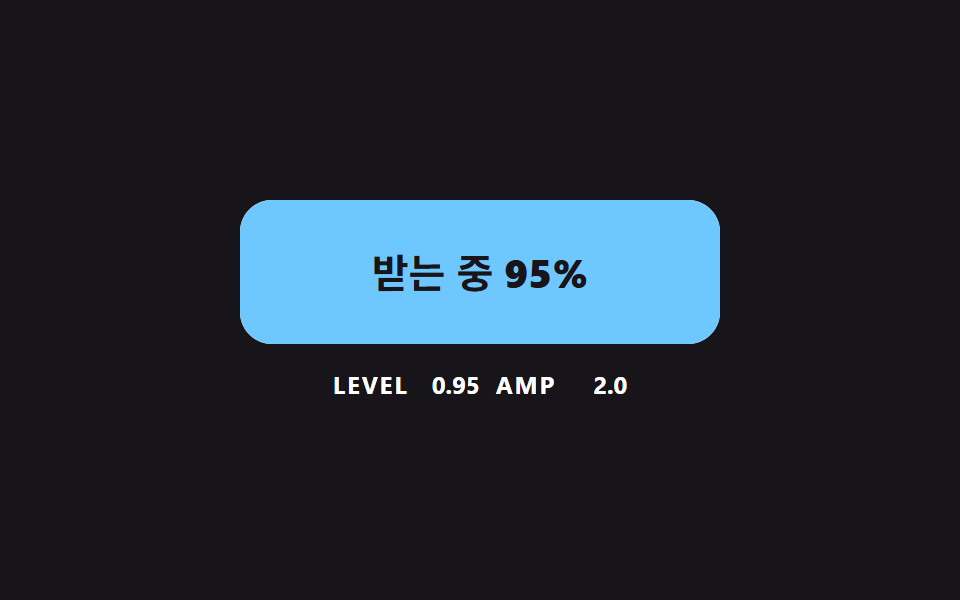
The surface is a sum of two sine waves sampled across 48 segments (49 points), and its amplitude shrinks as amp = WAVE_AMP (1 - 0.7 level), so the water calms as it fills. The level itself chases the target progress with an exponential follow of LEVEL_LERP 6 per second instead of jumping. Its numbers were 12.0% cumulative area, intensity 130.8 and 23/23 moving frames.
<main class="stage">
<div class="lq is-demo" id="lqRoot">
  <button class="lq__btn" id="lqBtn" type="button">
    <svg class="lq__wave" viewBox="0 0 240 72" preserveAspectRatio="none" aria-hidden="true"><path id="lqPath" d="M0 72H240V72Z"/></svg>
    <span class="lq__text"><span id="lqLabel">Download</span> <b id="lqPct">0%</b></span>
  </button>
  <p class="lq__meta"><span class="lq__tag">LEVEL</span> <b id="lqLevel">0.00</b> <span class="lq__tag">AMP</span> <b id="lqAmp">0.0</b></p>
</div>
</main>
@use "../../../../site/static/demo-tokens" as *;
// 핵심: 수면은 SVG path 의 d 를 JS 가 매 프레임 다시 계산한다. 속성 트윈이 아니라 파동 합성이다.
$lq-face: $subject-cream;
$lq-water: $subject-sky;
@include stage($stage-ink);
.lq {
width: min(100%, 280px);
display: grid;
gap: $sp-3;
justify-items: center;
}
.lq__btn {
position: relative;
box-sizing: border-box;
width: 240px;
max-width: 100%;
height: 72px;
overflow: hidden;
border: 0;
border-radius: $r-card;
background: $lq-face;
color: $subject-ink;
font-family: inherit;
font-size: 20px;
font-weight: 700;
line-height: 24px;
cursor: pointer;
}
.lq__btn:focus-visible { outline: 3px solid $stage-paper; outline-offset: 3px; }
.lq__wave {
position: absolute;
inset: 0;
width: 100%;
height: 100%;
fill: $lq-water;
}
.lq__text { position: relative; }
.lq__text b { font-variant-numeric: tabular-nums; }
.lq__meta {
margin: 0;
display: flex;
align-items: baseline;
gap: $sp-2;
font-size: 12px;
line-height: 16px;
color: $stage-paper;
}
.lq__tag { font-weight: 700; letter-spacing: .08em; }
.lq__meta b { min-width: 4ch; text-align: right; font-variant-numeric: tabular-nums; }
@media (prefers-reduced-motion: reduce) {
.lq__btn { transition: none; }
}html, body {
margin: 0;
overflow: hidden;
}
.stage {
box-sizing: border-box;
min-height: 100vh;
display: grid;
place-items: center;
margin: 0;
background: #17141a;
font-family: -apple-system, "Segoe UI", "Noto Sans KR", sans-serif;
padding: clamp(8px, 4vw, 24px);
}
.lq {
width: min(100%, 280px);
display: grid;
gap: 12px;
justify-items: center;
}
.lq__btn {
position: relative;
box-sizing: border-box;
width: 240px;
max-width: 100%;
height: 72px;
overflow: hidden;
border: 0;
border-radius: 16px;
background: #fff7e6;
color: #17141a;
font-family: inherit;
font-size: 20px;
font-weight: 700;
line-height: 24px;
cursor: pointer;
}
.lq__btn:focus-visible {
outline: 3px solid #ffffff;
outline-offset: 3px;
}
.lq__wave {
position: absolute;
inset: 0;
width: 100%;
height: 100%;
fill: #6ec8ff;
}
.lq__text {
position: relative;
}
.lq__text b {
font-variant-numeric: tabular-nums;
}
.lq__meta {
margin: 0;
display: flex;
align-items: baseline;
gap: 8px;
font-size: 12px;
line-height: 16px;
color: #ffffff;
}
.lq__tag {
font-weight: 700;
letter-spacing: 0.08em;
}
.lq__meta b {
min-width: 4ch;
text-align: right;
font-variant-numeric: tabular-nums;
}
@media (prefers-reduced-motion: reduce) {
.lq__btn {
transition: none;
}
}(function () {
// 기법: 수위는 목표 진행률을 향해 지수 보간(LEVEL_LERP)으로 따라가고, 수면은 사인 두 개를 합성한 곡선이다.
// 파동 진폭에 (1 - 0.7 x 수위) 를 곱해서 물이 찰수록 수면이 가라앉는다.
var WAVE_AMP = 6;
var WAVE_FREQ = 2;
var LEVEL_LERP = 6;
var RUN_MS = 1500;
var START_MS = 200;
var CYCLE_MS = 2000;
var W = 240;
var H = 72;
var POINTS = 48;
var root = document.getElementById('lqRoot');
var btn = document.getElementById('lqBtn');
var pathEl = document.getElementById('lqPath');
var labelEl = document.getElementById('lqLabel');
var pctEl = document.getElementById('lqPct');
var levelEl = document.getElementById('lqLevel');
var ampEl = document.getElementById('lqAmp');
var reduce = window.matchMedia('(prefers-reduced-motion: reduce)').matches;
var clock = 0;
var runStart = null;
var level = 0;
var target = 0;
var t0 = null;
var lastTs = null;
function stopDemo() { root.classList.remove('is-demo'); }
function progressAt(now) {
var s = root.classList.contains('is-demo')
? (now < START_MS ? null : START_MS + Math.floor((now - START_MS) / CYCLE_MS) * CYCLE_MS)
: runStart;
return s === null ? 0 : Math.max(0, Math.min(1, (now - s) / RUN_MS));
}
  function draw(phase) {
    var reach = WAVE_AMP * 1.5;
    var base = -reach + (H + 2 * reach) * (1 - level);
    var amp = WAVE_AMP * (1 - 0.7 * level);
    var d = 'M0 ' + H;
    for (var i = 0; i <= POINTS; i += 1) {
      var x = (i / POINTS) * W;
      var a = 2 * Math.PI * WAVE_FREQ * (x / W);
      var y = base + amp * (Math.sin(a + phase) + 0.5 * Math.sin(2 * a - 1.3 * phase));
      d += 'L' + x.toFixed(1) + ' ' + y.toFixed(2);
    }
    d += 'L' + W + ' ' + H + 'Z';
    pathEl.setAttribute('d', d);
    var pct = Math.round(level * 100);
    pctEl.textContent = pct + '%';
    labelEl.textContent = level > 0.995 ? 'Done' : (level > 0.01 ? 'Receiving' : 'Download');
    levelEl.textContent = level.toFixed(2);
    ampEl.textContent = amp.toFixed(1);
  }
function activate() {
stopDemo();
if (reduce) { level = 1; draw(0); return; }
if (runStart !== null && clock - runStart < RUN_MS) return;
runStart = clock;
}
btn.addEventListener('click', activate);
function tick(ts) {
if (t0 === null) t0 = ts;
clock = ts - t0;
var dt = lastTs === null ? 0.016 : Math.min(0.05, (ts - lastTs) / 1000);
lastTs = ts;
target = progressAt(clock);
level += (target - level) * (1 - Math.exp(-dt * LEVEL_LERP));
draw(clock * 0.006);
requestAnimationFrame(tick);
}
if (reduce) {
stopDemo();
draw(0);
} else {
requestAnimationFrame(tick);
}
})();// LiquidLevelButton — vanilla 판(05-dlbtn-liquid-level-wave) 의 React 포트.
// 수위는 목표 진행률을 지수 보간(LEVEL_LERP)으로 따라가고, 수면은 사인 두 개의 합성이며 물이 찰수록 진폭이 줄어든다.
import { useEffect, useRef } from "react";
import styles from "./LiquidLevelButton.module.scss";
const WAVE_AMP = 6;
const WAVE_FREQ = 2;
const LEVEL_LERP = 6;
const RUN_MS = 1500;
const START_MS = 200;
const CYCLE_MS = 2000;
const W = 240;
const H = 72;
const POINTS = 48;
export default function LiquidLevelButton() {
const btnRef = useRef<HTMLButtonElement | null>(null);
const pathRef = useRef<SVGPathElement | null>(null);
const labelRef = useRef<HTMLSpanElement | null>(null);
const pctRef = useRef<HTMLElement | null>(null);
const levelRef = useRef<HTMLElement | null>(null);
const ampRef = useRef<HTMLElement | null>(null);
useEffect(() => {
const btn = btnRef.current;
const pathEl = pathRef.current;
const labelEl = labelRef.current;
const pctEl = pctRef.current;
const levelEl = levelRef.current;
const ampEl = ampRef.current;
if (!btn || !pathEl || !labelEl || !pctEl || !levelEl || !ampEl) return;
const reduce = window.matchMedia("(prefers-reduced-motion: reduce)").matches;
let demo = !reduce;
let clock = 0;
let runStart: number | null = null;
let level = 0;
let t0: number | null = null;
let lastTs: number | null = null;
let raf = 0;
const progressAt = (now: number): number => {
const s = demo
? now < START_MS ? null : START_MS + Math.floor((now - START_MS) / CYCLE_MS) * CYCLE_MS
: runStart;
return s === null ? 0 : Math.max(0, Math.min(1, (now - s) / RUN_MS));
};
const draw = (phase: number): void => {
const reach = WAVE_AMP * 1.5;
const base = -reach + (H + 2 * reach) * (1 - level);
const amp = WAVE_AMP * (1 - 0.7 * level);
let d = "M0 " + H;
for (let i = 0; i <= POINTS; i += 1) {
const x = (i / POINTS) * W;
const a = 2 * Math.PI * WAVE_FREQ * (x / W);
const y = base + amp * (Math.sin(a + phase) + 0.5 * Math.sin(2 * a - 1.3 * phase));
d += "L" + x.toFixed(1) + " " + y.toFixed(2);
}
d += "L" + W + " " + H + "Z";
pathEl.setAttribute("d", d);
pctEl.textContent = Math.round(level * 100) + "%";
labelEl.textContent = level > 0.995 ? "완료" : level > 0.01 ? "받는 중" : "내려받기";
levelEl.textContent = level.toFixed(2);
ampEl.textContent = amp.toFixed(1);
};
const activate = (): void => {
demo = false;
if (reduce) { level = 1; draw(0); return; }
if (runStart !== null && clock - runStart < RUN_MS) return;
runStart = clock;
};
btn.addEventListener("click", activate);
function tick(ts: number): void {
if (t0 === null) t0 = ts;
clock = ts - t0;
const dt = lastTs === null ? 0.016 : Math.min(0.05, (ts - lastTs) / 1000);
lastTs = ts;
level += (progressAt(clock) - level) * (1 - Math.exp(-dt * LEVEL_LERP));
draw(clock * 0.006);
raf = requestAnimationFrame(tick);
}
if (reduce) draw(0);
else raf = requestAnimationFrame(tick);
return () => {
cancelAnimationFrame(raf);
btn.removeEventListener("click", activate);
};
}, []);
return (
<main className={styles.stage}>
<div className={styles.lq}>
<button className={styles.lq__btn} type="button" ref={btnRef}>
<svg className={styles.lq__wave} viewBox="0 0 240 72" preserveAspectRatio="none" aria-hidden="true">
<path d="M0 72H240V72Z" ref={pathRef} />
</svg>
<span className={styles.lq__text}>
<span ref={labelRef}>내려받기</span> <b ref={pctRef}>0%</b>
</span>
</button>
<p className={styles.lq__meta}>
<span className={styles.lq__tag}>LEVEL</span> <b ref={levelRef}>0.00</b> <span className={styles.lq__tag}>AMP</span> <b ref={ampRef}>0.0</b>
</p>
</div>
</main>
);
}05 · A Liquid Level That Rises With Progress — Measured area 12.04% · moving frames 23/23Original by GODRICH · SCSS and React ship in the zip · See the password
function draw(phase) {
var reach = WAVE_AMP * 1.5;
var base = -reach + (H + 2 * reach) * (1 - level);
var amp = WAVE_AMP * (1 - 0.7 * level);
var d = 'M0 ' + H;
for (var i = 0; i <= POINTS; i += 1) {
var x = (i / POINTS) * W;
var a = 2 * Math.PI * WAVE_FREQ * (x / W);
var y = base + amp * (Math.sin(a + phase) + 0.5 * Math.sin(2 * a - 1.3 * phase));
d += 'L' + x.toFixed(1) + ' ' + y.toFixed(2);
}
d += 'L' + W + ' ' + H + 'Z';
pathEl.setAttribute('d', d);
var pct = Math.round(level * 100);
pctEl.textContent = pct + '%';
labelEl.textContent = level > 0.995 ? 'Done' : (level > 0.01 ? 'Receiving' : 'Download');
levelEl.textContent = level.toFixed(2);
ampEl.textContent = amp.toFixed(1);
}
06A Finish Where the Arrow Becomes a Check by Stroke Length
One progress value p shortens the arrow stroke over its first half and draws the check stroke from p 0.4 onward, so the two overlap briefly between 0.4 and 0.5. The button width then settles to the measured label length at WIDTH_LERP 10 per second, so a longer label makes a wider button. The render gave 11.6% cumulative area, intensity 50.8 and 18/23 moving frames.
<main class="stage">
<div class="ck is-demo" id="ckRoot">
  <button class="ck__btn" id="ckBtn" type="button">
    <svg class="ck__icon" viewBox="0 0 24 24" aria-hidden="true">
      <path id="ckArrow" d="M12 4v11M6.5 10.5 12 16l5.5-5.5"/>
      <path id="ckCheck" d="M5 13l4.5 4.5L19 7"/>
    </svg>
    <span class="ck__label" id="ckLabel">Download</span>
  </button>
  <span class="ck__ruler" id="ckRulerA" aria-hidden="true">Download</span>
  <span class="ck__ruler" id="ckRulerB" aria-hidden="true">Done</span>
  <p class="ck__meta"><span class="ck__tag">P</span> <b id="ckP">0.00</b> <span class="ck__tag">W</span> <b id="ckW">0</b></p>
  <p class="ck__sr" id="ckStatus" role="status"></p>
</div>
</main>
@use "../../../../site/static/demo-tokens" as *;
// 핵심: 두 선(화살표·체크)의 stroke-dashoffset 이 같은 진행값 하나로 움직이고, 폭은 라벨 실측 너비를 따라간다.
$ck-face: $subject-lilac;
$ck-done: $subject-mint;
@include stage($stage-yellow);
.ck {
position: relative;
width: min(100%, 280px);
display: grid;
gap: $sp-4;
justify-items: center;
}
.ck__btn {
--p: 0;
box-sizing: border-box;
height: 80px;
max-width: 100%;
display: inline-flex;
align-items: center;
justify-content: flex-start;
gap: $sp-4;
padding: 0 $sp-6;
overflow: hidden;
white-space: nowrap;
border: 0;
border-radius: $r-control;
background: color-mix(in srgb, #{$ck-face}, #{$ck-done} calc(var(--p) * 100%));
box-shadow: $shadow-press;
color: $subject-ink;
font-family: inherit;
font-size: 24px;
font-weight: 700;
line-height: 32px;
cursor: pointer;
}
.ck__btn:focus-visible { outline: 3px solid $subject-ink; outline-offset: 3px; }
.ck__icon {
flex: none;
width: 36px;
height: 36px;
fill: none;
stroke: currentColor;
stroke-width: 2.5;
stroke-linecap: round;
stroke-linejoin: round;
}
.ck__ruler {
position: absolute;
visibility: hidden;
white-space: nowrap;
font-size: 24px;
font-weight: 700;
}
.ck__meta {
margin: 0;
display: flex;
align-items: baseline;
gap: $sp-2;
font-size: 12px;
line-height: 16px;
color: $subject-ink;
}
.ck__tag { font-weight: 700; letter-spacing: .08em; }
.ck__meta b { min-width: 4ch; text-align: right; font-variant-numeric: tabular-nums; }
.ck__sr {
position: absolute;
width: 1px;
height: 1px;
margin: -1px;
overflow: hidden;
clip-path: inset(50%);
white-space: nowrap;
}
@media (prefers-reduced-motion: reduce) {
.ck__btn { transition: none; }
}html, body {
margin: 0;
overflow: hidden;
}
.stage {
box-sizing: border-box;
min-height: 100vh;
display: grid;
place-items: center;
margin: 0;
background: #ffd23f;
font-family: -apple-system, "Segoe UI", "Noto Sans KR", sans-serif;
padding: clamp(8px, 4vw, 24px);
}
.ck {
position: relative;
width: min(100%, 280px);
display: grid;
gap: 16px;
justify-items: center;
}
.ck__btn {
--p: 0;
box-sizing: border-box;
height: 80px;
max-width: 100%;
display: inline-flex;
align-items: center;
justify-content: flex-start;
gap: 16px;
padding: 0 24px;
overflow: hidden;
white-space: nowrap;
border: 0;
border-radius: 12px;
background: color-mix(in srgb, #b9a0ff, #4cd4a6 calc(var(--p) * 100%));
box-shadow: 0 6px 12px rgba(23, 20, 26, 0.32);
color: #17141a;
font-family: inherit;
font-size: 24px;
font-weight: 700;
line-height: 32px;
cursor: pointer;
}
.ck__btn:focus-visible {
outline: 3px solid #17141a;
outline-offset: 3px;
}
.ck__icon {
flex: none;
width: 36px;
height: 36px;
fill: none;
stroke: currentColor;
stroke-width: 2.5;
stroke-linecap: round;
stroke-linejoin: round;
}
.ck__ruler {
position: absolute;
visibility: hidden;
white-space: nowrap;
font-size: 24px;
font-weight: 700;
}
.ck__meta {
margin: 0;
display: flex;
align-items: baseline;
gap: 8px;
font-size: 12px;
line-height: 16px;
color: #17141a;
}
.ck__tag {
font-weight: 700;
letter-spacing: 0.08em;
}
.ck__meta b {
min-width: 4ch;
text-align: right;
font-variant-numeric: tabular-nums;
}
.ck__sr {
position: absolute;
width: 1px;
height: 1px;
margin: -1px;
overflow: hidden;
clip-path: inset(50%);
white-space: nowrap;
}
@media (prefers-reduced-motion: reduce) {
.ck__btn {
transition: none;
}
}(function () {
// 기법: 화살표와 체크 두 경로의 stroke-dashoffset 을 같은 진행값 p 에서 계산한다.
// p 0 to 0.5 에서 화살표 선이 줄어들고, p 0.4 to 1 에서 체크 선이 그어진다. 버튼 폭은 라벨 실측 너비로 지수 보간한다.
var STROKE_LEN = 100;
var CHECK_MS = 360;
var WIDTH_LERP = 10;
var PAD_X = 24;
var ICON_GAP = 16;
var ICON_W = 36;
var START_MS = 200;
var HOLD_MS = 1300;
var CYCLE_MS = 2000;
var root = document.getElementById('ckRoot');
var btn = document.getElementById('ckBtn');
var arrow = document.getElementById('ckArrow');
var check = document.getElementById('ckCheck');
var label = document.getElementById('ckLabel');
var rulerA = document.getElementById('ckRulerA');
var rulerB = document.getElementById('ckRulerB');
var pEl = document.getElementById('ckP');
var wEl = document.getElementById('ckW');
var statusEl = document.getElementById('ckStatus');
var reduce = window.matchMedia('(prefers-reduced-motion: reduce)').matches;
var p = 0;
var width = 0;
var done = false;
var announced = false;
var t0 = null;
var lastTs = null;
arrow.setAttribute('pathLength', String(STROKE_LEN));
check.setAttribute('pathLength', String(STROKE_LEN));
arrow.style.strokeDasharray = STROKE_LEN + ' ' + STROKE_LEN;
check.style.strokeDasharray = STROKE_LEN + ' ' + STROKE_LEN;
function clamp(v, lo, hi) { return Math.max(lo, Math.min(hi, v)); }
function stopDemo() { root.classList.remove('is-demo'); }
function widthFor(isDone) { return 2 * PAD_X + ICON_W + ICON_GAP + (isDone ? rulerB : rulerA).offsetWidth; }
function goal(now) {
if (root.classList.contains('is-demo')) {
return now >= START_MS && (now - START_MS) % CYCLE_MS < HOLD_MS;
}
return done;
}
  function render(want) {
    var shrink = clamp(p / 0.5, 0, 1);
    var draw = clamp((p - 0.4) / 0.6, 0, 1);
    arrow.style.strokeDashoffset = String((STROKE_LEN * shrink).toFixed(2));
    check.style.strokeDashoffset = String((STROKE_LEN * (1 - draw)).toFixed(2));
    label.textContent = p >= 0.5 ? 'Done' : 'Download';
    label.style.opacity = String(Math.abs(2 * p - 1).toFixed(2));
    btn.style.setProperty('--p', p.toFixed(3));
    btn.style.width = width.toFixed(1) + 'px';
    pEl.textContent = p.toFixed(2);
    wEl.textContent = String(Math.round(width));
    if (p >= 1 && !announced) { announced = true; statusEl.textContent = 'Download complete'; }
    if (p <= 0 && announced) { announced = false; statusEl.textContent = ''; }
  }
function toggle() {
stopDemo();
done = !done;
if (reduce) { p = done ? 1 : 0; width = widthFor(done); render(done); }
}
btn.addEventListener('click', toggle);
function tick(ts) {
if (t0 === null) t0 = ts;
var now = ts - t0;
var dt = lastTs === null ? 0.016 : Math.min(0.05, (ts - lastTs) / 1000);
lastTs = ts;
var want = goal(now);
var step = dt / (CHECK_MS / 1000);
p = clamp(p + (want ? step : -step), 0, 1);
width += (widthFor(want) - width) * (1 - Math.exp(-dt * WIDTH_LERP));
render(want);
requestAnimationFrame(tick);
}
width = widthFor(false);
if (reduce) {
stopDemo();
render(false);
} else {
requestAnimationFrame(tick);
}
})();// CheckMorphButton — vanilla 판(06-dlbtn-check-stroke-morph) 의 React 포트.
// 화살표와 체크 두 경로의 stroke-dashoffset 을 같은 진행값 p 에서 계산하고, 버튼 폭은 라벨 실측 너비로 보간한다.
import { useEffect, useRef } from "react";
import styles from "./CheckMorphButton.module.scss";
const STROKE_LEN = 100;
const CHECK_MS = 360;
const WIDTH_LERP = 10;
const PAD_X = 24;
const ICON_GAP = 16;
const ICON_W = 36;
const START_MS = 200;
const HOLD_MS = 1300;
const CYCLE_MS = 2000;
function clamp(v: number, lo: number, hi: number): number {
return Math.max(lo, Math.min(hi, v));
}
export default function CheckMorphButton() {
const btnRef = useRef<HTMLButtonElement | null>(null);
const arrowRef = useRef<SVGPathElement | null>(null);
const checkRef = useRef<SVGPathElement | null>(null);
const labelRef = useRef<HTMLSpanElement | null>(null);
const rulerARef = useRef<HTMLSpanElement | null>(null);
const rulerBRef = useRef<HTMLSpanElement | null>(null);
const pRef = useRef<HTMLElement | null>(null);
const wRef = useRef<HTMLElement | null>(null);
const statusRef = useRef<HTMLParagraphElement | null>(null);
useEffect(() => {
const btn = btnRef.current;
const arrow = arrowRef.current;
const check = checkRef.current;
const label = labelRef.current;
const rulerA = rulerARef.current;
const rulerB = rulerBRef.current;
const pEl = pRef.current;
const wEl = wRef.current;
const statusEl = statusRef.current;
if (!btn || !arrow || !check || !label || !rulerA || !rulerB || !pEl || !wEl || !statusEl) return;
const reduce = window.matchMedia("(prefers-reduced-motion: reduce)").matches;
let demo = !reduce;
let p = 0;
let width = 0;
let done = false;
let announced = false;
let t0: number | null = null;
let lastTs: number | null = null;
let raf = 0;
arrow.setAttribute("pathLength", String(STROKE_LEN));
check.setAttribute("pathLength", String(STROKE_LEN));
arrow.style.strokeDasharray = STROKE_LEN + " " + STROKE_LEN;
check.style.strokeDasharray = STROKE_LEN + " " + STROKE_LEN;
const widthFor = (isDone: boolean): number =>
2 * PAD_X + ICON_W + ICON_GAP + (isDone ? rulerB : rulerA).offsetWidth;
const goal = (now: number): boolean => {
if (demo) return now >= START_MS && (now - START_MS) % CYCLE_MS < HOLD_MS;
return done;
};
const render = (): void => {
const shrink = clamp(p / 0.5, 0, 1);
const draw = clamp((p - 0.4) / 0.6, 0, 1);
arrow.style.strokeDashoffset = (STROKE_LEN * shrink).toFixed(2);
check.style.strokeDashoffset = (STROKE_LEN * (1 - draw)).toFixed(2);
label.textContent = p >= 0.5 ? "완료" : "내려받기";
label.style.opacity = Math.abs(2 * p - 1).toFixed(2);
btn.style.setProperty("--p", p.toFixed(3));
btn.style.width = width.toFixed(1) + "px";
pEl.textContent = p.toFixed(2);
wEl.textContent = String(Math.round(width));
if (p >= 1 && !announced) { announced = true; statusEl.textContent = "받기 완료"; }
if (p <= 0 && announced) { announced = false; statusEl.textContent = ""; }
};
const toggle = (): void => {
demo = false;
done = !done;
if (reduce) { p = done ? 1 : 0; width = widthFor(done); render(); }
};
btn.addEventListener("click", toggle);
function tick(ts: number): void {
if (t0 === null) t0 = ts;
const now = ts - t0;
const dt = lastTs === null ? 0.016 : Math.min(0.05, (ts - lastTs) / 1000);
lastTs = ts;
const want = goal(now);
const step = dt / (CHECK_MS / 1000);
p = clamp(p + (want ? step : -step), 0, 1);
width += (widthFor(want) - width) * (1 - Math.exp(-dt * WIDTH_LERP));
render();
raf = requestAnimationFrame(tick);
}
width = widthFor(false);
if (reduce) render();
else raf = requestAnimationFrame(tick);
return () => {
cancelAnimationFrame(raf);
btn.removeEventListener("click", toggle);
};
}, []);
return (
<main className={styles.stage}>
<div className={styles.ck}>
<button className={styles.ck__btn} type="button" ref={btnRef}>
<svg className={styles.ck__icon} viewBox="0 0 24 24" aria-hidden="true">
<path d="M12 4v11M6.5 10.5 12 16l5.5-5.5" ref={arrowRef} />
<path d="M5 13l4.5 4.5L19 7" ref={checkRef} />
</svg>
<span className={styles.ck__label} ref={labelRef}>내려받기</span>
</button>
<span className={styles.ck__ruler} ref={rulerARef} aria-hidden="true">내려받기</span>
<span className={styles.ck__ruler} ref={rulerBRef} aria-hidden="true">완료</span>
<p className={styles.ck__meta}>
<span className={styles.ck__tag}>P</span> <b ref={pRef}>0.00</b> <span className={styles.ck__tag}>W</span> <b ref={wRef}>0</b>
</p>
<p className={styles.ck__sr} role="status" ref={statusRef} />
</div>
</main>
);
}06 · A Finish Where the Arrow Becomes a Check by Stroke Length — Measured area 11.569% · moving frames 18/23Original by GODRICH · SCSS and React ship in the zip · See the password
function render(want) {
var shrink = clamp(p / 0.5, 0, 1);
var draw = clamp((p - 0.4) / 0.6, 0, 1);
arrow.style.strokeDashoffset = String((STROKE_LEN * shrink).toFixed(2));
check.style.strokeDashoffset = String((STROKE_LEN * (1 - draw)).toFixed(2));
label.textContent = p >= 0.5 ? 'Done' : 'Download';
label.style.opacity = String(Math.abs(2 * p - 1).toFixed(2));
btn.style.setProperty('--p', p.toFixed(3));
btn.style.width = width.toFixed(1) + 'px';
pEl.textContent = p.toFixed(2);
wEl.textContent = String(Math.round(width));
if (p >= 1 && !announced) { announced = true; statusEl.textContent = 'Download complete'; }
if (p <= 0 && announced) { announced = false; statusEl.textContent = ''; }
}
07A Split Button That Picks the Format
Opening the arrow side unfolds the three formats one after another, each starting MENU_STAGGER 70 ms later than the last with an overshooting ease. When you choose one, the old label rises 24 px out of a 24 px window while the new one comes up from below. Measured, it reached 17.7% cumulative area at an intensity of 90.6 and moved in 19/23 frames.
<main class="stage">
<div class="sp is-demo" id="spRoot">
  <div class="sp__row">
    <button class="sp__main" id="spMain" type="button">
      <span class="sp__win" aria-hidden="true"><span class="sp__fmt" id="spOld"></span><span class="sp__fmt" id="spNew">PDF</span></span>
      <span class="sp__sr" id="spFmtText">PDF</span>
      <span>Download</span>
    </button>
    <button class="sp__toggle" id="spToggle" type="button" aria-haspopup="menu" aria-expanded="false" aria-controls="spMenu" aria-label="Choose a format">
      <svg viewBox="0 0 24 24" aria-hidden="true"><path d="M7 10l5 5 5-5"/></svg>
    </button>
  </div>
  <div class="sp__menu" id="spMenu" role="menu" aria-label="Choose a format">
    <button class="sp__item" type="button" role="menuitem" data-i="0">PDF</button>
    <button class="sp__item" type="button" role="menuitem" data-i="1">PNG</button>
    <button class="sp__item" type="button" role="menuitem" data-i="2">SVG</button>
  </div>
</div>
</main>
@use "../../../../site/static/demo-tokens" as *;
// 핵심: 메뉴 칸마다 진행값이 따로 있다(JS 계산). 라벨은 창 안에서 위로 밀려 나가고 새 글자가 아래에서 올라온다.
$sp-face: $subject-lilac;
$sp-side: $subject-pink;
$sp-picked: $subject-mint;
@include stage($stage-paper);
.sp {
width: 260px;
max-width: 100%;
display: grid;
gap: $sp-2;
}
.sp__row {
display: grid;
grid-template-columns: 1fr 64px;
gap: $sp-1;
}
.sp__main, .sp__toggle {
box-sizing: border-box;
height: 64px;
border: 0;
color: $subject-ink;
font-family: inherit;
font-size: 18px;
font-weight: 700;
line-height: 24px;
cursor: pointer;
}
.sp__main {
display: flex;
align-items: center;
justify-content: center;
gap: $sp-2;
border-radius: $r-control 0 0 $r-control;
background: color-mix(in srgb, #{$sp-face}, #{$sp-picked} calc(var(--k, 0) * 100%));
}
.sp__toggle {
--o: 0;
display: grid;
place-items: center;
border-radius: 0 $r-control $r-control 0;
background: $sp-side;
}
.sp__toggle svg {
width: 24px;
height: 24px;
fill: none;
stroke: currentColor;
stroke-width: 2.5;
stroke-linecap: round;
stroke-linejoin: round;
transform: rotate(calc(var(--o) * 180deg));
}
.sp__main:focus-visible, .sp__toggle:focus-visible, .sp__item:focus-visible { outline: 3px solid $subject-ink; outline-offset: 3px; }
.sp__win {
position: relative;
display: block;
width: 44px;
height: 24px;
overflow: hidden;
}
.sp__fmt { position: absolute; inset: 0; text-align: center; }
.sp__menu {
display: grid;
grid-template-columns: repeat(3, 1fr);
gap: $sp-2;
}
.sp__item {
box-sizing: border-box;
height: 48px;
border: 2px solid $subject-ink;
border-radius: $r-sm;
background: $subject-cream;
color: $subject-ink;
font-family: inherit;
font-size: 16px;
font-weight: 700;
line-height: 24px;
cursor: pointer;
visibility: hidden;
}
.sp__item.is-picked { background: $sp-picked; }
.sp__sr {
position: absolute;
width: 1px;
height: 1px;
margin: -1px;
overflow: hidden;
clip-path: inset(50%);
white-space: nowrap;
}
@media (prefers-reduced-motion: reduce) {
.sp__item { transition: none; }
}html, body {
margin: 0;
overflow: hidden;
}
.stage {
box-sizing: border-box;
min-height: 100vh;
display: grid;
place-items: center;
margin: 0;
background: #ffffff;
font-family: -apple-system, "Segoe UI", "Noto Sans KR", sans-serif;
padding: clamp(8px, 4vw, 24px);
}
.sp {
width: 260px;
max-width: 100%;
display: grid;
gap: 8px;
}
.sp__row {
display: grid;
grid-template-columns: 1fr 64px;
gap: 4px;
}
.sp__main, .sp__toggle {
box-sizing: border-box;
height: 64px;
border: 0;
color: #17141a;
font-family: inherit;
font-size: 18px;
font-weight: 700;
line-height: 24px;
cursor: pointer;
}
.sp__main {
display: flex;
align-items: center;
justify-content: center;
gap: 8px;
border-radius: 12px 0 0 12px;
background: color-mix(in srgb, #b9a0ff, #4cd4a6 calc(var(--k, 0) * 100%));
}
.sp__toggle {
--o: 0;
display: grid;
place-items: center;
border-radius: 0 12px 12px 0;
background: #ff9ebb;
}
.sp__toggle svg {
width: 24px;
height: 24px;
fill: none;
stroke: currentColor;
stroke-width: 2.5;
stroke-linecap: round;
stroke-linejoin: round;
transform: rotate(calc(var(--o) * 180deg));
}
.sp__main:focus-visible, .sp__toggle:focus-visible, .sp__item:focus-visible {
outline: 3px solid #17141a;
outline-offset: 3px;
}
.sp__win {
position: relative;
display: block;
width: 44px;
height: 24px;
overflow: hidden;
}
.sp__fmt {
position: absolute;
inset: 0;
text-align: center;
}
.sp__menu {
display: grid;
grid-template-columns: repeat(3, 1fr);
gap: 8px;
}
.sp__item {
box-sizing: border-box;
height: 48px;
border: 2px solid #17141a;
border-radius: 8px;
background: #fff7e6;
color: #17141a;
font-family: inherit;
font-size: 16px;
font-weight: 700;
line-height: 24px;
cursor: pointer;
visibility: hidden;
}
.sp__item.is-picked {
background: #4cd4a6;
}
.sp__sr {
position: absolute;
width: 1px;
height: 1px;
margin: -1px;
overflow: hidden;
clip-path: inset(50%);
white-space: nowrap;
}
@media (prefers-reduced-motion: reduce) {
.sp__item {
transition: none;
}
}(function () {
// 기법: 메뉴 칸마다 시작 시각을 MENU_STAGGER 씩 늦춰 easeOutBack 으로 펼친다 (칸마다 따로 계산한 진행값).
// 고른 형식은 라벨 창 안에서 옛 글자가 위로 나가고 새 글자가 LABEL_RISE 만큼 아래에서 올라온다.
var MENU_STAGGER = 70;
var FORMATS = ['PDF', 'PNG', 'SVG'];
var LABEL_RISE = 24;
var ITEM_MS = 280;
var OPEN_MS = ITEM_MS + (FORMATS.length - 1) * MENU_STAGGER;
var RISE_MS = 320;
var START_MS = 200;
var CYCLE_MS = 2000;
var root = document.getElementById('spRoot');
var toggle = document.getElementById('spToggle');
var menu = document.getElementById('spMenu');
var oldEl = document.getElementById('spOld');
var newEl = document.getElementById('spNew');
var textEl = document.getElementById('spFmtText');
var items = Array.prototype.slice.call(menu.querySelectorAll('.sp__item'));
var reduce = window.matchMedia('(prefers-reduced-motion: reduce)').matches;
var wantOpen = false;
var wantFmt = 0;
var shownFmt = 0;
var open = 0;
var rise = 1;
var t0 = null;
var lastTs = null;
function clamp(v, lo, hi) { return Math.max(lo, Math.min(hi, v)); }
function stopDemo() { root.classList.remove('is-demo'); }
function outBack(t) { var c = 1.70158; return 1 + (c + 1) * Math.pow(t - 1, 3) + c * Math.pow(t - 1, 2); }
function outCubic(t) { return 1 - Math.pow(1 - t, 3); }
  function render() {
    var s = open * OPEN_MS;
    var visible = open > 0.001 || wantOpen;
    for (var i = 0; i < items.length; i += 1) {
      var q = outBack(clamp((s - i * MENU_STAGGER) / ITEM_MS, 0, 1));
      var o = clamp(q, 0, 1);
      items[i].style.opacity = o.toFixed(3);
      items[i].style.transform = 'translateY(' + ((1 - q) * -16).toFixed(2) + 'px) scale(' + (0.8 + 0.2 * q).toFixed(3) + ')';
      items[i].style.visibility = visible ? 'visible' : 'hidden';
      items[i].setAttribute('tabindex', wantOpen ? '0' : '-1');
      items[i].classList.toggle('is-picked', i === wantFmt);
    }
    menu.setAttribute('aria-hidden', wantOpen ? 'false' : 'true');
    toggle.setAttribute('aria-expanded', wantOpen ? 'true' : 'false');
    toggle.style.setProperty('--o', open.toFixed(3));
    root.style.setProperty('--k', (1 - rise).toFixed(3));
    oldEl.style.transform = 'translateY(' + (-LABEL_RISE * outCubic(rise)).toFixed(2) + 'px)';
    newEl.style.transform = 'translateY(' + (LABEL_RISE * (1 - outBack(rise))).toFixed(2) + 'px)';
    oldEl.style.opacity = String((1 - rise).toFixed(2));
    textEl.textContent = FORMATS[wantFmt];
  }
function pick(i) {
if (i === wantFmt) return;
oldEl.textContent = FORMATS[shownFmt === wantFmt ? wantFmt : shownFmt];
wantFmt = i;
shownFmt = i;
newEl.textContent = FORMATS[i];
rise = reduce ? 1 : 0;
}
function setOpen(v) {
wantOpen = v;
if (reduce) open = v ? 1 : 0;
}
toggle.addEventListener('click', function () {
stopDemo();
setOpen(!wantOpen);
render();
if (wantOpen) items[wantFmt].focus({ preventScroll: true });
});
toggle.addEventListener('keydown', function (e) {
if (e.key === 'ArrowDown' && !wantOpen) { e.preventDefault(); stopDemo(); setOpen(true); render(); items[wantFmt].focus({ preventScroll: true }); }
});
items.forEach(function (it, i) {
it.addEventListener('click', function () { stopDemo(); pick(i); setOpen(false); render(); toggle.focus({ preventScroll: true }); });
it.addEventListener('keydown', function (e) {
if (e.key === 'ArrowRight' || e.key === 'ArrowDown') { e.preventDefault(); items[(i + 1) % items.length].focus({ preventScroll: true }); }
if (e.key === 'ArrowLeft' || e.key === 'ArrowUp') { e.preventDefault(); items[(i + items.length - 1) % items.length].focus({ preventScroll: true }); }
if (e.key === 'Escape') { e.preventDefault(); setOpen(false); render(); toggle.focus({ preventScroll: true }); }
});
});
function tick(ts) {
if (t0 === null) t0 = ts;
var now = ts - t0;
var dt = lastTs === null ? 0.016 : Math.min(0.05, (ts - lastTs) / 1000);
lastTs = ts;
if (root.classList.contains('is-demo') && now >= START_MS) {
var ph = (now - START_MS) % CYCLE_MS;
wantOpen = ph < 800;
var f = ph >= 600 && ph < 1700 ? 2 : 0;
if (f !== wantFmt) pick(f);
}
open = clamp(open + (wantOpen ? 1 : -1) * dt * 1000 / OPEN_MS, 0, 1);
rise = clamp(rise + dt * 1000 / RISE_MS, 0, 1);
render();
requestAnimationFrame(tick);
}
if (reduce) {
stopDemo();
render();
} else {
render();
requestAnimationFrame(tick);
}
})();// SplitFormatButton — vanilla 판(07-dlbtn-format-split-menu) 의 React 포트.
// 메뉴 칸마다 시작 시각을 MENU_STAGGER 씩 늦춰 easeOutBack 으로 펼치고, 고른 형식은 라벨 창 안에서 LABEL_RISE 만큼 올라온다.
import { useEffect, useRef } from "react";
import styles from "./SplitFormatButton.module.scss";
const MENU_STAGGER = 70;
const FORMATS = ["PDF", "PNG", "SVG"];
const LABEL_RISE = 24;
const ITEM_MS = 280;
const OPEN_MS = ITEM_MS + (FORMATS.length - 1) * MENU_STAGGER;
const RISE_MS = 320;
const START_MS = 200;
const CYCLE_MS = 2000;
function clamp(v: number, lo: number, hi: number): number {
return Math.max(lo, Math.min(hi, v));
}
function outBack(t: number): number {
const c = 1.70158;
return 1 + (c + 1) * Math.pow(t - 1, 3) + c * Math.pow(t - 1, 2);
}
function outCubic(t: number): number {
return 1 - Math.pow(1 - t, 3);
}
export default function SplitFormatButton() {
const toggleRef = useRef<HTMLButtonElement | null>(null);
const menuRef = useRef<HTMLDivElement | null>(null);
const oldRef = useRef<HTMLSpanElement | null>(null);
const newRef = useRef<HTMLSpanElement | null>(null);
const textRef = useRef<HTMLSpanElement | null>(null);
useEffect(() => {
const toggle = toggleRef.current;
const menu = menuRef.current;
const oldEl = oldRef.current;
const newEl = newRef.current;
const textEl = textRef.current;
if (!toggle || !menu || !oldEl || !newEl || !textEl) return;
const items = Array.from(menu.querySelectorAll<HTMLButtonElement>("button"));
const reduce = window.matchMedia("(prefers-reduced-motion: reduce)").matches;
let demo = !reduce;
let wantOpen = false;
let wantFmt = 0;
let open = 0;
let rise = 1;
let t0: number | null = null;
let lastTs: number | null = null;
let raf = 0;
const render = (): void => {
const s = open * OPEN_MS;
const visible = open > 0.001 || wantOpen;
items.forEach((it, i) => {
const q = outBack(clamp((s - i * MENU_STAGGER) / ITEM_MS, 0, 1));
it.style.opacity = clamp(q, 0, 1).toFixed(3);
it.style.transform = `translateY(${((1 - q) * -16).toFixed(2)}px) scale(${(0.8 + 0.2 * q).toFixed(3)})`;
it.style.visibility = visible ? "visible" : "hidden";
it.setAttribute("tabindex", wantOpen ? "0" : "-1");
it.classList.toggle(styles["is-picked"], i === wantFmt);
});
menu.setAttribute("aria-hidden", wantOpen ? "false" : "true");
toggle.setAttribute("aria-expanded", wantOpen ? "true" : "false");
toggle.style.setProperty("--o", open.toFixed(3));
toggle.parentElement!.style.setProperty("--k", (1 - rise).toFixed(3));
oldEl.style.transform = `translateY(${(-LABEL_RISE * outCubic(rise)).toFixed(2)}px)`;
newEl.style.transform = `translateY(${(LABEL_RISE * (1 - outBack(rise))).toFixed(2)}px)`;
oldEl.style.opacity = (1 - rise).toFixed(2);
textEl.textContent = FORMATS[wantFmt];
};
const pick = (i: number): void => {
if (i === wantFmt) return;
oldEl.textContent = FORMATS[wantFmt];
wantFmt = i;
newEl.textContent = FORMATS[i];
rise = reduce ? 1 : 0;
};
const setOpen = (v: boolean): void => {
wantOpen = v;
if (reduce) open = v ? 1 : 0;
};
const onToggle = (): void => {
demo = false;
setOpen(!wantOpen);
render();
if (wantOpen) items[wantFmt].focus({ preventScroll: true });
};
const onToggleKey = (e: KeyboardEvent): void => {
if (e.key === "ArrowDown" && !wantOpen) {
e.preventDefault();
demo = false;
setOpen(true);
render();
items[wantFmt].focus({ preventScroll: true });
}
};
toggle.addEventListener("click", onToggle);
toggle.addEventListener("keydown", onToggleKey);
const itemHandlers = items.map((it, i) => {
const onClick = (): void => { demo = false; pick(i); setOpen(false); render(); toggle.focus({ preventScroll: true }); };
const onKey = (e: KeyboardEvent): void => {
if (e.key === "ArrowRight" || e.key === "ArrowDown") { e.preventDefault(); items[(i + 1) % items.length].focus({ preventScroll: true }); }
if (e.key === "ArrowLeft" || e.key === "ArrowUp") { e.preventDefault(); items[(i + items.length - 1) % items.length].focus({ preventScroll: true }); }
if (e.key === "Escape") { e.preventDefault(); setOpen(false); render(); toggle.focus({ preventScroll: true }); }
};
it.addEventListener("click", onClick);
it.addEventListener("keydown", onKey);
return { it, onClick, onKey };
});
function tick(ts: number): void {
if (t0 === null) t0 = ts;
const now = ts - t0;
const dt = lastTs === null ? 0.016 : Math.min(0.05, (ts - lastTs) / 1000);
lastTs = ts;
if (demo && now >= START_MS) {
const ph = (now - START_MS) % CYCLE_MS;
wantOpen = ph < 800;
const f = ph >= 600 && ph < 1700 ? 2 : 0;
if (f !== wantFmt) pick(f);
}
open = clamp(open + (wantOpen ? 1 : -1) * dt * 1000 / OPEN_MS, 0, 1);
rise = clamp(rise + dt * 1000 / RISE_MS, 0, 1);
render();
raf = requestAnimationFrame(tick);
}
render();
if (!reduce) raf = requestAnimationFrame(tick);
return () => {
cancelAnimationFrame(raf);
toggle.removeEventListener("click", onToggle);
toggle.removeEventListener("keydown", onToggleKey);
itemHandlers.forEach((h) => {
h.it.removeEventListener("click", h.onClick);
h.it.removeEventListener("keydown", h.onKey);
});
};
}, []);
return (
<main className={styles.stage}>
<div className={styles.sp}>
<div className={styles.sp__row}>
<button className={styles.sp__main} type="button">
<span className={styles.sp__win} aria-hidden="true">
<span className={styles.sp__fmt} ref={oldRef} />
<span className={styles.sp__fmt} ref={newRef}>PDF</span>
</span>
<span className={styles.sp__sr} ref={textRef}>PDF</span>
<span>내려받기</span>
</button>
<button className={styles.sp__toggle} type="button" aria-haspopup="menu" aria-expanded="false" aria-controls="spMenu" aria-label="형식 선택" ref={toggleRef}>
<svg viewBox="0 0 24 24" aria-hidden="true"><path d="M7 10l5 5 5-5" /></svg>
</button>
</div>
<div className={styles.sp__menu} id="spMenu" role="menu" aria-label="형식 선택" ref={menuRef}>
{FORMATS.map((f) => (
<button className={styles.sp__item} type="button" role="menuitem" key={f}>{f}</button>
))}
</div>
</div>
</main>
);
}07 · A Split Button That Picks the Format — Measured area 17.706% · moving frames 19/23Original by GODRICH · SCSS and React ship in the zip · See the password
function render() {
var s = open * OPEN_MS;
var visible = open > 0.001 || wantOpen;
for (var i = 0; i < items.length; i += 1) {
var q = outBack(clamp((s - i * MENU_STAGGER) / ITEM_MS, 0, 1));
var o = clamp(q, 0, 1);
items[i].style.opacity = o.toFixed(3);
items[i].style.transform = 'translateY(' + ((1 - q) * -16).toFixed(2) + 'px) scale(' + (0.8 + 0.2 * q).toFixed(3) + ')';
items[i].style.visibility = visible ? 'visible' : 'hidden';
items[i].setAttribute('tabindex', wantOpen ? '0' : '-1');
items[i].classList.toggle('is-picked', i === wantFmt);
}
menu.setAttribute('aria-hidden', wantOpen ? 'false' : 'true');
toggle.setAttribute('aria-expanded', wantOpen ? 'true' : 'false');
toggle.style.setProperty('--o', open.toFixed(3));
root.style.setProperty('--k', (1 - rise).toFixed(3));
oldEl.style.transform = 'translateY(' + (-LABEL_RISE * outCubic(rise)).toFixed(2) + 'px)';
newEl.style.transform = 'translateY(' + (LABEL_RISE * (1 - outBack(rise))).toFixed(2) + 'px)';
oldEl.style.opacity = String((1 - rise).toFixed(2));
textEl.textContent = FORMATS[wantFmt];
}
08A Button That Fails, Decays and Retries
A shake of SHAKE_AMP 14 px with SHAKE_DECAY 5 per second and SHAKE_HZ 4.5 sways the whole button sideways, and then the ring rewinds to zero over REWIND_MS 500 while the label turns into a retry prompt. The first real attempt fails and the second finishes, because the code decides that for the demo, not a network. Its figures were 10.9% cumulative area, intensity 135.5 and 23/23 moving frames.
<main class="stage">
<div class="rt is-demo" id="rtRoot">
  <div class="rt__wrap" id="rtBar" role="progressbar" aria-labelledby="rtLabel" aria-valuemin="0" aria-valuemax="100" aria-valuenow="0" aria-valuetext="0%">
    <svg class="rt__svg" viewBox="0 0 232 96" aria-hidden="true">
      <rect class="rt__ring" id="rtRing" x="3" y="3" width="226" height="90" rx="16" pathLength="100"/>
    </svg>
    <button class="rt__btn" id="rtBtn" type="button">
      <svg class="rt__icon" viewBox="0 0 24 24" aria-hidden="true"><path id="rtGlyph" d="M12 4v11M6.5 10.5 12 16l5.5-5.5"/></svg>
      <span id="rtLabel">Download</span>
    </button>
  </div>
  <p class="rt__meta"><span class="rt__tag">X</span> <b id="rtX">0.0</b> <span class="rt__tag">P</span> <b id="rtP">0</b></p>
  <p class="rt__sr" id="rtStatus" role="status"></p>
</div>
</main>
@use "../../../../site/static/demo-tokens" as *;
// 핵심: 흔들림 진폭은 지수 감쇠 함수로, 링 되감기는 보간 곡선으로 JS 가 계산한다. 실패색(--e)은 글자와 아이콘으로도 구분된다.
$rt-face: $subject-lilac;
$rt-fail: $error-soft;
@include stage($stage-ink);
.rt {
position: relative;
width: min(100%, 280px);
display: grid;
gap: $sp-3;
justify-items: center;
}
.rt__wrap {
--e: 0;
position: relative;
width: 232px;
max-width: 100%;
aspect-ratio: 232 / 96;
}
.rt__svg {
position: absolute;
inset: 0;
width: 100%;
height: 100%;
}
.rt__ring {
fill: none;
stroke: color-mix(in srgb, #{$subject-mint}, #{$tick-down} calc(var(--e) * 100%));
stroke-width: 5;
stroke-dasharray: 100 100;
stroke-dashoffset: 100;
stroke-linecap: round;
}
.rt__btn {
position: absolute;
left: 7%;
right: 7%;
top: 21%;
bottom: 21%;
box-sizing: border-box;
display: flex;
align-items: center;
justify-content: center;
gap: $sp-3;
border: 0;
border-radius: $r-control;
background: color-mix(in srgb, #{$rt-face}, #{$rt-fail} calc(var(--e) * 100%));
color: $subject-ink;
font-family: inherit;
font-size: 16px;
font-weight: 700;
line-height: 24px;
cursor: pointer;
}
.rt__btn:focus-visible { outline: 3px solid $stage-paper; outline-offset: 4px; }
.rt__icon {
width: 24px;
height: 24px;
fill: none;
stroke: currentColor;
stroke-width: 2.5;
stroke-linecap: round;
stroke-linejoin: round;
}
.rt__meta {
margin: 0;
display: flex;
align-items: baseline;
gap: $sp-2;
font-size: 12px;
line-height: 16px;
color: $stage-paper;
}
.rt__tag { font-weight: 700; letter-spacing: .08em; }
.rt__meta b { min-width: 4ch; text-align: right; font-variant-numeric: tabular-nums; }
.rt__sr {
position: absolute;
width: 1px;
height: 1px;
margin: -1px;
overflow: hidden;
clip-path: inset(50%);
white-space: nowrap;
}
@media (prefers-reduced-motion: reduce) {
.rt__btn { transition: none; }
}html, body {
margin: 0;
overflow: hidden;
}
.stage {
box-sizing: border-box;
min-height: 100vh;
display: grid;
place-items: center;
margin: 0;
background: #17141a;
font-family: -apple-system, "Segoe UI", "Noto Sans KR", sans-serif;
padding: clamp(8px, 4vw, 24px);
}
.rt {
position: relative;
width: min(100%, 280px);
display: grid;
gap: 12px;
justify-items: center;
}
.rt__wrap {
--e: 0;
position: relative;
width: 232px;
max-width: 100%;
aspect-ratio: 232/96;
}
.rt__svg {
position: absolute;
inset: 0;
width: 100%;
height: 100%;
}
.rt__ring {
fill: none;
stroke: color-mix(in srgb, #4cd4a6, #ff7a5e calc(var(--e) * 100%));
stroke-width: 5;
stroke-dasharray: 100 100;
stroke-dashoffset: 100;
stroke-linecap: round;
}
.rt__btn {
position: absolute;
left: 7%;
right: 7%;
top: 21%;
bottom: 21%;
box-sizing: border-box;
display: flex;
align-items: center;
justify-content: center;
gap: 12px;
border: 0;
border-radius: 12px;
background: color-mix(in srgb, #b9a0ff, #ffe0d8 calc(var(--e) * 100%));
color: #17141a;
font-family: inherit;
font-size: 16px;
font-weight: 700;
line-height: 24px;
cursor: pointer;
}
.rt__btn:focus-visible {
outline: 3px solid #ffffff;
outline-offset: 4px;
}
.rt__icon {
width: 24px;
height: 24px;
fill: none;
stroke: currentColor;
stroke-width: 2.5;
stroke-linecap: round;
stroke-linejoin: round;
}
.rt__meta {
margin: 0;
display: flex;
align-items: baseline;
gap: 8px;
font-size: 12px;
line-height: 16px;
color: #ffffff;
}
.rt__tag {
font-weight: 700;
letter-spacing: 0.08em;
}
.rt__meta b {
min-width: 4ch;
text-align: right;
font-variant-numeric: tabular-nums;
}
.rt__sr {
position: absolute;
width: 1px;
height: 1px;
margin: -1px;
overflow: hidden;
clip-path: inset(50%);
white-space: nowrap;
}
@media (prefers-reduced-motion: reduce) {
.rt__btn {
transition: none;
}
}(function () {
// 기법: Failed 순간부터 흔들림 x = SHAKE_AMP x e^(-SHAKE_DECAY x t) x sin(2 pi f t) 로 진폭이 지수로 줄고,
// 링은 실패한 길이에서 처음으로 REWIND_MS 동안 되감긴다. 두 번째 시도는 끝까지 간다.
var SHAKE_AMP = 14;
var SHAKE_DECAY = 5;
var REWIND_MS = 500;
var SHAKE_HZ = 4.5;
var FAIL_AT = 0.62;
var RUN_MS = 700;
var REWIND_DELAY = 150;
var START_MS = 200;
var CYCLE_MS = 2000;
var root = document.getElementById('rtRoot');
var bar = document.getElementById('rtBar');
var btn = document.getElementById('rtBtn');
var ring = document.getElementById('rtRing');
var labelEl = document.getElementById('rtLabel');
var glyph = document.getElementById('rtGlyph');
var xEl = document.getElementById('rtX');
var pEl = document.getElementById('rtP');
var statusEl = document.getElementById('rtStatus');
var reduce = window.matchMedia('(prefers-reduced-motion: reduce)').matches;
var ARROW = 'M12 4v11M6.5 10.5 12 16l5.5-5.5';
var BANG = 'M12 5v9M12 19v.5';
var clock = 0;
var runStart = null;
var outcome = 'fail';
var attempts = 0;
var settled = null;
var lastNote = '';
var t0 = null;
function clamp(v, lo, hi) { return Math.max(lo, Math.min(hi, v)); }
function stopDemo() { root.classList.remove('is-demo'); }
function outQuad(t) { return 1 - (1 - t) * (1 - t); }
function inOut(t) { return t < 0.5 ? 2 * t * t : 1 - Math.pow(-2 * t + 2, 2) / 2; }
function busy(now) { return runStart !== null && now - runStart < RUN_MS + REWIND_DELAY + REWIND_MS; }
function frame(now) {
var s;
var res = outcome;
if (root.classList.contains('is-demo')) {
s = now < START_MS ? null : START_MS + Math.floor((now - START_MS) / CYCLE_MS) * CYCLE_MS;
res = 'fail';
} else {
s = runStart;
}
if (settled) return settled;
if (s === null) return { p: 0, x: 0, e: 0, label: 'Download', glyph: ARROW, note: '' };
    var t = now - s;
    if (t < RUN_MS) {
      var u = outQuad(t / RUN_MS);
      return { p: res === 'fail' ? FAIL_AT * u : u, x: 0, e: 0, label: 'Receiving', glyph: ARROW, note: '' };
    }
    if (res === 'ok') return { p: 1, x: 0, e: 0, label: 'Done', glyph: ARROW, note: 'Download complete' };
    var tau = (t - RUN_MS) / 1000;
    var rw = clamp((t - RUN_MS - REWIND_DELAY) / REWIND_MS, 0, 1);
    return {
      p: FAIL_AT * (1 - inOut(rw)),
      x: SHAKE_AMP * Math.exp(-SHAKE_DECAY * tau) * Math.sin(2 * Math.PI * SHAKE_HZ * tau),
      e: 1,
      label: rw >= 1 ? 'Retry' : 'Failed',
      glyph: BANG,
      note: 'The download was interrupted'
    };
}
function paint(f) {
var pct = Math.round(f.p * 100);
ring.style.strokeDashoffset = String((100 - f.p * 100).toFixed(2));
ring.style.opacity = f.p < 0.004 ? '0' : '1';
bar.style.setProperty('--e', String(f.e));
bar.style.transform = 'translateX(' + f.x.toFixed(2) + 'px)';
labelEl.textContent = f.label;
glyph.setAttribute('d', f.glyph);
xEl.textContent = f.x.toFixed(1);
pEl.textContent = String(pct);
bar.setAttribute('aria-valuenow', String(pct));
bar.setAttribute('aria-valuetext', pct + '%');
if (f.note !== lastNote) { lastNote = f.note; statusEl.textContent = f.note; }
}
btn.addEventListener('click', function () {
stopDemo();
if (busy(clock)) return;
outcome = attempts % 2 === 0 ? 'fail' : 'ok';
attempts += 1;
if (reduce) {
settled = outcome === 'ok'
? { p: 1, x: 0, e: 0, label: 'Done', glyph: ARROW, note: 'Download complete' }
: { p: 0, x: 0, e: 1, label: 'Retry', glyph: BANG, note: 'The download was interrupted' };
paint(settled);
settled = null;
runStart = null;
return;
}
runStart = clock;
});
function tick(ts) {
if (t0 === null) t0 = ts;
clock = ts - t0;
paint(frame(clock));
requestAnimationFrame(tick);
}
if (reduce) {
stopDemo();
paint(frame(0));
} else {
requestAnimationFrame(tick);
}
})();// RetryDecayButton — vanilla 판(08-dlbtn-error-retry-decay) 의 React 포트.
// 실패 순간부터 흔들림 진폭이 지수로 줄고, 링은 실패한 길이에서 처음으로 REWIND_MS 동안 되감긴다. 두 번째 시도는 끝까지 간다.
import { useEffect, useRef } from "react";
import styles from "./RetryDecayButton.module.scss";
const SHAKE_AMP = 14;
const SHAKE_DECAY = 5;
const REWIND_MS = 500;
const SHAKE_HZ = 4.5;
const FAIL_AT = 0.62;
const RUN_MS = 700;
const REWIND_DELAY = 150;
const START_MS = 200;
const CYCLE_MS = 2000;
const ARROW = "M12 4v11M6.5 10.5 12 16l5.5-5.5";
const BANG = "M12 5v9M12 19v.5";
type Frame = { p: number; x: number; e: number; label: string; glyph: string; note: string };
type Outcome = "fail" | "ok";
function clamp(v: number, lo: number, hi: number): number {
return Math.max(lo, Math.min(hi, v));
}
function outQuad(t: number): number {
return 1 - (1 - t) * (1 - t);
}
function inOut(t: number): number {
return t < 0.5 ? 2 * t * t : 1 - Math.pow(-2 * t + 2, 2) / 2;
}
export default function RetryDecayButton() {
const rootRef = useRef<HTMLDivElement | null>(null);
const barRef = useRef<HTMLDivElement | null>(null);
const btnRef = useRef<HTMLButtonElement | null>(null);
const ringRef = useRef<SVGRectElement | null>(null);
const labelRef = useRef<HTMLSpanElement | null>(null);
const glyphRef = useRef<SVGPathElement | null>(null);
const xRef = useRef<HTMLElement | null>(null);
const pRef = useRef<HTMLElement | null>(null);
const statusRef = useRef<HTMLParagraphElement | null>(null);
useEffect(() => {
const bar = barRef.current;
const btn = btnRef.current;
const ring = ringRef.current;
const labelEl = labelRef.current;
const glyph = glyphRef.current;
const xEl = xRef.current;
const pEl = pRef.current;
const statusEl = statusRef.current;
if (!bar || !btn || !ring || !labelEl || !glyph || !xEl || !pEl || !statusEl) return;
const reduce = window.matchMedia("(prefers-reduced-motion: reduce)").matches;
let demo = !reduce;
let clock = 0;
let runStart: number | null = null;
let outcome: Outcome = "fail";
let attempts = 0;
let lastNote = "";
let t0: number | null = null;
let raf = 0;
const busy = (now: number): boolean =>
runStart !== null && now - runStart < RUN_MS + REWIND_DELAY + REWIND_MS;
const frame = (now: number): Frame => {
let s: number | null;
let res: Outcome = outcome;
if (demo) {
s = now < START_MS ? null : START_MS + Math.floor((now - START_MS) / CYCLE_MS) * CYCLE_MS;
res = "fail";
} else {
s = runStart;
}
if (s === null) return { p: 0, x: 0, e: 0, label: "내려받기", glyph: ARROW, note: "" };
const t = now - s;
if (t < RUN_MS) {
const u = outQuad(t / RUN_MS);
return { p: res === "fail" ? FAIL_AT * u : u, x: 0, e: 0, label: "받는 중", glyph: ARROW, note: "" };
}
if (res === "ok") return { p: 1, x: 0, e: 0, label: "완료", glyph: ARROW, note: "받기 완료" };
const tau = (t - RUN_MS) / 1000;
const rw = clamp((t - RUN_MS - REWIND_DELAY) / REWIND_MS, 0, 1);
return {
p: FAIL_AT * (1 - inOut(rw)),
x: SHAKE_AMP * Math.exp(-SHAKE_DECAY * tau) * Math.sin(2 * Math.PI * SHAKE_HZ * tau),
e: 1,
label: rw >= 1 ? "다시 시도" : "실패",
glyph: BANG,
note: "받기가 끊겼어요"
};
};
const paint = (f: Frame): void => {
const pct = Math.round(f.p * 100);
ring.style.strokeDashoffset = (100 - f.p * 100).toFixed(2);
ring.style.opacity = f.p < 0.004 ? "0" : "1";
bar.style.setProperty("--e", String(f.e));
bar.style.transform = `translateX(${f.x.toFixed(2)}px)`;
labelEl.textContent = f.label;
glyph.setAttribute("d", f.glyph);
xEl.textContent = f.x.toFixed(1);
pEl.textContent = String(pct);
bar.setAttribute("aria-valuenow", String(pct));
bar.setAttribute("aria-valuetext", pct + "%");
if (f.note !== lastNote) { lastNote = f.note; statusEl.textContent = f.note; }
};
const onClick = (): void => {
demo = false;
if (busy(clock)) return;
outcome = attempts % 2 === 0 ? "fail" : "ok";
attempts += 1;
if (reduce) {
paint(outcome === "ok"
? { p: 1, x: 0, e: 0, label: "완료", glyph: ARROW, note: "받기 완료" }
: { p: 0, x: 0, e: 1, label: "다시 시도", glyph: BANG, note: "받기가 끊겼어요" });
runStart = null;
return;
}
runStart = clock;
};
btn.addEventListener("click", onClick);
function tick(ts: number): void {
if (t0 === null) t0 = ts;
clock = ts - t0;
paint(frame(clock));
raf = requestAnimationFrame(tick);
}
if (reduce) paint(frame(0));
else raf = requestAnimationFrame(tick);
return () => {
cancelAnimationFrame(raf);
btn.removeEventListener("click", onClick);
};
}, []);
return (
<main className={styles.stage}>
<div className={styles.rt} ref={rootRef}>
<div className={styles.rt__wrap} ref={barRef} role="progressbar" aria-labelledby="rtLabel" aria-valuemin={0} aria-valuemax={100} aria-valuenow={0} aria-valuetext="0%">
<svg className={styles.rt__svg} viewBox="0 0 232 96" aria-hidden="true">
<rect className={styles.rt__ring} ref={ringRef} x="3" y="3" width="226" height="90" rx="16" pathLength="100" />
</svg>
<button className={styles.rt__btn} type="button" ref={btnRef}>
<svg className={styles.rt__icon} viewBox="0 0 24 24" aria-hidden="true"><path d={ARROW} ref={glyphRef} /></svg>
<span id="rtLabel" ref={labelRef}>내려받기</span>
</button>
</div>
<p className={styles.rt__meta}>
<span className={styles.rt__tag}>X</span> <b ref={xRef}>0.0</b> <span className={styles.rt__tag}>P</span> <b ref={pRef}>0</b>
</p>
<p className={styles.rt__sr} role="status" ref={statusRef} />
</div>
</main>
);
}08 · A Button That Fails, Decays and Retries — Measured area 10.896% · moving frames 23/23Original by GODRICH · SCSS and React ship in the zip · See the password
var t = now - s;
if (t < RUN_MS) {
var u = outQuad(t / RUN_MS);
return { p: res === 'fail' ? FAIL_AT * u : u, x: 0, e: 0, label: 'Receiving', glyph: ARROW, note: '' };
}
if (res === 'ok') return { p: 1, x: 0, e: 0, label: 'Done', glyph: ARROW, note: 'Download complete' };
var tau = (t - RUN_MS) / 1000;
var rw = clamp((t - RUN_MS - REWIND_DELAY) / REWIND_MS, 0, 1);
return {
p: FAIL_AT * (1 - inOut(rw)),
x: SHAKE_AMP * Math.exp(-SHAKE_DECAY * tau) * Math.sin(2 * Math.PI * SHAKE_HZ * tau),
e: 1,
label: rw >= 1 ? 'Retry' : 'Failed',
glyph: BANG,
note: 'The download was interrupted'
};
09A Button That Leans to the Cursor and Gleams
The button leans toward the cursor by the distance times PULL_RATE 0.12, capped at LEAN_MAX 10 px, and a sheen band 64 px wide and tilted 20 degrees follows the cursor's horizontal position. The pointer is tracked over a zone of up to 280 by 144 px around the button rather than over the button alone, so the lean starts before you touch it. The scene came to 18.2% cumulative area at an intensity of 82.3 and moved in 23/23 frames.
<main class="stage">
<div class="mg is-demo" id="mgRoot">
  <button class="mg__btn" id="mgBtn" type="button">
    <span class="mg__sheen" id="mgSheen" aria-hidden="true"></span>
    <svg class="mg__icon" viewBox="0 0 24 24" aria-hidden="true"><path d="M12 4v11M6.5 10.5 12 16l5.5-5.5M5 20h14"/></svg>
    <span class="mg__text">Download</span>
  </button>
</div>
</main>
@use "../../../../site/static/demo-tokens" as *;
// 핵심: 버튼 이동량과 광택 위치는 커서와의 거리에서 JS 가 계산한다. 광택 띠와 번쩍임 중심(--gx --gy)이 같은 커서 값을 쓴다.
$mg-face: $subject-lilac;
@include stage($stage-orange);
.mg {
width: min(100%, 280px);
height: 144px;
display: grid;
place-items: center;
}
.mg__btn {
--gx: 50%;
--gy: 50%;
--ga: 0;
position: relative;
box-sizing: border-box;
width: 240px;
max-width: 100%;
height: 72px;
overflow: hidden;
display: flex;
align-items: center;
justify-content: center;
gap: $sp-3;
border: 0;
border-radius: $r-control;
background: radial-gradient(circle at var(--gx) var(--gy), rgb(255 255 255 / var(--ga)), rgb(255 255 255 / 0) 60%), $mg-face;
box-shadow: $shadow-raised;
color: $subject-ink;
font-family: inherit;
font-size: 20px;
font-weight: 700;
line-height: 24px;
cursor: pointer;
}
.mg__btn:focus-visible { outline: 3px solid $subject-ink; outline-offset: 3px; }
.mg__sheen {
position: absolute;
left: 0;
top: -10%;
height: 120%;
background: linear-gradient(90deg, rgba($stage-paper, 0), rgba($stage-paper, .7), rgba($stage-paper, 0));
opacity: 0;
pointer-events: none;
}
.mg__icon {
position: relative;
width: 28px;
height: 28px;
fill: none;
stroke: currentColor;
stroke-width: 2.5;
stroke-linecap: round;
stroke-linejoin: round;
}
.mg__text { position: relative; }
@media (prefers-reduced-motion: reduce) {
.mg__btn { transition: none; }
}html, body {
margin: 0;
overflow: hidden;
}
.stage {
box-sizing: border-box;
min-height: 100vh;
display: grid;
place-items: center;
margin: 0;
background: #ff4d1f;
font-family: -apple-system, "Segoe UI", "Noto Sans KR", sans-serif;
padding: clamp(8px, 4vw, 24px);
}
.mg {
width: min(100%, 280px);
height: 144px;
display: grid;
place-items: center;
}
.mg__btn {
--gx: 50%;
--gy: 50%;
--ga: 0;
position: relative;
box-sizing: border-box;
width: 240px;
max-width: 100%;
height: 72px;
overflow: hidden;
display: flex;
align-items: center;
justify-content: center;
gap: 12px;
border: 0;
border-radius: 12px;
background: radial-gradient(circle at var(--gx) var(--gy), rgb(255, 255, 255, var(--ga)), rgba(255, 255, 255, 0) 60%), #b9a0ff;
box-shadow: 0 14px 24px rgba(23, 20, 26, 0.32);
color: #17141a;
font-family: inherit;
font-size: 20px;
font-weight: 700;
line-height: 24px;
cursor: pointer;
}
.mg__btn:focus-visible {
outline: 3px solid #17141a;
outline-offset: 3px;
}
.mg__sheen {
position: absolute;
left: 0;
top: -10%;
height: 120%;
background: linear-gradient(90deg, rgba(255, 255, 255, 0), rgba(255, 255, 255, 0.7), rgba(255, 255, 255, 0));
opacity: 0;
pointer-events: none;
}
.mg__icon {
position: relative;
width: 28px;
height: 28px;
fill: none;
stroke: currentColor;
stroke-width: 2.5;
stroke-linecap: round;
stroke-linejoin: round;
}
.mg__text {
position: relative;
}
@media (prefers-reduced-motion: reduce) {
.mg__btn {
transition: none;
}
}(function () {
// 기법: 커서와 버튼 중심의 거리 x PULL_RATE 만큼 버튼이 끌려가고 (LEAN_MAX 에서 멈춤), 광택 띠는 커서의 가로 위치를 따라 지수 보간으로 쫓아간다.
// 포인터가 없는 데모에서는 같은 계산에 궤도 위 가짜 커서를 넣는다.
var PULL_RATE = 0.12;
var SHEEN_W = 64;
var LEAN_MAX = 10;
var LEAN_LERP = 10;
var SHEEN_LERP = 14;
var START_MS = 200;
var CYCLE_MS = 2000;
var ORBIT_X = 150;
var ORBIT_Y = 48;
var root = document.getElementById('mgRoot');
var btn = document.getElementById('mgBtn');
var sheen = document.getElementById('mgSheen');
var reduce = window.matchMedia('(prefers-reduced-motion: reduce)').matches;
var lx = 0;
var ly = 0;
var sx = -SHEEN_W * 2;
var alpha = 0;
var cursor = null;
var kbFocus = false;
var t0 = null;
var lastTs = null;
sheen.style.width = SHEEN_W + 'px';
function clamp(v, lo, hi) { return Math.max(lo, Math.min(hi, v)); }
function stopDemo() { root.classList.remove('is-demo'); }
  function goal(now) {
    var w = btn.offsetWidth;
    var h = btn.offsetHeight;
    var d = null;
    if (root.classList.contains('is-demo') && now >= START_MS) {
      var a = 2 * Math.PI * ((now - START_MS) % CYCLE_MS) / CYCLE_MS;
      d = { x: ORBIT_X * Math.cos(a), y: ORBIT_Y * Math.sin(a) };
    } else if (cursor) {
      d = cursor;
    }
    if (kbFocus && !d) return { lx: 0, ly: 0, sx: w / 2, a: 1, gx: 50, gy: 50 };
    if (!d) return { lx: 0, ly: 0, sx: -SHEEN_W * 2, a: 0, gx: 50, gy: 50 };
    return {
      lx: clamp(d.x * PULL_RATE, -LEAN_MAX, LEAN_MAX),
      ly: clamp(d.y * PULL_RATE, -LEAN_MAX, LEAN_MAX),
      sx: clamp(d.x + w / 2, -SHEEN_W, w + SHEEN_W),
      a: 1,
      gx: clamp((d.x + w / 2) / w * 100, -20, 120),
      gy: clamp((d.y + h / 2) / h * 100, -40, 140)
    };
  }
function render(g) {
btn.style.transform = 'translate(' + lx.toFixed(2) + 'px,' + ly.toFixed(2) + 'px)';
sheen.style.transform = 'translateX(' + (sx - SHEEN_W / 2).toFixed(1) + 'px) skewX(-20deg)';
sheen.style.opacity = alpha.toFixed(3);
btn.style.setProperty('--gx', g.gx.toFixed(1) + '%');
btn.style.setProperty('--gy', g.gy.toFixed(1) + '%');
btn.style.setProperty('--ga', (alpha * 0.55).toFixed(3));
}
function snap() {
var g = goal(0);
lx = g.lx; ly = g.ly; sx = g.sx; alpha = g.a;
render(g);
}
root.addEventListener('pointermove', function (e) {
var r = btn.getBoundingClientRect();
stopDemo();
cursor = { x: e.clientX - (r.left - lx) - r.width / 2, y: e.clientY - (r.top - ly) - r.height / 2 };
if (reduce) snap();
});
root.addEventListener('pointerleave', function () { cursor = null; if (reduce) snap(); });
btn.addEventListener('focus', function () { kbFocus = btn.matches(':focus-visible'); if (kbFocus) stopDemo(); if (reduce) snap(); });
btn.addEventListener('blur', function () { kbFocus = false; if (reduce) snap(); });
function tick(ts) {
if (t0 === null) t0 = ts;
var now = ts - t0;
var dt = lastTs === null ? 0.016 : Math.min(0.05, (ts - lastTs) / 1000);
lastTs = ts;
var g = goal(now);
var kl = 1 - Math.exp(-dt * LEAN_LERP);
var ks = 1 - Math.exp(-dt * SHEEN_LERP);
lx += (g.lx - lx) * kl;
ly += (g.ly - ly) * kl;
sx += (g.sx - sx) * ks;
alpha += (g.a - alpha) * ks;
render(g);
requestAnimationFrame(tick);
}
if (reduce) {
stopDemo();
snap();
} else {
requestAnimationFrame(tick);
}
})();// MagnetSheenButton — vanilla 판(09-dlbtn-magnet-sheen-hover) 의 React 포트.
// 커서와 버튼 중심의 거리 x PULL_RATE 만큼 버튼이 끌려가고(LEAN_MAX 에서 멈춤), 광택 띠는 커서의 가로 위치를 지수 보간으로 쫓는다.
import { useEffect, useRef } from "react";
import styles from "./MagnetSheenButton.module.scss";
const PULL_RATE = 0.12;
const SHEEN_W = 64;
const LEAN_MAX = 10;
const LEAN_LERP = 10;
const SHEEN_LERP = 14;
const START_MS = 200;
const CYCLE_MS = 2000;
const ORBIT_X = 150;
const ORBIT_Y = 48;
type Point = { x: number; y: number };
type Goal = { lx: number; ly: number; sx: number; a: number; gx: number; gy: number };
function clamp(v: number, lo: number, hi: number): number {
return Math.max(lo, Math.min(hi, v));
}
export default function MagnetSheenButton() {
const rootRef = useRef<HTMLDivElement | null>(null);
const btnRef = useRef<HTMLButtonElement | null>(null);
const sheenRef = useRef<HTMLSpanElement | null>(null);
useEffect(() => {
const root = rootRef.current;
const btn = btnRef.current;
const sheen = sheenRef.current;
if (!root || !btn || !sheen) return;
const reduce = window.matchMedia("(prefers-reduced-motion: reduce)").matches;
let demo = !reduce;
let lx = 0;
let ly = 0;
let sx = -SHEEN_W * 2;
let alpha = 0;
let cursor: Point | null = null;
let kbFocus = false;
let t0: number | null = null;
let lastTs: number | null = null;
let raf = 0;
sheen.style.width = SHEEN_W + "px";
const goal = (now: number): Goal => {
const w = btn.offsetWidth;
const h = btn.offsetHeight;
let d: Point | null = null;
if (demo && now >= START_MS) {
const a = 2 * Math.PI * ((now - START_MS) % CYCLE_MS) / CYCLE_MS;
d = { x: ORBIT_X * Math.cos(a), y: ORBIT_Y * Math.sin(a) };
} else if (cursor) {
d = cursor;
}
if (kbFocus && !d) return { lx: 0, ly: 0, sx: w / 2, a: 1, gx: 50, gy: 50 };
if (!d) return { lx: 0, ly: 0, sx: -SHEEN_W * 2, a: 0, gx: 50, gy: 50 };
return {
lx: clamp(d.x * PULL_RATE, -LEAN_MAX, LEAN_MAX),
ly: clamp(d.y * PULL_RATE, -LEAN_MAX, LEAN_MAX),
sx: clamp(d.x + w / 2, -SHEEN_W, w + SHEEN_W),
a: 1,
gx: clamp((d.x + w / 2) / w * 100, -20, 120),
gy: clamp((d.y + h / 2) / h * 100, -40, 140)
};
};
const render = (g: Goal): void => {
btn.style.transform = `translate(${lx.toFixed(2)}px,${ly.toFixed(2)}px)`;
sheen.style.transform = `translateX(${(sx - SHEEN_W / 2).toFixed(1)}px) skewX(-20deg)`;
sheen.style.opacity = alpha.toFixed(3);
btn.style.setProperty("--gx", g.gx.toFixed(1) + "%");
btn.style.setProperty("--gy", g.gy.toFixed(1) + "%");
btn.style.setProperty("--ga", (alpha * 0.55).toFixed(3));
};
const snap = (): void => {
const g = goal(0);
lx = g.lx; ly = g.ly; sx = g.sx; alpha = g.a;
render(g);
};
const onMove = (e: PointerEvent): void => {
const r = btn.getBoundingClientRect();
demo = false;
cursor = { x: e.clientX - (r.left - lx) - r.width / 2, y: e.clientY - (r.top - ly) - r.height / 2 };
if (reduce) snap();
};
const onLeave = (): void => { cursor = null; if (reduce) snap(); };
const onFocus = (): void => { kbFocus = btn.matches(":focus-visible"); if (kbFocus) demo = false; if (reduce) snap(); };
const onBlur = (): void => { kbFocus = false; if (reduce) snap(); };
root.addEventListener("pointermove", onMove);
root.addEventListener("pointerleave", onLeave);
btn.addEventListener("focus", onFocus);
btn.addEventListener("blur", onBlur);
function tick(ts: number): void {
if (t0 === null) t0 = ts;
const now = ts - t0;
const dt = lastTs === null ? 0.016 : Math.min(0.05, (ts - lastTs) / 1000);
lastTs = ts;
const g = goal(now);
const kl = 1 - Math.exp(-dt * LEAN_LERP);
const ks = 1 - Math.exp(-dt * SHEEN_LERP);
lx += (g.lx - lx) * kl;
ly += (g.ly - ly) * kl;
sx += (g.sx - sx) * ks;
alpha += (g.a - alpha) * ks;
render(g);
raf = requestAnimationFrame(tick);
}
if (reduce) snap();
else raf = requestAnimationFrame(tick);
return () => {
cancelAnimationFrame(raf);
root.removeEventListener("pointermove", onMove);
root.removeEventListener("pointerleave", onLeave);
btn.removeEventListener("focus", onFocus);
btn.removeEventListener("blur", onBlur);
};
}, []);
return (
<main className={styles.stage}>
<div className={styles.mg} ref={rootRef}>
<button className={styles.mg__btn} type="button" ref={btnRef}>
<span className={styles.mg__sheen} aria-hidden="true" ref={sheenRef} />
<svg className={styles.mg__icon} viewBox="0 0 24 24" aria-hidden="true">
<path d="M12 4v11M6.5 10.5 12 16l5.5-5.5M5 20h14" />
</svg>
<span className={styles.mg__text}>내려받기</span>
</button>
</div>
</main>
);
}09 · A Button That Leans to the Cursor and Gleams — Measured area 18.191% · moving frames 23/23Original by GODRICH · SCSS and React ship in the zip · See the password
function goal(now) {
var w = btn.offsetWidth;
var h = btn.offsetHeight;
var d = null;
if (root.classList.contains('is-demo') && now >= START_MS) {
var a = 2 * Math.PI * ((now - START_MS) % CYCLE_MS) / CYCLE_MS;
d = { x: ORBIT_X * Math.cos(a), y: ORBIT_Y * Math.sin(a) };
} else if (cursor) {
d = cursor;
}
if (kbFocus && !d) return { lx: 0, ly: 0, sx: w / 2, a: 1, gx: 50, gy: 50 };
if (!d) return { lx: 0, ly: 0, sx: -SHEEN_W * 2, a: 0, gx: 50, gy: 50 };
return {
lx: clamp(d.x * PULL_RATE, -LEAN_MAX, LEAN_MAX),
ly: clamp(d.y * PULL_RATE, -LEAN_MAX, LEAN_MAX),
sx: clamp(d.x + w / 2, -SHEEN_W, w + SHEEN_W),
a: 1,
gx: clamp((d.x + w / 2) / w * 100, -20, 120),
gy: clamp((d.y + h / 2) / h * 100, -40, 140)
};
}
Where the Values Change the Scene — Spring Strength, Curve Power, Amplitude
Three constants decide most of the character of these scenes: how much the press wobbles, how far progress runs ahead and how much the surface sloshes. When you tune css download button animation, changing one of these numbers shifts the scene faster than rewriting the formula. The figures below come from rendering each scene for two seconds, and movement is counted across the 23 gaps between the 24 captured frames.
| Item | Cumulative area % | Mean intensity | Moving frames |
|---|---|---|---|
| 01 Sinking arrow | 13.3% | 72.3 | 23/23 |
| 02 Curve ring | 11.1% | 117.5 | 19/23 |
| 03 Flying file | 11.8% | 101.2 | 21/23 |
| 04 Size counter | 18.6% | 80.9 | 19/23 |
| 05 Liquid level | 12.0% | 130.8 | 23/23 |
| 06 Check stroke | 11.6% | 50.8 | 18/23 |
| 07 Format menu | 17.7% | 90.6 | 19/23 |
| 08 Failure shake | 10.9% | 135.5 | 23/23 |
| 09 Magnet sheen | 18.2% | 82.3 | 23/23 |
No scene stays under 10% cumulative area. Scenes 02, 03, 04, 06 and 07 moved in fewer than 23 frames, and the source was not checked for why, so only the measured counts are given.
Spring Strength Sets the Overshoot
The damping ratio in 01 is SPRING_DAMP 9 divided by twice the square root of SPRING_K, which is about 0.41 at 120 and an overshoot of roughly 2.4 px on a 10 px sink. Leave the damping alone and set SPRING_K to 240, and the ratio falls to about 0.29 while the overshoot grows to about 39% of the sink.
Curve Power Sets the Lead
The lead in 02 is the curve's percentage minus the even percentage, and at power 2 it peaks at 25 points when u is 0.5. At power 4 the peak moves to about u 0.37 and reaches about 47 points.
Amplitude Sets the Slosh
In 05 the amplitude at level 0.5 with WAVE_AMP 6 is about 3.9 px. At 12 it becomes about 7.8 px, and the calming as the level rises stays the same.
Where It Breaks — Backward Progress, Narrow Buttons, Keyboard Only
A Falling Target Drains the Liquid
Scenes 02 and 04 derive progress from time, so it never runs backward. Scene 05 follows a target, so if that target drops, the level drains and the percentage text falls with it, which is exactly what you see when the demo returns to zero at the end of its cycle. When you feed in a real value, first make sure it only ever grows.
A Long Label Gets Clipped
Scene 06 resizes the button to the measured label, but max-width and hidden overflow cap it, so a long English label can lose its end. Scene 07 gives its three format cells equal shares, which squeezes the letters once the width falls below 260 px.
Keyboard Use Loses Tilt and Pull
In 01 a key press sets the tilt target to zero, so the lean that normally comes from the pointer position is missing. Scene 09 does not pull the button on focus alone, and only the sheen settles at the center. Scene 07 hides closed cells with visibility: hidden and tabindex="-1" so focus cannot land in them.
Demo Values Are Not Real Downloads
The failure in 08 and the 48 MB over 2 minutes in 04 are fixed for the demo. Real speed is uneven, and a time left computed from the average speed is badly off near the start. Scene 03 re-reads the button and tray positions from offsetTop on every frame, but it keeps the horizontal position at half the box width, so a layout that sits off-center pulls the path sideways.
A download button css codepen is fine for a quick look, but the archive keeps all nine pages and their SCSS in one place so you can change the numbers offline. Download it and open it with the password f24sfs72, and each of the nine folders holds one HTML page and its stylesheet.
Three Variants and Accessibility
| Item | Constant | Value | What changes |
|---|---|---|---|
| 01 | SPRING_K | 120 → 240 | The ratio drops from about 0.41 to 0.29, so the overshoot grows from 24% to 39% of the sink and the wobble is easier to see. |
| 02 | CURVE_POW | 2 → 4 | The lead over an even pace grows from at most 25 points to about 47, and the end crawls for longer. |
| 05 | WAVE_AMP | 6 → 12 | Doubling the amplitude grows the surface wobble at half level from about 3.9 px to 7.8 px, so it reads as sloshing water. |
Counting the sources of all nine scenes, <button>, prefers-reduced-motion and requestAnimationFrame each appear in 9 of 9 HTML files and :focus-visible in 9 of 9 stylesheets, so every scene can be reached with Tab and keeps an outline. Enter and Space work through the ordinary click, except in 01, which reads keydown and keyup separately, and 07 opens with ArrowDown, moves with the arrows and closes with Escape. Only 02 and 08 carry role="progressbar", and four scenes announce their result through role="status". Under reduce no loop starts and each input draws its end state directly: 03 only raises the count without flying a file, and 05 fills the level at once. The failure in 08 is also told in words rather than color alone.
Is Swapping the Label Enough for an HTML CSS Download Button?
For a small file that finishes after one click, yes. A label swap cannot show the wobble of the press, the lead of the progress or where the file went, so add the calculations only on screens with big files or repeated downloads.
When you need another reaction, the neighboring posts continue from here. The return of a press is in Button Press Animation UI: 9 Calculation Patterns, and keyframe-based buttons you can paste are in 9 CSS Button Animations (SCSS + React, copy-paste).
Frequently Asked Questions Before Building a CSS Download Button
Does computing everything in JS make a css download button heavy?
Each scene only works out a few numbers per frame and paints a handful of style values. The demo runs only while nobody is using the button, and under reduce no loop starts, so the cost of one button is small.
Can I build a tailwind css download button this way?
The code here is plain CSS and JS with no Tailwind. Because the motion comes from computed values and not from classes, the calculation stretches can be carried over even if you restyle the markup with utility classes.
How Do I Connect the Progress to a Real Value?
Replace the time in 02, 04 and 05 with the share of bytes received. Scene 05 follows a target downward as well, so check that your input only grows, and for 04 swap the average speed for a recent window once real speed turns uneven.
You might also like
 Buttons9 CSS Button Animations (SCSS + React, copy-paste)
 Buttons9 button hover effects css that award sites reuse
 Buttons9 button state css patterns, loading to done
 ButtonsCTA Button Design: 9 Interaction Patterns
 ButtonsButton Press Animation UI: 9 Calculation Patterns
 Buttons9 CSS 3D Button Effects — Copy-paste Ready
 ButtonsButton Click Effect CSS: 9 Canvas Pixel Patterns
 ButtonsSend Button Animation CSS: 9 Fold-and-Fly Buttons
 Buttons9 css button design ideas — candy, push, loading
 Buttons9 Icon Button CSS Patterns — Press, Drag, Expand