9 Activity Feed UI Widgets — Sidebar-Ready Lists
An activity feed ui is a list that keeps stacking in a screen corner, not a toast that flashes and fades.
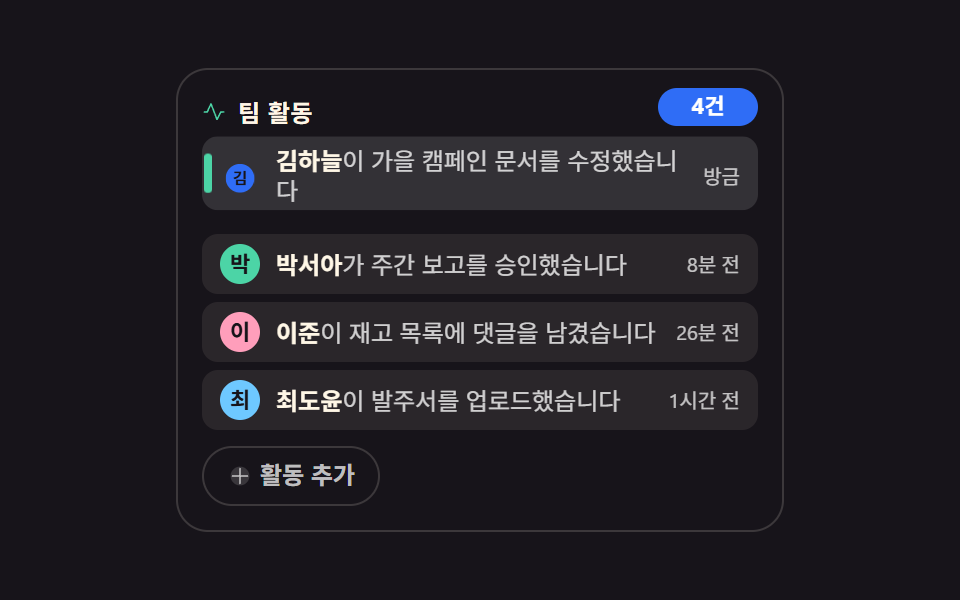 01 feed-team-activity-stream
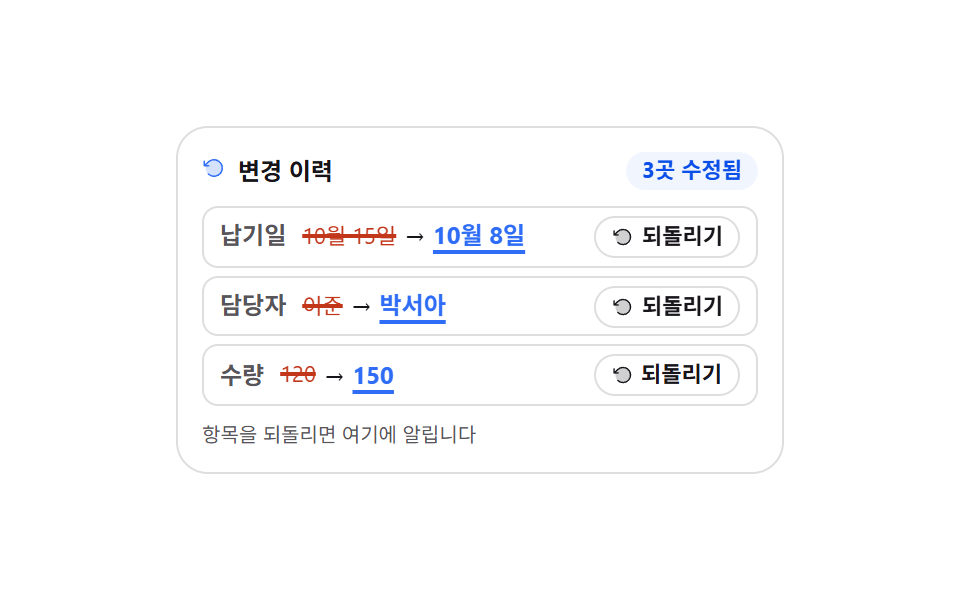 02 feed-change-history-diff
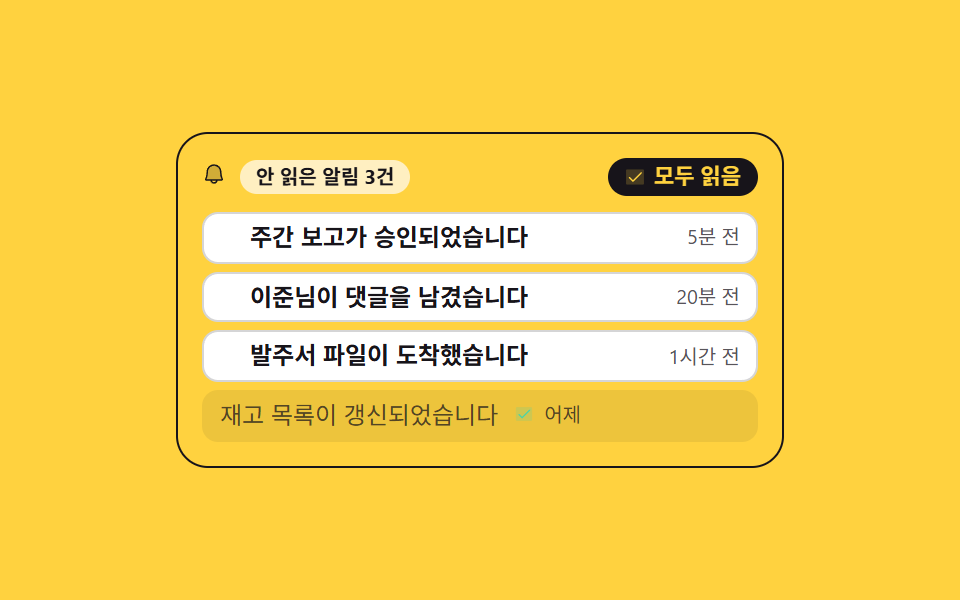 03 feed-notification-center-list
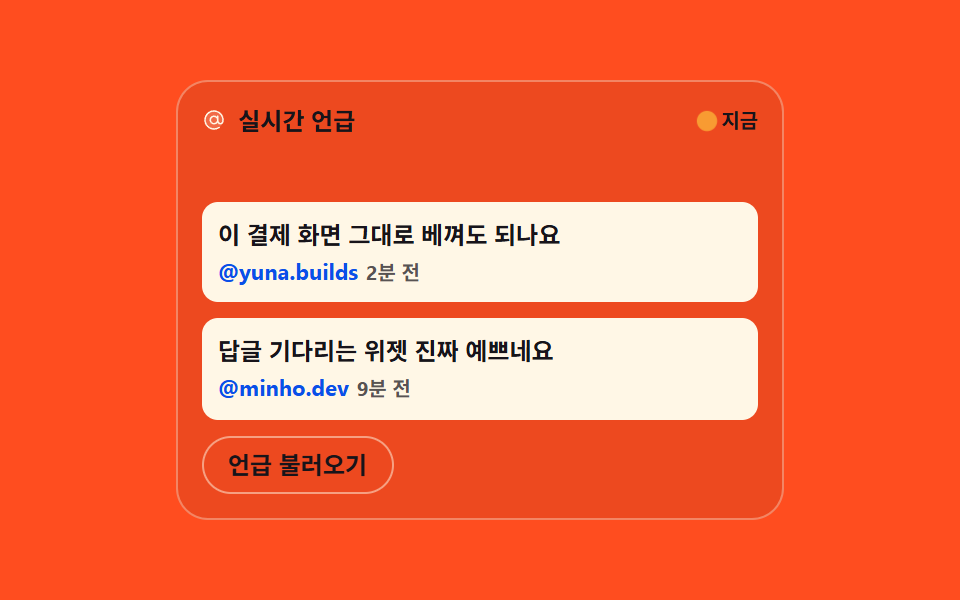 04 feed-social-mention-roll
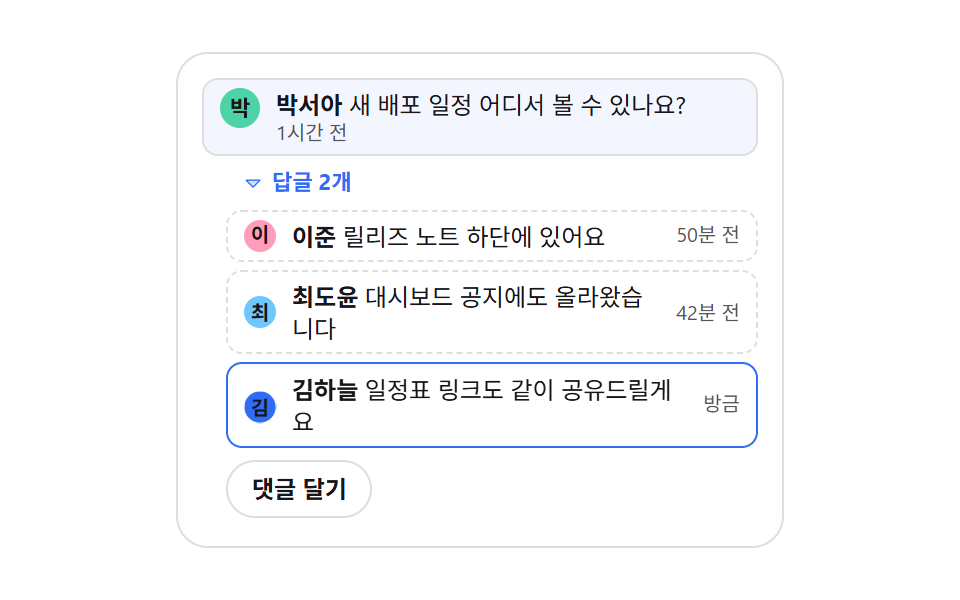 05 feed-comment-thread-mini
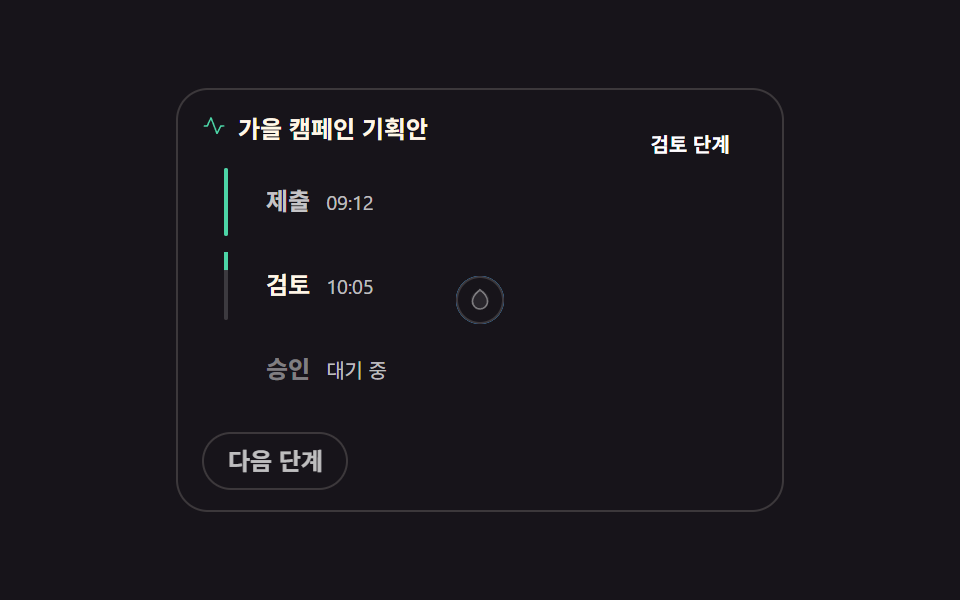 06 feed-status-badge-timeline
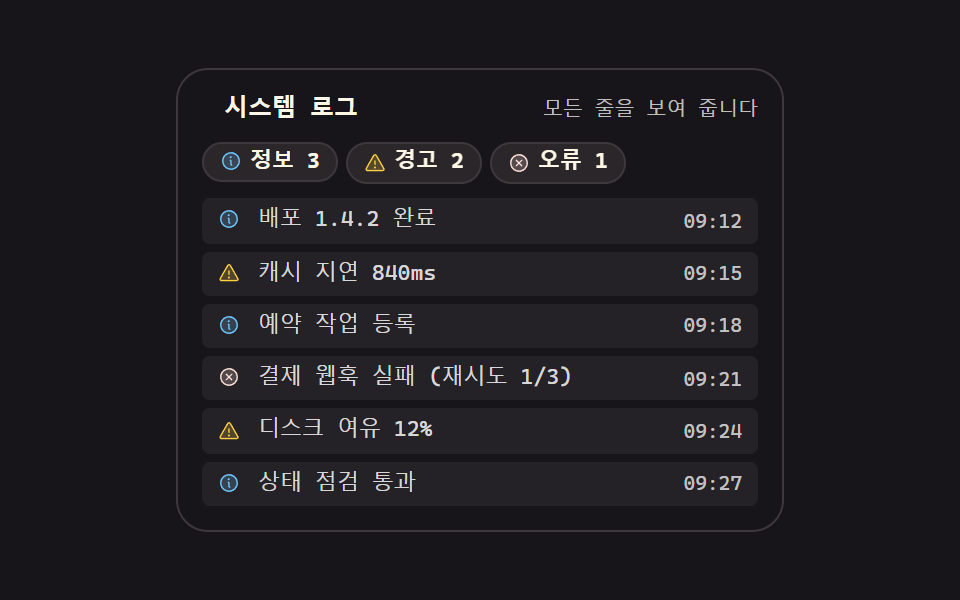 07 feed-log-level-filter
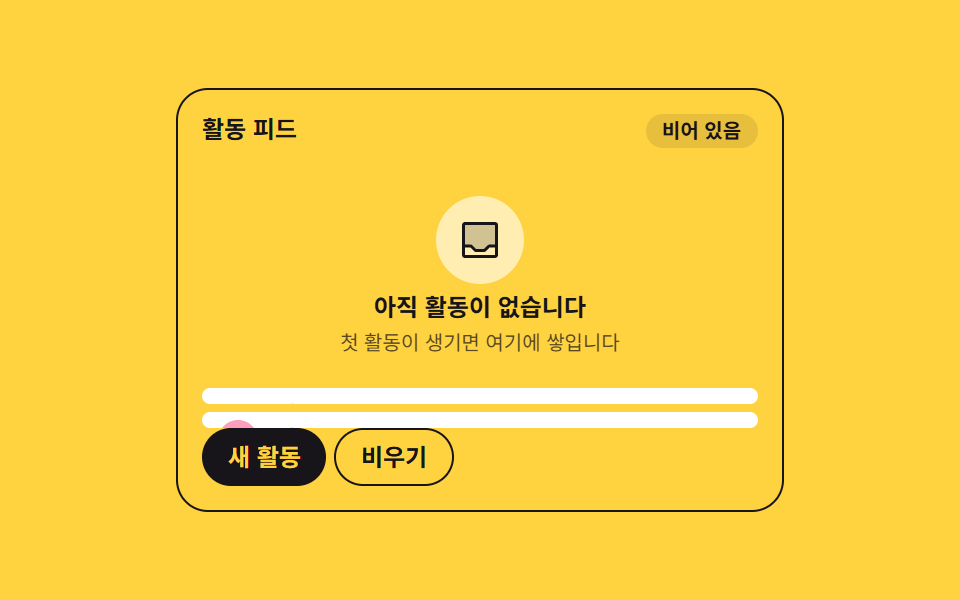 08 feed-empty-first-activity
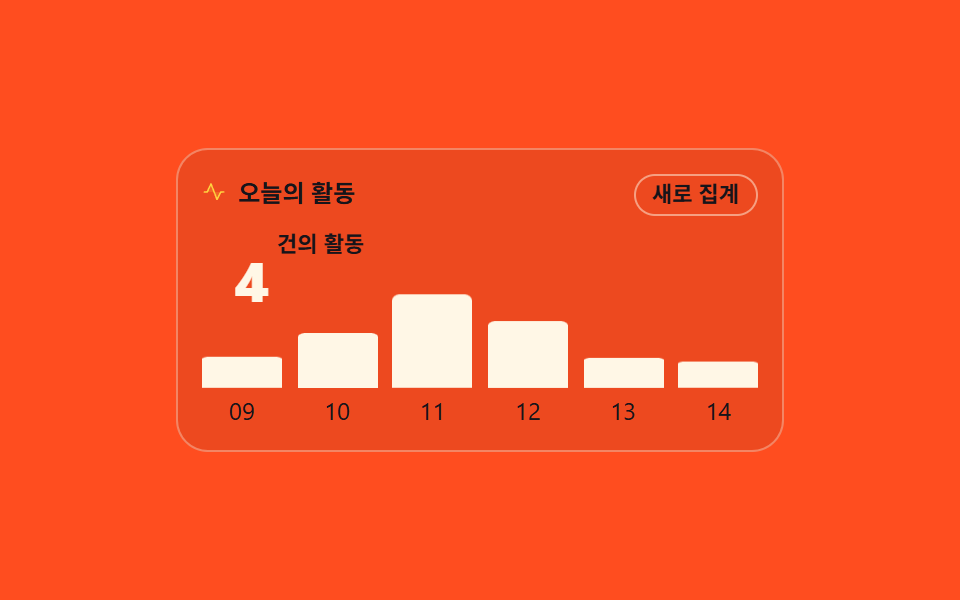 09 feed-summary-counter-bars
Auto-plays · click a tile to jump to its section · all nine in one zip
- 01 Team activity stream where new work lands on top
- 02 Change history diff that puts values back
- 03 Notification list that splits read from unread
- 04 Social mention cards that roll in from the side
- 05 Mini comment thread with folding replies
- 06 Status badge timeline that lights up stage by stage
- 07 System log filtered by level chips
- 08 The moment an empty feed meets its first activity
- 09 Summary counter that tallies today in hourly bars
The order follows what a list goes through, not what a builder builds first. Team activity stacks in from the top (01), edits leave their before-and-after behind (02), read and unread split apart (03). Mentions roll in from outside (04), replies fold into a bundle (05), a document climbs from submit to approve (06). That is the stacking half. Next comes the picking half: log lines get picked by level (07), a brand-new feed wakes up at its first activity (08), and a summary counter folds the whole day into one number with hourly bars (09). That is where a news feed ui and this one part ways, because the feed keeps what already scrolled by so it can be read again. Other fixtures that share the same sidebar column are code block UI patterns and weather widget design, and all three were cut to the same 320px cell used here.
01Team activity stream where new work lands on top
What you see
Each entry is one line of who did what and when, with an avatar and a timestamp.
<main class="stage">
  <section class="ts is-demo" id="ts" aria-label="Team activity stream">
    <header class="ts__h">
      <span class="ts__ic" aria-hidden="true"><svg viewBox="0 0 256 256" width="1em" height="1em" fill="currentColor"><path d="M160 216h-.4a8.1 8.1 0 0 1-7.1-5.2l-57.2-150l-32 70.5A8 8 0 0 1 56 136H24a8 8 0 0 1 0-16h26.8l37.9-83.3a8.2 8.2 0 0 1 7.6-4.7a8 8 0 0 1 7.2 5.2L161 188.1l31.8-63.7a8.2 8.2 0 0 1 7.2-4.4h32a8 8 0 0 1 0 16h-27.1l-37.7 75.6a8.2 8.2 0 0 1-7.2 4.4Z"/></svg></span>
      <h2 class="ts__t">Team activity</h2>
      <span class="ts__n" id="ts-n" data-t="{n}" aria-live="polite">4</span>
    </header>
    <ul class="ts__list" role="log" aria-live="polite" id="ts-list">
      <li class="ts__row ts__row--new" data-row="new">
        <div class="ts__fold"><div class="ts__cell">
          <span class="ts__av" style="--a:#93a4ca">K</span>
          <p class="ts__line"><b>Kim Haneul</b> edited the autumn campaign doc</p>
          <time class="ts__tm">now</time>
          <span class="ts__bar" aria-hidden="true"></span>
        </div></div>
      </li>
      <li class="ts__row" data-row="1">
        <div class="ts__fold"><div class="ts__cell">
          <span class="ts__av" style="--a:#90c8b5">P</span>
          <p class="ts__line"><b>Park Seo-a</b> approved the weekly report</p>
          <time class="ts__tm">8m ago</time>
        </div></div>
      </li>
      <li class="ts__row" data-row="2">
        <div class="ts__fold"><div class="ts__cell">
          <span class="ts__av" style="--a:#ff9ebb">L</span>
          <p class="ts__line"><b>Lee Jun</b> left a comment on the stock list</p>
          <time class="ts__tm">26m ago</time>
        </div></div>
      </li>
      <li class="ts__row ts__row--old" data-row="3">
        <div class="ts__fold"><div class="ts__cell">
          <span class="ts__av" style="--a:#c3d6e2">C</span>
          <p class="ts__line"><b>Choi Do-yun</b> uploaded the purchase order</p>
          <time class="ts__tm">1h ago</time>
        </div></div>
      </li>
    </ul>
    <button class="ts__add" type="button" id="ts-add">
      <span class="ts__plus" aria-hidden="true"><svg viewBox="0 0 256 256" width="1em" height="1em" fill="currentColor"><path d="M228 128a100 100 0 1 1-100-100a100 100 0 0 1 100 100" opacity=".2"/><path d="M208 120h-72V48a8 8 0 0 0-16 0v72H48a8 8 0 0 0 0 16h72v72a8 8 0 0 0 16 0v-72h72a8 8 0 0 0 0-16"/></svg></span>
      Add activity
    </button>
  </section>
</main>
<template id="ts-tpl"><li class="ts__row is-in"><div class="ts__fold"><div class="ts__cell">
  <span class="ts__av" style="--a:#b9a0ff">H</span>
  <p class="ts__line"><b>Han Byeol</b> edited the autumn campaign doc</p>
  <time class="ts__tm">now</time>
  <span class="ts__bar" aria-hidden="true"></span>
</div></div></li></template>@use "sass:color";
@use "../../../../site/static/demo-tokens" as *;
$duration: $dur-quick;
$easing: $ease-spring;
$color: $subject-cream;
@include stage($stage-ink);
$line: color.mix($subject-cream, $stage-ink, 16%);
$soft: color.mix($subject-cream, $stage-ink, 8%);
.ts {
position: relative;
box-sizing: border-box;
width: min(304px, 92vw);
padding: $sp-3;
border: 1px solid $line;
border-radius: $r-card;
background: $stage-ink;
color: $subject-cream;
font-family: -apple-system, "Segoe UI", "Noto Sans KR", sans-serif;
font-size: 12px;
line-height: 1.3;
overflow: hidden;
}
.ts__h {
display: flex;
align-items: center;
gap: $sp-1;
margin: 0 0 $sp-2;
}
.ts__ic { display: inline-flex; width: 14px; height: 14px; color: $subject-mint; }
.ts__t {
margin: 0;
font-size: 12px;
font-weight: 700;
letter-spacing: .02em;
}
.ts__n {
position: relative;
margin-left: auto;
min-width: 34px;
padding: 0 $sp-2;
border-radius: $r-pill;
background: $subject-blue;
color: #ffffff;
font-size: 11px;
font-weight: 700;
line-height: 1.7;
text-align: center;
}
.ts__list {
display: grid;
gap: $sp-1;
margin: 0;
padding: 0;
list-style: none;
}
// ── 활동 한 줄 ────────────────────────────────────
.ts__fold {
display: grid;
grid-template-rows: 1fr;
transition: grid-template-rows $duration $easing;
}
.ts__row.is-shut .ts__fold { grid-template-rows: 0fr; }
.ts__cell {
position: relative;
display: grid;
grid-template-columns: auto 1fr auto;
align-items: center;
gap: $sp-2;
min-height: 0;
overflow: hidden;
padding: $sp-1 $sp-2;
border: 1px solid transparent;
border-radius: $r-sm;
background: $soft;
}
.ts__row--new .ts__fold { grid-template-rows: 0fr; }
.ts.is-demo .ts__row--new .ts__fold { grid-template-rows: 1fr; } // 루프에서는 펼친 상태를 키로 만든다
.ts__av {
display: inline-grid;
place-items: center;
width: 20px;
height: 20px;
border-radius: 50%;
background: var(--a);
color: $stage-ink;
font-size: 11px;
font-weight: 700;
}
.ts__line { margin: 0; color: rgba(255, 255, 255, .78); }
.ts__line b { color: $subject-cream; font-weight: 700; }
.ts__tm { color: rgba(255, 255, 255, .72); font-size: 10px; white-space: nowrap; }
// 새 줄의 생생함 표시 — 왼쪽 막대 (루프에서만 보임)
.ts__bar {
position: absolute;
left: 0;
top: 6px;
bottom: 6px;
width: 4px;
border-radius: $r-pill;
background: $subject-mint;
transform-origin: center;
visibility: hidden;
}
// 사람이 눌러 넣은 줄: 등장 애니메이션 (is-in 동안만)
.ts__row.is-in .ts__cell { animation: ts-rise $dur-base $ease-pop both; }
@keyframes ts-rise {
from { transform: translateY(-10px); opacity: 0; }
to { transform: translateY(0); opacity: 1; }
}
.ts__add {
display: inline-flex;
align-items: center;
gap: $sp-1;
margin: $sp-2 0 0;
padding: $sp-1 $sp-3;
border: 1px solid $line;
border-radius: $r-pill;
background: transparent;
color: rgba(255, 255, 255, .72);
font-family: inherit;
font-size: 12px;
font-weight: 700;
line-height: 1.6;
cursor: pointer;
}
.ts__add:focus-visible { outline: 2px solid $subject-blue; outline-offset: 2px; }
.ts__plus { display: inline-flex; width: 12px; height: 12px; }
// ── 격자 미리보기 전용 2초 루프 ─────────────────────
// 새 줄의 펼침은 컷·성장으로, 프레임 수는 막대 숨·들숨과 상승 팝이 채운다
@keyframes ts-fold-in {
0%, 19% { grid-template-rows: 0fr; }
26%, 87% { grid-template-rows: 1fr; }
88%, 100% { grid-template-rows: 0fr; }
}
@keyframes ts-new-rise {
0%, 20% { transform: translateY(-10px); }
28%, 87% { transform: translateY(0); }
88%, 100% { transform: translateY(-10px); }
}
@keyframes ts-bar-on {
0%, 19% { visibility: hidden; }
20%, 87% { visibility: visible; }
88%, 100% { visibility: hidden; }
}
@keyframes ts-bar-breath {
0%, 100% { transform: scaleY(.55); }
50% { transform: scaleY(1); }
}
@keyframes ts-av-pop {
0%, 20% { transform: scale(.4); }
26%, 87% { transform: scale(1); }
88%, 100% { transform: scale(.4); }
}
@keyframes ts-n-swap {
0%, 19% { transform: translateY(0); }
20%, 87% { transform: translateY(-3px); }
88%, 100% { transform: translateY(0); }
}
.ts.is-demo {
.ts__row--new .ts__fold {
animation-name: ts-fold-in;
animation-duration: $dur-loop;
animation-timing-function: $ease-pop;
animation-iteration-count: infinite;
}
.ts__row--new .ts__cell {
animation-name: ts-new-rise;
animation-duration: $dur-loop;
animation-timing-function: $easing;
animation-iteration-count: infinite;
}
.ts__row--new .ts__bar {
visibility: visible;
animation-name: ts-bar-on, ts-bar-breath;
animation-duration: $dur-loop, 600ms;
animation-timing-function: steps(1, end), ease-in-out;
animation-iteration-count: infinite, infinite;
}
.ts__row--new .ts__av {
animation-name: ts-av-pop;
animation-duration: $dur-loop;
animation-timing-function: $easing;
animation-iteration-count: infinite;
}
.ts__n {
animation-name: ts-n-swap;
animation-duration: $dur-loop;
animation-timing-function: steps(1, end);
animation-iteration-count: infinite;
}
// 루프의 새 줄 배경은 한 프레임에 밝게 (반투명 겹침 금지)
.ts__row--new .ts__cell { background: rgba(255, 255, 255, .12); }
}
@media (max-width: 340px) {
.ts { padding: $sp-2; font-size: 11px; }
.ts__h { margin-bottom: $sp-1; }
.ts__cell { padding: 0 $sp-2; }
.ts__av { width: 16px; height: 16px; font-size: 10px; }
.ts__row--old { display: none; } // 좁은 화면에서는 오래된 줄부터 비운다
.ts__add { margin-top: $sp-1; padding: 0 $sp-3; }
}
@media (prefers-reduced-motion: reduce) {
.ts__fold { transition: none; }
.ts__row.is-in .ts__cell { animation: none !important; }
.ts.is-demo .ts__row--new .ts__fold,
.ts.is-demo .ts__row--new .ts__cell,
.ts.is-demo .ts__row--new .ts__av,
.ts.is-demo .ts__n { animation: none !important; transform: none !important; }
.ts.is-demo .ts__row--new .ts__bar { animation: none !important; }
// 움직임만 끄고 결과 상태는 남긴다 — 새 줄은 펼쳐진 채
.ts.is-demo .ts__row--new .ts__fold { grid-template-rows: 1fr !important; }
.ts.is-demo .ts__row--new .ts__bar { visibility: visible !important; }
.ts.is-demo .ts__row--new .ts__av { transform: scale(1) !important; }
}html, body {
margin: 0;
overflow: hidden;
}
.stage {
box-sizing: border-box;
min-height: 100vh;
display: grid;
place-items: center;
margin: 0;
background: #17141a;
font-family: -apple-system, "Segoe UI", "Noto Sans KR", sans-serif;
padding: clamp(8px, 4vw, 24px);
}
.ts {
position: relative;
box-sizing: border-box;
width: min(304px, 92vw);
padding: 12px;
border: 1px solid rgb(23.5764705882%, 22.0862745098%, 22.9960784314%);
border-radius: 16px;
background: #17141a;
color: #fff7e6;
font-family: -apple-system, "Segoe UI", "Noto Sans KR", sans-serif;
font-size: 12px;
line-height: 1.3;
overflow: hidden;
}
.ts__h {
display: flex;
align-items: center;
gap: 4px;
margin: 0 0 8px;
}
.ts__ic {
display: inline-flex;
width: 14px;
height: 14px;
color: #4cd4a6;
}
.ts__t {
margin: 0;
font-size: 12px;
font-weight: 700;
letter-spacing: 0.02em;
}
.ts__n {
position: relative;
margin-left: auto;
min-width: 34px;
padding: 0 8px;
border-radius: 999px;
background: #2f6df6;
color: #ffffff;
font-size: 11px;
font-weight: 700;
line-height: 1.7;
text-align: center;
}
.ts__list {
display: grid;
gap: 4px;
margin: 0;
padding: 0;
list-style: none;
}
.ts__fold {
display: grid;
grid-template-rows: 1fr;
transition: grid-template-rows 220ms cubic-bezier(0.2, 0.8, 0.2, 1);
}
.ts__row.is-shut .ts__fold {
grid-template-rows: 0fr;
}
.ts__cell {
position: relative;
display: grid;
grid-template-columns: auto 1fr auto;
align-items: center;
gap: 8px;
min-height: 0;
overflow: hidden;
padding: 4px 8px;
border: 1px solid transparent;
border-radius: 8px;
background: rgb(16.2980392157%, 14.9647058824%, 16.5960784314%);
}
.ts__row--new .ts__fold {
grid-template-rows: 0fr;
}
.ts.is-demo .ts__row--new .ts__fold {
grid-template-rows: 1fr;
}
.ts__av {
display: inline-grid;
place-items: center;
width: 20px;
height: 20px;
border-radius: 50%;
background: var(--a);
color: #17141a;
font-size: 11px;
font-weight: 700;
}
.ts__line {
margin: 0;
color: rgba(255, 255, 255, 0.78);
}
.ts__line b {
color: #fff7e6;
font-weight: 700;
}
.ts__tm {
color: rgba(255, 255, 255, 0.72);
font-size: 10px;
white-space: nowrap;
}
.ts__bar {
position: absolute;
left: 0;
top: 6px;
bottom: 6px;
width: 4px;
border-radius: 999px;
background: #4cd4a6;
transform-origin: center;
visibility: hidden;
}
.ts__row.is-in .ts__cell {
animation: ts-rise 300ms cubic-bezier(0.2, 1.4, 0.4, 1) both;
}
@keyframes ts-rise {
from {
transform: translateY(-10px);
opacity: 0;
}
to {
transform: translateY(0);
opacity: 1;
}
}
.ts__add {
display: inline-flex;
align-items: center;
gap: 4px;
margin: 8px 0 0;
padding: 4px 12px;
border: 1px solid rgb(23.5764705882%, 22.0862745098%, 22.9960784314%);
border-radius: 999px;
background: transparent;
color: rgba(255, 255, 255, 0.72);
font-family: inherit;
font-size: 12px;
font-weight: 700;
line-height: 1.6;
cursor: pointer;
}
.ts__add:focus-visible {
outline: 2px solid #2f6df6;
outline-offset: 2px;
}
.ts__plus {
display: inline-flex;
width: 12px;
height: 12px;
}
@keyframes ts-fold-in {
0%, 19% {
grid-template-rows: 0fr;
}
26%, 87% {
grid-template-rows: 1fr;
}
88%, 100% {
grid-template-rows: 0fr;
}
}
@keyframes ts-new-rise {
0%, 20% {
transform: translateY(-10px);
}
28%, 87% {
transform: translateY(0);
}
88%, 100% {
transform: translateY(-10px);
}
}
@keyframes ts-bar-on {
0%, 19% {
visibility: hidden;
}
20%, 87% {
visibility: visible;
}
88%, 100% {
visibility: hidden;
}
}
@keyframes ts-bar-breath {
0%, 100% {
transform: scaleY(0.55);
}
50% {
transform: scaleY(1);
}
}
@keyframes ts-av-pop {
0%, 20% {
transform: scale(0.4);
}
26%, 87% {
transform: scale(1);
}
88%, 100% {
transform: scale(0.4);
}
}
@keyframes ts-n-swap {
0%, 19% {
transform: translateY(0);
}
20%, 87% {
transform: translateY(-3px);
}
88%, 100% {
transform: translateY(0);
}
}
.ts.is-demo .ts__row--new .ts__fold {
animation-name: ts-fold-in;
animation-duration: 2s;
animation-timing-function: cubic-bezier(0.2, 1.4, 0.4, 1);
animation-iteration-count: infinite;
}
.ts.is-demo .ts__row--new .ts__cell {
animation-name: ts-new-rise;
animation-duration: 2s;
animation-timing-function: cubic-bezier(0.2, 0.8, 0.2, 1);
animation-iteration-count: infinite;
}
.ts.is-demo .ts__row--new .ts__bar {
visibility: visible;
animation-name: ts-bar-on, ts-bar-breath;
animation-duration: 2s, 600ms;
animation-timing-function: steps(1, end), ease-in-out;
animation-iteration-count: infinite, infinite;
}
.ts.is-demo .ts__row--new .ts__av {
animation-name: ts-av-pop;
animation-duration: 2s;
animation-timing-function: cubic-bezier(0.2, 0.8, 0.2, 1);
animation-iteration-count: infinite;
}
.ts.is-demo .ts__n {
animation-name: ts-n-swap;
animation-duration: 2s;
animation-timing-function: steps(1, end);
animation-iteration-count: infinite;
}
.ts.is-demo .ts__row--new .ts__cell {
background: rgba(255, 255, 255, 0.12);
}
@media (max-width: 340px) {
.ts {
padding: 8px;
font-size: 11px;
}
.ts__h {
margin-bottom: 4px;
}
.ts__cell {
padding: 0 8px;
}
.ts__av {
width: 16px;
height: 16px;
font-size: 10px;
}
.ts__row--old {
display: none;
}
.ts__add {
margin-top: 4px;
padding: 0 12px;
}
}
@media (prefers-reduced-motion: reduce) {
.ts__fold {
transition: none;
}
.ts__row.is-in .ts__cell {
animation: none !important;
}
.ts.is-demo .ts__row--new .ts__fold,
.ts.is-demo .ts__row--new .ts__cell,
.ts.is-demo .ts__row--new .ts__av,
.ts.is-demo .ts__n {
animation: none !important;
transform: none !important;
}
.ts.is-demo .ts__row--new .ts__bar {
animation: none !important;
}
.ts.is-demo .ts__row--new .ts__fold {
grid-template-rows: 1fr !important;
}
.ts.is-demo .ts__row--new .ts__bar {
visibility: visible !important;
}
.ts.is-demo .ts__row--new .ts__av {
transform: scale(1) !important;
}
}// 실제 동작: 활동 추가를 누르면 목록 맨 위에 새 줄이 자라 나타난다(등장만).
// 목록은 role="log" + aria-live="polite" 라 새 줄이 낭독기에도 전해진다.
var ts = document.getElementById('ts');
var tsList = document.getElementById('ts-list');
var tsN = document.getElementById('ts-n');
var tsCount = 4;
function tsCountUp() {
tsCount++;
tsN.textContent = tsN.getAttribute('data-t').replace('{n}', tsCount);
}
document.getElementById('ts-add').addEventListener('click', function () {
ts.classList.remove('is-demo');
var row = document.getElementById('ts-tpl').content.firstElementChild.cloneNode(true);
row.classList.add('is-shut');
tsList.insertBefore(row, tsList.firstChild);
void row.offsetWidth; // 두 단계로 나눠야 grid 전환이 애니메이션으로 잡힌다
row.classList.remove('is-shut');
tsCountUp();
});import { useEffect, useState } from "react";
import type { CSSProperties, ReactNode } from "react";
import styles from "./TeamActivityStream.module.scss";
export type TeamActivityStreamProps = {
heading?: string;
groupLabel?: string;
addLabel?: string;
nowLabel?: string;
/** 격자 미리보기용 2초 자동 루프. 사람이 손대면 꺼진다 */
demo?: boolean;
duration?: number;
easing?: string;
color?: string;
};
type Vars = CSSProperties & { "--duration"?: string; "--easing"?: string; "--color"?: string };
type Row = { key: number; name: string; initial: string; av: string; text: string };
const INITIAL: Row[] = [
{ key: 1, name: "Park Seo-a", initial: "P", av: "#4cd4a6", text: " approved the weekly report" },
{ key: 2, name: "Lee Jun", initial: "L", av: "#ff9ebb", text: " left a comment on the stock list" },
{ key: 3, name: "Choi Do-yun", initial: "C", av: "#6ec8ff", text: " uploaded the purchase order" },
];
function ActivityIcon() {
return (
<svg viewBox="0 0 256 256" width="1em" height="1em" fill="currentColor">
<path d="M160 216h-.4a8.1 8.1 0 0 1-7.1-5.2l-57.2-150l-32 70.5A8 8 0 0 1 56 136H24a8 8 0 0 1 0-16h26.8l37.9-83.3a8.2 8.2 0 0 1 7.6-4.7a8 8 0 0 1 7.2 5.2L161 188.1l31.8-63.7a8.2 8.2 0 0 1 7.2-4.4h32a8 8 0 0 1 0 16h-27.1l-37.7 75.6a8.2 8.2 0 0 1-7.2 4.4Z" />
</svg>
);
}
function PlusIcon() {
return (
<svg viewBox="0 0 256 256" width="1em" height="1em" fill="currentColor">
<g>
<path d="M228 128a100 100 0 1 1-100-100a100 100 0 0 1 100 100" opacity=".2" />
<path d="M208 120h-72V48a8 8 0 0 0-16 0v72H48a8 8 0 0 0 0 16h72v72a8 8 0 0 0 16 0v-72h72a8 8 0 0 0 0-16" />
</g>
</svg>
);
}
export default function TeamActivityStream({
heading = "Team activity",
groupLabel = "Team activity stream",
addLabel = "Add activity",
nowLabel = "now",
demo = true,
duration = 220,
easing = "cubic-bezier(.2,.8,.2,1)",
color = "#2f6df6",
}: TeamActivityStreamProps) {
const [live, setLive] = useState(demo);
const [rows, setRows] = useState<Row[]>(INITIAL);
const [grown, setGrown] = useState<number[]>([]);
const [count, setCount] = useState(4);
// 방금 넣은 줄은 두 단계(shut → grow)로 렌더해야 grid 전환이 애니메이션으로 잡힌다
useEffect(() => {
const top = rows[0];
if (top && !grown.includes(top.key)) {
const raf = requestAnimationFrame(() => setGrown((g) => [...g, top.key]));
return () => cancelAnimationFrame(raf);
}
}, [rows, grown]);
const vars: Vars = { "--duration": `${duration}ms`, "--easing": easing, "--color": color };
function add() {
setLive(false);
const key = Date.now();
setRows((r) => [{ key, name: "Han Byeol", initial: "H", av: "#b9a0ff", text: " edited the autumn campaign doc" }, ...r]);
setCount((c) => c + 1);
}
const top = rows[0];
const cls = [styles.ts, live ? styles.isDemo : ""].filter(Boolean).join(" ");
return (
<section className={cls} style={vars} aria-label={groupLabel}>
<header className={styles.h}>
<span className={styles.ic} aria-hidden="true"><ActivityIcon /></span>
<h2 className={styles.t}>{heading}</h2>
<span className={styles.n} aria-live="polite">
{live ? (
<>
<i className={`${styles.nA} ${styles.nLayer}`}>{count - 1}</i>
<i className={`${styles.nB} ${styles.nLayer}`}>{count}</i>
</>
) : (
count
)}
</span>
</header>
<ul className={styles.list} role="log" aria-live="polite">
<li className={styles.rowNew}>
<div className={styles.fold}>
<div className={styles.cell}>
<span className={styles.av} style={{ background: color }}>K</span>
<p className={styles.line}><b>Kim Haneul</b> edited the autumn campaign doc</p>
<time className={styles.tm}>{nowLabel}</time>
<span className={styles.bar} aria-hidden="true"></span>
</div>
</div>
</li>
{rows.map((r) => {
const isNew = r === top && !grown.includes(r.key);
const rowCls = [styles.row, isNew ? styles.shut : "", r === top ? styles.in : ""].filter(Boolean).join(" ");
return (
<li key={r.key} className={rowCls}>
<div className={styles.fold}>
<div className={styles.cell}>
<span className={styles.av} style={{ background: r.av }}>{r.initial}</span>
<p className={styles.line}><b>{r.name}</b>{r.text}</p>
<time className={styles.tm}>{r === top ? nowLabel : "26m ago"}</time>
</div>
</div>
</li>
);
})}
</ul>
<button className={styles.add} type="button" onClick={add}>
<span className={styles.plus} aria-hidden="true"><PlusIcon /></span>
{addLabel}
</button>
</section>
);
}01 · Team activity stream where new work lands on top — Measured area 22.602% · moving frames 18/23Original by GODRICH · SCSS and React ship in the zip · See the password
Where to look in the code
The list itself carries role="log" and aria-live, and pressing Add activity grows a new row into place at the top while the rest slide down a row.
document.getElementById('ts-add').addEventListener('click', function () {
  ts.classList.remove('is-demo');
  var row = document.getElementById('ts-tpl').content.firstElementChild.cloneNode(true);
  row.classList.add('is-shut');
  tsList.insertBefore(row, tsList.firstChild);
  void row.offsetWidth; // two passes so the grid transition actually animates
  row.classList.remove('is-shut');
  tsCountUp();
});
02Change history diff that puts values back
How an activity feed ui design shows a change history on screen
The old value is struck through with del and the new one underlined with ins, so the before-and-after reads at a glance.
<main class="stage">
  <section class="dh is-demo" id="dh" aria-label="Quote change history">
    <header class="dh__h">
      <span class="dh__ic" aria-hidden="true"><svg viewBox="0 0 256 256" width="1em" height="1em" fill="currentColor"><g><path d="M216 128a88 88 0 1 1-88-88a88 88 0 0 1 88 88" opacity=".2"/><path d="M224 128a96 96 0 0 1-94.71 96H128a95.38 95.38 0 0 1-65.9-26.2a8 8 0 0 1 11-11.63a80 80 0 1 0-1.67-114.78a3 3 0 0 1-.26.25L44.59 96H72a8 8 0 0 1 0 16H24a8 8 0 0 1-8-8V56a8 8 0 0 1 16 0v29.8L60.25 60A96 96 0 0 1 224 128"/></g></svg></span>
      <h2 class="dh__t">Change history</h2>
      <span class="dh__n" id="dh-n" data-t="{n} edited" aria-live="polite">3 edited</span>
    </header>
    <ul class="dh__list" id="dh-list">
      <li class="dh__row" data-row="1">
        <span class="dh__f">Due date</span>
        <p class="dh__diff">
          <span class="dh__a"><del>Oct 15</del> → <ins>Oct 8</ins></span>
          <span class="dh__b"><b>Oct 15</b><i class="dh__tag">Reverted</i></span>
        </p>
        <button class="dh__undo" type="button" aria-pressed="false" data-f="Due date">
          <span class="dh__u" aria-hidden="true"><svg viewBox="0 0 256 256" width="1em" height="1em" fill="currentColor"><g><path d="M216 128a88 88 0 1 1-88-88a88 88 0 0 1 88 88" opacity=".2"/><path d="M224 128a96 96 0 0 1-94.71 96H128a95.38 95.38 0 0 1-65.9-26.2a8 8 0 0 1 11-11.63a80 80 0 1 0-1.67-114.78a3 3 0 0 1-.26.25L44.59 96H72a8 8 0 0 1 0 16H24a8 8 0 0 1-8-8V56a8 8 0 0 1 16 0v29.8L60.25 60A96 96 0 0 1 224 128"/></g></svg></span>
          Undo
        </button>
      </li>
      <li class="dh__row" data-row="2">
        <span class="dh__f">Owner</span>
        <p class="dh__diff">
          <span class="dh__a"><del>Lee Jun</del> → <ins>Park Seo-a</ins></span>
          <span class="dh__b"><b>Lee Jun</b><i class="dh__tag">Reverted</i></span>
        </p>
        <button class="dh__undo" type="button" aria-pressed="false" data-f="Owner">
          <span class="dh__u" aria-hidden="true"><svg viewBox="0 0 256 256" width="1em" height="1em" fill="currentColor"><g><path d="M216 128a88 88 0 1 1-88-88a88 88 0 0 1 88 88" opacity=".2"/><path d="M224 128a96 96 0 0 1-94.71 96H128a95.38 95.38 0 0 1-65.9-26.2a8 8 0 0 1 11-11.63a80 80 0 1 0-1.67-114.78a3 3 0 0 1-.26.25L44.59 96H72a8 8 0 0 1 0 16H24a8 8 0 0 1-8-8V56a8 8 0 0 1 16 0v29.8L60.25 60A96 96 0 0 1 224 128"/></g></svg></span>
          Undo
        </button>
      </li>
      <li class="dh__row" data-row="3">
        <span class="dh__f">Qty</span>
        <p class="dh__diff">
          <span class="dh__a"><del>120</del> → <ins>150</ins></span>
          <span class="dh__b"><b>120</b><i class="dh__tag">Reverted</i></span>
        </p>
        <button class="dh__undo" type="button" aria-pressed="false" data-f="Qty">
          <span class="dh__u" aria-hidden="true"><svg viewBox="0 0 256 256" width="1em" height="1em" fill="currentColor"><g><path d="M216 128a88 88 0 1 1-88-88a88 88 0 0 1 88 88" opacity=".2"/><path d="M224 128a96 96 0 0 1-94.71 96H128a95.38 95.38 0 0 1-65.9-26.2a8 8 0 0 1 11-11.63a80 80 0 1 0-1.67-114.78a3 3 0 0 1-.26.25L44.59 96H72a8 8 0 0 1 0 16H24a8 8 0 0 1-8-8V56a8 8 0 0 1 16 0v29.8L60.25 60A96 96 0 0 1 224 128"/></g></svg></span>
          Undo
        </button>
      </li>
    </ul>
    <p class="dh__live" aria-live="polite" id="dh-live">Undoing an item reports here</p>
  </section>
</main>@use "sass:color";
@use "../../../../site/static/demo-tokens" as *;
$duration: $dur-quick;
$easing: $ease-spring;
$color: $subject-blue;
@include stage($stage-paper);
$line: color.mix($subject-ink, $stage-paper, 14%);
$soft: color.mix($subject-blue, $stage-paper, 7%);
.dh {
box-sizing: border-box;
width: min(304px, 92vw);
padding: $sp-3;
border: 1px solid $line;
border-radius: $r-card;
background: $stage-paper;
color: $subject-ink;
font-family: -apple-system, "Segoe UI", "Noto Sans KR", sans-serif;
font-size: 12px;
line-height: 1.3;
}
.dh__h {
display: flex;
align-items: center;
gap: $sp-1;
margin: 0 0 $sp-2;
}
.dh__ic { display: inline-flex; width: 14px; height: 14px; color: $color; }
.dh__t { margin: 0; font-size: 12px; font-weight: 700; }
.dh__n {
margin-left: auto;
padding: 0 $sp-2;
border-radius: $r-pill;
background: $soft;
color: $subject-blue-deep;
font-size: 11px;
font-weight: 700;
line-height: 1.7;
}
.dh__list {
display: grid;
gap: $sp-1;
margin: 0;
padding: 0;
list-style: none;
}
// ── 이력 한 줄 ────────────────────────────────────
.dh__row {
display: grid;
grid-template-columns: auto 1fr auto;
align-items: center;
gap: $sp-2;
padding: $sp-1 $sp-2;
border: 1px solid $line;
border-radius: $r-sm;
background: $stage-paper;
}
.dh__f { color: rgba(23, 20, 26, .72); font-weight: 700; }
// 두 상태를 겹쳐 두고 steps 로 자른다 — 반투명 유령 프레임 금지
.dh__diff { position: relative; margin: 0; min-height: 18px; }
.dh__a, .dh__b { position: absolute; inset: 0; display: inline-flex; align-items: center; gap: $sp-1; }
.dh__b { visibility: hidden; }
.dh__row.is-back .dh__a { visibility: hidden; }
.dh__row.is-back .dh__b { visibility: visible; }
.dh__diff del {
color: $error;
font-size: 11px;
text-decoration: line-through;
text-decoration-thickness: 1.5px;
}
.dh__diff ins {
color: $color;
font-weight: 700;
text-decoration: underline;
text-decoration-thickness: 2px;
text-underline-offset: 3px;
}
.dh__b b { color: $subject-ink; font-weight: 700; }
.dh__tag {
padding: 0 4px;
border-radius: $r-xs;
background: $subject-mint;
color: $subject-ink;
font-size: 10px;
font-style: normal;
font-weight: 700;
}
.dh__undo {
display: inline-flex;
align-items: center;
gap: 4px;
padding: 0 $sp-2;
border: 1px solid $line;
border-radius: $r-pill;
background: $stage-paper;
color: $subject-ink;
font-family: inherit;
font-size: 11px;
font-weight: 700;
line-height: 1.7;
cursor: pointer;
}
.dh__undo:focus-visible { outline: 2px solid $color; outline-offset: 2px; }
.dh__u { display: inline-flex; width: 11px; height: 11px; }
.dh__row.is-back .dh__undo { background: $soft; color: $color; }
.dh__row.is-back .dh__u { transform: rotate(-360deg); transition: transform $dur-base $easing; }
.dh__live {
margin: $sp-2 0 0;
color: rgba(23, 20, 26, .72);
font-size: 10px;
}
// ── 격자 미리보기 전용 2초 루프 ─────────────────────
// 되돌림은 steps 컷으로 한 프레임에 자르고, 프레임 수는 아이콘 회전과 칩 팝이 채운다
@keyframes dh-a-1 { 0%, 24% { visibility: visible; } 25%, 87% { visibility: hidden; } 88%, 100% { visibility: visible; } }
@keyframes dh-b-1 { 0%, 24% { visibility: hidden; } 25%, 87% { visibility: visible; } 88%, 100% { visibility: hidden; } }
@keyframes dh-a-2 { 0%, 54% { visibility: visible; } 55%, 87% { visibility: hidden; } 88%, 100% { visibility: visible; } }
@keyframes dh-b-2 { 0%, 54% { visibility: hidden; } 55%, 87% { visibility: visible; } 88%, 100% { visibility: hidden; } }
@keyframes dh-spin-1 {
0%, 24% { transform: rotate(0deg); }
30%, 87% { transform: rotate(-360deg); }
88%, 100% { transform: rotate(0deg); }
}
@keyframes dh-spin-2 {
0%, 54% { transform: rotate(0deg); }
60%, 87% { transform: rotate(-360deg); }
88%, 100% { transform: rotate(0deg); }
}
@keyframes dh-pop-1 {
0%, 24% { transform: scale(1); }
27% { transform: scale(1.14); }
31%, 87% { transform: scale(1); }
88%, 100% { transform: scale(1); }
}
@keyframes dh-pop-2 {
0%, 54% { transform: scale(1); }
57% { transform: scale(1.14); }
61%, 100% { transform: scale(1); }
}
@keyframes dh-n-tick {
0%, 24% { transform: translateX(0); }
25%, 54% { transform: translateX(-2px); }
55%, 87% { transform: translateX(-4px); }
88%, 100% { transform: translateX(0); }
}
.dh.is-demo {
.dh__row[data-row="1"] .dh__a { animation-name: dh-a-1; }
.dh__row[data-row="1"] .dh__b { animation-name: dh-b-1; }
.dh__row[data-row="2"] .dh__a { animation-name: dh-a-2; }
.dh__row[data-row="2"] .dh__b { animation-name: dh-b-2; }
.dh__a, .dh__b {
animation-duration: $dur-loop;
animation-timing-function: steps(1, end);
animation-iteration-count: infinite;
}
.dh__row[data-row="1"] .dh__u { animation-name: dh-spin-1; }
.dh__row[data-row="2"] .dh__u { animation-name: dh-spin-2; }
.dh__u {
animation-duration: $dur-loop;
animation-timing-function: $easing;
animation-iteration-count: infinite;
}
.dh__row[data-row="1"] .dh__undo { animation-name: dh-pop-1; }
.dh__row[data-row="2"] .dh__undo { animation-name: dh-pop-2; }
.dh__undo {
animation-duration: $dur-loop;
animation-timing-function: $ease-pop;
animation-iteration-count: infinite;
}
.dh__n {
animation-name: dh-n-tick;
animation-duration: $dur-loop;
animation-timing-function: steps(1, end);
animation-iteration-count: infinite;
}
}
@media (max-width: 340px) {
.dh { padding: $sp-2; font-size: 11px; }
.dh__h { margin-bottom: $sp-1; }
.dh__row { padding: 0 $sp-2; }
.dh__f { font-size: 10px; }
.dh__undo { font-size: 10px; }
.dh__live { margin-top: $sp-1; }
}
@media (prefers-reduced-motion: reduce) {
.dh__row.is-back .dh__u { transform: none; transition: none; }
.dh.is-demo .dh__a,
.dh.is-demo .dh__b,
.dh.is-demo .dh__u,
.dh.is-demo .dh__undo,
.dh.is-demo .dh__n { animation: none !important; transform: none !important; }
// 움직임만 끄고 판정 결과는 남긴다 — 1·2번 줄은 되돌린 상태
.dh.is-demo .dh__row[data-row="1"] .dh__a,
.dh.is-demo .dh__row[data-row="2"] .dh__a { visibility: hidden !important; }
.dh.is-demo .dh__row[data-row="1"] .dh__b,
.dh.is-demo .dh__row[data-row="2"] .dh__b { visibility: visible !important; }
}html, body {
margin: 0;
overflow: hidden;
}
.stage {
box-sizing: border-box;
min-height: 100vh;
display: grid;
place-items: center;
margin: 0;
background: #ffffff;
font-family: -apple-system, "Segoe UI", "Noto Sans KR", sans-serif;
padding: clamp(8px, 4vw, 24px);
}
.dh {
box-sizing: border-box;
width: min(304px, 92vw);
padding: 12px;
border: 1px solid rgb(87.262745098%, 87.0980392157%, 87.4274509804%);
border-radius: 16px;
background: #ffffff;
color: #17141a;
font-family: -apple-system, "Segoe UI", "Noto Sans KR", sans-serif;
font-size: 12px;
line-height: 1.3;
}
.dh__h {
display: flex;
align-items: center;
gap: 4px;
margin: 0 0 8px;
}
.dh__ic {
display: inline-flex;
width: 14px;
height: 14px;
color: #2f6df6;
}
.dh__t {
margin: 0;
font-size: 12px;
font-weight: 700;
}
.dh__n {
margin-left: auto;
padding: 0 8px;
border-radius: 999px;
background: rgb(94.2901960784%, 95.9921568627%, 99.7529411765%);
color: #0a4fe8;
font-size: 11px;
font-weight: 700;
line-height: 1.7;
}
.dh__list {
display: grid;
gap: 4px;
margin: 0;
padding: 0;
list-style: none;
}
.dh__row {
display: grid;
grid-template-columns: auto 1fr auto;
align-items: center;
gap: 8px;
padding: 4px 8px;
border: 1px solid rgb(87.262745098%, 87.0980392157%, 87.4274509804%);
border-radius: 8px;
background: #ffffff;
}
.dh__f {
color: rgba(23, 20, 26, 0.72);
font-weight: 700;
}
.dh__diff {
position: relative;
margin: 0;
min-height: 18px;
}
.dh__a, .dh__b {
position: absolute;
inset: 0;
display: inline-flex;
align-items: center;
gap: 4px;
}
.dh__b {
visibility: hidden;
}
.dh__row.is-back .dh__a {
visibility: hidden;
}
.dh__row.is-back .dh__b {
visibility: visible;
}
.dh__diff del {
color: #c2361a;
font-size: 11px;
text-decoration: line-through;
text-decoration-thickness: 1.5px;
}
.dh__diff ins {
color: #2f6df6;
font-weight: 700;
text-decoration: underline;
text-decoration-thickness: 2px;
text-underline-offset: 3px;
}
.dh__b b {
color: #17141a;
font-weight: 700;
}
.dh__tag {
padding: 0 4px;
border-radius: 4px;
background: #4cd4a6;
color: #17141a;
font-size: 10px;
font-style: normal;
font-weight: 700;
}
.dh__undo {
display: inline-flex;
align-items: center;
gap: 4px;
padding: 0 8px;
border: 1px solid rgb(87.262745098%, 87.0980392157%, 87.4274509804%);
border-radius: 999px;
background: #ffffff;
color: #17141a;
font-family: inherit;
font-size: 11px;
font-weight: 700;
line-height: 1.7;
cursor: pointer;
}
.dh__undo:focus-visible {
outline: 2px solid #2f6df6;
outline-offset: 2px;
}
.dh__u {
display: inline-flex;
width: 11px;
height: 11px;
}
.dh__row.is-back .dh__undo {
background: rgb(94.2901960784%, 95.9921568627%, 99.7529411765%);
color: #2f6df6;
}
.dh__row.is-back .dh__u {
transform: rotate(-360deg);
transition: transform 300ms cubic-bezier(0.2, 0.8, 0.2, 1);
}
.dh__live {
margin: 8px 0 0;
color: rgba(23, 20, 26, 0.72);
font-size: 10px;
}
@keyframes dh-a-1 {
0%, 24% {
visibility: visible;
}
25%, 87% {
visibility: hidden;
}
88%, 100% {
visibility: visible;
}
}
@keyframes dh-b-1 {
0%, 24% {
visibility: hidden;
}
25%, 87% {
visibility: visible;
}
88%, 100% {
visibility: hidden;
}
}
@keyframes dh-a-2 {
0%, 54% {
visibility: visible;
}
55%, 87% {
visibility: hidden;
}
88%, 100% {
visibility: visible;
}
}
@keyframes dh-b-2 {
0%, 54% {
visibility: hidden;
}
55%, 87% {
visibility: visible;
}
88%, 100% {
visibility: hidden;
}
}
@keyframes dh-spin-1 {
0%, 24% {
transform: rotate(0deg);
}
30%, 87% {
transform: rotate(-360deg);
}
88%, 100% {
transform: rotate(0deg);
}
}
@keyframes dh-spin-2 {
0%, 54% {
transform: rotate(0deg);
}
60%, 87% {
transform: rotate(-360deg);
}
88%, 100% {
transform: rotate(0deg);
}
}
@keyframes dh-pop-1 {
0%, 24% {
transform: scale(1);
}
27% {
transform: scale(1.14);
}
31%, 87% {
transform: scale(1);
}
88%, 100% {
transform: scale(1);
}
}
@keyframes dh-pop-2 {
0%, 54% {
transform: scale(1);
}
57% {
transform: scale(1.14);
}
61%, 100% {
transform: scale(1);
}
}
@keyframes dh-n-tick {
0%, 24% {
transform: translateX(0);
}
25%, 54% {
transform: translateX(-2px);
}
55%, 87% {
transform: translateX(-4px);
}
88%, 100% {
transform: translateX(0);
}
}
.dh.is-demo .dh__row[data-row="1"] .dh__a {
animation-name: dh-a-1;
}
.dh.is-demo .dh__row[data-row="1"] .dh__b {
animation-name: dh-b-1;
}
.dh.is-demo .dh__row[data-row="2"] .dh__a {
animation-name: dh-a-2;
}
.dh.is-demo .dh__row[data-row="2"] .dh__b {
animation-name: dh-b-2;
}
.dh.is-demo .dh__a, .dh.is-demo .dh__b {
animation-duration: 2s;
animation-timing-function: steps(1, end);
animation-iteration-count: infinite;
}
.dh.is-demo .dh__row[data-row="1"] .dh__u {
animation-name: dh-spin-1;
}
.dh.is-demo .dh__row[data-row="2"] .dh__u {
animation-name: dh-spin-2;
}
.dh.is-demo .dh__u {
animation-duration: 2s;
animation-timing-function: cubic-bezier(0.2, 0.8, 0.2, 1);
animation-iteration-count: infinite;
}
.dh.is-demo .dh__row[data-row="1"] .dh__undo {
animation-name: dh-pop-1;
}
.dh.is-demo .dh__row[data-row="2"] .dh__undo {
animation-name: dh-pop-2;
}
.dh.is-demo .dh__undo {
animation-duration: 2s;
animation-timing-function: cubic-bezier(0.2, 1.4, 0.4, 1);
animation-iteration-count: infinite;
}
.dh.is-demo .dh__n {
animation-name: dh-n-tick;
animation-duration: 2s;
animation-timing-function: steps(1, end);
animation-iteration-count: infinite;
}
@media (max-width: 340px) {
.dh {
padding: 8px;
font-size: 11px;
}
.dh__h {
margin-bottom: 4px;
}
.dh__row {
padding: 0 8px;
}
.dh__f {
font-size: 10px;
}
.dh__undo {
font-size: 10px;
}
.dh__live {
margin-top: 4px;
}
}
@media (prefers-reduced-motion: reduce) {
.dh__row.is-back .dh__u {
transform: none;
transition: none;
}
.dh.is-demo .dh__a,
.dh.is-demo .dh__b,
.dh.is-demo .dh__u,
.dh.is-demo .dh__undo,
.dh.is-demo .dh__n {
animation: none !important;
transform: none !important;
}
.dh.is-demo .dh__row[data-row="1"] .dh__a,
.dh.is-demo .dh__row[data-row="2"] .dh__a {
visibility: hidden !important;
}
.dh.is-demo .dh__row[data-row="1"] .dh__b,
.dh.is-demo .dh__row[data-row="2"] .dh__b {
visibility: visible !important;
}
}// 실제 동작: 되돌리기를 누른 항목만 이전 값으로 돌아간다 (화면 표시와 aria 상태 둘 다).
var dh = document.getElementById('dh');
var dhN = document.getElementById('dh-n');
var dhLive = document.getElementById('dh-live');
var dhLeft = 3;
function dhCount() {
dhN.textContent = dhN.getAttribute('data-t').replace('{n}', dhLeft);
}
document.querySelectorAll('.dh__undo').forEach(function (b) {
b.addEventListener('click', function () {
dh.classList.remove('is-demo');
var row = b.closest('.dh__row');
var back = row.classList.toggle('is-back');
b.setAttribute('aria-pressed', back ? 'true' : 'false');
dhLeft += back ? -1 : 1;
dhCount();
dhLive.textContent = back
? b.getAttribute('data-f') + ' was restored to the previous value'
: b.getAttribute('data-f') + ' was edited again';
});
});import { useState } from "react";
import type { CSSProperties } from "react";
import styles from "./ChangeHistoryDiff.module.scss";
export type ChangeHistoryDiffProps = {
heading?: string;
groupLabel?: string;
undoLabel?: string;
revertedTag?: string;
liveHint?: string;
restoredMsg?: string;
editedAgainMsg?: string;
demo?: boolean;
duration?: number;
easing?: string;
color?: string;
};
type Vars = CSSProperties & { "--duration"?: string; "--easing"?: string; "--color"?: string };
type Field = { key: string; f: string; oldV: string; newV: string };
const FIELDS: Field[] = [
{ key: "due", f: "Due date", oldV: "Oct 15", newV: "Oct 8" },
{ key: "owner", f: "Owner", oldV: "Lee Jun", newV: "Park Seo-a" },
{ key: "qty", f: "Qty", oldV: "120", newV: "150" },
];
function UndoIcon() {
return (
<svg viewBox="0 0 256 256" width="1em" height="1em" fill="currentColor">
<g>
<path d="M216 128a88 88 0 1 1-88-88a88 88 0 0 1 88 88" opacity=".2" />
<path d="M224 128a96 96 0 0 1-94.71 96H128a95.38 95.38 0 0 1-65.9-26.2a8 8 0 0 1 11-11.63a80 80 0 1 0-1.67-114.78a3 3 0 0 1-.26.25L44.59 96H72a8 8 0 0 1 0 16H24a8 8 0 0 1-8-8V56a8 8 0 0 1 16 0v29.8L60.25 60A96 96 0 0 1 224 128" />
</g>
</svg>
);
}
export default function ChangeHistoryDiff({
heading = "Change history",
groupLabel = "Quote change history",
undoLabel = "Undo",
revertedTag = "Reverted",
liveHint = "Undoing an item reports here",
restoredMsg = " was restored to the previous value",
editedAgainMsg = " was edited again",
demo = true,
duration = 220,
easing = "cubic-bezier(.2,.8,.2,1)",
color = "#2f6df6",
}: ChangeHistoryDiffProps) {
const [live, setLive] = useState(demo);
const [back, setBack] = useState<Record<string, boolean>>({});
const [msg, setMsg] = useState(liveHint);
const left = FIELDS.filter((x) => !back[x.key]).length;
const vars: Vars = { "--duration": `${duration}ms`, "--easing": easing, "--color": color };
function undo(k: string, f: string) {
setLive(false);
const nextVal = !back[k];
setBack({ ...back, [k]: nextVal });
setMsg(nextVal ? f + restoredMsg : f + editedAgainMsg);
}
const cls = [styles.dh, live ? styles.isDemo : ""].filter(Boolean).join(" ");
return (
<section className={cls} style={vars} aria-label={groupLabel}>
<header className={styles.h}>
<span className={styles.ic} aria-hidden="true"><UndoIcon /></span>
<h2 className={styles.t}>{heading}</h2>
<span className={styles.n} aria-live="polite">
{left} edited
</span>
</header>
<ul className={styles.list}>
{FIELDS.map((x, i) => (
<li key={x.key} className={[styles.row, i + 1 <= 2 ? styles[`r${i + 1}`] : "", back[x.key] ? styles.isBack : ""].filter(Boolean).join(" ")}>
<span className={styles.f}>{x.f}</span>
<p className={styles.diff}>
<span className={styles.a}>
<del>{x.oldV}</del> → <ins>{x.newV}</ins>
</span>
<span className={styles.b}>
<b>{x.oldV}</b>
<i className={styles.tag}>{revertedTag}</i>
</span>
</p>
<button className={styles.undoBtn} type="button" aria-pressed={!!back[x.key]} onClick={() => undo(x.key, x.f)}>
<span className={styles.u} aria-hidden="true"><UndoIcon /></span>
{undoLabel}
</button>
</li>
))}
</ul>
<p className={styles.live} aria-live="polite">{msg}</p>
</section>
);
}02 · Change history diff that puts values back — Measured area 2.813% · moving frames 8/23Original by GODRICH · SCSS and React ship in the zip · See the password
How to read the code
Each row's Undo button snaps that one row back to its previous value and updates the count of remaining edits.
b.addEventListener('click', function () {
  dh.classList.remove('is-demo');
  var row = b.closest('.dh__row');
  var back = row.classList.toggle('is-back');
  b.setAttribute('aria-pressed', back ? 'true' : 'false');
  dhLeft += back ? -1 : 1;
  dhCount();
});
03Notification list that splits read from unread
What moves
Unread rows keep a blue dot pulsing on a white card; opening one makes the dot vanish and the row cut to its read color in a single frame.
<main class="stage">
  <section class="nc is-demo" id="nc" aria-label="Notification list">
    <header class="nc__h">
      <span class="nc__bellw">
        <span class="nc__bell" aria-hidden="true"><svg viewBox="0 0 256 256" width="1em" height="1em" fill="currentColor"><g><path d="M208 192H48a8 8 0 0 1-6.88-12C47.71 168.6 56 139.81 56 104a72 72 0 0 1 144 0c0 35.82 8.3 64.6 14.9 76a8 8 0 0 1-6.9 12" opacity=".2"/><path d="M221.8 175.94c-5.55-9.56-13.8-36.61-13.8-71.94a80 80 0 1 0-160 0c0 35.34-8.26 62.38-13.81 71.94A16 16 0 0 0 48 200h40.81a40 40 0 0 0 78.38 0H208a16 16 0 0 0 13.8-24.06M128 216a24 24 0 0 1-22.62-16h45.24A24 24 0 0 1 128 216m-80-32c7.7-13.24 16-43.92 16-80a64 64 0 1 1 128 0c0 36.05 8.28 66.73 16 80Z"/></g></svg></span>
        <span class="nc__badge" id="nc-badge" data-t="{n} unread" aria-live="polite">3 unread</span>
      </span>
      <button class="nc__all" type="button" id="nc-all">
        <span class="nc__ck" aria-hidden="true"><svg viewBox="0 0 256 256" width="1em" height="1em" fill="currentColor"><g><path d="M232 56v144a16 16 0 0 1-16 16H40a16 16 0 0 1-16-16V56a16 16 0 0 1 16-16h176a16 16 0 0 1 16 16" opacity=".2"/><path d="m205.66 85.66l-96 96a8 8 0 0 1-11.32 0l-40-40a8 8 0 0 1 11.32-11.32L104 164.69l90.34-90.35a8 8 0 0 1 11.32 11.32"/></g></svg></span>
        Mark all read
      </button>
    </header>
    <ul class="nc__list" id="nc-list">
      <li class="nc__row" data-row="1">
        <button class="nc__it" type="button">
          <span class="nc__dot" aria-hidden="true"></span>
          <span class="nc__msg">The weekly report was approved</span>
          <span class="nc__meta"><span class="nc__read" aria-hidden="true"><svg viewBox="0 0 256 256" width="1em" height="1em" fill="currentColor"><g><path d="M232 56v144a16 16 0 0 1-16 16H40a16 16 0 0 1-16-16V56a16 16 0 0 1 16-16h176a16 16 0 0 1 16 16" opacity=".2"/><path d="m205.66 85.66l-96 96a8 8 0 0 1-11.32 0l-40-40a8 8 0 0 1 11.32-11.32L104 164.69l90.34-90.35a8 8 0 0 1 11.32 11.32"/></g></svg></span>5m ago</span>
        </button>
      </li>
      <li class="nc__row" data-row="2">
        <button class="nc__it" type="button">
          <span class="nc__dot" aria-hidden="true"></span>
          <span class="nc__msg">Lee Jun left a comment</span>
          <span class="nc__meta"><span class="nc__read" aria-hidden="true"><svg viewBox="0 0 256 256" width="1em" height="1em" fill="currentColor"><g><path d="M232 56v144a16 16 0 0 1-16 16H40a16 16 0 0 1-16-16V56a16 16 0 0 1 16-16h176a16 16 0 0 1 16 16" opacity=".2"/><path d="m205.66 85.66l-96 96a8 8 0 0 1-11.32 0l-40-40a8 8 0 0 1 11.32-11.32L104 164.69l90.34-90.35a8 8 0 0 1 11.32 11.32"/></g></svg></span>20m ago</span>
        </button>
      </li>
      <li class="nc__row" data-row="3">
        <button class="nc__it" type="button">
          <span class="nc__dot" aria-hidden="true"></span>
          <span class="nc__msg">A purchase order file arrived</span>
          <span class="nc__meta"><span class="nc__read" aria-hidden="true"><svg viewBox="0 0 256 256" width="1em" height="1em" fill="currentColor"><g><path d="M232 56v144a16 16 0 0 1-16 16H40a16 16 0 0 1-16-16V56a16 16 0 0 1 16-16h176a16 16 0 0 1 16 16" opacity=".2"/><path d="m205.66 85.66l-96 96a8 8 0 0 1-11.32 0l-40-40a8 8 0 0 1 11.32-11.32L104 164.69l90.34-90.35a8 8 0 0 1 11.32 11.32"/></g></svg></span>1h ago</span>
        </button>
      </li>
      <li class="nc__row is-read nc__row--old" data-row="4">
        <button class="nc__it" type="button">
          <span class="nc__dot" aria-hidden="true"></span>
          <span class="nc__msg">The stock list was refreshed</span>
          <span class="nc__meta"><span class="nc__read" aria-hidden="true"><svg viewBox="0 0 256 256" width="1em" height="1em" fill="currentColor"><g><path d="M232 56v144a16 16 0 0 1-16 16H40a16 16 0 0 1-16-16V56a16 16 0 0 1 16-16h176a16 16 0 0 1 16 16" opacity=".2"/><path d="m205.66 85.66l-96 96a8 8 0 0 1-11.32 0l-40-40a8 8 0 0 1 11.32-11.32L104 164.69l90.34-90.35a8 8 0 0 1 11.32 11.32"/></g></svg></span>yesterday</span>
        </button>
      </li>
    </ul>
  </section>
</main>@use "sass:color";
@use "../../../../site/static/demo-tokens" as *;
$duration: $dur-quick;
$easing: $ease-spring;
$color: $subject-blue;
@include stage($stage-yellow);
$ink: $subject-ink;
$soft: color.mix($subject-cream, $stage-yellow, 78%);
.nc {
box-sizing: border-box;
width: min(304px, 92vw);
padding: $sp-3;
border: 1px solid $ink;
border-radius: $r-card;
background: $stage-yellow;
color: $ink;
font-family: -apple-system, "Segoe UI", "Noto Sans KR", sans-serif;
font-size: 12px;
line-height: 1.3;
}
.nc__h {
display: flex;
align-items: center;
gap: $sp-2;
margin: 0 0 $sp-2;
}
.nc__bellw { display: inline-flex; align-items: center; gap: $sp-1; }
.nc__bell { display: inline-flex; width: 15px; height: 15px; color: $ink; }
.nc__badge {
padding: 0 $sp-2;
border-radius: $r-pill;
background: $soft;
color: $ink;
font-size: 10px;
font-weight: 700;
line-height: 1.7;
white-space: nowrap;
}
.nc__all {
display: inline-flex;
align-items: center;
gap: 4px;
margin: 0 0 0 auto;
padding: 0 $sp-2;
border: 0;
border-radius: $r-pill;
background: $ink;
color: $stage-yellow;
font-family: inherit;
font-size: 11px;
font-weight: 700;
line-height: 1.7;
cursor: pointer;
}
.nc__all:focus-visible { outline: 2px solid $color; outline-offset: 2px; }
.nc__all:active { transform: scale(.94); }
.nc__ck { display: inline-flex; width: 11px; height: 11px; }
.nc__list {
display: grid;
gap: $sp-1;
margin: 0;
padding: 0;
list-style: none;
}
// ── 알림 한 줄 ────────────────────────────────────
.nc__it {
display: grid;
grid-template-columns: auto 1fr auto;
align-items: center;
gap: $sp-2;
width: 100%;
margin: 0;
padding: $sp-1 $sp-2;
border: 1px solid rgba(23, 20, 26, .18);
border-radius: $r-sm;
background: #ffffff; // 안 읽음 = 흰 카드 (노랑 무대 위에서 밝게)
color: $ink;
font-family: inherit;
font-size: 12px;
line-height: 1.3;
text-align: left;
cursor: pointer;
}
.nc__it:focus-visible { outline: 2px solid $color; outline-offset: 2px; }
.nc__dot {
width: 7px;
height: 7px;
border-radius: 50%;
background: $color;
}
.nc__msg { font-weight: 700; }
.nc__meta {
display: inline-flex;
align-items: center;
gap: 4px;
color: rgba(23, 20, 26, .72);
font-size: 10px;
white-space: nowrap;
}
.nc__read { display: none; color: $subject-mint; width: 11px; height: 11px; }
// 읽음 상태 — 사람이 클릭한 정적 경로
.nc__row.is-read .nc__it {
border-color: transparent;
background: rgba(23, 20, 26, .08);
}
.nc__row.is-read .nc__dot { display: none; }
.nc__row.is-read .nc__msg { color: rgba(23, 20, 26, .72); font-weight: 400; }
.nc__row.is-read .nc__read { display: inline-flex; }
// ── 격자 미리보기 전용 2초 루프 ─────────────────────
// 읽음 전환은 steps 컷으로 한 프레임에 자르고, 프레임 수는 체크 슬라이드와 점 맥박이 채운다
@keyframes nc-read-1 {
0%, 14% { border-color: rgba(23, 20, 26, .18); background: #ffffff; }
15%, 87% { border-color: transparent; background: rgba(23, 20, 26, .08); }
88%, 100% { border-color: rgba(23, 20, 26, .18); background: #ffffff; }
}
@keyframes nc-read-2 {
0%, 42% { border-color: rgba(23, 20, 26, .18); background: #ffffff; }
43%, 87% { border-color: transparent; background: rgba(23, 20, 26, .08); }
88%, 100% { border-color: rgba(23, 20, 26, .18); background: #ffffff; }
}
@keyframes nc-read-3 {
0%, 69% { border-color: rgba(23, 20, 26, .18); background: #ffffff; }
70%, 87% { border-color: transparent; background: rgba(23, 20, 26, .08); }
88%, 100% { border-color: rgba(23, 20, 26, .18); background: #ffffff; }
}
@keyframes nc-dot-cut-1 { 0%, 14% { opacity: 1; } 15%, 100% { opacity: 0; } }
@keyframes nc-dot-cut-2 { 0%, 42% { opacity: 1; } 43%, 100% { opacity: 0; } }
@keyframes nc-dot-cut-3 { 0%, 69% { opacity: 1; } 70%, 100% { opacity: 0; } }
@keyframes nc-dot-pulse {
0%, 100% { transform: scale(1); }
50% { transform: scale(1.5); }
}
@keyframes nc-msg-dim-1 { 0%, 14% { color: $ink; } 15%, 87% { color: rgba(23, 20, 26, .72); } 88%, 100% { color: $ink; } }
@keyframes nc-msg-dim-2 { 0%, 42% { color: $ink; } 43%, 87% { color: rgba(23, 20, 26, .72); } 88%, 100% { color: $ink; } }
@keyframes nc-msg-dim-3 { 0%, 69% { color: $ink; } 70%, 87% { color: rgba(23, 20, 26, .72); } 88%, 100% { color: $ink; } }
@keyframes nc-chk-in-1 { 0%, 14% { visibility: hidden; } 15% { visibility: visible; transform: translateX(6px); } 21%, 87% { visibility: visible; transform: translateX(0); } 88%, 100% { visibility: hidden; transform: translateX(6px); } }
@keyframes nc-chk-in-2 { 0%, 42% { visibility: hidden; } 43% { visibility: visible; transform: translateX(6px); } 49%, 87% { visibility: visible; transform: translateX(0); } 88%, 100% { visibility: hidden; transform: translateX(6px); } }
@keyframes nc-chk-in-3 { 0%, 69% { visibility: hidden; } 70% { visibility: visible; transform: translateX(6px); } 76%, 87% { visibility: visible; transform: translateX(0); } 88%, 100% { visibility: hidden; transform: translateX(6px); } }
@keyframes nc-all-press {
0%, 68% { transform: scale(1); }
70% { transform: scale(.9); }
74%, 87% { transform: scale(1); }
88%, 100% { transform: scale(1); }
}
@keyframes nc-badge-shrink {
0%, 14% { transform: scale(1); }
15%, 42% { transform: scale(.92); }
43%, 69% { transform: scale(.84); }
70%, 87% { transform: scale(.76); }
88%, 100% { transform: scale(1); }
}
.nc.is-demo {
.nc__row[data-row="1"] .nc__it { animation-name: nc-read-1; }
.nc__row[data-row="2"] .nc__it { animation-name: nc-read-2; }
.nc__row[data-row="3"] .nc__it { animation-name: nc-read-3; }
.nc__it {
animation-duration: $dur-loop;
animation-timing-function: steps(1, end);
animation-iteration-count: infinite;
}
.nc__row[data-row="1"] .nc__dot { animation-name: nc-dot-cut-1, nc-dot-pulse; }
.nc__row[data-row="2"] .nc__dot { animation-name: nc-dot-cut-2, nc-dot-pulse; }
.nc__row[data-row="3"] .nc__dot { animation-name: nc-dot-cut-3, nc-dot-pulse; }
.nc__dot {
animation-duration: $dur-loop, 700ms;
animation-timing-function: steps(1, end), ease-in-out;
animation-iteration-count: infinite, infinite;
}
.nc__row[data-row="1"] .nc__msg { animation-name: nc-msg-dim-1; }
.nc__row[data-row="2"] .nc__msg { animation-name: nc-msg-dim-2; }
.nc__row[data-row="3"] .nc__msg { animation-name: nc-msg-dim-3; }
.nc__msg {
animation-duration: $dur-loop;
animation-timing-function: steps(1, end);
animation-iteration-count: infinite;
}
.nc__row[data-row="1"] .nc__read { animation-name: nc-chk-in-1; }
.nc__row[data-row="2"] .nc__read { animation-name: nc-chk-in-2; }
.nc__row[data-row="3"] .nc__read { animation-name: nc-chk-in-3; }
.nc__read {
display: inline-flex;
animation-duration: $dur-loop;
animation-timing-function: $easing;
animation-iteration-count: infinite;
}
.nc__all {
animation-name: nc-all-press;
animation-duration: $dur-loop;
animation-timing-function: $easing;
animation-iteration-count: infinite;
}
.nc__badge {
animation-name: nc-badge-shrink;
animation-duration: $dur-loop;
animation-timing-function: steps(1, end);
animation-iteration-count: infinite;
}
}
@media (max-width: 340px) {
.nc { padding: $sp-2; font-size: 11px; }
.nc__h { margin-bottom: $sp-1; }
.nc__it { padding: 0 $sp-2; font-size: 11px; }
.nc__msg { font-size: 11px; }
.nc__row--old { display: none; } // 좁은 화면에서는 읽은 항목부터 비운다
.nc__badge { font-size: 9px; }
}
@media (prefers-reduced-motion: reduce) {
.nc__all:active { transform: none; }
.nc.is-demo .nc__it,
.nc.is-demo .nc__dot,
.nc.is-demo .nc__msg,
.nc.is-demo .nc__read,
.nc.is-demo .nc__all,
.nc.is-demo .nc__badge { animation: none !important; transform: none !important; }
// 움직임만 끄고 판정 결과는 남긴다 — 세 줄 전부 읽은 상태
.nc.is-demo .nc__row[data-row="1"] .nc__it,
.nc.is-demo .nc__row[data-row="2"] .nc__it,
.nc.is-demo .nc__row[data-row="3"] .nc__it { background: rgba(23, 20, 26, .08) !important; border-color: transparent !important; }
.nc.is-demo .nc__row[data-row="1"] .nc__dot,
.nc.is-demo .nc__row[data-row="2"] .nc__dot,
.nc.is-demo .nc__row[data-row="3"] .nc__dot { opacity: 0 !important; }
.nc.is-demo .nc__row[data-row="1"] .nc__msg,
.nc.is-demo .nc__row[data-row="2"] .nc__msg,
.nc.is-demo .nc__row[data-row="3"] .nc__msg { color: rgba(23, 20, 26, .72) !important; }
.nc.is-demo .nc__row[data-row="1"] .nc__read,
.nc.is-demo .nc__row[data-row="2"] .nc__read,
.nc.is-demo .nc__row[data-row="3"] .nc__read { display: inline-flex !important; transform: none !important; }
}html, body {
margin: 0;
overflow: hidden;
}
.stage {
box-sizing: border-box;
min-height: 100vh;
display: grid;
place-items: center;
margin: 0;
background: #ffd23f;
font-family: -apple-system, "Segoe UI", "Noto Sans KR", sans-serif;
padding: clamp(8px, 4vw, 24px);
}
.nc {
box-sizing: border-box;
width: min(304px, 92vw);
padding: 12px;
border: 1px solid #17141a;
border-radius: 16px;
background: #ffd23f;
color: #17141a;
font-family: -apple-system, "Segoe UI", "Noto Sans KR", sans-serif;
font-size: 12px;
line-height: 1.3;
}
.nc__h {
display: flex;
align-items: center;
gap: 8px;
margin: 0 0 8px;
}
.nc__bellw {
display: inline-flex;
align-items: center;
gap: 4px;
}
.nc__bell {
display: inline-flex;
width: 15px;
height: 15px;
color: #17141a;
}
.nc__badge {
padding: 0 8px;
border-radius: 999px;
background: rgb(100%, 93.6705882353%, 75.7882352941%);
color: #17141a;
font-size: 10px;
font-weight: 700;
line-height: 1.7;
white-space: nowrap;
}
.nc__all {
display: inline-flex;
align-items: center;
gap: 4px;
margin: 0 0 0 auto;
padding: 0 8px;
border: 0;
border-radius: 999px;
background: #17141a;
color: #ffd23f;
font-family: inherit;
font-size: 11px;
font-weight: 700;
line-height: 1.7;
cursor: pointer;
}
.nc__all:focus-visible {
outline: 2px solid #2f6df6;
outline-offset: 2px;
}
.nc__all:active {
transform: scale(0.94);
}
.nc__ck {
display: inline-flex;
width: 11px;
height: 11px;
}
.nc__list {
display: grid;
gap: 4px;
margin: 0;
padding: 0;
list-style: none;
}
.nc__it {
display: grid;
grid-template-columns: auto 1fr auto;
align-items: center;
gap: 8px;
width: 100%;
margin: 0;
padding: 4px 8px;
border: 1px solid rgba(23, 20, 26, 0.18);
border-radius: 8px;
background: #ffffff;
color: #17141a;
font-family: inherit;
font-size: 12px;
line-height: 1.3;
text-align: left;
cursor: pointer;
}
.nc__it:focus-visible {
outline: 2px solid #2f6df6;
outline-offset: 2px;
}
.nc__dot {
width: 7px;
height: 7px;
border-radius: 50%;
background: #2f6df6;
}
.nc__msg {
font-weight: 700;
}
.nc__meta {
display: inline-flex;
align-items: center;
gap: 4px;
color: rgba(23, 20, 26, 0.72);
font-size: 10px;
white-space: nowrap;
}
.nc__read {
display: none;
color: #4cd4a6;
width: 11px;
height: 11px;
}
.nc__row.is-read .nc__it {
border-color: transparent;
background: rgba(23, 20, 26, 0.08);
}
.nc__row.is-read .nc__dot {
display: none;
}
.nc__row.is-read .nc__msg {
color: rgba(23, 20, 26, 0.72);
font-weight: 400;
}
.nc__row.is-read .nc__read {
display: inline-flex;
}
@keyframes nc-read-1 {
0%, 14% {
border-color: rgba(23, 20, 26, 0.18);
background: #ffffff;
}
15%, 87% {
border-color: transparent;
background: rgba(23, 20, 26, 0.08);
}
88%, 100% {
border-color: rgba(23, 20, 26, 0.18);
background: #ffffff;
}
}
@keyframes nc-read-2 {
0%, 42% {
border-color: rgba(23, 20, 26, 0.18);
background: #ffffff;
}
43%, 87% {
border-color: transparent;
background: rgba(23, 20, 26, 0.08);
}
88%, 100% {
border-color: rgba(23, 20, 26, 0.18);
background: #ffffff;
}
}
@keyframes nc-read-3 {
0%, 69% {
border-color: rgba(23, 20, 26, 0.18);
background: #ffffff;
}
70%, 87% {
border-color: transparent;
background: rgba(23, 20, 26, 0.08);
}
88%, 100% {
border-color: rgba(23, 20, 26, 0.18);
background: #ffffff;
}
}
@keyframes nc-dot-cut-1 {
0%, 14% {
opacity: 1;
}
15%, 100% {
opacity: 0;
}
}
@keyframes nc-dot-cut-2 {
0%, 42% {
opacity: 1;
}
43%, 100% {
opacity: 0;
}
}
@keyframes nc-dot-cut-3 {
0%, 69% {
opacity: 1;
}
70%, 100% {
opacity: 0;
}
}
@keyframes nc-dot-pulse {
0%, 100% {
transform: scale(1);
}
50% {
transform: scale(1.5);
}
}
@keyframes nc-msg-dim-1 {
0%, 14% {
color: #17141a;
}
15%, 87% {
color: rgba(23, 20, 26, 0.72);
}
88%, 100% {
color: #17141a;
}
}
@keyframes nc-msg-dim-2 {
0%, 42% {
color: #17141a;
}
43%, 87% {
color: rgba(23, 20, 26, 0.72);
}
88%, 100% {
color: #17141a;
}
}
@keyframes nc-msg-dim-3 {
0%, 69% {
color: #17141a;
}
70%, 87% {
color: rgba(23, 20, 26, 0.72);
}
88%, 100% {
color: #17141a;
}
}
@keyframes nc-chk-in-1 {
0%, 14% {
visibility: hidden;
}
15% {
visibility: visible;
transform: translateX(6px);
}
21%, 87% {
visibility: visible;
transform: translateX(0);
}
88%, 100% {
visibility: hidden;
transform: translateX(6px);
}
}
@keyframes nc-chk-in-2 {
0%, 42% {
visibility: hidden;
}
43% {
visibility: visible;
transform: translateX(6px);
}
49%, 87% {
visibility: visible;
transform: translateX(0);
}
88%, 100% {
visibility: hidden;
transform: translateX(6px);
}
}
@keyframes nc-chk-in-3 {
0%, 69% {
visibility: hidden;
}
70% {
visibility: visible;
transform: translateX(6px);
}
76%, 87% {
visibility: visible;
transform: translateX(0);
}
88%, 100% {
visibility: hidden;
transform: translateX(6px);
}
}
@keyframes nc-all-press {
0%, 68% {
transform: scale(1);
}
70% {
transform: scale(0.9);
}
74%, 87% {
transform: scale(1);
}
88%, 100% {
transform: scale(1);
}
}
@keyframes nc-badge-shrink {
0%, 14% {
transform: scale(1);
}
15%, 42% {
transform: scale(0.92);
}
43%, 69% {
transform: scale(0.84);
}
70%, 87% {
transform: scale(0.76);
}
88%, 100% {
transform: scale(1);
}
}
.nc.is-demo .nc__row[data-row="1"] .nc__it {
animation-name: nc-read-1;
}
.nc.is-demo .nc__row[data-row="2"] .nc__it {
animation-name: nc-read-2;
}
.nc.is-demo .nc__row[data-row="3"] .nc__it {
animation-name: nc-read-3;
}
.nc.is-demo .nc__it {
animation-duration: 2s;
animation-timing-function: steps(1, end);
animation-iteration-count: infinite;
}
.nc.is-demo .nc__row[data-row="1"] .nc__dot {
animation-name: nc-dot-cut-1, nc-dot-pulse;
}
.nc.is-demo .nc__row[data-row="2"] .nc__dot {
animation-name: nc-dot-cut-2, nc-dot-pulse;
}
.nc.is-demo .nc__row[data-row="3"] .nc__dot {
animation-name: nc-dot-cut-3, nc-dot-pulse;
}
.nc.is-demo .nc__dot {
animation-duration: 2s, 700ms;
animation-timing-function: steps(1, end), ease-in-out;
animation-iteration-count: infinite, infinite;
}
.nc.is-demo .nc__row[data-row="1"] .nc__msg {
animation-name: nc-msg-dim-1;
}
.nc.is-demo .nc__row[data-row="2"] .nc__msg {
animation-name: nc-msg-dim-2;
}
.nc.is-demo .nc__row[data-row="3"] .nc__msg {
animation-name: nc-msg-dim-3;
}
.nc.is-demo .nc__msg {
animation-duration: 2s;
animation-timing-function: steps(1, end);
animation-iteration-count: infinite;
}
.nc.is-demo .nc__row[data-row="1"] .nc__read {
animation-name: nc-chk-in-1;
}
.nc.is-demo .nc__row[data-row="2"] .nc__read {
animation-name: nc-chk-in-2;
}
.nc.is-demo .nc__row[data-row="3"] .nc__read {
animation-name: nc-chk-in-3;
}
.nc.is-demo .nc__read {
display: inline-flex;
animation-duration: 2s;
animation-timing-function: cubic-bezier(0.2, 0.8, 0.2, 1);
animation-iteration-count: infinite;
}
.nc.is-demo .nc__all {
animation-name: nc-all-press;
animation-duration: 2s;
animation-timing-function: cubic-bezier(0.2, 0.8, 0.2, 1);
animation-iteration-count: infinite;
}
.nc.is-demo .nc__badge {
animation-name: nc-badge-shrink;
animation-duration: 2s;
animation-timing-function: steps(1, end);
animation-iteration-count: infinite;
}
@media (max-width: 340px) {
.nc {
padding: 8px;
font-size: 11px;
}
.nc__h {
margin-bottom: 4px;
}
.nc__it {
padding: 0 8px;
font-size: 11px;
}
.nc__msg {
font-size: 11px;
}
.nc__row--old {
display: none;
}
.nc__badge {
font-size: 9px;
}
}
@media (prefers-reduced-motion: reduce) {
.nc__all:active {
transform: none;
}
.nc.is-demo .nc__it,
.nc.is-demo .nc__dot,
.nc.is-demo .nc__msg,
.nc.is-demo .nc__read,
.nc.is-demo .nc__all,
.nc.is-demo .nc__badge {
animation: none !important;
transform: none !important;
}
.nc.is-demo .nc__row[data-row="1"] .nc__it,
.nc.is-demo .nc__row[data-row="2"] .nc__it,
.nc.is-demo .nc__row[data-row="3"] .nc__it {
background: rgba(23, 20, 26, 0.08) !important;
border-color: transparent !important;
}
.nc.is-demo .nc__row[data-row="1"] .nc__dot,
.nc.is-demo .nc__row[data-row="2"] .nc__dot,
.nc.is-demo .nc__row[data-row="3"] .nc__dot {
opacity: 0 !important;
}
.nc.is-demo .nc__row[data-row="1"] .nc__msg,
.nc.is-demo .nc__row[data-row="2"] .nc__msg,
.nc.is-demo .nc__row[data-row="3"] .nc__msg {
color: rgba(23, 20, 26, 0.72) !important;
}
.nc.is-demo .nc__row[data-row="1"] .nc__read,
.nc.is-demo .nc__row[data-row="2"] .nc__read,
.nc.is-demo .nc__row[data-row="3"] .nc__read {
display: inline-flex !important;
transform: none !important;
}
}// 실제 동작: 항목을 열면 그 항목만 읽음이 되고, 모두 읽음은 남은 항목 전부를 읽음으로 바꾼다.
// 남은 수는 data-t 의 {n} 자리에 실제 숫자를 넣어 갱신한다.
var nc = document.getElementById('nc');
var ncBadge = document.getElementById('nc-badge');
var ncRows = [].slice.call(nc.querySelectorAll('.nc__row'));
function ncSync() {
var left = ncRows.filter(function (r) { return !r.classList.contains('is-read'); }).length;
ncBadge.textContent = ncBadge.getAttribute('data-t').replace('{n}', left);
}
ncRows.forEach(function (r) {
r.querySelector('.nc__it').addEventListener('click', function () {
nc.classList.remove('is-demo');
r.classList.add('is-read');
ncSync();
});
});
document.getElementById('nc-all').addEventListener('click', function () {
nc.classList.remove('is-demo');
ncRows.forEach(function (r) { r.classList.add('is-read'); });
ncSync();
});
ncSync();import { useState } from "react";
import type { CSSProperties, ReactNode } from "react";
import styles from "./NotificationCenterList.module.scss";
export type NotificationCenterListProps = {
groupLabel?: string;
markAllLabel?: string;
unreadMsg?: (n: number) => string;
items?: { key: string; msg: string; tm: string; read?: boolean }[];
demo?: boolean;
duration?: number;
easing?: string;
color?: string;
};
type Vars = CSSProperties & { "--duration"?: string; "--easing"?: string; "--color"?: string };
function BellIcon() {
return (
<svg viewBox="0 0 256 256" width="1em" height="1em" fill="currentColor">
<g>
<path d="M208 192H48a8 8 0 0 1-6.88-12C47.71 168.6 56 139.81 56 104a72 72 0 0 1 144 0c0 35.82 8.3 64.6 14.9 76a8 8 0 0 1-6.9 12" opacity=".2" />
<path d="M221.8 175.94c-5.55-9.56-13.8-36.61-13.8-71.94a80 80 0 1 0-160 0c0 35.34-8.26 62.38-13.81 71.94A16 16 0 0 0 48 200h40.81a40 40 0 0 0 78.38 0H208a16 16 0 0 0 13.8-24.06M128 216a24 24 0 0 1-22.62-16h45.24A24 24 0 0 1 128 216m-80-32c7.7-13.24 16-43.92 16-80a64 64 0 1 1 128 0c0 36.05 8.28 66.73 16 80Z" />
</g>
</svg>
);
}
function CheckIcon() {
return (
<svg viewBox="0 0 256 256" width="1em" height="1em" fill="currentColor">
<g>
<path d="M232 56v144a16 16 0 0 1-16 16H40a16 16 0 0 1-16-16V56a16 16 0 0 1 16-16h176a16 16 0 0 1 16 16" opacity=".2" />
<path d="m205.66 85.66l-96 96a8 8 0 0 1-11.32 0l-40-40a8 8 0 0 1 11.32-11.32L104 164.69l90.34-90.35a8 8 0 0 1 11.32 11.32" />
</g>
</svg>
);
}
const DEFAULT_ITEMS = [
{ key: "n1", msg: "The weekly report was approved", tm: "5m ago" },
{ key: "n2", msg: "Lee Jun left a comment", tm: "20m ago" },
{ key: "n3", msg: "A purchase order file arrived", tm: "1h ago" },
{ key: "n4", msg: "The stock list was refreshed", tm: "yesterday", read: true },
];
export default function NotificationCenterList({
groupLabel = "Notification list",
markAllLabel = "Mark all read",
unreadMsg = (n) => `${n} unread`,
items = DEFAULT_ITEMS,
demo = true,
duration = 220,
easing = "cubic-bezier(.2,.8,.2,1)",
color = "#2f6df6",
}: NotificationCenterListProps) {
const [live, setLive] = useState(demo);
const [read, setRead] = useState<Record<string, boolean>>(
Object.fromEntries(items.map((x) => [x.key, !!x.read]))
);
const left = items.filter((x) => !read[x.key]).length;
const vars: Vars = { "--duration": `${duration}ms`, "--easing": easing, "--color": color };
function open(k: string) {
setLive(false);
setRead((r) => ({ ...r, [k]: true }));
}
function all() {
setLive(false);
setRead(Object.fromEntries(items.map((x) => [x.key, true])));
}
const cls = [styles.nc, live ? styles.isDemo : ""].filter(Boolean).join(" ");
return (
<section className={cls} style={vars} aria-label={groupLabel}>
<header className={styles.h}>
<span className={styles.bellw}>
<span className={styles.bell} aria-hidden="true"><BellIcon /></span>
<span className={styles.badge} aria-live="polite">{unreadMsg(left)}</span>
</span>
<button className={styles.all} type="button" onClick={all}>
<span className={styles.ck} aria-hidden="true"><CheckIcon /></span>
{markAllLabel}
</button>
</header>
<ul className={styles.list}>
{items.map((x, i) => (
<li key={x.key} className={[styles.row, i + 1 <= 3 ? styles[`r${i + 1}`] : "", read[x.key] ? styles.isRead : ""].filter(Boolean).join(" ")}>
<button className={styles.it} type="button" onClick={() => open(x.key)}>
<span className={styles.dot} aria-hidden="true"></span>
<span className={styles.msg}>{x.msg}</span>
<span className={styles.meta}>
<span className={styles.readIc} aria-hidden="true"><CheckIcon /></span>
{x.tm}
</span>
</button>
</li>
))}
</ul>
</section>
);
}03 · Notification list that splits read from unread — Measured area 15.917% · moving frames 19/23Original by GODRICH · SCSS and React ship in the zip · See the password
What to change
Mark all read flips every remaining row, and the leftover count is announced out loud.
function ncSync() {
  var left = ncRows.filter(function (r) {
    return !r.classList.contains('is-read');
  }).length;
  ncBadge.textContent = ncBadge.getAttribute('data-t')
    .replace('{n}', left);
}
document.getElementById('nc-all').addEventListener('click', function () {
  nc.classList.remove('is-demo');
  ncRows.forEach(function (r) { r.classList.add('is-read'); });
  ncSync();
});
04Social mention cards that roll in from the side
What you see
Every fresh mention rolls in from the right edge, tilts a touch, then settles upright.
<main class="stage">
  <section class="mn is-demo" id="mn" aria-label="Live mentions">
    <header class="mn__h">
      <span class="mn__ic" aria-hidden="true"><svg viewBox="0 0 256 256" width="1em" height="1em" fill="currentColor"><g><path d="M224 128a96 96 0 1 1-96-96a96 96 0 0 1 96 96" opacity=".2"/><path d="M128 24a104 104 0 0 0 0 208c21.51 0 44.1-6.48 60.43-17.33a8 8 0 0 0-8.86-13.33C166 210.38 146.21 216 128 216a88 88 0 1 1 88-88c0 26.45-10.88 32-20 32s-20-5.55-20-32V88a8 8 0 0 0-16 0v4.26a48 48 0 1 0 5.93 65.1c6 12 16.35 18.64 30.07 18.64c22.54 0 36-17.94 36-48A104.11 104.11 0 0 0 128 24m0 136a32 32 0 1 1 32-32a32 32 0 0 1-32 32"/></g></svg></span>
      <h2 class="mn__t">Live mentions</h2>
      <span class="mn__live"><span class="mn__pdot" aria-hidden="true"></span>live</span>
    </header>
    <ul class="mn__list" role="log" aria-live="polite" id="mn-list">
      <li class="mn__row mn__row--new" data-row="new">
        <div class="mn__fold"><div class="mn__card">
          <p class="mn__txt">Put it in the sidebar and the team got it right away</p>
          <p class="mn__who">@sora.codes <time class="mn__tm">now</time></p>
        </div></div>
      </li>
      <li class="mn__row" data-row="1">
        <div class="mn__fold"><div class="mn__card">
          <p class="mn__txt">Can I copy this checkout screen as is</p>
          <p class="mn__who">@yuna.builds <time class="mn__tm">2m ago</time></p>
        </div></div>
      </li>
      <li class="mn__row mn__row--old" data-row="2">
        <div class="mn__fold"><div class="mn__card">
          <p class="mn__txt">This waiting-for-reply widget is really pretty</p>
          <p class="mn__who">@minho.dev <time class="mn__tm">9m ago</time></p>
        </div></div>
      </li>
    </ul>
    <button class="mn__more" type="button" id="mn-more">Fetch mentions</button>
  </section>
</main>
<template id="mn-tpl"><li class="mn__row is-in"><div class="mn__fold"><div class="mn__card">
  <p class="mn__txt">Saved your activity feed article</p>
  <p class="mn__who">@dali.works <time class="mn__tm">now</time></p>
</div></div></li></template>@use "sass:color";
@use "../../../../site/static/demo-tokens" as *;
$duration: $dur-quick;
$easing: $ease-spring;
$color: $subject-cream;
@include stage($stage-orange);
$card: $subject-cream;
$ink: $stage-orange;
.mn {
box-sizing: border-box;
width: min(304px, 92vw);
padding: $sp-3;
border: 1px solid rgba(255, 247, 230, .35);
border-radius: $r-card;
background: rgba(23, 20, 26, .08);
color: $subject-ink;
font-family: -apple-system, "Segoe UI", "Noto Sans KR", sans-serif;
font-size: 12px;
line-height: 1.3;
overflow: hidden; // 굴러 들어오는 카드가 무대에 삐져나오지 않게
}
.mn__h {
display: flex;
align-items: center;
gap: $sp-1;
margin: 0 0 $sp-2;
}
.mn__ic { display: inline-flex; width: 14px; height: 14px; color: $color; }
.mn__t { margin: 0; font-size: 12px; font-weight: 700; }
.mn__live {
display: inline-flex;
align-items: center;
gap: 4px;
margin-left: auto;
color: $subject-ink;
font-size: 10px;
font-weight: 700;
}
.mn__pdot {
width: 7px;
height: 7px;
border-radius: 50%;
background: $stage-yellow;
}
.mn__list {
display: grid;
gap: $sp-2;
margin: 0;
padding: 0;
list-style: none;
}
// ── 언급 카드 ─────────────────────────────────────
.mn__fold { display: grid; grid-template-rows: 1fr; }
.mn__card {
min-height: 0;
padding: $sp-2;
border-radius: $r-sm;
background: $card;
color: $subject-ink;
}
.mn__txt { margin: 0; font-size: 12px; font-weight: 700; line-height: 1.35; }
.mn__who {
display: flex;
align-items: center;
gap: $sp-1;
margin: $sp-1 0 0;
color: $subject-blue-deep;
font-size: 11px;
font-weight: 700;
}
.mn__tm { color: rgba(23, 20, 26, .72); font-size: 10px; }
.mn__row--new .mn__fold { grid-template-rows: 0fr; }
// 사람이 눌러 넣은 카드: 옆에서 굴러 들어와 살짝 틀어졌다 바로 선다 (is-in 동안만)
.mn__row.is-in .mn__card { animation: mn-roll $dur-enter $ease-pop both; }
@keyframes mn-roll {
from { transform: translateX(118%) rotate(6deg); }
60% { transform: translateX(-4%) rotate(-2deg); }
to { transform: translateX(0) rotate(0deg); }
}
.mn__more {
display: inline-flex;
align-items: center;
margin: $sp-2 0 0;
padding: $sp-1 $sp-3;
border: 1px solid rgba(255, 247, 230, .5);
border-radius: $r-pill;
background: transparent;
color: $subject-ink;
font-family: inherit;
font-size: 12px;
font-weight: 700;
line-height: 1.6;
cursor: pointer;
}
.mn__more:focus-visible { outline: 2px solid $stage-yellow; outline-offset: 2px; }
.mn__more:active { transform: scale(.94); }
// ── 격자 미리보기 전용 2초 루프 ─────────────────────
// 펼침은 컷으로 자르고, 카드는 옆에서 굴러 들어온다 — 퇴장은 재현하지 않는다
@keyframes mn-fold-in {
0%, 17% { grid-template-rows: 0fr; }
18% { grid-template-rows: 1fr; }
18.1%, 86% { grid-template-rows: 1fr; }
87%, 100% { grid-template-rows: 0fr; }
}
@keyframes mn-card-roll {
0%, 18% { transform: translateX(118%) rotate(6deg); }
30%, 86% { transform: translateX(0) rotate(0deg); }
87%, 100% { transform: translateX(118%) rotate(6deg); }
}
@keyframes mn-bump-1 {
0%, 18% { transform: translateY(0); }
23% { transform: translateY(3px); }
29%, 86% { transform: translateY(0); }
87%, 100% { transform: translateY(0); }
}
@keyframes mn-pdot {
0%, 100% { transform: scale(1); opacity: 1; }
50% { transform: scale(1.45); opacity: .6; }
}
@keyframes mn-btn-breath {
0%, 17% { transform: translateY(0); }
22% { transform: translateY(2px); }
27%, 86% { transform: translateY(0); }
87%, 100% { transform: translateY(0); }
}
.mn.is-demo {
.mn__row--new .mn__fold {
animation-name: mn-fold-in;
animation-duration: $dur-loop;
animation-timing-function: steps(1, end);
animation-iteration-count: infinite;
}
.mn__row--new .mn__card {
animation-name: mn-card-roll;
animation-duration: $dur-loop;
animation-timing-function: $easing;
animation-iteration-count: infinite;
}
.mn__row[data-row="1"] .mn__card {
animation-name: mn-bump-1;
animation-duration: $dur-loop;
animation-timing-function: $easing;
animation-iteration-count: infinite;
}
.mn__pdot {
animation-name: mn-pdot;
animation-duration: 700ms;
animation-timing-function: ease-in-out;
animation-iteration-count: infinite;
}
.mn__more {
animation-name: mn-btn-breath;
animation-duration: $dur-loop;
animation-timing-function: $easing;
animation-iteration-count: infinite;
}
}
@media (max-width: 340px) {
.mn { padding: $sp-2; font-size: 11px; }
.mn__h { margin-bottom: $sp-1; }
.mn__card { padding: $sp-2; }
.mn__txt { font-size: 11px; }
.mn__row--old { display: none; } // 좁은 화면에서는 오래된 언급부터 비운다
.mn__more { margin-top: $sp-1; padding: 0 $sp-3; }
}
@media (prefers-reduced-motion: reduce) {
.mn__row.is-in .mn__card { animation: none !important; }
.mn__more:active { transform: none; }
.mn.is-demo .mn__row--new .mn__fold,
.mn.is-demo .mn__row--new .mn__card,
.mn.is-demo .mn__row[data-row="1"] .mn__card,
.mn.is-demo .mn__pdot,
.mn.is-demo .mn__more { animation: none !important; transform: none !important; }
// 움직임만 끄고 결과 상태는 남긴다 — 새 언급은 펼쳐진 채
.mn.is-demo .mn__row--new .mn__fold { grid-template-rows: 1fr !important; }
}html, body {
margin: 0;
overflow: hidden;
}
.stage {
box-sizing: border-box;
min-height: 100vh;
display: grid;
place-items: center;
margin: 0;
background: #ff4d1f;
font-family: -apple-system, "Segoe UI", "Noto Sans KR", sans-serif;
padding: clamp(8px, 4vw, 24px);
}
.mn {
box-sizing: border-box;
width: min(304px, 92vw);
padding: 12px;
border: 1px solid rgba(255, 247, 230, 0.35);
border-radius: 16px;
background: rgba(23, 20, 26, 0.08);
color: #17141a;
font-family: -apple-system, "Segoe UI", "Noto Sans KR", sans-serif;
font-size: 12px;
line-height: 1.3;
overflow: hidden;
}
.mn__h {
display: flex;
align-items: center;
gap: 4px;
margin: 0 0 8px;
}
.mn__ic {
display: inline-flex;
width: 14px;
height: 14px;
color: #fff7e6;
}
.mn__t {
margin: 0;
font-size: 12px;
font-weight: 700;
}
.mn__live {
display: inline-flex;
align-items: center;
gap: 4px;
margin-left: auto;
color: #17141a;
font-size: 10px;
font-weight: 700;
}
.mn__pdot {
width: 7px;
height: 7px;
border-radius: 50%;
background: #ffd23f;
}
.mn__list {
display: grid;
gap: 8px;
margin: 0;
padding: 0;
list-style: none;
}
.mn__fold {
display: grid;
grid-template-rows: 1fr;
}
.mn__card {
min-height: 0;
padding: 8px;
border-radius: 8px;
background: #fff7e6;
color: #17141a;
}
.mn__txt {
margin: 0;
font-size: 12px;
font-weight: 700;
line-height: 1.35;
}
.mn__who {
display: flex;
align-items: center;
gap: 4px;
margin: 4px 0 0;
color: #0a4fe8;
font-size: 11px;
font-weight: 700;
}
.mn__tm {
color: rgba(23, 20, 26, 0.72);
font-size: 10px;
}
.mn__row--new .mn__fold {
grid-template-rows: 0fr;
}
.mn__row.is-in .mn__card {
animation: mn-roll 600ms cubic-bezier(0.2, 1.4, 0.4, 1) both;
}
@keyframes mn-roll {
from {
transform: translateX(118%) rotate(6deg);
}
60% {
transform: translateX(-4%) rotate(-2deg);
}
to {
transform: translateX(0) rotate(0deg);
}
}
.mn__more {
display: inline-flex;
align-items: center;
margin: 8px 0 0;
padding: 4px 12px;
border: 1px solid rgba(255, 247, 230, 0.5);
border-radius: 999px;
background: transparent;
color: #17141a;
font-family: inherit;
font-size: 12px;
font-weight: 700;
line-height: 1.6;
cursor: pointer;
}
.mn__more:focus-visible {
outline: 2px solid #ffd23f;
outline-offset: 2px;
}
.mn__more:active {
transform: scale(0.94);
}
@keyframes mn-fold-in {
0%, 17% {
grid-template-rows: 0fr;
}
18% {
grid-template-rows: 1fr;
}
18.1%, 86% {
grid-template-rows: 1fr;
}
87%, 100% {
grid-template-rows: 0fr;
}
}
@keyframes mn-card-roll {
0%, 18% {
transform: translateX(118%) rotate(6deg);
}
30%, 86% {
transform: translateX(0) rotate(0deg);
}
87%, 100% {
transform: translateX(118%) rotate(6deg);
}
}
@keyframes mn-bump-1 {
0%, 18% {
transform: translateY(0);
}
23% {
transform: translateY(3px);
}
29%, 86% {
transform: translateY(0);
}
87%, 100% {
transform: translateY(0);
}
}
@keyframes mn-pdot {
0%, 100% {
transform: scale(1);
opacity: 1;
}
50% {
transform: scale(1.45);
opacity: 0.6;
}
}
@keyframes mn-btn-breath {
0%, 17% {
transform: translateY(0);
}
22% {
transform: translateY(2px);
}
27%, 86% {
transform: translateY(0);
}
87%, 100% {
transform: translateY(0);
}
}
.mn.is-demo .mn__row--new .mn__fold {
animation-name: mn-fold-in;
animation-duration: 2s;
animation-timing-function: steps(1, end);
animation-iteration-count: infinite;
}
.mn.is-demo .mn__row--new .mn__card {
animation-name: mn-card-roll;
animation-duration: 2s;
animation-timing-function: cubic-bezier(0.2, 0.8, 0.2, 1);
animation-iteration-count: infinite;
}
.mn.is-demo .mn__row[data-row="1"] .mn__card {
animation-name: mn-bump-1;
animation-duration: 2s;
animation-timing-function: cubic-bezier(0.2, 0.8, 0.2, 1);
animation-iteration-count: infinite;
}
.mn.is-demo .mn__pdot {
animation-name: mn-pdot;
animation-duration: 700ms;
animation-timing-function: ease-in-out;
animation-iteration-count: infinite;
}
.mn.is-demo .mn__more {
animation-name: mn-btn-breath;
animation-duration: 2s;
animation-timing-function: cubic-bezier(0.2, 0.8, 0.2, 1);
animation-iteration-count: infinite;
}
@media (max-width: 340px) {
.mn {
padding: 8px;
font-size: 11px;
}
.mn__h {
margin-bottom: 4px;
}
.mn__card {
padding: 8px;
}
.mn__txt {
font-size: 11px;
}
.mn__row--old {
display: none;
}
.mn__more {
margin-top: 4px;
padding: 0 12px;
}
}
@media (prefers-reduced-motion: reduce) {
.mn__row.is-in .mn__card {
animation: none !important;
}
.mn__more:active {
transform: none;
}
.mn.is-demo .mn__row--new .mn__fold,
.mn.is-demo .mn__row--new .mn__card,
.mn.is-demo .mn__row[data-row="1"] .mn__card,
.mn.is-demo .mn__pdot,
.mn.is-demo .mn__more {
animation: none !important;
transform: none !important;
}
.mn.is-demo .mn__row--new .mn__fold {
grid-template-rows: 1fr !important;
}
}// 실제 동작: 언급 불러오기를 누르면 다음 언급이 카드로 굴러 들어와 맨 위에 놓인다 (등장만).
// 목록은 role="log" + aria-live="polite" — 새 언급이 낭독기에도 전해진다.
var mn = document.getElementById('mn');
var mnList = document.getElementById('mn-list');
document.getElementById('mn-more').addEventListener('click', function () {
  mn.classList.remove('is-demo');
  var row = document.getElementById('mn-tpl').content.firstElementChild.cloneNode(true);
  mnList.insertBefore(row, mnList.firstChild);
  row.addEventListener('animationend', function () {
    row.classList.remove('is-in');
  }, { once: true });
});import { useState } from "react";
import type { CSSProperties } from "react";
import styles from "./SocialMentionRoll.module.scss";
export type SocialMentionRollProps = {
heading?: string;
groupLabel?: string;
liveLabel?: string;
moreLabel?: string;
nowLabel?: string;
cards?: { key: string; handle: string; text: string; tm: string }[];
demo?: boolean;
duration?: number;
easing?: string;
color?: string;
};
type Vars = CSSProperties & { "--duration"?: string; "--easing"?: string; "--color"?: string };
function AtIcon() {
return (
<svg viewBox="0 0 256 256" width="1em" height="1em" fill="currentColor">
<g>
<path d="M224 128a96 96 0 1 1-96-96a96 96 0 0 1 96 96" opacity=".2" />
<path d="M128 24a104 104 0 0 0 0 208c21.51 0 44.1-6.48 60.43-17.33a8 8 0 0 0-8.86-13.33C166 210.38 146.21 216 128 216a88 88 0 1 1 88-88c0 26.45-10.88 32-20 32s-20-5.55-20-32V88a8 8 0 0 0-16 0v4.26a48 48 0 1 0 5.93 65.1c6 12 16.35 18.64 30.07 18.64c22.54 0 36-17.94 36-48A104.11 104.11 0 0 0 128 24m0 136a32 32 0 1 1 32-32a32 32 0 0 1-32 32" />
</g>
</svg>
);
}
const DEFAULT_CARDS = [
{ key: "m1", handle: "@yuna.builds", text: "Can I copy this checkout screen as is", tm: "2m ago" },
{ key: "m2", handle: "@minho.dev", text: "This waiting-for-reply widget is really pretty", tm: "9m ago" },
];
export default function SocialMentionRoll({
heading = "Live mentions",
groupLabel = "Live mentions",
liveLabel = "live",
moreLabel = "Fetch mentions",
nowLabel = "now",
cards = DEFAULT_CARDS,
demo = true,
duration = 220,
easing = "cubic-bezier(.2,.8,.2,1)",
color = "#fff7e6",
}: SocialMentionRollProps) {
const [live, setLive] = useState(demo);
const [rows, setRows] = useState(cards);
const vars: Vars = { "--duration": `${duration}ms`, "--easing": easing, "--color": color };
function more() {
setLive(false);
setRows((r) => [{ key: String(Date.now()), handle: "@dali.works", text: "Saved your activity feed article", tm: nowLabel }, ...r]);
}
const cls = [styles.mn, live ? styles.isDemo : ""].filter(Boolean).join(" ");
return (
<section className={cls} style={vars} aria-label={groupLabel}>
<header className={styles.h}>
<span className={styles.ic} aria-hidden="true"><AtIcon /></span>
<h2 className={styles.t}>{heading}</h2>
<span className={styles.liveTag}>
<span className={styles.pdot} aria-hidden="true"></span>
{liveLabel}
</span>
</header>
<ul className={styles.list} role="log" aria-live="polite">
<li className={styles.rowNew}>
<div className={styles.fold}>
<div className={styles.card}>
<p className={styles.txt}>Put it in the sidebar and the team got it right away</p>
<p className={styles.who}>@sora.codes <time className={styles.tm}>{nowLabel}</time></p>
</div>
</div>
</li>
{rows.map((r, i) => (
<li key={r.key} className={[styles.row, i === 0 ? styles.row1 : "", i === rows.length - 1 ? styles.rowOld : ""].filter(Boolean).join(" ")}>
<div className={styles.fold}>
<div className={i === 0 ? styles.cardIn : styles.card}>
<p className={styles.txt}>{r.text}</p>
<p className={styles.who}>{r.handle} <time className={styles.tm}>{r.tm}</time></p>
</div>
</div>
</li>
))}
</ul>
<button className={styles.more} type="button" onClick={more}>{moreLabel}</button>
</section>
);
}04 · Social mention cards that roll in from the side — Measured area 30.385% · moving frames 20/23Original by GODRICH · SCSS and React ship in the zip · See the password
Where to look in the code
Mentions only arrive and never scatter away, and because the list is a role="log", each newcomer is read out in order.
document.getElementById('mn-more').addEventListener('click', function () {
mn.classList.remove('is-demo');
var row = document.getElementById('mn-tpl').content.firstElementChild.cloneNode(true);
mnList.insertBefore(row, mnList.firstChild);
row.addEventListener('animationend', function () {
row.classList.remove('is-in');
}, { once: true });
});
05Mini comment thread with folding replies
What happens on screen
The reply bundle folds and unfolds as grid-template-rows travels between 0fr and 1fr, and the toggle carries aria-expanded.
<main class="stage">
  <section class="ct is-demo" id="ct" aria-label="Comment thread">
    <article class="ct__top">
      <span class="ct__av" style="--a:#90c8b5">P</span>
      <div class="ct__body">
        <p class="ct__txt"><b>Park Seo-a</b>  Where can I see the new release schedule?</p>
        <time class="ct__tm">1h ago</time>
      </div>
    </article>
    <button class="ct__tg" type="button" id="ct-tg" aria-expanded="false" aria-controls="ct-re">
      <span class="ct__caret" aria-hidden="true"><svg viewBox="0 0 256 256" width="1em" height="1em" fill="currentColor"><g><path d="m208 96l-80 80l-80-80Z" opacity=".2"/><path d="M215.39 92.94A8 8 0 0 0 208 88H48a8 8 0 0 0-5.66 13.66l80 80a8 8 0 0 0 11.32 0l80-80a8 8 0 0 0 1.73-8.72M128 164.69L67.31 104h121.38Z"/></g></svg></span>
      2 replies
    </button>
    <div class="ct__fold" id="ct-re">
      <div class="ct__inner">
        <ul class="ct__list" role="log" aria-live="polite" id="ct-list">
          <li class="ct__rep" data-row="1">
            <span class="ct__av ct__av--s" style="--a:#ff9ebb">L</span>
            <p class="ct__txt"><b>Lee Jun</b>  It's at the bottom of the release notes</p>
            <time class="ct__tm">50m ago</time>
          </li>
          <li class="ct__rep ct__rep--old" data-row="2">
            <span class="ct__av ct__av--s" style="--a:#c3d6e2">C</span>
            <p class="ct__txt"><b>Choi Do-yun</b>  It's on the dashboard notice too</p>
            <time class="ct__tm">42m ago</time>
          </li>
          <li class="ct__rep ct__rep--new" data-row="new">
            <div class="ct__rfold"><div class="ct__rcell">
              <span class="ct__av ct__av--s" style="--a:#93a4ca">K</span>
              <p class="ct__txt"><b>Kim Haneul</b>  I'll share the schedule link too</p>
              <time class="ct__tm">now</time>
            </div></div>
          </li>
        </ul>
        <button class="ct__add" type="button" id="ct-add">Reply</button>
      </div>
    </div>
  </section>
</main>
<template id="ct-tpl"><li class="ct__rep is-in"><div class="ct__rfold"><div class="ct__rcell">
  <span class="ct__av ct__av--s" style="--a:#b9a0ff">H</span>
  <p class="ct__txt"><b>Han Byeol</b>  I'll post the deck soon too</p>
  <time class="ct__tm">now</time>
</div></div></li></template>@use "sass:color";
@use "../../../../site/static/demo-tokens" as *;
$duration: $dur-quick;
$easing: $ease-spring;
$color: $subject-blue;
@include stage($stage-paper);
$line: color.mix($subject-ink, $stage-paper, 14%);
$soft: color.mix($subject-blue, $stage-paper, 6%);
.ct {
box-sizing: border-box;
width: min(304px, 92vw);
padding: $sp-3;
border: 1px solid $line;
border-radius: $r-card;
background: $stage-paper;
color: $subject-ink;
font-family: -apple-system, "Segoe UI", "Noto Sans KR", sans-serif;
font-size: 12px;
line-height: 1.3;
}
// ── 원댓글 ────────────────────────────────────────
.ct__top {
display: grid;
grid-template-columns: auto 1fr;
gap: $sp-2;
padding: $sp-1 $sp-2;
border: 1px solid $line;
border-radius: $r-sm;
background: $soft;
}
.ct__av {
display: inline-grid;
place-items: center;
width: 20px;
height: 20px;
border-radius: 50%;
background: var(--a);
color: $subject-ink;
font-size: 11px;
font-weight: 700;
}
.ct__av--s { width: 16px; height: 16px; font-size: 10px; }
.ct__body { min-width: 0; }
.ct__txt { margin: 0; font-size: 12px; line-height: 1.35; }
.ct__txt b { font-weight: 700; }
.ct__tm { display: block; margin-top: 0; color: rgba(23, 20, 26, .72); font-size: 10px; }
// ── 답글 토글 ─────────────────────────────────────
.ct__tg {
display: inline-flex;
align-items: center;
gap: 4px;
margin: $sp-1 0 0 $sp-3;
padding: 0 $sp-2;
border: 0;
border-radius: $r-pill;
background: transparent;
color: $color;
font-family: inherit;
font-size: 11px;
font-weight: 700;
line-height: 1.7;
cursor: pointer;
}
.ct__tg:focus-visible { outline: 2px solid $color; outline-offset: 2px; }
.ct__caret { display: inline-flex; width: 11px; height: 11px; transform: rotate(-90deg); transition: transform $duration $easing; }
.ct__tg.is-open .ct__caret { transform: rotate(0deg); }
// ── 답글 뭉치 — grid-template-rows 로 접는다 ────────
.ct__fold {
display: grid;
grid-template-rows: 0fr;
margin-left: $sp-3;
transition: grid-template-rows $dur-base $easing;
}
.ct__fold.is-open { grid-template-rows: 1fr; }
.ct__inner { min-height: 0; overflow: hidden; }
.ct__list {
display: grid;
gap: $sp-1;
margin: $sp-1 0 0;
padding: 0;
list-style: none;
}
.ct__rep {
display: grid;
grid-template-columns: auto 1fr auto;
align-items: center;
gap: $sp-2;
padding: $sp-1 $sp-2;
border: 1px dashed $line;
border-radius: $r-sm;
background: $stage-paper;
}
.ct__rep .ct__tm { margin: 0; }
// 새 답글의 자리 — 접혀 있다가 자란다
.ct__rep--new, .ct__rep.is-in { display: block; }
.ct__rfold { display: grid; grid-template-rows: 1fr; }
.ct__rep--new .ct__rfold,
.ct__rep.is-in .ct__rfold { grid-template-rows: 0fr; }
.ct__rep.is-grow .ct__rfold { grid-template-rows: 1fr; transition: grid-template-rows $dur-base $easing; }
.ct__rcell {
display: grid;
grid-template-columns: auto 1fr auto;
align-items: center;
gap: $sp-2;
min-height: 0;
overflow: hidden;
}
// 사람이 눌러 넣은 답글: 아래에서 살짝 떠오른다 (is-in 동안만)
.ct__rep.is-in { border-style: solid; border-color: $color; }
.ct__rep.is-in .ct__rcell { animation: ct-rise $dur-base $ease-pop both; }
@keyframes ct-rise {
from { transform: translateY(8px); }
to { transform: translateY(0); }
}
.ct__add {
display: inline-flex;
align-items: center;
margin: $sp-2 0 0;
padding: $sp-1 $sp-3;
border: 1px solid $line;
border-radius: $r-pill;
background: $stage-paper;
color: $subject-ink;
font-family: inherit;
font-size: 12px;
font-weight: 700;
line-height: 1.6;
cursor: pointer;
}
.ct__add:focus-visible { outline: 2px solid $color; outline-offset: 2px; }
// ── 격자 미리보기 전용 2초 루프 ─────────────────────
@keyframes ct-fold-open {
0%, 14% { grid-template-rows: 0fr; }
22%, 86% { grid-template-rows: 1fr; }
87%, 100% { grid-template-rows: 0fr; }
}
@keyframes ct-caret-turn {
0%, 14% { transform: rotate(-90deg); }
19%, 86% { transform: rotate(0deg); }
87%, 100% { transform: rotate(-90deg); }
}
@keyframes ct-new-grow {
0%, 54% { grid-template-rows: 0fr; }
55% { grid-template-rows: 1fr; }
55.1%, 86% { grid-template-rows: 1fr; }
87%, 100% { grid-template-rows: 0fr; }
}
@keyframes ct-new-rise {
0%, 55% { transform: translateY(8px); }
62%, 86% { transform: translateY(0); }
87%, 100% { transform: translateY(8px); }
}
@keyframes ct-new-pop {
0%, 55% { transform: scale(.4); }
61%, 86% { transform: scale(1); }
87%, 100% { transform: scale(.4); }
}
@keyframes ct-add-breath {
0%, 54% { transform: translateY(0); }
59% { transform: translateY(-2px); }
64%, 86% { transform: translateY(0); }
87%, 100% { transform: translateY(0); }
}
.ct.is-demo {
.ct__fold {
animation-name: ct-fold-open;
animation-duration: $dur-loop;
animation-timing-function: $easing;
animation-iteration-count: infinite;
}
.ct__caret {
animation-name: ct-caret-turn;
animation-duration: $dur-loop;
animation-timing-function: $easing;
animation-iteration-count: infinite;
}
.ct__rep--new .ct__rfold {
animation-name: ct-new-grow;
animation-duration: $dur-loop;
animation-timing-function: steps(1, end);
animation-iteration-count: infinite;
}
.ct__rep--new .ct__rcell {
animation-name: ct-new-rise;
animation-duration: $dur-loop;
animation-timing-function: $easing;
animation-iteration-count: infinite;
}
.ct__rep--new .ct__av {
animation-name: ct-new-pop;
animation-duration: $dur-loop;
animation-timing-function: $easing;
animation-iteration-count: infinite;
}
.ct__rep--new { border-style: solid; border-color: $color; }
.ct__add {
animation-name: ct-add-breath;
animation-duration: $dur-loop;
animation-timing-function: $easing;
animation-iteration-count: infinite;
}
}
@media (max-width: 340px) {
.ct { padding: $sp-2; font-size: 11px; }
.ct__txt { font-size: 11px; }
.ct__rep { padding: 0 $sp-2; }
.ct__rep--old { display: none; } // 좁은 화면에서는 오래된 답글부터 비운다
.ct__fold { margin-left: $sp-2; }
.ct__tg { margin-left: $sp-2; }
.ct__add { margin-top: $sp-1; padding: 0 $sp-3; }
}
@media (prefers-reduced-motion: reduce) {
.ct__fold { transition: none; }
.ct__caret { transition: none; }
.ct__rep.is-in .ct__rcell { animation: none !important; }
.ct.is-demo .ct__fold,
.ct.is-demo .ct__caret,
.ct.is-demo .ct__rep--new .ct__rfold,
.ct.is-demo .ct__rep--new .ct__rcell,
.ct.is-demo .ct__rep--new .ct__av,
.ct.is-demo .ct__add { animation: none !important; transform: none !important; }
// 움직임만 끄고 결과 상태는 남긴다 — 답글은 펼쳐진 채 새 답글까지
.ct.is-demo .ct__fold { grid-template-rows: 1fr !important; }
.ct.is-demo .ct__caret { transform: rotate(0deg) !important; }
.ct.is-demo .ct__rep--new .ct__rfold { grid-template-rows: 1fr !important; }
.ct.is-demo .ct__rep--new .ct__av { transform: scale(1) !important; }
}html, body {
margin: 0;
overflow: hidden;
}
.stage {
box-sizing: border-box;
min-height: 100vh;
display: grid;
place-items: center;
margin: 0;
background: #ffffff;
font-family: -apple-system, "Segoe UI", "Noto Sans KR", sans-serif;
padding: clamp(8px, 4vw, 24px);
}
.ct {
box-sizing: border-box;
width: min(304px, 92vw);
padding: 12px;
border: 1px solid rgb(87.262745098%, 87.0980392157%, 87.4274509804%);
border-radius: 16px;
background: #ffffff;
color: #17141a;
font-family: -apple-system, "Segoe UI", "Noto Sans KR", sans-serif;
font-size: 12px;
line-height: 1.3;
}
.ct__top {
display: grid;
grid-template-columns: auto 1fr;
gap: 8px;
padding: 4px 8px;
border: 1px solid rgb(87.262745098%, 87.0980392157%, 87.4274509804%);
border-radius: 8px;
background: rgb(95.1058823529%, 96.5647058824%, 99.7882352941%);
}
.ct__av {
display: inline-grid;
place-items: center;
width: 20px;
height: 20px;
border-radius: 50%;
background: var(--a);
color: #17141a;
font-size: 11px;
font-weight: 700;
}
.ct__av--s {
width: 16px;
height: 16px;
font-size: 10px;
}
.ct__body {
min-width: 0;
}
.ct__txt {
margin: 0;
font-size: 12px;
line-height: 1.35;
}
.ct__txt b {
font-weight: 700;
}
.ct__tm {
display: block;
margin-top: 0;
color: rgba(23, 20, 26, 0.72);
font-size: 10px;
}
.ct__tg {
display: inline-flex;
align-items: center;
gap: 4px;
margin: 4px 0 0 12px;
padding: 0 8px;
border: 0;
border-radius: 999px;
background: transparent;
color: #2f6df6;
font-family: inherit;
font-size: 11px;
font-weight: 700;
line-height: 1.7;
cursor: pointer;
}
.ct__tg:focus-visible {
outline: 2px solid #2f6df6;
outline-offset: 2px;
}
.ct__caret {
display: inline-flex;
width: 11px;
height: 11px;
transform: rotate(-90deg);
transition: transform 220ms cubic-bezier(0.2, 0.8, 0.2, 1);
}
.ct__tg.is-open .ct__caret {
transform: rotate(0deg);
}
.ct__fold {
display: grid;
grid-template-rows: 0fr;
margin-left: 12px;
transition: grid-template-rows 300ms cubic-bezier(0.2, 0.8, 0.2, 1);
}
.ct__fold.is-open {
grid-template-rows: 1fr;
}
.ct__inner {
min-height: 0;
overflow: hidden;
}
.ct__list {
display: grid;
gap: 4px;
margin: 4px 0 0;
padding: 0;
list-style: none;
}
.ct__rep {
display: grid;
grid-template-columns: auto 1fr auto;
align-items: center;
gap: 8px;
padding: 4px 8px;
border: 1px dashed rgb(87.262745098%, 87.0980392157%, 87.4274509804%);
border-radius: 8px;
background: #ffffff;
}
.ct__rep .ct__tm {
margin: 0;
}
.ct__rep--new, .ct__rep.is-in {
display: block;
}
.ct__rfold {
display: grid;
grid-template-rows: 1fr;
}
.ct__rep--new .ct__rfold,
.ct__rep.is-in .ct__rfold {
grid-template-rows: 0fr;
}
.ct__rep.is-grow .ct__rfold {
grid-template-rows: 1fr;
transition: grid-template-rows 300ms cubic-bezier(0.2, 0.8, 0.2, 1);
}
.ct__rcell {
display: grid;
grid-template-columns: auto 1fr auto;
align-items: center;
gap: 8px;
min-height: 0;
overflow: hidden;
}
.ct__rep.is-in {
border-style: solid;
border-color: #2f6df6;
}
.ct__rep.is-in .ct__rcell {
animation: ct-rise 300ms cubic-bezier(0.2, 1.4, 0.4, 1) both;
}
@keyframes ct-rise {
from {
transform: translateY(8px);
}
to {
transform: translateY(0);
}
}
.ct__add {
display: inline-flex;
align-items: center;
margin: 8px 0 0;
padding: 4px 12px;
border: 1px solid rgb(87.262745098%, 87.0980392157%, 87.4274509804%);
border-radius: 999px;
background: #ffffff;
color: #17141a;
font-family: inherit;
font-size: 12px;
font-weight: 700;
line-height: 1.6;
cursor: pointer;
}
.ct__add:focus-visible {
outline: 2px solid #2f6df6;
outline-offset: 2px;
}
@keyframes ct-fold-open {
0%, 14% {
grid-template-rows: 0fr;
}
22%, 86% {
grid-template-rows: 1fr;
}
87%, 100% {
grid-template-rows: 0fr;
}
}
@keyframes ct-caret-turn {
0%, 14% {
transform: rotate(-90deg);
}
19%, 86% {
transform: rotate(0deg);
}
87%, 100% {
transform: rotate(-90deg);
}
}
@keyframes ct-new-grow {
0%, 54% {
grid-template-rows: 0fr;
}
55% {
grid-template-rows: 1fr;
}
55.1%, 86% {
grid-template-rows: 1fr;
}
87%, 100% {
grid-template-rows: 0fr;
}
}
@keyframes ct-new-rise {
0%, 55% {
transform: translateY(8px);
}
62%, 86% {
transform: translateY(0);
}
87%, 100% {
transform: translateY(8px);
}
}
@keyframes ct-new-pop {
0%, 55% {
transform: scale(0.4);
}
61%, 86% {
transform: scale(1);
}
87%, 100% {
transform: scale(0.4);
}
}
@keyframes ct-add-breath {
0%, 54% {
transform: translateY(0);
}
59% {
transform: translateY(-2px);
}
64%, 86% {
transform: translateY(0);
}
87%, 100% {
transform: translateY(0);
}
}
.ct.is-demo .ct__fold {
animation-name: ct-fold-open;
animation-duration: 2s;
animation-timing-function: cubic-bezier(0.2, 0.8, 0.2, 1);
animation-iteration-count: infinite;
}
.ct.is-demo .ct__caret {
animation-name: ct-caret-turn;
animation-duration: 2s;
animation-timing-function: cubic-bezier(0.2, 0.8, 0.2, 1);
animation-iteration-count: infinite;
}
.ct.is-demo .ct__rep--new .ct__rfold {
animation-name: ct-new-grow;
animation-duration: 2s;
animation-timing-function: steps(1, end);
animation-iteration-count: infinite;
}
.ct.is-demo .ct__rep--new .ct__rcell {
animation-name: ct-new-rise;
animation-duration: 2s;
animation-timing-function: cubic-bezier(0.2, 0.8, 0.2, 1);
animation-iteration-count: infinite;
}
.ct.is-demo .ct__rep--new .ct__av {
animation-name: ct-new-pop;
animation-duration: 2s;
animation-timing-function: cubic-bezier(0.2, 0.8, 0.2, 1);
animation-iteration-count: infinite;
}
.ct.is-demo .ct__rep--new {
border-style: solid;
border-color: #2f6df6;
}
.ct.is-demo .ct__add {
animation-name: ct-add-breath;
animation-duration: 2s;
animation-timing-function: cubic-bezier(0.2, 0.8, 0.2, 1);
animation-iteration-count: infinite;
}
@media (max-width: 340px) {
.ct {
padding: 8px;
font-size: 11px;
}
.ct__txt {
font-size: 11px;
}
.ct__rep {
padding: 0 8px;
}
.ct__rep--old {
display: none;
}
.ct__fold {
margin-left: 8px;
}
.ct__tg {
margin-left: 8px;
}
.ct__add {
margin-top: 4px;
padding: 0 12px;
}
}
@media (prefers-reduced-motion: reduce) {
.ct__fold {
transition: none;
}
.ct__caret {
transition: none;
}
.ct__rep.is-in .ct__rcell {
animation: none !important;
}
.ct.is-demo .ct__fold,
.ct.is-demo .ct__caret,
.ct.is-demo .ct__rep--new .ct__rfold,
.ct.is-demo .ct__rep--new .ct__rcell,
.ct.is-demo .ct__rep--new .ct__av,
.ct.is-demo .ct__add {
animation: none !important;
transform: none !important;
}
.ct.is-demo .ct__fold {
grid-template-rows: 1fr !important;
}
.ct.is-demo .ct__caret {
transform: rotate(0deg) !important;
}
.ct.is-demo .ct__rep--new .ct__rfold {
grid-template-rows: 1fr !important;
}
.ct.is-demo .ct__rep--new .ct__av {
transform: scale(1) !important;
}
}// 실제 동작: 2 replies 토글은 접힘·펼침을 바꾸고(aria-expanded),
// 댓글 달기는 답글 칸 맨 아래에 새 댓글을 자라나게 한다 (등장만).
var ct = document.getElementById('ct');
var ctTg = document.getElementById('ct-tg');
var ctRe = document.getElementById('ct-re');
var ctList = document.getElementById('ct-list');
function ctOpen(on) {
  ctRe.classList.toggle('is-open', on);
  ctTg.setAttribute('aria-expanded', on ? 'true' : 'false');
  ctTg.classList.toggle('is-open', on);
}
ctTg.addEventListener('click', function () {
  ct.classList.remove('is-demo');
  ctOpen(!ctRe.classList.contains('is-open'));
});
document.getElementById('ct-add').addEventListener('click', function () {
ct.classList.remove('is-demo');
ctOpen(true);
var row = document.getElementById('ct-tpl').content.firstElementChild.cloneNode(true);
ctList.appendChild(row);
void row.offsetWidth; // 두 단계로 나눠야 grid 전환이 애니메이션으로 잡힌다
row.classList.add('is-grow'); // is-in 은 그대로 — 새 답글 표시(테두리)로 남긴다
});import { useEffect, useState } from "react";
import type { CSSProperties } from "react";
import styles from "./CommentThreadMini.module.scss";
export type CommentThreadMiniProps = {
groupLabel?: string;
topName?: string;
topText?: string;
topTm?: string;
repliesLabel?: string;
addLabel?: string;
nowLabel?: string;
replies?: { key: number; name: string; initial: string; av: string; text: string }[];
demo?: boolean;
duration?: number;
easing?: string;
color?: string;
};
type Vars = CSSProperties & { "--duration"?: string; "--easing"?: string; "--color"?: string };
function CaretIcon() {
return (
<svg viewBox="0 0 256 256" width="1em" height="1em" fill="currentColor">
<g>
<path d="m208 96l-80 80l-80-80Z" opacity=".2" />
<path d="M215.39 92.94A8 8 0 0 0 208 88H48a8 8 0 0 0-5.66 13.66l80 80a8 8 0 0 0 11.32 0l80-80a8 8 0 0 0 1.73-8.72M128 164.69L67.31 104h121.38Z" />
</g>
</svg>
);
}
const DEFAULT_REPLIES = [
{ key: 1, name: "Lee Jun", initial: "L", av: "#ff9ebb", text: " It's at the bottom of the release notes" },
{ key: 2, name: "Choi Do-yun", initial: "C", av: "#6ec8ff", text: " It's on the dashboard notice too" },
];
export default function CommentThreadMini({
groupLabel = "Comment thread",
topName = "Park Seo-a",
topText = " Where can I see the new release schedule?",
topTm = "1h ago",
repliesLabel = "2 replies",
addLabel = "Reply",
nowLabel = "now",
replies = DEFAULT_REPLIES,
demo = true,
duration = 220,
easing = "cubic-bezier(.2,.8,.2,1)",
color = "#2f6df6",
}: CommentThreadMiniProps) {
const [live, setLive] = useState(demo);
const [open, setOpen] = useState(false);
const [rows, setRows] = useState(replies);
const [grown, setGrown] = useState<number[]>([]);
// 방금 넣은 답글은 두 단계(shut → grow)로 렌더해야 grid 전환이 애니메이션으로 잡힌다
const last = rows[rows.length - 1];
useEffect(() => {
if (last && !grown.includes(last.key)) {
const raf = requestAnimationFrame(() => setGrown((g) => [...g, last.key]));
return () => cancelAnimationFrame(raf);
}
}, [rows, grown, last]);
const vars: Vars = { "--duration": `${duration}ms`, "--easing": easing, "--color": color };
function toggle() {
setLive(false);
setOpen((o) => !o);
}
function add() {
setLive(false);
setOpen(true);
setRows((r) => [...r, { key: Date.now(), name: "Han Byeol", initial: "H", av: "#b9a0ff", text: " I'll post the deck soon too" }]);
}
const cls = [styles.ct, live ? styles.isDemo : ""].filter(Boolean).join(" ");
return (
<section className={cls} style={vars} aria-label={groupLabel}>
<article className={styles.top}>
<span className={styles.av} style={{ background: "#4cd4a6" }}>P</span>
<div className={styles.body}>
<p className={styles.txt}><b>{topName}</b>{topText}</p>
<time className={styles.tm}>{topTm}</time>
</div>
</article>
<button
className={[styles.tg, open ? styles.tgOpen : ""].filter(Boolean).join(" ")}
type="button"
aria-expanded={open}
onClick={toggle}
>
<span className={styles.caret} aria-hidden="true"><CaretIcon /></span>
{repliesLabel}
</button>
<div className={[styles.fold, open ? styles.foldOpen : ""].filter(Boolean).join(" ")}>
<div className={styles.inner}>
<ul className={styles.list} role="log" aria-live="polite">
{rows.map((r, i) => {
const isNew = r === last && !grown.includes(r.key);
const rowCls = [
styles.rep,
i === 0 ? styles.rep1 : "",
i === 1 && rows.length > 2 ? styles.repOld : "",
!isNew ? styles.grow : "",
isNew ? styles.shut : "",
].filter(Boolean).join(" ");
return (
<li key={r.key} className={rowCls}>
<div className={styles.rfold}>
<div className={styles.rcell}>
<span className={styles.avS} style={{ background: r.av }}>{r.initial}</span>
<p className={styles.txt}><b>{r.name}</b>{r.text}</p>
<time className={styles.tm}>{r === last ? nowLabel : "50m ago"}</time>
</div>
</div>
</li>
);
})}
<li className={styles.repNew}>
<div className={styles.rfold}>
<div className={styles.rcell}>
<span className={styles.avS} style={{ background: "#2f6df6" }}>K</span>
<p className={styles.txt}><b>Kim Haneul</b> I'll share the schedule link too</p>
<time className={styles.tm}>{nowLabel}</time>
</div>
</div>
</li>
</ul>
<button className={styles.add} type="button" onClick={add}>{addLabel}</button>
</div>
</div>
</section>
);
}05 · Mini comment thread with folding replies — Measured area 16.678% · moving frames 7/23Original by GODRICH · SCSS and React ship in the zip · See the password
How to read the code
Pressing Reply lifts a new comment in from the bottom of the bundle.
function ctOpen(on) {
ctRe.classList.toggle('is-open', on);
ctTg.setAttribute('aria-expanded', on ? 'true' : 'false');
ctTg.classList.toggle('is-open', on);
}
ctTg.addEventListener('click', function () {
ct.classList.remove('is-demo');
ctOpen(!ctRe.classList.contains('is-open'));
});
06Status badge timeline that lights up stage by stage
What moves
Submit, review, and approve stack vertically, and the connector fills up to whichever stage is current.
<main class="stage">
  <section class="st is-demo" id="st" aria-label="Approval progress">
    <header class="st__h">
      <span class="st__ic" aria-hidden="true"><svg viewBox="0 0 256 256" width="1em" height="1em" fill="currentColor"><path d="M160 216h-.4a8.1 8.1 0 0 1-7.1-5.2l-57.2-150l-32 70.5A8 8 0 0 1 56 136H24a8 8 0 0 1 0-16h26.8l37.9-83.3a8.2 8.2 0 0 1 7.6-4.7a8 8 0 0 1 7.2 5.2L161 188.1l31.8-63.7a8.2 8.2 0 0 1 7.2-4.4h32a8 8 0 0 1 0 16h-27.1l-37.7 75.6a8.2 8.2 0 0 1-7.2 4.4Z"/></svg></span>
      <h2 class="st__t">Autumn campaign proposal</h2>
      <span class="st__phase" id="st-phase" data-at="0">
        <i class="st__p st__p--1" aria-hidden="true">Submit stage</i>
        <i class="st__p st__p--2" aria-hidden="true">Review stage</i>
        <i class="st__p st__p--3" aria-hidden="true">Approve stage</i>
      </span>
      <span class="st__sr" id="st-live" aria-live="polite">Submit stage</span>
    </header>
    <ol class="st__tl" id="st-tl">
      <li class="st__row" data-row="1">
        <span class="st__rail" aria-hidden="true"><i class="st__fill"></i></span>
        <span class="st__dot" aria-hidden="true"><svg viewBox="0 0 256 256" width="1em" height="1em" fill="currentColor"><g><path d="m223.69 42.18l-58.22 192a8 8 0 0 1-14.92 1.25L108 148l-87.42-42.55a8 8 0 0 1 1.25-14.92l192-58.22a8 8 0 0 1 9.86 9.87" opacity=".2"/><path d="M227.32 28.68a16 16 0 0 0-15.66-4.08h-.15L19.57 82.84a16 16 0 0 0-2.49 29.8L102 154l41.3 84.87a15.86 15.86 0 0 0 14.44 9.13q.69 0 1.38-.06a15.88 15.88 0 0 0 14-11.51l58.2-191.94v-.15a16 16 0 0 0-4-15.66m-69.49 203.17l-.05.14v-.07l-40.06-82.3l48-48a8 8 0 0 0-11.31-11.31l-48 48l-82.33-40.06h-.07h.14L216 40Z"/></g></svg></span>
        <span class="st__lb">Submit<time class="st__tm">09:12</time></span>
      </li>
      <li class="st__row" data-row="2">
        <span class="st__rail" aria-hidden="true"><i class="st__fill"></i></span>
        <span class="st__dot" aria-hidden="true"><svg viewBox="0 0 256 256" width="1em" height="1em" fill="currentColor"><g><path d="M192 112a80 80 0 1 1-80-80a80 80 0 0 1 80 80" opacity=".2"/><path d="m229.66 218.34l-50.06-50.06a88.21 88.21 0 1 0-11.32 11.31l50.06 50.07a8 8 0 0 0 11.32-11.32M40 112a72 72 0 1 1 72 72a72.08 72.08 0 0 1-72-72"/></g></svg></span>
        <span class="st__lb">Review<time class="st__tm">10:05</time></span>
      </li>
      <li class="st__row" data-row="3">
        <span class="st__rail st__rail--end" aria-hidden="true"><i class="st__fill"></i></span>
        <span class="st__dot" aria-hidden="true"><svg viewBox="0 0 256 256" width="1em" height="1em" fill="currentColor"><g><path d="M224 128a96 96 0 1 1-96-96a96 96 0 0 1 96 96" opacity=".2"/><path d="M174 47.75a254.19 254.19 0 0 0-41.45-38.3a8 8 0 0 0-9.18 0A254.36 254.36 0 0 0 82 47.75C54.51 79.32 40 112.6 40 144a88 88 0 0 0 176 0c0-31.4-14.51-64.68-42-96.25M128 216a72.08 72.08 0 0 1-72-72c0-57.23 55.47-99.58 72-110.93c16.53 11.35 72 53.7 72 110.93a72.08 72.08 0 0 1-72 72"/></g></svg></span>
        <span class="st__lb">Approve<time class="st__tm">waiting</time></span>
      </li>
    </ol>
    <button class="st__next" type="button" id="st-next">Next stage</button>
  </section>
</main>@use "sass:color";
@use "../../../../site/static/demo-tokens" as *;
$duration: $dur-quick;
$easing: $ease-spring;
$color: $subject-blue;
@include stage($stage-ink);
$line: color.mix($subject-cream, $stage-ink, 16%);
$soft: color.mix($subject-cream, $stage-ink, 8%);
.st {
box-sizing: border-box;
width: min(304px, 92vw);
padding: $sp-3;
border: 1px solid $line;
border-radius: $r-card;
background: $stage-ink;
color: $subject-cream;
font-family: -apple-system, "Segoe UI", "Noto Sans KR", sans-serif;
font-size: 12px;
line-height: 1.3;
}
.st__h {
display: flex;
align-items: center;
gap: $sp-1;
margin: 0 0 $sp-2;
}
.st__ic { display: inline-flex; width: 14px; height: 14px; color: $subject-mint; }
.st__t {
margin: 0;
font-size: 12px;
font-weight: 700;
white-space: nowrap;
overflow: hidden;
text-overflow: ellipsis;
}
.st__phase {
position: relative;
margin-left: auto;
min-width: 52px;
padding: 0 $sp-2;
border-radius: $r-pill;
background: $color;
color: #ffffff;
font-size: 10px;
font-weight: 700;
font-style: normal;
line-height: 1.7;
text-align: center;
}
.st__p { position: absolute; inset: 0; visibility: hidden; font-style: normal; }
.st__phase[data-at="0"] .st__p--1,
.st__phase[data-at="1"] .st__p--2,
.st__phase[data-at="2"] .st__p--3 { visibility: visible; }
.st__sr {
position: absolute;
width: 1px;
height: 1px;
overflow: hidden;
clip-path: inset(50%);
white-space: nowrap;
}
// ── 세로 타임라인 ─────────────────────────────────
.st__tl {
display: grid;
margin: 0;
padding: 0;
list-style: none;
}
.st__row {
display: grid;
grid-template-columns: 24px 1fr;
align-items: center;
column-gap: $sp-2;
}
.st__rail {
position: relative;
justify-self: center;
width: 2px;
height: 34px;
margin: $sp-1 0;
border-radius: $r-pill;
background: rgba(255, 255, 255, .16);
}
.st__rail--end { background: transparent; }
.st__fill {
position: absolute;
inset: 0;
border-radius: $r-pill;
background: $subject-mint;
transform-origin: top; // 규칙8: 세로 레일 위에서 채움
transform: scaleY(0);
}
.st__dot {
position: absolute;
left: 50%;
top: 50%;
z-index: 1;
display: inline-grid;
place-items: center;
width: 22px;
height: 22px;
border: 1px solid $line;
border-radius: 50%;
background: $stage-ink;
color: rgba(255, 255, 255, .4);
transform: translate(-50%, -50%);
}
.st__dot svg { width: 12px; height: 12px; }
.st__lb {
display: inline-flex;
align-items: baseline;
gap: $sp-2;
color: rgba(255, 255, 255, .45);
font-weight: 700;
}
.st__tm { color: rgba(255, 255, 255, .72); font-size: 10px; font-weight: 400; }
// 정적(사람이 조작하는) 경로 — 지금 단계와 끝난 단계
.st__row.is-now .st__dot { border-color: $color; background: $color; color: #ffffff; }
.st__row.is-now .st__dot svg { width: 12px; height: 12px; }
.st__row.is-now .st__lb { color: $subject-cream; }
.st__row.is-now .st__rail .st__fill { transform: scaleY(1); }
.st__row.is-done .st__dot { border-color: $subject-mint; color: $subject-mint; }
.st__row.is-done .st__lb { color: rgba(255, 255, 255, .75); }
.st__row.is-done .st__rail .st__fill { transform: scaleY(1); }
.st__next {
display: inline-flex;
align-items: center;
margin: $sp-2 0 0;
padding: $sp-1 $sp-3;
border: 1px solid $line;
border-radius: $r-pill;
background: transparent;
color: rgba(255, 255, 255, .72);
font-family: inherit;
font-size: 12px;
font-weight: 700;
line-height: 1.6;
cursor: pointer;
}
.st__next:focus-visible { outline: 2px solid $color; outline-offset: 2px; }
.st__next:active { transform: scale(.94); }
// ── 격자 미리보기 전용 2초 루프 ─────────────────────
// 단계 넘어감은 steps 컷으로 한 프레임에 자르고, 이음선 채움과 점 맥박이 프레임을 채운다
@keyframes st-fill-1 {
0% { transform: scaleY(0); }
28%, 87% { transform: scaleY(1); }
88%, 100% { transform: scaleY(0); }
}
@keyframes st-fill-2 {
0%, 27% { transform: scaleY(0); }
60%, 87% { transform: scaleY(1); }
88%, 100% { transform: scaleY(0); }
}
@keyframes st-dot-1 {
0% { border-color: $color; background: $color; color: #ffffff; }
28%, 100% { border-color: $subject-mint; background: $stage-ink; color: $subject-mint; }
}
@keyframes st-dot-2 {
0%, 27% { border-color: $line; background: $stage-ink; color: rgba(255, 255, 255, .4); }
28%, 59% { border-color: $color; background: $color; color: #ffffff; }
60%, 100% { border-color: $subject-mint; background: $stage-ink; color: $subject-mint; }
}
@keyframes st-dot-3 {
0%, 59% { border-color: $line; background: $stage-ink; color: rgba(255, 255, 255, .4); }
60%, 87% { border-color: $color; background: $color; color: #ffffff; }
88%, 100% { border-color: $line; background: $stage-ink; color: rgba(255, 255, 255, .4); }
}
@keyframes st-lb-1 {
0% { color: $subject-cream; }
28%, 100% { color: rgba(255, 255, 255, .75); }
}
@keyframes st-lb-2 {
0%, 27% { color: rgba(255, 255, 255, .45); }
28%, 59% { color: $subject-cream; }
60%, 100% { color: rgba(255, 255, 255, .75); }
}
@keyframes st-lb-3 {
0%, 59% { color: rgba(255, 255, 255, .45); }
60%, 87% { color: $subject-cream; }
88%, 100% { color: rgba(255, 255, 255, .45); }
}
@keyframes st-now-pulse {
0%, 100% { transform: translate(-50%, -50%) scale(1); }
50% { transform: translate(-50%, -50%) scale(1.12); }
}
@keyframes st-p-1 { 0%, 27% { visibility: visible; } 28%, 100% { visibility: hidden; } }
@keyframes st-p-2 { 0%, 27% { visibility: hidden; } 28%, 59% { visibility: visible; } 60%, 100% { visibility: hidden; } }
@keyframes st-p-3 { 0%, 59% { visibility: hidden; } 60%, 87% { visibility: visible; } 88%, 100% { visibility: hidden; } }
@keyframes st-next-breath {
0%, 26% { transform: translateY(0); }
30% { transform: translateY(2px); }
34%, 58% { transform: translateY(0); }
62% { transform: translateY(2px); }
66%, 86% { transform: translateY(0); }
87%, 100% { transform: translateY(0); }
}
.st.is-demo {
.st__row[data-row="1"] .st__fill { animation-name: st-fill-1; }
.st__row[data-row="2"] .st__fill { animation-name: st-fill-2; }
.st__fill {
animation-duration: $dur-loop;
animation-timing-function: $easing;
animation-iteration-count: infinite;
}
.st__row[data-row="1"] .st__dot { animation-name: st-dot-1; }
.st__row[data-row="2"] .st__dot { animation-name: st-dot-2; }
.st__row[data-row="3"] .st__dot { animation-name: st-dot-3; }
.st__dot {
animation-duration: $dur-loop;
animation-timing-function: steps(1, end);
animation-iteration-count: infinite;
}
.st__row[data-row="1"] .st__lb { animation-name: st-lb-1; }
.st__row[data-row="2"] .st__lb { animation-name: st-lb-2; }
.st__row[data-row="3"] .st__lb { animation-name: st-lb-3; }
.st__lb {
animation-duration: $dur-loop;
animation-timing-function: steps(1, end);
animation-iteration-count: infinite;
}
.st__p--1 { animation-name: st-p-1; }
.st__p--2 { animation-name: st-p-2; }
.st__p--3 { animation-name: st-p-3; }
.st__p {
animation-duration: $dur-loop;
animation-timing-function: steps(1, end);
animation-iteration-count: infinite;
}
.st__next {
animation-name: st-next-breath;
animation-duration: $dur-loop;
animation-timing-function: $easing;
animation-iteration-count: infinite;
}
}
@media (max-width: 340px) {
.st { padding: $sp-2; font-size: 11px; }
.st__h { margin-bottom: $sp-1; }
.st__t { font-size: 11px; }
.st__rail { height: 28px; }
.st__dot { width: 20px; height: 20px; }
.st__next { margin-top: $sp-1; padding: 0 $sp-3; }
}
@media (prefers-reduced-motion: reduce) {
.st__next:active { transform: none; }
.st.is-demo .st__fill,
.st.is-demo .st__lb,
.st.is-demo .st__p,
.st.is-demo .st__next { animation: none !important; transform: none !important; }
.st.is-demo .st__dot { animation: none !important; } // 점의 translate(-50%,-50%) 는 배치라 두고 색만 되돌린다
// 움직임만 끄고 결과 상태는 남긴다 — 검토 단계까지 진행
.st.is-demo .st__row[data-row="1"] .st__fill,
.st.is-demo .st__row[data-row="2"] .st__fill { transform: scaleY(1) !important; }
.st.is-demo .st__row[data-row="1"] .st__dot,
.st.is-demo .st__row[data-row="2"] .st__dot { border-color: $subject-mint !important; background: $stage-ink !important; color: $subject-mint !important; }
.st.is-demo .st__row[data-row="3"] .st__dot { border-color: $color !important; background: $color !important; color: #ffffff !important; }
.st.is-demo .st__row[data-row="1"] .st__lb,
.st.is-demo .st__row[data-row="2"] .st__lb { color: rgba(255, 255, 255, .75) !important; }
.st.is-demo .st__row[data-row="3"] .st__lb { color: $subject-cream !important; }
.st.is-demo .st__p--1, .st.is-demo .st__p--2 { visibility: hidden !important; }
.st.is-demo .st__p--3 { visibility: visible !important; }
}html, body {
margin: 0;
overflow: hidden;
}
.stage {
box-sizing: border-box;
min-height: 100vh;
display: grid;
place-items: center;
margin: 0;
background: #17141a;
font-family: -apple-system, "Segoe UI", "Noto Sans KR", sans-serif;
padding: clamp(8px, 4vw, 24px);
}
.st {
box-sizing: border-box;
width: min(304px, 92vw);
padding: 12px;
border: 1px solid rgb(23.5764705882%, 22.0862745098%, 22.9960784314%);
border-radius: 16px;
background: #17141a;
color: #fff7e6;
font-family: -apple-system, "Segoe UI", "Noto Sans KR", sans-serif;
font-size: 12px;
line-height: 1.3;
}
.st__h {
display: flex;
align-items: center;
gap: 4px;
margin: 0 0 8px;
}
.st__ic {
display: inline-flex;
width: 14px;
height: 14px;
color: #4cd4a6;
}
.st__t {
margin: 0;
font-size: 12px;
font-weight: 700;
white-space: nowrap;
overflow: hidden;
text-overflow: ellipsis;
}
.st__phase {
position: relative;
margin-left: auto;
min-width: 52px;
padding: 0 8px;
border-radius: 999px;
background: #2f6df6;
color: #ffffff;
font-size: 10px;
font-weight: 700;
font-style: normal;
line-height: 1.7;
text-align: center;
}
.st__p {
position: absolute;
inset: 0;
visibility: hidden;
font-style: normal;
}
.st__phase[data-at="0"] .st__p--1,
.st__phase[data-at="1"] .st__p--2,
.st__phase[data-at="2"] .st__p--3 {
visibility: visible;
}
.st__sr {
position: absolute;
width: 1px;
height: 1px;
overflow: hidden;
clip-path: inset(50%);
white-space: nowrap;
}
.st__tl {
display: grid;
margin: 0;
padding: 0;
list-style: none;
}
.st__row {
display: grid;
grid-template-columns: 24px 1fr;
align-items: center;
column-gap: 8px;
}
.st__rail {
position: relative;
justify-self: center;
width: 2px;
height: 34px;
margin: 4px 0;
border-radius: 999px;
background: rgba(255, 255, 255, 0.16);
}
.st__rail--end {
background: transparent;
}
.st__fill {
position: absolute;
inset: 0;
border-radius: 999px;
background: #4cd4a6;
transform-origin: top;
transform: scaleY(0);
}
.st__dot {
position: absolute;
left: 50%;
top: 50%;
z-index: 1;
display: inline-grid;
place-items: center;
width: 22px;
height: 22px;
border: 1px solid rgb(23.5764705882%, 22.0862745098%, 22.9960784314%);
border-radius: 50%;
background: #17141a;
color: rgba(255, 255, 255, 0.4);
transform: translate(-50%, -50%);
}
.st__dot svg {
width: 12px;
height: 12px;
}
.st__lb {
display: inline-flex;
align-items: baseline;
gap: 8px;
color: rgba(255, 255, 255, 0.45);
font-weight: 700;
}
.st__tm {
color: rgba(255, 255, 255, 0.72);
font-size: 10px;
font-weight: 400;
}
.st__row.is-now .st__dot {
border-color: #2f6df6;
background: #2f6df6;
color: #ffffff;
}
.st__row.is-now .st__dot svg {
width: 12px;
height: 12px;
}
.st__row.is-now .st__lb {
color: #fff7e6;
}
.st__row.is-now .st__rail .st__fill {
transform: scaleY(1);
}
.st__row.is-done .st__dot {
border-color: #4cd4a6;
color: #4cd4a6;
}
.st__row.is-done .st__lb {
color: rgba(255, 255, 255, 0.75);
}
.st__row.is-done .st__rail .st__fill {
transform: scaleY(1);
}
.st__next {
display: inline-flex;
align-items: center;
margin: 8px 0 0;
padding: 4px 12px;
border: 1px solid rgb(23.5764705882%, 22.0862745098%, 22.9960784314%);
border-radius: 999px;
background: transparent;
color: rgba(255, 255, 255, 0.72);
font-family: inherit;
font-size: 12px;
font-weight: 700;
line-height: 1.6;
cursor: pointer;
}
.st__next:focus-visible {
outline: 2px solid #2f6df6;
outline-offset: 2px;
}
.st__next:active {
transform: scale(0.94);
}
@keyframes st-fill-1 {
0% {
transform: scaleY(0);
}
28%, 87% {
transform: scaleY(1);
}
88%, 100% {
transform: scaleY(0);
}
}
@keyframes st-fill-2 {
0%, 27% {
transform: scaleY(0);
}
60%, 87% {
transform: scaleY(1);
}
88%, 100% {
transform: scaleY(0);
}
}
@keyframes st-dot-1 {
0% {
border-color: #2f6df6;
background: #2f6df6;
color: #ffffff;
}
28%, 100% {
border-color: #4cd4a6;
background: #17141a;
color: #4cd4a6;
}
}
@keyframes st-dot-2 {
0%, 27% {
border-color: rgb(23.5764705882%, 22.0862745098%, 22.9960784314%);
background: #17141a;
color: rgba(255, 255, 255, 0.4);
}
28%, 59% {
border-color: #2f6df6;
background: #2f6df6;
color: #ffffff;
}
60%, 100% {
border-color: #4cd4a6;
background: #17141a;
color: #4cd4a6;
}
}
@keyframes st-dot-3 {
0%, 59% {
border-color: rgb(23.5764705882%, 22.0862745098%, 22.9960784314%);
background: #17141a;
color: rgba(255, 255, 255, 0.4);
}
60%, 87% {
border-color: #2f6df6;
background: #2f6df6;
color: #ffffff;
}
88%, 100% {
border-color: rgb(23.5764705882%, 22.0862745098%, 22.9960784314%);
background: #17141a;
color: rgba(255, 255, 255, 0.4);
}
}
@keyframes st-lb-1 {
0% {
color: #fff7e6;
}
28%, 100% {
color: rgba(255, 255, 255, 0.75);
}
}
@keyframes st-lb-2 {
0%, 27% {
color: rgba(255, 255, 255, 0.45);
}
28%, 59% {
color: #fff7e6;
}
60%, 100% {
color: rgba(255, 255, 255, 0.75);
}
}
@keyframes st-lb-3 {
0%, 59% {
color: rgba(255, 255, 255, 0.45);
}
60%, 87% {
color: #fff7e6;
}
88%, 100% {
color: rgba(255, 255, 255, 0.45);
}
}
@keyframes st-now-pulse {
0%, 100% {
transform: translate(-50%, -50%) scale(1);
}
50% {
transform: translate(-50%, -50%) scale(1.12);
}
}
@keyframes st-p-1 {
0%, 27% {
visibility: visible;
}
28%, 100% {
visibility: hidden;
}
}
@keyframes st-p-2 {
0%, 27% {
visibility: hidden;
}
28%, 59% {
visibility: visible;
}
60%, 100% {
visibility: hidden;
}
}
@keyframes st-p-3 {
0%, 59% {
visibility: hidden;
}
60%, 87% {
visibility: visible;
}
88%, 100% {
visibility: hidden;
}
}
@keyframes st-next-breath {
0%, 26% {
transform: translateY(0);
}
30% {
transform: translateY(2px);
}
34%, 58% {
transform: translateY(0);
}
62% {
transform: translateY(2px);
}
66%, 86% {
transform: translateY(0);
}
87%, 100% {
transform: translateY(0);
}
}
.st.is-demo .st__row[data-row="1"] .st__fill {
animation-name: st-fill-1;
}
.st.is-demo .st__row[data-row="2"] .st__fill {
animation-name: st-fill-2;
}
.st.is-demo .st__fill {
animation-duration: 2s;
animation-timing-function: cubic-bezier(0.2, 0.8, 0.2, 1);
animation-iteration-count: infinite;
}
.st.is-demo .st__row[data-row="1"] .st__dot {
animation-name: st-dot-1;
}
.st.is-demo .st__row[data-row="2"] .st__dot {
animation-name: st-dot-2;
}
.st.is-demo .st__row[data-row="3"] .st__dot {
animation-name: st-dot-3;
}
.st.is-demo .st__dot {
animation-duration: 2s;
animation-timing-function: steps(1, end);
animation-iteration-count: infinite;
}
.st.is-demo .st__row[data-row="1"] .st__lb {
animation-name: st-lb-1;
}
.st.is-demo .st__row[data-row="2"] .st__lb {
animation-name: st-lb-2;
}
.st.is-demo .st__row[data-row="3"] .st__lb {
animation-name: st-lb-3;
}
.st.is-demo .st__lb {
animation-duration: 2s;
animation-timing-function: steps(1, end);
animation-iteration-count: infinite;
}
.st.is-demo .st__p--1 {
animation-name: st-p-1;
}
.st.is-demo .st__p--2 {
animation-name: st-p-2;
}
.st.is-demo .st__p--3 {
animation-name: st-p-3;
}
.st.is-demo .st__p {
animation-duration: 2s;
animation-timing-function: steps(1, end);
animation-iteration-count: infinite;
}
.st.is-demo .st__next {
animation-name: st-next-breath;
animation-duration: 2s;
animation-timing-function: cubic-bezier(0.2, 0.8, 0.2, 1);
animation-iteration-count: infinite;
}
@media (max-width: 340px) {
.st {
padding: 8px;
font-size: 11px;
}
.st__h {
margin-bottom: 4px;
}
.st__t {
font-size: 11px;
}
.st__rail {
height: 28px;
}
.st__dot {
width: 20px;
height: 20px;
}
.st__next {
margin-top: 4px;
padding: 0 12px;
}
}
@media (prefers-reduced-motion: reduce) {
.st__next:active {
transform: none;
}
.st.is-demo .st__fill,
.st.is-demo .st__lb,
.st.is-demo .st__p,
.st.is-demo .st__next {
animation: none !important;
transform: none !important;
}
.st.is-demo .st__dot {
animation: none !important;
}
.st.is-demo .st__row[data-row="1"] .st__fill,
.st.is-demo .st__row[data-row="2"] .st__fill {
transform: scaleY(1) !important;
}
.st.is-demo .st__row[data-row="1"] .st__dot,
.st.is-demo .st__row[data-row="2"] .st__dot {
border-color: #4cd4a6 !important;
background: #17141a !important;
color: #4cd4a6 !important;
}
.st.is-demo .st__row[data-row="3"] .st__dot {
border-color: #2f6df6 !important;
background: #2f6df6 !important;
color: #ffffff !important;
}
.st.is-demo .st__row[data-row="1"] .st__lb,
.st.is-demo .st__row[data-row="2"] .st__lb {
color: rgba(255, 255, 255, 0.75) !important;
}
.st.is-demo .st__row[data-row="3"] .st__lb {
color: #fff7e6 !important;
}
.st.is-demo .st__p--1, .st.is-demo .st__p--2 {
visibility: hidden !important;
}
.st.is-demo .st__p--3 {
visibility: visible !important;
}
}// 실제 동작: 다음 단계를 누르면 진행 단계가 실제로 넘어간다 —
// live 단계에만 aria-current="step" L 붙고 안내 문구도 같이 바뀐다.
var st = document.getElementById('st');
var stRows = [].slice.call(document.querySelectorAll('.st__row'));
var stPhase = document.getElementById('st-phase');
var stLive = document.getElementById('st-live');
var stNames = ['Submit', 'Review', 'Approve'];
var stAt = 0;
function stGo(i) {
stAt = (i + stRows.length) % stRows.length;
stRows.forEach(function (r, n) {
r.classList.toggle('is-now', n === stAt);
r.classList.toggle('is-done', n < stAt);
if (n === stAt) { r.setAttribute('aria-current', 'step'); }
else { r.removeAttribute('aria-current'); }
});
stPhase.setAttribute('data-at', String(stAt));
stLive.textContent = stNames[stAt] + ' stage';
}
document.getElementById('st-next').addEventListener('click', function () {
st.classList.remove('is-demo');
stGo(stAt + 1);
});
stGo(0);import { useState } from "react";
import type { CSSProperties } from "react";
import styles from "./StatusBadgeTimeline.module.scss";
export type StatusBadgeTimelineProps = {
groupLabel?: string;
docName?: string;
stages?: { key: string; label: string; tm: string }[];
nextLabel?: string;
phaseSuffix?: string;
demo?: boolean;
duration?: number;
easing?: string;
color?: string;
};
type Vars = CSSProperties & { "--duration"?: string; "--easing"?: string; "--color"?: string };
function PulseIcon() {
return (
<svg viewBox="0 0 256 256" width="1em" height="1em" fill="currentColor">
<path d="M160 216h-.4a8.1 8.1 0 0 1-7.1-5.2l-57.2-150l-32 70.5A8 8 0 0 1 56 136H24a8 8 0 0 1 0-16h26.8l37.9-83.3a8.2 8.2 0 0 1 7.6-4.7a8 8 0 0 1 7.2 5.2L161 188.1l31.8-63.7a8.2 8.2 0 0 1 7.2-4.4h32a8 8 0 0 1 0 16h-27.1l-37.7 75.6a8.2 8.2 0 0 1-7.2 4.4Z" />
</svg>
);
}
function PlaneIcon() {
return (
<svg viewBox="0 0 256 256" width="1em" height="1em" fill="currentColor">
<g>
<path d="m223.69 42.18l-58.22 192a8 8 0 0 1-14.92 1.25L108 148l-87.42-42.55a8 8 0 0 1 1.25-14.92l192-58.22a8 8 0 0 1 9.86 9.87" opacity=".2" />
<path d="M227.32 28.68a16 16 0 0 0-15.66-4.08h-.15L19.57 82.84a16 16 0 0 0-2.49 29.8L102 154l41.3 84.87a15.86 15.86 0 0 0 14.44 9.13q.69 0 1.38-.06a15.88 15.88 0 0 0 14-11.51l58.2-191.94v-.15a16 16 0 0 0-4-15.66m-69.49 203.17l-.05.14v-.07l-40.06-82.3l48-48a8 8 0 0 0-11.31-11.31l-48 48l-82.33-40.06h-.07h.14L216 40Z" />
</g>
</svg>
);
}
function SearchIcon() {
return (
<svg viewBox="0 0 256 256" width="1em" height="1em" fill="currentColor">
<g>
<path d="M192 112a80 80 0 1 1-80-80a80 80 0 0 1 80 80" opacity=".2" />
<path d="m229.66 218.34l-50.06-50.06a88.21 88.21 0 1 0-11.32 11.31l50.06 50.07a8 8 0 0 0 11.32-11.32M40 112a72 72 0 1 1 72 72a72.08 72.08 0 0 1-72-72" />
</g>
</svg>
);
}
function SealIcon() {
return (
<svg viewBox="0 0 256 256" width="1em" height="1em" fill="currentColor">
<g>
<path d="M224 128a96 96 0 1 1-96-96a96 96 0 0 1 96 96" opacity=".2" />
<path d="M174 47.75a254.19 254.19 0 0 0-41.45-38.3a8 8 0 0 0-9.18 0A254.36 254.36 0 0 0 82 47.75C54.51 79.32 40 112.6 40 144a88 88 0 0 0 176 0c0-31.4-14.51-64.68-42-96.25M128 216a72.08 72.08 0 0 1-72-72c0-57.23 55.47-99.58 72-110.93c16.53 11.35 72 53.7 72 110.93a72.08 72.08 0 0 1-72 72" />
</g>
</svg>
);
}
const ICONS = [PlaneIcon, SearchIcon, SealIcon];
const DEFAULT_STAGES = [
{ key: "s1", label: "Submit", tm: "09:12" },
{ key: "s2", label: "Review", tm: "10:05" },
{ key: "s3", label: "Approve", tm: "waiting" },
];
export default function StatusBadgeTimeline({
groupLabel = "Approval progress",
docName = "Autumn campaign proposal",
stages = DEFAULT_STAGES,
nextLabel = "Next stage",
phaseSuffix = " stage",
demo = true,
duration = 220,
easing = "cubic-bezier(.2,.8,.2,1)",
color = "#2f6df6",
}: StatusBadgeTimelineProps) {
const [live, setLive] = useState(demo);
const [at, setAt] = useState(0);
const vars: Vars = { "--duration": `${duration}ms`, "--easing": easing, "--color": color };
function next() {
setLive(false);
setAt((a) => (a + 1) % stages.length);
}
const cls = [styles.st, live ? styles.isDemo : ""].filter(Boolean).join(" ");
return (
<section className={cls} style={vars} aria-label={groupLabel}>
<header className={styles.h}>
<span className={styles.ic} aria-hidden="true"><PulseIcon /></span>
<h2 className={styles.t}>{docName}</h2>
<span className={styles.phase} data-at={at}>
{stages.map((s, i) => (
<i key={s.key} className={styles[`p${i + 1}`]} aria-hidden="true">{s.label + phaseSuffix}</i>
))}
</span>
</header>
<span className={styles.sr} aria-live="polite">{stages[at].label + phaseSuffix}</span>
<ol className={styles.tl}>
{stages.map((s, i) => {
const Icon = ICONS[i % ICONS.length];
const rowCls = [
styles.row,
styles[`row${i + 1}`],
i === at ? styles.isNow : "",
i < at ? styles.isDone : "",
].filter(Boolean).join(" ");
return (
<li key={s.key} className={rowCls} aria-current={i === at ? "step" : undefined}>
<span className={[styles.rail, i === stages.length - 1 ? styles.railEnd : ""].filter(Boolean).join(" ")} aria-hidden="true">
<i className={styles.fill}></i>
</span>
<span className={styles.dot} aria-hidden="true"><Icon /></span>
<span className={styles.lb}>{s.label}<time className={styles.tm}>{s.tm}</time></span>
</li>
);
})}
</ol>
<button className={styles.next} type="button" onClick={next}>{nextLabel}</button>
</section>
);
}06 · Status badge timeline that lights up stage by stage — Measured area 1.622% · moving frames 18/23Original by GODRICH · SCSS and React ship in the zip · See the password
What to change
Pressing Next stage hands aria-current to the new stage, and the phase chip rewrites itself to match.
function stGo(i) {
  stAt = (i + stRows.length) % stRows.length;
  stRows.forEach(function (r, n) {
    r.classList.toggle('is-now', n === stAt);
    r.classList.toggle('is-done', n < stAt);
    if (n === stAt) { r.setAttribute('aria-current', 'step'); }
    else { r.removeAttribute('aria-current'); }
  });
  stPhase.setAttribute('data-at', String(stAt));
}
07System log filtered by level chips
What you see
Info, warning, and error chips remember their pressed state with aria-pressed, and only the pressed levels keep their rows on screen while the rest drop out through hidden.
<main class="stage">
  <section class="lg is-demo" id="lg" aria-label="System log">
    <header class="lg__h">
      <span class="lg__cursor" aria-hidden="true"></span>
      <h2 class="lg__t">System log</h2>
      <span class="lg__live" aria-live="polite" id="lg-live">Pick levels with the chips</span>
    </header>
    <div class="lg__chips" role="group" aria-label="Level filter">
      <button class="lg__chip" type="button" data-k="info" aria-pressed="true">
        <span class="lg__ci" aria-hidden="true"><svg viewBox="0 0 256 256" width="1em" height="1em" fill="currentColor"><g><path d="M224 128a96 96 0 1 1-96-96a96 96 0 0 1 96 96" opacity=".2"/><path d="M144 176a8 8 0 0 1-8 8a16 16 0 0 1-16-16v-40a8 8 0 0 1 0-16a16 16 0 0 1 16 16v40a8 8 0 0 1 8 8m88-48A104 104 0 1 1 128 24a104.11 104.11 0 0 1 104 104m-16 0a88 88 0 1 0-88 88a88.1 88.1 0 0 0 88-88m-92-32a12 12 0 1 0-12-12a12 12 0 0 0 12 12"/></g></svg></span>
        Info 3
      </button>
      <button class="lg__chip" type="button" data-k="warn" aria-pressed="true">
        <span class="lg__ci lg__ci--w" aria-hidden="true"><svg viewBox="0 0 256 256" width="1em" height="1em" fill="currentColor"><g><path d="M215.46 216H40.54c-12.62 0-20.54-13.21-14.41-23.91l87.46-151.87c6.3-11 22.52-11 28.82 0l87.46 151.87c6.13 10.7-1.79 23.91-14.41 23.91" opacity=".2"/><path d="M236.8 188.09L149.35 36.22a24.76 24.76 0 0 0-42.7 0L19.2 188.09a23.51 23.51 0 0 0 0 23.72A24.35 24.35 0 0 0 40.55 224h174.9a24.35 24.35 0 0 0 21.33-12.19a23.51 23.51 0 0 0 .02-23.72m-13.87 15.71a8.5 8.5 0 0 1-7.48 4.2H40.55a8.5 8.5 0 0 1-7.48-4.2a7.59 7.59 0 0 1 0-7.72l87.45-151.87a8.75 8.75 0 0 1 15 0l87.45 151.87a7.59 7.59 0 0 1-.04 7.72M120 144v-40a8 8 0 0 1 16 0v40a8 8 0 0 1-16 0m20 36a12 12 0 1 1-12-12a12 12 0 0 1 12 12"/></g></svg></span>
        Warn 2
      </button>
      <button class="lg__chip" type="button" data-k="error" aria-pressed="true">
        <span class="lg__ci lg__ci--e" aria-hidden="true"><svg viewBox="0 0 256 256" width="1em" height="1em" fill="currentColor"><g><path d="M224 128a96 96 0 1 1-96-96a96 96 0 0 1 96 96" opacity=".2"/><path d="M165.66 101.66L139.31 128l26.35 26.34a8 8 0 0 1-11.32 11.32L128 139.31l-26.34 26.35a8 8 0 0 1-11.32-11.32L116.69 128l-26.35-26.34a8 8 0 0 1 11.32-11.32L128 116.69l26.34-26.35a8 8 0 0 1 11.32 11.32M232 128A104 104 0 1 1 128 24a104.11 104.11 0 0 1 104 104m-16 0a88 88 0 1 0-88 88a88.1 88.1 0 0 0 88-88"/></g></svg></span>
        Error 1
      </button>
    </div>
    <ul class="lg__list" id="lg-list">
      <li class="lg__row" data-k="info" data-row="1">
        <div class="lg__fold"><p class="lg__line"><i class="lg__lv lg__lv--i" aria-hidden="true"><svg viewBox="0 0 256 256" width="1em" height="1em" fill="currentColor"><g><path d="M224 128a96 96 0 1 1-96-96a96 96 0 0 1 96 96" opacity=".2"/><path d="M144 176a8 8 0 0 1-8 8a16 16 0 0 1-16-16v-40a8 8 0 0 1 0-16a16 16 0 0 1 16 16v40a8 8 0 0 1 8 8m88-48A104 104 0 1 1 128 24a104.11 104.11 0 0 1 104 104m-16 0a88 88 0 1 0-88 88a88.1 88.1 0 0 0 88-88m-92-32a12 12 0 1 0-12-12a12 12 0 0 0 12 12"/></g></svg></i>Deploy 1.4.2 done <time class="lg__tm">09:12</time></p></div>
      </li>
      <li class="lg__row" data-k="warn" data-row="2">
        <div class="lg__fold"><p class="lg__line"><i class="lg__lv lg__lv--w" aria-hidden="true"><svg viewBox="0 0 256 256" width="1em" height="1em" fill="currentColor"><g><path d="M215.46 216H40.54c-12.62 0-20.54-13.21-14.41-23.91l87.46-151.87c6.3-11 22.52-11 28.82 0l87.46 151.87c6.13 10.7-1.79 23.91-14.41 23.91" opacity=".2"/><path d="M236.8 188.09L149.35 36.22a24.76 24.76 0 0 0-42.7 0L19.2 188.09a23.51 23.51 0 0 0 0 23.72A24.35 24.35 0 0 0 40.55 224h174.9a24.35 24.35 0 0 0 21.33-12.19a23.51 23.51 0 0 0 .02-23.72m-13.87 15.71a8.5 8.5 0 0 1-7.48 4.2H40.55a8.5 8.5 0 0 1-7.48-4.2a7.59 7.59 0 0 1 0-7.72l87.45-151.87a8.75 8.75 0 0 1 15 0l87.45 151.87a7.59 7.59 0 0 1-.04 7.72M120 144v-40a8 8 0 0 1 16 0v40a8 8 0 0 1-16 0m20 36a12 12 0 1 1-12-12a12 12 0 0 1 12 12"/></g></svg></i>Cache latency 840ms <time class="lg__tm">09:15</time></p></div>
      </li>
      <li class="lg__row" data-k="info" data-row="3">
        <div class="lg__fold"><p class="lg__line"><i class="lg__lv lg__lv--i" aria-hidden="true"><svg viewBox="0 0 256 256" width="1em" height="1em" fill="currentColor"><g><path d="M224 128a96 96 0 1 1-96-96a96 96 0 0 1 96 96" opacity=".2"/><path d="M144 176a8 8 0 0 1-8 8a16 16 0 0 1-16-16v-40a8 8 0 0 1 0-16a16 16 0 0 1 16 16v40a8 8 0 0 1 8 8m88-48A104 104 0 1 1 128 24a104.11 104.11 0 0 1 104 104m-16 0a88 88 0 1 0-88 88a88.1 88.1 0 0 0 88-88m-92-32a12 12 0 1 0-12-12a12 12 0 0 0 12 12"/></g></svg></i>Scheduled job registered <time class="lg__tm">09:18</time></p></div>
      </li>
      <li class="lg__row" data-k="error" data-row="4">
        <div class="lg__fold"><p class="lg__line"><i class="lg__lv lg__lv--e" aria-hidden="true"><svg viewBox="0 0 256 256" width="1em" height="1em" fill="currentColor"><g><path d="M224 128a96 96 0 1 1-96-96a96 96 0 0 1 96 96" opacity=".2"/><path d="M165.66 101.66L139.31 128l26.35 26.34a8 8 0 0 1-11.32 11.32L128 139.31l-26.34 26.35a8 8 0 0 1-11.32-11.32L116.69 128l-26.35-26.34a8 8 0 0 1 11.32-11.32L128 116.69l26.34-26.35a8 8 0 0 1 11.32 11.32M232 128A104 104 0 1 1 128 24a104.11 104.11 0 0 1 104 104m-16 0a88 88 0 1 0-88 88a88.1 88.1 0 0 0 88-88"/></g></svg></i>Payment webhook failed (retry 1/3) <time class="lg__tm">09:21</time></p></div>
      </li>
      <li class="lg__row" data-k="warn" data-row="5">
        <div class="lg__fold"><p class="lg__line"><i class="lg__lv lg__lv--w" aria-hidden="true"><svg viewBox="0 0 256 256" width="1em" height="1em" fill="currentColor"><g><path d="M215.46 216H40.54c-12.62 0-20.54-13.21-14.41-23.91l87.46-151.87c6.3-11 22.52-11 28.82 0l87.46 151.87c6.13 10.7-1.79 23.91-14.41 23.91" opacity=".2"/><path d="M236.8 188.09L149.35 36.22a24.76 24.76 0 0 0-42.7 0L19.2 188.09a23.51 23.51 0 0 0 0 23.72A24.35 24.35 0 0 0 40.55 224h174.9a24.35 24.35 0 0 0 21.33-12.19a23.51 23.51 0 0 0 .02-23.72m-13.87 15.71a8.5 8.5 0 0 1-7.48 4.2H40.55a8.5 8.5 0 0 1-7.48-4.2a7.59 7.59 0 0 1 0-7.72l87.45-151.87a8.75 8.75 0 0 1 15 0l87.45 151.87a7.59 7.59 0 0 1-.04 7.72M120 144v-40a8 8 0 0 1 16 0v40a8 8 0 0 1-16 0m20 36a12 12 0 1 1-12-12a12 12 0 0 1 12 12"/></g></svg></i>Disk free 12% <time class="lg__tm">09:24</time></p></div>
      </li>
      <li class="lg__row" data-k="info" data-row="6">
        <div class="lg__fold"><p class="lg__line"><i class="lg__lv lg__lv--i" aria-hidden="true"><svg viewBox="0 0 256 256" width="1em" height="1em" fill="currentColor"><g><path d="M224 128a96 96 0 1 1-96-96a96 96 0 0 1 96 96" opacity=".2"/><path d="M144 176a8 8 0 0 1-8 8a16 16 0 0 1-16-16v-40a8 8 0 0 1 0-16a16 16 0 0 1 16 16v40a8 8 0 0 1 8 8m88-48A104 104 0 1 1 128 24a104.11 104.11 0 0 1 104 104m-16 0a88 88 0 1 0-88 88a88.1 88.1 0 0 0 88-88m-92-32a12 12 0 1 0-12-12a12 12 0 0 0 12 12"/></g></svg></i>Health check passed <time class="lg__tm">09:27</time></p></div>
      </li>
    </ul>
  </section>
</main>@use "sass:color";
@use "../../../../site/static/demo-tokens" as *;
$duration: $dur-quick;
$easing: $ease-spring;
$color: $subject-blue;
@include stage($stage-ink);
$line: color.mix($subject-cream, $stage-ink, 16%);
$soft: color.mix($subject-cream, $stage-ink, 8%);
.lg {
box-sizing: border-box;
width: min(304px, 92vw);
padding: $sp-3;
border: 1px solid $line;
border-radius: $r-card;
background: $stage-ink;
color: $subject-cream;
font-family: "Cascadia Code", Consolas, -apple-system, "Segoe UI", sans-serif;
font-size: 12px;
line-height: 1.3;
}
.lg__h {
display: flex;
align-items: center;
gap: $sp-1;
margin: 0 0 $sp-2;
}
// 터미널 커서 — 로그가 살아 있음을 알리는 깜빡임
.lg__cursor {
width: 7px;
height: 13px;
border-radius: $r-xs;
background: $subject-mint;
}
.lg__t { margin: 0; font-size: 12px; font-weight: 700; }
.lg__live {
margin-left: auto;
color: rgba(255, 255, 255, .72);
font-size: 10px;
white-space: nowrap;
}
.lg__chips {
display: flex;
gap: $sp-1;
margin: 0 0 $sp-2;
}
.lg__chip {
display: inline-flex;
align-items: center;
gap: 4px;
padding: 0 $sp-2;
border: 1px solid $line;
border-radius: $r-pill;
background: $soft;
color: $subject-cream;
font-family: inherit;
font-size: 11px;
font-weight: 700;
line-height: 1.7;
cursor: pointer;
}
.lg__chip:focus-visible { outline: 2px solid $color; outline-offset: 2px; }
.lg__ci { display: inline-flex; width: 11px; height: 11px; color: $subject-sky; }
.lg__ci--w { color: $stage-yellow; }
.lg__ci--e { color: $error-soft; }
.lg__chip.is-off {
border-color: rgba(255, 255, 255, .14);
background: transparent;
color: rgba(255, 255, 255, .38);
}
.lg__list {
display: grid;
gap: $sp-1;
margin: 0;
padding: 0;
list-style: none;
}
.lg__row[hidden] { display: none; }
.lg__fold { display: grid; grid-template-rows: 1fr; }
.lg__line {
display: flex;
align-items: center;
gap: $sp-2;
margin: 0;
min-height: 0;
overflow: hidden;
padding: $sp-1 $sp-2;
border-radius: $r-xs;
background: rgba(255, 255, 255, .06);
color: rgba(255, 255, 255, .82);
font-size: 11px;
white-space: nowrap;
}
.lg__lv { display: inline-flex; flex: 0 0 auto; width: 12px; height: 12px; }
.lg__lv--i { color: $subject-sky; }
.lg__lv--w { color: $stage-yellow; }
.lg__lv--e { color: $error-soft; }
.lg__tm { margin-left: auto; color: rgba(255, 255, 255, .72); font-size: 10px; }
// ── 격자 미리보기 전용 2초 루프 ─────────────────────
// 칩 끄기와 줄 숨김은 grid 접힘으로 — 색이 바뀌는 순간은 steps 컷
@keyframes lg-warn-off {
0%, 24% { border-color: $line; background: $soft; color: $subject-cream; }
25%, 86% { border-color: rgba(255, 255, 255, .14); background: transparent; color: rgba(255, 255, 255, .38); }
87%, 100% { border-color: $line; background: $soft; color: $subject-cream; }
}
@keyframes lg-err-off {
0%, 54% { border-color: $line; background: $soft; color: $subject-cream; }
55%, 86% { border-color: rgba(255, 255, 255, .14); background: transparent; color: rgba(255, 255, 255, .38); }
87%, 100% { border-color: $line; background: $soft; color: $subject-cream; }
}
@keyframes lg-warn-fold {
0%, 24% { grid-template-rows: 1fr; }
31%, 86% { grid-template-rows: 0fr; }
87%, 100% { grid-template-rows: 1fr; }
}
@keyframes lg-err-fold {
0%, 54% { grid-template-rows: 1fr; }
61%, 86% { grid-template-rows: 0fr; }
87%, 100% { grid-template-rows: 1fr; }
}
@keyframes lg-chip-press-w {
0%, 24% { transform: scale(1); }
27% { transform: scale(.9); }
30%, 86% { transform: scale(1); }
87%, 100% { transform: scale(1); }
}
@keyframes lg-chip-press-e {
0%, 54% { transform: scale(1); }
57% { transform: scale(.9); }
60%, 100% { transform: scale(1); }
}
@keyframes lg-blink {
0%, 49% { opacity: 1; }
50%, 100% { opacity: 0; }
}
.lg.is-demo {
.lg__chip[data-k="warn"] { animation-name: lg-warn-off, lg-chip-press-w; }
.lg__chip[data-k="error"] { animation-name: lg-err-off, lg-chip-press-e; }
.lg__chip {
animation-duration: $dur-loop, $dur-loop;
animation-timing-function: steps(1, end), $easing;
animation-iteration-count: infinite, infinite;
}
.lg__row[data-k="warn"] .lg__fold { animation-name: lg-warn-fold; }
.lg__row[data-k="error"] .lg__fold { animation-name: lg-err-fold; }
.lg__row[data-k="warn"] .lg__fold,
.lg__row[data-k="error"] .lg__fold {
animation-duration: $dur-loop;
animation-timing-function: $easing;
animation-iteration-count: infinite;
}
.lg__cursor {
animation-name: lg-blink;
animation-duration: 1s;
animation-timing-function: steps(1, end);
animation-iteration-count: infinite;
}
}
@media (max-width: 340px) {
.lg { padding: $sp-2; font-size: 11px; }
.lg__h { margin-bottom: $sp-1; }
.lg__chips { margin-bottom: $sp-1; }
.lg__chip { font-size: 10px; }
.lg__line { padding: 0 $sp-2; font-size: 10px; }
.lg__row[data-row="6"] { display: none; } // 좁은 화면에서는 마지막 줄부터 비운다
.lg__live { font-size: 9px; }
}
@media (prefers-reduced-motion: reduce) {
.lg.is-demo .lg__chip,
.lg.is-demo .lg__row .lg__fold,
.lg.is-demo .lg__cursor { animation: none !important; transform: none !important; opacity: 1 !important; }
// 움직임만 끄고 판정 결과는 남긴다 — 경고 칩은 꺼진 상태
.lg.is-demo .lg__chip[data-k="warn"] {
border-color: rgba(255, 255, 255, .14) !important;
background: transparent !important;
color: rgba(255, 255, 255, .38) !important;
}
.lg.is-demo .lg__row[data-k="warn"] .lg__fold { grid-template-rows: 0fr !important; }
}html, body {
margin: 0;
overflow: hidden;
}
.stage {
box-sizing: border-box;
min-height: 100vh;
display: grid;
place-items: center;
margin: 0;
background: #17141a;
font-family: -apple-system, "Segoe UI", "Noto Sans KR", sans-serif;
padding: clamp(8px, 4vw, 24px);
}
.lg {
box-sizing: border-box;
width: min(304px, 92vw);
padding: 12px;
border: 1px solid rgb(23.5764705882%, 22.0862745098%, 22.9960784314%);
border-radius: 16px;
background: #17141a;
color: #fff7e6;
font-family: "Cascadia Code", Consolas, -apple-system, "Segoe UI", sans-serif;
font-size: 12px;
line-height: 1.3;
}
.lg__h {
display: flex;
align-items: center;
gap: 4px;
margin: 0 0 8px;
}
.lg__cursor {
width: 7px;
height: 13px;
border-radius: 4px;
background: #4cd4a6;
}
.lg__t {
margin: 0;
font-size: 12px;
font-weight: 700;
}
.lg__live {
margin-left: auto;
color: rgba(255, 255, 255, 0.72);
font-size: 10px;
white-space: nowrap;
}
.lg__chips {
display: flex;
gap: 4px;
margin: 0 0 8px;
}
.lg__chip {
display: inline-flex;
align-items: center;
gap: 4px;
padding: 0 8px;
border: 1px solid rgb(23.5764705882%, 22.0862745098%, 22.9960784314%);
border-radius: 999px;
background: rgb(16.2980392157%, 14.9647058824%, 16.5960784314%);
color: #fff7e6;
font-family: inherit;
font-size: 11px;
font-weight: 700;
line-height: 1.7;
cursor: pointer;
}
.lg__chip:focus-visible {
outline: 2px solid #2f6df6;
outline-offset: 2px;
}
.lg__ci {
display: inline-flex;
width: 11px;
height: 11px;
color: #6ec8ff;
}
.lg__ci--w {
color: #ffd23f;
}
.lg__ci--e {
color: #ffe0d8;
}
.lg__chip.is-off {
border-color: rgba(255, 255, 255, 0.14);
background: transparent;
color: rgba(255, 255, 255, 0.38);
}
.lg__list {
display: grid;
gap: 4px;
margin: 0;
padding: 0;
list-style: none;
}
.lg__row[hidden] {
display: none;
}
.lg__fold {
display: grid;
grid-template-rows: 1fr;
}
.lg__line {
display: flex;
align-items: center;
gap: 8px;
margin: 0;
min-height: 0;
overflow: hidden;
padding: 4px 8px;
border-radius: 4px;
background: rgba(255, 255, 255, 0.06);
color: rgba(255, 255, 255, 0.82);
font-size: 11px;
white-space: nowrap;
}
.lg__lv {
display: inline-flex;
flex: 0 0 auto;
width: 12px;
height: 12px;
}
.lg__lv--i {
color: #6ec8ff;
}
.lg__lv--w {
color: #ffd23f;
}
.lg__lv--e {
color: #ffe0d8;
}
.lg__tm {
margin-left: auto;
color: rgba(255, 255, 255, 0.72);
font-size: 10px;
}
@keyframes lg-warn-off {
0%, 24% {
border-color: rgb(23.5764705882%, 22.0862745098%, 22.9960784314%);
background: rgb(16.2980392157%, 14.9647058824%, 16.5960784314%);
color: #fff7e6;
}
25%, 86% {
border-color: rgba(255, 255, 255, 0.14);
background: transparent;
color: rgba(255, 255, 255, 0.38);
}
87%, 100% {
border-color: rgb(23.5764705882%, 22.0862745098%, 22.9960784314%);
background: rgb(16.2980392157%, 14.9647058824%, 16.5960784314%);
color: #fff7e6;
}
}
@keyframes lg-err-off {
0%, 54% {
border-color: rgb(23.5764705882%, 22.0862745098%, 22.9960784314%);
background: rgb(16.2980392157%, 14.9647058824%, 16.5960784314%);
color: #fff7e6;
}
55%, 86% {
border-color: rgba(255, 255, 255, 0.14);
background: transparent;
color: rgba(255, 255, 255, 0.38);
}
87%, 100% {
border-color: rgb(23.5764705882%, 22.0862745098%, 22.9960784314%);
background: rgb(16.2980392157%, 14.9647058824%, 16.5960784314%);
color: #fff7e6;
}
}
@keyframes lg-warn-fold {
0%, 24% {
grid-template-rows: 1fr;
}
31%, 86% {
grid-template-rows: 0fr;
}
87%, 100% {
grid-template-rows: 1fr;
}
}
@keyframes lg-err-fold {
0%, 54% {
grid-template-rows: 1fr;
}
61%, 86% {
grid-template-rows: 0fr;
}
87%, 100% {
grid-template-rows: 1fr;
}
}
@keyframes lg-chip-press-w {
0%, 24% {
transform: scale(1);
}
27% {
transform: scale(0.9);
}
30%, 86% {
transform: scale(1);
}
87%, 100% {
transform: scale(1);
}
}
@keyframes lg-chip-press-e {
0%, 54% {
transform: scale(1);
}
57% {
transform: scale(0.9);
}
60%, 100% {
transform: scale(1);
}
}
@keyframes lg-blink {
0%, 49% {
opacity: 1;
}
50%, 100% {
opacity: 0;
}
}
.lg.is-demo .lg__chip[data-k=warn] {
animation-name: lg-warn-off, lg-chip-press-w;
}
.lg.is-demo .lg__chip[data-k=error] {
animation-name: lg-err-off, lg-chip-press-e;
}
.lg.is-demo .lg__chip {
animation-duration: 2s, 2s;
animation-timing-function: steps(1, end), cubic-bezier(0.2, 0.8, 0.2, 1);
animation-iteration-count: infinite, infinite;
}
.lg.is-demo .lg__row[data-k=warn] .lg__fold {
animation-name: lg-warn-fold;
}
.lg.is-demo .lg__row[data-k=error] .lg__fold {
animation-name: lg-err-fold;
}
.lg.is-demo .lg__row[data-k=warn] .lg__fold,
.lg.is-demo .lg__row[data-k=error] .lg__fold {
animation-duration: 2s;
animation-timing-function: cubic-bezier(0.2, 0.8, 0.2, 1);
animation-iteration-count: infinite;
}
.lg.is-demo .lg__cursor {
animation-name: lg-blink;
animation-duration: 1s;
animation-timing-function: steps(1, end);
animation-iteration-count: infinite;
}
@media (max-width: 340px) {
.lg {
padding: 8px;
font-size: 11px;
}
.lg__h {
margin-bottom: 4px;
}
.lg__chips {
margin-bottom: 4px;
}
.lg__chip {
font-size: 10px;
}
.lg__line {
padding: 0 8px;
font-size: 10px;
}
.lg__row[data-row="6"] {
display: none;
}
.lg__live {
font-size: 9px;
}
}
@media (prefers-reduced-motion: reduce) {
.lg.is-demo .lg__chip,
.lg.is-demo .lg__row .lg__fold,
.lg.is-demo .lg__cursor {
animation: none !important;
transform: none !important;
opacity: 1 !important;
}
.lg.is-demo .lg__chip[data-k=warn] {
border-color: rgba(255, 255, 255, 0.14) !important;
background: transparent !important;
color: rgba(255, 255, 255, 0.38) !important;
}
.lg.is-demo .lg__row[data-k=warn] .lg__fold {
grid-template-rows: 0fr !important;
}
}// 실제 동작: 칩을 눌러 수준을 끄고 켠다 — 눌린 수준의 줄만 남고 나머지 줄은 hidden 로 화면에서 빠진다.
// 전부 꺼지면 아무 걸러짐이 없으므로 줄 전부를 다시 보여준다.
var lg = document.getElementById('lg');
var lgChips = [].slice.call(document.querySelectorAll('.lg__chip'));
var lgRows = [].slice.call(document.querySelectorAll('.lg__row'));
var lgLive = document.getElementById('lg-live');
function lgFilter() {
var on = lgChips.filter(function (c) { return c.getAttribute('aria-pressed') === 'true'; })
.map(function (c) { return c.getAttribute('data-k'); });
var showAll = on.length === 0 || on.length === lgChips.length;
lgRows.forEach(function (r) {
r.hidden = !(showAll || on.indexOf(r.getAttribute('data-k')) >= 0);
});
lgLive.textContent = showAll ? 'Showing every line' : on.length + ' levels only';
}
lgChips.forEach(function (c) {
c.addEventListener('click', function () {
lg.classList.remove('is-demo');
var now = c.getAttribute('aria-pressed') === 'true';
c.setAttribute('aria-pressed', now ? 'false' : 'true');
c.classList.toggle('is-off', now);
lgFilter();
});
});
lgFilter();import { useState } from "react";
import type { CSSProperties } from "react";
import styles from "./LogLevelFilter.module.scss";
export type LogLevelFilterProps = {
groupLabel?: string;
chipsLabel?: string;
heading?: string;
liveHint?: string;
showAllMsg?: string;
onlyMsg?: (n: number) => string;
chips?: { key: string; label: string }[];
rows?: { key: string; level: string; msg: string; tm: string }[];
demo?: boolean;
duration?: number;
easing?: string;
color?: string;
};
type Vars = CSSProperties & { "--duration"?: string; "--easing"?: string; "--color"?: string };
function InfoIcon() {
return (
<svg viewBox="0 0 256 256" width="1em" height="1em" fill="currentColor">
<g>
<path d="M224 128a96 96 0 1 1-96-96a96 96 0 0 1 96 96" opacity=".2" />
<path d="M144 176a8 8 0 0 1-8 8a16 16 0 0 1-16-16v-40a8 8 0 0 1 0-16a16 16 0 0 1 16 16v40a8 8 0 0 1 8 8m88-48A104 104 0 1 1 128 24a104.11 104.11 0 0 1 104 104m-16 0a88 88 0 1 0-88 88a88.1 88.1 0 0 0 88-88m-92-32a12 12 0 1 0-12-12a12 12 0 0 0 12 12" />
</g>
</svg>
);
}
function WarnIcon() {
return (
<svg viewBox="0 0 256 256" width="1em" height="1em" fill="currentColor">
<g>
<path d="M215.46 216H40.54c-12.62 0-20.54-13.21-14.41-23.91l87.46-151.87c6.3-11 22.52-11 28.82 0l87.46 151.87c6.13 10.7-1.79 23.91-14.41 23.91" opacity=".2" />
<path d="M236.8 188.09L149.35 36.22a24.76 24.76 0 0 0-42.7 0L19.2 188.09a23.51 23.51 0 0 0 0 23.72A24.35 24.35 0 0 0 40.55 224h174.9a24.35 24.35 0 0 0 21.33-12.19a23.51 23.51 0 0 0 .02-23.72m-13.87 15.71a8.5 8.5 0 0 1-7.48 4.2H40.55a8.5 8.5 0 0 1-7.48-4.2a7.59 7.59 0 0 1 0-7.72l87.45-151.87a8.75 8.75 0 0 1 15 0l87.45 151.87a7.59 7.59 0 0 1-.04 7.72M120 144v-40a8 8 0 0 1 16 0v40a8 8 0 0 1-16 0m20 36a12 12 0 1 1-12-12a12 12 0 0 1 12 12" />
</g>
</svg>
);
}
function ErrIcon() {
return (
<svg viewBox="0 0 256 256" width="1em" height="1em" fill="currentColor">
<g>
<path d="M224 128a96 96 0 1 1-96-96a96 96 0 0 1 96 96" opacity=".2" />
<path d="M165.66 101.66L139.31 128l26.35 26.34a8 8 0 0 1-11.32 11.32L128 139.31l-26.34 26.35a8 8 0 0 1-11.32-11.32L116.69 128l-26.35-26.34a8 8 0 0 1 11.32-11.32L128 116.69l26.34-26.35a8 8 0 0 1 11.32 11.32M232 128A104 104 0 1 1 128 24a104.11 104.11 0 0 1 104 104m-16 0a88 88 0 1 0-88 88a88.1 88.1 0 0 0 88-88" />
</g>
</svg>
);
}
const LEVEL_ICONS: Record<string, typeof InfoIcon> = { info: InfoIcon, warn: WarnIcon, error: ErrIcon };
const DEFAULT_CHIPS = [
{ key: "info", label: "Info 3" },
{ key: "warn", label: "Warn 2" },
{ key: "error", label: "Error 1" },
];
const DEFAULT_ROWS = [
{ key: "l1", level: "info", msg: "Deploy 1.4.2 done", tm: "09:12" },
{ key: "l2", level: "warn", msg: "Cache latency 840ms", tm: "09:15" },
{ key: "l3", level: "info", msg: "Scheduled job registered", tm: "09:18" },
{ key: "l4", level: "error", msg: "Payment webhook failed (retry 1/3)", tm: "09:21" },
{ key: "l5", level: "warn", msg: "Disk free 12%", tm: "09:24" },
{ key: "l6", level: "info", msg: "Health check passed", tm: "09:27" },
];
export default function LogLevelFilter({
groupLabel = "System log",
chipsLabel = "Level filter",
heading = "System log",
liveHint = "Pick levels with the chips",
showAllMsg = "Showing every line",
onlyMsg = (n) => `${n} levels only`,
chips = DEFAULT_CHIPS,
rows = DEFAULT_ROWS,
demo = true,
duration = 220,
easing = "cubic-bezier(.2,.8,.2,1)",
color = "#2f6df6",
}: LogLevelFilterProps) {
const [live, setLive] = useState(demo);
const [on, setOn] = useState<Record<string, boolean>>({ info: true, warn: true, error: true });
const vars: Vars = { "--duration": `${duration}ms`, "--easing": easing, "--color": color };
function toggle(k: string) {
setLive(false);
setOn((o) => ({ ...o, [k]: !o[k] }));
}
const onList = chips.filter((c) => on[c.key]).map((c) => c.key);
const showAll = onList.length === 0 || onList.length === chips.length;
const cls = [styles.lg, live ? styles.isDemo : ""].filter(Boolean).join(" ");
return (
<section className={cls} style={vars} aria-label={groupLabel}>
<header className={styles.h}>
<span className={styles.cursor} aria-hidden="true"></span>
<h2 className={styles.t}>{heading}</h2>
<span className={styles.live} aria-live="polite">{showAll ? showAllMsg : onlyMsg(onList.length)}</span>
</header>
<div className={styles.chips} role="group" aria-label={chipsLabel}>
{chips.map((c) => {
const Icon = LEVEL_ICONS[c.key] || InfoIcon;
return (
<button
key={c.key}
className={[styles.chip, styles[`c_${c.key}`], on[c.key] ? "" : styles.isOff].filter(Boolean).join(" ")}
type="button"
aria-pressed={on[c.key]}
onClick={() => toggle(c.key)}
>
<span className={[styles.ci, c.key === "warn" ? styles.ciW : c.key === "error" ? styles.ciE : ""].filter(Boolean).join(" ")} aria-hidden="true"><Icon /></span>
{c.label}
</button>
);
})}
</div>
<ul className={styles.list}>
{rows.map((r) => {
const Icon = LEVEL_ICONS[r.level] || InfoIcon;
return (
<li key={r.key} className={[styles.row, styles[`lv_${r.level}`]].filter(Boolean).join(" ")} hidden={!(showAll || onList.indexOf(r.level) >= 0)}>
<div className={styles.fold}>
<p className={styles.line}>
<i className={[styles.lv, r.level === "warn" ? styles.lvW : r.level === "error" ? styles.lvE : styles.lvI].filter(Boolean).join(" ")} aria-hidden="true"><Icon /></i>
{r.msg}
<time className={styles.tm}>{r.tm}</time>
</p>
</div>
</li>
);
})}
</ul>
</section>
);
}07 · System log filtered by level chips — Measured area 29.574% · moving frames 9/23Original by GODRICH · SCSS and React ship in the zip · See the password
Where to look in the code
Turning every chip off means no filtering at all, so every line comes back.
function lgFilter() {
  var on = lgChips.filter(function (c) {
    return c.getAttribute('aria-pressed') === 'true';
  }).map(function (c) { return c.getAttribute('data-k'); });
  var showAll = on.length === 0 || on.length === lgChips.length;
  lgRows.forEach(function (r) {
    r.hidden = !(showAll || on.indexOf(r.getAttribute('data-k')) >= 0);
  });
}
08The moment an empty feed meets its first activity
What happens on screen
A freshly opened service spends most of its life with an empty feed.
<main class="stage">
  <section class="ef is-demo" id="ef" aria-label="Activity feed">
    <header class="ef__h">
      <h2 class="ef__t">Activity feed</h2>
      <span class="ef__phase" id="ef-phase" data-t1="{n} activities" data-t2="Empty" aria-live="polite">Empty</span>
    </header>
    <div class="ef__empty" id="ef-empty">
      <span class="ef__ic" aria-hidden="true"><svg viewBox="0 0 256 256" width="1em" height="1em" fill="currentColor"><g><path d="M216 48v112h-36.69a8 8 0 0 0-5.66 2.34l-19.31 19.32a8 8 0 0 1-5.66 2.34h-41.37a8 8 0 0 1-5.66-2.34l-19.31-19.32a8 8 0 0 0-5.66-2.34H40V48a8 8 0 0 1 8-8h160a8 8 0 0 1 8 8" opacity=".2"/><path d="M208 32H48a16 16 0 0 0-16 16v160a16 16 0 0 0 16 16h160a16 16 0 0 0 16-16V48a16 16 0 0 0-16-16m0 16v104h-28.7a15.86 15.86 0 0 0-11.3 4.69L148.69 176h-41.38L88 156.68A15.9 15.9 0 0 0 76.69 152H48V48Zm0 160H48v-40h28.69L96 187.32a15.9 15.9 0 0 0 11.31 4.68h41.38a15.86 15.86 0 0 0 11.31-4.69L179.31 168H208z"/></g></svg></span>
      <p class="ef__e1">No activity yet</p>
      <p class="ef__e2">The first activity will stack up here</p>
    </div>
    <ul class="ef__list" role="log" aria-live="polite" id="ef-list">
      <li class="ef__row ef__row--first" data-row="first">
        <div class="ef__fold"><div class="ef__cell">
          <span class="ef__av" style="--a:#93a4ca">K</span>
          <p class="ef__line"><b>Kim Haneul</b> joined the team</p>
          <time class="ef__tm">now</time>
        </div></div>
      </li>
      <li class="ef__row ef__row--second" data-row="second">
        <div class="ef__fold"><div class="ef__cell">
          <span class="ef__av" style="--a:#ff9ebb">L</span>
          <p class="ef__line"><b>Lee Jun</b> opened the getting-started guide</p>
          <time class="ef__tm">now</time>
        </div></div>
      </li>
    </ul>
    <div class="ef__btns">
      <button class="ef__b ef__b--main" type="button" id="ef-add">New activity</button>
      <button class="ef__b" type="button" id="ef-clear">Clear</button>
    </div>
  </section>
</main>
<template id="ef-tpl"><li class="ef__row is-in"><div class="ef__fold"><div class="ef__cell">
  <span class="ef__av" style="--a:#90c8b5">P</span>
  <p class="ef__line"><b>Park Seo-a</b> created the first doc</p>
  <time class="ef__tm">now</time>
</div></div></li></template>@use "sass:color";
@use "../../../../site/static/demo-tokens" as *;
$duration: $dur-quick;
$easing: $ease-spring;
$color: $subject-blue;
@include stage($stage-yellow);
$ink: $subject-ink;
$line: rgba(23, 20, 26, .22);
$soft: rgba(255, 255, 255, .55);
.ef {
box-sizing: border-box;
width: min(304px, 92vw);
padding: $sp-3;
border: 1px solid $ink;
border-radius: $r-card;
background: $stage-yellow;
color: $ink;
font-family: -apple-system, "Segoe UI", "Noto Sans KR", sans-serif;
font-size: 12px;
line-height: 1.3;
}
.ef__h {
display: flex;
align-items: center;
gap: $sp-2;
margin: 0 0 $sp-2;
}
.ef__t { margin: 0; font-size: 12px; font-weight: 700; }
.ef__phase {
margin-left: auto;
padding: 0 $sp-2;
border-radius: $r-pill;
background: rgba(23, 20, 26, .1);
color: $ink;
font-size: 10px;
font-weight: 700;
line-height: 1.7;
}
// ── 빈 상태 ───────────────────────────────────────
.ef__empty {
display: grid;
justify-items: center;
gap: $sp-1;
padding: $sp-4 0 $sp-2;
}
.ef__ic {
display: inline-grid;
place-items: center;
width: 44px;
height: 44px;
border-radius: 50%;
background: rgba(255, 255, 255, .6);
color: $ink;
}
.ef__ic svg { width: 24px; height: 24px; }
.ef__e1 { margin: 0; font-size: 12px; font-weight: 700; }
.ef__e2 { margin: 0; color: rgba(23, 20, 26, .72); font-size: 10px; }
// 정적 경로 — 활동이 생기면 빈 상태는 사라진다
.ef.has-act .ef__empty { display: none; }
// ── 활동 줄 ───────────────────────────────────────
.ef__list {
display: grid;
gap: $sp-1;
margin: 0;
padding: 0;
list-style: none;
}
.ef__fold { display: grid; grid-template-rows: 1fr; }
.ef__row--first .ef__fold,
.ef__row--second .ef__fold { grid-template-rows: 0fr; }
.ef.has-act .ef__row--first .ef__fold { grid-template-rows: 1fr; } // 첫 활동 자리
.ef__cell {
display: grid;
grid-template-columns: auto 1fr auto;
align-items: center;
gap: $sp-2;
min-height: 0;
overflow: hidden;
padding: $sp-1 $sp-2;
border-radius: $r-sm;
background: #ffffff;
color: $ink;
}
.ef__av {
display: inline-grid;
place-items: center;
width: 20px;
height: 20px;
border-radius: 50%;
background: var(--a);
color: $ink;
font-size: 11px;
font-weight: 700;
}
.ef__line { margin: 0; }
.ef__line b { font-weight: 700; }
.ef__tm { color: rgba(23, 20, 26, .72); font-size: 10px; }
// 사람이 눌러 넣은 줄: 아래에서 떠오른다 (is-in 동안만)
.ef__row.is-in .ef__cell { animation: ef-rise $dur-base $ease-pop both; }
@keyframes ef-rise {
from { transform: translateY(8px); }
to { transform: translateY(0); }
}
.ef__btns {
display: flex;
gap: $sp-1;
margin: $sp-2 0 0;
}
.ef__b {
padding: $sp-1 $sp-3;
border: 1px solid $ink;
border-radius: $r-pill;
background: transparent;
color: $ink;
font-family: inherit;
font-size: 12px;
font-weight: 700;
line-height: 1.6;
cursor: pointer;
}
.ef__b:focus-visible { outline: 2px solid $color; outline-offset: 2px; }
.ef__b:active { transform: scale(.94); }
.ef__b--main { background: $ink; color: $stage-yellow; }
// ── 격자 미리보기 전용 2초 루프 ─────────────────────
// 빈 상태 → 첫 활동: 상태 교체는 steps 컷, 등장은 fold + translateY
@keyframes ef-empty-out {
0%, 17% { visibility: visible; }
18%, 86% { visibility: hidden; }
87%, 100% { visibility: visible; }
}
@keyframes ef-first-in {
0%, 17% { grid-template-rows: 0fr; }
18% { grid-template-rows: 1fr; }
18.1%, 86% { grid-template-rows: 1fr; }
87%, 100% { grid-template-rows: 0fr; }
}
@keyframes ef-first-rise {
0%, 18% { transform: translateY(8px); }
25%, 86% { transform: translateY(0); }
87%, 100% { transform: translateY(8px); }
}
@keyframes ef-av-pop {
0%, 18% { transform: scale(.4); }
24%, 86% { transform: scale(1); }
87%, 100% { transform: scale(.4); }
}
@keyframes ef-second-in {
0%, 54% { grid-template-rows: 0fr; }
55% { grid-template-rows: 1fr; }
55.1%, 86% { grid-template-rows: 1fr; }
87%, 100% { grid-template-rows: 0fr; }
}
@keyframes ef-second-rise {
0%, 55% { transform: translateY(8px); }
62%, 86% { transform: translateY(0); }
87%, 100% { transform: translateY(8px); }
}
@keyframes ef-ic-bob {
0%, 17% { transform: translateY(0); }
6% { transform: translateY(-3px); }
12% { transform: translateY(0); }
18%, 100% { transform: translateY(0); }
}
@keyframes ef-add-pop {
0%, 17% { transform: translateY(0); }
20% { transform: scale(.92); }
24%, 86% { transform: scale(1); }
87%, 100% { transform: scale(1); }
}
@keyframes ef-phase-cut {
0%, 17% { transform: scale(1); }
18%, 86% { transform: scale(1.08); }
87%, 100% { transform: scale(1); }
}
.ef.is-demo {
.ef__empty {
animation-name: ef-empty-out, ef-ic-bob;
animation-duration: $dur-loop, $dur-loop;
animation-timing-function: steps(1, end), $easing;
animation-iteration-count: infinite, infinite;
}
.ef__row--first .ef__fold {
animation-name: ef-first-in;
animation-duration: $dur-loop;
animation-timing-function: steps(1, end);
animation-iteration-count: infinite;
}
.ef__row--first .ef__cell {
animation-name: ef-first-rise;
animation-duration: $dur-loop;
animation-timing-function: $easing;
animation-iteration-count: infinite;
}
.ef__row--first .ef__av {
animation-name: ef-av-pop;
animation-duration: $dur-loop;
animation-timing-function: $easing;
animation-iteration-count: infinite;
}
.ef__row--second .ef__fold {
animation-name: ef-second-in;
animation-duration: $dur-loop;
animation-timing-function: steps(1, end);
animation-iteration-count: infinite;
}
.ef__row--second .ef__cell {
animation-name: ef-second-rise;
animation-duration: $dur-loop;
animation-timing-function: $easing;
animation-iteration-count: infinite;
}
.ef__b--main {
animation-name: ef-add-pop;
animation-duration: $dur-loop;
animation-timing-function: $easing;
animation-iteration-count: infinite;
}
.ef__phase {
animation-name: ef-phase-cut;
animation-duration: $dur-loop;
animation-timing-function: steps(1, end);
animation-iteration-count: infinite;
}
}
@media (max-width: 340px) {
.ef { padding: $sp-2; font-size: 11px; }
.ef__h { margin-bottom: $sp-1; }
.ef__empty { padding: $sp-3 0 $sp-1; }
.ef__ic { width: 36px; height: 36px; }
.ef__ic svg { width: 20px; height: 20px; }
.ef__cell { padding: 0 $sp-2; }
.ef__b { padding: 0 $sp-3; font-size: 11px; }
}
@media (prefers-reduced-motion: reduce) {
.ef__row.is-in .ef__cell { animation: none !important; }
.ef__b:active { transform: none; }
.ef.is-demo .ef__empty,
.ef.is-demo .ef__row .ef__fold,
.ef.is-demo .ef__row .ef__cell,
.ef.is-demo .ef__av,
.ef.is-demo .ef__b--main,
.ef.is-demo .ef__phase { animation: none !important; transform: none !important; }
// 움직임만 끄고 결과 상태는 남긴다 — 첫 활동이 들어온 뒤의 모습
.ef.is-demo .ef__empty { visibility: hidden !important; }
.ef.is-demo .ef__row--first .ef__fold,
.ef.is-demo .ef__row--second .ef__fold { grid-template-rows: 1fr !important; }
.ef.is-demo .ef__row .ef__av { transform: scale(1) !important; }
}html, body {
margin: 0;
overflow: hidden;
}
.stage {
box-sizing: border-box;
min-height: 100vh;
display: grid;
place-items: center;
margin: 0;
background: #ffd23f;
font-family: -apple-system, "Segoe UI", "Noto Sans KR", sans-serif;
padding: clamp(8px, 4vw, 24px);
}
.ef {
box-sizing: border-box;
width: min(304px, 92vw);
padding: 12px;
border: 1px solid #17141a;
border-radius: 16px;
background: #ffd23f;
color: #17141a;
font-family: -apple-system, "Segoe UI", "Noto Sans KR", sans-serif;
font-size: 12px;
line-height: 1.3;
}
.ef__h {
display: flex;
align-items: center;
gap: 8px;
margin: 0 0 8px;
}
.ef__t {
margin: 0;
font-size: 12px;
font-weight: 700;
}
.ef__phase {
margin-left: auto;
padding: 0 8px;
border-radius: 999px;
background: rgba(23, 20, 26, 0.1);
color: #17141a;
font-size: 10px;
font-weight: 700;
line-height: 1.7;
}
.ef__empty {
display: grid;
justify-items: center;
gap: 4px;
padding: 16px 0 8px;
}
.ef__ic {
display: inline-grid;
place-items: center;
width: 44px;
height: 44px;
border-radius: 50%;
background: rgba(255, 255, 255, 0.6);
color: #17141a;
}
.ef__ic svg {
width: 24px;
height: 24px;
}
.ef__e1 {
margin: 0;
font-size: 12px;
font-weight: 700;
}
.ef__e2 {
margin: 0;
color: rgba(23, 20, 26, 0.72);
font-size: 10px;
}
.ef.has-act .ef__empty {
display: none;
}
.ef__list {
display: grid;
gap: 4px;
margin: 0;
padding: 0;
list-style: none;
}
.ef__fold {
display: grid;
grid-template-rows: 1fr;
}
.ef__row--first .ef__fold,
.ef__row--second .ef__fold {
grid-template-rows: 0fr;
}
.ef.has-act .ef__row--first .ef__fold {
grid-template-rows: 1fr;
}
.ef__cell {
display: grid;
grid-template-columns: auto 1fr auto;
align-items: center;
gap: 8px;
min-height: 0;
overflow: hidden;
padding: 4px 8px;
border-radius: 8px;
background: #ffffff;
color: #17141a;
}
.ef__av {
display: inline-grid;
place-items: center;
width: 20px;
height: 20px;
border-radius: 50%;
background: var(--a);
color: #17141a;
font-size: 11px;
font-weight: 700;
}
.ef__line {
margin: 0;
}
.ef__line b {
font-weight: 700;
}
.ef__tm {
color: rgba(23, 20, 26, 0.72);
font-size: 10px;
}
.ef__row.is-in .ef__cell {
animation: ef-rise 300ms cubic-bezier(0.2, 1.4, 0.4, 1) both;
}
@keyframes ef-rise {
from {
transform: translateY(8px);
}
to {
transform: translateY(0);
}
}
.ef__btns {
display: flex;
gap: 4px;
margin: 8px 0 0;
}
.ef__b {
padding: 4px 12px;
border: 1px solid #17141a;
border-radius: 999px;
background: transparent;
color: #17141a;
font-family: inherit;
font-size: 12px;
font-weight: 700;
line-height: 1.6;
cursor: pointer;
}
.ef__b:focus-visible {
outline: 2px solid #2f6df6;
outline-offset: 2px;
}
.ef__b:active {
transform: scale(0.94);
}
.ef__b--main {
background: #17141a;
color: #ffd23f;
}
@keyframes ef-empty-out {
0%, 17% {
visibility: visible;
}
18%, 86% {
visibility: hidden;
}
87%, 100% {
visibility: visible;
}
}
@keyframes ef-first-in {
0%, 17% {
grid-template-rows: 0fr;
}
18% {
grid-template-rows: 1fr;
}
18.1%, 86% {
grid-template-rows: 1fr;
}
87%, 100% {
grid-template-rows: 0fr;
}
}
@keyframes ef-first-rise {
0%, 18% {
transform: translateY(8px);
}
25%, 86% {
transform: translateY(0);
}
87%, 100% {
transform: translateY(8px);
}
}
@keyframes ef-av-pop {
0%, 18% {
transform: scale(0.4);
}
24%, 86% {
transform: scale(1);
}
87%, 100% {
transform: scale(0.4);
}
}
@keyframes ef-second-in {
0%, 54% {
grid-template-rows: 0fr;
}
55% {
grid-template-rows: 1fr;
}
55.1%, 86% {
grid-template-rows: 1fr;
}
87%, 100% {
grid-template-rows: 0fr;
}
}
@keyframes ef-second-rise {
0%, 55% {
transform: translateY(8px);
}
62%, 86% {
transform: translateY(0);
}
87%, 100% {
transform: translateY(8px);
}
}
@keyframes ef-ic-bob {
0%, 17% {
transform: translateY(0);
}
6% {
transform: translateY(-3px);
}
12% {
transform: translateY(0);
}
18%, 100% {
transform: translateY(0);
}
}
@keyframes ef-add-pop {
0%, 17% {
transform: translateY(0);
}
20% {
transform: scale(0.92);
}
24%, 86% {
transform: scale(1);
}
87%, 100% {
transform: scale(1);
}
}
@keyframes ef-phase-cut {
0%, 17% {
transform: scale(1);
}
18%, 86% {
transform: scale(1.08);
}
87%, 100% {
transform: scale(1);
}
}
.ef.is-demo .ef__empty {
animation-name: ef-empty-out, ef-ic-bob;
animation-duration: 2s, 2s;
animation-timing-function: steps(1, end), cubic-bezier(0.2, 0.8, 0.2, 1);
animation-iteration-count: infinite, infinite;
}
.ef.is-demo .ef__row--first .ef__fold {
animation-name: ef-first-in;
animation-duration: 2s;
animation-timing-function: steps(1, end);
animation-iteration-count: infinite;
}
.ef.is-demo .ef__row--first .ef__cell {
animation-name: ef-first-rise;
animation-duration: 2s;
animation-timing-function: cubic-bezier(0.2, 0.8, 0.2, 1);
animation-iteration-count: infinite;
}
.ef.is-demo .ef__row--first .ef__av {
animation-name: ef-av-pop;
animation-duration: 2s;
animation-timing-function: cubic-bezier(0.2, 0.8, 0.2, 1);
animation-iteration-count: infinite;
}
.ef.is-demo .ef__row--second .ef__fold {
animation-name: ef-second-in;
animation-duration: 2s;
animation-timing-function: steps(1, end);
animation-iteration-count: infinite;
}
.ef.is-demo .ef__row--second .ef__cell {
animation-name: ef-second-rise;
animation-duration: 2s;
animation-timing-function: cubic-bezier(0.2, 0.8, 0.2, 1);
animation-iteration-count: infinite;
}
.ef.is-demo .ef__b--main {
animation-name: ef-add-pop;
animation-duration: 2s;
animation-timing-function: cubic-bezier(0.2, 0.8, 0.2, 1);
animation-iteration-count: infinite;
}
.ef.is-demo .ef__phase {
animation-name: ef-phase-cut;
animation-duration: 2s;
animation-timing-function: steps(1, end);
animation-iteration-count: infinite;
}
@media (max-width: 340px) {
.ef {
padding: 8px;
font-size: 11px;
}
.ef__h {
margin-bottom: 4px;
}
.ef__empty {
padding: 12px 0 4px;
}
.ef__ic {
width: 36px;
height: 36px;
}
.ef__ic svg {
width: 20px;
height: 20px;
}
.ef__cell {
padding: 0 8px;
}
.ef__b {
padding: 0 12px;
font-size: 11px;
}
}
@media (prefers-reduced-motion: reduce) {
.ef__row.is-in .ef__cell {
animation: none !important;
}
.ef__b:active {
transform: none;
}
.ef.is-demo .ef__empty,
.ef.is-demo .ef__row .ef__fold,
.ef.is-demo .ef__row .ef__cell,
.ef.is-demo .ef__av,
.ef.is-demo .ef__b--main,
.ef.is-demo .ef__phase {
animation: none !important;
transform: none !important;
}
.ef.is-demo .ef__empty {
visibility: hidden !important;
}
.ef.is-demo .ef__row--first .ef__fold,
.ef.is-demo .ef__row--second .ef__fold {
grid-template-rows: 1fr !important;
}
.ef.is-demo .ef__row .ef__av {
transform: scale(1) !important;
}
}// 실제 동작: 새 활동을 누르면 빈 상태가 물러나고 첫 활동이 자라 나타난다.
// 비우기는 반대로 — 줄을 전부 치우고 빈 상태로 돌아간다. 상태 문구는 aria-live 로 읽힌다.
var ef = document.getElementById('ef');
var efEmpty = document.getElementById('ef-empty');
var efList = document.getElementById('ef-list');
var efPhase = document.getElementById('ef-phase');
var efCount = 0; // 접힌 미리보기 줄은 세지 않는다
function efSync(on) {
  ef.classList.toggle('has-act', on);
  efPhase.textContent = on
    ? efPhase.getAttribute('data-t1').replace('{n}', efCount)
    : efPhase.getAttribute('data-t2');
}
document.getElementById('ef-add').addEventListener('click', function () {
  ef.classList.remove('is-demo');
  var row = document.getElementById('ef-tpl').content.firstElementChild.cloneNode(true);
  efList.insertBefore(row, efList.firstChild);
  efCount++;
  efSync(true);
});
document.getElementById('ef-clear').addEventListener('click', function () {
ef.classList.remove('is-demo');
efList.innerHTML = '';
efCount = 0;
efSync(false);
});
efSync(false);import { useState } from "react";
import type { CSSProperties } from "react";
import styles from "./EmptyFirstActivity.module.scss";
export type EmptyFirstActivityProps = {
groupLabel?: string;
heading?: string;
emptyTitle?: string;
emptySub?: string;
emptyPhase?: string;
countPhase?: (n: number) => string;
addLabel?: string;
clearLabel?: string;
nowLabel?: string;
demo?: boolean;
duration?: number;
easing?: string;
color?: string;
};
type Vars = CSSProperties & { "--duration"?: string; "--easing"?: string; "--color"?: string };
type Item = { key: number; name: string; initial: string; av: string; text: string };
const NEXT: Item[] = [
{ key: 0, name: "Park Seo-a", initial: "P", av: "#4cd4a6", text: " created the first doc" },
];
function TrayIcon() {
return (
<svg viewBox="0 0 256 256" width="1em" height="1em" fill="currentColor">
<g>
<path d="M216 48v112h-36.69a8 8 0 0 0-5.66 2.34l-19.31 19.32a8 8 0 0 1-5.66 2.34h-41.37a8 8 0 0 1-5.66-2.34l-19.31-19.32a8 8 0 0 0-5.66-2.34H40V48a8 8 0 0 1 8-8h160a8 8 0 0 1 8 8" opacity=".2" />
<path d="M208 32H48a16 16 0 0 0-16 16v160a16 16 0 0 0 16 16h160a16 16 0 0 0 16-16V48a16 16 0 0 0-16-16m0 16v104h-28.7a15.86 15.86 0 0 0-11.3 4.69L148.69 176h-41.38L88 156.68A15.9 15.9 0 0 0 76.69 152H48V48Zm0 160H48v-40h28.69L96 187.32a15.9 15.9 0 0 0 11.31 4.68h41.38a15.86 15.86 0 0 0 11.31-4.69L179.31 168H208z" />
</g>
</svg>
);
}
export default function EmptyFirstActivity({
groupLabel = "Activity feed",
heading = "Activity feed",
emptyTitle = "No activity yet",
emptySub = "The first activity will stack up here",
emptyPhase = "Empty",
countPhase = (n) => `${n} activities`,
addLabel = "New activity",
clearLabel = "Clear",
nowLabel = "now",
demo = true,
duration = 220,
easing = "cubic-bezier(.2,.8,.2,1)",
color = "#2f6df6",
}: EmptyFirstActivityProps) {
const [live, setLive] = useState(demo);
const [items, setItems] = useState<Item[]>([]);
const vars: Vars = { "--duration": `${duration}ms`, "--easing": easing, "--color": color };
function add() {
setLive(false);
setItems((r) => [{ ...NEXT[0], key: Date.now() }, ...r]);
}
function clear() {
setLive(false);
setItems([]);
}
const has = items.length > 0;
const cls = [styles.ef, live ? styles.isDemo : "", has ? styles.hasAct : ""].filter(Boolean).join(" ");
return (
<section className={cls} style={vars} aria-label={groupLabel}>
<header className={styles.h}>
<h2 className={styles.t}>{heading}</h2>
<span className={styles.phase} aria-live="polite">
{live ? (
<>
<i className={styles.pEmpty} aria-hidden="true">{emptyPhase}</i>
<i className={styles.pCount} aria-hidden="true">{countPhase(2)}</i>
</>
) : (
(has ? countPhase(items.length) : emptyPhase)
)}
</span>
</header>
<div className={styles.empty}>
<span className={styles.ic} aria-hidden="true"><TrayIcon /></span>
<p className={styles.e1}>{emptyTitle}</p>
<p className={styles.e2}>{emptySub}</p>
</div>
<ul className={styles.list} role="log" aria-live="polite">
<li className={styles.rowFirst}>
<div className={styles.fold}>
<div className={styles.cell}>
<span className={styles.av} style={{ background: color }}>K</span>
<p className={styles.line}><b>Kim Haneul</b> joined the team</p>
<time className={styles.tm}>{nowLabel}</time>
</div>
</div>
</li>
<li className={styles.rowSecond}>
<div className={styles.fold}>
<div className={styles.cell}>
<span className={styles.av} style={{ background: "#ff9ebb" }}>L</span>
<p className={styles.line}><b>Lee Jun</b> opened the getting-started guide</p>
<time className={styles.tm}>{nowLabel}</time>
</div>
</div>
</li>
{items.map((it) => (
<li key={it.key} className={styles.rowIn}>
<div className={styles.fold}>
<div className={styles.cell}>
<span className={styles.av} style={{ background: it.av }}>{it.initial}</span>
<p className={styles.line}><b>{it.name}</b>{it.text}</p>
<time className={styles.tm}>{nowLabel}</time>
</div>
</div>
</li>
))}
</ul>
<div className={styles.btns}>
<button className={styles.bMain} type="button" onClick={add}>{addLabel}</button>
<button className={styles.b} type="button" onClick={clear}>{clearLabel}</button>
</div>
</section>
);
}08 · The moment an empty feed meets its first activity — Measured area 18.88% · moving frames 8/23Original by GODRICH · SCSS and React ship in the zip · See the password
How to read the code
The empty-state notice steps aside in one cut, the first activity rises from below, and the region is marked aria-live so screen readers hear what just arrived.
function efSync(on) {
ef.classList.toggle('has-act', on);
efPhase.textContent = on
? efPhase.getAttribute('data-t1').replace('{n}', efCount)
: efPhase.getAttribute('data-t2');
}
document.getElementById('ef-add').addEventListener('click', function () {
ef.classList.remove('is-demo');
var row = document.getElementById('ef-tpl').content.firstElementChild.cloneNode(true);
efList.insertBefore(row, efList.firstChild);
efCount++;
efSync(true);
});
09Summary counter that tallies today in hourly bars
What moves
When today's count moves, the number is announced, and the hourly bars grow from their roots on an even grid.
<main class="stage">
  <section class="sc is-demo" id="sc" aria-label="Today's activity summary">
    <header class="sc__h">
      <span class="sc__ic" aria-hidden="true"><svg viewBox="0 0 256 256" width="1em" height="1em" fill="currentColor"><g><path d="m96 40l33.52 88H56Zm104 88h-70.48L160 208Z" opacity=".2"/><path d="M240 128a8 8 0 0 1-8 8h-27.06l-37.78 75.58A8 8 0 0 1 160 216h-.4a8 8 0 0 1-7.08-5.14L95.35 60.76l-32.07 70.55A8 8 0 0 1 56 136H24a8 8 0 0 1 0-16h26.85l37.87-83.31a8 8 0 0 1 14.76.46l57.51 151l31.85-63.71A8 8 0 0 1 200 120h32a8 8 0 0 1 8 8"/></g></svg></span>
      <h2 class="sc__t">Today's activity</h2>
      <button class="sc__re" type="button" id="sc-re">Recount</button>
    </header>
    <p class="sc__cap" aria-live="polite"><span class="sc__n" id="sc-n" data-n="12"><i class="sc__d sc__d--a" aria-hidden="true">0</i><i class="sc__d sc__d--b" aria-hidden="true">4</i><i class="sc__d sc__d--c" aria-hidden="true">12</i></span><span class="sc__unit"> activities so far</span></p>
    <div class="sc__chart" role="img" aria-label="Activity bars by hour — 9am to 2pm">
      <div class="sc__col"><span class="sc__barw" style="--f:.30"><i class="sc__bar"></i></span><span class="sc__hr">09</span></div>
      <div class="sc__col"><span class="sc__barw" style="--f:.55"><i class="sc__bar"></i></span><span class="sc__hr">10</span></div>
      <div class="sc__col"><span class="sc__barw" style="--f:1"><i class="sc__bar"></i></span><span class="sc__hr">11</span></div>
      <div class="sc__col"><span class="sc__barw" style="--f:.80"><i class="sc__bar"></i></span><span class="sc__hr">12</span></div>
      <div class="sc__col"><span class="sc__barw" style="--f:.45"><i class="sc__bar"></i></span><span class="sc__hr">13</span></div>
      <div class="sc__col"><span class="sc__barw" style="--f:.65"><i class="sc__bar sc__bar--last"></i></span><span class="sc__hr">14</span></div>
    </div>
  </section>
</main>
@use "sass:color";
@use "../../../../site/static/demo-tokens" as *;
$duration: $dur-quick;
$easing: $ease-spring;
$color: $subject-cream;
@include stage($stage-orange);
$ink: $stage-orange;
.sc {
box-sizing: border-box;
width: min(304px, 92vw);
padding: $sp-3;
border: 1px solid rgba(255, 247, 230, .35);
border-radius: $r-card;
background: rgba(23, 20, 26, .08);
color: $subject-ink;
font-family: -apple-system, "Segoe UI", "Noto Sans KR", sans-serif;
font-size: 12px;
line-height: 1.3;
}
.sc__h {
display: flex;
align-items: center;
gap: $sp-1;
margin: 0 0 $sp-2;
}
.sc__ic { display: inline-flex; width: 14px; height: 14px; color: $stage-yellow; }
.sc__t { margin: 0; font-size: 12px; font-weight: 700; }
.sc__re {
margin-left: auto;
padding: 0 $sp-2;
border: 1px solid rgba(255, 247, 230, .5);
border-radius: $r-pill;
background: transparent;
color: $subject-ink;
font-family: inherit;
font-size: 11px;
font-weight: 700;
line-height: 1.7;
cursor: pointer;
}
.sc__re:focus-visible { outline: 2px solid $stage-yellow; outline-offset: 2px; }
.sc__re:active { transform: scale(.94); }
// ── 오늘의 수 ─────────────────────────────────────
.sc__cap {
display: flex;
align-items: baseline;
gap: $sp-1;
margin: 0 0 $sp-2;
}
.sc__n {
position: relative;
display: inline-block;
min-width: 2ch;
font-size: 28px;
font-weight: 800;
line-height: 1;
text-align: right;
color: $subject-cream;
}
.sc__d { position: absolute; inset: 0; visibility: hidden; font-style: normal; }
.sc__d--c { visibility: visible; }
.sc__unit { color: $subject-ink; font-size: 11px; font-weight: 700; }
// ── 시간대별 막대 — 같은 눈금의 grid, 밑뿌리 scaleY ──
.sc__chart {
display: grid;
grid-template-columns: repeat(6, 1fr);
gap: $sp-2;
align-items: end;
}
.sc__col { display: grid; justify-items: center; gap: $sp-1; }
.sc__barw {
display: block;
width: 100%;
height: 56px;
}
.sc__bar {
display: block;
width: 100%;
height: 100%;
border-radius: $r-xs $r-xs 0 0;
background: $color;
transform-origin: bottom; // 규칙8: 막대 밑뿌리에서 성장
transform: scaleY(var(--f));
transition: transform 400ms $easing; // 실제 집계 갱신용
}
.sc__barw.is-up .sc__bar { background: $stage-yellow; }
// ── 격자 미리보기 전용 2초 루프 ─────────────────────
// 막대 하나 = 애니메이션 하나: 밑뿌리에서 stagger 로 자라다 한 바퀴 끝에 접는다
@keyframes sc-cycle {
0% { transform: scaleY(0); }
55% { transform: scaleY(var(--f)); }
90% { transform: scaleY(var(--f)); }
100% { transform: scaleY(0); }
}
@keyframes sc-d-a { 0%, 24% { visibility: visible; } 25%, 100% { visibility: hidden; } }
@keyframes sc-d-b { 0%, 24% { visibility: hidden; } 25%, 54% { visibility: visible; } 55%, 100% { visibility: hidden; } }
@keyframes sc-d-c { 0%, 54% { visibility: hidden; } 55%, 86% { visibility: visible; } 87%, 100% { visibility: hidden; } }
@keyframes sc-re-press {
0%, 82% { transform: translateY(0); }
85% { transform: translateY(2px) scale(.95); }
89%, 100% { transform: translateY(0) scale(1); }
}
@keyframes sc-unit-pop {
0%, 54% { transform: translateY(0); }
58% { transform: translateY(-2px); }
62%, 86% { transform: translateY(0); }
87%, 100% { transform: translateY(0); }
}
.sc.is-demo {
.sc__bar {
animation-name: sc-cycle;
animation-duration: $dur-loop;
animation-timing-function: $easing;
animation-iteration-count: infinite;
animation-fill-mode: backwards;
}
// 시차 — 낮은 특이도 리셋 함정: 단축 없이 낱개 속성, delay 는 nth-child 로 더 뒤에 둔다
.sc__chart .sc__col:nth-child(1) .sc__bar { animation-delay: 0s; }
.sc__chart .sc__col:nth-child(2) .sc__bar { animation-delay: 80ms; }
.sc__chart .sc__col:nth-child(3) .sc__bar { animation-delay: 160ms; }
.sc__chart .sc__col:nth-child(4) .sc__bar { animation-delay: 240ms; }
.sc__chart .sc__col:nth-child(5) .sc__bar { animation-delay: 320ms; }
.sc__chart .sc__col:nth-child(6) .sc__bar { animation-delay: 400ms; }
.sc__d--a { animation-name: sc-d-a; }
.sc__d--b { animation-name: sc-d-b; }
.sc__d--c { animation-name: sc-d-c; }
.sc__d {
animation-duration: $dur-loop;
animation-timing-function: steps(1, end);
animation-iteration-count: infinite;
}
.sc__re {
animation-name: sc-re-press;
animation-duration: $dur-loop;
animation-timing-function: $easing;
animation-iteration-count: infinite;
}
.sc__unit {
animation-name: sc-unit-pop;
animation-duration: $dur-loop;
animation-timing-function: $easing;
animation-iteration-count: infinite;
}
}
@media (max-width: 340px) {
.sc { padding: $sp-2; font-size: 11px; }
.sc__h { margin-bottom: $sp-1; }
.sc__n { font-size: 24px; }
.sc__cap { margin-bottom: $sp-1; }
.sc__chart { gap: $sp-1; }
.sc__barw { height: 44px; }
.sc__hr { font-size: 9px; }
}
@media (prefers-reduced-motion: reduce) {
.sc__bar { transition: none; }
.sc__re:active { transform: none; }
.sc.is-demo .sc__bar,
.sc.is-demo .sc__re,
.sc.is-demo .sc__unit,
.sc.is-demo .sc__d { animation: none !important; transform: none !important; }
// 움직임만 끄고 결과 상태는 남긴다 — 막대는 다 찬 상태, 숫자는 마지막 값
.sc.is-demo .sc__bar { transform: scaleY(var(--f)) !important; }
.sc.is-demo .sc__d--a, .sc.is-demo .sc__d--b { visibility: hidden !important; }
.sc.is-demo .sc__d--c { visibility: visible !important; }
}html, body {
margin: 0;
overflow: hidden;
}
.stage {
box-sizing: border-box;
min-height: 100vh;
display: grid;
place-items: center;
margin: 0;
background: #ff4d1f;
font-family: -apple-system, "Segoe UI", "Noto Sans KR", sans-serif;
padding: clamp(8px, 4vw, 24px);
}
.sc {
box-sizing: border-box;
width: min(304px, 92vw);
padding: 12px;
border: 1px solid rgba(255, 247, 230, 0.35);
border-radius: 16px;
background: rgba(23, 20, 26, 0.08);
color: #17141a;
font-family: -apple-system, "Segoe UI", "Noto Sans KR", sans-serif;
font-size: 12px;
line-height: 1.3;
}
.sc__h {
display: flex;
align-items: center;
gap: 4px;
margin: 0 0 8px;
}
.sc__ic {
display: inline-flex;
width: 14px;
height: 14px;
color: #ffd23f;
}
.sc__t {
margin: 0;
font-size: 12px;
font-weight: 700;
}
.sc__re {
margin-left: auto;
padding: 0 8px;
border: 1px solid rgba(255, 247, 230, 0.5);
border-radius: 999px;
background: transparent;
color: #17141a;
font-family: inherit;
font-size: 11px;
font-weight: 700;
line-height: 1.7;
cursor: pointer;
}
.sc__re:focus-visible {
outline: 2px solid #ffd23f;
outline-offset: 2px;
}
.sc__re:active {
transform: scale(0.94);
}
.sc__cap {
display: flex;
align-items: baseline;
gap: 4px;
margin: 0 0 8px;
}
.sc__n {
position: relative;
display: inline-block;
min-width: 2ch;
font-size: 28px;
font-weight: 800;
line-height: 1;
text-align: right;
color: #fff7e6;
}
.sc__d {
position: absolute;
inset: 0;
visibility: hidden;
font-style: normal;
}
.sc__d--c {
visibility: visible;
}
.sc__unit {
color: #17141a;
font-size: 11px;
font-weight: 700;
}
.sc__chart {
display: grid;
grid-template-columns: repeat(6, 1fr);
gap: 8px;
align-items: end;
}
.sc__col {
display: grid;
justify-items: center;
gap: 4px;
}
.sc__barw {
display: block;
width: 100%;
height: 56px;
}
.sc__bar {
display: block;
width: 100%;
height: 100%;
border-radius: 4px 4px 0 0;
background: #fff7e6;
transform-origin: bottom;
transform: scaleY(var(--f));
transition: transform 400ms cubic-bezier(0.2, 0.8, 0.2, 1);
}
.sc__barw.is-up .sc__bar {
background: #ffd23f;
}
@keyframes sc-cycle {
0% {
transform: scaleY(0);
}
55% {
transform: scaleY(var(--f));
}
90% {
transform: scaleY(var(--f));
}
100% {
transform: scaleY(0);
}
}
@keyframes sc-d-a {
0%, 24% {
visibility: visible;
}
25%, 100% {
visibility: hidden;
}
}
@keyframes sc-d-b {
0%, 24% {
visibility: hidden;
}
25%, 54% {
visibility: visible;
}
55%, 100% {
visibility: hidden;
}
}
@keyframes sc-d-c {
0%, 54% {
visibility: hidden;
}
55%, 86% {
visibility: visible;
}
87%, 100% {
visibility: hidden;
}
}
@keyframes sc-re-press {
0%, 82% {
transform: translateY(0);
}
85% {
transform: translateY(2px) scale(0.95);
}
89%, 100% {
transform: translateY(0) scale(1);
}
}
@keyframes sc-unit-pop {
0%, 54% {
transform: translateY(0);
}
58% {
transform: translateY(-2px);
}
62%, 86% {
transform: translateY(0);
}
87%, 100% {
transform: translateY(0);
}
}
.sc.is-demo .sc__bar {
animation-name: sc-cycle;
animation-duration: 2s;
animation-timing-function: cubic-bezier(0.2, 0.8, 0.2, 1);
animation-iteration-count: infinite;
animation-fill-mode: backwards;
}
.sc.is-demo .sc__chart .sc__col:nth-child(1) .sc__bar {
animation-delay: 0s;
}
.sc.is-demo .sc__chart .sc__col:nth-child(2) .sc__bar {
animation-delay: 80ms;
}
.sc.is-demo .sc__chart .sc__col:nth-child(3) .sc__bar {
animation-delay: 160ms;
}
.sc.is-demo .sc__chart .sc__col:nth-child(4) .sc__bar {
animation-delay: 240ms;
}
.sc.is-demo .sc__chart .sc__col:nth-child(5) .sc__bar {
animation-delay: 320ms;
}
.sc.is-demo .sc__chart .sc__col:nth-child(6) .sc__bar {
animation-delay: 400ms;
}
.sc.is-demo .sc__d--a {
animation-name: sc-d-a;
}
.sc.is-demo .sc__d--b {
animation-name: sc-d-b;
}
.sc.is-demo .sc__d--c {
animation-name: sc-d-c;
}
.sc.is-demo .sc__d {
animation-duration: 2s;
animation-timing-function: steps(1, end);
animation-iteration-count: infinite;
}
.sc.is-demo .sc__re {
animation-name: sc-re-press;
animation-duration: 2s;
animation-timing-function: cubic-bezier(0.2, 0.8, 0.2, 1);
animation-iteration-count: infinite;
}
.sc.is-demo .sc__unit {
animation-name: sc-unit-pop;
animation-duration: 2s;
animation-timing-function: cubic-bezier(0.2, 0.8, 0.2, 1);
animation-iteration-count: infinite;
}
@media (max-width: 340px) {
.sc {
padding: 8px;
font-size: 11px;
}
.sc__h {
margin-bottom: 4px;
}
.sc__n {
font-size: 24px;
}
.sc__cap {
margin-bottom: 4px;
}
.sc__chart {
gap: 4px;
}
.sc__barw {
height: 44px;
}
.sc__hr {
font-size: 9px;
}
}
@media (prefers-reduced-motion: reduce) {
.sc__bar {
transition: none;
}
.sc__re:active {
transform: none;
}
.sc.is-demo .sc__bar,
.sc.is-demo .sc__re,
.sc.is-demo .sc__unit,
.sc.is-demo .sc__d {
animation: none !important;
transform: none !important;
}
.sc.is-demo .sc__bar {
transform: scaleY(var(--f)) !important;
}
.sc.is-demo .sc__d--a, .sc.is-demo .sc__d--b {
visibility: hidden !important;
}
.sc.is-demo .sc__d--c {
visibility: visible !important;
}
}// 실제 동작: 새로 집계를 누르면 숫자가 실제로 올라가고 마지막 막대가 실제로 자란다.
// 숫자가 바뀌는 순간 aria-live 로 다시 읽힌다.
var sc = document.getElementById('sc');
var scN = document.getElementById('sc-n');
var scLast = document.querySelector('.sc__bar--last');
document.getElementById('sc-re').addEventListener('click', function () {
sc.classList.remove('is-demo');
var from = Number(scN.getAttribute('data-n'));
var to = from + 1;
var t0 = null;
function tick(ts) {
if (!t0) { t0 = ts; }
var p = Math.min(1, (ts - t0) / 400);
var v = Math.round(from + (to - from) * p);
scN.textContent = String(v);
if (p < 1) { requestAnimationFrame(tick); }
}
requestAnimationFrame(tick);
scN.setAttribute('data-n', String(to));
var w = scLast.parentNode;
w.style.setProperty('--f', '.85'); // 막대 자체가 실제로 자란다
scLast.parentNode.classList.add('is-up');
});import { useEffect, useRef, useState } from "react";
import type { CSSProperties } from "react";
import styles from "./SummaryCounterBars.module.scss";
export type SummaryCounterBarsProps = {
groupLabel?: string;
chartLabel?: string;
heading?: string;
recountLabel?: string;
unitLabel?: string;
hours?: string[];
bars?: number[]; // 0~1 비율
startCount?: number;
demo?: boolean;
duration?: number;
easing?: string;
color?: string;
};
type Vars = CSSProperties & { "--duration"?: string; "--easing"?: string; "--color"?: string };
/** useRef 의 로컬 타입 — ambient 의 useRef<T> 는 { current: T | null } 를 돌려준다 */
type RafBox = { current: number | null };
function PulseIcon() {
return (
<svg viewBox="0 0 256 256" width="1em" height="1em" fill="currentColor">
<g>
<path d="m96 40l33.52 88H56Zm104 88h-70.48L160 208Z" opacity=".2" />
<path d="M240 128a8 8 0 0 1-8 8h-27.06l-37.78 75.58A8 8 0 0 1 160 216h-.4a8 8 0 0 1-7.08-5.14L95.35 60.76l-32.07 70.55A8 8 0 0 1 56 136H24a8 8 0 0 1 0-16h26.85l37.87-83.31a8 8 0 0 1 14.76.46l57.51 151l31.85-63.71A8 8 0 0 1 200 120h32a8 8 0 0 1 8 8" />
</g>
</svg>
);
}
const DEFAULT_HOURS = ["09", "10", "11", "12", "13", "14"];
const DEFAULT_BARS = [0.3, 0.55, 1, 0.8, 0.45, 0.65];
export default function SummaryCounterBars({
groupLabel = "Today's activity summary",
chartLabel = "Activity bars by hour — 9am to 2pm",
heading = "Today's activity",
recountLabel = "Recount",
unitLabel = " activities so far",
hours = DEFAULT_HOURS,
bars = DEFAULT_BARS,
startCount = 12,
demo = true,
duration = 220,
easing = "cubic-bezier(.2,.8,.2,1)",
color = "#fff7e6",
}: SummaryCounterBarsProps) {
const [live, setLive] = useState(demo);
const [count, setCount] = useState(startCount);
const [fracs, setFracs] = useState<number[]>(bars);
const [up, setUp] = useState(false);
const rafBox: RafBox = useRef<number | null>(null);
// 언마운트 대기 중인 rAF 정리
useEffect(() => () => { if (rafBox.current !== null) cancelAnimationFrame(rafBox.current); }, []);
const vars: Vars = { "--duration": `${duration}ms`, "--easing": easing, "--color": color };
function recount() {
setLive(false);
const from = count;
const to = count + 1;
let t0: number | null = null;
const tick = (ts: number) => {
if (t0 === null) t0 = ts;
const p = Math.min(1, (ts - t0) / 400);
setCount(Math.round(from + (to - from) * p));
if (p < 1) {
rafBox.current = requestAnimationFrame(tick);
}
};
rafBox.current = requestAnimationFrame(tick);
setFracs((f) => f.map((v, i) => (i === f.length - 1 ? 0.85 : v))); // 마지막 막대가 실제로 자란다
setUp(true);
}
const cls = [styles.sc, live ? styles.isDemo : ""].filter(Boolean).join(" ");
const digits = ["0", "4", String(startCount)];
return (
<section className={cls} style={vars} aria-label={groupLabel}>
<header className={styles.h}>
<span className={styles.ic} aria-hidden="true"><PulseIcon /></span>
<h2 className={styles.t}>{heading}</h2>
<button className={styles.re} type="button" onClick={recount}>{recountLabel}</button>
</header>
<p className={styles.cap} aria-live="polite">
<span className={styles.n}>
{live ? (
digits.map((d, i) => (
<i key={i} className={styles[`d${"ABC"[i]}`]} aria-hidden="true">{d}</i>
))
) : (
count
)}
</span>
<span className={styles.unit}>{unitLabel}</span>
</p>
<div className={styles.chart} role="img" aria-label={chartLabel}>
{fracs.map((f, i) => (
<div key={i} className={styles.col}>
<span className={[styles.barw, i === fracs.length - 1 && up ? styles.isUp : ""].filter(Boolean).join(" ")} style={{ "--f": f }}>
<i className={styles.bar}></i>
</span>
<span className={styles.hr}>{hours[i]}</span>
</div>
))}
</div>
</section>
);
}09 · Summary counter that tallies today in hourly bars — Measured area 7.003% · moving frames 21/23Original by GODRICH · SCSS and React ship in the zip · See the password
What to change
Pressing Recount actually raises the number and actually stretches the last bar.
function tick(ts) {
  if (!t0) { t0 = ts; }
  var p = Math.min(1, (ts - t0) / 400);
  var v = Math.round(from + (to - from) * p);
  scN.textContent = String(v);
  if (p < 1) { requestAnimationFrame(tick); }
}
requestAnimationFrame(tick);
w.style.setProperty('--f', '.85'); // the bar itself actually grows
Where it breaks — the trap
The first thing that breaks is stacking two animations that move the same property onto one element. The unread dot in 03 needed both a vanishing cut and a pulse, both written against transform, and whichever animation came later in the list simply won, so the cut never happened at all. The cut moved to opacity, and the pulse kept transform. The bars in 09 hit the same wall with a grow animation and a fold animation side by side; the fold won forever, and the bars never grew, so both ended up merged into one animation that grows and folds inside a single cycle.
The second is splitting a sentence into fragments. Slicing an activity line into name, particle, and object looks tidy in Korean, but the moment the page ships in English or Japanese, the word order collapses. The fix was to keep every line as a name node plus one plain sentence node, and move emphasis from inline words to the row's background and its left bar. That is why the sentences survive a language swap.
The third is resetting a transform that was doing layout work. The stage dots in 06 sit on the rail with translate(-50%, -50%), and a motion-off block that wipes transforms wholesale flings every dot into the corner of its rail. Dots keep their positioning transform, and only the animation is switched off.
A related habit worth keeping: thin elements report small areas. The connector in 06 stayed at the smallest cumulative area of the nine, 1.62%, while the average difference inside its changed pixels reached 92.6. The diff rows in 02 sat at 2.81% area while holding an intensity of 72.3. A thin part speaks through intensity rather than area, so the two numbers are always read separately.
The last one is the narrow screen. A phone gives these widgets 174px of vertical room inside a 320px cell, which is not enough for every row, so the row-dropping widgets drop their oldest rows first (01, 03, 04, 05), the log drops its last line (07), and the remaining four shrink type and spacing only. Trimming row counts to fit that cell gets tighter once the copy is swapped per language, and that length drift is measured separately in i18n JSON checks. The archive holding all nine vanilla and React versions asks for the password sub453jm, and everything shown in this article is inside it.
Accessibility
With reduced-motion turned on, all nine loops stop, and only the result states remain. The new row stays grown, read items keep their read color, and the approval timeline rests past review, so what got decided is still on screen when the motion is gone.
For feed widgets, accessibility comes down to how a newcomer gets announced. Stacking lists are wrapped in role="log" with aria-live="polite" (01, 04, 05), and the numbers and hints that refresh are read at the same time (03, 08, 09). Pressed states go through aria-pressed (02, 07), folding through aria-expanded (05), and the current stage through aria-current (06).
| Item | On screen | With a screen reader | Operated by |
|---|---|---|---|
| 01 activity stream | new row lands on top | role="log" reads the row |
Add activity |
| 02 change history | struck value → underlined value | undo via aria-pressed |
Undo |
| 03 notification list | dot pulse → read color | leftover count in aria-live |
open item · mark all |
| 04 social mentions | card rolls in from the side | mention read via role="log" |
Fetch mentions |
| 05 comment thread | reply bundle folds | aria-expanded |
toggle · Reply |
| 06 status timeline | connector fills | aria-current="step" |
Next stage |
| 07 log filter | chip press, rows drop | chips via aria-pressed |
chip toggle |
| 08 empty feed switch | empty state → first activity | first activity in aria-live |
New activity · Clear |
| 09 summary counter | bars grow in stagger | count in aria-live |
Recount |
When to reach for role="log" instead of a status role is laid out in the MDN log role document. Screens that actually use these widgets live under the notifications category and the dashboard category, and the parts driven by real JavaScript sit in the JS category.
FAQ
How do I split work between toasts and a notification list ui?
If losing the message in three seconds is fine, use a toast; if it is a record someone might scroll back to, use a list. Toasts erase themselves, while the lists in this article keep their rows on screen so past activity stays readable. The roles split the same way: a toast is a role="status", a stacking list is a role="log".
Won't a screen reader get chatty if items keep arriving?
That is why aria-live sits on the list itself and each update adds exactly one row. Only the fresh row is read, and rows already read once stay silent. When a count changes, the small hint announces just the number instead of repeating the whole list.
What happens when the feed grows to hundreds of rows?
Show less instead of more, in three moves. Old rows fold away (05), only the wanted level stays visible (07), and the day's volume compresses into bars (09). Put those three together in a sidebar and the day still reads without ever unfolding the long list. When the numbers themselves have to move every second rather than the rows, stock ticker UI answers the same refresh problem from the value side.
You might also like
 EmbedsWeather Widget Design — 9 Widgets, No Library
 Embeds9 Social Share Button Design Embed Widgets
 EmbedsCode Editor JavaScript: 9 UI Parts, No Library
 Embeds9 Code Block UI Patterns — No Highlighter Library
 EmbedsTerminal UI Design: 9 Copy-Paste CLI Parts
 Dashboard UIStock Ticker UI: 9 Live Price Widgets, No API Key
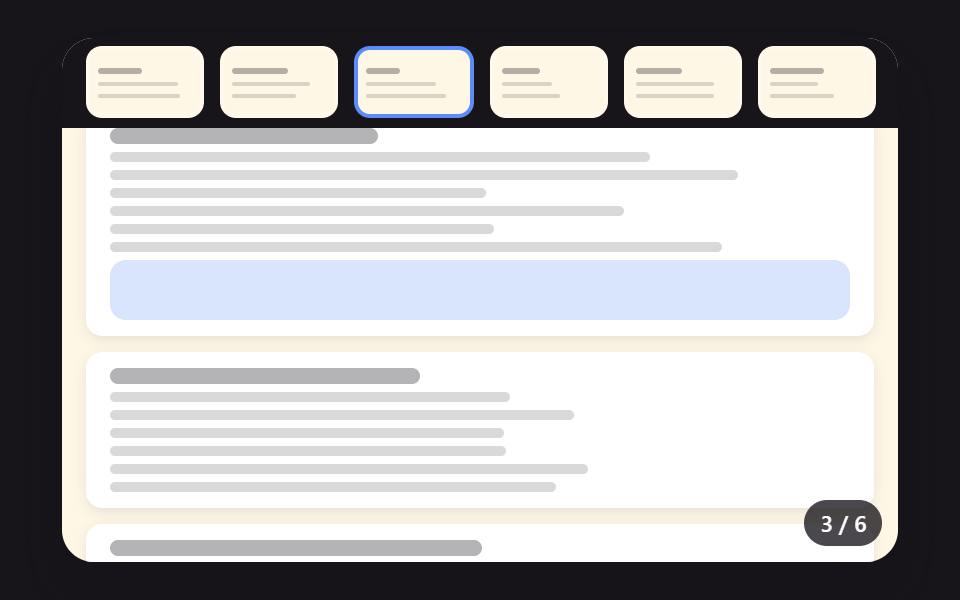 EmbedsPDF Viewer Implementation: 9 UI Patterns
 Embeds9 Custom Video Player CSS Controls, No Video File
 Embeds9 YouTube Embed Code UI Patterns (Copy-Paste)
 Dashboard UICSS Countdown Timer: 9 Clocks That Drain and Flip