Textarea Character Counter: 9 Grapheme-Aware UIs
A character count looks like one line of length, until one emoji counts as 2 and the number flickers mid-composition — scenes 01 and 04 close those two gaps.
Type into All Nine Textarea Character Counters on This Page
Each grid cell below types its own demo sentence as soon as you scroll to it, and the moment you click the field, press a key or paste, the demo stops and your text runs through the same counting code. Nothing is sent to a server, and the demo sentences exist only so the numbers have something to count.
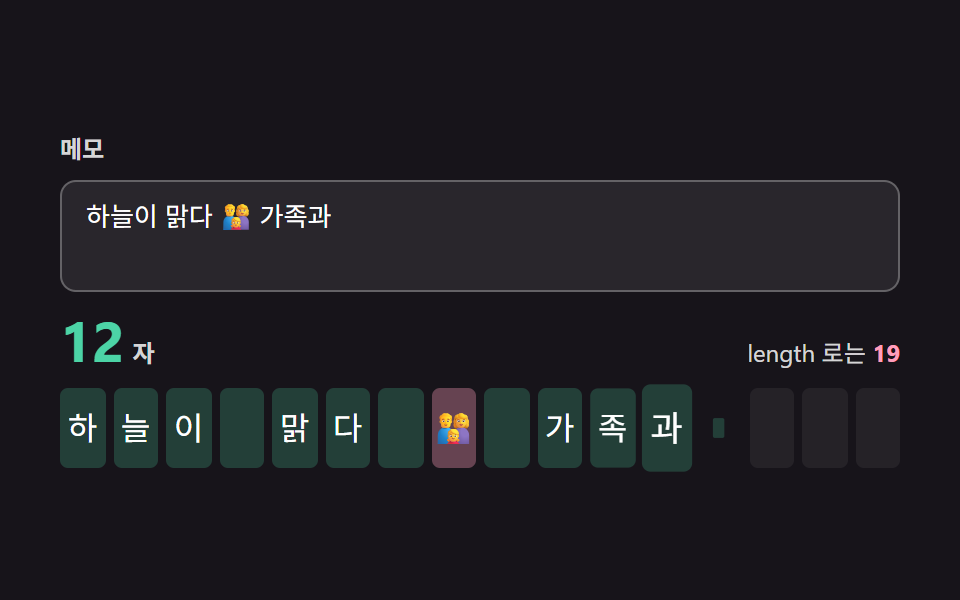 01 grapheme-cluster-live-length-counter
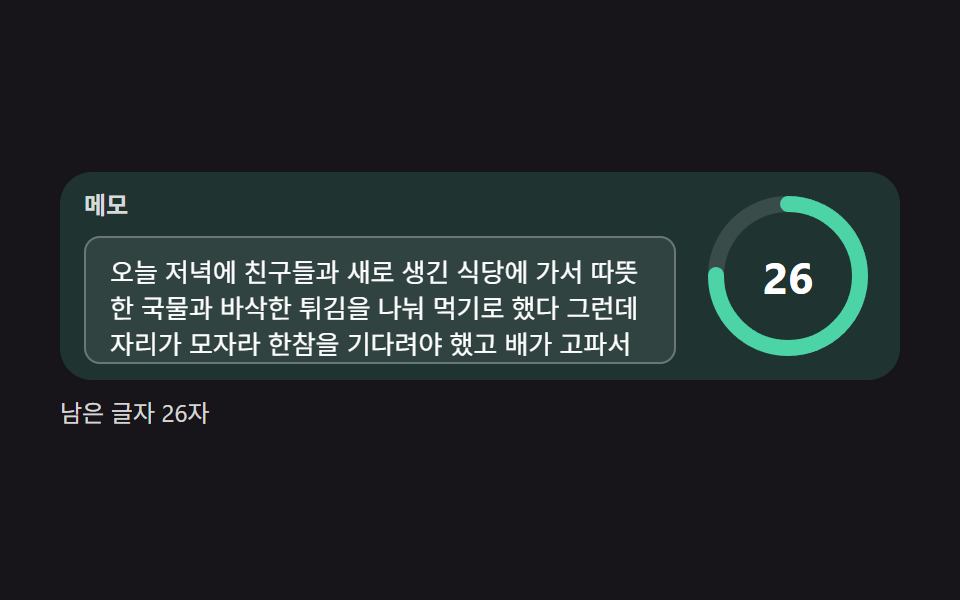 02 limit-ring-spring-fill-warning-stages
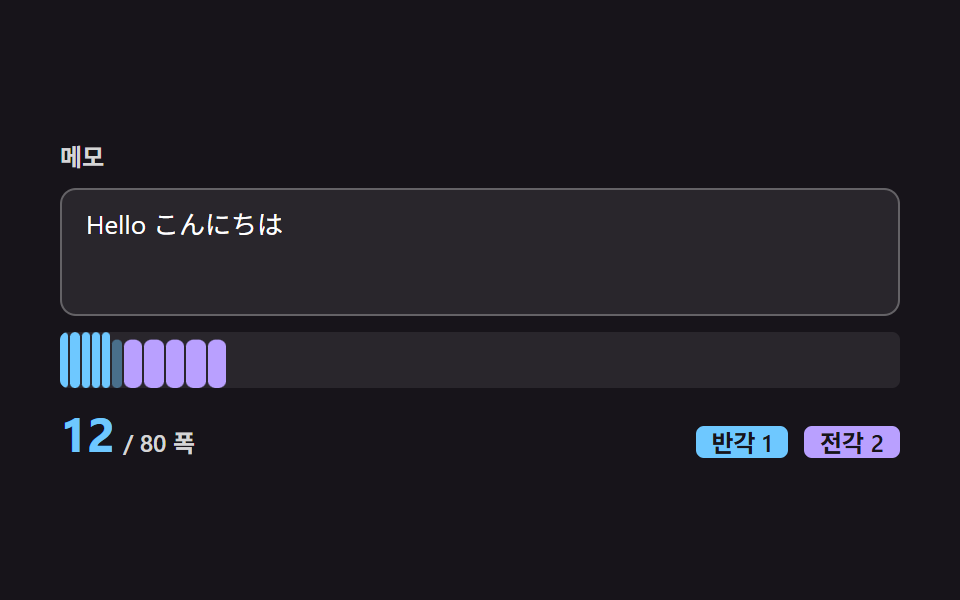 03 weighted-width-count-full-half-width
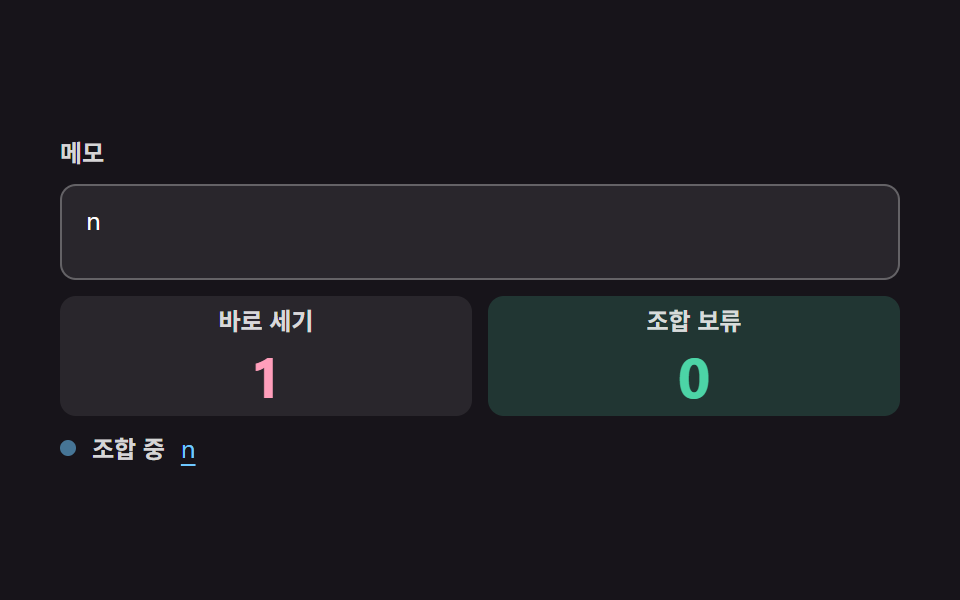 04 ime-composition-safe-counter
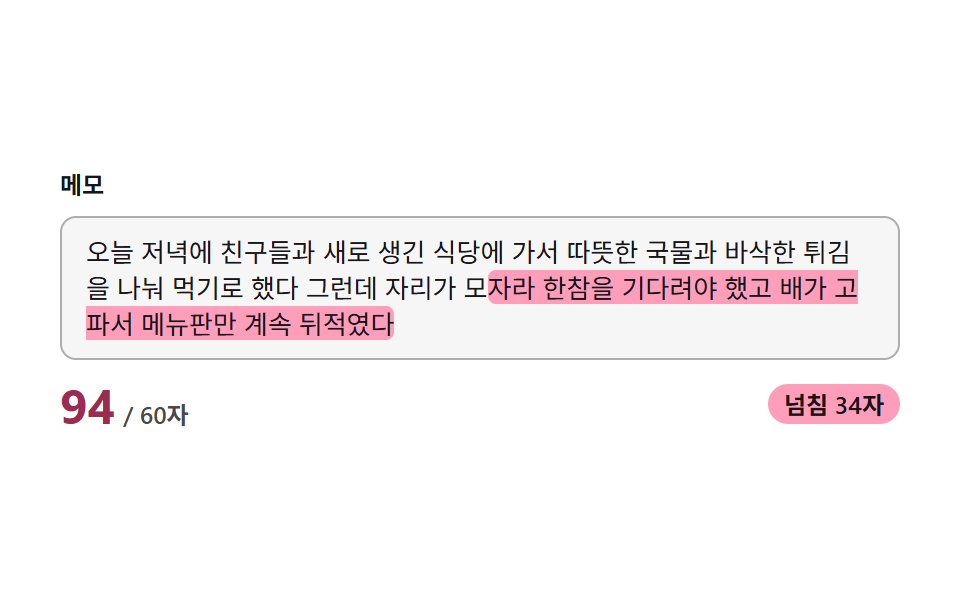 05 overflow-mirror-layer-highlight
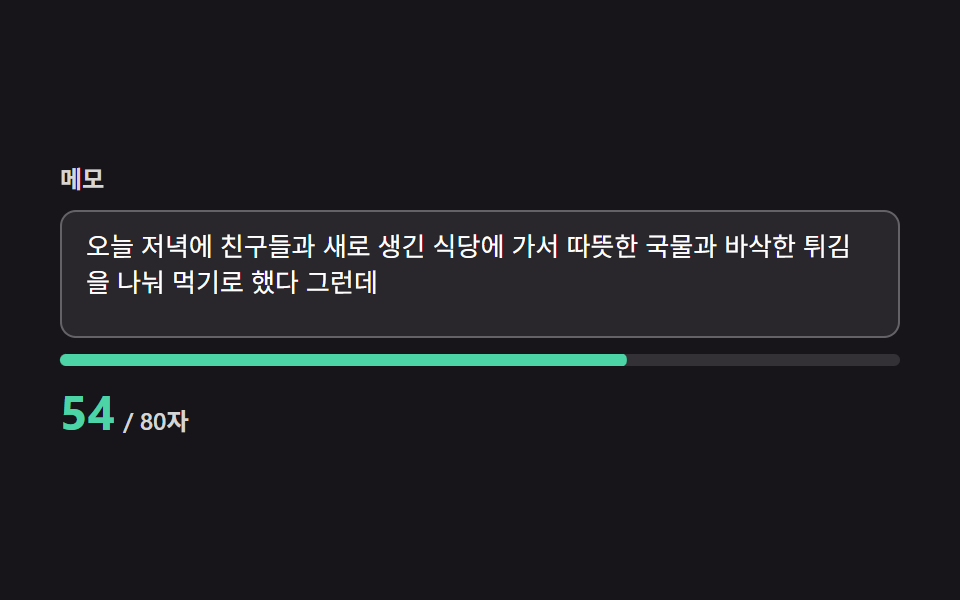 06 paste-clip-overflow-damped-shake
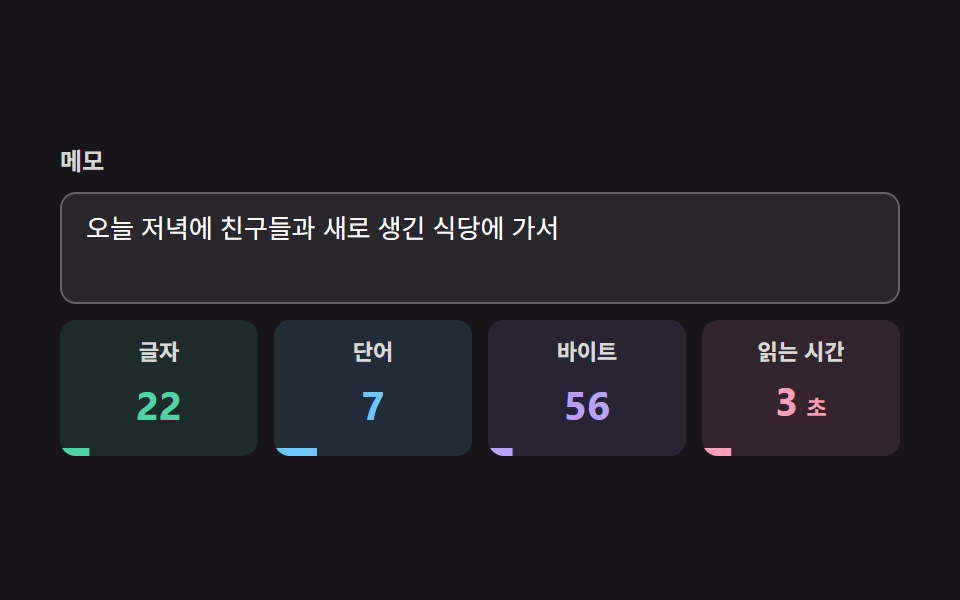 07 chars-words-bytes-reading-time-meter
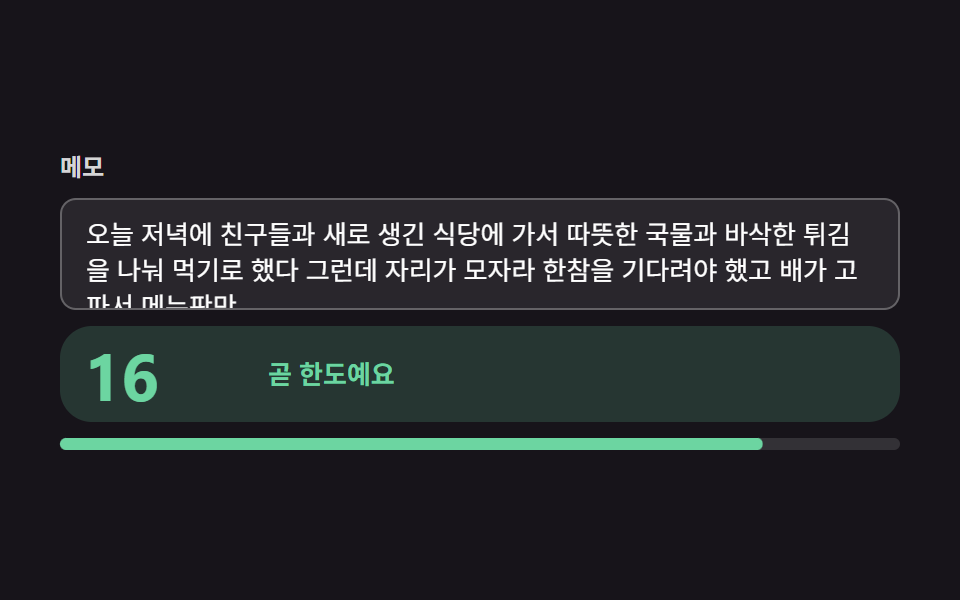 08 remaining-hint-threshold-color-interpolation
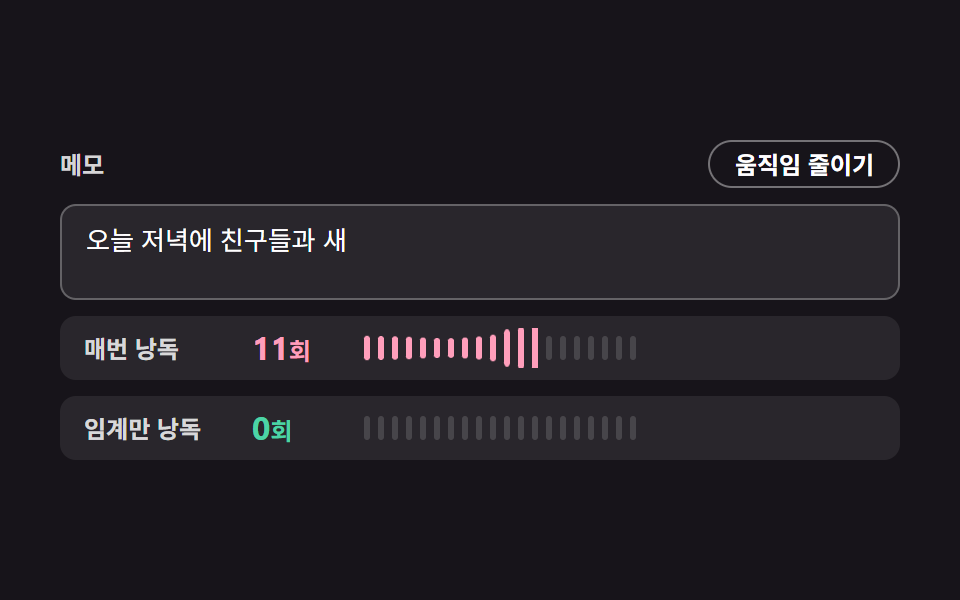 09 aria-live-throttled-counter-reduced-motion
Auto-plays · click a tile to jump to its section · all nine in one zip
- 01 Live Count by Grapheme Cluster
- 02 Spring Ring That Fills with the Characters Used
- 03 Width-Weighted Count: Full-Width 2, Half-Width 1
- 04 IME-Safe Counter That Ignores Mid-Composition Flicker
- 05 Mirror Layer That Marks Only the Overflow
- 06 Clip an Overflowing Paste and Signal It with a Damped Shake
- 07 Meter for Characters, Words, Bytes and Reading Time
- 08 Remaining-Count Hint with Threshold Stages and Color Interpolation
- 09 aria-live Throttle and Reduced Motion for Counters
Textarea Character Counter: 9 Patterns Where Grapheme Counting Fixes the Number
The nine are ordered by where the plain number goes wrong. Item 01 is the base case where an emoji counts as one, 02 turns that count into a ring against a limit, and 03 handles full-width and half-width text that should not weigh the same. Item 04 stops the number from flickering during composition, 05 paints only the overflow, 06 handles a paste that blows past the limit, 07 measures characters, words, bytes and reading time together, 08 changes the hint at each threshold, and 09 keeps a screen reader from reading every keystroke. If you are adding a counter to a writing form for the first time, 01, 02 and 08 together give you a number, a ring and a hint inside one field.
Most guides on how to build an html textarea character counter stop at value.length, which is why the code below counts what a person sees instead.
Code for Each Counting Technique
Every item is one textarea, its label, and an aria-describedby that points at the count element, and the snippets below show only the part that does the counting. The remaining markup and styles are inside the zip under each demo, and the demo sentences never leave the page. Clicking the field or typing stops the demo, and from then on your own text goes through the same calculation.
01Live Count in Grapheme Clusters Instead of Code Units
graphemes splits the value with Intl.Segmenter into the characters a person sees and shows that as the big number, while the small "length says" number beside it is ta.value.length, so the two split apart the moment an emoji arrives. At poster time the cluster count is 12 and length reads 19, which is the gap this whole set is about. Item 01 covered 13.4% of the frame at an average intensity of 64.8 across 23/23 measured frames.
<main class="stage">
<div class="cc is-demo" id="ccRoot">
  <label class="cc__label" for="ccText">Note</label>
  <textarea class="cc__ta" id="ccText" aria-describedby="ccCount" placeholder="Try adding emoji"></textarea>
  <div class="cc__row">
    <div class="cc__big"><span class="cc__num" id="ccCount">0</span><span class="cc__unit"> chars</span></div>
    <div class="cc__sub">By length: <b id="ccLen">0</b></div>
  </div>
  <div class="cc__strip" id="ccStrip" aria-hidden="true"></div>
  <p class="cc__sr" id="ccSr" aria-live="polite"></p>
</div>
</main>
@use "../../../../site/static/demo-tokens" as *;
// 핵심: 글자수는 length 가 아니라 자소 묶음(Intl.Segmenter) 개수다.
// 숫자는 보간으로, 새 칸은 스프링 오버슛으로 움직인다 (JS 가 transform 을 직접 쓴다).
@include stage($stage-ink);
.cc {
width: min(100%, 420px);
display: grid;
gap: $sp-2;
color: $stage-paper;
}
.cc__label {
font-size: 12px;
font-weight: 600;
line-height: 16px;
color: rgba($stage-paper, .82);
}
.cc__ta {
box-sizing: border-box;
width: 100%;
height: 56px;
resize: none;
padding: $sp-2 $sp-3;
border: 1px solid rgba($stage-paper, .28);
border-radius: $r-sm;
background: rgba($stage-paper, .08);
color: $stage-paper;
font-family: inherit;
font-size: 13px;
line-height: 18px;
}
.cc__ta::placeholder { color: rgba($stage-paper, .7); }
.cc__ta:focus-visible { outline: 2px solid $subject-sky; outline-offset: 2px; }
.cc__row {
display: flex;
align-items: baseline;
justify-content: space-between;
gap: $sp-3;
}
.cc__big { display: flex; align-items: baseline; gap: $sp-1; }
.cc__num {
font-size: 28px;
line-height: 32px;
font-weight: 700;
color: $subject-mint;
font-variant-numeric: tabular-nums;
}
.cc__unit { font-size: 12px; font-weight: 600; color: rgba($stage-paper, .82); }
.cc__sub { font-size: 12px; line-height: 16px; color: rgba($stage-paper, .82); }
.cc__sub b { color: $subject-pink; font-variant-numeric: tabular-nums; }
.cc__strip { display: flex; gap: $sp-1; height: 40px; }
.cc__tile {
flex: 1 1 0;
min-width: 0;
max-width: 24px;
display: flex;
align-items: center;
justify-content: center;
overflow: hidden;
border-radius: $r-xs;
background: rgba($stage-paper, .06);
font-size: 16px;
line-height: 20px;
}
.cc__tile.is-on { background: rgba($subject-mint, .22); }
.cc__tile.is-multi { background: rgba($subject-pink, .34); }
.cc__sr {
position: absolute;
width: 1px;
height: 1px;
margin: 0;
overflow: hidden;
clip: rect(0 0 0 0);
white-space: nowrap;
}
@media (max-width: 340px) {
.cc__num { font-size: 24px; line-height: 28px; }
}
@media (prefers-reduced-motion: reduce) {
.cc__tile { transform: none; }
}html, body {
margin: 0;
overflow: hidden;
}
.stage {
box-sizing: border-box;
min-height: 100vh;
display: grid;
place-items: center;
margin: 0;
background: #17141a;
font-family: -apple-system, "Segoe UI", "Noto Sans KR", sans-serif;
padding: clamp(8px, 4vw, 24px);
}
.cc {
width: min(100%, 420px);
display: grid;
gap: 8px;
color: #ffffff;
}
.cc__label {
font-size: 12px;
font-weight: 600;
line-height: 16px;
color: rgba(255, 255, 255, 0.82);
}
.cc__ta {
box-sizing: border-box;
width: 100%;
height: 56px;
resize: none;
padding: 8px 12px;
border: 1px solid rgba(255, 255, 255, 0.28);
border-radius: 8px;
background: rgba(255, 255, 255, 0.08);
color: #ffffff;
font-family: inherit;
font-size: 13px;
line-height: 18px;
}
.cc__ta::placeholder {
color: rgba(255, 255, 255, 0.7);
}
.cc__ta:focus-visible {
outline: 2px solid #6ec8ff;
outline-offset: 2px;
}
.cc__row {
display: flex;
align-items: baseline;
justify-content: space-between;
gap: 12px;
}
.cc__big {
display: flex;
align-items: baseline;
gap: 4px;
}
.cc__num {
font-size: 28px;
line-height: 32px;
font-weight: 700;
color: #4cd4a6;
font-variant-numeric: tabular-nums;
}
.cc__unit {
font-size: 12px;
font-weight: 600;
color: rgba(255, 255, 255, 0.82);
}
.cc__sub {
font-size: 12px;
line-height: 16px;
color: rgba(255, 255, 255, 0.82);
}
.cc__sub b {
color: #ff9ebb;
font-variant-numeric: tabular-nums;
}
.cc__strip {
display: flex;
gap: 4px;
height: 40px;
}
.cc__tile {
flex: 1 1 0;
min-width: 0;
max-width: 24px;
display: flex;
align-items: center;
justify-content: center;
overflow: hidden;
border-radius: 4px;
background: rgba(255, 255, 255, 0.06);
font-size: 16px;
line-height: 20px;
}
.cc__tile.is-on {
background: rgba(76, 212, 166, 0.22);
}
.cc__tile.is-multi {
background: rgba(255, 158, 187, 0.34);
}
.cc__sr {
position: absolute;
width: 1px;
height: 1px;
margin: 0;
overflow: hidden;
clip: rect(0 0 0 0);
white-space: nowrap;
}
@media (max-width: 340px) {
.cc__num {
font-size: 24px;
line-height: 28px;
}
}
@media (prefers-reduced-motion: reduce) {
.cc__tile {
transform: none;
}
}(function () {
// 기법: 입력이 바뀔 때마다 Intl.Segmenter 로 문자열을 사람이 보는 한 Chars(자소 묶음) 단위로 쪼개 센다.
// 이모지 가족·국기·결합 악센트는 By length: 여러 칸이지만 묶음으로는 한 글자다.
// 숫자는 보간으로 따라가고, 새로 들어온 묶음 칸은 스프링 오버슛으로 튀어 오른다.
var STRIP_SLOTS = 16;
var POP_MS = 460;
var COUNT_LERP_RATE = 14;
var START_MS = 200;
var CHAR_MS = 150;
var HOLD_MS = 1400;
var ANNOUNCE_EVERY = 10;
var FAMILY = '👨👩👧';
var FLAG = '🇰🇷';
var CAFE = 'café';
var DEMO_CHUNKS = ['The sky is clear ', FAMILY, ' with family ', FLAG, ' trip ', CAFE];
var root = document.getElementById('ccRoot');
var ta = document.getElementById('ccText');
var countEl = document.getElementById('ccCount');
var lenEl = document.getElementById('ccLen');
var strip = document.getElementById('ccStrip');
var sr = document.getElementById('ccSr');
var reduce = window.matchMedia('(prefers-reduced-motion: reduce)').matches;
var seg = (typeof Intl !== 'undefined' && Intl.Segmenter) ? new Intl.Segmenter(undefined, { granularity: 'grapheme' }) : null;
function graphemes(s) {
if (!seg) return Array.from(s);
return Array.from(seg.segment(s), function (x) { return x.segment; });
}
var demoGraphemes = graphemes(DEMO_CHUNKS.join(''));
var tiles = [];
var born = [];
for (var i = 0; i < STRIP_SLOTS; i += 1) {
var tile = document.createElement('span');
tile.className = 'cc__tile';
strip.appendChild(tile);
tiles.push(tile);
born.push(-1);
}
var target = 0;
var shown = 0;
var lenTarget = 0;
var lenShown = 0;
var lastCount = 0;
var lastDemoN = -1;
var t0 = null;
function perfNow() { return t0 === null ? 0 : performance.now() - t0; }
function popScale(age) {
if (age < 0) return 1;
if (age >= POP_MS) return 1;
return 1 - Math.exp(-age / 70) * Math.cos(age / 55);
}
  function update(nowMs) {
    var list = graphemes(ta.value);
    var count = list.length;
    var view = count <= STRIP_SLOTS ? list : list.slice(count - STRIP_SLOTS);
    for (var k = 0; k < STRIP_SLOTS; k += 1) {
      var g = view[k] || '';
      tiles[k].textContent = g;
      tiles[k].className = 'cc__tile' + (g ? ' is-on' : '') + (g.length > 1 ? ' is-multi' : '');
    }
    if (count > lastCount && !reduce) born[Math.min(count, STRIP_SLOTS) - 1] = nowMs;
    if (count % ANNOUNCE_EVERY === 0 && count !== lastCount && count > 0) {
      sr.textContent = 'Now ' + count + ' chars';
    }
    lastCount = count;
    target = count;
    lenTarget = ta.value.length;
    if (reduce) {
      shown = target;
      lenShown = lenTarget;
      paintNumbers();
    }
  }
function paintNumbers() {
countEl.textContent = String(Math.round(shown));
lenEl.textContent = String(Math.round(lenShown));
}
function stopDemo() { root.classList.remove('is-demo'); }
ta.addEventListener('focus', stopDemo);
ta.addEventListener('keydown', stopDemo);
ta.addEventListener('paste', stopDemo);
ta.addEventListener('input', function () { stopDemo(); update(perfNow()); });
var lastTs = null;
function tick(ts) {
if (t0 === null) t0 = ts;
var now = ts - t0;
var dt = lastTs === null ? 0.016 : Math.min(0.05, (ts - lastTs) / 1000);
lastTs = ts;
if (root.classList.contains('is-demo')) {
var cyc = (now - START_MS) % (demoGraphemes.length * CHAR_MS + HOLD_MS);
var n = now < START_MS ? 0 : Math.min(demoGraphemes.length, Math.floor(cyc / CHAR_MS) + 1);
if (n !== lastDemoN) {
lastDemoN = n;
ta.value = demoGraphemes.slice(0, n).join('');
update(now);
}
}
var k = 1 - Math.exp(-dt * COUNT_LERP_RATE);
shown += (target - shown) * k;
lenShown += (lenTarget - lenShown) * k;
paintNumbers();
for (var m = 0; m < STRIP_SLOTS; m += 1) {
if (born[m] < 0) continue;
var s = popScale(now - born[m]);
tiles[m].style.transform = s === 1 ? '' : 'scale(' + s.toFixed(3) + ')';
if (s === 1) born[m] = -1;
}
requestAnimationFrame(tick);
}
if (reduce) {
stopDemo();
ta.value = demoGraphemes.join('');
update(0);
sr.textContent = 'Now ' + lastCount + ' chars';
} else {
requestAnimationFrame(tick);
}
})();// GraphemeLiveCounter — vanilla 판(01-grapheme-cluster-live-length-counter) 의 React 포트.
// 입력이 바뀔 때마다 Intl.Segmenter 로 자소 묶음 단위로 센다. 숫자는 보간, 새 칸은 스프링 오버슛.
import { useEffect, useRef } from "react";
import styles from "./GraphemeLiveCounter.module.scss";
type Box<T> = { current: T };
type SegmenterLike = { segment(s: string): Iterable<{ segment: string }> };
type SegmenterCtor = new (locale: string | undefined, options: { granularity: string }) => SegmenterLike;
const STRIP_SLOTS = 16;
const POP_MS = 460;
const COUNT_LERP_RATE = 14;
const START_MS = 200;
const CHAR_MS = 150;
const HOLD_MS = 1400;
const ANNOUNCE_EVERY = 10;
const FAMILY = "👨👩👧";
const FLAG = "🇰🇷";
const CAFE = "café";
const DEMO_CHUNKS = ["하늘이 맑다 ", FAMILY, " 가족과 ", FLAG, " 여행 ", CAFE];
function makeSegmenter(): SegmenterLike | null {
const C = (Intl as unknown as { Segmenter?: SegmenterCtor }).Segmenter;
return C ? new C(undefined, { granularity: "grapheme" }) : null;
}
function popScale(age: number): number {
if (age < 0 || age >= POP_MS) return 1;
return 1 - Math.exp(-age / 70) * Math.cos(age / 55);
}
export default function GraphemeLiveCounter() {
const rootRef = useRef<HTMLDivElement | null>(null) as Box<HTMLDivElement | null>;
const taRef = useRef<HTMLTextAreaElement | null>(null) as Box<HTMLTextAreaElement | null>;
const countRef = useRef<HTMLSpanElement | null>(null) as Box<HTMLSpanElement | null>;
const lenRef = useRef<HTMLElement | null>(null) as Box<HTMLElement | null>;
const srRef = useRef<HTMLParagraphElement | null>(null) as Box<HTMLParagraphElement | null>;
const tileRefs = useRef<Array<HTMLSpanElement | null>>([]) as Box<Array<HTMLSpanElement | null>>;
useEffect(() => {
const ta = taRef.current;
const countEl = countRef.current;
const lenEl = lenRef.current;
const sr = srRef.current;
if (!ta || !countEl || !lenEl || !sr) return;
const reduce = window.matchMedia("(prefers-reduced-motion: reduce)").matches;
const seg = makeSegmenter();
const graphemes = (s: string): string[] =>
seg ? Array.from(seg.segment(s), (x) => x.segment) : Array.from(s);
const demoGraphemes = graphemes(DEMO_CHUNKS.join(""));
const tiles = tileRefs.current;
const born: number[] = [];
for (let i = 0; i < STRIP_SLOTS; i += 1) born.push(-1);
let demo = true;
let target = 0;
let shown = 0;
let lenTarget = 0;
let lenShown = 0;
let lastCount = 0;
let lastDemoN = -1;
let t0: number | null = null;
let lastTs: number | null = null;
let raf = 0;
const perfNow = (): number => (t0 === null ? 0 : performance.now() - t0);
function paintNumbers(): void {
if (!countEl || !lenEl) return;
countEl.textContent = String(Math.round(shown));
lenEl.textContent = String(Math.round(lenShown));
}
function update(nowMs: number): void {
if (!ta || !sr) return;
const list = graphemes(ta.value);
const count = list.length;
const view = count <= STRIP_SLOTS ? list : list.slice(count - STRIP_SLOTS);
for (let k = 0; k < STRIP_SLOTS; k += 1) {
const g = view[k] || "";
const el = tiles[k];
if (!el) continue;
el.textContent = g;
el.className = [styles.cc__tile, g ? styles["is-on"] : "", g.length > 1 ? styles["is-multi"] : ""].join(" ");
}
if (count > lastCount && !reduce) born[Math.min(count, STRIP_SLOTS) - 1] = nowMs;
if (count % ANNOUNCE_EVERY === 0 && count !== lastCount && count > 0) {
sr.textContent = "현재 " + count + "자";
}
lastCount = count;
target = count;
lenTarget = ta.value.length;
if (reduce) {
shown = target;
lenShown = lenTarget;
paintNumbers();
}
}
function stopDemo(): void { demo = false; }
const onInput = (): void => { stopDemo(); update(perfNow()); };
ta.addEventListener("focus", stopDemo);
ta.addEventListener("keydown", stopDemo);
ta.addEventListener("paste", stopDemo);
ta.addEventListener("input", onInput);
function tick(ts: number): void {
if (!ta) return;
if (t0 === null) t0 = ts;
const now = ts - t0;
const dt = lastTs === null ? 0.016 : Math.min(0.05, (ts - lastTs) / 1000);
lastTs = ts;
if (demo) {
const cyc = (now - START_MS) % (demoGraphemes.length * CHAR_MS + HOLD_MS);
const n = now < START_MS ? 0 : Math.min(demoGraphemes.length, Math.floor(cyc / CHAR_MS) + 1);
if (n !== lastDemoN) {
lastDemoN = n;
ta.value = demoGraphemes.slice(0, n).join("");
update(now);
}
}
const k = 1 - Math.exp(-dt * COUNT_LERP_RATE);
shown += (target - shown) * k;
lenShown += (lenTarget - lenShown) * k;
paintNumbers();
for (let m = 0; m < STRIP_SLOTS; m += 1) {
if (born[m] < 0) continue;
const s = popScale(now - born[m]);
const el = tiles[m];
if (el) el.style.transform = s === 1 ? "" : "scale(" + s.toFixed(3) + ")";
if (s === 1) born[m] = -1;
}
raf = requestAnimationFrame(tick);
}
if (reduce) {
stopDemo();
ta.value = demoGraphemes.join("");
update(0);
sr.textContent = "현재 " + lastCount + "자";
} else {
raf = requestAnimationFrame(tick);
}
return () => {
cancelAnimationFrame(raf);
ta.removeEventListener("focus", stopDemo);
ta.removeEventListener("keydown", stopDemo);
ta.removeEventListener("paste", stopDemo);
ta.removeEventListener("input", onInput);
};
}, []);
return (
<main className={styles.stage}>
<div className={styles.cc} ref={rootRef}>
<label className={styles.cc__label} htmlFor="ccText">메모</label>
<textarea className={styles.cc__ta} id="ccText" ref={taRef} aria-describedby="ccCount" placeholder="이모지도 넣어 보세요"></textarea>
<div className={styles.cc__row}>
<div className={styles.cc__big}><span className={styles.cc__num} id="ccCount" ref={countRef}>0</span><span className={styles.cc__unit}>자</span></div>
<div className={styles.cc__sub}>length 로는 <b ref={lenRef}>0</b></div>
</div>
<div className={styles.cc__strip} aria-hidden="true">
{Array.from({ length: STRIP_SLOTS }, (_, i) => (
<span className={styles.cc__tile} key={i} ref={(el: HTMLSpanElement | null) => { tileRefs.current[i] = el; }}></span>
))}
</div>
<p className={styles.cc__sr} ref={srRef} aria-live="polite"></p>
</div>
</main>
);
}01 · Live Count by Grapheme Cluster — Measured area 13.419% · moving frames 23/23Original by GODRICH · SCSS and React ship in the zip · See the password
function update(nowMs) {
var list = graphemes(ta.value);
var count = list.length;
var view = count <= STRIP_SLOTS ? list : list.slice(count - STRIP_SLOTS);
for (var k = 0; k < STRIP_SLOTS; k += 1) {
var g = view[k] || '';
tiles[k].textContent = g;
tiles[k].className = 'cc__tile' + (g ? ' is-on' : '') + (g.length > 1 ? ' is-multi' : '');
}
if (count > lastCount && !reduce) born[Math.min(count, STRIP_SLOTS) - 1] = nowMs;
if (count % ANNOUNCE_EVERY === 0 && count !== lastCount && count > 0) {
sr.textContent = 'Now ' + count + ' chars';
}
lastCount = count;
target = count;
lenTarget = ta.value.length;
if (reduce) {
shown = target;
lenShown = lenTarget;
paintNumbers();
}
}
02Spring Ring That Fills as the Limit Gets Closer
The used share of the limit becomes the arc length of a ring, and that value follows its target through the RING_SPRING_STIFFNESS and RING_SPRING_DAMPING spring while the colour shifts from mint to amber at 80% and to pink at the limit. When the text first passes the limit the ring shakes with a decaying sine, so use it when the limit should catch the eye before the number does. Item 02 covered 30.3% of the frame at an average intensity of 108.5 across 23/23 measured frames.
<main class="stage">
<div class="cc is-demo" id="ccRoot">
  <div class="cc__body" id="ccBody">
    <div class="cc__col">
      <label class="cc__label" for="ccText">Note</label>
      <textarea class="cc__ta" id="ccText" aria-describedby="ccCount" placeholder="Write something"></textarea>
    </div>
    <div class="cc__ring" id="ccRing">
      <svg viewBox="0 0 88 88" aria-hidden="true">
        <circle class="cc__track" cx="44" cy="44" r="36"></circle>
        <circle class="cc__arc" id="ccArc" cx="44" cy="44" r="36" transform="rotate(-90 44 44)"></circle>
      </svg>
      <div class="cc__ringNum" id="ccCount">120</div>
    </div>
  </div>
  <p class="cc__hint" id="ccHint"></p>
  <p class="cc__sr" id="ccSr" aria-live="polite"></p>
</div>
</main>
@use "../../../../site/static/demo-tokens" as *;
// 핵심: 호 길이는 CSS 가 아니라 JS 스프링이 매 프레임 계산한다. 색은 JS 가 선형 보간한다.
@include stage($stage-ink);
.cc {
width: min(100%, 420px);
display: grid;
gap: $sp-2;
color: $stage-paper;
}
.cc__body {
display: grid;
grid-template-columns: 1fr 88px;
gap: $sp-3;
align-items: center;
padding: $sp-2 $sp-3;
border-radius: $r-card;
background: rgba($subject-mint, .16);
}
.cc__col { display: grid; gap: $sp-2; min-width: 0; }
.cc__label {
font-size: 12px;
font-weight: 600;
line-height: 16px;
color: rgba($stage-paper, .82);
}
.cc__ta {
box-sizing: border-box;
width: 100%;
height: 64px;
resize: none;
padding: $sp-2 $sp-3;
border: 1px solid rgba($stage-paper, .28);
border-radius: $r-sm;
background: rgba($stage-paper, .08);
color: $stage-paper;
font-family: inherit;
font-size: 13px;
line-height: 18px;
}
.cc__ta::placeholder { color: rgba($stage-paper, .7); }
.cc__ta:focus-visible { outline: 2px solid $subject-sky; outline-offset: 2px; }
.cc__ring { position: relative; width: 88px; height: 88px; }
.cc__ring svg { display: block; width: 88px; height: 88px; }
.cc__track { fill: none; stroke: rgba($stage-paper, .12); stroke-width: 8; }
.cc__arc {
fill: none;
stroke: $subject-mint;
stroke-width: 8;
stroke-linecap: round;
stroke-dasharray: 0 226;
}
.cc__ringNum {
position: absolute;
inset: 0;
display: grid;
place-items: center;
font-size: 22px;
line-height: 24px;
font-weight: 700;
color: $stage-paper;
font-variant-numeric: tabular-nums;
}
.cc__hint { margin: 0; font-size: 12px; line-height: 16px; color: rgba($stage-paper, .82); }
.cc__sr {
position: absolute;
width: 1px;
height: 1px;
margin: 0;
overflow: hidden;
clip: rect(0 0 0 0);
white-space: nowrap;
}
@media (max-width: 340px) {
.cc__body { grid-template-columns: 1fr 72px; }
.cc__ring, .cc__ring svg { width: 72px; height: 72px; }
.cc__ringNum { font-size: 18px; }
}
@media (prefers-reduced-motion: reduce) {
.cc__ring { transform: none; }
}html, body {
margin: 0;
overflow: hidden;
}
.stage {
box-sizing: border-box;
min-height: 100vh;
display: grid;
place-items: center;
margin: 0;
background: #17141a;
font-family: -apple-system, "Segoe UI", "Noto Sans KR", sans-serif;
padding: clamp(8px, 4vw, 24px);
}
.cc {
width: min(100%, 420px);
display: grid;
gap: 8px;
color: #ffffff;
}
.cc__body {
display: grid;
grid-template-columns: 1fr 88px;
gap: 12px;
align-items: center;
padding: 8px 12px;
border-radius: 16px;
background: rgba(76, 212, 166, 0.16);
}
.cc__col {
display: grid;
gap: 8px;
min-width: 0;
}
.cc__label {
font-size: 12px;
font-weight: 600;
line-height: 16px;
color: rgba(255, 255, 255, 0.82);
}
.cc__ta {
box-sizing: border-box;
width: 100%;
height: 64px;
resize: none;
padding: 8px 12px;
border: 1px solid rgba(255, 255, 255, 0.28);
border-radius: 8px;
background: rgba(255, 255, 255, 0.08);
color: #ffffff;
font-family: inherit;
font-size: 13px;
line-height: 18px;
}
.cc__ta::placeholder {
color: rgba(255, 255, 255, 0.7);
}
.cc__ta:focus-visible {
outline: 2px solid #6ec8ff;
outline-offset: 2px;
}
.cc__ring {
position: relative;
width: 88px;
height: 88px;
}
.cc__ring svg {
display: block;
width: 88px;
height: 88px;
}
.cc__track {
fill: none;
stroke: rgba(255, 255, 255, 0.12);
stroke-width: 8;
}
.cc__arc {
fill: none;
stroke: #4cd4a6;
stroke-width: 8;
stroke-linecap: round;
stroke-dasharray: 0 226;
}
.cc__ringNum {
position: absolute;
inset: 0;
display: grid;
place-items: center;
font-size: 22px;
line-height: 24px;
font-weight: 700;
color: #ffffff;
font-variant-numeric: tabular-nums;
}
.cc__hint {
margin: 0;
font-size: 12px;
line-height: 16px;
color: rgba(255, 255, 255, 0.82);
}
.cc__sr {
position: absolute;
width: 1px;
height: 1px;
margin: 0;
overflow: hidden;
clip: rect(0 0 0 0);
white-space: nowrap;
}
@media (max-width: 340px) {
.cc__body {
grid-template-columns: 1fr 72px;
}
.cc__ring, .cc__ring svg {
width: 72px;
height: 72px;
}
.cc__ringNum {
font-size: 18px;
}
}
@media (prefers-reduced-motion: reduce) {
.cc__ring {
transform: none;
}
}(function () {
// 기법: 사용 비율(글자수 / 한도)을 링의 호 길이로 바꾸고, 호 길이를 스프링(강성·감쇠)으로 따라가게 한다.
// 비율이 WARN_RATIO 를 넘으면 민트에서 앰버로, 한도를 넘으면 핑크로 색을 선형 보간하고
// 한도를 처음 넘는 순간 감쇠 사인으로 링이 좌우로 흔들린다 (난수 없이 시각만으로 계산).
var CHAR_LIMIT = 120;
var RING_SPRING_STIFFNESS = 220;
var RING_SPRING_DAMPING = 14;
var WARN_RATIO = 0.8;
var SHAKE_AMP = 6;
var SHAKE_DECAY_MS = 260;
var SHAKE_OMEGA = 0.06;
var START_MS = 200;
var CHUNK_MS = 130;
var HOLD_MS = 1500;
var RING_LENGTH = 2 * Math.PI * 36;
var CHUNKS = ['Tonight', 'with pals', 'at the new', 'diner,', 'warm soup', 'and fries', 'to share.', 'But', 'seats ran out', 'so a long', 'wait began,', 'we got hungry', 'and just', 'kept', 'reading the menu.', 'Still,', 'the food', 'beat hopes.', 'A review', 'to write,', 'photos', 'were taken.', 'Next time', 'come earlier,', 'for sure.'];
var DEMO_TEXT = CHUNKS.join(' ');
var MINT = [76, 212, 166];
var AMBER = [250, 218, 140];
var PINK = [255, 158, 187];
var root = document.getElementById('ccRoot');
var ta = document.getElementById('ccText');
var arc = document.getElementById('ccArc');
var ring = document.getElementById('ccRing');
var card = document.getElementById('ccBody');
var countEl = document.getElementById('ccCount');
var hint = document.getElementById('ccHint');
var sr = document.getElementById('ccSr');
var reduce = window.matchMedia('(prefers-reduced-motion: reduce)').matches;
var seg = (typeof Intl !== 'undefined' && Intl.Segmenter) ? new Intl.Segmenter(undefined, { granularity: 'grapheme' }) : null;
function countGraphemes(s) {
if (!seg) return Array.from(s).length;
return Array.from(seg.segment(s)).length;
}
function clamp(v, lo, hi) { return Math.max(lo, Math.min(hi, v)); }
function mix(a, b, t) {
return 'rgb(' + Math.round(a[0] + (b[0] - a[0]) * t) + ',' + Math.round(a[1] + (b[1] - a[1]) * t) + ',' + Math.round(a[2] + (b[2] - a[2]) * t) + ')';
}
function colorAt(ratio) {
var t1 = clamp((ratio - WARN_RATIO) / (1 - WARN_RATIO), 0, 1);
var t2 = clamp((ratio - 1) / 0.1, 0, 1);
var warm = [MINT[0] + (AMBER[0] - MINT[0]) * t1, MINT[1] + (AMBER[1] - MINT[1]) * t1, MINT[2] + (AMBER[2] - MINT[2]) * t1];
return mix(warm, PINK, t2);
}
function tintAt(ratio, alpha) {
var t1 = clamp((ratio - WARN_RATIO) / (1 - WARN_RATIO), 0, 1);
var t2 = clamp((ratio - 1) / 0.1, 0, 1);
var c = [0, 1, 2].map(function (i) {
var warm = MINT[i] + (AMBER[i] - MINT[i]) * t1;
return Math.round(warm + (PINK[i] - warm) * t2);
});
return 'rgba(' + c[0] + ',' + c[1] + ',' + c[2] + ',' + alpha + ')';
}
var used = 0;
var x = 0;
var v = 0;
var stage = 0;
var shakeAt = -1;
var t0 = null;
function perfNow() { return t0 === null ? 0 : performance.now() - t0; }
  function paint(nowMs) {
    var ratio = used / CHAR_LIMIT;
    var drawn = clamp(x, 0, 1);
    arc.style.strokeDasharray = (drawn * RING_LENGTH).toFixed(2) + ' ' + RING_LENGTH.toFixed(2);
    arc.style.stroke = colorAt(Math.min(x, 1.12));
    card.style.background = tintAt(Math.min(x, 1.12), 0.16);
    var remain = CHAR_LIMIT - used;
    countEl.textContent = String(remain);
    countEl.style.color = remain < 0 ? 'rgb(255,158,187)' : '';
    hint.textContent = remain >= 0 ? 'Left: ' + remain + ' chars' : 'Over by ' + (-remain) + ' chars';
    var pulse = 1 + Math.max(0, x - 1) * 0.5;
    var dx = 0;
    if (shakeAt >= 0 && !reduce) {
      var age = nowMs - shakeAt;
      var amp = SHAKE_AMP * Math.exp(-age / SHAKE_DECAY_MS);
      dx = amp < 0.1 ? 0 : amp * Math.sin(age * SHAKE_OMEGA);
    }
    ring.style.transform = 'translateX(' + dx.toFixed(2) + 'px) scale(' + pulse.toFixed(3) + ')';
    return ratio;
  }
function update(nowMs) {
used = countGraphemes(ta.value);
var ratio = used / CHAR_LIMIT;
var next = ratio >= 1 ? 2 : (ratio >= WARN_RATIO ? 1 : 0);
if (next !== stage) {
if (next === 2 && !reduce) shakeAt = nowMs;
sr.textContent = next === 2 ? 'Over the limit' : (next === 1 ? 'Close to the limit' : '');
stage = next;
}
if (reduce) { x = Math.min(ratio, 1); v = 0; paint(nowMs); }
}
function stopDemo() { root.classList.remove('is-demo'); }
ta.addEventListener('focus', stopDemo);
ta.addEventListener('keydown', stopDemo);
ta.addEventListener('paste', stopDemo);
ta.addEventListener('input', function () { stopDemo(); update(perfNow()); });
var lastDemoN = -1;
var lastTs = null;
function tick(ts) {
if (t0 === null) t0 = ts;
var now = ts - t0;
var dt = lastTs === null ? 0.016 : Math.min(0.05, (ts - lastTs) / 1000);
lastTs = ts;
if (root.classList.contains('is-demo')) {
var cyc = (now - START_MS) % (CHUNKS.length * CHUNK_MS + HOLD_MS);
var n = now < START_MS ? 0 : Math.min(CHUNKS.length, Math.floor(cyc / CHUNK_MS) + 1);
if (n !== lastDemoN) {
if (n === 1) shakeAt = -1;
lastDemoN = n;
ta.value = CHUNKS.slice(0, n).join(' ');
update(now);
}
}
var target = used / CHAR_LIMIT;
var steps = Math.max(1, Math.ceil(dt / 0.008));
var h = dt / steps;
for (var s = 0; s < steps; s += 1) {
var a = -RING_SPRING_STIFFNESS * (x - target) - RING_SPRING_DAMPING * v;
v += a * h;
x += v * h;
}
paint(now);
requestAnimationFrame(tick);
}
if (reduce) {
stopDemo();
ta.value = DEMO_TEXT;
update(0);
} else {
requestAnimationFrame(tick);
}
})();// SpringLimitRing — vanilla 판(02-limit-ring-spring-fill-warning-stages) 의 React 포트.
// 사용 비율을 링 호 길이로 바꾸고 스프링으로 따라가게 한다. 색은 선형 보간, 한도를 넘으면 감쇠 사인으로 흔들린다.
import { useEffect, useRef } from "react";
import styles from "./SpringLimitRing.module.scss";
type Box<T> = { current: T };
type SegmenterLike = { segment(s: string): Iterable<{ segment: string }> };
type SegmenterCtor = new (locale: string | undefined, options: { granularity: string }) => SegmenterLike;
type Rgb = [number, number, number];
const CHAR_LIMIT = 120;
const RING_SPRING_STIFFNESS = 220;
const RING_SPRING_DAMPING = 14;
const WARN_RATIO = 0.8;
const SHAKE_AMP = 6;
const SHAKE_DECAY_MS = 260;
const SHAKE_OMEGA = 0.06;
const START_MS = 200;
const CHUNK_MS = 130;
const HOLD_MS = 1500;
const RING_LENGTH = 2 * Math.PI * 36;
const CHUNKS = ["오늘 저녁에", "친구들과", "새로 생긴", "식당에 가서", "따뜻한 국물과", "바삭한 튀김을", "나눠 먹기로", "했다 그런데", "자리가 모자라", "한참을", "기다려야 했고", "배가 고파서", "메뉴판만", "계속", "뒤적였다", "그래도", "맛은", "기대 이상이었다", "후기를", "남기려고", "사진도", "찍어 두었다", "다음엔", "더 일찍", "와야겠다"];
const DEMO_TEXT = CHUNKS.join(" ");
const MINT: Rgb = [76, 212, 166];
const AMBER: Rgb = [250, 218, 140];
const PINK: Rgb = [255, 158, 187];
function clamp(v: number, lo: number, hi: number): number { return Math.max(lo, Math.min(hi, v)); }
function mix(a: Rgb, b: Rgb, t: number): Rgb {
return [a[0] + (b[0] - a[0]) * t, a[1] + (b[1] - a[1]) * t, a[2] + (b[2] - a[2]) * t];
}
function css(c: Rgb): string { return "rgb(" + Math.round(c[0]) + "," + Math.round(c[1]) + "," + Math.round(c[2]) + ")"; }
function colorAt(ratio: number): string {
const t1 = clamp((ratio - WARN_RATIO) / (1 - WARN_RATIO), 0, 1);
const t2 = clamp((ratio - 1) / 0.1, 0, 1);
return css(mix(mix(MINT, AMBER, t1), PINK, t2));
}
function tintAt(ratio: number, alpha: number): string {
const t1 = clamp((ratio - WARN_RATIO) / (1 - WARN_RATIO), 0, 1);
const t2 = clamp((ratio - 1) / 0.1, 0, 1);
const c = mix(mix(MINT, AMBER, t1), PINK, t2);
return "rgba(" + Math.round(c[0]) + "," + Math.round(c[1]) + "," + Math.round(c[2]) + "," + alpha + ")";
}
function makeSegmenter(): SegmenterLike | null {
const C = (Intl as unknown as { Segmenter?: SegmenterCtor }).Segmenter;
return C ? new C(undefined, { granularity: "grapheme" }) : null;
}
export default function SpringLimitRing() {
const taRef = useRef<HTMLTextAreaElement | null>(null) as Box<HTMLTextAreaElement | null>;
const arcRef = useRef<SVGCircleElement | null>(null) as Box<SVGCircleElement | null>;
const ringRef = useRef<HTMLDivElement | null>(null) as Box<HTMLDivElement | null>;
const cardRef = useRef<HTMLDivElement | null>(null) as Box<HTMLDivElement | null>;
const countRef = useRef<HTMLDivElement | null>(null) as Box<HTMLDivElement | null>;
const hintRef = useRef<HTMLParagraphElement | null>(null) as Box<HTMLParagraphElement | null>;
const srRef = useRef<HTMLParagraphElement | null>(null) as Box<HTMLParagraphElement | null>;
useEffect(() => {
const ta = taRef.current;
const arc = arcRef.current;
const ring = ringRef.current;
const card = cardRef.current;
const countEl = countRef.current;
const hint = hintRef.current;
const sr = srRef.current;
if (!ta || !arc || !ring || !card || !countEl || !hint || !sr) return;
const reduce = window.matchMedia("(prefers-reduced-motion: reduce)").matches;
const seg = makeSegmenter();
const countGraphemes = (s: string): number =>
seg ? Array.from(seg.segment(s)).length : Array.from(s).length;
let demo = true;
let used = 0;
let x = 0;
let v = 0;
let stage = 0;
let shakeAt = -1;
let t0: number | null = null;
let lastTs: number | null = null;
let lastDemoN = -1;
let raf = 0;
const perfNow = (): number => (t0 === null ? 0 : performance.now() - t0);
function paint(nowMs: number): void {
if (!arc || !ring || !card || !countEl || !hint) return;
const drawn = clamp(x, 0, 1);
arc.style.strokeDasharray = (drawn * RING_LENGTH).toFixed(2) + " " + RING_LENGTH.toFixed(2);
arc.style.stroke = colorAt(Math.min(x, 1.12));
card.style.background = tintAt(Math.min(x, 1.12), 0.16);
const remain = CHAR_LIMIT - used;
countEl.textContent = String(remain);
countEl.style.color = remain < 0 ? "rgb(255,158,187)" : "";
hint.textContent = remain >= 0 ? "남은 글자 " + remain + "자" : "넘친 글자 " + (-remain) + "자";
const pulse = 1 + Math.max(0, x - 1) * 0.5;
let dx = 0;
if (shakeAt >= 0 && !reduce) {
const age = nowMs - shakeAt;
const amp = SHAKE_AMP * Math.exp(-age / SHAKE_DECAY_MS);
dx = amp < 0.1 ? 0 : amp * Math.sin(age * SHAKE_OMEGA);
}
ring.style.transform = "translateX(" + dx.toFixed(2) + "px) scale(" + pulse.toFixed(3) + ")";
}
function update(nowMs: number): void {
if (!ta || !sr) return;
used = countGraphemes(ta.value);
const ratio = used / CHAR_LIMIT;
const next = ratio >= 1 ? 2 : (ratio >= WARN_RATIO ? 1 : 0);
if (next !== stage) {
if (next === 2 && !reduce) shakeAt = nowMs;
sr.textContent = next === 2 ? "한도를 넘었어요" : (next === 1 ? "곧 한도예요" : "");
stage = next;
}
if (reduce) { x = Math.min(ratio, 1); v = 0; paint(nowMs); }
}
function stopDemo(): void { demo = false; }
const onInput = (): void => { stopDemo(); update(perfNow()); };
ta.addEventListener("focus", stopDemo);
ta.addEventListener("keydown", stopDemo);
ta.addEventListener("paste", stopDemo);
ta.addEventListener("input", onInput);
function tick(ts: number): void {
if (!ta) return;
if (t0 === null) t0 = ts;
const now = ts - t0;
const dt = lastTs === null ? 0.016 : Math.min(0.05, (ts - lastTs) / 1000);
lastTs = ts;
if (demo) {
const cyc = (now - START_MS) % (CHUNKS.length * CHUNK_MS + HOLD_MS);
const n = now < START_MS ? 0 : Math.min(CHUNKS.length, Math.floor(cyc / CHUNK_MS) + 1);
if (n !== lastDemoN) {
if (n === 1) shakeAt = -1;
lastDemoN = n;
ta.value = CHUNKS.slice(0, n).join(" ");
update(now);
}
}
const target = used / CHAR_LIMIT;
const steps = Math.max(1, Math.ceil(dt / 0.008));
const h = dt / steps;
for (let s = 0; s < steps; s += 1) {
const a = -RING_SPRING_STIFFNESS * (x - target) - RING_SPRING_DAMPING * v;
v += a * h;
x += v * h;
}
paint(now);
raf = requestAnimationFrame(tick);
}
if (reduce) {
stopDemo();
ta.value = DEMO_TEXT;
update(0);
} else {
raf = requestAnimationFrame(tick);
}
return () => {
cancelAnimationFrame(raf);
ta.removeEventListener("focus", stopDemo);
ta.removeEventListener("keydown", stopDemo);
ta.removeEventListener("paste", stopDemo);
ta.removeEventListener("input", onInput);
};
}, []);
return (
<main className={styles.stage}>
<div className={styles.cc}>
<div className={styles.cc__body} ref={cardRef}>
<div className={styles.cc__col}>
<label className={styles.cc__label} htmlFor="ccText">메모</label>
<textarea className={styles.cc__ta} id="ccText" ref={taRef} aria-describedby="ccCount" placeholder="글을 써 보세요"></textarea>
</div>
<div className={styles.cc__ring} ref={ringRef}>
<svg viewBox="0 0 88 88" aria-hidden="true">
<circle className={styles.cc__track} cx="44" cy="44" r="36"></circle>
<circle className={styles.cc__arc} ref={arcRef} cx="44" cy="44" r="36" transform="rotate(-90 44 44)"></circle>
</svg>
<div className={styles.cc__ringNum} id="ccCount" ref={countRef}>120</div>
</div>
</div>
<p className={styles.cc__hint} ref={hintRef}></p>
<p className={styles.cc__sr} ref={srRef} aria-live="polite"></p>
</div>
</main>
);
}02 · Spring Ring That Fills with the Characters Used — Measured area 30.287% · moving frames 23/23Original by GODRICH · SCSS and React ship in the zip · See the password
function paint(nowMs) {
var ratio = used / CHAR_LIMIT;
var drawn = clamp(x, 0, 1);
arc.style.strokeDasharray = (drawn * RING_LENGTH).toFixed(2) + ' ' + RING_LENGTH.toFixed(2);
arc.style.stroke = colorAt(Math.min(x, 1.12));
card.style.background = tintAt(Math.min(x, 1.12), 0.16);
var remain = CHAR_LIMIT - used;
countEl.textContent = String(remain);
countEl.style.color = remain < 0 ? 'rgb(255,158,187)' : '';
hint.textContent = remain >= 0 ? 'Left: ' + remain + ' chars' : 'Over by ' + (-remain) + ' chars';
var pulse = 1 + Math.max(0, x - 1) * 0.5;
var dx = 0;
if (shakeAt >= 0 && !reduce) {
var age = nowMs - shakeAt;
var amp = SHAKE_AMP * Math.exp(-age / SHAKE_DECAY_MS);
dx = amp < 0.1 ? 0 : amp * Math.sin(age * SHAKE_OMEGA);
}
ring.style.transform = 'translateX(' + dx.toFixed(2) + 'px) scale(' + pulse.toFixed(3) + ')';
return ratio;
}
03Weighted Count Where Full-Width Costs 2 and Half-Width Costs 1
weightOf returns HALF_WEIGHT (1) for a first code point at or below 0x7e or in the half-width katakana range and FULL_WEIGHT (2) for everything else, so each cluster is weighed by its first code point, and the sum of those weights fills a bar up to a width limit of 80. It fits a field mixing Japanese full-width text with Latin half-width text, or any limit set by display width instead of character count. The demo sentence mixes Japanese kana with Latin and half-width katakana and is the same on every language version of this page, and item 03 covered 10.0% of the frame (9.97% before rounding) at an average intensity of 150.6 across 23/23 measured frames.
<main class="stage">
<div class="cc is-demo" id="ccRoot">
  <label class="cc__label" for="ccText">Note</label>
  <textarea class="cc__ta" id="ccText" aria-describedby="ccCount" placeholder="Type a mix"></textarea>
  <div class="cc__bar" id="ccBar" aria-hidden="true"></div>
  <div class="cc__row">
    <div class="cc__big"><span class="cc__num" id="ccCount">0</span><span class="cc__unit">/ 80 wide</span></div>
    <div class="cc__legend"><span class="cc__chip cc__chip--half">Half 1</span><span class="cc__chip cc__chip--full">Full 2</span></div>
  </div>
  <p class="cc__sr" id="ccSr" aria-live="polite"></p>
</div>
</main>
@use "../../../../site/static/demo-tokens" as *;
// 핵심: 막대 칸 하나가 글자 하나이고, 칸의 너비가 폭 가중치다 (반각 1 · 전각 2).
@include stage($stage-ink);
.cc {
width: min(100%, 420px);
display: grid;
gap: $sp-2;
color: $stage-paper;
}
.cc__label {
font-size: 12px;
font-weight: 600;
line-height: 16px;
color: rgba($stage-paper, .82);
}
.cc__ta {
box-sizing: border-box;
width: 100%;
height: 64px;
resize: none;
padding: $sp-2 $sp-3;
border: 1px solid rgba($stage-paper, .28);
border-radius: $r-sm;
background: rgba($stage-paper, .08);
color: $stage-paper;
font-family: inherit;
font-size: 13px;
line-height: 18px;
}
.cc__ta::placeholder { color: rgba($stage-paper, .7); }
.cc__ta:focus-visible { outline: 2px solid $subject-sky; outline-offset: 2px; }
.cc__bar {
position: relative;
height: 28px;
overflow: hidden;
border-radius: $r-xs;
background: rgba($stage-paper, .08);
}
.cc__cell {
position: absolute;
top: 0;
bottom: 0;
transform-origin: 50% 100%;
border-radius: $r-xs;
}
.cc__cell.is-half { background: $subject-sky; }
.cc__cell.is-full { background: $subject-lilac; }
.cc__cell.is-over { background: $subject-pink; }
.cc__cell.is-space { opacity: .45; }
.cc__row { display: flex; align-items: baseline; justify-content: space-between; gap: $sp-3; }
.cc__big { display: flex; align-items: baseline; gap: $sp-1; }
.cc__num {
font-size: 24px;
line-height: 28px;
font-weight: 700;
color: $subject-sky;
font-variant-numeric: tabular-nums;
}
.cc__unit { font-size: 12px; font-weight: 600; color: rgba($stage-paper, .82); }
.cc__legend { display: flex; gap: $sp-2; }
.cc__chip {
padding: 0 $sp-2;
border-radius: $r-xs;
font-size: 12px;
line-height: 16px;
font-weight: 600;
color: $subject-ink;
}
.cc__chip--half { background: $subject-sky; }
.cc__chip--full { background: $subject-lilac; }
.cc__sr {
position: absolute;
width: 1px;
height: 1px;
margin: 0;
overflow: hidden;
clip: rect(0 0 0 0);
white-space: nowrap;
}
@media (max-width: 340px) {
.cc__legend { display: none; }
}
@media (prefers-reduced-motion: reduce) {
.cc__cell { transform: none; }
}html, body {
margin: 0;
overflow: hidden;
}
.stage {
box-sizing: border-box;
min-height: 100vh;
display: grid;
place-items: center;
margin: 0;
background: #17141a;
font-family: -apple-system, "Segoe UI", "Noto Sans KR", sans-serif;
padding: clamp(8px, 4vw, 24px);
}
.cc {
width: min(100%, 420px);
display: grid;
gap: 8px;
color: #ffffff;
}
.cc__label {
font-size: 12px;
font-weight: 600;
line-height: 16px;
color: rgba(255, 255, 255, 0.82);
}
.cc__ta {
box-sizing: border-box;
width: 100%;
height: 64px;
resize: none;
padding: 8px 12px;
border: 1px solid rgba(255, 255, 255, 0.28);
border-radius: 8px;
background: rgba(255, 255, 255, 0.08);
color: #ffffff;
font-family: inherit;
font-size: 13px;
line-height: 18px;
}
.cc__ta::placeholder {
color: rgba(255, 255, 255, 0.7);
}
.cc__ta:focus-visible {
outline: 2px solid #6ec8ff;
outline-offset: 2px;
}
.cc__bar {
position: relative;
height: 28px;
overflow: hidden;
border-radius: 4px;
background: rgba(255, 255, 255, 0.08);
}
.cc__cell {
position: absolute;
top: 0;
bottom: 0;
transform-origin: 50% 100%;
border-radius: 4px;
}
.cc__cell.is-half {
background: #6ec8ff;
}
.cc__cell.is-full {
background: #b9a0ff;
}
.cc__cell.is-over {
background: #ff9ebb;
}
.cc__cell.is-space {
opacity: 0.45;
}
.cc__row {
display: flex;
align-items: baseline;
justify-content: space-between;
gap: 12px;
}
.cc__big {
display: flex;
align-items: baseline;
gap: 4px;
}
.cc__num {
font-size: 24px;
line-height: 28px;
font-weight: 700;
color: #6ec8ff;
font-variant-numeric: tabular-nums;
}
.cc__unit {
font-size: 12px;
font-weight: 600;
color: rgba(255, 255, 255, 0.82);
}
.cc__legend {
display: flex;
gap: 8px;
}
.cc__chip {
padding: 0 8px;
border-radius: 4px;
font-size: 12px;
line-height: 16px;
font-weight: 600;
color: #17141a;
}
.cc__chip--half {
background: #6ec8ff;
}
.cc__chip--full {
background: #b9a0ff;
}
.cc__sr {
position: absolute;
width: 1px;
height: 1px;
margin: 0;
overflow: hidden;
clip: rect(0 0 0 0);
white-space: nowrap;
}
@media (max-width: 340px) {
.cc__legend {
display: none;
}
}
@media (prefers-reduced-motion: reduce) {
.cc__cell {
transform: none;
}
}(function () {
// 기법: 글자마다 코드 포인트 범위로 폭 가중치를 매긴다. ASCII 와 반각 가타카나는 1, 나머지는 2.
// 가중치를 모두 더한 값이 WIDTH_LIMIT 를 넘으면 그 뒤 칸은 핑크로 칠한다.
// 막대 칸의 너비는 가중치 비율이고, 새 칸은 아래에서 스프링 오버슛으로 솟는다.
var WIDTH_LIMIT = 80;
var HALF_WEIGHT = 1;
var FULL_WEIGHT = 2;
var POP_MS = 420;
var COUNT_LERP_RATE = 14;
var START_MS = 200;
var CHUNK_MS = 200;
var HOLD_MS = 1500;
var CHUNKS = ['Hello', 'こんにちは', 'World', 'カウンター', 'ABC', '文字数', '123', 'カタカナ', 'ありがとう', 'Text', '全角と半角', 'mix', 'ABC', '123', '日本語', 'kana', 'おわり'];
var DEMO_TEXT = CHUNKS.join(' ');
var root = document.getElementById('ccRoot');
var ta = document.getElementById('ccText');
var bar = document.getElementById('ccBar');
var countEl = document.getElementById('ccCount');
var sr = document.getElementById('ccSr');
var reduce = window.matchMedia('(prefers-reduced-motion: reduce)').matches;
var seg = (typeof Intl !== 'undefined' && Intl.Segmenter) ? new Intl.Segmenter(undefined, { granularity: 'grapheme' }) : null;
  function graphemes(s) {
    if (!seg) return Array.from(s);
    return Array.from(seg.segment(s), function (x) { return x.segment; });
  }
  function weightOf(g) {
    var cp = g.codePointAt(0);
    if (cp <= 0x7e || (cp >= 0xff61 && cp <= 0xff9f)) return HALF_WEIGHT;
    return FULL_WEIGHT;
  }
var cells = [];
var born = [];
var total = 0;
var shown = 0;
var prevCount = 0;
var stage = 0;
var t0 = null;
function perfNow() { return t0 === null ? 0 : performance.now() - t0; }
function popScale(age) {
if (age < 0 || age >= POP_MS) return 1;
return 1 - Math.exp(-age / 70) * Math.cos(age / 55);
}
function update(nowMs) {
var list = graphemes(ta.value);
var cum = 0;
for (var i = 0; i < list.length; i += 1) {
if (!cells[i]) {
var c = document.createElement('span');
bar.appendChild(c);
cells.push(c);
born.push(-1);
}
var w = weightOf(list[i]);
var el = cells[i];
el.style.display = '';
el.style.left = (cum / WIDTH_LIMIT * 100).toFixed(3) + '%';
el.style.width = 'calc(' + (w / WIDTH_LIMIT * 100).toFixed(3) + '% - 1px)';
var over = cum + w > WIDTH_LIMIT;
el.className = 'cc__cell ' + (over ? 'is-over' : (w === FULL_WEIGHT ? 'is-full' : 'is-half')) + (list[i] === ' ' ? ' is-space' : '');
if (i >= prevCount && !reduce) born[i] = nowMs;
cum += w;
}
for (var j = list.length; j < cells.length; j += 1) cells[j].style.display = 'none';
prevCount = list.length;
total = cum;
var next = total > WIDTH_LIMIT ? 2 : 0;
if (next !== stage) {
sr.textContent = next === 2 ? 'Over the width limit' : '';
stage = next;
}
if (reduce) { shown = total; paintNumber(); }
}
function paintNumber() {
countEl.textContent = String(Math.round(shown));
countEl.style.color = Math.round(shown) > WIDTH_LIMIT ? 'rgb(255,158,187)' : '';
}
function stopDemo() { root.classList.remove('is-demo'); }
ta.addEventListener('focus', stopDemo);
ta.addEventListener('keydown', stopDemo);
ta.addEventListener('paste', stopDemo);
ta.addEventListener('input', function () { stopDemo(); update(perfNow()); });
var lastDemoN = -1;
var lastTs = null;
function tick(ts) {
if (t0 === null) t0 = ts;
var now = ts - t0;
var dt = lastTs === null ? 0.016 : Math.min(0.05, (ts - lastTs) / 1000);
lastTs = ts;
if (root.classList.contains('is-demo')) {
var cyc = (now - START_MS) % (CHUNKS.length * CHUNK_MS + HOLD_MS);
var n = now < START_MS ? 0 : Math.min(CHUNKS.length, Math.floor(cyc / CHUNK_MS) + 1);
if (n !== lastDemoN) {
if (n === 1) prevCount = 0;
lastDemoN = n;
ta.value = CHUNKS.slice(0, n).join(' ');
update(now);
}
}
shown += (total - shown) * (1 - Math.exp(-dt * COUNT_LERP_RATE));
paintNumber();
for (var m = 0; m < born.length; m += 1) {
if (born[m] < 0) continue;
var s = popScale(now - born[m]);
cells[m].style.transform = s === 1 ? '' : 'scaleY(' + s.toFixed(3) + ')';
if (s === 1) born[m] = -1;
}
requestAnimationFrame(tick);
}
if (reduce) {
stopDemo();
ta.value = DEMO_TEXT;
update(0);
} else {
requestAnimationFrame(tick);
}
})();// WeightedWidthCounter — vanilla 판(03-weighted-width-count-full-half-width) 의 React 포트.
// 글자마다 코드 포인트 범위로 폭 가중치(반각 1·전각 2)를 매겨 합산하고, 칸 너비로 그린다.
import { useEffect, useRef } from "react";
import styles from "./WeightedWidthCounter.module.scss";
type Box<T> = { current: T };
type SegmenterLike = { segment(s: string): Iterable<{ segment: string }> };
type SegmenterCtor = new (locale: string | undefined, options: { granularity: string }) => SegmenterLike;
const WIDTH_LIMIT = 80;
const HALF_WEIGHT = 1;
const FULL_WEIGHT = 2;
const POP_MS = 420;
const COUNT_LERP_RATE = 14;
const START_MS = 200;
const CHUNK_MS = 200;
const HOLD_MS = 1500;
const CHUNKS = ["Hello", "こんにちは", "World", "カウンター", "ABC", "文字数", "123", "カタカナ", "ありがとう", "Text", "全角と半角", "mix", "ABC", "123", "日本語", "kana", "おわり"];
const DEMO_TEXT = CHUNKS.join(" ");
function makeSegmenter(): SegmenterLike | null {
const C = (Intl as unknown as { Segmenter?: SegmenterCtor }).Segmenter;
return C ? new C(undefined, { granularity: "grapheme" }) : null;
}
function weightOf(g: string): number {
const cp = g.codePointAt(0) || 0;
if (cp <= 0x7e || (cp >= 0xff61 && cp <= 0xff9f)) return HALF_WEIGHT;
return FULL_WEIGHT;
}
function popScale(age: number): number {
if (age < 0 || age >= POP_MS) return 1;
return 1 - Math.exp(-age / 70) * Math.cos(age / 55);
}
export default function WeightedWidthCounter() {
const taRef = useRef<HTMLTextAreaElement | null>(null) as Box<HTMLTextAreaElement | null>;
const barRef = useRef<HTMLDivElement | null>(null) as Box<HTMLDivElement | null>;
const countRef = useRef<HTMLSpanElement | null>(null) as Box<HTMLSpanElement | null>;
const srRef = useRef<HTMLParagraphElement | null>(null) as Box<HTMLParagraphElement | null>;
useEffect(() => {
const ta = taRef.current;
const bar = barRef.current;
const countEl = countRef.current;
const sr = srRef.current;
if (!ta || !bar || !countEl || !sr) return;
const reduce = window.matchMedia("(prefers-reduced-motion: reduce)").matches;
const seg = makeSegmenter();
const graphemes = (s: string): string[] =>
seg ? Array.from(seg.segment(s), (x) => x.segment) : Array.from(s);
let demo = true;
const cells: HTMLSpanElement[] = [];
const born: number[] = [];
let total = 0;
let shown = 0;
let prevCount = 0;
let stage = 0;
let lastDemoN = -1;
let t0: number | null = null;
let lastTs: number | null = null;
let raf = 0;
const perfNow = (): number => (t0 === null ? 0 : performance.now() - t0);
function paintNumber(): void {
if (!countEl) return;
countEl.textContent = String(Math.round(shown));
countEl.style.color = Math.round(shown) > WIDTH_LIMIT ? "rgb(255,158,187)" : "";
}
function update(nowMs: number): void {
if (!ta || !bar || !sr) return;
const list = graphemes(ta.value);
let cum = 0;
for (let i = 0; i < list.length; i += 1) {
if (!cells[i]) {
const c = document.createElement("span");
bar.appendChild(c);
cells.push(c);
born.push(-1);
}
const w = weightOf(list[i]);
const el = cells[i];
el.style.display = "";
el.style.left = (cum / WIDTH_LIMIT * 100).toFixed(3) + "%";
el.style.width = "calc(" + (w / WIDTH_LIMIT * 100).toFixed(3) + "% - 1px)";
const over = cum + w > WIDTH_LIMIT;
el.className = [styles.cc__cell, over ? styles["is-over"] : (w === FULL_WEIGHT ? styles["is-full"] : styles["is-half"]), list[i] === " " ? styles["is-space"] : ""].join(" ");
if (i >= prevCount && !reduce) born[i] = nowMs;
cum += w;
}
for (let j = list.length; j < cells.length; j += 1) cells[j].style.display = "none";
prevCount = list.length;
total = cum;
const next = total > WIDTH_LIMIT ? 2 : 0;
if (next !== stage) {
sr.textContent = next === 2 ? "폭 한도를 넘었어요" : "";
stage = next;
}
if (reduce) { shown = total; paintNumber(); }
}
function stopDemo(): void { demo = false; }
const onInput = (): void => { stopDemo(); update(perfNow()); };
ta.addEventListener("focus", stopDemo);
ta.addEventListener("keydown", stopDemo);
ta.addEventListener("paste", stopDemo);
ta.addEventListener("input", onInput);
function tick(ts: number): void {
if (!ta) return;
if (t0 === null) t0 = ts;
const now = ts - t0;
const dt = lastTs === null ? 0.016 : Math.min(0.05, (ts - lastTs) / 1000);
lastTs = ts;
if (demo) {
const cyc = (now - START_MS) % (CHUNKS.length * CHUNK_MS + HOLD_MS);
const n = now < START_MS ? 0 : Math.min(CHUNKS.length, Math.floor(cyc / CHUNK_MS) + 1);
if (n !== lastDemoN) {
if (n === 1) prevCount = 0;
lastDemoN = n;
ta.value = CHUNKS.slice(0, n).join(" ");
update(now);
}
}
shown += (total - shown) * (1 - Math.exp(-dt * COUNT_LERP_RATE));
paintNumber();
for (let m = 0; m < born.length; m += 1) {
if (born[m] < 0) continue;
const s = popScale(now - born[m]);
cells[m].style.transform = s === 1 ? "" : "scaleY(" + s.toFixed(3) + ")";
if (s === 1) born[m] = -1;
}
raf = requestAnimationFrame(tick);
}
if (reduce) {
stopDemo();
ta.value = DEMO_TEXT;
update(0);
} else {
raf = requestAnimationFrame(tick);
}
return () => {
cancelAnimationFrame(raf);
ta.removeEventListener("focus", stopDemo);
ta.removeEventListener("keydown", stopDemo);
ta.removeEventListener("paste", stopDemo);
ta.removeEventListener("input", onInput);
};
}, []);
return (
<main className={styles.stage}>
<div className={styles.cc}>
<label className={styles.cc__label} htmlFor="ccText">메모</label>
<textarea className={styles.cc__ta} id="ccText" ref={taRef} aria-describedby="ccCount" placeholder="섞어서 입력해 보세요"></textarea>
<div className={styles.cc__bar} ref={barRef} aria-hidden="true"></div>
<div className={styles.cc__row}>
<div className={styles.cc__big}><span className={styles.cc__num} id="ccCount" ref={countRef}>0</span><span className={styles.cc__unit}>/ 80 폭</span></div>
<div className={styles.cc__legend}><span className={[styles.cc__chip, styles["cc__chip--half"]].join(" ")}>반각 1</span><span className={[styles.cc__chip, styles["cc__chip--full"]].join(" ")}>전각 2</span></div>
</div>
<p className={styles.cc__sr} ref={srRef} aria-live="polite"></p>
</div>
</main>
);
}03 · Width-Weighted Count: Full-Width 2, Half-Width 1 — Measured area 9.971% · moving frames 23/23Original by GODRICH · SCSS and React ship in the zip · See the password
function graphemes(s) {
if (!seg) return Array.from(s);
return Array.from(seg.segment(s), function (x) { return x.segment; });
}
function weightOf(g) {
var cp = g.codePointAt(0);
if (cp <= 0x7e || (cp >= 0xff61 && cp <= 0xff9f)) return HALF_WEIGHT;
return FULL_WEIGHT;
}
04IME-Safe Counter That Holds Its Number During Composition
When compositionstart sets composing, onInput updates only the "count now" number and holds the "count after commit" number, and compositionend raises the committed value once and bumps it only if it changed. That stops the figure from rising and falling in forms where people type Korean or Japanese; counting an emoji as one is item 01's job, and 04 only holds the number steady while the composition is open. The demo feeds the steps an input method produces, such as n, に, にほ and にほん, through the same handlers, so it is a replay and not a real IME scene, and item 04 covered 1.9% of the frame at an average intensity of 121.1 across 23/23 measured frames.
<main class="stage">
<div class="cc is-demo" id="ccRoot">
  <label class="cc__label" for="ccText">Note</label>
  <textarea class="cc__ta" id="ccText" aria-describedby="ccCount" placeholder="Type in Japanese"></textarea>
  <div class="cc__pair">
    <div class="cc__card">
      <span class="cc__cardLabel">Raw count</span>
      <span class="cc__num cc__num--raw" id="ccRaw">0</span>
    </div>
    <div class="cc__card cc__card--safe">
      <span class="cc__cardLabel">Held count</span>
      <span class="cc__num" id="ccCount">0</span>
    </div>
    <div class="cc__state">
      <span class="cc__dot" id="ccDot"></span>
      <span class="cc__stateText" id="ccState">Committed</span>
      <span class="cc__pre" id="ccPre"></span>
    </div>
  </div>
  <p class="cc__sr" id="ccSr" aria-live="polite"></p>
</div>
</main>
@use "../../../../site/static/demo-tokens" as *;
// 핵심: 조합 중에는 "바로 세기" 숫자만 흔들리고 "조합 보류" 숫자는 확정 순간에만 튀어 오른다.
@include stage($stage-ink);
.cc {
width: min(100%, 420px);
display: grid;
gap: $sp-2;
color: $stage-paper;
}
.cc__label {
font-size: 12px;
font-weight: 600;
line-height: 16px;
color: rgba($stage-paper, .82);
}
.cc__ta {
box-sizing: border-box;
width: 100%;
height: 48px;
resize: none;
padding: $sp-2 $sp-3;
border: 1px solid rgba($stage-paper, .28);
border-radius: $r-sm;
background: rgba($stage-paper, .08);
color: $stage-paper;
font-family: inherit;
font-size: 13px;
line-height: 18px;
}
.cc__ta::placeholder { color: rgba($stage-paper, .7); }
.cc__ta:focus-visible { outline: 2px solid $subject-sky; outline-offset: 2px; }
.cc__pair {
display: grid;
grid-template-columns: 1fr 1fr;
gap: $sp-2;
}
.cc__card {
display: grid;
gap: $sp-1;
justify-items: center;
padding: $sp-1 $sp-3;
border-radius: $r-sm;
background: rgba($stage-paper, .08);
}
.cc__card--safe { background: rgba($subject-mint, .18); }
.cc__cardLabel { font-size: 12px; line-height: 16px; font-weight: 600; color: rgba($stage-paper, .82); }
.cc__num {
font-size: 28px;
line-height: 32px;
font-weight: 700;
color: $subject-mint;
font-variant-numeric: tabular-nums;
}
.cc__num--raw { color: $subject-pink; }
.cc__state {
grid-column: 1 / -1;
display: flex;
align-items: center;
gap: $sp-2;
min-height: 16px;
}
.cc__dot {
width: 8px;
height: 8px;
border-radius: 50%;
background: rgba($stage-paper, .4);
}
.cc__dot.is-on { background: $subject-sky; }
.cc__stateText { font-size: 12px; line-height: 16px; font-weight: 600; color: rgba($stage-paper, .82); }
.cc__pre {
font-size: 13px;
line-height: 16px;
color: $subject-sky;
text-decoration: underline;
text-underline-offset: 3px;
}
.cc__sr {
position: absolute;
width: 1px;
height: 1px;
margin: 0;
overflow: hidden;
clip: rect(0 0 0 0);
white-space: nowrap;
}
@media (max-width: 340px) {
.cc__num { font-size: 24px; line-height: 28px; }
}
@media (prefers-reduced-motion: reduce) {
.cc__num, .cc__dot { transform: none; opacity: 1; }
}html, body {
margin: 0;
overflow: hidden;
}
.stage {
box-sizing: border-box;
min-height: 100vh;
display: grid;
place-items: center;
margin: 0;
background: #17141a;
font-family: -apple-system, "Segoe UI", "Noto Sans KR", sans-serif;
padding: clamp(8px, 4vw, 24px);
}
.cc {
width: min(100%, 420px);
display: grid;
gap: 8px;
color: #ffffff;
}
.cc__label {
font-size: 12px;
font-weight: 600;
line-height: 16px;
color: rgba(255, 255, 255, 0.82);
}
.cc__ta {
box-sizing: border-box;
width: 100%;
height: 48px;
resize: none;
padding: 8px 12px;
border: 1px solid rgba(255, 255, 255, 0.28);
border-radius: 8px;
background: rgba(255, 255, 255, 0.08);
color: #ffffff;
font-family: inherit;
font-size: 13px;
line-height: 18px;
}
.cc__ta::placeholder {
color: rgba(255, 255, 255, 0.7);
}
.cc__ta:focus-visible {
outline: 2px solid #6ec8ff;
outline-offset: 2px;
}
.cc__pair {
display: grid;
grid-template-columns: 1fr 1fr;
gap: 8px;
}
.cc__card {
display: grid;
gap: 4px;
justify-items: center;
padding: 4px 12px;
border-radius: 8px;
background: rgba(255, 255, 255, 0.08);
}
.cc__card--safe {
background: rgba(76, 212, 166, 0.18);
}
.cc__cardLabel {
font-size: 12px;
line-height: 16px;
font-weight: 600;
color: rgba(255, 255, 255, 0.82);
}
.cc__num {
font-size: 28px;
line-height: 32px;
font-weight: 700;
color: #4cd4a6;
font-variant-numeric: tabular-nums;
}
.cc__num--raw {
color: #ff9ebb;
}
.cc__state {
grid-column: 1/-1;
display: flex;
align-items: center;
gap: 8px;
min-height: 16px;
}
.cc__dot {
width: 8px;
height: 8px;
border-radius: 50%;
background: rgba(255, 255, 255, 0.4);
}
.cc__dot.is-on {
background: #6ec8ff;
}
.cc__stateText {
font-size: 12px;
line-height: 16px;
font-weight: 600;
color: rgba(255, 255, 255, 0.82);
}
.cc__pre {
font-size: 13px;
line-height: 16px;
color: #6ec8ff;
text-decoration: underline;
text-underline-offset: 3px;
}
.cc__sr {
position: absolute;
width: 1px;
height: 1px;
margin: 0;
overflow: hidden;
clip: rect(0 0 0 0);
white-space: nowrap;
}
@media (max-width: 340px) {
.cc__num {
font-size: 24px;
line-height: 28px;
}
}
@media (prefers-reduced-motion: reduce) {
.cc__num, .cc__dot {
transform: none;
opacity: 1;
}
}(function () {
// 기법: compositionstart 와 compositionend 이벤트로 조합 중인지 기억한다.
// Composing input 은 "Raw count" 숫자만 흔들고 "Held count" 숫자는 마지막 확정값에 붙잡아 둔다.
// compositionend 의 순간 한 번 새 값으로 올리고 스프링 오버슛으로 튀게 한다.
var STEP_MS = 100;
var PAUSE_MS = 220;
var START_MS = 200;
var HOLD_MS = 1200;
var BUMP_MS = 440;
// 일본어 입력기가 보여 주는 조합 단계 (로마자가 가나로 바뀌고 길이가 오르내린다)
var WORDS = [
['n', 'に', 'にh', 'にほ', 'にほn', 'にほん'],
['k', 'か', 'かu', 'かう', 'かうn', 'かうん', 'かうんt', 'かうんた'],
['m', 'も', 'もj', 'もじ'],
['s', 'す', 'すu', 'すう'],
['え', 'えn', 'えん']
];
var root = document.getElementById('ccRoot');
var ta = document.getElementById('ccText');
var rawEl = document.getElementById('ccRaw');
var safeEl = document.getElementById('ccCount');
var dot = document.getElementById('ccDot');
var stateEl = document.getElementById('ccState');
var preEl = document.getElementById('ccPre');
var sr = document.getElementById('ccSr');
var reduce = window.matchMedia('(prefers-reduced-motion: reduce)').matches;
var seg = (typeof Intl !== 'undefined' && Intl.Segmenter) ? new Intl.Segmenter(undefined, { granularity: 'grapheme' }) : null;
function countGraphemes(s) {
if (!seg) return Array.from(s).length;
return Array.from(seg.segment(s)).length;
}
var composing = false;
var rawCount = 0;
var safeCount = 0;
var bumpAt = -1;
var t0 = null;
function perfNow() { return t0 === null ? 0 : performance.now() - t0; }
function paint(nowMs) {
rawEl.textContent = String(rawCount);
safeEl.textContent = String(safeCount);
stateEl.textContent = composing ? 'Composing' : 'Committed';
dot.className = 'cc__dot' + (composing ? ' is-on' : '');
var s = 1;
if (bumpAt >= 0 && !reduce) {
var age = nowMs - bumpAt;
s = age >= BUMP_MS ? 1 : 1 + 0.5 * Math.exp(-age / 90) * Math.cos(age / 60);
if (age >= BUMP_MS) bumpAt = -1;
}
safeEl.style.transform = s === 1 ? '' : 'scale(' + s.toFixed(3) + ')';
var pulse = composing && !reduce ? 0.5 + 0.5 * Math.sin(nowMs / 90) : 1;
dot.style.opacity = composing ? (0.45 + 0.55 * pulse).toFixed(2) : '';
}
  function onCompStart() { composing = true; }
  function onInput() {
    rawCount = countGraphemes(ta.value);
    if (!composing) safeCount = rawCount;
  }
  function onCompEnd(nowMs) {
    composing = false;
    preEl.textContent = '';
    var next = countGraphemes(ta.value);
    if (next !== safeCount) bumpAt = nowMs;
    safeCount = next;
    rawCount = next;
    sr.textContent = 'Now ' + safeCount + ' chars';
  }
function stopDemo() { root.classList.remove('is-demo'); }
ta.addEventListener('focus', stopDemo);
ta.addEventListener('keydown', stopDemo);
ta.addEventListener('compositionstart', function () { stopDemo(); onCompStart(); });
ta.addEventListener('compositionend', function () { onCompEnd(perfNow()); paint(perfNow()); });
ta.addEventListener('input', function () { stopDemo(); onInput(); paint(perfNow()); });
// 시연: 조합 단계를 같은 핸들러로 흘려 보낸다 (이벤트를 새로 만들지 않고 같은 함수를 부른다)
var timeline = [];
var base = '';
var clock = 0;
var baseAt = [];
WORDS.forEach(function (steps, w) {
baseAt.push(base);
timeline.push({ t: clock, kind: 'start', w: w });
steps.forEach(function (st, i) {
timeline.push({ t: clock + (i + 1) * STEP_MS, kind: 'step', w: w, text: st });
});
var endT = clock + (steps.length + 1) * STEP_MS;
timeline.push({ t: endT, kind: 'end', w: w, text: steps[steps.length - 1] });
base += steps[steps.length - 1];
clock = endT + PAUSE_MS;
});
var CYCLE_MS = clock + HOLD_MS;
var cursor = 0;
var cycleStart = START_MS;
function runEvent(ev, nowMs) {
if (ev.kind === 'start') {
onCompStart();
} else if (ev.kind === 'step') {
ta.value = baseAt[ev.w] + ev.text;
preEl.textContent = ev.text;
onInput();
} else {
ta.value = baseAt[ev.w] + ev.text;
onCompEnd(nowMs);
}
}
function tick(ts) {
if (t0 === null) t0 = ts;
var now = ts - t0;
if (root.classList.contains('is-demo') && now >= START_MS) {
var local = now - cycleStart;
if (local >= CYCLE_MS) {
cycleStart += CYCLE_MS;
local = now - cycleStart;
cursor = 0;
ta.value = '';
composing = false;
rawCount = 0;
safeCount = 0;
preEl.textContent = '';
}
while (cursor < timeline.length && timeline[cursor].t <= local) {
runEvent(timeline[cursor], now);
cursor += 1;
}
}
paint(now);
requestAnimationFrame(tick);
}
if (reduce) {
stopDemo();
ta.value = base;
rawCount = safeCount = countGraphemes(base);
paint(0);
sr.textContent = 'Now ' + safeCount + ' chars';
} else {
requestAnimationFrame(tick);
}
})();// ImeSafeCounter — vanilla 판(04-ime-composition-safe-counter) 의 React 포트.
// 조합 시작·끝 이벤트로 조합 중에는 숫자를 붙잡아 두고, 확정되는 순간 한 번에 올린다.
import { useEffect, useRef } from "react";
import styles from "./ImeSafeCounter.module.scss";
type Box<T> = { current: T };
type SegmenterLike = { segment(s: string): Iterable<{ segment: string }> };
type SegmenterCtor = new (locale: string | undefined, options: { granularity: string }) => SegmenterLike;
type TimelineEvent = { t: number; kind: "start" | "step" | "end"; w: number; text: string };
const STEP_MS = 100;
const PAUSE_MS = 220;
const START_MS = 200;
const HOLD_MS = 1200;
const BUMP_MS = 440;
const WORDS: string[][] = [
["n", "に", "にh", "にほ", "にほn", "にほん"],
["k", "か", "かu", "かう", "かうn", "かうん", "かうんt", "かうんた"],
["m", "も", "もj", "もじ"],
["s", "す", "すu", "すう"],
["え", "えn", "えん"]
];
function makeSegmenter(): SegmenterLike | null {
const C = (Intl as unknown as { Segmenter?: SegmenterCtor }).Segmenter;
return C ? new C(undefined, { granularity: "grapheme" }) : null;
}
export default function ImeSafeCounter() {
const taRef = useRef<HTMLTextAreaElement | null>(null) as Box<HTMLTextAreaElement | null>;
const rawRef = useRef<HTMLSpanElement | null>(null) as Box<HTMLSpanElement | null>;
const safeRef = useRef<HTMLSpanElement | null>(null) as Box<HTMLSpanElement | null>;
const dotRef = useRef<HTMLSpanElement | null>(null) as Box<HTMLSpanElement | null>;
const stateRef = useRef<HTMLSpanElement | null>(null) as Box<HTMLSpanElement | null>;
const preRef = useRef<HTMLSpanElement | null>(null) as Box<HTMLSpanElement | null>;
const srRef = useRef<HTMLParagraphElement | null>(null) as Box<HTMLParagraphElement | null>;
useEffect(() => {
const ta = taRef.current;
const rawEl = rawRef.current;
const safeEl = safeRef.current;
const dot = dotRef.current;
const stateEl = stateRef.current;
const preEl = preRef.current;
const sr = srRef.current;
if (!ta || !rawEl || !safeEl || !dot || !stateEl || !preEl || !sr) return;
const reduce = window.matchMedia("(prefers-reduced-motion: reduce)").matches;
const seg = makeSegmenter();
const countGraphemes = (s: string): number =>
seg ? Array.from(seg.segment(s)).length : Array.from(s).length;
let demo = true;
let composing = false;
let rawCount = 0;
let safeCount = 0;
let bumpAt = -1;
let t0: number | null = null;
let raf = 0;
const perfNow = (): number => (t0 === null ? 0 : performance.now() - t0);
function paint(nowMs: number): void {
if (!rawEl || !safeEl || !dot || !stateEl) return;
rawEl.textContent = String(rawCount);
safeEl.textContent = String(safeCount);
stateEl.textContent = composing ? "조합 중" : "확정";
dot.className = [styles.cc__dot, composing ? styles["is-on"] : ""].join(" ");
let s = 1;
if (bumpAt >= 0 && !reduce) {
const age = nowMs - bumpAt;
s = age >= BUMP_MS ? 1 : 1 + 0.5 * Math.exp(-age / 90) * Math.cos(age / 60);
if (age >= BUMP_MS) bumpAt = -1;
}
safeEl.style.transform = s === 1 ? "" : "scale(" + s.toFixed(3) + ")";
const pulse = composing && !reduce ? 0.5 + 0.5 * Math.sin(nowMs / 90) : 1;
dot.style.opacity = composing ? (0.45 + 0.55 * pulse).toFixed(2) : "";
}
function onCompStart(): void { composing = true; }
function onInputCount(): void {
if (!ta) return;
rawCount = countGraphemes(ta.value);
if (!composing) safeCount = rawCount;
}
function onCompEnd(nowMs: number): void {
if (!ta || !preEl || !sr) return;
composing = false;
preEl.textContent = "";
const next = countGraphemes(ta.value);
if (next !== safeCount) bumpAt = nowMs;
safeCount = next;
rawCount = next;
sr.textContent = "현재 " + safeCount + "자";
}
function stopDemo(): void { demo = false; }
const onCompStartEvt = (): void => { stopDemo(); onCompStart(); };
const onCompEndEvt = (): void => { onCompEnd(perfNow()); paint(perfNow()); };
const onInputEvt = (): void => { stopDemo(); onInputCount(); paint(perfNow()); };
ta.addEventListener("focus", stopDemo);
ta.addEventListener("keydown", stopDemo);
ta.addEventListener("compositionstart", onCompStartEvt);
ta.addEventListener("compositionend", onCompEndEvt);
ta.addEventListener("input", onInputEvt);
const timeline: TimelineEvent[] = [];
const baseAt: string[] = [];
let base = "";
let clock = 0;
WORDS.forEach((steps, w) => {
baseAt.push(base);
timeline.push({ t: clock, kind: "start", w, text: "" });
steps.forEach((st, i) => {
timeline.push({ t: clock + (i + 1) * STEP_MS, kind: "step", w, text: st });
});
const endT = clock + (steps.length + 1) * STEP_MS;
timeline.push({ t: endT, kind: "end", w, text: steps[steps.length - 1] });
base += steps[steps.length - 1];
clock = endT + PAUSE_MS;
});
const CYCLE_MS = clock + HOLD_MS;
let cursor = 0;
let cycleStart = START_MS;
function runEvent(ev: TimelineEvent, nowMs: number): void {
if (!ta || !preEl) return;
if (ev.kind === "start") {
onCompStart();
} else if (ev.kind === "step") {
ta.value = baseAt[ev.w] + ev.text;
preEl.textContent = ev.text;
onInputCount();
} else {
ta.value = baseAt[ev.w] + ev.text;
onCompEnd(nowMs);
}
}
function tick(ts: number): void {
if (!ta || !preEl) return;
if (t0 === null) t0 = ts;
const now = ts - t0;
if (demo && now >= START_MS) {
let local = now - cycleStart;
if (local >= CYCLE_MS) {
cycleStart += CYCLE_MS;
local = now - cycleStart;
cursor = 0;
ta.value = "";
composing = false;
rawCount = 0;
safeCount = 0;
preEl.textContent = "";
}
while (cursor < timeline.length && timeline[cursor].t <= local) {
runEvent(timeline[cursor], now);
cursor += 1;
}
}
paint(now);
raf = requestAnimationFrame(tick);
}
if (reduce) {
stopDemo();
ta.value = base;
rawCount = countGraphemes(base);
safeCount = rawCount;
paint(0);
sr.textContent = "현재 " + safeCount + "자";
} else {
raf = requestAnimationFrame(tick);
}
return () => {
cancelAnimationFrame(raf);
ta.removeEventListener("focus", stopDemo);
ta.removeEventListener("keydown", stopDemo);
ta.removeEventListener("compositionstart", onCompStartEvt);
ta.removeEventListener("compositionend", onCompEndEvt);
ta.removeEventListener("input", onInputEvt);
};
}, []);
return (
<main className={styles.stage}>
<div className={styles.cc}>
<label className={styles.cc__label} htmlFor="ccText">메모</label>
<textarea className={styles.cc__ta} id="ccText" ref={taRef} aria-describedby="ccCount" placeholder="일본어로 입력해 보세요"></textarea>
<div className={styles.cc__pair}>
<div className={styles.cc__card}>
<span className={styles.cc__cardLabel}>바로 세기</span>
<span className={[styles.cc__num, styles["cc__num--raw"]].join(" ")} ref={rawRef}>0</span>
</div>
<div className={[styles.cc__card, styles["cc__card--safe"]].join(" ")}>
<span className={styles.cc__cardLabel}>조합 보류</span>
<span className={styles.cc__num} id="ccCount" ref={safeRef}>0</span>
</div>
<div className={styles.cc__state}>
<span className={styles.cc__dot} ref={dotRef}></span>
<span className={styles.cc__stateText} ref={stateRef}>확정</span>
<span className={styles.cc__pre} ref={preRef}></span>
</div>
</div>
<p className={styles.cc__sr} ref={srRef} aria-live="polite"></p>
</div>
</main>
);
}04 · IME-Safe Counter That Ignores Mid-Composition Flicker — Measured area 1.882% · moving frames 23/23Original by GODRICH · SCSS and React ship in the zip · See the password
function onCompStart() { composing = true; }
function onInput() {
rawCount = countGraphemes(ta.value);
if (!composing) safeCount = rawCount;
}
function onCompEnd(nowMs) {
composing = false;
preEl.textContent = '';
var next = countGraphemes(ta.value);
if (next !== safeCount) bumpAt = nowMs;
safeCount = next;
rawCount = next;
sr.textContent = 'Now ' + safeCount + ' chars';
}
05Mirror Layer That Highlights Only the Overflowing Text
A mirror layer sits behind the field with the same font, line height, padding and white-space: pre-wrap, and only the characters past the limit are wrapped in mark to draw a highlight while the scroll position stays synced. The field background is transparent and the mirror text is transparent too, so only the painted colour shows through, and a fresh overflow starts dark and settles so people can see exactly where to cut. Item 05 covered 14.4% of the frame at an average intensity of 117.8 across 22/23 measured frames.
<main class="stage">
<div class="cc is-demo" id="ccRoot">
  <label class="cc__label" for="ccText">Note</label>
  <div class="cc__field">
    <div class="cc__mirror" id="ccMirror" aria-hidden="true"></div>
    <textarea class="cc__ta" id="ccText" aria-describedby="ccCount" placeholder="Write something"></textarea>
  </div>
  <div class="cc__row">
    <div class="cc__big"><span class="cc__num" id="ccCount">0</span><span class="cc__unit">/ 60 chars</span></div>
    <span class="cc__over" id="ccOver"></span>
  </div>
  <p class="cc__sr" id="ccSr" aria-live="polite"></p>
</div>
</main>
@use "../../../../site/static/demo-tokens" as *;
// 핵심: 거울(.cc__mirror)과 입력칸(.cc__ta)은 글꼴·줄높이·패딩·테두리·줄바꿈 규칙이 한 벌이다.
// 하나라도 다르면 형광 칠이 글자에서 어긋난다.
@include stage($stage-paper);
$cc-font-size: 13px;
$cc-line: 18px;
.cc {
width: min(100%, 420px);
display: grid;
gap: $sp-2;
color: $subject-ink;
}
.cc__label {
font-size: 12px;
font-weight: 600;
line-height: 16px;
color: $subject-ink;
}
.cc__field {
position: relative;
height: 72px;
border-radius: $r-sm;
background: rgba($subject-ink, .04);
}
.cc__mirror,
.cc__ta {
box-sizing: border-box;
position: absolute;
inset: 0;
width: 100%;
height: 100%;
margin: 0;
padding: $sp-2 $sp-3;
border: 1px solid rgba($subject-ink, .32);
border-radius: $r-sm;
font-family: inherit;
font-size: $cc-font-size;
line-height: $cc-line;
white-space: pre-wrap;
overflow-wrap: break-word;
word-break: normal;
}
.cc__mirror {
overflow: hidden;
color: transparent;
border-color: transparent;
pointer-events: none;
}
.cc__ta {
resize: none;
overflow-y: auto;
scrollbar-width: none;
background: transparent;
color: $subject-ink;
}
.cc__ta::-webkit-scrollbar { display: none; }
.cc__ta::placeholder { color: rgba($subject-ink, .64); }
.cc__ta:focus-visible { outline: 2px solid $subject-ink; outline-offset: 2px; }
.cc__mark {
color: transparent;
border-radius: $r-xs;
background: rgba($subject-pink, .5);
}
.cc__row { display: flex; align-items: center; justify-content: space-between; gap: $sp-3; min-height: 28px; }
.cc__big { display: flex; align-items: baseline; gap: $sp-1; }
.cc__num {
font-size: 24px;
line-height: 28px;
font-weight: 700;
color: $subject-ink;
font-variant-numeric: tabular-nums;
}
.cc__unit { font-size: 12px; font-weight: 600; color: rgba($subject-ink, .78); }
.cc__over {
padding: 0 $sp-2;
border-radius: $r-pill;
font-size: 12px;
line-height: 20px;
font-weight: 600;
color: $subject-ink;
background: transparent;
}
.cc__over.is-on { background: $subject-pink; }
.cc__sr {
position: absolute;
width: 1px;
height: 1px;
margin: 0;
overflow: hidden;
clip: rect(0 0 0 0);
white-space: nowrap;
}
@media (max-width: 340px) {
.cc__num { font-size: 20px; line-height: 24px; }
}
@media (prefers-reduced-motion: reduce) {
.cc__mark { transition: none; }
}html, body {
margin: 0;
overflow: hidden;
}
.stage {
box-sizing: border-box;
min-height: 100vh;
display: grid;
place-items: center;
margin: 0;
background: #ffffff;
font-family: -apple-system, "Segoe UI", "Noto Sans KR", sans-serif;
padding: clamp(8px, 4vw, 24px);
}
.cc {
width: min(100%, 420px);
display: grid;
gap: 8px;
color: #17141a;
}
.cc__label {
font-size: 12px;
font-weight: 600;
line-height: 16px;
color: #17141a;
}
.cc__field {
position: relative;
height: 72px;
border-radius: 8px;
background: rgba(23, 20, 26, 0.04);
}
.cc__mirror,
.cc__ta {
box-sizing: border-box;
position: absolute;
inset: 0;
width: 100%;
height: 100%;
margin: 0;
padding: 8px 12px;
border: 1px solid rgba(23, 20, 26, 0.32);
border-radius: 8px;
font-family: inherit;
font-size: 13px;
line-height: 18px;
white-space: pre-wrap;
overflow-wrap: break-word;
word-break: normal;
}
.cc__mirror {
overflow: hidden;
color: transparent;
border-color: transparent;
pointer-events: none;
}
.cc__ta {
resize: none;
overflow-y: auto;
scrollbar-width: none;
background: transparent;
color: #17141a;
}
.cc__ta::-webkit-scrollbar {
display: none;
}
.cc__ta::placeholder {
color: rgba(23, 20, 26, 0.64);
}
.cc__ta:focus-visible {
outline: 2px solid #17141a;
outline-offset: 2px;
}
.cc__mark {
color: transparent;
border-radius: 4px;
background: rgba(255, 158, 187, 0.5);
}
.cc__row {
display: flex;
align-items: center;
justify-content: space-between;
gap: 12px;
min-height: 28px;
}
.cc__big {
display: flex;
align-items: baseline;
gap: 4px;
}
.cc__num {
font-size: 24px;
line-height: 28px;
font-weight: 700;
color: #17141a;
font-variant-numeric: tabular-nums;
}
.cc__unit {
font-size: 12px;
font-weight: 600;
color: rgba(23, 20, 26, 0.78);
}
.cc__over {
padding: 0 8px;
border-radius: 999px;
font-size: 12px;
line-height: 20px;
font-weight: 600;
color: #17141a;
background: transparent;
}
.cc__over.is-on {
background: #ff9ebb;
}
.cc__sr {
position: absolute;
width: 1px;
height: 1px;
margin: 0;
overflow: hidden;
clip: rect(0 0 0 0);
white-space: nowrap;
}
@media (max-width: 340px) {
.cc__num {
font-size: 20px;
line-height: 24px;
}
}
@media (prefers-reduced-motion: reduce) {
.cc__mark {
transition: none;
}
}(function () {
// 기법: 입력칸 뒤에 같은 글꼴·패딩·줄바꿈 규칙의 거울 레이어를 깔고, 거울 안에서
// 한도 이후의 글자만 mark 로 감싸 분홍 배경을 칠한다. 입력칸은 투명이라 그 위로 비쳐 보인다.
// 스크롤은 입력칸 scrollTop 을 거울에 그대로 복사해 맞추고, 새로 넘친 글자는 처음에 진하게 칠했다가 가라앉는다.
var MIRROR_LIMIT = 60;
var FLASH_MS = 520;
var START_MS = 200;
var CHUNK_MS = 130;
var HOLD_MS = 1500;
var CHUNKS = ['Tonight', 'with pals', 'at the new', 'diner,', 'warm soup', 'and fries', 'to share.', 'But', 'seats ran out', 'so a long', 'wait began,', 'we got hungry', 'and just', 'kept', 'reading the menu.', 'Still,', 'the food', 'beat hopes.', 'A review', 'to write,', 'photos', 'were taken.', 'Next time', 'come earlier,', 'for sure.'];
var DEMO_TEXT = CHUNKS.join(' ');
var root = document.getElementById('ccRoot');
var ta = document.getElementById('ccText');
var mirror = document.getElementById('ccMirror');
var countEl = document.getElementById('ccCount');
var overEl = document.getElementById('ccOver');
var sr = document.getElementById('ccSr');
var reduce = window.matchMedia('(prefers-reduced-motion: reduce)').matches;
var seg = (typeof Intl !== 'undefined' && Intl.Segmenter) ? new Intl.Segmenter(undefined, { granularity: 'grapheme' }) : null;
function graphemes(s) {
if (!seg) return Array.from(s);
return Array.from(seg.segment(s), function (x) { return x.segment; });
}
var mark = null;
var flashAt = -1;
var lastOver = 0;
var stage = 0;
var t0 = null;
function perfNow() { return t0 === null ? 0 : performance.now() - t0; }
function syncScroll() { mirror.scrollTop = ta.scrollTop; }
function update(nowMs) {
var list = graphemes(ta.value);
var over = Math.max(0, list.length - MIRROR_LIMIT);
mirror.textContent = '';
mirror.appendChild(document.createTextNode(list.slice(0, MIRROR_LIMIT).join('')));
mark = null;
if (over > 0) {
mark = document.createElement('mark');
mark.className = 'cc__mark';
mark.textContent = list.slice(MIRROR_LIMIT).join('');
mirror.appendChild(mark);
}
mirror.appendChild(document.createTextNode(''));
syncScroll();
countEl.textContent = String(list.length);
countEl.style.color = over > 0 ? '#9a2b52' : '';
overEl.textContent = over > 0 ? 'Over ' + over + ' chars' : '';
overEl.className = 'cc__over' + (over > 0 ? ' is-on' : '');
if (over > lastOver && !reduce) flashAt = nowMs;
lastOver = over;
var next = over > 0 ? 1 : 0;
if (next !== stage) {
sr.textContent = next === 1 ? 'Over the limit' : '';
stage = next;
}
if (mark) paintMark(reduce ? 1e9 : nowMs);
}
function paintMark(nowMs) {
if (!mark) return;
var age = flashAt < 0 ? 1e9 : nowMs - flashAt;
var a = 0.5 + 0.5 * Math.exp(-age / (FLASH_MS / 3));
mark.style.backgroundColor = 'rgba(255,158,187,' + a.toFixed(3) + ')';
}
function stopDemo() { root.classList.remove('is-demo'); }
ta.addEventListener('focus', stopDemo);
ta.addEventListener('keydown', stopDemo);
ta.addEventListener('paste', stopDemo);
ta.addEventListener('input', function () { stopDemo(); update(perfNow()); });
ta.addEventListener('scroll', syncScroll);
var lastDemoN = -1;
function tick(ts) {
if (t0 === null) t0 = ts;
var now = ts - t0;
if (root.classList.contains('is-demo')) {
var cyc = (now - START_MS) % (CHUNKS.length * CHUNK_MS + HOLD_MS);
var n = now < START_MS ? 0 : Math.min(CHUNKS.length, Math.floor(cyc / CHUNK_MS) + 1);
if (n !== lastDemoN) {
lastDemoN = n;
ta.value = CHUNKS.slice(0, n).join(' ');
ta.scrollTop = ta.scrollHeight;
update(now);
}
}
paintMark(now);
requestAnimationFrame(tick);
}
if (reduce) {
stopDemo();
ta.value = DEMO_TEXT;
ta.scrollTop = ta.scrollHeight;
update(0);
} else {
requestAnimationFrame(tick);
}
})();// OverflowMirrorLayer — vanilla 판(05-overflow-mirror-layer-highlight) 의 React 포트.
// 입력칸 뒤 거울 레이어에서 한도 이후의 글자만 mark 로 감싸 분홍 배경을 칠한다. 스크롤은 거울에 그대로 복사한다.
import { useEffect, useRef } from "react";
import styles from "./OverflowMirrorLayer.module.scss";
type Box<T> = { current: T };
type SegmenterLike = { segment(s: string): Iterable<{ segment: string }> };
type SegmenterCtor = new (locale: string | undefined, options: { granularity: string }) => SegmenterLike;
const MIRROR_LIMIT = 60;
const FLASH_MS = 520;
const START_MS = 200;
const CHUNK_MS = 130;
const HOLD_MS = 1500;
const CHUNKS = ["오늘 저녁에", "친구들과", "새로 생긴", "식당에 가서", "따뜻한 국물과", "바삭한 튀김을", "나눠 먹기로", "했다 그런데", "자리가 모자라", "한참을", "기다려야 했고", "배가 고파서", "메뉴판만", "계속", "뒤적였다", "그래도", "맛은", "기대 이상이었다", "후기를", "남기려고", "사진도", "찍어 두었다", "다음엔", "더 일찍", "와야겠다"];
const DEMO_TEXT = CHUNKS.join(" ");
function makeSegmenter(): SegmenterLike | null {
const C = (Intl as unknown as { Segmenter?: SegmenterCtor }).Segmenter;
return C ? new C(undefined, { granularity: "grapheme" }) : null;
}
export default function OverflowMirrorLayer() {
const taRef = useRef<HTMLTextAreaElement | null>(null) as Box<HTMLTextAreaElement | null>;
const mirrorRef = useRef<HTMLDivElement | null>(null) as Box<HTMLDivElement | null>;
const countRef = useRef<HTMLSpanElement | null>(null) as Box<HTMLSpanElement | null>;
const overRef = useRef<HTMLSpanElement | null>(null) as Box<HTMLSpanElement | null>;
const srRef = useRef<HTMLParagraphElement | null>(null) as Box<HTMLParagraphElement | null>;
useEffect(() => {
const ta = taRef.current;
const mirror = mirrorRef.current;
const countEl = countRef.current;
const overEl = overRef.current;
const sr = srRef.current;
if (!ta || !mirror || !countEl || !overEl || !sr) return;
const reduce = window.matchMedia("(prefers-reduced-motion: reduce)").matches;
const seg = makeSegmenter();
const graphemes = (s: string): string[] =>
seg ? Array.from(seg.segment(s), (x) => x.segment) : Array.from(s);
let demo = true;
let mark: HTMLElement | null = null;
let flashAt = -1;
let lastOver = 0;
let stage = 0;
let lastDemoN = -1;
let t0: number | null = null;
let raf = 0;
const perfNow = (): number => (t0 === null ? 0 : performance.now() - t0);
function syncScroll(): void {
if (!ta || !mirror) return;
mirror.scrollTop = ta.scrollTop;
}
function paintMark(nowMs: number): void {
if (!mark) return;
const age = flashAt < 0 ? 1e9 : nowMs - flashAt;
const a = 0.5 + 0.5 * Math.exp(-age / (FLASH_MS / 3));
mark.style.backgroundColor = "rgba(255,158,187," + a.toFixed(3) + ")";
}
function update(nowMs: number): void {
if (!ta || !mirror || !countEl || !overEl || !sr) return;
const list = graphemes(ta.value);
const over = Math.max(0, list.length - MIRROR_LIMIT);
mirror.textContent = "";
mirror.appendChild(document.createTextNode(list.slice(0, MIRROR_LIMIT).join("")));
mark = null;
if (over > 0) {
mark = document.createElement("mark");
mark.className = styles.cc__mark;
mark.textContent = list.slice(MIRROR_LIMIT).join("");
mirror.appendChild(mark);
}
mirror.appendChild(document.createTextNode(""));
syncScroll();
countEl.textContent = String(list.length);
countEl.style.color = over > 0 ? "#9a2b52" : "";
overEl.textContent = over > 0 ? "넘침 " + over + "자" : "";
overEl.className = [styles.cc__over, over > 0 ? styles["is-on"] : ""].join(" ");
if (over > lastOver && !reduce) flashAt = nowMs;
lastOver = over;
const next = over > 0 ? 1 : 0;
if (next !== stage) {
sr.textContent = next === 1 ? "한도를 넘었어요" : "";
stage = next;
}
if (mark) paintMark(reduce ? 1e9 : nowMs);
}
function stopDemo(): void { demo = false; }
const onInput = (): void => { stopDemo(); update(perfNow()); };
ta.addEventListener("focus", stopDemo);
ta.addEventListener("keydown", stopDemo);
ta.addEventListener("paste", stopDemo);
ta.addEventListener("input", onInput);
ta.addEventListener("scroll", syncScroll);
function tick(ts: number): void {
if (!ta) return;
if (t0 === null) t0 = ts;
const now = ts - t0;
if (demo) {
const cyc = (now - START_MS) % (CHUNKS.length * CHUNK_MS + HOLD_MS);
const n = now < START_MS ? 0 : Math.min(CHUNKS.length, Math.floor(cyc / CHUNK_MS) + 1);
if (n !== lastDemoN) {
lastDemoN = n;
ta.value = CHUNKS.slice(0, n).join(" ");
ta.scrollTop = ta.scrollHeight;
update(now);
}
}
paintMark(now);
raf = requestAnimationFrame(tick);
}
if (reduce) {
stopDemo();
ta.value = DEMO_TEXT;
ta.scrollTop = ta.scrollHeight;
update(0);
} else {
raf = requestAnimationFrame(tick);
}
return () => {
cancelAnimationFrame(raf);
ta.removeEventListener("focus", stopDemo);
ta.removeEventListener("keydown", stopDemo);
ta.removeEventListener("paste", stopDemo);
ta.removeEventListener("input", onInput);
ta.removeEventListener("scroll", syncScroll);
};
}, []);
return (
<main className={styles.stage}>
<div className={styles.cc}>
<label className={styles.cc__label} htmlFor="ccText">메모</label>
<div className={styles.cc__field}>
<div className={styles.cc__mirror} ref={mirrorRef} aria-hidden="true"></div>
<textarea className={styles.cc__ta} id="ccText" ref={taRef} aria-describedby="ccCount" placeholder="글을 써 보세요"></textarea>
</div>
<div className={styles.cc__row}>
<div className={styles.cc__big}><span className={styles.cc__num} id="ccCount" ref={countRef}>0</span><span className={styles.cc__unit}>/ 60자</span></div>
<span className={styles.cc__over} ref={overRef}></span>
</div>
<p className={styles.cc__sr} ref={srRef} aria-live="polite"></p>
</div>
</main>
);
}05 · Mirror Layer That Marks Only the Overflow — Measured area 14.367% · moving frames 22/23Original by GODRICH · SCSS and React ship in the zip · See the password
function update(nowMs) {
var list = graphemes(ta.value);
var over = Math.max(0, list.length - MIRROR_LIMIT);
mirror.textContent = '';
mirror.appendChild(document.createTextNode(list.slice(0, MIRROR_LIMIT).join('')));
mark = null;
if (over > 0) {
mark = document.createElement('mark');
mark.className = 'cc__mark';
mark.textContent = list.slice(MIRROR_LIMIT).join('');
mirror.appendChild(mark);
}
mirror.appendChild(document.createTextNode(''));
syncScroll();
countEl.textContent = String(list.length);
countEl.style.color = over > 0 ? '#9a2b52' : '';
overEl.textContent = over > 0 ? 'Over ' + over + ' chars' : '';
overEl.className = 'cc__over' + (over > 0 ? ' is-on' : '');
if (over > lastOver && !reduce) flashAt = nowMs;
lastOver = over;
var next = over > 0 ? 1 : 0;
if (next !== stage) {
sr.textContent = next === 1 ? 'Over the limit' : '';
stage = next;
}
06Paste Clip That Trims the Excess and Signals With a Damped Shake
The paste event is caught with preventDefault, the free room room is computed, only the front of the pasted text is kept, and a damped sine shakes the field while a "trimmed N" toast rises. A selected range is replaced by the pasted text, so pasting in the middle still counts right, and for forms that receive long text it is better to say something was cut than to cut silently. Item 06 covered 12.0% of the frame at an average intensity of 110.3 across 22/23 measured frames.
<main class="stage">
<div class="cc is-demo" id="ccRoot">
  <label class="cc__label" for="ccText">Note</label>
  <div class="cc__field" id="ccField">
    <textarea class="cc__ta" id="ccText" aria-describedby="ccCount" placeholder="Write something"></textarea>
  </div>
  <div class="cc__meter" aria-hidden="true"><i class="cc__fill" id="ccFill"></i></div>
  <div class="cc__row">
    <div class="cc__big"><span class="cc__num" id="ccCount">0</span><span class="cc__unit">/ 80 chars</span></div>
    <span class="cc__toast" id="ccToast"></span>
  </div>
  <p class="cc__sr" id="ccSr" aria-live="polite"></p>
</div>
</main>
@use "../../../../site/static/demo-tokens" as *;
// 핵심: 흔들림은 CSS 키프레임이 아니라 JS 가 시각으로 계산한 감쇠 사인이다. --edge 가 테두리 색을 같이 가라앉힌다.
@include stage($stage-ink);
.cc {
width: min(100%, 420px);
display: grid;
gap: $sp-2;
color: $stage-paper;
}
.cc__label {
font-size: 12px;
font-weight: 600;
line-height: 16px;
color: rgba($stage-paper, .82);
}
.cc__field {
--edge: 0;
position: relative;
border-radius: $r-sm;
}
.cc__field::after {
content: "";
position: absolute;
inset: -3px;
border-radius: $r-card;
box-shadow: 0 0 0 3px $subject-pink;
opacity: var(--edge);
pointer-events: none;
}
.cc__ta {
box-sizing: border-box;
display: block;
width: 100%;
height: 64px;
resize: none;
padding: $sp-2 $sp-3;
border: 1px solid rgba($stage-paper, .28);
border-radius: $r-sm;
background: rgba($stage-paper, .08);
color: $stage-paper;
font-family: inherit;
font-size: 13px;
line-height: 18px;
}
.cc__ta::placeholder { color: rgba($stage-paper, .7); }
.cc__ta:focus-visible { outline: 2px solid $subject-sky; outline-offset: 2px; }
.cc__meter {
height: 6px;
overflow: hidden;
border-radius: $r-pill;
background: rgba($stage-paper, .12);
}
.cc__fill {
display: block;
height: 100%;
border-radius: $r-pill;
background: $subject-mint;
transform: scaleX(0);
transform-origin: 0 50%;
}
.cc__row { display: flex; align-items: center; justify-content: space-between; gap: $sp-3; min-height: 28px; }
.cc__big { display: flex; align-items: baseline; gap: $sp-1; }
.cc__num {
font-size: 24px;
line-height: 28px;
font-weight: 700;
color: $subject-mint;
font-variant-numeric: tabular-nums;
}
.cc__unit { font-size: 12px; font-weight: 600; color: rgba($stage-paper, .82); }
.cc__toast {
padding: 0 $sp-2;
border-radius: $r-pill;
font-size: 12px;
line-height: 20px;
font-weight: 600;
color: $subject-ink;
background: $subject-pink;
opacity: 0;
}
.cc__toast.is-on { opacity: 1; }
.cc__sr {
position: absolute;
width: 1px;
height: 1px;
margin: 0;
overflow: hidden;
clip: rect(0 0 0 0);
white-space: nowrap;
}
@media (max-width: 340px) {
.cc__num { font-size: 20px; line-height: 24px; }
}
@media (prefers-reduced-motion: reduce) {
.cc__field { transform: none; }
.cc__field::after { opacity: 0; }
.cc__fill { transform-origin: 0 50%; }
}html, body {
margin: 0;
overflow: hidden;
}
.stage {
box-sizing: border-box;
min-height: 100vh;
display: grid;
place-items: center;
margin: 0;
background: #17141a;
font-family: -apple-system, "Segoe UI", "Noto Sans KR", sans-serif;
padding: clamp(8px, 4vw, 24px);
}
.cc {
width: min(100%, 420px);
display: grid;
gap: 8px;
color: #ffffff;
}
.cc__label {
font-size: 12px;
font-weight: 600;
line-height: 16px;
color: rgba(255, 255, 255, 0.82);
}
.cc__field {
--edge: 0;
position: relative;
border-radius: 8px;
}
.cc__field::after {
content: "";
position: absolute;
inset: -3px;
border-radius: 16px;
box-shadow: 0 0 0 3px #ff9ebb;
opacity: var(--edge);
pointer-events: none;
}
.cc__ta {
box-sizing: border-box;
display: block;
width: 100%;
height: 64px;
resize: none;
padding: 8px 12px;
border: 1px solid rgba(255, 255, 255, 0.28);
border-radius: 8px;
background: rgba(255, 255, 255, 0.08);
color: #ffffff;
font-family: inherit;
font-size: 13px;
line-height: 18px;
}
.cc__ta::placeholder {
color: rgba(255, 255, 255, 0.7);
}
.cc__ta:focus-visible {
outline: 2px solid #6ec8ff;
outline-offset: 2px;
}
.cc__meter {
height: 6px;
overflow: hidden;
border-radius: 999px;
background: rgba(255, 255, 255, 0.12);
}
.cc__fill {
display: block;
height: 100%;
border-radius: 999px;
background: #4cd4a6;
transform: scaleX(0);
transform-origin: 0 50%;
}
.cc__row {
display: flex;
align-items: center;
justify-content: space-between;
gap: 12px;
min-height: 28px;
}
.cc__big {
display: flex;
align-items: baseline;
gap: 4px;
}
.cc__num {
font-size: 24px;
line-height: 28px;
font-weight: 700;
color: #4cd4a6;
font-variant-numeric: tabular-nums;
}
.cc__unit {
font-size: 12px;
font-weight: 600;
color: rgba(255, 255, 255, 0.82);
}
.cc__toast {
padding: 0 8px;
border-radius: 999px;
font-size: 12px;
line-height: 20px;
font-weight: 600;
color: #17141a;
background: #ff9ebb;
opacity: 0;
}
.cc__toast.is-on {
opacity: 1;
}
.cc__sr {
position: absolute;
width: 1px;
height: 1px;
margin: 0;
overflow: hidden;
clip: rect(0 0 0 0);
white-space: nowrap;
}
@media (max-width: 340px) {
.cc__num {
font-size: 20px;
line-height: 24px;
}
}
@media (prefers-reduced-motion: reduce) {
.cc__field {
transform: none;
}
.cc__field::after {
opacity: 0;
}
.cc__fill {
transform-origin: 0 50%;
}
}(function () {
// 기법: 붙여넣기 이벤트를 가로채 남은 칸만큼의 앞부분(자소 묶음 기준)만 받고 나머지는 버린다.
// 잘렸다는 것은 입력칸이 감쇠 사인으로 좌우로 흔들리다 가라앉는 것으로 알린다 (진폭 x 지수 감쇠 x 사인, 난수 없음).
// 시연은 paste 이벤트와 같은 applyPaste 함수를 직접 부른다.
var PASTE_LIMIT = 80;
var SHAKE_AMP = 7;
var SHAKE_DECAY_MS = 240;
var SHAKE_OMEGA = 0.07;
var TOAST_MS = 1500;
var START_MS = 200;
var CHUNK_MS = 120;
var CYCLE_MS = 4800;
var PASTE_AT = [1500, 2900];
var CHUNKS = ['Tonight', 'with pals', 'at the new', 'diner,', 'warm soup', 'and fries', 'to share.', 'But'];
var PASTE_SAMPLE = 'Then we ordered dessert and tea and ate slowly';
var root = document.getElementById('ccRoot');
var ta = document.getElementById('ccText');
var field = document.getElementById('ccField');
var fill = document.getElementById('ccFill');
var countEl = document.getElementById('ccCount');
var toast = document.getElementById('ccToast');
var sr = document.getElementById('ccSr');
var reduce = window.matchMedia('(prefers-reduced-motion: reduce)').matches;
var seg = (typeof Intl !== 'undefined' && Intl.Segmenter) ? new Intl.Segmenter(undefined, { granularity: 'grapheme' }) : null;
function graphemes(s) {
if (!seg) return Array.from(s);
return Array.from(seg.segment(s), function (x) { return x.segment; });
}
var used = 0;
var shown = 0;
var shakeAt = -1;
var toastAt = -1;
var t0 = null;
function perfNow() { return t0 === null ? 0 : performance.now() - t0; }
function refresh() {
used = graphemes(ta.value).length;
countEl.textContent = String(used);
if (reduce) { shown = used; paintFill(); }
}
function paintFill() {
fill.style.transform = 'scaleX(' + Math.min(1, shown / PASTE_LIMIT).toFixed(4) + ')';
}
function signal(dropped, nowMs) {
toast.textContent = 'Clipped ' + dropped + ' chars';
sr.textContent = 'The paste went over the limit and was clipped';
if (reduce) { toast.className = 'cc__toast is-on'; return; }
shakeAt = nowMs;
toastAt = nowMs;
}
  function applyPaste(text, nowMs) {
    var start = ta.selectionStart;
    var end = ta.selectionEnd;
    var before = ta.value.slice(0, start);
    var after = ta.value.slice(end);
    var room = PASTE_LIMIT - graphemes(before + after).length;
    var incoming = graphemes(text);
    var take = incoming.slice(0, Math.max(0, room)).join('');
    ta.value = before + take + after;
    ta.setSelectionRange(start + take.length, start + take.length);
    refresh();
    if (incoming.length > room) signal(incoming.length - Math.max(0, room), nowMs);
  }
function stopDemo() { root.classList.remove('is-demo'); }
ta.addEventListener('focus', stopDemo);
ta.addEventListener('keydown', stopDemo);
ta.addEventListener('paste', function (e) {
stopDemo();
e.preventDefault();
applyPaste(e.clipboardData ? e.clipboardData.getData('text') : '', perfNow());
});
ta.addEventListener('input', function () {
stopDemo();
var list = graphemes(ta.value);
if (list.length > PASTE_LIMIT) {
ta.value = list.slice(0, PASTE_LIMIT).join('');
signal(list.length - PASTE_LIMIT, perfNow());
}
refresh();
});
var lastN = -1;
var pasteDone = [false, false];
var cycleStart = START_MS;
function paintMotion(nowMs) {
var dx = 0;
var edge = 0;
if (shakeAt >= 0) {
var age = nowMs - shakeAt;
var amp = SHAKE_AMP * Math.exp(-age / SHAKE_DECAY_MS);
if (amp < 0.1) { shakeAt = -1; } else { dx = amp * Math.sin(age * SHAKE_OMEGA); edge = amp / SHAKE_AMP; }
}
field.style.transform = dx === 0 ? '' : 'translateX(' + dx.toFixed(2) + 'px)';
field.style.setProperty('--edge', edge.toFixed(3));
if (toastAt >= 0) {
var ta2 = nowMs - toastAt;
if (ta2 >= TOAST_MS) { toastAt = -1; toast.className = 'cc__toast'; } else {
toast.className = 'cc__toast is-on';
var rise = Math.min(1, ta2 / 160);
toast.style.transform = 'translateY(' + ((1 - rise) * 8).toFixed(2) + 'px)';
toast.style.opacity = String(rise);
}
}
}
var lastTs = null;
function tick(ts) {
if (t0 === null) t0 = ts;
var now = ts - t0;
var dt = lastTs === null ? 0.016 : Math.min(0.05, (ts - lastTs) / 1000);
lastTs = ts;
if (root.classList.contains('is-demo') && now >= START_MS) {
var local = now - cycleStart;
if (local >= CYCLE_MS) {
cycleStart += CYCLE_MS;
local = now - cycleStart;
pasteDone = [false, false];
lastN = -1;
ta.value = '';
refresh();
}
var n = Math.min(CHUNKS.length, Math.floor(local / CHUNK_MS) + 1);
if (n !== lastN && local < PASTE_AT[0]) {
lastN = n;
ta.value = CHUNKS.slice(0, n).join(' ');
refresh();
}
for (var p = 0; p < PASTE_AT.length; p += 1) {
if (!pasteDone[p] && local >= PASTE_AT[p]) {
pasteDone[p] = true;
var len = ta.value.length;
ta.setSelectionRange(len, len);
applyPaste(PASTE_SAMPLE, now);
}
}
}
shown += (used - shown) * (1 - Math.exp(-dt * 14));
paintFill();
paintMotion(now);
requestAnimationFrame(tick);
}
if (reduce) {
stopDemo();
ta.value = CHUNKS.join(' ');
var endPos = ta.value.length;
ta.setSelectionRange(endPos, endPos);
applyPaste(PASTE_SAMPLE, 0);
} else {
requestAnimationFrame(tick);
}
})();// PasteClipShake — vanilla 판(06-paste-clip-overflow-damped-shake) 의 React 포트.
// 붙여넣기가 남은 칸을 넘으면 앞부분(자소 묶음 기준)만 받고, 감쇠 사인으로 입력칸을 흔들어 잘렸다고 알린다.
import { useEffect, useRef } from "react";
import styles from "./PasteClipShake.module.scss";
type Box<T> = { current: T };
type SegmenterLike = { segment(s: string): Iterable<{ segment: string }> };
type SegmenterCtor = new (locale: string | undefined, options: { granularity: string }) => SegmenterLike;
const PASTE_LIMIT = 80;
const SHAKE_AMP = 7;
const SHAKE_DECAY_MS = 240;
const SHAKE_OMEGA = 0.07;
const TOAST_MS = 1500;
const START_MS = 200;
const CHUNK_MS = 120;
const CYCLE_MS = 4800;
const PASTE_AT = [1500, 2900];
const CHUNKS = ["오늘 저녁에", "친구들과", "새로 생긴", "식당에 가서", "따뜻한 국물과", "바삭한 튀김을", "나눠 먹기로", "했다 그런데"];
const PASTE_SAMPLE = "그리고 후식으로 달콤한 디저트와 차까지 시켜서 천천히 먹었다";
function makeSegmenter(): SegmenterLike | null {
const C = (Intl as unknown as { Segmenter?: SegmenterCtor }).Segmenter;
return C ? new C(undefined, { granularity: "grapheme" }) : null;
}
export default function PasteClipShake() {
const taRef = useRef<HTMLTextAreaElement | null>(null) as Box<HTMLTextAreaElement | null>;
const fieldRef = useRef<HTMLDivElement | null>(null) as Box<HTMLDivElement | null>;
const fillRef = useRef<HTMLElement | null>(null) as Box<HTMLElement | null>;
const countRef = useRef<HTMLSpanElement | null>(null) as Box<HTMLSpanElement | null>;
const toastRef = useRef<HTMLSpanElement | null>(null) as Box<HTMLSpanElement | null>;
const srRef = useRef<HTMLParagraphElement | null>(null) as Box<HTMLParagraphElement | null>;
useEffect(() => {
const ta = taRef.current;
const field = fieldRef.current;
const fill = fillRef.current;
const countEl = countRef.current;
const toast = toastRef.current;
const sr = srRef.current;
if (!ta || !field || !fill || !countEl || !toast || !sr) return;
const reduce = window.matchMedia("(prefers-reduced-motion: reduce)").matches;
const seg = makeSegmenter();
const graphemes = (s: string): string[] =>
seg ? Array.from(seg.segment(s), (x) => x.segment) : Array.from(s);
let demo = true;
let used = 0;
let shown = 0;
let shakeAt = -1;
let toastAt = -1;
let lastN = -1;
let pasteDone = [false, false];
let cycleStart = START_MS;
let t0: number | null = null;
let lastTs: number | null = null;
let raf = 0;
const perfNow = (): number => (t0 === null ? 0 : performance.now() - t0);
function paintFill(): void {
if (!fill) return;
fill.style.transform = "scaleX(" + Math.min(1, shown / PASTE_LIMIT).toFixed(4) + ")";
}
function refresh(): void {
if (!ta || !countEl) return;
used = graphemes(ta.value).length;
countEl.textContent = String(used);
if (reduce) { shown = used; paintFill(); }
}
function signal(dropped: number, nowMs: number): void {
if (!toast || !sr) return;
toast.textContent = "잘림 " + dropped + "자";
sr.textContent = "붙여넣기가 한도를 넘어 잘렸어요";
if (reduce) { toast.className = [styles.cc__toast, styles["is-on"]].join(" "); return; }
shakeAt = nowMs;
toastAt = nowMs;
}
function applyPaste(text: string, nowMs: number): void {
if (!ta) return;
const start = ta.selectionStart;
const end = ta.selectionEnd;
const before = ta.value.slice(0, start);
const after = ta.value.slice(end);
const room = PASTE_LIMIT - graphemes(before + after).length;
const incoming = graphemes(text);
const take = incoming.slice(0, Math.max(0, room)).join("");
ta.value = before + take + after;
ta.setSelectionRange(start + take.length, start + take.length);
refresh();
if (incoming.length > room) signal(incoming.length - Math.max(0, room), nowMs);
}
function stopDemo(): void { demo = false; }
const onPaste = (e: ClipboardEvent): void => {
stopDemo();
e.preventDefault();
applyPaste(e.clipboardData ? e.clipboardData.getData("text") : "", perfNow());
};
const onInput = (): void => {
stopDemo();
const list = graphemes(ta.value);
if (list.length > PASTE_LIMIT) {
ta.value = list.slice(0, PASTE_LIMIT).join("");
signal(list.length - PASTE_LIMIT, perfNow());
}
refresh();
};
ta.addEventListener("focus", stopDemo);
ta.addEventListener("keydown", stopDemo);
ta.addEventListener("paste", onPaste);
ta.addEventListener("input", onInput);
function paintMotion(nowMs: number): void {
if (!field || !toast) return;
let dx = 0;
let edge = 0;
if (shakeAt >= 0) {
const age = nowMs - shakeAt;
const amp = SHAKE_AMP * Math.exp(-age / SHAKE_DECAY_MS);
if (amp < 0.1) { shakeAt = -1; } else { dx = amp * Math.sin(age * SHAKE_OMEGA); edge = amp / SHAKE_AMP; }
}
field.style.transform = dx === 0 ? "" : "translateX(" + dx.toFixed(2) + "px)";
field.style.setProperty("--edge", edge.toFixed(3));
if (toastAt >= 0) {
const age2 = nowMs - toastAt;
if (age2 >= TOAST_MS) {
toastAt = -1;
toast.className = styles.cc__toast;
} else {
toast.className = [styles.cc__toast, styles["is-on"]].join(" ");
const rise = Math.min(1, age2 / 160);
toast.style.transform = "translateY(" + ((1 - rise) * 8).toFixed(2) + "px)";
toast.style.opacity = String(rise);
}
}
}
function tick(ts: number): void {
if (!ta) return;
if (t0 === null) t0 = ts;
const now = ts - t0;
const dt = lastTs === null ? 0.016 : Math.min(0.05, (ts - lastTs) / 1000);
lastTs = ts;
if (demo && now >= START_MS) {
let local = now - cycleStart;
if (local >= CYCLE_MS) {
cycleStart += CYCLE_MS;
local = now - cycleStart;
pasteDone = [false, false];
lastN = -1;
ta.value = "";
refresh();
}
const n = Math.min(CHUNKS.length, Math.floor(local / CHUNK_MS) + 1);
if (n !== lastN && local < PASTE_AT[0]) {
lastN = n;
ta.value = CHUNKS.slice(0, n).join(" ");
refresh();
}
for (let p = 0; p < PASTE_AT.length; p += 1) {
if (!pasteDone[p] && local >= PASTE_AT[p]) {
pasteDone[p] = true;
const len = ta.value.length;
ta.setSelectionRange(len, len);
applyPaste(PASTE_SAMPLE, now);
}
}
}
shown += (used - shown) * (1 - Math.exp(-dt * 14));
paintFill();
paintMotion(now);
raf = requestAnimationFrame(tick);
}
if (reduce) {
stopDemo();
ta.value = CHUNKS.join(" ");
const endPos = ta.value.length;
ta.setSelectionRange(endPos, endPos);
applyPaste(PASTE_SAMPLE, 0);
} else {
raf = requestAnimationFrame(tick);
}
return () => {
cancelAnimationFrame(raf);
ta.removeEventListener("focus", stopDemo);
ta.removeEventListener("keydown", stopDemo);
ta.removeEventListener("paste", onPaste);
ta.removeEventListener("input", onInput);
};
}, []);
return (
<main className={styles.stage}>
<div className={styles.cc}>
<label className={styles.cc__label} htmlFor="ccText">메모</label>
<div className={styles.cc__field} ref={fieldRef}>
<textarea className={styles.cc__ta} id="ccText" ref={taRef} aria-describedby="ccCount" placeholder="글을 써 보세요"></textarea>
</div>
<div className={styles.cc__meter} aria-hidden="true"><i className={styles.cc__fill} ref={fillRef}></i></div>
<div className={styles.cc__row}>
<div className={styles.cc__big}><span className={styles.cc__num} id="ccCount" ref={countRef}>0</span><span className={styles.cc__unit}>/ 80자</span></div>
<span className={styles.cc__toast} ref={toastRef}></span>
</div>
<p className={styles.cc__sr} ref={srRef} aria-live="polite"></p>
</div>
</main>
);
}06 · Clip an Overflowing Paste and Signal It with a Damped Shake — Measured area 12.012% · moving frames 22/23Original by GODRICH · SCSS and React ship in the zip · See the password
function applyPaste(text, nowMs) {
var start = ta.selectionStart;
var end = ta.selectionEnd;
var before = ta.value.slice(0, start);
var after = ta.value.slice(end);
var room = PASTE_LIMIT - graphemes(before + after).length;
var incoming = graphemes(text);
var take = incoming.slice(0, Math.max(0, room)).join('');
ta.value = before + take + after;
ta.setSelectionRange(start + take.length, start + take.length);
refresh();
if (incoming.length > room) signal(incoming.length - Math.max(0, room), nowMs);
}
07Meter That Reads Characters, Words, Bytes and Reading Time Together
From one text it measures characters as grapheme clusters, words as isWordLike pieces, bytes as the UTF-8 length from TextEncoder, and reading time as the character count divided by READ_CHARS_PER_MIN, rounded up to seconds. Put it in the footer of a writing tool and all four numbers roll in one glance, with tile backgrounds and underline bars filling against each cap. Item 07 covered 23.0% of the frame at an average intensity of 127.8 across 23/23 measured frames.
<main class="stage">
<div class="cc is-demo" id="ccRoot">
  <label class="cc__label" for="ccText">Note</label>
  <textarea class="cc__ta" id="ccText" aria-describedby="ccCount" placeholder="Write something"></textarea>
  <div class="cc__tiles" id="ccCount">
    <div class="cc__tile cc__tile--chars"><span class="cc__tileLabel">Chars</span><span class="cc__num" id="ccChars">0</span><i class="cc__bar"></i></div>
    <div class="cc__tile cc__tile--words"><span class="cc__tileLabel">Words</span><span class="cc__num" id="ccWords">0</span><i class="cc__bar"></i></div>
    <div class="cc__tile cc__tile--bytes"><span class="cc__tileLabel">Bytes</span><span class="cc__num" id="ccBytes">0</span><i class="cc__bar"></i></div>
    <div class="cc__tile cc__tile--time"><span class="cc__tileLabel">Read time</span><span class="cc__num"><b id="ccTime">0</b><small>s</small></span><i class="cc__bar"></i></div>
  </div>
  <p class="cc__sr" id="ccSr" aria-live="polite"></p>
</div>
</main>
@use "../../../../site/static/demo-tokens" as *;
// 핵심: 네 숫자가 같은 텍스트에서 동시에 굴러가고, 타일 밑줄이 각자의 상한 대비 비율로 차오른다.
@include stage($stage-ink);
.cc {
width: min(100%, 420px);
display: grid;
gap: $sp-2;
color: $stage-paper;
}
.cc__label {
font-size: 12px;
font-weight: 600;
line-height: 16px;
color: rgba($stage-paper, .82);
}
.cc__ta {
box-sizing: border-box;
width: 100%;
height: 56px;
resize: none;
padding: $sp-2 $sp-3;
border: 1px solid rgba($stage-paper, .28);
border-radius: $r-sm;
background: rgba($stage-paper, .08);
color: $stage-paper;
font-family: inherit;
font-size: 13px;
line-height: 18px;
}
.cc__ta::placeholder { color: rgba($stage-paper, .7); }
.cc__ta:focus-visible { outline: 2px solid $subject-sky; outline-offset: 2px; }
.cc__tiles { display: grid; grid-template-columns: repeat(4, 1fr); gap: $sp-2; }
.cc__tile {
position: relative;
display: grid;
gap: $sp-1;
justify-items: center;
min-width: 0;
padding: $sp-2 $sp-1 $sp-3;
overflow: hidden;
border-radius: $r-sm;
background: rgba($stage-paper, .08);
}
.cc__tileLabel {
max-width: 100%;
overflow: hidden;
font-size: 11px;
line-height: 16px;
font-weight: 600;
white-space: nowrap;
color: rgba($stage-paper, .82);
}
.cc__num {
font-size: 20px;
line-height: 24px;
font-weight: 700;
font-variant-numeric: tabular-nums;
}
.cc__num b { font-weight: 700; }
.cc__num small { margin-left: $sp-1; font-size: 11px; font-weight: 600; }
.cc__bar {
position: absolute;
left: 0;
right: 0;
bottom: 0;
height: 4px;
transform: scaleX(0);
transform-origin: 0 50%;
}
.cc__tile--chars { background: color-mix(in srgb, #{$subject-mint} calc(8% + var(--fill, 0) * 26%), transparent); }
.cc__tile--chars .cc__num { color: $subject-mint; }
.cc__tile--chars .cc__bar { background: $subject-mint; }
.cc__tile--words { background: color-mix(in srgb, #{$subject-sky} calc(8% + var(--fill, 0) * 26%), transparent); }
.cc__tile--words .cc__num { color: $subject-sky; }
.cc__tile--words .cc__bar { background: $subject-sky; }
.cc__tile--bytes { background: color-mix(in srgb, #{$subject-lilac} calc(8% + var(--fill, 0) * 26%), transparent); }
.cc__tile--bytes .cc__num { color: $subject-lilac; }
.cc__tile--bytes .cc__bar { background: $subject-lilac; }
.cc__tile--time { background: color-mix(in srgb, #{$subject-pink} calc(8% + var(--fill, 0) * 26%), transparent); }
.cc__tile--time .cc__num { color: $subject-pink; }
.cc__tile--time .cc__bar { background: $subject-pink; }
.cc__sr {
position: absolute;
width: 1px;
height: 1px;
margin: 0;
overflow: hidden;
clip: rect(0 0 0 0);
white-space: nowrap;
}
@media (max-width: 340px) {
.cc__num { font-size: 16px; line-height: 20px; }
.cc__tileLabel { font-size: 10px; }
}
@media (prefers-reduced-motion: reduce) {
.cc__bar { transition: none; }
}html, body {
margin: 0;
overflow: hidden;
}
.stage {
box-sizing: border-box;
min-height: 100vh;
display: grid;
place-items: center;
margin: 0;
background: #17141a;
font-family: -apple-system, "Segoe UI", "Noto Sans KR", sans-serif;
padding: clamp(8px, 4vw, 24px);
}
.cc {
width: min(100%, 420px);
display: grid;
gap: 8px;
color: #ffffff;
}
.cc__label {
font-size: 12px;
font-weight: 600;
line-height: 16px;
color: rgba(255, 255, 255, 0.82);
}
.cc__ta {
box-sizing: border-box;
width: 100%;
height: 56px;
resize: none;
padding: 8px 12px;
border: 1px solid rgba(255, 255, 255, 0.28);
border-radius: 8px;
background: rgba(255, 255, 255, 0.08);
color: #ffffff;
font-family: inherit;
font-size: 13px;
line-height: 18px;
}
.cc__ta::placeholder {
color: rgba(255, 255, 255, 0.7);
}
.cc__ta:focus-visible {
outline: 2px solid #6ec8ff;
outline-offset: 2px;
}
.cc__tiles {
display: grid;
grid-template-columns: repeat(4, 1fr);
gap: 8px;
}
.cc__tile {
position: relative;
display: grid;
gap: 4px;
justify-items: center;
min-width: 0;
padding: 8px 4px 12px;
overflow: hidden;
border-radius: 8px;
background: rgba(255, 255, 255, 0.08);
}
.cc__tileLabel {
max-width: 100%;
overflow: hidden;
font-size: 11px;
line-height: 16px;
font-weight: 600;
white-space: nowrap;
color: rgba(255, 255, 255, 0.82);
}
.cc__num {
font-size: 20px;
line-height: 24px;
font-weight: 700;
font-variant-numeric: tabular-nums;
}
.cc__num b {
font-weight: 700;
}
.cc__num small {
margin-left: 4px;
font-size: 11px;
font-weight: 600;
}
.cc__bar {
position: absolute;
left: 0;
right: 0;
bottom: 0;
height: 4px;
transform: scaleX(0);
transform-origin: 0 50%;
}
.cc__tile--chars {
background: color-mix(in srgb, #4cd4a6 calc(8% + var(--fill, 0) * 26%), transparent);
}
.cc__tile--chars .cc__num {
color: #4cd4a6;
}
.cc__tile--chars .cc__bar {
background: #4cd4a6;
}
.cc__tile--words {
background: color-mix(in srgb, #6ec8ff calc(8% + var(--fill, 0) * 26%), transparent);
}
.cc__tile--words .cc__num {
color: #6ec8ff;
}
.cc__tile--words .cc__bar {
background: #6ec8ff;
}
.cc__tile--bytes {
background: color-mix(in srgb, #b9a0ff calc(8% + var(--fill, 0) * 26%), transparent);
}
.cc__tile--bytes .cc__num {
color: #b9a0ff;
}
.cc__tile--bytes .cc__bar {
background: #b9a0ff;
}
.cc__tile--time {
background: color-mix(in srgb, #ff9ebb calc(8% + var(--fill, 0) * 26%), transparent);
}
.cc__tile--time .cc__num {
color: #ff9ebb;
}
.cc__tile--time .cc__bar {
background: #ff9ebb;
}
.cc__sr {
position: absolute;
width: 1px;
height: 1px;
margin: 0;
overflow: hidden;
clip: rect(0 0 0 0);
white-space: nowrap;
}
@media (max-width: 340px) {
.cc__num {
font-size: 16px;
line-height: 20px;
}
.cc__tileLabel {
font-size: 10px;
}
}
@media (prefers-reduced-motion: reduce) {
.cc__bar {
transition: none;
}
}(function () {
// 기법: 같은 텍스트에서 네 값을 한꺼번에 계산한다.
// 글자는 자소 묶음 수, 단어는 Intl.Segmenter 의 word 단위(isWordLike), 바이트는 TextEncoder 의 UTF-8 길이,
// 읽는 시간은 Chars 수를 분당 READ_CHARS_PER_MIN 으로 나눈 초다. 숫자는 목표값을 향해 보간으로 굴러간다.
var READ_CHARS_PER_MIN = 500;
var NUMBER_LERP_RATE = 12;
var ANNOUNCE_EVERY = 50;
var START_MS = 200;
var CHUNK_MS = 130;
var HOLD_MS = 1500;
var BAR_CAPS = [150, 30, 450, 20];
var CHUNKS = ['Tonight', 'with pals', 'at the new', 'diner,', 'warm soup', 'and fries', 'to share.', 'But', 'seats ran out', 'so a long', 'wait began,', 'we got hungry', 'and just', 'kept', 'reading the menu.', 'Still,', 'the food', 'beat hopes.', 'A review', 'to write,', 'photos', 'were taken.', 'Next time', 'come earlier,', 'for sure.'];
var DEMO_TEXT = CHUNKS.join(' ');
var root = document.getElementById('ccRoot');
var ta = document.getElementById('ccText');
var outs = [document.getElementById('ccChars'), document.getElementById('ccWords'), document.getElementById('ccBytes'), document.getElementById('ccTime')];
var bars = Array.prototype.slice.call(root.querySelectorAll('.cc__bar'));
var sr = document.getElementById('ccSr');
var reduce = window.matchMedia('(prefers-reduced-motion: reduce)').matches;
var gSeg = (typeof Intl !== 'undefined' && Intl.Segmenter) ? new Intl.Segmenter(undefined, { granularity: 'grapheme' }) : null;
var wSeg = (typeof Intl !== 'undefined' && Intl.Segmenter) ? new Intl.Segmenter(undefined, { granularity: 'word' }) : null;
var enc = new TextEncoder();
  function measure(text) {
    var chars = gSeg ? Array.from(gSeg.segment(text)).length : Array.from(text).length;
    var words = wSeg
      ? Array.from(wSeg.segment(text)).filter(function (x) { return x.isWordLike; }).length
      : text.split(/\s+/).filter(Boolean).length;
    var bytes = enc.encode(text).length;
    var secs = Math.ceil(chars / READ_CHARS_PER_MIN * 60);
    return [chars, words, bytes, secs];
  }
var target = [0, 0, 0, 0];
var shown = [0, 0, 0, 0];
var lastAnnounce = 0;
var t0 = null;
function perfNow() { return t0 === null ? 0 : performance.now() - t0; }
function paint() {
for (var i = 0; i < 4; i += 1) {
outs[i].textContent = String(Math.round(shown[i]));
var fraction = Math.min(1, shown[i] / BAR_CAPS[i]);
bars[i].style.transform = 'scaleX(' + fraction.toFixed(4) + ')';
bars[i].parentNode.style.setProperty('--fill', fraction.toFixed(4));
}
}
function update() {
target = measure(ta.value);
var bucket = Math.floor(target[0] / ANNOUNCE_EVERY);
if (bucket !== lastAnnounce) {
lastAnnounce = bucket;
if (bucket > 0) sr.textContent = 'Now ' + target[0] + ' chars';
}
if (reduce) { shown = target.slice(); paint(); }
}
function stopDemo() { root.classList.remove('is-demo'); }
ta.addEventListener('focus', stopDemo);
ta.addEventListener('keydown', stopDemo);
ta.addEventListener('paste', stopDemo);
ta.addEventListener('input', function () { stopDemo(); update(); });
var lastN = -1;
var lastTs = null;
function tick(ts) {
if (t0 === null) t0 = ts;
var now = ts - t0;
var dt = lastTs === null ? 0.016 : Math.min(0.05, (ts - lastTs) / 1000);
lastTs = ts;
if (root.classList.contains('is-demo')) {
var cyc = (now - START_MS) % (CHUNKS.length * CHUNK_MS + HOLD_MS);
var n = now < START_MS ? 0 : Math.min(CHUNKS.length, Math.floor(cyc / CHUNK_MS) + 1);
if (n !== lastN) {
lastN = n;
ta.value = CHUNKS.slice(0, n).join(' ');
update();
}
}
var k = 1 - Math.exp(-dt * NUMBER_LERP_RATE);
for (var i = 0; i < 4; i += 1) shown[i] += (target[i] - shown[i]) * k;
paint();
requestAnimationFrame(tick);
}
if (reduce) {
stopDemo();
ta.value = DEMO_TEXT;
update();
} else {
requestAnimationFrame(tick);
}
})();// TextStatsMeter — vanilla 판(07-chars-words-bytes-reading-time-meter) 의 React 포트.
// 같은 텍스트에서 글자·단어·바이트·읽는 시간을 함께 계산하고, 네 숫자가 목표값을 향해 굴러간다.
import { useEffect, useRef } from "react";
import styles from "./TextStatsMeter.module.scss";
type Box<T> = { current: T };
type SegItem = { segment: string; isWordLike?: boolean };
type SegmenterLike = { segment(s: string): Iterable<SegItem> };
type SegmenterCtor = new (locale: string | undefined, options: { granularity: string }) => SegmenterLike;
const READ_CHARS_PER_MIN = 500;
const NUMBER_LERP_RATE = 12;
const ANNOUNCE_EVERY = 50;
const START_MS = 200;
const CHUNK_MS = 130;
const HOLD_MS = 1500;
const BAR_CAPS = [150, 30, 450, 20];
const CHUNKS = ["오늘 저녁에", "친구들과", "새로 생긴", "식당에 가서", "따뜻한 국물과", "바삭한 튀김을", "나눠 먹기로", "했다 그런데", "자리가 모자라", "한참을", "기다려야 했고", "배가 고파서", "메뉴판만", "계속", "뒤적였다", "그래도", "맛은", "기대 이상이었다", "후기를", "남기려고", "사진도", "찍어 두었다", "다음엔", "더 일찍", "와야겠다"];
const DEMO_TEXT = CHUNKS.join(" ");
function makeSegmenter(granularity: string): SegmenterLike | null {
const C = (Intl as unknown as { Segmenter?: SegmenterCtor }).Segmenter;
return C ? new C(undefined, { granularity }) : null;
}
export default function TextStatsMeter() {
const taRef = useRef<HTMLTextAreaElement | null>(null) as Box<HTMLTextAreaElement | null>;
const outRefs = useRef<Array<HTMLElement | null>>([null, null, null, null]) as Box<Array<HTMLElement | null>>;
const barRefs = useRef<Array<HTMLElement | null>>([null, null, null, null]) as Box<Array<HTMLElement | null>>;
const srRef = useRef<HTMLParagraphElement | null>(null) as Box<HTMLParagraphElement | null>;
useEffect(() => {
const ta = taRef.current;
const sr = srRef.current;
if (!ta || !sr) return;
const outs = outRefs.current;
const bars = barRefs.current;
const reduce = window.matchMedia("(prefers-reduced-motion: reduce)").matches;
const gSeg = makeSegmenter("grapheme");
const wSeg = makeSegmenter("word");
const enc = new TextEncoder();
function measure(text: string): number[] {
const chars = gSeg ? Array.from(gSeg.segment(text)).length : Array.from(text).length;
const words = wSeg
? Array.from(wSeg.segment(text)).filter((x) => x.isWordLike).length
: text.split(/\s+/).filter(Boolean).length;
const bytes = enc.encode(text).length;
const secs = Math.ceil(chars / READ_CHARS_PER_MIN * 60);
return [chars, words, bytes, secs];
}
let demo = true;
let target = [0, 0, 0, 0];
let shown = [0, 0, 0, 0];
let lastAnnounce = 0;
let lastN = -1;
let t0: number | null = null;
let lastTs: number | null = null;
let raf = 0;
function paint(): void {
for (let i = 0; i < 4; i += 1) {
const o = outs[i];
const b = bars[i];
if (o) o.textContent = String(Math.round(shown[i]));
const fraction = Math.min(1, shown[i] / BAR_CAPS[i]);
if (b) {
b.style.transform = "scaleX(" + fraction.toFixed(4) + ")";
const tile = b.parentElement;
if (tile) tile.style.setProperty("--fill", fraction.toFixed(4));
}
}
}
function update(): void {
if (!ta || !sr) return;
target = measure(ta.value);
const bucket = Math.floor(target[0] / ANNOUNCE_EVERY);
if (bucket !== lastAnnounce) {
lastAnnounce = bucket;
if (bucket > 0) sr.textContent = "현재 " + target[0] + "자";
}
if (reduce) { shown = target.slice(); paint(); }
}
function stopDemo(): void { demo = false; }
const onInput = (): void => { stopDemo(); update(); };
ta.addEventListener("focus", stopDemo);
ta.addEventListener("keydown", stopDemo);
ta.addEventListener("paste", stopDemo);
ta.addEventListener("input", onInput);
function tick(ts: number): void {
if (!ta) return;
if (t0 === null) t0 = ts;
const now = ts - t0;
const dt = lastTs === null ? 0.016 : Math.min(0.05, (ts - lastTs) / 1000);
lastTs = ts;
if (demo) {
const cyc = (now - START_MS) % (CHUNKS.length * CHUNK_MS + HOLD_MS);
const n = now < START_MS ? 0 : Math.min(CHUNKS.length, Math.floor(cyc / CHUNK_MS) + 1);
if (n !== lastN) {
lastN = n;
ta.value = CHUNKS.slice(0, n).join(" ");
update();
}
}
const k = 1 - Math.exp(-dt * NUMBER_LERP_RATE);
for (let i = 0; i < 4; i += 1) shown[i] += (target[i] - shown[i]) * k;
paint();
raf = requestAnimationFrame(tick);
}
if (reduce) {
stopDemo();
ta.value = DEMO_TEXT;
update();
} else {
raf = requestAnimationFrame(tick);
}
return () => {
cancelAnimationFrame(raf);
ta.removeEventListener("focus", stopDemo);
ta.removeEventListener("keydown", stopDemo);
ta.removeEventListener("paste", stopDemo);
ta.removeEventListener("input", onInput);
};
}, []);
function setOut(i: number) { return (el: HTMLElement | null): void => { outRefs.current[i] = el; }; }
function setBar(i: number) { return (el: HTMLElement | null): void => { barRefs.current[i] = el; }; }
return (
<main className={styles.stage}>
<div className={styles.cc}>
<label className={styles.cc__label} htmlFor="ccText">메모</label>
<textarea className={styles.cc__ta} id="ccText" ref={taRef} aria-describedby="ccCount" placeholder="글을 써 보세요"></textarea>
<div className={styles.cc__tiles} id="ccCount">
<div className={[styles.cc__tile, styles["cc__tile--chars"]].join(" ")}><span className={styles.cc__tileLabel}>글자</span><span className={styles.cc__num} ref={setOut(0)}>0</span><i className={styles.cc__bar} ref={setBar(0)}></i></div>
<div className={[styles.cc__tile, styles["cc__tile--words"]].join(" ")}><span className={styles.cc__tileLabel}>단어</span><span className={styles.cc__num} ref={setOut(1)}>0</span><i className={styles.cc__bar} ref={setBar(1)}></i></div>
<div className={[styles.cc__tile, styles["cc__tile--bytes"]].join(" ")}><span className={styles.cc__tileLabel}>바이트</span><span className={styles.cc__num} ref={setOut(2)}>0</span><i className={styles.cc__bar} ref={setBar(2)}></i></div>
<div className={[styles.cc__tile, styles["cc__tile--time"]].join(" ")}><span className={styles.cc__tileLabel}>읽는 시간</span><span className={styles.cc__num}><b ref={setOut(3)}>0</b><small>초</small></span><i className={styles.cc__bar} ref={setBar(3)}></i></div>
</div>
<p className={styles.cc__sr} ref={srRef} aria-live="polite"></p>
</div>
</main>
);
}07 · Meter for Characters, Words, Bytes and Reading Time — Measured area 22.963% · moving frames 23/23Original by GODRICH · SCSS and React ship in the zip · See the password
function measure(text) {
var chars = gSeg ? Array.from(gSeg.segment(text)).length : Array.from(text).length;
var words = wSeg
? Array.from(wSeg.segment(text)).filter(function (x) { return x.isWordLike; }).length
: text.split(/\s+/).filter(Boolean).length;
var bytes = enc.encode(text).length;
var secs = Math.ceil(chars / READ_CHARS_PER_MIN * 60);
return [chars, words, bytes, secs];
}
08Remaining-Count Hint Whose Message and Colour Follow the Thresholds
Past WARN_RATIO the colour moves linearly from mint to amber, past the limit it moves to pink within OVER_SPAN, and the remaining number grows from 1 to MAX_SCALE (1.8). The message fades only when the band changes, so it does not tremble on every keystroke, which suits an input with a strict limit where the remaining count must be the first thing read. Item 08 covered 20.2% of the frame at an average intensity of 103.7 across 23/23 measured frames.
<main class="stage">
<div class="cc is-demo" id="ccRoot">
  <label class="cc__label" for="ccText">Note</label>
  <textarea class="cc__ta" id="ccText" aria-describedby="ccCount" placeholder="Write something"></textarea>
  <div class="cc__hintRow" id="ccCount">
    <span class="cc__remain" id="ccRemain">100</span>
    <span class="cc__msg" id="ccMsg">Plenty of room</span>
  </div>
  <div class="cc__meter" aria-hidden="true"><i class="cc__fill" id="ccFill"></i></div>
  <p class="cc__sr" id="ccSr" aria-live="polite"></p>
</div>
</main>
@use "../../../../site/static/demo-tokens" as *;
// 핵심: 색·숫자 크기·막대 길이가 모두 같은 보간 비율 하나에서 나온다. 문구만 구간 경계에서 바뀐다.
@include stage($stage-ink);
.cc {
width: min(100%, 420px);
display: grid;
gap: $sp-2;
color: $stage-paper;
}
.cc__label {
font-size: 12px;
font-weight: 600;
line-height: 16px;
color: rgba($stage-paper, .82);
}
.cc__ta {
box-sizing: border-box;
width: 100%;
height: 56px;
resize: none;
padding: $sp-2 $sp-3;
border: 1px solid rgba($stage-paper, .28);
border-radius: $r-sm;
background: rgba($stage-paper, .08);
color: $stage-paper;
font-family: inherit;
font-size: 13px;
line-height: 18px;
}
.cc__ta::placeholder { color: rgba($stage-paper, .7); }
.cc__ta:focus-visible { outline: 2px solid $subject-sky; outline-offset: 2px; }
.cc__hintRow {
display: flex;
align-items: center;
gap: $sp-4;
height: 48px;
padding: 0 $sp-3;
overflow: hidden;
border-radius: $r-card;
background: rgba($subject-mint, .18);
}
.cc__remain {
display: block;
min-width: 76px;
font-size: 22px;
line-height: 28px;
font-weight: 700;
color: $subject-mint;
font-variant-numeric: tabular-nums;
transform-origin: 0 50%;
}
.cc__msg { font-size: 13px; line-height: 20px; font-weight: 600; color: $subject-mint; }
.cc__meter {
height: 6px;
overflow: hidden;
border-radius: $r-pill;
background: rgba($stage-paper, .12);
}
.cc__fill {
display: block;
height: 100%;
border-radius: $r-pill;
background: $subject-mint;
transform: scaleX(0);
transform-origin: 0 50%;
}
.cc__sr {
position: absolute;
width: 1px;
height: 1px;
margin: 0;
overflow: hidden;
clip: rect(0 0 0 0);
white-space: nowrap;
}
@media (max-width: 340px) {
.cc__hintRow { gap: $sp-3; height: 44px; }
}
@media (prefers-reduced-motion: reduce) {
.cc__fill { transition: none; }
}html, body {
margin: 0;
overflow: hidden;
}
.stage {
box-sizing: border-box;
min-height: 100vh;
display: grid;
place-items: center;
margin: 0;
background: #17141a;
font-family: -apple-system, "Segoe UI", "Noto Sans KR", sans-serif;
padding: clamp(8px, 4vw, 24px);
}
.cc {
width: min(100%, 420px);
display: grid;
gap: 8px;
color: #ffffff;
}
.cc__label {
font-size: 12px;
font-weight: 600;
line-height: 16px;
color: rgba(255, 255, 255, 0.82);
}
.cc__ta {
box-sizing: border-box;
width: 100%;
height: 56px;
resize: none;
padding: 8px 12px;
border: 1px solid rgba(255, 255, 255, 0.28);
border-radius: 8px;
background: rgba(255, 255, 255, 0.08);
color: #ffffff;
font-family: inherit;
font-size: 13px;
line-height: 18px;
}
.cc__ta::placeholder {
color: rgba(255, 255, 255, 0.7);
}
.cc__ta:focus-visible {
outline: 2px solid #6ec8ff;
outline-offset: 2px;
}
.cc__hintRow {
display: flex;
align-items: center;
gap: 16px;
height: 48px;
padding: 0 12px;
overflow: hidden;
border-radius: 16px;
background: rgba(76, 212, 166, 0.18);
}
.cc__remain {
display: block;
min-width: 76px;
font-size: 22px;
line-height: 28px;
font-weight: 700;
color: #4cd4a6;
font-variant-numeric: tabular-nums;
transform-origin: 0 50%;
}
.cc__msg {
font-size: 13px;
line-height: 20px;
font-weight: 600;
color: #4cd4a6;
}
.cc__meter {
height: 6px;
overflow: hidden;
border-radius: 999px;
background: rgba(255, 255, 255, 0.12);
}
.cc__fill {
display: block;
height: 100%;
border-radius: 999px;
background: #4cd4a6;
transform: scaleX(0);
transform-origin: 0 50%;
}
.cc__sr {
position: absolute;
width: 1px;
height: 1px;
margin: 0;
overflow: hidden;
clip: rect(0 0 0 0);
white-space: nowrap;
}
@media (max-width: 340px) {
.cc__hintRow {
gap: 12px;
height: 44px;
}
}
@media (prefers-reduced-motion: reduce) {
.cc__fill {
transition: none;
}
}(function () {
// 기법: 사용 비율이 WARN_RATIO 에 닿기 전까지는 민트, WARN_RATIO 부터 한도까지는 민트에서 앰버로,
// 한도를 넘으면 앰버에서 핑크로 색을 선형 보간한다. Left: 숫자는 비율에 따라 1배에서 MAX_SCALE 배까지 커진다.
// 구간이 바뀔 때만 안내 문구를 바꾸고(스크린 리더에도 그때만 알린다) 문구는 짧게 페이드인한다.
var HINT_LIMIT = 100;
var WARN_RATIO = 0.8;
var MAX_SCALE = 1.8;
var OVER_SPAN = 0.15;
var RATIO_LERP_RATE = 10;
var MSG_FADE_MS = 220;
var START_MS = 200;
var CHUNK_MS = 130;
var HOLD_MS = 1500;
var CHUNKS = ['Tonight', 'with pals', 'at the new', 'diner,', 'warm soup', 'and fries', 'to share.', 'But', 'seats ran out', 'so a long', 'wait began,', 'we got hungry', 'and just', 'kept', 'reading the menu.', 'Still,', 'the food', 'beat hopes.', 'A review', 'to write,', 'photos', 'were taken.', 'Next time', 'come earlier,', 'for sure.'];
var DEMO_TEXT = CHUNKS.join(' ');
var MINT = [76, 212, 166];
var AMBER = [250, 218, 140];
var PINK = [255, 158, 187];
var root = document.getElementById('ccRoot');
var ta = document.getElementById('ccText');
var rowEl = document.getElementById('ccCount');
var remainEl = document.getElementById('ccRemain');
var msgEl = document.getElementById('ccMsg');
var fill = document.getElementById('ccFill');
var sr = document.getElementById('ccSr');
var reduce = window.matchMedia('(prefers-reduced-motion: reduce)').matches;
var seg = (typeof Intl !== 'undefined' && Intl.Segmenter) ? new Intl.Segmenter(undefined, { granularity: 'grapheme' }) : null;
function countGraphemes(s) {
if (!seg) return Array.from(s).length;
return Array.from(seg.segment(s)).length;
}
function clamp(v, lo, hi) { return Math.max(lo, Math.min(hi, v)); }
function lerp(a, b, t) { return a + (b - a) * t; }
function mix(a, b, t) {
return [lerp(a[0], b[0], t), lerp(a[1], b[1], t), lerp(a[2], b[2], t)];
}
function css(c) { return 'rgb(' + Math.round(c[0]) + ',' + Math.round(c[1]) + ',' + Math.round(c[2]) + ')'; }
function tint(c, alpha) { return 'rgba(' + Math.round(c[0]) + ',' + Math.round(c[1]) + ',' + Math.round(c[2]) + ',' + alpha + ')'; }
function rgbAt(ratio) {
var t1 = clamp((ratio - WARN_RATIO) / (1 - WARN_RATIO), 0, 1);
var t2 = clamp((ratio - 1) / OVER_SPAN, 0, 1);
return mix(mix(MINT, AMBER, t1), PINK, t2);
}
function smooth(t) { t = clamp(t, 0, 1); return t * t * (3 - 2 * t); }
var used = 0;
var shownUsed = 0;
var stage = 0;
var swapAt = -1;
var t0 = null;
function perfNow() { return t0 === null ? 0 : performance.now() - t0; }
function paint(nowMs) {
var ratio = shownUsed / HINT_LIMIT;
var rgb = rgbAt(ratio);
var color = css(rgb);
rowEl.style.background = tint(rgb, 0.18);
var scale = lerp(1, MAX_SCALE, smooth((ratio - 0.5) / 0.6));
remainEl.textContent = String(Math.round(HINT_LIMIT - shownUsed));
remainEl.style.color = color;
remainEl.style.transform = 'scale(' + scale.toFixed(3) + ')';
msgEl.style.color = color;
fill.style.background = color;
fill.style.transform = 'scaleX(' + clamp(ratio, 0, 1).toFixed(4) + ')';
var a = swapAt < 0 || reduce ? 1 : clamp((nowMs - swapAt) / MSG_FADE_MS, 0, 1);
msgEl.style.opacity = a.toFixed(3);
if (a >= 1) swapAt = -1;
}
  function update(nowMs) {
    used = countGraphemes(ta.value);
    var ratio = used / HINT_LIMIT;
    var next = ratio >= 1 ? 2 : (ratio >= WARN_RATIO ? 1 : 0);
    if (next !== stage) {
      stage = next;
      var text = next === 2 ? 'Over the limit' : (next === 1 ? 'Close to the limit' : 'Plenty of room');
      msgEl.textContent = text;
      sr.textContent = next === 0 ? '' : text;
      swapAt = nowMs;
    }
    if (reduce) { shownUsed = used; paint(nowMs); }
  }
function stopDemo() { root.classList.remove('is-demo'); }
ta.addEventListener('focus', stopDemo);
ta.addEventListener('keydown', stopDemo);
ta.addEventListener('paste', stopDemo);
ta.addEventListener('input', function () { stopDemo(); update(perfNow()); });
var lastN = -1;
var lastTs = null;
function tick(ts) {
if (t0 === null) t0 = ts;
var now = ts - t0;
var dt = lastTs === null ? 0.016 : Math.min(0.05, (ts - lastTs) / 1000);
lastTs = ts;
if (root.classList.contains('is-demo')) {
var cyc = (now - START_MS) % (CHUNKS.length * CHUNK_MS + HOLD_MS);
var n = now < START_MS ? 0 : Math.min(CHUNKS.length, Math.floor(cyc / CHUNK_MS) + 1);
if (n !== lastN) {
lastN = n;
ta.value = CHUNKS.slice(0, n).join(' ');
update(now);
}
}
shownUsed += (used - shownUsed) * (1 - Math.exp(-dt * RATIO_LERP_RATE));
paint(now);
requestAnimationFrame(tick);
}
if (reduce) {
stopDemo();
ta.value = DEMO_TEXT;
update(0);
} else {
requestAnimationFrame(tick);
}
})();// ThresholdHintColor — vanilla 판(08-remaining-hint-threshold-color-interpolation) 의 React 포트.
// 사용 비율에 따라 색을 선형 보간하고 남은 글자 숫자를 키우며, 구간이 바뀔 때만 안내 문구를 바꾼다.
import { useEffect, useRef } from "react";
import styles from "./ThresholdHintColor.module.scss";
type Box<T> = { current: T };
type SegmenterLike = { segment(s: string): Iterable<{ segment: string }> };
type SegmenterCtor = new (locale: string | undefined, options: { granularity: string }) => SegmenterLike;
type Rgb = [number, number, number];
const HINT_LIMIT = 100;
const WARN_RATIO = 0.8;
const MAX_SCALE = 1.8;
const OVER_SPAN = 0.15;
const RATIO_LERP_RATE = 10;
const MSG_FADE_MS = 220;
const START_MS = 200;
const CHUNK_MS = 130;
const HOLD_MS = 1500;
const CHUNKS = ["오늘 저녁에", "친구들과", "새로 생긴", "식당에 가서", "따뜻한 국물과", "바삭한 튀김을", "나눠 먹기로", "했다 그런데", "자리가 모자라", "한참을", "기다려야 했고", "배가 고파서", "메뉴판만", "계속", "뒤적였다", "그래도", "맛은", "기대 이상이었다", "후기를", "남기려고", "사진도", "찍어 두었다", "다음엔", "더 일찍", "와야겠다"];
const DEMO_TEXT = CHUNKS.join(" ");
const MINT: Rgb = [76, 212, 166];
const AMBER: Rgb = [250, 218, 140];
const PINK: Rgb = [255, 158, 187];
function clamp(v: number, lo: number, hi: number): number { return Math.max(lo, Math.min(hi, v)); }
function lerp(a: number, b: number, t: number): number { return a + (b - a) * t; }
function mix(a: Rgb, b: Rgb, t: number): Rgb { return [lerp(a[0], b[0], t), lerp(a[1], b[1], t), lerp(a[2], b[2], t)]; }
function css(c: Rgb): string { return "rgb(" + Math.round(c[0]) + "," + Math.round(c[1]) + "," + Math.round(c[2]) + ")"; }
function tint(c: Rgb, alpha: number): string { return "rgba(" + Math.round(c[0]) + "," + Math.round(c[1]) + "," + Math.round(c[2]) + "," + alpha + ")"; }
function rgbAt(ratio: number): Rgb {
const t1 = clamp((ratio - WARN_RATIO) / (1 - WARN_RATIO), 0, 1);
const t2 = clamp((ratio - 1) / OVER_SPAN, 0, 1);
return mix(mix(MINT, AMBER, t1), PINK, t2);
}
function smooth(t0: number): number { const t = clamp(t0, 0, 1); return t * t * (3 - 2 * t); }
function makeSegmenter(): SegmenterLike | null {
const C = (Intl as unknown as { Segmenter?: SegmenterCtor }).Segmenter;
return C ? new C(undefined, { granularity: "grapheme" }) : null;
}
export default function ThresholdHintColor() {
const taRef = useRef<HTMLTextAreaElement | null>(null) as Box<HTMLTextAreaElement | null>;
const rowRef = useRef<HTMLDivElement | null>(null) as Box<HTMLDivElement | null>;
const remainRef = useRef<HTMLSpanElement | null>(null) as Box<HTMLSpanElement | null>;
const msgRef = useRef<HTMLSpanElement | null>(null) as Box<HTMLSpanElement | null>;
const fillRef = useRef<HTMLElement | null>(null) as Box<HTMLElement | null>;
const srRef = useRef<HTMLParagraphElement | null>(null) as Box<HTMLParagraphElement | null>;
useEffect(() => {
const ta = taRef.current;
const rowEl = rowRef.current;
const remainEl = remainRef.current;
const msgEl = msgRef.current;
const fill = fillRef.current;
const sr = srRef.current;
if (!ta || !rowEl || !remainEl || !msgEl || !fill || !sr) return;
const reduce = window.matchMedia("(prefers-reduced-motion: reduce)").matches;
const seg = makeSegmenter();
const countGraphemes = (s: string): number =>
seg ? Array.from(seg.segment(s)).length : Array.from(s).length;
let demo = true;
let used = 0;
let shownUsed = 0;
let stage = 0;
let swapAt = -1;
let lastN = -1;
let t0: number | null = null;
let lastTs: number | null = null;
let raf = 0;
const perfNow = (): number => (t0 === null ? 0 : performance.now() - t0);
function paint(nowMs: number): void {
if (!rowEl || !remainEl || !msgEl || !fill) return;
const ratio = shownUsed / HINT_LIMIT;
const rgb = rgbAt(ratio);
const color = css(rgb);
rowEl.style.background = tint(rgb, 0.18);
const scale = lerp(1, MAX_SCALE, smooth((ratio - 0.5) / 0.6));
remainEl.textContent = String(Math.round(HINT_LIMIT - shownUsed));
remainEl.style.color = color;
remainEl.style.transform = "scale(" + scale.toFixed(3) + ")";
msgEl.style.color = color;
fill.style.background = color;
fill.style.transform = "scaleX(" + clamp(ratio, 0, 1).toFixed(4) + ")";
const a = swapAt < 0 || reduce ? 1 : clamp((nowMs - swapAt) / MSG_FADE_MS, 0, 1);
msgEl.style.opacity = a.toFixed(3);
if (a >= 1) swapAt = -1;
}
function update(nowMs: number): void {
if (!ta || !msgEl || !sr) return;
used = countGraphemes(ta.value);
const ratio = used / HINT_LIMIT;
const next = ratio >= 1 ? 2 : (ratio >= WARN_RATIO ? 1 : 0);
if (next !== stage) {
stage = next;
const text = next === 2 ? "한도를 넘었어요" : (next === 1 ? "곧 한도예요" : "여유 있어요");
msgEl.textContent = text;
sr.textContent = next === 0 ? "" : text;
swapAt = nowMs;
}
if (reduce) { shownUsed = used; paint(nowMs); }
}
function stopDemo(): void { demo = false; }
const onInput = (): void => { stopDemo(); update(perfNow()); };
ta.addEventListener("focus", stopDemo);
ta.addEventListener("keydown", stopDemo);
ta.addEventListener("paste", stopDemo);
ta.addEventListener("input", onInput);
function tick(ts: number): void {
if (!ta) return;
if (t0 === null) t0 = ts;
const now = ts - t0;
const dt = lastTs === null ? 0.016 : Math.min(0.05, (ts - lastTs) / 1000);
lastTs = ts;
if (demo) {
const cyc = (now - START_MS) % (CHUNKS.length * CHUNK_MS + HOLD_MS);
const n = now < START_MS ? 0 : Math.min(CHUNKS.length, Math.floor(cyc / CHUNK_MS) + 1);
if (n !== lastN) {
lastN = n;
ta.value = CHUNKS.slice(0, n).join(" ");
update(now);
}
}
shownUsed += (used - shownUsed) * (1 - Math.exp(-dt * RATIO_LERP_RATE));
paint(now);
raf = requestAnimationFrame(tick);
}
if (reduce) {
stopDemo();
ta.value = DEMO_TEXT;
update(0);
} else {
raf = requestAnimationFrame(tick);
}
return () => {
cancelAnimationFrame(raf);
ta.removeEventListener("focus", stopDemo);
ta.removeEventListener("keydown", stopDemo);
ta.removeEventListener("paste", stopDemo);
ta.removeEventListener("input", onInput);
};
}, []);
return (
<main className={styles.stage}>
<div className={styles.cc}>
<label className={styles.cc__label} htmlFor="ccText">메모</label>
<textarea className={styles.cc__ta} id="ccText" ref={taRef} aria-describedby="ccCount" placeholder="글을 써 보세요"></textarea>
<div className={styles.cc__hintRow} id="ccCount" ref={rowRef}>
<span className={styles.cc__remain} ref={remainRef}>100</span>
<span className={styles.cc__msg} ref={msgRef}>여유 있어요</span>
</div>
<div className={styles.cc__meter} aria-hidden="true"><i className={styles.cc__fill} ref={fillRef}></i></div>
<p className={styles.cc__sr} ref={srRef} aria-live="polite"></p>
</div>
</main>
);
}08 · Remaining-Count Hint with Threshold Stages and Color Interpolation — Measured area 20.176% · moving frames 23/23Original by GODRICH · SCSS and React ship in the zip · See the password
function update(nowMs) {
used = countGraphemes(ta.value);
var ratio = used / HINT_LIMIT;
var next = ratio >= 1 ? 2 : (ratio >= WARN_RATIO ? 1 : 0);
if (next !== stage) {
stage = next;
var text = next === 2 ? 'Over the limit' : (next === 1 ? 'Close to the limit' : 'Plenty of room');
msgEl.textContent = text;
sr.textContent = next === 0 ? '' : text;
swapAt = nowMs;
}
if (reduce) { shownUsed = used; paint(nowMs); }
}
09Throttled aria-live Announcements and Reduced Motion
Reading every change aloud gets in the way of typing, so the sr text changes only the first time the ratio crosses 0.8 or 1 from ANNOUNCE_RATIOS, and when the "Reduce motion" button or the system setting is on, every interpolation becomes an immediate value. It is the baseline for any form that screen reader users will fill in, and the "announce every time" count in the demo exists only to show the contrast; the real aria-live region receives text only when a threshold is entered. Item 09 covered 4.7% of the frame at an average intensity of 138.0 across 23/23 measured frames.
<main class="stage">
<div class="cc is-demo" id="ccRoot">
  <div class="cc__head">
    <label class="cc__label" for="ccText">Note</label>
    <button type="button" class="cc__btn" id="ccReduce" aria-pressed="false">Reduce motion</button>
  </div>
  <textarea class="cc__ta" id="ccText" aria-describedby="ccCount" placeholder="Write something"></textarea>
  <div class="cc__lanes" id="ccCount">
    <div class="cc__lane">
      <span class="cc__laneLabel">Every change</span>
      <span class="cc__laneNum cc__laneNum--raw"><b id="ccRaw">0</b> times</span>
      <div class="cc__ticks" id="ccRawTicks" aria-hidden="true"></div>
    </div>
    <div class="cc__lane">
      <span class="cc__laneLabel">On threshold</span>
      <span class="cc__laneNum"><b id="ccSafe">0</b> times</span>
      <div class="cc__ticks" id="ccSafeTicks" aria-hidden="true"></div>
    </div>
  </div>
  <p class="cc__sr" id="ccSr" aria-live="polite"></p>
</div>
</main>
@use "../../../../site/static/demo-tokens" as *;
// 핵심: 위 줄은 입력 한 번마다 눈금이 쌓이고 아래 줄은 임계에서만 눈금이 쌓인다. 낭독 횟수의 차이가 그대로 보인다.
@include stage($stage-ink);
.cc {
width: min(100%, 420px);
display: grid;
gap: $sp-2;
color: $stage-paper;
}
.cc__head { display: flex; align-items: center; justify-content: space-between; gap: $sp-3; }
.cc__label {
font-size: 12px;
font-weight: 600;
line-height: 16px;
color: rgba($stage-paper, .82);
}
.cc__btn {
padding: 0 $sp-3;
border: 1px solid rgba($stage-paper, .4);
border-radius: $r-pill;
background: transparent;
color: $stage-paper;
font-family: inherit;
font-size: 12px;
line-height: 22px;
font-weight: 600;
cursor: pointer;
}
.cc__btn[aria-pressed="true"] { background: $subject-lilac; border-color: $subject-lilac; color: $subject-ink; }
.cc__btn:focus-visible { outline: 2px solid $subject-sky; outline-offset: 2px; }
.cc__ta {
box-sizing: border-box;
width: 100%;
height: 48px;
resize: none;
padding: $sp-2 $sp-3;
border: 1px solid rgba($stage-paper, .28);
border-radius: $r-sm;
background: rgba($stage-paper, .08);
color: $stage-paper;
font-family: inherit;
font-size: 13px;
line-height: 18px;
}
.cc__ta::placeholder { color: rgba($stage-paper, .7); }
.cc__ta:focus-visible { outline: 2px solid $subject-sky; outline-offset: 2px; }
.cc__lanes { display: grid; gap: $sp-2; }
.cc__lane {
display: grid;
grid-template-columns: 76px 48px 1fr;
align-items: center;
gap: $sp-2;
height: 32px;
padding: 0 $sp-3;
border-radius: $r-sm;
background: rgba($stage-paper, .08);
}
.cc__laneLabel { font-size: 12px; line-height: 16px; font-weight: 600; white-space: nowrap; color: rgba($stage-paper, .82); }
.cc__laneNum {
font-size: 12px;
font-weight: 600;
color: $subject-mint;
font-variant-numeric: tabular-nums;
}
.cc__laneNum b { font-size: 16px; line-height: 20px; font-weight: 700; }
.cc__laneNum--raw { color: $subject-pink; }
.cc__ticks { display: flex; align-items: center; gap: $sp-1; height: 20px; min-width: 0; overflow: hidden; }
.cc__ticks i {
flex: 0 0 auto;
width: 3px;
height: 12px;
border-radius: $r-xs;
background: rgba($stage-paper, .14);
}
.cc__lane:nth-child(1) .cc__ticks i.is-on { background: $subject-pink; }
.cc__lane:nth-child(2) .cc__ticks i.is-on { background: $subject-mint; }
.cc__sr {
position: absolute;
width: 1px;
height: 1px;
margin: 0;
overflow: hidden;
clip: rect(0 0 0 0);
white-space: nowrap;
}
@media (max-width: 340px) {
.cc__lane { grid-template-columns: 68px 40px 1fr; padding: 0 $sp-2; }
.cc__ticks i { width: 2px; }
}
@media (prefers-reduced-motion: reduce) {
.cc__ticks i { transform: none; }
}html, body {
margin: 0;
overflow: hidden;
}
.stage {
box-sizing: border-box;
min-height: 100vh;
display: grid;
place-items: center;
margin: 0;
background: #17141a;
font-family: -apple-system, "Segoe UI", "Noto Sans KR", sans-serif;
padding: clamp(8px, 4vw, 24px);
}
.cc {
width: min(100%, 420px);
display: grid;
gap: 8px;
color: #ffffff;
}
.cc__head {
display: flex;
align-items: center;
justify-content: space-between;
gap: 12px;
}
.cc__label {
font-size: 12px;
font-weight: 600;
line-height: 16px;
color: rgba(255, 255, 255, 0.82);
}
.cc__btn {
padding: 0 12px;
border: 1px solid rgba(255, 255, 255, 0.4);
border-radius: 999px;
background: transparent;
color: #ffffff;
font-family: inherit;
font-size: 12px;
line-height: 22px;
font-weight: 600;
cursor: pointer;
}
.cc__btn[aria-pressed=true] {
background: #b9a0ff;
border-color: #b9a0ff;
color: #17141a;
}
.cc__btn:focus-visible {
outline: 2px solid #6ec8ff;
outline-offset: 2px;
}
.cc__ta {
box-sizing: border-box;
width: 100%;
height: 48px;
resize: none;
padding: 8px 12px;
border: 1px solid rgba(255, 255, 255, 0.28);
border-radius: 8px;
background: rgba(255, 255, 255, 0.08);
color: #ffffff;
font-family: inherit;
font-size: 13px;
line-height: 18px;
}
.cc__ta::placeholder {
color: rgba(255, 255, 255, 0.7);
}
.cc__ta:focus-visible {
outline: 2px solid #6ec8ff;
outline-offset: 2px;
}
.cc__lanes {
display: grid;
gap: 8px;
}
.cc__lane {
display: grid;
grid-template-columns: 76px 48px 1fr;
align-items: center;
gap: 8px;
height: 32px;
padding: 0 12px;
border-radius: 8px;
background: rgba(255, 255, 255, 0.08);
}
.cc__laneLabel {
font-size: 12px;
line-height: 16px;
font-weight: 600;
white-space: nowrap;
color: rgba(255, 255, 255, 0.82);
}
.cc__laneNum {
font-size: 12px;
font-weight: 600;
color: #4cd4a6;
font-variant-numeric: tabular-nums;
}
.cc__laneNum b {
font-size: 16px;
line-height: 20px;
font-weight: 700;
}
.cc__laneNum--raw {
color: #ff9ebb;
}
.cc__ticks {
display: flex;
align-items: center;
gap: 4px;
height: 20px;
min-width: 0;
overflow: hidden;
}
.cc__ticks i {
flex: 0 0 auto;
width: 3px;
height: 12px;
border-radius: 4px;
background: rgba(255, 255, 255, 0.14);
}
.cc__lane:nth-child(1) .cc__ticks i.is-on {
background: #ff9ebb;
}
.cc__lane:nth-child(2) .cc__ticks i.is-on {
background: #4cd4a6;
}
.cc__sr {
position: absolute;
width: 1px;
height: 1px;
margin: 0;
overflow: hidden;
clip: rect(0 0 0 0);
white-space: nowrap;
}
@media (max-width: 340px) {
.cc__lane {
grid-template-columns: 68px 40px 1fr;
padding: 0 8px;
}
.cc__ticks i {
width: 2px;
}
}
@media (prefers-reduced-motion: reduce) {
.cc__ticks i {
transform: none;
}
}(function () {
// 기법: 글자가 바뀔 때마다 aria-live 영역을 갱신하면 스크린 리더가 숫자를 끝없이 읽는다 (왼쪽 줄, 시연용 가짜 횟수).
// 여기서는 사용 비율이 임계 ANNOUNCE_RATIOS 를 처음 넘는 순간에만 실제 aria-live 영역에 문구를 넣는다 (오른쪽 줄).
// "Reduce motion" 를 켜거나 OS 설정이 reduce 면 모든 보간과 팝 효과를 건너뛰고 값을 즉시 그린다.
var ANNOUNCE_LIMIT = 100;
var ANNOUNCE_RATIOS = [0.8, 1];
var TICK_SLOTS = 20;
var POP_MS = 380;
var NUMBER_LERP_RATE = 18;
var START_MS = 200;
var CHAR_MS = 22;
var HOLD_MS = 1600;
var CHUNKS = ['Tonight', 'with pals', 'at the new', 'diner,', 'warm soup', 'and fries', 'to share.', 'But', 'seats ran out', 'so a long', 'wait began,', 'we got hungry', 'and just', 'kept', 'reading the menu.', 'Still,', 'the food', 'beat hopes.', 'A review', 'to write,', 'photos', 'were taken.', 'Next time', 'come earlier,', 'for sure.'];
var DEMO_CHARS = Array.from(CHUNKS.join(' '));
var root = document.getElementById('ccRoot');
var ta = document.getElementById('ccText');
var btn = document.getElementById('ccReduce');
var rawEl = document.getElementById('ccRaw');
var safeEl = document.getElementById('ccSafe');
var rawTicks = document.getElementById('ccRawTicks');
var safeTicks = document.getElementById('ccSafeTicks');
var sr = document.getElementById('ccSr');
var osReduce = window.matchMedia('(prefers-reduced-motion: reduce)').matches;
var forced = false;
function reduced() { return osReduce || forced; }
var seg = (typeof Intl !== 'undefined' && Intl.Segmenter) ? new Intl.Segmenter(undefined, { granularity: 'grapheme' }) : null;
function countGraphemes(s) {
if (!seg) return Array.from(s).length;
return Array.from(seg.segment(s)).length;
}
function makeTicks(box) {
var list = [];
for (var i = 0; i < TICK_SLOTS; i += 1) {
var t = document.createElement('i');
box.appendChild(t);
list.push({ el: t, on: false, born: -1 });
}
return list;
}
var rawList = makeTicks(rawTicks);
var safeList = makeTicks(safeTicks);
var rawCount = 0;
var safeCount = 0;
var rawShown = 0;
var safeShown = 0;
var lastLen = 0;
var passed = [false, false];
var t0 = null;
function perfNow() { return t0 === null ? 0 : performance.now() - t0; }
function addTick(list, count, nowMs) {
var idx = Math.min(count, TICK_SLOTS) - 1;
if (idx < 0) return;
list[idx].on = true;
list[idx].el.className = 'is-on';
list[idx].born = reduced() ? -1 : nowMs;
}
function clearTicks(list) {
for (var i = 0; i < list.length; i += 1) { list[i].on = false; list[i].born = -1; list[i].el.className = ''; list[i].el.style.transform = ''; }
}
function paintNumbers() {
rawEl.textContent = String(Math.round(rawShown));
safeEl.textContent = String(Math.round(safeShown));
}
function update(nowMs) {
var len = countGraphemes(ta.value);
if (len === 0) {
rawCount = 0; safeCount = 0; passed = [false, false];
clearTicks(rawList); clearTicks(safeList);
lastLen = 0;
sr.textContent = '';
if (reduced()) { rawShown = 0; safeShown = 0; paintNumbers(); }
return;
}
    if (len !== lastLen) {
      rawCount += 1;
      addTick(rawList, rawCount, nowMs);
    }
    var ratio = len / ANNOUNCE_LIMIT;
    for (var i = 0; i < ANNOUNCE_RATIOS.length; i += 1) {
      if (!passed[i] && ratio >= ANNOUNCE_RATIOS[i]) {
        passed[i] = true;
        safeCount += 1;
        addTick(safeList, safeCount, nowMs);
        sr.textContent = i === 1 ? 'Over the limit' : 'Close to the limit';
      }
    }
    lastLen = len;
if (reduced()) { rawShown = rawCount; safeShown = safeCount; paintNumbers(); }
}
function stopDemo() { root.classList.remove('is-demo'); }
ta.addEventListener('focus', stopDemo);
ta.addEventListener('keydown', stopDemo);
ta.addEventListener('paste', stopDemo);
ta.addEventListener('input', function () { stopDemo(); update(perfNow()); });
btn.addEventListener('click', function () {
forced = !forced;
btn.setAttribute('aria-pressed', forced ? 'true' : 'false');
if (reduced()) { rawShown = rawCount; safeShown = safeCount; paintNumbers(); }
});
function popScale(age) {
if (age < 0 || age >= POP_MS) return 1;
return 1 + 1.1 * Math.exp(-age / 80) * Math.cos(age / 50);
}
function paintTicks(list, nowMs) {
for (var i = 0; i < list.length; i += 1) {
if (list[i].born < 0) continue;
var s = popScale(nowMs - list[i].born);
list[i].el.style.transform = s === 1 ? '' : 'scaleY(' + s.toFixed(3) + ')';
if (s === 1) list[i].born = -1;
}
}
var lastN = -1;
var lastTs = null;
function tick(ts) {
if (t0 === null) t0 = ts;
var now = ts - t0;
var dt = lastTs === null ? 0.016 : Math.min(0.05, (ts - lastTs) / 1000);
lastTs = ts;
if (root.classList.contains('is-demo')) {
var cyc = (now - START_MS) % (DEMO_CHARS.length * CHAR_MS + HOLD_MS);
var n = now < START_MS ? 0 : Math.min(DEMO_CHARS.length, Math.floor(cyc / CHAR_MS) + 1);
while (lastN !== n) {
lastN = n < lastN ? 0 : lastN + 1;
ta.value = DEMO_CHARS.slice(0, lastN).join('');
update(now);
}
}
if (reduced()) {
rawShown = rawCount;
safeShown = safeCount;
} else {
var k = 1 - Math.exp(-dt * NUMBER_LERP_RATE);
rawShown += (rawCount - rawShown) * k;
safeShown += (safeCount - safeShown) * k;
}
paintNumbers();
paintTicks(rawList, now);
paintTicks(safeList, now);
requestAnimationFrame(tick);
}
if (osReduce) {
stopDemo();
ta.value = DEMO_CHARS.join('');
rawCount = DEMO_CHARS.length;
safeCount = ANNOUNCE_RATIOS.length;
passed = [true, true];
lastLen = DEMO_CHARS.length;
for (var c = 1; c <= TICK_SLOTS; c += 1) addTick(rawList, c, 0);
for (var d = 1; d <= safeCount; d += 1) addTick(safeList, d, 0);
rawShown = rawCount;
safeShown = safeCount;
paintNumbers();
sr.textContent = 'Over the limit';
} else {
requestAnimationFrame(tick);
}
})();// AriaLiveThrottle — vanilla 판(09-aria-live-throttled-counter-reduced-motion) 의 React 포트.
// 매 입력마다 낭독하는 줄(시연용 횟수)과 임계에서만 aria-live 에 문구를 넣는 줄을 나란히 센다.
// "움직임 줄이기" 를 켜거나 OS 설정이 reduce 면 보간·팝 효과 없이 값을 즉시 그린다.
import { useEffect, useRef } from "react";
import styles from "./AriaLiveThrottle.module.scss";
type Box<T> = { current: T };
type SegmenterLike = { segment(s: string): Iterable<{ segment: string }> };
type SegmenterCtor = new (locale: string | undefined, options: { granularity: string }) => SegmenterLike;
type Tick = { el: HTMLElement; on: boolean; born: number };
const ANNOUNCE_LIMIT = 100;
const ANNOUNCE_RATIOS = [0.8, 1];
const TICK_SLOTS = 20;
const POP_MS = 380;
const NUMBER_LERP_RATE = 18;
const START_MS = 200;
const CHAR_MS = 22;
const HOLD_MS = 1600;
const CHUNKS = ["오늘 저녁에", "친구들과", "새로 생긴", "식당에 가서", "따뜻한 국물과", "바삭한 튀김을", "나눠 먹기로", "했다 그런데", "자리가 모자라", "한참을", "기다려야 했고", "배가 고파서", "메뉴판만", "계속", "뒤적였다", "그래도", "맛은", "기대 이상이었다", "후기를", "남기려고", "사진도", "찍어 두었다", "다음엔", "더 일찍", "와야겠다"];
const DEMO_CHARS = Array.from(CHUNKS.join(" "));
function makeSegmenter(): SegmenterLike | null {
const C = (Intl as unknown as { Segmenter?: SegmenterCtor }).Segmenter;
return C ? new C(undefined, { granularity: "grapheme" }) : null;
}
function popScale(age: number): number {
if (age < 0 || age >= POP_MS) return 1;
return 1 + 1.1 * Math.exp(-age / 80) * Math.cos(age / 50);
}
export default function AriaLiveThrottle() {
const taRef = useRef<HTMLTextAreaElement | null>(null) as Box<HTMLTextAreaElement | null>;
const btnRef = useRef<HTMLButtonElement | null>(null) as Box<HTMLButtonElement | null>;
const rawRef = useRef<HTMLElement | null>(null) as Box<HTMLElement | null>;
const safeRef = useRef<HTMLElement | null>(null) as Box<HTMLElement | null>;
const rawTicksRef = useRef<HTMLDivElement | null>(null) as Box<HTMLDivElement | null>;
const safeTicksRef = useRef<HTMLDivElement | null>(null) as Box<HTMLDivElement | null>;
const srRef = useRef<HTMLParagraphElement | null>(null) as Box<HTMLParagraphElement | null>;
useEffect(() => {
const ta = taRef.current;
const btn = btnRef.current;
const rawEl = rawRef.current;
const safeEl = safeRef.current;
const rawBox = rawTicksRef.current;
const safeBox = safeTicksRef.current;
const sr = srRef.current;
if (!ta || !btn || !rawEl || !safeEl || !rawBox || !safeBox || !sr) return;
const osReduce = window.matchMedia("(prefers-reduced-motion: reduce)").matches;
const seg = makeSegmenter();
const countGraphemes = (s: string): number =>
seg ? Array.from(seg.segment(s)).length : Array.from(s).length;
let demo = true;
let forced = false;
const reduced = (): boolean => osReduce || forced;
function makeTicks(box: HTMLDivElement): Tick[] {
const list: Tick[] = [];
for (let i = 0; i < TICK_SLOTS; i += 1) {
const t = document.createElement("i");
box.appendChild(t);
list.push({ el: t, on: false, born: -1 });
}
return list;
}
const rawList = makeTicks(rawBox);
const safeList = makeTicks(safeBox);
let rawCount = 0;
let safeCount = 0;
let rawShown = 0;
let safeShown = 0;
let lastLen = 0;
let passed = [false, false];
let lastN = -1;
let t0: number | null = null;
let lastTs: number | null = null;
let raf = 0;
const perfNow = (): number => (t0 === null ? 0 : performance.now() - t0);
function addTick(list: Tick[], count: number, nowMs: number): void {
const idx = Math.min(count, TICK_SLOTS) - 1;
if (idx < 0) return;
list[idx].on = true;
list[idx].el.className = styles["is-on"];
list[idx].born = reduced() ? -1 : nowMs;
}
function clearTicks(list: Tick[]): void {
for (let i = 0; i < list.length; i += 1) {
list[i].on = false;
list[i].born = -1;
list[i].el.className = "";
list[i].el.style.transform = "";
}
}
function paintNumbers(): void {
if (!rawEl || !safeEl) return;
rawEl.textContent = String(Math.round(rawShown));
safeEl.textContent = String(Math.round(safeShown));
}
function update(nowMs: number): void {
if (!ta || !sr) return;
const len = countGraphemes(ta.value);
if (len === 0) {
rawCount = 0;
safeCount = 0;
passed = [false, false];
clearTicks(rawList);
clearTicks(safeList);
lastLen = 0;
sr.textContent = "";
if (reduced()) { rawShown = 0; safeShown = 0; paintNumbers(); }
return;
}
if (len !== lastLen) {
rawCount += 1;
addTick(rawList, rawCount, nowMs);
}
const ratio = len / ANNOUNCE_LIMIT;
for (let i = 0; i < ANNOUNCE_RATIOS.length; i += 1) {
if (!passed[i] && ratio >= ANNOUNCE_RATIOS[i]) {
passed[i] = true;
safeCount += 1;
addTick(safeList, safeCount, nowMs);
sr.textContent = i === 1 ? "한도를 넘었어요" : "곧 한도예요";
}
}
lastLen = len;
if (reduced()) { rawShown = rawCount; safeShown = safeCount; paintNumbers(); }
}
function stopDemo(): void { demo = false; }
const onInput = (): void => { stopDemo(); update(perfNow()); };
const onClick = (): void => {
forced = !forced;
btn.setAttribute("aria-pressed", forced ? "true" : "false");
if (reduced()) { rawShown = rawCount; safeShown = safeCount; paintNumbers(); }
};
ta.addEventListener("focus", stopDemo);
ta.addEventListener("keydown", stopDemo);
ta.addEventListener("paste", stopDemo);
ta.addEventListener("input", onInput);
btn.addEventListener("click", onClick);
function paintTicks(list: Tick[], nowMs: number): void {
for (let i = 0; i < list.length; i += 1) {
if (list[i].born < 0) continue;
const s = popScale(nowMs - list[i].born);
list[i].el.style.transform = s === 1 ? "" : "scaleY(" + s.toFixed(3) + ")";
if (s === 1) list[i].born = -1;
}
}
function tick(ts: number): void {
if (!ta) return;
if (t0 === null) t0 = ts;
const now = ts - t0;
const dt = lastTs === null ? 0.016 : Math.min(0.05, (ts - lastTs) / 1000);
lastTs = ts;
if (demo) {
const cyc = (now - START_MS) % (DEMO_CHARS.length * CHAR_MS + HOLD_MS);
const n = now < START_MS ? 0 : Math.min(DEMO_CHARS.length, Math.floor(cyc / CHAR_MS) + 1);
while (lastN !== n) {
lastN = n < lastN ? 0 : lastN + 1;
ta.value = DEMO_CHARS.slice(0, lastN).join("");
update(now);
}
}
if (reduced()) {
rawShown = rawCount;
safeShown = safeCount;
} else {
const k = 1 - Math.exp(-dt * NUMBER_LERP_RATE);
rawShown += (rawCount - rawShown) * k;
safeShown += (safeCount - safeShown) * k;
}
paintNumbers();
paintTicks(rawList, now);
paintTicks(safeList, now);
raf = requestAnimationFrame(tick);
}
if (osReduce) {
stopDemo();
ta.value = DEMO_CHARS.join("");
rawCount = DEMO_CHARS.length;
safeCount = ANNOUNCE_RATIOS.length;
passed = [true, true];
lastLen = DEMO_CHARS.length;
for (let c = 1; c <= TICK_SLOTS; c += 1) addTick(rawList, c, 0);
for (let d = 1; d <= safeCount; d += 1) addTick(safeList, d, 0);
rawShown = rawCount;
safeShown = safeCount;
paintNumbers();
sr.textContent = "한도를 넘었어요";
} else {
raf = requestAnimationFrame(tick);
}
return () => {
cancelAnimationFrame(raf);
ta.removeEventListener("focus", stopDemo);
ta.removeEventListener("keydown", stopDemo);
ta.removeEventListener("paste", stopDemo);
ta.removeEventListener("input", onInput);
btn.removeEventListener("click", onClick);
};
}, []);
return (
<main className={styles.stage}>
<div className={styles.cc}>
<div className={styles.cc__head}>
<label className={styles.cc__label} htmlFor="ccText">메모</label>
<button type="button" className={styles.cc__btn} ref={btnRef} aria-pressed="false">움직임 줄이기</button>
</div>
<textarea className={styles.cc__ta} id="ccText" ref={taRef} aria-describedby="ccCount" placeholder="글을 써 보세요"></textarea>
<div className={styles.cc__lanes} id="ccCount">
<div className={styles.cc__lane}>
<span className={styles.cc__laneLabel}>매번 낭독</span>
<span className={[styles.cc__laneNum, styles["cc__laneNum--raw"]].join(" ")}><b ref={rawRef}>0</b>회</span>
<div className={styles.cc__ticks} ref={rawTicksRef} aria-hidden="true"></div>
</div>
<div className={styles.cc__lane}>
<span className={styles.cc__laneLabel}>임계만 낭독</span>
<span className={styles.cc__laneNum}><b ref={safeRef}>0</b>회</span>
<div className={styles.cc__ticks} ref={safeTicksRef} aria-hidden="true"></div>
</div>
</div>
<p className={styles.cc__sr} ref={srRef} aria-live="polite"></p>
</div>
</main>
);
}09 · aria-live Throttle and Reduced Motion for Counters — Measured area 4.685% · moving frames 23/23Original by GODRICH · SCSS and React ship in the zip · See the password
if (len !== lastLen) {
rawCount += 1;
addTick(rawList, rawCount, nowMs);
}
var ratio = len / ANNOUNCE_LIMIT;
for (var i = 0; i < ANNOUNCE_RATIOS.length; i += 1) {
if (!passed[i] && ratio >= ANNOUNCE_RATIOS[i]) {
passed[i] = true;
safeCount += 1;
addTick(safeList, safeCount, nowMs);
sr.textContent = i === 1 ? 'Over the limit' : 'Close to the limit';
}
}
lastLen = len;
Where the Values Change the Scene — Limit, Ring Spring, Warning Ratio
How fast the ring fills and when the colour turns is set by the numbers in this table and by three constants, not by how many items you copy.
| Item | Cumulative area % | Average intensity | Moving frames |
|---|---|---|---|
| 01 Grapheme count | 13.4% | 64.8 | 23/23 |
| 02 Spring ring | 30.3% | 108.5 | 23/23 |
| 03 Weighted count | 10.0% | 150.6 | 23/23 |
| 04 IME-safe | 1.9% | 121.1 | 23/23 |
| 05 Mirror layer | 14.4% | 117.8 | 22/23 |
| 06 Paste clip | 12.0% | 110.3 | 22/23 |
| 07 Meter | 23.0% | 127.8 | 23/23 |
| 08 Hint text | 20.2% | 103.7 | 23/23 |
| 09 Announce throttle | 4.7% | 138.0 | 23/23 |
Items 03, 04 and 09 sit under 10% (03 is 9.97%, shown as 10.0% in the table), which is normal for a component set: 04 is two numbers and a dot, yet it changes at every composition step and moves in all 23 frames, and 09 only adds a few tick marks. The poster is a typing scene, so the shake in 02 and the number bump in 04 show up in the moving demo and not in the still frame. CHAR_LIMIT sets the character count at which the ring fills and shakes, RING_SPRING_STIFFNESS sets how fast the ring chases its target, and WARN_RATIO sets where amber begins; for 02 the damping ratio is 14 divided by 2√220, about 0.47, which gives an overshoot of about 19% on a step response.
Where It Breaks — Emoji, Mid-Composition Input, Paste Floods
The fallback bites first. In 01, graphemes falls back to Array.from when Intl.Segmenter is missing, and that splits by code point, so the family emoji breaks back into three people and two joiners, the flag becomes two, and cafe with a combining accent becomes five, which erases the main scene of this set. In 03, weightOf looks only at the first code point of a cluster and gives width 2 to anything above 0x7e, so Korean, accented Latin and emoji all count as 2 as well, and a service with a width-based limit has to move its own width rule into that function.
Item 06 has two separate paths, paste and input. A paste places the caret at the end of the pasted text with setSelectionRange, but the input path, which catches overflow that arrives by typing, only reassigns value cut to 80 clusters and has no line that puts the caret back, so the caret position there is up to the browser. The mirror in 05 needs the same font, padding and line height as the field and hides the field scrollbar to match widths, so changing only the field's font or padding shifts the painted part. The strip in 01 draws at most STRIP_SLOTS (16) slots and then shows only the last 16, and to open all nine sources with these limits intact, enter the password jg6vwkst when you unzip the download.
Three Variants and Accessibility
| Item | Constant | Value | What changes |
|---|---|---|---|
| 02 | CHAR_LIMIT | 120 → 60 | Cutting the limit from 120 to 60 fills the ring at half the length in the same 144-character run, moves the amber band from character 96 to character 48, and brings the pink sway forward to character 60. |
| 02 | RING_SPRING_STIFFNESS | 220 → 110 | With damping held at 14, lowering the stiffness from 220 to 110 makes the ring trail the target more slowly, and the damping ratio rises from 0.47 to 0.67 so the overshoot shrinks from about 19% to about 6%. |
| 08 | WARN_RATIO | 0.8 → 0.9 | On a 100-character limit, raising the ratio from 0.8 to 0.9 delays the amber shift and the close-to-limit hint from character 80 to character 90, so the comfort band grows by 10 characters and the caution band shrinks from 20 to 10. |
All nine items have a prefers-reduced-motion: reduce branch read through matchMedia. In 01 through 08 that branch never starts the requestAnimationFrame loop, fills the demo text at once and draws the final state a single time, and later typing is drawn immediately without interpolation. Item 09 handles both the operating system setting and its own "Reduce motion" button (aria-pressed), and either one turns every interpolation into an immediate value. In 01 through 08 the only focusable control is the field, so Tab reaches it directly (09 adds its button), and since the number changes on every input, aria-live="polite" sits on one hidden status line instead of on the number and receives text only on rare moments such as entering a band, or every tenth character in item 01. The field is tied to its label and points at the count element through aria-describedby.
Why Does Counting with length Give the Wrong Number?
ta.value.length counts internal code units, not the characters a person sees, so an emoji or a combining mark makes it larger than the real text, which is why item 01 shows the two numbers side by side. For the parts around that calculation, Tag Input UI Patterns With CSS Chips covers chip input, CSS Input Design: 9 Form Widgets You Can Paste In covers the shape of the field itself, and 9 Copy Button CSS UI Patterns (Copy to Clipboard) covers feedback after a copy. How a typed value is shown is in Show Password Toggle Icon: 9 Reveal Patterns, and the search-box version of a character count is worth comparing in 9 CSS Input Focus Animations: One Line, Copy-Paste. The browser side of the count is documented in Intl.Segmenter and the field itself in textarea.
Frequently Asked Questions Before You Use a Character Counter
Should a textarea character limit counter block input once the limit is passed?
Most of these nine do not block, they signal: 02, 05 and 08 leave the extra characters in place and mark them with a ring, a highlight or a colour, and only 06 keeps the front of a paste and discards the rest. Whether to block or only show is the service's call, so it is easier to change later if the counter does the calculation and the signal and leaves the handling to the form.
Can I count with value.length alone?
For input that is only English letters and digits it is enough, but if an emoji or a combining mark can arrive, counting clusters with Intl.Segmenter as in 01 matches the number people see. Keep an Array.from fallback for environments without that object, and remember that in the fallback an emoji splits apart.
Do I need to show words and reading time as well?
If the goal is only a character limit, one of 02 or 08 is enough, and for a writing tool, putting four numbers on one line as in 07 reads naturally. Reading time is just the character count divided by READ_CHARS_PER_MIN, so one constant can be changed to fit the kind of text your service handles.
You might also like
 InputsCSS Input Design: 9 Form Widgets You Can Paste In
 Inputs9 Multi Step Form UI Patterns — Branch and Resume
 InputsCheckout Page Design — 9 Cart Patterns, No Library
 InputsNumber Stepper UI: 9 Interaction Patterns
 InputsCSS Custom Checkbox: 9 Interaction Patterns
 InputsDual Range Slider UI — 9 Two-Handle Patterns
 Inputs9 Tag Input UI Patterns With CSS Chips
 InputsEmoji Picker: 9 Patterns by One Value
 InputsStep Indicator UI: 9 Physics-Based Patterns
 InputsOTP Input UI: 9 States, Validation Included