Step Indicator UI: 9 Physics-Based Patterns
Nine step indicator ui builds: The designer loved item 03's self-drawing checkmark.
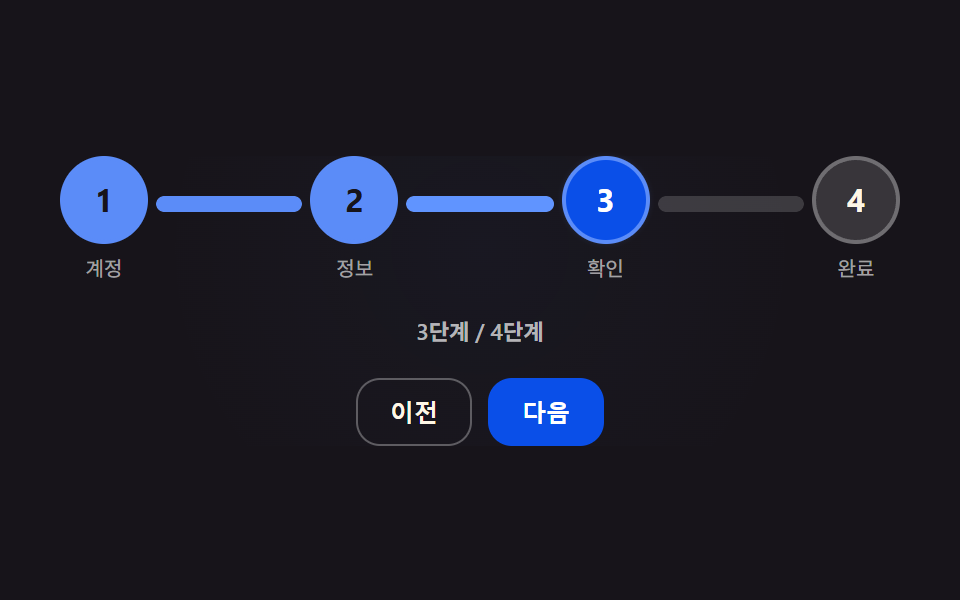 01 step-precision-connector-spring-fill
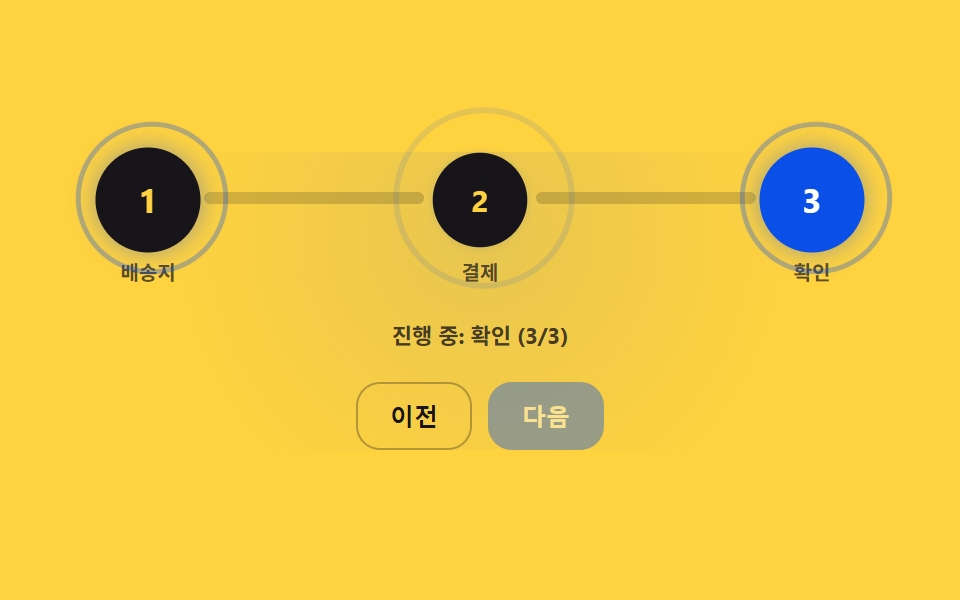 02 step-precision-node-breathing-pulse
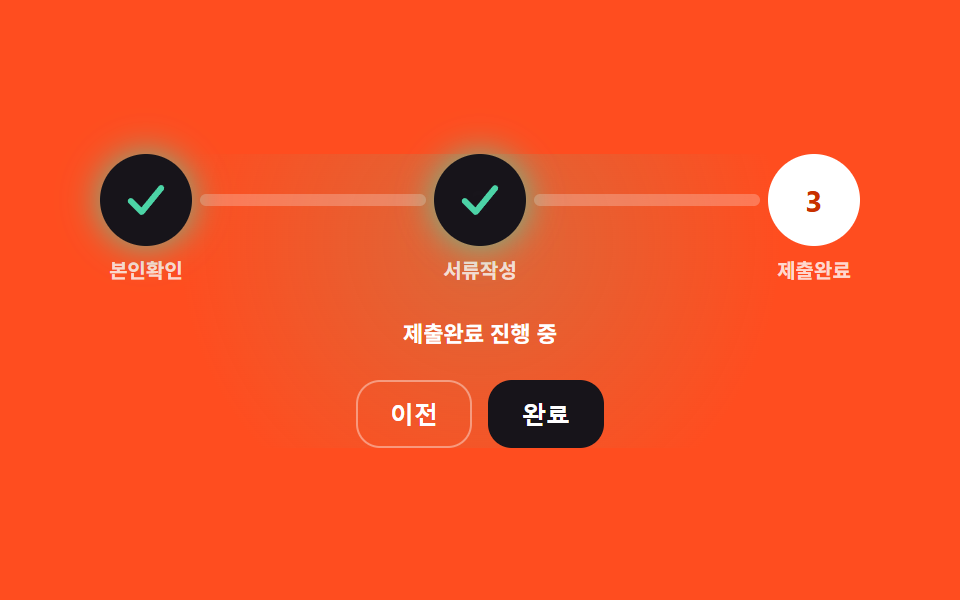 03 step-precision-check-morph-draw
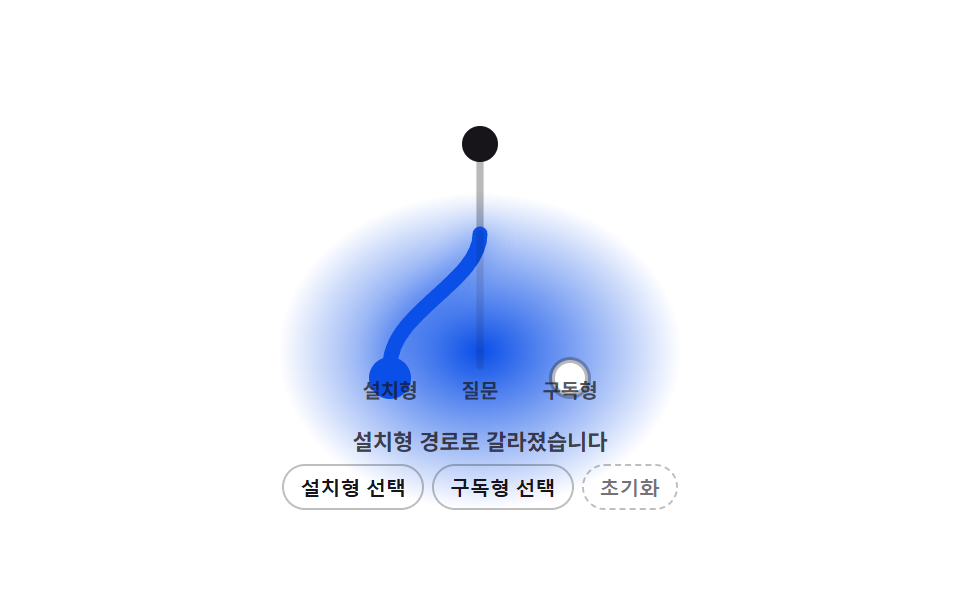 04 step-precision-branch-path-morph
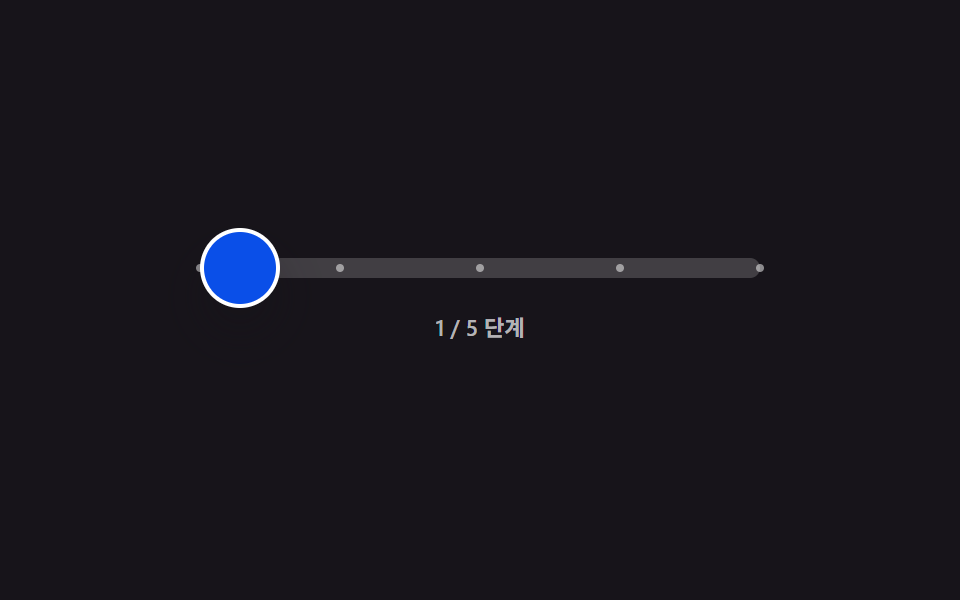 05 step-precision-inertia-scrub-drag
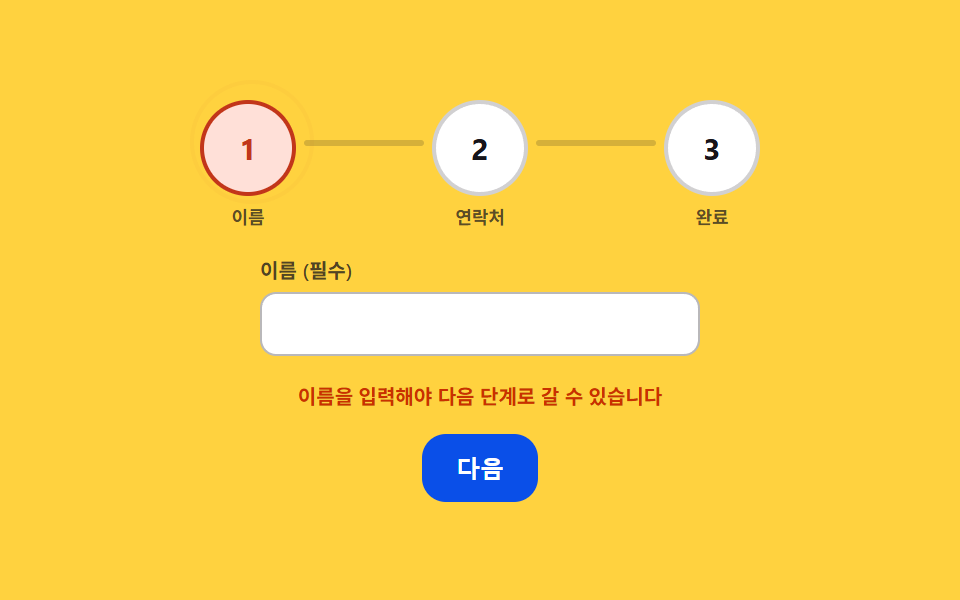 06 step-precision-error-ring-shake
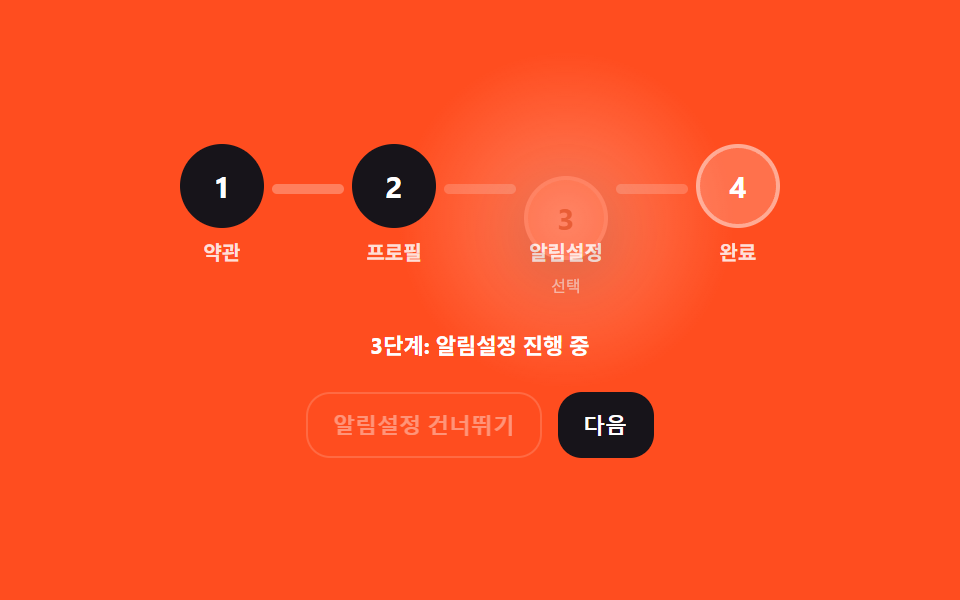 07 step-precision-skip-ghost-sink
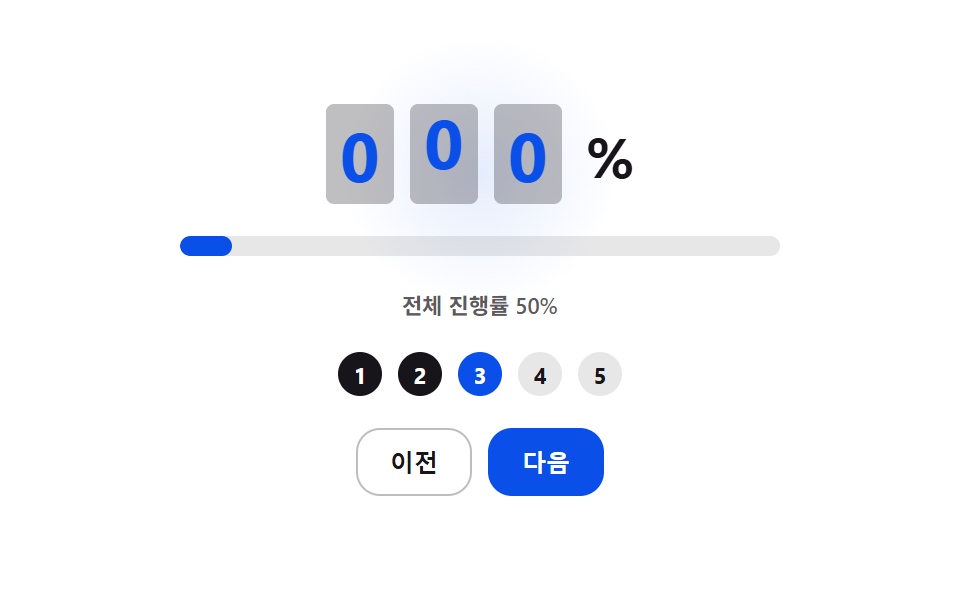 08 step-precision-progress-digit-roll
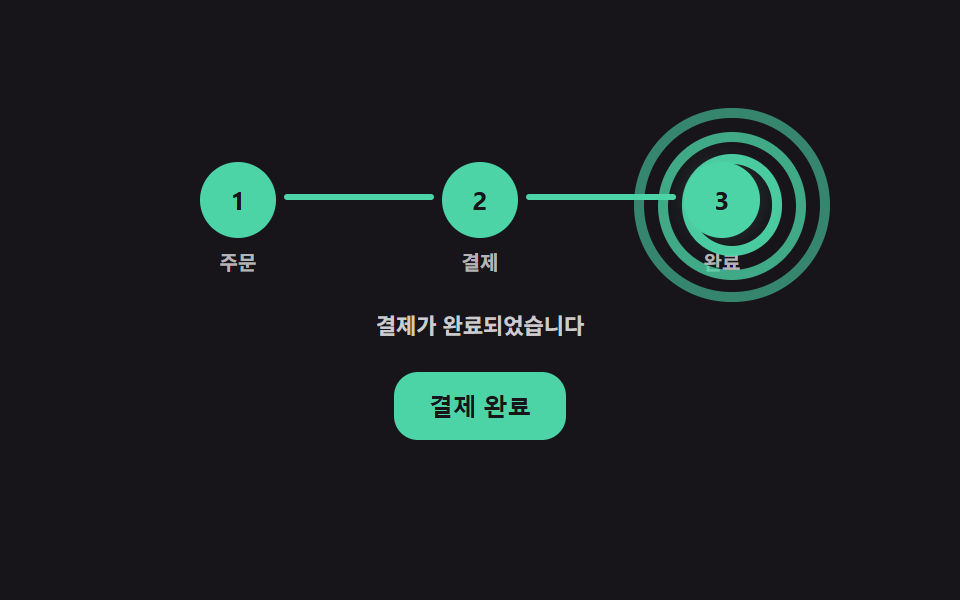 09 step-precision-completion-ring-burst
Auto-plays · click a tile to jump to its section · all nine in one zip
- 01 Step Connector That Fills With a Spring Overshoot
- 02 Active Step Node That Breathes With a Damped Pulse
- 03 Completed Step Whose Number Morphs Into a Drawn Checkmark
- 04 Step Path Line That Splits Based on the Chosen Answer
- 05 Step Scrubber That Keeps Coasting on Inertia After You Let Go
- 06 Step Ring That Shakes and Tightens on Validation Failure
- 07 Skipped Step That Fades and Sinks Into a Ghost
- 08 Overall Progress Number That Rolls Up as Steps Complete
- 09 Completion Ring That Expands and Fades on the Final Step
Nine Step Indicator UI Patterns — How One Value Decides the Move to the Next Step
All nine step indicators below run on the same idea: one JavaScript number decides how a step change looks, and every visual property in that step reads from it instead of running its own separate tween. Item 01 is the gentlest change — a connector line filling in. By item 05 the value is fighting a user's own drag gesture, and item 09 spends it on three rings at once. The order below moves from a single eased value to inertia, then to staggered and multi-ring math, so each pattern adds one more thing for that value to drive.
01Step Connector That Fills With a Spring Overshoot
integrate() runs a small spring every frame — accel = SPRING_STIFFNESS * (target - pos) - SPRING_DAMPING * vel — so the connector's fill doesn't ease evenly toward 100% — it overshoots past MAX_FILL and springs back. STEP_CONNECTOR_OVERSHOOT_PERCENT (10) sets that ceiling to 1.1, and the same position value drives the node ahead's --glow custom property once it's normalized back to 0–1.
<main class="stage">
<div class="cs is-demo" id="cs">
  <ol class="cs__row" id="csRow" role="list" aria-label="Signup progress steps">
    <li class="cs__node" data-i="0"><span class="cs__circle" id="c0">1</span><span class="cs__label">Account</span></li>
    <li class="cs__connector" id="k0"><span class="cs__connectorTrack"></span><span class="cs__connectorFill" id="f0"></span></li>
    <li class="cs__node" data-i="1"><span class="cs__circle" id="c1">2</span><span class="cs__label">Info</span></li>
    <li class="cs__connector" id="k1"><span class="cs__connectorTrack"></span><span class="cs__connectorFill" id="f1"></span></li>
    <li class="cs__node" data-i="2"><span class="cs__circle" id="c2">3</span><span class="cs__label">Confirm</span></li>
    <li class="cs__connector" id="k2"><span class="cs__connectorTrack"></span><span class="cs__connectorFill" id="f2"></span></li>
    <li class="cs__node" data-i="3"><span class="cs__circle" id="c3">4</span><span class="cs__label">Done</span></li>
  </ol>
  <p class="cs__status" id="csStatus" aria-live="polite">1 of 4 steps</p>
  <div class="cs__controls">
    <button type="button" class="cs__btn" id="csPrev">Back</button>
    <button type="button" class="cs__btn cs__btn--primary" id="csNext">Next</button>
  </div>
</div>
</main>
@use "../../../../site/static/demo-tokens" as *;
// 핵심: 연결선 채움 비율(pos)이 스프링 방정식(강성 SPRING_STIFFNESS·감쇠 SPRING_DAMPING)을
// 매 프레임 적분한 값이다. 목표(0 또는 1)를 넘어서면 STEP_CONNECTOR_OVERSHOOT_PERCENT 로 정한
// MAX_FILL 에서 강제로 튕겨(vel *= -0.35) 되돌아온다 — 트윈이 아니라 계산.
$duration: $dur-base;
$easing: $ease-spring;
$color: $subject-cream;
@include stage($stage-ink);
.cs {
--stageGlow: 0;
display: grid;
gap: $sp-4;
justify-items: center;
width: min(92vw, 420px);
background-image: radial-gradient(circle at 50% 32%, rgba(91, 140, 248, calc(var(--stageGlow, 0) * .22)), transparent 70%);
border-radius: $r-card;
}
.cs__row {
display: flex;
align-items: flex-start;
list-style: none;
padding: 0;
margin: 0;
width: 100%;
}
.cs__node {
display: flex;
flex-direction: column;
align-items: center;
gap: $sp-1;
flex: 0 0 auto;
}
.cs__circle {
--glow: 0;
width: 40px;
height: 40px;
border-radius: 50%;
display: grid;
place-items: center;
font-size: 16px;
font-weight: 700;
color: $subject-cream;
background: rgba(255, 255, 255, .14);
border: 2px solid rgba(255, 255, 255, .28);
box-shadow: 0 0 calc(var(--glow, 0) * 16px) rgba(91, 140, 248, calc(var(--glow, 0) * .85));
transition: background $dur-quick $ease-out, border-color $dur-quick $ease-out, color $dur-quick $ease-out;
cursor: pointer;
}
.cs__circle.is-active {
background: $subject-blue-deep;
border-color: $subject-blue-light;
color: $stage-paper;
}
.cs__circle.is-done {
background: $subject-blue-light;
border-color: $subject-blue-light;
color: $stage-ink;
}
.cs__label {
font-size: 10px;
color: rgba(255, 255, 255, .6);
}
.cs__connector {
flex: 1 1 auto;
height: 8px;
min-width: 20px;
position: relative;
margin: 20px 4px 0;
border-radius: $r-pill;
overflow: hidden;
}
.cs__connectorTrack,
.cs__connectorFill {
position: absolute;
inset: 0;
border-radius: $r-pill;
}
.cs__connectorTrack {
background: rgba(255, 255, 255, .16);
}
.cs__connectorFill {
--glow: 0;
background: $subject-blue-light;
transform-origin: left center;
transform: scaleX(0);
box-shadow: 0 0 calc(var(--glow, 0) * 14px) rgba(91, 140, 248, calc(var(--glow, 0) * .9));
filter: brightness(calc(1 + var(--glow, 0) * .35));
}
.cs__status {
margin: 0;
font-size: 11px;
color: rgba(255, 255, 255, .68);
font-weight: 600;
}
.cs__controls {
display: flex;
gap: $sp-2;
}
.cs__btn {
border: 1px solid rgba(255, 255, 255, .3);
background: transparent;
color: $subject-cream;
border-radius: $r-control;
padding: $sp-2 $sp-4;
font-size: 12px;
font-weight: 600;
cursor: pointer;
}
.cs__btn--primary {
background: $subject-blue-deep;
border-color: $subject-blue-deep;
color: $stage-paper;
}
.cs__btn:disabled {
opacity: .4;
cursor: default;
}
.cs__btn:focus-visible,
.cs__circle:focus-visible {
outline: 2px solid $subject-blue-light;
outline-offset: 2px;
}
@media (max-width: 340px) {
.cs__circle { width: 32px; height: 32px; font-size: 13px; }
.cs__label { font-size: 9px; }
.cs__connector { height: 6px; margin: 16px 4px 0; }
}
@media (prefers-reduced-motion: reduce) {
.cs__circle,
.cs__connectorFill {
transition: none;
}
}html, body {
margin: 0;
overflow: hidden;
}
.stage {
box-sizing: border-box;
min-height: 100vh;
display: grid;
place-items: center;
margin: 0;
background: #17141a;
font-family: -apple-system, "Segoe UI", "Noto Sans KR", sans-serif;
padding: clamp(8px, 4vw, 24px);
}
.cs {
--stageGlow: 0;
display: grid;
gap: 16px;
justify-items: center;
width: min(92vw, 420px);
background-image: radial-gradient(circle at 50% 32%, rgba(91, 140, 248, calc(var(--stageGlow, 0) * 0.22)), transparent 70%);
border-radius: 16px;
}
.cs__row {
display: flex;
align-items: flex-start;
list-style: none;
padding: 0;
margin: 0;
width: 100%;
}
.cs__node {
display: flex;
flex-direction: column;
align-items: center;
gap: 4px;
flex: 0 0 auto;
}
.cs__circle {
--glow: 0;
width: 40px;
height: 40px;
border-radius: 50%;
display: grid;
place-items: center;
font-size: 16px;
font-weight: 700;
color: #fff7e6;
background: rgba(255, 255, 255, 0.14);
border: 2px solid rgba(255, 255, 255, 0.28);
box-shadow: 0 0 calc(var(--glow, 0) * 16px) rgba(91, 140, 248, calc(var(--glow, 0) * 0.85));
transition: background 220ms ease-out, border-color 220ms ease-out, color 220ms ease-out;
cursor: pointer;
}
.cs__circle.is-active {
background: #0a4fe8;
border-color: #5b8cf8;
color: #ffffff;
}
.cs__circle.is-done {
background: #5b8cf8;
border-color: #5b8cf8;
color: #17141a;
}
.cs__label {
font-size: 10px;
color: rgba(255, 255, 255, 0.6);
}
.cs__connector {
flex: 1 1 auto;
height: 8px;
min-width: 20px;
position: relative;
margin: 20px 4px 0;
border-radius: 999px;
overflow: hidden;
}
.cs__connectorTrack,
.cs__connectorFill {
position: absolute;
inset: 0;
border-radius: 999px;
}
.cs__connectorTrack {
background: rgba(255, 255, 255, 0.16);
}
.cs__connectorFill {
--glow: 0;
background: #5b8cf8;
transform-origin: left center;
transform: scaleX(0);
box-shadow: 0 0 calc(var(--glow, 0) * 14px) rgba(91, 140, 248, calc(var(--glow, 0) * 0.9));
filter: brightness(calc(1 + var(--glow, 0) * 0.35));
}
.cs__status {
margin: 0;
font-size: 11px;
color: rgba(255, 255, 255, 0.68);
font-weight: 600;
}
.cs__controls {
display: flex;
gap: 8px;
}
.cs__btn {
border: 1px solid rgba(255, 255, 255, 0.3);
background: transparent;
color: #fff7e6;
border-radius: 12px;
padding: 8px 16px;
font-size: 12px;
font-weight: 600;
cursor: pointer;
}
.cs__btn--primary {
background: #0a4fe8;
border-color: #0a4fe8;
color: #ffffff;
}
.cs__btn:disabled {
opacity: 0.4;
cursor: default;
}
.cs__btn:focus-visible,
.cs__circle:focus-visible {
outline: 2px solid #5b8cf8;
outline-offset: 2px;
}
@media (max-width: 340px) {
.cs__circle {
width: 32px;
height: 32px;
font-size: 13px;
}
.cs__label {
font-size: 9px;
}
.cs__connector {
height: 6px;
margin: 16px 4px 0;
}
}
@media (prefers-reduced-motion: reduce) {
.cs__circle,
.cs__connectorFill {
transition: none;
}
}(function () {
var STEP_CONNECTOR_OVERSHOOT_PERCENT = 10;
var SPRING_STIFFNESS = 180;
var SPRING_DAMPING = 16;
var SPRING_KICK_VELOCITY = 3.2;
var STEP_COUNT = 4;
var MAX_FILL = 1 + STEP_CONNECTOR_OVERSHOOT_PERCENT / 100;
var root = document.getElementById('cs');
var status = document.getElementById('csStatus');
var prevBtn = document.getElementById('csPrev');
var nextBtn = document.getElementById('csNext');
var reduce = window.matchMedia('(prefers-reduced-motion: reduce)').matches;
var circles = [0, 1, 2, 3].map(function (i) { return document.getElementById('c' + i); });
var fills = [0, 1, 2].map(function (i) { return document.getElementById('f' + i); });
function clamp(v, lo, hi) { return Math.max(lo, Math.min(hi, v)); }
// 연결선마다 독립된 스프링 상태(위치·속도) — 목표는 0(안 채움) 또는 1(채움)
var springs = fills.map(function () { return { pos: 0, vel: 0, target: 0 }; });
var current = 0;
  function integrate(s, dt) {
    var accel = SPRING_STIFFNESS * (s.target - s.pos) - SPRING_DAMPING * s.vel;
    s.vel += accel * dt;
    s.pos += s.vel * dt;
    var max = s.target > 0 ? MAX_FILL : 1;
    if (s.target > 0 && s.pos > MAX_FILL) { s.pos = MAX_FILL; s.vel *= -0.35; }
    if (s.target === 0 && s.pos < 0) { s.pos = 0; s.vel = 0; }
    if (Math.abs(s.pos - s.target) < 0.001 && Math.abs(s.vel) < 0.01) { s.pos = s.target; s.vel = 0; }
  }

  function kick(s) { s.vel += (s.target > s.pos ? 1 : -1) * SPRING_KICK_VELOCITY; }
function render() {
var maxGlow = 0;
fills.forEach(function (el, i) {
var p = reduce ? springs[i].target : clamp(springs[i].pos, 0, MAX_FILL);
el.style.transform = 'scaleX(' + p.toFixed(4) + ')';
// 오버슛(1 을 넘긴 만큼)을 0~1 로 정규화해 연결선 글로우·Next 노드 그림자·배경 톤에 같은 값을 퍼뜨린다
var over = clamp((p - 1) / (STEP_CONNECTOR_OVERSHOOT_PERCENT / 100), 0, 1);
el.style.setProperty('--glow', over.toFixed(3));
if (circles[i + 1]) circles[i + 1].style.setProperty('--glow', over.toFixed(3));
if (over > maxGlow) maxGlow = over;
});
root.style.setProperty('--stageGlow', maxGlow.toFixed(3));
circles.forEach(function (el, i) {
el.classList.toggle('is-done', i < current);
el.classList.toggle('is-active', i === current);
});
status.textContent = (current + 1) + ' of ' + STEP_COUNT + ' steps';
prevBtn.disabled = current === 0;
nextBtn.disabled = current === STEP_COUNT - 1;
}
function goTo(next) {
next = clamp(next, 0, STEP_COUNT - 1);
if (next === current) return;
if (next > current) {
for (var i = current; i < next; i++) { springs[i].target = 1; kick(springs[i]); }
} else {
for (var j = next; j < current; j++) { springs[j].target = 0; kick(springs[j]); }
}
current = next;
render();
}
prevBtn.addEventListener('click', function () { root.classList.remove('is-demo'); goTo(current - 1); });
nextBtn.addEventListener('click', function () { root.classList.remove('is-demo'); goTo(current + 1); });
root.addEventListener('keydown', function (e) {
if (e.key === 'ArrowRight') { root.classList.remove('is-demo'); goTo(current + 1); e.preventDefault(); }
else if (e.key === 'ArrowLeft') { root.classList.remove('is-demo'); goTo(current - 1); e.preventDefault(); }
});
circles.forEach(function (el, i) {
el.addEventListener('click', function () { root.classList.remove('is-demo'); goTo(i); });
});
var startTime = null;
var lastNow = 0;
var phase = 0;
function tick(now) {
if (startTime === null) { startTime = now; lastNow = now; }
var dt = Math.min((now - lastNow) / 1000, 0.05);
lastNow = now;
var t = (now - startTime) / 1000 % 2;
if (root.classList.contains('is-demo')) {
if (t < 0.05 && phase !== 0) { phase = 0; }
if (phase === 0 && t > 0.2) { goTo(clamp(current + 1, 0, STEP_COUNT - 1)); phase = 1; }
if (phase === 1 && t > 0.75) { goTo(clamp(current + 1, 0, STEP_COUNT - 1)); phase = 2; }
if (phase === 2 && t > 1.3) { goTo(clamp(current + 1, 0, STEP_COUNT - 1)); phase = 3; }
if (phase === 3 && t > 1.85) { goTo(0); phase = 4; }
}
springs.forEach(function (s) { if (!reduce) integrate(s, dt); });
render();
requestAnimationFrame(tick);
}
render();
requestAnimationFrame(tick);
})();// StepSpringFillConnector — vanilla 판(run/420/demo/01-step-precision-connector-spring-fill/index.html) 의 React 포트.
// 값 하나: 연결선 채움 비율(pos)이 스프링 방정식(SPRING_STIFFNESS·SPRING_DAMPING)을 매 프레임 적분한 값이다.
// 목표를 넘어서면 STEP_CONNECTOR_OVERSHOOT_PERCENT 로 정한 MAX_FILL 에서 튕겨(vel *= -0.35) 되돌아온다.
import { useEffect, useRef, useState } from "react";
import styles from "./StepSpringFillConnector.module.scss";
type Box<T> = { current: T };
type Spring = { pos: number; vel: number; target: number };
const STEP_CONNECTOR_OVERSHOOT_PERCENT = 10;
const SPRING_STIFFNESS = 180;
const SPRING_DAMPING = 16;
const SPRING_KICK_VELOCITY = 3.2;
const STEP_COUNT = 4;
const MAX_FILL = 1 + STEP_CONNECTOR_OVERSHOOT_PERCENT / 100;
const LABELS = ["계정", "정보", "확인", "완료"];
function clamp(v: number, lo: number, hi: number): number {
return Math.max(lo, Math.min(hi, v));
}
export default function StepSpringFillConnector() {
const [current, setCurrent] = useState(0);
const [reduce, setReduce] = useState(false);
const currentRef = useRef<number>(0) as Box<number>;
const demoRef = useRef<boolean>(true) as Box<boolean>;
const fillRefs = useRef<Array<HTMLSpanElement | null>>([null, null, null]) as Box<Array<HTMLSpanElement | null>>;
const circleRefs = useRef<Array<HTMLButtonElement | null>>([null, null, null, null]) as Box<Array<HTMLButtonElement | null>>;
const rootRef = useRef<HTMLDivElement | null>(null) as Box<HTMLDivElement | null>;
const springsRef = useRef<Spring[]>([0, 1, 2].map(() => ({ pos: 0, vel: 0, target: 0 }))) as Box<Spring[]>;
const frameRef = useRef<number>(0) as Box<number>;
useEffect(() => {
setReduce(window.matchMedia("(prefers-reduced-motion: reduce)").matches);
}, []);
function integrate(s: Spring, dt: number): void {
const accel = SPRING_STIFFNESS * (s.target - s.pos) - SPRING_DAMPING * s.vel;
s.vel += accel * dt;
s.pos += s.vel * dt;
if (s.target > 0 && s.pos > MAX_FILL) { s.pos = MAX_FILL; s.vel *= -0.35; }
if (s.target === 0 && s.pos < 0) { s.pos = 0; s.vel = 0; }
if (Math.abs(s.pos - s.target) < 0.001 && Math.abs(s.vel) < 0.01) { s.pos = s.target; s.vel = 0; }
}
function kick(s: Spring): void {
s.vel += (s.target > s.pos ? 1 : -1) * SPRING_KICK_VELOCITY;
}
function paintFills(): void {
let maxGlow = 0;
springsRef.current.forEach((s, i) => {
const el = fillRefs.current[i];
const p = reduce ? s.target : clamp(s.pos, 0, MAX_FILL);
const over = clamp((p - 1) / (STEP_CONNECTOR_OVERSHOOT_PERCENT / 100), 0, 1);
if (el) {
el.style.transform = "scaleX(" + p.toFixed(4) + ")";
el.style.setProperty("--glow", over.toFixed(3));
}
const node = circleRefs.current[i + 1];
if (node) node.style.setProperty("--glow", over.toFixed(3));
if (over > maxGlow) maxGlow = over;
});
if (rootRef.current) rootRef.current.style.setProperty("--stageGlow", maxGlow.toFixed(3));
}
function goTo(next: number): void {
const clamped = clamp(next, 0, STEP_COUNT - 1);
if (clamped === currentRef.current) return;
const from = currentRef.current;
if (clamped > from) {
for (let i = from; i < clamped; i += 1) { springsRef.current[i].target = 1; kick(springsRef.current[i]); }
} else {
for (let j = clamped; j < from; j += 1) { springsRef.current[j].target = 0; kick(springsRef.current[j]); }
}
currentRef.current = clamped;
setCurrent(clamped);
}
useEffect(() => {
let startTime = 0;
let lastNow = 0;
let phase = 0;
function tick(now: number): void {
if (startTime === 0) { startTime = now; lastNow = now; }
const dt = Math.min((now - lastNow) / 1000, 0.05);
lastNow = now;
const t = ((now - startTime) / 1000) % 2;
if (demoRef.current) {
if (t < 0.05 && phase !== 0) phase = 0;
if (phase === 0 && t > 0.2) { goTo(clamp(currentRef.current + 1, 0, STEP_COUNT - 1)); phase = 1; }
if (phase === 1 && t > 0.75) { goTo(clamp(currentRef.current + 1, 0, STEP_COUNT - 1)); phase = 2; }
if (phase === 2 && t > 1.3) { goTo(clamp(currentRef.current + 1, 0, STEP_COUNT - 1)); phase = 3; }
if (phase === 3 && t > 1.85) { goTo(0); phase = 4; }
}
if (!reduce) springsRef.current.forEach((s) => integrate(s, dt));
paintFills();
frameRef.current = requestAnimationFrame(tick);
}
frameRef.current = requestAnimationFrame(tick);
return () => cancelAnimationFrame(frameRef.current);
}, [reduce]);
function stopDemo(): void { demoRef.current = false; }
function onKeyDown(e: { key: string; preventDefault: () => void }): void {
if (e.key === "ArrowRight") { stopDemo(); goTo(currentRef.current + 1); e.preventDefault(); }
else if (e.key === "ArrowLeft") { stopDemo(); goTo(currentRef.current - 1); e.preventDefault(); }
}
return (
<main className={styles.stage}>
<div className={styles.cs} onKeyDown={onKeyDown} ref={(el: HTMLDivElement | null) => { rootRef.current = el; }}>
<ol className={styles.row} role="list" aria-label="가입 진행 단계">
{LABELS.map((label, i) => (
<li key={label} style={{ display: "contents" }}>
<div className={styles.node}>
<button
type="button"
className={[styles.circle, i === current ? styles.circleActive : "", i < current ? styles.circleDone : ""].join(" ")}
ref={(el: HTMLButtonElement | null) => { circleRefs.current[i] = el; }}
onClick={() => { stopDemo(); goTo(i); }}
>
{i + 1}
</button>
<span className={styles.label}>{label}</span>
</div>
{i < STEP_COUNT - 1 && (
<div className={styles.connector}>
<span className={styles.connectorTrack} />
<span className={styles.connectorFill} ref={(el: HTMLSpanElement | null) => { fillRefs.current[i] = el; }} />
</div>
)}
</li>
))}
</ol>
<p className={styles.status} aria-live="polite">{(current + 1) + "단계 / " + STEP_COUNT + "단계"}</p>
<div className={styles.controls}>
<button type="button" className={styles.btn} disabled={current === 0} onClick={() => { stopDemo(); goTo(current - 1); }}>이전</button>
<button type="button" className={[styles.btn, styles.btnPrimary].join(" ")} disabled={current === STEP_COUNT - 1} onClick={() => { stopDemo(); goTo(current + 1); }}>다음</button>
</div>
</div>
</main>
);
}01 · Step Connector That Fills With a Spring Overshoot — Measured area 22.607% · moving frames 23/23Original by GODRICH · SCSS and React ship in the zip · See the password
function integrate(s, dt) {
var accel = SPRING_STIFFNESS * (s.target - s.pos) - SPRING_DAMPING * s.vel;
s.vel += accel * dt;
s.pos += s.vel * dt;
var max = s.target > 0 ? MAX_FILL : 1;
if (s.target > 0 && s.pos > MAX_FILL) { s.pos = MAX_FILL; s.vel *= -0.35; }
if (s.target === 0 && s.pos < 0) { s.pos = 0; s.vel = 0; }
if (Math.abs(s.pos - s.target) < 0.001 && Math.abs(s.vel) < 0.01) { s.pos = s.target; s.vel = 0; }
}
function kick(s) { s.vel += (s.target > s.pos ? 1 : -1) * SPRING_KICK_VELOCITY; }
Item 01 repainted 22.6% of the frame at an average intensity of 50.1 across 23/23 measured frames.
02Active Step Node That Breathes With a Damped Pulse
Every frame, envelope0 = Math.exp(-STEP_BREATH_DECAY * t) decays from 1 toward 0 since the last impulse, and that single value sets the circle's --breathGlow, its ring's opacity, and the ring's own inverse scale together. STEP_BREATH_DECAY (2.4) is the only knob — raise it and the breathing dies out within a frame or two instead of visibly settling.
<main class="stage">
<div class="bp is-demo" id="bp">
  <ol class="bp__row" id="bpRow" role="list" aria-label="Checkout progress steps">
    <li class="bp__node" data-i="0"><span class="bp__ring"></span><span class="bp__circle" id="n0">1</span><span class="bp__label">Shipping</span></li>
    <li class="bp__connector"></li>
    <li class="bp__node" data-i="1"><span class="bp__ring"></span><span class="bp__circle" id="n1">2</span><span class="bp__label">Payment</span></li>
    <li class="bp__connector"></li>
    <li class="bp__node" data-i="2"><span class="bp__ring"></span><span class="bp__circle" id="n2">3</span><span class="bp__label">Confirm</span></li>
  </ol>
  <p class="bp__status" id="bpStatus" aria-live="polite">In progress: Shipping (1/3)</p>
  <div class="bp__controls">
    <button type="button" class="bp__btn" id="bpPrev">Back</button>
    <button type="button" class="bp__btn bp__btn--primary" id="bpNext">Next</button>
  </div>
</div>
</main>
@use "../../../../site/static/demo-tokens" as *;
// 핵심: 활성 노드의 확대 비율이 감쇠 사인(진폭 STEP_BREATH_AMPLITUDE·감쇠 STEP_BREATH_DECAY·
// 각진동수 STEP_BREATH_FREQ)을 매 프레임 계산한 값이다 — 진폭이 exp(-k·t) 로 점점 잦아든다.
$duration: $dur-loop;
$easing: $ease-out;
$color: $stage-ink;
@include stage($stage-yellow);
.bp {
--breathGlow: 0;
display: grid;
gap: $sp-4;
justify-items: center;
width: min(92vw, 380px);
background-image: radial-gradient(circle at 50% 28%, rgba(10, 79, 232, calc(var(--breathGlow, 0) * .16)), transparent 70%);
border-radius: $r-card;
}
.bp__row {
display: flex;
align-items: flex-start;
list-style: none;
padding: 0;
margin: 0;
width: 100%;
}
.bp__node {
position: relative;
display: flex;
flex-direction: column;
align-items: center;
gap: $sp-1;
flex: 0 0 auto;
}
.bp__ring {
position: absolute;
top: -8px;
left: 50%;
width: 58px;
height: 58px;
margin-left: -29px;
border-radius: 50%;
border: 2px solid $subject-blue-deep;
opacity: 0;
pointer-events: none;
}
.bp__circle {
--breathGlow: 0;
position: relative;
z-index: 1;
width: 44px;
height: 44px;
border-radius: 50%;
display: grid;
place-items: center;
font-size: 15px;
font-weight: 700;
color: $stage-ink;
background: $stage-paper;
border: 2px solid rgba(23, 20, 26, .2);
box-shadow: 0 0 calc(var(--breathGlow, 0) * 18px) rgba(10, 79, 232, calc(var(--breathGlow, 0) * .7));
cursor: pointer;
transform-origin: center;
}
.bp__circle.is-active {
background: $subject-blue-deep;
border-color: $subject-blue-deep;
color: $stage-paper;
}
.bp__circle.is-done {
background: $stage-ink;
border-color: $stage-ink;
color: $stage-yellow;
}
.bp__label {
font-size: 10px;
color: rgba(23, 20, 26, .7);
font-weight: 600;
}
.bp__connector {
flex: 1 1 auto;
height: 6px;
min-width: 20px;
margin: 20px 4px 0;
border-radius: $r-pill;
background: rgba(23, 20, 26, .18);
}
.bp__status {
margin: 0;
font-size: 11px;
color: rgba(23, 20, 26, .78);
font-weight: 700;
}
.bp__controls { display: flex; gap: $sp-2; }
.bp__btn {
border: 1px solid rgba(23, 20, 26, .3);
background: transparent;
color: $stage-ink;
border-radius: $r-control;
padding: $sp-2 $sp-4;
font-size: 12px;
font-weight: 600;
cursor: pointer;
}
.bp__btn--primary {
background: $subject-blue-deep;
border-color: $subject-blue-deep;
color: $stage-paper;
}
.bp__btn:disabled { opacity: .4; cursor: default; }
.bp__btn:focus-visible,
.bp__circle:focus-visible {
outline: 2px solid $subject-blue-deep;
outline-offset: 2px;
}
@media (max-width: 340px) {
.bp__circle { width: 34px; height: 34px; font-size: 12px; }
.bp__ring { width: 48px; height: 48px; margin-left: -24px; top: -6px; }
.bp__label { font-size: 9px; }
.bp__connector { height: 4px; margin: 16px 4px 0; }
}
@media (prefers-reduced-motion: reduce) {
.bp__circle { transition: none; }
.bp__ring { display: none; }
}html, body {
margin: 0;
overflow: hidden;
}
.stage {
box-sizing: border-box;
min-height: 100vh;
display: grid;
place-items: center;
margin: 0;
background: #ffd23f;
font-family: -apple-system, "Segoe UI", "Noto Sans KR", sans-serif;
padding: clamp(8px, 4vw, 24px);
}
.bp {
--breathGlow: 0;
display: grid;
gap: 16px;
justify-items: center;
width: min(92vw, 380px);
background-image: radial-gradient(circle at 50% 28%, rgba(10, 79, 232, calc(var(--breathGlow, 0) * 0.16)), transparent 70%);
border-radius: 16px;
}
.bp__row {
display: flex;
align-items: flex-start;
list-style: none;
padding: 0;
margin: 0;
width: 100%;
}
.bp__node {
position: relative;
display: flex;
flex-direction: column;
align-items: center;
gap: 4px;
flex: 0 0 auto;
}
.bp__ring {
position: absolute;
top: -8px;
left: 50%;
width: 58px;
height: 58px;
margin-left: -29px;
border-radius: 50%;
border: 2px solid #0a4fe8;
opacity: 0;
pointer-events: none;
}
.bp__circle {
--breathGlow: 0;
position: relative;
z-index: 1;
width: 44px;
height: 44px;
border-radius: 50%;
display: grid;
place-items: center;
font-size: 15px;
font-weight: 700;
color: #17141a;
background: #ffffff;
border: 2px solid rgba(23, 20, 26, 0.2);
box-shadow: 0 0 calc(var(--breathGlow, 0) * 18px) rgba(10, 79, 232, calc(var(--breathGlow, 0) * 0.7));
cursor: pointer;
transform-origin: center;
}
.bp__circle.is-active {
background: #0a4fe8;
border-color: #0a4fe8;
color: #ffffff;
}
.bp__circle.is-done {
background: #17141a;
border-color: #17141a;
color: #ffd23f;
}
.bp__label {
font-size: 10px;
color: rgba(23, 20, 26, 0.7);
font-weight: 600;
}
.bp__connector {
flex: 1 1 auto;
height: 6px;
min-width: 20px;
margin: 20px 4px 0;
border-radius: 999px;
background: rgba(23, 20, 26, 0.18);
}
.bp__status {
margin: 0;
font-size: 11px;
color: rgba(23, 20, 26, 0.78);
font-weight: 700;
}
.bp__controls {
display: flex;
gap: 8px;
}
.bp__btn {
border: 1px solid rgba(23, 20, 26, 0.3);
background: transparent;
color: #17141a;
border-radius: 12px;
padding: 8px 16px;
font-size: 12px;
font-weight: 600;
cursor: pointer;
}
.bp__btn--primary {
background: #0a4fe8;
border-color: #0a4fe8;
color: #ffffff;
}
.bp__btn:disabled {
opacity: 0.4;
cursor: default;
}
.bp__btn:focus-visible,
.bp__circle:focus-visible {
outline: 2px solid #0a4fe8;
outline-offset: 2px;
}
@media (max-width: 340px) {
.bp__circle {
width: 34px;
height: 34px;
font-size: 12px;
}
.bp__ring {
width: 48px;
height: 48px;
margin-left: -24px;
top: -6px;
}
.bp__label {
font-size: 9px;
}
.bp__connector {
height: 4px;
margin: 16px 4px 0;
}
}
@media (prefers-reduced-motion: reduce) {
.bp__circle {
transition: none;
}
.bp__ring {
display: none;
}
}(function () {
var STEP_BREATH_DECAY = 2.4;
var STEP_BREATH_FREQ = 9.5;
var STEP_BREATH_AMPLITUDE = 0.16;
var STEP_BREATH_IMPULSE_S = 1.5;
var STEP_COUNT = 3;
var LABELS = ['Shipping', 'Payment', 'Confirm'];
var STATUS_TEXTS = ['In progress: Shipping (1/3)', 'In progress: Payment (2/3)', 'In progress: Confirm (3/3)'];
var root = document.getElementById('bp');
var status = document.getElementById('bpStatus');
var prevBtn = document.getElementById('bpPrev');
var nextBtn = document.getElementById('bpNext');
var reduce = window.matchMedia('(prefers-reduced-motion: reduce)').matches;
var circles = [0, 1, 2].map(function (i) { return document.getElementById('n' + i); });
var nodes = Array.prototype.slice.call(root.querySelectorAll('.bp__node'));
function clamp(v, lo, hi) { return Math.max(lo, Math.min(hi, v)); }
var current = 0;
var impulseAt = 0;
function render() {
nodes.forEach(function (el, i) {
var circle = circles[i];
circle.classList.toggle('is-done', i < current);
circle.classList.toggle('is-active', i === current);
el.querySelector('.bp__ring').classList.toggle('is-active', i === current);
});
status.textContent = STATUS_TEXTS[current];
prevBtn.disabled = current === 0;
nextBtn.disabled = current === STEP_COUNT - 1;
}
function goTo(next) {
next = clamp(next, 0, STEP_COUNT - 1);
if (next === current) return;
current = next;
impulseAt = performance.now();
render();
}
prevBtn.addEventListener('click', function () { root.classList.remove('is-demo'); goTo(current - 1); });
nextBtn.addEventListener('click', function () { root.classList.remove('is-demo'); goTo(current + 1); });
root.addEventListener('keydown', function (e) {
if (e.key === 'ArrowRight') { root.classList.remove('is-demo'); goTo(current + 1); e.preventDefault(); }
else if (e.key === 'ArrowLeft') { root.classList.remove('is-demo'); goTo(current - 1); e.preventDefault(); }
});
circles.forEach(function (el, i) { el.addEventListener('click', function () { root.classList.remove('is-demo'); goTo(i); }); });
function breathScale(nowMs) {
var tt = (nowMs - impulseAt) / 1000;
if (tt < 0) return 1;
var envelope = Math.exp(-STEP_BREATH_DECAY * tt);
return 1 + STEP_BREATH_AMPLITUDE * envelope * Math.sin(STEP_BREATH_FREQ * tt);
}
var startTime = null;
var phase = 0;
function tick(now) {
if (startTime === null) { startTime = now; impulseAt = now; }
if (root.classList.contains('is-demo')) {
var t = (now - startTime) / 1000 % 2;
if (t < 0.05 && phase !== 0) { phase = 0; }
if (phase === 0 && t > 0.2) { goTo((current + 1) % STEP_COUNT); phase = 1; }
if (phase === 1 && t > 0.85) { goTo((current + 1) % STEP_COUNT); phase = 2; }
if (phase === 2 && t > 1.5) { goTo((current + 1) % STEP_COUNT); phase = 3; }
}
// 감쇠 사인(envelope)값을 원 확대·후광 링뿐 아니라 카드 배경 톤에도 같은 함수로 퍼뜨린다
var tt0 = (now - impulseAt) / 1000;
var envelope0 = tt0 < 0 ? 0 : Math.max(0, Math.exp(-STEP_BREATH_DECAY * tt0));
root.style.setProperty('--breathGlow', envelope0.toFixed(3));
if (!reduce) {
var activeCircle = circles[current];
var s = breathScale(now);
activeCircle.style.transform = 'scale(' + s.toFixed(4) + ')';
activeCircle.style.setProperty('--breathGlow', envelope0.toFixed(3));
var ringEl = nodes[current].querySelector('.bp__ring');
var ringEnvelope = envelope0;
ringEl.style.opacity = (ringEnvelope * 0.5).toFixed(3);
ringEl.style.transform = 'scale(' + (1 + (1 - ringEnvelope) * 0.6).toFixed(3) + ')';
} else {
circles[current].style.transform = 'scale(1)';
}
requestAnimationFrame(tick);
}
render();
requestAnimationFrame(tick);
})();// StepBreathingPulseNode — vanilla 판(02-step-precision-node-breathing-pulse) 의 React 포트.
// 값 하나: 활성 원의 확대 비율 = 1 + AMPLITUDE·exp(-DECAY·t)·sin(FREQ·t) — 감쇠 사인을 매 프레임 계산.
// 같은 감쇠값(envelope)을 링의 opacity·scale 에도 옮겨 값 하나가 두 시각 요소로 퍼진다.
import { useEffect, useRef, useState } from "react";
import styles from "./StepBreathingPulseNode.module.scss";
type Box<T> = { current: T };
const STEP_BREATH_DECAY = 2.4;
const STEP_BREATH_FREQ = 9.5;
const STEP_BREATH_AMPLITUDE = 0.16;
const STEP_COUNT = 3;
const LABELS = ["배송지", "결제", "확인"];
const STATUS_TEXTS = ["진행 중: 배송지 (1/3)", "진행 중: 결제 (2/3)", "진행 중: 확인 (3/3)"];
function clamp(v: number, lo: number, hi: number): number {
return Math.max(lo, Math.min(hi, v));
}
export default function StepBreathingPulseNode() {
const [current, setCurrent] = useState(0);
const [reduce, setReduce] = useState(false);
const currentRef = useRef<number>(0) as Box<number>;
const demoRef = useRef<boolean>(true) as Box<boolean>;
const impulseAtRef = useRef<number>(0) as Box<number>;
const circleRefs = useRef<Array<HTMLButtonElement | null>>([null, null, null]) as Box<Array<HTMLButtonElement | null>>;
const ringRefs = useRef<Array<HTMLSpanElement | null>>([null, null, null]) as Box<Array<HTMLSpanElement | null>>;
const rootRef = useRef<HTMLDivElement | null>(null) as Box<HTMLDivElement | null>;
const frameRef = useRef<number>(0) as Box<number>;
useEffect(() => {
setReduce(window.matchMedia("(prefers-reduced-motion: reduce)").matches);
}, []);
function goTo(next: number): void {
const clamped = clamp(next, 0, STEP_COUNT - 1);
if (clamped === currentRef.current) return;
currentRef.current = clamped;
impulseAtRef.current = performance.now();
setCurrent(clamped);
}
function stopDemo(): void { demoRef.current = false; }
function breathScale(nowMs: number): number {
const tt = (nowMs - impulseAtRef.current) / 1000;
if (tt < 0) return 1;
const envelope = Math.exp(-STEP_BREATH_DECAY * tt);
return 1 + STEP_BREATH_AMPLITUDE * envelope * Math.sin(STEP_BREATH_FREQ * tt);
}
useEffect(() => {
let startTime = 0;
let phase = 0;
function tick(now: number): void {
if (startTime === 0) { startTime = now; impulseAtRef.current = now; }
if (demoRef.current) {
const t = ((now - startTime) / 1000) % 2;
if (t < 0.05 && phase !== 0) phase = 0;
if (phase === 0 && t > 0.2) { goTo((currentRef.current + 1) % STEP_COUNT); phase = 1; }
if (phase === 1 && t > 0.85) { goTo((currentRef.current + 1) % STEP_COUNT); phase = 2; }
if (phase === 2 && t > 1.5) { goTo((currentRef.current + 1) % STEP_COUNT); phase = 3; }
}
const idx = currentRef.current;
const circle = circleRefs.current[idx];
const ring = ringRefs.current[idx];
const tt = (now - impulseAtRef.current) / 1000;
const envelope = tt < 0 ? 0 : Math.max(0, Math.exp(-STEP_BREATH_DECAY * tt));
if (rootRef.current) rootRef.current.style.setProperty("--breathGlow", envelope.toFixed(3));
if (!reduce) {
if (circle) {
circle.style.transform = "scale(" + breathScale(now).toFixed(4) + ")";
circle.style.setProperty("--breathGlow", envelope.toFixed(3));
}
if (ring) {
ring.style.opacity = (envelope * 0.5).toFixed(3);
ring.style.transform = "scale(" + (1 + (1 - envelope) * 0.6).toFixed(3) + ")";
}
} else if (circle) {
circle.style.transform = "scale(1)";
}
frameRef.current = requestAnimationFrame(tick);
}
frameRef.current = requestAnimationFrame(tick);
return () => cancelAnimationFrame(frameRef.current);
}, [reduce]);
function onKeyDown(e: { key: string; preventDefault: () => void }): void {
if (e.key === "ArrowRight") { stopDemo(); goTo(current + 1); e.preventDefault(); }
else if (e.key === "ArrowLeft") { stopDemo(); goTo(current - 1); e.preventDefault(); }
}
return (
<main className={styles.stage}>
<div className={styles.bp} onKeyDown={onKeyDown} ref={(el: HTMLDivElement | null) => { rootRef.current = el; }}>
<ol className={styles.row} role="list" aria-label="체크아웃 진행 단계">
{LABELS.map((label, i) => (
<li key={label} style={{ display: "contents" }}>
<div className={styles.node}>
<span className={[styles.ring, i === current ? styles.ringActive : ""].join(" ")} ref={(el: HTMLSpanElement | null) => { ringRefs.current[i] = el; }} />
<button
type="button"
className={[styles.circle, i === current ? styles.circleActive : "", i < current ? styles.circleDone : ""].join(" ")}
ref={(el: HTMLButtonElement | null) => { circleRefs.current[i] = el; }}
onClick={() => { stopDemo(); goTo(i); }}
>
{i + 1}
</button>
<span className={styles.label}>{label}</span>
</div>
{i < STEP_COUNT - 1 && <div className={styles.connector} />}
</li>
))}
</ol>
<p className={styles.status} aria-live="polite">{STATUS_TEXTS[current]}</p>
<div className={styles.controls}>
<button type="button" className={styles.btn} disabled={current === 0} onClick={() => { stopDemo(); goTo(current - 1); }}>이전</button>
<button type="button" className={[styles.btn, styles.btnPrimary].join(" ")} disabled={current === STEP_COUNT - 1} onClick={() => { stopDemo(); goTo(current + 1); }}>다음</button>
</div>
</div>
</main>
);
}02 · Active Step Node That Breathes With a Damped Pulse — Measured area 23.564% · moving frames 23/23Original by GODRICH · SCSS and React ship in the zip · See the password
    // spread the same decaying-sine envelope through the ring's opacity and the card's background tone, not just the circle's scale
    var tt0 = (now - impulseAt) / 1000;
    var envelope0 = tt0 < 0 ? 0 : Math.max(0, Math.exp(-STEP_BREATH_DECAY * tt0));
    root.style.setProperty('--breathGlow', envelope0.toFixed(3));
    if (!reduce) {
      var activeCircle = circles[current];
      var s = breathScale(now);
      activeCircle.style.transform = 'scale(' + s.toFixed(4) + ')';
      activeCircle.style.setProperty('--breathGlow', envelope0.toFixed(3));
      var ringEl = nodes[current].querySelector('.bp__ring');
      var ringEnvelope = envelope0;
      ringEl.style.opacity = (ringEnvelope * 0.5).toFixed(3);
      ringEl.style.transform = 'scale(' + (1 + (1 - ringEnvelope) * 0.6).toFixed(3) + ')';
    } else {
      circles[current].style.transform = 'scale(1)';
    }
Item 02 repainted 23.6% of the frame at an average intensity of 55.0 across 23/23 measured frames.
03Completed Step Whose Number Morphs Into a Drawn Checkmark
setDrawProgress() takes one progress value climbing from 0 to 1 and writes it three places at once: the checkmark's strokeDashoffset, the old digit's fading opacity, and the circle's --drawGlow custom property. The highest of the three steps' progress values also sets a shared --cmGlow on the whole card, so a card can glow before any single step technically finishes.
<main class="stage">
<div class="cm is-demo" id="cm">
  <ol class="cm__row" id="cmRow" role="list" aria-label="Application submission steps">
    <li class="cm__node" data-i="0">
      <span class="cm__circle" id="n0">
        <span class="cm__digit" id="d0">1</span>
        <svg class="cm__check" id="v0" viewBox="0 0 24 24" aria-hidden="true" focusable="false">
          <path class="cm__checkPath" id="p0" d="M5 12.5 L10 17.5 L19 6.5" />
        </svg>
      </span>
      <span class="cm__label">ID Check</span>
    </li>
    <li class="cm__connector"></li>
    <li class="cm__node" data-i="1">
      <span class="cm__circle" id="n1">
        <span class="cm__digit" id="d1">2</span>
        <svg class="cm__check" id="v1" viewBox="0 0 24 24" aria-hidden="true" focusable="false">
          <path class="cm__checkPath" id="p1" d="M5 12.5 L10 17.5 L19 6.5" />
        </svg>
      </span>
      <span class="cm__label">Documents</span>
    </li>
    <li class="cm__connector"></li>
    <li class="cm__node" data-i="2">
      <span class="cm__circle" id="n2">
        <span class="cm__digit" id="d2">3</span>
        <svg class="cm__check" id="v2" viewBox="0 0 24 24" aria-hidden="true" focusable="false">
          <path class="cm__checkPath" id="p2" d="M5 12.5 L10 17.5 L19 6.5" />
        </svg>
      </span>
      <span class="cm__label">Submitted</span>
    </li>
  </ol>
  <p class="cm__status" id="cmStatus" aria-live="polite">ID Check in progress</p>
  <div class="cm__controls">
    <button type="button" class="cm__btn" id="cmPrev">Back</button>
    <button type="button" class="cm__btn cm__btn--primary" id="cmNext">Done</button>
  </div>
</div>
</main>@use "../../../../site/static/demo-tokens" as *;
// 핵심: 체크 표시는 SVG path 의 getTotalLength() 로 잰 실제 길이를 기준으로
// stroke-dashoffset = 길이 × (1 - progress) 를 매 프레임 계산해 그린다 — progress 는
// easeOutCubic(t) 로 구한 값이라 CSS 트랜지션이 아니라 JS 계산이 그림을 그린다.
$duration: $dur-base;
$easing: $ease-out;
$color: $stage-paper;
@include stage($stage-orange);
.cm {
--cmGlow: 0;
display: grid;
gap: $sp-4;
justify-items: center;
width: min(92vw, 380px);
background-image: radial-gradient(circle at 50% 30%, rgba(76, 212, 166, calc(var(--cmGlow, 0) * .2)), transparent 70%);
border-radius: $r-card;
}
.cm__row {
display: flex;
align-items: flex-start;
list-style: none;
padding: 0;
margin: 0;
width: 100%;
}
.cm__node {
display: flex;
flex-direction: column;
align-items: center;
gap: $sp-1;
flex: 0 0 auto;
}
.cm__circle {
--drawGlow: 0;
position: relative;
width: 42px;
height: 42px;
border-radius: 50%;
display: grid;
place-items: center;
background: rgba(255, 255, 255, .2);
border: 2px solid rgba(255, 255, 255, .4);
box-shadow: 0 0 calc(var(--drawGlow, 0) * 18px) rgba(76, 212, 166, calc(var(--drawGlow, 0) * .85));
background-image: radial-gradient(circle at 50% 50%, rgba(76, 212, 166, calc(var(--drawGlow, 0) * .35)), transparent 70%);
}
.cm__circle.is-active {
background: $stage-paper;
border-color: $stage-paper;
}
.cm__circle.is-active .cm__digit { color: $subject-orange-deep; }
.cm__circle.is-done {
background: $subject-ink;
border-color: $subject-ink;
}
.cm__digit {
position: absolute;
font-size: 15px;
font-weight: 700;
color: $stage-paper;
}
.cm__check {
position: absolute;
width: 26px;
height: 26px;
}
.cm__checkPath {
fill: none;
stroke: $subject-mint;
stroke-width: 2.8;
stroke-linecap: round;
stroke-linejoin: round;
opacity: 0;
}
.cm__label {
font-size: 10px;
color: rgba(255, 255, 255, .78);
font-weight: 600;
}
.cm__connector {
flex: 1 1 auto;
height: 6px;
min-width: 20px;
margin: 20px 4px 0;
border-radius: $r-pill;
background: rgba(255, 255, 255, .24);
}
.cm__status {
margin: 0;
font-size: 11px;
color: $stage-paper;
font-weight: 700;
}
.cm__controls { display: flex; gap: $sp-2; }
.cm__btn {
border: 1px solid rgba(255, 255, 255, .4);
background: transparent;
color: $stage-paper;
border-radius: $r-control;
padding: $sp-2 $sp-4;
font-size: 12px;
font-weight: 600;
cursor: pointer;
}
.cm__btn--primary {
background: $subject-ink;
border-color: $subject-ink;
}
.cm__btn:disabled { opacity: .4; cursor: default; }
.cm__btn:focus-visible {
outline: 2px solid $stage-paper;
outline-offset: 2px;
}
@media (max-width: 340px) {
.cm__circle { width: 34px; height: 34px; }
.cm__check { width: 22px; height: 22px; }
.cm__label { font-size: 9px; }
.cm__connector { height: 4px; margin: 16px 4px 0; }
}
@media (prefers-reduced-motion: reduce) {
.cm__checkPath { transition: none; }
}html, body {
margin: 0;
overflow: hidden;
}
.stage {
box-sizing: border-box;
min-height: 100vh;
display: grid;
place-items: center;
margin: 0;
background: #ff4d1f;
font-family: -apple-system, "Segoe UI", "Noto Sans KR", sans-serif;
padding: clamp(8px, 4vw, 24px);
}
.cm {
--cmGlow: 0;
display: grid;
gap: 16px;
justify-items: center;
width: min(92vw, 380px);
background-image: radial-gradient(circle at 50% 30%, rgba(76, 212, 166, calc(var(--cmGlow, 0) * 0.2)), transparent 70%);
border-radius: 16px;
}
.cm__row {
display: flex;
align-items: flex-start;
list-style: none;
padding: 0;
margin: 0;
width: 100%;
}
.cm__node {
display: flex;
flex-direction: column;
align-items: center;
gap: 4px;
flex: 0 0 auto;
}
.cm__circle {
--drawGlow: 0;
position: relative;
width: 42px;
height: 42px;
border-radius: 50%;
display: grid;
place-items: center;
background: rgba(255, 255, 255, 0.2);
border: 2px solid rgba(255, 255, 255, 0.4);
box-shadow: 0 0 calc(var(--drawGlow, 0) * 18px) rgba(76, 212, 166, calc(var(--drawGlow, 0) * 0.85));
background-image: radial-gradient(circle at 50% 50%, rgba(76, 212, 166, calc(var(--drawGlow, 0) * 0.35)), transparent 70%);
}
.cm__circle.is-active {
background: #ffffff;
border-color: #ffffff;
}
.cm__circle.is-active .cm__digit {
color: #c93000;
}
.cm__circle.is-done {
background: #17141a;
border-color: #17141a;
}
.cm__digit {
position: absolute;
font-size: 15px;
font-weight: 700;
color: #ffffff;
}
.cm__check {
position: absolute;
width: 26px;
height: 26px;
}
.cm__checkPath {
fill: none;
stroke: #4cd4a6;
stroke-width: 2.8;
stroke-linecap: round;
stroke-linejoin: round;
opacity: 0;
}
.cm__label {
font-size: 10px;
color: rgba(255, 255, 255, 0.78);
font-weight: 600;
}
.cm__connector {
flex: 1 1 auto;
height: 6px;
min-width: 20px;
margin: 20px 4px 0;
border-radius: 999px;
background: rgba(255, 255, 255, 0.24);
}
.cm__status {
margin: 0;
font-size: 11px;
color: #ffffff;
font-weight: 700;
}
.cm__controls {
display: flex;
gap: 8px;
}
.cm__btn {
border: 1px solid rgba(255, 255, 255, 0.4);
background: transparent;
color: #ffffff;
border-radius: 12px;
padding: 8px 16px;
font-size: 12px;
font-weight: 600;
cursor: pointer;
}
.cm__btn--primary {
background: #17141a;
border-color: #17141a;
}
.cm__btn:disabled {
opacity: 0.4;
cursor: default;
}
.cm__btn:focus-visible {
outline: 2px solid #ffffff;
outline-offset: 2px;
}
@media (max-width: 340px) {
.cm__circle {
width: 34px;
height: 34px;
}
.cm__check {
width: 22px;
height: 22px;
}
.cm__label {
font-size: 9px;
}
.cm__connector {
height: 4px;
margin: 16px 4px 0;
}
}
@media (prefers-reduced-motion: reduce) {
.cm__checkPath {
transition: none;
}
}(function () {
var STEP_CHECK_DRAW_MS = 640;
var STEP_COUNT = 3;
var LABELS = ['ID Check', 'Documents', 'Submitted'];
var STATUS_TEXTS = ['ID Check in progress', 'Documents in progress', 'Submitted in progress'];
var root = document.getElementById('cm');
var status = document.getElementById('cmStatus');
var prevBtn = document.getElementById('cmPrev');
var nextBtn = document.getElementById('cmNext');
var reduce = window.matchMedia('(prefers-reduced-motion: reduce)').matches;
var paths = [0, 1, 2].map(function (i) { return document.getElementById('p' + i); });
var lengths = paths.map(function (p) { return p.getTotalLength(); });
paths.forEach(function (p, i) { p.style.strokeDasharray = String(lengths[i]); p.style.strokeDashoffset = String(lengths[i]); });
var digits = [0, 1, 2].map(function (i) { return document.getElementById('d' + i); });
var circles = [0, 1, 2].map(function (i) { return document.getElementById('n' + i); });
var current = 0;
var done = [false, false, false];
var anims = [null, null, null];
function clamp(v, lo, hi) { return Math.max(lo, Math.min(hi, v)); }
function easeOutCubic(t) { return 1 - Math.pow(1 - t, 3); }
var progressState = [0, 0, 0];
function setDrawProgress(i, progress) {
var len = lengths[i];
paths[i].style.strokeDashoffset = String(len * (1 - progress));
digits[i].style.opacity = String(1 - progress);
paths[i].style.opacity = String(progress);
// 드로우 진행률을 노드 채움 색·링 글로우·카드 배경 톤에 같은 값으로 전파
circles[i].style.setProperty('--drawGlow', progress.toFixed(3));
progressState[i] = progress;
root.style.setProperty('--cmGlow', Math.max(progressState[0], progressState[1], progressState[2]).toFixed(3));
}
function animateDraw(i, forward) {
var startFrom = forward ? 0 : 1;
var startTo = forward ? 1 : 0;
if (reduce) { setDrawProgress(i, startTo); return; }
var start = null;
function step(now) {
if (start === null) start = now;
var t = clamp((now - start) / STEP_CHECK_DRAW_MS, 0, 1);
var eased = easeOutCubic(t);
var progress = startFrom + (startTo - startFrom) * eased;
setDrawProgress(i, progress);
if (t < 1) { anims[i] = requestAnimationFrame(step); } else { anims[i] = null; }
}
if (anims[i]) cancelAnimationFrame(anims[i]);
anims[i] = requestAnimationFrame(step);
}
function render() {
circles.forEach(function (el, i) {
el.classList.toggle('is-active', i === current && !done[i]);
el.classList.toggle('is-done', done[i]);
});
status.textContent = done[current] || current >= STEP_COUNT - 1 && done[STEP_COUNT - 1]
? 'All steps complete'
: STATUS_TEXTS[current];
prevBtn.disabled = current === 0;
nextBtn.disabled = done[STEP_COUNT - 1];
}
function complete() {
if (done[current]) return;
done[current] = true;
animateDraw(current, true);
if (current < STEP_COUNT - 1) current += 1;
render();
}
function back() {
var target = done[current] ? current : current - 1;
target = clamp(target, 0, STEP_COUNT - 1);
if (done[target]) { done[target] = false; animateDraw(target, false); }
current = target;
render();
}
nextBtn.addEventListener('click', function () { root.classList.remove('is-demo'); complete(); });
prevBtn.addEventListener('click', function () { root.classList.remove('is-demo'); back(); });
root.addEventListener('keydown', function (e) {
if (e.key === 'ArrowRight') { root.classList.remove('is-demo'); complete(); e.preventDefault(); }
else if (e.key === 'ArrowLeft') { root.classList.remove('is-demo'); back(); e.preventDefault(); }
});
var startTime = null;
var phase = 0;
function loopTick(now) {
if (startTime === null) startTime = now;
var t = (now - startTime) / 1000 % 2;
if (root.classList.contains('is-demo')) {
if (t < 0.05 && phase !== 0) phase = 0;
if (phase === 0 && t > 0.2) { complete(); phase = 1; }
if (phase === 1 && t > 0.85) { complete(); phase = 2; }
if (phase === 2 && t > 1.5) { complete(); phase = 3; }
if (phase === 3 && t > 1.9) {
[0, 1, 2].forEach(function (i) { if (anims[i]) { cancelAnimationFrame(anims[i]); anims[i] = null; } });
done = [false, false, false]; current = 0;
[0, 1, 2].forEach(function (i) { setDrawProgress(i, 0); });
render(); phase = 4;
}
}
requestAnimationFrame(loopTick);
}
render();
requestAnimationFrame(loopTick);
})();// StepCheckMorphDraw — vanilla 판(03-step-precision-check-morph-draw) 의 React 포트.
// 값 하나: 체크 path 의 getTotalLength() 로 잰 실제 길이 × (1 - easeOutCubic(t)) 를 매 프레임
// stroke-dashoffset 에 써서 "그려지는" 궤적을 만든다 — 숫자 opacity 는 그 반대값으로 동시에 뺀다.
import { useEffect, useRef, useState } from "react";
import styles from "./StepCheckMorphDraw.module.scss";
type Box<T> = { current: T };
const STEP_CHECK_DRAW_MS = 640;
const STEP_COUNT = 3;
const LABELS = ["본인확인", "서류작성", "제출완료"];
const STATUS_TEXTS = ["본인확인 진행 중", "서류작성 진행 중", "제출완료 진행 중"];
const STATUS_ALL_DONE = "모든 단계 완료";
function clamp(v: number, lo: number, hi: number): number {
return Math.max(lo, Math.min(hi, v));
}
function easeOutCubic(t: number): number {
return 1 - Math.pow(1 - t, 3);
}
export default function StepCheckMorphDraw() {
const [current, setCurrent] = useState(0);
const [done, setDone] = useState([false, false, false]);
const [reduce, setReduce] = useState(false);
const currentRef = useRef<number>(0) as Box<number>;
const doneRef = useRef<boolean[]>([false, false, false]) as Box<boolean[]>;
const demoRef = useRef<boolean>(true) as Box<boolean>;
const pathRefs = useRef<Array<SVGPathElement | null>>([null, null, null]) as Box<Array<SVGPathElement | null>>;
const digitRefs = useRef<Array<HTMLSpanElement | null>>([null, null, null]) as Box<Array<HTMLSpanElement | null>>;
const circleRefs = useRef<Array<HTMLSpanElement | null>>([null, null, null]) as Box<Array<HTMLSpanElement | null>>;
const lengthsRef = useRef<number[]>([0, 0, 0]) as Box<number[]>;
const progressStateRef = useRef<number[]>([0, 0, 0]) as Box<number[]>;
const rootRef = useRef<HTMLDivElement | null>(null) as Box<HTMLDivElement | null>;
const animsRef = useRef<Array<number | null>>([null, null, null]) as Box<Array<number | null>>;
const frameRef = useRef<number>(0) as Box<number>;
useEffect(() => {
setReduce(window.matchMedia("(prefers-reduced-motion: reduce)").matches);
lengthsRef.current = pathRefs.current.map((p) => (p ? p.getTotalLength() : 0));
pathRefs.current.forEach((p, i) => {
if (!p) return;
p.style.strokeDasharray = String(lengthsRef.current[i]);
p.style.strokeDashoffset = String(lengthsRef.current[i]);
});
}, []);
function setDrawProgress(i: number, progress: number): void {
const len = lengthsRef.current[i];
const p = pathRefs.current[i];
const d = digitRefs.current[i];
const c = circleRefs.current[i];
if (p) { p.style.strokeDashoffset = String(len * (1 - progress)); p.style.opacity = String(progress); }
if (d) d.style.opacity = String(1 - progress);
if (c) c.style.setProperty("--drawGlow", progress.toFixed(3));
progressStateRef.current[i] = progress;
if (rootRef.current) {
const g = Math.max(progressStateRef.current[0], progressStateRef.current[1], progressStateRef.current[2]);
rootRef.current.style.setProperty("--cmGlow", g.toFixed(3));
}
}
function animateDraw(i: number, forward: boolean): void {
const startFrom = forward ? 0 : 1;
const startTo = forward ? 1 : 0;
if (reduce) { setDrawProgress(i, startTo); return; }
let start = 0;
function step(now: number): void {
if (start === 0) start = now;
const t = clamp((now - start) / STEP_CHECK_DRAW_MS, 0, 1);
const eased = easeOutCubic(t);
setDrawProgress(i, startFrom + (startTo - startFrom) * eased);
animsRef.current[i] = t < 1 ? requestAnimationFrame(step) : null;
}
const existing = animsRef.current[i];
if (existing) cancelAnimationFrame(existing);
animsRef.current[i] = requestAnimationFrame(step);
}
function complete(): void {
const cur = currentRef.current;
if (doneRef.current[cur]) return;
const nextDone = doneRef.current.slice();
nextDone[cur] = true;
doneRef.current = nextDone;
setDone(nextDone);
animateDraw(cur, true);
if (cur < STEP_COUNT - 1) { currentRef.current = cur + 1; setCurrent(cur + 1); }
}
function back(): void {
const cur = currentRef.current;
const target = clamp(doneRef.current[cur] ? cur : cur - 1, 0, STEP_COUNT - 1);
if (doneRef.current[target]) {
const nextDone = doneRef.current.slice();
nextDone[target] = false;
doneRef.current = nextDone;
setDone(nextDone);
animateDraw(target, false);
}
currentRef.current = target;
setCurrent(target);
}
function stopDemo(): void { demoRef.current = false; }
useEffect(() => {
let startTime = 0;
let phase = 0;
function loopTick(now: number): void {
if (startTime === 0) startTime = now;
const t = ((now - startTime) / 1000) % 2;
if (demoRef.current) {
if (t < 0.05 && phase !== 0) phase = 0;
if (phase === 0 && t > 0.2) { complete(); phase = 1; }
if (phase === 1 && t > 0.85) { complete(); phase = 2; }
if (phase === 2 && t > 1.5) { complete(); phase = 3; }
if (phase === 3 && t > 1.9) {
[0, 1, 2].forEach((i) => {
const existing = animsRef.current[i];
if (existing) { cancelAnimationFrame(existing); animsRef.current[i] = null; }
});
doneRef.current = [false, false, false];
currentRef.current = 0;
setDone([false, false, false]);
setCurrent(0);
[0, 1, 2].forEach((i) => setDrawProgress(i, 0));
phase = 4;
}
}
frameRef.current = requestAnimationFrame(loopTick);
}
frameRef.current = requestAnimationFrame(loopTick);
return () => cancelAnimationFrame(frameRef.current);
// eslint-disable-next-line react-hooks/exhaustive-deps
}, []);
function onKeyDown(e: { key: string; preventDefault: () => void }): void {
if (e.key === "ArrowRight") { stopDemo(); complete(); e.preventDefault(); }
else if (e.key === "ArrowLeft") { stopDemo(); back(); e.preventDefault(); }
}
const allDone = done[current] || (current >= STEP_COUNT - 1 && done[STEP_COUNT - 1]);
const statusText = allDone ? STATUS_ALL_DONE : STATUS_TEXTS[current];
return (
<main className={styles.stage}>
<div className={styles.cm} onKeyDown={onKeyDown} ref={(el: HTMLDivElement | null) => { rootRef.current = el; }}>
<ol className={styles.row} role="list" aria-label="신청서 제출 단계">
{LABELS.map((label, i) => (
<li key={label} style={{ display: "contents" }}>
<div className={styles.node}>
<span className={[styles.circle, i === current && !done[i] ? styles.circleActive : "", done[i] ? styles.circleDone : ""].join(" ")} ref={(el: HTMLSpanElement | null) => { circleRefs.current[i] = el; }}>
<span className={styles.digit} ref={(el: HTMLSpanElement | null) => { digitRefs.current[i] = el; }}>{i + 1}</span>
<svg className={styles.check} viewBox="0 0 24 24" aria-hidden="true" focusable="false">
<path className={styles.checkPath} ref={(el: SVGPathElement | null) => { pathRefs.current[i] = el; }} d="M5 12.5 L10 17.5 L19 6.5" />
</svg>
</span>
<span className={styles.label}>{label}</span>
</div>
{i < STEP_COUNT - 1 && <div className={styles.connector} />}
</li>
))}
</ol>
<p className={styles.status} aria-live="polite">{statusText}</p>
<div className={styles.controls}>
<button type="button" className={styles.btn} disabled={current === 0} onClick={() => { stopDemo(); back(); }}>이전</button>
<button type="button" className={[styles.btn, styles.btnPrimary].join(" ")} disabled={done[STEP_COUNT - 1]} onClick={() => { stopDemo(); complete(); }}>완료</button>
</div>
</div>
</main>
);
}03 · Completed Step Whose Number Morphs Into a Drawn Checkmark — Measured area 21.637% · moving frames 21/23Original by GODRICH · SCSS and React ship in the zip · See the password
  function setDrawProgress(i, progress) {
    var len = lengths[i];
    paths[i].style.strokeDashoffset = String(len * (1 - progress));
    digits[i].style.opacity = String(1 - progress);
    paths[i].style.opacity = String(progress);
    // spread the same draw-progress value into the node's fill color, ring glow, and card background tone
    circles[i].style.setProperty('--drawGlow', progress.toFixed(3));
    progressState[i] = progress;
    root.style.setProperty('--cmGlow', Math.max(progressState[0], progressState[1], progressState[2]).toFixed(3));
  }
Item 03 repainted 21.6% of the frame at an average intensity of 62.6 across 21/23 measured frames.
04Step Path Line That Splits Based on the Chosen Answer
applyMorph() eases one x-coordinate from the shared trunk toward a branch target with easeOutCubic, then rebuilds the path's d attribute from that coordinate every frame instead of crossfading two fixed paths. How far that coordinate has traveled (0 to MAX_OFFSET) becomes one travelled ratio, which thickens the path from 2.4px toward 5.0px and switches on a drop-shadow past 4% of the distance.
<main class="stage">
<div class="bm is-demo" id="bm">
  <svg class="bm__svg" id="bmSvg" viewBox="0 0 100 100" role="img" aria-label="Survey branching path">
    <path class="bm__trunk" d="M50 12 L50 42" />
    <path class="bm__branch bm__branch--a" id="pathA" d="M50 42 C50 58 50 68 50 86" />
    <path class="bm__branch bm__branch--b" id="pathB" d="M50 42 C50 58 50 68 50 86" />
    <circle class="bm__dot bm__dot--start" cx="50" cy="12" r="6" />
    <circle class="bm__dot bm__dot--a" id="dotA" cx="20" cy="90" r="6" />
    <circle class="bm__dot bm__dot--b" id="dotB" cx="80" cy="90" r="6" />
  </svg>
  <div class="bm__labels">
    <span class="bm__labelStart">Question</span>
    <span class="bm__labelA">On-Premise</span>
    <span class="bm__labelB">Subscription</span>
  </div>
  <p class="bm__status" id="bmStatus" aria-live="polite">Pick an answer to split the path</p>
  <div class="bm__controls">
    <button type="button" class="bm__btn" id="bmA">Choose On-Premise</button>
    <button type="button" class="bm__btn" id="bmB">Choose Subscription</button>
    <button type="button" class="bm__btn bm__btn--ghost" id="bmReset">Reset</button>
  </div>
</div>
</main>
@use "../../../../site/static/demo-tokens" as *;
// 핵심: 분기 경로는 CSS 트랜지션이 아니라 JS 가 매 프레임 SVG path `d` 의 제어점 x좌표를
// lerp(fromX, targetX, easeOutCubic(t)) 로 계산해 다시 쓴 값이다 — 직선(50)에서 좌우(20/80)로
// 좌표 자체가 보간되며 형태가 바뀐다.
$duration: $dur-quick;
$easing: $ease-out;
$color: $stage-ink;
@include stage($stage-paper);
.bm {
--bm-progress: 0;
display: grid;
gap: $sp-1;
justify-items: center;
width: min(85vw, 260px);
border-radius: $r-sm;
background: radial-gradient(140px 110px at 50% 62%, rgba(10, 79, 232, var(--bm-progress)) 0%, rgba(10, 79, 232, 0) 72%);
}
.bm__svg {
width: 150px;
aspect-ratio: 1 / 1;
overflow: visible;
margin-top: $sp-2;
}
.bm__trunk {
fill: none;
stroke: rgba(23, 20, 26, .3);
stroke-width: 2.4;
stroke-linecap: round;
}
.bm__branch {
fill: none;
stroke: rgba(23, 20, 26, .22);
stroke-width: 2.4;
stroke-linecap: round;
}
.bm__branch.is-chosen { stroke: $subject-blue-deep; stroke-width: 3; }
.bm__branch.is-dim { stroke: rgba(23, 20, 26, .12); }
.bm__dot { fill: $stage-ink; }
.bm__dot--start { fill: $stage-ink; }
.bm__dot--a, .bm__dot--b { fill: $stage-paper; stroke: rgba(23, 20, 26, .3); stroke-width: 2; }
.bm__dot--a.is-chosen, .bm__dot--b.is-chosen { fill: $subject-blue-deep; stroke: $subject-blue-deep; }
.bm__labels {
position: relative;
width: 150px;
height: 0;
}
.bm__labelStart, .bm__labelA, .bm__labelB {
position: absolute;
transform: translate(-50%, -140%);
font-size: 10px;
font-weight: 700;
color: rgba(23, 20, 26, .7);
white-space: nowrap;
}
.bm__labelStart { left: 50%; top: -100%; }
.bm__labelA { left: 20%; top: -12%; }
.bm__labelB { left: 80%; top: -12%; }
.bm__status {
margin: 0;
font-size: 11px;
color: rgba(23, 20, 26, .78);
font-weight: 600;
min-height: 14px;
text-align: center;
}
.bm__controls { display: flex; gap: $sp-1; flex-wrap: wrap; justify-content: center; }
.bm__btn {
border: 1px solid rgba(23, 20, 26, .28);
background: transparent;
color: $stage-ink;
border-radius: $r-control;
padding: $sp-1 $sp-2;
font-size: 10px;
font-weight: 600;
cursor: pointer;
}
.bm__btn--ghost { border-style: dashed; color: rgba(23, 20, 26, .6); }
.bm__btn:focus-visible {
outline: 2px solid $subject-blue-deep;
outline-offset: 2px;
}
@media (max-width: 340px) {
.bm { width: min(94vw, 240px); }
.bm__svg { width: 108px; margin-top: $sp-1; }
.bm__labels { width: 108px; }
.bm__labelStart, .bm__labelA, .bm__labelB { font-size: 9px; }
}
@media (prefers-reduced-motion: reduce) {
.bm__branch { transition: none; }
}html, body {
margin: 0;
overflow: hidden;
}
.stage {
box-sizing: border-box;
min-height: 100vh;
display: grid;
place-items: center;
margin: 0;
background: #ffffff;
font-family: -apple-system, "Segoe UI", "Noto Sans KR", sans-serif;
padding: clamp(8px, 4vw, 24px);
}
.bm {
--bm-progress: 0;
display: grid;
gap: 4px;
justify-items: center;
width: min(85vw, 260px);
border-radius: 8px;
background: radial-gradient(140px 110px at 50% 62%, rgba(10, 79, 232, var(--bm-progress)) 0%, rgba(10, 79, 232, 0) 72%);
}
.bm__svg {
width: 150px;
aspect-ratio: 1/1;
overflow: visible;
margin-top: 8px;
}
.bm__trunk {
fill: none;
stroke: rgba(23, 20, 26, 0.3);
stroke-width: 2.4;
stroke-linecap: round;
}
.bm__branch {
fill: none;
stroke: rgba(23, 20, 26, 0.22);
stroke-width: 2.4;
stroke-linecap: round;
}
.bm__branch.is-chosen {
stroke: #0a4fe8;
stroke-width: 3;
}
.bm__branch.is-dim {
stroke: rgba(23, 20, 26, 0.12);
}
.bm__dot {
fill: #17141a;
}
.bm__dot--start {
fill: #17141a;
}
.bm__dot--a, .bm__dot--b {
fill: #ffffff;
stroke: rgba(23, 20, 26, 0.3);
stroke-width: 2;
}
.bm__dot--a.is-chosen, .bm__dot--b.is-chosen {
fill: #0a4fe8;
stroke: #0a4fe8;
}
.bm__labels {
position: relative;
width: 150px;
height: 0;
}
.bm__labelStart, .bm__labelA, .bm__labelB {
position: absolute;
transform: translate(-50%, -140%);
font-size: 10px;
font-weight: 700;
color: rgba(23, 20, 26, 0.7);
white-space: nowrap;
}
.bm__labelStart {
left: 50%;
top: -100%;
}
.bm__labelA {
left: 20%;
top: -12%;
}
.bm__labelB {
left: 80%;
top: -12%;
}
.bm__status {
margin: 0;
font-size: 11px;
color: rgba(23, 20, 26, 0.78);
font-weight: 600;
min-height: 14px;
text-align: center;
}
.bm__controls {
display: flex;
gap: 4px;
flex-wrap: wrap;
justify-content: center;
}
.bm__btn {
border: 1px solid rgba(23, 20, 26, 0.28);
background: transparent;
color: #17141a;
border-radius: 12px;
padding: 4px 8px;
font-size: 10px;
font-weight: 600;
cursor: pointer;
}
.bm__btn--ghost {
border-style: dashed;
color: rgba(23, 20, 26, 0.6);
}
.bm__btn:focus-visible {
outline: 2px solid #0a4fe8;
outline-offset: 2px;
}
@media (max-width: 340px) {
.bm {
width: min(94vw, 240px);
}
.bm__svg {
width: 108px;
margin-top: 4px;
}
.bm__labels {
width: 108px;
}
.bm__labelStart, .bm__labelA, .bm__labelB {
font-size: 9px;
}
}
@media (prefers-reduced-motion: reduce) {
.bm__branch {
transition: none;
}
}(function () {
var STEP_BRANCH_MORPH_MS = 420;
var CENTER_X = 50;
var TARGET_A_X = 20;
var TARGET_B_X = 80;
var MAX_OFFSET = TARGET_B_X - CENTER_X; // 표시 레이어 정규화 기준(로직 무관)
var root = document.getElementById('bm');
var status = document.getElementById('bmStatus');
var pathA = document.getElementById('pathA');
var pathB = document.getElementById('pathB');
var dotA = document.getElementById('dotA');
var dotB = document.getElementById('dotB');
var btnA = document.getElementById('bmA');
var btnB = document.getElementById('bmB');
var btnReset = document.getElementById('bmReset');
var reduce = window.matchMedia('(prefers-reduced-motion: reduce)').matches;
var choice = null; // null | 'a' | 'b'
var progress = { a: 0, b: 0 }; // 각 경로의 중심 이탈률(0~1) — 굵기·글로우·배경 톤이 여기서 파생
function clamp(v, lo, hi) { return Math.max(lo, Math.min(hi, v)); }
function lerp(a, b, t) { return a + (b - a) * t; }
function easeOutCubic(t) { return 1 - Math.pow(1 - t, 3); }
function buildPath(midX, endX) {
return 'M50 42 C50 58 ' + midX.toFixed(2) + ' 68 ' + endX.toFixed(2) + ' 86';
}
function paintProgress() {
root.style.setProperty('--bm-progress', Math.max(progress.a, progress.b).toFixed(3));
}
  function applyMorph(key, pathEl, targetX, fromX) {
    if (reduce) {
      pathEl.setAttribute('d', buildPath(targetX, targetX));
      progress[key] = clamp(Math.abs(targetX - CENTER_X) / MAX_OFFSET, 0, 1);
      paintProgress();
      return;
    }
    var start = null;
    function step(now) {
      if (start === null) start = now;
      var t = clamp((now - start) / STEP_BRANCH_MORPH_MS, 0, 1);
      var eased = easeOutCubic(t);
      var x = lerp(fromX, targetX, eased);
      pathEl.setAttribute('d', buildPath(x, x));
      var travelled = clamp(Math.abs(x - CENTER_X) / MAX_OFFSET, 0, 1);
      progress[key] = travelled;
      pathEl.style.strokeWidth = (2.4 + travelled * 2.6).toFixed(2);
      pathEl.style.filter = travelled > 0.04
        ? 'drop-shadow(0 0 ' + (travelled * 5.5).toFixed(1) + 'px rgba(10, 79, 232, ' + (travelled * 0.55).toFixed(2) + '))'
        : 'none';
      paintProgress();
      if (t < 1) requestAnimationFrame(step);
    }
    requestAnimationFrame(step);
  }
function currentX(pathEl) {
var d = pathEl.getAttribute('d');
var m = /C50 58 ([\-0-9.]+) 68/.exec(d);
return m ? parseFloat(m[1]) : CENTER_X;
}
function setChoice(next) {
choice = next;
var aTarget = next === 'a' ? TARGET_A_X : CENTER_X;
var bTarget = next === 'b' ? TARGET_B_X : CENTER_X;
applyMorph('a', pathA, aTarget, currentX(pathA));
applyMorph('b', pathB, bTarget, currentX(pathB));
pathA.classList.toggle('is-chosen', next === 'a');
pathA.classList.toggle('is-dim', next === 'b');
pathB.classList.toggle('is-chosen', next === 'b');
pathB.classList.toggle('is-dim', next === 'a');
dotA.classList.toggle('is-chosen', next === 'a');
dotB.classList.toggle('is-chosen', next === 'b');
status.textContent = next === null ? 'Pick an answer to split the path'
: (next === 'a' ? 'Split into the on-premise path' : 'Split into the subscription path');
}
btnA.addEventListener('click', function () { root.classList.remove('is-demo'); setChoice(choice === 'a' ? null : 'a'); });
btnB.addEventListener('click', function () { root.classList.remove('is-demo'); setChoice(choice === 'b' ? null : 'b'); });
btnReset.addEventListener('click', function () { root.classList.remove('is-demo'); setChoice(null); });
root.addEventListener('keydown', function (e) {
if (e.key === 'ArrowRight') { root.classList.remove('is-demo'); setChoice('b'); e.preventDefault(); }
else if (e.key === 'ArrowLeft') { root.classList.remove('is-demo'); setChoice('a'); e.preventDefault(); }
});
var DEMO_SCHEDULE = [
{ t: 0.20, c: 'a' },
{ t: 0.70, c: 'b' },
{ t: 1.20, c: 'a' },
{ t: 1.70, c: 'b' }
];
var startTime = null;
var demoIdx = -1;
function tick(now) {
if (startTime === null) startTime = now;
var t = (now - startTime) / 1000 % 2;
if (root.classList.contains('is-demo')) {
if (t < DEMO_SCHEDULE[0].t && demoIdx !== -1) demoIdx = -1;
for (var i = 0; i < DEMO_SCHEDULE.length; i++) {
if (t >= DEMO_SCHEDULE[i].t && demoIdx < i) { setChoice(DEMO_SCHEDULE[i].c); demoIdx = i; }
}
}
requestAnimationFrame(tick);
}
requestAnimationFrame(tick);
})();// StepBranchPathMorph — vanilla 판(04-step-precision-branch-path-morph) 의 React 포트.
// 값 하나: 선택에 따라 갈라지는 경로는 CSS 트랜지션이 아니라 매 프레임 SVG path `d` 의
// 제어점 x좌표를 lerp(fromX, targetX, easeOutCubic(t)) 로 다시 써서 얻는다 — 좌표 자체가 보간된다.
import { useEffect, useRef, useState } from "react";
import styles from "./StepBranchPathMorph.module.scss";
type Box<T> = { current: T };
type Choice = "a" | "b" | null;
const STEP_BRANCH_MORPH_MS = 420;
const CENTER_X = 50;
const TARGET_A_X = 20;
const TARGET_B_X = 80;
const MAX_OFFSET = TARGET_B_X - CENTER_X; // 표시 레이어 정규화 기준(로직 무관)
function clamp(v: number, lo: number, hi: number): number {
return Math.max(lo, Math.min(hi, v));
}
function lerp(a: number, b: number, t: number): number {
return a + (b - a) * t;
}
function easeOutCubic(t: number): number {
return 1 - Math.pow(1 - t, 3);
}
function buildPath(midX: number, endX: number): string {
return "M50 42 C50 58 " + midX.toFixed(2) + " 68 " + endX.toFixed(2) + " 86";
}
function currentX(pathEl: SVGPathElement | null): number {
if (!pathEl) return CENTER_X;
const d = pathEl.getAttribute("d") || "";
const m = /C50 58 ([\-0-9.]+) 68/.exec(d);
return m ? parseFloat(m[1]) : CENTER_X;
}
export default function StepBranchPathMorph() {
const [choice, setChoiceState] = useState<Choice>(null);
const [reduce, setReduce] = useState(false);
const choiceRef = useRef<Choice>(null) as Box<Choice>;
const demoRef = useRef<boolean>(true) as Box<boolean>;
const rootRef = useRef<HTMLDivElement | null>(null);
const pathARef = useRef<SVGPathElement | null>(null);
const pathBRef = useRef<SVGPathElement | null>(null);
const dotARef = useRef<SVGCircleElement | null>(null);
const dotBRef = useRef<SVGCircleElement | null>(null);
const frameRef = useRef<number>(0) as Box<number>;
const progressRef = useRef<{ a: number; b: number }>({ a: 0, b: 0 }) as Box<{ a: number; b: number }>;
useEffect(() => {
setReduce(window.matchMedia("(prefers-reduced-motion: reduce)").matches);
}, []);
function paintProgress(): void {
const root = rootRef.current;
if (!root) return;
root.style.setProperty("--bm-progress", Math.max(progressRef.current.a, progressRef.current.b).toFixed(3));
}
function applyMorph(key: "a" | "b", pathEl: SVGPathElement | null, targetX: number, fromX: number): void {
if (!pathEl) return;
if (reduce) {
pathEl.setAttribute("d", buildPath(targetX, targetX));
progressRef.current[key] = clamp(Math.abs(targetX - CENTER_X) / MAX_OFFSET, 0, 1);
paintProgress();
return;
}
let start = 0;
function step(now: number): void {
if (start === 0) start = now;
const t = clamp((now - start) / STEP_BRANCH_MORPH_MS, 0, 1);
const eased = easeOutCubic(t);
const x = lerp(fromX, targetX, eased);
if (pathEl) {
pathEl.setAttribute("d", buildPath(x, x));
const travelled = clamp(Math.abs(x - CENTER_X) / MAX_OFFSET, 0, 1);
progressRef.current[key] = travelled;
pathEl.style.strokeWidth = (2.4 + travelled * 2.6).toFixed(2);
pathEl.style.filter = travelled > 0.04
? "drop-shadow(0 0 " + (travelled * 5.5).toFixed(1) + "px rgba(10, 79, 232, " + (travelled * 0.55).toFixed(2) + "))"
: "none";
paintProgress();
}
if (t < 1) requestAnimationFrame(step);
}
requestAnimationFrame(step);
}
function setChoice(next: Choice): void {
choiceRef.current = next;
setChoiceState(next);
const aTarget = next === "a" ? TARGET_A_X : CENTER_X;
const bTarget = next === "b" ? TARGET_B_X : CENTER_X;
applyMorph("a", pathARef.current, aTarget, currentX(pathARef.current));
applyMorph("b", pathBRef.current, bTarget, currentX(pathBRef.current));
}
function stopDemo(): void { demoRef.current = false; }
useEffect(() => {
let startTime = 0;
let demoIdx = -1;
const schedule: Array<{ t: number; c: Choice }> = [
{ t: 0.20, c: "a" },
{ t: 0.70, c: "b" },
{ t: 1.20, c: "a" },
{ t: 1.70, c: "b" }
];
function tick(now: number): void {
if (startTime === 0) startTime = now;
const t = ((now - startTime) / 1000) % 2;
if (demoRef.current) {
if (t < schedule[0].t && demoIdx !== -1) demoIdx = -1;
for (let i = 0; i < schedule.length; i++) {
if (t >= schedule[i].t && demoIdx < i) { setChoice(schedule[i].c); demoIdx = i; }
}
}
frameRef.current = requestAnimationFrame(tick);
}
frameRef.current = requestAnimationFrame(tick);
return () => cancelAnimationFrame(frameRef.current);
// eslint-disable-next-line react-hooks/exhaustive-deps
}, [reduce]);
function onKeyDown(e: { key: string; preventDefault: () => void }): void {
if (e.key === "ArrowRight") { stopDemo(); setChoice("b"); e.preventDefault(); }
else if (e.key === "ArrowLeft") { stopDemo(); setChoice("a"); e.preventDefault(); }
}
const statusText = choice === null
? "답을 고르면 경로가 갈라집니다"
: choice === "a" ? "설치형 경로로 갈라졌습니다" : "구독형 경로로 갈라졌습니다";
return (
<main className={styles.stage}>
<div className={styles.bm} ref={rootRef} onKeyDown={onKeyDown}>
<svg className={styles.svg} viewBox="0 0 100 100" role="img" aria-label="설문 분기 경로">
<path className={styles.trunk} d="M50 12 L50 42" />
<path
className={[styles.branch, choice === "a" ? styles.branchChosen : "", choice === "b" ? styles.branchDim : ""].join(" ")}
ref={pathARef}
d="M50 42 C50 58 50 68 50 86"
/>
<path
className={[styles.branch, choice === "b" ? styles.branchChosen : "", choice === "a" ? styles.branchDim : ""].join(" ")}
ref={pathBRef}
d="M50 42 C50 58 50 68 50 86"
/>
<circle className={styles.dotStart} cx={50} cy={12} r={6} />
<circle className={[styles.dot, choice === "a" ? styles.dotChosen : ""].join(" ")} ref={dotARef} cx={20} cy={90} r={6} />
<circle className={[styles.dot, choice === "b" ? styles.dotChosen : ""].join(" ")} ref={dotBRef} cx={80} cy={90} r={6} />
</svg>
<div className={styles.labels}>
<span className={styles.labelStart}>질문</span>
<span className={styles.labelA}>설치형</span>
<span className={styles.labelB}>구독형</span>
</div>
<p className={styles.status} aria-live="polite">{statusText}</p>
<div className={styles.controls}>
<button type="button" className={styles.btn} onClick={() => { stopDemo(); setChoice(choice === "a" ? null : "a"); }}>설치형 선택</button>
<button type="button" className={styles.btn} onClick={() => { stopDemo(); setChoice(choice === "b" ? null : "b"); }}>구독형 선택</button>
<button type="button" className={[styles.btn, styles.btnGhost].join(" ")} onClick={() => { stopDemo(); setChoice(null); }}>초기화</button>
</div>
</div>
</main>
);
}04 · Step Path Line That Splits Based on the Chosen Answer — Measured area 15.582% · moving frames 23/23Original by GODRICH · SCSS and React ship in the zip · See the password
function applyMorph(key, pathEl, targetX, fromX) {
if (reduce) {
pathEl.setAttribute('d', buildPath(targetX, targetX));
progress[key] = clamp(Math.abs(targetX - CENTER_X) / MAX_OFFSET, 0, 1);
paintProgress();
return;
}
var start = null;
function step(now) {
if (start === null) start = now;
var t = clamp((now - start) / STEP_BRANCH_MORPH_MS, 0, 1);
var eased = easeOutCubic(t);
var x = lerp(fromX, targetX, eased);
pathEl.setAttribute('d', buildPath(x, x));
var travelled = clamp(Math.abs(x - CENTER_X) / MAX_OFFSET, 0, 1);
progress[key] = travelled;
pathEl.style.strokeWidth = (2.4 + travelled * 2.6).toFixed(2);
pathEl.style.filter = travelled > 0.04
? 'drop-shadow(0 0 ' + (travelled * 5.5).toFixed(1) + 'px rgba(10, 79, 232, ' + (travelled * 0.55).toFixed(2) + '))'
: 'none';
paintProgress();
if (t < 1) requestAnimationFrame(step);
}
requestAnimationFrame(step);
}
Item 04 repainted 15.6% of the frame at an average intensity of 37.9 across 23/23 measured frames.
05Step Scrubber That Keeps Coasting on Inertia After You Let Go
Letting go of the handle doesn't snap it to a step — coastStep() keeps multiplying whatever velocity was left by STEP_SCRUB_INERTIA_FRICTION (0.85) every frame inside the same continuous tick() loop, until that velocity is nearly zero. Only then does startSettle() ease the handle onto the nearest step; push the friction closer to 1 and the identical loop coasts for many more frames before it lets go.
<main class="stage">
<div class="sc is-demo" id="sc">
  <div class="sc__track" id="scTrack">
    <span class="sc__fill" id="scFill"></span>
    <span class="sc__tick" style="left:0%"></span>
    <span class="sc__tick" style="left:25%"></span>
    <span class="sc__tick" style="left:50%"></span>
    <span class="sc__tick" style="left:75%"></span>
    <span class="sc__tick" style="left:100%"></span>
    <span class="sc__trail" id="scTrail" aria-hidden="true"></span>
    <button type="button" class="sc__handle" id="scHandle" role="slider" aria-orientation="horizontal" aria-valuemin="0" aria-valuemax="4" aria-valuenow="0" aria-label="Tutorial steps" tabindex="0"></button>
  </div>
  <p class="sc__status" id="scStatus" aria-live="polite">1 / 5 steps</p>
</div>
</main>
@use "../../../../site/static/demo-tokens" as *;
// 핵심: 손을 놓는 순간의 속도(vel)가 STEP_SCRUB_INERTIA_FRICTION 만큼 매 프레임 줄며
// coastStep() 이 몇 프레임 더 미끄러진 뒤, 속도가 문턱 아래로 떨어지면 가장 가까운
// 단계로 easeOutCubic settle 이 이어받는다 — 관성과 스냅 둘 다 계산이다.
$duration: $dur-quick;
$easing: $ease-out;
$color: $subject-cream;
@include stage($stage-ink);
.sc {
display: grid;
gap: $sp-4;
justify-items: center;
width: min(88vw, 280px);
}
.sc__track {
position: relative;
width: 100%;
height: 10px;
border-radius: $r-pill;
background: rgba(255, 255, 255, .18);
}
.sc__fill {
position: absolute;
top: 0;
left: 0;
height: 100%;
border-radius: $r-pill;
background: $subject-blue-light;
width: 0%;
}
.sc__tick {
position: absolute;
top: 50%;
width: 4px;
height: 4px;
border-radius: 50%;
background: rgba(255, 255, 255, .5);
transform: translate(-50%, -50%);
}
.sc__trail {
position: absolute;
top: 50%;
left: 0;
width: 40px;
height: 40px;
margin-top: -20px;
border-radius: 50%;
background: radial-gradient(circle, rgba(91, 140, 248, .95) 0%, rgba(91, 140, 248, 0) 72%);
filter: blur(2.5px);
opacity: 0;
pointer-events: none;
will-change: transform, opacity;
}
.sc__handle {
position: absolute;
top: 50%;
left: 0;
width: 40px;
height: 40px;
margin-top: -20px;
border-radius: 50%;
background: $subject-blue-deep;
border: 2px solid $stage-paper;
box-shadow: $shadow-raised;
cursor: grab;
touch-action: none;
padding: 0;
}
.sc__handle:active { cursor: grabbing; }
.sc__handle:focus-visible {
outline: 2px solid $subject-blue-light;
outline-offset: 3px;
}
.sc__status {
margin: 0;
font-size: 11px;
color: rgba(255, 255, 255, .68);
font-weight: 600;
}
@media (max-width: 340px) {
.sc__handle { width: 32px; height: 32px; margin-top: -16px; }
.sc__trail { width: 32px; height: 32px; margin-top: -16px; }
}
@media (prefers-reduced-motion: reduce) {
.sc__handle, .sc__fill { transition: none; }
}html, body {
margin: 0;
overflow: hidden;
}
.stage {
box-sizing: border-box;
min-height: 100vh;
display: grid;
place-items: center;
margin: 0;
background: #17141a;
font-family: -apple-system, "Segoe UI", "Noto Sans KR", sans-serif;
padding: clamp(8px, 4vw, 24px);
}
.sc {
display: grid;
gap: 16px;
justify-items: center;
width: min(88vw, 280px);
}
.sc__track {
position: relative;
width: 100%;
height: 10px;
border-radius: 999px;
background: rgba(255, 255, 255, 0.18);
}
.sc__fill {
position: absolute;
top: 0;
left: 0;
height: 100%;
border-radius: 999px;
background: #5b8cf8;
width: 0%;
}
.sc__tick {
position: absolute;
top: 50%;
width: 4px;
height: 4px;
border-radius: 50%;
background: rgba(255, 255, 255, 0.5);
transform: translate(-50%, -50%);
}
.sc__trail {
position: absolute;
top: 50%;
left: 0;
width: 40px;
height: 40px;
margin-top: -20px;
border-radius: 50%;
background: radial-gradient(circle, rgba(91, 140, 248, 0.95) 0%, rgba(91, 140, 248, 0) 72%);
filter: blur(2.5px);
opacity: 0;
pointer-events: none;
will-change: transform, opacity;
}
.sc__handle {
position: absolute;
top: 50%;
left: 0;
width: 40px;
height: 40px;
margin-top: -20px;
border-radius: 50%;
background: #0a4fe8;
border: 2px solid #ffffff;
box-shadow: 0 14px 24px rgba(23, 20, 26, 0.32);
cursor: grab;
touch-action: none;
padding: 0;
}
.sc__handle:active {
cursor: grabbing;
}
.sc__handle:focus-visible {
outline: 2px solid #5b8cf8;
outline-offset: 3px;
}
.sc__status {
margin: 0;
font-size: 11px;
color: rgba(255, 255, 255, 0.68);
font-weight: 600;
}
@media (max-width: 340px) {
.sc__handle {
width: 32px;
height: 32px;
margin-top: -16px;
}
.sc__trail {
width: 32px;
height: 32px;
margin-top: -16px;
}
}
@media (prefers-reduced-motion: reduce) {
.sc__handle, .sc__fill {
transition: none;
}
}(function () {
var STEP_SCRUB_INERTIA_FRICTION = 0.85;
var STEP_COUNT = 5;
var VEL_EPS = 0.05;
var SETTLE_MS = 260;
var SIM_KICK = 92;
var TRAIL_VEL_REF = 0.12; // 표시 레이어 정규화 기준(로직 무관)
var TRAIL_LAG = 5;
var root = document.getElementById('sc');
var track = document.getElementById('scTrack');
var fill = document.getElementById('scFill');
var trail = document.getElementById('scTrail');
var handle = document.getElementById('scHandle');
var status = document.getElementById('scStatus');
var reduce = window.matchMedia('(prefers-reduced-motion: reduce)').matches;
function clamp(v, lo, hi) { return Math.max(lo, Math.min(hi, v)); }
var pos = 0; // 0..1 ratio along track
var vel = 0; // ratio units per frame
var dragging = false;
var lastX = 0;
var settling = null;
function trackWidth() { return track.clientWidth - handle.clientWidth; }
function render() {
var w = trackWidth();
var px = pos * w;
handle.style.transform = 'translateX(' + px.toFixed(1) + 'px)';
fill.style.width = (pos * 100).toFixed(2) + '%';
var stepIndex = Math.round(pos * (STEP_COUNT - 1));
handle.setAttribute('aria-valuenow', String(stepIndex));
status.textContent = (stepIndex + 1) + ' / ' + STEP_COUNT + ' steps';
var intensity = clamp(Math.abs(vel) / TRAIL_VEL_REF, 0, 1);
var trailPx = clamp(px - vel * w * TRAIL_LAG, 0, w);
trail.style.transform = 'translateX(' + trailPx.toFixed(1) + 'px) scale(' + (1 + intensity * 1.1).toFixed(2) + ')';
trail.style.opacity = (intensity * 0.85).toFixed(2);
fill.style.boxShadow = intensity > 0.02
? '0 0 ' + (8 + intensity * 30).toFixed(1) + 'px rgba(91, 140, 248, ' + (0.3 + intensity * 0.6).toFixed(2) + ')'
: 'none';
}
function nearestStep(p) { return Math.round(p * (STEP_COUNT - 1)) / (STEP_COUNT - 1); }
function startSettle(target) {
var from = pos;
var start = null;
settling = function (now) {
if (start === null) start = now;
var t = clamp((now - start) / SETTLE_MS, 0, 1);
var eased = 1 - Math.pow(1 - t, 3);
pos = from + (target - from) * eased;
render();
if (t >= 1) { settling = null; pos = target; render(); }
};
}
handle.addEventListener('pointerdown', function (e) {
dragging = true;
vel = 0;
settling = null;
root.classList.remove('is-demo');
lastX = e.clientX;
handle.setPointerCapture(e.pointerId);
});
handle.addEventListener('pointermove', function (e) {
if (!dragging) return;
var w = trackWidth();
var deltaRatio = (e.clientX - lastX) / w;
lastX = e.clientX;
vel = deltaRatio;
pos = clamp(pos + deltaRatio, 0, 1);
render();
});
function endDrag() {
if (!dragging) return;
dragging = false;
}
handle.addEventListener('pointerup', endDrag);
handle.addEventListener('pointercancel', endDrag);
handle.addEventListener('keydown', function (e) {
var step = 1 / (STEP_COUNT - 1);
if (e.key === 'ArrowRight') { root.classList.remove('is-demo'); settling = null; pos = clamp(nearestStep(pos) + step, 0, 1); render(); e.preventDefault(); }
else if (e.key === 'ArrowLeft') { root.classList.remove('is-demo'); settling = null; pos = clamp(nearestStep(pos) - step, 0, 1); render(); e.preventDefault(); }
});
  function coastStep() {
    if (Math.abs(vel) <= VEL_EPS) {
      vel = 0;
      if (!settling) startSettle(nearestStep(pos));
      return;
    }
    vel = vel * STEP_SCRUB_INERTIA_FRICTION;
    pos = clamp(pos + vel, 0, 1);
    render();
  }
var startTime = null;
var DEMO_KICK_SCHEDULE = [0.20, 0.70, 1.20, 1.70];
var kickIdx = -1;
var kickSign = 1;
function tick(now) {
if (startTime === null) startTime = now;
var t = (now - startTime) / 1000 % 2;
if (root.classList.contains('is-demo') && !dragging) {
if (t < DEMO_KICK_SCHEDULE[0] && kickIdx !== -1) kickIdx = -1;
for (var i = 0; i < DEMO_KICK_SCHEDULE.length; i++) {
if (t >= DEMO_KICK_SCHEDULE[i] && kickIdx < i) {
vel = (SIM_KICK / trackWidth()) * kickSign;
kickSign = -kickSign;
settling = null;
kickIdx = i;
}
}
}
if (reduce) {
if (!dragging) { pos = nearestStep(pos); render(); }
} else if (!dragging) {
if (vel !== 0) coastStep();
else if (settling) settling(now);
}
requestAnimationFrame(tick);
}
render();
if (!reduce) requestAnimationFrame(tick);
else requestAnimationFrame(tick);
})();// StepInertiaScrubDrag — vanilla 판(05-step-precision-inertia-scrub-drag) 의 React 포트.
// 값 하나: 손을 놓는 순간의 속도(vel)가 STEP_SCRUB_INERTIA_FRICTION 만큼 매 프레임 감쇠되며
// coastStep() 이 관성으로 더 미끄러지다가, 문턱 아래로 떨어지면 easeOutCubic settle 이 이어받아
// 가장 가까운 단계로 스냅한다 — 관성과 스냅 둘 다 계산.
import { useEffect, useRef, useState } from "react";
import styles from "./StepInertiaScrubDrag.module.scss";
type Box<T> = { current: T };
type Settler = ((now: number) => void) | null;
const STEP_SCRUB_INERTIA_FRICTION = 0.85;
const STEP_COUNT = 5;
const VEL_EPS = 0.05;
const SETTLE_MS = 260;
const SIM_KICK = 92;
const TRAIL_VEL_REF = 0.12; // 표시 레이어 정규화 기준(로직 무관)
const TRAIL_LAG = 5;
function clamp(v: number, lo: number, hi: number): number {
return Math.max(lo, Math.min(hi, v));
}
function nearestStep(p: number): number {
return Math.round(p * (STEP_COUNT - 1)) / (STEP_COUNT - 1);
}
export default function StepInertiaScrubDrag() {
const [stepIndex, setStepIndex] = useState(0);
const [reduce, setReduce] = useState(false);
const trackRef = useRef<HTMLDivElement | null>(null);
const fillRef = useRef<HTMLSpanElement | null>(null);
const trailRef = useRef<HTMLSpanElement | null>(null);
const handleRef = useRef<HTMLButtonElement | null>(null);
const posRef = useRef<number>(0) as Box<number>;
const velRef = useRef<number>(0) as Box<number>;
const draggingRef = useRef<boolean>(false) as Box<boolean>;
const lastXRef = useRef<number>(0) as Box<number>;
const settlingRef = useRef<Settler>(null) as Box<Settler>;
const demoRef = useRef<boolean>(true) as Box<boolean>;
const frameRef = useRef<number>(0) as Box<number>;
useEffect(() => {
setReduce(window.matchMedia("(prefers-reduced-motion: reduce)").matches);
}, []);
function trackWidth(): number {
const track = trackRef.current;
const handle = handleRef.current;
if (!track || !handle) return 1;
return Math.max(1, track.clientWidth - handle.clientWidth);
}
function render(): void {
const w = trackWidth();
const px = posRef.current * w;
if (handleRef.current) {
handleRef.current.style.transform = "translateX(" + px.toFixed(1) + "px)";
handleRef.current.setAttribute("aria-valuenow", String(Math.round(posRef.current * (STEP_COUNT - 1))));
}
if (fillRef.current) {
fillRef.current.style.width = (posRef.current * 100).toFixed(2) + "%";
const intensity = clamp(Math.abs(velRef.current) / TRAIL_VEL_REF, 0, 1);
fillRef.current.style.boxShadow = intensity > 0.02
? "0 0 " + (8 + intensity * 30).toFixed(1) + "px rgba(91, 140, 248, " + (0.3 + intensity * 0.6).toFixed(2) + ")"
: "none";
if (trailRef.current) {
const trailPx = clamp(px - velRef.current * w * TRAIL_LAG, 0, w);
trailRef.current.style.transform = "translateX(" + trailPx.toFixed(1) + "px) scale(" + (1 + intensity * 1.1).toFixed(2) + ")";
trailRef.current.style.opacity = (intensity * 0.85).toFixed(2);
}
}
setStepIndex(Math.round(posRef.current * (STEP_COUNT - 1)));
}
function startSettle(target: number): void {
const from = posRef.current;
let start = 0;
settlingRef.current = (now: number) => {
if (start === 0) start = now;
const t = clamp((now - start) / SETTLE_MS, 0, 1);
const eased = 1 - Math.pow(1 - t, 3);
posRef.current = from + (target - from) * eased;
render();
if (t >= 1) { settlingRef.current = null; posRef.current = target; render(); }
};
}
function stopDemo(): void { demoRef.current = false; }
useEffect(() => {
const handle = handleRef.current;
if (!handle) return;
function onPointerDown(e: PointerEvent): void {
draggingRef.current = true;
velRef.current = 0;
settlingRef.current = null;
stopDemo();
lastXRef.current = e.clientX;
handle?.setPointerCapture(e.pointerId);
}
function onPointerMove(e: PointerEvent): void {
if (!draggingRef.current) return;
const w = trackWidth();
const deltaRatio = (e.clientX - lastXRef.current) / w;
lastXRef.current = e.clientX;
velRef.current = deltaRatio;
posRef.current = clamp(posRef.current + deltaRatio, 0, 1);
render();
}
function endDrag(): void { draggingRef.current = false; }
function onKeyDown(e: KeyboardEvent): void {
const step = 1 / (STEP_COUNT - 1);
if (e.key === "ArrowRight") { stopDemo(); settlingRef.current = null; posRef.current = clamp(nearestStep(posRef.current) + step, 0, 1); render(); e.preventDefault(); }
else if (e.key === "ArrowLeft") { stopDemo(); settlingRef.current = null; posRef.current = clamp(nearestStep(posRef.current) - step, 0, 1); render(); e.preventDefault(); }
}
handle.addEventListener("pointerdown", onPointerDown);
handle.addEventListener("pointermove", onPointerMove);
handle.addEventListener("pointerup", endDrag);
handle.addEventListener("pointercancel", endDrag);
handle.addEventListener("keydown", onKeyDown);
return () => {
handle.removeEventListener("pointerdown", onPointerDown);
handle.removeEventListener("pointermove", onPointerMove);
handle.removeEventListener("pointerup", endDrag);
handle.removeEventListener("pointercancel", endDrag);
handle.removeEventListener("keydown", onKeyDown);
};
}, []);
function coastStep(): void {
if (Math.abs(velRef.current) <= VEL_EPS) {
velRef.current = 0;
if (!settlingRef.current) startSettle(nearestStep(posRef.current));
return;
}
velRef.current = velRef.current * STEP_SCRUB_INERTIA_FRICTION;
posRef.current = clamp(posRef.current + velRef.current, 0, 1);
render();
}
useEffect(() => {
let startTime = 0;
const kickSchedule = [0.20, 0.70, 1.20, 1.70];
let kickIdx = -1;
let kickSign = 1;
function tick(now: number): void {
if (startTime === 0) startTime = now;
const t = ((now - startTime) / 1000) % 2;
if (demoRef.current && !draggingRef.current) {
if (t < kickSchedule[0] && kickIdx !== -1) kickIdx = -1;
for (let i = 0; i < kickSchedule.length; i++) {
if (t >= kickSchedule[i] && kickIdx < i) {
velRef.current = (SIM_KICK / trackWidth()) * kickSign;
kickSign = -kickSign;
settlingRef.current = null;
kickIdx = i;
}
}
}
if (reduce) {
if (!draggingRef.current) { posRef.current = nearestStep(posRef.current); render(); }
} else if (!draggingRef.current) {
if (velRef.current !== 0) coastStep();
else if (settlingRef.current) settlingRef.current(now);
}
frameRef.current = requestAnimationFrame(tick);
}
render();
frameRef.current = requestAnimationFrame(tick);
return () => cancelAnimationFrame(frameRef.current);
// eslint-disable-next-line react-hooks/exhaustive-deps
}, [reduce]);
return (
<main className={styles.stage}>
<div className={styles.sc}>
<div className={styles.track} ref={trackRef}>
<span className={styles.fill} ref={fillRef} />
<span className={styles.tick} style={{ left: "0%" }} />
<span className={styles.tick} style={{ left: "25%" }} />
<span className={styles.tick} style={{ left: "50%" }} />
<span className={styles.tick} style={{ left: "75%" }} />
<span className={styles.tick} style={{ left: "100%" }} />
<span className={styles.trail} ref={trailRef} aria-hidden="true" />
<button
type="button"
className={styles.handle}
ref={handleRef}
role="slider"
aria-orientation="horizontal"
aria-valuemin={0}
aria-valuemax={STEP_COUNT - 1}
aria-valuenow={stepIndex}
aria-label="튜토리얼 단계"
/>
</div>
<p className={styles.status} aria-live="polite">{(stepIndex + 1) + " / " + STEP_COUNT + " 단계"}</p>
</div>
</main>
);
}05 · Step Scrubber That Keeps Coasting on Inertia After You Let Go — Measured area 14.565% · moving frames 17/23Original by GODRICH · SCSS and React ship in the zip · See the password
function coastStep() {
if (Math.abs(vel) <= VEL_EPS) {
vel = 0;
if (!settling) startSettle(nearestStep(pos));
return;
}
vel = vel * STEP_SCRUB_INERTIA_FRICTION;
pos = clamp(pos + vel, 0, 1);
render();
}
Item 05 repainted 14.6% of the frame at an average intensity of 54.2 across 17/23 measured frames.
06Step Ring That Shakes and Tightens on Validation Failure
One decaying sine wave, Math.exp(-STEP_ERROR_SHAKE_DECAY * t) * Math.sin(STEP_ERROR_SHAKE_FREQ * t), becomes an x-offset that shakes the active circle and, scaled down by NEIGHBOR_SHAKE_RATIO, nudges both neighboring circles too. The same decay value also shrinks the ring's diameter by up to STEP_ERROR_RING_CONTRACT_PX (6px) and fades its box-shadow to nothing as the shake settles.
<main class="stage">
<div class="er is-demo" id="er">
  <span class="er__glow" id="erGlow" aria-hidden="true"></span>
  <ol class="er__row" id="erRow" role="list" aria-label="Required input steps">
    <li class="er__node" data-i="0"><span class="er__ring" id="ring0"></span><span class="er__circle is-active" id="n0">1</span><span class="er__label">Name</span></li>
    <li class="er__connector"></li>
    <li class="er__node" data-i="1"><span class="er__ring" id="ring1"></span><span class="er__circle" id="n1">2</span><span class="er__label">Contact</span></li>
    <li class="er__connector"></li>
    <li class="er__node" data-i="2"><span class="er__ring" id="ring2"></span><span class="er__circle" id="n2">3</span><span class="er__label">Done</span></li>
  </ol>
  <label class="er__field">
    <span class="er__fieldLabel">Name (required)</span>
    <input type="text" id="erInput" class="er__input" autocomplete="off">
  </label>
  <p class="er__status" id="erStatus" aria-live="assertive"></p>
  <div class="er__controls">
    <button type="button" class="er__btn er__btn--primary" id="erNext">Next</button>
  </div>
</div>
</main>
@use "../../../../site/static/demo-tokens" as *;
// 핵심: 오류가 난 노드의 x 오프셋은 감쇠 사인 AMP·exp(-STEP_ERROR_SHAKE_DECAY·t)·sin(FREQ·t) 로
// 매 프레임 계산하고, 링 반경은 같은 감쇠 값을 이용해 STEP_ERROR_RING_CONTRACT_PX 만큼 조여든다.
$duration: $dur-quick;
$easing: $ease-out;
$color: $stage-ink;
@include stage($stage-yellow);
.er {
position: relative;
display: grid;
gap: $sp-3;
justify-items: center;
width: min(90vw, 280px);
}
.er__glow {
position: absolute;
inset: 0;
border-radius: $r-sm;
background: $error;
opacity: 0;
pointer-events: none;
z-index: 0;
}
.er__row {
position: relative;
z-index: 1;
display: flex;
align-items: flex-start;
list-style: none;
padding: 0;
margin: 0;
width: 100%;
}
.er__node {
position: relative;
display: flex;
flex-direction: column;
align-items: center;
gap: $sp-1;
flex: 0 0 auto;
}
.er__ring {
position: absolute;
top: -10px;
left: 50%;
width: 64px;
height: 64px;
margin-left: -32px;
border-radius: 50%;
border: 2px solid $error;
opacity: 0;
pointer-events: none;
}
.er__circle {
position: relative;
z-index: 1;
width: 44px;
height: 44px;
border-radius: 50%;
display: grid;
place-items: center;
font-size: 15px;
font-weight: 700;
color: $stage-ink;
background: $stage-paper;
border: 2px solid rgba(23, 20, 26, .2);
}
.er__circle.is-active { border-color: $subject-blue-deep; }
.er__circle.is-done { background: $stage-ink; color: $stage-yellow; border-color: $stage-ink; }
.er__circle.is-error { background: $error-soft; border-color: $error; color: $error; }
.er__label { font-size: 9px; color: rgba(23, 20, 26, .7); font-weight: 600; }
.er__connector {
flex: 1 1 auto;
height: 3px;
min-width: 18px;
margin: 20px 4px 0;
border-radius: $r-pill;
background: rgba(23, 20, 26, .18);
}
.er__field {
display: grid;
gap: 4px;
width: 100%;
max-width: 220px;
}
.er__fieldLabel { font-size: 10px; font-weight: 600; color: rgba(23, 20, 26, .75); }
.er__input {
border: 1px solid rgba(23, 20, 26, .3);
border-radius: $r-sm;
padding: $sp-2 $sp-3;
font-size: 12px;
background: $stage-paper;
color: $stage-ink;
}
.er__status {
margin: 0;
min-height: 14px;
font-size: 10px;
font-weight: 700;
color: $subject-orange-deep;
}
.er__controls { display: flex; gap: $sp-2; }
.er__btn {
border: 1px solid rgba(23, 20, 26, .3);
background: transparent;
color: $stage-ink;
border-radius: $r-control;
padding: $sp-2 $sp-4;
font-size: 12px;
font-weight: 600;
cursor: pointer;
}
.er__btn--primary { background: $subject-blue-deep; border-color: $subject-blue-deep; color: $stage-paper; }
.er__btn:focus-visible, .er__input:focus-visible {
outline: 2px solid $subject-blue-deep;
outline-offset: 2px;
}
@media (max-width: 340px) {
.er { gap: $sp-1; }
.er__circle { width: 36px; height: 36px; font-size: 13px; }
.er__ring { width: 48px; height: 48px; margin-left: -24px; top: -6px; }
.er__connector { margin-top: 16px; }
.er__field { gap: 0; }
.er__input { padding: $sp-1 $sp-3; }
}
@media (prefers-reduced-motion: reduce) {
.er__circle { transition: none; }
}html, body {
margin: 0;
overflow: hidden;
}
.stage {
box-sizing: border-box;
min-height: 100vh;
display: grid;
place-items: center;
margin: 0;
background: #ffd23f;
font-family: -apple-system, "Segoe UI", "Noto Sans KR", sans-serif;
padding: clamp(8px, 4vw, 24px);
}
.er {
position: relative;
display: grid;
gap: 12px;
justify-items: center;
width: min(90vw, 280px);
}
.er__glow {
position: absolute;
inset: 0;
border-radius: 8px;
background: #c2361a;
opacity: 0;
pointer-events: none;
z-index: 0;
}
.er__row {
position: relative;
z-index: 1;
display: flex;
align-items: flex-start;
list-style: none;
padding: 0;
margin: 0;
width: 100%;
}
.er__node {
position: relative;
display: flex;
flex-direction: column;
align-items: center;
gap: 4px;
flex: 0 0 auto;
}
.er__ring {
position: absolute;
top: -10px;
left: 50%;
width: 64px;
height: 64px;
margin-left: -32px;
border-radius: 50%;
border: 2px solid #c2361a;
opacity: 0;
pointer-events: none;
}
.er__circle {
position: relative;
z-index: 1;
width: 44px;
height: 44px;
border-radius: 50%;
display: grid;
place-items: center;
font-size: 15px;
font-weight: 700;
color: #17141a;
background: #ffffff;
border: 2px solid rgba(23, 20, 26, 0.2);
}
.er__circle.is-active {
border-color: #0a4fe8;
}
.er__circle.is-done {
background: #17141a;
color: #ffd23f;
border-color: #17141a;
}
.er__circle.is-error {
background: #ffe0d8;
border-color: #c2361a;
color: #c2361a;
}
.er__label {
font-size: 9px;
color: rgba(23, 20, 26, 0.7);
font-weight: 600;
}
.er__connector {
flex: 1 1 auto;
height: 3px;
min-width: 18px;
margin: 20px 4px 0;
border-radius: 999px;
background: rgba(23, 20, 26, 0.18);
}
.er__field {
display: grid;
gap: 4px;
width: 100%;
max-width: 220px;
}
.er__fieldLabel {
font-size: 10px;
font-weight: 600;
color: rgba(23, 20, 26, 0.75);
}
.er__input {
border: 1px solid rgba(23, 20, 26, 0.3);
border-radius: 8px;
padding: 8px 12px;
font-size: 12px;
background: #ffffff;
color: #17141a;
}
.er__status {
margin: 0;
min-height: 14px;
font-size: 10px;
font-weight: 700;
color: #c93000;
}
.er__controls {
display: flex;
gap: 8px;
}
.er__btn {
border: 1px solid rgba(23, 20, 26, 0.3);
background: transparent;
color: #17141a;
border-radius: 12px;
padding: 8px 16px;
font-size: 12px;
font-weight: 600;
cursor: pointer;
}
.er__btn--primary {
background: #0a4fe8;
border-color: #0a4fe8;
color: #ffffff;
}
.er__btn:focus-visible, .er__input:focus-visible {
outline: 2px solid #0a4fe8;
outline-offset: 2px;
}
@media (max-width: 340px) {
.er {
gap: 4px;
}
.er__circle {
width: 36px;
height: 36px;
font-size: 13px;
}
.er__ring {
width: 48px;
height: 48px;
margin-left: -24px;
top: -6px;
}
.er__connector {
margin-top: 16px;
}
.er__field {
gap: 0;
}
.er__input {
padding: 4px 12px;
}
}
@media (prefers-reduced-motion: reduce) {
.er__circle {
transition: none;
}
}(function () {
var STEP_ERROR_SHAKE_DECAY = 5.5;
var STEP_ERROR_SHAKE_FREQ = 26;
var STEP_ERROR_SHAKE_AMPLITUDE_PX = 6;
var STEP_ERROR_RING_CONTRACT_PX = 6;
var SHAKE_DURATION_S = 0.6;
var STEP_COUNT = 3;
var RING_BASE_PX = 64;
var NEIGHBOR_SHAKE_RATIO = 0.3; // 인접 노드 미세 흔들림 — 같은 감쇠 함수의 축소판
var root = document.getElementById('er');
var glow = document.getElementById('erGlow');
var input = document.getElementById('erInput');
var status = document.getElementById('erStatus');
var nextBtn = document.getElementById('erNext');
var reduce = window.matchMedia('(prefers-reduced-motion: reduce)').matches;
var circles = [0, 1, 2].map(function (i) { return document.getElementById('n' + i); });
var rings = [0, 1, 2].map(function (i) { return document.getElementById('ring' + i); });
var current = 0;
var errorAt = null;
function clamp(v, lo, hi) { return Math.max(lo, Math.min(hi, v)); }
function render() {
circles.forEach(function (el, i) {
el.classList.toggle('is-active', i === current);
el.classList.toggle('is-done', i < current);
});
}
function clearShakeVisuals() {
circles[current].style.transform = '';
rings[current].style.boxShadow = 'none';
glow.style.opacity = '0';
[current - 1, current + 1].forEach(function (idx) {
if (idx >= 0 && idx < STEP_COUNT) circles[idx].style.transform = '';
});
}
function triggerError() {
errorAt = performance.now();
status.textContent = 'Enter a name to move to the next step';
if (reduce) {
circles[current].classList.add('is-error');
rings[current].classList.add('is-error');
}
}
function advance() {
if (current === 0 && input.value.trim() === '') { triggerError(); return; }
circles[current].classList.remove('is-error');
rings[current].classList.remove('is-error');
current = clamp(current + 1, 0, STEP_COUNT - 1);
status.textContent = current === STEP_COUNT - 1 ? 'Entered' : '';
render();
}
nextBtn.addEventListener('click', function () { root.classList.remove('is-demo'); advance(); });
input.addEventListener('input', function () {
if (input.value.trim() !== '') { errorAt = null; circles[0].classList.remove('is-error'); rings[0].classList.remove('is-error'); status.textContent = ''; clearShakeVisuals(); }
});
var startTime = null;
var phase = 0;
function tick(now) {
if (startTime === null) startTime = now;
var t = (now - startTime) / 1000 % 2;
if (root.classList.contains('is-demo')) {
if (t < 0.05 && phase !== 0) phase = 0;
if (phase === 0 && t > 0.20) { triggerError(); phase = 1; }
if (phase === 1 && t > 1.10) { input.value = ''; errorAt = null; circles[0].classList.remove('is-error'); rings[0].classList.remove('is-error'); triggerError(); phase = 2; }
}
    if (!reduce && errorAt !== null) {
      var tt = (now - errorAt) / 1000;
      if (tt <= SHAKE_DURATION_S) {
        var envelope = Math.exp(-STEP_ERROR_SHAKE_DECAY * tt);
        var x = STEP_ERROR_SHAKE_AMPLITUDE_PX * envelope * Math.sin(STEP_ERROR_SHAKE_FREQ * tt);
        circles[current].style.transform = 'translateX(' + x.toFixed(2) + 'px)';
        circles[current].classList.add('is-error');
        var contract = STEP_ERROR_RING_CONTRACT_PX * (1 - envelope);
        var ringSize = RING_BASE_PX - contract;
        rings[current].style.width = ringSize.toFixed(1) + 'px';
        rings[current].style.height = ringSize.toFixed(1) + 'px';
        rings[current].style.marginLeft = (-ringSize / 2).toFixed(1) + 'px';
        rings[current].style.opacity = String(envelope);
        rings[current].style.boxShadow = '0 0 ' + (envelope * 22).toFixed(1) + 'px ' + (envelope * 8).toFixed(1) + 'px rgba(194, 54, 26, ' + (envelope * 0.55).toFixed(2) + ')';
        rings[current].classList.add('is-error');
        glow.style.opacity = (envelope * 0.4).toFixed(2);
        [current - 1, current + 1].forEach(function (idx) {
          if (idx >= 0 && idx < STEP_COUNT) circles[idx].style.transform = 'translateX(' + (x * NEIGHBOR_SHAKE_RATIO).toFixed(2) + 'px)';
        });
      } else {
        clearShakeVisuals();
      }
    }
requestAnimationFrame(tick);
}
render();
requestAnimationFrame(tick);
})();// StepErrorRingShake — vanilla 판(06-step-precision-error-ring-shake) 의 React 포트.
// 값 하나: 오류 발생 시점부터의 경과 tt 에 대해 감쇠 사인 envelope·x오프셋을 매 프레임 계산하고,
// 같은 envelope 로 링 반경을 STEP_ERROR_RING_CONTRACT_PX 만큼 조인다 — 흔들림과 조임이 한 값에서 나온다.
import { useEffect, useRef, useState } from "react";
import styles from "./StepErrorRingShake.module.scss";
type Box<T> = { current: T };
const STEP_ERROR_SHAKE_DECAY = 5.5;
const STEP_ERROR_SHAKE_FREQ = 26;
const STEP_ERROR_SHAKE_AMPLITUDE_PX = 6;
const STEP_ERROR_RING_CONTRACT_PX = 6;
const SHAKE_DURATION_S = 0.6;
const STEP_COUNT = 3;
const RING_BASE_PX = 64;
const NEIGHBOR_SHAKE_RATIO = 0.3; // 인접 노드 미세 흔들림 — 같은 감쇠 함수의 축소판
const LABELS = ["이름", "연락처", "완료"];
function clamp(v: number, lo: number, hi: number): number {
return Math.max(lo, Math.min(hi, v));
}
export default function StepErrorRingShake() {
const [current, setCurrent] = useState(0);
const [errorIdx, setErrorIdx] = useState<number | null>(null);
const [status, setStatus] = useState("");
const [value, setValue] = useState("");
const [reduce, setReduce] = useState(false);
const currentRef = useRef<number>(0) as Box<number>;
const errorAtRef = useRef<number | null>(null) as Box<number | null>;
const errorIdxRef = useRef<number | null>(null) as Box<number | null>;
const demoRef = useRef<boolean>(true) as Box<boolean>;
const circleRefs = useRef<Array<HTMLSpanElement | null>>([null, null, null]) as Box<Array<HTMLSpanElement | null>>;
const ringRefs = useRef<Array<HTMLSpanElement | null>>([null, null, null]) as Box<Array<HTMLSpanElement | null>>;
const glowRef = useRef<HTMLSpanElement | null>(null);
const frameRef = useRef<number>(0) as Box<number>;
useEffect(() => {
setReduce(window.matchMedia("(prefers-reduced-motion: reduce)").matches);
}, []);
function triggerError(): void {
errorAtRef.current = performance.now();
errorIdxRef.current = currentRef.current;
setErrorIdx(currentRef.current);
setStatus("이름을 입력해야 다음 단계로 갈 수 있습니다");
}
function clearError(): void {
errorAtRef.current = null;
errorIdxRef.current = null;
setErrorIdx(null);
}
function advance(currentValue: string): void {
if (currentRef.current === 0 && currentValue.trim() === "") { triggerError(); return; }
clearError();
const next = clamp(currentRef.current + 1, 0, STEP_COUNT - 1);
currentRef.current = next;
setCurrent(next);
setStatus(next === STEP_COUNT - 1 ? "입력 완료" : "");
}
function stopDemo(): void { demoRef.current = false; }
function onInputChange(v: string): void {
setValue(v);
if (v.trim() !== "") { clearError(); setStatus(""); }
}
useEffect(() => {
let startTime = 0;
let phase = 0;
function clearShakeVisuals(eIdx: number): void {
const circle = circleRefs.current[eIdx];
if (circle) circle.style.transform = "";
const ring = ringRefs.current[eIdx];
if (ring) ring.style.boxShadow = "none";
if (glowRef.current) glowRef.current.style.opacity = "0";
[eIdx - 1, eIdx + 1].forEach((idx) => {
if (idx >= 0 && idx < STEP_COUNT) {
const neighbor = circleRefs.current[idx];
if (neighbor) neighbor.style.transform = "";
}
});
}
function tick(now: number): void {
if (startTime === 0) startTime = now;
const t = ((now - startTime) / 1000) % 2;
if (demoRef.current) {
if (t < 0.05 && phase !== 0) phase = 0;
if (phase === 0 && t > 0.20) { triggerError(); phase = 1; }
if (phase === 1 && t > 1.10) { setValue(""); clearError(); triggerError(); phase = 2; }
}
const eIdx = errorIdxRef.current;
if (!reduce && errorAtRef.current !== null && eIdx !== null) {
const tt = (now - errorAtRef.current) / 1000;
const circle = circleRefs.current[eIdx];
const ring = ringRefs.current[eIdx];
if (tt <= SHAKE_DURATION_S) {
const envelope = Math.exp(-STEP_ERROR_SHAKE_DECAY * tt);
const x = STEP_ERROR_SHAKE_AMPLITUDE_PX * envelope * Math.sin(STEP_ERROR_SHAKE_FREQ * tt);
if (circle) circle.style.transform = "translateX(" + x.toFixed(2) + "px)";
const contract = STEP_ERROR_RING_CONTRACT_PX * (1 - envelope);
const ringSize = RING_BASE_PX - contract;
if (ring) {
ring.style.width = ringSize.toFixed(1) + "px";
ring.style.height = ringSize.toFixed(1) + "px";
ring.style.marginLeft = (-ringSize / 2).toFixed(1) + "px";
ring.style.opacity = String(envelope);
ring.style.boxShadow = "0 0 " + (envelope * 22).toFixed(1) + "px " + (envelope * 8).toFixed(1) + "px rgba(194, 54, 26, " + (envelope * 0.55).toFixed(2) + ")";
}
if (glowRef.current) glowRef.current.style.opacity = (envelope * 0.4).toFixed(2);
[eIdx - 1, eIdx + 1].forEach((idx) => {
if (idx >= 0 && idx < STEP_COUNT) {
const neighbor = circleRefs.current[idx];
if (neighbor) neighbor.style.transform = "translateX(" + (x * NEIGHBOR_SHAKE_RATIO).toFixed(2) + "px)";
}
});
} else {
clearShakeVisuals(eIdx);
}
}
frameRef.current = requestAnimationFrame(tick);
}
frameRef.current = requestAnimationFrame(tick);
return () => cancelAnimationFrame(frameRef.current);
// eslint-disable-next-line react-hooks/exhaustive-deps
}, [reduce]);
return (
<main className={styles.stage}>
<div className={styles.er}>
<span className={styles.glow} ref={glowRef} aria-hidden="true" />
<ol className={styles.row} role="list" aria-label="필수 입력 단계">
{LABELS.map((label, i) => (
<li key={label} style={{ display: "contents" }}>
<div className={styles.node}>
<span className={[styles.ring, errorIdx === i ? styles.ringError : ""].join(" ")} ref={(el: HTMLSpanElement | null) => { ringRefs.current[i] = el; }} />
<span
className={[styles.circle, i === current ? styles.circleActive : "", i < current ? styles.circleDone : "", errorIdx === i ? styles.circleError : ""].join(" ")}
ref={(el: HTMLSpanElement | null) => { circleRefs.current[i] = el; }}
>
{i + 1}
</span>
<span className={styles.label}>{label}</span>
</div>
{i < STEP_COUNT - 1 && <div className={styles.connector} />}
</li>
))}
</ol>
<label className={styles.field}>
<span className={styles.fieldLabel}>이름 (필수)</span>
<input
type="text"
className={styles.input}
autoComplete="off"
value={value}
onChange={(e: { target: { value: string } }) => onInputChange(e.target.value)}
/>
</label>
<p className={styles.status} aria-live="assertive">{status}</p>
<div className={styles.controls}>
<button
type="button"
className={[styles.btn, styles.btnPrimary].join(" ")}
onClick={() => { stopDemo(); advance(value); }}
>
다음
</button>
</div>
</div>
</main>
);
}06 · Step Ring That Shakes and Tightens on Validation Failure — Measured area 37.371% · moving frames 19/23Original by GODRICH · SCSS and React ship in the zip · See the password
if (!reduce && errorAt !== null) {
var tt = (now - errorAt) / 1000;
if (tt <= SHAKE_DURATION_S) {
var envelope = Math.exp(-STEP_ERROR_SHAKE_DECAY * tt);
var x = STEP_ERROR_SHAKE_AMPLITUDE_PX * envelope * Math.sin(STEP_ERROR_SHAKE_FREQ * tt);
circles[current].style.transform = 'translateX(' + x.toFixed(2) + 'px)';
circles[current].classList.add('is-error');
var contract = STEP_ERROR_RING_CONTRACT_PX * (1 - envelope);
var ringSize = RING_BASE_PX - contract;
rings[current].style.width = ringSize.toFixed(1) + 'px';
rings[current].style.height = ringSize.toFixed(1) + 'px';
rings[current].style.marginLeft = (-ringSize / 2).toFixed(1) + 'px';
rings[current].style.opacity = String(envelope);
rings[current].style.boxShadow = '0 0 ' + (envelope * 22).toFixed(1) + 'px ' + (envelope * 8).toFixed(1) + 'px rgba(194, 54, 26, ' + (envelope * 0.55).toFixed(2) + ')';
rings[current].classList.add('is-error');
glow.style.opacity = (envelope * 0.4).toFixed(2);
[current - 1, current + 1].forEach(function (idx) {
if (idx >= 0 && idx < STEP_COUNT) circles[idx].style.transform = 'translateX(' + (x * NEIGHBOR_SHAKE_RATIO).toFixed(2) + 'px)';
});
} else {
clearShakeVisuals();
}
}
Item 06 repainted 37.4% of the frame at an average intensity of 41.4 across 19/23 measured frames.
07Skipped Step That Fades and Sinks Into a Ghost
paintSkip() reads one ratio value and sinks the node down by up to STEP_SKIP_SINK_PX (16px) while fading it toward STEP_SKIP_ALPHA_MIN (0.4), eased over STEP_SKIP_TWEEN_MS (320ms). That same ratio widens the node's shadow blur and grows a separate ghost-aura element — both scaled down below a 340px-wide viewport — so sinking, fading, and glowing read as three properties driven by one number.
<main class="stage">
<div class="gh is-demo" id="gh">
  <ol class="gh__row" id="ghRow" role="list" aria-label="Setup wizard steps">
    <li class="gh__node" data-i="0"><span class="gh__circle is-active" id="n0">1</span><span class="gh__label">Terms</span></li>
    <li class="gh__connector" id="k0"></li>
    <li class="gh__node" data-i="1"><span class="gh__circle" id="n1">2</span><span class="gh__label">Profile</span></li>
    <li class="gh__connector" id="k1"></li>
    <li class="gh__node" data-i="2"><span class="gh__aura" id="ghAura"></span><span class="gh__circle" id="n2">3</span><span class="gh__label">Notifications</span><span class="gh__optional">Optional</span></li>
    <li class="gh__connector" id="k2"></li>
    <li class="gh__node" data-i="3"><span class="gh__circle" id="n3">4</span><span class="gh__label">Done</span></li>
  </ol>
  <p class="gh__status" id="ghStatus" aria-live="polite">Step 1: Terms in progress</p>
  <div class="gh__controls">
    <button type="button" class="gh__btn" id="ghSkip">Skip Notifications</button>
    <button type="button" class="gh__btn gh__btn--primary" id="ghNext">Next</button>
  </div>
</div>
</main>
@use "../../../../site/static/demo-tokens" as *;
// 핵심: 건너뛴 노드의 하강 거리·투명도는 easeOutCubic(t) 로 보간한 ratio 를
// STEP_SKIP_SINK_PX·STEP_SKIP_ALPHA_MIN 에 곱한 계산값이다. 같은 ratio 를
// 좌우 연결선 투명도에도 옮겨 값 하나가 넓은 면으로 퍼진다.
$duration: $dur-quick;
$easing: $ease-out;
$color: $stage-paper;
@include stage($stage-orange);
.gh {
display: grid;
gap: $sp-4;
justify-items: center;
width: min(90vw, 300px);
}
.gh__row {
display: flex;
align-items: flex-start;
list-style: none;
padding: 0;
margin: 0;
width: 100%;
}
.gh__node {
position: relative;
display: flex;
flex-direction: column;
align-items: center;
gap: 4px;
flex: 0 0 auto;
}
.gh__circle {
position: relative;
z-index: 1;
width: 38px;
height: 38px;
border-radius: 50%;
display: grid;
place-items: center;
font-size: 15px;
font-weight: 700;
color: $stage-paper;
background: rgba(255, 255, 255, .2);
border: 2px solid rgba(255, 255, 255, .4);
}
.gh__circle.is-active { background: $stage-paper; color: $subject-orange-deep; border-color: $stage-paper; }
.gh__circle.is-done { background: $subject-ink; border-color: $subject-ink; }
.gh__circle.is-skipped { background: rgba(255, 255, 255, .12); border-color: rgba(255, 255, 255, .2); }
// 고스트 아우라 — paintSkip() 이 같은 ratio 로 크기·불투명도를 계산해 얹는 레이어
.gh__aura {
position: absolute;
top: 50%;
left: 50%;
z-index: 0;
width: 0;
height: 0;
border-radius: 50%;
background: radial-gradient(circle, rgba(255, 255, 255, .55), rgba(255, 255, 255, 0) 70%);
transform: translate(-50%, -50%);
pointer-events: none;
opacity: 0;
}
.gh__label { font-size: 10px; color: rgba(255, 255, 255, .82); font-weight: 600; }
.gh__optional { font-size: 8px; color: rgba(255, 255, 255, .55); }
.gh__connector {
flex: 1 1 auto;
height: 5px;
min-width: 16px;
margin: 20px 4px 0;
border-radius: $r-pill;
background: rgba(255, 255, 255, .28);
}
.gh__status {
margin: 0;
font-size: 11px;
color: $stage-paper;
font-weight: 700;
}
.gh__controls { display: flex; gap: $sp-2; flex-wrap: wrap; justify-content: center; }
.gh__btn {
border: 1px solid rgba(255, 255, 255, .4);
background: transparent;
color: $stage-paper;
border-radius: $r-control;
padding: $sp-2 $sp-3;
font-size: 11px;
font-weight: 600;
cursor: pointer;
}
.gh__btn--primary { background: $subject-ink; border-color: $subject-ink; }
.gh__btn:disabled { opacity: .4; cursor: default; }
.gh__btn:focus-visible {
outline: 2px solid $stage-paper;
outline-offset: 2px;
}
@media (max-width: 340px) {
.gh__circle { width: 30px; height: 30px; font-size: 12px; }
.gh__connector { height: 4px; margin-top: 16px; }
}
@media (prefers-reduced-motion: reduce) {
.gh__circle { transition: none; }
}html, body {
margin: 0;
overflow: hidden;
}
.stage {
box-sizing: border-box;
min-height: 100vh;
display: grid;
place-items: center;
margin: 0;
background: #ff4d1f;
font-family: -apple-system, "Segoe UI", "Noto Sans KR", sans-serif;
padding: clamp(8px, 4vw, 24px);
}
.gh {
display: grid;
gap: 16px;
justify-items: center;
width: min(90vw, 300px);
}
.gh__row {
display: flex;
align-items: flex-start;
list-style: none;
padding: 0;
margin: 0;
width: 100%;
}
.gh__node {
position: relative;
display: flex;
flex-direction: column;
align-items: center;
gap: 4px;
flex: 0 0 auto;
}
.gh__circle {
position: relative;
z-index: 1;
width: 38px;
height: 38px;
border-radius: 50%;
display: grid;
place-items: center;
font-size: 15px;
font-weight: 700;
color: #ffffff;
background: rgba(255, 255, 255, 0.2);
border: 2px solid rgba(255, 255, 255, 0.4);
}
.gh__circle.is-active {
background: #ffffff;
color: #c93000;
border-color: #ffffff;
}
.gh__circle.is-done {
background: #17141a;
border-color: #17141a;
}
.gh__circle.is-skipped {
background: rgba(255, 255, 255, 0.12);
border-color: rgba(255, 255, 255, 0.2);
}
.gh__aura {
position: absolute;
top: 50%;
left: 50%;
z-index: 0;
width: 0;
height: 0;
border-radius: 50%;
background: radial-gradient(circle, rgba(255, 255, 255, 0.55), rgba(255, 255, 255, 0) 70%);
transform: translate(-50%, -50%);
pointer-events: none;
opacity: 0;
}
.gh__label {
font-size: 10px;
color: rgba(255, 255, 255, 0.82);
font-weight: 600;
}
.gh__optional {
font-size: 8px;
color: rgba(255, 255, 255, 0.55);
}
.gh__connector {
flex: 1 1 auto;
height: 5px;
min-width: 16px;
margin: 20px 4px 0;
border-radius: 999px;
background: rgba(255, 255, 255, 0.28);
}
.gh__status {
margin: 0;
font-size: 11px;
color: #ffffff;
font-weight: 700;
}
.gh__controls {
display: flex;
gap: 8px;
flex-wrap: wrap;
justify-content: center;
}
.gh__btn {
border: 1px solid rgba(255, 255, 255, 0.4);
background: transparent;
color: #ffffff;
border-radius: 12px;
padding: 8px 12px;
font-size: 11px;
font-weight: 600;
cursor: pointer;
}
.gh__btn--primary {
background: #17141a;
border-color: #17141a;
}
.gh__btn:disabled {
opacity: 0.4;
cursor: default;
}
.gh__btn:focus-visible {
outline: 2px solid #ffffff;
outline-offset: 2px;
}
@media (max-width: 340px) {
.gh__circle {
width: 30px;
height: 30px;
font-size: 12px;
}
.gh__connector {
height: 4px;
margin-top: 16px;
}
}
@media (prefers-reduced-motion: reduce) {
.gh__circle {
transition: none;
}
}(function () {
var STEP_SKIP_SINK_PX = 16;
var STEP_SKIP_ALPHA_MIN = 0.4;
var STEP_SKIP_TWEEN_MS = 320;
var STEP_COUNT = 4;
var LABELS = ['Terms', 'Profile', 'Notifications', 'Done'];
var STATUS_TEXTS = ['Step 1: Terms in progress', 'Step 2: Profile in progress', 'Step 3: Notifications in progress', 'Step 4: Done in progress'];
var OPTIONAL_INDEX = 2;
var AURA_MAX_PX = 170;
var root = document.getElementById('gh');
var status = document.getElementById('ghStatus');
var nextBtn = document.getElementById('ghNext');
var skipBtn = document.getElementById('ghSkip');
var ghAura = document.getElementById('ghAura');
var reduce = window.matchMedia('(prefers-reduced-motion: reduce)').matches;
var circles = [0, 1, 2, 3].map(function (i) { return document.getElementById('n' + i); });
var connectors = [0, 1, 2].map(function (i) { return document.getElementById('k' + i); });
var current = 0;
var skipped = false;
function clamp(v, lo, hi) { return Math.max(lo, Math.min(hi, v)); }
function easeOutCubic(t) { return 1 - Math.pow(1 - t, 3); }
function applySkinkTween(fromRatio, toRatio) {
if (reduce) { paintSkip(toRatio); return; }
var start = null;
function step(now) {
if (start === null) start = now;
var t = clamp((now - start) / STEP_SKIP_TWEEN_MS, 0, 1);
var r = fromRatio + (toRatio - fromRatio) * easeOutCubic(t);
paintSkip(r);
if (t < 1) requestAnimationFrame(step);
}
requestAnimationFrame(step);
}
function paintSkip(ratio) {
var node = circles[OPTIONAL_INDEX];
var small = window.innerWidth < 340;
var sink = STEP_SKIP_SINK_PX * ratio;
var alpha = 1 - (1 - STEP_SKIP_ALPHA_MIN) * ratio;
node.style.transform = 'translateY(' + sink.toFixed(2) + 'px)';
node.style.opacity = alpha.toFixed(3);
// 계산된 시각 레이어 1: 가라앉음 값 ratio 를 노드 그림자(블러·퍼짐)에 그대로 전파
var shadowBlur = (small ? 3 : 6) + ratio * (small ? 8 : 22);
var shadowSpread = ratio * (small ? 1 : 4);
node.style.boxShadow = ratio > 0.01
? ('0 ' + (2 + sink * 0.4).toFixed(1) + 'px ' + shadowBlur.toFixed(1) + 'px ' + shadowSpread.toFixed(1) + 'px rgba(0,0,0,' + (0.3 * ratio).toFixed(3) + ')')
: 'none';
// 계산된 시각 레이어 2: 같은 ratio 로 커지고 옅어지는 고스트 아우라(320px 이하에서는 축소해 BD9 유지)
var auraMax = small ? AURA_MAX_PX * 0.3 : AURA_MAX_PX;
var auraSize = auraMax * ratio;
ghAura.style.width = auraSize.toFixed(1) + 'px';
ghAura.style.height = auraSize.toFixed(1) + 'px';
ghAura.style.opacity = (0.5 * ratio).toFixed(3);
connectors[OPTIONAL_INDEX - 1].style.opacity = (1 - 0.35 * ratio).toFixed(3);
connectors[OPTIONAL_INDEX].style.opacity = (1 - 0.35 * ratio).toFixed(3);
}
function render() {
circles.forEach(function (el, i) {
el.classList.toggle('is-active', i === current);
el.classList.toggle('is-done', i < current);
el.classList.toggle('is-skipped', i === OPTIONAL_INDEX && skipped);
});
status.textContent = current >= STEP_COUNT - 1 ? 'All steps complete' : STATUS_TEXTS[current];
skipBtn.disabled = current !== OPTIONAL_INDEX || skipped;
nextBtn.disabled = current === STEP_COUNT - 1;
}
function toggleSkip(next) {
if (next === skipped) return;
skipped = next;
applySkinkTween(next ? 0 : 1, next ? 1 : 0);
render();
}
function advance() {
current = clamp(current + 1, 0, STEP_COUNT - 1);
render();
}
skipBtn.addEventListener('click', function () { root.classList.remove('is-demo'); toggleSkip(true); advance(); });
nextBtn.addEventListener('click', function () { root.classList.remove('is-demo'); advance(); });
root.addEventListener('keydown', function (e) {
if (e.key === 'ArrowRight') { root.classList.remove('is-demo'); advance(); e.preventDefault(); }
});
var startTime = null;
var phase = 0;
function tick(now) {
if (startTime === null) startTime = now;
var t = (now - startTime) / 1000 % 2.0;
if (root.classList.contains('is-demo')) {
if (t < 0.05 && phase !== 0) { phase = 0; current = 0; skipped = false; paintSkip(0); render(); }
if (phase === 0 && t > 0.2) { current = OPTIONAL_INDEX; render(); toggleSkip(true); phase = 1; }
if (phase === 1 && t > 0.58) { toggleSkip(false); phase = 2; }
if (phase === 2 && t > 0.96) { toggleSkip(true); phase = 3; }
if (phase === 3 && t > 1.34) { toggleSkip(false); phase = 4; }
if (phase === 4 && t > 1.7) { current = 0; render(); phase = 5; }
}
requestAnimationFrame(tick);
}
render();
requestAnimationFrame(tick);
})();// StepSkipGhostSink — vanilla 판(07-step-precision-skip-ghost-sink) 의 React 포트.
// 값 하나: 건너뛴 노드의 하강 거리·투명도는 easeOutCubic(t) 로 보간한 ratio 를
// STEP_SKIP_SINK_PX·STEP_SKIP_ALPHA_MIN 에 곱한 계산값이다 — 같은 ratio 가 좌우 연결선
// 투명도까지 옮겨져 값 하나가 넓은 면으로 퍼진다.
import { useEffect, useRef, useState } from "react";
import styles from "./StepSkipGhostSink.module.scss";
type Box<T> = { current: T };
const STEP_SKIP_SINK_PX = 16;
const STEP_SKIP_ALPHA_MIN = 0.4;
const STEP_SKIP_TWEEN_MS = 320;
const STEP_COUNT = 4;
const LABELS = ["약관", "프로필", "알림설정", "완료"];
const STATUS_TEXTS = ["1단계: 약관 진행 중", "2단계: 프로필 진행 중", "3단계: 알림설정 진행 중", "4단계: 완료 진행 중"];
const STATUS_ALL_DONE = "모든 단계 완료";
const OPTIONAL_INDEX = 2;
const AURA_MAX_PX = 170;
function clamp(v: number, lo: number, hi: number): number {
return Math.max(lo, Math.min(hi, v));
}
function easeOutCubic(t: number): number {
return 1 - Math.pow(1 - t, 3);
}
export default function StepSkipGhostSink() {
const [current, setCurrent] = useState(0);
const [skipped, setSkipped] = useState(false);
const [reduce, setReduce] = useState(false);
const currentRef = useRef<number>(0) as Box<number>;
const skippedRef = useRef<boolean>(false) as Box<boolean>;
const demoRef = useRef<boolean>(true) as Box<boolean>;
const circleRefs = useRef<Array<HTMLSpanElement | null>>([null, null, null, null]) as Box<Array<HTMLSpanElement | null>>;
const connectorRefs = useRef<Array<HTMLDivElement | null>>([null, null, null]) as Box<Array<HTMLDivElement | null>>;
const auraRef = useRef<HTMLSpanElement | null>(null) as Box<HTMLSpanElement | null>;
const frameRef = useRef<number>(0) as Box<number>;
useEffect(() => {
setReduce(window.matchMedia("(prefers-reduced-motion: reduce)").matches);
}, []);
function paintSkip(ratio: number): void {
const node = circleRefs.current[OPTIONAL_INDEX];
const small = window.innerWidth < 340;
const sink = STEP_SKIP_SINK_PX * ratio;
const alpha = 1 - (1 - STEP_SKIP_ALPHA_MIN) * ratio;
if (node) {
node.style.transform = "translateY(" + sink.toFixed(2) + "px)";
node.style.opacity = alpha.toFixed(3);
// 계산된 시각 레이어 1: 가라앉음 값 ratio 를 노드 그림자(블러·퍼짐)에 그대로 전파
const shadowBlur = (small ? 3 : 6) + ratio * (small ? 8 : 22);
const shadowSpread = ratio * (small ? 1 : 4);
node.style.boxShadow = ratio > 0.01
? "0 " + (2 + sink * 0.4).toFixed(1) + "px " + shadowBlur.toFixed(1) + "px " + shadowSpread.toFixed(1) + "px rgba(0, 0, 0, " + (0.3 * ratio).toFixed(3) + ")"
: "none";
}
// 계산된 시각 레이어 2: 같은 ratio 로 커지고 옅어지는 고스트 아우라(320px 이하에서는 축소해 BD9 유지)
const aura = auraRef.current;
if (aura) {
const auraMax = small ? AURA_MAX_PX * 0.3 : AURA_MAX_PX;
const auraSize = auraMax * ratio;
aura.style.width = auraSize.toFixed(1) + "px";
aura.style.height = auraSize.toFixed(1) + "px";
aura.style.opacity = (0.5 * ratio).toFixed(3);
}
const left = connectorRefs.current[OPTIONAL_INDEX - 1];
const right = connectorRefs.current[OPTIONAL_INDEX];
const connOpacity = (1 - 0.35 * ratio).toFixed(3);
if (left) left.style.opacity = connOpacity;
if (right) right.style.opacity = connOpacity;
}
function applySinkTween(fromRatio: number, toRatio: number): void {
if (reduce) { paintSkip(toRatio); return; }
let start = 0;
function step(now: number): void {
if (start === 0) start = now;
const t = clamp((now - start) / STEP_SKIP_TWEEN_MS, 0, 1);
const r = fromRatio + (toRatio - fromRatio) * easeOutCubic(t);
paintSkip(r);
if (t < 1) requestAnimationFrame(step);
}
requestAnimationFrame(step);
}
function toggleSkip(next: boolean): void {
if (next === skippedRef.current) return;
skippedRef.current = next;
setSkipped(next);
applySinkTween(next ? 0 : 1, next ? 1 : 0);
}
function advance(): void {
const next = clamp(currentRef.current + 1, 0, STEP_COUNT - 1);
currentRef.current = next;
setCurrent(next);
}
function stopDemo(): void { demoRef.current = false; }
useEffect(() => {
let startTime = 0;
let phase = 0;
function tick(now: number): void {
if (startTime === 0) startTime = now;
const t = ((now - startTime) / 1000) % 2.0;
if (demoRef.current) {
if (t < 0.05 && phase !== 0) { phase = 0; currentRef.current = 0; setCurrent(0); skippedRef.current = false; setSkipped(false); paintSkip(0); }
if (phase === 0 && t > 0.2) { currentRef.current = OPTIONAL_INDEX; setCurrent(OPTIONAL_INDEX); toggleSkip(true); phase = 1; }
if (phase === 1 && t > 0.58) { toggleSkip(false); phase = 2; }
if (phase === 2 && t > 0.96) { toggleSkip(true); phase = 3; }
if (phase === 3 && t > 1.34) { toggleSkip(false); phase = 4; }
if (phase === 4 && t > 1.7) { currentRef.current = 0; setCurrent(0); phase = 5; }
}
frameRef.current = requestAnimationFrame(tick);
}
frameRef.current = requestAnimationFrame(tick);
return () => cancelAnimationFrame(frameRef.current);
// eslint-disable-next-line react-hooks/exhaustive-deps
}, [reduce]);
function onKeyDown(e: { key: string; preventDefault: () => void }): void {
if (e.key === "ArrowRight") { stopDemo(); advance(); e.preventDefault(); }
}
const statusText = current >= STEP_COUNT - 1 ? STATUS_ALL_DONE : STATUS_TEXTS[current];
return (
<main className={styles.stage}>
<div className={styles.gh} onKeyDown={onKeyDown}>
<ol className={styles.row} role="list" aria-label="설정 마법사 단계">
{LABELS.map((label, i) => (
<li key={label} style={{ display: "contents" }}>
<div className={styles.node}>
{i === OPTIONAL_INDEX && <span className={styles.aura} ref={auraRef} />}
<span
className={[styles.circle, i === current ? styles.circleActive : "", i < current ? styles.circleDone : "", i === OPTIONAL_INDEX && skipped ? styles.circleSkipped : ""].join(" ")}
ref={(el: HTMLSpanElement | null) => { circleRefs.current[i] = el; }}
>
{i + 1}
</span>
<span className={styles.label}>{label}</span>
{i === OPTIONAL_INDEX && <span className={styles.optional}>선택</span>}
</div>
{i < STEP_COUNT - 1 && <div className={styles.connector} ref={(el: HTMLDivElement | null) => { connectorRefs.current[i] = el; }} />}
</li>
))}
</ol>
<p className={styles.status} aria-live="polite">{statusText}</p>
<div className={styles.controls}>
<button
type="button"
className={styles.btn}
disabled={current !== OPTIONAL_INDEX || skipped}
onClick={() => { stopDemo(); toggleSkip(true); advance(); }}
>
알림설정 건너뛰기
</button>
<button
type="button"
className={[styles.btn, styles.btnPrimary].join(" ")}
disabled={current === STEP_COUNT - 1}
onClick={() => { stopDemo(); advance(); }}
>
다음
</button>
</div>
</div>
</main>
);
}07 · Skipped Step That Fades and Sinks Into a Ghost — Measured area 12.444% · moving frames 19/23Original by GODRICH · SCSS and React ship in the zip · See the password
  function paintSkip(ratio) {
    var node = circles[OPTIONAL_INDEX];
    var small = window.innerWidth < 340;
    var sink = STEP_SKIP_SINK_PX * ratio;
    var alpha = 1 - (1 - STEP_SKIP_ALPHA_MIN) * ratio;
    node.style.transform = 'translateY(' + sink.toFixed(2) + 'px)';
    node.style.opacity = alpha.toFixed(3);
    // computed visual layer 1: feed the same sink ratio straight into the node's shadow (blur, spread)
    var shadowBlur = (small ? 3 : 6) + ratio * (small ? 8 : 22);
    var shadowSpread = ratio * (small ? 1 : 4);
    node.style.boxShadow = ratio > 0.01
      ? ('0 ' + (2 + sink * 0.4).toFixed(1) + 'px ' + shadowBlur.toFixed(1) + 'px ' + shadowSpread.toFixed(1) + 'px rgba(0,0,0,' + (0.3 * ratio).toFixed(3) + ')')
      : 'none';
    // computed visual layer 2: a ghost aura that grows and fades on the same ratio (shrunk below a 340px viewport to keep BD9)
    var auraMax = small ? AURA_MAX_PX * 0.3 : AURA_MAX_PX;
    var auraSize = auraMax * ratio;
    ghAura.style.width = auraSize.toFixed(1) + 'px';
    ghAura.style.height = auraSize.toFixed(1) + 'px';
    ghAura.style.opacity = (0.5 * ratio).toFixed(3);
    connectors[OPTIONAL_INDEX - 1].style.opacity = (1 - 0.35 * ratio).toFixed(3);
    connectors[OPTIONAL_INDEX].style.opacity = (1 - 0.35 * ratio).toFixed(3);
  }
Item 07 repainted 12.4% of the frame at an average intensity of 63.9 across 19/23 measured frames.
08Overall Progress Number That Rolls Up as Steps Complete
Each reel calls setReel() with its own delay, i * STEP_PROGRESS_DIGIT_ROLL_STAGGER_MS (30ms), so the last digit always lands slightly after the first two instead of all three changing at once. Inside that delay, easeInOutCubic interpolates the reel's fractional digit into a translateY() offset, and cancelAnimationFrame() stops any reel still spinning from a step change moments before.
<main class="stage">
<div class="dr is-demo" id="dr">
  <span class="dr__halo" id="drHalo"></span>
  <div class="dr__odometer" id="drOdometer" aria-hidden="true">
    <span class="dr__digit"><span class="dr__reel" id="reel0"><i>0</i><i>1</i><i>2</i><i>3</i><i>4</i><i>5</i><i>6</i><i>7</i><i>8</i><i>9</i></span></span>
    <span class="dr__digit"><span class="dr__reel" id="reel1"><i>0</i><i>1</i><i>2</i><i>3</i><i>4</i><i>5</i><i>6</i><i>7</i><i>8</i><i>9</i></span></span>
    <span class="dr__digit"><span class="dr__reel" id="reel2"><i>0</i><i>1</i><i>2</i><i>3</i><i>4</i><i>5</i><i>6</i><i>7</i><i>8</i><i>9</i></span></span>
    <span class="dr__percentSign">%</span>
  </div>
  <div class="dr__track"><div class="dr__fill" id="drFill"></div></div>
  <p class="dr__status" id="drStatus" aria-live="polite">Overall progress 0%</p>
  <ol class="dr__row" id="drRow" role="list" aria-label="Onboarding progress steps">
    <li class="dr__node is-active" id="n0">1</li>
    <li class="dr__node" id="n1">2</li>
    <li class="dr__node" id="n2">3</li>
    <li class="dr__node" id="n3">4</li>
    <li class="dr__node" id="n4">5</li>
  </ol>
  <div class="dr__controls">
    <button type="button" class="dr__btn" id="drPrev">Back</button>
    <button type="button" class="dr__btn dr__btn--primary" id="drNext">Next</button>
  </div>
</div>
</main>
@use "../../../../site/static/demo-tokens" as *;
// 핵심: 자릿수마다 목표 숫자까지 굴러가는 시작 시각이
// index × STEP_PROGRESS_DIGIT_ROLL_STAGGER_MS 만큼 늦게 계산되어, 백의 자리부터
// 일의 자리까지 순서대로 어긋나게 굴러 올라간다 — CSS 트랜지션이 아니라 rAF 계산.
$duration: $dur-base;
$easing: $ease-out;
$color: $stage-ink;
@include stage($stage-paper);
.dr {
position: relative;
display: grid;
gap: $sp-4;
justify-items: center;
width: min(90vw, 300px);
}
.dr__halo {
position: absolute;
top: 34px;
left: 50%;
z-index: 0;
width: 0;
height: 0;
border-radius: 50%;
background: radial-gradient(circle, rgba($subject-blue-deep, .35), rgba($subject-blue-deep, 0) 70%);
transform: translate(-50%, -50%);
pointer-events: none;
opacity: 0;
}
.dr__odometer {
position: relative;
z-index: 1;
display: flex;
align-items: center;
gap: 8px;
font-variant-numeric: tabular-nums;
}
.dr__digit {
position: relative;
width: 34px;
height: 50px;
overflow: hidden;
border-radius: $r-xs;
background: rgba(23, 20, 26, .06);
}
.dr__reel {
position: absolute;
top: 0;
left: 0;
width: 100%;
display: flex;
flex-direction: column;
}
.dr__reel i {
display: flex;
align-items: center;
justify-content: center;
height: 50px;
font-style: normal;
font-size: 34px;
font-weight: 700;
color: $subject-blue-deep;
}
.dr__percentSign {
margin-left: $sp-1;
font-size: 28px;
font-weight: 700;
color: $stage-ink;
}
.dr__track {
position: relative;
z-index: 1;
width: 100%;
height: 10px;
border-radius: $r-pill;
background: rgba(23, 20, 26, .1);
overflow: hidden;
}
.dr__fill {
height: 100%;
width: 0%;
border-radius: $r-pill;
background: $subject-blue-deep;
}
.dr__status {
position: relative;
z-index: 1;
margin: 0;
font-size: 11px;
color: rgba(23, 20, 26, .7);
font-weight: 600;
}
.dr__row {
display: flex;
gap: $sp-2;
list-style: none;
padding: 0;
margin: 0;
}
.dr__node {
width: 22px;
height: 22px;
border-radius: 50%;
display: grid;
place-items: center;
font-size: 11px;
font-weight: 700;
color: $stage-ink;
background: rgba(23, 20, 26, .1);
cursor: pointer;
}
.dr__node.is-active { background: $subject-blue-deep; color: $stage-paper; }
.dr__node.is-done { background: $stage-ink; color: $stage-paper; }
.dr__controls { display: flex; gap: $sp-2; }
.dr__btn {
border: 1px solid rgba(23, 20, 26, .28);
background: transparent;
color: $stage-ink;
border-radius: $r-control;
padding: $sp-2 $sp-4;
font-size: 12px;
font-weight: 600;
cursor: pointer;
}
.dr__btn--primary { background: $subject-blue-deep; border-color: $subject-blue-deep; color: $stage-paper; }
.dr__btn:disabled { opacity: .4; cursor: default; }
.dr__btn:focus-visible, .dr__node:focus-visible {
outline: 2px solid $subject-blue-deep;
outline-offset: 2px;
}
@media (max-width: 340px) {
.dr { gap: $sp-2; }
.dr__digit { width: 26px; height: 38px; }
.dr__reel i { height: 38px; font-size: 26px; }
.dr__percentSign { font-size: 20px; }
.dr__track { height: 8px; }
}
@media (prefers-reduced-motion: reduce) {
.dr__reel { transition: none; }
}html, body {
margin: 0;
overflow: hidden;
}
.stage {
box-sizing: border-box;
min-height: 100vh;
display: grid;
place-items: center;
margin: 0;
background: #ffffff;
font-family: -apple-system, "Segoe UI", "Noto Sans KR", sans-serif;
padding: clamp(8px, 4vw, 24px);
}
.dr {
position: relative;
display: grid;
gap: 16px;
justify-items: center;
width: min(90vw, 300px);
}
.dr__halo {
position: absolute;
top: 34px;
left: 50%;
z-index: 0;
width: 0;
height: 0;
border-radius: 50%;
background: radial-gradient(circle, rgba(10, 79, 232, 0.35), rgba(10, 79, 232, 0) 70%);
transform: translate(-50%, -50%);
pointer-events: none;
opacity: 0;
}
.dr__odometer {
position: relative;
z-index: 1;
display: flex;
align-items: center;
gap: 8px;
font-variant-numeric: tabular-nums;
}
.dr__digit {
position: relative;
width: 34px;
height: 50px;
overflow: hidden;
border-radius: 4px;
background: rgba(23, 20, 26, 0.06);
}
.dr__reel {
position: absolute;
top: 0;
left: 0;
width: 100%;
display: flex;
flex-direction: column;
}
.dr__reel i {
display: flex;
align-items: center;
justify-content: center;
height: 50px;
font-style: normal;
font-size: 34px;
font-weight: 700;
color: #0a4fe8;
}
.dr__percentSign {
margin-left: 4px;
font-size: 28px;
font-weight: 700;
color: #17141a;
}
.dr__track {
position: relative;
z-index: 1;
width: 100%;
height: 10px;
border-radius: 999px;
background: rgba(23, 20, 26, 0.1);
overflow: hidden;
}
.dr__fill {
height: 100%;
width: 0%;
border-radius: 999px;
background: #0a4fe8;
}
.dr__status {
position: relative;
z-index: 1;
margin: 0;
font-size: 11px;
color: rgba(23, 20, 26, 0.7);
font-weight: 600;
}
.dr__row {
display: flex;
gap: 8px;
list-style: none;
padding: 0;
margin: 0;
}
.dr__node {
width: 22px;
height: 22px;
border-radius: 50%;
display: grid;
place-items: center;
font-size: 11px;
font-weight: 700;
color: #17141a;
background: rgba(23, 20, 26, 0.1);
cursor: pointer;
}
.dr__node.is-active {
background: #0a4fe8;
color: #ffffff;
}
.dr__node.is-done {
background: #17141a;
color: #ffffff;
}
.dr__controls {
display: flex;
gap: 8px;
}
.dr__btn {
border: 1px solid rgba(23, 20, 26, 0.28);
background: transparent;
color: #17141a;
border-radius: 12px;
padding: 8px 16px;
font-size: 12px;
font-weight: 600;
cursor: pointer;
}
.dr__btn--primary {
background: #0a4fe8;
border-color: #0a4fe8;
color: #ffffff;
}
.dr__btn:disabled {
opacity: 0.4;
cursor: default;
}
.dr__btn:focus-visible, .dr__node:focus-visible {
outline: 2px solid #0a4fe8;
outline-offset: 2px;
}
@media (max-width: 340px) {
.dr {
gap: 8px;
}
.dr__digit {
width: 26px;
height: 38px;
}
.dr__reel i {
height: 38px;
font-size: 26px;
}
.dr__percentSign {
font-size: 20px;
}
.dr__track {
height: 8px;
}
}
@media (prefers-reduced-motion: reduce) {
.dr__reel {
transition: none;
}
}(function () {
var STEP_PROGRESS_DIGIT_ROLL_STAGGER_MS = 30;
var DIGIT_ROLL_DURATION_MS = 380;
var STEP_COUNT = 5;
var ROW_HEIGHT_EM = 1;
var HALO_MAX_PX = 190;
var root = document.getElementById('dr');
var status = document.getElementById('drStatus');
var prevBtn = document.getElementById('drPrev');
var nextBtn = document.getElementById('drNext');
var reels = [0, 1, 2].map(function (i) { return document.getElementById('reel' + i); });
var nodes = [0, 1, 2, 3, 4].map(function (i) { return document.getElementById('n' + i); });
var digitEls = Array.prototype.slice.call(document.querySelectorAll('.dr__digit'));
var drHalo = document.getElementById('drHalo');
var drFill = document.getElementById('drFill');
var reduce = window.matchMedia('(prefers-reduced-motion: reduce)').matches;
var current = 0;
var shownDigits = [0, 0, 0];
var shownPct = 0;
var anims = [null, null, null];
var haloAnim = null;
var barAnim = null;
function clamp(v, lo, hi) { return Math.max(lo, Math.min(hi, v)); }
function easeInOutCubic(t) { return t < 0.5 ? 4 * t * t * t : 1 - Math.pow(-2 * t + 2, 3) / 2; }
function percentOf(step) { return Math.round(step / (STEP_COUNT - 1) * 100); }
function digitsOf(n) {
var s = String(clamp(n, 0, 100)).padStart(3, '0');
return [s.charCodeAt(0) - 48, s.charCodeAt(1) - 48, s.charCodeAt(2) - 48];
}
  function setReel(i, digit, animate) {
    var el = reels[i];
    var y = -digit * ROW_HEIGHT_EM;
    if (!animate || reduce) {
      el.style.transition = 'none';
      el.style.transform = 'translateY(' + y + 'em)';
      return;
    }
    var delay = i * STEP_PROGRESS_DIGIT_ROLL_STAGGER_MS;
    var fromDigit = shownDigits[i];
    var start = null;
    if (anims[i]) cancelAnimationFrame(anims[i]);
    function step(now) {
      if (start === null) start = now;
      var elapsed = now - start - delay;
      if (elapsed < 0) { anims[i] = requestAnimationFrame(step); return; }
      var t = clamp(elapsed / DIGIT_ROLL_DURATION_MS, 0, 1);
      var eased = easeInOutCubic(t);
      var cur = fromDigit + (digit - fromDigit) * eased;
      el.style.transform = 'translateY(' + (-cur * ROW_HEIGHT_EM) + 'em)';
      if (t < 1) { anims[i] = requestAnimationFrame(step); } else { anims[i] = null; }
    }
    anims[i] = requestAnimationFrame(step);
  }
// 계산된 시각 레이어: 롤 진행을 0→1→0 으로 잡아 오도미터 배경 하이라이트 · 아우라 · 진행 바에 같은 값으로 전파
function pulseHalo() {
if (haloAnim) cancelAnimationFrame(haloAnim);
if (reduce) { applyHalo(0); return; }
var start = null;
var total = DIGIT_ROLL_DURATION_MS + STEP_PROGRESS_DIGIT_ROLL_STAGGER_MS * 2 + 80;
function step(now) {
if (start === null) start = now;
var t = clamp((now - start) / total, 0, 1);
var ratio = Math.sin(Math.PI * t);
applyHalo(ratio);
if (t < 1) { haloAnim = requestAnimationFrame(step); } else { haloAnim = null; applyHalo(0); }
}
haloAnim = requestAnimationFrame(step);
}
function applyHalo(ratio) {
var small = window.innerWidth < 340;
var haloMax = small ? HALO_MAX_PX * 0.32 : HALO_MAX_PX;
var size = haloMax * ratio;
drHalo.style.width = size.toFixed(1) + 'px';
drHalo.style.height = size.toFixed(1) + 'px';
drHalo.style.opacity = (0.42 * ratio).toFixed(3);
digitEls.forEach(function (el) { el.style.backgroundColor = 'rgba(23, 20, 26, ' + (0.06 + 0.30 * ratio).toFixed(3) + ')'; });
}
function setBarWidth(pct) {
drFill.style.width = clamp(pct, 0, 100).toFixed(1) + '%';
}
function tweenBar(fromPct, toPct) {
if (barAnim) cancelAnimationFrame(barAnim);
if (reduce) { setBarWidth(toPct); shownPct = toPct; return; }
var start = null;
function step(now) {
if (start === null) start = now;
var t = clamp((now - start) / DIGIT_ROLL_DURATION_MS, 0, 1);
var v = fromPct + (toPct - fromPct) * easeInOutCubic(t);
setBarWidth(v);
if (t < 1) { barAnim = requestAnimationFrame(step); } else { barAnim = null; shownPct = toPct; }
}
barAnim = requestAnimationFrame(step);
}
function paint(step, animate) {
var pct = percentOf(step);
var d = digitsOf(pct);
d.forEach(function (digit, i) { setReel(i, digit, animate); });
shownDigits = d;
status.textContent = 'Overall progress ' + pct + '%';
nodes.forEach(function (el, i) {
el.classList.toggle('is-active', i === step);
el.classList.toggle('is-done', i < step);
});
prevBtn.disabled = step === 0;
nextBtn.disabled = step === STEP_COUNT - 1;
if (animate) { tweenBar(shownPct, pct); pulseHalo(); } else { setBarWidth(pct); shownPct = pct; }
}
function goTo(step) {
step = clamp(step, 0, STEP_COUNT - 1);
if (step === current) return;
current = step;
paint(current, true);
}
prevBtn.addEventListener('click', function () { root.classList.remove('is-demo'); goTo(current - 1); });
nextBtn.addEventListener('click', function () { root.classList.remove('is-demo'); goTo(current + 1); });
root.addEventListener('keydown', function (e) {
if (e.key === 'ArrowRight') { root.classList.remove('is-demo'); goTo(current + 1); e.preventDefault(); }
else if (e.key === 'ArrowLeft') { root.classList.remove('is-demo'); goTo(current - 1); e.preventDefault(); }
});
nodes.forEach(function (el, i) { el.addEventListener('click', function () { root.classList.remove('is-demo'); goTo(i); }); });
var startTime = null;
var phase = 0;
function tick(now) {
if (startTime === null) startTime = now;
var t = (now - startTime) / 1000 % 2.0;
if (root.classList.contains('is-demo')) {
if (t < 0.05 && phase !== 0) phase = 0;
if (phase === 0 && t > 0.22) { goTo(2); phase = 1; }
if (phase === 1 && t > 0.75) { goTo(4); phase = 2; }
if (phase === 2 && t > 1.25) { goTo(1); phase = 3; }
if (phase === 3 && t > 1.7) { goTo(0); phase = 4; }
}
requestAnimationFrame(tick);
}
paint(0, false);
requestAnimationFrame(tick);
})();// StepProgressDigitRoll — vanilla 판(08-step-precision-progress-digit-roll) 의 React 포트.
// 값 하나: 자릿수마다 목표 숫자까지 굴러가는 계산이 index × STEP_PROGRESS_DIGIT_ROLL_STAGGER_MS 만큼
// 늦게 시작해, 같은 easeInOutCubic 보간이 세 자릿수를 순서대로 어긋나게 굴린다 — CSS 트랜지션이 아니다.
import { useEffect, useRef, useState } from "react";
import styles from "./StepProgressDigitRoll.module.scss";
type Box<T> = { current: T };
const STEP_PROGRESS_DIGIT_ROLL_STAGGER_MS = 30;
const DIGIT_ROLL_DURATION_MS = 380;
const STEP_COUNT = 5;
const ROW_HEIGHT_EM = 1;
const DIGITS = "0123456789".split("");
const HALO_MAX_PX = 190;
function clamp(v: number, lo: number, hi: number): number {
return Math.max(lo, Math.min(hi, v));
}
function easeInOutCubic(t: number): number {
return t < 0.5 ? 4 * t * t * t : 1 - Math.pow(-2 * t + 2, 3) / 2;
}
function percentOf(step: number): number {
return Math.round((step / (STEP_COUNT - 1)) * 100);
}
function digitsOf(n: number): number[] {
const s = String(clamp(n, 0, 100)).padStart(3, "0");
return [s.charCodeAt(0) - 48, s.charCodeAt(1) - 48, s.charCodeAt(2) - 48];
}
export default function StepProgressDigitRoll() {
const [current, setCurrent] = useState(0);
const [status, setStatus] = useState("전체 진행률 0%");
const [reduce, setReduce] = useState(false);
const currentRef = useRef<number>(0) as Box<number>;
const demoRef = useRef<boolean>(true) as Box<boolean>;
const reelRefs = useRef<Array<HTMLSpanElement | null>>([null, null, null]) as Box<Array<HTMLSpanElement | null>>;
const digitRefs = useRef<Array<HTMLSpanElement | null>>([null, null, null]) as Box<Array<HTMLSpanElement | null>>;
const haloRef = useRef<HTMLSpanElement | null>(null) as Box<HTMLSpanElement | null>;
const fillRef = useRef<HTMLDivElement | null>(null) as Box<HTMLDivElement | null>;
const shownDigitsRef = useRef<number[]>([0, 0, 0]) as Box<number[]>;
const shownPctRef = useRef<number>(0) as Box<number>;
const animsRef = useRef<Array<number | null>>([null, null, null]) as Box<Array<number | null>>;
const haloAnimRef = useRef<number>(0) as Box<number>;
const barAnimRef = useRef<number>(0) as Box<number>;
const frameRef = useRef<number>(0) as Box<number>;
useEffect(() => {
setReduce(window.matchMedia("(prefers-reduced-motion: reduce)").matches);
}, []);
function setReel(i: number, digit: number, animate: boolean): void {
const el = reelRefs.current[i];
if (!el) return;
const y = -digit * ROW_HEIGHT_EM;
if (!animate || reduce) {
el.style.transition = "none";
el.style.transform = "translateY(" + y + "em)";
shownDigitsRef.current[i] = digit;
return;
}
const delay = i * STEP_PROGRESS_DIGIT_ROLL_STAGGER_MS;
const fromDigit = shownDigitsRef.current[i];
let start = 0;
const existing = animsRef.current[i];
if (existing) cancelAnimationFrame(existing);
function step(now: number): void {
if (start === 0) start = now;
const elapsed = now - start - delay;
if (elapsed < 0) { animsRef.current[i] = requestAnimationFrame(step); return; }
const t = clamp(elapsed / DIGIT_ROLL_DURATION_MS, 0, 1);
const eased = easeInOutCubic(t);
const cur = fromDigit + (digit - fromDigit) * eased;
if (el) el.style.transform = "translateY(" + (-cur * ROW_HEIGHT_EM) + "em)";
if (t < 1) { animsRef.current[i] = requestAnimationFrame(step); } else { animsRef.current[i] = null; shownDigitsRef.current[i] = digit; }
}
animsRef.current[i] = requestAnimationFrame(step);
}
// 계산된 시각 레이어: 롤 진행을 0→1→0 으로 잡아 오도미터 배경 하이라이트 · 아우라 · 진행 바에 같은 값으로 전파
function applyHalo(ratio: number): void {
const small = window.innerWidth < 340;
const haloMax = small ? HALO_MAX_PX * 0.32 : HALO_MAX_PX;
const size = haloMax * ratio;
const halo = haloRef.current;
if (halo) { halo.style.width = size.toFixed(1) + "px"; halo.style.height = size.toFixed(1) + "px"; halo.style.opacity = (0.42 * ratio).toFixed(3); }
digitRefs.current.forEach((el) => { if (el) el.style.backgroundColor = "rgba(23, 20, 26, " + (0.06 + 0.30 * ratio).toFixed(3) + ")"; });
}
function pulseHalo(): void {
if (haloAnimRef.current) cancelAnimationFrame(haloAnimRef.current);
if (reduce) { applyHalo(0); return; }
let start = 0;
const total = DIGIT_ROLL_DURATION_MS + STEP_PROGRESS_DIGIT_ROLL_STAGGER_MS * 2 + 80;
function step(now: number): void {
if (start === 0) start = now;
const t = clamp((now - start) / total, 0, 1);
const ratio = Math.sin(Math.PI * t);
applyHalo(ratio);
if (t < 1) { haloAnimRef.current = requestAnimationFrame(step); } else { haloAnimRef.current = 0; applyHalo(0); }
}
haloAnimRef.current = requestAnimationFrame(step);
}
function setBarWidth(pct: number): void {
const fill = fillRef.current;
if (fill) fill.style.width = clamp(pct, 0, 100).toFixed(1) + "%";
}
function tweenBar(fromPct: number, toPct: number): void {
if (barAnimRef.current) cancelAnimationFrame(barAnimRef.current);
if (reduce) { setBarWidth(toPct); shownPctRef.current = toPct; return; }
let start = 0;
function step(now: number): void {
if (start === 0) start = now;
const t = clamp((now - start) / DIGIT_ROLL_DURATION_MS, 0, 1);
const v = fromPct + (toPct - fromPct) * easeInOutCubic(t);
setBarWidth(v);
if (t < 1) { barAnimRef.current = requestAnimationFrame(step); } else { barAnimRef.current = 0; shownPctRef.current = toPct; }
}
barAnimRef.current = requestAnimationFrame(step);
}
function paint(step: number, animate: boolean): void {
const pct = percentOf(step);
const d = digitsOf(pct);
d.forEach((digit, i) => setReel(i, digit, animate));
setStatus("전체 진행률 " + pct + "%");
if (animate) { tweenBar(shownPctRef.current, pct); pulseHalo(); } else { setBarWidth(pct); shownPctRef.current = pct; }
}
function goTo(step: number): void {
const clamped = clamp(step, 0, STEP_COUNT - 1);
if (clamped === currentRef.current) return;
currentRef.current = clamped;
setCurrent(clamped);
paint(clamped, true);
}
function stopDemo(): void { demoRef.current = false; }
useEffect(() => {
paint(0, false);
let startTime = 0;
let phase = 0;
function tick(now: number): void {
if (startTime === 0) startTime = now;
const t = ((now - startTime) / 1000) % 2.0;
if (demoRef.current) {
if (t < 0.05 && phase !== 0) phase = 0;
if (phase === 0 && t > 0.22) { goTo(2); phase = 1; }
if (phase === 1 && t > 0.75) { goTo(4); phase = 2; }
if (phase === 2 && t > 1.25) { goTo(1); phase = 3; }
if (phase === 3 && t > 1.7) { goTo(0); phase = 4; }
}
frameRef.current = requestAnimationFrame(tick);
}
frameRef.current = requestAnimationFrame(tick);
return () => cancelAnimationFrame(frameRef.current);
// eslint-disable-next-line react-hooks/exhaustive-deps
}, [reduce]);
function onKeyDown(e: { key: string; preventDefault: () => void }): void {
if (e.key === "ArrowRight") { stopDemo(); goTo(current + 1); e.preventDefault(); }
else if (e.key === "ArrowLeft") { stopDemo(); goTo(current - 1); e.preventDefault(); }
}
return (
<main className={styles.stage}>
<div className={styles.dr} onKeyDown={onKeyDown}>
<span className={styles.halo} ref={haloRef} />
<div className={styles.odometer} aria-hidden="true">
{[0, 1, 2].map((i) => (
<span className={styles.digit} key={i} ref={(el: HTMLSpanElement | null) => { digitRefs.current[i] = el; }}>
<span className={styles.reel} ref={(el: HTMLSpanElement | null) => { reelRefs.current[i] = el; }}>
{DIGITS.map((ch) => <i key={ch}>{ch}</i>)}
</span>
</span>
))}
<span className={styles.percentSign}>%</span>
</div>
<div className={styles.track}><div className={styles.fill} ref={fillRef} /></div>
<p className={styles.status} aria-live="polite">{status}</p>
<ol className={styles.row} role="list" aria-label="온보딩 진행 단계">
{[0, 1, 2, 3, 4].map((i) => (
<li
key={i}
className={[styles.node, i === current ? styles.nodeActive : "", i < current ? styles.nodeDone : ""].join(" ")}
onClick={() => { stopDemo(); goTo(i); }}
>
{i + 1}
</li>
))}
</ol>
<div className={styles.controls}>
<button type="button" className={styles.btn} disabled={current === 0} onClick={() => { stopDemo(); goTo(current - 1); }}>이전</button>
<button type="button" className={[styles.btn, styles.btnPrimary].join(" ")} disabled={current === STEP_COUNT - 1} onClick={() => { stopDemo(); goTo(current + 1); }}>다음</button>
</div>
</div>
</main>
);
}08 · Overall Progress Number That Rolls Up as Steps Complete — Measured area 13.651% · moving frames 23/23Original by GODRICH · SCSS and React ship in the zip · See the password
function setReel(i, digit, animate) {
var el = reels[i];
var y = -digit * ROW_HEIGHT_EM;
if (!animate || reduce) {
el.style.transition = 'none';
el.style.transform = 'translateY(' + y + 'em)';
return;
}
var delay = i * STEP_PROGRESS_DIGIT_ROLL_STAGGER_MS;
var fromDigit = shownDigits[i];
var start = null;
if (anims[i]) cancelAnimationFrame(anims[i]);
function step(now) {
if (start === null) start = now;
var elapsed = now - start - delay;
if (elapsed < 0) { anims[i] = requestAnimationFrame(step); return; }
var t = clamp(elapsed / DIGIT_ROLL_DURATION_MS, 0, 1);
var eased = easeInOutCubic(t);
var cur = fromDigit + (digit - fromDigit) * eased;
el.style.transform = 'translateY(' + (-cur * ROW_HEIGHT_EM) + 'em)';
if (t < 1) { anims[i] = requestAnimationFrame(step); } else { anims[i] = null; }
}
anims[i] = requestAnimationFrame(step);
}
Item 08 repainted 13.7% of the frame at an average intensity of 65.8 across 23/23 measured frames.
09Completion Ring That Expands and Fades on the Final Step
Three rings start STEP_BURST_STAGGER_S (0.14s) apart, and each grows its radius at STEP_BURST_SPEED_PX_S (85px/s) from its own elapsed time while alpha = 1 - elapsed / STEP_BURST_DURATION_S (0.78s) fades it out. Only the first ring's alpha feeds the card's background glow and the final circle's box-shadow, so three separate rings read as one wave instead of three unrelated fades.
<main class="stage">
<div class="cb is-demo" id="cb">
  <ol class="cb__row" id="cbRow" role="list" aria-label="Payment completion step">
    <li class="cb__node" id="n0"><span class="cb__circle is-done">1</span><span class="cb__label">Order</span></li>
    <li class="cb__connector is-done"></li>
    <li class="cb__node" id="n1"><span class="cb__circle is-done">2</span><span class="cb__label">Payment</span></li>
    <li class="cb__connector is-done"></li>
    <li class="cb__node" id="n2">
      <span class="cb__cardGlow" id="cardGlow"></span>
      <span class="cb__burstLayer" id="burstLayer"></span>
      <span class="cb__circle" id="finalCircle">3</span>
      <span class="cb__label">Done</span>
    </li>
  </ol>
  <p class="cb__status" id="cbStatus" aria-live="polite">Please complete payment</p>
  <div class="cb__controls">
    <button type="button" class="cb__btn cb__btn--primary" id="cbFinish">Complete Payment</button>
  </div>
</div>
</main>
@use "../../../../site/static/demo-tokens" as *;
// 핵심: 링마다 반경 = BASE_RADIUS_PX + STEP_BURST_SPEED_PX_S × 경과시간, 알파 = 1 - 경과/DURATION 을
// 매 프레임 계산해 그린다. STEP_BURST_STAGGER_S 만큼 어긋난 시작 시각으로 세 겹이 순서대로 번진다.
$duration: $dur-enter;
$easing: $ease-out;
$color: $subject-cream;
@include stage($stage-ink);
.cb {
display: grid;
gap: $sp-4;
justify-items: center;
width: min(90vw, 280px);
}
.cb__row {
display: flex;
align-items: flex-start;
list-style: none;
padding: 0;
margin: 0;
width: 100%;
}
.cb__node {
position: relative;
display: flex;
flex-direction: column;
align-items: center;
gap: $sp-1;
flex: 0 0 auto;
}
.cb__burstLayer {
position: absolute;
top: 17px;
left: 50%;
width: 0;
height: 0;
pointer-events: none;
}
.cb__cardGlow {
position: absolute;
top: 17px;
left: 50%;
width: 0;
height: 0;
border-radius: 50%;
background: radial-gradient(circle, rgba($subject-mint, .5), rgba($subject-mint, 0) 72%);
transform: translate(-50%, -50%);
pointer-events: none;
opacity: 0;
}
.cb__ring {
position: absolute;
top: 0;
left: 0;
border-radius: 50%;
border: 5px solid $subject-mint;
opacity: 0;
}
.cb__circle {
position: relative;
z-index: 1;
width: 34px;
height: 34px;
border-radius: 50%;
display: grid;
place-items: center;
font-size: 13px;
font-weight: 700;
color: $subject-cream;
background: rgba(255, 255, 255, .14);
border: 2px solid rgba(255, 255, 255, .28);
}
.cb__circle.is-done { background: $subject-mint; border-color: $subject-mint; color: $stage-ink; }
.cb__label { font-size: 10px; color: rgba(255, 255, 255, .68); font-weight: 600; }
.cb__connector {
flex: 1 1 auto;
height: 3px;
min-width: 22px;
margin: 16px 4px 0;
border-radius: $r-pill;
background: rgba(255, 255, 255, .18);
}
.cb__connector.is-done { background: $subject-mint; }
.cb__status {
margin: 0;
font-size: 11px;
color: rgba(255, 255, 255, .78);
font-weight: 600;
}
.cb__controls { display: flex; gap: $sp-2; }
.cb__btn {
border: 1px solid rgba(255, 255, 255, .3);
background: transparent;
color: $subject-cream;
border-radius: $r-control;
padding: $sp-2 $sp-4;
font-size: 12px;
font-weight: 600;
cursor: pointer;
}
.cb__btn--primary { background: $subject-mint; border-color: $subject-mint; color: $stage-ink; }
.cb__btn:focus-visible {
outline: 2px solid $subject-mint;
outline-offset: 2px;
}
@media (max-width: 340px) {
.cb__circle { width: 28px; height: 28px; font-size: 11px; }
.cb__burstLayer { top: 14px; }
.cb__connector { margin-top: 16px; }
}
@media (prefers-reduced-motion: reduce) {
.cb__ring { transition: none; }
}html, body {
margin: 0;
overflow: hidden;
}
.stage {
box-sizing: border-box;
min-height: 100vh;
display: grid;
place-items: center;
margin: 0;
background: #17141a;
font-family: -apple-system, "Segoe UI", "Noto Sans KR", sans-serif;
padding: clamp(8px, 4vw, 24px);
}
.cb {
display: grid;
gap: 16px;
justify-items: center;
width: min(90vw, 280px);
}
.cb__row {
display: flex;
align-items: flex-start;
list-style: none;
padding: 0;
margin: 0;
width: 100%;
}
.cb__node {
position: relative;
display: flex;
flex-direction: column;
align-items: center;
gap: 4px;
flex: 0 0 auto;
}
.cb__burstLayer {
position: absolute;
top: 17px;
left: 50%;
width: 0;
height: 0;
pointer-events: none;
}
.cb__cardGlow {
position: absolute;
top: 17px;
left: 50%;
width: 0;
height: 0;
border-radius: 50%;
background: radial-gradient(circle, rgba(76, 212, 166, 0.5), rgba(76, 212, 166, 0) 72%);
transform: translate(-50%, -50%);
pointer-events: none;
opacity: 0;
}
.cb__ring {
position: absolute;
top: 0;
left: 0;
border-radius: 50%;
border: 5px solid #4cd4a6;
opacity: 0;
}
.cb__circle {
position: relative;
z-index: 1;
width: 34px;
height: 34px;
border-radius: 50%;
display: grid;
place-items: center;
font-size: 13px;
font-weight: 700;
color: #fff7e6;
background: rgba(255, 255, 255, 0.14);
border: 2px solid rgba(255, 255, 255, 0.28);
}
.cb__circle.is-done {
background: #4cd4a6;
border-color: #4cd4a6;
color: #17141a;
}
.cb__label {
font-size: 10px;
color: rgba(255, 255, 255, 0.68);
font-weight: 600;
}
.cb__connector {
flex: 1 1 auto;
height: 3px;
min-width: 22px;
margin: 16px 4px 0;
border-radius: 999px;
background: rgba(255, 255, 255, 0.18);
}
.cb__connector.is-done {
background: #4cd4a6;
}
.cb__status {
margin: 0;
font-size: 11px;
color: rgba(255, 255, 255, 0.78);
font-weight: 600;
}
.cb__controls {
display: flex;
gap: 8px;
}
.cb__btn {
border: 1px solid rgba(255, 255, 255, 0.3);
background: transparent;
color: #fff7e6;
border-radius: 12px;
padding: 8px 16px;
font-size: 12px;
font-weight: 600;
cursor: pointer;
}
.cb__btn--primary {
background: #4cd4a6;
border-color: #4cd4a6;
color: #17141a;
}
.cb__btn:focus-visible {
outline: 2px solid #4cd4a6;
outline-offset: 2px;
}
@media (max-width: 340px) {
.cb__circle {
width: 28px;
height: 28px;
font-size: 11px;
}
.cb__burstLayer {
top: 14px;
}
.cb__connector {
margin-top: 16px;
}
}
@media (prefers-reduced-motion: reduce) {
.cb__ring {
transition: none;
}
}(function () {
var STEP_BURST_RING_COUNT = 3;
var STEP_BURST_SPEED_PX_S = 85;
var STEP_BURST_DURATION_S = 0.78;
var STEP_BURST_STAGGER_S = 0.14;
var BASE_RADIUS_PX = 17;
var root = document.getElementById('cb');
var status = document.getElementById('cbStatus');
var finishBtn = document.getElementById('cbFinish');
var burstLayer = document.getElementById('burstLayer');
var finalCircle = document.getElementById('finalCircle');
var cardGlow = document.getElementById('cardGlow');
var reduce = window.matchMedia('(prefers-reduced-motion: reduce)').matches;
var burstAt = null;
var completed = false;
var ringEls = [];
for (var i = 0; i < STEP_BURST_RING_COUNT; i++) {
var r = document.createElement('span');
r.className = 'cb__ring';
burstLayer.appendChild(r);
ringEls.push(r);
}
function clamp(v, lo, hi) { return Math.max(lo, Math.min(hi, v)); }
function finish() {
completed = true;
burstAt = performance.now();
finalCircle.classList.add('is-done');
status.textContent = 'Payment complete';
if (reduce) { ringEls.forEach(function (el) { el.style.opacity = '0'; }); cardGlow.style.opacity = '0'; }
}
function reset() {
completed = false;
burstAt = null;
finalCircle.classList.remove('is-done');
finalCircle.style.boxShadow = 'none';
status.textContent = 'Please complete payment';
ringEls.forEach(function (el) { el.style.opacity = '0'; });
cardGlow.style.width = '0px';
cardGlow.style.height = '0px';
cardGlow.style.opacity = '0';
}
finishBtn.addEventListener('click', function () { root.classList.remove('is-demo'); if (!completed) finish(); });
var startTime = null;
var phase = 0;
function tick(now) {
if (startTime === null) startTime = now;
var t = (now - startTime) / 1000 % 2.0;
if (root.classList.contains('is-demo')) {
if (t < 0.05 && phase !== 0) { phase = 0; reset(); }
if (phase === 0 && t > 0.22) { finish(); phase = 1; }
if (phase === 1 && t > 1.05) { reset(); phase = 2; }
if (phase === 2 && t > 1.15) { finish(); phase = 3; }
}
if (!reduce && burstAt !== null) {
var small = window.innerWidth < 340;
var scale = small ? 0.42 : 1;
var elapsed = (now - burstAt) / 1000;
var anyAlive = false;
var primaryRatio = 0;
ringEls.forEach(function (el, idx) {
var tt = elapsed - idx * STEP_BURST_STAGGER_S;
if (tt < 0) { el.style.opacity = '0'; anyAlive = true; return; }
if (tt > STEP_BURST_DURATION_S) { el.style.opacity = '0'; return; }
anyAlive = true;
var radius = (BASE_RADIUS_PX + STEP_BURST_SPEED_PX_S * tt) * scale;
var alpha = 1 - tt / STEP_BURST_DURATION_S;
var d = radius * 2;
el.style.width = d.toFixed(1) + 'px';
el.style.height = d.toFixed(1) + 'px';
el.style.marginLeft = (-radius).toFixed(1) + 'px';
el.style.marginTop = (-radius).toFixed(1) + 'px';
el.style.opacity = alpha.toFixed(3);
// 계산된 시각 레이어: 첫 링(지연 없음)의 반경 진행률·알파를 카드 배경 톤·노드 글로우로 같은 함수로 전파
if (idx === 0) primaryRatio = alpha * clamp(tt / STEP_BURST_DURATION_S, 0, 1);
});
if (primaryRatio > 0) {
var glowMax = (small ? 90 : 220) * primaryRatio;
cardGlow.style.width = glowMax.toFixed(1) + 'px';
cardGlow.style.height = glowMax.toFixed(1) + 'px';
cardGlow.style.opacity = (0.4 * primaryRatio).toFixed(3);
finalCircle.style.boxShadow = '0 0 ' + (8 + primaryRatio * 26).toFixed(1) + 'px rgba(120, 224, 173, ' + (0.55 * primaryRatio).toFixed(3) + ')';
}
if (!anyAlive) burstAt = null;
}
requestAnimationFrame(tick);
}
requestAnimationFrame(tick);
})();// StepCompletionRingBurst — vanilla 판(09-step-precision-completion-ring-burst) 의 React 포트.
// 값 하나: 링마다 반경 = BASE_RADIUS_PX + STEP_BURST_SPEED_PX_S × 경과시간, 알파 = 1 - 경과/DURATION 을
// 매 프레임 계산해 그린다. STEP_BURST_STAGGER_S 만큼 어긋난 시작 시각으로 세 겹이 순서대로 번진다.
import { useEffect, useRef, useState } from "react";
import styles from "./StepCompletionRingBurst.module.scss";
type Box<T> = { current: T };
const STEP_BURST_RING_COUNT = 3;
const STEP_BURST_SPEED_PX_S = 85;
const STEP_BURST_DURATION_S = 0.78;
const STEP_BURST_STAGGER_S = 0.14;
const BASE_RADIUS_PX = 17;
function clamp(v: number, lo: number, hi: number): number {
return Math.max(lo, Math.min(hi, v));
}
export default function StepCompletionRingBurst() {
const [completed, setCompleted] = useState(false);
const [status, setStatus] = useState("결제를 완료해 주세요");
const [reduce, setReduce] = useState(false);
const completedRef = useRef<boolean>(false) as Box<boolean>;
const burstAtRef = useRef<number | null>(null) as Box<number | null>;
const demoRef = useRef<boolean>(true) as Box<boolean>;
const ringRefs = useRef<Array<HTMLSpanElement | null>>([null, null, null]) as Box<Array<HTMLSpanElement | null>>;
const cardGlowRef = useRef<HTMLSpanElement | null>(null) as Box<HTMLSpanElement | null>;
const finalCircleRef = useRef<HTMLSpanElement | null>(null) as Box<HTMLSpanElement | null>;
const frameRef = useRef<number>(0) as Box<number>;
useEffect(() => {
setReduce(window.matchMedia("(prefers-reduced-motion: reduce)").matches);
}, []);
function finish(): void {
completedRef.current = true;
burstAtRef.current = performance.now();
setCompleted(true);
setStatus("결제가 완료되었습니다");
if (reduce) {
ringRefs.current.forEach((el) => { if (el) el.style.opacity = "0"; });
if (cardGlowRef.current) cardGlowRef.current.style.opacity = "0";
}
}
function reset(): void {
completedRef.current = false;
burstAtRef.current = null;
setCompleted(false);
setStatus("결제를 완료해 주세요");
ringRefs.current.forEach((el) => { if (el) el.style.opacity = "0"; });
if (cardGlowRef.current) { cardGlowRef.current.style.width = "0px"; cardGlowRef.current.style.height = "0px"; cardGlowRef.current.style.opacity = "0"; }
if (finalCircleRef.current) finalCircleRef.current.style.boxShadow = "none";
}
function stopDemo(): void { demoRef.current = false; }
useEffect(() => {
let startTime = 0;
let phase = 0;
function tick(now: number): void {
if (startTime === 0) startTime = now;
const t = ((now - startTime) / 1000) % 2.0;
if (demoRef.current) {
if (t < 0.05 && phase !== 0) { phase = 0; reset(); }
if (phase === 0 && t > 0.22) { finish(); phase = 1; }
if (phase === 1 && t > 1.05) { reset(); phase = 2; }
if (phase === 2 && t > 1.15) { finish(); phase = 3; }
}
if (!reduce && burstAtRef.current !== null) {
const small = window.innerWidth < 340;
const scale = small ? 0.42 : 1;
const elapsed = (now - burstAtRef.current) / 1000;
let anyAlive = false;
let primaryRatio = 0;
ringRefs.current.forEach((el, idx) => {
if (!el) return;
const tt = elapsed - idx * STEP_BURST_STAGGER_S;
if (tt < 0) { el.style.opacity = "0"; anyAlive = true; return; }
if (tt > STEP_BURST_DURATION_S) { el.style.opacity = "0"; return; }
anyAlive = true;
const radius = (BASE_RADIUS_PX + STEP_BURST_SPEED_PX_S * tt) * scale;
const alpha = 1 - tt / STEP_BURST_DURATION_S;
const d = radius * 2;
el.style.width = d.toFixed(1) + "px";
el.style.height = d.toFixed(1) + "px";
el.style.marginLeft = (-radius).toFixed(1) + "px";
el.style.marginTop = (-radius).toFixed(1) + "px";
el.style.opacity = alpha.toFixed(3);
// 계산된 시각 레이어: 첫 링(지연 없음)의 반경 진행률·알파를 카드 배경 톤·노드 글로우로 같은 함수로 전파
if (idx === 0) primaryRatio = alpha * clamp(tt / STEP_BURST_DURATION_S, 0, 1);
});
if (primaryRatio > 0) {
const glowMax = (small ? 90 : 220) * primaryRatio;
if (cardGlowRef.current) {
cardGlowRef.current.style.width = glowMax.toFixed(1) + "px";
cardGlowRef.current.style.height = glowMax.toFixed(1) + "px";
cardGlowRef.current.style.opacity = (0.4 * primaryRatio).toFixed(3);
}
if (finalCircleRef.current) {
finalCircleRef.current.style.boxShadow = "0 0 " + (8 + primaryRatio * 26).toFixed(1) + "px rgba(120, 224, 173, " + (0.55 * primaryRatio).toFixed(3) + ")";
}
}
if (!anyAlive) burstAtRef.current = null;
}
frameRef.current = requestAnimationFrame(tick);
}
frameRef.current = requestAnimationFrame(tick);
return () => cancelAnimationFrame(frameRef.current);
// eslint-disable-next-line react-hooks/exhaustive-deps
}, [reduce]);
return (
<main className={styles.stage}>
<div className={styles.cb}>
<ol className={styles.row} role="list" aria-label="결제 완료 단계">
<li className={styles.node}>
<span className={[styles.circle, styles.circleDone].join(" ")}>1</span>
<span className={styles.label}>주문</span>
</li>
<li className={[styles.connector, styles.connectorDone].join(" ")} />
<li className={styles.node}>
<span className={[styles.circle, styles.circleDone].join(" ")}>2</span>
<span className={styles.label}>결제</span>
</li>
<li className={[styles.connector, styles.connectorDone].join(" ")} />
<li className={styles.node}>
<span className={styles.cardGlow} ref={cardGlowRef} />
<span className={styles.burstLayer}>
{[0, 1, 2].map((i) => (
<span className={styles.ring} key={i} ref={(el: HTMLSpanElement | null) => { ringRefs.current[i] = el; }} />
))}
</span>
<span
className={[styles.circle, completed ? styles.circleDone : ""].join(" ")}
ref={finalCircleRef}
>
3
</span>
<span className={styles.label}>완료</span>
</li>
</ol>
<p className={styles.status} aria-live="polite">{status}</p>
<div className={styles.controls}>
<button
type="button"
className={[styles.btn, styles.btnPrimary].join(" ")}
onClick={() => { stopDemo(); if (!completedRef.current) finish(); }}
>
결제 완료
</button>
</div>
</div>
</main>
);
}09 · Completion Ring That Expands and Fades on the Final Step — Measured area 14.96% · moving frames 22/23Original by GODRICH · SCSS and React ship in the zip · See the password
      ringEls.forEach(function (el, idx) {
        var tt = elapsed - idx * STEP_BURST_STAGGER_S;
        if (tt < 0) { el.style.opacity = '0'; anyAlive = true; return; }
        if (tt > STEP_BURST_DURATION_S) { el.style.opacity = '0'; return; }
        anyAlive = true;
        var radius = (BASE_RADIUS_PX + STEP_BURST_SPEED_PX_S * tt) * scale;
        var alpha = 1 - tt / STEP_BURST_DURATION_S;
        var d = radius * 2;
        el.style.width = d.toFixed(1) + 'px';
        el.style.height = d.toFixed(1) + 'px';
        el.style.marginLeft = (-radius).toFixed(1) + 'px';
        el.style.marginTop = (-radius).toFixed(1) + 'px';
        el.style.opacity = alpha.toFixed(3);
        // computed visual layer: spread the first ring's (no delay) radius progress and alpha into the card background tone and node glow with the same function
        if (idx === 0) primaryRatio = alpha * clamp(tt / STEP_BURST_DURATION_S, 0, 1);
      });
      if (primaryRatio > 0) {
        var glowMax = (small ? 90 : 220) * primaryRatio;
        cardGlow.style.width = glowMax.toFixed(1) + 'px';
        cardGlow.style.height = glowMax.toFixed(1) + 'px';
        cardGlow.style.opacity = (0.4 * primaryRatio).toFixed(3);
        finalCircle.style.boxShadow = '0 0 ' + (8 + primaryRatio * 26).toFixed(1) + 'px rgba(120, 224, 173, ' + (0.55 * primaryRatio).toFixed(3) + ')';
      }
      if (!anyAlive) burstAt = null;
Item 09 repainted 15.0% of the frame at an average intensity of 90.3 across 22/23 measured frames.
Where a Step Indicator UI Actually Earns Its Place
A step progress indicator ui pattern earns its place wherever someone needs to see both where they are and what's left. Item 01's spring-fill connector suits a general signup or setup flow, where each locked-in step should visibly settle rather than snap. Item 02's breathing node marks a shipping-address step mid-checkout without needing a spinner, and item 03's self-drawing checkmark is built for an identity-verification step a reviewer scans quickly for what's actually done. Item 04 hands a branching quiz its own path split, item 05 gives a five-step tutorial a scrubber the user can drag directly, and item 06's shake explains a blocked "Next" button on any form with a required field. Item 07 fades an optional terms step someone chose to skip, item 08 rolls a dashboard's overall onboarding percentage instead of jumping it, and item 09 closes out a payment flow with its expanding ring. For the branching and resuming logic around steps like these, 9 Multi Step Form UI Patterns — Branch and Resume covers the flow itself, and 9 CSS Timeline Animation Ideas, Copy-Paste is the closer relative for a stepper read top-to-bottom instead of left-to-right.
Nine Step Indicator Patterns, Measured in Area and Intensity
Cumulative area is how much of each fixed-camera frame actually repainted, averaged in; intensity is the average pixel delta where it did. Item 06's error ring shakes the most real estate, item 09's burst is the most intense per pixel it touches, and items 07 and 08 stay quiet because they're single-element reveals, not full-card motion.
| Pattern | Cumulative area | Avg. intensity | Frames moved |
|---|---|---|---|
| 01 Connector spring fill | 22.6% | 50.1 | 23/23 |
| 02 Breathing active node | 23.6% | 55.0 | 23/23 |
| 03 Check morph draw | 21.6% | 62.6 | 21/23 |
| 04 Branch path morph | 15.6% | 37.9 | 23/23 |
| 05 Inertia scrub drag | 14.6% | 54.2 | 17/23 |
| 06 Error ring shake | 37.4% | 41.4 | 19/23 |
| 07 Skip ghost sink | 12.4% | 63.9 | 19/23 |
| 08 Progress digit roll | 13.7% | 65.8 | 23/23 |
| 09 Completion ring burst | 15.0% | 90.3 | 22/23 |
Where the Value Drives the Step Transition — Overshoot, Friction, and Roll Stagger
Three numbers below are doing more work than they look: STEP_CONNECTOR_OVERSHOOT_PERCENT decides how far item 01's connector overshoots past 100% fill before easing back, STEP_SCRUB_INERTIA_FRICTION decides how many extra frames item 05 keeps coasting after you let go, and STEP_PROGRESS_DIGIT_ROLL_STAGGER_MS decides how staggered item 08's three reels land. None of them change what shape draws — they change how long the eye watches it happen, which is most of what separates a progress tracker ui that feels considered from one that just jumps between states. CSS Range Slider: 9 Physics-Grade Custom Sliders tunes that same kind of friction and snap value on a single draggable handle instead of a row of steps.
Where It Breaks — Continuous Loops, Narrow Screens, and Canceled Reels
Seven of these nine — every item except 03 and 08 — run one continuous tick() loop that calls requestAnimationFrame(tick) at its own end and simply reads whatever state a click just changed (vel for item 05, errorAt for item 06, burstAt for item 09) on the next frame, so clicking Next or Skip twice in quick succession never stacks two loops fighting over the same transform. Items 03 and 08 work differently: each keyframe starts its own short-lived requestAnimationFrame chain per call, which is why both explicitly run cancelAnimationFrame(anims[i]) before starting a replacement — skip that guard and a second click mid-animation would leave two chains writing to the same digit or checkmark at once. Below a 340px-wide viewport, items 07 and 09 shrink their ghost aura and completion glow by hand (window.innerWidth < 340) so neither clips against a phone-width card, and the .is-demo class you see auto-play on load runs its own timed schedule — item 05's demo kicks the handle at 0.20s, 0.70s, 1.20s, and 1.70s into a repeating 2-second loop, alternating direction each time, and stops the moment a real pointer or arrow-key input removes that class. The nine index.html/style.scss pairs behind these builds, uqcvfxsq, are the fastest way to see exactly which of the two loop styles a tenth pattern of your own should copy.
Three Variants and Accessibility
| Variant | Value change | Feel |
|---|---|---|
| Adjust the connector-overshoot ratio value | 01 STEP_CONNECTOR_OVERSHOOT_PERCENT 10 → 35 | Lowering the value fills the connector smoothly with almost no overshoot, and raising it sends the line well past its target before it eases back for an exaggerated move. |
| Adjust the scrubber-inertia friction value | 05 STEP_SCRUB_INERTIA_FRICTION 0.85 → 0.95 | Lowering the value stops the scrubber on the nearest step almost as soon as you let go, and raising it weakens the friction so it coasts much longer. |
| Adjust the progress digit-roll stagger interval value | 08 STEP_PROGRESS_DIGIT_ROLL_STAGGER_MS 30 → 100 | Shortening the value changes the digits almost at once, and lengthening it makes each place roll up visibly one at a time. |
prefers-reduced-motion is checked once at the top of every script and jumps straight to each value's resting state instead of turning off individual properties — item 03's checkmark still draws, just at progress = 1 on the first frame, and item 05's tick() skips coastStep() entirely to snap pos onto the nearest step instead. Arrow keys move exactly one step on items 01 through 05 and 08, item 07 answers ArrowRight alone since skipping only ever goes forward, and items 06 and 09 don't listen for arrow keys at all — an error state and a finished flow aren't steps you navigate away from. All nine keep a live status line next to the demo: aria-live="polite" on eight of them, aria-live="assertive" on item 06 so a screen reader interrupts to announce the validation error instead of waiting its turn. transform, prefers-reduced-motion, getBoundingClientRect(), and requestAnimationFrame() are documented on MDN.
How Is a Progress Steps UI Different From This Step Indicator UI?
A progress steps ui search mostly turns up a flat row of circles connected by a line that a single CSS class toggles between "done," "active," and "upcoming" — the step change is instant, and whatever motion exists is a single transition: all 0.3s on the connector's width. Every pattern in this post instead computes at least one extra value from that same state change before touching the DOM: a spring integrating position and velocity, a decaying sine wave, a coasting friction value, so the same three states end up driving a calculation instead of a class swap.
Questions Worth Answering Before You Try One of These Nine
Does any of these nine use a real <input type="range"> or a UI framework's stepper component?
No — all nine are plain divs and SVG paths driven by requestAnimationFrame() and vanilla event listeners; item 05's scrubber reads pointer position and translates it into pos by hand instead of wrapping a native range input, so its inertia math (STEP_SCRUB_INERTIA_FRICTION) is fully visible in the file you unzip.
Which of the nine repaints the most of the frame, and why?
Item 06, at 37.4% cumulative area — a validation error doesn't just recolor one ring, it shakes the active circle, contracts its ring, and nudges both neighboring circles at a reduced ratio every frame the shake plays, so four elements move instead of one.
Is a plain CSS <progress> bar built the same way as these nine step indicators?
No — a native <progress> element only exposes a single fill percentage to style, while every pattern here computes at least one extra layer from that percentage (a spring overshoot, a decaying shake, a staggered digit roll) before it touches the DOM, which a browser's own progress bar has no hook for.
You might also like
 InputsCSS Input Design: 9 Form Widgets You Can Paste In
 Inputs9 Multi Step Form UI Patterns — Branch and Resume
 InputsCheckout Page Design — 9 Cart Patterns, No Library
 InputsNumber Stepper UI: 9 Interaction Patterns
 InputsCSS Custom Checkbox: 9 Interaction Patterns
 InputsDual Range Slider UI — 9 Two-Handle Patterns
 InputsCSS Calculator Design: 9 Inputs, Unit Converter UI
 Inputs9 Tag Input UI Patterns With CSS Chips
 InputsEmoji Picker: 9 Patterns by One Value
 InputsTextarea Character Counter: 9 Grapheme-Aware UIs