View Transitions API: 9 Patterns by One Value
View transitions api: The page seems to carry over, but the browser keeps the outgoing view as a snapshot value layered under the next -- paired by a name
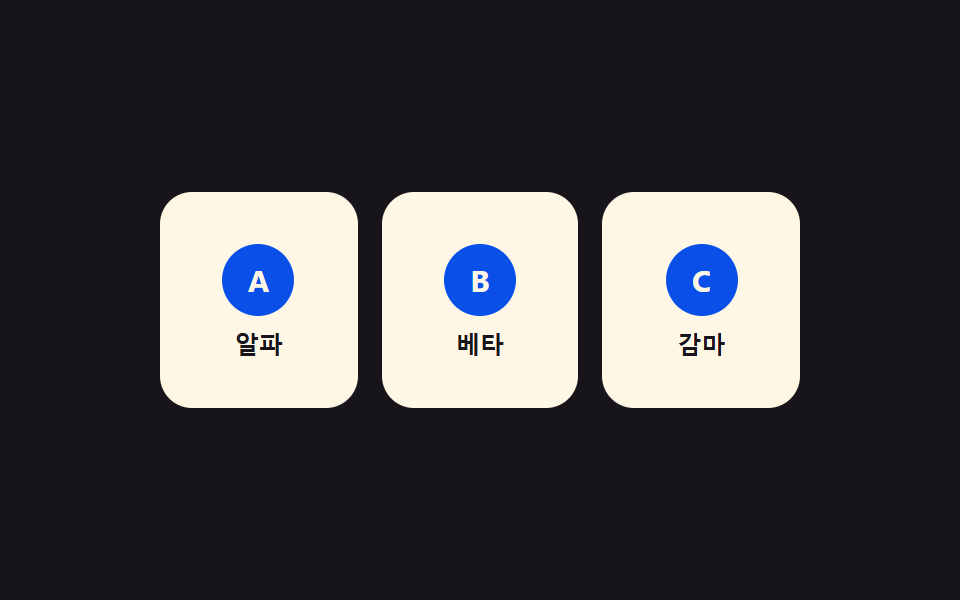 01 view-transition-name-pair-swap
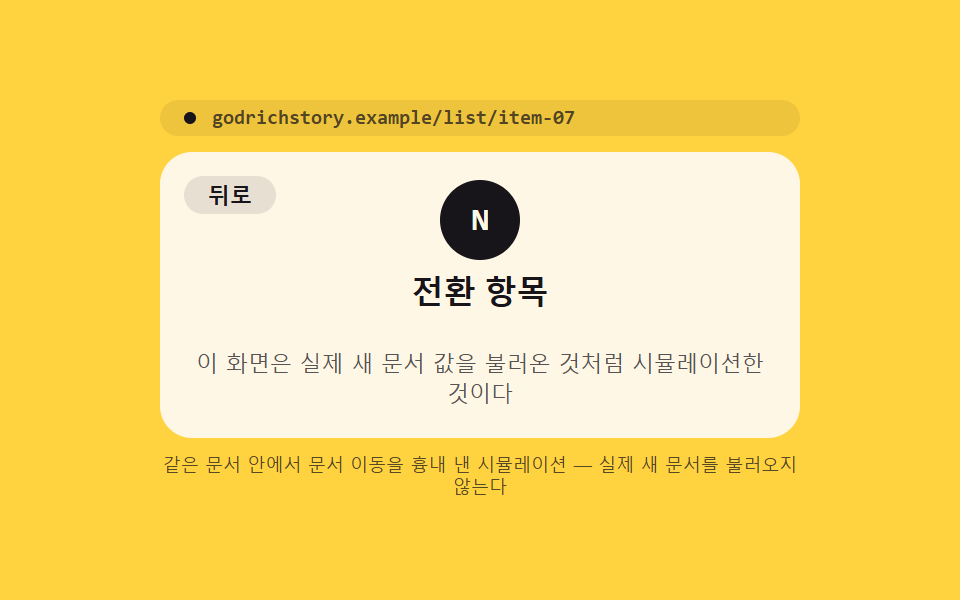 02 view-transition-mpa-cross-document
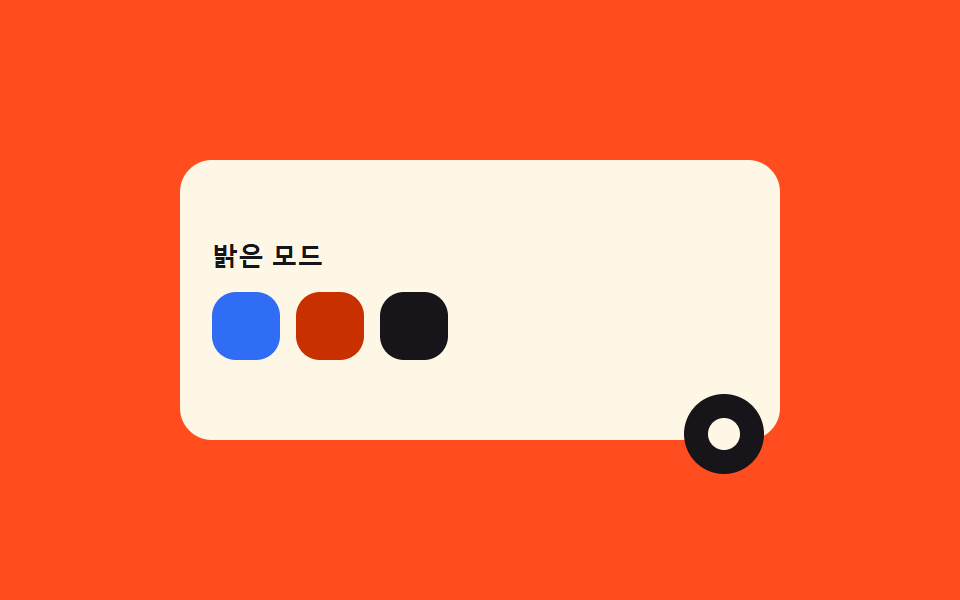 03 view-transition-clip-circle-reveal
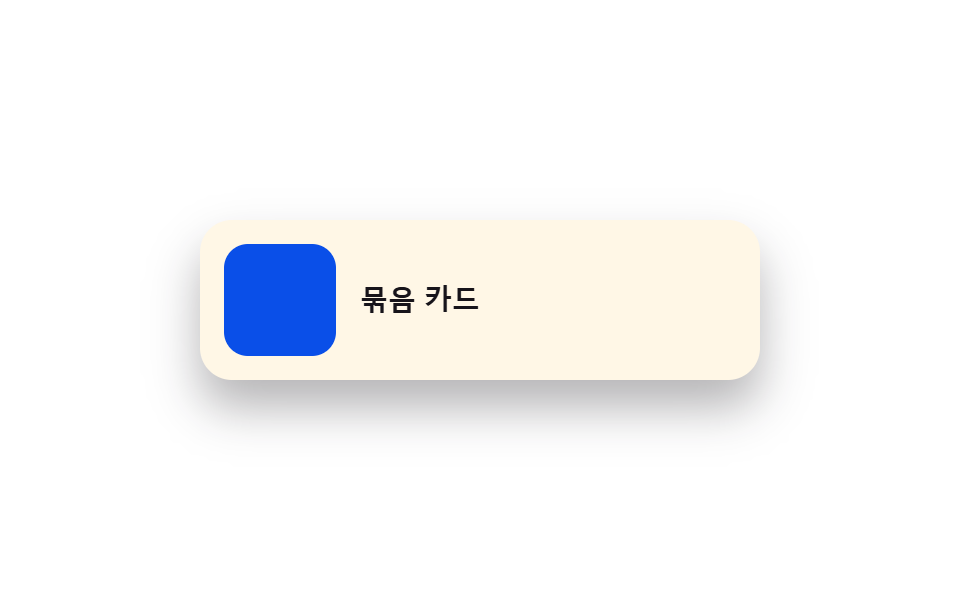 04 view-transition-group-nested
 05 view-transition-class-custom-easing
 06 view-transition-direction-aware-slide
 07 view-transition-skip-fallback
 08 view-transition-list-reorder
 09 view-transition-reduced-motion-guard
Auto-plays · click a tile to jump to its section · all nine in one zip
- 01 Transition That Pairs Elements by a Unique Name Value
- 02 Cross-Document Transition That Survives a Real Navigation
- 03 Transition That Blooms in a Circle From the Clicked-Point Value
- 04 Nested Transition That Moves Parent and Child as One Group
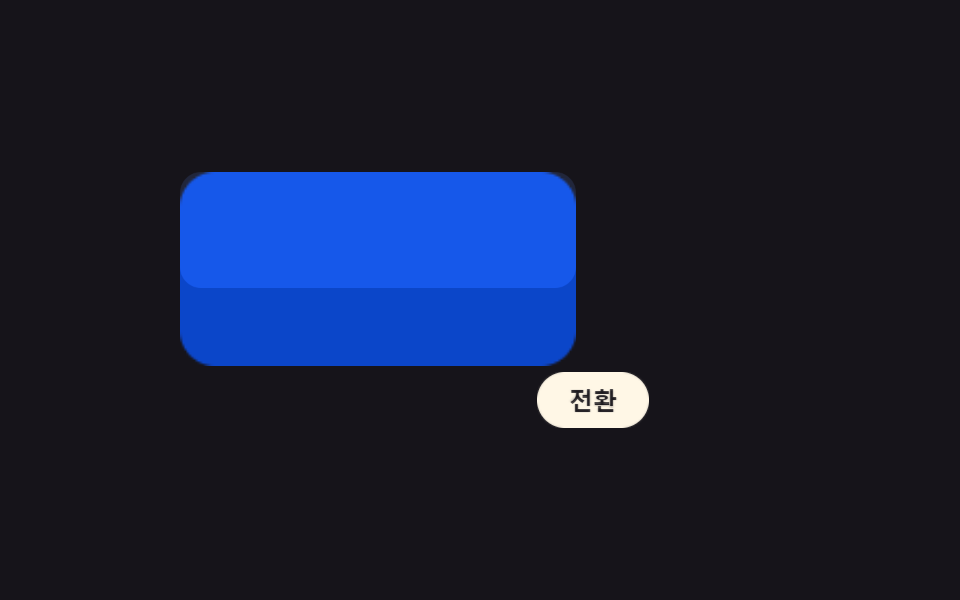
- 05 Transition That Assigns a Different Easing Value per Class
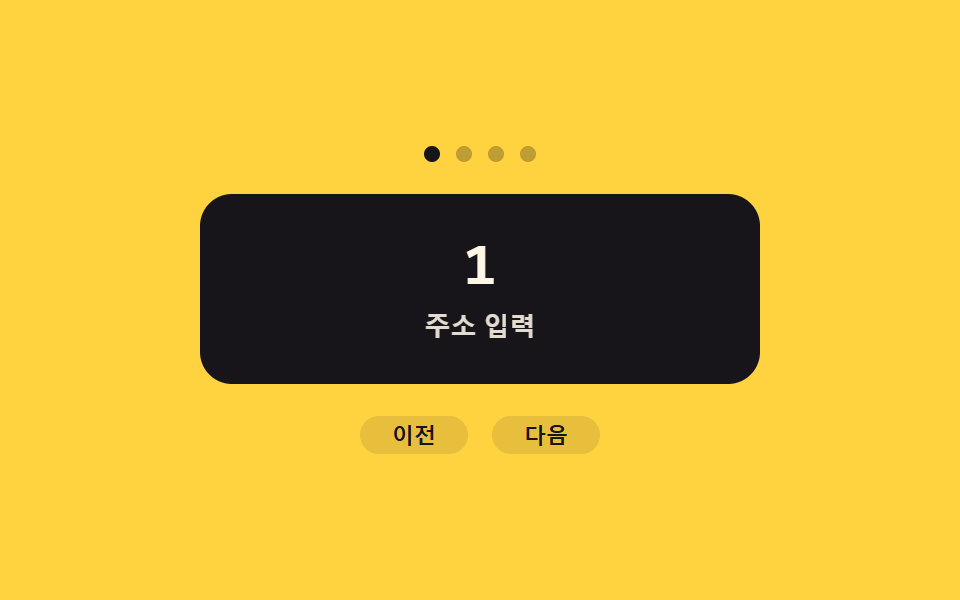
- 06 Slide Transition That Flips by Reading a Direction Value
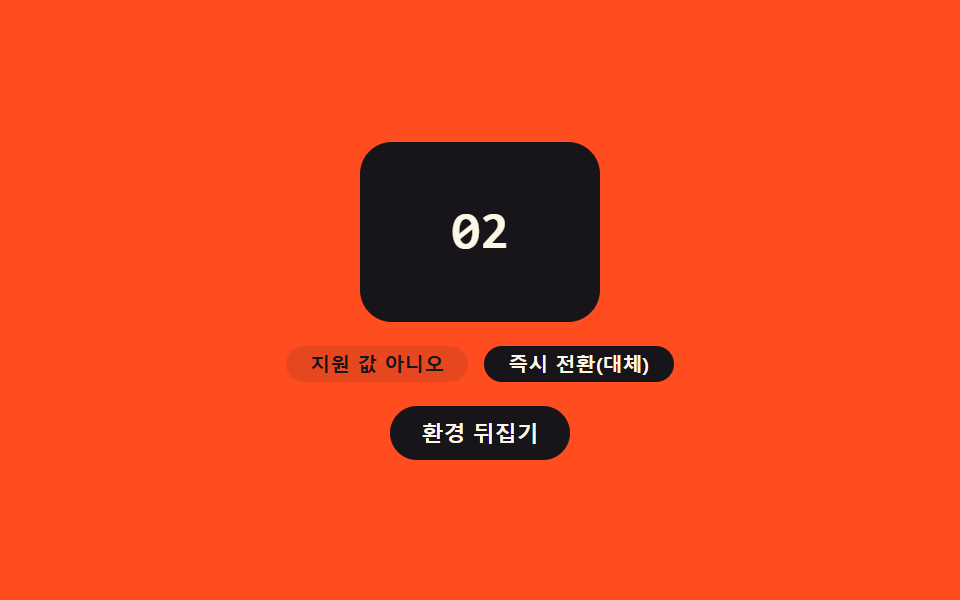
- 07 Transition That Falls Back After Checking a Support Value First
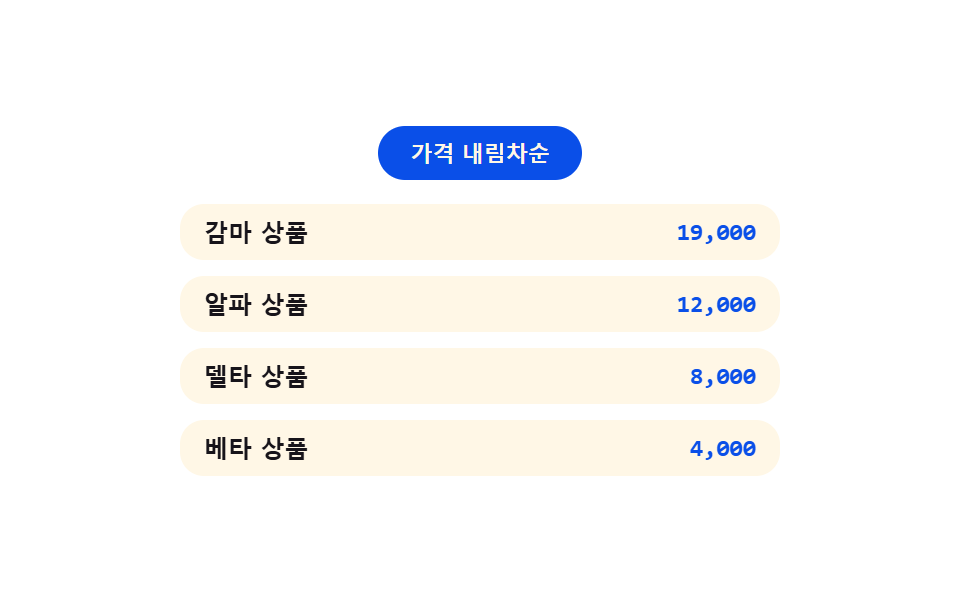
- 08 Transition Where Cards Slide as a Sort-Order Value Changes
- 09 Safeguard That Detects a Reduced-Motion Value and Turns the Transition Off
None of the nine panels below fetch, load, or truly navigate to a new document — item 02's cross-document flow is mocked entirely inside this one page, with a fake address-bar line and two swapped panels standing in for two real documents, and nothing here calls Math.random or reaches for a library. Swap the filler content for something real and the transition driver underneath doesn't need to change at all.
Why the support-check pattern (07) is worth reading before the other eight
Every item from 01 through 09 except 07 calls the same small change(fn) helper, and that helper itself checks 'startViewTransition' in document before deciding whether to call document.startViewTransition(fn) or just run fn() straight through. Item 07 doesn't hide that check inside a helper — it makes the check the entire point of the demo. Read 07 first and the other eight stop looking like nine unrelated tricks and start looking like one driver fed a different value each time: a name, a click point, a direction flag, a class, an order, a motion flag.
01Transition That Pairs Elements by a Unique Name Value
A card and a detail panel don't share markup, size, or position, but assigning both the same view-transition-name value at the moment one opens tells the browser to interpolate between their two snapshots as if one were smoothly growing into the other. Only the currently open card ever carries that name — handing it to all three cards at once collides the names and breaks the pairing.
<main class="stage">
<div class="np is-demo" id="np">
  <div class="np__grid" id="npGrid">
    <button type="button" class="np__card" id="npCard0" data-id="0" aria-label="Open Alpha">
      <span class="np__badge">A</span><span class="np__t">Alpha</span>
    </button>
    <button type="button" class="np__card" id="npCard1" data-id="1" aria-label="Open Beta">
      <span class="np__badge">B</span><span class="np__t">Beta</span>
    </button>
    <button type="button" class="np__card" id="npCard2" data-id="2" aria-label="Open Gamma">
      <span class="np__badge">C</span><span class="np__t">Gamma</span>
    </button>
  </div>
  <div class="np__detail" id="npDetail" hidden>
    <button type="button" class="np__back" id="npBack" aria-label="To list">Back</button>
    <span class="np__badge np__badge--lg" id="npDetailBadge">A</span>
    <p class="np__title" id="npDetailTitle">Alpha</p>
    <p class="np__desc">Name-tag value <code id="npName">card-0</code> matched</p>
  </div>
</div>
</main>
@use "../../../../site/static/demo-tokens" as *;
// ── 변수 3개 ──────────────────────────────────────────
$duration: $dur-enter;
$easing: $ease-spring;
$color: $subject-blue-deep;
@include stage($stage-ink);
.np { position: relative; width: min(100%, 320px); height: 200px; }
.np__grid {
display: grid; grid-template-columns: repeat(3, 1fr); gap: $sp-3;
width: 100%; height: 100%; align-content: center;
}
// [hidden] 은 UA 스타일시트라 같은 특이도의 author .np__grid{display:grid} 에 밀린다 —
// 명시적으로 덮어써야 실제로 사라진다(안 그러면 두 패널이 동시에 렌더돼 이름표 값이 겹친다)
.np__grid[hidden], .np__detail[hidden] { display: none; }
.np__card {
view-transition-name: none;
display: flex; flex-direction: column; align-items: center; justify-content: center; gap: $sp-2;
border: none; border-radius: $r-card; background: $subject-cream; cursor: pointer;
padding: $sp-4 $sp-2; height: 108px;
}
.np__card:focus-visible { outline: 2px solid $subject-cream; outline-offset: 2px; }
.np__badge {
display: grid; place-items: center; width: 36px; height: 36px; border-radius: $r-pill;
background: $color; color: $subject-cream; font: 700 15px/1 -apple-system, "Segoe UI", sans-serif;
}
.np__badge--lg { width: 56px; height: 56px; font-size: 22px; }
.np__t { font: 600 12px/1 -apple-system, "Segoe UI", sans-serif; color: $subject-ink; }
.np__detail {
position: relative; width: 100%; height: 100%; box-sizing: border-box;
display: flex; flex-direction: column; align-items: center; justify-content: center; gap: $sp-2;
border-radius: $r-card; background: $subject-cream; padding: $sp-4;
}
.np__back {
position: absolute; top: $sp-3; left: $sp-3; border: none; border-radius: $r-pill;
background: rgba($subject-ink, .1); color: $subject-ink; font: 700 11px/1 -apple-system, sans-serif;
padding: $sp-1 $sp-3; cursor: pointer;
}
.np__title { margin: 0; font: 700 18px/1 -apple-system, "Segoe UI", sans-serif; color: $subject-ink; }
.np__desc { margin: 0; font: 400 11px/1.4 -apple-system, sans-serif; color: rgba($subject-ink, .72); text-align: center; }
.np__desc code {
display: inline-block; margin-top: $sp-1; padding: $sp-1 $sp-2; border-radius: $r-xs;
background: rgba($subject-ink, .1); font: 700 11px/1.2 "Space Mono", monospace; color: $subject-ink;
}
// 실사용 원리: 열릴 카드와 상세 패널에 같은 view-transition-name 값을 순간적으로 실어
// document.startViewTransition() 을 부르면, 브라우저가 두 스냅샷의 위치·크기 차이를 자동으로 보간한다.
::view-transition-group(np-shared) {
animation-duration: $duration;
animation-timing-function: $easing;
}
@media (max-width: 340px) {
.np { height: 160px; }
.np__card { height: 80px; padding: $sp-2 $sp-1; gap: $sp-1; }
.np__badge { width: 26px; height: 26px; font-size: 12px; }
.np__detail { padding: $sp-3; gap: $sp-1; }
.np__title { font-size: 15px; }
.np__desc { font-size: 10px; }
}
@media (prefers-reduced-motion: reduce) {
::view-transition-group(*),
::view-transition-old(*),
::view-transition-new(*) { animation: none !important; }
}html, body {
margin: 0;
overflow: hidden;
}
.stage {
box-sizing: border-box;
min-height: 100vh;
display: grid;
place-items: center;
margin: 0;
background: #17141a;
font-family: -apple-system, "Segoe UI", "Noto Sans KR", sans-serif;
padding: clamp(8px, 4vw, 24px);
}
.np {
position: relative;
width: min(100%, 320px);
height: 200px;
}
.np__grid {
display: grid;
grid-template-columns: repeat(3, 1fr);
gap: 12px;
width: 100%;
height: 100%;
align-content: center;
}
.np__grid[hidden], .np__detail[hidden] {
display: none;
}
.np__card {
view-transition-name: none;
display: flex;
flex-direction: column;
align-items: center;
justify-content: center;
gap: 8px;
border: none;
border-radius: 16px;
background: #fff7e6;
cursor: pointer;
padding: 16px 8px;
height: 108px;
}
.np__card:focus-visible {
outline: 2px solid #fff7e6;
outline-offset: 2px;
}
.np__badge {
display: grid;
place-items: center;
width: 36px;
height: 36px;
border-radius: 999px;
background: #0a4fe8;
color: #fff7e6;
font: 700 15px/1 -apple-system, "Segoe UI", sans-serif;
}
.np__badge--lg {
width: 56px;
height: 56px;
font-size: 22px;
}
.np__t {
font: 600 12px/1 -apple-system, "Segoe UI", sans-serif;
color: #17141a;
}
.np__detail {
position: relative;
width: 100%;
height: 100%;
box-sizing: border-box;
display: flex;
flex-direction: column;
align-items: center;
justify-content: center;
gap: 8px;
border-radius: 16px;
background: #fff7e6;
padding: 16px;
}
.np__back {
position: absolute;
top: 12px;
left: 12px;
border: none;
border-radius: 999px;
background: rgba(23, 20, 26, 0.1);
color: #17141a;
font: 700 11px/1 -apple-system, sans-serif;
padding: 4px 12px;
cursor: pointer;
}
.np__title {
margin: 0;
font: 700 18px/1 -apple-system, "Segoe UI", sans-serif;
color: #17141a;
}
.np__desc {
margin: 0;
font: 400 11px/1.4 -apple-system, sans-serif;
color: rgba(23, 20, 26, 0.72);
text-align: center;
}
.np__desc code {
display: inline-block;
margin-top: 4px;
padding: 4px 8px;
border-radius: 4px;
background: rgba(23, 20, 26, 0.1);
font: 700 11px/1.2 "Space Mono", monospace;
color: #17141a;
}
::view-transition-group(np-shared) {
animation-duration: 600ms;
animation-timing-function: cubic-bezier(0.2, 0.8, 0.2, 1);
}
@media (max-width: 340px) {
.np {
height: 160px;
}
.np__card {
height: 80px;
padding: 8px 4px;
gap: 4px;
}
.np__badge {
width: 26px;
height: 26px;
font-size: 12px;
}
.np__detail {
padding: 12px;
gap: 4px;
}
.np__title {
font-size: 15px;
}
.np__desc {
font-size: 10px;
}
}
@media (prefers-reduced-motion: reduce) {
::view-transition-group(*),
::view-transition-old(*),
::view-transition-new(*) {
animation: none !important;
}
}(function () {
var SUPPORTS_VT = 'startViewTransition' in document;
var root = document.getElementById('np');
var grid = document.getElementById('npGrid');
var detail = document.getElementById('npDetail');
var back = document.getElementById('npBack');
var cards = [0, 1, 2].map(function (i) { return document.getElementById('npCard' + i); });
var detailBadge = document.getElementById('npDetailBadge');
var detailTitle = document.getElementById('npDetailTitle');
var nameEl = document.getElementById('npName');
var DATA = [{ b: 'A', t: 'Alpha' }, { b: 'B', t: 'Beta' }, { b: 'C', t: 'Gamma' }];
var HOLD_MS = 1000;
var reduce = window.matchMedia('(prefers-reduced-motion: reduce)').matches;
var opened = null;
var isDemo = true;
function human() {
if (isDemo) { root.classList.remove('is-demo'); isDemo = false; }
}
// 계산 겹: Name-tag value(view-transition-name)을 그 순간 선택된 카드 하나에만 실어 보낸다 —
// 모든 카드에 상시 부여하면 이름이 겹쳐 매칭이 깨진다. 값은 매번 새로 계산해서 준다.
function assignName(id, on) {
cards[id].style.viewTransitionName = on ? 'np-shared' : '';
}
function openRender(id) {
if (opened !== null) assignName(opened, false);
assignName(id, true);
detail.style.viewTransitionName = 'np-shared';
grid.hidden = true;
detail.hidden = false;
detailBadge.textContent = DATA[id].b;
detailTitle.textContent = DATA[id].t;
nameEl.textContent = 'card-' + id;
opened = id;
}
function closeRender() {
detail.hidden = true;
grid.hidden = false;
if (opened !== null) assignName(opened, false);
detail.style.viewTransitionName = '';
opened = null;
}
function change(fn) {
if (SUPPORTS_VT) { document.startViewTransition(fn); }
else { fn(); }
}
function open(id) {
if (opened === id) return;
change(function () { openRender(id); });
}
function close() {
if (opened === null) return;
change(closeRender);
}
cards.forEach(function (c, i) {
c.addEventListener('click', function () { human(); open(i); });
});
back.addEventListener('click', function () { human(); close(); });
root.addEventListener('keydown', function (e) {
if (e.key === 'Escape') { human(); close(); }
});
var seq = [0, 1, 2];
var si = 0;
function loop() {
if (!isDemo) return;
if (opened === null) { open(seq[si % seq.length]); si++; }
else { close(); }
window.setTimeout(loop, HOLD_MS);
}
if (!reduce) {
window.setTimeout(loop, HOLD_MS);
} else {
root.classList.remove('is-demo');
}
})();// NameTagPairSwap — vanilla 판(run/401/demo/01-view-transition-name-pair-swap/index.html) 의 React 포트.
// 카드와 상세 패널에 같은 view-transition-name 값(np-shared)을 그 순간에만 실어 startViewTransition 을 부른다.
import { useEffect, useRef } from "react";
import styles from "./NameTagPairSwap.module.scss";
type Box<T> = { current: T };
const DATA = [
{ b: "A", t: "알파" },
{ b: "B", t: "베타" },
{ b: "C", t: "감마" },
];
const HOLD_MS = 1000;
export default function NameTagPairSwap() {
const rootRef = useRef(null) as unknown as Box<HTMLDivElement>;
const gridRef = useRef(null) as unknown as Box<HTMLDivElement>;
const detailRef = useRef(null) as unknown as Box<HTMLDivElement>;
const cardRefs = useRef([null, null, null]) as unknown as Box<(HTMLButtonElement | null)[]>;
const badgeRef = useRef(null) as unknown as Box<HTMLElement>;
const titleRef = useRef(null) as unknown as Box<HTMLElement>;
const nameRef = useRef(null) as unknown as Box<HTMLElement>;
const timerRef = useRef(0) as unknown as Box<number>;
useEffect(() => {
const SUPPORTS_VT = "startViewTransition" in document;
const reduce = window.matchMedia("(prefers-reduced-motion: reduce)").matches;
let isDemo = true;
let opened: number | null = null;
function human() {
if (isDemo) { rootRef.current?.classList.remove(styles.isDemo); isDemo = false; }
}
// 계산 겹: 이름표 값(view-transition-name)을 그 순간 선택된 카드 하나에만 실어 보낸다 —
// 모든 카드에 상시 부여하면 이름이 겹쳐 매칭이 깨진다. 값은 매번 새로 계산해서 준다.
function assignName(id: number, on: boolean) {
const c = cardRefs.current[id];
if (c) c.style.viewTransitionName = on ? "np-shared" : "";
}
function openRender(id: number) {
if (opened !== null) assignName(opened, false);
assignName(id, true);
const detail = detailRef.current;
const grid = gridRef.current;
if (detail) detail.style.viewTransitionName = "np-shared";
grid?.setAttribute("hidden", "");
detail?.removeAttribute("hidden");
if (badgeRef.current) badgeRef.current.textContent = DATA[id].b;
if (titleRef.current) titleRef.current.textContent = DATA[id].t;
if (nameRef.current) nameRef.current.textContent = "card-" + id;
opened = id;
}
function closeRender() {
detailRef.current?.setAttribute("hidden", "");
gridRef.current?.removeAttribute("hidden");
if (opened !== null) assignName(opened, false);
if (detailRef.current) detailRef.current.style.viewTransitionName = "";
opened = null;
}
function change(fn: () => void) {
if (SUPPORTS_VT) { document.startViewTransition(fn); }
else { fn(); }
}
function open(id: number) {
if (opened === id) return;
change(() => openRender(id));
}
function close() {
if (opened === null) return;
change(closeRender);
}
function onCardClick(i: number) { return () => { human(); open(i); }; }
const clickHandlers = [0, 1, 2].map(onCardClick);
cardRefs.current.forEach((c, i) => c?.addEventListener("click", clickHandlers[i]));
function onBackClick() { human(); close(); }
detailRef.current; // noop keep ref referenced
const backBtn = rootRef.current?.querySelector<HTMLButtonElement>("[data-back]");
backBtn?.addEventListener("click", onBackClick);
function onKeydown(e: KeyboardEvent) {
if (e.key === "Escape") { human(); close(); }
}
rootRef.current?.addEventListener("keydown", onKeydown);
const seq = [0, 1, 2];
let si = 0;
function loop() {
if (!isDemo) return;
if (opened === null) { open(seq[si % seq.length]); si++; }
else { close(); }
timerRef.current = window.setTimeout(loop, HOLD_MS);
}
if (!reduce) {
timerRef.current = window.setTimeout(loop, HOLD_MS);
} else {
rootRef.current?.classList.remove(styles.isDemo);
}
return () => {
window.clearTimeout(timerRef.current);
cardRefs.current.forEach((c, i) => c?.removeEventListener("click", clickHandlers[i]));
backBtn?.removeEventListener("click", onBackClick);
rootRef.current?.removeEventListener("keydown", onKeydown);
};
}, []);
return (
<main className={styles.stage}>
<div className={styles.np + " " + styles.isDemo} ref={rootRef}>
<div className={styles.grid} ref={gridRef}>
<button type="button" className={styles.card} aria-label="알파 열기" ref={(el: HTMLButtonElement | null) => { cardRefs.current[0] = el; }}>
<span className={styles.badge}>A</span><span className={styles.t}>알파</span>
</button>
<button type="button" className={styles.card} aria-label="베타 열기" ref={(el: HTMLButtonElement | null) => { cardRefs.current[1] = el; }}>
<span className={styles.badge}>B</span><span className={styles.t}>베타</span>
</button>
<button type="button" className={styles.card} aria-label="감마 열기" ref={(el: HTMLButtonElement | null) => { cardRefs.current[2] = el; }}>
<span className={styles.badge}>C</span><span className={styles.t}>감마</span>
</button>
</div>
<div className={styles.detail} ref={detailRef} hidden>
<button type="button" className={styles.back} data-back aria-label="목록으로">뒤로</button>
<span className={styles.badge + " " + styles.badgeLg} ref={badgeRef}>A</span>
<p className={styles.title} ref={titleRef}>알파</p>
<p className={styles.desc}>이름표 값 <code ref={nameRef}>card-0</code>로 짝지어졌다</p>
</div>
</div>
</main>
);
}01 · Transition That Pairs Elements by a Unique Name Value — Measured area 44.292% · moving frames 7/23Original by GODRICH · SCSS and React ship in the zip · See the password
  // calc layer: the name value (view-transition-name) is sent only to the one card that's selected at that moment —
  // handing it to every card at once collides the names and breaks the pairing. The value is recomputed fresh each time.
  function assignName(id, on) {
    cards[id].style.viewTransitionName = on ? 'np-shared' : '';
  }

  function openRender(id) {
    if (opened !== null) assignName(opened, false);
    assignName(id, true);
    detail.style.viewTransitionName = 'np-shared';
    grid.hidden = true;
    detail.hidden = false;
    detailBadge.textContent = DATA[id].b;
    detailTitle.textContent = DATA[id].t;
    nameEl.textContent = 'card-' + id;
    opened = id;
  }

  function closeRender() {
    detail.hidden = true;
    grid.hidden = false;
    if (opened !== null) assignName(opened, false);
    detail.style.viewTransitionName = '';
    opened = null;
  }
02Cross-Document Transition That Survives a Real Navigation
This demo fakes a real cross-document navigation entirely inside one page — the address-bar text and the two panels below stand in for two separate documents, and nothing here actually reloads or fetches anything. A real multi-page site would opt into this same swap with @view-transition { navigation: auto }, and that view transition name auto behavior is what lets the browser pair up matching elements across two entirely different documents the same way change() pairs them by hand here with document.startViewTransition.
<main class="stage">
<div class="mp is-demo" id="mp">
  <p class="mp__bar" id="mpBar" aria-hidden="true"><span class="mp__dot"></span><span id="mpUrl">godrichstory.example/list</span></p>
  <div class="mp__view" id="mpView">
    <div class="mp__doc" id="mpList">
      <p class="mp__kicker">Document A</p>
      <p class="mp__h">Post list</p>
      <button type="button" class="mp__row" id="mpOpen" aria-label="Open the post item — simulated as if it were the same document">
        <span class="mp__chip" id="mpChipList">N</span><span class="mp__rowT">Transition item</span>
      </button>
      <p class="mp__row mp__row--ghost"></p>
      <p class="mp__row mp__row--ghost"></p>
    </div>
    <div class="mp__doc mp__doc--article" id="mpArticle" hidden>
      <button type="button" class="mp__back" id="mpBack" aria-label="Back to the list document">Back</button>
      <span class="mp__chip mp__chip--lg" id="mpChipArt">N</span>
      <p class="mp__h">Transition item</p>
      <p class="mp__desc">This screen is a simulation made to look like it loaded a real new document.</p>
    </div>
  </div>
  <p class="mp__note">A same-document simulation of a document navigation — it never loads a real new document.</p>
</div>
</main>
@use "../../../../site/static/demo-tokens" as *;
// ── 변수 3개 ──────────────────────────────────────────
$duration: $dur-enter;
$easing: $ease-out;
$color: $subject-ink;
@include stage($stage-yellow);
.mp { position: relative; width: min(100%, 320px); height: 200px; display: flex; flex-direction: column; gap: $sp-2; }
.mp__bar {
margin: 0; display: flex; align-items: center; gap: $sp-2;
background: rgba($subject-ink, .08); border-radius: $r-pill; padding: $sp-1 $sp-3;
font: 700 10px/1 "Space Mono", monospace; color: rgba($subject-ink, .72);
}
.mp__dot { width: 6px; height: 6px; border-radius: 50%; background: $subject-ink; flex: 0 0 auto; }
.mp__view { position: relative; flex: 1 1 auto; }
.mp__doc {
view-transition-name: none;
position: absolute; inset: 0; box-sizing: border-box;
background: $subject-cream; border-radius: $r-card; padding: $sp-4;
}
// [hidden] 은 UA 스타일이라 author 의 position:absolute 규칙과 특이도가 같으면 밀린다 — 명시적으로 덮는다
.mp__doc[hidden] { display: none; }
.mp__kicker { margin: 0 0 $sp-1; font: 700 10px/1 "Space Mono", monospace; color: rgba($subject-ink, .72); }
.mp__h { margin: 0 0 $sp-3; font: 700 16px/1 -apple-system, "Segoe UI", sans-serif; color: $subject-ink; }
.mp__row {
display: flex; align-items: center; gap: $sp-2; width: 100%; box-sizing: border-box;
border: none; border-radius: $r-control; background: rgba($subject-ink, .06); cursor: pointer;
padding: $sp-2 $sp-3; margin: 0 0 $sp-2; text-align: left;
}
.mp__row:focus-visible { outline: 2px solid $subject-ink; outline-offset: 2px; }
.mp__row--ghost { height: 30px; background: rgba($subject-ink, .04); }
.mp__chip {
display: grid; place-items: center; width: 26px; height: 26px; border-radius: $r-pill;
background: $color; color: $subject-cream; font: 700 12px/1 "Space Mono", monospace; flex: 0 0 auto;
}
.mp__chip--lg { width: 40px; height: 40px; font-size: 16px; }
.mp__rowT { font: 600 12px/1 -apple-system, sans-serif; color: $subject-ink; }
.mp__doc--article { display: flex; flex-direction: column; align-items: center; justify-content: center; gap: $sp-2; text-align: center; }
.mp__back {
position: absolute; top: $sp-3; left: $sp-3; border: none; border-radius: $r-pill;
background: rgba($subject-ink, .1); color: $subject-ink; font: 700 11px/1 -apple-system, sans-serif;
padding: $sp-1 $sp-3; cursor: pointer;
}
.mp__desc { margin: 0; font: 400 11px/1.4 -apple-system, sans-serif; color: rgba($subject-ink, .72); }
.mp__note { margin: 0; font: 400 9px/1.3 -apple-system, sans-serif; color: rgba($subject-ink, .72); text-align: center; }
::view-transition-group(root) {
animation-duration: $duration;
animation-timing-function: $easing;
}
@media (max-width: 340px) {
.mp { height: 168px; }
.mp__doc { padding: $sp-3; }
.mp__h { font-size: 14px; margin-bottom: $sp-2; }
.mp__row { padding: $sp-1 $sp-2; }
.mp__row--ghost { height: 22px; }
}
@media (prefers-reduced-motion: reduce) {
::view-transition-group(*),
::view-transition-old(*),
::view-transition-new(*) { animation: none !important; }
}html, body {
margin: 0;
overflow: hidden;
}
.stage {
box-sizing: border-box;
min-height: 100vh;
display: grid;
place-items: center;
margin: 0;
background: #ffd23f;
font-family: -apple-system, "Segoe UI", "Noto Sans KR", sans-serif;
padding: clamp(8px, 4vw, 24px);
}
.mp {
position: relative;
width: min(100%, 320px);
height: 200px;
display: flex;
flex-direction: column;
gap: 8px;
}
.mp__bar {
margin: 0;
display: flex;
align-items: center;
gap: 8px;
background: rgba(23, 20, 26, 0.08);
border-radius: 999px;
padding: 4px 12px;
font: 700 10px/1 "Space Mono", monospace;
color: rgba(23, 20, 26, 0.72);
}
.mp__dot {
width: 6px;
height: 6px;
border-radius: 50%;
background: #17141a;
flex: 0 0 auto;
}
.mp__view {
position: relative;
flex: 1 1 auto;
}
.mp__doc {
view-transition-name: none;
position: absolute;
inset: 0;
box-sizing: border-box;
background: #fff7e6;
border-radius: 16px;
padding: 16px;
}
.mp__doc[hidden] {
display: none;
}
.mp__kicker {
margin: 0 0 4px;
font: 700 10px/1 "Space Mono", monospace;
color: rgba(23, 20, 26, 0.72);
}
.mp__h {
margin: 0 0 12px;
font: 700 16px/1 -apple-system, "Segoe UI", sans-serif;
color: #17141a;
}
.mp__row {
display: flex;
align-items: center;
gap: 8px;
width: 100%;
box-sizing: border-box;
border: none;
border-radius: 12px;
background: rgba(23, 20, 26, 0.06);
cursor: pointer;
padding: 8px 12px;
margin: 0 0 8px;
text-align: left;
}
.mp__row:focus-visible {
outline: 2px solid #17141a;
outline-offset: 2px;
}
.mp__row--ghost {
height: 30px;
background: rgba(23, 20, 26, 0.04);
}
.mp__chip {
display: grid;
place-items: center;
width: 26px;
height: 26px;
border-radius: 999px;
background: #17141a;
color: #fff7e6;
font: 700 12px/1 "Space Mono", monospace;
flex: 0 0 auto;
}
.mp__chip--lg {
width: 40px;
height: 40px;
font-size: 16px;
}
.mp__rowT {
font: 600 12px/1 -apple-system, sans-serif;
color: #17141a;
}
.mp__doc--article {
display: flex;
flex-direction: column;
align-items: center;
justify-content: center;
gap: 8px;
text-align: center;
}
.mp__back {
position: absolute;
top: 12px;
left: 12px;
border: none;
border-radius: 999px;
background: rgba(23, 20, 26, 0.1);
color: #17141a;
font: 700 11px/1 -apple-system, sans-serif;
padding: 4px 12px;
cursor: pointer;
}
.mp__desc {
margin: 0;
font: 400 11px/1.4 -apple-system, sans-serif;
color: rgba(23, 20, 26, 0.72);
}
.mp__note {
margin: 0;
font: 400 9px/1.3 -apple-system, sans-serif;
color: rgba(23, 20, 26, 0.72);
text-align: center;
}
::view-transition-group(root) {
animation-duration: 600ms;
animation-timing-function: ease-out;
}
@media (max-width: 340px) {
.mp {
height: 168px;
}
.mp__doc {
padding: 12px;
}
.mp__h {
font-size: 14px;
margin-bottom: 8px;
}
.mp__row {
padding: 4px 8px;
}
.mp__row--ghost {
height: 22px;
}
}
@media (prefers-reduced-motion: reduce) {
::view-transition-group(*),
::view-transition-old(*),
::view-transition-new(*) {
animation: none !important;
}
}(function () {
var SUPPORTS_VT = 'startViewTransition' in document;
// 시뮬레이션 안내: 실제 문서 간(MPA) 전환은 브라우저가 @view-transition { navigation: auto }
// 규칙을 문서마다 읽어 두 문서의 스냅샷을 자동으로 잇는다. 이 데모는 같은 문서 안에서
// 주소 표시줄 값과 Document A/B 전환만 흉내 낸 것으로, 실제 페이지 이동·불러오기는 없다.
var root = document.getElementById('mp');
var bar = document.getElementById('mpBar');
var urlEl = document.getElementById('mpUrl');
var list = document.getElementById('mpList');
var article = document.getElementById('mpArticle');
var openBtn = document.getElementById('mpOpen');
var backBtn = document.getElementById('mpBack');
var chipList = document.getElementById('mpChipList');
var chipArt = document.getElementById('mpChipArt');
var reduce = window.matchMedia('(prefers-reduced-motion: reduce)').matches;
var atArticle = false;
var isDemo = true;
function human() {
if (isDemo) { root.classList.remove('is-demo'); isDemo = false; }
}
function toArticleRender() {
urlEl.textContent = 'godrichstory.example/list/item-07';
list.hidden = true;
article.hidden = false;
chipArt.textContent = chipList.textContent;
atArticle = true;
}
  function toListRender() {
    urlEl.textContent = 'godrichstory.example/list';
    article.hidden = true;
    list.hidden = false;
    atArticle = false;
  }

  function change(fn) {
    if (SUPPORTS_VT) { document.startViewTransition(fn); }
    else { fn(); }
  }

  function toArticle() {
    if (atArticle) return;
    change(toArticleRender);
  }
  function toList() {
    if (!atArticle) return;
    change(toListRender);
  }

  openBtn.addEventListener('click', function () { human(); toArticle(); });
  backBtn.addEventListener('click', function () { human(); toList(); });
root.addEventListener('keydown', function (e) {
if (e.key === 'Escape') { human(); toList(); }
});
var HOLD_MS = 1000;
function loop() {
if (!isDemo) return;
if (atArticle) toList(); else toArticle();
window.setTimeout(loop, HOLD_MS);
}
if (!reduce) {
window.setTimeout(loop, HOLD_MS);
} else {
root.classList.remove('is-demo');
}
})();// MpaCrossDocument — vanilla 판(run/401/demo/02-view-transition-mpa-cross-document/index.html) 의 React 포트.
// 시뮬레이션 안내: 실제 문서 간(MPA) 전환은 브라우저가 @view-transition { navigation: auto } 규칙을
// 문서마다 읽어 두 문서의 스냅샷을 자동으로 잇는다. 이 포트는 같은 문서 안에서 주소 표시줄 값과
// 문서 A/B 전환만 흉내 낸 것으로, 실제 페이지 이동·불러오기는 없다.
import { useEffect, useRef } from "react";
import styles from "./MpaCrossDocument.module.scss";
type Box<T> = { current: T };
const HOLD_MS = 1000;
export default function MpaCrossDocument() {
const rootRef = useRef(null) as unknown as Box<HTMLDivElement>;
const urlRef = useRef(null) as unknown as Box<HTMLElement>;
const listRef = useRef(null) as unknown as Box<HTMLDivElement>;
const articleRef = useRef(null) as unknown as Box<HTMLDivElement>;
const openBtnRef = useRef(null) as unknown as Box<HTMLButtonElement>;
const backBtnRef = useRef(null) as unknown as Box<HTMLButtonElement>;
const chipListRef = useRef(null) as unknown as Box<HTMLElement>;
const chipArtRef = useRef(null) as unknown as Box<HTMLElement>;
const timerRef = useRef(0) as unknown as Box<number>;
useEffect(() => {
const SUPPORTS_VT = "startViewTransition" in document;
const reduce = window.matchMedia("(prefers-reduced-motion: reduce)").matches;
let isDemo = true;
let atArticle = false;
function human() {
if (isDemo) { rootRef.current?.classList.remove(styles.isDemo); isDemo = false; }
}
function toArticleRender() {
if (urlRef.current) urlRef.current.textContent = "godrichstory.example/list/item-07";
listRef.current?.setAttribute("hidden", "");
articleRef.current?.removeAttribute("hidden");
if (chipArtRef.current && chipListRef.current) chipArtRef.current.textContent = chipListRef.current.textContent;
atArticle = true;
}
function toListRender() {
if (urlRef.current) urlRef.current.textContent = "godrichstory.example/list";
articleRef.current?.setAttribute("hidden", "");
listRef.current?.removeAttribute("hidden");
atArticle = false;
}
function change(fn: () => void) {
if (SUPPORTS_VT) { document.startViewTransition(fn); }
else { fn(); }
}
function toArticle() { if (atArticle) return; change(toArticleRender); }
function toList() { if (!atArticle) return; change(toListRender); }
function onOpenClick() { human(); toArticle(); }
function onBackClick() { human(); toList(); }
function onKeydown(e: KeyboardEvent) { if (e.key === "Escape") { human(); toList(); } }
openBtnRef.current?.addEventListener("click", onOpenClick);
backBtnRef.current?.addEventListener("click", onBackClick);
rootRef.current?.addEventListener("keydown", onKeydown);
function loop() {
if (!isDemo) return;
if (atArticle) toList(); else toArticle();
timerRef.current = window.setTimeout(loop, HOLD_MS);
}
if (!reduce) {
timerRef.current = window.setTimeout(loop, HOLD_MS);
} else {
rootRef.current?.classList.remove(styles.isDemo);
}
return () => {
window.clearTimeout(timerRef.current);
openBtnRef.current?.removeEventListener("click", onOpenClick);
backBtnRef.current?.removeEventListener("click", onBackClick);
rootRef.current?.removeEventListener("keydown", onKeydown);
};
}, []);
return (
<main className={styles.stage}>
<div className={styles.mp + " " + styles.isDemo} ref={rootRef}>
<p className={styles.bar} aria-hidden="true"><span className={styles.dot} /><span ref={urlRef}>godrichstory.example/list</span></p>
<div className={styles.view}>
<div className={styles.doc} ref={listRef}>
<p className={styles.kicker}>문서 A</p>
<p className={styles.h}>글 목록</p>
<button type="button" className={styles.row} ref={openBtnRef} aria-label="글 항목 열기 — 같은 문서인 것처럼 시뮬레이션">
<span className={styles.chip} ref={chipListRef}>N</span><span className={styles.rowT}>전환 항목</span>
</button>
<p className={styles.row + " " + styles.rowGhost} />
<p className={styles.row + " " + styles.rowGhost} />
</div>
<div className={styles.doc + " " + styles.docArticle} ref={articleRef} hidden>
<button type="button" className={styles.back} ref={backBtnRef} aria-label="목록 문서로 돌아가기">뒤로</button>
<span className={styles.chip + " " + styles.chipLg} ref={chipArtRef}>N</span>
<p className={styles.h}>전환 항목</p>
<p className={styles.desc}>이 화면은 실제 새 문서 값을 불러온 것처럼 시뮬레이션한 것이다</p>
</div>
</div>
<p className={styles.note}>같은 문서 안에서 문서 이동을 흉내 낸 시뮬레이션 — 실제 새 문서를 불러오지 않는다</p>
</div>
</main>
);
}02 · Cross-Document Transition That Survives a Real Navigation — Measured area 11.061% · moving frames 10/23Original by GODRICH · SCSS and React ship in the zip · See the password
function toListRender() {
urlEl.textContent = 'godrichstory.example/list';
article.hidden = true;
list.hidden = false;
atArticle = false;
}
function change(fn) {
if (SUPPORTS_VT) { document.startViewTransition(fn); }
else { fn(); }
}
function toArticle() {
if (atArticle) return;
change(toArticleRender);
}
function toList() {
if (!atArticle) return;
change(toListRender);
}
openBtn.addEventListener('click', function () { human(); toArticle(); });
backBtn.addEventListener('click', function () { human(); toList(); });
03Transition That Blooms in a Circle From the Clicked-Point Value
farthestCornerRadius measures the distance from the clicked coordinate to all four corners of the panel and keeps the largest one, so a circle grown to exactly that radius covers the whole panel the instant it finishes. playClip starts the transition, waits on t.ready, then animates clip-path on the new pseudo-element from a near-zero starting radius out to that computed one.
<main class="stage">
<div class="cr is-demo" id="cr">
  <div class="cr__panel" id="crPanel">
    <p class="cr__label" id="crLabel">Light mode</p>
    <div class="cr__swatches">
      <span class="cr__sw"></span><span class="cr__sw"></span><span class="cr__sw"></span>
    </div>
  </div>
  <button type="button" class="cr__toggle" id="crToggle" aria-label="Toggle theme — the circle spreads from the pressed coordinate value">
    <span class="cr__toggleDot" id="crDot"></span>
  </button>
</div>
</main>
@use "../../../../site/static/demo-tokens" as *;
// ── 변수 3개 ──────────────────────────────────────────
$duration: $dur-enter;
$easing: $ease-out;
$color: $subject-cream;
@include stage($stage-orange);
.cr { position: relative; width: min(100%, 300px); height: 190px; display: flex; flex-direction: column; align-items: center; justify-content: center; gap: $sp-4; }
.cr__panel {
position: relative; width: 100%; height: 140px; box-sizing: border-box; overflow: hidden;
border-radius: $r-card; background: $subject-cream; padding: $sp-4;
display: flex; flex-direction: column; justify-content: center; gap: $sp-3;
}
.cr__panel.is-dark { background: $subject-ink; }
.cr__label { margin: 0; font: 700 13px/1 -apple-system, "Segoe UI", sans-serif; color: $subject-ink; }
.cr__panel.is-dark .cr__label { color: $color; }
.cr__swatches { display: flex; gap: $sp-2; }
.cr__sw { width: 34px; height: 34px; border-radius: $r-control; background: $subject-blue; }
.cr__sw:nth-child(2) { background: $subject-orange-deep; }
.cr__sw:nth-child(3) { background: $subject-ink; }
.cr__panel.is-dark .cr__sw:nth-child(3) { background: $subject-cream; }
.cr__toggle {
position: absolute; bottom: $sp-2; right: $sp-2; width: 40px; height: 40px; border-radius: $r-pill;
border: none; background: $subject-ink; cursor: pointer; display: grid; place-items: center;
}
.cr__toggle:focus-visible { outline: 2px solid $subject-cream; outline-offset: 2px; }
.cr__toggleDot { width: 16px; height: 16px; border-radius: 50%; background: $color; }
@media (prefers-reduced-motion: reduce) {
::view-transition-group(*),
::view-transition-old(*),
::view-transition-new(*) { animation: none !important; }
}
@media (max-width: 340px) {
.cr { height: 150px; gap: $sp-2; }
.cr__panel { height: 108px; padding: $sp-3; gap: $sp-2; }
.cr__sw { width: 26px; height: 26px; }
.cr__toggle { width: 32px; height: 32px; }
.cr__toggleDot { width: 12px; height: 12px; }
}html, body {
margin: 0;
overflow: hidden;
}
.stage {
box-sizing: border-box;
min-height: 100vh;
display: grid;
place-items: center;
margin: 0;
background: #ff4d1f;
font-family: -apple-system, "Segoe UI", "Noto Sans KR", sans-serif;
padding: clamp(8px, 4vw, 24px);
}
.cr {
position: relative;
width: min(100%, 300px);
height: 190px;
display: flex;
flex-direction: column;
align-items: center;
justify-content: center;
gap: 16px;
}
.cr__panel {
position: relative;
width: 100%;
height: 140px;
box-sizing: border-box;
overflow: hidden;
border-radius: 16px;
background: #fff7e6;
padding: 16px;
display: flex;
flex-direction: column;
justify-content: center;
gap: 12px;
}
.cr__panel.is-dark {
background: #17141a;
}
.cr__label {
margin: 0;
font: 700 13px/1 -apple-system, "Segoe UI", sans-serif;
color: #17141a;
}
.cr__panel.is-dark .cr__label {
color: #fff7e6;
}
.cr__swatches {
display: flex;
gap: 8px;
}
.cr__sw {
width: 34px;
height: 34px;
border-radius: 12px;
background: #2f6df6;
}
.cr__sw:nth-child(2) {
background: #c93000;
}
.cr__sw:nth-child(3) {
background: #17141a;
}
.cr__panel.is-dark .cr__sw:nth-child(3) {
background: #fff7e6;
}
.cr__toggle {
position: absolute;
bottom: 8px;
right: 8px;
width: 40px;
height: 40px;
border-radius: 999px;
border: none;
background: #17141a;
cursor: pointer;
display: grid;
place-items: center;
}
.cr__toggle:focus-visible {
outline: 2px solid #fff7e6;
outline-offset: 2px;
}
.cr__toggleDot {
width: 16px;
height: 16px;
border-radius: 50%;
background: #fff7e6;
}
@media (prefers-reduced-motion: reduce) {
::view-transition-group(*),
::view-transition-old(*),
::view-transition-new(*) {
animation: none !important;
}
}
@media (max-width: 340px) {
.cr {
height: 150px;
gap: 8px;
}
.cr__panel {
height: 108px;
padding: 12px;
gap: 8px;
}
.cr__sw {
width: 26px;
height: 26px;
}
.cr__toggle {
width: 32px;
height: 32px;
}
.cr__toggleDot {
width: 12px;
height: 12px;
}
}(function () {
var SUPPORTS_VT = 'startViewTransition' in document;
var root = document.getElementById('cr');
var panel = document.getElementById('crPanel');
var label = document.getElementById('crLabel');
var toggle = document.getElementById('crToggle');
var dot = document.getElementById('crDot');
var reduce = window.matchMedia('(prefers-reduced-motion: reduce)').matches;
var dark = false;
var isDemo = true;
var CLIP_START_RADIUS_PX = 0;
function human() {
if (isDemo) { root.classList.remove('is-demo'); isDemo = false; }
}
function renderState() {
panel.classList.toggle('is-dark', dark);
label.textContent = dark ? 'Dark mode' : 'Light mode';
}
// 계산 겹: 누른 좌표 값(x, y)에서 패널의 네 꼭짓점까지 거리 중 가장 먼 값을 반지름으로 쓴다 —
// 그래야 원이 다 자랐을 때 패널 전체를 남김없이 덮는다.
function farthestCornerRadius(x, y, rect) {
var corners = [
[0, 0], [rect.width, 0], [0, rect.height], [rect.width, rect.height]
];
var r = 0;
for (var i = 0; i < corners.length; i++) {
var dx = x - corners[i][0];
var dy = y - corners[i][1];
r = Math.max(r, Math.hypot(dx, dy));
}
return r;
}
  function playClip(x, y, rect) {
    if (!SUPPORTS_VT || !panel.animate) { renderState(); return; }
    var radius = farthestCornerRadius(x, y, rect);
    panel.style.viewTransitionName = 'cr-panel';
    var t = document.startViewTransition(function () { renderState(); });
    t.ready.then(function () {
      document.documentElement.animate(
        { clipPath: ['circle(' + CLIP_START_RADIUS_PX + 'px at ' + x + 'px ' + y + 'px)', 'circle(' + radius.toFixed(1) + 'px at ' + x + 'px ' + y + 'px)'] },
        { duration: 520, easing: 'ease-in', pseudoElement: '::view-transition-new(cr-panel)' }
      );
    });
    t.finished.then(function () { panel.style.viewTransitionName = ''; });
  }

  function toggleAt(x, y) {
    dark = !dark;
    var rect = panel.getBoundingClientRect();
    var lx = x - rect.left;
    var ly = y - rect.top;
    playClip(lx, ly, rect);
  }
toggle.addEventListener('click', function (e) {
human();
toggleAt(e.clientX, e.clientY);
});
root.addEventListener('keydown', function (e) {
if (e.key === 'Enter' || e.key === ' ') {
human();
var r = toggle.getBoundingClientRect();
e.preventDefault();
toggleAt(r.left + r.width / 2, r.top + r.height / 2);
}
});
var corners = [
function () { var r = panel.getBoundingClientRect(); return [r.left + 8, r.top + 8]; },
function () { var r = panel.getBoundingClientRect(); return [r.right - 8, r.bottom - 8]; }
];
var ci = 0;
var HOLD_MS = 1000;
function loop() {
if (!isDemo) return;
var p = corners[ci % corners.length](); ci++;
dark = !dark;
playClip(p[0] - panel.getBoundingClientRect().left, p[1] - panel.getBoundingClientRect().top, panel.getBoundingClientRect());
window.setTimeout(loop, HOLD_MS);
}
if (!reduce) {
window.setTimeout(loop, HOLD_MS);
} else {
root.classList.remove('is-demo');
}
})();// ClipCircleReveal — vanilla 판(run/401/demo/03-view-transition-clip-circle-reveal/index.html) 의 React 포트.
// 계산 겹: 누른 좌표 값(x, y)에서 패널의 네 꼭짓점까지 거리 중 가장 먼 값을 반지름으로 써서
// 원이 다 자랐을 때 패널 전체를 남김없이 덮는다.
import { useEffect, useRef } from "react";
import styles from "./ClipCircleReveal.module.scss";
type Box<T> = { current: T };
const HOLD_MS = 1000;
const CLIP_START_RADIUS_PX = 0;
function farthestCornerRadius(x: number, y: number, rect: { width: number; height: number }): number {
const corners: [number, number][] = [
[0, 0], [rect.width, 0], [0, rect.height], [rect.width, rect.height],
];
let r = 0;
for (let i = 0; i < corners.length; i++) {
const dx = x - corners[i][0];
const dy = y - corners[i][1];
r = Math.max(r, Math.hypot(dx, dy));
}
return r;
}
export default function ClipCircleReveal() {
const rootRef = useRef(null) as unknown as Box<HTMLDivElement>;
const panelRef = useRef(null) as unknown as Box<HTMLDivElement>;
const labelRef = useRef(null) as unknown as Box<HTMLElement>;
const toggleRef = useRef(null) as unknown as Box<HTMLButtonElement>;
const timerRef = useRef(0) as unknown as Box<number>;
useEffect(() => {
const SUPPORTS_VT = "startViewTransition" in document;
const reduce = window.matchMedia("(prefers-reduced-motion: reduce)").matches;
let isDemo = true;
let dark = false;
function human() {
if (isDemo) { rootRef.current?.classList.remove(styles.isDemo); isDemo = false; }
}
function renderState() {
panelRef.current?.classList.toggle(styles.isDark, dark);
if (labelRef.current) labelRef.current.textContent = dark ? "어두운 모드" : "밝은 모드";
}
function playClip(x: number, y: number, rect: DOMRect) {
const panel = panelRef.current;
if (!SUPPORTS_VT || !panel || !panel.animate) { renderState(); return; }
const radius = farthestCornerRadius(x, y, rect);
panel.style.viewTransitionName = "cr-panel";
const t = document.startViewTransition(() => { renderState(); });
t.ready.then(() => {
document.documentElement.animate(
{ clipPath: ["circle(" + CLIP_START_RADIUS_PX + "px at " + x + "px " + y + "px)", "circle(" + radius.toFixed(1) + "px at " + x + "px " + y + "px)"] },
{ duration: 520, easing: "ease-in", pseudoElement: "::view-transition-new(cr-panel)" }
);
});
t.finished.then(() => { if (panel) panel.style.viewTransitionName = ""; });
}
function toggleAt(x: number, y: number) {
dark = !dark;
const panel = panelRef.current;
if (!panel) return;
const rect = panel.getBoundingClientRect();
playClip(x - rect.left, y - rect.top, rect);
}
function onToggleClick(e: MouseEvent) { human(); toggleAt(e.clientX, e.clientY); }
function onKeydown(e: KeyboardEvent) {
if (e.key === "Enter" || e.key === " ") {
human();
const r = toggleRef.current?.getBoundingClientRect();
if (!r) return;
e.preventDefault();
toggleAt(r.left + r.width / 2, r.top + r.height / 2);
}
}
toggleRef.current?.addEventListener("click", onToggleClick);
rootRef.current?.addEventListener("keydown", onKeydown);
const corners = [
() => { const r = panelRef.current!.getBoundingClientRect(); return [r.left + 8, r.top + 8]; },
() => { const r = panelRef.current!.getBoundingClientRect(); return [r.right - 8, r.bottom - 8]; },
];
let ci = 0;
function loop() {
if (!isDemo) return;
const p = corners[ci % corners.length](); ci++;
dark = !dark;
const rect = panelRef.current!.getBoundingClientRect();
playClip(p[0] - rect.left, p[1] - rect.top, rect);
timerRef.current = window.setTimeout(loop, HOLD_MS);
}
if (!reduce) {
timerRef.current = window.setTimeout(loop, HOLD_MS);
} else {
rootRef.current?.classList.remove(styles.isDemo);
}
return () => {
window.clearTimeout(timerRef.current);
toggleRef.current?.removeEventListener("click", onToggleClick);
rootRef.current?.removeEventListener("keydown", onKeydown);
};
}, []);
return (
<main className={styles.stage}>
<div className={styles.cr + " " + styles.isDemo} ref={rootRef}>
<div className={styles.panel} ref={panelRef}>
<p className={styles.label} ref={labelRef}>밝은 모드</p>
<div className={styles.swatches}>
<span className={styles.sw} /><span className={styles.sw} /><span className={styles.sw} />
</div>
</div>
<button type="button" className={styles.toggle} ref={toggleRef} aria-label="테마 전환 — 누른 좌표 값에서 원이 번진다">
<span className={styles.toggleDot} />
</button>
</div>
</main>
);
}03 · Transition That Blooms in a Circle From the Clicked-Point Value — Measured area 29.044% · moving frames 12/23Original by GODRICH · SCSS and React ship in the zip · See the password
function playClip(x, y, rect) {
if (!SUPPORTS_VT || !panel.animate) { renderState(); return; }
var radius = farthestCornerRadius(x, y, rect);
panel.style.viewTransitionName = 'cr-panel';
var t = document.startViewTransition(function () { renderState(); });
t.ready.then(function () {
document.documentElement.animate(
{ clipPath: ['circle(' + CLIP_START_RADIUS_PX + 'px at ' + x + 'px ' + y + 'px)', 'circle(' + radius.toFixed(1) + 'px at ' + x + 'px ' + y + 'px)'] },
{ duration: 520, easing: 'ease-in', pseudoElement: '::view-transition-new(cr-panel)' }
);
});
t.finished.then(function () { panel.style.viewTransitionName = ''; });
}
function toggleAt(x, y) {
dark = !dark;
var rect = panel.getBoundingClientRect();
var lx = x - rect.left;
var ly = y - rect.top;
playClip(lx, ly, rect);
}
04Nested Transition That Moves Parent and Child as One Group
The outer card carries its own name value, and its thumbnail and title each carry their own too — the CSS below groups all three under one ::view-transition-group timing so the children scale along with the frame instead of arriving at their final size half a beat late.
<main class="stage">
<div class="gn is-demo" id="gn">
  <button type="button" class="gn__card" id="gnCard" aria-label="Expand card">
    <span class="gn__thumb" id="gnThumb"></span>
    <span class="gn__title" id="gnTitle">Grouped card</span>
  </button>
</div>
</main>
@use "../../../../site/static/demo-tokens" as *;
// ── 변수 3개 ──────────────────────────────────────────
$duration: $dur-enter;
$easing: $ease-spring;
$color: $subject-blue-deep;
@include stage($stage-paper);
.gn { width: min(100%, 280px); }
.gn__card {
view-transition-name: gn-card;
position: relative; width: 100%; box-sizing: border-box; border: none; cursor: pointer;
display: flex; align-items: center; gap: $sp-3; text-align: left;
background: $subject-cream; border-radius: $r-card; padding: $sp-3;
box-shadow: $shadow-raised;
}
.gn__card:focus-visible { outline: 2px solid $color; outline-offset: 2px; }
.gn__thumb {
view-transition-name: gn-thumb;
view-transition-group: nearest;
width: 56px; height: 56px; border-radius: $r-control; background: $color; flex: 0 0 auto;
}
.gn__title {
view-transition-name: gn-title;
view-transition-group: nearest;
font: 700 14px/1.3 -apple-system, "Segoe UI", sans-serif; color: $subject-ink;
}
.gn__card.is-open {
flex-direction: column; align-items: flex-start; gap: $sp-3; padding: $sp-5;
}
.gn__card.is-open .gn__thumb { width: 100%; height: 96px; border-radius: $r-card; }
.gn__card.is-open .gn__title { font-size: 18px; }
// 실사용 원리: 바깥 카드가 gn-card 값으로, 안쪽 썸네일·제목이 각각 gn-thumb·gn-title 값으로
// 스스로 전환에 참여하면서 view-transition-group:nearest 가 자식 그룹을 부모(gn-card) 그룹
// 아래에 중첩시켜, 부모 크기 변화와 같은 비율로 자식도 함께 보간된다(따로 놀지 않는다).
::view-transition-group(gn-card),
::view-transition-group(gn-thumb),
::view-transition-group(gn-title) {
animation-duration: $duration;
animation-timing-function: $easing;
}
@media (max-width: 340px) {
.gn__card { padding: $sp-2; gap: $sp-2; }
.gn__thumb { width: 44px; height: 44px; }
.gn__title { font-size: 12px; }
.gn__card.is-open { padding: $sp-3; }
.gn__card.is-open .gn__thumb { height: 70px; }
.gn__card.is-open .gn__title { font-size: 15px; }
}
@media (prefers-reduced-motion: reduce) {
::view-transition-group(*),
::view-transition-old(*),
::view-transition-new(*) { animation: none !important; }
}html, body {
margin: 0;
overflow: hidden;
}
.stage {
box-sizing: border-box;
min-height: 100vh;
display: grid;
place-items: center;
margin: 0;
background: #ffffff;
font-family: -apple-system, "Segoe UI", "Noto Sans KR", sans-serif;
padding: clamp(8px, 4vw, 24px);
}
.gn {
width: min(100%, 280px);
}
.gn__card {
view-transition-name: gn-card;
position: relative;
width: 100%;
box-sizing: border-box;
border: none;
cursor: pointer;
display: flex;
align-items: center;
gap: 12px;
text-align: left;
background: #fff7e6;
border-radius: 16px;
padding: 12px;
box-shadow: 0 14px 24px rgba(23, 20, 26, 0.32);
}
.gn__card:focus-visible {
outline: 2px solid #0a4fe8;
outline-offset: 2px;
}
.gn__thumb {
view-transition-name: gn-thumb;
view-transition-group: nearest;
width: 56px;
height: 56px;
border-radius: 12px;
background: #0a4fe8;
flex: 0 0 auto;
}
.gn__title {
view-transition-name: gn-title;
view-transition-group: nearest;
font: 700 14px/1.3 -apple-system, "Segoe UI", sans-serif;
color: #17141a;
}
.gn__card.is-open {
flex-direction: column;
align-items: flex-start;
gap: 12px;
padding: 20px;
}
.gn__card.is-open .gn__thumb {
width: 100%;
height: 96px;
border-radius: 16px;
}
.gn__card.is-open .gn__title {
font-size: 18px;
}
::view-transition-group(gn-card),
::view-transition-group(gn-thumb),
::view-transition-group(gn-title) {
animation-duration: 600ms;
animation-timing-function: cubic-bezier(0.2, 0.8, 0.2, 1);
}
@media (max-width: 340px) {
.gn__card {
padding: 8px;
gap: 8px;
}
.gn__thumb {
width: 44px;
height: 44px;
}
.gn__title {
font-size: 12px;
}
.gn__card.is-open {
padding: 12px;
}
.gn__card.is-open .gn__thumb {
height: 70px;
}
.gn__card.is-open .gn__title {
font-size: 15px;
}
}
@media (prefers-reduced-motion: reduce) {
::view-transition-group(*),
::view-transition-old(*),
::view-transition-new(*) {
animation: none !important;
}
}(function () {
var SUPPORTS_VT = 'startViewTransition' in document;
var root = document.getElementById('gn');
var card = document.getElementById('gnCard');
var thumb = document.getElementById('gnThumb');
var title = document.getElementById('gnTitle');
var reduce = window.matchMedia('(prefers-reduced-motion: reduce)').matches;
var open = false;
var isDemo = true;
function human() {
if (isDemo) { root.classList.remove('is-demo'); isDemo = false; }
}
  function render() {
    card.classList.toggle('is-open', open);
  }

  function change(fn) {
    if (SUPPORTS_VT) { document.startViewTransition(fn); }
    else { fn(); }
  }

  function toggle() {
    open = !open;
    change(render);
  }

  card.addEventListener('click', function () { human(); toggle(); });
  root.addEventListener('keydown', function (e) {
    if (e.key === 'Enter' || e.key === ' ') { human(); e.preventDefault(); toggle(); }
  });
var HOLD_MS = 1000;
function loop() {
if (!isDemo) return;
toggle();
window.setTimeout(loop, HOLD_MS);
}
if (!reduce) {
window.setTimeout(loop, HOLD_MS);
} else {
root.classList.remove('is-demo');
}
})();// GroupNested — vanilla 판(run/401/demo/04-view-transition-group-nested/index.html) 의 React 포트.
// 계산 겹 없음(브리프 지정) — view-transition-group: nearest 로 부모·자식이 중첩 그룹을 이룬다.
import { useEffect, useRef } from "react";
import styles from "./GroupNested.module.scss";
type Box<T> = { current: T };
const HOLD_MS = 1000;
export default function GroupNested() {
const rootRef = useRef(null) as unknown as Box<HTMLDivElement>;
const cardRef = useRef(null) as unknown as Box<HTMLButtonElement>;
const timerRef = useRef(0) as unknown as Box<number>;
useEffect(() => {
const SUPPORTS_VT = "startViewTransition" in document;
const reduce = window.matchMedia("(prefers-reduced-motion: reduce)").matches;
let isDemo = true;
let open = false;
function human() {
if (isDemo) { rootRef.current?.classList.remove(styles.isDemo); isDemo = false; }
}
function render() {
cardRef.current?.classList.toggle(styles.isOpen, open);
}
function change(fn: () => void) {
if (SUPPORTS_VT) { document.startViewTransition(fn); }
else { fn(); }
}
function toggle() {
open = !open;
change(render);
}
function onClick() { human(); toggle(); }
function onKeydown(e: KeyboardEvent) {
if (e.key === "Enter" || e.key === " ") { human(); e.preventDefault(); toggle(); }
}
cardRef.current?.addEventListener("click", onClick);
rootRef.current?.addEventListener("keydown", onKeydown);
function loop() {
if (!isDemo) return;
toggle();
timerRef.current = window.setTimeout(loop, HOLD_MS);
}
if (!reduce) {
timerRef.current = window.setTimeout(loop, HOLD_MS);
} else {
rootRef.current?.classList.remove(styles.isDemo);
}
return () => {
window.clearTimeout(timerRef.current);
cardRef.current?.removeEventListener("click", onClick);
rootRef.current?.removeEventListener("keydown", onKeydown);
};
}, []);
return (
<main className={styles.stage}>
<div className={styles.gn + " " + styles.isDemo} ref={rootRef}>
<button type="button" className={styles.card} ref={cardRef} aria-label="카드 펼치기">
<span className={styles.thumb} />
<span className={styles.title}>묶음 카드</span>
</button>
</div>
</main>
);
}04 · Nested Transition That Moves Parent and Child as One Group — Measured area 44.171% · moving frames 12/23Original by GODRICH · SCSS and React ship in the zip · See the password
function render() {
card.classList.toggle('is-open', open);
}
function change(fn) {
if (SUPPORTS_VT) { document.startViewTransition(fn); }
else { fn(); }
}
function toggle() {
open = !open;
change(render);
}
card.addEventListener('click', function () { human(); toggle(); });
root.addEventListener('keydown', function (e) {
if (e.key === 'Enter' || e.key === ' ') { human(); e.preventDefault(); toggle(); }
});
05Transition That Assigns a Different Easing Value per Class
The hero block and the button each carry a different view-transition-class value — vt-slow on one, vt-fast on the other — and a separate ::view-transition-group(.class) rule for each class sets its own duration and easing, so the same click makes the background drift slowly while the button snaps fast.
<main class="stage">
<div class="ce is-demo" id="ce">
  <div class="ce__hero" id="ceHero"></div>
  <button type="button" class="ce__btn" id="ceBtn" aria-label="Trigger transition — background slow, button fast">Transition</button>
</div>
</main>
@use "../../../../site/static/demo-tokens" as *;
// ── 변수 3개 ──────────────────────────────────────────
$duration: $dur-loop;
$easing: $ease-spring;
$color: $subject-blue-light;
@include stage($stage-ink);
.ce { position: relative; width: min(100%, 300px); height: 180px; display: flex; flex-direction: column; gap: $sp-3; justify-content: center; }
.ce__hero {
view-transition-name: ce-hero;
view-transition-class: vt-slow;
width: 60%; height: 88px; border-radius: $r-card; background: $subject-blue-deep;
}
.is-wide .ce__hero { width: 100%; background: $color; }
.ce__btn {
view-transition-name: ce-btn;
view-transition-class: vt-fast;
align-self: flex-start; border: none; border-radius: $r-pill; cursor: pointer;
background: $subject-cream; color: $subject-ink; font: 700 12px/1 -apple-system, sans-serif;
padding: $sp-2 $sp-4;
}
.is-wide .ce__btn { align-self: flex-end; }
.ce__btn:focus-visible { outline: 2px solid $subject-cream; outline-offset: 2px; }
// 실사용 원리: view-transition-class 값(vt-slow·vt-fast)을 요소마다 다르게 달아 두면
// 이름은 제각각이어도 ::view-transition-group(.클래스) 로 한 번에 묶어 지속시간을 나눌 수 있다 —
// 배경은 느리게(감속 값 큼) 버튼은 빠르게(감속 값 작음) 같은 트리거에서 서로 다른 속도로 움직인다.
::view-transition-group(.vt-slow) {
animation-duration: $duration / 2.2;
animation-timing-function: $easing;
}
::view-transition-group(.vt-fast) {
animation-duration: $dur-quick;
animation-timing-function: $ease-pop;
}
@media (max-width: 340px) {
.ce { height: 150px; gap: $sp-2; }
.ce__hero { height: 70px; }
.ce__btn { padding: $sp-1 $sp-3; font-size: 11px; }
}
@media (prefers-reduced-motion: reduce) {
::view-transition-group(*),
::view-transition-old(*),
::view-transition-new(*) { animation: none !important; }
}html, body {
margin: 0;
overflow: hidden;
}
.stage {
box-sizing: border-box;
min-height: 100vh;
display: grid;
place-items: center;
margin: 0;
background: #17141a;
font-family: -apple-system, "Segoe UI", "Noto Sans KR", sans-serif;
padding: clamp(8px, 4vw, 24px);
}
.ce {
position: relative;
width: min(100%, 300px);
height: 180px;
display: flex;
flex-direction: column;
gap: 12px;
justify-content: center;
}
.ce__hero {
view-transition-name: ce-hero;
view-transition-class: vt-slow;
width: 60%;
height: 88px;
border-radius: 16px;
background: #0a4fe8;
}
.is-wide .ce__hero {
width: 100%;
background: #5b8cf8;
}
.ce__btn {
view-transition-name: ce-btn;
view-transition-class: vt-fast;
align-self: flex-start;
border: none;
border-radius: 999px;
cursor: pointer;
background: #fff7e6;
color: #17141a;
font: 700 12px/1 -apple-system, sans-serif;
padding: 8px 16px;
}
.is-wide .ce__btn {
align-self: flex-end;
}
.ce__btn:focus-visible {
outline: 2px solid #fff7e6;
outline-offset: 2px;
}
::view-transition-group(.vt-slow) {
animation-duration: 0.9090909091s;
animation-timing-function: cubic-bezier(0.2, 0.8, 0.2, 1);
}
::view-transition-group(.vt-fast) {
animation-duration: 220ms;
animation-timing-function: cubic-bezier(0.2, 1.4, 0.4, 1);
}
@media (max-width: 340px) {
.ce {
height: 150px;
gap: 8px;
}
.ce__hero {
height: 70px;
}
.ce__btn {
padding: 4px 12px;
font-size: 11px;
}
}
@media (prefers-reduced-motion: reduce) {
::view-transition-group(*),
::view-transition-old(*),
::view-transition-new(*) {
animation: none !important;
}
}(function () {
var SUPPORTS_VT = 'startViewTransition' in document;
var root = document.getElementById('ce');
var hero = document.getElementById('ceHero');
var btn = document.getElementById('ceBtn');
var reduce = window.matchMedia('(prefers-reduced-motion: reduce)').matches;
var wide = false;
var isDemo = true;
function human() {
if (isDemo) { root.classList.remove('is-demo'); isDemo = false; }
}
function render() {
root.classList.toggle('is-wide', wide);
}
function change(fn) {
if (SUPPORTS_VT) { document.startViewTransition(fn); }
else { fn(); }
}
function toggle() {
wide = !wide;
change(render);
}
btn.addEventListener('click', function () { human(); toggle(); });
root.addEventListener('keydown', function (e) {
if (e.key === 'Enter' || e.key === ' ') { human(); e.preventDefault(); toggle(); }
});
var HOLD_MS = 1000;
function loop() {
if (!isDemo) return;
toggle();
window.setTimeout(loop, HOLD_MS);
}
if (!reduce) {
window.setTimeout(loop, HOLD_MS);
} else {
root.classList.remove('is-demo');
}
})();// ClassCustomEasing — vanilla 판(run/401/demo/05-view-transition-class-custom-easing/index.html) 의 React 포트.
// 계산 겹 없음(브리프 지정) — view-transition-class 로 요소군마다 다른 이징을 묶어 지정한다.
import { useEffect, useRef } from "react";
import styles from "./ClassCustomEasing.module.scss";
type Box<T> = { current: T };
const HOLD_MS = 1000;
export default function ClassCustomEasing() {
const rootRef = useRef(null) as unknown as Box<HTMLDivElement>;
const btnRef = useRef(null) as unknown as Box<HTMLButtonElement>;
const timerRef = useRef(0) as unknown as Box<number>;
useEffect(() => {
const SUPPORTS_VT = "startViewTransition" in document;
const reduce = window.matchMedia("(prefers-reduced-motion: reduce)").matches;
let isDemo = true;
let wide = false;
function human() {
if (isDemo) { rootRef.current?.classList.remove(styles.isDemo); isDemo = false; }
}
function render() {
rootRef.current?.classList.toggle(styles.isWide, wide);
}
function change(fn: () => void) {
if (SUPPORTS_VT) { document.startViewTransition(fn); }
else { fn(); }
}
function toggle() {
wide = !wide;
change(render);
}
function onClick() { human(); toggle(); }
function onKeydown(e: KeyboardEvent) {
if (e.key === "Enter" || e.key === " ") { human(); e.preventDefault(); toggle(); }
}
btnRef.current?.addEventListener("click", onClick);
rootRef.current?.addEventListener("keydown", onKeydown);
function loop() {
if (!isDemo) return;
toggle();
timerRef.current = window.setTimeout(loop, HOLD_MS);
}
if (!reduce) {
timerRef.current = window.setTimeout(loop, HOLD_MS);
} else {
rootRef.current?.classList.remove(styles.isDemo);
}
return () => {
window.clearTimeout(timerRef.current);
btnRef.current?.removeEventListener("click", onClick);
rootRef.current?.removeEventListener("keydown", onKeydown);
};
}, []);
return (
<main className={styles.stage}>
<div className={styles.ce + " " + styles.isDemo} ref={rootRef}>
<div className={styles.hero} />
<button type="button" className={styles.btn} ref={btnRef} aria-label="배치 전환 — 배경은 느리게 버튼은 빠르게">전환</button>
</div>
</main>
);
}05 · Transition That Assigns a Different Easing Value per Class — Measured area 29.267% · moving frames 14/23Original by GODRICH · SCSS and React ship in the zip · See the password
// live principle: give each element a different view-transition-class value (vt-slow / vt-fast), and
// even though each keeps its own name, ::view-transition-group(.class) lets you split duration by group --
// background slow (larger easing value), button fast (smaller easing value), same trigger, two speeds.
::view-transition-group(.vt-slow) {
  animation-duration: $duration / 2.2;
  animation-timing-function: $easing;
}
::view-transition-group(.vt-fast) {
  animation-duration: $dur-quick;
  animation-timing-function: $ease-pop;
}
06Slide Transition That Flips by Reading a Direction Value
goto takes only the sign of newIdx - idx as a direction value (+1 forward, -1 back), writes it into a --dir custom property before the transition starts, and the same slide keyframes read that property to decide which side the incoming step enters from — one set of keyframes, two directions.
<main class="stage">
<div class="ds is-demo" id="ds">
  <div class="ds__dots" id="dsDots">
    <span class="ds__dot is-active" data-i="0"></span>
    <span class="ds__dot" data-i="1"></span>
    <span class="ds__dot" data-i="2"></span>
    <span class="ds__dot" data-i="3"></span>
  </div>
  <div class="ds__panel" id="dsPanel">
    <p class="ds__num" id="dsNum">1</p>
    <p class="ds__t" id="dsT">Address</p>
  </div>
  <div class="ds__nav">
    <button type="button" class="ds__navBtn" id="dsPrev" aria-label="Previous step">Previous</button>
    <button type="button" class="ds__navBtn" id="dsNext" aria-label="Next step">Next</button>
  </div>
</div>
</main>
@use "../../../../site/static/demo-tokens" as *;
// ── 변수 3개 ──────────────────────────────────────────
$duration: $dur-base;
$easing: $ease-out;
$color: $subject-cream;
$slide-travel-pct: 100%;
@include stage($stage-yellow);
:root { --dir: 1; }
.ds { width: min(100%, 280px); display: flex; flex-direction: column; align-items: center; gap: $sp-4; }
.ds__dots { display: flex; gap: $sp-2; }
.ds__dot { width: 8px; height: 8px; border-radius: 50%; background: rgba($subject-ink, .28); }
.ds__dot.is-active { background: $subject-ink; }
.ds__panel {
view-transition-name: ds-step;
position: relative; width: 100%; box-sizing: border-box; overflow: hidden;
background: $subject-ink; border-radius: $r-card; padding: $sp-5 $sp-4;
display: flex; flex-direction: column; align-items: center; gap: $sp-2; text-align: center;
}
.ds__num { margin: 0; font: 700 30px/1 "Space Mono", monospace; color: $color; }
.ds__t { margin: 0; font: 600 13px/1.3 -apple-system, "Segoe UI", sans-serif; color: rgba($color, .88); }
.ds__nav { display: flex; gap: $sp-3; }
.ds__navBtn {
border: none; border-radius: $r-pill; cursor: pointer; background: rgba($subject-ink, .1);
color: $subject-ink; font: 700 11px/1 -apple-system, sans-serif; padding: $sp-1 $sp-4;
}
.ds__navBtn:focus-visible { outline: 2px solid $subject-ink; outline-offset: 2px; }
// 실사용 원리: --dir 값(+1/-1)을 전환 시작 직전에 문서 루트에 심어 두면 view-transition 의사요소
// 트리도 그 커스텀 프로퍼티를 물려받는다 — 그래서 같은 키프레임 한 쌍으로 앞으로 갈 땐 오른쪽에서
// 뒤로 갈 땐 왼쪽에서 들어오는 반대 방향 슬라이드를 만들 수 있다.
::view-transition-old(ds-step) {
animation: ds-out $duration $easing both;
}
::view-transition-new(ds-step) {
animation: ds-in $duration $easing both;
}
@keyframes ds-out {
to { transform: translateX(calc(var(--dir) * -#{$slide-travel-pct})); opacity: 0; }
}
@keyframes ds-in {
from { transform: translateX(calc(var(--dir) * #{$slide-travel-pct})); opacity: 0; }
to { transform: translateX(0); opacity: 1; }
}
@media (max-width: 340px) {
.ds__panel { padding: $sp-4 $sp-3; }
.ds__num { font-size: 24px; }
.ds__t { font-size: 11px; }
}
@media (prefers-reduced-motion: reduce) {
::view-transition-group(*),
::view-transition-old(*),
::view-transition-new(*) { animation: none !important; }
}html, body {
margin: 0;
overflow: hidden;
}
.stage {
box-sizing: border-box;
min-height: 100vh;
display: grid;
place-items: center;
margin: 0;
background: #ffd23f;
font-family: -apple-system, "Segoe UI", "Noto Sans KR", sans-serif;
padding: clamp(8px, 4vw, 24px);
}
:root {
--dir: 1;
}
.ds {
width: min(100%, 280px);
display: flex;
flex-direction: column;
align-items: center;
gap: 16px;
}
.ds__dots {
display: flex;
gap: 8px;
}
.ds__dot {
width: 8px;
height: 8px;
border-radius: 50%;
background: rgba(23, 20, 26, 0.28);
}
.ds__dot.is-active {
background: #17141a;
}
.ds__panel {
view-transition-name: ds-step;
position: relative;
width: 100%;
box-sizing: border-box;
overflow: hidden;
background: #17141a;
border-radius: 16px;
padding: 20px 16px;
display: flex;
flex-direction: column;
align-items: center;
gap: 8px;
text-align: center;
}
.ds__num {
margin: 0;
font: 700 30px/1 "Space Mono", monospace;
color: #fff7e6;
}
.ds__t {
margin: 0;
font: 600 13px/1.3 -apple-system, "Segoe UI", sans-serif;
color: rgba(255, 247, 230, 0.88);
}
.ds__nav {
display: flex;
gap: 12px;
}
.ds__navBtn {
border: none;
border-radius: 999px;
cursor: pointer;
background: rgba(23, 20, 26, 0.1);
color: #17141a;
font: 700 11px/1 -apple-system, sans-serif;
padding: 4px 16px;
}
.ds__navBtn:focus-visible {
outline: 2px solid #17141a;
outline-offset: 2px;
}
::view-transition-old(ds-step) {
animation: ds-out 300ms ease-out both;
}
::view-transition-new(ds-step) {
animation: ds-in 300ms ease-out both;
}
@keyframes ds-out {
to {
transform: translateX(calc(var(--dir) * -100%));
opacity: 0;
}
}
@keyframes ds-in {
from {
transform: translateX(calc(var(--dir) * 100%));
opacity: 0;
}
to {
transform: translateX(0);
opacity: 1;
}
}
@media (max-width: 340px) {
.ds__panel {
padding: 16px 12px;
}
.ds__num {
font-size: 24px;
}
.ds__t {
font-size: 11px;
}
}
@media (prefers-reduced-motion: reduce) {
::view-transition-group(*),
::view-transition-old(*),
::view-transition-new(*) {
animation: none !important;
}
}(function () {
var SUPPORTS_VT = 'startViewTransition' in document;
var root = document.getElementById('ds');
var panel = document.getElementById('dsPanel');
var numEl = document.getElementById('dsNum');
var tEl = document.getElementById('dsT');
var dots = Array.prototype.slice.call(document.querySelectorAll('.ds__dot'));
var prevBtn = document.getElementById('dsPrev');
var nextBtn = document.getElementById('dsNext');
var reduce = window.matchMedia('(prefers-reduced-motion: reduce)').matches;
var STEPS = ['Address', 'Confirm payment', 'Delivery method', 'Done'];
var idx = 0;
var isDemo = true;
function human() {
if (isDemo) { root.classList.remove('is-demo'); isDemo = false; }
}
function render(newIdx) {
numEl.textContent = String(newIdx + 1);
tEl.textContent = STEPS[newIdx];
dots.forEach(function (d, i) { d.classList.toggle('is-active', i === newIdx); });
idx = newIdx;
}
function change(fn) {
if (SUPPORTS_VT) { document.startViewTransition(fn); }
else { fn(); }
}
function goto(newIdx) {
if (newIdx === idx || newIdx < 0 || newIdx > 3) return;
// 계산 겹: Next 인덱스 - 현재 인덱스의 부호만 취해 이동 방향 값을 얻는다 (+1 앞으로 · -1 Back)
var dir = Math.sign(newIdx - idx) || 1;
document.documentElement.style.setProperty('--dir', String(dir));
change(function () { render(newIdx); });
}
nextBtn.addEventListener('click', function () { human(); goto(idx + 1 > 3 ? 0 : idx + 1); });
prevBtn.addEventListener('click', function () { human(); goto(idx - 1 < 0 ? 3 : idx - 1); });
root.addEventListener('keydown', function (e) {
if (e.key === 'ArrowRight') { human(); goto(idx + 1 > 3 ? 0 : idx + 1); }
else if (e.key === 'ArrowLeft') { human(); goto(idx - 1 < 0 ? 3 : idx - 1); }
});
var seq = [1, 2, 3, 2, 1, 0];
var si = 0;
var HOLD_MS = 900;
function loop() {
if (!isDemo) return;
goto(seq[si % seq.length]);
si++;
window.setTimeout(loop, HOLD_MS);
}
if (!reduce) {
window.setTimeout(loop, HOLD_MS);
} else {
root.classList.remove('is-demo');
}
})();// DirectionAwareSlide — vanilla 판(run/401/demo/06-view-transition-direction-aware-slide/index.html) 의 React 포트.
// 계산 겹: 다음 인덱스 - 현재 인덱스의 부호만 취해 이동 방향 값을 얻는다 (+1 앞으로 · -1 뒤로).
import { useEffect, useRef } from "react";
import styles from "./DirectionAwareSlide.module.scss";
type Box<T> = { current: T };
const STEPS = ["주소 입력", "결제 값 확인", "수령 방법", "완료"];
const SEQ = [1, 2, 3, 2, 1, 0];
const HOLD_MS = 900;
export default function DirectionAwareSlide() {
const rootRef = useRef(null) as unknown as Box<HTMLDivElement>;
const numRef = useRef(null) as unknown as Box<HTMLElement>;
const tRef = useRef(null) as unknown as Box<HTMLElement>;
const dotRefs = useRef([null, null, null, null]) as unknown as Box<(HTMLSpanElement | null)[]>;
const prevBtnRef = useRef(null) as unknown as Box<HTMLButtonElement>;
const nextBtnRef = useRef(null) as unknown as Box<HTMLButtonElement>;
const timerRef = useRef(0) as unknown as Box<number>;
useEffect(() => {
const SUPPORTS_VT = "startViewTransition" in document;
const reduce = window.matchMedia("(prefers-reduced-motion: reduce)").matches;
let isDemo = true;
let idx = 0;
function human() {
if (isDemo) { rootRef.current?.classList.remove(styles.isDemo); isDemo = false; }
}
function render(newIdx: number) {
if (numRef.current) numRef.current.textContent = String(newIdx + 1);
if (tRef.current) tRef.current.textContent = STEPS[newIdx];
dotRefs.current.forEach((d, i) => d?.classList.toggle(styles.isActive, i === newIdx));
idx = newIdx;
}
function change(fn: () => void) {
if (SUPPORTS_VT) { document.startViewTransition(fn); }
else { fn(); }
}
function goto(newIdx: number) {
if (newIdx === idx || newIdx < 0 || newIdx > 3) return;
const dir = Math.sign(newIdx - idx) || 1;
document.documentElement.style.setProperty("--dir", String(dir));
change(() => render(newIdx));
}
function onNext() { human(); goto(idx + 1 > 3 ? 0 : idx + 1); }
function onPrev() { human(); goto(idx - 1 < 0 ? 3 : idx - 1); }
function onKeydown(e: KeyboardEvent) {
if (e.key === "ArrowRight") { human(); goto(idx + 1 > 3 ? 0 : idx + 1); }
else if (e.key === "ArrowLeft") { human(); goto(idx - 1 < 0 ? 3 : idx - 1); }
}
nextBtnRef.current?.addEventListener("click", onNext);
prevBtnRef.current?.addEventListener("click", onPrev);
rootRef.current?.addEventListener("keydown", onKeydown);
let si = 0;
function loop() {
if (!isDemo) return;
goto(SEQ[si % SEQ.length]);
si++;
timerRef.current = window.setTimeout(loop, HOLD_MS);
}
if (!reduce) {
timerRef.current = window.setTimeout(loop, HOLD_MS);
} else {
rootRef.current?.classList.remove(styles.isDemo);
}
return () => {
window.clearTimeout(timerRef.current);
nextBtnRef.current?.removeEventListener("click", onNext);
prevBtnRef.current?.removeEventListener("click", onPrev);
rootRef.current?.removeEventListener("keydown", onKeydown);
};
}, []);
return (
<main className={styles.stage}>
<div className={styles.ds + " " + styles.isDemo} ref={rootRef}>
<div className={styles.dots}>
<span className={styles.dot + " " + styles.isActive} ref={(el: HTMLSpanElement | null) => { dotRefs.current[0] = el; }} />
<span className={styles.dot} ref={(el: HTMLSpanElement | null) => { dotRefs.current[1] = el; }} />
<span className={styles.dot} ref={(el: HTMLSpanElement | null) => { dotRefs.current[2] = el; }} />
<span className={styles.dot} ref={(el: HTMLSpanElement | null) => { dotRefs.current[3] = el; }} />
</div>
<div className={styles.panel}>
<p className={styles.num} ref={numRef}>1</p>
<p className={styles.t} ref={tRef}>주소 입력</p>
</div>
<div className={styles.nav}>
<button type="button" className={styles.navBtn} ref={prevBtnRef} aria-label="이전 단계">이전</button>
<button type="button" className={styles.navBtn} ref={nextBtnRef} aria-label="다음 단계">다음</button>
</div>
</div>
</main>
);
}06 · Slide Transition That Flips by Reading a Direction Value — Measured area 31.792% · moving frames 6/23Original by GODRICH · SCSS and React ship in the zip · See the password
  function render(newIdx) {
    numEl.textContent = String(newIdx + 1);
    tEl.textContent = STEPS[newIdx];
    dots.forEach(function (d, i) { d.classList.toggle('is-active', i === newIdx); });
    idx = newIdx;
  }

  function change(fn) {
    if (SUPPORTS_VT) { document.startViewTransition(fn); }
    else { fn(); }
  }

  function goto(newIdx) {
    if (newIdx === idx || newIdx < 0 || newIdx > 3) return;
    // calc layer: take only the sign of next index minus current index as the direction value (+1 forward, -1 back)
    var dir = Math.sign(newIdx - idx) || 1;
    document.documentElement.style.setProperty('--dir', String(dir));
    change(function () { render(newIdx); });
  }
07Transition That Falls Back After Checking a Support Value First
step() reads SUPPORTS_VT && !simulateUnsupported into one boolean before touching anything else — true runs document.startViewTransition(applyState), false calls applyState() directly with no animation at all, so an environment without support still gets a correct, instant state change instead of a stuck or blank screen.
<main class="stage">
<div class="sf is-demo" id="sf">
  <div class="sf__card" id="sfCard">
    <p class="sf__num" id="sfNum">01</p>
  </div>
  <p class="sf__meta">
    <span class="sf__pill" id="sfSupport">Supported: yes</span>
    <span class="sf__pill sf__pill--path" id="sfPath">Transition used</span>
  </p>
  <button type="button" class="sf__btn" id="sfBtn" aria-label="Flip the support value to switch the path">Flip environment</button>
</div>
</main>
@use "../../../../site/static/demo-tokens" as *;
// ── 변수 3개 ──────────────────────────────────────────
$duration: $dur-enter;
$easing: $ease-spring;
$color: $subject-ink;
@include stage($stage-orange);
.sf { width: min(100%, 260px); display: flex; flex-direction: column; align-items: center; gap: $sp-3; }
.sf__card {
view-transition-name: sf-card;
width: 120px; height: 90px; border-radius: $r-card; background: $subject-cream;
display: grid; place-items: center;
}
.sf__card.is-alt { background: $color; }
.sf__num { margin: 0; font: 700 26px/1 "Space Mono", monospace; color: $color; }
.sf__card.is-alt .sf__num { color: $subject-cream; }
::view-transition-old(sf-card),
::view-transition-new(sf-card) {
animation-duration: $duration;
animation-timing-function: $easing;
}
.sf__meta { margin: 0; display: flex; gap: $sp-2; }
.sf__pill {
border-radius: $r-pill; background: rgba($subject-ink, .1); color: $subject-ink;
font: 700 10px/1 -apple-system, sans-serif; padding: $sp-1 $sp-3;
}
.sf__pill--path.is-fallback { background: $subject-ink; color: $subject-cream; }
.sf__btn {
border: none; border-radius: $r-pill; cursor: pointer; background: $subject-ink;
color: $subject-cream; font: 700 11px/1 -apple-system, sans-serif; padding: $sp-2 $sp-4;
}
.sf__btn:focus-visible { outline: 2px solid $subject-ink; outline-offset: 2px; }
@media (max-width: 340px) {
.sf__card { width: 96px; height: 72px; }
.sf__num { font-size: 20px; }
.sf__pill { font-size: 9px; padding: $sp-1 $sp-2; }
}
@media (prefers-reduced-motion: reduce) {
::view-transition-group(*),
::view-transition-old(*),
::view-transition-new(*) { animation: none !important; }
}html, body {
margin: 0;
overflow: hidden;
}
.stage {
box-sizing: border-box;
min-height: 100vh;
display: grid;
place-items: center;
margin: 0;
background: #ff4d1f;
font-family: -apple-system, "Segoe UI", "Noto Sans KR", sans-serif;
padding: clamp(8px, 4vw, 24px);
}
.sf {
width: min(100%, 260px);
display: flex;
flex-direction: column;
align-items: center;
gap: 12px;
}
.sf__card {
view-transition-name: sf-card;
width: 120px;
height: 90px;
border-radius: 16px;
background: #fff7e6;
display: grid;
place-items: center;
}
.sf__card.is-alt {
background: #17141a;
}
.sf__num {
margin: 0;
font: 700 26px/1 "Space Mono", monospace;
color: #17141a;
}
.sf__card.is-alt .sf__num {
color: #fff7e6;
}
::view-transition-old(sf-card),
::view-transition-new(sf-card) {
animation-duration: 600ms;
animation-timing-function: cubic-bezier(0.2, 0.8, 0.2, 1);
}
.sf__meta {
margin: 0;
display: flex;
gap: 8px;
}
.sf__pill {
border-radius: 999px;
background: rgba(23, 20, 26, 0.1);
color: #17141a;
font: 700 10px/1 -apple-system, sans-serif;
padding: 4px 12px;
}
.sf__pill--path.is-fallback {
background: #17141a;
color: #fff7e6;
}
.sf__btn {
border: none;
border-radius: 999px;
cursor: pointer;
background: #17141a;
color: #fff7e6;
font: 700 11px/1 -apple-system, sans-serif;
padding: 8px 16px;
}
.sf__btn:focus-visible {
outline: 2px solid #17141a;
outline-offset: 2px;
}
@media (max-width: 340px) {
.sf__card {
width: 96px;
height: 72px;
}
.sf__num {
font-size: 20px;
}
.sf__pill {
font-size: 9px;
padding: 4px 8px;
}
}
@media (prefers-reduced-motion: reduce) {
::view-transition-group(*),
::view-transition-old(*),
::view-transition-new(*) {
animation: none !important;
}
}(function () {
var SUPPORTS_VT = 'startViewTransition' in document;
var root = document.getElementById('sf');
var card = document.getElementById('sfCard');
var numEl = document.getElementById('sfNum');
var supportEl = document.getElementById('sfSupport');
var pathEl = document.getElementById('sfPath');
var btn = document.getElementById('sfBtn');
var reduce = window.matchMedia('(prefers-reduced-motion: reduce)').matches;
var STATES = ['01', '02', '03'];
var si = 0;
var isDemo = true;
// 데모 전용: 실제로는 지원하는 환경이지만, 지원하지 않는 환경의 물러나는 경로를 눈에 보이도록
// 번갈아 흉내 낸다. 판정 코드 자체는 실제 SUPPORTS_VT 값을 그대로 쓴다.
var simulateUnsupported = false;
function human() {
if (isDemo) { root.classList.remove('is-demo'); isDemo = false; }
}
function renderLabels(usedTransition) {
supportEl.textContent = simulateUnsupported ? 'Supported: no' : 'Supported: yes';
pathEl.textContent = usedTransition ? 'Transition used' : 'Instant switch (fallback)';
pathEl.classList.toggle('is-fallback', !usedTransition);
}
function applyState() {
si = (si + 1) % STATES.length;
numEl.textContent = STATES[si];
card.classList.toggle('is-alt', si % 2 === 1);
}
// 이 함수가 규칙의 핵심이다: 지원 여부 값을 먼저 확인하고(SUPPORTS_VT), 시뮬레이션으로
// "지원하지 않는 환경"을 흉내 낼 때는 지원 여부와 무관하게 Instant switch (fallback) 경로로 물러난다.
function step() {
var willUseTransition = SUPPORTS_VT && !simulateUnsupported;
if (willUseTransition) {
document.startViewTransition(applyState);
} else {
applyState();
}
renderLabels(willUseTransition);
}
btn.addEventListener('click', function () { human(); simulateUnsupported = !simulateUnsupported; step(); });
root.addEventListener('keydown', function (e) {
if (e.key === 'Enter' || e.key === ' ') { human(); e.preventDefault(); simulateUnsupported = !simulateUnsupported; step(); }
});
var HOLD_MS = 600;
function loop() {
if (!isDemo) return;
simulateUnsupported = !simulateUnsupported;
step();
window.setTimeout(loop, HOLD_MS);
}
renderLabels(SUPPORTS_VT);
if (!reduce) {
window.setTimeout(loop, HOLD_MS);
} else {
root.classList.remove('is-demo');
}
})();// SkipFallback — vanilla 판(run/401/demo/07-view-transition-skip-fallback/index.html) 의 React 포트.
// 이 함수가 규칙의 핵심이다: 지원 여부 값을 먼저 확인하고(SUPPORTS_VT), 시뮬레이션으로
// "지원하지 않는 환경"을 흉내 낼 때는 지원 여부와 무관하게 즉시 전환(대체) 경로로 물러난다.
import { useEffect, useRef } from "react";
import styles from "./SkipFallback.module.scss";
type Box<T> = { current: T };
const STATES = ["01", "02", "03"];
const HOLD_MS = 600;
export default function SkipFallback() {
const rootRef = useRef(null) as unknown as Box<HTMLDivElement>;
const cardRef = useRef(null) as unknown as Box<HTMLDivElement>;
const numRef = useRef(null) as unknown as Box<HTMLElement>;
const supportRef = useRef(null) as unknown as Box<HTMLElement>;
const pathRef = useRef(null) as unknown as Box<HTMLElement>;
const btnRef = useRef(null) as unknown as Box<HTMLButtonElement>;
const timerRef = useRef(0) as unknown as Box<number>;
useEffect(() => {
const SUPPORTS_VT = "startViewTransition" in document;
const reduce = window.matchMedia("(prefers-reduced-motion: reduce)").matches;
let isDemo = true;
let si = 0;
// 데모 전용: 실제로는 지원하는 환경이지만, 지원하지 않는 환경의 물러나는 경로를 눈에 보이도록
// 번갈아 흉내 낸다. 판정 코드 자체는 실제 SUPPORTS_VT 값을 그대로 쓴다.
let simulateUnsupported = false;
function human() {
if (isDemo) { rootRef.current?.classList.remove(styles.isDemo); isDemo = false; }
}
function renderLabels(usedTransition: boolean) {
if (supportRef.current) supportRef.current.textContent = simulateUnsupported ? "지원 값 아니오" : "지원 값 예";
if (pathRef.current) {
pathRef.current.textContent = usedTransition ? "전환 사용" : "즉시 전환(대체)";
pathRef.current.classList.toggle(styles.isFallback, !usedTransition);
}
}
function applyState() {
si = (si + 1) % STATES.length;
if (numRef.current) numRef.current.textContent = STATES[si];
cardRef.current?.classList.toggle(styles.isAlt, si % 2 === 1);
}
function step() {
const willUseTransition = SUPPORTS_VT && !simulateUnsupported;
if (willUseTransition) {
document.startViewTransition(applyState);
} else {
applyState();
}
renderLabels(willUseTransition);
}
function onClick() { human(); simulateUnsupported = !simulateUnsupported; step(); }
function onKeydown(e: KeyboardEvent) {
if (e.key === "Enter" || e.key === " ") { human(); e.preventDefault(); simulateUnsupported = !simulateUnsupported; step(); }
}
btnRef.current?.addEventListener("click", onClick);
rootRef.current?.addEventListener("keydown", onKeydown);
function loop() {
if (!isDemo) return;
simulateUnsupported = !simulateUnsupported;
step();
timerRef.current = window.setTimeout(loop, HOLD_MS);
}
renderLabels(SUPPORTS_VT);
if (!reduce) {
timerRef.current = window.setTimeout(loop, HOLD_MS);
} else {
rootRef.current?.classList.remove(styles.isDemo);
}
return () => {
window.clearTimeout(timerRef.current);
btnRef.current?.removeEventListener("click", onClick);
rootRef.current?.removeEventListener("keydown", onKeydown);
};
}, []);
return (
<main className={styles.stage}>
<div className={styles.sf + " " + styles.isDemo} ref={rootRef}>
<div className={styles.card} ref={cardRef}>
<p className={styles.num} ref={numRef}>01</p>
</div>
<p className={styles.meta}>
<span className={styles.pill} ref={supportRef}>지원 값 예</span>
<span className={styles.pill + " " + styles.pillPath} ref={pathRef}>전환 사용</span>
</p>
<button type="button" className={styles.btn} ref={btnRef} aria-label="지원 여부 값을 뒤집어 경로 전환">환경 뒤집기</button>
</div>
</main>
);
}07 · Transition That Falls Back After Checking a Support Value First — Measured area 9.112% · moving frames 9/23Original by GODRICH · SCSS and React ship in the zip · See the password
  function applyState() {
    si = (si + 1) % STATES.length;
    numEl.textContent = STATES[si];
    card.classList.toggle('is-alt', si % 2 === 1);
  }

  // this function is the whole rule: check the support value first (SUPPORTS_VT), and when the simulation
  // stands in for "an environment without support," fall back to the instant path regardless of the real value.
  function step() {
    var willUseTransition = SUPPORTS_VT && !simulateUnsupported;
    if (willUseTransition) {
      document.startViewTransition(applyState);
    } else {
      applyState();
    }
    renderLabels(willUseTransition);
  }
08Transition Where Cards Slide as a Sort-Order Value Changes
Every card gets a stable lr-item-<id> name value once, up front, so re-sorting never has to reassign names — render() just re-sorts the array and calls appendChild in the new order, and it's the matching name values that let the browser slide each card from its old spot to its new one instead of cutting straight to the new layout.
<main class="stage">
<div class="lr is-demo" id="lr">
  <button type="button" class="lr__sort" id="lrSort" aria-label="Flip price sort order">Price ascending</button>
  <ul class="lr__list" id="lrList">
    <li class="lr__item" data-id="a"><span class="lr__name">Alpha item</span><span class="lr__price" data-v="12000">12,000</span></li>
    <li class="lr__item" data-id="b"><span class="lr__name">Beta item</span><span class="lr__price" data-v="4000">4,000</span></li>
    <li class="lr__item" data-id="c"><span class="lr__name">Gamma item</span><span class="lr__price" data-v="19000">19,000</span></li>
    <li class="lr__item" data-id="d"><span class="lr__name">Delta item</span><span class="lr__price" data-v="8000">8,000</span></li>
  </ul>
</div>
</main>
@use "../../../../site/static/demo-tokens" as *;
// ── 변수 3개 ──────────────────────────────────────────
$duration: $dur-enter;
$easing: $ease-spring;
$color: $subject-blue-deep;
@include stage($stage-paper);
.lr { width: min(100%, 300px); display: flex; flex-direction: column; align-items: center; gap: $sp-3; }
.lr__sort {
border: none; border-radius: $r-pill; cursor: pointer; background: $color;
color: $subject-cream; font: 700 11px/1 -apple-system, sans-serif; padding: $sp-2 $sp-4;
}
.lr__sort:focus-visible { outline: 2px solid $color; outline-offset: 2px; }
.lr__list { list-style: none; margin: 0; padding: 0; width: 100%; display: flex; flex-direction: column; gap: $sp-2; }
.lr__item {
display: flex; align-items: center; justify-content: space-between; box-sizing: border-box;
background: $subject-cream; border-radius: $r-control; padding: $sp-2 $sp-3;
}
.lr__name { font: 600 12px/1 -apple-system, sans-serif; color: $subject-ink; }
.lr__price { font: 700 12px/1 "Space Mono", monospace; color: $color; }
// 실사용 원리: 각 li 가 lr-item-a…d 라는 자기만의 이름표 값을 갖고 있으므로, 정렬 뒤 DOM 순서를
// 다시 붙여도(appendChild) 브라우저가 같은 이름표를 가진 옛·새 위치를 짝지어 미끄러뜨린다 —
// 사라졌다 나타나는 대신 카드 하나하나가 자기 새 자리까지 이동해 보인다.
::view-transition-group(*) {
animation-duration: $duration;
animation-timing-function: $easing;
}
@media (max-width: 340px) {
.lr__item { padding: $sp-1 $sp-2; }
.lr__name, .lr__price { font-size: 11px; }
}
@media (prefers-reduced-motion: reduce) {
::view-transition-group(*),
::view-transition-old(*),
::view-transition-new(*) { animation: none !important; }
}html, body {
margin: 0;
overflow: hidden;
}
.stage {
box-sizing: border-box;
min-height: 100vh;
display: grid;
place-items: center;
margin: 0;
background: #ffffff;
font-family: -apple-system, "Segoe UI", "Noto Sans KR", sans-serif;
padding: clamp(8px, 4vw, 24px);
}
.lr {
width: min(100%, 300px);
display: flex;
flex-direction: column;
align-items: center;
gap: 12px;
}
.lr__sort {
border: none;
border-radius: 999px;
cursor: pointer;
background: #0a4fe8;
color: #fff7e6;
font: 700 11px/1 -apple-system, sans-serif;
padding: 8px 16px;
}
.lr__sort:focus-visible {
outline: 2px solid #0a4fe8;
outline-offset: 2px;
}
.lr__list {
list-style: none;
margin: 0;
padding: 0;
width: 100%;
display: flex;
flex-direction: column;
gap: 8px;
}
.lr__item {
display: flex;
align-items: center;
justify-content: space-between;
box-sizing: border-box;
background: #fff7e6;
border-radius: 12px;
padding: 8px 12px;
}
.lr__name {
font: 600 12px/1 -apple-system, sans-serif;
color: #17141a;
}
.lr__price {
font: 700 12px/1 "Space Mono", monospace;
color: #0a4fe8;
}
::view-transition-group(*) {
animation-duration: 600ms;
animation-timing-function: cubic-bezier(0.2, 0.8, 0.2, 1);
}
@media (max-width: 340px) {
.lr__item {
padding: 4px 8px;
}
.lr__name, .lr__price {
font-size: 11px;
}
}
@media (prefers-reduced-motion: reduce) {
::view-transition-group(*),
::view-transition-old(*),
::view-transition-new(*) {
animation: none !important;
}
}(function () {
var SUPPORTS_VT = 'startViewTransition' in document;
var root = document.getElementById('lr');
var sortBtn = document.getElementById('lrSort');
var list = document.getElementById('lrList');
var items = Array.prototype.slice.call(list.children);
var reduce = window.matchMedia('(prefers-reduced-motion: reduce)').matches;
// 계산 겹: 카드마다 데이터 id 값으로 고유한 이름표 값을 지어 붙인다 — 순서가 바뀌어도
// 같은 카드는 같은 이름표를 유지하니 브라우저가 "이 카드가 저 자리로 이동했다"를 알 수 있다.
items.forEach(function (el) {
el.style.viewTransitionName = 'lr-item-' + el.dataset.id;
});
var asc = true;
var isDemo = true;
function human() {
if (isDemo) { root.classList.remove('is-demo'); isDemo = false; }
}
function render() {
var sorted = items.slice().sort(function (a, b) {
var av = Number(a.querySelector('.lr__price').dataset.v);
var bv = Number(b.querySelector('.lr__price').dataset.v);
return asc ? av - bv : bv - av;
});
sorted.forEach(function (el) { list.appendChild(el); });
sortBtn.textContent = asc ? 'Price ascending' : 'Price descending';
}
function change(fn) {
if (SUPPORTS_VT) { document.startViewTransition(fn); }
else { fn(); }
}
function toggleSort() {
asc = !asc;
change(render);
}
sortBtn.addEventListener('click', function () { human(); toggleSort(); });
root.addEventListener('keydown', function (e) {
if (e.key === 'Enter' || e.key === ' ') { human(); e.preventDefault(); toggleSort(); }
});
var HOLD_MS = 1000;
function loop() {
if (!isDemo) return;
toggleSort();
window.setTimeout(loop, HOLD_MS);
}
if (!reduce) {
window.setTimeout(loop, HOLD_MS);
} else {
root.classList.remove('is-demo');
}
})();// ListReorder — vanilla 판(run/401/demo/08-view-transition-list-reorder/index.html) 의 React 포트.
// 계산 겹: 카드마다 데이터 id 값으로 고유한 이름표 값을 지어 붙인다 — 순서가 바뀌어도 같은 카드는
// 같은 이름표를 유지하니 브라우저가 "이 카드가 저 자리로 이동했다"를 알 수 있다.
import { useEffect, useRef } from "react";
import styles from "./ListReorder.module.scss";
type Box<T> = { current: T };
const ITEMS = [
{ id: "a", name: "알파 상품", price: 12000 },
{ id: "b", name: "베타 상품", price: 4000 },
{ id: "c", name: "감마 상품", price: 19000 },
{ id: "d", name: "델타 상품", price: 8000 },
];
const HOLD_MS = 1000;
export default function ListReorder() {
const rootRef = useRef(null) as unknown as Box<HTMLDivElement>;
const listRef = useRef(null) as unknown as Box<HTMLUListElement>;
const sortBtnRef = useRef(null) as unknown as Box<HTMLButtonElement>;
const itemRefs = useRef([null, null, null, null]) as unknown as Box<(HTMLLIElement | null)[]>;
const timerRef = useRef(0) as unknown as Box<number>;
useEffect(() => {
const SUPPORTS_VT = "startViewTransition" in document;
const reduce = window.matchMedia("(prefers-reduced-motion: reduce)").matches;
let isDemo = true;
let asc = true;
const items = itemRefs.current.filter((el): el is HTMLLIElement => !!el);
// 계산 겹: 카드마다 고유한 이름표 값을 지어 붙인다
items.forEach((el) => {
el.style.viewTransitionName = "lr-item-" + el.dataset.id;
});
function human() {
if (isDemo) { rootRef.current?.classList.remove(styles.isDemo); isDemo = false; }
}
function render() {
const list = listRef.current;
if (!list) return;
const sorted = items.slice().sort((a, b) => {
const av = Number(a.dataset.v);
const bv = Number(b.dataset.v);
return asc ? av - bv : bv - av;
});
sorted.forEach((el) => list.appendChild(el));
if (sortBtnRef.current) sortBtnRef.current.textContent = asc ? "가격 오름차순" : "가격 내림차순";
}
function change(fn: () => void) {
if (SUPPORTS_VT) { document.startViewTransition(fn); }
else { fn(); }
}
function toggleSort() {
asc = !asc;
change(render);
}
function onClick() { human(); toggleSort(); }
function onKeydown(e: KeyboardEvent) {
if (e.key === "Enter" || e.key === " ") { human(); e.preventDefault(); toggleSort(); }
}
sortBtnRef.current?.addEventListener("click", onClick);
rootRef.current?.addEventListener("keydown", onKeydown);
function loop() {
if (!isDemo) return;
toggleSort();
timerRef.current = window.setTimeout(loop, HOLD_MS);
}
if (!reduce) {
timerRef.current = window.setTimeout(loop, HOLD_MS);
} else {
rootRef.current?.classList.remove(styles.isDemo);
}
return () => {
window.clearTimeout(timerRef.current);
sortBtnRef.current?.removeEventListener("click", onClick);
rootRef.current?.removeEventListener("keydown", onKeydown);
};
}, []);
return (
<main className={styles.stage}>
<div className={styles.lr + " " + styles.isDemo} ref={rootRef}>
<button type="button" className={styles.sort} ref={sortBtnRef} aria-label="가격순 정렬 뒤집기">가격 오름차순</button>
<ul className={styles.list} ref={listRef}>
{ITEMS.map((it, i) => (
<li key={it.id} className={styles.item} data-id={it.id} ref={(el: HTMLLIElement | null) => { itemRefs.current[i] = el; }}>
<span className={styles.name}>{it.name}</span>
<span className={styles.price} data-v={it.price}>{it.price.toLocaleString("ko-KR")}</span>
</li>
))}
</ul>
</div>
</main>
);
}08 · Transition Where Cards Slide as a Sort-Order Value Changes — Measured area 26.685% · moving frames 12/23Original by GODRICH · SCSS and React ship in the zip · See the password
  // calc layer: build a unique name value for each card from its data id -- even after the order changes,
  // the same card keeps the same name, so the browser can tell "this card moved to that spot."
  items.forEach(function (el) {
    el.style.viewTransitionName = 'lr-item-' + el.dataset.id;
  });

  var asc = true;
  var isDemo = true;

  function human() {
    if (isDemo) { root.classList.remove('is-demo'); isDemo = false; }
  }

  function render() {
    var sorted = items.slice().sort(function (a, b) {
      var av = Number(a.querySelector('.lr__price').dataset.v);
      var bv = Number(b.querySelector('.lr__price').dataset.v);
      return asc ? av - bv : bv - av;
    });
    sorted.forEach(function (el) { list.appendChild(el); });
    sortBtn.textContent = asc ? 'Price ascending' : 'Price descending';
  }
09Safeguard That Detects a Reduced-Motion Value and Turns the Transition Off
effectiveReduce() ORs the real system value together with a demo-only simulated value into one effective boolean, and step() only calls startViewTransition when that boolean is false and support exists — otherwise the duration display drops to zero and render() runs directly, so none of the eight transitions above ever plays for anyone whose system asked for reduced motion.
<main class="stage">
<div class="rg is-demo" id="rg">
  <div class="rg__card" id="rgCard">
    <span class="rg__badge" id="rgBadge">On</span>
  </div>
  <p class="rg__meta">
    <span class="rg__pill" id="rgReduce">Reduced motion off</span>
    <span class="rg__pill" id="rgDur">Duration <b id="rgDurV">320</b>ms</span>
  </p>
  <button type="button" class="rg__btn" id="rgBtn" aria-label="Try flipping the reduced-motion value">Flip value</button>
</div>
</main>
@use "../../../../site/static/demo-tokens" as *;
// ── 변수 3개 ──────────────────────────────────────────
$duration: $dur-base;
$easing: $ease-pop;
$color: $subject-blue-light;
@include stage($stage-ink);
.rg { width: min(100%, 260px); display: flex; flex-direction: column; align-items: center; gap: $sp-3; }
.rg__card {
view-transition-name: rg-card;
width: 120px; height: 90px; border-radius: $r-card; background: $color;
display: grid; place-items: center;
}
.rg__card.is-off { background: rgba($subject-cream, .16); }
::view-transition-old(rg-card),
::view-transition-new(rg-card) {
animation-duration: $duration;
animation-timing-function: $easing;
}
.rg__badge { font: 700 20px/1 -apple-system, "Segoe UI", sans-serif; color: $subject-ink; }
.rg__card.is-off .rg__badge { color: $subject-cream; }
.rg__meta { margin: 0; display: flex; gap: $sp-2; }
.rg__pill {
border-radius: $r-pill; background: rgba($subject-cream, .12); color: $subject-cream;
font: 700 10px/1 -apple-system, sans-serif; padding: $sp-1 $sp-3;
}
.rg__pill b { font-weight: 700; }
.rg__btn {
border: none; border-radius: $r-pill; cursor: pointer; background: $subject-cream;
color: $subject-ink; font: 700 11px/1 -apple-system, sans-serif; padding: $sp-2 $sp-4;
}
.rg__btn:focus-visible { outline: 2px solid $subject-cream; outline-offset: 2px; }
@media (max-width: 340px) {
.rg__card { width: 96px; height: 72px; }
.rg__badge { font-size: 16px; }
.rg__pill { font-size: 9px; padding: $sp-1 $sp-2; }
}
@media (prefers-reduced-motion: reduce) {
::view-transition-group(*),
::view-transition-old(*),
::view-transition-new(*) { animation: none !important; }
}html, body {
margin: 0;
overflow: hidden;
}
.stage {
box-sizing: border-box;
min-height: 100vh;
display: grid;
place-items: center;
margin: 0;
background: #17141a;
font-family: -apple-system, "Segoe UI", "Noto Sans KR", sans-serif;
padding: clamp(8px, 4vw, 24px);
}
.rg {
width: min(100%, 260px);
display: flex;
flex-direction: column;
align-items: center;
gap: 12px;
}
.rg__card {
view-transition-name: rg-card;
width: 120px;
height: 90px;
border-radius: 16px;
background: #5b8cf8;
display: grid;
place-items: center;
}
.rg__card.is-off {
background: rgba(255, 247, 230, 0.16);
}
::view-transition-old(rg-card),
::view-transition-new(rg-card) {
animation-duration: 300ms;
animation-timing-function: cubic-bezier(0.2, 1.4, 0.4, 1);
}
.rg__badge {
font: 700 20px/1 -apple-system, "Segoe UI", sans-serif;
color: #17141a;
}
.rg__card.is-off .rg__badge {
color: #fff7e6;
}
.rg__meta {
margin: 0;
display: flex;
gap: 8px;
}
.rg__pill {
border-radius: 999px;
background: rgba(255, 247, 230, 0.12);
color: #fff7e6;
font: 700 10px/1 -apple-system, sans-serif;
padding: 4px 12px;
}
.rg__pill b {
font-weight: 700;
}
.rg__btn {
border: none;
border-radius: 999px;
cursor: pointer;
background: #fff7e6;
color: #17141a;
font: 700 11px/1 -apple-system, sans-serif;
padding: 8px 16px;
}
.rg__btn:focus-visible {
outline: 2px solid #fff7e6;
outline-offset: 2px;
}
@media (max-width: 340px) {
.rg__card {
width: 96px;
height: 72px;
}
.rg__badge {
font-size: 16px;
}
.rg__pill {
font-size: 9px;
padding: 4px 8px;
}
}
@media (prefers-reduced-motion: reduce) {
::view-transition-group(*),
::view-transition-old(*),
::view-transition-new(*) {
animation: none !important;
}
}(function () {
var SUPPORTS_VT = 'startViewTransition' in document;
var REAL_REDUCE = window.matchMedia('(prefers-reduced-motion: reduce)').matches;
var NORMAL_MS = 300;
var root = document.getElementById('rg');
var card = document.getElementById('rgCard');
var badge = document.getElementById('rgBadge');
var reduceEl = document.getElementById('rgReduce');
var durVEl = document.getElementById('rgDurV');
var btn = document.getElementById('rgBtn');
var on = true;
var isDemo = true;
// 데모 전용: 실제 환경 값(REAL_REDUCE)은 헤드리스 렌더에서 대개 꺼짐으로 읽히므로,
// 값이 켜졌을 때의 Transition 붕괴를 눈으로 보이도록 번갈아 흉내 낸다.
var simulateReduce = false;
function human() {
if (isDemo) { root.classList.remove('is-demo'); isDemo = false; }
}
function render() {
on = !on;
card.classList.toggle('is-off', !on);
badge.textContent = on ? 'On' : 'Off';
}
// 계산 겹: 실제 동작 줄임 값과 시연용 값을 합쳐 하나의 효과값으로 만들고, 그 값에 따라
// 지속시간을 0으로 낮출지 정상값을 쓸지 결정한다 — 접근성 판단은 항상 REAL_REDUCE 를 포함한다.
function effectiveReduce() { return REAL_REDUCE || simulateReduce; }
function step() {
var reduceNow = effectiveReduce();
var dur = reduceNow ? 0 : NORMAL_MS;
reduceEl.textContent = reduceNow ? 'Reduced motion on' : 'Reduced motion off';
durVEl.textContent = String(dur);
if (SUPPORTS_VT && !reduceNow) {
document.startViewTransition(render);
} else {
render();
}
}
btn.addEventListener('click', function () { human(); simulateReduce = !simulateReduce; step(); });
root.addEventListener('keydown', function (e) {
if (e.key === 'Enter' || e.key === ' ') { human(); e.preventDefault(); simulateReduce = !simulateReduce; step(); }
});
var HOLD_MS = 480;
function loop() {
if (!isDemo) return;
simulateReduce = !simulateReduce;
step();
window.setTimeout(loop, HOLD_MS);
}
reduceEl.textContent = effectiveReduce() ? 'Reduced motion on' : 'Reduced motion off';
durVEl.textContent = String(effectiveReduce() ? 0 : NORMAL_MS);
if (!REAL_REDUCE) {
window.setTimeout(loop, HOLD_MS);
} else {
root.classList.remove('is-demo');
}
})();// ReducedMotionGuard — vanilla 판(run/401/demo/09-view-transition-reduced-motion-guard/index.html) 의 React 포트.
// 계산 겹: 실제 동작 줄임 값과 시연용 값을 합쳐 하나의 효과값으로 만들고, 그 값에 따라
// 지속시간을 0으로 낮출지 정상값을 쓸지 결정한다 — 접근성 판단은 항상 REAL_REDUCE 를 포함한다.
import { useEffect, useRef } from "react";
import styles from "./ReducedMotionGuard.module.scss";
type Box<T> = { current: T };
const NORMAL_MS = 300;
const HOLD_MS = 480;
export default function ReducedMotionGuard() {
const rootRef = useRef(null) as unknown as Box<HTMLDivElement>;
const cardRef = useRef(null) as unknown as Box<HTMLDivElement>;
const badgeRef = useRef(null) as unknown as Box<HTMLElement>;
const reduceRef = useRef(null) as unknown as Box<HTMLElement>;
const durVRef = useRef(null) as unknown as Box<HTMLElement>;
const btnRef = useRef(null) as unknown as Box<HTMLButtonElement>;
const timerRef = useRef(0) as unknown as Box<number>;
useEffect(() => {
const SUPPORTS_VT = "startViewTransition" in document;
const REAL_REDUCE = window.matchMedia("(prefers-reduced-motion: reduce)").matches;
let isDemo = true;
let on = true;
// 데모 전용: 실제 환경 값(REAL_REDUCE)은 헤드리스 렌더에서 대개 꺼짐으로 읽히므로,
// 값이 켜졌을 때의 전환 붕괴를 눈으로 보이도록 번갈아 흉내 낸다.
let simulateReduce = false;
function human() {
if (isDemo) { rootRef.current?.classList.remove(styles.isDemo); isDemo = false; }
}
function render() {
on = !on;
cardRef.current?.classList.toggle(styles.isOff, !on);
if (badgeRef.current) badgeRef.current.textContent = on ? "켬" : "끔";
}
// 계산 겹: 실제 값과 시연 값을 합쳐 하나의 효과값을 만든다 — 접근성 판단은 항상 REAL_REDUCE 를 포함한다.
function effectiveReduce() {
return REAL_REDUCE || simulateReduce;
}
function step() {
const reduceNow = effectiveReduce();
const dur = reduceNow ? 0 : NORMAL_MS;
if (reduceRef.current) reduceRef.current.textContent = reduceNow ? "동작 줄임 켜짐" : "동작 줄임 꺼짐";
if (durVRef.current) durVRef.current.textContent = String(dur);
if (SUPPORTS_VT && !reduceNow) {
document.startViewTransition(render);
} else {
render();
}
}
function onClick() { human(); simulateReduce = !simulateReduce; step(); }
function onKeydown(e: KeyboardEvent) {
if (e.key === "Enter" || e.key === " ") { human(); e.preventDefault(); simulateReduce = !simulateReduce; step(); }
}
btnRef.current?.addEventListener("click", onClick);
rootRef.current?.addEventListener("keydown", onKeydown);
function loop() {
if (!isDemo) return;
simulateReduce = !simulateReduce;
step();
timerRef.current = window.setTimeout(loop, HOLD_MS);
}
if (reduceRef.current) reduceRef.current.textContent = effectiveReduce() ? "동작 줄임 켜짐" : "동작 줄임 꺼짐";
if (durVRef.current) durVRef.current.textContent = String(effectiveReduce() ? 0 : NORMAL_MS);
if (!REAL_REDUCE) {
timerRef.current = window.setTimeout(loop, HOLD_MS);
} else {
rootRef.current?.classList.remove(styles.isDemo);
}
return () => {
window.clearTimeout(timerRef.current);
btnRef.current?.removeEventListener("click", onClick);
rootRef.current?.removeEventListener("keydown", onKeydown);
};
}, []);
return (
<main className={styles.stage}>
<div className={styles.rg + " " + styles.isDemo} ref={rootRef}>
<div className={styles.card} ref={cardRef}>
<span className={styles.badge} ref={badgeRef}>켬</span>
</div>
<p className={styles.meta}>
<span className={styles.pill} ref={reduceRef}>동작 줄임 꺼짐</span>
<span className={styles.pill}>지속시간 <b ref={durVRef}>320</b>ms</span>
</p>
<button type="button" className={styles.btn} ref={btnRef} aria-label="동작 줄임 값 뒤집어 보기">값 뒤집기</button>
</div>
</main>
);
}09 · Safeguard That Detects a Reduced-Motion Value and Turns the Transition Off — Measured area 8.36% · moving frames 6/23Original by GODRICH · SCSS and React ship in the zip · See the password
  // calc layer: combine the real reduced-motion value with the demo's simulated value into one effective value, and
  // that value decides whether the duration drops to zero or keeps its normal value -- the accessibility decision always includes REAL_REDUCE.
  function effectiveReduce() { return REAL_REDUCE || simulateReduce; }

  function step() {
    var reduceNow = effectiveReduce();
    var dur = reduceNow ? 0 : NORMAL_MS;
    reduceEl.textContent = reduceNow ? 'Reduced motion on' : 'Reduced motion off';
    durVEl.textContent = String(dur);

    if (SUPPORTS_VT && !reduceNow) {
      document.startViewTransition(render);
    } else {
      render();
    }
  }
What the nine transitions measure out to, frame by frame
| Item | What computes the swap | Moved area | Motion intensity | Frames moved (of 23) |
|---|---|---|---|---|
| 01 | name-paired snapshot interpolation | 44.3% | 59.7 | 7/23 |
| 02 | mocked cross-document snapshot swap | 11.1% | 35.8 | 10/23 |
| 03 | clip-path radius grown from a click point | 29.0% | 167.8 | 12/23 |
| 04 | grouped parent-plus-child snapshot move | 44.2% | 116.4 | 12/23 |
| 05 | per-class duration and easing split | 29.3% | 122.8 | 14/23 |
| 06 | direction-flagged slide keyframes | 31.8% | 90.5 | 6/23 |
| 07 | support-checked fallback branch | 9.1% | 93.2 | 9/23 |
| 08 | order-value-driven card reflow | 26.7% | 59.4 | 12/23 |
| 09 | reduced-motion-gated duration | 8.4% | 150.7 | 6/23 |
Two numbers stand out on purpose, not by accident: 07 and 09 both sit near the bottom of the moved-area column, because part of what each one measures is the branch where the transition barely moves at all — 07 while support is being simulated away, 09 while reduced motion is on.
Three constants you can push, and what shifts when you do
| Variant | Item | Constant | Base → variant | What changes |
|---|---|---|---|---|
| 01 | Name-paired swap panel | $duration |
600ms → 300ms | tightens the window where both snapshots overlap, so the swap reads as an abrupt cut rather than a gradual seep |
| 03 | Circle-reveal panel | CLIP_START_RADIUS_PX |
0 → 48 | starts the circle already wide, reading less like a point-to-corner spread and more like a fast overlay swap |
| 06 | Direction-slide panel | $slide-travel-pct |
100% → 40% | leaves the incoming step still overlapping the outgoing one instead of entering fully from outside |
Where a reduced-motion value overrides every transition above
Items 01 through 06 and 08 each read the system's prefers-reduced-motion value once into a reduce flag; item 09 folds that same real value into effectiveReduce() alongside its own simulated one. Underneath every item, one shared rule does the actual work: ::view-transition-group(*), ::view-transition-old(*), ::view-transition-new(*) { animation: none !important; } inside @media (prefers-reduced-motion: reduce) strips the pseudo-element animation entirely, so the state change lands instantly with zero moved frames — the same instant path 07 takes when support itself is missing.
Where this breaks — z-index, mid-flight interrupts, and elements that never got a name
Give two elements the same view-transition-name value at once and the browser can only pair one snapshot per name — that's exactly why item 01's assignName strips the name off the previously opened card before handing it to the next one; skip that step and the pairing collides. Fire a second startViewTransition before the first one's t.finished promise has resolved and the first transition is cancelled outright, with no animation on either side. And a view-transition-name set on an element the browser never painted a box for — a display: none element, say — does nothing at all, because there was no snapshot to pair in the first place. Reproducing any of that takes the real source, not this excerpt: the zip below carries every one of these nine index.html files plus their three variants, locked behind the password va4qdsmz, and it's worth typing that password in by hand rather than pasting it from a page that prints the plain answer right next to it.
Where a name-paired transition actually earns its place in a real screen
A product grid opening into a detail view is the clearest real fit for 01's paired-name trick — the thumbnail the user clicked keeps being the same element, visually, all the way into the detail layout, instead of vanishing and being replaced. 04 answers the complaint that shows up right after: once the card is that big, its thumbnail and title need to keep their relative position inside it too, not just arrive at the right final size a half-frame behind the frame that contains them.
06's direction flag and 08's order value both fit anywhere state already has an obvious "which way" or "which position" built into it — a wizard's step counter, a sort dropdown, a kanban column. Wire either one into a real data source and the only change from the demo above is where idx or the sort comparator gets its numbers from; the transition driver underneath doesn't move.
How this differs from a canvas reveal and a tab-panel css swap
A canvas reveal computes every visible pixel by hand — a getImageData readback, a painter's-algorithm loop, redrawn frame by frame onto a 2D canvas. None of these nine patterns work that way: the actual pixels are handed to the browser's own snapshot mechanism, and ::view-transition-old(name) / ::view-transition-new(name) are pseudo-elements the browser paints for you. Every view transitions api css rule in this set lives in one of those pseudo-elements; the JS above only ever sets a value — a name, a clip radius, a direction flag — for CSS or the Web Animations API to read.
A tab-panel set built on plain CSS transition does its interpolating on a property that already lives on the real element — height, transform, clip-path — right where it sits in the layout. This set never touches transition on the real elements at all. It always routes through the parallel pseudo-element tree the browser builds only while document.startViewTransition is mid-flight, which is also why none of these nine transitions show up if you inspect the real DOM mid-swap — the moving thing isn't there.
Common questions worth asking about these nine view transition patterns
Does a view transitions api demo need any external library to work?
No — every demo above runs on plain DOM calls, document.startViewTransition, and a handful of CSS pseudo-elements. There's no animation library, no CDN script, and no framework anywhere in the nine files.
Why does the frames-moved count land so far under the measured total for some of these?
Items 07 and 09 move the fewest frames on purpose — 07's whole point is the branch where no transition runs at all, and 09 spends part of its measured window at zero duration by design, not by accident in the demo.
What happens if two elements are given the same name value by accident?
The browser can only pair one snapshot per name at a time — item 01's assignName function exists specifically to strip the name off the previously opened card before handing it to the next one, and skipping that step is exactly the failure the trap section above walks through.
Where can you find more view transitions api examples like these?
Searching around for view transitions api examples usually turns up a handful of single-purpose demos scattered across different sites. What's collected above is nine, all driven by the same handful of shared values — a name, a support flag, a motion flag — instead of nine unrelated tricks, and the zip packages every rule and every JS driver so the source can be read directly instead of reverse-engineered out of a rendered page.
Sources: MDN — View Transitions API · MDN — view-transition-name · MDN — @view-transition · MDN — Document: startViewTransition() method · MDN — prefers-reduced-motion
Related reading: 9 CSS Dark Mode Toggle Animations, One Line Each · CSS Image Gallery Animation 9 One Line, Copy-Paste · Image Reveal Effect CSS — 9 Canvas-computed Wipes — the first also grows a circle out from a clicked point the same way pattern 03 above does, just through a plain CSS clip-path transition instead of a view-transition pseudo-element; the second computes per-tile reveal timing the same way pattern 08 above computes sort order, just for a hover-triggered gallery instead of a click-triggered list; the third is the canvas-computed comparison above — read it for the getImageData version of a wipe instead of the browser-snapshot version.
You might also like
 Transitions9 mega menu ui patterns, link list to site map
 TransitionsCart Drawer UI Patterns: 9 Motion Techniques
 TransitionsCSS Bottom Navigation Bar: 9 Transition Patterns
 Transitions9 CSS Page Transition Effects, Canvas Particles
 Transitions9 CSS Modal Animation Patterns, No Library Needed
 Transitions9 CSS Page Transitions — No Library, Pure CSS
 Transitions9 CSS Hamburger Menu Animations, No Library
 Transitions9 CSS Dropdown Menu Animation—No Library, Pure CSS
 Transitions9 CSS Sidebar Animations — Minimal JS
 Transitions9 Filter UI Patterns (Panel Slide to Chip Remove)