Conway Game of Life in Canvas, 9 Patterns
Conway game of life: The grid looks random, but a live-neighbor value decides life or death, ages into fading color, and carries a signal along wires -- nine
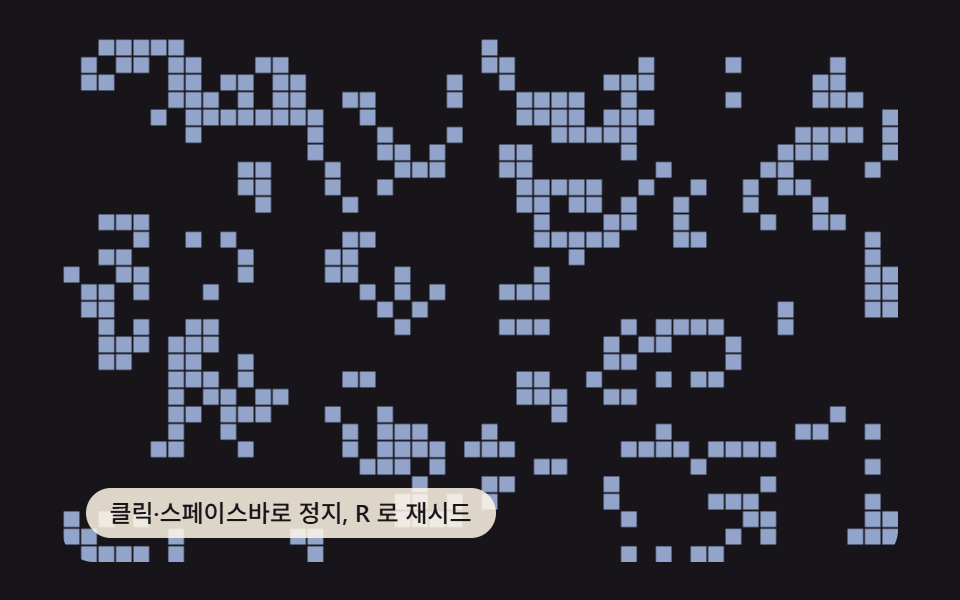 01 ca-game-of-life-basic
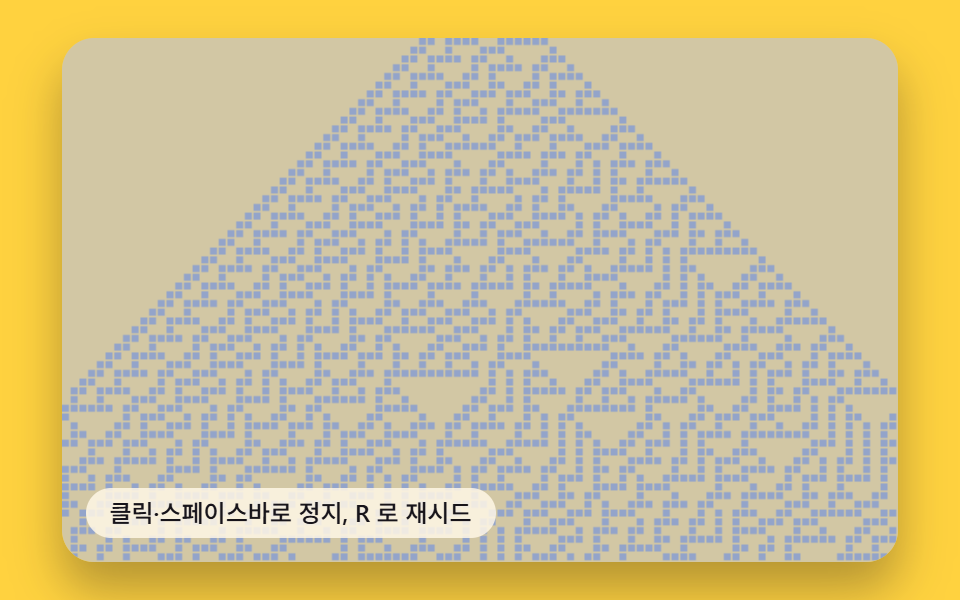 02 ca-elementary-rule-strip
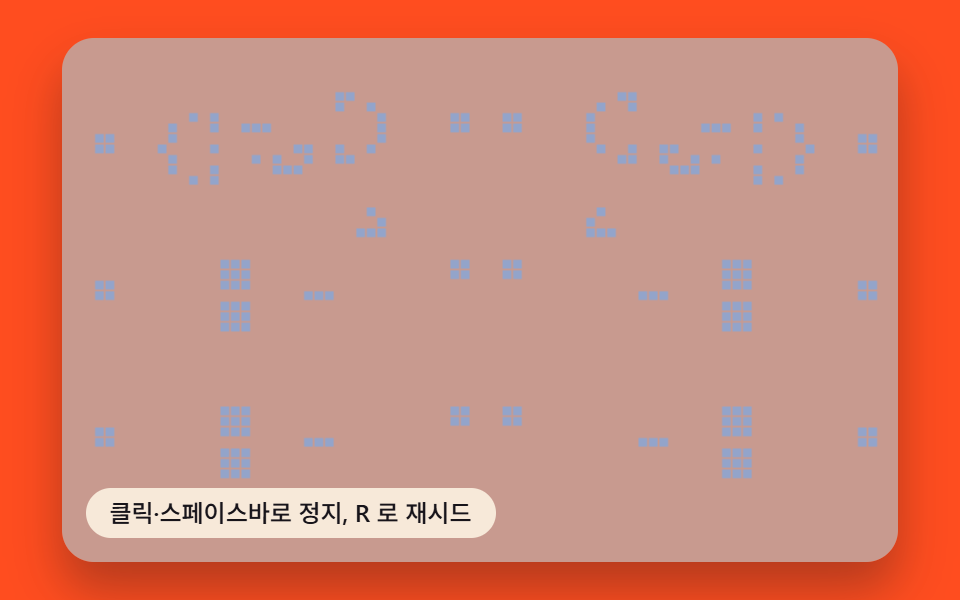 03 ca-glider-gun-scene
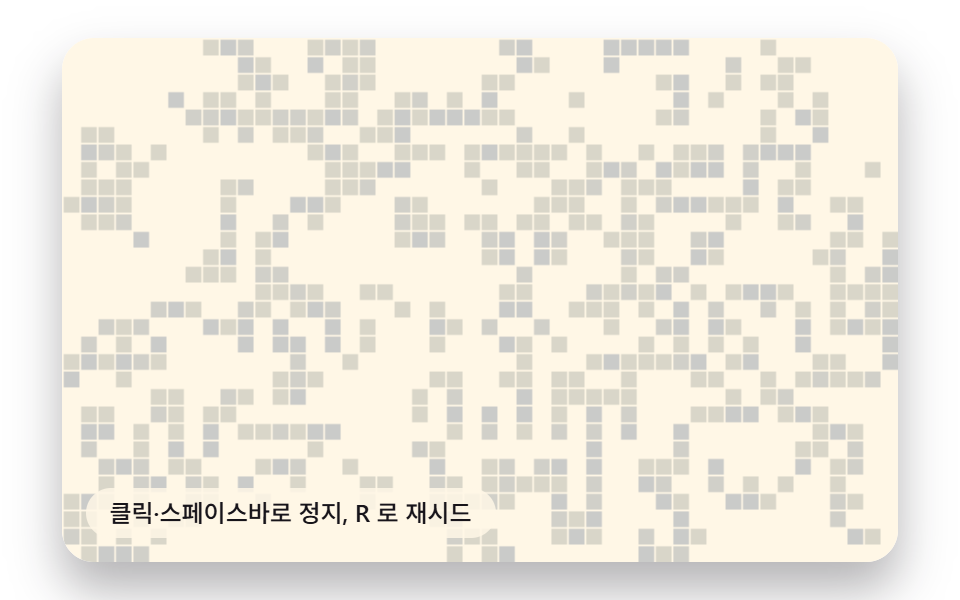 04 ca-color-age-trail
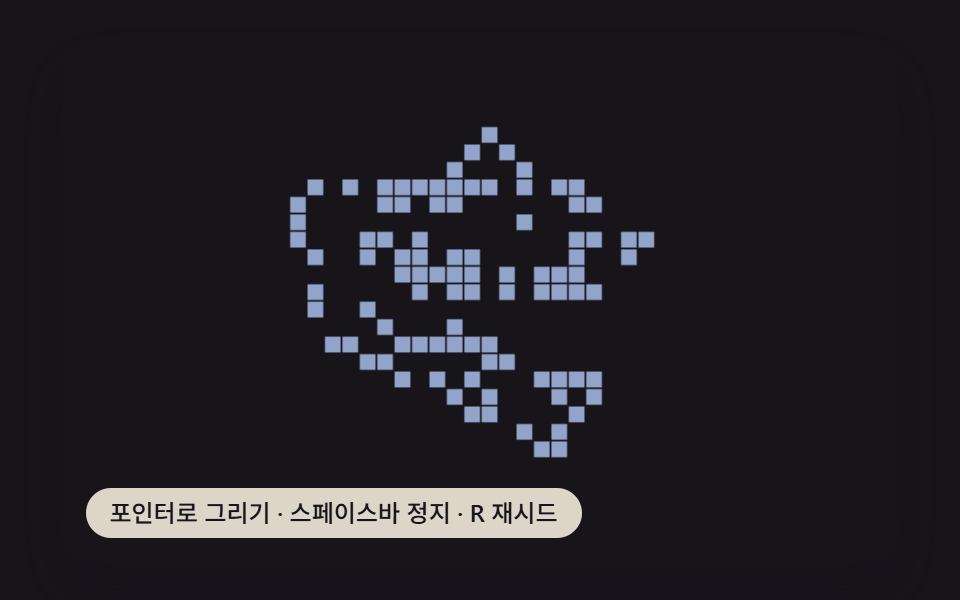 05 ca-pointer-seed-draw
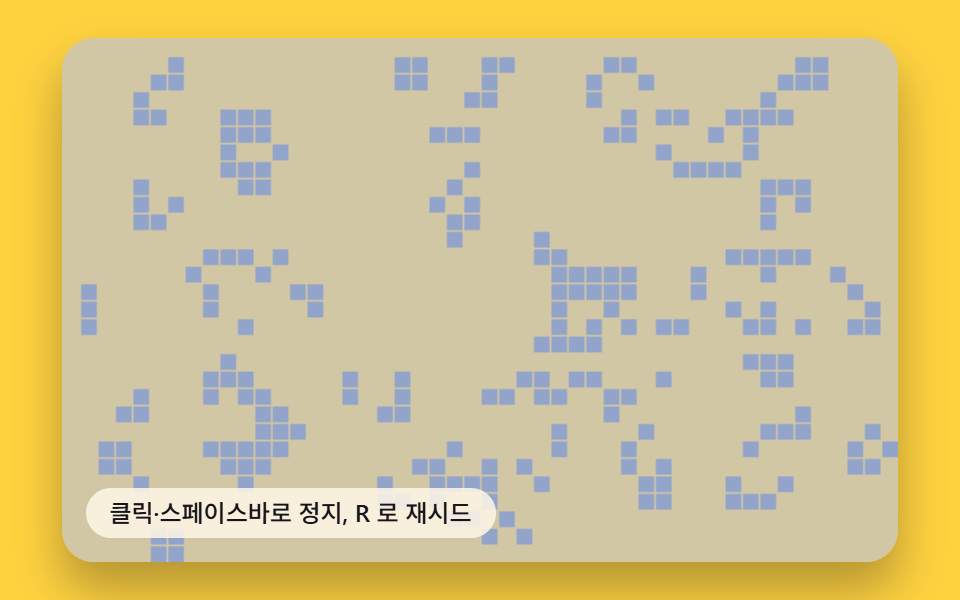 06 ca-rule-variant-lab
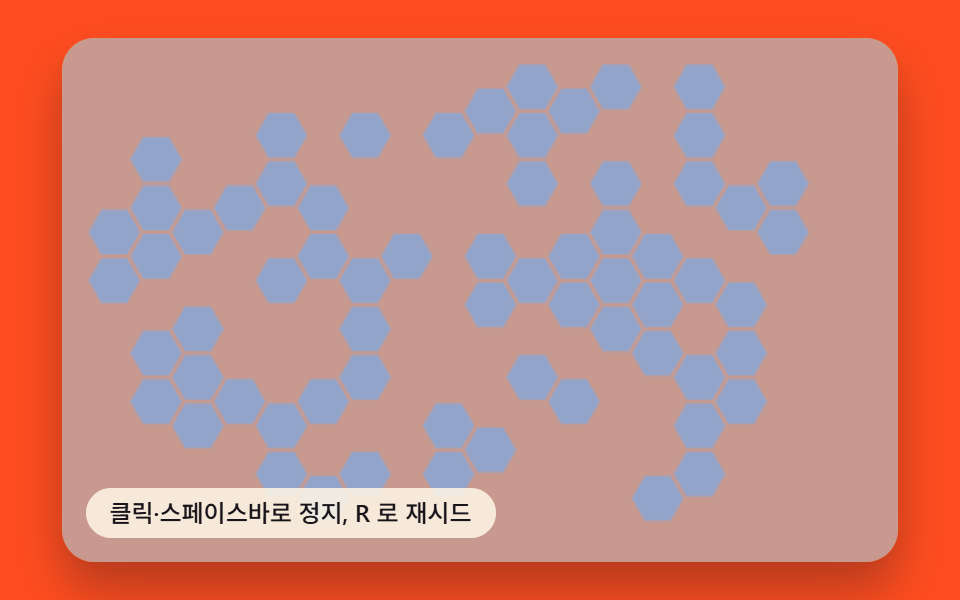 07 ca-hex-grid-automaton
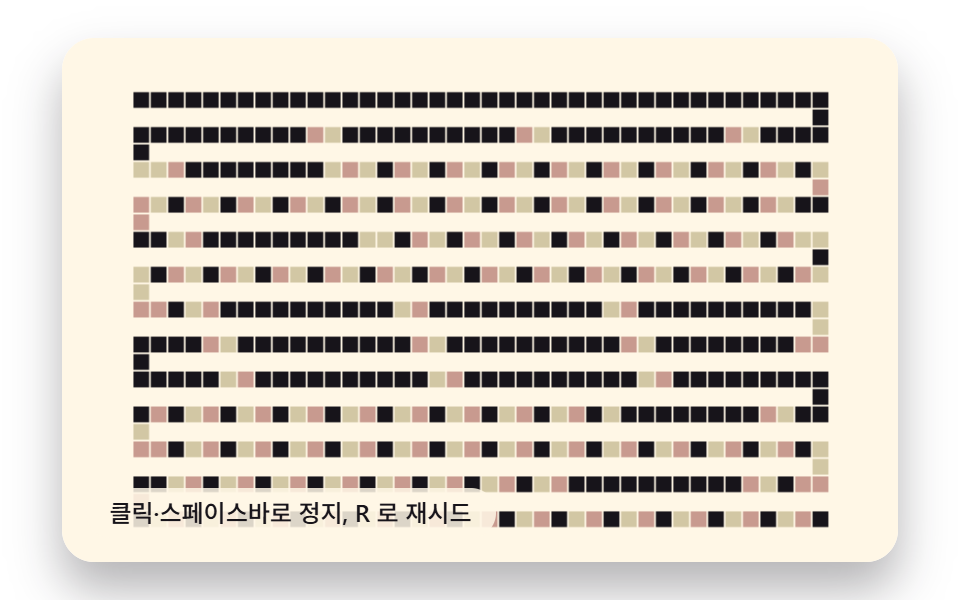 08 ca-wireworld-circuit
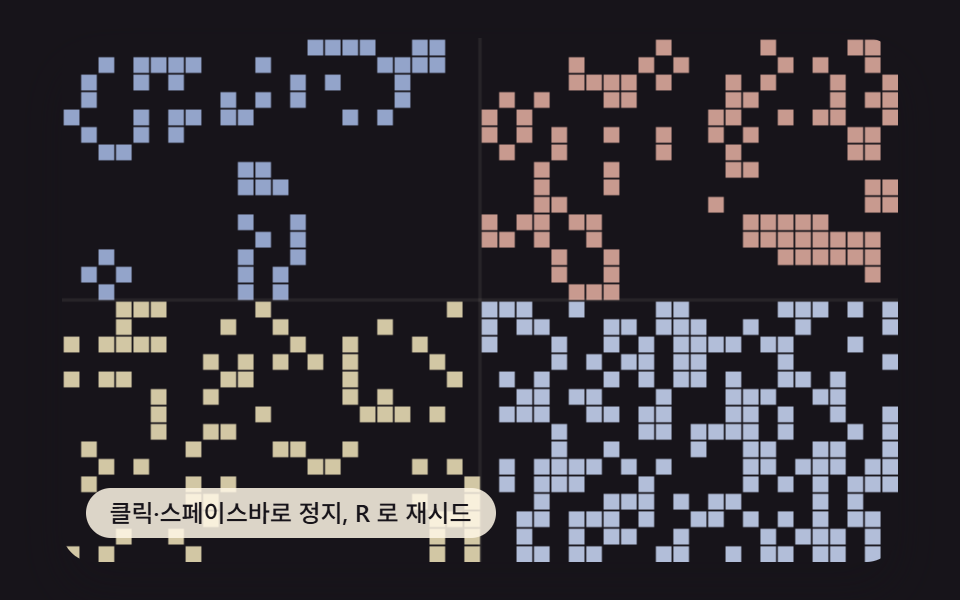 09 ca-hero-scene
Auto-plays · click a tile to jump to its section · all nine in one zip
- 01 Grid Automaton Whose Life-or-Death Follows a Live-Neighbor Count
- 02 Strip Automaton Whose Next Row Pattern Follows a Single Rule-Number Value
- 03 Scene Automaton Where a Fixed Emitter Fires a Traveling Shape at a Fixed Interval
- 04 Automaton Whose Color Fades by a Generation-Age Value
- 05 Drawing Automaton Where the Pointer Coordinate Value Toggles a Cell Directly
- 06 Rule-Lab Automaton Whose Pattern Changes With a Swapped Rule-Table Value
- 07 Honeycomb-Grid Automaton Whose State Splits on a Six-Neighbor Count Value
- 08 Signal-Circuit Automaton Where a Four-State Value Travels Along Drawn Wires
- 09 Hero-Scene Automaton Where Several Rule Values Run Side by Side in One Frame
01 runs the plain rule every other pattern here builds on or breaks from, before 02 drops the same idea to a single row and 03 fixes one small cluster in place as a repeating source; 04 and 05 swap the rule's output for an age value and a pointer value, 06 and 09 swap the rule table itself mid-run or per region, and 07 and 08 change what counts as a neighbor in the first place -- six hex sides instead of eight, or a four-state wire instead of two states. Read as a cellular automaton simulator, the nine differ only in which value the shared step-and-render loop is built around.
Where the No-wrap Edge Assumption Breaks Six of the Nine Grids
02's row strip wraps its edges on purpose -- (x - 1 + COLS) % COLS and (x + 1) % COLS pull the leftmost and rightmost neighbors from the opposite edge, so a pattern that drifts off one side reappears on the other. Carry that same modulo math into 01, 03, 04, 05, 06, or 08 and the fix breaks: those bound-check instead (if (nx < 0 || ny < 0 || nx >= COLS || ny >= ROWS) continue), so a cell at the border simply has fewer neighbors to count, and a glider or a signal head that reaches the edge stops or dies there rather than wrapping around. A second trap sits in GEN_INTERVAL_MS -- every pattern steps on an accumulator (acc += dt; while (acc >= GEN_INTERVAL_MS)), not once per requestAnimationFrame call, so a 144 Hz display doesn't quietly run generations 2.4x faster than a 60 Hz one the way a naive one-step-per-frame loop would.
How One Neighbor-count Value Builds Every Screen on This Page
Read step() in 01, 03, 04, 05, 06, or 08 and the shape repeats: for every cell, count the live neighbors in the surrounding ring, then decide the next state by comparing that count against two small numbers -- a survive range for a cell that's already alive, a single birth count for one that's dead -- and write the result into a second buffer before swapping it in. 02 keeps that same neighbor-then-compare shape but narrows the ring to three cells in one dimension and swaps the survive/birth comparison for an 8-bit lookup table; 07 keeps the 3x3 ring's spirit but resizes it to six hex-offset cells instead of eight square ones. 9 CSS Loading Animation Patterns, Canvas Physics's ninth pattern runs this exact survive/birth rule too, but only to compute one number every generation -- the share of lit cells -- and stops stepping the moment that share clears a progress target; none of the nine patterns on this page stop, because the generations themselves are the point, not a percentage they're counting toward.
Nine Conway Game of Life Patterns Compared by Moved Area, Intensity, and Frame Count
Every pattern recomputes its full grid on its own accumulator-driven interval and repaints every live cell with fillRect or a hex path, so the area and intensity below track how much of the 480x300 canvas actually changes paint, not how fast the JavaScript runs.
| Pattern | Cumulative moved area | Average intensity | Moved frames |
|---|---|---|---|
| 01 Neighbor-count life-or-death | 51.9% | 144.5 | 23/23 |
| 02 Elementary rule strip | 53.9% | 47.8 | 23/23 |
| 03 Glider-gun scene | 27.6% | 47.6 | 23/23 |
| 04 Color-age trail | 55.7% | 32.8 | 23/23 |
| 05 Pointer seed draw | 17.0% | 146.7 | 23/23 |
| 06 Rule-variant lab | 60.3% | 55.1 | 23/23 |
| 07 Hex-grid automaton | 49.5% | 55.0 | 23/23 |
| 08 Wireworld circuit | 26.7% | 136.8 | 23/23 |
| 09 Hero scene | 62.4% | 148.5 | 23/23 |
01Grid Automaton Whose Life-or-Death Follows a Live-Neighbor Count
Each cell counts its eight live neighbors, compares that count against SURVIVE_MIN/SURVIVE_MAX if it's already alive or against BIRTH_COUNT if it's dead, and the whole 48x30 grid is recomputed into a second buffer before the two swap -- a broad, evenly spread rewrite that's part of why patterns like this one average past half the canvas.
<main class="stage">
  <div class="rv is-demo" tabindex="0" role="button" aria-label="Game of Life running -- click or press space to pause, R to reseed">
    <canvas class="rv__cv" width="480" height="300"></canvas>
    <p class="rv__hint">Click or press space to pause, R to reseed</p>
  </div>
</main>
@use "../../../../site/static/demo-tokens" as *;
@include stage($stage-ink);
.rv {
position: relative;
width: min(92vw, calc(160vh - 12.8vw));
aspect-ratio: 480 / 300;
margin: 0 auto;
border-radius: $r-card;
overflow: hidden;
cursor: pointer;
box-shadow: $shadow-raised;
outline-offset: 4px;
&:focus-visible {
outline: 3px solid $subject-cream;
}
}
.rv__cv {
display: block;
width: 100%;
height: 100%;
}
.rv__hint {
position: absolute;
left: $sp-3;
bottom: $sp-3;
margin: 0;
padding: $sp-1 $sp-3;
border-radius: $r-pill;
font-size: 12px;
line-height: 1.4;
font-weight: 500;
background: rgba(255, 247, 230, .85);
color: $subject-ink;
pointer-events: none;
}
@media (prefers-reduced-motion: reduce) {
.rv {
cursor: pointer;
}
}html, body {
margin: 0;
overflow: hidden;
}
.stage {
box-sizing: border-box;
min-height: 100vh;
display: grid;
place-items: center;
margin: 0;
background: #17141a;
font-family: -apple-system, "Segoe UI", "Noto Sans KR", sans-serif;
padding: clamp(8px, 4vw, 24px);
}
.rv {
position: relative;
width: min(92vw, 160vh - 12.8vw);
aspect-ratio: 480/300;
margin: 0 auto;
border-radius: 16px;
overflow: hidden;
cursor: pointer;
box-shadow: 0 14px 24px rgba(23, 20, 26, 0.32);
outline-offset: 4px;
}
.rv:focus-visible {
outline: 3px solid #fff7e6;
}
.rv__cv {
display: block;
width: 100%;
height: 100%;
}
.rv__hint {
position: absolute;
left: 12px;
bottom: 12px;
margin: 0;
padding: 4px 12px;
border-radius: 999px;
font-size: 12px;
line-height: 1.4;
font-weight: 500;
background: rgba(255, 247, 230, 0.85);
color: #17141a;
pointer-events: none;
}
@media (prefers-reduced-motion: reduce) {
.rv {
cursor: pointer;
}
}(function(){
'use strict';
// 395-09(셀룰러 오토마타 로더 — 진행률 채움)와 다른 축: 여기선 규칙·세대·격자 자체가 주인공이지 진행률 표시가 아니다.
// 매 세대 이웃 수 값을 세어 살아있는 칸 전체를 다시 계산하고 fillRect 로 그린다 — 속성 트윈 없음.
function makeLcg(seed){
let s = seed >>> 0;
return function(){
s = (s * 1664525 + 1013904223) >>> 0;
return s / 4294967296;
};
}
const W = 480, H = 300;
const CELL = 10, COLS = W / CELL, ROWS = H / CELL;
const INK = '#17141a';
const ALIVE_COLOR = '#93a4ca';
let SEED = 71301;
let rnd = makeLcg(SEED);
const SURVIVE_MIN = 2; // 변형 01 대상 — 생존에 필요한 최소 이웃 수
const SURVIVE_MAX = 3;
const BIRTH_COUNT = 3; // 죽은 칸이 태어나는 데 필요한 이웃 수
let grid = new Uint8Array(COLS * ROWS);
let next = new Uint8Array(COLS * ROWS);
let generation = 0;
function idx(x, y){ return y * COLS + x; }
function seedGrid(){
for (let y = 0; y < ROWS; y++){
for (let x = 0; x < COLS; x++){
grid[idx(x, y)] = rnd() < 0.32 ? 1 : 0;
}
}
generation = 0;
}
function neighborCount(x, y){
let n = 0;
for (let dy = -1; dy <= 1; dy++){
for (let dx = -1; dx <= 1; dx++){
if (dx === 0 && dy === 0) continue;
const nx = x + dx, ny = y + dy;
if (nx < 0 || ny < 0 || nx >= COLS || ny >= ROWS) continue;
n += grid[idx(nx, ny)];
}
}
return n;
}
  function step(){
    for (let y = 0; y < ROWS; y++){
      for (let x = 0; x < COLS; x++){
        const alive = grid[idx(x, y)] === 1;
        const n = neighborCount(x, y);
        let willLive = 0;
        if (alive){
          willLive = (n >= SURVIVE_MIN && n <= SURVIVE_MAX) ? 1 : 0;
        } else {
          willLive = (n === BIRTH_COUNT) ? 1 : 0;
        }
        next[idx(x, y)] = willLive;
      }
    }
    const tmp = grid; grid = next; next = tmp;
    generation++;
  }
const cvEl = document.querySelector('.rv__cv');
const ctx = cvEl.getContext('2d');
const rootEl = document.querySelector('.rv');
function render(){
ctx.fillStyle = INK;
ctx.fillRect(0, 0, W, H);
ctx.fillStyle = ALIVE_COLOR;
for (let y = 0; y < ROWS; y++){
for (let x = 0; x < COLS; x++){
if (grid[idx(x, y)] === 1){
ctx.fillRect(x * CELL + 1, y * CELL + 1, CELL - 1, CELL - 1);
}
}
}
}
const ARIA_PLAY = 'Game of Life running -- click or press space to pause, R to reseed';
const ARIA_PAUSE = 'Game of Life paused -- click or press space to resume, R to reseed';
function updateAria(){
rootEl.setAttribute('aria-label', paused ? ARIA_PAUSE : ARIA_PLAY);
}
let paused = false;
const reduceMQ = window.matchMedia('(prefers-reduced-motion: reduce)');
function human(){ rootEl.classList.remove('is-demo'); }
function reseed(){
SEED = (SEED * 1103515245 + 12345) >>> 0;
rnd = makeLcg(SEED || 1);
seedGrid();
}
function togglePause(){
paused = !paused;
updateAria();
}
function onActivate(e){
if (e.type === 'keydown'){
if (e.key === 'r' || e.key === 'R'){
human();
reseed();
render();
return;
}
if (e.key !== 'Enter' && e.key !== ' ') return;
e.preventDefault();
}
human();
if (reduceMQ.matches){
step();
render();
} else {
togglePause();
}
}
function onKey(e){
if (e.key === 'r' || e.key === 'R' || e.key === 'Enter' || e.key === ' '){
onActivate(e);
}
}
const GEN_INTERVAL_MS = 85;
let acc = 0, last = 0;
function frame(now){
if (!reduceMQ.matches){
if (!last) last = now;
const dt = now - last;
last = now;
if (!paused){
acc += dt;
while (acc >= GEN_INTERVAL_MS){
step();
acc -= GEN_INTERVAL_MS;
}
render();
}
requestAnimationFrame(frame);
}
}
function onResize(){ render(); }
rootEl.addEventListener('click', onActivate);
rootEl.addEventListener('keydown', onKey);
window.addEventListener('resize', onResize);
seedGrid();
updateAria();
render();
if (reduceMQ.matches){
// 정지 세대 1장 — 입력 직후 render() 를 즉시 1회 더 부른다 (rAF 루프 없이)
} else {
requestAnimationFrame(frame);
}
})();import { useEffect, useRef } from 'react';
import styles from './GameOfLifeBasic.module.scss';
function ctx2d(cv: HTMLCanvasElement): CanvasRenderingContext2D {
const c = cv.getContext('2d');
if (!c) throw new Error('no 2d context');
return c;
}
function makeLcg(seed: number): () => number {
let s = seed >>> 0;
return function(){
s = (s * 1664525 + 1013904223) >>> 0;
return s / 4294967296;
};
}
const W = 480, H = 300;
const CELL = 10, COLS = W / CELL, ROWS = H / CELL;
const INK = '#17141a';
const ALIVE_COLOR = '#93a4ca';
let SEED = 71301;
let rnd = makeLcg(SEED);
const SURVIVE_MIN = 2; // 변형 01 대상 — 생존에 필요한 최소 이웃 수
const SURVIVE_MAX = 3, BIRTH_COUNT = 3;
let grid = new Uint8Array(COLS * ROWS);
let next = new Uint8Array(COLS * ROWS);
function idx(x: number, y: number): number { return y * COLS + x; }
function seedGrid(): void {
for (let i = 0; i < grid.length; i++) grid[i] = rnd() < 0.3 ? 1 : 0;
}
function neighborCount(x: number, y: number): number {
let n = 0;
for (let dy = -1; dy <= 1; dy++){
for (let dx = -1; dx <= 1; dx++){
if (dx === 0 && dy === 0) continue;
const nx = x + dx, ny = y + dy;
if (nx < 0 || ny < 0 || nx >= COLS || ny >= ROWS) continue;
n += grid[idx(nx, ny)];
}
}
return n;
}
function step(): void {
for (let y = 0; y < ROWS; y++){
for (let x = 0; x < COLS; x++){
const alive = grid[idx(x, y)] === 1;
const n = neighborCount(x, y);
let willLive = 0;
if (alive){
willLive = (n >= SURVIVE_MIN && n <= SURVIVE_MAX) ? 1 : 0;
} else {
willLive = (n === BIRTH_COUNT) ? 1 : 0;
}
next[idx(x, y)] = willLive;
}
}
const tmp = grid; grid = next; next = tmp;
}
function render(ctx: CanvasRenderingContext2D): void {
ctx.fillStyle = INK;
ctx.fillRect(0, 0, W, H);
ctx.fillStyle = ALIVE_COLOR;
for (let y = 0; y < ROWS; y++){
for (let x = 0; x < COLS; x++){
if (grid[idx(x, y)] === 1){
ctx.fillRect(x * CELL + 1, y * CELL + 1, CELL - 1, CELL - 1);
}
}
}
}
const ARIA_PLAY = '생명 게임 진행 중 — 클릭하거나 스페이스바로 정지, R 로 재시드';
const ARIA_PAUSE = '생명 게임 정지됨 — 클릭하거나 스페이스바로 재생, R 로 재시드';
export default function GameOfLifeBasic(){
const rootRef = useRef<HTMLDivElement | null>(null);
const cvRef = useRef<HTMLCanvasElement | null>(null);
useEffect(() => {
const root = rootRef.current;
const cv = cvRef.current;
if (!root || !cv) return;
const rootEl: HTMLDivElement = root;
const cvEl: HTMLCanvasElement = cv;
const ctx = ctx2d(cvEl);
function updateAria(): void {
rootEl.setAttribute('aria-label', paused ? ARIA_PAUSE : ARIA_PLAY);
}
let paused = false;
const reduceMQ = window.matchMedia('(prefers-reduced-motion: reduce)');
function human(): void { rootEl.classList.remove('is-demo'); }
function reseed(): void {
SEED = (SEED * 1103515245 + 12345) >>> 0;
rnd = makeLcg(SEED || 1);
seedGrid();
}
function togglePause(): void {
paused = !paused;
updateAria();
}
function onActivate(e: Event): void {
if (e.type === 'keydown'){
const ke = e as KeyboardEvent;
if (ke.key === 'r' || ke.key === 'R'){
human();
reseed();
render(ctx);
return;
}
if (ke.key !== 'Enter' && ke.key !== ' ') return;
ke.preventDefault();
}
human();
if (reduceMQ.matches){
step();
render(ctx);
} else {
togglePause();
}
}
const GEN_INTERVAL_MS = 85;
let acc = 0, last = 0, rafId = 0;
function frame(now: number): void {
if (!reduceMQ.matches){
if (!last) last = now;
const dt = now - last;
last = now;
if (!paused){
acc += dt;
while (acc >= GEN_INTERVAL_MS){
step();
acc -= GEN_INTERVAL_MS;
}
render(ctx);
}
rafId = requestAnimationFrame(frame);
}
}
function onResize(): void { render(ctx); }
rootEl.addEventListener('click', onActivate);
rootEl.addEventListener('keydown', onActivate);
window.addEventListener('resize', onResize);
seedGrid();
updateAria();
render(ctx);
if (!reduceMQ.matches){
rafId = requestAnimationFrame(frame);
}
return () => {
rootEl.removeEventListener('click', onActivate);
rootEl.removeEventListener('keydown', onActivate);
window.removeEventListener('resize', onResize);
if (rafId) cancelAnimationFrame(rafId);
};
}, []);
return (
<main className={styles.stage}>
<div ref={rootRef} className={`${styles.rv} is-demo`} tabIndex={0} role="button" aria-label="생명 게임 진행 중 — 클릭하거나 스페이스바로 정지, R 로 재시드">
<canvas ref={cvRef} className={styles.rv__cv} width={480} height={300} />
<p className={styles.rv__hint}>클릭·스페이스바로 정지, R 로 재시드</p>
</div>
</main>
);
}01 · Grid Automaton Whose Life-or-Death Follows a Live-Neighbor Count — Measured area 51.899% · moving frames 23/23Original by GODRICH · SCSS and React ship in the zip · See the password
function step(){
for (let y = 0; y < ROWS; y++){
for (let x = 0; x < COLS; x++){
const alive = grid[idx(x, y)] === 1;
const n = neighborCount(x, y);
let willLive = 0;
if (alive){
willLive = (n >= SURVIVE_MIN && n <= SURVIVE_MAX) ? 1 : 0;
} else {
willLive = (n === BIRTH_COUNT) ? 1 : 0;
}
next[idx(x, y)] = willLive;
}
}
const tmp = grid; grid = next; next = tmp;
generation++;
}
02Strip Automaton Whose Next Row Pattern Follows a Single Rule-Number Value
RULE is unpacked once into an 8-bit lookup table, one entry per possible left-self-right combination, and every generation the whole buffer shifts up a row with copyWithin before the bottom row is recomputed from that table -- because there's no up-down neighbor in a strip like this, one row only ever depends on the row directly above it.
<main class="stage">
  <div class="rv is-demo" tabindex="0" role="button" aria-label="Rule strip running -- click or press space to pause, R to reseed">
    <canvas class="rv__cv" width="480" height="300"></canvas>
    <p class="rv__hint">Click or press space to pause, R to reseed</p>
  </div>
</main>
@use "../../../../site/static/demo-tokens" as *;
@include stage($stage-yellow);
.rv {
position: relative;
width: min(92vw, calc(160vh - 12.8vw));
aspect-ratio: 480 / 300;
margin: 0 auto;
border-radius: $r-card;
overflow: hidden;
cursor: pointer;
box-shadow: $shadow-raised;
outline-offset: 4px;
&:focus-visible {
outline: 3px solid $subject-ink;
}
}
.rv__cv {
display: block;
width: 100%;
height: 100%;
}
.rv__hint {
position: absolute;
left: $sp-3;
bottom: $sp-3;
margin: 0;
padding: $sp-1 $sp-3;
border-radius: $r-pill;
font-size: 12px;
line-height: 1.4;
font-weight: 500;
background: rgba(255, 247, 230, .85);
color: $subject-ink;
pointer-events: none;
}
@media (prefers-reduced-motion: reduce) {
.rv {
cursor: pointer;
}
}html, body {
margin: 0;
overflow: hidden;
}
.stage {
box-sizing: border-box;
min-height: 100vh;
display: grid;
place-items: center;
margin: 0;
background: #ffd23f;
font-family: -apple-system, "Segoe UI", "Noto Sans KR", sans-serif;
padding: clamp(8px, 4vw, 24px);
}
.rv {
position: relative;
width: min(92vw, 160vh - 12.8vw);
aspect-ratio: 480/300;
margin: 0 auto;
border-radius: 16px;
overflow: hidden;
cursor: pointer;
box-shadow: 0 14px 24px rgba(23, 20, 26, 0.32);
outline-offset: 4px;
}
.rv:focus-visible {
outline: 3px solid #17141a;
}
.rv__cv {
display: block;
width: 100%;
height: 100%;
}
.rv__hint {
position: absolute;
left: 12px;
bottom: 12px;
margin: 0;
padding: 4px 12px;
border-radius: 999px;
font-size: 12px;
line-height: 1.4;
font-weight: 500;
background: rgba(255, 247, 230, 0.85);
color: #17141a;
pointer-events: none;
}
@media (prefers-reduced-motion: reduce) {
.rv {
cursor: pointer;
}
}(function(){
'use strict';
// 395-09(진행률 채움 로더)와 다른 축: 규칙 번호 값이 다음 줄 무늬를 직접 결정하는 계산이 주인공.
// 매 세대 한 줄을 규칙표와 대조해 계산하고 화면 전체를 아래로 밀어 fillRect 로 다시 그린다.
function makeLcg(seed){
let s = seed >>> 0;
return function(){
s = (s * 1664525 + 1013904223) >>> 0;
return s / 4294967296;
};
}
const W = 480, H = 300;
const CELL = 5, COLS = W / CELL, ROWS = H / CELL;
const YELLOW = '#d2c7a4';
const ALIVE_COLOR = '#93a4ca';
let SEED = 30071;
let rnd = makeLcg(SEED);
const RULE = 30; // 울프럼 초등 오토마타 규칙 번호(이진 8비트) — 왼쪽·자신·오른쪽 조합마다 생사 결정
const ruleBits = new Uint8Array(8);
for (let p = 0; p < 8; p++) ruleBits[p] = (RULE >> p) & 1;
  let grid = new Uint8Array(COLS * ROWS);

  function idx(x, y){ return y * COLS + x; }

  function clearGrid(){
    grid.fill(0);
  }

  function seedRow(seedX){
    grid[idx(seedX, ROWS - 1)] = 1;
  }

  function step(){
    grid.copyWithin(0, COLS, ROWS * COLS);
    const base = (ROWS - 2) * COLS;
    const outBase = (ROWS - 1) * COLS;
    for (let x = 0; x < COLS; x++){
      const l = grid[base + ((x - 1 + COLS) % COLS)];
      const m = grid[base + x];
      const r = grid[base + ((x + 1) % COLS)];
      const pattern = l * 4 + m * 2 + r;
      grid[outBase + x] = ruleBits[pattern];
    }
  }
const cvEl = document.querySelector('.rv__cv');
const ctx = cvEl.getContext('2d');
const rootEl = document.querySelector('.rv');
function render(){
ctx.fillStyle = YELLOW;
ctx.fillRect(0, 0, W, H);
ctx.fillStyle = ALIVE_COLOR;
for (let y = 0; y < ROWS; y++){
for (let x = 0; x < COLS; x++){
if (grid[idx(x, y)] === 1){
ctx.fillRect(x * CELL, y * CELL, CELL - 1, CELL - 1);
}
}
}
}
const ARIA_PLAY = 'Rule strip running -- click or press space to pause, R to reseed';
const ARIA_PAUSE = 'Rule strip paused -- click or press space to resume, R to reseed';
function updateAria(){
rootEl.setAttribute('aria-label', paused ? ARIA_PAUSE : ARIA_PLAY);
}
let paused = false;
const reduceMQ = window.matchMedia('(prefers-reduced-motion: reduce)');
function human(){ rootEl.classList.remove('is-demo'); }
function reseed(){
SEED = (SEED * 1103515245 + 12345) >>> 0;
rnd = makeLcg(SEED || 1);
clearGrid();
const seedX = Math.floor(rnd() * COLS);
seedRow(seedX);
}
function togglePause(){
paused = !paused;
updateAria();
}
function onActivate(e){
if (e.type === 'keydown'){
if (e.key === 'r' || e.key === 'R'){
human();
reseed();
render();
return;
}
if (e.key !== 'Enter' && e.key !== ' ') return;
e.preventDefault();
}
human();
if (reduceMQ.matches){
step();
render();
} else {
togglePause();
}
}
function onKey(e){
if (e.key === 'r' || e.key === 'R' || e.key === 'Enter' || e.key === ' '){
onActivate(e);
}
}
const GEN_INTERVAL_MS = 32;
let acc = 0, last = 0;
function frame(now){
if (!reduceMQ.matches){
if (!last) last = now;
const dt = now - last;
last = now;
if (!paused){
acc += dt;
while (acc >= GEN_INTERVAL_MS){
step();
acc -= GEN_INTERVAL_MS;
}
render();
}
requestAnimationFrame(frame);
}
}
function onResize(){ render(); }
rootEl.addEventListener('click', onActivate);
rootEl.addEventListener('keydown', onKey);
window.addEventListener('resize', onResize);
clearGrid();
seedRow(Math.floor(COLS / 2));
updateAria();
render();
if (!reduceMQ.matches){
requestAnimationFrame(frame);
}
})();import { useEffect, useRef } from 'react';
import styles from './ElementaryRuleStrip.module.scss';
function ctx2d(cv: HTMLCanvasElement): CanvasRenderingContext2D {
const c = cv.getContext('2d');
if (!c) throw new Error('no 2d context');
return c;
}
function makeLcg(seed: number): () => number {
let s = seed >>> 0;
return function(){
s = (s * 1664525 + 1013904223) >>> 0;
return s / 4294967296;
};
}
const W = 480, H = 300;
const CELL = 5, COLS = W / CELL, ROWS = H / CELL;
const YELLOW = '#d2c7a4';
const ALIVE_COLOR = '#93a4ca';
let SEED = 30071;
let rnd = makeLcg(SEED);
const RULE = 30; // 울프럼 초등 오토마타 규칙 번호(이진 8비트) — 왼쪽·자신·오른쪽 조합마다 생사 결정
const ruleBits = new Uint8Array(8);
for (let p = 0; p < 8; p++) ruleBits[p] = (RULE >> p) & 1;
const grid = new Uint8Array(COLS * ROWS);
function idx(x: number, y: number): number { return y * COLS + x; }
function clearGrid(): void {
grid.fill(0);
}
function seedRow(seedX: number): void {
grid[idx(seedX, ROWS - 1)] = 1;
}
function step(): void {
grid.copyWithin(0, COLS, ROWS * COLS);
const base = (ROWS - 2) * COLS;
const outBase = (ROWS - 1) * COLS;
for (let x = 0; x < COLS; x++){
const l = grid[base + ((x - 1 + COLS) % COLS)];
const m = grid[base + x];
const r = grid[base + ((x + 1) % COLS)];
const pattern = l * 4 + m * 2 + r;
grid[outBase + x] = ruleBits[pattern];
}
}
function render(ctx: CanvasRenderingContext2D): void {
ctx.fillStyle = YELLOW;
ctx.fillRect(0, 0, W, H);
ctx.fillStyle = ALIVE_COLOR;
for (let y = 0; y < ROWS; y++){
for (let x = 0; x < COLS; x++){
if (grid[idx(x, y)] === 1){
ctx.fillRect(x * CELL, y * CELL, CELL - 1, CELL - 1);
}
}
}
}
const ARIA_PLAY = '규칙 스트립 진행 중 — 클릭하거나 스페이스바로 정지, R 로 재시드';
const ARIA_PAUSE = '규칙 스트립 정지됨 — 클릭하거나 스페이스바로 재생, R 로 재시드';
export default function ElementaryRuleStrip(){
const rootRef = useRef<HTMLDivElement | null>(null);
const cvRef = useRef<HTMLCanvasElement | null>(null);
useEffect(() => {
const root = rootRef.current;
const cv = cvRef.current;
if (!root || !cv) return;
const rootEl: HTMLDivElement = root;
const cvEl: HTMLCanvasElement = cv;
const ctx = ctx2d(cvEl);
function updateAria(): void {
rootEl.setAttribute('aria-label', paused ? ARIA_PAUSE : ARIA_PLAY);
}
let paused = false;
const reduceMQ = window.matchMedia('(prefers-reduced-motion: reduce)');
function human(): void { rootEl.classList.remove('is-demo'); }
function reseed(): void {
SEED = (SEED * 1103515245 + 12345) >>> 0;
rnd = makeLcg(SEED || 1);
clearGrid();
const seedX = Math.floor(rnd() * COLS);
seedRow(seedX);
}
function togglePause(): void {
paused = !paused;
updateAria();
}
function onActivate(e: Event): void {
if (e.type === 'keydown'){
const ke = e as KeyboardEvent;
if (ke.key === 'r' || ke.key === 'R'){
human();
reseed();
render(ctx);
return;
}
if (ke.key !== 'Enter' && ke.key !== ' ') return;
ke.preventDefault();
}
human();
if (reduceMQ.matches){
step();
render(ctx);
} else {
togglePause();
}
}
const GEN_INTERVAL_MS = 32;
let acc = 0, last = 0, rafId = 0;
function frame(now: number): void {
if (!reduceMQ.matches){
if (!last) last = now;
const dt = now - last;
last = now;
if (!paused){
acc += dt;
while (acc >= GEN_INTERVAL_MS){
step();
acc -= GEN_INTERVAL_MS;
}
render(ctx);
}
rafId = requestAnimationFrame(frame);
}
}
function onResize(): void { render(ctx); }
rootEl.addEventListener('click', onActivate);
rootEl.addEventListener('keydown', onActivate);
window.addEventListener('resize', onResize);
clearGrid();
seedRow(Math.floor(COLS / 2));
updateAria();
render(ctx);
if (!reduceMQ.matches){
rafId = requestAnimationFrame(frame);
}
return () => {
rootEl.removeEventListener('click', onActivate);
rootEl.removeEventListener('keydown', onActivate);
window.removeEventListener('resize', onResize);
if (rafId) cancelAnimationFrame(rafId);
};
}, []);
return (
<main className={styles.stage}>
<div ref={rootRef} className={`${styles.rv} is-demo`} tabIndex={0} role="button" aria-label="규칙 스트립 진행 중 — 클릭하거나 스페이스바로 정지, R 로 재시드">
<canvas ref={cvRef} className={styles.rv__cv} width={480} height={300} />
<p className={styles.rv__hint}>클릭·스페이스바로 정지, R 로 재시드</p>
</div>
</main>
);
}02 · Strip Automaton Whose Next Row Pattern Follows a Single Rule-Number Value — Measured area 53.91% · moving frames 23/23Original by GODRICH · SCSS and React ship in the zip · See the password
let grid = new Uint8Array(COLS * ROWS);
function idx(x, y){ return y * COLS + x; }
function clearGrid(){
grid.fill(0);
}
function seedRow(seedX){
grid[idx(seedX, ROWS - 1)] = 1;
}
function step(){
grid.copyWithin(0, COLS, ROWS * COLS);
const base = (ROWS - 2) * COLS;
const outBase = (ROWS - 1) * COLS;
for (let x = 0; x < COLS; x++){
const l = grid[base + ((x - 1 + COLS) % COLS)];
const m = grid[base + x];
const r = grid[base + ((x + 1) % COLS)];
const pattern = l * 4 + m * 2 + r;
grid[outBase + x] = ruleBits[pattern];
}
}
03Scene Automaton Where a Fixed Emitter Fires a Traveling Shape at a Fixed Interval
GUN_ROWS places three mirrored copies of a 36-cell conway game of life glider gun cluster at fixed rows, and because that cluster's own cells satisfy the same survive/birth rule as everything else on the grid, it regenerates itself every cycle and keeps pushing out a small diagonal shape that holds its form until it exits the canvas -- the lowest average area of the nine (27.6%) because most of the frame stays empty between the emitter and the drifting shapes it fires.
<main class="stage">
  <div class="rv is-demo" tabindex="0" role="button" aria-label="Gun scene running -- click or press space to pause, R to reseed">
    <canvas class="rv__cv" width="480" height="300"></canvas>
    <p class="rv__hint">Click or press space to pause, R to reseed</p>
  </div>
</main>
@use "../../../../site/static/demo-tokens" as *;
@include stage($stage-orange);
.rv {
position: relative;
width: min(92vw, calc(160vh - 12.8vw));
aspect-ratio: 480 / 300;
margin: 0 auto;
border-radius: $r-card;
overflow: hidden;
cursor: pointer;
box-shadow: $shadow-raised;
outline-offset: 4px;
&:focus-visible {
outline: 3px solid $subject-cream;
}
}
.rv__cv {
display: block;
width: 100%;
height: 100%;
}
.rv__hint {
position: absolute;
left: $sp-3;
bottom: $sp-3;
margin: 0;
padding: $sp-1 $sp-3;
border-radius: $r-pill;
font-size: 12px;
line-height: 1.4;
font-weight: 500;
background: rgba(255, 247, 230, .85);
color: $subject-ink;
pointer-events: none;
}
@media (prefers-reduced-motion: reduce) {
.rv {
cursor: pointer;
}
}html, body {
margin: 0;
overflow: hidden;
}
.stage {
box-sizing: border-box;
min-height: 100vh;
display: grid;
place-items: center;
margin: 0;
background: #ff4d1f;
font-family: -apple-system, "Segoe UI", "Noto Sans KR", sans-serif;
padding: clamp(8px, 4vw, 24px);
}
.rv {
position: relative;
width: min(92vw, 160vh - 12.8vw);
aspect-ratio: 480/300;
margin: 0 auto;
border-radius: 16px;
overflow: hidden;
cursor: pointer;
box-shadow: 0 14px 24px rgba(23, 20, 26, 0.32);
outline-offset: 4px;
}
.rv:focus-visible {
outline: 3px solid #fff7e6;
}
.rv__cv {
display: block;
width: 100%;
height: 100%;
}
.rv__hint {
position: absolute;
left: 12px;
bottom: 12px;
margin: 0;
padding: 4px 12px;
border-radius: 999px;
font-size: 12px;
line-height: 1.4;
font-weight: 500;
background: rgba(255, 247, 230, 0.85);
color: #17141a;
pointer-events: none;
}
@media (prefers-reduced-motion: reduce) {
.rv {
cursor: pointer;
}
}(function(){
'use strict';
// 395-09(진행률 채움 로더)와 다른 축: 고정된 발사틀이 규칙에 따라 스스로 회복하며 이동체를 밀어내는 장면이 주인공.
// 라이프 규칙(이웃 수 값)으로 매 세대 전체 격자를 계산해 fillRect 로 다시 그린다 — 속성 트윈 없음.
function makeLcg(seed){
let s = seed >>> 0;
return function(){
s = (s * 1664525 + 1013904223) >>> 0;
return s / 4294967296;
};
}
const W = 480, H = 300;
const CELL = 6, COLS = W / CELL, ROWS = H / CELL;
const ORANGE = '#c89a8f';
const ALIVE_COLOR = '#93a4ca';
let SEED = 30301;
let rnd = makeLcg(SEED);
const SURVIVE_MIN = 2, SURVIVE_MAX = 3, BIRTH_COUNT = 3;
// 고정 발사틀(발사기) 셀 좌표 — 36칸, 37x10 경계상자 안에서 스스로 회복하며 대각 이동체를 밀어낸다.
const GUN_CELLS = [
[1,5],[1,6],[2,5],[2,6],
[11,5],[11,6],[11,7],[12,4],[12,8],[13,3],[13,9],[14,3],[14,9],
[15,6],[16,4],[16,8],[17,5],[17,6],[17,7],[18,6],
[21,3],[21,4],[21,5],[22,3],[22,4],[22,5],[23,2],[23,6],
[25,1],[25,2],[25,6],[25,7],
[35,3],[35,4],[36,3],[36,4]
];
const GUN_W = 37;
let grid = new Uint8Array(COLS * ROWS);
let next = new Uint8Array(COLS * ROWS);
function idx(x, y){ return y * COLS + x; }
  function placeGun(ox, oy, mirror){
    for (let i = 0; i < GUN_CELLS.length; i++){
      const dx = GUN_CELLS[i][0], dy = GUN_CELLS[i][1];
      const x = ox + (mirror ? (GUN_W - 1 - dx) : dx);
      const y = oy + dy;
      if (x >= 0 && x < COLS && y >= 0 && y < ROWS) grid[idx(x, y)] = 1;
    }
  }

  const GUN_ROWS = [4, 18, 32];

  function seedGrid(offset){
    grid.fill(0);
    for (let i = 0; i < GUN_ROWS.length; i++){
      placeGun(2 + offset, GUN_ROWS[i], false);
      placeGun(COLS - 2 - (GUN_W - 1) - offset, GUN_ROWS[i], true);
    }
  }
function neighborCount(x, y){
let n = 0;
for (let dy = -1; dy <= 1; dy++){
for (let dx = -1; dx <= 1; dx++){
if (dx === 0 && dy === 0) continue;
const nx = x + dx, ny = y + dy;
if (nx < 0 || ny < 0 || nx >= COLS || ny >= ROWS) continue;
n += grid[idx(nx, ny)];
}
}
return n;
}
function step(){
for (let y = 0; y < ROWS; y++){
for (let x = 0; x < COLS; x++){
const alive = grid[idx(x, y)] === 1;
const n = neighborCount(x, y);
let willLive = 0;
if (alive){
willLive = (n >= SURVIVE_MIN && n <= SURVIVE_MAX) ? 1 : 0;
} else {
willLive = (n === BIRTH_COUNT) ? 1 : 0;
}
next[idx(x, y)] = willLive;
}
}
const tmp = grid; grid = next; next = tmp;
}
const cvEl = document.querySelector('.rv__cv');
const ctx = cvEl.getContext('2d');
const rootEl = document.querySelector('.rv');
function render(){
ctx.fillStyle = ORANGE;
ctx.fillRect(0, 0, W, H);
ctx.fillStyle = ALIVE_COLOR;
for (let y = 0; y < ROWS; y++){
for (let x = 0; x < COLS; x++){
if (grid[idx(x, y)] === 1){
ctx.fillRect(x * CELL + 1, y * CELL + 1, CELL - 1, CELL - 1);
}
}
}
}
const ARIA_PLAY = 'Gun scene running -- click or press space to pause, R to reseed';
const ARIA_PAUSE = 'Gun scene paused -- click or press space to resume, R to reseed';
function updateAria(){
rootEl.setAttribute('aria-label', paused ? ARIA_PAUSE : ARIA_PLAY);
}
let paused = false;
const reduceMQ = window.matchMedia('(prefers-reduced-motion: reduce)');
function human(){ rootEl.classList.remove('is-demo'); }
function reseed(){
SEED = (SEED * 1103515245 + 12345) >>> 0;
rnd = makeLcg(SEED || 1);
const offset = Math.floor(rnd() * 6);
seedGrid(offset);
}
function togglePause(){
paused = !paused;
updateAria();
}
function onActivate(e){
if (e.type === 'keydown'){
if (e.key === 'r' || e.key === 'R'){
human();
reseed();
render();
return;
}
if (e.key !== 'Enter' && e.key !== ' ') return;
e.preventDefault();
}
human();
if (reduceMQ.matches){
step();
render();
} else {
togglePause();
}
}
function onKey(e){
if (e.key === 'r' || e.key === 'R' || e.key === 'Enter' || e.key === ' '){
onActivate(e);
}
}
const GEN_INTERVAL_MS = 20;
let acc = 0, last = 0;
function frame(now){
if (!reduceMQ.matches){
if (!last) last = now;
const dt = now - last;
last = now;
if (!paused){
acc += dt;
while (acc >= GEN_INTERVAL_MS){
step();
acc -= GEN_INTERVAL_MS;
}
render();
}
requestAnimationFrame(frame);
}
}
function onResize(){ render(); }
rootEl.addEventListener('click', onActivate);
rootEl.addEventListener('keydown', onKey);
window.addEventListener('resize', onResize);
seedGrid(0);
updateAria();
render();
if (!reduceMQ.matches){
requestAnimationFrame(frame);
}
})();import { useEffect, useRef } from 'react';
import styles from './GliderGunScene.module.scss';
function ctx2d(cv: HTMLCanvasElement): CanvasRenderingContext2D {
const c = cv.getContext('2d');
if (!c) throw new Error('no 2d context');
return c;
}
function makeLcg(seed: number): () => number {
let s = seed >>> 0;
return function(){
s = (s * 1664525 + 1013904223) >>> 0;
return s / 4294967296;
};
}
const W = 480, H = 300;
const CELL = 6, COLS = W / CELL, ROWS = H / CELL;
const ORANGE = '#c89a8f';
const ALIVE_COLOR = '#93a4ca';
let SEED = 30301;
let rnd = makeLcg(SEED);
const SURVIVE_MIN = 2, SURVIVE_MAX = 3, BIRTH_COUNT = 3;
// 고정 발사틀(발사기) 셀 좌표 — 36칸, 37x10 경계상자 안에서 스스로 회복하며 대각 이동체를 밀어낸다.
const GUN_CELLS: [number, number][] = [
[1,5],[1,6],[2,5],[2,6],
[11,5],[11,6],[11,7],[12,4],[12,8],[13,3],[13,9],[14,3],[14,9],
[15,6],[16,4],[16,8],[17,5],[17,6],[17,7],[18,6],
[21,3],[21,4],[21,5],[22,3],[22,4],[22,5],[23,2],[23,6],
[25,1],[25,2],[25,6],[25,7],
[35,3],[35,4],[36,3],[36,4]
];
const GUN_W = 37;
let grid = new Uint8Array(COLS * ROWS);
let next = new Uint8Array(COLS * ROWS);
function idx(x: number, y: number): number { return y * COLS + x; }
function placeGun(ox: number, oy: number, mirror: boolean): void {
for (let i = 0; i < GUN_CELLS.length; i++){
const dx = GUN_CELLS[i][0], dy = GUN_CELLS[i][1];
const x = ox + (mirror ? (GUN_W - 1 - dx) : dx);
const y = oy + dy;
if (x >= 0 && x < COLS && y >= 0 && y < ROWS) grid[idx(x, y)] = 1;
}
}
const GUN_ROWS = [4, 18, 32];
function seedGrid(offset: number): void {
grid.fill(0);
for (let i = 0; i < GUN_ROWS.length; i++){
placeGun(2 + offset, GUN_ROWS[i], false);
placeGun(COLS - 2 - (GUN_W - 1) - offset, GUN_ROWS[i], true);
}
}
function neighborCount(x: number, y: number): number {
let n = 0;
for (let dy = -1; dy <= 1; dy++){
for (let dx = -1; dx <= 1; dx++){
if (dx === 0 && dy === 0) continue;
const nx = x + dx, ny = y + dy;
if (nx < 0 || ny < 0 || nx >= COLS || ny >= ROWS) continue;
n += grid[idx(nx, ny)];
}
}
return n;
}
function step(): void {
for (let y = 0; y < ROWS; y++){
for (let x = 0; x < COLS; x++){
const alive = grid[idx(x, y)] === 1;
const n = neighborCount(x, y);
let willLive = 0;
if (alive){
willLive = (n >= SURVIVE_MIN && n <= SURVIVE_MAX) ? 1 : 0;
} else {
willLive = (n === BIRTH_COUNT) ? 1 : 0;
}
next[idx(x, y)] = willLive;
}
}
const tmp = grid; grid = next; next = tmp;
}
function render(ctx: CanvasRenderingContext2D): void {
ctx.fillStyle = ORANGE;
ctx.fillRect(0, 0, W, H);
ctx.fillStyle = ALIVE_COLOR;
for (let y = 0; y < ROWS; y++){
for (let x = 0; x < COLS; x++){
if (grid[idx(x, y)] === 1){
ctx.fillRect(x * CELL + 1, y * CELL + 1, CELL - 1, CELL - 1);
}
}
}
}
const ARIA_PLAY = '발사틀 장면 진행 중 — 클릭하거나 스페이스바로 정지, R 로 재시드';
const ARIA_PAUSE = '발사틀 장면 정지됨 — 클릭하거나 스페이스바로 재생, R 로 재시드';
export default function GliderGunScene(){
const rootRef = useRef<HTMLDivElement | null>(null);
const cvRef = useRef<HTMLCanvasElement | null>(null);
useEffect(() => {
const root = rootRef.current;
const cv = cvRef.current;
if (!root || !cv) return;
const rootEl: HTMLDivElement = root;
const cvEl: HTMLCanvasElement = cv;
const ctx = ctx2d(cvEl);
function updateAria(): void {
rootEl.setAttribute('aria-label', paused ? ARIA_PAUSE : ARIA_PLAY);
}
let paused = false;
const reduceMQ = window.matchMedia('(prefers-reduced-motion: reduce)');
function human(): void { rootEl.classList.remove('is-demo'); }
function reseed(): void {
SEED = (SEED * 1103515245 + 12345) >>> 0;
rnd = makeLcg(SEED || 1);
const offset = Math.floor(rnd() * 6);
seedGrid(offset);
}
function togglePause(): void {
paused = !paused;
updateAria();
}
function onActivate(e: Event): void {
if (e.type === 'keydown'){
const ke = e as KeyboardEvent;
if (ke.key === 'r' || ke.key === 'R'){
human();
reseed();
render(ctx);
return;
}
if (ke.key !== 'Enter' && ke.key !== ' ') return;
ke.preventDefault();
}
human();
if (reduceMQ.matches){
step();
render(ctx);
} else {
togglePause();
}
}
const GEN_INTERVAL_MS = 20;
let acc = 0, last = 0, rafId = 0;
function frame(now: number): void {
if (!reduceMQ.matches){
if (!last) last = now;
const dt = now - last;
last = now;
if (!paused){
acc += dt;
while (acc >= GEN_INTERVAL_MS){
step();
acc -= GEN_INTERVAL_MS;
}
render(ctx);
}
rafId = requestAnimationFrame(frame);
}
}
function onResize(): void { render(ctx); }
rootEl.addEventListener('click', onActivate);
rootEl.addEventListener('keydown', onActivate);
window.addEventListener('resize', onResize);
seedGrid(0);
updateAria();
render(ctx);
if (!reduceMQ.matches){
rafId = requestAnimationFrame(frame);
}
return () => {
rootEl.removeEventListener('click', onActivate);
rootEl.removeEventListener('keydown', onActivate);
window.removeEventListener('resize', onResize);
if (rafId) cancelAnimationFrame(rafId);
};
}, []);
return (
<main className={styles.stage}>
<div ref={rootRef} className={`${styles.rv} is-demo`} tabIndex={0} role="button" aria-label="발사틀 장면 진행 중 — 클릭하거나 스페이스바로 정지, R 로 재시드">
<canvas ref={cvRef} className={styles.rv__cv} width={480} height={300} />
<p className={styles.rv__hint}>클릭·스페이스바로 정지, R 로 재시드</p>
</div>
</main>
);
}03 · Scene Automaton Where a Fixed Emitter Fires a Traveling Shape at a Fixed Interval — Measured area 27.599% · moving frames 23/23Original by GODRICH · SCSS and React ship in the zip · See the password
function placeGun(ox, oy, mirror){
for (let i = 0; i < GUN_CELLS.length; i++){
const dx = GUN_CELLS[i][0], dy = GUN_CELLS[i][1];
const x = ox + (mirror ? (GUN_W - 1 - dx) : dx);
const y = oy + dy;
if (x >= 0 && x < COLS && y >= 0 && y < ROWS) grid[idx(x, y)] = 1;
}
}
const GUN_ROWS = [4, 18, 32];
function seedGrid(offset){
grid.fill(0);
for (let i = 0; i < GUN_ROWS.length; i++){
placeGun(2 + offset, GUN_ROWS[i], false);
placeGun(COLS - 2 - (GUN_W - 1) - offset, GUN_ROWS[i], true);
}
}
04Automaton Whose Color Fades by a Generation-Age Value
A separate age buffer climbs toward AGE_CAP while a cell stays alive and falls by TRAIL_DECAY once it dies, and rendering reads that age back into a color lerp between a low and a high trail color -- so a cell that just died still paints a visible, fading rectangle for a few generations after it has already flipped to dead.
<main class="stage">
  <div class="rv is-demo" tabindex="0" role="button" aria-label="Age trail running -- click or press space to pause, R to reseed">
    <canvas class="rv__cv" width="480" height="300"></canvas>
    <p class="rv__hint">Click or press space to pause, R to reseed</p>
  </div>
</main>
@use "../../../../site/static/demo-tokens" as *;
@include stage($stage-paper);
.rv {
position: relative;
width: min(92vw, calc(160vh - 12.8vw));
aspect-ratio: 480 / 300;
margin: 0 auto;
border-radius: $r-card;
overflow: hidden;
cursor: pointer;
box-shadow: $shadow-raised;
outline-offset: 4px;
&:focus-visible {
outline: 3px solid $subject-ink;
}
}
.rv__cv {
display: block;
width: 100%;
height: 100%;
}
.rv__hint {
position: absolute;
left: $sp-3;
bottom: $sp-3;
margin: 0;
padding: $sp-1 $sp-3;
border-radius: $r-pill;
font-size: 12px;
line-height: 1.4;
font-weight: 500;
background: rgba(255, 247, 230, .85);
color: $subject-ink;
pointer-events: none;
}
@media (prefers-reduced-motion: reduce) {
.rv {
cursor: pointer;
}
}html, body {
margin: 0;
overflow: hidden;
}
.stage {
box-sizing: border-box;
min-height: 100vh;
display: grid;
place-items: center;
margin: 0;
background: #ffffff;
font-family: -apple-system, "Segoe UI", "Noto Sans KR", sans-serif;
padding: clamp(8px, 4vw, 24px);
}
.rv {
position: relative;
width: min(92vw, 160vh - 12.8vw);
aspect-ratio: 480/300;
margin: 0 auto;
border-radius: 16px;
overflow: hidden;
cursor: pointer;
box-shadow: 0 14px 24px rgba(23, 20, 26, 0.32);
outline-offset: 4px;
}
.rv:focus-visible {
outline: 3px solid #17141a;
}
.rv__cv {
display: block;
width: 100%;
height: 100%;
}
.rv__hint {
position: absolute;
left: 12px;
bottom: 12px;
margin: 0;
padding: 4px 12px;
border-radius: 999px;
font-size: 12px;
line-height: 1.4;
font-weight: 500;
background: rgba(255, 247, 230, 0.85);
color: #17141a;
pointer-events: none;
}
@media (prefers-reduced-motion: reduce) {
.rv {
cursor: pointer;
}
}(function(){
'use strict';
// 395-09(진행률 채움 로더)와 다른 축: 칸의 나이 값이 색으로 누적·감쇠되는 계산이 주인공, 진행률 표시가 아니다.
// 매 세대 나이 값을 갱신하고 fillRect 로 화면 전체를 다시 계산해 그린다 — 속성 트윈 없음.
function makeLcg(seed){
let s = seed >>> 0;
return function(){
s = (s * 1664525 + 1013904223) >>> 0;
return s / 4294967296;
};
}
const W = 480, H = 300;
const CELL = 10, COLS = W / CELL, ROWS = H / CELL;
const PAPER = '#fff7e6';
const TRAIL_LOW = [225, 219, 201];
const TRAIL_HIGH = [147, 164, 202];
let SEED = 40401;
let rnd = makeLcg(SEED);
const SURVIVE_MIN = 2, SURVIVE_MAX = 3, BIRTH_COUNT = 3;
const AGE_CAP = 10;
const TRAIL_DECAY = 1; // 변형 04 대상 — 죽은 뒤 나이 값이 세대마다 줄어드는 속도
let alive = new Uint8Array(COLS * ROWS);
let nextAlive = new Uint8Array(COLS * ROWS);
let age = new Uint8Array(COLS * ROWS);
function idx(x, y){ return y * COLS + x; }
function seedGrid(){
for (let i = 0; i < alive.length; i++){
alive[i] = rnd() < 0.3 ? 1 : 0;
age[i] = 0;
}
}
function neighborCount(x, y){
let n = 0;
for (let dy = -1; dy <= 1; dy++){
for (let dx = -1; dx <= 1; dx++){
if (dx === 0 && dy === 0) continue;
const nx = x + dx, ny = y + dy;
if (nx < 0 || ny < 0 || nx >= COLS || ny >= ROWS) continue;
n += alive[idx(nx, ny)];
}
}
return n;
}
  function step(){
    for (let y = 0; y < ROWS; y++){
      for (let x = 0; x < COLS; x++){
        const i = idx(x, y);
        const wasAlive = alive[i] === 1;
        const n = neighborCount(x, y);
        let willLive = 0;
        if (wasAlive){
          willLive = (n >= SURVIVE_MIN && n <= SURVIVE_MAX) ? 1 : 0;
        } else {
          willLive = (n === BIRTH_COUNT) ? 1 : 0;
        }
        nextAlive[i] = willLive;
      }
    }
    for (let i = 0; i < alive.length; i++){
      if (nextAlive[i]){
        age[i] = Math.min(AGE_CAP, age[i] + 1);
      } else {
        age[i] = Math.max(0, age[i] - TRAIL_DECAY);
      }
    }
    const tmp = alive; alive = nextAlive; nextAlive = tmp;
  }
const cvEl = document.querySelector('.rv__cv');
const ctx = cvEl.getContext('2d');
const rootEl = document.querySelector('.rv');
function render(){
ctx.fillStyle = PAPER;
ctx.fillRect(0, 0, W, H);
for (let y = 0; y < ROWS; y++){
for (let x = 0; x < COLS; x++){
const i = idx(x, y);
const a = age[i];
if (a === 0) continue;
const t = a / AGE_CAP;
const r = Math.round(TRAIL_LOW[0] + (TRAIL_HIGH[0] - TRAIL_LOW[0]) * t);
const g = Math.round(TRAIL_LOW[1] + (TRAIL_HIGH[1] - TRAIL_LOW[1]) * t);
const b = Math.round(TRAIL_LOW[2] + (TRAIL_HIGH[2] - TRAIL_LOW[2]) * t);
ctx.fillStyle = 'rgb(' + r + ',' + g + ',' + b + ')';
ctx.fillRect(x * CELL + 1, y * CELL + 1, CELL - 1, CELL - 1);
}
}
}
const ARIA_PLAY = 'Age trail running -- click or press space to pause, R to reseed';
const ARIA_PAUSE = 'Age trail paused -- click or press space to resume, R to reseed';
function updateAria(){
rootEl.setAttribute('aria-label', paused ? ARIA_PAUSE : ARIA_PLAY);
}
let paused = false;
const reduceMQ = window.matchMedia('(prefers-reduced-motion: reduce)');
function human(){ rootEl.classList.remove('is-demo'); }
function reseed(){
SEED = (SEED * 1103515245 + 12345) >>> 0;
rnd = makeLcg(SEED || 1);
seedGrid();
}
function togglePause(){
paused = !paused;
updateAria();
}
function onActivate(e){
if (e.type === 'keydown'){
if (e.key === 'r' || e.key === 'R'){
human();
reseed();
render();
return;
}
if (e.key !== 'Enter' && e.key !== ' ') return;
e.preventDefault();
}
human();
if (reduceMQ.matches){
step();
render();
} else {
togglePause();
}
}
function onKey(e){
if (e.key === 'r' || e.key === 'R' || e.key === 'Enter' || e.key === ' '){
onActivate(e);
}
}
const GEN_INTERVAL_MS = 85;
let acc = 0, last = 0;
function frame(now){
if (!reduceMQ.matches){
if (!last) last = now;
const dt = now - last;
last = now;
if (!paused){
acc += dt;
while (acc >= GEN_INTERVAL_MS){
step();
acc -= GEN_INTERVAL_MS;
}
render();
}
requestAnimationFrame(frame);
}
}
function onResize(){ render(); }
rootEl.addEventListener('click', onActivate);
rootEl.addEventListener('keydown', onKey);
window.addEventListener('resize', onResize);
seedGrid();
updateAria();
render();
if (!reduceMQ.matches){
requestAnimationFrame(frame);
}
})();import { useEffect, useRef } from 'react';
import styles from './ColorAgeTrail.module.scss';
function ctx2d(cv: HTMLCanvasElement): CanvasRenderingContext2D {
const c = cv.getContext('2d');
if (!c) throw new Error('no 2d context');
return c;
}
function makeLcg(seed: number): () => number {
let s = seed >>> 0;
return function(){
s = (s * 1664525 + 1013904223) >>> 0;
return s / 4294967296;
};
}
const W = 480, H = 300;
const CELL = 10, COLS = W / CELL, ROWS = H / CELL;
const PAPER = '#fff7e6';
const TRAIL_LOW = [225, 219, 201];
const TRAIL_HIGH = [147, 164, 202];
let SEED = 40401;
let rnd = makeLcg(SEED);
const SURVIVE_MIN = 2, SURVIVE_MAX = 3, BIRTH_COUNT = 3;
const AGE_CAP = 10;
const TRAIL_DECAY = 1; // 변형 04 대상 — 죽은 뒤 나이 값이 세대마다 줄어드는 속도
let alive = new Uint8Array(COLS * ROWS);
let nextAlive = new Uint8Array(COLS * ROWS);
const age = new Uint8Array(COLS * ROWS);
function idx(x: number, y: number): number { return y * COLS + x; }
function seedGrid(): void {
for (let i = 0; i < alive.length; i++){
alive[i] = rnd() < 0.3 ? 1 : 0;
age[i] = 0;
}
}
function neighborCount(x: number, y: number): number {
let n = 0;
for (let dy = -1; dy <= 1; dy++){
for (let dx = -1; dx <= 1; dx++){
if (dx === 0 && dy === 0) continue;
const nx = x + dx, ny = y + dy;
if (nx < 0 || ny < 0 || nx >= COLS || ny >= ROWS) continue;
n += alive[idx(nx, ny)];
}
}
return n;
}
function step(): void {
for (let y = 0; y < ROWS; y++){
for (let x = 0; x < COLS; x++){
const i = idx(x, y);
const wasAlive = alive[i] === 1;
const n = neighborCount(x, y);
let willLive = 0;
if (wasAlive){
willLive = (n >= SURVIVE_MIN && n <= SURVIVE_MAX) ? 1 : 0;
} else {
willLive = (n === BIRTH_COUNT) ? 1 : 0;
}
nextAlive[i] = willLive;
}
}
for (let i = 0; i < alive.length; i++){
if (nextAlive[i]){
age[i] = Math.min(AGE_CAP, age[i] + 1);
} else {
age[i] = Math.max(0, age[i] - TRAIL_DECAY);
}
}
const tmp = alive; alive = nextAlive; nextAlive = tmp;
}
function render(ctx: CanvasRenderingContext2D): void {
ctx.fillStyle = PAPER;
ctx.fillRect(0, 0, W, H);
for (let y = 0; y < ROWS; y++){
for (let x = 0; x < COLS; x++){
const i = idx(x, y);
const a = age[i];
if (a === 0) continue;
const t = a / AGE_CAP;
const r = Math.round(TRAIL_LOW[0] + (TRAIL_HIGH[0] - TRAIL_LOW[0]) * t);
const g = Math.round(TRAIL_LOW[1] + (TRAIL_HIGH[1] - TRAIL_LOW[1]) * t);
const b = Math.round(TRAIL_LOW[2] + (TRAIL_HIGH[2] - TRAIL_LOW[2]) * t);
ctx.fillStyle = 'rgb(' + r + ',' + g + ',' + b + ')';
ctx.fillRect(x * CELL + 1, y * CELL + 1, CELL - 1, CELL - 1);
}
}
}
const ARIA_PLAY = '나이 잔상 진행 중 — 클릭하거나 스페이스바로 정지, R 로 재시드';
const ARIA_PAUSE = '나이 잔상 정지됨 — 클릭하거나 스페이스바로 재생, R 로 재시드';
export default function ColorAgeTrail(){
const rootRef = useRef<HTMLDivElement | null>(null);
const cvRef = useRef<HTMLCanvasElement | null>(null);
useEffect(() => {
const root = rootRef.current;
const cv = cvRef.current;
if (!root || !cv) return;
const rootEl: HTMLDivElement = root;
const cvEl: HTMLCanvasElement = cv;
const ctx = ctx2d(cvEl);
function updateAria(): void {
rootEl.setAttribute('aria-label', paused ? ARIA_PAUSE : ARIA_PLAY);
}
let paused = false;
const reduceMQ = window.matchMedia('(prefers-reduced-motion: reduce)');
function human(): void { rootEl.classList.remove('is-demo'); }
function reseed(): void {
SEED = (SEED * 1103515245 + 12345) >>> 0;
rnd = makeLcg(SEED || 1);
seedGrid();
}
function togglePause(): void {
paused = !paused;
updateAria();
}
function onActivate(e: Event): void {
if (e.type === 'keydown'){
const ke = e as KeyboardEvent;
if (ke.key === 'r' || ke.key === 'R'){
human();
reseed();
render(ctx);
return;
}
if (ke.key !== 'Enter' && ke.key !== ' ') return;
ke.preventDefault();
}
human();
if (reduceMQ.matches){
step();
render(ctx);
} else {
togglePause();
}
}
const GEN_INTERVAL_MS = 85;
let acc = 0, last = 0, rafId = 0;
function frame(now: number): void {
if (!reduceMQ.matches){
if (!last) last = now;
const dt = now - last;
last = now;
if (!paused){
acc += dt;
while (acc >= GEN_INTERVAL_MS){
step();
acc -= GEN_INTERVAL_MS;
}
render(ctx);
}
rafId = requestAnimationFrame(frame);
}
}
function onResize(): void { render(ctx); }
rootEl.addEventListener('click', onActivate);
rootEl.addEventListener('keydown', onActivate);
window.addEventListener('resize', onResize);
seedGrid();
updateAria();
render(ctx);
if (!reduceMQ.matches){
rafId = requestAnimationFrame(frame);
}
return () => {
rootEl.removeEventListener('click', onActivate);
rootEl.removeEventListener('keydown', onActivate);
window.removeEventListener('resize', onResize);
if (rafId) cancelAnimationFrame(rafId);
};
}, []);
return (
<main className={styles.stage}>
<div ref={rootRef} className={`${styles.rv} is-demo`} tabIndex={0} role="button" aria-label="나이 잔상 진행 중 — 클릭하거나 스페이스바로 정지, R 로 재시드">
<canvas ref={cvRef} className={styles.rv__cv} width={480} height={300} />
<p className={styles.rv__hint}>클릭·스페이스바로 정지, R 로 재시드</p>
</div>
</main>
);
}04 · Automaton Whose Color Fades by a Generation-Age Value — Measured area 55.72% · moving frames 23/23Original by GODRICH · SCSS and React ship in the zip · See the password
function step(){
for (let y = 0; y < ROWS; y++){
for (let x = 0; x < COLS; x++){
const i = idx(x, y);
const wasAlive = alive[i] === 1;
const n = neighborCount(x, y);
let willLive = 0;
if (wasAlive){
willLive = (n >= SURVIVE_MIN && n <= SURVIVE_MAX) ? 1 : 0;
} else {
willLive = (n === BIRTH_COUNT) ? 1 : 0;
}
nextAlive[i] = willLive;
}
}
for (let i = 0; i < alive.length; i++){
if (nextAlive[i]){
age[i] = Math.min(AGE_CAP, age[i] + 1);
} else {
age[i] = Math.max(0, age[i] - TRAIL_DECAY);
}
}
const tmp = alive; alive = nextAlive; nextAlive = tmp;
}
05Drawing Automaton Where the Pointer Coordinate Value Toggles a Cell Directly
A pointer's client coordinates are converted into a grid cell on every move while a button is down, and that cell is force-set alive and rendered immediately -- generations stay frozen the whole time a pointer is down, so a drawn shape sits still on screen until release hands control back to the same survive/birth loop every other pattern here uses.
<main class="stage">
  <div class="rv is-demo" tabindex="0" role="button" aria-label="Seed drawing running -- draw with the pointer or press space to pause, R to reseed">
    <canvas class="rv__cv" width="480" height="300"></canvas>
    <p class="rv__hint">Draw with pointer · space to pause · R to reseed</p>
  </div>
</main>
@use "../../../../site/static/demo-tokens" as *;
@include stage($stage-ink);
.rv {
position: relative;
width: min(92vw, calc(160vh - 12.8vw));
aspect-ratio: 480 / 300;
margin: 0 auto;
border-radius: $r-card;
overflow: hidden;
cursor: crosshair;
touch-action: none;
box-shadow: $shadow-raised;
outline-offset: 4px;
&:focus-visible {
outline: 3px solid $subject-cream;
}
}
.rv__cv {
display: block;
width: 100%;
height: 100%;
}
.rv__hint {
position: absolute;
left: $sp-3;
bottom: $sp-3;
margin: 0;
padding: $sp-1 $sp-3;
border-radius: $r-pill;
font-size: 12px;
line-height: 1.4;
font-weight: 500;
background: rgba(255, 247, 230, .85);
color: $subject-ink;
pointer-events: none;
}
@media (prefers-reduced-motion: reduce) {
.rv {
cursor: crosshair;
}
}html, body {
margin: 0;
overflow: hidden;
}
.stage {
box-sizing: border-box;
min-height: 100vh;
display: grid;
place-items: center;
margin: 0;
background: #17141a;
font-family: -apple-system, "Segoe UI", "Noto Sans KR", sans-serif;
padding: clamp(8px, 4vw, 24px);
}
.rv {
position: relative;
width: min(92vw, 160vh - 12.8vw);
aspect-ratio: 480/300;
margin: 0 auto;
border-radius: 16px;
overflow: hidden;
cursor: crosshair;
touch-action: none;
box-shadow: 0 14px 24px rgba(23, 20, 26, 0.32);
outline-offset: 4px;
}
.rv:focus-visible {
outline: 3px solid #fff7e6;
}
.rv__cv {
display: block;
width: 100%;
height: 100%;
}
.rv__hint {
position: absolute;
left: 12px;
bottom: 12px;
margin: 0;
padding: 4px 12px;
border-radius: 999px;
font-size: 12px;
line-height: 1.4;
font-weight: 500;
background: rgba(255, 247, 230, 0.85);
color: #17141a;
pointer-events: none;
}
@media (prefers-reduced-motion: reduce) {
.rv {
cursor: crosshair;
}
}(function(){
'use strict';
// 395-09(진행률 채움 로더)와 다른 축: 포인터 좌표 값이 칸의 생사를 직접 뒤집는 계산이 주인공.
// 항목 05 는 click 대신 pointerdown·pointermove 로 씨앗을 그린다 — 손을 떼면 규칙표로 자동 진행.
function makeLcg(seed){
let s = seed >>> 0;
return function(){
s = (s * 1664525 + 1013904223) >>> 0;
return s / 4294967296;
};
}
const W = 480, H = 300;
const CELL = 10, COLS = W / CELL, ROWS = H / CELL;
const INK = '#17141a';
const ALIVE_COLOR = '#93a4ca';
let SEED = 50501;
let rnd = makeLcg(SEED);
const SURVIVE_MIN = 2, SURVIVE_MAX = 3, BIRTH_COUNT = 3;
let grid = new Uint8Array(COLS * ROWS);
let next = new Uint8Array(COLS * ROWS);
function idx(x, y){ return y * COLS + x; }
function autoSeed(){
grid.fill(0);
for (let y = 8; y <= 21; y++){
for (let x = 14; x <= 33; x++){
if (rnd() < 0.34) grid[idx(x, y)] = 1;
}
}
}
function neighborCount(x, y){
let n = 0;
for (let dy = -1; dy <= 1; dy++){
for (let dx = -1; dx <= 1; dx++){
if (dx === 0 && dy === 0) continue;
const nx = x + dx, ny = y + dy;
if (nx < 0 || ny < 0 || nx >= COLS || ny >= ROWS) continue;
n += grid[idx(nx, ny)];
}
}
return n;
}
function step(){
for (let y = 0; y < ROWS; y++){
for (let x = 0; x < COLS; x++){
const alive = grid[idx(x, y)] === 1;
const n = neighborCount(x, y);
let willLive = 0;
if (alive){
willLive = (n >= SURVIVE_MIN && n <= SURVIVE_MAX) ? 1 : 0;
} else {
willLive = (n === BIRTH_COUNT) ? 1 : 0;
}
next[idx(x, y)] = willLive;
}
}
const tmp = grid; grid = next; next = tmp;
}
const cvEl = document.querySelector('.rv__cv');
const ctx = cvEl.getContext('2d');
const rootEl = document.querySelector('.rv');
function render(){
ctx.fillStyle = INK;
ctx.fillRect(0, 0, W, H);
ctx.fillStyle = ALIVE_COLOR;
for (let y = 0; y < ROWS; y++){
for (let x = 0; x < COLS; x++){
if (grid[idx(x, y)] === 1){
ctx.fillRect(x * CELL + 1, y * CELL + 1, CELL - 1, CELL - 1);
}
}
}
}
const ARIA_PLAY = 'Seed drawing running -- draw with the pointer or press space to pause, R to reseed';
const ARIA_DRAW = 'Drawing seed -- release to let the rule table take over';
const ARIA_PAUSE = 'Seed drawing paused -- draw with the pointer or press space to resume, R to reseed';
function updateAria(){
rootEl.setAttribute('aria-label', isDrawing ? ARIA_DRAW : (paused ? ARIA_PAUSE : ARIA_PLAY));
}
let paused = false;
let isDrawing = false;
const reduceMQ = window.matchMedia('(prefers-reduced-motion: reduce)');
function human(){
if (rootEl.classList.contains('is-demo')){
rootEl.classList.remove('is-demo');
grid.fill(0);
}
}
function reseed(){
SEED = (SEED * 1103515245 + 12345) >>> 0;
rnd = makeLcg(SEED || 1);
autoSeed();
paused = false;
}
function cellFromEvent(e){
const rect = cvEl.getBoundingClientRect();
const px = (e.clientX - rect.left) * (W / rect.width);
const py = (e.clientY - rect.top) * (H / rect.height);
const cx = Math.max(0, Math.min(COLS - 1, Math.floor(px / CELL)));
const cy = Math.max(0, Math.min(ROWS - 1, Math.floor(py / CELL)));
return [cx, cy];
}
function paintAt(e){
const c = cellFromEvent(e);
grid[idx(c[0], c[1])] = 1;
render();
}
  function onPointerDown(e){
    human();
    isDrawing = true;
    paused = true;
    updateAria();
    paintAt(e);
  }

  function onPointerMove(e){
    if (!isDrawing) return;
    paintAt(e);
  }

  function onPointerUp(){
    if (!isDrawing) return;
    isDrawing = false;
    paused = false;
    updateAria();
    render();
  }
function onKey(e){
if (e.key === 'r' || e.key === 'R'){
human();
reseed();
render();
updateAria();
return;
}
if (e.key !== 'Enter' && e.key !== ' ') return;
e.preventDefault();
human();
if (reduceMQ.matches){
step();
render();
} else {
paused = !paused;
updateAria();
}
}
const GEN_INTERVAL_MS = 85;
let acc = 0, last = 0;
function frame(now){
if (!reduceMQ.matches){
if (!last) last = now;
const dt = now - last;
last = now;
if (!paused && !isDrawing){
acc += dt;
while (acc >= GEN_INTERVAL_MS){
step();
acc -= GEN_INTERVAL_MS;
}
render();
}
requestAnimationFrame(frame);
}
}
function onResize(){ render(); }
rootEl.addEventListener('pointerdown', onPointerDown);
rootEl.addEventListener('pointermove', onPointerMove);
window.addEventListener('pointerup', onPointerUp);
rootEl.addEventListener('keydown', onKey);
window.addEventListener('resize', onResize);
autoSeed();
updateAria();
render();
if (!reduceMQ.matches){
requestAnimationFrame(frame);
}
})();import { useEffect, useRef } from 'react';
import styles from './PointerSeedDraw.module.scss';
function ctx2d(cv: HTMLCanvasElement): CanvasRenderingContext2D {
const c = cv.getContext('2d');
if (!c) throw new Error('no 2d context');
return c;
}
function makeLcg(seed: number): () => number {
let s = seed >>> 0;
return function(){
s = (s * 1664525 + 1013904223) >>> 0;
return s / 4294967296;
};
}
const W = 480, H = 300;
const CELL = 10, COLS = W / CELL, ROWS = H / CELL;
const INK = '#17141a';
const ALIVE_COLOR = '#93a4ca';
let SEED = 50501;
let rnd = makeLcg(SEED);
const SURVIVE_MIN = 2, SURVIVE_MAX = 3, BIRTH_COUNT = 3;
let grid = new Uint8Array(COLS * ROWS);
let next = new Uint8Array(COLS * ROWS);
function idx(x: number, y: number): number { return y * COLS + x; }
function autoSeed(): void {
grid.fill(0);
for (let y = 8; y <= 21; y++){
for (let x = 14; x <= 33; x++){
if (rnd() < 0.34) grid[idx(x, y)] = 1;
}
}
}
function neighborCount(x: number, y: number): number {
let n = 0;
for (let dy = -1; dy <= 1; dy++){
for (let dx = -1; dx <= 1; dx++){
if (dx === 0 && dy === 0) continue;
const nx = x + dx, ny = y + dy;
if (nx < 0 || ny < 0 || nx >= COLS || ny >= ROWS) continue;
n += grid[idx(nx, ny)];
}
}
return n;
}
function step(): void {
for (let y = 0; y < ROWS; y++){
for (let x = 0; x < COLS; x++){
const alive = grid[idx(x, y)] === 1;
const n = neighborCount(x, y);
let willLive = 0;
if (alive){
willLive = (n >= SURVIVE_MIN && n <= SURVIVE_MAX) ? 1 : 0;
} else {
willLive = (n === BIRTH_COUNT) ? 1 : 0;
}
next[idx(x, y)] = willLive;
}
}
const tmp = grid; grid = next; next = tmp;
}
function render(ctx: CanvasRenderingContext2D): void {
ctx.fillStyle = INK;
ctx.fillRect(0, 0, W, H);
ctx.fillStyle = ALIVE_COLOR;
for (let y = 0; y < ROWS; y++){
for (let x = 0; x < COLS; x++){
if (grid[idx(x, y)] === 1){
ctx.fillRect(x * CELL + 1, y * CELL + 1, CELL - 1, CELL - 1);
}
}
}
}
const ARIA_PLAY = '씨앗 그리기 진행 중 — 포인터로 칸을 그리거나 스페이스바로 정지, R 로 재시드';
const ARIA_DRAW = '씨앗 그리는 중 — 손을 떼면 규칙표로 자동 진행';
const ARIA_PAUSE = '씨앗 그리기 정지됨 — 포인터로 칸을 그리거나 스페이스바로 재생, R 로 재시드';
export default function PointerSeedDraw(){
const rootRef = useRef<HTMLDivElement | null>(null);
const cvRef = useRef<HTMLCanvasElement | null>(null);
useEffect(() => {
const root = rootRef.current;
const cv = cvRef.current;
if (!root || !cv) return;
const rootEl: HTMLDivElement = root;
const cvEl: HTMLCanvasElement = cv;
const ctx = ctx2d(cvEl);
function updateAria(): void {
rootEl.setAttribute('aria-label', isDrawing ? ARIA_DRAW : (paused ? ARIA_PAUSE : ARIA_PLAY));
}
let paused = false;
let isDrawing = false;
const reduceMQ = window.matchMedia('(prefers-reduced-motion: reduce)');
function human(): void {
if (rootEl.classList.contains('is-demo')){
rootEl.classList.remove('is-demo');
grid.fill(0);
}
}
function reseed(): void {
SEED = (SEED * 1103515245 + 12345) >>> 0;
rnd = makeLcg(SEED || 1);
autoSeed();
paused = false;
}
function cellFromEvent(e: PointerEvent): [number, number] {
const rect = cvEl.getBoundingClientRect();
const px = (e.clientX - rect.left) * (W / rect.width);
const py = (e.clientY - rect.top) * (H / rect.height);
const cx = Math.max(0, Math.min(COLS - 1, Math.floor(px / CELL)));
const cy = Math.max(0, Math.min(ROWS - 1, Math.floor(py / CELL)));
return [cx, cy];
}
function paintAt(e: PointerEvent): void {
const c = cellFromEvent(e);
grid[idx(c[0], c[1])] = 1;
render(ctx);
}
function onPointerDown(e: PointerEvent): void {
human();
isDrawing = true;
paused = true;
updateAria();
paintAt(e);
}
function onPointerMove(e: PointerEvent): void {
if (!isDrawing) return;
paintAt(e);
}
function onPointerUp(): void {
if (!isDrawing) return;
isDrawing = false;
paused = false;
updateAria();
render(ctx);
}
function onKey(e: KeyboardEvent): void {
if (e.key === 'r' || e.key === 'R'){
human();
reseed();
render(ctx);
updateAria();
return;
}
if (e.key !== 'Enter' && e.key !== ' ') return;
e.preventDefault();
human();
if (reduceMQ.matches){
step();
render(ctx);
} else {
paused = !paused;
updateAria();
}
}
const GEN_INTERVAL_MS = 85;
let acc = 0, last = 0, rafId = 0;
function frame(now: number): void {
if (!reduceMQ.matches){
if (!last) last = now;
const dt = now - last;
last = now;
if (!paused && !isDrawing){
acc += dt;
while (acc >= GEN_INTERVAL_MS){
step();
acc -= GEN_INTERVAL_MS;
}
render(ctx);
}
rafId = requestAnimationFrame(frame);
}
}
function onResize(): void { render(ctx); }
rootEl.addEventListener('pointerdown', onPointerDown);
rootEl.addEventListener('pointermove', onPointerMove);
window.addEventListener('pointerup', onPointerUp);
rootEl.addEventListener('keydown', onKey);
window.addEventListener('resize', onResize);
autoSeed();
updateAria();
render(ctx);
if (!reduceMQ.matches){
rafId = requestAnimationFrame(frame);
}
return () => {
rootEl.removeEventListener('pointerdown', onPointerDown);
rootEl.removeEventListener('pointermove', onPointerMove);
window.removeEventListener('pointerup', onPointerUp);
rootEl.removeEventListener('keydown', onKey);
window.removeEventListener('resize', onResize);
if (rafId) cancelAnimationFrame(rafId);
};
}, []);
return (
<main className={styles.stage}>
<div ref={rootRef} className={`${styles.rv} is-demo`} tabIndex={0} role="button" aria-label="씨앗 그리기 진행 중 — 포인터로 칸을 그리거나 스페이스바로 정지, R 로 재시드">
<canvas ref={cvRef} className={styles.rv__cv} width={480} height={300} />
<p className={styles.rv__hint}>포인터로 그리기 · 스페이스바 정지 · R 재시드</p>
</div>
</main>
);
}05 · Drawing Automaton Where the Pointer Coordinate Value Toggles a Cell Directly — Measured area 16.988% · moving frames 23/23Original by GODRICH · SCSS and React ship in the zip · See the password
function onPointerDown(e){
human();
isDrawing = true;
paused = true;
updateAria();
paintAt(e);
}
function onPointerMove(e){
if (!isDrawing) return;
paintAt(e);
}
function onPointerUp(){
if (!isDrawing) return;
isDrawing = false;
paused = false;
updateAria();
render();
}
06Rule-Lab Automaton Whose Pattern Changes With a Swapped Rule-Table Value
RULESETS holds four complete survive/birth tables, and every CYCLE_GENERATIONS steps the whole table is swapped for the next one while seedSame() restores the exact starting layout from a saved snapshot -- so the same initial fill runs through four different rule tables in turn and ends up looking nothing alike by the fourth pass.
<main class="stage">
  <div class="rv is-demo" tabindex="0" role="button" aria-label="Rule lab running -- click or press space to pause, R to reseed">
    <canvas class="rv__cv" width="480" height="300"></canvas>
    <p class="rv__hint">Click or press space to pause, R to reseed</p>
  </div>
</main>
@use "../../../../site/static/demo-tokens" as *;
@include stage($stage-yellow);
.rv {
position: relative;
width: min(92vw, calc(160vh - 12.8vw));
aspect-ratio: 480 / 300;
margin: 0 auto;
border-radius: $r-card;
overflow: hidden;
cursor: pointer;
box-shadow: $shadow-raised;
outline-offset: 4px;
&:focus-visible {
outline: 3px solid $subject-ink;
}
}
.rv__cv {
display: block;
width: 100%;
height: 100%;
}
.rv__hint {
position: absolute;
left: $sp-3;
bottom: $sp-3;
margin: 0;
padding: $sp-1 $sp-3;
border-radius: $r-pill;
font-size: 12px;
line-height: 1.4;
font-weight: 500;
background: rgba(255, 247, 230, .85);
color: $subject-ink;
pointer-events: none;
}
@media (prefers-reduced-motion: reduce) {
.rv {
cursor: pointer;
}
}html, body {
margin: 0;
overflow: hidden;
}
.stage {
box-sizing: border-box;
min-height: 100vh;
display: grid;
place-items: center;
margin: 0;
background: #ffd23f;
font-family: -apple-system, "Segoe UI", "Noto Sans KR", sans-serif;
padding: clamp(8px, 4vw, 24px);
}
.rv {
position: relative;
width: min(92vw, 160vh - 12.8vw);
aspect-ratio: 480/300;
margin: 0 auto;
border-radius: 16px;
overflow: hidden;
cursor: pointer;
box-shadow: 0 14px 24px rgba(23, 20, 26, 0.32);
outline-offset: 4px;
}
.rv:focus-visible {
outline: 3px solid #17141a;
}
.rv__cv {
display: block;
width: 100%;
height: 100%;
}
.rv__hint {
position: absolute;
left: 12px;
bottom: 12px;
margin: 0;
padding: 4px 12px;
border-radius: 999px;
font-size: 12px;
line-height: 1.4;
font-weight: 500;
background: rgba(255, 247, 230, 0.85);
color: #17141a;
pointer-events: none;
}
@media (prefers-reduced-motion: reduce) {
.rv {
cursor: pointer;
}
}(function(){
'use strict';
// 395-09(진행률 채움 로더)와 다른 축: 규칙표 값 자체를 통째로 바꿔치기하는 계산이 주인공.
// 같은 시작 배치를 규칙표 값만 바꿔가며 다시 계산해 fillRect 로 그린다 — 속성 트윈 없음.
function makeLcg(seed){
let s = seed >>> 0;
return function(){
s = (s * 1664525 + 1013904223) >>> 0;
return s / 4294967296;
};
}
const W = 480, H = 300;
const CELL = 10, COLS = W / CELL, ROWS = H / CELL;
const YELLOW = '#d2c7a4';
const ALIVE_COLOR = '#93a4ca';
let SEED = 60601;
let rnd = makeLcg(SEED);
// 규칙표 값 4 세트 — 통째로 바꿔치기 대상(생존 이웃 수 집합 · 탄생 이웃 수 집합)
const RULESETS = [
{ born: [3], survive: [2, 3] }, // Life
{ born: [3, 6], survive: [2, 3] }, // HighLife
{ born: [2], survive: [] }, // Seeds
{ born: [1, 3, 5, 7], survive: [1, 3, 5, 7] } // Replicator
];
let ruleIndex = 0;
const CYCLE_GENERATIONS = 26;
let genCount = 0;
let grid = new Uint8Array(COLS * ROWS);
let next = new Uint8Array(COLS * ROWS);
function idx(x, y){ return y * COLS + x; }
function seedGrid(){
for (let i = 0; i < grid.length; i++) grid[i] = rnd() < 0.24 ? 1 : 0;
genCount = 0;
ruleIndex = 0;
}
function neighborCount(x, y){
let n = 0;
for (let dy = -1; dy <= 1; dy++){
for (let dx = -1; dx <= 1; dx++){
if (dx === 0 && dy === 0) continue;
const nx = x + dx, ny = y + dy;
if (nx < 0 || ny < 0 || nx >= COLS || ny >= ROWS) continue;
n += grid[idx(nx, ny)];
}
}
return n;
}
  function step(){
    const rule = RULESETS[ruleIndex];
    for (let y = 0; y < ROWS; y++){
      for (let x = 0; x < COLS; x++){
        const alive = grid[idx(x, y)] === 1;
        const n = neighborCount(x, y);
        const willLive = alive ? rule.survive.indexOf(n) !== -1 : rule.born.indexOf(n) !== -1;
        next[idx(x, y)] = willLive ? 1 : 0;
      }
    }
    const tmp = grid; grid = next; next = tmp;
    genCount++;
    if (genCount >= CYCLE_GENERATIONS){
      genCount = 0;
      ruleIndex = (ruleIndex + 1) % RULESETS.length;
      seedSame();
    }
  }
let baseSeedSnapshot = null;
function seedSame(){
if (!baseSeedSnapshot) return;
grid.set(baseSeedSnapshot);
}
const cvEl = document.querySelector('.rv__cv');
const ctx = cvEl.getContext('2d');
const rootEl = document.querySelector('.rv');
function render(){
ctx.fillStyle = YELLOW;
ctx.fillRect(0, 0, W, H);
ctx.fillStyle = ALIVE_COLOR;
for (let y = 0; y < ROWS; y++){
for (let x = 0; x < COLS; x++){
if (grid[idx(x, y)] === 1){
ctx.fillRect(x * CELL + 1, y * CELL + 1, CELL - 1, CELL - 1);
}
}
}
}
const ARIA_PLAY = 'Rule lab running -- click or press space to pause, R to reseed';
const ARIA_PAUSE = 'Rule lab paused -- click or press space to resume, R to reseed';
function updateAria(){
rootEl.setAttribute('aria-label', paused ? ARIA_PAUSE : ARIA_PLAY);
}
let paused = false;
const reduceMQ = window.matchMedia('(prefers-reduced-motion: reduce)');
function human(){ rootEl.classList.remove('is-demo'); }
function reseed(){
SEED = (SEED * 1103515245 + 12345) >>> 0;
rnd = makeLcg(SEED || 1);
seedGrid();
baseSeedSnapshot = grid.slice();
}
function togglePause(){
paused = !paused;
updateAria();
}
function onActivate(e){
if (e.type === 'keydown'){
if (e.key === 'r' || e.key === 'R'){
human();
reseed();
render();
return;
}
if (e.key !== 'Enter' && e.key !== ' ') return;
e.preventDefault();
}
human();
if (reduceMQ.matches){
step();
render();
} else {
togglePause();
}
}
function onKey(e){
if (e.key === 'r' || e.key === 'R' || e.key === 'Enter' || e.key === ' '){
onActivate(e);
}
}
const GEN_INTERVAL_MS = 70;
let acc = 0, last = 0;
function frame(now){
if (!reduceMQ.matches){
if (!last) last = now;
const dt = now - last;
last = now;
if (!paused){
acc += dt;
while (acc >= GEN_INTERVAL_MS){
step();
acc -= GEN_INTERVAL_MS;
}
render();
}
requestAnimationFrame(frame);
}
}
function onResize(){ render(); }
rootEl.addEventListener('click', onActivate);
rootEl.addEventListener('keydown', onKey);
window.addEventListener('resize', onResize);
seedGrid();
baseSeedSnapshot = grid.slice();
updateAria();
render();
if (!reduceMQ.matches){
requestAnimationFrame(frame);
}
})();import { useEffect, useRef } from 'react';
import styles from './RuleVariantLab.module.scss';
function ctx2d(cv: HTMLCanvasElement): CanvasRenderingContext2D {
const c = cv.getContext('2d');
if (!c) throw new Error('no 2d context');
return c;
}
function makeLcg(seed: number): () => number {
let s = seed >>> 0;
return function(){
s = (s * 1664525 + 1013904223) >>> 0;
return s / 4294967296;
};
}
const W = 480, H = 300;
const CELL = 10, COLS = W / CELL, ROWS = H / CELL;
const YELLOW = '#d2c7a4';
const ALIVE_COLOR = '#93a4ca';
let SEED = 60601;
let rnd = makeLcg(SEED);
// 규칙표 값 4 세트 — 통째로 바꿔치기 대상(생존 이웃 수 집합 · 탄생 이웃 수 집합)
const RULESETS: { born: number[]; survive: number[] }[] = [
{ born: [3], survive: [2, 3] }, // Life
{ born: [3, 6], survive: [2, 3] }, // HighLife
{ born: [2], survive: [] }, // Seeds
{ born: [1, 3, 5, 7], survive: [1, 3, 5, 7] } // Replicator
];
let ruleIndex = 0;
const CYCLE_GENERATIONS = 26;
let genCount = 0;
let grid = new Uint8Array(COLS * ROWS);
let next = new Uint8Array(COLS * ROWS);
let baseSeedSnapshot: Uint8Array | null = null;
function idx(x: number, y: number): number { return y * COLS + x; }
function seedGrid(): void {
for (let i = 0; i < grid.length; i++) grid[i] = rnd() < 0.24 ? 1 : 0;
genCount = 0;
ruleIndex = 0;
}
function seedSame(): void {
if (!baseSeedSnapshot) return;
grid.set(baseSeedSnapshot);
}
function neighborCount(x: number, y: number): number {
let n = 0;
for (let dy = -1; dy <= 1; dy++){
for (let dx = -1; dx <= 1; dx++){
if (dx === 0 && dy === 0) continue;
const nx = x + dx, ny = y + dy;
if (nx < 0 || ny < 0 || nx >= COLS || ny >= ROWS) continue;
n += grid[idx(nx, ny)];
}
}
return n;
}
function step(): void {
const rule = RULESETS[ruleIndex];
for (let y = 0; y < ROWS; y++){
for (let x = 0; x < COLS; x++){
const alive = grid[idx(x, y)] === 1;
const n = neighborCount(x, y);
const willLive = alive ? rule.survive.indexOf(n) !== -1 : rule.born.indexOf(n) !== -1;
next[idx(x, y)] = willLive ? 1 : 0;
}
}
const tmp = grid; grid = next; next = tmp;
genCount++;
if (genCount >= CYCLE_GENERATIONS){
genCount = 0;
ruleIndex = (ruleIndex + 1) % RULESETS.length;
seedSame();
}
}
function render(ctx: CanvasRenderingContext2D): void {
ctx.fillStyle = YELLOW;
ctx.fillRect(0, 0, W, H);
ctx.fillStyle = ALIVE_COLOR;
for (let y = 0; y < ROWS; y++){
for (let x = 0; x < COLS; x++){
if (grid[idx(x, y)] === 1){
ctx.fillRect(x * CELL + 1, y * CELL + 1, CELL - 1, CELL - 1);
}
}
}
}
const ARIA_PLAY = '규칙 실험 진행 중 — 클릭하거나 스페이스바로 정지, R 로 재시드';
const ARIA_PAUSE = '규칙 실험 정지됨 — 클릭하거나 스페이스바로 재생, R 로 재시드';
export default function RuleVariantLab(){
const rootRef = useRef<HTMLDivElement | null>(null);
const cvRef = useRef<HTMLCanvasElement | null>(null);
useEffect(() => {
const root = rootRef.current;
const cv = cvRef.current;
if (!root || !cv) return;
const rootEl: HTMLDivElement = root;
const cvEl: HTMLCanvasElement = cv;
const ctx = ctx2d(cvEl);
function updateAria(): void {
rootEl.setAttribute('aria-label', paused ? ARIA_PAUSE : ARIA_PLAY);
}
let paused = false;
const reduceMQ = window.matchMedia('(prefers-reduced-motion: reduce)');
function human(): void { rootEl.classList.remove('is-demo'); }
function reseed(): void {
SEED = (SEED * 1103515245 + 12345) >>> 0;
rnd = makeLcg(SEED || 1);
seedGrid();
baseSeedSnapshot = grid.slice();
}
function togglePause(): void {
paused = !paused;
updateAria();
}
function onActivate(e: Event): void {
if (e.type === 'keydown'){
const ke = e as KeyboardEvent;
if (ke.key === 'r' || ke.key === 'R'){
human();
reseed();
render(ctx);
return;
}
if (ke.key !== 'Enter' && ke.key !== ' ') return;
ke.preventDefault();
}
human();
if (reduceMQ.matches){
step();
render(ctx);
} else {
togglePause();
}
}
const GEN_INTERVAL_MS = 70;
let acc = 0, last = 0, rafId = 0;
function frame(now: number): void {
if (!reduceMQ.matches){
if (!last) last = now;
const dt = now - last;
last = now;
if (!paused){
acc += dt;
while (acc >= GEN_INTERVAL_MS){
step();
acc -= GEN_INTERVAL_MS;
}
render(ctx);
}
rafId = requestAnimationFrame(frame);
}
}
function onResize(): void { render(ctx); }
rootEl.addEventListener('click', onActivate);
rootEl.addEventListener('keydown', onActivate);
window.addEventListener('resize', onResize);
seedGrid();
baseSeedSnapshot = grid.slice();
updateAria();
render(ctx);
if (!reduceMQ.matches){
rafId = requestAnimationFrame(frame);
}
return () => {
rootEl.removeEventListener('click', onActivate);
rootEl.removeEventListener('keydown', onActivate);
window.removeEventListener('resize', onResize);
if (rafId) cancelAnimationFrame(rafId);
};
}, []);
return (
<main className={styles.stage}>
<div ref={rootRef} className={`${styles.rv} is-demo`} tabIndex={0} role="button" aria-label="규칙 실험 진행 중 — 클릭하거나 스페이스바로 정지, R 로 재시드">
<canvas ref={cvRef} className={styles.rv__cv} width={480} height={300} />
<p className={styles.rv__hint}>클릭·스페이스바로 정지, R 로 재시드</p>
</div>
</main>
);
}06 · Rule-Lab Automaton Whose Pattern Changes With a Swapped Rule-Table Value — Measured area 60.251% · moving frames 23/23Original by GODRICH · SCSS and React ship in the zip · See the password
function step(){
const rule = RULESETS[ruleIndex];
for (let y = 0; y < ROWS; y++){
for (let x = 0; x < COLS; x++){
const alive = grid[idx(x, y)] === 1;
const n = neighborCount(x, y);
const willLive = alive ? rule.survive.indexOf(n) !== -1 : rule.born.indexOf(n) !== -1;
next[idx(x, y)] = willLive ? 1 : 0;
}
}
const tmp = grid; grid = next; next = tmp;
genCount++;
if (genCount >= CYCLE_GENERATIONS){
genCount = 0;
ruleIndex = (ruleIndex + 1) % RULESETS.length;
seedSame();
}
}
07Honeycomb-Grid Automaton Whose State Splits on a Six-Neighbor Count Value
Every cell only ever has six neighbors here instead of eight, but which six depends on whether its own column is even or odd -- OFF_EVEN and OFF_ODD list two different offset tables for that reason, and the neighbor count picks one with a single parity check before summing the usual way, so a pattern spreads through the honeycomb along directions a square grid's eight-neighbor rule can't reach.
<main class="stage">
  <div class="rv is-demo" tabindex="0" role="button" aria-label="Honeycomb grid running -- click or press space to pause, R to reseed">
    <canvas class="rv__cv" width="480" height="300"></canvas>
    <p class="rv__hint">Click or press space to pause, R to reseed</p>
  </div>
</main>
@use "../../../../site/static/demo-tokens" as *;
@include stage($stage-orange);
.rv {
position: relative;
width: min(92vw, calc(160vh - 12.8vw));
aspect-ratio: 480 / 300;
margin: 0 auto;
border-radius: $r-card;
overflow: hidden;
cursor: pointer;
box-shadow: $shadow-raised;
outline-offset: 4px;
&:focus-visible {
outline: 3px solid $subject-cream;
}
}
.rv__cv {
display: block;
width: 100%;
height: 100%;
}
.rv__hint {
position: absolute;
left: $sp-3;
bottom: $sp-3;
margin: 0;
padding: $sp-1 $sp-3;
border-radius: $r-pill;
font-size: 12px;
line-height: 1.4;
font-weight: 500;
background: rgba(255, 247, 230, .85);
color: $subject-ink;
pointer-events: none;
}
@media (prefers-reduced-motion: reduce) {
.rv {
cursor: pointer;
}
}html, body {
margin: 0;
overflow: hidden;
}
.stage {
box-sizing: border-box;
min-height: 100vh;
display: grid;
place-items: center;
margin: 0;
background: #ff4d1f;
font-family: -apple-system, "Segoe UI", "Noto Sans KR", sans-serif;
padding: clamp(8px, 4vw, 24px);
}
.rv {
position: relative;
width: min(92vw, 160vh - 12.8vw);
aspect-ratio: 480/300;
margin: 0 auto;
border-radius: 16px;
overflow: hidden;
cursor: pointer;
box-shadow: 0 14px 24px rgba(23, 20, 26, 0.32);
outline-offset: 4px;
}
.rv:focus-visible {
outline: 3px solid #fff7e6;
}
.rv__cv {
display: block;
width: 100%;
height: 100%;
}
.rv__hint {
position: absolute;
left: 12px;
bottom: 12px;
margin: 0;
padding: 4px 12px;
border-radius: 999px;
font-size: 12px;
line-height: 1.4;
font-weight: 500;
background: rgba(255, 247, 230, 0.85);
color: #17141a;
pointer-events: none;
}
@media (prefers-reduced-motion: reduce) {
.rv {
cursor: pointer;
}
}(function(){
'use strict';
// 395-09(진행률 채움 로더)와 다른 축: 육각 이웃 수 값이 생사를 가르는 계산이 주인공.
// odd-q 어긋난 육각 좌표계에서 매 세대 여섯 이웃 수를 세어 전체를 다시 계산하고 beginPath·fill 로 그린다.
function makeLcg(seed){
let s = seed >>> 0;
return function(){
s = (s * 1664525 + 1013904223) >>> 0;
return s / 4294967296;
};
}
const W = 480, H = 300;
const SIZE = 16;
const HORIZ = SIZE * 1.5;
const VERT = SIZE * Math.sqrt(3);
const COLS = 18, ROWS = 9;
const OX = 30, OY = 28;
const ORANGE = '#c89a8f';
const ALIVE_COLOR = '#93a4ca';
let SEED = 70701;
let rnd = makeLcg(SEED);
const SURVIVE_MIN = 2, SURVIVE_MAX = 3, BIRTH_COUNT = 2; // 육각 6이웃 기준 생존·탄생 문턱
let grid = new Uint8Array(COLS * ROWS);
let next = new Uint8Array(COLS * ROWS);
function idx(x, y){ return y * COLS + x; }
// odd-q 어긋난 육각 좌표계 이웃 여섯 개 — 열이 짝수냐 홀수냐에 따라 표가 다르다.
const OFF_EVEN = [[-1,-1],[-1,0],[0,-1],[0,1],[1,-1],[1,0]];
const OFF_ODD = [[-1,0],[-1,1],[0,-1],[0,1],[1,0],[1,1]];
function seedGrid(){
for (let i = 0; i < grid.length; i++) grid[i] = rnd() < 0.33 ? 1 : 0;
}
function neighborCount(x, y){
const offs = (x & 1) ? OFF_ODD : OFF_EVEN;
let n = 0;
for (let i = 0; i < 6; i++){
const nx = x + offs[i][0], ny = y + offs[i][1];
if (nx < 0 || ny < 0 || nx >= COLS || ny >= ROWS) continue;
n += grid[idx(nx, ny)];
}
return n;
}
function step(){
for (let y = 0; y < ROWS; y++){
for (let x = 0; x < COLS; x++){
const alive = grid[idx(x, y)] === 1;
const n = neighborCount(x, y);
let willLive = 0;
if (alive){
willLive = (n >= SURVIVE_MIN && n <= SURVIVE_MAX) ? 1 : 0;
} else {
willLive = (n === BIRTH_COUNT) ? 1 : 0;
}
next[idx(x, y)] = willLive;
}
}
const tmp = grid; grid = next; next = tmp;
}
const cvEl = document.querySelector('.rv__cv');
const ctx = cvEl.getContext('2d');
const rootEl = document.querySelector('.rv');
function hexPath(cx, cy){
ctx.beginPath();
for (let i = 0; i < 6; i++){
const a = Math.PI / 180 * (60 * i);
const vx = cx + (SIZE - 1.2) * Math.cos(a);
const vy = cy + (SIZE - 1.2) * Math.sin(a);
if (i === 0) ctx.moveTo(vx, vy); else ctx.lineTo(vx, vy);
}
ctx.closePath();
}
function render(){
ctx.fillStyle = ORANGE;
ctx.fillRect(0, 0, W, H);
ctx.fillStyle = ALIVE_COLOR;
for (let y = 0; y < ROWS; y++){
for (let x = 0; x < COLS; x++){
if (grid[idx(x, y)] === 1){
const cx = OX + x * HORIZ;
const cy = OY + VERT * (y + 0.5 * (x & 1));
hexPath(cx, cy);
ctx.fill();
}
}
}
}
const ARIA_PLAY = 'Honeycomb grid running -- click or press space to pause, R to reseed';
const ARIA_PAUSE = 'Honeycomb grid paused -- click or press space to resume, R to reseed';
function updateAria(){
rootEl.setAttribute('aria-label', paused ? ARIA_PAUSE : ARIA_PLAY);
}
let paused = false;
const reduceMQ = window.matchMedia('(prefers-reduced-motion: reduce)');
function human(){ rootEl.classList.remove('is-demo'); }
function reseed(){
SEED = (SEED * 1103515245 + 12345) >>> 0;
rnd = makeLcg(SEED || 1);
seedGrid();
}
function togglePause(){
paused = !paused;
updateAria();
}
function onActivate(e){
if (e.type === 'keydown'){
if (e.key === 'r' || e.key === 'R'){
human();
reseed();
render();
return;
}
if (e.key !== 'Enter' && e.key !== ' ') return;
e.preventDefault();
}
human();
if (reduceMQ.matches){
step();
render();
} else {
togglePause();
}
}
function onKey(e){
if (e.key === 'r' || e.key === 'R' || e.key === 'Enter' || e.key === ' '){
onActivate(e);
}
}
const GEN_INTERVAL_MS = 85;
let acc = 0, last = 0;
function frame(now){
if (!reduceMQ.matches){
if (!last) last = now;
const dt = now - last;
last = now;
if (!paused){
acc += dt;
while (acc >= GEN_INTERVAL_MS){
step();
acc -= GEN_INTERVAL_MS;
}
render();
}
requestAnimationFrame(frame);
}
}
function onResize(){ render(); }
rootEl.addEventListener('click', onActivate);
rootEl.addEventListener('keydown', onKey);
window.addEventListener('resize', onResize);
seedGrid();
updateAria();
render();
if (!reduceMQ.matches){
requestAnimationFrame(frame);
}
})();import { useEffect, useRef } from 'react';
import styles from './HexGridAutomaton.module.scss';
function ctx2d(cv: HTMLCanvasElement): CanvasRenderingContext2D {
const c = cv.getContext('2d');
if (!c) throw new Error('no 2d context');
return c;
}
function makeLcg(seed: number): () => number {
let s = seed >>> 0;
return function(){
s = (s * 1664525 + 1013904223) >>> 0;
return s / 4294967296;
};
}
const W = 480, H = 300;
const SIZE = 16;
const HORIZ = SIZE * 1.5;
const VERT = SIZE * Math.sqrt(3);
const COLS = 18, ROWS = 9;
const OX = 30, OY = 28;
const ORANGE = '#c89a8f';
const ALIVE_COLOR = '#93a4ca';
let SEED = 70701;
let rnd = makeLcg(SEED);
const SURVIVE_MIN = 2, SURVIVE_MAX = 3, BIRTH_COUNT = 2; // 육각 6이웃 기준 생존·탄생 문턱
let grid = new Uint8Array(COLS * ROWS);
let next = new Uint8Array(COLS * ROWS);
function idx(x: number, y: number): number { return y * COLS + x; }
// odd-q 어긋난 육각 좌표계 이웃 여섯 개 — 열이 짝수냐 홀수냐에 따라 표가 다르다.
const OFF_EVEN = [[-1,-1],[-1,0],[0,-1],[0,1],[1,-1],[1,0]];
const OFF_ODD = [[-1,0],[-1,1],[0,-1],[0,1],[1,0],[1,1]];
function seedGrid(): void {
for (let i = 0; i < grid.length; i++) grid[i] = rnd() < 0.33 ? 1 : 0;
}
function neighborCount(x: number, y: number): number {
const offs = (x & 1) ? OFF_ODD : OFF_EVEN;
let n = 0;
for (let i = 0; i < 6; i++){
const nx = x + offs[i][0], ny = y + offs[i][1];
if (nx < 0 || ny < 0 || nx >= COLS || ny >= ROWS) continue;
n += grid[idx(nx, ny)];
}
return n;
}
function step(): void {
for (let y = 0; y < ROWS; y++){
for (let x = 0; x < COLS; x++){
const alive = grid[idx(x, y)] === 1;
const n = neighborCount(x, y);
let willLive = 0;
if (alive){
willLive = (n >= SURVIVE_MIN && n <= SURVIVE_MAX) ? 1 : 0;
} else {
willLive = (n === BIRTH_COUNT) ? 1 : 0;
}
next[idx(x, y)] = willLive;
}
}
const tmp = grid; grid = next; next = tmp;
}
function hexPath(ctx: CanvasRenderingContext2D, cx: number, cy: number): void {
ctx.beginPath();
for (let i = 0; i < 6; i++){
const a = Math.PI / 180 * (60 * i);
const vx = cx + (SIZE - 1.2) * Math.cos(a);
const vy = cy + (SIZE - 1.2) * Math.sin(a);
if (i === 0) ctx.moveTo(vx, vy); else ctx.lineTo(vx, vy);
}
ctx.closePath();
}
function render(ctx: CanvasRenderingContext2D): void {
ctx.fillStyle = ORANGE;
ctx.fillRect(0, 0, W, H);
ctx.fillStyle = ALIVE_COLOR;
for (let y = 0; y < ROWS; y++){
for (let x = 0; x < COLS; x++){
if (grid[idx(x, y)] === 1){
const cx = OX + x * HORIZ;
const cy = OY + VERT * (y + 0.5 * (x & 1));
hexPath(ctx, cx, cy);
ctx.fill();
}
}
}
}
const ARIA_PLAY = '벌집 격자 진행 중 — 클릭하거나 스페이스바로 정지, R 로 재시드';
const ARIA_PAUSE = '벌집 격자 정지됨 — 클릭하거나 스페이스바로 재생, R 로 재시드';
export default function HexGridAutomaton(){
const rootRef = useRef<HTMLDivElement | null>(null);
const cvRef = useRef<HTMLCanvasElement | null>(null);
useEffect(() => {
const root = rootRef.current;
const cv = cvRef.current;
if (!root || !cv) return;
const rootEl: HTMLDivElement = root;
const cvEl: HTMLCanvasElement = cv;
const ctx = ctx2d(cvEl);
function updateAria(): void {
rootEl.setAttribute('aria-label', paused ? ARIA_PAUSE : ARIA_PLAY);
}
let paused = false;
const reduceMQ = window.matchMedia('(prefers-reduced-motion: reduce)');
function human(): void { rootEl.classList.remove('is-demo'); }
function reseed(): void {
SEED = (SEED * 1103515245 + 12345) >>> 0;
rnd = makeLcg(SEED || 1);
seedGrid();
}
function togglePause(): void {
paused = !paused;
updateAria();
}
function onActivate(e: Event): void {
if (e.type === 'keydown'){
const ke = e as KeyboardEvent;
if (ke.key === 'r' || ke.key === 'R'){
human();
reseed();
render(ctx);
return;
}
if (ke.key !== 'Enter' && ke.key !== ' ') return;
ke.preventDefault();
}
human();
if (reduceMQ.matches){
step();
render(ctx);
} else {
togglePause();
}
}
const GEN_INTERVAL_MS = 85;
let acc = 0, last = 0, rafId = 0;
function frame(now: number): void {
if (!reduceMQ.matches){
if (!last) last = now;
const dt = now - last;
last = now;
if (!paused){
acc += dt;
while (acc >= GEN_INTERVAL_MS){
step();
acc -= GEN_INTERVAL_MS;
}
render(ctx);
}
rafId = requestAnimationFrame(frame);
}
}
function onResize(): void { render(ctx); }
rootEl.addEventListener('click', onActivate);
rootEl.addEventListener('keydown', onActivate);
window.addEventListener('resize', onResize);
seedGrid();
updateAria();
render(ctx);
if (!reduceMQ.matches){
rafId = requestAnimationFrame(frame);
}
return () => {
rootEl.removeEventListener('click', onActivate);
rootEl.removeEventListener('keydown', onActivate);
window.removeEventListener('resize', onResize);
if (rafId) cancelAnimationFrame(rafId);
};
}, []);
return (
<main className={styles.stage}>
<div ref={rootRef} className={`${styles.rv} is-demo`} tabIndex={0} role="button" aria-label="벌집 격자 진행 중 — 클릭하거나 스페이스바로 정지, R 로 재시드">
<canvas ref={cvRef} className={styles.rv__cv} width={480} height={300} />
<p className={styles.rv__hint}>클릭·스페이스바로 정지, R 로 재시드</p>
</div>
</main>
);
}07 · Honeycomb-Grid Automaton Whose State Splits on a Six-Neighbor Count Value — Measured area 49.486% · moving frames 23/23Original by GODRICH · SCSS and React ship in the zip · See the password
  // Odd-q offset hex neighbors -- six per cell, and which six depends on whether the column is even or odd.
  const OFF_EVEN = [[-1,-1],[-1,0],[0,-1],[0,1],[1,-1],[1,0]];
  const OFF_ODD  = [[-1,0],[-1,1],[0,-1],[0,1],[1,0],[1,1]];

  function seedGrid(){
    for (let i = 0; i < grid.length; i++) grid[i] = rnd() < 0.33 ? 1 : 0;
  }

  function neighborCount(x, y){
    const offs = (x & 1) ? OFF_ODD : OFF_EVEN;
    let n = 0;
    for (let i = 0; i < 6; i++){
      const nx = x + offs[i][0], ny = y + offs[i][1];
      if (nx < 0 || ny < 0 || nx >= COLS || ny >= ROWS) continue;
      n += grid[idx(nx, ny)];
    }
    return n;
  }
08Signal-Circuit Automaton Where a Four-State Value Travels Along Drawn Wires
Every cell holds one of four values -- empty, wire, signal head, or signal tail -- and a wire cell only flips to a head when its live-head neighbor count lands between HEAD_NEIGHBORS_MIN and HEAD_NEIGHBORS_MAX; a head always decays to a tail and a tail always decays back to wire the very next generation, so a signal can only travel one way along whatever zigzag path the circuit was built with.
<main class="stage">
  <div class="rv is-demo" tabindex="0" role="button" aria-label="Signal circuit running -- click or press space to pause, R to reseed">
    <canvas class="rv__cv" width="480" height="300"></canvas>
    <p class="rv__hint">Click or press space to pause, R to reseed</p>
  </div>
</main>
@use "../../../../site/static/demo-tokens" as *;
@include stage($stage-paper);
.rv {
position: relative;
width: min(92vw, calc(160vh - 12.8vw));
aspect-ratio: 480 / 300;
margin: 0 auto;
border-radius: $r-card;
overflow: hidden;
cursor: pointer;
box-shadow: $shadow-raised;
outline-offset: 4px;
&:focus-visible {
outline: 3px solid $subject-ink;
}
}
.rv__cv {
display: block;
width: 100%;
height: 100%;
}
.rv__hint {
position: absolute;
left: $sp-3;
bottom: $sp-3;
margin: 0;
padding: $sp-1 $sp-3;
border-radius: $r-pill;
font-size: 12px;
line-height: 1.4;
font-weight: 500;
background: rgba(255, 247, 230, .85);
color: $subject-ink;
pointer-events: none;
}
@media (prefers-reduced-motion: reduce) {
.rv {
cursor: pointer;
}
}html, body {
margin: 0;
overflow: hidden;
}
.stage {
box-sizing: border-box;
min-height: 100vh;
display: grid;
place-items: center;
margin: 0;
background: #ffffff;
font-family: -apple-system, "Segoe UI", "Noto Sans KR", sans-serif;
padding: clamp(8px, 4vw, 24px);
}
.rv {
position: relative;
width: min(92vw, 160vh - 12.8vw);
aspect-ratio: 480/300;
margin: 0 auto;
border-radius: 16px;
overflow: hidden;
cursor: pointer;
box-shadow: 0 14px 24px rgba(23, 20, 26, 0.32);
outline-offset: 4px;
}
.rv:focus-visible {
outline: 3px solid #17141a;
}
.rv__cv {
display: block;
width: 100%;
height: 100%;
}
.rv__hint {
position: absolute;
left: 12px;
bottom: 12px;
margin: 0;
padding: 4px 12px;
border-radius: 999px;
font-size: 12px;
line-height: 1.4;
font-weight: 500;
background: rgba(255, 247, 230, 0.85);
color: #17141a;
pointer-events: none;
}
@media (prefers-reduced-motion: reduce) {
.rv {
cursor: pointer;
}
}(function(){
'use strict';
// 395-09(진행률 채움 로더)와 다른 축: 네 단계 상태 값이 미리 그려둔 전선을 타고 흐르는 계산이 주인공.
// 매 세대 이웃 신호머리 수를 세어 전체를 다시 계산하고 fillRect 로 그린다 — 속성 트윈 없음.
function makeLcg(seed){
let s = seed >>> 0;
return function(){
s = (s * 1664525 + 1013904223) >>> 0;
return s / 4294967296;
};
}
const W = 480, H = 300;
const CELL = 10, COLS = W / CELL, ROWS = H / CELL;
const PAPER = '#fff7e6';
const WIRE_COLOR = '#17141a';
const HEAD_COLOR = '#c89a8f';
const TAIL_COLOR = '#d2c7a4';
let SEED = 80801;
let rnd = makeLcg(SEED);
const EMPTY = 0, WIRE = 1, HEAD = 2, TAIL = 3;
const HEAD_NEIGHBORS_MIN = 1;
const HEAD_NEIGHBORS_MAX = 2; // 변형 08 대상 — 전선이 신호머리로 바뀌는 이웃 신호머리 수 상한
let grid = new Uint8Array(COLS * ROWS);
let next = new Uint8Array(COLS * ROWS);
function idx(x, y){ return y * COLS + x; }
// 고정 회로: 촘촘한 지그재그 전선 — 행 간격 2칸(빈 행 하나 사이)이라 인접 가닥끼리 대각으로 겹치지 않는다.
const path = [];
(function buildPath(){
let dir = 1;
for (let r = 0; r < 13; r++){
const y = 3 + r * 2;
if (dir === 1){
for (let x = 4; x <= 43; x++) path.push([x, y]);
} else {
for (let x = 43; x >= 4; x--) path.push([x, y]);
}
if (r < 12){
const jointX = (dir === 1) ? 43 : 4;
path.push([jointX, y + 1]);
dir *= -1;
}
}
})();
function buildCircuit(gap, offset){
grid.fill(EMPTY);
for (let i = 0; i < path.length; i++){
grid[idx(path[i][0], path[i][1])] = WIRE;
}
for (let i = offset; i + 1 < path.length; i += gap){
grid[idx(path[i][0], path[i][1])] = TAIL;
grid[idx(path[i + 1][0], path[i + 1][1])] = HEAD;
}
}
function neighborHeadCount(x, y){
let n = 0;
for (let dy = -1; dy <= 1; dy++){
for (let dx = -1; dx <= 1; dx++){
if (dx === 0 && dy === 0) continue;
const nx = x + dx, ny = y + dy;
if (nx < 0 || ny < 0 || nx >= COLS || ny >= ROWS) continue;
if (grid[idx(nx, ny)] === HEAD) n++;
}
}
return n;
}
  function step(){
    for (let y = 0; y < ROWS; y++){
      for (let x = 0; x < COLS; x++){
        const i = idx(x, y);
        const s = grid[i];
        let ns = s;
        if (s === WIRE){
          const hc = neighborHeadCount(x, y);
          if (hc >= HEAD_NEIGHBORS_MIN && hc <= HEAD_NEIGHBORS_MAX) ns = HEAD;
        } else if (s === HEAD){
          ns = TAIL;
        } else if (s === TAIL){
          ns = WIRE;
        }
        next[i] = ns;
      }
    }
    const tmp = grid; grid = next; next = tmp;
  }
const cvEl = document.querySelector('.rv__cv');
const ctx = cvEl.getContext('2d');
const rootEl = document.querySelector('.rv');
function render(){
ctx.fillStyle = PAPER;
ctx.fillRect(0, 0, W, H);
for (let y = 0; y < ROWS; y++){
for (let x = 0; x < COLS; x++){
const s = grid[idx(x, y)];
if (s === EMPTY) continue;
ctx.fillStyle = s === WIRE ? WIRE_COLOR : (s === HEAD ? HEAD_COLOR : TAIL_COLOR);
ctx.fillRect(x * CELL + 1, y * CELL + 1, CELL - 1, CELL - 1);
}
}
}
const ARIA_PLAY = 'Signal circuit running -- click or press space to pause, R to reseed';
const ARIA_PAUSE = 'Signal circuit paused -- click or press space to resume, R to reseed';
function updateAria(){
rootEl.setAttribute('aria-label', paused ? ARIA_PAUSE : ARIA_PLAY);
}
let paused = false;
const reduceMQ = window.matchMedia('(prefers-reduced-motion: reduce)');
function human(){ rootEl.classList.remove('is-demo'); }
function reseed(){
SEED = (SEED * 1103515245 + 12345) >>> 0;
rnd = makeLcg(SEED || 1);
const gap = 10 + Math.floor(rnd() * 6);
const offset = Math.floor(rnd() * gap);
buildCircuit(gap, offset);
}
function togglePause(){
paused = !paused;
updateAria();
}
function onActivate(e){
if (e.type === 'keydown'){
if (e.key === 'r' || e.key === 'R'){
human();
reseed();
render();
return;
}
if (e.key !== 'Enter' && e.key !== ' ') return;
e.preventDefault();
}
human();
if (reduceMQ.matches){
step();
render();
} else {
togglePause();
}
}
function onKey(e){
if (e.key === 'r' || e.key === 'R' || e.key === 'Enter' || e.key === ' '){
onActivate(e);
}
}
const GEN_INTERVAL_MS = 45;
let acc = 0, last = 0;
function frame(now){
if (!reduceMQ.matches){
if (!last) last = now;
const dt = now - last;
last = now;
if (!paused){
acc += dt;
while (acc >= GEN_INTERVAL_MS){
step();
acc -= GEN_INTERVAL_MS;
}
render();
}
requestAnimationFrame(frame);
}
}
function onResize(){ render(); }
rootEl.addEventListener('click', onActivate);
rootEl.addEventListener('keydown', onKey);
window.addEventListener('resize', onResize);
buildCircuit(12, 0);
updateAria();
render();
if (!reduceMQ.matches){
requestAnimationFrame(frame);
}
})();import { useEffect, useRef } from 'react';
import styles from './WireworldCircuit.module.scss';
function ctx2d(cv: HTMLCanvasElement): CanvasRenderingContext2D {
const c = cv.getContext('2d');
if (!c) throw new Error('no 2d context');
return c;
}
function makeLcg(seed: number): () => number {
let s = seed >>> 0;
return function(){
s = (s * 1664525 + 1013904223) >>> 0;
return s / 4294967296;
};
}
const W = 480, H = 300;
const CELL = 10, COLS = W / CELL, ROWS = H / CELL;
const PAPER = '#fff7e6';
const WIRE_COLOR = '#17141a';
const HEAD_COLOR = '#c89a8f';
const TAIL_COLOR = '#d2c7a4';
let SEED = 80801;
let rnd = makeLcg(SEED);
const EMPTY = 0, WIRE = 1, HEAD = 2, TAIL = 3;
const HEAD_NEIGHBORS_MIN = 1;
const HEAD_NEIGHBORS_MAX = 2; // 변형 08 대상 — 전선이 신호머리로 바뀌는 이웃 신호머리 수 상한
let grid = new Uint8Array(COLS * ROWS);
let next = new Uint8Array(COLS * ROWS);
function idx(x: number, y: number): number { return y * COLS + x; }
// 고정 회로: 촘촘한 지그재그 전선 — 행 간격 2칸(빈 행 하나 사이)이라 인접 가닥끼리 대각으로 겹치지 않는다.
const path: [number, number][] = [];
(function buildPath(){
let dir = 1;
for (let r = 0; r < 13; r++){
const y = 3 + r * 2;
if (dir === 1){
for (let x = 4; x <= 43; x++) path.push([x, y]);
} else {
for (let x = 43; x >= 4; x--) path.push([x, y]);
}
if (r < 12){
const jointX = (dir === 1) ? 43 : 4;
path.push([jointX, y + 1]);
dir *= -1;
}
}
})();
function buildCircuit(gap: number, offset: number): void {
grid.fill(EMPTY);
for (let i = 0; i < path.length; i++){
grid[idx(path[i][0], path[i][1])] = WIRE;
}
for (let i = offset; i + 1 < path.length; i += gap){
grid[idx(path[i][0], path[i][1])] = TAIL;
grid[idx(path[i + 1][0], path[i + 1][1])] = HEAD;
}
}
function neighborHeadCount(x: number, y: number): number {
let n = 0;
for (let dy = -1; dy <= 1; dy++){
for (let dx = -1; dx <= 1; dx++){
if (dx === 0 && dy === 0) continue;
const nx = x + dx, ny = y + dy;
if (nx < 0 || ny < 0 || nx >= COLS || ny >= ROWS) continue;
if (grid[idx(nx, ny)] === HEAD) n++;
}
}
return n;
}
function step(): void {
for (let y = 0; y < ROWS; y++){
for (let x = 0; x < COLS; x++){
const i = idx(x, y);
const s = grid[i];
let ns = s;
if (s === WIRE){
const hc = neighborHeadCount(x, y);
if (hc >= HEAD_NEIGHBORS_MIN && hc <= HEAD_NEIGHBORS_MAX) ns = HEAD;
} else if (s === HEAD){
ns = TAIL;
} else if (s === TAIL){
ns = WIRE;
}
next[i] = ns;
}
}
const tmp = grid; grid = next; next = tmp;
}
function render(ctx: CanvasRenderingContext2D): void {
ctx.fillStyle = PAPER;
ctx.fillRect(0, 0, W, H);
for (let y = 0; y < ROWS; y++){
for (let x = 0; x < COLS; x++){
const s = grid[idx(x, y)];
if (s === EMPTY) continue;
ctx.fillStyle = s === WIRE ? WIRE_COLOR : (s === HEAD ? HEAD_COLOR : TAIL_COLOR);
ctx.fillRect(x * CELL + 1, y * CELL + 1, CELL - 1, CELL - 1);
}
}
}
const ARIA_PLAY = '신호 회로 진행 중 — 클릭하거나 스페이스바로 정지, R 로 재시드';
const ARIA_PAUSE = '신호 회로 정지됨 — 클릭하거나 스페이스바로 재생, R 로 재시드';
export default function WireworldCircuit(){
const rootRef = useRef<HTMLDivElement | null>(null);
const cvRef = useRef<HTMLCanvasElement | null>(null);
useEffect(() => {
const root = rootRef.current;
const cv = cvRef.current;
if (!root || !cv) return;
const rootEl: HTMLDivElement = root;
const cvEl: HTMLCanvasElement = cv;
const ctx = ctx2d(cvEl);
function updateAria(): void {
rootEl.setAttribute('aria-label', paused ? ARIA_PAUSE : ARIA_PLAY);
}
let paused = false;
const reduceMQ = window.matchMedia('(prefers-reduced-motion: reduce)');
function human(): void { rootEl.classList.remove('is-demo'); }
function reseed(): void {
SEED = (SEED * 1103515245 + 12345) >>> 0;
rnd = makeLcg(SEED || 1);
const gap = 10 + Math.floor(rnd() * 6);
const offset = Math.floor(rnd() * gap);
buildCircuit(gap, offset);
}
function togglePause(): void {
paused = !paused;
updateAria();
}
function onActivate(e: Event): void {
if (e.type === 'keydown'){
const ke = e as KeyboardEvent;
if (ke.key === 'r' || ke.key === 'R'){
human();
reseed();
render(ctx);
return;
}
if (ke.key !== 'Enter' && ke.key !== ' ') return;
ke.preventDefault();
}
human();
if (reduceMQ.matches){
step();
render(ctx);
} else {
togglePause();
}
}
const GEN_INTERVAL_MS = 45;
let acc = 0, last = 0, rafId = 0;
function frame(now: number): void {
if (!reduceMQ.matches){
if (!last) last = now;
const dt = now - last;
last = now;
if (!paused){
acc += dt;
while (acc >= GEN_INTERVAL_MS){
step();
acc -= GEN_INTERVAL_MS;
}
render(ctx);
}
rafId = requestAnimationFrame(frame);
}
}
function onResize(): void { render(ctx); }
rootEl.addEventListener('click', onActivate);
rootEl.addEventListener('keydown', onActivate);
window.addEventListener('resize', onResize);
buildCircuit(12, 0);
updateAria();
render(ctx);
if (!reduceMQ.matches){
rafId = requestAnimationFrame(frame);
}
return () => {
rootEl.removeEventListener('click', onActivate);
rootEl.removeEventListener('keydown', onActivate);
window.removeEventListener('resize', onResize);
if (rafId) cancelAnimationFrame(rafId);
};
}, []);
return (
<main className={styles.stage}>
<div ref={rootRef} className={`${styles.rv} is-demo`} tabIndex={0} role="button" aria-label="신호 회로 진행 중 — 클릭하거나 스페이스바로 정지, R 로 재시드">
<canvas ref={cvRef} className={styles.rv__cv} width={480} height={300} />
<p className={styles.rv__hint}>클릭·스페이스바로 정지, R 로 재시드</p>
</div>
</main>
);
}08 · Signal-Circuit Automaton Where a Four-State Value Travels Along Drawn Wires — Measured area 26.672% · moving frames 23/23Original by GODRICH · SCSS and React ship in the zip · See the password
function step(){
for (let y = 0; y < ROWS; y++){
for (let x = 0; x < COLS; x++){
const i = idx(x, y);
const s = grid[i];
let ns = s;
if (s === WIRE){
const hc = neighborHeadCount(x, y);
if (hc >= HEAD_NEIGHBORS_MIN && hc <= HEAD_NEIGHBORS_MAX) ns = HEAD;
} else if (s === HEAD){
ns = TAIL;
} else if (s === TAIL){
ns = WIRE;
}
next[i] = ns;
}
}
const tmp = grid; grid = next; next = tmp;
}
09Hero-Scene Automaton Where Several Rule Values Run Side by Side in One Frame
QUADS splits the canvas into four regions and RULESETS assigns each one its own survive/birth table, so the neighbor count for a cell clamps its search to that region's own bounds and never lets a neighbor from another quadrant leak across the boundary -- four different rule tables run at once on one canvas, which is also part of why 09 posts the highest average area and intensity of the nine.
<main class="stage">
  <div class="rv is-demo" tabindex="0" role="button" aria-label="Hero scene running -- click or press space to pause, R to reseed">
    <canvas class="rv__cv" width="480" height="300"></canvas>
    <p class="rv__hint">Click or press space to pause, R to reseed</p>
  </div>
</main>
@use "../../../../site/static/demo-tokens" as *;
@include stage($stage-ink);
.rv {
position: relative;
width: min(92vw, calc(160vh - 12.8vw));
aspect-ratio: 480 / 300;
margin: 0 auto;
border-radius: $r-card;
overflow: hidden;
cursor: pointer;
box-shadow: $shadow-raised;
outline-offset: 4px;
&:focus-visible {
outline: 3px solid $subject-cream;
}
}
.rv__cv {
display: block;
width: 100%;
height: 100%;
}
.rv__hint {
position: absolute;
left: $sp-3;
bottom: $sp-3;
margin: 0;
padding: $sp-1 $sp-3;
border-radius: $r-pill;
font-size: 12px;
line-height: 1.4;
font-weight: 500;
background: rgba(255, 247, 230, .85);
color: $subject-ink;
pointer-events: none;
}
@media (prefers-reduced-motion: reduce) {
.rv {
cursor: pointer;
}
}html, body {
margin: 0;
overflow: hidden;
}
.stage {
box-sizing: border-box;
min-height: 100vh;
display: grid;
place-items: center;
margin: 0;
background: #17141a;
font-family: -apple-system, "Segoe UI", "Noto Sans KR", sans-serif;
padding: clamp(8px, 4vw, 24px);
}
.rv {
position: relative;
width: min(92vw, 160vh - 12.8vw);
aspect-ratio: 480/300;
margin: 0 auto;
border-radius: 16px;
overflow: hidden;
cursor: pointer;
box-shadow: 0 14px 24px rgba(23, 20, 26, 0.32);
outline-offset: 4px;
}
.rv:focus-visible {
outline: 3px solid #fff7e6;
}
.rv__cv {
display: block;
width: 100%;
height: 100%;
}
.rv__hint {
position: absolute;
left: 12px;
bottom: 12px;
margin: 0;
padding: 4px 12px;
border-radius: 999px;
font-size: 12px;
line-height: 1.4;
font-weight: 500;
background: rgba(255, 247, 230, 0.85);
color: #17141a;
pointer-events: none;
}
@media (prefers-reduced-motion: reduce) {
.rv {
cursor: pointer;
}
}(function(){
'use strict';
// 395-09(진행률 채움 로더)와 다른 축: 구역마다 다른 규칙 값이 동시에 계산되는 장면 자체가 주인공.
// 매 세대 구역별로 분리 계산해 fillRect 로 화면 전체를 다시 그린다 — 속성 트윈 없음.
function makeLcg(seed){
let s = seed >>> 0;
return function(){
s = (s * 1664525 + 1013904223) >>> 0;
return s / 4294967296;
};
}
const W = 480, H = 300;
const CELL = 10, COLS = W / CELL, ROWS = H / CELL;
const INK = '#17141a';
const QUAD_COLORS = ['#93a4ca', '#c89a8f', '#d2c7a4', '#b2bed9'];
let SEED = 90901;
let rnd = makeLcg(SEED);
// 규칙표 값 4 세트 — 구역마다 하나씩 배정해 동시에 돌린다(항목 06 규칙표 값 재사용, 값은 구역 전용)
const RULESETS = [
{ born: [3], survive: [2, 3] }, // 좌상 Life
{ born: [3, 6], survive: [2, 3] }, // 우상 HighLife
{ born: [2], survive: [] }, // 좌하 Seeds
{ born: [1, 3, 5, 7], survive: [1, 3, 5, 7] } // 우하 Replicator
];
const HALF_C = COLS / 2, HALF_R = ROWS / 2;
const QUADS = [
{ x0: 0, y0: 0, x1: HALF_C - 1, y1: HALF_R - 1 },
{ x0: HALF_C, y0: 0, x1: COLS - 1, y1: HALF_R - 1 },
{ x0: 0, y0: HALF_R, x1: HALF_C - 1, y1: ROWS - 1 },
{ x0: HALF_C, y0: HALF_R, x1: COLS - 1, y1: ROWS - 1 }
];
function quadIndex(x, y){
return (x < HALF_C ? 0 : 1) + (y < HALF_R ? 0 : 2);
}
let grid = new Uint8Array(COLS * ROWS);
let next = new Uint8Array(COLS * ROWS);
function idx(x, y){ return y * COLS + x; }
function seedGrid(){
for (let i = 0; i < grid.length; i++) grid[i] = rnd() < 0.3 ? 1 : 0;
}
function neighborCountInQuad(x, y, q){
let n = 0;
for (let dy = -1; dy <= 1; dy++){
for (let dx = -1; dx <= 1; dx++){
if (dx === 0 && dy === 0) continue;
const nx = x + dx, ny = y + dy;
if (nx < q.x0 || ny < q.y0 || nx > q.x1 || ny > q.y1) continue;
n += grid[idx(nx, ny)];
}
}
return n;
}
  function step(){
    for (let qi = 0; qi < 4; qi++){
      const q = QUADS[qi];
      const rule = RULESETS[qi];
      for (let y = q.y0; y <= q.y1; y++){
        for (let x = q.x0; x <= q.x1; x++){
          const alive = grid[idx(x, y)] === 1;
          const n = neighborCountInQuad(x, y, q);
          const willLive = alive ? rule.survive.indexOf(n) !== -1 : rule.born.indexOf(n) !== -1;
          next[idx(x, y)] = willLive ? 1 : 0;
        }
      }
    }
    const tmp = grid; grid = next; next = tmp;
  }
const cvEl = document.querySelector('.rv__cv');
const ctx = cvEl.getContext('2d');
const rootEl = document.querySelector('.rv');
function render(){
ctx.fillStyle = INK;
ctx.fillRect(0, 0, W, H);
for (let y = 0; y < ROWS; y++){
for (let x = 0; x < COLS; x++){
if (grid[idx(x, y)] === 1){
ctx.fillStyle = QUAD_COLORS[quadIndex(x, y)];
ctx.fillRect(x * CELL + 1, y * CELL + 1, CELL - 1, CELL - 1);
}
}
}
ctx.strokeStyle = 'rgba(255,247,230,.14)';
ctx.lineWidth = 1;
ctx.beginPath();
ctx.moveTo(HALF_C * CELL, 0); ctx.lineTo(HALF_C * CELL, H);
ctx.moveTo(0, HALF_R * CELL); ctx.lineTo(W, HALF_R * CELL);
ctx.stroke();
}
const ARIA_PLAY = 'Hero scene running -- click or press space to pause, R to reseed';
const ARIA_PAUSE = 'Hero scene paused -- click or press space to resume, R to reseed';
function updateAria(){
rootEl.setAttribute('aria-label', paused ? ARIA_PAUSE : ARIA_PLAY);
}
let paused = false;
const reduceMQ = window.matchMedia('(prefers-reduced-motion: reduce)');
function human(){ rootEl.classList.remove('is-demo'); }
function reseed(){
SEED = (SEED * 1103515245 + 12345) >>> 0;
rnd = makeLcg(SEED || 1);
seedGrid();
}
function togglePause(){
paused = !paused;
updateAria();
}
function onActivate(e){
if (e.type === 'keydown'){
if (e.key === 'r' || e.key === 'R'){
human();
reseed();
render();
return;
}
if (e.key !== 'Enter' && e.key !== ' ') return;
e.preventDefault();
}
human();
if (reduceMQ.matches){
step();
render();
} else {
togglePause();
}
}
function onKey(e){
if (e.key === 'r' || e.key === 'R' || e.key === 'Enter' || e.key === ' '){
onActivate(e);
}
}
const GEN_INTERVAL_MS = 70;
let acc = 0, last = 0;
function frame(now){
if (!reduceMQ.matches){
if (!last) last = now;
const dt = now - last;
last = now;
if (!paused){
acc += dt;
while (acc >= GEN_INTERVAL_MS){
step();
acc -= GEN_INTERVAL_MS;
}
render();
}
requestAnimationFrame(frame);
}
}
function onResize(){ render(); }
rootEl.addEventListener('click', onActivate);
rootEl.addEventListener('keydown', onKey);
window.addEventListener('resize', onResize);
seedGrid();
updateAria();
render();
if (!reduceMQ.matches){
requestAnimationFrame(frame);
}
})();import { useEffect, useRef } from 'react';
import styles from './HeroScene.module.scss';
function ctx2d(cv: HTMLCanvasElement): CanvasRenderingContext2D {
const c = cv.getContext('2d');
if (!c) throw new Error('no 2d context');
return c;
}
function makeLcg(seed: number): () => number {
let s = seed >>> 0;
return function(){
s = (s * 1664525 + 1013904223) >>> 0;
return s / 4294967296;
};
}
const W = 480, H = 300;
const CELL = 10, COLS = W / CELL, ROWS = H / CELL;
const INK = '#17141a';
const QUAD_COLORS = ['#93a4ca', '#c89a8f', '#d2c7a4', '#b2bed9'];
let SEED = 90901;
let rnd = makeLcg(SEED);
interface Ruleset { born: number[]; survive: number[]; }
const RULESETS: Ruleset[] = [
{ born: [3], survive: [2, 3] },
{ born: [3, 6], survive: [2, 3] },
{ born: [2], survive: [] },
{ born: [1, 3, 5, 7], survive: [1, 3, 5, 7] }
];
const HALF_C = COLS / 2, HALF_R = ROWS / 2;
interface Quad { x0: number; y0: number; x1: number; y1: number; }
const QUADS: Quad[] = [
{ x0: 0, y0: 0, x1: HALF_C - 1, y1: HALF_R - 1 },
{ x0: HALF_C, y0: 0, x1: COLS - 1, y1: HALF_R - 1 },
{ x0: 0, y0: HALF_R, x1: HALF_C - 1, y1: ROWS - 1 },
{ x0: HALF_C, y0: HALF_R, x1: COLS - 1, y1: ROWS - 1 }
];
function quadIndex(x: number, y: number): number {
return (x < HALF_C ? 0 : 1) + (y < HALF_R ? 0 : 2);
}
let grid = new Uint8Array(COLS * ROWS);
let next = new Uint8Array(COLS * ROWS);
function idx(x: number, y: number): number { return y * COLS + x; }
function seedGrid(): void {
for (let i = 0; i < grid.length; i++) grid[i] = rnd() < 0.3 ? 1 : 0;
}
function neighborCountInQuad(x: number, y: number, q: Quad): number {
let n = 0;
for (let dy = -1; dy <= 1; dy++){
for (let dx = -1; dx <= 1; dx++){
if (dx === 0 && dy === 0) continue;
const nx = x + dx, ny = y + dy;
if (nx < q.x0 || ny < q.y0 || nx > q.x1 || ny > q.y1) continue;
n += grid[idx(nx, ny)];
}
}
return n;
}
function step(): void {
for (let qi = 0; qi < 4; qi++){
const q = QUADS[qi];
const rule = RULESETS[qi];
for (let y = q.y0; y <= q.y1; y++){
for (let x = q.x0; x <= q.x1; x++){
const alive = grid[idx(x, y)] === 1;
const n = neighborCountInQuad(x, y, q);
const willLive = alive ? rule.survive.indexOf(n) !== -1 : rule.born.indexOf(n) !== -1;
next[idx(x, y)] = willLive ? 1 : 0;
}
}
}
const tmp = grid; grid = next; next = tmp;
}
function render(ctx: CanvasRenderingContext2D): void {
ctx.fillStyle = INK;
ctx.fillRect(0, 0, W, H);
for (let y = 0; y < ROWS; y++){
for (let x = 0; x < COLS; x++){
if (grid[idx(x, y)] === 1){
ctx.fillStyle = QUAD_COLORS[quadIndex(x, y)];
ctx.fillRect(x * CELL + 1, y * CELL + 1, CELL - 1, CELL - 1);
}
}
}
ctx.strokeStyle = 'rgba(255,247,230,.14)';
ctx.beginPath();
ctx.moveTo(HALF_C * CELL, 0);
ctx.lineTo(HALF_C * CELL, H);
ctx.moveTo(0, HALF_R * CELL);
ctx.lineTo(W, HALF_R * CELL);
ctx.stroke();
}
const ARIA_PLAY = '히어로 장면 진행 중 — 클릭하거나 스페이스바로 정지, R 로 재시드';
const ARIA_PAUSE = '히어로 장면 정지됨 — 클릭하거나 스페이스바로 재생, R 로 재시드';
export default function HeroScene(){
const rootRef = useRef<HTMLDivElement | null>(null);
const cvRef = useRef<HTMLCanvasElement | null>(null);
useEffect(() => {
const root = rootRef.current;
const cv = cvRef.current;
if (!root || !cv) return;
const rootEl: HTMLDivElement = root;
const cvEl: HTMLCanvasElement = cv;
const ctx = ctx2d(cvEl);
function updateAria(): void {
rootEl.setAttribute('aria-label', paused ? ARIA_PAUSE : ARIA_PLAY);
}
let paused = false;
const reduceMQ = window.matchMedia('(prefers-reduced-motion: reduce)');
function human(): void { rootEl.classList.remove('is-demo'); }
function reseed(): void {
SEED = (SEED * 1103515245 + 12345) >>> 0;
rnd = makeLcg(SEED || 1);
seedGrid();
}
function togglePause(): void {
paused = !paused;
updateAria();
}
function onActivate(e: Event): void {
if (e.type === 'keydown'){
const ke = e as KeyboardEvent;
if (ke.key === 'r' || ke.key === 'R'){
human();
reseed();
render(ctx);
return;
}
if (ke.key !== 'Enter' && ke.key !== ' ') return;
ke.preventDefault();
}
human();
if (reduceMQ.matches){
step();
render(ctx);
} else {
togglePause();
}
}
const GEN_INTERVAL_MS = 70;
let acc = 0, last = 0, rafId = 0;
function frame(now: number): void {
if (!reduceMQ.matches){
if (!last) last = now;
const dt = now - last;
last = now;
if (!paused){
acc += dt;
while (acc >= GEN_INTERVAL_MS){
step();
acc -= GEN_INTERVAL_MS;
}
render(ctx);
}
rafId = requestAnimationFrame(frame);
}
}
function onResize(): void { render(ctx); }
rootEl.addEventListener('click', onActivate);
rootEl.addEventListener('keydown', onActivate);
window.addEventListener('resize', onResize);
seedGrid();
updateAria();
render(ctx);
if (!reduceMQ.matches){
rafId = requestAnimationFrame(frame);
}
return () => {
rootEl.removeEventListener('click', onActivate);
rootEl.removeEventListener('keydown', onActivate);
window.removeEventListener('resize', onResize);
if (rafId) cancelAnimationFrame(rafId);
};
}, []);
return (
<main className={styles.stage}>
<div ref={rootRef} className={`${styles.rv} is-demo`} tabIndex={0} role="button" aria-label="히어로 장면 진행 중 — 클릭하거나 스페이스바로 정지, R 로 재시드">
<canvas ref={cvRef} className={styles.rv__cv} width={480} height={300} />
<p className={styles.rv__hint}>클릭·스페이스바로 정지, R 로 재시드</p>
</div>
</main>
);
}09 · Hero-Scene Automaton Where Several Rule Values Run Side by Side in One Frame — Measured area 62.378% · moving frames 23/23Original by GODRICH · SCSS and React ship in the zip · See the password
function step(){
for (let qi = 0; qi < 4; qi++){
const q = QUADS[qi];
const rule = RULESETS[qi];
for (let y = q.y0; y <= q.y1; y++){
for (let x = q.x0; x <= q.x1; x++){
const alive = grid[idx(x, y)] === 1;
const n = neighborCountInQuad(x, y, q);
const willLive = alive ? rule.survive.indexOf(n) !== -1 : rule.born.indexOf(n) !== -1;
next[idx(x, y)] = willLive ? 1 : 0;
}
}
}
const tmp = grid; grid = next; next = tmp;
}
What Changes When the Survival Floor, the Decay Speed, or the Signal Range Moves
All three variants below change exactly one constant and nothing else -- same grid, same seeded layout, same event handlers -- so whatever looks different comes entirely from that one number.
| Variant | Changed value | What it feels like |
|---|---|---|
| Adjust the live-neighbor survival threshold value | 01 SURVIVE_MIN 2 → 1 |
Lowering the survival minimum from 2 to 1 lets a cell live on with just one live neighbor, so cells persist far longer than the base pattern and the grid tends to lock into a dense fill instead of thinning out. |
| Adjust the age-color decay speed value | 04 TRAIL_DECAY 1 → 2 |
Raising the decay value from 1 to 2 halves a dead cell's age value every generation, so the trail fades and disappears in about half the length it takes in the base pattern. |
| Adjust the signal-head neighbor-count allowed range value | 08 HEAD_NEIGHBORS_MAX 2 → 1 |
Narrowing the allowed maximum from 2 to 1 means a wire only becomes a head when exactly one neighbor is already a head, so at a fork where two signals meet, the condition fails more often and the signal breaks instead of continuing. |
What prefers-reduced-motion Removes From All Nine Patterns -- an Accessibility Note
Every tile checks window.matchMedia('(prefers-reduced-motion: reduce)') once on load -- MDN's prefers-reduced-motion reference covers exactly this media query. When it matches, the free-running requestAnimationFrame loop never starts at all, and the first click, Enter, or Space press computes exactly one step and renders once -- the grid still advances a single generation, but nothing loops or ticks on its own afterward. Every tile also keeps a live aria-label that swaps between a running and a paused description on every update, so a keyboard user tabbing to a tile (tabindex="0", role="button") always knows its state without needing to watch the canvas. Listeners stay the same across eight of the nine -- click, keydown, and resize on the tile, plus R inside that same keydown handler to reseed -- and only 05 adds pointerdown, pointermove, and pointerup for its drawing mode. Every step() shown above, plus the SCSS and React version of all nine, ships in one zip that opens with p9w3yqnr, the same password across every pattern on this page.
Where a Generative Background, a Circuit Diagram, and a Repeating Loop Actually Use This
09's four rule tables running at once read well as a generative background behind a hero section or an empty-state illustration -- no two visits look quite the same, but nothing ever needs a designer to hand-place shapes, because the seeded layout and the rule tables do that work every load. 08's wire-and-signal automaton is closer to an explainer diagram than a background: a fixed circuit shape with a signal head crawling along it communicates "this connects to that" in a way static arrows or a looping video can't, without shipping a video file.
03's glider gun earns its keep in any spot that wants a small repeating loop rather than a generative field -- a section divider or a corner accent that fires a shape outward on a steady interval reads as alive without redrawing the whole canvas every frame the way 09's hero scene does.
How This Differs From a Reaction-diffusion Grid and a Falling-sand Grid
9 Reaction Diffusion Simulations, No Library tracks two continuous concentration values per cell and updates both with a diffusion-and-reaction formula every frame, so its patterns bleed and blur between neighboring cells the way ink spreads through water. Every cell state on this page is a small integer instead -- 0 or 1, or one of four wire states -- decided by counting neighbors and checking a fixed table, so nothing here ever blends; a cell is alive or it isn't, on or off, wire or head, with no value in between.
Falling Sand Simulator, 9 Ways (No Library) moves material downward under a gravity rule and swaps cells with the ones below or beside them, so a single grain's position changes from frame to frame. None of these nine patterns ever move a cell's position -- a cell's x, y never changes, only whether it's counted as alive, and the sense of motion comes entirely from which fixed cells switch on or off next.
HTML5 Canvas Animation: 9 Warp & Droplet Effects reads and writes individual pixels, so its refraction and lensing math can bend a value that sits between two grid cells. These nine never touch a pixel directly; the smallest unit here is a whole cell, and fillRect or a hex path is the only thing that ever reaches the canvas.
Questions Worth Answering Before These Grids Run in Your Own Project
Can I reuse the step() logic as game of life javascript without canvas?
Yes -- every step function above only reads and writes plain Uint8Array buffers; rendering is the only part of each pattern that touches the canvas context, so the rule logic itself has no canvas dependency and drops into a Node script, a test file, or a different renderer unchanged.
Why does item 07 count six neighbors instead of eight?
Item 07 lays cells out as offset hexagons rather than squares, and a hexagon only ever touches six others edge-to-edge, so its offset tables list six neighbor positions each instead of the eight a square grid checks.
Does the glider gun in item 03 ever stop firing?
No -- the emitter cluster is built from ordinary cells that live or die under the grid's normal rule table, so it rebuilds itself automatically after every generation and keeps firing for as long as the tile keeps stepping.
You might also like
 Creative UIVerlet Physics 9 Demos: No Library, Just Canvas
 Creative UIFalling Sand Simulator, 9 Ways (No Library)
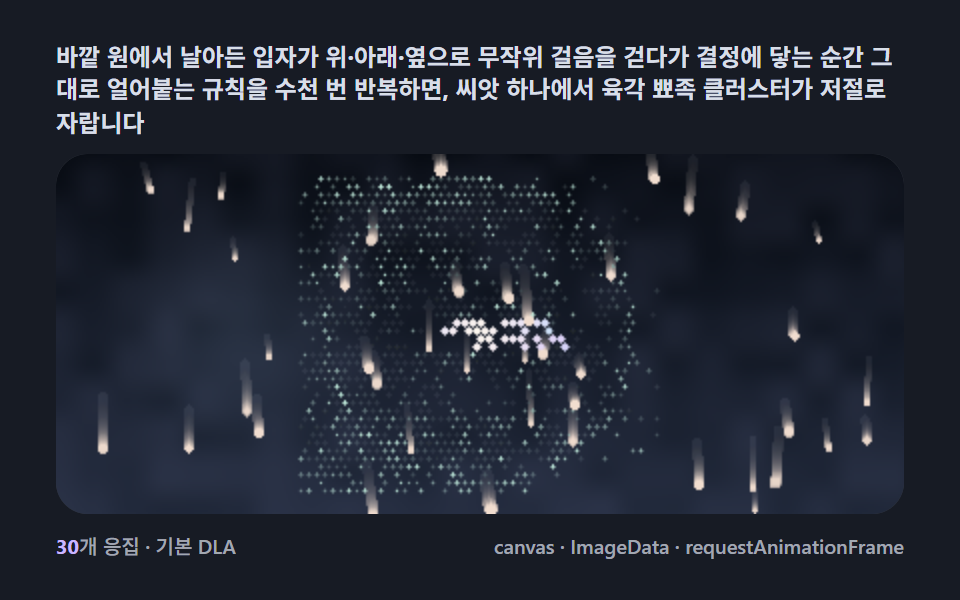 Creative UISnowflake Generator, 9 Ways (DLA, No Library)
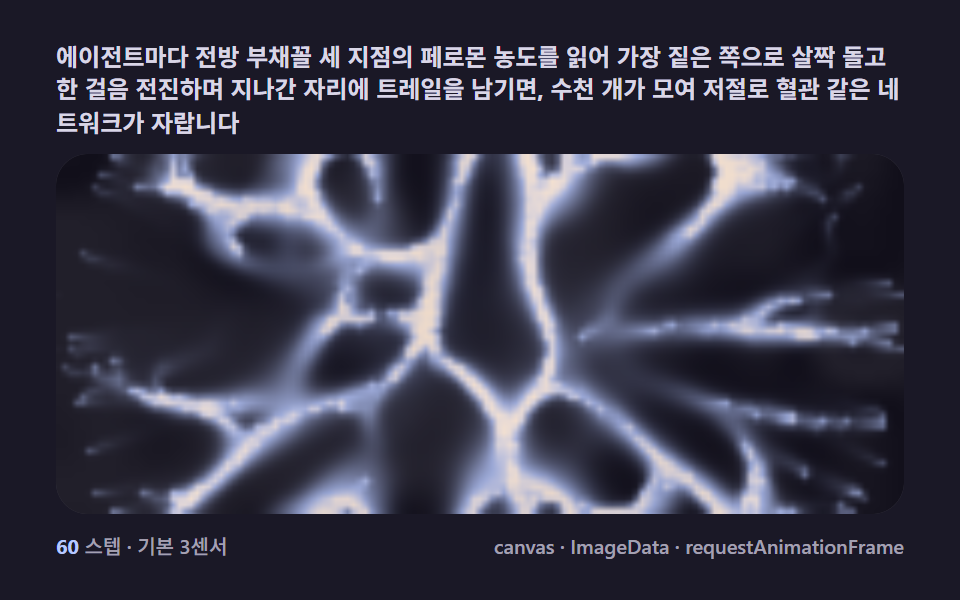 Creative UISlime Mold Simulation, 9 Ways (No Library)
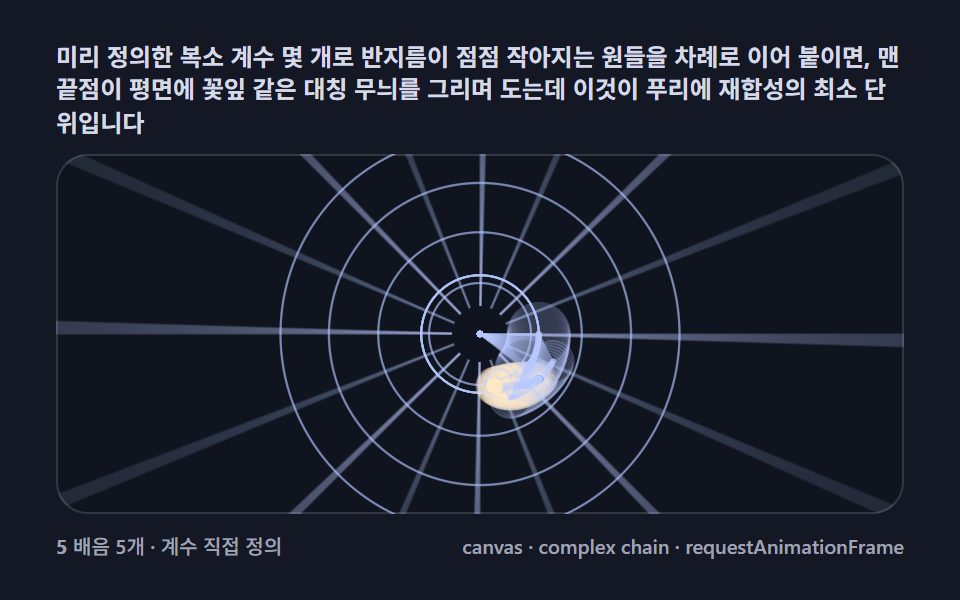 Creative UIFourier Epicycles, 9 Ways (No Library)
 Creative UIN Body Simulation, 9 Ways (Galaxy, No Library)
 Creative UIMandelbrot Zoom, 9 Ways (Escape-Time, No Library)
 Creative UILorenz Attractor: 9 Butterfly Chaos Demos
 Creative UIMagic Eye Stereograms: 9 Depth Map Demos
 Creative UIString Art: 9 Thread-Geometry Demos