9 Typing Indicator CSS Patterns (Chat UI)
One of nine typing indicators slows its avatar pulse as typing runs longer, one redraws a group name tag from remaining time, another recomputes voice bars
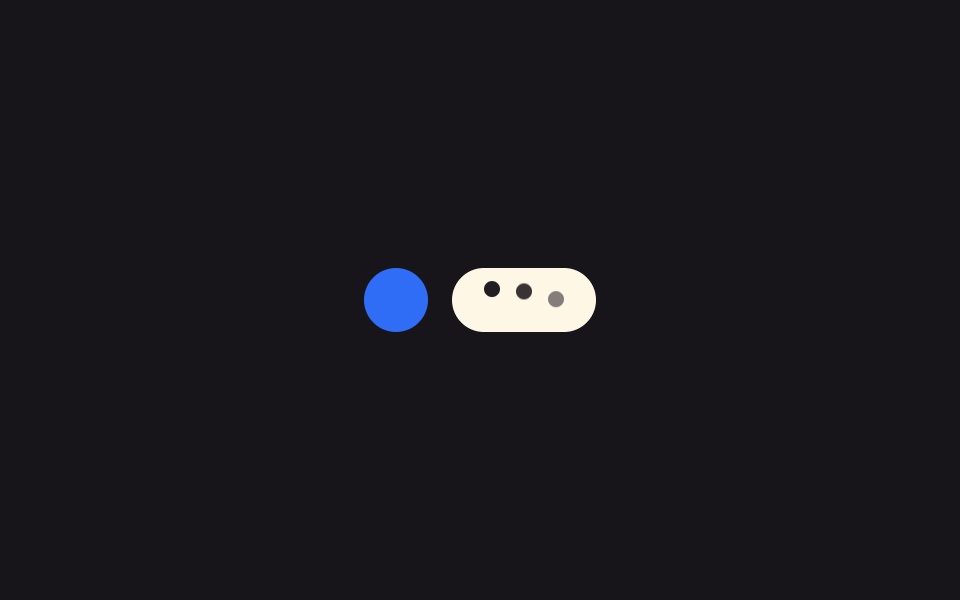 01 typing-indicator-dot-bounce-basic
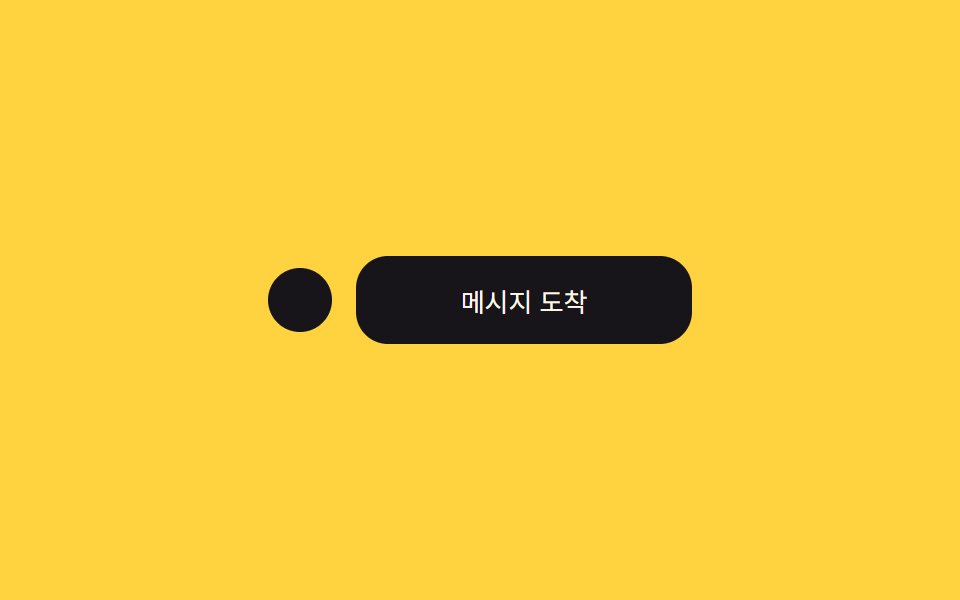 02 typing-indicator-bubble-morph-in
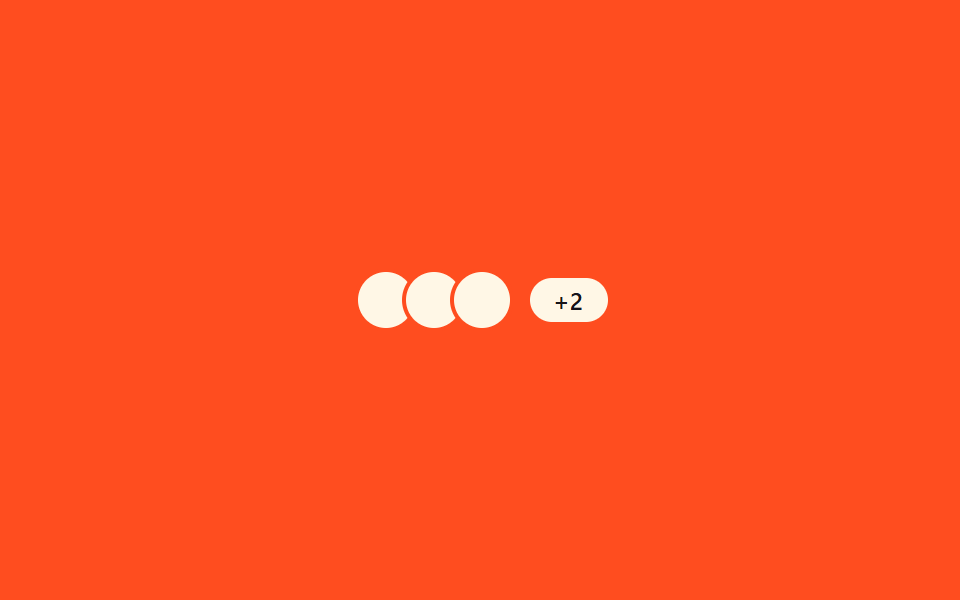 03 typing-indicator-multi-user-stack
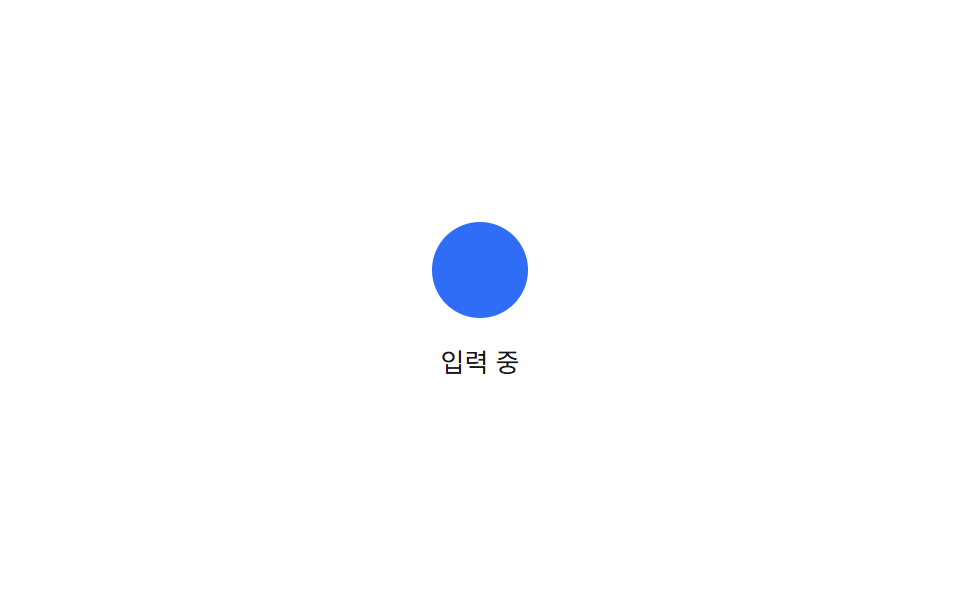 04 typing-indicator-avatar-pulse-sync
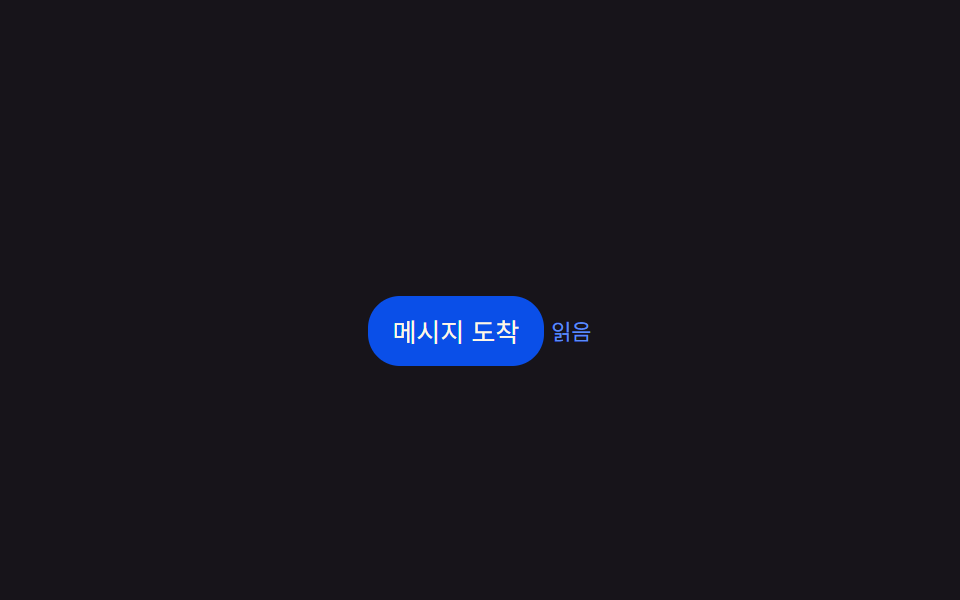 05 typing-indicator-read-receipt-merge
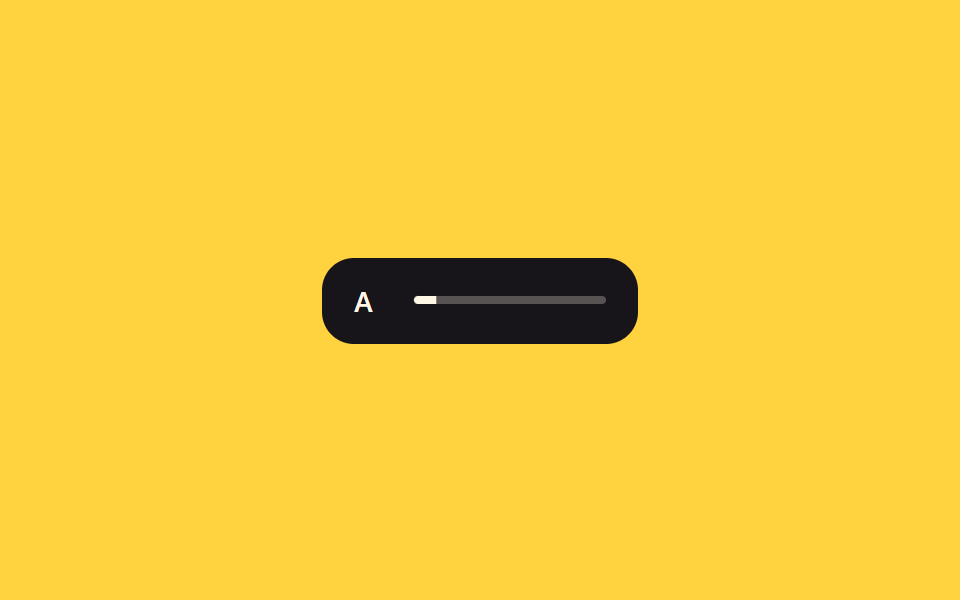 06 typing-indicator-group-chat-cycle
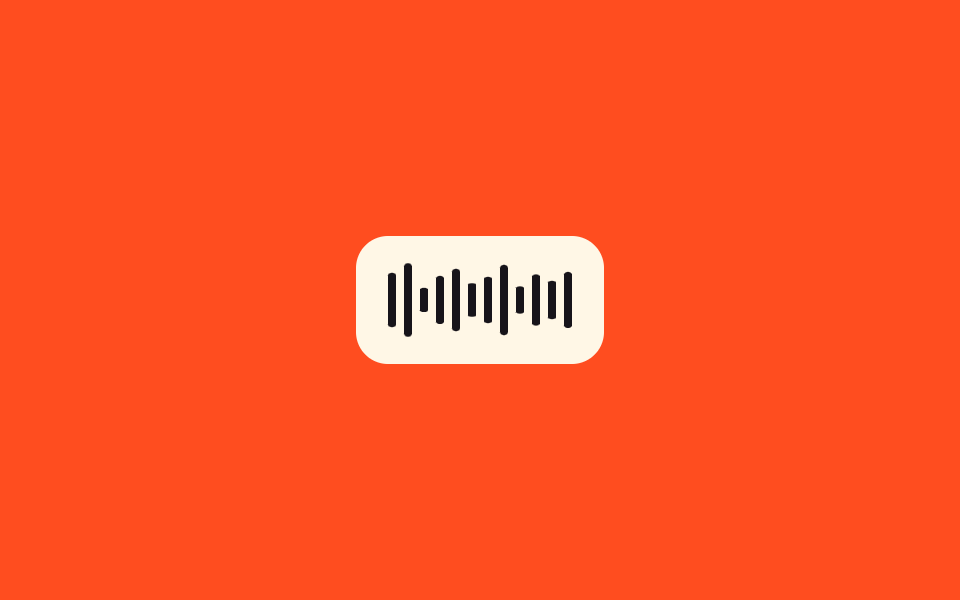 07 typing-indicator-voice-waveform
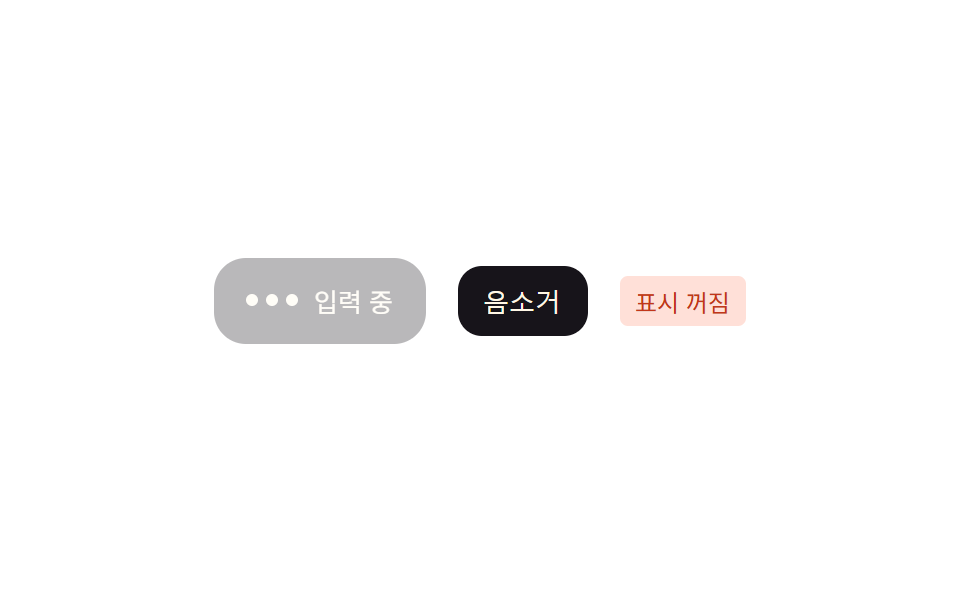 08 typing-indicator-mute-toggle-fade
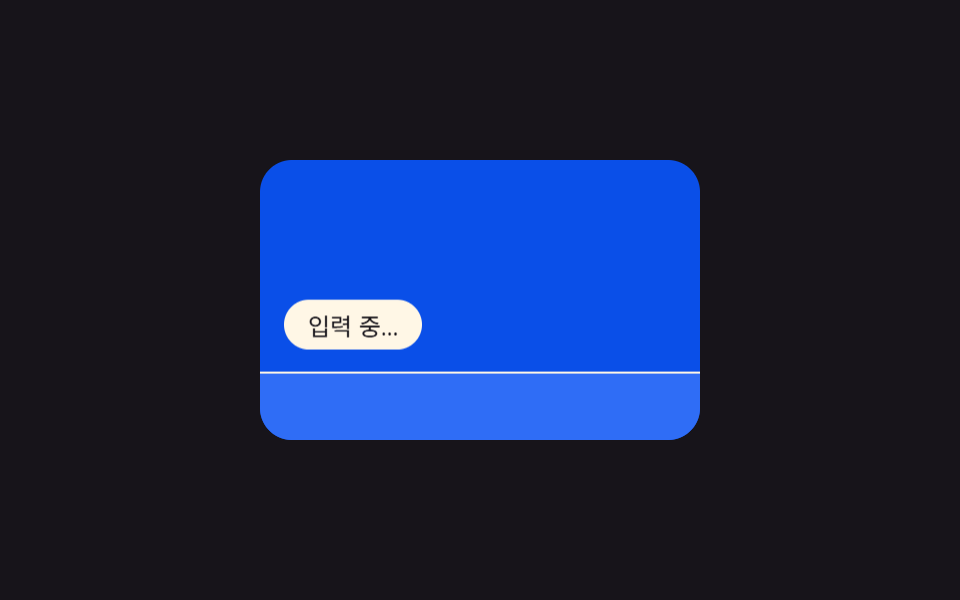 09 typing-indicator-keyboard-bar-hint
Auto-plays · click a tile to jump to its section · all nine in one zip
- 01 Three-dot bounce — a basic indicator staggered by index
- 02 Bubble morph — three dots merging into one bubble's size
- 03 Multi-user overlap — a row computing name-tag width from concurrent typers
- 04 Avatar pulse sync — a ring recomputing its beat from typing duration
- 05 Read-receipt merge — a label computing its merge moment from a time gap
- 06 Group chat cycle — a label redrawing width from remaining time as typers change
- 07 Voice-input waveform — bars redrawn from an amplitude array
- 08 Mute toggle — a switch interpolating opacity by its state value
- 09 Keyboard-bar hint — an indicator repositioned by a virtual keyboard height value
None of these nine screens is wired to a real messenger service — every sender name, avatar, and identity string on screen is fictional, and there is no live WebSocket connection or server call anywhere; typing, read, and muted states are simulated purely with timers, with a single comment marking exactly where a real real-time event would go in production. Items 01, 02, 03, 04, 05, 06, 07, and 09 run on timers or requestAnimationFrame cycling on a fixed period with zero click, drag, or pointer listeners attached; only 08 (mute toggle) carries a real click listener, replaying the same interpolation from the state at the moment it fires. Every item's data — intervals, periods, thresholds, and the amplitude array — is a fixed value, so the same scene reproduces on every load.
Anatomy of a typing indicator — what nine screens compute
Across the nine screens, the same handful of arithmetic moves keeps resurfacing under a different name — an index becomes a delay, a duration becomes a period, a count becomes a width — which is exactly what a typing indicator animation css pattern needs underneath whatever it looks like on screen.
Why three screens turn elapsed time into a delay, a period, or a height
Item 01 multiplies each dot's order index by a fixed interval to recompute its animation-delay, item 04 multiplies the elapsed tick count by a slowdown constant to recompute the avatar ring's beat period every 150ms, and item 09 runs an elapsed cycle position through an ease-in-out curve to recompute a virtual keyboard's height in pixels — three different outputs from the same habit of turning "how much time has passed" into a number the screen can use.
Why three screens interpolate or measure a width instead of switching instantly
Item 02 computes three dots' combined width and one bubble's width and interpolates between them by elapsed ratio, item 03 measures the "+N" label's real width per count via getBoundingClientRect and interpolates as the concurrent-typer count changes, and item 06 recomputes the ratio of a group chat name's remaining display time every frame and reflects it directly in a label's scaleX. None of the three swaps state with display: none — they all resize toward a target instead.
Why three screens map a threshold, an array index, or a click state onto what's visible
Item 05 measures the time gap between an indicator vanishing and a message arriving and compares it against a 400ms threshold to decide whether to merge two rows into one, item 07 reads a preset array of amplitude values in order on a fixed tick to recompute each waveform bar's height, and item 08 interpolates a card's opacity toward a target value based on which state a click just set. Item 05's fade itself runs on a CSS transition — its two setTimeout calls only flip the endpoint values — while items 04 and 07 update purely on setInterval, with no requestAnimationFrame in either file.
Code per screen
Every one of these nine keeps its typing indicator css and script inline in one file with no external stylesheet or class library to load first — the block below is the same css typing dots animation logic pasted straight out of that item's own index.html, not retyped from memory.
01Three-dot bounce — a basic indicator staggered by index
Once the typing state begins, each dot's bounce start time is recomputed by multiplying its order index by a fixed interval constant, so the three dots ripple in sequence rather than bouncing together. It suits the bubble at the bottom of a 1:1 chat, a customer-support widget.
<main class="stage">
<section class="panel">
  <div class="row">
    <span class="avatar" aria-hidden="true"></span>
    <div class="bubble" role="status" aria-live="polite" aria-label="Typing">
      <span class="dot" data-i="0"></span>
      <span class="dot" data-i="1"></span>
      <span class="dot" data-i="2"></span>
    </div>
  </div>
</section>
</main>
@use "../../../../site/static/demo-tokens" as *;
@include stage($stage-ink);
.panel {
display: flex;
flex-direction: column;
align-items: center;
gap: $sp-4;
}
.row {
display: flex;
align-items: center;
gap: $sp-3;
}
.avatar {
width: 32px;
height: 32px;
border-radius: $r-pill;
background: $subject-blue;
flex: none;
}
.bubble {
display: inline-flex;
align-items: center;
gap: $sp-2;
padding: $sp-3 $sp-4;
border-radius: $r-card;
background: $subject-cream;
}
.dot {
width: 8px;
height: 8px;
border-radius: 50%;
background: $subject-ink;
animation-name: dotBounce;
animation-duration: $dur-loop;
animation-timing-function: $ease-spring;
animation-iteration-count: infinite;
animation-delay: var(--delay, 0ms);
}
@keyframes dotBounce {
0%, 60%, 100% { transform: translateY(0); opacity: .5; }
30% { transform: translateY(-6px); opacity: 1; }
}
@media (max-width: 340px) {
.bubble { padding: $sp-2 $sp-3; gap: $sp-1; }
.avatar { width: 26px; height: 26px; }
}
@media (prefers-reduced-motion: reduce) {
.dot { animation: none; opacity: .8; transform: none; }
}html, body {
margin: 0;
overflow: hidden;
}
.stage {
box-sizing: border-box;
min-height: 100vh;
display: grid;
place-items: center;
margin: 0;
background: #17141a;
font-family: -apple-system, "Segoe UI", "Noto Sans KR", sans-serif;
padding: clamp(8px, 4vw, 24px);
}
.panel {
display: flex;
flex-direction: column;
align-items: center;
gap: 16px;
}
.row {
display: flex;
align-items: center;
gap: 12px;
}
.avatar {
width: 32px;
height: 32px;
border-radius: 999px;
background: #2f6df6;
flex: none;
}
.bubble {
display: inline-flex;
align-items: center;
gap: 8px;
padding: 12px 16px;
border-radius: 16px;
background: #fff7e6;
}
.dot {
width: 8px;
height: 8px;
border-radius: 50%;
background: #17141a;
animation-name: dotBounce;
animation-duration: 2s;
animation-timing-function: cubic-bezier(0.2, 0.8, 0.2, 1);
animation-iteration-count: infinite;
animation-delay: var(--delay, 0ms);
}
@keyframes dotBounce {
0%, 60%, 100% {
transform: translateY(0);
opacity: 0.5;
}
30% {
transform: translateY(-6px);
opacity: 1;
}
}
@media (max-width: 340px) {
.bubble {
padding: 8px 12px;
gap: 4px;
}
.avatar {
width: 26px;
height: 26px;
}
}
@media (prefers-reduced-motion: reduce) {
.dot {
animation: none;
opacity: 0.8;
transform: none;
}
}// 점 3개 바운스 — 각 점이 튀어 오르는 시작 시점을 점의 순서(index) 값에 간격을 곱해 다시 구한다.
// 계산 겹: 인덱스 × 간격(ms) → animation-delay 재계산(setProperty). 자동 재생만, 실사용자 리스너 없음.
(function () {
var DOT_STAGGER_MS = 120;
var dots = document.querySelectorAll('.dot');
if (!dots.length) return;
dots.forEach(function (dot) {
  var i = Number(dot.dataset.i || 0);
  dot.style.setProperty('--delay', (i * DOT_STAGGER_MS) + 'ms');
});
})();import { useEffect, useRef } from "react";
import styles from "./TypingDotBounceBasic.module.scss";
// 점 3개 바운스 — 각 점이 튀어 오르는 시작 시점을 점의 순서(index) 값에 간격을 곱해 다시 구한다.
// 계산 겹: 인덱스 × 간격(ms) → animation-delay 재계산(setProperty). 자동 재생만, 실사용자 리스너 없음.
const DOT_STAGGER_MS = 120;
export default function TypingDotBounceBasic() {
const dot0Ref = useRef<HTMLSpanElement>(null);
const dot1Ref = useRef<HTMLSpanElement>(null);
const dot2Ref = useRef<HTMLSpanElement>(null);
useEffect(() => {
const dots = [dot0Ref.current, dot1Ref.current, dot2Ref.current];
dots.forEach((dot, i) => {
if (!dot) return;
dot.style.setProperty("--delay", i * DOT_STAGGER_MS + "ms");
});
}, []);
return (
<div className={styles.stage}>
<section className={styles.panel}>
<div className={styles.row}>
<span className={styles.avatar} aria-hidden="true" />
<div className={styles.bubble} role="status" aria-live="polite" aria-label="입력 중">
<span ref={dot0Ref} className={styles.dot} />
<span ref={dot1Ref} className={styles.dot} />
<span ref={dot2Ref} className={styles.dot} />
</div>
</div>
</section>
</div>
);
}01 · Three-dot bounce — a basic indicator staggered by index — Measured area 0.225% · moving frames 15/23Original by GODRICH · SCSS and React ship in the zip · See the password
What the numbers say
Cumulative area is 0.23% across 15 of 23 frame deltas at an average intensity of 60.4 — three small dots naturally occupy few pixels, so the smallest cumulative area of the nine reflects the subject, not a shortfall.
var DOT_STAGGER_MS = 120;
var dots = document.querySelectorAll('.dot');
if (!dots.length) return;
dots.forEach(function (dot) {
var i = Number(dot.dataset.i || 0);
dot.style.setProperty('--delay', (i * DOT_STAGGER_MS) + 'ms');
});
02Bubble morph — three dots merging into one bubble's size
When the typing state ends, the combined width of the three dots interpolates toward a single bubble's width with ease-out cubic easing, and the message content takes over exactly when the interpolation finishes. It suits a messenger app's live conversation screen, human-to-human chat (not a bot).
<main class="stage">
<section class="panel">
  <div class="row">
    <span class="avatar" aria-hidden="true"></span>
    <div class="bubble" id="bubble" role="status" aria-live="polite">
      <span class="dots" id="dots">
        <span class="dot"></span><span class="dot"></span><span class="dot"></span>
      </span>
      <span class="msg" id="msg">Message received</span>
    </div>
  </div>
</section>
</main>
@use "../../../../site/static/demo-tokens" as *;
@include stage($stage-yellow);
.panel { display: flex; flex-direction: column; align-items: center; gap: $sp-4; }
.row { display: flex; align-items: center; gap: $sp-3; }
.avatar { width: 32px; height: 32px; border-radius: $r-pill; background: $subject-ink; flex: none; }
// --w 는 점 3개의 합산 폭에서 메시지 폭까지 JS 가 매 프레임 재계산해 넣는 값(px, 단위 없이 저장)
.bubble {
position: relative;
height: 44px;
width: calc(var(--w, 56) * 1px);
border-radius: $r-card;
background: $subject-ink;
overflow: hidden;
}
.dots, .msg {
position: absolute;
inset: 0;
display: flex;
align-items: center;
justify-content: center;
gap: $sp-2;
}
.dot {
width: 8px;
height: 8px;
border-radius: 50%;
background: $subject-cream;
}
.msg {
color: $subject-cream;
font-size: 13px;
white-space: nowrap;
padding: 0 $sp-3;
opacity: 0;
}
@media (max-width: 340px) {
.bubble { height: 38px; }
.avatar { width: 26px; height: 26px; }
.msg { font-size: 12px; }
}
@media (prefers-reduced-motion: reduce) {
.dots, .msg { transition: none; }
}html, body {
margin: 0;
overflow: hidden;
}
.stage {
box-sizing: border-box;
min-height: 100vh;
display: grid;
place-items: center;
margin: 0;
background: #ffd23f;
font-family: -apple-system, "Segoe UI", "Noto Sans KR", sans-serif;
padding: clamp(8px, 4vw, 24px);
}
.panel {
display: flex;
flex-direction: column;
align-items: center;
gap: 16px;
}
.row {
display: flex;
align-items: center;
gap: 12px;
}
.avatar {
width: 32px;
height: 32px;
border-radius: 999px;
background: #17141a;
flex: none;
}
.bubble {
position: relative;
height: 44px;
width: calc(var(--w, 56) * 1px);
border-radius: 16px;
background: #17141a;
overflow: hidden;
}
.dots, .msg {
position: absolute;
inset: 0;
display: flex;
align-items: center;
justify-content: center;
gap: 8px;
}
.dot {
width: 8px;
height: 8px;
border-radius: 50%;
background: #fff7e6;
}
.msg {
color: #fff7e6;
font-size: 13px;
white-space: nowrap;
padding: 0 12px;
opacity: 0;
}
@media (max-width: 340px) {
.bubble {
height: 38px;
}
.avatar {
width: 26px;
height: 26px;
}
.msg {
font-size: 12px;
}
}
@media (prefers-reduced-motion: reduce) {
.dots, .msg {
transition: none;
}
}// 말풍선 모핑 — 점 세 개의 합산 너비 값을 말풍선 하나의 너비 값으로 보간한다.
// 계산 겹: 경과 비율 → 너비 값(px) 재계산 → CSS 커스텀 프로퍼티(--w)에 반영. 자동 재생만, 실사용자 리스너 없음.
(function () {
var bubble = document.getElementById('bubble');
var dots = document.getElementById('dots');
var msg = document.getElementById('msg');
if (!bubble || !dots || !msg) return;
var DOT_W = 56;
var MSG_W = 168;
var CYCLE_MS = 2000;
var MORPH_START = 0.10 * CYCLE_MS;
var MORPH_MS = 640;
var REVERT_AT = 0.62 * CYCLE_MS;

function easeOut(p) { return 1 - Math.pow(1 - p, 3); }

function apply(t) {
  var inMorph = t >= MORPH_START && t < REVERT_AT;
  var p = Math.min(Math.max((t - MORPH_START) / MORPH_MS, 0), 1);
  var eased = easeOut(p);
  var w = inMorph ? DOT_W + (MSG_W - DOT_W) * eased : DOT_W;
  bubble.style.setProperty('--w', w.toFixed(1));
  var done = inMorph && p >= 1;
  dots.style.opacity = done ? '0' : '1';
  msg.style.opacity = done ? '1' : '0';
}
apply(0);
var reduce = window.matchMedia('(prefers-reduced-motion: reduce)').matches;
if (reduce) { bubble.style.setProperty('--w', DOT_W); return; }
var start = null;
function loop(ts) {
if (start === null) start = ts;
var t = (ts - start) % CYCLE_MS;
apply(t);
requestAnimationFrame(loop);
}
requestAnimationFrame(loop);
})();import { useEffect, useRef } from "react";
import styles from "./TypingBubbleMorphIn.module.scss";
// 말풍선 모핑 — 점 세 개의 합산 너비 값을 말풍선 하나의 너비 값으로 보간한다.
// 계산 겹: 경과 비율 → 너비 값(px) 재계산 → CSS 커스텀 프로퍼티(--w)에 반영. 자동 재생만, 실사용자 리스너 없음.
const DOT_W = 56;
const MSG_W = 168;
const CYCLE_MS = 2000;
const MORPH_START = 0.10 * CYCLE_MS;
const MORPH_MS = 640;
const REVERT_AT = 0.62 * CYCLE_MS;
function easeOut(p: number) {
return 1 - Math.pow(1 - p, 3);
}
export default function TypingBubbleMorphIn() {
const bubbleRef = useRef<HTMLDivElement>(null);
const dotsRef = useRef<HTMLSpanElement>(null);
const msgRef = useRef<HTMLSpanElement>(null);
useEffect(() => {
const bubble = bubbleRef.current;
const dots = dotsRef.current;
const msg = msgRef.current;
if (!bubble || !dots || !msg) return;
function apply(t: number) {
const inMorph = t >= MORPH_START && t < REVERT_AT;
const p = Math.min(Math.max((t - MORPH_START) / MORPH_MS, 0), 1);
const eased = easeOut(p);
const w = inMorph ? DOT_W + (MSG_W - DOT_W) * eased : DOT_W;
bubble!.style.setProperty("--w", w.toFixed(1));
const done = inMorph && p >= 1;
dots!.style.opacity = done ? "0" : "1";
msg!.style.opacity = done ? "1" : "0";
}
apply(0);
const reduce = window.matchMedia("(prefers-reduced-motion: reduce)").matches;
if (reduce) {
bubble.style.setProperty("--w", String(DOT_W));
return;
}
let start: number | null = null;
let raf = 0;
function loop(ts: number) {
if (start === null) start = ts;
const t = (ts - start) % CYCLE_MS;
apply(t);
raf = requestAnimationFrame(loop);
}
raf = requestAnimationFrame(loop);
return () => cancelAnimationFrame(raf);
}, []);
return (
<div className={styles.stage}>
<section className={styles.panel}>
<div className={styles.row}>
<span className={styles.avatar} aria-hidden="true" />
<div ref={bubbleRef} className={styles.bubble} role="status" aria-live="polite">
<span ref={dotsRef} className={styles.dots}>
<span className={styles.dot} />
<span className={styles.dot} />
<span className={styles.dot} />
</span>
<span ref={msgRef} className={styles.msg}>메시지 도착</span>
</div>
</div>
</section>
</div>
);
}02 · Bubble morph — three dots merging into one bubble's size — Measured area 4.594% · moving frames 13/23Original by GODRICH · SCSS and React ship in the zip · See the password
What the numbers say
Cumulative area is 4.59% across 13 of 23 frame deltas, the highest average intensity of the nine at 191.1 — the width interpolation moves a meaningful block of pixels on every tick it's active rather than a thin outline.
var DOT_W = 56;
var MSG_W = 168;
var CYCLE_MS = 2000;
var MORPH_START = 0.10 * CYCLE_MS;
var MORPH_MS = 640;
var REVERT_AT = 0.62 * CYCLE_MS;
function easeOut(p) { return 1 - Math.pow(1 - p, 3); }
function apply(t) {
var inMorph = t >= MORPH_START && t < REVERT_AT;
var p = Math.min(Math.max((t - MORPH_START) / MORPH_MS, 0), 1);
var eased = easeOut(p);
var w = inMorph ? DOT_W + (MSG_W - DOT_W) * eased : DOT_W;
bubble.style.setProperty('--w', w.toFixed(1));
var done = inMorph && p >= 1;
dots.style.opacity = done ? '0' : '1';
msg.style.opacity = done ? '1' : '0';
}
03Multi-user overlap — a row computing name-tag width from concurrent typers
When two or more people are typing at once, the row keeps one name and counts the rest instead of listing every person, recomputing the "+N" badge's width from a real measured value each time the count changes. It suits the top of a group chat room, co-editor indicators in collaborative docs.
<main class="stage">
<section class="panel">
  <div class="row" role="status" aria-live="polite" aria-label="Multiple people typing">
    <div class="avatars">
      <span class="avatar avatar--1" aria-hidden="true"></span>
      <span class="avatar avatar--2" aria-hidden="true"></span>
      <span class="avatar avatar--3" aria-hidden="true"></span>
    </div>
    <span class="badge" id="badge">+2</span>
  </div>
  <span class="measure" id="measure" aria-hidden="true">+2</span>
</section>
</main>
@use "../../../../site/static/demo-tokens" as *;
@include stage($stage-orange);
.panel { display: flex; flex-direction: column; align-items: center; gap: $sp-3; }
.row { display: flex; align-items: center; gap: $sp-2; }
.avatars { display: flex; }
.avatar {
width: 28px;
height: 28px;
border-radius: $r-pill;
background: $subject-cream;
border: 2px solid $stage-orange;
margin-left: -$sp-2;
}
.avatar--1 { margin-left: 0; }
// --bw 는 배지 텍스트("+N")의 실측 너비(px, 단위 없이 저장)에서 다음 단계 너비로 보간되는 값
.badge {
display: inline-flex;
align-items: center;
justify-content: center;
height: 22px;
width: calc((var(--bw, 20) * 1px) + #{$sp-3 * 2});
border-radius: $r-pill;
background: $subject-cream;
color: $subject-ink;
font-size: 12px;
font-weight: 600;
}
.measure {
position: absolute;
visibility: hidden;
pointer-events: none;
white-space: nowrap;
font-size: 12px;
font-weight: 600;
}
@media (max-width: 340px) {
.avatar { width: 22px; height: 22px; }
.badge { height: 18px; font-size: 11px; }
}
@media (prefers-reduced-motion: reduce) {
.badge { transition: none; }
}html, body {
margin: 0;
overflow: hidden;
}
.stage {
box-sizing: border-box;
min-height: 100vh;
display: grid;
place-items: center;
margin: 0;
background: #ff4d1f;
font-family: -apple-system, "Segoe UI", "Noto Sans KR", sans-serif;
padding: clamp(8px, 4vw, 24px);
}
.panel {
display: flex;
flex-direction: column;
align-items: center;
gap: 12px;
}
.row {
display: flex;
align-items: center;
gap: 8px;
}
.avatars {
display: flex;
}
.avatar {
width: 28px;
height: 28px;
border-radius: 999px;
background: #fff7e6;
border: 2px solid #ff4d1f;
margin-left: -8px;
}
.avatar--1 {
margin-left: 0;
}
.badge {
display: inline-flex;
align-items: center;
justify-content: center;
height: 22px;
width: calc(var(--bw, 20) * 1px + 24px);
border-radius: 999px;
background: #fff7e6;
color: #17141a;
font-size: 12px;
font-weight: 600;
}
.measure {
position: absolute;
visibility: hidden;
pointer-events: none;
white-space: nowrap;
font-size: 12px;
font-weight: 600;
}
@media (max-width: 340px) {
.avatar {
width: 22px;
height: 22px;
}
.badge {
height: 18px;
font-size: 11px;
}
}
@media (prefers-reduced-motion: reduce) {
.badge {
transition: none;
}
}// 다중 사용자 겹침 — 동시 입력자 수가 바뀔 때마다 라벨 텍스트의 실제 렌더 너비를 재고 그 값으로 배지 너비를 다시 그린다.
// 계산 겹: 인원 수 → 라벨 텍스트 → getBoundingClientRect 실측 폭 → 배지 너비 보간. 자동 재생만, 실사용자 리스너 없음.
(function () {
var badge = document.getElementById('badge');
var measure = document.getElementById('measure');
if (!badge || !measure) return;
var COUNTS = [2, 3, 4];
var HOLD_MS = 620;
var MORPH_MS = 300;

function widthFor(n) {
  measure.textContent = '+' + n;
  return measure.getBoundingClientRect().width;
}

var widths = COUNTS.map(widthFor);
var CYCLE_MS = HOLD_MS * COUNTS.length;

function apply(t) {
  var phase = Math.floor(t / HOLD_MS) % COUNTS.length;
  var next = (phase + 1) % COUNTS.length;
  var phaseT = t % HOLD_MS;
  var p = Math.min(phaseT / MORPH_MS, 1);
  var w = widths[phase] + (widths[next] - widths[phase]) * p;
  badge.style.setProperty('--bw', w.toFixed(1));
  badge.textContent = '+' + COUNTS[phase];
}
apply(0);
var reduce = window.matchMedia('(prefers-reduced-motion: reduce)').matches;
if (reduce) { badge.style.setProperty('--bw', widths[0]); badge.textContent = '+' + COUNTS[0]; return; }
var start = null;
function loop(ts) {
if (start === null) start = ts;
var t = (ts - start) % CYCLE_MS;
apply(t);
requestAnimationFrame(loop);
}
requestAnimationFrame(loop);
})();import { useEffect, useRef } from "react";
import styles from "./TypingMultiUserStack.module.scss";
// 다중 사용자 겹침 — 동시 입력자 수가 바뀔 때마다 라벨 텍스트의 실제 렌더 너비를 재고 그 값으로 배지 너비를 다시 그린다.
// 계산 겹: 인원 수 → 라벨 텍스트 → getBoundingClientRect 실측 폭 → 배지 너비 보간. 자동 재생만, 실사용자 리스너 없음.
const COUNTS = [2, 3, 4];
const HOLD_MS = 620;
const MORPH_MS = 300;
export default function TypingMultiUserStack() {
const badgeRef = useRef<HTMLSpanElement>(null);
const measureRef = useRef<HTMLSpanElement>(null);
useEffect(() => {
const badge = badgeRef.current;
const measure = measureRef.current;
if (!badge || !measure) return;
function widthFor(n: number) {
measure!.textContent = "+" + n;
return measure!.getBoundingClientRect().width;
}
const widths = COUNTS.map(widthFor);
const CYCLE_MS = HOLD_MS * COUNTS.length;
function apply(t: number) {
const phase = Math.floor(t / HOLD_MS) % COUNTS.length;
const next = (phase + 1) % COUNTS.length;
const phaseT = t % HOLD_MS;
const p = Math.min(phaseT / MORPH_MS, 1);
const w = widths[phase] + (widths[next] - widths[phase]) * p;
badge!.style.setProperty("--bw", w.toFixed(1));
badge!.textContent = "+" + COUNTS[phase];
}
apply(0);
const reduce = window.matchMedia("(prefers-reduced-motion: reduce)").matches;
if (reduce) {
badge.style.setProperty("--bw", String(widths[0]));
badge.textContent = "+" + COUNTS[0];
return;
}
let start: number | null = null;
let raf = 0;
function loop(ts: number) {
if (start === null) start = ts;
const t = (ts - start) % CYCLE_MS;
apply(t);
raf = requestAnimationFrame(loop);
}
raf = requestAnimationFrame(loop);
return () => cancelAnimationFrame(raf);
}, []);
return (
<div className={styles.stage}>
<section className={styles.panel}>
<div className={styles.row} role="status" aria-live="polite" aria-label="동시 입력 중">
<div className={styles.avatars}>
<span className={`${styles.avatar} ${styles["avatar--1"]}`} aria-hidden="true" />
<span className={`${styles.avatar} ${styles["avatar--2"]}`} aria-hidden="true" />
<span className={`${styles.avatar} ${styles["avatar--3"]}`} aria-hidden="true" />
</div>
<span ref={badgeRef} className={styles.badge}>+2</span>
</div>
<span ref={measureRef} className={styles.measure} aria-hidden="true">+2</span>
</section>
</div>
);
}03 · Multi-user overlap — a row computing name-tag width from concurrent typers — Measured area 0.337% · moving frames 6/23Original by GODRICH · SCSS and React ship in the zip · See the password
What the numbers say
Cumulative area is 0.34% across 6 of 23 frame deltas at an average intensity of 105.7 — the fewest moved frames of the nine, since the badge only redraws on the three count changes in its cycle rather than every tick.
var COUNTS = [2, 3, 4];
var HOLD_MS = 620;
var MORPH_MS = 300;
function widthFor(n) {
measure.textContent = '+' + n;
return measure.getBoundingClientRect().width;
}
var widths = COUNTS.map(widthFor);
var CYCLE_MS = HOLD_MS * COUNTS.length;
function apply(t) {
var phase = Math.floor(t / HOLD_MS) % COUNTS.length;
var next = (phase + 1) % COUNTS.length;
var phaseT = t % HOLD_MS;
var p = Math.min(phaseT / MORPH_MS, 1);
var w = widths[phase] + (widths[next] - widths[phase]) * p;
badge.style.setProperty('--bw', w.toFixed(1));
badge.textContent = '+' + COUNTS[phase];
}
04Avatar pulse sync — a ring recomputing its beat from typing duration
The longer typing continues, the avatar ring's beat period slows in proportion to elapsed duration, and once typing stops the period eases back to its original value on the next cycle. It suits a video-call chat sidebar, participant lists in real-time collaboration tools.
<main class="stage">
<section class="panel">
  <div class="avatarWrap">
    <span class="avatar" aria-hidden="true"></span>
    <span class="ring" id="ring" aria-hidden="true"></span>
  </div>
  <span class="status" id="status" role="status" aria-live="polite">Typing</span>
</section>
</main>
@use "../../../../site/static/demo-tokens" as *;
@include stage($stage-paper);
.panel { display: flex; flex-direction: column; align-items: center; gap: $sp-3; }
.avatarWrap { position: relative; width: 48px; height: 48px; }
.avatar {
position: absolute;
inset: 0;
border-radius: $r-pill;
background: $subject-blue;
}
// --period 는 입력 지속 시간(초)에 비례해 setInterval 이 다시 계산해 넣는 박동 주기 값
.ring {
position: absolute;
inset: -6px;
border-radius: $r-pill;
border: 2px solid $subject-blue;
opacity: 0;
animation-duration: var(--period, 900ms);
animation-timing-function: $ease-out;
animation-iteration-count: infinite;
}
.ring.is-typing { animation-name: ringPulse; }
@keyframes ringPulse {
0% { transform: scale(1); opacity: .9; }
100% { transform: scale(1.4); opacity: 0; }
}
.status {
font-size: 13px;
color: $subject-ink;
}
@media (max-width: 340px) {
.avatarWrap { width: 40px; height: 40px; }
}
@media (prefers-reduced-motion: reduce) {
.ring { animation: none; opacity: 0; }
}html, body {
margin: 0;
overflow: hidden;
}
.stage {
box-sizing: border-box;
min-height: 100vh;
display: grid;
place-items: center;
margin: 0;
background: #ffffff;
font-family: -apple-system, "Segoe UI", "Noto Sans KR", sans-serif;
padding: clamp(8px, 4vw, 24px);
}
.panel {
display: flex;
flex-direction: column;
align-items: center;
gap: 12px;
}
.avatarWrap {
position: relative;
width: 48px;
height: 48px;
}
.avatar {
position: absolute;
inset: 0;
border-radius: 999px;
background: #2f6df6;
}
.ring {
position: absolute;
inset: -6px;
border-radius: 999px;
border: 2px solid #2f6df6;
opacity: 0;
animation-duration: var(--period, 900ms);
animation-timing-function: ease-out;
animation-iteration-count: infinite;
}
.ring.is-typing {
animation-name: ringPulse;
}
@keyframes ringPulse {
0% {
transform: scale(1);
opacity: 0.9;
}
100% {
transform: scale(1.4);
opacity: 0;
}
}
.status {
font-size: 13px;
color: #17141a;
}
@media (max-width: 340px) {
.avatarWrap {
width: 40px;
height: 40px;
}
}
@media (prefers-reduced-motion: reduce) {
.ring {
animation: none;
opacity: 0;
}
}// 아바타 펄스 동기화 — 입력이 지속된 시간이 길수록 박동 주기를 지속 시간 값에 비례해 다시 구한다.
// 계산 겹: 지속 시간(초, 데모 배속) → 주기(ms) 재계산 → setInterval 로 --period 갱신. 자동 재생만, 실사용자 리스너 없음.
(function () {
var ring = document.getElementById('ring');
var status = document.getElementById('status');
if (!ring || !status) return;
var BASE_PERIOD_MS = 900;
var PULSE_SLOWDOWN_MS_PER_SEC = 40;
var TICK_MS = 150;
var MAX_TICKS = 8;

var tick = 0;
ring.style.setProperty('--period', BASE_PERIOD_MS + 'ms');

function step() {
  tick = (tick + 1) % (MAX_TICKS + 1);
  var typing = tick > 0;
  var period = BASE_PERIOD_MS + tick * PULSE_SLOWDOWN_MS_PER_SEC;
  ring.style.setProperty('--period', period + 'ms');
  ring.classList.toggle('is-typing', typing);
  status.textContent = typing ? 'Typing' : 'Idle';
}
var reduce = window.matchMedia('(prefers-reduced-motion: reduce)').matches;
if (reduce) { status.textContent = 'Idle'; return; }
setInterval(step, TICK_MS);
})();import { useEffect, useRef } from "react";
import styles from "./TypingAvatarPulseSync.module.scss";
// 아바타 펄스 동기화 — 입력이 지속된 시간이 길수록 박동 주기를 지속 시간 값에 비례해 다시 구한다.
// 계산 겹: 지속 시간(초, 데모 배속) → 주기(ms) 재계산 → setInterval 로 --period 갱신. 자동 재생만, 실사용자 리스너 없음.
const BASE_PERIOD_MS = 900;
const PULSE_SLOWDOWN_MS_PER_SEC = 40;
const TICK_MS = 150;
const MAX_TICKS = 8;
export default function TypingAvatarPulseSync() {
const ringRef = useRef<HTMLSpanElement>(null);
const statusRef = useRef<HTMLSpanElement>(null);
useEffect(() => {
const ring = ringRef.current;
const status = statusRef.current;
if (!ring || !status) return;
let tick = 0;
ring.style.setProperty("--period", BASE_PERIOD_MS + "ms");
function step() {
tick = (tick + 1) % (MAX_TICKS + 1);
const typing = tick > 0;
const period = BASE_PERIOD_MS + tick * PULSE_SLOWDOWN_MS_PER_SEC;
ring!.style.setProperty("--period", period + "ms");
ring!.classList.toggle(styles["is-typing"], typing);
status!.textContent = typing ? "입력 중" : "대기";
}
const reduce = window.matchMedia("(prefers-reduced-motion: reduce)").matches;
if (reduce) {
status.textContent = "대기";
return;
}
const id = setInterval(step, TICK_MS);
return () => clearInterval(id);
}, []);
return (
<div className={styles.stage}>
<section className={styles.panel}>
<div className={styles.avatarWrap}>
<span className={styles.avatar} aria-hidden="true" />
<span ref={ringRef} className={styles.ring} aria-hidden="true" />
</div>
<span ref={statusRef} className={styles.status} role="status" aria-live="polite">입력 중</span>
</section>
</div>
);
}04 · Avatar pulse sync — a ring recomputing its beat from typing duration — Measured area 2.16% · moving frames 19/23Original by GODRICH · SCSS and React ship in the zip · See the password
What the numbers say
Cumulative area is 2.16% across 19 of 23 frame deltas, the lowest average intensity of the nine at 55.9 — the ring's pulse touches a thin outline rather than a filled area, so a low intensity per moved frame is structural.
var BASE_PERIOD_MS = 900;
var PULSE_SLOWDOWN_MS_PER_SEC = 40;
var TICK_MS = 150;
var MAX_TICKS = 8;
var tick = 0;
ring.style.setProperty('--period', BASE_PERIOD_MS + 'ms');
function step() {
tick = (tick + 1) % (MAX_TICKS + 1);
var typing = tick > 0;
var period = BASE_PERIOD_MS + tick * PULSE_SLOWDOWN_MS_PER_SEC;
ring.style.setProperty('--period', period + 'ms');
ring.classList.toggle('is-typing', typing);
status.textContent = typing ? 'Typing' : 'Idle';
}
05Read-receipt merge — a label computing its merge moment from a time gap
The gap between when the typing indicator vanishes and the message arrives is measured in milliseconds, and once that gap lands under a set threshold the indicator and the read-receipt label merge into one slot instead of showing separately. It suits the bottom of a 1:1 chat's message list, a conversation with notification badges.
<main class="stage">
<section class="panel">
  <div class="thread">
    <div class="dots" id="dots">
      <span class="dot"></span><span class="dot"></span><span class="dot"></span>
    </div>
    <div class="msgRow" id="msgRow">
      <span class="msg">Message received</span>
      <span class="receipt" id="receipt">Read</span>
    </div>
  </div>
  <span class="sr" id="live" role="status" aria-live="polite"></span>
</section>
</main>
@use "../../../../site/static/demo-tokens" as *;
@include stage($stage-ink);
.panel { display: flex; flex-direction: column; align-items: center; gap: $sp-3; }
.thread { display: flex; flex-direction: column; align-items: flex-end; gap: $sp-2; min-height: 40px; }
.dots {
display: inline-flex;
align-items: center;
gap: $sp-2;
padding: $sp-2 $sp-3;
border-radius: $r-card;
background: $subject-cream;
transition: opacity $dur-base $ease-out;
}
.dot { width: 6px; height: 6px; border-radius: 50%; background: $subject-ink; }
.msgRow {
display: inline-flex;
align-items: center;
gap: $sp-2;
opacity: 0;
transition: opacity $dur-base $ease-out;
}
.msg {
padding: $sp-2 $sp-3;
border-radius: $r-card;
background: $subject-blue-deep;
color: $subject-cream;
font-size: 13px;
}
.receipt {
font-size: 11px;
color: $subject-blue-light;
}
.receipt.is-merged {
margin-left: -$sp-1;
}
.sr {
position: absolute;
width: 1px;
height: 1px;
padding: 0;
margin: -1px;
overflow: hidden;
clip: rect(0, 0, 0, 0);
white-space: nowrap;
border: 0;
}
@media (max-width: 340px) {
.msg { font-size: 12px; }
}
@media (prefers-reduced-motion: reduce) {
.dots, .msgRow { transition: none; }
}html, body {
margin: 0;
overflow: hidden;
}
.stage {
box-sizing: border-box;
min-height: 100vh;
display: grid;
place-items: center;
margin: 0;
background: #17141a;
font-family: -apple-system, "Segoe UI", "Noto Sans KR", sans-serif;
padding: clamp(8px, 4vw, 24px);
}
.panel {
display: flex;
flex-direction: column;
align-items: center;
gap: 12px;
}
.thread {
display: flex;
flex-direction: column;
align-items: flex-end;
gap: 8px;
min-height: 40px;
}
.dots {
display: inline-flex;
align-items: center;
gap: 8px;
padding: 8px 12px;
border-radius: 16px;
background: #fff7e6;
transition: opacity 300ms ease-out;
}
.dot {
width: 6px;
height: 6px;
border-radius: 50%;
background: #17141a;
}
.msgRow {
display: inline-flex;
align-items: center;
gap: 8px;
opacity: 0;
transition: opacity 300ms ease-out;
}
.msg {
padding: 8px 12px;
border-radius: 16px;
background: #0a4fe8;
color: #fff7e6;
font-size: 13px;
}
.receipt {
font-size: 11px;
color: #5b8cf8;
}
.receipt.is-merged {
margin-left: -4px;
}
.sr {
position: absolute;
width: 1px;
height: 1px;
padding: 0;
margin: -1px;
overflow: hidden;
clip: rect(0, 0, 0, 0);
white-space: nowrap;
border: 0;
}
@media (max-width: 340px) {
.msg {
font-size: 12px;
}
}
@media (prefers-reduced-motion: reduce) {
.dots, .msgRow {
transition: none;
}
}// Read 표시 병합 — 입력 표시가 사라진 시각과 메시지가 도착한 시각의 차를 재어 병합 여부를 판정한다.
// 계산 겹: Date.now() 두 시점의 차 → 기준값과 비교 → classList 로 병합 상태 반영. 자동 재생만, 실사용자 리스너 없음.
(function () {
var dots = document.getElementById('dots');
var msgRow = document.getElementById('msgRow');
var receipt = document.getElementById('receipt');
var live = document.getElementById('live');
if (!dots || !msgRow || !receipt || !live) return;
var MERGE_GAP_MS = 400;
var CYCLE_MS = 2000;
var VANISH_AT = 900;
var ARRIVE_DELAY_MS = 180;
var timer1 = null, timer2 = null;

function runCycle() {
  dots.style.opacity = '1';
  msgRow.style.opacity = '0';
  receipt.classList.remove('is-merged');
  timer1 = setTimeout(function () {
    dots.style.opacity = '0';
    var vanishAt = Date.now();
    timer2 = setTimeout(function () {
      var arrivedAt = Date.now();
      var gap = arrivedAt - vanishAt;
      var merged = gap < MERGE_GAP_MS;
      msgRow.style.opacity = '1';
      receipt.classList.toggle('is-merged', merged);
      live.textContent = merged ? 'Merged indicator' : 'Separate indicator';
    }, ARRIVE_DELAY_MS);
  }, VANISH_AT);
}
var reduce = window.matchMedia('(prefers-reduced-motion: reduce)').matches;
if (reduce) {
dots.style.opacity = '0';
msgRow.style.opacity = '1';
receipt.classList.add('is-merged');
return;
}
runCycle();
setInterval(function () {
clearTimeout(timer1);
clearTimeout(timer2);
runCycle();
}, CYCLE_MS);
})();import { useEffect, useRef } from "react";
import styles from "./TypingReadReceiptMerge.module.scss";
// 읽음 표시 병합 — 입력 표시가 사라진 시각과 메시지가 도착한 시각의 차를 재어 병합 여부를 판정한다.
// 계산 겹: Date.now() 두 시점의 차 → 기준값과 비교 → classList 로 병합 상태 반영. 자동 재생만, 실사용자 리스너 없음.
const MERGE_GAP_MS = 400;
const CYCLE_MS = 2000;
const VANISH_AT = 900;
const ARRIVE_DELAY_MS = 180;
export default function TypingReadReceiptMerge() {
const dotsRef = useRef<HTMLDivElement>(null);
const msgRowRef = useRef<HTMLDivElement>(null);
const receiptRef = useRef<HTMLSpanElement>(null);
const liveRef = useRef<HTMLSpanElement>(null);
useEffect(() => {
const dots = dotsRef.current;
const msgRow = msgRowRef.current;
const receipt = receiptRef.current;
const live = liveRef.current;
if (!dots || !msgRow || !receipt || !live) return;
let timer1: ReturnType<typeof setTimeout> | null = null;
let timer2: ReturnType<typeof setTimeout> | null = null;
function runCycle() {
dots!.style.opacity = "1";
msgRow!.style.opacity = "0";
receipt!.classList.remove(styles["is-merged"]);
timer1 = setTimeout(function () {
dots!.style.opacity = "0";
const vanishAt = Date.now();
timer2 = setTimeout(function () {
const arrivedAt = Date.now();
const gap = arrivedAt - vanishAt;
const merged = gap < MERGE_GAP_MS;
msgRow!.style.opacity = "1";
receipt!.classList.toggle(styles["is-merged"], merged);
live!.textContent = merged ? "합쳐진 표시" : "별도 표시";
}, ARRIVE_DELAY_MS);
}, VANISH_AT);
}
const reduce = window.matchMedia("(prefers-reduced-motion: reduce)").matches;
if (reduce) {
dots.style.opacity = "0";
msgRow.style.opacity = "1";
receipt.classList.add(styles["is-merged"]);
return;
}
runCycle();
const id = setInterval(function () {
if (timer1) clearTimeout(timer1);
if (timer2) clearTimeout(timer2);
runCycle();
}, CYCLE_MS);
return () => {
clearInterval(id);
if (timer1) clearTimeout(timer1);
if (timer2) clearTimeout(timer2);
};
}, []);
return (
<div className={styles.stage}>
<section className={styles.panel}>
<div className={styles.thread}>
<div ref={dotsRef} className={styles.dots}>
<span className={styles.dot} />
<span className={styles.dot} />
<span className={styles.dot} />
</div>
<div ref={msgRowRef} className={styles.msgRow}>
<span className={styles.msg}>메시지 도착</span>
<span ref={receiptRef} className={styles.receipt}>읽음</span>
</div>
</div>
<span ref={liveRef} className={styles.sr} role="status" aria-live="polite" />
</section>
</div>
);
}05 · Read-receipt merge — a label computing its merge moment from a time gap — Measured area 3.026% · moving frames 9/23Original by GODRICH · SCSS and React ship in the zip · See the password
What the numbers say
Cumulative area is 3.03% across 9 of 23 frame deltas at an average intensity of 78.3 — the fixed 180ms arrival delay always lands under the 400ms merge threshold here, so this demo's cycle always resolves as merged.
var MERGE_GAP_MS = 400;
var CYCLE_MS = 2000;
var VANISH_AT = 900;
var ARRIVE_DELAY_MS = 180;
var timer1 = null, timer2 = null;
function runCycle() {
dots.style.opacity = '1';
msgRow.style.opacity = '0';
receipt.classList.remove('is-merged');
timer1 = setTimeout(function () {
dots.style.opacity = '0';
var vanishAt = Date.now();
timer2 = setTimeout(function () {
var arrivedAt = Date.now();
var gap = arrivedAt - vanishAt;
var merged = gap < MERGE_GAP_MS;
msgRow.style.opacity = '1';
receipt.classList.toggle('is-merged', merged);
live.textContent = merged ? 'Merged indicator' : 'Separate indicator';
}, ARRIVE_DELAY_MS);
}, VANISH_AT);
}
06Group chat cycle — a label redrawing width from remaining time as typers change
When the typer in a group chat changes, the remaining display time for the previous name counts down every frame, the label width shrinks by that same ratio via scaleX, and the next name takes over once the ratio reaches zero. It suits community group chat rooms, support screens with several agents.
<main class="stage">
<section class="panel">
  <div class="row" role="status" aria-live="polite" aria-label="Group chat typing indicator">
    <span class="who" id="who">A</span>
    <span class="track"><span class="fill" id="fill"></span></span>
  </div>
</section>
</main>
@use "../../../../site/static/demo-tokens" as *;
@include stage($stage-yellow);
.panel { display: flex; align-items: center; }
.row {
display: flex;
align-items: center;
gap: $sp-3;
padding: $sp-3 $sp-4;
border-radius: $r-card;
background: $subject-ink;
}
.who {
color: $subject-cream;
font-size: 14px;
font-weight: 600;
width: 18px;
}
.track {
position: relative;
width: 96px;
height: 4px;
border-radius: $r-xs;
background: rgba($subject-cream, .28);
overflow: hidden;
}
.fill {
position: absolute;
inset: 0;
border-radius: $r-xs;
background: $subject-cream;
transform-origin: left center;
}
@media (max-width: 340px) {
.track { width: 72px; }
}
@media (prefers-reduced-motion: reduce) {
.fill { transition: none; }
}html, body {
margin: 0;
overflow: hidden;
}
.stage {
box-sizing: border-box;
min-height: 100vh;
display: grid;
place-items: center;
margin: 0;
background: #ffd23f;
font-family: -apple-system, "Segoe UI", "Noto Sans KR", sans-serif;
padding: clamp(8px, 4vw, 24px);
}
.panel {
display: flex;
align-items: center;
}
.row {
display: flex;
align-items: center;
gap: 12px;
padding: 12px 16px;
border-radius: 16px;
background: #17141a;
}
.who {
color: #fff7e6;
font-size: 14px;
font-weight: 600;
width: 18px;
}
.track {
position: relative;
width: 96px;
height: 4px;
border-radius: 4px;
background: rgba(255, 247, 230, 0.28);
overflow: hidden;
}
.fill {
position: absolute;
inset: 0;
border-radius: 4px;
background: #fff7e6;
transform-origin: left center;
}
@media (max-width: 340px) {
.track {
width: 72px;
}
}
@media (prefers-reduced-motion: reduce) {
.fill {
transition: none;
}
}// 그룹 채팅 순환 — 입력자가 바뀔 때마다 이전 이름이 남아 있을 시간 값을 세어 그 값만큼 막대를 줄인다.
// 계산 겹: 남은 시간 비율 재계산 → scaleX 로 반영, 다음 입력자로 교체. 자동 재생만, 실사용자 리스너 없음.
(function () {
var who = document.getElementById('who');
var fill = document.getElementById('fill');
if (!who || !fill) return;
var NAMES = ['A', 'B', 'C'];
var HOLD_MS = 640;
var CYCLE_MS = HOLD_MS * NAMES.length;

function apply(t) {
  var idx = Math.floor(t / HOLD_MS) % NAMES.length;
  var phaseT = t % HOLD_MS;
  var remain = 1 - phaseT / HOLD_MS;
  who.textContent = NAMES[idx];
  fill.style.transform = 'scaleX(' + remain.toFixed(3) + ')';
}
apply(0);
var reduce = window.matchMedia('(prefers-reduced-motion: reduce)').matches;
if (reduce) { fill.style.transform = 'scaleX(1)'; return; }
var start = null;
function loop(ts) {
if (start === null) start = ts;
var t = (ts - start) % CYCLE_MS;
apply(t);
requestAnimationFrame(loop);
}
requestAnimationFrame(loop);
})();import { useEffect, useRef } from "react";
import styles from "./TypingGroupChatCycle.module.scss";
// 그룹 채팅 순환 — 입력자가 바뀔 때마다 이전 이름이 남아 있을 시간 값을 세어 그 값만큼 막대를 줄인다.
// 계산 겹: 남은 시간 비율 재계산 → scaleX 로 반영, 다음 입력자로 교체. 자동 재생만, 실사용자 리스너 없음.
const NAMES = ["A", "B", "C"];
const HOLD_MS = 640;
export default function TypingGroupChatCycle() {
const whoRef = useRef<HTMLSpanElement>(null);
const fillRef = useRef<HTMLSpanElement>(null);
useEffect(() => {
const who = whoRef.current;
const fill = fillRef.current;
if (!who || !fill) return;
function apply(t: number) {
const idx = Math.floor(t / HOLD_MS) % NAMES.length;
const phaseT = t % HOLD_MS;
const remain = 1 - phaseT / HOLD_MS;
who!.textContent = NAMES[idx];
fill!.style.transform = "scaleX(" + remain.toFixed(3) + ")";
}
apply(0);
const reduce = window.matchMedia("(prefers-reduced-motion: reduce)").matches;
if (reduce) {
fill.style.transform = "scaleX(1)";
return;
}
let start: number | null = null;
let raf = 0;
const CYCLE_MS = HOLD_MS * NAMES.length;
function loop(ts: number) {
if (start === null) start = ts;
const t = (ts - start) % CYCLE_MS;
apply(t);
raf = requestAnimationFrame(loop);
}
raf = requestAnimationFrame(loop);
return () => cancelAnimationFrame(raf);
}, []);
return (
<div className={styles.stage}>
<section className={styles.panel}>
<div className={styles.row} role="status" aria-live="polite" aria-label="그룹 채팅 입력 표시">
<span ref={whoRef} className={styles.who}>A</span>
<span className={styles.track}>
<span ref={fillRef} className={styles.fill} />
</span>
</div>
</section>
</div>
);
}06 · Group chat cycle — a label redrawing width from remaining time as typers change — Measured area 0.329% · moving frames 23/23Original by GODRICH · SCSS and React ship in the zip · See the password
What the numbers say
Cumulative area is 0.33% across all 23 of 23 frame deltas at an average intensity of 156.8 — the label redraws on literally every sampled frame since the countdown never pauses between the three names.
var NAMES = ['A', 'B', 'C'];
var HOLD_MS = 640;
var CYCLE_MS = HOLD_MS * NAMES.length;
function apply(t) {
var idx = Math.floor(t / HOLD_MS) % NAMES.length;
var phaseT = t % HOLD_MS;
var remain = 1 - phaseT / HOLD_MS;
who.textContent = NAMES[idx];
fill.style.transform = 'scaleX(' + remain.toFixed(3) + ')';
}
07Voice-input waveform — bars redrawn from an amplitude array
While a voice message is being recorded, a preset array of 16 amplitude values is read in order on a fixed 80ms tick to recompute each bar's height via scaleY, looping back to the first value once the array ends. It suits a voice-message recording screen, a podcast app's live display.
<main class="stage">
<section class="panel">
  <div class="waveform" role="status" aria-live="polite" aria-label="Recording voice message">
    <span class="bar"></span><span class="bar"></span><span class="bar"></span><span class="bar"></span>
    <span class="bar"></span><span class="bar"></span><span class="bar"></span><span class="bar"></span>
    <span class="bar"></span><span class="bar"></span><span class="bar"></span><span class="bar"></span>
  </div>
</section>
</main>
@use "../../../../site/static/demo-tokens" as *;
@include stage($stage-orange);
.panel { display: flex; align-items: center; justify-content: center; }
.waveform {
display: flex;
align-items: center;
gap: $sp-1;
height: 40px;
padding: $sp-3 $sp-4;
border-radius: $r-card;
background: $subject-cream;
}
.bar {
width: 4px;
height: 100%;
border-radius: $r-xs;
background: $subject-ink;
transform: scaleY(.3);
transform-origin: center;
}
@media (max-width: 340px) {
.waveform { height: 32px; padding: $sp-2 $sp-3; }
}
@media (prefers-reduced-motion: reduce) {
.bar { transition: none; transform: scaleY(.5); }
}html, body {
margin: 0;
overflow: hidden;
}
.stage {
box-sizing: border-box;
min-height: 100vh;
display: grid;
place-items: center;
margin: 0;
background: #ff4d1f;
font-family: -apple-system, "Segoe UI", "Noto Sans KR", sans-serif;
padding: clamp(8px, 4vw, 24px);
}
.panel {
display: flex;
align-items: center;
justify-content: center;
}
.waveform {
display: flex;
align-items: center;
gap: 4px;
height: 40px;
padding: 12px 16px;
border-radius: 16px;
background: #fff7e6;
}
.bar {
width: 4px;
height: 100%;
border-radius: 4px;
background: #17141a;
transform: scaleY(0.3);
transform-origin: center;
}
@media (max-width: 340px) {
.waveform {
height: 32px;
padding: 8px 12px;
}
}
@media (prefers-reduced-motion: reduce) {
.bar {
transition: none;
transform: scaleY(0.5);
}
}// 음성 입력 파형 — 미리 정한 진폭 값 배열을 순서대로 읽어 막대마다 높이를 다시 계산한다.
// 계산 겹: 진폭 배열 인덱스 순회 → scaleY 재계산(고정 배열, 오디오 API 미호출). 자동 재생만, 실사용자 리스너 없음.
(function () {
var bars = document.querySelectorAll('.bar');
if (!bars.length) return;
var AMPLITUDE_TICK_MS = 80;
var AMPLITUDES = [.25, .55, .82, .38, .68, .92, .30, .60, .78, .42, .58, .88, .34, .64, .48, .70];

var idx = 0;
function tick() {
  bars.forEach(function (bar, i) {
    var v = AMPLITUDES[(idx + i) % AMPLITUDES.length];
    bar.style.transform = 'scaleY(' + v.toFixed(2) + ')';
  });
  idx = (idx + 1) % AMPLITUDES.length;
}
tick();
var reduce = window.matchMedia('(prefers-reduced-motion: reduce)').matches;
if (reduce) return;
setInterval(tick, AMPLITUDE_TICK_MS);
})();import { useEffect, useRef } from "react";
import styles from "./TypingVoiceWaveform.module.scss";
// 음성 입력 파형 — 미리 정한 진폭 값 배열을 순서대로 읽어 막대마다 높이를 다시 계산한다.
// 계산 겹: 진폭 배열 인덱스 순회 → scaleY 재계산(고정 배열, 오디오 API 미호출). 자동 재생만, 실사용자 리스너 없음.
const AMPLITUDE_TICK_MS = 80;
const AMPLITUDES = [.25, .55, .82, .38, .68, .92, .30, .60, .78, .42, .58, .88, .34, .64, .48, .70];
const BAR_COUNT = 12;
export default function TypingVoiceWaveform() {
const barsRef = useRef<(HTMLSpanElement | null)[]>([]);
useEffect(() => {
let idx = 0;
function tick() {
barsRef.current!.forEach((bar, i) => {
if (!bar) return;
const v = AMPLITUDES[(idx + i) % AMPLITUDES.length];
bar.style.transform = "scaleY(" + v.toFixed(2) + ")";
});
idx = (idx + 1) % AMPLITUDES.length;
}
tick();
const reduce = window.matchMedia("(prefers-reduced-motion: reduce)").matches;
if (reduce) return;
const id = setInterval(tick, AMPLITUDE_TICK_MS);
return () => clearInterval(id);
}, []);
return (
<div className={styles.stage}>
<section className={styles.panel}>
<div className={styles.waveform} role="status" aria-live="polite" aria-label="음성 메시지 녹음 중">
{Array.from({ length: BAR_COUNT }).map((_, i) => (
<span
key={i}
ref={(el: HTMLSpanElement | null) => { barsRef.current![i] = el; }}
className={styles.bar}
/>
))}
</div>
</section>
</div>
);
}07 · Voice-input waveform — bars redrawn from an amplitude array — Measured area 1.029% · moving frames 23/23Original by GODRICH · SCSS and React ship in the zip · See the password
What the numbers say
Cumulative area is 1.03% across all 23 of 23 frame deltas, the second-highest average intensity of the nine at 187.9 — every bar redraws on every tick, so the deltas are both constant and strong.
var AMPLITUDE_TICK_MS = 80;
var AMPLITUDES = [.25, .55, .82, .38, .68, .92, .30, .60, .78, .42, .58, .88, .34, .64, .48, .70];
var idx = 0;
function tick() {
bars.forEach(function (bar, i) {
var v = AMPLITUDES[(idx + i) % AMPLITUDES.length];
bar.style.transform = 'scaleY(' + v.toFixed(2) + ')';
});
idx = (idx + 1) % AMPLITUDES.length;
}
08Mute toggle — a switch interpolating opacity by its state value
Once the indicator is switched off, the card's opacity interpolates down toward a set off-value and fades, and switching back on retraces the same curve in reverse. It suits a chat app with a notification-minimizing setting, a do-not-disturb screen.
<main class="stage">
<section class="panel">
  <div class="card" id="card">
    <div class="dots"><span class="dot"></span><span class="dot"></span><span class="dot"></span></div>
    <span class="label">Typing</span>
  </div>
  <button class="muteBtn" id="muteBtn" type="button" aria-pressed="false" aria-label="Toggle typing indicator mute">
    Mute
  </button>
  <span class="badge" id="muteBadge" hidden>Indicator off</span>
  <span class="sr" id="live" role="status" aria-live="polite"></span>
</section>
</main>
@use "../../../../site/static/demo-tokens" as *;
@include stage($stage-paper);
.panel {
display: flex;
align-items: center;
gap: $sp-4;
}
.card {
display: flex;
align-items: center;
gap: $sp-2;
padding: $sp-3 $sp-4;
border-radius: $r-card;
background: $subject-ink;
transition: opacity $dur-base $ease-out;
}
.dots { display: flex; gap: $sp-1; }
.dot {
width: 6px;
height: 6px;
border-radius: 50%;
background: $subject-cream;
}
.label {
font-size: 13px;
color: $subject-cream;
}
.muteBtn {
padding: $sp-2 $sp-3;
border-radius: $r-control;
border: 1px solid $subject-ink;
background: transparent;
color: $subject-ink;
font-size: 13px;
cursor: pointer;
}
.muteBtn[aria-pressed="true"] {
background: $subject-ink;
color: $subject-cream;
}
.badge {
padding: $sp-1 $sp-2;
border-radius: $r-xs;
background: $error-soft;
color: $error;
font-size: 12px;
}
.sr {
position: absolute;
width: 1px;
height: 1px;
overflow: hidden;
clip: rect(0 0 0 0);
}
@media (prefers-reduced-motion: reduce) {
.card { transition: none; }
}html, body {
margin: 0;
overflow: hidden;
}
.stage {
box-sizing: border-box;
min-height: 100vh;
display: grid;
place-items: center;
margin: 0;
background: #ffffff;
font-family: -apple-system, "Segoe UI", "Noto Sans KR", sans-serif;
padding: clamp(8px, 4vw, 24px);
}
.panel {
display: flex;
align-items: center;
gap: 16px;
}
.card {
display: flex;
align-items: center;
gap: 8px;
padding: 12px 16px;
border-radius: 16px;
background: #17141a;
transition: opacity 300ms ease-out;
}
.dots {
display: flex;
gap: 4px;
}
.dot {
width: 6px;
height: 6px;
border-radius: 50%;
background: #fff7e6;
}
.label {
font-size: 13px;
color: #fff7e6;
}
.muteBtn {
padding: 8px 12px;
border-radius: 12px;
border: 1px solid #17141a;
background: transparent;
color: #17141a;
font-size: 13px;
cursor: pointer;
}
.muteBtn[aria-pressed=true] {
background: #17141a;
color: #fff7e6;
}
.badge {
padding: 4px 8px;
border-radius: 4px;
background: #ffe0d8;
color: #c2361a;
font-size: 12px;
}
.sr {
position: absolute;
width: 1px;
height: 1px;
overflow: hidden;
clip: rect(0 0 0 0);
}
@media (prefers-reduced-motion: reduce) {
.card {
transition: none;
}
}// 표시 끄기 토글 — 상태 값(켜짐/꺼짐)만큼 카드의 투명도를 보간하고, 꺼짐 표시는 별도 배지로 대비를 지킨다.
// 계산 겹: 상태 값 → 목표 투명도 재계산 → transition 으로 보간. 클릭 리스너 1개(이 항목만).
(function () {
var btn = document.getElementById('muteBtn');
var card = document.getElementById('card');
var badge = document.getElementById('muteBadge');
var live = document.getElementById('live');
if (!btn || !card || !badge || !live) return;
var OFF_OPACITY = 0.3;
var AUTO_CYCLE_MS = 700;
var muted = false;

function apply() {
  card.style.opacity = muted ? String(OFF_OPACITY) : '1';
  badge.hidden = !muted;
  btn.setAttribute('aria-pressed', String(muted));
  live.textContent = muted ? 'Indicator off' : 'Indicator on';
}

btn.addEventListener('click', function () {
  muted = !muted;
  apply();
});
apply();
var reduce = window.matchMedia('(prefers-reduced-motion: reduce)').matches;
if (reduce) return;
setInterval(function () {
muted = !muted;
apply();
}, AUTO_CYCLE_MS);
})();import { useEffect, useRef, useState } from "react";
import styles from "./TypingMuteToggleFade.module.scss";
// 표시 끄기 토글 — 상태 값(켜짐/꺼짐)만큼 카드의 투명도를 보간하고, 꺼짐 표시는 별도 배지로 대비를 지킨다.
// 계산 겹: 상태 값 → 목표 투명도 재계산 → transition 으로 보간. 클릭 리스너 1개(이 항목만).
const OFF_OPACITY = 0.3;
const AUTO_CYCLE_MS = 700;
export default function TypingMuteToggleFade() {
const [muted, setMuted] = useState(false);
const liveRef = useRef<HTMLSpanElement | null>(null);
useEffect(() => {
if (liveRef.current) {
liveRef.current.textContent = muted ? "표시 꺼짐" : "표시 켜짐";
}
}, [muted]);
useEffect(() => {
const reduce = window.matchMedia("(prefers-reduced-motion: reduce)").matches;
if (reduce) return;
const id = setInterval(() => setMuted((m) => !m), AUTO_CYCLE_MS);
return () => clearInterval(id);
}, []);
return (
<div className={styles.stage}>
<section className={styles.panel}>
<div
className={styles.card}
style={{ opacity: muted ? OFF_OPACITY : 1 }}
>
<div className={styles.dots}>
<span className={styles.dot} />
<span className={styles.dot} />
<span className={styles.dot} />
</div>
<span className={styles.label}>입력 중</span>
</div>
<button
type="button"
className={styles.muteBtn}
aria-pressed={muted}
aria-label="입력 표시 음소거 전환"
onClick={() => setMuted((m) => !m)}
>
음소거
</button>
{muted && <span className={styles.badge}>표시 꺼짐</span>}
<span ref={liveRef} className={styles.sr} role="status" aria-live="polite" />
</section>
</div>
);
}08 · Mute toggle — a switch interpolating opacity by its state value — Measured area 6.372% · moving frames 11/23Original by GODRICH · SCSS and React ship in the zip · See the password
What the numbers say
Cumulative area is 6.37% across 11 of 23 frame deltas at an average intensity of 80.5 — of the nine, only this one attaches a real click listener, and the click fires the exact same opacity interpolation the auto-cycle otherwise drives on a timer.
var OFF_OPACITY = 0.3;
var AUTO_CYCLE_MS = 700;
var muted = false;
function apply() {
card.style.opacity = muted ? String(OFF_OPACITY) : '1';
badge.hidden = !muted;
btn.setAttribute('aria-pressed', String(muted));
live.textContent = muted ? 'Indicator off' : 'Indicator on';
}
btn.addEventListener('click', function () {
muted = !muted;
apply();
});
09Keyboard-bar hint — an indicator repositioned by a virtual keyboard height value
On a mobile screen, once the virtual keyboard is open, the indicator's bottom position is recomputed every frame from the keyboard's height value via translateY, so it stays pinned right above the keyboard bar as it opens and closes. It suits mobile chat apps, responsive web chat widgets.
<main class="stage">
<section class="panel">
  <div class="screen">
    <span class="indicator" id="indicator">Typing…</span>
    <div class="keyboard" id="keyboard"></div>
  </div>
</section>
</main>
@use "../../../../site/static/demo-tokens" as *;
@include stage($stage-ink);
.panel { display: flex; align-items: center; justify-content: center; }
.screen {
position: relative;
width: 220px;
height: 140px;
overflow: hidden;
border-radius: $r-card;
background: $subject-blue-deep;
}
.indicator {
position: absolute;
left: $sp-3;
bottom: $sp-3;
padding: $sp-1 $sp-3;
border-radius: $r-pill;
background: $subject-cream;
color: $subject-ink;
font-size: 12px;
will-change: transform;
}
.keyboard {
position: absolute;
left: 0;
bottom: 0;
width: 100%;
height: 64px;
background: $subject-blue;
border-top: 1px solid $subject-cream;
will-change: transform;
}
@media (prefers-reduced-motion: reduce) {
.indicator, .keyboard { transition: none; }
}html, body {
margin: 0;
overflow: hidden;
}
.stage {
box-sizing: border-box;
min-height: 100vh;
display: grid;
place-items: center;
margin: 0;
background: #17141a;
font-family: -apple-system, "Segoe UI", "Noto Sans KR", sans-serif;
padding: clamp(8px, 4vw, 24px);
}
.panel {
display: flex;
align-items: center;
justify-content: center;
}
.screen {
position: relative;
width: 220px;
height: 140px;
overflow: hidden;
border-radius: 16px;
background: #0a4fe8;
}
.indicator {
position: absolute;
left: 12px;
bottom: 12px;
padding: 4px 12px;
border-radius: 999px;
background: #fff7e6;
color: #17141a;
font-size: 12px;
will-change: transform;
}
.keyboard {
position: absolute;
left: 0;
bottom: 0;
width: 100%;
height: 64px;
background: #2f6df6;
border-top: 1px solid #fff7e6;
will-change: transform;
}
@media (prefers-reduced-motion: reduce) {
.indicator, .keyboard {
transition: none;
}
}// 키보드 열림 표시 이동 — 키보드 높이 값을 시간에 따라 재계산해 표시줄과 키보드를 함께 translateY 로 옮긴다.
// 계산 겹: ease-in-out 진행률 → 키보드 높이 h 재계산 → translateY(둘 다 transform 만 사용, top/height 미변경).
(function () {
var keyboard = document.getElementById('keyboard');
var indicator = document.getElementById('indicator');
if (!keyboard || !indicator) return;
var KB_H = 64;
var CYCLE_MS = 2000;
var OPEN_START = 0.10 * CYCLE_MS;
var OPEN_MS = 360;
var CLOSE_START = 0.62 * CYCLE_MS;
var CLOSE_MS = 360;

function ease(p) {
  return p < 0.5 ? 2 * p * p : 1 - Math.pow(-2 * p + 2, 2) / 2;
}

function heightAt(t) {
  if (t < OPEN_START) return 0;
  if (t < OPEN_START + OPEN_MS) {
    return KB_H * ease((t - OPEN_START) / OPEN_MS);
  }
  if (t < CLOSE_START) return KB_H;
  if (t < CLOSE_START + CLOSE_MS) {
    return KB_H * (1 - ease((t - CLOSE_START) / CLOSE_MS));
  }
  return 0;
}
function apply(h) {
keyboard.style.transform = 'translateY(' + (KB_H - h) + 'px)';
indicator.style.transform = 'translateY(' + (-h) + 'px)';
}
var reduce = window.matchMedia('(prefers-reduced-motion: reduce)').matches;
if (reduce) {
apply(KB_H);
return;
}
var start = null;
function frame(ts) {
if (start === null) start = ts;
var t = (ts - start) % CYCLE_MS;
apply(heightAt(t));
requestAnimationFrame(frame);
}
requestAnimationFrame(frame);
})();import { useEffect, useRef } from "react";
import styles from "./TypingKeyboardBarHint.module.scss";
// 키보드 열림 표시 이동 — 키보드 높이 값을 시간에 따라 재계산해 표시줄과 키보드를 함께 translateY 로 옮긴다.
// 계산 겹: ease-in-out 진행률 → 키보드 높이 h 재계산 → translateY(둘 다 transform 만 사용, top/height 미변경).
const KB_H = 64;
const CYCLE_MS = 2000;
const OPEN_START = 0.10 * CYCLE_MS;
const OPEN_MS = 360;
const CLOSE_START = 0.62 * CYCLE_MS;
const CLOSE_MS = 360;
function ease(p: number): number {
return p < 0.5 ? 2 * p * p : 1 - Math.pow(-2 * p + 2, 2) / 2;
}
function heightAt(t: number): number {
if (t < OPEN_START) return 0;
if (t < OPEN_START + OPEN_MS) {
return KB_H * ease((t - OPEN_START) / OPEN_MS);
}
if (t < CLOSE_START) return KB_H;
if (t < CLOSE_START + CLOSE_MS) {
return KB_H * (1 - ease((t - CLOSE_START) / CLOSE_MS));
}
return 0;
}
export default function TypingKeyboardBarHint() {
const keyboardRef = useRef<HTMLDivElement | null>(null);
const indicatorRef = useRef<HTMLSpanElement | null>(null);
useEffect(() => {
const keyboard = keyboardRef.current;
const indicator = indicatorRef.current;
if (!keyboard || !indicator) return;
function apply(h: number) {
keyboard!.style.transform = "translateY(" + (KB_H - h) + "px)";
indicator!.style.transform = "translateY(" + -h + "px)";
}
const reduce = window.matchMedia("(prefers-reduced-motion: reduce)").matches;
if (reduce) {
apply(KB_H);
return;
}
let start: number | null = null;
let raf = 0;
function frame(ts: number) {
if (start === null) start = ts;
const t = (ts - start) % CYCLE_MS;
apply(heightAt(t));
raf = requestAnimationFrame(frame);
}
raf = requestAnimationFrame(frame);
return () => cancelAnimationFrame(raf);
}, []);
return (
<div className={styles.stage}>
<section className={styles.panel}>
<div className={styles.screen}>
<span ref={indicatorRef} className={styles.indicator}>입력 중…</span>
<div ref={keyboardRef} className={styles.keyboard} />
</div>
</section>
</div>
);
}09 · Keyboard-bar hint — an indicator repositioned by a virtual keyboard height value — Measured area 11.546% · moving frames 12/23Original by GODRICH · SCSS and React ship in the zip · See the password
What the numbers say
Cumulative area is 11.55% across 12 of 23 frame deltas at an average intensity of 106.9, the widest cumulative area of the nine — a full keyboard-height panel sliding into place covers far more pixels than a dot, a badge, or a bar ever could.
var KB_H = 64;
var CYCLE_MS = 2000;
var OPEN_START = 0.10 * CYCLE_MS;
var OPEN_MS = 360;
var CLOSE_START = 0.62 * CYCLE_MS;
var CLOSE_MS = 360;
function ease(p) {
return p < 0.5 ? 2 * p * p : 1 - Math.pow(-2 * p + 2, 2) / 2;
}
function heightAt(t) {
if (t < OPEN_START) return 0;
if (t < OPEN_START + OPEN_MS) {
return KB_H * ease((t - OPEN_START) / OPEN_MS);
}
if (t < CLOSE_START) return KB_H;
if (t < CLOSE_START + CLOSE_MS) {
return KB_H * (1 - ease((t - CLOSE_START) / CLOSE_MS));
}
return 0;
}
Where values reshape the screen — elapsed time, participant count, amplitude
Why the avatar pulse needs elapsed duration multiplied by a constant instead of a fixed period
Item 04's period is BASE_PERIOD_MS + tick * PULSE_SLOWDOWN_MS_PER_SEC, recomputed on every 150ms tick up to MAX_TICKS (8), so the ring visibly slows the longer typing runs instead of pulsing at one unchanging rate that carries no sense of duration at all.
Why the multi-user badge measures rendered width instead of hard-coding one per count
Item 03's widthFor writes each candidate label into a hidden measure element and reads back getBoundingClientRect().width, because a hard-coded width per count would drift out of sync the moment the font, locale, or digit count changes underneath it.
Why the waveform reads a preset amplitude array instead of generating tones live
Item 07 has no audio API call anywhere in its script — AMPLITUDES is a fixed array of 16 values read by index on a plain setInterval, which is exactly what keeps the same waveform shape reproducing on every page load instead of drawing a new one each time.
Where it breaks — overlapping multi-user state, reconnects, low-end devices
What decides whether the read-receipt label merges or stays separate
Item 05 only merges the indicator and the read-receipt label when gap < MERGE_GAP_MS (400ms) — with ARRIVE_DELAY_MS fixed at 180ms in this build, the demo's own cycle always lands under that threshold, but the same comparison would just as validly resolve to "separate" the moment a slower arrival pushed the gap past 400ms.
What reduced motion leaves on screen for the eight items with no click listener
Every one of the nine checks prefers-reduced-motion: reduce — in CSS for 01 and 05, in a matchMedia guard before the loop starts for the rest — and stops only the repeating cycle; the computed value at that instant, whether it's a delay, an interpolated width, a merge decision, or a keyboard height, still paints once rather than disappearing.
Where this set differs from nine AI chat bubbles that loop a thinking animation while a bot drafts its reply is the actor: those nine represent a bot's wait state, while this set of nine represents a human typing to another human, with no bot or automated reply anywhere in scope. The same gap-versus-threshold habit in item 05 also turns up, differently applied, in a file-upload bar that recomputes its own fill width from bytes transferred so far, where the input driving the recomputation is a byte count instead of a time gap between two timestamps — the full nine-screen implementation behind this set, both vanilla and React, sits behind yb2bq6qt in this post's zip.
Three variants and accessibility
| Variant | What changes | What it trades off |
|---|---|---|
| Dot-delay interval | Item 01's DOT_STAGGER_MS from 120ms to 260ms |
At 120ms the three dots bounce almost together, so the wave reads as bunched up; at 260ms the gap between dots widens into a more leisurely ripple, but the whole cycle stretches out and can feel sluggish |
| Avatar pulse slowdown coefficient | Item 04's PULSE_SLOWDOWN_MS_PER_SEC from 40ms to 120ms |
At 40ms the beat barely slows even after long typing, so duration doesn't land; at 120ms the beat visibly stretches within a few seconds, clearly signaling "still typing" |
| Amplitude update interval | Item 07's AMPLITUDE_TICK_MS from 80ms to 220ms |
At 80ms the bars flow smoothly like a real waveform at the cost of more frequent computation; at 220ms the bars move in visible steps, suiting a low-end-device impression but reading less like a waveform |
This zip ships the 120ms, 40ms, and 80ms versions.
What reduced motion and screen readers both get from the same computed values
Beyond the matchMedia guard, state text like "Typing" or "Idle" is announced through role="status" and aria-live="polite" on the relevant container, and item 08's toggle keeps its aria-pressed attribute in sync with the muted state on every click — the same values driving the animation also drive what gets announced.
FAQ
Do any of these nine screens connect to a real messenger service?
No — none of the nine makes a real WebSocket connection, a server call, or uses a real key anywhere; every sender name is fictional, and a single comment in each file marks exactly where a real real-time event would be wired in production, whether that's for a typing indicator in messenger apps or any other real-time chat surface.
Which of the nine respond to an actual click, rather than just autoplaying?
Only 08 (mute toggle) carries a real click listener; 01, 02, 03, 04, 05, 06, 07, and 09 run purely on timers or requestAnimationFrame cycling on a fixed period with zero click, drag, or pointer listeners attached, so their states cycle on their own the moment the page loads.
Is the amplitude pattern in the voice waveform read from a real microphone?
No — AMPLITUDES in item 07 is a fixed array of 16 preset values read by index on a plain interval; there is no getUserMedia call or audio analyser anywhere in the file, so the same 16-value pattern repeats identically on every playback rather than reacting to real sound, the same as a css typing dots animation reproduces the same delay pattern on every load.
Sources: MDN — animation-delay · MDN — CSS custom properties · MDN — aria-live · MDN — prefers-reduced-motion
You might also like
 LoadersIntro Animation CSS: 9 Website Intro Animations
 LoadersInfinite Scroll Loading: 9 Essential UI Patterns
 LoadersDownload Progress Bar: 9 Loading UI Patterns
 LoadersBuffering Animation CSS — 9 Loading Patterns
 LoadersLoading Button UI — 9 States, Spinner to Success
 LoadersChart Loading Animation — 9 Computed Patterns
 LoadersLazy Loading Images: 9 CSS Placeholder Patterns
 LoadersSplash Screen Animation: 9 Canvas Opening Scenes
 LoadersPage Loading Animation CSS: 9 Route-Change Demos
 LoadersPull to Refresh CSS: 9 Loading Patterns