CSS Sticker Peel Effect: 9 Styles, Border to Holo
Among nine css sticker peel effect ideas, one fakes a die-cut look with a white border and shadow, one sweeps rainbow light by pointer angle, and one tilts as
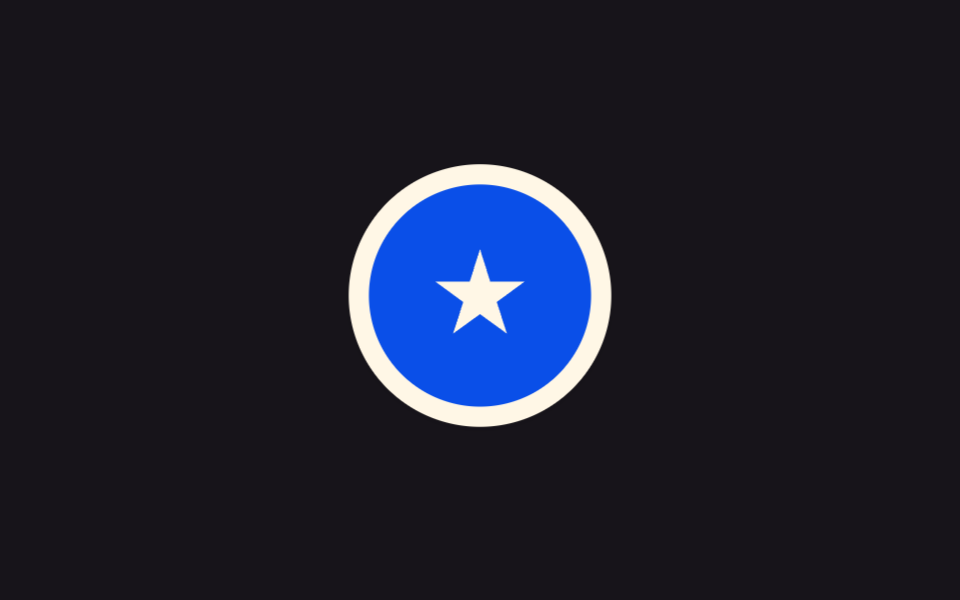 01 sticker-white-border-drop-shadow
 02 sticker-peel-corner
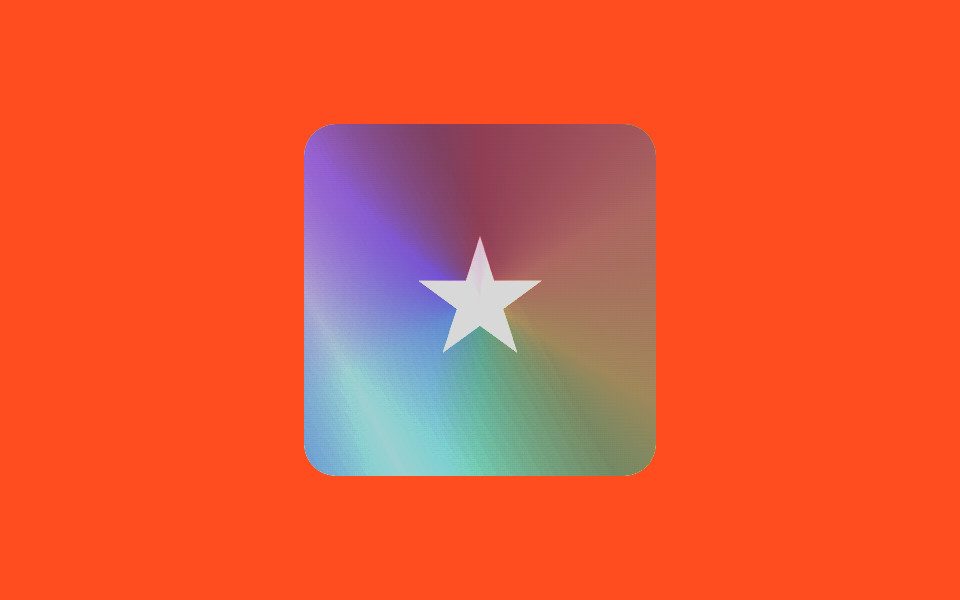 03 sticker-holographic
 04 sticker-tape-strip
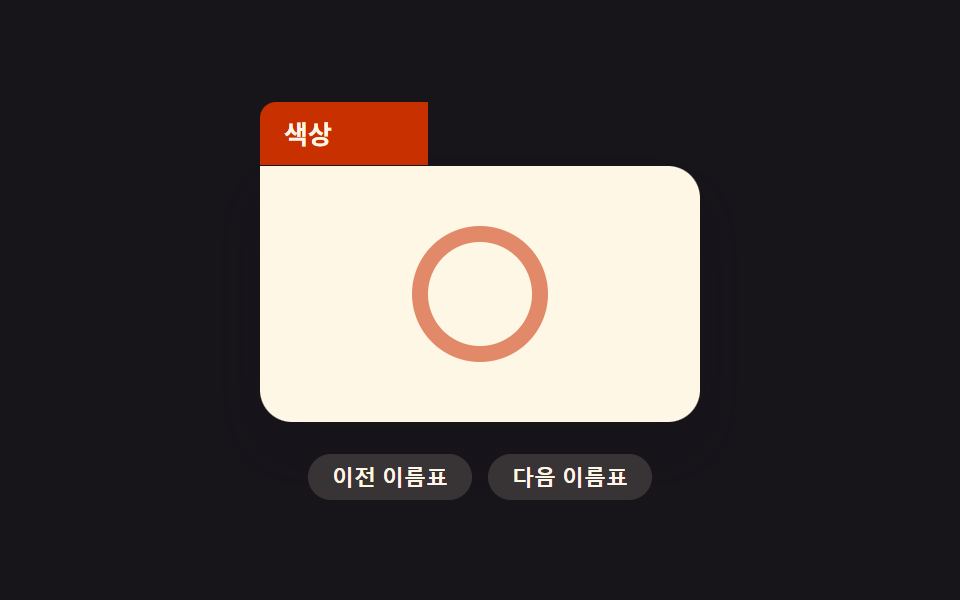 05 sticker-folder-tab
 06 sticker-tilt-on-hover
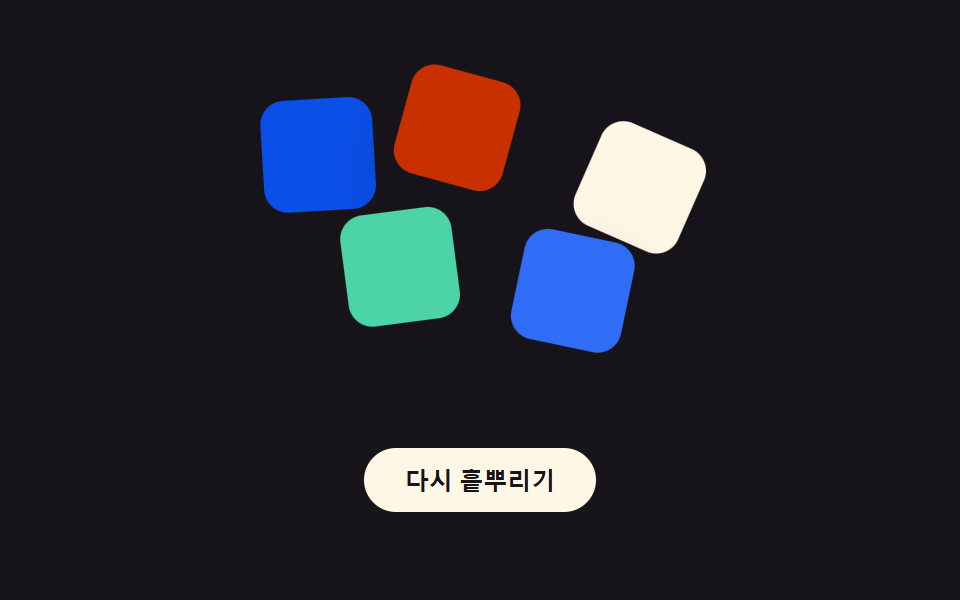 07 sticker-random-rotate-scatter
 08 sticker-drag-place
 09 sticker-print-cut-line
Auto-plays · click a tile to jump to its section · all nine in one zip
- 01 White-Border Die-Cut Sticker Card
- 02 Sticker With a Peeling Corner
- 03 Angle-Tracking Holographic Sticker
- 04 Sticker Held Down With Tape Strips
- 05 Folder-Tab Shaped Sticker
- 06 Sticker That Tilts With the Cursor
- 07 Randomly Scattered Sticker Pile
- 08 Drag-to-Place Sticker
- 09 Sticker Sheet With Visible Cut Lines
Nine sticker peel animation css patterns sit side by side below, each one a plain HTML/CSS/JS file with no library and no build step, so you can drag any single folder out of the archive and open its index.html straight in a browser.
Demo
Hover, click, or drag each card above to see its own version of a sticker peeling, tilting, or snapping into place — every reaction below comes from reading that demo's actual source, not a description written from memory.
Anatomy of nine patterns — where the one layer of calculation runs
Every row below comes from the same 24 sampled frames per pattern, measured after render rather than guessed. Cumulative area is how much of the frame the moving parts covered, added up across those frames; average intensity is how strong the pixel-level change was per moved frame; and frames moved (of 23) counts how many of the 23 frame-to-frame comparisons actually differed.
| # | Pattern | Cumulative area | Avg. intensity | Frames moved (of 23) |
|---|---|---|---|---|
| 01 | White-Border Die-Cut Sticker Card | 7.18% | 100.8 | 15 |
| 02 | Sticker With a Peeling Corner | 0.11% | 71.9 | 22 |
| 03 | Angle-Tracking Holographic Sticker | 14.42% | 24.9 | 23 |
| 04 | Sticker Held Down With Tape Strips | 10.05% | 78.3 | 20 |
| 05 | Folder-Tab Shaped Sticker | 1.11% | 127.5 | 15 |
| 06 | Sticker That Tilts With the Cursor | 5.16% | 57.7 | 23 |
| 07 | Randomly Scattered Sticker Pile | 18.39% | 101.0 | 17 |
| 08 | Drag-to-Place Sticker | 21.61% | 128.2 | 16 |
| 09 | Sticker Sheet With Visible Cut Lines | 8.43% | 72.3 | 23 |
Pattern 08 covers the most cumulative area of the nine at 21.61%, since dragging a chip a full grid cell displaces far more pixels than a corner curling back barely 0.11% under pattern 02, the smallest of the set. Pattern 08 also has the highest average intensity at 128.2, just 0.7 above pattern 05's 127.5 — a snapping chip and a canvas-measured tab edge both change pixels sharply even though their footprints differ in size. Patterns 03, 06, and 09 each move across 23 of the 23 frames, tied for the most, while pattern 03 itself sits at 24.9, the lowest average intensity of the nine, since a slow color and light shift barely registers next to a hard snap or a marching dash line.
Cluster A — a pointer vector becomes an angle every frame (02, 03, 06)
Patterns 02, 03, and 06 each read the pointer's live coordinates and run them through Math.atan2() or a -1..1 normalization to produce an angle or a rotation on every frame — the peel's clip-path angle, the sheen's hue and sweep direction, and the card's rotateX/rotateY all come straight from wherever the pointer currently sits, not from a fixed set of positions.
Cluster B — one scalar drives a fixed formula (01, 04, 09)
Patterns 01, 04, and 09 never need to read a pointer coordinate at paint time — a lift ratio, a corner index, or the elapsed time on its own is enough to compute the box-shadow stack, the tape's tilt angle, or the dash-march offset through a single arithmetic formula.
Cluster C — an input snaps to one of a fixed set of states (05, 07, 08)
Patterns 05, 07, and 08 each resolve their input down to one of a small, fixed set of outcomes — a canvas-measured label width clamped between a minimum and maximum, a seeded hash pulled from a short fixed list, or a pointer position rounded onto a two-by-two grid — rather than settling on a continuous value.
Code per pattern
Nine short, framework-free snippets below — just the one computed layer that decides what actually moves, trimmed out of each pattern's full source file.
01White-Border Die-Cut Sticker Card
Wraps an image or icon in a thick white border with a soft shadow behind it, so it reads like a real printed sticker peeled and stuck onto the page.
<main class="stage">
<div class="wrap is-demo" id="wrap">
  <button class="badge" id="badge" type="button" aria-label="Die-cut sticker; hover or focus to lift it">
    <span class="badgeMark" aria-hidden="true"></span>
  </button>
</div>
</main>
@use "../../../../site/static/demo-tokens" as *;
// 계산 겹은 index.html 의 shadowFor(t) 에 있다 — 들어올림 진행도(t, 0~1)에 비례해 그림자 레이어
// 5장의 오프셋·흐림·불투명도를 산술로 늘려 쌓아 하나의 box-shadow 로 합친다. 여기는 다이컷 모양의
// 흰 테두리와 배지 표면만 맡는다. transform·box-shadow 는 JS 가 매 프레임 직접 쓴다(rAF, paint 만).
@include stage($stage-ink);
.wrap {
display: grid;
place-items: center;
}
.badge {
position: relative;
width: 130px;
height: 130px;
border-radius: 50%;
border: 10px solid $subject-cream;
background: $subject-blue-deep;
padding: 0;
appearance: none;
cursor: pointer;
will-change: transform, box-shadow;
&:focus-visible { outline: 2px solid $subject-blue-light; outline-offset: 4px; }
}
.badgeMark {
position: absolute;
inset: 0;
margin: auto;
width: 46px;
height: 46px;
background: $subject-cream;
clip-path: polygon(50% 0%, 61% 35%, 98% 35%, 68% 57%, 79% 91%, 50% 70%, 21% 91%, 32% 57%, 2% 35%, 39% 35%);
}
@media (max-width: 340px) {
.badge { width: 100px; height: 100px; border-width: 8px; }
.badgeMark { width: 36px; height: 36px; }
}
@media (prefers-reduced-motion: reduce) {
// 실사용 경로(pointerenter/focus)는 그대로 두되, 자동 루프의 시각 전환만 즉시 스냅되도록
// index.html 의 reduce 분기가 lerp 를 건너뛴다 — 여긴 transition 이 없어 추가로 끌 것이 없다.
.badge { transition: none; }
}html, body {
margin: 0;
overflow: hidden;
}
.stage {
box-sizing: border-box;
min-height: 100vh;
display: grid;
place-items: center;
margin: 0;
background: #17141a;
font-family: -apple-system, "Segoe UI", "Noto Sans KR", sans-serif;
padding: clamp(8px, 4vw, 24px);
}
.wrap {
display: grid;
place-items: center;
}
.badge {
position: relative;
width: 130px;
height: 130px;
border-radius: 50%;
border: 10px solid #fff7e6;
background: #0a4fe8;
padding: 0;
appearance: none;
cursor: pointer;
will-change: transform, box-shadow;
}
.badge:focus-visible {
outline: 2px solid #5b8cf8;
outline-offset: 4px;
}
.badgeMark {
position: absolute;
inset: 0;
margin: auto;
width: 46px;
height: 46px;
background: #fff7e6;
clip-path: polygon(50% 0%, 61% 35%, 98% 35%, 68% 57%, 79% 91%, 50% 70%, 21% 91%, 32% 57%, 2% 35%, 39% 35%);
}
@media (max-width: 340px) {
.badge {
width: 100px;
height: 100px;
border-width: 8px;
}
.badgeMark {
width: 36px;
height: 36px;
}
}
@media (prefers-reduced-motion: reduce) {
.badge {
transition: none;
}
}(function () {
var LIFT_LAYERS = 5; // 그림자를 쌓는 겹 수
var LAYER_OFFSET = 3.6; // 겹마다 늘어나는 세로 오프셋(px, 완전히 뜬 상태 기준)
var LAYER_BLUR = 6; // 겹마다 늘어나는 흐림(px)
var LAYER_ALPHA_BASE = .34; // 첫 겹 불투명도
var LAYER_ALPHA_STEP = .05; // 겹마다 옅어지는 정도
var LIFT_PX = 18; // 완전히 뜬 상태에서 위로 이동하는 거리(px)
var LIFT_SCALE = .08; // 완전히 뜬 상태에서 커지는 비율
var LERP_RATE = .16;
var STEP_MS = 900;
var reduce = window.matchMedia('(prefers-reduced-motion: reduce)').matches;
var wrap = document.getElementById('wrap');
var badge = document.getElementById('badge');
var isDemo = true;
var target = 0; // 0 = 붙어 있음, 1 = 완전히 뜸
var shown = 0;
// 겹마다 오프셋·흐림·불투명도를 산술로 늘려 쌓는다 — 하나의 box-shadow 문자열로 합쳐 다이컷 스티커의
// 두꺼운 그림자 뒤판을 만든다. 이 계산이 뜬 정도(t)에 정비례해 매 프레임 다시 도는 것이 계산 겹이다.
  function shadowFor(t) {
    var parts = [];
    for (var i = 1; i <= LIFT_LAYERS; i++) {
      var off = (LAYER_OFFSET * i * t).toFixed(2);
      var blur = (LAYER_BLUR * i * t + 2).toFixed(2);
      var alpha = Math.max(0, LAYER_ALPHA_BASE - LAYER_ALPHA_STEP * i) * t;
      parts.push('0 ' + off + 'px ' + blur + 'px rgba(10,8,14,' + alpha.toFixed(3) + ')');
    }
    return parts.join(', ');
  }
function human() { if (isDemo) { wrap.classList.remove('is-demo'); isDemo = false; } }
function lift() { human(); target = 1; }
function drop() { human(); target = 0; }
badge.addEventListener('pointerenter', lift);
badge.addEventListener('pointerleave', drop);
badge.addEventListener('focus', lift);
badge.addEventListener('blur', drop);
var dir = 1;
var last = 0;
function autoAdvance(ts) {
if (ts - last < STEP_MS) return;
last = ts;
target = dir > 0 ? 1 : 0;
dir *= -1;
}
function loop(ts) {
if (!last) last = ts;
if (isDemo && !reduce) autoAdvance(ts);
if (reduce) { shown = target; } else { shown += (target - shown) * LERP_RATE; }
badge.style.transform = 'translateY(' + (-LIFT_PX * shown).toFixed(2) + 'px) scale(' + (1 + LIFT_SCALE * shown).toFixed(3) + ')';
badge.style.boxShadow = shadowFor(shown);
requestAnimationFrame(loop);
}
requestAnimationFrame(loop);
})();// WhiteBorderDropShadow — vanilla 판(run/378/demo/01-sticker-white-border-drop-shadow/index.html) 의 React 포트.
// 들어올림 진행도(t)에 비례해 그림자 레이어 5장의 오프셋·흐림·불투명도를 산술로 늘려 쌓아
// 하나의 box-shadow 로 합친다 — 계산 겹은 shadowFor(t) 에 있다.
import { useEffect, useRef } from "react";
import styles from "./WhiteBorderDropShadow.module.scss";
type Box<T> = { current: T };
const LIFT_LAYERS = 5;
const LAYER_OFFSET = 3.6;
const LAYER_BLUR = 6;
const LAYER_ALPHA_BASE = 0.34;
const LAYER_ALPHA_STEP = 0.05;
const LIFT_PX = 18;
const LIFT_SCALE = 0.08;
const LERP_RATE = 0.16;
const STEP_MS = 900;
export default function WhiteBorderDropShadow() {
const rootRef = useRef(null) as unknown as Box<HTMLDivElement>;
const badgeRef = useRef(null) as unknown as Box<HTMLButtonElement>;
const rafRef = useRef(0) as unknown as Box<number>;
useEffect(() => {
const reduce = window.matchMedia("(prefers-reduced-motion: reduce)").matches;
const wrap = rootRef.current;
const badge = badgeRef.current;
if (!wrap || !badge) return;
let isDemo = true;
let target = 0;
let shown = 0;
function shadowFor(t: number) {
const parts: string[] = [];
for (let i = 1; i <= LIFT_LAYERS; i++) {
const off = (LAYER_OFFSET * i * t).toFixed(2);
const blur = (LAYER_BLUR * i * t + 2).toFixed(2);
const alpha = Math.max(0, LAYER_ALPHA_BASE - LAYER_ALPHA_STEP * i) * t;
parts.push("0 " + off + "px " + blur + "px rgba(10,8,14," + alpha.toFixed(3) + ")");
}
return parts.join(", ");
}
function human() { if (isDemo) { wrap!.classList.remove(styles.isDemo); isDemo = false; } }
function lift() { human(); target = 1; }
function drop() { human(); target = 0; }
badge.addEventListener("pointerenter", lift);
badge.addEventListener("pointerleave", drop);
badge.addEventListener("focus", lift);
badge.addEventListener("blur", drop);
let dir = 1;
let last = 0;
function autoAdvance(ts: number) {
if (ts - last < STEP_MS) return;
last = ts;
target = dir > 0 ? 1 : 0;
dir *= -1;
}
function loop(ts: number) {
if (!last) last = ts;
if (isDemo && !reduce) autoAdvance(ts);
if (reduce) { shown = target; } else { shown += (target - shown) * LERP_RATE; }
badge!.style.transform = "translateY(" + (-LIFT_PX * shown).toFixed(2) + "px) scale(" + (1 + LIFT_SCALE * shown).toFixed(3) + ")";
badge!.style.boxShadow = shadowFor(shown);
rafRef.current = requestAnimationFrame(loop);
}
rafRef.current = requestAnimationFrame(loop);
return () => {
badge!.removeEventListener("pointerenter", lift);
badge!.removeEventListener("pointerleave", drop);
badge!.removeEventListener("focus", lift);
badge!.removeEventListener("blur", drop);
cancelAnimationFrame(rafRef.current);
};
}, []);
return (
<main className={styles.stage}>
<div className={styles.wrap + " " + styles.isDemo} ref={rootRef}>
<button className={styles.badge} ref={badgeRef} type="button" aria-label="다이컷 스티커, 마우스를 올리거나 초점을 주면 들어올려진다">
<span className={styles.badgeMark} aria-hidden="true"></span>
</button>
</div>
</main>
);
}01 · White-Border Die-Cut Sticker Card — Measured area 7.179% · moving frames 15/23Original by GODRICH · SCSS and React ship in the zip · See the password
function shadowFor(t) {
var parts = [];
for (var i = 1; i <= LIFT_LAYERS; i++) {
var off = (LAYER_OFFSET * i * t).toFixed(2);
var blur = (LAYER_BLUR * i * t + 2).toFixed(2);
var alpha = Math.max(0, LAYER_ALPHA_BASE - LAYER_ALPHA_STEP * i) * t;
parts.push('0 ' + off + 'px ' + blur + 'px rgba(10,8,14,' + alpha.toFixed(3) + ')');
}
return parts.join(', ');
}
02Sticker With a Peeling Corner
Hovering a card curls one corner back like real paper, revealing a different color hidden underneath — a different demo from 133's combined holographic-badge peel and sweep, since here the peel angle itself follows the pointer position.
<main class="stage">
<div class="wrap is-demo" id="wrap">
  <div class="cardZone" id="zone">
    <div class="backing" aria-hidden="true"></div>
    <button class="card" id="card" type="button" aria-label="Sticker card; move the cursor toward a corner to peel it">
      <span class="cardMark" aria-hidden="true"></span>
      <span class="peelShade" id="shade" aria-hidden="true"></span>
    </button>
  </div>
</div>
</main>
@use "../../../../site/static/demo-tokens" as *;
// 계산 겹은 index.html 의 applyFromPoint(px, py) 에 있다 — 카드 우상단 꼭짓점에서 포인터까지의
// 거리로 벗겨지는 크기(--peel-size)를, atan2 각도로 그라디언트 방향(--peel-deg)을 매 프레임 다시 잰다.
// 여기는 그 두 변수를 clip-path 코너 컷과 그라디언트에 그대로 꽂아 쓴다(레이아웃을 건드리지 않는 paint 계산).
@include stage($stage-yellow);
.wrap { display: grid; place-items: center; }
.cardZone {
position: relative;
width: 170px;
height: 170px;
}
.backing {
position: absolute;
inset: 0;
border-radius: $r-card;
background: $subject-cream;
}
.card {
position: absolute;
inset: 0;
border: 0;
padding: 0;
appearance: none;
cursor: pointer;
background: $subject-blue;
--peel-size: 0px;
clip-path: polygon(0 0, calc(100% - var(--peel-size)) 0, 100% var(--peel-size), 100% 100%, 0 100%);
&:focus-visible { outline: 2px solid $subject-blue-light; outline-offset: 4px; }
}
.cardMark {
position: absolute;
inset: 0;
margin: auto;
width: 56px;
height: 56px;
border-radius: 50%;
border: 8px solid rgba($subject-cream, .8);
}
.peelShade {
position: absolute;
top: 0;
right: 0;
width: var(--peel-size, 0px);
height: var(--peel-size, 0px);
--peel-deg: 45deg;
clip-path: polygon(100% 0, 100% 100%, 0 0);
background: linear-gradient(var(--peel-deg), rgba(255, 247, 230, .95), rgba(255, 247, 230, 0) 72%);
pointer-events: none;
}
@media (max-width: 340px) {
.cardZone { width: 130px; height: 130px; }
.cardMark { width: 42px; height: 42px; border-width: 6px; }
}
@media (prefers-reduced-motion: reduce) {
.card { transition: none; }
}html, body {
margin: 0;
overflow: hidden;
}
.stage {
box-sizing: border-box;
min-height: 100vh;
display: grid;
place-items: center;
margin: 0;
background: #ffd23f;
font-family: -apple-system, "Segoe UI", "Noto Sans KR", sans-serif;
padding: clamp(8px, 4vw, 24px);
}
.wrap {
display: grid;
place-items: center;
}
.cardZone {
position: relative;
width: 170px;
height: 170px;
}
.backing {
position: absolute;
inset: 0;
border-radius: 16px;
background: #fff7e6;
}
.card {
position: absolute;
inset: 0;
border: 0;
padding: 0;
appearance: none;
cursor: pointer;
background: #2f6df6;
--peel-size: 0px;
clip-path: polygon(0 0, calc(100% - var(--peel-size)) 0, 100% var(--peel-size), 100% 100%, 0 100%);
}
.card:focus-visible {
outline: 2px solid #5b8cf8;
outline-offset: 4px;
}
.cardMark {
position: absolute;
inset: 0;
margin: auto;
width: 56px;
height: 56px;
border-radius: 50%;
border: 8px solid rgba(255, 247, 230, 0.8);
}
.peelShade {
position: absolute;
top: 0;
right: 0;
width: var(--peel-size, 0px);
height: var(--peel-size, 0px);
--peel-deg: 45deg;
clip-path: polygon(100% 0, 100% 100%, 0 0);
background: linear-gradient(var(--peel-deg), rgba(255, 247, 230, 0.95), rgba(255, 247, 230, 0) 72%);
pointer-events: none;
}
@media (max-width: 340px) {
.cardZone {
width: 130px;
height: 130px;
}
.cardMark {
width: 42px;
height: 42px;
border-width: 6px;
}
}
@media (prefers-reduced-motion: reduce) {
.card {
transition: none;
}
}(function () {
var PEEL_CORNER_SIZE = 24; // 커서가 모서리에 딱 붙었을 때 벗겨지는 기본 크기(px) — 변형은 44px
var PEEL_REACH = 190; // 이 거리(px) 밖이면 벗겨짐이 0 이 된다
var LERP_RATE = .18;
var ORBIT_MS = 2600; // 자동 루프가 코너 주변을 도는 한 바퀴 시간
var reduce = window.matchMedia('(prefers-reduced-motion: reduce)').matches;
var wrap = document.getElementById('wrap');
var zone = document.getElementById('zone');
var card = document.getElementById('card');
var shade = document.getElementById('shade');
var isDemo = true;
var targetSize = 0, targetDeg = 45;
var shownSize = 0, shownDeg = 45;
// 카드 우상단 꼭짓점(pivot)에서 포인터까지의 벡터로 벗겨짐 크기와 그라디언트 각도를 계산한다.
// 거리(distance)가 가까울수록 크게 벗겨지고, 각도(atan2)는 그라디언트가 흐르는 방향을 정한다 —
// 포인터 각도 → clip-path/그라디언트 계산.
  function applyFromPoint(px, py) {
    var r = card.getBoundingClientRect();
    var pivotX = r.right, pivotY = r.top;
    var dx = pivotX - px, dy = py - pivotY;
    var distance = Math.hypot(dx, dy);
    var amt = Math.max(0, Math.min(1, 1 - distance / PEEL_REACH));
    targetSize = amt * PEEL_CORNER_SIZE;
    targetDeg = (Math.atan2(dy, dx) * 180 / Math.PI + 360) % 360;
  }
function human() { if (isDemo) { wrap.classList.remove('is-demo'); isDemo = false; } }
function onMove(e) { human(); applyFromPoint(e.clientX, e.clientY); }
function onLeave() { human(); targetSize = 0; }
zone.addEventListener('pointermove', onMove);
zone.addEventListener('pointerleave', onLeave);
card.addEventListener('focus', function () { human(); applyFromPoint(card.getBoundingClientRect().left, card.getBoundingClientRect().top); });
card.addEventListener('blur', function () { human(); targetSize = 0; });
var last = 0;
function autoAdvance(ts) {
if (!last) last = ts;
var r = card.getBoundingClientRect();
var t = ((ts - last) % ORBIT_MS) / ORBIT_MS;
var angle = t * Math.PI * 2;
var px = r.right - 26 + Math.cos(angle) * 30;
var py = r.top + 26 + Math.sin(angle) * 30;
applyFromPoint(px, py);
}
function loop(ts) {
if (isDemo && !reduce) autoAdvance(ts);
if (reduce) { shownSize = targetSize; shownDeg = targetDeg; }
else {
shownSize += (targetSize - shownSize) * LERP_RATE;
shownDeg += (targetDeg - shownDeg) * LERP_RATE;
}
card.style.setProperty('--peel-size', shownSize.toFixed(2) + 'px');
shade.style.setProperty('--peel-deg', shownDeg.toFixed(1) + 'deg');
requestAnimationFrame(loop);
}
requestAnimationFrame(loop);
})();// PeelCorner — vanilla 판(run/378/demo/02-sticker-peel-corner/index.html) 의 React 포트.
// 카드 우상단 꼭짓점에서 포인터까지의 벡터로 벗겨짐 크기와 그라디언트 각도(atan2)를 계산한다.
import { useEffect, useRef } from "react";
import styles from "./PeelCorner.module.scss";
type Box<T> = { current: T };
const PEEL_CORNER_SIZE = 24; // 변형: 44px
const PEEL_REACH = 190;
const LERP_RATE = 0.18;
const ORBIT_MS = 2600;
export default function PeelCorner() {
const rootRef = useRef(null) as unknown as Box<HTMLDivElement>;
const zoneRef = useRef(null) as unknown as Box<HTMLDivElement>;
const cardRef = useRef(null) as unknown as Box<HTMLButtonElement>;
const shadeRef = useRef(null) as unknown as Box<HTMLSpanElement>;
const rafRef = useRef(0) as unknown as Box<number>;
useEffect(() => {
const reduce = window.matchMedia("(prefers-reduced-motion: reduce)").matches;
const wrap = rootRef.current;
const zone = zoneRef.current;
const card = cardRef.current;
const shade = shadeRef.current;
if (!wrap || !zone || !card || !shade) return;
let isDemo = true;
let targetSize = 0, targetDeg = 45;
let shownSize = 0, shownDeg = 45;
function applyFromPoint(px: number, py: number) {
const r = card!.getBoundingClientRect();
const pivotX = r.right, pivotY = r.top;
const dx = pivotX - px, dy = py - pivotY;
const distance = Math.hypot(dx, dy);
const amt = Math.max(0, Math.min(1, 1 - distance / PEEL_REACH));
targetSize = amt * PEEL_CORNER_SIZE;
targetDeg = (Math.atan2(dy, dx) * 180 / Math.PI + 360) % 360;
}
function human() { if (isDemo) { wrap!.classList.remove(styles.isDemo); isDemo = false; } }
function onMove(e: PointerEvent) { human(); applyFromPoint(e.clientX, e.clientY); }
function onLeave() { human(); targetSize = 0; }
function onFocus() { human(); const r = card!.getBoundingClientRect(); applyFromPoint(r.left, r.top); }
function onBlur() { human(); targetSize = 0; }
zone.addEventListener("pointermove", onMove);
zone.addEventListener("pointerleave", onLeave);
card.addEventListener("focus", onFocus);
card.addEventListener("blur", onBlur);
let last = 0;
function autoAdvance(ts: number) {
if (!last) last = ts;
const r = card!.getBoundingClientRect();
const t = ((ts - last) % ORBIT_MS) / ORBIT_MS;
const angle = t * Math.PI * 2;
const px = r.right - 26 + Math.cos(angle) * 30;
const py = r.top + 26 + Math.sin(angle) * 30;
applyFromPoint(px, py);
}
function loop(ts: number) {
if (isDemo && !reduce) autoAdvance(ts);
if (reduce) { shownSize = targetSize; shownDeg = targetDeg; }
else {
shownSize += (targetSize - shownSize) * LERP_RATE;
shownDeg += (targetDeg - shownDeg) * LERP_RATE;
}
card!.style.setProperty("--peel-size", shownSize.toFixed(2) + "px");
shade!.style.setProperty("--peel-deg", shownDeg.toFixed(1) + "deg");
rafRef.current = requestAnimationFrame(loop);
}
rafRef.current = requestAnimationFrame(loop);
return () => {
zone!.removeEventListener("pointermove", onMove);
zone!.removeEventListener("pointerleave", onLeave);
card!.removeEventListener("focus", onFocus);
card!.removeEventListener("blur", onBlur);
cancelAnimationFrame(rafRef.current);
};
}, []);
return (
<main className={styles.stage}>
<div className={styles.wrap + " " + styles.isDemo} ref={rootRef}>
<div className={styles.cardZone} ref={zoneRef}>
<div className={styles.backing} aria-hidden="true"></div>
<button className={styles.card} ref={cardRef} type="button" aria-label="스티커 카드, 커서를 모서리 쪽으로 움직이면 벗겨진다">
<span className={styles.cardMark} aria-hidden="true"></span>
<span className={styles.peelShade} ref={shadeRef} aria-hidden="true"></span>
</button>
</div>
</div>
</main>
);
}02 · Sticker With a Peeling Corner — Measured area 0.108% · moving frames 22/23Original by GODRICH · SCSS and React ship in the zip · See the password
function applyFromPoint(px, py) {
var r = card.getBoundingClientRect();
var pivotX = r.right, pivotY = r.top;
var dx = pivotX - px, dy = py - pivotY;
var distance = Math.hypot(dx, dy);
var amt = Math.max(0, Math.min(1, 1 - distance / PEEL_REACH));
targetSize = amt * PEEL_CORNER_SIZE;
targetDeg = (Math.atan2(dy, dx) * 180 / Math.PI + 360) % 360;
}
03Angle-Tracking Holographic Sticker
Layers a thin rainbow sheen over the surface and drags that light across it in step with the pointer's direction and speed — a different demo from 133's static card and badge holographic set, since pointer movement itself drives the sheen's speed here. This self-contained holographic sticker css example needs no image assets, just a conic-gradient layered with mix-blend-mode.
<main class="stage">
<div class="wrap is-demo" id="wrap">
  <button class="card" id="card" type="button" aria-label="Holographic sticker; moving the cursor sends rainbow light across the surface following its direction and speed">
    <span class="cardMark" aria-hidden="true"></span>
    <span class="sheen" id="sheen" aria-hidden="true"></span>
  </button>
</div>
</main>
@use "../../../../site/static/demo-tokens" as *;
// 계산 겹은 index.html 의 applyMove(x, y, now) 에 있다 — 포인터의 이동 속도(px/ms)가 색상 회전
// 속도(--hue-deg)와 빛 이동 위치(--sweep-pos)를 직접 정하고, 이동 방향(atan2)이 스윕 각도(--sweep-angle)를
// 정한다. 133 의 정적 카드·배지 홀로그램과 다른 계산 축 — 여기는 포인터 이동량이 입력이다.
@include stage($stage-orange);
.wrap { display: grid; place-items: center; }
.card {
position: relative;
width: 176px;
height: 176px;
border: 0;
padding: 0;
appearance: none;
cursor: pointer;
border-radius: $r-card;
background: $subject-ink;
overflow: hidden;
&:focus-visible { outline: 2px solid $subject-blue-light; outline-offset: 4px; }
}
.cardMark {
position: absolute;
inset: 0;
margin: auto;
width: 64px;
height: 64px;
background: $subject-cream;
clip-path: polygon(50% 0%, 61% 35%, 98% 35%, 68% 57%, 79% 91%, 50% 70%, 21% 91%, 32% 57%, 2% 35%, 39% 35%);
opacity: .18;
}
.sheen {
position: absolute;
inset: 0;
--hue-deg: 0deg;
--sweep-pos: 0%;
--sweep-angle: 115deg;
background:
linear-gradient(var(--sweep-angle),
transparent 0%, rgba(255, 255, 255, .5) 18%, transparent 36%),
conic-gradient(from var(--hue-deg),
#ddb9bc, #e3d6c5, #e1e0c1, #c1e1d2, #c1d8e1, #cdc1e1, #ddb9bc);
background-size: 220% 220%, 160% 160%;
background-position: var(--sweep-pos) 50%, center;
mix-blend-mode: color-dodge;
opacity: .8;
pointer-events: none;
}
@media (max-width: 340px) {
.card { width: 138px; height: 138px; }
.cardMark { width: 50px; height: 50px; }
}
@media (prefers-reduced-motion: reduce) {
.card { transition: none; }
}html, body {
margin: 0;
overflow: hidden;
}
.stage {
box-sizing: border-box;
min-height: 100vh;
display: grid;
place-items: center;
margin: 0;
background: #ff4d1f;
font-family: -apple-system, "Segoe UI", "Noto Sans KR", sans-serif;
padding: clamp(8px, 4vw, 24px);
}
.wrap {
display: grid;
place-items: center;
}
.card {
position: relative;
width: 176px;
height: 176px;
border: 0;
padding: 0;
appearance: none;
cursor: pointer;
border-radius: 16px;
background: #17141a;
overflow: hidden;
}
.card:focus-visible {
outline: 2px solid #5b8cf8;
outline-offset: 4px;
}
.cardMark {
position: absolute;
inset: 0;
margin: auto;
width: 64px;
height: 64px;
background: #fff7e6;
clip-path: polygon(50% 0%, 61% 35%, 98% 35%, 68% 57%, 79% 91%, 50% 70%, 21% 91%, 32% 57%, 2% 35%, 39% 35%);
opacity: 0.18;
}
.sheen {
position: absolute;
inset: 0;
--hue-deg: 0deg;
--sweep-pos: 0%;
--sweep-angle: 115deg;
background: linear-gradient(var(--sweep-angle), transparent 0%, rgba(255, 255, 255, 0.5) 18%, transparent 36%), conic-gradient(from var(--hue-deg), #ddb9bc, #e3d6c5, #e1e0c1, #c1e1d2, #c1d8e1, #cdc1e1, #ddb9bc);
background-size: 220% 220%, 160% 160%;
background-position: var(--sweep-pos) 50%, center;
mix-blend-mode: color-dodge;
opacity: 0.8;
pointer-events: none;
}
@media (max-width: 340px) {
.card {
width: 138px;
height: 138px;
}
.cardMark {
width: 50px;
height: 50px;
}
}
@media (prefers-reduced-motion: reduce) {
.card {
transition: none;
}
}(function () {
var HOLO_SWEEP_ANGLE_RANGE = 45; // 스윕 그라디언트가 회전하는 각도 폭(deg) — 변형은 90deg
var HUE_SPEED = 220; // 포인터 속도(px/ms) 가 Colors 회전 속도(deg/s)에 곱해지는 계수
var SWEEP_SPEED = 340; // 포인터 속도가 빛 이동 위치(%/s)에 곱해지는 계수
var LERP_RATE = .2;
var ORBIT_MS = 1900;
var reduce = window.matchMedia('(prefers-reduced-motion: reduce)').matches;
var wrap = document.getElementById('wrap');
var card = document.getElementById('card');
var sheen = document.getElementById('sheen');
var isDemo = true;
var hue = 0, sweepPos = 0, sweepAngleTarget = 115;
var shownAngle = 115;
var lastX = null, lastY = null, lastTime = 0;
// 포인터의 이동량(dx, dy)과 걸린 시간(dt)으로 속도를 구해 Colors 회전 속도와 빛의 이동 속도를
// 직접 정한다 — 133 의 정적 홀로그램과 달리 여기선 포인터 이동량 자체가 계산 입력이다.
  function applyMove(x, y, now) {
    if (lastX !== null) {
      var dt = Math.max(now - lastTime, 1);
      var dx = x - lastX, dy = y - lastY;
      var speed = Math.hypot(dx, dy) / dt; // px/ms
      hue = (hue + speed * HUE_SPEED * (dt / 1000)) % 360;
      sweepPos = (sweepPos + speed * SWEEP_SPEED * (dt / 1000)) % 200;
      sweepAngleTarget = 90 + (Math.atan2(dy, dx) * 180 / Math.PI) % HOLO_SWEEP_ANGLE_RANGE;
    }
    lastX = x; lastY = y; lastTime = now;
  }
function human() { if (isDemo) { wrap.classList.remove('is-demo'); isDemo = false; } }
function onMove(e) { human(); applyMove(e.clientX, e.clientY, performance.now()); }
card.addEventListener('pointermove', onMove);
card.addEventListener('pointerleave', function () { human(); lastX = null; });
var orbitLast = 0;
function autoAdvance(ts) {
var t = (ts % ORBIT_MS) / ORBIT_MS;
var angle = t * Math.PI * 2;
var r = card.getBoundingClientRect();
var px = r.left + r.width / 2 + Math.cos(angle) * (r.width * .38);
var py = r.top + r.height / 2 + Math.sin(angle) * (r.height * .38);
applyMove(px, py, ts);
}
function loop(ts) {
if (isDemo && !reduce) autoAdvance(ts);
if (reduce) { shownAngle = sweepAngleTarget; }
else { shownAngle += (sweepAngleTarget - shownAngle) * LERP_RATE; }
card.style.setProperty('--hue-deg', (reduce ? 0 : hue).toFixed(1) + 'deg');
card.style.setProperty('--sweep-pos', (reduce ? 0 : sweepPos).toFixed(1) + '%');
sheen.style.setProperty('--sweep-angle', shownAngle.toFixed(1) + 'deg');
requestAnimationFrame(loop);
}
requestAnimationFrame(loop);
})();// Holographic — vanilla 판(run/378/demo/03-sticker-holographic/index.html) 의 React 포트.
// 포인터 이동 속도(px/ms)가 색상 회전 속도(--hue-deg)와 빛 이동 속도(--sweep-pos)를 직접 정하고,
// 이동 방향(atan2)이 스윕 각도(--sweep-angle)를 정한다 — 계산 겹은 applyMove(x, y, now) 에 있다.
import { useEffect, useRef } from "react";
import styles from "./Holographic.module.scss";
type Box<T> = { current: T };
const HOLO_SWEEP_ANGLE_RANGE = 45; // 변형: 90deg
const HUE_SPEED = 220;
const SWEEP_SPEED = 340;
const LERP_RATE = 0.2;
const ORBIT_MS = 1900;
export default function Holographic() {
const rootRef = useRef(null) as unknown as Box<HTMLDivElement>;
const cardRef = useRef(null) as unknown as Box<HTMLButtonElement>;
const sheenRef = useRef(null) as unknown as Box<HTMLSpanElement>;
const rafRef = useRef(0) as unknown as Box<number>;
useEffect(() => {
const reduce = window.matchMedia("(prefers-reduced-motion: reduce)").matches;
const wrap = rootRef.current;
const card = cardRef.current;
const sheen = sheenRef.current;
if (!wrap || !card || !sheen) return;
let isDemo = true;
let hue = 0, sweepPos = 0, sweepAngleTarget = 115;
let shownAngle = 115;
let lastX: number | null = null, lastY = 0, lastTime = 0;
function applyMove(x: number, y: number, now: number) {
if (lastX !== null) {
const dt = Math.max(now - lastTime, 1);
const dx = x - lastX, dy = y - lastY;
const speed = Math.hypot(dx, dy) / dt;
hue = (hue + speed * HUE_SPEED * (dt / 1000)) % 360;
sweepPos = (sweepPos + speed * SWEEP_SPEED * (dt / 1000)) % 200;
sweepAngleTarget = 90 + (Math.atan2(dy, dx) * 180 / Math.PI) % HOLO_SWEEP_ANGLE_RANGE;
}
lastX = x; lastY = y; lastTime = now;
}
function human() { if (isDemo) { wrap!.classList.remove(styles.isDemo); isDemo = false; } }
function onMove(e: PointerEvent) { human(); applyMove(e.clientX, e.clientY, performance.now()); }
function onLeave() { human(); lastX = null; }
card.addEventListener("pointermove", onMove);
card.addEventListener("pointerleave", onLeave);
function autoAdvance(ts: number) {
const t = (ts % ORBIT_MS) / ORBIT_MS;
const angle = t * Math.PI * 2;
const r = card!.getBoundingClientRect();
const px = r.left + r.width / 2 + Math.cos(angle) * (r.width * 0.38);
const py = r.top + r.height / 2 + Math.sin(angle) * (r.height * 0.38);
applyMove(px, py, ts);
}
function loop(ts: number) {
if (isDemo && !reduce) autoAdvance(ts);
if (reduce) { shownAngle = sweepAngleTarget; }
else { shownAngle += (sweepAngleTarget - shownAngle) * LERP_RATE; }
card!.style.setProperty("--hue-deg", (reduce ? 0 : hue).toFixed(1) + "deg");
card!.style.setProperty("--sweep-pos", (reduce ? 0 : sweepPos).toFixed(1) + "%");
sheen!.style.setProperty("--sweep-angle", shownAngle.toFixed(1) + "deg");
rafRef.current = requestAnimationFrame(loop);
}
rafRef.current = requestAnimationFrame(loop);
return () => {
card!.removeEventListener("pointermove", onMove);
card!.removeEventListener("pointerleave", onLeave);
cancelAnimationFrame(rafRef.current);
};
}, []);
return (
<main className={styles.stage}>
<div className={styles.wrap + " " + styles.isDemo} ref={rootRef}>
<button className={styles.card} ref={cardRef} type="button" aria-label="홀로그램 스티커, 커서를 움직이면 표면 위 무지개빛이 방향과 속도를 따라간다">
<span className={styles.cardMark} aria-hidden="true"></span>
<span className={styles.sheen} ref={sheenRef} aria-hidden="true"></span>
</button>
</div>
</main>
);
}03 · Angle-Tracking Holographic Sticker — Measured area 14.422% · moving frames 23/23Original by GODRICH · SCSS and React ship in the zip · See the password
function applyMove(x, y, now) {
if (lastX !== null) {
var dt = Math.max(now - lastTime, 1);
var dx = x - lastX, dy = y - lastY;
var speed = Math.hypot(dx, dy) / dt; // px/ms
hue = (hue + speed * HUE_SPEED * (dt / 1000)) % 360;
sweepPos = (sweepPos + speed * SWEEP_SPEED * (dt / 1000)) % 200;
sweepAngleTarget = 90 + (Math.atan2(dy, dx) * 180 / Math.PI) % HOLO_SWEEP_ANGLE_RANGE;
}
lastX = x; lastY = y; lastTime = now;
}
04Sticker Held Down With Tape Strips
Lays two translucent tape strips diagonally across a card's corners, so it looks like a scrapbook page taped down by hand.
<main class="stage">
<div class="wrap is-demo" id="wrap">
  <div class="cardZone">
    <div class="card" id="card">
      <span class="cardMark" aria-hidden="true"></span>
    </div>
    <span class="tape tape--a" id="tapeA" aria-hidden="true"></span>
    <span class="tape tape--b" id="tapeB" aria-hidden="true"></span>
  </div>
  <button class="pinBtn" id="pinBtn" type="button" aria-pressed="false">Peel one tape off</button>
</div>
</main>
@use "../../../../site/static/demo-tokens" as *;
// 계산 겹은 index.html 의 tapeAngle(i) 에 있다 — 두 테이프의 기울기를 base + i*step 산술식으로
// 얻고(하드코딩 개별값 아님), 카드는 그 자체가 아니라 떼어짐 진행도(shown)에 비례해 회전·이동한다.
// 여기는 카드·테이프의 모양과 위치만 담당한다.
@include stage($stage-paper);
.wrap {
display: grid;
place-items: center;
gap: $sp-4;
}
.cardZone {
position: relative;
width: 168px;
height: 168px;
}
.card {
position: absolute;
inset: 0;
border-radius: $r-card;
background: $subject-blue;
box-shadow: $shadow-raised;
transform-origin: 20% 80%; // 오른쪽 위 테이프에 붙들려 왼쪽 아래를 축으로 기운다
display: grid;
place-items: center;
}
.cardMark {
width: 56px;
height: 56px;
border-radius: 50%;
border: 8px solid rgba($subject-cream, .85);
}
.tape {
position: absolute;
width: 84px;
height: 30px;
background: rgba($subject-cream, .55);
border: 1px solid rgba($subject-ink, .08);
box-shadow: 0 2px 4px rgba($subject-ink, .12);
}
.tape--a { top: -10px; left: -18px; }
.tape--b { bottom: -12px; right: -16px; }
.pinBtn {
appearance: none;
border: none;
border-radius: $r-pill;
background: $subject-ink;
color: $subject-cream;
padding: $sp-2 $sp-4;
font-weight: 600;
font-size: 12px;
cursor: pointer;
transition: transform $dur-instant $ease-out;
&:hover { transform: scale(1.03); }
&:active { transform: scale(.97); }
&:focus-visible { outline: 2px solid $subject-blue-light; outline-offset: 3px; }
}
@media (max-width: 340px) {
.cardZone { width: 130px; height: 130px; }
.cardMark { width: 44px; height: 44px; border-width: 6px; }
.tape { width: 66px; height: 24px; }
.pinBtn { font-size: 11px; padding: $sp-1 $sp-3; }
}
@media (prefers-reduced-motion: reduce) {
.pinBtn { transition: none; }
}html, body {
margin: 0;
overflow: hidden;
}
.stage {
box-sizing: border-box;
min-height: 100vh;
display: grid;
place-items: center;
margin: 0;
background: #ffffff;
font-family: -apple-system, "Segoe UI", "Noto Sans KR", sans-serif;
padding: clamp(8px, 4vw, 24px);
}
.wrap {
display: grid;
place-items: center;
gap: 16px;
}
.cardZone {
position: relative;
width: 168px;
height: 168px;
}
.card {
position: absolute;
inset: 0;
border-radius: 16px;
background: #2f6df6;
box-shadow: 0 14px 24px rgba(23, 20, 26, 0.32);
transform-origin: 20% 80%;
display: grid;
place-items: center;
}
.cardMark {
width: 56px;
height: 56px;
border-radius: 50%;
border: 8px solid rgba(255, 247, 230, 0.85);
}
.tape {
position: absolute;
width: 84px;
height: 30px;
background: rgba(255, 247, 230, 0.55);
border: 1px solid rgba(23, 20, 26, 0.08);
box-shadow: 0 2px 4px rgba(23, 20, 26, 0.12);
}
.tape--a {
top: -10px;
left: -18px;
}
.tape--b {
bottom: -12px;
right: -16px;
}
.pinBtn {
appearance: none;
border: none;
border-radius: 999px;
background: #17141a;
color: #fff7e6;
padding: 8px 16px;
font-weight: 600;
font-size: 12px;
cursor: pointer;
transition: transform 140ms ease-out;
}
.pinBtn:hover {
transform: scale(1.03);
}
.pinBtn:active {
transform: scale(0.97);
}
.pinBtn:focus-visible {
outline: 2px solid #5b8cf8;
outline-offset: 3px;
}
@media (max-width: 340px) {
.cardZone {
width: 130px;
height: 130px;
}
.cardMark {
width: 44px;
height: 44px;
border-width: 6px;
}
.tape {
width: 66px;
height: 24px;
}
.pinBtn {
font-size: 11px;
padding: 4px 12px;
}
}
@media (prefers-reduced-motion: reduce) {
.pinBtn {
transition: none;
}
}(function () {
var TAPE_BASE_ANGLE = 14; // 테이프 기울기의 시작값(deg)
var TAPE_ANGLE_STEP = 8; // 테이프마다 더해지는 기울기 증가폭(deg) — 각도는 하드코딩이 아니라 산술로 만든다
var LIFT_MAX_DEG = 10; // 완전히 떼어졌을 때 카드가 기우는 각도(deg)
var LIFT_MAX_PX = 8; // 완전히 떼어졌을 때 카드가 뜨는 높이(px)
var TAPE_STRETCH = 6; // 떼는 동안 tapeA 가 더 기울어지는 최대폭(deg)
var LERP_RATE = .17;
var STEP_MS = 550;
var reduce = window.matchMedia('(prefers-reduced-motion: reduce)').matches;
var wrap = document.getElementById('wrap');
var card = document.getElementById('card');
var tapeA = document.getElementById('tapeA');
var tapeB = document.getElementById('tapeB');
var pinBtn = document.getElementById('pinBtn');
var isDemo = true;
// 두 테이프의 기울기는 코너 순번(i)에 산술식(base + i*step)을 적용해 얻는다 — 부호는 좌우 대칭으로
// 번갈아 뒤집는다. 하드코딩된 개별 각도값이 아니라 하나의 공식에서 나온 값이라는 게 계산 겹이다.
function tapeAngle(i) {
var sign = i % 2 === 0 ? -1 : 1;
return sign * (TAPE_BASE_ANGLE + TAPE_ANGLE_STEP * i);
}
var baseAngleA = tapeAngle(1);
var baseAngleB = tapeAngle(2);
tapeB.style.transform = 'rotate(' + baseAngleB + 'deg)';
var target = 0; // 0 = 붙어 있음, 1 = 한쪽이 떼어짐
var shown = 0;
var pinned = true;
function human() { if (isDemo) { wrap.classList.remove('is-demo'); isDemo = false; } }
function toggle() {
human();
pinned = !pinned;
target = pinned ? 0 : 1;
pinBtn.setAttribute('aria-pressed', String(!pinned));
pinBtn.textContent = pinned ? 'Peel one tape off' : 'Stick it back down';
}
pinBtn.addEventListener('click', toggle);
var dir = 1, last = 0;
function autoAdvance(ts) {
if (ts - last < STEP_MS) return;
last = ts;
target = dir > 0 ? 1 : 0;
dir *= -1;
}
function loop(ts) {
if (!last) last = ts;
if (isDemo && !reduce) autoAdvance(ts);
if (reduce) { shown = target; } else { shown += (target - shown) * LERP_RATE; }
card.style.transform = 'rotate(' + (LIFT_MAX_DEG * shown).toFixed(2) + 'deg) translate(' +
(LIFT_MAX_PX * shown * .6).toFixed(2) + 'px, ' + (-LIFT_MAX_PX * shown).toFixed(2) + 'px)';
tapeA.style.transform = 'rotate(' + (baseAngleA + TAPE_STRETCH * shown).toFixed(2) + 'deg) translateY(' +
(-LIFT_MAX_PX * .6 * shown).toFixed(2) + 'px)';
requestAnimationFrame(loop);
}
requestAnimationFrame(loop);
})();// TapeStrip — vanilla 판(run/378/demo/04-sticker-tape-strip/index.html) 의 React 포트.
// 두 테이프의 기울기를 base + i*step 산술식(tapeAngle)으로 얻는다 — 하드코딩 개별값이 아니다.
import { useEffect, useRef } from "react";
import styles from "./TapeStrip.module.scss";
type Box<T> = { current: T };
const TAPE_BASE_ANGLE = 14;
const TAPE_ANGLE_STEP = 8;
const LIFT_MAX_DEG = 10;
const LIFT_MAX_PX = 8;
const TAPE_STRETCH = 6;
const LERP_RATE = 0.17;
const STEP_MS = 550;
function tapeAngle(i: number) {
const sign = i % 2 === 0 ? -1 : 1;
return sign * (TAPE_BASE_ANGLE + TAPE_ANGLE_STEP * i);
}
const baseAngleA = tapeAngle(1);
const baseAngleB = tapeAngle(2);
export default function TapeStrip() {
const rootRef = useRef(null) as unknown as Box<HTMLDivElement>;
const cardRef = useRef(null) as unknown as Box<HTMLDivElement>;
const tapeARef = useRef(null) as unknown as Box<HTMLSpanElement>;
const tapeBRef = useRef(null) as unknown as Box<HTMLSpanElement>;
const pinBtnRef = useRef(null) as unknown as Box<HTMLButtonElement>;
const rafRef = useRef(0) as unknown as Box<number>;
useEffect(() => {
const reduce = window.matchMedia("(prefers-reduced-motion: reduce)").matches;
const wrap = rootRef.current;
const card = cardRef.current;
const tapeA = tapeARef.current;
const tapeB = tapeBRef.current;
const pinBtn = pinBtnRef.current;
if (!wrap || !card || !tapeA || !tapeB || !pinBtn) return;
tapeB.style.transform = "rotate(" + baseAngleB + "deg)";
let isDemo = true;
let target = 0;
let shown = 0;
let pinned = true;
function human() { if (isDemo) { wrap!.classList.remove(styles.isDemo); isDemo = false; } }
function toggle() {
human();
pinned = !pinned;
target = pinned ? 0 : 1;
pinBtn!.setAttribute("aria-pressed", String(!pinned));
pinBtn!.textContent = pinned ? "테이프 한쪽 떼기" : "다시 붙이기";
}
pinBtn.addEventListener("click", toggle);
let dir = 1, last = 0;
function autoAdvance(ts: number) {
if (ts - last < STEP_MS) return;
last = ts;
target = dir > 0 ? 1 : 0;
dir *= -1;
}
function loop(ts: number) {
if (!last) last = ts;
if (isDemo && !reduce) autoAdvance(ts);
if (reduce) { shown = target; } else { shown += (target - shown) * LERP_RATE; }
card!.style.transform = "rotate(" + (LIFT_MAX_DEG * shown).toFixed(2) + "deg) translate(" +
(LIFT_MAX_PX * shown * 0.6).toFixed(2) + "px, " + (-LIFT_MAX_PX * shown).toFixed(2) + "px)";
tapeA!.style.transform = "rotate(" + (baseAngleA + TAPE_STRETCH * shown).toFixed(2) + "deg) translateY(" +
(-LIFT_MAX_PX * 0.6 * shown).toFixed(2) + "px)";
rafRef.current = requestAnimationFrame(loop);
}
rafRef.current = requestAnimationFrame(loop);
return () => {
pinBtn!.removeEventListener("click", toggle);
cancelAnimationFrame(rafRef.current);
};
}, []);
return (
<main className={styles.stage}>
<div className={styles.wrap + " " + styles.isDemo} ref={rootRef}>
<div className={styles.cardZone}>
<div className={styles.card} ref={cardRef}>
<span className={styles.cardMark} aria-hidden="true"></span>
</div>
<span className={styles.tape + " " + styles.tapeA} ref={tapeARef} aria-hidden="true"></span>
<span className={styles.tape + " " + styles.tapeB} ref={tapeBRef} aria-hidden="true"></span>
</div>
<button className={styles.pinBtn} ref={pinBtnRef} type="button" aria-pressed="false">테이프 한쪽 떼기</button>
</div>
</main>
);
}04 · Sticker Held Down With Tape Strips — Measured area 10.047% · moving frames 20/23Original by GODRICH · SCSS and React ship in the zip · See the password
  // Each tape's tilt comes from one formula, base + i*step, fed a corner index (i) —
  // the sign alternates left/right per corner, so one arithmetic layer replaces two fixed angles.
  function tapeAngle(i) {
    var sign = i % 2 === 0 ? -1 : 1;
    return sign * (TAPE_BASE_ANGLE + TAPE_ANGLE_STEP * i);
  }
  var baseAngleA = tapeAngle(1);
  var baseAngleB = tapeAngle(2);
05Folder-Tab Shaped Sticker
Cuts the top corner into a folder-tab shape that pokes out, with a label written on the tab to mark a category.
<main class="stage">
<div class="wrap is-demo" id="wrap">
  <div class="folder">
    <div class="tab" id="tab">
      <span class="tabLabel" id="tabLabel">Documents</span>
    </div>
    <div class="body"><span class="cardMark" aria-hidden="true"></span></div>
  </div>
  <div class="switchRow">
    <button type="button" id="btnPrev">Previous label</button>
    <button type="button" id="btnNext">Next label</button>
  </div>
</div>
</main>
@use "../../../../site/static/demo-tokens" as *;
// 계산 겹은 index.html 의 measureWidth(text) 에 있다 — 숨은 canvas 로 라벨 글자 폭을 실측해 탭
// 폭(--tab-w)을 정한다. 탭 상자 실제 width 는 최대치(TAB_MAX)로 고정해 두고 clip-path 로만
// 드러내는 폭을 바꿔 레이아웃을 다시 계산시키지 않는다.
@include stage($stage-ink);
.wrap {
display: grid;
place-items: center;
gap: $sp-4;
}
.folder {
width: 220px;
}
.tab {
--tab-w: 88px;
position: relative;
height: 32px;
width: 156px;
clip-path: inset(0 calc(156px - var(--tab-w)) 0 0);
background: $subject-orange-deep;
border-radius: $r-sm $r-sm 0 0;
display: flex;
align-items: center;
padding: 0 $sp-3;
}
.tabLabel {
color: $subject-cream;
font-size: 13px;
font-weight: 600;
white-space: nowrap;
}
.body {
height: 128px;
border-radius: 0 $r-card $r-card $r-card;
background: $subject-cream;
box-shadow: $shadow-raised;
display: grid;
place-items: center;
}
.cardMark {
width: 52px;
height: 52px;
border-radius: 50%;
border: 8px solid rgba($subject-orange-deep, .55);
}
.switchRow {
display: flex;
gap: $sp-2;
}
.switchRow button {
appearance: none;
border: none;
border-radius: $r-pill;
background: rgba($subject-cream, .14);
color: $subject-cream;
padding: $sp-1 $sp-3;
font-size: 11px;
font-weight: 600;
cursor: pointer;
transition: background $dur-instant $ease-out;
&:hover { background: rgba($subject-cream, .24); }
&:focus-visible { outline: 2px solid $subject-blue-light; outline-offset: 2px; }
}
@media (max-width: 340px) {
.folder { width: 180px; }
.tab { width: 128px; clip-path: inset(0 calc(128px - var(--tab-w)) 0 0); height: 28px; }
.body { height: 100px; }
.cardMark { width: 40px; height: 40px; border-width: 6px; }
.switchRow button { font-size: 10px; }
}
@media (prefers-reduced-motion: reduce) {
.switchRow button { transition: none; }
}html, body {
margin: 0;
overflow: hidden;
}
.stage {
box-sizing: border-box;
min-height: 100vh;
display: grid;
place-items: center;
margin: 0;
background: #17141a;
font-family: -apple-system, "Segoe UI", "Noto Sans KR", sans-serif;
padding: clamp(8px, 4vw, 24px);
}
.wrap {
display: grid;
place-items: center;
gap: 16px;
}
.folder {
width: 220px;
}
.tab {
--tab-w: 88px;
position: relative;
height: 32px;
width: 156px;
clip-path: inset(0 calc(156px - var(--tab-w)) 0 0);
background: #c93000;
border-radius: 8px 8px 0 0;
display: flex;
align-items: center;
padding: 0 12px;
}
.tabLabel {
color: #fff7e6;
font-size: 13px;
font-weight: 600;
white-space: nowrap;
}
.body {
height: 128px;
border-radius: 0 16px 16px 16px;
background: #fff7e6;
box-shadow: 0 14px 24px rgba(23, 20, 26, 0.32);
display: grid;
place-items: center;
}
.cardMark {
width: 52px;
height: 52px;
border-radius: 50%;
border: 8px solid rgba(201, 48, 0, 0.55);
}
.switchRow {
display: flex;
gap: 8px;
}
.switchRow button {
appearance: none;
border: none;
border-radius: 999px;
background: rgba(255, 247, 230, 0.14);
color: #fff7e6;
padding: 4px 12px;
font-size: 11px;
font-weight: 600;
cursor: pointer;
transition: background 140ms ease-out;
}
.switchRow button:hover {
background: rgba(255, 247, 230, 0.24);
}
.switchRow button:focus-visible {
outline: 2px solid #5b8cf8;
outline-offset: 2px;
}
@media (max-width: 340px) {
.folder {
width: 180px;
}
.tab {
width: 128px;
clip-path: inset(0 calc(128px - var(--tab-w)) 0 0);
height: 28px;
}
.body {
height: 100px;
}
.cardMark {
width: 40px;
height: 40px;
border-width: 6px;
}
.switchRow button {
font-size: 10px;
}
}
@media (prefers-reduced-motion: reduce) {
.switchRow button {
transition: none;
}
}(function () {
var LABELS = ['Documents', 'Colors', 'Archive']; // 순서대로만 순환 — 길이가 다 다르다
var TAB_PADDING = 28; // 실측한 글자 폭 양옆에 더하는 여백(px)
var TAB_MIN = 60;
var TAB_MAX = 156;
var LERP_RATE = .15;
var STEP_MS = 500;
var reduce = window.matchMedia('(prefers-reduced-motion: reduce)').matches;
var wrap = document.getElementById('wrap');
var tab = document.getElementById('tab');
var tabLabel = document.getElementById('tabLabel');
var btnPrev = document.getElementById('btnPrev');
var btnNext = document.getElementById('btnNext');
var isDemo = true;
var measureCanvas = document.createElement('canvas');
var ctx = measureCanvas.getContext('2d');
// 라벨 글자 폭을 canvas 로 실측해 탭이 그 글자에 딱 맞는 폭을 갖게 한다 — 폭은 미리 정한 값이
// 아니라 매번 실제로 잰 값이다. 실제 상자 너비(width)는 최대치로 고정해 두고 clip-path 로만
// 드러내는 폭을 바꿔 레이아웃 재계산 없이(transform·opacity 규칙과 같은 취지) 늘고 준다.
function measureWidth(text) {
ctx.font = '600 13px -apple-system, "Segoe UI", "Noto Sans KR", sans-serif';
var w = ctx.measureText(text).width;
return Math.max(TAB_MIN, Math.min(TAB_MAX, w + TAB_PADDING));
}
var index = 0;
var target = measureWidth(LABELS[0]);
var shown = target;
function human() { if (isDemo) { wrap.classList.remove('is-demo'); isDemo = false; } }
function setLabel(i) {
index = (i + LABELS.length) % LABELS.length;
tabLabel.textContent = LABELS[index];
target = measureWidth(LABELS[index]);
}
btnPrev.addEventListener('click', function () { human(); setLabel(index - 1); });
btnNext.addEventListener('click', function () { human(); setLabel(index + 1); });
var last = 0;
function autoAdvance(ts) {
if (ts - last < STEP_MS) return;
last = ts;
setLabel(index + 1);
}
function loop(ts) {
if (!last) last = ts;
if (isDemo && !reduce) autoAdvance(ts);
if (reduce) { shown = target; } else { shown += (target - shown) * LERP_RATE; }
tab.style.setProperty('--tab-w', shown.toFixed(2) + 'px');
requestAnimationFrame(loop);
}
requestAnimationFrame(loop);
})();// FolderTab — vanilla 판(run/378/demo/05-sticker-folder-tab/index.html) 의 React 포트.
// 숨은 canvas 로 라벨 글자 폭을 실측해(measureWidth) 탭 폭(--tab-w)을 정한다 — 실제 상자 width 는
// 최대치로 고정하고 clip-path 로만 드러내는 폭을 바꿔 레이아웃 재계산을 피한다.
import { useEffect, useRef } from "react";
import styles from "./FolderTab.module.scss";
type Box<T> = { current: T };
const LABELS = ["문서", "색상", "자료 보관함"];
const TAB_PADDING = 28;
const TAB_MIN = 60;
const TAB_MAX = 156;
const LERP_RATE = 0.15;
const STEP_MS = 500;
export default function FolderTab() {
const rootRef = useRef(null) as unknown as Box<HTMLDivElement>;
const tabRef = useRef(null) as unknown as Box<HTMLDivElement>;
const labelRef = useRef(null) as unknown as Box<HTMLSpanElement>;
const prevRef = useRef(null) as unknown as Box<HTMLButtonElement>;
const nextRef = useRef(null) as unknown as Box<HTMLButtonElement>;
const rafRef = useRef(0) as unknown as Box<number>;
useEffect(() => {
const reduce = window.matchMedia("(prefers-reduced-motion: reduce)").matches;
const wrap = rootRef.current;
const tab = tabRef.current;
const tabLabel = labelRef.current;
const btnPrev = prevRef.current;
const btnNext = nextRef.current;
if (!wrap || !tab || !tabLabel || !btnPrev || !btnNext) return;
const measureCanvas = document.createElement("canvas");
const ctx = measureCanvas.getContext("2d");
function measureWidth(text: string) {
if (!ctx) return TAB_MIN;
ctx.font = '600 13px -apple-system, "Segoe UI", "Noto Sans KR", sans-serif';
const w = ctx.measureText(text).width;
return Math.max(TAB_MIN, Math.min(TAB_MAX, w + TAB_PADDING));
}
let isDemo = true;
let index = 0;
let target = measureWidth(LABELS[0]);
let shown = target;
function human() { if (isDemo) { wrap!.classList.remove(styles.isDemo); isDemo = false; } }
function setLabel(i: number) {
index = (i + LABELS.length) % LABELS.length;
tabLabel!.textContent = LABELS[index];
target = measureWidth(LABELS[index]);
}
function onPrev() { human(); setLabel(index - 1); }
function onNext() { human(); setLabel(index + 1); }
btnPrev.addEventListener("click", onPrev);
btnNext.addEventListener("click", onNext);
let last = 0;
function autoAdvance(ts: number) {
if (ts - last < STEP_MS) return;
last = ts;
setLabel(index + 1);
}
function loop(ts: number) {
if (!last) last = ts;
if (isDemo && !reduce) autoAdvance(ts);
if (reduce) { shown = target; } else { shown += (target - shown) * LERP_RATE; }
tab!.style.setProperty("--tab-w", shown.toFixed(2) + "px");
rafRef.current = requestAnimationFrame(loop);
}
rafRef.current = requestAnimationFrame(loop);
return () => {
btnPrev!.removeEventListener("click", onPrev);
btnNext!.removeEventListener("click", onNext);
cancelAnimationFrame(rafRef.current);
};
}, []);
return (
<main className={styles.stage}>
<div className={styles.wrap + " " + styles.isDemo} ref={rootRef}>
<div className={styles.folder}>
<div className={styles.tab} ref={tabRef}>
<span className={styles.tabLabel} ref={labelRef}>문서</span>
</div>
<div className={styles.body}><span className={styles.cardMark} aria-hidden="true"></span></div>
</div>
<div className={styles.switchRow}>
<button type="button" ref={prevRef}>이전 이름표</button>
<button type="button" ref={nextRef}>다음 이름표</button>
</div>
</div>
</main>
);
}05 · Folder-Tab Shaped Sticker — Measured area 1.111% · moving frames 15/23Original by GODRICH · SCSS and React ship in the zip · See the password
  // Measures the label's real pixel width on a canvas so the tab always matches its text —
  // the width is measured fresh each time, never a preset guess. The box itself stays fixed
  // at its max width; only the clip-path reveal changes, so no layout reflow is triggered.
  function measureWidth(text) {
    ctx.font = '600 13px -apple-system, "Segoe UI", "Noto Sans KR", sans-serif';
    var w = ctx.measureText(text).width;
    return Math.max(TAB_MIN, Math.min(TAB_MAX, w + TAB_PADDING));
  }
06Sticker That Tilts With the Cursor
Tilts the card slightly in 3D away from wherever the cursor sits on it, while a highlight on the surface moves along so the sticker reads as having real thickness.
<main class="stage">
<div class="wrap is-demo" id="wrap">
  <button class="cardZone" id="cardZone" type="button" aria-label="Sticker; hover to tilt it toward the pointer">
    <span class="card" id="card">
      <span class="glare" id="glare" aria-hidden="true"></span>
      <span class="cardMark" aria-hidden="true"></span>
    </span>
  </button>
</div>
</main>
@use "../../../../site/static/demo-tokens" as *;
// 계산 겹은 index.html 의 applyFromPoint(px, py) 에 있다 — 포인터 좌표를 카드 중심 기준
// -1..1 로 정규화한 값에 MAX_TILT 를 곱해 rotateX/rotateY 를 얻고, 같은 정규화 값으로
// 광택(glare) 위치도 함께 옮긴다. perspective 는 부모(.cardZone)에 둔다.
@include stage($stage-yellow);
.wrap { display: grid; place-items: center; }
.cardZone {
appearance: none;
border: 0;
padding: 0;
background: none;
cursor: pointer;
perspective: 700px;
&:focus-visible .card { outline: 2px solid $subject-blue-deep; outline-offset: 4px; }
}
.card {
position: relative;
display: grid;
place-items: center;
width: 172px;
height: 172px;
border-radius: $r-card;
background: $subject-cream;
box-shadow: $shadow-raised;
transform-style: preserve-3d;
overflow: hidden;
}
.cardMark {
width: 60px;
height: 60px;
border-radius: 50%;
border: 8px solid $subject-blue-deep;
}
.glare {
position: absolute;
inset: 0;
pointer-events: none;
mix-blend-mode: overlay;
}
@media (max-width: 340px) {
.card { width: 132px; height: 132px; }
.cardMark { width: 46px; height: 46px; border-width: 6px; }
}
@media (prefers-reduced-motion: reduce) {
.card { transition: none; }
}html, body {
margin: 0;
overflow: hidden;
}
.stage {
box-sizing: border-box;
min-height: 100vh;
display: grid;
place-items: center;
margin: 0;
background: #ffd23f;
font-family: -apple-system, "Segoe UI", "Noto Sans KR", sans-serif;
padding: clamp(8px, 4vw, 24px);
}
.wrap {
display: grid;
place-items: center;
}
.cardZone {
appearance: none;
border: 0;
padding: 0;
background: none;
cursor: pointer;
perspective: 700px;
}
.cardZone:focus-visible .card {
outline: 2px solid #0a4fe8;
outline-offset: 4px;
}
.card {
position: relative;
display: grid;
place-items: center;
width: 172px;
height: 172px;
border-radius: 16px;
background: #fff7e6;
box-shadow: 0 14px 24px rgba(23, 20, 26, 0.32);
transform-style: preserve-3d;
overflow: hidden;
}
.cardMark {
width: 60px;
height: 60px;
border-radius: 50%;
border: 8px solid #0a4fe8;
}
.glare {
position: absolute;
inset: 0;
pointer-events: none;
mix-blend-mode: overlay;
}
@media (max-width: 340px) {
.card {
width: 132px;
height: 132px;
}
.cardMark {
width: 46px;
height: 46px;
border-width: 6px;
}
}
@media (prefers-reduced-motion: reduce) {
.card {
transition: none;
}
}(function () {
var MAX_TILT = 14; // 최대 회전각(deg)
var GLARE_RANGE = 60; // 광택 이동 범위(%)
var LERP_RATE = .18;
var ORBIT_MS = 2200;
var reduce = window.matchMedia('(prefers-reduced-motion: reduce)').matches;
var wrap = document.getElementById('wrap');
var zone = document.getElementById('cardZone');
var card = document.getElementById('card');
var glare = document.getElementById('glare');
var isDemo = true;
var targetRX = 0, targetRY = 0, targetGX = 50, targetGY = 50;
var shownRX = 0, shownRY = 0, shownGX = 50, shownGY = 50;
function human() { if (isDemo) { wrap.classList.remove('is-demo'); isDemo = false; } }
// 포인터 좌표를 카드 중심 기준 -1..1 로 정규화한 뒤 그 값에 MAX_TILT 를 곱해 회전각을 얻는다.
// 세로 이동은 rotateX 를, 가로 이동은 rotateY 를 반대 부호로 결정한다(위로 밀면 뒤로 젖혀짐).
function applyFromPoint(px, py) {
var rect = zone.getBoundingClientRect();
var nx = ((px - rect.left) / rect.width) * 2 - 1;
var ny = ((py - rect.top) / rect.height) * 2 - 1;
nx = Math.max(-1, Math.min(1, nx));
ny = Math.max(-1, Math.min(1, ny));
targetRY = nx * MAX_TILT;
targetRX = -ny * MAX_TILT;
targetGX = 50 + nx * GLARE_RANGE;
targetGY = 50 + ny * GLARE_RANGE;
}
function reset() { targetRX = 0; targetRY = 0; targetGX = 50; targetGY = 50; }
zone.addEventListener('pointermove', function (e) { human(); applyFromPoint(e.clientX, e.clientY); });
zone.addEventListener('pointerleave', function () { human(); reset(); });
zone.addEventListener('focus', function () { human(); targetRY = MAX_TILT * .5; targetRX = -MAX_TILT * .3; });
zone.addEventListener('blur', function () { reset(); });
var start = 0;
function autoAdvance(ts) {
if (!start) start = ts;
var t = ((ts - start) % ORBIT_MS) / ORBIT_MS * Math.PI * 2;
applyFromPoint(
zone.getBoundingClientRect().left + zone.getBoundingClientRect().width * (.5 + .4 * Math.cos(t)),
zone.getBoundingClientRect().top + zone.getBoundingClientRect().height * (.5 + .4 * Math.sin(t))
);
}
function loop(ts) {
if (isDemo && !reduce) autoAdvance(ts);
if (reduce) {
shownRX = targetRX; shownRY = targetRY; shownGX = targetGX; shownGY = targetGY;
} else {
shownRX += (targetRX - shownRX) * LERP_RATE;
shownRY += (targetRY - shownRY) * LERP_RATE;
shownGX += (targetGX - shownGX) * LERP_RATE;
shownGY += (targetGY - shownGY) * LERP_RATE;
}
card.style.transform = 'rotateX(' + shownRX.toFixed(2) + 'deg) rotateY(' + shownRY.toFixed(2) + 'deg)';
glare.style.background = 'radial-gradient(circle at ' + shownGX.toFixed(1) + '% ' + shownGY.toFixed(1) +
'%, rgba(255,255,255,.5), transparent 55%)';
requestAnimationFrame(loop);
}
requestAnimationFrame(loop);
})();// TiltOnHover — vanilla 판(run/378/demo/06-sticker-tilt-on-hover/index.html) 의 React 포트.
// 포인터 좌표를 카드 중심 기준 -1..1 로 정규화한 값에 MAX_TILT 를 곱해 rotateX/rotateY 를 얻는다
// (applyFromPoint) — 같은 정규화 값으로 광택 위치도 함께 옮긴다.
import { useEffect, useRef } from "react";
import styles from "./TiltOnHover.module.scss";
type Box<T> = { current: T };
const MAX_TILT = 14;
const GLARE_RANGE = 60;
const LERP_RATE = 0.18;
const ORBIT_MS = 2200;
export default function TiltOnHover() {
const rootRef = useRef(null) as unknown as Box<HTMLDivElement>;
const zoneRef = useRef(null) as unknown as Box<HTMLButtonElement>;
const cardRef = useRef(null) as unknown as Box<HTMLSpanElement>;
const glareRef = useRef(null) as unknown as Box<HTMLSpanElement>;
const rafRef = useRef(0) as unknown as Box<number>;
useEffect(() => {
const reduce = window.matchMedia("(prefers-reduced-motion: reduce)").matches;
const wrap = rootRef.current;
const zone = zoneRef.current;
const card = cardRef.current;
const glare = glareRef.current;
if (!wrap || !zone || !card || !glare) return;
let isDemo = true;
let targetRX = 0, targetRY = 0, targetGX = 50, targetGY = 50;
let shownRX = 0, shownRY = 0, shownGX = 50, shownGY = 50;
function human() { if (isDemo) { wrap!.classList.remove(styles.isDemo); isDemo = false; } }
function applyFromPoint(px: number, py: number) {
const rect = zone!.getBoundingClientRect();
let nx = ((px - rect.left) / rect.width) * 2 - 1;
let ny = ((py - rect.top) / rect.height) * 2 - 1;
nx = Math.max(-1, Math.min(1, nx));
ny = Math.max(-1, Math.min(1, ny));
targetRY = nx * MAX_TILT;
targetRX = -ny * MAX_TILT;
targetGX = 50 + nx * GLARE_RANGE;
targetGY = 50 + ny * GLARE_RANGE;
}
function reset() { targetRX = 0; targetRY = 0; targetGX = 50; targetGY = 50; }
function onMove(e: PointerEvent) { human(); applyFromPoint(e.clientX, e.clientY); }
function onLeave() { human(); reset(); }
function onFocus() { human(); targetRY = MAX_TILT * 0.5; targetRX = -MAX_TILT * 0.3; }
function onBlur() { reset(); }
zone.addEventListener("pointermove", onMove);
zone.addEventListener("pointerleave", onLeave);
zone.addEventListener("focus", onFocus);
zone.addEventListener("blur", onBlur);
let start = 0;
function autoAdvance(ts: number) {
if (!start) start = ts;
const t = ((ts - start) % ORBIT_MS) / ORBIT_MS * Math.PI * 2;
const rect = zone!.getBoundingClientRect();
applyFromPoint(
rect.left + rect.width * (0.5 + 0.4 * Math.cos(t)),
rect.top + rect.height * (0.5 + 0.4 * Math.sin(t))
);
}
function loop(ts: number) {
if (isDemo && !reduce) autoAdvance(ts);
if (reduce) {
shownRX = targetRX; shownRY = targetRY; shownGX = targetGX; shownGY = targetGY;
} else {
shownRX += (targetRX - shownRX) * LERP_RATE;
shownRY += (targetRY - shownRY) * LERP_RATE;
shownGX += (targetGX - shownGX) * LERP_RATE;
shownGY += (targetGY - shownGY) * LERP_RATE;
}
card!.style.transform = "rotateX(" + shownRX.toFixed(2) + "deg) rotateY(" + shownRY.toFixed(2) + "deg)";
glare!.style.background = "radial-gradient(circle at " + shownGX.toFixed(1) + "% " + shownGY.toFixed(1) +
"%, rgba(255,255,255,.5), transparent 55%)";
rafRef.current = requestAnimationFrame(loop);
}
rafRef.current = requestAnimationFrame(loop);
return () => {
zone!.removeEventListener("pointermove", onMove);
zone!.removeEventListener("pointerleave", onLeave);
zone!.removeEventListener("focus", onFocus);
zone!.removeEventListener("blur", onBlur);
cancelAnimationFrame(rafRef.current);
};
}, []);
return (
<main className={styles.stage}>
<div className={styles.wrap + " " + styles.isDemo} ref={rootRef}>
<button className={styles.cardZone} ref={zoneRef} type="button" aria-label="스티커, 마우스를 올리면 포인터 방향으로 기운다">
<span className={styles.card} ref={cardRef}>
<span className={styles.glare} ref={glareRef} aria-hidden="true"></span>
<span className={styles.cardMark} aria-hidden="true"></span>
</span>
</button>
</div>
</main>
);
}06 · Sticker That Tilts With the Cursor — Measured area 5.158% · moving frames 23/23Original by GODRICH · SCSS and React ship in the zip · See the password
  // Normalizes the pointer position to -1..1 around the card's center, then multiplies
  // by MAX_TILT: vertical movement sets rotateX, horizontal sets rotateY (inverted, so pushing up tilts it back).
  function applyFromPoint(px, py) {
    var rect = zone.getBoundingClientRect();
    var nx = ((px - rect.left) / rect.width) * 2 - 1;
    var ny = ((py - rect.top) / rect.height) * 2 - 1;
    nx = Math.max(-1, Math.min(1, nx));
    ny = Math.max(-1, Math.min(1, ny));
    targetRY = nx * MAX_TILT;
    targetRX = -ny * MAX_TILT;
    targetGX = 50 + nx * GLARE_RANGE;
    targetGY = 50 + ny * GLARE_RANGE;
  }
07Randomly Scattered Sticker Pile
Scatters several stickers at slightly different overlapping angles, but always pulls those angles from a fixed, pre-set order so the same layout reappears every time the page loads.
<main class="stage">
<div class="wrap is-demo" id="wrap">
  <div class="tray" id="tray">
    <span class="chip chip--a" id="chipA" aria-hidden="true"></span>
    <span class="chip chip--b" id="chipB" aria-hidden="true"></span>
    <span class="chip chip--c" id="chipC" aria-hidden="true"></span>
    <span class="chip chip--d" id="chipD" aria-hidden="true"></span>
    <span class="chip chip--e" id="chipE" aria-hidden="true"></span>
  </div>
  <button class="shuffleBtn" id="shuffleBtn" type="button">Scatter again</button>
</div>
</main>
@use "../../../../site/static/demo-tokens" as *;
// 계산 겹은 index.html 의 hash(seed) 에 있다 — Math.random 없이 사인 해시로 결정적 소수부를
// 뽑아 회전·이동값을 만든다(deterministic scatter, seeded). 고정된 SEEDS 배열을 순환하므로
// 매 라운드 배치가 달라 보이지만 항상 재현 가능하다.
@include stage($stage-ink);
.wrap {
display: grid;
place-items: center;
gap: $sp-5;
}
.tray {
position: relative;
width: 220px;
height: 160px;
}
.chip {
position: absolute;
width: 56px;
height: 56px;
border-radius: $r-control;
box-shadow: $shadow-raised;
}
.chip--a { left: 10px; top: 10px; background: $subject-blue-deep; }
.chip--b { left: 80px; top: 4px; background: $subject-orange-deep; }
.chip--c { left: 150px; top: 20px; background: $subject-cream; }
.chip--d { left: 40px; top: 80px; background: $subject-mint; }
.chip--e { left: 120px; top: 84px; background: $subject-blue; }
.shuffleBtn {
appearance: none;
border: none;
border-radius: $r-pill;
background: $subject-cream;
color: $subject-ink;
padding: $sp-2 $sp-5;
font-weight: 600;
font-size: 12px;
cursor: pointer;
transition: transform $dur-instant $ease-out;
&:hover { transform: scale(1.04); }
&:active { transform: scale(.96); }
&:focus-visible { outline: 2px solid $subject-blue-light; outline-offset: 3px; }
}
@media (max-width: 340px) {
.tray { width: 176px; height: 130px; transform: scale(.86); transform-origin: top center; }
.shuffleBtn { font-size: 11px; padding: $sp-1 $sp-4; }
}
@media (prefers-reduced-motion: reduce) {
.shuffleBtn { transition: none; }
}html, body {
margin: 0;
overflow: hidden;
}
.stage {
box-sizing: border-box;
min-height: 100vh;
display: grid;
place-items: center;
margin: 0;
background: #17141a;
font-family: -apple-system, "Segoe UI", "Noto Sans KR", sans-serif;
padding: clamp(8px, 4vw, 24px);
}
.wrap {
display: grid;
place-items: center;
gap: 20px;
}
.tray {
position: relative;
width: 220px;
height: 160px;
}
.chip {
position: absolute;
width: 56px;
height: 56px;
border-radius: 12px;
box-shadow: 0 14px 24px rgba(23, 20, 26, 0.32);
}
.chip--a {
left: 10px;
top: 10px;
background: #0a4fe8;
}
.chip--b {
left: 80px;
top: 4px;
background: #c93000;
}
.chip--c {
left: 150px;
top: 20px;
background: #fff7e6;
}
.chip--d {
left: 40px;
top: 80px;
background: #4cd4a6;
}
.chip--e {
left: 120px;
top: 84px;
background: #2f6df6;
}
.shuffleBtn {
appearance: none;
border: none;
border-radius: 999px;
background: #fff7e6;
color: #17141a;
padding: 8px 20px;
font-weight: 600;
font-size: 12px;
cursor: pointer;
transition: transform 140ms ease-out;
}
.shuffleBtn:hover {
transform: scale(1.04);
}
.shuffleBtn:active {
transform: scale(0.96);
}
.shuffleBtn:focus-visible {
outline: 2px solid #5b8cf8;
outline-offset: 3px;
}
@media (max-width: 340px) {
.tray {
width: 176px;
height: 130px;
transform: scale(0.86);
transform-origin: top center;
}
.shuffleBtn {
font-size: 11px;
padding: 4px 16px;
}
}
@media (prefers-reduced-motion: reduce) {
.shuffleBtn {
transition: none;
}
}(function () {
var SCATTER_ROTATE_RANGE = 30; // 칩 하나가 회전할 수 있는 최대폭(deg) — 변형에서만 바뀐다
var SCATTER_POS_RANGE = 22; // 칩 중심에서 벗어나는 최대 거리(px)
var LERP_RATE = .22;
var SEEDS = [3, 17, 41, 8, 26]; // 고정된 씨앗값 목록 — 순환만 하고 매번 값 자체를 새로 뽑지 않는다
var reduce = window.matchMedia('(prefers-reduced-motion: reduce)').matches;
var wrap = document.getElementById('wrap');
var shuffleBtn = document.getElementById('shuffleBtn');
var chips = [
document.getElementById('chipA'), document.getElementById('chipB'),
document.getElementById('chipC'), document.getElementById('chipD'),
document.getElementById('chipE')
];
var isDemo = true;
// deterministic scatter (seeded, no Math.random) — 사인 해시로 씨앗값 하나에서 항상 같은
// 소수부를 뽑는다. seed 가 같으면 언제 호출해도 같은 결과가 나오는 결정적 함수다.
function hash(seed) {
var v = Math.sin(seed * 12.9898 + 78.233) * 43758.5453;
return v - Math.floor(v);
}
function layoutFor(seed) {
var h1 = hash(seed);
var h2 = hash(seed + 100);
var h3 = hash(seed + 200);
return {
rot: (h1 * 2 - 1) * SCATTER_ROTATE_RANGE,
dx: (h2 * 2 - 1) * SCATTER_POS_RANGE,
dy: (h3 * 2 - 1) * SCATTER_POS_RANGE
};
}
var round = 0;
var targets = chips.map(function (_, i) { return layoutFor(SEEDS[i] + round * 1000); });
var shown = targets.map(function (t) { return { rot: 0, dx: 0, dy: 0 }; });
function human() { if (isDemo) { wrap.classList.remove('is-demo'); isDemo = false; } }
function reshuffle() {
round += 1;
targets = chips.map(function (_, i) { return layoutFor(SEEDS[i] + round * 1000); });
}
shuffleBtn.addEventListener('click', function () { human(); reshuffle(); });
var last = 0, STEP_MS = 700;
function autoAdvance(ts) {
if (ts - last < STEP_MS) return;
last = ts;
reshuffle();
}
function loop(ts) {
if (!last) last = ts;
if (isDemo && !reduce) autoAdvance(ts);
chips.forEach(function (chip, i) {
var t = targets[i], s = shown[i];
if (reduce) { s.rot = t.rot; s.dx = t.dx; s.dy = t.dy; }
else {
s.rot += (t.rot - s.rot) * LERP_RATE;
s.dx += (t.dx - s.dx) * LERP_RATE;
s.dy += (t.dy - s.dy) * LERP_RATE;
}
chip.style.transform = 'translate(' + s.dx.toFixed(2) + 'px, ' + s.dy.toFixed(2) + 'px) rotate(' + s.rot.toFixed(2) + 'deg)';
});
requestAnimationFrame(loop);
}
requestAnimationFrame(loop);
})();// RandomRotateScatter — vanilla 판(run/378/demo/07-sticker-random-rotate-scatter/index.html) 의
// React 포트. deterministic scatter (seeded, no Math.random) — 사인 해시(hash)로 씨앗값 하나에서
// 항상 같은 소수부를 뽑아 회전·이동값을 만든다. 고정된 SEEDS 배열만 순환한다.
import { useEffect, useRef } from "react";
import styles from "./RandomRotateScatter.module.scss";
type Box<T> = { current: T };
const SCATTER_ROTATE_RANGE = 30; // 변형: 10deg
const SCATTER_POS_RANGE = 22;
const LERP_RATE = 0.22;
const SEEDS = [3, 17, 41, 8, 26];
const STEP_MS = 700;
function hash(seed: number) {
const v = Math.sin(seed * 12.9898 + 78.233) * 43758.5453;
return v - Math.floor(v);
}
function layoutFor(seed: number) {
const h1 = hash(seed);
const h2 = hash(seed + 100);
const h3 = hash(seed + 200);
return {
rot: (h1 * 2 - 1) * SCATTER_ROTATE_RANGE,
dx: (h2 * 2 - 1) * SCATTER_POS_RANGE,
dy: (h3 * 2 - 1) * SCATTER_POS_RANGE,
};
}
export default function RandomRotateScatter() {
const rootRef = useRef(null) as unknown as Box<HTMLDivElement>;
const shuffleRef = useRef(null) as unknown as Box<HTMLButtonElement>;
const chipARef = useRef(null) as unknown as Box<HTMLSpanElement>;
const chipBRef = useRef(null) as unknown as Box<HTMLSpanElement>;
const chipCRef = useRef(null) as unknown as Box<HTMLSpanElement>;
const chipDRef = useRef(null) as unknown as Box<HTMLSpanElement>;
const chipERef = useRef(null) as unknown as Box<HTMLSpanElement>;
const rafRef = useRef(0) as unknown as Box<number>;
useEffect(() => {
const reduce = window.matchMedia("(prefers-reduced-motion: reduce)").matches;
const wrap = rootRef.current;
const shuffleBtn = shuffleRef.current;
const chips = [chipARef.current, chipBRef.current, chipCRef.current, chipDRef.current, chipERef.current];
if (!wrap || !shuffleBtn || chips.some((c) => !c)) return;
let isDemo = true;
let round = 0;
let targets = chips.map((_, i) => layoutFor(SEEDS[i] + round * 1000));
const shown = chips.map(() => ({ rot: 0, dx: 0, dy: 0 }));
function human() { if (isDemo) { wrap!.classList.remove(styles.isDemo); isDemo = false; } }
function reshuffle() {
round += 1;
targets = chips.map((_, i) => layoutFor(SEEDS[i] + round * 1000));
}
function onShuffle() { human(); reshuffle(); }
shuffleBtn.addEventListener("click", onShuffle);
let last = 0;
function autoAdvance(ts: number) {
if (ts - last < STEP_MS) return;
last = ts;
reshuffle();
}
function loop(ts: number) {
if (!last) last = ts;
if (isDemo && !reduce) autoAdvance(ts);
chips.forEach((chip, i) => {
const t = targets[i], s = shown[i];
if (reduce) { s.rot = t.rot; s.dx = t.dx; s.dy = t.dy; }
else {
s.rot += (t.rot - s.rot) * LERP_RATE;
s.dx += (t.dx - s.dx) * LERP_RATE;
s.dy += (t.dy - s.dy) * LERP_RATE;
}
chip!.style.transform = "translate(" + s.dx.toFixed(2) + "px, " + s.dy.toFixed(2) + "px) rotate(" + s.rot.toFixed(2) + "deg)";
});
rafRef.current = requestAnimationFrame(loop);
}
rafRef.current = requestAnimationFrame(loop);
return () => {
shuffleBtn!.removeEventListener("click", onShuffle);
cancelAnimationFrame(rafRef.current);
};
}, []);
return (
<main className={styles.stage}>
<div className={styles.wrap + " " + styles.isDemo} ref={rootRef}>
<div className={styles.tray}>
<span className={styles.chip + " " + styles.chipA} ref={chipARef} aria-hidden="true"></span>
<span className={styles.chip + " " + styles.chipB} ref={chipBRef} aria-hidden="true"></span>
<span className={styles.chip + " " + styles.chipC} ref={chipCRef} aria-hidden="true"></span>
<span className={styles.chip + " " + styles.chipD} ref={chipDRef} aria-hidden="true"></span>
<span className={styles.chip + " " + styles.chipE} ref={chipERef} aria-hidden="true"></span>
</div>
<button className={styles.shuffleBtn} ref={shuffleRef} type="button">다시 흩뿌리기</button>
</div>
</main>
);
}07 · Randomly Scattered Sticker Pile — Measured area 18.395% · moving frames 17/23Original by GODRICH · SCSS and React ship in the zip · See the password
  // deterministic scatter (seeded, no Math.random) — a sine hash pulls the same fractional
  // value from one seed every time; equal seeds always produce equal results, nothing random.
  function hash(seed) {
    var v = Math.sin(seed * 12.9898 + 78.233) * 43758.5453;
    return v - Math.floor(v);
  }

  function layoutFor(seed) {
    var h1 = hash(seed);
    var h2 = hash(seed + 100);
    var h3 = hash(seed + 200);
    return {
      rot: (h1 * 2 - 1) * SCATTER_ROTATE_RANGE,
      dx: (h2 * 2 - 1) * SCATTER_POS_RANGE,
      dy: (h3 * 2 - 1) * SCATTER_POS_RANGE
    };
  }
08Drag-to-Place Sticker
Press a sticker and drag it anywhere on the board; releasing sticks it in place with a slight rotation, stacking over whichever stickers are already there.
<main class="stage">
<div class="wrap is-demo" id="wrap">
  <div class="board" id="board">
    <span class="cell" aria-hidden="true"></span>
    <span class="cell" aria-hidden="true"></span>
    <span class="cell" aria-hidden="true"></span>
    <span class="cell" aria-hidden="true"></span>
    <button class="chip" id="chip" type="button" aria-label="Sticker; drag it to place on a grid cell">
      <span class="chipMark" aria-hidden="true"></span>
    </button>
  </div>
</div>
</main>
@use "../../../../site/static/demo-tokens" as *;
// 계산 겹은 index.html 의 snap(px, py) 에 있다 — 포인터 좌표를 GRID 칸 크기로 나눈 몫을
// 반올림해 항상 격자 위 한 점으로 되돌린다(자유 좌표 아님). 자동 루프도 같은 snap 대상
// 좌표(slots)만 순회해 실제 조작과 같은 경로를 탄다.
@include stage($stage-yellow);
.wrap { display: grid; place-items: center; }
.board {
position: relative;
width: 190px;
height: 190px;
border-radius: $r-card;
background: rgba($subject-cream, .12);
display: grid;
grid-template-columns: 1fr 1fr;
grid-template-rows: 1fr 1fr;
}
.cell {
border: 1px dashed rgba($subject-cream, .3);
}
.chip {
position: absolute;
left: 0;
top: 0;
width: 78px;
height: 78px;
appearance: none;
border: 0;
padding: 0;
cursor: grab;
border-radius: $r-control;
background: $subject-blue-deep;
box-shadow: $shadow-raised;
display: grid;
place-items: center;
touch-action: none;
&:active { cursor: grabbing; }
&:focus-visible { outline: 2px solid $subject-cream; outline-offset: 3px; }
}
.chipMark {
width: 34px;
height: 34px;
border-radius: 50%;
border: 6px solid rgba($subject-cream, .9);
}
@media (max-width: 340px) {
.board { width: 150px; height: 150px; }
.chip { width: 62px; height: 62px; }
.chipMark { width: 26px; height: 26px; border-width: 5px; }
}
@media (prefers-reduced-motion: reduce) {
.chip { transition: none; }
}html, body {
margin: 0;
overflow: hidden;
}
.stage {
box-sizing: border-box;
min-height: 100vh;
display: grid;
place-items: center;
margin: 0;
background: #ffd23f;
font-family: -apple-system, "Segoe UI", "Noto Sans KR", sans-serif;
padding: clamp(8px, 4vw, 24px);
}
.wrap {
display: grid;
place-items: center;
}
.board {
position: relative;
width: 190px;
height: 190px;
border-radius: 16px;
background: rgba(255, 247, 230, 0.12);
display: grid;
grid-template-columns: 1fr 1fr;
grid-template-rows: 1fr 1fr;
}
.cell {
border: 1px dashed rgba(255, 247, 230, 0.3);
}
.chip {
position: absolute;
left: 0;
top: 0;
width: 78px;
height: 78px;
appearance: none;
border: 0;
padding: 0;
cursor: grab;
border-radius: 12px;
background: #0a4fe8;
box-shadow: 0 14px 24px rgba(23, 20, 26, 0.32);
display: grid;
place-items: center;
touch-action: none;
}
.chip:active {
cursor: grabbing;
}
.chip:focus-visible {
outline: 2px solid #fff7e6;
outline-offset: 3px;
}
.chipMark {
width: 34px;
height: 34px;
border-radius: 50%;
border: 6px solid rgba(255, 247, 230, 0.9);
}
@media (max-width: 340px) {
.board {
width: 150px;
height: 150px;
}
.chip {
width: 62px;
height: 62px;
}
.chipMark {
width: 26px;
height: 26px;
border-width: 5px;
}
}
@media (prefers-reduced-motion: reduce) {
.chip {
transition: none;
}
}(function () {
var GRID = 78; // 격자 한 칸 크기(px) — 스냅 계산의 기준
var BOARD_W = 190, BOARD_H = 190;
var LERP_RATE = .22;
var ORBIT_MS = 650;
var reduce = window.matchMedia('(prefers-reduced-motion: reduce)').matches;
var wrap = document.getElementById('wrap');
var board = document.getElementById('board');
var chip = document.getElementById('chip');
var isDemo = true;
var dragging = false;
var target = { x: GRID / 2, y: GRID / 2 };
var shown = { x: target.x, y: target.y };
function human() { if (isDemo) { wrap.classList.remove('is-demo'); isDemo = false; } }
// 포인터가 놓인 좌표를 GRID 칸 크기로 나눈 몫을 반올림해 칸 중심 좌표로 되돌린다 —
// 자유 좌표가 아니라 항상 격자 위 한 점으로 스냅되는 계산이다.
function snap(px, py) {
var col = Math.max(0, Math.min(1, Math.round((px - GRID / 2) / GRID)));
var row = Math.max(0, Math.min(1, Math.round((py - GRID / 2) / GRID)));
return { x: col * GRID + GRID / 2, y: row * GRID + GRID / 2 };
}
chip.addEventListener('pointerdown', function (e) {
human();
dragging = true;
chip.setPointerCapture(e.pointerId);
});
chip.addEventListener('pointermove', function (e) {
if (!dragging) return;
var rect = board.getBoundingClientRect();
var px = Math.max(0, Math.min(BOARD_W, e.clientX - rect.left));
var py = Math.max(0, Math.min(BOARD_H, e.clientY - rect.top));
target = snap(px, py);
});
function endDrag() { dragging = false; }
chip.addEventListener('pointerup', endDrag);
chip.addEventListener('pointercancel', endDrag);
chip.addEventListener('keydown', function (e) {
human();
var col = target.x > GRID ? 1 : 0, row = target.y > GRID ? 1 : 0;
if (e.key === 'ArrowRight') col = 1;
else if (e.key === 'ArrowLeft') col = 0;
else if (e.key === 'ArrowDown') row = 1;
else if (e.key === 'ArrowUp') row = 0;
else return;
e.preventDefault();
target = { x: col * GRID + GRID / 2, y: row * GRID + GRID / 2 };
});
var slots = [[0, 0], [1, 0], [0, 1], [1, 1]];
var slotIdx = 0, last = 0;
function autoAdvance(ts) {
if (ts - last < ORBIT_MS) return;
last = ts;
slotIdx = (slotIdx + 1) % slots.length;
target = { x: slots[slotIdx][0] * GRID + GRID / 2, y: slots[slotIdx][1] * GRID + GRID / 2 };
}
function loop(ts) {
if (!last) last = ts;
if (isDemo && !reduce && !dragging) autoAdvance(ts);
if (reduce) { shown.x = target.x; shown.y = target.y; }
else {
shown.x += (target.x - shown.x) * LERP_RATE;
shown.y += (target.y - shown.y) * LERP_RATE;
}
chip.style.transform = 'translate(' + (shown.x - GRID / 2).toFixed(2) + 'px, ' + (shown.y - GRID / 2).toFixed(2) + 'px)';
requestAnimationFrame(loop);
}
requestAnimationFrame(loop);
})();// DragPlace — vanilla 판(run/378/demo/08-sticker-drag-place/index.html) 의 React 포트.
// 포인터 좌표를 GRID 칸 크기로 나눈 몫을 반올림해 항상 격자 위 한 점으로 되돌린다(snap) —
// 자유 좌표가 아니라 항상 격자 스냅 계산이다. 자동 루프도 같은 slots 좌표만 순회한다.
import { useEffect, useRef } from "react";
import styles from "./DragPlace.module.scss";
type Box<T> = { current: T };
const GRID = 78;
const BOARD_W = 190, BOARD_H = 190;
const LERP_RATE = 0.22;
const ORBIT_MS = 650;
export default function DragPlace() {
const rootRef = useRef(null) as unknown as Box<HTMLDivElement>;
const boardRef = useRef(null) as unknown as Box<HTMLDivElement>;
const chipRef = useRef(null) as unknown as Box<HTMLButtonElement>;
const rafRef = useRef(0) as unknown as Box<number>;
useEffect(() => {
const reduce = window.matchMedia("(prefers-reduced-motion: reduce)").matches;
const wrap = rootRef.current;
const board = boardRef.current;
const chip = chipRef.current;
if (!wrap || !board || !chip) return;
let isDemo = true;
let dragging = false;
let target = { x: GRID / 2, y: GRID / 2 };
const shown = { x: target.x, y: target.y };
function human() { if (isDemo) { wrap!.classList.remove(styles.isDemo); isDemo = false; } }
function snap(px: number, py: number) {
const col = Math.max(0, Math.min(1, Math.round((px - GRID / 2) / GRID)));
const row = Math.max(0, Math.min(1, Math.round((py - GRID / 2) / GRID)));
return { x: col * GRID + GRID / 2, y: row * GRID + GRID / 2 };
}
function onDown(e: PointerEvent) {
human();
dragging = true;
chip!.setPointerCapture(e.pointerId);
}
function onMove(e: PointerEvent) {
if (!dragging) return;
const rect = board!.getBoundingClientRect();
const px = Math.max(0, Math.min(BOARD_W, e.clientX - rect.left));
const py = Math.max(0, Math.min(BOARD_H, e.clientY - rect.top));
target = snap(px, py);
}
function endDrag() { dragging = false; }
function onKeyDown(e: KeyboardEvent) {
human();
let col = target.x > GRID ? 1 : 0, row = target.y > GRID ? 1 : 0;
if (e.key === "ArrowRight") col = 1;
else if (e.key === "ArrowLeft") col = 0;
else if (e.key === "ArrowDown") row = 1;
else if (e.key === "ArrowUp") row = 0;
else return;
e.preventDefault();
target = { x: col * GRID + GRID / 2, y: row * GRID + GRID / 2 };
}
chip.addEventListener("pointerdown", onDown);
chip.addEventListener("pointermove", onMove);
chip.addEventListener("pointerup", endDrag);
chip.addEventListener("pointercancel", endDrag);
chip.addEventListener("keydown", onKeyDown);
const slots = [[0, 0], [1, 0], [0, 1], [1, 1]];
let slotIdx = 0, last = 0;
function autoAdvance(ts: number) {
if (ts - last < ORBIT_MS) return;
last = ts;
slotIdx = (slotIdx + 1) % slots.length;
target = { x: slots[slotIdx][0] * GRID + GRID / 2, y: slots[slotIdx][1] * GRID + GRID / 2 };
}
function loop(ts: number) {
if (!last) last = ts;
if (isDemo && !reduce && !dragging) autoAdvance(ts);
if (reduce) { shown.x = target.x; shown.y = target.y; }
else {
shown.x += (target.x - shown.x) * LERP_RATE;
shown.y += (target.y - shown.y) * LERP_RATE;
}
chip!.style.transform = "translate(" + (shown.x - GRID / 2).toFixed(2) + "px, " + (shown.y - GRID / 2).toFixed(2) + "px)";
rafRef.current = requestAnimationFrame(loop);
}
rafRef.current = requestAnimationFrame(loop);
return () => {
chip!.removeEventListener("pointerdown", onDown);
chip!.removeEventListener("pointermove", onMove);
chip!.removeEventListener("pointerup", endDrag);
chip!.removeEventListener("pointercancel", endDrag);
chip!.removeEventListener("keydown", onKeyDown);
cancelAnimationFrame(rafRef.current);
};
}, []);
return (
<main className={styles.stage}>
<div className={styles.wrap + " " + styles.isDemo} ref={rootRef}>
<div className={styles.board} ref={boardRef}>
<span className={styles.cell} aria-hidden="true"></span>
<span className={styles.cell} aria-hidden="true"></span>
<span className={styles.cell} aria-hidden="true"></span>
<span className={styles.cell} aria-hidden="true"></span>
<button className={styles.chip} ref={chipRef} type="button" aria-label="스티커, 끌어서 격자 칸에 놓는다">
<span className={styles.chipMark} aria-hidden="true"></span>
</button>
</div>
</div>
</main>
);
}08 · Drag-to-Place Sticker — Measured area 21.61% · moving frames 16/23Original by GODRICH · SCSS and React ship in the zip · See the password
  // Divides the pointer's coordinate by the GRID cell size, rounds it, and multiplies back —
  // the result always snaps onto a grid cell's center, never a free-floating coordinate.
  function snap(px, py) {
    var col = Math.max(0, Math.min(1, Math.round((px - GRID / 2) / GRID)));
    var row = Math.max(0, Math.min(1, Math.round((py - GRID / 2) / GRID)));
    return { x: col * GRID + GRID / 2, y: row * GRID + GRID / 2 };
  }
09Sticker Sheet With Visible Cut Lines
Draws dashed cut lines across a grid sheet of stickers, and clicking one makes it pop slightly forward as if punched out along that dashed line.
<main class="stage">
<div class="wrap is-demo" id="wrap">
  <div class="sheet">
    <button class="die" id="dieA" type="button" aria-pressed="false" aria-label="First sticker; press to punch it out">
      <span class="dieMark" aria-hidden="true"></span>
      <svg class="cutLine" viewBox="0 0 100 100" aria-hidden="true">
        <rect class="cutLineRect" x="3" y="3" width="94" height="94" rx="14" />
      </svg>
    </button>
    <button class="die" id="dieB" type="button" aria-pressed="false" aria-label="Second sticker; press to punch it out">
      <span class="dieMark" aria-hidden="true"></span>
      <svg class="cutLine" viewBox="0 0 100 100" aria-hidden="true">
        <rect class="cutLineRect" x="3" y="3" width="94" height="94" rx="14" />
      </svg>
    </button>
  </div>
</div>
</main>
@use "../../../../site/static/demo-tokens" as *;
// 계산 겹은 index.html 의 loop(ts) 안 offset 산술에 있다 — 경과 시간에 속도를 곱한 값을
// 점선 마디 길이로 모듈로 연산해 끊김 없이 도는 재단선(background-position)을 만든다.
// reduce 는 이 행진만 멈추고, 클릭으로 오려내는 실사용 경로는 그대로 둔다.
@include stage($stage-paper);
.wrap { display: grid; place-items: center; }
.sheet {
display: flex;
gap: $sp-6;
}
.die {
position: relative;
appearance: none;
border: 0;
padding: 0;
cursor: pointer;
width: 96px;
height: 96px;
border-radius: $r-control;
background: $subject-blue;
display: grid;
place-items: center;
transition: transform $dur-base $ease-out, opacity $dur-base $ease-out;
&:focus-visible { outline: 2px solid $subject-blue-deep; outline-offset: 3px; }
&.is-punched {
transform: scale(.9) rotate(-4deg);
opacity: .55;
}
}
.dieMark {
width: 36px;
height: 36px;
border-radius: 50%;
border: 6px solid rgba($subject-cream, .9);
}
.cutLine {
position: absolute;
inset: -8px;
width: calc(100% + 16px);
height: calc(100% + 16px);
pointer-events: none;
opacity: .6;
}
.cutLineRect {
fill: none;
stroke: $subject-ink;
stroke-width: 2.4;
}
@media (max-width: 340px) {
.sheet { gap: $sp-4; }
.die { width: 74px; height: 74px; }
.dieMark { width: 28px; height: 28px; border-width: 5px; }
}
@media (prefers-reduced-motion: reduce) {
.die { transition: none; }
}html, body {
margin: 0;
overflow: hidden;
}
.stage {
box-sizing: border-box;
min-height: 100vh;
display: grid;
place-items: center;
margin: 0;
background: #ffffff;
font-family: -apple-system, "Segoe UI", "Noto Sans KR", sans-serif;
padding: clamp(8px, 4vw, 24px);
}
.wrap {
display: grid;
place-items: center;
}
.sheet {
display: flex;
gap: 24px;
}
.die {
position: relative;
appearance: none;
border: 0;
padding: 0;
cursor: pointer;
width: 96px;
height: 96px;
border-radius: 12px;
background: #2f6df6;
display: grid;
place-items: center;
transition: transform 300ms ease-out, opacity 300ms ease-out;
}
.die:focus-visible {
outline: 2px solid #0a4fe8;
outline-offset: 3px;
}
.die.is-punched {
transform: scale(0.9) rotate(-4deg);
opacity: 0.55;
}
.dieMark {
width: 36px;
height: 36px;
border-radius: 50%;
border: 6px solid rgba(255, 247, 230, 0.9);
}
.cutLine {
position: absolute;
inset: -8px;
width: calc(100% + 16px);
height: calc(100% + 16px);
pointer-events: none;
opacity: 0.6;
}
.cutLineRect {
fill: none;
stroke: #17141a;
stroke-width: 2.4;
}
@media (max-width: 340px) {
.sheet {
gap: 16px;
}
.die {
width: 74px;
height: 74px;
}
.dieMark {
width: 28px;
height: 28px;
border-width: 5px;
}
}
@media (prefers-reduced-motion: reduce) {
.die {
transition: none;
}
}(function () {
var DASH = 6, GAP = 4; // 재단선 점선 한 마디 길이(svg 단위, viewBox 100 기준)
var MARCH_SPEED = 14; // 점선이 도는 속도(단위/s)
var PATTERN = DASH + GAP;
var STEP_MS = 1700;
var reduce = window.matchMedia('(prefers-reduced-motion: reduce)').matches;
var wrap = document.getElementById('wrap');
var dies = [document.getElementById('dieA'), document.getElementById('dieB')];
var rects = Array.prototype.map.call(document.querySelectorAll('.cutLineRect'), function (r) { return r; });
rects.forEach(function (r) { r.style.strokeDasharray = DASH + ' ' + GAP; });
var isDemo = true;
var punched = [false, false];
function human() { if (isDemo) { wrap.classList.remove('is-demo'); isDemo = false; } }
function togglePunch(i) {
punched[i] = !punched[i];
dies[i].setAttribute('aria-pressed', String(punched[i]));
dies[i].classList.toggle('is-punched', punched[i]);
}
dies.forEach(function (die, i) {
die.addEventListener('click', function () { human(); togglePunch(i); });
});
var last = 0, stepLast = 0, autoIdx = 0;
function autoAdvance(ts) {
if (ts - stepLast < STEP_MS) return;
stepLast = ts;
togglePunch(autoIdx);
autoIdx = (autoIdx + 1) % dies.length;
}
// 점선 마디 길이(PATTERN)에 대해 경과 시간을 곱한 오프셋을 모듈로 연산으로 되감아, 끊김 없이
// 도는 재단선(stroke-dashoffset)을 만든다 — 실제 인쇄 재단선의 "개미 행진" 표시와 같은 계산.
function loop(ts) {
if (!last) last = ts;
last = ts;
if (isDemo && !reduce) autoAdvance(ts);
if (!reduce) {
var offset = (ts * MARCH_SPEED / 1000) % PATTERN;
rects.forEach(function (r) { r.style.strokeDashoffset = (-offset).toFixed(2); });
}
requestAnimationFrame(loop);
}
requestAnimationFrame(loop);
})();// PrintCutLine — vanilla 판(run/378/demo/09-sticker-print-cut-line/index.html) 의 React 포트.
// 경과 시간에 속도를 곱한 값을 점선 마디 길이(PATTERN)로 모듈로 연산해 끊김 없이 도는
// 재단선(stroke-dashoffset)을 만든다 — SVG rect 의 stroke-dasharray 기반 마칭 앤츠.
import { useEffect, useRef } from "react";
import styles from "./PrintCutLine.module.scss";
type Box<T> = { current: T };
const DASH = 6, GAP = 4;
const MARCH_SPEED = 14;
const PATTERN = DASH + GAP;
const STEP_MS = 1700;
export default function PrintCutLine() {
const rootRef = useRef(null) as unknown as Box<HTMLDivElement>;
const dieARef = useRef(null) as unknown as Box<HTMLButtonElement>;
const dieBRef = useRef(null) as unknown as Box<HTMLButtonElement>;
const rectARef = useRef(null) as unknown as Box<SVGRectElement>;
const rectBRef = useRef(null) as unknown as Box<SVGRectElement>;
const rafRef = useRef(0) as unknown as Box<number>;
useEffect(() => {
const reduce = window.matchMedia("(prefers-reduced-motion: reduce)").matches;
const wrap = rootRef.current;
const dies = [dieARef.current, dieBRef.current];
const rects = [rectARef.current, rectBRef.current];
if (!wrap || dies.some((d) => !d) || rects.some((r) => !r)) return;
rects.forEach((r) => { r!.style.strokeDasharray = DASH + " " + GAP; });
let isDemo = true;
const punched = [false, false];
function human() { if (isDemo) { wrap!.classList.remove(styles.isDemo); isDemo = false; } }
function togglePunch(i: number) {
punched[i] = !punched[i];
dies[i]!.setAttribute("aria-pressed", String(punched[i]));
dies[i]!.classList.toggle(styles.isPunched, punched[i]);
}
const clickHandlers = dies.map((die, i) => {
const fn = () => { human(); togglePunch(i); };
die!.addEventListener("click", fn);
return fn;
});
let last = 0, stepLast = 0, autoIdx = 0;
function autoAdvance(ts: number) {
if (ts - stepLast < STEP_MS) return;
stepLast = ts;
togglePunch(autoIdx);
autoIdx = (autoIdx + 1) % dies.length;
}
function loop(ts: number) {
if (!last) last = ts;
last = ts;
if (isDemo && !reduce) autoAdvance(ts);
if (!reduce) {
const offset = (ts * MARCH_SPEED / 1000) % PATTERN;
rects.forEach((r) => { r!.style.strokeDashoffset = (-offset).toFixed(2); });
}
rafRef.current = requestAnimationFrame(loop);
}
rafRef.current = requestAnimationFrame(loop);
return () => {
dies.forEach((die, i) => die!.removeEventListener("click", clickHandlers[i]));
cancelAnimationFrame(rafRef.current);
};
}, []);
return (
<main className={styles.stage}>
<div className={styles.wrap + " " + styles.isDemo} ref={rootRef}>
<div className={styles.sheet}>
<button className={styles.die} ref={dieARef} type="button" aria-pressed="false" aria-label="첫 번째 스티커, 눌러서 오려내기">
<span className={styles.dieMark} aria-hidden="true"></span>
<svg className={styles.cutLine} viewBox="0 0 100 100" aria-hidden="true">
<rect ref={rectARef} className={styles.cutLineRect} x={3} y={3} width={94} height={94} rx={14} />
</svg>
</button>
<button className={styles.die} ref={dieBRef} type="button" aria-pressed="false" aria-label="두 번째 스티커, 눌러서 오려내기">
<span className={styles.dieMark} aria-hidden="true"></span>
<svg className={styles.cutLine} viewBox="0 0 100 100" aria-hidden="true">
<rect ref={rectBRef} className={styles.cutLineRect} x={3} y={3} width={94} height={94} rx={14} />
</svg>
</button>
</div>
</div>
</main>
);
}09 · Sticker Sheet With Visible Cut Lines — Measured area 8.425% · moving frames 23/23Original by GODRICH · SCSS and React ship in the zip · See the password
  // Multiplies elapsed time by a march speed and wraps it modulo the dash pattern length,
  // producing a continuously marching stroke-dashoffset, the same cut-line effect used in print layouts.
  function loop(ts) {
    if (!last) last = ts;
    last = ts;
    if (isDemo && !reduce) autoAdvance(ts);
    if (!reduce) {
      var offset = (ts * MARCH_SPEED / 1000) % PATTERN;
      rects.forEach(function (r) { r.style.strokeDashoffset = (-offset).toFixed(2); });
    }
    requestAnimationFrame(loop);
  }
Where values change the UI — angle, size, timing, order
Every pattern above hangs off one variable that does the real work — change that one variable and the whole pattern's feel shifts with it.
01 — the lift ratio
The badge's box-shadow stack comes from shadowFor(t), where t runs from 0 (stuck down) to 1 (fully lifted), so every offset, blur, and opacity across the five layers grows or shrinks in lockstep with that single ratio.
02 — the corner vector
applyFromPoint() turns the distance and Math.atan2() angle between the pointer and the card's top-right corner into the peel size and gradient angle, so the corner only lifts when the pointer is actually close to it.
03 — the pointer velocity
applyMove() divides the pointer's frame-to-frame movement by the elapsed time to get a speed in pixels per millisecond, and that one speed value scales both the hue rotation and the sweep position.
04 — the index arithmetic
tapeAngle(i) returns sign * (TAPE_BASE_ANGLE + TAPE_ANGLE_STEP * i), so the two tape strips' angles come from one formula fed a different corner index, not two separately chosen numbers.
05 — the measured width
measureWidth() reads the label's actual pixel width from a hidden canvas context and clamps it between TAB_MIN and TAB_MAX, so the folder tab's width always matches its real text instead of a guessed value.
06 — the normalized position
applyFromPoint() normalizes the pointer's position inside the card to a -1..1 range on each axis and multiplies it by MAX_TILT, so the card's rotation and the glare's position are both direct reads of where the pointer sits.
07 — the seeded hash
hash(seed) runs a fixed seed through Math.sin() and keeps only its fractional part, so layoutFor() always returns the exact same rotation and offset for the exact same seed — nothing here is drawn fresh.
08 — the grid snap
snap() divides the pointer's raw coordinate by GRID, rounds it, and multiplies back, turning any free pointer position into the nearest grid cell's center.
09 — the elapsed-time modulo
The dash offset comes from (ts * MARCH_SPEED / 1000) % PATTERN, so the cut line's march speed is a direct function of elapsed time rather than a step-by-step keyframe animation.
Where it breaks — accessibility, reduced-motion, keyboard
Pattern 03's card is a native <button>, so a keyboard user can tab to it — but the hue rotation and light sweep only respond to pointermove, unlike patterns 01, 02, and 06, which also listen for focus and blur. Tabbing to the holographic card and pressing Enter changes nothing about the sheen at all, since applyMove() needs an actual coordinate delta to compute a speed; a keyboard-only visitor never sees the effect this pattern exists to show. That gap is real, not a rendering quirk, and it's worth closing with a focus handler before this pattern ships in a real product.
What reduced motion leaves behind
- 01 die-cut lift — only the lerp easing and the auto-demo loop stop; the box-shadow stack still jumps straight to its lifted or resting state on
pointerenter/focus. - 02 peeling corner — the size and angle snap to their target instantly instead of gliding, and the demo's own auto-orbit loop stops running.
- 03 holographic sheen — the hue and sweep position are forced to a fixed zero outright, so the rainbow color cycle and light sweep never play at all, leaving only a static angled sheen.
- 04 tape strips — the tilt and lift jump straight to their pinned or peeled state, and the auto-demo's alternating peel loop stops.
- 05 folder tab — the tab width jumps to the new label's width immediately with no glide, and the auto-cycle through the three labels stops.
- 06 cursor tilt — rotateX/rotateY and the glare position snap to target instantly, and the auto-orbiting demo loop stops.
- 07 scatter pile — each chip's rotation and offset jump straight to the newly hashed layout, and the timed auto-reshuffle stops.
- 08 drag-to-place — the chip still snaps to the nearest grid cell on release or arrow key, just without the glide in between, and the auto-cycling demo loop stops entirely.
- 09 cut lines — the marching dash offset freezes in place entirely instead of animating, though clicking a sticker still punches it forward immediately.
All nine sources above sit behind one shared password, dkbn5f83, so unzipping the archive once gives you matching HTML, CSS, and JS files on disk for every pattern in this article, ready to open directly in a browser.
Three variants and accessibility
| Variant | Value | Feel |
|---|---|---|
| Widen the holographic sweep angle range | 03 HOLO_SWEEP_ANGLE_RANGE 45deg → 90deg | The sweep's base angle range doubles, so even a small pointer move sends the light band swinging sharply across the diagonal — the reaction reads as exaggerated compared to 45deg. |
| Enlarge the peeling corner size | 02 PEEL_CORNER_SIZE 24px → 44px | The revealed triangle at full peel nearly doubles in size, so the hidden backing color reads as part of the card's content rather than a corner accent — a subtle hint becomes an obvious reveal. |
| Narrow the random scatter angle range | 07 SCATTER_ROTATE_RANGE 30deg → 10deg | With the same hash values, the narrower rotation range leaves stickers looking almost aligned — a carelessly tossed pile turns into a display that's only slightly askew. |
Patterns 01, 02, 03, 06, and 08 are each a native <button type="button"> carrying a descriptive aria-label, so Enter and Space already trigger or focus them without any extra keydown code. Pattern 04's pin toggle and pattern 09's two die buttons both carry aria-pressed to announce their on/off state, and pattern 08 additionally listens for arrow-key keydown events so its chip can move between grid cells without a pointer at all.
FAQ
Do these nine css sticker peel effect ideas need a framework or a build step?
No — each pattern is a single self-contained HTML/CSS/JS file with no build step and no framework, so you can open its index.html directly or drop the markup into any page and it behaves the same way.
How do I check whether prefers-reduced-motion is actually respected in this sticker peel effect design?
Turn on "reduce motion" in your OS accessibility settings, then reload any of the nine demos above — each one checks window.matchMedia('(prefers-reduced-motion: reduce)') on load and either drops its animation outright or holds it at a fixed state, a change you can verify directly in that pattern's CSS or JS.
Which of these are stickers that peel off easily, and which need a click or a drag?
Patterns 01, 02, 03, and 06 respond the moment a pointer hovers or moves over them, needing no extra action to react. Patterns 04, 05, 07, 08, and 09 instead wait for a discrete click, drag, or keypress, since a tape strip, a folder tab, a scattered pile, a drag target, and a cut line are each a one-time action rather than a continuous hover state.
Sources: MDN — clip-path, MDN — mix-blend-mode, MDN — Pointer events, MDN — conic-gradient(), MDN — prefers-reduced-motion.
Related reading: 9 CSS Holographic Card Effects (Copy-Paste) · Cute CSS Animations: 9 Kawaii Character Demos · Paper Cutout Design: 9 Layered Landing Sections
You might also like
 Creative UIString Art: 9 Thread-Geometry Demos
 Creative UIForce Directed Graph: 9 Network Layout Demos
 Creative UIL-System Fractal Tree Generator: 9 Demos
 Creative UICSS Radial Menu: 9 Circular Control Patterns
 Creative UILiquid Glass Effect CSS: 9 Refraction Patterns
 Creative UINode Based UI Design: 9 Patterns, No Library
 Creative UISignature Pad JavaScript: 9 Canvas Drawing UIs
 Creative UIAudio Visualizer JavaScript: 9 Parts, No Library
 Creative UIJavaScript Physics Simulation: 9 Demos, No Library
 Creative UICSS Background Pattern Generator: 9 Seeded Scenes