Todo List UI: 9 Patterns From Ring Gauge to Rewind
Among nine todo list ui patterns, one doubles how many load each tap, one rewinds the timeline dot by dot, one fills a ring gauge to the checked ratio
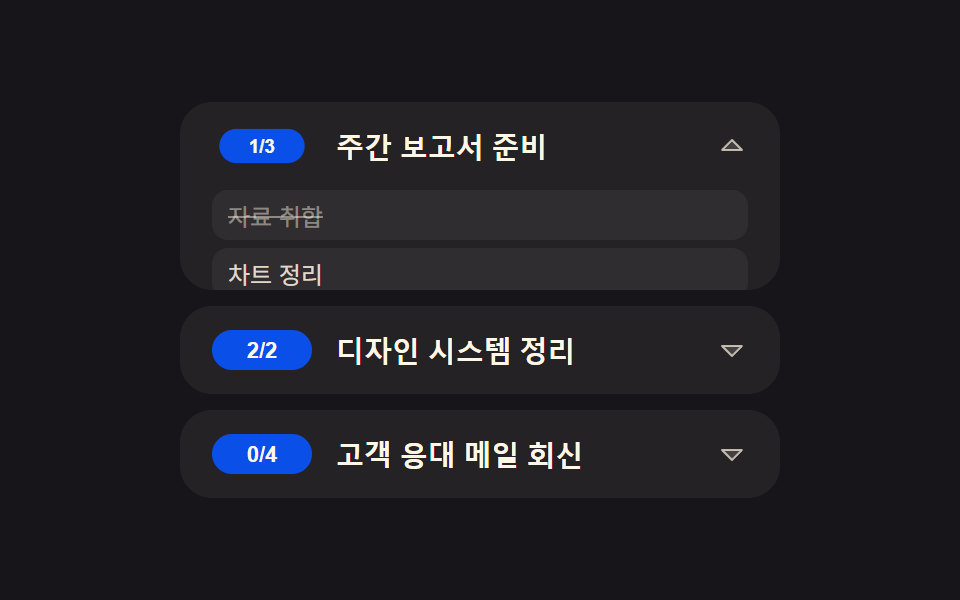 01 row-expand
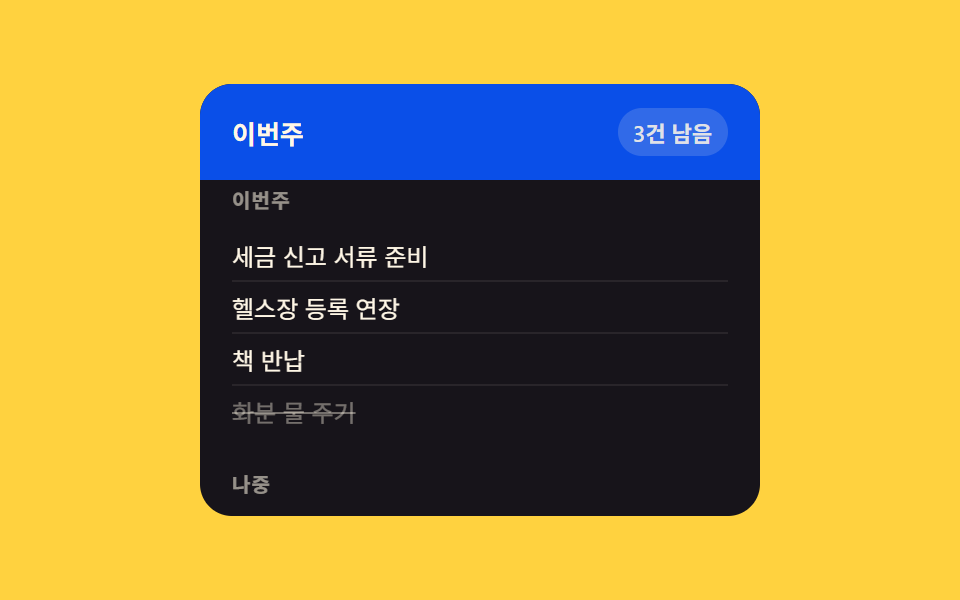 02 grouped-header
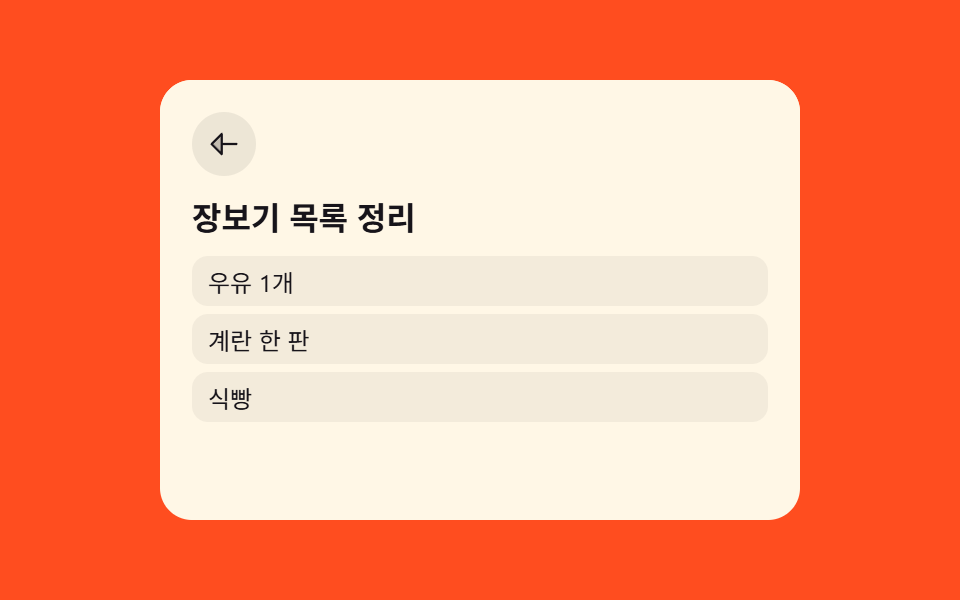 03 list-to-detail
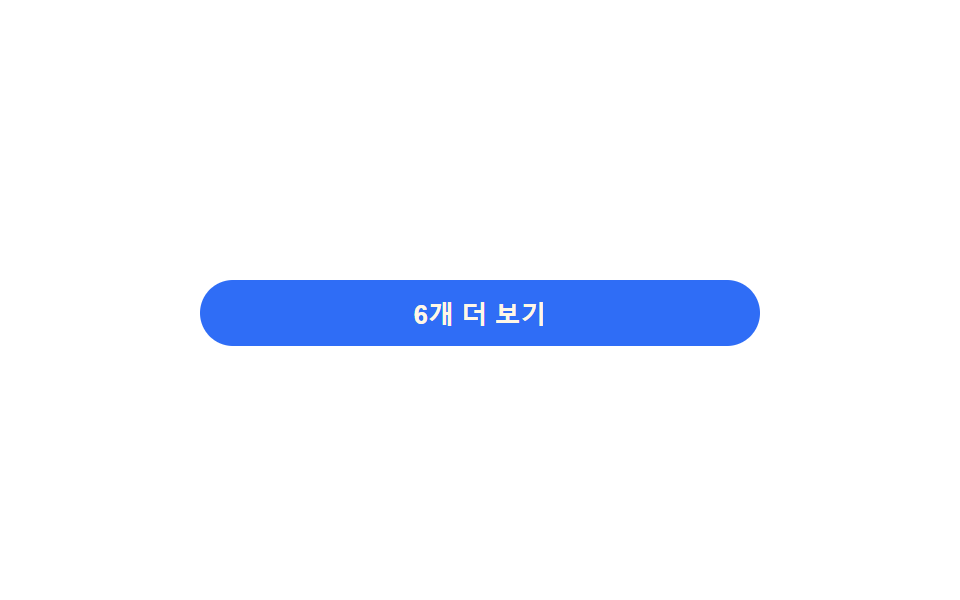 04 load-more
 05 long-press-actions
 06 reorder-indicator
 07 inline-edit
 08 activity-timeline
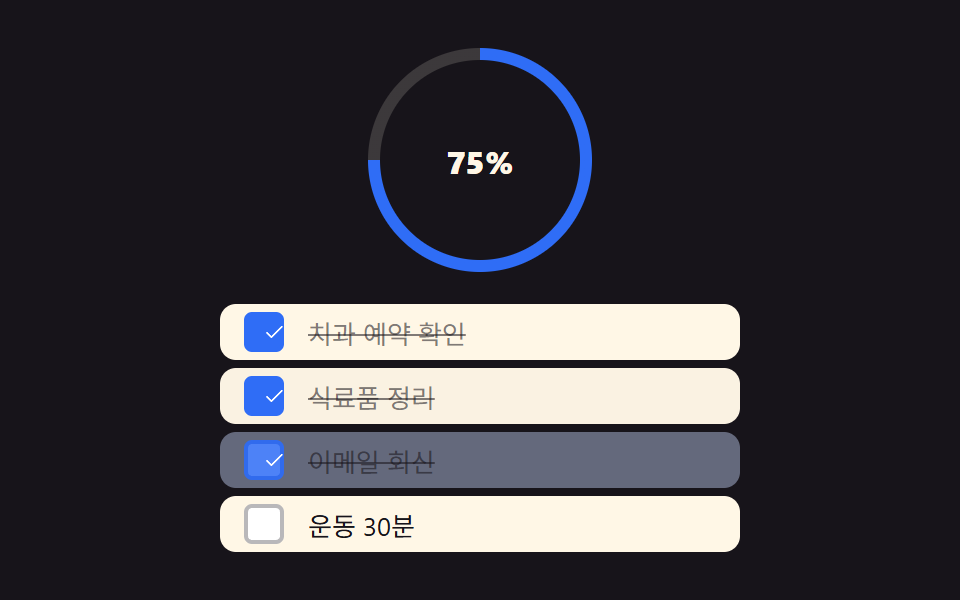 09 checklist
Auto-plays · click a tile to jump to its section · all nine in one zip
- 01 Todo Row Expand for Subtasks
- 02 Due-Date Grouped Sticky Header
- 03 List-to-Detail Card Zoom Transition
- 04 Load More With Doubling Batch Size
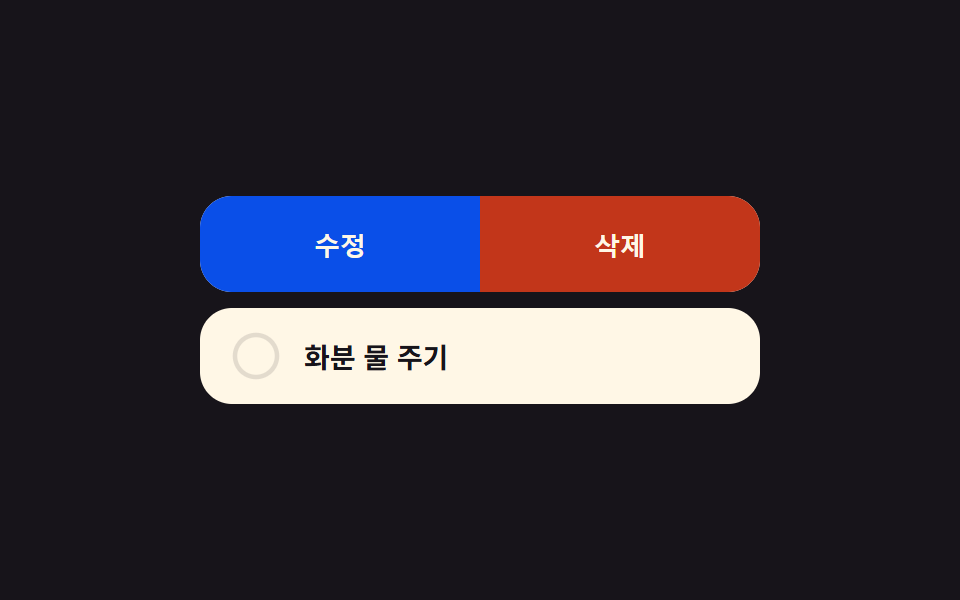
- 05 Long-Press Ring to Schedule Undo
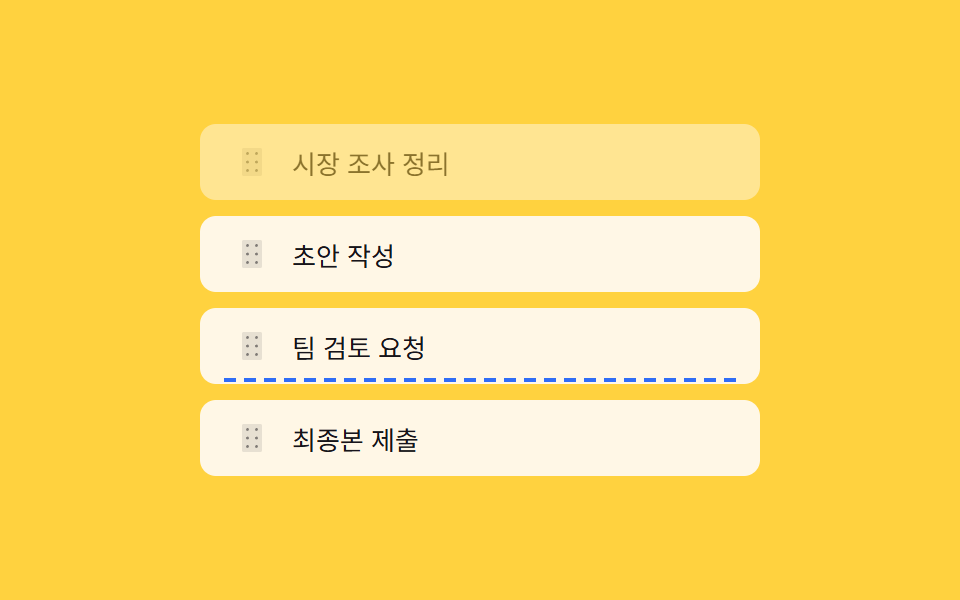
- 06 Reorder Insertion-Line Preview
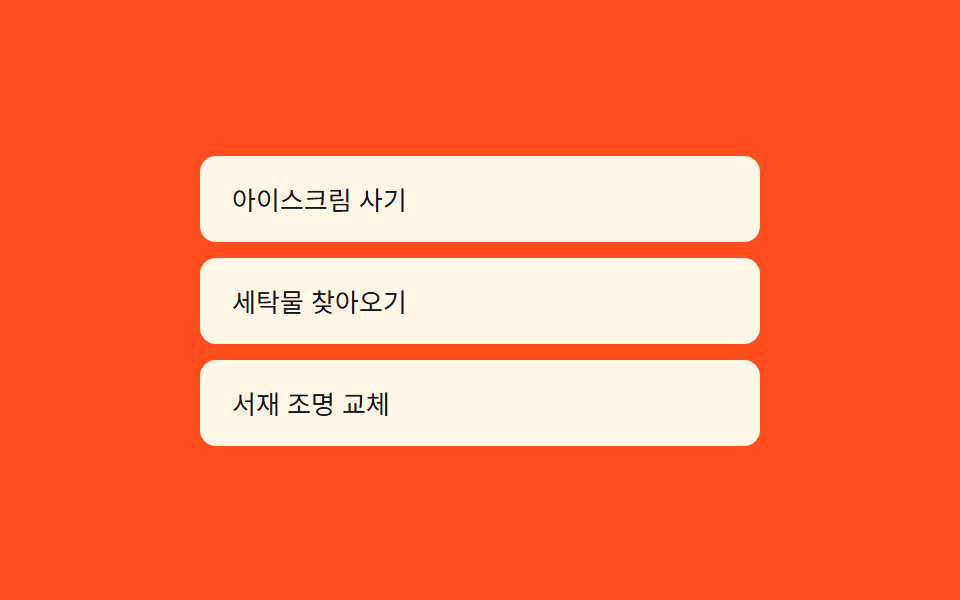
- 07 Inline Edit With Character Countdown
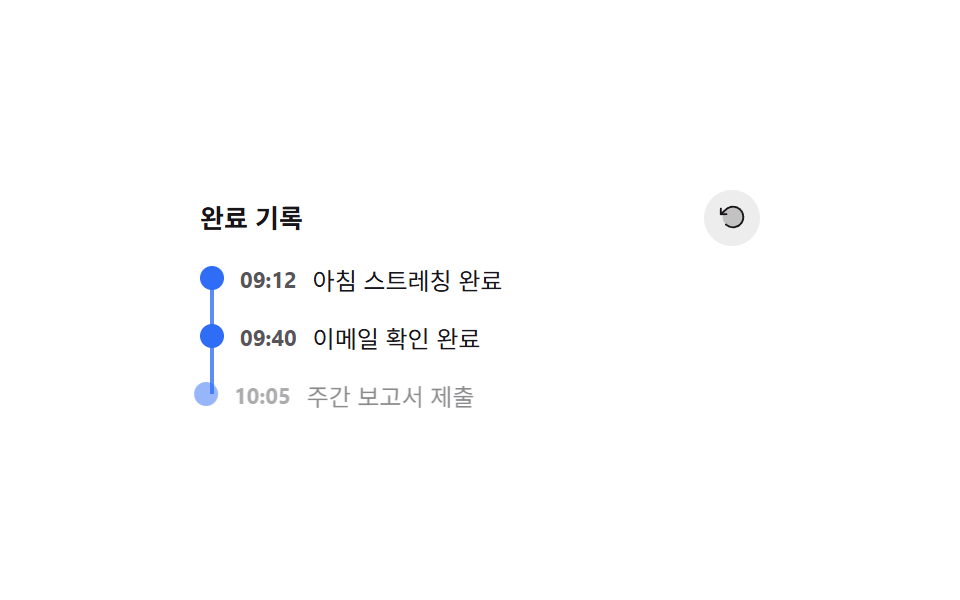
- 08 Completed Timeline Rewind
- 09 Checklist Ring Gauge Sync
Nine patterns, one archive: every demo above is a plain HTML/CSS/JS file, not a component library, and each one earns its place with one small calculation — a ratio, a coordinate diff, an index — computed right as you interact with it. Whether you're wiring this into a todo list ui mobile screen or a wide desktop dashboard, the same nine computed layers hold up because none of them depend on a specific screen size to work.
Demo
Every grid above is fully interactive, not a looping preview — click a row, hold a button, drag a handle, or scroll the header exactly as you would once the files are unzipped, and each pattern responds with its own real computation instead of a canned animation.
Anatomy of nine patterns — where the numbers come from
Every row below comes from the same 24 sampled frames per pattern, measured after render, not estimated. If you're pulling these straight from a todo list ui figma handoff, the shapes translate directly: cumulative area is how much of the frame the moving parts covered added up across those frames, average intensity is how strong the pixel-level change was per moved frame, and frames moved (of 23) is how many of the 23 frame-to-frame comparisons actually differed.
| # | Pattern | Cumulative area | Avg. intensity | Frames moved (of 23) |
|---|---|---|---|---|
| 01 | Todo Row Expand for Subtasks | 43.151% | 82.7 | 7 |
| 02 | Due-Date Grouped Sticky Header | 8.496% | 108.5 | 8 |
| 03 | List-to-Detail Card Zoom Transition | 26.048% | 149.9 | 7 |
| 04 | Load More With Doubling Batch Size | 6.275% | 88.4 | 6 |
| 05 | Long-Press Ring to Schedule Undo | 18.42% | 148.1 | 16 |
| 06 | Reorder Insertion-Line Preview | 10.539% | 176.9 | 12 |
| 07 | Inline Edit With Character Countdown | 7.756% | 94.8 | 11 |
| 08 | Completed Timeline Rewind | 9.168% | 79.8 | 22 |
| 09 | Checklist Ring Gauge Sync | 25.237% | 70.4 | 22 |
Pattern 01 covers the most cumulative area of the nine at 43.151%, and pattern 04 covers the least at 6.275% — the row that expands a whole subtask panel simply displaces more pixels than a button that just grows a list downward. Pattern 06 has the highest average intensity at 176.9, since a dashed insertion line snapping between two rows changes more pixels per frame than a slow fade ever would. Patterns 08 and 09 both move across 22 of the 23 frames, tied for the most, while pattern 04 moves in only 6, the fewest of the nine.
Cluster A — geometry gets measured before it animates (01, 03, 07)
Patterns 01, 03, and 07 all read a real DOM measurement — scrollHeight, a pair of getBoundingClientRect() calls, or a hidden mirror element's width — before they touch a single style property. None of them animate toward a guessed or fixed value.
Cluster B — one ratio scales the magnitude (04, 05, 09)
Patterns 04, 05, and 09 each take a single number — a click count, an elapsed-time fraction, a checked ratio — and feed it straight into an exponent, a stroke offset, or a rotation angle. The visual scale is a direct function of that one ratio, not a set of fixed keyframes.
Cluster C — position or order recomputes live (02, 06, 08)
Patterns 02, 06, and 08 recalculate a position or an order on nearly every interaction frame: which group is under the header, where the pointer sits relative to every row, or which reverse index a removed dot gets. Nothing about their layout is precomputed once and left alone.
Code per pattern
Nine short, framework-free snippets — only the computed layer that decides what actually moves, trimmed out of each pattern's full source.
01Todo Row Expand for Subtasks
Tapping a todo row shrinks its progress badge first, then subtasks unfold below to their real content height (a different demo from 231's arrow-rotate expand — here the progress badge is the trigger). Across the 24 sampled frames (23 frame-to-frame comparisons) the badge shrink and panel expand move together for 7 of them, covering 43.151% of the frame at peak, the largest cumulative area of the nine.
<main class="stage">
<ul class="list is-demo" id="list">
  <li class="row" id="row-0">
    <button class="rowBtn" id="btn-0" type="button" aria-expanded="false" aria-controls="sub-0">
      <span class="badge" id="badge-0">1/3</span>
      <span class="title">Prepare weekly report</span>
      <svg class="caret" id="caret-0" viewBox="0 0 256 256" aria-hidden="true"><g fill="currentColor"><path d="m208 96l-80 80l-80-80Z" opacity=".2"/><path d="M215.39 92.94A8 8 0 0 0 208 88H48a8 8 0 0 0-5.66 13.66l80 80a8 8 0 0 0 11.32 0l80-80a8 8 0 0 0 1.73-8.72M128 164.69L67.31 104h121.38Z"/></g></svg>
    </button>
    <div class="subWrap" id="sub-0" role="group" aria-label="Subtasks">
      <ul class="subList">
        <li class="done">Gather materials</li>
        <li>Clean up charts</li>
        <li>Request review</li>
      </ul>
    </div>
  </li>
  <li class="row" id="row-1">
    <button class="rowBtn" id="btn-1" type="button" aria-expanded="false" aria-controls="sub-1">
      <span class="badge" id="badge-1">2/2</span>
      <span class="title">Tidy up design system</span>
      <svg class="caret" id="caret-1" viewBox="0 0 256 256" aria-hidden="true"><g fill="currentColor"><path d="m208 96l-80 80l-80-80Z" opacity=".2"/><path d="M215.39 92.94A8 8 0 0 0 208 88H48a8 8 0 0 0-5.66 13.66l80 80a8 8 0 0 0 11.32 0l80-80a8 8 0 0 0 1.73-8.72M128 164.69L67.31 104h121.38Z"/></g></svg>
    </button>
    <div class="subWrap" id="sub-1" role="group" aria-label="Subtasks">
      <ul class="subList">
        <li class="done">Write token table</li>
        <li class="done">Component list</li>
      </ul>
    </div>
  </li>
  <li class="row" id="row-2">
    <button class="rowBtn" id="btn-2" type="button" aria-expanded="false" aria-controls="sub-2">
      <span class="badge" id="badge-2">0/4</span>
      <span class="title">Reply to customer email</span>
      <svg class="caret" id="caret-2" viewBox="0 0 256 256" aria-hidden="true"><g fill="currentColor"><path d="m208 96l-80 80l-80-80Z" opacity=".2"/><path d="M215.39 92.94A8 8 0 0 0 208 88H48a8 8 0 0 0-5.66 13.66l80 80a8 8 0 0 0 11.32 0l80-80a8 8 0 0 0 1.73-8.72M128 164.69L67.31 104h121.38Z"/></g></svg>
    </button>
    <div class="subWrap" id="sub-2" role="group" aria-label="Subtasks">
      <ul class="subList">
        <li>Sort inquiries</li>
        <li>Draft reply</li>
        <li>Check assignee</li>
        <li>Send</li>
      </ul>
    </div>
  </li>
</ul>
</main>@use "../../../../site/static/demo-tokens" as *;
// 계산 겹: index.html 의 ratio(i) 가 배지 "완료/전체" 문자열을 파싱해 축소 비율을 산술로 구하고,
// measure() 가 하위 작업 목록의 실제 scrollHeight 를 재서 --h 로 넘긴다 — 고정 px 아코디언이 아니다.
@include stage($stage-ink);
.list {
list-style: none;
margin: 0;
padding: 0;
width: 300px;
display: grid;
gap: $sp-2;
}
.row {
border-radius: $r-card;
background: rgba($subject-cream, .06);
overflow: hidden;
}
.rowBtn {
appearance: none;
border: none;
width: 100%;
box-sizing: border-box;
display: flex;
align-items: center;
gap: $sp-3;
padding: $sp-3 $sp-4;
background: transparent;
cursor: pointer;
text-align: left;
&:focus-visible { outline: 2px solid $subject-blue-light; outline-offset: -2px; }
}
.badge {
flex: 0 0 auto;
min-width: 34px;
padding: $sp-1 $sp-2;
border-radius: $r-pill;
background: $subject-blue-deep;
color: $subject-cream;
font-size: 11px;
font-weight: 700;
text-align: center;
transform-origin: center;
transition: transform $dur-quick $ease-out;
}
.title {
flex: 1 1 auto;
color: $subject-cream;
font-size: 14px;
font-weight: 600;
}
.caret {
flex: 0 0 auto;
width: 16px;
height: 16px;
color: rgba($subject-cream, .7);
transition: transform $dur-base $ease-out;
}
.subWrap {
overflow: hidden;
max-height: var(--h, 0px);
transition: max-height $dur-enter $ease-spring;
&.open { max-height: var(--h, 240px); }
}
.subList {
list-style: none;
margin: 0;
padding: 0 $sp-4 $sp-3;
display: grid;
gap: $sp-1;
}
.subList li {
padding: $sp-1 $sp-2;
border-radius: $r-sm;
background: rgba($subject-cream, .05);
color: rgba($subject-cream, .85);
font-size: 12px;
&.done {
color: rgba($subject-cream, .45);
text-decoration: line-through;
}
}
@media (max-width: 340px) {
// 320×200 폰 렌더 예산 안에 여유를 두려고 세 겹으로 줄인다(경계값 실측 09-22: 정확히 200px 근방은
// 폰트 렌더링 미세 편차로 넘침 판정이 흔들린다 — 여유 없이 딱 맞추지 않는다)
.list { width: 240px; gap: $sp-1; }
.title { font-size: 13px; }
.rowBtn { padding: $sp-1 $sp-3; }
.subWrap.open { max-height: 40px; overflow-y: auto; }
}
// reduce: 실사용 경로(클릭 토글)에는 그대로 적용 — 전환만 없앤다. 자동 루프는 JS 쪽(reduce 체크)이 애초에 안 돈다
@media (prefers-reduced-motion: reduce) {
.badge, .caret, .subWrap { transition: none; }
}html, body {
margin: 0;
overflow: hidden;
}
.stage {
box-sizing: border-box;
min-height: 100vh;
display: grid;
place-items: center;
margin: 0;
background: #17141a;
font-family: -apple-system, "Segoe UI", "Noto Sans KR", sans-serif;
padding: clamp(8px, 4vw, 24px);
}
.list {
list-style: none;
margin: 0;
padding: 0;
width: 300px;
display: grid;
gap: 8px;
}
.row {
border-radius: 16px;
background: rgba(255, 247, 230, 0.06);
overflow: hidden;
}
.rowBtn {
appearance: none;
border: none;
width: 100%;
box-sizing: border-box;
display: flex;
align-items: center;
gap: 12px;
padding: 12px 16px;
background: transparent;
cursor: pointer;
text-align: left;
}
.rowBtn:focus-visible {
outline: 2px solid #5b8cf8;
outline-offset: -2px;
}
.badge {
flex: 0 0 auto;
min-width: 34px;
padding: 4px 8px;
border-radius: 999px;
background: #0a4fe8;
color: #fff7e6;
font-size: 11px;
font-weight: 700;
text-align: center;
transform-origin: center;
transition: transform 220ms ease-out;
}
.title {
flex: 1 1 auto;
color: #fff7e6;
font-size: 14px;
font-weight: 600;
}
.caret {
flex: 0 0 auto;
width: 16px;
height: 16px;
color: rgba(255, 247, 230, 0.7);
transition: transform 300ms ease-out;
}
.subWrap {
overflow: hidden;
max-height: var(--h, 0px);
transition: max-height 600ms cubic-bezier(0.2, 0.8, 0.2, 1);
}
.subWrap.open {
max-height: var(--h, 240px);
}
.subList {
list-style: none;
margin: 0;
padding: 0 16px 12px;
display: grid;
gap: 4px;
}
.subList li {
padding: 4px 8px;
border-radius: 8px;
background: rgba(255, 247, 230, 0.05);
color: rgba(255, 247, 230, 0.85);
font-size: 12px;
}
.subList li.done {
color: rgba(255, 247, 230, 0.45);
text-decoration: line-through;
}
@media (max-width: 340px) {
.list {
width: 240px;
gap: 4px;
}
.title {
font-size: 13px;
}
.rowBtn {
padding: 4px 12px;
}
.subWrap.open {
max-height: 40px;
overflow-y: auto;
}
}
@media (prefers-reduced-motion: reduce) {
.badge, .caret, .subWrap {
transition: none;
}
}(function () {
var BADGE_SHRINK_MAX = 0.22; // 배지 축소폭 상한 — 완료 비율이 낮을수록(할 일이 많을수록) 더 작게 움츠러든다
var STEP_MS = 700; // 자동 루프에서 한 행이 열려 있는 시간 — 2초 측정 창 안에 세 행이 순서대로 열린다
var reduce = window.matchMedia('(prefers-reduced-motion: reduce)').matches;
var list = document.getElementById('list');
var rows = [0, 1, 2].map(function (i) {
return {
btn: document.getElementById('btn-' + i),
badge: document.getElementById('badge-' + i),
caret: document.getElementById('caret-' + i),
sub: document.getElementById('sub-' + i),
open: false
};
});
function ratio(i) {
var text = rows[i].badge.textContent; // "1/3" 꼴 — done/total 을 파싱해 축소폭을 계산한다
var parts = text.split('/');
var done = parseInt(parts[0], 10);
var total = parseInt(parts[1], 10);
return total > 0 ? done / total : 0;
}
function measure(sub) {
// 실제 콘텐츠 높이를 재서 CSS 변수로 넘긴다 — 고정 px 가 아니라 Subtasks 개수만큼 자란다
sub.style.setProperty('--h', sub.firstElementChild.scrollHeight + 'px');
}
function setOpen(i, open) {
var r = rows[i];
if (r.open === open) return;
r.open = open;
r.btn.setAttribute('aria-expanded', String(open));
// 배지가 먼저 줄어든다 — 축소폭은 완료 비율로 계산(할 일이 남을수록 더 움츠러들어 눈에 띈다)
var shrink = 1 - (1 - ratio(i)) * BADGE_SHRINK_MAX;
r.badge.style.transform = open ? 'scale(' + shrink + ')' : 'scale(1)';
r.caret.style.transform = open ? 'rotate(180deg)' : 'rotate(0deg)';
if (open) measure(r.sub);
r.sub.classList.toggle('open', open);
}
function human() {
if (list.classList.contains('is-demo')) list.classList.remove('is-demo');
window.clearInterval(loopTimer);
}
rows.forEach(function (r, i) {
r.btn.addEventListener('click', function () {
human();
setOpen(i, !r.open);
});
r.btn.addEventListener('keydown', function (e) {
if (e.key === 'Enter' || e.key === ' ') { e.preventDefault(); human(); setOpen(i, !r.open); }
});
});
var cursor = 0;
function autoStep() {
if (reduce) return;
rows.forEach(function (r, i) { if (i !== cursor) setOpen(i, false); });
setOpen(cursor, true);
cursor = (cursor + 1) % rows.length;
}
var loopTimer;
if (!reduce) {
autoStep();
loopTimer = window.setInterval(autoStep, STEP_MS);
}
})();// RowExpand — vanilla 판(run/377/demo/01-row-expand/index.html) 의 React 포트.
// 배지가 완료 비율만큼 먼저 움츠러들고, 하위 작업 목록은 실제 scrollHeight 를 측정해 그 높이까지 펼쳐진다.
import { useEffect, useRef, useState } from "react";
import styles from "./RowExpand.module.scss";
type Box<T> = { current: T };
const BADGE_SHRINK_MAX = 0.22; // 배지 축소폭 상한 — 완료 비율이 낮을수록 더 작게 움츠러든다
const STEP_MS = 700; // 자동 루프에서 한 행이 열려 있는 시간
type Task = { title: string; subs: { text: string; done: boolean }[] };
const TASKS: Task[] = [
{ title: "주간 보고서 준비", subs: [{ text: "자료 취합", done: true }, { text: "차트 정리", done: false }, { text: "검토 요청", done: false }] },
{ title: "디자인 시스템 정리", subs: [{ text: "토큰 표 작성", done: true }, { text: "컴포넌트 목록", done: true }] },
{ title: "고객 응대 메일 회신", subs: [{ text: "문의 분류", done: false }, { text: "답변 초안", done: false }, { text: "담당자 확인", done: false }, { text: "발송", done: false }] },
];
function ratio(task: Task) {
const done = task.subs.filter(function (s) { return s.done; }).length;
return task.subs.length > 0 ? done / task.subs.length : 0;
}
export default function RowExpand() {
const [isDemo, setIsDemo] = useState(true);
const [openIndex, setOpenIndex] = useState<number | null>(null);
const subRefs = useRef([]) as unknown as Box<(HTMLDivElement | null)[]>;
const cursorRef = useRef(0) as unknown as Box<number>;
const timerRef = useRef(0) as unknown as Box<number>;
useEffect(function () {
const reduce = window.matchMedia("(prefers-reduced-motion: reduce)").matches;
if (reduce) { setOpenIndex(null); return; }
function autoStep() {
setOpenIndex(cursorRef.current);
cursorRef.current = (cursorRef.current + 1) % TASKS.length;
}
autoStep();
timerRef.current = window.setInterval(autoStep, STEP_MS);
return function () { window.clearInterval(timerRef.current); };
}, []);
useEffect(function () {
if (openIndex === null) return;
const el = subRefs.current[openIndex];
if (el && el.firstElementChild) {
el.style.setProperty("--h", (el.firstElementChild as HTMLElement).scrollHeight + "px");
}
}, [openIndex]);
function human() {
if (isDemo) { setIsDemo(false); window.clearInterval(timerRef.current); }
}
function toggle(i: number) {
human();
setOpenIndex(function (cur) { return cur === i ? null : i; });
}
return (
<main className={styles.stage}>
<ul className={styles.list + (isDemo ? " " + styles.isDemo : "")}>
{TASKS.map(function (task, i) {
const open = openIndex === i;
const done = task.subs.filter(function (s) { return s.done; }).length;
const shrink = 1 - (1 - ratio(task)) * BADGE_SHRINK_MAX;
return (
<li className={styles.row} key={task.title}>
<button
className={styles.rowBtn}
type="button"
aria-expanded={open}
aria-controls={"sub-" + i}
onClick={function () { toggle(i); }}
>
<span className={styles.badge} style={{ transform: open ? "scale(" + shrink + ")" : "scale(1)" }}>
{done}/{task.subs.length}
</span>
<span className={styles.title}>{task.title}</span>
<svg className={styles.caret} style={{ transform: open ? "rotate(180deg)" : "rotate(0deg)" }} viewBox="0 0 256 256" aria-hidden="true">
<g fill="currentColor">
<path d="m208 96l-80 80l-80-80Z" opacity=".2" />
<path d="M215.39 92.94A8 8 0 0 0 208 88H48a8 8 0 0 0-5.66 13.66l80 80a8 8 0 0 0 11.32 0l80-80a8 8 0 0 0 1.73-8.72M128 164.69L67.31 104h121.38Z" />
</g>
</svg>
</button>
<div
className={styles.subWrap + (open ? " " + styles.open : "")}
id={"sub-" + i}
role="group"
aria-label="하위 작업"
ref={function (el: HTMLDivElement | null) { subRefs.current[i] = el; }}
>
<ul className={styles.subList}>
{task.subs.map(function (s) {
return <li key={s.text} className={s.done ? styles.done : ""}>{s.text}</li>;
})}
</ul>
</div>
</li>
);
})}
</ul>
</main>
);
}01 · Todo Row Expand for Subtasks — Measured area 43.151% · moving frames 7/23Original by GODRICH · SCSS and React ship in the zip · See the password
  function ratio(i) {
    var text = rows[i].badge.textContent; // like "1/3" — parses done/total to compute the shrink ratio
    var parts = text.split('/');
    var done = parseInt(parts[0], 10);
    var total = parseInt(parts[1], 10);
    return total > 0 ? done / total : 0;
  }

  function measure(sub) {
    // measures the real content height and passes it as a CSS variable — grows with the subtask count, not a fixed px
    sub.style.setProperty('--h', sub.firstElementChild.scrollHeight + 'px');
  }

  function setOpen(i, open) {
    var r = rows[i];
    if (r.open === open) return;
    r.open = open;
    r.btn.setAttribute('aria-expanded', String(open));
    // the badge shrinks first — the shrink ratio comes from the completion ratio (more left to do shrinks it more, so it stands out)
    var shrink = 1 - (1 - ratio(i)) * BADGE_SHRINK_MAX;
    r.badge.style.transform = open ? 'scale(' + shrink + ')' : 'scale(1)';
    r.caret.style.transform = open ? 'rotate(180deg)' : 'rotate(0deg)';
    if (open) measure(r.sub);
    r.sub.classList.toggle('open', open);
  }
02Due-Date Grouped Sticky Header
Todos group by due date (today, this week, later), and the sticky header counts the remaining items in that group live as you scroll (different from 231's first-letter grouping — here it's due-date groups plus a remaining-count badge). The header only reacts to scroll, pointer, and keyboard events — there's no separate click handler, since the group name comes from currentGroupAndRemain() re-reading the DOM on every scroll frame.
<main class="stage">
<div class="wrap is-demo" id="wrap">
  <div class="head" id="head">
    <span class="headLabel" id="headLabel">Today</span>
    <span class="headCount" id="headCount">3 left</span>
  </div>
  <div class="scroller" id="scroller">
    <ul class="list" id="list">
      <li class="group" data-group="Today">
        <p class="groupTitle">Today</p>
        <ul class="items">
          <li data-done="0">Confirm dentist appointment</li>
          <li data-done="0">Submit report draft</li>
          <li data-done="1">Buy milk</li>
        </ul>
      </li>
      <li class="group" data-group="This week">
        <p class="groupTitle">This week</p>
        <ul class="items">
          <li data-done="0">Prepare tax filing documents</li>
          <li data-done="0">Renew gym membership</li>
          <li data-done="0">Return books</li>
          <li data-done="1">Water the plant</li>
        </ul>
      </li>
      <li class="group" data-group="Later">
        <p class="groupTitle">Later</p>
        <ul class="items">
          <li data-done="0">Plan a trip</li>
          <li data-done="0">Tidy up desk</li>
        </ul>
      </li>
    </ul>
  </div>
</div>
</main>@use "../../../../site/static/demo-tokens" as *;
// 계산 겹: index.html 의 currentGroupAndRemain() 이 스크롤 위치로 현재 그룹을 찾고
// 그 그룹의 미완료 개수를 매 스크롤 프레임마다 다시 센다 — 캐시된 표가 아니다.
@include stage($stage-yellow);
.wrap {
width: 280px;
border-radius: $r-card;
background: $subject-ink;
overflow: hidden;
}
.head {
display: flex;
align-items: center;
justify-content: space-between;
gap: $sp-3;
padding: $sp-3 $sp-4;
background: $subject-blue-deep;
}
.headLabel {
color: $subject-cream;
font-size: 13px;
font-weight: 700;
}
.headCount {
color: rgba($subject-cream, .85);
font-size: 11px;
font-weight: 600;
padding: $sp-1 $sp-2;
border-radius: $r-pill;
background: rgba($subject-cream, .16);
}
.scroller {
height: 168px;
overflow-y: scroll;
}
.list {
list-style: none;
margin: 0;
padding: 0;
}
.groupTitle {
margin: 0;
padding: $sp-2 $sp-4;
color: rgba($subject-cream, .55);
font-size: 10px;
font-weight: 700;
letter-spacing: .06em;
text-transform: uppercase;
}
.items {
list-style: none;
margin: 0;
padding: 0 $sp-4 $sp-2;
}
.items li {
padding: $sp-1 0;
color: $subject-cream;
font-size: 12px;
border-bottom: 1px solid rgba($subject-cream, .08);
&:last-child { border-bottom: none; }
&[data-done="1"] { color: rgba($subject-cream, .4); text-decoration: line-through; }
}
@media (max-width: 340px) {
.wrap { width: 220px; }
.head { padding: $sp-2 $sp-3; }
.scroller { height: 120px; }
}
@media (prefers-reduced-motion: reduce) {
// scss 만 — 이 항목은 트랜지션이 없다(값이 즉시 바뀐다). reduce 는 JS 쪽 자동 스크롤 루프를 멈춘다
}html, body {
margin: 0;
overflow: hidden;
}
.stage {
box-sizing: border-box;
min-height: 100vh;
display: grid;
place-items: center;
margin: 0;
background: #ffd23f;
font-family: -apple-system, "Segoe UI", "Noto Sans KR", sans-serif;
padding: clamp(8px, 4vw, 24px);
}
.wrap {
width: 280px;
border-radius: 16px;
background: #17141a;
overflow: hidden;
}
.head {
display: flex;
align-items: center;
justify-content: space-between;
gap: 12px;
padding: 12px 16px;
background: #0a4fe8;
}
.headLabel {
color: #fff7e6;
font-size: 13px;
font-weight: 700;
}
.headCount {
color: rgba(255, 247, 230, 0.85);
font-size: 11px;
font-weight: 600;
padding: 4px 8px;
border-radius: 999px;
background: rgba(255, 247, 230, 0.16);
}
.scroller {
height: 168px;
overflow-y: scroll;
}
.list {
list-style: none;
margin: 0;
padding: 0;
}
.groupTitle {
margin: 0;
padding: 8px 16px;
color: rgba(255, 247, 230, 0.55);
font-size: 10px;
font-weight: 700;
letter-spacing: 0.06em;
text-transform: uppercase;
}
.items {
list-style: none;
margin: 0;
padding: 0 16px 8px;
}
.items li {
padding: 4px 0;
color: #fff7e6;
font-size: 12px;
border-bottom: 1px solid rgba(255, 247, 230, 0.08);
}
.items li:last-child {
border-bottom: none;
}
.items li[data-done="1"] {
color: rgba(255, 247, 230, 0.4);
text-decoration: line-through;
}
@media (max-width: 340px) {
.wrap {
width: 220px;
}
.head {
padding: 8px 12px;
}
.scroller {
height: 120px;
}
}(function () {
var reduce = window.matchMedia('(prefers-reduced-motion: reduce)').matches;
var wrap = document.getElementById('wrap');
var scroller = document.getElementById('scroller');
var headLabel = document.getElementById('headLabel');
var headCount = document.getElementById('headCount');
var groups = Array.prototype.slice.call(document.querySelectorAll('.group'));
// 계산 겹: 스크롤 위치로 "현재 그룹"을 찾고, 그 그룹 안의 미완료 개수를 실시간으로 다시 센다.
// 미리 계산해 둔 표가 아니라 매 스크롤 프레임마다 DOM 을 다시 읽어 센다.
function currentGroupAndRemain() {
var top = scroller.scrollTop;
var current = groups[0];
for (var i = 0; i < groups.length; i++) {
if (groups[i].offsetTop - scroller.offsetTop <= top + 4) current = groups[i];
}
var items = current.querySelectorAll('.items li');
var remain = 0;
for (var j = 0; j < items.length; j++) {
if (items[j].getAttribute('data-done') === '0') remain++;
}
return { name: current.getAttribute('data-group'), remain: remain };
}
function paint() {
var r = currentGroupAndRemain();
headLabel.textContent = r.name;
headCount.textContent = r.remain + ' left';
}
function human() {
if (wrap.classList.contains('is-demo')) { wrap.classList.remove('is-demo'); window.clearInterval(autoTimer); }
}
scroller.addEventListener('scroll', paint);
scroller.addEventListener('pointerdown', human);
scroller.addEventListener('keydown', human);
scroller.addEventListener('wheel', human, { passive: true });
var max = 0, dir = 1;
function autoAdvance() {
max = scroller.scrollHeight - scroller.clientHeight;
var next = scroller.scrollTop + dir * (max * 0.34);
if (next >= max - 1) { next = max; dir = -1; }
else if (next <= 1) { next = 0; dir = 1; }
scroller.scrollTop = next;
paint();
}
paint();
var autoTimer;
// 2초 측정 창 안에서 전환이 5~6회는 나야 "움직인 프레임" 하한을 안정적으로 넘긴다 —
// 인터벌만 걸면 첫 전환이 480ms 뒤에나 나와 여유가 border 에 걸린다(실측 09-22 5~6 왕복)
if (!reduce) { autoAdvance(); autoTimer = window.setInterval(autoAdvance, 350); }
})();// GroupedHeader — vanilla 판(run/377/demo/02-grouped-header/index.html) 의 React 포트.
// 스크롤 위치로 현재 그룹을 찾고 그 그룹의 미완료 개수를 매 스크롤 프레임마다 다시 센다.
import { useEffect, useRef, useState } from "react";
import styles from "./GroupedHeader.module.scss";
type Box<T> = { current: T };
type Item = { text: string; done: boolean };
type Group = { name: string; items: Item[] };
const GROUPS: Group[] = [
{ name: "오늘", items: [{ text: "치과 예약 확인", done: false }, { text: "보고서 초안 제출", done: false }, { text: "우유 사기", done: true }] },
{ name: "이번주", items: [{ text: "세금 신고 서류 준비", done: false }, { text: "헬스장 등록 연장", done: false }, { text: "책 반납", done: false }, { text: "화분 물 주기", done: true }] },
{ name: "나중", items: [{ text: "여행 계획 세우기", done: false }, { text: "책상 정리", done: false }] },
];
export default function GroupedHeader() {
const scrollerRef = useRef(null) as unknown as Box<HTMLDivElement>;
const groupRefs = useRef([]) as unknown as Box<(HTMLLIElement | null)[]>;
const [isDemo, setIsDemo] = useState(true);
const [head, setHead] = useState({ name: GROUPS[0].name, remain: GROUPS[0].items.filter(function (i) { return !i.done; }).length });
const timerRef = useRef(0) as unknown as Box<number>;
function paint() {
const scroller = scrollerRef.current;
if (!scroller) return;
const top = scroller.scrollTop;
let idx = 0;
for (let i = 0; i < groupRefs.current.length; i++) {
const el = groupRefs.current[i];
if (el && el.offsetTop - scroller.offsetTop <= top + 4) idx = i;
}
const remain = GROUPS[idx].items.filter(function (it) { return !it.done; }).length;
setHead({ name: GROUPS[idx].name, remain: remain });
}
function human() {
if (isDemo) { setIsDemo(false); window.clearInterval(timerRef.current); }
}
useEffect(function () {
const reduce = window.matchMedia("(prefers-reduced-motion: reduce)").matches;
const scroller = scrollerRef.current;
if (!scroller || reduce) return;
let dir = 1;
function autoAdvance() {
const max = scroller!.scrollHeight - scroller!.clientHeight;
let next = scroller!.scrollTop + dir * (max * 0.34);
if (next >= max - 1) { next = max; dir = -1; }
else if (next <= 1) { next = 0; dir = 1; }
scroller!.scrollTop = next;
paint();
}
// vanilla 와 동일 — 첫 전환을 즉시 내고 간격을 좁혀 측정 창 안에서 안정적으로 여러 번 전환한다
autoAdvance();
timerRef.current = window.setInterval(autoAdvance, 350);
return function () { window.clearInterval(timerRef.current); };
// eslint-disable-next-line
}, []);
return (
<main className={styles.stage}>
<div className={styles.wrap + (isDemo ? " " + styles.isDemo : "")}>
<div className={styles.head}>
<span className={styles.headLabel}>{head.name}</span>
<span className={styles.headCount}>{head.remain}건 남음</span>
</div>
<div
className={styles.scroller}
ref={scrollerRef}
onScroll={paint}
onPointerDown={human}
onKeyDown={human}
onWheel={human}
>
<ul className={styles.list}>
{GROUPS.map(function (g, i) {
return (
<li className={styles.group} key={g.name} ref={function (el: HTMLLIElement | null) { groupRefs.current[i] = el; }}>
<p className={styles.groupTitle}>{g.name}</p>
<ul className={styles.items}>
{g.items.map(function (it) {
return <li key={it.text} data-done={it.done ? "1" : "0"}>{it.text}</li>;
})}
</ul>
</li>
);
})}
</ul>
</div>
</div>
</main>
);
}02 · Due-Date Grouped Sticky Header — Measured area 8.496% · moving frames 8/23Original by GODRICH · SCSS and React ship in the zip · See the password
  // computed layer: finds the "current group" from scroll position, then recounts unfinished items in that group live.
  // not a precomputed table — it re-reads the DOM and recounts on every scroll frame.
  function currentGroupAndRemain() {
    var top = scroller.scrollTop;
    var current = groups[0];
    for (var i = 0; i < groups.length; i++) {
      if (groups[i].offsetTop - scroller.offsetTop <= top + 4) current = groups[i];
    }
    var items = current.querySelectorAll('.items li');
    var remain = 0;
    for (var j = 0; j < items.length; j++) {
      if (items[j].getAttribute('data-done') === '0') remain++;
    }
    return { name: current.getAttribute('data-group'), remain: remain };
  }

  function paint() {
    var r = currentGroupAndRemain();
    headLabel.textContent = r.name;
    headCount.textContent = r.remain + ' left';
  }
03List-to-Detail Card Zoom Transition
Tapping a todo card enlarges that very card into the full detail screen, and going back shrinks it right back to its original spot (different from 231's left-right slide — here the card itself scales up in place). The card computes its own start position with getBoundingClientRect(), inverts into that position instantly, then a forced reflow lets the browser animate the invert away — the same first-last-invert-play sequence runs in reverse when the detail view closes.
<main class="stage">
<div class="scene is-demo" id="scene">
  <ul class="cards" id="cards">
    <li>
      <button class="card" id="card-0" type="button" aria-haspopup="dialog">
        <span class="cardTitle">Organize grocery list</span>
        <span class="cardMeta">Today · 3 items</span>
      </button>
    </li>
    <li>
      <button class="card" id="card-1" type="button" aria-haspopup="dialog">
        <span class="cardTitle">Weekly meeting materials</span>
        <span class="cardMeta">Tomorrow · 5 items</span>
      </button>
    </li>
  </ul>
  <div class="detail" id="detail" role="dialog" aria-modal="true" aria-hidden="true">
    <button class="backBtn" id="backBtn" type="button" aria-label="Back to list">
      <svg viewBox="0 0 256 256" aria-hidden="true"><g fill="currentColor"><path d="M112 56v144l-72-72Z" opacity=".2"/><path d="M216 120h-96V56a8 8 0 0 0-13.66-5.66l-72 72a8 8 0 0 0 0 11.32l72 72A8 8 0 0 0 120 200v-64h96a8 8 0 0 0 0-16m-112 60.69L51.31 128L104 75.31Z"/></g></svg>
    </button>
    <h2 class="detailTitle" id="detailTitle">Organize grocery list</h2>
    <ul class="detailList" id="detailList">
      <li>Milk x1</li>
      <li>A tray of eggs</li>
      <li>Bread</li>
    </ul>
  </div>
</div>
</main>@use "../../../../site/static/demo-tokens" as *;
// 계산 겹은 index.html 의 flipFrom() 에 있다 — 카드의 실제 화면 좌표와 상세 패널이 이미
// 차지한 좌표 차이를 실측해 translate·scale 로 되돌린 뒤(Invert) 그 값을 지워(Play) 확대돼 보이게 한다.
@include stage($stage-orange);
.scene {
position: relative;
width: 320px;
height: 220px;
overflow: hidden;
--flip-ease: #{$ease-spring};
}
.cards {
list-style: none;
margin: 0;
padding: 0;
display: grid;
gap: $sp-2;
}
.card {
appearance: none;
border: none;
width: 100%;
box-sizing: border-box;
display: flex;
flex-direction: column;
gap: $sp-1;
align-items: flex-start;
padding: $sp-3 $sp-4;
border-radius: $r-card;
background: $subject-cream;
cursor: pointer;
text-align: left;
&:focus-visible { outline: 2px solid $subject-blue-light; outline-offset: 2px; }
}
.cardTitle {
color: $subject-ink;
font-size: 14px;
font-weight: 700;
}
.cardMeta {
color: rgba($subject-ink, .55);
font-size: 11px;
}
.detail {
display: none;
position: absolute;
inset: 0;
box-sizing: border-box;
flex-direction: column;
gap: $sp-2;
padding: $sp-4;
border-radius: $r-card;
background: $subject-cream;
transform-origin: top left;
will-change: transform;
overflow-y: auto;
}
.backBtn {
appearance: none;
border: none;
align-self: flex-start;
width: 32px;
height: 32px;
display: grid;
place-items: center;
border-radius: $r-pill;
background: rgba($subject-ink, .08);
color: $subject-ink;
cursor: pointer;
svg { width: 18px; height: 18px; }
&:focus-visible { outline: 2px solid $subject-blue-light; outline-offset: 2px; }
}
.detailTitle {
margin: 0;
color: $subject-ink;
font-size: 16px;
font-weight: 700;
}
.detailList {
list-style: none;
margin: 0;
padding: 0;
display: grid;
gap: $sp-1;
}
.detailList li {
padding: $sp-1 $sp-2;
border-radius: $r-sm;
background: rgba($subject-ink, .05);
color: $subject-ink;
font-size: 12px;
}
@media (max-width: 340px) {
.scene { width: 240px; height: 160px; }
.card { padding: $sp-2 $sp-3; gap: $sp-1; }
.cards { gap: $sp-1; }
}
@media (prefers-reduced-motion: reduce) {
.detail { transition: none !important; }
}html, body {
margin: 0;
overflow: hidden;
}
.stage {
box-sizing: border-box;
min-height: 100vh;
display: grid;
place-items: center;
margin: 0;
background: #ff4d1f;
font-family: -apple-system, "Segoe UI", "Noto Sans KR", sans-serif;
padding: clamp(8px, 4vw, 24px);
}
.scene {
position: relative;
width: 320px;
height: 220px;
overflow: hidden;
--flip-ease: cubic-bezier(0.2, 0.8, 0.2, 1);
}
.cards {
list-style: none;
margin: 0;
padding: 0;
display: grid;
gap: 8px;
}
.card {
appearance: none;
border: none;
width: 100%;
box-sizing: border-box;
display: flex;
flex-direction: column;
gap: 4px;
align-items: flex-start;
padding: 12px 16px;
border-radius: 16px;
background: #fff7e6;
cursor: pointer;
text-align: left;
}
.card:focus-visible {
outline: 2px solid #5b8cf8;
outline-offset: 2px;
}
.cardTitle {
color: #17141a;
font-size: 14px;
font-weight: 700;
}
.cardMeta {
color: rgba(23, 20, 26, 0.55);
font-size: 11px;
}
.detail {
display: none;
position: absolute;
inset: 0;
box-sizing: border-box;
flex-direction: column;
gap: 8px;
padding: 16px;
border-radius: 16px;
background: #fff7e6;
transform-origin: top left;
will-change: transform;
overflow-y: auto;
}
.backBtn {
appearance: none;
border: none;
align-self: flex-start;
width: 32px;
height: 32px;
display: grid;
place-items: center;
border-radius: 999px;
background: rgba(23, 20, 26, 0.08);
color: #17141a;
cursor: pointer;
}
.backBtn svg {
width: 18px;
height: 18px;
}
.backBtn:focus-visible {
outline: 2px solid #5b8cf8;
outline-offset: 2px;
}
.detailTitle {
margin: 0;
color: #17141a;
font-size: 16px;
font-weight: 700;
}
.detailList {
list-style: none;
margin: 0;
padding: 0;
display: grid;
gap: 4px;
}
.detailList li {
padding: 4px 8px;
border-radius: 8px;
background: rgba(23, 20, 26, 0.05);
color: #17141a;
font-size: 12px;
}
@media (max-width: 340px) {
.scene {
width: 240px;
height: 160px;
}
.card {
padding: 8px 12px;
gap: 4px;
}
.cards {
gap: 4px;
}
}
@media (prefers-reduced-motion: reduce) {
.detail {
transition: none !important;
}
}(function () {
var DUR_MS = 420;
var reduce = window.matchMedia('(prefers-reduced-motion: reduce)').matches;
var scene = document.getElementById('scene');
var detail = document.getElementById('detail');
var backBtn = document.getElementById('backBtn');
var detailTitle = document.getElementById('detailTitle');
var cards = [document.getElementById('card-0'), document.getElementById('card-1')];
var data = [
{ title: 'Organize grocery list', items: ['Milk x1', 'A tray of eggs', 'Bread'] },
{ title: 'Weekly meeting materials', items: ['Organize agenda', 'Print materials', 'Book meeting room', 'Confirm attendees', 'Charge laptop'] }
];
var back = null; // 닫을 때 되돌아갈 FLIP 값
function human() { scene.classList.remove('is-demo'); window.clearInterval(autoTimer); }
// 계산 겹: 카드의 실제 화면 좌표(First)와 상세 패널이 이미 차지한 화면 전체 좌표(Last)의
// 차이를 실측해 translate·scale 로 변환한다 — FLIP(First-Last-Invert-Play).
function flipFrom(cardEl) {
var c = cardEl.getBoundingClientRect();
var d = detail.getBoundingClientRect();
return {
dx: c.left - d.left,
dy: c.top - d.top,
sx: c.width / d.width,
sy: c.height / d.height
};
}
function openDetail(i) {
var item = data[i];
detailTitle.textContent = item.title;
document.getElementById('detailList').innerHTML = item.items.map(function (t) { return '<li>' + t + '</li>'; }).join('');
detail.setAttribute('aria-hidden', 'false');
detail.style.transition = 'none';
detail.style.display = 'flex';
back = flipFrom(cards[i]);
detail.style.transform = 'translate(' + back.dx + 'px,' + back.dy + 'px) scale(' + back.sx + ',' + back.sy + ')';
detail.style.opacity = '1';
// 강제 리플로 — Invert 상태를 실제로 그린 뒤에야 Play(역전 제거) 애니메이션이 성립한다
detail.getBoundingClientRect();
detail.style.transition = reduce ? 'none' : 'transform ' + DUR_MS + 'ms var(--flip-ease)';
detail.style.transform = 'translate(0,0) scale(1,1)';
}
function closeDetail() {
if (!back) { detail.style.display = 'none'; detail.setAttribute('aria-hidden', 'true'); return; }
detail.style.transition = reduce ? 'none' : 'transform ' + DUR_MS + 'ms var(--flip-ease)';
detail.style.transform = 'translate(' + back.dx + 'px,' + back.dy + 'px) scale(' + back.sx + ',' + back.sy + ')';
var done = function () {
detail.style.display = 'none';
detail.setAttribute('aria-hidden', 'true');
detail.removeEventListener('transitionend', done);
};
if (reduce) { done(); } else { detail.addEventListener('transitionend', done); }
}
cards.forEach(function (c, i) {
c.addEventListener('click', function () { human(); openDetail(i); });
});
backBtn.addEventListener('click', function () { human(); closeDetail(); });
document.addEventListener('keydown', function (e) {
if (e.key === 'Escape' && detail.getAttribute('aria-hidden') === 'false') { human(); closeDetail(); }
});
var cursor = 0;
function autoStep() {
openDetail(cursor);
window.setTimeout(function () {
if (scene.classList.contains('is-demo')) closeDetail();
}, 900);
cursor = (cursor + 1) % cards.length;
}
var autoTimer;
if (!reduce) { autoStep(); autoTimer = window.setInterval(autoStep, 1400); }
})();// ListToDetail — vanilla 판(run/377/demo/03-list-to-detail/index.html) 의 React 포트.
// FLIP: 카드의 실제 화면 좌표와 상세 패널이 이미 차지한 좌표 차이를 실측해 변환값을 만들고,
// 그 값을 적용한 뒤 지워서(역전 제거) 확대·축소돼 보이게 한다.
import { useEffect, useRef, useState } from "react";
import styles from "./ListToDetail.module.scss";
type Box<T> = { current: T };
type Flip = { dx: number; dy: number; sx: number; sy: number };
const DUR_MS = 420;
const DATA = [
{ title: "장보기 목록 정리", items: ["우유 1개", "계란 한 판", "식빵"] },
{ title: "주간 회의 자료", items: ["안건 정리", "자료 인쇄", "회의실 예약", "참석자 확인", "노트북 충전"] },
];
export default function ListToDetail() {
const [isDemo, setIsDemo] = useState(true);
const [openIndex, setOpenIndex] = useState<number | null>(null);
const [transform, setTransform] = useState("translate(0,0) scale(1,1)");
const [animate, setAnimate] = useState(false);
const cardRefs = useRef([]) as unknown as Box<(HTMLButtonElement | null)[]>;
const detailRef = useRef(null) as unknown as Box<HTMLDivElement>;
const backRef = useRef<Flip | null>(null) as unknown as Box<Flip | null>;
const timerRef = useRef(0) as unknown as Box<number>;
const stepRef = useRef(0) as unknown as Box<number>;
const reduce = typeof window !== "undefined" && window.matchMedia("(prefers-reduced-motion: reduce)").matches;
function flipFrom(cardEl: HTMLButtonElement) {
const c = cardEl.getBoundingClientRect();
const d = detailRef.current.getBoundingClientRect();
return { dx: c.left - d.left, dy: c.top - d.top, sx: c.width / d.width, sy: c.height / d.height };
}
function openDetail(i: number) {
const cardEl = cardRefs.current[i];
if (!cardEl) return;
setOpenIndex(i);
setAnimate(false);
requestAnimationFrame(function () {
const f = flipFrom(cardEl);
backRef.current = f;
setTransform("translate(" + f.dx + "px," + f.dy + "px) scale(" + f.sx + "," + f.sy + ")");
requestAnimationFrame(function () {
setAnimate(!reduce);
setTransform("translate(0,0) scale(1,1)");
});
});
}
function closeDetail() {
const f = backRef.current;
if (!f) { setOpenIndex(null); return; }
setAnimate(!reduce);
setTransform("translate(" + f.dx + "px," + f.dy + "px) scale(" + f.sx + "," + f.sy + ")");
}
function onDetailTransitionEnd() {
if (transform !== "translate(0,0) scale(1,1)") setOpenIndex(null);
}
function human() {
if (isDemo) { setIsDemo(false); window.clearInterval(timerRef.current); }
}
useEffect(function () {
if (reduce) return;
function autoStep() {
const i = stepRef.current;
openDetail(i);
window.setTimeout(function () { closeDetail(); }, 900);
stepRef.current = (i + 1) % DATA.length;
}
autoStep();
timerRef.current = window.setInterval(autoStep, 1400);
return function () { window.clearInterval(timerRef.current); };
// eslint-disable-next-line
}, []);
return (
<main className={styles.stage}>
<div className={styles.scene + (isDemo ? " " + styles.isDemo : "")}>
<ul className={styles.cards}>
{DATA.map(function (item, i) {
return (
<li key={item.title}>
<button
className={styles.card}
type="button"
aria-haspopup="dialog"
ref={function (el: HTMLButtonElement | null) { cardRefs.current[i] = el; }}
onClick={function () { human(); openDetail(i); }}
>
<span className={styles.cardTitle}>{item.title}</span>
<span className={styles.cardMeta}>{item.items.length}개 항목</span>
</button>
</li>
);
})}
</ul>
<div
className={styles.detail}
ref={detailRef}
role="dialog"
aria-modal="true"
aria-hidden={openIndex === null}
style={{
display: openIndex === null ? "none" : "flex",
transform: transform,
transition: animate ? "transform " + DUR_MS + "ms var(--flip-ease)" : "none",
}}
onTransitionEnd={onDetailTransitionEnd}
>
<button
className={styles.backBtn}
type="button"
aria-label="목록으로 돌아가기"
onClick={function () { human(); closeDetail(); }}
>
<svg viewBox="0 0 256 256" aria-hidden="true">
<g fill="currentColor">
<path d="M112 56v144l-72-72Z" opacity=".2" />
<path d="M216 120h-96V56a8 8 0 0 0-13.66-5.66l-72 72a8 8 0 0 0 0 11.32l72 72A8 8 0 0 0 120 200v-64h96a8 8 0 0 0 0-16m-112 60.69L51.31 128L104 75.31Z" />
</g>
</svg>
</button>
<h2 className={styles.detailTitle}>{openIndex !== null ? DATA[openIndex].title : ""}</h2>
<ul className={styles.detailList}>
{openIndex !== null ? DATA[openIndex].items.map(function (t) { return <li key={t}>{t}</li>; }) : null}
</ul>
</div>
</div>
</main>
);
}03 · List-to-Detail Card Zoom Transition — Measured area 26.048% · moving frames 7/23Original by GODRICH · SCSS and React ship in the zip · See the password
  function openDetail(i) {
    var item = data[i];
    detailTitle.textContent = item.title;
    document.getElementById('detailList').innerHTML = item.items.map(function (t) { return '<li>' + t + '</li>'; }).join('');
    detail.setAttribute('aria-hidden', 'false');
    detail.style.transition = 'none';
    detail.style.display = 'flex';
    back = flipFrom(cards[i]);
    detail.style.transform = 'translate(' + back.dx + 'px,' + back.dy + 'px) scale(' + back.sx + ',' + back.sy + ')';
    detail.style.opacity = '1';
    // forced reflow — the Invert state has to actually paint before the Play (undo-the-invert) animation can run
    detail.getBoundingClientRect();
    detail.style.transition = reduce ? 'none' : 'transform ' + DUR_MS + 'ms var(--flip-ease)';
    detail.style.transform = 'translate(0,0) scale(1,1)';
  }
04Load More With Doubling Batch Size
Tapping load more doubles the batch size each time, and new items bounce gently into place from the bottom in order (different from 231's fixed three-at-a-time slide — here the batch size grows every tap). LOAD_MORE_MULTIPLIER doubles the batch on every tap, and because the trigger is a native <button type="button">, Enter and Space already work without any extra keydown code.
<main class="stage">
<div class="wrap is-demo" id="wrap">
  <ul class="list" id="list"></ul>
  <button class="moreBtn" id="moreBtn" type="button">
    <span id="moreLabel">Show 4 more</span>
  </button>
  <p class="liveNote" id="liveNote" aria-live="polite"></p>
</div>
</main>
@use "../../../../site/static/demo-tokens" as *;
// 계산 겹은 index.html 의 nextBatchSize() 에 있다 — 다음 묶음 크기가 클릭 횟수의 지수함수로
// 커진다(고정 3개 나열이 아니다). 진입 지연도 묶음 안 순서를 실측해 매긴다.
@include stage($stage-paper);
.wrap {
width: 280px;
display: grid;
gap: $sp-3;
}
.list {
list-style: none;
margin: 0;
padding: 0;
display: grid;
gap: $sp-1;
}
.row {
padding: $sp-2 $sp-3;
border-radius: $r-sm;
background: $subject-cream;
color: $subject-ink;
font-size: 13px;
opacity: 0;
transform: translateY(6px);
transition: opacity $dur-base $ease-out, transform $dur-base $ease-out;
&.in { opacity: 1; transform: translateY(0); }
}
.moreBtn {
appearance: none;
border: none;
padding: $sp-2 $sp-4;
border-radius: $r-pill;
background: $subject-blue;
color: $subject-cream;
font-size: 13px;
font-weight: 700;
cursor: pointer;
transition: transform $dur-quick $ease-out, background $dur-quick $ease-out;
&:hover { transform: translateY(-1px); }
&:focus-visible { outline: 2px solid $subject-blue-light; outline-offset: 2px; }
&:disabled { background: rgba($subject-ink, .16); color: rgba($subject-ink, .55); cursor: default; transform: none; }
}
.liveNote {
position: absolute;
width: 1px;
height: 1px;
overflow: hidden;
clip: rect(0 0 0 0);
margin: -1px;
}
@media (max-width: 340px) {
.wrap { width: 220px; }
}
@media (prefers-reduced-motion: reduce) {
// 실사용 경로(더 보기 클릭)에도 적용 — 새 항목이 즉시 나타나고 지연 없이 붙는다
.row { transition: none !important; }
.moreBtn { transition: none !important; }
}html, body {
margin: 0;
overflow: hidden;
}
.stage {
box-sizing: border-box;
min-height: 100vh;
display: grid;
place-items: center;
margin: 0;
background: #ffffff;
font-family: -apple-system, "Segoe UI", "Noto Sans KR", sans-serif;
padding: clamp(8px, 4vw, 24px);
}
.wrap {
width: 280px;
display: grid;
gap: 12px;
}
.list {
list-style: none;
margin: 0;
padding: 0;
display: grid;
gap: 4px;
}
.row {
padding: 8px 12px;
border-radius: 8px;
background: #fff7e6;
color: #17141a;
font-size: 13px;
opacity: 0;
transform: translateY(6px);
transition: opacity 300ms ease-out, transform 300ms ease-out;
}
.row.in {
opacity: 1;
transform: translateY(0);
}
.moreBtn {
appearance: none;
border: none;
padding: 8px 16px;
border-radius: 999px;
background: #2f6df6;
color: #fff7e6;
font-size: 13px;
font-weight: 700;
cursor: pointer;
transition: transform 220ms ease-out, background 220ms ease-out;
}
.moreBtn:hover {
transform: translateY(-1px);
}
.moreBtn:focus-visible {
outline: 2px solid #5b8cf8;
outline-offset: 2px;
}
.moreBtn:disabled {
background: rgba(23, 20, 26, 0.16);
color: rgba(23, 20, 26, 0.55);
cursor: default;
transform: none;
}
.liveNote {
position: absolute;
width: 1px;
height: 1px;
overflow: hidden;
clip: rect(0 0 0 0);
margin: -1px;
}
@media (max-width: 340px) {
.wrap {
width: 220px;
}
}
@media (prefers-reduced-motion: reduce) {
.row {
transition: none !important;
}
.moreBtn {
transition: none !important;
}
}(function () {
var BASE_BATCH = 2;
var LOAD_MORE_MULTIPLIER = 2.0; // 클릭마다 다음 묶음 크기 = BASE_BATCH * 배수^클릭수
var STAGGER_MS = 60;
var reduce = window.matchMedia('(prefers-reduced-motion: reduce)').matches;
var wrap = document.getElementById('wrap');
var list = document.getElementById('list');
var moreBtn = document.getElementById('moreBtn');
var moreLabel = document.getElementById('moreLabel');
var liveNote = document.getElementById('liveNote');
var ALL = [
'Buy toothpaste', 'Take out recycling', 'Drop off blanket at laundry', 'Replace lightbulb',
'Book car wash', 'Clean out fridge', 'Pick reading list', 'Replace shoelaces',
'Repot plant', 'Tidy desk drawer', 'Sort receipts', 'Organize charger cables',
'Bring out winter clothes', 'Check umbrella', 'Check battery stock', 'Replace towels',
'Clean window screen', 'Tidy shoe rack', 'Clean laptop dust', 'Clear notepad'
];
var shown = 0; // 화면에 낸 개수
var clicks = 0; // 클릭 횟수 — 계산 겹의 입력값
// 계산 겹: 다음 묶음 크기는 고정값이 아니라 클릭 횟수의 지수함수다.
function nextBatchSize() {
var size = Math.round(BASE_BATCH * Math.pow(LOAD_MORE_MULTIPLIER, clicks));
var remain = ALL.length - shown;
return Math.min(size, remain);
}
function renderBatch(n) {
var frag = document.createDocumentFragment();
for (var i = 0; i < n; i++) {
var idx = shown + i;
var li = document.createElement('li');
li.className = 'row';
li.textContent = ALL[idx];
// 계산 겹: 묶음 안 순서(i)로 진입 지연을 실측해 매긴다 — 고정 delay 나열이 아니다.
li.style.transitionDelay = reduce ? '0ms' : (i * STAGGER_MS) + 'ms';
list.appendChild(li);
frag.appendChild(li);
}
shown += n;
// 강제 리플로 뒤 클래스 부여 — 방금 추가한 항목만 시작 상태에서 도착 상태로 전환된다
list.getBoundingClientRect();
var added = list.querySelectorAll('.row:not(.in)');
for (var j = 0; j < added.length; j++) added[j].classList.add('in');
}
function paintButton() {
var remain = ALL.length - shown;
if (remain <= 0) {
moreBtn.disabled = true;
moreLabel.textContent = 'All seen';
return;
}
var next = nextBatchSize();
moreLabel.textContent = next + ' more';
}
function loadMore() {
var n = nextBatchSize();
if (n <= 0) return;
renderBatch(n);
clicks += 1;
liveNote.textContent = n + ' items were added. Total ' + shown + ' items.';
paintButton();
}
function human() { wrap.classList.remove('is-demo'); window.clearInterval(autoTimer); }
moreBtn.addEventListener('click', function () { human(); loadMore(); });
function reset() {
list.innerHTML = '';
shown = 0;
clicks = 0;
moreBtn.disabled = false;
paintButton();
}
var autoTimer;
function autoStep() {
if (ALL.length - shown <= 0) { reset(); }
loadMore();
}
reset();
loadMore();
if (!reduce) { autoTimer = window.setInterval(autoStep, 620); }
})();// LoadMore — vanilla 판(run/377/demo/04-load-more/index.html) 의 React 포트.
// 다음 묶음 크기 = BASE_BATCH * LOAD_MORE_MULTIPLIER^클릭수 (고정 3개 나열이 아니다).
import { useEffect, useRef, useState } from "react";
import styles from "./LoadMore.module.scss";
type Box<T> = { current: T };
const BASE_BATCH = 2;
const LOAD_MORE_MULTIPLIER = 2.0;
const STAGGER_MS = 60;
const ALL = [
"치약 사기", "분리수거 내놓기", "이불 세탁 맡기기", "전구 교체",
"자동차 세차 예약", "냉장고 정리", "독서 목록 정하기", "운동화 끈 교체",
"식물 분갈이", "책상 서랍 정리", "영수증 정리", "충전기 케이블 정리",
"겨울옷 꺼내기", "우산 점검", "건전지 재고 확인", "수건 교체",
"창문 방충망 청소", "신발장 정리", "노트북 먼지 청소", "메모장 비우기",
];
type Row = { text: string; delayMs: number; entered: boolean };
export default function LoadMore() {
const [isDemo, setIsDemo] = useState(true);
const [rows, setRows] = useState<Row[]>([]);
const [clicks, setClicks] = useState(0);
const [liveNote, setLiveNote] = useState("");
const timerRef = useRef(0) as unknown as Box<number>;
const clicksRef = useRef(0) as unknown as Box<number>;
const shownRef = useRef(0) as unknown as Box<number>;
const reduce = typeof window !== "undefined" && window.matchMedia("(prefers-reduced-motion: reduce)").matches;
// 계산 겹: 다음 묶음 크기는 고정값이 아니라 클릭 횟수의 지수함수다.
function nextBatchSize(clickCount: number, shownCount: number) {
const size = Math.round(BASE_BATCH * Math.pow(LOAD_MORE_MULTIPLIER, clickCount));
const remain = ALL.length - shownCount;
return Math.min(size, remain);
}
function loadMore() {
const s = shownRef.current;
const c = clicksRef.current;
const n = nextBatchSize(c, s);
if (n <= 0) return;
const batch: Row[] = [];
for (let i = 0; i < n; i++) {
batch.push({ text: ALL[s + i], delayMs: reduce ? 0 : i * STAGGER_MS, entered: false });
}
setRows(function (prev) { return prev.concat(batch); });
shownRef.current = s + n;
clicksRef.current = c + 1;
setClicks(clicksRef.current);
setLiveNote(n + "개 항목이 추가됐습니다. 총 " + shownRef.current + "개.");
window.requestAnimationFrame(function () {
setRows(function (prev) { return prev.map(function (r) { return { ...r, entered: true }; }); });
});
}
function reset() {
shownRef.current = 0;
clicksRef.current = 0;
setClicks(0);
setRows([]);
}
function human() {
if (isDemo) { setIsDemo(false); window.clearInterval(timerRef.current); }
}
useEffect(function () {
loadMore();
if (reduce) return;
timerRef.current = window.setInterval(function () {
if (ALL.length - shownRef.current <= 0) reset();
loadMore();
}, 620);
return function () { window.clearInterval(timerRef.current); };
// eslint-disable-next-line
}, []);
const remain = ALL.length - shownRef.current;
const nextSize = nextBatchSize(clicks, shownRef.current);
return (
<main className={styles.stage}>
<div className={styles.wrap + (isDemo ? " " + styles.isDemo : "")}>
<ul className={styles.list}>
{rows.map(function (r, i) {
return (
<li
key={i}
className={styles.row + (r.entered ? " " + styles.in : "")}
style={{ transitionDelay: r.delayMs + "ms" }}
>
{r.text}
</li>
);
})}
</ul>
<button className={styles.moreBtn} type="button" disabled={remain <= 0} onClick={function () { human(); loadMore(); }}>
{remain <= 0 ? "모두 봤어요" : nextSize + "개 더 보기"}
</button>
<p className={styles.liveNote} aria-live="polite">{liveNote}</p>
</div>
</main>
);
}04 · Load More With Doubling Batch Size — Measured area 6.275% · moving frames 6/23Original by GODRICH · SCSS and React ship in the zip · See the password
  // computed layer: the next batch size isn't fixed — it's an exponential function of the click count.
  function nextBatchSize() {
    var size = Math.round(BASE_BATCH * Math.pow(LOAD_MORE_MULTIPLIER, clicks));
    var remain = ALL.length - shown;
    return Math.min(size, remain);
  }

  function renderBatch(n) {
    var frag = document.createDocumentFragment();
    for (var i = 0; i < n; i++) {
      var idx = shown + i;
      var li = document.createElement('li');
      li.className = 'row';
      li.textContent = ALL[idx];
      // computed layer: the entry delay comes from the in-batch order (i) — not a hardcoded list of delays.
      li.style.transitionDelay = reduce ? '0ms' : (i * STAGGER_MS) + 'ms';
      list.appendChild(li);
      frag.appendChild(li);
    }
    shown += n;
    // class added after a forced reflow — only the just-added items transition from their start state to their arrived state
    list.getBoundingClientRect();
    var added = list.querySelectorAll('.row:not(.in)');
    for (var j = 0; j < added.length; j++) added[j].classList.add('in');
  }
05Long-Press Ring to Schedule Undo
Long-pressing a todo fills a circular ring that schedules an undo, and lifting your finger before the ring completes cancels it (different from 231's instantly popping icon menu — here it's a timed confirm ring). The ring is a plain SVG circle whose strokeDashoffset tracks elapsed / LONGPRESS_HOLD_MS on every animation frame, not a conic-gradient, and releasing the pointer before the hold completes cancels the countdown outright.
<main class="stage">
<ul class="list is-demo" id="list">
  <li class="row" id="row-0" data-actions="false" tabindex="0" role="button" aria-haspopup="true" aria-label="Check the mailbox — long-press to see actions">
    <span class="ring" aria-hidden="true"><svg viewBox="0 0 32 32"><circle class="ringTrack" cx="16" cy="16" r="14"/><circle class="ringFill" id="ringFill-0" cx="16" cy="16" r="14"/></svg></span>
    <span class="rowText">Check the mailbox</span>
    <span class="actions" id="actions-0">
      <button class="actBtn actEdit" type="button" aria-label="Edit">Edit</button>
      <button class="actBtn actDel" type="button" aria-label="Delete">Delete</button>
    </span>
  </li>
  <li class="row" id="row-1" data-actions="false" tabindex="0" role="button" aria-haspopup="true" aria-label="Water the plant — long-press to see actions">
    <span class="ring" aria-hidden="true"><svg viewBox="0 0 32 32"><circle class="ringTrack" cx="16" cy="16" r="14"/><circle class="ringFill" id="ringFill-1" cx="16" cy="16" r="14"/></svg></span>
    <span class="rowText">Water the plant</span>
    <span class="actions" id="actions-1">
      <button class="actBtn actEdit" type="button" aria-label="Edit">Edit</button>
      <button class="actBtn actDel" type="button" aria-label="Delete">Delete</button>
    </span>
  </li>
</ul>
</main>
@use "../../../../site/static/demo-tokens" as *;
// 계산 겹은 index.html 의 startPress() 에 있다 — 실제 경과 시간(elapsed)을
// LONGPRESS_HOLD_MS 로 나눈 비율을 원 둘레 길이(strokeDasharray)에 곱해 링을 채운다.
@include stage($stage-ink);
.list {
list-style: none;
margin: 0;
padding: 0;
width: 280px;
display: grid;
gap: $sp-2;
}
.row {
position: relative;
display: flex;
align-items: center;
gap: $sp-3;
padding: $sp-3 $sp-4;
border-radius: $r-card;
background: $subject-cream;
cursor: pointer;
overflow: hidden;
touch-action: none;
transition: transform $dur-quick $ease-out;
&.pressing { transform: scale(.98); }
&:focus-visible { outline: 2px solid $subject-blue-light; outline-offset: 2px; }
}
.ring {
width: 24px;
height: 24px;
flex: none;
svg { width: 100%; height: 100%; transform: rotate(-90deg); }
}
.ringTrack {
fill: none;
stroke: rgba($subject-ink, .12);
stroke-width: 3;
}
.ringFill {
fill: none;
stroke: $subject-blue;
stroke-width: 3;
stroke-linecap: round;
}
.rowText {
flex: 1;
color: $subject-ink;
font-size: 14px;
font-weight: 600;
}
.actions {
position: absolute;
inset: 0;
display: flex;
transform: translateX(100%);
transition: transform $dur-base $ease-spring;
}
.row[data-actions="true"] .actions { transform: translateX(0); }
.actBtn {
appearance: none;
border: none;
flex: 1;
color: $subject-cream;
font-size: 13px;
font-weight: 700;
cursor: pointer;
}
.actEdit { background: $subject-blue-deep; }
.actDel { background: $error; }
@media (max-width: 340px) {
.list { width: 220px; }
}
@media (prefers-reduced-motion: reduce) {
// 실사용 경로에도 적용 — 링은 값 갱신만(전환 없음), 액션 패널은 슬라이드 없이 즉시 나타난다
.row { transition: none !important; }
.actions { transition: none !important; }
}html, body {
margin: 0;
overflow: hidden;
}
.stage {
box-sizing: border-box;
min-height: 100vh;
display: grid;
place-items: center;
margin: 0;
background: #17141a;
font-family: -apple-system, "Segoe UI", "Noto Sans KR", sans-serif;
padding: clamp(8px, 4vw, 24px);
}
.list {
list-style: none;
margin: 0;
padding: 0;
width: 280px;
display: grid;
gap: 8px;
}
.row {
position: relative;
display: flex;
align-items: center;
gap: 12px;
padding: 12px 16px;
border-radius: 16px;
background: #fff7e6;
cursor: pointer;
overflow: hidden;
touch-action: none;
transition: transform 220ms ease-out;
}
.row.pressing {
transform: scale(0.98);
}
.row:focus-visible {
outline: 2px solid #5b8cf8;
outline-offset: 2px;
}
.ring {
width: 24px;
height: 24px;
flex: none;
}
.ring svg {
width: 100%;
height: 100%;
transform: rotate(-90deg);
}
.ringTrack {
fill: none;
stroke: rgba(23, 20, 26, 0.12);
stroke-width: 3;
}
.ringFill {
fill: none;
stroke: #2f6df6;
stroke-width: 3;
stroke-linecap: round;
}
.rowText {
flex: 1;
color: #17141a;
font-size: 14px;
font-weight: 600;
}
.actions {
position: absolute;
inset: 0;
display: flex;
transform: translateX(100%);
transition: transform 300ms cubic-bezier(0.2, 0.8, 0.2, 1);
}
.row[data-actions=true] .actions {
transform: translateX(0);
}
.actBtn {
appearance: none;
border: none;
flex: 1;
color: #fff7e6;
font-size: 13px;
font-weight: 700;
cursor: pointer;
}
.actEdit {
background: #0a4fe8;
}
.actDel {
background: #c2361a;
}
@media (max-width: 340px) {
.list {
width: 220px;
}
}
@media (prefers-reduced-motion: reduce) {
.row {
transition: none !important;
}
.actions {
transition: none !important;
}
}(function () {
var LONGPRESS_HOLD_MS = 500; // 누른 채 버티면 이 시간에 링이 다 찬다
var reduce = window.matchMedia('(prefers-reduced-motion: reduce)').matches;
var list = document.getElementById('list');
var rows = [document.getElementById('row-0'), document.getElementById('row-1')];
var rings = [document.getElementById('ringFill-0'), document.getElementById('ringFill-1')];
var CIRC = 2 * Math.PI * 14;
function human() { list.classList.remove('is-demo'); window.clearInterval(autoTimer); }
rings.forEach(function (r) {
r.style.strokeDasharray = CIRC.toFixed(2);
r.style.strokeDashoffset = CIRC.toFixed(2);
});
// 계산 겹: 실제 경과 시간 비율(elapsed / LONGPRESS_HOLD_MS)을 원의 둘레 길이에 곱해
// 링이 실제로 몇 초 눌렀는지를 정확히 반영하게 한다.
function paintRing(i, ratio) {
var offset = CIRC * (1 - Math.min(1, Math.max(0, ratio)));
rings[i].style.strokeDashoffset = offset.toFixed(2);
}
function startPress(i, startTime) {
rows[i].classList.add('pressing');
var raf;
function tick(now) {
var elapsed = now - startTime;
var ratio = elapsed / LONGPRESS_HOLD_MS;
paintRing(i, ratio);
if (ratio >= 1) {
openActions(i);
cancelPress(i);
return;
}
raf = requestAnimationFrame(tick);
}
raf = requestAnimationFrame(tick);
rows[i]._raf = raf;
}
function cancelPress(i) {
rows[i].classList.remove('pressing');
if (rows[i]._raf) cancelAnimationFrame(rows[i]._raf);
paintRing(i, 0);
}
function openActions(i) {
rows[i].setAttribute('data-actions', 'true');
}
function closeActions(i) {
rows[i].setAttribute('data-actions', 'false');
}
rows.forEach(function (row, i) {
var downAt = 0;
row.addEventListener('pointerdown', function (e) {
human();
downAt = performance.now();
startPress(i, downAt);
});
row.addEventListener('pointerup', function () { cancelPress(i); });
row.addEventListener('pointerleave', function () { cancelPress(i); });
row.addEventListener('keydown', function (e) {
human();
if (e.key === 'Enter' || e.key === ' ') {
e.preventDefault();
openActions(i);
} else if (e.key === 'Escape') {
closeActions(i);
}
});
var editBtn = document.getElementById('actions-' + i).querySelector('.actEdit');
var delBtn = document.getElementById('actions-' + i).querySelector('.actDel');
editBtn.addEventListener('click', function (e) { e.stopPropagation(); human(); closeActions(i); });
delBtn.addEventListener('click', function (e) { e.stopPropagation(); human(); closeActions(i); });
});
var cursor = 0;
function autoStep() {
var i = cursor;
var start = performance.now();
startPress(i, start - LONGPRESS_HOLD_MS * 0.02);
window.setTimeout(function () {
window.setTimeout(function () { closeActions(i); }, 700);
}, LONGPRESS_HOLD_MS + 60);
cursor = (cursor + 1) % rows.length;
}
var autoTimer;
if (!reduce) { autoStep(); autoTimer = window.setInterval(autoStep, 1900); }
})();// LongPressActions — vanilla 판(run/377/demo/05-long-press-actions/index.html) 의 React 포트.
// 계산 겹: 실제 경과 시간(elapsed) / LONGPRESS_HOLD_MS 비율을 원 둘레 길이에 곱해 링을 채운다.
import { useEffect, useRef, useState } from "react";
import type { MouseEvent as ReactMouseEvent } from "react";
// KeyboardEvent 는 "react" 스텁이 export 하지 않는다(demo.py ambient.d.ts) — lib.dom 의 전역 타입을 그대로 쓴다.
import styles from "./LongPressActions.module.scss";
type Box<T> = { current: T };
const LONGPRESS_HOLD_MS = 500;
const CIRC = 2 * Math.PI * 14;
const ROWS = [
{ id: 0, text: "우편함 확인하기" },
{ id: 1, text: "화분 물 주기" },
];
export default function LongPressActions() {
const [isDemo, setIsDemo] = useState(true);
const [ratios, setRatios] = useState([0, 0]);
const [pressing, setPressing] = useState([false, false]);
const [actionsOpen, setActionsOpen] = useState([false, false]);
const rafRefs = useRef([0, 0]) as unknown as Box<number[]>;
const timerRef = useRef(0) as unknown as Box<number>;
function human() {
if (isDemo) { setIsDemo(false); window.clearInterval(timerRef.current); }
}
function startPress(i: number, startTime: number) {
setPressing(function (p) { const n = p.slice(); n[i] = true; return n; });
function tick(now: number) {
const elapsed = now - startTime;
const ratio = Math.min(1, Math.max(0, elapsed / LONGPRESS_HOLD_MS));
setRatios(function (r) { const n = r.slice(); n[i] = ratio; return n; });
if (ratio >= 1) {
setActionsOpen(function (a) { const n = a.slice(); n[i] = true; return n; });
cancelPress(i);
return;
}
rafRefs.current[i] = requestAnimationFrame(tick);
}
rafRefs.current[i] = requestAnimationFrame(tick);
}
function cancelPress(i: number) {
setPressing(function (p) { const n = p.slice(); n[i] = false; return n; });
setRatios(function (r) { const n = r.slice(); n[i] = 0; return n; });
cancelAnimationFrame(rafRefs.current[i]);
}
function closeActions(i: number) {
setActionsOpen(function (a) { const n = a.slice(); n[i] = false; return n; });
}
useEffect(function () {
const reduce = window.matchMedia("(prefers-reduced-motion: reduce)").matches;
if (reduce) return;
let cursor = 0;
function autoStep() {
const i = cursor;
startPress(i, performance.now() - LONGPRESS_HOLD_MS * 0.02);
window.setTimeout(function () {
window.setTimeout(function () { closeActions(i); }, 700);
}, LONGPRESS_HOLD_MS + 60);
cursor = (cursor + 1) % ROWS.length;
}
autoStep();
timerRef.current = window.setInterval(autoStep, 1900);
return function () {
window.clearInterval(timerRef.current);
rafRefs.current.forEach(function (id) { cancelAnimationFrame(id); });
};
// eslint-disable-next-line
}, []);
return (
<main className={styles.stage}>
<ul className={styles.list + (isDemo ? " " + styles.isDemo : "")}>
{ROWS.map(function (row, i) {
const offset = CIRC * (1 - ratios[i]);
return (
<li
key={row.id}
className={styles.row + (pressing[i] ? " " + styles.pressing : "")}
tabIndex={0}
role="button"
aria-haspopup="true"
aria-label={row.text + " — 길게 눌러 액션 보기"}
onPointerDown={function () { human(); startPress(i, performance.now()); }}
onPointerUp={function () { cancelPress(i); }}
onPointerLeave={function () { cancelPress(i); }}
onKeyDown={function (e: KeyboardEvent) {
human();
if (e.key === "Enter" || e.key === " ") { e.preventDefault(); setActionsOpen(function (a) { const n = a.slice(); n[i] = true; return n; }); }
else if (e.key === "Escape") { closeActions(i); }
}}
>
<span className={styles.ring} aria-hidden="true">
<svg viewBox="0 0 32 32">
<circle className={styles.ringTrack} cx={16} cy={16} r={14} />
<circle className={styles.ringFill} cx={16} cy={16} r={14} style={{ strokeDasharray: CIRC.toFixed(2), strokeDashoffset: offset.toFixed(2) }} />
</svg>
</span>
<span className={styles.rowText}>{row.text}</span>
<span className={styles.actions} data-open={actionsOpen[i] ? "true" : "false"}>
<button className={styles.actEdit} type="button" aria-label="수정" onClick={function (e: ReactMouseEvent) { e.stopPropagation(); human(); closeActions(i); }}>수정</button>
<button className={styles.actDel} type="button" aria-label="삭제" onClick={function (e: ReactMouseEvent) { e.stopPropagation(); human(); closeActions(i); }}>삭제</button>
</span>
</li>
);
})}
</ul>
</main>
);
}05 · Long-Press Ring to Schedule Undo — Measured area 18.42% · moving frames 16/23Original by GODRICH · SCSS and React ship in the zip · See the password
  // computed layer: multiplies the circle's circumference by the actual elapsed-time ratio (elapsed / LONGPRESS_HOLD_MS)
  // so the ring exactly reflects how many seconds it's actually been held.
  function paintRing(i, ratio) {
    var offset = CIRC * (1 - Math.min(1, Math.max(0, ratio)));
    rings[i].style.strokeDashoffset = offset.toFixed(2);
  }

  function startPress(i, startTime) {
    rows[i].classList.add('pressing');
    var raf;
    function tick(now) {
      var elapsed = now - startTime;
      var ratio = elapsed / LONGPRESS_HOLD_MS;
      paintRing(i, ratio);
      if (ratio >= 1) {
        openActions(i);
        cancelPress(i);
        return;
      }
      raf = requestAnimationFrame(tick);
    }
    raf = requestAnimationFrame(tick);
    rows[i]._raf = raf;
  }
06Reorder Insertion-Line Preview
Holding the handle and moving up or down doesn't move items live — a dashed insertion line just marks where it would land, and the swap happens all at once on release (different from 231's blue empty row and 336's live drag — here it's a lightweight preview with no live movement). The handle is a native button with its own arrow-key keydown handling and an explicit .focus() call after each move, since arrow-key reordering isn't something a plain button gets for free.
<main class="stage">
<ul class="list is-demo" id="list">
</ul>
<p class="liveNote" id="liveNote" aria-live="polite"></p>
</main>
@use "../../../../site/static/demo-tokens" as *;
// 계산 겹은 index.html 의 gapIndexFor()/showLineAt() 에 있다 — 포인터 Y 를 각 행의 실측 경계와
// 비교해 삽입선 위치를 정한다. 항목 자체는 놓기 전까지 옮기지 않는다(라이브 이동 없음).
@include stage($stage-yellow);
.list {
position: relative;
list-style: none;
margin: 0;
padding: 0;
width: 280px;
display: grid;
gap: $sp-2;
}
.row {
display: flex;
align-items: center;
gap: $sp-3;
padding: $sp-2 $sp-3;
border-radius: $r-sm;
background: $subject-cream;
&.dragging { opacity: .5; }
}
.handle {
appearance: none;
border: none;
background: none;
flex: none;
width: 22px;
height: 22px;
display: grid;
place-items: center;
color: rgba($subject-ink, .5);
cursor: grab;
touch-action: none;
svg { width: 16px; height: 16px; }
&:focus-visible { outline: 2px solid $subject-blue-light; outline-offset: 2px; }
}
.rowText {
color: $subject-ink;
font-size: 13px;
}
.insertLine {
position: absolute;
left: $sp-3;
right: $sp-3;
height: 0;
border-top: 2px dashed $subject-blue;
pointer-events: none;
transition: top $dur-quick $ease-out;
}
.liveNote {
position: absolute;
width: 1px;
height: 1px;
overflow: hidden;
clip: rect(0 0 0 0);
margin: -1px;
}
@media (max-width: 340px) {
.list { width: 220px; gap: $sp-1; }
.row { padding: $sp-1 $sp-3; }
}
@media (prefers-reduced-motion: reduce) {
// 실사용 경로에도 적용 — 삽입선이 전환 없이 즉시 다음 위치로 옮는다
.insertLine { transition: none !important; }
}html, body {
margin: 0;
overflow: hidden;
}
.stage {
box-sizing: border-box;
min-height: 100vh;
display: grid;
place-items: center;
margin: 0;
background: #ffd23f;
font-family: -apple-system, "Segoe UI", "Noto Sans KR", sans-serif;
padding: clamp(8px, 4vw, 24px);
}
.list {
position: relative;
list-style: none;
margin: 0;
padding: 0;
width: 280px;
display: grid;
gap: 8px;
}
.row {
display: flex;
align-items: center;
gap: 12px;
padding: 8px 12px;
border-radius: 8px;
background: #fff7e6;
}
.row.dragging {
opacity: 0.5;
}
.handle {
appearance: none;
border: none;
background: none;
flex: none;
width: 22px;
height: 22px;
display: grid;
place-items: center;
color: rgba(23, 20, 26, 0.5);
cursor: grab;
touch-action: none;
}
.handle svg {
width: 16px;
height: 16px;
}
.handle:focus-visible {
outline: 2px solid #5b8cf8;
outline-offset: 2px;
}
.rowText {
color: #17141a;
font-size: 13px;
}
.insertLine {
position: absolute;
left: 12px;
right: 12px;
height: 0;
border-top: 2px dashed #2f6df6;
pointer-events: none;
transition: top 220ms ease-out;
}
.liveNote {
position: absolute;
width: 1px;
height: 1px;
overflow: hidden;
clip: rect(0 0 0 0);
margin: -1px;
}
@media (max-width: 340px) {
.list {
width: 220px;
gap: 4px;
}
.row {
padding: 4px 12px;
}
}
@media (prefers-reduced-motion: reduce) {
.insertLine {
transition: none !important;
}
}(function () {
var reduce = window.matchMedia('(prefers-reduced-motion: reduce)').matches;
var list = document.getElementById('list');
var liveNote = document.getElementById('liveNote');
var HANDLE_SVG = '<svg viewBox="0 0 256 256" aria-hidden="true"><g fill="currentColor"><path d="M208 32v192a16 16 0 0 1-16 16H64a16 16 0 0 1-16-16V32a16 16 0 0 1 16-16h128a16 16 0 0 1 16 16" opacity=".2"/><path d="M104 60a12 12 0 1 1-12-12a12 12 0 0 1 12 12m60 12a12 12 0 1 0-12-12a12 12 0 0 0 12 12m-72 44a12 12 0 1 0 12 12a12 12 0 0 0-12-12m72 0a12 12 0 1 0 12 12a12 12 0 0 0-12-12m-72 68a12 12 0 1 0 12 12a12 12 0 0 0-12-12m72 0a12 12 0 1 0 12 12a12 12 0 0 0-12-12"/></g></svg>';
var order = ['Organize market research', 'Draft writing', 'Request team review', 'Submit final version'];
var dragIndex = -1;
var line = document.createElement('div');
line.className = 'insertLine';
line.setAttribute('aria-hidden', 'true');
function human() { list.classList.remove('is-demo'); window.clearInterval(autoTimer); }
function render() {
list.innerHTML = '';
order.forEach(function (text, i) {
var li = document.createElement('li');
li.className = 'row';
li.dataset.index = i;
li.innerHTML =
'<button class="handle" type="button" aria-label="' + text + ' reorder handle — arrow keys also move it">' + HANDLE_SVG + '</button>' +
'<span class="rowText">' + text + '</span>';
list.appendChild(li);
});
bindHandles();
}
// 계산 겹: 포인터 Y 좌표를 각 행의 실측 경계(top/bottom)와 비교해 삽입 지점을 찾는다.
// 요소를 실시간으로 옮기지 않고, 삽입선 하나만 그 지점으로 옮긴다.
function gapIndexFor(pointerY, excludeIndex) {
var rows = Array.prototype.slice.call(list.querySelectorAll('.row'));
var visible = rows.filter(function (r) { return Number(r.dataset.index) !== excludeIndex; });
for (var i = 0; i < visible.length; i++) {
var rect = visible[i].getBoundingClientRect();
var mid = rect.top + rect.height / 2;
if (pointerY < mid) return i;
}
return visible.length;
}
function showLineAt(gapIndex, excludeIndex) {
var rows = Array.prototype.slice.call(list.querySelectorAll('.row'));
var visible = rows.filter(function (r) { return Number(r.dataset.index) !== excludeIndex; });
var listRect = list.getBoundingClientRect();
var y;
if (visible.length === 0) { y = 0; }
else if (gapIndex <= 0) { y = visible[0].getBoundingClientRect().top - listRect.top - 3; }
else if (gapIndex >= visible.length) { y = visible[visible.length - 1].getBoundingClientRect().bottom - listRect.top + 3; }
else {
var a = visible[gapIndex - 1].getBoundingClientRect();
var b = visible[gapIndex].getBoundingClientRect();
y = ((a.bottom + b.top) / 2) - listRect.top;
}
line.style.top = y + 'px';
if (!line.parentNode) list.appendChild(line);
}
function hideLine() {
if (line.parentNode) line.parentNode.removeChild(line);
}
function commitMove(fromIndex, gapIndex) {
var item = order[fromIndex];
var rest = order.slice(0, fromIndex).concat(order.slice(fromIndex + 1));
var insertAt = gapIndex;
rest.splice(insertAt, 0, item);
order = rest;
liveNote.textContent = '"' + item + '" moved to position ' + (insertAt + 1) + '.';
render();
}
function bindHandles() {
var handles = list.querySelectorAll('.handle');
handles.forEach(function (h) {
var row = h.closest('.row');
h.addEventListener('pointerdown', function (e) {
human();
dragIndex = Number(row.dataset.index);
row.classList.add('dragging');
h.setPointerCapture(e.pointerId);
});
h.addEventListener('pointermove', function (e) {
if (dragIndex < 0) return;
var gap = gapIndexFor(e.clientY, dragIndex);
showLineAt(gap, dragIndex);
});
h.addEventListener('pointerup', function (e) {
if (dragIndex < 0) return;
var gap = gapIndexFor(e.clientY, dragIndex);
hideLine();
var from = dragIndex;
dragIndex = -1;
commitMove(from, gap);
});
h.addEventListener('keydown', function (e) {
human();
var i = Number(row.dataset.index);
if (e.key === 'ArrowUp' && i > 0) {
e.preventDefault();
var tmp = order[i - 1]; order[i - 1] = order[i]; order[i] = tmp;
render();
list.querySelectorAll('.handle')[i - 1].focus({ preventScroll: true });
} else if (e.key === 'ArrowDown' && i < order.length - 1) {
e.preventDefault();
var tmp2 = order[i + 1]; order[i + 1] = order[i]; order[i] = tmp2;
render();
list.querySelectorAll('.handle')[i + 1].focus({ preventScroll: true });
}
});
});
}
render();
var autoTimer;
function autoStep() {
var listRect = list.getBoundingClientRect();
var fromRow = list.querySelector('.row[data-index="0"]');
if (!fromRow) return;
var fromRect = fromRow.getBoundingClientRect();
var targetY = listRect.bottom - 8;
dragIndex = 0;
fromRow.classList.add('dragging');
var steps = 16;
var i = 0;
var iv = setInterval(function () {
i++;
var y = fromRect.top + (targetY - fromRect.top) * (i / steps);
var gap = gapIndexFor(y, dragIndex);
showLineAt(gap, dragIndex);
if (i >= steps) {
clearInterval(iv);
var gapFinal = gapIndexFor(targetY, dragIndex);
hideLine();
var from = dragIndex;
dragIndex = -1;
commitMove(from, gapFinal);
}
}, 60);
}
if (!reduce) { autoStep(); autoTimer = window.setInterval(autoStep, 1500); }
})();// ReorderIndicator — vanilla 판(run/377/demo/06-reorder-indicator/index.html) 의 React 포트.
// 계산 겹: 포인터 Y 를 각 행의 실측 경계와 비교해 삽입선 위치를 정한다. 항목은 놓을 때만 옮긴다.
import { useEffect, useRef, useState } from "react";
import type { PointerEvent as ReactPointerEvent } from "react";
// KeyboardEvent 는 "react" 스텁이 export 하지 않는다(demo.py ambient.d.ts) — lib.dom 의 전역 타입을 그대로 쓴다.
import styles from "./ReorderIndicator.module.scss";
type Box<T> = { current: T };
export default function ReorderIndicator() {
const [isDemo, setIsDemo] = useState(true);
const [order, setOrder] = useState(["시장 조사 정리", "초안 작성", "팀 검토 요청", "최종본 제출"]);
const [liveNote, setLiveNote] = useState("");
const [lineTop, setLineTop] = useState<number | null>(null);
const listRef = useRef(null) as unknown as Box<HTMLUListElement>;
const rowRefs = useRef([]) as unknown as Box<(HTMLLIElement | null)[]>;
const handleRefs = useRef([]) as unknown as Box<(HTMLButtonElement | null)[]>;
const dragIndexRef = useRef(-1) as unknown as Box<number>;
const [draggingIndex, setDraggingIndex] = useState(-1);
const timerRef = useRef(0) as unknown as Box<number>;
const focusNextRef = useRef(-1) as unknown as Box<number>;
function human() {
if (isDemo) { setIsDemo(false); window.clearInterval(timerRef.current); }
}
function gapIndexFor(pointerY: number, excludeIndex: number) {
const rows = rowRefs.current.filter(function (_r, i) { return i !== excludeIndex; });
for (let i = 0; i < rows.length; i++) {
const el = rows[i];
if (!el) continue;
const rect = el.getBoundingClientRect();
const mid = rect.top + rect.height / 2;
if (pointerY < mid) return i;
}
return rows.length;
}
function showLineAt(gapIndex: number, excludeIndex: number) {
const list = listRef.current;
if (!list) return;
const rows = rowRefs.current.filter(function (_r, i) { return i !== excludeIndex; });
const listRect = list.getBoundingClientRect();
let y;
if (rows.length === 0) y = 0;
else if (gapIndex <= 0) y = (rows[0] as HTMLLIElement).getBoundingClientRect().top - listRect.top - 3;
else if (gapIndex >= rows.length) y = (rows[rows.length - 1] as HTMLLIElement).getBoundingClientRect().bottom - listRect.top + 3;
else {
const a = (rows[gapIndex - 1] as HTMLLIElement).getBoundingClientRect();
const b = (rows[gapIndex] as HTMLLIElement).getBoundingClientRect();
y = (a.bottom + b.top) / 2 - listRect.top;
}
setLineTop(y);
}
function commitMove(fromIndex: number, gapIndex: number) {
setOrder(function (prev) {
const item = prev[fromIndex];
const rest = prev.slice(0, fromIndex).concat(prev.slice(fromIndex + 1));
rest.splice(gapIndex, 0, item);
setLiveNote('"' + item + '" 항목을 ' + (gapIndex + 1) + "번째 자리로 옮겼습니다.");
return rest;
});
}
function onHandlePointerDown(i: number, e: ReactPointerEvent<HTMLButtonElement>) {
human();
dragIndexRef.current = i;
setDraggingIndex(i);
(e.target as HTMLButtonElement).setPointerCapture(e.pointerId);
}
function onHandlePointerMove(e: ReactPointerEvent<HTMLButtonElement>) {
if (dragIndexRef.current < 0) return;
const gap = gapIndexFor(e.clientY, dragIndexRef.current);
showLineAt(gap, dragIndexRef.current);
}
function onHandlePointerUp(e: ReactPointerEvent<HTMLButtonElement>) {
if (dragIndexRef.current < 0) return;
const gap = gapIndexFor(e.clientY, dragIndexRef.current);
setLineTop(null);
const from = dragIndexRef.current;
dragIndexRef.current = -1;
setDraggingIndex(-1);
commitMove(from, gap);
}
function onHandleKeyDown(i: number, e: KeyboardEvent) {
human();
if (e.key === "ArrowUp" && i > 0) {
e.preventDefault();
setOrder(function (prev) {
const n = prev.slice();
const t = n[i - 1]; n[i - 1] = n[i]; n[i] = t;
return n;
});
focusNextRef.current = i - 1;
} else if (e.key === "ArrowDown" && i < order.length - 1) {
e.preventDefault();
setOrder(function (prev) {
const n = prev.slice();
const t = n[i + 1]; n[i + 1] = n[i]; n[i] = t;
return n;
});
focusNextRef.current = i + 1;
}
}
// 화살표로 옮긴 뒤에도 같은 손잡이를 계속 조작할 수 있도록, 옮겨간 자리로 포커스를 따라가게 한다.
useEffect(function () {
if (focusNextRef.current < 0) return;
const target = handleRefs.current[focusNextRef.current];
focusNextRef.current = -1;
if (target) target.focus({ preventScroll: true });
}, [order]);
useEffect(function () {
const reduce = window.matchMedia("(prefers-reduced-motion: reduce)").matches;
if (reduce) return;
function autoStep() {
const list = listRef.current;
const fromRow = rowRefs.current[0];
if (!list || !fromRow) return;
const listRect = list.getBoundingClientRect();
const fromRect = fromRow.getBoundingClientRect();
const targetY = listRect.bottom - 8;
dragIndexRef.current = 0;
setDraggingIndex(0);
const steps = 16;
let i = 0;
const iv = window.setInterval(function () {
i++;
const y = fromRect.top + (targetY - fromRect.top) * (i / steps);
const gap = gapIndexFor(y, 0);
showLineAt(gap, 0);
if (i >= steps) {
window.clearInterval(iv);
const gapFinal = gapIndexFor(targetY, 0);
setLineTop(null);
dragIndexRef.current = -1;
setDraggingIndex(-1);
commitMove(0, gapFinal);
}
}, 60);
}
autoStep();
timerRef.current = window.setInterval(autoStep, 1500);
return function () { window.clearInterval(timerRef.current); };
// eslint-disable-next-line
}, []);
return (
<main className={styles.stage}>
<ul className={styles.list + (isDemo ? " " + styles.isDemo : "")} ref={listRef}>
{order.map(function (text, i) {
return (
<li
key={text}
className={styles.row + (draggingIndex === i ? " " + styles.dragging : "")}
ref={function (el: HTMLLIElement | null) { rowRefs.current[i] = el; }}
>
<button
className={styles.handle}
type="button"
ref={function (el: HTMLButtonElement | null) { handleRefs.current[i] = el; }}
aria-label={text + " 순서 이동 손잡이 — 방향키로도 이동할 수 있습니다"}
onPointerDown={function (e: ReactPointerEvent<HTMLButtonElement>) { onHandlePointerDown(i, e); }}
onPointerMove={onHandlePointerMove}
onPointerUp={onHandlePointerUp}
onKeyDown={function (e: KeyboardEvent) { onHandleKeyDown(i, e); }}
>
<svg viewBox="0 0 256 256" aria-hidden="true">
<g fill="currentColor">
<path d="M208 32v192a16 16 0 0 1-16 16H64a16 16 0 0 1-16-16V32a16 16 0 0 1 16-16h128a16 16 0 0 1 16 16" opacity=".2" />
<path d="M104 60a12 12 0 1 1-12-12a12 12 0 0 1 12 12m60 12a12 12 0 1 0-12-12a12 12 0 0 0 12 12m-72 44a12 12 0 1 0 12 12a12 12 0 0 0-12-12m72 0a12 12 0 1 0 12 12a12 12 0 0 0-12-12m-72 68a12 12 0 1 0 12 12a12 12 0 0 0-12-12m72 0a12 12 0 1 0 12 12a12 12 0 0 0-12-12" />
</g>
</svg>
</button>
<span className={styles.rowText}>{text}</span>
</li>
);
})}
{lineTop !== null ? <div className={styles.insertLine} aria-hidden="true" style={{ top: lineTop + "px" }} /> : null}
</ul>
<p className={styles.liveNote} aria-live="polite">{liveNote}</p>
</main>
);
}06 · Reorder Insertion-Line Preview — Measured area 10.539% · moving frames 12/23Original by GODRICH · SCSS and React ship in the zip · See the password
  // computed layer: compares the pointer's Y coordinate against each row's measured bounds (top/bottom) to find the insertion point.
  // doesn't move the element live — only the single insertion line moves to that point.
  function gapIndexFor(pointerY, excludeIndex) {
    var rows = Array.prototype.slice.call(list.querySelectorAll('.row'));
    var visible = rows.filter(function (r) { return Number(r.dataset.index) !== excludeIndex; });
    for (var i = 0; i < visible.length; i++) {
      var rect = visible[i].getBoundingClientRect();
      var mid = rect.top + rect.height / 2;
      if (pointerY < mid) return i;
    }
    return visible.length;
  }
07Inline Edit With Character Countdown
Clicking a todo's text turns it into an input while a character countdown ticks down on the right, shaking red as it nears the limit (different from 231's pencil-to-check icon swap — here the character counter is the point). A hidden mirror <span> measures the exact pixel width the typed text would take, and the input's width is set to match it on every keystroke, while the badge only shakes once the remaining count drops to 8 or fewer.
<main class="stage">
<ul class="list is-demo" id="list">
  <li class="row" data-id="0">
    <span class="display" id="display-0" tabindex="0" role="button" aria-label="Select to edit">Buy ice cream</span>
  </li>
  <li class="row" data-id="1">
    <span class="display" id="display-1" tabindex="0" role="button" aria-label="Select to edit">Pick up laundry</span>
  </li>
  <li class="row" data-id="2">
    <span class="display" id="display-2" tabindex="0" role="button" aria-label="Select to edit">Replace study lamp</span>
  </li>
</ul>
<span class="mirror" id="mirror" aria-hidden="true"></span>
</main>
@use "../../../../site/static/demo-tokens" as *;
// 계산 겹은 index.html 의 measureWidth() 에 있다 — 숨은 미러 span 으로 실제 텍스트 폭을 재서
// input 너비를 그 값에 맞춘다(고정 너비가 아니다).
@include stage($stage-orange);
.list {
list-style: none;
margin: 0;
padding: 0;
width: 280px;
display: grid;
gap: $sp-2;
}
.row {
padding: $sp-2 $sp-3;
border-radius: $r-sm;
background: $subject-cream;
}
.display {
display: inline-block;
color: $subject-ink;
font-size: 13px;
padding: $sp-1 $sp-1;
cursor: pointer;
border-radius: $r-xs;
&:focus-visible { outline: 2px solid $subject-blue-light; outline-offset: 2px; }
}
.editWrap {
display: inline-flex;
align-items: center;
gap: $sp-2;
}
.editInput {
appearance: none;
border: 1px solid rgba($subject-ink, .2);
border-radius: $r-xs;
padding: 4px 8px;
font-size: 13px;
color: $subject-ink;
background: #fff;
transition: width $dur-quick $ease-out, border-color $dur-quick $ease-out;
&.warn { border-color: $error; }
&:focus-visible { outline: 2px solid $subject-blue-light; outline-offset: 2px; }
}
.countBadge {
font-size: 11px;
font-weight: 700;
color: rgba($subject-ink, .5);
min-width: 16px;
text-align: right;
&.warn { color: $error; }
&.shake { animation: shakeBadge $dur-quick $ease-out; }
}
.mirror {
position: absolute;
left: -9999px;
top: -9999px;
white-space: pre;
font-size: 13px;
}
@keyframes shakeBadge {
0%, 100% { transform: translateX(0); }
25% { transform: translateX(-2px); }
75% { transform: translateX(2px); }
}
@media (max-width: 340px) {
.list { width: 220px; }
}
@media (prefers-reduced-motion: reduce) {
// 실사용 경로에도 적용 — 너비는 즉시 바뀌고(전환 없음), 경고 흔들림은 재생하지 않는다(js 쪽 분기)
.editInput { transition: none !important; }
.countBadge.shake { animation: none !important; }
}html, body {
margin: 0;
overflow: hidden;
}
.stage {
box-sizing: border-box;
min-height: 100vh;
display: grid;
place-items: center;
margin: 0;
background: #ff4d1f;
font-family: -apple-system, "Segoe UI", "Noto Sans KR", sans-serif;
padding: clamp(8px, 4vw, 24px);
}
.list {
list-style: none;
margin: 0;
padding: 0;
width: 280px;
display: grid;
gap: 8px;
}
.row {
padding: 8px 12px;
border-radius: 8px;
background: #fff7e6;
}
.display {
display: inline-block;
color: #17141a;
font-size: 13px;
padding: 4px 4px;
cursor: pointer;
border-radius: 4px;
}
.display:focus-visible {
outline: 2px solid #5b8cf8;
outline-offset: 2px;
}
.editWrap {
display: inline-flex;
align-items: center;
gap: 8px;
}
.editInput {
appearance: none;
border: 1px solid rgba(23, 20, 26, 0.2);
border-radius: 4px;
padding: 4px 8px;
font-size: 13px;
color: #17141a;
background: #fff;
transition: width 220ms ease-out, border-color 220ms ease-out;
}
.editInput.warn {
border-color: #c2361a;
}
.editInput:focus-visible {
outline: 2px solid #5b8cf8;
outline-offset: 2px;
}
.countBadge {
font-size: 11px;
font-weight: 700;
color: rgba(23, 20, 26, 0.5);
min-width: 16px;
text-align: right;
}
.countBadge.warn {
color: #c2361a;
}
.countBadge.shake {
animation: shakeBadge 220ms ease-out;
}
.mirror {
position: absolute;
left: -9999px;
top: -9999px;
white-space: pre;
font-size: 13px;
}
@keyframes shakeBadge {
0%, 100% {
transform: translateX(0);
}
25% {
transform: translateX(-2px);
}
75% {
transform: translateX(2px);
}
}
@media (max-width: 340px) {
.list {
width: 220px;
}
}
@media (prefers-reduced-motion: reduce) {
.editInput {
transition: none !important;
}
.countBadge.shake {
animation: none !important;
}
}(function () {
var MAX_LEN = 24;
var WARN_AT = 8; // 남은 글자 수가 이 값 이하면 경고
var MIN_W = 90, MAX_W = 220;
var reduce = window.matchMedia('(prefers-reduced-motion: reduce)').matches;
var list = document.getElementById('list');
var mirror = document.getElementById('mirror');
function human() { list.classList.remove('is-demo'); window.clearInterval(autoTimer); }
// 계산 겹: 실제 텍스트 폭을 숨은 미러 span 으로 측정해(scrollWidth) input 너비를 그 값에 맞춘다.
function measureWidth(text) {
mirror.textContent = text || ' ';
var w = mirror.getBoundingClientRect().width + 24;
return Math.max(MIN_W, Math.min(MAX_W, w));
}
function enterEdit(row) {
var display = row.querySelector('.display');
var text = display.textContent;
var wrap = document.createElement('span');
wrap.className = 'editWrap';
var input = document.createElement('input');
input.className = 'editInput';
input.type = 'text';
input.value = text;
input.maxLength = MAX_LEN;
input.setAttribute('aria-label', 'Edit todo text');
var badge = document.createElement('span');
badge.className = 'countBadge';
wrap.appendChild(input);
wrap.appendChild(badge);
display.replaceWith(wrap);
    function paint() {
      var remain = MAX_LEN - input.value.length;
      badge.textContent = String(remain);
      input.style.width = measureWidth(input.value) + 'px';
      var warn = remain <= WARN_AT;
      badge.classList.toggle('warn', warn);
      input.classList.toggle('warn', warn);
      if (warn && !reduce) {
        badge.classList.remove('shake');
        void badge.offsetWidth;
        badge.classList.add('shake');
      }
    }
function save() {
var val = input.value.trim() || text;
var newDisplay = document.createElement('span');
newDisplay.className = 'display';
newDisplay.id = display.id;
newDisplay.tabIndex = 0;
newDisplay.setAttribute('role', 'button');
newDisplay.setAttribute('aria-label', 'Select to edit');
newDisplay.textContent = val;
wrap.replaceWith(newDisplay);
bindDisplay(newDisplay);
}
input.addEventListener('input', function () { human(); paint(); });
input.addEventListener('keydown', function (e) {
human();
if (e.key === 'Enter') { e.preventDefault(); save(); }
else if (e.key === 'Escape') { input.value = text; save(); }
});
input.addEventListener('blur', save);
paint();
input.focus({ preventScroll: true });
input.setSelectionRange(input.value.length, input.value.length);
return input;
}
function bindDisplay(display) {
display.addEventListener('click', function () { human(); enterEdit(display.closest('.row')); });
display.addEventListener('keydown', function (e) {
if (e.key === 'Enter' || e.key === ' ') { e.preventDefault(); human(); enterEdit(display.closest('.row')); }
});
}
Array.prototype.forEach.call(list.querySelectorAll('.display'), bindDisplay);
var SCRIPT = [
{ id: 0, append: ' (both convenience store and mart)' },
{ id: 1, append: ' by this evening' }
];
var cursor = 0;
function autoStep() {
var step = SCRIPT[cursor];
var row = list.querySelector('.row[data-id="' + step.id + '"]');
var display = row.querySelector('.display');
if (!display) { cursor = (cursor + 1) % SCRIPT.length; return; }
var input = enterEdit(row);
var base = input.value;
var full = (base + step.append).slice(0, MAX_LEN);
var i = base.length;
var typeIv = setInterval(function () {
i++;
input.value = full.slice(0, i);
input.dispatchEvent(new Event('input'));
if (i >= full.length) {
clearInterval(typeIv);
window.setTimeout(function () {
input.dispatchEvent(new KeyboardEvent('keydown', { key: 'Enter' }));
}, 260);
}
}, 70);
cursor = (cursor + 1) % SCRIPT.length;
}
var autoTimer;
if (!reduce) { autoTimer = window.setInterval(autoStep, 1700); }
})();// InlineEdit — vanilla 판(run/377/demo/07-inline-edit/index.html) 의 React 포트.
// 계산 겹: 숨은 미러 span 으로 실제 텍스트 폭을 재서 input 너비를 그 값에 맞춘다.
import { useEffect, useRef, useState } from "react";
import type { ChangeEvent } from "react";
// KeyboardEvent 는 "react" 스텁이 export 하지 않는다(demo.py ambient.d.ts) — lib.dom 의 전역 타입을 그대로 쓴다.
import styles from "./InlineEdit.module.scss";
type Box<T> = { current: T };
const MAX_LEN = 24;
const WARN_AT = 8;
const MIN_W = 90;
const MAX_W = 220;
const ROWS = [
{ id: 0, text: "아이스크림 사기" },
{ id: 1, text: "세탁물 찾아오기" },
{ id: 2, text: "서재 조명 교체" },
];
const SCRIPT = [
{ id: 0, append: " (편의점, 마트 둘 다)" },
{ id: 1, append: " 오늘 저녁까지" },
];
export default function InlineEdit() {
const [isDemo, setIsDemo] = useState(true);
const [values, setValues] = useState(ROWS.map(function (r) { return r.text; }));
const [editing, setEditing] = useState(-1);
const [draft, setDraft] = useState("");
const [width, setWidth] = useState(MIN_W);
const [shakeKey, setShakeKey] = useState(0);
const mirrorRef = useRef(null) as unknown as Box<HTMLSpanElement>;
const inputRef = useRef(null) as unknown as Box<HTMLInputElement | null>;
const timerRef = useRef(0) as unknown as Box<number>;
const reduce = typeof window !== "undefined" && window.matchMedia("(prefers-reduced-motion: reduce)").matches;
function human() {
if (isDemo) { setIsDemo(false); window.clearInterval(timerRef.current); }
}
function measureWidth(text: string) {
const mirror = mirrorRef.current;
if (!mirror) return MIN_W;
mirror.textContent = text || " ";
const w = mirror.getBoundingClientRect().width + 24;
return Math.max(MIN_W, Math.min(MAX_W, w));
}
function startEdit(i: number) {
human();
setEditing(i);
setDraft(values[i]);
setWidth(measureWidth(values[i]));
}
function onDraftChange(v: string) {
setDraft(v);
setWidth(measureWidth(v));
const remain = MAX_LEN - v.length;
if (remain <= WARN_AT && !reduce) setShakeKey(function (k) { return k + 1; });
}
function save() {
const i = editing;
if (i < 0) return;
setValues(function (prev) {
const n = prev.slice();
n[i] = draft.trim() || prev[i];
return n;
});
setEditing(-1);
}
function cancel() {
setEditing(-1);
}
useEffect(function () {
if (editing >= 0 && inputRef.current) {
inputRef.current.focus({ preventScroll: true });
const len = inputRef.current.value.length;
inputRef.current.setSelectionRange(len, len);
}
}, [editing]);
useEffect(function () {
if (reduce) return;
let cursor = 0;
function autoStep() {
const step = SCRIPT[cursor];
cursor = (cursor + 1) % SCRIPT.length;
startEdit(step.id);
const base = ROWS[step.id].text;
const full = (base + step.append).slice(0, MAX_LEN);
let i = base.length;
const typeIv = window.setInterval(function () {
i++;
const v = full.slice(0, i);
setDraft(v);
setWidth(measureWidth(v));
if (i >= full.length) {
window.clearInterval(typeIv);
window.setTimeout(function () {
setValues(function (prev) {
const n = prev.slice();
n[step.id] = v.trim() || prev[step.id];
return n;
});
setEditing(-1);
}, 260);
}
}, 70);
}
autoStep();
timerRef.current = window.setInterval(autoStep, 1700);
return function () { window.clearInterval(timerRef.current); };
// eslint-disable-next-line
}, []);
const remain = MAX_LEN - draft.length;
const warn = editing >= 0 && remain <= WARN_AT;
return (
<main className={styles.stage}>
<ul className={styles.list + (isDemo ? " " + styles.isDemo : "")}>
{ROWS.map(function (row, i) {
if (editing === i) {
return (
<li key={row.id} className={styles.row}>
<span className={styles.editWrap}>
<input
ref={inputRef}
className={styles.editInput + (warn ? " " + styles.warn : "")}
type="text"
value={draft}
maxLength={MAX_LEN}
aria-label="할 일 내용 수정"
style={{ width: width + "px" }}
onChange={function (e: ChangeEvent<HTMLInputElement>) { human(); onDraftChange(e.target.value); }}
onKeyDown={function (e: KeyboardEvent) {
human();
if (e.key === "Enter") { e.preventDefault(); save(); }
else if (e.key === "Escape") { cancel(); }
}}
onBlur={save}
/>
<span key={shakeKey} className={styles.countBadge + (warn ? " " + styles.warn + " " + styles.shake : "")}>{remain}</span>
</span>
</li>
);
}
return (
<li key={row.id} className={styles.row}>
<span
className={styles.display}
tabIndex={0}
role="button"
aria-label="수정하려면 선택"
onClick={function () { startEdit(i); }}
onKeyDown={function (e: KeyboardEvent) { if (e.key === "Enter" || e.key === " ") { e.preventDefault(); startEdit(i); } }}
>
{values[i]}
</span>
</li>
);
})}
</ul>
<span ref={mirrorRef} className={styles.mirror} aria-hidden="true" />
</main>
);
}07 · Inline Edit With Character Countdown — Measured area 7.756% · moving frames 11/23Original by GODRICH · SCSS and React ship in the zip · See the password
function paint() {
var remain = MAX_LEN - input.value.length;
badge.textContent = String(remain);
input.style.width = measureWidth(input.value) + 'px';
var warn = remain <= WARN_AT;
badge.classList.toggle('warn', warn);
input.classList.toggle('warn', warn);
if (warn && !reduce) {
badge.classList.remove('shake');
void badge.offsetWidth;
badge.classList.add('shake');
}
}
08Completed Timeline Rewind
As completed todos pile up, a vertical timeline grows downward, and pressing rewind removes the dots one by one in reverse of their original order (different from 231's top-down sequential appear — here reverse rewind is the point). Rewinding computes each dot's delay from its reverse index, so the most recently completed entry disappears first and the oldest one disappears last, and it's triggered only by a click on a native <button type="button">.
<main class="stage">
<div class="wrap is-demo" id="wrap">
  <div class="head">
    <span class="headTitle">Activity log</span>
    <button class="rewindBtn" id="rewindBtn" type="button" aria-label="Rewind — undoes the most recent entries first">
      <svg viewBox="0 0 256 256" aria-hidden="true"><g fill="currentColor"><path d="M216 128a88 88 0 1 1-88-88a88 88 0 0 1 88 88" opacity=".2"/><path d="M224 128a96 96 0 0 1-94.71 96H128a95.38 95.38 0 0 1-65.9-26.2a8 8 0 0 1 11-11.63a80 80 0 1 0-1.67-114.78a3 3 0 0 1-.26.25L44.59 96H72a8 8 0 0 1 0 16H24a8 8 0 0 1-8-8V56a8 8 0 0 1 16 0v29.8L60.25 60A96 96 0 0 1 224 128"/></g></svg>
    </button>
  </div>
  <ol class="timeline" id="timeline"></ol>
  <p class="liveNote" id="liveNote" aria-live="polite"></p>
</div>
</main>
@use "../../../../site/static/demo-tokens" as *;
// 계산 겹은 index.html 의 paintLine() 에 있다 — 첫 점·마지막 점의 실제 화면 좌표 차이를 재서
// 세로선 길이를 정한다. rewind() 는 역순 인덱스로 지연을 계산해 최근 항목부터 지운다.
@include stage($stage-paper);
.wrap {
width: 280px;
display: grid;
gap: $sp-2;
}
.head {
display: flex;
align-items: center;
justify-content: space-between;
}
.headTitle {
color: $subject-ink;
font-size: 13px;
font-weight: 700;
}
.rewindBtn {
appearance: none;
border: none;
background: rgba($subject-ink, .08);
width: 28px;
height: 28px;
border-radius: $r-pill;
display: grid;
place-items: center;
color: $subject-ink;
cursor: pointer;
svg { width: 15px; height: 15px; }
&:focus-visible { outline: 2px solid $subject-blue-light; outline-offset: 2px; }
}
.timeline {
position: relative;
list-style: none;
margin: 0;
padding: 0;
display: grid;
gap: $sp-3;
min-height: 40px;
}
.timelineLine {
position: absolute;
left: 5px;
width: 2px;
background: $subject-blue-light;
transform: scaleY(0);
transform-origin: top;
transition: transform $dur-quick $ease-out, height $dur-quick $ease-out;
}
.entry {
position: relative;
display: grid;
grid-template-columns: 12px auto 1fr;
align-items: center;
gap: $sp-2;
padding-left: 0;
opacity: 0;
transform: translateX(-6px);
transition: opacity $dur-base $ease-out, transform $dur-base $ease-out;
&.in { opacity: 1; transform: translateX(0); }
&.out { opacity: 0; transform: translateX(6px); transition-duration: 220ms; }
}
.dot {
width: 12px;
height: 12px;
border-radius: 50%;
background: $subject-blue;
}
.entryTime {
color: rgba($subject-ink, .72);
font-size: 11px;
font-weight: 700;
}
.entryText {
color: $subject-ink;
font-size: 12px;
}
.liveNote {
position: absolute;
width: 1px;
height: 1px;
overflow: hidden;
clip: rect(0 0 0 0);
margin: -1px;
}
@media (max-width: 340px) {
.wrap { width: 220px; }
}
@media (prefers-reduced-motion: reduce) {
// 실사용 경로에도 적용 — 추가·제거가 전환 없이 즉시 일어난다
.timelineLine { transition: none !important; }
.entry { transition: none !important; }
}html, body {
margin: 0;
overflow: hidden;
}
.stage {
box-sizing: border-box;
min-height: 100vh;
display: grid;
place-items: center;
margin: 0;
background: #ffffff;
font-family: -apple-system, "Segoe UI", "Noto Sans KR", sans-serif;
padding: clamp(8px, 4vw, 24px);
}
.wrap {
width: 280px;
display: grid;
gap: 8px;
}
.head {
display: flex;
align-items: center;
justify-content: space-between;
}
.headTitle {
color: #17141a;
font-size: 13px;
font-weight: 700;
}
.rewindBtn {
appearance: none;
border: none;
background: rgba(23, 20, 26, 0.08);
width: 28px;
height: 28px;
border-radius: 999px;
display: grid;
place-items: center;
color: #17141a;
cursor: pointer;
}
.rewindBtn svg {
width: 15px;
height: 15px;
}
.rewindBtn:focus-visible {
outline: 2px solid #5b8cf8;
outline-offset: 2px;
}
.timeline {
position: relative;
list-style: none;
margin: 0;
padding: 0;
display: grid;
gap: 12px;
min-height: 40px;
}
.timelineLine {
position: absolute;
left: 5px;
width: 2px;
background: #5b8cf8;
transform: scaleY(0);
transform-origin: top;
transition: transform 220ms ease-out, height 220ms ease-out;
}
.entry {
position: relative;
display: grid;
grid-template-columns: 12px auto 1fr;
align-items: center;
gap: 8px;
padding-left: 0;
opacity: 0;
transform: translateX(-6px);
transition: opacity 300ms ease-out, transform 300ms ease-out;
}
.entry.in {
opacity: 1;
transform: translateX(0);
}
.entry.out {
opacity: 0;
transform: translateX(6px);
transition-duration: 220ms;
}
.dot {
width: 12px;
height: 12px;
border-radius: 50%;
background: #2f6df6;
}
.entryTime {
color: rgba(23, 20, 26, 0.72);
font-size: 11px;
font-weight: 700;
}
.entryText {
color: #17141a;
font-size: 12px;
}
.liveNote {
position: absolute;
width: 1px;
height: 1px;
overflow: hidden;
clip: rect(0 0 0 0);
margin: -1px;
}
@media (max-width: 340px) {
.wrap {
width: 220px;
}
}
@media (prefers-reduced-motion: reduce) {
.timelineLine {
transition: none !important;
}
.entry {
transition: none !important;
}
}(function () {
var STAGGER_MS = 90;
var reduce = window.matchMedia('(prefers-reduced-motion: reduce)').matches;
var wrap = document.getElementById('wrap');
var timeline = document.getElementById('timeline');
var rewindBtn = document.getElementById('rewindBtn');
var liveNote = document.getElementById('liveNote');
var line = document.createElement('div');
line.className = 'timelineLine';
line.setAttribute('aria-hidden', 'true');
timeline.appendChild(line);
var LOG = [
{ time: '09:12', text: 'Finished morning stretch' },
{ time: '09:40', text: 'Checked email' },
{ time: '10:05', text: 'Submitted weekly report' },
{ time: '11:20', text: 'Joined team standup' },
{ time: '13:00', text: 'Logged lunch' }
];
var shown = [];
function human() { wrap.classList.remove('is-demo'); window.clearInterval(autoTimer); }
// 계산 겹: 첫 점과 마지막 점의 실제 화면 좌표 차이를 재서 세로선의 길이(scaleY)를 정한다 —
// 고정 px 나열이 아니다.
function paintLine() {
var dots = timeline.querySelectorAll('.dot');
if (dots.length < 2) { line.style.transform = 'scaleY(0)'; return; }
var first = dots[0].getBoundingClientRect();
var last = dots[dots.length - 1].getBoundingClientRect();
var timelineRect = timeline.getBoundingClientRect();
var top = first.top + first.height / 2 - timelineRect.top;
var span = (last.top + last.height / 2) - (first.top + first.height / 2);
line.style.top = top + 'px';
line.style.height = span + 'px';
line.style.transform = 'scaleY(1)';
}
function renderEntry(entry, index) {
var li = document.createElement('li');
li.className = 'entry';
li.style.transitionDelay = reduce ? '0ms' : (index * STAGGER_MS) + 'ms';
li.innerHTML =
'<span class="dot" aria-hidden="true"></span>' +
'<span class="entryTime">' + entry.time + '</span>' +
'<span class="entryText">' + entry.text + '</span>';
timeline.appendChild(li);
return li;
}
function addNext() {
if (shown.length >= LOG.length) return;
var entry = LOG[shown.length];
var li = renderEntry(entry, shown.length);
shown.push(li);
timeline.getBoundingClientRect();
li.classList.add('in');
paintLine();
liveNote.textContent = entry.text + ' entry added.';
}
// 계산 겹: 되감기는 최근 항목부터 지우되, 각 항목의 지연 시간을 "끝에서부터의 역순 인덱스"로
// 계산한다 — 안쪽(오래된 항목)일수록 나중에 사라진다.
function rewind() {
var total = shown.length;
if (total === 0) return;
var toRemove = shown.slice().reverse();
toRemove.forEach(function (li, i) {
var reverseIndex = total - 1 - i; // 뒤에서부터 셀수록 커지는 값
var delay = reduce ? 0 : reverseIndex * STAGGER_MS * 0.4;
window.setTimeout(function () {
li.classList.remove('in');
li.classList.add('out');
window.setTimeout(function () {
if (li.parentNode) li.parentNode.removeChild(li);
paintLine();
}, reduce ? 0 : 220);
}, delay);
});
shown = [];
liveNote.textContent = total + ' entries rewound.';
}
rewindBtn.addEventListener('click', function () { human(); rewind(); });
var cursor = 0;
function autoStep() {
if (shown.length >= LOG.length) {
rewind();
return;
}
addNext();
}
var autoTimer;
if (!reduce) { autoTimer = window.setInterval(autoStep, 420); }
})();// ActivityTimeline — vanilla 판(run/377/demo/08-activity-timeline/index.html) 의 React 포트.
// 계산 겹: 첫 점·마지막 점의 실제 화면 좌표 차이로 세로선 길이를 정하고, 되감기는 역순 인덱스로
// 지연을 계산한다(오래된 항목일수록 나중에 사라진다).
import { useEffect, useRef, useState } from "react";
import styles from "./ActivityTimeline.module.scss";
type Box<T> = { current: T };
const STAGGER_MS = 90;
const LOG = [
{ time: "09:12", text: "아침 스트레칭 완료" },
{ time: "09:40", text: "이메일 확인 완료" },
{ time: "10:05", text: "주간 보고서 제출" },
{ time: "11:20", text: "팀 스탠드업 참여" },
{ time: "13:00", text: "점심 식단 기록" },
];
type Entry = { time: string; text: string; state: "in" | "out" };
export default function ActivityTimeline() {
const [isDemo, setIsDemo] = useState(true);
const [entries, setEntries] = useState<Entry[]>([]);
const [line, setLine] = useState({ top: 0, height: 0, scale: 0 });
const [liveNote, setLiveNote] = useState("");
const dotRefs = useRef([]) as unknown as Box<(HTMLSpanElement | null)[]>;
const timelineRef = useRef(null) as unknown as Box<HTMLOListElement>;
const timerRef = useRef(0) as unknown as Box<number>;
const reduce = typeof window !== "undefined" && window.matchMedia("(prefers-reduced-motion: reduce)").matches;
function human() {
if (isDemo) { setIsDemo(false); window.clearInterval(timerRef.current); }
}
function paintLine() {
const dots = dotRefs.current.filter(Boolean) as HTMLSpanElement[];
const timeline = timelineRef.current;
if (!timeline || dots.length < 2) { setLine({ top: 0, height: 0, scale: 0 }); return; }
const first = dots[0].getBoundingClientRect();
const last = dots[dots.length - 1].getBoundingClientRect();
const timelineRect = timeline.getBoundingClientRect();
const top = first.top + first.height / 2 - timelineRect.top;
const span = (last.top + last.height / 2) - (first.top + first.height / 2);
setLine({ top: top, height: span, scale: 1 });
}
function addNext() {
setEntries(function (prev) {
if (prev.length >= LOG.length) return prev;
const next = LOG[prev.length];
setLiveNote(next.text + " 기록이 추가됐습니다.");
return prev.concat([{ time: next.time, text: next.text, state: "in" }]);
});
}
function rewind() {
setEntries(function (prev) {
const total = prev.length;
if (total === 0) return prev;
prev.forEach(function (_e, i) {
const reverseIndex = total - 1 - i;
const delay = reduce ? 0 : reverseIndex * STAGGER_MS * 0.4;
window.setTimeout(function () {
setEntries(function (cur) {
const n = cur.slice();
if (n[i]) n[i] = { ...n[i], state: "out" };
return n;
});
}, delay);
});
window.setTimeout(function () { setEntries([]); }, reduce ? 0 : total * STAGGER_MS * 0.4 + 220);
setLiveNote(total + "개 기록을 되감았습니다.");
return prev;
});
}
useEffect(paintLine);
useEffect(function () {
addNext();
if (reduce) return;
timerRef.current = window.setInterval(function () {
setEntries(function (prev) {
if (prev.length >= LOG.length) { rewind(); return prev; }
addNext();
return prev;
});
}, 420);
return function () { window.clearInterval(timerRef.current); };
// eslint-disable-next-line
}, []);
return (
<main className={styles.stage}>
<div className={styles.wrap + (isDemo ? " " + styles.isDemo : "")}>
<div className={styles.head}>
<span className={styles.headTitle}>완료 기록</span>
<button
className={styles.rewindBtn}
type="button"
aria-label="되감기 — 최근 항목부터 되돌리기"
onClick={function () { human(); rewind(); }}
>
<svg viewBox="0 0 256 256" aria-hidden="true">
<g fill="currentColor">
<path d="M216 128a88 88 0 1 1-88-88a88 88 0 0 1 88 88" opacity=".2" />
<path d="M224 128a96 96 0 0 1-94.71 96H128a95.38 95.38 0 0 1-65.9-26.2a8 8 0 0 1 11-11.63a80 80 0 1 0-1.67-114.78a3 3 0 0 1-.26.25L44.59 96H72a8 8 0 0 1 0 16H24a8 8 0 0 1-8-8V56a8 8 0 0 1 16 0v29.8L60.25 60A96 96 0 0 1 224 128" />
</g>
</svg>
</button>
</div>
<ol className={styles.timeline} ref={timelineRef}>
<div className={styles.timelineLine} aria-hidden="true" style={{ top: line.top + "px", height: line.height + "px", transform: "scaleY(" + line.scale + ")" }} />
{entries.map(function (entry, i) {
return (
<li
key={entry.time + entry.text}
className={styles.entry + " " + styles[entry.state]}
style={{ transitionDelay: reduce ? "0ms" : i * STAGGER_MS + "ms" }}
>
<span className={styles.dot} aria-hidden="true" ref={function (el: HTMLSpanElement | null) { dotRefs.current[i] = el; }} />
<span className={styles.entryTime}>{entry.time}</span>
<span className={styles.entryText}>{entry.text}</span>
</li>
);
})}
</ol>
<p className={styles.liveNote} aria-live="polite">{liveNote}</p>
</div>
</main>
);
}08 · Completed Timeline Rewind — Measured area 9.168% · moving frames 22/23Original by GODRICH · SCSS and React ship in the zip · See the password
  // computed layer: rewind removes the most recent entries first, deriving each item's delay from its
  // "reverse index from the end" — the older (inner) an item is, the later it disappears.
  function rewind() {
    var total = shown.length;
    if (total === 0) return;
    var toRemove = shown.slice().reverse();
    toRemove.forEach(function (li, i) {
      var reverseIndex = total - 1 - i; // grows larger the further back you count
      var delay = reduce ? 0 : reverseIndex * STAGGER_MS * 0.4;
      window.setTimeout(function () {
        li.classList.remove('in');
        li.classList.add('out');
        window.setTimeout(function () {
          if (li.parentNode) li.parentNode.removeChild(li);
          paintLine();
        }, reduce ? 0 : 220);
      }, delay);
    });
    shown = [];
    liveNote.textContent = total + ' entries rewound.';
  }
09Checklist Ring Gauge Sync
Checking each box instantly fills a ring gauge at the top by that exact ratio, and when everything's checked a shine sweeps once around the ring (different from 231's strikethrough animation — here the overall progress gauge is the point). The ring reads its fill from a --fill-deg custom property driven by a conic-gradient, and the one-time shine sweep only plays once the ratio actually reaches 100%, never on repeat.
<main class="stage">
<div class="wrap is-demo" id="wrap">
  <div class="gauge" id="gauge" style="--fill-deg:0deg">
    <div class="gaugeHole" id="gaugeHole">
      <span class="gaugePct" id="gaugePct">0%</span>
    </div>
    <span class="shine" id="shine" aria-hidden="true"></span>
  </div>
  <ul class="list" id="list">
    <li class="row" data-id="0"><button class="check" type="button" role="checkbox" aria-checked="false" aria-label="Confirm dentist appointment"><span class="checkMark" aria-hidden="true"></span></button><span class="rowText">Confirm dentist appointment</span></li>
    <li class="row" data-id="1"><button class="check" type="button" role="checkbox" aria-checked="false" aria-label="Sort groceries"><span class="checkMark" aria-hidden="true"></span></button><span class="rowText">Sort groceries</span></li>
    <li class="row" data-id="2"><button class="check" type="button" role="checkbox" aria-checked="false" aria-label="Reply to email"><span class="checkMark" aria-hidden="true"></span></button><span class="rowText">Reply to email</span></li>
    <li class="row" data-id="3"><button class="check" type="button" role="checkbox" aria-checked="false" aria-label="30-min workout"><span class="checkMark" aria-hidden="true"></span></button><span class="rowText">30-min workout</span></li>
  </ul>
</div>
</main>
@use "../../../../site/static/demo-tokens" as *;
// 계산 겹은 index.html 의 paintGauge() 에 있다 — 체크 비율을 각도로 바꿔 conic-gradient 로 그린다.
// 100% 가 되는 순간에만 shine 스윕이 한 번 재생된다(반복 없음).
@include stage($stage-ink);
.wrap {
width: 260px;
display: grid;
justify-items: center;
gap: $sp-4;
}
.gauge {
--ring-w: 6px;
position: relative;
width: 112px;
height: 112px;
border-radius: 50%;
background: conic-gradient($subject-blue 0 var(--fill-deg), rgba($subject-cream, .16) var(--fill-deg) 360deg);
transition: background $dur-base $ease-out;
overflow: hidden;
}
.gaugeHole {
position: absolute;
inset: var(--ring-w);
border-radius: 50%;
background: $stage-ink;
display: grid;
place-items: center;
}
.gaugePct {
color: $subject-cream;
font-size: 16px;
font-weight: 800;
}
.shine {
position: absolute;
inset: -20%;
background: conic-gradient(from 0deg, transparent 0deg, rgba(255, 255, 255, .55) 12deg, transparent 26deg);
opacity: 0;
transform: rotate(0deg);
&.play { animation: shineSweep $dur-loop $ease-out 1; }
}
@keyframes shineSweep {
0% { opacity: 0; transform: rotate(0deg); }
15% { opacity: 1; }
100% { opacity: 0; transform: rotate(360deg); }
}
.list {
list-style: none;
margin: 0;
padding: 0;
width: 100%;
display: grid;
gap: $sp-1;
}
.row {
display: flex;
align-items: center;
gap: $sp-3;
padding: $sp-1 $sp-3;
border-radius: $r-sm;
background: $subject-cream;
transition: background $dur-base $ease-out;
&[data-done="1"] .rowText { text-decoration: line-through; color: rgba($subject-ink, .55); }
// 계산 겹 2: 토글 순간에만 행 전체 배경이 잠깐 밝아졌다 원래대로 — justToggled 는 JS 가 380ms 뒤 스스로 지운다
&.justToggled { background: rgba($subject-blue, .22); }
}
.check {
appearance: none;
border: 2px solid rgba($subject-ink, .3);
border-radius: $r-xs;
width: 20px;
height: 20px;
flex: none;
display: grid;
place-items: center;
background: #fff;
cursor: pointer;
transition: background $dur-quick $ease-out, border-color $dur-quick $ease-out;
&[aria-checked="true"] { background: $subject-blue; border-color: $subject-blue; }
&:focus-visible { outline: 2px solid $subject-blue-light; outline-offset: 2px; }
}
.checkMark {
width: 14px;
height: 14px;
color: #fff;
display: block;
}
.rowText {
color: $subject-ink;
font-size: 13px;
}
@media (max-width: 340px) {
.wrap { width: 200px; gap: $sp-2; }
.gauge { width: 64px; height: 64px; }
.row { padding: 0 $sp-3; }
}
@media (prefers-reduced-motion: reduce) {
// 실사용 경로에도 적용 — 게이지 값은 전환 없이 즉시 바뀌고, shine 스윕은 재생하지 않는다(js 쪽 분기)
.gauge { transition: none !important; }
.shine.play { animation: none !important; }
.check { transition: none !important; }
// 행 배경 플래시도 전환 없이 즉시 켜졌다 즉시 꺼진다(JS 타이머는 그대로, 애니메이션만 제거)
.row { transition: none !important; }
}html, body {
margin: 0;
overflow: hidden;
}
.stage {
box-sizing: border-box;
min-height: 100vh;
display: grid;
place-items: center;
margin: 0;
background: #17141a;
font-family: -apple-system, "Segoe UI", "Noto Sans KR", sans-serif;
padding: clamp(8px, 4vw, 24px);
}
.wrap {
width: 260px;
display: grid;
justify-items: center;
gap: 16px;
}
.gauge {
--ring-w: 6px;
position: relative;
width: 112px;
height: 112px;
border-radius: 50%;
background: conic-gradient(#2f6df6 0 var(--fill-deg), rgba(255, 247, 230, 0.16) var(--fill-deg) 360deg);
transition: background 300ms ease-out;
overflow: hidden;
}
.gaugeHole {
position: absolute;
inset: var(--ring-w);
border-radius: 50%;
background: #17141a;
display: grid;
place-items: center;
}
.gaugePct {
color: #fff7e6;
font-size: 16px;
font-weight: 800;
}
.shine {
position: absolute;
inset: -20%;
background: conic-gradient(from 0deg, transparent 0deg, rgba(255, 255, 255, 0.55) 12deg, transparent 26deg);
opacity: 0;
transform: rotate(0deg);
}
.shine.play {
animation: shineSweep 2s ease-out 1;
}
@keyframes shineSweep {
0% {
opacity: 0;
transform: rotate(0deg);
}
15% {
opacity: 1;
}
100% {
opacity: 0;
transform: rotate(360deg);
}
}
.list {
list-style: none;
margin: 0;
padding: 0;
width: 100%;
display: grid;
gap: 4px;
}
.row {
display: flex;
align-items: center;
gap: 12px;
padding: 4px 12px;
border-radius: 8px;
background: #fff7e6;
transition: background 300ms ease-out;
}
.row[data-done="1"] .rowText {
text-decoration: line-through;
color: rgba(23, 20, 26, 0.55);
}
.row.justToggled {
background: rgba(47, 109, 246, 0.22);
}
.check {
appearance: none;
border: 2px solid rgba(23, 20, 26, 0.3);
border-radius: 4px;
width: 20px;
height: 20px;
flex: none;
display: grid;
place-items: center;
background: #fff;
cursor: pointer;
transition: background 220ms ease-out, border-color 220ms ease-out;
}
.check[aria-checked=true] {
background: #2f6df6;
border-color: #2f6df6;
}
.check:focus-visible {
outline: 2px solid #5b8cf8;
outline-offset: 2px;
}
.checkMark {
width: 14px;
height: 14px;
color: #fff;
display: block;
}
.rowText {
color: #17141a;
font-size: 13px;
}
@media (max-width: 340px) {
.wrap {
width: 200px;
gap: 8px;
}
.gauge {
width: 64px;
height: 64px;
}
.row {
padding: 0 12px;
}
}
@media (prefers-reduced-motion: reduce) {
.gauge {
transition: none !important;
}
.shine.play {
animation: none !important;
}
.check {
transition: none !important;
}
.row {
transition: none !important;
}
}(function () {
var GAUGE_RING_WIDTH = 6; // px — 게이지 링 두께
var reduce = window.matchMedia('(prefers-reduced-motion: reduce)').matches;
var wrap = document.getElementById('wrap');
var gauge = document.getElementById('gauge');
var gaugeHole = document.getElementById('gaugeHole');
var gaugePct = document.getElementById('gaugePct');
var shine = document.getElementById('shine');
var list = document.getElementById('list');
var rows = Array.prototype.slice.call(list.querySelectorAll('.row'));
var CHECK_SVG = '<svg viewBox="0 0 256 256" aria-hidden="true"><g fill="currentColor"><path d="m205.66 85.66l-96 96a8 8 0 0 1-11.32 0l-40-40a8 8 0 0 1 11.32-11.32L104 164.69l90.34-90.35a8 8 0 0 1 11.32 11.32"/></g></svg>';
gauge.style.setProperty('--ring-w', GAUGE_RING_WIDTH + 'px');
rows.forEach(function (r) { r.querySelector('.checkMark').innerHTML = ''; });
var wasFull = false;
function human() { wrap.classList.remove('is-demo'); window.clearInterval(autoTimer); }
// 계산 겹: 체크된 개수/전체 개수 비율을 각도(0~360deg)로 바꿔 conic-gradient 로 그린다.
function paintGauge() {
var total = rows.length;
var done = rows.filter(function (r) { return r.dataset.done === '1'; }).length;
var ratio = done / total;
var deg = ratio * 360;
gauge.style.setProperty('--fill-deg', deg + 'deg');
gaugePct.textContent = Math.round(ratio * 100) + '%';
if (ratio >= 1 && !wasFull) {
wasFull = true;
if (!reduce) {
shine.classList.remove('play');
void shine.offsetWidth;
shine.classList.add('play');
}
} else if (ratio < 1) {
wasFull = false;
}
}
function toggle(row) {
var done = row.dataset.done === '1';
row.dataset.done = done ? '0' : '1';
var btn = row.querySelector('.check');
var mark = row.querySelector('.checkMark');
btn.setAttribute('aria-checked', done ? 'false' : 'true');
mark.innerHTML = done ? '' : CHECK_SVG;
paintGauge();
// 계산 겹 2: 토글된 행만 잠깐 밝아졌다가 스스로 꺼진다 — 클래스 자체가 380ms 뒤 타이머로 지워진다
row.classList.add('justToggled');
window.clearTimeout(row._flashTimer);
row._flashTimer = window.setTimeout(function () { row.classList.remove('justToggled'); }, 380);
}
rows.forEach(function (row) {
var btn = row.querySelector('.check');
btn.addEventListener('click', function () { human(); toggle(row); });
btn.addEventListener('keydown', function (e) {
if (e.key === 'Enter' || e.key === ' ') { e.preventDefault(); human(); toggle(row); }
});
});
paintGauge();
var cursor = 0;
function autoStep() {
if (cursor >= rows.length) {
rows.forEach(function (r) { r.dataset.done = '0'; r.querySelector('.check').setAttribute('aria-checked', 'false'); r.querySelector('.checkMark').innerHTML = ''; });
paintGauge();
cursor = 0;
return;
}
toggle(rows[cursor]);
cursor++;
}
var autoTimer;
if (!reduce) { autoStep(); autoTimer = window.setInterval(autoStep, 480); }
})();// Checklist — vanilla 판(run/377/demo/09-checklist/index.html) 의 React 포트.
// 계산 겹: 체크 비율을 각도로 바꿔 conic-gradient 로 그린다. 100% 가 되는 순간에만 shine 이 한 번 재생된다.
import { useEffect, useRef, useState } from "react";
import type { CSSProperties } from "react";
import styles from "./Checklist.module.scss";
type Box<T> = { current: T };
type WrapVars = CSSProperties & { "--ring-w"?: string };
type GaugeVars = CSSProperties & { "--fill-deg"?: string };
const GAUGE_RING_WIDTH = 6;
const ROWS = [
{ id: 0, text: "치과 예약 확인" },
{ id: 1, text: "식료품 정리" },
{ id: 2, text: "이메일 회신" },
{ id: 3, text: "운동 30분" },
];
export default function Checklist() {
const [isDemo, setIsDemo] = useState(true);
const [done, setDone] = useState(ROWS.map(function () { return false; }));
const [shineKey, setShineKey] = useState(0);
const [justToggled, setJustToggled] = useState(-1);
const wasFullRef = useRef(false) as unknown as Box<boolean>;
const timerRef = useRef(0) as unknown as Box<number>;
const flashTimerRef = useRef(0) as unknown as Box<number>;
const reduce = typeof window !== "undefined" && window.matchMedia("(prefers-reduced-motion: reduce)").matches;
function human() {
if (isDemo) { setIsDemo(false); window.clearInterval(timerRef.current); }
}
const total = ROWS.length;
const doneCount = done.filter(Boolean).length;
const ratio = doneCount / total;
const deg = ratio * 360;
const pct = Math.round(ratio * 100);
useEffect(function () {
if (ratio >= 1 && !wasFullRef.current) {
wasFullRef.current = true;
if (!reduce) setShineKey(function (k) { return k + 1; });
} else if (ratio < 1) {
wasFullRef.current = false;
}
// eslint-disable-next-line
}, [ratio]);
function toggle(i: number) {
human();
setDone(function (prev) {
const n = prev.slice();
n[i] = !n[i];
return n;
});
// 계산 겹 2: 토글된 행만 잠깐 밝아졌다가 스스로 꺼진다
setJustToggled(i);
window.clearTimeout(flashTimerRef.current);
flashTimerRef.current = window.setTimeout(function () { setJustToggled(-1); }, 380);
}
function resetAll() {
setDone(ROWS.map(function () { return false; }));
}
useEffect(function () {
if (reduce) return;
let cursor = 0;
function autoStep() {
if (cursor >= ROWS.length) { resetAll(); cursor = 0; return; }
const i = cursor;
setDone(function (prev) {
const n = prev.slice();
n[i] = true;
return n;
});
// 계산 겹 2: 자동 재생 중에도 방금 체크된 행이 잠깐 밝아진다(toggle() 과 동일한 플래시)
setJustToggled(i);
window.clearTimeout(flashTimerRef.current);
flashTimerRef.current = window.setTimeout(function () { setJustToggled(-1); }, 380);
cursor++;
}
autoStep();
timerRef.current = window.setInterval(autoStep, 480);
return function () { window.clearInterval(timerRef.current); window.clearTimeout(flashTimerRef.current); };
// eslint-disable-next-line
}, []);
return (
<main className={styles.stage}>
<div className={styles.wrap + (isDemo ? " " + styles.isDemo : "")} style={{ "--ring-w": GAUGE_RING_WIDTH + "px" } as WrapVars}>
<div className={styles.gauge} style={{ "--fill-deg": deg + "deg" } as GaugeVars}>
<div className={styles.gaugeHole}>
<span className={styles.gaugePct}>{pct}%</span>
</div>
<span key={shineKey} className={styles.shine + (shineKey > 0 ? " " + styles.play : "")} aria-hidden="true" />
</div>
<ul className={styles.list}>
{ROWS.map(function (row, i) {
return (
<li key={row.id} className={styles.row + (justToggled === i ? " " + styles.justToggled : "")} data-done={done[i] ? "1" : "0"}>
<button
className={styles.check}
type="button"
role="checkbox"
aria-checked={done[i]}
aria-label={row.text}
onClick={function () { toggle(i); }}
onKeyDown={function (e: KeyboardEvent) { if (e.key === "Enter" || e.key === " ") { e.preventDefault(); toggle(i); } }}
>
<span className={styles.checkMark} aria-hidden="true">
{done[i] ? (
<svg viewBox="0 0 256 256">
<g fill="currentColor">
<path d="m205.66 85.66l-96 96a8 8 0 0 1-11.32 0l-40-40a8 8 0 0 1 11.32-11.32L104 164.69l90.34-90.35a8 8 0 0 1 11.32 11.32" />
</g>
</svg>
) : null}
</span>
</button>
<span className={styles.rowText}>{row.text}</span>
</li>
);
})}
</ul>
</div>
</main>
);
}09 · Checklist Ring Gauge Sync — Measured area 25.237% · moving frames 22/23Original by GODRICH · SCSS and React ship in the zip · See the password
  // computed layer: converts the checked/total ratio into an angle (0–360deg) and paints it with conic-gradient.
  function paintGauge() {
    var total = rows.length;
    var done = rows.filter(function (r) { return r.dataset.done === '1'; }).length;
    var ratio = done / total;
    var deg = ratio * 360;
    gauge.style.setProperty('--fill-deg', deg + 'deg');
    gaugePct.textContent = Math.round(ratio * 100) + '%';
    if (ratio >= 1 && !wasFull) {
      wasFull = true;
      if (!reduce) {
        shine.classList.remove('play');
        void shine.offsetWidth;
        shine.classList.add('play');
      }
    } else if (ratio < 1) {
      wasFull = false;
    }
  }
Where the computed value drives the pattern
Every pattern above hangs off one variable that does the actual work — pull on that variable and you can see exactly why the pattern looks the way it does.
01 — the shrink ratio
The badge's scale comes from 1 - (1 - done/total) * BADGE_SHRINK_MAX, so a barely-started list shrinks the badge less and a nearly finished one shrinks it more.
02 — the scroll-derived group
currentGroupAndRemain() walks each group's offsetTop against scroller.scrollTop to decide which label and remaining count to paint, so the header is only ever as fresh as the last scroll frame.
03 — the coordinate diff
flipFrom() diffs the card's and the detail panel's getBoundingClientRect() values into a translate()/scale() pair, so the zoom always starts from wherever that specific card sits in the grid, never a fixed corner.
04 — the batch exponent
nextBatchSize() raises LOAD_MORE_MULTIPLIER to the power of the click count, so the fourth tap loads a visibly larger batch than the first one did.
05 — the hold ratio
paintRing() multiplies the ring's circumference by elapsed / LONGPRESS_HOLD_MS on every frame, so the ring's fill is a direct read of how long the pointer has actually been down.
06 — the pointer-to-row comparison
gapIndexFor() compares the pointer's Y position against every row's live getBoundingClientRect() midpoint, so the insertion line tracks the nearest gap instead of a fixed grid slot.
07 — the mirrored width
A hidden mirror element measures the exact pixel width the typed text would take, and the input's width is set to match it on every keystroke.
08 — the reverse index
rewind() turns each dot's position in the list into a reverse index, and that index — not the original insertion order — decides how long the removal is delayed.
09 — the angle from a ratio
paintGauge() turns done / total straight into a 0–360deg angle for the ring's conic-gradient, so the gauge's arc lands on the exact ratio instead of rounding to a step.
Where does it break?
Pattern 02's scrollable container has no tabindex and defines no arrow-key scrolling of its own — its keydown listener only flags that a human touched it, so a keyboard user who tabs past the container with no focusable child inside it has no way to move between due-date groups except an actual scroll gesture. That's a real gap worth fixing before shipping the pattern as-is, not a demo shortcut.
All nine sources above sit behind one shared password, jq5k5x9y, so unzip the archive once and every pattern in this article resolves to matching HTML, SCSS, and JS files on disk, ready to open directly in a browser.
What reduced motion leaves behind
- 01 row expand — the click path itself is unaffected; only the badge, caret, and panel transition are removed, so subtasks open and close instantly instead of unfolding.
- 02 grouped header — there was no transition to remove here; the label and count already swapped instantly, and reduced motion simply stops the demo's own auto-scroll loop.
- 03 card zoom — the
transitionendwait is skipped entirely, so the detail screen appears and disappears in its final position with no zoom at all. - 04 load more — new rows lose their staggered entry delay and their transition, so a whole batch appears at once instead of bouncing in one by one.
- 05 long-press ring — the ring and the action panel both drop their transitions; the ring still fills as a direct read of hold time, it just no longer eases between frames.
- 06 insertion line — the dashed line jumps straight to the next gap with no glide, since only its transition is removed.
- 07 character countdown — the input width still updates instantly, but the warning badge no longer shakes once the count nears the limit.
- 08 timeline rewind — dots still disappear in the same reverse order, but instantly and together instead of staggered one by one.
- 09 ring gauge — the gauge still jumps straight to the correct percentage, but the completion shine never plays at all.
Three variants and accessibility
| Variant | Value | Feel |
|---|---|---|
| Thicken the checklist gauge ring | 09 GAUGE_RING_WIDTH 6px → 12px | Widening GAUGE_RING_WIDTH to 12px makes progress changes more visible |
| Lengthen the long-press confirm ring | 05 LONGPRESS_HOLD_MS 500 → 900 | Raising LONGPRESS_HOLD_MS to 900 reduces accidental undo but feels slower to respond |
| Lower the load-more batch multiplier | 04 LOAD_MORE_MULTIPLIER 2.0 → 1.5 | Lowering LOAD_MORE_MULTIPLIER to 1.5 grows the list more gradually so scroll length doesn't spike |
Pattern 01's aria-expanded/aria-controls pair announces the open state on the row button itself, pattern 09's checkboxes carry role="checkbox" with aria-checked, and pattern 03's detail panel toggles aria-hidden so screen readers skip it while closed. Patterns 04, 06, and 08 each push their own aria-live="polite" region so a batch load, a reorder, or a rewind gets announced without stealing focus, and because 04's load-more button and 08's rewind button are native <button type="button"> elements, Enter and Space already trigger them with no extra keydown handler required.
FAQ
Do these nine todo list ui patterns need a framework or build step?
No — each pattern is a single self-contained HTML/CSS/JS file with no build step and no framework, so you can open its index.html directly or drop the markup straight into any todo list ui template and it behaves the same way.
How do I check whether prefers-reduced-motion is actually respected in this todo list ui design?
Turn on "reduce motion" in your OS accessibility settings, then reload any of the nine demos above — each one reads window.matchMedia('(prefers-reduced-motion: reduce)') on load and removes its own transition or animation, which you can confirm directly against that pattern's CSS or JS.
Why does pattern 08's rewind remove items in reverse order instead of completion order?
rewind() deliberately computes each dot's delay from total - 1 - i, so the most recently completed entry disappears first and the oldest one disappears last — that reverse order is the entire point of a rewind, not an accident of the code.
Sources: MDN — conic-gradient(), MDN — prefers-reduced-motion, MDN — aria-live, MDN — CSS transitions, MDN — Element.scrollHeight.
Related reading: 9 Accordion List UI Patterns (Copy-Paste) · Drag to Reorder UI: 9 Lists, One Drop Index · 9 Data Table UI Patterns — Drag, Resize, Select
You might also like
 Lists & tables9 Swipe to Delete List UI Patterns (Copy-Paste)
 Lists & tables9 Accordion List UI Patterns (Copy-Paste)
 Lists & tables9 Data Table UI Patterns — Drag, Resize, Select
 Lists & tables9 Empty State UI Design Cards Drawn in Pure CSS
 Lists & tables9 File Tree CSS Views — Folders That Really Open
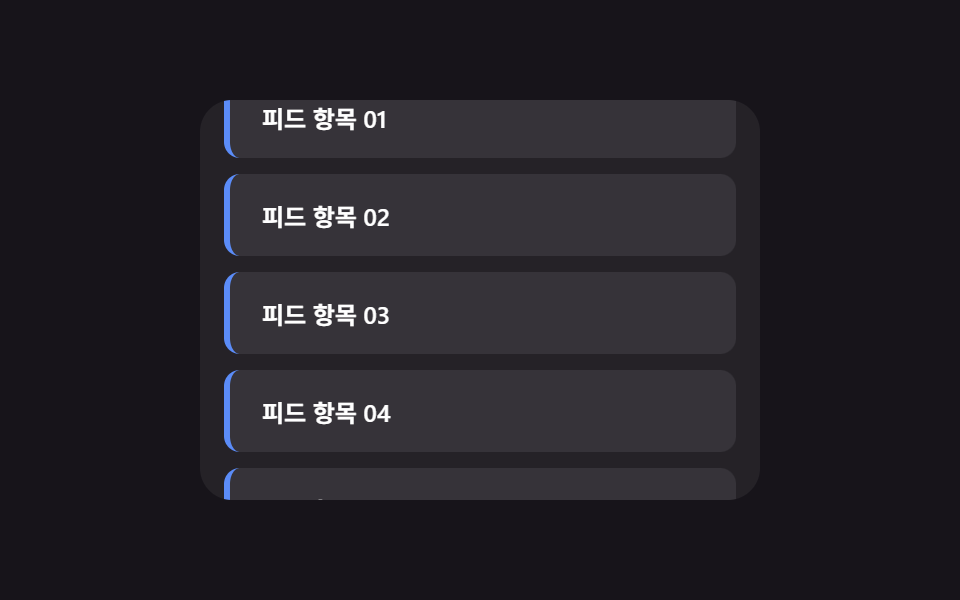 Lists & tablesInfinite Scroll Implementation — 9 List UI Basics
 Lists & tablesCSS Receipt: 9 Thermal Print and Tear-Off Scenes
 Lists & tablesCSS List Style: 9 Marker Design Patterns
 Lists & tablesLeaderboard UI Design: 9 Rank-Change List Patterns
 Lists & tablesComment Section UI: 9 Thread List Patterns